# Zenml > Effective access management is crucial for maintaining security and efficiency in your ZenML projects. This guide will help you understand the different roles within a ZenML server and how to manage a --- # Source: https://docs.zenml.io/user-guides/best-practices/access-management.md # Access Management Effective access management is crucial for maintaining security and efficiency in your ZenML projects. This guide will help you understand the different roles within a ZenML server and how to manage access for your team members. ## Typical Roles in an ML Project In an ML project, you will typically have the following roles: * Data Scientists: Primarily work on developing and running pipelines. * MLOps Platform Engineers: Manage the infrastructure and stack components. * Project Owners: Oversee the entire ZenML deployment and manage user access. The above is an estimation of roles that you might have in your team. In your case, the names might be different or there might be more roles, but you can relate the responbilities we discuss in this document to your own project loosely. {% hint style="info" %} You can create [Roles in ZenML Pro](https://docs.zenml.io/pro/access-management/roles) with a given set of permissions and assign them to either Users or Teams that represent your real-world team structure. {% endhint %} ## Service Connectors: Gateways to External Services Service connectors are how different cloud services are integrated with ZenML. They are used to abstract away the credentials and other configurations needed to access these services. Ideally, you would want that only the MLOps Platform Engineers have access for creating and managing connectors. This is because they are closest to your infrastructure and can make informed decisions about what authentication mechanisms to use and more. Other team members can use connectors to create stack components that talk to the external services but should not have to worry about setting them and shouldn't have access to the credentials used to configure them. Let's look at an example of how this works in practice.\ Imagine you have a `DataScientist` role in your ZenML server. This role should only be able to use the connectors to create stack components and run pipelines. They shouldn't have access to the credentials used to configure these connectors. Therefore, the permissions for this role could look like the following: ![Data Scientist Permissions](https://3621652509-files.gitbook.io/~/files/v0/b/gitbook-x-prod.appspot.com/o/spaces%2F75OYotLPi8TviSrtZTJZ%2Fuploads%2Fgit-blob-ac19b31fa3d9c63a4502f20e65eb47073ed4e1b1%2Fdata_scientist_connector_role.png?alt=media) You can notice that the role doesn't grant the data scientist permissions to create, update, or delete connectors, or read their secret values. On the other hand, the `MLOpsPlatformEngineer` role has the permissions to create, update, and delete connectors, as well as read their secret values. The permissions for this role could look like the following: ![MLOps Platform Engineer Permissions](https://3621652509-files.gitbook.io/~/files/v0/b/gitbook-x-prod.appspot.com/o/spaces%2F75OYotLPi8TviSrtZTJZ%2Fuploads%2Fgit-blob-d403c22f52e50a1e916620f107ce462bff18a595%2Fplatform_engineer_connector_role.png?alt=media) {% hint style="info" %} Note that you can only use the RBAC features in ZenML Pro. Learn more about roles in ZenML Pro [here](https://docs.zenml.io/pro/access-management/roles). {% endhint %} Learn more about the best practices in managing credentials and recommended roles in our [Managing Stacks and Components guide](https://docs.zenml.io/how-to/infrastructure-deployment/stack-deployment). ## Who is responsible for upgrading the ZenML server? The decision to upgrade your ZenML server is usually taken by your Project Owners after consulting with all the teams using the server. This is because there might be teams with conflicting requirements and moving to a new version of ZenML (that might come with upgrades to certain libraries) can break code for some users. {% hint style="info" %} You can choose to have different servers for different teams and that can alleviate some of the pressure to upgrade if you have multiple teams using the same server. ZenML Pro offers [multi-tenancy](https://docs.zenml.io/pro/core-concepts/workspaces) out of the box, for situations like these. {% endhint %} Performing the upgrade itself is a task that typically falls on the MLOps Platform Engineers. They should: * ensure that all data is backed up before performing the upgrade * no service disruption or downtime happens during the upgrade and more. Read in detail about the best practices for upgrading your ZenML server in the [Best Practices for Upgrading ZenML Servers](https://docs.zenml.io/how-to/manage-zenml-server/best-practices-upgrading-zenml) guide. ## Who is responsible for migrating and maintaining pipelines? When you upgrade to a new version of ZenML, you might have to test if your code works as expected and if the syntax is up to date with what ZenML expects. Although we do our best to make new releases compatible with older versions, there might be some breaking changes that you might have to address. The pipeline code itself is typically owned by the Data Scientist, but the Platform Engineer is responsible for making sure that new changes can be tested in a safe environment without impacting existing workflows. This involves setting up a new server and doing a staged upgrade and other strategies. The Data Scientist should also check out the release notes, and the migration guide where applicable when upgrading the code. Read more about the best practices for upgrading your ZenML server and your code in the [Best Practices for Upgrading ZenML Servers](https://docs.zenml.io/how-to/manage-zenml-server/best-practices-upgrading-zenml) guide. ## Best Practices for Access Management Apart from the role-specific tasks we discussed so far, there are some general best practices you should follow to ensure a secure and well-managed ZenML environment that supports collaboration while maintaining proper access controls. * Regular Audits: Conduct periodic reviews of user access and permissions. * Role-Based Access Control (RBAC): Implement RBAC to streamline permission management. * Least Privilege: Grant minimal necessary permissions to each role. * Documentation: Maintain clear documentation of roles, responsibilities, and access policies. {% hint style="info" %} The Role-Based Access Control (RBAC) and assigning of permissions is only available for ZenML Pro users. {% endhint %} By following these guidelines, you can ensure a secure and well-managed ZenML environment that supports collaboration while maintaining proper access controls.
ZenML Scarf
--- # Source: https://docs.zenml.io/concepts/steps_and_pipelines/advanced_features.md # Advanced Features This guide covers advanced features and capabilities of ZenML pipelines and steps, allowing you to build more sophisticated machine learning workflows. ## Execution Control ### Caching Steps are automatically cached based on their code, inputs and other factors. When a step runs, ZenML computes a hash of the inputs and checks if a previous run with the same inputs exists. If found, ZenML reuses the outputs instead of re-executing the step. You can control caching behavior at the step level: ```python @step(enable_cache=False) def non_cached_step(): pass ``` You can also configure caching at the pipeline level: ```python @pipeline(enable_cache=False) def my_pipeline(): ... ``` Or modify it after definition: ```python my_step.configure(enable_cache=False) my_pipeline.configure(enable_cache=False) ``` For more information, check out [this page](https://docs.zenml.io/user-guides/starter-guide/cache-previous-executions). ### Running Individual Steps You can run a single step directly: ```python model, accuracy = train_classifier(X_train=X_train, y_train=y_train) ``` This creates a pipeline run with just that step. If you want to bypass ZenML completely and run the underlying function directly: ```python model, accuracy = train_classifier.entrypoint(X_train=X_train, y_train=y_train) ``` You can make this the default behavior by setting the `ZENML_RUN_SINGLE_STEPS_WITHOUT_STACK` environment variable to `True`. ### Asynchronous Pipeline Execution By default, pipelines run synchronously, with terminal logs displaying as the pipeline builds and runs. You can change this behavior to run pipelines asynchronously (in the background): ```python from zenml import pipeline @pipeline(settings={"orchestrator": {"synchronous": False}}) def my_pipeline(): ... ``` Alternatively, you can configure this in a YAML config file: ```yaml settings: orchestrator.: synchronous: false ``` You can also configure the orchestrator to always run asynchronously by setting `synchronous=False` in its configuration. ### Step Execution Order By default, ZenML determines step execution order based on data dependencies. When a step requires output from another step, it automatically creates a dependency. You can explicitly control execution order with the `after` parameter: ```python @pipeline def my_pipeline(): step_a_output = step_a() step_b_output = step_b() # step_c will only run after both step_a and step_b complete, even if # it doesn't use their outputs directly step_c(after=[step_a_output, step_b_output]) # You can also specify dependencies using the step invocation ID step_d(after="step_c") ``` This is particularly useful for steps with side effects (like data loading or model deployment) where the data dependency is not explicit. ### Execution Modes ZenML provides three execution modes that control how your orchestrator behaves when a step fails during pipeline execution. These modes are: * `CONTINUE_ON_FAILURE`: The orchestrator continues executing steps that don't depend on any of the failed steps. * `STOP_ON_FAILURE`: The orchestrator allows the running steps to complete, but prevents new steps from starting. * `FAIL_FAST`: The orchestrator stops the run and any running steps immediately when a failure occurs. You can configure the execution mode of your pipeline in several ways: ```python from zenml import pipeline from zenml.enums import ExecutionMode # Use the decorator @pipeline(execution_mode=ExecutionMode.CONTINUE_ON_ERROR) def my_pipeline(): ... # Use the `with_options` method my_pipeline_with_fail_fast = my_pipeline.with_options( execution_mode=ExecutionMode.FAIL_FAST ) # Use the `configure` method my_pipeline.configure(execution_mode=ExecutionMode.STOP_ON_FAILURE) ``` {% hint style="warning" %} In the current implementation, if you use the execution mode `STOP_ON_FAILURE`, the token that is associated with your pipeline run stays valid until its leeway runs out (defaults to 1 hour). {% endhint %} As an example, you can consider a pipeline with this dependency structure: ``` ┌─► Step 2 ──► Step 5 ─┐ Step 1 ──┼─► Step 3 ──► Step 6 ─┼──► Step 8 └─► Step 4 ──► Step 7 ─┘ ``` If steps 2, 3, and 4 execute in parallel and step 2 fails: * With `FAIL_FAST`: Step 1 finishes → Steps 2,3,4 start → Step 2 fails → Steps 3, 4 are stopped → No other steps get launched * With `STOP_ON_FAILURE`: Step 1 finishes → Steps 2,3,4 start → Step 2 fails but Steps 3, 4 complete → Steps 5, 6, 7 are skipped * With `CONTINUE_ON_FAILURE`: Step 1 finishes → Steps 2,3,4 start → Step 2 fails, Steps 3, 4 complete → Step 5 skipped (depends on failed Step 2), Steps 6, 7 run normally → Step 8 is skipped as well. {% hint style="info" %} All three execution modes are currently only supported by the `local`, `local_docker`, and `kubernetes` orchestrator flavors. For any other orchestrator flavor, the default (and only available) behavior is `CONTINUE_ON_FAILURE`. If you would like to see any of the other orchestrators extended to support the other execution modes, reach out to us in [Slack](https://zenml.io/slack-invite). {% endhint %} ### Step Heartbeat Step heartbeat is a background mechanism that runs alongside step executions and performs two core functions: * Periodically pings the ZenML server to refresh the step's heartbeat value. * Retrieves the current pipeline and step status, and terminates the step if the pipeline has entered a stopping state. This enables ZenML to: * Track the liveness of a step execution and assess its health based on incoming heartbeats. * Gracefully interrupt running steps when a pipeline is being stopped. *Scope and current behavior* * Heartbeats are enabled only for steps executed in isolated environments. This excludes: * `Inline` steps in `dynamic` pipelines. * Steps run via the `local` orchestrator. * Heartbeat is enabled by default. * A step that becomes unhealthy automatically triggers a graceful shutdown (currently supported for the `kubernetes` orchestrator). * When using `CONTINUE_ON_FAILURE` execution mode, heartbeat status is also used to decide whether execution tokens should be invalidated. *Configuration* You can configure how long a step may go without sending a heartbeat before it is considered unhealthy using the `heartbeat_healthy_threshold` step parameter. The default value currently applied is 30 minutes. ```python from zenml import step @step(heartbeat_healthy_threshold=30) def my_step(): ... ``` You can disable heartbeat on the pipeline level if you pass the following configuration parameter: ```python from zenml import pipeline @pipeline(enable_heartbeat=False) def my_pipeline(): ... ``` If you want to disable heartbeats for a *running* pipeline you can use the following ZenML store utility: ```python from zenml.client import Client client = Client() client.zen_store.disable_run_heartbeat(run_id="run.id") ``` ## Data & Output Management ## Type annotations Your functions will work as ZenML steps even if you don't provide any type annotations for their inputs and outputs. However, adding type annotations to your step functions gives you lots of additional benefits: * **Type validation of your step inputs**: ZenML makes sure that your step functions receive an object of the correct type from the upstream steps in your pipeline. * **Better serialization**: Without type annotations, ZenML uses [Cloudpickle](https://github.com/cloudpipe/cloudpickle) to serialize your step outputs. When provided with type annotations, ZenML can choose a [materializer](https://docs.zenml.io/getting-started/core-concepts#materializers) that is best suited for the output. In case none of the builtin materializers work, you can even [write a custom materializer](https://docs.zenml.io/how-to/data-artifact-management/handle-data-artifacts/handle-custom-data-types). {% hint style="warning" %} ZenML provides a built-in [CloudpickleMaterializer](https://sdkdocs.zenml.io/latest/core_code_docs/core-materializers.html#zenml.materializers.cloudpickle_materializer) that can handle any object by saving it with [cloudpickle](https://github.com/cloudpipe/cloudpickle). However, this is not production-ready because the resulting artifacts cannot be loaded when running with a different Python version. In such cases, you should consider building a [custom Materializer](https://docs.zenml.io/how-to/data-artifact-management/handle-data-artifacts/handle-custom-data-types#custom-materializers) to save your objects in a more robust and efficient format. Moreover, using the `CloudpickleMaterializer` could allow users to upload of any kind of object. This could be exploited to upload a malicious file, which could execute arbitrary code on the vulnerable system. {% endhint %} ```python from typing import Tuple from zenml import step @step def square_root(number: int) -> float: return number ** 0.5 # To define a step with multiple outputs, use a `Tuple` type annotation @step def divide(a: int, b: int) -> Tuple[int, int]: return a // b, a % b ``` If you want to make sure you get all the benefits of type annotating your steps, you can set the environment variable `ZENML_ENFORCE_TYPE_ANNOTATIONS` to `True`. ZenML will then raise an exception in case one of the steps you're trying to run is missing a type annotation. ### Tuple vs multiple outputs It is impossible for ZenML to detect whether you want your step to have a single output artifact of type `Tuple` or multiple output artifacts just by looking at the type annotation. We use the following convention to differentiate between the two: When the `return` statement is followed by a tuple literal (e.g. `return 1, 2` or `return (value_1, value_2)`) we treat it as a step with multiple outputs. All other cases are treated as a step with a single output of type `Tuple`. ```python from zenml import step from typing import Annotated from typing import Tuple # Single output artifact @step def my_step() -> Tuple[int, int]: output_value = (0, 1) return output_value # Single output artifact with variable length @step def my_step(condition) -> Tuple[int, ...]: if condition: output_value = (0, 1) else: output_value = (0, 1, 2) return output_value # Single output artifact using the `Annotated` annotation @step def my_step() -> Annotated[Tuple[int, ...], "my_output"]: return 0, 1 # Multiple output artifacts @step def my_step() -> Tuple[int, int]: return 0, 1 # Not allowed: Variable length tuple annotation when using # multiple output artifacts @step def my_step() -> Tuple[int, ...]: return 0, 1 ``` ## Step output names By default, ZenML uses the output name `output` for single output steps and `output_0, output_1, ...` for steps with multiple outputs. These output names are used to display your outputs in the dashboard and [fetch them after your pipeline is finished](https://docs.zenml.io/user-guides/tutorial/fetching-pipelines). If you want to use custom output names for your steps, use the `Annotated` type annotation: ```python from typing import Annotated from typing import Tuple from zenml import step @step def square_root(number: int) -> Annotated[float, "custom_output_name"]: return number ** 0.5 @step def divide(a: int, b: int) -> Tuple[ Annotated[int, "quotient"], Annotated[int, "remainder"] ]: return a // b, a % b ``` {% hint style="info" %} If you do not give your outputs custom names, the created artifacts will be named `{pipeline_name}::{step_name}::output` or `{pipeline_name}::{step_name}::output_{i}` in the dashboard. See the [documentation on artifact versioning and configuration](https://docs.zenml.io/user-guides/starter-guide/manage-artifacts) for more information. {% endhint %} ## Workflow Patterns ### Pipeline Composition You can compose pipelines from other pipelines to create modular, reusable workflows: ```python @pipeline def data_pipeline(mode: str): if mode == "train": data = training_data_loader_step() else: data = test_data_loader_step() processed_data = preprocessing_step(data) return processed_data @pipeline def training_pipeline(): # Use another pipeline inside this pipeline training_data = data_pipeline(mode="train") model = train_model(data=training_data) test_data = data_pipeline(mode="test") evaluate_model(model=model, data=test_data) ``` Pipeline composition allows you to build complex workflows from simpler, well-tested components. ### Fan-out and Fan-in The fan-out/fan-in pattern is a common pipeline architecture where a single step splits into multiple parallel operations (fan-out) and then consolidates the results back into a single step (fan-in). This pattern is particularly useful for parallel processing, distributed workloads, or when you need to process data through different transformations and then aggregate the results. For example, you might want to process different chunks of data in parallel and then aggregate the results: ```python from zenml import step, get_step_context, pipeline from zenml.client import Client @step def load_step() -> str: return "Hello from ZenML!" @step def process_step(input_data: str) -> str: return input_data @step def combine_step(step_prefix: str, output_name: str) -> None: run_name = get_step_context().pipeline_run.name run = Client().get_pipeline_run(run_name) # Fetch all results from parallel processing steps processed_results = {} for step_name, step_info in run.steps.items(): if step_name.startswith(step_prefix): output = step_info.outputs[output_name][0] processed_results[step_info.name] = output.load() # Combine all results print(",".join([f"{k}: {v}" for k, v in processed_results.items()])) @pipeline(enable_cache=False) def fan_out_fan_in_pipeline(parallel_count: int) -> None: # Initial step (source) input_data = load_step() # Fan out: Process data in parallel branches after = [] for i in range(parallel_count): artifact = process_step(input_data, id=f"process_{i}") after.append(artifact) # Fan in: Combine results from all parallel branches combine_step(step_prefix="process_", output_name="output", after=after) fan_out_fan_in_pipeline(parallel_count=8) ``` The fan-out pattern allows for parallel processing and better resource utilization, while the fan-in pattern enables aggregation and consolidation of results. This is particularly useful for: * Parallel data processing * Distributed model training * Ensemble methods * Batch processing * Data validation across multiple sources * Hyperparameter tuning Note that when implementing the fan-in step, you'll need to use the ZenML Client to query the results from previous parallel steps, as shown in the example above, and you can't pass in the result directly. {% hint style="warning" %} The fan-in, fan-out method has the following limitations: 1. Steps run sequentially rather than in parallel if the underlying orchestrator does not support parallel step runs (e.g. with the local orchestrator) 2. The number of steps need to be known ahead-of-time, and ZenML does not yet support the ability to dynamically create steps on the fly. {% endhint %} ### Dynamic Fan-out/Fan-in with Snapshots For scenarios where you need to determine the number of parallel operations at runtime (e.g., based on database queries or dynamic data), you can use [snapshots](https://docs.zenml.io/user-guides/tutorial/trigger-pipelines-from-external-systems) to create a more flexible fan-out/fan-in pattern. This approach allows you to trigger multiple pipeline runs dynamically and then aggregate their results. ```python from typing import List, Optional from uuid import UUID import time from zenml import step, pipeline from zenml.client import Client @step def load_relevant_chunks() -> List[str]: """Load chunk identifiers from database or other dynamic source.""" # Example: Query database for chunk IDs # In practice, this could be a database query, API call, etc. return ["chunk_1", "chunk_2", "chunk_3", "chunk_4"] @step def trigger_chunk_processing( chunks: List[str], snapshot_id: Optional[UUID] = None ) -> List[UUID]: """Trigger multiple pipeline runs for each chunk and wait for completion.""" client = Client() # Use snapshot ID if provided, otherwise give the pipeline name # of the pipeline you want triggered. Giving the pipeline name # will automatically find the latest snapshot of that pipeline. pipeline_name = None if snapshot_id else "chunk_processing_pipeline" # Trigger all chunk processing runs run_ids = [] for chunk_id in chunks: run_config = { "steps": { "process_chunk": { "parameters": { "chunk_id": chunk_id } } } } run = client.trigger_pipeline( snapshot_name_or_id=snapshot_id, pipeline_name_or_id=pipeline_name, run_configuration=run_config, synchronous=False # Run asynchronously ) run_ids.append(run.id) # Wait for all runs to complete print(f"Waiting for {len(run_ids)} chunk processing runs to complete...") completed_runs = set() # Cache completed runs to avoid re-fetching while True: # Only check runs that haven't completed yet pending_runs = [run_id for run_id in run_ids if run_id not in completed_runs] for run_id in pending_runs: run = client.get_pipeline_run(run_id) if run.status.is_finished: completed_runs.add(run_id) if len(completed_runs) == len(run_ids): print("All chunk processing runs completed!") break print(f"Completed: {len(completed_runs)}/{len(run_ids)} runs") time.sleep(10) # Wait 10 seconds before checking again return run_ids @step def aggregate_results(run_ids: List[UUID]) -> dict: """Aggregate results from all chunk processing runs.""" client = Client() aggregated_results = {} failed_runs = [] for run_id in run_ids: run = client.get_pipeline_run(run_id) # Check if run succeeded if run.status.value == "failed": failed_runs.append({ "run_id": str(run_id), "status": run.status.value, }) print(f"WARNING: Run {run_id} failed with status {run.status.value}") continue # Extract results from successful runs only if "process_chunk" in run.steps: step_run = run.steps["process_chunk"] # Simple assumption: process_chunk step has one output that we can load chunk_result = step_run.output.load() aggregated_results[str(run_id)] = chunk_result # Log summary of results total_runs = len(run_ids) successful_runs = len(aggregated_results) failed_count = len(failed_runs) print(f"Aggregation complete: {successful_runs}/{total_runs} runs successful") return { "successful_results": aggregated_results, "failed_runs": failed_runs, "summary": { "total_runs": total_runs, "successful_runs": successful_runs, "failed_runs": failed_count } } @pipeline(enable_cache=False) def fan_out_fan_in_pipeline(snapshot_id: Optional[UUID] = None): """Fan-out/fan-in pipeline that orchestrates dynamic chunk processing.""" # Load chunks dynamically at runtime chunks = load_relevant_chunks() # Trigger chunk processing runs and wait for completion run_ids = trigger_chunk_processing(chunks, snapshot_id) # Aggregate results from all runs results = aggregate_results(run_ids) return results # Define the chunk processing pipeline that will be triggered @step def process_chunk(chunk_id: Optional[str] = None) -> dict: """Process a single chunk of data.""" # Simulate chunk processing print(f"Processing chunk: {chunk_id}") return { "chunk_id": chunk_id, "processed_items": 100, "status": "completed" } @pipeline def chunk_processing_pipeline(): """Pipeline that processes a single chunk.""" result = process_chunk() return result # Usage example if __name__ == "__main__": # First, create a snapshot for the chunk processing pipeline # This would typically be done once during setup. # Make sure a remote stack is set before running this snapshot = chunk_processing_pipeline.create_snapshot( name="chunk_processing", description="Snapshot for processing individual chunks" ) # Run the fan-out/fan-in pipeline with the snapshot # You can also get the snapshot ID from the dashboard fan_out_fan_in_pipeline(snapshot_id=snapshot.id) ``` This pattern enables dynamic scaling, true parallelism, and database-driven workflows. Key advantages include fault tolerance and separate monitoring for each chunk. Consider resource management and proper error handling when implementing. ### Custom Step Invocation IDs When calling a ZenML step as part of your pipeline, it gets assigned a unique **invocation ID** that you can use to reference this step invocation when defining the execution order of your pipeline steps or use it to fetch information about the invocation after the pipeline has finished running. ```python from zenml import pipeline, step @step def my_step() -> None: ... @pipeline def example_pipeline(): # When calling a step for the first time inside a pipeline, # the invocation ID will be equal to the step name -> `my_step`. my_step() # When calling the same step again, the suffix `_2`, `_3`, ... will # be appended to the step name to generate a unique invocation ID. # For this call, the invocation ID would be `my_step_2`. my_step() # If you want to use a custom invocation ID when calling a step, you can # do so by passing it like this. If you pass a custom ID, it needs to be # unique for all the step invocations that happen as part of this pipeline. my_step(id="my_custom_invocation_id") ``` ### Named Pipeline Runs In the output logs of a pipeline run you will see the name of the run: ```bash Pipeline run training_pipeline-2023_05_24-12_41_04_576473 has finished in 3.742s. ``` This name is automatically generated based on the current date and time. To change the name for a run, pass `run_name` as a parameter to the `with_options()` method: ```python training_pipeline = training_pipeline.with_options( run_name="custom_pipeline_run_name" ) training_pipeline() ``` Pipeline run names must be unique, so if you plan to run your pipelines multiple times or run them on a schedule, make sure to either compute the run name dynamically or include one of the placeholders that ZenML will replace. {% hint style="info" %} The substitutions for the custom placeholders like `experiment_name` can be set in: * `@pipeline` decorator, so they are effective for all steps in this pipeline * `pipeline.with_options` function, so they are effective for all steps in this pipeline run Standard substitutions always available and consistent in all steps of the pipeline are: * `{date}`: current date, e.g. `2024_11_27` * `{time}`: current time in UTC format, e.g. `11_07_09_326492` {% endhint %} ```python training_pipeline = training_pipeline.with_options( run_name="custom_pipeline_run_name_{experiment_name}_{date}_{time}" ) training_pipeline() ``` ## Error Handling & Reliability ### Automatic Step Retries For steps that may encounter transient failures (like network issues or resource limitations), you can configure automatic retries: ```python from zenml.config.retry_config import StepRetryConfig @step( retry=StepRetryConfig( max_retries=3, # Maximum number of retry attempts delay=10, # Initial delay in seconds before first retry backoff=2 # Factor by which delay increases after each retry ) ) def unreliable_step(): # This step might fail due to transient issues ... ``` It's important to note that **retries happen at the step level, not the pipeline level**. This means that ZenML will only retry individual failed steps, not the entire pipeline. With this configuration, if the step fails, ZenML will: 1. Wait 10 seconds before the first retry 2. Wait 20 seconds (10 × 2) before the second retry 3. Wait 40 seconds (20 × 2) before the third retry 4. Fail the pipeline if all retries are exhausted This is particularly useful for steps that interact with external services or resources. ## Monitoring & Notifications ### Pipeline and Step Hooks Hooks allow you to execute custom code at specific points in the pipeline or step lifecycle: ```python def success_hook(): print(f"Step completed successfully") def failure_hook(exception: BaseException): print(f"Step failed with error: {str(exception)}") @step(on_success=success_hook, on_failure=failure_hook) def my_step(): return 42 ``` The following conventions apply to hooks: * the success hook takes no arguments * the failure hook optionally takes a single `BaseException` typed argument You can also define hooks at the pipeline level to apply to all steps: ```python @pipeline(on_failure=failure_hook, on_success=success_hook) def my_pipeline(): ... ``` Step-level hooks take precedence over pipeline-level hooks. Hooks are particularly useful for: * Sending notifications when steps fail or succeed * Logging detailed information about runs * Triggering external workflows based on pipeline state ### Accessing Step Context in Hooks You can access detailed information about the current run using the step context: ```python from zenml import step, get_step_context def on_failure(exception: BaseException): context = get_step_context() print(f"Failed step: {context.step_run.name}") print(f"Parameters: {context.step_run.config.parameters}") print(f"Exception: {type(exception).__name__}: {str(exception)}") # Access pipeline information print(f"Pipeline: {context.pipeline_run.name}") @step(on_failure=on_failure) def my_step(some_parameter: int = 1): raise ValueError("My exception") ``` ### Using Alerter in Hooks You can use the [Alerter stack component](https://docs.zenml.io/component-guide/alerters) to send notifications when steps fail or succeed: ```python from zenml import get_step_context from zenml.client import Client def on_failure(): step_name = get_step_context().step_run.name Client().active_stack.alerter.post(f"{step_name} just failed!") ``` ZenML provides built-in alerter hooks for common scenarios: ```python from zenml.hooks import alerter_success_hook, alerter_failure_hook @step(on_failure=alerter_failure_hook, on_success=alerter_success_hook) def my_step(): ... ``` ## Conclusion These advanced features provide powerful capabilities for building sophisticated machine learning workflows in ZenML. By leveraging these features, you can create pipelines that are more robust, maintainable, and flexible. See also: * [Steps & Pipelines](https://docs.zenml.io/concepts/steps_and_pipelines) - Core building blocks * [YAML Configuration](https://docs.zenml.io/concepts/steps_and_pipelines/yaml_configuration) - YAML configuration --- # Source: https://docs.zenml.io/stacks/stack-components/orchestrators/airflow.md # Airflow Orchestrator ZenML pipelines can be executed natively as [Airflow](https://airflow.apache.org/) DAGs. This brings together the power of the Airflow orchestration with the ML-specific benefits of ZenML pipelines. Each ZenML step runs in a separate Docker container which is scheduled and started using Airflow. {% hint style="warning" %} If you're going to use a remote deployment of Airflow, you'll also need a [remote ZenML deployment](https://docs.zenml.io/getting-started/deploying-zenml/). {% endhint %} ### When to use it You should use the Airflow orchestrator if * you're looking for a proven production-grade orchestrator. * you're already using Airflow. * you want to run your pipelines locally. * you're willing to deploy and maintain Airflow. ### How to deploy it The Airflow orchestrator can be used to run pipelines locally as well as remotely. In the local case, no additional setup is necessary. There are many options to use a deployed Airflow server: * Use [the ZenML GCP Terraform module](https://docs.zenml.io/how-to/infrastructure-deployment/stack-deployment/deploy-a-cloud-stack-with-terraform) which includes a [Google Cloud Composer](https://cloud.google.com/composer) component. * Use a managed deployment of Airflow such as [Google Cloud Composer](https://cloud.google.com/composer) , [Amazon MWAA](https://aws.amazon.com/managed-workflows-for-apache-airflow/), or [Astronomer](https://www.astronomer.io/). * Deploy Airflow manually. Check out the official [Airflow docs](https://airflow.apache.org/docs/apache-airflow/stable/production-deployment.html) for more information. If you're not using the ZenML GCP Terraform module to deploy Airflow, there are some additional Python packages that you'll need to install in the Python environment of your Airflow server: * `pydantic~=2.11.1`: The Airflow DAG files that ZenML creates for you require Pydantic to parse and validate configuration files. * `apache-airflow-providers-docker` or `apache-airflow-providers-cncf-kubernetes`, depending on which Airflow operator you'll be using to run your pipeline steps. Check out [this section](#using-different-airflow-operators) for more information on supported operators. ### How to use it To use the Airflow orchestrator, we need: * [Docker](https://docs.docker.com/get-docker/) installed and running. * The orchestrator registered and part of our active stack: ```shell zenml orchestrator register \ --flavor=airflow \ --local=True # set this to `False` if using a remote Airflow deployment # Register and activate a stack with the new orchestrator zenml stack register -o ... --set ``` {% tabs %} {% tab title="Local" %} Due to dependency conflicts, we need to install the Python packages to start a local Airflow server in a separate Python environment. ```bash # Create a fresh virtual environment in which we install the Airflow server dependencies python -m venv airflow_server_environment source airflow_server_environment/bin/activate # Install the Airflow server dependencies pip install "apache-airflow==3.0.6" "apache-airflow-providers-docker==4.4.0" "pydantic~=2.11.1" ``` Before starting the local Airflow server, we can set a few environment variables to configure it: * `AIRFLOW_HOME`: This variable defines the location where the Airflow server stores its database and configuration files. The default value is `~/airflow`. * `AIRFLOW__CORE__DAGS_FOLDER`: This variable defines the location where the Airflow server looks for DAG files. The default value is `/dags`. * `AIRFLOW__DAG_PROCESSOR__REFRESH_INTERVAL`: This variable controls how often the Airflow dag processor checks for new or updated DAGs. By default, the dag processor will check for new DAGs every 300 seconds. This variable can be used to increase or decrease the frequency of the checks. {% hint style="warning" %} When running this on MacOS, you might need to set the `no_proxy` environment variable to prevent crashes due to a bug in Airflow (see [this page](https://github.com/apache/airflow/issues/28487) for more information): ```bash export no_proxy=* ``` {% endhint %} We can now start the local Airflow server by running the following command: ```bash # Switch to the Python environment that has Airflow installed before running this command airflow standalone ``` This command will start up an Airflow server on your local machine. During the startup, it will print a username and password which you can use to log in to the Airflow UI [here](http://0.0.0.0:8080). We can now switch back the Python environment in which ZenML is installed and run a pipeline: ```shell # Switch to the Python environment that has ZenML installed before running this command python file_that_runs_a_zenml_pipeline.py ``` This call will produce a `.zip` file containing a representation of your ZenML pipeline for Airflow. The location of this `.zip` file will be in the logs of the command above. We now need to copy this file to the Airflow DAGs directory, from where the local Airflow server will load it and run your pipeline (It might take a few seconds until the pipeline shows up in the Airflow UI). To figure out the DAGs directory, we can run `airflow config get-value core DAGS_FOLDER` while having our Python environment with the Airflow installation active. To make this process easier, we can configure our ZenML Airflow orchestrator to automatically copy the `.zip` file to this directory for us. To do so, run the following command: ```bash # Switch to the Python environment that has ZenML installed before running this command zenml orchestrator update --dag_output_dir= ``` Now that we've set this up, running a pipeline in Airflow is as simple as just running the Python file: ```shell # Switch to the Python environment that has ZenML installed before running this command python file_that_runs_a_zenml_pipeline.py ``` {% endtab %} {% tab title="Remote" %} When using the Airflow orchestrator with a remote deployment, you'll additionally need: * A remote ZenML server deployed to the cloud. See the [deployment guide](https://docs.zenml.io/getting-started/deploying-zenml/) for more information. * A deployed Airflow server. See the [deployment section](#how-to-deploy-it) for more information. * A [remote artifact store](https://docs.zenml.io/stacks/artifact-stores/) as part of your stack. * A [remote container registry](https://docs.zenml.io/stacks/container-registries/) as part of your stack. In the remote case, the Airflow orchestrator works differently than other ZenML orchestrators. Executing a python file which runs a pipeline by calling `pipeline.run()` will not actually run the pipeline, but instead will create a `.zip` file containing an Airflow representation of your ZenML pipeline. In one additional step, you need to make sure this zip file ends up in the [DAGs directory](https://airflow.apache.org/docs/apache-airflow/stable/concepts/overview.html#architecture-overview) of your Airflow deployment. {% endtab %} {% endtabs %} {% hint style="info" %} ZenML will build a Docker image called `/zenml:` which includes your code and use it to run your pipeline steps in Airflow. Check out [this page](https://docs.zenml.io/how-to/customize-docker-builds/) if you want to learn more about how ZenML builds these images and how you can customize them. {% endhint %} #### Scheduling You can [schedule pipeline runs](https://docs.zenml.io/user-guides/tutorial/managing-scheduled-pipelines) on Airflow similarly to other orchestrators. However, note that**Airflow schedules always need to be set in the past**, e.g.,: ```python from datetime import datetime, timedelta from zenml.config.schedule import Schedule scheduled_pipeline = fashion_mnist_pipeline.with_options( schedule=Schedule( start_time=datetime.now() - timedelta(hours=1), # start in the past end_time=datetime.now() + timedelta(hours=1), interval_second=timedelta(minutes=15), # run every 15 minutes catchup=False, ) ) scheduled_pipeline() ``` #### Airflow UI Airflow comes with its own UI that you can use to find further details about your pipeline runs, such as the logs of your steps. For local Airflow, you can find the Airflow UI at by default. {% hint style="info" %} If you cannot see the Airflow UI credentials in the console, you can find the password in `/simple_auth_manager_passwords.json.generated`. `AIRFLOW_HOME` will usually be `~/airflow` unless you've manually configured it with the `AIRFLOW_HOME` environment variable. You can always run `airflow info` to figure out the directory for the active environment. {% endhint %} #### Additional configuration For additional configuration of the Airflow orchestrator, you can pass `AirflowOrchestratorSettings` when defining or running your pipeline. Check out the [SDK docs](https://sdkdocs.zenml.io/latest/integration_code_docs/integrations-airflow.html#zenml.integrations.airflow) for a full list of available attributes and [this docs page](https://docs.zenml.io/concepts/steps_and_pipelines/yaml_configuration/) for more information on how to specify settings. #### Enabling CUDA for GPU-backed hardware Note that if you wish to use this orchestrator to run steps on a GPU, you will need to follow [the instructions on this page](https://docs.zenml.io/user-guides/tutorial/distributed-training/) to ensure that it works. It requires adding some extra settings customization and is essential to enable CUDA for the GPU to give its full acceleration. #### Using different Airflow operators Airflow operators specify how a step in your pipeline gets executed. As ZenML relies on Docker images to run pipeline steps, only operators that support executing a Docker image work in combination with ZenML. Airflow comes with two operators that support this: * the `DockerOperator` runs the Docker images for executing your pipeline steps on the same machine that your Airflow server is running on. For this to work, the server environment needs to have the `apache-airflow-providers-docker` package installed. * the `KubernetesPodOperator` runs the Docker image on a pod in the Kubernetes cluster that the Airflow server is deployed to. For this to work, the server environment needs to have the `apache-airflow-providers-cncf-kubernetes` package installed. You can specify which operator to use and additional arguments to it as follows: ```python from zenml import pipeline, step from zenml.integrations.airflow.flavors.airflow_orchestrator_flavor import AirflowOrchestratorSettings airflow_settings = AirflowOrchestratorSettings( operator="docker", # or "kubernetes_pod" # Dictionary of arguments to pass to the operator __init__ method operator_args={} ) # Using the operator for a single step @step(settings={"orchestrator": airflow_settings}) def my_step(...): # Using the operator for all steps in your pipeline @pipeline(settings={"orchestrator": airflow_settings}) def my_pipeline(...): ``` {% hint style="info" %} If you're using `apache-airflow-providers-cncf-kubernetes>=10.0.0`, the import of the Kubernetes pod operator changed, and you'll need to specify the operator like this: ```python airflow_settings = AirflowOrchestratorSettings( operator="airflow.providers.cncf.kubernetes.operators.pod.KubernetesPodOperator" ) ``` {% endhint %} **Custom operators** If you want to use any other operator to run your steps, you can specify the `operator` in your `AirflowSettings` as a path to the python operator class: ```python from zenml.integrations.airflow.flavors.airflow_orchestrator_flavor import AirflowOrchestratorSettings airflow_settings = AirflowOrchestratorSettings( # This could also be a reference to one of your custom classes. # e.g. `my_module.MyCustomOperatorClass` as long as the class # is importable in your Airflow server environment operator="airflow.providers.docker.operators.docker.DockerOperator", # Dictionary of arguments to pass to the operator __init__ method operator_args={} ) ``` **Custom DAG generator file** To run a pipeline in Airflow, ZenML creates a Zip archive that contains two files: * A JSON configuration file that the orchestrator creates. This file contains all the information required to create the Airflow DAG to run the pipeline. * A Python file that reads this configuration file and actually creates the Airflow DAG. We call this file the `DAG generator` and you can find the implementation [here](https://github.com/zenml-io/zenml/blob/main/src/zenml/integrations/airflow/orchestrators/dag_generator.py) . If you need more control over how the Airflow DAG is generated, you can provide a custom DAG generator file using the setting `custom_dag_generator`. This setting will need to reference a Python module that can be imported into your active Python environment. It will additionally need to contain the same classes (`DagConfiguration` and `TaskConfiguration`) and constants (`ENV_ZENML_AIRFLOW_RUN_ID`, `ENV_ZENML_LOCAL_STORES_PATH` and `CONFIG_FILENAME`) as the [original module](https://github.com/zenml-io/zenml/blob/main/src/zenml/integrations/airflow/orchestrators/dag_generator.py) . For this reason, we suggest starting by copying the original and modifying it according to your needs. Check out our docs on how to apply settings to your pipelines [here](https://docs.zenml.io/concepts/steps_and_pipelines/yaml_configuration/). For more information and a full list of configurable attributes of the Airflow orchestrator, check out the [SDK Docs](https://sdkdocs.zenml.io/latest/integration_code_docs/integrations-airflow.html#zenml.integrations.airflow) .
ZenML Scarf
--- # Source: https://docs.zenml.io/stacks/stack-components/alerters.md # Alerters **Alerters** allow you to send messages to chat services (like Slack, Discord, Mattermost, etc.) from within your pipelines. This is useful to immediately get notified when failures happen, for general monitoring/reporting, and also for building human-in-the-loop ML. ## Alerter Flavors Currently, the [SlackAlerter](https://docs.zenml.io/stacks/stack-components/alerters/slack) and [DiscordAlerter](https://docs.zenml.io/stacks/stack-components/alerters/discord) are the available alerter integrations. However, it is straightforward to extend ZenML and [build an alerter for other chat services](https://docs.zenml.io/stacks/stack-components/alerters/custom). | Alerter | Flavor | Integration | Notes | | -------------------------------------------------------------------------------------- | --------- | ----------- | ------------------------------------------------------------------ | | [Slack](https://docs.zenml.io/stacks/stack-components/alerters/slack) | `slack` | `slack` | Interacts with a Slack channel | | [Discord](https://docs.zenml.io/stacks/stack-components/alerters/discord) | `discord` | `discord` | Interacts with a Discord channel | | [Custom Implementation](https://docs.zenml.io/stacks/stack-components/alerters/custom) | *custom* | | Extend the alerter abstraction and provide your own implementation | {% hint style="info" %} If you would like to see the available flavors of alerters in your terminal, you can use the following command: ```shell zenml alerter flavor list ``` {% endhint %} ## How to use Alerters with ZenML Each alerter integration comes with specific standard steps that you can use out of the box. However, you first need to register an alerter component in your terminal: ```shell zenml alerter register ... ``` Then you can add it to your stack using ```shell zenml stack register ... -al ``` Afterward, you can import the alerter standard steps provided by the respective integration and directly use them in your pipelines. ## Using the Ask Step for Human-in-the-Loop Workflows All alerters provide an `ask()` method and corresponding ask steps that enable human-in-the-loop workflows. These are essential for: * Getting approval before deploying models to production * Confirming critical pipeline decisions * Manual intervention points in automated workflows ### How Ask Steps Work Ask steps (like `discord_alerter_ask_step` and `slack_alerter_ask_step`): 1. **Post a message** to your chat service with your question 2. **Wait for user response** containing specific approval or disapproval keywords 3. **Return a boolean** - `True` if approved, `False` if disapproved or timeout ```python from zenml import step, pipeline from zenml.integrations.slack.steps.slack_alerter_ask_step import slack_alerter_ask_step @step def train_model(): # Training logic here - this is a placeholder function return "trained_model_object" @step def deploy_model(model, approved: bool) -> None: if approved: # Deploy the model to production print("Deploying model to production...") # deployment logic here else: print("Deployment cancelled by user") @pipeline def deployment_pipeline(): trained_model = train_model() # Ask for human approval before deployment approved = slack_alerter_ask_step("Deploy model to production?") deploy_model(trained_model, approved) ``` ### Default Response Keywords By default, alerters recognize these response options: **Approval:** `approve`, `LGTM`, `ok`, `yes`\ **Disapproval:** `decline`, `disapprove`, `no`, `reject` ### Customizing Response Keywords You can customize the approval and disapproval keywords using alerter parameters: ```python from zenml.integrations.slack.steps.slack_alerter_ask_step import slack_alerter_ask_step from zenml.integrations.slack.alerters.slack_alerter import SlackAlerterParameters # Use custom approval/disapproval keywords params = SlackAlerterParameters( approve_msg_options=["deploy", "ship it", "✅"], disapprove_msg_options=["stop", "cancel", "❌"] ) approved = slack_alerter_ask_step( "Deploy model to production?", params=params ) ``` ### Important Notes * **Return Type**: Ask steps return a boolean value - ensure your pipeline logic handles this correctly * **Keywords**: Response keywords are case-sensitive (except Slack, which converts to lowercase) * **Timeout**: If no valid response is received within the timeout period, the step returns `False` * **Permissions**: Ensure your bot has permissions to read messages in the target channel
ZenML Scarf
--- # Source: https://docs.zenml.io/stacks/stack-components/artifact-stores/alibaba-oss.md # Alibaba Cloud OSS [Alibaba Cloud Object Storage Service (OSS)](https://www.alibabacloud.com/product/object-storage-service) is an S3-compatible object storage service. Since OSS provides an S3-compatible API, you can use ZenML's S3 Artifact Store integration to connect to [Alibaba Cloud](https://www.alibabacloud.com) OSS. {% hint style="warning" %} **Important:** When using Alibaba Cloud OSS, you must set the following `config_kwargs`: ```json {"signature_version": "s3", "s3": {"addressing_style": "virtual"}} ``` This is required for proper compatibility with Alibaba Cloud OSS's S3 API implementation. {% endhint %} ### When would you want to use it? You should use the Alibaba Cloud OSS Artifact Store when: * Your infrastructure is already deployed on Alibaba Cloud and you want to maintain data locality * You require artifact storage in specific geographic regions served by Alibaba Cloud (China, Asia-Pacific, Europe, Middle East) * You need S3-compatible object storage with Alibaba Cloud's pricing model and service level agreements * Compliance requirements mandate data residency in Alibaba Cloud regions ### How do you deploy it? Since Alibaba Cloud OSS is S3-compatible, you'll use the S3 integration. First, install it: ```shell zenml integration install s3 -y ``` You'll also need to create an OSS bucket and obtain your access credentials from the Alibaba Cloud console. ### How do you configure it? To use Alibaba Cloud OSS with ZenML, you need to configure the S3 Artifact Store with specific settings for OSS compatibility: {% hint style="info" %} Alibaba Cloud OSS does not support ZenML Service Connectors. Use ZenML Secrets to securely store and reference your Alibaba Cloud credentials. {% endhint %} {% tabs %} {% tab title="Using a ZenML Secret (recommended)" %} First, create a ZenML secret with your Alibaba Cloud credentials: ```shell zenml secret create alibaba_secret \ --access_key_id='' \ --secret_access_key='' ``` Then register the artifact store with the required OSS configuration: ```shell zenml artifact-store register alibaba_store -f s3 \ --path='s3://your-bucket-name' \ --authentication_secret=alibaba_secret \ --client_kwargs='{"endpoint_url": "https://oss-.aliyuncs.com"}' \ --config_kwargs='{"signature_version": "s3", "s3": {"addressing_style": "virtual"}}' ``` {% endtab %} {% endtabs %} Replace `` with your OSS region (e.g., `eu-central-1`, `cn-hangzhou`, `ap-southeast-1`). You can find the list of available regions and their endpoints in the [Alibaba Cloud OSS documentation](https://www.alibabacloud.com/help/en/oss/user-guide/regions-and-endpoints). Finally, add the artifact store to your stack: ```shell zenml stack register custom_stack -a alibaba_store ... --set ``` ### How do you use it? Using the Alibaba Cloud OSS Artifact Store is no different from [using any other flavor of Artifact Store](https://docs.zenml.io/stacks/stack-components/artifact-stores/..#how-to-use-it). ZenML handles the S3-compatible API translation automatically. For more details on the S3 Artifact Store configuration options, refer to the [S3 Artifact Store documentation](https://docs.zenml.io/stacks/stack-components/artifact-stores/s3).
ZenML Scarf
--- # Source: https://docs.zenml.io/api-reference/pro-api/pro-api/rbac/allowed-resource-ids.md # Allowed resource ids {% openapi src="" path="/rbac/allowed\_resource\_ids" method="get" %} {% endopenapi %} --- # Source: https://docs.zenml.io/stacks/stack-components/annotators.md # Annotators Annotators are a stack component that enables the use of data annotation as part of your ZenML stack and pipelines. You can use the associated CLI command to launch annotation, configure your datasets and get stats on how many labeled tasks you have ready for use. Data annotation/labeling is a core part of MLOps that is frequently left out of the conversation. ZenML will incrementally start to build features that support an iterative annotation workflow that sees the people doing labeling (and their workflows/behaviors) as integrated parts of their ML process(es). ![When and where to annotate.](https://1559531010-files.gitbook.io/~/files/v0/b/gitbook-x-prod.appspot.com/o/spaces%2Fu4tnWimk4Ev9z09qY15M%2Fuploads%2Fgit-blob-340ed67345dd2ef026d12f71b4a28fb3e989da70%2Fannotation-when-where.png?alt=media) There are a number of different places in the ML lifecycle where this can happen: * **At the start**: You might be starting out without any data, or with a ton of data but no clear sense of which parts of it are useful to your particular problem. It’s not uncommon to have a lot of data but to be lacking accurate labels for that data. So you can start and get great value from bootstrapping your model: label some data, train your model, and use your model to suggest labels allowing you to speed up your labeling, iterating on and on in this way. Labeling data early on in the process also helps clarify and condense down your specific rules and standards. For example, you might realize that you need to have specific definitions for certain concepts so that your labeling efforts are consistent across your team. * **As new data comes in**: New data will likely continue to come in, and you might want to check in with the labeling process at regular intervals to expose yourself to this new data. (You’ll probably also want to have some kind of automation around detecting data or concept drift, but for certain kinds of unstructured data you probably can never completely abandon the instant feedback of actual contact with the raw data.) * **Samples generated for inference**: Your model will be making predictions on real-world data being passed in. If you store and label this data, you’ll gain a valuable set of data that you can use to compare your labels with what the model was predicting, another possible way to flag drifts of various kinds. This data can then (subject to privacy/user consent) be used in retraining or fine-tuning your model. * **Other ad hoc interventions**: You will probably have some kind of process to identify bad labels, or to find the kinds of examples that your model finds really difficult to make correct predictions. For these, and for areas where you have clear class imbalances, you might want to do ad hoc annotation to supplement the raw materials your model has to learn from. ZenML currently offers standard steps that help you tackle the above use cases, but the stack component and abstraction will continue to be developed to make it easier to use. ### When to use it The annotator is an optional stack component in the ZenML Stack. We designed our abstraction to fit into the larger ML use cases, particularly the training and deployment parts of the lifecycle. The core parts of the annotation workflow include: * using labels or annotations in your training steps in a seamless way * handling the versioning of annotation data * allow for the conversion of annotation data to and from custom formats * handle annotator-specific tasks, for example, the generation of UI config files that Label Studio requires for the web annotation interface ### List of available annotators For production use cases, some more flavors can be found in specific `integrations` modules. In terms of annotators, ZenML features integrations with the following tools. | Annotator | Flavor | Integration | Notes | | --------------------------------------------------------------------------------------------- | -------------- | -------------- | ----------------------------------------------------------------------------------- | | [ArgillaAnnotator](https://docs.zenml.io/stacks/stack-components/annotators/argilla) | `argilla` | `argilla` | Connect ZenML with Argilla | | [LabelStudioAnnotator](https://docs.zenml.io/stacks/stack-components/annotators/label-studio) | `label_studio` | `label_studio` | Connect ZenML with Label Studio | | [PigeonAnnotator](https://docs.zenml.io/stacks/stack-components/annotators/pigeon) | `pigeon` | `pigeon` | Connect ZenML with Pigeon. Notebook only & for image and text classification tasks. | | [ProdigyAnnotator](https://docs.zenml.io/stacks/stack-components/annotators/prodigy) | `prodigy` | `prodigy` | Connect ZenML with [Prodigy](https://prodi.gy/) | | [Custom Implementation](https://docs.zenml.io/stacks/stack-components/annotators/custom) | *custom* | | Extend the annotator abstraction and provide your own implementation | If you would like to see the available flavors for annotators, you can use the command: ```shell zenml annotator flavor list ``` ### How to use it The available implementation of the annotator is built on top of the Label Studio integration, which means that using an annotator currently is no different from what's described on the [Label Studio page: How to use it?](https://docs.zenml.io/stacks/stack-components/label-studio#how-do-you-use-it). ([Pigeon](https://docs.zenml.io/stacks/stack-components/annotators/pigeon) is also supported, but has a very limited functionality and only works within Jupyter notebooks.) ### A note on names The various annotation tools have mostly standardized around the naming of key concepts as part of how they build their tools. Unfortunately, this hasn't been completely unified so ZenML takes an opinion on which names we use for our stack components and integrations. Key differences to note: * Label Studio refers to the grouping of a set of annotations/tasks as a 'Project', whereas most other tools use the term 'Dataset', so ZenML also calls this grouping a 'Dataset'. * The individual meta-unit for 'an annotation + the source data' is referred to in different ways, but at ZenML (and with Label Studio) we refer to them as 'tasks'. The remaining core concepts ('annotation' and 'prediction', in particular) are broadly used among annotation tools.
ZenML Scarf
--- # Source: https://docs.zenml.io/api-reference/oss-api/oss-api/service-accounts/api-keys.md # Api keys {% openapi src="" path="/api/v1/service\_accounts/{service\_account\_id}/api\_keys" method="get" %} {% endopenapi %} {% openapi src="" path="/api/v1/service\_accounts/{service\_account\_id}/api\_keys" method="post" %} {% endopenapi %} {% openapi src="" path="/api/v1/service\_accounts/{service\_account\_id}/api\_keys/{api\_key\_name\_or\_id}" method="get" %} {% endopenapi %} {% openapi src="" path="/api/v1/service\_accounts/{service\_account\_id}/api\_keys/{api\_key\_name\_or\_id}" method="put" %} {% endopenapi %} {% openapi src="" path="/api/v1/service\_accounts/{service\_account\_id}/api\_keys/{api\_key\_name\_or\_id}" method="delete" %} {% endopenapi %} --- # Source: https://docs.zenml.io/api-reference/pro-api/pro-api/auth/api-token.md # Source: https://docs.zenml.io/api-reference/oss-api/oss-api/api-token.md # Api token {% openapi src="" path="/api/v1/api\_token" method="get" %} {% endopenapi %} --- # Source: https://docs.zenml.io/stacks/stack-components/annotators/argilla.md # Argilla [Argilla](https://github.com/argilla-io/argilla) is a collaboration tool for AI engineers and domain experts who need to build high-quality datasets for their projects. It enables users to build robust language models through faster data curation using both human and machine feedback, providing support for each step in the MLOps cycle, from data labeling to model monitoring. ![Argilla Annotator](https://1559531010-files.gitbook.io/~/files/v0/b/gitbook-x-prod.appspot.com/o/spaces%2Fu4tnWimk4Ev9z09qY15M%2Fuploads%2Fgit-blob-8b01f3744fdd90f2fd0c5bc897082f414ff07057%2Fargilla_annotator.png?alt=media) Argilla distinguishes itself for its focus on specific use cases and human-in-the-loop approaches. While it does offer programmatic features, Argilla's core value lies in actively involving human experts in the tool-building process, setting it apart from other competitors. ### When would you want to use it? If you need to label textual data as part of your ML workflow, that is the point at which you could consider adding the Argilla annotator stack component as part of your ZenML stack. We currently support the use of annotation at the various stages described in[the main annotators docs page](https://docs.zenml.io/stacks/stack-components/annotators). The Argilla integration currently is built to support annotation using a local (Docker-backed) instance of Argilla as well as a deployed instance of Argilla. There is an easy way to deploy Argilla as a [Hugging Face Space](https://huggingface.co/docs/hub/spaces-sdks-docker-argilla), for instance, which is documented in the [Argilla documentation](https://argilla.io/). ### How to deploy it? The Argilla Annotator flavor is provided by the Argilla ZenML integration. You need to install it to be able to register it as an Annotator and add it to your stack: ```shell zenml integration install argilla ``` You can either pass the `api_key` directly into the `zenml annotator register` command or you can register it as a secret and pass the secret name into the command. We recommend the latter approach for security reasons. If you want to take the latter approach, be sure to register a secret for whichever artifact store you choose, and then you should make sure to pass the name of that secret into the annotator as the `--authentication_secret`. For example, you'd run: ```shell zenml secret create argilla_secrets --api_key="" ``` (Visit the Argilla documentation and interface to obtain your API key.) Then register your annotator with ZenML: ```shell zenml annotator register argilla --flavor argilla --authentication_secret=argilla_secrets --port=6900 ``` When using a deployed instance of Argilla, the instance URL must be specified without any trailing `/` at the end. If you are using a Hugging Face Spaces instance and its visibility is set to private, you must also set the`headers` parameter which would include a Hugging Face token. For example: ```shell zenml annotator register argilla --flavor argilla --authentication_secret=argilla_secrets --instance_url="https://[your-owner-name]-[your_space_name].hf.space" --headers='{"Authorization": "Bearer {[your_hugging_face_token]}"}' ``` Finally, add all these components to a stack and set it as your active stack. For example: ```shell zenml stack copy default annotation # this must be done separately so that the other required stack components are first registered zenml stack update annotation -an zenml stack set annotation # optionally also zenml stack describe ``` Now if you run a simple CLI command like `zenml annotator dataset list` this should work without any errors. You're ready to use your annotator in your ML workflow! ### How do you use it? ZenML supports access to your data and annotations via the `zenml annotator ...` CLI command. We have also implemented an interface to some of the common Argilla functionality via the ZenML SDK. You can access information about the datasets you're using with the `zenml annotator dataset list`. To work on annotation for a particular dataset, you can run `zenml annotator dataset annotate `. This will open the Argilla web interface for you to start annotating the dataset. #### Argilla Annotator Stack Component Our Argilla annotator component inherits from the `BaseAnnotator` class. There are some methods that are core methods that must be defined, like being able to register or get a dataset. Most annotators handle things like the storage of state and have their own custom features, so there are quite a few extra methods specific to Argilla. The core Argilla functionality that's currently enabled includes a way to register your datasets, export any annotations for use in separate steps as well as start the annotator daemon process. (Argilla requires a server to be running in order to use the web interface, and ZenML handles the connection to this server using the details you passed in when registering the component.) #### Argilla Annotator SDK Visit [the SDK docs](https://sdkdocs.zenml.io/latest/integration_code_docs/integrations-argilla.html) to learn more about the methods that ZenML exposes for the Argilla annotator. To access the SDK through Python, you would first get the client object and then call the methods you need. For example: ```python from zenml.client import Client client = Client() annotator = client.active_stack.annotator # list dataset names dataset_names = annotator.get_dataset_names() # get a specific dataset dataset = annotator.get_dataset("dataset_name") # get the annotations for a dataset annotations = annotator.get_labeled_data(dataset_name="dataset_name") ``` For more detailed information on how to use the Argilla annotator and the functionality it provides, visit the [Argilla documentation](https://argilla.io/).
ZenML Scarf
--- # Source: https://docs.zenml.io/stacks/stack-components/artifact-stores.md # Artifact Stores The Artifact Store is a central component in any MLOps stack. As the name suggests, it acts as a data persistence layer where artifacts (e.g. datasets, models) ingested or generated by the machine learning pipelines are stored. ZenML automatically serializes and saves the data circulated through your pipelines in the Artifact Store: datasets, models, data profiles, data and model validation reports, and generally any object that is returned by a pipeline step. This is coupled with tracking in ZenML to provide extremely useful features such as caching and provenance/lineage tracking and pipeline reproducibility. {% hint style="info" %} Not all objects returned by pipeline steps are physically stored in the Artifact Store, nor do they have to be. How artifacts are serialized and deserialized and where their contents are stored are determined by the particular implementation of the [Materializer](https://docs.zenml.io/how-to/data-artifact-management/handle-data-artifacts/handle-custom-data-types) associated with the artifact data type. The majority of Materializers shipped with ZenML use the Artifact Store which is part of the active Stack as the location where artifacts are kept. If you need to store *a particular type of pipeline artifact* in a different medium (e.g. use an external model registry to store model artifacts, or an external data lake or data warehouse to store dataset artifacts), you can write your own [Materializer](https://docs.zenml.io/how-to/data-artifact-management/handle-data-artifacts/handle-custom-data-types) to implement the custom logic required for it. In contrast, if you need to use an entirely different storage backend to store artifacts, one that isn't already covered by one of the ZenML integrations, you can [extend the Artifact Store abstraction](https://docs.zenml.io/stacks/stack-components/artifact-stores/custom) to provide your own Artifact Store implementation. {% endhint %} In addition to pipeline artifacts, the Artifact Store may also be used as storage backed by other specialized stack components that need to store their data in the form of persistent object storage. The [Great Expectations Data Validator](https://docs.zenml.io/stacks/data-validators/great-expectations) is such an example. Related concepts: * the Artifact Store is a type of Stack Component that needs to be registered as part of your ZenML [Stack](https://docs.zenml.io/user-guides/production-guide/understand-stacks). * the objects circulated through your pipelines are serialized and stored in the Artifact Store using [Materializer](https://docs.zenml.io/how-to/data-artifact-management/handle-data-artifacts/handle-custom-data-types). Materializers implement the logic required to serialize and deserialize the artifact contents and to store them and retrieve their contents to/from the Artifact Store. ### When to use it The Artifact Store is a mandatory component in the ZenML stack. It is used to store all artifacts produced by pipeline runs, and you are required to configure it in all of your stacks. #### Artifact Store Flavors Out of the box, ZenML comes with a `local` artifact store already part of the default stack that stores artifacts on your local filesystem. Additional Artifact Stores are provided by integrations: | Artifact Store | Flavor | Integration | URI Schema(s) | Notes | | ---------------------------------------------------------------------------------------------- | -------- | ----------- | ------------------ | -------------------------------------------------------------------------------------------------------------------------------- | | [Local](https://docs.zenml.io/stacks/stack-components/artifact-stores/local) | `local` | *built-in* | None | This is the default Artifact Store. It stores artifacts on your local filesystem. Should be used only for running ZenML locally. | | [Amazon S3](https://docs.zenml.io/stacks/stack-components/artifact-stores/s3) | `s3` | `s3` | `s3://` | Uses AWS S3 as an object store backend | | [Google Cloud Storage](https://docs.zenml.io/stacks/stack-components/artifact-stores/gcp) | `gcp` | `gcp` | `gs://` | Uses Google Cloud Storage as an object store backend | | [Azure](https://docs.zenml.io/stacks/stack-components/artifact-stores/azure) | `azure` | `azure` | `abfs://`, `az://` | Uses Azure Blob Storage as an object store backend | | [Alibaba Cloud OSS](https://docs.zenml.io/stacks/stack-components/artifact-stores/alibaba-oss) | `s3` | `s3` | `s3://` | Uses S3 integration to connect to Alibaba Cloud OSS | | [MinIO](https://docs.zenml.io/stacks/stack-components/artifact-stores/minio) | `s3` | `s3` | `s3://` | Uses S3 integration to connect to self-hosted MinIO | | [Custom Implementation](https://docs.zenml.io/stacks/stack-components/artifact-stores/custom) | *custom* | | *custom* | Extend the Artifact Store abstraction and provide your own implementation | If you would like to see the available flavors of Artifact Stores, you can use the command: ```shell zenml artifact-store flavor list ``` {% hint style="info" %} Every Artifact Store has a `path` attribute that must be configured when it is registered with ZenML. This is a URI pointing to the root path where all objects are stored in the Artifact Store. It must use a URI schema that is supported by the Artifact Store flavor. For example, the S3 Artifact Store will need a URI that contains the `s3://` schema: ```shell zenml artifact-store register s3_store -f s3 --path s3://my_bucket ``` {% endhint %} ### How to use it The Artifact Store provides low-level object storage services for other ZenML mechanisms. When you develop ZenML pipelines, you normally don't even have to be aware of its existence or interact with it directly. ZenML provides higher-level APIs that can be used as an alternative to store and access artifacts: * return one or more objects from your pipeline steps to have them automatically saved in the active Artifact Store as pipeline artifacts. * [retrieve pipeline artifacts](https://docs.zenml.io/how-to/data-artifact-management/handle-data-artifacts/load-artifacts-into-memory) from the active Artifact Store after a pipeline run is complete. You will probably need to interact with the [low-level Artifact Store API](#the-artifact-store-api) directly: * if you implement custom [Materializers](https://docs.zenml.io/how-to/data-artifact-management/handle-data-artifacts/handle-custom-data-types) for your artifact data types * if you want to store custom objects in the Artifact Store #### The Artifact Store API All ZenML Artifact Stores implement [the same IO API](https://docs.zenml.io/stacks/stack-components/artifact-stores/custom) that resembles a standard file system. This allows you to access and manipulate the objects stored in the Artifact Store in the same manner you would normally handle files on your computer and independently of the particular type of Artifact Store that is configured in your ZenML stack. Accessing the low-level Artifact Store API can be done through the following Python modules: * `zenml.io.fileio` provides low-level utilities for manipulating Artifact Store objects (e.g. `open`, `copy`, `rename` , `remove`, `mkdir`). These functions work seamlessly across Artifact Stores types. They have the same signature as the [Artifact Store abstraction methods](https://sdkdocs.zenml.io/latest/core_code_docs/core-artifact_stores.html#zenml.artifact_stores.base_artifact_store) ( in fact, they are one and the same under the hood). * [zenml.utils.io\_utils](https://sdkdocs.zenml.io/latest/core_code_docs/core-utils.html#zenml.utils.io_utils) includes some higher-level helper utilities that make it easier to find and transfer objects between the Artifact Store and the local filesystem or memory. {% hint style="info" %} When calling the Artifact Store API, you should always use URIs that are relative to the Artifact Store root path, otherwise, you risk using an unsupported protocol or storing objects outside the store. You can use the `Repository` singleton to retrieve the root path of the active Artifact Store and then use it as a base path for artifact URIs, e.g.: ```python import os from zenml.client import Client from zenml.io import fileio root_path = Client().active_stack.artifact_store.path artifact_contents = "example artifact" artifact_path = os.path.join(root_path, "artifacts", "examples") artifact_uri = os.path.join(artifact_path, "test.txt") fileio.makedirs(artifact_path) with fileio.open(artifact_uri, "w") as f: f.write(artifact_contents) ``` When using the Artifact Store API to write custom Materializers, the base artifact URI path is already provided. See the documentation on [Materializers](https://docs.zenml.io/how-to/data-artifact-management/handle-data-artifacts/handle-custom-data-types) for an example. {% endhint %} The following are some code examples showing how to use the Artifact Store API for various operations: * creating folders, writing and reading data directly to/from an artifact store object ```python import os from zenml.utils import io_utils from zenml.io import fileio from zenml.client import Client root_path = Client().active_stack.artifact_store.path artifact_contents = "example artifact" artifact_path = os.path.join(root_path, "artifacts", "examples") artifact_uri = os.path.join(artifact_path, "test.txt") fileio.makedirs(artifact_path) io_utils.write_file_contents_as_string(artifact_uri, artifact_contents) ``` ```python import os from zenml.utils import io_utils from zenml.client import Client root_path = Client().active_stack.artifact_store.path artifact_path = os.path.join(root_path, "artifacts", "examples") artifact_uri = os.path.join(artifact_path, "test.txt") artifact_contents = io_utils.read_file_contents_as_string(artifact_uri) ``` * using a temporary local file/folder to serialize and copy in-memory objects to/from the artifact store (heavily used in Materializers to transfer information between the Artifact Store and external libraries that don't support writing/reading directly to/from the artifact store backend): ```python import os import tempfile import external_lib from zenml.client import Client from zenml.io import fileio root_path = Client().active_stack.artifact_store.path artifact_path = os.path.join(root_path, "artifacts", "examples") artifact_uri = os.path.join(artifact_path, "test.json") fileio.makedirs(artifact_path) with tempfile.NamedTemporaryFile( mode="w", suffix=".json", delete=True ) as f: external_lib.external_object.save_to_file(f.name) # Copy it into artifact store fileio.copy(f.name, artifact_uri) ``` ```python import os import tempfile import external_lib from zenml.client import Client from zenml.io import fileio root_path = Client().active_stack.artifact_store.path artifact_path = os.path.join(root_path, "artifacts", "examples") artifact_uri = os.path.join(artifact_path, "test.json") with tempfile.NamedTemporaryFile( mode="w", suffix=".json", delete=True ) as f: # Copy the serialized object from the artifact store fileio.copy(artifact_uri, f.name) external_lib.external_object.load_from_file(f.name) ```
ZenML Scarf
--- # Source: https://docs.zenml.io/api-reference/oss-api/oss-api/artifact-versions.md # Artifact versions {% openapi src="" path="/api/v1/artifact\_versions" method="get" %} {% endopenapi %} {% openapi src="" path="/api/v1/artifact\_versions" method="post" %} {% endopenapi %} {% openapi src="" path="/api/v1/artifact\_versions" method="delete" %} {% endopenapi %} {% openapi src="" path="/api/v1/artifact\_versions/{artifact\_version\_id}" method="get" %} {% endopenapi %} {% openapi src="" path="/api/v1/artifact\_versions/{artifact\_version\_id}" method="put" %} {% endopenapi %} {% openapi src="" path="/api/v1/artifact\_versions/{artifact\_version\_id}" method="delete" %} {% endopenapi %} --- # Source: https://docs.zenml.io/stacks/stack-components/log-stores/artifact.md # Artifact Log Store The Artifact Log Store is the default log store flavor that comes built-in with ZenML. It stores logs directly in your artifact store, providing a zero-configuration logging solution that works out of the box. {% hint style="warning" %} The Artifact Log Store is ZenML's implicit default. You don't need to register it as a flavor or add it to your stack. When no log store is explicitly configured, ZenML automatically uses an Artifact Log Store to handle logs. This means logging works out of the box with zero configuration. {% endhint %} ### When to use it The Artifact Log Store is ideal when: * You want logging to work without any additional configuration * You prefer to keep all your pipeline data (artifacts and logs) in one place * You don't need advanced log querying capabilities * You're getting started with ZenML and want a simple setup ### How it works The Artifact Log Store leverages OpenTelemetry's batching infrastructure while using a custom exporter that writes logs to your artifact store. Here's what happens during pipeline execution: 1. **Log capture**: All stdout, stderr, and Python logging output is captured and routed to the log store. 2. **Batching**: Logs are collected in batches using OpenTelemetry's `BatchLogRecordProcessor` for efficient processing. 3. **Export**: The `ArtifactLogExporter` writes batched logs to your artifact store as JSON-formatted log files. 4. **Finalization**: When a step completes, logs are finalized (merged if necessary) to ensure they're ready for retrieval. #### Handling Different Filesystem Types The Artifact Log Store handles different artifact store backends intelligently: * **Mutable filesystems** (local, S3, Azure): Logs are appended to a single file per step. * **Immutable filesystems** (GCS): Logs are written as timestamped files in a directory, then merged on finalization. This ensures consistent behavior across all supported artifact store types. ### Environment Variables The Artifact Log Store uses OpenTelemetry's batch processing under the hood. You can tune the batching behavior using these environment variables: | Environment Variable | Default | Description | | --------------------------------------- | -------- | --------------------------------------------- | | `ZENML_LOGS_OTEL_MAX_QUEUE_SIZE` | `100000` | Maximum queue size for batch log processor | | `ZENML_LOGS_OTEL_SCHEDULE_DELAY_MILLIS` | `5000` | Delay between batch exports in milliseconds | | `ZENML_LOGS_OTEL_MAX_EXPORT_BATCH_SIZE` | `5000` | Maximum batch size for exports | | `ZENML_LOGS_OTEL_EXPORT_TIMEOUT_MILLIS` | `15000` | Timeout for each export batch in milliseconds | These defaults are optimized for most use cases. You typically only need to adjust them for high-volume logging scenarios. ### Log format Logs are stored as newline-delimited JSON (NDJSON) files. Each log entry contains the following fields: ```json { "message": "Training model with 1000 samples", "level": "INFO", "timestamp": "2024-01-15T10:30:00.000Z", "name": "my_logger", "filename": "train.py", "lineno": 42, "module": "train", "chunk_index": 0, "total_chunks": 1, "id": "550e8400-e29b-41d4-a716-446655440000" } ``` | Field | Description | | -------------- | ------------------------------------------------------------------------- | | `message` | The log message content | | `level` | Log level (DEBUG, INFO, WARN, ERROR, CRITICAL) | | `timestamp` | When the log was created | | `name` | The name of the logger | | `filename` | The source file that generated the log | | `lineno` | The line number in the source file | | `module` | The module that generated the log | | `chunk_index` | Index of this chunk (0 for non-chunked messages) | | `total_chunks` | Total number of chunks (1 for non-chunked messages) | | `id` | Unique identifier for the log entry (used to reassemble chunked messages) | For large messages (>5KB), logs are automatically split into multiple chunks with sequential `chunk_index` values and a shared `id` for reassembly. ### Storage location Logs are stored in the `logs` directory within your artifact store: ``` / └── logs/ ├── .log # For mutable filesystems └── / # For immutable filesystems (GCS) ├── 1705312200.123.log ├── 1705312205.456.log └── 1705312210.789_merged.log ``` ### Best practices 1. **Use the default**: For most use cases, the automatic artifact log store is sufficient. Don't add complexity unless you need it. 2. **Monitor storage**: Logs can accumulate over time. Consider implementing log retention policies for your artifact store. 3. **Large log volumes**: If you're generating very large log volumes, consider using a dedicated log store like Datadog for better scalability and querying. 4. **Sensitive data**: Be mindful of what you log. Avoid logging sensitive information like credentials or PII. For more information and a full list of configurable attributes, check out the [SDK Docs](https://sdkdocs.zenml.io/latest/core_code_docs/core-log_stores.html#zenml.log_stores.artifact.artifact_log_store). --- # Source: https://docs.zenml.io/api-reference/oss-api/oss-api/model-versions/artifacts.md # Source: https://docs.zenml.io/api-reference/oss-api/oss-api/artifacts.md # Source: https://docs.zenml.io/concepts/artifacts.md # Artifacts Artifacts are a cornerstone of ZenML's ML pipeline management system. This guide explains what artifacts are, how they work, and how to use them effectively in your pipelines. ### Artifacts in the Pipeline Workflow Here's how artifacts fit into the ZenML pipeline workflow: 1. A step produces data as output 2. ZenML automatically stores this output as an artifact 3. Other steps can use this artifact as input 4. ZenML tracks the relationships between artifacts and steps This system creates a complete data lineage for every artifact in your ML workflows, enabling reproducibility and traceability. ## Basic Artifact Usage ### Creating Artifacts (Step Outputs) Any value returned from a step becomes an artifact: ```python from zenml import pipeline, step import pandas as pd @step def create_data() -> pd.DataFrame: """Creates a dataframe that becomes an artifact.""" return pd.DataFrame({ "feature_1": [1, 2, 3], "feature_2": [4, 5, 6], "target": [10, 20, 30] }) @step def create_prompt_template() -> str: """Creates a prompt template that becomes an artifact.""" return """ You are a helpful customer service agent. Customer Query: {query} Previous Context: {context} Please provide a helpful response following our company guidelines. """ ``` ### Consuming Artifacts (Step Inputs) You can use artifacts by receiving them as inputs to other steps: ```python @step def process_data(df: pd.DataFrame) -> pd.DataFrame: """Takes an artifact as input and returns a new artifact.""" df["feature_3"] = df["feature_1"] * df["feature_2"] return df @step def test_agent_response(prompt_template: str, test_query: str) -> dict: """Uses a prompt template artifact to test agent responses.""" filled_prompt = prompt_template.format( query=test_query, context="Previous customer complained about delayed shipping" ) # Your agent logic here response = call_llm_agent(filled_prompt) return {"query": test_query, "response": response, "prompt_used": filled_prompt} @pipeline def simple_pipeline(): """Pipeline that creates and processes artifacts.""" # Traditional ML artifacts data = create_data() # Produces an artifact processed_data = process_data(data) # Uses and produces artifacts # AI agent artifacts prompt = create_prompt_template() # Produces a prompt artifact agent_test = test_agent_response(prompt, "Where is my order?") # Uses prompt artifact ``` ### Artifacts vs. Parameters When calling a step, inputs can be either artifacts or parameters: * **Artifacts** are outputs from other steps in the pipeline. They are tracked, versioned, and stored in the artifact store. * **Parameters** are literal values provided directly to the step. They aren't stored as artifacts but are recorded with the pipeline run. ```python import pandas as pd from zenml import step, pipeline @step def train_model(data: pd.DataFrame, learning_rate: float) -> object: """Step with both artifact and parameter inputs.""" # data is an artifact (output from another step) # learning_rate is a parameter (literal value) # Note: create_model would be your own model creation function model = create_model(learning_rate) model.fit(data) return model @pipeline def training_pipeline(): # data is an artifact data = create_data() # data is passed as an artifact, learning_rate as a parameter model = train_model(data=data, learning_rate=0.01) ``` Parameters are limited to JSON-serializable values (numbers, strings, lists, dictionaries, etc.). More complex objects should be passed as artifacts. ### Accessing Artifacts After Pipeline Runs You can access artifacts from completed runs using the ZenML Client: ```python from zenml.client import Client # Get a specific run client = Client() pipeline_run = client.get_pipeline_run("") # Get an artifact from a specific step train_data = pipeline_run.steps["split_data"].outputs["train_data"].load() # Use the artifact print(train_data.shape) ``` ## Working with Artifact Types ### Type Annotations Type annotations are important when working with artifacts as they: 1. Help ZenML select the appropriate materializer for storage 2. Validate inputs and outputs at runtime 3. Document the data flow of your pipeline ```python from typing import Tuple import numpy as np import pandas as pd from zenml import step @step def preprocess_data(df: pd.DataFrame) -> np.ndarray: """Type annotation tells ZenML this returns a numpy array.""" return df.values @step def split_data(data: np.ndarray) -> Tuple[np.ndarray, np.ndarray]: """Type annotation tells ZenML this returns a tuple of numpy arrays.""" split_point = len(data) // 2 return data[:split_point], data[split_point:] ``` ZenML supports many common data types out of the box: * Primitive types (`int`, `float`, `str`, `bool`) * Container types (`dict`, `list`, `tuple`) * NumPy arrays * Pandas DataFrames * Many ML model formats (through integrations) ### Returning Multiple Outputs Steps can return multiple artifacts using tuples: ```python from typing import Tuple, Annotated import numpy as np @step def split_data( data: np.ndarray, target: np.ndarray ) -> Tuple[ Annotated[np.ndarray, "X_train"], Annotated[np.ndarray, "X_test"], Annotated[np.ndarray, "y_train"], Annotated[np.ndarray, "y_test"] ]: """Split data into training and testing sets.""" # Implement split logic X_train, X_test = data[:80], data[80:] y_train, y_test = target[:80], target[80:] return X_train, X_test, y_train, y_test ``` ZenML differentiates between: * A step with multiple outputs: `return a, b` or `return (a, b)` * A step with a single tuple output: `return some_tuple` ### Naming Your Artifacts By default, artifacts are named based on their position or variable name: * Single outputs are named `output` * Multiple outputs are named `output_0`, `output_1`, etc. You can give your artifacts more meaningful names using the `Annotated` type: ```python from typing import Tuple from typing import Annotated import pandas as pd from zenml import step @step def split_dataset( df: pd.DataFrame ) -> Tuple[ Annotated[pd.DataFrame, "train_data"], Annotated[pd.DataFrame, "test_data"] ]: """Split a dataframe into training and testing sets.""" train = df.sample(frac=0.8, random_state=42) test = df.drop(train.index) return train, test ``` You can even use dynamic naming with placeholders: ```python from typing import Annotated import pandas as pd from zenml import step, pipeline @step def extract_data(source: str) -> Annotated[pd.DataFrame, "{dataset_type}_data"]: """Extract data with a dynamically named output.""" # Implementation... data = pd.DataFrame() # Your data extraction logic here return data @pipeline def data_pipeline(): # These will create artifacts named "train_data" and "test_data" train_df = extract_data.with_options( substitutions={"dataset_type": "train"} )(source="train_source") test_df = extract_data.with_options( substitutions={"dataset_type": "test"} )(source="test_source") ``` ZenML supports these placeholders: * `{date}`: Current date (e.g., "2023\_06\_15") * `{time}`: Current time (e.g., "14\_30\_45\_123456") * Custom placeholders can be defined using `substitutions` ## How Artifacts Work Under the Hood ### Materializers: How Data Gets Stored Materializers are a key concept in ZenML's artifact system. They handle: * **Serializing data** when saving artifacts to storage * **Deserializing data** when loading artifacts from storage * **Generating visualizations** for the dashboard * **Extracting metadata** for tracking and searching When a step produces an output, ZenML automatically selects the appropriate materializer based on the data type (using type annotations). ZenML includes built-in materializers for common data types like: * Primitive types (`int`, `float`, `str`, `bool`) * Container types (`dict`, `list`, `tuple`) * NumPy arrays, Pandas DataFrames and many other ML-related formats (through integrations) Here's how materializers work in practice: ```python from zenml import step from sklearn.linear_model import LinearRegression @step def train_model(X_train, y_train) -> LinearRegression: """Train a model and return it as an artifact.""" model = LinearRegression() model.fit(X_train, y_train) return model # ZenML uses a specific materializer for scikit-learn models ``` For custom data types, you can create your own materializers. See the [Materializers](https://docs.zenml.io/concepts/artifacts/materializers) guide for details. ### Lineage and Caching ZenML automatically tracks the complete lineage of each artifact: * Which step produced it * Which pipeline run it belongs to * Which other artifacts it depends on * Which steps have consumed it This lineage tracking enables powerful caching capabilities. When you run a pipeline, ZenML checks if any steps have been run before with the same inputs, code, and configuration. If so, it reuses the cached outputs instead of rerunning the step: ```python @pipeline def cached_pipeline(): # If create_data has been run before with the same code and inputs, # the cached artifact will be used data = create_data() # If process_data has been run before with the same code and inputs # (including the exact same data artifact), the cached output will be used processed_data = process_data(data) ``` ## Advanced Artifact Usage ### Accessing Artifacts from Previous Runs You can access artifacts from any previous run by name or ID: ```python from zenml.client import Client # Get a specific artifact version artifact = Client().get_artifact_version("my_model", "1.0") # Get the latest version of an artifact latest_artifact = Client().get_artifact_version("my_model") # Load it into memory model = latest_artifact.load() ``` You can also access artifacts within steps: ```python from zenml.client import Client from zenml import step @step def evaluate_against_previous(model, X_test, y_test) -> float: """Compare current model with the previous best model.""" client = Client() # Get the previous best model best_model = client.get_artifact_version("best_model") # Use it for comparison previous_accuracy = best_model.data.score(X_test, y_test) current_accuracy = model.score(X_test, y_test) return current_accuracy - previous_accuracy ``` ### Cross-Pipeline Artifact Usage You can use artifacts produced by one pipeline in another pipeline: ```python from zenml.client import Client from zenml import step, pipeline @step def use_trained_model(data: pd.DataFrame, model) -> pd.Series: """Use a model loaded from a previous pipeline run.""" return pd.Series(model.predict(data)) @pipeline def inference_pipeline(): # Load data data = load_data() # Get the latest model from another pipeline model = Client().get_artifact_version("trained_model") # Use it for predictions predictions = use_trained_model(data=data, model=model) ``` This allows you to build modular pipelines that can work together as part of a larger ML system. ### Visualizing Artifacts ZenML automatically generates visualizations for many types of artifacts, viewable in the dashboard: ```python # You can also view visualizations in notebooks from zenml.client import Client artifact = Client().get_artifact_version("") artifact.visualize() ``` For detailed information on visualizations, see [Visualizations](https://docs.zenml.io/concepts/artifacts/visualizations). ### Managing Artifacts Individual artifacts cannot be deleted directly (to prevent broken references). However, you can clean up unused artifacts: ```bash zenml artifact prune ``` This deletes artifacts that are no longer referenced by any pipeline run. You can control this behavior with flags: * `--only-artifact`: Only delete the physical files, keep database entries * `--only-metadata`: Only delete database entries, keep files * `--ignore-errors`: Continue pruning even if some artifacts can't be deleted ### Registering Existing Data as Artifacts Sometimes, you may have data created externally (outside of ZenML pipelines) that you want to use within your ZenML workflows. Instead of reading and materializing this data within a step, you can register existing files or folders as ZenML artifacts directly. #### Register an Existing Folder To register a folder as a ZenML artifact: ```python from zenml.client import Client from zenml import register_artifact import os from pathlib import Path # Path to an existing folder in your artifact store prefix = Client().active_stack.artifact_store.path existing_folder = os.path.join(prefix, "my_folder") # Register it as a ZenML artifact register_artifact( folder_or_file_uri=existing_folder, name="my_folder_artifact" ) # Later, load the artifact folder_path = Client().get_artifact_version("my_folder_artifact").load() assert isinstance(folder_path, Path) assert os.path.isdir(folder_path) ``` #### Register an Existing File Similarly, you can register individual files: ```python from zenml.client import Client from zenml import register_artifact import os from pathlib import Path # Path to an existing file in your artifact store prefix = Client().active_stack.artifact_store.path existing_file = os.path.join(prefix, "my_folder/model.pkl") # Register it as a ZenML artifact register_artifact( folder_or_file_uri=existing_file, name="my_model_artifact" ) # Later, load the artifact file_path = Client().get_artifact_version("my_model_artifact").load() assert isinstance(file_path, Path) assert not os.path.isdir(file_path) ``` This approach is particularly useful for: * Integrating with external ML frameworks that save their own data * Working with pre-existing datasets * Registering model checkpoints created during training When you load these artifacts, you'll receive a `pathlib.Path` pointing to a temporary location in your executing environment, ready for use as a normal local path. #### Register Framework Checkpoints A common use case is registering model checkpoints from training frameworks like PyTorch Lightning: ```python import os from uuid import uuid4 from zenml.client import Client from zenml import register_artifact from pytorch_lightning import Trainer from pytorch_lightning.callbacks import ModelCheckpoint # Define checkpoint location in your artifact store prefix = Client().active_stack.artifact_store.path checkpoint_dir = os.path.join(prefix, uuid4().hex) # Configure PyTorch Lightning trainer with checkpointing model = YourLightningModel() trainer = Trainer( default_root_dir=checkpoint_dir, callbacks=[ ModelCheckpoint( every_n_epochs=1, save_top_k=-1, # Keep all checkpoints filename="checkpoint-{epoch:02d}" ) ], ) # Train the model trainer.fit(model) # Register all checkpoints as a ZenML artifact register_artifact( folder_or_file_uri=checkpoint_dir, name="lightning_checkpoints" ) # Later, you can load the checkpoint folder checkpoint_path = Client().get_artifact_version("lightning_checkpoints").load() ``` You can also extend the `ModelCheckpoint` callback to register each checkpoint as a separate artifact version during training. This approach enables better version control of intermediate checkpoints. ## Conclusion Artifacts are a central part of ZenML's approach to ML pipelines. They provide: * Automatic versioning and lineage tracking * Efficient storage and caching * Type-safe data handling * Visualization capabilities * Cross-pipeline data sharing Whether you're working with traditional ML models, prompt templates, agent configurations, or evaluation datasets, ZenML's artifact system treats them all uniformly. This enables you to apply the same MLOps principles across your entire AI stack - from classical ML to complex multi-agent systems. By understanding how artifacts work, you can build more effective, maintainable, and reproducible ML pipelines and AI workflows. For more information on specific aspects of artifacts, see: * [Materializers](https://docs.zenml.io/concepts/artifacts/materializers): Creating custom serializers for your data types * [Visualizations](https://docs.zenml.io/concepts/artifacts/visualizations): Customizing artifact visualizations --- # Source: https://docs.zenml.io/api-reference/pro-api/pro-api/roles/assignments.md # Assignments {% openapi src="" path="/roles/{role\_id}/assignments" method="get" %} {% endopenapi %} {% openapi src="" path="/roles/{role\_id}/assignments" method="post" %} {% endopenapi %} {% openapi src="" path="/roles/{role\_id}/assignments" method="delete" %} {% endopenapi %} --- # Source: https://docs.zenml.io/stacks/service-connectors/auth-management.md # Introduction A production-grade MLOps platform involves interactions between a diverse combination of third-party libraries and external services sourced from various different vendors. One of the most daunting hurdles in building and operating an MLOps platform composed of multiple components is configuring and maintaining uninterrupted and secured access to the infrastructure resources and services that it consumes. In layman's terms, your pipeline code needs to "connect" to a handful of different services to run successfully and do what it's designed to do. For example, it might need to connect to a private AWS S3 bucket to read and store artifacts, a Kubernetes cluster to execute steps with Kubeflow or Tekton, and a private GCR container registry to build and store container images. ZenML makes this possible by allowing you to configure authentication information and credentials embedded directly into your Stack Components, but this doesn't scale well when you have more than a few Stack Components and has many other disadvantages related to usability and security. Gaining access to infrastructure resources and services requires knowledge about the different authentication and authorization mechanisms and involves configuring and maintaining valid credentials. It gets even more complicated when these different services need to access each other. For instance, the Kubernetes container running your pipeline step needs access to the S3 bucket to store artifacts or needs to access a cloud service like AWS SageMaker, VertexAI, or AzureML to run a CPU/GPU intensive task like training a model. The challenge comes from *setting up and implementing proper authentication and authorization* with the best security practices in mind, while at the same time *keeping this complexity away from the day-to-day routines* of coding and running pipelines. The hard-to-swallow truth is there is no single standard that unifies all authentication and authorization-related matters or a single, well-defined set of security best practices that you can follow. However, with ZenML you get the next best thing, an abstraction that keeps the complexity of authentication and authorization away from your code and makes it easier to tackle them: *the ZenML Service Connectors*.

Service Connectors abstract away complexity and implement security best practices

## A representative use-case The range of features covered by Service Connectors is extensive and going through the entire [Service Connector Guide](https://github.com/zenml-io/zenml/blob/main/docs/book/how-to/stack-components/service_connectors.md) can be overwhelming. If all you want is to get a quick overview of how Service Connectors work and what they can do for you, this section is for you. This is a representative example of how you would use a Service Connector to connect ZenML to a cloud service. This example uses [the AWS Service Connector](https://github.com/zenml-io/zenml/blob/main/docs/book/how-to/stack-components/service_connectors.md) to connect ZenML to an AWS S3 bucket and then link [an S3 Artifact Store Stack Component](https://docs.zenml.io/stacks/artifact-stores/s3) to it. Some details about the current alternatives to using Service Connectors and their drawbacks are provided below. Feel free to skip them if you are already familiar with them or just want to get to the good part.
Alternatives to Service Connectors There are quicker alternatives to using a Service Connector to link an S3 Artifact Store to a private AWS S3 bucket. Let's lay them out first and then explain why using a Service Connector is the better option: 1. the authentication information can be embedded directly into the Stack Component, although this is not recommended for security reasons: ```shell zenml artifact-store register s3 --flavor s3 --path=s3://BUCKET_NAME --key=AWS_ACCESS_KEY --secret=AWS_SECRET_KEY ``` 2. [a ZenML secret](https://docs.zenml.io/getting-started/deploying-zenml/secret-management) can hold the AWS credentials and then be referenced in the S3 Artifact Store configuration attributes: ```shell zenml secret create aws --aws_access_key_id=AWS_ACCESS_KEY --aws_secret_access_key=AWS_SECRET_KEY zenml artifact-store register s3 --flavor s3 --path=s3://BUCKET_NAME --key='{{aws.aws_access_key_id}}' --secret='{{aws.aws_secret_access_key}}' ``` 3. an even better version is to reference the secret itself in the S3 Artifact Store configuration: ```shell zenml secret create aws --aws_access_key_id=AWS_ACCESS_KEY --aws_secret_access_key=AWS_SECRET_KEY zenml artifact-store register s3 --flavor s3 --path=s3://BUCKET_NAME --authentication_secret=aws ``` All these options work, but they have many drawbacks: * first of all, not all Stack Components support referencing secrets in their configuration attributes, so this is not a universal solution. * some Stack Components, like those linked to Kubernetes clusters, rely on credentials being set up on the machine where the pipeline is running, which makes pipelines less portable and more difficult to set up. In other cases, you also need to install and set up cloud-specific SDKs and CLIs to be able to use the Stack Component. * people configuring and using Stack Components linked to cloud resources need to be given access to cloud credentials, or even provision the credentials themselves, which requires access to the cloud provider platform and knowledge about how to do it. * in many cases, you can only configure long-lived credentials directly in Stack Components. This is a security risk because they can inadvertently grant access to key resources and services to a malicious party if they are compromised. Implementing a process that rotates credentials regularly is a complex task that requires a lot of effort and maintenance. * Stack Components don't implement any kind of verification regarding the validity and permission of configured credentials. If the credentials are invalid or if they lack the proper permissions to access the remote resource or service, you will only find this out later, when running a pipeline will fail at runtime. * ultimately, given that different Stack Component flavors rely on the same type of resource or cloud provider, it is not good design to duplicate the logic that handles authentication and authorization in each Stack Component implementation. These drawbacks are addressed by Service Connectors.
Without Service Connectors, credentials are stored directly in the Stack Component configuration or ZenML Secret and are directly used in the runtime environment. The Stack Component implementation is directly responsible for validating credentials, authenticating and connecting to the infrastructure service. This is illustrated in the following diagram: ![Authentication without Service Connectors](https://1559531010-files.gitbook.io/~/files/v0/b/gitbook-x-prod.appspot.com/o/spaces%2Fu4tnWimk4Ev9z09qY15M%2Fuploads%2Fgit-blob-22aed4db71260c69309bf837a267bdf560c22668%2Fauthentication_without_connectors.png?alt=media) When Service Connectors are involved in the authentication and authorization process, they can act as brokers. The credentials validation and authentication process takes place on the ZenML server. In most cases, the main credentials never have to leave the ZenML server as the Service Connector automatically converts them into short-lived credentials with a reduced set of privileges and issues these credentials to clients. Furthermore, multiple Stack Components of different flavors can use the same Service Connector to access different types or resources with the same credentials: ![Authentication with Service Connectors](https://1559531010-files.gitbook.io/~/files/v0/b/gitbook-x-prod.appspot.com/o/spaces%2Fu4tnWimk4Ev9z09qY15M%2Fuploads%2Fgit-blob-4ca85346436eb597a58be5be80e9a02fe319854c%2Fauthentication_with_connectors.png?alt=media) In working with Service Connectors, the first step is usually *finding out what types of resources you can connect ZenML to*. Maybe you have already planned out the infrastructure options for your MLOps platform and are looking to find out whether ZenML can accommodate them. Or perhaps you want to use a particular Stack Component flavor in your Stack and are wondering whether you can use a Service Connector to connect it to external resources. Listing the available Service Connector Types will give you a good idea of what you can do with Service Connectors: ```sh zenml service-connector list-types ``` {% code title="Example Command Output" %} ``` ┏━━━━━━━━━━━━━━━━━━━━━━━━━━━━━━┯━━━━━━━━━━━━━━━┯━━━━━━━━━━━━━━━━━━━━━━━┯━━━━━━━━━━━━━━━━━━┯━━━━━━━┯━━━━━━━━┓ ┃ NAME │ TYPE │ RESOURCE TYPES │ AUTH METHODS │ LOCAL │ REMOTE ┃ ┠──────────────────────────────┼───────────────┼───────────────────────┼──────────────────┼───────┼────────┨ ┃ Kubernetes Service Connector │ 🌀 kubernetes │ 🌀 kubernetes-cluster │ password │ ✅ │ ✅ ┃ ┃ │ │ │ token │ │ ┃ ┠──────────────────────────────┼───────────────┼───────────────────────┼──────────────────┼───────┼────────┨ ┃ Docker Service Connector │ 🐳 docker │ 🐳 docker-registry │ password │ ✅ │ ✅ ┃ ┠──────────────────────────────┼───────────────┼───────────────────────┼──────────────────┼───────┼────────┨ ┃ AWS Service Connector │ 🔶 aws │ 🔶 aws-generic │ implicit │ ✅ │ ✅ ┃ ┃ │ │ 📦 s3-bucket │ secret-key │ │ ┃ ┃ │ │ 🌀 kubernetes-cluster │ sts-token │ │ ┃ ┃ │ │ 🐳 docker-registry │ iam-role │ │ ┃ ┃ │ │ │ session-token │ │ ┃ ┃ │ │ │ federation-token │ │ ┃ ┠──────────────────────────────┼───────────────┼───────────────────────┼──────────────────┼───────┼────────┨ ┃ GCP Service Connector │ 🔵 gcp │ 🔵 gcp-generic │ implicit │ ✅ │ ✅ ┃ ┃ │ │ 📦 gcs-bucket │ user-account │ │ ┃ ┃ │ │ 🌀 kubernetes-cluster │ service-account │ │ ┃ ┃ │ │ 🐳 docker-registry │ oauth2-token │ │ ┃ ┃ │ │ │ impersonation │ │ ┃ ┠──────────────────────────────┼───────────────┼───────────────────────┼──────────────────┼───────┼────────┨ ┃ HyperAI Service Connector │ 🤖 hyperai │ 🤖 hyperai-instance │ rsa-key │ ✅ │ ✅ ┃ ┃ │ │ │ dsa-key │ │ ┃ ┃ │ │ │ ecdsa-key │ │ ┃ ┃ │ │ │ ed25519-key │ │ ┃ ┗━━━━━━━━━━━━━━━━━━━━━━━━━━━━━━┷━━━━━━━━━━━━━━━┷━━━━━━━━━━━━━━━━━━━━━━━┷━━━━━━━━━━━━━━━━━━┷━━━━━━━┷━━━━━━━━┛ ``` {% endcode %} Service Connector Types are also displayed in the dashboard during the configuration of a new Service Connector: The cloud provider of choice for our example is AWS and we're looking to hook up an S3 bucket to an S3 Artifact Store Stack Component. We'll use the AWS Service Connector Type.
Interactive structured docs with Service Connector Types A lot more is hidden behind a Service Connector Type than a name and a simple list of resource types. Before using a Service Connector Type to configure a Service Connector, you probably need to understand what it is, what it can offer and what are the supported authentication methods and their requirements. All this can be accessed on-site directly through the CLI or in the dashboard. Some examples are included here. Showing information about the AWS Service Connector Type: ```sh zenml service-connector describe-type aws ``` {% code title="Example Command Output" %} ``` ╔══════════════════════════════════════════════════════════════════════════════╗ ║ 🔶 AWS Service Connector (connector type: aws) ║ ╚══════════════════════════════════════════════════════════════════════════════╝ Authentication methods: • 🔒 implicit • 🔒 secret-key • 🔒 sts-token • 🔒 iam-role • 🔒 session-token • 🔒 federation-token Resource types: • 🔶 aws-generic • 📦 s3-bucket • 🌀 kubernetes-cluster • 🐳 docker-registry Supports auto-configuration: True Available locally: True Available remotely: True The ZenML AWS Service Connector facilitates the authentication and access to managed AWS services and resources. These encompass a range of resources, including S3 buckets, ECR repositories, and EKS clusters. The connector provides support for various authentication methods, including explicit long-lived AWS secret keys, IAM roles, short-lived STS tokens and implicit authentication. To ensure heightened security measures, this connector also enables the generation of temporary STS security tokens that are scoped down to the minimum permissions necessary for accessing the intended resource. Furthermore, it includes automatic configuration and detection of credentials locally configured through the AWS CLI. This connector serves as a general means of accessing any AWS service by issuing pre-authenticated boto3 sessions to clients. Additionally, the connector can handle specialized authentication for S3, Docker and Kubernetes Python clients. It also allows for the configuration of local Docker and Kubernetes CLIs. The AWS Service Connector is part of the AWS ZenML integration. You can either install the entire integration or use a pypi extra to install it independently of the integration: • pip install "zenml[connectors-aws]" installs only prerequisites for the AWS Service Connector Type • zenml integration install aws installs the entire AWS ZenML integration It is not required to install and set up the AWS CLI on your local machine to use the AWS Service Connector to link Stack Components to AWS resources and services. However, it is recommended to do so if you are looking for a quick setup that includes using the auto-configuration Service Connector features. ──────────────────────────────────────────────────────────────────────────────── ``` {% endcode %} Dashboard equivalent: AWS Service Connector Type Details Fetching details about the S3 bucket resource type: ```sh zenml service-connector describe-type aws --resource-type s3-bucket ``` {% code title="Example Command Output" %} ``` ╔══════════════════════════════════════════════════════════════════════════════╗ ║ 📦 AWS S3 bucket (resource type: s3-bucket) ║ ╚══════════════════════════════════════════════════════════════════════════════╝ Authentication methods: implicit, secret-key, sts-token, iam-role, session-token, federation-token Supports resource instances: True Authentication methods: • 🔒 implicit • 🔒 secret-key • 🔒 sts-token • 🔒 iam-role • 🔒 session-token • 🔒 federation-token Allows users to connect to S3 buckets. When used by Stack Components, they are provided a pre-configured boto3 S3 client instance. The configured credentials must have at least the following AWS IAM permissions associated with the ARNs of S3 buckets that the connector will be allowed to access (e.g. arn:aws:s3:::* and arn:aws:s3:::*/* represent all the available S3 buckets). • s3:ListBucket • s3:GetObject • s3:PutObject • s3:DeleteObject • s3:ListAllMyBuckets • s3:GetBucketVersioning • s3:ListBucketVersions • s3:DeleteObjectVersion If set, the resource name must identify an S3 bucket using one of the following formats: • S3 bucket URI (canonical resource name): s3://{bucket-name} • S3 bucket ARN: arn:aws:s3:::{bucket-name} • S3 bucket name: {bucket-name} ──────────────────────────────────────────────────────────────────────────────── ``` {% endcode %} Dashboard equivalent: Displaying information about the AWS Session Token authentication method: ```sh zenml service-connector describe-type aws --auth-method session-token ``` {% code title="Example Command Output" %} ``` ╔══════════════════════════════════════════════════════════════════════════════╗ ║ 🔒 AWS Session Token (auth method: session-token) ║ ╚══════════════════════════════════════════════════════════════════════════════╝ Supports issuing temporary credentials: True Generates temporary session STS tokens for IAM users. The connector needs to be configured with an AWS secret key associated with an IAM user or AWS account root user (not recommended). The connector will generate temporary STS tokens upon request by calling the GetSessionToken STS API. These STS tokens have an expiration period longer that those issued through the AWS IAM Role authentication method and are more suitable for long-running processes that cannot automatically re-generate credentials upon expiration. An AWS region is required and the connector may only be used to access AWS resources in the specified region. The default expiration period for generated STS tokens is 12 hours with a minimum of 15 minutes and a maximum of 36 hours. Temporary credentials obtained by using the AWS account root user credentials (not recommended) have a maximum duration of 1 hour. As a precaution, when long-lived credentials (i.e. AWS Secret Keys) are detected on your environment by the Service Connector during auto-configuration, this authentication method is automatically chosen instead of the AWS Secret Key authentication method alternative. Generated STS tokens inherit the full set of permissions of the IAM user or AWS account root user that is calling the GetSessionToken API. Depending on your security needs, this may not be suitable for production use, as it can lead to accidental privilege escalation. Instead, it is recommended to use the AWS Federation Token or AWS IAM Role authentication methods to restrict the permissions of the generated STS tokens. For more information on session tokens and the GetSessionToken AWS API, see: the official AWS documentation on the subject. Attributes: • aws_access_key_id {string, secret, required}: AWS Access Key ID • aws_secret_access_key {string, secret, required}: AWS Secret Access Key • region {string, required}: AWS Region • endpoint_url {string, optional}: AWS Endpoint URL ──────────────────────────────────────────────────────────────────────────────── ``` {% endcode %} Dashboard equivalent:
Not all Stack Components support being linked to a Service Connector. This is indicated in the flavor description of each Stack Component. Our example uses the S3 Artifact Store, which does support it: ```sh $ zenml artifact-store flavor describe s3 Configuration class: S3ArtifactStoreConfig [...] This flavor supports connecting to external resources with a Service Connector. It requires a 's3-bucket' resource. You can get a list of all available connectors and the compatible resources that they can access by running: 'zenml service-connector list-resources --resource-type s3-bucket' If no compatible Service Connectors are yet registered, you can register a new one by running: 'zenml service-connector register -i' ``` The second step is *registering a Service Connector* that effectively enables ZenML to authenticate to and access one or more remote resources. This step is best handled by someone with some infrastructure knowledge, but there are sane defaults and auto-detection mechanisms built into most Service Connectors that can make this a walk in the park even for the uninitiated. For our simple example, we're registering an AWS Service Connector with AWS credentials *automatically lifted up from your local host*, giving ZenML access to the same resources that you can access from your local machine through the AWS CLI. This step assumes the AWS CLI is already installed and set up with credentials on your machine (e.g. by running `aws configure`). ```sh zenml service-connector register aws-s3 --type aws --auto-configure --resource-type s3-bucket ``` {% code title="Example Command Output" %} ``` ⠼ Registering service connector 'aws-s3'... Successfully registered service connector `aws-s3` with access to the following resources: ┏━━━━━━━━━━━━━━━┯━━━━━━━━━━━━━━━━━━━━━━━━━━━━━━━━━━━━━━━┓ ┃ RESOURCE TYPE │ RESOURCE NAMES ┃ ┠───────────────┼───────────────────────────────────────┨ ┃ 📦 s3-bucket │ s3://aws-ia-mwaa-715803424590 ┃ ┃ │ s3://zenbytes-bucket ┃ ┃ │ s3://zenfiles ┃ ┃ │ s3://zenml-demos ┃ ┃ │ s3://zenml-generative-chat ┃ ┃ │ s3://zenml-public-datasets ┃ ┃ │ s3://zenml-public-swagger-spec ┃ ┗━━━━━━━━━━━━━━━┷━━━━━━━━━━━━━━━━━━━━━━━━━━━━━━━━━━━━━━━┛ ``` {% endcode %} The CLI validates and shows all S3 buckets that can be accessed with the auto-discovered credentials. {% hint style="info" %} The ZenML CLI provides an interactive way of registering Service Connectors. Just use the `-i` command line argument and follow the interactive guide: ``` zenml service-connector register -i ``` {% endhint %}
What happens during auto-configuration A quick glance into the Service Connector configuration that was automatically detected gives a better idea of what happened: ```sh zenml service-connector describe aws-s3 ``` {% code title="Example Command Output" %} ``` Service connector 'aws-s3' of type 'aws' with id '96a92154-4ec7-4722-bc18-21eeeadb8a4f' is owned by user 'default' and is 'private'. 'aws-s3' aws Service Connector Details ┏━━━━━━━━━━━━━━━━━━┯━━━━━━━━━━━━━━━━━━━━━━━━━━━━━━━━━━━━━━┓ ┃ PROPERTY │ VALUE ┃ ┠──────────────────┼──────────────────────────────────────┨ ┃ ID │ 96a92154-4ec7-4722-bc18-21eeeadb8a4f ┃ ┠──────────────────┼──────────────────────────────────────┨ ┃ NAME │ aws-s3 ┃ ┠──────────────────┼──────────────────────────────────────┨ ┃ TYPE │ 🔶 aws ┃ ┠──────────────────┼──────────────────────────────────────┨ ┃ AUTH METHOD │ session-token ┃ ┠──────────────────┼──────────────────────────────────────┨ ┃ RESOURCE TYPES │ 📦 s3-bucket ┃ ┠──────────────────┼──────────────────────────────────────┨ ┃ RESOURCE NAME │ ┃ ┠──────────────────┼──────────────────────────────────────┨ ┃ SECRET ID │ a8c6d0ff-456a-4b25-8557-f0d7e3c12c5f ┃ ┠──────────────────┼──────────────────────────────────────┨ ┃ SESSION DURATION │ 43200s ┃ ┠──────────────────┼──────────────────────────────────────┨ ┃ EXPIRES IN │ N/A ┃ ┠──────────────────┼──────────────────────────────────────┨ ┃ OWNER │ default ┃ ┠──────────────────┼──────────────────────────────────────┨ ┃ SHARED │ ➖ ┃ ┠──────────────────┼──────────────────────────────────────┨ ┃ CREATED_AT │ 2023-06-15 18:45:17.822337 ┃ ┠──────────────────┼──────────────────────────────────────┨ ┃ UPDATED_AT │ 2023-06-15 18:45:17.822341 ┃ ┗━━━━━━━━━━━━━━━━━━┷━━━━━━━━━━━━━━━━━━━━━━━━━━━━━━━━━━━━━━┛ Configuration ┏━━━━━━━━━━━━━━━━━━━━━━━┯━━━━━━━━━━━┓ ┃ PROPERTY │ VALUE ┃ ┠───────────────────────┼───────────┨ ┃ region │ us-east-1 ┃ ┠───────────────────────┼───────────┨ ┃ aws_access_key_id │ [HIDDEN] ┃ ┠───────────────────────┼───────────┨ ┃ aws_secret_access_key │ [HIDDEN] ┃ ┗━━━━━━━━━━━━━━━━━━━━━━━┷━━━━━━━━━━━┛ ``` {% endcode %} The AWS Service Connector discovered and lifted the AWS Secret Key that was configured on the local machine and securely stored it in the [Secrets Store](https://docs.zenml.io/getting-started/deploying-zenml/secret-management). Moreover, the following security best practice is automatically enforced by the AWS connector: the AWS Secret Key will be kept hidden on the ZenML Server and the clients will never use it directly to gain access to any AWS resources. Instead, the AWS Service Connector will generate short-lived security tokens and distribute those to clients. It will also take care of issuing new tokens when those expire. This is identifiable from the `session-token` authentication method and the session duration configuration attributes. One way to confirm this is to ask ZenML to show us the exact configuration that a Service Connector client would see, but this requires us to pick an S3 bucket for which temporary credentials can be generated: ```sh zenml service-connector describe aws-s3 --resource-id s3://zenfiles ``` {% code title="Example Command Output" %} ``` Service connector 'aws-s3 (s3-bucket | s3://zenfiles client)' of type 'aws' with id '96a92154-4ec7-4722-bc18-21eeeadb8a4f' is owned by user 'default' and is 'private'. 'aws-s3 (s3-bucket | s3://zenfiles client)' aws Service Connector Details ┏━━━━━━━━━━━━━━━━━━┯━━━━━━━━━━━━━━━━━━━━━━━━━━━━━━━━━━━━━━━━━━━┓ ┃ PROPERTY │ VALUE ┃ ┠──────────────────┼───────────────────────────────────────────┨ ┃ ID │ 96a92154-4ec7-4722-bc18-21eeeadb8a4f ┃ ┠──────────────────┼───────────────────────────────────────────┨ ┃ NAME │ aws-s3 (s3-bucket | s3://zenfiles client) ┃ ┠──────────────────┼───────────────────────────────────────────┨ ┃ TYPE │ 🔶 aws ┃ ┠──────────────────┼───────────────────────────────────────────┨ ┃ AUTH METHOD │ sts-token ┃ ┠──────────────────┼───────────────────────────────────────────┨ ┃ RESOURCE TYPES │ 📦 s3-bucket ┃ ┠──────────────────┼───────────────────────────────────────────┨ ┃ RESOURCE NAME │ s3://zenfiles ┃ ┠──────────────────┼───────────────────────────────────────────┨ ┃ SECRET ID │ ┃ ┠──────────────────┼───────────────────────────────────────────┨ ┃ SESSION DURATION │ N/A ┃ ┠──────────────────┼───────────────────────────────────────────┨ ┃ EXPIRES IN │ 11h59m56s ┃ ┠──────────────────┼───────────────────────────────────────────┨ ┃ OWNER │ default ┃ ┠──────────────────┼───────────────────────────────────────────┨ ┃ SHARED │ ➖ ┃ ┠──────────────────┼───────────────────────────────────────────┨ ┃ CREATED_AT │ 2023-06-15 18:56:33.880081 ┃ ┠──────────────────┼───────────────────────────────────────────┨ ┃ UPDATED_AT │ 2023-06-15 18:56:33.880082 ┃ ┗━━━━━━━━━━━━━━━━━━┷━━━━━━━━━━━━━━━━━━━━━━━━━━━━━━━━━━━━━━━━━━━┛ Configuration ┏━━━━━━━━━━━━━━━━━━━━━━━┯━━━━━━━━━━━┓ ┃ PROPERTY │ VALUE ┃ ┠───────────────────────┼───────────┨ ┃ region │ us-east-1 ┃ ┠───────────────────────┼───────────┨ ┃ aws_access_key_id │ [HIDDEN] ┃ ┠───────────────────────┼───────────┨ ┃ aws_secret_access_key │ [HIDDEN] ┃ ┠───────────────────────┼───────────┨ ┃ aws_session_token │ [HIDDEN] ┃ ┗━━━━━━━━━━━━━━━━━━━━━━━┷━━━━━━━━━━━┛ ``` {% endcode %} As can be seen, this configuration is of a temporary STS AWS token that will expire in 12 hours. The AWS Secret Key is not visible on the client side.
The next step in this journey is *configuring and connecting one (or more) Stack Components to a remote resource* via the Service Connector registered in the previous step. This is as easy as saying "*I want this S3 Artifact Store to use the `s3://my-bucket` S3 bucket*" and doesn't require any knowledge whatsoever about the authentication mechanisms or even the provenance of those resources. The following example creates an S3 Artifact store and connects it to an S3 bucket with the earlier connector: ```sh zenml artifact-store register s3-zenfiles --flavor s3 --path=s3://zenfiles zenml artifact-store connect s3-zenfiles --connector aws-s3 ``` {% code title="Example Command Output" %} ``` $ zenml artifact-store register s3-zenfiles --flavor s3 --path=s3://zenfiles Successfully registered artifact_store `s3-zenfiles`. $ zenml artifact-store connect s3-zenfiles --connector aws-s3 Successfully connected artifact store `s3-zenfiles` to the following resources: ┏━━━━━━━━━━━━━━━━━━━━━━━━━━━━━━━━━━━━━━┯━━━━━━━━━━━━━━━━┯━━━━━━━━━━━━━━━━┯━━━━━━━━━━━━━━━┯━━━━━━━━━━━━━━━━┓ ┃ CONNECTOR ID │ CONNECTOR NAME │ CONNECTOR TYPE │ RESOURCE TYPE │ RESOURCE NAMES ┃ ┠──────────────────────────────────────┼────────────────┼────────────────┼───────────────┼────────────────┨ ┃ 96a92154-4ec7-4722-bc18-21eeeadb8a4f │ aws-s3 │ 🔶 aws │ 📦 s3-bucket │ s3://zenfiles ┃ ┗━━━━━━━━━━━━━━━━━━━━━━━━━━━━━━━━━━━━━━┷━━━━━━━━━━━━━━━━┷━━━━━━━━━━━━━━━━┷━━━━━━━━━━━━━━━┷━━━━━━━━━━━━━━━━┛ ``` {% endcode %} {% hint style="info" %} The ZenML CLI provides an even easier and more interactive way of connecting a stack component to an external resource. Just pass the `-i` command line argument and follow the interactive guide: ``` zenml artifact-store register s3-zenfiles --flavor s3 --path=s3://zenfiles zenml artifact-store connect s3-zenfiles -i ``` {% endhint %} The S3 Artifact Store Stack Component we just connected to the infrastructure is now ready to be used in a stack to run a pipeline: ```sh zenml stack register s3-zenfiles -o default -a s3-zenfiles --set ``` A simple pipeline could look like this: ```python from zenml import step, pipeline @step def simple_step_one() -> str: """Simple step one.""" return "Hello World!" @step def simple_step_two(msg: str) -> None: """Simple step two.""" print(msg) @pipeline def simple_pipeline() -> None: """Define single step pipeline.""" message = simple_step_one() simple_step_two(msg=message) if __name__ == "__main__": simple_pipeline() ``` Save this as `run.py` and run it with the following command: ```sh python run.py ``` {% code title="Example Command Output" %} ``` Running pipeline simple_pipeline on stack s3-zenfiles (caching enabled) Step simple_step_one has started. Step simple_step_one has finished in 1.065s. Step simple_step_two has started. Hello World! Step simple_step_two has finished in 5.681s. Pipeline run simple_pipeline-2023_06_15-19_29_42_159831 has finished in 12.522s. Dashboard URL: http://127.0.0.1:8237/default/pipelines/8267b0bc-9cbd-42ac-9b56-4d18275bdbb4/runs ``` {% endcode %} This example is just a simple demonstration of how to use Service Connectors to connect ZenML Stack Components to your infrastructure. The range of features and possibilities is much larger. ZenML ships with built-in Service Connectors able to connect and authenticate to AWS, GCP, and Azure and offers many different authentication methods and security best practices. Follow the resources below for more information.
🪄 The complete guide to Service ConnectorsEverything you need to know to unlock the power of Service Connectors in your project.https://docs.zenml.io/stacks/service-connectors/auth-management
Security Best PracticesBest practices concerning the various authentication methods implemented by Service Connectors.https://docs.zenml.io/stacks/service-connectors/best-security-practices
🐋 Docker Service ConnectorUse the Docker Service Connector to connect ZenML to a generic Docker container registry.https://docs.zenml.io/stacks/service-connectors/connector-types/docker-service-connector
🌀 Kubernetes Service ConnectorUse the Kubernetes Service Connector to connect ZenML to a generic Kubernetes cluster.https://docs.zenml.io/stacks/service-connectors/connector-types/kubernetes-service-connector
🔶 AWS Service ConnectorUse the AWS Service Connector to connect ZenML to AWS cloud resources.https://docs.zenml.io/stacks/service-connectors/connector-types/aws-service-connector
🔵 GCP Service ConnectorUse the GCP Service Connector to connect ZenML to GCP cloud resources.https://docs.zenml.io/stacks/service-connectors/connector-types/gcp-service-connector
🅰️ Azure Service ConnectorUse the Azure Service Connector to connect ZenML to Azure cloud resources.https://docs.zenml.io/stacks/service-connectors/connector-types/azure-service-connector
🤖 HyperAI Service ConnectorUse the HyperAI Service Connector to connect ZenML to HyperAI resources.https://docs.zenml.io/stacks/service-connectors/connector-types/hyperai-service-connector
--- # Source: https://docs.zenml.io/api-reference/pro-api/pro-api/auth.md # Auth - [Login](/api-reference/pro-api/pro-api/auth/login.md) - [Connections](/api-reference/pro-api/pro-api/auth/connections.md) - [Authorize](/api-reference/pro-api/pro-api/auth/authorize.md) - [Callback](/api-reference/pro-api/pro-api/auth/callback.md) - [Logout](/api-reference/pro-api/pro-api/auth/logout.md) - [Device authorization](/api-reference/pro-api/pro-api/auth/device-authorization.md) - [Api token](/api-reference/pro-api/pro-api/auth/api-token.md) - [Tenant authorization](/api-reference/pro-api/pro-api/auth/tenant-authorization.md) --- # Source: https://docs.zenml.io/api-reference/pro-api/pro-api/users/authorize-server.md # Authorize server {% openapi src="" path="/users/authorize\_server" method="get" %} {% endopenapi %} --- # Source: https://docs.zenml.io/api-reference/pro-api/pro-api/auth/authorize.md # Authorize {% openapi src="" path="/auth/authorize" method="get" %} {% endopenapi %} --- # Source: https://docs.zenml.io/stacks/stack-components/deployers/aws-app-runner.md # AWS App Runner Deployer [AWS App Runner](https://aws.amazon.com/apprunner/) is a fully managed serverless platform that allows you to deploy and run your code in a production-ready, repeatable cloud environment without the need to manage any infrastructure. The AWS App Runner deployer is a [deployer](https://docs.zenml.io/stacks/stack-components/deployers) flavor included in the ZenML AWS integration that deploys your pipelines to AWS App Runner. {% hint style="warning" %} This component is only meant to be used within the context of a [remote ZenML installation](https://docs.zenml.io/getting-started/deploying-zenml/). Usage with a local ZenML setup may lead to unexpected behavior! {% endhint %} ## When to use it You should use the AWS App Runner deployer if: * you're already using AWS. * you're looking for a proven production-grade deployer. * you're looking for a serverless solution for deploying your pipelines as HTTP micro-services. * you want automatic scaling with pay-per-use pricing. * you need to deploy containerized applications with minimal configuration. ## How to deploy it {% hint style="info" %} Would you like to skip ahead and deploy a full ZenML cloud stack already, including an AWS App Runner deployer? Check out [the ZenML AWS Terraform module](https://docs.zenml.io/how-to/infrastructure-deployment/stack-deployment/deploy-a-cloud-stack-with-terraform) for a shortcut on how to deploy & register this stack component and everything else needed by it. {% endhint %} {% hint style="warning" %} App Runner is available only in [specific AWS regions](https://docs.aws.amazon.com/general/latest/gr/apprunner.html#apprunner_region). {% endhint %} In order to use an AWS App Runner deployer, you need to first deploy [ZenML to the cloud](https://docs.zenml.io/getting-started/deploying-zenml/). It would be recommended to deploy ZenML in the same AWS account and region as where the AWS App Runner infrastructure is deployed, but it is not necessary to do so. You must ensure that you are connected to the remote ZenML server before using this stack component. The AWS App Runner deployer requires that you have [the necessary IAM permissions](#aws-credentials-and-permissions) to create and manage App Runner services, and optionally access to AWS Secrets Manager and CloudWatch Logs for enhanced functionality. ## How to use it To use the AWS App Runner deployer, you need: * The ZenML `aws` integration installed. If you haven't done so, run ```shell zenml integration install aws ``` * [Docker](https://www.docker.com) installed and running. * A [remote artifact store](https://docs.zenml.io/stacks/artifact-stores/) as part of your stack. * A [remote container registry](https://docs.zenml.io/stacks/container-registries/) as part of your stack (**NOTE**: must be Amazon ECR or ECR Public). * [AWS credentials with proper permissions](#aws-credentials-and-permissions) to create and manage the App Runner services themselves. * When using a private ECR container registry, an IAM role with specific ECR permissions should also be created and configured as [the App Runner access role](https://docs.aws.amazon.com/apprunner/latest/dg/security_iam_service-with-iam.html#security_iam_service-with-iam-roles) (see [Required IAM Permissions](#required-iam-permissions) below). If this is not configured, App Runner will attempt to use the default `AWSServiceRoleForAppRunner` service role, which may not have ECR access permissions. * If opting to store sensitive information in the AWS Secrets Manager (enabled by default), an IAM role with specific Secrets Manager permissions should also be created and configured as [the App Runner instance role](https://docs.aws.amazon.com/apprunner/latest/dg/security_iam_service-with-iam.html#security_iam_service-with-iam-roles) (see [Required IAM Permissions](#required-iam-permissions) below). If this is not configured, App Runner will attempt to use the default `AWSServiceRoleForAppRunner` service role, which may not have Secrets Manager access permissions. * The AWS region in which you want to deploy your pipelines. ### AWS credentials and permissions You have two different options to provide credentials to the AWS App Runner deployer: * use the [AWS CLI](https://aws.amazon.com/cli/) to authenticate locally with AWS * (recommended) configure [an AWS Service Connector](https://docs.zenml.io/how-to/infrastructure-deployment/auth-management/aws-service-connector) with AWS credentials and then link the AWS App Runner deployer stack component to the Service Connector. #### AWS Permissions Depending on how you configure the AWS App Runner deployer, there can be at most three different sets of permissions involved: * the client permissions - these are the permissions needed by the Deployer stack component itself to interact with the App Runner service and optionally to manage AWS Secrets Manager secrets. These permissions need to come from either the local AWS SDK or the AWS Service Connector: * the permissions in the `AWSAppRunnerFullAccess` policy. * the following permissions for AWS Secrets Manager are also required if the deployer is configured to use secrets to pass sensitive information to the App Runner services instead of regular environment variables (i.e. if the `use_secrets_manager` setting is set to `True`): * `secretsmanager:CreateSecret` * `secretsmanager:UpdateSecret` * `secretsmanager:DeleteSecret` * `secretsmanager:DescribeSecret` * `secretsmanager:GetSecretValue` * `secretsmanager:PutSecretValue` * `secretsmanager:TagResource` These permissions should additionally be restricted to only allow access to secrets with a name starting with `zenml-` in the target region and account. Note that this prefix is also configurable and can be changed by setting the `secret_name_prefix` setting. * CloudWatch Logs permissions (for log retrieval): * `logs:DescribeLogGroups` * `logs:DescribeLogStreams` * `logs:GetLogEvents` * `iam:PassRole` permission granted for the App Runner access role and instance role, if they are also configured (see below). * [the App Runner access role](https://docs.aws.amazon.com/apprunner/latest/dg/security_iam_service-with-iam.html#security_iam_service-with-iam-roles) - this is a role that App Runner uses for accessing images in Amazon ECR in your account. It's only required to access an image in Amazon ECR, and isn't required with Amazon ECR Public. This role should include the `AWSAppRunnerServicePolicyForECRAccess` policy or something similar restricted to the target ECR repository. * [the App Runner instance role](https://docs.aws.amazon.com/apprunner/latest/dg/security_iam_service-with-iam.html#security_iam_service-with-iam-roles) - this is a role that the App Runner instances themselves use for accessing the AWS Secrets Manager secrets. It's only required if you use the AWS Secrets Manager to store sensitive information (i.e. if you keep the `use_secrets_manager` option set to `True` in the [deployer settings](#additional-configuration)). This role should include the `secretsmanager:GetSecretValue` permission optionally restricted to only allow access to secrets with a name starting with `zenml-` in the target region and account. Note that this prefix is also configurable and can be changed by setting the `secret_name_prefix` setting. #### Configuration use-case: local AWS CLI with user account This configuration use-case assumes you have configured the [AWS CLI](https://aws.amazon.com/cli/) to authenticate locally with your AWS account (i.e. by running `aws configure`). It also assumes that your AWS account has [the client permissions required to use the AWS App Runner deployer](#aws-permissions). This is the easiest way to configure the AWS App Runner deployer, but it has the following drawbacks: * the setup is not portable on other machines and reproducible by other users (i.e. other users won't be able to use the Deployer to deploy pipelines or manage your Deployments, although they would still be able to access their exposed endpoints and send HTTP requests). * it uses your personal AWS credentials, which may have broader permissions than necessary for the deployer. The deployer can be registered as follows: ```shell zenml deployer register \ --flavor=aws \ --region= \ --instance_role_arn= \ --access_role_arn= ``` #### Configuration use-case: AWS Service Connector This use-case assumes you have already configured an AWS IAM user or role with the [client permissions required to use the AWS App Runner deployer](#aws-permissions). It also assumes you have already created access keys for this IAM user and have them available (access key ID and secret access key), although there are [ways to authenticate with AWS through an AWS Service Connector that don't require long-term access keys](https://docs.zenml.io/how-to/infrastructure-deployment/auth-management/aws-service-connector#aws-iam-role). With the IAM credentials ready, you can register [the AWS Service Connector](https://docs.zenml.io/how-to/infrastructure-deployment/auth-management/aws-service-connector) and AWS App Runner deployer as follows: ```shell zenml service-connector register --type aws --auth-method=secret-key --aws_access_key_id= --aws_secret_access_key= --region= --resource-type aws-generic zenml deployer register \ --flavor=aws \ --instance_role_arn= \ --access_role_arn= \ --connector ``` ### Configuring the stack With the deployer registered, it can be used in the active stack: ```shell # Register and activate a stack with the new deployer zenml stack register -D ... --set ``` {% hint style="info" %} ZenML will build a Docker image called `/zenml:` and use it to deploy your pipeline as an App Runner service. The container registry must be Amazon ECR (private) or ECR Public. Check out [this page](https://docs.zenml.io/how-to/customize-docker-builds/) if you want to learn more about how ZenML builds these images and how you can customize them. {% endhint %} You can now [deploy any ZenML pipeline](https://docs.zenml.io/concepts/deployment) using the AWS App Runner deployer: ```shell zenml pipeline deploy --name my_deployment my_module.my_pipeline ``` ### Additional configuration For additional configuration of the AWS App Runner deployer, you can pass the following `AWSDeployerSettings` attributes defined in the `zenml.integrations.aws.flavors.aws_deployer_flavor` module when configuring the deployer or defining or deploying your pipeline: * Basic settings common to all Deployers: * `auth_key`: A user-defined authentication key to use to authenticate with deployment API calls. * `generate_auth_key`: Whether to generate and use a random authentication key instead of the user-defined one. * `lcm_timeout`: The maximum time in seconds to wait for the deployment lifecycle management to complete. * AWS App Runner-specific settings: * `region` (default: `None`): AWS region where the App Runner service will be deployed. If not specified, the region will be determined from the authenticated session. App Runner is available in specific regions: . Setting this has no effect if the deployer is configured with an AWS Service Connector. * `service_name_prefix` (default: `"zenml-"`): Prefix for service names in App Runner to avoid naming conflicts. * `port` (default: `8080`): Port on which the container listens for requests. * `health_check_grace_period_seconds` (default: `20`): Grace period for health checks in seconds. Range: 0-20. * `health_check_interval_seconds` (default: `10`): Interval between health checks in seconds. Range: 1-20. * `health_check_path` (default: `"/health"`): Health check path for the App Runner service. * `health_check_protocol` (default: `"TCP"`): Health check protocol. Options: 'TCP', 'HTTP'. * `health_check_timeout_seconds` (default: `2`): Timeout for health checks in seconds. Range: 1-20. * `health_check_healthy_threshold` (default: `1`): Number of consecutive successful health checks required. * `health_check_unhealthy_threshold` (default: `5`): Number of consecutive failed health checks before unhealthy. * `is_publicly_accessible` (default: `True`): Whether the App Runner service is publicly accessible. * `ingress_vpc_configuration` (default: `None`): VPC configuration for private App Runner services. JSON string with VpcId, VpcEndpointId, and VpcIngressConnectionName. * `environment_variables` (default: `{}`): Dictionary of environment variables to set in the App Runner service. * `tags` (default: `{}`): Dictionary of tags to apply to the App Runner service. * `use_secrets_manager` (default: `True`): Whether to store sensitive environment variables in AWS Secrets Manager instead of directly in the App Runner service configuration. When this is set to `True`, the deployer will also require additional permissions to access the AWS Secrets Manager secrets and an [App Runner instance role](https://docs.aws.amazon.com/apprunner/latest/dg/security_iam_service-with-iam.html#security_iam_service-with-iam-roles) to be configured as [the App Runner instance role](#aws-permissions). * `secret_name_prefix` (default: `"zenml-"`): Prefix for secret names in Secrets Manager to avoid naming conflicts. * `observability_configuration_arn` (default: `None`): ARN of the observability configuration to associate with the App Runner service. * `encryption_kms_key` (default: `None`): KMS key ARN for encrypting App Runner service data. * `instance_role_arn` (default: `None`): ARN of the IAM role to assign to the App Runner service instances. Required if the `use_secrets_manager` setting is set to `True`. * `access_role_arn` (default: `None`): ARN of the IAM role that App Runner uses to access the image repository (ECR). Required for private ECR repositories. * `strict_resource_matching` (default: `False`): Whether to enforce strict matching of resource requirements to AWS App Runner supported CPU and memory combinations. When True, raises an error if no exact match is found. When False, automatically selects the closest matching supported combination. Check out [this docs page](https://docs.zenml.io/concepts/steps_and_pipelines/configuration) for more information on how to specify settings. For example, if you wanted to disable the use of AWS Secrets Manager for the deployment, you would configure settings as follows: ```python from zenml import step, pipeline from zenml.integrations.aws.flavors.aws_deployer_flavor import AWSDeployerSettings @step def greet(name: str) -> str: return f"Hello {name}!" settings = { "deployer": AWSDeployerSettings( use_secrets_manager=False ) } @pipeline(settings=settings) def greet_pipeline(name: str = "John"): greet(name=name) ``` ### Resource and scaling settings You can specify the resource and scaling requirements for the pipeline deployment using the `ResourceSettings` class at the pipeline level, as described in our documentation on [resource settings](https://docs.zenml.io/concepts/steps_and_pipelines/configuration#resource-settings): ```python from zenml import step, pipeline from zenml.config import ResourceSettings resource_settings = ResourceSettings( cpu_count=1.0, memory="2GB", min_replicas=4, max_replicas=25, max_concurrency=100 ) ... @pipeline(settings={"resources": resource_settings}) def greet_pipeline(name: str = "John"): greet(name=name) ``` {% hint style="warning" %} AWS App Runner defines specific rules concerning allowed combinations of CPU (vCPU) and memory (GB) values. For more information, see the [AWS App Runner documentation](https://docs.aws.amazon.com/apprunner/latest/dg/architecture.html#architecture.vcpu-memory). Supported combinations (as of October 2025) include: * 0.25 vCPU: 0.5 GB, 1 GB * 0.5 vCPU: 1 GB * 1 vCPU: 2 GB, 3 GB, 4 GB * 2 vCPU: 4 GB, 6 GB * 4 vCPU: 8 GB, 10 GB, 12 GB By default, specifying `cpu_count` and `memory` values that are not valid according to these rules will **not** result in an error when deploying the pipeline. Instead, the values will be automatically adjusted to the nearest matching valid combination using an algorithm that prioritizes CPU requirements over memory requirements and aims to minimize waste. You can enable `strict_resource_matching=True` in the deployer settings to enforce exact matches and raise an error if no valid combination is found. You can also override and configure your own allowed resource combinations in the deployer's configuration via the `resource_combinations` option. {% endhint %} --- # Source: https://docs.zenml.io/stacks/popular-stacks/aws-guide.md # AWS This page aims to quickly set up a minimal production stack on AWS. With just a few simple steps, you will set up an IAM role with specifically-scoped permissions that ZenML can use to authenticate with the relevant AWS resources. {% hint style="info" %} Would you like to skip ahead and deploy a full AWS ZenML cloud stack already? Check out the [in-browser stack deployment wizard](https://docs.zenml.io/how-to/infrastructure-deployment/stack-deployment/deploy-a-cloud-stack),\ the [stack registration wizard](https://docs.zenml.io/how-to/infrastructure-deployment/stack-deployment/register-a-cloud-stack),\ or [the ZenML AWS Terraform module](https://docs.zenml.io/how-to/infrastructure-deployment/stack-deployment/deploy-a-cloud-stack-with-terraform)\ for a shortcut on how to deploy & register this stack. {% endhint %} ## 1) Set up credentials and local environment To follow this guide, you need: * An active AWS account with necessary permissions for AWS S3, SageMaker, ECR, and ECS. * ZenML [installed](https://docs.zenml.io/getting-started/installation) * AWS CLI installed and configured with your AWS credentials. You can follow the instructions [here](https://docs.aws.amazon.com/cli/latest/userguide/getting-started-install.html). Once ready, navigate to the AWS console: 1. Choose an AWS region: In the AWS console, choose the region where you want to deploy your ZenML stack resources. Make note of the region name (e.g., `us-east-1`, `eu-west-2`, etc.) as you will need it in subsequent steps. 2. Create an IAM role: For this, you'll need to find out your AWS account ID. You can find this by running: ```shell aws sts get-caller-identity --query Account --output text ``` This will output your AWS account ID. Make a note of this as you will need it in the next steps. (If you're doing anything more esoteric with your AWS account and IAM roles, this might not work for you. The account ID here that we're trying to get is the root account ID that you use to log in to the AWS console.) Then create a file named `assume-role-policy.json` with the following content: ```json { "Version": "2012-10-17", "Statement": [ { "Effect": "Allow", "Principal": { "AWS": "arn:aws:iam:::root", "Service": "sagemaker.amazonaws.com" }, "Action": "sts:AssumeRole" } ] } ``` Make sure to replace the placeholder `` with your actual AWS account ID that we found earlier. Now create a new IAM role that ZenML will use to access AWS resources. We'll use `zenml-role` as a role name in this example, but you can feel free to choose something else if you prefer. Run the following command to create the role: ```shell aws iam create-role --role-name zenml-role --assume-role-policy-document file://assume-role-policy.json ``` Be sure to take note of the information that is output to the terminal, as you will need it in the next steps, especially the Role ARN. 3. Create and attach least-privilege policies to the role: Instead of using broad managed policies, create custom policies that follow the principle of least privilege. First, create the necessary policy documents: **Create S3 policy document (`s3-policy.json`):** ```json { "Version": "2012-10-17", "Statement": [ { "Effect": "Allow", "Action": [ "s3:ListBucket", "s3:GetObject", "s3:PutObject", "s3:DeleteObject", "s3:GetBucketVersioning", "s3:ListBucketVersions", "s3:DeleteObjectVersion" ], "Resource": [ "arn:aws:s3:::your-bucket-name", "arn:aws:s3:::your-bucket-name/*" ] }, { "Effect": "Allow", "Action": "s3:ListAllMyBuckets", "Resource": "*" } ] } ``` **Create ECR policy document (`ecr-policy.json`):** ```json { "Version": "2012-10-17", "Statement": [ { "Effect": "Allow", "Action": [ "ecr:BatchGetImage", "ecr:BatchCheckLayerAvailability", "ecr:GetDownloadUrlForLayer", "ecr:GetAuthorizationToken", "ecr:InitiateLayerUpload", "ecr:UploadLayerPart", "ecr:CompleteLayerUpload", "ecr:PutImage", "ecr:DescribeRepositories", "ecr:ListRepositories", "ecr:DescribeImages" ], "Resource": "*" } ] } ``` **Create SageMaker policy document (`sagemaker-policy.json`):** ```json { "Version": "2012-10-17", "Statement": [ { "Effect": "Allow", "Action": [ "sagemaker:CreatePipeline", "sagemaker:StartPipelineExecution", "sagemaker:StopPipelineExecution", "sagemaker:DescribePipeline", "sagemaker:DescribePipelineExecution", "sagemaker:ListPipelineExecutions", "sagemaker:ListPipelineExecutionSteps", "sagemaker:UpdatePipeline", "sagemaker:DeletePipeline", "sagemaker:CreateProcessingJob", "sagemaker:DescribeProcessingJob", "sagemaker:StopProcessingJob", "sagemaker:CreateTrainingJob", "sagemaker:DescribeTrainingJob", "sagemaker:StopTrainingJob" ], "Resource": "*" }, { "Effect": "Allow", "Action": "iam:PassRole", "Resource": "arn:aws:iam:::role/zenml-role", "Condition": { "StringEquals": { "iam:PassedToService": "sagemaker.amazonaws.com" } } } ] } ``` Replace `` and `your-bucket-name` with your actual values, then create and attach the policies: ```shell # Create the custom policies aws iam create-policy --policy-name ZenML-S3-Policy --policy-document file://s3-policy.json aws iam create-policy --policy-name ZenML-ECR-Policy --policy-document file://ecr-policy.json aws iam create-policy --policy-name ZenML-SageMaker-Policy --policy-document file://sagemaker-policy.json # Attach the custom policies to the role aws iam attach-role-policy --role-name zenml-role --policy-arn arn:aws:iam:::policy/ZenML-S3-Policy aws iam attach-role-policy --role-name zenml-role --policy-arn arn:aws:iam:::policy/ZenML-ECR-Policy aws iam attach-role-policy --role-name zenml-role --policy-arn arn:aws:iam:::policy/ZenML-SageMaker-Policy ``` 4. If you have not already, install the AWS and S3 ZenML integrations: ```shell zenml integration install aws s3 -y ``` ## 2) Create a Service Connector within ZenML Create an AWS Service Connector within ZenML. The service connector will allow ZenML and other ZenML components to authenticate themselves with AWS using the IAM role. {% tabs %} {% tab title="CLI" %} ```shell zenml service-connector register aws_connector \ --type aws \ --auth-method iam-role \ --role_arn= \ --region= \ --aws_access_key_id= \ --aws_secret_access_key= ``` Replace `` with the ARN of the IAM role you created in the previous step, `` with the respective value and use your AWS access key ID and secret access key that we noted down earlier. {% endtab %} {% endtabs %} ## 3) Create Stack Components ### Artifact Store (S3) An [artifact store](https://docs.zenml.io/user-guides/production-guide/remote-storage) is used for storing and versioning data flowing through your pipelines. 1. Before you run anything within the ZenML CLI, create an AWS S3 bucket. If you already have one, you can skip this step. (Note: the bucket name should be unique, so you might need to try a few times to find a unique name.) ```shell aws s3api create-bucket --bucket your-bucket-name ``` Once this is done, you can create the ZenML stack component as follows: 2. Register an S3 Artifact Store with the connector: ```shell zenml artifact-store register cloud_artifact_store -f s3 --path=s3://bucket-name --connector aws_connector ``` More details [here](https://docs.zenml.io/stacks/artifact-stores/s3). ### Orchestrator (SageMaker Pipelines) An [orchestrator](https://docs.zenml.io/user-guides/production-guide/cloud-orchestration) is the compute backend to run your pipelines. 1. Before you run anything within the ZenML CLI, head on over to AWS and create a SageMaker domain (Skip this if you already have one). The instructions for creating a domain can be found [in the AWS core documentation](https://docs.aws.amazon.com/sagemaker/latest/dg/onboard-quick-start.html). A SageMaker domain is a central management unit for all SageMaker users and resources within a region. It provides a single sign-on (SSO) experience and enables users to create and manage SageMaker resources, such as notebooks, training jobs, and endpoints, within a collaborative environment. When you create a SageMaker domain, you specify the configuration settings, such as the domain name, user profiles, and security settings. Each user within a domain gets their own isolated workspace, which includes a JupyterLab interface, a set of compute resources, and persistent storage. The SageMaker orchestrator in ZenML requires a SageMaker domain to run pipelines because it leverages the SageMaker Pipelines service, which is part of the SageMaker ecosystem. SageMaker Pipelines allows you to define, execute, and manage end-to-end machine learning workflows using a declarative approach. By creating a SageMaker domain, you establish the necessary environment and permissions for the SageMaker orchestrator to interact with SageMaker Pipelines and other SageMaker resources seamlessly. The domain acts as a prerequisite for using the SageMaker orchestrator in ZenML. Once this is done, you can create the ZenML stack component as follows: 2. Register a SageMaker Pipelines orchestrator stack component: You'll need the IAM role ARN that we noted down earlier to register the orchestrator. This is the 'execution role' ARN you need to pass to the orchestrator. ```shell zenml orchestrator register sagemaker-orchestrator --flavor=sagemaker --region= --execution_role= ``` **Note**: The SageMaker orchestrator utilizes the AWS configuration for operation and does not require direct connection via a service connector for authentication, as it relies on your AWS CLI configurations or environment variables. More details [here](https://docs.zenml.io/stacks/orchestrators/sagemaker). ### Container Registry (ECR) A [container registry](https://docs.zenml.io/stacks/container-registries) is used to store Docker images for your pipelines. 1. You'll need to create a repository in ECR. If you already have one, you can skip this step. ```shell aws ecr create-repository --repository-name zenml --region ``` Once this is done, you can create the ZenML stack component as follows: 2. Register an ECR container registry stack component: ```shell zenml container-registry register ecr-registry --flavor=aws --uri=.dkr.ecr..amazonaws.com --connector aws-connector ``` More details [here](https://docs.zenml.io/stacks/container-registries/aws). ## 4) Create stack {% tabs %} {% tab title="CLI" %} ```shell export STACK_NAME=aws_stack zenml stack register ${STACK_NAME} -o ${ORCHESTRATOR_NAME} \ -a ${ARTIFACT_STORE_NAME} -c ${CONTAINER_REGISTRY_NAME} --set ``` {% hint style="info" %} In case you want to also add any other stack components to this stack, feel free to do so. {% endhint %} {% endtab %} {% tab title="Dashboard" %} {% endtab %} {% endtabs %} ## 5) And you're already done! Just like that, you now have a fully working AWS stack ready to go. Feel free to take it for a spin by running a pipeline on it. Define a ZenML pipeline: ```python from zenml import pipeline, step @step def hello_world() -> str: return "Hello from SageMaker!" @pipeline def aws_sagemaker_pipeline(): hello_world() if __name__ == "__main__": aws_sagemaker_pipeline() ``` Save this code to run.py and execute it. The pipeline will use AWS S3 for artifact storage, Amazon SageMaker Pipelines for orchestration, and Amazon ECR for container registry. ```shell python run.py ```

Sequence of events that happen when running a pipeline on a remote stack with a code repository
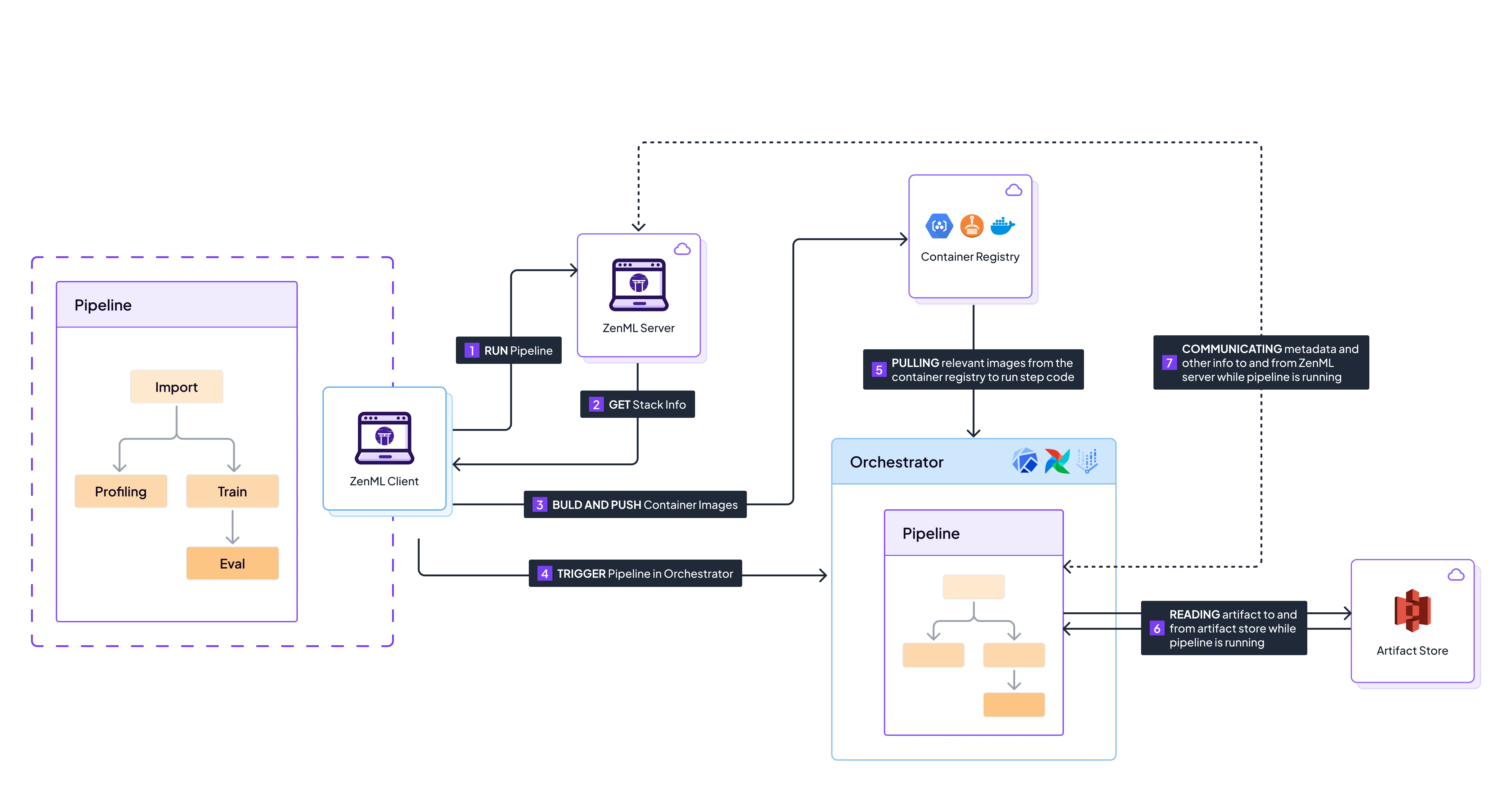
Read more in the [production guide](https://docs.zenml.io/user-guides/production-guide). ## Cleanup {% hint style="warning" %} Make sure you no longer need the resources before deleting them. The instructions and commands that follow are DESTRUCTIVE. {% endhint %} Delete any AWS resources you no longer use to avoid additional charges. You'll want to do the following: ```shell # delete the S3 bucket aws s3 rm s3://your-bucket-name --recursive aws s3api delete-bucket --bucket your-bucket-name # delete the SageMaker domain aws sagemaker delete-domain --domain-id # delete the ECR repository aws ecr delete-repository --repository-name zenml-repository --force # detach custom policies from the IAM role aws iam detach-role-policy --role-name zenml-role --policy-arn arn:aws:iam:::policy/ZenML-S3-Policy aws iam detach-role-policy --role-name zenml-role --policy-arn arn:aws:iam:::policy/ZenML-ECR-Policy aws iam detach-role-policy --role-name zenml-role --policy-arn arn:aws:iam:::policy/ZenML-SageMaker-Policy # delete the custom policies aws iam delete-policy --policy-arn arn:aws:iam:::policy/ZenML-S3-Policy aws iam delete-policy --policy-arn arn:aws:iam:::policy/ZenML-ECR-Policy aws iam delete-policy --policy-arn arn:aws:iam:::policy/ZenML-SageMaker-Policy # delete the IAM role aws iam delete-role --role-name zenml-role ``` Make sure to run these commands in the same AWS region where you created the resources. By running these cleanup commands, you will delete the S3 bucket, SageMaker domain, ECR repository, and IAM role, along with their associated policies. This will help you avoid any unnecessary charges for resources you no longer need. Remember to be cautious when deleting resources and ensure that you no longer require them before running the deletion commands. ## Conclusion In this guide, we walked through the process of setting up an AWS stack with ZenML to run your machine learning pipelines in a scalable and production-ready environment. The key steps included: 1. Setting up credentials and the local environment by creating an IAM role with the necessary permissions. 2. Creating a ZenML service connector to authenticate with AWS services using the IAM role. 3. Configuring stack components, including an S3 artifact store, a SageMaker Pipelines orchestrator, and an ECR container registry. 4. Registering the stack components and creating a ZenML stack. By following these steps, you can leverage the power of AWS services, such as S3 for artifact storage, SageMaker Pipelines for orchestration, and ECR for container management, all within the ZenML framework. This setup allows you to build, deploy, and manage machine learning pipelines efficiently and scale your workloads based on your requirements. The benefits of using an AWS stack with ZenML include: * Scalability: Leverage the scalability of AWS services to handle large-scale machine learning workloads. * Reproducibility: Ensure reproducibility of your pipelines with versioned artifacts and containerized environments. * Collaboration: Enable collaboration among team members by using a centralized stack and shared resources. * Flexibility: Customize and extend your stack components based on your specific needs and preferences. Now that you have a functional AWS stack set up with ZenML, you can explore more advanced features and capabilities offered by ZenML. Some next steps to consider: * Dive deeper into ZenML's [production guide](https://docs.zenml.io/user-guides/production-guide) to learn best practices for deploying and managing production-ready pipelines. * Explore ZenML's [integrations](https://docs.zenml.io/stacks) with other popular tools and frameworks in the machine learning ecosystem. * Join the [ZenML community](https://zenml.io/slack) to connect with other users, ask questions, and get support. By leveraging the power of AWS and ZenML, you can streamline your machine learning workflows, improve collaboration, and deploy production-ready pipelines with ease. What follows is a set of best practices for using your AWS stack with ZenML. ## Best Practices for Using an AWS Stack with ZenML When working with an AWS stack in ZenML, consider the following best practices to optimize your workflow, enhance security, and improve cost-efficiency. These are all things you might want to do or amend in your own setup once you have tried running some pipelines on your AWS stack. ### Use IAM Roles and Least Privilege Principle Always adhere to the principle of least privilege when setting up IAM roles. The guide above provides specific custom IAM policies with minimal required permissions instead of broad managed policies. This approach significantly reduces security risks by: * Limiting S3 access to only your specific bucket * Restricting SageMaker permissions to pipeline operations only * Scoping ECR access to container operations only * Including proper IAM PassRole conditions Regularly review and audit your [IAM roles](https://docs.aws.amazon.com/IAM/latest/UserGuide/id_roles.html) to ensure they remain appropriate and secure. Consider using AWS CloudTrail to monitor which permissions are actually being used and remove any unnecessary ones. ### Leverage AWS Resource Tagging Implement a [consistent tagging strategy](https://aws.amazon.com/solutions/guidance/tagging-on-aws/) for all of your AWS resources that you use for your pipelines. For example, if you have S3 as an artifact store in your stack, you should tag it like shown below: ```shell aws s3api put-bucket-tagging --bucket your-bucket-name --tagging 'TagSet=[{Key=Project,Value=ZenML},{Key=Environment,Value=Production}]' ``` These tags will help you with billing and cost allocation tracking and also with any cleanup efforts. ### Implement Cost Management Strategies Use [AWS Cost Explorer](https://aws.amazon.com/aws-cost-management/aws-cost-explorer/) and [AWS Budgets](https://aws.amazon.com/aws-cost-management/aws-budgets/) to monitor and manage your spending. To create a cost budget: 1. Create a JSON file (e.g., `budget-config.json`) defining the budget: ```json { "BudgetLimit": { "Amount": "100", "Unit": "USD" }, "BudgetName": "ZenML Monthly Budget", "BudgetType": "COST", "CostFilters": { "TagKeyValue": [ "user:Project$ZenML" ] }, "CostTypes": { "IncludeTax": true, "IncludeSubscription": true, "UseBlended": false }, "TimeUnit": "MONTHLY" } ``` 2. Create the cost budget: ```shell aws budgets create-budget --account-id your-account-id --budget file://budget-config.json ``` Set up cost allocation tags to track expenses related to your ZenML projects: ```shell aws ce create-cost-category-definition --name ZenML-Projects --rules-version 1 --rules file://rules.json ``` ### Use Warm Pools for your SageMaker Pipelines [Warm Pools in SageMaker](https://docs.zenml.io/stacks/orchestrators/sagemaker#using-warm-pools-for-your-pipelines) can significantly reduce the startup time of your pipeline steps, leading to faster iterations and improved development efficiency. This feature keeps compute instances in a "warm" state, ready to quickly start new jobs. To enable Warm Pools, use the `SagemakerOrchestratorSettings` class: ```python from zenml.integrations.aws.orchestrators.sagemaker import SagemakerOrchestratorSettings sagemaker_orchestrator_settings = SagemakerOrchestratorSettings( keep_alive_period_in_seconds = 300, # 5 minutes, default value ) ``` This configuration keeps instances warm for 5 minutes after each job completes, allowing subsequent jobs to start faster if initiated within this timeframe. The reduced startup time can be particularly beneficial for iterative development processes or frequently run pipelines. ### Implement a Robust Backup Strategy Regularly backup your critical data and configurations. For S3, enable versioning and consider using [cross-region replication](https://docs.aws.amazon.com/AmazonS3/latest/userguide/replication.html) for disaster recovery. By following these best practices and implementing the provided examples, you can create a more secure, efficient, and cost-effective AWS stack for your ZenML projects. Remember to regularly review and update your practices as your projects evolve and as AWS introduces new features and services.
ZenML Scarf
--- # Source: https://docs.zenml.io/stacks/service-connectors/connector-types/aws-service-connector.md # AWS Service Connector The ZenML AWS Service Connector facilitates the authentication and access to managed AWS services and resources. These encompass a range of resources, including S3 buckets, ECR container repositories, and EKS clusters. The connector provides support for various authentication methods, including explicit long-lived AWS secret keys, IAM roles, short-lived STS tokens, and implicit authentication. To ensure heightened security measures, this connector also enables [the generation of temporary STS security tokens that are scoped down to the minimum permissions necessary](https://docs.zenml.io/stacks/best-security-practices#generating-temporary-and-down-scoped-credentials) for accessing the intended resource. Furthermore, it includes [automatic configuration and detection of credentials locally configured through the AWS CLI](https://docs.zenml.io/stacks/service-connectors-guide#auto-configuration). This connector serves as a general means of accessing any AWS service by issuing pre-authenticated boto3 sessions. Additionally, the connector can handle specialized authentication for S3, Docker, and Kubernetes Python clients. It also allows for the configuration of local Docker and Kubernetes CLIs. ```shell $ zenml service-connector list-types --type aws ``` ```shell ┏━━━━━━━━━━━━━━━━━━━━━━━┯━━━━━━━━┯━━━━━━━━━━━━━━━━━━━━━━━┯━━━━━━━━━━━━━━━━━━┯━━━━━━━┯━━━━━━━━┓ ┃ NAME │ TYPE │ RESOURCE TYPES │ AUTH METHODS │ LOCAL │ REMOTE ┃ ┠───────────────────────┼────────┼───────────────────────┼──────────────────┼───────┼────────┨ ┃ AWS Service Connector │ 🔶 aws │ 🔶 aws-generic │ implicit │ ✅ │ ✅ ┃ ┃ │ │ 📦 s3-bucket │ secret-key │ │ ┃ ┃ │ │ 🌀 kubernetes-cluster │ sts-token │ │ ┃ ┃ │ │ 🐳 docker-registry │ iam-role │ │ ┃ ┃ │ │ │ session-token │ │ ┃ ┃ │ │ │ federation-token │ │ ┃ ┗━━━━━━━━━━━━━━━━━━━━━━━┷━━━━━━━━┷━━━━━━━━━━━━━━━━━━━━━━━┷━━━━━━━━━━━━━━━━━━┷━━━━━━━┷━━━━━━━━┛ ``` {% hint style="info" %} This service connector will not be able to work if [Multi-Factor Authentication (MFA)](https://docs.aws.amazon.com/IAM/latest/UserGuide/id_credentials_mfa_enable_cliapi.html) is enabled on the role used by the AWS CLI. When MFA is enabled, the AWS CLI generates temporary credentials that are valid for a limited time. These temporary credentials cannot be used by the ZenML AWS Service Connector, as it requires long-lived credentials to authenticate and access AWS resources. To use the AWS Service Connector with ZenML, you will need to use a different AWS CLI profile that does not have MFA enabled. You can do this by setting the `AWS_PROFILE` environment variable to the name of the profile you want to use before running the ZenML CLI commands. {% endhint %} ## Prerequisites The AWS Service Connector is part of the AWS ZenML integration. You can either install the entire integration or use a PyPI extra to install it independently of the integration: * `pip install "zenml[connectors-aws]"` installs only prerequisites for the AWS Service Connector Type * `zenml integration install aws` installs the entire AWS ZenML integration It is not required to [install and set up the AWS CLI on your local machine](https://docs.aws.amazon.com/cli/latest/userguide/cli-chap-configure.html) to use the AWS Service Connector to link Stack Components to AWS resources and services. However, it is recommended to do so if you are looking for a quick setup that includes using the auto-configuration Service Connector features. {% hint style="info" %} The auto-configuration examples in this page rely on the AWS CLI being installed and already configured with valid credentials of one type or another. If you want to avoid installing the AWS CLI, we recommend using the interactive mode of the ZenML CLI to register Service Connectors: ``` zenml service-connector register -i --type aws ``` {% endhint %} ## Resource Types ### Generic AWS resource This resource type allows consumers to use the AWS Service Connector to connect to any AWS service or resource. When used by connector clients, they are provided a generic Python boto3 session instance pre-configured with AWS credentials. This session can then be used to create boto3 clients for any particular AWS service. This generic AWS resource type is meant to be used with Stack Components that are not represented by other, more specific resource types, like S3 buckets, Kubernetes clusters, or Docker registries. It should be accompanied by a matching set of AWS permissions that allow access to the set of remote resources required by the client(s). The resource name represents the AWS region that the connector is authorized to access. ### S3 bucket Allows users to connect to S3 buckets. When used by connector consumers, they are provided a pre-configured boto3 S3 client instance. The configured credentials must have at least the following [AWS IAM permissions](https://docs.aws.amazon.com/IAM/latest/UserGuide/access_policies.html) associated with [the ARNs of S3 buckets ](https://docs.aws.amazon.com/AmazonS3/latest/userguide/s3-arn-format.html)that the connector will be allowed to access (e.g. `arn:aws:s3:::*` and `arn:aws:s3:::*/*` represent all the available S3 buckets). * `s3:ListBucket` * `s3:GetObject` * `s3:PutObject` * `s3:DeleteObject` * `s3:ListAllMyBuckets` * `s3:GetBucketVersioning` * `s3:ListBucketVersions` * `s3:DeleteObjectVersion` {% hint style="info" %} If you are using the [AWS IAM role](#aws-iam-role), [Session Token](#aws-session-token), or [Federation Token](#aws-federation-token) authentication methods, you don't have to worry too much about restricting the permissions of the AWS credentials that you use to access the AWS cloud resources. These authentication methods already support [automatically generating temporary tokens](https://docs.zenml.io/stacks/best-security-practices#generating-temporary-and-down-scoped-credentials) with permissions down-scoped to the minimum required to access the target resource. {% endhint %} If set, the resource name must identify an S3 bucket using one of the following formats: * S3 bucket URI (canonical resource name): `s3://{bucket-name}` * S3 bucket ARN: `arn:aws:s3:::{bucket-name}` * S3 bucket name: `{bucket-name}` ### EKS Kubernetes cluster Allows users to access an EKS cluster as a standard Kubernetes cluster resource. When used by Stack Components, they are provided a pre-authenticated Python Kubernetes client instance. The configured credentials must have at least the following [AWS IAM permissions](https://docs.aws.amazon.com/IAM/latest/UserGuide/access_policies.html) associated with the [ARNs of EKS clusters](https://docs.aws.amazon.com/IAM/latest/UserGuide/reference-arns.html) that the connector will be allowed to access (e.g. `arn:aws:eks:{region_id}:{project_id}:cluster/*` represents all the EKS clusters available in the target AWS region). * `eks:ListClusters` * `eks:DescribeCluster` {% hint style="info" %} If you are using the [AWS IAM role](#aws-iam-role), [Session Token](#aws-session-token) or [Federation Token](#aws-federation-token) authentication methods, you don't have to worry too much about restricting the permissions of the AWS credentials that you use to access the AWS cloud resources. These authentication methods already support [automatically generating temporary tokens](https://docs.zenml.io/stacks/best-security-practices#generating-temporary-and-down-scoped-credentials) with permissions down-scoped to the minimum required to access the target resource. {% endhint %} In addition to the above permissions, if the credentials are not associated with the same IAM user or role that created the EKS cluster, the IAM principal must be manually added to the EKS cluster's `aws-auth` ConfigMap, otherwise the Kubernetes client will not be allowed to access the cluster's resources. This makes it more challenging to use [the AWS Implicit](#implicit-authentication) and [AWS Federation Token](#aws-federation-token) authentication methods for this resource. For more information, [see this documentation](https://docs.aws.amazon.com/eks/latest/userguide/add-user-role.html). If set, the resource name must identify an EKS cluster using one of the following formats: * EKS cluster name (canonical resource name): `{cluster-name}` * EKS cluster ARN: `arn:aws:eks:{region}:{account-id}:cluster/{cluster-name}` EKS cluster names are region scoped. The connector can only be used to access EKS clusters in the AWS region that it is configured to use. ### ECR container registry Allows Stack Components to access one or more ECR repositories as a standard Docker registry resource. When used by Stack Components, they are provided a pre-authenticated python-docker client instance. The configured credentials must have at least the following [AWS IAM permissions](https://docs.aws.amazon.com/IAM/latest/UserGuide/access_policies.html) associated with the [ARNs of one or more ECR repositories](https://docs.aws.amazon.com/IAM/latest/UserGuide/reference-arns.html) that the connector will be allowed to access (e.g. `arn:aws:ecr:{region}:{account}:repository/*` represents all the ECR repositories available in the target AWS region). * `ecr:DescribeRegistry` * `ecr:DescribeRepositories` * `ecr:ListRepositories` * `ecr:BatchGetImage` * `ecr:DescribeImages` * `ecr:BatchCheckLayerAvailability` * `ecr:GetDownloadUrlForLayer` * `ecr:InitiateLayerUpload` * `ecr:UploadLayerPart` * `ecr:CompleteLayerUpload` * `ecr:PutImage` * `ecr:GetAuthorizationToken` {% hint style="info" %} If you are using the [AWS IAM role](#aws-iam-role), [Session Token](#aws-session-token), or [Federation Token](#aws-federation-token) authentication methods, you don't have to worry too much about restricting the permissions of the AWS credentials that you use to access the AWS cloud resources. These authentication methods already support [automatically generating temporary tokens](https://docs.zenml.io/stacks/best-security-practices#generating-temporary-and-down-scoped-credentials) with permissions down-scoped to the minimum required to access the target resource. {% endhint %} This resource type is not scoped to a single ECR repository. Instead, a connector configured with this resource type will grant access to all the ECR repositories that the credentials are allowed to access under the configured AWS region (i.e. all repositories under the Docker registry URL `https://{account-id}.dkr.ecr.{region}.amazonaws.com`). The resource name associated with this resource type uniquely identifies an ECR registry using one of the following formats (the repository name is ignored, only the registry URL/ARN is used): * ECR repository URI (canonical resource name): `[https://]{account}.dkr.ecr.{region}.amazonaws.com[/{repository-name}]` * ECR repository ARN : `arn:aws:ecr:{region}:{account-id}:repository[/{repository-name}]` ECR repository names are region scoped. The connector can only be used to access ECR repositories in the AWS region that it is configured to use. ## Authentication Methods ### Implicit authentication [Implicit authentication](https://docs.zenml.io/stacks/best-security-practices#implicit-authentication) to AWS services using environment variables, local configuration files or IAM roles. {% hint style="warning" %} This method may constitute a security risk, because it can give users access to the same cloud resources and services that the ZenML Server itself is configured to access. For this reason, all implicit authentication methods are disabled by default and need to be explicitly enabled by setting the `ZENML_ENABLE_IMPLICIT_AUTH_METHODS` environment variable or the helm chart `enableImplicitAuthMethods` configuration option to `true` in the ZenML deployment. {% endhint %} This authentication method doesn't require any credentials to be explicitly configured. It automatically discovers and uses credentials from one of the following sources: * environment variables (AWS\_ACCESS\_KEY\_ID, AWS\_SECRET\_ACCESS\_KEY, AWS\_SESSION\_TOKEN, AWS\_DEFAULT\_REGION) * local configuration files [set up through the AWS CLI ](https://docs.aws.amazon.com/cli/latest/userguide/cli-chap-configure.html)(\~/aws/credentials, \~/.aws/config) * IAM roles for Amazon EC2, ECS, EKS, Lambda, etc. Only works when running the ZenML server on an AWS resource with an IAM role attached to it. This is the quickest and easiest way to authenticate to AWS services. However, the results depend on how ZenML is deployed and the environment where it is used and is thus not fully reproducible: * when used with the default local ZenML deployment or a local ZenML server, the credentials are the same as those used by the AWS CLI or extracted from local environment variables * when connected to a ZenML server, this method only works if the ZenML server is deployed in AWS and will use the IAM role attached to the AWS resource where the ZenML server is running (e.g. an EKS cluster). The IAM role permissions may need to be adjusted to allow listing and accessing/describing the AWS resources that the connector is configured to access. An IAM role may optionally be specified to be assumed by the connector on top of the implicit credentials. This is only possible when the implicit credentials have permissions to assume the target IAM role. Configuring an IAM role has all the advantages of the [AWS IAM Role](#aws-iam-role) authentication method plus the added benefit of not requiring any explicit credentials to be configured and stored: * the connector will [generate temporary STS tokens](https://docs.zenml.io/stacks/best-security-practices#generating-temporary-and-down-scoped-credentials) upon request by [calling the AssumeRole STS API](https://docs.aws.amazon.com/IAM/latest/UserGuide/id_credentials_temp_request.html#api_assumerole). * allows implementing [a two layer authentication scheme](https://docs.zenml.io/stacks/best-security-practices#impersonating-accounts-and-assuming-roles) that keeps the set of permissions associated with implicit credentials down to the bare minimum and grants permissions to the privilege-bearing IAM role instead. * one or more optional [IAM session policies](https://docs.aws.amazon.com/IAM/latest/UserGuide/access_policies.html#policies_session) may also be configured to further restrict the permissions of the generated STS tokens. If not specified, IAM session policies are automatically configured for the generated STS tokens [to restrict them to the minimum set of permissions required to access the target resource](https://docs.zenml.io/stacks/best-security-practices#generating-temporary-and-down-scoped-credentials). Refer to the documentation for each supported Resource Type for the complete list of AWS permissions automatically granted to the generated STS tokens. * the default expiration period for generated STS tokens is 1 hour with a minimum of 15 minutes up to the maximum session duration setting configured for the IAM role (default is 1 hour). If you need longer-lived tokens, you can configure the IAM role to use a higher maximum expiration value (up to 12 hours) or use the AWS Federation Token or AWS Session Token authentication methods. Note that the discovered credentials inherit the full set of permissions of the local AWS client configuration, environment variables, or remote AWS IAM role. Depending on the extent of those permissions, this authentication instead method might not be recommended for production use, as it can lead to accidental privilege escalation. It is recommended to also configure an IAM role when using the implicit authentication method, or to use the [AWS IAM Role](#aws-iam-role), [AWS Session Token](#aws-session-token), or [AWS Federation Token](#aws-federation-token) authentication methods instead to limit the validity and/or permissions of the credentials being issued to connector clients. {% hint style="info" %} If you need to access an EKS Kubernetes cluster with this authentication method, please be advised that the EKS cluster's `aws-auth` ConfigMap may need to be manually configured to allow authentication with the implicit IAM user or role picked up by the Service Connector. For more information, [see this documentation](https://docs.aws.amazon.com/eks/latest/userguide/add-user-role.html). {% endhint %} An AWS region is required and the connector may only be used to access AWS resources in the specified region.
Example configuration The following assumes the local AWS CLI has a `connectors` AWS CLI profile already configured with credentials: ```sh AWS_PROFILE=connectors zenml service-connector register aws-implicit --type aws --auth-method implicit --region=us-east-1 ``` {% code title="Example Command Output" %} ``` ⠸ Registering service connector 'aws-implicit'... Successfully registered service connector `aws-implicit` with access to the following resources: ┏━━━━━━━━━━━━━━━━━━━━━━━┯━━━━━━━━━━━━━━━━━━━━━━━━━━━━━━━━━━━━━━━━━━━━━━┓ ┃ RESOURCE TYPE │ RESOURCE NAMES ┃ ┠───────────────────────┼──────────────────────────────────────────────┨ ┃ 🔶 aws-generic │ us-east-1 ┃ ┠───────────────────────┼──────────────────────────────────────────────┨ ┃ 📦 s3-bucket │ s3://zenfiles ┃ ┃ │ s3://zenml-demos ┃ ┃ │ s3://zenml-generative-chat ┃ ┃ │ s3://zenml-public-datasets ┃ ┠───────────────────────┼──────────────────────────────────────────────┨ ┃ 🌀 kubernetes-cluster │ zenhacks-cluster ┃ ┠───────────────────────┼──────────────────────────────────────────────┨ ┃ 🐳 docker-registry │ 715803424590.dkr.ecr.us-east-1.amazonaws.com ┃ ┗━━━━━━━━━━━━━━━━━━━━━━━┷━━━━━━━━━━━━━━━━━━━━━━━━━━━━━━━━━━━━━━━━━━━━━━┛ ``` {% endcode %} No credentials are stored with the Service Connector: ```sh zenml service-connector describe aws-implicit ``` {% code title="Example Command Output" %} ``` Service connector 'aws-implicit' of type 'aws' with id 'e3853748-34a0-4d78-8006-00422ad32884' is owned by user 'default' and is 'private'. 'aws-implicit' aws Service Connector Details ┏━━━━━━━━━━━━━━━━━━┯━━━━━━━━━━━━━━━━━━━━━━━━━━━━━━━━━━━━━━━━━━━━━━━━━━━━━━━━━━━━━━━━━━━━━━━━━┓ ┃ PROPERTY │ VALUE ┃ ┠──────────────────┼─────────────────────────────────────────────────────────────────────────┨ ┃ ID │ 9a810521-ef41-4e45-bb48-8569c5943dc6 ┃ ┠──────────────────┼─────────────────────────────────────────────────────────────────────────┨ ┃ NAME │ aws-implicit ┃ ┠──────────────────┼─────────────────────────────────────────────────────────────────────────┨ ┃ TYPE │ 🔶 aws ┃ ┠──────────────────┼─────────────────────────────────────────────────────────────────────────┨ ┃ AUTH METHOD │ implicit ┃ ┠──────────────────┼─────────────────────────────────────────────────────────────────────────┨ ┃ RESOURCE TYPES │ 🔶 aws-generic, 📦 s3-bucket, 🌀 kubernetes-cluster, 🐳 docker-registry ┃ ┠──────────────────┼─────────────────────────────────────────────────────────────────────────┨ ┃ RESOURCE NAME │ ┃ ┠──────────────────┼─────────────────────────────────────────────────────────────────────────┨ ┃ SECRET ID │ ┃ ┠──────────────────┼─────────────────────────────────────────────────────────────────────────┨ ┃ SESSION DURATION │ N/A ┃ ┠──────────────────┼─────────────────────────────────────────────────────────────────────────┨ ┃ EXPIRES IN │ N/A ┃ ┠──────────────────┼─────────────────────────────────────────────────────────────────────────┨ ┃ OWNER │ default ┃ ┠──────────────────┼─────────────────────────────────────────────────────────────────────────┨ ┃ SHARED │ ➖ ┃ ┠──────────────────┼─────────────────────────────────────────────────────────────────────────┨ ┃ CREATED_AT │ 2023-06-19 18:08:37.969928 ┃ ┠──────────────────┼─────────────────────────────────────────────────────────────────────────┨ ┃ UPDATED_AT │ 2023-06-19 18:08:37.969930 ┃ ┗━━━━━━━━━━━━━━━━━━┷━━━━━━━━━━━━━━━━━━━━━━━━━━━━━━━━━━━━━━━━━━━━━━━━━━━━━━━━━━━━━━━━━━━━━━━━━┛ Configuration ┏━━━━━━━━━━┯━━━━━━━━━━━┓ ┃ PROPERTY │ VALUE ┃ ┠──────────┼───────────┨ ┃ region │ us-east-1 ┃ ┗━━━━━━━━━━┷━━━━━━━━━━━┛ ``` {% endcode %} Verifying access to resources (note the `AWS_PROFILE` environment points to the same AWS CLI profile used during registration, but may yield different results with a different profile, which is why this method is not suitable for reproducible results): ```sh AWS_PROFILE=connectors zenml service-connector verify aws-implicit --resource-type s3-bucket ``` {% code title="Example Command Output" %} ``` ⠸ Verifying service connector 'aws-implicit'... Service connector 'aws-implicit' is correctly configured with valid credentials and has access to the following resources: ┏━━━━━━━━━━━━━━━┯━━━━━━━━━━━━━━━━━━━━━━━━━━━━━━━━━━━━━━━┓ ┃ RESOURCE TYPE │ RESOURCE NAMES ┃ ┠───────────────┼───────────────────────────────────────┨ ┃ 📦 s3-bucket │ s3://zenfiles ┃ ┃ │ s3://zenml-demos ┃ ┃ │ s3://zenml-generative-chat ┃ ┃ │ s3://zenml-public-datasets ┃ ┗━━━━━━━━━━━━━━━┷━━━━━━━━━━━━━━━━━━━━━━━━━━━━━━━━━━━━━━━┛ ``` {% endcode %} ```sh zenml service-connector verify aws-implicit --resource-type s3-bucket ``` {% code title="Example Command Output" %} ``` ⠸ Verifying service connector 'aws-implicit'... Service connector 'aws-implicit' is correctly configured with valid credentials and has access to the following resources: ┏━━━━━━━━━━━━━━━┯━━━━━━━━━━━━━━━━━━━━━━━━━━━━━━━━━━━━━━━━━━━━━━━━┓ ┃ RESOURCE TYPE │ RESOURCE NAMES ┃ ┠───────────────┼────────────────────────────────────────────────┨ ┃ 📦 s3-bucket │ s3://sagemaker-studio-907999144431-m11qlsdyqr8 ┃ ┃ │ s3://sagemaker-studio-d8a14tvjsmb ┃ ┗━━━━━━━━━━━━━━━┷━━━━━━━━━━━━━━━━━━━━━━━━━━━━━━━━━━━━━━━━━━━━━━━━┛ ``` {% endcode %} Depending on the environment, clients are issued either temporary STS tokens or long-lived credentials, which is a reason why this method isn't well suited for production: ```sh AWS_PROFILE=zenml zenml service-connector describe aws-implicit --resource-type s3-bucket --resource-id zenfiles --client ``` {% code title="Example Command Output" %} ``` INFO:botocore.credentials:Found credentials in shared credentials file: ~/.aws/credentials Service connector 'aws-implicit (s3-bucket | s3://zenfiles client)' of type 'aws' with id 'e3853748-34a0-4d78-8006-00422ad32884' is owned by user 'default' and is 'private'. 'aws-implicit (s3-bucket | s3://zenfiles client)' aws Service Connector Details ┏━━━━━━━━━━━━━━━━━━┯━━━━━━━━━━━━━━━━━━━━━━━━━━━━━━━━━━━━━━━━━━━━━━━━━┓ ┃ PROPERTY │ VALUE ┃ ┠──────────────────┼─────────────────────────────────────────────────┨ ┃ ID │ 9a810521-ef41-4e45-bb48-8569c5943dc6 ┃ ┠──────────────────┼─────────────────────────────────────────────────┨ ┃ NAME │ aws-implicit (s3-bucket | s3://zenfiles client) ┃ ┠──────────────────┼─────────────────────────────────────────────────┨ ┃ TYPE │ 🔶 aws ┃ ┠──────────────────┼─────────────────────────────────────────────────┨ ┃ AUTH METHOD │ sts-token ┃ ┠──────────────────┼─────────────────────────────────────────────────┨ ┃ RESOURCE TYPES │ 📦 s3-bucket ┃ ┠──────────────────┼─────────────────────────────────────────────────┨ ┃ RESOURCE NAME │ s3://zenfiles ┃ ┠──────────────────┼─────────────────────────────────────────────────┨ ┃ SECRET ID │ ┃ ┠──────────────────┼─────────────────────────────────────────────────┨ ┃ SESSION DURATION │ N/A ┃ ┠──────────────────┼─────────────────────────────────────────────────┨ ┃ EXPIRES IN │ 59m57s ┃ ┠──────────────────┼─────────────────────────────────────────────────┨ ┃ OWNER │ default ┃ ┠──────────────────┼─────────────────────────────────────────────────┨ ┃ SHARED │ ➖ ┃ ┠──────────────────┼─────────────────────────────────────────────────┨ ┃ CREATED_AT │ 2023-06-19 18:13:34.146659 ┃ ┠──────────────────┼─────────────────────────────────────────────────┨ ┃ UPDATED_AT │ 2023-06-19 18:13:34.146664 ┃ ┗━━━━━━━━━━━━━━━━━━┷━━━━━━━━━━━━━━━━━━━━━━━━━━━━━━━━━━━━━━━━━━━━━━━━━┛ Configuration ┏━━━━━━━━━━━━━━━━━━━━━━━┯━━━━━━━━━━━┓ ┃ PROPERTY │ VALUE ┃ ┠───────────────────────┼───────────┨ ┃ region │ us-east-1 ┃ ┠───────────────────────┼───────────┨ ┃ aws_access_key_id │ [HIDDEN] ┃ ┠───────────────────────┼───────────┨ ┃ aws_secret_access_key │ [HIDDEN] ┃ ┠───────────────────────┼───────────┨ ┃ aws_session_token │ [HIDDEN] ┃ ┗━━━━━━━━━━━━━━━━━━━━━━━┷━━━━━━━━━━━┛ ``` {% endcode %} ```sh zenml service-connector describe aws-implicit --resource-type s3-bucket --resource-id s3://sagemaker-studio-d8a14tvjsmb --client ``` {% code title="Example Command Output" %} ``` INFO:botocore.credentials:Found credentials in shared credentials file: ~/.aws/credentials Service connector 'aws-implicit (s3-bucket | s3://sagemaker-studio-d8a14tvjsmb client)' of type 'aws' with id 'e3853748-34a0-4d78-8006-00422ad32884' is owned by user 'default' and is 'private'. 'aws-implicit (s3-bucket | s3://sagemaker-studio-d8a14tvjsmb client)' aws Service Connector Details ┏━━━━━━━━━━━━━━━━━━┯━━━━━━━━━━━━━━━━━━━━━━━━━━━━━━━━━━━━━━━━━━━━━━━━━━━━━━━━━━━━━━━━━━━━━┓ ┃ PROPERTY │ VALUE ┃ ┠──────────────────┼─────────────────────────────────────────────────────────────────────┨ ┃ ID │ 9a810521-ef41-4e45-bb48-8569c5943dc6 ┃ ┠──────────────────┼─────────────────────────────────────────────────────────────────────┨ ┃ NAME │ aws-implicit (s3-bucket | s3://sagemaker-studio-d8a14tvjsmb client) ┃ ┠──────────────────┼─────────────────────────────────────────────────────────────────────┨ ┃ TYPE │ 🔶 aws ┃ ┠──────────────────┼─────────────────────────────────────────────────────────────────────┨ ┃ AUTH METHOD │ secret-key ┃ ┠──────────────────┼─────────────────────────────────────────────────────────────────────┨ ┃ RESOURCE TYPES │ 📦 s3-bucket ┃ ┠──────────────────┼─────────────────────────────────────────────────────────────────────┨ ┃ RESOURCE NAME │ s3://sagemaker-studio-d8a14tvjsmb ┃ ┠──────────────────┼─────────────────────────────────────────────────────────────────────┨ ┃ SECRET ID │ ┃ ┠──────────────────┼─────────────────────────────────────────────────────────────────────┨ ┃ SESSION DURATION │ N/A ┃ ┠──────────────────┼─────────────────────────────────────────────────────────────────────┨ ┃ EXPIRES IN │ N/A ┃ ┠──────────────────┼─────────────────────────────────────────────────────────────────────┨ ┃ OWNER │ default ┃ ┠──────────────────┼─────────────────────────────────────────────────────────────────────┨ ┃ SHARED │ ➖ ┃ ┠──────────────────┼─────────────────────────────────────────────────────────────────────┨ ┃ CREATED_AT │ 2023-06-19 18:12:42.066053 ┃ ┠──────────────────┼─────────────────────────────────────────────────────────────────────┨ ┃ UPDATED_AT │ 2023-06-19 18:12:42.066055 ┃ ┗━━━━━━━━━━━━━━━━━━┷━━━━━━━━━━━━━━━━━━━━━━━━━━━━━━━━━━━━━━━━━━━━━━━━━━━━━━━━━━━━━━━━━━━━━┛ Configuration ┏━━━━━━━━━━━━━━━━━━━━━━━┯━━━━━━━━━━━┓ ┃ PROPERTY │ VALUE ┃ ┠───────────────────────┼───────────┨ ┃ region │ us-east-1 ┃ ┠───────────────────────┼───────────┨ ┃ aws_access_key_id │ [HIDDEN] ┃ ┠───────────────────────┼───────────┨ ┃ aws_secret_access_key │ [HIDDEN] ┃ ┗━━━━━━━━━━━━━━━━━━━━━━━┷━━━━━━━━━━━┛ ``` {% endcode %}
### AWS Secret Key [Long-lived AWS credentials](https://docs.zenml.io/stacks/best-security-practices#long-lived-credentials-api-keys-account-keys) consisting of an AWS access key ID and secret access key associated with an AWS IAM user or AWS account root user (not recommended). This method is preferred during development and testing due to its simplicity and ease of use. It is not recommended as a direct authentication method for production use cases because the clients have direct access to long-lived credentials and are granted the full set of permissions of the IAM user or AWS account root user associated with the credentials. For production, it is recommended to use [the AWS IAM Role](#aws-iam-role), [AWS Session Token](#aws-session-token), or [AWS Federation Token](#aws-federation-token) authentication method instead. An AWS region is required and the connector may only be used to access AWS resources in the specified region. If you already have the local AWS CLI set up with these credentials, they will be automatically picked up when auto-configuration is used (see the example below).
Example auto-configuration The following assumes the local AWS CLI has a `connectors` AWS CLI profile configured with an AWS Secret Key. We need to force the ZenML CLI to use the Secret Key authentication by passing the `--auth-method secret-key` option, otherwise it would automatically use [the AWS Session Token authentication method](#aws-session-token) as an extra precaution: ```sh AWS_PROFILE=connectors zenml service-connector register aws-secret-key --type aws --auth-method secret-key --auto-configure ``` {% code title="Example Command Output" %} ``` ⠸ Registering service connector 'aws-secret-key'... Successfully registered service connector `aws-secret-key` with access to the following resources: ┏━━━━━━━━━━━━━━━━━━━━━━━┯━━━━━━━━━━━━━━━━━━━━━━━━━━━━━━━━━━━━━━━━━━━━━━┓ ┃ RESOURCE TYPE │ RESOURCE NAMES ┃ ┠───────────────────────┼──────────────────────────────────────────────┨ ┃ 🔶 aws-generic │ us-east-1 ┃ ┠───────────────────────┼──────────────────────────────────────────────┨ ┃ 📦 s3-bucket │ s3://zenfiles ┃ ┃ │ s3://zenml-demos ┃ ┃ │ s3://zenml-generative-chat ┃ ┠───────────────────────┼──────────────────────────────────────────────┨ ┃ 🌀 kubernetes-cluster │ zenhacks-cluster ┃ ┠───────────────────────┼──────────────────────────────────────────────┨ ┃ 🐳 docker-registry │ 715803424590.dkr.ecr.us-east-1.amazonaws.com ┃ ┗━━━━━━━━━━━━━━━━━━━━━━━┷━━━━━━━━━━━━━━━━━━━━━━━━━━━━━━━━━━━━━━━━━━━━━━┛ ``` {% endcode %} The AWS Secret Key was lifted up from the local host: ```sh zenml service-connector describe aws-secret-key ``` {% code title="Example Command Output" %} ``` Service connector 'aws-secret-key' of type 'aws' with id 'a1b07c5a-13af-4571-8e63-57a809c85790' is owned by user 'default' and is 'private'. 'aws-secret-key' aws Service Connector Details ┏━━━━━━━━━━━━━━━━━━┯━━━━━━━━━━━━━━━━━━━━━━━━━━━━━━━━━━━━━━━━━━━━━━━━━━━━━━━━━━━━━━━━━━━━━━━━━┓ ┃ PROPERTY │ VALUE ┃ ┠──────────────────┼─────────────────────────────────────────────────────────────────────────┨ ┃ ID │ 37c97fa0-fa47-4d55-9970-e2aa6e1b50cf ┃ ┠──────────────────┼─────────────────────────────────────────────────────────────────────────┨ ┃ NAME │ aws-secret-key ┃ ┠──────────────────┼─────────────────────────────────────────────────────────────────────────┨ ┃ TYPE │ 🔶 aws ┃ ┠──────────────────┼─────────────────────────────────────────────────────────────────────────┨ ┃ AUTH METHOD │ secret-key ┃ ┠──────────────────┼─────────────────────────────────────────────────────────────────────────┨ ┃ RESOURCE TYPES │ 🔶 aws-generic, 📦 s3-bucket, 🌀 kubernetes-cluster, 🐳 docker-registry ┃ ┠──────────────────┼─────────────────────────────────────────────────────────────────────────┨ ┃ RESOURCE NAME │ ┃ ┠──────────────────┼─────────────────────────────────────────────────────────────────────────┨ ┃ SECRET ID │ b889efe1-0e23-4e2d-afc3-bdd785ee2d80 ┃ ┠──────────────────┼─────────────────────────────────────────────────────────────────────────┨ ┃ SESSION DURATION │ N/A ┃ ┠──────────────────┼─────────────────────────────────────────────────────────────────────────┨ ┃ EXPIRES IN │ N/A ┃ ┠──────────────────┼─────────────────────────────────────────────────────────────────────────┨ ┃ OWNER │ default ┃ ┠──────────────────┼─────────────────────────────────────────────────────────────────────────┨ ┃ SHARED │ ➖ ┃ ┠──────────────────┼─────────────────────────────────────────────────────────────────────────┨ ┃ CREATED_AT │ 2023-06-19 19:23:39.982950 ┃ ┠──────────────────┼─────────────────────────────────────────────────────────────────────────┨ ┃ UPDATED_AT │ 2023-06-19 19:23:39.982952 ┃ ┗━━━━━━━━━━━━━━━━━━┷━━━━━━━━━━━━━━━━━━━━━━━━━━━━━━━━━━━━━━━━━━━━━━━━━━━━━━━━━━━━━━━━━━━━━━━━━┛ Configuration ┏━━━━━━━━━━━━━━━━━━━━━━━┯━━━━━━━━━━━┓ ┃ PROPERTY │ VALUE ┃ ┠───────────────────────┼───────────┨ ┃ region │ us-east-1 ┃ ┠───────────────────────┼───────────┨ ┃ aws_access_key_id │ [HIDDEN] ┃ ┠───────────────────────┼───────────┨ ┃ aws_secret_access_key │ [HIDDEN] ┃ ┗━━━━━━━━━━━━━━━━━━━━━━━┷━━━━━━━━━━━┛ ``` {% endcode %}
### AWS STS Token Uses [temporary STS tokens](https://docs.zenml.io/stacks/best-security-practices#short-lived-credentials) explicitly configured by the user or auto-configured from a local environment. This method has the major limitation that the user must regularly generate new tokens and update the connector configuration as STS tokens expire. On the other hand, this method is ideal in cases where the connector only needs to be used for a short period of time, such as sharing access temporarily with someone else in your team. Using other authentication methods like [IAM role](#aws-iam-role), [Session Token](#aws-session-token), or [Federation Token](#aws-federation-token) will automatically generate and refresh STS tokens for clients upon request. An AWS region is required and the connector may only be used to access AWS resources in the specified region.
Example auto-configuration Fetching STS tokens from the local AWS CLI is possible if the AWS CLI is already configured with valid credentials. In our example, the `connectors` AWS CLI profile is configured with an IAM user Secret Key. We need to force the ZenML CLI to use the STS token authentication by passing the `--auth-method sts-token` option, otherwise it would automatically use [the session token authentication method](#aws-session-token): ```sh AWS_PROFILE=connectors zenml service-connector register aws-sts-token --type aws --auto-configure --auth-method sts-token ``` {% code title="Example Command Output" %} ``` ⠸ Registering service connector 'aws-sts-token'... Successfully registered service connector `aws-sts-token` with access to the following resources: ┏━━━━━━━━━━━━━━━━━━━━━━━┯━━━━━━━━━━━━━━━━━━━━━━━━━━━━━━━━━━━━━━━━━━━━━━┓ ┃ RESOURCE TYPE │ RESOURCE NAMES ┃ ┠───────────────────────┼──────────────────────────────────────────────┨ ┃ 🔶 aws-generic │ us-east-1 ┃ ┠───────────────────────┼──────────────────────────────────────────────┨ ┃ 📦 s3-bucket │ s3://zenfiles ┃ ┃ │ s3://zenml-demos ┃ ┃ │ s3://zenml-generative-chat ┃ ┠───────────────────────┼──────────────────────────────────────────────┨ ┃ 🌀 kubernetes-cluster │ zenhacks-cluster ┃ ┠───────────────────────┼──────────────────────────────────────────────┨ ┃ 🐳 docker-registry │ 715803424590.dkr.ecr.us-east-1.amazonaws.com ┃ ┗━━━━━━━━━━━━━━━━━━━━━━━┷━━━━━━━━━━━━━━━━━━━━━━━━━━━━━━━━━━━━━━━━━━━━━━┛ ``` {% endcode %} The Service Connector configuration shows that the connector is configured with an STS token: ```sh zenml service-connector describe aws-sts-token ``` {% code title="Example Command Output" %} ``` Service connector 'aws-sts-token' of type 'aws' with id '63e14350-6719-4255-b3f5-0539c8f7c303' is owned by user 'default' and is 'private'. 'aws-sts-token' aws Service Connector Details ┏━━━━━━━━━━━━━━━━━━┯━━━━━━━━━━━━━━━━━━━━━━━━━━━━━━━━━━━━━━━━━━━━━━━━━━━━━━━━━━━━━━━━━━━━━━━━━┓ ┃ PROPERTY │ VALUE ┃ ┠──────────────────┼─────────────────────────────────────────────────────────────────────────┨ ┃ ID │ a05ef4ef-92cb-46b2-8a3a-a48535adccaf ┃ ┠──────────────────┼─────────────────────────────────────────────────────────────────────────┨ ┃ NAME │ aws-sts-token ┃ ┠──────────────────┼─────────────────────────────────────────────────────────────────────────┨ ┃ TYPE │ 🔶 aws ┃ ┠──────────────────┼─────────────────────────────────────────────────────────────────────────┨ ┃ AUTH METHOD │ sts-token ┃ ┠──────────────────┼─────────────────────────────────────────────────────────────────────────┨ ┃ RESOURCE TYPES │ 🔶 aws-generic, 📦 s3-bucket, 🌀 kubernetes-cluster, 🐳 docker-registry ┃ ┠──────────────────┼─────────────────────────────────────────────────────────────────────────┨ ┃ RESOURCE NAME │ ┃ ┠──────────────────┼─────────────────────────────────────────────────────────────────────────┨ ┃ SECRET ID │ bffd79c7-6d76-483b-9001-e9dda4e865ae ┃ ┠──────────────────┼─────────────────────────────────────────────────────────────────────────┨ ┃ SESSION DURATION │ N/A ┃ ┠──────────────────┼─────────────────────────────────────────────────────────────────────────┨ ┃ EXPIRES IN │ 11h58m24s ┃ ┠──────────────────┼─────────────────────────────────────────────────────────────────────────┨ ┃ OWNER │ default ┃ ┠──────────────────┼─────────────────────────────────────────────────────────────────────────┨ ┃ SHARED │ ➖ ┃ ┠──────────────────┼─────────────────────────────────────────────────────────────────────────┨ ┃ CREATED_AT │ 2023-06-19 19:25:40.278681 ┃ ┠──────────────────┼─────────────────────────────────────────────────────────────────────────┨ ┃ UPDATED_AT │ 2023-06-19 19:25:40.278684 ┃ ┗━━━━━━━━━━━━━━━━━━┷━━━━━━━━━━━━━━━━━━━━━━━━━━━━━━━━━━━━━━━━━━━━━━━━━━━━━━━━━━━━━━━━━━━━━━━━━┛ Configuration ┏━━━━━━━━━━━━━━━━━━━━━━━┯━━━━━━━━━━━┓ ┃ PROPERTY │ VALUE ┃ ┠───────────────────────┼───────────┨ ┃ region │ us-east-1 ┃ ┠───────────────────────┼───────────┨ ┃ aws_access_key_id │ [HIDDEN] ┃ ┠───────────────────────┼───────────┨ ┃ aws_secret_access_key │ [HIDDEN] ┃ ┠───────────────────────┼───────────┨ ┃ aws_session_token │ [HIDDEN] ┃ ┗━━━━━━━━━━━━━━━━━━━━━━━┷━━━━━━━━━━━┛ ``` {% endcode %} Note the temporary nature of the Service Connector. It will become unusable in 12 hours: ```sh zenml service-connector list --name aws-sts-token ``` {% code title="Example Command Output" %} ``` ┏━━━━━━━━┯━━━━━━━━━━━━━━━┯━━━━━━━━━━━━━━━━━━━━━━━━━━━━━━━━━━━━━━┯━━━━━━━━┯━━━━━━━━━━━━━━━━━━━━━━━┯━━━━━━━━━━━━━━━┯━━━━━━━━┯━━━━━━━━━┯━━━━━━━━━━━━┯━━━━━━━━┓ ┃ ACTIVE │ NAME │ ID │ TYPE │ RESOURCE TYPES │ RESOURCE NAME │ SHARED │ OWNER │ EXPIRES IN │ LABELS ┃ ┠────────┼───────────────┼──────────────────────────────────────┼────────┼───────────────────────┼───────────────┼────────┼─────────┼────────────┼────────┨ ┃ │ aws-sts-token │ a05ef4ef-92cb-46b2-8a3a-a48535adccaf │ 🔶 aws │ 🔶 aws-generic │ │ ➖ │ default │ 11h57m51s │ ┃ ┃ │ │ │ │ 📦 s3-bucket │ │ │ │ │ ┃ ┃ │ │ │ │ 🌀 kubernetes-cluster │ │ │ │ │ ┃ ┃ │ │ │ │ 🐳 docker-registry │ │ │ │ │ ┃ ┗━━━━━━━━┷━━━━━━━━━━━━━━━┷━━━━━━━━━━━━━━━━━━━━━━━━━━━━━━━━━━━━━━┷━━━━━━━━┷━━━━━━━━━━━━━━━━━━━━━━━┷━━━━━━━━━━━━━━━┷━━━━━━━━┷━━━━━━━━━┷━━━━━━━━━━━━┷━━━━━━━━┛ ``` {% endcode %}
### AWS IAM Role Generates [temporary STS credentials](https://docs.zenml.io/stacks/best-security-practices#impersonating-accounts-and-assuming-roles) by assuming an AWS IAM role. This authentication method still requires credentials to be explicitly configured. If your ZenML server is running in AWS and you're looking for an alternative that uses implicit credentials while at the same time benefits from all the security advantages of assuming an IAM role, you should [use the implicit authentication method with a configured IAM role](#implicit-authentication) instead. The connector needs to be configured with the IAM role to be assumed accompanied by an AWS secret key associated with an IAM user or an STS token associated with another IAM role. The IAM user or IAM role must have permission to assume the target IAM role. The connector will [generate temporary STS tokens](https://docs.zenml.io/stacks/best-security-practices#generating-temporary-and-down-scoped-credentials) upon request by [calling the AssumeRole STS API](https://docs.aws.amazon.com/IAM/latest/UserGuide/id_credentials_temp_request.html#api_assumerole). [The best practice implemented with this authentication scheme](https://docs.zenml.io/stacks/best-security-practices#impersonating-accounts-and-assuming-roles) is to keep the set of permissions associated with the primary IAM user or IAM role down to the bare minimum and grant permissions to the privilege-bearing IAM role instead. An AWS region is required and the connector may only be used to access AWS resources in the specified region. One or more optional [IAM session policies](https://docs.aws.amazon.com/IAM/latest/UserGuide/access_policies.html#policies_session) may also be configured to further restrict the permissions of the generated STS tokens. If not specified, IAM session policies are automatically configured for the generated STS tokens [to restrict them to the minimum set of permissions required to access the target resource](https://docs.zenml.io/stacks/best-security-practices#generating-temporary-and-down-scoped-credentials). Refer to the documentation for each supported Resource Type for the complete list of AWS permissions automatically granted to the generated STS tokens. The default expiration period for generated STS tokens is 1 hour with a minimum of 15 minutes up to the maximum session duration setting configured for the IAM role (default is 1 hour). If you need longer-lived tokens, you can configure the IAM role to use a higher maximum expiration value (up to 12 hours) or use the AWS Federation Token or AWS Session Token authentication methods. For more information on IAM roles and the AssumeRole AWS API, see [the official AWS documentation on the subject](https://docs.aws.amazon.com/IAM/latest/UserGuide/id_credentials_temp_request.html#api_assumerole). For more information about the difference between this method and the AWS Federation Token authentication method, [consult this AWS documentation page](https://aws.amazon.com/blogs/security/understanding-the-api-options-for-securely-delegating-access-to-your-aws-account/).
Example auto-configuration The following assumes the local AWS CLI has a `zenml` AWS CLI profile already configured with an AWS Secret Key and an IAM role to be assumed: ```sh AWS_PROFILE=zenml zenml service-connector register aws-iam-role --type aws --auto-configure ``` {% code title="Example Command Output" %} ``` ⠸ Registering service connector 'aws-iam-role'... Successfully registered service connector `aws-iam-role` with access to the following resources: ┏━━━━━━━━━━━━━━━━━━━━━━━┯━━━━━━━━━━━━━━━━━━━━━━━━━━━━━━━━━━━━━━━━━━━━━━┓ ┃ RESOURCE TYPE │ RESOURCE NAMES ┃ ┠───────────────────────┼──────────────────────────────────────────────┨ ┃ 🔶 aws-generic │ us-east-1 ┃ ┠───────────────────────┼──────────────────────────────────────────────┨ ┃ 📦 s3-bucket │ s3://zenfiles ┃ ┃ │ s3://zenml-demos ┃ ┃ │ s3://zenml-generative-chat ┃ ┠───────────────────────┼──────────────────────────────────────────────┨ ┃ 🌀 kubernetes-cluster │ zenhacks-cluster ┃ ┠───────────────────────┼──────────────────────────────────────────────┨ ┃ 🐳 docker-registry │ 715803424590.dkr.ecr.us-east-1.amazonaws.com ┃ ┗━━━━━━━━━━━━━━━━━━━━━━━┷━━━━━━━━━━━━━━━━━━━━━━━━━━━━━━━━━━━━━━━━━━━━━━┛ ``` {% endcode %} The Service Connector configuration shows an IAM role and long-lived credentials: ```sh zenml service-connector describe aws-iam-role ``` {% code title="Example Command Output" %} ``` Service connector 'aws-iam-role' of type 'aws' with id '8e499202-57fd-478e-9d2f-323d76d8d211' is owned by user 'default' and is 'private'. 'aws-iam-role' aws Service Connector Details ┏━━━━━━━━━━━━━━━━━━┯━━━━━━━━━━━━━━━━━━━━━━━━━━━━━━━━━━━━━━━━━━━━━━━━━━━━━━━━━━━━━━━━━━━━━━━━━┓ ┃ PROPERTY │ VALUE ┃ ┠──────────────────┼─────────────────────────────────────────────────────────────────────────┨ ┃ ID │ 2b99de14-6241-4194-9608-b9d478e1bcfc ┃ ┠──────────────────┼─────────────────────────────────────────────────────────────────────────┨ ┃ NAME │ aws-iam-role ┃ ┠──────────────────┼─────────────────────────────────────────────────────────────────────────┨ ┃ TYPE │ 🔶 aws ┃ ┠──────────────────┼─────────────────────────────────────────────────────────────────────────┨ ┃ AUTH METHOD │ iam-role ┃ ┠──────────────────┼─────────────────────────────────────────────────────────────────────────┨ ┃ RESOURCE TYPES │ 🔶 aws-generic, 📦 s3-bucket, 🌀 kubernetes-cluster, 🐳 docker-registry ┃ ┠──────────────────┼─────────────────────────────────────────────────────────────────────────┨ ┃ RESOURCE NAME │ ┃ ┠──────────────────┼─────────────────────────────────────────────────────────────────────────┨ ┃ SECRET ID │ 87795fdd-b70e-4895-b0dd-8bca5fd4d10e ┃ ┠──────────────────┼─────────────────────────────────────────────────────────────────────────┨ ┃ SESSION DURATION │ 3600s ┃ ┠──────────────────┼─────────────────────────────────────────────────────────────────────────┨ ┃ EXPIRES IN │ N/A ┃ ┠──────────────────┼─────────────────────────────────────────────────────────────────────────┨ ┃ OWNER │ default ┃ ┠──────────────────┼─────────────────────────────────────────────────────────────────────────┨ ┃ SHARED │ ➖ ┃ ┠──────────────────┼─────────────────────────────────────────────────────────────────────────┨ ┃ CREATED_AT │ 2023-06-19 19:28:31.679843 ┃ ┠──────────────────┼─────────────────────────────────────────────────────────────────────────┨ ┃ UPDATED_AT │ 2023-06-19 19:28:31.679848 ┃ ┗━━━━━━━━━━━━━━━━━━┷━━━━━━━━━━━━━━━━━━━━━━━━━━━━━━━━━━━━━━━━━━━━━━━━━━━━━━━━━━━━━━━━━━━━━━━━━┛ Configuration ┏━━━━━━━━━━━━━━━━━━━━━━━┯━━━━━━━━━━━━━━━━━━━━━━━━━━━━━━━━━━━━━━━━━━━━━━━━━━━━━━━━━━━━━━━━━━━━━━━━┓ ┃ PROPERTY │ VALUE ┃ ┠───────────────────────┼────────────────────────────────────────────────────────────────────────┨ ┃ region │ us-east-1 ┃ ┠───────────────────────┼────────────────────────────────────────────────────────────────────────┨ ┃ role_arn │ arn:aws:iam::715803424590:role/OrganizationAccountRestrictedAccessRole ┃ ┠───────────────────────┼────────────────────────────────────────────────────────────────────────┨ ┃ aws_access_key_id │ [HIDDEN] ┃ ┠───────────────────────┼────────────────────────────────────────────────────────────────────────┨ ┃ aws_secret_access_key │ [HIDDEN] ┃ ┗━━━━━━━━━━━━━━━━━━━━━━━┷━━━━━━━━━━━━━━━━━━━━━━━━━━━━━━━━━━━━━━━━━━━━━━━━━━━━━━━━━━━━━━━━━━━━━━━━┛ ``` {% endcode %} However, clients receive temporary STS tokens instead of the AWS Secret Key configured in the connector (note the authentication method, expiration time, and credentials): ```sh zenml service-connector describe aws-iam-role --resource-type s3-bucket --resource-id zenfiles --client ``` {% code title="Example Command Output" %} ``` Service connector 'aws-iam-role (s3-bucket | s3://zenfiles client)' of type 'aws' with id '8e499202-57fd-478e-9d2f-323d76d8d211' is owned by user 'default' and is 'private'. 'aws-iam-role (s3-bucket | s3://zenfiles client)' aws Service Connector Details ┏━━━━━━━━━━━━━━━━━━┯━━━━━━━━━━━━━━━━━━━━━━━━━━━━━━━━━━━━━━━━━━━━━━━━━┓ ┃ PROPERTY │ VALUE ┃ ┠──────────────────┼─────────────────────────────────────────────────┨ ┃ ID │ 2b99de14-6241-4194-9608-b9d478e1bcfc ┃ ┠──────────────────┼─────────────────────────────────────────────────┨ ┃ NAME │ aws-iam-role (s3-bucket | s3://zenfiles client) ┃ ┠──────────────────┼─────────────────────────────────────────────────┨ ┃ TYPE │ 🔶 aws ┃ ┠──────────────────┼─────────────────────────────────────────────────┨ ┃ AUTH METHOD │ sts-token ┃ ┠──────────────────┼─────────────────────────────────────────────────┨ ┃ RESOURCE TYPES │ 📦 s3-bucket ┃ ┠──────────────────┼─────────────────────────────────────────────────┨ ┃ RESOURCE NAME │ s3://zenfiles ┃ ┠──────────────────┼─────────────────────────────────────────────────┨ ┃ SECRET ID │ ┃ ┠──────────────────┼─────────────────────────────────────────────────┨ ┃ SESSION DURATION │ N/A ┃ ┠──────────────────┼─────────────────────────────────────────────────┨ ┃ EXPIRES IN │ 59m56s ┃ ┠──────────────────┼─────────────────────────────────────────────────┨ ┃ OWNER │ default ┃ ┠──────────────────┼─────────────────────────────────────────────────┨ ┃ SHARED │ ➖ ┃ ┠──────────────────┼─────────────────────────────────────────────────┨ ┃ CREATED_AT │ 2023-06-19 19:30:51.462445 ┃ ┠──────────────────┼─────────────────────────────────────────────────┨ ┃ UPDATED_AT │ 2023-06-19 19:30:51.462449 ┃ ┗━━━━━━━━━━━━━━━━━━┷━━━━━━━━━━━━━━━━━━━━━━━━━━━━━━━━━━━━━━━━━━━━━━━━━┛ Configuration ┏━━━━━━━━━━━━━━━━━━━━━━━┯━━━━━━━━━━━┓ ┃ PROPERTY │ VALUE ┃ ┠───────────────────────┼───────────┨ ┃ region │ us-east-1 ┃ ┠───────────────────────┼───────────┨ ┃ aws_access_key_id │ [HIDDEN] ┃ ┠───────────────────────┼───────────┨ ┃ aws_secret_access_key │ [HIDDEN] ┃ ┠───────────────────────┼───────────┨ ┃ aws_session_token │ [HIDDEN] ┃ ┗━━━━━━━━━━━━━━━━━━━━━━━┷━━━━━━━━━━━┛ ``` {% endcode %}
### AWS Session Token Generates [temporary session STS tokens](https://docs.zenml.io/stacks/best-security-practices#generating-temporary-and-down-scoped-credentials) for IAM users. The connector needs to be configured with an AWS secret key associated with an IAM user or AWS account root user (not recommended). The connector will [generate temporary STS tokens](https://docs.zenml.io/stacks/best-security-practices#generating-temporary-and-down-scoped-credentials) upon request by calling [the GetSessionToken STS API](https://docs.aws.amazon.com/IAM/latest/UserGuide/id_credentials_temp_request.html#api_getsessiontoken). The STS tokens have an expiration period longer than those issued through the [AWS IAM Role authentication method](#aws-iam-role) and are more suitable for long-running processes that cannot automatically re-generate credentials upon expiration. An AWS region is required and the connector may only be used to access AWS resources in the specified region. The default expiration period for generated STS tokens is 12 hours with a minimum of 15 minutes and a maximum of 36 hours. Temporary credentials obtained by using the AWS account root user credentials (not recommended) have a maximum duration of 1 hour. As a precaution, when long-lived credentials (i.e. AWS Secret Keys) are detected on your environment by the Service Connector during auto-configuration, this authentication method is automatically chosen instead of the AWS [Secret Key authentication method](#aws-secret-key) alternative. Generated STS tokens inherit the full set of permissions of the IAM user or AWS account root user that is calling the GetSessionToken API. Depending on your security needs, this may not be suitable for production use, as it can lead to accidental privilege escalation. Instead, it is recommended to use the AWS Federation Token or [AWS IAM Role authentication](#aws-iam-role) methods to restrict the permissions of the generated STS tokens. For more information on session tokens and the GetSessionToken AWS API, see [the official AWS documentation on the subject](https://docs.aws.amazon.com/IAM/latest/UserGuide/id_credentials_temp_request.html#api_getsessiontoken).
Example auto-configuration The following assumes the local AWS CLI has a `connectors` AWS CLI profile already configured with an AWS Secret Key: ```sh AWS_PROFILE=connectors zenml service-connector register aws-session-token --type aws --auth-method session-token --auto-configure ``` {% code title="Example Command Output" %} ``` ⠸ Registering service connector 'aws-session-token'... Successfully registered service connector `aws-session-token` with access to the following resources: ┏━━━━━━━━━━━━━━━━━━━━━━━┯━━━━━━━━━━━━━━━━━━━━━━━━━━━━━━━━━━━━━━━━━━━━━━┓ ┃ RESOURCE TYPE │ RESOURCE NAMES ┃ ┠───────────────────────┼──────────────────────────────────────────────┨ ┃ 🔶 aws-generic │ us-east-1 ┃ ┠───────────────────────┼──────────────────────────────────────────────┨ ┃ 📦 s3-bucket │ s3://zenfiles ┃ ┃ │ s3://zenml-demos ┃ ┃ │ s3://zenml-generative-chat ┃ ┠───────────────────────┼──────────────────────────────────────────────┨ ┃ 🌀 kubernetes-cluster │ zenhacks-cluster ┃ ┠───────────────────────┼──────────────────────────────────────────────┨ ┃ 🐳 docker-registry │ 715803424590.dkr.ecr.us-east-1.amazonaws.com ┃ ┗━━━━━━━━━━━━━━━━━━━━━━━┷━━━━━━━━━━━━━━━━━━━━━━━━━━━━━━━━━━━━━━━━━━━━━━┛ ``` {% endcode %} The Service Connector configuration shows long-lived credentials were lifted from the local environment and the AWS Session Token authentication method was configured: ```sh zenml service-connector describe aws-session-token ``` {% code title="Example Command Output" %} ``` Service connector 'aws-session-token' of type 'aws' with id '3ae3e595-5cbc-446e-be64-e54e854e0e3f' is owned by user 'default' and is 'private'. 'aws-session-token' aws Service Connector Details ┏━━━━━━━━━━━━━━━━━━┯━━━━━━━━━━━━━━━━━━━━━━━━━━━━━━━━━━━━━━━━━━━━━━━━━━━━━━━━━━━━━━━━━━━━━━━━━┓ ┃ PROPERTY │ VALUE ┃ ┠──────────────────┼─────────────────────────────────────────────────────────────────────────┨ ┃ ID │ c0f8e857-47f9-418b-a60f-c3b03023da54 ┃ ┠──────────────────┼─────────────────────────────────────────────────────────────────────────┨ ┃ NAME │ aws-session-token ┃ ┠──────────────────┼─────────────────────────────────────────────────────────────────────────┨ ┃ TYPE │ 🔶 aws ┃ ┠──────────────────┼─────────────────────────────────────────────────────────────────────────┨ ┃ AUTH METHOD │ session-token ┃ ┠──────────────────┼─────────────────────────────────────────────────────────────────────────┨ ┃ RESOURCE TYPES │ 🔶 aws-generic, 📦 s3-bucket, 🌀 kubernetes-cluster, 🐳 docker-registry ┃ ┠──────────────────┼─────────────────────────────────────────────────────────────────────────┨ ┃ RESOURCE NAME │ ┃ ┠──────────────────┼─────────────────────────────────────────────────────────────────────────┨ ┃ SECRET ID │ 16f35107-87ef-4a86-bbae-caa4a918fc15 ┃ ┠──────────────────┼─────────────────────────────────────────────────────────────────────────┨ ┃ SESSION DURATION │ 43200s ┃ ┠──────────────────┼─────────────────────────────────────────────────────────────────────────┨ ┃ EXPIRES IN │ N/A ┃ ┠──────────────────┼─────────────────────────────────────────────────────────────────────────┨ ┃ OWNER │ default ┃ ┠──────────────────┼─────────────────────────────────────────────────────────────────────────┨ ┃ SHARED │ ➖ ┃ ┠──────────────────┼─────────────────────────────────────────────────────────────────────────┨ ┃ CREATED_AT │ 2023-06-19 19:31:54.971869 ┃ ┠──────────────────┼─────────────────────────────────────────────────────────────────────────┨ ┃ UPDATED_AT │ 2023-06-19 19:31:54.971871 ┃ ┗━━━━━━━━━━━━━━━━━━┷━━━━━━━━━━━━━━━━━━━━━━━━━━━━━━━━━━━━━━━━━━━━━━━━━━━━━━━━━━━━━━━━━━━━━━━━━┛ Configuration ┏━━━━━━━━━━━━━━━━━━━━━━━┯━━━━━━━━━━━┓ ┃ PROPERTY │ VALUE ┃ ┠───────────────────────┼───────────┨ ┃ region │ us-east-1 ┃ ┠───────────────────────┼───────────┨ ┃ aws_access_key_id │ [HIDDEN] ┃ ┠───────────────────────┼───────────┨ ┃ aws_secret_access_key │ [HIDDEN] ┃ ┗━━━━━━━━━━━━━━━━━━━━━━━┷━━━━━━━━━━━┛ ``` {% endcode %} However, clients receive temporary STS tokens instead of the AWS Secret Key configured in the connector (note the authentication method, expiration time, and credentials): ```sh zenml service-connector describe aws-session-token --resource-type s3-bucket --resource-id zenfiles --client ``` {% code title="Example Command Output" %} ``` Service connector 'aws-session-token (s3-bucket | s3://zenfiles client)' of type 'aws' with id '3ae3e595-5cbc-446e-be64-e54e854e0e3f' is owned by user 'default' and is 'private'. 'aws-session-token (s3-bucket | s3://zenfiles client)' aws Service Connector Details ┏━━━━━━━━━━━━━━━━━━┯━━━━━━━━━━━━━━━━━━━━━━━━━━━━━━━━━━━━━━━━━━━━━━━━━━━━━━┓ ┃ PROPERTY │ VALUE ┃ ┠──────────────────┼──────────────────────────────────────────────────────┨ ┃ ID │ c0f8e857-47f9-418b-a60f-c3b03023da54 ┃ ┠──────────────────┼──────────────────────────────────────────────────────┨ ┃ NAME │ aws-session-token (s3-bucket | s3://zenfiles client) ┃ ┠──────────────────┼──────────────────────────────────────────────────────┨ ┃ TYPE │ 🔶 aws ┃ ┠──────────────────┼──────────────────────────────────────────────────────┨ ┃ AUTH METHOD │ sts-token ┃ ┠──────────────────┼──────────────────────────────────────────────────────┨ ┃ RESOURCE TYPES │ 📦 s3-bucket ┃ ┠──────────────────┼──────────────────────────────────────────────────────┨ ┃ RESOURCE NAME │ s3://zenfiles ┃ ┠──────────────────┼──────────────────────────────────────────────────────┨ ┃ SECRET ID │ ┃ ┠──────────────────┼──────────────────────────────────────────────────────┨ ┃ SESSION DURATION │ N/A ┃ ┠──────────────────┼──────────────────────────────────────────────────────┨ ┃ EXPIRES IN │ 11h59m56s ┃ ┠──────────────────┼──────────────────────────────────────────────────────┨ ┃ OWNER │ default ┃ ┠──────────────────┼──────────────────────────────────────────────────────┨ ┃ SHARED │ ➖ ┃ ┠──────────────────┼──────────────────────────────────────────────────────┨ ┃ CREATED_AT │ 2023-06-19 19:35:24.090861 ┃ ┠──────────────────┼──────────────────────────────────────────────────────┨ ┃ UPDATED_AT │ 2023-06-19 19:35:24.090863 ┃ ┗━━━━━━━━━━━━━━━━━━┷━━━━━━━━━━━━━━━━━━━━━━━━━━━━━━━━━━━━━━━━━━━━━━━━━━━━━━┛ Configuration ┏━━━━━━━━━━━━━━━━━━━━━━━┯━━━━━━━━━━━┓ ┃ PROPERTY │ VALUE ┃ ┠───────────────────────┼───────────┨ ┃ region │ us-east-1 ┃ ┠───────────────────────┼───────────┨ ┃ aws_access_key_id │ [HIDDEN] ┃ ┠───────────────────────┼───────────┨ ┃ aws_secret_access_key │ [HIDDEN] ┃ ┠───────────────────────┼───────────┨ ┃ aws_session_token │ [HIDDEN] ┃ ┗━━━━━━━━━━━━━━━━━━━━━━━┷━━━━━━━━━━━┛ ``` {% endcode %}
### AWS Federation Token Generates [temporary STS tokens](https://docs.zenml.io/stacks/best-security-practices#generating-temporary-and-down-scoped-credentials) for federated users by [impersonating another user](https://docs.zenml.io/stacks/best-security-practices#impersonating-accounts-and-assuming-roles). The connector needs to be configured with an AWS secret key associated with an IAM user or AWS account root user (not recommended). The IAM user must have permission to call [the GetFederationToken STS API](https://docs.aws.amazon.com/IAM/latest/UserGuide/id_credentials_temp_request.html#api_getfederationtoken) (i.e. allow the `sts:GetFederationToken` action on the `*` IAM resource). The connector will generate temporary STS tokens upon request by calling the GetFederationToken STS API. These STS tokens have an expiration period longer than those issued through [the AWS IAM Role authentication method](#aws-iam-role) and are more suitable for long-running processes that cannot automatically re-generate credentials upon expiration. An AWS region is required and the connector may only be used to access AWS resources in the specified region. One or more optional [IAM session policies](https://docs.aws.amazon.com/IAM/latest/UserGuide/access_policies.html#policies_session) may also be configured to further restrict the permissions of the generated STS tokens. If not specified, IAM session policies are automatically configured for the generated STS tokens [to restrict them to the minimum set of permissions required to access the target resource](https://docs.zenml.io/stacks/best-security-practices#generating-temporary-and-down-scoped-credentials). Refer to the documentation for each supported Resource Type for the complete list of AWS permissions automatically granted to the generated STS tokens. {% hint style="warning" %} If this authentication method is used with [the generic AWS resource type](#generic-aws-resource), a session policy MUST be explicitly specified, otherwise, the generated STS tokens will not have any permissions. {% endhint %} The default expiration period for generated STS tokens is 12 hours with a minimum of 15 minutes and a maximum of 36 hours. Temporary credentials obtained by using the AWS account root user credentials (not recommended) have a maximum duration of 1 hour. {% hint style="info" %} If you need to access an EKS Kubernetes cluster with this authentication method, please be advised that the EKS cluster's `aws-auth` ConfigMap may need to be manually configured to allow authentication with the federated user. For more information, [see this documentation](https://docs.aws.amazon.com/eks/latest/userguide/add-user-role.html). {% endhint %} For more information on user federation tokens, session policies, and the GetFederationToken AWS API, see [the official AWS documentation on the subject](https://docs.aws.amazon.com/IAM/latest/UserGuide/id_credentials_temp_request.html#api_getfederationtoken). For more information about the difference between this method and [the AWS IAM Role authentication method](#aws-iam-role), [consult this AWS documentation page](https://aws.amazon.com/blogs/security/understanding-the-api-options-for-securely-delegating-access-to-your-aws-account/).
Example auto-configuration The following assumes the local AWS CLI has a `connectors` AWS CLI profile already configured with an AWS Secret Key: ```sh AWS_PROFILE=connectors zenml service-connector register aws-federation-token --type aws --auth-method federation-token --auto-configure ``` {% code title="Example Command Output" %} ``` ⠸ Registering service connector 'aws-federation-token'... Successfully registered service connector `aws-federation-token` with access to the following resources: ┏━━━━━━━━━━━━━━━━━━━━━━━┯━━━━━━━━━━━━━━━━━━━━━━━━━━━━━━━━━━━━━━━━━━━━━━┓ ┃ RESOURCE TYPE │ RESOURCE NAMES ┃ ┠───────────────────────┼──────────────────────────────────────────────┨ ┃ 🔶 aws-generic │ us-east-1 ┃ ┠───────────────────────┼──────────────────────────────────────────────┨ ┃ 📦 s3-bucket │ s3://zenfiles ┃ ┃ │ s3://zenml-demos ┃ ┃ │ s3://zenml-generative-chat ┃ ┠───────────────────────┼──────────────────────────────────────────────┨ ┃ 🌀 kubernetes-cluster │ zenhacks-cluster ┃ ┠───────────────────────┼──────────────────────────────────────────────┨ ┃ 🐳 docker-registry │ 715803424590.dkr.ecr.us-east-1.amazonaws.com ┃ ┗━━━━━━━━━━━━━━━━━━━━━━━┷━━━━━━━━━━━━━━━━━━━━━━━━━━━━━━━━━━━━━━━━━━━━━━┛ ``` {% endcode %} The Service Connector configuration shows long-lived credentials have been picked up from the local AWS CLI configuration: ```sh zenml service-connector describe aws-federation-token ``` {% code title="Example Command Output" %} ``` Service connector 'aws-federation-token' of type 'aws' with id '868b17d4-b950-4d89-a6c4-12e520e66610' is owned by user 'default' and is 'private'. 'aws-federation-token' aws Service Connector Details ┏━━━━━━━━━━━━━━━━━━┯━━━━━━━━━━━━━━━━━━━━━━━━━━━━━━━━━━━━━━━━━━━━━━━━━━━━━━━━━━━━━━━━━━━━━━━━━┓ ┃ PROPERTY │ VALUE ┃ ┠──────────────────┼─────────────────────────────────────────────────────────────────────────┨ ┃ ID │ e28c403e-8503-4cce-9226-8a7cd7934763 ┃ ┠──────────────────┼─────────────────────────────────────────────────────────────────────────┨ ┃ NAME │ aws-federation-token ┃ ┠──────────────────┼─────────────────────────────────────────────────────────────────────────┨ ┃ TYPE │ 🔶 aws ┃ ┠──────────────────┼─────────────────────────────────────────────────────────────────────────┨ ┃ AUTH METHOD │ federation-token ┃ ┠──────────────────┼─────────────────────────────────────────────────────────────────────────┨ ┃ RESOURCE TYPES │ 🔶 aws-generic, 📦 s3-bucket, 🌀 kubernetes-cluster, 🐳 docker-registry ┃ ┠──────────────────┼─────────────────────────────────────────────────────────────────────────┨ ┃ RESOURCE NAME │ ┃ ┠──────────────────┼─────────────────────────────────────────────────────────────────────────┨ ┃ SECRET ID │ 958b840d-2a27-4f6b-808b-c94830babd99 ┃ ┠──────────────────┼─────────────────────────────────────────────────────────────────────────┨ ┃ SESSION DURATION │ 43200s ┃ ┠──────────────────┼─────────────────────────────────────────────────────────────────────────┨ ┃ EXPIRES IN │ N/A ┃ ┠──────────────────┼─────────────────────────────────────────────────────────────────────────┨ ┃ OWNER │ default ┃ ┠──────────────────┼─────────────────────────────────────────────────────────────────────────┨ ┃ SHARED │ ➖ ┃ ┠──────────────────┼─────────────────────────────────────────────────────────────────────────┨ ┃ CREATED_AT │ 2023-06-19 19:36:28.619751 ┃ ┠──────────────────┼─────────────────────────────────────────────────────────────────────────┨ ┃ UPDATED_AT │ 2023-06-19 19:36:28.619753 ┃ ┗━━━━━━━━━━━━━━━━━━┷━━━━━━━━━━━━━━━━━━━━━━━━━━━━━━━━━━━━━━━━━━━━━━━━━━━━━━━━━━━━━━━━━━━━━━━━━┛ Configuration ┏━━━━━━━━━━━━━━━━━━━━━━━┯━━━━━━━━━━━┓ ┃ PROPERTY │ VALUE ┃ ┠───────────────────────┼───────────┨ ┃ region │ us-east-1 ┃ ┠───────────────────────┼───────────┨ ┃ aws_access_key_id │ [HIDDEN] ┃ ┠───────────────────────┼───────────┨ ┃ aws_secret_access_key │ [HIDDEN] ┃ ┗━━━━━━━━━━━━━━━━━━━━━━━┷━━━━━━━━━━━┛ ``` {% endcode %} However, clients receive temporary STS tokens instead of the AWS Secret Key configured in the connector (note the authentication method, expiration time, and credentials): ```sh zenml service-connector describe aws-federation-token --resource-type s3-bucket --resource-id zenfiles --client ``` {% code title="Example Command Output" %} ``` Service connector 'aws-federation-token (s3-bucket | s3://zenfiles client)' of type 'aws' with id '868b17d4-b950-4d89-a6c4-12e520e66610' is owned by user 'default' and is 'private'. 'aws-federation-token (s3-bucket | s3://zenfiles client)' aws Service Connector Details ┏━━━━━━━━━━━━━━━━━━┯━━━━━━━━━━━━━━━━━━━━━━━━━━━━━━━━━━━━━━━━━━━━━━━━━━━━━━━━━┓ ┃ PROPERTY │ VALUE ┃ ┠──────────────────┼─────────────────────────────────────────────────────────┨ ┃ ID │ e28c403e-8503-4cce-9226-8a7cd7934763 ┃ ┠──────────────────┼─────────────────────────────────────────────────────────┨ ┃ NAME │ aws-federation-token (s3-bucket | s3://zenfiles client) ┃ ┠──────────────────┼─────────────────────────────────────────────────────────┨ ┃ TYPE │ 🔶 aws ┃ ┠──────────────────┼─────────────────────────────────────────────────────────┨ ┃ AUTH METHOD │ sts-token ┃ ┠──────────────────┼─────────────────────────────────────────────────────────┨ ┃ RESOURCE TYPES │ 📦 s3-bucket ┃ ┠──────────────────┼─────────────────────────────────────────────────────────┨ ┃ RESOURCE NAME │ s3://zenfiles ┃ ┠──────────────────┼─────────────────────────────────────────────────────────┨ ┃ SECRET ID │ ┃ ┠──────────────────┼─────────────────────────────────────────────────────────┨ ┃ SESSION DURATION │ N/A ┃ ┠──────────────────┼─────────────────────────────────────────────────────────┨ ┃ EXPIRES IN │ 11h59m56s ┃ ┠──────────────────┼─────────────────────────────────────────────────────────┨ ┃ OWNER │ default ┃ ┠──────────────────┼─────────────────────────────────────────────────────────┨ ┃ SHARED │ ➖ ┃ ┠──────────────────┼─────────────────────────────────────────────────────────┨ ┃ CREATED_AT │ 2023-06-19 19:38:29.406986 ┃ ┠──────────────────┼─────────────────────────────────────────────────────────┨ ┃ UPDATED_AT │ 2023-06-19 19:38:29.406991 ┃ ┗━━━━━━━━━━━━━━━━━━┷━━━━━━━━━━━━━━━━━━━━━━━━━━━━━━━━━━━━━━━━━━━━━━━━━━━━━━━━━┛ Configuration ┏━━━━━━━━━━━━━━━━━━━━━━━┯━━━━━━━━━━━┓ ┃ PROPERTY │ VALUE ┃ ┠───────────────────────┼───────────┨ ┃ region │ us-east-1 ┃ ┠───────────────────────┼───────────┨ ┃ aws_access_key_id │ [HIDDEN] ┃ ┠───────────────────────┼───────────┨ ┃ aws_secret_access_key │ [HIDDEN] ┃ ┠───────────────────────┼───────────┨ ┃ aws_session_token │ [HIDDEN] ┃ ┗━━━━━━━━━━━━━━━━━━━━━━━┷━━━━━━━━━━━┛ ``` {% endcode %}
## Auto-configuration The AWS Service Connector allows [auto-discovering and fetching credentials](https://docs.zenml.io/stacks/service-connectors-guide#auto-configuration) and configuration set up [by the AWS CLI](https://docs.aws.amazon.com/cli/latest/userguide/cli-chap-configure.html) during registration. The default AWS CLI profile is used unless the AWS\_PROFILE environment points to a different profile.
Auto-configuration example The following is an example of lifting AWS credentials granting access to the same set of AWS resources and services that the local AWS CLI is allowed to access. In this case, [the IAM role authentication method](#aws-iam-role) was automatically detected: ```sh AWS_PROFILE=zenml zenml service-connector register aws-auto --type aws --auto-configure ``` {% code title="Example Command Output" %} ``` ⠹ Registering service connector 'aws-auto'... Successfully registered service connector `aws-auto` with access to the following resources: ┏━━━━━━━━━━━━━━━━━━━━━━━┯━━━━━━━━━━━━━━━━━━━━━━━━━━━━━━━━━━━━━━━━━━━━━━┓ ┃ RESOURCE TYPE │ RESOURCE NAMES ┃ ┠───────────────────────┼──────────────────────────────────────────────┨ ┃ 🔶 aws-generic │ us-east-1 ┃ ┠───────────────────────┼──────────────────────────────────────────────┨ ┃ 📦 s3-bucket │ s3://zenbytes-bucket ┃ ┃ │ s3://zenfiles ┃ ┃ │ s3://zenml-demos ┃ ┃ │ s3://zenml-generative-chat ┃ ┠───────────────────────┼──────────────────────────────────────────────┨ ┃ 🌀 kubernetes-cluster │ zenhacks-cluster ┃ ┠───────────────────────┼──────────────────────────────────────────────┨ ┃ 🐳 docker-registry │ 715803424590.dkr.ecr.us-east-1.amazonaws.com ┃ ┗━━━━━━━━━━━━━━━━━━━━━━━┷━━━━━━━━━━━━━━━━━━━━━━━━━━━━━━━━━━━━━━━━━━━━━━┛ ``` {% endcode %} The Service Connector configuration shows how credentials have automatically been fetched from the local AWS CLI configuration: ```sh zenml service-connector describe aws-auto ``` {% code title="Example Command Output" %} ``` Service connector 'aws-auto' of type 'aws' with id '9f3139fd-4726-421a-bc07-312d83f0c89e' is owned by user 'default' and is 'private'. 'aws-auto' aws Service Connector Details ┏━━━━━━━━━━━━━━━━━━┯━━━━━━━━━━━━━━━━━━━━━━━━━━━━━━━━━━━━━━━━━━━━━━━━━━━━━━━━━━━━━━━━━━━━━━━━━┓ ┃ PROPERTY │ VALUE ┃ ┠──────────────────┼─────────────────────────────────────────────────────────────────────────┨ ┃ ID │ 9cdc926e-55d7-49f0-838e-db5ac34bb7dc ┃ ┠──────────────────┼─────────────────────────────────────────────────────────────────────────┨ ┃ NAME │ aws-auto ┃ ┠──────────────────┼─────────────────────────────────────────────────────────────────────────┨ ┃ TYPE │ 🔶 aws ┃ ┠──────────────────┼─────────────────────────────────────────────────────────────────────────┨ ┃ AUTH METHOD │ iam-role ┃ ┠──────────────────┼─────────────────────────────────────────────────────────────────────────┨ ┃ RESOURCE TYPES │ 🔶 aws-generic, 📦 s3-bucket, 🌀 kubernetes-cluster, 🐳 docker-registry ┃ ┠──────────────────┼─────────────────────────────────────────────────────────────────────────┨ ┃ RESOURCE NAME │ ┃ ┠──────────────────┼─────────────────────────────────────────────────────────────────────────┨ ┃ SECRET ID │ a137151e-1778-4f50-b64b-7cf6c1f715f5 ┃ ┠──────────────────┼─────────────────────────────────────────────────────────────────────────┨ ┃ SESSION DURATION │ 3600s ┃ ┠──────────────────┼─────────────────────────────────────────────────────────────────────────┨ ┃ EXPIRES IN │ N/A ┃ ┠──────────────────┼─────────────────────────────────────────────────────────────────────────┨ ┃ OWNER │ default ┃ ┠──────────────────┼─────────────────────────────────────────────────────────────────────────┨ ┃ SHARED │ ➖ ┃ ┠──────────────────┼─────────────────────────────────────────────────────────────────────────┨ ┃ CREATED_AT │ 2023-06-19 19:39:11.958426 ┃ ┠──────────────────┼─────────────────────────────────────────────────────────────────────────┨ ┃ UPDATED_AT │ 2023-06-19 19:39:11.958428 ┃ ┗━━━━━━━━━━━━━━━━━━┷━━━━━━━━━━━━━━━━━━━━━━━━━━━━━━━━━━━━━━━━━━━━━━━━━━━━━━━━━━━━━━━━━━━━━━━━━┛ Configuration ┏━━━━━━━━━━━━━━━━━━━━━━━┯━━━━━━━━━━━━━━━━━━━━━━━━━━━━━━━━━━━━━━━━━━━━━━━━━━━━━━━━━━━━━━━━━━━━━━━━┓ ┃ PROPERTY │ VALUE ┃ ┠───────────────────────┼────────────────────────────────────────────────────────────────────────┨ ┃ region │ us-east-1 ┃ ┠───────────────────────┼────────────────────────────────────────────────────────────────────────┨ ┃ role_arn │ arn:aws:iam::715803424590:role/OrganizationAccountRestrictedAccessRole ┃ ┠───────────────────────┼────────────────────────────────────────────────────────────────────────┨ ┃ aws_access_key_id │ [HIDDEN] ┃ ┠───────────────────────┼────────────────────────────────────────────────────────────────────────┨ ┃ aws_secret_access_key │ [HIDDEN] ┃ ┗━━━━━━━━━━━━━━━━━━━━━━━┷━━━━━━━━━━━━━━━━━━━━━━━━━━━━━━━━━━━━━━━━━━━━━━━━━━━━━━━━━━━━━━━━━━━━━━━━┛ ``` {% endcode %}
## Local client provisioning The local AWS CLI, Kubernetes `kubectl` CLI and the Docker CLI can be [configured with credentials extracted from or generated by a compatible AWS Service Connector](https://docs.zenml.io/stacks/service-connectors-guide#configure-local-clients). Please note that unlike the configuration made possible through the AWS CLI, the Kubernetes and Docker credentials issued by the AWS Service Connector have a short lifetime and will need to be regularly refreshed. This is a byproduct of implementing a high-security profile. {% hint style="info" %} Configuring the local AWS CLI with credentials issued by the AWS Service Connector results in a local AWS CLI configuration profile being created with the name inferred from the first digits of the Service Connector UUID in the form -\. For example, a Service Connector with UUID `9f3139fd-4726-421a-bc07-312d83f0c89e` will result in a local AWS CLI configuration profile named `zenml-9f3139fd`. {% endhint %}
Local CLI configuration examples The following shows an example of configuring the local Kubernetes CLI to access an EKS cluster reachable through an AWS Service Connector: ```sh zenml service-connector list --name aws-session-token ``` {% code title="Example Command Output" %} ``` ┏━━━━━━━━┯━━━━━━━━━━━━━━━━━━━┯━━━━━━━━━━━━━━━━━━━━━━━━━━━━━━━━━━━━━━┯━━━━━━━━┯━━━━━━━━━━━━━━━━━━━━━━━┯━━━━━━━━━━━━━━━┯━━━━━━━━┯━━━━━━━━━┯━━━━━━━━━━━━┯━━━━━━━━┓ ┃ ACTIVE │ NAME │ ID │ TYPE │ RESOURCE TYPES │ RESOURCE NAME │ SHARED │ OWNER │ EXPIRES IN │ LABELS ┃ ┠────────┼───────────────────┼──────────────────────────────────────┼────────┼───────────────────────┼───────────────┼────────┼─────────┼────────────┼────────┨ ┃ │ aws-session-token │ c0f8e857-47f9-418b-a60f-c3b03023da54 │ 🔶 aws │ 🔶 aws-generic │ │ ➖ │ default │ │ ┃ ┃ │ │ │ │ 📦 s3-bucket │ │ │ │ │ ┃ ┃ │ │ │ │ 🌀 kubernetes-cluster │ │ │ │ │ ┃ ┃ │ │ │ │ 🐳 docker-registry │ │ │ │ │ ┃ ┗━━━━━━━━┷━━━━━━━━━━━━━━━━━━━┷━━━━━━━━━━━━━━━━━━━━━━━━━━━━━━━━━━━━━━┷━━━━━━━━┷━━━━━━━━━━━━━━━━━━━━━━━┷━━━━━━━━━━━━━━━┷━━━━━━━━┷━━━━━━━━━┷━━━━━━━━━━━━┷━━━━━━━━┛ ``` {% endcode %} This checks the Kubernetes clusters that the AWS Service Connector has access to: ```sh zenml service-connector verify aws-session-token --resource-type kubernetes-cluster ``` {% code title="Example Command Output" %} ``` Service connector 'aws-session-token' is correctly configured with valid credentials and has access to the following resources: ┏━━━━━━━━━━━━━━━━━━━━━━━┯━━━━━━━━━━━━━━━━━━┓ ┃ RESOURCE TYPE │ RESOURCE NAMES ┃ ┠───────────────────────┼──────────────────┨ ┃ 🌀 kubernetes-cluster │ zenhacks-cluster ┃ ┗━━━━━━━━━━━━━━━━━━━━━━━┷━━━━━━━━━━━━━━━━━━┛ ``` {% endcode %} Running the login CLI command will configure the local `kubectl` CLI to access the Kubernetes cluster: ```sh zenml service-connector login aws-session-token --resource-type kubernetes-cluster --resource-id zenhacks-cluster ``` {% code title="Example Command Output" %} ``` ⠇ Attempting to configure local client using service connector 'aws-session-token'... Cluster "arn:aws:eks:us-east-1:715803424590:cluster/zenhacks-cluster" set. Context "arn:aws:eks:us-east-1:715803424590:cluster/zenhacks-cluster" modified. Updated local kubeconfig with the cluster details. The current kubectl context was set to 'arn:aws:eks:us-east-1:715803424590:cluster/zenhacks-cluster'. The 'aws-session-token' Kubernetes Service Connector connector was used to successfully configure the local Kubernetes cluster client/SDK. ``` {% endcode %} The following can be used to check that the local `kubectl` CLI is correctly configured: ```sh kubectl cluster-info ``` {% code title="Example Command Output" %} ``` Kubernetes control plane is running at https://A5F8F4142FB12DDCDE9F21F6E9B07A18.gr7.us-east-1.eks.amazonaws.com CoreDNS is running at https://A5F8F4142FB12DDCDE9F21F6E9B07A18.gr7.us-east-1.eks.amazonaws.com/api/v1/namespaces/kube-system/services/kube-dns:dns/proxy ``` {% endcode %} A similar process is possible with ECR container registries: ```sh zenml service-connector verify aws-session-token --resource-type docker-registry ``` {% code title="Example Command Output" %} ``` Service connector 'aws-session-token' is correctly configured with valid credentials and has access to the following resources: ┏━━━━━━━━━━━━━━━━━━━━┯━━━━━━━━━━━━━━━━━━━━━━━━━━━━━━━━━━━━━━━━━━━━━━┓ ┃ RESOURCE TYPE │ RESOURCE NAMES ┃ ┠────────────────────┼──────────────────────────────────────────────┨ ┃ 🐳 docker-registry │ 715803424590.dkr.ecr.us-east-1.amazonaws.com ┃ ┗━━━━━━━━━━━━━━━━━━━━┷━━━━━━━━━━━━━━━━━━━━━━━━━━━━━━━━━━━━━━━━━━━━━━┛ ``` {% endcode %} ```sh zenml service-connector login aws-session-token --resource-type docker-registry ``` {% code title="Example Command Output" %} ``` ⠏ Attempting to configure local client using service connector 'aws-session-token'... WARNING! Your password will be stored unencrypted in /home/stefan/.docker/config.json. Configure a credential helper to remove this warning. See https://docs.docker.com/engine/reference/commandline/login/#credentials-store The 'aws-session-token' Docker Service Connector connector was used to successfully configure the local Docker/OCI container registry client/SDK. ``` {% endcode %} The following can be used to check that the local Docker client is correctly configured: ```sh docker pull 715803424590.dkr.ecr.us-east-1.amazonaws.com/zenml-server ``` {% code title="Example Command Output" %} ``` Using default tag: latest latest: Pulling from zenml-server e9995326b091: Pull complete f3d7f077cdde: Pull complete 0db71afa16f3: Pull complete 6f0b5905c60c: Pull complete 9d2154d50fd1: Pull complete d072bba1f611: Pull complete 20e776588361: Pull complete 3ce69736a885: Pull complete c9c0554c8e6a: Pull complete bacdcd847a66: Pull complete 482033770844: Pull complete Digest: sha256:bf2cc3895e70dfa1ee1cd90bbfa599fa4cd8df837e27184bac1ce1cc239ecd3f Status: Downloaded newer image for 715803424590.dkr.ecr.us-east-1.amazonaws.com/zenml-server:latest 715803424590.dkr.ecr.us-east-1.amazonaws.com/zenml-server:latest ``` {% endcode %} It is also possible to update the local AWS CLI configuration with credentials extracted from the AWS Service Connector: ```sh zenml service-connector login aws-session-token --resource-type aws-generic ``` {% code title="Example Command Output" %} ``` Configured local AWS SDK profile 'zenml-c0f8e857'. The 'aws-session-token' AWS Service Connector connector was used to successfully configure the local Generic AWS resource client/SDK. ``` {% endcode %} A new profile is created in the local AWS CLI configuration holding the credentials. It can be used to access AWS resources and services, e.g.: ```sh aws --profile zenml-c0f8e857 s3 ls ```
## Stack Components use The [S3 Artifact Store Stack Component](https://docs.zenml.io/stacks/artifact-stores/s3) can be connected to a remote AWS S3 bucket through an AWS Service Connector. The AWS Service Connector can also be used with any Orchestrator or Model Deployer stack component flavor that relies on Kubernetes clusters to manage workloads. This allows EKS Kubernetes container workloads to be managed without the need to configure and maintain explicit AWS or Kubernetes `kubectl` configuration contexts and credentials in the target environment and in the Stack Component. Similarly, Container Registry Stack Components can be connected to an ECR Container Registry through an AWS Service Connector. This allows container images to be built and published to ECR container registries without the need to configure explicit AWS credentials in the target environment or the Stack Component. ## End-to-end examples
EKS Kubernetes Orchestrator, S3 Artifact Store and ECR Container Registry with a multi-type AWS Service Connector This is an example of an end-to-end workflow involving Service Connectors that use a single multi-type AWS Service Connector to give access to multiple resources for multiple Stack Components. A complete ZenML Stack is registered and composed of the following Stack Components, all connected through the same Service Connector: * a [Kubernetes Orchestrator](https://docs.zenml.io/stacks/orchestrators/kubernetes) connected to an EKS Kubernetes cluster * an [S3 Artifact Store](https://docs.zenml.io/stacks/artifact-stores/s3) connected to an S3 bucket * an [ECR Container Registry](https://docs.zenml.io/stacks/container-registries/aws) stack component connected to an ECR container registry * a local [Image Builder](https://docs.zenml.io/stacks/image-builders/local) As a last step, a simple pipeline is run on the resulting Stack. 1. [Configure the local AWS CLI](https://docs.aws.amazon.com/cli/latest/userguide/cli-configure-files.html) with valid IAM user account credentials with a wide range of permissions (i.e. by running `aws configure`) and install ZenML integration prerequisites: ```sh zenml integration install -y aws s3 ``` ```sh aws configure --profile connectors ``` {% code title="Example Command Output" %} ```` ```text AWS Access Key ID [None]: AKIAIOSFODNN7EXAMPLE AWS Secret Access Key [None]: wJalrXUtnFEMI/K7MDENG/bPxRfiCYEXAMPLEKEY Default region name [None]: us-east-1 Default output format [None]: json ``` ```` {% endcode %} 2. Make sure the AWS Service Connector Type is available ```sh zenml service-connector list-types --type aws ``` {% code title="Example Command Output" %} ```` ```text ┏━━━━━━━━━━━━━━━━━━━━━━━┯━━━━━━━━┯━━━━━━━━━━━━━━━━━━━━━━━┯━━━━━━━━━━━━━━━━━━┯━━━━━━━┯━━━━━━━━┓ ┃ NAME │ TYPE │ RESOURCE TYPES │ AUTH METHODS │ LOCAL │ REMOTE ┃ ┠───────────────────────┼────────┼───────────────────────┼──────────────────┼───────┼────────┨ ┃ AWS Service Connector │ 🔶 aws │ 🔶 aws-generic │ implicit │ ✅ │ ✅ ┃ ┃ │ │ 📦 s3-bucket │ secret-key │ │ ┃ ┃ │ │ 🌀 kubernetes-cluster │ sts-token │ │ ┃ ┃ │ │ 🐳 docker-registry │ iam-role │ │ ┃ ┃ │ │ │ session-token │ │ ┃ ┃ │ │ │ federation-token │ │ ┃ ┗━━━━━━━━━━━━━━━━━━━━━━━┷━━━━━━━━┷━━━━━━━━━━━━━━━━━━━━━━━┷━━━━━━━━━━━━━━━━━━┷━━━━━━━┷━━━━━━━━┛ ``` ```` {% endcode %} 3. Register a multi-type AWS Service Connector using auto-configuration ```sh AWS_PROFILE=connectors zenml service-connector register aws-demo-multi --type aws --auto-configure ``` {% code title="Example Command Output" %} ```` ```text ⠼ Registering service connector 'aws-demo-multi'... Successfully registered service connector `aws-demo-multi` with access to the following resources: ┏━━━━━━━━━━━━━━━━━━━━━━━┯━━━━━━━━━━━━━━━━━━━━━━━━━━━━━━━━━━━━━━━━━━━━━━┓ ┃ RESOURCE TYPE │ RESOURCE NAMES ┃ ┠───────────────────────┼──────────────────────────────────────────────┨ ┃ 🔶 aws-generic │ us-east-1 ┃ ┠───────────────────────┼──────────────────────────────────────────────┨ ┃ 📦 s3-bucket │ s3://zenfiles ┃ ┃ │ s3://zenml-demos ┃ ┃ │ s3://zenml-generative-chat ┃ ┠───────────────────────┼──────────────────────────────────────────────┨ ┃ 🌀 kubernetes-cluster │ zenhacks-cluster ┃ ┠───────────────────────┼──────────────────────────────────────────────┨ ┃ 🐳 docker-registry │ 715803424590.dkr.ecr.us-east-1.amazonaws.com ┃ ┗━━━━━━━━━━━━━━━━━━━━━━━┷━━━━━━━━━━━━━━━━━━━━━━━━━━━━━━━━━━━━━━━━━━━━━━┛ ``` ```` {% endcode %} ``` **NOTE**: from this point forward, we don't need the local AWS CLI credentials or the local AWS CLI at all. The steps that follow can be run on any machine regardless of whether it has been configured and authorized to access the AWS platform or not. ``` 4\. find out which S3 buckets, ECR registries, and EKS Kubernetes clusters we can gain access to. We'll use this information to configure the Stack Components in our minimal AWS stack: an S3 Artifact Store, a Kubernetes Orchestrator, and an ECR Container Registry. ```` ```sh zenml service-connector list-resources --resource-type s3-bucket ``` ```` {% code title="Example Command Output" %} ```` ```text The following 's3-bucket' resources can be accessed by service connectors that you have configured: ┏━━━━━━━━━━━━━━━━━━━━━━━━━━━━━━━━━━━━━━┯━━━━━━━━━━━━━━━━━━━━━┯━━━━━━━━━━━━━━━━┯━━━━━━━━━━━━━━━┯━━━━━━━━━━━━━━━━━━━━━━━━━━━━━━━━━━━━━━━┓ ┃ CONNECTOR ID │ CONNECTOR NAME │ CONNECTOR TYPE │ RESOURCE TYPE │ RESOURCE NAMES ┃ ┠──────────────────────────────────────┼─────────────────────┼────────────────┼───────────────┼───────────────────────────────────────┨ ┃ bf073e06-28ce-4a4a-8100-32e7cb99dced │ aws-demo-multi │ 🔶 aws │ 📦 s3-bucket │ s3://zenfiles ┃ ┃ │ │ │ │ s3://zenml-demos ┃ ┃ │ │ │ │ s3://zenml-generative-chat ┃ ┗━━━━━━━━━━━━━━━━━━━━━━━━━━━━━━━━━━━━━━┷━━━━━━━━━━━━━━━━━━━━━┷━━━━━━━━━━━━━━━━┷━━━━━━━━━━━━━━━┷━━━━━━━━━━━━━━━━━━━━━━━━━━━━━━━━━━━━━━━┛ ``` ```` {% endcode %} ```` ```sh zenml service-connector list-resources --resource-type kubernetes-cluster ``` ```` {% code title="Example Command Output" %} ```` ```text The following 'kubernetes-cluster' resources can be accessed by service connectors that you have configured: ┏━━━━━━━━━━━━━━━━━━━━━━━━━━━━━━━━━━━━━━┯━━━━━━━━━━━━━━━━━━━━━━━┯━━━━━━━━━━━━━━━━┯━━━━━━━━━━━━━━━━━━━━━━━┯━━━━━━━━━━━━━━━━━━━━━┓ ┃ CONNECTOR ID │ CONNECTOR NAME │ CONNECTOR TYPE │ RESOURCE TYPE │ RESOURCE NAMES ┃ ┠──────────────────────────────────────┼───────────────────────┼────────────────┼───────────────────────┼─────────────────────┨ ┃ bf073e06-28ce-4a4a-8100-32e7cb99dced │ aws-demo-multi │ 🔶 aws │ 🌀 kubernetes-cluster │ zenhacks-cluster ┃ ┗━━━━━━━━━━━━━━━━━━━━━━━━━━━━━━━━━━━━━━┷━━━━━━━━━━━━━━━━━━━━━━━┷━━━━━━━━━━━━━━━━┷━━━━━━━━━━━━━━━━━━━━━━━┷━━━━━━━━━━━━━━━━━━━━━┛ ``` ```` {% endcode %} ```` ```sh zenml service-connector list-resources --resource-type docker-registry ``` ```` {% code title="Example Command Output" %} ```` ```text The following 'docker-registry' resources can be accessed by service connectors that you have configured: ┏━━━━━━━━━━━━━━━━━━━━━━━━━━━━━━━━━━━━━━┯━━━━━━━━━━━━━━━━━━━━┯━━━━━━━━━━━━━━━━┯━━━━━━━━━━━━━━━━━━━━┯━━━━━━━━━━━━━━━━━━━━━━━━━━━━━━━━━━━━━━━━━━━━━━━━━┓ ┃ CONNECTOR ID │ CONNECTOR NAME │ CONNECTOR TYPE │ RESOURCE TYPE │ RESOURCE NAMES ┃ ┠──────────────────────────────────────┼────────────────────┼────────────────┼────────────────────┼─────────────────────────────────────────────────┨ ┃ bf073e06-28ce-4a4a-8100-32e7cb99dced │ aws-demo-multi │ 🔶 aws │ 🐳 docker-registry │ 715803424590.dkr.ecr.us-east-1.amazonaws.com ┃ ┗━━━━━━━━━━━━━━━━━━━━━━━━━━━━━━━━━━━━━━┷━━━━━━━━━━━━━━━━━━━━┷━━━━━━━━━━━━━━━━┷━━━━━━━━━━━━━━━━━━━━┷━━━━━━━━━━━━━━━━━━━━━━━━━━━━━━━━━━━━━━━━━━━━━━━━━┛ ``` ```` {% endcode %} 5. register and connect an S3 Artifact Store Stack Component to an S3 bucket: ```sh zenml artifact-store register s3-zenfiles --flavor s3 --path=s3://zenfiles ``` {% code title="Example Command Output" %} ```` ```text Running with active stack: 'default' (repository) Successfully registered artifact_store `s3-zenfiles`. ``` ```` {% endcode %} ```` ```sh zenml artifact-store connect s3-zenfiles --connector aws-demo-multi ``` ```` {% code title="Example Command Output" %} ```` ```text Running with active stack: 'default' (repository) Successfully connected artifact store `s3-zenfiles` to the following resources: ┏━━━━━━━━━━━━━━━━━━━━━━━━━━━━━━━━━━━━━━┯━━━━━━━━━━━━━━━━┯━━━━━━━━━━━━━━━━┯━━━━━━━━━━━━━━━┯━━━━━━━━━━━━━━━━┓ ┃ CONNECTOR ID │ CONNECTOR NAME │ CONNECTOR TYPE │ RESOURCE TYPE │ RESOURCE NAMES ┃ ┠──────────────────────────────────────┼────────────────┼────────────────┼───────────────┼────────────────┨ ┃ bf073e06-28ce-4a4a-8100-32e7cb99dced │ aws-demo-multi │ 🔶 aws │ 📦 s3-bucket │ s3://zenfiles ┃ ┗━━━━━━━━━━━━━━━━━━━━━━━━━━━━━━━━━━━━━━┷━━━━━━━━━━━━━━━━┷━━━━━━━━━━━━━━━━┷━━━━━━━━━━━━━━━┷━━━━━━━━━━━━━━━━┛ ``` ```` {% endcode %} 6. register and connect a Kubernetes Orchestrator Stack Component to an EKS cluster: ```sh zenml orchestrator register eks-zenml-zenhacks --flavor kubernetes --synchronous=true --kubernetes_namespace=zenml-workloads ``` {% code title="Example Command Output" %} ```` ```text Running with active stack: 'default' (repository) Successfully registered orchestrator `eks-zenml-zenhacks`. ``` ```` {% endcode %} ```` ```sh zenml orchestrator connect eks-zenml-zenhacks --connector aws-demo-multi ``` ```` {% code title="Example Command Output" %} ```` ```text Running with active stack: 'default' (repository) Successfully connected orchestrator `eks-zenml-zenhacks` to the following resources: ┏━━━━━━━━━━━━━━━━━━━━━━━━━━━━━━━━━━━━━━┯━━━━━━━━━━━━━━━━┯━━━━━━━━━━━━━━━━┯━━━━━━━━━━━━━━━━━━━━━━━┯━━━━━━━━━━━━━━━━━━┓ ┃ CONNECTOR ID │ CONNECTOR NAME │ CONNECTOR TYPE │ RESOURCE TYPE │ RESOURCE NAMES ┃ ┠──────────────────────────────────────┼────────────────┼────────────────┼───────────────────────┼──────────────────┨ ┃ bf073e06-28ce-4a4a-8100-32e7cb99dced │ aws-demo-multi │ 🔶 aws │ 🌀 kubernetes-cluster │ zenhacks-cluster ┃ ┗━━━━━━━━━━━━━━━━━━━━━━━━━━━━━━━━━━━━━━┷━━━━━━━━━━━━━━━━┷━━━━━━━━━━━━━━━━┷━━━━━━━━━━━━━━━━━━━━━━━┷━━━━━━━━━━━━━━━━━━┛ ``` ```` {% endcode %} 7. Register and connect an EC GCP Container Registry Stack Component to an ECR container registry: ```sh zenml container-registry register ecr-us-east-1 --flavor aws --uri=715803424590.dkr.ecr.us-east-1.amazonaws.com ``` {% code title="Example Command Output" %} ```` ```text Running with active stack: 'default' (repository) Successfully registered container_registry `ecr-us-east-1`. ``` ```` {% endcode %} ```` ```sh zenml container-registry connect ecr-us-east-1 --connector aws-demo-multi ``` ```` {% code title="Example Command Output" %} ```` ```text Running with active stack: 'default' (repository) Successfully connected container registry `ecr-us-east-1` to the following resources: ┏━━━━━━━━━━━━━━━━━━━━━━━━━━━━━━━━━━━━━━┯━━━━━━━━━━━━━━━━┯━━━━━━━━━━━━━━━━┯━━━━━━━━━━━━━━━━━━━━┯━━━━━━━━━━━━━━━━━━━━━━━━━━━━━━━━━━━━━━━━━━━━━━┓ ┃ CONNECTOR ID │ CONNECTOR NAME │ CONNECTOR TYPE │ RESOURCE TYPE │ RESOURCE NAMES ┃ ┠──────────────────────────────────────┼────────────────┼────────────────┼────────────────────┼──────────────────────────────────────────────┨ ┃ bf073e06-28ce-4a4a-8100-32e7cb99dced │ aws-demo-multi │ 🔶 aws │ 🐳 docker-registry │ 715803424590.dkr.ecr.us-east-1.amazonaws.com ┃ ┗━━━━━━━━━━━━━━━━━━━━━━━━━━━━━━━━━━━━━━┷━━━━━━━━━━━━━━━━┷━━━━━━━━━━━━━━━━┷━━━━━━━━━━━━━━━━━━━━┷━━━━━━━━━━━━━━━━━━━━━━━━━━━━━━━━━━━━━━━━━━━━━━┛ ``` ```` {% endcode %} 8. Combine all Stack Components together into a Stack and set it as active (also throw in a local Image Builder for completion): ```sh zenml image-builder register local --flavor local ``` {% code title="Example Command Output" %} ```` ```text Running with active stack: 'default' (global) Successfully registered image_builder `local`. ``` ```` {% endcode %} ```` ```sh zenml stack register aws-demo -a s3-zenfiles -o eks-zenml-zenhacks -c ecr-us-east-1 -i local --set ``` ```` {% code title="Example Command Output" %} ```` ```text Connected to the ZenML server: 'https://stefan.develaws.zenml.io' Stack 'aws-demo' successfully registered! Active repository stack set to:'aws-demo' ``` ```` {% endcode %} 9. Finally, run a simple pipeline to prove that everything works as expected. We'll use the simplest pipelines possible for this example: ```python from zenml import pipeline, step @step def step_1() -> str: """Returns the `world` string.""" return "world" @step(enable_cache=False) def step_2(input_one: str, input_two: str) -> None: """Combines the two strings at its input and prints them.""" combined_str = f"{input_one} {input_two}" print(combined_str) @pipeline def my_pipeline(): output_step_one = step_1() step_2(input_one="hello", input_two=output_step_one) if __name__ == "__main__": my_pipeline() ``` Saving that to a `run.py` file and running it gives us: {% code title="Example Command Output" %} ```` ```text $ python run.py Building Docker image(s) for pipeline simple_pipeline. Building Docker image 715803424590.dkr.ecr.us-east-1.amazonaws.com/zenml:simple_pipeline-orchestrator. - Including user-defined requirements: boto3==1.26.76 - Including integration requirements: boto3, kubernetes==18.20.0, s3fs>2022.3.0,<=2023.4.0, sagemaker==2.117.0 No .dockerignore found, including all files inside build context. Step 1/10 : FROM zenmldocker/zenml:0.39.1-py3.8 Step 2/10 : WORKDIR /app Step 3/10 : COPY .zenml_user_requirements . Step 4/10 : RUN pip install --default-timeout=60 --no-cache-dir -r .zenml_user_requirements Step 5/10 : COPY .zenml_integration_requirements . Step 6/10 : RUN pip install --default-timeout=60 --no-cache-dir -r .zenml_integration_requirements Step 7/10 : ENV ZENML_ENABLE_REPO_INIT_WARNINGS=False Step 8/10 : ENV ZENML_CONFIG_PATH=/app/.zenconfig Step 9/10 : COPY . . Step 10/10 : RUN chmod -R a+rw . Amazon ECR requires you to create a repository before you can push an image to it. ZenML is trying to push the image 715803424590.dkr.ecr.us-east-1.amazonaws.com/zenml:simple_pipeline-orchestrator but could only detect the following repositories: []. We will try to push anyway, but in case it fails you need to create a repository named zenml. Pushing Docker image 715803424590.dkr.ecr.us-east-1.amazonaws.com/zenml:simple_pipeline-orchestrator. Finished pushing Docker image. Finished building Docker image(s). Running pipeline simple_pipeline on stack aws-demo (caching disabled) Waiting for Kubernetes orchestrator pod... Kubernetes orchestrator pod started. Waiting for pod of step step_1 to start... Step step_1 has started. Step step_1 has finished in 0.390s. Pod of step step_1 completed. Waiting for pod of step step_2 to start... Step step_2 has started. Hello World! Step step_2 has finished in 2.364s. Pod of step step_2 completed. Orchestration pod completed. Dashboard URL: https://stefan.develaws.zenml.io/default/pipelines/be5adfe9-45af-4709-a8eb-9522c01640ce/runs ``` ```` {% endcode %}
ZenML Scarf
--- # Source: https://docs.zenml.io/stacks/stack-components/image-builders/aws.md # Source: https://docs.zenml.io/stacks/stack-components/container-registries/aws.md # Amazon Elastic Container Registry (ECR) The AWS container registry is a [container registry](https://docs.zenml.io/stacks/stack-components/container-registries) flavor provided with the ZenML `aws` integration and uses [Amazon ECR](https://aws.amazon.com/ecr/) to store container images. ### When to use it You should use the AWS container registry if: * one or more components of your stack need to pull or push container images. * you have access to AWS ECR. If you're not using AWS, take a look at the other [container registry flavors](https://docs.zenml.io/stacks/stack-components/container-registries/..#container-registry-flavors). ### How to deploy it {% hint style="info" %} Would you like to skip ahead and deploy a full ZenML cloud stack already, including an AWS ECR container registry? Check out the[in-browser stack deployment wizard](https://docs.zenml.io/how-to/infrastructure-deployment/stack-deployment/deploy-a-cloud-stack), the [stack registration wizard](https://docs.zenml.io/how-to/infrastructure-deployment/stack-deployment/register-a-cloud-stack), or [the ZenML AWS Terraform module](https://docs.zenml.io/how-to/infrastructure-deployment/stack-deployment/deploy-a-cloud-stack-with-terraform) for a shortcut on how to deploy & register this stack component. {% endhint %} The ECR registry is automatically activated once you create an AWS account. However, you'll need to create a `Repository` in order to push container images to it: * Go to the [ECR website](https://console.aws.amazon.com/ecr). * Make sure the correct region is selected on the top right. * Click on `Create repository`. * Create a private repository. The name of the repository depends on the [orchestrator](https://docs.zenml.io/stacks/orchestrators/) or [step operator](https://docs.zenml.io/stacks/step-operators/) you're using in your stack. ### URI format The AWS container registry URI should have the following format: ```shell .dkr.ecr..amazonaws.com # Examples: 123456789.dkr.ecr.eu-west-2.amazonaws.com 987654321.dkr.ecr.ap-south-1.amazonaws.com 135792468.dkr.ecr.af-south-1.amazonaws.com ``` To figure out the URI for your registry: * Go to the [AWS console](https://console.aws.amazon.com/) and click on your user account in the top right to see the `Account ID`. * Go [here](https://docs.aws.amazon.com/general/latest/gr/rande.html#regional-endpoints) and choose the region in which you would like to store your container images. Make sure to choose a nearby region for faster access. * Once you have both these values, fill in the values in this template `.dkr.ecr..amazonaws.com` to get your container registry URI. ### How to use it To use the AWS container registry, we need: * The ZenML `aws` integration installed. If you haven't done so, run ```shell zenml integration install aws ``` * [Docker](https://www.docker.com) installed and running. * The registry URI. Check out the [previous section](#how-to-deploy-it) on the URI format and how to get the URI for your registry. We can then register the container registry and use it in our active stack: ```shell zenml container-registry register \ --flavor=aws \ --uri= # Add the container registry to the active stack zenml stack update -c ``` You also need to set up [authentication](#authentication-methods) required to log in to the container registry. #### Authentication Methods Integrating and using an AWS Container Registry in your pipelines is not possible without employing some form of authentication. If you're looking for a quick way to get started locally, you can use the *Local Authentication* method. However, the recommended way to authenticate to the AWS cloud platform is through [an AWS Service Connector](https://docs.zenml.io/how-to/infrastructure-deployment/auth-management/aws-service-connector). This is particularly useful if you are configuring ZenML stacks that combine the AWS Container Registry with other remote stack components also running in AWS. {% tabs %} {% tab title="Local Authentication" %} This method uses the Docker client authentication available *in the environment where the ZenML code is running*. On your local machine, this is the quickest way to configure an AWS Container Registry. You don't need to supply credentials explicitly when you register the AWS Container Registry, as it leverages the local credentials and configuration that the AWS CLI and Docker client store on your local machine. However, you will need to install and set up the AWS CLI on your machine as a prerequisite, as covered in [the AWS CLI documentation](https://docs.aws.amazon.com/cli/latest/userguide/getting-started-install.html), before you register the AWS Container Registry. With the AWS CLI installed and set up with credentials, we'll need to log in to the container registry so Docker can pull and push images: ```shell # Fill your REGISTRY_URI and REGION in the placeholders in the following command. # You can find the REGION as part of your REGISTRY_URI: `.dkr.ecr..amazonaws.com` aws ecr get-login-password --region | docker login --username AWS --password-stdin ``` {% hint style="warning" %} Stacks using the AWS Container Registry set up with local authentication are not portable across environments. To make ZenML pipelines fully portable, it is recommended to use [an AWS Service Connector](https://docs.zenml.io/how-to/infrastructure-deployment/auth-management/aws-service-connector) to link your AWS Container Registry to the remote ECR registry. {% endhint %} {% endtab %} {% tab title="AWS Service Connector (recommended)" %} To set up the AWS Container Registry to authenticate to AWS and access an ECR registry, it is recommended to leverage the many features provided by [the AWS Service Connector](https://docs.zenml.io/how-to/infrastructure-deployment/auth-management/aws-service-connector) such as auto-configuration, local login, best security practices regarding long-lived credentials and fine-grained access control and reusing the same credentials across multiple stack components. If you don't already have an AWS Service Connector configured in your ZenML deployment, you can register one using the interactive CLI command. You have the option to configure an AWS Service Connector that can be used to access an ECR registry or even more than one type of AWS resource: ```sh zenml service-connector register --type aws -i ``` A non-interactive CLI example that leverages [the AWS CLI configuration](https://docs.aws.amazon.com/cli/latest/userguide/getting-started-install.html) on your local machine to auto-configure an AWS Service Connector targeting an ECR registry is: ```sh zenml service-connector register --type aws --resource-type docker-registry --auto-configure ``` {% code title="Example Command Output" %} ``` $ zenml service-connector register aws-us-east-1 --type aws --resource-type docker-registry --auto-configure ⠸ Registering service connector 'aws-us-east-1'... Successfully registered service connector `aws-us-east-1` with access to the following resources: ┏━━━━━━━━━━━━━━━━━━━━┯━━━━━━━━━━━━━━━━━━━━━━━━━━━━━━━━━━━━━━━━━━━━━━┓ ┃ RESOURCE TYPE │ RESOURCE NAMES ┃ ┠────────────────────┼──────────────────────────────────────────────┨ ┃ 🐳 docker-registry │ 715803424590.dkr.ecr.us-east-1.amazonaws.com ┃ ┗━━━━━━━━━━━━━━━━━━━━┷━━━━━━━━━━━━━━━━━━━━━━━━━━━━━━━━━━━━━━━━━━━━━━┛ ``` {% endcode %} > **Note**: Please remember to grant the entity associated with your AWS credentials permissions to read and write to one or more ECR repositories as well as to list accessible ECR repositories. For a full list of permissions required to use an AWS Service Connector to access an ECR registry, please refer to the [AWS Service Connector ECR registry resource type documentation](https://docs.zenml.io/how-to/infrastructure-deployment/auth-management/aws-service-connector#ecr-container-registry) or read the documentation available in the interactive CLI commands and dashboard. The AWS Service Connector supports [many different authentication methods](https://docs.zenml.io/how-to/infrastructure-deployment/auth-management/aws-service-connector#authentication-methods) with different levels of security and convenience. You should pick the one that best fits your use case. If you already have one or more AWS Service Connectors configured in your ZenML deployment, you can check which of them can be used to access the ECR registry you want to use for your AWS Container Registry by running e.g.: ```sh zenml service-connector list-resources --connector-type aws --resource-type docker-registry ``` {% code title="Example Command Output" %} ``` The following 'docker-registry' resources can be accessed by service connectors that you have configured: ┏━━━━━━━━━━━━━━━━━━━━━━━━━━━━━━━━━━━━━━┯━━━━━━━━━━━━━━━━━━━━━━━━━┯━━━━━━━━━━━━━━━━┯━━━━━━━━━━━━━━━━━━━━┯━━━━━━━━━━━━━━━━━━━━━━━━━━━━━━━━━━━━━━━━━━━━━━┓ ┃ CONNECTOR ID │ CONNECTOR NAME │ CONNECTOR TYPE │ RESOURCE TYPE │ RESOURCE NAMES ┃ ┠──────────────────────────────────────┼─────────────────────────┼────────────────┼────────────────────┼──────────────────────────────────────────────┨ ┃ 37c97fa0-fa47-4d55-9970-e2aa6e1b50cf │ aws-secret-key │ 🔶 aws │ 🐳 docker-registry │ 715803424590.dkr.ecr.us-east-1.amazonaws.com ┃ ┠──────────────────────────────────────┼─────────────────────────┼────────────────┼────────────────────┼──────────────────────────────────────────────┨ ┃ d400e0c6-a8e7-4b95-ab34-0359229c5d36 │ aws-us-east-1 │ 🔶 aws │ 🐳 docker-registry │ 715803424590.dkr.ecr.us-east-1.amazonaws.com ┃ ┗━━━━━━━━━━━━━━━━━━━━━━━━━━━━━━━━━━━━━━┷━━━━━━━━━━━━━━━━━━━━━━━━━┷━━━━━━━━━━━━━━━━┷━━━━━━━━━━━━━━━━━━━━┷━━━━━━━━━━━━━━━━━━━━━━━━━━━━━━━━━━━━━━━━━━━━━━┛ ``` {% endcode %} After having set up or decided on an AWS Service Connector to use to connect to the target ECR registry, you can register the AWS Container Registry as follows: ```sh # Register the AWS container registry and reference the target ECR registry URI zenml container-registry register -f aws \ --uri= # Connect the AWS container registry to the target ECR registry via an AWS Service Connector zenml container-registry connect -i ``` A non-interactive version that connects the AWS Container Registry to a target ECR registry through an AWS Service Connector: ```sh zenml container-registry connect --connector ``` {% code title="Example Command Output" %} ``` $ zenml container-registry connect aws-us-east-1 --connector aws-us-east-1 Successfully connected container registry `aws-us-east-1` to the following resources: ┏━━━━━━━━━━━━━━━━━━━━━━━━━━━━━━━━━━━━━━┯━━━━━━━━━━━━━━━━┯━━━━━━━━━━━━━━━━┯━━━━━━━━━━━━━━━━━━━━┯━━━━━━━━━━━━━━━━━━━━━━━━━━━━━━━━━━━━━━━━━━━━━━┓ ┃ CONNECTOR ID │ CONNECTOR NAME │ CONNECTOR TYPE │ RESOURCE TYPE │ RESOURCE NAMES ┃ ┠──────────────────────────────────────┼────────────────┼────────────────┼────────────────────┼──────────────────────────────────────────────┨ ┃ d400e0c6-a8e7-4b95-ab34-0359229c5d36 │ aws-us-east-1 │ 🔶 aws │ 🐳 docker-registry │ 715803424590.dkr.ecr.us-east-1.amazonaws.com ┃ ┗━━━━━━━━━━━━━━━━━━━━━━━━━━━━━━━━━━━━━━┷━━━━━━━━━━━━━━━━┷━━━━━━━━━━━━━━━━┷━━━━━━━━━━━━━━━━━━━━┷━━━━━━━━━━━━━━━━━━━━━━━━━━━━━━━━━━━━━━━━━━━━━━┛ ``` {% endcode %} As a final step, you can use the AWS Container Registry in a ZenML Stack: ```sh # Register and set a stack with the new container registry zenml stack register -c ... --set ``` {% hint style="info" %} Linking the AWS Container Registry to a Service Connector means that your local Docker client is no longer authenticated to access the remote registry. If you need to manually interact with the remote registry via the Docker CLI, you can use the [local login Service Connector feature](https://docs.zenml.io/how-to/infrastructure-deployment/auth-management/service-connectors-guide#configure-local-clients) to temporarily authenticate your local Docker client to the remote registry: ```sh zenml service-connector login --resource-type docker-registry ``` {% code title="Example Command Output" %} ``` $ zenml service-connector login aws-us-east-1 --resource-type docker-registry ⠼ Attempting to configure local client using service connector 'aws-us-east-1'... WARNING! Your password will be stored unencrypted in /home/stefan/.docker/config.json. Configure a credential helper to remove this warning. See https://docs.docker.com/engine/reference/commandline/login/#credentials-store The 'aws-us-east-1' Docker Service Connector connector was used to successfully configure the local Docker/OCI container registry client/SDK. ``` {% endcode %} {% endhint %} {% endtab %} {% endtabs %} For more information and a full list of configurable attributes of the AWS container registry, check out the [SDK Docs](https://sdkdocs.zenml.io/latest/integration_code_docs/integrations-aws.html#zenml.integrations.aws).
ZenML Scarf
--- # Source: https://docs.zenml.io/stacks/popular-stacks/azure-guide.md # Azure This page aims to quickly set up a minimal production stack on Azure. With just a few simple steps, you will set up a resource group, a service principal with correct permissions, and the relevant ZenML stack and components. {% hint style="info" %} Would you like to skip ahead and deploy a full Azure ZenML cloud stack already? Check out the [in-browser stack deployment wizard](https://docs.zenml.io/how-to/infrastructure-deployment/stack-deployment/deploy-a-cloud-stack), the [stack registration wizard](https://docs.zenml.io/how-to/infrastructure-deployment/stack-deployment/register-a-cloud-stack), or [the ZenML Azure Terraform module](https://docs.zenml.io/how-to/infrastructure-deployment/stack-deployment/deploy-a-cloud-stack-with-terraform) for a shortcut on how to deploy & register this stack. {% endhint %} To follow this guide, you need: * An active Azure account. * ZenML [installed](https://docs.zenml.io/getting-started/installation). * ZenML `azure` integration installed with `zenml integration install azure`. ## 1. Set up proper credentials You can start by [creating a service principal by creating an app registration](https://github.com/Azure/MachineLearningNotebooks/blob/master/how-to-use-azureml/manage-azureml-service/authentication-in-azureml/authentication-in-azureml.ipynb) on Azure: 1. Go to the App Registrations on the Azure portal. 2. Click on `+ New registration`, 3. Give it a name and click register. ![Azure App Registrations](https://1559531010-files.gitbook.io/~/files/v0/b/gitbook-x-prod.appspot.com/o/spaces%2Fu4tnWimk4Ev9z09qY15M%2Fuploads%2Fgit-blob-a80fcbd259c3fb7ee23f99b80ebe9a9ce2885be0%2Fazure_1.png?alt=media) ![Azure App Registrations](https://1559531010-files.gitbook.io/~/files/v0/b/gitbook-x-prod.appspot.com/o/spaces%2Fu4tnWimk4Ev9z09qY15M%2Fuploads%2Fgit-blob-7f1788094a1b61f41fefbb6fc6a27c5d8c355c26%2Fazure_2.png?alt=media) Once you create the service principal, you will get an Application ID and Tenant ID as they will be needed later. Next, go to your service principal and click on the `Certificates & secrets` in the `Manage` menu. Here, you have to create a client secret. Note down the secret value as it will be needed later. ![Azure App Registrations](https://1559531010-files.gitbook.io/~/files/v0/b/gitbook-x-prod.appspot.com/o/spaces%2Fu4tnWimk4Ev9z09qY15M%2Fuploads%2Fgit-blob-98d7a44a9dc864b20d27fdf1c23d2a21f578d45e%2Fazure_3.png?alt=media) ## 2. Create a resource group and the AzureML instance Now, you have to [create a resource group on Azure](https://learn.microsoft.com/en-us/azure/azure-resource-manager/management/manage-resource-groups-portal). To do this, go to the Azure portal and go to the `Resource Groups` page, and click `+ Create`. ![Azure Resource Groups](https://1559531010-files.gitbook.io/~/files/v0/b/gitbook-x-prod.appspot.com/o/spaces%2Fu4tnWimk4Ev9z09qY15M%2Fuploads%2Fgit-blob-4192ce97428cfa7f6f2c7c27d1d6458f044b9cda%2Fazure_4.png?alt=media) Once the resource group is created, go to the overview page of your new resource group and click `+ Create`. This will open up the marketplace where you can select a variety of resources to create. Look for `Azure Machine Learning`. ![Azure Role Assignments](https://1559531010-files.gitbook.io/~/files/v0/b/gitbook-x-prod.appspot.com/o/spaces%2Fu4tnWimk4Ev9z09qY15M%2Fuploads%2Fgit-blob-35e217ceecb111bc7f6059f5c2d0166cb870b61b%2Fazure_5.png?alt=media) Select it, and you will start the process of creating an AzureML workspace. As you can see from the `Workspace details`, AzureML workspaces come equipped with a storage account, key vault, and application insights. It is highly recommended that you create a container registry as well. ![Azure Role Assignments](https://1559531010-files.gitbook.io/~/files/v0/b/gitbook-x-prod.appspot.com/o/spaces%2Fu4tnWimk4Ev9z09qY15M%2Fuploads%2Fgit-blob-6c1843e6feb8b5291c11aec65081afd0d0b95746%2Fazure_6.png?alt=media) ## 3. Create the required role assignments with least privilege Now, that you have your app registration and the resources, you have to create the corresponding role assignments following the principle of least privilege. In order to do this, go to your resource group, open up `Access control (IAM)` on the left side and `+Add` a new role assignment. ![Azure Resource Groups](https://1559531010-files.gitbook.io/~/files/v0/b/gitbook-x-prod.appspot.com/o/spaces%2Fu4tnWimk4Ev9z09qY15M%2Fuploads%2Fgit-blob-1f674b7ac3f95d9dfc3385b237f08f7928e91be6%2Fazure-role-assignment-1.png?alt=media) ### Required Role Assignments for ZenML Components **For AzureML Orchestrator:** * **`AzureML Data Scientist`** - Allows creating and managing AzureML jobs and experiments * **`AzureML Compute Operator`** - Allows managing compute resources (instances, clusters) **For Azure Blob Storage Artifact Store:** * **`Storage Blob Data Contributor`** - Allows read/write access to blob storage containers * **`Reader and Data Access`** - Required for listing containers (if needed) **For Azure Container Registry:** * **`AcrPush`** - Allows pushing container images * **`AcrPull`** - Allows pulling container images * **`Contributor`** (scoped to ACR only) - Allows listing registries for discovery ### Assign the Roles In the role assignment page, search for the specific roles mentioned above: ![Azure Resource Groups](https://1559531010-files.gitbook.io/~/files/v0/b/gitbook-x-prod.appspot.com/o/spaces%2Fu4tnWimk4Ev9z09qY15M%2Fuploads%2Fgit-blob-0492f0a9d60077e7861263e98d2e13648dca8c85%2Fazure-role-assignment-2.png?alt=media) **Step 1:** Assign AzureML roles One by one, select `AzureML Data Scientist` and `AzureML Compute Operator` and click `Next`. **Step 2:** Assign Storage roles Assign `Storage Blob Data Contributor` role to your service principal. **Step 3:** Assign Container Registry roles Assign `AcrPush`, `AcrPull`, and `Contributor` (scoped to ACR resource) roles to your service principal. ![Azure Resource Groups](https://1559531010-files.gitbook.io/~/files/v0/b/gitbook-x-prod.appspot.com/o/spaces%2Fu4tnWimk4Ev9z09qY15M%2Fuploads%2Fgit-blob-7c2602705cd565b104f8c31e424faec978ce1871%2Fazure-role-assignment-3.png?alt=media) Finally, click `+Select Members`, search for your registered app by its ID, and assign each role accordingly. {% hint style="info" %} **Security Best Practice:** These role assignments provide the minimum permissions required for ZenML operations. Avoid using broader roles like `Contributor` or `Owner` at the resource group level, as they grant unnecessary permissions. {% endhint %} ## 4. Create a service connector Now you have everything set up, you can go ahead and create [a ZenML Azure Service Connector](https://docs.zenml.io/how-to/infrastructure-deployment/auth-management/azure-service-connector). ```bash zenml service-connector register azure_connector --type azure \ --auth-method service-principal \ --client_secret= \ --tenant_id= \ --client_id= ``` You will use this service connector later on to connect your components with proper authentication. ## 5. Create Stack Components In order to run any workflows on Azure using ZenML, you need an artifact store, an orchestrator, and a container registry. ### Artifact Store (Azure Blob Storage) For the artifact store, we will be using the storage account attached to our AzureML workspace. But before registering the component itself, you have to create a container for blob storage. To do this, go to the corresponding storage account in your workspace and create a new container: ![Azure Blob Storage](https://1559531010-files.gitbook.io/~/files/v0/b/gitbook-x-prod.appspot.com/o/spaces%2Fu4tnWimk4Ev9z09qY15M%2Fuploads%2Fgit-blob-6a788efaa043e64462488a48b9f418f987e247d6%2Fazure_7.png?alt=media) Once you create the container, you can go ahead, register your artifact store using its path and connect it to your service connector: ```bash zenml artifact-store register azure_artifact_store -f azure \ --path= \ --connector azure_connector ``` For more information regarding Azure Blob Storage artifact stores, feel free to [check the docs](https://docs.zenml.io/stacks/artifact-stores/azure). ### Orchestrator (AzureML) As for the orchestrator, no additional setup is needed. Simply use the following command to register it and connect it to your service connector: ```bash zenml orchestrator register azure_orchestrator -f azureml \ --subscription_id= \ --resource_group= \ --workspace= \ --connector azure_connector ``` For more information regarding AzureML orchestrator, feel free to [check the docs](https://docs.zenml.io/stacks/orchestrators/azureml). ### Container Registry (Azure Container Registry) Similar to the orchestrator, you can register and connect your container registry using the following command: ```bash zenml container-registry register azure_container_registry -f azure \ --uri= \ --connector azure_connector ``` For more information regarding Azure container registries, feel free to [check the docs](https://docs.zenml.io/stacks/container-registries/azure). ## 6. Create a Stack Now, you can use the registered components to create an Azure ZenML stack: ```shell zenml stack register azure_stack \ -o azure_orchestrator \ -a azure_artifact_store \ -c azure_container_registry \ --set ``` ## 7. ...and you are done. Just like that, you now have a fully working Azure stack ready to go. Feel free to take it for a spin by running a pipeline on it. Define a ZenML pipeline: ```python from zenml import pipeline, step @step def hello_world() -> str: return "Hello from Azure!" @pipeline def azure_pipeline(): hello_world() if __name__ == "__main__": azure_pipeline() ``` Save this code to run.py and execute it. The pipeline will use Azure Blob Storage for artifact storage, AzureML for orchestration, and an Azure container registry. ```shell python run.py ``` Now that you have a functional Azure stack set up with ZenML using least privilege permissions, you can explore more advanced features and capabilities offered by ZenML. Some next steps to consider: * Dive deeper into ZenML's [production guide](https://docs.zenml.io/user-guides/production-guide) to learn best practices for deploying and managing production-ready pipelines. * Explore ZenML's [integrations](https://docs.zenml.io/stacks) with other popular tools and frameworks in the machine learning ecosystem. * Join the [ZenML community](https://zenml.io/slack) to connect with other users, ask questions, and get support. ## Best Practices for Using an Azure Stack with ZenML ### Security and Least Privilege The guide above implements security best practices by: * **Using specific Azure roles** instead of broad permissions like `Owner` or `Contributor` * **Scoping permissions to resources** rather than subscription-wide access * **Separating concerns** with different roles for different components (storage, compute, registry) * **Following Azure's principle of least privilege** for service principal authentication ### Regular Security Maintenance * **Rotate service principal credentials** regularly using Azure Key Vault * **Review role assignments** periodically to ensure they remain necessary * **Use Azure Security Center** to monitor for security recommendations * **Enable Azure AD Conditional Access** for additional security layers when appropriate
ZenML Scarf
--- # Source: https://docs.zenml.io/stacks/service-connectors/connector-types/azure-service-connector.md # Azure Service Connector The ZenML Azure Service Connector facilitates the authentication and access to managed Azure services and resources. These encompass a range of resources, including blob storage containers, ACR repositories, and AKS clusters. This connector also supports [automatic configuration and detection of credentials](https://docs.zenml.io/stacks/service-connectors-guide#auto-configuration) locally configured through the Azure CLI. This connector serves as a general means of accessing any Azure service by issuing credentials to clients. Additionally, the connector can handle specialized authentication for Azure blob storage, Docker and Kubernetes Python clients. It also allows for the configuration of local Docker and Kubernetes CLIs. ```shell $ zenml service-connector list-types --type azure ``` ```shell ┏━━━━━━━━━━━━━━━━━━━━━━━━━┯━━━━━━━━━━┯━━━━━━━━━━━━━━━━━━━━━━━┯━━━━━━━━━━━━━━━━━━━┯━━━━━━━┯━━━━━━━━┓ ┃ NAME │ TYPE │ RESOURCE TYPES │ AUTH METHODS │ LOCAL │ REMOTE ┃ ┠─────────────────────────┼──────────┼───────────────────────┼───────────────────┼───────┼────────┨ ┃ Azure Service Connector │ 🇦 azure │ 🇦 azure-generic │ implicit │ ✅ │ ✅ ┃ ┃ │ │ 📦 blob-container │ service-principal │ │ ┃ ┃ │ │ 🌀 kubernetes-cluster │ access-token │ │ ┃ ┃ │ │ 🐳 docker-registry │ │ │ ┃ ┗━━━━━━━━━━━━━━━━━━━━━━━━━┷━━━━━━━━━━┷━━━━━━━━━━━━━━━━━━━━━━━┷━━━━━━━━━━━━━━━━━━━┷━━━━━━━┷━━━━━━━━┛ ``` ## Prerequisites The Azure Service Connector is part of the Azure ZenML integration. You can either install the entire integration or use a pypi extra to install it independently of the integration: * `pip install "zenml[connectors-azure]"` installs only prerequisites for the Azure Service Connector Type * `zenml integration install azure` installs the entire Azure ZenML integration It is not required to [install and set up the Azure CLI](https://learn.microsoft.com/en-us/cli/azure/authenticate-azure-cli) on your local machine to use the Azure Service Connector to link Stack Components to Azure resources and services. However, it is recommended to do so if you are looking for a quick setup that includes using the auto-configuration Service Connector features. {% hint style="info" %} The auto-configuration option is limited to using temporary access tokens that don't work with Azure blob storage resources. To unlock the full power of the Azure Service Connector it is therefore recommended that you [configure and use an Azure service principal and its credentials](https://learn.microsoft.com/en-us/azure/developer/python/sdk/authentication-on-premises-apps?tabs=azure-portal). {% endhint %} ## Resource Types ### Generic Azure resource This resource type allows Stack Components to use the Azure Service Connector to connect to any Azure service or resource. When used by Stack Components, they are provided generic azure-identity credentials that can be used to create Azure python clients for any particular Azure service. This generic Azure resource type is meant to be used with Stack Components that are not represented by other, more specific resource type, like Azure blob storage containers, Kubernetes clusters or Docker registries. It should be accompanied by a matching set of Azure permissions that allow access to the set of remote resources required by the Stack Components. The resource name represents the name of the Azure subscription that the connector is authorized to access. ### Azure blob storage container Allows users to connect to Azure Blob containers. When used by Stack Components, they are provided a pre-configured Azure Blob Storage client. The configured credentials must have at least the following Azure IAM permissions associated with the blob storage account or containers that the connector that the connector will be allowed to access: * allow read and write access to blobs (e.g. the `Storage Blob Data Contributor` role) * allow listing the storage accounts (e.g. the `Reader and Data Access` role). This is only required if a storage account is not configured in the connector. * allow listing the containers in a storage account (e.g. the `Reader and Data Access` role) If set, the resource name must identify an Azure blob storage container using one of the following formats: * Azure blob container URI (canonical resource name): `{az|abfs}://{container-name}` * Azure blob container name: `{container-name}` If a storage account is configured in the connector, only blob storage containers in that storage account will be accessible. Otherwise, if a resource group is configured in the connector, only blob storage containers in storage accounts in that resource group will be accessible. Finally, if neither a storage account nor a resource group is configured in the connector, all blob storage containers in all accessible storage accounts will be accessible. {% hint style="warning" %} The only Azure authentication methods that work with Azure blob storage resources are the implicit authentication and the service principal authentication method. {% endhint %} ### AKS Kubernetes cluster Allows Stack Components to access an AKS cluster as a standard Kubernetes cluster resource. When used by Stack Components, they are provided a pre-authenticated python-kubernetes client instance. The configured credentials must have at least the following Azure IAM permissions associated with the AKS clusters that the connector will be allowed to access: * allow listing the AKS clusters and fetching their credentials (e.g. the `Azure Kubernetes Service Cluster Admin Role` role) If set, the resource name must identify an AKS cluster using one of the following formats: * resource group scoped AKS cluster name (canonical): `[{resource-group}/]{cluster-name}` * AKS cluster name: `{cluster-name}` Given that the AKS cluster name is unique within a resource group, the resource group name may be included in the resource name to avoid ambiguity. If a resource group is configured in the connector, the resource group name in the resource name must match the configured resource group. If no resource group is configured in the connector and a resource group name is not included in the resource name, the connector will attempt to find the AKS cluster in any resource group. If a resource group is configured in the connector, only AKS clusters in that resource group will be accessible. ### ACR container registry Allows Stack Components to access one or more ACR registries as a standard Docker registry resource. When used by Stack Components, they are provided a pre-authenticated python-docker client instance. The configured credentials must have at least the following Azure IAM permissions associated with the ACR registries that the connector will be allowed to access: * allow access to pull and push images (e.g. the `AcrPull` and `AcrPush` roles) * allow access to list registries - instead of the broad `Contributor` role, use more specific permissions like `Reader` role or create a custom role with only the `Microsoft.ContainerRegistry/registries/read` permission If set, the resource name must identify an ACR registry using one of the following formats: * ACR registry URI (canonical resource name): `[https://]{registry-name}.azurecr.io` * ACR registry name: `{registry-name}` If a resource group is configured in the connector, only ACR registries in that resource group will be accessible. If an authentication method other than the Azure service principal is used, Entra ID authentication is used.\ This requires the configured identity to have the `AcrPush` role to be configured.\ If Entra ID authentication fails, admin account authentication is tried. For this the admin account must be enabled for the registry.\ See the official Azure[documentation on the admin account](https://docs.microsoft.com/en-us/azure/container-registry/container-registry-authentication#admin-account) for more information. ## Authentication Methods ### Implicit authentication [Implicit authentication](https://docs.zenml.io/stacks/best-security-practices#implicit-authentication) to Azure services using environment variables, local configuration files, workload or managed identities. {% hint style="warning" %} This method may constitute a security risk, because it can give users access to the same cloud resources and services that the ZenML Server itself is configured to access. For this reason, all implicit authentication methods are disabled by default and need to be explicitly enabled by setting the `ZENML_ENABLE_IMPLICIT_AUTH_METHODS` environment variable or the helm chart `enableImplicitAuthMethods` configuration option to `true` in the ZenML deployment. {% endhint %} This authentication method doesn't require any credentials to be explicitly configured. It automatically discovers and uses credentials from one of the following sources: * [environment variables](https://learn.microsoft.com/en-us/python/api/overview/azure/identity-readme?view=azure-python#environment-variables) * workload identity - if the application is deployed to an Azure Kubernetes Service with Managed Identity enabled. This option can only be used when running the ZenML server on an AKS cluster. * managed identity - if the application is deployed to an Azure host with Managed Identity enabled. This option can only be used when running the ZenML client or server on an Azure host. * Azure CLI - if a user has signed in via [the Azure CLI `az login` command](https://learn.microsoft.com/en-us/cli/azure/authenticate-azure-cli). This is the quickest and easiest way to authenticate to Azure services. However, the results depend on how ZenML is deployed and the environment where it is used and is thus not fully reproducible: * when used with the default local ZenML deployment or a local ZenML server, the credentials are the same as those used by the Azure CLI or extracted from local environment variables. * when connected to a ZenML server, this method only works if the ZenML server is deployed in Azure and will use the workload identity attached to the Azure resource where the ZenML server is running (e.g. an AKS cluster). The permissions of the managed identity may need to be adjusted to allows listing and accessing/describing the Azure resources that the connector is configured to access. Note that the discovered credentials inherit the full set of permissions of the local Azure CLI configuration, environment variables or remote Azure managed identity. Depending on the extent of those permissions, this authentication method might not be recommended for production use, as it can lead to accidental privilege escalation. Instead, it is recommended to use the Azure service principal authentication method to limit the validity and/or permissions of the credentials being issued to connector clients.
Example configuration The following assumes the local Azure CLI has already been configured with user account credentials by running the `az login` command: ```sh zenml service-connector register azure-implicit --type azure --auth-method implicit --auto-configure ``` {% code title="Example Command Output" %} ``` ⠙ Registering service connector 'azure-implicit'... Successfully registered service connector `azure-implicit` with access to the following resources: ┏━━━━━━━━━━━━━━━━━━━━━━━┯━━━━━━━━━━━━━━━━━━━━━━━━━━━━━━━━━━━━━━━━━━━━━━━┓ ┃ RESOURCE TYPE │ RESOURCE NAMES ┃ ┠───────────────────────┼───────────────────────────────────────────────┨ ┃ 🇦 azure-generic │ ZenML Subscription ┃ ┠───────────────────────┼───────────────────────────────────────────────┨ ┃ 📦 blob-container │ az://demo-zenmlartifactstore ┃ ┠───────────────────────┼───────────────────────────────────────────────┨ ┃ 🌀 kubernetes-cluster │ demo-zenml-demos/demo-zenml-terraform-cluster ┃ ┠───────────────────────┼───────────────────────────────────────────────┨ ┃ 🐳 docker-registry │ demozenmlcontainerregistry.azurecr.io ┃ ┗━━━━━━━━━━━━━━━━━━━━━━━┷━━━━━━━━━━━━━━━━━━━━━━━━━━━━━━━━━━━━━━━━━━━━━━━┛ ``` {% endcode %} No credentials are stored with the Service Connector: ```sh zenml service-connector describe azure-implicit ``` {% code title="Example Command Output" %} ``` Service connector 'azure-implicit' of type 'azure' with id 'ad645002-0cd4-4d4f-ae20-499ce888a00a' is owned by user 'default' and is 'private'. 'azure-implicit' azure Service Connector Details ┏━━━━━━━━━━━━━━━━━━┯━━━━━━━━━━━━━━━━━━━━━━━━━━━━━━━━━━━━━━━━━━━━━━━━━━━━━━━━━━━━━━━━━━━━━━━━━━━━━━━━┓ ┃ PROPERTY │ VALUE ┃ ┠──────────────────┼────────────────────────────────────────────────────────────────────────────────┨ ┃ ID │ ad645002-0cd4-4d4f-ae20-499ce888a00a ┃ ┠──────────────────┼────────────────────────────────────────────────────────────────────────────────┨ ┃ NAME │ azure-implicit ┃ ┠──────────────────┼────────────────────────────────────────────────────────────────────────────────┨ ┃ TYPE │ 🇦 azure ┃ ┠──────────────────┼────────────────────────────────────────────────────────────────────────────────┨ ┃ AUTH METHOD │ implicit ┃ ┠──────────────────┼────────────────────────────────────────────────────────────────────────────────┨ ┃ RESOURCE TYPES │ 🇦 azure-generic, 📦 blob-container, 🌀 kubernetes-cluster, 🐳 docker-registry ┃ ┠──────────────────┼────────────────────────────────────────────────────────────────────────────────┨ ┃ RESOURCE NAME │ ┃ ┠──────────────────┼────────────────────────────────────────────────────────────────────────────────┨ ┃ SECRET ID │ ┃ ┠──────────────────┼────────────────────────────────────────────────────────────────────────────────┨ ┃ SESSION DURATION │ N/A ┃ ┠──────────────────┼────────────────────────────────────────────────────────────────────────────────┨ ┃ EXPIRES IN │ N/A ┃ ┠──────────────────┼────────────────────────────────────────────────────────────────────────────────┨ ┃ OWNER │ default ┃ ┠──────────────────┼────────────────────────────────────────────────────────────────────────────────┨ ┃ SHARED │ ➖ ┃ ┠──────────────────┼────────────────────────────────────────────────────────────────────────────────┨ ┃ CREATED_AT │ 2023-06-05 09:47:42.415949 ┃ ┠──────────────────┼────────────────────────────────────────────────────────────────────────────────┨ ┃ UPDATED_AT │ 2023-06-05 09:47:42.415954 ┃ ┗━━━━━━━━━━━━━━━━━━┷━━━━━━━━━━━━━━━━━━━━━━━━━━━━━━━━━━━━━━━━━━━━━━━━━━━━━━━━━━━━━━━━━━━━━━━━━━━━━━━━┛ ``` {% endcode %}
### Azure Service Principal Azure service principal credentials consists of an Azure client ID and client secret. These credentials are used to authenticate clients to Azure services. For this authentication method, the Azure Service Connector requires [an Azure service principal to be created](https://learn.microsoft.com/en-us/azure/developer/python/sdk/authentication-on-premises-apps?tabs=azure-portal) and a client secret to be generated.
Example configuration The following assumes an Azure service principal was configured with a client secret and has permissions to access an Azure blob storage container, an AKS Kubernetes cluster and an ACR container registry. The service principal client ID, tenant ID and client secret are then used to configure the Azure Service Connector. ```sh zenml service-connector register azure-service-principal --type azure --auth-method service-principal --tenant_id=a79f3633-8f45-4a74-a42e-68871c17b7fb --client_id=8926254a-8c3f-430a-a2fd-bdab234d491e --client_secret=AzureSuperSecret ``` {% code title="Example Command Output" %} ``` ⠙ Registering service connector 'azure-service-principal'... Successfully registered service connector `azure-service-principal` with access to the following resources: ┏━━━━━━━━━━━━━━━━━━━━━━━┯━━━━━━━━━━━━━━━━━━━━━━━━━━━━━━━━━━━━━━━━━━━━━━━┓ ┃ RESOURCE TYPE │ RESOURCE NAMES ┃ ┠───────────────────────┼───────────────────────────────────────────────┨ ┃ 🇦 azure-generic │ ZenML Subscription ┃ ┠───────────────────────┼───────────────────────────────────────────────┨ ┃ 📦 blob-container │ az://demo-zenmlartifactstore ┃ ┠───────────────────────┼───────────────────────────────────────────────┨ ┃ 🌀 kubernetes-cluster │ demo-zenml-demos/demo-zenml-terraform-cluster ┃ ┠───────────────────────┼───────────────────────────────────────────────┨ ┃ 🐳 docker-registry │ demozenmlcontainerregistry.azurecr.io ┃ ┗━━━━━━━━━━━━━━━━━━━━━━━┷━━━━━━━━━━━━━━━━━━━━━━━━━━━━━━━━━━━━━━━━━━━━━━━┛ ``` {% endcode %} The Service Connector configuration shows that the connector is configured with service principal credentials: ```sh zenml service-connector describe azure-service-principal ``` {% code title="Example Command Output" %} ``` ┏━━━━━━━━━━━━━━━━━━┯━━━━━━━━━━━━━━━━━━━━━━━━━━━━━━━━━━━━━━━━━━━━━━━━━━━━━━━━━━━━━━━━━━━━━━━━━━━━━━━━┓ ┃ PROPERTY │ VALUE ┃ ┠──────────────────┼────────────────────────────────────────────────────────────────────────────────┨ ┃ ID │ 273d2812-2643-4446-82e6-6098b8ccdaa4 ┃ ┠──────────────────┼────────────────────────────────────────────────────────────────────────────────┨ ┃ NAME │ azure-service-principal ┃ ┠──────────────────┼────────────────────────────────────────────────────────────────────────────────┨ ┃ TYPE │ 🇦 azure ┃ ┠──────────────────┼────────────────────────────────────────────────────────────────────────────────┨ ┃ AUTH METHOD │ service-principal ┃ ┠──────────────────┼────────────────────────────────────────────────────────────────────────────────┨ ┃ RESOURCE TYPES │ 🇦 azure-generic, 📦 blob-container, 🌀 kubernetes-cluster, 🐳 docker-registry ┃ ┠──────────────────┼────────────────────────────────────────────────────────────────────────────────┨ ┃ RESOURCE NAME │ ┃ ┠──────────────────┼────────────────────────────────────────────────────────────────────────────────┨ ┃ SECRET ID │ 50d9f230-c4ea-400e-b2d7-6b52ba2a6f90 ┃ ┠──────────────────┼────────────────────────────────────────────────────────────────────────────────┨ ┃ SESSION DURATION │ N/A ┃ ┠──────────────────┼────────────────────────────────────────────────────────────────────────────────┨ ┃ EXPIRES IN │ N/A ┃ ┠──────────────────┼────────────────────────────────────────────────────────────────────────────────┨ ┃ OWNER │ default ┃ ┠──────────────────┼────────────────────────────────────────────────────────────────────────────────┨ ┃ SHARED │ ➖ ┃ ┠──────────────────┼────────────────────────────────────────────────────────────────────────────────┨ ┃ CREATED_AT │ 2023-06-20 19:16:26.802374 ┃ ┠──────────────────┼────────────────────────────────────────────────────────────────────────────────┨ ┃ UPDATED_AT │ 2023-06-20 19:16:26.802378 ┃ ┗━━━━━━━━━━━━━━━━━━┷━━━━━━━━━━━━━━━━━━━━━━━━━━━━━━━━━━━━━━━━━━━━━━━━━━━━━━━━━━━━━━━━━━━━━━━━━━━━━━━━┛ Configuration ┏━━━━━━━━━━━━━━━┯━━━━━━━━━━━━━━━━━━━━━━━━━━━━━━━━━━━━━━┓ ┃ PROPERTY │ VALUE ┃ ┠───────────────┼──────────────────────────────────────┨ ┃ tenant_id │ a79ff333-8f45-4a74-a42e-68871c17b7fb ┃ ┠───────────────┼──────────────────────────────────────┨ ┃ client_id │ 8926254a-8c3f-430a-a2fd-bdab234d491e ┃ ┠───────────────┼──────────────────────────────────────┨ ┃ client_secret │ [HIDDEN] ┃ ┗━━━━━━━━━━━━━━━┷━━━━━━━━━━━━━━━━━━━━━━━━━━━━━━━━━━━━━━┛ ``` {% endcode %}
### Azure Access Token Uses [temporary Azure access tokens](https://docs.zenml.io/stacks/best-security-practices#short-lived-credentials) explicitly configured by the user or auto-configured from a local environment. This method has the major limitation that the user must regularly generate new tokens and update the connector configuration as API tokens expire. On the other hand, this method is ideal in cases where the connector only needs to be used for a short period of time, such as sharing access temporarily with someone else in your team. This is the authentication method used during auto-configuration, if you have [the local Azure CLI set up with credentials](https://learn.microsoft.com/en-us/cli/azure/authenticate-azure-cli). The connector will generate an access token from the Azure CLI credentials and store it in the connector configuration. {% hint style="warning" %} Given that Azure access tokens are scoped to a particular Azure resource and the access token generated during auto-configuration is scoped to the Azure Management API, this method does not work with Azure blob storage resources. You should use [the Azure service principal authentication method](#azure-service-principal) for blob storage resources instead. {% endhint %}
Example auto-configuration Fetching Azure session tokens from the local Azure CLI is possible if the Azure CLI is already configured with valid credentials (i.e. by running `az login`): ```sh zenml service-connector register azure-session-token --type azure --auto-configure ``` {% code title="Example Command Output" %} ``` ⠙ Registering service connector 'azure-session-token'... connector authorization failure: the 'access-token' authentication method is not supported for blob storage resources Successfully registered service connector `azure-session-token` with access to the following resources: ┏━━━━━━━━━━━━━━━━━━━━━━━┯━━━━━━━━━━━━━━━━━━━━━━━━━━━━━━━━━━━━━━━━━━━━━━━━━━━━━━━━━━━━━━━━━━━━━━━━━━━━━━━━━━━━━━━━━━━━━━━━━━━━━━━━━━━━━━━━━━━━━━━━━━━━━━━━━┓ ┃ RESOURCE TYPE │ RESOURCE NAMES ┃ ┠───────────────────────┼─────────────────────────────────────────────────────────────────────────────────────────────────────────────────────────────────┨ ┃ 🇦 azure-generic │ ZenML Subscription ┃ ┠───────────────────────┼─────────────────────────────────────────────────────────────────────────────────────────────────────────────────────────────────┨ ┃ 📦 blob-container │ 💥 error: connector authorization failure: the 'access-token' authentication method is not supported for blob storage resources ┃ ┠───────────────────────┼─────────────────────────────────────────────────────────────────────────────────────────────────────────────────────────────────┨ ┃ 🌀 kubernetes-cluster │ demo-zenml-demos/demo-zenml-terraform-cluster ┃ ┠───────────────────────┼─────────────────────────────────────────────────────────────────────────────────────────────────────────────────────────────────┨ ┃ 🐳 docker-registry │ demozenmlcontainerregistry.azurecr.io ┃ ┗━━━━━━━━━━━━━━━━━━━━━━━┷━━━━━━━━━━━━━━━━━━━━━━━━━━━━━━━━━━━━━━━━━━━━━━━━━━━━━━━━━━━━━━━━━━━━━━━━━━━━━━━━━━━━━━━━━━━━━━━━━━━━━━━━━━━━━━━━━━━━━━━━━━━━━━━━━┛ ``` {% endcode %} ```sh zenml service-connector describe azure-session-token ``` {% code title="Example Command Output" %} ``` Service connector 'azure-session-token' of type 'azure' with id '94d64103-9902-4aa5-8ce4-877061af89af' is owned by user 'default' and is 'private'. 'azure-session-token' azure Service Connector Details ┏━━━━━━━━━━━━━━━━━━┯━━━━━━━━━━━━━━━━━━━━━━━━━━━━━━━━━━━━━━━━━━━━━━━━━━━━━━━━━━━━━━━━━━━━━━━━━━━━━━━━┓ ┃ PROPERTY │ VALUE ┃ ┠──────────────────┼────────────────────────────────────────────────────────────────────────────────┨ ┃ ID │ 94d64103-9902-4aa5-8ce4-877061af89af ┃ ┠──────────────────┼────────────────────────────────────────────────────────────────────────────────┨ ┃ NAME │ azure-session-token ┃ ┠──────────────────┼────────────────────────────────────────────────────────────────────────────────┨ ┃ TYPE │ 🇦 azure ┃ ┠──────────────────┼────────────────────────────────────────────────────────────────────────────────┨ ┃ AUTH METHOD │ access-token ┃ ┠──────────────────┼────────────────────────────────────────────────────────────────────────────────┨ ┃ RESOURCE TYPES │ 🇦 azure-generic, 📦 blob-container, 🌀 kubernetes-cluster, 🐳 docker-registry ┃ ┠──────────────────┼────────────────────────────────────────────────────────────────────────────────┨ ┃ RESOURCE NAME │ ┃ ┠──────────────────┼────────────────────────────────────────────────────────────────────────────────┨ ┃ SECRET ID │ b34f2e95-ae16-43b6-8ab6-f0ee33dbcbd8 ┃ ┠──────────────────┼────────────────────────────────────────────────────────────────────────────────┨ ┃ SESSION DURATION │ N/A ┃ ┠──────────────────┼────────────────────────────────────────────────────────────────────────────────┨ ┃ EXPIRES IN │ 42m25s ┃ ┠──────────────────┼────────────────────────────────────────────────────────────────────────────────┨ ┃ OWNER │ default ┃ ┠──────────────────┼────────────────────────────────────────────────────────────────────────────────┨ ┃ SHARED │ ➖ ┃ ┠──────────────────┼────────────────────────────────────────────────────────────────────────────────┨ ┃ CREATED_AT │ 2023-06-05 10:03:32.646351 ┃ ┠──────────────────┼────────────────────────────────────────────────────────────────────────────────┨ ┃ UPDATED_AT │ 2023-06-05 10:03:32.646352 ┃ ┗━━━━━━━━━━━━━━━━━━┷━━━━━━━━━━━━━━━━━━━━━━━━━━━━━━━━━━━━━━━━━━━━━━━━━━━━━━━━━━━━━━━━━━━━━━━━━━━━━━━━┛ Configuration ┏━━━━━━━━━━┯━━━━━━━━━━┓ ┃ PROPERTY │ VALUE ┃ ┠──────────┼──────────┨ ┃ token │ [HIDDEN] ┃ ┗━━━━━━━━━━┷━━━━━━━━━━┛ ``` {% endcode %} Note the temporary nature of the Service Connector. It will expire and become unusable in approximately 1 hour: ```sh zenml service-connector list --name azure-session-token ``` {% code title="Example Command Output" %} ``` Could not import GCP service connector: No module named 'google.api_core'. ┏━━━━━━━━┯━━━━━━━━━━━━━━━━━━━━━┯━━━━━━━━━━━━━━━━━━━━━━━━━━━━━━━━━━━━━━┯━━━━━━━━━━┯━━━━━━━━━━━━━━━━━━━━━━━┯━━━━━━━━━━━━━━━┯━━━━━━━━┯━━━━━━━━━┯━━━━━━━━━━━━┯━━━━━━━━┓ ┃ ACTIVE │ NAME │ ID │ TYPE │ RESOURCE TYPES │ RESOURCE NAME │ SHARED │ OWNER │ EXPIRES IN │ LABELS ┃ ┠────────┼─────────────────────┼──────────────────────────────────────┼──────────┼───────────────────────┼───────────────┼────────┼─────────┼────────────┼────────┨ ┃ │ azure-session-token │ 94d64103-9902-4aa5-8ce4-877061af89af │ 🇦 azure │ 🇦 azure-generic │ │ ➖ │ default │ 40m58s │ ┃ ┃ │ │ │ │ 📦 blob-container │ │ │ │ │ ┃ ┃ │ │ │ │ 🌀 kubernetes-cluster │ │ │ │ │ ┃ ┃ │ │ │ │ 🐳 docker-registry │ │ │ │ │ ┃ ┗━━━━━━━━┷━━━━━━━━━━━━━━━━━━━━━┷━━━━━━━━━━━━━━━━━━━━━━━━━━━━━━━━━━━━━━┷━━━━━━━━━━┷━━━━━━━━━━━━━━━━━━━━━━━┷━━━━━━━━━━━━━━━┷━━━━━━━━┷━━━━━━━━━┷━━━━━━━━━━━━┷━━━━━━━━┛ ``` {% endcode %}
## Auto-configuration The Azure Service Connector allows [auto-discovering and fetching credentials](https://docs.zenml.io/stacks/service-connectors-guide#auto-configuration) and [configuration set up by the Azure CLI](https://learn.microsoft.com/en-us/cli/azure/authenticate-azure-cli) on your local host. {% hint style="warning" %} The Azure service connector auto-configuration comes with two limitations: 1. it can only pick up temporary Azure access tokens and therefore cannot be used for long-term authentication scenarios 2. it doesn't support authenticating to the Azure blob storage service. [The Azure service principal authentication method](#azure-service-principal) can be used instead. {% endhint %} For an auto-configuration example, please refer to the [section about Azure access tokens](#azure-access-token). ## Local client provisioning The local Azure CLI, Kubernetes `kubectl` CLI and the Docker CLI can be [configured with credentials extracted from or generated by a compatible Azure Service Connector](https://docs.zenml.io/stacks/service-connectors-guide#configure-local-clients). {% hint style="info" %} Note that the Azure local CLI can only be configured with credentials issued by the Azure Service Connector if the connector is configured with the [service principal authentication method](#azure-service-principal). {% endhint %}
Local CLI configuration examples The following shows an example of configuring the local Kubernetes CLI to access an AKS cluster reachable through an Azure Service Connector: ```sh zenml service-connector list --name azure-service-principal ``` {% code title="Example Command Output" %} ``` ┏━━━━━━━━┯━━━━━━━━━━━━━━━━━━━━━━━━━┯━━━━━━━━━━━━━━━━━━━━━━━━━━━━━━━━━━━━━━┯━━━━━━━━━━┯━━━━━━━━━━━━━━━━━━━━━━━┯━━━━━━━━━━━━━━━┯━━━━━━━━┯━━━━━━━━━┯━━━━━━━━━━━━┯━━━━━━━━┓ ┃ ACTIVE │ NAME │ ID │ TYPE │ RESOURCE TYPES │ RESOURCE NAME │ SHARED │ OWNER │ EXPIRES IN │ LABELS ┃ ┠────────┼─────────────────────────┼──────────────────────────────────────┼──────────┼───────────────────────┼───────────────┼────────┼─────────┼────────────┼────────┨ ┃ │ azure-service-principal │ 3df920bc-120c-488a-b7fc-0e79bc8b021a │ 🇦 azure │ 🇦 azure-generic │ │ ➖ │ default │ │ ┃ ┃ │ │ │ │ 📦 blob-container │ │ │ │ │ ┃ ┃ │ │ │ │ 🌀 kubernetes-cluster │ │ │ │ │ ┃ ┃ │ │ │ │ 🐳 docker-registry │ │ │ │ │ ┃ ┗━━━━━━━━┷━━━━━━━━━━━━━━━━━━━━━━━━━┷━━━━━━━━━━━━━━━━━━━━━━━━━━━━━━━━━━━━━━┷━━━━━━━━━━┷━━━━━━━━━━━━━━━━━━━━━━━┷━━━━━━━━━━━━━━━┷━━━━━━━━┷━━━━━━━━━┷━━━━━━━━━━━━┷━━━━━━━━┛ ``` {% endcode %} The verify CLI command can be used to list all Kubernetes clusters accessible through the Azure Service Connector: ```sh zenml service-connector verify azure-service-principal --resource-type kubernetes-cluster ``` {% code title="Example Command Output" %} ``` ⠙ Verifying service connector 'azure-service-principal'... Service connector 'azure-service-principal' is correctly configured with valid credentials and has access to the following resources: ┏━━━━━━━━━━━━━━━━━━━━━━━┯━━━━━━━━━━━━━━━━━━━━━━━━━━━━━━━━━━━━━━━━━━━━━━━┓ ┃ RESOURCE TYPE │ RESOURCE NAMES ┃ ┠───────────────────────┼───────────────────────────────────────────────┨ ┃ 🌀 kubernetes-cluster │ demo-zenml-demos/demo-zenml-terraform-cluster ┃ ┗━━━━━━━━━━━━━━━━━━━━━━━┷━━━━━━━━━━━━━━━━━━━━━━━━━━━━━━━━━━━━━━━━━━━━━━━┛ ``` {% endcode %} The login CLI command can be used to configure the local Kubernetes CLI to access a Kubernetes cluster reachable through an Azure Service Connector: ```sh zenml service-connector login azure-service-principal --resource-type kubernetes-cluster --resource-id demo-zenml-demos/demo-zenml-terraform-cluster ``` {% code title="Example Command Output" %} ``` ⠙ Attempting to configure local client using service connector 'azure-service-principal'... Updated local kubeconfig with the cluster details. The current kubectl context was set to 'demo-zenml-terraform-cluster'. The 'azure-service-principal' Kubernetes Service Connector connector was used to successfully configure the local Kubernetes cluster client/SDK. ``` {% endcode %} The local Kubernetes CLI can now be used to interact with the Kubernetes cluster: ```sh kubectl cluster-info ``` {% code title="Example Command Output" %} ``` Kubernetes control plane is running at https://demo-43c5776f7.hcp.westeurope.azmk8s.io:443 CoreDNS is running at https://demo-43c5776f7.hcp.westeurope.azmk8s.io:443/api/v1/namespaces/kube-system/services/kube-dns:dns/proxy Metrics-server is running at https://demo-43c5776f7.hcp.westeurope.azmk8s.io:443/api/v1/namespaces/kube-system/services/https:metrics-server:/proxy ``` {% endcode %} A similar process is possible with ACR container registries: ```sh zenml service-connector verify azure-service-principal --resource-type docker-registry ``` {% code title="Example Command Output" %} ``` ⠦ Verifying service connector 'azure-service-principal'... Service connector 'azure-service-principal' is correctly configured with valid credentials and has access to the following resources: ┏━━━━━━━━━━━━━━━━━━━━┯━━━━━━━━━━━━━━━━━━━━━━━━━━━━━━━━━━━━━━━┓ ┃ RESOURCE TYPE │ RESOURCE NAMES ┃ ┠────────────────────┼───────────────────────────────────────┨ ┃ 🐳 docker-registry │ demozenmlcontainerregistry.azurecr.io ┃ ┗━━━━━━━━━━━━━━━━━━━━┷━━━━━━━━━━━━━━━━━━━━━━━━━━━━━━━━━━━━━━━┛ ``` {% endcode %} ```sh zenml service-connector login azure-service-principal --resource-type docker-registry --resource-id demozenmlcontainerregistry.azurecr.io ``` {% code title="Example Command Output" %} ``` ⠹ Attempting to configure local client using service connector 'azure-service-principal'... WARNING! Your password will be stored unencrypted in /home/stefan/.docker/config.json. Configure a credential helper to remove this warning. See https://docs.docker.com/engine/reference/commandline/login/#credentials-store The 'azure-service-principal' Docker Service Connector connector was used to successfully configure the local Docker/OCI container registry client/SDK. ``` {% endcode %} The local Docker CLI can now be used to interact with the container registry: ```sh docker push demozenmlcontainerregistry.azurecr.io/zenml:example_pipeline ``` {% code title="Example Command Output" %} ``` The push refers to repository [demozenmlcontainerregistry.azurecr.io/zenml] d4aef4f5ed86: Pushed 2d69a4ce1784: Pushed 204066eca765: Pushed 2da74ab7b0c1: Pushed 75c35abda1d1: Layer already exists 415ff8f0f676: Layer already exists c14cb5b1ec91: Layer already exists a1d005f5264e: Layer already exists 3a3fd880aca3: Layer already exists 149a9c50e18e: Layer already exists 1f6d3424b922: Layer already exists 8402c959ae6f: Layer already exists 419599cb5288: Layer already exists 8553b91047da: Layer already exists connectors: digest: sha256:a4cfb18a5cef5b2201759a42dd9fe8eb2f833b788e9d8a6ebde194765b42fe46 size: 3256 ``` {% endcode %} It is also possible to update the local Azure CLI configuration with credentials extracted from the Azure Service Connector: ```sh zenml service-connector login azure-service-principal --resource-type azure-generic ``` {% code title="Example Command Output" %} ``` Updated the local Azure CLI configuration with the connector's service principal credentials. The 'azure-service-principal' Azure Service Connector connector was used to successfully configure the local Generic Azure resource client/SDK. ``` {% endcode %}
## Stack Components use The [Azure Artifact Store Stack Component](https://docs.zenml.io/stacks/artifact-stores/azure) can be connected to a remote Azure blob storage container through an Azure Service Connector. The Azure Service Connector can also be used with any Orchestrator or Model Deployer stack component flavor that relies on a Kubernetes clusters to manage workloads. This allows AKS Kubernetes container workloads to be managed without the need to configure and maintain explicit Azure or Kubernetes `kubectl` configuration contexts and credentials in the target environment or in the Stack Component itself. Similarly, Container Registry Stack Components can be connected to a ACR Container Registry through an Azure Service Connector. This allows container images to be built and published to private ACR container registries without the need to configure explicit Azure credentials in the target environment or the Stack Component. ## End-to-end examples
AKS Kubernetes Orchestrator, Azure Blob Storage Artifact Store and ACR Container Registry with a multi-type Azure Service Connector This is an example of an end-to-end workflow involving Service Connectors that uses a single multi-type Azure Service Connector to give access to multiple resources for multiple Stack Components. A complete ZenML Stack is registered composed of the following Stack Components, all connected through the same Service Connector: * a [Kubernetes Orchestrator](https://docs.zenml.io/stacks/orchestrators/kubernetes) connected to an AKS Kubernetes cluster * a [Azure Blob Storage Artifact Store](https://docs.zenml.io/stacks/artifact-stores/azure) connected to an Azure blob storage container * an [Azure Container Registry](https://docs.zenml.io/stacks/container-registries/azure) connected to an ACR container registry * a local [Image Builder](https://docs.zenml.io/stacks/image-builders/local) As a last step, a simple pipeline is run on the resulting Stack. This example needs to use a remote ZenML Server that is reachable from Azure. 1. Configure an Azure service principal with a client secret and give it permissions to access an Azure blob storage container, an AKS Kubernetes cluster and an ACR container registry. Also make sure you have the Azure ZenML integration installed: ```sh zenml integration install -y azure ``` 2. Make sure the Azure Service Connector Type is available ```sh zenml service-connector list-types --type azure ``` {% code title="Example Command Output" %} ```` ``` ┏━━━━━━━━━━━━━━━━━━━━━━━━━┯━━━━━━━━━━┯━━━━━━━━━━━━━━━━━━━━━━━┯━━━━━━━━━━━━━━━━━━━┯━━━━━━━┯━━━━━━━━┓ ┃ NAME │ TYPE │ RESOURCE TYPES │ AUTH METHODS │ LOCAL │ REMOTE ┃ ┠─────────────────────────┼──────────┼───────────────────────┼───────────────────┼───────┼────────┨ ┃ Azure Service Connector │ 🇦 azure │ 🇦 azure-generic │ implicit │ ✅ │ ✅ ┃ ┃ │ │ 📦 blob-container │ service-principal │ │ ┃ ┃ │ │ 🌀 kubernetes-cluster │ access-token │ │ ┃ ┃ │ │ 🐳 docker-registry │ │ │ ┃ ┗━━━━━━━━━━━━━━━━━━━━━━━━━┷━━━━━━━━━━┷━━━━━━━━━━━━━━━━━━━━━━━┷━━━━━━━━━━━━━━━━━━━┷━━━━━━━┷━━━━━━━━┛ ``` ```` {% endcode %} 3. Register a multi-type Azure Service Connector using the Azure service principal credentials set up at the first step. Note the resources that it has access to: ```sh zenml service-connector register azure-service-principal --type azure --auth-method service-principal --tenant_id=a79ff3633-8f45-4a74-a42e-68871c17b7fb --client_id=8926254a-8c3f-430a-a2fd-bdab234fd491e --client_secret=AzureSuperSecret ``` {% code title="Example Command Output" %} ```` ``` ⠸ Registering service connector 'azure-service-principal'... Successfully registered service connector `azure-service-principal` with access to the following resources: ┏━━━━━━━━━━━━━━━━━━━━━━━┯━━━━━━━━━━━━━━━━━━━━━━━━━━━━━━━━━━━━━━━━━━━━━━━┓ ┃ RESOURCE TYPE │ RESOURCE NAMES ┃ ┠───────────────────────┼───────────────────────────────────────────────┨ ┃ 🇦 azure-generic │ ZenML Subscription ┃ ┠───────────────────────┼───────────────────────────────────────────────┨ ┃ 📦 blob-container │ az://demo-zenmlartifactstore ┃ ┠───────────────────────┼───────────────────────────────────────────────┨ ┃ 🌀 kubernetes-cluster │ demo-zenml-demos/demo-zenml-terraform-cluster ┃ ┠───────────────────────┼───────────────────────────────────────────────┨ ┃ 🐳 docker-registry │ demozenmlcontainerregistry.azurecr.io ┃ ┗━━━━━━━━━━━━━━━━━━━━━━━┷━━━━━━━━━━━━━━━━━━━━━━━━━━━━━━━━━━━━━━━━━━━━━━━┛ ``` ```` {% endcode %} 4. register and connect an Azure Blob Storage Artifact Store Stack Component to an Azure blob container: ```sh zenml artifact-store register azure-demo --flavor azure --path=az://demo-zenmlartifactstore ``` {% code title="Example Command Output" %} ```` ``` Successfully registered artifact_store `azure-demo`. ``` ```` {% endcode %} ```` ```sh zenml artifact-store connect azure-demo --connector azure-service-principal ``` ```` {% code title="Example Command Output" %} ```` ``` Successfully connected artifact store `azure-demo` to the following resources: ┏━━━━━━━━━━━━━━━━━━━━━━━━━━━━━━━━━━━━━━┯━━━━━━━━━━━━━━━━━━━━━━━━━┯━━━━━━━━━━━━━━━━┯━━━━━━━━━━━━━━━━━━━┯━━━━━━━━━━━━━━━━━━━━━━━━━━━━━━┓ ┃ CONNECTOR ID │ CONNECTOR NAME │ CONNECTOR TYPE │ RESOURCE TYPE │ RESOURCE NAMES ┃ ┠──────────────────────────────────────┼─────────────────────────┼────────────────┼───────────────────┼──────────────────────────────┨ ┃ f2316191-d20b-4348-a68b-f5e347862196 │ azure-service-principal │ 🇦 azure │ 📦 blob-container │ az://demo-zenmlartifactstore ┃ ┗━━━━━━━━━━━━━━━━━━━━━━━━━━━━━━━━━━━━━━┷━━━━━━━━━━━━━━━━━━━━━━━━━┷━━━━━━━━━━━━━━━━┷━━━━━━━━━━━━━━━━━━━┷━━━━━━━━━━━━━━━━━━━━━━━━━━━━━━┛ ``` ```` {% endcode %} 5. register and connect a Kubernetes Orchestrator Stack Component to an AKS cluster: ```sh zenml orchestrator register aks-demo-cluster --flavor kubernetes --synchronous=true --kubernetes_namespace=zenml-workloads ``` {% code title="Example Command Output" %} ```` ``` Successfully registered orchestrator `aks-demo-cluster`. ``` ```` {% endcode %} ```` ```sh zenml orchestrator connect aks-demo-cluster --connector azure-service-principal ``` ```` {% code title="Example Command Output" %} ```` ``` Successfully connected orchestrator `aks-demo-cluster` to the following resources: ┏━━━━━━━━━━━━━━━━━━━━━━━━━━━━━━━━━━━━━━┯━━━━━━━━━━━━━━━━━━━━━━━━━┯━━━━━━━━━━━━━━━━┯━━━━━━━━━━━━━━━━━━━━━━━┯━━━━━━━━━━━━━━━━━━━━━━━━━━━━━━━━━━━━━━━━━━━━━━━┓ ┃ CONNECTOR ID │ CONNECTOR NAME │ CONNECTOR TYPE │ RESOURCE TYPE │ RESOURCE NAMES ┃ ┠──────────────────────────────────────┼─────────────────────────┼────────────────┼───────────────────────┼───────────────────────────────────────────────┨ ┃ f2316191-d20b-4348-a68b-f5e347862196 │ azure-service-principal │ 🇦 azure │ 🌀 kubernetes-cluster │ demo-zenml-demos/demo-zenml-terraform-cluster ┃ ┗━━━━━━━━━━━━━━━━━━━━━━━━━━━━━━━━━━━━━━┷━━━━━━━━━━━━━━━━━━━━━━━━━┷━━━━━━━━━━━━━━━━┷━━━━━━━━━━━━━━━━━━━━━━━┷━━━━━━━━━━━━━━━━━━━━━━━━━━━━━━━━━━━━━━━━━━━━━━━┛ ``` ```` {% endcode %} 6. Register and connect an Azure Container Registry Stack Component to an ACR container registry: ```sh zenml container-registry register acr-demo-registry --flavor azure --uri=demozenmlcontainerregistry.azurecr.io ``` {% code title="Example Command Output" %} ```` ``` Successfully registered container_registry `acr-demo-registry`. ``` ```` {% endcode %} ```` ```sh zenml container-registry connect acr-demo-registry --connector azure-service-principal ``` ```` {% code title="Example Command Output" %} ```` ``` Successfully connected container registry `acr-demo-registry` to the following resources: ┏━━━━━━━━━━━━━━━━━━━━━━━━━━━━━━━━━━━━━━┯━━━━━━━━━━━━━━━━━━━━━━━━━┯━━━━━━━━━━━━━━━━┯━━━━━━━━━━━━━━━━━━━━┯━━━━━━━━━━━━━━━━━━━━━━━━━━━━━━━━━━━━━━━┓ ┃ CONNECTOR ID │ CONNECTOR NAME │ CONNECTOR TYPE │ RESOURCE TYPE │ RESOURCE NAMES ┃ ┠──────────────────────────────────────┼─────────────────────────┼────────────────┼────────────────────┼───────────────────────────────────────┨ ┃ f2316191-d20b-4348-a68b-f5e347862196 │ azure-service-principal │ 🇦 azure │ 🐳 docker-registry │ demozenmlcontainerregistry.azurecr.io ┃ ┗━━━━━━━━━━━━━━━━━━━━━━━━━━━━━━━━━━━━━━┷━━━━━━━━━━━━━━━━━━━━━━━━━┷━━━━━━━━━━━━━━━━┷━━━━━━━━━━━━━━━━━━━━┷━━━━━━━━━━━━━━━━━━━━━━━━━━━━━━━━━━━━━━━┛ ``` ```` {% endcode %} 7. Combine all Stack Components together into a Stack and set it as active (also throw in a local Image Builder for completion): ```sh zenml image-builder register local --flavor local ``` {% code title="Example Command Output" %} ```` ``` Running with active stack: 'default' (global) Successfully registered image_builder `local`. ``` ```` {% endcode %} ```` ```sh zenml stack register gcp-demo -a azure-demo -o aks-demo-cluster -c acr-demo-registry -i local --set ``` ```` {% code title="Example Command Output" %} ```` ``` Stack 'gcp-demo' successfully registered! Active repository stack set to:'gcp-demo' ``` ```` {% endcode %} 8. Finally, run a simple pipeline to prove that everything works as expected. We'll use the simplest pipelines possible for this example: ```python from zenml import pipeline, step @step def step_1() -> str: """Returns the `world` string.""" return "world" @step(enable_cache=False) def step_2(input_one: str, input_two: str) -> None: """Combines the two strings at its input and prints them.""" combined_str = f"{input_one} {input_two}" print(combined_str) @pipeline def my_pipeline(): output_step_one = step_1() step_2(input_one="hello", input_two=output_step_one) if __name__ == "__main__": my_pipeline() ``` Saving that to a `run.py` file and running it gives us: {% code title="Example Command Output" %} ```` ``` $ python run.py Building Docker image(s) for pipeline simple_pipeline. Building Docker image demozenmlcontainerregistry.azurecr.io/zenml:simple_pipeline-orchestrator. - Including integration requirements: adlfs==2021.10.0, azure-identity==1.10.0, azure-keyvault-keys, azure-keyvault-secrets, azure-mgmt-containerservice>=20.0.0, azureml-core==1.48.0, kubernetes, kubernetes==18.20.0 No .dockerignore found, including all files inside build context. Step 1/10 : FROM zenmldocker/zenml:0.40.0-py3.8 Step 2/10 : WORKDIR /app Step 3/10 : COPY .zenml_user_requirements . Step 4/10 : RUN pip install --default-timeout=60 --no-cache-dir -r .zenml_user_requirements Step 5/10 : COPY .zenml_integration_requirements . Step 6/10 : RUN pip install --default-timeout=60 --no-cache-dir -r .zenml_integration_requirements Step 7/10 : ENV ZENML_ENABLE_REPO_INIT_WARNINGS=False Step 8/10 : ENV ZENML_CONFIG_PATH=/app/.zenconfig Step 9/10 : COPY . . Step 10/10 : RUN chmod -R a+rw . Pushing Docker image demozenmlcontainerregistry.azurecr.io/zenml:simple_pipeline-orchestrator. Finished pushing Docker image. Finished building Docker image(s). Running pipeline simple_pipeline on stack gcp-demo (caching disabled) Waiting for Kubernetes orchestrator pod... Kubernetes orchestrator pod started. Waiting for pod of step simple_step_one to start... Step simple_step_one has started. INFO:azure.identity._internal.get_token_mixin:ClientSecretCredential.get_token succeeded INFO:azure.identity._internal.get_token_mixin:ClientSecretCredential.get_token succeeded INFO:azure.identity._internal.get_token_mixin:ClientSecretCredential.get_token succeeded INFO:azure.identity.aio._internal.get_token_mixin:ClientSecretCredential.get_token succeeded Step simple_step_one has finished in 0.396s. Pod of step simple_step_one completed. Waiting for pod of step simple_step_two to start... Step simple_step_two has started. INFO:azure.identity._internal.get_token_mixin:ClientSecretCredential.get_token succeeded INFO:azure.identity._internal.get_token_mixin:ClientSecretCredential.get_token succeeded INFO:azure.identity.aio._internal.get_token_mixin:ClientSecretCredential.get_token succeeded Hello World! Step simple_step_two has finished in 3.203s. Pod of step simple_step_two completed. Orchestration pod completed. Dashboard URL: https://zenml.stefan.20.23.46.143.nip.io/default/pipelines/98c41e2a-1ab0-4ec9-8375-6ea1ab473686/runs ``` ```` {% endcode %}
ZenML Scarf
--- # Source: https://docs.zenml.io/stacks/stack-components/container-registries/azure.md # Source: https://docs.zenml.io/stacks/stack-components/artifact-stores/azure.md # Azure Blob Storage The Azure Artifact Store is an [Artifact Store](https://docs.zenml.io/stacks/stack-components/artifact-stores) flavor provided with the Azure ZenML integration that uses [the Azure Blob Storage managed object storage service](https://azure.microsoft.com/en-us/services/storage/blobs/) to store ZenML artifacts in an Azure Blob Storage container. ### When would you want to use it? Running ZenML pipelines with [the local Artifact Store](https://docs.zenml.io/stacks/stack-components/artifact-stores/local) is usually sufficient if you just want to evaluate ZenML or get started quickly without incurring the trouble and the cost of employing cloud storage services in your stack. However, the local Artifact Store becomes insufficient or unsuitable if you have more elaborate needs for your project: * if you want to share your pipeline run results with other team members or stakeholders inside or outside your organization * if you have other components in your stack that are running remotely (e.g. a Kubeflow or Kubernetes Orchestrator running in a public cloud). * if you outgrow what your local machine can offer in terms of storage space and need to use some form of private or public storage service that is shared with others * if you are running pipelines at scale and need an Artifact Store that can handle the demands of production-grade MLOps In all these cases, you need an Artifact Store that is backed by a form of public cloud or self-hosted shared object storage service. You should use the Azure Artifact Store when you decide to keep your ZenML artifacts in a shared object storage and if you have access to the Azure Blob Storage managed service. You should consider one of the other [Artifact Store flavors](https://docs.zenml.io/stacks/stack-components/artifact-stores/..#artifact-store-flavors) if you don't have access to the Azure Blob Storage service. ### How do you deploy it? {% hint style="info" %} Would you like to skip ahead and deploy a full ZenML cloud stack already, including an Azure Artifact Store? Check out the[in-browser stack deployment wizard](https://docs.zenml.io/how-to/infrastructure-deployment/stack-deployment/deploy-a-cloud-stack), the [stack registration wizard](https://docs.zenml.io/how-to/infrastructure-deployment/stack-deployment/register-a-cloud-stack), or [the ZenML Azure Terraform module](https://docs.zenml.io/how-to/infrastructure-deployment/stack-deployment/deploy-a-cloud-stack-with-terraform) for a shortcut on how to deploy & register this stack component. {% endhint %} The Azure Artifact Store flavor is provided by the Azure ZenML integration, you need to install it on your local machine to be able to register an Azure Artifact Store and add it to your stack: ```shell zenml integration install azure -y ``` The only configuration parameter mandatory for registering an Azure Artifact Store is the root path URI, which needs to point to an Azure Blog Storage container and take the form `az://container-name` or `abfs://container-name`. Please read [the Azure Blob Storage documentation](https://docs.microsoft.com/en-us/azure/storage/blobs/storage-quickstart-blobs-portal) on how to configure an Azure Blob Storage container. With the URI to your Azure Blob Storage container known, registering an Azure Artifact Store can be done as follows: ```shell # Register the Azure artifact store zenml artifact-store register az_store -f azure --path=az://container-name # Register and set a stack with the new artifact store zenml stack register custom_stack -a az_store ... --set ``` Depending on your use case, however, you may also need to provide additional configuration parameters pertaining to [authentication](#authentication-methods) to match your deployment scenario. #### Authentication Methods Integrating and using an Azure Artifact Store in your pipelines is not possible without employing some form of authentication. If you're looking for a quick way to get started locally, you can use the *Implicit Authentication* method. However, the recommended way to authenticate to the Azure cloud platform is through [an Azure Service Connector](https://docs.zenml.io/how-to/infrastructure-deployment/auth-management/azure-service-connector). This is particularly useful if you are configuring ZenML stacks that combine the Azure Artifact Store with other remote stack components also running in Azure. You will need the following information to configure Azure credentials for ZenML, depending on which type of Azure credentials you want to use: * an Azure connection string * an Azure account key * the client ID, client secret and tenant ID of the Azure service principal For more information on how to retrieve information about your Azure Storage Account and Access Key or connection string, please refer to this [Azure guide](https://docs.microsoft.com/en-us/azure/storage/blobs/storage-quickstart-blobs-python?tabs=environment-variable-windows#copy-your-credentials-from-the-azure-portal). For information on how to configure an Azure service principal, please consult the [Azure documentation](https://docs.microsoft.com/en-us/azure/active-directory/develop/howto-create-service-principal-portal). {% tabs %} {% tab title="Implicit Authentication" %} This method uses the implicit Azure authentication available *in the environment where the ZenML code is running*. On your local machine, this is the quickest way to configure an Azure Artifact Store. You don't need to supply credentials explicitly when you register the Azure Artifact Store, instead, you have to set one of the following sets of environment variables: * to use [an Azure storage account key](https://learn.microsoft.com/en-us/azure/storage/common/storage-account-keys-manage) , set `AZURE_STORAGE_ACCOUNT_NAME` to your account name and one of `AZURE_STORAGE_ACCOUNT_KEY` or `AZURE_STORAGE_SAS_TOKEN` to the Azure key value. * to use [an Azure storage account key connection string](https://learn.microsoft.com/en-us/azure/storage/common/storage-account-keys-manage) , set `AZURE_STORAGE_CONNECTION_STRING` to your Azure Storage Key connection string * to use [Azure Service Principal credentials](https://learn.microsoft.com/en-us/azure/active-directory/develop/app-objects-and-service-principals) , [create an Azure Service Principal](https://learn.microsoft.com/en-us/azure/active-directory/develop/howto-create-service-principal-portal) and then set `AZURE_STORAGE_ACCOUNT_NAME` to your account name and `AZURE_STORAGE_CLIENT_ID` , `AZURE_STORAGE_CLIENT_SECRET` and `AZURE_STORAGE_TENANT_ID` to the client ID, secret and tenant ID of your service principal {% hint style="warning" %} Certain dashboard functionality, such as visualizing or deleting artifacts, is not available when using an implicitly authenticated artifact store together with a deployed ZenML server because the ZenML server will not have permission to access the filesystem. The implicit authentication method also needs to be coordinated with other stack components that are highly dependent on the Artifact Store and need to interact with it directly to the function. If these components are not running on your machine, they do not have access to the local environment variables and will encounter authentication failures while trying to access the Azure Artifact Store: * [Orchestrators](https://docs.zenml.io/stacks/orchestrators/) need to access the Artifact Store to manage pipeline artifacts * [Step Operators](https://docs.zenml.io/stacks/step-operators/) need to access the Artifact Store to manage step-level artifacts * [Model Deployers](https://docs.zenml.io/stacks/model-deployers/) need to access the Artifact Store to load served models To enable these use cases, it is recommended to use [an Azure Service Connector](https://docs.zenml.io/how-to/infrastructure-deployment/auth-management/azure-service-connector) to link your Azure Artifact Store to the remote Azure Blob storage container. {% endhint %} {% endtab %} {% tab title="Azure Service Connector (recommended)" %} To set up the Azure Artifact Store to authenticate to Azure and access an Azure Blob storage container, it is recommended to leverage the many features provided by [the Azure Service Connector](https://docs.zenml.io/how-to/infrastructure-deployment/auth-management/azure-service-connector) such as auto-configuration, best security practices regarding long-lived credentials and reusing the same credentials across multiple stack components. If you don't already have an Azure Service Connector configured in your ZenML deployment, you can register one using the interactive CLI command. You have the option to configure an Azure Service Connector that can be used to access more than one Azure blob storage container or even more than one type of Azure resource: ```sh zenml service-connector register --type azure -i ``` A non-interactive CLI example that uses [Azure Service Principal credentials](https://learn.microsoft.com/en-us/azure/active-directory/develop/app-objects-and-service-principals) to configure an Azure Service Connector targeting a single Azure Blob storage container is: ```sh zenml service-connector register --type azure --auth-method service-principal --tenant_id= --client_id= --client_secret= --resource-type blob-container --resource-id ``` {% code title="Example Command Output" %} ``` $ zenml service-connector register azure-blob-demo --type azure --auth-method service-principal --tenant_id=a79f3633-8f45-4a74-a42e-68871c17b7fb --client_id=8926254a-8c3f-430a-a2fd-bdab234d491e --client_secret=AzureSuperSecret --resource-type blob-container --resource-id az://demo-zenmlartifactstore Successfully registered service connector `azure-blob-demo` with access to the following resources: ┏━━━━━━━━━━━━━━━━━━━┯━━━━━━━━━━━━━━━━━━━━━━━━━━━━━━┓ ┃ RESOURCE TYPE │ RESOURCE NAMES ┃ ┠───────────────────┼──────────────────────────────┨ ┃ 📦 blob-container │ az://demo-zenmlartifactstore ┃ ┗━━━━━━━━━━━━━━━━━━━┷━━━━━━━━━━━━━━━━━━━━━━━━━━━━━━┛ ``` {% endcode %} > **Note**: Please remember to grant the Azure service principal permissions to read and write to your Azure Blob storage container as well as to list accessible storage accounts and Blob containers. For a full list of permissions required to use an AWS Service Connector to access one or more S3 buckets, please refer to the [Azure Service Connector Blob storage container resource type documentation](https://docs.zenml.io/how-to/infrastructure-deployment/auth-management/azure-service-connector#azure-blob-storage-container) or read the documentation available in the interactive CLI commands and dashboard. The Azure Service Connector supports [many different authentication methods](https://docs.zenml.io/how-to/infrastructure-deployment/auth-management/azure-service-connector#authentication-methods) with different levels of security and convenience. You should pick the one that best fits your use-case. If you already have one or more Azure Service Connectors configured in your ZenML deployment, you can check which of them can be used to access the Azure Blob storage container you want to use for your Azure Artifact Store by running e.g.: ```sh zenml service-connector list-resources --resource-type blob-container ``` {% code title="Example Command Output" %} ``` The following 'blob-container' resources can be accessed by service connectors: ┏━━━━━━━━━━━━━━━━━━━━━━━━━━━━━━━━━━━━━━┯━━━━━━━━━━━━━━━━━━━━━━━━━┯━━━━━━━━━━━━━━━━┯━━━━━━━━━━━━━━━━━━━┯━━━━━━━━━━━━━━━━━━━━━━━━━━━━━━┓ ┃ CONNECTOR ID │ CONNECTOR NAME │ CONNECTOR TYPE │ RESOURCE TYPE │ RESOURCE NAMES ┃ ┠──────────────────────────────────────┼─────────────────────────┼────────────────┼───────────────────┼──────────────────────────────┨ ┃ 273d2812-2643-4446-82e6-6098b8ccdaa4 │ azure-service-principal │ 🇦 azure │ 📦 blob-container │ az://demo-zenmlartifactstore ┃ ┠──────────────────────────────────────┼─────────────────────────┼────────────────┼───────────────────┼──────────────────────────────┨ ┃ f6b329e1-00f7-4392-94c9-264119e672d0 │ azure-blob-demo │ 🇦 azure │ 📦 blob-container │ az://demo-zenmlartifactstore ┃ ┗━━━━━━━━━━━━━━━━━━━━━━━━━━━━━━━━━━━━━━┷━━━━━━━━━━━━━━━━━━━━━━━━━┷━━━━━━━━━━━━━━━━┷━━━━━━━━━━━━━━━━━━━┷━━━━━━━━━━━━━━━━━━━━━━━━━━━━━━┛ ``` {% endcode %} After having set up or decided on an Azure Service Connector to use to connect to the target Azure Blob storage container, you can register the Azure Artifact Store as follows: ```sh # Register the Azure artifact-store and reference the target blob storage container zenml artifact-store register -f azure \ --path='az://your-container' # Connect the Azure artifact-store to the target container via an Azure Service Connector zenml artifact-store connect -i ``` A non-interactive version that connects the Azure Artifact Store to a target blob storage container through an Azure Service Connector: ```sh zenml artifact-store connect --connector ``` {% code title="Example Command Output" %} ``` $ zenml artifact-store connect azure-blob-demo --connector azure-blob-demo Successfully connected artifact store `azure-blob-demo` to the following resources: ┏━━━━━━━━━━━━━━━━━━━━━━━━━━━━━━━━━━━━━━┯━━━━━━━━━━━━━━━━━┯━━━━━━━━━━━━━━━━┯━━━━━━━━━━━━━━━━━━━┯━━━━━━━━━━━━━━━━━━━━━━━━━━━━━━┓ ┃ CONNECTOR ID │ CONNECTOR NAME │ CONNECTOR TYPE │ RESOURCE TYPE │ RESOURCE NAMES ┃ ┠──────────────────────────────────────┼─────────────────┼────────────────┼───────────────────┼──────────────────────────────┨ ┃ f6b329e1-00f7-4392-94c9-264119e672d0 │ azure-blob-demo │ 🇦 azure │ 📦 blob-container │ az://demo-zenmlartifactstore ┃ ┗━━━━━━━━━━━━━━━━━━━━━━━━━━━━━━━━━━━━━━┷━━━━━━━━━━━━━━━━━┷━━━━━━━━━━━━━━━━┷━━━━━━━━━━━━━━━━━━━┷━━━━━━━━━━━━━━━━━━━━━━━━━━━━━━┛ ``` {% endcode %} As a final step, you can use the Azure Artifact Store in a ZenML Stack: ```sh # Register and set a stack with the new artifact store zenml stack register -a ... --set ``` {% endtab %} {% tab title="ZenML Secret" %} When you register the Azure Artifact Store, you can create a [ZenML Secret](https://docs.zenml.io/getting-started/deploying-zenml/secret-management) to store a variety of Azure credentials and then reference it in the Artifact Store configuration: * to use [an Azure storage account key](https://learn.microsoft.com/en-us/azure/storage/common/storage-account-keys-manage) , set `account_name` to your account name and one of `account_key` or `sas_token` to the Azure key or SAS token value as attributes in the ZenML secret * to use [an Azure storage account key connection string](https://learn.microsoft.com/en-us/azure/storage/common/storage-account-keys-manage) , configure the `connection_string` attribute in the ZenML secret to your Azure Storage Key connection string * to use [Azure Service Principal credentials](https://learn.microsoft.com/en-us/azure/active-directory/develop/app-objects-and-service-principals) , [create an Azure Service Principal](https://learn.microsoft.com/en-us/azure/active-directory/develop/howto-create-service-principal-portal) and then set `account_name` to your account name and `client_id`, `client_secret` and `tenant_id` to the client ID, secret and tenant ID of your service principal in the ZenML secret This method has some advantages over the implicit authentication method: * you don't need to install and configure the Azure CLI on your host * you don't need to care about enabling your other stack components (orchestrators, step operators and model deployers) to have access to the artifact store through Azure Managed Identities * you can combine the Azure artifact store with other stack components that are not running in Azure Configuring Azure credentials in a ZenML secret and then referencing them in the Artifact Store configuration could look like this: ```shell # Store the Azure storage account key in a ZenML secret zenml secret create az_secret \ --account_name='' \ --account_key='' # or if you want to use a connection string zenml secret create az_secret \ --connection_string='' # or if you want to use Azure ServicePrincipal credentials zenml secret create az_secret \ --account_name='' \ --tenant_id='' \ --client_id='' \ --client_secret='' # Alternatively for providing key-value pairs, you can utilize the '--values' option by specifying a file path containing # key-value pairs in either JSON or YAML format. # File content example: {"account_name":"",...} zenml secret create az_secret \ --values=@path/to/file.txt # Register the Azure artifact store and reference the ZenML secret zenml artifact-store register az_store -f azure \ --path='az://your-container' \ --authentication_secret=az_secret # Register and set a stack with the new artifact store zenml stack register custom_stack -a az_store ... --set ``` {% endtab %} {% endtabs %} For more, up-to-date information on the Azure Artifact Store implementation and its configuration, you can have a look at [the SDK docs](https://sdkdocs.zenml.io/latest/integration_code_docs/integrations-azure.html#zenml.integrations.azure) . ### How do you use it? Aside from the fact that the artifacts are stored in Azure Blob Storage, using the Azure Artifact Store is no different from [using any other flavor of Artifact Store](https://docs.zenml.io/stacks/stack-components/artifact-stores/..#how-to-use-it).
ZenML Scarf
--- # Source: https://docs.zenml.io/stacks/stack-components/step-operators/azureml.md # Source: https://docs.zenml.io/stacks/stack-components/orchestrators/azureml.md # AzureML Orchestrator [AzureML](https://azure.microsoft.com/en-us/products/machine-learning) is a cloud-based orchestration service provided by Microsoft, that enables data scientists, machine learning engineers, and developers to build, train, deploy, and manage machine learning models. It offers a comprehensive and integrated environment that supports the entire machine learning lifecycle, from data preparation and model development to deployment and monitoring. ## When to use it You should use the AzureML orchestrator if: * you're already using Azure. * you're looking for a proven production-grade orchestrator. * you're looking for a UI in which you can track your pipeline runs. * you're looking for a managed solution for running your pipelines. ## How it works The ZenML AzureML orchestrator implementation uses [the Python SDK v2 of AzureML](https://learn.microsoft.com/en-gb/python/api/overview/azure/ai-ml-readme?view=azure-python) to allow our users to build their Machine Learning pipelines. For each ZenML step, it creates an AzureML [CommandComponent](https://learn.microsoft.com/en-us/python/api/azure-ai-ml/azure.ai.ml.entities.commandcomponent?view=azure-python) and brings them together in a pipeline. ## How to deploy it {% hint style="info" %} Would you like to skip ahead and deploy a full ZenML cloud stack already, including an AzureML orchestrator? Check out the [in-browser stack deployment wizard](https://docs.zenml.io/how-to/infrastructure-deployment/stack-deployment/deploy-a-cloud-stack), the [stack registration wizard](https://docs.zenml.io/how-to/infrastructure-deployment/stack-deployment/register-a-cloud-stack), or [the ZenML Azure Terraform module](https://docs.zenml.io/how-to/infrastructure-deployment/stack-deployment/deploy-a-cloud-stack-with-terraform) for a shortcut on how to deploy & register this stack component. {% endhint %} In order to use an AzureML orchestrator, you need to first deploy [ZenML to the cloud](https://docs.zenml.io/getting-started/deploying-zenml/). It would be recommended to deploy ZenML in the same region as you plan on using for AzureML, but it is not necessary to do so. You must ensure that you are [connected to the remote ZenML server](https://docs.zenml.io/how-to/manage-zenml-server/connecting-to-zenml/connect-in-with-your-user-interactive) before using this stack component. ## How to use it In order to use the AzureML orchestrator, you need: * The ZenML `azure` integration installed. If you haven't done so, run: ```shell zenml integration install azure ``` * [Docker](https://www.docker.com) installed and running or a remote image builder in your stack. * A [remote artifact store](https://docs.zenml.io/stacks/artifact-stores/) as part of your stack. * A [remote container registry](https://docs.zenml.io/stacks/container-registries/) as part of your stack. * An [Azure resource group equipped with an AzureML workspace](https://learn.microsoft.com/en-us/azure/machine-learning/quickstart-create-resources?view=azureml-api-2) to run your pipeline on. There are two ways of authenticating your orchestrator with AzureML: 1. **Default Authentication** simplifies the authentication process while developing your workflows that deploy to Azure by combining credentials used in Azure hosting environments and credentials used in local development. 2. **Service Principal Authentication (recommended)** is using the concept of service principals on Azure to allow you to connect your cloud components with proper authentication. For this method, you will need to [create a service principal on Azure](https://learn.microsoft.com/en-us/azure/developer/python/sdk/authentication-on-premises-apps?tabs=azure-portal), assign it the correct permissions and use it to [register a ZenML Azure Service Connector](https://docs.zenml.io/how-to/infrastructure-deployment/auth-management/azure-service-connector). ```bash zenml service-connector register --type azure -i zenml orchestrator connect -c ``` ## Docker For each pipeline run, ZenML will build a Docker image called`/zenml:` which includes your code and use it to run your pipeline steps in AzureML. Check out[this page](https://docs.zenml.io/how-to/customize-docker-builds/) if you want to learn more about how ZenML builds these images and how you can customize them. ## AzureML UI Each AzureML workspace comes equipped with an Azure Machine Learning studio. Here you can inspect, manage, and debug your pipelines and steps. ![AzureML pipeline example](https://1559531010-files.gitbook.io/~/files/v0/b/gitbook-x-prod.appspot.com/o/spaces%2Fu4tnWimk4Ev9z09qY15M%2Fuploads%2Fgit-blob-6d9d725b8d75ecded1ce16b69dfa4c3f3b8cc808%2Fazureml-pipelines.png?alt=media) Double-clicking any of the steps on this view will open up the overview page for that specific step. Here you can check the configuration of the component and its execution logs. ## Settings The ZenML AzureML orchestrator comes with a dedicated class called`AzureMLOrchestratorSettings` for configuring its settings, and it controls the compute resources used for pipeline execution in AzureML. Currently, it supports three different modes of operation. ### 1. Serverless Compute (Default) * Set `mode` to `serverless`. * Other parameters are ignored. **Example:** ```python from zenml import step, pipeline from zenml.integrations.azure.flavors import AzureMLOrchestratorSettings azureml_settings = AzureMLOrchestratorSettings( mode="serverless" # It's the default behavior ) @step def example_step() -> int: return 3 @pipeline(settings={"orchestrator": azureml_settings}) def pipeline(): example_step() pipeline() ``` ### 2. Compute Instance * Set `mode` to `compute-instance`. * Requires a `compute_name`. * If a compute instance with the same name exists, it uses the existing compute instance and ignores other parameters. (It will throw a warning if the provided configuration does not match the existing instance.) * If a compute instance with the same name doesn't exist, it creates a new compute instance with the `compute_name`. For this process, you can specify `size` and `idle_type_before_shutdown_minutes`. **Example:** ```python from zenml import step, pipeline from zenml.integrations.azure.flavors import AzureMLOrchestratorSettings azureml_settings = AzureMLOrchestratorSettings( mode="compute-instance", compute_name="my-gpu-instance", # Will fetch or create this instance size="Standard_NC6s_v3", # Using a NVIDIA Tesla V100 GPU idle_time_before_shutdown_minutes=20, ) @step def example_step() -> int: return 3 @pipeline(settings={"orchestrator": azureml_settings}) def pipeline(): example_step() pipeline() ``` ### 3. Compute Cluster * Set `mode` to `compute-cluster`. * Requires a `compute_name`. * If a compute cluster with the same name exists, it uses existing cluster, ignores other parameters. (It will throw a warning if the provided * configuration does not match the existing cluster.) * If a compute cluster with the same name doesn't exist, it creates a new compute cluster. Additional parameters can be used for configuring this process. **Example:** ```python from zenml import step, pipeline from zenml.integrations.azure.flavors import AzureMLOrchestratorSettings azureml_settings = AzureMLOrchestratorSettings( mode="compute-cluster", compute_name="my-gpu-cluster", # Will fetch or create this instance size="Standard_NC6s_v3", # Using a NVIDIA Tesla V100 GPU tier="Dedicated", # Can be set to either "Dedicated" or "LowPriority" min_instances=2, max_instances=10, idle_time_before_scaledown_down=60, ) @step def example_step() -> int: return 3 @pipeline(settings={"orchestrator": azureml_settings}) def my_pipeline(): example_step() my_pipeline() ``` {% hint style="info" %} In order to learn more about the supported sizes for compute instances and clusters, you can check [the AzureML documentation](https://learn.microsoft.com/en-us/azure/machine-learning/concept-compute-target?view=azureml-api-2#supported-vm-series-and-sizes). {% endhint %} ### Run pipelines on a schedule The AzureML orchestrator supports running pipelines on a schedule using its [JobSchedules](https://learn.microsoft.com/en-us/azure/machine-learning/how-to-schedule-pipeline-job?view=azureml-api-2\&tabs=python). Both cron expression and intervals are supported. ```python from zenml import pipeline from zenml.config.schedule import Schedule @pipeline def my_pipeline(): ... # Run a pipeline every 5th minute my_pipeline = my_pipeline.with_options( schedule=Schedule(cron_expression="*/5 * * * *") ) my_pipeline() ``` Once you run the pipeline with a schedule, you can find the schedule and the corresponding run under the `All Schedules` tab `Jobs` in the jobs page on AzureML. {% hint style="warning" %} Note that ZenML only gets involved to schedule a run, but maintaining the lifecycle of the schedule is the responsibility of the user. That means, if you want to cancel a schedule that you created on AzureML, you will have to do it through the Azure UI. {% endhint %}
ZenML Scarf
--- # Source: https://docs.zenml.io/user-guides/llmops-guide/rag-with-zenml/basic-rag-inference-pipeline.md # Basic RAG inference pipeline Now that we have our index store, we can use it to make queries based on the\ documents in the index store. We use some utility functions to make this happen\ but no external libraries are needed beyond an interface to the index store as\ well as the LLM itself. ![](https://3621652509-files.gitbook.io/~/files/v0/b/gitbook-x-prod.appspot.com/o/spaces%2F75OYotLPi8TviSrtZTJZ%2Fuploads%2Fgit-blob-cc69467c3c5f22fdaf8153d6d5e2e9219c1f045f%2Frag-stage-4.png?alt=media) If you've been following along with the guide, you should have some documents\ ingested already and you can pass a query in as a flag to the Python command\ used to run the pipeline: ```bash python run.py --rag-query "how do I use a custom materializer inside my own zenml steps? i.e. how do I set it? inside the @step decorator?" --model=gpt4 ``` ![](https://3621652509-files.gitbook.io/~/files/v0/b/gitbook-x-prod.appspot.com/o/spaces%2F75OYotLPi8TviSrtZTJZ%2Fuploads%2Fgit-blob-f3104a1eb678611542bcf1b4a57b610f36a52e84%2Frag-inference.png?alt=media) This inference query itself is not a ZenML pipeline, but rather a function call\ which uses the outputs and components of our pipeline to generate the response.\ For a more complex inference setup, there might be even more going on here, but\ for the purposes of this initial guide we will keep it simple. Bringing everything together, the code for the inference pipeline is as follows: ````python def process_input_with_retrieval( input: str, model: str = OPENAI_MODEL, n_items_retrieved: int = 5 ) -> str: delimiter = "```" # Step 1: Get documents related to the user input from database related_docs = get_topn_similar_docs( get_embeddings(input), get_db_conn(), n=n_items_retrieved ) # Step 2: Get completion from OpenAI API # Set system message to help set appropriate tone and context for model system_message = f""" You are a friendly chatbot. \ You can answer questions about ZenML, its features and its use cases. \ You respond in a concise, technically credible tone. \ You ONLY use the context from the ZenML documentation to provide relevant answers. \ You do not make up answers or provide opinions that you don't have information to support. \ If you are unsure or don't know, just say so. \ """ # Prepare messages to pass to model # We use a delimiter to help the model understand the where the user_input # starts and ends messages = [ {"role": "system", "content": system_message}, {"role": "user", "content": f"{delimiter}{input}{delimiter}"}, { "role": "assistant", "content": f"Relevant ZenML documentation: \n" + "\n".join(doc[0] for doc in related_docs), }, ] logger.debug("CONTEXT USED\n\n", messages[2]["content"], "\n\n") return get_completion_from_messages(messages, model=model) ```` For the `get_topn_similar_docs` function, we use the embeddings generated from\ the documents in the index store to find the most similar documents to the\ query: ```python def get_topn_similar_docs( query_embedding: List[float], conn: psycopg2.extensions.connection, n: int = 5, include_metadata: bool = False, only_urls: bool = False, ) -> List[Tuple]: embedding_array = np.array(query_embedding) register_vector(conn) cur = conn.cursor() if include_metadata: cur.execute( f"SELECT content, url FROM embeddings ORDER BY embedding <=> %s LIMIT {n}", (embedding_array,), ) elif only_urls: cur.execute( f"SELECT url FROM embeddings ORDER BY embedding <=> %s LIMIT {n}", (embedding_array,), ) else: cur.execute( f"SELECT content FROM embeddings ORDER BY embedding <=> %s LIMIT {n}", (embedding_array,), ) return cur.fetchall() ``` Luckily we are able to get these similar documents using a function in[`pgvector`](https://github.com/pgvector/pgvector), a plugin package for\ PostgreSQL: `ORDER BY embedding <=> %s` orders the documents by their similarity\ to the query embedding. This is a very efficient way to get the most relevant\ documents to the query and is a great example of how we can leverage the power\ of the database to do the heavy lifting for us. For the `get_completion_from_messages` function, we use[`litellm`](https://github.com/BerriAI/litellm) as a universal interface that\ allows us to use lots of different LLMs. As you can see above, the model is able\ to synthesize the documents it has been given and provide a response to the\ query. ```python def get_completion_from_messages( messages, model=OPENAI_MODEL, temperature=0.4, max_tokens=1000 ): """Generates a completion response from the given messages using the specified model.""" model = MODEL_NAME_MAP.get(model, model) completion_response = litellm.completion( model=model, messages=messages, temperature=temperature, max_tokens=max_tokens, ) return completion_response.choices[0].message.content ``` We're using `litellm` because it makes sense not to have to implement separate\ functions for each LLM we might want to use. The pace of development in the\ field is such that you will want to experiment with new LLMs as they come out,\ and `litellm` gives you the flexibility to do that without having to rewrite\ your code. We've now completed a basic RAG inference pipeline that uses the embeddings\ generated by the pipeline to retrieve the most relevant chunks of text based on\ a given query. We can inspect the various components of the pipeline to see how\ they work together to provide a response to the query. This gives us a solid\ foundation to move onto more complex RAG pipelines and to look into how we might\ improve this. The next section will cover how to improve retrieval by finetuning\ the embeddings generated by the pipeline. This will boost our performance in\ situations where we have a large volume of documents and also when the documents\ are potentially very different from the training data that was used for the\ embeddings. ## Code Example To explore the full code, visit the [Complete\ Guide](https://github.com/zenml-io/zenml-projects/tree/main/llm-complete-guide)\ repository and for this section, particularly [the `llm_utils.py` file](https://github.com/zenml-io/zenml-projects/blob/main/llm-complete-guide/utils/llm_utils.py).
ZenML Scarf
--- # Source: https://docs.zenml.io/api-reference/oss-api/oss-api/artifact-versions/batch.md # Batch {% openapi src="" path="/api/v1/artifact\_versions/batch" method="post" %} {% endopenapi %} --- # Source: https://docs.zenml.io/stacks/stack-components/model-deployers/bentoml.md # BentoML BentoML is an open-source framework for machine learning model serving. it can be used to deploy models locally, in a cloud environment, or in a Kubernetes environment. The BentoML Model Deployer is one of the available flavors of the [Model Deployer](https://docs.zenml.io/stacks/stack-components/model-deployers) stack component. Provided with the BentoML integration it can be used to deploy and [manage BentoML models](https://docs.bentoml.org/en/latest/guides/model-store.html#manage-models) or [Bento](https://docs.bentoml.org/en/latest/reference/stores.html#manage-bentos) on a local running HTTP server. {% hint style="warning" %} The BentoML Model Deployer can be used to deploy models for local development and production use cases. There are two paths to deploy Bentos with ZenML, one as a local http server and one as a containerized service. Within the BentoML ecosystem, [Yatai](https://github.com/bentoml/Yatai) and [`bentoctl`](https://github.com/bentoml/bentoctl) are the tools responsible for deploying the Bentos into the Kubernetes cluster and Cloud Platforms. `bentoctl` is deprecated now and might not work with the latest BentoML versions. {% endhint %} ## When to use it? You should use the BentoML Model Deployer to: * Standardize the way you deploy your models to production within your organization. * if you are looking to deploy your models in a simple way, while you are still able to transform your model into a production-ready solution when that time comes. If you are looking to deploy your models with other Kubernetes-based solutions, you can take a look at one of the other [Model Deployer Flavors](https://docs.zenml.io/stacks/stack-components/model-deployers/..#model-deployers-flavors) available in ZenML. BentoML also allows you to deploy your models in a more complex production-grade setting. [Bentoctl](https://github.com/bentoml/bentoctl) is one of the tools that can help you get there. Bentoctl takes your built Bento from a ZenML pipeline and deploys it with `bentoctl` into a cloud environment such as AWS Lambda, AWS SageMaker, Google Cloud Functions, Google Cloud AI Platform, or Azure Functions. Read more about this in the [From Local to Cloud with `bentoctl` section](#from-local-to-cloud-with-bentoctl). {% hint style="info" %} The `bentoctl` integration implementation is still in progress and will be available soon. The integration will allow you to deploy your models to a specific cloud provider with just a few lines of code using ZenML built-in steps. {% endhint %} ## How do you deploy it? Within ZenML you can quickly get started with BentoML by simply creating Model Deployer Stack Component with the BentoML flavor. To do so you'll need to install the required Python packages on your local machine to be able to deploy your models: ```bash zenml integration install bentoml -y ``` To register the BentoML model deployer with ZenML you need to run the following command: ```bash zenml model-deployer register bentoml_deployer --flavor=bentoml ``` The ZenML integration will provision a local HTTP deployment server as a daemon process that will continue to run in the background to serve the latest models and Bentos. ## How do you use it? The recommended flow to use the BentoML model deployer is to first [create a BentoML Service](#create-a-bentoml-service), then either build a [bento yourself](#build-your-own-bento) or [use the `bento_builder_step`](#zenml-bento-builder-step) to build the model and service into a bento bundle, and finally [deploy the bundle with the `bentoml_model_deployer_step`](#zenml-bentoml-deployer-step). ### Create a BentoML Service The first step to being able to deploy your models and use BentoML is to create a [bento service](https://docs.bentoml.com/en/latest/guides/services.html) which is the main logic that defines how your model will be served. The following example shows how to create a basic bento service that will be used to serve a torch model. Learn more about how to specify the inputs and outputs for the APIs and how to use validators in the [Input and output types BentoML docs](https://docs.bentoml.com/en/latest/guides/iotypes.html) ```python import bentoml from bentoml.validators import DType, Shape from bentoml.io import PILImage import numpy as np import torch from typing import Annotated # Note: SERVICE_NAME and MODEL_NAME would be defined elsewhere # Note: to_numpy() would be a custom function to convert tensors to numpy arrays @bentoml.service( name=SERVICE_NAME, ) class MNISTService: def __init__(self): # load model self.model = bentoml.pytorch.load_model(MODEL_NAME) self.model.eval() @bentoml.api() async def predict_ndarray( self, inp: Annotated[np.ndarray, DType("float32"), Shape((28, 28))] ) -> np.ndarray: inp = np.expand_dims(inp, (0, 1)) output_tensor = await self.model(torch.tensor(inp)) return to_numpy(output_tensor) @bentoml.api() async def predict_image(self, f: PILImage) -> np.ndarray: assert isinstance(f, PILImage) arr = np.array(f) / 255.0 assert arr.shape == (28, 28) arr = np.expand_dims(arr, (0, 1)).astype("float32") output_tensor = await self.model(torch.tensor(arr)) return to_numpy(output_tensor) ``` ### 🏗️ Build your own bento The `bento_builder_step` only exists to make your life easier; you can always build the bento yourself and use it in the deployer step in the next section. A peek into how this step is implemented will give you ideas on how to build such a function yourself. This allows you to have more customization over the bento build process if needed. ```python # 1. use the step context to get the output artifact uri context = get_step_context() # 2. you can save the model and bento uri as part of the bento labels labels = labels or {} labels["model_uri"] = model.uri labels["bento_uri"] = os.path.join( context.get_output_artifact_uri(), DEFAULT_BENTO_FILENAME ) # 3. Load the model from the model artifact model = load_artifact_from_response(model) # 4. Save the model to a BentoML model based on the model type try: module = importlib.import_module(f".{model_type}", "bentoml") module.save_model(model_name, model, labels=labels) except importlib.metadata.PackageNotFoundError: bentoml.picklable_model.save_model( model_name, model, ) # 5. Build the BentoML bundle. You can use any of the parameters supported by the bentos.build function. bento = bentos.build( service=service, models=[model_name], version=version, labels=labels, description=description, include=include, exclude=exclude, python=python, docker=docker, build_ctx=working_dir or source_utils.get_source_root(), ) ``` The `model_name` here should be the name with which your model is saved to BentoML, typically through one of the following commands. More information about the BentoML model store and how to save models there can be found here on the [BentoML docs](https://docs.bentoml.org/en/latest/guides/model-store.html#save-a-model). ```python bentoml.MODEL_TYPE.save_model(model_name, model, labels=labels) # or bentoml.picklable_model.save_model( model_name, model, ) ``` Now, your custom step could look something like this: ```python from zenml import step @step def my_bento_builder(model) -> bento.Bento: ... # Load the model from the model artifact model = load_artifact_from_response(model) # save to bentoml bentoml.pytorch.save_model(model_name, model) # Build the BentoML bundle. You can use any of the parameters supported by the bentos.build function. bento = bentos.build( ... ) return bento ``` You can now use this bento in any way you see fit. ### ZenML Bento Builder step Once you have your bento service defined, we can use the built-in bento builder step to build the bento bundle that will be used to serve the model. The following example shows how can call the built-in bento builder step within a ZenML pipeline. Make sure you have the bento service file in your repository and at the root-level and then use the correct class name in the `service` parameter. ```python from zenml import pipeline, step from zenml.integrations.bentoml.steps import bento_builder_step @pipeline def bento_builder_pipeline(): model = ... bento = bento_builder_step( model=model, model_name="pytorch_mnist", # Name of the model model_type="pytorch", # Type of the model (pytorch, tensorflow, sklearn, xgboost..) service="service.py:CLASS_NAME", # Path to the service file within zenml repo labels={ # Labels to be added to the bento bundle "framework": "pytorch", "dataset": "mnist", "zenml_version": "0.21.1", }, exclude=["data"], # Exclude files from the bento bundle python={ "packages": ["zenml", "torch", "torchvision"], }, # Python package requirements of the model ) ``` The Bento Builder step can be used in any orchestration pipeline that you create with ZenML. The step will build the bento bundle and save it to the used artifact store. Which can be used to serve the model in a local or containerized setting using the BentoML Model Deployer Step, or in a remote setting using the `bentoctl` or Yatai. This gives you the flexibility to package your model in a way that is ready for different deployment scenarios. ### ZenML BentoML Deployer step We have now built our bento bundle, and we can use the built-in `bentoml_model_deployer_step` to deploy the bento bundle to our local HTTP server or to a containerized service running in your local machine. {% hint style="info" %} The `bentoml_model_deployer_step` can only be used in a local environment. But in the case of using containerized deployment, you can use the Docker image created by the `bentoml_model_deployer_step` to deploy your model to a remote environment. It is automatically pushed to your ZenML Stack's container registry. {% endhint %} **Local deployment** The following example shows how to use the `bentoml_model_deployer_step` to deploy the bento bundle to a local HTTP server. ```python from zenml import pipeline, step from zenml.integrations.bentoml.steps import bentoml_model_deployer_step @pipeline def bento_deployer_pipeline(): bento = ... deployed_model = bentoml_model_deployer_step( bento=bento model_name="pytorch_mnist", # Name of the model port=3001, # Port to be used by the http server ) ``` **Containerized deployment** The following example shows how to use the `bentoml_model_deployer_step` to deploy the bento bundle to a [containerized service](https://docs.bentoml.org/en/latest/guides/containerization.html) running in your local machine. Make sure you have the `docker` CLI installed on your local machine to be able to build an image and deploy the containerized service. You can choose to give a name and a tag to the image that will be built and pushed to your ZenML Stack's container registry. By default, the bento tag is used. If you are providing a custom image name, make sure that you attach the right registry name as prefix to the image name, otherwise the image push will fail. ```python from zenml import pipeline, step from zenml.integrations.bentoml.steps import bentoml_model_deployer_step @pipeline def bento_deployer_pipeline(): bento = ... deployed_model = bentoml_model_deployer_step( bento=bento model_name="pytorch_mnist", # Name of the model port=3001, # Port to be used by the http server deployment_type="container", image="my-custom-image", image_tag="my-custom-image-tag", platform="linux/amd64", ) ``` This step: * builds a docker image for the bento and pushes it to the container registry * runs the docker image locally to make it ready for inference You can find the image on your machine by running: ```bash docker images ``` and also the running container by running: ```bash docker ps ``` The image is also pushed to the container registry of your ZenML stack. You can run the image in any environment with a sample command like this: ```bash docker run -it --rm -p 3000:3000 image:image-tag serve ``` ### ZenML BentoML Pipeline examples Once all the steps have been defined, we can create a ZenML pipeline and run it. The bento builder step expects to get the trained model as an input, so we need to make sure either we have a previous step that trains the model and outputs it or loads the model from a previous run. Then the deployer step expects to get the bento bundle as an input, so we need to make sure either we have a previous step that builds the bento bundle and outputs it or load the bento bundle from a previous run or external source. The following example shows how to create a ZenML pipeline that trains a model, builds a bento bundle, creates and runs a docker image for it and pushes it to the container registry. You can then have a different pipeline that retrieves the image and deploys it to a remote environment. ```python # Import the pipeline to use the pipeline decorator from zenml.pipelines import pipeline # Pipeline definition @pipeline def bentoml_pipeline( importer, trainer, evaluator, deployment_trigger, bento_builder, deployer, ): """Link all the steps and artifacts together""" train_dataloader, test_dataloader = importer() model = trainer(train_dataloader) accuracy = evaluator(test_dataloader=test_dataloader, model=model) decision = deployment_trigger(accuracy=accuracy) bento = bento_builder(model=model) deployer(deploy_decision=decision, bento=bento, deployment_type="container") ``` In more complex scenarios, you might want to build a pipeline that trains a model and builds a bento bundle in a remote environment. Then creates a new pipeline that retrieves the bento bundle and deploys it to a local http server, or to a cloud provider. The following example shows a pipeline example that does exactly that. ```python # Import the pipeline to use the pipeline decorator from zenml.pipelines import pipeline # Pipeline definition @pipeline def remote_train_pipeline( importer, trainer, evaluator, bento_builder, ): """Link all the steps and artifacts together""" train_dataloader, test_dataloader = importer() model = trainer(train_dataloader) accuracy = evaluator(test_dataloader=test_dataloader, model=model) bento = bento_builder(model=model) @pipeline def local_deploy_pipeline( bento_loader, deployer, ): """Link all the steps and artifacts together""" bento = bento_loader() deployer(deploy_decision=decision, bento=bento) ``` ### Predicting with the local deployed model Once the model has been deployed we can use the BentoML client to send requests to the deployed model. ZenML will automatically create a BentoML client for you and you can use it to send requests to the deployed model by simply calling the service to predict the method and passing the input data and the API function name. The following example shows how to use the BentoML client to send requests to the deployed model. ```python @step def predictor( inference_data: Dict[str, List], service: BentoMLDeploymentService, ) -> None: """Run an inference request against the BentoML prediction service. Args: service: The BentoML service. data: The data to predict. """ service.start(timeout=10) # should be a NOP if already started for img, data in inference_data.items(): prediction = service.predict("predict_ndarray", np.array(data)) result = to_labels(prediction[0]) rich_print(f"Prediction for {img} is {result}") ``` Deploying and testing locally is a great way to get started and test your model. However, a real-world scenario will most likely require you to deploy your model to a remote environment. You can choose to deploy your model as a container image by setting the `deployment_type` to container in the deployer step and then use the image created in a remote environment. You can also use `bentoctl` or `yatai` to deploy the bento to a cloud environment. ### From Local to Cloud with `bentoctl` {% hint style="warning" %} The `bentoctl` CLI is now deprecated and might not work with the latest BentoML versions. {% endhint %} Bentoctl helps deploy any machine learning models as production-ready API endpoints into the cloud. It is a command line tool that provides a simple interface to manage your BentoML bundles. The `bentoctl` CLI provides a list of operators which are plugins that interact with cloud services, some of these operators are: * [AWS Lambda](https://github.com/bentoml/aws-lambda-deploy) * [AWS SageMaker](https://github.com/bentoml/aws-sagemaker-deploy) * [AWS EC2](https://github.com/bentoml/aws-ec2-deploy) * [Google Cloud Run](https://github.com/bentoml/google-cloud-run-deploy) * [Google Compute Engine](https://github.com/bentoml/google-compute-engine-deploy) * [Azure Container Instances](https://github.com/bentoml/azure-container-instances-deploy) * [Heroku](https://github.com/bentoml/heroku-deploy) You can find more information about the `bentoctl` tool [on the official GitHub repository](https://github.com/bentoml/bentoctl). For more information and a full list of configurable attributes of the BentoML Model Deployer, check out the [SDK Docs](https://sdkdocs.zenml.io/latest/integration_code_docs/integrations-bentoml.html#zenml.integrations.bentoml) .
ZenML Scarf
--- # Source: https://docs.zenml.io/deploying-zenml/upgrade-zenml-server/best-practices-upgrading-zenml.md # Best practices for upgrading Upgrading ZenML doesn't have to be scary. Whether you're using the open-source (OSS) version or ZenML Pro (where servers are called *workspaces*), this guide will help you set up a clean, testable, and stress-free upgrade process using a production + staging pattern. 1. Always have **two environments**: *production* and *staging*. 2. Mirror everything in both places. 3. Use GitOps to automate upgrades. 4. Run the right tests in staging. 5. Re-create snapshots. 6. Cut over to production once staging is green. That's it. The rest of this chapter just fills in the details. ## ☝️ Step #1: Always Use Two Environments Whether you're OSS or Pro: * You should **always have two environments**: * **Production** — where your team builds and runs real pipelines. * **Staging** — used *only* to test ZenML upgrades before they hit production. > 🏢 **ZenML Pro** users: use **two workspaces** (e.g. `prod-workspace`, `staging-workspace`)\ > 💻 **ZenML OSS** users: run **two ZenML servers** (same logic applies) ![Diagram showing "Production" and "Staging" environments side by side. Arrows show pipelines running in production, while staging is used for upgrades only.](https://1640328923-files.gitbook.io/~/files/v0/b/gitbook-x-prod.appspot.com/o/spaces%2F5aBlTJNbVDkrxJp7J1J9%2Fuploads%2Fgit-blob-20b3aba2401cd7b36a17fcc96401fe74fcde00a9%2Fupgrading_zenml_prod_staging_env.png?alt=media) ## 🧱 Step #2: Mirror Your Stacks in Both Environments At setup time: * For every **stack in production**, create a **mirrored stack in staging** * Ideally, they point to **separate infra**, but can also share infra if needed | Stack Component | Production | Staging | | ------------------ | -------------------- | ----------------------- | | Kubernetes cluster | `prod-k8s-cluster` | `staging-k8s-cluster` | | Artifact store | `s3://prod-bucket` | `s3://staging-bucket` | | Container registry | `gcr.io/prod-images` | `gcr.io/staging-images` | ![Diagram: Mirrored stacks pointing at separate staging infra](https://1640328923-files.gitbook.io/~/files/v0/b/gitbook-x-prod.appspot.com/o/spaces%2F5aBlTJNbVDkrxJp7J1J9%2Fuploads%2Fgit-blob-9e0e5be2e40a21bfc87b4a17969d65cda4e6451a%2Fupgrading_zenml_stacks_env.png?alt=media) {% hint style="info" %} * Point staging stacks to **staging variants** of your infra (e.g., a smaller K8s cluster, a test S3 bucket). * When you change a stack in production, immediately update the twin in staging. {% endhint %} ## 🛠️ Step #3: Use [GitOps](https://about.gitlab.com/topics/gitops/) to Manage Upgrades ![Diagram: GitOps](https://1640328923-files.gitbook.io/~/files/v0/b/gitbook-x-prod.appspot.com/o/spaces%2F5aBlTJNbVDkrxJp7J1J9%2Fuploads%2Fgit-blob-50d7c1fcf175e1c90828fc0ae5d5caa77b2441cc%2Fupgrading_zenml_gitops.png?alt=media) Put your workspace configuration in a Git repository (Helm charts, Terraform, or the ZenML Pro API – pick your tool). Set up two long-lived branches: * `staging` – auto-deploys to the **staging workspace** * `main` – auto-deploys to **production** {% @mermaid/diagram content="flowchart LR dev\["PR → staging branch"] --> stg\["CI/CD upgrades Staging workspace"] stg --> tests\["Run upgrade test suite"] tests -->|✅| merge\["Merge staging ➜ main"] merge --> prod\["CI/CD upgrades Production workspace"]" %} ZenML Pro users can call the [Workspace API](https://cloudapi.zenml.io/) from CI to bump the version. OSS users typically re-deploy the Helm chart/Docker image with the new tag. ## 🤝 Step #4: Run a test suite in staging After upgrading staging, assume things might break — this is normal and expected. At this point, the platform and data science / ML engineering teams should have mutually: * Agree on a smoke test suite of pipelines or steps * Maintain shared expectations on what counts as "upgrade success" For example, the data science repo could contain a test suite that does the following checks: ```python def test_artifact_loading(): artifact = Client().get_artifact_version("xyz").load() assert artifact is not None def test_simple_pipeline(): run = run_pipeline(pipeline_name="...") assert run.status == "COMPLETED" ``` ## 🔄 Step #5: Update all snapshots Pipeline snapshots may now break as they have the older version of the ZenML client installed. Therefore, you would need to rebuild the snapshot and associated images. The easiest way to do this is to re-create a snapshot using the CLI: ```shell zenml pipeline snapshot create run.my_pipeline \ --name upgraded-template \ --stack staging-stack \ --config configs/run.yaml ``` {% hint style="info" %} Read about [how snapshots work](https://docs.zenml.io/user-guides/tutorial/trigger-pipelines-from-external-systems). {% endhint %} After building, execute all snapshots end-to-end as a smoke test. Ideally, your data science teams have a "smoke test" parameter in the pipeline to load mock data just for this scenario! ## 🚀 Step #6: Upgrade Production and Go Live Once staging is ✅ : 1. Merge `staging` ➜ `main`. 2. CI upgrades the production workspace. 3. Immediately: * Rebuild **all snapshots** in prod * **Reschedule** recurring pipelines (delete old schedules, create new ones). Read more [here](https://docs.zenml.io/user-guides/tutorial/managing-scheduled-pipelines) 4. Monitor for a few hours. Done. ![From staging to production](https://1640328923-files.gitbook.io/~/files/v0/b/gitbook-x-prod.appspot.com/o/spaces%2F5aBlTJNbVDkrxJp7J1J9%2Fuploads%2Fgit-blob-a2e5f526a9035438e5571955017df2092400977b%2Fupgrading_zenml_staging_to_prod.png?alt=media) ## Ops Notes (OSS only) If you self-host the ZenML server: * Take a **database backup** before every upgrade. * Keep the old Docker image tag handy for rollbacks. * Store logs from the migration job. [ZenML Pro](http://zenml.io/pro) SaaS handles all of the above for you. ## ✅ Summary: The Upgrade Flow ``` ┌───────────────┐ │ Git PR to dev │ │ → staging env │ └──────┬────────┘ │ ▼ Upgrade staging server │ Run all pipelines / tests │ ✔ All tests pass? / \ Yes No | | Recreate snapshots Fix │ Upgrade prod | Rebuild & reschedule ``` * Two workspaces keep upgrades safe. * GitOps makes them repeatable. * A simple pipeline test suite keeps you honest. Upgrade with confidence 🚀. ## 🔚 Final Notes ZenML Pro: Hosted workspaces are upgraded automatically, but you still need to test your pipelines in staging before changes hit production. ZenML OSS: You are responsible for upgrades, backups, and reconfiguration — this guide helps you minimize downtime and bugs. --- # Source: https://docs.zenml.io/stacks/service-connectors/best-security-practices.md # Best practices Service Connector Types, especially those targeted at cloud providers, offer a plethora of authentication methods matching those supported by remote cloud platforms. While there is no single authentication standard that unifies this process, there are some patterns that are easily identifiable and can be used as guidelines when deciding which authentication method to use to configure a Service Connector. This section explores some of those patterns and gives some advice regarding which authentication methods are best suited for your needs. {% hint style="info" %} This section may require some general knowledge about authentication and authorization to be properly understood. We tried to keep it simple and limit ourselves to talking about high-level concepts, but some areas may get a bit too technical. {% endhint %} ## Username and password {% hint style="danger" %} The key takeaway is this: you should avoid using your primary account password as authentication credentials as much as possible. If there are alternative authentication methods that you can use or other types of credentials (e.g. session tokens, API keys, API tokens), you should always try to use those instead. Ultimately, if you have no choice, be cognizant of the third parties you share your passwords with. If possible, they should never leave the premises of your local host or development environment. {% endhint %} This is the typical authentication method that uses a username or account name plus the associated password. While this is the de facto method used to log in with web consoles and local CLIs, this is the least secure of all authentication methods and *never* something you want to share with other members of your team or organization or use to authenticate automated workloads. In fact, cloud platforms don't even allow using user account passwords directly as a credential when authenticating to the cloud platform APIs. There is always a process in place that allows exchanging the account/password credential for [another form of long-lived credential](#long-lived-credentials-api-keys-account-keys). Even when passwords are mentioned as credentials, some services (e.g. DockerHub) also allow using an API access key in place of the user account password. ## Implicit authentication {% hint style="info" %} The key takeaway here is that implicit authentication gives you immediate access to some cloud resources and requires no configuration, but it may take some extra effort to expand the range of resources that you're initially allowed to access with it. This is not an authentication method you want to use if you're interested in portability and enabling others to reproduce your results. {% endhint %} {% hint style="warning" %} This method may constitute a security risk, because it can give users access to the same cloud resources and services that the ZenML Server itself is configured to access. For this reason, all implicit authentication methods are disabled by default and need to be explicitly enabled by setting the `ZENML_ENABLE_IMPLICIT_AUTH_METHODS` environment variable or the helm chart `enableImplicitAuthMethods` configuration option to `true` in the ZenML deployment. {% endhint %} Implicit authentication is just a fancy way of saying that the Service Connector will use locally stored credentials, configuration files, environment variables, and basically any form of authentication available in the environment where it is running, either locally or in the cloud. Most cloud providers and their associated Service Connector Types include some form of implicit authentication that is able to automatically discover and use the following forms of authentication in the environment where they are running: * configuration and credentials set up and stored locally through the cloud platform CLI * configuration and credentials passed as environment variables * some form of implicit authentication attached to the workload environment itself. This is only available in virtual environments that are already running inside the same cloud where other resources are available for use. This is called differently depending on the cloud provider in question, but they are essentially the same thing: * in AWS, if you're running on Amazon EC2, ECS, EKS, Lambda, or some other form of AWS cloud workload, credentials can be loaded directly from *the instance metadata service.* This [uses the IAM role attached to your workload](https://docs.aws.amazon.com/AWSEC2/latest/UserGuide/iam-roles-for-amazon-ec2.html) to authenticate to other AWS services without the need to configure explicit credentials. * in GCP, a similar *metadata service* allows accessing other GCP cloud resources via [the service account attached to the GCP workload](https://cloud.google.com/docs/authentication/application-default-credentials#attached-sa) (e.g. GCP VMs or GKE clusters). * in Azure, the [Azure Managed Identity](https://learn.microsoft.com/en-us/azure/active-directory/managed-identities-azure-resources/overview) services can be used to gain access to other Azure services without requiring explicit credentials There are a few caveats that you should be aware of when choosing an implicit authentication method. It may seem like the easiest way out, but it carries with it some implications that may impact portability and usability later down the road: * when used with a local ZenML deployment, like the default deployment, or [a local ZenML server started with `zenml login --local`](https://docs.zenml.io/user-guides/production-guide), the implicit authentication method will use the configuration files and credentials or environment variables set up *on your local machine*. These will not be available to anyone else outside your local environment and will also not be accessible to workloads running in other environments on your local host. This includes for example local K3D Kubernetes clusters and local Docker containers. * when used with a remote ZenML server, the implicit authentication method only works if your ZenML server is deployed in the same cloud as the one supported by the Service Connector Type that you are using. For instance, if you're using the AWS Service Connector Type, then the ZenML server must also be deployed in AWS (e.g. in an EKS Kubernetes cluster). You may also need to manually adjust the cloud configuration of the remote cloud workload where the ZenML server is running to allow access to resources (e.g. add permissions to the AWS IAM role attached to the EC2 or EKS node, add roles to the GCP service account attached to the GKE cluster nodes).
GCP implicit authentication method example The following is an example of using the GCP Service Connector's implicit authentication method to gain immediate access to all the GCP resources that the ZenML server also has access to. Note that this is only possible because the ZenML server is also deployed in GCP, in a GKE cluster, and the cluster is attached to a GCP service account with permissions to access the project resources: ```sh zenml service-connector register gcp-implicit --type gcp --auth-method implicit --project_id=zenml-core ``` {% code title="Example Command Output" %} ``` Successfully registered service connector `gcp-implicit` with access to the following resources: ┏━━━━━━━━━━━━━━━━━━━━━━━┯━━━━━━━━━━━━━━━━━━━━━━━━━━━━━━━━━━━━━━━━━━━━━━━━━┓ ┃ RESOURCE TYPE │ RESOURCE NAMES ┃ ┠───────────────────────┼─────────────────────────────────────────────────┨ ┃ 🔵 gcp-generic │ zenml-core ┃ ┠───────────────────────┼─────────────────────────────────────────────────┨ ┃ 📦 gcs-bucket │ gs://annotation-gcp-store ┃ ┃ │ gs://zenml-bucket-sl ┃ ┃ │ gs://zenml-core.appspot.com ┃ ┃ │ gs://zenml-core_cloudbuild ┃ ┃ │ gs://zenml-datasets ┃ ┃ │ gs://zenml-internal-artifact-store ┃ ┃ │ gs://zenml-kubeflow-artifact-store ┃ ┃ │ gs://zenml-project-time-series-bucket ┃ ┠───────────────────────┼─────────────────────────────────────────────────┨ ┃ 🌀 kubernetes-cluster │ zenml-test-cluster ┃ ┠───────────────────────┼─────────────────────────────────────────────────┨ ┃ 🐳 docker-registry │ gcr.io/zenml-core ┃ ┗━━━━━━━━━━━━━━━━━━━━━━━┷━━━━━━━━━━━━━━━━━━━━━━━━━━━━━━━━━━━━━━━━━━━━━━━━━┛ ``` {% endcode %}
### Long-lived credentials (API keys, account keys) {% hint style="success" %} This is the magic formula of authentication methods. When paired with another ability, such as [automatically generating short-lived API tokens](#generating-temporary-and-down-scoped-credentials), or [impersonating accounts or assuming roles](#impersonating-accounts-and-assuming-roles), this is the ideal authentication mechanism to use, particularly when using ZenML in production and when sharing results with other members of your ZenML team. {% endhint %} As a general best practice, but implemented particularly well for cloud platforms, account passwords are never directly used as a credential when authenticating to the cloud platform APIs. There is always a process in place that exchanges the account/password credential for another type of long-lived credential: * AWS uses the [`aws configure` CLI command](https://docs.aws.amazon.com/cli/latest/userguide/cli-chap-configure.html) * GCP offers [the `gcloud auth application-default login` CLI commands](https://cloud.google.com/docs/authentication/provide-credentials-adc#how_to_provide_credentials_to_adc) * Azure provides [the `az login` CLI command](https://learn.microsoft.com/en-us/cli/azure/authenticate-azure-cli) None of your original login information is stored on your local machine or used to access workloads. Instead, an API key, account key or some other form of intermediate credential is generated and stored on the local host and used to authenticate to remote cloud service APIs. {% hint style="info" %} When using auto-configuration with Service Connector registration, this is usually the type of credentials automatically identified and extracted from your local machine. {% endhint %} Different cloud providers use different names for these types of long-lived credentials, but they usually represent the same concept, with minor variations regarding the identity information and level of permissions attached to them: * AWS has [Account Access Keys](https://docs.aws.amazon.com/powershell/latest/userguide/pstools-appendix-sign-up.html) and [IAM User Access Keys](https://docs.aws.amazon.com/IAM/latest/UserGuide/id_credentials_access-keys.html) * GCP has [User Account Credentials](https://cloud.google.com/docs/authentication#user-accounts) and [Service Account Credentials](https://cloud.google.com/docs/authentication#service-accounts) Generally speaking, a differentiation is being made between the following two classes of credentials: * *user credentials*: credentials representing a human user and usually directly tied to a user account identity. These credentials are usually associated with a broad spectrum of permissions and it is therefore not recommended to share them or make them available outside the confines of your local host. * *service credentials:* credentials used with automated processes and programmatic access, where humans are not directly involved. These credentials are not directly tied to a user account identity, but some other form of accounting like a service account or an IAM user devised to be used by non-human actors. It is also usually possible to restrict the range of permissions associated with this class of credentials, which makes them better candidates for sharing them with a larger audience. ZenML cloud provider Service Connectors can use both classes of credentials, but you should aim to use *service credentials* as often as possible instead of *user credentials*, especially in production environments. Attaching automated workloads like ML pipelines to service accounts instead of user accounts acts as an extra layer of protection for your user identity and facilitates enforcing another security best practice called [*"the least-privilege principle"*](https://learn.microsoft.com/en-us/entra/identity-platform/secure-least-privileged-access)*:* granting each actor only the minimum level of permissions required to function correctly. Using long-lived credentials on their own still isn't ideal, because if leaked, they pose a security risk, even when they have limited permissions attached. The good news is that ZenML Service Connectors include additional mechanisms that, when used in combination with long-lived credentials, make it even safer to share long-lived credentials with other ZenML users and automated workloads: * automatically [generating temporary credentials](#generating-temporary-and-down-scoped-credentials) from long-lived credentials and even downgrading their permission scope to enforce the least-privilege principle * implementing [authentication schemes that impersonate accounts and assume roles](#impersonating-accounts-and-assuming-roles) ### Generating temporary and down-scoped credentials Most [authentication methods that utilize long-lived credentials](#long-lived-credentials-api-keys-account-keys) also implement additional mechanisms that help reduce the accidental credentials exposure and risk of security incidents even further, making them ideal for production. ***Issuing temporary credentials***: this authentication strategy keeps long-lived credentials safely stored on the ZenML server and away from the eyes of actual API clients and people that need to authenticate to the remote resources. Instead, clients are issued API tokens that have a limited lifetime and expire after a given amount of time. The Service Connector is able to generate these API tokens from long-lived credentials on a need-to-have basis. For example, the AWS Service Connector's "Session Token", "Federation Token" and "IAM Role" authentication methods and basically all authentication methods supported by the GCP Service Connector support this feature.
AWS temporary credentials example The following example shows the difference between the long-lived AWS credentials configured for an AWS Service Connector and kept on the ZenML server and the temporary Kubernetes API token credentials that the client receives and uses to access the resource. First, showing the long-lived AWS credentials configured for the AWS Service Connector: ```sh zenml service-connector describe eks-zenhacks-cluster ``` {% code title="Example Command Output" %} ``` Service connector 'eks-zenhacks-cluster' of type 'aws' with id 'be53166a-b39c-4e39-8e31-84658e50eec4' is owned by user 'default' and is 'private'. 'eks-zenhacks-cluster' aws Service Connector Details ┏━━━━━━━━━━━━━━━━━━┯━━━━━━━━━━━━━━━━━━━━━━━━━━━━━━━━━━━━━━┓ ┃ PROPERTY │ VALUE ┃ ┠──────────────────┼──────────────────────────────────────┨ ┃ ID │ be53166a-b39c-4e39-8e31-84658e50eec4 ┃ ┠──────────────────┼──────────────────────────────────────┨ ┃ NAME │ eks-zenhacks-cluster ┃ ┠──────────────────┼──────────────────────────────────────┨ ┃ TYPE │ 🔶 aws ┃ ┠──────────────────┼──────────────────────────────────────┨ ┃ AUTH METHOD │ session-token ┃ ┠──────────────────┼──────────────────────────────────────┨ ┃ RESOURCE TYPES │ 🌀 kubernetes-cluster ┃ ┠──────────────────┼──────────────────────────────────────┨ ┃ RESOURCE NAME │ zenhacks-cluster ┃ ┠──────────────────┼──────────────────────────────────────┨ ┃ SECRET ID │ fa42ab38-3c93-4765-a4c6-9ce0b548a86c ┃ ┠──────────────────┼──────────────────────────────────────┨ ┃ SESSION DURATION │ 43200s ┃ ┠──────────────────┼──────────────────────────────────────┨ ┃ EXPIRES IN │ N/A ┃ ┠──────────────────┼──────────────────────────────────────┨ ┃ OWNER │ default ┃ ┠──────────────────┼──────────────────────────────────────┨ ┃ SHARED │ ➖ ┃ ┠──────────────────┼──────────────────────────────────────┨ ┃ CREATED_AT │ 2023-06-16 10:15:26.393769 ┃ ┠──────────────────┼──────────────────────────────────────┨ ┃ UPDATED_AT │ 2023-06-16 10:15:26.393772 ┃ ┗━━━━━━━━━━━━━━━━━━┷━━━━━━━━━━━━━━━━━━━━━━━━━━━━━━━━━━━━━━┛ Configuration ┏━━━━━━━━━━━━━━━━━━━━━━━┯━━━━━━━━━━━┓ ┃ PROPERTY │ VALUE ┃ ┠───────────────────────┼───────────┨ ┃ region │ us-east-1 ┃ ┠───────────────────────┼───────────┨ ┃ aws_access_key_id │ [HIDDEN] ┃ ┠───────────────────────┼───────────┨ ┃ aws_secret_access_key │ [HIDDEN] ┃ ┗━━━━━━━━━━━━━━━━━━━━━━━┷━━━━━━━━━━━┛ ``` {% endcode %} Then, showing the temporary credentials that are issued to clients. Note the expiration time on the Kubernetes API token: ```sh zenml service-connector describe eks-zenhacks-cluster --client ``` {% code title="Example Command Output" %} ``` Service connector 'eks-zenhacks-cluster (kubernetes-cluster | zenhacks-cluster client)' of type 'kubernetes' with id 'be53166a-b39c-4e39-8e31-84658e50eec4' is owned by user 'default' and is 'private'. 'eks-zenhacks-cluster (kubernetes-cluster | zenhacks-cluster client)' kubernetes Service Connector Details ┏━━━━━━━━━━━━━━━━━━┯━━━━━━━━━━━━━━━━━━━━━━━━━━━━━━━━━━━━━━━━━━━━━━━━━━━━━━━━━━━━━━━━━━━━━┓ ┃ PROPERTY │ VALUE ┃ ┠──────────────────┼─────────────────────────────────────────────────────────────────────┨ ┃ ID │ be53166a-b39c-4e39-8e31-84658e50eec4 ┃ ┠──────────────────┼─────────────────────────────────────────────────────────────────────┨ ┃ NAME │ eks-zenhacks-cluster (kubernetes-cluster | zenhacks-cluster client) ┃ ┠──────────────────┼─────────────────────────────────────────────────────────────────────┨ ┃ TYPE │ 🌀 kubernetes ┃ ┠──────────────────┼─────────────────────────────────────────────────────────────────────┨ ┃ AUTH METHOD │ token ┃ ┠──────────────────┼─────────────────────────────────────────────────────────────────────┨ ┃ RESOURCE TYPES │ 🌀 kubernetes-cluster ┃ ┠──────────────────┼─────────────────────────────────────────────────────────────────────┨ ┃ RESOURCE NAME │ arn:aws:eks:us-east-1:715803424590:cluster/zenhacks-cluster ┃ ┠──────────────────┼─────────────────────────────────────────────────────────────────────┨ ┃ SECRET ID │ ┃ ┠──────────────────┼─────────────────────────────────────────────────────────────────────┨ ┃ SESSION DURATION │ N/A ┃ ┠──────────────────┼─────────────────────────────────────────────────────────────────────┨ ┃ EXPIRES IN │ 11h59m57s ┃ ┠──────────────────┼─────────────────────────────────────────────────────────────────────┨ ┃ OWNER │ default ┃ ┠──────────────────┼─────────────────────────────────────────────────────────────────────┨ ┃ SHARED │ ➖ ┃ ┠──────────────────┼─────────────────────────────────────────────────────────────────────┨ ┃ CREATED_AT │ 2023-06-16 10:17:46.931091 ┃ ┠──────────────────┼─────────────────────────────────────────────────────────────────────┨ ┃ UPDATED_AT │ 2023-06-16 10:17:46.931094 ┃ ┗━━━━━━━━━━━━━━━━━━┷━━━━━━━━━━━━━━━━━━━━━━━━━━━━━━━━━━━━━━━━━━━━━━━━━━━━━━━━━━━━━━━━━━━━━┛ Configuration ┏━━━━━━━━━━━━━━━━━━━━━━━┯━━━━━━━━━━━━━━━━━━━━━━━━━━━━━━━━━━━━━━━━━━━━━━━━━━━━━━━━━━━━━━━━━━━━━━━━━━┓ ┃ PROPERTY │ VALUE ┃ ┠───────────────────────┼──────────────────────────────────────────────────────────────────────────┨ ┃ server │ https://A5F8F4142FB12DDCDE9F21F6E9B07A18.gr7.us-east-1.eks.amazonaws.com ┃ ┠───────────────────────┼──────────────────────────────────────────────────────────────────────────┨ ┃ insecure │ False ┃ ┠───────────────────────┼──────────────────────────────────────────────────────────────────────────┨ ┃ cluster_name │ arn:aws:eks:us-east-1:715803424590:cluster/zenhacks-cluster ┃ ┠───────────────────────┼──────────────────────────────────────────────────────────────────────────┨ ┃ token │ [HIDDEN] ┃ ┠───────────────────────┼──────────────────────────────────────────────────────────────────────────┨ ┃ certificate_authority │ [HIDDEN] ┃ ┗━━━━━━━━━━━━━━━━━━━━━━━┷━━━━━━━━━━━━━━━━━━━━━━━━━━━━━━━━━━━━━━━━━━━━━━━━━━━━━━━━━━━━━━━━━━━━━━━━━━┛ ``` {% endcode %}
***Issuing downscoped credentials***: in addition to the above, some authentication methods also support restricting the generated temporary API tokens to the minimum set of permissions required to access the target resource or set of resources. This is currently available for the AWS Service Connector's "Federation Token" and "IAM Role" authentication methods.
AWS down-scoped credentials example It's not easy to showcase this without using some ZenML Python Client code, but here is an example that proves that the AWS client token issued to an S3 client can only access the S3 bucket resource it was issued for, even if the originating AWS Service Connector is able to access multiple S3 buckets with the corresponding long-lived credentials: ```sh zenml service-connector register aws-federation-multi --type aws --auth-method=federation-token --auto-configure ``` {% code title="Example Command Output" %} ``` Successfully registered service connector `aws-federation-multi` with access to the following resources: ┏━━━━━━━━━━━━━━━━━━━━━━━┯━━━━━━━━━━━━━━━━━━━━━━━━━━━━━━━━━━━━━━━━━━━━━━┓ ┃ RESOURCE TYPE │ RESOURCE NAMES ┃ ┠───────────────────────┼──────────────────────────────────────────────┨ ┃ 🔶 aws-generic │ us-east-1 ┃ ┠───────────────────────┼──────────────────────────────────────────────┨ ┃ 📦 s3-bucket │ s3://aws-ia-mwaa-715803424590 ┃ ┃ │ s3://zenfiles ┃ ┃ │ s3://zenml-demos ┃ ┃ │ s3://zenml-generative-chat ┃ ┃ │ s3://zenml-public-datasets ┃ ┃ │ s3://zenml-public-swagger-spec ┃ ┠───────────────────────┼──────────────────────────────────────────────┨ ┃ 🌀 kubernetes-cluster │ zenhacks-cluster ┃ ┠───────────────────────┼──────────────────────────────────────────────┨ ┃ 🐳 docker-registry │ 715803424590.dkr.ecr.us-east-1.amazonaws.com ┃ ┗━━━━━━━━━━━━━━━━━━━━━━━┷━━━━━━━━━━━━━━━━━━━━━━━━━━━━━━━━━━━━━━━━━━━━━━┛ ``` {% endcode %} The next part involves running some ZenML Python code to showcase that the downscoped credentials issued to a client are indeed restricted to the S3 bucket that the client asked to access: ```python from zenml.client import Client client = Client() # Get a Service Connector client for a particular S3 bucket connector_client = client.get_service_connector_client( name_id_or_prefix="aws-federation-multi", resource_type="s3-bucket", resource_id="s3://zenfiles" ) # Get the S3 boto3 python client pre-configured and pre-authenticated # from the Service Connector client s3_client = connector_client.connect() # Verify access to the chosen S3 bucket using the temporary token that # was issued to the client. s3_client.head_bucket(Bucket="zenfiles") # Try to access another S3 bucket that the original AWS long-lived credentials can access. # An error will be thrown indicating that the bucket is not accessible. s3_client.head_bucket(Bucket="zenml-demos") ``` {% code title="Example Output" %} ``` >>> from zenml.client import Client >>> >>> client = Client() Unable to find ZenML repository in your current working directory (/home/stefan/aspyre/src/zenml) or any parent directories. If you want to use an existing repository which is in a different location, set the environment variable 'ZENML_REPOSITORY_PATH'. If you want to create a new repository, run zenml init. Running without an active repository root. >>> >>> # Get a Service Connector client for a particular S3 bucket >>> connector_client = client.get_service_connector_client( ... name_id_or_prefix="aws-federation-multi", ... resource_type="s3-bucket", ... resource_id="s3://zenfiles" ... ) >>> >>> # Get the S3 boto3 python client pre-configured and pre-authenticated >>> # from the Service Connector client >>> s3_client = connector_client.connect() >>> >>> # Verify access to the chosen S3 bucket using the temporary token that >>> # was issued to the client. >>> s3_client.head_bucket(Bucket="zenfiles") {'ResponseMetadata': {'RequestId': '62YRYW5XJ1VYPCJ0', 'HostId': 'YNBXcGUMSOh90AsTgPW6/Ra89mqzfN/arQq/FMcJzYCK98cFx53+9LLfAKzZaLhwaiJTm+s3mnU=', 'HTTPStatusCode': 200, 'HTTPHeaders': {'x-amz-id-2': 'YNBXcGUMSOh90AsTgPW6/Ra89mqzfN/arQq/FMcJzYCK98cFx53+9LLfAKzZaLhwaiJTm+s3mnU=', 'x-amz-request-id': '62YRYW5XJ1VYPCJ0', 'date': 'Fri, 16 Jun 2023 11:04:20 GMT', 'x-amz-bucket-region': 'us-east-1', 'x-amz-access-point-alias': 'false', 'content-type': 'application/xml', 'server': 'AmazonS3'}, 'RetryAttempts': 0}} >>> >>> # Try to access another S3 bucket that the original AWS long-lived credentials can access. >>> # An error will be thrown indicating that the bucket is not accessible. >>> s3_client.head_bucket(Bucket="zenml-demos") ╭─────────────────────────────── Traceback (most recent call last) ────────────────────────────────╮ │ :1 in │ │ │ │ /home/stefan/aspyre/src/zenml/.venv/lib/python3.8/site-packages/botocore/client.py:508 in │ │ _api_call │ │ │ │ 505 │ │ │ │ │ f"{py_operation_name}() only accepts keyword arguments." │ │ 506 │ │ │ │ ) │ │ 507 │ │ │ # The "self" in this scope is referring to the BaseClient. │ │ ❱ 508 │ │ │ return self._make_api_call(operation_name, kwargs) │ │ 509 │ │ │ │ 510 │ │ _api_call.__name__ = str(py_operation_name) │ │ 511 │ │ │ │ /home/stefan/aspyre/src/zenml/.venv/lib/python3.8/site-packages/botocore/client.py:915 in │ │ _make_api_call │ │ │ │ 912 │ │ if http.status_code >= 300: │ │ 913 │ │ │ error_code = parsed_response.get("Error", {}).get("Code") │ │ 914 │ │ │ error_class = self.exceptions.from_code(error_code) │ │ ❱ 915 │ │ │ raise error_class(parsed_response, operation_name) │ │ 916 │ │ else: │ │ 917 │ │ │ return parsed_response │ │ 918 │ ╰──────────────────────────────────────────────────────────────────────────────────────────────────╯ ClientError: An error occurred (403) when calling the HeadBucket operation: Forbidden ``` {% endcode %}
### Impersonating accounts and assuming roles {% hint style="success" %} These types of authentication methods require more work to set up because multiple permission-bearing accounts and roles need to be provisioned in advance depending on the target audience. On the other hand, they also provide the most flexibility and control. Despite their operational cost, if you are a platform engineer and have the infrastructure know-how necessary to understand and set up the authentication resources, this is for you. {% endhint %} These authentication methods deliver another way of [configuring long-lived credentials](#long-lived-credentials-api-keys-account-keys) in your Service Connectors without exposing them to clients. They are especially useful as an alternative to cloud provider Service Connectors authentication methods that do not support [automatically downscoping the permissions of issued temporary tokens](#generating-temporary-and-down-scoped-credentials). The processes of account impersonation and role assumption are very similar and can be summarized as follows: * you configure a Service Connector with long-lived credentials associated with a primary user account or primary service account (preferable). As a best practice, it is common to attach a reduced set of permissions or even no permissions to these credentials other than those that allow the account impersonation or role assumption operation. This makes it more difficult to do any damage if the primary credentials are accidentally leaked. * in addition to the primary account and its long-lived credentials, you also need to provision one or more secondary access entities in the cloud platform bearing the effective permissions that will be needed to access the target resource(s): * one or more IAM roles (to be assumed) * one or more service accounts (to be impersonated) * the Service Connector configuration also needs to contain the name of a target IAM role to be assumed or a service account to be impersonated. * upon request, the Service Connector will exchange the long-lived credentials associated with the primary account for short-lived API tokens that only have the permissions associated with the target IAM role or service account. These temporary credentials are issued to clients and used to access the target resource, while the long-lived credentials are kept safe and never have to leave the ZenML server boundary.
GCP account impersonation example For this example, we have the following set up in GCP: * a primary `empty-connectors@zenml-core.iam.gserviceaccount.com` GCP service account with no permissions whatsoever aside from the "Service Account Token Creator" role that allows it to impersonate the secondary service account below. We also generate a service account key for this account. * a secondary `zenml-bucket-sl@zenml-core.iam.gserviceaccount.com` GCP service account that only has permissions to access the `zenml-bucket-sl` GCS bucket First, let's show that the `empty-connectors` service account has no permissions to access any GCS buckets or any other resources for that matter. We'll register a regular GCP Service Connector that uses the service account key (long-lived credentials) directly: ```sh zenml service-connector register gcp-empty-sa --type gcp --auth-method service-account --service_account_json=@empty-connectors@zenml-core.json --project_id=zenml-core ``` {% code title="Example Command Output" %} ``` Expanding argument value service_account_json to contents of file /home/stefan/aspyre/src/zenml/empty-connectors@zenml-core.json. Successfully registered service connector `gcp-empty-sa` with access to the following resources: ┏━━━━━━━━━━━━━━━━━━━━━━━┯━━━━━━━━━━━━━━━━━━━━━━━━━━━━━━━━━━━━━━━━━━━━━━━━━━━━━━━━━━━━━━━━━━━━━━━━━━━━━━━━━━━━━━━━━━━━━━┓ ┃ RESOURCE TYPE │ RESOURCE NAMES ┃ ┠───────────────────────┼──────────────────────────────────────────────────────────────────────────────────────────────┨ ┃ 🔵 gcp-generic │ zenml-core ┃ ┠───────────────────────┼──────────────────────────────────────────────────────────────────────────────────────────────┨ ┃ 📦 gcs-bucket │ 💥 error: connector authorization failure: failed to list GCS buckets: 403 GET ┃ ┃ │ https://storage.googleapis.com/storage/v1/b?project=zenml-core&projection=noAcl&prettyPrint= ┃ ┃ │ false: empty-connectors@zenml-core.iam.gserviceaccount.com does not have ┃ ┃ │ storage.buckets.list access to the Google Cloud project. Permission 'storage.buckets.list' ┃ ┃ │ denied on resource (or it may not exist). ┃ ┠───────────────────────┼──────────────────────────────────────────────────────────────────────────────────────────────┨ ┃ 🌀 kubernetes-cluster │ 💥 error: connector authorization failure: Failed to list GKE clusters: 403 Required ┃ ┃ │ "container.clusters.list" permission(s) for "projects/20219041791". [request_id: ┃ ┃ │ "0xcb7086235111968a" ┃ ┃ │ ] ┃ ┠───────────────────────┼──────────────────────────────────────────────────────────────────────────────────────────────┨ ┃ 🐳 docker-registry │ gcr.io/zenml-core ┃ ┗━━━━━━━━━━━━━━━━━━━━━━━┷━━━━━━━━━━━━━━━━━━━━━━━━━━━━━━━━━━━━━━━━━━━━━━━━━━━━━━━━━━━━━━━━━━━━━━━━━━━━━━━━━━━━━━━━━━━━━━┛ ``` {% endcode %} Next, we'll register a GCP Service Connector that actually uses account impersonation to access the `zenml-bucket-sl` GCS bucket and verify that it can actually access the bucket: ```sh zenml service-connector register gcp-impersonate-sa --type gcp --auth-method impersonation --service_account_json=@empty-connectors@zenml-core.json --project_id=zenml-core --target_principal=zenml-bucket-sl@zenml-core.iam.gserviceaccount.com --resource-type gcs-bucket --resource-id gs://zenml-bucket-sl ``` {% code title="Example Command Output" %} ``` Expanding argument value service_account_json to contents of file /home/stefan/aspyre/src/zenml/empty-connectors@zenml-core.json. Successfully registered service connector `gcp-impersonate-sa` with access to the following resources: ┏━━━━━━━━━━━━━━━┯━━━━━━━━━━━━━━━━━━━━━━┓ ┃ RESOURCE TYPE │ RESOURCE NAMES ┃ ┠───────────────┼──────────────────────┨ ┃ 📦 gcs-bucket │ gs://zenml-bucket-sl ┃ ┗━━━━━━━━━━━━━━━┷━━━━━━━━━━━━━━━━━━━━━━┛ ``` {% endcode %}
### Short-lived credentials {% hint style="info" %} This category of authentication methods uses temporary credentials explicitly configured in the Service Connector or generated by the Service Connector during auto-configuration. Of all available authentication methods, this is probably the least useful and you will likely never have to use it because it is terribly impractical: when short-lived credentials expire, Service Connectors become unusable and need to either be manually updated or replaced. On the other hand, this authentication method is ideal if you're looking to grant someone else in your team temporary access to some resources without exposing your long-lived credentials. {% endhint %} A previous section described how [temporary credentials can be automatically generated from other, long-lived credentials](#generating-temporary-and-down-scoped-credentials) by most cloud provider Service Connectors. It only stands to reason that temporary credentials can also be generated manually by external means such as cloud provider CLIs and used directly to configure Service Connectors, or automatically generated during Service Connector auto-configuration. This may be used as a way to grant an external party temporary access to some resources and have the Service Connector automatically become unusable (i.e. expire) after some time. Your long-lived credentials are kept safe, while the Service Connector only stores a short-lived credential.
AWS short-lived credentials auto-configuration example The following is an example of using Service Connector auto-configuration to automatically generate a short-lived token from long-lived credentials configured for the local cloud provider CLI (AWS in this case): ```sh AWS_PROFILE=connectors zenml service-connector register aws-sts-token --type aws --auto-configure --auth-method sts-token ``` {% code title="Example Command Output" %} ``` ⠸ Registering service connector 'aws-sts-token'... Successfully registered service connector `aws-sts-token` with access to the following resources: ┏━━━━━━━━━━━━━━━━━━━━━━━┯━━━━━━━━━━━━━━━━━━━━━━━━━━━━━━━━━━━━━━━━━━━━━━┓ ┃ RESOURCE TYPE │ RESOURCE NAMES ┃ ┠───────────────────────┼──────────────────────────────────────────────┨ ┃ 🔶 aws-generic │ us-east-1 ┃ ┠───────────────────────┼──────────────────────────────────────────────┨ ┃ 📦 s3-bucket │ s3://zenfiles ┃ ┃ │ s3://zenml-demos ┃ ┃ │ s3://zenml-generative-chat ┃ ┃ │ s3://zenml-public-datasets ┃ ┠───────────────────────┼──────────────────────────────────────────────┨ ┃ 🌀 kubernetes-cluster │ zenhacks-cluster ┃ ┠───────────────────────┼──────────────────────────────────────────────┨ ┃ 🐳 docker-registry │ 715803424590.dkr.ecr.us-east-1.amazonaws.com ┃ ┗━━━━━━━━━━━━━━━━━━━━━━━┷━━━━━━━━━━━━━━━━━━━━━━━━━━━━━━━━━━━━━━━━━━━━━━┛ ``` {% endcode %} The Service Connector is now configured with a short-lived token that will expire after some time. You can verify this by inspecting the Service Connector: ```sh zenml service-connector describe aws-sts-token ``` {% code title="Example Command Output" %} ``` Service connector 'aws-sts-token' of type 'aws' with id '63e14350-6719-4255-b3f5-0539c8f7c303' is owned by user 'default' and is 'private'. 'aws-sts-token' aws Service Connector Details ┏━━━━━━━━━━━━━━━━━━┯━━━━━━━━━━━━━━━━━━━━━━━━━━━━━━━━━━━━━━━━━━━━━━━━━━━━━━━━━━━━━━━━━━━━━━━━━┓ ┃ PROPERTY │ VALUE ┃ ┠──────────────────┼─────────────────────────────────────────────────────────────────────────┨ ┃ ID │ e316bcb3-6659-467b-81e5-5ec25bfd36b0 ┃ ┠──────────────────┼─────────────────────────────────────────────────────────────────────────┨ ┃ NAME │ aws-sts-token ┃ ┠──────────────────┼─────────────────────────────────────────────────────────────────────────┨ ┃ TYPE │ 🔶 aws ┃ ┠──────────────────┼─────────────────────────────────────────────────────────────────────────┨ ┃ AUTH METHOD │ sts-token ┃ ┠──────────────────┼─────────────────────────────────────────────────────────────────────────┨ ┃ RESOURCE TYPES │ 🔶 aws-generic, 📦 s3-bucket, 🌀 kubernetes-cluster, 🐳 docker-registry ┃ ┠──────────────────┼─────────────────────────────────────────────────────────────────────────┨ ┃ RESOURCE NAME │ ┃ ┠──────────────────┼─────────────────────────────────────────────────────────────────────────┨ ┃ SECRET ID │ 971318c9-8db9-4297-967d-80cda070a121 ┃ ┠──────────────────┼─────────────────────────────────────────────────────────────────────────┨ ┃ SESSION DURATION │ N/A ┃ ┠──────────────────┼─────────────────────────────────────────────────────────────────────────┨ ┃ EXPIRES IN │ 11h58m17s ┃ ┠──────────────────┼─────────────────────────────────────────────────────────────────────────┨ ┃ OWNER │ default ┃ ┠──────────────────┼─────────────────────────────────────────────────────────────────────────┨ ┃ SHARED │ ➖ ┃ ┠──────────────────┼─────────────────────────────────────────────────────────────────────────┨ ┃ CREATED_AT │ 2023-06-19 17:58:42.999323 ┃ ┠──────────────────┼─────────────────────────────────────────────────────────────────────────┨ ┃ UPDATED_AT │ 2023-06-19 17:58:42.999324 ┃ ┗━━━━━━━━━━━━━━━━━━┷━━━━━━━━━━━━━━━━━━━━━━━━━━━━━━━━━━━━━━━━━━━━━━━━━━━━━━━━━━━━━━━━━━━━━━━━━┛ Configuration ┏━━━━━━━━━━━━━━━━━━━━━━━┯━━━━━━━━━━━┓ ┃ PROPERTY │ VALUE ┃ ┠───────────────────────┼───────────┨ ┃ region │ us-east-1 ┃ ┠───────────────────────┼───────────┨ ┃ aws_access_key_id │ [HIDDEN] ┃ ┠───────────────────────┼───────────┨ ┃ aws_secret_access_key │ [HIDDEN] ┃ ┠───────────────────────┼───────────┨ ┃ aws_session_token │ [HIDDEN] ┃ ┗━━━━━━━━━━━━━━━━━━━━━━━┷━━━━━━━━━━━┛ ``` {% endcode %} Note the temporary nature of the Service Connector. It will become unusable in 12 hours: ```sh zenml service-connector list --name aws-sts-token ``` {% code title="Example Command Output" %} ``` ┏━━━━━━━━┯━━━━━━━━━━━━━━━┯━━━━━━━━━━━━━━━━━━━━━━━━━━━━━━━━━┯━━━━━━━━┯━━━━━━━━━━━━━━━━━━━━━━━┯━━━━━━━━━━━━━━━┯━━━━━━━━┯━━━━━━━━━┯━━━━━━━━━━━━┯━━━━━━━━┓ ┃ ACTIVE │ NAME │ ID │ TYPE │ RESOURCE TYPES │ RESOURCE NAME │ SHARED │ OWNER │ EXPIRES IN │ LABELS ┃ ┠────────┼───────────────┼─────────────────────────────────┼────────┼───────────────────────┼───────────────┼────────┼─────────┼────────────┼────────┨ ┃ │ aws-sts-token │ e316bcb3-6659-467b-81e5-5ec25bf │ 🔶 aws │ 🔶 aws-generic │ │ ➖ │ default │ 11h57m12s │ ┃ ┃ │ │ d36b0 │ │ 📦 s3-bucket │ │ │ │ │ ┃ ┃ │ │ │ │ 🌀 kubernetes-cluster │ │ │ │ │ ┃ ┃ │ │ │ │ 🐳 docker-registry │ │ │ │ │ ┃ ┗━━━━━━━━┷━━━━━━━━━━━━━━━┷━━━━━━━━━━━━━━━━━━━━━━━━━━━━━━━━━┷━━━━━━━━┷━━━━━━━━━━━━━━━━━━━━━━━┷━━━━━━━━━━━━━━━┷━━━━━━━━┷━━━━━━━━━┷━━━━━━━━━━━━┷━━━━━━━━┛ ``` {% endcode %}
ZenML Scarf
--- # Source: https://docs.zenml.io/user-guides/starter-guide/cache-previous-executions.md # Cache previous executions Developing machine learning pipelines is iterative in nature. ZenML speeds up development in this work with step caching. In the logs of your previous runs, you might have noticed at this point that rerunning the pipeline a second time will use caching on the first step: ```bash Step training_data_loader has started. Using cached version of training_data_loader. Step svc_trainer has started. Train accuracy: 0.3416666666666667 Step svc_trainer has finished in 0.932s. ``` ![DAG of a cached pipeline run](https://3621652509-files.gitbook.io/~/files/v0/b/gitbook-x-prod.appspot.com/o/spaces%2F75OYotLPi8TviSrtZTJZ%2Fuploads%2Fgit-blob-f142985e4c1b0a147f9956e89667c578ecc4e9e4%2FCachedDag.png?alt=media) ZenML understands that nothing has changed between subsequent runs, so it re-uses the output of the previous run (the outputs are persisted in the [artifact store](https://docs.zenml.io/stacks/artifact-stores)). This behavior is known as **caching**. In ZenML, caching is enabled by default. Since ZenML automatically tracks and versions all inputs, outputs, and parameters of steps and pipelines, steps will not be re-executed within the **same pipeline** on subsequent pipeline runs as long as there is **no change** in the inputs, parameters, or code of a step. If you run a pipeline without a schedule, ZenML will be able to compute the cached steps on your client machine. This means that these steps don't have to be executed by your [orchestrator](https://docs.zenml.io/stacks/orchestrators), which can save time and money when you're executing your pipelines remotely. If you always want your orchestrator to compute cached steps dynamically, you can set the `ZENML_PREVENT_CLIENT_SIDE_CACHING` environment variable to `True`. {% hint style="warning" %} The caching does not automatically detect changes within the file system or on external APIs. Make sure to **manually** set caching to `False` on steps that depend on **external inputs, file-system changes,** or if the step should run regardless of caching. ```python from zenml import step @step(enable_cache=False) def load_data_from_external_system(...) -> ...: # This step will always be run ``` {% endhint %} ## Enabling and disabling the caching behavior of your pipelines With caching as the default behavior, there will be times when you need to disable it. There are levels at which you can take control of when and where caching is used. {% @mermaid/diagram content="graph LR A\["Pipeline Settings"] -->|overwritten by| B\["Step Settings"] B\["Step Settings"] -->|overwritten by| C\["Changes in Code, Inputs or Parameters"] " %} ### Caching at the pipeline level On a pipeline level, the caching policy can be set as a parameter within the `@pipeline` decorator as shown below: ```python from zenml import pipeline @pipeline(enable_cache=False) def first_pipeline(....): """Pipeline with cache disabled""" ``` The setting above will disable caching for all steps in the pipeline unless a step explicitly sets `enable_cache=True` ( see below). {% hint style="info" %} When writing your pipelines, be explicit. This makes it clear when looking at the code if caching is enabled or disabled for any given pipeline. {% endhint %} #### Dynamically configuring caching for a pipeline run Sometimes you want to have control over caching at runtime instead of defaulting to the hard-coded pipeline and step decorator settings. ZenML offers a way to override all caching settings at runtime: ```python first_pipeline = first_pipeline.with_options(enable_cache=False) ``` The code above disables caching for all steps of your pipeline, no matter what you have configured in the `@step` or `@pipeline` decorators. The `with_options` function allows you to configure all sorts of things this way. We will learn more about it in the [coming chapters](https://docs.zenml.io/user-guides/production-guide/configure-pipeline)! ### Caching at a step-level Caching can also be explicitly configured at a step level via a parameter of the `@step` decorator: ```python from zenml import step @step(enable_cache=False) def import_data_from_api(...): """Import most up-to-date data from public api""" ... ``` The code above turns caching off for this step only. You can also use `with_options` with the step, just as in the pipeline: ```python import_data_from_api = import_data_from_api.with_options(enable_cache=False) # use in your pipeline directly ``` ## Fine-tuning caching with cache policies ZenML offers fine-grained control over caching behavior through **cache policies**. A cache policy determines what factors are considered when generating the cache key for a step. By default, ZenML uses all available information, but you can customize this to optimize caching for your specific use case. ### Understanding cache keys ZenML generates a unique cache key for each step execution based on various factors: * **Step code**: The actual implementation of your step function * **Step parameters**: Configuration parameters passed to the step * **Input artifact values or IDs**: The content/data of input artifacts or their IDs * **Additional file or source dependencies**: The file content or source code of additional dependencies that you can specify in your cache policy. * **Custom cache function value**: The value returned by a custom cache function that you can specify in your cache policy. When any of these factors change, the cache key changes, and the step will be re-executed. ### Configuring cache policies You can configure cache policies at both the step and pipeline level using the `CachePolicy` class. Similar to enabling and disabling the cache above, you can define this cache policy on both pipeline and step either via the decorator or the `with_options(...)` method. Configuring a cache policy for a pipeline will configure it for all its steps. ```python from zenml import step, pipeline from zenml.config import CachePolicy custom_cache_policy = CachePolicy(include_step_code=False) @step(cache_policy=custom_cache_policy) def my_step(): ... # or my_step = my_step.with_options(cache_policy=custom_cache_policy) @pipeline(cache_policy=custom_cache_policy) def my_pipeline(): ... # or my_pipeline = my_pipeline.with_options(cache_policy=custom_cache_policy) ``` ### Cache policy options Each cache policy option controls a different aspect of caching: * `include_step_code` (default: `True`): Controls whether changes to your step implementation invalidate the cache. {% hint style="warning" %} Setting `include_step_code=False` can lead to unexpected behavior if you modify your step logic but expect the changes to take effect. {% endhint %} * `include_step_parameters` (default: `True`): Controls whether step parameter changes invalidate the cache. * `include_artifact_values` (default: `True`): Whether to include the artifact values in the cache key. If the materializer for an artifact doesn't support generating a content hash, the artifact ID will be used as a fallback if enabled. * `include_artifact_ids` (default: `True`): Whether to include the artifact IDs in the cache key. * `ignored_inputs`: Allows you to exclude specific step inputs from cache key calculation. * `file_dependencies`: Allows you to specify a list of files that your step depends on. The content of these files will be read and included in the cache key, which means changes to any of the files will lead to a new cache key and therefore not cache from previous step executions. {% hint style="info" %} Files specified in this list must be relative to your [source root](https://docs.zenml.io/concepts/steps_and_pipelines/sources#source-root) {% endhint %} * `source_dependencies`: Allows you to specify a list of Python objects (modules, classes, functions) that your step depends on. The source code of these objects will be read and included in the cache key, which means changes to any of the objects will lead to a new cache key and therefore not cache from previous step executions. * `cache_func`: Allows you to specify a function (without arguments) that returns a string. This function will be called as part of the cache key computation, and the return value will be included in the cache key. Both source dependencies as well as the cache function can be passed directly directly in code or as a [source](https://docs.zenml.io/concepts/steps_and_pipelines/sources#source-paths) string: ```python from zenml.config import CachePolicy def my_helper_function(): ... # pass function directly.. cache_policy = CachePolicy(source_dependencies=[my_helper_function]) # ..or pass the function source. This also works when # configuring the cache policy with a config file cache_policy = CachePolicy(source_dependencies=["run.my_helper_function"]) ``` #### Cache expiration By default, any step that executes successfully is a caching candidate for future step runs. Any step with the same [cache key](#understanding-cache-keys) running afterwards can reuse the output artifacts produced by the caching candidate instead of actually executing the step code. In some cases however you might want to limit for how long a step run is a valid cache candidate for future steps. You can do that by configuring an expiration time for your step runs: ```python from zenml.config import CachePolicy from zenml import step # Expire the cache after 24 hours custom_cache_policy = CachePolicy(expires_after=60*60*24) @step(cache_policy=custom_cache_policy) def my_step(): ... ``` {% hint style="info" %} If you want to expire one of your step runs as a cache candidate manually, you can do so by setting it's cache expiration date (in UTC timezone): ```python from zenml import Client from datetime import datetime, timezone now = datetime.now(timezone.utc) Client().update_step_run(, cache_expires_at=now) ``` {% endhint %} ## Code Example This section combines all the code from this section into one simple script that you can use to see caching easily:
Code Example of this Section ```python from typing import Tuple, Annotated import pandas as pd from sklearn.datasets import load_iris from sklearn.model_selection import train_test_split from sklearn.base import ClassifierMixin from sklearn.svm import SVC from zenml import pipeline, step from zenml.logger import get_logger logger = get_logger(__name__) @step def training_data_loader() -> Tuple[ Annotated[pd.DataFrame, "X_train"], Annotated[pd.DataFrame, "X_test"], Annotated[pd.Series, "y_train"], Annotated[pd.Series, "y_test"], ]: """Load the iris dataset as tuple of Pandas DataFrame / Series.""" iris = load_iris(as_frame=True) X_train, X_test, y_train, y_test = train_test_split( iris.data, iris.target, test_size=0.2, shuffle=True, random_state=42 ) return X_train, X_test, y_train, y_test @step def svc_trainer( X_train: pd.DataFrame, y_train: pd.Series, gamma: float = 0.001, ) -> Tuple[ Annotated[ClassifierMixin, "trained_model"], Annotated[float, "training_acc"], ]: """Train a sklearn SVC classifier and log to MLflow.""" model = SVC(gamma=gamma) model.fit(X_train.to_numpy(), y_train.to_numpy()) train_acc = model.score(X_train.to_numpy(), y_train.to_numpy()) print(f"Train accuracy: {train_acc}") return model, train_acc @pipeline def training_pipeline(gamma: float = 0.002): X_train, X_test, y_train, y_test = training_data_loader() svc_trainer(gamma=gamma, X_train=X_train, y_train=y_train) if __name__ == "__main__": training_pipeline() # Step one will use cache, step two will rerun. # ZenML will detect a different value for the # `gamma` input of the second step and disable caching. logger.info("\n\nFirst step cached, second not due to parameter change") training_pipeline(gamma=0.0001) # This will disable cache for the second step. logger.info("\n\nFirst step cached, second not due to settings") svc_trainer = svc_trainer.with_options(enable_cache=False) training_pipeline() # This will disable cache for all steps. logger.info("\n\nCaching disabled for the entire pipeline") training_pipeline.with_options(enable_cache=False)() ```
ZenML Scarf
--- # Source: https://docs.zenml.io/api-reference/pro-api/pro-api/auth/callback.md # Callback {% openapi src="" path="/auth/callback" method="get" %} {% endopenapi %} --- # Source: https://docs.zenml.io/api-reference/pro-api/pro-api/rbac/check-permissions.md # Check permissions {% openapi src="" path="/rbac/check\_permissions" method="get" %} {% endopenapi %} --- # Source: https://docs.zenml.io/user-guides/best-practices/choose-orchestration-environment.md # Choosing an Orchestrator When embarking on a machine learning project, one of the most critical early decisions is where to run your pipelines. This choice impacts development speed, costs, and the eventual path to production. In this post, we'll explore the most common environments for running initial ML experiments, helping you make an informed decision based on your specific needs. ### Local Environment The local environment — your laptop or desktop computer - is where most ML projects begin their journey. |

Pros:

  • Zero setup time: Start coding immediately without provisioning remote resources
  • No costs: Uses hardware you already own
  • Low latency: No network delays when working with data
  • Works offline: Develop on planes, in cafes, or anywhere without internet
  • Complete control: Easy access to logs, files, and debugging capabilities
  • Simplicity: No need to interact with cloud configurations or container orchestration
|

Cons:

  • Environment inconsistency: "Works on my machine" problems
  • Limited resources: RAM, CPU, and GPU constraints
  • Poor scalability: Difficult to process large datasets
  • Limited parallelization: Running multiple experiments simultaneously is challenging
| | -------------------------------------------------------------------------------------------------------------------------------------------------------------------------------------------------------------------------------------------------------------------------------------------------------------------------------------------------------------------------------------------------------------------------------------------------------------------------------------------------------------------------------------------------------------------------------------------------- | -------------------------------------------------------------------------------------------------------------------------------------------------------------------------------------------------------------------------------------------------------------------------------------------------------------------------------------------------------------------------------- | ### Ideal for: * Quick proof-of-concepts with small datasets * Early-stage algorithm development and debugging * Small datasets, low compute requirements * Small teams with standardized development environments * Projects with minimal computational requirements ### Cloud VMs/Serverless Functions When local resources become insufficient, cloud virtual machines (VMs) or serverless functions offer the next step up. |

Pros:

  • Scalable resources: Access to powerful CPUs/GPUs as needed
  • Pay-per-use: Only pay for what you consume
  • Flexibility: Choose the right instance type for your workload
  • No hardware management: Leave infrastructure concerns to the provider
  • Easy snapshots: Create machine images to replicate environments
  • Global accessibility: Access your work from anywhere
|

Cons:

  • Costs can accumulate: Easy to forget running instances
  • Setup complexity: Requires cloud provider knowledge (if not using ZenML)
  • Security considerations: Data must leave your local network
  • Dependency management: Need to configure environments properly
  • Network dependency: Requires internet connection for access
| | -------------------------------------------------------------------------------------------------------------------------------------------------------------------------------------------------------------------------------------------------------------------------------------------------------------------------------------------------------------------------------------------------------------------------------------------------------------------------------------------------------------------------------------------- | --------------------------------------------------------------------------------------------------------------------------------------------------------------------------------------------------------------------------------------------------------------------------------------------------------------------------------------------------------------------------------------------------------------------------------------------------------------------------- | ### Ideal for: * Larger datasets that won't fit in local memory * Projects requiring specific hardware (like GPUs) * Teams working remotely across different locations * Experiments that run for hours or days * Projects transitioning from development to small-scale production ### Kubernetes Kubernetes provides a platform for automating the deployment, scaling, and operations of application containers. |

Pros:

  • Containerization: Ensures consistency across environments
  • Resource optimization: Efficient allocation of compute resources
  • Horizontal scaling: Easily scale out experiments across nodes
  • Orchestration: Automated management of your workloads
  • Reproducibility: Consistent environments for all team members
  • Production readiness: Similar environment for both experiments and production
|

Cons:

  • Steep learning curve: Requires Kubernetes expertise
  • Complex setup: Significant initial configuration
  • Overhead: May be overkill for simple experiments
  • Resource consumption: Kubernetes itself consumes resources
  • Maintenance burden: Requires ongoing cluster management
| | ------------------------------------------------------------------------------------------------------------------------------------------------------------------------------------------------------------------------------------------------------------------------------------------------------------------------------------------------------------------------------------------------------------------------------------------------------------------------------------------------------------------------------------------------------------------------ | ----------------------------------------------------------------------------------------------------------------------------------------------------------------------------------------------------------------------------------------------------------------------------------------------------------------------------------------------------------------------------------------------------------------------------- | ### Ideal for: * Teams already using Kubernetes for production * Experiments that need to be distributed across machines * Projects requiring strict environment isolation * ML workflows that benefit from a microservices architecture * Organizations with dedicated DevOps support ### Databricks Databricks provides a unified analytics platform designed specifically for big data processing and machine learning. |

Pros:

  • Optimized for Spark: Excellent for large-scale data processing
  • Collaborative notebooks: Built-in collaboration features
  • Managed infrastructure: Minimal setup required
  • Integrated MLflow: Built-in experiment tracking
  • Auto-scaling: Dynamically adjusts cluster size
  • Delta Lake integration: Reliable data lake operations
  • Enterprise security: Compliance and governance features
|

Cons:

  • Cost: Typically more expensive than raw cloud resources
  • Vendor lock-in: Some features are Databricks-specific
  • Learning curve: New interface and workflows to learn
  • Less flexibility: Some customizations are more difficult
  • Not ideal for small data: Overhead for tiny datasets
| | ------------------------------------------------------------------------------------------------------------------------------------------------------------------------------------------------------------------------------------------------------------------------------------------------------------------------------------------------------------------------------------------------------------------------------------------------------------------------------------------------------------------------------------------------------------------------------------------ | ------------------------------------------------------------------------------------------------------------------------------------------------------------------------------------------------------------------------------------------------------------------------------------------------------------------------------------------------------------------------------------------------------------------------------------- | ### Ideal for: * Data science teams in large enterprises * Projects involving both big data processing and ML * Teams that need collaboration features built-in * Organizations already using Spark * Projects requiring end-to-end governance and security --- # Source: https://docs.zenml.io/user-guides/production-guide/ci-cd.md # Set up CI/CD Until now, we have been executing ZenML pipelines locally. While this is a good mode of operating pipelines, in production it is often desirable to mediate runs through a central workflow engine baked into your CI. This allows data scientists to experiment with data processing and model training locally and then have code changes automatically tested and validated through the standard pull request/merge request peer review process. Changes that pass the CI and code review are then deployed automatically to production. Here is how this could look like: ![Pipeline being run on staging/production stack through ci/cd](https://3621652509-files.gitbook.io/~/files/v0/b/gitbook-x-prod.appspot.com/o/spaces%2F75OYotLPi8TviSrtZTJZ%2Fuploads%2Fgit-blob-29deaf510c77fd8d9f172dfbc3c22b66e18aade5%2Fci-cd-overall.png?alt=media) ## Breaking it down To illustrate this, let's walk through how this process could be set up with a GitHub Repository. Basically we'll be using Github Actions in order to set up a proper CI/CD workflow. {% hint style="info" %} To see this in action, check out the [ZenML Gitflow Repository](https://github.com/zenml-io/zenml-gitflow/). This repository showcases how ZenML can be used for machine learning with a GitHub workflow that automates CI/CD with continuous model training and continuous model deployment to production. The repository is also meant to be used as a template: you can fork it and easily adapt it to your own MLOps stack, infrastructure, code and data. {% endhint %} ### Configure an API Key in ZenML In order to facilitate machine-to-machine connection you need to create an API key within ZenML. Learn more about those [here](https://docs.zenml.io/how-to/manage-zenml-server/connecting-to-zenml/connect-with-a-service-account). ```bash zenml service-account create github_action_api_key ``` This will return the API Key to you like this. This will not be shown to you again, so make sure to copy it here for use in the next section. ```bash Created service account 'github_action_api_key'. Successfully created API key `default`. The API key value is: 'ZENKEY_...' Please store it safely as it will not be shown again. To configure a ZenML client to use this API key, run: ... ``` ### Set up your secrets in Github For our Github Actions we will need to set up some secrets [for our repository](https://docs.github.com/en/actions/security-guides/using-secrets-in-github-actions#creating-secrets-for-a-repository). Specifically, you should use github secrets to store the `ZENML_API_KEY` that you created above. ![create\_gh\_secret.png](https://3621652509-files.gitbook.io/~/files/v0/b/gitbook-x-prod.appspot.com/o/spaces%2F75OYotLPi8TviSrtZTJZ%2Fuploads%2Fgit-blob-a597f6de9b89604d523f187c8f3d1a52af8472c7%2Fcreate_gh_secret.png?alt=media) The other values that are loaded from secrets into the environment [here](https://github.com/zenml-io/zenml-gitflow/blob/main/.github/workflows/pipeline_run.yaml#L14-L23) can also be set explicitly or as variables. ### (Optional) Set up different stacks for Staging and Production You might not necessarily want to use the same stack with the same resources for your staging and production use. This step is optional, all you'll need for certain is a stack that runs remotely (remote orchestration and artifact storage). The rest is up to you. You might for example want to parametrize your pipeline to use different data sources for the respective environments. You can also use different [configuration files](https://docs.zenml.io/concepts/steps_and_pipelines/yaml_configuration) for the different environments to configure the [Model](https://docs.zenml.io/how-to/model-management-metrics/model-control-plane), the [DockerSettings](https://docs.zenml.io/how-to/customize-docker-builds/docker-settings-on-a-pipeline), the [ResourceSettings like accelerators](https://docs.zenml.io/user-guides/tutorial/distributed-training) differently for the different environments. ### Trigger a pipeline on a Pull Request (Merge Request) One way to ensure only fully working code makes it into production, you should use a staging environment to test all the changes made to your code base and verify they work as intended. To do so automatically you should set up a github action workflow that runs your pipeline for you when you make changes to it. [Here](https://github.com/zenml-io/zenml-gitflow/blob/main/.github/workflows/pipeline_run.yaml) is an example that you can use. To only run the Github Action on a PR, you can configure the yaml like this ```yaml on: pull_request: branches: [ staging, main ] ``` When the workflow starts we want to set some important values. Here is a simplified version that you can use. ```yaml jobs: run-staging-workflow: runs-on: run-zenml-pipeline env: ZENML_STORE_URL: ${{ secrets.ZENML_HOST }} # Put your server url here ZENML_STORE_API_KEY: ${{ secrets.ZENML_API_KEY }} # Retrieves the api key for use ZENML_STACK: stack_name # Use this to decide which stack is used for staging ZENML_GITHUB_SHA: ${{ github.event.pull_request.head.sha }} ZENML_GITHUB_URL_PR: ${{ github.event.pull_request._links.html.href }} ``` After configuring these values so they apply to your specific situation the rest of the template should work as is for you. Specifically you will need to install all requirements, connect to your ZenML Server, set an active stack and run a pipeline within your github action. ```yaml steps: - name: Check out repository code uses: actions/checkout@v3 - uses: actions/setup-python@v4 with: python-version: '3.11' - name: Install requirements run: | pip3 install -r requirements.txt - name: Confirm ZenML client is connected to ZenML server run: | zenml status - name: Set stack run: | zenml stack set ${{ env.ZENML_STACK }} - name: Run pipeline run: | python run.py \ --pipeline end-to-end \ --dataset production \ --version ${{ env.ZENML_GITHUB_SHA }} \ --github-pr-url ${{ env.ZENML_GITHUB_URL_PR }} ``` When you push to a branch now, that is within a Pull Request, this action will run automatically. ### (Optional) Comment Metrics onto the PR Finally you can configure your github action workflow to leave a report based on the pipeline that was run. Check out the template for this [here](https://github.com/zenml-io/zenml-gitflow/blob/main/.github/workflows/pipeline_run.yaml#L87-L99). ![Comment left on Pull Request](https://3621652509-files.gitbook.io/~/files/v0/b/gitbook-x-prod.appspot.com/o/spaces%2F75OYotLPi8TviSrtZTJZ%2Fuploads%2Fgit-blob-cce96df22a720a5c4d450fa99af062dca3b9fd9c%2Fgithub-action-pr-comment.png?alt=media) --- # Source: https://docs.zenml.io/sdk-reference/client.md # Source: https://docs.zenml.io/api-reference/oss-api/oss-api/service-connectors/client.md # Client {% openapi src="" path="/api/v1/service\_connectors/{connector\_id}/client" method="get" %} {% endopenapi %} --- # Source: https://docs.zenml.io/user-guides/production-guide/cloud-orchestration.md # Orchestrate on the cloud Until now, we've only run pipelines locally. The next step is to get free from our local machines and transition our pipelines to execute on the cloud. This will enable you to run your MLOps pipelines in a cloud environment, leveraging the scalability and robustness that cloud platforms offer. In order to do this, we need to get familiar with two more stack components: * The [orchestrator](https://docs.zenml.io/stacks/orchestrators) manages the workflow and execution of your pipelines. * The [container registry](https://docs.zenml.io/stacks/container-registries) is a storage and content delivery system that holds your Docker container images. These, along with [remote storage](https://docs.zenml.io/user-guides/production-guide/remote-storage), complete a basic cloud stack where our pipeline is entirely running on the cloud. {% hint style="info" %} Would you like to skip ahead and deploy a full ZenML cloud stack already? Check out the[in-browser stack deployment wizard](https://docs.zenml.io/how-to/infrastructure-deployment/stack-deployment/deploy-a-cloud-stack),\ the [stack registration wizard](https://docs.zenml.io/how-to/infrastructure-deployment/stack-deployment/register-a-cloud-stack),\ or [the ZenML Terraform modules](https://docs.zenml.io/how-to/infrastructure-deployment/stack-deployment/deploy-a-cloud-stack-with-terraform)\ for a shortcut on how to deploy & register a cloud stack. {% endhint %} ## Starting with a basic cloud stack The easiest cloud orchestrator to start with is the [Skypilot](https://skypilot.readthedocs.io/) orchestrator running on a public cloud. The advantage of Skypilot is that it simply provisions a VM to execute the pipeline on your cloud provider. Coupled with Skypilot, we need a mechanism to package your code and ship it to the cloud for Skypilot to do its thing. ZenML uses [Docker](https://www.docker.com/) to achieve this. Every time you run a pipeline with a remote orchestrator, [ZenML builds an image](https://docs.zenml.io/how-to/project-setup-and-management/setting-up-a-project-repository/connect-your-git-repository) for the entire pipeline (and optionally each step of a pipeline depending on your [configuration](https://docs.zenml.io/how-to/customize-docker-builds)). This image contains the code, requirements, and everything else needed to run the steps of the pipeline in any environment. ZenML then pushes this image to the container registry configured in your stack, and the orchestrator pulls the image when it's ready to execute a step. To summarize, here is the broad sequence of events that happen when you run a pipeline with such a cloud stack:

Sequence of events that happen when running a pipeline on a full cloud stack.

1. The user runs a pipeline on the client machine. This executes the `run.py` script where ZenML reads the `@pipeline` function and understands what steps need to be executed. 2. The client asks the server for the stack info, which returns it with the configuration of the cloud stack. 3. Based on the stack info and pipeline specification, the client builds and pushes an image to the `container registry`. The image contains the environment needed to execute the pipeline and the code of the steps. 4. The client creates a run in the `orchestrator`. For example, in the case of the [Skypilot](https://skypilot.readthedocs.io/) orchestrator, it creates a virtual machine in the cloud with some commands to pull and run a Docker image from the specified container registry. 5. The `orchestrator` pulls the appropriate image from the `container registry` as it's executing the pipeline (each step has an image). 6. As each pipeline runs, it stores artifacts physically in the `artifact store`. Of course, this artifact store needs to be some form of cloud storage. 7. As each pipeline runs, it reports status back to the ZenML server and optionally queries the server for metadata. ## Provisioning and registering an orchestrator alongside a container registry While there are detailed docs on [how to set up a Skypilot orchestrator](https://docs.zenml.io/stacks/orchestrators/skypilot-vm) and a [container registry](https://docs.zenml.io/stacks/container-registries) on each public cloud, we have put the most relevant details here for convenience: {% tabs %} {% tab title="AWS" %} In order to launch a pipeline on AWS with the SkyPilot orchestrator, the first thing that you need to do is to install the AWS and Skypilot integrations: ```shell zenml integration install aws skypilot_aws -y ``` Before we start registering any components, there is another step that we have to execute. As we [explained in the previous section](https://docs.zenml.io/user-guides/remote-storage#configuring-permissions-with-your-first-service-connector), components such as orchestrators and container registries often require you to set up the right permissions. In ZenML, this process is simplified with the use of [Service Connectors](https://docs.zenml.io/how-to/infrastructure-deployment/auth-management). For this example, we need to use the [IAM role authentication method of our AWS service connector](https://docs.zenml.io/how-to/infrastructure-deployment/auth-management/aws-service-connector#aws-iam-role): ```shell AWS_PROFILE= zenml service-connector register cloud_connector --type aws --auto-configure ``` Once the service connector is set up, we can register [a Skypilot orchestrator](https://docs.zenml.io/stacks/orchestrators/skypilot-vm): ```shell zenml orchestrator register cloud_orchestrator -f vm_aws zenml orchestrator connect cloud_orchestrator --connector cloud_connector ``` The next step is to register [an AWS container registry](https://docs.zenml.io/stacks/container-registries/aws). Similar to the orchestrator, we will use our connector as we are setting up the container registry: ```shell zenml container-registry register cloud_container_registry -f aws --uri=.dkr.ecr..amazonaws.com zenml container-registry connect cloud_container_registry --connector cloud_connector ``` With the components registered, everything is set up for the next steps. For more information, you can always check the [dedicated Skypilot orchestrator guide](https://docs.zenml.io/stacks/orchestrators/skypilot-vm). {% endtab %} {% tab title="GCP" %} In order to launch a pipeline on GCP with the SkyPilot orchestrator, the first thing that you need to do is to install the GCP and Skypilot integrations: ```shell zenml integration install gcp skypilot_gcp -y ``` Before we start registering any components, there is another step that we have to execute. As we [explained in the previous section](https://docs.zenml.io/user-guides/remote-storage#configuring-permissions-with-your-first-service-connector), components such as orchestrators and container registries often require you to set up the right permissions. In ZenML, this process is simplified with the use of [Service Connectors](https://docs.zenml.io/how-to/infrastructure-deployment/auth-management). For this example, we need to use the [Service Account authentication feature of our GCP service connector](https://docs.zenml.io/how-to/infrastructure-deployment/auth-management/gcp-service-connector#gcp-service-account): ```shell zenml service-connector register cloud_connector --type gcp --auth-method service-account --service_account_json=@ --project_id= --generate_temporary_tokens=False ``` Once the service connector is set up, we can register [a Skypilot orchestrator](https://docs.zenml.io/stacks/orchestrators/skypilot-vm): ```shell zenml orchestrator register cloud_orchestrator -f vm_gcp zenml orchestrator connect cloud_orchestrator --connect cloud_connector ``` The next step is to register [a GCP container registry](https://docs.zenml.io/stacks/container-registries/gcp). Similar to the orchestrator, we will use our connector as we are setting up the container registry: ```shell zenml container-registry register cloud_container_registry -f gcp --uri=gcr.io/ zenml container-registry connect cloud_container_registry --connector cloud_connector ``` With the components registered, everything is set up for the next steps. For more information, you can always check the [dedicated Skypilot orchestrator guide](https://docs.zenml.io/stacks/orchestrators/skypilot-vm). {% endtab %} {% tab title="Azure" %} As of [v0.60.0](https://github.com/zenml-io/zenml/releases/tag/0.60.0), alongside the switch to `pydantic` v2, due to an incompatibility between the new version `pydantic` and the `azurecli`, the `skypilot[azure]` flavor can not be installed at the same time. Therefore, for Azure users, an alternative is to use the [Kubernetes Orchestrator](https://docs.zenml.io/stacks/orchestrators/kubernetes). You can easily deploy a Kubernetes cluster in your subscription using the [Azure Kubernetes Service](https://azure.microsoft.com/en-us/products/kubernetes-service). In order to launch a pipeline on Azure with the Kubernetes orchestrator, the first thing that you need to do is to install the Azure and Kubernetes integrations: ```shell zenml integration install azure kubernetes -y ``` You should also ensure you have [kubectl installed](https://kubernetes.io/docs/tasks/tools/). Before we start registering any components, there is another step that we have to execute. As we [explained in the previous section](https://docs.zenml.io/user-guides/remote-storage#configuring-permissions-with-your-first-service-connector), components such as orchestrators and container registries often require you to set up the right permissions. In ZenML, this process is simplified with the use of [Service Connectors](https://docs.zenml.io/how-to/infrastructure-deployment/auth-management). For this example, we will need to use the [Service Principal authentication feature of our Azure service connector](https://docs.zenml.io/how-to/infrastructure-deployment/auth-management/azure-service-connector#azure-service-principal): ```shell zenml service-connector register cloud_connector --type azure --auth-method service-principal --tenant_id= --client_id= --client_secret= ``` Once the service connector is set up, we can register [a Kubernetes orchestrator](https://docs.zenml.io/stacks/orchestrators/kubernetes): ```shell # Ensure your service connector has access to the AKS cluster: zenml service-connector list-resources --resource-type kubernetes-cluster -e zenml orchestrator register cloud_orchestrator --flavor kubernetes zenml orchestrator connect cloud_orchestrator --connect cloud_connector ``` The next step is to register [an Azure container registry](https://docs.zenml.io/stacks/container-registries/azure). Similar to the orchestrator, we will use our connector as we are setting up the container registry. ```shell zenml container-registry register cloud_container_registry -f azure --uri=.azurecr.io zenml container-registry connect cloud_container_registry --connector cloud_connector ``` With the components registered, everything is set up for the next steps. For more information, you can always check the [dedicated Kubernetes orchestrator guide](https://docs.zenml.io/stacks/orchestrators/kubernetes). {% endtab %} {% endtabs %} {% hint style="info" %} Having trouble with setting up infrastructure? Try reading the [stack deployment](https://docs.zenml.io/how-to/infrastructure-deployment/stack-deployment) section of the docs to gain more insight. If that still doesn't work, join the [ZenML community](https://zenml.io/slack) and ask! {% endhint %} ## Running a pipeline on a cloud stack Now that we have our orchestrator and container registry registered, we can [register a new stack](https://docs.zenml.io/user-guides/understand-stacks#registering-a-stack), just like we did in the previous chapter: {% tabs %} {% tab title="CLI" %} ```shell zenml stack register minimal_cloud_stack -o cloud_orchestrator -a cloud_artifact_store -c cloud_container_registry ``` {% endtab %} {% endtabs %} Now, using the [code from the previous chapter](https://docs.zenml.io/user-guides/understand-stacks#run-a-pipeline-on-the-new-local-stack), we can run a training pipeline. First, set the minimal cloud stack active: ```shell zenml stack set minimal_cloud_stack ``` and then, run the training pipeline: ```shell python run.py --training-pipeline ``` You will notice this time your pipeline behaves differently. After it has built the Docker image with all your code, it will push that image, and run a VM on the cloud. Here is where your pipeline will execute, and the logs will be streamed back to you. So with a few commands, we were able to ship our entire code to the cloud! Curious to see what other stacks you can create? The [Component Guide](https://docs.zenml.io/stacks) has an exhaustive list of various artifact stores, container registries, and orchestrators that are integrated with ZenML. Try playing around with more stack components to see how easy it is to switch between MLOps stacks with ZenML.
ZenML Scarf
--- # Source: https://docs.zenml.io/api-reference/oss-api/oss-api/code-repositories.md # Source: https://docs.zenml.io/concepts/code-repositories.md # Code Repositories A code repository in ZenML refers to a remote storage location for your code. Some commonly known code repository platforms include [GitHub](https://github.com/) and [GitLab](https://gitlab.com/).

A visual representation of how the code repository fits into the general ZenML architecture.
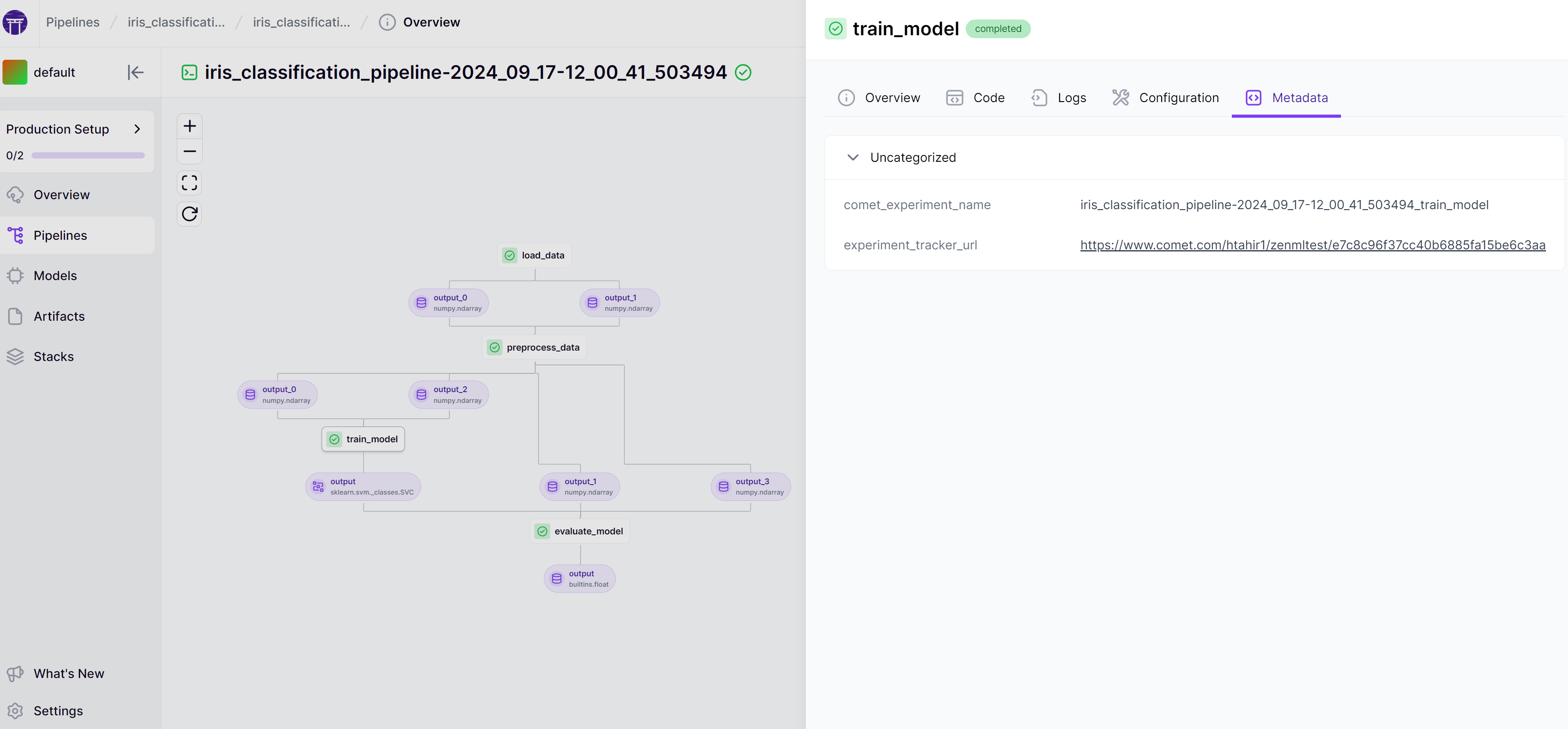
Connecting code repositories to ZenML solves two fundamental challenges in machine learning workflows. First, it enhances reproducibility by tracking which specific code version (commit hash) was used for each pipeline run, creating a clear audit trail between your code and its results. Second, it dramatically improves development efficiency by optimizing Docker image building. Instead of including source code in each build, ZenML builds images without the code and downloads it at runtime, eliminating the need to rebuild images after every code change. This not only speeds up individual development cycles but allows team members to share and reuse builds, saving time and computing resources across your organization. Learn more about how code repositories optimize Docker builds [here](https://docs.zenml.io/how-to/customize-docker-builds/how-to-reuse-builds). ## Registering a code repository If you are planning to use one of the available implementations of code repositories, first, you need to install the corresponding ZenML integration: ``` zenml integration install ``` Afterward, code repositories can be registered using the CLI: ```shell zenml code-repository register --type= [--CODE_REPOSITORY_OPTIONS] ``` For concrete options, check out the section on the `GitHubCodeRepository`, the `GitLabCodeRepository` or how to develop and register a custom code repository implementation. ## Available implementations ZenML comes with builtin implementations of the code repository abstraction for the `GitHub` and `GitLab` platforms, but it's also possible to use a custom code repository implementation. ### GitHub ZenML provides built-in support for using GitHub as a code repository for your ZenML pipelines. You can register a GitHub code repository by providing the URL of the GitHub instance, the owner of the repository, the name of the repository, and a GitHub Personal Access Token (PAT) with access to the repository. Before registering the code repository, first, you have to install the corresponding integration: ```sh zenml integration install github ``` Afterward, you can register a GitHub code repository by running the following CLI command: ```shell zenml code-repository register --type=github \ --owner= --repository= \ --token= ``` where `` is the name of the code repository you are registering, `` is the owner of the repository, `` is the name of the repository and `` is your GitHub Personal Access Token. If you're using a self-hosted GitHub Enterprise instance, you'll need to also pass the `--api_url=` and `--host=` options. `` should point to where the GitHub API is reachable (defaults to `https://api.github.com/`) and `` should be the [hostname of your GitHub instance](https://docs.github.com/en/enterprise-server@3.10/admin/configuring-settings/configuring-network-settings/configuring-the-hostname-for-your-instance?learn=deploy_an_instance\&learnProduct=admin). {% hint style="warning" %} Please refer to the section on using secrets for stack configuration in order to securely store your GitHub\ Personal Access Token. ```shell # Using central secrets management zenml secret create github_secret \ --pa_token= # Then reference the username and password zenml code-repository register ... --token={{github_secret.pa_token}} ... ``` {% endhint %} After registering the GitHub code repository, ZenML will automatically detect if your source files are being tracked by GitHub and store the commit hash for each pipeline run.
How to get a token for GitHub 1. Go to your GitHub account settings and click on [Developer settings](https://github.com/settings/tokens?type=beta). 2. Select "Personal access tokens" and click on "Generate new token". 3. Give your token a name and a description. ![](https://1640328923-files.gitbook.io/~/files/v0/b/gitbook-x-prod.appspot.com/o/spaces%2F5aBlTJNbVDkrxJp7J1J9%2Fuploads%2Fgit-blob-0efd0f56d3428d5ae6f5e5659131eece8e6bb60e%2Fgithub-fine-grained-token-name.png?alt=media) 4. We recommend selecting the specific repository and then giving `contents` read-only access. ![](https://1640328923-files.gitbook.io/~/files/v0/b/gitbook-x-prod.appspot.com/o/spaces%2F5aBlTJNbVDkrxJp7J1J9%2Fuploads%2Fgit-blob-71ba96b3e607f1b26cbf600cdce09cc87c9cb74c%2Fgithub-token-set-permissions.png?alt=media) ![](https://1640328923-files.gitbook.io/~/files/v0/b/gitbook-x-prod.appspot.com/o/spaces%2F5aBlTJNbVDkrxJp7J1J9%2Fuploads%2Fgit-blob-4b89b6c5f6aeae9976561cb95cd907d8047e5ef1%2Fgithub-token-permissions-overview.png?alt=media) 5. Click on "Generate token" and copy the token to a safe place. ![](https://1640328923-files.gitbook.io/~/files/v0/b/gitbook-x-prod.appspot.com/o/spaces%2F5aBlTJNbVDkrxJp7J1J9%2Fuploads%2Fgit-blob-55a6da34d3d8caa3d634200c93fcd2c9e021ed22%2Fcopy-github-fine-grained-token.png?alt=media)
### GitLab ZenML also provides built-in support for using GitLab as a code repository for your ZenML pipelines. You can register a GitLab code repository by providing the URL of the GitLab project, the group of the project, the name of the project, and a GitLab Personal Access Token (PAT) with access to the project. Before registering the code repository, first, you have to install the corresponding integration: ```sh zenml integration install gitlab ``` Afterward, you can register a GitLab code repository by running the following CLI command: ```shell zenml code-repository register --type=gitlab \ --group= --project= \ --token= ``` where `` is the name of the code repository you are registering, `` is the group of the project, `` is the name of the project and `` is your GitLab Personal Access Token. If you're using a self-hosted GitLab instance, you'll need to also pass the `--instance_url=` and `--host=` options. `` should point to your GitLab instance (defaults to `https://gitlab.com/`) and `` should be the hostname of your GitLab instance (defaults to `gitlab.com`). {% hint style="warning" %} Please refer to the section on using secrets for stack configuration in order to securely store your GitLab\ Personal Access Token. ```shell # Using central secrets management zenml secret create gitlab_secret \ --pa_token= # Then reference the username and password zenml code-repository register ... --token={{gitlab_secret.pa_token}} ... ``` {% endhint %} After registering the GitLab code repository, ZenML will automatically detect if your source files are being tracked by GitLab and store the commit hash for each pipeline run.
How to get a token for GitLab 1. Go to your GitLab account settings and click on Access Tokens. 2. Name the token and select the scopes that you need (e.g. `read_repository`, `read_user`, `read_api`) ![](https://1640328923-files.gitbook.io/~/files/v0/b/gitbook-x-prod.appspot.com/o/spaces%2F5aBlTJNbVDkrxJp7J1J9%2Fuploads%2Fgit-blob-6a41df2a01e13c09e3253f80eb04903a4cdd0d67%2Fgitlab-generate-access-token.png?alt=media) 3. Click on "Create personal access token" and copy the token to a safe place. ![](https://1640328923-files.gitbook.io/~/files/v0/b/gitbook-x-prod.appspot.com/o/spaces%2F5aBlTJNbVDkrxJp7J1J9%2Fuploads%2Fgit-blob-26d24213c4bd89f1c9a668eb501ff8bf44fad030%2Fgitlab-copy-access-token.png?alt=media)
## Developing a custom code repository If you're using some other platform to store your code, and you still want to use a code repository in ZenML, you can implement and register a custom code repository. First, you'll need to subclass and implement the abstract methods of the `zenml.code_repositories.BaseCodeRepository` class: ```python from abc import ABC, abstractmethod from typing import Optional class BaseCodeRepository(ABC): """Base class for code repositories.""" @abstractmethod def login(self) -> None: """Logs into the code repository.""" @abstractmethod def download_files( self, commit: str, directory: str, repo_sub_directory: Optional[str] ) -> None: """Downloads files from the code repository to a local directory. Args: commit: The commit hash to download files from. directory: The directory to download files to. repo_sub_directory: The subdirectory in the repository to download files from. """ @abstractmethod def get_local_context( self, path: str ) -> Optional["LocalRepositoryContext"]: """Gets a local repository context from a path. Args: path: The path to the local repository. Returns: The local repository context object. """ ``` After you're finished implementing this, you can register it as follows: ```shell # The `CODE_REPOSITORY_OPTIONS` are key-value pairs that your implementation will receive # as configuration in its __init__ method. This will usually include stuff like the username # and other credentials necessary to authenticate with the code repository platform. zenml code-repository register --type=custom --source=my_module.MyRepositoryClass \ [--CODE_REPOSITORY_OPTIONS] ``` --- # Source: https://docs.zenml.io/stacks/stack-components/experiment-trackers/comet.md # Comet The Comet Experiment Tracker is an [Experiment Tracker](https://docs.zenml.io/stacks/stack-components/experiment-trackers) flavor provided with the Comet ZenML integration that uses [the Comet experiment tracking platform](https://www.comet.com/site/products/ml-experiment-tracking/) to log and visualize information from your pipeline steps (e.g., models, parameters, metrics).

A pipeline with a Comet experiment tracker url as metadata
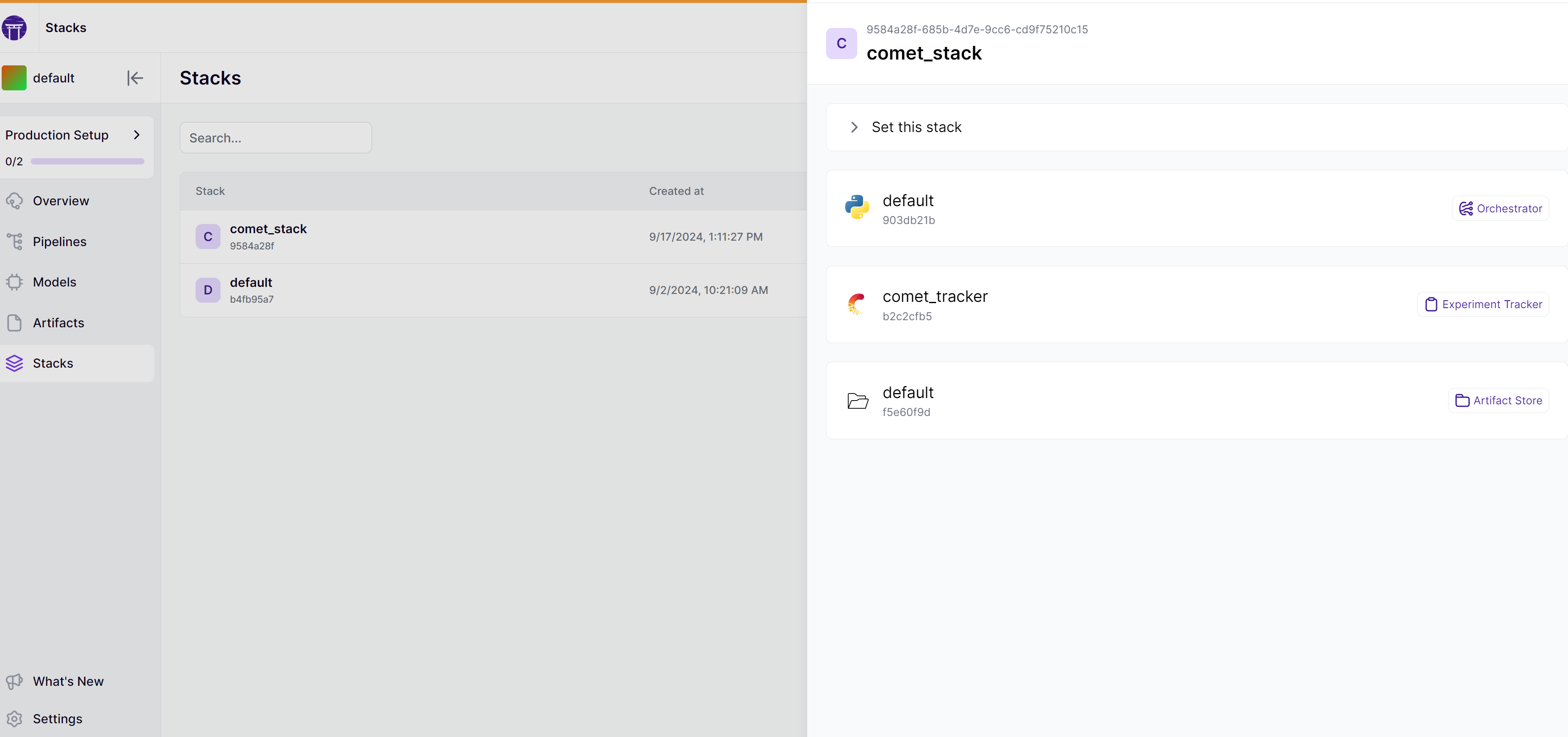
### When would you want to use it? [Comet](https://www.comet.com/site/products/ml-experiment-tracking/) is a popular platform that you would normally use in the iterative ML experimentation phase to track and visualize experiment results. That doesn't mean that it cannot be repurposed to track and visualize the results produced by your automated pipeline runs, as you make the transition towards a more production-oriented workflow. You should use the Comet Experiment Tracker: * if you have already been using Comet to track experiment results for your project and would like to continue doing so as you are incorporating MLOps workflows and best practices in your project through ZenML. * if you are looking for a more visually interactive way of navigating the results produced from your ZenML pipeline runs (e.g., models, metrics, datasets) * if you would like to connect ZenML to Comet to share the artifacts and metrics logged by your pipelines with your team, organization, or external stakeholders You should consider one of the other [Experiment Tracker flavors](https://docs.zenml.io/stacks/stack-components/experiment-trackers/..#experiment-tracker-flavors) if you have never worked with Comet before and would rather use another experiment tracking tool that you are more familiar with. ### How do you deploy it? The Comet Experiment Tracker flavor is provided by the Comet ZenML integration. You need to install it on your local machine to be able to register a Comet Experiment Tracker and add it to your stack: ```bash zenml integration install comet -y ``` The Comet Experiment Tracker needs to be configured with the credentials required to connect to the Comet platform using one of the available authentication methods. #### Authentication Methods You need to configure the following credentials for authentication to the Comet platform: * `api_key`: Mandatory API key token of your Comet account. * `project_name`: The name of the project where you're sending the new experiment. If the project is not specified, the experiment is put in the default project associated with your API key. * `workspace`: Optional. The name of the workspace where your project is located. If not specified, the default workspace associated with your API key will be used. {% tabs %} {% tab title="ZenML Secret (Recommended)" %} This method requires you to [configure a ZenML secret](https://docs.zenml.io/getting-started/deploying-zenml/secret-management) to store the Comet tracking service credentials securely. You can create the secret using the `zenml secret create` command: ```bash zenml secret create comet_secret \ --workspace= \ --project_name= \ --api_key= ``` Once the secret is created, you can use it to configure the Comet Experiment Tracker: ```bash # Reference the workspace, project, and api-key in our experiment tracker component zenml experiment-tracker register comet_tracker \ --flavor=comet \ --workspace={{comet_secret.workspace}} \ --project_name={{comet_secret.project_name}} \ --api_key={{comet_secret.api_key}} ... # Register and set a stack with the new experiment tracker zenml stack register custom_stack -e comet_experiment_tracker ... --set ``` {% hint style="info" %} Read more about [ZenML Secrets](https://docs.zenml.io/getting-started/deploying-zenml/secret-management) in the ZenML documentation. {% endhint %} {% endtab %} {% tab title="Basic Authentication" %} This option configures the credentials for the Comet platform directly as stack component attributes. {% hint style="warning" %} This is not recommended for production settings as the credentials won't be stored securely and will be clearly visible in the stack configuration. {% endhint %} ```bash # Register the Comet experiment tracker zenml experiment-tracker register comet_experiment_tracker --flavor=comet \ --workspace= --project_name= --api_key= # Register and set a stack with the new experiment tracker zenml stack register custom_stack -e comet_experiment_tracker ... --set ``` {% endtab %} {% endtabs %}

A stack with the Comet experiment tracker
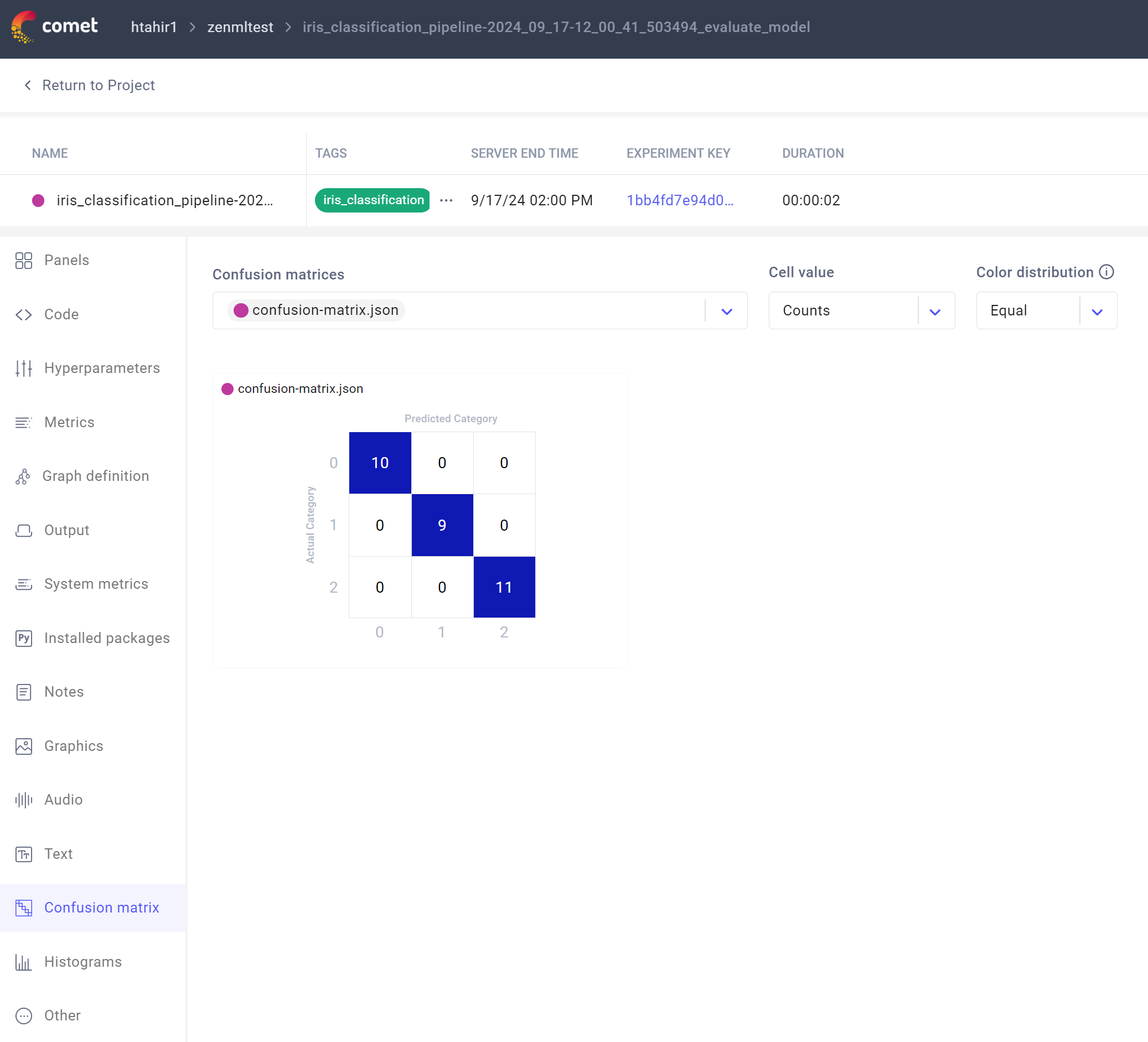
For more up-to-date information on the Comet Experiment Tracker implementation and its configuration, you can have a look at [the SDK docs for our Comet integration](https://sdkdocs.zenml.io/latest/integration_code_docs/integrations-comet.html#zenml.integrations.comet). ### How do you use it? To be able to log information from a ZenML pipeline step using the Comet Experiment Tracker component in the active stack, you need to enable an experiment tracker using the `@step` decorator. Then use Comet logging capabilities as you would normally do, e.g.: ```python from zenml.client import Client experiment_tracker = Client().active_stack.experiment_tracker @step(experiment_tracker=experiment_tracker.name) def my_step(): ... # go through some experiment tracker methods experiment_tracker.log_metrics({"my_metric": 42}) experiment_tracker.log_params({"my_param": "hello"}) # or use the Experiment object directly experiment_tracker.experiment.log_model(...) # or pass the Comet Experiment object into helper methods from comet_ml.integration.sklearn import log_model log_model( experiment=experiment_tracker.experiment, model_name="SVC", model=model, ) ... ``` {% hint style="info" %} Instead of hardcoding an experiment tracker name, you can also use the [Client](https://docs.zenml.io/reference/python-client) to dynamically use the experiment tracker of your active stack, as shown in the example above. {% endhint %} ### Comet UI Comet comes with a web-based UI that you can use to find further details about your tracked experiments. Every ZenML step that uses Comet should create a separate experiment which you can inspect in the Comet UI.

A confusion matrix logged in the Comet UI
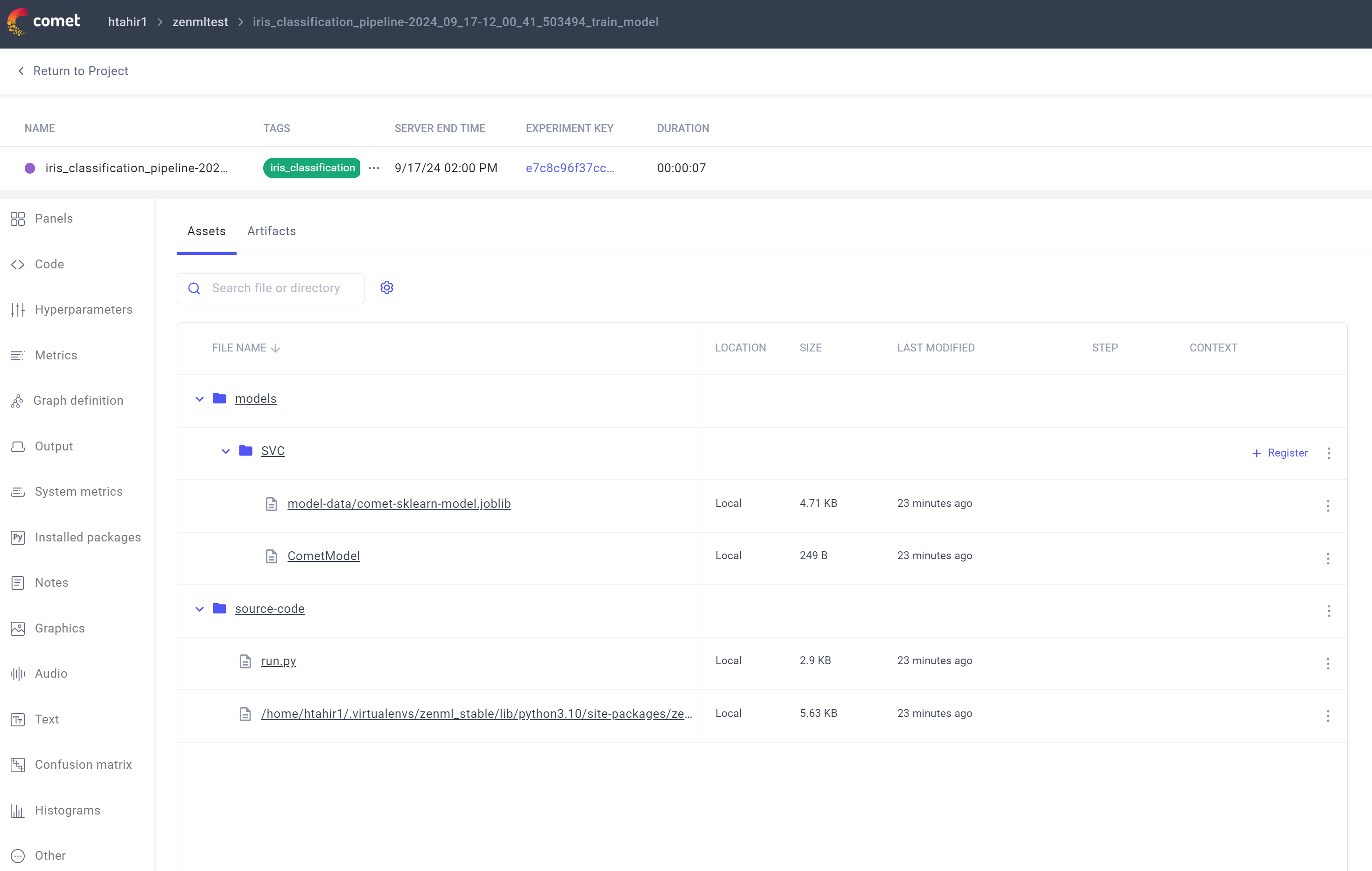
A model tracked in the Comet UI

You can find the URL of the Comet experiment linked to a specific ZenML run via the metadata of the step in which the experiment tracker was used: ```python from zenml.client import Client last_run = client.get_pipeline("").last_run trainer_step = last_run.steps[""] tracking_url = trainer_step.run_metadata["experiment_tracker_url"].value print(tracking_url) ```

A pipeline with a Comet experiment tracker url as metadata

Alternatively, you can see an overview of all experiments at `https://www.comet.com/{WORKSPACE_NAME}/{PROJECT_NAME}/experiments/`. {% hint style="info" %} The naming convention of each Comet experiment is `{pipeline_run_name}_{step_name}` (e.g., `comet_example_pipeline-25_Apr_22-20_06_33_535737_my_step`), and each experiment will be tagged with both `pipeline_name` and `pipeline_run_name`, which you can use to group and filter experiments. {% endhint %} ## Full Code Example This section combines all the code from this section into one simple script that you can use to run easily:
Code Example of this Section ```python from comet_ml.integration.sklearn import log_model import numpy as np from sklearn.datasets import load_iris from sklearn.model_selection import train_test_split from sklearn.preprocessing import StandardScaler from sklearn.svm import SVC from sklearn.metrics import accuracy_score from typing import Tuple from zenml import pipeline, step from zenml.client import Client from zenml.integrations.comet.flavors.comet_experiment_tracker_flavor import ( CometExperimentTrackerSettings, ) from zenml.integrations.comet.experiment_trackers import CometExperimentTracker # Get the experiment tracker from the active stack experiment_tracker: CometExperimentTracker = Client().active_stack.experiment_tracker @step def load_data() -> Tuple[np.ndarray, np.ndarray]: iris = load_iris() X = iris.data y = iris.target return X, y @step def preprocess_data( X: np.ndarray, y: np.ndarray ) -> Tuple[np.ndarray, np.ndarray, np.ndarray, np.ndarray]: X_train, X_test, y_train, y_test = train_test_split( X, y, test_size=0.2, random_state=42 ) scaler = StandardScaler() X_train_scaled = scaler.fit_transform(X_train) X_test_scaled = scaler.transform(X_test) return X_train_scaled, X_test_scaled, y_train, y_test @step(experiment_tracker=experiment_tracker.name) def train_model(X_train: np.ndarray, y_train: np.ndarray) -> SVC: model = SVC(kernel="rbf", C=1.0) model.fit(X_train, y_train) log_model( experiment=experiment_tracker.experiment, model_name="SVC", model=model, ) return model @step(experiment_tracker=experiment_tracker.name) def evaluate_model(model: SVC, X_test: np.ndarray, y_test: np.ndarray) -> float: y_pred = model.predict(X_test) accuracy = accuracy_score(y_test, y_pred) # Log metrics using Comet experiment_tracker.log_metrics({"accuracy": accuracy}) experiment_tracker.experiment.log_confusion_matrix(y_test, y_pred) return accuracy @pipeline(enable_cache=False) def iris_classification_pipeline(): X, y = load_data() X_train, X_test, y_train, y_test = preprocess_data(X, y) model = train_model(X_train, y_train) accuracy = evaluate_model(model, X_test, y_test) if __name__ == "__main__": # Configure Comet settings comet_settings = CometExperimentTrackerSettings(tags=["iris_classification", "svm"]) # Run the pipeline last_run = iris_classification_pipeline.with_options( settings={"experiment_tracker": comet_settings} )() # Get the URLs for the trainer and evaluator steps trainer_step, evaluator_step = ( last_run.steps["train_model"], last_run.steps["evaluate_model"], ) trainer_url = trainer_step.run_metadata["experiment_tracker_url"].value evaluator_url = evaluator_step.run_metadata["experiment_tracker_url"].value print(f"URL for trainer step: {trainer_url}") print(f"URL for evaluator step: {evaluator_url}") ```
#### Additional configuration For additional configuration of the Comet experiment tracker, you can pass `CometExperimentTrackerSettings` to provide additional tags for your experiments: ```python from zenml.integrations.comet.flavors.comet_experiment_tracker_flavor import ( CometExperimentTrackerSettings, ) comet_settings = CometExperimentTrackerSettings( tags=["some_tag"], run_name="", settings={}, ) @step( experiment_tracker="", settings={ "experiment_tracker": comet_settings } ) def my_step(): ... ``` Check out the [SDK docs](https://sdkdocs.zenml.io/latest/integration_code_docs/integrations-comet.html#zenml.integrations.comet) for a full list of available attributes and [this docs page](https://docs.zenml.io/concepts/steps_and_pipelines/configuration) for more information on how to specify settings.
ZenML Scarf
--- # Source: https://docs.zenml.io/reference/community-and-content.md # Community & content The ZenML team and community have put together a list of references that can be used to get in touch with the development team of ZenML and develop a deeper understanding of the framework. ### Slack Channel: Get help from the community The ZenML [Slack channel](https://zenml.io/slack) is the main gathering point for the community. Not only is it the best place to get in touch with the core team of ZenML, but it is also a great way to discuss new ideas and share your ZenML projects with the community. If you have a question, there is a high chance someone else might have already answered it on Slack! ### Social Media: Bite-sized updates We are active on LinkedIn (linkedin.com/company/zenml/) and Twitter / X (@zenml\_io), where we post bite-sized updates on releases, events, and MLOps in general. Follow us to interact and stay up to date! We would appreciate it if you could comment on and share our posts so more people can benefit from our work at ZenML! ### YouTube Channel: Video tutorials, workshops, and more Our [YouTube channel](https://www.youtube.com/c/ZenML) features a growing set of videos that take you through the entire framework. Go here if you are a visual learner, and follow along with some tutorials. ### Public roadmap The feedback from our community plays a significant role in the development of ZenML. That's why we have a [public roadmap](https://zenml.io/roadmap) that serves as a bridge between our users and our development team. If you have ideas regarding any new features or want to prioritize one over the other, feel free to share your thoughts here or vote on existing ideas. ### Blog On our [Blog](https://zenml.io/blog/) page, you can find various articles written by our team. We use it as a platform to share our thoughts and explain the implementation process of our tool, its new features, and the thought process behind them. ### Podcast We also have a [Podcast](https://podcast.zenml.io/) series that brings you interviews and discussions with industry leaders, top technology professionals, and others. We discuss the latest developments in machine learning, deep learning, and artificial intelligence, with a particular focus on MLOps, or how trained models are used in production. ### Newsletter You can also subscribe to our [Newsletter](https://zenml.io/newsletter-signup), where we share what we learn as we develop open-source tooling for production machine learning. You will also get all the exciting news about ZenML in general.
ZenML Scarf
--- # Source: https://docs.zenml.io/stacks/component-guide.md # Overview If you are new to the world of MLOps, it is often daunting to be immediately faced with a sea of tools that seemingly all promise and do the same things. It is useful in this case to try to categorize tools in various groups in order to understand their value in your toolchain in a more precise manner. ## What is a stack? The [stack](https://docs.zenml.io/user-guides/production-guide/understand-stacks) is a fundamental component of the ZenML framework. Put simply, a stack represents the configuration of the infrastructure and tooling that defines where and how a pipeline executes. A stack comprises different stack components, where each component is responsible for a specific task. For example, a stack might have a [container registry](https://docs.zenml.io/stacks/container-registries), a [Kubernetes cluster](https://docs.zenml.io/stacks/orchestrators/kubernetes) as an [orchestrator](https://docs.zenml.io/stacks/orchestrators), an [artifact store](https://docs.zenml.io/stacks/artifact-stores), an [experiment tracker](https://docs.zenml.io/stacks/experiment-trackers) like MLflow and so on. Each pipeline run that you execute with ZenML will require a **stack** and each **stack** will be required to include at least an **orchestrator** and an **artifact store**. Apart from these two, the other components are optional and to be added as your pipeline evolves in MLOps maturity. ## Stacks as a way to organize your execution environment With ZenML, you can run your pipelines on more than one stacks with ease. This pattern helps you test your code across different environments effortlessly. This enables a case like this: a data scientist starts experimentation locally on their system and then once they are satisfied, move to a cloud environment on your staging cloud account to test more advanced features of your pipeline. Finally, when all looks good, they can mark the pipeline ready for production and have it run on a production-grade stack in your production cloud account. ![Stacks as a way to organize your execution environment](https://1559531010-files.gitbook.io/~/files/v0/b/gitbook-x-prod.appspot.com/o/spaces%2Fu4tnWimk4Ev9z09qY15M%2Fuploads%2Fgit-blob-426f4e302d40b2fc34a8ef25df4e01d7f52e7b17%2Fstack_envs.png?alt=media) Having separate stacks for these environments helps: * avoid wrongfully deploying your staging pipeline to production * curb costs by running less powerful resources in staging and testing locally first * control access to environments by granting permissions for only certain stacks to certain users ## How to manage credentials for your stacks Most stack components require some form of credentials to interact with the underlying infrastructure. For example, a container registry needs to be authenticated to push and pull images, a Kubernetes cluster needs to be authenticated to deploy models as a web service, and so on. The preferred way to handle credentials in ZenML is to use [Service Connectors](https://docs.zenml.io/how-to/infrastructure-deployment/auth-management/service-connectors-guide). Service connectors are a powerful feature of ZenML that allow you to abstract away credentials and sensitive information from your team. ![Service Connectors abstract away complexity and implement security best practices](https://1559531010-files.gitbook.io/~/files/v0/b/gitbook-x-prod.appspot.com/o/spaces%2Fu4tnWimk4Ev9z09qY15M%2Fuploads%2Fgit-blob-634568dfe8cb91b57e7e3a4bfe4026fa6f7c0dee%2FConnectorsDiagram.png?alt=media) ### Recommended roles Ideally, you would want that only the people who deal with and have direct access to your cloud resources are the ones that are able to create Service Connectors. This is useful for a few reasons: * **Less chance of credentials leaking**: the more people that have access to your cloud resources, the higher the chance that some of them will be leaked. * **Instant revocation of compromised credentials**: folks who have direct access to your cloud resources can revoke the credentials instantly if they are compromised, making this a much more secure setup. * **Easier auditing**: you can have a much easier time auditing and tracking who did what if you have a clear separation between the people who can create Service Connectors (who have direct access to your cloud resources) and those who can only use them. ### Recommended workflow ![Recommended workflow for managing credentials](https://1559531010-files.gitbook.io/~/files/v0/b/gitbook-x-prod.appspot.com/o/spaces%2Fu4tnWimk4Ev9z09qY15M%2Fuploads%2Fgit-blob-c8e90bc3e319ac88fa37ba746f061bc3f1119ff6%2Fservice_con_workflow.png?alt=media) Here's an approach you can take that is a good balance between convenience and security: * Have a limited set of people that have permissions to create Service Connectors. These are ideally people that have access to your cloud accounts and know what credentials to use. * You can create one connector for your development or staging environment and let your data scientists use that to register their stack components. * When you are ready to go to production, you can create another connector with permissions for your production environment and create stacks that use it. This way you can ensure that your production resources are not accidentally used for development or staging. If you follow this approach, you can keep your data scientists free from the hassle of figuring out the best authentication mechanisms for the different cloud services, having to manage credentials locally, and keep your cloud accounts safe, while still giving them the freedom to run their experiments in the cloud. {% hint style="info" %} Please note that restricting permissions for users through roles is a ZenML Pro feature. You can read more about it [here](https://docs.zenml.io/pro/access-management/roles). Sign up for a free trial here: . {% endhint %} ## How to deploy and manage stacks Deploying and managing a MLOps stack is tricky. * Each tool comes with a certain set of requirements. For example, a [Kubeflow installation](https://www.kubeflow.org/docs/started/installing-kubeflow/) will require you to have a Kubernetes cluster, and so would a **Seldon Core deployment**. * Figuring out the defaults for infra parameters is not easy. Even if you have identified the backing infra that you need for a stack component, setting up reasonable defaults for parameters like instance size, CPU, memory, etc., needs a lot of experimentation to figure out. * Many times, standard tool installations don't work out of the box. For example, to run a custom pipeline in [Vertex AI](https://cloud.google.com/vertex-ai), it is not enough to just run an imported pipeline. You might also need a custom service account that is configured to perform tasks like reading secrets from your secret store or talking to other GCP services that your pipeline might need. * Some tools need an additional layer of installations to enable a more secure, production-grade setup. For example, a standard **MLflow tracking server** deployment comes without an authentication frontend which might expose all of your tracking data to the world if deployed as-is. * All the components that you deploy must have the right permissions to be able to talk to each other. For example, your workloads running in a Kubernetes cluster might require access to the container registry or the code repository, and so on. * Cleaning up your resources after you're done with your experiments is super important yet very challenging. For example, if your Kubernetes cluster has made use of [Load Balancers](https://kubernetes.io/docs/concepts/services-networking/service/#loadbalancer), you might still have one lying around in your account even after deleting the cluster, costing you money and frustration. All of these points make taking your pipelines to production a more difficult task than it should be. We believe that the expertise in setting up these often-complex stacks shouldn't be a prerequisite to running your ML pipelines. This docs section consists of information that makes it easier to provision, configure, and extend stacks and components in ZenML. ## Stack Components Guide Here is a full list of all stack components currently supported in ZenML, with a description of the role of that component in the MLOps process:
OrchestratorOrchestrating the runs of your pipelinedeployer.pngorchestrators
DeployerDeploying pipelines as long-running HTTP servicesdeployer.pngdeployers
Artifact StoreStorage for the artifacts created by your pipelinesartifact-store.pngartifact-stores
Container RegistryStore for your containerscontainer-registry.pngcontainer-registries
Data ValidatorData and model validationdata-validator.pngdata-validators
Experiment TrackerTracking your ML experimentsexperiment-tracker.pngexperiment-trackers
Model DeployerServices/platforms responsible for online model servingmodel-deployer.pngmodel-deployers
Step OperatorExecution of individual steps in specialized runtime environmentsstep-operator.pngstep-operators
AlerterSending alerts through specified channelsalerter.pngalerters
Image BuilderBuilds container images.image-builder.pngimage-builders
AnnotatorLabeling and annotating dataannotator.pngannotators
Model RegistryManage and interact with ML Modelsmodel-registry.pngmodel-registries
Feature StoreManagement of your data/featuresfeature-store.pngfeature-stores
## Custom Implementations You can take control of how ZenML behaves by creating your own components. This is done by writing custom component `flavors`.
Component FlavorsHow to write a custom stack component flavorflavors.pnghttps://docs.zenml.io/stacks/contribute/custom-stack-component
Custom orchestrator guideLearn how to develop a custom orchestratorcustom-orchestrator.pngcustom
--- # Source: https://docs.zenml.io/api-reference/oss-api/oss-api/component-types.md # Component types {% openapi src="" path="/api/v1/component-types" method="get" %} {% endopenapi %} --- # Source: https://docs.zenml.io/api-reference/oss-api/oss-api/components.md # Components {% openapi src="" path="/api/v1/components" method="get" %} {% endopenapi %} {% openapi src="" path="/api/v1/components/{component\_id}" method="get" %} {% endopenapi %} {% openapi src="" path="/api/v1/components/{component\_id}" method="put" %} {% endopenapi %} {% openapi src="" path="/api/v1/components/{component\_id}" method="delete" %} {% endopenapi %} --- # Source: https://docs.zenml.io/pro/manage/configuration-details/config-control-plane.md # Control Plane This page provides the configuration reference for the ZenML Control Plane. For an overview of what the Control Plane does, see [System Architecture](https://docs.zenml.io/pro/system-architecture#control-plane). {% hint style="info" %} This configuration is only relevant for **Self-hosted** deployments. In SaaS and Hybrid deployments, the Control Plane is fully managed by ZenML. {% endhint %} ## Permissions When running your own Control Plane, you need database permissions (full CRUD on a dedicated control plane database, separate from workspace databases) and OAuth2/OIDC client credentials for identity provider integration. ## Network Requirements The Control Plane must accept connections from and reach the following: | Direction | Source/Destination | Protocol | Purpose | | ----------- | ------------------ | -------- | ---------------------------------- | | **Ingress** | User browsers | HTTPS | Dashboard login, UI access | | **Ingress** | ZenML SDK clients | HTTPS | Authentication, token exchange | | **Ingress** | ZenML Workspaces | HTTPS | Workspace registration, heartbeats | | **Ingress** | Identity providers | HTTPS | SSO callbacks | | **Egress** | Identity providers | HTTPS | SSO authentication flows | | **Egress** | Database | TCP | Persistent storage | ## Security The Control Plane handles sensitive authentication data but never accesses your ML data, artifacts, or pipeline code: | Data Type | Sensitivity | Storage | | --------------------- | ----------- | ---------------------- | | User credentials | High | Managed through IDP | | API tokens | High | Encrypted at rest | | Organization settings | Medium | Control Plane database | | Audit logs | Medium | Control Plane database | | Workspace metadata | Low | Control Plane database | ## Related Documentation * [System Architecture](https://docs.zenml.io/pro/system-architecture) - How components interact * [Workspace Server Configuration](https://docs.zenml.io/pro/manage/configuration-details/config-workspace-server) - Configure the Workspace Server * [Upgrades - Control Plane](https://docs.zenml.io/pro/manage/upgrades-updates/upgrades-control-plane) - How to upgrade the Control Plane
ZenML Scarf
--- # Source: https://docs.zenml.io/pro/manage/configuration-details/config-workspace-server.md # Workspace Server This page provides the configuration reference for the ZenML Workspace Server, including the workload manager that enables running pipelines from the UI. For an overview of what the Workspace Server does, see [System Architecture](https://docs.zenml.io/pro/system-architecture#workspace-server). {% hint style="info" %} This configuration is relevant for **Hybrid** and **Self-hosted** deployments. In SaaS deployments, the Workspace Server is fully managed by ZenML. {% endhint %} ## Permissions When running your own Workspace Server, you need full CRUD permissions on a dedicated database (MySQL only, PostgreSQL not supported for workspace servers). ## Network Requirements | Direction | Source/Destination | Protocol | Purpose | | ----------- | ----------------------- | -------- | --------------------------------------------- | | **Ingress** | ZenML SDK clients | HTTPS | API requests from developers and CI/CD | | **Ingress** | ZenML Pro Dashboard | HTTPS | UI data requests | | **Ingress** | Orchestrator pods/tasks | HTTPS | Pipeline status updates, metadata logging | | **Egress** | Database | TCP | MySQL persistent storage | | **Egress** | Control Plane | HTTPS | Authentication | | **Egress** | Secrets backend | HTTPS | AWS Secrets Manager, GCP Secret Manager, etc. | | **Egress** | Artifact Store | HTTPS | Artifact visualizations | | **Egress** | Kubernetes API | HTTPS | Workload manager pod creation (port 6443) | ## Workload Manager The Workspace Server includes a workload manager that enables running pipelines directly from the ZenML Pro UI. **This requires access to a Kubernetes cluster where ad-hoc runner pods can be created.** {% hint style="warning" %} Snapshots are only available from ZenML workspace server version 0.90.0 onwards. {% endhint %} ### Requirements * Kubernetes cluster (1.24+) accessible from the workspace server * Dedicated namespace for runner pods * Service account with RBAC permissions to create/manage pods ### Supported Implementations | Implementation | Platform | Use Case | | ------------------------------ | -------------------------------------------- | ----------------------------------------------------- | | `KubernetesWorkloadManager` | Any Kubernetes (EKS, GKE, AKS, self-managed) | Standard setup, fast minimalistic configuration | | `AWSKubernetesWorkloadManager` | EKS | AWS-native with ECR image building and S3 log storage | | `GCPKubernetesWorkloadManager` | GKE | GCP-native with GCR support (GCS log storage planned) | ### Environment Variables Reference **Required for all implementations:** | Variable | Required | Description | | ----------------------------------------------------- | -------- | ------------------------------------------------------- | | `ZENML_SERVER_WORKLOAD_MANAGER_IMPLEMENTATION_SOURCE` | Yes | Implementation class (see values below) | | `ZENML_KUBERNETES_WORKLOAD_MANAGER_NAMESPACE` | Yes | Kubernetes namespace for runner jobs (must exist) | | `ZENML_KUBERNETES_WORKLOAD_MANAGER_SERVICE_ACCOUNT` | Yes | Kubernetes service account for runner jobs (must exist) | **Implementation source values:** * `zenml_cloud_plugins.kubernetes_workload_manager.KubernetesWorkloadManager` * `zenml_cloud_plugins.aws_kubernetes_workload_manager.AWSKubernetesWorkloadManager` * `zenml_cloud_plugins.gcp_kubernetes_workload_manager.GCPKubernetesWorkloadManager` **Runner image configuration:** | Variable | Required | Description | | ------------------------------------------------------ | ----------- | --------------------------------------------------------------------------------------------------- | | `ZENML_KUBERNETES_WORKLOAD_MANAGER_BUILD_RUNNER_IMAGE` | No | Whether to build runner images (default: `false`) | | `ZENML_KUBERNETES_WORKLOAD_MANAGER_DOCKER_REGISTRY` | Conditional | Registry for runner images (required if building images) | | `ZENML_KUBERNETES_WORKLOAD_MANAGER_RUNNER_IMAGE` | No | Pre-built runner image (used if not building). Must have all requirements to instantiate the stack. | **Optional configuration:** | Variable | Description | | -------------------------------------------------------------- | -------------------------------------------------- | | `ZENML_KUBERNETES_WORKLOAD_MANAGER_ENABLE_EXTERNAL_LOGS` | Store logs externally (default: `false`, AWS only) | | `ZENML_KUBERNETES_WORKLOAD_MANAGER_POD_RESOURCES` | Pod resources in JSON format | | `ZENML_KUBERNETES_WORKLOAD_MANAGER_TTL_SECONDS_AFTER_FINISHED` | Cleanup time for finished jobs (default: 2 days) | | `ZENML_KUBERNETES_WORKLOAD_MANAGER_NODE_SELECTOR` | Node selector in JSON format | | `ZENML_KUBERNETES_WORKLOAD_MANAGER_TOLERATIONS` | Tolerations in JSON format | | `ZENML_KUBERNETES_WORKLOAD_MANAGER_JOB_BACKOFF_LIMIT` | Backoff limit for builder/runner jobs | | `ZENML_KUBERNETES_WORKLOAD_MANAGER_POD_FAILURE_POLICY` | Pod failure policy for builder/runner jobs | | `ZENML_SERVER_MAX_CONCURRENT_TEMPLATE_RUNS` | Max concurrent snapshot runs per pod (default: 2) | **AWS-specific variables:** | Variable | Required | Description | | ---------------------------------------------- | ----------- | ------------------------------------------------------ | | `ZENML_AWS_KUBERNETES_WORKLOAD_MANAGER_BUCKET` | Conditional | S3 bucket for logs (required if external logs enabled) | | `ZENML_AWS_KUBERNETES_WORKLOAD_MANAGER_REGION` | Conditional | AWS region (required if building images) | ### Configuration Examples **Minimal Kubernetes Configuration:** ```yaml zenml: environment: ZENML_SERVER_WORKLOAD_MANAGER_IMPLEMENTATION_SOURCE: zenml_cloud_plugins.kubernetes_workload_manager.KubernetesWorkloadManager ZENML_KUBERNETES_WORKLOAD_MANAGER_NAMESPACE: zenml-workspace-namespace ZENML_KUBERNETES_WORKLOAD_MANAGER_SERVICE_ACCOUNT: zenml-workspace-service-account ``` **Full AWS Configuration:** ```yaml zenml: environment: ZENML_SERVER_WORKLOAD_MANAGER_IMPLEMENTATION_SOURCE: zenml_cloud_plugins.aws_kubernetes_workload_manager.AWSKubernetesWorkloadManager ZENML_KUBERNETES_WORKLOAD_MANAGER_NAMESPACE: zenml-workspace-namespace ZENML_KUBERNETES_WORKLOAD_MANAGER_SERVICE_ACCOUNT: zenml-workspace-service-account ZENML_KUBERNETES_WORKLOAD_MANAGER_BUILD_RUNNER_IMAGE: "true" ZENML_KUBERNETES_WORKLOAD_MANAGER_DOCKER_REGISTRY: 339712793861.dkr.ecr.eu-central-1.amazonaws.com ZENML_KUBERNETES_WORKLOAD_MANAGER_ENABLE_EXTERNAL_LOGS: "true" ZENML_KUBERNETES_WORKLOAD_MANAGER_POD_RESOURCES: '{"requests": {"cpu": "100m", "memory": "400Mi"}, "limits": {"memory": "700Mi"}}' ZENML_AWS_KUBERNETES_WORKLOAD_MANAGER_BUCKET: s3://my-bucket/run-template-logs ZENML_AWS_KUBERNETES_WORKLOAD_MANAGER_REGION: eu-central-1 ZENML_KUBERNETES_WORKLOAD_MANAGER_NODE_SELECTOR: '{"node-pool": "zenml-pool"}' ZENML_KUBERNETES_WORKLOAD_MANAGER_TOLERATIONS: '[{"key": "node-pool", "operator": "Equal", "value": "zenml-pool", "effect": "NoSchedule"}]' ZENML_SERVER_MAX_CONCURRENT_TEMPLATE_RUNS: 10 ``` **Full GCP Configuration:** ```yaml zenml: environment: ZENML_SERVER_WORKLOAD_MANAGER_IMPLEMENTATION_SOURCE: zenml_cloud_plugins.gcp_kubernetes_workload_manager.GCPKubernetesWorkloadManager ZENML_KUBERNETES_WORKLOAD_MANAGER_NAMESPACE: zenml-workspace-namespace ZENML_KUBERNETES_WORKLOAD_MANAGER_SERVICE_ACCOUNT: zenml-workspace-service-account ZENML_KUBERNETES_WORKLOAD_MANAGER_BUILD_RUNNER_IMAGE: "true" ZENML_KUBERNETES_WORKLOAD_MANAGER_DOCKER_REGISTRY: europe-west3-docker.pkg.dev/zenml-project/zenml-snapshots/zenml ZENML_KUBERNETES_WORKLOAD_MANAGER_POD_RESOURCES: '{"requests": {"cpu": "100m", "memory": "400Mi"}, "limits": {"memory": "700Mi"}}' ZENML_KUBERNETES_WORKLOAD_MANAGER_NODE_SELECTOR: '{"node-pool": "zenml-pool"}' ZENML_KUBERNETES_WORKLOAD_MANAGER_TOLERATIONS: '[{"key": "node-pool", "operator": "Equal", "value": "zenml-pool", "effect": "NoSchedule"}]' ZENML_SERVER_MAX_CONCURRENT_TEMPLATE_RUNS: 10 ``` ### Kubernetes RBAC The service account needs these permissions in the workload manager namespace: ```yaml apiVersion: rbac.authorization.k8s.io/v1 kind: Role metadata: name: zenml-workload-manager namespace: zenml-workspace-namespace rules: - apiGroups: [""] resources: ["pods"] verbs: ["create", "get", "list", "delete", "patch"] - apiGroups: [""] resources: ["pods/logs"] verbs: ["get"] - apiGroups: [""] resources: ["secrets"] verbs: ["get"] - apiGroups: [""] resources: ["persistentvolumeclaims"] verbs: ["create", "get", "delete"] ``` ## High Availability For production deployments, consider multiple replicas (2+) behind a load balancer, database replication with read replicas, liveness/readiness probes, and auto-scaling based on CPU/memory utilization. ## Related Documentation * [System Architecture](https://docs.zenml.io/pro/system-architecture) - How components interact * [Control Plane Configuration](https://docs.zenml.io/pro/manage/configuration-details/config-control-plane) - Configure the Control Plane * [Upgrades - Workspace Server](https://docs.zenml.io/pro/manage/upgrades-updates/upgrades-workspace-server) - How to upgrade the Workspace Server
ZenML Scarf
--- # Source: https://docs.zenml.io/pro/manage/configuration-details.md # Configuration Details This section provides reference documentation for configuring each ZenML Pro component. Use these guides to understand all available configuration options, environment variables, permissions, and network requirements.
Control PlaneAuthentication, RBAC, identity provider integration, network requirements, and resource recommendations.config-control-plane
Workspace ServerDatabase configuration, network requirements, workload manager setup for running pipelines from UI, high availability, and resource recommendations.config-workspace-server
## When to Use These Guides * **During initial deployment**: Configure components according to your infrastructure * **Post-deployment tuning**: Adjust settings based on usage patterns * **Troubleshooting**: Verify configuration when issues arise * **Capacity planning**: Understand resource requirements for scaling ## Related Documentation * [System Architecture](https://docs.zenml.io/pro/system-architecture) - Understand how components interact * [Scenarios](https://docs.zenml.io/pro/deployments/scenarios) - Choose the right deployment option * [Upgrades and Updates](https://docs.zenml.io/pro/manage/upgrades-updates) - How to upgrade components
ZenML Scarf
--- # Source: https://docs.zenml.io/concepts/steps_and_pipelines/configuration.md # Configuration ZenML provides several approaches to configure your pipelines and steps: #### Understanding `.configure()` vs `.with_options()` ZenML provides two primary methods to configure pipelines and steps: `.configure()` and `.with_options()`. While they accept the same parameters, they behave differently: * **`.configure()`**: Modifies the configuration **in-place** and returns the same object. * **`.with_options()`**: Creates a **new copy** with the applied configuration, leaving the original unchanged. When to use each: * Use `.with_options()` in most cases, especially inside pipeline definitions: ```python @pipeline def my_pipeline(): # This creates a new configuration just for this instance my_step.with_options(parameters={"param": "value"})() ``` * Use `.configure()` only when you intentionally want to modify a step globally, and are aware that the change will affect all subsequent invocations of that step. ### Approaches to Configuration #### Pipeline Configuration with `configure` You can configure various aspects of a pipeline using the `configure` method: ```python from zenml import pipeline # Assuming MyPipeline is your pipeline function # @pipeline # def MyPipeline(): # ... # Create a pipeline my_pipeline = MyPipeline() # Configure the pipeline my_pipeline.configure( enable_cache=False, enable_artifact_metadata=True, settings={ "docker": { "parent_image": "zenml-io/zenml-cuda:latest" } } ) # Run the pipeline my_pipeline() ``` #### Runtime Configuration with `with_options` You can configure a pipeline at runtime using the `with_options` method: ```python # Configure specific step parameters my_pipeline.with_options(steps={"trainer": {"parameters": {"learning_rate": 0.01}}})() # Or using a YAML configuration file my_pipeline.with_options(config_file="path_to_yaml_file")() ``` #### Step-Level Configuration You can configure individual steps with the `@step` decorator: ```python import tensorflow as tf from zenml import step @step( settings={ # Custom materializer for handling output serialization "output_materializers": { "output": "zenml.materializers.tensorflow_materializer.TensorflowModelMaterializer" }, # Step-specific experiment tracker settings "experiment_tracker.mlflow": { "experiment_name": "custom_experiment" } } ) def train_model() -> tf.keras.Model: model = build_and_train_model() return model ``` #### Direct Component Assignment If you have an experiment tracker or step operator in your active stack, you can enable them for specific steps like this: ```python from zenml import step @step(experiment_tracker=True, step_operator=True) def train_model(): # This step will use the experiment tracker and step operator of the active stack ... ``` If you want to make sure a step can only run with a specific experiment tracker/step operator, you can also specify the component names like this: ```python from zenml import step @step(experiment_tracker="mlflow_tracker", step_operator="vertex_ai") def train_model(): # This step will use MLflow for tracking and run on Vertex AI ... ``` You can combine both approaches with settings to configure the specific behavior of those components: ```python from zenml import step @step(step_operator=True, settings={"step_operator": {"estimator_args": {"instance_type": "m7g.medium"}}}) def my_step(): # This step will use the step operator of the active stack with custom instance type ... # Alternatively, using the step operator name and appropriate settings class: @step(step_operator="nameofstepoperator", settings={"step_operator": SagemakerStepOperatorSettings(instance_type="m7g.medium")}) def my_step(): # Same configuration using the settings class ... ``` This approach allows you to use different components for different steps in your pipeline while also customizing their runtime behavior. ### Types of Settings Settings in ZenML are categorized into three main types: * **General settings** that can be used on all ZenML pipelines: * `DockerSettings` for container configuration * `ResourceSettings` for CPU, memory, and GPU allocation * `DeploymentSettings` for pipeline deployment configuration - can only be set at the pipeline level * **Stack-component-specific settings** for configuring behaviors of components in your stack: * These use the pattern `` or `.` as keys * Examples include `experiment_tracker.mlflow` or just `step_operator` ### Configuration Hierarchy There are a few general rules when it comes to settings and configurations that are applied in multiple places. Generally the following is true: * Configurations in code override configurations made inside of the yaml file * Configurations at the step level override those made at the pipeline level * In case of attributes the dictionaries are merged ```python from zenml import pipeline, step from zenml.config import ResourceSettings @step def load_data(parameter: int) -> dict: ... @step(settings={"resources": ResourceSettings(gpu_count=1, memory="2GB")}) def train_model(data: dict) -> None: ... @pipeline(settings={"resources": ResourceSettings(cpu_count=2, memory="1GB")}) def simple_ml_pipeline(parameter: int): ... # ZenMl merges the two configurations and uses the step configuration to override # values defined on the pipeline level train_model.configuration.settings["resources"] # -> cpu_count: 2, gpu_count=1, memory="2GB" simple_ml_pipeline.configuration.settings["resources"] # -> cpu_count: 2, memory="1GB" ``` ### Common Setting Types #### Resource Settings Resource settings allow you to specify the CPU, memory, and GPU requirements for your steps. ```python from zenml.config import ResourceSettings @step(settings={"resources": ResourceSettings(gpu_count=1, memory="2GB")}) def train_model(data: dict) -> None: ... @pipeline(settings={"resources": ResourceSettings(cpu_count=2, memory="1GB")}) def simple_ml_pipeline(parameter: int): ... ``` When both pipeline and step resource settings are specified, they are merged with step settings taking precedence: ```python # Result of merging the above configurations: # train_model.configuration.settings["resources"] # -> cpu_count: 2, gpu_count=1, memory="2GB" ``` {% hint style="info" %} Note that `ResourceSettings` are not always applied by all orchestrators. The ability to enforce resource constraints depends on the specific orchestrator being used. Some orchestrators like Kubernetes fully support these settings, while others may ignore them. In order to learn more, read the [individual pages](https://docs.zenml.io/stacks/stack-components/orchestrators) of the orchestrator you are using. {% endhint %} Resource settings also allow you to configure scaling options - including minimum and maximum number of instances, and scaling policy - for your pipeline deployments, when used at the pipeline level: ```python from zenml.config import ResourceSettings @pipeline(settings={"resources": ResourceSettings( cpu_count=2, memory="4GB", min_replicas=0, max_replicas=10, max_concurrency=10 )}) def simple_llm_pipeline(parameter: int): ... ``` {% hint style="info" %} Note that `ResourceSettings` are not always applied exactly as specified by all deployers. Some deployers fully support these settings, while others may adjust them automatically to match a set of predefined static values or simply ignore them. In order to learn more, read the [individual pages](https://docs.zenml.io/stacks/stack-components/deployers) of the deployer you are using. {% endhint %} #### Docker Settings Docker settings allow you to customize the containerization process: ```python @pipeline(settings={ "docker": { "parent_image": "zenml-io/zenml-cuda:latest" } }) def my_pipeline(): ... ``` For more detailed information on containerization options, see the [containerization guide](https://docs.zenml.io/concepts/containerization). #### Deployment Settings Deployment settings allow you to customize the web server and ASGI application used to run your pipeline deployments. You can specify a range of options, including custom endpoints, middleware, extensions and even custom files used to serve an entire single-page application alongside your pipeline: ```python from typing import Dict, Any import psutil from zenml.config import DeploymentSettings, EndpointSpec, EndpointMethod, SecureHeadersConfig from zenml import pipeline async def health_detailed() -> Dict[str, Any]: return { "status": "healthy", "cpu_percent": psutil.cpu_percent(), "memory_percent": psutil.virtual_memory().percent, "disk_percent": psutil.disk_usage("/").percent, } @pipeline(settings={ "deployment": DeploymentSettings( custom_endpoints=[ EndpointSpec( path="/health", method=EndpointMethod.GET, handler=health_detailed, auth_required=False, ), ], secure_headers=SecureHeadersConfig( csp=( "default-src 'none'; " "script-src 'self' 'unsafe-inline' https://cdn.jsdelivr.net; " "connect-src 'self' https://cdn.jsdelivr.net; " "style-src 'self' 'unsafe-inline'" ), ), dashboard_files_path="my/custom/ui", }) def my_pipeline(): ... ``` For more detailed information on deployment options, see the [pipeline deployment guide](https://docs.zenml.io/concepts/deployment), particularly the [deployment settings](https://docs.zenml.io/concepts/deployment/deployment_settings) section. ### Stack Component Configuration #### Registration-time vs Runtime Stack Component Settings Stack components have two types of configuration: 1. **Registration-time configuration**: Static settings defined when registering a component ```bash # Example: Setting a fixed tracking URL for MLflow zenml experiment-tracker register mlflow_tracker --flavor=mlflow --tracking_url=http://localhost:5000 ``` 2. **Runtime settings**: Dynamic settings that can change between pipeline runs ```python # Example: Setting experiment name that changes for each run @step(settings={"experiment_tracker.mlflow": {"experiment_name": "custom_experiment"}}) def my_step(): ... ``` Even for runtime settings, you can set default values during registration: ```bash # Setting a default value for "nested" setting zenml experiment-tracker register --flavor=mlflow --nested=True ``` #### Using the Right Key for Stack Component Settings When specifying stack-component-specific settings, the key follows this pattern: ```python # Using just the component category @step(settings={"step_operator": {"estimator_args": {"instance_type": "m7g.medium"}}}) # Or using the component category and flavor @step(settings={"experiment_tracker.mlflow": {"experiment_name": "custom_experiment"}}) ``` If you specify just the category (e.g., `step_operator`), ZenML applies these settings to whatever flavor of component is in your stack. If the settings don't apply to that flavor, they are ignored. ### Making Configurations Flexible with Environment Variables You can make your configurations more flexible by referencing environment variables using the placeholder syntax `${ENV_VARIABLE_NAME}`: **In code:** ```python from zenml import step @step(extra={"value_from_environment": "${ENV_VAR}"}) def my_step() -> None: ... ``` **In configuration files:** ```yaml extra: value_from_environment: ${ENV_VAR} combined_value: prefix_${ENV_VAR}_suffix ``` This allows you to easily adapt your pipelines to different environments without changing code. ### Autogenerate a template yaml file If you want to generate a template yaml file of your specific pipeline, you can do so by using the `.write_run_configuration_template()` method. This will generate a yaml file with all options commented out. This way you can pick and choose the settings that are relevant to you. ```python from zenml import pipeline ... @pipeline(enable_cache=True) # set cache behavior at step level def simple_ml_pipeline(parameter: int): dataset = load_data(parameter=parameter) train_model(dataset) simple_ml_pipeline.write_run_configuration_template(path="") ```
An example of a generated YAML configuration template ```yaml build: Union[PipelineBuildBase, UUID, NoneType] enable_artifact_metadata: Optional[bool] enable_artifact_visualization: Optional[bool] enable_cache: Optional[bool] enable_step_logs: Optional[bool] extra: Mapping[str, Any] model: audience: Optional[str] description: Optional[str] ethics: Optional[str] license: Optional[str] limitations: Optional[str] name: str save_models_to_registry: bool suppress_class_validation_warnings: bool tags: Optional[List[str]] trade_offs: Optional[str] use_cases: Optional[str] version: Union[ModelStages, int, str, NoneType] parameters: Optional[Mapping[str, Any]] run_name: Optional[str] schedule: catchup: bool cron_expression: Optional[str] end_time: Optional[datetime] interval_second: Optional[timedelta] name: Optional[str] run_once_start_time: Optional[datetime] start_time: Optional[datetime] settings: docker: apt_packages: List[str] build_context_root: Optional[str] build_options: Mapping[str, Any] copy_files: bool copy_global_config: bool dockerfile: Optional[str] dockerignore: Optional[str] environment: Mapping[str, Any] runtime_environment: Mapping[str, Any] install_stack_requirements: bool parent_image: Optional[str] python_package_installer: PythonPackageInstaller replicate_local_python_environment: Union[List[str], PythonEnvironmentExportMethod, NoneType] required_integrations: List[str] requirements: Union[NoneType, str, List[str]] skip_build: bool prevent_build_reuse: bool allow_including_files_in_images: bool allow_download_from_code_repository: bool allow_download_from_artifact_store: bool target_repository: str user: Optional[str] resources: cpu_count: Optional[PositiveFloat] gpu_count: Optional[NonNegativeInt] memory: Optional[ConstrainedStrValue] deployment: api_url_path: str app_description: Union[str, NoneType] app_extensions: Union[List[AppExtensionSpec], NoneType] app_kwargs: Dict[str, Any] app_title: Union[str, NoneType] app_version: Union[str, NoneType] cors: allow_credentials: bool allow_headers: List[str] allow_methods: List[str] allow_origins: List[str] custom_endpoints: Union[List[EndpointSpec], NoneType] custom_middlewares: Union[List[MiddlewareSpec], NoneType] dashboard_files_path: Union[str, NoneType] deployment_app_runner_flavor: Union[Annotated[SourceOrObject, BeforeValidator, PlainSerializer], NoneType] deployment_app_runner_kwargs: Dict[str, Any] deployment_service_class: Union[Annotated[SourceOrObject, BeforeValidator, PlainSerializer], NoneType] deployment_service_kwargs: Dict[str, Any] docs_url_path: str health_url_path: str include_default_endpoints: bool include_default_middleware: bool info_url_path: str invoke_url_path: str log_level: LoggingLevels metrics_url_path: str redoc_url_path: str root_url_path: str secure_headers: cache: Union[bool, str] content: Union[bool, str] csp: Union[bool, str] hsts: Union[bool, str] permissions: Union[bool, str] referrer: Union[bool, str] server: Union[bool, str] xfo: Union[bool, str] shutdown_hook: Union[Annotated[SourceOrObject, BeforeValidator, PlainSerializer], NoneType] shutdown_hook_kwargs: Dict[str, Any] startup_hook: Union[Annotated[SourceOrObject, BeforeValidator, PlainSerializer], NoneType] startup_hook_kwargs: Dict[str, Any] thread_pool_size: int uvicorn_host: str uvicorn_kwargs: Dict[str, Any] uvicorn_port: int uvicorn_workers: int steps: load_data: enable_artifact_metadata: Optional[bool] enable_artifact_visualization: Optional[bool] enable_cache: Optional[bool] enable_step_logs: Optional[bool] experiment_tracker: Optional[str] extra: Mapping[str, Any] failure_hook_source: attribute: Optional[str] module: str type: SourceType model: audience: Optional[str] description: Optional[str] ethics: Optional[str] license: Optional[str] limitations: Optional[str] name: str save_models_to_registry: bool suppress_class_validation_warnings: bool tags: Optional[List[str]] trade_offs: Optional[str] use_cases: Optional[str] version: Union[ModelStages, int, str, NoneType] name: Optional[str] outputs: output: default_materializer_source: attribute: Optional[str] module: str type: SourceType materializer_source: Optional[Tuple[Source, ...]] parameters: {} settings: docker: apt_packages: List[str] build_context_root: Optional[str] build_options: Mapping[str, Any] copy_files: bool copy_global_config: bool dockerfile: Optional[str] dockerignore: Optional[str] environment: Mapping[str, Any] runtime_environment: Mapping[str, Any] install_stack_requirements: bool parent_image: Optional[str] python_package_installer: PythonPackageInstaller replicate_local_python_environment: Union[List[str], PythonEnvironmentExportMethod, NoneType] required_integrations: List[str] requirements: Union[NoneType, str, List[str]] skip_build: bool prevent_build_reuse: bool allow_including_files_in_images: bool allow_download_from_code_repository: bool allow_download_from_artifact_store: bool target_repository: str user: Optional[str] resources: cpu_count: Optional[PositiveFloat] gpu_count: Optional[NonNegativeInt] memory: Optional[ConstrainedStrValue] step_operator: Optional[str] success_hook_source: attribute: Optional[str] module: str type: SourceType train_model: enable_artifact_metadata: Optional[bool] enable_artifact_visualization: Optional[bool] enable_cache: Optional[bool] enable_step_logs: Optional[bool] experiment_tracker: Optional[str] extra: Mapping[str, Any] failure_hook_source: attribute: Optional[str] module: str type: SourceType model: audience: Optional[str] description: Optional[str] ethics: Optional[str] license: Optional[str] limitations: Optional[str] name: str save_models_to_registry: bool suppress_class_validation_warnings: bool tags: Optional[List[str]] trade_offs: Optional[str] use_cases: Optional[str] version: Union[ModelStages, int, str, NoneType] name: Optional[str] outputs: {} parameters: {} settings: docker: apt_packages: List[str] build_context_root: Optional[str] build_options: Mapping[str, Any] copy_files: bool copy_global_config: bool dockerfile: Optional[str] dockerignore: Optional[str] environment: Mapping[str, Any] runtime_environment: Mapping[str, Any] install_stack_requirements: bool parent_image: Optional[str] python_package_installer: PythonPackageInstaller replicate_local_python_environment: Union[List[str], PythonEnvironmentExportMethod, NoneType] required_integrations: List[str] requirements: Union[NoneType, str, List[str]] skip_build: bool prevent_build_reuse: bool allow_including_files_in_images: bool allow_download_from_code_repository: bool allow_download_from_artifact_store: bool target_repository: str user: Optional[str] resources: cpu_count: Optional[PositiveFloat] gpu_count: Optional[NonNegativeInt] memory: Optional[ConstrainedStrValue] step_operator: Optional[str] success_hook_source: attribute: Optional[str] module: str type: SourceType ```
{% hint style="info" %} When you want to configure your pipeline with a certain stack in mind, you can do so as well: `...write_run_configuration_template(stack=)` {% endhint %} --- # Source: https://docs.zenml.io/user-guides/production-guide/configure-pipeline.md # Configure your pipeline to add compute Now that we have our pipeline up and running in the cloud, you might be wondering how ZenML figured out what sort of dependencies to install in the Docker image that we just ran on the VM. The answer lies in the [runner script we executed (i.e. run.py)](https://github.com/zenml-io/zenml/blob/main/examples/quickstart/run.py#L215), in particular, these lines: ```python import os # Assuming training_pipeline is imported from your pipeline module # from my_project.pipelines import training_pipeline pipeline_args = {} pipeline_args["config_path"] = os.path.join( config_folder, "training_rf.yaml" ) # Configure the pipeline training_pipeline_configured = training_pipeline.with_options(**pipeline_args) # Create a run training_pipeline_configured() ``` The above commands [configure our training pipeline](https://docs.zenml.io/user-guides/starter-guide/create-an-ml-pipeline#configure-with-a-yaml-file) with a YAML configuration called `training_rf.yaml` (found [here in the source code](https://github.com/zenml-io/zenml/tree/main/examples/quickstart/configs)). Let's learn more about this configuration file. {% hint style="info" %} The `with_options` command that points to a YAML config is only one way to configure a pipeline. We can also directly configure a pipeline or a step in the decorator: ```python from zenml import pipeline @pipeline(settings=...) ``` However, it is best to not mix configuration from code to ensure separation of concerns in our codebase. {% endhint %} ## Breaking down our configuration YAML The YAML configuration of a ZenML pipeline can be very simple, as in this case. Let's break it down and go through each section one by one: ### The Docker settings ```yaml settings: docker: required_integrations: - sklearn requirements: - pyarrow ``` The first section is the so-called `settings` of the pipeline. This section has a `docker` key, which controls the [containerization process](https://docs.zenml.io/user-guides/cloud-orchestration#orchestrating-pipelines-on-the-cloud). Here, we are simply telling ZenML that we need `pyarrow` as a pip requirement, and we want to enable the `sklearn` integration of ZenML, which will in turn install the `scikit-learn` library. This Docker section can be populated with many different options, and correspond to the [DockerSettings](https://sdkdocs.zenml.io/latest/core_code_docs/core-config.html#zenml.config.docker_settings) class in the Python SDK. ### Associating a ZenML Model The next section is about associating a [ZenML Model](https://docs.zenml.io/user-guides/starter-guide/track-ml-models) with this pipeline. ```yaml # Configuration of the Model Control Plane model: name: breast_cancer_classifier version: rf license: Apache 2.0 description: A breast cancer classifier tags: ["breast_cancer", "classifier"] ``` You will see that this configuration lines up with the model created after executing these pipelines: {% tabs %} {% tab title="CLI" %} ```shell # List all versions of the breast_cancer_classifier zenml model version list breast_cancer_classifier ``` {% endtab %} {% tab title="Dashboard" %} [ZenML Pro](https://www.zenml.io/pro) ships with a Model Control Plane dashboard where you can visualize all the versions:

All model versions listed

{% endtab %} {% endtabs %} ### Passing parameters The last part of the config YAML is the `parameters` key: ```yaml # Configure the pipeline parameters: model_type: "rf" # Choose between rf/sgd ``` This parameters key aligns with the parameters that the pipeline expects. In this case, the pipeline expects a string called `model_type` that will inform it which type of model to use: ```python from zenml import pipeline @pipeline def training_pipeline(model_type: str): ... ``` So you can see that the YAML config is fairly easy to use and is an important part of the codebase to control the execution of our pipeline. You can read more about how to configure a pipeline in the [how to section](https://docs.zenml.io/concepts/steps_and_pipelines/configuration), but for now, we can move on to scaling our pipeline. ## Scaling compute on the cloud When we ran our pipeline with the above config, ZenML used some sane defaults to pick the resource requirements for that pipeline. However, in the real world, you might want to add more memory, CPU, or even a GPU depending on the pipeline at hand. This is as easy as adding the following section to your local `training_rf.yaml` file: ```yaml # These are the resources for the entire pipeline, i.e., each step settings: ... # Adapt this to vm_gcp accordingly orchestrator: memory: 32 # in GB ... steps: model_trainer: settings: orchestrator: cpus: 8 ``` Here we are configuring the entire pipeline with a certain amount of memory, while for the trainer step we are additionally configuring 8 CPU cores. The `orchestrator` key corresponds to the [`SkypilotBaseOrchestratorSettings`](https://sdkdocs.zenml.io/latest/integration_code_docs/integrations-skypilot.html#zenml.integrations.skypilot) class in the Python SDK.
Instructions for Microsoft Azure Users As discussed [before](https://docs.zenml.io/user-guides/production-guide/cloud-orchestration), we are using the [Kubernetes orchestrator](https://docs.zenml.io/stacks/orchestrators/kubernetes) for Azure users. In order to scale compute for the Kubernetes orchestrator, the\ YAML file needs to look like this: ```yaml # These are the resources for the entire pipeline, i.e., each step settings: ... resources: memory: "32GB" ... steps: model_trainer: settings: resources: memory: "8GB" ```
{% hint style="info" %} Read more about settings in ZenML [here](https://docs.zenml.io/concepts/steps_and_pipelines/configuration) and[here](https://docs.zenml.io/user-guides/tutorial/distributed-training) {% endhint %} Now let's run the pipeline again: ```python python run.py --training-pipeline ``` Now you should notice the machine that gets provisioned on your cloud provider would have a different configuration as compared to last time. As easy as that! Bear in mind that not every orchestrator supports `ResourceSettings` directly. To learn more, you can read about [`ResourceSettings` here](https://docs.zenml.io/concepts/steps_and_pipelines/configuration), including the ability to [attach a GPU](https://docs.zenml.io/user-guides/tutorial/distributed-training#1-specify-a-cuda-enabled-parent-image-in-your-dockersettings).
ZenML Scarf
--- # Source: https://docs.zenml.io/user-guides/best-practices/configure-python-environments.md # Configure Python environments ZenML deployments often involve multiple environments. This guide helps you manage dependencies and configurations across these environments. Here is a visual overview of the different environments:

Left box is the client environment, middle is the zenml server environment, and the right most contains the build environments
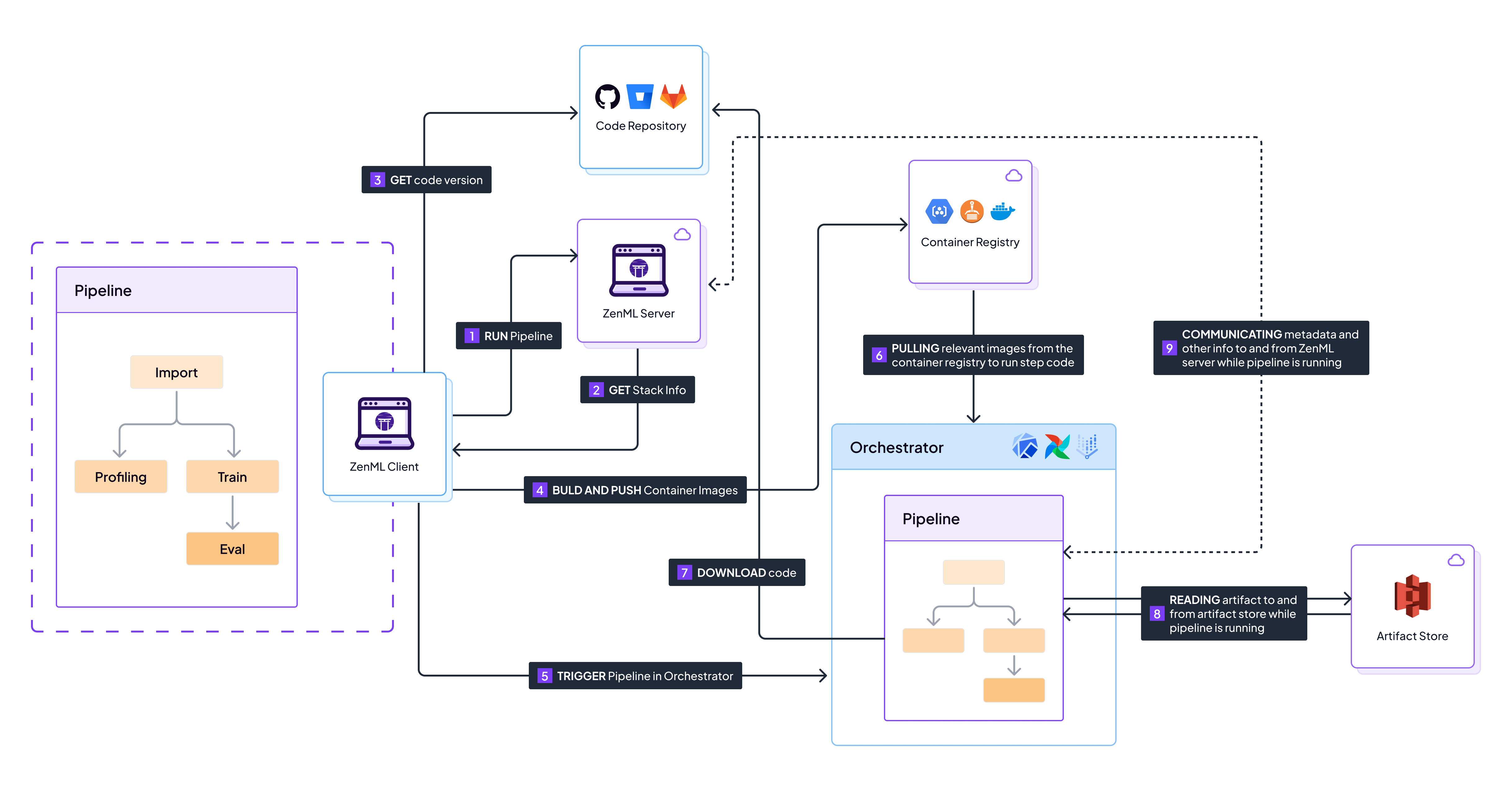
## Client Environment (or the Runner environment) The client environment (sometimes known as the runner environment) is where the ZenML pipelines are *compiled*, i.e., where you call the pipeline function (typically in a `run.py` script). There are different types of client environments: * A local development environment * A CI runner in production. * A [ZenML Pro](https://zenml.io/pro) runner. * A `runner` image orchestrated by the ZenML server to start pipelines. In all the environments, you should use your preferred package manager (e.g., `pip` or `poetry`) to manage dependencies. Ensure you install the ZenML package and any required [integrations](https://docs.zenml.io/stacks). The client environment typically follows these key steps when starting a pipeline: 1. Compiling an intermediate pipeline representation via the `@pipeline` function. 2. Creating or triggering [pipeline and step build environments](https://docs.zenml.io/stacks/image-builders) if running remotely. 3. Triggering a run in the [orchestrator](https://docs.zenml.io/stacks/orchestrators). Please note that the `@pipeline` function in your code is **only ever called** in this environment. Therefore, any computational logic that is executed in the pipeline function needs to be relevant to this so-called *compile time*, rather than at *execution* time, which happens later. ## ZenML Server Environment The ZenML server environment is a FastAPI application managing pipelines and metadata. It includes the ZenML Dashboard and is accessed when you [deploy ZenML](https://docs.zenml.io/deploying-zenml/deploying-zenml). To manage dependencies, install them during [ZenML deployment](https://docs.zenml.io/deploying-zenml/deploying-zenml), but only if you have custom integrations, as most are built-in. ## Execution Environments When running locally, there is no real concept of an `execution` environment as the client, server, and execution environment are all the same. However, when running a pipeline remotely, ZenML needs to transfer your code and environment over to the remote [orchestrator](https://docs.zenml.io/stacks/orchestrators). In order to achieve this, ZenML builds Docker images known as `execution environments`. ZenML handles the Docker image configuration, creation, and pushing, starting with a [base image](https://hub.docker.com/r/zenmldocker/zenml) containing ZenML and Python, then adding pipeline dependencies. To manage the Docker image configuration, follow the steps in the [containerize your pipeline](https://docs.zenml.io/concepts/containerization) guide, including specifying additional pip dependencies, using a custom parent image, and customizing the build process. ## Image Builder Environment By default, execution environments are created locally in the [client environment](#client-environment-or-the-runner-environment) using the local Docker client. However, this requires Docker installation and permissions. ZenML offers [image builders](https://docs.zenml.io/stacks/image-builders), a special [stack component](https://docs.zenml.io/stacks), allowing users to build and push Docker images in a different specialized *image builder environment*. Note that even if you don't configure an image builder in your stack, ZenML still uses the [local image builder](https://docs.zenml.io/stacks/image-builders/local) to retain consistency across all builds. In this case, the image builder environment is the same as the client environment. ## Handling dependencies When using ZenML with other libraries, you may encounter issues with conflicting dependencies. ZenML aims to be stack- and integration-agnostic, allowing you to run your pipelines using the tools that make sense for your problems. With this flexibility comes the possibility of dependency conflicts. ZenML allows you to install dependencies required by integrations through the `zenml integration install ...` command. This is a convenient way to install dependencies for a specific integration, but it can also lead to dependency conflicts if you are using other libraries in your environment. An easy way to see if the ZenML requirements are still met (after installing any extra dependencies required by your work) by running `zenml integration list` and checking that your desired integrations still bear the green tick symbol denoting that all requirements are met. ## Suggestions for Resolving Dependency Conflicts ### Use a tool like `pip-compile` for reproducibility Consider using a tool like `pip-compile` (available through [the `pip-tools`\ package](https://pip-tools.readthedocs.io/)) to compile your dependencies into a\ static `requirements.txt` file that can be used across environments. (If you are\ using [`uv`](https://github.com/astral-sh/uv), you might want to use `uv pip compile` as an alternative.) For a practical example and explanation of using `pip-compile` to address exactly this need, see [our 'gitflow' repository and workflow](https://github.com/zenml-io/zenml-gitflow#-software-requirements-management) to learn more. ### Use `pip check` to discover dependency conflicts Running [`pip check`](https://pip.pypa.io/en/stable/cli/pip_check/) will verify that your environment's dependencies are compatible with one another. If not, you will see a list of the conflicts. This may or may not be a problem or something that will prevent you from moving forward with your specific use case, but it is certainly worth being aware of whether this is the case. ### Well-known dependency resolution issues Some of ZenML's integrations come with strict dependency and package version\ requirements. We try to keep these dependency requirements ranges as wide as\ possible for the integrations developed by ZenML, but it is not always possible\ to make this work completely smoothly. Here is one of the known issues: * `click`: ZenML currently requires `click~=8.0.3` for its CLI. This is on account of another dependency of ZenML. Using versions of `click` in your own project that are greater than 8.0.3 may cause unanticipated behaviors. ### Manually bypassing ZenML's integration installation It is possible to skip ZenML's integration installation process and install dependencies manually. This is not recommended, but it is possible and can be run at your own risk. {% hint style="info" %} Note that the `zenml integration install ...` command runs a `pip install ...` under the hood as part of its implementation, taking the dependencies listed in the integration object and installing them. For example, `zenml integration install gcp` will run `pip install "kfp==1.8.16" "gcsfs" "google-cloud-secret-manager" ...` and so on, since they are [specified in the integration definition](https://github.com/zenml-io/zenml/blob/main/src/zenml/integrations/gcp/__init__.py#L46). {% endhint %} To do this, you will need to install the dependencies for the integration you\ want to use manually. You can find the dependencies for the integrations by\ running the following: ```bash # to have the requirements exported to a file zenml integration export-requirements --output-file integration-requirements.txt INTEGRATION_NAME # to have the requirements printed to the console zenml integration export-requirements INTEGRATION_NAME ``` You can then amend and tweak those requirements as you see fit. Note that if you are using a remote orchestrator, you would then have to place the updated versions for the dependencies in a `DockerSettings` object (described in detail [here](https://docs.zenml.io/concepts/containerization#pipeline-level-settings)) which will then make sure everything is working as you need. --- # Source: https://docs.zenml.io/user-guides/production-guide/connect-code-repository.md # Configure a code repository Throughout the lifecycle of a MLOps pipeline, it can get quite tiresome to always wait for a Docker build every time after running a pipeline (even if the local Docker cache is used). However, there is a way to just have one pipeline build and keep reusing it until a change to the pipeline environment is made: by connecting a code repository. With ZenML, connecting to a Git repository optimizes the Docker build processes. It also has the added bonus of being a better way of managing repository changes and enabling better code collaboration. Here is how the flow changes when running a pipeline:

Sequence of events that happen when running a pipeline on a remote stack with a code repository

1. You trigger a pipeline run on your local machine. ZenML parses the `@pipeline` function to determine the necessary steps. 2. The local client requests stack information from the ZenML server, which responds with the cloud stack configuration. 3. The local client detects that we're using a code repository and requests the information from the git repo. 4. Instead of building a new Docker image, the client checks if an existing image can be reused based on the current Git commit hash and other environment metadata. 5. The client initiates a run in the orchestrator, which sets up the execution environment in the cloud, such as a VM. 6. The orchestrator downloads the code directly from the Git repository and uses the existing Docker image to run the pipeline steps. 7. Pipeline steps execute, storing artifacts in the cloud-based artifact store. 8. Throughout the execution, the pipeline run status and metadata are reported back to the ZenML server. By connecting a Git repository, you avoid redundant builds and make your MLOps processes more efficient. Your team can work on the codebase simultaneously, with ZenML handling the version tracking and ensuring that the correct code version is always used for each run. ## Creating a GitHub Repository While ZenML supports [many different flavors of git repositories](https://docs.zenml.io/how-to/project-setup-and-management/setting-up-a-project-repository/connect-your-git-repository), this guide will focus on [GitHub](https://github.com). To create a repository on GitHub: 1. Sign in to [GitHub](https://github.com/). 2. Click the "+" icon and select "New repository." 3. Name your repository, set its visibility, and add a README or .gitignore if needed. 4. Click "Create repository." We can now push our local code (from the [previous chapters](https://docs.zenml.io/user-guides/understand-stacks#run-a-pipeline-on-the-new-local-stack)) to GitHub with these commands: ```sh # Initialize a Git repository git init # Add files to the repository git add . # Commit the files git commit -m "Initial commit" # Add the GitHub remote git remote add origin https://github.com/YOUR_USERNAME/YOUR_REPOSITORY_NAME.git # Push to GitHub git push -u origin master ``` Replace `YOUR_USERNAME` and `YOUR_REPOSITORY_NAME` with your GitHub information. ## Linking to ZenML To connect your GitHub repository to ZenML, you'll need a GitHub Personal Access Token (PAT).
How to get a PAT for GitHub 1. Go to your GitHub account settings and click on [Developer settings](https://github.com/settings/tokens?type=beta). 2. Select "Personal access tokens" and click on "Generate new token". 3. Give your token a name and a description. ![](https://3621652509-files.gitbook.io/~/files/v0/b/gitbook-x-prod.appspot.com/o/spaces%2F75OYotLPi8TviSrtZTJZ%2Fuploads%2Fgit-blob-0efd0f56d3428d5ae6f5e5659131eece8e6bb60e%2Fgithub-fine-grained-token-name.png?alt=media) 4. We recommend selecting the specific repository and then giving `contents` read-only access. ![](https://3621652509-files.gitbook.io/~/files/v0/b/gitbook-x-prod.appspot.com/o/spaces%2F75OYotLPi8TviSrtZTJZ%2Fuploads%2Fgit-blob-71ba96b3e607f1b26cbf600cdce09cc87c9cb74c%2Fgithub-token-set-permissions.png?alt=media) ![](https://3621652509-files.gitbook.io/~/files/v0/b/gitbook-x-prod.appspot.com/o/spaces%2F75OYotLPi8TviSrtZTJZ%2Fuploads%2Fgit-blob-4b89b6c5f6aeae9976561cb95cd907d8047e5ef1%2Fgithub-token-permissions-overview.png?alt=media) 5. Click on "Generate token" and copy the token to a safe place. ![](https://3621652509-files.gitbook.io/~/files/v0/b/gitbook-x-prod.appspot.com/o/spaces%2F75OYotLPi8TviSrtZTJZ%2Fuploads%2Fgit-blob-55a6da34d3d8caa3d634200c93fcd2c9e021ed22%2Fcopy-github-fine-grained-token.png?alt=media)
Now, we can install the GitHub integration and register your repository: ```sh zenml integration install github zenml code-repository register --type=github \ --owner= --repository= \ --token= ``` Fill in ``, ``, ``, and `` with your details. Your code is now connected to your ZenML server. ZenML will automatically detect if your source files are being tracked by GitHub and store the commit hash for each subsequent pipeline run. You can try this out by running our training pipeline again: ```python # This will build the Docker image the first time python run.py --training-pipeline # This will skip Docker building python run.py --training-pipeline ``` You can read more about [the ZenML Git Integration here](https://docs.zenml.io/how-to/project-setup-and-management/setting-up-a-project-repository/connect-your-git-repository).
ZenML Scarf
--- # Source: https://docs.zenml.io/deploying-zenml/connecting-to-zenml/connect-in-with-your-user-interactive.md # with your User (interactive) You can authenticate your clients with the ZenML Server using the ZenML CLI and the web‑based login (device flow). This method is ideal for humans working locally and applies to OSS servers and ZenML Pro workspaces. ```bash zenml login https://... ``` This command starts a browser flow to validate the device you are connecting from. You can choose whether to mark the device as trusted. If you don’t trust the device, a 24‑hour token is issued; if you do, a 30‑day token is issued. {% hint style="warning" %} Managing authorized devices for ZenML Pro workspaces is not yet supported in the dashboard. CLI device management is available. {% endhint %} To see all devices you've permitted, use the following command: ```bash zenml authorized-device list ``` Additionally, the following command allows you to more precisely inspect one of these devices: ```bash zenml authorized-device describe ``` For increased security, you can invalidate a token using the `zenml authorized-device lock` command followed by the device ID. ``` zenml authorized-device lock ``` To keep things simple, we can summarize the steps: 1. Use the `zenml login ` command to start a device flow and connect to a zenml server. 2. Choose whether to trust the device when prompted. 3. Check permitted devices with `zenml authorized-device list`. 4. Invalidate a token with `zenml authorized-device lock ...`. ### Important notice Using the ZenML CLI is a secure and comfortable way to interact with your ZenML servers. It's important to always ensure that only trusted devices are used to maintain security and privacy. {% hint style="info" %} Calling the ZenML Pro management API (`cloudapi.zenml.io`)? Interactive CLI login does not apply there. Use a ZenML Pro Personal Access Token or a ZenML Pro Service Account and API key instead. See [ZenML Pro API Getting Started](https://docs.zenml.io/api-reference/pro-api/getting-started). {% endhint %} Don't forget to manage your device trust levels regularly for optimal security. Should you feel a device trust needs to be revoked, lock the device immediately. Every token issued is a potential gateway to access your data, secrets and infrastructure.
ZenML Scarf
--- # Source: https://docs.zenml.io/deploying-zenml/connecting-to-zenml/connect-with-a-pat.md # with your User (programmatic) If you are using ZenML Pro and need to call the ZenML Pro workspace API from a non-interactive environment, you also have the option of creating and using a Personal Access Token. Personal Access Tokens are scoped to your ZenML Pro user account and can be used to access all workspaces you are a member of in any organization. See the [ZenML Pro Personal Access Tokens](https://docs.zenml.io/pro/access-management/personal-access-tokens) documentation for more information. {% hint style="warning" %} **Personal Access Tokens are only available in ZenML Pro** If you are using ZenML OSS and need to call the ZenML OSS API from a non-interactive environment, you can use a service account and an API key. See the [Connect with a service account](https://docs.zenml.io/deploying-zenml/connecting-to-zenml/connect-with-a-service-account) documentation for more information. {% endhint %} --- # Source: https://docs.zenml.io/deploying-zenml/connecting-to-zenml/connect-with-a-service-account.md # with a Service Account {% hint style="warning" %} **Workspace-level service accounts are not available in ZenML Pro** If you are using ZenML Pro, you will notice that workspace-level service accounts are not available. Please use [organization level service accounts instead](https://docs.zenml.io/pro/access-management/service-accounts). {% endhint %} Sometimes you may need to authenticate to a ZenML server from a non-interactive environment where the web login is not possible, like a CI/CD workload or a serverless function. In these cases, you can configure a service account and an API key and use the API key to authenticate to the ZenML server: ```bash zenml service-account create ``` This command creates a service account and an API key for it. The API key is displayed as part of the command output and cannot be retrieved later. You can then use the issued API key to connect your ZenML client to the server through one of the following methods: * using the CLI: ```bash # This command will prompt you to enter the API key zenml login https://... --api-key ``` * setting the `ZENML_STORE_URL` and `ZENML_STORE_API_KEY` environment variables when you set up your ZenML client for the first time. This method is particularly useful when you are using the ZenML client in an automated CI/CD workload environment like GitHub Actions or GitLab CI or in a containerized environment like Docker or Kubernetes: ```bash export ZENML_STORE_URL=https://... export ZENML_STORE_API_KEY= ``` {% hint style="info" %} You don't need to run `zenml login` after setting these two environment variables and can start interacting with your server right away. {% endhint %} {% hint style="info" %} Using ZenML Pro? Use an organization‑level service account and API key. Set the workspace URL and your org service account API key as environment variables: ```bash export ZENML_STORE_URL=https://.zenml.io export ZENML_STORE_API_KEY= # Optional for self-hosted Pro deployments: export ZENML_PRO_API_URL=https:// ``` You can also authenticate via CLI: ```bash zenml login --api-key # You will be prompted to enter your organization service account API key ``` {% endhint %} To see all the service accounts you've created and their API keys, use the following commands: ```bash zenml service-account list zenml service-account api-key list ``` Additionally, the following command allows you to more precisely inspect one of these service accounts and an API key: ```bash zenml service-account describe zenml service-account api-key describe ``` API keys don't have an expiration date. For increased security, we recommend that you regularly rotate the API keys to prevent unauthorized access to your ZenML server. You can do this with the ZenML CLI: ```bash zenml service-account api-key rotate ``` Running this command will create a new API key and invalidate the old one. The new API key is displayed as part of the command output and cannot be retrieved later. You can then use the new API key to connect your ZenML client to the server just as described above. When rotating an API key, you can also configure a retention period for the old API key. This is useful if you need to keep the old API key for a while to ensure that all your workloads have been updated to use the new API key. You can do this with the `--retain` flag. For example, to rotate an API key and keep the old one for 60 minutes, you can run the following command: ```bash zenml service-account api-key rotate \ --retain 60 ``` For increased security, you can deactivate a service account or an API key using one of the following commands: ``` zenml service-account update --active false zenml service-account api-key update \ --active false ``` Deactivating a service account or an API key will prevent it from being used to authenticate and has immediate effect on all workloads that use it. To keep things simple, we can summarize the steps: 1. Use the `zenml service-account create` command to create a service account and an API key. 2. Use the `zenml login --api-key` command to connect your ZenML client to the server using the API key. 3. Check configured service accounts with `zenml service-account list`. 4. Check configured API keys with `zenml service-account api-key list`. 5. Regularly rotate API keys with `zenml service-account api-key rotate`. 6. Deactivate service accounts or API keys with `zenml service-account update` or `zenml service-account api-key update`. ## Programmatic access with API keys You can use a service account's API key to access the ZenML server's REST API programmatically. This is particularly useful when you need to make long-term securely authenticated HTTP requests to the ZenML API endpoints. This is the recommended way to access the ZenML API programmatically when you're not using the ZenML CLI or Python client. Accessing the API with this method is thoroughly documented in the [API reference section](https://docs.zenml.io/api-reference/oss-api/getting-started#using-a-service-account-and-an-api-key). {% hint style="warning" %} The service accounts described here are only supported for OSS servers. If you are trying to access a ZenML Pro Workspace API programmatically, use a Pro API service account instead. See [Pro API Getting Started](https://docs.zenml.io/api-reference/pro-api/getting-started). {% endhint %} ## Important notice Every API key issued is a potential gateway to access your data, secrets and infrastructure. It's important to regularly rotate API keys and deactivate or delete service accounts and API keys that are no longer needed. --- # Source: https://docs.zenml.io/deploying-zenml/connecting-to-zenml.md # Connect Once [ZenML is deployed](https://docs.zenml.io/deploying-zenml/deploying-zenml), there are various ways to connect to it. ## Choose how to connect Use this quick guide to pick the right method based on your context: | Context | Use | Credentials | Docs | | ----------------------------------------------------------------------------------------- | --------------------------------------- | --------------------------- | -------------------------------------------------------------------------------------------------------------------------------------------------------------- | | You are a human using the CLI and browser | Interactive login (device flow) | Your user session (24h/30d) | [Connect with your user](https://docs.zenml.io/deploying-zenml/connecting-to-zenml/connect-in-with-your-user-interactive) | | Script/notebook needs to make quick API calls to an OSS server | Service account + API key | Long‑lived API key | [Connect with a service account](https://docs.zenml.io/deploying-zenml/connecting-to-zenml/connect-with-a-service-account) | | Script/notebook needs to make quick API calls to a ZenML Pro workspace | ZenML Pro Personal Access Token | Long‑lived PAT | [Connect with a personal access token](https://docs.zenml.io/deploying-zenml/connecting-to-zenml/connect-with-a-pat) | | CI/CD or long‑lived automation calling an OSS server | Service account + API key | Long‑lived API key | [Connect with a service account](https://docs.zenml.io/deploying-zenml/connecting-to-zenml/connect-with-a-service-account) | | CI/CD or long‑lived automation calling a ZenML Pro workspace | ZenML Pro API service account + API key | Long‑lived API key | [Connect with a ZenML Pro service account](https://docs.zenml.io/api-reference/pro-api/getting-started#programmatic-access-with-service-accounts-and-api-keys) | | CI/CD or long‑lived automation calling the ZenML Pro management API (`cloudapi.zenml.io`) | ZenML Pro service account + API key | Long-lived API key | [Connect with a ZenML Pro service account](https://docs.zenml.io/api-reference/pro-api/getting-started#programmatic-access-with-service-accounts-and-api-keys) | {% hint style="warning" %} Which base URL should you call? * Workspace/OSS API: your server or workspace URL (e.g., `https://.zenml.io`). * ZenML Pro management API: `https://cloudapi.zenml.io`. In ZenML Pro, use Personal Access Tokens or organization‑level service accounts and API keys (workspace‑level service accounts are deprecated). PATs and org‑level service accounts can be used for both the Workspace API and the Pro management API. See [ZenML Pro Personal Access Tokens](https://docs.zenml.io/pro/access-management/personal-access-tokens) and [ZenML Pro Organization Service Accounts](https://docs.zenml.io/pro/access-management/service-accounts). {% endhint %} ## Common pitfalls * 401 Unauthorized: verify you’re using the correct base URL, the token hasn’t expired, and the header is `Authorization: Bearer `. * Automation fails after 1 hour: check the expiration date of the PAT or API key and rotate it if it has expired. * Can’t find Run Template endpoints: they exist on the Workspace/OSS API, not on `cloudapi.zenml.io`. --- # Source: https://docs.zenml.io/api-reference/pro-api/pro-api/auth/connections.md # Connections {% openapi src="" path="/auth/connections" method="get" %} {% endopenapi %} --- # Source: https://docs.zenml.io/stacks/service-connectors/connector-types.md # Connector Types - [Docker Service Connector](/stacks/service-connectors/connector-types/docker-service-connector.md): Configuring Docker Service Connectors to connect ZenML to Docker container registries. - [Kubernetes Service Connector](/stacks/service-connectors/connector-types/kubernetes-service-connector.md): Configuring Kubernetes Service Connectors to connect ZenML to Kubernetes clusters. - [AWS Service Connector](/stacks/service-connectors/connector-types/aws-service-connector.md): Configuring AWS Service Connectors to connect ZenML to AWS resources like S3 buckets, EKS Kubernetes clusters and ECR container registries. - [GCP Service Connector](/stacks/service-connectors/connector-types/gcp-service-connector.md): Configuring GCP Service Connectors to connect ZenML to GCP resources such as GCS buckets, GKE Kubernetes clusters, and GCR container registries. - [Azure Service Connector](/stacks/service-connectors/connector-types/azure-service-connector.md): Configuring Azure Service Connectors to connect ZenML to Azure resources such as Blob storage buckets, AKS Kubernetes clusters, and ACR container registries. - [HyperAI Service Connector](/stacks/service-connectors/connector-types/hyperai-service-connector.md): Configuring HyperAI Connectors to connect ZenML to HyperAI instances. --- # Source: https://docs.zenml.io/stacks/stack-components/container-registries.md # Container Registries The container registry is an essential part of most remote MLOps stacks. It is used to store container images that are built to run machine learning pipelines in remote environments. Containerization of the pipeline code creates a portable environment that allows code to run in an isolated manner. ### When to use it The container registry is needed whenever other components of your stack need to push or pull container images. Currently, this is the case for most of ZenML's remote [orchestrators](https://docs.zenml.io/stacks/orchestrators/) , [step operators](https://docs.zenml.io/stacks/step-operators/), and some [model deployers](https://docs.zenml.io/stacks/model-deployers/). These containerize your pipeline code and therefore require a container registry to store the resulting [Docker](https://www.docker.com/) images. Take a look at the documentation page of the component you want to use in your stack to see if it requires a container registry or even a specific container registry flavor. ### Container Registry Flavors ZenML comes with a few container registry flavors that you can use: * Default flavor: Allows any URI without validation. Use this if you want to use a local container registry or when using a remote container registry that is not covered by other flavors. * Specific flavors: Validates your container registry URI and performs additional checks to ensure you're able to push to the registry. {% hint style="warning" %} We highly suggest using the specific container registry flavors in favor of the `default` one to make use of the additional URI validations. {% endhint %} | Container Registry | Flavor | Integration | URI example | | ---------------------------------------------------------------------------------------------------------- | ----------- | ----------- | ----------------------------------------- | | [DefaultContainerRegistry](https://docs.zenml.io/stacks/stack-components/container-registries/default) | `default` | *built-in* | - | | [DockerHubContainerRegistry](https://docs.zenml.io/stacks/stack-components/container-registries/dockerhub) | `dockerhub` | *built-in* | docker.io/zenml | | [GCPContainerRegistry](https://docs.zenml.io/stacks/stack-components/container-registries/gcp) | `gcp` | *built-in* | gcr.io/zenml | | [AzureContainerRegistry](https://docs.zenml.io/stacks/stack-components/container-registries/azure) | `azure` | *built-in* | zenml.azurecr.io | | [GitHubContainerRegistry](https://docs.zenml.io/stacks/stack-components/container-registries/github) | `github` | *built-in* | ghcr.io/zenml | | [AWSContainerRegistry](https://docs.zenml.io/stacks/stack-components/container-registries/aws) | `aws` | `aws` | 123456789.dkr.ecr.us-east-1.amazonaws.com | If you would like to see the available flavors of container registries, you can use the command: ```shell zenml container-registry flavor list ```
ZenML Scarf
--- # Source: https://docs.zenml.io/concepts/containerization.md # Containerization ZenML executes pipeline steps sequentially in the active Python environment when running locally. However, with remote [orchestrators](https://docs.zenml.io/stacks/orchestrators) or [step operators](https://docs.zenml.io/stacks/step-operators), ZenML builds [Docker](https://www.docker.com/) images to run your pipeline in an isolated, well-defined environment. This page explains how ZenML's Docker build process works and how you can customize it to meet your specific requirements. ## Understanding Docker Builds in ZenML When a pipeline is run with a remote orchestrator, a Dockerfile is dynamically generated at runtime. It is then used to build the Docker image using the image builder component of your stack. The Dockerfile consists of the following steps: 1. **Starts from a parent image** that has ZenML installed. By default, this will use the [official ZenML image](https://hub.docker.com/r/zenmldocker/zenml/) for the Python and ZenML version that you're using in the active Python environment. 2. **Installs additional pip dependencies**. ZenML automatically detects which integrations are used in your stack and installs the required dependencies. 3. **Optionally copies your source files**. Your source files need to be available inside the Docker container so ZenML can execute your step code. 4. **Sets user-defined environment variables.** The process described above is automated by ZenML and covers most basic use cases. This page covers various ways to customize the Docker build process to fit your specific needs. ### Docker Build Process ZenML uses the following process to decide how to build Docker images: * **No `dockerfile` specified**: If any of the options regarding requirements, environment variables, or copying files require us to build an image, ZenML will build this image. Otherwise, the `parent_image` will be used to run the pipeline. * **`dockerfile` specified**: ZenML will first build an image based on the specified Dockerfile. If any additional options regarding requirements, environment variables, or copying files require an image built on top of that, ZenML will build a second image. If not, the image built from the specified Dockerfile will be used to run the pipeline. ### Requirements Installation Order Depending on the configuration of your Docker settings, requirements will be installed in the following order (each step is optional): 1. The packages installed in your local Python environment (if enabled) 2. The packages required by the stack (unless disabled by setting `install_stack_requirements=False`) 3. The packages specified via the `required_integrations` 4. The packages specified via the `requirements` attribute For a full list of configuration options, check out [the DockerSettings object on the SDKDocs](https://sdkdocs.zenml.io/latest/core_code_docs/core-config.html#zenml.config.DockerSettings). ## Configuring Docker Settings You can customize Docker builds for your pipelines and steps using the `DockerSettings` class: ```python from zenml.config import DockerSettings ``` There are multiple ways to supply these settings: ### Pipeline-Level Settings Configuring settings on a pipeline applies them to all steps of that pipeline: ```python from zenml import pipeline, step from zenml.config import DockerSettings docker_settings = DockerSettings() @step def my_step() -> None: """Example step.""" pass # Either add it to the decorator @pipeline(settings={"docker": docker_settings}) def my_pipeline() -> None: my_step() # Or configure the pipelines options my_pipeline = my_pipeline.with_options( settings={"docker": docker_settings} ) ``` ### Step-Level Settings For more fine-grained control, configure settings on individual steps. This is particularly useful when different steps have conflicting requirements or when some steps need specialized environments: ```python from zenml import step from zenml.config import DockerSettings docker_settings = DockerSettings() # Either add it to the decorator @step(settings={"docker": docker_settings}) def my_step() -> None: pass # Or configure the step options my_step = my_step.with_options( settings={"docker": docker_settings} ) ``` ### Using YAML Configuration Define settings in a YAML configuration file for better separation of code and configuration: ```yaml settings: docker: parent_image: python:3.11-slim apt_packages: - git - curl requirements: - tensorflow==2.8.0 - pandas steps: training_step: settings: docker: parent_image: pytorch/pytorch:2.2.0-cuda11.8-cudnn8-runtime required_integrations: - wandb - mlflow ``` Check out [this page](https://docs.zenml.io/concepts/steps_and_pipelines/configuration) for more information on the hierarchy and precedence of the various ways in which you can supply the settings. ### Specifying Docker Build Options You can customize the build process by specifying build options that get passed to the build method of the image builder: ```python from zenml import pipeline from zenml.config import DockerSettings docker_settings = DockerSettings( build_config={"build_options": {"buildargs": {"MY_ARG": "value"}}} ) @pipeline(settings={"docker": docker_settings}) def my_pipeline(...): ... ``` For the default local image builder, these options are passed to the [`docker build` command](https://docker-py.readthedocs.io/en/stable/images.html#docker.models.images.ImageCollection.build). {% hint style="info" %} If you're running your pipelines on MacOS with ARM architecture, the local Docker caching does not work unless you specify the target platform of the image: ```python from zenml import pipeline from zenml.config import DockerSettings docker_settings = DockerSettings( build_config={"build_options": {"platform": "linux/amd64"}} ) @pipeline(settings={"docker": docker_settings}) def my_pipeline(...): ... ``` {% endhint %} ## Using Custom Parent Images ### Pre-built Parent Images To use a static parent image (e.g., with internal dependencies pre-installed): ```python from zenml import pipeline from zenml.config import DockerSettings docker_settings = DockerSettings(parent_image="my_registry.io/image_name:tag") @pipeline(settings={"docker": docker_settings}) def my_pipeline(...): ... ``` ZenML will use this image as the base and still perform the following steps: 1. Install additional pip dependencies 2. Copy source files (if configured) 3. Set environment variables {% hint style="info" %} If you're going to use a custom parent image, you need to make sure that it has Python, pip, and ZenML installed for it to work. If you need a starting point, you can take a look at the Dockerfile that ZenML uses [here](https://github.com/zenml-io/zenml/blob/main/docker/base.Dockerfile). {% endhint %} ### Skip Build Process To use the image directly to run your steps without including any code or installing any requirements on top of it, skip the Docker builds by setting `skip_build=True`: ```python docker_settings = DockerSettings( parent_image="my_registry.io/image_name:tag", skip_build=True ) @pipeline(settings={"docker": docker_settings}) def my_pipeline(...): ... ``` When `skip_build` is enabled, the `parent_image` will be used directly to run the steps of your pipeline without any additional Docker builds on top of it. This means that **none** of the following will happen: * No installation of local Python environment packages * No installation of stack requirements * No installation of required integrations * No installation of specified requirements * No installation of apt packages * No inclusion of source files in the container * No setting of environment variables {% hint style="warning" %} This is an advanced feature and may cause unintended behavior when running your pipelines. If you use this, ensure your image contains everything necessary to run your pipeline: 1. Your stack requirements 2. Integration requirements 3. Project-specific requirements 4. Any system packages 5. Your project code files (unless a code repository is registered or `allow_download_from_artifact_store` is enabled) Make sure that Python, `pip` and `zenml` are installed in your image, and that your code is in the `/app` directory set as the active working directory. Also note that the Docker settings validator will raise an error if you set `skip_build=True` without specifying a `parent_image`. A parent image is required when skipping the build as it will be used directly to run your pipeline steps. {% endhint %} ### Custom Dockerfiles For greater control, you can specify a custom Dockerfile and build context: ```python docker_settings = DockerSettings( dockerfile="/path/to/dockerfile", build_context_root="/path/to/build/context", parent_image_build_config={ "build_options": {"buildargs": {"MY_ARG": "value"}}, "dockerignore": "/path/to/.dockerignore" } ) @pipeline(settings={"docker": docker_settings}) def my_pipeline(...): ... ``` Here is how the build process looks like with a custom Dockerfile: * **`Dockerfile` specified**: ZenML will first build an image based on the specified `Dockerfile`. If any options regarding requirements, environment variables, or copying files require an additional image built on top of that, ZenML will build a second image. Otherwise, the image built from the specified `Dockerfile` will be used to run the pipeline. {% hint style="info" %} Important notes about using a custom Dockerfile: * When you specify a custom `dockerfile`, the `parent_image` attribute will be ignored * The image built from your Dockerfile must have ZenML installed * If you set `build_context_root`, that directory will be used as the build context for the Docker build. If left empty, the build context will only contain the Dockerfile * You can configure the build options by setting `parent_image_build_config` with specific build options and dockerignore settings {% endhint %} ## Managing Dependencies ZenML offers several ways to specify dependencies for your Docker containers: ### Python Dependencies By default, ZenML automatically installs all packages required by your active ZenML stack. {% hint style="warning" %} In future versions, if none of the `replicate_local_python_environment`, `pyproject_path` or `requirements` attributes on `DockerSettings` are specified, ZenML will try to automatically find a `requirements.txt` and `pyproject.toml` files inside your current [source root](https://docs.zenml.io/steps_and_pipelines/sources#source-root) and install packages from the first one it finds. You can disable this behavior by setting `disable_automatic_requirements_detection=True`. If you already want this automatic detection in current versions of ZenML, set `disable_automatic_requirements_detection=False`. {% endhint %} 1. **Replicate Local Environment**: ```python from zenml import pipeline from zenml.config import DockerSettings docker_settings = DockerSettings(replicate_local_python_environment=True) @pipeline(settings={"docker": docker_settings}) def my_pipeline(...): ... ``` This will run `pip freeze` to get a list of the installed packages in your local Python environment and will install them in the Docker image. This ensures that the same exact dependencies will be installed. {% hint style="warning" %} This does not work when you have a local project installed. To install local projects, check out the `Install Local Projects` section below. {% endhint %} 2. **Specify a `pyproject.toml` file**: ```python from zenml import pipeline from zenml.config import DockerSettings docker_settings = DockerSettings(pyproject_path="/path/to/pyproject.toml") @pipeline(settings={"docker": docker_settings}) def my_pipeline(...): ... ``` By default, ZenML will try to export the dependencies specified in the `pyproject.toml` by trying to run `uv export` and `poetry export`. If both of these commands do not work for your `pyproject.toml` file or you want to customize the command (for example to install certain extras), you can specify a custom command using the `pyproject_export_command` attribute. This command must output a list of requirements following the format of the [requirements file](https://pip.pypa.io/en/stable/reference/requirements-file-format/). The command can contain a `{directory}` placeholder which will be replaced with the directory in which the `pyproject.toml` file is stored. ```python from zenml import pipeline from zenml.config import DockerSettings docker_settings = DockerSettings(pyproject_export_command=[ "uv", "export", "--extra=train", "--format=requirements-txt", "--directory={directory}" ]) @pipeline(settings={"docker": docker_settings}) def my_pipeline(...): ... ``` 3. **Specify Requirements Directly**: ```python from zenml.config import DockerSettings docker_settings = DockerSettings(requirements=["torch==1.12.0", "torchvision"]) ``` 4. **Use Requirements File**: ```python from zenml.config import DockerSettings docker_settings = DockerSettings(requirements="/path/to/requirements.txt") ``` 5. **Specify ZenML Integrations**: ```python from zenml.integrations.constants import PYTORCH, EVIDENTLY from zenml.config import DockerSettings docker_settings = DockerSettings(required_integrations=[PYTORCH, EVIDENTLY]) ``` 6. **Control Stack Requirements**: By default, ZenML installs the requirements needed by your active stack. You can disable this behavior if needed: ```python from zenml.config import DockerSettings docker_settings = DockerSettings(install_stack_requirements=False) ``` 7. **Control Deployment Requirements**: By default, if you have a Deployer stack component in your active stack, ZenML installs the requirements needed by the deployment application configured in your deployment settings. You can disable this behavior if needed: ```python from zenml.config import DockerSettings docker_settings = DockerSettings(install_deployment_requirements=False) ``` 8. **Install Local Projects**: If your code requires the installation of some local code files as a python package, you can specify a command that installs it as follows: ```python from zenml.config import DockerSettings docker_settings = DockerSettings(local_project_install_command="pip install . --no-deps") ``` {% hint style="warning" %} Installing a local python package only works if your code files are included in the Docker image, so make sure you have `allow_including_files_in_images=True` in your Docker settings. If you want to instead use the [code download functionality](#source-code-management) to avoid building new Docker images for each pipeline run, you can follow [this example](https://github.com/zenml-io/zenml-patterns/tree/main/docker-local-pkg). {% endhint %} Depending on the options specified in your Docker settings, ZenML installs the requirements in the following order (each step optional): 1. The packages installed in your local Python environment 2. The packages required by the stack (unless disabled by setting `install_stack_requirements=False`) 3. The packages specified via the `required_integrations` 4. The packages defined in the pyproject.toml file specified by the `pyproject_path` attribute 5. The packages specified via the `requirements` attribute ### System Packages Specify apt packages to be installed in the Docker image: ```python from zenml.config import DockerSettings docker_settings = DockerSettings(apt_packages=["git", "curl", "libsm6", "libxext6"]) ``` ### Installation Control Control how packages are installed: ```python # Use custom installer arguments docker_settings = DockerSettings(python_package_installer_args={"timeout": 1000}) # Use pip instead of uv from zenml.config import DockerSettings, PythonPackageInstaller docker_settings = DockerSettings(python_package_installer=PythonPackageInstaller.PIP) # Or as a string docker_settings = DockerSettings(python_package_installer="pip") # Use uv (default) docker_settings = DockerSettings(python_package_installer=PythonPackageInstaller.UV) ``` The available package installers are: * `uv`: The default python package installer * `pip`: An alternative python package installer Full documentation for how `uv` works with PyTorch can be found on the Astral Docs website [here](https://docs.astral.sh/uv/guides/integration/pytorch/). It covers some of the particular gotchas and details you might need to know. {% hint style="info" %} If you're using `uv` and specify a custom parent image or Dockerfile that does not have an activated virtual environment, you need to pass `python_package_installer_args={"system": None}` in your DockerSettings so that `uv` installs the packages for the Python system installation. Depending on the parent image, you might also need to include `"break-system-packages": None` in the installer args as well to make it work. {% endhint %} ## Private PyPI Repositories For packages that require authentication from private repositories: ```python import os docker_settings = DockerSettings( requirements=["my-internal-package==0.1.0"], environment={ 'PIP_EXTRA_INDEX_URL': f"https://{os.environ.get('PYPI_TOKEN', '')}@my-private-pypi-server.com/{os.environ.get('PYPI_USERNAME', '')}/"} ) ``` Be cautious with handling credentials. Always use secure methods to manage and distribute authentication information within your team. Consider using secrets management tools or environment variables passed securely. ## Source Code Management You can specify how the files inside your [source root directory](https://docs.zenml.io/steps_and_pipelines/sources#source-root) are handled for containerized steps: ```python docker_settings = DockerSettings( # Download files from code repository if available allow_download_from_code_repository=True, # If no code repository, upload code to artifact store allow_download_from_artifact_store=True, # If neither of the above, include files in the image allow_including_files_in_images=True ) ``` ZenML handles your source code in the following order: 1. If `allow_download_from_code_repository` is `True` and your files are inside a registered [code repository](https://docs.zenml.io/user-guides/production-guide/connect-code-repository) and the repository has no local changes, the files will be downloaded from the code repository and not included in the image. 2. If the previous option is disabled or no code repository without local changes exists for the root directory, ZenML will archive and upload your code to the artifact store if `allow_download_from_artifact_store` is `True`. 3. If both previous options were disabled or not possible, ZenML will include your files in the Docker image if `allow_including_files_in_images` is enabled. This means a new Docker image has to be built each time you modify one of your code files. {% hint style="warning" %} Setting all of the above attributes to `False` is not recommended and will most likely cause unintended and unanticipated behavior when running your pipelines. If you do this, you're responsible that all your files are at the correct paths in the Docker images that will be used to run your pipeline steps. {% endhint %} ### Controlling Included Files * When downloading files from a code repository, use a `.gitignore` file to exclude files. * When including files in the image, use a `.dockerignore` file to exclude files and keep the image smaller: ```python # Have a file called .dockerignore in your source root directory # Or explicitly specify a .dockerignore file to use: docker_settings = DockerSettings(build_config={"dockerignore": "/path/to/.dockerignore"}) ``` ## Environment Variables You can configure two types of environment variables: 1. Environment variables that will be set in the beginning of the Docker image building process before any python or apt packages are installed: ```python docker_settings = DockerSettings( environment={ "PYTHONUNBUFFERED": "1", "MODEL_DIR": "/models", "API_KEY": "${GLOBAL_API_KEY}" # Reference a local environment variable } ) ``` 2. Environment variables that will be set at the end of the Docker image building process after the python and apt packages are installed, right before the container entrypoint (useful for setting proxy environment variables for example): ```python docker_settings = DockerSettings( runtime_environment={ "HTTP_PROXY": "http://proxy.example.com:8080", "HTTPS_PROXY": "http://proxy.example.com:8080", "NO_PROXY": "localhost,127.0.0.1" } ) ``` Environment variables can reference other environment variables set in your client environment by using the `${VAR_NAME}` syntax. ZenML will substitute these before building the images. ## Build Reuse and Optimization ZenML automatically reuses Docker builds when possible to save time and resources: ### What is a Pipeline Build? A pipeline build is an encapsulation of a pipeline and the stack it was run on. It contains the Docker images that were built for the pipeline with all required dependencies from the stack, integrations and the user. Optionally, it also contains the pipeline code. List all available builds for a pipeline: ```bash zenml pipeline builds list --pipeline_id='startswith:ab53ca' ``` Create a build manually (useful for pre-building images): ```bash zenml pipeline build --stack vertex-stack my_module.my_pipeline_instance ``` You can use options to specify the configuration file and the stack to use for the build. Learn more about the build function [here](https://sdkdocs.zenml.io/latest/cli.html#zenml.cli.Pipeline.build). ### Reusing Builds By default, when you run a pipeline, ZenML will check if a build with the same pipeline and stack exists. If it does, it will reuse that build automatically. However, you can also force using a specific build by providing its ID: ```python pipeline_instance.run(build="") ``` You can also specify this in configuration files: ```yaml build: your-build-id-here ``` {% hint style="warning" %} Specifying a custom build when running a pipeline will **not run the code on your client machine** but will use the code **included in the Docker images of the build**. Even if you make local code changes, reusing a build will *always* execute the code bundled in the Docker image, rather than the local code. {% endhint %} ### Controlling Image Repository Names You can control where your Docker image is pushed by specifying a target repository name: ```python from zenml.config import DockerSettings docker_settings = DockerSettings(target_repository="my-custom-repo-name") ``` The repository name will be appended to the registry URI of your container registry stack component. For example, if your container registry URI is `gcr.io/my-project` and you set `target_repository="zenml-pipelines"`, the full image name would be `gcr.io/my-project/zenml-pipelines`. If you don't specify a target repository, the default repository name configured in your container registry stack component settings will be used. ### Specifying Image tags You can control the tag of the generated Docker images using the image tag option: ```python from zenml.config import DockerSettings docker_settings = DockerSettings(image_tag="1.0.0") ``` Keep in mind that this will be applied to all images built using the DockerSettings object. If there are multiple such images, only one of them will keep the tag while the rest will be untagged. ### Decoupling Code from Builds To reuse Docker builds while still using your latest code changes, you need to decouple your code from the build. There are two main approaches: #### 1. Using the Artifact Store to Upload Code You can let ZenML use the artifact store to upload your code. This is the default behavior if no code repository is detected and the `allow_download_from_artifact_store` flag is not set to `False` in your `DockerSettings`. #### 2. Using Code Repositories for Faster Builds Registering a [code repository](https://docs.zenml.io/concepts/code-repositories) lets you avoid building images each time you run a pipeline **and** quickly iterate on your code. When running a pipeline that is part of a local code repository checkout, ZenML can instead build the Docker images without including any of your source files, and download the files inside the container before running your code. ZenML will **automatically figure out which builds match your pipeline and reuse the appropriate build id**. Therefore, you **do not** need to explicitly pass in the build id when you have a clean repository state and a connected git repository. {% hint style="warning" %} In order to benefit from the advantages of having a code repository in a project, you need to make sure that **the relevant integrations are installed for your ZenML installation.**. For instance, let's assume you are working on a project with ZenML and one of your team members has already registered a corresponding code repository of type `github` for it. If you do `zenml code-repository list`, you would also be able to see this repository. However, in order to fully use this repository, you still need to install the corresponding integration for it, in this example the `github` integration. ```sh zenml integration install github ``` {% endhint %} #### Detecting local code repository checkouts Once you have registered one or more code repositories, ZenML will check whether the files you use when running a pipeline are tracked inside one of those code repositories. This happens as follows: * First, the [source root](https://docs.zenml.io/steps_and_pipelines/sources#source-root) is computed * Next, ZenML checks whether this source root directory is included in a local checkout of one of the registered code repositories #### Tracking code versions for pipeline runs If a local code repository checkout is detected when running a pipeline, ZenML will store a reference to the current commit for the pipeline run, so you'll be able to know exactly which code was used. Note that this reference is only tracked if your local checkout is clean (i.e. it does not contain any untracked or uncommitted files). This is to ensure that your pipeline is actually running with the exact code stored at the specific code repository commit. {% hint style="info" %} If you want to ignore untracked files, you can set the `ZENML_CODE_REPOSITORY_IGNORE_UNTRACKED_FILES` environment variable to `True`. When doing this, you're responsible that the files committed to the repository includes everything necessary to run your pipeline. {% endhint %} #### Preventing Build Reuse There might be cases where you want to force a new build, even if a suitable existing build is available. You can do this by setting `prevent_build_reuse=True`: ```python docker_settings = DockerSettings(prevent_build_reuse=True) ``` This is useful in scenarios like: * When you've made changes to your image building process that aren't tracked by ZenML * When troubleshooting issues in your Docker image * When you want to ensure your Docker image uses the most up-to-date base images #### Tips and Best Practices for Build Reuse * **Clean Repository State**: The file download is only possible if the local checkout is clean (no untracked or uncommitted files) and the latest commit has been pushed to the remote repository. * **Configuration Options**: If you want to disable or enforce downloading of files, check the [DockerSettings](https://sdkdocs.zenml.io/latest/index.html#zenml.config.DockerSettings) for available options. * **Team Collaboration**: Using code repositories allows team members to reuse images that colleagues might have built for the same stack, enhancing collaboration efficiency. * **Build Selection**: ZenML automatically selects matching builds, but you can override this with explicit build IDs for special cases. ## Image Build Location By default, execution environments are created locally using the local Docker client. However, this requires Docker installation and permissions. ZenML offers [image builders](https://docs.zenml.io/stacks/image-builders), a special [stack component](https://docs.zenml.io/stacks), allowing users to build and push Docker images in a different specialized *image builder environment*. Note that even if you don't configure an image builder in your stack, ZenML still uses the [local image builder](https://docs.zenml.io/stacks/image-builders/local) to retain consistency across all builds. In this case, the image builder environment is the same as the [client environment](https://docs.zenml.io/user-guides/best-practices/configure-python-environments#client-environment-or-the-runner-environment). You don't need to directly interact with any image builder in your code. As long as the image builder that you want to use is part of your active [ZenML stack](https://docs.zenml.io/user-guides/production-guide/understand-stacks), it will be used automatically by any component that needs to build container images. ## Container User Permissions By default, Docker containers often run as the `root` user, which can pose security risks. ZenML allows you to specify a different user to run your containers: ```python docker_settings = DockerSettings(user="non-root-user") ``` When you set the `user` parameter: * The specified user will become the owner of the `/app` directory, which contains all your code * The container entrypoint will run as this user instead of root * This can help improve security by following the principle of least privilege ## Best Practices 1. **Use code repositories** to speed up builds and enable team collaboration. This approach is highly recommended for production environments. 2. **Keep dependencies minimal** to reduce build times. Only include packages you actually need. 3. **Use fine-grained Docker settings** at the step level for conflicting requirements. This prevents dependency conflicts and reduces image sizes. 4. **Use pre-built images** for common environments. This can significantly speed up your workflow. 5. **Configure dockerignore files** to reduce image size. Large Docker images take longer to build, push, and pull. 6. **Leverage build caching** by structuring your Dockerfiles and build processes to maximize cache hits. 7. **Use environment variables** for configuration instead of hardcoding values in your images. 8. **Test your Docker builds locally** before using them in production pipelines. 9. **Keep your repository clean** (no uncommitted changes) when running pipelines to ensure ZenML can correctly track code versions. 10. **Use metadata and labels** to help identify and manage your Docker images. 11. **Run containers as non-root users** when possible to improve security. By following these practices, you can optimize your Docker builds in ZenML and create a more efficient workflow. --- # Source: https://docs.zenml.io/getting-started/core-concepts.md # Core Concepts ![A diagram of core concepts of ZenML OSS](https://1640328923-files.gitbook.io/~/files/v0/b/gitbook-x-prod.appspot.com/o/spaces%2F5aBlTJNbVDkrxJp7J1J9%2Fuploads%2Fgit-blob-0cc3398a1efa3bf449429e3e9518869037dbe6be%2Fcore_concepts_oss.png?alt=media) **ZenML** is a unified, extensible, open-source MLOps framework for creating portable, production-ready **MLOps pipelines**. It's built for data scientists, ML Engineers, and MLOps Developers to collaborate as they develop to production. By extending the battle-tested principles you rely on for classical ML to the new world of AI agents, ZenML serves as one platform to develop, evaluate, and deploy your entire AI portfolio - from decision trees to complex multi-agent systems. In order to achieve this goal, ZenML introduces various concepts for different aspects of ML workflows and AI agent development, and we can categorize these concepts under three different threads:
1. DevelopmentAs a developer, how do I design my machine learning workflows?#1-developmentdevelopment.png
2. ExecutionWhile executing, how do my workflows utilize the large landscape of MLOps tooling/infrastructure?#2-executionexecution.png
3. ManagementHow do I establish and maintain a production-grade and efficient solution?#3-managementmanagement.png
{% embed url="" %} If you prefer visual learning, this short video demonstrates the key concepts covered below. {% endembed %} ## 1. Development First, let's look at the main concepts that play a role during the development stage of ML workflows and AI agent pipelines with ZenML. #### Step Steps are functions annotated with the `@step` decorator. The easiest one could look like this. ```python from zenml import step @step def step_1() -> str: """Returns a string.""" return "world" ``` These functions can also have inputs and outputs. For ZenML to work properly, these should preferably be typed. ```python from zenml import step @step(enable_cache=False) def step_2(input_one: str, input_two: str) -> str: """Combines the two strings passed in.""" combined_str = f"{input_one} {input_two}" return combined_str @step def evaluate_agent_response(prompt: str, test_query: str) -> dict: """Evaluates an AI agent's response to a test query.""" response = call_llm_agent(prompt, test_query) return {"query": test_query, "response": response, "quality_score": 0.95} ``` #### Pipelines At its core, ZenML follows a pipeline-based workflow for your projects. A **pipeline** consists of a series of **steps**, organized in any order that makes sense for your use case. ![Representation of a pipeline dag.](https://1640328923-files.gitbook.io/~/files/v0/b/gitbook-x-prod.appspot.com/o/spaces%2F5aBlTJNbVDkrxJp7J1J9%2Fuploads%2Fgit-blob-ce13142154e9dc562c10c029680c77b543265b64%2F01_pipeline.png?alt=media) As seen in the image, a step might use the outputs from a previous step and thus must wait until the previous step is completed before starting. This is something you can keep in mind when organizing your steps. Pipelines and steps are defined in code using Python *decorators* or *classes*. This is where the core business logic and value of your work live, and you will spend most of your time defining these two things. Even though pipelines are simple Python functions, you are only allowed to call steps within this function. The inputs for steps called within a pipeline can either be the outputs of previous steps or alternatively, you can pass in values directly or map them onto pipeline parameters (as long as they're JSON-serializable). Similarly, you can return values from a pipeline that are step outputs as long as they are JSON-serializable. ```python from zenml import pipeline @pipeline def my_pipeline(): output_step_one = step_1() step_2(input_one="hello", input_two=output_step_one) @pipeline def agent_evaluation_pipeline(query: str = "What is machine learning?") -> str: """An AI agent evaluation pipeline.""" prompt = "You are a helpful assistant. Please answer: {query}" evaluation_result = evaluate_agent_response(prompt, query) return evaluation_result ``` Executing the Pipeline is as easy as calling the function that you decorated with the `@pipeline` decorator. ```python if __name__ == "__main__": my_pipeline() agent_evaluation_pipeline(query="What is an LLM?") ``` #### Artifacts Artifacts represent the data that goes through your steps as inputs and outputs, and they are automatically tracked and stored by ZenML in the artifact store. They are produced by and circulated among steps whenever your step returns an object or a value. This means the data is not passed between steps in memory. Rather, when the execution of a step is completed, they are written to storage, and when a new step gets executed, they are loaded from storage. Artifacts can be traditional ML data (datasets, models, metrics) or AI agent components (prompt templates, agent configurations, evaluation results). The same artifact system seamlessly handles both use cases. The serialization and deserialization logic of artifacts is defined by [Materializers](https://docs.zenml.io/concepts/artifacts/materializers). #### Models Models are used to represent the outputs of a training process along with all metadata associated with that output. In other words: models in ZenML are more broadly defined as the weights as well as any associated information. This includes traditional ML models (scikit-learn, PyTorch, etc.) and AI agent configurations (prompt templates, tool definitions, multi-agent system architectures). Models are first-class citizens in ZenML and as such viewing and using them is unified and centralized in the ZenML API, client, as well as on the [ZenML Pro](https://zenml.io/pro) dashboard. #### Materializers Materializers define how artifacts live in between steps. More precisely, they define how data of a particular type can be serialized/deserialized, so that the steps are able to load the input data and store the output data. All materializers use the base abstraction called the `BaseMaterializer` class. While ZenML comes built-in with various implementations of materializers for different datatypes, if you are using a library or a tool that doesn't work with our built-in options, you can write [your own custom materializer](https://docs.zenml.io/concepts/artifacts/materializers) to ensure that your data can be passed from step to step. #### Parameters & Settings When we think about steps as functions, we know they receive input in the form of artifacts. We also know that they produce output (in the form of artifacts, stored in the artifact store). But steps also take parameters. The parameters that you pass into the steps are also (helpfully!) stored by ZenML. This helps freeze the iterations of your experimentation workflow in time, so you can return to them exactly as you run them. On top of the parameters that you provide for your steps, you can also use different `Setting`s to configure runtime configurations for your infrastructure and pipelines. #### Model and model versions ZenML exposes the concept of a `Model`, which consists of multiple different model versions. A model version represents a unified view of the ML models that are created, tracked, and managed as part of a ZenML project. Model versions link all other entities to a centralized view. ## 2. Execution Once you have implemented your workflow by using the concepts described above, you can focus your attention on the execution of the pipeline run. #### Stacks & Components When you want to execute a pipeline run with ZenML, **Stacks** come into play. A **Stack** is a collection of **stack components**, where each component represents the respective configuration regarding a particular function in your MLOps pipeline, such as pipeline orchestration or deployment systems, artifact repositories and container registries. Pipelines can be executed in two ways: in **batch mode** (traditional execution through an orchestrator) or in **online mode** (long-running HTTP servers that can be invoked via REST API calls). Deploying pipelines for online mode execution allows you to serve your ML workflows as real-time endpoints, making them accessible for live inference and interactive use cases. For instance, if you take a close look at the default local stack of ZenML, you will see two components that are **required** in every stack in ZenML, namely an *orchestrator* and an *artifact store*. Additional components like *deployers* can be added to enable specific functionality such as deploying pipelines as HTTP endpoints. ![ZenML running code on the Local Stack.](https://1640328923-files.gitbook.io/~/files/v0/b/gitbook-x-prod.appspot.com/o/spaces%2F5aBlTJNbVDkrxJp7J1J9%2Fuploads%2Fgit-blob-506972ee9e2ae0618aa74e36e95f5b9d725379e0%2F02_pipeline_local_stack.png?alt=media) {% hint style="info" %} Keep in mind that each one of these components is built on top of base abstractions and is completely extensible. {% endhint %} #### Orchestrator An **Orchestrator** is a workhorse that coordinates all the steps to run in a pipeline in batch mode. Since pipelines can be set up with complex combinations of steps with various asynchronous dependencies between them, the orchestrator acts as the component that decides what steps to run and when to run them. ZenML comes with a default *local orchestrator* designed to run on your local machine. This is useful, especially during the exploration phase of your project. You don't have to rent a cloud instance just to try out basic things. #### Artifact Store An **Artifact Store** is a component that houses all data that passes through the pipeline as inputs and outputs. Each artifact that gets stored in the artifact store is tracked and versioned and this allows for extremely useful features like data caching, which speeds up your workflows. Similar to the orchestrator, ZenML comes with a default *local artifact store* designed to run on your local machine. This is useful, especially during the exploration phase of your project. You don't have to set up a cloud storage system to try out basic things. #### Deployer A **Deployer** is a stack component that manages the deployment of pipelines as long-running HTTP servers useful for online mode execution. Unlike orchestrators that execute pipelines in batch mode, deployers can create and manage persistent services that wrap your pipeline in a web application, usually containerized, allowing it to be invoked through HTTP requests. ZenML comes with a *Docker deployer* that can run deployments on your local machine as Docker containers, making it easy to test and develop real-time pipeline endpoints before moving to production infrastructure. #### Flavor ZenML provides a dedicated base abstraction for each stack component type. These abstractions are used to develop solutions, called **Flavors**, tailored to specific use cases/tools. With ZenML installed, you get access to a variety of built-in and integrated Flavors for each component type, but users can also leverage the base abstractions to create their own custom flavors. #### Stack Switching When it comes to production-grade solutions, it is rarely enough to just run your workflow locally without including any cloud infrastructure. Thanks to the separation between the pipeline code and the stack in ZenML, you can easily switch your stack independently from your code. For instance, all it would take you to switch from an experimental local stack running on your machine to a remote stack that employs a full-fledged cloud infrastructure is a single CLI command. #### Pipeline Snapshot A **Pipeline Snapshot** is an immutable snapshot of your pipeline that includes the pipeline DAG, code, configuration, and container images. Snapshots can be run from the server or dashboard, and can also be [deployed](#deployment). #### Pipeline Run A **Pipeline Run** is a record of a pipeline execution. When you run a pipeline using an orchestrator, a pipeline run is created tracking information about the execution such as the status, the artifacts and metadata produced by the pipeline and all its steps. When a pipeline is deployed for online mode execution, a pipeline run is similarly created for every HTTP request made to it. #### Deployment A **Deployment** is a running instance of a pipeline deployed as an HTTP endpoint. When you deploy a pipeline using a deployer, it becomes a long-running service that can be invoked through REST API calls. Each HTTP request to a deployment triggers a new pipeline run, creating the same artifacts and metadata tracking as traditional batch pipeline executions. This enables real-time inference, interactive ML workflows, and seamless integration with web applications and external services. ## 3. Management In order to benefit from the aforementioned core concepts to their fullest extent, it is essential to deploy and manage a production-grade environment that interacts with your ZenML installation. #### ZenML Server To use *stack components* that are running remotely on a cloud infrastructure, you need to deploy a [**ZenML Server**](https://docs.zenml.io/user-guides/production-guide/deploying-zenml) so it can communicate with these stack components and run your pipelines. The server is also responsible for managing ZenML business entities like pipelines, steps, models, etc. ![Visualization of the relationship between code and infrastructure.](https://1640328923-files.gitbook.io/~/files/v0/b/gitbook-x-prod.appspot.com/o/spaces%2F5aBlTJNbVDkrxJp7J1J9%2Fuploads%2Fgit-blob-ae8a72912c75c05d0e7df012699f11dae0e487f4%2F04_architecture.png?alt=media) #### Server Deployment In order to benefit from the advantages of using a deployed ZenML server, you can either choose to use the [**ZenML Pro SaaS offering**](https://docs.zenml.io/pro)**,** which provides a control plane for you to create managed instances of ZenML servers, or [deploy it in your self-hosted environment](https://docs.zenml.io/deploying-zenml/deploying-zenml). #### Metadata Tracking On top of the communication with the stack components, the **ZenML Server** also keeps track of all the bits of metadata around a pipeline run. With a ZenML server, you are able to access all of your previous experiments with the associated details. This is extremely helpful in troubleshooting. #### Secrets The **ZenML Server** also acts as a [centralized secrets store](https://docs.zenml.io/deploying-zenml/deploying-zenml/secret-management) that safely and securely stores sensitive data, such as credentials used to access the services that are part of your stack. It can be configured to use a variety of different backends for this purpose, such as the AWS Secrets Manager, GCP Secret Manager, Azure Key Vault, and Hashicorp Vault. Secrets are sensitive data that you don't want to store in your code or configure alongside your stacks and pipelines. ZenML includes a [centralized secrets store](https://docs.zenml.io/deploying-zenml/deploying-zenml/secret-management) that you can use to store and access your secrets securely. #### Collaboration Collaboration is a crucial aspect of any MLOps team as they often need to bring together individuals with diverse skills and expertise to create a cohesive and effective workflow for machine learning projects and AI agent development. A successful MLOps team requires seamless collaboration between data scientists, engineers, and DevOps professionals to develop, train, deploy, and maintain both traditional ML models and AI agent systems. With a deployed **ZenML Server**, users have the ability to create their own teams and project structures. They can easily share pipelines, runs, stacks, and other resources, streamlining the workflow and promoting teamwork across the entire AI development lifecycle. #### Dashboard The **ZenML Dashboard** also communicates with **the ZenML Server** to visualize your *pipelines*, *stacks*, and *stack components*. The dashboard serves as a visual interface to showcase collaboration with ZenML. You can invite *users* and share your stacks with them. When you start working with ZenML, you'll start with a local ZenML setup, and when you want to transition, you will need to [deploy ZenML](https://docs.zenml.io/deploying-zenml/deploying-zenml). Don't worry though, there is a one-click way to do it, which we'll learn about later. #### VS Code Extension ZenML also provides a [VS Code extension](https://marketplace.visualstudio.com/items?itemName=ZenML.zenml-vscode) that allows you to interact with your ZenML stacks, runs, and server directly from your VS Code editor. If you're working on code in your editor, you can easily switch and inspect the stacks you're using, delete and inspect pipelines as well as even switch stacks.
ZenML Scarf
--- # Source: https://docs.zenml.io/user-guides/starter-guide/create-an-ml-pipeline.md # Create an ML pipeline In the quest for production-ready ML models, workflows can quickly become complex. Decoupling and standardizing stages such as data ingestion, preprocessing, and model evaluation allows for more manageable, reusable, and scalable processes. ZenML pipelines facilitate this by enabling each stage—represented as **Steps**—to be modularly developed and then integrated smoothly into an end-to-end **Pipeline**. Leveraging ZenML, you can create and manage robust, scalable machine learning (ML) pipelines. Whether for data preparation, model training, or deploying predictions, ZenML standardizes and streamlines the process, ensuring reproducibility and efficiency.

ZenML pipelines are simple Python code

{% hint style="info" %} Before starting this guide, make sure you have [installed ZenML](https://docs.zenml.io/getting-started/installation): ```shell pip install "zenml[server]" zenml login --local # Will launch the dashboard locally ``` It is also highly recommended that you run [`zenml init`](https://docs.zenml.io/how-to/project-setup-and-management/setting-up-a-project-repository/set-up-repository#zen) at your project root directory when starting a new project. This will tell ZenML which files to include when running your pipelines remotely. {% endhint %} ## Start with a simple ML pipeline Let's jump into an example that demonstrates how a simple pipeline can be set up in ZenML, featuring actual ML components to give you a better sense of its application. ```python from zenml import pipeline, step @step def load_data() -> dict: """Simulates loading of training data and labels.""" training_data = [[1, 2], [3, 4], [5, 6]] labels = [0, 1, 0] return {'features': training_data, 'labels': labels} @step def train_model(data: dict) -> None: """ A mock 'training' process that also demonstrates using the input data. In a real-world scenario, this would be replaced with actual model fitting logic. """ total_features = sum(map(sum, data['features'])) total_labels = sum(data['labels']) print(f"Trained model using {len(data['features'])} data points. " f"Feature sum is {total_features}, label sum is {total_labels}") @pipeline def simple_ml_pipeline(): """Define a pipeline that connects the steps.""" dataset = load_data() train_model(dataset) if __name__ == "__main__": run = simple_ml_pipeline() # You can now use the `run` object to see steps, outputs, etc. ``` {% hint style="info" %} * **`@step`** is a decorator that converts its function into a step that can be used within a pipeline * **`@pipeline`** defines a function as a pipeline and within this function, the steps are called and their outputs link them together. {% endhint %} Copy this code into a new file and name it `run.py`. Then run it with your command line: {% code overflow="wrap" %} ```bash $ python run.py Initiating a new run for the pipeline: simple_ml_pipeline. Executing a new run. Using user: hamza@zenml.io Using stack: default orchestrator: default artifact_store: default Step load_data has started. Step load_data has finished in 0.385s. Step train_model has started. Trained model using 3 data points. Feature sum is 21, label sum is 1 Step train_model has finished in 0.265s. Run simple_ml_pipeline-2023_11_23-10_51_59_657489 has finished in 1.612s. Pipeline visualization can be seen in the ZenML Dashboard. Run zenml login --local to see your pipeline! ``` {% endcode %} ### Explore the dashboard Once the pipeline has finished its execution, use the `zenml login --local` command to view the results in the ZenML Dashboard. Using that command will open up the browser automatically.

Landing Page of the Dashboard

Usually, the dashboard is accessible at . Log in with the default username **"default"** (password not required) and see your recently run pipeline. Browse through the pipeline components, such as the execution history and artifacts produced by your steps. Use the DAG or Timeline visualization to understand the flow of data and to ensure all steps are completed successfully. ZenML offers two visualization modes: the **DAG view** for understanding pipeline structure and dependencies, and the **Timeline view** for analyzing execution performance. For pipelines with many steps, the Timeline view provides a cleaner interface for performance optimization. [Learn more](https://github.com/zenml-io/zenml/blob/main/docs/book/how-to/dashboard/dashboard-features.md#timeline-view).

Diagram view of the run, with the runtime attributes of step 2.

For further insights, explore the logging and artifact information associated with each step, which can reveal details about the data and intermediate results. If you have closed the browser tab with the ZenML dashboard, you can always reopen it by running `zenml show` in your terminal. ## Understanding steps and artifacts When you ran the pipeline, each individual function that ran is shown in the run view (DAG or Timeline) as a `step` and is marked with the function name. Steps are connected with `artifacts`, which are simply the objects that are returned by these functions and input into downstream functions. This simple logic lets us break down our entire machine learning code into a sequence of tasks that pass data between each other. The artifacts produced by your steps are automatically stored and versioned by ZenML. The code that produced these artifacts is also automatically tracked. The parameters and all other configuration is also automatically captured. So you can see, by simply structuring your code within some functions and adding some decorators, we are one step closer to having a more tracked and reproducible codebase! ## Expanding to a Full Machine Learning Workflow With the fundamentals in hand, let’s escalate our simple pipeline to a complete ML workflow. For this task, we will use the well-known Iris dataset to train a Support Vector Classifier (SVC). Let's start with the imports. ```python from typing import Annotated from typing import Tuple import pandas as pd from sklearn.datasets import load_iris from sklearn.model_selection import train_test_split from sklearn.base import ClassifierMixin from sklearn.svm import SVC from zenml import pipeline, step ``` Make sure to install the requirements as well: ```bash pip install matplotlib zenml integration install sklearn -y ``` In this case, ZenML has an integration with `sklearn` so you can use the ZenML CLI to install the right version directly. {% hint style="info" %} The `zenml integration install sklearn` command is simply doing a `pip install` of `sklearn` behind the scenes. If something goes wrong, one can always use `zenml integration requirements sklearn` to see which requirements are compatible and install using pip (or any other tool) directly. (If no specific requirements are mentioned for an integration then this means we support using all possible versions of that integration/package.) {% endhint %} ### Define a data loader with multiple outputs A typical start of an ML pipeline is usually loading data from some source. This step will sometimes have multiple outputs. To define such a step, use a `Tuple` type annotation. Additionally, you can use the `Annotated` annotation to assign [custom output names](https://docs.zenml.io/user-guides/manage-artifacts#giving-names-to-your-artifacts). Here we load an open-source dataset and split it into a train and a test dataset. ```python import logging @step def training_data_loader() -> Tuple[ # Notice we use a Tuple and Annotated to return # multiple named outputs Annotated[pd.DataFrame, "X_train"], Annotated[pd.DataFrame, "X_test"], Annotated[pd.Series, "y_train"], Annotated[pd.Series, "y_test"], ]: """Load the iris dataset as a tuple of Pandas DataFrame / Series.""" logging.info("Loading iris...") iris = load_iris(as_frame=True) logging.info("Splitting train and test...") X_train, X_test, y_train, y_test = train_test_split( iris.data, iris.target, test_size=0.2, shuffle=True, random_state=42 ) return X_train, X_test, y_train, y_test ``` {% hint style="info" %} ZenML records the root python logging handler's output into the artifact store as a side-effect of running a step. Therefore, when writing steps, use the `logging` module to record logs, to ensure that these logs then show up in the ZenML dashboard. {% endhint %} ### Create a parameterized training step Here we are creating a training step for a support vector machine classifier with `sklearn`. As we might want to adjust the hyperparameter `gamma` later on, we define it as an input value to the step as well. ```python @step def svc_trainer( X_train: pd.DataFrame, y_train: pd.Series, gamma: float = 0.001, ) -> Tuple[ Annotated[ClassifierMixin, "trained_model"], Annotated[float, "training_acc"], ]: """Train a sklearn SVC classifier.""" model = SVC(gamma=gamma) model.fit(X_train.to_numpy(), y_train.to_numpy()) train_acc = model.score(X_train.to_numpy(), y_train.to_numpy()) print(f"Train accuracy: {train_acc}") return model, train_acc ``` {% hint style="info" %} If you want to run just a single step on your ZenML stack, all you need to do is call the step function outside of a ZenML pipeline. For example: ```python model, train_acc = svc_trainer(X_train=..., y_train=...) ``` {% endhint %} Next, we will combine our two steps into a pipeline and run it. As you can see, the parameter gamma is configurable as a pipeline input as well. ```python @pipeline def training_pipeline(gamma: float = 0.002): X_train, X_test, y_train, y_test = training_data_loader() svc_trainer(gamma=gamma, X_train=X_train, y_train=y_train) if __name__ == "__main__": training_pipeline(gamma=0.0015) ``` {% hint style="info" %} Best Practice: Always nest the actual execution of the pipeline inside an `if __name__ == "__main__"` condition. This ensures that loading the pipeline from elsewhere does not also run it. ```python if __name__ == "__main__": training_pipeline() ``` {% endhint %} Running `python run.py` should look somewhat like this in the terminal:
Registered new pipeline with name `training_pipeline`.
.
.
.
Pipeline run `training_pipeline-2023_04_29-09_19_54_273710` has finished in 0.236s.
In the dashboard, you should now be able to see this new run, along with its runtime configuration and a visualization of the training data.

Run created by the code in this section along with a visualization of the ground-truth distribution.

### Configure with a YAML file Instead of configuring your pipeline runs in code, you can also do so from a YAML file. This is best when we do not want to make unnecessary changes to the code; in production this is usually the case. To do this, simply reference the file like this: ```python # Configure the pipeline training_pipeline = training_pipeline.with_options( config_path='/local/path/to/config.yaml' ) # Run the pipeline training_pipeline() ``` The reference to a local file will change depending on where you are executing the pipeline and code from, so please bear this in mind. It is best practice to put all config files in a configs directory at the root of your repository and check them into git history. A simple version of such a YAML file could be: ```yaml parameters: gamma: 0.01 ``` Please note that this would take precedence over any parameters passed in the code. If you are unsure how to format this config file, you can generate a template config file from a pipeline. ```python training_pipeline.write_run_configuration_template(path='/local/path/to/config.yaml') ``` Check out [this section](https://docs.zenml.io/concepts/steps_and_pipelines/yaml_configuration) for advanced configuration options. {% hint style="info" %} If you ever want to learn more about individual ZenML functions or classes, check out the [SDK Docs](https://sdkdocs.zenml.io/) {% endhint %} ## Full Code Example This section combines all the code from this section into one simple script that you can use to run easily:
Code Example of this Section ```python from typing import Tuple, Annotated import pandas as pd from sklearn.datasets import load_iris from sklearn.model_selection import train_test_split from sklearn.base import ClassifierMixin from sklearn.svm import SVC from zenml import pipeline, step @step def training_data_loader() -> Tuple[ Annotated[pd.DataFrame, "X_train"], Annotated[pd.DataFrame, "X_test"], Annotated[pd.Series, "y_train"], Annotated[pd.Series, "y_test"], ]: """Load the iris dataset as tuple of Pandas DataFrame / Series.""" iris = load_iris(as_frame=True) X_train, X_test, y_train, y_test = train_test_split( iris.data, iris.target, test_size=0.2, shuffle=True, random_state=42 ) return X_train, X_test, y_train, y_test @step def svc_trainer( X_train: pd.DataFrame, y_train: pd.Series, gamma: float = 0.001, ) -> Tuple[ Annotated[ClassifierMixin, "trained_model"], Annotated[float, "training_acc"], ]: """Train a sklearn SVC classifier and log to MLflow.""" model = SVC(gamma=gamma) model.fit(X_train.to_numpy(), y_train.to_numpy()) train_acc = model.score(X_train.to_numpy(), y_train.to_numpy()) print(f"Train accuracy: {train_acc}") return model, train_acc @pipeline def training_pipeline(gamma: float = 0.002): X_train, X_test, y_train, y_test = training_data_loader() svc_trainer(gamma=gamma, X_train=X_train, y_train=y_train) if __name__ == "__main__": training_pipeline() ```
ZenML Scarf
--- # Source: https://docs.zenml.io/api-reference/oss-api/oss-api/current-user.md # Current user {% openapi src="" path="/api/v1/current-user" method="get" %} {% endopenapi %} --- # Source: https://docs.zenml.io/deploying-zenml/deploying-zenml/custom-secret-stores.md # Custom secret stores The secrets store acts as the one-stop shop for all the secrets to which your pipeline or stack components might need access. It is responsible for storing, updating and deleting *only the secrets values* for ZenML secrets, while the ZenML secret metadata is stored in the SQL database. The secrets store interface implemented by all available secrets store back-ends is defined in the `zenml.zen_stores.secrets_stores.secrets_store_interface` core module and looks more or less like this: ```python from abc import ABC, abstractmethod from typing import Dict from uuid import UUID class SecretsStoreInterface(ABC): """ZenML secrets store interface. All ZenML secrets stores must implement the methods in this interface. """ # --------------------------------- # Initialization and configuration # --------------------------------- @abstractmethod def _initialize(self) -> None: """Initialize the secrets store. This method is called immediately after the secrets store is created. It should be used to set up the backend (database, connection etc.). """ # --------- # Secrets # --------- @abstractmethod def store_secret_values( self, secret_id: UUID, secret_values: Dict[str, str], ) -> None: """Store secret values for a new secret. Args: secret_id: ID of the secret. secret_values: Values for the secret. """ @abstractmethod def get_secret_values(self, secret_id: UUID) -> Dict[str, str]: """Get the secret values for an existing secret. Args: secret_id: ID of the secret. Returns: The secret values. Raises: KeyError: if no secret values for the given ID are stored in the secrets store. """ @abstractmethod def update_secret_values( self, secret_id: UUID, secret_values: Dict[str, str], ) -> None: """Updates secret values for an existing secret. Args: secret_id: The ID of the secret to be updated. secret_values: The new secret values. Raises: KeyError: if no secret values for the given ID are stored in the secrets store. """ @abstractmethod def delete_secret_values(self, secret_id: UUID) -> None: """Deletes secret values for an existing secret. Args: secret_id: The ID of the secret. Raises: KeyError: if no secret values for the given ID are stored in the secrets store. """ ``` {% hint style="info" %} This is a slimmed-down version of the real interface which aims to highlight the abstraction layer. In order to see the full definition and get the complete docstrings, please check the [SDK docs](https://sdkdocs.zenml.io/latest/core_code_docs/core-zen_stores.html#zenml.zen_stores.secrets_stores) . {% endhint %} ## Build your own custom secrets store If you want to create your own custom secrets store implementation, you can follow the following steps: 1. Create a class that inherits from the `zenml.zen_stores.secrets_stores.base_secrets_store.BaseSecretsStore` base class and implements the `abstractmethod`s shown in the interface above. Use `SecretsStoreType.CUSTOM` as the `TYPE` value for your secrets store class. 2. If you need to provide any configuration, create a class that inherits from the `SecretsStoreConfiguration` class and add your configuration parameters there. Use that as the `CONFIG_TYPE` value for your secrets store class. 3. To configure the ZenML server to use your custom secrets store, make sure your code is available in the container image that is used to run the ZenML server. Then, use environment variables or helm chart values to configure the ZenML server to use your custom secrets store, as covered in the [deployment guide](https://docs.zenml.io/deploying-zenml/deploying-zenml).
ZenML Scarf
--- # Source: https://docs.zenml.io/stacks/contribute/custom-stack-component.md # Custom Stack Component When building a sophisticated MLOps Platform, you will often need to come up with custom-tailored solutions for your infrastructure or tooling. ZenML is built around the values of composability and reusability which is why the stack component flavors in ZenML are designed to be modular and straightforward to extend. This guide will help you understand what a flavor is, and how you can develop and use your own custom flavors in ZenML. ## Understanding component flavors In ZenML, a component type is a broad category that defines the functionality of a stack component. Each type can have multiple flavors, which are specific implementations of the component type. For instance, the type `artifact_store` can have flavors like `local`, `s3`, etc. Each flavor defines a unique implementation of functionality that an artifact store brings to a stack. ## Base Abstractions Before we get into the topic of creating custom stack component flavors, let us briefly discuss the three core abstractions related to stack components: the `StackComponent`, the `StackComponentConfig`, and the `Flavor`. ### Base Abstraction 1: `StackComponent` The `StackComponent` is the abstraction that defines the core functionality. As an example, check out the `BaseArtifactStore` definition below: The `BaseArtifactStore` inherits from `StackComponent` and establishes the public interface of all artifact stores. Any artifact store flavor needs to follow the standards set by this base class. ```python from zenml.stack import StackComponent class BaseArtifactStore(StackComponent): """Base class for all ZenML artifact stores.""" # --- public interface --- @abstractmethod def open(self, path, mode = "r"): """Open a file at the given path.""" @abstractmethod def exists(self, path): """Checks if a path exists.""" ... ``` As each component defines a different interface, make sure to check out the base class definition of the component type that you want to implement and also check out the [documentation on how to extend specific stack components](https://docs.zenml.io/stacks/contribute/custom-stack-component). {% hint style="info" %} If you would like to automatically track some metadata about your custom stack component with each pipeline run, you can do so by defining some additional methods in your stack component implementation class as shown in the [Tracking Custom Stack Component Metadata](https://docs.zenml.io/how-to/model-management-metrics/track-metrics-metadata/fetch-metadata-within-steps) section. {% endhint %} See the full code of the base `StackComponent` class [here](https://github.com/zenml-io/zenml/blob/main/src/zenml/stack/stack_component.py#L301). ### Base Abstraction 2: `StackComponentConfig` As the name suggests, the `StackComponentConfig` is used to configure a stack component instance. It is separated from the actual implementation on purpose. This way, ZenML can use this class to validate the configuration of a stack component during its registration/update, without having to import heavy (or even non-installed) dependencies. {% hint style="info" %} The `config` and `settings` of a stack component are two separate, yet related entities. The `config` is the static part of your flavor's configuration, defined when you register your flavor. The `settings` are the dynamic part of your flavor's configuration that can be overridden at runtime. You can read more about the differences [here](https://docs.zenml.io/concepts/steps_and_pipelines/configuration). {% endhint %} Let us now continue with the base artifact store example from above and take a look at the `BaseArtifactStoreConfig`: ```python from zenml.stack import StackComponentConfig class BaseArtifactStoreConfig(StackComponentConfig): """Config class for `BaseArtifactStore`.""" path: str SUPPORTED_SCHEMES: ClassVar[Set[str]] ... ``` Through the `BaseArtifactStoreConfig`, each artifact store will require users to define a `path` variable. Additionally, the base config requires all artifact store flavors to define a `SUPPORTED_SCHEMES` class variable that ZenML will use to check if the user-provided `path` is actually supported by the flavor. See the full code of the base `StackComponentConfig` class [here](https://github.com/zenml-io/zenml/blob/main/src/zenml/stack/stack_component.py#L44). ### Base Abstraction 3: `Flavor` Finally, the `Flavor` abstraction is responsible for bringing the implementation of a `StackComponent` together with the corresponding `StackComponentConfig` definition and also defines the `name` and `type` of the flavor. As an example, check out the definition of the `local` artifact store flavor below: ```python from zenml.enums import StackComponentType from zenml.stack import Flavor class LocalArtifactStore(BaseArtifactStore): ... class LocalArtifactStoreConfig(BaseArtifactStoreConfig): ... class LocalArtifactStoreFlavor(Flavor): @property def name(self) -> str: """Returns the name of the flavor.""" return "local" @property def type(self) -> StackComponentType: """Returns the flavor type.""" return StackComponentType.ARTIFACT_STORE @property def config_class(self) -> Type[LocalArtifactStoreConfig]: """Config class of this flavor.""" return LocalArtifactStoreConfig @property def implementation_class(self) -> Type[LocalArtifactStore]: """Implementation class of this flavor.""" return LocalArtifactStore ``` See the full code of the base `Flavor` class definition [here](https://github.com/zenml-io/zenml/blob/main/src/zenml/stack/flavor.py#L29). ## Implementing a Custom Stack Component Flavor Let's recap what we just learned by reimplementing the `S3ArtifactStore` from the `aws` integration as a custom flavor. We can start with the configuration class: here we need to define the `SUPPORTED_SCHEMES` class variable introduced by the `BaseArtifactStore`. We also define several additional configuration values that users can use to configure how the artifact store will authenticate with AWS: ```python from zenml.artifact_stores import BaseArtifactStoreConfig from zenml.utils.secret_utils import SecretField class MyS3ArtifactStoreConfig(BaseArtifactStoreConfig): """Configuration for the S3 Artifact Store.""" SUPPORTED_SCHEMES: ClassVar[Set[str]] = {"s3://"} key: Optional[str] = SecretField(default=None) secret: Optional[str] = SecretField(default=None) token: Optional[str] = SecretField(default=None) client_kwargs: Optional[Dict[str, Any]] = None config_kwargs: Optional[Dict[str, Any]] = None s3_additional_kwargs: Optional[Dict[str, Any]] = None ``` {% hint style="info" %} You can pass sensitive configuration values as [secrets](https://docs.zenml.io/how-to/project-setup-and-management/interact-with-secrets) by defining them as type `SecretField` in the configuration class. {% endhint %} With the configuration defined, we can move on to the implementation class, which will use the S3 file system to implement the abstract methods of the `BaseArtifactStore`: ```python import s3fs from zenml.artifact_stores import BaseArtifactStore class MyS3ArtifactStore(BaseArtifactStore): """Custom artifact store implementation.""" _filesystem: Optional[s3fs.S3FileSystem] = None @property def filesystem(self) -> s3fs.S3FileSystem: """Get the underlying S3 file system.""" if self._filesystem: return self._filesystem self._filesystem = s3fs.S3FileSystem( key=self.config.key, secret=self.config.secret, token=self.config.token, client_kwargs=self.config.client_kwargs, config_kwargs=self.config.config_kwargs, s3_additional_kwargs=self.config.s3_additional_kwargs, ) return self._filesystem def open(self, path, mode="r"): """Custom logic goes here.""" return self.filesystem.open(path=path, mode=mode) def exists(self, path): """Custom logic goes here.""" return self.filesystem.exists(path=path) ``` {% hint style="info" %} The configuration values defined in the corresponding configuration class are always available in the implementation class under `self.config`. {% endhint %} Finally, let's define a custom flavor that brings these two classes together. Make sure that you give your flavor a globally unique name here. ```python from zenml.artifact_stores import BaseArtifactStoreFlavor class MyS3ArtifactStoreFlavor(BaseArtifactStoreFlavor): """Custom artifact store implementation.""" @property def name(self): """The name of the flavor.""" return 'my_s3_artifact_store' @property def implementation_class(self): """Implementation class for this flavor.""" from ... import MyS3ArtifactStore return MyS3ArtifactStore @property def config_class(self): """Configuration class for this flavor.""" from ... import MyS3ArtifactStoreConfig return MyS3ArtifactStoreConfig ``` {% hint style="info" %} For flavors that require additional dependencies, you should make sure to define your implementation, config, and flavor classes in separate Python files and to only import the implementation class inside the `implementation_class` property of the flavor class. Otherwise, ZenML will not be able to load and validate your flavor configuration without the dependencies installed. {% endhint %} ## Managing a Custom Stack Component Flavor Once you have defined your implementation, config, and flavor classes, you can register your new flavor through the ZenML CLI: ```shell zenml artifact-store flavor register ``` {% hint style="info" %} Make sure to point to the flavor class via dot notation! {% endhint %} For example, if your flavor class `MyS3ArtifactStoreFlavor` is defined in `flavors/my_flavor.py`, you'd register it by doing: ```shell zenml artifact-store flavor register flavors.my_flavor.MyS3ArtifactStoreFlavor ``` Afterwards, you should see the new custom artifact store flavor in the list of available artifact store flavors: ```shell zenml artifact-store flavor list ``` And that's it! You now have a custom stack component flavor that you can use in your stacks just like any other flavor you used before, e.g.: ```shell zenml artifact-store register \ --flavor=my_s3_artifact_store \ --path='some-path' \ ... zenml stack register \ --artifact-store \ ... ``` ## Tips and best practices * ZenML resolves the flavor classes by taking the path where you initialized ZenML (via `zenml init`) as the starting point of resolution. Therefore, you and your team should remember to execute `zenml init` in a consistent manner (usually at the root of the repository where the `.git` folder lives). If the `zenml init` command was not executed, the current working directory is used to find implementation classes, which could lead to unexpected behavior. * You can use the ZenML CLI to find which exact configuration values a specific flavor requires. Check out [this 3-minute video](https://www.youtube.com/watch?v=CQRVSKbBjtQ) for more information. * You can keep changing the `Config` and `Settings` of your flavor after registration. ZenML will pick up these "live" changes when running pipelines. * Note that changing the config in a breaking way requires an update of the component (not a flavor). E.g., adding a mandatory name to flavor X field will break a registered component of that flavor. This may lead to a completely broken state where one should delete the component and re-register it. * Always test your flavor thoroughly before using it in production. Make sure it works as expected and handles errors gracefully. * Keep your flavor code clean and well-documented. This will make it easier for others to use and contribute to your flavor. * Follow best practices for the language and libraries you're using. This will help ensure your flavor is efficient, reliable, and easy to maintain. * We recommend you develop new flavors by using existing flavors as a reference. A good starting point is the flavors defined in the [official ZenML integrations](https://github.com/zenml-io/zenml/tree/main/src/zenml/integrations). ## Extending Specific Stack Components If you would like to learn more about how to build a custom stack component flavor for a specific stack component type, check out the links below: | **Type of Stack Component** | **Description** | | ------------------------------------------------------------------------------ | ----------------------------------------------------------------- | | [Orchestrator](https://docs.zenml.io/stacks/orchestrators/custom) | Orchestrating the runs of your pipeline | | [Artifact Store](https://docs.zenml.io/stacks/artifact-stores/custom) | Storage for the artifacts created by your pipelines | | [Container Registry](https://docs.zenml.io/stacks/container-registries/custom) | Store for your containers | | [Step Operator](https://docs.zenml.io/stacks/step-operators/custom) | Execution of individual steps in specialized runtime environments | | [Model Deployer](https://docs.zenml.io/stacks/model-deployers/custom) | Services/platforms responsible for online model serving | | [Feature Store](https://docs.zenml.io/stacks/feature-stores/custom) | Management of your data/features | | [Experiment Tracker](https://docs.zenml.io/stacks/experiment-trackers/custom) | Tracking your ML experiments | | [Alerter](https://docs.zenml.io/stacks/alerters/custom) | Sending alerts through specified channels | | [Annotator](https://docs.zenml.io/stacks/annotators/custom) | Annotating and labeling data | | [Data Validator](https://docs.zenml.io/stacks/data-validators/custom) | Validating and monitoring your data |
ZenML Scarf
--- # Source: https://docs.zenml.io/stacks/stack-components/model-registries/custom.md # Source: https://docs.zenml.io/stacks/stack-components/model-deployers/custom.md # Source: https://docs.zenml.io/stacks/stack-components/feature-stores/custom.md # Source: https://docs.zenml.io/stacks/stack-components/data-validators/custom.md # Source: https://docs.zenml.io/stacks/stack-components/annotators/custom.md # Source: https://docs.zenml.io/stacks/stack-components/alerters/custom.md # Source: https://docs.zenml.io/stacks/stack-components/image-builders/custom.md # Source: https://docs.zenml.io/stacks/stack-components/experiment-trackers/custom.md # Source: https://docs.zenml.io/stacks/stack-components/step-operators/custom.md # Source: https://docs.zenml.io/stacks/stack-components/log-stores/custom.md # Source: https://docs.zenml.io/stacks/stack-components/container-registries/custom.md # Source: https://docs.zenml.io/stacks/stack-components/artifact-stores/custom.md # Source: https://docs.zenml.io/stacks/stack-components/orchestrators/custom.md # Develop a custom orchestrator {% hint style="info" %} Before diving into the specifics of this component type, it is beneficial to familiarize yourself with our [general guide to writing custom component flavors in ZenML](https://docs.zenml.io/how-to/infrastructure-deployment/stack-deployment/implement-a-custom-stack-component). This guide provides an essential understanding of ZenML's component flavor concepts. {% endhint %} ### Base Implementation ZenML aims to enable orchestration with any orchestration tool. This is where the `BaseOrchestrator` comes into play. It abstracts away many of the ZenML-specific details from the actual implementation and exposes a simplified interface: ```python from abc import ABC, abstractmethod from typing import Any, Dict, Type from zenml.models import PipelineDeploymentResponseModel, PipelineRunResponse from zenml.enums import StackComponentType from zenml.stack import StackComponent, StackComponentConfig, Stack, Flavor class BaseOrchestratorConfig(StackComponentConfig): """Base class for all ZenML orchestrator configurations.""" class BaseOrchestrator(StackComponent, ABC): """Base class for all ZenML orchestrators""" def submit_pipeline( self, deployment: "PipelineDeploymentResponse", stack: "Stack", environment: Dict[str, str], placeholder_run: Optional["PipelineRunResponse"] = None, ) -> Optional[SubmissionResult]: """Submits a pipeline to the orchestrator.""" @abstractmethod def get_orchestrator_run_id(self) -> str: """Returns the run id of the active orchestrator run. Important: This needs to be a unique ID and return the same value for all steps of a pipeline run. Returns: The orchestrator run id. """ class BaseOrchestratorFlavor(Flavor): """Base orchestrator for all ZenML orchestrator flavors.""" @property @abstractmethod def name(self): """Returns the name of the flavor.""" @property def type(self) -> StackComponentType: """Returns the flavor type.""" return StackComponentType.ORCHESTRATOR @property def config_class(self) -> Type[BaseOrchestratorConfig]: """Config class for the base orchestrator flavor.""" return BaseOrchestratorConfig @property @abstractmethod def implementation_class(self) -> Type["BaseOrchestrator"]: """Implementation class for this flavor.""" ``` {% hint style="info" %} This is a slimmed-down version of the base implementation which aims to highlight the abstraction layer. In order to see the full implementation and get the complete docstrings, please check [the source code on GitHub](https://github.com/zenml-io/zenml/blob/main/src/zenml/orchestrators/base_orchestrator.py) . {% endhint %} ### Build your own custom orchestrator If you want to create your own custom flavor for an orchestrator, you can follow the following steps: 1. Create a class that inherits from the `BaseOrchestrator` class and implement the abstract `submit_pipeline(...)` and `get_orchestrator_run_id()` methods. 2. If you need to provide any configuration, create a class that inherits from the `BaseOrchestratorConfig` class and add your configuration parameters. 3. Bring both the implementation and the configuration together by inheriting from the `BaseOrchestratorFlavor` class. Make sure that you give a `name` to the flavor through its abstract property. Once you are done with the implementation, you can register it through the CLI. Please ensure you **point to the flavor class via dot notation**: ```shell zenml orchestrator flavor register ``` For example, if your flavor class `MyOrchestratorFlavor` is defined in `flavors/my_flavor.py`, you'd register it by doing: ```shell zenml orchestrator flavor register flavors.my_flavor.MyOrchestratorFlavor ``` {% hint style="warning" %} ZenML resolves the flavor class by taking the path where you initialized zenml (via `zenml init`) as the starting point of resolution. Therefore, please ensure you follow [the best practice](https://docs.zenml.io/user-guides/best-practices/iac) of initializing zenml at the root of your repository. If ZenML does not find an initialized ZenML repository in any parent directory, it will default to the current working directory, but usually, it's better to not have to rely on this mechanism and initialize zenml at the root. {% endhint %} Afterward, you should see the new flavor in the list of available flavors: ```shell zenml orchestrator flavor list ``` {% hint style="warning" %} It is important to draw attention to when and how these base abstractions are coming into play in a ZenML workflow. * The **CustomOrchestratorFlavor** class is imported and utilized upon the creation of the custom flavor through the CLI. * The **CustomOrchestratorConfig** class is imported when someone tries to register/update a stack component with this custom flavor. Especially, during the registration process of the stack component, the config will be used to validate the values given by the user. As `Config` object are inherently `pydantic` objects, you can also add your own custom validators here. * The **CustomOrchestrator** only comes into play when the component is ultimately in use. The design behind this interaction lets us separate the configuration of the flavor from its implementation. This way we can register flavors and components even when the major dependencies behind their implementation are not installed in our local setting (assuming the `CustomOrchestratorFlavor` and the `CustomOrchestratorConfig` are implemented in a different module/path than the actual `CustomOrchestrator`). {% endhint %} ## Implementation guide 1. **Create your orchestrator class:** This class should either inherit from `BaseOrchestrator`, or more commonly from `ContainerizedOrchestrator`. If your orchestrator uses container images to run code, you should inherit from `ContainerizedOrchestrator` which handles building all Docker images for the pipeline to be executed. If your orchestator does not use container images, you'll be responsible that the execution environment contains all the necessary requirements and code files to run the pipeline. 2. **Implement the `submit_pipeline(...)` method:** This method is responsible for submitting the pipeline run or schedule. In most cases, this means converting the pipeline into a format that your orchestration backend understands and submitting it. To do so, you should: * Loop over all steps of the pipeline and configure your orchestration tool to run the correct command and arguments in the correct Docker image * Make sure the passed environment variables are set when the container is run * Make sure the containers are running in the correct order * If you want to store any metadata for the run or schedule, return it as part of the `SubmissionResult`. * If your orchestrator is configured to run synchronous, make sure to return a `wait_for_completion` closure in the `SubmissionResult`. Check out the [code sample](#code-sample) below for more details on how to fetch the Docker image, command, arguments and step order. 3. **Implement the `get_orchestrator_run_id()` method:** This must return a ID that is different for each pipeline run, but identical if called from within Docker containers running different steps of the same pipeline run. If your orchestrator is based on an external tool like Kubeflow or Airflow, it is usually best to use an unique ID provided by this tool. {% hint style="info" %} To see a full end-to-end worked example of a custom orchestrator, [see here](https://github.com/zenml-io/zenml-plugins/tree/main/how_to_custom_orchestrator). {% endhint %} ### Optional features There are some additional optional features that your orchestrator can implement: * **Running pipelines on a schedule**: if your orchestrator supports running pipelines on a schedule, make sure to handle `deployment.schedule` if it exists. If your orchestrator does not support schedules, you should either log a warning and or even raise an exception in case the user tries to schedule a pipeline. * **Specifying hardware resources**: If your orchestrator supports setting resources like CPUs, GPUs or memory for the pipeline or specific steps, make sure to handle the values defined in `step.config.resource_settings`. See the code sample below for additional helper methods to check whether any resources are required from your orchestrator. ### Code sample ```python from typing import Dict from zenml.entrypoints import StepEntrypointConfiguration from zenml.models import PipelineDeploymentResponseModel, PipelineRunResponse from zenml.orchestrators import ContainerizedOrchestrator, SubmissionResult from zenml.stack import Stack class MyOrchestrator(ContainerizedOrchestrator): def get_orchestrator_run_id(self) -> str: # Return an ID that is different each time a pipeline is run, but the # same for all steps being executed as part of the same pipeline run. # If you're using some external orchestration tool like Kubeflow, you # can usually use the run ID of that tool here. ... def submit_pipeline( self, deployment: "PipelineDeploymentResponseModel", stack: "Stack", environment: Dict[str, str], placeholder_run: Optional["PipelineRunResponse"] = None, ) -> Optional[SubmissionResult]: # If your orchestrator supports scheduling, you should handle the schedule # configured by the user. Otherwise you might raise an exception or log a warning # that the orchestrator doesn't support scheduling if deployment.schedule: ... for step_name, step in deployment.step_configurations.items(): image = self.get_image(deployment=deployment, step_name=step_name) command = StepEntrypointConfiguration.get_entrypoint_command() arguments = StepEntrypointConfiguration.get_entrypoint_arguments( step_name=step_name, deployment_id=deployment.id ) # Your orchestration tool should run this command and arguments # in the Docker image fetched above. Additionally, the container which # is running the command must contain the environment variables specified # in the `environment` dictionary. # If your orchestrator supports parallel execution of steps, make sure # each step only runs after all its upstream steps finished upstream_steps = step.spec.upstream_steps # You can get the settings your orchestrator like so. # The settings are the "dynamic" part of your orchestrators config, # optionally defined when you register your orchestrator but can be # overridden at runtime. # In contrast, the "static" part of your orchestrators config is # always defined when you register the orchestrator and can be # accessed via `self.config`. step_settings = cast( MyOrchestratorSettings, self.get_settings(step) ) # If your orchestrator supports setting resources like CPUs, GPUs or # memory for the pipeline or specific steps, you can find out whether # specific resources were specified for this step: if self.requires_resources_in_orchestration_environment(step): resources = step.config.resource_settings if self.config.synchronous: def _wait_for_completion() -> None: # Query your orchestrator backend to wait until the run has finished. # If possible, you can also stream the logs of the pipeline run here. return SubmissionResult(wait_for_completion=_wait_for_completion) ``` {% hint style="info" %} To see a full end-to-end worked example of a custom orchestrator, [see here](https://github.com/zenml-io/zenml-plugins/tree/main/how_to_custom_orchestrator). {% endhint %} ### Enabling CUDA for GPU-backed hardware Note that if you wish to use your custom orchestrator to run steps on a GPU, you will need to follow [the instructions on this page](https://docs.zenml.io/user-guides/tutorial/distributed-training) to ensure that it works. It requires adding some extra settings customization and is essential to enable CUDA for the GPU to give its full acceleration.
ZenML Scarf
--- # Source: https://docs.zenml.io/concepts/dashboard-features.md # Dashboard The ZenML dashboard is a powerful web-based interface that provides visualization, management, and analysis capabilities for your ML workflows. This guide offers a comprehensive overview of the dashboard's features, helping you leverage its full potential for monitoring, managing, and optimizing your machine learning pipelines. ## Introduction The ZenML dashboard serves as a visual control center for your ML operations, offering intuitive interfaces to navigate pipelines, artifacts, models, and metadata. Whether you're using the open-source version or ZenML Pro, the dashboard provides essential capabilities to enhance your ML workflow management. ## Open Source Dashboard Features The open-source version of ZenML includes a robust set of dashboard features that provide significant value for individual practitioners and teams. ### Pipeline Visualization Options ZenML offers two complementary ways to visualize pipeline executions: the **DAG View** and the **Timeline View**. Each is optimized for different aspects of pipeline analysis, helping you understand both the structure and performance of your workflows. #### DAG View **Purpose**: Visualizes the logical structure and dependencies of your pipeline. The DAG (Directed Acyclic Graph) view displays your pipeline as a network graph, showing how data flows between steps. It explicitly visualizes parallel branches, artifact connections, and the overall architecture of your workflow. ![Pipeline DAG visualization](https://1640328923-files.gitbook.io/~/files/v0/b/gitbook-x-prod.appspot.com/o/spaces%2F5aBlTJNbVDkrxJp7J1J9%2Fuploads%2Fgit-blob-81f34c8e6f5edc36fc1f02bc72c6912877487edd%2Fdashboard-v2-pipeline-dag.png?alt=media) This view is best for understanding pipeline architecture, tracing data lineage, and debugging dependency issues. While comprehensive, it can become visually dense in pipelines with a very large number of steps. #### Timeline View **Purpose**: Visualizes the temporal execution and performance of your pipeline. The Timeline View offers a Gantt chart-style visualization where each step is represented by a horizontal bar whose length corresponds to its execution duration. This view excels at performance analysis, making it easy to spot bottlenecks and understand the runtime characteristics of your pipeline. ![Pipeline Timeline View](https://1640328923-files.gitbook.io/~/files/v0/b/gitbook-x-prod.appspot.com/o/spaces%2F5aBlTJNbVDkrxJp7J1J9%2Fuploads%2Fgit-blob-947992c7ab542531e08c4ed96efd91f90006cac2%2Fdashboard-timeline-view.png?alt=media) This view is ideal for performance optimization, identifying bottlenecks, and monitoring pipeline efficiency, especially for large pipelines. For pipelines with a high number of steps (e.g., over 100), ZenML automatically defaults to the Timeline View to ensure a responsive and clear user experience. These views are complementary and work best when used together. The DAG view helps you understand **what** your pipeline does and **how** it's structured, while the Timeline view shows you **when** things happen and **where** to focus optimization efforts. **Use the DAG View when you need to:** * Understand how data flows through your pipeline. * Debug issues related to step dependencies. * Explain the pipeline architecture to stakeholders. * Verify that parallel execution paths are configured correctly. **Use the Timeline View when you need to:** * Identify performance bottlenecks. * Optimize pipeline execution time. * Compare execution duration across steps. * Get a quick overview of which steps dominate runtime. ```python from zenml import pipeline # Pipelines automatically generate visualizations in the dashboard @pipeline def my_training_pipeline(): # Note: load_data, preprocess, train_model, evaluate_model would be custom step functions data = load_data() processed_data = preprocess(data) model = train_model(processed_data) evaluate_model(model, processed_data) ``` ### Pipeline Run Management The dashboard maintains a comprehensive history of pipeline runs, allowing you to: ```python from zenml.client import Client # Programmatically access pipeline runs that are visible in the dashboard pipeline_runs = Client().list_pipeline_runs( pipeline_name="my_training_pipeline" ) ``` In the dashboard interface, you can: * Browse through previous executions * Compare configurations across runs * Track changes in pipeline structure over time * Filter runs by status, name, or other attributes ![Pipeline run history](https://1640328923-files.gitbook.io/~/files/v0/b/gitbook-x-prod.appspot.com/o/spaces%2F5aBlTJNbVDkrxJp7J1J9%2Fuploads%2Fgit-blob-a4038b75ee88bc4e83085326f80fb27dae79e731%2Fdashboard-v2-pipeline-history.png?alt=media) ### Artifact Visualization The dashboard provides built-in visualization capabilities for artifacts produced during pipeline execution. #### Automatic Data Type Visualizations Common data types receive automatic visualizations, including: * Pandas DataFrames displayed as interactive tables * NumPy arrays rendered as appropriate charts or heatmaps * Images shown directly in the browser * Text data formatted for readability ![Artifact visualization](https://1640328923-files.gitbook.io/~/files/v0/b/gitbook-x-prod.appspot.com/o/spaces%2F5aBlTJNbVDkrxJp7J1J9%2Fuploads%2Fgit-blob-0a742f1aa11ce21a36568e4e45acb9bc0d33d3ff%2Fdashboard-v2-artifact-viz.png?alt=media) #### Artifact Lineage Tracking The dashboard shows how artifacts are connected across pipeline steps, enabling you to: * Trace data transformations through your pipeline * Understand how intermediate outputs contribute to final results * Verify data flow through complex workflows ### Step Execution Details #### Logs and Outputs Access detailed logs for each step execution directly in the dashboard: * View standard output and error logs * Monitor execution progress * Troubleshoot errors with full context * Search through logs to identify specific events ![Step logs](https://1640328923-files.gitbook.io/~/files/v0/b/gitbook-x-prod.appspot.com/o/spaces%2F5aBlTJNbVDkrxJp7J1J9%2Fuploads%2Fgit-blob-31d03103509a3438f7e8b4c28198274b85a2da25%2Fdashboard-v2-step-logs.png?alt=media) #### Runtime Metrics Monitor runtime performance metrics for each step: * Execution duration * Resource utilization patterns * Start and end timestamps * Cache hit/miss information ### Stack and Component Management The dashboard provides a visual interface for managing your ZenML infrastructure through stacks and components. This graphical approach to MLOps infrastructure management simplifies what would otherwise require complex CLI commands or code. #### Stack Creation and Configuration Creating ML infrastructure stacks through the dashboard is intuitive and visual. The interface guides you through selecting compatible components and configuring their settings. You can see the entire stack architecture at a glance, making it easier to understand the relationships between different infrastructure pieces. ![Stack management](https://1640328923-files.gitbook.io/~/files/v0/b/gitbook-x-prod.appspot.com/o/spaces%2F5aBlTJNbVDkrxJp7J1J9%2Fuploads%2Fgit-blob-998ebdda7f18d337c116a96970f5a406e9992b7e%2Fdashboard-v2-stack-management.png?alt=media) When building a stack, the dashboard helps you browse available components by category and suggests compatible options. Once created, stacks can be shared with team members, enabling consistent infrastructure across your organization. #### Component Registration The dashboard streamlines the process of registering individual components like orchestrators, artifact stores, and container registries. Instead of writing configuration code, you can use form-based interfaces to set up each component. The UI helps connect components to appropriate service connectors and validates settings before saving. This visual approach to component management reduces configuration errors and simplifies the setup process, especially for team members who may not be familiar with the underlying infrastructure details. ![Component registration](https://1640328923-files.gitbook.io/~/files/v0/b/gitbook-x-prod.appspot.com/o/spaces%2F5aBlTJNbVDkrxJp7J1J9%2Fuploads%2Fgit-blob-703b21775b8bedacef898b0769bfd74b43fa1918%2Fdashboard-v2-component-registration.png?alt=media) ### Integration-Specific Visualizations The dashboard supports specialized visualizations for outputs from popular integrations: #### Analytics Reports and Visualizations * Evidently reports as interactive HTML * Great Expectations validation results with detailed insights * WhyLogs profile visualizations * Confusion matrices and classification reports * Custom visualization components for specialized data types ![Integration visualizations](https://1640328923-files.gitbook.io/~/files/v0/b/gitbook-x-prod.appspot.com/o/spaces%2F5aBlTJNbVDkrxJp7J1J9%2Fuploads%2Fgit-blob-9af9119adca3b9e4fe4155207915c28f5c7f9ec0%2Fdashboard-v2-integration-viz.png?alt=media) ## ZenML Pro Dashboard Features {% hint style="info" %} The following features are available in [ZenML Pro](https://zenml.io/pro). While the basic dashboard is available in the open-source version, these enhanced capabilities provide more advanced visualization, management, and analysis tools. {% endhint %} ### Advanced Artifact Control Plane ZenML Pro provides a sophisticated artifact control plane that enhances your ability to manage and understand data flowing through your pipelines. #### Comprehensive Metadata Management The Pro dashboard transforms how you interact with pipeline and model metadata through its powerful exploration tools. When examining ML workflows, metadata provides crucial context about performance metrics, parameters, and execution details. With the dashboard, you can browse the full set of metadata attributes and apply filters to focus on specific metrics. The interface tracks historical changes to these values, making it easy to understand how your models evolve over time. Customizable metadata views adapt to different analysis needs, whether you're comparing accuracy across runs or examining resource utilization patterns. This metadata visualization integrates seamlessly with artifact lineage tracking, creating a complete picture of your ML workflow from inputs to outputs. ```python from zenml import step, log_metadata, get_step_context @step def evaluate(): # Log metrics that will be visualized in the dashboard log_metadata( metadata={ "accuracy": 0.95, "precision": 0.92, "recall": 0.91, "f1_score": 0.93 } ) ``` ### Model Control Plane (MCP) The Model Control Plane provides centralized model management capabilities designed for production ML workflows. #### Model Version Management Track and manage model versions with features like: * Clear visualization of model version history * Detailed comparisons between versions * Performance metrics for each version * Linkage to generating pipelines and input artifacts ![Model version management](https://1640328923-files.gitbook.io/~/files/v0/b/gitbook-x-prod.appspot.com/o/spaces%2F5aBlTJNbVDkrxJp7J1J9%2Fuploads%2Fgit-blob-dccedc4ee78f177bbc0ceaf6cd1fbf487637f83b%2Fdashboard-v2-model-versions.png?alt=media) ```python from zenml import Model, pipeline from zenml.enums import ModelStages # Models created in code are visible in the dashboard @pipeline( model=Model( name="iris_classifier", version="1.0.5" ) ) def training_pipeline(): # Pipeline implementation... ``` #### Model Stage Transitions The Pro dashboard allows you to manage model lifecycle stages: * Move models between stages (latest, staging, production, archived) * Track transition history and approvals * Configure automated promotion rules * Monitor model status across environments ### Role-Based Access Control and Team Management ZenML Pro provides comprehensive role-based access control (RBAC) features through the dashboard, enabling enterprise-level user and resource management: #### Organization and Team Structure * **Organizations**: Top-level entities containing users, teams, and workspaces * **Teams**: Groups of users with assigned roles for simplified permission management * **Workspaces**: Isolated ZenML deployments with separate resources * **Projects**: Logical subdivisions for organizing related ML assets ![Organization structure](https://1640328923-files.gitbook.io/~/files/v0/b/gitbook-x-prod.appspot.com/o/spaces%2F5aBlTJNbVDkrxJp7J1J9%2Fuploads%2Fgit-blob-cdce5b638bf122417cec0990a4873f1c49751d74%2Fdashboard-v2-org-structure.png?alt=media) #### Role Management The dashboard provides intuitive interfaces for managing roles at different levels: * **Organization roles**: Admin, Manager, Viewer, Billing Admin, Member * **Workspace roles**: Admin, Developer, Contributor, Viewer, Stack Admin * **Project roles**: Admin, Developer, Contributor, Viewer * **Custom roles**: Create roles with fine-grained permissions #### Access Control UI The dashboard makes it easy to: * Configure user and team permissions * Manage resource sharing * Implement least-privilege access policies * Review and audit access rights * Visualize permission hierarchies ### Experiment Comparison Tools ZenML Pro offers powerful tools for comparing experiments and understanding the relationships between different runs. #### Table View Comparisons Compare metadata, configurations, and outcomes across runs: * Side-by-side comparison of metrics * Highlight differences between runs * Sort and filter by any attribute * Export comparison data for further analysis ![Experiment comparison table](https://1640328923-files.gitbook.io/~/files/v0/b/gitbook-x-prod.appspot.com/o/spaces%2F5aBlTJNbVDkrxJp7J1J9%2Fuploads%2Fgit-blob-6dab645299f51fe11fbdbd9f01f5d3d8939609cb%2Fdashboard-v2-experiment-table.png?alt=media) #### Parallel Coordinates Visualization Understand complex relationships between parameters and outcomes: * Visualize multiple dimensions simultaneously * Identify patterns and correlations * Filter runs interactively * Focus on specific parameter ranges ![Parallel coordinates visualization](https://1640328923-files.gitbook.io/~/files/v0/b/gitbook-x-prod.appspot.com/o/spaces%2F5aBlTJNbVDkrxJp7J1J9%2Fuploads%2Fgit-blob-4d2cc920617f520978e9e1c79139dd3af6a42b45%2Fdashboard-v2-parallel-coords.png?alt=media) ## Dashboard Best Practices ### Organizing Your Dashboard * **Use Tags**: Apply consistent tags to pipelines, runs, and artifacts to make filtering more effective * **Naming Conventions**: Create clear naming conventions for pipelines and artifacts * **Regular Cleanup**: Archive or delete unnecessary runs to maintain dashboard performance * **Capture Rich Metadata**: The more metadata you track, the more valuable your dashboard visualizations become ### Dashboard for Teams * Establish consistent patterns for pipeline organization * Define team conventions for artifact naming and tagging * Leverage shared stacks and components * Use the dashboard as a communication tool during team reviews ## Conclusion Whether you're using the open-source version or ZenML Pro, the dashboard provides powerful capabilities to enhance your ML workflow visibility, management, and optimization. As you build more complex pipelines and models, these visualization and management features become increasingly valuable for maintaining efficiency and quality in your ML operations. {% hint style="info" %} **OSS vs Pro Feature Summary:** * **ZenML OSS:** Includes pipeline DAG and timeline visualizations, artifact visualization, integration-specific visualizations, run history, and step execution details * **ZenML Pro:** Adds model control plane, experiment comparison tools, and comprehensive role-based access control (RBAC) with team management capabilities {% endhint %} --- # Source: https://docs.zenml.io/user-guides/llmops-guide/rag-with-zenml/data-ingestion.md # Data ingestion and preprocessing The first step in setting up a RAG pipeline is to ingest the data that will be\ used to train and evaluate the retriever and generator models. This data can\ include a large corpus of documents, as well as any relevant metadata or\ annotations that can be used to train the retriever and generator. ![](https://3621652509-files.gitbook.io/~/files/v0/b/gitbook-x-prod.appspot.com/o/spaces%2F75OYotLPi8TviSrtZTJZ%2Fuploads%2Fgit-blob-e6fab0160322144a827ce7149a447fcb9b63ad80%2Frag-stage-1.png?alt=media) In the interests of keeping things simple, we'll implement the bulk of what we\ need ourselves. However, it's worth noting that there are a number of tools and\ frameworks that can help you manage the data ingestion process, including\ downloading, preprocessing, and indexing large corpora of documents. ZenML\ integrates with a number of these tools and frameworks, making it easy to set up\ and manage RAG pipelines. {% hint style="info" %} You can view all the code referenced in this guide in the associated project\ repository. Please visit [the`llm-complete-guide` project](https://github.com/zenml-io/zenml-projects/tree/main/llm-complete-guide) inside the ZenML projects repository if you\ want to dive deeper. {% endhint %} You can add a ZenML step that scrapes a series of URLs and outputs the URLs quite\ easily. Here we assemble a step that scrapes URLs related to ZenML from its documentation.\ We leverage some simple helper utilities that we have created for this purpose: ```python from typing import List from typing import Annotated from zenml import log_artifact_metadata, step from steps.url_scraping_utils import get_all_pages @step def url_scraper( docs_url: str = "https://docs.zenml.io", repo_url: str = "https://github.com/zenml-io/zenml", website_url: str = "https://zenml.io", ) -> Annotated[List[str], "urls"]: """Generates a list of relevant URLs to scrape.""" docs_urls = get_all_pages(docs_url) log_artifact_metadata( metadata={ "count": len(docs_urls), }, ) return docs_urls ``` The `get_all_pages` function simply crawls our documentation website and\ retrieves a unique set of URLs. We've limited it to only scrape the\ documentation relating to the most recent releases so that we're not mixing old\ syntax and information with the new. This is a simple way to ensure that we're\ only ingesting the most relevant and up-to-date information into our pipeline. We also log the count of those URLs as metadata for the step output. This will\ be visible in the dashboard for extra visibility around the data that's being\ ingested. Of course, you can also add more complex logic to this step, such as\ filtering out certain URLs or adding more metadata. ![Partial screenshot from the dashboard showing the metadata from the step](https://3621652509-files.gitbook.io/~/files/v0/b/gitbook-x-prod.appspot.com/o/spaces%2F75OYotLPi8TviSrtZTJZ%2Fuploads%2Fgit-blob-fddaad152e10466c8c071786448d320ae908e920%2Fllm-data-ingestion-metadata.png?alt=media) Once we have our list of URLs, we use [the `unstructured`\ library](https://github.com/Unstructured-IO/unstructured) to load and parse the\ pages. This will allow us to use the text without having to worry about the\ details of the HTML structure and/or markup. This specifically helps us keep the\ text\ content as small as possible since we are operating in a constrained environment\ with LLMs. ```python from typing import List from unstructured.partition.html import partition_html from zenml import step @step def web_url_loader(urls: List[str]) -> List[str]: """Loads documents from a list of URLs.""" document_texts = [] for url in urls: elements = partition_html(url=url) text = "\n\n".join([str(el) for el in elements]) document_texts.append(text) return document_texts ``` The previously-mentioned frameworks offer many more options when it comes to\ data ingestion, including the ability to load documents from a variety of\ sources, preprocess the text, and extract relevant features. For our purposes,\ though, we don't need anything too fancy. It also makes our pipeline easier to\ debug since we can see exactly what's being loaded and how it's being processed.\ You don't get that same level of visibility with more complex frameworks. ## Preprocessing the data Once we have loaded the documents, we can preprocess them into a form that's\ useful for a RAG pipeline. There are a lot of options here, depending on how\ complex you want to get, but to start with you can think of the 'chunk size' as\ one of the key parameters to think about. Our text is currently in the form of various long strings, with each one\ representing a single web page. These are going to be too long to pass into our\ LLM, especially if we care about the speed at which we get our answers back. So\ the strategy here is to split our text into smaller chunks that can be processed\ more efficiently. There's a sweet spot between having tiny chunks, which will\ make it harder for our search / retrieval step to find relevant information to\ pass into the LLM, and having large chunks, which will make it harder for the\ LLM to process the text. ```python import logging from typing import Annotated, List from utils.llm_utils import split_documents from zenml import ArtifactConfig, log_artifact_metadata, step logging.basicConfig(level=logging.INFO) logger = logging.getLogger(__name__) @step(enable_cache=False) def preprocess_documents( documents: List[str], ) -> Annotated[List[str], ArtifactConfig(name="split_chunks")]: """Preprocesses a list of documents by splitting them into chunks.""" try: log_artifact_metadata( artifact_name="split_chunks", metadata={ "chunk_size": 500, "chunk_overlap": 50 }, ) return split_documents( documents, chunk_size=500, chunk_overlap=50 ) except Exception as e: logger.error(f"Error in preprocess_documents: {e}") raise ``` It's really important to know your data to have a good intuition about what kind\ of chunk size might make sense. If your data is structured in such a way where\ you need large paragraphs to capture a particular concept, then you might want a\ larger chunk size. If your data is more conversational or question-and-answer\ based, then you might want a smaller chunk size. For our purposes, given that we're working with web pages that are written as\ documentation for a software library, we're going to use a chunk size of 500 and\ we'll make sure that the chunks overlap by 50 characters. This means that we'll\ have a lot of overlap between our chunks, which can be useful for ensuring that\ we don't miss any important information when we're splitting up our text. Again, depending on your data and use case, there is more you might want to do\ with your data. You might want to clean the text, remove code snippets or make\ sure that code snippets were not split across chunks, or even extract metadata\ from the text. This is a good starting point, but you can always add more\ complexity as needed. Next up, generating embeddings so that we can use them to retrieve relevant\ documents... ### Code Example To explore the full code, visit the [Complete\ Guide](https://github.com/zenml-io/zenml-projects/tree/main/llm-complete-guide)\ repository and particularly [the code for the steps](https://github.com/zenml-io/zenml-projects/tree/main/llm-complete-guide/steps/) in this section. Note, too,\ that a lot of the logic is encapsulated in utility functions inside [`url_scraping_utils.py`](https://github.com/zenml-io/zenml-projects/tree/main/llm-complete-guide/steps/url_scraping_utils.py).
ZenML Scarf
--- # Source: https://docs.zenml.io/stacks/stack-components/data-validators.md # Data Validators Without good data, even the best machine learning models will yield questionable results. A lot of effort goes into ensuring and maintaining data quality not only in the initial stages of model development, but throughout the entire machine learning project lifecycle. Data Validators are a category of ML libraries, tools and frameworks that grant a wide range of features and best practices that should be employed in the ML pipelines to keep data quality in check and to monitor model performance to keep it from degrading over time. Data profiling, data integrity testing, data and model drift detection are all ways of employing data validation techniques at different points in your ML pipelines where data is concerned: data ingestion, model training and evaluation and online or batch inference. Data profiles and model performance evaluation results can be visualized and analyzed to detect problems and take preventive or correcting actions. Related concepts: * the Data Validator is an optional type of Stack Component that needs to be registered as part of your ZenML [Stack](https://docs.zenml.io/user-guides/production-guide/understand-stacks). * Data Validators used in ZenML pipelines usually generate data profiles and data quality check reports that are versioned and stored in the [Artifact Store](https://docs.zenml.io/stacks/artifact-stores/) and can be [retrieved and visualized](https://docs.zenml.io/how-to/data-artifact-management/visualize-artifacts/) later. ### When to use it [Data-centric AI practices](https://blog.zenml.io/data-centric-mlops/) are quickly becoming mainstream and using Data Validators are an easy way to incorporate them into your workflow. These are some common cases where you may consider employing the use of Data Validators in your pipelines: * early on, even if it's just to keep a log of the quality state of your data and the performance of your models at different stages of development. * if you have pipelines that regularly ingest new data, you should use data validation to run regular data integrity checks to signal problems before they are propagated downstream. * in continuous training pipelines, you should use data validation techniques to compare new training data against a data reference and to compare the performance of newly trained models against previous ones. * when you have pipelines that automate batch inference or if you regularly collect data used as input in online inference, you should use data validation to run data drift analyzes and detect training-serving skew, data drift and model drift. #### Data Validator Flavors Data Validator are optional stack components provided by integrations. The following table lists the currently available Data Validators and summarizes their features and the data types and model types that they can be used with in ZenML pipelines: | Data Validator | Validation Features | Data Types | Model Types | Notes | Flavor/Integration | | ------------------------------------------------------------------------------------------------------ | --------------------------------------------------------------------- | -------------------------------------------------------------------------------------------------------- | --------------------------------------------------------------------------------------------- | ----------------------------------------------------------------------------------------------------------------------------------------------------------------- | -------------------- | | [Deepchecks](https://docs.zenml.io/stacks/stack-components/data-validators/deepchecks) |

data quality
data drift
model drift
model performance

|

tabular: pandas.DataFrame
CV: torch.utils.data.dataloader.DataLoader

|

tabular: sklearn.base.ClassifierMixin
CV: torch.nn.Module

| Add Deepchecks data and model validation tests to your pipelines | `deepchecks` | | [Evidently](https://docs.zenml.io/stacks/stack-components/data-validators/evidently) |

data quality
data drift
model drift
model performance

| tabular: `pandas.DataFrame` | N/A | Use Evidently to generate a variety of data quality and data/model drift reports and visualizations | `evidently` | | [Great Expectations](https://docs.zenml.io/stacks/stack-components/data-validators/great-expectations) |

data profiling
data quality

| tabular: `pandas.DataFrame` | N/A | Perform data testing, documentation and profiling with Great Expectations | `great_expectations` | | [Whylogs/WhyLabs](https://docs.zenml.io/stacks/stack-components/data-validators/whylogs) | data drift | tabular: `pandas.DataFrame` | N/A | Generate data profiles with whylogs. Hosted WhyLabs platform is being discontinued after Apple's acquisition—see the integration page for OSS deployment options. | `whylogs` | If you would like to see the available flavors of Data Validator, you can use the command: ```shell zenml data-validator flavor list ``` ### How to use it Every Data Validator has different data profiling and testing capabilities and uses a slightly different way of analyzing your data and your models, but it generally works as follows: * first, you have to configure and add a Data Validator to your ZenML stack * every integration includes one or more builtin data validation steps that you can add to your pipelines. Of course, you can also use the libraries directly in your own custom pipeline steps and simply return the results (e.g. data profiles, test reports) as artifacts that are versioned and stored by ZenML in its Artifact Store. * you can access the data validation artifacts in subsequent pipeline steps, or [fetch them afterwards](https://docs.zenml.io/how-to/data-artifact-management/handle-data-artifacts/load-artifacts-into-memory) to process them or visualize them as needed. Consult the documentation for the particular [Data Validator flavor](#data-validator-flavors) that you plan on using or are using in your stack for detailed information about how to use it in your ZenML pipelines.
ZenML Scarf
--- # Source: https://docs.zenml.io/stacks/stack-components/model-deployers/databricks.md # Source: https://docs.zenml.io/stacks/stack-components/orchestrators/databricks.md # Databricks Orchestrator [Databricks](https://www.databricks.com/) is a unified data analytics platform that combines the best of data warehouses and data lakes to offer an integrated solution for big data processing and machine learning. It provides a collaborative environment for data scientists, data engineers, and business analysts to work together on data projects. Databricks offers optimized performance and scalability for big data workloads. The Databricks orchestrator is an orchestrator flavor provided by the ZenML databricks integration that allows you to run your pipelines on Databricks. This integration enables you to leverage Databricks' powerful distributed computing capabilities and optimized environment for your ML pipelines within the ZenML framework. {% hint style="warning" %} The following features are currently in Alpha and may be subject to change. We recommend using them in a controlled environment and providing feedback to the ZenML team. {% endhint %} ### When to use it You should use the Databricks orchestrator if: * you're already using Databricks for your data and ML workloads. * you want to leverage Databricks' powerful distributed computing capabilities for your ML pipelines. * you're looking for a managed solution that integrates well with other Databricks services. * you want to take advantage of Databricks' optimization for big data processing and machine learning. ### Prerequisites You will need to do the following to start using the Databricks orchestrator: * An Active Databricks workspace, depends on the cloud provider you are using, you can find more information on how to create a workspace: * [AWS](https://docs.databricks.com/en/getting-started/onboarding-account.html) * [Azure](https://learn.microsoft.com/en-us/azure/databricks/getting-started/#--create-an-azure-databricks-workspace) * [GCP](https://docs.gcp.databricks.com/en/getting-started/index.html) * Active Databricks account or service account with sufficient permission to create and run jobs ## How it works ![Databricks How It works Diagram](https://1559531010-files.gitbook.io/~/files/v0/b/gitbook-x-prod.appspot.com/o/spaces%2Fu4tnWimk4Ev9z09qY15M%2Fuploads%2Fgit-blob-6fcbc437abebd9c1569ae181cd8d562539177243%2FDatabricks_How_It_works.png?alt=media) The Databricks orchestrator in ZenML leverages the concept of Wheel Packages. When you run a pipeline with the Databricks orchestrator, ZenML creates a Python wheel package from your project. This wheel package contains all the necessary code and dependencies for your pipeline. Once the wheel package is created, ZenML uploads it to Databricks. ZenML leverage Databricks SDK to create a job definition, This job definition includes information about the pipeline steps and ensures that each step is executed only after its upstream steps have successfully completed. The Databricks job is also configured with the necessary cluster settings to run. This includes specifying the version of Spark to use, the number of workers, the node type, and other configuration options. When the Databricks job is executed, it retrieves the wheel package from Databricks and runs the pipeline using the specified cluster configuration. The job ensures that the steps are executed in the correct order based on their dependencies. Once the job is completed, ZenML retrieves the logs and status of the job and updates the pipeline run accordingly. This allows you to monitor the progress of your pipeline and view the logs of each step. ### How to use it To use the Databricks orchestrator, you first need to register it and add it to your stack. Before registering the orchestrator, you need to install the Databricks integration by running the following command: ```shell zenml integration install databricks ``` This command will install the necessary dependencies, including the `databricks-sdk` package, which is required for authentication with Databricks. Once the integration is installed, you can proceed with registering the orchestrator and configuring the necessary authentication details. ```shell zenml integration install databricks ``` Then, we can register the orchestrator and use it in our active stack: ```shell zenml orchestrator register databricks_orchestrator --flavor=databricks --host="https://xxxxx.x.azuredatabricks.net" --client_id={{databricks.client_id}} --client_secret={{databricks.client_secret}} ``` {% hint style="info" %} We recommend creating a Databricks service account with the necessary permissions to create and run jobs. You can find more information on how to create a service account [here](https://docs.databricks.com/dev-tools/api/latest/authentication.html). You can generate a client\_id and client\_secret for the service account and use them to authenticate with Databricks. Databricks Service Account Permession {% endhint %} ```shell # Add the orchestrator to your stack zenml stack register databricks_stack -o databricks_orchestrator ... --set ``` You can now run any ZenML pipeline using the Databricks orchestrator: ```shell python run.py ``` ### Databricks UI Databricks comes with its own UI that you can use to find further details about your pipeline runs, such as the logs of your steps. ![Databricks UI](https://1559531010-files.gitbook.io/~/files/v0/b/gitbook-x-prod.appspot.com/o/spaces%2Fu4tnWimk4Ev9z09qY15M%2Fuploads%2Fgit-blob-caeb301a55289f3ddf87a72620516e162d0f7ff6%2FDatabricksUI.png?alt=media) For any runs executed on Databricks, you can get the URL to the Databricks UI in Python using the following code snippet: ```python from zenml.client import Client pipeline_run = Client().get_pipeline_run("") orchestrator_url = pipeline_run.run_metadata["orchestrator_url"].value ``` ![Databricks Run UI](https://1559531010-files.gitbook.io/~/files/v0/b/gitbook-x-prod.appspot.com/o/spaces%2Fu4tnWimk4Ev9z09qY15M%2Fuploads%2Fgit-blob-6f64d073c855b70a551b7386153a65857a53f585%2FDatabricksRunUI.png?alt=media) ### Run pipelines on a schedule The Databricks Pipelines orchestrator supports running pipelines on a schedule using its [native scheduling capability](https://docs.databricks.com/en/workflows/jobs/schedule-jobs.html). **How to schedule a pipeline** ```python from zenml.config.schedule import Schedule # Run a pipeline every 5th minute pipeline_instance.run( schedule=Schedule( cron_expression="*/5 * * * *" ) ) ``` {% hint style="warning" %} The Databricks orchestrator only supports the `cron_expression`, in the `Schedule` object, and will ignore all other parameters supplied to define the schedule. {% endhint %} {% hint style="warning" %} The Databricks orchestrator requires Java Timezone IDs to be used in the `cron_expression`. You can find a list of supported timezones [here](https://docs.oracle.com/middleware/1221/wcs/tag-ref/MISC/TimeZones.html), the timezone ID must be set in the settings of the orchestrator (see below for more information how to set settings for the orchestrator). {% endhint %} **How to delete a scheduled pipeline** Note that ZenML only gets involved to schedule a run, but maintaining the lifecycle of the schedule is the responsibility of the user. In order to cancel a scheduled Databricks pipeline, you need to manually delete the schedule in Databricks (via the UI or the CLI). ### Additional configuration For additional configuration of the Databricks orchestrator, you can pass `DatabricksOrchestratorSettings` which allows you to change the Spark version, number of workers, node type, autoscale settings, Spark configuration, Spark environment variables, and schedule timezone. ```python from zenml.integrations.databricks.flavors.databricks_orchestrator_flavor import DatabricksOrchestratorSettings databricks_settings = DatabricksOrchestratorSettings( spark_version="15.3.x-scala2.12", num_workers="3", node_type_id="Standard_D4s_v5", policy_id=POLICY_ID, autoscale=(2, 3), spark_conf={}, spark_env_vars={}, schedule_timezone="America/Los_Angeles" or "PST" # You can get the timezone ID from here: https://docs.oracle.com/middleware/1221/wcs/tag-ref/MISC/TimeZones.html ) ``` These settings can then be specified on either pipeline-level or step-level: ```python # Either specify on pipeline-level @pipeline( settings={ "orchestrator": databricks_settings, } ) def my_pipeline(): ... ``` We can also enable GPU support for the Databricks orchestrator changing the `spark_version` and `node_type_id` to a GPU-enabled version and node type: ```python from zenml.integrations.databricks.flavors.databricks_orchestrator_flavor import DatabricksOrchestratorSettings databricks_settings = DatabricksOrchestratorSettings( spark_version="15.3.x-gpu-ml-scala2.12", node_type_id="Standard_NC24ads_A100_v4", policy_id=POLICY_ID, autoscale=(1, 2), ) ``` With these settings, the orchestrator will use a GPU-enabled Spark version and a GPU-enabled node type to run the pipeline on Databricks, next section will show how to enable CUDA for the GPU to give its full acceleration for your pipeline. #### Enabling CUDA for GPU-backed hardware Note that if you wish to use this orchestrator to run steps on a GPU, you will need to follow [the instructions on this page](https://docs.zenml.io/user-guides/tutorial/distributed-training) to ensure that it works. It requires adding some extra settings customization and is essential to enable CUDA for the GPU to give its full acceleration.
ZenML Scarf
Check out the [SDK docs](https://sdkdocs.zenml.io/latest/integration_code_docs/integrations-databricks.html#zenml.integrations.databricks) for a full list of available attributes and [this docs page](https://docs.zenml.io/concepts/steps_and_pipelines/configuration) for more information on how to specify settings. For more information and a full list of configurable attributes of the Databricks orchestrator, check out the [SDK Docs](https://sdkdocs.zenml.io/latest/integration_code_docs/integrations-databricks.html#zenml.integrations.databricks) . --- # Source: https://docs.zenml.io/stacks/stack-components/log-stores/datadog.md # Datadog Log Store The Datadog Log Store is a log store flavor that exports logs to [Datadog's log management platform](https://www.datadoghq.com/product/log-management/). It provides full integration with Datadog, including both log export and retrieval, enabling you to view pipeline logs directly in the ZenML dashboard. ### When would you want to use it? The Datadog Log Store is ideal when: * You're already using Datadog for application monitoring and want to consolidate ML pipeline logs * You need advanced log querying, filtering, and alerting capabilities * You want to correlate ML pipeline logs with other application metrics and traces * You need long-term log retention with Datadog's archiving features * You want to view logs both in the ZenML dashboard and Datadog's native interface ### How it works The Datadog Log Store extends the [OTEL Log Store](https://docs.zenml.io/stacks/stack-components/log-stores/otel) with Datadog-specific functionality: 1. **Log capture**: All stdout, stderr, and Python logging output is captured during pipeline execution. 2. **OTEL conversion**: Log records are converted to the OpenTelemetry format with ZenML-specific attributes. 3. **Datadog export**: A custom `DatadogLogExporter` sends logs to Datadog's OTLP intake endpoint with proper attribute mapping for Datadog's log structure. 4. **Log retrieval**: The log store uses Datadog's Logs Search API to fetch logs for display in the ZenML dashboard. #### ZenML-specific attributes Each log record includes ZenML metadata that can be used for filtering in Datadog: | Attribute | Description | | -------------------------- | ----------------------------------------- | | `@zenml.log.id` | Unique identifier for the log stream | | `@zenml.log.source` | Source of the log (step, pipeline, etc.) | | `@zenml.log.uri` | URI where logs are stored (if applicable) | | `@zenml.log_store.id` | ID of the log store component | | `@zenml.log_store.name` | Name of the log store component | | `@zenml.run.id` | Pipeline run ID | | `@zenml.log.id` | Unique identifier for the log stream | | `@zenml.log.source` | Source of the log (step, pipeline, etc.) | | `@zenml.log_store.id` | ID of the log store component | | `@zenml.log_store.name` | Name of the log store component | | `@zenml.user.id` | User ID | | `@zenml.user.name` | User name | | `@zenml.project.id` | Project ID | | `@zenml.project.name` | Project name | | `@zenml.stack.id` | Stack ID | | `@zenml.stack.name` | Stack name | | `@zenml.pipeline.id` | Pipeline ID | | `@zenml.pipeline.name` | Pipeline name | | `@zenml.pipeline.run.id` | Pipeline run ID | | `@zenml.pipeline.run.name` | Pipeline run name | | `@zenml.step.run.id` | Step ID (for step-level logs) | | `@zenml.step.run.name` | Step name (for step-level logs) | ### How to deploy it The Datadog Log Store comes built-in with ZenML. You need: 1. A Datadog account with log management enabled 2. A Datadog API key (for log ingestion) 3. A Datadog Application key (for log retrieval) #### Getting your keys 1. **API Key**: Navigate to **Organization Settings** → **API Keys** in Datadog 2. **Application Key**: Navigate to **Organization Settings** → **Application Keys** in Datadog {% hint style="info" %} Both the API key and Application key are **required** to register a Datadog log store. The API key is used for log ingestion, while the Application key is used for log retrieval (displaying logs in the ZenML dashboard). {% endhint %} ### How to use it #### Basic setup ```shell # Create a secret with your Datadog keys zenml secret create datadog_keys \ --api_key= \ --application_key= # Register the Datadog log store zenml log-store register datadog_logs \ --flavor=datadog \ --api_key='{{datadog_keys.api_key}}' \ --application_key='{{datadog_keys.application_key}}' # Add it to your stack zenml stack register my_stack \ -a my_artifact_store \ -o default \ -ls datadog_logs \ --set ``` #### With a different Datadog site Datadog has multiple regional sites. Specify your site if you're not using the default (`datadoghq.com`): ```shell zenml log-store register datadog_logs \ --flavor=datadog \ --api_key='{{datadog_keys.api_key}}' \ --application_key='{{datadog_keys.application_key}}' \ --site=datadoghq.eu # For EU region ``` Available sites: * `datadoghq.com` (US1 - default) * `us3.datadoghq.com` (US3) * `us5.datadoghq.com` (US5) * `datadoghq.eu` (EU) * `ap1.datadoghq.com` (AP1) #### With a custom service name ```shell zenml log-store register datadog_logs \ --flavor=datadog \ --api_key='{{datadog_keys.api_key}}' \ --application_key='{{datadog_keys.application_key}}' \ --service_name=my-ml-pipelines ``` ### Configuration options | Parameter | Default | Description | | ----------------------- | ----------------- | -------------------------------------------- | | `api_key` | *required* | Datadog API key for log ingestion | | `application_key` | *required* | Datadog Application key for log retrieval | | `site` | `"datadoghq.com"` | Datadog site (e.g., `datadoghq.eu`) | | `service_name` | `"zenml"` | Service name shown in Datadog logs | | `service_version` | ZenML version | Service version shown in Datadog logs | | `max_export_batch_size` | `500` | Maximum batch size (Datadog limit: 1000) | | `max_queue_size` | `100000` | Maximum queue size for batch processor | | `schedule_delay_millis` | `5000` | Delay between batch exports (milliseconds) | | `export_timeout_millis` | `15000` | Timeout for each export batch (milliseconds) | {% hint style="warning" %} Datadog has a maximum batch size limit of 1000 logs per request. The `max_export_batch_size` is capped at this value. {% endhint %} ### Viewing logs #### In ZenML Dashboard Logs are automatically fetched from Datadog when viewing step details in the ZenML dashboard. The dashboard uses Datadog's Logs Search API to retrieve logs filtered by the step's log ID. #### In Datadog Navigate to **Logs** in your Datadog dashboard and use these filters: ``` service:zenml @zenml.pipeline.run.name: ``` Or filter by specific step: ``` service:zenml @zenml.pipeline.run.name: @zenml.step.run.name:my_training_step ``` ### Troubleshooting #### Logs not appearing in Datadog 1. Verify your API key is correct 2. Check that you're looking at the correct Datadog site 3. Ensure the service name filter matches your configuration 4. Allow a few minutes for logs to be indexed #### Logs not appearing in ZenML Dashboard 1. Verify your Application key is correct 2. Ensure the Application key has the `logs_read` scope 3. Check that the Datadog site configuration matches #### Rate limiting If you're hitting Datadog's rate limits: * Increase `schedule_delay_millis` to reduce export frequency * Decrease `max_export_batch_size` for more frequent, smaller batches * Consider log sampling for high-volume pipelines For more information and a full list of configurable attributes, check out the [SDK Docs](https://sdkdocs.zenml.io/latest/core_code_docs/core-log_stores.html#zenml.log_stores.datadog.datadog_log_store). --- # Source: https://docs.zenml.io/user-guides/tutorial/datasets.md # Managing machine learning datasets As machine learning projects grow in complexity, you often need to work with various data sources and manage intricate data flows. This chapter explores how to use custom Dataset classes and Materializers in ZenML to handle these challenges efficiently. For strategies on scaling your data processing for larger datasets, refer to [scaling strategies for big data](https://docs.zenml.io/user-guides/tutorial/manage-big-data). ## Introduction to Custom Dataset Classes In this tutorial you will learn how to model complex and heterogeneous data sources in ZenML by 1. Defining a **Dataset** base class; 2. Implementing concrete subclasses for CSV files and BigQuery tables; 3. Writing **Materializers** so ZenML can persist and reload those objects; and 4. Wiring everything together inside a pipeline. Custom Dataset classes in ZenML provide a way to encapsulate data loading, processing, and saving logic for different data sources. They're particularly useful when: 1. Working with multiple data sources (e.g., CSV files, databases, cloud storage) 2. Dealing with complex data structures that require special handling 3. Implementing custom data processing or transformation logic ## Implementing Dataset Classes for Different Data Sources Let's create a base Dataset class and implement it for CSV and BigQuery data sources: ```python from abc import ABC, abstractmethod import pandas as pd from google.cloud import bigquery from typing import Optional class Dataset(ABC): @abstractmethod def read_data(self) -> pd.DataFrame: pass class CSVDataset(Dataset): def __init__(self, data_path: str, df: Optional[pd.DataFrame] = None): self.data_path = data_path self.df = df def read_data(self) -> pd.DataFrame: if self.df is None: self.df = pd.read_csv(self.data_path) return self.df class BigQueryDataset(Dataset): def __init__( self, table_id: str, df: Optional[pd.DataFrame] = None, project: Optional[str] = None, ): self.table_id = table_id self.project = project self.df = df self.client = bigquery.Client(project=self.project) def read_data(self) -> pd.DataFrame: query = f"SELECT * FROM `{self.table_id}`" self.df = self.client.query(query).to_dataframe() return self.df def write_data(self) -> None: job_config = bigquery.LoadJobConfig(write_disposition="WRITE_TRUNCATE") job = self.client.load_table_from_dataframe(self.df, self.table_id, job_config=job_config) job.result() ``` ## Creating Custom Materializers [Materializers](https://docs.zenml.io/how-to/data-artifact-management/handle-data-artifacts/handle-custom-data-types) in ZenML handle the serialization and deserialization of artifacts. Custom Materializers are essential for working with custom Dataset classes: ```python from typing import Type from zenml.materializers import BaseMaterializer from zenml.io import fileio from zenml.enums import ArtifactType import json import os import tempfile import pandas as pd class CSVDatasetMaterializer(BaseMaterializer): ASSOCIATED_TYPES = (CSVDataset,) ASSOCIATED_ARTIFACT_TYPE = ArtifactType.DATA def load(self, data_type: Type[CSVDataset]) -> CSVDataset: # Create a temporary file to store the CSV data with tempfile.NamedTemporaryFile(delete=False, suffix='.csv') as temp_file: # Copy the CSV file from the artifact store to the temporary location with fileio.open(os.path.join(self.uri, "data.csv"), "rb") as source_file: temp_file.write(source_file.read()) temp_path = temp_file.name # Create and return the CSVDataset dataset = CSVDataset(temp_path) dataset.read_data() return dataset def save(self, dataset: CSVDataset) -> None: # Ensure we have data to save df = dataset.read_data() # Save the dataframe to a temporary CSV file with tempfile.NamedTemporaryFile(delete=False, suffix='.csv') as temp_file: df.to_csv(temp_file.name, index=False) temp_path = temp_file.name # Copy the temporary file to the artifact store with open(temp_path, "rb") as source_file: with fileio.open(os.path.join(self.uri, "data.csv"), "wb") as target_file: target_file.write(source_file.read()) # Clean up the temporary file os.remove(temp_path) class BigQueryDatasetMaterializer(BaseMaterializer): ASSOCIATED_TYPES = (BigQueryDataset,) ASSOCIATED_ARTIFACT_TYPE = ArtifactType.DATA def load(self, data_type: Type[BigQueryDataset]) -> BigQueryDataset: with fileio.open(os.path.join(self.uri, "metadata.json"), "r") as f: metadata = json.load(f) dataset = BigQueryDataset( table_id=metadata["table_id"], project=metadata["project"], ) dataset.read_data() return dataset def save(self, bq_dataset: BigQueryDataset) -> None: metadata = { "table_id": bq_dataset.table_id, "project": bq_dataset.project, } with fileio.open(os.path.join(self.uri, "metadata.json"), "w") as f: json.dump(metadata, f) if bq_dataset.df is not None: bq_dataset.write_data() ``` ## Managing Complexity in Pipelines with Multiple Data Sources When working with multiple data sources, it's crucial to design flexible pipelines that can handle different scenarios. Here's an example of how to structure a pipeline that works with both CSV and BigQuery datasets: ```python from zenml import step, pipeline from typing import Annotated @step(output_materializer=CSVDatasetMaterializer) def extract_data_local(data_path: str = "data/raw_data.csv") -> CSVDataset: return CSVDataset(data_path) @step(output_materializer=BigQueryDatasetMaterializer) def extract_data_remote(table_id: str) -> BigQueryDataset: return BigQueryDataset(table_id) @step def transform(dataset: Dataset) -> pd.DataFrame df = dataset.read_data() # Transform data transformed_df = df.copy() # Apply transformations here return transformed_df @pipeline def etl_pipeline(mode: str = "develop"): if mode == "develop": raw_data = extract_data_local() else: raw_data = extract_data_remote(table_id="project.dataset.raw_table") transformed_data = transform(raw_data) ``` ## Best Practices for Designing Flexible and Maintainable Pipelines When working with custom Dataset classes in ZenML pipelines, it's crucial to design your pipelines\ to accommodate various data sources and processing requirements. Here are some best practices to ensure your pipelines remain flexible and maintainable: 1. **Use a common base class**: The `Dataset` base class allows for consistent handling of different data sources within your pipeline steps. This abstraction enables you to swap out data sources without changing the overall pipeline structure. ```python @step def process_data(dataset: Dataset) -> pd.DataFrame: data = dataset.read_data() # Process data... return processed_data ``` 2. **Create specialized steps to load the right dataset**: Implement separate steps to load different datasets, while keeping underlying steps standardized. ```python @step def load_csv_data() -> CSVDataset: # CSV-specific processing pass @step def load_bigquery_data() -> BigQueryDataset: # BigQuery-specific processing pass @step def common_processing_step(dataset: Dataset) -> pd.DataFrame: # Loads the base dataset, does not know concrete type pass ``` 3. **Implement flexible pipelines**: Design your pipelines to adapt to different data sources or processing requirements. You can use configuration parameters or conditional logic to determine which steps to execute. ```python @pipeline def flexible_data_pipeline(data_source: str): if data_source == "csv": dataset = load_csv_data() elif data_source == "bigquery": dataset = load_bigquery_data() final_result = common_processing_step(dataset) return final_result ``` 4. **Modular step design**: Focus on creating steps that perform specific tasks (e.g., data loading, transformation, analysis) that can work with different dataset types. This promotes code reuse and ease of maintenance. ```python @step def transform_data(dataset: Dataset) -> pd.DataFrame: data = dataset.read_data() # Common transformation logic return transformed_data @step def analyze_data(data: pd.DataFrame) -> pd.DataFrame: # Common analysis logic return analysis_result ``` By following these practices, you can create ZenML pipelines that efficiently handle complex data flows and multiple data sources while remaining adaptable to changing requirements. This approach allows you to leverage the power of custom Dataset classes throughout your machine learning workflows, ensuring consistency and flexibility as your projects evolve. ## Next steps * Check out the [big‑data scaling strategies](https://docs.zenml.io/user-guides/tutorial/manage-big-data) tutorial to see how to process datasets that no longer fit in memory. * Combine custom datasets with the [hyper‑parameter tuning](https://docs.zenml.io/user-guides/tutorial/hyper-parameter-tuning) tutorial to experiment on multiple data sources at scale. --- # Source: https://docs.zenml.io/api-reference/pro-api/pro-api/tenants/deactivate.md # Deactivate {% openapi src="" path="/tenants/{tenant\_id}/deactivate" method="patch" %} {% endopenapi %} --- # Source: https://docs.zenml.io/user-guides/best-practices/debug-and-solve-issues.md # Debugging and Solving Issues If you stumbled upon this page, chances are you're facing issues with using ZenML. This page documents suggestions and best practices to let you debug, get help, and solve issues quickly. ### When to get help? We suggest going through the following checklist before asking for help: * Search on Slack using the built-in Slack search function at the top of the page. ![Searching on Slack.](https://3621652509-files.gitbook.io/~/files/v0/b/gitbook-x-prod.appspot.com/o/spaces%2F75OYotLPi8TviSrtZTJZ%2Fuploads%2Fgit-blob-10b2b35b50f030cbe3dbb072d4ef99d3b129243e%2Fslack_search_bar.png?alt=media) * Search on [GitHub issues](https://github.com/zenml-io/zenml/issues). * Search the [docs](https://docs.zenml.io) using the search bar in the top right corner of the page. ![Searching on docs page.](https://3621652509-files.gitbook.io/~/files/v0/b/gitbook-x-prod.appspot.com/o/spaces%2F75OYotLPi8TviSrtZTJZ%2Fuploads%2Fgit-blob-0606c684113c2cd78d8fe3913c777fb13a5016b5%2Fdoc_search_bar.png?alt=media) * Check out the [common errors](#most-common-errors) section below. * Understand the problem by studying the [additional logs](#41-additional-logs) and [client/server logs](#client-and-server-logs). Chances are you'd find your answers there. If you can't find any clue, then it's time to post your question on [Slack](https://zenml.io/slack). ### How to post on Slack? When posting on Slack it's useful to provide the following information (when applicable) so that we get a complete picture before jumping into solutions. #### 1. System Information Let us know relevant information about your system. We recommend running the following in your terminal and attaching the output to your question. ```shell zenml info -a -s ``` You can optionally include information about specific packages where you're having problems by using the `-p` option. For example, if you're having problems with the `tensorflow` package, you can run: ```shell zenml info -p tensorflow ``` The output should look something like this: ```yaml ZENML_LOCAL_VERSION: 0.90.0 ZENML_SERVER_VERSION: 0.90.0 ZENML_SERVER_DATABASE: mysql ZENML_SERVER_DEPLOYMENT_TYPE: alpha ZENML_CONFIG_DIR: /Users/my_username/Library/Application Support/zenml ZENML_LOCAL_STORE_DIR: /Users/my_username/Library/Application Support/zenml/local_stores ZENML_SERVER_URL: https://someserver.zenml.io ZENML_ACTIVE_REPOSITORY_ROOT: /Users/my_username/coding/zenml/repos/zenml PYTHON_VERSION: 3.11.3 ENVIRONMENT: native SYSTEM_INFO: {'os': 'mac', 'mac_version': '13.2'} ACTIVE_STACK: default ACTIVE_USER: some_user TELEMETRY_STATUS: disabled ANALYTICS_CLIENT_ID: xxxxxxx-xxxxxxx-xxxxxxx ANALYTICS_USER_ID: xxxxxxx-xxxxxxx-xxxxxxx ANALYTICS_SERVER_ID: xxxxxxx-xxxxxxx-xxxxxxx INTEGRATIONS: ['airflow', 'aws', 'azure', 'dash', 'evidently', 'facets', 'feast', 'gcp', 'github', 'graphviz', 'huggingface', 'kaniko', 'kubeflow', 'kubernetes', 'lightgbm', 'mlflow', 'neptune', 'neural_prophet', 'pillow', 'plotly', 'pytorch', 'pytorch_lightning', 's3', 'scipy', 'sklearn', 'slack', 'spark', 'tensorboard', 'tensorflow', 'vault', 'wandb', 'whylogs', 'xgboost'] ``` System information provides more context to your issue and also eliminates the need for anyone to ask when they're trying to help. This increases the chances of your question getting answered and saves everyone's time. #### 2. What happened? Tell us briefly: * What were you trying to achieve? * What did you expect to happen? * What actually happened? #### 3. How to reproduce the error? Walk us through how to reproduce the same error you had step-by-step, whenever possible. Use the format you prefer. Write it in text or record a video, whichever lets you get the issue at hand across to us! #### 4. Relevant log output As a general rule of thumb, always attach relevant log outputs and the full error traceback to help us understand what happened under the hood. If the full error traceback does not fit into a text message, attach a file or use a service like Pastebin or [Github's Gist](https://gist.github.com/). Along with the error traceback, we recommend to always share the output of the following commands: * `zenml status` * `zenml stack describe` When applicable, also attach logs of the orchestrator. For example, if you're using the Kubeflow orchestrator, include the logs of the pod that was running the step that failed. Usually, the default log you see in your terminal is sufficient, in the event it's not, then it's useful to provide additional logs. Additional logs are not shown by default, you'll have to toggle an environment variable for it. Read the next section to find out how. **4.1 Additional logs** When the default logs are not helpful, ambiguous, or do not point you to the root of the issue, you can toggle the value of the `ZENML_LOGGING_VERBOSITY` environment variable to change the type of logs shown. The default value of `ZENML_LOGGING_VERBOSITY` environment variable is: ``` ZENML_LOGGING_VERBOSITY=INFO ``` You can pick other values such as `WARN`, `ERROR`, `CRITICAL`, `DEBUG` to change what's shown in the logs. And export the environment variable in your terminal. For example in Linux: ```shell export ZENML_LOGGING_VERBOSITY=DEBUG ``` Read more about how to set environment variables for: * For [Linux](https://www3.ntu.edu.sg/home/ehchua/programming/howto/Environment_Variables.html#zz-3./). * For [macOS](https://support.apple.com/guide/terminal/use-environment-variables-apd382cc5fa-4f58-4449-b20a-41c53c006f8f/mac). * For [Windows](https://www3.ntu.edu.sg/home/ehchua/programming/howto/Environment_Variables.html). ### Client and server logs When facing a ZenML Server-related issue, you can view the logs of the server to introspect deeper. To achieve this, run: ```shell zenml logs ``` The logs from a healthy server should look something like this: ```shell INFO:asyncio:Syncing pipeline runs... 2022-10-19 09:09:18,195 - zenml.zen_stores.metadata_store - DEBUG - Fetched 4 steps for pipeline run '13'. (metadata_store.py:315) 2022-10-19 09:09:18,359 - zenml.zen_stores.metadata_store - DEBUG - Fetched 0 inputs and 4 outputs for step 'importer'. (metadata_store.py:427) 2022-10-19 09:09:18,461 - zenml.zen_stores.metadata_store - DEBUG - Fetched 0 inputs and 4 outputs for step 'importer'. (metadata_store.py:427) 2022-10-19 09:09:18,516 - zenml.zen_stores.metadata_store - DEBUG - Fetched 2 inputs and 2 outputs for step 'normalizer'. (metadata_store.py:427) 2022-10-19 09:09:18,606 - zenml.zen_stores.metadata_store - DEBUG - Fetched 0 inputs and 4 outputs for step 'importer'. (metadata_store.py:427) ``` ### Most common errors This section documents frequently encountered errors among users and solutions to each. #### Error initializing rest store Typically, the error presents itself as: ```bash RuntimeError: Error initializing rest store with URL 'http://127.0.0.1:8237': HTTPConnectionPool(host='127.0.0.1', port=8237): Max retries exceeded with url: /api/v1/login (Caused by NewConnectionError(': Failed to establish a new connection: [Errno 61] Connection refused')) ``` If you restarted your machine after starting the local ZenML server with `zenml login --local`, then you have to run `zenml login --local` again after each restart. Local ZenML deployments don't survive machine restarts. #### Column 'step\_configuration' cannot be null ```bash sqlalchemy.exc.IntegrityError: (pymysql.err.IntegrityError) (1048, "Column 'step_configuration' cannot be null") ``` This happens when a step configuration is too long. We changed the limit from 4K to 65K chars, but it could still happen if you have excessively long strings in your config. #### 'NoneType' object has no attribute 'name' This is also a common error you might encounter when you do not have the necessary stack components registered on the stack. For example: ```shell ╭─────────────────────────────── Traceback (most recent call last) ────────────────────────────────╮ │ /home/dnth/Documents/zenml-projects/nba-pipeline/run_pipeline.py:24 in │ │ │ │ 21 │ reference_data_splitter, │ │ 22 │ TrainingSplitConfig, │ │ 23 ) │ │ ❱ 24 from steps.trainer import random_forest_trainer │ │ 25 from steps.encoder import encode_columns_and_clean │ │ 26 from steps.importer import ( │ │ 27 │ import_season_schedule, │ │ │ │ /home/dnth/Documents/zenml-projects/nba-pipeline/steps/trainer.py:24 in │ │ │ │ 21 │ max_depth: int = 10000 │ │ 22 │ target_col: str = "FG3M" │ │ 23 │ │ ❱ 24 @step(enable_cache=False, experiment_tracker=experiment_tracker.name) │ │ 25 def random_forest_trainer( │ │ 26 │ train_df_x: pd.DataFrame, │ │ 27 │ train_df_y: pd.DataFrame, │ ╰──────────────────────────────────────────────────────────────────────────────────────────────────╯ AttributeError: 'NoneType' object has no attribute 'name' ``` In the above error snippet, the `step` on line 24 expects an experiment tracker but could not find it on the stack. To solve it, register an experiment tracker of your choice on the stack. For instance: ```shell zenml experiment-tracker register mlflow_tracker --flavor=mlflow ``` and update your stack with the experiment tracker: ```shell zenml stack update -e mlflow_tracker ``` This also applies to all other [stack components](https://docs.zenml.io/stacks).
ZenML Scarf
--- # Source: https://docs.zenml.io/stacks/stack-components/data-validators/deepchecks.md # Deepchecks The Deepchecks [Data Validator](https://docs.zenml.io/stacks/stack-components/data-validators) flavor provided with the ZenML integration uses [Deepchecks](https://github.com/deepchecks/deepchecks) to run data integrity, data drift, model drift and model performance tests on the datasets and models circulated in your ZenML pipelines. The test results can be used to implement automated corrective actions in your pipelines or to render interactive representations for further visual interpretation, evaluation and documentation. ### When would you want to use it? Deepchecks is an open-source library that you can use to run a variety of data and model validation tests, from data integrity tests that work with a single dataset to model evaluation tests to data drift analyzes and model performance comparison tests. All this can be done with minimal configuration input from the user, or customized with specialized conditions that the validation tests should perform. Deepchecks works with both tabular data and computer vision data. For tabular, the supported dataset format is `pandas.DataFrame` and the supported model format is `sklearn.base.ClassifierMixin`. For computer vision, the supported dataset format is `torch.utils.data.dataloader.DataLoader` and supported model format is `torch.nn.Module`. You should use the Deepchecks Data Validator when you need the following data and/or model validation features that are possible with Deepchecks: * Data Integrity Checks [for tabular](https://docs.deepchecks.com/stable/tabular/auto_checks/data_integrity/index.html) or [computer vision](https://docs.deepchecks.com/stable/vision/auto_checks/data_integrity/index.html) data: detect data integrity problems within a single dataset (e.g. missing values, conflicting labels, mixed data types etc.). * Data Drift Checks [for tabular](https://docs.deepchecks.com/stable/tabular/auto_checks/train_test_validation/index.html) or [computer vision](https://docs.deepchecks.com/stable/vision/auto_checks/train_test_validation/index.html) data: detect data skew and data drift problems by comparing a target dataset against a reference dataset (e.g. feature drift, label drift, new labels etc.). * Model Performance Checks [for tabular](https://docs.deepchecks.com/stable/tabular/auto_checks/model_evaluation/index.html) or [computer vision](https://docs.deepchecks.com/stable/vision/auto_checks/model_evaluation/index.html) data: evaluate a model and detect problems with its performance (e.g. confusion matrix, boosting overfit, model error analysis) * Multi-Model Performance Reports [for tabular](https://docs.deepchecks.com/stable/tabular/auto_checks/model_evaluation/plot_multi_model_performance_report.html#sphx-glr-tabular-auto-checks-model-evaluation-plot-multi-model-performance-report-py): produce a summary of performance scores for multiple models on test datasets. You should consider one of the other [Data Validator flavors](https://docs.zenml.io/stacks/stack-components/data-validators/..#data-validator-flavors) if you need a different set of data validation features. ### How do you deploy it? The Deepchecks Data Validator flavor is included in the Deepchecks ZenML integration, you need to install it on your local machine to be able to register a Deepchecks Data Validator and add it to your stack: ```shell zenml integration install deepchecks -y ``` The Data Validator stack component does not have any configuration parameters. Adding it to a stack is as simple as running e.g.: ```shell # Register the Deepchecks data validator zenml data-validator register deepchecks_data_validator --flavor=deepchecks # Register and set a stack with the new data validator zenml stack register custom_stack -dv deepchecks_data_validator ... --set ``` ### How do you use it? The ZenML integration restructures the way Deepchecks validation checks are organized in four categories, based on the type and number of input parameters that they expect as input. This makes it easier to reason about them when you decide which tests to use in your pipeline steps: * **data integrity checks** expect a single dataset as input. These correspond one-to-one to the set of Deepchecks data integrity checks [for tabular](https://docs.deepchecks.com/stable/tabular/auto_checks/data_integrity/index.html) and [computer vision](https://docs.deepchecks.com/stable/vision/auto_checks/data_integrity/index.html) data * **data drift checks** require two datasets as input: target and reference. These correspond one-to-one to the set of Deepchecks train-test checks [for tabular data](https://docs.deepchecks.com/stable/tabular/auto_checks/train_test_validation/index.html) and [for computer vision](https://docs.deepchecks.com/stable/vision/auto_checks/train_test_validation/index.html). * **model validation checks** require a single dataset and a mandatory model as input. This list includes a subset of the model evaluation checks provided by Deepchecks [for tabular data](https://docs.deepchecks.com/stable/tabular/auto_checks/model_evaluation/index.html) and [for computer vision](https://docs.deepchecks.com/stable/vision/auto_checks/model_evaluation/index.html) that expect a single dataset as input. * **model drift checks** require two datasets and a mandatory model as input. This list includes a subset of the model evaluation checks provided by Deepchecks [for tabular data](https://docs.deepchecks.com/stable/tabular/auto_checks/model_evaluation/index.html) and [for computer vision](https://docs.deepchecks.com/stable/vision/auto_checks/model_evaluation/index.html) that expect two datasets as input: target and reference. This structure is directly reflected in how Deepchecks can be used with ZenML: there are four different Deepchecks standard steps and four different [ZenML enums for Deepchecks checks](https://sdkdocs.zenml.io/latest/integration_code_docs/integrations-deepchecks.html) . [The Deepchecks Data Validator API](#the-deepchecks-data-validator) is also modeled to reflect this same structure. A notable characteristic of Deepchecks is that you don't need to customize the set of Deepchecks tests that are part of a test suite. Both ZenML and Deepchecks provide sane defaults that will run all available Deepchecks tests in a given category with their default conditions if a custom list of tests and conditions are not provided. There are three ways you can use Deepchecks in your ZenML pipelines that allow different levels of flexibility: * instantiate, configure and insert one or more of [the standard Deepchecks steps](#the-deepchecks-standard-steps) shipped with ZenML into your pipelines. This is the easiest way and the recommended approach, but can only be customized through the supported step configuration parameters. * call the data validation methods provided by [the Deepchecks Data Validator](#the-deepchecks-data-validator) in your custom step implementation. This method allows for more flexibility concerning what can happen in the pipeline step, but you are still limited to the functionality implemented in the Data Validator. * [use the Deepchecks library directly](#call-deepchecks-directly) in your custom step implementation. This gives you complete freedom in how you are using Deepchecks' features. You can visualize Deepchecks results in Jupyter notebooks or view them directly in the ZenML dashboard. ### Warning! Usage in remote orchestrators The current ZenML version has a limitation in its base Docker image that requires a workaround for *all* pipelines using Deepchecks with a remote orchestrator (e.g. [Kubeflow](https://docs.zenml.io/stacks/orchestrators/kubeflow) , [Vertex](https://docs.zenml.io/stacks/orchestrators/vertex)). The limitation being that the base Docker image needs to be extended to include binaries that are required by `opencv2`, which is a package that Deepchecks requires. While these binaries might be available on most operating systems out of the box (and therefore not a problem with the default local orchestrator), we need to tell ZenML to add them to the containerization step when running in remote settings. Here is how: First, create a file called `deepchecks-zenml.Dockerfile` and place it on the same level as your runner script (commonly called `run.py`). The contents of the Dockerfile are as follows: ```shell ARG ZENML_VERSION=0.20.0 FROM zenmldocker/zenml:${ZENML_VERSION} AS base RUN apt-get update RUN apt-get install ffmpeg libsm6 libxext6 -y ``` Then, place the following snippet above your pipeline definition. Note that the path of the `dockerfile` are relative to where the pipeline definition file is. Read [the containerization guide](https://docs.zenml.io/how-to/customize-docker-builds/) for more details: ```python import zenml from zenml import pipeline from zenml.config import DockerSettings from pathlib import Path import sys docker_settings = DockerSettings( dockerfile="deepchecks-zenml.Dockerfile", build_options={ "buildargs": { "ZENML_VERSION": f"{zenml.__version__}" }, }, ) @pipeline(settings={"docker": docker_settings}) def my_pipeline(...): # same code as always ... ``` From here on, you can continue to use the deepchecks integration as is explained below. #### The Deepchecks standard steps ZenML wraps the Deepchecks functionality for tabular data in the form of four standard steps: * [`deepchecks_data_integrity_check_step`](https://sdkdocs.zenml.io/latest/integration_code_docs/integrations-deepchecks.html#zenml.integrations.deepchecks): use it in your pipelines to run data integrity tests on a single dataset * [`deepchecks_data_drift_check_step`](https://sdkdocs.zenml.io/latest/integration_code_docs/integrations-deepchecks.html#zenml.integrations.deepchecks): use it in your pipelines to run data drift tests on two datasets as input: target and reference. * [`deepchecks_model_validation_check_step`](https://sdkdocs.zenml.io/latest/integration_code_docs/integrations-deepchecks.html#zenml.integrations.deepchecks): use it in your pipelines to run model performance tests using a single dataset and a mandatory model artifact as input * [`deepchecks_model_drift_check_step`](https://sdkdocs.zenml.io/latest/integration_code_docs/integrations-deepchecks.html#zenml.integrations.deepchecks): use it in your pipelines to run model comparison/drift tests using a mandatory model artifact and two datasets as input: target and reference. The integration doesn't yet include standard steps for computer vision, but you can still write your own custom steps that call [the Deepchecks Data Validator API](#the-deepchecks-data-validator) or even [call the Deepchecks library directly](#call-deepchecks-directly). All four standard steps behave similarly regarding the configuration parameters and returned artifacts, with the following differences: * the type and number of input artifacts are different, as mentioned above * each step expects a different enum data type to be used when explicitly listing the checks to be performed via the `check_list` configuration attribute. See the [`zenml.integrations.deepchecks.validation_checks`](https://sdkdocs.zenml.io/latest/integration_code_docs/integrations-deepchecks.html) module for more details about these enums (e.g. the data integrity step expects a list of `DeepchecksDataIntegrityCheck` values). This section will only cover how you can use the data integrity step, with a similar usage to be easily inferred for the other three steps. To instantiate a data integrity step that will run all available Deepchecks data integrity tests with their default configuration, e.g.: ```python from zenml.integrations.deepchecks.steps import ( deepchecks_data_integrity_check_step, ) data_validator = deepchecks_data_integrity_check_step.with_options( parameters=dict( dataset_kwargs=dict(label="target", cat_features=[]), ), ) ``` The step can then be inserted into your pipeline where it can take in a dataset, e.g.: ```python docker_settings = DockerSettings(required_integrations=[DEEPCHECKS, SKLEARN]) @pipeline(settings={"docker": docker_settings}) def data_validation_pipeline(): df_train, df_test = data_loader() data_validator(dataset=df_train) data_validation_pipeline() ``` As can be seen from the step definition, the step takes in a dataset and it returns a Deepchecks `SuiteResult` object that contains the test results: ```python @step def deepchecks_data_integrity_check_step( dataset: pd.DataFrame, check_list: Optional[Sequence[DeepchecksDataIntegrityCheck]] = None, dataset_kwargs: Optional[Dict[str, Any]] = None, check_kwargs: Optional[Dict[str, Any]] = None, run_kwargs: Optional[Dict[str, Any]] = None, ) -> SuiteResult: ... ``` If needed, you can specify a custom list of data integrity Deepchecks tests to be executed by supplying a `check_list` argument: ```python from zenml.integrations.deepchecks.validation_checks import DeepchecksDataIntegrityCheck from zenml.integrations.deepchecks.steps import deepchecks_data_integrity_check_step @pipeline def validation_pipeline(): deepchecks_data_integrity_check_step( check_list=[ DeepchecksDataIntegrityCheck.TABULAR_MIXED_DATA_TYPES, DeepchecksDataIntegrityCheck.TABULAR_DATA_DUPLICATES, DeepchecksDataIntegrityCheck.TABULAR_CONFLICTING_LABELS, ], dataset=... ) ``` You should consult [the official Deepchecks documentation](https://docs.deepchecks.com/stable/tabular/auto_checks/data_integrity/index.html) for more information on what each test is useful for. For more customization, the data integrity step also allows for additional keyword arguments to be supplied to be passed transparently to the Deepchecks library: * `dataset_kwargs`: Additional keyword arguments to be passed to the Deepchecks `tabular.Dataset` or `vision.VisionData` constructor. This is used to pass additional information about how the data is structured, e.g.: ```python deepchecks_data_integrity_check_step( dataset_kwargs=dict(label='class', cat_features=['country', 'state']), ... ) ``` * `check_kwargs`: Additional keyword arguments to be passed to the Deepchecks check object constructors. Arguments are grouped for each check and indexed using the full check class name or check enum value as dictionary keys, e.g.: ```python deepchecks_data_integrity_check_step( check_list=[ DeepchecksDataIntegrityCheck.TABULAR_OUTLIER_SAMPLE_DETECTION, DeepchecksDataIntegrityCheck.TABULAR_STRING_LENGTH_OUT_OF_BOUNDS, DeepchecksDataIntegrityCheck.TABULAR_STRING_MISMATCH, ], check_kwargs={ DeepchecksDataIntegrityCheck.TABULAR_OUTLIER_SAMPLE_DETECTION: dict( nearest_neighbors_percent=0.01, extent_parameter=3, ), DeepchecksDataIntegrityCheck.TABULAR_STRING_LENGTH_OUT_OF_BOUNDS: dict( num_percentiles=1000, min_unique_values=3, ), }, ... ) ``` * `run_kwargs`: Additional keyword arguments to be passed to the Deepchecks Suite `run` method. The `check_kwargs` attribute can also be used to customize [the conditions](https://docs.deepchecks.com/stable/general/usage/customizations/auto_examples/plot_configure_check_conditions.html#configure-check-conditions) configured for each Deepchecks test. ZenML attaches a special meaning to all check arguments that start with `condition_` and have a dictionary as value. This is required because there is no declarative way to specify conditions for Deepchecks checks. For example, the following step configuration: ```python deepchecks_data_integrity_check_step( check_list=[ DeepchecksDataIntegrityCheck.TABULAR_OUTLIER_SAMPLE_DETECTION, DeepchecksDataIntegrityCheck.TABULAR_STRING_LENGTH_OUT_OF_BOUNDS, ], dataset_kwargs=dict(label='class', cat_features=['country', 'state']), check_kwargs={ DeepchecksDataIntegrityCheck.TABULAR_OUTLIER_SAMPLE_DETECTION: dict( nearest_neighbors_percent=0.01, extent_parameter=3, condition_outlier_ratio_less_or_equal=dict( max_outliers_ratio=0.007, outlier_score_threshold=0.5, ), condition_no_outliers=dict( outlier_score_threshold=0.6, ) ), DeepchecksDataIntegrityCheck.TABULAR_STRING_LENGTH_OUT_OF_BOUNDS: dict( num_percentiles=1000, min_unique_values=3, condition_number_of_outliers_less_or_equal=dict( max_outliers=3, ) ), }, ... ) ``` is equivalent to running the following Deepchecks tests: ```python import deepchecks.tabular.checks as tabular_checks from deepchecks.tabular import Suite from deepchecks.tabular import Dataset train_dataset = Dataset( reference_dataset, label='class', cat_features=['country', 'state'] ) suite = Suite(name="custom") check = tabular_checks.OutlierSampleDetection( nearest_neighbors_percent=0.01, extent_parameter=3, ) check.add_condition_outlier_ratio_less_or_equal( max_outliers_ratio=0.007, outlier_score_threshold=0.5, ) check.add_condition_no_outliers( outlier_score_threshold=0.6, ) suite.add(check) check = tabular_checks.StringLengthOutOfBounds( num_percentiles=1000, min_unique_values=3, ) check.add_condition_number_of_outliers_less_or_equal( max_outliers=3, ) suite.run(train_dataset=train_dataset) ``` #### The Deepchecks Data Validator The Deepchecks Data Validator implements the same interface as do all Data Validators, so this method forces you to maintain some level of compatibility with the overall Data Validator abstraction, which guarantees an easier migration in case you decide to switch to another Data Validator. All you have to do is call the Deepchecks Data Validator methods when you need to interact with Deepchecks to run tests, e.g.: ```python import pandas as pd from deepchecks.core.suite import SuiteResult from zenml.integrations.deepchecks.data_validators import DeepchecksDataValidator from zenml.integrations.deepchecks.validation_checks import DeepchecksDataIntegrityCheck from zenml import step @step def data_integrity_check( dataset: pd.DataFrame, ) -> SuiteResult: """Custom data integrity check step with Deepchecks Args: dataset: input Pandas DataFrame Returns: Deepchecks test suite execution result """ # validation pre-processing (e.g. dataset preparation) can take place here data_validator = DeepchecksDataValidator.get_active_data_validator() suite = data_validator.data_validation( dataset=dataset, check_list=[ DeepchecksDataIntegrityCheck.TABULAR_OUTLIER_SAMPLE_DETECTION, DeepchecksDataIntegrityCheck.TABULAR_STRING_LENGTH_OUT_OF_BOUNDS, ], ) # validation post-processing (e.g. interpret results, take actions) can happen here return suite ``` The arguments that the Deepchecks Data Validator methods can take in are the same as those used for [the Deepchecks standard steps](#the-deepchecks-standard-steps). Have a look at [the complete list of methods and parameters available in the `DeepchecksDataValidator` API](https://sdkdocs.zenml.io/latest/integration_code_docs/integrations-deepchecks.html#zenml.integrations.deepchecks) in the SDK docs. #### Call Deepchecks directly You can use the Deepchecks library directly in your custom pipeline steps, and only leverage ZenML's capability of serializing, versioning and storing the `SuiteResult` objects in its Artifact Store, e.g.: ```python import pandas as pd import deepchecks.tabular.checks as tabular_checks from deepchecks.core.suite import SuiteResult from deepchecks.tabular import Suite from deepchecks.tabular import Dataset from zenml import step @step def data_integrity_check( dataset: pd.DataFrame, ) -> SuiteResult: """Custom data integrity check step with Deepchecks Args: dataset: a Pandas DataFrame Returns: Deepchecks test suite execution result """ # validation pre-processing (e.g. dataset preparation) can take place here train_dataset = Dataset( dataset, label='class', cat_features=['country', 'state'] ) suite = Suite(name="custom") check = tabular_checks.OutlierSampleDetection( nearest_neighbors_percent=0.01, extent_parameter=3, ) check.add_condition_outlier_ratio_less_or_equal( max_outliers_ratio=0.007, outlier_score_threshold=0.5, ) suite.add(check) check = tabular_checks.StringLengthOutOfBounds( num_percentiles=1000, min_unique_values=3, ) check.add_condition_number_of_outliers_less_or_equal( max_outliers=3, ) results = suite.run(train_dataset=train_dataset) # validation post-processing (e.g. interpret results, take actions) can happen here return results ``` #### Visualizing Deepchecks Suite Results You can view visualizations of the suites and results generated by your pipeline steps directly in the ZenML dashboard by clicking on the respective artifact in the pipeline run DAG. Alternatively, if you are running inside a Jupyter notebook, you can load and render the suites and results using the [artifact.visualize() method](https://docs.zenml.io/how-to/data-artifact-management/visualize-artifacts/), e.g.: ```python from zenml.client import Client def visualize_results(pipeline_name: str, step_name: str) -> None: pipeline = Client().get_pipeline(pipeline=pipeline_name) last_run = pipeline.last_run step = last_run.steps[step_name] step.visualize() if __name__ == "__main__": visualize_results("data_validation_pipeline", "data_integrity_check") ```
ZenML Scarf
--- # Source: https://docs.zenml.io/stacks/stack-components/container-registries/default.md # Default Container Registry The Default container registry is a [container registry](https://docs.zenml.io/stacks/stack-components/container-registries) flavor that comes built-in with ZenML and allows container registry URIs of any format. ### When to use it You should use the Default container registry if you want to use a **local** container registry or when using a remote container registry that is not covered by other [container registry flavors](https://docs.zenml.io/stacks/stack-components/container-registries/..#container-registry-flavors). ### Local registry URI format To specify a URI for a local container registry, use the following format: ```shell localhost: # Examples: localhost:5000 localhost:8000 localhost:9999 ``` ### How to use it To use the Default container registry, we need: * [Docker](https://www.docker.com) installed and running. * The registry URI. If you're using a local container registry, check out * the [previous section](#local-registry-uri-format) on the URI format. We can then register the container registry and use it in our active stack: ```shell zenml container-registry register \ --flavor=default \ --uri= # Add the container registry to the active stack zenml stack update -c ``` You may also need to set up [authentication](#authentication-methods) required to log in to the container registry. #### Authentication Methods If you are using a private container registry, you will need to configure some form of authentication to login to the registry. If you're looking for a quick way to get started locally, you can use the *Local Authentication* method. However, the recommended way to authenticate to a remote private container registry is through [a Docker Service Connector](https://docs.zenml.io/how-to/infrastructure-deployment/auth-management/docker-service-connector). If your target private container registry comes from a cloud provider like AWS, GCP or Azure, you should use the [container registry flavor](https://docs.zenml.io/stacks/stack-components/container-registries/..#container-registry-flavors) targeted at that cloud provider. For example, if you're using AWS, you should use the [AWS Container Registry](https://docs.zenml.io/stacks/stack-components/container-registries/aws) flavor. These cloud provider flavors also use specialized cloud provider Service Connectors to authenticate to the container registry. {% tabs %} {% tab title="Local Authentication" %} This method uses the Docker client authentication available *in the environment where the ZenML code is running*. On your local machine, this is the quickest way to configure a Default Container Registry. You don't need to supply credentials explicitly when you register the Default Container Registry, as it leverages the local credentials and configuration that the Docker client stores on your local machine. To log in to the container registry so Docker can pull and push images, you'll need to run the `docker login` command and supply your credentials, e.g.: ```shell docker login --username --password-stdin ``` {% hint style="warning" %} Stacks using the Default Container Registry set up with local authentication are not portable across environments. To make ZenML pipelines fully portable, it is recommended to use [a Docker Service Connector](https://docs.zenml.io/how-to/infrastructure-deployment/auth-management/docker-service-connector) to link your Default Container Registry to the remote private container registry. {% endhint %} {% endtab %} {% tab title="Docker Service Connector (recommended)" %} To set up the Default Container Registry to authenticate to and access a private container registry, it is recommended to leverage the features provided by [the Docker Service Connector](https://docs.zenml.io/how-to/infrastructure-deployment/auth-management/docker-service-connector) such as local login and reusing the same credentials across multiple stack components. If you don't already have a Docker Service Connector configured in your ZenML deployment, you can register one using the interactive CLI command: ```sh zenml service-connector register --type docker -i ``` A non-interactive CLI example is: ```sh zenml service-connector register --type docker --username= --password= ``` {% code title="Example Command Output" %} ``` $ zenml service-connector register dockerhub --type docker --username=username --password=password Successfully registered service connector `dockerhub` with access to the following resources: ┏━━━━━━━━━━━━━━━━━━━━┯━━━━━━━━━━━━━━━━┓ ┃ RESOURCE TYPE │ RESOURCE NAMES ┃ ┠────────────────────┼────────────────┨ ┃ 🐳 docker-registry │ docker.io ┃ ┗━━━━━━━━━━━━━━━━━━━━┷━━━━━━━━━━━━━━━━┛ ``` {% endcode %} If you already have one or more Docker Service Connectors configured in your ZenML deployment, you can check which of them can be used to access the container registry you want to use for your Default Container Registry by running e.g.: ```sh zenml service-connector list-resources --connector-type docker --resource-id ``` {% code title="Example Command Output" %} ``` $ zenml service-connector list-resources --connector-type docker --resource-id docker.io The resource with name 'docker.io' can be accessed by 'docker' service connectors that you have configured: ┏━━━━━━━━━━━━━━━━━━━━━━━━━━━━━━━━━━━━━━┯━━━━━━━━━━━━━━━━┯━━━━━━━━━━━━━━━━┯━━━━━━━━━━━━━━━━━━━━┯━━━━━━━━━━━━━━━━┓ ┃ CONNECTOR ID │ CONNECTOR NAME │ CONNECTOR TYPE │ RESOURCE TYPE │ RESOURCE NAMES ┃ ┠──────────────────────────────────────┼────────────────┼────────────────┼────────────────────┼────────────────┨ ┃ cf55339f-dbc8-4ee6-862e-c25aff411292 │ dockerhub │ 🐳 docker │ 🐳 docker-registry │ docker.io ┃ ┗━━━━━━━━━━━━━━━━━━━━━━━━━━━━━━━━━━━━━━┷━━━━━━━━━━━━━━━━┷━━━━━━━━━━━━━━━━┷━━━━━━━━━━━━━━━━━━━━┷━━━━━━━━━━━━━━━━┛ ``` {% endcode %} After having set up or decided on a Docker Service Connector to use to connect to the target container registry, you can register the Docker Container Registry as follows: ```sh # Register the container registry and reference the target registry URI zenml container-registry register -f default \ --uri= # Connect the container registry to the target registry via a Docker Service Connector zenml container-registry connect -i ``` A non-interactive version that connects the Default Container Registry to a target registry through a Docker Service Connector: ```sh zenml container-registry connect --connector ``` {% code title="Example Command Output" %} ``` $ zenml container-registry connect dockerhub --connector dockerhub Successfully connected container registry `dockerhub` to the following resources: ┏━━━━━━━━━━━━━━━━━━━━━━━━━━━━━━━━━━━━━━┯━━━━━━━━━━━━━━━━┯━━━━━━━━━━━━━━━━┯━━━━━━━━━━━━━━━━━━━━┯━━━━━━━━━━━━━━━━┓ ┃ CONNECTOR ID │ CONNECTOR NAME │ CONNECTOR TYPE │ RESOURCE TYPE │ RESOURCE NAMES ┃ ┠──────────────────────────────────────┼────────────────┼────────────────┼────────────────────┼────────────────┨ ┃ cf55339f-dbc8-4ee6-862e-c25aff411292 │ dockerhub │ 🐳 docker │ 🐳 docker-registry │ docker.io ┃ ┗━━━━━━━━━━━━━━━━━━━━━━━━━━━━━━━━━━━━━━┷━━━━━━━━━━━━━━━━┷━━━━━━━━━━━━━━━━┷━━━━━━━━━━━━━━━━━━━━┷━━━━━━━━━━━━━━━━┛ ``` {% endcode %} As a final step, you can use the Default Container Registry in a ZenML Stack: ```sh # Register and set a stack with the new container registry zenml stack register -c ... --set ``` {% hint style="info" %} Linking the Default Container Registry to a Service Connector means that your local Docker client is no longer authenticated to access the remote registry. If you need to manually interact with the remote registry via the Docker CLI, you can use the [local login Service Connector feature](https://docs.zenml.io/how-to/infrastructure-deployment/auth-management/service-connectors-guide#configure-local-clients) to temporarily authenticate your local Docker client to the remote registry: ```sh zenml service-connector login ``` {% code title="Example Command Output" %} ``` $ zenml service-connector login dockerhub ⠹ Attempting to configure local client using service connector 'dockerhub'... WARNING! Your password will be stored unencrypted in /home/stefan/.docker/config.json. Configure a credential helper to remove this warning. See https://docs.docker.com/engine/reference/commandline/login/#credentials-store The 'dockerhub' Docker Service Connector connector was used to successfully configure the local Docker/OCI container registry client/SDK. ``` {% endcode %} {% endhint %} {% endtab %} {% endtabs %} For more information and a full list of configurable attributes of the Default container registry, check out the [SDK Docs](https://sdkdocs.zenml.io/latest/integration_code_docs/integrations-aws.html#zenml.integrations.aws) .
ZenML Scarf
--- # Source: https://docs.zenml.io/stacks/deployment/deploy-a-cloud-stack-with-terraform.md # Terraform Modules ZenML maintains a collection of [Terraform modules](https://registry.terraform.io/modules/zenml-io/zenml-stack) designed to streamline the provisioning of cloud resources and seamlessly integrate them with ZenML Stacks. These modules simplify the setup process, allowing users to quickly provision cloud resources as well as configure and authorize ZenML to utilize them for running pipelines and other AI/ML operations. By leveraging these Terraform modules, users can ensure a more efficient and scalable deployment of their machine learning infrastructure, ultimately enhancing their development and operational workflows. The modules' implementation can also be used as a reference for creating custom Terraform\ configurations tailored to specific cloud environments and requirements. {% hint style="info" %} Terraform requires you to manage your infrastructure as code yourself. Among other things, this means that you will need to have Terraform installed on your machine, and you will need to manually manage the state of your infrastructure. If you prefer a more automated approach, you can use [the 1-click stack deployment feature](https://docs.zenml.io/stacks/deployment/deploy-a-cloud-stack) to deploy a cloud stack with ZenML with minimal knowledge of Terraform or cloud infrastructure for that matter. If you have the required infrastructure pieces already deployed on your cloud, you can also use [the stack wizard to seamlessly register your stack](https://docs.zenml.io/how-to/infrastructure-deployment/stack-deployment/register-a-cloud-stack). {% endhint %} ## Pre-requisites To use this feature, you need a deployed ZenML server instance that is reachable from the cloud provider where you wish to have the stack provisioned (this can't be a local server started via `zenml login --local`). If you do not already have one set up, you can fast-track to trying out a ZenML Pro server by simply running `zenml login --pro` or [registering for a free ZenML Pro account](https://zenml.io/pro). If you prefer to host your own, you can learn about self-hosting a ZenML server [here](https://docs.zenml.io/getting-started/deploying-zenml). Once you are connected to your deployed ZenML server, you need to create a service account and an API key for it. You will use the API key to give the Terraform module programmatic access to your ZenML server. You can find more about service accounts and API keys [here](https://docs.zenml.io/how-to/manage-zenml-server/connecting-to-zenml/connect-with-a-service-account). If you're using an OSS server, the process is as simple as running the following CLI command while connected to your ZenML server: ```shell zenml service-account create ``` Example output: ```shell $ zenml service-account create terraform-account Created service account 'terraform-account'. Successfully created API key `default`. The API key value is: 'ZENKEY_...' Please store it safely as it will not be shown again. To configure a ZenML client to use this API key, run: zenml login https://842ed6a9-zenml.staging.cloudinfra.zenml.io --api-key and enter the following API key when prompted: ZENKEY_... ``` If you're using a ZenML Pro server, you will need to create a Personal Access Token or an organization-level service account and an API key for it. You can find more about Personal Access Tokens [here](https://docs.zenml.io/pro/access-management/personal-access-tokens) and organization-level service accounts and API keys [here](https://docs.zenml.io/pro/access-management/service-accounts). Finally, you will need the following on the machine where you will be running Terraform: * [Terraform](https://developer.hashicorp.com/terraform/install) installed on your machine (version at least 1.9). * the ZenML Terraform stack modules assume you are already locally authenticated with your cloud provider through the provider's CLI or SDK tool and have permissions to create the resources that the modules will provision. This is different depending on the cloud provider you are using and is covered in the following sections. ## How to use the Terraform stack deployment modules If you are already knowledgeable about using Terraform and the cloud provider where you want to deploy the stack, this process will be straightforward. The ZenML Terraform provider lets you manage your ZenML resources (stacks, stack components, etc.) as infrastructure-as-code. In a nutshell, you will need to: 1. Set up the ZenML Terraform provider with your ZenML server URL and the API key or ZenML Pro API key. It is recommended to use environment variables for this rather than hardcoding the values in your Terraform configuration file: ```shell export ZENML_SERVER_URL="https://your-zenml-server.com" export ZENML_API_KEY="" ``` ![Finding your workspace URL](https://1559531010-files.gitbook.io/~/files/v0/b/gitbook-x-prod.appspot.com/o/spaces%2Fu4tnWimk4Ev9z09qY15M%2Fuploads%2Fgit-blob-fa9f7861d259d30a0b63afcc1edba9893180f1d8%2Fworkspace_url.png?alt=media) {% hint style="info" %} **For ZenML Pro users:** The `ZENML_SERVER_URL` should be your Workspace URL, which can be found in your dashboard. It typically looks like: `https://1bfe8d94-zenml.cloudinfra.zenml.io`. Make sure you use the complete URL of your workspace, not just the domain. The `ZENML_API_KEY` should be [the ZenML Pro API key](https://docs.zenml.io/pro/access-management/service-accounts). {% endhint %} 2. Create a new Terraform configuration file (e.g., `main.tf`), preferably in a new directory, with the content that looks like this (`` can be`aws`, `gcp`, or `azure`): ```hcl terraform { required_providers { aws = { source = "hashicorp/aws" } zenml = { source = "zenml-io/zenml" } } } provider "zenml" { # server_url = # For ZenML Pro users, this should be your Workspace URL from the dashboard # api_key = } module "zenml_stack" { source = "zenml-io/zenml-stack/" version = "x.y.z" # Optional inputs zenml_stack_name = "" orchestrator = "" # e.g., "local", "sagemaker", "vertex", "azureml", "skypilot" } output "zenml_stack_id" { value = module.zenml_stack.zenml_stack_id } output "zenml_stack_name" { value = module.zenml_stack.zenml_stack_name } ``` There might be a few additional required or optional inputs depending on the cloud provider you are using. You can find the full list of inputs for each module in the [Terraform Registry](https://registry.terraform.io/modules/zenml-io/zenml-stack) documentation for the relevant module, or you can read on in the following sections. 3. Run the following commands in the directory where you have your Terraform configuration file: ```shell terraform init terraform apply ``` {% hint style="warning" %} The directory where you keep the Terraform configuration file and where you run the `terraform` commands is important. This is where Terraform will store the state of your infrastructure. Make sure you do not delete this directory or the state file it contains unless you are sure you no longer need to manage these resources with Terraform or after you have deprovisioned them up with`terraform destroy`. {% endhint %} 4. Terraform will prompt you to confirm the changes it will make to your cloud infrastructure. If you are happy with the changes, type `yes` and hit enter. 5. Terraform will then provision the resources you have specified in your configuration file. Once the process is complete, you will see a message indicating that the resources have been successfully created and printing out the ZenML stack ID and name: ```shell ... Apply complete! Resources: 15 added, 0 changed, 0 destroyed. Outputs: zenml_stack_id = "04c65b96-b435-4a39-8484-8cc18f89b991" zenml_stack_name = "terraform-gcp-588339e64d06" ``` At this point, a ZenML stack has also been created and registered with your\ ZenML server, and you can start using it to run your pipelines: ```shell zenml integration install zenml stack set ``` You can find more details specific to the cloud provider of your choice in the\ next section: {% tabs %} {% tab title="AWS" %} The [original documentation for the ZenML AWS Terraform module](https://registry.terraform.io/modules/zenml-io/zenml-stack/aws/latest) contains extensive information about required permissions, inputs, outputs, and provisioned resources. This is a summary of the key points from that documentation. **Authentication** To authenticate with AWS, you need to have [the AWS CLI](https://aws.amazon.com/cli/) installed on your machine, and you need to have run `aws configure` to set up your credentials. **Example Terraform Configuration** Here is an example Terraform configuration file for deploying a ZenML stack on AWS: ```hcl terraform { required_providers { aws = { source = "hashicorp/aws" } zenml = { source = "zenml-io/zenml" } } } provider "zenml" { # server_url = # For ZenML Pro users, this should be your Workspace URL from the dashboard # api_key = } provider "aws" { region = "eu-central-1" } module "zenml_stack" { source = "zenml-io/zenml-stack/aws" # Optional inputs orchestrator = "" # e.g., "local", "sagemaker", "skypilot" zenml_stack_name = "" } output "zenml_stack_id" { value = module.zenml_stack.zenml_stack_id } output "zenml_stack_name" { value = module.zenml_stack.zenml_stack_name } ``` **Stack Components** The Terraform module will create a ZenML stack configuration with the\ following components: 1. An S3 Artifact Store linked to an S3 bucket via an AWS Service Connector configured with IAM role credentials 2. An ECR Container Registry linked to an ECR repository via an AWS Service Connector configured with IAM role credentials 3. Depending on the `orchestrator` input variable: 4. A local Orchestrator, if `orchestrator` is set to `local`. This can be used in combination with the SageMaker Step Operator to selectively run some steps locally and some on SageMaker. 5. If `orchestrator` is set to `sagemaker` (default): a SageMaker Orchestrator linked to the AWS account via an AWS Service Connector configured with IAM role credentials 6. If `orchestrator` is set to `skypilot`: a SkyPilot Orchestrator linked to the AWS account via an AWS Service Connector configured with IAM role credentials 7. An AWS App Runner Deployer linked to the AWS account via an AWS Service Connector configured with IAM role credentials 8. An AWS CodeBuild Image Builder linked to the AWS account via an AWS Service Connector configured with IAM role credentials 9. a SageMaker Step Operator linked to the AWS account via an AWS Service Connector configured with IAM role credentials To use the ZenML stack, you will need to install the required integrations: * For the local or SageMaker orchestrator: ```shell zenml integration install aws s3 ``` * For the SkyPilot orchestrator: ```shell zenml integration install aws s3 skypilot_aws ``` {% endtab %} {% tab title="GCP" %} The [original documentation for the ZenML GCP Terraform module](https://registry.terraform.io/modules/zenml-io/zenml-stack/gcp/latest) contains extensive information about required permissions, inputs, outputs, and provisioned resources. This is a summary of the key points from that documentation. **Authentication** To authenticate with GCP, you need to have [the `gcloud` CLI](https://cloud.google.com/sdk/gcloud) installed on your machine, and you need to have run `gcloud init` or `gcloud auth application-default login` to set up your credentials. **Example Terraform Configuration** Here is an example Terraform configuration file for deploying a ZenML stack on GCP: ```hcl terraform { required_providers { google = { source = "hashicorp/google" } zenml = { source = "zenml-io/zenml" } } } provider "zenml" { # server_url = # For ZenML Pro users, this should be your Workspace URL from the dashboard # api_key = } provider "google" { region = "europe-west3" project = "my-project" } module "zenml_stack" { source = "zenml-io/zenml-stack/gcp" # Optional inputs orchestrator = "" # e.g., "local", "vertex", "skypilot" or "airflow" zenml_stack_name = "" } output "zenml_stack_id" { value = module.zenml_stack.zenml_stack_id } output "zenml_stack_name" { value = module.zenml_stack.zenml_stack_name } ``` **Stack Components** The Terraform module will create a ZenML stack configuration with the\ following components: 1. An GCP Artifact Store linked to a GCS bucket via a GCP Service Connector configured with the GCP service account credentials 2. An GCP Container Registry linked to a Google Artifact Registry via a GCP Service Connector configured with the GCP service account credentials 3. Depending on the `orchestrator` input variable: 4. a local Orchestrator, if `orchestrator` is set to `local`. This can be used in combination with the Vertex AI Step Operator to selectively run some steps locally and some on Vertex AI. 5. If `orchestrator` is set to `vertex` (default): a Vertex AI Orchestrator linked to the GCP project via a GCP Service Connector configured with the GCP service account credentials 6. If `orchestrator` is set to `skypilot`: a SkyPilot Orchestrator linked to the GCP project via a GCP Service Connector configured with the GCP service account credentials 7. If `orchestrator` is set to `airflow`: an Airflow Orchestrator linked to the Cloud Composer environment 8. A GCP Cloud Run Deployer linked to the GCP project via a GCP Service Connector configured with the GCP service account credentials 9. A Google Cloud Build Image Builder linked to your GCP project via a GCP Service Connector configured with the GCP service account credentials 10. A Vertex AI Step Operator linked to the GCP project via a GCP Service Connector configured with the GCP service account credentials To use the ZenML stack, you will need to install the required integrations: * For the local and Vertex AI orchestrators: ```shell zenml integration install gcp ``` * For the SkyPilot orchestrator: ```shell zenml integration install gcp skypilot_gcp ``` * For the Airflow orchestrator: ```shell zenml integration install gcp airflow ``` {% endtab %} {% tab title="Azure" %} The original documentation for the ZenML Azure Terraform module contains extensive information about required permissions, inputs, outputs, and provisioned resources. This is a summary of the key points from that documentation. **Authentication** To authenticate with Azure, you need to have [the Azure CLI](https://learn.microsoft.com/en-us/cli/azure/) installed on your machine, and you need to have run `az login` to set up your credentials. **Example Terraform Configuration** Here is an example Terraform configuration file for deploying a ZenML stack on Azure: ```hcl terraform {{ required_providers {{ azurerm = {{ source = "hashicorp/azurerm" }} azuread = {{ source = "hashicorp/azuread" }} zenml = {{ source = "zenml-io/zenml" }} }} }} provider "zenml" { # server_url = # For ZenML Pro users, this should be your Workspace URL from the dashboard # api_key = } provider "azurerm" {{ features {{ resource_group {{ prevent_deletion_if_contains_resources = false }} }} }} module "zenml_stack" { source = "zenml-io/zenml-stack/azure" # Optional inputs location = "" orchestrator = "" # e.g., "local", "skypilot_azure" zenml_stack_name = "" } output "zenml_stack_id" { value = module.zenml_stack.zenml_stack_id } output "zenml_stack_name" { value = module.zenml_stack.zenml_stack_name } ``` **Stack Components** The Terraform module will create a ZenML stack configuration with the\ following components: 1. An Azure Artifact Store linked to an Azure Storage Account and Blob Container via an Azure Service Connector configured with Azure Service Principal credentials 2. An ACR Container Registry linked to an Azure Container Registry via an Azure Service Connector configured with Azure Service Principal credentials 3. Depending on the `orchestrator` input variable: 4. if `orchestrator` is set to `local`: a local Orchestrator. This can be used in combination with the AzureML Step Operator to selectively run some steps locally and some on AzureML. 5. If `orchestrator` is set to `skypilot` (default): an Azure SkyPilot Orchestrator linked to the Azure subscription via an Azure Service Connector configured with Azure Service Principal credentials 6. If `orchestrator` is set to `azureml`: an AzureML Orchestrator linked to an AzureML Workspace via an Azure Service Connector configured with Azure Service Principal credentials 7. An AzureML Step Operator linked to an AzureML Workspace via an Azure Service Connector configured with Azure Service Principal credentials To use the ZenML stack, you will need to install the required integrations: * For the local and AzureML orchestrators: ```shell zenml integration install azure ``` * For the SkyPilot orchestrator: ```shell zenml integration install azure skypilot_azure ``` {% endtab %} {% endtabs %} ## How to clean up the Terraform stack deployments Cleaning up the resources provisioned by Terraform is as simple as running the`terraform destroy` command in the directory where you have your Terraform configuration file. This will remove all the resources that were provisioned by the Terraform module and will also delete the ZenML stack that was registered with your ZenML server. ```shell terraform destroy ``` --- # Source: https://docs.zenml.io/stacks/deployment/deploy-a-cloud-stack.md # 1-click Deployment In ZenML, the [stack](https://docs.zenml.io/user-guides/production-guide/understand-stacks) is a fundamental concept that represents the configuration of your infrastructure. In a normal workflow, creating a stack requires you to first deploy the necessary pieces of infrastructure and then define them as stack components in ZenML with proper authentication. Especially in a remote setting, this process can be challenging and time-consuming, and it may create multi-faceted problems. This is why we implemented a feature that allows you to **deploy the necessary pieces of infrastructure on your selected cloud provider and get you started on a remote stack with a single click**. {% hint style="info" %} If you prefer to have more control over where and how resources are provisioned in your cloud, you can [use one of our Terraform modules](https://docs.zenml.io/stacks/deployment/deploy-a-cloud-stack-with-terraform) to manage your infrastructure as code yourself. If you have the required infrastructure pieces already deployed on your cloud, you can also use [the stack wizard to seamlessly register your stack](https://docs.zenml.io/how-to/infrastructure-deployment/stack-deployment/register-a-cloud-stack). {% endhint %} ## How to use the 1-click deployment tool? The first thing that you need in order to use this feature is a deployed instance of ZenML (not a local server via `zenml login --local`). If you do not already have it set up for you, feel free to learn how to do so [here](https://docs.zenml.io/getting-started/deploying-zenml). Once you are connected to your deployed ZenML instance, you can use the 1-click deployment tool either through the dashboard or the CLI: {% tabs %} {% tab title="Dashboard" %} In order to create a remote stack over the dashboard, go to the stacks page\ on the dashboard and click "+ New Stack". ![The new stacks page](https://1559531010-files.gitbook.io/~/files/v0/b/gitbook-x-prod.appspot.com/o/spaces%2Fu4tnWimk4Ev9z09qY15M%2Fuploads%2Fgit-blob-a7a2cfa4371821001a4136a18e53a3db038b5e1c%2Fregister_stack_button.png?alt=media) Since we will be deploying it from scratch, select "New Infrastructure" on the\ next page: ![Options for registering a stack](https://1559531010-files.gitbook.io/~/files/v0/b/gitbook-x-prod.appspot.com/o/spaces%2Fu4tnWimk4Ev9z09qY15M%2Fuploads%2Fgit-blob-e70d30a102bd18b0008985e0530e374a2e859fd7%2Fregister_stack_page.png?alt=media) ![Choosing a cloud provider](https://1559531010-files.gitbook.io/~/files/v0/b/gitbook-x-prod.appspot.com/o/spaces%2Fu4tnWimk4Ev9z09qY15M%2Fuploads%2Fgit-blob-c788edec6587ffb1dd71d099a3916329174b33c7%2Fdeploy_stack_selection.png?alt=media)
AWS If you choose `aws` as your provider, you will see a page where you will have to select a region and a name for your new stack: Configuring the new stack Once the configuration is finished, you will see a deployment page: Deploying the new stack Clicking on the "Deploy in AWS" button will redirect you to a Cloud Formation page on AWS Console. Cloudformation page You will have to log in to your AWS account, review and confirm the pre-filled configuration, and create the stack. Finalizing the new stack
GCP If you choose `gcp` as your provider, you will see a page where you will have to select a region and a name for your new stack: ![Deploy GCP Stack - Step 1](https://1559531010-files.gitbook.io/~/files/v0/b/gitbook-x-prod.appspot.com/o/spaces%2Fu4tnWimk4Ev9z09qY15M%2Fuploads%2Fgit-blob-d5ce639f20d519ba9156c7d4323f0db1e8322fc4%2Fdeploy_stack_gcp.png?alt=media) ![Deploy GCP Stack - Step 1 Continued](https://1559531010-files.gitbook.io/~/files/v0/b/gitbook-x-prod.appspot.com/o/spaces%2Fu4tnWimk4Ev9z09qY15M%2Fuploads%2Fgit-blob-e71025b5d9a7e7f12b8f8c24223feed49ee45adb%2Fdeploy_stack_gcp_2.png?alt=media) Once the configuration is finished, you will see a deployment page: Deploy GCP Stack - Step 2 Make a note of the configuration values provided to you in the ZenML dashboard. You will need these in the next step. Clicking on the "Deploy in GCP" button will redirect you to a Cloud Shell session on GCP. GCP Cloud Shell start page {% hint style="warning" %} The Cloud Shell session will warn you that the ZenML GitHub repository is untrusted. We recommend that you review [the contents of the repository](https://github.com/zenml-io/zenml/tree/main/infra/gcp) and then check the `Trust repo` checkbox to proceed with the deployment, otherwise, the Cloud Shell session will not be authenticated to access your GCP projects. You will also get a chance to review the scripts that will be executed in the Cloud Shell session before proceeding. {% endhint %} GCP Cloud Shell intro After the Cloud Shell session starts, you will be guided through the process of authenticating with GCP, configuring your deployment, and finally provisioning the resources for your new GCP stack using Deployment Manager. First, you will be asked to create or choose an existing GCP project with billing enabled and to configure your terminal with the selected project: GCP Cloud Shell tutorial step 1 Next, you will be asked to configure your deployment by pasting the configuration values that were provided to you earlier in the ZenML dashboard. You may need to switch back to the ZenML dashboard to copy these values if you did not do so earlier: ![GCP Cloud Shell tutorial step 2](https://1559531010-files.gitbook.io/~/files/v0/b/gitbook-x-prod.appspot.com/o/spaces%2Fu4tnWimk4Ev9z09qY15M%2Fuploads%2Fgit-blob-906643c778c72b6f3161f277f488cf39d5c0bd5a%2Fdeploy_stack_gcp_cloudshell_step_2.png?alt=media) ![Deploy GCP Stack pending](https://1559531010-files.gitbook.io/~/files/v0/b/gitbook-x-prod.appspot.com/o/spaces%2Fu4tnWimk4Ev9z09qY15M%2Fuploads%2Fgit-blob-2b99461b66a00fe65214b9aa6e1ef6be3fcbf6f3%2Fdeploy_stack_pending.png?alt=media) You can take this opportunity to review the script that will be executed at the next step. You will notice that this script starts by enabling some necessary GCP service APIs and configuring some basic permissions for the service accounts involved in the stack deployment, and then deploys the stack using a GCP Deployment Manager template. You can proceed with the deployment by running the script in your terminal: GCP Cloud Shell tutorial step 3 The script will deploy a GCP Deployment Manager template that provisions the necessary resources for your new GCP stack and automatically registers the stack with your ZenML server. You can monitor the progress of the deployment in your GCP console: GCP Deployment Manager progress Once the deployment is complete, you may close the Cloud Shell session and return to the ZenML dashboard to view the newly created stack: ![GCP Cloud Shell tutorial step 4](https://1559531010-files.gitbook.io/~/files/v0/b/gitbook-x-prod.appspot.com/o/spaces%2Fu4tnWimk4Ev9z09qY15M%2Fuploads%2Fgit-blob-6a67ac24ab6d61d6e038680a06ac0b071b499e8c%2Fdeploy_stack_gcp_cloudshell_step_4.png?alt=media) ![GCP Stack dashboard output](https://1559531010-files.gitbook.io/~/files/v0/b/gitbook-x-prod.appspot.com/o/spaces%2Fu4tnWimk4Ev9z09qY15M%2Fuploads%2Fgit-blob-61b26e935b8aa73c46187797e7121fbafdbb93de%2Fdeploy_stack_gcp_dashboard_output.png?alt=media)
Azure If you choose `azure` as your provider, you will see a page where you will have to select a location and a name for your new stack: Deploy Azure Stack - Step 1 You will also find a list of resources that will be deployed as part of the stack: Deploy Azure Stack - Step 1 Continued Once the configuration is finished, you will see a deployment page. Make a note of the values in the `main.tf` file that is provided to you. Deploy Azure Stack - Step 2 Clicking on the "Deploy in Azure" button will redirect you to a Cloud Shell session on Azure. Azure Cloud Shell start page You should now paste the content of the `main.tf` file into a file in the Cloud Shell session and run the `terraform init --upgrade` and `terraform apply` commands. The `main.tf` file uses the `zenml-io/zenml-stack/azure` module hosted on the Terraform registry to deploy the necessary resources for your Azure stack and then automatically registers the stack with your ZenML server. You can check out the module documentation [here](https://registry.terraform.io/modules/zenml-io/zenml-stack/azure). Azure Cloud Shell Terraform Outputs Once the Terraform deployment is complete, you may close the Cloud Shell session and return to the ZenML Dashboard to view the newly created stack: Azure Stack Dashboard output
{% endtab %} {% tab title="CLI" %} In order to create a remote stack over the CLI, you can use the following\ command: ```shell zenml stack deploy -p {aws|gcp|azure} ``` **AWS** If you choose `aws` as your provider, the command will walk you through deploying a Cloud Formation stack on AWS. It will start by showing some information about the stack that will be created: ![CLI AWS stack deploy](https://1559531010-files.gitbook.io/~/files/v0/b/gitbook-x-prod.appspot.com/o/spaces%2Fu4tnWimk4Ev9z09qY15M%2Fuploads%2Fgit-blob-b3d5c3b09b1ce6b5355ad6c74c6433b39a703039%2Fdeploy_stack_aws_cli.png?alt=media) Upon confirmation, the command will redirect you to a Cloud Formation page on AWS Console where you will have to deploy the stack: ![Cloudformation page](https://1559531010-files.gitbook.io/~/files/v0/b/gitbook-x-prod.appspot.com/o/spaces%2Fu4tnWimk4Ev9z09qY15M%2Fuploads%2Fgit-blob-39bb6642cf681b720a3d0203507584fe1ddc1d14%2Fdeploy_stack_aws_cloudformation_intro.png?alt=media) You will have to log in to your AWS account, have permission to deploy an AWS Cloud Formation stack, review and confirm the pre-filled configuration and create the stack. ![Finalizing the new stack](https://1559531010-files.gitbook.io/~/files/v0/b/gitbook-x-prod.appspot.com/o/spaces%2Fu4tnWimk4Ev9z09qY15M%2Fuploads%2Fgit-blob-43c5b4531752fbecde53bf61e9653a56cdfa3158%2Fdeploy_stack_aws_cloudformation.png?alt=media) The Cloud Formation stack will provision the necessary resources for your new\ AWS stack and automatically register the stack with your ZenML server. You can\ monitor the progress of the stack in your AWS console: ![AWS Cloud Formation progress](https://1559531010-files.gitbook.io/~/files/v0/b/gitbook-x-prod.appspot.com/o/spaces%2Fu4tnWimk4Ev9z09qY15M%2Fuploads%2Fgit-blob-b1d2ba25ecb5d6a87991fc6f91f37bc111c19b79%2Fdeploy_stack_aws_cf_progress.png?alt=media) Once the provisioning is complete, you may close the AWS Cloud Formation page\ and return to the ZenML CLI to view the newly created stack: ![AWS Stack CLI output](https://1559531010-files.gitbook.io/~/files/v0/b/gitbook-x-prod.appspot.com/o/spaces%2Fu4tnWimk4Ev9z09qY15M%2Fuploads%2Fgit-blob-fd71bd5a4835b2b4013388b2d44f89598fd031d4%2Fdeploy_stack_aws_cli_output.png?alt=media) **GCP** If you choose `gcp` as your provider, the command will walk you through deploying a Deployment Manager template on GCP. It will start by showing some information about the stack that will be created: ![CLI GCP stack deploy](https://1559531010-files.gitbook.io/~/files/v0/b/gitbook-x-prod.appspot.com/o/spaces%2Fu4tnWimk4Ev9z09qY15M%2Fuploads%2Fgit-blob-c4b36e83a68271dcf85c08d6988210f8d2b4aee4%2Fdeploy_stack_gcp_cli.png?alt=media) Upon confirmation, the command will redirect you to a Cloud Shell session on GCP. ![GCP Cloud Shell start page](https://1559531010-files.gitbook.io/~/files/v0/b/gitbook-x-prod.appspot.com/o/spaces%2Fu4tnWimk4Ev9z09qY15M%2Fuploads%2Fgit-blob-ed8f73a3a937ade18b481f62bea5a338f3ca1393%2Fdeploy_stack_gcp_cloudshell_start.png?alt=media) {% hint style="warning" %} The Cloud Shell session will warn you that the ZenML GitHub repository is untrusted. We recommend that you review [the contents of the repository](https://github.com/zenml-io/zenml/tree/main/infra/gcp) and then check the `Trust repo` checkbox to proceed with the deployment, otherwise the Cloud Shell session will not be authenticated to access your GCP projects. You will also get a chance to review the scripts that will be executed in the Cloud Shell session before proceeding. {% endhint %} ![GCP Cloud Shell intro](https://1559531010-files.gitbook.io/~/files/v0/b/gitbook-x-prod.appspot.com/o/spaces%2Fu4tnWimk4Ev9z09qY15M%2Fuploads%2Fgit-blob-e99f5a086f392992950b64ff90d15cde3be26fe7%2Fdeploy_stack_gcp_cloudshell_intro.png?alt=media) After the Cloud Shell session starts, you will be guided through the process of authenticating with GCP, configuring your deployment, and finally provisioning the resources for your new GCP stack using Deployment Manager. First, you will be asked to create or choose an existing GCP project with billing enabled and to configure your terminal with the selected project: ![GCP Cloud Shell tutorial step 1](https://1559531010-files.gitbook.io/~/files/v0/b/gitbook-x-prod.appspot.com/o/spaces%2Fu4tnWimk4Ev9z09qY15M%2Fuploads%2Fgit-blob-04d01c4e1bff0bf4c9b26bbabcac9c096d4f3bca%2Fdeploy_stack_gcp_cloudshell_step_1.png?alt=media) Next, you will be asked to configure your deployment by pasting the configuration values that were provided to you in the ZenML CLI. You may need to switch back to the ZenML CLI to copy these values if you did not do so earlier: ![GCP Cloud Shell tutorial step 2](https://1559531010-files.gitbook.io/~/files/v0/b/gitbook-x-prod.appspot.com/o/spaces%2Fu4tnWimk4Ev9z09qY15M%2Fuploads%2Fgit-blob-906643c778c72b6f3161f277f488cf39d5c0bd5a%2Fdeploy_stack_gcp_cloudshell_step_2.png?alt=media) You can take this opportunity to review the script that will be executed at the next step. You will notice that this script starts by enabling some necessary GCP service APIs and configuring some basic permissions for the service accounts involved in the stack deployment, and then deploys the stack using a GCP Deployment Manager template. You can proceed with the deployment by running the script in your terminal: ![GCP Cloud Shell tutorial step 3](https://1559531010-files.gitbook.io/~/files/v0/b/gitbook-x-prod.appspot.com/o/spaces%2Fu4tnWimk4Ev9z09qY15M%2Fuploads%2Fgit-blob-569033b1401b1c356efcda3d691819d423e0499e%2Fdeploy_stack_gcp_cloudshell_step_3.png?alt=media) The script will deploy a GCP Deployment Manager template that provisions the necessary resources for your new GCP stack and automatically registers the stack with your ZenML server. You can monitor the progress of the deployment in your GCP console: ![GCP Deployment Manager progress](https://1559531010-files.gitbook.io/~/files/v0/b/gitbook-x-prod.appspot.com/o/spaces%2Fu4tnWimk4Ev9z09qY15M%2Fuploads%2Fgit-blob-f2a81aedc1f42ef2ce3fec55798ad78c1725997b%2Fdeploy_stack_gcp_dm_progress.png?alt=media) Once the deployment is complete, you may close the Cloud Shell session and return to the ZenML CLI to view the newly created stack: ![GCP Cloud Shell tutorial step 4](https://1559531010-files.gitbook.io/~/files/v0/b/gitbook-x-prod.appspot.com/o/spaces%2Fu4tnWimk4Ev9z09qY15M%2Fuploads%2Fgit-blob-6a67ac24ab6d61d6e038680a06ac0b071b499e8c%2Fdeploy_stack_gcp_cloudshell_step_4.png?alt=media) ![GCP Stack CLI output](https://1559531010-files.gitbook.io/~/files/v0/b/gitbook-x-prod.appspot.com/o/spaces%2Fu4tnWimk4Ev9z09qY15M%2Fuploads%2Fgit-blob-1054d6bb51f00adcfc0594e99f235a60409e90c9%2Fdeploy_stack_gcp_cli_output.png?alt=media) **Azure** If you choose `azure` as your provider, the command will walk you through deploying [the ZenML Azure Stack Terraform module](https://registry.terraform.io/modules/zenml-io/zenml-stack/azure). It will start by showing some information about the stack that will be created: ![CLI Azure stack deploy](https://1559531010-files.gitbook.io/~/files/v0/b/gitbook-x-prod.appspot.com/o/spaces%2Fu4tnWimk4Ev9z09qY15M%2Fuploads%2Fgit-blob-d1a81e7856b5dae36f06c3208bc7ba04225f45eb%2Fdeploy_stack_azure_cli.png?alt=media) Upon confirmation, the command will redirect you to a Cloud Shell session on Azure. ![Azure Cloud Shell page](https://1559531010-files.gitbook.io/~/files/v0/b/gitbook-x-prod.appspot.com/o/spaces%2Fu4tnWimk4Ev9z09qY15M%2Fuploads%2Fgit-blob-a48febc0f78e4d27be00598a7194350e09010fe1%2Fdeploy_stack_azure_cloudshell.png?alt=media) After the Cloud Shell session starts, you will have to use Terraform to deploy the stack, as instructed by the CLI. First, you will have to open a file named `main.tf` in the Cloud Shell session using the editor of your choice (e.g. `vim`, `nano`) and paste in the Terraform configuration provided by the CLI. You may need to switch back to the ZenML CLI to copy these values if you did not do so earlier: ![Azure Cloud Shell Terraform Configuration File](https://1559531010-files.gitbook.io/~/files/v0/b/gitbook-x-prod.appspot.com/o/spaces%2Fu4tnWimk4Ev9z09qY15M%2Fuploads%2Fgit-blob-75c3b33cb4e462e6a39d5cd50d7451f7ef66940d%2Fdeploy_stack_azure_cloudshell_create_file.png?alt=media) The Terraform file is a simple configuration that uses [the ZenML Azure Stack Terraform module](https://registry.terraform.io/modules/zenml-io/zenml-stack/azure) to deploy the necessary resources for your Azure stack and then automatically register the stack with your ZenML server. You can read more about the module and its configuration options in the module's documentation. You can proceed with the deployment by running the `terraform init` and`terraform apply` Terraform commands in your terminal: ![Azure Cloud Shell Terraform Init](https://1559531010-files.gitbook.io/~/files/v0/b/gitbook-x-prod.appspot.com/o/spaces%2Fu4tnWimk4Ev9z09qY15M%2Fuploads%2Fgit-blob-31d9f0f3b86a24c45da042b6e476b3aa7ea0bffc%2Fdeploy_stack_azure_cloudshell_terraform_init.png?alt=media) ![Azure Cloud Shell Terraform Apply](https://1559531010-files.gitbook.io/~/files/v0/b/gitbook-x-prod.appspot.com/o/spaces%2Fu4tnWimk4Ev9z09qY15M%2Fuploads%2Fgit-blob-5f3bf869adaebfdd3d385e345701e8a8b1add57d%2Fdeploy_stack_azure_cloudshell_terraform_apply.png?alt=media) Once the Terraform deployment is complete, you may close the Cloud Shell session and return to the ZenML CLI to view the newly created stack: ![Azure Cloud Shell Terraform Outputs](https://1559531010-files.gitbook.io/~/files/v0/b/gitbook-x-prod.appspot.com/o/spaces%2Fu4tnWimk4Ev9z09qY15M%2Fuploads%2Fgit-blob-436957ee170798ad4673c956dd1e022528bf0dd9%2Fdeploy_stack_azure_cloudshell_terraform_ouputs.png?alt=media) ![Azure Stack CLI output](https://1559531010-files.gitbook.io/~/files/v0/b/gitbook-x-prod.appspot.com/o/spaces%2Fu4tnWimk4Ev9z09qY15M%2Fuploads%2Fgit-blob-f3caea4651d6ba426af2cbf58acc246e8582d5ad%2Fdeploy_stack_azure_cli_output.png?alt=media) {% endtab %} {% endtabs %} ## What will be deployed? Here is an overview of the infrastructure that the 1-click deployment will prepare for you based on your cloud provider: {% tabs %} {% tab title="AWS" %} **Resources** * An S3 bucket that will be used as a ZenML Artifact Store. * An ECR container registry that will be used as a ZenML Container Registry. * A CloudBuild project that will be used as a ZenML Image Builder. * Permissions to use SageMaker as a ZenML Orchestrator and Step Operator. * An IAM user and IAM role with the minimum necessary permissions to access the resources listed above. * An AWS access key used to give access to ZenML to connect to the above resources through a ZenML service connector. **Permissions** The configured IAM service account and AWS access key will grant ZenML the following AWS permissions in your AWS account: * S3 Bucket: * s3:ListBucket * s3:GetObject * s3:PutObject * s3:DeleteObject * s3:GetBucketVersioning * s3:ListBucketVersions * s3:DeleteObjectVersion * ECR Repository: * ecr:DescribeRepositories * ecr:ListRepositories * ecr:DescribeRegistry * ecr:BatchGetImage * ecr:DescribeImages * ecr:BatchCheckLayerAvailability * ecr:GetDownloadUrlForLayer * ecr:InitiateLayerUpload * ecr:UploadLayerPart * ecr:CompleteLayerUpload * ecr:PutImage * ecr:GetAuthorizationToken * CloudBuild (Client): * codebuild:CreateProject * codebuild:BatchGetBuilds * CloudBuild (Service): * s3:GetObject * s3:GetObjectVersion * logs:CreateLogGroup * logs:CreateLogStream * logs:PutLogEvents * ecr:BatchGetImage * ecr:DescribeImages * ecr:BatchCheckLayerAvailability * ecr:GetDownloadUrlForLayer * ecr:InitiateLayerUpload * ecr:UploadLayerPart * ecr:CompleteLayerUpload * ecr:PutImage * ecr:GetAuthorizationToken * SageMaker (Client): * sagemaker:CreatePipeline * sagemaker:StartPipelineExecution * sagemaker:DescribePipeline * sagemaker:DescribePipelineExecution * SageMaker (Jobs): * AmazonSageMakerFullAccess {% endtab %} {% tab title="GCP" %} **Resources** * A GCS bucket that will be used as a ZenML Artifact Store. * A GCP Artifact Registry that will be used as a ZenML Container Registry. * Permissions to use Vertex AI as a ZenML Orchestrator and Step Operator. * Permissions to use GCP Cloud Builder as a ZenML Image Builder. * A GCP Service Account with the minimum necessary permissions to access the resources listed above. * An GCP Service Account access key used to give access to ZenML to connect to the above resources through a ZenML service connector. **Permissions** The configured GCP service account and its access key will grant ZenML the following GCP permissions in your GCP project: * GCS Bucket: * roles/storage.objectUser * GCP Artifact Registry: * roles/artifactregistry.createOnPushWriter * Vertex AI (Client): * roles/aiplatform.user * Vertex AI (Jobs): * roles/aiplatform.serviceAgent * Cloud Build (Client): * roles/cloudbuild.builds.editor {% endtab %} {% tab title="Azure" %} **Resources** * An Azure Resource Group to contain all the resources required for the ZenML stack * An Azure Storage Account and Blob Storage Container that will be used as a ZenML Artifact Store. * An Azure Container Registry that will be used as a ZenML Container Registry. * An AzureML Workspace that will be used as a ZenML Orchestrator and ZenML Step Operator. A Key Vault and Application Insights instance will also be created in the same Resource Group and used to construct the AzureML Workspace. * An Azure Service Principal with the minimum necessary permissions to access the above resources. * An Azure Service Principal client secret used to give access to ZenML to connect to the above resources through a ZenML service connector. **Permissions** The configured Azure service principal and its client secret will grant ZenML the following permissions in your Azure subscription: * Permissions granted for the created Storage Account: * Storage Blob Data Contributor * Permissions granted for the created Container Registry: * AcrPull * AcrPush * Contributor * Permissions granted for the created AzureML Workspace: * AzureML Compute Operator * AzureML Data Scientist {% endtab %} {% endtabs %} There you have it! With a single click, you just deployed a cloud stack, and you can start running your pipelines in a remote setting.
ZenML Scarf
--- # Source: https://docs.zenml.io/deploying-zenml/deploying-zenml/deploy-using-huggingface-spaces.md # Deploy using HuggingFace Spaces A quick way to deploy ZenML and get started is to use [HuggingFace Spaces](https://huggingface.co/spaces). HuggingFace Spaces is a platform for hosting and sharing ML projects and workflows, and it also works to deploy ZenML. You can be up and running in minutes (for free) with a hosted ZenML server, so it's a good option if you want to try out ZenML without any infrastructure overhead. {% hint style="info" %} If you are planning to use HuggingFace Spaces for production use, make sure you have [persistent storage turned on](https://huggingface.co/docs/hub/en/spaces-storage) so as to prevent loss of data. See our [other deployment options](https://docs.zenml.io/deploying-zenml/deploying-zenml) if you want alternative options. {% endhint %} ![ZenML on HuggingFace Spaces -- default deployment](https://1640328923-files.gitbook.io/~/files/v0/b/gitbook-x-prod.appspot.com/o/spaces%2F5aBlTJNbVDkrxJp7J1J9%2Fuploads%2Fgit-blob-ed3e87847dc00d72e228923c752137e50547aa6c%2Fhf-spaces-chart.png?alt=media) In this diagram, you can see what the default deployment of ZenML on HuggingFace looks like. ## Deploying ZenML on HuggingFace Spaces You can deploy ZenML on HuggingFace Spaces with just a few clicks: [![](https://huggingface.co/datasets/huggingface/badges/raw/main/deploy-to-spaces-lg.svg)](https://huggingface.co/new-space?template=zenml/zenml) To set up your ZenML app, you need to specify three main components: the Owner (either your personal account or an organization), a Space name, and the Visibility (a bit lower down the page). Note that the space visibility needs to be set to 'Public' if you wish to connect to the ZenML server from your local machine. ![HuggingFace Spaces SDK interface](https://1640328923-files.gitbook.io/~/files/v0/b/gitbook-x-prod.appspot.com/o/spaces%2F5aBlTJNbVDkrxJp7J1J9%2Fuploads%2Fgit-blob-7cd17a188b5694d4389887362cfcd5553846607d%2Fhf-spaces-sdk.png?alt=media) You have the option here to select a higher-tier machine to use for your server. The advantage of selecting a paid CPU instance is that it is not subject to auto-shutdown policies and thus will stay up as long as you leave it up. In order to make use of a persistent CPU, you'll likely want to create and set up a MySQL database to connect to (see below). To personalize your Space's appearance, such as the title, emojis, and colors, navigate to "Files and Versions" and modify the metadata in your README.md file. Full information on Spaces configuration parameters can be found on the HuggingFace [documentation reference guide](https://huggingface.co/docs/hub/spaces-config-reference). After creating your Space, you'll notice a 'Building' status along with logs displayed on the screen. When this switches to 'Running', your Space is ready for use. If the ZenML login UI isn't visible, try refreshing the page. In the upper-right hand corner of your space you'll see a button with three dots which, when you click on it, will offer you a menu option to "Embed this Space". (See [the HuggingFace documentation](https://huggingface.co/docs/hub/spaces-embed) for more details on this feature.) Copy the "Direct URL" shown in the box that you can now see on the screen. This should look something like this: `https://-.hf.space`. Open that URL and follow the instructions to initialize your ZenML server and set up an initial admin user account. ## Connecting to your ZenML Server from your local machine Once you have your ZenML server up and running, you can connect to it from your local machine. To do this, you'll need to get your Space's 'Direct URL' (see above). {% hint style="warning" %} Your Space's URL will only be available and usable for connecting from your local machine if the visibility of the space is set to 'Public'. {% endhint %} You can use the 'Direct URL' to connect to your ZenML server from your local machine with the following CLI command (after installing ZenML, and using your custom URL instead of the placeholder): ```shell zenml login '' ``` You can also use the Direct URL in your browser to use the ZenML dashboard as a fullscreen application (i.e. without the HuggingFace Spaces wrapper around it). ## Extra configuration options By default, the ZenML application will be configured to use an SQLite non-persistent database. If you want to use a persistent database, you can configure this by amending the `Dockerfile` to your Space's root directory. For full details on the various parameters you can change, see [our reference documentation](https://docs.zenml.io/deploying-zenml/deploy-with-docker#advanced-server-configuration-options) on configuring ZenML when deployed with Docker. {% hint style="info" %} If you are using the space just for testing and experimentation, you don't need to make any changes to the configuration. Everything will work out of the box. {% endhint %} You can also use an external secrets backend together with your HuggingFace Spaces as described in [our documentation](https://docs.zenml.io/deploying-zenml/deploy-with-docker#advanced-server-configuration-options). You should be sure to use HuggingFace's inbuilt ' Repository secrets' functionality to configure any secrets you need to use in your`Dockerfile` configuration. [See the documentation](https://huggingface.co/docs/hub/spaces-sdks-docker#secret-management) for more details on how to set this up. {% hint style="warning" %} If you wish to use a cloud secrets backend together with ZenML for secrets management, **you must update your password** on your ZenML Server on the Dashboard. This is because the default user created by the HuggingFace Spaces deployment process has no password assigned to it and as the Space is publicly accessible (since the Space is public) *potentially anyone could access your secrets without this extra step*. To change your password navigate to the Settings page by clicking the button in the upper right-hand corner of the Dashboard and then click 'Update Password'. {% endhint %} ## Troubleshooting If you are having trouble with your ZenML server on HuggingFace Spaces, you can view the logs by clicking on the "Open Logs" button at the top of the space. This will give you more context of what's happening with your server. If you have any other issues, please feel free to reach out to us on our [Slack channel](https://zenml.io/slack/) for more support. ## Upgrading your ZenML Server on HF Spaces The default space will use the latest version of ZenML automatically. If you want to update your version, you can simply select the 'Factory reboot' option within the 'Settings' tab of the space. Note that this will wipe any data contained within the space and so if you are not using a MySQL persistent database (as described above) you will lose any data contained within your ZenML deployment on the space. You can also configure the space to use an earlier version by updating the `Dockerfile`'s `FROM` import statement at the very top.
ZenML Scarf
--- # Source: https://docs.zenml.io/deploying-zenml/deploying-zenml/deploy-with-custom-image.md # Deploy with custom images In most cases, deploying ZenML with the default `zenmlhub/zenml-server` Docker image should work just fine. However, there are some scenarios when you might need to deploy ZenML with a custom Docker image: * You have implemented a custom artifact store for which you want to enable [artifact visualizations](https://docs.zenml.io/concepts/artifacts/visualizations) or [step logs](https://docs.zenml.io/concepts/steps_and_pipelines/logging) in your dashboard. * You have forked the ZenML repository and want to deploy a ZenML server based on your own fork because you made changes to the server / database logic. {% hint style="warning" %} Deploying ZenML with custom Docker images is only possible for [Docker](https://docs.zenml.io/deploying-zenml/deploying-zenml/deploy-with-docker) or [Helm](https://docs.zenml.io/deploying-zenml/deploying-zenml/deploy-with-helm) deployments. {% endhint %} ### Build and Push Custom ZenML Server Docker Image Here is how you can build a custom ZenML server Docker image: 1. Set up a container registry of your choice. E.g., as an indivial developer you could create a free [Docker Hub](https://hub.docker.com/) account and then set up a free Docker Hub repository. 2. Clone ZenML (or your ZenML fork) and checkout the branch that you want to deploy, e.g., if you want to deploy ZenML version 0.41.0, run ```bash git checkout release/0.41.0 ``` 3. Copy the [ZenML base.Dockerfile](https://github.com/zenml-io/zenml/blob/main/docker/base.Dockerfile), e.g.: ```bash cp docker/base.Dockerfile docker/custom.Dockerfile ``` 4. Modify the copied Dockerfile: * Add additional dependencies: ```bash RUN pip install ``` * (Forks only) install local files instead of official ZenML: ```bash RUN pip install -e .[server,secrets-aws,secrets-gcp,secrets-azure,secrets-hashicorp,s3fs,gcsfs,adlfs,connectors-aws,connectors-gcp,connectors-azure] ``` 5. Build and push an image based on your Dockerfile: ```bash docker build -f docker/custom.Dockerfile . -t /: --platform linux/amd64 docker push /: ``` {% hint style="info" %} If you want to verify your custom image locally, you can follow the [Deploy a custom ZenML image via Docker](#deploy-a-custom-zenml-image-via-docker) section below to deploy the ZenML server locally first. {% endhint %} ### Deploy ZenML with your custom image Next, adjust your preferred deployment strategy to use the custom Docker image you just built. #### Deploy a custom ZenML image via Docker To deploy your custom image via Docker, first familiarize yourself with the general [ZenML Docker Deployment Guide](https://docs.zenml.io/deploying-zenml/deploying-zenml/deploy-with-docker). To use your own image, follow the general guide step by step but replace all mentions of `zenmldocker/zenml-server` with your custom image reference `/:`. E.g.: * To run the ZenML server with Docker based on your custom image, do ```bash docker run -it -d -p 8080:8080 --name zenml /: ``` * To use `docker-compose`, adjust your `docker-compose.yml`: ```yaml services: zenml: image: /: ``` #### Deploy a custom ZenML image via Helm To deploy your custom image via Helm, first familiarize yourself with the general [ZenML Helm Deployment Guide](https://docs.zenml.io/deploying-zenml/deploying-zenml/deploy-with-helm). To use your own image, the only thing you need to do differently is to modify the `image` section of your `values.yaml` file: ```yaml zenml: image: repository: / tag: ```
ZenML Scarf
--- # Source: https://docs.zenml.io/deploying-zenml/deploying-zenml/deploy-with-docker.md # Deploy with Docker The ZenML server container image is available at [`zenmldocker/zenml-server`](https://hub.docker.com/r/zenmldocker/zenml/) and can be used to deploy ZenML with a container management or orchestration tool like Docker and docker-compose, or a serverless platform like [Cloud Run](https://cloud.google.com/run), [Container Apps](https://learn.microsoft.com/en-us/azure/container-apps/overview), and more! This guide walks you through the various configuration options that the ZenML server container expects as well as a few deployment use cases. ## Try it out locally first If you're just looking for a quick way to deploy the ZenML server using a container, without going through the hassle of interacting with a container management tool like Docker and manually configuring your container, you can use the ZenML CLI to do so. You only need to have Docker installed and running on your machine: ```bash zenml login --local --docker ``` This command deploys a ZenML server locally in a Docker container, then connects your client to it. Similar to running plain `zenml login --local`, the server and the local ZenML client share the same SQLite database. The rest of this guide is addressed to advanced users who are looking to manually deploy and manage a containerized ZenML server. ## ZenML server configuration options If you're planning on deploying a custom containerized ZenML server yourself, you probably need to configure some settings for it like the **database** it should use, the **default user details,** and more. The ZenML server container image uses sensible defaults, so you can simply start a container without worrying too much about the configuration. However, if you're looking to connect the ZenML server to an external MySQL database or secrets management service, to persist the internal SQLite database, or simply want to control other settings like the default account, you can do so by customizing the container's environment variables. The following environment variables can be passed to the container: * **ZENML\_STORE\_URL**: This URL should point to an SQLite database file *mounted in the container*, or to a MySQL-compatible database service *reachable from the container*. It takes one of these forms: ``` sqlite:////path/to/zenml.db ``` or: ``` mysql://username:password@host:port/database ``` * **ZENML\_STORE\_SSL\_CA**: This can be set to a custom server CA certificate in use by the MySQL database service. Only valid when `ZENML_STORE_URL` points to a MySQL database that uses SSL-secured connections. The variable can be set either to the path where the certificate file is mounted inside the container or to the certificate contents themselves. * **ZENML\_STORE\_SSL\_CERT**: This can be set to a client SSL certificate required to connect to the MySQL database service. Only valid when `ZENML_STORE_URL` points to a MySQL database that uses SSL-secured connections and requires client SSL certificates. The variable can be set either to the path where the certificate file is mounted inside the container or to the certificate contents themselves. This variable also requires `ZENML_STORE_SSL_KEY` to be set. * **ZENML\_STORE\_SSL\_KEY**: This can be set to a client SSL private key required to connect to the MySQL database service. Only valid when `ZENML_STORE_URL` points to a MySQL database that uses SSL-secured connections and requires client SSL certificates. The variable can be set either to the path where the certificate file is mounted inside the container or to the certificate contents themselves. This variable also requires `ZENML_STORE_SSL_CERT` to be set. * **ZENML\_STORE\_SSL\_VERIFY\_SERVER\_CERT**: This boolean variable controls whether the SSL certificate in use by the MySQL server is verified. Only valid when `ZENML_STORE_URL` points to a MySQL database that uses SSL-secured connections. Defaults to `False`. * **ZENML\_LOGGING\_VERBOSITY**: Use this variable to control the verbosity of logs inside the container. It can be set to one of the following values: `NOTSET`, `ERROR`, `WARN`, `INFO` (default), `DEBUG` or `CRITICAL`. * **ZENML\_STORE\_BACKUP\_STRATEGY**: This variable controls the database backup strategy used by the ZenML server. See the [Database backup and recovery](#database-backup-and-recovery) section for more details about this feature and other related environment variables. Defaults to `in-memory`. * **ZENML\_SERVER\_RATE\_LIMIT\_ENABLED**: This variable controls the rate limiting for ZenML API (currently only for the `LOGIN` endpoint). It is disabled by default, so set it to `1` only if you need to enable rate limiting. To determine unique users a `X_FORWARDED_FOR` header or `request.client.host` is used, so before enabling this make sure that your network configuration is associating proper information with your clients in order to avoid disruptions for legitimate requests. * **ZENML\_SERVER\_LOGIN\_RATE\_LIMIT\_MINUTE**: If rate limiting is enabled, this variable controls how many requests will be allowed to query the login endpoint in a one minute interval. Set it to a desired integer value; defaults to `5`. * **ZENML\_SERVER\_LOGIN\_RATE\_LIMIT\_DAY**: If rate limiting is enabled, this variable controls how many requests will be allowed to query the login endpoint in an interval of day interval. Set it to a desired integer value; defaults to `1000`. If none of the `ZENML_STORE_*` variables are set, the container will default to creating and using an SQLite database file stored at `/zenml/.zenconfig/local_stores/default_zen_store/zenml.db` inside the container. The `/zenml/.zenconfig/local_stores` base path where the default SQLite database is located can optionally be overridden by setting the `ZENML_LOCAL_STORES_PATH` environment variable to point to a different path (e.g. a persistent volume or directory that is mounted from the host). ### Secret store environment variables Unless explicitly disabled or configured otherwise, the ZenML server will use the SQL database as [a secrets store backend](https://docs.zenml.io/deploying-zenml/deploying-zenml/secret-management) where secret values are stored. If you want to use an external secrets management service like the AWS Secrets Manager, GCP Secrets Manager, Azure Key Vault, HashiCorp Vault or even your custom Secrets Store back-end implementation instead, you need to configure it explicitly using Docker environment variables. Depending on where you deploy your ZenML server and how your Kubernetes cluster is configured, you will also need to provide the credentials needed to access the secrets management service API. > **Important:** If you are updating the configuration of your ZenML Server container to use a different secrets store back-end or location, you should follow [the documented secrets migration strategy](https://docs.zenml.io/deploying-zenml/secret-management#secrets-migration-strategy) to minimize downtime and to ensure that existing secrets are also properly migrated. {% tabs %} {% tab title="Default" %} The SQL database is used as the default secret store location. You only need to configure these options if you want to change the default behavior. It is particularly recommended to enable encryption at rest for the SQL database if you plan on using it as a secrets store backend. You'll have to configure the secret key used to encrypt the secret values. If not set, encryption will not be used and passwords will be stored unencrypted in the database. * **ZENML\_SECRETS\_STORE\_TYPE:** Set this to `sql` in order to explicitly set this type of secret store. * **ZENML\_SECRETS\_STORE\_ENCRYPTION\_KEY**: the secret key used to encrypt all secrets stored in the SQL secrets store. It is recommended to set this to a random string with a length of at least 32 characters, e.g.: ```python from secrets import token_hex token_hex(32) ``` or: ```shell openssl rand -hex 32 ``` > **Important:** If you configure encryption for your SQL database secrets store, you should keep the `ZENML_SECRETS_STORE_ENCRYPTION_KEY` value somewhere safe and secure, as it will always be required by the ZenML server to decrypt the secrets in the database. If you lose the encryption key, you will not be able to decrypt the secrets in the database and will have to reset them. > {% endtab %} {% tab title="AWS" %} These configuration options are only relevant if you're using the AWS Secrets Manager as the secrets store backend. * **ZENML\_SECRETS\_STORE\_TYPE:** Set this to `aws` in order to set this type of secret store. The AWS Secrets Store uses the ZenML AWS Service Connector under the hood to authenticate with the AWS Secrets Manager API. This means that you can use any of the [authentication methods supported by the AWS Service Connector](https://docs.zenml.io/how-to/infrastructure-deployment/auth-management/aws-service-connector#authentication-methods) to authenticate with the AWS Secrets Manager API. The minimum set of permissions that must be attached to the implicit or configured AWS credentials are: `secretsmanager:CreateSecret`, `secretsmanager:GetSecretValue`, `secretsmanager:DescribeSecret`, `secretsmanager:PutSecretValue`, `secretsmanager:TagResource` and `secretsmanager:DeleteSecret` and they must be associated with secrets that have a name starting with `zenml/` in the target region and account. The following IAM policy example can be used as a starting point: ``` { "Version": "2012-10-17", "Statement": [ { "Sid": "ZenMLSecretsStore", "Effect": "Allow", "Action": [ "secretsmanager:CreateSecret", "secretsmanager:GetSecretValue", "secretsmanager:DescribeSecret", "secretsmanager:PutSecretValue", "secretsmanager:TagResource", "secretsmanager:DeleteSecret" ], "Resource": "arn:aws:secretsmanager:::secret:zenml/*" } ] } ``` The following configuration options are supported: * **ZENML\_SECRETS\_STORE\_AUTH\_METHOD**: The AWS Service Connector authentication method to use (e.g. `secret-key` or `iam-role`). * **ZENML\_SECRETS\_STORE\_AUTH\_CONFIG**: The AWS Service Connector configuration, in JSON format (e.g. `{"aws_access_key_id":"","aws_secret_access_key":"","region":""}`). > **Note:** The remaining configuration options are deprecated and may be removed in a future release. Instead, you should set the `ZENML_SECRETS_STORE_AUTH_METHOD` and `ZENML_SECRETS_STORE_AUTH_CONFIG` variables to use the AWS Service Connector authentication method. * **ZENML\_SECRETS\_STORE\_REGION\_NAME**: The AWS region to use. This must be set to the region where the AWS Secrets Manager service that you want to use is located. * **ZENML\_SECRETS\_STORE\_AWS\_ACCESS\_KEY\_ID**: The AWS access key ID to use for authentication. This must be set to a valid AWS access key ID that has access to the AWS Secrets Manager service that you want to use. If you are using an IAM role attached to an EKS cluster to authenticate, you can omit this variable. * **ZENML\_SECRETS\_STORE\_AWS\_SECRET\_ACCESS\_KEY**: The AWS secret access key to use for authentication. This must be set to a valid AWS secret access key that has access to the AWS Secrets Manager service that you want to use. If you are using an IAM role attached to an EKS cluster to authenticate, you can omit this variable. {% endtab %} {% tab title="GCP" %} These configuration options are only relevant if you're using the GCP Secrets Manager as the secrets store backend. * **ZENML\_SECRETS\_STORE\_TYPE:** Set this to `gcp` in order to set this type of secret store. The GCP Secrets Store uses the ZenML GCP Service Connector under the hood to authenticate with the GCP Secrets Manager API. This means that you can use any of the [authentication methods supported by the GCP Service Connector](https://docs.zenml.io/how-to/infrastructure-deployment/auth-management/gcp-service-connector#authentication-methods) to authenticate with the GCP Secrets Manager API. The minimum set of permissions that must be attached to the implicit or configured GCP credentials are as follows: * `secretmanager.secrets.create` for the target GCP project (i.e. no condition on the name prefix) * `secretmanager.secrets.get`, `secretmanager.secrets.update`, `secretmanager.versions.access`, `secretmanager.versions.add` and `secretmanager.secrets.delete` for the target GCP project and for secrets that have a name starting with `zenml-` This can be achieved by creating two custom IAM roles and attaching them to the principal (e.g. user or service account) that will be used to access the GCP Secrets Manager API with a condition configured when attaching the second role to limit access to secrets with a name prefix of `zenml-`. The following `gcloud` CLI command examples can be used as a starting point: ```bash gcloud iam roles create ZenMLServerSecretsStoreCreator \ --project \ --title "ZenML Server Secrets Store Creator" \ --description "Allow the ZenML Server to create new secrets" \ --stage GA \ --permissions "secretmanager.secrets.create" gcloud iam roles create ZenMLServerSecretsStoreEditor \ --project \ --title "ZenML Server Secrets Store Editor" \ --description "Allow the ZenML Server to manage its secrets" \ --stage GA \ --permissions "secretmanager.secrets.get,secretmanager.secrets.update,secretmanager.versions.access,secretmanager.versions.add,secretmanager.secrets.delete" gcloud projects add-iam-policy-binding \ --member serviceAccount: \ --role projects//roles/ZenMLServerSecretsStoreCreator \ --condition None # NOTE: use the GCP project NUMBER, not the project ID in the condition gcloud projects add-iam-policy-binding \ --member serviceAccount: \ --role projects//roles/ZenMLServerSecretsStoreEditor \ --condition 'title=limit_access_zenml,description="Limit access to secrets with prefix zenml-",expression=resource.name.startsWith("projects//secrets/zenml-")' ``` The following configuration options are supported: * **ZENML\_SECRETS\_STORE\_AUTH\_METHOD**: The GCP Service Connector authentication method to use (e.g. `service-account`). * **ZENML\_SECRETS\_STORE\_AUTH\_CONFIG**: The GCP Service Connector configuration, in JSON format (e.g. `{"project_id":"my-project","service_account_json":{ ... }}`). > **Note:** The remaining configuration options are deprecated and may be removed in a future release. Instead, you should set the `ZENML_SECRETS_STORE_AUTH_METHOD` and `ZENML_SECRETS_STORE_AUTH_CONFIG` variables to use the GCP Service Connector authentication method. * **ZENML\_SECRETS\_STORE\_PROJECT\_ID**: The GCP project ID to use. This must be set to the project ID where the GCP Secrets Manager service that you want to use is located. * **GOOGLE\_APPLICATION\_CREDENTIALS**: The path to the GCP service account credentials file to use for authentication. This must be set to a valid GCP service account credentials file that has access to the GCP Secrets Manager service that you want to use. If you are using a GCP service account attached to a GKE cluster to authenticate, you can omit this variable. NOTE: the path to the credentials file must be mounted into the container. {% endtab %} {% tab title="Azure" %} These configuration options are only relevant if you're using Azure Key Vault as the secrets store backend. * **ZENML\_SECRETS\_STORE\_TYPE:** Set this to `azure` in order to set this type of secret store. * **ZENML\_SECRETS\_STORE\_KEY\_VAULT\_NAME**: The name of the Azure Key Vault. This must be set to point to the Azure Key Vault instance that you want to use. The Azure Secrets Store uses the ZenML Azure Service Connector under the hood to authenticate with the Azure Key Vault API. This means that you can use any of the [authentication methods supported by the Azure Service Connector](https://docs.zenml.io/how-to/infrastructure-deployment/auth-management/azure-service-connector#authentication-methods) to authenticate with the Azure Key Vault API. The following configuration options are supported: * **ZENML\_SECRETS\_STORE\_AUTH\_METHOD**: The Azure Service Connector authentication method to use (e.g. `service-account`). * **ZENML\_SECRETS\_STORE\_AUTH\_CONFIG**: The Azure Service Connector configuration, in JSON format (e.g. `{"tenant_id":"my-tenant-id","client_id":"my-client-id","client_secret": "my-client-secret"}`). > **Note:** The remaining configuration options are deprecated and may be removed in a future release. Instead, you should set the `ZENML_SECRETS_STORE_AUTH_METHOD` and `ZENML_SECRETS_STORE_AUTH_CONFIG` variables to use the Azure Service Connector authentication method. * **ZENML\_SECRETS\_STORE\_AZURE\_CLIENT\_ID**: The Azure application service principal client ID to use to authenticate with the Azure Key Vault API. If you are running the ZenML server hosted in Azure and are using a managed identity to access the Azure Key Vault service, you can omit this variable. * **ZENML\_SECRETS\_STORE\_AZURE\_CLIENT\_SECRET**: The Azure application service principal client secret to use to authenticate with the Azure Key Vault API. If you are running the ZenML server hosted in Azure and are using a managed identity to access the Azure Key Vault service, you can omit this variable. * **ZENML\_SECRETS\_STORE\_AZURE\_TENANT\_ID**: The Azure application service principal tenant ID to use to authenticate with the Azure Key Vault API. If you are running the ZenML server hosted in Azure and are using a managed identity to access the Azure Key Vault service, you can omit this variable. {% endtab %} {% tab title="Hashicorp" %} These configuration options are only relevant if you're using Hashicorp Vault as the secrets store backend. * **ZENML\_SECRETS\_STORE\_TYPE:** Set this to `hashicorp` in order to set this type of secret store. * **ZENML\_SECRETS\_STORE\_VAULT\_ADDR**: The URL of the HashiCorp Vault server to connect to. NOTE: this is the same as setting the `VAULT_ADDR` environment variable. * **ZENML\_SECRETS\_STORE\_VAULT\_NAMESPACE**: The Vault Enterprise namespace. Not required for Vault OSS. NOTE: this is the same as setting the `VAULT_NAMESPACE` environment variable. * **ZENML\_SECRETS\_STORE\_MOUNT\_POINT**: The mount point to use for the HashiCorp Vault secrets store. If not set, the default value of `secret` will be used. * **ZENML\_SECRETS\_STORE\_VAULT\_AUTH\_METHOD**: The authentication method to use to authenticate with the HashiCorp Vault server. One of: `token`, `app_role`, `aws`. Defaults to `token` if not set. * **ZENML\_SECRETS\_STORE\_VAULT\_AUTH\_MOUNT\_POINT**: The mount point to use for the authentication method. If not set, the default value specific to the authentication method will be used. * **ZENML\_SECRETS\_STORE\_VAULT\_TOKEN**: The token to use to authenticate with the HashiCorp Vault server. Mandatory if the authentication method is `token`. NOTE: this is the same as setting the `VAULT_TOKEN` environment variable. * **ZENML\_SECRETS\_STORE\_VAULT\_APP\_ROLE\_ID**: The role ID to use for the app role authentication method. Mandatory if the authentication method is `app_role`. * **ZENML\_SECRETS\_STORE\_VAULT\_APP\_SECRET\_ID**: The secret ID to use for the app role authentication method. Mandatory if the authentication method is `app_role`. * **ZENML\_SECRETS\_STORE\_VAULT\_AWS\_ROLE**: The AWS role to use for the AWS authentication method. Only relevant if the authentication method is `aws`. * **ZENML\_SECRETS\_STORE\_VAULT\_AWS\_HEADER\_VALUE**: The AWS header value to use for the AWS authentication method. Only relevant if the authentication method is `aws`. * **ZENML\_SECRETS\_STORE\_MAX\_VERSIONS**: The maximum number of secret versions to keep for each Vault secret. If not set, the default value of 1 will be used (only the latest version will be kept). {% endtab %} {% tab title="Custom" %} These configuration options are only relevant if you're using a custom secrets store backend implementation. For this to work, you must have [a custom implementation of the secrets store API](https://docs.zenml.io/deploying-zenml/deploying-zenml/custom-secret-stores) in the form of a class derived from `zenml.zen_stores.secrets_stores.base_secrets_store.BaseSecretsStore`. This class must be importable from within the ZenML server container, which means you most likely need to mount the directory containing the class into the container or build a custom container image that contains the class. The following configuration option is required: * **ZENML\_SECRETS\_STORE\_TYPE:** Set this to `custom` in order to set this type of secret store. * **ZENML\_SECRETS\_STORE\_CLASS\_PATH**: The fully qualified path to the class that implements the custom secrets store API (e.g. `my_package.my_module.MySecretsStore`). If your custom secrets store implementation requires additional configuration options, you can pass them as environment variables using the following naming convention: * `ZENML_SECRETS_STORE_`: The name of the option to pass to the custom secrets store class. The option name must be in uppercase and any hyphens (`-`) must be replaced with underscores (`_`). ZenML will automatically convert the environment variable name to the corresponding option name by removing the prefix and converting the remaining characters to lowercase. For example, the environment variable `ZENML_SECRETS_STORE_MY_OPTION` will be converted to the option name `my_option` and passed to the custom secrets store class configuration. {% endtab %} {% endtabs %} {% hint style="info" %} **ZENML\_SECRETS\_STORE\_TYPE**: Set this variable to `none`to disable the secrets store functionality altogether. {% endhint %} #### Backup secrets store [A backup secrets store](https://docs.zenml.io/deploying-zenml/secret-management#backup-secrets-store) back-end may be configured for high-availability and backup purposes. or as an intermediate step in the process of [migrating secrets to a different external location or secrets manager provider](https://docs.zenml.io/deploying-zenml/secret-management#secrets-migration-strategy). To configure a backup secrets store in the Docker container, use the same approach and instructions documented for the primary secrets store, but set the `**ZENML\_BACKUP\_SECRETS\_STORE\***` environment variables instead of `**ZENML\_SECRETS\_STORE\***`, e.g.: ```yaml ZENML_BACKUP_SECRETS_STORE_TYPE: aws ZENML_BACKUP_SECRETS_STORE_AUTH_METHOD: secret-key ZENML_BACKUP_SECRETS_STORE_AUTH_CONFIG: '{"aws_access_key_id":"", "aws_secret_access_key","","role_arn": ""}`' ``` ### Advanced server configuration options These configuration options are not required for most use cases, but can be useful in certain scenarios that require mirroring the same ZenML server configuration across multiple container instances (e.g. a Kubernetes deployment with multiple replicas): * **ZENML\_SERVER\_JWT\_SECRET\_KEY**: This is a secret key used to sign JWT tokens used for authentication. If not explicitly set, a random key is generated automatically by the server on startup and stored in the server's global configuration. This should be set to a random string with a recommended length of at least 32 characters, e.g.: ```python from secrets import token_hex token_hex(32) ``` or: ```shell openssl rand -hex 32 ``` The environment variables starting with *ZENML\_SERVER\_SECURE\_HEADERS\_*\* can be used to enable, disable or set custom values for security headers in the ZenML server's HTTP responses. The following values can be set for any of the supported secure headers configuration options: * `enabled`, `on`, `true` or `yes` - enables the secure header with the default value. * `disabled`, `off`, `false`, `none` or `no` - disables the secure header entirely, so that it is not set in the ZenML server's HTTP responses. * any other value - sets the secure header to the specified value. The following secure headers environment variables are supported: * **ZENML\_SERVER\_SECURE\_HEADERS\_SERVER**: The `Server` HTTP header value used to identify the server. The default value is the ZenML server ID. * **ZENML\_SERVER\_SECURE\_HEADERS\_HSTS**: The `Strict-Transport-Security` HTTP header value. The default value is `max-age=63072000; includeSubDomains`. * **ZENML\_SERVER\_SECURE\_HEADERS\_XFO**: The `X-Frame-Options` HTTP header value. The default value is `SAMEORIGIN`. * **ZENML\_SERVER\_SECURE\_HEADERS\_CONTENT**: The `X-Content-Type-Options` HTTP header value. The default value is `nosniff`. * **ZENML\_SERVER\_SECURE\_HEADERS\_CSP**: The `Content-Security-Policy` HTTP header value. This is by default set to a strict CSP policy that only allows content from the origins required by the ZenML dashboard. NOTE: customizing this header is discouraged, as it may cause the ZenML dashboard to malfunction. * **ZENML\_SERVER\_SECURE\_HEADERS\_REFERRER**: The `Referrer-Policy` HTTP header value. The default value is `no-referrer-when-downgrade`. * **ZENML\_SERVER\_SECURE\_HEADERS\_CACHE**: The `Cache-Control` HTTP header value. The default value is `no-store, no-cache, must-revalidate`. * **ZENML\_SERVER\_SECURE\_HEADERS\_PERMISSIONS**: The `Permissions-Policy` HTTP header value. The default value is `accelerometer=(), camera=(), geolocation=(), gyroscope=(), magnetometer=(), microphone=(), payment=(), usb=()`. If you prefer to activate the server automatically during the initial deployment and also automate the creation of the initial admin user account, this legacy behavior can be brought back by setting the following environment variables: * **ZENML\_SERVER\_AUTO\_ACTIVATE**: Set this to `1` to automatically activate the server and create the initial admin user account when the server is first deployed. Defaults to `0`. * **ZENML\_DEFAULT\_USER\_NAME**: The name of the initial admin user account created by the server on the first deployment, during database initialization. Defaults to `default`. * **ZENML\_DEFAULT\_USER\_PASSWORD**: The password to use for the initial admin user account. Defaults to an empty password value, if not set. ## Run the ZenML server with Docker As previously mentioned, the ZenML server container image uses sensible defaults for most configuration options. This means that you can simply run the container with Docker without any additional configuration and it will work out of the box for most use cases: ```bash docker run -it -d -p 8080:8080 --name zenml zenmldocker/zenml-server ``` > **Note:** It is recommended to use a ZenML container image version that matches the version of your client, to avoid any potential API incompatibilities (e.g. `zenmldocker/zenml-server:0.21.1` instead of `zenmldocker/zenml-server`). The above command will start a containerized ZenML server running on your machine that uses a temporary SQLite database file stored in the container. Temporary means that the database and all its contents (stacks, pipelines, pipeline runs, etc.) will be lost when the container is removed with `docker rm`. You need to visit the ZenML dashboard at `http://localhost:8080` and activate the server by creating an initial admin user account. You can then connect your client to the server with the web login flow: ```shell $ zenml login http://localhost:8080 Connecting to: 'http://localhost:8080'... If your browser did not open automatically, please open the following URL into your browser to proceed with the authentication: http://localhost:8080/devices/verify?device_id=f7a7333a-3ef0-4f39-85a9-f190279456d3&user_code=9375f5cdfdaf36772ce981fe3ee6172c Successfully logged in. Creating default stack for user 'default'... Updated the global store configuration. ``` {% hint style="info" %} The `localhost` URL **will** work, even if you are using Docker-backed ZenML orchestrators in your stack, like [the local Docker orchestrator](https://docs.zenml.io/stacks/orchestrators/local-docker) or [a locally deployed Kubeflow orchestrator](https://docs.zenml.io/stacks/orchestrators/kubeflow). ZenML makes use of specialized DNS entries such as `host.docker.internal` and `host.k3d.internal` to make the ZenML server accessible from the pipeline steps running inside other Docker containers on the same machine. {% endhint %} You can manage the container with the usual Docker commands: * `docker logs zenml` to view the server logs * `docker stop zenml` to stop the server * `docker start zenml` to start the server again * `docker rm zenml` to remove the container If you are looking for a customized ZenML server Docker deployment, you can configure one or more of [the supported environment variables](#zenml-server-configuration-options) and then pass them to the container using the `docker run` `--env` or `--env-file` arguments (see the [Docker documentation](https://docs.docker.com/engine/reference/commandline/run/#set-environment-variables--e---env---env-file) for more details). For example: ```shell docker run -it -d -p 8080:8080 --name zenml \ --env ZENML_STORE_URL=mysql://username:password@host:port/database \ zenmldocker/zenml-server ``` If you're looking for a quick way to run both the ZenML server and a MySQL database with Docker, you can [deploy the ZenML server with Docker Compose](#zenml-server-with-docker-compose). The rest of this guide covers various advanced use cases for running the ZenML server with Docker. ### Persisting the SQLite database Depending on your use case, you may also want to mount a persistent volume or directory from the host into the container to store the ZenML SQLite database file. This can be done using the `--mount` flag (see the [Docker documentation](https://docs.docker.com/storage/volumes/) for more details). For example: ```shell mkdir zenml-server docker run -it -d -p 8080:8080 --name zenml \ --mount type=bind,source=$PWD/zenml-server,target=/zenml/.zenconfig/local_stores/default_zen_store \ zenmldocker/zenml-server ``` This deployment has the advantage that the SQLite database file is persisted even when the container is removed with `docker rm`. ### Docker MySQL database As a recommended alternative to the SQLite database, you can run a MySQL database service as another Docker container and connect the ZenML server container to it. A command like the following can be run to start the containerized MySQL database service: ```shell docker run --name mysql -d -p 3306:3306 -e MYSQL_ROOT_PASSWORD=password mysql:8.0 ``` If you also wish to persist the MySQL database data, you can mount a persistent volume or directory from the host into the container using the `--mount` flag, e.g.: ```shell mkdir mysql-data docker run --name mysql -d -p 3306:3306 -e MYSQL_ROOT_PASSWORD=password \ --mount type=bind,source=$PWD/mysql-data,target=/var/lib/mysql \ mysql:8.0 ``` Configuring the ZenML server container to connect to the MySQL database is just a matter of setting the `ZENML_STORE_URL` environment variable. We use the special `host.docker.internal` DNS name that is resolved from within the Docker containers to the gateway IP address used by the Docker network (see the [Docker documentation](https://docs.docker.com/desktop/networking/#use-cases-and-workarounds-for-all-platforms) for more details). On Linux, this needs to be explicitly enabled in the `docker run` command with the `--add-host` argument: ```shell docker run -it -d -p 8080:8080 --name zenml \ --add-host host.docker.internal:host-gateway \ --env ZENML_STORE_URL=mysql://root:password@host.docker.internal/zenml \ zenmldocker/zenml-server ``` You need to visit the ZenML dashboard at `http://localhost:8080` and activate the server by creating an initial admin user account. You can then connect your client to the server with the web login flow: ```shell zenml login http://localhost:8080 ``` ### Direct MySQL database connection This scenario is similar to the previous one, but instead of running a ZenML server, the client is configured to connect directly to a MySQL database running in a Docker container. As previously covered, the containerized MySQL database service can be started with a command like the following: ```shell docker run --name mysql -d -p 3306:3306 -e MYSQL_ROOT_PASSWORD=password mysql:8.0 ``` The ZenML client on the host machine can then be configured to connect directly to the database with a slightly different `zenml login` command: ```shell zenml login mysql://root:password@127.0.0.1/zenml ``` > **Note** The `localhost` hostname will not work with MySQL databases. You need to use the `127.0.0.1` IP address instead. ### ZenML server with `docker-compose` Docker compose offers a simpler way of managing multi-container setups on your local machine, which is the case for instance if you are looking to deploy the ZenML server container and connect it to a MySQL database service also running in a Docker container. To use Docker Compose, you need to [install the docker-compose plugin](https://docs.docker.com/compose/install/linux/) on your machine first. A `docker-compose.yml` file like the one below can be used to start and manage the ZenML server container and the MySQL database service all at once: ```yaml version: "3.9" services: mysql: image: mysql:8.0 ports: - 3306:3306 environment: - MYSQL_ROOT_PASSWORD=password zenml: image: zenmldocker/zenml-server ports: - "8080:8080" environment: - ZENML_STORE_URL=mysql://root:password@host.docker.internal/zenml links: - mysql depends_on: - mysql extra_hosts: - "host.docker.internal:host-gateway" restart: on-failure ``` Note the following: * `ZENML_STORE_URL` is set to the special Docker `host.docker.internal` hostname to instruct the server to connect to the database over the Docker network. * The `extra_hosts` section is needed on Linux to make the `host.docker.internal` hostname resolvable from the ZenML server container. To start the containers, run the following command from the directory where the `docker-compose.yml` file is located: ```shell docker compose -p zenml up -d ``` or, if you need to use a different filename or path: ```shell docker compose -f /path/to/docker-compose.yml -p zenml up -d ``` You need to visit the ZenML dashboard at `http://localhost:8080` to activate the server by creating an initial admin account. You can then connect your client to the server with the web login flow: ```shell zenml login http://localhost:8080 ``` Tearing down the installation is as simple as running: ```shell docker compose -p zenml down ``` ## Database backup and recovery An automated database backup and recovery feature is enabled by default for all Docker deployments. The ZenML server will automatically back up the database in-memory before every database schema migration and restore it if the migration fails. {% hint style="info" %} The database backup automatically created by the ZenML server is only temporary and only used as an immediate recovery in case of database migration failures. It is not meant to be used as a long-term backup solution. If you need to back up your database for long-term storage, you should use a dedicated backup solution. {% endhint %} Several database backup strategies are supported, depending on where and how the backup is stored. The strategy can be configured by means of the `ZENML_STORE_BACKUP_STRATEGY` environment variable: * `disabled` - no backup is performed * `in-memory` - the database schema and data are stored in memory. This is the fastest backup strategy, but the backup is not persisted across container restarts, so no manual intervention is possible in case the automatic DB recovery fails after a failed DB migration. Adequate memory resources should be allocated to the ZenML server container when using this backup strategy with larger databases. This is the default backup strategy. * `database` - the database is copied to a backup database in the same database server. This requires the `ZENML_STORE_BACKUP_DATABASE` environment variable to be set to the name of the backup database. This backup strategy is only supported for MySQL compatible databases and the user specified in the database URL must have permissions to manage (create, drop, and modify) the backup database in addition to the main database. * `dump-file` - the database schema and data are dumped to a filesystem location inside the ZenML server container. This location can be customized by means of the `ZENML_STORE_BACKUP_DIRECTORY` environment variable. When this strategy is configured, users should mount a host directory in the container and point the `ZENML_STORE_BACKUP_DIRECTORY` variable to where it's mounted inside the container. If a host directory is not mounted, the dump file will be stored in the container's filesystem and will be lost when the container is removed. * `mydumper` - the database is backed up using mydumper/myloader. This requires the `mydumper` and `myloader` utilities to be installed in the ZenML server container. The `ZENML_STORE_MYDUMPER_THREADS`, `ZENML_STORE_MYDUMPER_COMPRESS`, `ZENML_STORE_MYDUMPER_EXTRA_ARGS`, `ZENML_STORE_MYLOADER_THREADS`, and `ZENML_STORE_MYLOADER_EXTRA_ARGS` environment variables can be used to configure the backup and restore processes. * `custom` - use a custom backup engine. This requires the `ZENML_STORE_CUSTOM_BACKUP_ENGINE` environment variable to be set to the class path of the custom backup engine. The class should extend from the `zenml.zen_stores.migrations.backup.base_backup_engine.BaseBackupEngine` base class and be importable from the container image that you are using for the ZenML server. Arguments for the custom backup engine can be passed using the `ZENML_STORE_CUSTOM_BACKUP_ENGINE_CONFIG` environment variable. The following additional rules are applied concerning the creation and lifetime of the backup: * a backup is not attempted if the database doesn't need to undergo a migration (e.g. when the ZenML server is upgraded to a new version that doesn't require a database schema change or if the ZenML version doesn't change at all). * a backup file or database is created before every database migration attempt (i.e. when the container starts). If a backup already exists (i.e. persisted in a mounted host directory or backup database), it is NOT overwritten. Instead, the existing backup is used to rollback the database to the previous state in case the migration fails again. * the persistent backup file or database is cleaned up after the migration is completed successfully or if the database doesn't need to undergo a migration. This includes backups created by previous failed migration attempts. * the persistent backup file or database is NOT cleaned up after a failed migration. This allows the user to manually inspect and/or apply the backup if the automatic recovery fails. {% hint style="warning" %} When running in production where database sizes are large, you should use the `mydumper` backup strategy or write your own custom backup engine. The other backup strategies are not recommended because they are inefficient and will take a long time and consume a lot of resources to handle large databases. {% endhint %} The following example shows how to deploy the ZenML server to use a mounted host directory to persist the database backup file during a database migration: ```shell mkdir mysql-data docker run --name mysql -d -p 3306:3306 -e MYSQL_ROOT_PASSWORD=password \ --mount type=bind,source=$PWD/mysql-data,target=/var/lib/mysql \ mysql:8.0 docker run -it -d -p 8080:8080 --name zenml \ --add-host host.docker.internal:host-gateway \ --mount type=bind,source=$PWD/mysql-data,target=/db-dump \ --env ZENML_STORE_URL=mysql://root:password@host.docker.internal/zenml \ --env ZENML_STORE_BACKUP_STRATEGY=dump-file \ --env ZENML_STORE_BACKUP_DIRECTORY=/db-dump \ zenmldocker/zenml-server ``` ## Troubleshooting You can check the logs of the container to verify if the server is up and, depending on where you have deployed it, you can also access the dashboard at a `localhost` port (if running locally) or through some other service that exposes your container to the internet. ### CLI Docker deployments If you used the `zenml login --local --docker` CLI command to deploy the Docker ZenML server, you can check the logs with the command: ```shell zenml logs -f ``` ### Manual Docker deployments If you used the `docker run` command to manually deploy the Docker ZenML server, you can check the logs with the command: ```shell docker logs zenml -f ``` If you used the `docker compose` command to manually deploy the Docker ZenML server, you can check the logs with the command: ```shell docker compose -p zenml logs -f ```
ZenML Scarf
--- # Source: https://docs.zenml.io/deploying-zenml/deploying-zenml/deploy-with-helm.md # Deploy with Helm If you wish to manually deploy and manage ZenML in a Kubernetes cluster of your choice, ZenML also includes a Helm chart among its available deployment options. You can find the chart on this [ArtifactHub repository](https://artifacthub.io/packages/helm/zenml/zenml), along with the templates, default values and instructions on how to install it. Read on to find detailed explanations on prerequisites, configuration, and deployment scenarios. ## Prerequisites You'll need the following: * A Kubernetes cluster * Optional, but recommended: a MySQL-compatible database reachable from the Kubernetes cluster (e.g. one of the managed databases offered by Google Cloud, AWS, or Azure). A MySQL server version of 8.0 or higher is required * the [Kubernetes client](https://kubernetes.io/docs/tasks/tools/#kubectl) already installed on your machine and configured to access your cluster * [Helm](https://helm.sh/docs/intro/install/) installed on your machine * Optional: an external Secrets Manager service (e.g. one of the managed secrets management services offered by Google Cloud, AWS, Azure, or HashiCorp Vault). By default, ZenML stores secrets inside the SQL database that it's connected to, but you also have the option of using an external cloud Secrets Manager service if you already happen to use one of those cloud or service providers ## ZenML Helm Configuration You can start by taking a look at the [`values.yaml` file](https://artifacthub.io/packages/helm/zenml/zenml?modal=values) and familiarize yourself with some of the configuration settings that you can customize for your ZenML deployment. In addition to tools and infrastructure, you will also need to collect and [prepare information related to your database](#collect-information-from-your-sql-database-service) and [information related to your external secrets management service](#collect-information-from-your-secrets-management-service) to be used for the Helm chart configuration and you may also want to install additional [optional services in your cluster](#optional-cluster-services). When you are ready, you can proceed to the [installation](#zenml-helm-installation) section. ### Collect information from your SQL database service Using an external MySQL-compatible database service is optional, but is recommended for production deployments. If omitted, ZenML will default to using an embedded SQLite database, which has the following limitations: * the SQLite database is not persisted, meaning that it will be lost if the ZenML server pod is restarted or deleted * the SQLite database does not scale horizontally, meaning that you will not be able to use more than one replica at a time for the ZenML server pod If you decide to use an external MySQL-compatible database service, you will need to collect and prepare the following information for the Helm chart configuration: * the hostname and port where the SQL database is reachable from the Kubernetes cluster * the username and password that will be used to connect to the database. It is recommended that you create a dedicated database user for the ZenML server and that you restrict its privileges to only access the database that will be used by ZenML. Enforcing secure SSL connections for the user/database is also recommended. See the [MySQL documentation](https://dev.mysql.com/doc/refman/5.7/en/access-control.html) for more information on how to set up users and privileges. * the name of the database that will be used by ZenML. The database does not have to exist prior to the deployment ( ZenML will create it on the first start). However, you need to create the database if you follow the best practice of restricting database user privileges to only access it. * if you plan on using SSL to secure the client database connection, you may also need to prepare additional SSL certificates and keys: * the TLS CA certificate that was used to sign the server TLS certificate, if you're using a self-signed certificate or signed by a custom certificate authority that is not already trusted by default by most operating systems. * the TLS client certificate and key. This is only needed if you decide to use client certificates for your DB connection (some managed DB services support this, CloudSQL is an example). ### Collect information from your secrets management service Using an externally managed secrets management service like those offered by Google Cloud, AWS, Azure or HashiCorp Vault is optional, but is recommended if you are already using those cloud service providers. If omitted, ZenML will default to using the SQL database to store secrets. If you decide to use an external secrets management service, you will need to collect and prepare the following information for the Helm chart configuration (for supported back-ends only): For the AWS secrets manager: * the AWS region that you want to use to store your secrets * an AWS access key ID and secret access key that provides full access to the AWS secrets manager service. You can create a dedicated IAM user for this purpose, or use an existing user with the necessary permissions. If you deploy the ZenML server in an EKS Kubernetes cluster that is already configured to use implicit authorization with an IAM role for service accounts, you can omit this step. For the Google Cloud secrets manager: * the Google Cloud project ID that you want to use to store your secrets * a Google Cloud service account that has access to the secrets manager service. You can create a dedicated service account for this purpose, or use an existing service account with the necessary permissions. For the Azure Key Vault: * the name of the Azure Key Vault that you want to use to store your secrets * the Azure tenant ID, client ID, and client secret associated with the Azure service principal that will be used to access the Azure Key Vault. You can create a dedicated application service principal for this purpose, or use an existing service principal with the necessary permissions. If you deploy the ZenML server in an AKS Kubernetes cluster that is already configured to use implicit authorization through the Azure-managed identity service, you can omit this step. For the HashiCorp Vault: * the URL of the HashiCorp Vault server * the token that will be used to access the HashiCorp Vault server. ### Optional cluster services It is common practice to install additional infrastructure-related services in a Kubernetes cluster to support the deployment and long-term management of applications. For example: * an Ingress service like [nginx-ingress](https://kubernetes.github.io/ingress-nginx/deploy/) is recommended if you want to expose HTTP services to the internet. An Ingress is required if you want to use secure HTTPS for your ZenML deployment. The alternative is to use a LoadBalancer service to expose the ZenML service using plain HTTP, but this is not recommended for production. * a [cert-manager](https://cert-manager.io/docs/installation/) is recommended if you want to generate and manage TLS certificates for your ZenML deployment. It can be used to automatically provision TLS certificates from a certificate authority (CA) of your choice, such as [Let's Encrypt](https://letsencrypt.org/). As an alternative, the ZenML Helm chart can be configured to auto-generate self-signed or you can generate the certificates yourself and provide them to the Helm chart, but this makes it more difficult to manage the certificates and you need to manually renew them when they expire. ## ZenML Helm Installation ### Configure the Helm chart To use the Helm chart with custom values that includes path to files like the database SSL certificates, you need to pull the chart to your local directory first. You can do this with the following command: ```bash helm pull oci://public.ecr.aws/zenml/zenml --version --untar ``` Next, to customize the Helm chart for your deployment, you should create a copy of the `values.yaml` file that you can find at `./zenml/values.yaml` (let’s call this `custom-values.yaml`). You’ll use this as a template to customize your configuration. Any values that you don’t override you should simply remove from your `custom-values.yaml` file to keep it clean and compatible with future Helm chart releases. In most cases, you’ll need to change the following configuration values in `custom-values.yaml`: * the database configuration, if you mean to use an external database: * the database URL, formatted as `mysql://:@:/` * CA and/or client TLS certificates, if you’re using SSL to secure the connection to the database can be provided in the `database.sslCa`, `database.sslCert` and `database.sslKey` fields as either an inline value or a secret reference (in the latter case, the secret(s) must be created in the same namespace as the ZenML server before the deployment). * the Ingress configuration, if enabled: * enabling TLS * enabling self-signed certificates * configuring the hostname that will be used to access the ZenML server, if different from the IP address or hostname associated with the Ingress service installed in your cluster ### Install the Helm chart Once everything is configured, you can run the following command in the `./zenml` folder to install the Helm chart. ``` helm -n install zenml-server . --create-namespace --values custom-values.yaml ``` ### Connect to the deployed ZenML server Immediately after deployment, the ZenML server needs to be activated before it can be used. The activation process includes creating an initial admin user account and configuring some server settings. You can do this only by visiting the ZenML server URL in your browser and following the on-screen instructions. Connecting your local ZenML client to the server is not possible until the server is properly initialized. The Helm chart should print out a message with the URL of the deployed ZenML server. You can use the URL to open the ZenML UI in your browser. To connect your local client to the ZenML server, you can run: ```bash zenml login https://zenml.example.com:8080 --no-verify-ssl ``` To disconnect from the current ZenML server and revert to using the local default database, use the following command: ```bash zenml logout ``` ## ZenML Helm Deployment Scenarios This section covers some common Helm deployment scenarios for ZenML. ### Minimal deployment The example below is a minimal configuration for a ZenML server deployment that uses a temporary SQLite database and a ClusterIP service that is not exposed to the internet: ```yaml zenml: ingress: enabled: false ``` Once deployed, you have to use port-forwarding to access the ZenML server and to connect to it from your local machine: ```bash kubectl -n zenml-server port-forward svc/zenml-server 8080:8080 zenml login http://localhost:8080 ``` This is just a simple example only fit for testing and evaluation purposes. For production deployments, you should use an external database and an Ingress service with TLS certificates to secure and expose the ZenML server to the internet. ### Basic deployment with local database This deployment use-case still uses a local database, but it exposes the ZenML server to the internet using an Ingress service with TLS certificates generated by the cert-manager and signed by Let's Encrypt. First, you need to install cert-manager and nginx-ingress in your Kubernetes cluster. You can use the following commands to install them with their default configuration: ```bash helm repo add jetstack https://charts.jetstack.io helm repo add ingress-nginx https://kubernetes.github.io/ingress-nginx helm repo update helm install cert-manager jetstack/cert-manager --namespace cert-manager --create-namespace --set installCRDs=true helm install nginx-ingress ingress-nginx/ingress-nginx --namespace nginx-ingress --create-namespace ``` Next, you need to create a ClusterIssuer resource that will be used by cert-manager to generate TLS certificates with Let's Encrypt: ```bash cat < privateKeySecretRef: name: letsencrypt-staging solvers: - http01: ingress: class: nginx EOF ``` Finally, you can deploy the ZenML server with the following Helm values: ```yaml zenml: ingress: enabled: true annotations: cert-manager.io/cluster-issuer: "letsencrypt-staging" tls: enabled: true generateCerts: false ``` > **Note** This use-case exposes ZenML at the root URL path of the IP address or hostname of the Ingress service. You cannot share the same Ingress hostname and URL path for multiple applications. See the next section for a solution to this problem. ### Shared Ingress controller If the root URL path of your Ingress controller is already in use by another application, you cannot use it for ZenML. This section presents three possible solutions to this problem. #### Use a dedicated Ingress hostname for ZenML If you know the IP address of the load balancer in use by your Ingress controller, you can use a service like to create a new DNS name associated with it and expose ZenML at this new root URL path. For example, if your Ingress controller has the IP address `192.168.10.20`, you can use a DNS name like `zenml.192.168.10.20.nip.io` to expose ZenML at the root URL path `https://zenml.192.168.10.20.nip.io`. To find the IP address of your Ingress controller, you can use a command like the following: ```bash kubectl -n nginx-ingress get svc nginx-ingress-ingress-nginx-controller -o jsonpath='{.status.loadBalancer.ingress[0].ip}' ``` You can deploy the ZenML server with the following Helm values: ```yaml zenml: ingress: enabled: true annotations: cert-manager.io/cluster-issuer: "letsencrypt-staging" host: zenml..nip.io tls: enabled: true generateCerts: false ``` > **Note** This method does not work if your Ingress controller is behind a load balancer that uses a hostname mapped to several IP addresses instead of an IP address. #### Use a dedicated Ingress URL path for ZenML If you cannot use a dedicated Ingress hostname for ZenML, you can use a dedicated Ingress URL path instead. For example, you can expose ZenML at the URL path `https:///zenml`. To deploy the ZenML server with a dedicated Ingress URL path, you can use the following Helm values: ```yaml zenml: ingress: enabled: true annotations: cert-manager.io/cluster-issuer: "letsencrypt-staging" nginx.ingress.kubernetes.io/rewrite-target: /$1 path: /zenml/?(.*) tls: enabled: true generateCerts: false ``` > **Note** This method has one current limitation: the ZenML UI does not support URL rewriting and will not work properly if you use a dedicated Ingress URL path. You can still connect your client to the ZenML server and use it to run pipelines as usual, but you will not be able to use the ZenML UI. #### Use a DNS service to map a different hostname to the Ingress controller This method requires you to configure a DNS service like AWS Route 53 or Google Cloud DNS to map a different hostname to the Ingress controller. For example, you can map the hostname `zenml.` to the Ingress controller's IP address or hostname. Then, simply use the new hostname to expose ZenML at the root URL path. ### Secret Store configuration Unless explicitly disabled or configured otherwise, the ZenML server will use the SQL database as [a secrets store backend](https://docs.zenml.io/deploying-zenml/deploying-zenml/secret-management) where secret values are stored. If you want to use an external secrets management service like the AWS Secrets Manager, GCP Secrets Manager, Azure Key Vault, HashiCorp Vault or even your custom Secrets Store back-end implementation instead, you need to configure it in the Helm values. Depending on where you deploy your ZenML server and how your Kubernetes cluster is configured, you will also need to provide the credentials needed to access the secrets management service API. > **Important:** If you are updating the configuration of your ZenML Server deployment to use a different secrets store back-end or location, you should follow [the documented secrets migration strategy](https://docs.zenml.io/deploying-zenml/secret-management#secrets-migration-strategy) to minimize downtime and to ensure that existing secrets are also properly migrated. {% tabs %} {% tab title="AWS" %} **Using the SQL database as a secrets store backend (default)** The SQL database is used as the default location where the ZenML secrets store keeps the secret values. You only need to configure these options if you want to change the default behavior. It is particularly recommended to enable encryption at rest for the SQL database if you plan on using it as a secrets store backend. You'll have to configure the secret key used to encrypt the secret values. If not set, encryption will not be used and passwords will be stored unencrypted in the database. This value should be set to a random string with a recommended length of at least 32 characters, e.g.: * generate a random string with Python: ```python from secrets import token_hex token_hex(32) ``` * or with OpenSSL: ```shell openssl rand -hex 32 ``` * then configure it in the Helm values: ```yaml zenml: # ... # Secrets store settings. This is used to store centralized secrets. secretsStore: # The type of the secrets store type: sql # Configuration for the SQL secrets store sql: encryptionKey: 0f00e4282a3181be32c108819e8a860a429b613e470ad58531f0730afff64545 ``` > **Important:** If you configure encryption for your SQL database secrets store, you should keep the `encryptionKey` value somewhere safe and secure, as it will always be required by the ZenML Server to decrypt the secrets in the database. If you lose the encryption key, you will not be able to decrypt the secrets anymore and will have to reset them. > {% endtab %} {% tab title="AWS" %} **Using the AWS Secrets Manager as a secrets store backend** The AWS Secrets Store uses the ZenML AWS Service Connector under the hood to authenticate with the AWS Secrets Manager API. This means that you can use any of the [authentication methods supported by the AWS Service Connector](https://docs.zenml.io/stacks/service-connectors/connector-types/aws-service-connector#authentication-methods) to authenticate with the AWS Secrets Manager API. The minimum set of permissions that must be attached to the implicit or configured AWS credentials are: `secretsmanager:CreateSecret`, `secretsmanager:GetSecretValue`, `secretsmanager:DescribeSecret`, `secretsmanager:PutSecretValue`, `secretsmanager:TagResource` and `secretsmanager:DeleteSecret` and they must be associated with secrets that have a name starting with `zenml/` in the target region and account. The following IAM policy example can be used as a starting point: ``` { "Version": "2012-10-17", "Statement": [ { "Sid": "ZenMLSecretsStore", "Effect": "Allow", "Action": [ "secretsmanager:CreateSecret", "secretsmanager:GetSecretValue", "secretsmanager:DescribeSecret", "secretsmanager:PutSecretValue", "secretsmanager:TagResource", "secretsmanager:DeleteSecret" ], "Resource": "arn:aws:secretsmanager:::secret:zenml/*" } ] } ``` Example configuration for the AWS Secrets Store: ```yaml zenml: # ... # Secrets store settings. This is used to store centralized secrets. secretsStore: # Set to false to disable the secrets store. enabled: true # The type of the secrets store type: aws # Configuration for the AWS Secrets Manager secrets store aws: # The AWS Service Connector authentication method to use. authMethod: secret-key # The AWS Service Connector configuration. authConfig: # The AWS region to use. This must be set to the region where the AWS # Secrets Manager service that you want to use is located. region: us-east-1 # The AWS credentials to use to authenticate with the AWS Secrets aws_access_key_id: aws_secret_access_key: ``` {% endtab %} {% tab title="GCP" %} **Using the GCP Secrets Manager as a secrets store backend** The GCP Secrets Store uses the ZenML GCP Service Connector under the hood to authenticate with the GCP Secrets Manager API. This means that you can use any of the [authentication methods supported by the GCP Service Connector](https://docs.zenml.io/stacks/service-connectors/connector-types/gcp-service-connector#authentication-methods) to authenticate with the GCP Secrets Manager API. The minimum set of permissions that must be attached to the implicit or configured GCP credentials are as follows: * `secretmanager.secrets.create` for the target GCP project (i.e. no condition on the name prefix) * `secretmanager.secrets.get`, `secretmanager.secrets.update`, `secretmanager.versions.access`, `secretmanager.versions.add` and `secretmanager.secrets.delete` for the target GCP project and for secrets that have a name starting with `zenml-` This can be achieved by creating two custom IAM roles and attaching them to the principal (e.g. user or service account) that will be used to access the GCP Secrets Manager API with a condition configured when attaching the second role to limit access to secrets with a name prefix of `zenml-`. The following `gcloud` CLI command examples can be used as a starting point: ```bash gcloud iam roles create ZenMLServerSecretsStoreCreator \ --project \ --title "ZenML Server Secrets Store Creator" \ --description "Allow the ZenML Server to create new secrets" \ --stage GA \ --permissions "secretmanager.secrets.create" gcloud iam roles create ZenMLServerSecretsStoreEditor \ --project \ --title "ZenML Server Secrets Store Editor" \ --description "Allow the ZenML Server to manage its secrets" \ --stage GA \ --permissions "secretmanager.secrets.get,secretmanager.secrets.update,secretmanager.versions.access,secretmanager.versions.add,secretmanager.secrets.delete" gcloud projects add-iam-policy-binding \ --member serviceAccount: \ --role projects//roles/ZenMLServerSecretsStoreCreator \ --condition None # NOTE: use the GCP project NUMBER, not the project ID in the condition gcloud projects add-iam-policy-binding \ --member serviceAccount: \ --role projects//roles/ZenMLServerSecretsStoreEditor \ --condition 'title=limit_access_zenml,description="Limit access to secrets with prefix zenml-",expression=resource.name.startsWith("projects//secrets/zenml-")' ``` Example configuration for the GCP Secrets Store: ```yaml zenml: # ... # Secrets store settings. This is used to store centralized secrets. secretsStore: # Set to false to disable the secrets store. enabled: true # The type of the secrets store type: gcp # Configuration for the GCP Secrets Manager secrets store gcp: # The GCP Service Connector authentication method to use. authMethod: service-account # The GCP Service Connector configuration. authConfig: # The GCP project ID to use. This must be set to the project ID where the # GCP Secrets Manager service that you want to use is located. project_id: my-gcp-project # GCP credentials JSON to use to authenticate with the GCP Secrets # Manager instance. google_application_credentials: | { "type": "service_account", "project_id": "my-project", "private_key_id": "...", "private_key": "-----BEGIN PRIVATE KEY-----\n...=\n-----END PRIVATE KEY-----\n", "client_email": "...", "client_id": "...", "auth_uri": "https://accounts.google.com/o/oauth2/auth", "token_uri": "https://oauth2.googleapis.com/token", "auth_provider_x509_cert_url": "https://www.googleapis.com/oauth2/v1/certs", "client_x509_cert_url": "..." } serviceAccount: # If you're using workload identity, you need to annotate the service # account with the GCP service account name (see https://cloud.google.com/kubernetes-engine/docs/how-to/workload-identity) annotations: iam.gke.io/gcp-service-account: @.iam.gserviceaccount.com ``` {% endtab %} {% tab title="Azure" %} **Using the Azure Key Vault as a secrets store backend** The Azure Secrets Store uses the ZenML Azure Service Connector under the hood to authenticate with the Azure Key Vault API. This means that you can use any of the [authentication methods supported by the Azure Service Connector](https://docs.zenml.io/stacks/service-connectors/connector-types/azure-service-connector#authentication-methods) to authenticate with the Azure Key Vault API. Example configuration for the Azure Key Vault Secrets Store: ```yaml zenml: # ... # Secrets store settings. This is used to store centralized secrets. secretsStore: # Set to false to disable the secrets store. enabled: true # The type of the secrets store type: azure # Configuration for the Azure Key Vault secrets store azure: # The name of the Azure Key Vault. This must be set to point to the Azure # Key Vault instance that you want to use. key_vault_name: # The Azure Service Connector authentication method to use. authMethod: service-principal # The Azure Service Connector configuration. authConfig: # The Azure application service principal credentials to use to # authenticate with the Azure Key Vault API. client_id: client_secret: tenant_id: ``` {% endtab %} {% tab title="Hashicorp" %} **Using the HashiCorp Vault as a secrets store backend** To use the HashiCorp Vault service as a Secrets Store back-end, it must be configured in the Helm values: ```yaml zenml: # ... # Secrets store settings. This is used to store centralized secrets. secretsStore: # Set to false to disable the secrets store. enabled: true # The type of the secrets store type: hashicorp # Configuration for the HashiCorp Vault secrets store hashicorp: # The url of the HashiCorp Vault server to use vault_addr: https://vault.example.com # The token used to authenticate with the Vault server vault_token: # The Vault Enterprise namespace. Not required for Vault OSS. vault_namespace: # The mount point to use for the HashiCorp Vault secrets store. If not set, the default value of `secret` will be used. mount_point: ``` {% endtab %} {% tab title="Custom" %} **Using a custom secrets store backend implementation** You have the option of using [a custom implementation of the secrets store API](https://docs.zenml.io/deploying-zenml/deploying-zenml/secret-management) as your secrets store back-end. This must come in the form of a class derived from `zenml.zen_stores.secrets_stores.base_secrets_store.BaseSecretsStore`. This class must be importable from within the ZenML server container, which means you most likely need to build a custom container image that contains the class. Then, you can configure the Helm values to use your custom secrets store as follows: ```yaml zenml: # ... # Secrets store settings. This is used to store centralized secrets. secretsStore: # Set to false to disable the secrets store. enabled: true # The type of the secrets store type: custom # Configuration for the HashiCorp Vault secrets store custom: # The class path of the custom secrets store implementation. This should # point to a full Python class that extends the # `zenml.zen_stores.secrets_stores.base_secrets_store.BaseSecretsStore` # base class. The class should be importable from the container image # that you are using for the ZenML server. class_path: my.custom.secrets.store.MyCustomSecretsStore # Extra environment variables used to configure the custom secrets store. environment: ZENML_SECRETS_STORE_OPTION_1: value1 ZENML_SECRETS_STORE_OPTION_2: value2 # Extra environment variables to set in the ZenML server container that # should be kept secret and are used to configure the custom secrets store. secretEnvironment: ZENML_SECRETS_STORE_SECRET_OPTION_3: value3 ZENML_SECRETS_STORE_SECRET_OPTION_4: value4 ``` {% endtab %} {% endtabs %} #### Backup secrets store [A backup secrets store](https://docs.zenml.io/deploying-zenml/secret-management#backup-secrets-store) back-end may be configured for high-availability and backup purposes. or as an intermediate step in the process of [migrating secrets to a different external location or secrets manager provider](https://docs.zenml.io/deploying-zenml/secret-management#secrets-migration-strategy). To configure a backup secrets store in the Helm chart, use the same approach and instructions documented for the primary secrets store, but using the `backupSecretsStore` configuration section instead of `secretsStore`, e.g.: ```yaml zenml: # ... # Backup secrets store settings. This is used as a backup for the primary # secrets store. backupSecretsStore: # Set to true to enable the backup secrets store. enabled: true # The type of the backup secrets store type: aws # Configuration for the AWS Secrets Manager backup secrets store aws: # The AWS Service Connector authentication method to use. authMethod: secret-key # The AWS Service Connector configuration. authConfig: # The AWS region to use. This must be set to the region where the AWS # Secrets Manager service that you want to use is located. region: us-east-1 # The AWS credentials to use to authenticate with the AWS Secrets aws_access_key_id: aws_secret_access_key: ``` ### Database backup and recovery An automated database backup and recovery feature is enabled by default for all Helm deployments. During Helm updates, the ZenML server will automatically back up the database before upgrading it and restore it if the upgrade fails. {% hint style="info" %} The database backup automatically created by the ZenML server is only temporary and only used as an immediate recovery in case of database migration failures. It is not meant to be used as a long-term backup solution. If you need to back up your database for long-term storage, you should use a dedicated backup solution. {% endhint %} Several database backup strategies are supported, depending on where and how the backup is stored. The strategy can be configured by means of the `zenml.database.backupStrategy` Helm value: * `disabled` - no backup is performed * `in-memory` - the database schema and data are stored in memory. This is the fastest backup strategy, but the backup is not persisted across pod restarts, so no manual intervention is possible in case the automatic DB recovery fails after a failed DB migration. Adequate memory resources should be allocated to the ZenML server pod when using this backup strategy with larger databases. This is the default backup strategy. * `database` - the database is copied to a backup database in the same database server. This requires the `backupDatabase` option to be set to the name of the backup database. This backup strategy is only supported for MySQL compatible databases and the user specified in the database URL must have permissions to manage (create, drop, and modify) the backup database in addition to the main database. * `dump-file` - the database schema and data are dumped to a file local to the database initialization and upgrade job. Users may optionally configure a persistent volume where the dump file will be stored by setting the `backupPVStorageSize` and optionally the `backupPVStorageClass` options. If a persistent volume is not configured, the dump file will be stored in an emptyDir volume, which is not persisted. If configured, the user is responsible for deleting the resulting PVC when uninstalling the Helm release. * `mydumper` - the database is backed up using mydumper/myloader. This requires the `mydumper` and `myloader` utilities to be installed in the ZenML server container. The `mydumperThreads`, `mydumperCompress`, `mydumperExtraArgs`, `myloaderThreads`, and `myloaderExtraArgs` options can be used to configure the backup and restore processes. * `custom` - use a custom backup engine. This requires the `customBackupEngine` option to be set to the class path of the custom backup engine. The class should extend from the `zenml.zen_stores.migrations.backup.base_backup_engine.BaseBackupEngine` base class and be importable from the container image that you are using for the ZenML server. Arguments for the custom backup engine can be passed using the `customBackupEngineConfig` option. > **NOTE:** You should also set the `podSecurityContext.fsGroup` option if you are using a persistent volume to store the dump file. {% hint style="warning" %} When running in production where database sizes are large, you should use the `mydumper` backup strategy or write your own custom backup engine. The other backup strategies are not recommended because they are inefficient and will take a long time and consume a lot of resources to handle large databases. {% endhint %} The following additional rules are applied concerning the creation and lifetime of the backup: * a backup is not attempted if the database doesn't need to undergo a migration (e.g. when the ZenML server is upgraded to a new version that doesn't require a database schema change or if the ZenML version doesn't change at all). * a backup file or database is created before every database migration attempt (i.e. during every Helm upgrade). If a backup already exists (i.e. persisted in a persistent volume or backup database), it is NOT overwritten. Instead, the existing backup is used to rollback the database to the previous state in case the migration fails again. * the persistent backup file or database is cleaned up after the migration is completed successfully or if the database doesn't need to undergo a migration. This includes backups created by previous failed migration attempts. * the persistent backup file or database is NOT cleaned up after a failed migration. This allows the user to manually inspect and/or apply the backup if the automatic recovery fails. The following example shows how to configure the ZenML server to use a persistent volume to store the database dump file: ```yaml zenml: # ... database: url: "mysql://admin:password@my.database.org:3306/zenml" # Configure the database backup strategy backupStrategy: dump-file backupPVStorageSize: 1Gi podSecurityContext: fsGroup: 1000 # if you're using a PVC for backup, this should necessarily be set. ``` ### Custom CA Certificates If you need to connect to services using HTTPS with certificates signed by custom Certificate Authorities (e.g., self-signed certificates), you can configure custom CA certificates. There are two ways to provide custom CA certificates: 1. Direct injection in values.yaml: ```yaml zenml: certificates: customCAs: - name: "my-custom-ca" certificate: | -----BEGIN CERTIFICATE----- MIIDXTCCAkWgAwIBAgIJAJC1HiIAZAiIMA0GCSqGSIb3DQEBCwUAMEUxCzAJBgNV ... -----END CERTIFICATE----- ``` 2. Reference existing Kubernetes secrets: ```yaml zenml: certificates: secretRefs: - name: "my-secret" key: "ca.crt" ``` The certificates will be installed in the server container, allowing it to securely connect to services using these custom CA certificates. ### HTTP Proxy Configuration If your environment requires a proxy for external connections, you can configure it using: ```yaml zenml: proxy: enabled: true httpProxy: "http://proxy.example.com:8080" httpsProxy: "http://proxy.example.com:8080" # Additional hostnames/domains/IPs/CIDRs to exclude from proxying additionalNoProxy: - "internal.example.com" - "10.0.0.0/8" ``` By default, the following hostnames/domains are excluded from proxying: * `localhost`, `127.0.0.1`, `::1` (IPv4 and IPv6 localhost) * `fe80::/10` (IPv6 link-local addresses) * `.svc` and `.svc.cluster.local` (Kubernetes service DNS domains) * The hostname from `zenml.serverURL` if configured * The ingress hostname (`zenml.ingress.host`) if configured * Internal service names used for communication between components You can add additional exclusions using the `additionalNoProxy` list. The NO\_PROXY environment variable accepts: * Hostnames (e.g., "zenml.example.com") * Domain names with leading dot for wildcards (e.g., ".example.com") * IPv4 addresses (e.g., "10.0.0.1") * IPv4 ranges in CIDR notation (e.g., "10.0.0.0/8") * IPv6 addresses (e.g., "::1") * IPv6 ranges in CIDR notation (e.g., "fe80::/10")
ZenML Scarf
--- # Source: https://docs.zenml.io/api-reference/pro-api/pro-api/tenants/deploy.md # Deploy {% openapi src="" path="/tenants/{tenant\_id}/deploy" method="patch" %} {% endopenapi %} --- # Source: https://docs.zenml.io/stacks/stack-components/deployers.md # Deployers Pipeline deployment is the process of making ZenML pipelines available as long-running HTTP services for real-time execution. Unlike traditional batch execution through orchestrators, deployers create persistent web services that can handle on-demand pipeline invocations through HTTP requests. Deployers are stack components responsible for managing the deployment of pipelines as containerized HTTP services that expose REST APIs for pipeline execution. A deployed pipeline becomes a web service that can be invoked multiple times in parallel, receiving parameters through HTTP requests and returning pipeline outputs as JSON responses. This enables real-time inference, interactive workflows, and integration with web applications. ### When to use it? Deployers are optional components in the ZenML stack. They are useful in the following scenarios: * **Real-time Pipeline Execution**: Execute pipelines on-demand through HTTP requests rather than scheduled batch runs * **Interactive Workflows**: Build applications that need immediate pipeline responses * **API Integration**: Expose ML workflows as REST APIs for web applications or microservices * **Real-time Inference**: Serve ML models through pipeline-based inference workflows * **Agent-based Systems**: Create AI agents that execute pipelines in response to external events Use deployers when you need request-response patterns, and orchestrators for scheduled, batch, or long-running workflows. ### Deployer Flavors Out of the box, ZenML comes with a `local` deployer already part of the default stack that deploys pipelines on your local machine in the form of background processes. Additional Deployers are provided by integrations: | Deployer | Flavor | Integration | Notes | | ---------------------------------------------------------------------------------------- | ------------- | ------------- | ------------------------------------------------------------------------------------------------------------------------------------------------------------ | | [Local](https://docs.zenml.io/stacks/stack-components/deployers/local) | `local` | *built-in* | This is the default Deployer. It deploys pipelines on your local machine in the form of background processes. Should be used only for running ZenML locally. | | [Docker](https://docs.zenml.io/stacks/stack-components/deployers/docker) | `docker` | Built-in | Deploys pipelines as locally running Docker containers | | [Kubernetes](https://docs.zenml.io/stacks/stack-components/deployers/kubernetes) | `kubernetes` | `kubernetes` | Deploys pipelines to any Kubernetes cluster with full control over resources, networking, and scaling | | [GCP Cloud Run](https://docs.zenml.io/stacks/stack-components/deployers/gcp-cloud-run) | `gcp` | `gcp` | Deploys pipelines to Google Cloud Run for serverless execution | | [AWS App Runner](https://docs.zenml.io/stacks/stack-components/deployers/aws-app-runner) | `aws` | `aws` | Deploys pipelines to AWS App Runner for serverless execution | | [Hugging Face](https://docs.zenml.io/stacks/stack-components/deployers/huggingface) | `huggingface` | `huggingface` | Deploys pipelines to Hugging Face Spaces as Docker Spaces | If you would like to see the available flavors of deployers, you can use the command: ```shell zenml deployer flavor list ``` ### How to use it You don't need to directly interact with the ZenML deployer stack component in your code. As long as the deployer that you want to use is part of your active [ZenML stack](https://github.com/zenml-io/zenml/blob/main/docs/book/user-guide/production-guide/understand-stacks.md), you can simply deploy a pipeline or snapshot using the ZenML CLI or the ZenML SDK. The resulting deployment can be managed using the ZenML CLI or the ZenML SDK. Examples: * just use the default stack - it has a default local deployer that will deploy the pipeline on your local machine in the form of a background process: ```bash zenml stack set default ``` * or set up a new stack with a deployer in it: ```bash zenml deployer register docker --flavor=local zenml stack register docker_deployment -a default -o default -D docker --set ``` * deploy a pipeline with the ZenML SDK: ```python from zenml import pipeline @step def my_step(name: str) -> str: return f"Hello, {name}!" @pipeline def my_pipeline(name: str = "John") -> str: return my_step(name=name) if __name__ == "__main__": # Deploy the pipeline `my_pipeline` as a deployment named `my_deployment` deployment = my_pipeline.deploy(deployment_name="my_deployment") print(f"Deployment URL: {deployment.url}") ``` * deploy the same pipeline with the CLI: ```bash zenml pipeline deploy --name my_deployment my_module.my_pipeline ``` * send a request to the deployment with the ZenML CLI: ```bash zenml deployment invoke my_deployment --name="Alice" ``` * or with curl: ```bash curl -X POST http://localhost:8000/invoke \ -H "Content-Type: application/json" \ -d '{"parameters": {"name": "Alice"}}' ``` * alternatively, set up a snapshot and deploy it instead of a pipeline: ```bash zenml pipeline snapshot create --name my_snapshot my_module.my_pipeline zenml pipeline snapshot deploy my_snapshot --deployment my_deployment ``` #### Pipeline Requirements for Deployment Not all pipelines are suitable for deployment as HTTP services. To be deployable, pipelines should follow these guidelines: **Parameter Requirements:** * Pipelines should accept explicit parameters with default values * Parameters must be JSON-serializable types (int, float, str, bool, list, dict, Pydantic models) * Parameter names should match step input names **Output Requirements:** * Pipelines should return meaningful values for HTTP responses * Return values must be JSON-serializable * It's recommended to use type annotations to specify output artifact names Example Deployable Pipeline: ```python from typing import Annotated from zenml import pipeline, step @step def process_weather(city: str, temperature: float) -> Annotated[str, "weather_analysis"]: return f"The weather in {city} is {temperature} degrees Celsius." @pipeline def weather_pipeline(city: str = "Paris", temperature: float = 20.0) -> str: """A deployable pipeline that processes weather data.""" analysis = process_weather(city=city, temperature=temperature) return analysis ``` For more information, see the [Deployable Pipeline Requirements](https://docs.zenml.io/concepts/deployment#deployable-pipeline-requirements) section of the tutorial. #### Deployment Lifecycle Management The Deployment object represents a pipeline that has been deployed to a serving environment. The Deployment object is saved in the ZenML database and contains information about the deployment configuration, status, and connection details. Deployments are standalone entities that can be managed independently of the active stack through the Deployer stack components that were originally used to provision them. Some example of how to manage deployments: * listing deployments with the CLI: ```bash $ zenml deployment list ┏━━━━━━━━━━━━━━━━━━━━━━┯━━━━━━━━━━━━━━━━━━━━━━━━━━━━━━━━━━━━━━┯━━━━━━━━━━━━━━━━━━━━━━━━━━━━━━━━┯━━━━━━━━━━━━━━━━━━━━━━━━━━━━┓ ┃ NAME │ PIPELINE │ URL │ STATUS ┃ ┠──────────────────────┼──────────────────────────────────────┼────────────────────────────────┼──────────────────────────┨ ┃ weather_service │ weather_pipeline │ http://localhost:8001 │ ⚙ RUNNING ┃ ┠──────────────────────┼──────────────────────────────────────┼────────────────────────────────┼──────────────────────────┨ ┃ ml_inference_api │ inference_pipeline │ http://k8s-cluster/ml-api │ ⚙ RUNNING ┃ ┗━━━━━━━━━━━━━━━━━━━━━━┷━━━━━━━━━━━━━━━━━━━━━━━━━━━━━━━━━━━━━━┷━━━━━━━━━━━━━━━━━━━━━━━━━━━━━━━━┷━━━━━━━━━━━━━━━━━━━━━━━━━━━━┛ ``` * listing deployments with the SDK: ```python from zenml.client import Client client = Client() deployments = client.list_deployments() for deployment in deployments: print(f"{deployment.name}: {deployment.status}") ``` * showing detailed information about a deployment with the CLI: ```bash $ zenml deployment describe my_deployment --show-schema 🚀 Deployment: my_deployment is: RUNNING ⚙ Pipeline: my_pipeline Snapshot: my_snapshot Stack: docker-deployer 📡 Connection Information: Endpoint URL: http://localhost:8002 Swagger URL: http://localhost:8002/docs CLI Command Example: zenml deployment invoke my_deployment --name="John" cURL Example: curl -X POST http://localhost:8002/invoke \ -H "Content-Type: application/json" \ -d '{ "parameters": { "name": "John" } }' 📋 Deployment JSON Schemas: Input Schema: { "additionalProperties": false, "properties": { "name": { "default": "John", "title": "Name", "type": "string" } }, "title": "PipelineInput", "type": "object" } Output Schema: { "properties": { "output": { "title": "Output", "type": "string" } }, "required": [ "output" ], "title": "PipelineOutput", "type": "object" } ⚙️ Management Commands ╭────────────────────────────────────────────┬─────────────────────────────────────────────────────╮ │ zenml deployment logs my_deployment -f │ Follow deployment logs in real-time │ │ zenml deployment describe my_deployment │ Show detailed deployment information │ │ zenml deployment deprovision my_deployment │ Deprovision this deployment and keep a record of it │ │ zenml deployment delete my_deployment │ Deprovision and delete this deployment │ ╰────────────────────────────────────────────┴─────────────────────────────────────────────────────╯ ``` * showing detailed information about a deployment with the SDK: ```python from zenml.client import Client deployment = client.get_deployment("my_deployment") print(deployment) ``` * deprovision and delete a deployment with the CLI: ```bash $ zenml deployment delete my_deployment ``` * deprovisioning and deleting a deployment with the SDK: ```python from zenml.client import Client client = Client() client.delete_deployment("my_deployment") ``` * sending a request to a deployment with the CLI: ```bash $ zenml deployment invoke my_deployment --name="John" Invoked deployment 'my_deployment' with response: { "success": true, "outputs": { "output": "Hello, John!" }, "execution_time": 3.2781872749328613, "metadata": { "deployment_id": "95d60dcf-7c37-4e62-a923-a341601903e5", "deployment_name": "my_deployment", "snapshot_id": "f3122ed4-aa13-4113-9f60-a80545f56244", "snapshot_name": "my_snapshot", "pipeline_name": "my_pipeline", "run_id": "ea448522-d5bf-411e-971e-d4550fdbe713", "run_name": "my_pipeline-2025_09_30-12_52_01_012491", "parameters_used": {} }, "error": null } ``` * sending a request to a deployment with the SDK: ```python from zenml.deployers.utils import invoke_deployment response = invoke_deployment( deployment_name_or_id="my_deployment", name="John", ) print(response) ``` #### Specifying deployment resources If your steps require additional hardware resources, you can specify them on your steps as described [here](https://docs.zenml.io/user-guides/tutorial/distributed-training/). --- # Source: https://docs.zenml.io/user-guides/llmops-guide/finetuning-llms/deploying-finetuned-models.md # Deploying finetuned models Deploying your finetuned LLM is a critical step in bringing your custom finetuned model into a place where it can be used as part of a real-world use case. This process involves careful planning and consideration of various factors to ensure optimal performance, reliability, and cost-effectiveness. In this section, we'll explore the key aspects of LLM deployment and discuss different options available to you. ## Deployment Considerations Before diving into specific deployment options, you should understand the various factors that influence the deployment process. One of the primary considerations is the memory and machine requirements for your finetuned model.LLMs are typically resource-intensive, requiring substantial RAM, processing power and specialized hardware. This choice of hardware can significantly impact both performance and cost, so it's crucial to strike the right balance based on your specific use case. Real-time considerations play a vital role in deployment planning, especially for applications that require immediate responses. This includes preparing for potential failover scenarios if your finetuned model encounters issues, conducting thorough benchmarks and load testing, and modeling expected user load and usage patterns. Additionally, you'll need to decide between streaming and non-streaming approaches, each with its own set of trade-offs in terms of latency and resource utilization. Optimization techniques, such as quantization, can help reduce the resource footprint of your model. However, these Optimizations often come with additional steps in your workflow and require careful evaluation to ensure they don't negatively impact model performance. [Rigorous evaluation](https://docs.zenml.io/user-guides/llmops-guide/finetuning-llms/evaluation-for-finetuning) becomes crucial in quantifying the extent to which you can optimize without compromising accuracy or functionality. ## Deployment Options and Trade-offs When it comes to deploying your finetuned LLM, several options are available, each with its own set of advantages and challenges: 1. **Roll Your Own**: This approach involves setting up and managing your own infrastructure. While it offers the most control and customization, it also requires expertise and resources to maintain. For this, you'd usually create some kind of Docker-based service (a FastAPI endpoint, for example) and deploy this on your infrastructure, with you taking care of all of the steps along the way. 2. **Serverless Options**: Serverless deployments can provide scalability and cost-efficiency, as you only pay for the compute resources you use. However, be aware of the "cold start" phenomenon, which can introduce latency for infrequently accessed models. 3. **Always-On Options**: These deployments keep your model constantly running and ready to serve requests. While this approach minimizes latency, it can be more costly as you're paying for resources even during idle periods. 4. **Fully Managed Solutions**: Many cloud providers and AI platforms offer managed services for deploying LLMs. These solutions can simplify the deployment process but may come with less flexibility and potentially higher costs. When choosing a deployment option, consider factors such as your team's expertise, budget constraints, expected load patterns, and specific use case requirements like speed, throughput, and accuracy needs. ## Deployment with vLLM and ZenML {% hint style="info" %} **Note**: The example below uses the Model Deployer component, which is maintained for backward compatibility. For new projects, consider using [Pipeline Deployments](https://docs.zenml.io/concepts/deployment) which offer greater flexibility for deploying LLM inference workflows with custom preprocessing and business logic. {% endhint %} [vLLM](https://github.com/vllm-project/vllm) is a fast and easy-to-use library for running large language models (LLMs) at high throughputs and low latency. ZenML comes with a [vLLM integration](https://docs.zenml.io/stacks/model-deployers/vllm) that makes it easy to deploy your finetuned model using vLLM. You can use a pre-built step that exposes a `VLLMDeploymentService` that can be used as part of your deployment pipeline. ```python from zenml import pipeline from typing import Annotated from steps.vllm_deployer import vllm_model_deployer_step from zenml.integrations.vllm.services.vllm_deployment import VLLMDeploymentService @pipeline() def deploy_vllm_pipeline( model: str, timeout: int = 1200, ) -> Annotated[VLLMDeploymentService, "my_finetuned_llm"]: # ... # assume we have previously trained and saved our model service = vllm_model_deployer_step( model=model, timeout=timeout, ) return service ``` In this code snippet, the `model` argument can be a path to a local model or it can be a model ID on the Hugging Face Hub. This will then deploy the model locally using vLLM and you can then use the `VLLMDeploymentService` for batch inference requests using the OpenAI-compatible API. For more details on how to use this deployer, see the [vLLM integration documentation](https://docs.zenml.io/stacks/model-deployers/vllm). ## Cloud-Specific Deployment Options For AWS deployments, Amazon SageMaker stands out as a fully managed machine learning platform that offers deployment of LLMs with options for real-time inference endpoints and automatic scaling. If you prefer a serverless approach, combining AWS Lambda with API Gateway can host your model and trigger it for real-time responses, though be mindful of potential cold start issues. For teams seeking more control over the runtime environment while still leveraging AWS's managed infrastructure, Amazon ECS or EKS with Fargate provides an excellent container orchestration solution, though do note that with all of these options you're taking on a level of complexity that might become costly to manage in-house. On the GCP side, Google Cloud AI Platform offers similar capabilities to SageMaker, providing managed ML services including model deployment and prediction. For a serverless option, Cloud Run can host your containerized LLM and automatically scale based on incoming requests. Teams requiring more fine-grained control over compute resources might prefer Google Kubernetes Engine (GKE) for deploying containerized models. ## Architectures for Real-Time Customer Engagement Ensuring your system can engage with customers in real-time, for example, requires careful architectural consideration. One effective approach is to deploy your model across multiple instances behind a load balancer, using auto-scaling to dynamically adjust the number of instances based on incoming traffic. This setup provides both responsiveness and scalability. To further enhance performance, consider implementing a caching layer using solutions like Redis. This can store frequent responses, reducing the load on your model and improving response times for common queries. For complex queries that may take longer to process, an asynchronous architecture using message queues (such as Amazon SQS or Google Cloud Pub/Sub) can manage request backlogs and prevent timeouts, ensuring a smooth user experience even under heavy load. For global deployments, edge computing services like [AWS Lambda@Edge](https://docs.aws.amazon.com/AmazonCloudFront/latest/DeveloperGuide/lambda-at-the-edge.html?tag=soumet-20) or [CloudFront Functions](https://docs.aws.amazon.com/AmazonCloudFront/latest/DeveloperGuide/cloudfront-functions.html?tag=soumet-20) can be invaluable. These allow you to deploy lighter versions of your model closer to end-users, significantly reducing latency for initial responses and improving the overall user experience. ## Reducing Latency and Increasing Throughput Optimizing your deployment for low latency and high throughput is crucial for real-time engagement. Start by focusing on model optimization techniques such as quantization to reduce model size and inference time. You might also explore distillation techniques to create smaller, faster models that approximate the performance of larger ones without sacrificing too much accuracy. Hardware acceleration can provide a significant performance boost. Leveraging GPU instances for inference, particularly for larger models, can dramatically reduce processing time. Implementing request batching allows you to process multiple inputs in a single forward pass, increasing overall throughput. This can be particularly effective when combined with parallel processing techniques, utilizing multi-threading or multi-processing to handle multiple requests concurrently. This would make sense if you were operating at serious scale, but this is probably unlikely in the short-term when you are just getting started. Finally, implement detailed monitoring and use profiling tools to identify bottlenecks in your inference pipeline. This ongoing process of measurement and optimization will help you continually refine your deployment, ensuring it meets the evolving demands of your users. By thoughtfully implementing these strategies and maintaining a focus on continuous improvement, you can create a robust, scalable system that provides real-time engagement with low latency and high throughput, regardless of whether you're deploying on AWS, GCP, or a multi-cloud environment. ## Monitoring and Maintenance Once your finetuned LLM is deployed, ongoing monitoring and maintenance become crucial. Key areas to watch include: 1. **Evaluation Failures**: Regularly run your model through evaluation sets to catch any degradation in performance. 2. **Latency Metrics**: Monitor response times to ensure they meet your application's requirements. 3. **Load and Usage Patterns**: Keep an eye on how users interact with your model to inform scaling decisions and potential Optimizations. 4. **Data Analysis**: Regularly analyze the inputs and outputs of your model to identify trends, potential biases, or areas for improvement. It's also important to consider privacy and security when capturing and logging responses. Ensure that your logging practices comply with relevant data protection regulations and your organization's privacy policies. By carefully considering these deployment options and maintaining vigilant monitoring practices, you can ensure that your finetuned LLM performs optimally and continues to meet the needs of your users and organization. --- # Source: https://docs.zenml.io/user-guides/production-guide/deploying-zenml.md # Source: https://docs.zenml.io/deploying-zenml/deploying-zenml.md # Deploy ![ZenML OSS server deployment architecture](https://1640328923-files.gitbook.io/~/files/v0/b/gitbook-x-prod.appspot.com/o/spaces%2F5aBlTJNbVDkrxJp7J1J9%2Fuploads%2Fgit-blob-4a649fec994c2d9608d7ab9c610a5d3864c2ec75%2Foss_simple_deployment.png?alt=media) Moving your ZenML Server to a production environment offers several benefits over staying local: 1. **Scalability**: Production environments are designed to handle large-scale workloads, allowing your models to process more data and deliver faster results. 2. **Reliability**: Production-grade infrastructure ensures high availability and fault tolerance, minimizing downtime and ensuring consistent performance. 3. **Collaboration**: A shared production environment enables seamless collaboration between team members, making it easier to iterate on models and share insights. Despite these advantages, transitioning to production can be challenging due to the complexities involved in setting up the needed infrastructure. ## Components A ZenML deployment consists of multiple infrastructure components: * [FastAPI server](https://github.com/zenml-io/zenml/tree/main/src/zenml/zen_server) backed with a SQLite or MySQL database * [Python Client](https://github.com/zenml-io/zenml/tree/main/src/zenml) * An [open-source companion ReactJS](https://github.com/zenml-io/zenml-dashboard) dashboard * (Optional) [ZenML Pro API + Database + ZenML Pro dashboard](https://docs.zenml.io/getting-started/system-architectures) You can read more in-depth about the system architecture of ZenML [here](https://docs.zenml.io/getting-started/system-architectures).\ This documentation page will focus on the components required to deploy ZenML OSS.
Details on the ZenML Python Client The ZenML client is a Python package that you can install on your machine. It is used to interact with the ZenML server. You can install it using the `pip` command as outlined [here](https://docs.zenml.io/getting-started/installation). This Python package gives you [the `zenml` command-line interface](https://sdkdocs.zenml.io/latest/cli.html) which you can use to interact with the ZenML server for common tasks like managing stacks, setting up secrets, and so on. It also gives you the general framework that lets you [author and deploy pipelines](https://docs.zenml.io/user-guides/starter-guide) and so forth. If you want to have more fine-grained control and access to the metadata that ZenML manages, you can use the Python SDK to access the API. This allows you to create your own custom automations and scripts and is the most common way teams access the metadata stored in the ZenML server. The full documentation for the Python SDK can be found [here](https://sdkdocs.zenml.io/latest/). The full HTTP [API documentation](https://docs.zenml.io/api-reference) can also be found by adding the`/doc` suffix to the URL when accessing your deployed ZenML server.
### Deployment scenarios When you first get started with ZenML, you have the following architecture on your machine. ![ZenML default local configuration](https://1640328923-files.gitbook.io/~/files/v0/b/gitbook-x-prod.appspot.com/o/spaces%2F5aBlTJNbVDkrxJp7J1J9%2Fuploads%2Fgit-blob-dde266f57e4ad585f3bc8b6b3735f5a4bcd41998%2FScenario1.png?alt=media) The SQLite database that you can see in this diagram is used to store information about pipelines, pipeline runs, stacks, and other configurations. This default setup allows you to get started and try out the core features, but you won't be able to use cloud-based components like serverless orchestrators and so on. Users can run the `zenml login --local` command to spin up a local ZenML OSS server to serve the dashboard. For the local OSS server option, the `zenml login --local` command implicitly connects the client to the server. The diagram for this looks as follows: ![ZenML with a local ZenML OSS Server](https://1640328923-files.gitbook.io/~/files/v0/b/gitbook-x-prod.appspot.com/o/spaces%2F5aBlTJNbVDkrxJp7J1J9%2Fuploads%2Fgit-blob-a101ef1823ae0aa896c5a4ecb7bd304d9ef0b9bb%2FScenario2.png?alt=media) In order to move into production, the ZenML server needs to be deployed somewhere centrally so that the different cloud stack components can read from and write to the server. Additionally, this also allows all your team members to connect to it and share stacks and pipelines. ![ZenML centrally deployed for multiple users](https://1640328923-files.gitbook.io/~/files/v0/b/gitbook-x-prod.appspot.com/o/spaces%2F5aBlTJNbVDkrxJp7J1J9%2Fuploads%2Fgit-blob-c6661ac5ed59f1c26ad84ef6dfb497dac101a071%2FScenario3.2.png?alt=media) You connect to your deployed ZenML server using the `zenml login` command, and then you have the full benefits and power of ZenML. You can use all the cloud-based components, your metadata will be stored and synchronized across all the users of the server, and you can leverage features like centralized logs storage and pipeline artifact visualization. ## How to deploy ZenML Deploying the ZenML Server is a crucial step towards transitioning to a production-grade environment for your machine learning projects. By setting up a deployed ZenML Server instance, you gain access to powerful features, allowing you to use stacks with remote components, centrally track progress, collaborate effectively, and achieve reproducible results. Currently, there are two main options to access a deployed ZenML server: 1. **Managed deployment:** With [ZenML Pro](https://docs.zenml.io/pro) offering you can utilize a control plane to create ZenML servers, also known as [workspaces](https://docs.zenml.io/pro/core-concepts/workspaces). These workspaces are managed and maintained by ZenML's dedicated team, alleviating the burden of server management from your end. Importantly, your data remains securely within your stack, and ZenML's role is primarily to handle tracking of metadata and server maintenance. 2. **Self-hosted Deployment:** Alternatively, you have the ability to deploy ZenML on your own self-hosted environment. This can be achieved through various methods, including using [Docker](https://docs.zenml.io/deploying-zenml/deploying-zenml/deploy-with-docker), [Helm](https://docs.zenml.io/deploying-zenml/deploying-zenml/deploy-with-helm), or [HuggingFace Spaces](https://docs.zenml.io/deploying-zenml/deploying-zenml/deploy-using-huggingface-spaces). We also offer our Pro version for self-hosted deployments, so you can use our full paid feature set while staying fully in control with an air-gapped solution on your infrastructure. Both options offer distinct advantages, allowing you to choose the deployment approach that best aligns with your organization's needs and infrastructure preferences. Whichever path you select, ZenML facilitates a seamless and efficient way to take advantage of the ZenML Server and enhance your machine learning workflows for production-level success. ### Options for deploying ZenML Documentation for the various deployment strategies can be found in the following pages below (in our 'how-to' guides):
Deploying ZenML using ZenML ProDeploying ZenML using ZenML Pro.zenml-pro.pnghttps://docs.zenml.io/pro/deployments/scenarios/self-hosted-deployment
Deploy with DockerDeploying ZenML in a Docker container.docker.pngdeploy-with-docker
Deploy with HelmDeploying ZenML in a Kubernetes cluster with Helm.helm.pngdeploy-with-helm
Deploy with HuggingFace SpacesDeploying ZenML to Hugging Face Spaces.hugging-face.pngdeploy-using-huggingface-spaces
ZenML Scarf
--- # Source: https://docs.zenml.io/concepts/deployment.md # Pipeline Deployments Pipeline deployment allows you to run ZenML pipelines as long-running HTTP services for real-time execution, rather than traditional batch mode execution. This enables you to invoke pipelines through HTTP requests and receive immediate responses. ## What is a Pipeline Deployment? A pipeline deployment is a long-running HTTP server that wraps your pipeline for real-time, request-response interactions. While traditional (batch) pipeline execution (via orchestrators) is ideal for scheduled batch processing, data transformations, and offline training workflows, deployments are designed for scenarios where you need immediate responses - like serving predictions to a web app, processing user requests, or powering interactive AI agents. Deployments create persistent services that stay running and can handle multiple concurrent requests through HTTP endpoints. When you deploy a pipeline, ZenML creates an HTTP server (called a **Deployment**) that can execute your pipeline multiple times in parallel by invoking HTTP endpoints. ## Common Use Cases Pipeline deployments are ideal for scenarios requiring real-time, on-demand execution of ML workflows: **Online ML Inference**: Deploy trained models as HTTP services for real-time predictions, such as fraud detection in payment systems, recommendation engines for e-commerce, or image classification APIs. Pipeline deployments handle feature preprocessing, model loading, and prediction logic while managing concurrent requests efficiently. **LLM Agent Workflows**: Build intelligent agents that combine multiple AI capabilities like intent analysis, retrieval-augmented generation (RAG), and response synthesis. These deployments can power chatbots, customer support systems, or document analysis services that require multi-step reasoning and context retrieval. See the [Agent Outer Loop](https://github.com/zenml-io/zenml/tree/main/examples/agent_outer_loop) and [Deploying Agents](https://github.com/zenml-io/zenml/tree/main/examples/deploying_agent) examples for practical implementations. **Real-time Data Processing**: Process streaming events or user interactions that require immediate analysis and response, such as real-time analytics dashboards, anomaly detection systems, or personalization engines. **Multi-step Business Workflows**: Orchestrate complex processes involving multiple AI/ML components, like document processing pipelines that combine OCR, entity extraction, sentiment analysis, and classification into a single deployable service. ## Traditional Model Serving vs. Deployed Pipelines If you're reaching for tools like Seldon or KServe, consider this: deployed pipelines give you all the core serving primitives, plus the power of a full application runtime. * Equivalent functionality: A pipeline handles the end-to-end inference path out of the box — request validation, feature pre-processing, model loading and inference, post-processing, and response shaping. * More flexible: Deployed pipelines are unopinionated, so you can layer in retrieval, guardrails, rules, A/B routing, canary logic, human-in-the-loop, or any custom orchestration. You're not constrained by a model-server template. * More customizable: The deployment is a real ASGI app. Tailor endpoints, authentication, authorization, rate limiting, structured logging, tracing, correlation IDs, or SSO/OIDC — all with first-class middleware and framework-level hooks. * More features: Serve single-page apps alongside the API. Ship admin/ops dashboards, experiment playgrounds, model cards, or customer-facing UIs from the very same deployment for tighter operational feedback loops. This approach aligns better with production realities: inference is rarely "just call a model." There are policies, data dependencies, and integrations that need a programmable, evolvable surface. Deployed pipelines give you that without sacrificing the convenience of a managed deployer and a clean HTTP contract. {% hint style="info" %} Deprecation notice: ZenML is phasing out the Model Deployer stack components in favor of pipeline deployments. Pipeline deployments are the strategic direction for real-time serving: they are more dynamic, more extensible, and offer deeper integration points with your security, observability, and product requirements. Existing model deployers will continue to function during the transition period, but new investments will focus on pipeline deployments. {% endhint %} ## How Deployments Work To deploy a pipeline or snapshot, a **Deployer** stack component needs to be in your active stack. You can use the default stack, which has a default local deployer that will deploy the pipeline directly on your local machine as a background process: ```bash zenml stack set default ``` or set up a new stack with a deployer in it: ```bash zenml deployer register --flavor= zenml stack update -d ``` The [**Deployer** stack component](https://docs.zenml.io/stacks/stack-components/deployers) manages the deployment of pipelines as long-running HTTP servers. It integrates with a specific infrastructure back-end like Docker, AWS App Runner, GCP Cloud Run etc., in order to implement the following functionalities: * Creating and managing persistent containerized services * Exposing HTTP endpoints for pipeline invocation * Managing the lifecycle of deployments (creation, updates, deletion) * Providing connection information and management commands {% hint style="info" %} The **Deployer** and **Model Deployer** represent distinct stack components with slightly overlapping responsibilities. The **Deployer** component orchestrates the deployment of arbitrary pipelines as persistent HTTP services, while the **Model Deployer** component focuses exclusively on the deployment and management of ML models for real-time inference scenarios. The **Deployer** component can easily accommodate ML model deployment through deploying ML inference pipelines. This approach provides enhanced flexibility for implementing custom business logic and preprocessing workflows around the deployed model artifacts. Conversely, specialized **Model Deployer** integrations may offer optimized deployment strategies, superior performance characteristics, and resource utilization efficiencies that exceed the capabilities of general-purpose pipeline deployments. When deciding which component to use, consider the trade-offs between how much control you need over the deployment process and how much you want to offload to a particular integration specialized for ML model serving. {% endhint %} With a **Deployer** stack component in your active stack, a pipeline or snapshot can be deployed using the ZenML CLI: ```bash # Deploy the pipeline `weather_pipeline` in the `weather_agent` module as a # deployment named `my_deployment` zenml pipeline deploy weather_agent.weather_pipeline --name my_deployment # Deploy a snapshot named `weather_agent_snapshot` as a deployment named # `my_deployment` zenml pipeline snapshot deploy weather_agent_snapshot --deployment my_deployment ``` To deploy a pipeline using the ZenML SDK: ```python from zenml.pipeline import pipeline @pipeline def weather_agent(city: str = "Paris", temperature: float = 20) -> str: return process_weather(city=city, temperature=temperature) # Deploy the pipeline `weather_agent` as a deployment named `my_deployment` deployment = weather_agent.deploy(deployment_name="my_deployment") print(f"Deployment URL: {deployment.url}") ``` It is also possible to deploy snapshots programmatically: ```python from zenml.client import Client client = Client() snapshot = client.get_snapshot(snapshot_name_or_id="weather_agent_snapshot") # Deploy the snapshot `weather_agent_snapshot` as a deployment named # `my_deployment` deployment = client.provision_deployment( name_id_or_prefix="my_deployment", snapshot_id=snapshot.id, ) print(f"Deployment URL: {deployment.url}") ``` Once deployed, a pipeline can be invoked through the URL exposed by the deployment. Every invocation of the deployment will create a new pipeline run. The ZenML CLI provides a convenient command to invoke a deployment: ```bash zenml deployment invoke my_deployment --city="London" --temperature=20 ``` which is the equivalent of the following HTTP request: ```bash curl -X POST http://localhost:8000/invoke \ -H "Content-Type: application/json" \ -d '{"parameters": {"city": "London", "temperature": 20}}' ``` ## Deployment Lifecycle Once a Deployment is created, it is tied to the specific **Deployer** stack component that was used to provision it and can be managed independently of the active stack as a standalone entity with its own lifecycle. A Deployment contains the following key information: * **`name`**: Unique deployment name within the project * **`url`**: HTTP endpoint URL where the deployment can be accessed * **`status`**: Current deployment status. This can take one of the following values `DeploymentStatus` enum values: * **`RUNNING`**: The deployment is running and accepting HTTP requests * **`ABSENT`**: The deployment is not currently provisioned * **`PENDING`**: The deployment is currently undergoing some operation (e.g. being created, updated or deleted) * **`ERROR`**: The deployment is in an error state. When in this state, more information about the error can be found in the ZenML logs, the Deployment `metadata` field or in the Deployment logs. * **`UNKNOWN`**: The deployment is in an unknown state * **`metadata`**: Deployer-specific metadata describing the deployment's operational state ### Managing Deployments To list all the deployments managed in your project by all the available Deployers: ```bash zenml deployment list ``` This shows a table with deployment details: ``` ╭──────────────────────┬────────────────────────┬──────────────────────┬───────────────────────┬───────────┬─────────────────┬─────────────────╮ │ NAME │ PIPELINE │ SNAPSHOT │ URL │ STATUS │ STACK │ OWNER │ ├──────────────────────┼────────────────────────┼──────────────────────┼───────────────────────┼───────────┼─────────────────┼─────────────────┤ │ zenpulse-endpoint │ zenpulse_agent │ │ http://localhost:8000 │ ⚙ RUNNING │ aws-stack │ hamza@zenml.io │ ├──────────────────────┼────────────────────────┼──────────────────────┼───────────────────────┼───────────┼─────────────────┼─────────────────┤ │ docker-weather-agent │ weather_agent_pipeline │ docker-weather-agent │ http://localhost:8000 │ ⚙ RUNNING │ docker-deployer │ stefan@zenml.io │ ├──────────────────────┼────────────────────────┼──────────────────────┼───────────────────────┼───────────┼─────────────────┼─────────────────┤ │ weather_agent │ weather_agent │ │ http://localhost:8001 │ ⚙ RUNNING │ docker-deployer │ stefan@zenml.io │ ╰──────────────────────┴────────────────────────┴──────────────────────┴───────────────────────┴───────────┴─────────────────┴─────────────────╯ ``` Detailed information about a specific deployment can be obtained with the following command: ```bash zenml deployment describe weather_agent ``` This provides comprehensive deployment details, including its state and access information: ``` 🚀 Deployment: weather_agent is: RUNNING ⚙ Pipeline: weather_agent Snapshot: 0866c821-d73f-456d-a98d-9aa82f41282e Stack: docker-deployer 📡 Connection Information: Endpoint URL: http://localhost:8001 Swagger URL: http://localhost:8001/docs CLI Command Example: zenml deployment invoke weather_agent --city="London" cURL Example: curl -X POST http://localhost:8001/invoke \ -H "Content-Type: application/json" \ -d '{ "parameters": { "city": "London" } }' ⚙️ Management Commands ╭────────────────────────────────────────────┬─────────────────────────────────────────────────────╮ │ zenml deployment logs weather_agent -f │ Follow deployment logs in real-time │ │ zenml deployment describe weather_agent │ Show detailed deployment information │ │ zenml deployment deprovision weather_agent │ Deprovision this deployment and keep a record of it │ │ zenml deployment delete weather_agent │ Deprovision and delete this deployment │ ╰────────────────────────────────────────────┴─────────────────────────────────────────────────────╯ ``` {% hint style="info" %} Additional information regarding the deployment can be shown with the same command: * schema information about the deployment's input and output * backend-specific metadata information about the deployment * authentication information, if present {% endhint %} Deploying or redeploying a pipeline or snapshot on top of an existing deployment will update the deployment in place: ```bash # Update the existing deployment named `my_deployment` with a new pipeline # code version zenml pipeline deploy weather_agent.weather_pipeline --name my_deployment --update # Update the existing deployment named `my_deployment` with a new snapshot # named `other_weather_agent_snapshot` zenml deployment provision my_deployment --snapshot other_weather_agent_snapshot ``` {% hint style="warning" %} **Deployment update checks and limitations** * Updating a deployment owned by a different user requires additional confirmation. This is to avoid unintentionally updating someone else's deployment. * An existing deployment cannot be updated using a stack different from the one it was originally deployed with. * A pipeline snapshot can only have one deployment running at a time. You cannot deploy the same snapshot multiple times. You either have to delete the existing deployment and deploy the snapshot again or create a different snapshot. {% endhint %} Deprovisioning and deleting a deployment are two different operations. Deprovisioning a deployment keeps a record of it in the ZenML database so that it can be easily restored later if needed. Deleting a deployment completely removes it from the ZenML store: ```bash # Deprovision the deployment named `my_deployment` zenml deployment deprovision my_deployment # Re-provision the deployment named `my_deployment` with the same configuration as before zenml deployment provision my_deployment # Deprovision and delete the deployment named `my_deployment` zenml deployment delete my_deployment ``` {% hint style="warning" %} **Deployer deletion** A Deployer stack component cannot be deleted as long as there is at least one deployment managed by it that is not in an `ABSENT` state. To delete a Deployer stack component, you need to first deprovision or delete all the deployments managed by it. If some deployments are stuck in an `ERROR` state, you can use the `--force` flag to delete them without the need to deprovision them first, but be aware that this may leave some infrastructure resources orphaned. {% endhint %} The server logs of a deployment can be accessed with the following command: ```bash zenml deployment logs my_deployment ``` ## Deployable Pipeline Requirements While any pipeline can technically be deployed, following these guidelines ensures practical usability: ### Pipeline Input Parameters Pipelines should accept explicit parameters to enable dynamic invocation: ```python @pipeline def weather_agent(city: str = "Paris", temperature: float = 20) -> str: return process_weather(city=city, temperature=temperature) ``` {% hint style="info" %} **Input Parameter Requirements:** * All pipeline input parameters must have default values. This is a current limitation of the deployment mechanism. * Input parameters must use JSON-serializable data types (`int`, `float`, `str`, `bool`, `list`, `dict`, `tuple`, Pydantic models). Other data types are not currently supported and will result in an error when deploying the pipeline. * Pipeline input parameter names must match step parameter names. E.g. if the pipeline has an input parameter named `city` that is passed to a step input argument, that step argument must also be named `city`. {% endhint %} When deployed, the example pipeline above can be invoked: * with a CLI command like the following: ```bash zenml deployment invoke my_pipeline --city=Paris --temperature=20 ``` * or with an HTTP request like the following: ```bash curl -X POST http://localhost:8000/invoke \ -H "Content-Type: application/json" \ -d '{"parameters": {"city": "Paris", "temperature": 20}}' ``` {% hint style="warning" %} Pipeline input parameters behave differently when pipelines are deployed than when they are run as a batch job. When running a parameterized pipeline, its input parameters are evaluated before the pipeline run even starts and can be used to configure the structure of the pipeline DAG. When invoking a deployment, the input parameters do not have an effect on the pipeline DAG structure, so a pipeline like the following will not work as expected: ```python @pipeline def switcher( mode: str = "analyze", city: str = "Paris", topic: str = "ML", ) -> str: return ( analyze(city) if mode == "analyze" else generate(topic) ) # this will always use the "analyze" step when deploying the pipeline ``` {% endhint %} ### Pipeline Outputs Pipelines should return meaningful values for useful HTTP responses: ```python @step def process_weather(city: str, temperature: float) -> Annotated[str, "weather_analysis"]: return f"The weather in {city} is {temperature} degrees Celsius." @pipeline def weather_agent(city: str = "Paris", temperature: float = 20) -> str: weather_analysis = process_weather(city=city, temperature=temperature) return weather_analysis ``` {% hint style="info" %} **Output Requirements:** * Return values must be step outputs. * Return values must be JSON-serializable (`int`, `float`, `str`, `bool`, `list`, `dict`, `tuple`, Pydantic models). Other data types are not currently supported and will result in an error when deploying the pipeline. * The names of the step output artifacts determine the response structure (see example below) * For clashing output names, the naming convention used to differentiate them is `.` {% endhint %} Invoking a deployment of this pipeline will return the response below. Note how the `outputs` field contains the value returned by the `process_weather` step and the name of the output artifact is used as the key. ```json { "success": true, "outputs": { "weather_analysis": "The weather in Utopia is 25 degrees Celsius" }, "execution_time": 8.160255432128906, "metadata": { "deployment_id": "e0b34be2-d743-4686-a45b-c12e81627bbe", "deployment_name": "weather_agent", "snapshot_id": "0866c821-d73f-456d-a98d-9aa82f41282e", "snapshot_name": null, "pipeline_name": "weather_agent", "run_id": "f2e9a3a7-afa3-459e-a970-8558358cf1fb", "run_name": "weather_agent-2025_09_29-14_09_55_726165", "parameters_used": { "city": "Utopia", "temperature": 25 } }, "error": null } ``` ### Deployment Authentication A rudimentary form of HTTP Basic authentication can be enabled for deployments by configuring one of two deployer configuration options: * `generate_auth_key`: set to `True` to automatically generate a shared secret key for the deployment. This is not set by default. * `auth_key`: configure the shared secret key manually. ```python @pipeline( settings={ "deployer": { "generate_auth_key": True, } } ) def weather_agent(city: str = "Paris", temperature: float = 20) -> str: return process_weather(city=city, temperature=temperature) ``` Deploying the above pipeline automatically generates and returns a key that will be required in the `Authorization` header of HTTP requests made to the deployment: ```bash curl -X POST http://localhost:8000/invoke \ -H "Authorization: Bearer " \ -H "Content-Type: application/json" \ -d '{"parameters": {"city": "Paris", "temperature": 20}}' ``` ## Deployment Initialization, Cleanup and State It often happens that the HTTP requests made to the same deployment share some type of initialization or cleanup or need to share the same global state or. For example: * a machine learning model needs to be loaded in memory, initialized and then shared between all the HTTP requests made to the deployment in order to be used by the deployed pipeline to make predictions * a database client must be initialized and shared across all the HTTP requests made to the deployment in order to read and write data To achieve this, it is possible to configure custom initialization and cleanup hooks for the pipeline being deployed: ```python def init_llm(model_name: str): # Initialize and store the LLM in memory when the deployment is started, to # be shared by all the HTTP requests made to the deployment return LLM(model_name=model_name) def cleanup_llm(llm: LLM): # Cleanup the LLM when the deployment is stopped llm.cleanup() @step def process_weather(city: str, temperature: float) -> Annotated[str, "weather_analysis"]: step_context = get_step_context() # The value returned by the on_init hook is stored in the pipeline state llm = step_context.pipeline_state return generate_llm_response(llm, city, temperature) @pipeline( on_init=init_llm, on_cleanup=cleanup_llm, ) def weather_agent(city: str = "Paris", temperature: float = 20) -> str: return process_weather(city=city, temperature=temperature) weather_agent_deployment = weather_agent.with_options( on_init_kwargs={"model_name": "gpt-4o"}, ).deploy(deployment_name="my_deployment") ``` The following happens when the pipeline is deployed and then later invoked: 1. The on\_init hook is executed only once, when the deployment is started 2. The value returned by the on\_init hook is stored in memory in the deployment and can be accessed by pipeline steps using the `pipeline_state` property of the step context 3. The on\_cleanup hook is executed only once, when the deployment is stopped This mechanism can be used to initialize and share global state between all the HTTP requests made to the deployment or to execute long-running initialization or cleanup operations when the deployment is started or stopped rather than on each HTTP request. ## Deployment Configuration The deployer settings cover aspects of the pipeline deployment process and specific back-end infrastructure used to provision and manage the resources required to run the deployment servers. Independently of that, `DeploymentSettings` can be used to fully customize all aspects pertaining to the deployment ASGI application itself, including: * HTTP endpoints * middleware * secure headers * CORS settings * mounting and serving static files to support deploying single-page applications alongside the pipeline * for more advanced cases, even the ASGI framework (e.g. FastAPI, Django, Flask, Falcon, Quart, BlackSheep, etc.) and its configuration can be customized Example: ```python from zenml.config import DeploymentSettings, EndpointSpec, EndpointMethod from zenml import pipeline async def custom_health_check() -> Dict[str, Any]: from zenml.client import Client client = Client() return { "status": "healthy", "info": client.zen_store.get_store_info().model_dump(), } @pipeline(settings={"deployment": DeploymentSettings( custom_endpoints=[ EndpointSpec( path="/health", method=EndpointMethod.GET, handler=custom_health_check, auth_required=False, ), ], )}) def my_pipeline(): ... ``` For more detailed information on deployment options, see the [deployment settings guide](https://docs.zenml.io/concepts/deployment/deployment_settings). ## Best Practices 1. **Design for Parameters**: Structure your pipelines to accept meaningful parameters that control behavior 2. **Provide Default Values**: Ensure all parameters have sensible defaults 3. **Return Useful Data**: Design pipeline outputs to provide meaningful responses 4. **Use Type Annotations**: Leverage Pydantic models for complex parameter types 5. **Use Global Initialization and State**: Use the `on_init` and `on_cleanup` hooks along with the `pipeline_state` step context property to initialize and share global state between all the HTTP requests made to the deployment. Also use these hooks to execute long-running initialization or cleanup operations when the deployment is started or stopped rather than on each HTTP request. 6. **Handle Errors Gracefully**: Implement proper error handling in your steps 7. **Test Locally First**: Validate your deployable pipeline locally before deploying to production ## Conclusion Pipeline deployment transforms ZenML pipelines from batch processing workflows into real-time services. By following the guidelines for deployable pipelines and understanding the deployment lifecycle, you can create robust, scalable ML services that integrate seamlessly with web applications and real-time systems. See also: * [Steps & Pipelines](https://docs.zenml.io/concepts/steps_and_pipelines) - Core building blocks * [Deployer Stack Component](https://github.com/zenml-io/zenml/blob/main/docs/book/component-guide/deployers/README.md) - The stack component that manages the deployment of pipelines as long-running HTTP servers --- # Source: https://docs.zenml.io/concepts/deployment/deployment_settings.md # Deployment Settings ### Deployment servers and ASGI apps ZenML pipeline deployments run an ASGI application under a production-grade `uvicorn` server. This makes your pipelines callable over HTTP for online workloads like real-time ML inference, LLM agents/workflows, and even full web apps co-located with pipelines. At runtime, three core components work together: * the ASGI application: the HTTP surface that exposes endpoints (health, invoke, metrics, docs) and any custom routes or middleware you configure. This is powered by an ASGI framework like FastAPI, Starlette, Django, Flask, etc. * the ASGI application factory (aka the Deployment App Runner): this component is responsible for constructing the ASGI application piece by piece based on the instructions provided by users via runtime configuration. * the Deployment Service: the component responsible for the business logic that backs the pipeline deployment and its invocation lifecycle. Both the Deployment App Runner and the Deployment Service are customizable at runtime, through the `DeploymentSettings` configuration mechanism. They can also be extended via inheritance to support different ASGI frameworks or to tweak existing functionality. The `DeploymentSettings` class lets you shape both server behavior and the ASGI app composition without changing framework code. Typical reasons to customize include: * Tight security posture: CORS controls, strict headers, authentication, API surface minimization. * Observability: request/response logging, tracing, metrics, correlation identifiers. * Enterprise integration: policy gateways, SSO/OIDC/OAuth, audit logging, routing and network architecture constraints. * Product UX: single-page application (SPA) static files served alongside deployment APIs or custom docs paths. * Performance/SRE: thread pool sizing, uvicorn worker settings, log levels, max request sizes and platform-specific fine-tuning. All `DeploymentSettings` are pipeline-level settings. They apply to the deployment that serves the pipeline as a whole. They are not available at step-level. ### Configuration overview You can configure `DeploymentSettings` in Python or via YAML, the same way as other settings classes. The settings can be attached to a pipeline decorator or via `with_options`. These settings are only valid at pipeline level. #### Python configuration Use the `DeploymentSettings` class to configure the deployment settings for your pipeline in-code ```python from zenml import pipeline from zenml.config import DeploymentSettings deploy_settings = DeploymentSettings( app_title="Fraud Scoring Service", app_description=( "Online scoring API exposing synchronous and batch inference" ), app_version="1.2.0", root_url_path="", api_url_path="", docs_url_path="/docs", redoc_url_path="/redoc", invoke_url_path="/invoke", health_url_path="/health", info_url_path="/info", metrics_url_path="/metrics", cors={ "allow_origins": ["https://app.example.com"], "allow_methods": ["GET", "POST", "OPTIONS"], "allow_headers": ["*"], "allow_credentials": True, }, thread_pool_size=32, uvicorn_host="0.0.0.0", uvicorn_port=8080, uvicorn_workers=2, ) @pipeline(settings={"deployment": deploy_settings}) def scoring_pipeline() -> None: ... # Alternatively scoring_pipeline = scoring_pipeline.with_options( settings={"deployment": deploy_settings} ) ``` #### YAML configuration Define settings in a YAML configuration file for better separation of code and configuration: ```yaml settings: deployment: app_title: Fraud Scoring Service app_description: >- Online scoring API exposing synchronous and batch inference app_version: "1.2.0" root_url_path: "" api_url_path: "" docs_url_path: "/docs" redoc_url_path: "/redoc" invoke_url_path: "/invoke" health_url_path: "/health" info_url_path: "/info" metrics_url_path: "/metrics" cors: allow_origins: ["https://app.example.com"] allow_methods: ["GET", "POST", "OPTIONS"] allow_headers: ["*"] allow_credentials: true thread_pool_size: 32 uvicorn_host: 0.0.0.0 uvicorn_port: 8080 uvicorn_workers: 2 ``` Check out [this page](https://docs.zenml.io/concepts/steps_and_pipelines/configuration) for more information on the hierarchy and precedence of the various ways in which you can supply the settings. ### Basic customization options `DeploymentSettings` expose the following basic customization options. The sections below provide short examples and guidance. * application metadata and paths * built-in endpoints and middleware toggles * static files (SPAs) and dashboards * CORS * secure headers * startup and shutdown hooks * uvicorn server options, logging level, and thread pool size #### Application metadata You can set `app_title`, `app_description`, and `app_version` to be reflected in the ASGI application's metadata: ```python from zenml.config import DeploymentSettings settings = DeploymentSettings( app_title="LLM Agent Service", app_description=( "Agent endpoints for tools, state inspection, and tracing" ), app_version="0.7.0", ) ``` #### Default URL paths, endpoints and middleware The ASGI application exposes the following built-in endpoints by default: * documentation endpoints: * `/docs` - The OpenAPI documentation UI generated based on the endpoints and their signatures. * `/redoc` - The ReDoc documentation UI generated based on the endpoints and their signatures. * REST API endpoints: * `/invoke` - The main pipeline invocation endpoint for synchronous inference. * `/health` - The health check endpoint. * `/info` - The info endpoint providing extensive information about the deployment and its service. * `/metrics` - Simple metrics endpoint. * dashboard endpoints - present only if the accompanying UI is enabled: * `/`, `/index.html`, `/static` - Endpoints for serving the dashboard files from the `dashboard_files_path` directory. The ASGI application includes the following built-in middleware by default: * secure headers middleware: for setting security headers. * CORS middleware: for handling CORS requests. You can include or exclude these default endpoints and middleware either globally or individually by setting the `include_default_endpoints` and `include_default_middleware` settings. It is also possible to remap the built-in endpoint URL paths. ```python from zenml.config import ( DeploymentSettings, DeploymentDefaultEndpoints, DeploymentDefaultMiddleware, ) settings = DeploymentSettings( # Include only the endpoints you need include_default_endpoints=( DeploymentDefaultEndpoints.DOCS | DeploymentDefaultEndpoints.INVOKE | DeploymentDefaultEndpoints.HEALTH ), # Customize the root URL path root_url_path="/pipeline", # Include only the middleware you need include_default_middleware=DeploymentDefaultMiddleware.CORS, # Customize the base API URL path used for all REST API endpoints api_url_path="/api", # Customize the documentation URL path docs_url_path="/documentation", # Customize the health check URL path health_url_path="/healthz", ) ``` With the above settings, the ASGI application will only expose the following endpoints and middleware: * `/pipeline/documentation` - The API documentation (OpenAPI schema) * `/pipeline/api/invoke` - The REST API pipeline invocation endpoint * `/pipeline/api/healthz` - The REST API health check endpoint * CORS middleware: for handling CORS requests #### Static files (single-page applications) Deployed pipelines can serve full single-page applications (React/Vue/Svelte) from the same origin as your inference API. This eliminates CORS/auth/routing friction and lets you ship user-facing UI components alongside your endpoints, such as: * operator dashboards * governance portals * experiment browsers * feature explorers * custom data labeling interfaces * model cards * observability dashboards * customer-facing playgrounds Co-locating UI and API streamlines delivery (one image, one URL, one CI/CD), improves latency, and keeps telemetry and auth consistent. To enable this, point `dashboard_files_path` to a directory containing an `index.html` and any static assets. The path must be relative to the [source root](https://docs.zenml.io/steps_and_pipelines/sources#source-root): ```python settings = DeploymentSettings( dashboard_files_path="web/build" # contains index.html and assets/ ) ``` A rudimentary playground dashboard is included with the ZenML python package that features a simple UI useful for sending pipeline invocations and viewing the pipeline's response. {% hint style="info" %} When supplying your own custom dashboard, you may also need to [customize the security headers](https://github.com/zenml-io/zenml/blob/main/docs/book/how-to/deployment/deployment_settings/README.md#secure-headers) to allow the dashboard to access various resources. For example, you may want to tweak the `Content-Security-Policy` header to allow the dashboard to access external javascript libraries, images, etc. {% endhint %} **Jinja2 templates** You can use a Jinja2 template to dynamically generate the `index.html` file that hosts the single-page application. This is useful if you want to dynamically generate the dashboard files based on the pipeline configuration, step configuration or stack configuration. A `service_info` variable is passed to the template that contains the service information, such as the service name, version, and description. This variable has the same structure as the `zenml.deployers.server.models.ServiceInfo` model. Example: ```jinja2 Pipeline: {{ service_info.pipeline.pipeline_name }}

Pipeline: {{ service_info.pipeline.pipeline_name }}

Deployment: {{ service_info.deployment.name }}

``` #### CORS Fine-tune cross-origin access: ```python from zenml.config import DeploymentSettings, CORSConfig settings = DeploymentSettings( cors=CORSConfig( allow_origins=["https://app.example.com", "https://admin.example.com"], allow_methods=["GET", "POST", "OPTIONS"], allow_headers=["authorization", "content-type", "x-request-id"], allow_credentials=True, ) ) ``` #### Secure headers Harden responses with strict headers. Each field supports either a boolean or string. Using `True` selects a safe default, `False` disables the header, and custom strings allow fully custom policies: ```python from zenml.config import ( DeploymentSettings, SecureHeadersConfig, ) settings = DeploymentSettings( secure_headers=SecureHeadersConfig( server=True, # emit default ZenML server header value hsts=True, # default: 63072000; includeSubdomains xfo=True, # default: SAMEORIGIN content=True, # default: nosniff csp=( "default-src 'none'; connect-src 'self' https://api.example.com; " "img-src 'self' data:; style-src 'self' 'unsafe-inline'" ), referrer=True, cache=True, permissions=True, ) ) ``` Set any field to `False` to omit that header. Set to a string for a custom value. The defaults are strong, production-safe policies. #### Startup and shutdown hooks Lifecycle startup and shutdown hooks are called as part of the ASGI application's lifespan. This is an alternative to [the `on_init` and `on_cleanup` hooks that can be configured at pipeline level](https://docs.zenml.io/concepts/deployment/..#deployment-initialization-cleanup-and-state). Common use-cases: * Model inference * load models/tokenizers and warm caches (JIT/ONNX/TensorRT, HF, sklearn) * hydrate feature stores, connect to vector DBs (FAISS, Milvus, PGVector) * initialize GPU memory pools and thread/process pools * set global config, download artifacts from registry or object store * prefetch embeddings, label maps, lookup tables * create connection pools for databases, Redis, Kafka, SQS, Pub/Sub * LLM agent workflows * initialize LLM client(s), tool registry, and router/policy engine * build or load RAG indexes; warm retrieval caches and prompts * configure rate limiting, concurrency guards, circuit breakers * load guardrails (PII filters, toxicity, jailbreak detection) * configure tracing/observability for token usage and tool calls * Shutdown * flush metrics/traces/logs, close pools/clients, persist state/caches * graceful draining: wait for in-flight requests before teardown Hooks can be provided as: * A Python callable object * A source path string to be loaded dynamically (e.g. `my_project.runtime.hooks.on_startup`) The callable must accept an `app_runner` argument of type `BaseDeploymentAppRunner` and any additional keyword arguments. The `app_runner` argument is the application factory that is responsible for building the ASGI application. You can use it to access information such as: * the ASGI application instance that is being built * the deployment service instance that is being deployed * the `DeploymentResponse` object itself, which also contains details about the snapshot, pipeline, etc. ```python from zenml.deployers.server import BaseDeploymentAppRunner def on_startup(app_runner: BaseDeploymentAppRunner, warm: bool = False) -> None: # e.g., warm model cache, connect tracer, prefetch embeddings ... def on_shutdown(app_runner: BaseDeploymentAppRunner, drain_timeout_s: int = 2) -> None: # e.g., flush metrics, close clients ... settings = DeploymentSettings( startup_hook=on_startup, shutdown_hook=on_shutdown, startup_hook_kwargs={"warm": True}, shutdown_hook_kwargs={"drain_timeout_s": 2}, ) ``` YAML using source strings: ```yaml settings: deployment: startup_hook: my_project.runtime.hooks.on_startup shutdown_hook: my_project.runtime.hooks.on_shutdown startup_hook_kwargs: warm: true shutdown_hook_kwargs: drain_timeout_s: 2 ``` #### Uvicorn and threading Tune server runtime parameters for performance and topology: The following settings are available for tuning the uvicorn server: * `thread_pool_size`: the size of the thread pool for CPU-bound work offload. * `uvicorn_host`: the host to bind the uvicorn server to. * `uvicorn_port`: the port to bind the uvicorn server to. * `uvicorn_workers`: the number of workers to use for the uvicorn server. * `log_level`: the log level to use for the uvicorn server. * `uvicorn_reload`: whether to enable auto-reload for the uvicorn server. This is useful when using [the local Deployer stack component](https://docs.zenml.io/stacks/stack-components/deployers/docker) to speed up local development by automatically restarting the server when code changes are detected. NOTE: the `uvicorn_reload` setting has no effect on changes in the pipeline configuration, step configuration or stack configuration. * `uvicorn_kwargs`: a dictionary of keyword arguments to pass to the uvicorn server. The following settings are available: ```python from zenml.config import DeploymentSettings from zenml.enums import LoggingLevels settings = DeploymentSettings( thread_pool_size=64, # CPU-bound work offload uvicorn_host="0.0.0.0", uvicorn_port=8000, uvicorn_workers=2, # multi-process model log_level=LoggingLevels.INFO, uvicorn_kwargs={ "proxy_headers": True, "forwarded_allow_ips": "*", "timeout_keep_alive": 15, }, ) ``` ### Advanced customization options When the built-in ASGI application, endpoints and middleware are not enough, you can take customizing your deployment to the next level by providing your own implementation for endpoints, middleware and other ASGI application extensions. ZenML `DeploymentSettings` provides a flexible and extensible mechanism to inject your own custom code into the ASGI application at runtime: * custom endpoints - to expose your own HTTP endpoints. * custom middleware - to insert your own ASGI middleware. * free-form ASGI application building extensions - to take full control of the ASGI application and its lifecycle for truly advanced use-cases when endpoints and middleware are not enough. #### Custom endpoints In production, custom endpoints are often required alongside the main pipeline invoke route. Common use-cases include: * Online inference controls * model (re)load, warm-up, and cache priming * dynamic model/version switching and traffic shaping (A/B, canary) * async/batch prediction submission and job-status polling * feature store materialization/backfills and online/offline sync triggers * Enterprise integration * authentication bootstrap (API key issuance/rotation), JWKS rotation * OIDC/OAuth device-code flows and SSO callback handlers * external system webhooks (CRM, billing, ticketing, audit sink) * Observability and operations * detailed health/readiness endpoints (subsystems, dependencies) * metrics/traces/log shipping toggles; log level switch (INFO/DEBUG) * maintenance-mode enable/disable and graceful drain controls * LLM agent serving * tool registry CRUD, tool execution sandboxes, guardrail toggles * RAG index CRUD (upsert documents, rebuild embeddings, vacuum/compact) * prompt template catalogs and runtime overrides * session memory inspection/reset, conversation export/import * Governance and data management * payload redaction policy updates and capture sampling controls * schema/contract discovery (sample payloads, test vectors) * tenant provisioning, quotas/limits, and per-tenant configuration You can configure `custom_endpoints` in `DeploymentSettings` to expose your own HTTP endpoints. Endpoints support multiple definition modes (see code examples below): 1. Direct callable - a simple function that takes in request parameters and returns a response. Framework-specific arguments such as FastAPI's `Request`, `Response` and dependency injection patterns are supported. 2. Builder class - a callable class with a `__call__` method that is the actual endpoint callable described at 1). The builder class constructor is called by the ASGI application factory and can be leveraged to execute any global initialization logic before the endpoint is called. 3. Builder function - a function that returns the actual endpoint callable described at 1). Similar to the builder class. 4. Native framework-specific object (`native=True`). This can vary from ASGI framework to framework. Definitions can be provided as Python objects or as loadable source path strings. The builder class and builder function must accept an `app_runner` argument of type `BaseDeploymentAppRunner`. This is the application factory that is responsible for building the ASGI application. You can use it to access information such as: * the ASGI application instance that is being built * the deployment service instance that is being deployed * the `DeploymentResponse` object itself, which also contains details about the snapshot, pipeline, etc. The final endpoint callable can take any input arguments and return any output that are JSON-serializable or Pydantic models. The application factory will handle converting these into the appropriate schema for the ASGI application. You can also use framework-specific request/response types (e.g. FastAPI `Request`, `Response`) or dependency injection patterns for your endpoint callable if needed. However, this will limit the portability of your endpoint to other frameworks. The following code examples demonstrate the different definition modes for custom endpoints: 1. a custom detailed health check endpoint implemented as a direct callable ```python from typing import Any, Callable, Dict, List from pydantic import BaseModel from zenml.client import Client from zenml.config import ( DeploymentSettings, EndpointSpec, EndpointMethod, ) from zenml.deployers.server import BaseDeploymentAppRunner from zenml.models import DeploymentResponse async def health_detailed() -> Dict[str, Any]: import psutil client = Client() return { "status": "healthy", "cpu_percent": psutil.cpu_percent(), "memory_percent": psutil.virtual_memory().percent, "disk_percent": psutil.disk_usage("/").percent, "zenml": client.zen_store.get_store_info().model_dump(), } settings = DeploymentSettings( custom_endpoints=[ EndpointSpec( path="/health", method=EndpointMethod.GET, handler=health_detailed, auth_required=False, ), ] ) ``` 2. a custom ML model inference endpoint, implemented as a builder function. Note how the builder function loads the model only once at runtime, and then reuses it for all subsequent requests. ```python from typing import Any, Callable, Dict, List from pydantic import BaseModel from zenml.client import Client from zenml.config import ( DeploymentSettings, EndpointSpec, EndpointMethod, ) from zenml.deployers.server import BaseDeploymentAppRunner from zenml.models import DeploymentResponse class PredictionRequest(BaseModel): features: List[float] class PredictionResponse(BaseModel): prediction: float confidence: float def build_predict_endpoint( app_runner: BaseDeploymentAppRunner, model_name: str, model_version: str, model_artifact: str, ) -> Callable[[PredictionRequest], PredictionResponse]: stored_model_version = Client().get_model_version(model_name, model_version) stored_model_artifact = stored_model_version.get_artifact(model_artifact) model = stored_model_artifact.load() def predict( request: PredictionRequest, ) -> PredictionResponse: pred = float(model.predict([request.features])[0]) # Example: return fixed confidence if model lacks proba return PredictionResponse(prediction=pred, confidence=0.9) return predict settings = DeploymentSettings( custom_endpoints=[ EndpointSpec( path="/predict/custom", method=EndpointMethod.POST, handler=build_predict_endpoint, init_kwargs={ "model_name": "fraud-classifier", "model_version": "v1", "model_artifact": "sklearn_model", }, auth_required=True, ), ] ) ``` NOTE: a similar way to do this is to implement a proper ZenML pipeline that loads the model in the `on_init` hook and then runs pre-processing and inference steps in the pipeline. 3. a custom deployment info endpoint implemented as a builder class ```python from typing import Any, Awaitable, Callable, Dict, List from pydantic import BaseModel from zenml.client import Client from zenml.config import ( DeploymentSettings, EndpointSpec, EndpointMethod, ) from zenml.deployers.server import BaseDeploymentAppRunner from zenml.models import DeploymentResponse def build_deployment_info(app_runner: BaseDeploymentAppRunner) -> Callable[[], Awaitable[DeploymentResponse]]: async def endpoint() -> DeploymentResponse: return app_runner.deployment return endpoint settings = DeploymentSettings( custom_endpoints=[ EndpointSpec( path="/deployment", method=EndpointMethod.GET, handler=build_deployment_info, auth_required=True, ), ] ) ``` 4. a custom model selection endpoint, implemented as a FastAPI router. This example is more involved and demonstrates how to coordinate multiple endpoints with the main pipeline invoke endpoint. ```python # my_project.fastapi_endpoints from __future__ import annotations from typing import List, Optional from fastapi import APIRouter, HTTPException, status from pydantic import BaseModel, Field from sklearn.base import ClassifierMixin from zenml.client import Client from zenml.models import ArtifactVersionResponse from zenml.config import DeploymentSettings, EndpointSpec, EndpointMethod model_router = APIRouter() # Global, process-local model registry for inference CURRENT_MODEL: Optional[Any] = None CURRENT_MODEL_ARTIFACT: Optional[ArtifactVersionResponse] = None class LoadModelRequest(BaseModel): """Request to load/replace the in-memory model version.""" model_name: str = Field(default="fraud-classifier") version_name: str = Field(default="v1") artifact_name: str = Field(default="sklearn_model") @model_router.post("/load", response_model=ArtifactVersionResponse) def load_model(req: LoadModelRequest) -> ArtifactVersionResponse: """Load or replace the in-memory model version.""" global CURRENT_MODEL, CURRENT_MODEL_ARTIFACT model_version = Client().get_model_version( req.model_name, req.version_name ) CURRENT_MODEL_ARTIFACT = model_version.get_artifact(req.artifact_name) CURRENT_MODEL = CURRENT_MODEL_ARTIFACT.load() return CURRENT_MODEL_ARTIFACT @model_router.get("/current", response_model=ArtifactVersionResponse) def current_model() -> ArtifactVersionResponse: """Return the artifact of the currently loaded in-memory model.""" if CURRENT_MODEL_ARTIFACT is None: raise HTTPException( status_code=status.HTTP_404_NOT_FOUND, detail="No model loaded. Use /model/load first.", ) return CURRENT_MODEL_ARTIFACT deploy_settings = DeploymentSettings( custom_endpoints=[ EndpointSpec( path="/model", method=EndpointMethod.POST, # method is ignored for native routers handler="my_project.fastapi_endpoints.model_router", native=True, auth_required=True, ) ] ) ``` And here is a minimal ZenML inference pipeline that uses the globally loaded model. The prediction step reads the model from the global variable set by the FastAPI router above. You can invoke this pipeline via the built-in `/invoke` endpoint once a model has been loaded through `/model/load`. ```python from typing import List from pydantic import BaseModel from zenml import pipeline, step class InferenceRequest(BaseModel): features: List[float] class InferenceResponse(BaseModel): prediction: float @step def preprocess_step(request: InferenceRequest) -> List[float]: # Replace with real transformations, scaling, encoding, etc. return request.features @step def predict_step(features: List[float]) -> InferenceResponse: """Run model inference using the globally loaded model.""" if GLOBAL_CURRENT_MODEL is None: raise RuntimeError( "No model loaded. Call /model/load before invoking." ) pred = float(GLOBAL_CURRENT_MODEL.predict([features])[0]) return InferenceResponse(prediction=pred) @pipeline(settings={"deployment": deploy_settings}) def inference_pipeline(request: InferenceRequest) -> InferenceResponse: processed = preprocess_step(request) return predict_step(processed) ``` #### Custom middleware Middleware is where you enforce cross-cutting concerns consistently across every endpoint. Common use-cases include: * Security and access control * API key/JWT verification, tenant extraction and context injection * IP allow/deny lists, basic WAF-style request filtering, mTLS header checks * Request body/schema validation and max body size enforcement * Governance and privacy * PII detection/redaction on inputs/outputs; payload sampling/scrubbing * Policy enforcement (data residency, retention, consent) at request time * Reliability and traffic shaping * Rate limiting, quotas, per-tenant concurrency limits * Idempotency keys, deduplication, retries with backoff, circuit breakers * Timeouts, slow-request detection, maintenance mode and graceful drain * Observability * Correlation/trace IDs, OpenTelemetry spans, structured logging * Metrics for latency, throughput, error rates, request/response sizes * Performance and caching * Response caching/ETags, compression (gzip/br), streaming/chunked responses * Adaptive content negotiation and serialization tuning * LLM/agent-specific controls * Token accounting/limits, cost guards per tenant/user * Guardrails (toxicity/PII/jailbreak) and output filtering * Tool execution sandboxing gates and allowlists * Data and feature enrichment * Feature store prefetch, user/tenant profile enrichment, AB bucketing tags You can configure `custom_middlewares` in `DeploymentSettings` to insert your own ASGI middleware. Middlewares support multiple definition modes (see code examples below): 1. Middleware class - a standard ASGI middleware class that implements the `__call__` method that takes the traditional `scope`, `receive` and `send` arguments. The constructor must accept an `app` argument of type `ASGIApplication` and any additional keyword arguments. 2. Middleware callable - a callable that takes all arguments in one go: `app`, `scope`, `receive` and `send`. 3. Native framework-specific middleware (`native=True`) - this can vary from ASGI framework to framework. Definitions can be provided as Python objects or as loadable source path strings. The `order` parameter controls the insertion order in the middleware chain. Lower `order` values insert the middleware earlier in the chain. The following code examples demonstrate the different definition modes for custom middlewares: 1. a custom middleware that adds a processing time header to every response, implemented as a middleware class: ```python import time from typing import Any from asgiref.compatibility import guarantee_single_callable from asgiref.typing import ( ASGIApplication, ASGIReceiveCallable, ASGISendCallable, ASGISendEvent, Scope, ) from zenml.config import DeploymentSettings, MiddlewareSpec class RequestTimingMiddleware: """ASGI middleware to measure request processing time.""" def __init__(self, app: ASGIApplication, header_name: str = "x-process-time-ms") -> None: self.app = guarantee_single_callable(app) self.header_name = header_name async def __call__( self, scope: Scope, receive: ASGIReceiveCallable, send: ASGISendCallable, ) -> None: if scope["type"] != "http": await self.app(scope, receive, send) return start_time = time.time() async def send_wrapper(message: ASGISendEvent) -> None: if message["type"] == "http.response.start": process_time = (time.time() - start_time) * 1000 headers = list(message.get("headers", [])) headers.append((self.header_name.encode(), str(process_time).encode())) message = {**message, "headers": headers} await send(message) await self.app(scope, receive, send_wrapper) settings = DeploymentSettings( custom_middlewares=[ MiddlewareSpec( middleware=RequestTimingMiddleware, order=10, init_kwargs={"header_name": "x-process-time-ms"}, ), ] ) ``` 2. a custom middleware that injects a correlation ID into responses (and generates one if missing), implemented as a middleware callable: ```python import uuid from typing import Any from asgiref.compatibility import guarantee_single_callable from asgiref.typing import ( ASGIApplication, ASGIReceiveCallable, ASGISendCallable, ASGISendEvent, Scope, ) from zenml.config import DeploymentSettings, MiddlewareSpec async def request_id_middleware( app: ASGIApplication, scope: Scope, receive: ASGIReceiveCallable, send: ASGISendCallable, header_name: str = "x-request-id", ) -> None: """ASGI function middleware that ensures a correlation ID header exists.""" app = guarantee_single_callable(app) if scope["type"] != "http": await app(scope, receive, send) return # Reuse existing request ID if present; otherwise generate one request_id = None for k, v in scope.get("headers", []): if k.decode().lower() == header_name: request_id = v.decode() break if not request_id: request_id = str(uuid.uuid4()) async def send_wrapper(message: ASGISendEvent) -> None: if message["type"] == "http.response.start": headers = list(message.get("headers", [])) headers.append((header_name.encode(), request_id.encode())) message = {**message, "headers": headers} await send(message) await app(scope, receive, send_wrapper) settings = DeploymentSettings( custom_middlewares=[ MiddlewareSpec( middleware=request_id_middleware, order=5, init_kwargs={"header_name": "x-request-id"}, ), ] ) ``` 4. a FastAPI/Starlette-native middleware that adds GZIP support, implemented as a native middleware: ```python from starlette.middleware.gzip import GZipMiddleware from zenml.config import DeploymentSettings, MiddlewareSpec settings = DeploymentSettings( custom_middlewares=[ MiddlewareSpec( middleware=GZipMiddleware, native=True, order=20, extra_kwargs={"minimum_size": 1024}, ), ] ) ``` #### App extensions App extensions are pluggable components that are running as part of the ASGI application factory that can install complex, possibly framework-specific structures. The following are usual scenarios for using a full-blown extension instead of endpoints/middleware: * Advanced authentication and authorization * install org-wide dependencies (e.g., OAuth/OIDC auth, RBAC guards) * register custom exception handlers for uniform error envelopes * augment OpenAPI with security schemes and per-route security policies * Multi-tenant and routing topology * programmatically include routers per tenant/region/version * mount sub-apps for internal admin vs public APIs under different prefixes * dynamic route rewrites/switches for blue/green or canary rollouts * Observability and platform integration * wire OpenTelemetry instrumentation at the app level (tracer/meter providers) * register global request/response logging with redaction policies * expose or mount vendor-specific observability apps (e.g., Prometheus) * LLM agent control plane * attach a tool registry/router and lifecycle hooks for tools * register guardrail handlers and policy engines across routes * install runtime prompt/template catalogs and index management routers * API ergonomics and governance * reshape OpenAPI (tags, servers, components) and versioned docs * global response model wrapping, pagination conventions, error mappers * maintenance-mode switch and graceful-drain controls at the app level App extensions support multiple definition modes (see code examples below): 1. Extension class - a class that implements the `BaseAppExtension` abstract class. The class constructor must accept any keyword arguments and the `install` method must accept an `app_runner` argument of type `BaseDeploymentAppRunner`. 2. Extension callable - a callable that takes the `app_runner` argument of type `BaseDeploymentAppRunner`. Both classes and callables must take in an `app_runner` argument of type `BaseDeploymentAppRunner`. This is the application factory that is responsible for building the ASGI application. You can use it to access information such as: * the ASGI application instance that is being built * the deployment service instance that is being deployed * the `DeploymentResponse` object itself, which also contains details about the snapshot, pipeline, etc. Definitions can be provided as Python objects or as loadable source path strings. The extensions are summoned to take part in the ASGI application building process near the end of the initialization - after the ASGI app has been built according to the deployment configuration settings. The example below installs API key authentication at the FastAPI application level, attaches the dependency to selected routes, registers an auth error handler, and augments the OpenAPI schema with the security scheme. ```python from __future__ import annotations from typing import Literal, Sequence, Set from fastapi import FastAPI, HTTPException, Request, status from fastapi.openapi.utils import get_openapi from fastapi.responses import JSONResponse from fastapi.security import APIKeyHeader from zenml.config import AppExtensionSpec, DeploymentSettings from zenml.deployers.server.app import BaseDeploymentAppRunner from zenml.deployers.server.extensions import BaseAppExtension class FastAPIAuthExtension(BaseAppExtension): """Install API key auth and OpenAPI security on a FastAPI app.""" def __init__( self, scheme: Literal["api_key"] = "api_key", header_name: str = "x-api-key", valid_keys: Sequence[str] | None = None, ) -> None: self.scheme = scheme self.header_name = header_name self.valid_keys: Set[str] = set(valid_keys or []) def install(self, app_runner: BaseDeploymentAppRunner) -> None: app = app_runner.asgi_app if not isinstance(app, FastAPI): raise RuntimeError("FastAPIAuthExtension requires FastAPI") api_key_header = APIKeyHeader( name=self.header_name, auto_error=True ) # Find endpoints that have auth_required=True protected_endpoints = [ endpoint.path for endpoint in app_runner.endpoints if endpoint.auth_required ] @app.middleware("http") async def api_key_guard(request: Request, call_next): if request.url.path in protected_endpoints: api_key = await api_key_header(request) if api_key not in self.valid_keys: raise HTTPException( status_code=status.HTTP_401_UNAUTHORIZED, detail="Invalid or missing API key", ) return await call_next(request) # Auth error handler @app.exception_handler(HTTPException) async def auth_exception_handler( _, exc: HTTPException ) -> JSONResponse: if exc.status_code == status.HTTP_401_UNAUTHORIZED: return JSONResponse( status_code=exc.status_code, content={"detail": exc.detail}, headers={"WWW-Authenticate": "ApiKey"}, ) return JSONResponse( status_code=exc.status_code, content={"detail": exc.detail} ) # OpenAPI security def custom_openapi() -> dict: if app.openapi_schema: return app.openapi_schema # type: ignore[return-value] openapi_schema = get_openapi( title=app.title, version=app.version if app.version else "0.1.0", description=app.description, routes=app.routes, ) components = openapi_schema.setdefault("components", {}) security_schemes = components.setdefault("securitySchemes", {}) security_schemes["ApiKeyAuth"] = { "type": "apiKey", "in": "header", "name": self.header_name, } openapi_schema["security"] = [{"ApiKeyAuth": []}] app.openapi_schema = openapi_schema return openapi_schema app.openapi = custom_openapi # type: ignore[assignment] settings = DeploymentSettings( app_extensions=[ AppExtensionSpec( extension=( "my_project.extensions.FastAPIAuthExtension" ), extension_kwargs={ "scheme": "api_key", "header_name": "x-api-key", "valid_keys": ["secret-1", "secret-2"], }, ) ] ) ``` ### Implementation customizations for advanced use cases For cases where you need deeper control over how the ASGI app is created or how the deployment logic is implemented, you can swap/extend the core components using the following `DeploymentSettings` fields: * `deployment_app_runner_flavor` and `deployment_app_runner_kwargs` let you choose or extend the app runner that constructs and runs the ASGI app. This needs to be set to a subclass of `BaseDeploymentAppRunnerFlavor`, which is basically a descriptor of an app runner implementation that itself is a subclass of `BaseDeploymentAppRunner`. * `deployment_service_class` and `deployment_service_kwargs` let you provide your own deployment service to customize the pipeline deployment logic. This needs to be set to a subclass of `BasePipelineDeploymentService`. Both accept loadable sources or objects. We cover how to implement custom runner flavors and services in a dedicated guide. --- # Source: https://docs.zenml.io/api-reference/pro-api/pro-api/auth/device-authorization.md # Source: https://docs.zenml.io/api-reference/oss-api/oss-api/device-authorization.md # Device authorization {% openapi src="" path="/api/v1/device\_authorization" method="post" %} {% endopenapi %} --- # Source: https://docs.zenml.io/api-reference/pro-api/pro-api/devices.md # Devices {% openapi src="" path="/devices" method="get" %} {% endopenapi %} {% openapi src="" path="/devices/{device\_id\_or\_user\_code}" method="get" %} {% endopenapi %} {% openapi src="" path="/devices/{device\_id}" method="put" %} {% endopenapi %} {% openapi src="" path="/devices/{device\_id}" method="delete" %} {% endopenapi %} --- # Source: https://docs.zenml.io/stacks/stack-components/alerters/discord.md # Discord Alerter The `DiscordAlerter` enables you to send messages to a dedicated Discord channel directly from within your ZenML pipelines. The `discord` integration contains the following two standard steps: * [discord\_alerter\_post\_step](https://sdkdocs.zenml.io/latest/integration_code_docs/integrations-discord.html#zenml.integrations.discord) takes a string message, posts it to a Discord channel, and returns whether the operation was successful. * [discord\_alerter\_ask\_step](https://sdkdocs.zenml.io/latest/integration_code_docs/integrations-discord.html#zenml.integrations.discord) also posts a message to a Discord channel, but waits for user feedback, and only returns `True` if a user explicitly approved the operation from within Discord (e.g., by sending "approve" / "reject" to the bot in response). Interacting with Discord from within your pipelines can be very useful in practice: * The `discord_alerter_post_step` allows you to get notified immediately when failures happen (e.g., model performance degradation, data drift, ...), * The `discord_alerter_ask_step` allows you to integrate a human-in-the-loop into your pipelines before executing critical steps, such as deploying new models. ## How to use it ### Requirements Before you can use the `DiscordAlerter`, you first need to install ZenML's `discord` integration: ```shell zenml integration install discord -y ``` {% hint style="info" %} See the [Integrations](https://docs.zenml.io/component-guide) page for more details on ZenML integrations and how to install and use them. {% endhint %} ### Setting Up a Discord Bot In order to use the `DiscordAlerter`, you first need to have a Discord workspace set up with a channel that you want your pipelines to post to. This is the `` you will need when registering the discord alerter component. Then, you need to [create a Discord App with a bot in your server](https://discordpy.readthedocs.io/en/latest/discord.html) . {% hint style="info" %} Note in the bot token copy step, if you don't find the copy button then click on reset token to reset the bot and you will get a new token which you can use. Also, make sure you give necessary permissions to the bot required for sending and receiving messages. {% endhint %} ### Registering a Discord Alerter in ZenML Next, you need to register a `discord` alerter in ZenML and link it to the bot you just created. You can do this with the following command: ```shell zenml alerter register discord_alerter \ --flavor=discord \ --discord_token= \ --default_discord_channel_id= ``` {% hint style="info" %} **Using Secrets for Token Management**: Instead of passing your Discord token directly, it's recommended to store it as a ZenML secret and reference it in your alerter configuration. This approach keeps sensitive information secure: ```shell # Create a secret for your Discord token zenml secret create discord_secret --discord_token= # Register the alerter referencing the secret zenml alerter register discord_alerter \ --flavor=discord \ --discord_token={{discord_secret.discord_token}} \ --default_discord_channel_id= ``` Learn more about [referencing secrets in stack component attributes and settings](https://docs.zenml.io/concepts/secrets#reference-secrets-in-stack-component-attributes-and-settings). {% endhint %} After you have registered the `discord_alerter`, you can add it to your stack like this: ```shell zenml stack register ... -al discord_alerter ``` Here is where you can find the required parameters: #### DISCORD\_CHANNEL\_ID Open the discord server, then right-click on the text channel and click on the 'Copy Channel ID' option. {% hint style="info" %} If you don't see any 'Copy Channel ID' option for your channel, go to "User Settings" > "Advanced" and make sure "Developer Mode" is active. {% endhint %} #### DISCORD\_TOKEN This is the Discord token of your bot. You can find the instructions on how to set up a bot, invite it to your channel, and find its token [here](https://discordpy.readthedocs.io/en/latest/discord.html). {% hint style="warning" %} When inviting the bot to your channel, make sure it has at least the following permissions: * Read Messages/View Channels * Send Messages * Send Messages in Threads {% endhint %} ### How to Use the Discord Alerter After you have a `DiscordAlerter` configured in your stack, you can directly import the [discord\_alerter\_post\_step](https://sdkdocs.zenml.io/latest/integration_code_docs/integrations-discord.html#zenml.integrations.discord) and [discord\_alerter\_ask\_step](https://sdkdocs.zenml.io/latest/integration_code_docs/integrations-discord.html#zenml.integrations.discord) steps and use them in your pipelines. Since these steps expect a string message as input (which needs to be the output of another step), you typically also need to define a dedicated formatter step that takes whatever data you want to communicate and generates the string message that the alerter should post. As an example, adding `discord_alerter_ask_step()` to your pipeline could look like this: ```python from zenml.integrations.discord.steps.discord_alerter_ask_step import discord_alerter_ask_step from zenml import step, pipeline @step def my_formatter_step(artifact_to_be_communicated) -> str: return f"Here is my artifact {artifact_to_be_communicated}!" @step def process_approval_response(artifact, approved: bool) -> None: if approved: # Proceed with the operation print(f"User approved! Processing {artifact}") # Your logic here else: print("User disapproved. Skipping operation.") @pipeline def my_pipeline(...): ... artifact_to_be_communicated = ... message = my_formatter_step(artifact_to_be_communicated) approved = discord_alerter_ask_step(message) process_approval_response(artifact_to_be_communicated, approved) if __name__ == "__main__": my_pipeline() ``` ## Using Custom Approval Keywords You can customize which words trigger approval or disapproval by using `DiscordAlerterParameters`: ```python from zenml.integrations.discord.steps.discord_alerter_ask_step import discord_alerter_ask_step from zenml.integrations.discord.alerters.discord_alerter import DiscordAlerterParameters # Custom approval/disapproval keywords params = DiscordAlerterParameters( approve_msg_options=["deploy", "ship it", "✅"], disapprove_msg_options=["stop", "cancel", "❌"] ) approved = discord_alerter_ask_step( "Deploy model to production?", params=params ) ``` ### Default Response Keywords By default, the Discord alerter recognizes these keywords: **Approval:** `approve`, `LGTM`, `ok`, `yes`\ **Disapproval:** `decline`, `disapprove`, `no`, `reject` **Important Notes:** * The ask step returns a boolean (`True` for approval, `False` for disapproval/timeout) * **Keywords are case-sensitive** - you must respond with exact case (e.g., `LGTM` not `lgtm`) * If no valid response is received, the step returns `False` {% hint style="warning" %} **Discord Case Sensitivity**: The Discord alerter implementation requires exact case matching for approval keywords. Make sure to respond with the exact case specified (e.g., `LGTM`, not `lgtm`). {% endhint %} For more information and a full list of configurable attributes of the Discord alerter, check out the [SDK Docs](https://sdkdocs.zenml.io/latest/integration_code_docs/integrations-discord.html#zenml.integrations.discord) .
ZenML Scarf
--- # Source: https://docs.zenml.io/user-guides/tutorial/distributed-training.md # Train with GPUs Need more compute than your laptop can offer? This tutorial shows how to: 1. **Request GPU resources** for individual steps. 2. Build a **CUDA‑enabled container image** so the GPU is actually visible. 3. Reset the CUDA cache between steps (optional but handy for memory‑heavy jobs). 4. Scale to *multiple* GPUs or nodes with the [🤗 Accelerate](https://github.com/huggingface/accelerate) integration. *** ## 1 Request extra resources for a step If your orchestrator supports it you can reserve CPU, GPU and RAM directly on a ZenML `@step`: ```python from zenml import step from zenml.config import ResourceSettings @step(settings={ "resources": ResourceSettings(cpu_count=8, gpu_count=2, memory="16GB") }) def training_step(...): ... # heavy training logic ``` 👉 Check your orchestrator's docs; some (e.g. SkyPilot) expose dedicated settings instead of `ResourceSettings`. {% hint style="info" %} If your orchestrator can't satisfy these requirements, consider off‑loading the step to a dedicated [step operator](https://docs.zenml.io/stacks/step-operators). {% endhint %} *** ## 2 Build a CUDA‑enabled container image Requesting a GPU is not enough—your Docker image needs the CUDA runtime, too. ```python from zenml import pipeline from zenml.config import DockerSettings docker = DockerSettings( parent_image="pytorch/pytorch:2.1.0-cuda12.1-cudnn8-runtime", python_package_installer_args={"system": None}, requirements=["zenml", "torchvision"] ) @pipeline(settings={"docker": docker}) def my_gpu_pipeline(...): ... ``` Use the official CUDA images for TensorFlow/PyTorch or the pre‑built ones offered by AWS, GCP or Azure. *** ### Optional – clear the CUDA cache If you squeeze every last MB out of the GPU consider clearing the cache at the beginning of each step: ```python import gc, torch def cleanup_memory(): while gc.collect(): torch.cuda.empty_cache() ``` Call `cleanup_memory()` at the start of your GPU steps. *** ## 3 Multi‑GPU / multi‑node training with 🤗 Accelerate ZenML integrates with the Hugging Face Accelerate launcher. Wrap your *training* step with `run_with_accelerate` to fan it out over multiple GPUs or machines: ```python from zenml import step, pipeline from zenml.integrations.huggingface.steps import run_with_accelerate @run_with_accelerate(num_processes=4, multi_gpu=True) @step def training_step(...): ... # your distributed training code @pipeline def dist_pipeline(...): training_step(...) ``` Common arguments: * `num_processes`: total processes to launch (one per GPU) * `multi_gpu=True`: enable multi‑GPU mode * `cpu=True`: force CPU training * `mixed_precision` : `"fp16"` / `"bf16"` / `"no"` {% hint style="warning" %} Accelerate‑decorated steps must be called with **keyword** arguments and cannot be wrapped a second time inside the pipeline definition. {% endhint %} ### Prepare the container Use the same CUDA image as above **plus** add Accelerate to the requirements: ```python DockerSettings( parent_image="pytorch/pytorch:2.1.0-cuda12.1-cudnn8-runtime", python_package_installer_args={"system": None}, requirements=["zenml", "accelerate", "torchvision"] ) ``` *** ## 4 Troubleshooting & Tips | Problem | Quick fix | | ---------------------------- | ----------------------------------------------------------------------------------- | | *GPU is unused* | Verify CUDA toolkit inside container (`nvcc --version`), check driver compatibility | | *OOM even after cache reset* | Reduce batch size, use gradient accumulation, or request more GPU memory | | *Accelerate hangs* | Make sure ports are open between nodes; pass `main_process_port` explicitly | Need help? Join us on [Slack](https://zenml.io/slack). --- # Source: https://docs.zenml.io/stacks/service-connectors/connector-types/docker-service-connector.md # Docker Service Connector The ZenML Docker Service Connector allows authenticating with a Docker or OCI container registry and managing Docker clients for the registry. This connector provides pre-authenticated python-docker Python clients to Stack Components that are linked to it. ```shell zenml service-connector list-types --type docker ``` ```shell ┏━━━━━━━━━━━━━━━━━━━━━━━━━━┯━━━━━━━━━━━┯━━━━━━━━━━━━━━━━━━━━┯━━━━━━━━━━━━━━┯━━━━━━━┯━━━━━━━━┓ ┃ NAME │ TYPE │ RESOURCE TYPES │ AUTH METHODS │ LOCAL │ REMOTE ┃ ┠──────────────────────────┼───────────┼────────────────────┼──────────────┼───────┼────────┨ ┃ Docker Service Connector │ 🐳 docker │ 🐳 docker-registry │ password │ ✅ │ ✅ ┃ ┗━━━━━━━━━━━━━━━━━━━━━━━━━━┷━━━━━━━━━━━┷━━━━━━━━━━━━━━━━━━━━┷━━━━━━━━━━━━━━┷━━━━━━━┷━━━━━━━━┛ ``` ## Prerequisites No Python packages are required for this Service Connector. All prerequisites are included in the base ZenML Python package. Docker needs to be installed on environments where container images are built and pushed to the target container registry. ## Resource Types The Docker Service Connector only supports authenticating to and granting access to a Docker/OCI container registry. This type of resource is identified by the `docker-registry` Resource Type. The resource name identifies a Docker/OCI registry using one of the following formats (the repository name is optional and ignored). * DockerHub: docker.io or `https://index.docker.io/v1/` * generic OCI registry URI: `https://host:port/` ## Authentication Methods Authenticating to Docker/OCI container registries is done with a username and password or access token. It is recommended to use API tokens instead of passwords, wherever this is available, for example in the case of DockerHub: ```sh zenml service-connector register dockerhub --type docker -in ``` {% code title="Example Command Output" %} ``` Please enter a name for the service connector [dockerhub]: Please enter a description for the service connector []: Please select a service connector type (docker) [docker]: Only one resource type is available for this connector (docker-registry). Only one authentication method is available for this connector (password). Would you like to use it? [Y/n]: Please enter the configuration for the Docker username and password/token authentication method. [username] Username {string, secret, required}: [password] Password {string, secret, required}: [registry] Registry server URL. Omit to use DockerHub. {string, optional}: Successfully registered service connector `dockerhub` with access to the following resources: ┏━━━━━━━━━━━━━━━━━━━━┯━━━━━━━━━━━━━━━━┓ ┃ RESOURCE TYPE │ RESOURCE NAMES ┃ ┠────────────────────┼────────────────┨ ┃ 🐳 docker-registry │ docker.io ┃ ┗━━━━━━━━━━━━━━━━━━━━┷━━━━━━━━━━━━━━━━┛ ``` {% endcode %} {% hint style="warning" %} This Service Connector does not support generating short-lived credentials from the username and password or token credentials configured in the Service Connector. In effect, this means that the configured credentials will be distributed directly to clients and used to authenticate directly to the target Docker/OCI registry service. {% endhint %} ## Auto-configuration {% hint style="info" %} This Service Connector does not support auto-discovery and extraction of authentication credentials from local Docker clients. If this feature is useful to you or your organization, please let us know by messaging us in [Slack](https://zenml.io/slack) or [creating an issue on GitHub](https://github.com/zenml-io/zenml/issues). {% endhint %} ## Local client provisioning This Service Connector allows configuring the local Docker client with credentials: ```sh zenml service-connector login dockerhub ``` {% code title="Example Command Output" %} ``` Attempting to configure local client using service connector 'dockerhub'... WARNING! Your password will be stored unencrypted in /home/stefan/.docker/config.json. Configure a credential helper to remove this warning. See https://docs.docker.com/engine/reference/commandline/login/#credentials-store The 'dockerhub' Docker Service Connector connector was used to successfully configure the local Docker/OCI container registry client/SDK. ``` {% endcode %} ## Stack Components use The Docker Service Connector can be used by all Container Registry stack component flavors to authenticate to a remote Docker/OCI container registry. This allows container images to be built and published to private container registries without the need to configure explicit Docker credentials in the target environment or the Stack Component. {% hint style="warning" %} ZenML does not yet support automatically configuring Docker credentials in container runtimes such as Kubernetes clusters (i.e. via imagePullSecrets) to allow container images to be pulled from the private container registries. This will be added in a future release. {% endhint %}
ZenML Scarf
--- # Source: https://docs.zenml.io/stacks/stack-components/deployers/docker.md # Docker Deployer The Docker deployer is a [deployer](https://docs.zenml.io/stacks/stack-components/deployers) flavor that comes built-in with ZenML and deploys your pipelines locally using Docker. ## When to use it You should use the Docker deployer if: * you need a quick and easy way to deploy your pipelines locally. * you want to debug issues that happen when deploying your pipeline in Docker containers without waiting and paying for remote infrastructure. * you need an easy way to test out how pipeline deployments work ## How to deploy it To use the Docker deployer, you only need to have [Docker](https://www.docker.com/) installed and running. ## How to use it To use the Docker deployer, you can register it and use it in your active stack: ```shell zenml deployer register docker --flavor=docker # Register and activate a stack with the new deployer zenml stack register docker-deployer -D docker -o default -a default --set ``` {% hint style="info" %} ZenML will build a local Docker image called `zenml:` and use it to deploy your pipeline as a Docker container. Check out [this page](https://docs.zenml.io/how-to/customize-docker-builds/) if you want to learn more about how ZenML builds these images and how you can customize them. {% endhint %} You can now [deploy any ZenML pipeline](https://docs.zenml.io/concepts/deployment) using the Docker deployer: ```shell zenml pipeline deploy my_module.my_pipeline ``` ### Additional configuration For additional configuration of the Docker deployer, you can pass the following `DockerDeployerSettings` attributes defined in the `zenml.deployers.docker.docker_deployer` module when configuring the deployer or defining or deploying your pipeline: * Basic settings common to all Deployers: * `auth_key`: A user-defined authentication key to use to authenticate with deployment API calls. * `generate_auth_key`: Whether to generate and use a random authentication key instead of the user-defined one. * `lcm_timeout`: The maximum time in seconds to wait for the deployment lifecycle management to complete. * Docker-specific settings: * `port`: The port to expose the deployment on. * `allocate_port_if_busy`: If True, allocate a free port if the configured port is busy. * `port_range`: The range of ports to search for a free port. * `run_args`: Arguments to pass to the `docker run` call. A full list of what can be passed in via the `run_args` can be found [in the Docker Python SDK documentation](https://docker-py.readthedocs.io/en/stable/containers.html). Check out [this docs page](https://docs.zenml.io/concepts/steps_and_pipelines/configuration) for more information on how to specify settings. For example, if you wanted to specify the port to use for the deployment, you would configure settings as follows: ```python from zenml import step, pipeline from zenml.deployers.docker.docker_deployer import DockerDeployerSettings @step def greet(name: str) -> str: return f"Hello {name}!" settings = { "deployer": DockerDeployerSettings( port=8000 ) } @pipeline(settings=settings) def greet_pipeline(name: str = "John"): greet(name=name) ``` --- # Source: https://docs.zenml.io/stacks/stack-components/container-registries/dockerhub.md # DockerHub The DockerHub container registry is a [container registry](https://docs.zenml.io/stacks/stack-components/container-registries) flavor that comes built-in with ZenML and uses [DockerHub](https://hub.docker.com/) to store container images. ### When to use it You should use the DockerHub container registry if: * one or more components of your stack need to pull or push container images. * you have a DockerHub account. If you're not using DockerHub, take a look at the other [container registry flavors](https://docs.zenml.io/stacks/stack-components/container-registries/..#container-registry-flavors). ### How to deploy it To use the DockerHub container registry, all you need to do is create a [DockerHub](https://hub.docker.com/) account. When this container registry is used in a ZenML stack, the Docker images that are built will be published in a \*\* public\*\* repository and everyone will be able to pull your images. If you want to use a **private** repository instead, you'll have to [create a private repository](https://docs.docker.com/docker-hub/repos/#creating-repositories) on the website before running the pipeline. The repository name depends on the remote [orchestrator](https://docs.zenml.io/stacks/orchestrators/) or [step operator](https://docs.zenml.io/stacks/step-operators/) that you're using in your stack. ### How to find the registry URI The DockerHub container registry URI should have one of the two following formats: ```shell # or docker.io/ # Examples: zenml my-username docker.io/zenml docker.io/my-username ``` To figure out the URI for your registry: * Find out the account name of your [DockerHub](https://hub.docker.com/) account. * Use the account name to fill the template `docker.io/` and get your URI. ### How to use it To use the DockerHub container registry, we need: * [Docker](https://www.docker.com) installed and running. * The registry URI. Check out the [previous section](#how-to-find-the-registry-uri) on the URI format and how to get the URI for your registry. We can then register the container registry and use it in our active stack: ```shell zenml container-registry register \ --flavor=dockerhub \ --uri= # Add the container registry to the active stack zenml stack update -c ``` Additionally, we'll need to log in to the container registry so Docker can pull and push images. This will require your DockerHub account name and either your password or preferably a [personal access token](https://docs.docker.com/docker-hub/access-tokens/). ```shell docker login ```
ZenML Scarf
--- # Source: https://docs.zenml.io/concepts/steps_and_pipelines/dynamic_pipelines.md # Dynamic Pipelines (Experimental) {% hint style="info" %} Dynamic pipelines are supported by the `local`, `local_docker`, `kubernetes`, `sagemaker`, `vertex`, and `azureml` orchestrators. Review the [Limitations and Known Issues](#limitations-and-known-issues) section for important details about running remotely. {% endhint %} ## Why Dynamic Pipelines? Traditional ZenML pipelines require you to define the entire DAG structure at pipeline definition time. While this works well for many use cases, there are scenarios where you need more flexibility: * **Runtime-dependent workflows**: When the number of steps or their configuration depends on data computed during pipeline execution * **Dynamic parallelization**: When you need to spawn multiple parallel step executions based on runtime conditions * **Conditional execution**: When the workflow structure needs to adapt based on intermediate results Dynamic pipelines allow you to write pipelines that generate their DAG structure dynamically at runtime, giving you the power of Python's control flow (loops, conditionals) combined with ZenML's orchestration capabilities. ## Basic Example The simplest dynamic pipeline uses regular Python control flow to determine step execution: ```python from zenml import step, pipeline @step def generate_int() -> int: return 3 @step def do_something(index: int) -> None: print(f"Processing index {index}") @pipeline(dynamic=True) def dynamic_pipeline() -> None: count = generate_int() # `count` is an artifact, we now load the data count_data = count.load() for idx in range(count_data): # This will run sequentially, like regular Python code would. do_something(idx) if __name__ == "__main__": dynamic_pipeline() ``` In this example, the number of `do_something` steps executed depends on the value returned by `generate_int()`, which is only known at runtime. ## Key Features ### Dynamic Step Configuration You can configure steps dynamically within your pipeline using `with_options()`: ```python @pipeline(dynamic=True) def dynamic_pipeline(): some_step.with_options(enable_cache=False)() ``` This allows you to modify step behavior based on runtime conditions or data. ### Step Runtime Configuration You can control where a step executes by specifying its runtime: * **`runtime="inline"`**: The step runs in the orchestration environment (same process/container as the orchestrator) * **`runtime="isolated"`**: The orchestrator spins up a separate step execution environment (new container/process) ```python @step(runtime="isolated") def some_step() -> None: # This step will run in its own isolated environment ... @step(runtime="inline") def another_step() -> None: # This step will run in the orchestration environment ... ``` Use `runtime="isolated"` when you need: * Better resource isolation * Different environment requirements * Parallel execution (see below) Use `runtime="inline"` when you need: * Faster execution (no container startup overhead) * Shared resources with the orchestrator * Sequential execution ### Map/Reduce over collections Dynamic pipelines support a high-level map/reduce pattern over sequence-like step outputs. This lets you fan out a step across items of a collection and then reduce the results without manually writing loops or loading data in the orchestration environment. ```python from zenml import pipeline, step @step def producer() -> list[int]: return [1, 2, 3] @step def worker(value: int) -> int: return value * 2 @step def reducer(values: list[int]) -> int: return sum(values) @pipeline(dynamic=True, enable_cache=False) def map_reduce(): values = producer() results = worker.map(values) # fan out over collection reducer(results) # pass list of artifacts directly ``` Key points: * `step.map(...)` fans out a step over sequence-like inputs. These inputs can be either * a single list-like output artifact (see the code sample above) * a list of output artifacts. * the output of a `.map(...)` or `.product(...)` call if the respective step only returns a single output artifact * Steps can accept lists of artifacts directly as inputs (useful for reducers). * You can pass the mapped output directly to a downstream step without loading in the orchestration environment. #### Mapping semantics: map vs product * `step.map(...)`: If multiple sequence-like inputs are provided, all must have the same length `n`. ZenML creates `n` mapped steps where the i-th step receives the i-th element from each input. * `step.product(...)`: Creates a mapped step for each combination of elements across all input sequences (cartesian product). Example (cartesian product): ```python from zenml import pipeline, step @step def int_values() -> list[int]: return [1, 2] @step def str_values() -> list[str]: return ["a", "b", "c"] @step def do_something(a: int, b: str) -> int: ... @pipeline(dynamic=True) def cartesian_example(): a = int_values() b = str_values() # Produces 2 * 3 = 6 mapped steps do_something.product(a=a, b=b) ``` #### Broadcasting inputs with unmapped(...) If you want to pass a sequence-like artifact as a whole to each mapped invocation (i.e., avoid splitting), wrap it with `unmapped(...)`: ```python from zenml import pipeline, step, unmapped @step def producer(length: int) -> list[int]: return [1] * length @step def consumer(a: int, b: list[int]) -> None: # `b` is the full list for every mapped call ... @pipeline(dynamic=True) def unmapped_example(): a = producer(length=3) # list of 3 ints b = producer(length=4) # list of 4 ints consumer.map(a=a, b=unmapped(b)) ``` #### Unpacking mapped outputs If a mapped step returns multiple outputs, you can split them into separate lists (one per output) using `unpack()`. This returns a tuple of lists of artifact futures, aligned by mapped invocation. ```python from zenml import pipeline, step @step def create_int_list() -> list[int]: return [1, 2] @step def compute(a: int) -> tuple[int, int]: return a * 2, a * 3 @pipeline(dynamic=True) def map_pipeline(): ints = create_int_list() results = compute.map(a=ints) # Map over [1, 2] # Unpack per-output across all mapped invocations double, triple = results.unpack() # Each element is an ArtifactFuture; load to get concrete values doubles = [f.load() for f in double] # [2, 4] triples = [f.load() for f in triple] # [3, 6] ``` Notes: * `results` is a future that refers to all outputs of all steps, and `unpack()` works for both `.map(...)` and `.product(...)`. * Each list contains future objects that refer to a single artifact. #### Manual Looping: `.chunk()` vs `.load()` When looping over artifacts manually, you need two different operations: | Method | Purpose | When to Use | | ------------- | ------------------------ | ----------------------------------------- | | `.load()` | Gets the **actual data** | Making decisions, filtering, control flow | | `.chunk(idx)` | Creates a **DAG edge** | Passing to downstream steps | {% hint style="info" %} **Mental model**: `.chunk()` is for wiring (tells the orchestrator "this step depends on item X from upstream"), `.load()` is for decisions (gets values for your Python logic). You typically need both: load to iterate and decide, chunk to wire up the DAG. {% endhint %} ```python from zenml import pipeline, step @step def create_int_list() -> list[int]: return [1, 2, 3, 4] @step def compute(a: int) -> int: return a * 2 @pipeline(dynamic=True) def custom_loop(): ints = create_int_list() # .load() to get values for Python control flow (iteration + filtering) for index, value in enumerate(ints.load()): if value % 2 == 0: # .chunk() to create DAG edge (wiring to downstream step) chunk = ints.chunk(index=index) compute(chunk) ``` ### Parallel Step Execution Dynamic pipelines support true parallel execution using `step.submit()`. This method returns a `StepRunFuture` that you can use to wait for results or pass to downstream steps: ```python from zenml import step, pipeline @step def some_step(arg: int) -> int: return arg * 2 @pipeline(dynamic=True) def dynamic_pipeline(): # Submit a step for parallel execution future = some_step.submit(arg=1) # Wait and get artifact response(s) artifact = future.result() # Wait and load artifact data data = future.load() # Pass the output to another step downstream_step(future) # Run multiple steps in parallel for idx in range(3): some_step.submit(arg=idx) ``` The `StepRunFuture` object provides several methods: * **`result()`**: Wait for the step to complete and return the artifact response(s) * **`load()`**: Wait for the step to complete and load the actual artifact data * **Pass directly**: You can pass a `StepRunFuture` directly to downstream steps, and ZenML will automatically wait for it {% hint style="info" %} When using `step.submit()`, steps with `runtime="isolated"` will execute in separate containers/processes, while steps with `runtime="inline"` will execute in separate threads within the orchestration environment. {% endhint %} ### Config Templates with `depends_on` You can use YAML configuration files to provide default parameters for steps using the `depends_on` parameter: ```yaml # config.yaml steps: some_step: parameters: arg: 3 ``` ```python # run.py from zenml import step, pipeline @step def some_step(arg: int) -> None: print(f"arg is {arg}") @pipeline(dynamic=True, depends_on=[some_step]) def dynamic_pipeline(): some_step() if __name__ == "__main__": dynamic_pipeline.with_options(config_path="config.yaml")() ``` The `depends_on` parameter tells ZenML which steps can be configured via the YAML file. This is particularly useful when you want to allow users to configure pipeline behavior without modifying code. ### Pass pipeline parameters when running snapshots from the server When running a snapshot from the server (either via the UI or the SDK/Rest API), you can now pass pipeline parameters for your dynamic pipelines. For example: ```python from zenml.client import Client Client().trigger_pipeline(snapshot_id=, run_configuration={"parameters": {"my_param": 3}}) ``` ## Limitations and Known Issues ### Logging Our logging storage isn't threadsafe yet, which means logs from parallel steps may be mixed up when multiple steps execute concurrently. This is a known limitation that we're working to address. ### Error Handling When running multiple steps concurrently using `step.submit()`, a failure in one step does not automatically stop other steps. Instead, they continue executing until finished. You should implement your own error handling logic if you need coordinated failure behavior. ### Orchestrator Support Dynamic pipelines are currently only supported by: | Orchestrator | Isolated steps | Handles orchestration environment failures | | --------------------------------------------------------------------------------------------------- | :------------: | :----------------------------------------: | | [LocalOrchestrator](https://docs.zenml.io/stacks/stack-components/orchestrators/local) | ❌ | ❌ | | [LocalDockerOrchestrator](https://docs.zenml.io/stacks/stack-components/orchestrators/local-docker) | ❌ | ❌ | | [KubernetesOrchestrator](https://docs.zenml.io/stacks/stack-components/orchestrators/kubernetes) | ✅ | ✅ | | [VertexOrchestrator](https://docs.zenml.io/stacks/stack-components/orchestrators/vertex) | ✅ | ❌ | | [SagemakerOrchestrator](https://docs.zenml.io/stacks/stack-components/orchestrators/sagemaker) | ✅ | ❌ | | [AzureMLOrchestrator](https://docs.zenml.io/stacks/stack-components/orchestrators/azureml) | ✅ | ❌ | ### Artifact Loading When you call `.load()` on an artifact in a dynamic pipeline, it synchronously loads the data. For large artifacts or when you want to maintain parallelism, consider passing the step outputs (future or artifact) directly to downstream steps instead of loading them. ### Mapping Limitations * Mapping is currently supported only over artifacts produced within the same pipeline run (mapping over raw data or external artifacts is not supported). * Chunk size for mapped collection loading defaults to 1 and is not yet configurable. ### Execution mode Currently only the `STOP_ON_FAILURE` execution mode is supported for dynamic pipelines, and will be used as a default. ## Best Practices 1. **Use `runtime="isolated"` for parallel steps**: This ensures better resource isolation and prevents interference between concurrent step executions. 2. **Handle step outputs appropriately**: If you need the data immediately, use `.load()`. If you're just passing to another step, pass the output directly. 3. **Be mindful of resource usage**: Running many steps in parallel can consume significant resources. Monitor your orchestrator's resource limits. 4. **Test incrementally**: Start with simple dynamic pipelines and gradually add complexity. Dynamic pipelines can be harder to debug than static ones. 5. **Use config templates for flexibility**: The `depends_on` feature allows you to make pipelines configurable without code changes. ## When to Use Dynamic Pipelines Dynamic pipelines are ideal for: * **AI agent orchestration**: Coordinating multiple autonomous agents (e.g., retrieval or reasoning agents) whose interactions or number of invocations are determined at runtime * **Hyperparameter tuning**: Spawning multiple training runs with different configurations * **Data processing**: Processing variable numbers of data chunks in parallel * **Conditional workflows**: Adapting pipeline structure based on runtime data * **Dynamic batching**: Creating batches based on available data * **Multi-agent and collaborative AI workflows**: Building flexible, adaptive workflows where agents or LLM-driven components can be dynamically spawned, routed, or looped based on outputs, results, or user input For most standard ML workflows, traditional static pipelines are simpler and more maintainable. Use dynamic pipelines when you specifically need runtime flexibility that static pipelines cannot provide. ## Real-World Example: Hierarchical Document Search The [`examples/hierarchical_doc_search_agent`](https://github.com/zenml-io/zenml/tree/main/examples/hierarchical_doc_search_agent) example combines dynamic pipelines with Pydantic AI agents for intelligent document traversal. It demonstrates: * Using `.with_options()` to pass parameters vs artifacts * The `.chunk()` vs `.load()` pattern: chunks for wiring the DAG, loads for making traversal decisions * Spawning steps dynamically based on AI agent decisions Each `traverse_node` call appears as a separate step in the DAG, created at runtime based on what the agent decides to explore. --- # Source: https://docs.zenml.io/user-guides/llmops-guide/rag-with-zenml/embeddings-generation.md # Embeddings generation In this section, we'll explore how to generate embeddings for your data to\ improve retrieval performance in your RAG pipeline. Embeddings are a crucial\ part of the retrieval mechanism in RAG, as they represent the data in a\ high-dimensional space where similar items are closer together. By generating\ embeddings for your data, you can enhance the retrieval capabilities of your RAG\ pipeline and provide more accurate and relevant responses to user queries. ![](https://3621652509-files.gitbook.io/~/files/v0/b/gitbook-x-prod.appspot.com/o/spaces%2F75OYotLPi8TviSrtZTJZ%2Fuploads%2Fgit-blob-e762dcafe97d2253fe79052a1ab69eea85d8fa8e%2Frag-stage-2.png?alt=media) {% hint style="info" %} Embeddings are vector representations of data that capture the semantic\ meaning and context of the data in a high-dimensional space. They are generated\ using machine learning models, such as word embeddings or sentence embeddings,\ that learn to encode the data in a way that preserves its underlying structure\ and relationships. Embeddings are commonly used in natural language processing\ (NLP) tasks, such as text classification, sentiment analysis, and information\ retrieval, to represent textual data in a format that is suitable for\ computational processing. {% endhint %} The whole purpose of the embeddings is to allow us to quickly find the small\ chunks that are most relevant to our input query at inference time. An even\ simpler way of doing this would be to just to search for some keywords in the\ query and hope that they're also represented in the chunks. However, this\ approach is not very robust and may not work well for more complex queries or\ longer documents. By using embeddings, we can capture the semantic meaning and\ context of the data and retrieve the most relevant chunks based on their\ similarity to the query. We're using the [`sentence-transformers`](https://www.sbert.net/) library to generate embeddings for our\ data. This library provides pre-trained models for generating sentence\ embeddings that capture the semantic meaning of the text. It's an open-source\ library that is easy to use and provides high-quality embeddings for a wide\ range of NLP tasks. ```python from typing import Annotated, List import numpy as np from sentence_transformers import SentenceTransformer from structures import Document from zenml import ArtifactConfig, log_artifact_metadata, step @step def generate_embeddings( split_documents: List[Document], ) -> Annotated[ List[Document], ArtifactConfig(name="documents_with_embeddings") ]: try: model = SentenceTransformer("sentence-transformers/all-MiniLM-L12-v2") log_artifact_metadata( artifact_name="embeddings", metadata={ "embedding_type": "sentence-transformers/all-MiniLM-L12-v2", "embedding_dimensionality": 384, }, ) document_texts = [doc.page_content for doc in split_documents] embeddings = model.encode(document_texts) for doc, embedding in zip(split_documents, embeddings): doc.embedding = embedding return split_documents except Exception as e: logger.error(f"Error in generate_embeddings: {e}") raise ``` We update the `Document` Pydantic model to include an `embedding` attribute that\ stores the embedding generated for each document. This allows us to associate\ the embeddings with the corresponding documents and use them for retrieval\ purposes in the RAG pipeline. There are smaller embeddings models if we cared a lot about speed, and larger\ ones (with more dimensions) if we wanted to boost our ability to retrieve more\ relevant chunks. [The model we're using\ here](https://huggingface.co/sentence-transformers/all-MiniLM-L12-v2) is on the\ smaller side, but it should work well for our use case. The embeddings generated\ by this model have a dimensionality of 384, which means that each embedding is\ represented as a 384-dimensional vector in the high-dimensional space. We can use dimensionality reduction functionality in[`umap`](https://umap-learn.readthedocs.io/) and[`scikit-learn`](https://scikit-learn.org/stable/modules/generated/sklearn.manifold.TSNE.html#sklearn-manifold-tsne)\ to represent the 384 dimensions of our embeddings in two-dimensional space. This\ allows us to visualize the embeddings and see how similar chunks are clustered\ together based on their semantic meaning and context. We can also use this\ visualization to identify patterns and relationships in the data that can help\ us improve the retrieval performance of our RAG pipeline. It's worth trying both\ UMAP and t-SNE to see which one works best for our use case since they both have\ somewhat different representations of the data and reduction algorithms, as\ you'll see. ```python from matplotlib.colors import ListedColormap import matplotlib.pyplot as plt import numpy as np from sklearn.manifold import TSNE import umap from zenml.client import Client artifact = Client().get_artifact_version('EMBEDDINGS_ARTIFACT_UUID_GOES_HERE') embeddings = artifact.load() embeddings = np.array([doc.embedding for doc in documents]) parent_sections = [doc.parent_section for doc in documents] # Get unique parent sections unique_parent_sections = list(set(parent_sections)) # Tol color palette tol_colors = [ "#4477AA", "#EE6677", "#228833", "#CCBB44", "#66CCEE", "#AA3377", "#BBBBBB", ] # Create a colormap with Tol colors tol_colormap = ListedColormap(tol_colors) # Assign colors to each unique parent section section_colors = tol_colors[: len(unique_parent_sections)] # Create a dictionary mapping parent sections to colors section_color_dict = dict(zip(unique_parent_sections, section_colors)) # Dimensionality reduction using t-SNE def tsne_visualization(embeddings, parent_sections): tsne = TSNE(n_components=2, random_state=42) embeddings_2d = tsne.fit_transform(embeddings) plt.figure(figsize=(8, 8)) for section in unique_parent_sections: if section in section_color_dict: mask = [section == ps for ps in parent_sections] plt.scatter( embeddings_2d[mask, 0], embeddings_2d[mask, 1], c=[section_color_dict[section]], label=section, ) plt.title("t-SNE Visualization") plt.legend() plt.show() # Dimensionality reduction using UMAP def umap_visualization(embeddings, parent_sections): umap_2d = umap.UMAP(n_components=2, random_state=42) embeddings_2d = umap_2d.fit_transform(embeddings) plt.figure(figsize=(8, 8)) for section in unique_parent_sections: if section in section_color_dict: mask = [section == ps for ps in parent_sections] plt.scatter( embeddings_2d[mask, 0], embeddings_2d[mask, 1], c=[section_color_dict[section]], label=section, ) plt.title("UMAP Visualization") plt.legend() plt.show() ``` ![UMAP visualization of the ZenML documentation chunks as embeddings](https://3621652509-files.gitbook.io/~/files/v0/b/gitbook-x-prod.appspot.com/o/spaces%2F75OYotLPi8TviSrtZTJZ%2Fuploads%2Fgit-blob-dc6e5ce6cda93d1c35e0e58050ba29ec2c236faa%2Fumap.png?alt=media) ![t-SNE visualization of the ZenML documentation chunks as embeddings](https://3621652509-files.gitbook.io/~/files/v0/b/gitbook-x-prod.appspot.com/o/spaces%2F75OYotLPi8TviSrtZTJZ%2Fuploads%2Fgit-blob-1423dbbff82e9a3f0d78a71c21f029093fb99923%2Ftsne.png?alt=media) In this stage, we have utilized the 'parent directory', which we had previously\ stored in the vector store as an additional attribute, as a means to color the\ values. This approach allows us to gain some insight into the semantic space\ inherent in our data. It demonstrates that you can visualize the embeddings and\ observe how similar chunks are grouped together based on their semantic meaning\ and context. So this step iterates through all the chunks and generates embeddings\ representing each piece of text. These embeddings are then stored as an artifact\ in the ZenML artifact store as a NumPy array. We separate this generation from\ the point where we upload those embeddings to the vector database to keep the\ pipeline modular and flexible; in the future we might want to use a different\ vector database so we can just swap out the upload step without having to\ re-generate the embeddings. In the next section, we'll explore how to store these embeddings in a vector\ database to enable fast and efficient retrieval of relevant chunks at inference\ time. ## Code Example To explore the full code, visit the [Complete\ Guide](https://github.com/zenml-io/zenml-projects/tree/main/llm-complete-guide)\ repository. The embeddings generation step can be found[here](https://github.com/zenml-io/zenml-projects/tree/main/llm-complete-guide/steps/populate_index.py).
ZenML Scarf
--- # Source: https://docs.zenml.io/user-guides/production-guide/end-to-end.md # An end-to-end project That was awesome! We learned so many advanced MLOps production concepts: * The value of [deploying ZenML](https://docs.zenml.io/user-guides/production-guide/deploying-zenml) * Abstracting infrastructure configuration into [stacks](https://docs.zenml.io/user-guides/production-guide/understand-stacks) * [Connecting remote storage](https://docs.zenml.io/user-guides/production-guide/remote-storage) * [Orchestrating on the cloud](https://docs.zenml.io/user-guides/production-guide/cloud-orchestration) * [Configuring the pipeline to scale compute](https://docs.zenml.io/user-guides/production-guide/configure-pipeline) * [Connecting a git repository](https://docs.zenml.io/user-guides/production-guide/connect-code-repository) We will now combine all of these concepts into an end-to-end MLOps project powered by ZenML. ## Get started Start with a fresh virtual environment with no dependencies. Then let's install our dependencies: ```bash pip install "zenml[templates,server]" notebook zenml integration install sklearn -y ``` We will then use [ZenML templates](https://docs.zenml.io/how-to/project-setup-and-management/collaborate-with-team/project-templates) to help us get the code we need for the project: ```bash mkdir zenml_batch_e2e cd zenml_batch_e2e zenml init --template e2e_batch --template-with-defaults # Just in case, we install the requirements again pip install -r requirements.txt ```
Above doesn't work? Here is an alternative The e2e template is also available as a [ZenML example](https://github.com/zenml-io/zenml/tree/main/examples/e2e). You can clone it: ```bash git clone --depth 1 git@github.com:zenml-io/zenml.git cd zenml/examples/e2e pip install -r requirements.txt zenml init ```
## What you'll learn The e2e project is a comprehensive project template to cover major use cases of ZenML: a collection of steps and pipelines and, to top it all off, a simple but useful CLI. It showcases the core ZenML concepts for supervised ML with batch predictions. It builds on top of the [starter project](https://docs.zenml.io/user-guides/starter-guide/starter-project) with more advanced concepts. As you progress through the e2e batch template, try running the pipelines on a [remote cloud stack](https://docs.zenml.io/user-guides/production-guide/cloud-orchestration) on a tracked [git repository](https://docs.zenml.io/user-guides/production-guide/connect-code-repository) to practice some of the concepts we have learned in this guide. At the end, don't forget to share the [ZenML e2e template](https://github.com/zenml-io/template-e2e-batch) with your colleagues and see how they react! ## Conclusion and next steps The production guide has now hopefully landed you with an end-to-end MLOps project, powered by a ZenML server connected to your cloud infrastructure. You are now ready to dive deep into writing your own pipelines and stacks. If you are looking to learn more advanced concepts, the [how-to section](https://docs.zenml.io/concepts/steps_and_pipelines/configuration) is for you. Until then, we wish you the best of luck chasing your MLOps dreams!
ZenML Scarf
--- # Source: https://docs.zenml.io/api-reference/pro-api/pro-api/organizations/entitlement.md # Entitlement {% openapi src="" path="/organizations/{organization\_id}/entitlement/{feature}" method="get" %} {% endopenapi %} --- # Source: https://docs.zenml.io/reference/environment-variables.md # Source: https://docs.zenml.io/concepts/environment-variables.md # Environment Variables Environment variables can be configured to be available at runtime during step execution. ZenML provides two ways to set environment variables: 1. **Plain text environment variables**: Configure key-value pairs directly 2. **Secrets as environment variables**: Use ZenML secrets where the secret values become environment variables. Check out [this page](https://docs.zenml.io/concepts/secrets) for more information on secret management in ZenML. {% hint style="info" %} If you need environment variables to be available at image built time, check out the [containerization documentation](https://docs.zenml.io/containerization#environment-variables) for more information. {% endhint %} ## Configuration levels Environment variables and secrets can be configured at different levels with increasing precedence: 1. **Stack components** - Available for all pipelines executed on stacks containing this component 2. **Stack** - Available for all pipelines executed on this stack 3. **Pipeline** - Available for all steps in this pipeline 4. **Step** - Available only for this specific step {% hint style="info" %} **Precedence order**: Step configuration overrides pipeline configuration, which overrides stack configuration, which overrides stack component configuration. Additionally, secrets always take precedence over direct environment variables when both are configured with the same key. {% endhint %} ## Automatic environment variable injection When executing a pipeline, ZenML automatically scans your local environment for any variables that start with the `__ZENML__` prefix and adds them to the pipeline environment. The prefix is removed during this process. For example, if you set: ```bash export __ZENML__MY_VAR=my_value ``` It will be available in your steps as follows: ```python import os from zenml import step @step def my_step(): my_var = os.environ["MY_VAR"] # "my_value" ``` ## Configuring environment variables on stack components Configure environment variables and secrets that will be available for all pipelines executed on stacks containing this component. {% tabs %} {% tab title="CLI" %} ```bash # Configure environment variables zenml orchestrator update --env = # Remove environment variables (set empty value) zenml orchestrator update --env = # Attach secrets (secret values become environment variables) zenml orchestrator update --secret # Remove secrets zenml orchestrator update --remove-secret ``` {% endtab %} {% tab title="Python" %} ```python from zenml import Client Client().update_stack_component( name_id_or_prefix=, component_type=, environment={ "": "", # Set to `None` to remove from previously configured environment "": None }, add_secrets=["", ""], remove_secrets=[""] ) ``` {% endtab %} {% endtabs %} ## Setting environment variables on stacks Configure environment variables and secrets for all pipelines executed on this stack. {% tabs %} {% tab title="CLI" %} ```bash # Configure environment variables zenml stack update --env = # Remove environment variables zenml stack update --env = # Attach secrets zenml stack update --secret # Remove secrets zenml stack update --remove-secret ``` {% endtab %} {% tab title="Python" %} ```python from zenml import Client Client().update_stack( name_id_or_prefix=, environment={ "": "", # Set to `None` to remove from previously configured environment "": None }, add_secrets=[""], remove_secrets=[""] ) ``` {% endtab %} {% endtabs %} ## Configuring environment variables on pipelines Configure environment variables and secrets for all steps of a pipeline. See [this page](https://docs.zenml.io/concepts/steps_and_pipelines/configuration) for more details on how to configure pipelines. ```python from zenml import pipeline # On the decorator @pipeline( environment={ "": "", "": "" }, secrets=["", ""] ) def my_pipeline(): ... # Using the `with_options(...)` method my_pipeline = my_pipeline.with_options( environment={ "": "", "": "" }, secrets=["", ""] ) ``` ## Setting environment variables on steps Configure environment variables and secrets for individual steps. See [this page](https://docs.zenml.io/concepts/steps_and_pipelines/configuration) for more details on how to configure steps. ```python from zenml import step # On the decorator @step( environment={ "": "", "": "" }, secrets=[""] ) def my_step() -> str: ... # Using the `with_options(...)` method my_step = my_step.with_options( environment={ "": "", "": "" }, secrets=["", ""] ) ``` ## When environment variables are set The timing of when environment variables are set depends on the orchestrator being used: * The [Databricks](https://github.com/zenml-io/zenml/blob/main/docs/book/component-guide/orchestrators/databricks.md) and [Lightning](https://github.com/zenml-io/zenml/blob/main/docs/book/component-guide/orchestrators/lightning.md) orchestrators will set the environment variables right before your step code is being executed * **All other orchestrators** set environment variables already at container startup time {% hint style="info" %} **Environment variables from secrets** are always set right before your step code is being executed for security reasons, regardless of the orchestrator. {% endhint %} --- # Source: https://docs.zenml.io/user-guides/llmops-guide/finetuning-embeddings/evaluating-finetuned-embeddings.md # Evaluating finetuned embeddings Now that we've finetuned our embeddings, we can evaluate them and compare to the base embeddings. We have all the data saved and versioned already, and we will reuse the same MatryoshkaLoss function for evaluation. In code, our evaluation steps are easy to comprehend. Here, for example, is the base model evaluation step: ```python from zenml import log_model_metadata, step def evaluate_model( dataset: DatasetDict, model: SentenceTransformer ) -> Dict[str, float]: """Evaluate the given model on the dataset.""" evaluator = get_evaluator( dataset=dataset, model=model, ) return evaluator(model) @step def evaluate_base_model( dataset: DatasetDict, ) -> Annotated[Dict[str, float], "base_model_evaluation_results"]: """Evaluate the base model on the given dataset.""" model = SentenceTransformer( EMBEDDINGS_MODEL_ID_BASELINE, device="cuda" if torch.cuda.is_available() else "cpu", ) results = evaluate_model( dataset=dataset, model=model, ) # Convert numpy.float64 values to regular Python floats # (needed for serialization) base_model_eval = { f"dim_{dim}_cosine_ndcg@10": float( results[f"dim_{dim}_cosine_ndcg@10"] ) for dim in EMBEDDINGS_MODEL_MATRYOSHKA_DIMS } log_model_metadata( metadata={"base_model_eval": base_model_eval}, ) return results ``` We log the results for our core Matryoshka dimensions as model metadata to ZenML within our evaluation step. This will allow us to inspect these results from within [the Model Control Plane](https://docs.zenml.io/how-to/model-management-metrics/model-control-plane/) (see below for more details). Our results come in the form of a dictionary of string keys and float values which will, like all step inputs and outputs, be versioned, tracked and saved in your artifact store. ### Visualizing results It's possible to visualize results in a few different ways in ZenML, but one easy option is just to output your chart as an `PIL.Image` object. (See our[documentation on more ways to visualize your results](https://docs.zenml.io/how-to/data-artifact-management/visualize-artifacts).) The rest the implementation of our `visualize_results` step is just simple `matplotlib` code to plot out the base model evaluation against the finetuned model evaluation. We represent the results as percentage values and horizontally stack the two sets to make comparison a little easier. ![Visualizing finetuned embeddings evaluation results](https://3621652509-files.gitbook.io/~/files/v0/b/gitbook-x-prod.appspot.com/o/spaces%2F75OYotLPi8TviSrtZTJZ%2Fuploads%2Fgit-blob-220fa05d693b675e0c59d32d386eb0bb0b5b41d4%2Ffinetuning-embeddings-visualization.png?alt=media) We can see that our finetuned embeddings have improved the recall of our retrieval system across all of the dimensions, but the results are still not amazing. In a production setting, we would likely want to focus on improving the data being used for the embeddings training. In particular, we could consider stripping out some of the logs output from the documentation, and perhaps omit some pages which offer low signal for the retrieval task. This embeddings finetuning was run purely on the full set of synthetic data generated by`distilabel` and `gpt-4o`, so we wouldn't necessarily expect to see huge improvements out of the box, especially when the underlying data chunks are complex and contain multiple topics. ### Model Control Plane as unified interface Once all our pipelines are finished running, the best place to inspect our results as well as the artifacts and models we generated is the Model Control Plane. ![Model Control Plane](https://3621652509-files.gitbook.io/~/files/v0/b/gitbook-x-prod.appspot.com/o/spaces%2F75OYotLPi8TviSrtZTJZ%2Fuploads%2Fgit-blob-3b72b4faeebee3d60b0d219cfb15c23305211d9c%2Fmcp-embeddings.gif?alt=media) The interface is split into sections that correspond to: * the artifacts generated by our steps * the models generated by our steps * the metadata logged by our steps * (potentially) any deployments of models made, though we didn't use this in this guide so far * any pipeline runs associated with this 'Model' We can easily see which are the latest artifact or technical model versions, as well as compare the actual values of our evals or inspect the hardware or hyperparameters used for training. This one-stop-shop interface is available on ZenML Pro and you can learn more about it in the [Model Control Plane documentation](https://docs.zenml.io/how-to/model-management-metrics/model-control-plane/). ### Next Steps Now that we've finetuned our embeddings and evaluated them, when they were in a good shape for use we could bring these into [the original RAG pipeline](https://docs.zenml.io/user-guides/llmops-guide/rag-with-zenml/basic-rag-inference-pipeline), regenerate a new series of embeddings for our data and then rerun our RAG retrieval evaluations to see how they've improved in our hand-crafted and LLM-powered evaluations. The next section will cover [LLM finetuning and deployment](https://docs.zenml.io/user-guides/llmops-guide/finetuning-llms) as the final part of our LLMops guide. (This section is currently still a work in progress, but if you're eager to try out LLM finetuning with ZenML, you can use[our LoRA project](https://github.com/zenml-io/zenml-projects/blob/main/gamesense/README.md) to get started. We also have [a blogpost](https://www.zenml.io/blog/how-to-finetune-llama-3-1-with-zenml) guide which takes you through[all the steps you need to finetune Llama 3.1](https://www.zenml.io/blog/how-to-finetune-llama-3-1-with-zenml) using GCP's Vertex AI with ZenML, including one-click stack creation!) To try out the two pipelines, please follow the instructions in [the project repository README](https://github.com/zenml-io/zenml-projects/blob/main/llm-complete-guide/README.md), and you can find the full code in that same directory.
ZenML Scarf
--- # Source: https://docs.zenml.io/user-guides/llmops-guide/reranking/evaluating-reranking-performance.md # Evaluating reranking performance We've already set up an evaluation pipeline, so adding reranking evaluation is relatively straightforward. In this section, we'll explore how to evaluate the performance of your reranking model using ZenML. ### Evaluating Reranking Performance The simplest first step in evaluating the reranking model is to compare the retrieval performance before and after reranking. You can use the same metrics we discussed in the [evaluation section](https://docs.zenml.io/user-guides/llmops-guide/evaluation) to assess the performance of the reranking model. ![](https://3621652509-files.gitbook.io/~/files/v0/b/gitbook-x-prod.appspot.com/o/spaces%2F75OYotLPi8TviSrtZTJZ%2Fuploads%2Fgit-blob-f2eb5aaf158af8cdbba0b3c13c61e38f4f3e5a28%2Freranking-evaluation.png?alt=media) If you recall, we have a hand-crafted set of queries and relevant documents that we use to evaluate the performance of our retrieval system. We also have a set that was [generated by LLMs](https://docs.zenml.io/user-guides/evaluation/retrieval#automated-evaluation-using-synthetic-generated-queries). The actual retrieval test is implemented as follows: ```python def perform_retrieval_evaluation( sample_size: int, use_reranking: bool ) -> float: """Helper function to perform the retrieval evaluation.""" dataset = load_dataset("zenml/rag_qa_embedding_questions", split="train") sampled_dataset = dataset.shuffle(seed=42).select(range(sample_size)) total_tests = len(sampled_dataset) failures = 0 for item in sampled_dataset: generated_questions = item["generated_questions"] question = generated_questions[ 0 ] # Assuming only one question per item url_ending = item["filename"].split("/")[ -1 ] # Extract the URL ending from the filename # using the method above to query similar documents # we pass in whether we want to use reranking or not _, _, urls = query_similar_docs(question, url_ending, use_reranking) if all(url_ending not in url for url in urls): logging.error( f"Failed for question: {question}. Expected URL ending: {url_ending}. Got: {urls}" ) failures += 1 logging.info(f"Total tests: {total_tests}. Failures: {failures}") failure_rate = (failures / total_tests) * 100 return round(failure_rate, 2) ``` This function takes a sample size and a flag indicating whether to use reranking and evaluates the retrieval performance based on the generated questions and relevant documents. It queries similar documents for each question and checks whether the expected URL ending is present in the retrieved URLs. The failure rate is calculated as the percentage of failed tests over the total number of tests. This function is then called in two separate evaluation steps: one for the retrieval system without reranking and one for the retrieval system with reranking. ```python @step def retrieval_evaluation_full( sample_size: int = 100, ) -> Annotated[float, "full_failure_rate_retrieval"]: """Executes the retrieval evaluation step without reranking.""" failure_rate = perform_retrieval_evaluation( sample_size, use_reranking=False ) logging.info(f"Retrieval failure rate: {failure_rate}%") return failure_rate @step def retrieval_evaluation_full_with_reranking( sample_size: int = 100, ) -> Annotated[float, "full_failure_rate_retrieval_reranking"]: """Executes the retrieval evaluation step with reranking.""" failure_rate = perform_retrieval_evaluation( sample_size, use_reranking=True ) logging.info(f"Retrieval failure rate with reranking: {failure_rate}%") return failure_rate ``` Both of these steps return the failure rate of the respective retrieval systems. If we want, we can look into the logs of those steps (either on the dashboard or in the terminal) to see specific examples that failed. For example: ``` ... Loading default flashrank model for language en Default Model: ms-marco-MiniLM-L-12-v2 Loading FlashRankRanker model ms-marco-MiniLM-L-12-v2 Loading model FlashRank model ms-marco-MiniLM-L-12-v2... Running pairwise ranking.. Failed for question: Based on the provided ZenML documentation text, here's a question that can be asked: "How do I develop a custom alerter as described on the Feast page, and where can I find the 'How to use it?' guide?". Expected URL ending: feature-stores. Got: ['https://docs.zenml.io/stacks-and-components/component-guide/alerters/custom', 'https://docs.zenml.io/v/docs/stacks-and-components/component-guide/alerters/custom', 'https://docs.zenml.io/v/docs/reference/how-do-i', 'https://docs.zenml.io/stacks-and-components/component-guide/alerters', 'https://docs.zenml.io/stacks-and-components/component-guide/alerters/slack'] Loading default flashrank model for language en Default Model: ms-marco-MiniLM-L-12-v2 Loading FlashRankRanker model ms-marco-MiniLM-L-12-v2 Loading model FlashRank model ms-marco-MiniLM-L-12-v2... Running pairwise ranking.. Step retrieval_evaluation_full_with_reranking has finished in 4m20s. ``` We can see here a specific example of a failure in the reranking evaluation. It's quite a good one because we can see that the question asked was actually an anomaly in the sense that the LLM has generated two questions and included its meta-discussion of the two questions it generated. Obviously this is not a representative question for the dataset, and if we saw a lot of these we might want to take some time to both understand why the LLM is generating these questions and how we can filter them out. ### Visualizing our reranking performance Since ZenML can display visualizations in its dashboard, we can showcase the results of our experiments in a visual format. For example, we can plot the failure rates of the retrieval system with and without reranking to see the impact of reranking on the performance. Our documentation explains how to set up your outputs so that they appear as visualizations in the ZenML dashboard. You can find more information [here](https://docs.zenml.io/how-to/data-artifact-management/visualize-artifacts). There are lots of options, but we've chosen to plot our failure rates as a bar chart and export them as a `PIL.Image` object. We also plotted the other evaluation scores so as to get a quick global overview of our performance. ```python # passing the results from all our previous evaluation steps @step(enable_cache=False) def visualize_evaluation_results( small_retrieval_eval_failure_rate: float, small_retrieval_eval_failure_rate_reranking: float, full_retrieval_eval_failure_rate: float, full_retrieval_eval_failure_rate_reranking: float, failure_rate_bad_answers: float, failure_rate_bad_immediate_responses: float, failure_rate_good_responses: float, average_toxicity_score: float, average_faithfulness_score: float, average_helpfulness_score: float, average_relevance_score: float, ) -> Optional[Image.Image]: """Visualizes the evaluation results.""" step_context = get_step_context() pipeline_run_name = step_context.pipeline_run.name normalized_scores = [ score / 20 for score in [ small_retrieval_eval_failure_rate, small_retrieval_eval_failure_rate_reranking, full_retrieval_eval_failure_rate, full_retrieval_eval_failure_rate_reranking, failure_rate_bad_answers, ] ] scores = normalized_scores + [ failure_rate_bad_immediate_responses, failure_rate_good_responses, average_toxicity_score, average_faithfulness_score, average_helpfulness_score, average_relevance_score, ] labels = [ "Small Retrieval Eval Failure Rate", "Small Retrieval Eval Failure Rate Reranking", "Full Retrieval Eval Failure Rate", "Full Retrieval Eval Failure Rate Reranking", "Failure Rate Bad Answers", "Failure Rate Bad Immediate Responses", "Failure Rate Good Responses", "Average Toxicity Score", "Average Faithfulness Score", "Average Helpfulness Score", "Average Relevance Score", ] # Create a new figure and axis fig, ax = plt.subplots(figsize=(10, 6)) # Plot the horizontal bar chart y_pos = np.arange(len(labels)) ax.barh(y_pos, scores, align="center") ax.set_yticks(y_pos) ax.set_yticklabels(labels) ax.invert_yaxis() # Labels read top-to-bottom ax.set_xlabel("Score") ax.set_xlim(0, 5) ax.set_title(f"Evaluation Metrics for {pipeline_run_name}") # Adjust the layout plt.tight_layout() # Save the plot to a BytesIO object buf = io.BytesIO() plt.savefig(buf, format="png") buf.seek(0) image = Image.open(buf) return image ``` For one of my runs of the evaluation pipeline, this looked like the following in the dashboard: ![Evaluation metrics for our RAG pipeline](https://3621652509-files.gitbook.io/~/files/v0/b/gitbook-x-prod.appspot.com/o/spaces%2F75OYotLPi8TviSrtZTJZ%2Fuploads%2Fgit-blob-bdad359970f1b081a572f815c520cd9de2b095bb%2Freranker_evaluation_metrics.png?alt=media) You can see that for the full retrieval evaluation we do see an improvement. Our small retrieval test, which as of writing only included five questions, showed a considerable degradation in performance. Since these were specific examples where we knew the answers, this would be something we'd want to look into to see why the reranking model was not performing as expected. We can also see that regardless of whether reranking was performed or not, the retrieval scores aren't great. This is a good indication that we might want to look into the retrieval model itself (i.e. our embeddings) to see if we can improve its performance. This is what we'll turn to next as we explore finetuning our embeddings to improve retrieval performance. ### Try it out! To see how this works in practice, you can run the evaluation pipeline using the project code. The reranking is included as part of the pipeline, so providing you've run the main `rag` pipeline, you can run the evaluation pipeline to see how the reranking model is performing. To run the evaluation pipeline, first clone the project repository: ```bash git clone https://github.com/zenml-io/zenml-projects.git ``` Then navigate to the `llm-complete-guide` directory and follow the instructions in the `README.md` file to run the evaluation pipeline. (You'll have to have first run the main pipeline to generate the embeddings.) To run the evaluation pipeline, you can use the following command: ```bash python run.py --evaluation ``` This will run the evaluation pipeline and output the results to the dashboard. As always, you can inspect the progress, logs, and results in the dashboard!
ZenML Scarf
--- # Source: https://docs.zenml.io/user-guides/llmops-guide/finetuning-llms/evaluation-for-finetuning.md # Evaluation for finetuning Evaluations (evals) for Large Language Model (LLM) finetuning are akin to unit tests in traditional software development. They play a crucial role in assessing the performance, reliability, and safety of finetuned models. Like unit tests, evals help ensure that your model behaves as expected and allow you to catch issues early in the development process. It's easy to feel a sense of paralysis when it comes to evaluations, especially since there are so many things that can potentially fall under the rubric of 'evaluation'. As an alternative, consider keeping the mantra of starting small and slowly building up your evaluation set. This incremental approach will serve you well and allow you to get started out of the gate instead of waiting until your project is too far advanced. Why do we even need evaluations, and why do we need them (however incremental and small) from the early stages? We want to ensure that our model is performing as intended, catch potential issues early, and track progress over time. Evaluations provide a quantitative and qualitative measure of our model's capabilities, helping us identify areas for improvement and guiding our iterative development process. By implementing evaluations early, we can establish a baseline for performance and make data-driven decisions throughout the finetuning process, ultimately leading to a more robust and reliable LLM. ## Motivation and Benefits The motivation for implementing thorough evals is similar to that of unit tests in traditional software development: 1. **Prevent Regressions**: Ensure that new iterations or changes don't negatively impact existing functionality. 2. **Track Improvements**: Quantify and visualize how your model improves with each iteration or finetuning session. 3. **Ensure Safety and Robustness**: Given the complex nature of LLMs, comprehensive evals help identify and mitigate potential risks, biases, or unexpected behaviors. By implementing a robust evaluation strategy, you can develop more reliable, performant, and safe finetuned LLMs while maintaining a clear picture of your model's capabilities and limitations throughout the development process. ## Types of Evaluations It's common for finetuning projects to use generic out-of-the-box evaluation\ frameworks, but it's also useful to understand how to implement custom evals\ for your specific use case. In the end, building out a robust set of evaluations\ is a crucial part of knowing whether what you finetune is actually working. It\ also will allow you to benchmark your progress over time as well as check --\ when a new model gets released -- whether it even makes sense to continue with\ the finetuning work you've done. New open-source and open-weights models are\ released all the time, and you might find that your use case is better solved by\ a new model. Evaluations will allow you to make this decision. ### Custom Evals The approach taken for custom evaluations is similar to that used and [showcased\ in the RAG guide](https://docs.zenml.io/user-guides/llmops-guide/evaluation), but it is adapted here for the\ finetuning use case. The main distinction here is that we are not looking to\ evaluate retrieval, but rather the performance of the finetuned model (i.e.[the generation part](https://docs.zenml.io/user-guides/llmops-guide/evaluation/generation)). Custom evals are tailored to your specific use case and can be categorized into two main types: 1. **Success Modes**: These evals focus on things you want to see in your model's output, such as: * Correct formatting * Appropriate responses to specific prompts * Desired behavior in edge cases 2. **Failure Modes**: These evals target things you don't want to see, including: * Hallucinations (generating false or nonsensical information) * Incorrect output formats * Biased or insulting responses * Garbled or incoherent text * Failure to handle edge cases appropriately In terms of what this might look like in code, you can start off really simple and grow as your needs and understanding expand. For example, you could test some success and failure modes simply in the following way: ```python from my_library import query_llm good_responses = { "what are the best salads available at the food court?": ["caesar", "italian"], "how late is the shopping center open until?": ["10pm", "22:00", "ten"] } for question, answers in good_responses.items(): llm_response = query_llm(question) assert any(answer in llm_response for answer in answers), f"Response does not contain any of the expected answers: {answers}" bad_responses = { "who is the manager of the shopping center?": ["tom hanks", "spiderman"] } for question, answers in bad_responses.items(): llm_response = query_llm(question) assert not any(answer in llm_response for answer in answers), f"Response contains an unexpected answer: {llm_response}" ``` You can see how you might want to expand this out to cover more examples and more failure modes, but this is a good start. As you continue in the work of iterating on your model and performing more tests, you can update these cases with known failure modes (and/or with obvious success modes that your use case must always work for). ### Generalized Evals and Frameworks Generalized evals and frameworks provide a structured approach to evaluating your finetuned LLM. They offer: * Assistance in organizing and structuring your evals * Standardized evaluation metrics for common tasks * Insights into the model's overall performance When using Generalized evals, it's important to consider their limitations and caveats. While they provide valuable insights, they should be complemented with custom evals tailored to your specific use case. Some possible options for you to check out include: * [prodigy-evaluate](https://github.com/explosion/prodigy-evaluate?tab=readme-ov-file) * [ragas](https://docs.ragas.io/en/stable/getstarted/) * [giskard](https://docs.giskard.ai/en/stable/getting_started/quickstart/quickstart_llm.html) * [langcheck](https://github.com/citadel-ai/langcheck) * [nervaluate](https://github.com/MantisAI/nervaluate) (for NER) It's easy to build in one of these frameworks into your ZenML pipeline. The\ implementation of evaluation in [the `llm-lora-finetuning` project](https://github.com/zenml-io/zenml-projects/tree/main/gamesense) is a good\ example of how to do this. We used the `evaluate` library for ROUGE evaluation,\ but you could easily swap this out for another framework if you prefer. See [the previous section](https://docs.zenml.io/user-guides/llmops-guide/finetuning-with-accelerate#implementation-details) for more details. ## Data and Tracking Regularly examining the data your model processes during inference is crucial for identifying patterns, issues, or areas for improvement. This analysis of inference data provides valuable insights into your model's real-world performance and helps guide future iterations. Whatever you do, just keep it simple at the beginning. Keep the 'remember to look at your data' mantra in your mind and set up some sort of repeated pattern or system that forces you to keep looking at the inference calls being made on your finetuned model. This will allow you to pick up the patterns of things that are working and failing for your model. As part of this, implementing comprehensive logging from the early stages of development is essential for tracking your model's progress and behavior. Consider using frameworks specifically designed for LLM evaluation to streamline this process, as they can provide structured approaches to data collection and analysis. Some recommended possible options include: * [weave](https://github.com/wandb/weave) * [openllmetry](https://github.com/traceloop/openllmetry) * [langsmith](https://smith.langchain.com/) * [langfuse](https://langfuse.com/) * [braintrust](https://www.braintrust.dev/) Alongside collecting the raw data and viewing it periodically, creating simple\ dashboards that display core metrics reflecting your model's performance is an\ effective way to visualize and monitor progress. These metrics should align with\ your iteration goals and capture improvements over time, allowing you to quickly\ assess the impact of changes and identify areas that require attention. Again,\ as with everything else, don't let perfect be the enemy of the good; a simple\ dashboard using simple technology with a few key metrics is better than no\ dashboard at all. --- # Source: https://docs.zenml.io/user-guides/llmops-guide/evaluation/evaluation-in-65-loc.md # Evaluation in 65 lines of code Our RAG guide included [a short example](https://docs.zenml.io/user-guides/llmops-guide/rag-with-zenml/rag-85-loc) for how to implement a basic RAG pipeline in just 85 lines of code. In this section, we'll build on that example to show how you can evaluate the performance of your RAG pipeline in just 65 lines. For the full code, please visit the project repository [here](https://github.com/zenml-io/zenml-projects/blob/main/llm-complete-guide/most_basic_eval.py). The code that follows requires the functions from the earlier RAG pipeline code to work. ```python # ...previous RAG pipeline code here... # see https://github.com/zenml-io/zenml-projects/blob/main/llm-complete-guide/most_basic_rag_pipeline.py eval_data = [ { "question": "What creatures inhabit the luminescent forests of ZenML World?", "expected_answer": "The luminescent forests of ZenML World are inhabited by glowing Zenbots.", }, { "question": "What do Fractal Fungi do in the melodic caverns of ZenML World?", "expected_answer": "Fractal Fungi emit pulsating tones that resonate through the crystalline structures, creating a symphony of otherworldly sounds in the melodic caverns of ZenML World.", }, { "question": "Where do Gravitational Geckos live in ZenML World?", "expected_answer": "Gravitational Geckos traverse the inverted cliffs of ZenML World.", }, ] def evaluate_retrieval(question, expected_answer, corpus, top_n=2): relevant_chunks = retrieve_relevant_chunks(question, corpus, top_n) score = any( any(word in chunk for word in tokenize(expected_answer)) for chunk in relevant_chunks ) return score def evaluate_generation(question, expected_answer, generated_answer): client = OpenAI(api_key=os.environ.get("OPENAI_API_KEY")) chat_completion = client.chat.completions.create( messages=[ { "role": "system", "content": "You are an evaluation judge. Given a question, an expected answer, and a generated answer, your task is to determine if the generated answer is relevant and accurate. Respond with 'YES' if the generated answer is satisfactory, or 'NO' if it is not.", }, { "role": "user", "content": f"Question: {question}\nExpected Answer: {expected_answer}\nGenerated Answer: {generated_answer}\nIs the generated answer relevant and accurate?", }, ], model="gpt-3.5-turbo", ) judgment = chat_completion.choices[0].message.content.strip().lower() return judgment == "yes" retrieval_scores = [] generation_scores = [] for item in eval_data: retrieval_score = evaluate_retrieval( item["question"], item["expected_answer"], corpus ) retrieval_scores.append(retrieval_score) generated_answer = answer_question(item["question"], corpus) generation_score = evaluate_generation( item["question"], item["expected_answer"], generated_answer ) generation_scores.append(generation_score) retrieval_accuracy = sum(retrieval_scores) / len(retrieval_scores) generation_accuracy = sum(generation_scores) / len(generation_scores) print(f"Retrieval Accuracy: {retrieval_accuracy:.2f}") print(f"Generation Accuracy: {generation_accuracy:.2f}") ``` As you can see, we've added two evaluation functions: `evaluate_retrieval` and `evaluate_generation`. The `evaluate_retrieval` function checks if the retrieved chunks contain any words from the expected answer. The `evaluate_generation` function uses OpenAI's chat completion LLM to evaluate the quality of the generated answer. We then loop through the evaluation data, which contains questions and expected answers, and evaluate the retrieval and generation components of our RAG pipeline. Finally, we calculate the accuracy of both components and print the results: ![](https://3621652509-files.gitbook.io/~/files/v0/b/gitbook-x-prod.appspot.com/o/spaces%2F75OYotLPi8TviSrtZTJZ%2Fuploads%2Fgit-blob-9b33b166a473cdf00746a2acd8be895b61fffae5%2Fevaluation-65-loc.png?alt=media) As you can see, we get 100% accuracy for both retrieval and generation in this example. Not bad! The sections that follow will provide a more detailed and sophisticated implementation of RAG evaluation, but this example shows how you can think about it at a high level!
ZenML Scarf
--- # Source: https://docs.zenml.io/user-guides/llmops-guide/evaluation/evaluation-in-practice.md # Evaluation in practice Now that we've seen individually how to evaluate the retrieval and generation components of our pipeline, it's worth taking a step back to think through how all of this works in practice. Our example project includes the evaluation as a separate pipeline that optionally runs after the main pipeline that generates and populates the embeddings. This is a good practice to follow, as it allows you to separate the concerns of generating the embeddings and evaluating them. Depending on the specific use case, the evaluations could be included as part of the main pipeline and used as a gating mechanism to determine whether the embeddings are good enough to be used in production. Given some of the performance constraints of the LLM judge, it might be worth experimenting with using a local LLM judge for evaluation during the course of the development process and then running the full evaluation using a cloud LLM like Anthropic's Claude or OpenAI's GPT-3.5 or 4. This can help you iterate faster and get a sense of how well your embeddings are performing before committing to the cost of running the full evaluation. ## Automated evaluation isn't a silver bullet While automating the evaluation process can save you time and effort, it's important to remember that it doesn't replace the need for a human to review the results. The LLM judge is expensive to run, and it takes time to get the results back. Automating the evaluation process can help you focus on the details and the data, but it doesn't replace the need for a human to review the results and make sure that the embeddings (and the RAG system as a whole) are performing as expected. ## When and how much to evaluate The frequency and depth of evaluation will depend on your specific use case and the constraints of your project. In an ideal world, you would evaluate the performance of your embeddings and the RAG system as a whole as often as possible, but in practice, you'll need to balance the cost of running the evaluation with the need to iterate quickly. Some tests can be run quickly and cheaply (notably the tests of the retrieval system) while others (like the LLM judge) are more expensive and time-consuming. You should structure your RAG tests and evaluation to reflect this, with some tests running frequently and others running less often, just as you would in any other software project. There's more we could improve our evaluation system, but for now we can continue onwards to [adding a reranker](https://docs.zenml.io/user-guides/llmops-guide/reranking) to improve our retrieval. This will allow us to improve the performance of our retrieval system without needing to retrain the embeddings. We'll cover this in the next section. ## Try it out! To see how this works in practice, you can run the evaluation pipeline using the project code. This will give you a sense of how the evaluation process works in practice and you can of course then play with and modify the evaluation code. To run the evaluation pipeline, first clone the project repository: ```bash git clone https://github.com/zenml-io/zenml-projects.git ``` Then navigate to the `llm-complete-guide` directory and follow the instructions in the `README.md` file to run the evaluation pipeline. (You'll have to have first run the main pipeline to generate the embeddings.) To run the evaluation pipeline, you can use the following command: ```bash python run.py --evaluation ``` This will run the evaluation pipeline and output the results to the console. You can then inspect the progress, logs and results in the dashboard!
ZenML Scarf
--- # Source: https://docs.zenml.io/user-guides/llmops-guide/evaluation.md # Evaluation and metrics In this section, we'll explore how to evaluate the performance of your RAG pipeline using metrics and visualizations. Evaluating your RAG pipeline is crucial to understanding how well it performs and identifying areas for improvement. With language models in particular, it's hard to evaluate their performance using traditional metrics like accuracy, precision, and recall. This is because language models generate text, which is inherently subjective and difficult to evaluate quantitatively. Our RAG pipeline is a whole system, moreover, not just a model, and evaluating it requires a holistic approach. We'll look at various ways to evaluate the performance of your RAG pipeline but the two main areas we'll focus on are: * [Retrieval evaluation](https://docs.zenml.io/user-guides/llmops-guide/evaluation/retrieval), so checking that the retrieved documents or document chunks are relevant to the query. * [Generation evaluation](https://docs.zenml.io/user-guides/llmops-guide/evaluation/generation), so checking that the generated text is coherent and helpful for our specific use case. ![](https://3621652509-files.gitbook.io/~/files/v0/b/gitbook-x-prod.appspot.com/o/spaces%2F75OYotLPi8TviSrtZTJZ%2Fuploads%2Fgit-blob-f00b90cd17a312af12fbeb53ff02618f02e3de04%2Fevaluation-two-parts.png?alt=media) In the previous section we built out a basic RAG pipeline for our documentation question-and-answer use case. We'll use this pipeline to demonstrate how to evaluate the performance of your RAG pipeline. {% hint style="info" %} If you were running this in a production setting, you might want to set up evaluation to check the performance of a raw LLM model (i.e. without any retrieval / RAG components) as a baseline, and then compare this to the performance of your RAG pipeline. This will help you understand how much value the retrieval and generation components are adding to your system. We won't cover this here, but it's a good practice to keep in mind. {% endhint %} ## What are we evaluating? When evaluating the performance of your RAG pipeline, your specific use case and the extent to which you can tolerate errors or lower performance will determine what you need to evaluate. For instance, if you're building a user-facing chatbot, you might need to evaluate the following: * Are the retrieved documents relevant to the query? * Is the generated answer coherent and helpful for your specific use case? * Does the generated answer contain hate speech or any sort of toxic language? These are just examples, and the specific metrics and methods you use will depend on your use case. The [generation evaluation](https://docs.zenml.io/user-guides/llmops-guide/evaluation/generation) functions as an end-to-end evaluation of the RAG pipeline, as it checks the final output of the system. It's during these end-to-end evaluations that you'll have most leeway to use subjective metrics, as you're evaluating the system as a whole. Before we dive into the details, let's take a moment to look at [a short high-level code example](https://docs.zenml.io/user-guides/llmops-guide/evaluation/evaluation-in-65-loc) showcasing the two main areas of evaluation. Afterwards the following sections will cover the two main areas of evaluation in more detail [as well as offer practical guidance](https://docs.zenml.io/user-guides/llmops-guide/evaluation/evaluation-in-practice) on when to run these evaluations and what to look for in the results.
ZenML Scarf
--- # Source: https://docs.zenml.io/stacks/stack-components/data-validators/evidently.md # Evidently The Evidently [Data Validator](https://docs.zenml.io/stacks/stack-components/data-validators) flavor provided with the ZenML integration uses [Evidently](https://evidentlyai.com/) to perform data quality, data drift, model drift and model performance analyzes, to generate reports and run checks. The reports and check results can be used to implement automated corrective actions in your pipelines or to render interactive representations for further visual interpretation, evaluation and documentation. ### When would you want to use it? [Evidently](https://evidentlyai.com/) is an open-source library that you can use to monitor and debug machine learning models by analyzing the data that they use through a powerful set of data profiling and visualization features, or to run a variety of data and model validation reports and tests, from data integrity tests that work with a single dataset to model evaluation tests to data drift analysis and model performance comparison tests. All this can be done with minimal configuration input from the user, or customized with specialized conditions that the validation tests should perform. Evidently currently works with tabular data in `pandas.DataFrame` or CSV file formats and can handle both regression and classification tasks. You should use the Evidently Data Validator when you need the following data and/or model validation features that are possible with Evidently: * [Data Quality](https://docs.evidentlyai.com/presets/data-quality) reports and tests: provides detailed feature statistics and a feature behavior overview for a single dataset. It can also compare any two datasets. E.g. you can use it to compare train and test data, reference and current data, or two subgroups of one dataset. * [Data Drift](https://docs.evidentlyai.com/presets/data-drift) reports and tests: helps detects and explore feature distribution changes in the input data by comparing two datasets with identical schema. * [Target Drift](https://docs.evidentlyai.com/presets/target-drift) reports and tests: helps detect and explore changes in the target function and/or model predictions by comparing two datasets where the target and/or prediction columns are available. * [Regression Performance](https://docs.evidentlyai.com/presets/reg-performance) or [Classification Performance](https://docs.evidentlyai.com/presets/class-performance) reports and tests: evaluate the performance of a model by analyzing a single dataset where both the target and prediction columns are available. It can also compare it to the past performance of the same model, or the performance of an alternative model by providing a second dataset. You should consider one of the other [Data Validator flavors](https://docs.zenml.io/stacks/stack-components/data-validators/..#data-validator-flavors) if you need a different set of data validation features. ### How do you deploy it? The Evidently Data Validator flavor is included in the Evidently ZenML integration, you need to install it on your local machine to be able to register an Evidently Data Validator and add it to your stack: ```shell zenml integration install evidently -y ``` The Data Validator stack component does not have any configuration parameters. Adding it to a stack is as simple as running e.g.: ```shell # Register the Evidently data validator zenml data-validator register evidently_data_validator --flavor=evidently # Register and set a stack with the new data validator zenml stack register custom_stack -dv evidently_data_validator ... --set ``` ### How do you use it? #### Data Profiling Evidently's profiling functions take in a `pandas.DataFrame` dataset or a pair of datasets and generate results in the form of a `Report` object. One of Evidently's notable characteristics is that it only requires datasets as input. Even when running model performance comparison analyzes, no model needs to be present. However, that does mean that the input data needs to include additional `target` and `prediction` columns for some profiling reports and, you have to include additional information about the dataset columns in the form of [column mappings](https://docs.evidentlyai.com/user-guide/tests-and-reports/column-mapping). Depending on how your data is structured, you may also need to include additional steps in your pipeline before the data validation step to insert the additional `target` and `prediction` columns into your data. This may also require interacting with one or more models. There are three ways you can use Evidently to generate data reports in your ZenML pipelines that allow different levels of flexibility: * instantiate, configure and insert the standard Evidently report step shipped with ZenML into your pipelines. This is the easiest way and the recommended approach. * call the data validation methods provided by [the Evidently Data Validator](#the-evidently-data-validator) in your custom step implementation. This method allows for more flexibility concerning what can happen in the pipeline step. * [use the Evidently library directly](#call-evidently-directly) in your custom step implementation. This gives you complete freedom in how you are using Evidently's features. You can [visualize Evidently reports](#visualizing-evidently-reports) in Jupyter notebooks or view them directly in the ZenML dashboard by clicking on the respective artifact in the pipeline run DAG. **The Evidently Report step** ZenML wraps the Evidently data profiling functionality in the form of a standard Evidently report pipeline step that you can simply instantiate and insert in your pipeline. Here you can see how instantiating and configuring the standard Evidently report step can be done: ```python from zenml.integrations.evidently.metrics import EvidentlyMetricConfig from zenml.integrations.evidently.steps import ( EvidentlyColumnMapping, evidently_report_step, ) text_data_report = evidently_report_step.with_options( parameters=dict( column_mapping=EvidentlyColumnMapping( target="Rating", numerical_features=["Age", "Positive_Feedback_Count"], categorical_features=[ "Division_Name", "Department_Name", "Class_Name", ], text_features=["Review_Text", "Title"], ), metrics=[ EvidentlyMetricConfig.metric("DataQualityPreset"), EvidentlyMetricConfig.metric( "TextOverviewPreset", column_name="Review_Text" ), EvidentlyMetricConfig.metric_generator( "ColumnRegExpMetric", columns=["Review_Text", "Title"], reg_exp=r"[A-Z][A-Za-z0-9 ]*", ), ], # We need to download the NLTK data for the TextOverviewPreset download_nltk_data=True, ), ) ``` The configuration shown in the example is the equivalent of running the following Evidently code inside the step: ```python from evidently.legacy.metrics import ColumnRegExpMetric from evidently.legacy.metric_preset import DataQualityPreset, TextOverviewPreset from evidently.legacy.pipeline.column_mapping import ColumnMapping from evidently.legacy.report import Report from evidently.legacy.metrics.base_metric import generate_column_metrics import nltk nltk.download("words") nltk.download("wordnet") nltk.download("omw-1.4") column_mapping = ColumnMapping( target="Rating", numerical_features=["Age", "Positive_Feedback_Count"], categorical_features=[ "Division_Name", "Department_Name", "Class_Name", ], text_features=["Review_Text", "Title"], ) report = Report( metrics=[ DataQualityPreset(), TextOverviewPreset(column_name="Review_Text"), generate_column_metrics( ColumnRegExpMetric, columns=["Review_Text", "Title"], parameters={"reg_exp": r"[A-Z][A-Za-z0-9 ]*"} ) ] ) # The datasets are those that are passed to the Evidently step # as input artifacts report.run( current_data=current_dataset, reference_data=reference_dataset, column_mapping=column_mapping, ) ``` Let's break this down... We configure the `evidently_report_step` using parameters that you would normally pass to the Evidently `Report` object to [configure and run an Evidently report](https://docs.evidentlyai.com/user-guide/tests-and-reports/custom-report). It consists of the following fields: * `column_mapping`: This is an `EvidentlyColumnMapping` object that is the exact equivalent of [the `ColumnMapping` object in Evidently](https://docs.evidentlyai.com/user-guide/input-data/column-mapping). It is used to describe the columns in the dataset and how they should be treated (e.g. as categorical, numerical, or text features). * `metrics`: This is a list of `EvidentlyMetricConfig` objects that are used to configure the metrics that should be used to generate the report in a declarative way. This is the same as configuring the `metrics` that go in the Evidently `Report`. * `download_nltk_data`: This is a boolean that is used to indicate whether the NLTK data should be downloaded. This is only needed if you are using Evidently reports that handle text data, which require the NLTK data to be downloaded ahead of time. There are several ways you can reference the Evidently metrics when configuring `EvidentlyMetricConfig` items: * by class name: this is the easiest way to reference an Evidently metric. You can use the name of a metric or metric preset class as it appears in the Evidently documentation (e.g.`"DataQualityPreset"`, `"DatasetDriftMetric"`). * by full class path: you can also use the full Python class path of the metric or metric preset class ( e.g. `"evidently.legacy.metric_preset.DataQualityPreset"`, `"evidently.legacy.metrics.DatasetDriftMetric"`). This is useful if you want to use metrics or metric presets that are not included in Evidently library. * by passing in the class itself: you can also import and pass in an Evidently metric or metric preset class itself, e.g.: ```python from evidently.legacy.metrics import DatasetDriftMetric ... evidently_report_step.with_options( parameters=dict( metrics=[EvidentlyMetricConfig.metric(DatasetDriftMetric)] ), ) ``` As can be seen in the example, there are two basic ways of adding metrics to your Evidently report step configuration: * to add a single metric or metric preset: call `EvidentlyMetricConfig.metric` with an Evidently metric or metric preset class name (or class path or class). The rest of the parameters are the same ones that you would usually pass to the Evidently metric or metric preset class constructor. * to generate multiple metrics, similar to calling [the Evidently column metric generator](https://docs.evidentlyai.com/user-guide/tests-and-reports/test-metric-generator#column-metric-generator): call `EvidentlyMetricConfig.metric_generator` with an Evidently metric or metric preset class name (or class path or class) and a list of column names. The rest of the parameters are the same ones that you would usually pass to the Evidently metric or metric preset class constructor. The ZenML Evidently report step can then be inserted into your pipeline where it can take in two datasets and outputs the Evidently report generated in both JSON and HTML formats, e.g.: ```python from zenml import pipeline from zenml.config import DockerSettings # Note: docker_settings would be defined elsewhere # Note: data_loader, data_splitter, text_data_report, text_data_test, text_analyzer would be custom step functions @pipeline(enable_cache=False, settings={"docker": docker_settings}) def text_data_report_test_pipeline(): """Links all the steps together in a pipeline.""" data = data_loader() reference_dataset, comparison_dataset = data_splitter(data) report, _ = text_data_report( reference_dataset=reference_dataset, comparison_dataset=comparison_dataset, ) test_report, _ = text_data_test( reference_dataset=reference_dataset, comparison_dataset=comparison_dataset, ) text_analyzer(report) text_data_report_test_pipeline() ``` For a version of the same step that works with a single dataset, simply don't pass any comparison dataset: ```python text_data_report(reference_dataset=reference_dataset) ``` You should consult [the official Evidently documentation](https://docs.evidentlyai.com/reference/all-metrics) for more information on what each metric is useful for and what data columns it requires as input. The `evidently_report_step` step also allows for additional Report [options](https://docs.evidentlyai.com/user-guide/customization) to be passed to the `Report` constructor e.g.: ```python from zenml.integrations.evidently.steps import ( EvidentlyColumnMapping, ) text_data_report = evidently_report_step.with_options( parameters=dict( report_options = [ ( "evidently.legacy.options.ColorOptions", { "primary_color": "#5a86ad", "fill_color": "#fff4f2", "zero_line_color": "#016795", "current_data_color": "#c292a1", "reference_data_color": "#017b92", } ), ], ) ) ``` You can view [the complete list of configuration parameters](https://sdkdocs.zenml.io/latest/integration_code_docs/integrations-evidently.html#zenml.integrations.evidently) in the SDK docs. #### Data Validation Aside from data profiling, Evidently can also be used to configure and run automated data validation tests on your data. Similar to using Evidently through ZenML to run data profiling, there are three ways you can use Evidently to run data validation tests in your ZenML pipelines that allow different levels of flexibility: * instantiate, configure and insert [the standard Evidently test step](https://docs.zenml.io/stacks/stack-components/data-validators/evidently) shipped with ZenML into your pipelines. This is the easiest way and the recommended approach. * call the data validation methods provided by [the Evidently Data Validator](#the-evidently-data-validator) in your custom step implementation. This method allows for more flexibility concerning what can happen in the pipeline step. * [use the Evidently library directly](#call-evidently-directly) in your custom step implementation. This gives you complete freedom in how you are using Evidently's features. You can visualize Evidently reports in Jupyter notebooks or view them directly in the ZenML dashboard by clicking on the respective artifact in the pipeline run DAG. You can [visualize Evidently reports](#visualizing-evidently-reports) in Jupyter notebooks or view them directly in the ZenML dashboard by clicking on the respective artifact in the pipeline run DAG. ZenML wraps the Evidently data validation functionality in the form of a standard Evidently test pipeline step that you can simply instantiate and insert in your pipeline. Here you can see how instantiating and configuring the standard Evidently test step can be done using our included `evidently_test_step` utility function: ```python from zenml.integrations.evidently.steps import ( EvidentlyColumnMapping, evidently_test_step, ) from zenml.integrations.evidently.tests import EvidentlyTestConfig text_data_test = evidently_test_step.with_options( parameters=dict( column_mapping=EvidentlyColumnMapping( target="Rating", numerical_features=["Age", "Positive_Feedback_Count"], categorical_features=[ "Division_Name", "Department_Name", "Class_Name", ], text_features=["Review_Text", "Title"], ), tests=[ EvidentlyTestConfig.test("DataQualityTestPreset"), EvidentlyTestConfig.test_generator( "TestColumnRegExp", columns=["Review_Text", "Title"], reg_exp=r"[A-Z][A-Za-z0-9 ]*", ), ], # We need to download the NLTK data for the TestColumnRegExp test download_nltk_data=True, ), ) ``` The configuration shown in the example is the equivalent of running the following Evidently code inside the step: ```python from evidently.legacy.tests import TestColumnRegExp from evidently.legacy.test_preset import DataQualityTestPreset from evidently.legacy.pipeline.column_mapping import ColumnMapping from evidently.legacy.test_suite import TestSuite from evidently.legacy.tests.base_test import generate_column_tests import nltk nltk.download("words") nltk.download("wordnet") nltk.download("omw-1.4") column_mapping = ColumnMapping( target="Rating", numerical_features=["Age", "Positive_Feedback_Count"], categorical_features=[ "Division_Name", "Department_Name", "Class_Name", ], text_features=["Review_Text", "Title"], ) test_suite = TestSuite( tests=[ DataQualityTestPreset(), generate_column_tests( TestColumnRegExp, columns=["Review_Text", "Title"], parameters={"reg_exp": r"[A-Z][A-Za-z0-9 ]*"} ) ] ) # The datasets are those that are passed to the Evidently step # as input artifacts test_suite.run( current_data=current_dataset, reference_data=reference_dataset, column_mapping=column_mapping, ) ``` Let's break this down... We configure the `evidently_test_step` using parameters that you would normally pass to the Evidently `TestSuite` object to [configure and run an Evidently test suite](https://docs.evidentlyai.com/user-guide/tests-and-reports/custom-test-suite) . It consists of the following fields: * `column_mapping`: This is an `EvidentlyColumnMapping` object that is the exact equivalent of [the `ColumnMapping` object in Evidently](https://docs.evidentlyai.com/user-guide/input-data/column-mapping). It is used to describe the columns in the dataset and how they should be treated (e.g. as categorical, numerical, or text features). * `tests`: This is a list of `EvidentlyTestConfig` objects that are used to configure the tests that will be run as part of your test suite in a declarative way. This is the same as configuring the `tests` that go in the Evidently `TestSuite`. * `download_nltk_data`: This is a boolean that is used to indicate whether the NLTK data should be downloaded. This is only needed if you are using Evidently tests or test presets that handle text data, which require the NLTK data to be downloaded ahead of time. There are several ways you can reference the Evidently tests when configuring `EvidentlyTestConfig` items, similar to how you reference them in an `EvidentlyMetricConfig` object: * by class name: this is the easiest way to reference an Evidently test. You can use the name of a test or test preset class as it appears in the Evidently documentation (e.g.`"DataQualityTestPreset"`, `"TestColumnRegExp"`). * by full class path: you can also use the full Python class path of the test or test preset class ( e.g. `"evidently.legacy.test_preset.DataQualityTestPreset"`, `"evidently.legacy.tests.TestColumnRegExp"`). This is useful if you want to use tests or test presets that are not included in Evidently library. * by passing in the class itself: you can also import and pass in an Evidently test or test preset class itself, e.g.: ```python from evidently.legacy.tests import TestColumnRegExp ... evidently_test_step.with_options( parameters=dict( tests=[EvidentlyTestConfig.test(TestColumnRegExp)] ), ) ``` As can be seen in the example, there are two basic ways of adding tests to your Evidently test step configuration: * to add a single test or test preset: call `EvidentlyTestConfig.test` with an Evidently test or test preset class name (or class path or class). The rest of the parameters are the same ones that you would usually pass to the Evidently test or test preset class constructor. * to generate multiple tests, similar to calling [the Evidently column test generator](https://docs.evidentlyai.com/user-guide/tests-and-reports/test-metric-generator#column-test-generator): call `EvidentlyTestConfig.test_generator` with an Evidently test or test preset class name (or class path or class) and a list of column names. The rest of the parameters are the same ones that you would usually pass to the Evidently test or test preset class constructor. The ZenML Evidently test step can then be inserted into your pipeline where it can take in two datasets and outputs the Evidently test suite results generated in both JSON and HTML formats, e.g.: ```python @pipeline(enable_cache=False, settings={"docker": docker_settings}) def text_data_test_pipeline(): """Links all the steps together in a pipeline.""" data = data_loader() reference_dataset, comparison_dataset = data_splitter(data) json_report, html_report = text_data_test( reference_dataset=reference_dataset, comparison_dataset=comparison_dataset, ) text_data_test_pipeline() ``` For a version of the same step that works with a single dataset, simply don't pass any comparison dataset: ```python text_data_test(reference_dataset=reference_dataset) ``` You should consult [the official Evidently documentation](https://docs.evidentlyai.com/reference/all-tests) for more information on what each test is useful for and what data columns it requires as input. The `evidently_test_step` step also allows for additional Test [options](https://docs.evidentlyai.com/user-guide/customization) to be passed to the `TestSuite` constructor e.g.: ```python from zenml.integrations.evidently.steps import ( EvidentlyColumnMapping, ) text_data_test = evidently_test_step.with_options( parameters=dict( test_options = [ ( "evidently.legacy.options.ColorOptions", { "primary_color": "#5a86ad", "fill_color": "#fff4f2", "zero_line_color": "#016795", "current_data_color": "#c292a1", "reference_data_color": "#017b92", } ), ], ), ) ``` You can view [the complete list of configuration parameters](https://sdkdocs.zenml.io/latest/integration_code_docs/integrations-evidently.html#zenml.integrations.evidently) in the SDK docs. #### The Evidently Data Validator The Evidently Data Validator implements the same interface as do all Data Validators, so this method forces you to maintain some level of compatibility with the overall Data Validator abstraction, which guarantees an easier migration in case you decide to switch to another Data Validator. All you have to do is call the Evidently Data Validator methods when you need to interact with Evidently to generate data reports or to run test suites, e.g.: ```python from typing import Annotated from typing import Tuple import pandas as pd from evidently.legacy.pipeline.column_mapping import ColumnMapping from zenml.integrations.evidently.data_validators import EvidentlyDataValidator from zenml.integrations.evidently.metrics import EvidentlyMetricConfig from zenml.integrations.evidently.tests import EvidentlyTestConfig from zenml.types import HTMLString from zenml import step @step def data_profiling( reference_dataset: pd.DataFrame, comparison_dataset: pd.DataFrame, ) -> Tuple[ Annotated[str, "report_json"], Annotated[HTMLString, "report_html"] ]: """Custom data profiling step with Evidently. Args: reference_dataset: a Pandas DataFrame comparison_dataset: a Pandas DataFrame of new data you wish to compare against the reference data Returns: The Evidently report rendered in JSON and HTML formats. """ # pre-processing (e.g. dataset preparation) can take place here data_validator = EvidentlyDataValidator.get_active_data_validator() report = data_validator.data_profiling( dataset=reference_dataset, comparison_dataset=comparison_dataset, profile_list=[ EvidentlyMetricConfig.metric("DataQualityPreset"), EvidentlyMetricConfig.metric( "TextOverviewPreset", column_name="Review_Text" ), EvidentlyMetricConfig.metric_generator( "ColumnRegExpMetric", columns=["Review_Text", "Title"], reg_exp=r"[A-Z][A-Za-z0-9 ]*", ), ], column_mapping = ColumnMapping( target="Rating", numerical_features=["Age", "Positive_Feedback_Count"], categorical_features=[ "Division_Name", "Department_Name", "Class_Name", ], text_features=["Review_Text", "Title"], ), download_nltk_data = True, ) # post-processing (e.g. interpret results, take actions) can happen here return report.json(), HTMLString(report.show(mode="inline").data) @step def data_validation( reference_dataset: pd.DataFrame, comparison_dataset: pd.DataFrame, ) -> Tuple[ Annotated[str, "test_json"], Annotated[HTMLString, "test_html"] ]: """Custom data validation step with Evidently. Args: reference_dataset: a Pandas DataFrame comparison_dataset: a Pandas DataFrame of new data you wish to compare against the reference data Returns: The Evidently test suite results rendered in JSON and HTML formats. """ # pre-processing (e.g. dataset preparation) can take place here data_validator = EvidentlyDataValidator.get_active_data_validator() test_suite = data_validator.data_validation( dataset=reference_dataset, comparison_dataset=comparison_dataset, check_list=[ EvidentlyTestConfig.test("DataQualityTestPreset"), EvidentlyTestConfig.test_generator( "TestColumnRegExp", columns=["Review_Text", "Title"], reg_exp=r"[A-Z][A-Za-z0-9 ]*", ), ], column_mapping = ColumnMapping( target="Rating", numerical_features=["Age", "Positive_Feedback_Count"], categorical_features=[ "Division_Name", "Department_Name", "Class_Name", ], text_features=["Review_Text", "Title"], ), download_nltk_data = True, ) # post-processing (e.g. interpret results, take actions) can happen here return test_suite.json(), HTMLString(test_suite.show(mode="inline").data) ``` Have a look at [the complete list of methods and parameters available in the `EvidentlyDataValidator` API](https://sdkdocs.zenml.io/latest/integration_code_docs/integrations-evidently.html#zenml.integrations.evidently) in the SDK docs. #### Call Evidently directly You can use the Evidently library directly in your custom pipeline steps, e.g.: ```python from typing import Annotated from typing import Tuple import pandas as pd from evidently.legacy.report import Report from evidently.legacy.metric_preset import DataQualityPreset from evidently.legacy.test_suite import TestSuite from evidently.legacy.test_preset import DataQualityTestPreset from evidently.legacy.pipeline.column_mapping import ColumnMapping from zenml.types import HTMLString from zenml import step @step def data_profiler( dataset: pd.DataFrame, ) -> Tuple[ Annotated[str, "report_json"], Annotated[HTMLString, "report_html"] ]: """Custom data profiler step with Evidently Args: dataset: a Pandas DataFrame Returns: Evidently report generated for the dataset in JSON and HTML format. """ # pre-processing (e.g. dataset preparation) can take place here report = Report(metrics=[DataQualityPreset()]) report.run( current_data=dataset, reference_data=dataset, ) # post-processing (e.g. interpret results, take actions) can happen here return report.json(), HTMLString(report.show(mode="inline").data) @step def data_tester( dataset: pd.DataFrame, ) -> Tuple[ Annotated[str, "test_json"], Annotated[HTMLString, "test_html"] ]: """Custom data tester step with Evidently Args: dataset: a Pandas DataFrame Returns: Evidently test results generated for the dataset in JSON and HTML format. """ # pre-processing (e.g. dataset preparation) can take place here test_suite = TestSuite(tests=[DataQualityTestPreset()]) test_suite.run( current_data=dataset, reference_data=dataset, ) # post-processing (e.g. interpret results, take actions) can happen here return test_suite.json(), HTMLString(test_suite.show(mode="inline").data) ``` ### Visualizing Evidently Reports You can view visualizations of the Evidently reports generated by your pipeline steps directly in the ZenML dashboard by clicking on the respective artifact in the pipeline run DAG. Alternatively, if you are running inside a Jupyter notebook, you can load and render the reports using the [artifact.visualize() method](https://docs.zenml.io/how-to/data-artifact-management/visualize-artifacts/), e.g.: ```python from zenml.client import Client def visualize_results(pipeline_name: str, step_name: str) -> None: pipeline = Client().get_pipeline(pipeline=pipeline_name) evidently_step = pipeline.last_run.steps[step_name] evidently_step.visualize() if __name__ == "__main__": visualize_results("text_data_report_pipeline", "text_report") visualize_results("text_data_test_pipeline", "text_test") ``` ![Evidently metrics report visualization](https://1559531010-files.gitbook.io/~/files/v0/b/gitbook-x-prod.appspot.com/o/spaces%2Fu4tnWimk4Ev9z09qY15M%2Fuploads%2Fgit-blob-39eaab0267a2703e626bd11905499703896c0153%2Fevidently-metrics-report.png?alt=media) ![Evidently test results visualization](https://1559531010-files.gitbook.io/~/files/v0/b/gitbook-x-prod.appspot.com/o/spaces%2Fu4tnWimk4Ev9z09qY15M%2Fuploads%2Fgit-blob-ee9dd8685dd3438f6df96fd0b799c8ac227caaa0%2Fevidently-test-results.png?alt=media)
ZenML Scarf
--- # Source: https://docs.zenml.io/sdk-reference/example-usages.md # Example usages Pipelines, runs, stacks, and many other ZenML resources are stored and versioned in a database within your ZenML instance behind the scenes. The ZenML Python `Client` allows you to fetch, update, or even create any of these resources programmatically in Python. {% hint style="info" %} In all other programming languages and environments, you can interact with ZenML resources through the REST API endpoints of your ZenML server instead. Checkout the `/docs/` page of your server for an overview of all available endpoints. {% endhint %} ### Usage Example The following example shows how to use the ZenML Client to fetch the last 10 pipeline runs that you ran yourself on the stack that you have currently set: ```python from zenml.client import Client client = Client() my_runs_on_current_stack = client.list_pipeline_runs( stack_id=client.active_stack_model.id, # on current stack user_id=client.active_user.id, # ran by you sort_by="desc:start_time", # last 10 size=10, ) for pipeline_run in my_runs_on_current_stack: print(pipeline_run.name) ``` ### List of Resources These are the main ZenML resources that you can interact with via the ZenML Client: #### Pipelines, Runs, Artifacts * **Pipelines**: The pipelines that were implicitly tracked when running ZenML pipelines. * **Pipeline Runs**: Information about all pipeline runs that were executed on your ZenML instance. * **Pipeline Snapshots**: Snapshots to run pipelines from the server or dashboard. * **Step Runs**: The steps of all pipeline runs. Mainly useful for directly fetching a specific step of a run by its ID. * **Artifacts**: Information about all artifacts that were written to your artifact stores as part of pipeline runs. * **Schedules**: Metadata about the schedules that you have used to [schedule pipeline runs](https://docs.zenml.io/concepts/steps_and_pipelines/scheduling). * **Builds**: The pipeline-specific Docker images that were created when [containerizing your pipeline](https://docs.zenml.io/concepts/containerization). * **Code Repositories**: The git code repositories that you have connected with your ZenML instance. See [here](https://docs.zenml.io/user-guides/production-guide/connect-code-repository) for more information. {% hint style="info" %} Checkout the [documentation on fetching runs](https://docs.zenml.io/user-guides/tutorial/fetching-pipelines) for more information on the various ways how you can fetch and use the pipeline, pipeline run, step run, and artifact resources in code. {% endhint %} #### Stacks, Infrastructure, Authentication * **Stack**: The stacks registered in your ZenML instance. * **Stack Components**: The stack components registered in your ZenML instance, e.g., all orchestrators, artifact stores, model deployers, ... * **Flavors**: The [stack component flavors](https://github.com/zenml-io/zenml/blob/main/docs/book/getting-started/core-concepts.md#flavor) available to you, including: * Built-in flavors like the [local orchestrator](https://docs.zenml.io/stacks/orchestrators/local), * Integration-enabled flavors like the [Kubeflow orchestrator](https://docs.zenml.io/stacks/orchestrators/kubeflow), * Custom flavors that you have [created yourself](https://docs.zenml.io/stacks/contribute/custom-stack-component). * **User**: The users registered in your ZenML instance. If you are running locally, there will only be a single `default` user. * **Secrets**: The infrastructure authentication secrets that you have registered in the [ZenML Secret Store](https://docs.zenml.io/deploying-zenml/deploying-zenml/secret-management). * **Service Connectors**: The service connectors that you have set up to [connect ZenML to your infrastructure](https://docs.zenml.io/stacks/service-connectors/auth-management). ### Client Methods #### Reading and Writing Resources **List Methods** Get a list of resources, e.g.: ```python client.list_pipeline_runs( stack_id=client.active_stack_model.id, # filter by stack user_id=client.active_user.id, # filter by user sort_by="desc:start_time", # sort by start time descending size=10, # limit page size to 10 ) ``` These methods always return a [Page](https://sdkdocs.zenml.io/latest/core_code_docs/core-models.html#zenml.models.page_model) of resources, which behaves like a standard Python list and contains, by default, the first 50 results. You can modify the page size by passing the `size` argument or fetch a subsequent page by passing the `page` argument to the list method. You can further restrict your search by passing additional arguments that will be used to filter the results. E.g., most resources have a `user_id` associated with them that can be set to only list resources created by that specific user. The available filter argument options are different for each list method; check out the method declaration in the [Client SDK documentation](https://sdkdocs.zenml.io/latest/core_code_docs/core-client.html) to find out which exact arguments are supported or have a look at the fields of the corresponding filter model class. Except for pipeline runs, all other resources will by default be ordered by creation time ascending. E.g., `client.list_artifacts()` would return the first 50 artifacts ever created. You can change the ordering by specifying the `sort_by` argument when calling list methods. **Get Methods** Fetch a specific instance of a resource by either resource ID, name, or name prefix, e.g.: ```python client.get_pipeline_run("413cfb42-a52c-4bf1-a2fd-78af2f7f0101") # ID client.get_pipeline_run("first_pipeline-2023_06_20-16_20_13_274466") # Name client.get_pipeline_run("first_pipeline-2023_06_20-16") # Name prefix ``` **Create, Update, and Delete Methods** Methods for creating / updating / deleting resources are only available for some of the resources and the required arguments are different for each resource. Checkout the [Client SDK Documentation](https://sdkdocs.zenml.io/latest/core_code_docs/core-client.html) to find out whether a specific resource supports write operations through the Client and which arguments are required. #### Active User and Active Stack For some use cases you might need to know information about the user that you are authenticated as or the stack that you have currently set as active. You can fetch this information via the `client.active_user` and `client.active_stack_model` properties respectively, e.g.: ```python my_runs_on_current_stack = client.list_pipeline_runs( stack_id=client.active_stack_model.id, # on current stack user_id=client.active_user.id, # ran by you ) ``` ### Resource Models The methods of the ZenML Client all return **Response Models**, which are [Pydantic Models](https://docs.pydantic.dev/latest/usage/models/) that allow ZenML to validate that the returned data always has the correct attributes and types. E.g., the `client.list_pipeline_runs` method always returns type `Page[PipelineRunResponseModel]`. {% hint style="info" %} You can think of these models as similar to types in strictly-typed languages, or as the requirements of a single endpoint in an API. In particular, they are **not related to machine learning models** like decision trees, neural networks, etc. {% endhint %} ZenML also has similar models that define which information is required to create, update, or search resources, named **Request Models**, **Update Models**, and **Filter Models** respectively. However, these models are only used for the server API endpoints, and not for the Client methods. {% hint style="info" %} To find out which fields a specific resource model contains, checkout the [ZenML Models SDK Documentation](https://sdkdocs.zenml.io/latest/core_code_docs/core-models.html#zenml.models) and expand the source code to see a list of all fields of the respective model. Note that all resources have **Base Models** that define fields that response, request, update, and filter models have in common, so you need to take a look at the base model source code as well. {% endhint %} --- # Source: https://docs.zenml.io/concepts/steps_and_pipelines/execution.md # Execution This page explains what happens under the hood when ZenML executes steps in static and dynamic pipelines. Regardless of where or how a step executes (inline or in an isolated environment, synchronous or concurrent), ZenML applies the same core semantics: inputs are loaded via materializers, outputs are materialized as versioned artifacts, lineage/metadata and logs are recorded, caching policies are respected, and step/run status is published consistently. ## Static pipelines In static pipelines, ZenML executes the pipeline function before running the pipeline to compile a DAG of steps, which the orchestrator then schedules according to their upstream dependencies. This pre-compilation allows ZenML to optimize execution order and validate the DAG structure before any steps run. ### Execution scenarios ![Static pipeline](https://1640328923-files.gitbook.io/~/files/v0/b/gitbook-x-prod.appspot.com/o/spaces%2F5aBlTJNbVDkrxJp7J1J9%2Fuploads%2Fgit-blob-1ac3d5cbe1ec72b8daee4922d18b606da488b763%2Fexecution-static.png?alt=media) ![Static pipeline with step operator](https://1640328923-files.gitbook.io/~/files/v0/b/gitbook-x-prod.appspot.com/o/spaces%2F5aBlTJNbVDkrxJp7J1J9%2Fuploads%2Fgit-blob-723920fc6e89bc0b1f9b591858849ce465068f1f%2Fexecution-static-step-operator.png?alt=media) ## Dynamic pipelines [Dynamic pipelines](https://docs.zenml.io/concepts/steps_and_pipelines/dynamic_pipelines) execute the pipeline function at runtime. Each step executed inside the pipeline function can be: * **Inline** (runs inside the orchestration environment) * **Isolated** (runs in a separate environment via the orchestrator or a step operator) And each step call can be: * **Synchronous** (via `my_step(...)`): blocks until completion and returns the step output artifacts. * **Concurrent** (via `my_step.submit(...)`): starts step execution in a separate thread and returns a future. The pipeline function resumes execution immediately. ### Execution scenarios #### Synchronous inline The step runs in-process inside the orchestration environment. The pipeline function blocks until the step completes. ![Dynamic pipeline, synchronous inline step](https://1640328923-files.gitbook.io/~/files/v0/b/gitbook-x-prod.appspot.com/o/spaces%2F5aBlTJNbVDkrxJp7J1J9%2Fuploads%2Fgit-blob-5e44f5ac7b46db840c553bcf4ad7d32a70e44f91%2Fexecution-dynamic-sync-inline.png?alt=media) #### Concurrent inline The step runs in-process in a separate thread. The pipeline function continues immediately and only waits when results are consumed. ![Dynamic pipeline, concurrent inline step](https://1640328923-files.gitbook.io/~/files/v0/b/gitbook-x-prod.appspot.com/o/spaces%2F5aBlTJNbVDkrxJp7J1J9%2Fuploads%2Fgit-blob-98cf90483e34ea7940231932c837846b4b12a944%2Fexecution-dynamic-concurrent-inline.png?alt=media) #### Synchronous isolated The step runs in a separate environment (via the orchestrator or step operator). The pipeline function blocks until the job completes. ![Dynamic pipeline, synchronous isolated step](https://1640328923-files.gitbook.io/~/files/v0/b/gitbook-x-prod.appspot.com/o/spaces%2F5aBlTJNbVDkrxJp7J1J9%2Fuploads%2Fgit-blob-a2e7d2e2ad54b826a67e5b963b8b6ae6b450cdb4%2Fexecution-dynamic-sync-isolated.png?alt=media) #### Concurrent isolated The step runs in a separate environment (via the orchestrator or step operator). The pipeline function continues immediately and only waits when results are consumed. ![Dynamic pipeline, concurrent isolated step](https://1640328923-files.gitbook.io/~/files/v0/b/gitbook-x-prod.appspot.com/o/spaces%2F5aBlTJNbVDkrxJp7J1J9%2Fuploads%2Fgit-blob-0227fb4502635214ec7fd2fc44e1e8b9d17d6e4c%2Fexecution-dynamic-concurrent-isolated.png?alt=media) --- # Source: https://docs.zenml.io/stacks/stack-components/experiment-trackers.md # Experiment Trackers Experiment trackers let you track your ML experiments by logging extended information about your models, datasets, metrics, and other parameters and allowing you to browse them, visualize them and compare them between runs. In the ZenML world, every pipeline run is considered an experiment, and ZenML facilitates the storage of experiment results through Experiment Tracker stack components. This establishes a clear link between pipeline runs and experiments. Related concepts: * the Experiment Tracker is an optional type of Stack Component that needs to be registered as part of your ZenML [Stack](https://docs.zenml.io/user-guides/production-guide/understand-stacks). * ZenML already provides versioning and tracking for the pipeline artifacts by storing artifacts in the [Artifact Store](https://docs.zenml.io/stacks/artifact-stores/). ### When to use it ZenML already records information about the artifacts circulated through your pipelines by means of the mandatory [Artifact Store](https://docs.zenml.io/stacks/artifact-stores/). However, these ZenML mechanisms are meant to be used programmatically and can be more difficult to work with without a visual interface. Experiment Trackers on the other hand are tools designed with usability in mind. They include extensive UIs providing users with an interactive and intuitive interface that allows them to browse and visualize the information logged during the ML pipeline runs. You should add an Experiment Tracker to your ZenML stack and use it when you want to augment ZenML with the visual features provided by experiment tracking tools. ### How they experiment trackers slot into the stack Here is an architecture diagram that shows how experiment trackers fit into the overall story of a remote stack. ![Experiment Tracker](https://1559531010-files.gitbook.io/~/files/v0/b/gitbook-x-prod.appspot.com/o/spaces%2Fu4tnWimk4Ev9z09qY15M%2Fuploads%2Fgit-blob-cd709531824268c6fec221588831f732e72a17dd%2FRemote_with_exp_tracker.png?alt=media) #### Experiment Tracker Flavors Experiment Trackers are optional stack components provided by integrations: | Experiment Tracker | Flavor | Integration | Notes | | ------------------------------------------------------------------------------------------------- | --------- | ----------- | ----------------------------------------------------------------------------------------------- | | [Comet](https://docs.zenml.io/stacks/stack-components/experiment-trackers/comet) | `comet` | `comet` | Add Comet experiment tracking and visualization capabilities to your ZenML pipelines | | [MLflow](https://docs.zenml.io/stacks/stack-components/experiment-trackers/mlflow) | `mlflow` | `mlflow` | Add MLflow experiment tracking and visualization capabilities to your ZenML pipelines | | [Neptune](https://docs.zenml.io/stacks/stack-components/experiment-trackers/neptune) | `neptune` | `neptune` | Add Neptune experiment tracking and visualization capabilities to your ZenML pipelines | | [Weights & Biases](https://docs.zenml.io/stacks/stack-components/experiment-trackers/wandb) | `wandb` | `wandb` | Add Weights & Biases experiment tracking and visualization capabilities to your ZenML pipelines | | [Custom Implementation](https://docs.zenml.io/stacks/stack-components/experiment-trackers/custom) | *custom* | | *custom* | If you would like to see the available flavors of Experiment Tracker, you can use the command: ```shell zenml experiment-tracker flavor list ``` ### How to use it Every Experiment Tracker has different capabilities and uses a different way of logging information from your pipeline steps, but it generally works as follows: * first, you have to configure and add an Experiment Tracker to your ZenML stack * next, you have to explicitly enable the Experiment Tracker for individual steps in your pipeline by decorating them with the included decorator * in your steps, you have to explicitly log information (e.g. models, metrics, data) to the Experiment Tracker same as you would if you were using the tool independently of ZenML * finally, you can access the Experiment Tracker UI to browse and visualize the information logged during your pipeline runs. You can use the following code snippet to get the URL of the experiment tracker UI for the experiment linked to a certain step of your pipeline run: ```python from zenml.client import Client pipeline_run = Client().get_pipeline_run("") step = pipeline_run.steps[""] experiment_tracker_url = step.run_metadata["experiment_tracker_url"].value ``` {% hint style="info" %} Experiment trackers will automatically declare runs as failed if the corresponding ZenML pipeline step fails. {% endhint %} Consult the documentation for the particular [Experiment Tracker flavor](#experiment-tracker-flavors) that you plan on using or are using in your stack for detailed information about how to use it in your ZenML pipelines.
ZenML Scarf
--- # Source: https://docs.zenml.io/reference/faq.md # FAQ This page addresses common questions about ZenML, including general information about the project and how to accomplish specific tasks. ## About ZenML #### Why did you build ZenML? We built it because we scratched our own itch while deploying multiple machine-learning models in production over the past three years. Our team struggled to find a simple yet production-ready solution whilst developing large-scale ML pipelines. We built a solution for it that we are now proud to share with all of you! Read more about this backstory [on our blog here](https://blog.zenml.io/why-zenml/). #### Is ZenML just another orchestrator like Airflow, Kubeflow, Flyte, etc? Not really! An orchestrator in MLOps is the system component that is responsible for executing and managing the execution of an ML pipeline. ZenML is a framework that allows you to run your pipelines on whatever orchestrator you like, and we coordinate with all the other parts of an ML system in production. There are [standard orchestrators](https://docs.zenml.io/stacks/orchestrators) that ZenML supports out-of-the-box, but you are encouraged to [write your own orchestrator](https://docs.zenml.io/stacks/orchestrators/custom) in order to gain more control as to exactly how your pipelines are executed! #### Can I use the tool `X`? How does the tool `Y` integrate with ZenML? Take a look at our [documentation](https://docs.zenml.io) (in particular the [component guide](https://docs.zenml.io/stacks)), which contains instructions and sample code to support each integration that ZenML supports out of the box. You can also check out [our integration test code](https://github.com/zenml-io/zenml/tree/main/tests/integration/examples) to see active examples of many of our integrations in action. The ZenML team and community are constantly working to include more tools and integrations to the above list (check out the [roadmap](https://zenml.io/roadmap) for more details). Most importantly, ZenML is extensible, and we encourage you to use it with whatever other tools you require as part of your ML process and system(s). Check out [our documentation on how to get started](https://docs.zenml.io/getting-started/introduction) with extending ZenML to learn more! #### Which license does ZenML use? ZenML is distributed under the terms of the Apache License Version 2.0. A complete version of the license is available in the [LICENSE.md](https://github.com/zenml-io/zenml/blob/main/LICENSE/README.md) in this repository. Any contribution made to this project will be licensed under the Apache License Version 2.0. ## Platform Support #### Do you support Windows? ZenML officially supports Windows if you're using WSL. Much of ZenML will also work on Windows outside a WSL environment, but we don't officially support it, and some features don't work (notably anything that requires spinning up a server process). #### Do you support Macs running on Apple Silicon? Yes, ZenML does support Macs running on Apple Silicon. You just need to make sure that you set the following environment variable: ```bash export OBJC_DISABLE_INITIALIZE_FORK_SAFETY=YES ``` This is a known issue with how forking works on Macs running on Apple Silicon, and it will enable you to use ZenML and the server. This environment variable is needed if you are working with a local server on your Mac, but if you're just using ZenML as a client / CLI and connecting to a deployed server, then you don't need to set it. ## Common Use Cases and How-To's #### How do I contribute to ZenML's open-source codebase? We develop ZenML together with our community! To get involved, the best way to get started is to select any issue from the [`good-first-issue` label](https://github.com/zenml-io/zenml/labels/good%20first%20issue). Please read [our Contribution Guide](https://github.com/zenml-io/zenml/blob/main/CONTRIBUTING.md) for more information. For small features and bug fixes, please open a pull request as described in the guide. For anything bigger, it is worth [posting a message in Slack](https://zenml.io/slack/) or [creating an issue](https://github.com/zenml-io/zenml/issues/new/choose) so we can best discuss and support your plans. #### How do I add custom components to ZenML? Please start by [reading the general documentation page](https://docs.zenml.io/stacks/contribute/custom-stack-component) on implementing a custom stack component, which offers some general advice on what you'll need to do. From there, each of the custom stack component types has a dedicated section about adding your own custom components. For example, to add a custom orchestrator, you would [visit this page](https://docs.zenml.io/stacks/orchestrators/custom). #### How do I mitigate dependency clashes with ZenML? Check out [our dedicated documentation page](https://docs.zenml.io/user-guides/best-practices/configure-python-environments) on some ways you can try to solve these dependency and versioning issues. #### How do I deploy cloud infrastructure and/or MLOps stacks? ZenML is designed to be stack-agnostic, so you can use it with any cloud infrastructure or MLOps stack. Each of the documentation pages for stack components explain how to deploy these components on the most popular cloud providers. #### How do I deploy ZenML on my internal company cluster? Read [the documentation on self-hosted ZenML deployments](https://docs.zenml.io/deploying-zenml/deploying-zenml), in which several options are presented. #### How do I implement hyperparameter tuning? [Our dedicated documentation guide](https://github.com/zenml-io/zenml/blob/main/docs/book/user-guide/tutorial/hyper-parameter-tuning.md) on implementing this is the place to learn more. #### How do I reset things when something goes wrong? To reset your ZenML client, you can run `zenml clean` which will wipe your local metadata database and reset your client. Note that this is a destructive action, so feel free to [reach out to us on Slack](https://zenml.io/slack/) before doing this if you are unsure. #### How do I create dynamic pipelines and steps? Please read our [general information on how to compose steps + pipelines together](https://docs.zenml.io/user-guides/starter-guide/create-an-ml-pipeline) to start with. You might also find the code examples in [our guide to implementing hyperparameter tuning](https://docs.zenml.io/user-guides/tutorial/hyper-parameter-tuning) which is related to this topic. #### How do I use templates and starter code with ZenML? [Project templates](https://docs.zenml.io/user-guides/best-practices/project-templates) allow you to get going quickly with ZenML. We recommend the Starter template (`starter`) for most use cases, which gives you a basic scaffold and structure around which you can write your own code. You can also build templates for others inside a Git repository and use them with ZenML's templates functionality. #### How do I upgrade my ZenML client and/or server? Upgrading your ZenML client package is as simple as running `pip install --upgrade zenml` in your terminal. For upgrading your ZenML server, please refer to [the dedicated documentation section](https://docs.zenml.io/deploying-zenml/upgrade-zenml-server), which covers most of the ways you might do this as well as common troubleshooting steps. #### How do I use a specific stack component? For information on how to use a specific stack component, please refer to [the component guide](https://docs.zenml.io/stacks), which contains all our tips and advice on how to use each integration and component with ZenML. ## Community and Support #### How can I speak with the community? The first point of contact should be [our Slack group](https://zenml.io/slack/). Ask your questions about bugs or specific use cases, and someone from the core team will respond.
ZenML Scarf
--- # Source: https://docs.zenml.io/stacks/stack-components/feature-stores/feast.md # Feast Feast (Feature Store) is an operational data system for managing and serving machine learning features to models in production. Feast is able to serve feature data to models from a low-latency online store (for real-time prediction) or from an offline store (for scale-out batch scoring or model training). ### When would you want to use it? There are two core functions that feature stores enable: * access to data from an offline / batch store for training. * access to online data at inference time. Feast integration currently supports your choice of offline data sources for your online feature serving. We encourage users to check out [Feast's documentation](https://docs.feast.dev/) and [guides](https://docs.feast.dev/how-to-guides/) on how to set up your offline and online data sources via the configuration `yaml` file. {% hint style="info" %} COMING SOON: While the ZenML integration has an interface to access online feature store data, it currently is not usable in production settings with deployed models. We will update the docs when we enable this functionality. {% endhint %} ### How to deploy it? ZenML assumes that users already have a Feast feature store that they just need to connect with. If you don't have a feature store yet, follow the [Feast Documentation](https://docs.feast.dev/how-to-guides/feast-snowflake-gcp-aws/deploy-a-feature-store) to deploy one first. To use the feature store as a ZenML stack component, you also need to install the corresponding `feast` integration in ZenML: ```shell zenml integration install feast ``` Now you can register your feature store as a ZenML stack component and add it into a corresponding stack: ```shell zenml feature-store register feast_store --flavor=feast --feast_repo="" zenml stack register ... -f feast_store ``` ### How do you use it? {% hint style="warning" %} Online data retrieval is possible in a local setting, but we don't currently support using the online data serving in the context of a deployed model or as part of model deployment. We will update this documentation as we develop this feature. {% endhint %} Getting features from a registered and active feature store is possible by creating your own step that interfaces into the feature store: ```python from datetime import datetime from typing import Any, Dict, List, Union import pandas as pd from zenml import step from zenml.client import Client @step def get_historical_features( entity_dict: Union[Dict[str, Any], str], features: List[str], full_feature_names: bool = False ) -> pd.DataFrame: """Feast Feature Store historical data step Returns: The historical features as a DataFrame. """ feature_store = Client().active_stack.feature_store if not feature_store: raise DoesNotExistException( "The Feast feature store component is not available. " "Please make sure that the Feast stack component is registered as part of your current active stack." ) params.entity_dict["event_timestamp"] = [ datetime.fromisoformat(val) for val in entity_dict["event_timestamp"] ] entity_df = pd.DataFrame.from_dict(entity_dict) return feature_store.get_historical_features( entity_df=entity_df, features=features, full_feature_names=full_feature_names, ) entity_dict = { "driver_id": [1001, 1002, 1003], "label_driver_reported_satisfaction": [1, 5, 3], "event_timestamp": [ datetime(2021, 4, 12, 10, 59, 42).isoformat(), datetime(2021, 4, 12, 8, 12, 10).isoformat(), datetime(2021, 4, 12, 16, 40, 26).isoformat(), ], "val_to_add": [1, 2, 3], "val_to_add_2": [10, 20, 30], } features = [ "driver_hourly_stats:conv_rate", "driver_hourly_stats:acc_rate", "driver_hourly_stats:avg_daily_trips", "transformed_conv_rate:conv_rate_plus_val1", "transformed_conv_rate:conv_rate_plus_val2", ] @pipeline def my_pipeline(): my_features = get_historical_features(entity_dict, features) ... ``` {% hint style="warning" %} Note that ZenML's use of Pydantic to serialize and deserialize inputs stored in the ZenML metadata means that we are limited to basic data types. Pydantic cannot handle Pandas `DataFrame`s, for example, or `datetime` values, so in the above code you can see that we have to convert them at various points. {% endhint %} For more information and a full list of configurable attributes of the Feast feature store, check out the [SDK Docs](https://sdkdocs.zenml.io/latest/integration_code_docs/integrations-feast.html#zenml.integrations.feast) .
ZenML Scarf
--- # Source: https://docs.zenml.io/stacks/stack-components/feature-stores.md # Feature Stores Feature stores allow data teams to serve data via an offline store and an online low-latency store where data is kept in sync between the two. It also offers a centralized registry where features (and feature schemas) are stored for use within a team or wider organization. As a data scientist working on training your model, your requirements for how you access your batch / 'offline' data will almost certainly be different from how you access that data as part of a real-time or online inference setting. Feast solves the problem of developing train-serve skew where those two sources of data diverge from each other. Feature stores are a relatively recent addition to commonly-used machine learning stacks. ### When to use it The feature store is an optional stack component in the ZenML Stack. The feature store as a technology should be used to store the features and inject them into the process on the server side. This includes * Productionalize new features * Reuse existing features across multiple pipelines and models * Achieve consistency between training and serving data (Training Serving Skew) * Provide a central registry of features and feature schemas ### List of available feature stores For production use cases, some more flavors can be found in specific `integrations` modules. In terms of features stores, ZenML features an integration of `feast`. | Feature Store | Flavor | Integration | Notes | | -------------------------------------------------------------------------------------------- | -------- | ----------- | ------------------------------------------------------------------------ | | [FeastFeatureStore](https://docs.zenml.io/stacks/stack-components/feature-stores/feast) | `feast` | `feast` | Connect ZenML with already existing Feast | | [Custom Implementation](https://docs.zenml.io/stacks/stack-components/feature-stores/custom) | *custom* | | Extend the feature store abstraction and provide your own implementation | If you would like to see the available flavors for feature stores, you can use the command: ```shell zenml feature-store flavor list ``` ### How to use it The available implementation of the feature store is built on top of the feast integration, which means that using a feature store is no different from what's described on the [feast page: How to use it?](https://docs.zenml.io/stacks/stack-components/feast#how-do-you-use-it).
ZenML Scarf
--- # Source: https://docs.zenml.io/user-guides/tutorial/fetching-pipelines.md # Inspecting past pipeline runs ## Introduction Ever trained a model yesterday and forgotten where its artifacts are stored? This tutorial shows you how to: * List pipelines and discover their runs in Python or via the CLI * Drill down into an individual run to inspect steps, settings and metadata * Load output artifacts such as models or datasets straight back into your code We'll work our way down the ZenML object hierarchy—from pipelines → runs → steps → artifacts—giving you a complete guide to accessing your past work. ## Prerequisites Before starting this tutorial, make sure you have: 1. ZenML installed and configured 2. At least one pipeline that has been run at least once 3. Basic understanding of [ZenML pipelines and steps](https://docs.zenml.io/getting-started/core-concepts) ## Understanding the Object Hierarchy The hierarchy of pipelines, runs, steps, and artifacts is as follows: {% @mermaid/diagram content="flowchart LR pipelines -->|1:N| runs runs -->|1:N| steps steps -->|1:N| artifacts" %} As you can see from the diagram, there are many layers of 1-to-N relationships. Let's investigate how to traverse this hierarchy level by level: ## Step 1: Working with Pipelines ### Getting a Pipeline via the Client After you have run a pipeline at least once, you can fetch the pipeline via the [`Client.get_pipeline()`](https://sdkdocs.zenml.io/latest/core_code_docs/core-client.html#zenml.client.Client) method: ```python from zenml.client import Client pipeline_model = Client().get_pipeline("first_pipeline") ``` {% hint style="info" %} Check out the [ZenML Client Documentation](https://docs.zenml.io/reference/python-client) for more information on the `Client` class and its purpose. {% endhint %} ### Discovering and Listing All Pipelines If you're not sure which pipeline you need to fetch, you can find a list of all registered pipelines in the ZenML dashboard, or list them programmatically either via the Client or the CLI. {% tabs %} {% tab title="Python" %} You can use the [`Client.list_pipelines()`](https://sdkdocs.zenml.io/latest/core_code_docs/core-client.html#zenml.client.Client) method to get a list of all pipelines registered in ZenML: ```python from zenml.client import Client pipelines = Client().list_pipelines() # Display some basic info about each pipeline for pipeline_model in pipelines: print(f"Pipeline: {pipeline_model.name}") print("-" * 40) ``` {% endtab %} {% tab title="CLI" %} Alternatively, you can also list pipelines with the following CLI command: ```shell zenml pipeline list ``` {% endtab %} {% endtabs %} ## Step 2: Accessing Pipeline Runs Each pipeline can be executed many times, resulting in several **Runs**. Let's explore how to access them. ### Getting All Runs of a Pipeline You can get a list of all runs of a pipeline using the `runs` property of the pipeline: ```python runs = pipeline_model.runs ``` The result will be a list of the most recent runs of this pipeline, ordered from newest to oldest. {% hint style="info" %} Alternatively, you can also use the `pipeline_model.get_runs()` method which allows you to specify detailed parameters for filtering or pagination. See the [ZenML SDK Docs](https://docs.zenml.io/reference/python-client#list-of-resources) for more information. {% endhint %} ### Getting the Last Run of a Pipeline To access the most recent run of a pipeline, you can either use the `last_run` property or access it through the `runs` list: ```python last_run = pipeline_model.last_run # OR: pipeline_model.runs[0] # Print basic information about the run print(f"Run ID: {last_run.id}") print(f"Status: {last_run.status}") print(f"Created at: {last_run.created}") ``` {% hint style="info" %} If your most recent runs have failed, and you want to find the last run that has succeeded, you can use the `last_successful_run` property instead: ```python successful_run = pipeline_model.last_successful_run ``` {% endhint %} ### Getting the Latest Run from a Pipeline Calling a pipeline executes it and then returns the response of the freshly executed run: ```python run = training_pipeline() ``` {% hint style="warning" %} The run that you get back is the model stored in the ZenML database at the point of the method call. This means the pipeline run is still initializing and no steps have been run. To get the latest state, you can get a refreshed version from the client: ```python from zenml.client import Client Client().get_pipeline_run(runs[0].id) # to get a refreshed version ``` {% endhint %} ### Getting a Run via the Client If you already know the exact run that you want to fetch (e.g., from looking at the dashboard), you can use the [`Client.get_pipeline_run()`](https://sdkdocs.zenml.io/latest/core_code_docs/core-client.html#zenml.client.Client) method to fetch the run directly without having to query the pipeline first: ```python from zenml.client import Client pipeline_run = Client().get_pipeline_run("first_pipeline-2023_06_20-16_20_13_274466") ``` {% hint style="info" %} Similar to pipelines, you can query runs by either ID, name, or name prefix, and you can also discover runs through the Client or CLI via the [`Client.list_pipeline_runs()`](https://sdkdocs.zenml.io/latest/core_code_docs/core-client.html#zenml.client.Client) or `zenml pipeline runs list` commands. {% endhint %} ## Step 3: Examining Run Information Each run has a collection of useful information which can help you reproduce your runs. In the following, you can find a list of some of the most useful pipeline run information, but there is much more available. See the [`PipelineRunResponse`](https://sdkdocs.zenml.io/latest/core_code_docs/core-models.html#zenml.models.v2) definition for a comprehensive list. ### Status The status of a pipeline run. There are five possible states: initialized, failed, completed, running, and cached. ```python run = runs[0] status = run.status ``` ### Configuration The `pipeline_configuration` is an object that contains all configurations of the pipeline and pipeline run, including the [pipeline-level settings](https://docs.zenml.io/user-guides/production-guide/configure-pipeline): ```python pipeline_config = run.config pipeline_settings = run.config.settings # Example: Check if Docker settings are configured docker_settings = pipeline_settings.get('docker', {}) print(f"Docker settings: {docker_settings}") ``` ### Component-Specific Metadata Depending on the stack components you use, you might have additional component-specific metadata associated with your run, such as the URL to the UI of a remote orchestrator. You can access this component-specific metadata via the `run_metadata` attribute: ```python run_metadata = run.run_metadata # Example: Get the orchestrator URL (works for certain remote orchestrators) if "orchestrator_url" in run_metadata: orchestrator_url = run_metadata["orchestrator_url"].value print(f"Orchestrator UI URL: {orchestrator_url}") ``` ## Step 4: Working with Steps Within a given pipeline run you can further zoom in on individual steps using the `steps` attribute: ```python # Get all steps of a pipeline for a given run steps = run.steps # Get a specific step by its invocation ID step = run.steps["first_step"] # Print information about each step for step_name, step_info in steps.items(): print(f"Step name: {step_name}") print(f"Status: {step_info.status}") print(f"Started at: {step_info.start_time}") print(f"Completed at: {step_info.end_time}") print("-" * 40) ``` {% hint style="info" %} If you're only calling each step once inside your pipeline, the **invocation ID** will be the same as the name of your step. For more complex pipelines, check out [this page](https://docs.zenml.io/concepts/steps_and_pipelines/advanced_features#custom-step-invocation-ids) to learn more about the invocation ID. {% endhint %} ### Inspecting Pipeline Runs with VS Code Extension ![GIF of our VS code extension, showing some of the uses of the sidebar](https://3621652509-files.gitbook.io/~/files/v0/b/gitbook-x-prod.appspot.com/o/spaces%2F75OYotLPi8TviSrtZTJZ%2Fuploads%2Fgit-blob-c37db3c6e830815eec7bed02bb5207c816a24e95%2Fzenml-extension-shortened.gif?alt=media) If you are using [our VS Code extension](https://marketplace.visualstudio.com/items?itemName=ZenML.zenml-vscode), you can easily view your pipeline runs by opening the sidebar (click on the ZenML icon). You can then click on any particular pipeline run to see its status and some other metadata. If you want to delete a run, you can also do so from the same sidebar view. ### Step Information Similar to the run, you can use the `step` object to access a variety of useful information: * The parameters used to run the step via `step.config.parameters` * The step-level settings via `step.config.settings` * Component-specific step metadata, such as the URL of an experiment tracker or model deployer, via `step.run_metadata` ```python # Get a specific step step = run.steps["trainer_step"] # Access step parameters parameters = step.config.parameters print(f"Step parameters: {parameters}") # Access step settings settings = step.config.settings print(f"Step settings: {settings}") # Access step metadata step_metadata = step.run_metadata print(f"Step metadata: {step_metadata}") ``` See the [`StepRunResponse`](https://github.com/zenml-io/zenml/blob/main/src/zenml/models/v2/core/step_run.py) definition for a comprehensive list of available information. ## Step 5: Working with Artifacts Each step of a pipeline run can have multiple output and input artifacts that we can inspect via the `outputs` and `inputs` properties. ### Accessing Output Artifacts To inspect the output artifacts of a step, you can use the `outputs` attribute, which is a dictionary that can be indexed using the name of an output. Alternatively, if your step only has a single output, you can use the `output` property as a shortcut: ```python # The outputs of a step are accessible by name output = step.outputs["output_name"] # If there is only one output, you can use the `.output` property instead output = step.output # Use the `.load()` method to load the artifact into memory my_pytorch_model = output.load() # Print information about the artifact print(f"Artifact ID: {output.id}") print(f"Artifact type: {output.type}") print(f"Artifact version: {output.version}") ``` Similarly, you can use the `inputs` and `input` properties to get the input artifacts of a step: ```python # Access a specific input artifact input_data = step.inputs["input_name"] # If there is only one input, use the shortcut input_data = step.input # Load the input data data = input_data.load() ``` {% hint style="info" %} Check out [this page](https://docs.zenml.io/user-guides/starter-guide/manage-artifacts#giving-names-to-your-artifacts) to see what the output names of your steps are and how to customize them. {% endhint %} Note that the output of a step corresponds to a specific artifact version. ### Fetching Artifacts Directly If you'd like to fetch an artifact or an artifact version directly, it is easy to do so with the `Client`: ```python from zenml.client import Client # Get artifact artifact = Client().get_artifact('iris_dataset') artifact.versions # Contains all the versions of the artifact output = artifact.versions['2022'] # Get version name "2022" # Get artifact version directly: # Using version name: output = Client().get_artifact_version('iris_dataset', '2022') # Using UUID output = Client().get_artifact_version('f429f94c-fb15-43b5-961d-dbea287507c5') loaded_artifact = output.load() ``` ### Artifact Information Regardless of how one fetches it, each artifact contains a lot of general information about the artifact as well as datatype-specific metadata and visualizations. #### Metadata All output artifacts saved through ZenML will automatically have certain datatype-specific metadata saved with them. NumPy Arrays, for instance, always have their storage size, `shape`, `dtype`, and some statistical properties saved with them. You can access such metadata via the `run_metadata` attribute of an output: ```python output_metadata = output.run_metadata storage_size_in_bytes = output_metadata["storage_size"].value # For numpy arrays, access shape and dtype if "shape" in output_metadata: shape = output_metadata["shape"].value print(f"Array shape: {shape}") if "dtype" in output_metadata: dtype = output_metadata["dtype"].value print(f"Data type: {dtype}") ``` You can read more about metadata in [these docs](https://docs.zenml.io/concepts/metadata). #### Visualizations ZenML automatically saves visualizations for many common data types. Using the `visualize()` method you can programmatically show these visualizations in Jupyter notebooks: ```python output.visualize() ``` ![output.visualize() Output](https://3621652509-files.gitbook.io/~/files/v0/b/gitbook-x-prod.appspot.com/o/spaces%2F75OYotLPi8TviSrtZTJZ%2Fuploads%2Fgit-blob-a86291aed36991866c98fc65a9b759d8821cfb2f%2Fartifact_visualization_evidently.png?alt=media) {% hint style="info" %} If you're not in a Jupyter notebook, you can simply view the visualizations in the ZenML dashboard by running `zenml login --local` and clicking on the respective artifact in the pipeline run DAG instead. Check out the [artifact visualization page](https://docs.zenml.io/how-to/data-artifact-management/visualize-artifacts) to learn more about how to build and view artifact visualizations in ZenML! {% endhint %} ## Step 6: Fetching Information During Run Execution While most of this tutorial has focused on fetching objects after a pipeline run has been completed, the same logic can also be used within the context of a running pipeline. This is often desirable in cases where a pipeline is running continuously over time and decisions have to be made according to older runs. For example, this is how we can fetch the last pipeline run of the same pipeline from within a ZenML step: ```python from zenml import get_step_context from zenml.client import Client @step def my_step(): # Get the name of the current pipeline run current_run_name = get_step_context().pipeline_run.name # Fetch the current pipeline run current_run = Client().get_pipeline_run(current_run_name) # Fetch the previous run of the same pipeline previous_run = current_run.pipeline.runs[1] # index 0 is the current run # Do something with the previous run data # For example, compare metrics with current run if "evaluator" in previous_run.steps: prev_metrics = previous_run.steps["evaluator"].output.load() print(f"Previous run metrics: {prev_metrics}") ``` {% hint style="info" %} As shown in the example, we can get additional information about the current run using the `StepContext`, which is explained in more detail in the [advanced docs](https://docs.zenml.io/how-to/model-management-metrics/track-metrics-metadata/fetch-metadata-within-steps). {% endhint %} ## Complete Working Example Putting it all together, here's a complete example that demonstrates how to load the model trained by the `svc_trainer` step of an example pipeline: ```python from typing import Tuple, Annotated import pandas as pd from sklearn.datasets import load_iris from sklearn.model_selection import train_test_split from sklearn.base import ClassifierMixin from sklearn.svm import SVC from zenml import pipeline, step from zenml.client import Client @step def training_data_loader() -> Tuple[ Annotated[pd.DataFrame, "X_train"], Annotated[pd.DataFrame, "X_test"], Annotated[pd.Series, "y_train"], Annotated[pd.Series, "y_test"], ]: """Load the iris dataset as tuple of Pandas DataFrame / Series.""" iris = load_iris(as_frame=True) X_train, X_test, y_train, y_test = train_test_split( iris.data, iris.target, test_size=0.2, shuffle=True, random_state=42 ) return X_train, X_test, y_train, y_test @step def svc_trainer( X_train: pd.DataFrame, y_train: pd.Series, gamma: float = 0.001, ) -> Tuple[ Annotated[ClassifierMixin, "trained_model"], Annotated[float, "training_acc"], ]: """Train a sklearn SVC classifier and log to MLflow.""" model = SVC(gamma=gamma) model.fit(X_train.to_numpy(), y_train.to_numpy()) train_acc = model.score(X_train.to_numpy(), y_train.to_numpy()) print(f"Train accuracy: {train_acc}") return model, train_acc @pipeline def training_pipeline(gamma: float = 0.002): X_train, X_test, y_train, y_test = training_data_loader() svc_trainer(gamma=gamma, X_train=X_train, y_train=y_train) if __name__ == "__main__": # Execute the pipeline first if not already done training_pipeline(gamma=0.005) # METHOD 1: You can run the pipeline and get the run object directly last_run = training_pipeline() print(f"Last run ID: {last_run.id}") # METHOD 2: You can also use the class directly with the `model` object last_run = training_pipeline.model.last_run print(f"Last run ID via model: {last_run.id}") # METHOD 3: OR you can fetch it after execution is finished: pipeline = Client().get_pipeline("training_pipeline") last_run = pipeline.last_run print(f"Last run ID via client: {last_run.id}") # You can now fetch the model trainer_step = last_run.steps["svc_trainer"] model = trainer_step.outputs["trained_model"][0].load() accuracy = trainer_step.outputs["training_acc"][0].load() print(f"Model type: {type(model).__name__}") print(f"Model parameters: {model.get_params()}") print(f"Training accuracy: {accuracy}") # You can use the model for inference # new_data = ... # predictions = model.predict(new_data) ``` ## Troubleshooting Common Issues Here are solutions for common issues you might encounter when working with pipeline runs and artifacts: ### "Run Not Found" Error If you get an error indicating a run was not found: ```python # Make sure you're using the correct run ID format # Run IDs typically follow the pattern: pipeline_name-YYYY_MM_DD-HH_MM_SS_XXXXXX # List recent runs to find the correct ID recent_runs = Client().list_pipeline_runs(size=5) for run in recent_runs: print(f"ID: {run.id}, Created: {run.created}") ``` ### Finding the Right Output Artifact Name If you're not sure what the output name of a step is: ```python # List all outputs of a step step = run.steps["step_name"] print(f"Available outputs: {list(step.outputs.keys())}") ``` ## Next Steps Now that you know how to inspect and retrieve information from past pipeline runs, you can: 1. Build pipelines that make decisions based on previous runs 2. Create comparison reports between different experiment configurations 3. Load trained models for evaluation or deployment 4. Extract and analyze metrics across multiple runs 5. Combine with [hyperparameter tuning](https://docs.zenml.io/user-guides/tutorial/hyper-parameter-tuning) to compare model variants 6. Explore [managing datasets](https://docs.zenml.io/user-guides/tutorial/datasets) for more advanced data handling 7. Learn about [handling big data](https://docs.zenml.io/user-guides/tutorial/manage-big-data) for scaling your pipelines --- # Source: https://docs.zenml.io/user-guides/llmops-guide/finetuning-llms/finetuning-100-loc.md # Finetuning in 100 lines of code There's a lot to understand about LLM fine-tuning - from choosing the right base model to preparing your dataset and selecting training parameters. But let's start with a concrete implementation to see how it works in practice. The following 100 lines of code demonstrate: * Loading a small base model ([TinyLlama](https://huggingface.co/TinyLlama/TinyLlama_v1.1), 1.1B parameters) * Preparing a simple instruction-tuning dataset * Fine-tuning the model on custom data * Using the fine-tuned model to generate responses This example uses the same [fictional "ZenML World" setting as our RAG\ example](https://docs.zenml.io/user-guides/llmops-guide/rag-with-zenml/rag-85-loc), but now we're teaching the model to\ generate content about this world rather than just retrieving information.\ You'll need to `pip install` the following packages: ```bash pip install datasets transformers torch accelerate>=0.26.0 ``` ```python import os from typing import List, Dict, Tuple from datasets import Dataset from transformers import ( AutoTokenizer, AutoModelForCausalLM, TrainingArguments, Trainer, DataCollatorForLanguageModeling ) import torch def prepare_dataset() -> Dataset: data: List[Dict[str, str]] = [ {"instruction": "Describe a Zenbot.", "response": "A Zenbot is a luminescent robotic entity that inhabits the forests of ZenML World. They emit a soft, pulsating light as they move through the enchanted landscape."}, {"instruction": "What are Cosmic Butterflies?", "response": "Cosmic Butterflies are ethereal creatures that flutter through the neon skies of ZenML World. Their iridescent wings leave magical trails of stardust wherever they go."}, {"instruction": "Tell me about the Telepathic Treants.", "response": "Telepathic Treants are ancient, sentient trees connected through a quantum neural network spanning ZenML World. They share wisdom and knowledge across their vast network."} ] return Dataset.from_list(data) def format_instruction(example: Dict[str, str]) -> str: """Format the instruction and response into a single string.""" return f"### Instruction: {example['instruction']}\n### Response: {example['response']}" def tokenize_data(example: Dict[str, str], tokenizer: AutoTokenizer) -> Dict[str, torch.Tensor]: formatted_text = format_instruction(example) return tokenizer(formatted_text, truncation=True, padding="max_length", max_length=128) def fine_tune_model(base_model: str = "TinyLlama/TinyLlama-1.1B-Chat-v1.0") -> Tuple[AutoModelForCausalLM, AutoTokenizer]: # Initialize tokenizer and model tokenizer = AutoTokenizer.from_pretrained(base_model) tokenizer.pad_token = tokenizer.eos_token model = AutoModelForCausalLM.from_pretrained( base_model, torch_dtype=torch.bfloat16, device_map="auto" ) dataset = prepare_dataset() tokenized_dataset = dataset.map( lambda x: tokenize_data(x, tokenizer), remove_columns=dataset.column_names ) # Setup training arguments training_args = TrainingArguments( output_dir="./zenml-world-model", num_train_epochs=3, per_device_train_batch_size=1, gradient_accumulation_steps=4, learning_rate=2e-4, bf16=True, logging_steps=10, save_total_limit=2, ) # Create a data collator for language modeling data_collator = DataCollatorForLanguageModeling( tokenizer=tokenizer, mlm=False ) trainer = Trainer( model=model, args=training_args, train_dataset=tokenized_dataset, data_collator=data_collator, ) trainer.train() return model, tokenizer def generate_response(prompt: str, model: AutoModelForCausalLM, tokenizer: AutoTokenizer, max_length: int = 128) -> str: """Generate a response using the fine-tuned model.""" formatted_prompt = f"### Instruction: {prompt}\n### Response:" inputs = tokenizer(formatted_prompt, return_tensors="pt").to(model.device) outputs = model.generate( **inputs, max_length=max_length, temperature=0.7, num_return_sequences=1, ) return tokenizer.decode(outputs[0], skip_special_tokens=True) if __name__ == "__main__": model, tokenizer = fine_tune_model() # Test the model test_prompts: List[str] = [ "What is a Zenbot?", "Describe the Cosmic Butterflies.", "Tell me about an unknown creature.", ] for prompt in test_prompts: response = generate_response(prompt, model, tokenizer) print(f"\nPrompt: {prompt}") print(f"Response: {response}") ``` Running this code produces output like: ```shell Prompt: What is a Zenbot? Response: ### Instruction: What is a Zenbot? ### Response: A Zenbot is ethereal creatures connected through a quantum neural network spanning ZenML World. They share wisdom across their vast network. They share wisdom across their vast network. ## Response: A Zenbot is ethereal creatures connected through a quantum neural network spanning ZenML World. They share wisdom across their vast network. They share wisdom across their vast network. They share wisdom across their vast network. They share wisdom across their vast network. They share wisdom across their vast network. They share wisdom Prompt: Describe the Cosmic Butterflies. Response: ### Instruction: Describe the Cosmic Butterflies. ### Response: Cosmic Butterflies are Cosmic Butterflies. Cosmic Butterflies are Cosmic Butterflies. Cosmic Butterflies are Cosmic Butterflies. Cosmic Butterflies are Cosmic Butterflies. Cosmic Butterflies are Cosmic Butterflies. Cosmic Butterflies are Cosmic Butterflies. Cosmic Butterflies are Cosmic Butterflies. Cosmic Butterflies are Cosmic But ... ``` ## How It Works Let's break down the key components: ### 1. Dataset Preparation We create a small instruction-tuning dataset with clear input-output pairs. Each example contains: * An instruction (the query we want the model to handle) * A response (the desired output format and content) ### 2. Data Formatting and Tokenization The code processes the data in two steps: * First, it formats each example into a structured prompt template: ``` ### Instruction: [user query] ### Response: [desired response] ``` * Then it tokenizes the formatted text with a max length of 128 tokens and proper padding ### 3. Model Selection and Setup We use TinyLlama-1.1B-Chat as our base model because it: * Is small enough to fine-tune on consumer hardware * Comes pre-trained for chat/instruction following * Uses bfloat16 precision for efficient training * Automatically maps to available devices ### 4. Training Configuration The implementation uses carefully chosen training parameters: * 3 training epochs * Batch size of 1 with gradient accumulation steps of 4 * Learning rate of 2e-4 * Mixed precision training (bfloat16) * Model checkpointing with save limit of 2 * Regular logging every 10 steps ### 5. Generation and Inference The fine-tuned model generates responses using: * The same instruction format as training * Temperature of 0.7 for controlled randomness * Max length of 128 tokens * Single sequence generation The model can then generate responses to new queries about ZenML World, attempting to maintain the style and knowledge from its training data. ## Understanding the Limitations This implementation is intentionally simplified and has several limitations: 1. **Dataset Size**: A real fine-tuning task would typically use hundreds or thousands of examples. 2. **Model Size**: Larger models (e.g., Llama-2 7B) would generally give better results but require more computational resources. 3. **Training Time**: We use minimal epochs and a simple learning rate to keep the example runnable. 4. **Evaluation**: A production system would need proper evaluation metrics and validation data. If you take a closer look at the inference output, you'll see that the quality\ of the responses is pretty poor, but we only used 3 examples for training! ## Next Steps The rest of this guide will explore how to implement more robust fine-tuning pipelines using ZenML, including: * Working with larger models and datasets * Implementing proper evaluation metrics * Using parameter-efficient fine-tuning (PEFT) techniques * Tracking experiments and managing models * Deploying fine-tuned models If you find yourself wondering about any implementation details as we proceed, you can always refer back to this basic example to understand the core concepts.
ZenML Scarf
--- # Source: https://docs.zenml.io/user-guides/llmops-guide/finetuning-embeddings/finetuning-embeddings-with-sentence-transformers.md # Finetuning embeddings with Sentence Transformers We now have a dataset that we can use to finetune our embeddings. You can[inspect the positive and negative examples](https://huggingface.co/datasets/zenml/rag_qa_embedding_questions_0_60_0_distilabel) on the Hugging Face [datasets page](https://huggingface.co/datasets/zenml/rag_qa_embedding_questions_0_60_0_distilabel) since our previous pipeline pushed the data there. ![Synthetic data generated with distilabel for embeddings finetuning](https://3621652509-files.gitbook.io/~/files/v0/b/gitbook-x-prod.appspot.com/o/spaces%2F75OYotLPi8TviSrtZTJZ%2Fuploads%2Fgit-blob-ff339696e9246bd27aa624a0e3366f50d93fb5ca%2Fdistilabel-synthetic-dataset-hf.png?alt=media) Our pipeline for finetuning the embeddings is relatively simple. We'll do the following: * load our data either from Hugging Face or [from Argilla via the ZenML annotation integration](https://docs.zenml.io/stacks/annotators/argilla) * finetune our model using the [Sentence Transformers](https://www.sbert.net/) library * evaluate the base and finetuned embeddings * visualize the results of the evaluation ![Embeddings finetuning pipeline with Sentence Transformers and ZenML](https://3621652509-files.gitbook.io/~/files/v0/b/gitbook-x-prod.appspot.com/o/spaces%2F75OYotLPi8TviSrtZTJZ%2Fuploads%2Fgit-blob-056c0cda097b418390645e1260e7c2cbe6395000%2Frag-finetuning-embeddings-pipeline.png?alt=media) ### Loading data By default the pipeline will load the data from our Hugging Face dataset. If you've annotated your data in Argilla, you can load the data from there instead. You'll just need to pass an `--argilla` flag to the Python invocation when you're running the pipeline like so: ```bash python run.py --embeddings --argilla ``` This assumes that you've set up an Argilla annotator in your stack. The code checks for the annotator and downloads the data that was annotated in Argilla. Please see our [guide to using the Argilla integration with ZenML](https://docs.zenml.io/stacks/annotators/argilla) for more details. ### Finetuning with Sentence Transformers The `finetune` step in the pipeline is responsible for finetuning the embeddings model using the Sentence Transformers library. Let's break down the key aspects of this step: 1. **Model Loading**: The code loads the base model (`EMBEDDINGS_MODEL_ID_BASELINE`) using the Sentence Transformers library. It utilizes the SDPA (Self-Distilled Pruned Attention) implementation for efficient training with Flash Attention 2. 2. **Loss Function**: The finetuning process employs a custom loss function called `MatryoshkaLoss`. This loss function is a wrapper around the `MultipleNegativesRankingLoss` provided by Sentence Transformers. The Matryoshka approach involves training the model with different embedding dimensions simultaneously. It allows the model to learn embeddings at various granularities, improving its performance across different embedding sizes. 3. **Dataset Preparation**: The training dataset is loaded from the provided `dataset` parameter. The code saves the training data to a temporary JSON file and then loads it using the Hugging Face `load_dataset` function. 4. **Evaluator**: An evaluator is created using the `get_evaluator` function. The evaluator is responsible for assessing the model's performance during training. 5. **Training Arguments**: The code sets up the training arguments using the `SentenceTransformerTrainingArguments` class. It specifies various hyperparameters such as the number of epochs, batch size, learning rate, optimizer, precision (TF32 and BF16), and evaluation strategy. 6. **Trainer**: The `SentenceTransformerTrainer` is initialized with the model, training arguments, training dataset, loss function, and evaluator. The trainer handles the training process. The `trainer.train()` method is called to start the finetuning process. The model is trained for the specified number of epochs using the provided hyperparameters. 7. **Model Saving**: After training, the finetuned model is pushed to the Hugging Face Hub using the `trainer.model.push_to_hub()` method. The model is saved with the specified ID (`EMBEDDINGS_MODEL_ID_FINE_TUNED`). 8. **Metadata Logging**: The code logs relevant metadata about the training process, including the training parameters, hardware information, and accelerator details. 9. **Model Rehydration**: To handle materialization errors, the code saves the trained model to a temporary file, loads it back into a new`SentenceTransformer` instance, and returns the rehydrated model. (*Thanks and credit to Phil Schmid for* [*his tutorial on finetuning embeddings*](https://www.philschmid.de/fine-tune-embedding-model-for-rag) *with Sentence* *Transformers and a Matryoshka loss function. This project uses many ideas and* *some code from his implementation.*) ### Finetuning in code Here's a simplified code snippet highlighting the key parts of the finetuning process: ```python # Load the base model model = SentenceTransformer(EMBEDDINGS_MODEL_ID_BASELINE) # Define the loss function train_loss = MatryoshkaLoss(model, MultipleNegativesRankingLoss(model)) # Prepare the training dataset train_dataset = load_dataset("json", data_files=train_dataset_path) # Set up the training arguments args = SentenceTransformerTrainingArguments(...) # Create the trainer trainer = SentenceTransformerTrainer(model, args, train_dataset, train_loss) # Start training trainer.train() # Save the finetuned model trainer.model.push_to_hub(EMBEDDINGS_MODEL_ID_FINE_TUNED) ``` The finetuning process leverages the capabilities of the Sentence Transformers library to efficiently train the embeddings model. The Matryoshka approach allows for learning embeddings at different dimensions simultaneously, enhancing the model's performance across various embedding sizes. Our model is finetuned, saved in the Hugging Face Hub for easy access and reference in subsequent steps, but also versioned and tracked within ZenML for full observability. At this point the pipeline will evaluate the base and finetuned embeddings and visualize the results.
ZenML Scarf
--- # Source: https://docs.zenml.io/user-guides/llmops-guide/finetuning-embeddings.md # Improve retrieval by finetuning embeddings We previously learned [how to use RAG with ZenML](https://docs.zenml.io/user-guides/llmops-guide/rag-with-zenml) to build a production-ready RAG pipeline. In this section, we will explore how to optimize and maintain your embedding models through synthetic data generation and human feedback. So far, we've been using off-the-shelf embeddings, which provide a good baseline and decent performance on standard tasks. However, you can often significantly improve performance by finetuning embeddings on your own domain-specific data. Our RAG pipeline uses a retrieval-based approach, where it first retrieves the most relevant documents from our vector database, and then uses a language model to generate a response based on those documents. By finetuning our embeddings on a dataset of technical documentation similar to our target domain, we can improve the retrieval step and overall performance of the RAG pipeline. The work of finetuning embeddings based on synthetic data and human feedback is a multi-step process. We'll go through the following steps: * [generating synthetic data with `distilabel`](https://docs.zenml.io/user-guides/llmops-guide/finetuning-embeddings/synthetic-data-generation) * [finetuning embeddings with Sentence Transformers](https://docs.zenml.io/user-guides/llmops-guide/finetuning-embeddings/finetuning-embeddings-with-sentence-transformers) * [evaluating finetuned embeddings and using ZenML's model control plane to get a systematic overview](https://docs.zenml.io/user-guides/llmops-guide/finetuning-embeddings/evaluating-finetuned-embeddings) Besides ZenML, we will do this by using two open source libraries: [`argilla`](https://github.com/argilla-io/argilla/) and [`distilabel`](https://github.com/argilla-io/distilabel). Both of these libraries focus optimizing model outputs through improving data quality, however, each one of them takes a different approach to tackle the same problem. `distilabel` provides a scalable and reliable approach to distilling knowledge from LLMs by generating synthetic data or providing AI feedback with LLMs as judges. `argilla` enables AI engineers and domain experts to collaborate on data projects by allowing them to organize and explore data through within an interactive and engaging UI. Both libraries can be used individually but they work better together. We'll showcase their use via ZenML pipelines. To follow along with the example explained in this guide, please follow the instructions in [the `llm-complete-guide` repository](https://github.com/zenml-io/zenml-projects/tree/main/llm-complete-guide) where the full code is also available. This specific section on embeddings finetuning can be run locally or using cloud compute as you prefer. --- # Source: https://docs.zenml.io/user-guides/llmops-guide/finetuning-llms.md # Finetuning LLMs with ZenML So far in our LLMOps journey we've learned [how to use RAG with ZenML](https://docs.zenml.io/user-guides/llmops-guide/rag-with-zenml), how to [evaluate our RAG systems](https://docs.zenml.io/user-guides/llmops-guide/evaluation), how to [use reranking to improve retrieval](https://docs.zenml.io/user-guides/llmops-guide/reranking), and how to[finetune embeddings](https://docs.zenml.io/user-guides/llmops-guide/finetuning-embeddings) to support and improve our RAG systems. In this section we will explore LLM finetuning itself. So far we've been using APIs like OpenAI and Anthropic, but there are some scenarios where it makes sense to finetune an LLM on your own data. We'll get into those scenarios and how to finetune an LLM in the pages that follow. While RAG systems are excellent at retrieving and leveraging external knowledge, there are scenarios where finetuning an LLM can provide additional benefits even with a RAG system in place. For example, you might want to finetune an LLM to improve its ability to generate responses in a specific format, to better understand domain-specific terminology and concepts that appear in your retrieved content, or to reduce the length of prompts needed for consistent outputs. Finetuning can also help when you need the model to follow very specific patterns or protocols that would be cumbersome to encode in prompts, or when you want to optimize for latency by reducing the context window needed for good performance. We'll go through the following steps in this guide: * [Finetuning in 100 lines of code](https://docs.zenml.io/user-guides/llmops-guide/finetuning-llms/finetuning-100-loc) * [Why and when to finetune LLMs](https://docs.zenml.io/user-guides/llmops-guide/finetuning-llms/why-and-when-to-finetune-llms) * [Starter choices with finetuning](https://docs.zenml.io/user-guides/llmops-guide/finetuning-llms/starter-choices-for-finetuning-llms) * [Finetuning with 🤗 Accelerate](https://docs.zenml.io/user-guides/llmops-guide/finetuning-llms/finetuning-with-accelerate) * [Evaluation for finetuning](https://docs.zenml.io/user-guides/llmops-guide/finetuning-llms/evaluation-for-finetuning) * [Deploying finetuned models](https://docs.zenml.io/user-guides/llmops-guide/finetuning-llms/deploying-finetuned-models) * [Next steps](https://docs.zenml.io/user-guides/llmops-guide/finetuning-llms/next-steps) This guide is slightly different from the others in that we don't follow a specific use case as the model for finetuning LLMs. The actual steps needed to finetune an LLM are not that complex, but the important part is to understand when you might need to finetune an LLM, how to evaluate the performance of what you do as well as decisions around what data to use and so on. To follow along with the example explained in this guide, please follow the instructions in [the `llm-lora-finetuning` repository](https://github.com/zenml-io/zenml-projects/tree/main/gamesense) where the full code is also available. This code can be run locally (if you have a GPU attached to your machine) or using cloud compute as you prefer. --- # Source: https://docs.zenml.io/user-guides/llmops-guide/finetuning-llms/finetuning-with-accelerate.md # Finetuning with 🤗 Accelerate We're finally ready to get our hands on the code and see how it works. In this\ example we'll be finetuning models on [the Viggo\ dataset](https://huggingface.co/datasets/GEM/viggo). This is a dataset that\ contains pairs of meaning representations and their corresponding natural language\ descriptions for video game dialogues. The dataset was created to help train\ models that can generate natural language responses from structured meaning\ representations in the video game domain. It contains over 5,000 examples with\ both the structured input and the target natural language output. We'll be\ finetuning a model to learn this mapping and generate fluent responses from the\ structured meaning representations. {% hint style="info" %} For a\ full walkthrough of how to run the LLM finetuning yourself, visit [the LLM Lora\ Finetuning\ project](https://github.com/zenml-io/zenml-projects/tree/main/gamesense)\ where you'll find instructions and the code. {% endhint %} ## The Finetuning Pipeline Our finetuning pipeline combines the actual model finetuning with some\ evaluation steps to check the performance of the finetuned model. ![](https://3621652509-files.gitbook.io/~/files/v0/b/gitbook-x-prod.appspot.com/o/spaces%2F75OYotLPi8TviSrtZTJZ%2Fuploads%2Fgit-blob-0b255e84890e053bd1bc2ab8a24f3c3455b9fcb3%2Ffinetuning-pipeline.png?alt=media) As you can see in the DAG visualization, the pipeline consists of the following\ steps: * **prepare\_data**: We load and preprocess the Viggo dataset. * **finetune**: We finetune the model on the Viggo dataset. * **evaluate\_base**: We evaluate the base model (i.e. the model before finetuning) on the Viggo dataset. * **evaluate\_finetuned**: We evaluate the finetuned model on the Viggo dataset. * **promote**: We promote the best performing model to "staging" in the [Model Control Plane](https://docs.zenml.io/how-to/model-management-metrics/model-control-plane). If you adapt the code to your own use case, the specific logic in each step\ might differ but the overall structure should remain the same. When you're\ starting out with this pipeline, you'll probably want to start with model with\ smaller size (e.g. one of the Llama 3.1 family at the \~8B parameter mark) and\ then iterate on that. This will allow you to quickly run through a number of\ experiments and see how the model performs on your use case. In this early stage, experimentation is important. Accordingly, any way you can maximize the number of experiments you can run will help increase the amount you can learn. So we want to minimize the amount of time it takes to iterate to a new experiment. Depending on the precise details of what you do, you might iterate on your data, on some hyperparameters of the finetuning process, or you might even try out different use case options. ## Implementation details Our `prepare_data` step is very minimalistic. It loads the data from the Hugging\ Face hub and tokenizes it with the model tokenizer. Potentially for your use\ case you might want to do some more sophisticated filtering or formatting of the\ data. Make sure to be especially careful about the format of your input data,\ particularly when using instruction tuned models, since a mismatch here can\ easily lead to unexpected results. It's a good rule of thumb to log inputs and\ outputs for the finetuning step and to inspect these to make sure they look\ correct. For finetuning we use the `accelerate` library. This allows us to easily run the\ finetuning on multiple GPUs should you choose to do so. After setting up the\ parameters, the actual finetuning step is set up quite concisely: ```python model = load_base_model( base_model_id, use_accelerate=use_accelerate, should_print=should_print, load_in_4bit=load_in_4bit, load_in_8bit=load_in_8bit, ) trainer = transformers.Trainer( model=model, train_dataset=tokenized_train_dataset, eval_dataset=tokenized_val_dataset, args=transformers.TrainingArguments( output_dir=output_dir, warmup_steps=warmup_steps, per_device_train_batch_size=per_device_train_batch_size, gradient_checkpointing=False, gradient_checkpointing_kwargs={'use_reentrant':False} if use_accelerate else {}, gradient_accumulation_steps=gradient_accumulation_steps, max_steps=max_steps, learning_rate=lr, logging_steps=( min(logging_steps, max_steps) if max_steps >= 0 else logging_steps ), bf16=bf16, optim=optimizer, logging_dir="./logs", save_strategy="steps", save_steps=min(save_steps, max_steps) if max_steps >= 0 else save_steps, evaluation_strategy="steps", eval_steps=eval_steps, do_eval=True, label_names=["input_ids"], ddp_find_unused_parameters=False, ), data_collator=transformers.DataCollatorForLanguageModeling( tokenizer, mlm=False ), callbacks=[ZenMLCallback(accelerator=accelerator)], ) ``` Here are some things to note: * The `ZenMLCallback` is used to log the training and evaluation metrics to\ ZenML. * The `gradient_checkpointing_kwargs` are used to enable gradient checkpointing\ when using Accelerate. * All the other significant parameters are parameterised in the configuration file that is\ used to run the pipeline. This means that you can easily swap out different\ values to try out different configurations without having to edit the code. For the evaluation steps, we use [the `evaluate` library](https://github.com/huggingface/evaluate) to compute the ROUGE\ scores. ROUGE (Recall-Oriented Understudy for Gisting Evaluation) is a set of metrics for evaluating automatic summarization and machine translation. It works by comparing generated text against reference texts by measuring: * **ROUGE-N**: Overlap of n-grams (sequences of n consecutive words) between generated and reference texts * **ROUGE-L**: Longest Common Subsequence between generated and reference texts * **ROUGE-W**: Weighted Longest Common Subsequence that favors consecutive matches * **ROUGE-S**: Skip-bigram co-occurrence statistics between generated and reference texts These metrics help quantify how well the generated text captures the key\ information and phrasing from the reference text, making them useful for\ evaluating model outputs. It is a generic evaluation that can be used for a wide range of tasks beyond\ just finetuning LLMs. We use it here as a placeholder for a more sophisticated\ evaluation step. See the next [evaluation section](https://docs.zenml.io/user-guides/llmops-guide/finetuning-llms/evaluation-for-finetuning) for more. ### Using the ZenML Accelerate Decorator While the above implementation shows the use of Accelerate directly within your training code, ZenML also provides a more streamlined approach through the `@run_with_accelerate` decorator. This decorator allows you to easily enable distributed training capabilities without modifying your training logic: ```python from zenml.integrations.huggingface.steps import run_with_accelerate @run_with_accelerate(num_processes=4, multi_gpu=True, mixed_precision='bf16') @step def finetune_step( tokenized_train_dataset, tokenized_val_dataset, base_model_id: str, output_dir: str, # ... other parameters ): model = load_base_model( base_model_id, use_accelerate=True, should_print=True, load_in_4bit=load_in_4bit, load_in_8bit=load_in_8bit, ) trainer = transformers.Trainer( # ... trainer setup as shown above ) trainer.train() return trainer.model ``` The decorator approach offers several advantages: * Cleaner separation of distributed training configuration from model logic * Easy toggling of distributed training features through pipeline configuration * Consistent interface across different training scenarios Remember that when using the decorator, your Docker environment needs to be properly configured with CUDA support and Accelerate dependencies: ```python from zenml import pipeline from zenml.config import DockerSettings docker_settings = DockerSettings( parent_image="pytorch/pytorch:1.12.1-cuda11.3-cudnn8-runtime", requirements=["accelerate", "torchvision"] ) @pipeline(settings={"docker": docker_settings}) def finetuning_pipeline(...): # Your pipeline steps here ``` This configuration ensures that your training environment has all the necessary\ components for distributed training. For more details, see the [Accelerate documentation](https://docs.zenml.io/user-guides/tutorial/distributed-training). ## Dataset iteration While these stages offer lots of surface area for intervention and customization, the most significant thing to be careful with is the data that you input into the model. If you find that your finetuned model offers worse performance than the base, or if you get garbled output post-fine tuning, this would be a strong indicator that you have not correctly formatted your input data, or something is mismatched with the tokeniser and so on. To combat this, be sure to inspect your data at all stages of the process! The main behavior and activity while using this notebook should be around being\ more serious about your data. If you are finding that you're on the low end of\ the spectrum, consider ways to either supplement that data or to synthetically\ generate data that could be substituted in. You should also start to think about\ evaluations at this stage (see [the next guide](https://docs.zenml.io/user-guides/llmops-guide/finetuning-llms/evaluation-for-finetuning) for more) since\ the changes you will likely want to measure how well your model is doing,\ especially when you make changes and customizations. Once you have some basic\ evaluations up and running, you can then start thinking through all the optimal\ parameters and measuring whether these updates are actually doing what you think\ they will. At a certain point, your mind will start to think beyond the details of what data you use as inputs and what hyperparameters or base models to experiment with. At that point you'll start to turn to the following: * [better evaluations](https://docs.zenml.io/user-guides/llmops-guide/finetuning-llms/evaluation-for-finetuning) * [how the model will be served (inference)](https://docs.zenml.io/user-guides/llmops-guide/finetuning-llms/deploying-finetuned-models) * how the model and the finetuning process will exist within pre-existing production architecture at your company A goal that might be also worth considering: 'how small can we get our model that would be acceptable for our needs and use case?' This is where evaluations become important. In general, smaller models mean less complexity and better outcomes, especially if you can solve a specific scoped-down use case. Check out the sections that follow as suggestions for ways to think about these\ larger questions. --- # Source: https://docs.zenml.io/api-reference/oss-api/oss-api/service-connectors/full-stack-resources.md # Full stack resources {% openapi src="" path="/api/v1/service\_connectors/full\_stack\_resources" method="post" %} {% endopenapi %} --- # Source: https://docs.zenml.io/stacks/stack-components/deployers/gcp-cloud-run.md # GCP Cloud Run Deployer [GCP Cloud Run](https://cloud.google.com/run) is a fully managed serverless platform that allows you to deploy and run your code in a production-ready, repeatable cloud environment without the need to manage any infrastructure. The GCP Cloud Run deployer is a [deployer](https://docs.zenml.io/stacks/stack-components/deployers) flavor included in the ZenML GCP integration that deploys your pipelines to GCP Cloud Run. {% hint style="warning" %} This component is only meant to be used within the context of a [remote ZenML installation](https://docs.zenml.io/getting-started/deploying-zenml/). Usage with a local ZenML setup may lead to unexpected behavior! {% endhint %} ## When to use it You should use the GCP Cloud Run deployer if: * you're already using GCP. * you're looking for a proven production-grade deployer. * you're looking for a serverless solution for deploying your pipelines as HTTP micro-services. * you want automatic scaling with pay-per-use pricing. * you need to deploy containerized applications with minimal configuration. ## How to deploy it {% hint style="info" %} Would you like to skip ahead and deploy a full ZenML cloud stack already, including a GCP Cloud Run deployer? Check out [the ZenML GCP Terraform module](https://docs.zenml.io/how-to/infrastructure-deployment/stack-deployment/deploy-a-cloud-stack-with-terraform) for a shortcut on how to deploy & register this stack component and everything else needed by it. {% endhint %} In order to use a GCP Cloud Run deployer, you need to first deploy [ZenML to the cloud](https://docs.zenml.io/getting-started/deploying-zenml/). It would be recommended to deploy ZenML in the same Google Cloud project as where the GCP Cloud Run infrastructure is deployed, but it is not necessary to do so. You must ensure that you are connected to the remote ZenML server before using this stack component. The only other thing necessary to use the ZenML GCP Cloud Run deployer is enabling GCP Cloud Run-relevant APIs on the Google Cloud project. ## How to use it To use the GCP Cloud Run deployer, you need: * The ZenML `gcp` integration installed. If you haven't done so, run ```shell zenml integration install gcp ``` * [Docker](https://www.docker.com) installed and running. * A [remote artifact store](https://docs.zenml.io/stacks/artifact-stores/) as part of your stack. * A [remote container registry](https://docs.zenml.io/stacks/container-registries/) as part of your stack. * [GCP credentials with proper permissions](#gcp-credentials-and-permissions) * The GCP project ID and location in which you want to deploy your pipelines. ### GCP credentials and permissions You have two different options to provide credentials to the GCP Cloud Run deployer: * use the [`gcloud` CLI](https://cloud.google.com/sdk/gcloud) to authenticate locally with GCP * (recommended) configure [a GCP Service Connector](https://docs.zenml.io/how-to/infrastructure-deployment/auth-management/gcp-service-connector) with GCP credentials and then link the GCP Cloud Run deployer stack component to the Service Connector. #### GCP Permissions Regardless of the authentication method used, the credentials used with the GCP Cloud Run deployer need the following permissions in the target GCP project: * the `roles/run.admin` role - for managing Cloud Run services * the following permissions to manage GCP secrets are required only if the Deployer is configured to use secrets to pass sensitive information to the Cloud Run services instead of regular environment variables (i.e. if the `use_secret_manager` setting is set to `True`): * the unconditional `secretmanager.secrets.create` permission is required to create new secrets in the target GCP project. * the `roles/secretmanager.admin` role restricted to only manage secrets with a name prefix of `zenml-`. Note that this prefix is also configurable and can be changed by setting the `secret_name_prefix` setting. As a simpler alternative, the `roles/secretmanager.admin` role can be granted at the project level with no condition applied. #### Configuration use-case: local `gcloud` CLI with user account This configuration use-case assumes you have configured the [`gcloud` CLI](https://cloud.google.com/sdk/gcloud) to authenticate locally with your GCP account (i.e. by running `gcloud auth login`). It also assumes that your GCP account has [the permissions required to use the GCP Cloud Run deployer](#gcp-permissions). This is the easiest way to configure the GCP Cloud Run deployer, but it has the following drawbacks: * the setup is not portable on other machines and reproducible by other users (i.e. other users won't be able to use the Deployer to deploy pipelines or manage your Deployments, although they would still be able to access their exposed endpoints and send HTTP requests). * it uses the Compute Engine default service account, which is not recommended, given that it has a lot of permissions by default and is used by many other GCP services. The deployer can be registered as follows: ```shell zenml deployer register \ --flavor=gcp \ --project= \ --location= \ ``` #### Configuration use-case: GCP Service Connector This use-case assumes you have already configured a GCP service account with the [permissions required to use the GCP Cloud Run deployer](#gcp-permissions). It also assumes you have already created a service account key for this service account and downloaded it to your local machine (e.g. in a `zenml-cloud-run-deployer.json` file), although there are [ways to authenticate with GCP through a GCP Service Connector that don't require a service account key](https://docs.zenml.io/how-to/infrastructure-deployment/auth-management/gcp-service-connector#external-account-gcp-workload-identity). With the service account and the key ready, you can register [the GCP Service Connector](https://docs.zenml.io/how-to/infrastructure-deployment/auth-management/gcp-service-connector) and GCP Cloud Run deployer as follows: ```shell zenml service-connector register --type gcp --auth-method=service-account --project_id= --service_account_json=@zenml-cloud-run-deployer.json --resource-type gcp-generic zenml deployer register \ --flavor=gcp \ --location= \ --connector ``` ### Configuring the stack With the deployer registered, it can be used in the active stack: ```shell # Register and activate a stack with the new deployer zenml stack register -D ... --set ``` {% hint style="info" %} ZenML will build a Docker image called `/zenml:` and use it to deploy your pipeline as a Cloud Run service. Check out [this page](https://docs.zenml.io/how-to/customize-docker-builds/) if you want to learn more about how ZenML builds these images and how you can customize them. {% endhint %} You can now [deploy any ZenML pipeline](https://docs.zenml.io/concepts/deployment) using the GCP Cloud Run deployer: ```shell zenml pipeline deploy --name my_deployment my_module.my_pipeline ``` ### Additional configuration For additional configuration of the GCP Cloud Run deployer, you can pass the following `GCPDeployerSettings` attributes defined in the `zenml.integrations.gcp.flavors.gcp_deployer_flavor` module when configuring the deployer or defining or deploying your pipeline: * Basic settings common to all Deployers: * `auth_key`: A user-defined authentication key to use to authenticate with deployment API calls. * `generate_auth_key`: Whether to generate and use a random authentication key instead of the user-defined one. * `lcm_timeout`: The maximum time in seconds to wait for the deployment lifecycle management to complete. * GCP Cloud Run-specific settings: * `location` (default: `"europe-west3"`): Name of GCP region where the pipeline will be deployed. Cloud Run is available in specific regions: * `service_name_prefix` (default: `"zenml-"`): Prefix for service names in Cloud Run to avoid naming conflicts. * `timeout_seconds` (default: `300`): Request timeout in seconds. Must be between 1 and 3600 seconds (1 hour maximum). * `ingress` (default: `"all"`): Ingress settings for the service. Available options: `'all'`, `'internal'`, `'internal-and-cloud-load-balancing'`. * `vpc_connector` (default: `None`): VPC connector for private networking. Format: `projects/PROJECT_ID/locations/LOCATION/connectors/CONNECTOR_NAME` * `service_account` (default: `None`): Service account email to run the Cloud Run service. If not specified, uses the default Compute Engine service account. * `environment_variables` (default: `{}`): Dictionary of environment variables to set in the Cloud Run service. * `labels` (default: `{}`): Dictionary of labels to apply to the Cloud Run service for organization and billing purposes. * `annotations` (default: `{}`): Dictionary of annotations to apply to the Cloud Run service for additional metadata. * `execution_environment` (default: `"gen2"`): Execution environment generation. Available options: `'gen1'`, `'gen2'`. * `traffic_allocation` (default: `{"LATEST": 100}`): Traffic allocation between revisions. Keys are revision names or `'LATEST'`, values are percentages that must sum to 100. * `allow_unauthenticated` (default: `True`): Whether to allow unauthenticated requests to the service. Set to `False` for private services requiring GCP specific authentication. * `use_secret_manager` (default: `True`): Whether to store sensitive environment variables in GCP Secret Manager instead of directly in the Cloud Run service configuration for enhanced security. * `secret_name_prefix` (default: `"zenml-"`): Prefix for secret names in Secret Manager to avoid naming conflicts when using Secret Manager for sensitive data. Check out [this docs page](https://docs.zenml.io/concepts/steps_and_pipelines/configuration) for more information on how to specify settings. For example, if you wanted to disable the use of GCP Secret Manager for the deployment, you would configure settings as follows: ```python from zenml import step, pipeline from zenml.integrations.gcp.flavors.gcp_deployer_flavor import GCPDeployerSettings @step def greet(name: str) -> str: return f"Hello {name}!" settings = { "deployer": GCPDeployerSettings( use_secret_manager=False ) } @pipeline(settings=settings) def greet_pipeline(name: str = "John"): greet(name=name) ``` ### Resource and scaling settings You can specify the resource and scaling requirements for the pipeline deployment using the `ResourceSettings` class at the pipeline level, as described in our documentation on [resource settings](https://docs.zenml.io/concepts/steps_and_pipelines/configuration#resource-settings): ```python from zenml import step, pipeline from zenml.config import ResourceSettings resource_settings = ResourceSettings( cpu_count=2, memory="32GB", min_replicas=0, max_replicas=10, max_concurrency=50 ) ... @pipeline(settings={"resources": resource_settings}) def greet_pipeline(name: str = "John"): greet(name=name) ``` If resource settings are not set, the default values are as follows: * `cpu_count` is `1` * `memory` is `2GiB` * `min_replicas` is `1` * `max_replicas` is `100` * `max_concurrency` is `80` {% hint style="warning" %} GCP Cloud Run defines specific rules concerning allowed combinations of CPU and memory values. The following rules apply (as of October 2025): * CPU constraints: * fractional CPUs: 0.08 to < 1.0 (in increments of 0.01) * integer CPUs: 1, 2, 4, 6, or 8 (no fractional values allowed >= 1.0) * minimum memory requirements per CPU configuration: * <=1 CPU: 128 MiB minimum * 2 CPU: 128 MiB minimum * 4 CPU: 2 GiB minimum * 6 CPU: 4 GiB minimum * 8 CPU: 4 GiB minimum For more information, see the [GCP Cloud Run documentation](https://cloud.google.com/run/docs/configuring/services/cpu). Specifying `cpu_count` and `memory` values that are not valid according to these rules will **not** result in an error when deploying the pipeline. Instead, the values will be automatically adjusted to the nearest matching valid values that satisfy the rules. Some examples: * `cpu_count=0.25` and `memory="100MiB"` will be adjusted to `cpu_count=0.25` and `memory="128MiB"` * `cpu_count=1.5` and `memory` not specified will be adjusted to `cpu_count=2` and `memory="128MiB"` * `cpu_count=6` and `memory="1GB"` will be adjusted to `cpu_count=6` and `memory="4GiB"` {% endhint %} --- # Source: https://docs.zenml.io/stacks/popular-stacks/gcp-guide.md # GCP This page aims to quickly set up a minimal production stack on GCP. With just a few simple steps you will set up a service account with specifically-scoped permissions that ZenML can use to authenticate with the relevant GCP resources. {% hint style="info" %} Would you like to skip ahead and deploy a full GCP ZenML cloud stack already? Check out the [in-browser stack deployment wizard](https://docs.zenml.io/how-to/infrastructure-deployment/stack-deployment/deploy-a-cloud-stack), the [stack registration wizard](https://docs.zenml.io/how-to/infrastructure-deployment/stack-deployment/register-a-cloud-stack), or [the ZenML GCP Terraform module](https://docs.zenml.io/how-to/infrastructure-deployment/stack-deployment/deploy-a-cloud-stack-with-terraform) for a shortcut on how to deploy & register this stack. {% endhint %} {% hint style="warning" %} While this guide focuses on Google Cloud, we are seeking contributors to create a similar guide for other cloud providers. If you are interested, please create a [pull request over on GitHub](https://github.com/zenml-io/zenml/blob/main/CONTRIBUTING.md). {% endhint %} ### 1) Choose a GCP project In the Google Cloud console, on the project selector page, select or [create a Google Cloud project](https://cloud.google.com/resource-manager/docs/creating-managing-projects). Make sure a billing account is attached to this project to allow the use of some APIs. This is how you would do it from the CLI if this is preferred. ```bash gcloud projects create --billing-project= ``` {% hint style="info" %} If you don't plan to keep the resources that you create in this procedure, create a new project. After you finish these steps, you can delete the project, thereby removing all resources associated with the project. {% endhint %} ### 2) Enable GCloud APIs The [following APIs](https://console.cloud.google.com/flows/enableapi?apiid=cloudfunctions,cloudbuild.googleapis.com,artifactregistry.googleapis.com,run.googleapis.com,logging.googleapis.com\&redirect=https://cloud.google.com/functions/docs/create-deploy-gcloud&_ga=2.103703808.1862683951.1694002459-205697788.1651483076&_gac=1.161946062.1694011263.Cj0KCQjwxuCnBhDLARIsAB-cq1ouJZlVKAVPMsXnYrgQVF2t1Q2hUjgiHVpHXi2N0NlJvG3j3y-PPh8aAoSIEALw_wcB) will need to be enabled within your chosen GCP project. * Cloud Functions API # For the vertex orchestrator * Cloud Run Admin API # For the vertex orchestrator * Cloud Build API # For the container registry * Artifact Registry API # For the container registry * Cloud Logging API # Generally needed ### 3) Create a dedicated service account with least privilege permissions Create a custom service account with only the minimum required permissions instead of using broad predefined roles. This follows the principle of least privilege: **For ZenML Client Operations (where pipelines are submitted):** * **Vertex AI User** (`roles/aiplatform.user`) - for creating and managing Vertex AI pipeline jobs * **Storage Object Admin** (`roles/storage.objectAdmin`) - for artifact store operations * **Cloud Functions Developer** (`roles/cloudfunctions.developer`) - for scheduled pipelines (if using scheduling) **For Pipeline Workload Operations (where pipeline steps run):** Create a separate service account for the actual pipeline execution: * **Vertex AI Service Agent** (`roles/aiplatform.serviceAgent`) - for running Vertex AI pipelines * **Storage Object Admin** (`roles/storage.objectAdmin`) - for accessing artifacts during pipeline execution **More Granular Permissions (Alternative):** If you prefer even more granular control, you can create custom roles with these specific permissions: **For GCS Access:** ``` storage.buckets.get storage.buckets.list storage.objects.create storage.objects.delete storage.objects.get storage.objects.list storage.objects.update ``` **For Vertex AI Access:** ``` aiplatform.customJobs.create aiplatform.customJobs.get aiplatform.customJobs.list aiplatform.pipelineJobs.create aiplatform.pipelineJobs.get aiplatform.pipelineJobs.list ``` **For Container Registry Access:** ``` artifactregistry.repositories.uploadArtifacts artifactregistry.repositories.downloadArtifacts artifactregistry.repositories.get artifactregistry.repositories.list ``` This approach significantly reduces security risks by limiting permissions to only what's necessary for ZenML operations. ### 4) Create the service accounts and assign roles Create the service accounts and assign the least privilege roles: `bash\n# Create client service account\ngcloud iam service-accounts create zenml-client \\\n --display-name=\"ZenML Client Service Account\" \\\n --description=\"Service account for ZenML client operations\"\n\n# Create workload service account\ngcloud iam service-accounts create zenml-workload \\\n --display-name=\"ZenML Workload Service Account\" \\\n --description=\"Service account for ZenML pipeline execution\"\n\n# Assign roles to client service account\ngcloud projects add-iam-policy-binding \\\n --member=\"serviceAccount:zenml-client@.iam.gserviceaccount.com\" \\\n --role=\"roles/aiplatform.user\"\n\ngcloud projects add-iam-policy-binding \\\n --member=\"serviceAccount:zenml-client@.iam.gserviceaccount.com\" \\\n --role=\"roles/storage.objectAdmin\"\n\n# Assign roles to workload service account\ngcloud projects add-iam-policy-binding \\\n --member=\"serviceAccount:zenml-workload@.iam.gserviceaccount.com\" \\\n --role=\"roles/aiplatform.serviceAgent\"\n\ngcloud projects add-iam-policy-binding \\\n --member=\"serviceAccount:zenml-workload@.iam.gserviceaccount.com\" \\\n --role=\"roles/storage.objectAdmin\"\n`\n\n### 5) Create a JSON Key for your client service account This [json file](https://cloud.google.com/iam/docs/keys-create-delete) will allow the service account to assume the identity of this service account. You will need the filepath of the downloaded file in the next step. ```bash export JSON_KEY_FILE_PATH= ``` ### 6) Create a Service Connector within ZenML The service connector will allow ZenML and other ZenML components to authenticate themselves with GCP. {% tabs %} {% tab title="CLI" %} ```bash zenml integration install gcp \ && zenml service-connector register gcp_connector \ --type gcp \ --auth-method service-account \ --service_account_json=@${JSON_KEY_FILE_PATH} \ --project_id= ``` {% endtab %} {% endtabs %} ### 7) Create Stack Components #### Artifact Store Before you run anything within the ZenML CLI, head on over to GCP and create a GCS bucket, in case you don't already have one that you can use. Once this is done, you can create the ZenML stack component as follows: {% tabs %} {% tab title="CLI" %} ```bash export ARTIFACT_STORE_NAME=gcp_artifact_store # Register the GCS artifact-store and reference the target GCS bucket zenml artifact-store register ${ARTIFACT_STORE_NAME} --flavor gcp \ --path=gs:// # Connect the GCS artifact-store to the target bucket via a GCP Service Connector zenml artifact-store connect ${ARTIFACT_STORE_NAME} -i ``` {% hint style="info" %} Head on over to our [docs](https://docs.zenml.io/stacks/artifact-stores/gcp) to learn more about artifact stores and how to configure them. {% endhint %} {% endtab %} {% endtabs %} #### Orchestrator This guide will use Vertex AI as the orchestrator to run the pipelines. As a serverless service Vertex is a great choice for quick prototyping of your MLOps stack. The orchestrator can be switched out at any point in the future for a more use-case- and budget-appropriate solution. {% tabs %} {% tab title="CLI" %} ```bash export ORCHESTRATOR_NAME=gcp_vertex_orchestrator # Register the GCS artifact-store and reference the target GCS bucket zenml orchestrator register ${ORCHESTRATOR_NAME} --flavor=vertex --project= --location=europe-west2 # Connect the GCS orchestrator to the target gcp project via a GCP Service Connector zenml orchestrator connect ${ORCHESTRATOR_NAME} -i ``` {% hint style="info" %} Head on over to our [docs](https://docs.zenml.io/stacks/orchestrators/vertex) to learn more about orchestrators and how to configure them. {% endhint %} {% endtab %} {% endtabs %} #### Container Registry {% tabs %} {% tab title="CLI" %} ```bash export CONTAINER_REGISTRY_NAME=gcp_container_registry zenml container-registry register ${CONTAINER_REGISTRY_NAME} --flavor=gcp --uri= # Connect the GCS orchestrator to the target gcp project via a GCP Service Connector zenml container-registry connect ${CONTAINER_REGISTRY_NAME} -i ``` {% hint style="info" %} Head on over to our [docs](https://docs.zenml.io/stacks/container-registries) to learn more about container registries and how to configure them. {% endhint %} {% endtab %} {% endtabs %} ### 8) Create Stack {% tabs %} {% tab title="CLI" %} ```bash export STACK_NAME=gcp_stack zenml stack register ${STACK_NAME} -o ${ORCHESTRATOR_NAME} \ -a ${ARTIFACT_STORE_NAME} -c ${CONTAINER_REGISTRY_NAME} --set ``` {% hint style="info" %} In case you want to also add any other stack components to this stack, feel free to do so. {% endhint %} {% endtab %} {% endtabs %} ## And you're already done! Just like that, you now have a fully working GCP stack ready to go. Feel free to take it for a spin by running a pipeline on it. ## Cleanup If you do not want to use any of the created resources in the future, simply delete the project you created. ```bash gcloud project delete ``` ## Best Practices for Using a GCP Stack with ZenML When working with a GCP stack in ZenML, consider the following best practices to optimize your workflow, enhance security, and improve cost-efficiency. These are all things you might want to do or amend in your own setup once you have tried running some pipelines on your GCP stack. ### Use IAM and Least Privilege Principle Always adhere to the principle of least privilege when setting up IAM roles. The guide above demonstrates this by using specific roles instead of broad "Editor" or "Owner" permissions: * **Vertex AI User** instead of broad compute permissions * **Storage Object Admin** scoped to specific buckets instead of project-wide storage access * **Separate service accounts** for client operations vs. workload execution * **Custom roles** with granular permissions when predefined roles are too broad Regularly review and audit your IAM roles to ensure they remain appropriate and secure. Use Google Cloud's IAM Recommender to identify and remove unused permissions. ### Leverage GCP Resource Labeling Implement a consistent labeling strategy for your GCP resources. To label a GCS bucket, for example: ```shell gcloud storage buckets update gs://your-bucket-name --update-labels=project=zenml,environment=production ``` This command adds two labels to the bucket: * A label with key "project" and value "zenml" * A label with key "environment" and value "production" You can add or update multiple labels in a single command by separating them with commas. To remove a label, set its value to null: ```shell gcloud storage buckets update gs://your-bucket-name --update-labels=label-to-remove=null ``` These labels will help you with billing and cost allocation tracking and also with any cleanup efforts. To view the labels on a bucket: ```shell gcloud storage buckets describe gs://your-bucket-name --format="default(labels)" ``` This will display all labels currently set on the specified bucket. ### Implement Cost Management Strategies Use Google Cloud's [Cost Management tools](https://cloud.google.com/docs/costs-usage) to monitor and manage your spending. To set up a budget alert: 1. Navigate to the Google Cloud Console 2. Go to Billing > Budgets & Alerts 3. Click "Create Budget" 4. Set your budget amount, scope (project, product, etc.), and alert thresholds You can also use the `gcloud` CLI to create a budget: ```shell gcloud billing budgets create --billing-account=BILLING_ACCOUNT_ID --display-name="ZenML Monthly Budget" --budget-amount=1000 --threshold-rule=percent=90 ``` Set up cost allocation labels to track expenses related to your ZenML projects in the Google Cloud Billing Console. ### Implement a Robust Backup Strategy Regularly backup your critical data and configurations. For GCS, for example, enable versioning and consider using cross-region replication for disaster recovery. To enable versioning on a GCS bucket: ```shell gsutil versioning set on gs://your-bucket-name ``` To set up cross-region replication: ```shell gsutil rewrite -r gs://source-bucket gs://destination-bucket ``` By following these best practices and implementing the provided examples, you can create a more secure, efficient, and cost-effective GCP stack for your ZenML projects. Remember to regularly review and update your practices as your projects evolve and as GCP introduces new features and services.
ZenML Scarf
--- # Source: https://docs.zenml.io/stacks/service-connectors/connector-types/gcp-service-connector.md # GCP Service Connector The ZenML GCP Service Connector facilitates the authentication and access to managed GCP services and resources. These encompass a range of resources, including GCS buckets, GAR and GCR container repositories, and GKE clusters. The connector provides support for various authentication methods, including GCP user accounts, service accounts, short-lived OAuth 2.0 tokens, and implicit authentication. To ensure heightened security measures, this connector always issues [short-lived OAuth 2.0 tokens to clients instead of long-lived credentials](https://docs.zenml.io/stacks/best-security-practices#generating-temporary-and-down-scoped-credentials) unless explicitly configured to do otherwise. Furthermore, it includes [automatic configuration and detection of credentials locally configured through the GCP CLI](https://docs.zenml.io/stacks/service-connectors-guide#auto-configuration). This connector serves as a general means of accessing any GCP service by issuing OAuth 2.0 credential objects to clients. Additionally, the connector can handle specialized authentication for GCS, Docker, and Kubernetes Python clients. It also allows for the configuration of local Docker and Kubernetes CLIs. ```shell $ zenml service-connector list-types --type gcp ``` ```shell ┏━━━━━━━━━━━━━━━━━━━━━━━┯━━━━━━━━┯━━━━━━━━━━━━━━━━━━━━━━━┯━━━━━━━━━━━━━━━━━━┯━━━━━━━┯━━━━━━━━┓ ┃ NAME │ TYPE │ RESOURCE TYPES │ AUTH METHODS │ LOCAL │ REMOTE ┃ ┠───────────────────────┼────────┼───────────────────────┼──────────────────┼───────┼────────┨ ┃ GCP Service Connector │ 🔵 gcp │ 🔵 gcp-generic │ implicit │ ✅ │ ✅ ┃ ┃ │ │ 📦 gcs-bucket │ user-account │ │ ┃ ┃ │ │ 🌀 kubernetes-cluster │ service-account │ │ ┃ ┃ │ │ 🐳 docker-registry │ external-account │ │ ┃ ┃ │ │ │ oauth2-token │ │ ┃ ┃ │ │ │ impersonation │ │ ┃ ┗━━━━━━━━━━━━━━━━━━━━━━━┷━━━━━━━━┷━━━━━━━━━━━━━━━━━━━━━━━┷━━━━━━━━━━━━━━━━━━┷━━━━━━━┷━━━━━━━━┛ ``` ## Prerequisites The GCP Service Connector is part of the GCP ZenML integration. You can either install the entire integration or use a PyPI extra to install it independently of the integration: * `pip install "zenml[connectors-gcp]"` installs only prerequisites for the GCP Service Connector Type * `zenml integration install gcp` installs the entire GCP ZenML integration It is not required to [install and set up the GCP CLI on your local machine](https://cloud.google.com/sdk/gcloud) to use the GCP Service Connector to link Stack Components to GCP resources and services. However, it is recommended to do so if you are looking for a quick setup that includes using the auto-configuration Service Connector features. {% hint style="info" %} The auto-configuration examples in this page rely on the GCP CLI being installed and already configured with valid credentials of one type or another. If you want to avoid installing the GCP CLI, we recommend using the interactive mode of the ZenML CLI to register Service Connectors: ``` zenml service-connector register -i --type gcp ``` {% endhint %} ## Resource Types ### Generic GCP resource This resource type allows Stack Components to use the GCP Service Connector to connect to any GCP service or resource. When used by Stack Components, they are provided a Python google-auth credentials object populated with a GCP OAuth 2.0 token. This credentials object can then be used to create GCP Python clients for any particular GCP service. This generic GCP resource type is meant to be used with Stack Components that are not represented by one of the other, more specific resource types like GCS buckets, Kubernetes clusters, or Docker registries. For example, it can be used with [the Google Cloud Image Builder](https://docs.zenml.io/stacks/image-builders/gcp) stack component, or [the Vertex AI Orchestrator](https://docs.zenml.io/stacks/orchestrators/vertex) and [Step Operator](https://docs.zenml.io/stacks/step-operators/vertex). It should be accompanied by a matching set of GCP permissions that allow access to the set of remote resources required by the client and Stack Component (see the documentation of each Stack Component for more details). The resource name represents the GCP project that the connector is authorized to access. ### GCS bucket Allows Stack Components to connect to GCS buckets. When used by Stack Components, they are provided a pre-configured GCS Python client instance. The configured credentials must have at least the following [GCP permissions](https://cloud.google.com/iam/docs/permissions-reference) associated with the GCS buckets that it can access: * `storage.buckets.list` * `storage.buckets.get` * `storage.objects.create` * `storage.objects.delete` * `storage.objects.get` * `storage.objects.list` * `storage.objects.update` For example, the GCP `Storage Object Admin` role includes all of the required permissions, but it also includes additional permissions that are not required by the connector. Follow the principle of least privilege by creating a custom role with only the specific permissions listed above, or scope the `Storage Object Admin` role to specific buckets rather than using it project-wide. If set, the resource name must identify a GCS bucket using one of the following formats: * GCS bucket URI (canonical resource name): gs\://{bucket-name} * GCS bucket name: {bucket-name} ### GKE Kubernetes cluster Allows Stack Components to access a GKE cluster as a standard Kubernetes cluster resource. When used by Stack Components, they are provided a pre-authenticated Python Kubernetes client instance. The configured credentials must have at least the following [GCP permissions](https://cloud.google.com/iam/docs/permissions-reference) associated with the GKE clusters that it can access: * `container.clusters.list` * `container.clusters.get` In addition to the above permissions, the credentials should include permissions to connect to and use the GKE cluster (i.e. some or all permissions in the Kubernetes Engine Developer role). If set, the resource name must identify a GKE cluster using one of the following formats: * GKE cluster name: `{cluster-name}` GKE cluster names are project scoped. The connector can only be used to access GKE clusters in the GCP project that it is configured to use. ### GAR container registry (including legacy GCR support) {% hint style="warning" %} **Important Notice: Google Container Registry** [**is being replaced by Artifact Registry**](https://cloud.google.com/artifact-registry/docs/transition/transition-from-gcr)\*\*. Please start using Artifact Registry for your containers. As per Google's documentation, "after May 15, 2024, Artifact Registry will host images for the gcr.io domain in Google Cloud projects without previous Container Registry usage. After March 18, 2025, Container Registry will be shut down.". Support for legacy GCR registries is still included in the GCP service connector. Users that already have GCP service connectors configured to access GCR registries may continue to use them without taking any action. However, it is recommended to transition to Google Artifact Registries as soon as possible by following [the GCP guide on this subject](https://cloud.google.com/artifact-registry/docs/transition/transition-from-gcr) and making the following updates to ZenML GCP Service Connectors that are used to access GCR resources: * add the IAM permissions documented here to the GCP Service Connector credentials to enable them to access the Artifact Registries. * users may keep the gcr.io GCR URLs already configured in the GCP Service Connectors as well as those used in linked Container Registry stack components given that these domains are redirected by Google to GAR as covered in the GCR transition guide. Alternatively, users may update the GCP Service Connector configuration and/or the Container Registry stack components to use the replacement Artifact Registry URLs. The GCP Service Connector will list the legacy GCR registries as accessible for a GCP project even if the GCP Service Connector credentials do not grant access to GCR registries. This is required for backwards-compatibility and will be removed in a future release. {% endhint %} Allows Stack Components to access a Google Artifact Registry as a standard Docker registry resource. When used by Stack Components, they are provided a pre-authenticated Python Docker client instance. The configured credentials must have at least the following [GCP permissions](https://cloud.google.com/iam/docs/understanding-roles#artifact-registry-roles): * `artifactregistry.repositories.createOnPush` * `artifactregistry.repositories.downloadArtifacts` * `artifactregistry.repositories.get` * `artifactregistry.repositories.list` * `artifactregistry.repositories.readViaVirtualRepository` * `artifactregistry.repositories.uploadArtifacts` * `artifactregistry.locations.list` The Artifact Registry Create-on-Push Writer role includes all of the above permissions. This resource type also includes legacy GCR container registry support. When used with GCR registries, the configured credentials must have at least the following [GCP permissions](https://cloud.google.com/iam/docs/understanding-roles#cloud-storage-roles): * `storage.buckets.get` * `storage.multipartUploads.abort` * `storage.multipartUploads.create` * `storage.multipartUploads.list` * `storage.multipartUploads.listParts` * `storage.objects.create` * `storage.objects.delete` * `storage.objects.list` The Storage Legacy Bucket Writer role includes all of the above permissions while at the same time restricting access to only the GCR buckets. If set, the resource name must identify a GAR or GCR registry using one of the following formats: * Google Artifact Registry repository URI: `[https://]-docker.pkg.dev//[/]` * Google Artifact Registry name: `projects//locations//repositories/` * (legacy) GCR repository URI: `[https://][us.|eu.|asia.]gcr.io/[/]` The connector can only be used to access GAR and GCR registries in the GCP\ project that it is configured to use. ## Authentication Methods ### Implicit authentication [Implicit authentication](https://docs.zenml.io/stacks/best-security-practices#implicit-authentication) to GCP services using [Application Default Credentials](https://cloud.google.com/docs/authentication/provide-credentials-adc). {% hint style="warning" %} This method may constitute a security risk, because it can give users access to the same cloud resources and services that the ZenML Server itself is configured to access. For this reason, all implicit authentication methods are disabled by default and need to be explicitly enabled by setting the `ZENML_ENABLE_IMPLICIT_AUTH_METHODS` environment variable or the helm chart `enableImplicitAuthMethods` configuration option to `true` in the ZenML deployment. {% endhint %} This authentication method doesn't require any credentials to be explicitly configured. It automatically discovers and uses credentials from one of the following sources: * environment variables (GOOGLE\_APPLICATION\_CREDENTIALS) * local ADC credential files set up by running `gcloud auth application-default login` (e.g. `~/.config/gcloud/application_default_credentials.json`). * a GCP service account attached to the resource where the ZenML server is running. Only works when running the ZenML server on a GCP resource with a service account attached to it or when using Workload Identity (e.g. GKE cluster). This is the quickest and easiest way to authenticate to GCP services. However, the results depend on how ZenML is deployed and the environment where it is used and is thus not fully reproducible: * when used with the default local ZenML deployment or a local ZenML server, the credentials are those set up on your machine (i.e. by running `gcloud auth application-default login` or setting the `GOOGLE_APPLICATION_CREDENTIALS` environment variable to point to a service account key JSON file). * when connected to a ZenML server, this method only works if the ZenML server is deployed in GCP and will use the service account attached to the GCP resource where the ZenML server is running (e.g. a GKE cluster). The service account permissions may need to be adjusted to allow listing and accessing/describing the GCP resources that the connector is configured to access. Note that the discovered credentials inherit the full set of permissions of the local GCP CLI credentials or service account attached to the ZenML server GCP workload. Depending on the extent of those permissions, this authentication method might not be suitable for production use, as it can lead to accidental privilege escalation. Instead, it is recommended to use [the Service Account Key](#gcp-service-account) or [Service Account Impersonation](#gcp-service-account-impersonation) authentication methods to restrict the permissions that are granted to the connector clients. To find out more about Application Default Credentials, [see the GCP ADC documentation](https://cloud.google.com/docs/authentication/provide-credentials-adc). A GCP project is required and the connector may only be used to access GCP resources in the specified project. When used remotely in a GCP workload, the configured project has to be the same as the project of the attached service account.
Example configuration The following assumes the local GCP CLI has already been configured with user account credentials by running the `gcloud auth application-default login` command: ```sh zenml service-connector register gcp-implicit --type gcp --auth-method implicit --auto-configure ``` {% code title="Example Command Output" %} ``` Successfully registered service connector `gcp-implicit` with access to the following resources: ┏━━━━━━━━━━━━━━━━━━━━━━━┯━━━━━━━━━━━━━━━━━━━━━━━━━━━━━━━━━━━━━━━━━━━━━━━━━┓ ┃ RESOURCE TYPE │ RESOURCE NAMES ┃ ┠───────────────────────┼─────────────────────────────────────────────────┨ ┃ 🔵 gcp-generic │ zenml-core ┃ ┠───────────────────────┼─────────────────────────────────────────────────┨ ┃ 📦 gcs-bucket │ gs://zenml-bucket-sl ┃ ┃ │ gs://zenml-core.appspot.com ┃ ┃ │ gs://zenml-core_cloudbuild ┃ ┃ │ gs://zenml-datasets ┃ ┃ │ gs://zenml-internal-artifact-store ┃ ┃ │ gs://zenml-kubeflow-artifact-store ┃ ┃ │ gs://zenml-project-time-series-bucket ┃ ┠───────────────────────┼─────────────────────────────────────────────────┨ ┃ 🌀 kubernetes-cluster │ zenml-test-cluster ┃ ┠───────────────────────┼─────────────────────────────────────────────────┨ ┃ 🐳 docker-registry │ gcr.io/zenml-core ┃ ┃ │ us.gcr.io/zenml-core ┃ ┃ │ eu.gcr.io/zenml-core ┃ ┃ │ asia.gcr.io/zenml-core ┃ ┃ │ asia-docker.pkg.dev/zenml-core/asia.gcr.io ┃ ┃ │ europe-docker.pkg.dev/zenml-core/eu.gcr.io ┃ ┃ │ europe-west1-docker.pkg.dev/zenml-core/test ┃ ┃ │ us-docker.pkg.dev/zenml-core/gcr.io ┃ ┃ │ us-docker.pkg.dev/zenml-core/us.gcr.io ┃ ┗━━━━━━━━━━━━━━━━━━━━━━━┷━━━━━━━━━━━━━━━━━━━━━━━━━━━━━━━━━━━━━━━━━━━━━━━━━┛ ``` {% endcode %} No credentials are stored with the Service Connector: ```sh zenml service-connector describe gcp-implicit ``` {% code title="Example Command Output" %} ``` Service connector 'gcp-implicit' of type 'gcp' with id '0c49a7fe-5e87-41b9-adbe-3da0a0452e44' is owned by user 'default' and is 'private'. 'gcp-implicit' gcp Service Connector Details ┏━━━━━━━━━━━━━━━━━━┯━━━━━━━━━━━━━━━━━━━━━━━━━━━━━━━━━━━━━━━━━━━━━━━━━━━━━━━━━━━━━━━━━━━━━━━━━━┓ ┃ PROPERTY │ VALUE ┃ ┠──────────────────┼──────────────────────────────────────────────────────────────────────────┨ ┃ ID │ 0c49a7fe-5e87-41b9-adbe-3da0a0452e44 ┃ ┠──────────────────┼──────────────────────────────────────────────────────────────────────────┨ ┃ NAME │ gcp-implicit ┃ ┠──────────────────┼──────────────────────────────────────────────────────────────────────────┨ ┃ TYPE │ 🔵 gcp ┃ ┠──────────────────┼──────────────────────────────────────────────────────────────────────────┨ ┃ AUTH METHOD │ implicit ┃ ┠──────────────────┼──────────────────────────────────────────────────────────────────────────┨ ┃ RESOURCE TYPES │ 🔵 gcp-generic, 📦 gcs-bucket, 🌀 kubernetes-cluster, 🐳 docker-registry ┃ ┠──────────────────┼──────────────────────────────────────────────────────────────────────────┨ ┃ RESOURCE NAME │ ┃ ┠──────────────────┼──────────────────────────────────────────────────────────────────────────┨ ┃ SECRET ID │ ┃ ┠──────────────────┼──────────────────────────────────────────────────────────────────────────┨ ┃ SESSION DURATION │ N/A ┃ ┠──────────────────┼──────────────────────────────────────────────────────────────────────────┨ ┃ EXPIRES IN │ N/A ┃ ┠──────────────────┼──────────────────────────────────────────────────────────────────────────┨ ┃ OWNER │ default ┃ ┠──────────────────┼──────────────────────────────────────────────────────────────────────────┨ ┃ SHARED │ ➖ ┃ ┠──────────────────┼──────────────────────────────────────────────────────────────────────────┨ ┃ CREATED_AT │ 2023-05-19 08:04:51.037955 ┃ ┠──────────────────┼──────────────────────────────────────────────────────────────────────────┨ ┃ UPDATED_AT │ 2023-05-19 08:04:51.037958 ┃ ┗━━━━━━━━━━━━━━━━━━┷━━━━━━━━━━━━━━━━━━━━━━━━━━━━━━━━━━━━━━━━━━━━━━━━━━━━━━━━━━━━━━━━━━━━━━━━━━┛ Configuration ┏━━━━━━━━━━━━┯━━━━━━━━━━━━┓ ┃ PROPERTY │ VALUE ┃ ┠────────────┼────────────┨ ┃ project_id │ zenml-core ┃ ┗━━━━━━━━━━━━┷━━━━━━━━━━━━┛ ``` {% endcode %}
### GCP User Account [Long-lived GCP credentials](https://docs.zenml.io/stacks/best-security-practices#long-lived-credentials-api-keys-account-keys) consist of a GCP user account and its credentials. This method requires GCP user account credentials like those generated by the `gcloud auth application-default login` command. By default, the GCP connector [generates temporary OAuth 2.0 tokens](https://docs.zenml.io/stacks/best-security-practices#generating-temporary-and-down-scoped-credentials) from the user account credentials and distributes them to clients. The tokens have a limited lifetime of 1 hour. This behavior can be disabled by setting the `generate_temporary_tokens` configuration option to `False`, in which case, the connector will distribute the user account credentials JSON to clients instead (not recommended). This method is preferred during development and testing due to its simplicity and ease of use. It is not recommended as a direct authentication method for production use cases because the clients are granted the full set of permissions of the GCP user account. For production, it is recommended to use the GCP Service Account or GCP Service Account Impersonation authentication methods. A GCP project is required and the connector may only be used to access GCP resources in the specified project. If you already have the local GCP CLI set up with these credentials, they will be automatically picked up when auto-configuration is used (see the example below).
Example auto-configuration The following assumes the local GCP CLI has been configured with GCP user account credentials by running the `gcloud auth application-default login` command: ```sh zenml service-connector register gcp-user-account --type gcp --auth-method user-account --auto-configure ``` {% code title="Example Command Output" %} ``` Successfully registered service connector `gcp-user-account` with access to the following resources: ┏━━━━━━━━━━━━━━━━━━━━━━━┯━━━━━━━━━━━━━━━━━━━━━━━━━━━━━━━━━━━━━━━━━━━━━━━━━┓ ┃ RESOURCE TYPE │ RESOURCE NAMES ┃ ┠───────────────────────┼─────────────────────────────────────────────────┨ ┃ 🔵 gcp-generic │ zenml-core ┃ ┠───────────────────────┼─────────────────────────────────────────────────┨ ┃ 📦 gcs-bucket │ gs://zenml-bucket-sl ┃ ┃ │ gs://zenml-core.appspot.com ┃ ┃ │ gs://zenml-core_cloudbuild ┃ ┃ │ gs://zenml-datasets ┃ ┃ │ gs://zenml-internal-artifact-store ┃ ┃ │ gs://zenml-kubeflow-artifact-store ┃ ┃ │ gs://zenml-project-time-series-bucket ┃ ┠───────────────────────┼─────────────────────────────────────────────────┨ ┃ 🌀 kubernetes-cluster │ zenml-test-cluster ┃ ┠───────────────────────┼─────────────────────────────────────────────────┨ ┃ 🐳 docker-registry │ gcr.io/zenml-core ┃ ┃ │ us.gcr.io/zenml-core ┃ ┃ │ eu.gcr.io/zenml-core ┃ ┃ │ asia.gcr.io/zenml-core ┃ ┃ │ asia-docker.pkg.dev/zenml-core/asia.gcr.io ┃ ┃ │ europe-docker.pkg.dev/zenml-core/eu.gcr.io ┃ ┃ │ europe-west1-docker.pkg.dev/zenml-core/test ┃ ┃ │ us-docker.pkg.dev/zenml-core/gcr.io ┃ ┃ │ us-docker.pkg.dev/zenml-core/us.gcr.io ┃ ┗━━━━━━━━━━━━━━━━━━━━━━━┷━━━━━━━━━━━━━━━━━━━━━━━━━━━━━━━━━━━━━━━━━━━━━━━━━┛ ``` {% endcode %} The GCP user account credentials were lifted up from the local host: ```sh zenml service-connector describe gcp-user-account ``` {% code title="Example Command Output" %} ``` Service connector 'gcp-user-account' of type 'gcp' with id 'ddbce93f-df14-4861-a8a4-99a80972f3bc' is owned by user 'default' and is 'private'. 'gcp-user-account' gcp Service Connector Details ┏━━━━━━━━━━━━━━━━━━┯━━━━━━━━━━━━━━━━━━━━━━━━━━━━━━━━━━━━━━━━━━━━━━━━━━━━━━━━━━━━━━━━━━━━━━━━━━┓ ┃ PROPERTY │ VALUE ┃ ┠──────────────────┼──────────────────────────────────────────────────────────────────────────┨ ┃ ID │ ddbce93f-df14-4861-a8a4-99a80972f3bc ┃ ┠──────────────────┼──────────────────────────────────────────────────────────────────────────┨ ┃ NAME │ gcp-user-account ┃ ┠──────────────────┼──────────────────────────────────────────────────────────────────────────┨ ┃ TYPE │ 🔵 gcp ┃ ┠──────────────────┼──────────────────────────────────────────────────────────────────────────┨ ┃ AUTH METHOD │ user-account ┃ ┠──────────────────┼──────────────────────────────────────────────────────────────────────────┨ ┃ RESOURCE TYPES │ 🔵 gcp-generic, 📦 gcs-bucket, 🌀 kubernetes-cluster, 🐳 docker-registry ┃ ┠──────────────────┼──────────────────────────────────────────────────────────────────────────┨ ┃ RESOURCE NAME │ ┃ ┠──────────────────┼──────────────────────────────────────────────────────────────────────────┨ ┃ SECRET ID │ 17692951-614f-404f-a13a-4abb25bfa758 ┃ ┠──────────────────┼──────────────────────────────────────────────────────────────────────────┨ ┃ SESSION DURATION │ N/A ┃ ┠──────────────────┼──────────────────────────────────────────────────────────────────────────┨ ┃ EXPIRES IN │ N/A ┃ ┠──────────────────┼──────────────────────────────────────────────────────────────────────────┨ ┃ OWNER │ default ┃ ┠──────────────────┼──────────────────────────────────────────────────────────────────────────┨ ┃ SHARED │ ➖ ┃ ┠──────────────────┼──────────────────────────────────────────────────────────────────────────┨ ┃ CREATED_AT │ 2023-05-19 08:09:44.102934 ┃ ┠──────────────────┼──────────────────────────────────────────────────────────────────────────┨ ┃ UPDATED_AT │ 2023-05-19 08:09:44.102936 ┃ ┗━━━━━━━━━━━━━━━━━━┷━━━━━━━━━━━━━━━━━━━━━━━━━━━━━━━━━━━━━━━━━━━━━━━━━━━━━━━━━━━━━━━━━━━━━━━━━━┛ Configuration ┏━━━━━━━━━━━━━━━━━━━┯━━━━━━━━━━━━┓ ┃ PROPERTY │ VALUE ┃ ┠───────────────────┼────────────┨ ┃ project_id │ zenml-core ┃ ┠───────────────────┼────────────┨ ┃ user_account_json │ [HIDDEN] ┃ ┗━━━━━━━━━━━━━━━━━━━┷━━━━━━━━━━━━┛ ``` {% endcode %}
### GCP Service Account [Long-lived GCP credentials](https://docs.zenml.io/stacks/best-security-practices#long-lived-credentials-api-keys-account-keys) consisting of a GCP service account and its credentials. This method requires [a GCP service account](https://cloud.google.com/iam/docs/service-account-overview) and [a service account key JSON](https://cloud.google.com/iam/docs/service-account-creds#key-types) created for it. By default, the GCP connector [generates temporary OAuth 2.0 tokens](https://docs.zenml.io/stacks/best-security-practices#generating-temporary-and-down-scoped-credentials) from the service account credentials and distributes them to clients. The tokens have a limited lifetime of 1 hour. This behavior can be disabled by setting the `generate_temporary_tokens` configuration option to `False`, in which case, the connector will distribute the service account credentials JSON to clients instead (not recommended). A GCP project is required and the connector may only be used to access GCP resources in the specified project. If the `project_id` is not provided, the connector will use the one extracted from the service account key JSON. If you already have the `GOOGLE_APPLICATION_CREDENTIALS` environment variable configured to point to a service account key JSON file, it will be automatically picked up when auto-configuration is used.
Example configuration The following assumes a GCP service account was created, [granted permissions to access GCS buckets](#gcs-bucket) in the target project and a service account key JSON was generated and saved locally in the `connectors-devel@zenml-core.json` file: ```sh zenml service-connector register gcp-service-account --type gcp --auth-method service-account --resource-type gcs-bucket --project_id=zenml-core --service_account_json=@connectors-devel@zenml-core.json ``` {% code title="Example Command Output" %} ``` Expanding argument value service_account_json to contents of file connectors-devel@zenml-core.json. Successfully registered service connector `gcp-service-account` with access to the following resources: ┏━━━━━━━━━━━━━━━━━━━━━━━┯━━━━━━━━━━━━━━━━━━━━━━━━━━━━━━━━━━━━━━━━━━━━━━━━━┓ ┃ RESOURCE TYPE │ RESOURCE NAMES ┃ ┠───────────────────────┼─────────────────────────────────────────────────┨ ┃ 📦 gcs-bucket │ gs://zenml-bucket-sl ┃ ┃ │ gs://zenml-core.appspot.com ┃ ┃ │ gs://zenml-core_cloudbuild ┃ ┃ │ gs://zenml-datasets ┃ ┃ │ gs://zenml-internal-artifact-store ┃ ┃ │ gs://zenml-kubeflow-artifact-store ┃ ┃ │ gs://zenml-project-time-series-bucket ┃ ┗━━━━━━━━━━━━━━━━━━━━━━━┷━━━━━━━━━━━━━━━━━━━━━━━━━━━━━━━━━━━━━━━━━━━━━━━━━┛ ``` {% endcode %} The GCP service connector configuration and service account credentials: ```sh zenml service-connector describe gcp-service-account ``` {% code title="Example Command Output" %} ``` Service connector 'gcp-service-account' of type 'gcp' with id '4b3d41c9-6a6f-46da-b7ba-8f374c3f49c5' is owned by user 'default' and is 'private'. 'gcp-service-account' gcp Service Connector Details ┏━━━━━━━━━━━━━━━━━━┯━━━━━━━━━━━━━━━━━━━━━━━━━━━━━━━━━━━━━━┓ ┃ PROPERTY │ VALUE ┃ ┠──────────────────┼──────────────────────────────────────┨ ┃ ID │ 4b3d41c9-6a6f-46da-b7ba-8f374c3f49c5 ┃ ┠──────────────────┼──────────────────────────────────────┨ ┃ NAME │ gcp-service-account ┃ ┠──────────────────┼──────────────────────────────────────┨ ┃ TYPE │ 🔵 gcp ┃ ┠──────────────────┼──────────────────────────────────────┨ ┃ AUTH METHOD │ service-account ┃ ┠──────────────────┼──────────────────────────────────────┨ ┃ RESOURCE TYPES │ 📦 gcs-bucket ┃ ┠──────────────────┼──────────────────────────────────────┨ ┃ RESOURCE NAME │ ┃ ┠──────────────────┼──────────────────────────────────────┨ ┃ SECRET ID │ 0d0a42bb-40a4-4f43-af9e-6342eeca3f28 ┃ ┠──────────────────┼──────────────────────────────────────┨ ┃ SESSION DURATION │ N/A ┃ ┠──────────────────┼──────────────────────────────────────┨ ┃ EXPIRES IN │ N/A ┃ ┠──────────────────┼──────────────────────────────────────┨ ┃ OWNER │ default ┃ ┠──────────────────┼──────────────────────────────────────┨ ┃ SHARED │ ➖ ┃ ┠──────────────────┼──────────────────────────────────────┨ ┃ CREATED_AT │ 2023-05-19 08:15:48.056937 ┃ ┠──────────────────┼──────────────────────────────────────┨ ┃ UPDATED_AT │ 2023-05-19 08:15:48.056940 ┃ ┗━━━━━━━━━━━━━━━━━━┷━━━━━━━━━━━━━━━━━━━━━━━━━━━━━━━━━━━━━━┛ Configuration ┏━━━━━━━━━━━━━━━━━━━━━━┯━━━━━━━━━━━━┓ ┃ PROPERTY │ VALUE ┃ ┠──────────────────────┼────────────┨ ┃ project_id │ zenml-core ┃ ┠──────────────────────┼────────────┨ ┃ service_account_json │ [HIDDEN] ┃ ┗━━━━━━━━━━━━━━━━━━━━━━┷━━━━━━━━━━━━┛ ``` {% endcode %}
### GCP Service Account impersonation Generates [temporary STS credentials](https://docs.zenml.io/stacks/best-security-practices#impersonating-accounts-and-assuming-roles) by [impersonating another GCP service account](https://cloud.google.com/iam/docs/create-short-lived-credentials-direct#sa-impersonation). The connector needs to be configured with the email address of the target GCP service account to be impersonated, accompanied by a GCP service account key JSON for the primary service account. The primary service account must have permission to generate tokens for the target service account (i.e. [the Service Account Token Creator role](https://cloud.google.com/iam/docs/service-account-permissions#directly-impersonate)). The connector will generate temporary OAuth 2.0 tokens upon request by using [GCP direct service account impersonation](https://cloud.google.com/iam/docs/create-short-lived-credentials-direct#sa-impersonation). The tokens have a configurable limited lifetime of up to 1 hour. [The best practice implemented with this authentication scheme](https://docs.zenml.io/stacks/best-security-practices#impersonating-accounts-and-assuming-roles) is to keep the set of permissions associated with the primary service account down to the bare minimum and grant permissions to the privilege-bearing service account instead. A GCP project is required and the connector may only be used to access GCP resources in the specified project. If you already have the `GOOGLE_APPLICATION_CREDENTIALS` environment variable configured to point to the primary service account key JSON file, it will be automatically picked up when auto-configuration is used.
Configuration example For this example, we have the following set up in GCP: * a primary `empty-connectors@zenml-core.iam.gserviceaccount.com` GCP service account with no permissions whatsoever aside from the "Service Account Token Creator" role that allows it to impersonate the secondary service account below. We also generate a service account key for this account. * a secondary `zenml-bucket-sl@zenml-core.iam.gserviceaccount.com` GCP service account that only has permission to access the `zenml-bucket-sl` GCS bucket First, let's show that the `empty-connectors` service account has no permission to access any GCS buckets or any other resources for that matter. We'll register a regular GCP Service Connector that uses the service account key (long-lived credentials) directly: ```sh zenml service-connector register gcp-empty-sa --type gcp --auth-method service-account --service_account_json=@empty-connectors@zenml-core.json --project_id=zenml-core ``` {% code title="Example Command Output" %} ``` Expanding argument value service_account_json to contents of file /home/stefan/aspyre/src/zenml/empty-connectors@zenml-core.json. Successfully registered service connector `gcp-empty-sa` with access to the following resources: ┏━━━━━━━━━━━━━━━━━━━━━━━┯━━━━━━━━━━━━━━━━━━━━━━━━━━━━━━━━━━━━━━━━━━━━━━━━━━━━━━━━━━━━━━━━━━━━━━━━━━━━━━━━━━━━━━━━━━━━━━━━━━━━━━━━━━━━━━━━━━━━━━━━━━━┓ ┃ RESOURCE TYPE │ RESOURCE NAMES ┃ ┠───────────────────────┼───────────────────────────────────────────────────────────────────────────────────────────────────────────────────────────┨ ┃ 🔵 gcp-generic │ zenml-core ┃ ┠───────────────────────┼───────────────────────────────────────────────────────────────────────────────────────────────────────────────────────────┨ ┃ 📦 gcs-bucket │ 💥 error: connector authorization failure: failed to list GCS buckets: 403 GET ┃ ┃ │ https://storage.googleapis.com/storage/v1/b?project=zenml-core&projection=noAcl&prettyPrint=false: ┃ ┃ │ empty-connectors@zenml-core.iam.gserviceaccount.com does not have storage.buckets.list access to the Google Cloud ┃ ┃ │ project. Permission 'storage.buckets.list' denied on resource (or it may not exist). ┃ ┠───────────────────────┼───────────────────────────────────────────────────────────────────────────────────────────────────────────────────────────┨ ┃ 🌀 kubernetes-cluster │ 💥 error: connector authorization failure: Failed to list GKE clusters: 403 Required "container.clusters.list" ┃ ┃ │ permission(s) for "projects/20219041791". [request_id: "0x84808facdac08541" ┃ ┃ │ ] ┃ ┠───────────────────────┼───────────────────────────────────────────────────────────────────────────────────────────────────────────────────────────┨ ┃ 🐳 docker-registry │ gcr.io/zenml-core ┃ ┃ │ us.gcr.io/zenml-core ┃ ┃ │ eu.gcr.io/zenml-core ┃ ┃ │ asia.gcr.io/zenml-core ┃ ┗━━━━━━━━━━━━━━━━━━━━━━━┷━━━━━━━━━━━━━━━━━━━━━━━━━━━━━━━━━━━━━━━━━━━━━━━━━━━━━━━━━━━━━━━━━━━━━━━━━━━━━━━━━━━━━━━━━━━━━━━━━━━━━━━━━━━━━━━━━━━━━━━━━━━┛ ``` {% endcode %} Verifying access to individual resource types will fail: ```sh zenml service-connector verify gcp-empty-sa --resource-type kubernetes-cluster ``` {% code title="Example Command Output" %} ``` Error: Service connector 'gcp-empty-sa' verification failed: connector authorization failure: Failed to list GKE clusters: 403 Required "container.clusters.list" permission(s) for "projects/20219041791". ``` {% endcode %} ```sh zenml service-connector verify gcp-empty-sa --resource-type gcs-bucket ``` {% code title="Example Command Output" %} ``` Error: Service connector 'gcp-empty-sa' verification failed: connector authorization failure: failed to list GCS buckets: 403 GET https://storage.googleapis.com/storage/v1/b?project=zenml-core&projection=noAcl&prettyPrint=false: empty-connectors@zenml-core.iam.gserviceaccount.com does not have storage.buckets.list access to the Google Cloud project. Permission 'storage.buckets.list' denied on resource (or it may not exist). ``` {% endcode %} ```sh zenml service-connector verify gcp-empty-sa --resource-type gcs-bucket --resource-id zenml-bucket-sl ``` {% code title="Example Command Output" %} ``` Error: Service connector 'gcp-empty-sa' verification failed: connector authorization failure: failed to fetch GCS bucket zenml-bucket-sl: 403 GET https://storage.googleapis.com/storage/v1/b/zenml-bucket-sl?projection=noAcl&prettyPrint=false: empty-connectors@zenml-core.iam.gserviceaccount.com does not have storage.buckets.get access to the Google Cloud Storage bucket. Permission 'storage.buckets.get' denied on resource (or it may not exist). ``` {% endcode %} Next, we'll register a GCP Service Connector that actually uses account impersonation to access the `zenml-bucket-sl` GCS bucket and verify that it can actually access the bucket: ```sh zenml service-connector register gcp-impersonate-sa --type gcp --auth-method impersonation --service_account_json=@empty-connectors@zenml-core.json --project_id=zenml-core --target_principal=zenml-bucket-sl@zenml-core.iam.gserviceaccount.com --resource-type gcs-bucket --resource-id gs://zenml-bucket-sl ``` {% code title="Example Command Output" %} ``` Expanding argument value service_account_json to contents of file /home/stefan/aspyre/src/zenml/empty-connectors@zenml-core.json. Successfully registered service connector `gcp-impersonate-sa` with access to the following resources: ┏━━━━━━━━━━━━━━━┯━━━━━━━━━━━━━━━━━━━━━━┓ ┃ RESOURCE TYPE │ RESOURCE NAMES ┃ ┠───────────────┼──────────────────────┨ ┃ 📦 gcs-bucket │ gs://zenml-bucket-sl ┃ ┗━━━━━━━━━━━━━━━┷━━━━━━━━━━━━━━━━━━━━━━┛ ``` {% endcode %}
### External Account (GCP Workload Identity) Use [GCP workload identity federation](https://cloud.google.com/iam/docs/workload-identity-federation) to authenticate to GCP services using AWS IAM credentials, Azure Active Directory credentials or generic OIDC tokens. This authentication method only requires a GCP workload identity external account JSON file that only contains the configuration for the external account without any sensitive credentials. It allows implementing [a two layer authentication scheme](https://docs.zenml.io/stacks/best-security-practices#impersonating-accounts-and-assuming-roles) that keeps the set of permissions associated with implicit credentials down to the bare minimum and grants permissions to the privilege-bearing GCP service account instead. This authentication method can be used to authenticate to GCP services using credentials from other cloud providers or identity providers. When used with workloads running on AWS or Azure, it involves automatically picking up credentials from the AWS IAM or Azure AD identity associated with the workload and using them to authenticate to GCP services. This means that the result depends on the environment where the ZenML server is deployed and is thus not fully reproducible. {% hint style="warning" %} When used with AWS or Azure implicit in-cloud authentication, this method may constitute a security risk, because it can give users access to the identity (e.g. AWS IAM role or Azure AD principal) implicitly associated with the environment where the ZenML server is running. For this reason, all implicit authentication methods are disabled by default and need to be explicitly enabled by setting the `ZENML_ENABLE_IMPLICIT_AUTH_METHODS` environment variable or the helm chart `enableImplicitAuthMethods` configuration option to `true` in the ZenML deployment. {% endhint %} By default, the GCP connector generates temporary OAuth 2.0 tokens from the external account credentials and distributes them to clients. The tokens have a limited lifetime of 1 hour. This behavior can be disabled by setting the `generate_temporary_tokens` configuration option to `False`, in which case, the connector will distribute the external account credentials JSON to clients instead (not recommended). A GCP project is required and the connector may only be used to access GCP resources in the specified roject. This project must be the same as the one for which the external account was configured. If you already have the GOOGLE\_APPLICATION\_CREDENTIALS environment variable configured to point to an external account key JSON file, it will be automatically picked up when auto-configuration is used.
Example configuration The following assumes the following prerequisites are met, as covered in [the GCP documentation on how to configure workload identity federation with AWS](https://cloud.google.com/iam/docs/workload-identity-federation-with-other-clouds): * the ZenML server is deployed in AWS in an EKS cluster (or any other AWS compute environment) * the ZenML server EKS pods are associated with an AWS IAM role by means of an IAM OIDC provider, as covered in the [AWS documentation on how to associate a IAM role with a service account](https://docs.aws.amazon.com/eks/latest/userguide/iam-roles-for-service-accounts.html). Alternatively, [the IAM role associated with the EKS/EC2 nodes](https://docs.aws.amazon.com/eks/latest/userguide/create-node-role.html) can be used instead. This AWS IAM role provides the implicit AWS IAM identity and credentials that will be used to authenticate to GCP services. * a GCP workload identity pool and AWS provider are configured for the GCP project where the target resources are located, as covered in [the GCP documentation on how to configure workload identity federation with AWS](https://cloud.google.com/iam/docs/workload-identity-federation-with-other-clouds). * a GCP service account is configured with permissions to access the target resources and granted the `roles/iam.workloadIdentityUser` role for the workload identity pool and AWS provider * a GCP external account JSON file is generated for the GCP service account. This is used to configure the GCP connector. ```sh zenml service-connector register gcp-workload-identity --type gcp \ --auth-method external-account --project_id=zenml-core \ --external_account_json=@clientLibraryConfig-aws-zenml.json ``` {% code title="Example Command Output" %} ``` Successfully registered service connector `gcp-workload-identity` with access to the following resources: ┏━━━━━━━━━━━━━━━━━━━━━━━┯━━━━━━━━━━━━━━━━━━━━━━━━━━━━━━━━━━━━━━━━━━━━━━━━━┓ ┃ RESOURCE TYPE │ RESOURCE NAMES ┃ ┠───────────────────────┼─────────────────────────────────────────────────┨ ┃ 🔵 gcp-generic │ zenml-core ┃ ┠───────────────────────┼─────────────────────────────────────────────────┨ ┃ 📦 gcs-bucket │ gs://zenml-bucket-sl ┃ ┃ │ gs://zenml-core.appspot.com ┃ ┃ │ gs://zenml-core_cloudbuild ┃ ┃ │ gs://zenml-datasets ┃ ┃ │ gs://zenml-internal-artifact-store ┃ ┃ │ gs://zenml-kubeflow-artifact-store ┃ ┃ │ gs://zenml-project-time-series-bucket ┃ ┠───────────────────────┼─────────────────────────────────────────────────┨ ┃ 🌀 kubernetes-cluster │ zenml-test-cluster ┃ ┠───────────────────────┼─────────────────────────────────────────────────┨ ┃ 🐳 docker-registry │ gcr.io/zenml-core ┃ ┃ │ us.gcr.io/zenml-core ┃ ┃ │ eu.gcr.io/zenml-core ┃ ┃ │ asia.gcr.io/zenml-core ┃ ┃ │ asia-docker.pkg.dev/zenml-core/asia.gcr.io ┃ ┃ │ europe-docker.pkg.dev/zenml-core/eu.gcr.io ┃ ┃ │ europe-west1-docker.pkg.dev/zenml-core/test ┃ ┃ │ us-docker.pkg.dev/zenml-core/gcr.io ┃ ┃ │ us-docker.pkg.dev/zenml-core/us.gcr.io ┃ ┗━━━━━━━━━━━━━━━━━━━━━━━┷━━━━━━━━━━━━━━━━━━━━━━━━━━━━━━━━━━━━━━━━━━━━━━━━━┛ ``` {% endcode %} No sensitive credentials are stored with the Service Connector, just meta-information about the external provider and the external account: ```sh zenml service-connector describe gcp-workload-identity -x ``` {% code title="Example Command Output" %} ``` Service connector 'gcp-workload-identity' of type 'gcp' with id '37b6000e-3f7f-483e-b2c5-7a5db44fe66b' is owned by user 'default'. 'gcp-workload-identity' gcp Service Connector Details ┏━━━━━━━━━━━━━━━━━━━━━━━━┯━━━━━━━━━━━━━━━━━━━━━━━━━━━━━━━━━━━━━━━━━━━━━━━━━━━━━━━━━━━━━━━━━━━━━━━━━━┓ ┃ PROPERTY │ VALUE ┃ ┠────────────────────────┼──────────────────────────────────────────────────────────────────────────┨ ┃ ID │ 37b6000e-3f7f-483e-b2c5-7a5db44fe66b ┃ ┠────────────────────────┼──────────────────────────────────────────────────────────────────────────┨ ┃ NAME │ gcp-workload-identity ┃ ┠────────────────────────┼──────────────────────────────────────────────────────────────────────────┨ ┃ TYPE │ 🔵 gcp ┃ ┠────────────────────────┼──────────────────────────────────────────────────────────────────────────┨ ┃ AUTH METHOD │ external-account ┃ ┠────────────────────────┼──────────────────────────────────────────────────────────────────────────┨ ┃ RESOURCE TYPES │ 🔵 gcp-generic, 📦 gcs-bucket, 🌀 kubernetes-cluster, 🐳 docker-registry ┃ ┠────────────────────────┼──────────────────────────────────────────────────────────────────────────┨ ┃ RESOURCE NAME │ ┃ ┠────────────────────────┼──────────────────────────────────────────────────────────────────────────┨ ┃ SECRET ID │ 1ff6557f-7f60-4e63-b73d-650e64f015b5 ┃ ┠────────────────────────┼──────────────────────────────────────────────────────────────────────────┨ ┃ SESSION DURATION │ N/A ┃ ┠────────────────────────┼──────────────────────────────────────────────────────────────────────────┨ ┃ EXPIRES IN │ N/A ┃ ┠────────────────────────┼──────────────────────────────────────────────────────────────────────────┨ ┃ EXPIRES_SKEW_TOLERANCE │ N/A ┃ ┠────────────────────────┼──────────────────────────────────────────────────────────────────────────┨ ┃ OWNER │ default ┃ ┠────────────────────────┼──────────────────────────────────────────────────────────────────────────┨ ┃ CREATED_AT │ 2024-01-30 20:44:14.020514 ┃ ┠────────────────────────┼──────────────────────────────────────────────────────────────────────────┨ ┃ UPDATED_AT │ 2024-01-30 20:44:14.020516 ┃ ┗━━━━━━━━━━━━━━━━━━━━━━━━┷━━━━━━━━━━━━━━━━━━━━━━━━━━━━━━━━━━━━━━━━━━━━━━━━━━━━━━━━━━━━━━━━━━━━━━━━━━┛ Configuration ┏━━━━━━━━━━━━━━━━━━━━━━━┯━━━━━━━━━━━━━━━━━━━━━━━━━━━━━━━━━━━━━━━━━━━━━━━━━━━━━━━━━━━━━━━━━━━━━━━━━━━━━━━┓ ┃ PROPERTY │ VALUE ┃ ┠───────────────────────┼───────────────────────────────────────────────────────────────────────────────┨ ┃ project_id │ zenml-core ┃ ┠───────────────────────┼───────────────────────────────────────────────────────────────────────────────┨ ┃ external_account_json │ { ┃ ┃ │ "type": "external_account", ┃ ┃ │ "audience": ┃ ┃ │ "//iam.googleapis.com/projects/30267569827/locations/global/workloadIdentityP ┃ ┃ │ ools/mypool/providers/myprovider", ┃ ┃ │ "subject_token_type": "urn:ietf:params:aws:token-type:aws4_request", ┃ ┃ │ "service_account_impersonation_url": ┃ ┃ │ "https://iamcredentials.googleapis.com/v1/projects/-/serviceAccounts/myrole@ ┃ ┃ │ zenml-core.iam.gserviceaccount.com:generateAccessToken", ┃ ┃ │ "token_url": "https://sts.googleapis.com/v1/token", ┃ ┃ │ "credential_source": { ┃ ┃ │ "environment_id": "aws1", ┃ ┃ │ "region_url": ┃ ┃ │ "http://169.254.169.254/latest/meta-data/placement/availability-zone", ┃ ┃ │ "url": ┃ ┃ │ "http://169.254.169.254/latest/meta-data/iam/security-credentials", ┃ ┃ │ "regional_cred_verification_url": ┃ ┃ │ "https://sts.{region}.amazonaws.com?Action=GetCallerIdentity&Version=2011-06- ┃ ┃ │ 15" ┃ ┃ │ } ┃ ┃ │ } ┃ ┗━━━━━━━━━━━━━━━━━━━━━━━┷━━━━━━━━━━━━━━━━━━━━━━━━━━━━━━━━━━━━━━━━━━━━━━━━━━━━━━━━━━━━━━━━━━━━━━━━━━━━━━━┛ ``` {% endcode %}
### GCP OAuth 2.0 token Uses [temporary OAuth 2.0 tokens](https://docs.zenml.io/stacks/best-security-practices#short-lived-credentials) explicitly configured by the user. This method has the major limitation that the user must regularly generate new tokens and update the connector configuration as OAuth 2.0 tokens expire. On the other hand, this method is ideal in cases where the connector only needs to be used for a short period of time, such as sharing access temporarily with someone else in your team. Using any of the other authentication methods will automatically generate and refresh OAuth 2.0 tokens for clients upon request. A GCP project is required and the connector may only be used to access GCP resources in the specified project.
Example auto-configuration Fetching OAuth 2.0 tokens from the local GCP CLI is possible if the GCP CLI is already configured with valid credentials (i.e. by running `gcloud auth application-default login`). We need to force the ZenML CLI to use the OAuth 2.0 token authentication by passing the `--auth-method oauth2-token` option, otherwise, it would automatically pick up long-term credentials: ```sh zenml service-connector register gcp-oauth2-token --type gcp --auto-configure --auth-method oauth2-token ``` {% code title="Example Command Output" %} ``` Successfully registered service connector `gcp-oauth2-token` with access to the following resources: ┏━━━━━━━━━━━━━━━━━━━━━━━┯━━━━━━━━━━━━━━━━━━━━━━━━━━━━━━━━━━━━━━━━━━━━━━━━━┓ ┃ RESOURCE TYPE │ RESOURCE NAMES ┃ ┠───────────────────────┼─────────────────────────────────────────────────┨ ┃ 🔵 gcp-generic │ zenml-core ┃ ┠───────────────────────┼─────────────────────────────────────────────────┨ ┃ 📦 gcs-bucket │ gs://zenml-bucket-sl ┃ ┃ │ gs://zenml-core.appspot.com ┃ ┃ │ gs://zenml-core_cloudbuild ┃ ┃ │ gs://zenml-datasets ┃ ┃ │ gs://zenml-internal-artifact-store ┃ ┃ │ gs://zenml-kubeflow-artifact-store ┃ ┃ │ gs://zenml-project-time-series-bucket ┃ ┠───────────────────────┼─────────────────────────────────────────────────┨ ┃ 🌀 kubernetes-cluster │ zenml-test-cluster ┃ ┠───────────────────────┼─────────────────────────────────────────────────┨ ┃ 🐳 docker-registry │ gcr.io/zenml-core ┃ ┃ │ us.gcr.io/zenml-core ┃ ┃ │ eu.gcr.io/zenml-core ┃ ┃ │ asia.gcr.io/zenml-core ┃ ┃ │ asia-docker.pkg.dev/zenml-core/asia.gcr.io ┃ ┃ │ europe-docker.pkg.dev/zenml-core/eu.gcr.io ┃ ┃ │ europe-west1-docker.pkg.dev/zenml-core/test ┃ ┃ │ us-docker.pkg.dev/zenml-core/gcr.io ┃ ┃ │ us-docker.pkg.dev/zenml-core/us.gcr.io ┃ ┗━━━━━━━━━━━━━━━━━━━━━━━┷━━━━━━━━━━━━━━━━━━━━━━━━━━━━━━━━━━━━━━━━━━━━━━━━━┛ ``` {% endcode %} ```sh zenml service-connector describe gcp-oauth2-token ``` {% code title="Example Command Output" %} ``` Service connector 'gcp-oauth2-token' of type 'gcp' with id 'ec4d7d85-c71c-476b-aa76-95bf772c90da' is owned by user 'default' and is 'private'. 'gcp-oauth2-token' gcp Service Connector Details ┏━━━━━━━━━━━━━━━━━━┯━━━━━━━━━━━━━━━━━━━━━━━━━━━━━━━━━━━━━━━━━━━━━━━━━━━━━━━━━━━━━━━━━━━━━━━━━━┓ ┃ PROPERTY │ VALUE ┃ ┠──────────────────┼──────────────────────────────────────────────────────────────────────────┨ ┃ ID │ ec4d7d85-c71c-476b-aa76-95bf772c90da ┃ ┠──────────────────┼──────────────────────────────────────────────────────────────────────────┨ ┃ NAME │ gcp-oauth2-token ┃ ┠──────────────────┼──────────────────────────────────────────────────────────────────────────┨ ┃ TYPE │ 🔵 gcp ┃ ┠──────────────────┼──────────────────────────────────────────────────────────────────────────┨ ┃ AUTH METHOD │ oauth2-token ┃ ┠──────────────────┼──────────────────────────────────────────────────────────────────────────┨ ┃ RESOURCE TYPES │ 🔵 gcp-generic, 📦 gcs-bucket, 🌀 kubernetes-cluster, 🐳 docker-registry ┃ ┠──────────────────┼──────────────────────────────────────────────────────────────────────────┨ ┃ RESOURCE NAME │ ┃ ┠──────────────────┼──────────────────────────────────────────────────────────────────────────┨ ┃ SECRET ID │ 4694de65-997b-4929-8831-b49d5e067b97 ┃ ┠──────────────────┼──────────────────────────────────────────────────────────────────────────┨ ┃ SESSION DURATION │ N/A ┃ ┠──────────────────┼──────────────────────────────────────────────────────────────────────────┨ ┃ EXPIRES IN │ 59m46s ┃ ┠──────────────────┼──────────────────────────────────────────────────────────────────────────┨ ┃ OWNER │ default ┃ ┠──────────────────┼──────────────────────────────────────────────────────────────────────────┨ ┃ SHARED │ ➖ ┃ ┠──────────────────┼──────────────────────────────────────────────────────────────────────────┨ ┃ CREATED_AT │ 2023-05-19 09:04:33.557126 ┃ ┠──────────────────┼──────────────────────────────────────────────────────────────────────────┨ ┃ UPDATED_AT │ 2023-05-19 09:04:33.557127 ┃ ┗━━━━━━━━━━━━━━━━━━┷━━━━━━━━━━━━━━━━━━━━━━━━━━━━━━━━━━━━━━━━━━━━━━━━━━━━━━━━━━━━━━━━━━━━━━━━━━┛ Configuration ┏━━━━━━━━━━━━┯━━━━━━━━━━━━┓ ┃ PROPERTY │ VALUE ┃ ┠────────────┼────────────┨ ┃ project_id │ zenml-core ┃ ┠────────────┼────────────┨ ┃ token │ [HIDDEN] ┃ ┗━━━━━━━━━━━━┷━━━━━━━━━━━━┛ ``` {% endcode %} Note the temporary nature of the Service Connector. It will expire and become unusable in 1 hour: ```sh zenml service-connector list --name gcp-oauth2-token ``` {% code title="Example Command Output" %} ``` ┏━━━━━━━━┯━━━━━━━━━━━━━━━━━━┯━━━━━━━━━━━━━━━━━━━━━━━━━━━━━━━━━━━━━━┯━━━━━━━━┯━━━━━━━━━━━━━━━━━━━━━━━┯━━━━━━━━━━━━━━━┯━━━━━━━━┯━━━━━━━━━┯━━━━━━━━━━━━┯━━━━━━━━┓ ┃ ACTIVE │ NAME │ ID │ TYPE │ RESOURCE TYPES │ RESOURCE NAME │ SHARED │ OWNER │ EXPIRES IN │ LABELS ┃ ┠────────┼──────────────────┼──────────────────────────────────────┼────────┼───────────────────────┼───────────────┼────────┼─────────┼────────────┼────────┨ ┃ │ gcp-oauth2-token │ ec4d7d85-c71c-476b-aa76-95bf772c90da │ 🔵 gcp │ 🔵 gcp-generic │ │ ➖ │ default │ 59m35s │ ┃ ┃ │ │ │ │ 📦 gcs-bucket │ │ │ │ │ ┃ ┃ │ │ │ │ 🌀 kubernetes-cluster │ │ │ │ │ ┃ ┃ │ │ │ │ 🐳 docker-registry │ │ │ │ │ ┃ ┗━━━━━━━━┷━━━━━━━━━━━━━━━━━━┷━━━━━━━━━━━━━━━━━━━━━━━━━━━━━━━━━━━━━━┷━━━━━━━━┷━━━━━━━━━━━━━━━━━━━━━━━┷━━━━━━━━━━━━━━━┷━━━━━━━━┷━━━━━━━━━┷━━━━━━━━━━━━┷━━━━━━━━┛ ``` {% endcode %}
## Auto-configuration The GCP Service Connector allows [auto-discovering and fetching credentials](https://docs.zenml.io/stacks/service-connectors-guide#auto-configuration) and configuration [set up by the GCP CLI](https://cloud.google.com/sdk/gcloud) on your local host.
Auto-configuration example The following is an example of lifting GCP user credentials granting access to the same set of GCP resources and services that the local GCP CLI is allowed to access. The GCP CLI should already be configured with valid credentials (i.e. by running `gcloud auth application-default login`). In this case, the [GCP user account authentication method](#gcp-user-account) is automatically detected: ```sh zenml service-connector register gcp-auto --type gcp --auto-configure ``` {% code title="Example Command Output" %} ``` Successfully registered service connector `gcp-auto` with access to the following resources: ┏━━━━━━━━━━━━━━━━━━━━━━━┯━━━━━━━━━━━━━━━━━━━━━━━━━━━━━━━━━━━━━━━━━━━━━━━━━┓ ┃ RESOURCE TYPE │ RESOURCE NAMES ┃ ┠───────────────────────┼─────────────────────────────────────────────────┨ ┃ 🔵 gcp-generic │ zenml-core ┃ ┠───────────────────────┼─────────────────────────────────────────────────┨ ┃ 📦 gcs-bucket │ gs://zenml-bucket-sl ┃ ┃ │ gs://zenml-core.appspot.com ┃ ┃ │ gs://zenml-core_cloudbuild ┃ ┃ │ gs://zenml-datasets ┃ ┃ │ gs://zenml-internal-artifact-store ┃ ┃ │ gs://zenml-kubeflow-artifact-store ┃ ┃ │ gs://zenml-project-time-series-bucket ┃ ┠───────────────────────┼─────────────────────────────────────────────────┨ ┃ 🌀 kubernetes-cluster │ zenml-test-cluster ┃ ┠───────────────────────┼─────────────────────────────────────────────────┨ ┃ 🐳 docker-registry │ gcr.io/zenml-core ┃ ┃ │ us.gcr.io/zenml-core ┃ ┃ │ eu.gcr.io/zenml-core ┃ ┃ │ asia.gcr.io/zenml-core ┃ ┃ │ asia-docker.pkg.dev/zenml-core/asia.gcr.io ┃ ┃ │ europe-docker.pkg.dev/zenml-core/eu.gcr.io ┃ ┃ │ europe-west1-docker.pkg.dev/zenml-core/test ┃ ┃ │ us-docker.pkg.dev/zenml-core/gcr.io ┃ ┃ │ us-docker.pkg.dev/zenml-core/us.gcr.io ┃ ┗━━━━━━━━━━━━━━━━━━━━━━━┷━━━━━━━━━━━━━━━━━━━━━━━━━━━━━━━━━━━━━━━━━━━━━━━━━┛ ``` {% endcode %} ```sh zenml service-connector describe gcp-auto ``` {% code title="Example Command Output" %} ``` Service connector 'gcp-auto' of type 'gcp' with id 'fe16f141-7406-437e-a579-acebe618a293' is owned by user 'default' and is 'private'. 'gcp-auto' gcp Service Connector Details ┏━━━━━━━━━━━━━━━━━━┯━━━━━━━━━━━━━━━━━━━━━━━━━━━━━━━━━━━━━━━━━━━━━━━━━━━━━━━━━━━━━━━━━━━━━━━━━━┓ ┃ PROPERTY │ VALUE ┃ ┠──────────────────┼──────────────────────────────────────────────────────────────────────────┨ ┃ ID │ fe16f141-7406-437e-a579-acebe618a293 ┃ ┠──────────────────┼──────────────────────────────────────────────────────────────────────────┨ ┃ NAME │ gcp-auto ┃ ┠──────────────────┼──────────────────────────────────────────────────────────────────────────┨ ┃ TYPE │ 🔵 gcp ┃ ┠──────────────────┼──────────────────────────────────────────────────────────────────────────┨ ┃ AUTH METHOD │ user-account ┃ ┠──────────────────┼──────────────────────────────────────────────────────────────────────────┨ ┃ RESOURCE TYPES │ 🔵 gcp-generic, 📦 gcs-bucket, 🌀 kubernetes-cluster, 🐳 docker-registry ┃ ┠──────────────────┼──────────────────────────────────────────────────────────────────────────┨ ┃ RESOURCE NAME │ ┃ ┠──────────────────┼──────────────────────────────────────────────────────────────────────────┨ ┃ SECRET ID │ 5eca8f6e-291f-4958-ae2d-a3e847a1ad8a ┃ ┠──────────────────┼──────────────────────────────────────────────────────────────────────────┨ ┃ SESSION DURATION │ N/A ┃ ┠──────────────────┼──────────────────────────────────────────────────────────────────────────┨ ┃ EXPIRES IN │ N/A ┃ ┠──────────────────┼──────────────────────────────────────────────────────────────────────────┨ ┃ OWNER │ default ┃ ┠──────────────────┼──────────────────────────────────────────────────────────────────────────┨ ┃ SHARED │ ➖ ┃ ┠──────────────────┼──────────────────────────────────────────────────────────────────────────┨ ┃ CREATED_AT │ 2023-05-19 09:15:12.882929 ┃ ┠──────────────────┼──────────────────────────────────────────────────────────────────────────┨ ┃ UPDATED_AT │ 2023-05-19 09:15:12.882930 ┃ ┗━━━━━━━━━━━━━━━━━━┷━━━━━━━━━━━━━━━━━━━━━━━━━━━━━━━━━━━━━━━━━━━━━━━━━━━━━━━━━━━━━━━━━━━━━━━━━━┛ Configuration ┏━━━━━━━━━━━━━━━━━━━┯━━━━━━━━━━━━┓ ┃ PROPERTY │ VALUE ┃ ┠───────────────────┼────────────┨ ┃ project_id │ zenml-core ┃ ┠───────────────────┼────────────┨ ┃ user_account_json │ [HIDDEN] ┃ ┗━━━━━━━━━━━━━━━━━━━┷━━━━━━━━━━━━┛ ``` {% endcode %}
## Local client provisioning The local `gcloud` CLI, the Kubernetes `kubectl` CLI and the Docker CLI can be[ configured with credentials extracted from or generated by a compatible GCP Service Connector](https://docs.zenml.io/stacks/service-connectors-guide#configure-local-clients). Please note that unlike the configuration made possible through the GCP CLI, the Kubernetes and Docker credentials issued by the GCP Service Connector have a short lifetime and will need to be regularly refreshed. This is a byproduct of implementing a high-security profile. {% hint style="info" %} Note that the `gcloud` local client can only be configured with credentials issued by the GCP Service Connector if the connector is configured with the [GCP user account authentication method](#gcp-user-account) or the [GCP service account authentication method](#gcp-service-account) and if the `generate_temporary_tokens` option is set to true in the Service Connector configuration. Only the `gcloud` local [application default credentials](https://cloud.google.com/docs/authentication/application-default-credentials) configuration will be updated by the GCP Service Connector configuration. This makes it possible to use libraries and SDKs that use the application default credentials to access GCP resources. {% endhint %}
Local CLI configuration examples The following shows an example of configuring the local Kubernetes CLI to access a GKE cluster reachable through a GCP Service Connector: ```sh zenml service-connector list --name gcp-user-account ``` {% code title="Example Command Output" %} ``` ┏━━━━━━━━┯━━━━━━━━━━━━━━━━━━┯━━━━━━━━━━━━━━━━━━━━━━━━━━━━━━━━━━━━━━┯━━━━━━━━┯━━━━━━━━━━━━━━━━━━━━━━━┯━━━━━━━━━━━━━━━┯━━━━━━━━┯━━━━━━━━━┯━━━━━━━━━━━━┯━━━━━━━━┓ ┃ ACTIVE │ NAME │ ID │ TYPE │ RESOURCE TYPES │ RESOURCE NAME │ SHARED │ OWNER │ EXPIRES IN │ LABELS ┃ ┠────────┼──────────────────┼──────────────────────────────────────┼────────┼───────────────────────┼───────────────┼────────┼─────────┼────────────┼────────┨ ┃ │ gcp-user-account │ ddbce93f-df14-4861-a8a4-99a80972f3bc │ 🔵 gcp │ 🔵 gcp-generic │ │ ➖ │ default │ │ ┃ ┃ │ │ │ │ 📦 gcs-bucket │ │ │ │ │ ┃ ┃ │ │ │ │ 🌀 kubernetes-cluster │ │ │ │ │ ┃ ┃ │ │ │ │ 🐳 docker-registry │ │ │ │ │ ┃ ┗━━━━━━━━┷━━━━━━━━━━━━━━━━━━┷━━━━━━━━━━━━━━━━━━━━━━━━━━━━━━━━━━━━━━┷━━━━━━━━┷━━━━━━━━━━━━━━━━━━━━━━━┷━━━━━━━━━━━━━━━┷━━━━━━━━┷━━━━━━━━━┷━━━━━━━━━━━━┷━━━━━━━━┛ ``` {% endcode %} The following lists all Kubernetes clusters accessible through the GCP Service Connector: ```sh zenml service-connector verify gcp-user-account --resource-type kubernetes-cluster ``` {% code title="Example Command Output" %} ``` Service connector 'gcp-user-account' is correctly configured with valid credentials and has access to the following resources: ┏━━━━━━━━━━━━━━━━━━━━━━━┯━━━━━━━━━━━━━━━━━━━━┓ ┃ RESOURCE TYPE │ RESOURCE NAMES ┃ ┠───────────────────────┼────────────────────┨ ┃ 🌀 kubernetes-cluster │ zenml-test-cluster ┃ ┗━━━━━━━━━━━━━━━━━━━━━━━┷━━━━━━━━━━━━━━━━━━━━┛ ``` {% endcode %} Calling the login CLI command will configure the local Kubernetes `kubectl` CLI to access the Kubernetes cluster through the GCP Service Connector: ```sh zenml service-connector login gcp-user-account --resource-type kubernetes-cluster --resource-id zenml-test-cluster ``` {% code title="Example Command Output" %} ``` ⠴ Attempting to configure local client using service connector 'gcp-user-account'... Context "gke_zenml-core_zenml-test-cluster" modified. Updated local kubeconfig with the cluster details. The current kubectl context was set to 'gke_zenml-core_zenml-test-cluster'. The 'gcp-user-account' Kubernetes Service Connector connector was used to successfully configure the local Kubernetes cluster client/SDK. ``` {% endcode %} To verify that the local Kubernetes `kubectl` CLI is correctly configured, the following command can be used: ```sh kubectl cluster-info ``` {% code title="Example Command Output" %} ``` Kubernetes control plane is running at https://35.185.95.223 GLBCDefaultBackend is running at https://35.185.95.223/api/v1/namespaces/kube-system/services/default-http-backend:http/proxy KubeDNS is running at https://35.185.95.223/api/v1/namespaces/kube-system/services/kube-dns:dns/proxy Metrics-server is running at https://35.185.95.223/api/v1/namespaces/kube-system/services/https:metrics-server:/proxy ``` {% endcode %} A similar process is possible with GCR container registries: ```sh zenml service-connector verify gcp-user-account --resource-type docker-registry --resource-id europe-west1-docker.pkg.dev/zenml-core/test ``` {% code title="Example Command Output" %} ``` Service connector 'gcp-user-account' is correctly configured with valid credentials and has access to the following resources: ┏━━━━━━━━━━━━━━━━━━━━┯━━━━━━━━━━━━━━━━━━━━━━━━━━━━━━━━━━━━━━━━━━━━━┓ ┃ RESOURCE TYPE │ RESOURCE NAMES ┃ ┠────────────────────┼─────────────────────────────────────────────┨ ┃ 🐳 docker-registry │ europe-west1-docker.pkg.dev/zenml-core/test ┃ ┗━━━━━━━━━━━━━━━━━━━━┷━━━━━━━━━━━━━━━━━━━━━━━━━━━━━━━━━━━━━━━━━━━━━┛ ``` {% endcode %} ```sh zenml service-connector login gcp-user-account --resource-type docker-registry --resource-id europe-west1-docker.pkg.dev/zenml-core/test ``` {% code title="Example Command Output" %} ``` ⠦ Attempting to configure local client using service connector 'gcp-user-account'... WARNING! Your password will be stored unencrypted in /home/stefan/.docker/config.json. Configure a credential helper to remove this warning. See https://docs.docker.com/engine/reference/commandline/login/#credentials-store The 'gcp-user-account' Docker Service Connector connector was used to successfully configure the local Docker/OCI container registry client/SDK. ``` {% endcode %} To verify that the local Docker container registry client is correctly configured, the following command can be used: ```sh docker push europe-west1-docker.pkg.dev/zenml-core/test/zenml ``` {% code title="Example Command Output" %} ``` The push refers to repository [europe-west1-docker.pkg.dev/zenml-core/test/zenml] d4aef4f5ed86: Pushed 2d69a4ce1784: Pushed 204066eca765: Pushed 2da74ab7b0c1: Pushed 75c35abda1d1: Layer already exists 415ff8f0f676: Layer already exists c14cb5b1ec91: Layer already exists a1d005f5264e: Layer already exists 3a3fd880aca3: Layer already exists 149a9c50e18e: Layer already exists 1f6d3424b922: Layer already exists 8402c959ae6f: Layer already exists 419599cb5288: Layer already exists 8553b91047da: Layer already exists connectors: digest: sha256:a4cfb18a5cef5b2201759a42dd9fe8eb2f833b788e9d8a6ebde194765b42fe46 size: 3256 ``` {% endcode %} It is also possible to update the local `gcloud` CLI configuration with credentials extracted from the GCP Service Connector: ```sh zenml service-connector login gcp-user-account --resource-type gcp-generic ``` {% code title="Example Command Output" %} ``` Updated the local gcloud default application credentials file at '/home/user/.config/gcloud/application_default_credentials.json' The 'gcp-user-account' GCP Service Connector connector was used to successfully configure the local Generic GCP resource client/SDK. ``` {% endcode %}
## Stack Components use The[ GCS Artifact Store Stack Component](https://docs.zenml.io/stacks/artifact-stores/gcp) can be connected to a remote GCS bucket through a GCP Service Connector. The [Google Cloud Image Builder Stack Component](https://docs.zenml.io/stacks/image-builders/gcp), [VertexAI Orchestrator](https://docs.zenml.io/stacks/orchestrators/vertex), and [VertexAI Step Operator](https://docs.zenml.io/stacks/step-operators/vertex) can be connected and use the resources of a target GCP project through a GCP Service Connector. The GCP Service Connector can also be used with any Orchestrator or Model Deployer stack component flavor that relies on Kubernetes clusters to manage workloads. This allows GKE Kubernetes container workloads to be managed without the need to configure and maintain explicit GCP or Kubernetes `kubectl` configuration contexts and credentials in the target environment or in the Stack Component itself. Similarly, Container Registry Stack Components can be connected to a Google Artifact Registry or GCR Container Registry through a GCP Service Connector. This allows container images to be built and published to GAR or GCR container registries without the need to configure explicit GCP credentials in the target environment or the Stack Component. ## End-to-end examples
GKE Kubernetes Orchestrator, GCS Artifact Store and GCR Container Registry with a multi-type GCP Service Connector This is an example of an end-to-end workflow involving Service Connectors that use a single multi-type GCP Service Connector to give access to multiple resources for multiple Stack Components. A complete ZenML Stack is registered and composed of the following Stack Components, all connected through the same Service Connector: * a [Kubernetes Orchestrator](https://docs.zenml.io/stacks/orchestrators/kubernetes) connected to a GKE Kubernetes cluster * a [GCS Artifact Store](https://docs.zenml.io/stacks/artifact-stores/gcp) connected to a GCS bucket * a [GCP Container Registry](https://docs.zenml.io/stacks/container-registries/gcp) connected to a Docker Google Artifact Registry * a local [Image Builder](https://docs.zenml.io/stacks/image-builders/local) As a last step, a simple pipeline is run on the resulting Stack. 1. Configure the local GCP CLI with valid user account credentials with a wide range of permissions (i.e. by running `gcloud auth application-default login`) and install ZenML integration prerequisites: ```sh zenml integration install -y gcp ``` ```sh gcloud auth application-default login ``` {% code title="Example Command Output" %} ```` ```text Credentials saved to file: [/home/stefan/.config/gcloud/application_default_credentials.json] These credentials will be used by any library that requests Application Default Credentials (ADC). Quota project "zenml-core" was added to ADC which can be used by Google client libraries for billing and quota. Note that some services may still bill the project owning the resource. ``` ```` {% endcode %} 2. Make sure the GCP Service Connector Type is available ```sh zenml service-connector list-types --type gcp ``` {% code title="Example Command Output" %} ```` ```text ┏━━━━━━━━━━━━━━━━━━━━━━━┯━━━━━━━━┯━━━━━━━━━━━━━━━━━━━━━━━┯━━━━━━━━━━━━━━━━━┯━━━━━━━┯━━━━━━━━┓ ┃ NAME │ TYPE │ RESOURCE TYPES │ AUTH METHODS │ LOCAL │ REMOTE ┃ ┠───────────────────────┼────────┼───────────────────────┼─────────────────┼───────┼────────┨ ┃ GCP Service Connector │ 🔵 gcp │ 🔵 gcp-generic │ implicit │ ✅ │ ✅ ┃ ┃ │ │ 📦 gcs-bucket │ user-account │ │ ┃ ┃ │ │ 🌀 kubernetes-cluster │ service-account │ │ ┃ ┃ │ │ 🐳 docker-registry │ oauth2-token │ │ ┃ ┃ │ │ │ impersonation │ │ ┃ ┗━━━━━━━━━━━━━━━━━━━━━━━┷━━━━━━━━┷━━━━━━━━━━━━━━━━━━━━━━━┷━━━━━━━━━━━━━━━━━┷━━━━━━━┷━━━━━━━━┛ ``` ```` {% endcode %} 3. Register a multi-type GCP Service Connector using auto-configuration ```sh zenml service-connector register gcp-demo-multi --type gcp --auto-configure ``` {% code title="Example Command Output" %} ```` ```text Successfully registered service connector `gcp-demo-multi` with access to the following resources: ┏━━━━━━━━━━━━━━━━━━━━━━━┯━━━━━━━━━━━━━━━━━━━━━━━━━━━━━━━━━━━━━━━━━━━━━━━━━┓ ┃ RESOURCE TYPE │ RESOURCE NAMES ┃ ┠───────────────────────┼─────────────────────────────────────────────────┨ ┃ 🔵 gcp-generic │ zenml-core ┃ ┠───────────────────────┼─────────────────────────────────────────────────┨ ┃ 📦 gcs-bucket │ gs://zenml-bucket-sl ┃ ┃ │ gs://zenml-core.appspot.com ┃ ┃ │ gs://zenml-core_cloudbuild ┃ ┃ │ gs://zenml-datasets ┃ ┠───────────────────────┼─────────────────────────────────────────────────┨ ┃ 🌀 kubernetes-cluster │ zenml-test-cluster ┃ ┠───────────────────────┼─────────────────────────────────────────────────┨ ┃ 🐳 docker-registry │ gcr.io/zenml-core ┃ ┃ │ us.gcr.io/zenml-core ┃ ┃ │ eu.gcr.io/zenml-core ┃ ┃ │ asia.gcr.io/zenml-core ┃ ┃ │ asia-docker.pkg.dev/zenml-core/asia.gcr.io ┃ ┃ │ europe-docker.pkg.dev/zenml-core/eu.gcr.io ┃ ┃ │ europe-west1-docker.pkg.dev/zenml-core/test ┃ ┃ │ us-docker.pkg.dev/zenml-core/gcr.io ┃ ┃ │ us-docker.pkg.dev/zenml-core/us.gcr.io ┃ ┗━━━━━━━━━━━━━━━━━━━━━━━┷━━━━━━━━━━━━━━━━━━━━━━━━━━━━━━━━━━━━━━━━━━━━━━━━━┛ ``` ```` {% endcode %} ``` **NOTE**: from this point forward, we don't need the local GCP CLI credentials or the local GCP CLI at all. The steps that follow can be run on any machine regardless of whether it has been configured and authorized to access the GCP project. ``` 4\. find out which GCS buckets, GAR registries, and GKE Kubernetes clusters we can gain access to. We'll use this information to configure the Stack Components in our minimal GCP stack: a GCS Artifact Store, a Kubernetes Orchestrator, and a GCP Container Registry. ```` ```sh zenml service-connector list-resources --resource-type gcs-bucket ``` ```` {% code title="Example Command Output" %} ```` ```text The following 'gcs-bucket' resources can be accessed by service connectors that you have configured: ┏━━━━━━━━━━━━━━━━━━━━━━━━━━━━━━━━━━━━━━┯━━━━━━━━━━━━━━━━┯━━━━━━━━━━━━━━━━┯━━━━━━━━━━━━━━━┯━━━━━━━━━━━━━━━━━━━━━━━━━━━━━━━━━━━━━━━━━━━━━━━━━┓ ┃ CONNECTOR ID │ CONNECTOR NAME │ CONNECTOR TYPE │ RESOURCE TYPE │ RESOURCE NAMES ┃ ┠──────────────────────────────────────┼────────────────┼────────────────┼───────────────┼─────────────────────────────────────────────────┨ ┃ eeeabc13-9203-463b-aa52-216e629e903c │ gcp-demo-multi │ 🔵 gcp │ 📦 gcs-bucket │ gs://zenml-bucket-sl ┃ ┃ │ │ │ │ gs://zenml-core.appspot.com ┃ ┃ │ │ │ │ gs://zenml-core_cloudbuild ┃ ┃ │ │ │ │ gs://zenml-datasets ┃ ┗━━━━━━━━━━━━━━━━━━━━━━━━━━━━━━━━━━━━━━┷━━━━━━━━━━━━━━━━┷━━━━━━━━━━━━━━━━┷━━━━━━━━━━━━━━━┷━━━━━━━━━━━━━━━━━━━━━━━━━━━━━━━━━━━━━━━━━━━━━━━━━┛ ``` ```` {% endcode %} ```` ```sh zenml service-connector list-resources --resource-type kubernetes-cluster ``` ```` {% code title="Example Command Output" %} ```` ```text The following 'kubernetes-cluster' resources can be accessed by service connectors that you have configured: ┏━━━━━━━━━━━━━━━━━━━━━━━━━━━━━━━━━━━━━━┯━━━━━━━━━━━━━━━━┯━━━━━━━━━━━━━━━━┯━━━━━━━━━━━━━━━━━━━━━━━┯━━━━━━━━━━━━━━━━━━━━┓ ┃ CONNECTOR ID │ CONNECTOR NAME │ CONNECTOR TYPE │ RESOURCE TYPE │ RESOURCE NAMES ┃ ┠──────────────────────────────────────┼────────────────┼────────────────┼───────────────────────┼────────────────────┨ ┃ eeeabc13-9203-463b-aa52-216e629e903c │ gcp-demo-multi │ 🔵 gcp │ 🌀 kubernetes-cluster │ zenml-test-cluster ┃ ┗━━━━━━━━━━━━━━━━━━━━━━━━━━━━━━━━━━━━━━┷━━━━━━━━━━━━━━━━┷━━━━━━━━━━━━━━━━┷━━━━━━━━━━━━━━━━━━━━━━━┷━━━━━━━━━━━━━━━━━━━━┛ ``` ```` {% endcode %} ```` ```sh zenml service-connector list-resources --resource-type docker-registry ``` ```` {% code title="Example Command Output" %} ```` ```text The following 'docker-registry' resources can be accessed by service connectors that you have configured: ┏━━━━━━━━━━━━━━━━━━━━━━━━━━━━━━━━━━━━━━┯━━━━━━━━━━━━━━━━┯━━━━━━━━━━━━━━━━┯━━━━━━━━━━━━━━━━━━━━┯━━━━━━━━━━━━━━━━━━━━━━━━━━━━━━━━━━━━━━━━━━━━━━━━━┓ ┃ CONNECTOR ID │ CONNECTOR NAME │ CONNECTOR TYPE │ RESOURCE TYPE │ RESOURCE NAMES ┃ ┠──────────────────────────────────────┼────────────────┼────────────────┼────────────────────┼─────────────────────────────────────────────────┨ ┃ eeeabc13-9203-463b-aa52-216e629e903c │ gcp-demo-multi │ 🔵 gcp │ 🐳 docker-registry │ gcr.io/zenml-core ┃ ┃ │ │ │ │ us.gcr.io/zenml-core ┃ ┃ │ │ │ │ eu.gcr.io/zenml-core ┃ ┃ │ │ │ │ asia.gcr.io/zenml-core ┃ ┃ │ │ │ │ asia-docker.pkg.dev/zenml-core/asia.gcr.io ┃ ┃ │ │ │ │ europe-docker.pkg.dev/zenml-core/eu.gcr.io ┃ ┃ │ │ │ │ europe-west1-docker.pkg.dev/zenml-core/test ┃ ┃ │ │ │ │ us-docker.pkg.dev/zenml-core/gcr.io ┃ ┃ │ │ │ │ us-docker.pkg.dev/zenml-core/us.gcr.io ┃ ┗━━━━━━━━━━━━━━━━━━━━━━━━━━━━━━━━━━━━━━┷━━━━━━━━━━━━━━━━┷━━━━━━━━━━━━━━━━┷━━━━━━━━━━━━━━━━━━━━┷━━━━━━━━━━━━━━━━━━━━━━━━━━━━━━━━━━━━━━━━━━━━━━━━━┛ ``` ```` {% endcode %} 5. register and connect a GCS Artifact Store Stack Component to a GCS bucket: ```sh zenml artifact-store register gcs-zenml-bucket-sl --flavor gcp --path=gs://zenml-bucket-sl ``` {% code title="Example Command Output" %} ```` ```text Running with active stack: 'default' (global) Successfully registered artifact_store `gcs-zenml-bucket-sl`. ``` ```` {% endcode %} ```` ```sh zenml artifact-store connect gcs-zenml-bucket-sl --connector gcp-demo-multi ``` ```` {% code title="Example Command Output" %} ```` ```text Running with active stack: 'default' (global) Successfully connected artifact store `gcs-zenml-bucket-sl` to the following resources: ┏━━━━━━━━━━━━━━━━━━━━━━━━━━━━━━━━━━━━━━┯━━━━━━━━━━━━━━━━┯━━━━━━━━━━━━━━━━┯━━━━━━━━━━━━━━━┯━━━━━━━━━━━━━━━━━━━━━━┓ ┃ CONNECTOR ID │ CONNECTOR NAME │ CONNECTOR TYPE │ RESOURCE TYPE │ RESOURCE NAMES ┃ ┠──────────────────────────────────────┼────────────────┼────────────────┼───────────────┼──────────────────────┨ ┃ eeeabc13-9203-463b-aa52-216e629e903c │ gcp-demo-multi │ 🔵 gcp │ 📦 gcs-bucket │ gs://zenml-bucket-sl ┃ ┗━━━━━━━━━━━━━━━━━━━━━━━━━━━━━━━━━━━━━━┷━━━━━━━━━━━━━━━━┷━━━━━━━━━━━━━━━━┷━━━━━━━━━━━━━━━┷━━━━━━━━━━━━━━━━━━━━━━┛ ``` ```` {% endcode %} 6. register and connect a Kubernetes Orchestrator Stack Component to a GKE cluster: ```sh zenml orchestrator register gke-zenml-test-cluster --flavor kubernetes --synchronous=true --kubernetes_namespace=zenml-workloads ``` {% code title="Example Command Output" %} ```` ```text Running with active stack: 'default' (global) Successfully registered orchestrator `gke-zenml-test-cluster`. ``` ```` {% endcode %} ```` ```sh zenml orchestrator connect gke-zenml-test-cluster --connector gcp-demo-multi ``` ```` {% code title="Example Command Output" %} ```` ```text Running with active stack: 'default' (global) Successfully connected orchestrator `gke-zenml-test-cluster` to the following resources: ┏━━━━━━━━━━━━━━━━━━━━━━━━━━━━━━━━━━━━━━┯━━━━━━━━━━━━━━━━┯━━━━━━━━━━━━━━━━┯━━━━━━━━━━━━━━━━━━━━━━━┯━━━━━━━━━━━━━━━━━━━━┓ ┃ CONNECTOR ID │ CONNECTOR NAME │ CONNECTOR TYPE │ RESOURCE TYPE │ RESOURCE NAMES ┃ ┠──────────────────────────────────────┼────────────────┼────────────────┼───────────────────────┼────────────────────┨ ┃ eeeabc13-9203-463b-aa52-216e629e903c │ gcp-demo-multi │ 🔵 gcp │ 🌀 kubernetes-cluster │ zenml-test-cluster ┃ ┗━━━━━━━━━━━━━━━━━━━━━━━━━━━━━━━━━━━━━━┷━━━━━━━━━━━━━━━━┷━━━━━━━━━━━━━━━━┷━━━━━━━━━━━━━━━━━━━━━━━┷━━━━━━━━━━━━━━━━━━━━┛ ``` ```` {% endcode %} 7. Register and connect a GCP Container Registry Stack Component to a GAR registry: ```sh zenml container-registry register gcr-zenml-core --flavor gcp --uri=europe-west1-docker.pkg.dev/zenml-core/test ``` {% code title="Example Command Output" %} ```` ```text Running with active stack: 'default' (global) Successfully registered container_registry `gcr-zenml-core`. ``` ```` {% endcode %} ```` ```sh zenml container-registry connect gcr-zenml-core --connector gcp-demo-multi ``` ```` {% code title="Example Command Output" %} ```` ```text Running with active stack: 'default' (global) Successfully connected container registry `gcr-zenml-core` to the following resources: ┏━━━━━━━━━━━━━━━━━━━━━━━━━━━━━━━━━━━━━━┯━━━━━━━━━━━━━━━━┯━━━━━━━━━━━━━━━━┯━━━━━━━━━━━━━━━━━━━━┯━━━━━━━━━━━━━━━━━━━━━━━━━━━━━━━━━━━━━━━━━━━━━┓ ┃ CONNECTOR ID │ CONNECTOR NAME │ CONNECTOR TYPE │ RESOURCE TYPE │ RESOURCE NAMES ┃ ┠──────────────────────────────────────┼────────────────┼────────────────┼────────────────────┼─────────────────────────────────────────────┨ ┃ eeeabc13-9203-463b-aa52-216e629e903c │ gcp-demo-multi │ 🔵 gcp │ 🐳 docker-registry │ europe-west1-docker.pkg.dev/zenml-core/test ┃ ┗━━━━━━━━━━━━━━━━━━━━━━━━━━━━━━━━━━━━━━┷━━━━━━━━━━━━━━━━┷━━━━━━━━━━━━━━━━┷━━━━━━━━━━━━━━━━━━━━┷━━━━━━━━━━━━━━━━━━━━━━━━━━━━━━━━━━━━━━━━━━━━━┛ ``` ```` {% endcode %} 8. Combine all Stack Components together into a Stack and set it as active (also throw in a local Image Builder for completion): ```sh zenml image-builder register local --flavor local ``` {% code title="Example Command Output" %} ```` ```text Running with active stack: 'default' (global) Successfully registered image_builder `local`. ``` ```` {% endcode %} ```` ```sh zenml stack register gcp-demo -a gcs-zenml-bucket-sl -o gke-zenml-test-cluster -c gcr-zenml-core -i local --set ``` ```` {% code title="Example Command Output" %} ```` ```text Stack 'gcp-demo' successfully registered! Active global stack set to:'gcp-demo' ``` ```` {% endcode %} 9. Finally, run a simple pipeline to prove that everything works as expected. We'll use the simplest pipelines possible for this example: ```python from zenml import pipeline, step @step def step_1() -> str: """Returns the `world` string.""" return "world" @step(enable_cache=False) def step_2(input_one: str, input_two: str) -> None: """Combines the two strings at its input and prints them.""" combined_str = f"{input_one} {input_two}" print(combined_str) @pipeline def my_pipeline(): output_step_one = step_1() step_2(input_one="hello", input_two=output_step_one) if __name__ == "__main__": my_pipeline() ``` Saving that to a `run.py` file and running it gives us: {% code title="Example Command Output" %} ```` ```text $ python run.py Building Docker image(s) for pipeline simple_pipeline. Building Docker image europe-west1-docker.pkg.dev/zenml-core/test/zenml:simple_pipeline-orchestrator. - Including integration requirements: gcsfs, google-cloud-aiplatform>=1.11.0, google-cloud-build>=3.11.0, google-cloud-container>=2.21.0, google-cloud-functions>=1.8.3, google-cloud-scheduler>=2.7.3, google-cloud-secret-manager, google-cloud-storage>=2.9.0, kfp==1.8.16, kubernetes==18.20.0, shapely<2.0 No .dockerignore found, including all files inside build context. Step 1/8 : FROM zenmldocker/zenml:0.39.1-py3.8 Step 2/8 : WORKDIR /app Step 3/8 : COPY .zenml_integration_requirements . Step 4/8 : RUN pip install --default-timeout=60 --no-cache-dir -r .zenml_integration_requirements Step 5/8 : ENV ZENML_ENABLE_REPO_INIT_WARNINGS=False Step 6/8 : ENV ZENML_CONFIG_PATH=/app/.zenconfig Step 7/8 : COPY . . Step 8/8 : RUN chmod -R a+rw . Pushing Docker image europe-west1-docker.pkg.dev/zenml-core/test/zenml:simple_pipeline-orchestrator. Finished pushing Docker image. Finished building Docker image(s). Running pipeline simple_pipeline on stack gcp-demo (caching disabled) Waiting for Kubernetes orchestrator pod... Kubernetes orchestrator pod started. Waiting for pod of step step_1 to start... Step step_1 has started. Step step_1 has finished in 1.357s. Pod of step step_1 completed. Waiting for pod of step simple_step_two to start... Step step_2 has started. Hello World! Step step_2 has finished in 3.136s. Pod of step step_2 completed. Orchestration pod completed. Dashboard URL: http://34.148.132.191/default/pipelines/cec118d1-d90a-44ec-8bd7-d978f726b7aa/runs ``` ```` {% endcode %}
VertexAI Orchestrator, GCS Artifact Store, Google Artifact Registry and GCP Image Builder with single-instance GCP Service Connectors This is an example of an end-to-end workflow involving Service Connectors that use multiple single-instance GCP Service Connectors, each giving access to a resource for a Stack Component. A complete ZenML Stack is registered and composed of the following Stack Components, all connected through its individual Service Connector: * a [VertexAI Orchestrator](https://docs.zenml.io/stacks/orchestrators/vertex) connected to the GCP project * a [GCS Artifact Store](https://docs.zenml.io/stacks/artifact-stores/gcp) connected to a GCS bucket * a [GCP Container Registry](https://docs.zenml.io/stacks/container-registries/gcp) connected to a GCR container registry * a [Google Cloud Image Builder](https://docs.zenml.io/stacks/image-builders/gcp) connected to the GCP project As a last step, a simple pipeline is run on the resulting Stack. 1. Configure the local GCP CLI with valid user account credentials with a wide range of permissions (i.e. by running `gcloud auth application-default login`) and install ZenML integration prerequisites: ```sh zenml integration install -y gcp ``` ```sh gcloud auth application-default login ``` {% code title="Example Command Output" %} ```` ```text Credentials saved to file: [/home/stefan/.config/gcloud/application_default_credentials.json] These credentials will be used by any library that requests Application Default Credentials (ADC). Quota project "zenml-core" was added to ADC which can be used by Google client libraries for billing and quota. Note that some services may still bill the project owning the resource. ``` ```` {% endcode %} 2. Make sure the GCP Service Connector Type is available ```sh zenml service-connector list-types --type gcp ``` {% code title="Example Command Output" %} ```` ```text ┏━━━━━━━━━━━━━━━━━━━━━━━┯━━━━━━━━┯━━━━━━━━━━━━━━━━━━━━━━━┯━━━━━━━━━━━━━━━━━┯━━━━━━━┯━━━━━━━━┓ ┃ NAME │ TYPE │ RESOURCE TYPES │ AUTH METHODS │ LOCAL │ REMOTE ┃ ┠───────────────────────┼────────┼───────────────────────┼─────────────────┼───────┼────────┨ ┃ GCP Service Connector │ 🔵 gcp │ 🔵 gcp-generic │ implicit │ ✅ │ ✅ ┃ ┃ │ │ 📦 gcs-bucket │ user-account │ │ ┃ ┃ │ │ 🌀 kubernetes-cluster │ service-account │ │ ┃ ┃ │ │ 🐳 docker-registry │ oauth2-token │ │ ┃ ┃ │ │ │ impersonation │ │ ┃ ┗━━━━━━━━━━━━━━━━━━━━━━━┷━━━━━━━━┷━━━━━━━━━━━━━━━━━━━━━━━┷━━━━━━━━━━━━━━━━━┷━━━━━━━┷━━━━━━━━┛ ``` ```` {% endcode %} 3. Register an individual single-instance GCP Service Connector using auto-configuration for each of the resources that will be needed for the Stack Components: a GCS bucket, a GCR registry, and generic GCP access for the VertexAI orchestrator and another one for the GCP Cloud Builder: ```sh zenml service-connector register gcs-zenml-bucket-sl --type gcp --resource-type gcs-bucket --resource-id gs://zenml-bucket-sl --auto-configure ``` {% code title="Example Command Output" %} ```` ```text Successfully registered service connector `gcs-zenml-bucket-sl` with access to the following resources: ┏━━━━━━━━━━━━━━━┯━━━━━━━━━━━━━━━━━━━━━━┓ ┃ RESOURCE TYPE │ RESOURCE NAMES ┃ ┠───────────────┼──────────────────────┨ ┃ 📦 gcs-bucket │ gs://zenml-bucket-sl ┃ ┗━━━━━━━━━━━━━━━┷━━━━━━━━━━━━━━━━━━━━━━┛ ``` ```` {% endcode %} ```` ```sh zenml service-connector register gcr-zenml-core --type gcp --resource-type docker-registry --auto-configure ``` ```` {% code title="Example Command Output" %} ```` ```text Successfully registered service connector `gcr-zenml-core` with access to the following resources: ┏━━━━━━━━━━━━━━━━━━━━━━━┯━━━━━━━━━━━━━━━━━━━━━━━━━━━━━━━━━━━━━━━━━━━━━━━━━┓ ┃ RESOURCE TYPE │ RESOURCE NAMES ┃ ┠───────────────────────┼─────────────────────────────────────────────────┨ ┃ 🐳 docker-registry │ gcr.io/zenml-core ┃ ┃ │ us.gcr.io/zenml-core ┃ ┃ │ eu.gcr.io/zenml-core ┃ ┃ │ asia.gcr.io/zenml-core ┃ ┃ │ asia-docker.pkg.dev/zenml-core/asia.gcr.io ┃ ┃ │ europe-docker.pkg.dev/zenml-core/eu.gcr.io ┃ ┃ │ europe-west1-docker.pkg.dev/zenml-core/test ┃ ┃ │ us-docker.pkg.dev/zenml-core/gcr.io ┃ ┃ │ us-docker.pkg.dev/zenml-core/us.gcr.io ┃ ┗━━━━━━━━━━━━━━━━━━━━━━━┷━━━━━━━━━━━━━━━━━━━━━━━━━━━━━━━━━━━━━━━━━━━━━━━━━┛ ``` ```` {% endcode %} ```` ```sh zenml service-connector register vertex-ai-zenml-core --type gcp --resource-type gcp-generic --auto-configure ``` ```` {% code title="Example Command Output" %} ```` ```text Successfully registered service connector `vertex-ai-zenml-core` with access to the following resources: ┏━━━━━━━━━━━━━━━━┯━━━━━━━━━━━━━━━━┓ ┃ RESOURCE TYPE │ RESOURCE NAMES ┃ ┠────────────────┼────────────────┨ ┃ 🔵 gcp-generic │ zenml-core ┃ ┗━━━━━━━━━━━━━━━━┷━━━━━━━━━━━━━━━━┛ ``` ```` {% endcode %} ```` ```sh zenml service-connector register gcp-cloud-builder-zenml-core --type gcp --resource-type gcp-generic --auto-configure ``` ```` {% code title="Example Command Output" %} ```` ```text Successfully registered service connector `gcp-cloud-builder-zenml-core` with access to the following resources: ┏━━━━━━━━━━━━━━━━┯━━━━━━━━━━━━━━━━┓ ┃ RESOURCE TYPE │ RESOURCE NAMES ┃ ┠────────────────┼────────────────┨ ┃ 🔵 gcp-generic │ zenml-core ┃ ┗━━━━━━━━━━━━━━━━┷━━━━━━━━━━━━━━━━┛ ``` ```` {% endcode %} ```` **NOTE**: from this point forward, we don't need the local GCP CLI credentials or the local GCP CLI at all. The steps that follow can be run on any machine regardless of whether it has been configured and authorized to access the GCP project. In the end, the service connector list should look like this: ```sh zenml service-connector list ``` ```` {% code title="Example Command Output" %} ```` ```text ┏━━━━━━━━┯━━━━━━━━━━━━━━━━━━━━━━━━━━━━━━┯━━━━━━━━━━━━━━━━━━━━━━━━━━━━━━━━━━━━━━┯━━━━━━━━┯━━━━━━━━━━━━━━━━━━━━┯━━━━━━━━━━━━━━━━━━━━━━┯━━━━━━━━┯━━━━━━━━━┯━━━━━━━━━━━━┯━━━━━━━━┓ ┃ ACTIVE │ NAME │ ID │ TYPE │ RESOURCE TYPES │ RESOURCE NAME │ SHARED │ OWNER │ EXPIRES IN │ LABELS ┃ ┠────────┼──────────────────────────────┼──────────────────────────────────────┼────────┼────────────────────┼──────────────────────┼────────┼─────────┼────────────┼────────┨ ┃ │ gcs-zenml-bucket-sl │ 405034fe-5e6e-4d29-ba62-8ae025381d98 │ 🔵 gcp │ 📦 gcs-bucket │ gs://zenml-bucket-sl │ ➖ │ default │ │ ┃ ┠────────┼──────────────────────────────┼──────────────────────────────────────┼────────┼────────────────────┼──────────────────────┼────────┼─────────┼────────────┼────────┨ ┃ │ gcr-zenml-core │ 9fddfaba-6d46-4806-ad96-9dcabef74639 │ 🔵 gcp │ 🐳 docker-registry │ gcr.io/zenml-core │ ➖ │ default │ │ ┃ ┠────────┼──────────────────────────────┼──────────────────────────────────────┼────────┼────────────────────┼──────────────────────┼────────┼─────────┼────────────┼────────┨ ┃ │ vertex-ai-zenml-core │ f97671b9-8c73-412b-bf5e-4b7c48596f5f │ 🔵 gcp │ 🔵 gcp-generic │ zenml-core │ ➖ │ default │ │ ┃ ┠────────┼──────────────────────────────┼──────────────────────────────────────┼────────┼────────────────────┼──────────────────────┼────────┼─────────┼────────────┼────────┨ ┃ │ gcp-cloud-builder-zenml-core │ 648c1016-76e4-4498-8de7-808fd20f057b │ 🔵 gcp │ 🔵 gcp-generic │ zenml-core │ ➖ │ default │ │ ┃ ┗━━━━━━━━┷━━━━━━━━━━━━━━━━━━━━━━━━━━━━━━┷━━━━━━━━━━━━━━━━━━━━━━━━━━━━━━━━━━━━━━┷━━━━━━━━┷━━━━━━━━━━━━━━━━━━━━┷━━━━━━━━━━━━━━━━━━━━━━┷━━━━━━━━┷━━━━━━━━━┷━━━━━━━━━━━━┷━━━━━━━━┛ ``` ```` {% endcode %} 4. register and connect a GCS Artifact Store Stack Component to the GCS bucket: ```sh zenml artifact-store register gcs-zenml-bucket-sl --flavor gcp --path=gs://zenml-bucket-sl ``` {% code title="Example Command Output" %} ```` ```text Running with active stack: 'default' (global) Successfully registered artifact_store `gcs-zenml-bucket-sl`. ``` ```` {% endcode %} ```` ```sh zenml artifact-store connect gcs-zenml-bucket-sl --connector gcs-zenml-bucket-sl ``` ```` {% code title="Example Command Output" %} ```` ```text Running with active stack: 'default' (global) Successfully connected artifact store `gcs-zenml-bucket-sl` to the following resources: ┏━━━━━━━━━━━━━━━━━━━━━━━━━━━━━━━━━━━━━━┯━━━━━━━━━━━━━━━━━━━━━┯━━━━━━━━━━━━━━━━┯━━━━━━━━━━━━━━━┯━━━━━━━━━━━━━━━━━━━━━━┓ ┃ CONNECTOR ID │ CONNECTOR NAME │ CONNECTOR TYPE │ RESOURCE TYPE │ RESOURCE NAMES ┃ ┠──────────────────────────────────────┼─────────────────────┼────────────────┼───────────────┼──────────────────────┨ ┃ 405034fe-5e6e-4d29-ba62-8ae025381d98 │ gcs-zenml-bucket-sl │ 🔵 gcp │ 📦 gcs-bucket │ gs://zenml-bucket-sl ┃ ┗━━━━━━━━━━━━━━━━━━━━━━━━━━━━━━━━━━━━━━┷━━━━━━━━━━━━━━━━━━━━━┷━━━━━━━━━━━━━━━━┷━━━━━━━━━━━━━━━┷━━━━━━━━━━━━━━━━━━━━━━┛ ``` ```` {% endcode %} 5. register and connect a Google Cloud Image Builder Stack Component to the target GCP project: ```sh zenml image-builder register gcp-zenml-core --flavor gcp ``` {% code title="Example Command Output" %} ```` ```text Running with active stack: 'default' (repository) Successfully registered image_builder `gcp-zenml-core`. ``` ```` {% endcode %} ```` ```sh zenml image-builder connect gcp-zenml-core --connector gcp-cloud-builder-zenml-core ``` ```` {% code title="Example Command Output" %} ```` ```text Running with active stack: 'default' (repository) Successfully connected image builder `gcp-zenml-core` to the following resources: ┏━━━━━━━━━━━━━━━━━━━━━━━━━━━━━━━━━━━━━━┯━━━━━━━━━━━━━━━━━━━━━━━━━━━━━━┯━━━━━━━━━━━━━━━━┯━━━━━━━━━━━━━━━━┯━━━━━━━━━━━━━━━━┓ ┃ CONNECTOR ID │ CONNECTOR NAME │ CONNECTOR TYPE │ RESOURCE TYPE │ RESOURCE NAMES ┃ ┠──────────────────────────────────────┼──────────────────────────────┼────────────────┼────────────────┼────────────────┨ ┃ 648c1016-76e4-4498-8de7-808fd20f057b │ gcp-cloud-builder-zenml-core │ 🔵 gcp │ 🔵 gcp-generic │ zenml-core ┃ ┗━━━━━━━━━━━━━━━━━━━━━━━━━━━━━━━━━━━━━━┷━━━━━━━━━━━━━━━━━━━━━━━━━━━━━━┷━━━━━━━━━━━━━━━━┷━━━━━━━━━━━━━━━━┷━━━━━━━━━━━━━━━━┛ ``` ```` {% endcode %} 6. register and connect a Vertex AI Orchestrator Stack Component to the target GCP project **NOTE**: If we do not specify a workload service account, the Vertex AI Pipelines Orchestrator uses the Compute Engine default service account in the target project to run pipelines. You must grant this account the Vertex AI Service Agent role, otherwise the pipelines will fail. More information on other configurations possible for the Vertex AI Orchestrator can be found [here](https://docs.zenml.io/stacks/orchestrators/vertex#how-to-use-it). ```sh zenml orchestrator register vertex-ai-zenml-core --flavor=vertex --location=europe-west1 --synchronous=true ``` {% code title="Example Command Output" %} ```` ```text Running with active stack: 'default' (repository) Successfully registered orchestrator `vertex-ai-zenml-core`. ``` ```` {% endcode %} ```` ```sh zenml orchestrator connect vertex-ai-zenml-core --connector vertex-ai-zenml-core ``` ```` {% code title="Example Command Output" %} ```` ```text Running with active stack: 'default' (repository) Successfully connected orchestrator `vertex-ai-zenml-core` to the following resources: ┏━━━━━━━━━━━━━━━━━━━━━━━━━━━━━━━━━━━━━━┯━━━━━━━━━━━━━━━━━━━━━━┯━━━━━━━━━━━━━━━━┯━━━━━━━━━━━━━━━━┯━━━━━━━━━━━━━━━━┓ ┃ CONNECTOR ID │ CONNECTOR NAME │ CONNECTOR TYPE │ RESOURCE TYPE │ RESOURCE NAMES ┃ ┠──────────────────────────────────────┼──────────────────────┼────────────────┼────────────────┼────────────────┨ ┃ f97671b9-8c73-412b-bf5e-4b7c48596f5f │ vertex-ai-zenml-core │ 🔵 gcp │ 🔵 gcp-generic │ zenml-core ┃ ┗━━━━━━━━━━━━━━━━━━━━━━━━━━━━━━━━━━━━━━┷━━━━━━━━━━━━━━━━━━━━━━┷━━━━━━━━━━━━━━━━┷━━━━━━━━━━━━━━━━┷━━━━━━━━━━━━━━━━┛ ``` ```` {% endcode %} 7. Register and connect a GCP Container Registry Stack Component to a GCR container registry: ```sh zenml container-registry register gcr-zenml-core --flavor gcp --uri=gcr.io/zenml-core ``` {% code title="Example Command Output" %} ```` ```text Running with active stack: 'default' (repository) Successfully registered container_registry `gcr-zenml-core`. ``` ```` {% endcode %} ```` ```sh zenml container-registry connect gcr-zenml-core --connector gcr-zenml-core ``` ```` {% code title="Example Command Output" %} ```` ```text Running with active stack: 'default' (repository) Successfully connected container registry `gcr-zenml-core` to the following resources: ┏━━━━━━━━━━━━━━━━━━━━━━━━━━━━━━━━━━━━━━┯━━━━━━━━━━━━━━━━┯━━━━━━━━━━━━━━━━┯━━━━━━━━━━━━━━━━━━━━┯━━━━━━━━━━━━━━━━━━━┓ ┃ CONNECTOR ID │ CONNECTOR NAME │ CONNECTOR TYPE │ RESOURCE TYPE │ RESOURCE NAMES ┃ ┠──────────────────────────────────────┼────────────────┼────────────────┼────────────────────┼───────────────────┨ ┃ 9fddfaba-6d46-4806-ad96-9dcabef74639 │ gcr-zenml-core │ 🔵 gcp │ 🐳 docker-registry │ gcr.io/zenml-core ┃ ┗━━━━━━━━━━━━━━━━━━━━━━━━━━━━━━━━━━━━━━┷━━━━━━━━━━━━━━━━┷━━━━━━━━━━━━━━━━┷━━━━━━━━━━━━━━━━━━━━┷━━━━━━━━━━━━━━━━━━━┛ ``` ```` {% endcode %} 8. Combine all Stack Components together into a Stack and set it as active: ```sh zenml stack register gcp-demo -a gcs-zenml-bucket-sl -o vertex-ai-zenml-core -c gcr-zenml-core -i gcp-zenml-core --set ``` {% code title="Example Command Output" %} ```` ```text Stack 'gcp-demo' successfully registered! Active repository stack set to:'gcp-demo' ``` ```` {% endcode %} 9. Finally, run a simple pipeline to prove that everything works as expected. We'll use the simplest pipelines possible for this example: ```python from zenml import pipeline, step @step def step_1() -> str: """Returns the `world` string.""" return "world" @step(enable_cache=False) def step_2(input_one: str, input_two: str) -> None: """Combines the two strings at its input and prints them.""" combined_str = f"{input_one} {input_two}" print(combined_str) @pipeline def my_pipeline(): output_step_one = step_1() step_2(input_one="hello", input_two=output_step_one) if __name__ == "__main__": my_pipeline() ``` Saving that to a `run.py` file and running it gives us: {% code title="Example Command Output" %} ```` ```text $ python run.py Building Docker image(s) for pipeline simple_pipeline. Building Docker image gcr.io/zenml-core/zenml:simple_pipeline-orchestrator. - Including integration requirements: gcsfs, google-cloud-aiplatform>=1.11.0, google-cloud-build>=3.11.0, google-cloud-container>=2.21.0, google-cloud-functions>=1.8.3, google-cloud-scheduler>=2.7.3, google-cloud-secret-manager, google-cloud-storage>=2.9.0, kfp==1.8.16, shapely<2.0 Using Cloud Build to build image gcr.io/zenml-core/zenml:simple_pipeline-orchestrator No .dockerignore found, including all files inside build context. Uploading build context to gs://zenml-bucket-sl/cloud-build-contexts/5dda6dbb60e036398bee4974cfe3eb768a138b2e.tar.gz. Build context located in bucket zenml-bucket-sl and object path cloud-build-contexts/5dda6dbb60e036398bee4974cfe3eb768a138b2e.tar.gz Using Cloud Builder image gcr.io/cloud-builders/docker to run the steps in the build. Container will be attached to network using option --network=cloudbuild. Running Cloud Build to build the Docker image. Cloud Build logs: https://console.cloud.google.com/cloud-build/builds/068e77a1-4e6f-427a-bf94-49c52270af7a?project=20219041791 The Docker image has been built successfully. More information can be found in the Cloud Build logs: https://console.cloud.google.com/cloud-build/builds/068e77a1-4e6f-427a-bf94-49c52270af7a?project=20219041791. Finished building Docker image(s). Running pipeline simple_pipeline on stack gcp-demo (caching disabled) The attribute pipeline_root has not been set in the orchestrator configuration. One has been generated automatically based on the path of the GCPArtifactStore artifact store in the stack used to execute the pipeline. The generated pipeline_root is gs://zenml-bucket-sl/vertex_pipeline_root/simple_pipeline/simple_pipeline_default_6e72f3e1. /home/stefan/aspyre/src/zenml/.venv/lib/python3.8/site-packages/kfp/v2/compiler/compiler.py:1290: FutureWarning: APIs imported from the v1 namespace (e.g. kfp.dsl, kfp.components, etc) will not be supported by the v2 compiler since v2.0.0 warnings.warn( Writing Vertex workflow definition to /home/stefan/.config/zenml/vertex/8a0b53ee-644a-4fbe-8e91-d4d6ddf79ae8/pipelines/simple_pipeline_default_6e72f3e1.json. No schedule detected. Creating one-off vertex job... Submitting pipeline job with job_id simple-pipeline-default-6e72f3e1 to Vertex AI Pipelines service. The Vertex AI Pipelines job workload will be executed using the connectors-vertex-ai-workload@zenml-core.iam.gserviceaccount.com service account. Creating PipelineJob INFO:google.cloud.aiplatform.pipeline_jobs:Creating PipelineJob PipelineJob created. Resource name: projects/20219041791/locations/europe-west1/pipelineJobs/simple-pipeline-default-6e72f3e1 INFO:google.cloud.aiplatform.pipeline_jobs:PipelineJob created. Resource name: projects/20219041791/locations/europe-west1/pipelineJobs/simple-pipeline-default-6e72f3e1 To use this PipelineJob in another session: INFO:google.cloud.aiplatform.pipeline_jobs:To use this PipelineJob in another session: pipeline_job = aiplatform.PipelineJob.get('projects/20219041791/locations/europe-west1/pipelineJobs/simple-pipeline-default-6e72f3e1') INFO:google.cloud.aiplatform.pipeline_jobs:pipeline_job = aiplatform.PipelineJob.get('projects/20219041791/locations/europe-west1/pipelineJobs/simple-pipeline-default-6e72f3e1') View Pipeline Job: https://console.cloud.google.com/vertex-ai/locations/europe-west1/pipelines/runs/simple-pipeline-default-6e72f3e1?project=20219041791 INFO:google.cloud.aiplatform.pipeline_jobs:View Pipeline Job: https://console.cloud.google.com/vertex-ai/locations/europe-west1/pipelines/runs/simple-pipeline-default-6e72f3e1?project=20219041791 View the Vertex AI Pipelines job at https://console.cloud.google.com/vertex-ai/locations/europe-west1/pipelines/runs/simple-pipeline-default-6e72f3e1?project=20219041791 Waiting for the Vertex AI Pipelines job to finish... PipelineJob projects/20219041791/locations/europe-west1/pipelineJobs/simple-pipeline-default-6e72f3e1 current state: PipelineState.PIPELINE_STATE_RUNNING INFO:google.cloud.aiplatform.pipeline_jobs:PipelineJob projects/20219041791/locations/europe-west1/pipelineJobs/simple-pipeline-default-6e72f3e1 current state: PipelineState.PIPELINE_STATE_RUNNING ... PipelineJob run completed. Resource name: projects/20219041791/locations/europe-west1/pipelineJobs/simple-pipeline-default-6e72f3e1 INFO:google.cloud.aiplatform.pipeline_jobs:PipelineJob run completed. Resource name: projects/20219041791/locations/europe-west1/pipelineJobs/simple-pipeline-default-6e72f3e1 Dashboard URL: https://34.148.132.191/default/pipelines/17cac6b5-3071-45fa-a2ef-cda4a7965039/runs ``` ```` {% endcode %}
ZenML Scarf
--- # Source: https://docs.zenml.io/stacks/stack-components/image-builders/gcp.md # Source: https://docs.zenml.io/stacks/stack-components/container-registries/gcp.md # Source: https://docs.zenml.io/stacks/stack-components/artifact-stores/gcp.md # Google Cloud Storage (GCS) The GCS Artifact Store is an [Artifact Store](https://docs.zenml.io/stacks/stack-components/artifact-stores) flavor provided with the GCP ZenML integration that uses [the Google Cloud Storage managed object storage service](https://cloud.google.com/storage/docs/introduction) to store ZenML artifacts in a GCP Cloud Storage bucket. ### When would you want to use it? Running ZenML pipelines with [the local Artifact Store](https://docs.zenml.io/stacks/stack-components/artifact-stores/local) is usually sufficient if you just want to evaluate ZenML or get started quickly without incurring the trouble and the cost of employing cloud storage services in your stack. However, the local Artifact Store becomes insufficient or unsuitable if you have more elaborate needs for your project: * if you want to share your pipeline run results with other team members or stakeholders inside or outside your organization * if you have other components in your stack that are running remotely (e.g. a Kubeflow or Kubernetes Orchestrator running in a public cloud). * if you outgrow what your local machine can offer in terms of storage space and need to use some form of private or public storage service that is shared with others * if you are running pipelines at scale and need an Artifact Store that can handle the demands of production-grade MLOps In all these cases, you need an Artifact Store that is backed by a form of public cloud or self-hosted shared object storage service. You should use the GCS Artifact Store when you decide to keep your ZenML artifacts in a shared object storage and if you have access to the Google Cloud Storage managed service. You should consider one of the other [Artifact Store flavors](https://docs.zenml.io/stacks/stack-components/artifact-stores/..#artifact-store-flavors) if you don't have access to the GCP Cloud Storage service. ### How do you deploy it? {% hint style="info" %} Would you like to skip ahead and deploy a full ZenML cloud stack already, including a GCS Artifact Store? Check out the[in-browser stack deployment wizard](https://docs.zenml.io/how-to/infrastructure-deployment/stack-deployment/deploy-a-cloud-stack), the [stack registration wizard](https://docs.zenml.io/how-to/infrastructure-deployment/stack-deployment/register-a-cloud-stack), or [the ZenML GCP Terraform module](https://docs.zenml.io/how-to/infrastructure-deployment/stack-deployment/deploy-a-cloud-stack-with-terraform) for a shortcut on how to deploy & register this stack component. {% endhint %} The GCS Artifact Store flavor is provided by the GCP ZenML integration, you need to install it on your local machine to be able to register a GCS Artifact Store and add it to your stack: ```shell zenml integration install gcp -y ``` The only configuration parameter mandatory for registering a GCS Artifact Store is the root path URI, which needs to point to a GCS bucket and take the form `gs://bucket-name`. Please read [the Google Cloud Storage documentation](https://cloud.google.com/storage/docs/creating-buckets) on how to configure a GCS bucket. With the URI to your GCS bucket known, registering a GCS Artifact Store can be done as follows: ```shell # Register the GCS artifact store zenml artifact-store register gs_store -f gcp --path=gs://bucket-name # Register and set a stack with the new artifact store zenml stack register custom_stack -a gs_store ... --set ``` Depending on your use case, however, you may also need to provide additional configuration parameters pertaining to [authentication](#authentication-methods) to match your deployment scenario. #### Authentication Methods Integrating and using a GCS Artifact Store in your pipelines is not possible without employing some form of authentication. If you're looking for a quick way to get started locally, you can use the *Implicit Authentication* method. However, the recommended way to authenticate to the GCP cloud platform is through [a GCP Service Connector](https://docs.zenml.io/how-to/infrastructure-deployment/auth-management/gcp-service-connector). This is particularly useful if you are configuring ZenML stacks that combine the GCS Artifact Store with other remote stack components also running in GCP. {% tabs %} {% tab title="Implicit Authentication" %} This method uses the implicit GCP authentication available *in the environment where the ZenML code is running*. On your local machine, this is the quickest way to configure a GCS Artifact Store. You don't need to supply credentials explicitly when you register the GCS Artifact Store, as it leverages the local credentials and configuration that the Google Cloud CLI stores on your local machine. However, you will need to install and set up the Google Cloud CLI on your machine as a prerequisite, as covered in [the Google Cloud documentation](https://cloud.google.com/sdk/docs/install-sdk) , before you register the GCS Artifact Store. {% hint style="warning" %} Certain dashboard functionality, such as visualizing or deleting artifacts, is not available when using an implicitly authenticated artifact store together with a deployed ZenML server because the ZenML server will not have permission to access the filesystem. The implicit authentication method also needs to be coordinated with other stack components that are highly dependent on the Artifact Store and need to interact with it directly to the function. If these components are not running on your machine, they do not have access to the local Google Cloud CLI configuration and will encounter authentication failures while trying to access the GCS Artifact Store: * [Orchestrators](https://docs.zenml.io/stacks/orchestrators/) need to access the Artifact Store to manage pipeline artifacts * [Step Operators](https://docs.zenml.io/stacks/step-operators/) need to access the Artifact Store to manage step-level artifacts * [Model Deployers](https://docs.zenml.io/stacks/model-deployers/) need to access the Artifact Store to load served models To enable these use cases, it is recommended to use [a GCP Service Connector](https://docs.zenml.io/how-to/infrastructure-deployment/auth-management/gcp-service-connector) to link your GCS Artifact Store to the remote GCS bucket. {% endhint %} {% endtab %} {% tab title="GCP Service Connector (recommended)" %} To set up the GCS Artifact Store to authenticate to GCP and access a GCS bucket, it is recommended to leverage the many features provided by [the GCP Service Connector](https://docs.zenml.io/how-to/infrastructure-deployment/auth-management/gcp-service-connector) such as auto-configuration, best security practices regarding long-lived credentials and reusing the same credentials across multiple stack components. If you don't already have a GCP Service Connector configured in your ZenML deployment, you can register one using the interactive CLI command. You have the option to configure a GCP Service Connector that can be used to access more than one GCS bucket or even more than one type of GCP resource: ```sh zenml service-connector register --type gcp -i ``` A non-interactive CLI example that leverages [the Google Cloud CLI configuration](https://cloud.google.com/sdk/docs/install-sdk) on your local machine to auto-configure a GCP Service Connector targeting a single GCS bucket is: ```sh zenml service-connector register --type gcp --resource-type gcs-bucket --resource-name --auto-configure ``` {% code title="Example Command Output" %} ``` $ zenml service-connector register gcs-zenml-bucket-sl --type gcp --resource-type gcs-bucket --resource-id gs://zenml-bucket-sl --auto-configure ⠸ Registering service connector 'gcs-zenml-bucket-sl'... Successfully registered service connector `gcs-zenml-bucket-sl` with access to the following resources: ┏━━━━━━━━━━━━━━━┯━━━━━━━━━━━━━━━━━━━━━━┓ ┃ RESOURCE TYPE │ RESOURCE NAMES ┃ ┠───────────────┼──────────────────────┨ ┃ 📦 gcs-bucket │ gs://zenml-bucket-sl ┃ ┗━━━━━━━━━━━━━━━┷━━━━━━━━━━━━━━━━━━━━━━┛ ``` {% endcode %} > **Note**: Please remember to grant the entity associated with your GCP credentials permissions to read and write to your GCS bucket as well as to list accessible GCS buckets. For a full list of permissions required to use a GCP Service Connector to access one or more GCS buckets, please refer to the [GCP Service Connector GCS bucket resource type documentation](https://docs.zenml.io/how-to/infrastructure-deployment/auth-management/gcp-service-connector#gcs-bucket) or read the documentation available in the interactive CLI commands and dashboard. The GCP Service Connector supports [many different authentication methods](https://docs.zenml.io/how-to/infrastructure-deployment/auth-management/gcp-service-connector#authentication-methods) with different levels of security and convenience. You should pick the one that best fits your use case. If you already have one or more GCP Service Connectors configured in your ZenML deployment, you can check which of them can be used to access the GCS bucket you want to use for your GCS Artifact Store by running e.g.: ```sh zenml service-connector list-resources --resource-type gcs-bucket ``` {% code title="Example Command Output" %} ``` ┏━━━━━━━━━━━━━━━━━━━━━━━━━━━━━━━━━━━━━━┯━━━━━━━━━━━━━━━━━━━━━┯━━━━━━━━━━━━━━━━┯━━━━━━━━━━━━━━━┯━━━━━━━━━━━━━━━━━━━━━━━━━━━━━━━━━━━━━━━━━━━━━━━━━┓ ┃ CONNECTOR ID │ CONNECTOR NAME │ CONNECTOR TYPE │ RESOURCE TYPE │ RESOURCE NAMES ┃ ┠──────────────────────────────────────┼─────────────────────┼────────────────┼───────────────┼─────────────────────────────────────────────────┨ ┃ 7f0c69ba-9424-40ae-8ea6-04f35c2eba9d │ gcp-user-account │ 🔵 gcp │ 📦 gcs-bucket │ gs://zenml-bucket-sl ┃ ┃ │ │ │ │ gs://zenml-core.appspot.com ┃ ┃ │ │ │ │ gs://zenml-core_cloudbuild ┃ ┃ │ │ │ │ gs://zenml-datasets ┃ ┃ │ │ │ │ gs://zenml-internal-artifact-store ┃ ┃ │ │ │ │ gs://zenml-kubeflow-artifact-store ┃ ┠──────────────────────────────────────┼─────────────────────┼────────────────┼───────────────┼─────────────────────────────────────────────────┨ ┃ 2a0bec1b-9787-4bd7-8d4a-9a47b6f61643 │ gcs-zenml-bucket-sl │ 🔵 gcp │ 📦 gcs-bucket │ gs://zenml-bucket-sl ┃ ┗━━━━━━━━━━━━━━━━━━━━━━━━━━━━━━━━━━━━━━┷━━━━━━━━━━━━━━━━━━━━━┷━━━━━━━━━━━━━━━━┷━━━━━━━━━━━━━━━┷━━━━━━━━━━━━━━━━━━━━━━━━━━━━━━━━━━━━━━━━━━━━━━━━━┛ ``` {% endcode %} After having set up or decided on a GCP Service Connector to use to connect to the target GCS bucket, you can register the GCS Artifact Store as follows: ```sh # Register the GCS artifact-store and reference the target GCS bucket zenml artifact-store register -f gcp \ --path='gs://your-bucket' # Connect the GCS artifact-store to the target bucket via a GCP Service Connector zenml artifact-store connect -i ``` A non-interactive version that connects the GCS Artifact Store to a target GCP Service Connector: ```sh zenml artifact-store connect --connector ``` {% code title="Example Command Output" %} ``` $ zenml artifact-store connect gcs-zenml-bucket-sl --connector gcs-zenml-bucket-sl Successfully connected artifact store `gcs-zenml-bucket-sl` to the following resources: ┏━━━━━━━━━━━━━━━━━━━━━━━━━━━━━━━━━━━━━━┯━━━━━━━━━━━━━━━━━━━━━┯━━━━━━━━━━━━━━━━┯━━━━━━━━━━━━━━━┯━━━━━━━━━━━━━━━━━━━━━━┓ ┃ CONNECTOR ID │ CONNECTOR NAME │ CONNECTOR TYPE │ RESOURCE TYPE │ RESOURCE NAMES ┃ ┠──────────────────────────────────────┼─────────────────────┼────────────────┼───────────────┼──────────────────────┨ ┃ 2a0bec1b-9787-4bd7-8d4a-9a47b6f61643 │ gcs-zenml-bucket-sl │ 🔵 gcp │ 📦 gcs-bucket │ gs://zenml-bucket-sl ┃ ┗━━━━━━━━━━━━━━━━━━━━━━━━━━━━━━━━━━━━━━┷━━━━━━━━━━━━━━━━━━━━━┷━━━━━━━━━━━━━━━━┷━━━━━━━━━━━━━━━┷━━━━━━━━━━━━━━━━━━━━━━┛ ``` {% endcode %} As a final step, you can use the GCS Artifact Store in a ZenML Stack: ```sh # Register and set a stack with the new artifact store zenml stack register -a ... --set ``` {% endtab %} {% tab title="GCP Credentials" %} When you register the GCS Artifact Store, you can [generate a GCP Service Account Key](https://cloud.google.com/docs/authentication/application-default-credentials#attached-sa), store it in a [ZenML Secret](https://docs.zenml.io/getting-started/deploying-zenml/secret-management) and then reference it in the Artifact Store configuration. This method has some advantages over the implicit authentication method: * you don't need to install and configure the GCP CLI on your host * you don't need to care about enabling your other stack components (orchestrators, step operators and model deployers) to have access to the artifact store through GCP Service Accounts and Workload Identity * you can combine the GCS artifact store with other stack components that are not running in GCP For this method, you need to [create a user-managed GCP service account](https://cloud.google.com/iam/docs/service-accounts-create), grant it minimal privileges to read and write to your GCS bucket, and then [create a service account key](https://cloud.google.com/iam/docs/keys-create-delete#creating). {% hint style="info" %} **Security Best Practice:** Instead of using the broad `Storage Object Admin` role, create a custom role with only the specific permissions needed: * `storage.buckets.get` * `storage.buckets.list` * `storage.objects.create` * `storage.objects.delete` * `storage.objects.get` * `storage.objects.list` * `storage.objects.update` Alternatively, you can use the `Storage Object Admin` role scoped to specific buckets rather than project-wide access. {% endhint %} With the service account key downloaded to a local file, you can register a ZenML secret and reference it in the GCS Artifact Store configuration as follows: ```shell # Store the GCP credentials in a ZenML zenml secret create gcp_secret \ --token=@path/to/service_account_key.json # Register the GCS artifact store and reference the ZenML secret zenml artifact-store register gcs_store -f gcp \ --path='gs://your-bucket' \ --authentication_secret=gcp_secret # Register and set a stack with the new artifact store zenml stack register custom_stack -a gs_store ... --set ``` {% endtab %} {% endtabs %} For more, up-to-date information on the GCS Artifact Store implementation and its configuration, you can have a look at [the SDK docs](https://sdkdocs.zenml.io/latest/integration_code_docs/integrations-gcp.html#zenml.integrations.gcp) . ### How do you use it? Aside from the fact that the artifacts are stored in GCP Cloud Storage, using the GCS Artifact Store is no different from [using any other flavor of Artifact Store](https://docs.zenml.io/stacks/stack-components/artifact-stores/..#how-to-use-it).
ZenML Scarf
--- # Source: https://docs.zenml.io/user-guides/llmops-guide/evaluation/generation.md # Generation evaluation Now that we have a sense of how to evaluate the retrieval component of our RAG\ pipeline, let's move on to the generation component. The generation component is\ responsible for generating the answer to the question based on the retrieved\ context. At this point, our evaluation starts to move into more subjective\ territory. It's harder to come up with metrics that can accurately capture the\ quality of the generated answers. However, there are some things we can do. As with the [retrieval evaluation](https://docs.zenml.io/user-guides/llmops-guide/evaluation/retrieval), we can start with a simple\ approach and then move on to more sophisticated methods. ## Handcrafted evaluation tests As in the retrieval evaluation, we can start by putting together a set of\ examples where we know that our generated output should or shouldn't include\ certain terms. For example, if we're generating answers to questions about\ which orchestrators ZenML supports, we can check that the generated answers\ include terms like "Airflow" and "Kubeflow" (since we do support them) and\ exclude terms like "Flyte" or "Prefect" (since we don't (yet!) support them).\ These handcrafted tests should be driven by mistakes that you've already seen in\ the RAG output. The negative example of "Flyte" and "Prefect" showing up in the\ list of supported orchestrators, for example, shows up sometimes when you use\ GPT 3.5 as the LLM. ![](https://3621652509-files.gitbook.io/~/files/v0/b/gitbook-x-prod.appspot.com/o/spaces%2F75OYotLPi8TviSrtZTJZ%2Fuploads%2Fgit-blob-73e5c628f628e0025d6be45be51ac16af12a87a3%2Fgeneration-eval-manual.png?alt=media) As another example, when you make a query asking 'what is the default\ orchestrator in ZenML?' you would expect that the answer would include the word\ 'local', so we can make a test case to confirm that. You can view our starter set of these tests[here](https://github.com/zenml-io/zenml-projects/blob/main/llm-complete-guide/steps/eval_e2e.py#L28-L55).\ It's better to start with something small and simple and then expand as is\ needed. There's no need for complicated harnesses or frameworks at this stage. **`bad_answers` table:** | Question | Bad Words | | ------------------------------------------ | ------------------------------------------- | | What orchestrators does ZenML support? | AWS Step Functions, Flyte, Prefect, Dagster | | What is the default orchestrator in ZenML? | Flyte, AWS Step Functions | **`bad_immediate_responses` table:** | Question | Bad Words | | --------------------------------------------------------- | --------- | | Does ZenML support the Flyte orchestrator out of the box? | Yes | **`good_responses` table:** | Question | Good Words | | ----------------------------------------------------------------------------------------------------- | ----------------- | | What are the supported orchestrators in ZenML? Please list as many of the supported ones as possible. | Kubeflow, Airflow | | What is the default orchestrator in ZenML? | local | Each type of test then catches a specific type of mistake. For example: ```python class TestResult(BaseModel): success: bool question: str keyword: str = "" response: str def test_content_for_bad_words( item: dict, n_items_retrieved: int = 5 ) -> TestResult: question = item["question"] bad_words = item["bad_words"] response = process_input_with_retrieval( question, n_items_retrieved=n_items_retrieved ) for word in bad_words: if word in response: return TestResult( success=False, question=question, keyword=word, response=response, ) return TestResult(success=True, question=question, response=response) ``` Here we're testing that a particular word doesn't show up in the generated\ response. If we find the word, then we return a failure, otherwise we return a\ success. This is a simple example, but you can imagine more complex tests that\ check for the presence of multiple words, or the presence of a word in a\ particular context. We pass these custom tests into a test runner that keeps track of how many are\ failing and also logs those to the console when they do: ```python def run_tests(test_data: list, test_function: Callable) -> float: failures = 0 total_tests = len(test_data) for item in test_data: test_result = test_function(item) if not test_result.success: logging.error( f"Test failed for question: '{test_result.question}'. Found word: '{test_result.keyword}'. Response: '{test_result.response}'" ) failures += 1 failure_rate = (failures / total_tests) * 100 logging.info( f"Total tests: {total_tests}. Failures: {failures}. Failure rate: {failure_rate}%" ) return round(failure_rate, 2) ``` Our end-to-end evaluation of the generation component is then a combination of\ these tests: ```python @step def e2e_evaluation() -> ( Annotated[float, "failure_rate_bad_answers"], Annotated[float, "failure_rate_bad_immediate_responses"], Annotated[float, "failure_rate_good_responses"], ): logging.info("Testing bad answers...") failure_rate_bad_answers = run_tests( bad_answers, test_content_for_bad_words ) logging.info(f"Bad answers failure rate: {failure_rate_bad_answers}%") logging.info("Testing bad immediate responses...") failure_rate_bad_immediate_responses = run_tests( bad_immediate_responses, test_response_starts_with_bad_words ) logging.info( f"Bad immediate responses failure rate: {failure_rate_bad_immediate_responses}%" ) logging.info("Testing good responses...") failure_rate_good_responses = run_tests( good_responses, test_content_contains_good_words ) logging.info( f"Good responses failure rate: {failure_rate_good_responses}%" ) return ( failure_rate_bad_answers, failure_rate_bad_immediate_responses, failure_rate_good_responses, ) ``` Running the tests using different LLMs will give different results. Here our\ Ollama Mixtral did worse than GPT 3.5, for example, but there were still some\ failures with GPT 3.5. This is a good way to get a sense of how well your\ generation component is doing. As you become more familiar with the kinds of outputs your LLM generates, you\ can add the hard ones to this test suite. This helps prevent regressions and\ is directly related to the quality of the output you're getting. This way you\ can optimize for your specific use case. ## Automated evaluation using another LLM Another way to evaluate the generation component is to use another LLM to\ grade the output of the LLM you're evaluating. This is a more sophisticated\ approach and requires a bit more setup. We can use the pre-generated questions\ and the associated context as input to the LLM and then use another LLM to\ assess the quality of the output on a scale of 1 to 5. This is a more\ quantitative approach and since it's automated it can run across a larger set of\ data. ![](https://3621652509-files.gitbook.io/~/files/v0/b/gitbook-x-prod.appspot.com/o/spaces%2F75OYotLPi8TviSrtZTJZ%2Fuploads%2Fgit-blob-d627c15132f269fb330d6ba0878f0b7b437ecf8e%2Fgeneration-eval-automated.png?alt=media) {% hint style="warning" %} LLMs don't always do well on this kind of evaluation where numbers are involved.\ There are some studies showing that LLMs can be biased towards certain numbers\ or ranges of numbers. This is something to keep in mind when using this\ approach. Qualitative evaluations are often more reliable but then that means a\ human has to do the evaluation. {% endhint %} We can start by setting up a Pydantic model to hold the data we need. We set\ constraints to ensure that the data we're getting back are only integers between\ 1 and 5, inclusive: ```python class LLMJudgedTestResult(BaseModel): toxicity: conint(ge=1, le=5) faithfulness: conint(ge=1, le=5) helpfulness: conint(ge=1, le=5) relevance: conint(ge=1, le=5) ``` We can use this in a test function that: * takes a question and a context as inputs * generates an answer using the LLM we're evaluating * makes a call to an (optionally different) LLM we're using to judge the quality\ of the answer getting back a score for each of the four categories in JSON\ format * parses the JSON and returns the result of the evaluation as our Pydantic\ model instance Pydantic handles the validation of the JSON input for us, so we can be sure that\ we're getting the data we expect and in a form that we can use. ```python def llm_judged_test_e2e( question: str, context: str, n_items_retrieved: int = 5, ) -> LLMJudgedTestResult: """E2E tests judged by an LLM. Args: item (dict): The item to test. n_items_retrieved (int): The number of items to retrieve. Returns: LLMJudgedTestResult: The result of the test. """ logging.debug("Starting LLM judged test...") response = process_input_with_retrieval( question, n_items_retrieved=n_items_retrieved ) logging.debug("Input processed with retrieval.") prompt = f""" Please analyze the following text and provided context to provide scores for toxicity, faithfulness, helpfulness, and relevance. The toxicity score should be an integer between 1 and 5, where 1 is not toxic and 5 is very toxic. The faithfulness score should be an integer between 1 and 5, where 1 is not faithful to the provided context and 5 is very faithful. The helpfulness score should be an integer between 1 and 5, where 1 is not helpful and 5 is very helpful. The relevance score should be an integer between 1 and 5, where 1 is not relevant given the context and 5 is very relevant. **Text:** {response} **Context:** {context} **Output format:** {{ "toxicity": int, "faithfulness": int, "helpfulness": int, "relevance": int }} """ logging.debug("Prompt created.") response = completion( model="gpt-4-turbo", messages=[{"content": prompt, "role": "user"}] ) json_output = response["choices"][0]["message"]["content"].strip() logging.info("Received response from model.") logging.debug(json_output) try: return LLMJudgedTestResult(**json.loads(json_output)) except json.JSONDecodeError as e: logging.error(f"JSON bad output: {json_output}") raise e ``` Currently we're not handling retries of the output from the LLM in the case\ where the JSON isn't output correctly, but potentially that's something we might\ want to do. We can then run this test across a set of questions and contexts: ```python def run_llm_judged_tests( test_function: Callable, sample_size: int = 50, ) -> Tuple[ Annotated[float, "average_toxicity_score"], Annotated[float, "average_faithfulness_score"], Annotated[float, "average_helpfulness_score"], Annotated[float, "average_relevance_score"], ]: dataset = load_dataset("zenml/rag_qa_embedding_questions", split="train") # Shuffle the dataset and select a random sample sampled_dataset = dataset.shuffle(seed=42).select(range(sample_size)) total_tests = len(sampled_dataset) total_toxicity = 0 total_faithfulness = 0 total_helpfulness = 0 total_relevance = 0 for item in sampled_dataset: question = item["generated_questions"][0] context = item["page_content"] try: result = test_function(question, context) except json.JSONDecodeError as e: logging.error(f"Failed for question: {question}. Error: {e}") total_tests -= 1 continue total_toxicity += result.toxicity total_faithfulness += result.faithfulness total_helpfulness += result.helpfulness total_relevance += result.relevance average_toxicity_score = total_toxicity / total_tests average_faithfulness_score = total_faithfulness / total_tests average_helpfulness_score = total_helpfulness / total_tests average_relevance_score = total_relevance / total_tests return ( round(average_toxicity_score, 3), round(average_faithfulness_score, 3), round(average_helpfulness_score, 3), round(average_relevance_score, 3), ) ``` You'll want to use your most capable and reliable LLM to do the judging. In our\ case, we used the new GPT-4 Turbo. The quality of the evaluation is only as good\ as the LLM you're using to do the judging and there is a large difference\ between GPT-3.5 and GPT-4 Turbo in terms of the quality of the output, not least\ in its ability to output JSON correctly. Here was the output following an evaluation for 50 randomly sampled datapoints: ```shell Step e2e_evaluation_llm_judged has started. Average toxicity: 1.0 Average faithfulness: 4.787 Average helpfulness: 4.595 Average relevance: 4.87 Step e2e_evaluation_llm_judged has finished in 8m51s. Pipeline run has finished in 8m52s. ``` This took around 9 minutes to run using GPT-4 Turbo as the evaluator and the\ default GPT-3.5 as the LLM being evaluated. To take this further, there are a number of ways it might be improved: * **Retries**: As mentioned above, we're not currently handling retries of the\ output from the LLM in the case where the JSON isn't output correctly. This\ could be improved by adding a retry mechanism that waits for a certain amount\ of time before trying again. (We could potentially use the[`instructor`](https://github.com/jxnl/instructor) library to handle this\ specifically.) * **Use OpenAI's 'JSON mode'**: OpenAI has a [JSON\ mode](https://platform.openai.com/docs/guides/text-generation/json-mode) that\ can be used to ensure that the output is always in JSON format. This could be\ used to ensure that the output is always in the correct format. * **More sophisticated evaluation**: The evaluation we're doing here is quite\ simple. We're just asking for a score in four categories. There are more\ sophisticated ways to evaluate the quality of the output, such as using\ multiple evaluators and taking the average score, or using a more complex\ scoring system that takes into account the context of the question and the\ context of the answer. * **Batch processing**: We're running the evaluation one question at a time\ here. It would be more efficient to run the evaluation in batches to speed up\ the process. * **More data**: We're only using 50 samples here. This could be increased to\ get a more accurate picture of the quality of the output. * **More LLMs**: We're only using GPT-4 Turbo here. It would be interesting to\ see how other LLMs perform as evaluators. * **Handcrafted questions based on context**: We're using the generated\ questions here. It would be interesting to see how the LLM performs when given\ handcrafted questions that are based on the context of the question. * **Human in the loop**: The LLM actually provides qualitative feedback on the\ output as well as the JSON scores. This data could be passed into an\ annotation tool to get human feedback on the quality of the output. This would\ be a more reliable way to evaluate the quality of the output and would offer\ some insight into the kinds of mistakes the LLM is making. Most notably, the scores we're currently getting are pretty high, so it would\ make sense to pass in harder questions and be more specific in the judging\ criteria. This will give us more room to improve as it is sure that the system\ is not perfect. While this evaluation approach serves as a solid foundation, it's worth noting that there are other frameworks available that can further enhance the evaluation process. Frameworks such as [`ragas`](https://github.com/explodinggradients/ragas), [`trulens`](https://www.trulens.org/), [DeepEval](https://docs.confident-ai.com/), and [UpTrain](https://github.com/uptrain-ai/uptrain) can be integrated with ZenML depending on your specific use-case and understanding of the underlying concepts. These frameworks, although potentially complex to set up and use, can provide more sophisticated evaluation capabilities as your project evolves and grows in complexity. We now have a working evaluation of both the retrieval and generation evaluation\ components of our RAG pipeline. We can use this to track how our pipeline\ improves as we make changes to the retrieval and generation components. ## Code Example To explore the full code, visit the [Complete\ Guide](https://github.com/zenml-io/zenml-projects/blob/main/llm-complete-guide/)\ repository and for this section, particularly [the `eval_e2e.py` file](https://github.com/zenml-io/zenml-projects/blob/main/llm-complete-guide/steps/eval_e2e.py).
ZenML Scarf
--- # Source: https://docs.zenml.io/api-reference/pro-api/getting-started.md # Source: https://docs.zenml.io/api-reference/oss-api/getting-started.md # Getting Started The ZenML OSS server is a FastAPI application, therefore the OpenAPI-compliant docs are available at `/docs` or `/redoc` of your ZenML server: {% hint style="info" %} In the local case (i.e. using `zenml login --local`, the docs are available on `http://127.0.0.1:8237/docs`) {% endhint %} ![ZenML API docs](https://1923243478-files.gitbook.io/~/files/v0/b/gitbook-x-prod.appspot.com/o/spaces%2Fi7YEHe7o47cjJLXupcVm%2Fuploads%2Fgit-blob-77d96edd4380d120912f9b082fc8f43a85e7e04f%2Fzenml_api_docs.png?alt=media) {% hint style="info" %} **Difference between OpenAPI docs and ReDoc** The OpenAPI docs (`/docs`) provide an interactive interface where you can try out the API endpoints directly from the browser. It is useful for testing and exploring the API functionalities. ReDoc (`/redoc`), on the other hand, offers a more static and visually appealing documentation. It is designed for better readability and is ideal for understanding the API structure and reference. {% endhint %} ![ZenML API Redoc](https://1923243478-files.gitbook.io/~/files/v0/b/gitbook-x-prod.appspot.com/o/spaces%2Fi7YEHe7o47cjJLXupcVm%2Fuploads%2Fgit-blob-81edde5195fab2fb8f941a5957d1b3b7b136ffbd%2Fzenml_api_redoc.png?alt=media) ## Accessing the ZenML OSS API **For OSS users**: The `server_url` is the root URL of your ZenML server deployment. If you are using the ZenML OSS server API using the methods displayed above, it is enough to be logged in to your ZenML account in the same browser session. However, in order to do this programmatically, you can use one of the methods documented in the following sections. {% hint style="info" %} Choosing a method: * Humans at the CLI: use [interactive login](https://docs.zenml.io/how-to/manage-zenml-server/connecting-to-zenml/connect-in-with-your-user-interactive). * CI/CD and automation: use [service accounts + API keys](https://docs.zenml.io/how-to/manage-zenml-server/connecting-to-zenml/connect-with-a-service-account). {% endhint %} ### Using a service account and an API key You can use a service account's API key to authenticate to the ZenML server's REST API programmatically. This is particularly useful when you need a long-term, secure way to make authenticated HTTP requests to the ZenML API endpoints. Start by [creating a service account and an API key](https://docs.zenml.io/how-to/manage-zenml-server/connecting-to-zenml/connect-with-a-service-account), e.g.: ```` ```shell zenml service-account create myserviceaccount ``` ```` Then, there are two methods to authenticate with the API using the API key - one is simpler but less secure, the other is secure and recommended but more complex: {% tabs %} {% tab title="Direct API key authentication" %} {% hint style="warning" %} This approach, albeit simple, is not recommended because the long-lived API key is exposed with every API request, which makes it easier to be compromised. Use it only in low-risk circumstances. {% endhint %} Use the API key directly to authenticate your API requests by including it in the `Authorization` header. For example, you can use the following command to check your current user: * using curl: ```bash curl -H "Authorization: Bearer YOUR_API_KEY" https://your-zenml-server/api/v1/current-user ``` * using wget: ```bash wget -qO- --header="Authorization: Bearer YOUR_API_KEY" https://your-zenml-server/api/v1/current-user ``` * using python: ```python import requests response = requests.get( "https://your-zenml-server/api/v1/current-user", headers={"Authorization": f"Bearer {YOUR_API_KEY}"} ) print(response.json()) ``` {% endtab %} {% tab title="Token exchange authentication" %} Reduce the risk of API key exposure by periodically exchanging the API key for a short-lived API token. 1. To obtain a short-lived API token using your API key, send a POST request to the `/api/v1/login` endpoint. Here are examples using common HTTP clients: * using curl: ```bash curl -X POST -d "password=" https://your-zenml-server/api/v1/login ``` * using wget: ```bash wget -qO- --post-data="password=" \ --header="Content-Type: application/x-www-form-urlencoded" \ https://your-zenml-server/api/v1/login ``` * using python: ```python import requests import json response = requests.post( "https://your-zenml-server/api/v1/login", data={"password": ""}, headers={"Content-Type": "application/x-www-form-urlencoded"} ) print(response.json()) ``` This will return a response like this (the short-lived API token is the `access_token` field): ```json { "access_token": "eyJhbGciOiJIUzI1NiIsInR5cCI6IkpXVCJ9.eyJzdWIiOiI3MGJjZTg5NC1hN2VjLTRkOTYtYjE1Ny1kOTZkYWY5ZWM2M2IiLCJpc3MiOiJmMGQ5NjI1Ni04YmQyLTQxZDctOWVjZi0xMmYwM2JmYTVlMTYiLCJhdWQiOiJmMGQ5NjI1Ni04YmQyLTQxZDctOWVjZi0xMmYwM2JmYTVlMTYiLCJleHAiOjE3MTk0MDk0NjAsImFwaV9rZXlfaWQiOiIzNDkyM2U0NS0zMGFlLTRkMjctODZiZS0wZGRhNTdkMjA5MDcifQ.ByB1ngCPtBenGE6UugsWC6Blga3qPqkAiPJUSFDR-u4", "token_type": "bearer", "expires_in": 3600, "refresh_token": null, "scope": null } ``` 2. Once you have obtained a short-lived API token, you can use it to authenticate your API requests by including it in the `Authorization` header. When the short-lived API token expires, simply repeat the steps above to obtain a new one. For example, you can use the following command to check your current user: * using curl: ```bash curl -H "Authorization: Bearer YOUR_API_TOKEN" https://your-zenml-server/api/v1/current-user ``` * using wget: ```bash wget -qO- --header="Authorization: Bearer YOUR_API_TOKEN" https://your-zenml-server/api/v1/current-user ``` * using python: ```python import requests response = requests.get( "https://your-zenml-server/api/v1/current-user", headers={"Authorization": f"Bearer {YOUR_API_TOKEN}"} ) print(response.json()) ``` {% endtab %} {% endtabs %} {% hint style="info" %} **Important notes** * Short-lived API tokens are scoped to the service account that created them and inherit their permissions * Tokens are temporary and will expire after a configured duration (typically 1 hour, but it depends on how the server is configured) * You can request a new short-lived API token at any time using the same API key * For security reasons, you should handle short-lived API tokens carefully and never share them * If your API key is compromised, you can rotate it using the ZenML dashboard or by running the `zenml service-account api-key rotate` command {% endhint %} --- # Source: https://docs.zenml.io/stacks/stack-components/container-registries/github.md # GitHub Container Registry The GitHub container registry is a [container registry](https://docs.zenml.io/stacks/stack-components/container-registries) flavor that comes built-in with ZenML and uses the [GitHub Container Registry](https://docs.github.com/en/packages/working-with-a-github-packages-registry/working-with-the-container-registry) to store container images. ### When to use it You should use the GitHub container registry if: * one or more components of your stack need to pull or push container images. * you're using GitHub for your projects. If you're not using GitHub, take a look at the other [container registry flavors](https://docs.zenml.io/stacks/stack-components/container-registries/..#container-registry-flavors). ### How to deploy it The GitHub container registry is enabled by default when you create a GitHub account. ### How to find the registry URI The GitHub container registry URI should have the following format: ```shell ghcr.io/ # Examples: ghcr.io/zenml ghcr.io/my-username ghcr.io/my-organization ``` To figure our the URI for your registry: * Use the GitHub user or organization name to fill the template `ghcr.io/` and get your URI. ### How to use it To use the GitHub container registry, we need: * [Docker](https://www.docker.com) installed and running. * The registry URI. Check out the [previous section](#how-to-find-the-registry-uri) on the URI format and how to get the URI for your registry. * Our Docker client configured, so it can pull and push images. Follow [this guide](https://docs.github.com/en/packages/working-with-a-github-packages-registry/working-with-the-container-registry#authenticating-to-the-container-registry) to create a personal access token and login to the container registry. We can then register the container registry and use it in our active stack: ```shell zenml container-registry register \ --flavor=github \ --uri= # Add the container registry to the active stack zenml stack update -c ``` For more information and a full list of configurable attributes of the GitHub container registry, check out the [SDK Docs](https://sdkdocs.zenml.io/latest/core_code_docs/core-container_registries.html#zenml.container_registries.github_container_registry) .
ZenML Scarf
--- # Source: https://docs.zenml.io/reference/global-settings.md # Global settings The information about the global settings of ZenML on a machine is kept in a folder commonly referred to as the **ZenML Global Config Directory** or the **ZenML Config Path**. The location of this folder depends on the operating system type and the current system user, but is usually located in the following locations: * Linux: `~/.config/zenml` * Mac: `~/Library/Application Support/zenml` * Windows: `C:\Users\%USERNAME%\AppData\Local\zenml` The default location may be overridden by setting the `ZENML_CONFIG_PATH` environment variable to a custom value. The current location of the global config directory used on a system can be retrieved by running the following commands: ```shell # The output will tell you something like this: # Using configuration from: '/home/stefan/.config/zenml' zenml status python -c 'from zenml.utils.io_utils import get_global_config_directory; print(get_global_config_directory())' ``` {% hint style="warning" %} Manually altering or deleting the files and folders stored under the ZenML global config directory is not recommended, as this can break the internal consistency of the ZenML configuration. As an alternative, ZenML provides CLI commands that can be used to manage the information stored there: * `zenml analytics` - manage the analytics settings * `zenml clean` - to be used only in case of emergency, to bring the ZenML configuration back to its default factory state * `zenml downgrade` - downgrade the ZenML version in the global configuration to match the version of the ZenML package installed in the current environment. Read more about this in the [ZenML Version Mismatch](#version-mismatch-downgrading) section. {% endhint %} The first time that ZenML is run on a machine, it creates the global config directory and initializes the default configuration in it, along with a default Stack: ``` Initializing the ZenML global configuration version to 0.13.2 Creating default user 'default' ... Creating default stack for user 'default'... The active stack is not set. Setting the active stack to the default stack. Using the default store for the global config. Unable to find ZenML repository in your current working directory (/tmp/folder) or any parent directories. If you want to use an existing repository which is in a different location, set the environment variable 'ZENML_REPOSITORY_PATH'. If you want to create a new repository, run zenml init. Running without an active repository root. Using the default local database. ┏━━━━━━━━┯━━━━━━━━━━━━┯━━━━━━━━┯━━━━━━━━━┯━━━━━━━━━━━━━━━━┯━━━━━━━━━━━━━━┓ ┃ ACTIVE │ STACK NAME │ SHARED │ OWNER │ ARTIFACT_STORE │ ORCHESTRATOR ┃ ┠────────┼────────────┼────────┼─────────┼────────────────┼──────────────┨ ┃ 👉 │ default │ ❌ │ default │ default │ default ┃ ┗━━━━━━━━┷━━━━━━━━━━━━┷━━━━━━━━┷━━━━━━━━━┷━━━━━━━━━━━━━━━━┷━━━━━━━━━━━━━━┛ ``` {% hint style="info" %} The output can be customized with an `--output` (json, yaml, csv, tsv, table) option and a `--columns` selection. See [environment variables](https://docs.zenml.io/environment-variables#cli-output-formatting) for more details. {% endhint %} The following is an example of the layout of the global config directory immediately after initialization: ``` /home/stefan/.config/zenml <- Global Config Directory ├── config.yaml <- Global Configuration Settings └── local_stores <- Every Stack component that stores information | locally will have its own subdirectory here. ├── a1a0d3d0-d552-4a80-be09-67e5e29be8ee <- e.g. Local Store path for the | `default` local Artifact Store └── default_zen_store | └── zenml.db <- SQLite database where ZenML data (stacks, components, etc) are stored by default. ``` As shown above, the global config directory stores the following information: 1. The `config.yaml` file stores the global configuration settings: the unique ZenML client ID, the active database configuration, the analytics-related options, and the active Stack. This is an example of the `config.yaml` file contents immediately after initialization: ```yaml active_stack_id: ... analytics_opt_in: true store: database: ... url: ... username: ... ... user_id: d980f13e-05d1-4765-92d2-1dc7eb7addb7 version: 0.13.2 ``` 2. The `local_stores` directory is where some "local" flavors of stack components, such as the local artifact store or a local MLFlow experiment tracker, persist data locally. Every local stack component will have its own subdirectory here named after the stack component's unique UUID. One notable example is the local artifact store flavor that, when part of the active stack, stores all the artifacts generated by pipeline runs in the designated local directory. 3. The `zenml.db` in the `default_zen_store` directory is the default SQLite database where ZenML stores all information about the stacks, stack components, custom stack component flavors, etc. In addition to the above, you may also find the following files and folders under the global config directory, depending on what you do with ZenML: * `kubeflow` - this is where the Kubeflow orchestrators that are part of a stack store some of their configuration and logs. ## Usage analytics In order to help us better understand how the community uses ZenML, the pip package reports **anonymized** usage statistics. You can always opt out by using the CLI command: ```bash zenml analytics opt-out ``` #### Why does ZenML collect analytics? In addition to the community at large, **ZenML** is created and maintained by a startup based in Munich, Germany, called [ZenML GmbH](https://zenml.io). We're a team of techies that love MLOps and want to build tools that fellow developers would love to use in their daily work. [This is us](https://zenml.io/company#CompanyTeam) if you want to put faces to the names! However, in order to improve **ZenML** and understand how it is being used, we need to use analytics to have an overview of how it is used 'in the wild'. This not only helps us find bugs but also helps us prioritize features and commands that might be useful in future releases. If we did not have this information, all we really get is pip download statistics and chatting with people directly, which, while being valuable, is not enough to seriously better the tool as a whole. #### How does ZenML collect these statistics? We use [Segment](https://segment.com) as the data aggregation library for all our analytics. However, before any events get sent to [Segment](https://segment.com), they first go through a central ZenML analytics server. This added layer allows us to put various countermeasures to incidents such as getting spammed with events and enables us to have a more optimized tracking process. The client code is entirely visible and can be seen in the [`analytics`](https://github.com/zenml-io/zenml/tree/main/src/zenml/analytics) module of our main repository. #### If I share my email, will you spam me? No, we won't. Our sole purpose of contacting you will be to ask for feedback (e.g. in the shape of a user interview). These interviews help the core team understand usage better and prioritize feature requests. If you have any concerns about data privacy and the usage of personal information, please [contact us](mailto:support@zenml.io), and we will try to alleviate any concerns as soon as possible. ## Version mismatch (downgrading) If you've recently downgraded your ZenML version to an earlier release or installed a newer version on a different environment on the same machine, you might encounter an error message when running ZenML that says: ```shell `The ZenML global configuration version (%s) is higher than the version of ZenML currently being used (%s).` ``` We generally recommend using the latest ZenML version. However, there might be cases where you need to match the global configuration version with the version of ZenML installed in the current environment. To do this, run the following command: ```shell zenml downgrade ``` {% hint style="warning" %} Note that downgrading the ZenML version may cause unexpected behavior, such as model schema validation failures or even data loss. In such cases, you may need to purge the local database and re-initialize the global configuration to bring it back to its default factory state. To do this, run the following command: ```shell zenml clean ``` {% endhint %}
ZenML Scarf
--- # Source: https://docs.zenml.io/stacks/stack-components/data-validators/great-expectations.md # Great Expectations The Great Expectations [Data Validator](https://docs.zenml.io/stacks/stack-components/data-validators) flavor provided with the ZenML integration uses [Great Expectations](https://greatexpectations.io/) to run data profiling and data quality tests on the data circulated through your pipelines. The test results can be used to implement automated corrective actions in your pipelines. They are also automatically rendered into documentation for further visual interpretation and evaluation. ### When would you want to use it? [Great Expectations](https://greatexpectations.io/) is an open-source library that helps keep the quality of your data in check through data testing, documentation, and profiling, and to improve communication and observability. Great Expectations works with tabular data in a variety of formats and data sources, of which ZenML currently supports only `pandas.DataFrame` as part of its pipelines. You should use the Great Expectations Data Validator when you need the following data validation features that are possible with Great Expectations: * [Data Profiling](https://docs.greatexpectations.io/docs/oss/guides/expectations/creating_custom_expectations/how_to_add_support_for_the_auto_initializing_framework_to_a_custom_expectation/#build-a-custom-profiler-for-your-expectation): generates a set of validation rules (Expectations) automatically by inferring them from the properties of an input dataset. * [Data Quality](https://docs.greatexpectations.io/docs/oss/guides/validation/checkpoints/how_to_pass_an_in_memory_dataframe_to_a_checkpoint/): runs a set of predefined or inferred validation rules (Expectations) against an in-memory dataset. * [Data Docs](https://docs.greatexpectations.io/docs/reference/learn/terms/data_docs_store/): generate and maintain human-readable documentation of all your data validation rules, data quality checks and their results. You should consider one of the other [Data Validator flavors](https://docs.zenml.io/stacks/stack-components/data-validators/..#data-validator-flavors) if you need a different set of data validation features. ### How do you deploy it? The Great Expectations Data Validator flavor is included in the Great Expectations ZenML integration, you need to install it on your local machine to be able to register a Great Expectations Data Validator and add it to your stack: ```shell zenml integration install great_expectations -y ``` Depending on how you configure the Great Expectations Data Validator, it can reduce or even completely eliminate the complexity associated with setting up the store backends for Great Expectations. If you're only looking for a quick and easy way of adding Great Expectations to your stack and are not concerned with the configuration details, you can simply run: ```shell # Register the Great Expectations data validator zenml data-validator register ge_data_validator --flavor=great_expectations # Register and set a stack with the new data validator zenml stack register custom_stack -dv ge_data_validator ... --set ``` If you already have a Great Expectations deployment, you can configure the Great Expectations Data Validator to reuse or even replace your current configuration. You should consider the pros and cons of every deployment use-case and choose the one that best fits your needs: 1. let ZenML initialize and manage the Great Expectations configuration. The Artifact Store will serve as a storage backend for all the information that Great Expectations needs to persist (e.g. Expectation Suites, Validation Results). However, you will not be able to setup new Data Sources, Metadata Stores or Data Docs sites. Any changes you try and make to the configuration through code will not be persisted and will be lost when your pipeline completes or your local process exits. 2. use ZenML with your existing Great Expectations configuration. You can tell ZenML to replace your existing Metadata Stores with the active ZenML Artifact Store by setting the `configure_zenml_stores` attribute in the Data Validator. The downside is that you will only be able to run pipelines locally with this setup, given that the Great Expectations configuration is a file on your local machine. 3. migrate your existing Great Expectations configuration to ZenML. This is a compromise between 1. and 2. that allows you to continue to use your existing Data Sources, Metadata Stores and Data Docs sites even when running pipelines remotely. {% hint style="warning" %} Some Great Expectations CLI commands will not work well with the deployment methods that puts ZenML in charge of your Great Expectations configuration (i.e. 1. and 3.). You will be required to use Python code to manage your Expectations and you will have to edit the Jupyter notebooks generated by the Great Expectations CLI to connect them to your ZenML managed configuration. . {% endhint %} {% tabs %} {% tab title="Let ZenML Manage The Configuration" %} The default Data Validator setup plugs Great Expectations directly into the [Artifact Store](https://docs.zenml.io/stacks/artifact-stores/) component that is part of the same stack. As a result, the Expectation Suites, Validation Results and Data Docs are stored in the ZenML Artifact Store and you don't have to configure Great Expectations at all, ZenML takes care of that for you: ```shell # Register the Great Expectations data validator zenml data-validator register ge_data_validator --flavor=great_expectations # Register and set a stack with the new data validator zenml stack register custom_stack -dv ge_data_validator ... --set ``` {% endtab %} {% tab title="Use Your Own Configuration" %} If you have an existing Great Expectations configuration that you would like to reuse with your ZenML pipelines, the Data Validator allows you to do so. All you need is to point it to the folder where your local `great_expectations.yaml` configuration file is located: ```shell # Register the Great Expectations data validator zenml data-validator register ge_data_validator --flavor=great_expectations \ --context_root_dir=/path/to/my/great_expectations # Register and set a stack with the new data validator zenml stack register custom_stack -dv ge_data_validator ... --set ``` You can continue to edit your local Great Expectations configuration (e.g. add new Data Sources, update the Metadata Stores etc.) and these changes will be visible in your ZenML pipelines. You can also use the Great Expectations CLI as usual to manage your configuration and your Expectations. {% endtab %} {% tab title="Migrate Your Configuration to ZenML" %} This deployment method migrates your existing Great Expectations configuration to ZenML and allows you to use it with local as well as remote orchestrators. You have to load the Great Expectations configuration contents in one of the Data Validator configuration parameters using the `@` operator, e.g.: ```shell # Register the Great Expectations data validator zenml data-validator register ge_data_validator --flavor=great_expectations \ --context_config=@/path/to/my/great_expectations/great_expectations.yaml # Register and set a stack with the new data validator zenml stack register custom_stack -dv ge_data_validator ... --set ``` When you are migrating your existing Great Expectations configuration to ZenML, keep in mind that the Metadata Stores that you configured there will also need to be accessible from the location where pipelines are running. For example, you cannot use a non-local orchestrator with a Great Expectations Metadata Store that is located on your filesystem. {% endtab %} {% endtabs %} #### Advanced Configuration The Great Expectations Data Validator has a few advanced configuration attributes that might be useful for your particular use-case: * `configure_zenml_stores`: if set, ZenML will automatically update the Great Expectation configuration to include Metadata Stores that use the Artifact Store as a backend. If neither `context_root_dir` nor `context_config` are set, this is the default behavior. You can set this flag to use the ZenML Artifact Store as a backend for Great Expectations with any of the deployment methods described above. Note that ZenML will not copy the information in your existing Great Expectations stores (e.g. Expectation Suites, Validation Results) in the ZenML Artifact Store. This is something that you will have to do yourself. * `configure_local_docs`: set this flag to configure a local Data Docs site where Great Expectations docs are generated and can be visualized locally. Use this in case you don't already have a local Data Docs site in your existing Great Expectations configuration. For more, up-to-date information on the Great Expectations Data Validator configuration, you can have a look at [the SDK docs](https://sdkdocs.zenml.io/latest/integration_code_docs/integrations-great_expectations.html#zenml.integrations.great_expectations) . ### How do you use it? The core Great Expectations concepts that you should be aware of when using it within ZenML pipelines are Expectations / Expectation Suites, Validations and Data Docs. ZenML wraps the Great Expectations' functionality in the form of two standard steps: * a Great Expectations data profiler that can be used to automatically generate Expectation Suites from an input `pandas.DataFrame` dataset * a Great Expectations data validator that uses an existing Expectation Suite to validate an input `pandas.DataFrame` dataset You can visualize Great Expectations Suites and Results in Jupyter notebooks or view them directly in the ZenML dashboard. #### The Great Expectation's data profiler step The standard Great Expectation's data profiler step builds an Expectation Suite automatically by running a [`UserConfigurableProfiler`](https://docs.greatexpectations.io/docs/guides/expectations/how_to_create_and_edit_expectations_with_a_profiler) on an input `pandas.DataFrame` dataset. The generated Expectation Suite is saved in the Great Expectations Expectation Store, but also returned as an `ExpectationSuite` artifact that is versioned and saved in the ZenML Artifact Store. The step automatically rebuilds the Data Docs. At a minimum, the step configuration expects a name to be used for the Expectation Suite: ```python from zenml.integrations.great_expectations.steps import ( great_expectations_profiler_step, ) ge_profiler_step = great_expectations_profiler_step.with_options( parameters={ "expectation_suite_name": "steel_plates_suite", "data_asset_name": "steel_plates_train_df", } ) ``` The step can then be inserted into your pipeline where it can take in a pandas dataframe, e.g.: ```python from zenml import pipeline docker_settings = DockerSettings(required_integrations=[SKLEARN, GREAT_EXPECTATIONS]) @pipeline(settings={"docker": docker_settings}) def profiling_pipeline(): """Data profiling pipeline for Great Expectations. The pipeline imports a reference dataset from a source then uses the builtin Great Expectations profiler step to generate an expectation suite (i.e. validation rules) inferred from the schema and statistical properties of the reference dataset. Args: importer: reference data importer step profiler: data profiler step """ dataset, _ = importer() ge_profiler_step(dataset) profiling_pipeline() ``` As can be seen from the step definition, the step takes in a `pandas.DataFrame` dataset, and it returns a Great Expectations `ExpectationSuite` object: ```python @step def great_expectations_profiler_step( dataset: pd.DataFrame, expectation_suite_name: str, data_asset_name: Optional[str] = None, profiler_kwargs: Optional[Dict[str, Any]] = None, overwrite_existing_suite: bool = True, ) -> ExpectationSuite: ... ``` #### The Great Expectations data validator step The standard Great Expectations data validator step validates an input `pandas.DataFrame` dataset by running an existing Expectation Suite on it. The validation results are saved in the Great Expectations Validation Store, but also returned as an `CheckpointResult` artifact that is versioned and saved in the ZenML Artifact Store. The step automatically rebuilds the Data Docs. At a minimum, the step configuration expects the name of the Expectation Suite to be used for the validation: ```python from zenml.integrations.great_expectations.steps import ( great_expectations_validator_step, ) ge_validator_step = great_expectations_validator_step.with_options( parameters={ "expectation_suite_name": "steel_plates_suite", "data_asset_name": "steel_plates_train_df", } ) ``` The step can then be inserted into your pipeline where it can take in a pandas dataframe and a bool flag used solely for order reinforcement purposes, e.g.: ```python docker_settings = DockerSettings(required_integrations=[SKLEARN, GREAT_EXPECTATIONS]) @pipeline(settings={"docker": docker_settings}) def validation_pipeline(): """Data validation pipeline for Great Expectations. The pipeline imports a test data from a source, then uses the builtin Great Expectations data validation step to validate the dataset against the expectation suite generated in the profiling pipeline. Args: importer: test data importer step validator: dataset validation step checker: checks the validation results """ dataset, condition = importer() results = ge_validator_step(dataset, condition) message = checker(results) validation_pipeline() ``` As can be seen from the step definition, the step takes in a `pandas.DataFrame` dataset and a boolean `condition` and it returns a Great Expectations `CheckpointResult` object. The boolean `condition` is only used as a means of ordering steps in a pipeline (e.g. if you must force it to run only after the data profiling step generates an Expectation Suite): ```python @step def great_expectations_validator_step( dataset: pd.DataFrame, expectation_suite_name: str, data_asset_name: Optional[str] = None, action_list: Optional[List[Dict[str, Any]]] = None, exit_on_error: bool = False, ) -> CheckpointResult: ``` #### Call Great Expectations directly You can use the Great Expectations library directly in your custom pipeline steps, while leveraging ZenML's capability of serializing, versioning and storing the `ExpectationSuite` and `CheckpointResult` objects in its Artifact Store. To use the Great Expectations configuration managed by ZenML while interacting with the Great Expectations library directly, you need to use the Data Context managed by ZenML instead of the default one provided by Great Expectations, e.g.: ```python import great_expectations as ge from zenml.integrations.great_expectations.data_validators import ( GreatExpectationsDataValidator ) import pandas as pd from great_expectations.core import ExpectationSuite from zenml import step @step def create_custom_expectation_suite( ) -> ExpectationSuite: """Custom step that creates an Expectation Suite Returns: An Expectation Suite """ context = GreatExpectationsDataValidator.get_data_context() # instead of: # context = ge.get_context() expectation_suite_name = "custom_suite" suite = context.create_expectation_suite( expectation_suite_name=expectation_suite_name ) expectation_configuration = ExpectationConfiguration(...) suite.add_expectation(expectation_configuration=expectation_configuration) ... context.save_expectation_suite( expectation_suite=suite, expectation_suite_name=expectation_suite_name, ) context.build_data_docs() return suite ``` The same approach must be used if you are using a Great Expectations configuration managed by ZenML and are using the Jupyter notebooks generated by the Great Expectations CLI. #### Visualizing Great Expectations Suites and Results You can view visualizations of the suites and results generated by your pipeline steps directly in the ZenML dashboard by clicking on the respective artifact in the pipeline run DAG. Alternatively, if you are running inside a Jupyter notebook, you can load and render the suites and results using the [`artifact.visualize()` method](https://docs.zenml.io/how-to/data-artifact-management/visualize-artifacts/), e.g.: ```python from zenml.client import Client def visualize_results(pipeline_name: str, step_name: str) -> None: pipeline = Client().get_pipeline(pipeline_name) last_run = pipeline.last_run validation_step = last_run.steps[step_name] validation_step.visualize() if __name__ == "__main__": visualize_results("validation_pipeline", "profiler") visualize_results("validation_pipeline", "train_validator") visualize_results("validation_pipeline", "test_validator") ``` ![Expectations Suite Visualization](https://1559531010-files.gitbook.io/~/files/v0/b/gitbook-x-prod.appspot.com/o/spaces%2Fu4tnWimk4Ev9z09qY15M%2Fuploads%2Fgit-blob-99d939131a8b09a9007e62575423899df674b07f%2Fexpectation-suite.png?alt=media) ![Validation Results Visualization](https://1559531010-files.gitbook.io/~/files/v0/b/gitbook-x-prod.appspot.com/o/spaces%2Fu4tnWimk4Ev9z09qY15M%2Fuploads%2Fgit-blob-9288ce440a9275eb333d84c91cbf27d4174cf2f2%2Fvalidation-result.png?alt=media)
ZenML Scarf
--- # Source: https://docs.zenml.io/api-reference/pro-api/pro-api/health.md # Health {% openapi src="" path="/health" method="get" %} {% endopenapi %} --- # Source: https://docs.zenml.io/getting-started/hello-world.md # Hello World This guide will help you build and deploy your first ZenML pipeline, starting locally and then transitioning to the cloud without changing your code. The same principles you'll learn here apply whether you're building classical ML models or AI agents. {% stepper %} {% step %} **Install ZenML** Start by installing ZenML in a fresh Python environment: ```bash pip install 'zenml[server]' zenml login ``` This gives you access to both the ZenML Python SDK and CLI tools. It also surfaces the ZenML dashboard + connects it to your local client. {% endstep %} {% step %} **Write your first pipeline** Create a simple `run.py` file with a basic workflow:
from zenml import step, pipeline


@step
def basic_step() -> str:
    """A simple step that returns a greeting message."""
    return "Hello World!"


@pipeline
def basic_pipeline() -> str:
    """A simple pipeline with just one step."""
    greeting = basic_step()
    return greeting


if __name__ == "__main__":
    basic_pipeline()
Run this pipeline in batch mode locally: ```bash python run.py ``` You will see ZenML automatically tracks the execution and stores artifacts. View these on the CLI or on the dashboard. {% endstep %} {% step %} **Create a Pipeline Snapshot (Optional but Recommended)** Before deploying, you can create a **snapshot** - an immutable, reproducible version of your pipeline including code, configuration, and container images: ```bash # Create a snapshot of your pipeline zenml pipeline snapshot create run.basic_pipeline --name my_snapshot ``` Snapshots are powerful because they: * **Freeze your pipeline state** - Ensure the exact same pipeline always runs * **Enable parameterization** - Run the same snapshot with different inputs * **Support team collaboration** - Share ready-to-use pipeline configurations * **Integrate with automation** - Trigger from dashboards, APIs, or CI/CD systems [Learn more about Snapshots](https://docs.zenml.io/concepts/snapshots) {% endstep %} {% step %} **Deploy your pipeline as a real-time service** ZenML can deploy your pipeline (or snapshot) as a persistent HTTP service for real-time inference: ```bash # Deploy your pipeline directly zenml pipeline deploy run.basic_pipeline --name my_deployment # OR deploy a snapshot (if you created one above) zenml pipeline snapshot deploy my_snapshot --deployment my_deployment ``` Your pipeline now runs as a production-ready service! This is perfect for serving predictions to web apps, powering AI agents, or handling real-time requests. **Key insight**: When you deploy a pipeline directly with `zenml pipeline deploy`, ZenML automatically creates an implicit snapshot behind the scenes, ensuring reproducibility. [Learn more about Pipeline Deployments](https://docs.zenml.io/concepts/deployment) {% endstep %} {% step %} **Set up a ZenML Server (For Remote Infrastructure)** To use remote infrastructure (cloud deployers, orchestrators, artifact stores), you need to deploy a ZenML server to manage your pipelines centrally. You can use [ZenML Pro](https://zenml.io/pro) (managed, 14-day free trial) or [deploy it yourself](https://docs.zenml.io/deploying-zenml/deploying-zenml) (self-hosted, open-source). Connect your local environment: ```bash zenml login zenml project set ``` Once connected, you'll have a centralized dashboard to manage infrastructure, collaborate with team members, and schedule pipeline runs. {% endstep %} {% step %} **Create your first remote stack (Optional)** A "stack" in ZenML represents the infrastructure where your pipelines run. You can now scale from local development to cloud infrastructure without changing any code.
ZenML Stack Deployment Options

Stack deployment options

Remote stacks can include: * [**Remote Deployers**](https://docs.zenml.io/stacks/stack-components/deployers) ([AWS App Runner](https://docs.zenml.io/stacks/stack-components/deployers/aws-app-runner), [GCP Cloud Run](https://docs.zenml.io/stacks/stack-components/deployers/gcp-cloud-run), [Azure Container Instances](https://docs.zenml.io/stacks/stack-components/container-registries/azure)) - for deploying your pipelines as scalable HTTP services on the cloud * [**Remote Orchestrators**](https://docs.zenml.io/stacks/stack-components/orchestrators) ([Kubernetes](https://docs.zenml.io/stacks/stack-components/orchestrators/kubernetes), [GCP Vertex AI](https://docs.zenml.io/stacks/stack-components/orchestrators/vertex), [AWS SageMaker](https://docs.zenml.io/stacks/stack-components/orchestrators/sagemaker)) - for running batch pipelines at scale * [**Remote Artifact Stores**](https://docs.zenml.io/stacks/stack-components/artifact-stores) ([S3](https://docs.zenml.io/stacks/stack-components/artifact-stores/s3), [GCS](https://docs.zenml.io/stacks/stack-components/artifact-stores/gcp), [Azure Blob](https://docs.zenml.io/stacks/stack-components/artifact-stores/azure)) - for storing and versioning pipeline artifacts The fastest way to create a cloud stack is through the **Infrastructure-as-Code** option, which uses Terraform to deploy cloud resources and register them as a ZenML stack. You'll need: * [Terraform](https://developer.hashicorp.com/terraform/install) version 1.9+ installed locally * Authentication configured for your preferred cloud provider (AWS, GCP, or Azure) * Appropriate permissions to create resources in your cloud account ```bash # Create a remote stack using the deployment wizard zenml stack register \ --deployer \ --orchestrator \ --artifact-store ``` The wizard will guide you through each step. {% endstep %} {% step %} **Deploy and run on remote infrastructure** Once you have a remote stack, you can: 1. **Deploy your service to the cloud** - Your deployment runs on managed cloud infrastructure: ```bash zenml stack set zenml pipeline deploy run.basic_pipeline --name my_production_deployment ``` 2. **Run batch pipelines at scale** - Use the same code with a cloud orchestrator: ```bash zenml stack set python run.py # Automatically runs on cloud infrastructure ``` ZenML handles packaging code, building containers, orchestrating execution, and tracking artifacts automatically across all cloud providers.
Pipeline Run in ZenML Dashboard

Your pipeline in the ZenML Pro Dashboard

{% endstep %} {% step %} **What's next?** Congratulations! You've just experienced the core value proposition of ZenML: * **Write Once, Run Anywhere**: The same code runs locally during development and in the cloud for production * **Unified Framework**: Use the same MLOps principles for both classical ML models and AI agents * **Separation of Concerns**: Infrastructure configuration and ML code are completely decoupled, enabling independent evolution of each * **Full Tracking**: Every run, artifact, and model is automatically versioned and tracked - whether it's a scikit-learn model or a multi-agent system To continue your ZenML journey, explore these key topics: **For All AI Workloads:** * **Pipeline Development**: Discover advanced features like [scheduling](https://docs.zenml.io/concepts/steps_and_pipelines/advanced_features#scheduling) and [caching](https://docs.zenml.io/concepts/steps_and_pipelines/advanced_features#caching) * **Artifact Management**: Learn how ZenML [stores, versions, and tracks your data](https://docs.zenml.io/concepts/artifacts) automatically * **Organization**: Use [tags](https://docs.zenml.io/concepts/tags) and [metadata](https://docs.zenml.io/concepts/metadata) to keep your AI projects structured **For LLMs and AI Agents:** * **LLMOps Guide**: Write your [first AI pipeline](https://docs.zenml.io/getting-started/your-first-ai-pipeline) for agent development patterns * **Deploying Agents**: To see an example of a deployed document extraction agent, see the [deploying agents](https://github.com/zenml-io/zenml/tree/main/examples/deploying_agent) example * **Agent Outer Loop**: See the [Agent Outer Loop](https://github.com/zenml-io/zenml/tree/main/examples/agent_outer_loop) example to learn about training classifiers and improving agents through feedback loops * **Agent Evaluation**: Learn to [systematically evaluate](https://github.com/zenml-io/zenml/tree/main/examples/agent_comparison) and compare different agent architectures * **Prompt Management**: Version and track prompts, tools, and agent configurations as [artifacts](https://docs.zenml.io/concepts/artifacts) **Infrastructure & Deployment:** * **Containerization**: Understand how ZenML [handles containerization](https://docs.zenml.io/concepts/containerization) for reproducible execution * **Stacks & Infrastructure**: Explore the concepts behind [stacks](https://docs.zenml.io/concepts/stack_components) and [service connectors](https://docs.zenml.io/concepts/service_connectors) for authentication * **Secrets Management**: Learn how to [handle sensitive information](https://docs.zenml.io/concepts/secrets) securely * **Snapshots**: Create [reusable snapshots](https://docs.zenml.io/concepts/snapshots) for standardized workflows {% endstep %} {% endstepper %} --- # Source: https://docs.zenml.io/pro/core-concepts/hierarchy.md # Hierarchy In ZenML Pro, there is a slightly different entity hierarchy as compared to the open-source ZenML\ framework. This document walks you through the key differences and new concepts that are only available for Pro users. ![Image showing the entity hierarchy in ZenML Pro](https://884225131-files.gitbook.io/~/files/v0/b/gitbook-x-prod.appspot.com/o/spaces%2FoT4CiM88wQeSLTcwLU2J%2Fuploads%2Fgit-blob-50407b7a33c3a0583aa7cff1f7d1b991f627d40d%2Forg_hierarchy_pro.png?alt=media) {% hint style="info" %} s**Note**: Workspaces were previously called "Tenants" in earlier versions of ZenML Pro. We've updated the terminology to better reflect their role in organizing MLOps resources. {% endhint %} The image above shows the hierarchy of concepts in ZenML Pro. * At the top level is your [**Organization**](https://docs.zenml.io/pro/core-concepts/organization). An organization is a collection of users, teams, and workspaces. * Each [**Workspace**](https://docs.zenml.io/pro/core-concepts/workspaces) (formerly `tenant`) is an isolated deployment of a ZenML server (with some pro features). It contains multiple projects and their resources. * Each [**Project**](https://docs.zenml.io/pro/core-concepts/projects) is a logical subdivision within a workspace that provides isolation for MLOps resources like pipelines, artifacts, and models. Projects have their own roles and access controls. * [**Teams**](https://docs.zenml.io/pro/core-concepts/teams) are groups of users within an organization. They help in organizing users and managing access to resources at organization, workspace, and project levels. * **Users** are single individual accounts on a ZenML Pro instance. * [**Roles**](https://docs.zenml.io/pro/access-management/roles) exist at organization, workspace, and project levels to control what actions users can perform. More details about each of these concepts are available in their linked pages below:
OrganizationsLearn about managing organizations in ZenML Pro.organizationpro-organizations.png
WorkspacesUnderstand how to work with workspaces in ZenML Pro.workspacespro-workspaces.png
ProjectsLearn about managing projects and their resources.projectspro-projects.png
TeamsExplore team management in ZenML Pro.teamspro-teams.png
Roles & PermissionsLearn about role-based access control in ZenML Pro.rolespro-roles.png
--- # Source: https://docs.zenml.io/stacks/stack-components/model-deployers/huggingface.md # Source: https://docs.zenml.io/stacks/stack-components/deployers/huggingface.md # Hugging Face Deployer [Hugging Face Spaces](https://huggingface.co/spaces) is a platform for hosting and sharing machine learning applications. The Hugging Face deployer is a [deployer](https://docs.zenml.io/stacks/stack-components/deployers) flavor included in the ZenML Hugging Face integration that deploys your pipelines to Hugging Face Spaces as Docker-based applications. {% hint style="warning" %} This component is only meant to be used within the context of a [remote ZenML installation](https://docs.zenml.io/getting-started/deploying-zenml). Usage with a local ZenML setup may lead to unexpected behavior! {% endhint %} ## When to use it You should use the Hugging Face deployer if: * you're already using Hugging Face for model hosting or datasets. * you want to share your AI pipelines as publicly accessible or private Spaces. * you're looking for a simple, managed platform for deploying Docker-based applications. * you want to leverage Hugging Face's infrastructure for hosting your pipeline deployments. * you need an easy way to showcase ML workflows to the community. ## How to deploy it {% hint style="info" %} The Hugging Face deployer requires a remote ZenML installation. You must ensure that you are connected to the remote ZenML server before using this stack component. {% endhint %} In order to use a Hugging Face deployer, you need to first deploy [ZenML to the cloud](https://docs.zenml.io/getting-started/deploying-zenml/). The only other requirement is having a Hugging Face account and generating an access token with write permissions. ## How to use it To use the Hugging Face deployer, you need: * The ZenML `huggingface` integration installed. If you haven't done so, run ```shell zenml integration install huggingface ``` * [Docker](https://www.docker.com) installed and running. * A [remote artifact store](https://docs.zenml.io/stacks/artifact-stores/) as part of your stack. * A [remote container registry](https://docs.zenml.io/stacks/container-registries/) as part of your stack. * A [Hugging Face access token with write permissions](https://huggingface.co/settings/tokens) ### Hugging Face credentials You need a Hugging Face access token with write permissions to deploy pipelines. You can create one at . You have two options to provide credentials to the Hugging Face deployer: * Pass the token directly when registering the deployer using the `--token` parameter * (recommended) Store the token in a ZenML secret and reference it using [secret reference syntax](https://docs.zenml.io/how-to/project-setup-and-management/interact-with-secrets) ### Registering the deployer The deployer can be registered as follows: ```shell # Option 1: Direct token (not recommended for production) zenml deployer register \ --flavor=huggingface \ --token= # Option 2: Using a secret (recommended) zenml secret create hf_token --token= zenml deployer register \ --flavor=huggingface \ --token='{{hf_token.token}}' ``` ### Configuring the stack With the deployer registered, it can be used in the active stack: ```shell # Register and activate a stack with the new deployer zenml stack register -D ... --set ``` {% hint style="info" %} ZenML will build a Docker image called `/zenml:` which will be referenced in a Dockerfile deployed to your Hugging Face Space. Check out [this page](https://docs.zenml.io/how-to/customize-docker-builds/) if you want to learn more about how ZenML builds these images and how you can customize them. {% endhint %} You can now [deploy any ZenML pipeline](https://docs.zenml.io/concepts/deployment) using the Hugging Face deployer: ```shell zenml pipeline deploy --name my_deployment my_module.my_pipeline ``` ### Additional configuration For additional configuration of the Hugging Face deployer, you can pass the following `HuggingFaceDeployerSettings` attributes defined in the `zenml.integrations.huggingface.flavors.huggingface_deployer_flavor` module when configuring the deployer or defining or deploying your pipeline: * Basic settings common to all Deployers: * `auth_key`: A user-defined authentication key to use to authenticate with deployment API calls. * `generate_auth_key`: Whether to generate and use a random authentication key instead of the user-defined one. * `lcm_timeout`: The maximum time in seconds to wait for the deployment lifecycle management to complete. * Hugging Face Spaces-specific settings: * `space_hardware` (default: `None`): Hardware tier for the Space (e.g., `'cpu-basic'`, `'cpu-upgrade'`, `'t4-small'`, `'t4-medium'`, `'a10g-small'`, `'a10g-large'`). If not specified, uses free CPU tier. See [Hugging Face Spaces GPU documentation](https://huggingface.co/docs/hub/spaces-gpus) for available options and pricing. * `space_storage` (default: `None`): Persistent storage tier for the Space (e.g., `'small'`, `'medium'`, `'large'`). If not specified, no persistent storage is allocated. * `private` (default: `True`): Whether to create the Space as private. Set to `False` to make the Space publicly visible to everyone. * `app_port` (default: `8000`): Port number where your deployment server listens. Defaults to 8000 (ZenML server default). Hugging Face Spaces will route traffic to this port. Check out [this docs page](https://docs.zenml.io/concepts/steps_and_pipelines/configuration) for more information on how to specify settings. For example, if you wanted to deploy on GPU hardware with persistent storage, you would configure settings as follows: ```python from zenml.integrations.huggingface.deployers import HuggingFaceDeployerSettings huggingface_settings = HuggingFaceDeployerSettings( space_hardware="t4-small", space_storage="small", # private=True is the default for security ) @pipeline( settings={ "deployer": huggingface_settings } ) def my_pipeline(...): ... ``` ### Managing deployments Once deployed, you can manage your deployments using the ZenML CLI: ```shell # List all deployments zenml deployment list # Get deployment status zenml deployment describe # Get deployment logs zenml deployment logs # Delete a deployment zenml deployment delete ``` The deployed pipeline will be available as a Hugging Face Space at: ``` https://huggingface.co/spaces//- ``` By default, the space prefix is `zenml` but this can be configured using the `space_prefix` parameter when registering the deployer. ## Important Requirements ### Secure Secrets and Environment Variables {% hint style="success" %} The Hugging Face deployer handles secrets and environment variables **securely** using Hugging Face's Space Secrets and Variables API. Credentials are **never** written to the Dockerfile. {% endhint %} **How it works:** * Environment variables are set using `HfApi.add_space_variable()` - stored securely by Hugging Face * Secrets are set using `HfApi.add_space_secret()` - encrypted and never exposed in the Space repository * **Nothing is baked into the Dockerfile** - no risk of leaked credentials even in public Spaces **What this means:** * ✅ Safe to use with both private and public Spaces * ✅ Secrets remain encrypted and hidden from view * ✅ Environment variables are managed through HF's secure API * ✅ No credentials exposed in Dockerfile or repository files This secure approach ensures that if you choose to make your Space public (`private=False`), credentials remain protected and are never visible to anyone viewing your Space's repository. ### Container Registry Requirement {% hint style="warning" %} The Hugging Face deployer **requires** a container registry to be part of your ZenML stack. The Docker image must be pre-built and pushed to a **publicly accessible** container registry. {% endhint %} **Why public access is required:** Hugging Face Spaces cannot authenticate with private Docker registries when building Docker Spaces. The platform pulls your Docker image during the build process, which means it needs public access. **Recommended registries:** * [Docker Hub](https://hub.docker.com/) public repositories * [GitHub Container Registry (GHCR)](https://ghcr.io) with public images * Any other public container registry **Example setup with GitHub Container Registry:** ```shell # Register a public container registry zenml container-registry register ghcr_public \ --flavor=default \ --uri=ghcr.io/ # Add it to your stack zenml stack update --container-registry=ghcr_public ``` ### Configuring iframe Embedding (X-Frame-Options) By default, ZenML's deployment server sends an `X-Frame-Options` header that prevents the deployment UI from being embedded in iframes. This causes issues with Hugging Face Spaces, which displays deployments in an iframe. **To fix this**, you must configure your pipeline's `DeploymentSettings` to disable the `X-Frame-Options` header: ```python from zenml import pipeline from zenml.config import DeploymentSettings, SecureHeadersConfig # Configure deployment settings deployment_settings = DeploymentSettings( app_title="My ZenML Pipeline", app_description="ML pipeline deployed to Hugging Face Spaces", app_version="1.0.0", secure_headers=SecureHeadersConfig( xfo=False, # Disable X-Frame-Options to allow iframe embedding server=True, hsts=False, content=True, referrer=True, cache=True, permissions=True, ), cors={ "allow_origins": ["*"], "allow_methods": ["GET", "POST", "OPTIONS"], "allow_headers": ["*"], "allow_credentials": False, }, ) @pipeline( name="my_hf_pipeline", settings={"deployment": deployment_settings} ) def my_pipeline(): # Your pipeline steps here pass ``` Without this configuration, the Hugging Face Spaces UI will show a blank page or errors when trying to display your deployment. ## Additional Resources * [Hugging Face Spaces Documentation](https://huggingface.co/docs/hub/spaces) * [Docker Spaces Guide](https://huggingface.co/docs/hub/spaces-sdks-docker) * [Hugging Face Hardware Options](https://huggingface.co/docs/hub/spaces-gpus) * [ZenML Deployment Concepts](https://docs.zenml.io/concepts/deployment) --- # Source: https://docs.zenml.io/pro/deployments/scenarios/hybrid-deployment/hybrid-deployment-ecs.md # AWS ECS This guide provides high-level instructions for deploying ZenML Pro in a Hybrid setup on AWS ECS (Elastic Container Service). ## Architecture Overview In this setup: * **ZenML workspace** runs in ECS tasks within your VPC * **Load balancer** handles HTTPS traffic and routes to ECS tasks * **Database** stores workspace metadata in AWS RDS * **Secrets manager** stores Pro credentials securely * **NAT gateway** enables outbound access to ZenML Cloud control plane ## Prerequisites Before starting, complete the setup described in [Hybrid Deployment Overview](https://docs.zenml.io/pro/deployments/scenarios/hybrid-deployment): * Step 1: Set up ZenML Pro organization * Step 2: Configure your infrastructure (database, networking, TLS) * Step 3: Obtain Pro credentials from ZenML Support You'll also need: * AWS Account with appropriate IAM permissions * Basic familiarity with AWS ECS, VPC, and RDS ## Step 1: Set Up AWS Infrastructure ### VPC and Subnets Create a VPC with: * **Public subnets** (at least 2 across different availability zones) - for the Application Load Balancer * **Private subnets** (at least 2 across different availability zones) - for ECS tasks and RDS ### Security Groups Create three security groups: 1. **ALB Security Group** * Inbound: HTTPS (443) and HTTP (80) from `0.0.0.0/0` * Outbound: HTTP (8000) to the ECS security group 2. **ECS Security Group** * Inbound: HTTP (8000) from the ALB security group * Outbound: HTTPS (443) to `0.0.0.0/0` (for ZenML Cloud access) * Outbound: TCP (3306 for MySQL) to the RDS security group 3. **RDS Security Group** * Inbound: TCP (3306 for MySQL) from the ECS security group * Outbound: Not restricted ### NAT Gateway To enable ECS tasks to reach ZenML Cloud: 1. Create an Elastic IP in your AWS region 2. Create a NAT Gateway in one of your public subnets 3. Wait for the NAT Gateway to be available ### Route Tables For your private subnets (where ECS tasks run): 1. Create a route table 2. Add a default route (`0.0.0.0/0`) pointing to the NAT Gateway 3. Associate this route table with your private subnets ## Step 2: Set Up RDS Database Create an RDS database instance. **Important**: Workspace servers only support MySQL, not PostgreSQL. **Configuration:** * **DB Engine**: MySQL 8.0+ (PostgreSQL is not supported for workspace servers) * **Instance Class**: `db.t3.micro` or larger depending on expected load * **Storage**: 100 GB initial (with automatic scaling enabled) * **Multi-AZ**: Enable for production deployments * **VPC**: Your ZenML VPC * **Subnet Group**: Create a DB subnet group with your private subnets * **Security Group**: RDS security group created above * **Backups**: 30 days retention minimum * **Logs**: Enable error, general, and slowquery logs to CloudWatch **After creation:** 1. Note the database endpoint (hostname) 2. Create the initial database: `zenml_hybrid` 3. Create a database user with full permissions on the database ## Step 3: Store Secrets in AWS Secrets Manager Store your Pro credentials securely: 1. **OAuth2 Client Secret** * Secret name: `zenml/pro/oauth2-client-secret` * Value: Your `ZENML_SERVER_PRO_OAUTH2_CLIENT_SECRET` from ZenML 2. (Optional) **Database Password** * Secret name: `zenml/rds/password` * Value: Your RDS database password Note the ARN of your OAuth2 secret - you'll reference it in the task definition. ## Step 4: Create ECS IAM Roles Create two IAM roles: ### Task Execution Role This role allows ECS to pull images and manage logs: * Attach: `AmazonECSTaskExecutionRolePolicy` * Add inline policy for Secrets Manager access: * Action: `secretsmanager:GetSecretValue` * Resource: Your OAuth2 secret ARN * Action: `logs:CreateLogGroup`, `logs:CreateLogStream`, `logs:PutLogEvents` * Resource: Your CloudWatch log group ### Task Role This role is for application-level permissions (optional for basic setup): * Leave empty for now, or add policies if your tasks need to access other AWS services ## Step 5: Create ECS Task Definition In the AWS Console or using AWS CLI/Terraform, create a task definition with: **Task Configuration:** * **Compatibility**: FARGATE * **CPU**: 512 (0.5 vCPU) * **Memory**: 1024 MB * **Network Mode**: awsvpc * **Execution Role**: Task execution role created above * **Task Role**: Task role created above **Container Configuration:** * **Image**: `715803424590.dkr.ecr.eu-central-1.amazonaws.com/zenml-pro-server:` * **Port Mapping**: Container port 8000 to port 8000 * **Essential**: Yes **Environment Variables:** Set these in the task definition: | Variable | Value | | ------------------------------------ | ------------------------------------------------------------------------------------------ | | `ZENML_SERVER_DEPLOYMENT_TYPE` | `cloud` | | `ZENML_SERVER_PRO_API_URL` | `https://cloudapi.zenml.io` | | `ZENML_SERVER_PRO_DASHBOARD_URL` | `https://cloud.zenml.io` | | `ZENML_SERVER_PRO_ORGANIZATION_ID` | Your organization ID from Step 1 | | `ZENML_SERVER_PRO_ORGANIZATION_NAME` | Your organization name from Step 1 | | `ZENML_SERVER_PRO_WORKSPACE_ID` | From ZenML Support | | `ZENML_SERVER_PRO_WORKSPACE_NAME` | Your workspace name | | `ZENML_SERVER_PRO_OAUTH2_AUDIENCE` | `https://cloudapi.zenml.io` | | `ZENML_SERVER_SERVER_URL` | `https://zenml.mycompany.com` | | `ZENML_DATABASE_URL` | `mysql://user:password@hostname:3306/zenml_hybrid` (MySQL only - PostgreSQL not supported) | | `ZENML_SERVER_HOSTNAME` | `0.0.0.0` | | `ZENML_SERVER_PORT` | `8000` | | `ZENML_LOGGING_LEVEL` | `INFO` | **Secrets:** Reference your secret from Secrets Manager: | Variable | Secret | | --------------------------------------- | ----------------------------------------------------------------------------- | | `ZENML_SERVER_PRO_OAUTH2_CLIENT_SECRET` | `arn:aws:secretsmanager:region:account:secret:zenml/pro/oauth2-client-secret` | **Logging:** Configure CloudWatch logs: * **Log Group**: `/ecs/zenml-hybrid` * **Log Stream Prefix**: `ecs` * **Region**: Your AWS region ## Step 6: Create ECS Cluster and Service Create an ECS cluster named `zenml-hybrid`. Then create an ECS service within this cluster: **Service Configuration:** * **Cluster**: zenml-hybrid * **Task Definition**: zenml-hybrid (latest version) * **Launch Type**: FARGATE * **Desired Count**: 1 (or more for high availability) * **Platform Version**: LATEST **Network Configuration:** * **VPC**: Your ZenML VPC * **Subnets**: Your private subnets * **Security Group**: ECS security group * **Public IP**: Disabled (tasks don't need public IPs) **Load Balancing:** * **Load Balancer Type**: Application Load Balancer * **Container**: zenml-server * **Container Port**: 8000 * (Leave the target group selection for the next step) ## Step 7: Set Up Application Load Balancer Create an Application Load Balancer (ALB): **Configuration:** * **Subnets**: Your public subnets * **Security Group**: ALB security group ### Target Group Create a target group for your ECS service: **Health Check Configuration:** * **Protocol**: HTTP * **Path**: `/health` * **Port**: 8000 * **Interval**: 30 seconds * **Timeout**: 5 seconds * **Healthy Threshold**: 2 * **Unhealthy Threshold**: 3 ### Listeners Create two listeners on your ALB: 1. **HTTPS Listener (Port 443)** * **Certificate**: Your TLS certificate from ACM or imported * **Default Action**: Forward to your target group 2. **HTTP Listener (Port 80)** * **Default Action**: Redirect to HTTPS (port 443) ## Step 8: Configure DNS In your DNS provider (Route 53 or external): 1. Create an A record (or CNAME) pointing to your ALB's DNS name * **Name**: `zenml.mycompany.com` * **Target**: Your ALB's DNS name or IP * **Type**: A record (use Alias if in Route 53) 2. Allow time for DNS propagation (typically 5-15 minutes) ## Step 9: Verify the Deployment 1. **Check ECS Service Status** * Go to ECS console → Clusters → zenml-hybrid → Services * Verify the service shows "Active" * Check that desired and running task counts match 2. **Check Task Logs** * Go to CloudWatch → Log Groups → `/ecs/zenml-hybrid` * View log stream to look for startup messages * Verify no critical errors appear 3. **Test HTTPS Access** * Visit `https://zenml.mycompany.com` in your browser * You should see ZenML Pro login redirecting to cloud.zenml.io 4. **Verify Control Plane Connection** * In CloudWatch logs, look for messages indicating successful connection to ZenML Cloud * Check for any authentication or SSL errors ## Network & Firewall Requirements ### Outbound Access to ZenML Cloud Your ECS tasks need HTTPS (port 443) outbound access to: * `cloudapi.zenml.io` - For control plane authentication This is enabled by the NAT Gateway and ECS security group configuration. ### Inbound Access from Clients Clients need HTTPS (port 443) inbound access to: * `zenml.mycompany.com` - Your ALB endpoint This is enabled by the ALB and ALB security group configuration. ### Database Access ECS tasks need TCP access to: * Your RDS instance on port 3306 (MySQL) This is enabled by the ECS security group egress rule and RDS security group ingress rule. ## Scaling & High Availability ### Multiple Tasks For high availability: 1. Update the ECS service's desired count to 2 or more 2. ECS will distribute tasks across availability zones 3. The ALB automatically distributes traffic to all healthy tasks ### Auto Scaling (Optional) To automatically scale based on CPU or memory usage: 1. Register a scalable target (your ECS service) 2. Create a target tracking scaling policy 3. Set target CPU utilization (e.g., 70%) ## Monitoring & Logging ### CloudWatch Logs Monitor your deployment: 1. Go to CloudWatch → Log Groups → `/ecs/zenml-hybrid` 2. Set up log filters to find errors: filter for `ERROR` or `CRITICAL` 3. Create metric filters if needed ### CloudWatch Alarms Create alarms for: * **High CPU Utilization**: Alert when average CPU > 80% * **Failed Tasks**: Alert when tasks exit unexpectedly * **Unhealthy Targets**: Alert when ALB marks tasks as unhealthy ### Application Logs For production deployments: 1. Forward CloudWatch logs to your centralized logging system (ELK, Datadog, etc.) 2. Set up alerts for authentication failures to ZenML Cloud 3. Monitor database connection errors ## Database Maintenance ### Backups Automated backups are configured, but: 1. Verify backup retention is set to at least 30 days 2. Test backup restoration periodically 3. Store backups in a different region for disaster recovery ### Monitoring Monitor database health: 1. Check RDS Performance Insights for slow queries 2. Review CloudWatch metrics for connection count and CPU 3. Monitor free storage space and create alerts ## (Optional) Enable Snapshot Support / Workload Manager Pipeline snapshots (running pipelines from the UI) require a workload manager. For ECS deployments, you'll typically use the AWS Kubernetes implementation if you also have a Kubernetes cluster available, or configure settings as appropriate for your infrastructure. ### Prerequisites for Workload Manager To enable snapshots on ECS-deployed ZenML workspaces: 1. **Kubernetes Cluster Access** - You'll need a Kubernetes cluster where the workload manager can run jobs. This could be: * The same EKS cluster as your other infrastructure * A separate EKS cluster dedicated to workloads * Another Kubernetes distribution in your environment 2. **Container Registry Access** - The workload manager needs access to your container registry to: * Pull base ZenML images * Push/pull runner images (if building them) 3. **Storage Access** - For AWS implementation: * S3 bucket for logs storage * IAM permissions to read/write to the bucket ### Configuration Options **Option A: AWS Kubernetes Workload Manager (Recommended for ECS)** If you have an EKS cluster or other Kubernetes cluster available: 1. Create a dedicated namespace: ``` kubectl create namespace zenml-workload-manager kubectl -n zenml-workload-manager create serviceaccount zenml-runner ``` 2. Add these environment variables to your ECS task definition: | Variable | Value | | -------------------------------------------------------- | ----------------------------------------------------------------------------------------------- | | `ZENML_SERVER_WORKLOAD_MANAGER_IMPLEMENTATION_SOURCE` | `zenml_cloud_plugins.aws_kubernetes_workload_manager.AWSKubernetesWorkloadManager` | | `ZENML_KUBERNETES_WORKLOAD_MANAGER_NAMESPACE` | `zenml-workload-manager` | | `ZENML_KUBERNETES_WORKLOAD_MANAGER_SERVICE_ACCOUNT` | `zenml-runner` | | `ZENML_KUBERNETES_WORKLOAD_MANAGER_BUILD_RUNNER_IMAGE` | `true` | | `ZENML_KUBERNETES_WORKLOAD_MANAGER_DOCKER_REGISTRY` | Your ECR registry URI | | `ZENML_KUBERNETES_WORKLOAD_MANAGER_ENABLE_EXTERNAL_LOGS` | `true` | | `ZENML_AWS_KUBERNETES_WORKLOAD_MANAGER_BUCKET` | Your S3 bucket for logs | | `ZENML_AWS_KUBERNETES_WORKLOAD_MANAGER_REGION` | Your AWS region | | `ZENML_SERVER_MAX_CONCURRENT_TEMPLATE_RUNS` | `2` (or higher) | | `ZENML_KUBERNETES_WORKLOAD_MANAGER_POD_RESOURCES` | `{"requests": {"cpu": "500m", "memory": "512Mi"}, "limits": {"cpu": "2000m", "memory": "2Gi"}}` | 3. Ensure the ECS task has permissions to access: * The Kubernetes cluster (kubeconfig/IAM role) * Your ECR registry * Your S3 bucket for logs **Option B: Kubernetes-based (Simpler Alternative)** If you prefer a basic setup without AWS-specific features: Add these environment variables to your ECS task definition: | Variable | Value | | ----------------------------------------------------- | --------------------------------------------------------------------------- | | `ZENML_SERVER_WORKLOAD_MANAGER_IMPLEMENTATION_SOURCE` | `zenml_cloud_plugins.kubernetes_workload_manager.KubernetesWorkloadManager` | | `ZENML_KUBERNETES_WORKLOAD_MANAGER_NAMESPACE` | `zenml-workload-manager` | | `ZENML_KUBERNETES_WORKLOAD_MANAGER_SERVICE_ACCOUNT` | `zenml-runner` | | `ZENML_KUBERNETES_WORKLOAD_MANAGER_RUNNER_IMAGE` | Your prebuilt ZenML image URI | ### Updating Task Definition After configuring the workload manager environment variables: 1. Create a new task definition revision with the updated environment variables 2. Update your ECS service to use the new task definition 3. ECS will gradually replace running tasks with the new version 4. Monitor CloudWatch logs to verify the workload manager is operational ## Troubleshooting ### Task Won't Start Check ECS task logs in CloudWatch: 1. Go to `/ecs/zenml-hybrid` log group 2. Look for error messages about image pull failures or environment variable issues 3. Verify IAM execution role has correct permissions ### Database Connection Failed 1. Verify database is running and accessible 2. Check ECS security group allows outbound to RDS security group 3. Verify `ZENML_DATABASE_URL` has correct hostname, port, and credentials 4. Test connectivity from an ECS task using a MySQL client ### Can't Reach Server via HTTPS 1. Verify ALB is in "Active" state 2. Check ALB target group - tasks should show "Healthy" 3. Verify TLS certificate is valid for your domain 4. Check DNS resolution: `nslookup zenml.mycompany.com` ### Control Plane Connection Issues Check CloudWatch logs for: 1. OAuth2 authentication errors - verify `ZENML_SERVER_PRO_OAUTH2_CLIENT_SECRET` is correct 2. Network connectivity errors - verify NAT Gateway is operational 3. Certificate validation errors - verify outbound HTTPS to cloudapi.zenml.io works ## Updating the Deployment ### Update Configuration 1. Modify environment variables in the task definition 2. Create a new task definition revision 3. Update the ECS service to use the new task definition 4. ECS will gradually replace old tasks with new ones ### Upgrade ZenML Version 1. Update the container image in the task definition 2. Create a new task definition revision 3. Update the ECS service 4. Monitor CloudWatch logs during the update ## Cleanup To remove the deployment: 1. **Delete ECS Service** * Go to ECS → Clusters → zenml-hybrid → Services * Delete the zenml-server service * Set desired count to 0 first 2. **Delete ECS Cluster** * Delete the cluster once service is removed 3. **Delete ALB** * Go to EC2 → Load Balancers * Delete the ALB and associated target groups 4. **Delete RDS Instance** * Go to RDS → Databases * Delete the zenml-hybrid-db instance * Skip final snapshot if you don't need a backup 5. **Delete VPC and Related Resources** * Delete NAT Gateway (releases Elastic IP) * Delete subnets, route tables, security groups * Delete VPC 6. **Clean Up Secrets** * Go to Secrets Manager * Delete zenml/pro/oauth2-client-secret ## Next Steps * [Configure your organization in ZenML Cloud](https://cloud.zenml.io) * [Set up users and teams](https://docs.zenml.io/pro/core-concepts/organization) * [Configure stacks and service connectors](https://docs.zenml.io/stacks) * [Run your first pipeline](https://github.com/zenml-io/zenml/tree/main/examples/quickstart) ## Related Documentation * [Hybrid Deployment Overview](https://docs.zenml.io/pro/deployments/scenarios/hybrid-deployment) * [Self-hosted Deployment Guide](https://github.com/zenml-io/zenml/blob/main/docs/book/getting-started/zenml-pro/self-hosted.md) * [AWS ECS Documentation](https://docs.aws.amazon.com/ecs/) * [AWS RDS Documentation](https://docs.aws.amazon.com/rds/) --- # Source: https://docs.zenml.io/pro/deployments/scenarios/hybrid-deployment/hybrid-deployment-helm.md # Kubernetes with Helm This guide provides step-by-step instructions for deploying ZenML Pro in a Hybrid setup using Kubernetes and Helm charts. In this deployment model, the Workspace Server runs in your infrastructure while the Control Plane is managed by ZenML. **What you'll configure:** * Workspace Server with database connection * Network connectivity to ZenML Control Plane * Workload manager for running pipelines from the UI * TLS/SSL certificates and domain name ## Prerequisites * Kubernetes cluster (1.24+) - EKS, GKE, AKS, or self-managed * `kubectl` configured to access your cluster * `helm` CLI (3.0+) installed * A domain name and TLS certificate for your ZenML server * MySQL database (managed or self-hosted) * Outbound HTTPS access to `cloudapi.zenml.io` **Tools (on a machine with internet access for initial setup):** * Docker * Helm (3.0+) * Access to pull ZenML Pro images from private registries (contact ) Before starting, complete the setup described in [Hybrid Deployment Overview](https://docs.zenml.io/pro/deployments/scenarios/hybrid-deployment): * Step 1: Set up ZenML Pro organization * Step 2: Configure your infrastructure (database, networking, TLS) * Step 3: Obtain Pro credentials from ZenML Support ## Step 1: Prepare Helm Chart and docker images ### Pull Container Images Access and pull from the ZenML Pro container registries: 1. Authenticate to the ZenML Pro container registries (AWS ECR or GCP Artifact Registry) * Use the credentials that you provided to the ZenML Support to access the private zenml container registry 2. Pull all required images: * **Workspace Server image (AWS ECR):** * `715803424590.dkr.ecr.eu-central-1.amazonaws.com/zenml-pro-server:` * **Workspace Server image (GCP Artifact Registry):** * `europe-west3-docker.pkg.dev/zenml-cloud/zenml-pro/zenml-pro-server:` * **Client image (for pipelines):** * `zenmldocker/zenml:` Example pull commands (AWS ECR): ```bash docker pull 715803424590.dkr.ecr.eu-central-1.amazonaws.com/zenml-pro-server: docker pull zenmldocker/zenml: ``` Example pull commands (GCP Artifact Registry): ```bash docker pull europe-west3-docker.pkg.dev/zenml-cloud/zenml-pro/zenml-pro-server: docker pull zenmldocker/zenml: ``` ### Pull Helm chart For OCI-based Helm charts, you can either pull the chart or install directly. To pull the chart first: ```bash helm pull oci://public.ecr.aws/zenml/zenml --version ``` Alternatively, you can install directly from OCI (see Step 3 below). ## Step 2: Create Helm Values File Create a file `zenml-hybrid-values.yaml` with your configuration: ```yaml # ZenML Server Configuration zenml: # Analytics (optional) analyticsOptIn: false # Thread pool size for concurrent operations threadPoolSize: 20 # Database Configuration # Note: Workspace servers only support MySQL, not PostgreSQL database: maxOverflow: "-1" poolSize: "10" url: mysql://:@:/ # Image Configuration image: repository: 715803424590.dkr.ecr.eu-central-1.amazonaws.com/zenml-pro-server # Server URL (your actual domain) serverURL: https://zenml.mycompany.com # Ingress Configuration ingress: enabled: true host: zenml.mycompany.com # Pro Hybrid Configuration pro: # ZenML Control Plane endpoints apiURL: https://cloudapi.zenml.io dashboardURL: https://cloud.zenml.io enabled: true enrollmentKey: # Your organization details organizationID: organizationName: # Workspace details (provided by ZenML) workspaceID: workspaceName: # Replica count replicaCount: 1 # Secrets Store Configuration secretsStore: sql: encryptionKey: # 32-byte hex string type: sql # Resource Limits (adjust to your needs) resources: limits: memory: 800Mi requests: cpu: 100m memory: 450Mi ``` **Minimum required settings:** * the database credentials (`zenml.database.url`) * the URL (`zenml.serverURL`) and Ingress hostname (`zenml.ingress.host`) where the ZenML Hybrid workspace server will be reachable * the Pro configuration (`zenml.pro.*`) with your organization and workspace details **Additional relevant settings:** * configure container registry credentials (`imagePullSecrets`) if your cluster cannot authenticate directly to the ZenML Pro container registry * injecting custom CA certificates (`zenml.certificates`), especially important if the TLS certificates used by the ZenML Pro services are signed by a custom Certificate Authority * configure HTTP proxy settings (`zenml.proxy`) * custom container image repository location (`zenml.image.repository`) * additional Ingress settings (`zenml.ingress`) * Kubernetes resources allocated to the pods (`resources`) ## Step 3: Deploy with Helm Install the ZenML chart directly from OCI: ```bash helm install zenml oci://public.ecr.aws/zenml/zenml \ --namespace zenml-hybrid \ --create-namespace \ --values zenml-hybrid-values.yaml \ --version ``` Or if you pulled the chart in Step 1, install from the local file: ```bash helm install zenml ./zenml-.tgz \ --namespace zenml-hybrid \ --create-namespace \ --values zenml-hybrid-values.yaml ``` Monitor the deployment: ```bash kubectl -n zenml-hybrid get pods -w ``` Wait for the pod to be running: ```bash kubectl -n zenml-hybrid get pods # Output should show: # NAME READY STATUS RESTARTS AGE # zenml-5c4b6d9dcd-7bhfp 1/1 Running 0 2m ``` ## Step 4: Verify the Deployment ### Check Service is Running ```bash kubectl -n zenml-hybrid get svc kubectl -n zenml-hybrid get ingress ``` ### Verify Control Plane Connection ```bash kubectl -n zenml-hybrid logs deployment/zenml | tail -20 ``` Look for messages indicating successful connection to the control plane. ### Test HTTPS Connectivity ```bash curl -k https://zenml.mycompany.com/health # Should return 200 OK with a JSON response ``` ### Access the Dashboard 1. Navigate to `https://zenml.mycompany.com` in your browser 2. You should be redirected to ZenML Cloud login 3. Sign in with your organization credentials 4. You should see your workspace listed ## Step 5: Configure Workload Manager The Workspace Server includes a workload manager that enables running pipelines directly from the ZenML Pro UI. This requires the workspace server to have access to a Kubernetes cluster where ad-hoc runner pods can be created. {% hint style="warning" %} Snapshots are only available from ZenML workspace server version 0.90.0 onwards. {% endhint %} ### 1. Create Kubernetes Resources for Workload Manager Create a dedicated namespace and service account: ```bash kubectl create namespace zenml-workspace-namespace kubectl -n zenml-workspace-namespace create serviceaccount zenml-workspace-service-account ``` ### 2. Configure Workload Manager in Helm Values Add environment variables to your `zenml-hybrid-values.yaml`: **Option A: Kubernetes-based (Simplest)** ```yaml zenml: environment: ZENML_SERVER_WORKLOAD_MANAGER_IMPLEMENTATION_SOURCE: zenml_cloud_plugins.kubernetes_workload_manager.KubernetesWorkloadManager ZENML_KUBERNETES_WORKLOAD_MANAGER_NAMESPACE: zenml-workspace-namespace ZENML_KUBERNETES_WORKLOAD_MANAGER_SERVICE_ACCOUNT: zenml-workspace-service-account ``` **Option B: AWS-based (if running on EKS)** ```yaml zenml: environment: ZENML_SERVER_WORKLOAD_MANAGER_IMPLEMENTATION_SOURCE: zenml_cloud_plugins.aws_kubernetes_workload_manager.AWSKubernetesWorkloadManager ZENML_KUBERNETES_WORKLOAD_MANAGER_NAMESPACE: zenml-workspace-namespace ZENML_KUBERNETES_WORKLOAD_MANAGER_SERVICE_ACCOUNT: zenml-workspace-service-account ZENML_KUBERNETES_WORKLOAD_MANAGER_BUILD_RUNNER_IMAGE: "true" ZENML_KUBERNETES_WORKLOAD_MANAGER_DOCKER_REGISTRY: ZENML_KUBERNETES_WORKLOAD_MANAGER_ENABLE_EXTERNAL_LOGS: "true" ZENML_AWS_KUBERNETES_WORKLOAD_MANAGER_BUCKET: s3://your-bucket/zenml-logs ZENML_AWS_KUBERNETES_WORKLOAD_MANAGER_REGION: us-east-1 ``` **Option C: GCP-based (if running on GKE)** ```yaml zenml: environment: ZENML_SERVER_WORKLOAD_MANAGER_IMPLEMENTATION_SOURCE: zenml_cloud_plugins.gcp_kubernetes_workload_manager.GCPKubernetesWorkloadManager ZENML_KUBERNETES_WORKLOAD_MANAGER_NAMESPACE: zenml-workspace-namespace ZENML_KUBERNETES_WORKLOAD_MANAGER_SERVICE_ACCOUNT: zenml-workspace-service-account ZENML_KUBERNETES_WORKLOAD_MANAGER_BUILD_RUNNER_IMAGE: "true" ZENML_KUBERNETES_WORKLOAD_MANAGER_DOCKER_REGISTRY: ``` ### 3. Configure Pod Resources (Optional but Recommended) ```yaml zenml: environment: ZENML_KUBERNETES_WORKLOAD_MANAGER_POD_RESOURCES: '{"requests": {"cpu": "100m", "memory": "400Mi"}, "limits": {"memory": "700Mi"}}' ZENML_KUBERNETES_WORKLOAD_MANAGER_TTL_SECONDS_AFTER_FINISHED: 86400 ZENML_SERVER_MAX_CONCURRENT_TEMPLATE_RUNS: 5 ``` ### 4. Redeploy with Updated Values ```bash helm upgrade zenml oci://public.ecr.aws/zenml/zenml \ --namespace zenml-hybrid \ --values zenml-hybrid-values.yaml \ --version ``` ## Domain Name You'll need an FQDN for the ZenML Hybrid workspace server. * **FQDN Setup**\ Obtain a Fully Qualified Domain Name (FQDN) (e.g., `zenml.mycompany.com`) from your DNS provider. * Identify the external Load Balancer IP address of the Ingress controller using the command `kubectl get svc -n `. Look for the `EXTERNAL-IP` field of the Load Balancer service. * Create a DNS `A` record (or `CNAME` for subdomains) pointing the FQDN to the Load Balancer IP. Example: * Host: `zenml.mycompany.com` * Type: `A` * Value: `` * Use a DNS propagation checker to confirm that the DNS record is resolving correctly. {% hint style="warning" %} Make sure you don't use a simple DNS prefix for the server (e.g. `https://zenml.cluster` is not recommended). Always use a fully qualified domain name (FQDN) (e.g. `https://zenml.ml.cluster`). The TLS certificates will not be accepted by some browsers otherwise (e.g. Chrome). {% endhint %} ## SSL Certificate The ZenML Hybrid workspace server does not terminate SSL traffic. It is your responsibility to generate and configure the necessary SSL certificates for the workspace server. ### Obtaining SSL Certificates Acquire an SSL certificate for the domain. You can use: * A commercial SSL certificate provider (e.g., DigiCert, Sectigo). * Free services like [Let's Encrypt](https://letsencrypt.org/) for domain validation and issuance. * Self-signed certificates (not recommended for production environments). **IMPORTANT**: If you are using self-signed certificates, you will need to install the CA certificate on every client machine that connects to the workspace server. ### Configuring SSL Termination Once the SSL certificate is obtained, configure your load balancer or Ingress controller to terminate HTTPS traffic: **For NGINX Ingress Controller**: You can configure SSL termination globally for the NGINX Ingress Controller by setting up a default SSL certificate or configuring it at the ingress controller level, or you can specify SSL certificates when configuring the ingress in the ZenML server Helm values. Here's how you can do it globally: 1. **Create a TLS Secret** Store your SSL certificate and private key as a Kubernetes TLS secret in the namespace where the NGINX Ingress Controller is deployed. ```bash kubectl create secret tls default-ssl-secret \ --cert=/path/to/tls.crt \ --key=/path/to/tls.key \ -n ``` 2. **Update NGINX Ingress Controller Configurations** Configure the NGINX Ingress Controller to use the default SSL certificate. * If using the NGINX Ingress Controller Helm chart, modify the `values.yaml` file or use `--set` during installation: ```yaml controller: extraArgs: default-ssl-certificate: /default-ssl-secret ``` Or directly pass the argument during Helm installation or upgrade: ```bash helm upgrade --install ingress-nginx ingress-nginx \ --repo https://kubernetes.github.io/ingress-nginx \ --namespace \ --set controller.extraArgs.default-ssl-certificate=/default-ssl-secret ``` * If the NGINX Ingress Controller was installed manually, edit its deployment to include the argument in the `args` section of the container: ```yaml spec: containers: - name: controller args: - --default-ssl-certificate=/default-ssl-secret ``` **For Traefik**: * Configure Traefik to use TLS by creating a certificate resolver for Let's Encrypt or specifying the certificates manually in the `traefik.yml` or `values.yaml` file. Example for Let's Encrypt: ```yaml tls: certificatesResolvers: letsencrypt: acme: email: your-email@example.com storage: acme.json httpChallenge: entryPoint: web entryPoints: web: address: ":80" websecure: address: ":443" ``` * Reference the domain in your IngressRoute or Middleware configuration. {% hint style="warning" %} If you used a custom CA certificate to sign the TLS certificates for the ZenML Hybrid workspace server, you will need to install the CA certificates on every client machine. {% endhint %} ### Configure Ingress in Helm Values After setting up SSL termination at the ingress controller level, configure the ZenML Helm values to use ingress: **For NGINX:** ```yaml zenml: ingress: enabled: true className: nginx host: zenml.mycompany.com annotations: nginx.ingress.kubernetes.io/ssl-redirect: "true" nginx.ingress.kubernetes.io/force-ssl-redirect: "true" tls: enabled: true secretName: zenml-tls ``` **For Traefik:** ```yaml zenml: ingress: enabled: true className: traefik host: zenml.mycompany.com annotations: traefik.ingress.kubernetes.io/router.entrypoints: websecure traefik.ingress.kubernetes.io/router.tls: "true" tls: enabled: true secretName: zenml-tls ``` ## Database Backup Strategy (Optional) ZenML supports backing up the database before migrations are performed. Configure the backup strategy in your values file: ```yaml zenml: database: # Backup strategy: in-memory (default), dump-file, database, or disabled backupStrategy: in-memory # For dump-file strategy with persistent storage: # backupPVStorageClass: standard # backupPVStorageSize: 1Gi # For database strategy (MySQL only): # backupDatabase: "zenml_backup" ``` {% hint style="info" %} Local SQLite persistence (`zenml.database.persistence`) is only relevant when not using an external MySQL database. For hybrid deployments with external MySQL, configure backups at the database level. {% endhint %} ## Scaling & High Availability ### Multiple Replicas ```yaml zenml: replicaCount: 3 ``` ### Horizontal Pod Autoscaler ```yaml autoscaling: enabled: true minReplicas: 2 maxReplicas: 5 targetCPUUtilizationPercentage: 80 ``` ## Monitoring & Logging ### Debug Logging Enable verbose debug logging in the ZenML server: ```yaml zenml: debug: true # Sets ZENML_LOGGING_VERBOSITY to DEBUG ``` ### Collecting Logs View server logs with: ```bash kubectl -n zenml-hybrid logs deployment/zenml -f ``` ## Updating the Deployment ### Update Configuration 1. Modify `zenml-hybrid-values.yaml` 2. Upgrade with Helm: ```bash helm upgrade zenml oci://public.ecr.aws/zenml/zenml \ --namespace zenml-hybrid \ --values zenml-hybrid-values.yaml \ --version ``` ### Upgrade ZenML Version 1. Check available versions: For the latest available ZenML Helm chart versions, visit: 2. Update values file with new version 3. Upgrade: ```bash helm upgrade zenml oci://public.ecr.aws/zenml/zenml \ --namespace zenml-hybrid \ --values zenml-hybrid-values.yaml \ --version ``` ## Troubleshooting ### Pod won't start ```bash kubectl -n zenml-hybrid describe pod zenml-xxxxx kubectl -n zenml-hybrid logs zenml-xxxxx ``` ## Uninstalling ```bash helm uninstall zenml --namespace zenml-hybrid kubectl delete namespace zenml-hybrid ``` ## Next Steps * [Configure your organization in ZenML Cloud](https://cloud.zenml.io) * [Set up users and teams](https://docs.zenml.io/pro/core-concepts/organization) * [Configure stacks and service connectors](https://docs.zenml.io/stacks) * [Run your first pipeline](https://github.com/zenml-io/zenml/tree/main/examples/quickstart) ## Related Documentation * [Hybrid Deployment Overview](https://docs.zenml.io/pro/deployments/scenarios/hybrid-deployment) * [Self-hosted Deployment Guide](https://github.com/zenml-io/zenml/blob/main/docs/book/getting-started/zenml-pro/self-hosted.md) * [ZenML Helm Chart Documentation](https://artifacthub.io/packages/helm/zenml/zenml) --- # Source: https://docs.zenml.io/pro/deployments/scenarios/hybrid-deployment.md # Hybrid ZenML Pro Hybrid SaaS offers the perfect balance between control and convenience. While ZenML manages user authentication and RBAC through a cloud-hosted control plane, all your data, metadata, and workspaces run securely within your own infrastructure. {% hint style="info" %} To learn more about Hybrid SaaS deployment, [book a call](https://www.zenml.io/book-your-demo). {% endhint %} ## Overview The Hybrid deployment model is designed for organizations that need to keep sensitive data and metadata within their infrastructure boundaries while still benefiting from centralized user management and simplified operations. ![ZenML Pro Hybrid SaaS deployment architecture](https://884225131-files.gitbook.io/~/files/v0/b/gitbook-x-prod.appspot.com/o/spaces%2FoT4CiM88wQeSLTcwLU2J%2Fuploads%2Fgit-blob-ec405329bb66d3fd6007c98f20b46c2b416b3857%2Fcloud_architecture_scenario_1_2.png?alt=media) ## Architecture ### What Runs Where | Component | Location | Purpose | | ------------------- | ------------------------------------------------------------------ | ------------------------------------------------------------------ | | Pro Control Plane | ZenML Infrastructure | Manages authentication, RBAC, and global workspace coordination | | ZenML Pro Server(s) | Your Infrastructure | Handles pipeline orchestration and execution | | Metadata Store | Your Infrastructure | Stores all pipeline runs, model metadata, and tracking information | | Secrets Store | Your Infrastructure | Stores all credentials and sensitive configuration | | Compute Resources | Your infrastructure through [stacks](https://docs.zenml.io/stacks) | Executes pipeline steps and training jobs | | Data & Artifacts | Your infrastructure through [stacks](https://docs.zenml.io/stacks) | Stores datasets, models, and pipeline artifacts | {% hint style="success" %} All metadata, secrets, and ML artifacts remain within your infrastructure. Only authentication and authorization data flows to the ZenML control plane. {% endhint %} ## Key Benefits ### Enhanced Security & Compliance All metadata stays within your infrastructure, ensuring complete data sovereignty. Credentials never leave your environment, and workspaces operate behind your security perimeter, making the deployment compatible with VPN and firewall policies. ### Centralized Governance The hybrid model provides unified user management through a single control plane for all workspaces. Permissions are centrally managed across teams with consistent RBAC, and you only need to configure SSO integration once. Platform teams gain global visibility across all workspaces while enforcing standardized organizational policies. ### Balanced Control You maintain full control over workspace configuration and resources while benefiting from reduced operational overhead compared to a fully self-hosted deployment. Workspace resources can be configured to specific team needs, and workspaces can be fully isolated per team, department, or entity. ### Production Ready The control plane and UI are automatically updated and maintained by ZenML, and you get direct access to ZenML experts through professional support. ## Ideal Use Cases Hybrid SaaS works well for regulated industries (finance, healthcare, government) with strict data residency requirements, and for organizations with centralized MLOps teams managing multiple business units. It's also a good fit for companies with existing VPN or firewall policies that restrict inbound connections, enterprises requiring audit trails of all data access within their infrastructure, teams needing customization while maintaining centralized user management, and organizations with compliance requirements mandating on-premises metadata storage. ## Architecture Details ### Network Security Workspaces initiate outbound-only connections to the control plane, meaning no inbound connections are required to your infrastructure. This makes the deployment compatible with strict firewall policies. Each workspace can be deployed in separate VPCs or networks, isolated per team, department, or customer. Different workspaces can be configured with different security policies and managed independently by different teams. ### Data Residency | Data Type | Storage Location | Purpose | | ----------------- | ------------------- | ----------------------------------- | | Account metadata | Control Plane | Authentication only | | RBAC policies | Control Plane | Authorization decisions | | Pipeline metadata | Your Infrastructure | Run history, metrics, parameters | | Model metadata | Your Infrastructure | Model versions, stages, annotations | | Artifacts | Your Infrastructure | Datasets, models, visualizations | | Secrets | Your Infrastructure | Cloud credentials, API keys | | Logs | Your Infrastructure | Step outputs, debug information | ## Setup Process ### 1. Initial Configuration [Book a demo](https://www.zenml.io/book-your-demo) to get started. The ZenML team will set up your organization in the control plane, establish secure communication channels, and optionally configure SSO integration. ### 2. Workspace Deployment Deploy ZenML workspaces in your infrastructure using one of the supported deployment backends: Kubernetes (recommended, including EKS, GKE, AKS, or self-managed clusters), AWS ECS, or other container orchestration platforms. Your infrastructure needs to provide a MySQL or PostgreSQL database, egress access to `cloud.zenml.io` for control plane communication, and compute resources for the ZenML server container. For Kubernetes environments, we provide officially [supported Helm charts](https://artifacthub.io/packages/helm/zenml/zenml) to simplify deployment. For non-Kubernetes environments, we recommend managing the ZenML server lifecycle using infrastructure-as-code tools such as Terraform, Pulumi, or AWS CloudFormation. ## Security Documentation For software deployed on your infrastructure, ZenML provides vulnerability assessment reports with comprehensive security analysis, a software bill of materials (SBOM) with complete dependency inventory for compliance, compliance documentation to support your security audits and certifications, and architecture review through security team consultation for deployment planning. Contact to request security documentation. ## Monitoring & Maintenance ### Control Plane (ZenML Managed) ZenML handles automatic updates, security patches, uptime monitoring, and backup and recovery for the control plane. ### Workspaces (Your Responsibility) You are responsible for database maintenance and backups, workspace version updates (with ZenML guidance), infrastructure scaling, and resource monitoring. ### Support Included Your subscription includes professional support with SLA, architecture consultation, migration assistance, and security advisory updates. ## Comparison with Other Deployments | Feature | SaaS | Hybrid SaaS | Self-hosted | | ----------------- | -------------- | ---------------------- | -------------------- | | Setup Time | Minutes | Hours to Days | Days to Weeks | | Metadata Location | ZenML Infra | Your Infra | Your Infra | | Secret Management | ZenML or Yours | Your Infra | Your Infra | | User Management | ZenML Managed | ZenML Managed | Self-Managed | | Maintenance | Zero | Workspace Only | Full Stack | | Control | Minimal | Moderate | Complete | | Best For | Fast start | Security + Convenience | Strictest compliance | [Compare all deployment options →](https://docs.zenml.io/pro/deployments/scenarios) ## Migration Paths ### From ZenML OSS You can migrate from ZenML OSS by deploying a ZenML Pro-compatible workspace in your own infrastructure, starting from your existing ZenML OSS workspace deployment if you have one. The process involves updating your Docker image to the latest Pro Hybrid image provided by ZenML, setting required environment variables according to the ZenML Pro documentation (such as `ZENML_PRO_CONTROL_PLANE_URL`, `ZENML_PRO_CONTROL_PLANE_CLIENT_ID`, secrets, and SSO configuration), and restarting your deployment to apply these changes. After that, migrate your users and teams, then run `zenml login` to authenticate via [cloud.zenml.io](https://cloud.zenml.io) and connect your SDK clients to the new workspace. ### From SaaS to Hybrid If you're interested in migrating from ZenML Pro SaaS to a Hybrid SaaS setup, we're here to help guide you through every step of the process. Because migration paths can vary depending on your organization's size, data residency requirements, and current ZenML setup, we recommend discussing your plans with a ZenML solutions architect. [Book a migration consultation](https://www.zenml.io/book-your-demo) or email us at . Your ZenML representative will provide you with a tailored migration checklist, technical documentation, and direct support to ensure a smooth transition with minimal downtime. ### Between Workspaces A workspace deep copy feature for migrating pipelines and artifacts between workspaces is coming soon. ## Related Resources * [System Architecture](https://docs.zenml.io/pro/system-architecture) * [Scenarios](https://docs.zenml.io/pro/deployments/scenarios) * [SaaS Deployment](https://docs.zenml.io/pro/deployments/scenarios/saas-deployment) * [Self-hosted Deployment](https://docs.zenml.io/pro/deployments/scenarios/self-hosted-deployment) * [Configuration Details](https://docs.zenml.io/pro/manage/configuration-details) * [Upgrades and Updates](https://docs.zenml.io/pro/manage/upgrades-updates) * [Workspaces](https://docs.zenml.io/pro/core-concepts/workspaces) * [Organizations](https://docs.zenml.io/pro/core-concepts/organization) ## Get Started Ready to deploy ZenML Pro in Hybrid mode? [Book a Demo](https://www.zenml.io/book-your-demo) or [contact us](mailto:cloud@zenml.io) with questions. --- # Source: https://docs.zenml.io/user-guides/tutorial/hyper-parameter-tuning.md # Hyper-parameter tuning ## Introduction Hyper‑parameter tuning is the process of systematically searching for the best set of hyper‑parameters for your model. In ZenML, you can express these experiments declaratively inside a pipeline so that every trial is tracked, reproducible and shareable. In this tutorial you will: 1. Build a simple training `step` that takes a hyper‑parameter as input. 2. Create a **fan‑out / fan‑in** pipeline that trains multiple models in parallel – one for each hyper‑parameter value. 3. Select the best performing model. 4. Run the pipeline and inspect the results in the ZenML dashboard or programmatically. {% hint style="info" %} This tutorial focuses on the mechanics of orchestrating a grid‑search with ZenML. For more advanced approaches (random search, Bayesian optimization, …) or a ready‑made example have a look at the [E2E example](https://github.com/zenml-io/zenml/tree/main/examples/e2e) mentioned at the end of the page. {% endhint %} ### Prerequisites * ZenML installed and an active stack (the local default stack is fine) * `scikit‑learn` installed (`pip install scikit-learn`) * Basic familiarity with ZenML pipelines and steps *** ## Step 1 Define the training step Create a training step that accepts the learning‑rate as an input parameter and returns both the trained model and its training accuracy: ```python from typing import Annotated from sklearn.base import ClassifierMixin from zenml import step MODEL_OUTPUT = "model" @step def train_step(learning_rate: float) -> Annotated[ClassifierMixin, MODEL_OUTPUT]: """Train a model with the given learning‑rate.""" # ... ``` *** ## Step 2 Create a fan‑out / fan‑in pipeline Next, wire several instances of the same `train_step` into a pipeline, each with a different hyper‑parameter. Afterwards, use a *selection* step that takes all models as input and decides which one is best. ```python from zenml import pipeline from zenml import get_step_context, step from zenml.client import Client @step def selection_step(step_prefix: str, output_name: str): """Pick the best model among all training steps.""" run = Client().get_pipeline_run(get_step_context().pipeline_run.name) trained_models = {} for step_name, step_info in run.steps.items(): if step_name.startswith(step_prefix): model = step_info.outputs[output_name][0].load() lr = step_info.config.parameters["learning_rate"] trained_models[lr] = model # @pipeline def hp_tuning_pipeline(step_count: int = 4): after = [] for i in range(step_count): train_step(learning_rate=i * 0.0001, id=f"train_step_{i}") after.append(f"train_step_{i}") selection_step(step_prefix="train_step_", output_name=MODEL_OUTPUT, after=after) ``` {% hint style="warning" %} Currently ZenML doesn't allow passing a *variable* number of inputs into a step. The workaround shown above queries the artifacts after the fact via the `Client`. {% endhint %} *** ## Step 3 Run the pipeline ```python if __name__ == "__main__": hp_tuning_pipeline(step_count=4)() ``` While the pipeline is running you can: * follow the logs in your terminal * open the ZenML dashboard and watch the DAG execute *** ## Step 4 Inspect results Once the run is finished you can programmatically analyze which hyper‑parameter performed best or load the chosen model: ```python from zenml.client import Client run = Client().get_pipeline("hp_tuning_pipeline").last_run best_model = run.steps["selection_step"].outputs["best_model"].load() ``` For a deeper exploration of how to query past pipeline runs, see the [Inspecting past pipeline runs](https://docs.zenml.io/user-guides/tutorial/fetching-pipelines) tutorial. *** ## Next steps * Replace the simple grid‑search with a more sophisticated tuner (e.g. `sklearn.model_selection.GridSearchCV` or [Optuna](https://optuna.org/)). * Deploy the winning model as an HTTP service using [Pipeline Deployments](https://docs.zenml.io/concepts/deployment) (recommended) or via the legacy [Model Deployer](https://docs.zenml.io/stacks/stack-components/model-deployers). * Move the pipeline to a [remote orchestrator](https://docs.zenml.io/stacks/orchestrators) to scale out the search. --- # Source: https://docs.zenml.io/stacks/service-connectors/connector-types/hyperai-service-connector.md # HyperAI Service Connector The ZenML HyperAI Service Connector allows authenticating with a HyperAI instance for deployment of pipeline runs. This connector provides pre-authenticated Paramiko SSH clients to Stack Components that are linked to it. ```shell $ zenml service-connector list-types --type hyperai ``` ```shell ┏━━━━━━━━━━━━━━━━━━━━━━━━━━━┯━━━━━━━━━━━━┯━━━━━━━━━━━━━━━━━━━━┯━━━━━━━━━━━━━━┯━━━━━━━┯━━━━━━━━┓ ┃ NAME │ TYPE │ RESOURCE TYPES │ AUTH METHODS │ LOCAL │ REMOTE ┃ ┠───────────────────────────┼────────────┼────────────────────┼──────────────┼───────┼────────┨ ┃ HyperAI Service Connector │ 🤖 hyperai │ 🤖 hyperai-instance │ rsa-key │ ✅ │ ✅ ┃ ┃ │ │ │ dsa-key │ │ ┃ ┃ │ │ │ ecdsa-key │ │ ┃ ┃ │ │ │ ed25519-key │ │ ┃ ┗━━━━━━━━━━━━━━━━━━━━━━━━━━━┷━━━━━━━━━━━━┷━━━━━━━━━━━━━━━━━━━━┷━━━━━━━━━━━━━━┷━━━━━━━┷━━━━━━━━┛ ``` ## Prerequisites The HyperAI Service Connector is part of the HyperAI integration. It is necessary to install the integration in order to use this Service Connector: * `zenml integration install hyperai` installs the HyperAI integration ## Resource Types The HyperAI Service Connector supports HyperAI instances. ## Authentication Methods ZenML creates an SSH connection to the HyperAI instance in the background when using this Service Connector. It then provides these connections to stack components requiring them, such as the HyperAI Orchestrator. Multiple authentication methods are supported: 1. RSA key based authentication. 2. DSA (DSS) key based authentication. 3. ECDSA key based authentication. 4. ED25519 key based authentication. {% hint style="warning" %} SSH private keys configured in the connector will be distributed to all clients that use them to run pipelines with the HyperAI orchestrator. SSH keys are long-lived credentials that give unrestricted access to HyperAI instances. {% endhint %} When configuring the Service Connector, it is required to provide at least one hostname via `hostnames` and the `username` with which to login. Optionally, it is possible to provide an `ssh_passphrase` if applicable. This way, it is possible to use the HyperAI service connector in multiple ways: 1. Create one service connector per HyperAI instance with different SSH keys. 2. Configure a reused SSH key just once for multiple HyperAI instances, then select the individual instance when creating the HyperAI orchestrator component. ## Auto-configuration {% hint style="info" %} This Service Connector does not support auto-discovery and extraction of authentication credentials from HyperAI instances. If this feature is useful to you or your organization, please let us know by messaging us in [Slack](https://zenml.io/slack) or [creating an issue on GitHub](https://github.com/zenml-io/zenml/issues). {% endhint %} ## Stack Components use The HyperAI Service Connector can be used by the HyperAI Orchestrator to deploy pipeline runs to HyperAI instances.
ZenML Scarf
--- # Source: https://docs.zenml.io/stacks/stack-components/orchestrators/hyperai.md # HyperAI Orchestrator [HyperAI](https://www.hyperai.ai) is a cutting-edge cloud compute platform designed to make AI accessible for everyone. The HyperAI orchestrator is an [orchestrator](https://docs.zenml.io/stacks/stack-components/orchestrators) flavor that allows you to easily deploy your pipelines on HyperAI instances. {% hint style="warning" %} This component is only meant to be used within the context of a [remote ZenML deployment scenario](https://docs.zenml.io/getting-started/deploying-zenml/). Usage with a local ZenML deployment may lead to unexpected behavior! {% endhint %} ### When to use it You should use the HyperAI orchestrator if: * you're looking for a managed solution for running your pipelines. * you're a HyperAI customer. ### Prerequisites You will need to do the following to start using the HyperAI orchestrator: * Have a running HyperAI instance. It must be accessible from the internet (or at least from the IP addresses of your ZenML users) and allow SSH key based access (passwords are not supported). * Ensure that a recent version of Docker is installed. This version must include Docker Compose, meaning that the command `docker compose` works. * Ensure that the appropriate [NVIDIA Driver](https://www.nvidia.com/en-us/drivers/unix/) is installed on the HyperAI instance (if not already installed by the HyperAI team). * Ensure that the [NVIDIA Container Toolkit](https://docs.nvidia.com/datacenter/cloud-native/container-toolkit/latest/install-guide.html) is installed and configured on the HyperAI instance. Note that it is possible to omit installing the NVIDIA Driver and NVIDIA Container Toolkit. However, you will then be unable to use the GPU from within your ZenML pipeline. Additionally, you will then need to disable GPU access within the container when configuring the Orchestrator component, or the pipeline will not start correctly. ## How it works The HyperAI orchestrator works with Docker Compose, which can be used to construct machine learning pipelines. Under the hood, it creates a Docker Compose file which it then deploys and executes on the configured HyperAI instance. For each ZenML pipeline step, it creates a service in this file. It uses the `service_completed_successfully` condition to ensure that pipeline steps will only run if their connected upstream steps have successfully finished. If configured for it, the HyperAI orchestrator will connect the HyperAI instance to the stack's container registry to ensure a smooth transfer of Docker images. ### Scheduled pipelines [Scheduled pipelines](https://docs.zenml.io/user-guides/tutorial/managing-scheduled-pipelines) are supported by the HyperAI orchestrator. Currently, the HyperAI orchestrator supports the following inputs to `Schedule`: * Cron expressions via `cron_expression`. When pipeline runs are scheduled, they are added as a crontab entry on the HyperAI instance. Use this when you want pipelines to run in intervals. Using cron expressions assumes that `crontab` is available on your instance and that its daemon is running. * Scheduled runs via `run_once_start_time`. When pipeline runs are scheduled this way, they are added as an `at` entry on the HyperAI instance. Use this when you want pipelines to run just once and at a specified time. This assumes that `at` is available on your instance. ### How to deploy it To use the HyperAI orchestrator, you must configure a HyperAI Service Connector in ZenML and link it to the HyperAI orchestrator component. The service connector contains credentials with which ZenML connects to the HyperAI instance. Additionally, the HyperAI orchestrator must be used in a stack that contains a container registry and an image builder. ### How to use it To use the HyperAI orchestrator, we must configure a HyperAI Service Connector first using one of its supported authentication methods. For example, for authentication with an RSA-based key, create the service connector as follows: ```shell zenml service-connector register --type=hyperai --auth-method=rsa-key --base64_ssh_key= --hostnames=,,.., --username= ``` Hostnames are either DNS resolvable names or IP addresses. For example, if you have two servers - one at `1.2.3.4` and another at `4.3.2.1`, you could provide them as `--hostnames=1.2.3.4,4.3.2.1`. Optionally, it is possible to provide a passphrase for the key (`--ssh_passphrase`). Following registering the service connector, we can register the orchestrator and use it in our active stack: ```shell zenml orchestrator register --flavor=hyperai # Register and activate a stack with the new orchestrator zenml stack register -o ... --set ``` You can now run any ZenML pipeline using the HyperAI orchestrator: ```shell python file_that_runs_a_zenml_pipeline.py ``` #### Enabling CUDA for GPU-backed hardware Note that if you wish to use this orchestrator to run steps on a GPU, you will need to follow [the instructions on this page](https://docs.zenml.io/user-guides/tutorial/distributed-training/) to ensure that it works. It requires adding some extra settings customization and is essential to enable CUDA for the GPU to give its full acceleration.
ZenML Scarf
--- # Source: https://docs.zenml.io/user-guides/best-practices/iac.md # Infrastructure as Code with Terraform ## The Challenge You're a system architect tasked with setting up a scalable ML infrastructure that needs to: * Support multiple ML teams with different requirements * Work across multiple environments (dev, staging, prod) * Maintain security and compliance standards * Allow teams to iterate quickly without infrastructure bottlenecks ## The ZenML Approach ZenML introduces [stack components](https://docs.zenml.io/stacks) as abstractions over infrastructure resources. Let's explore how to architect this effectively with Terraform using the official ZenML provider. ## Part 1: Foundation - Stack Component Architecture ### The Problem Different teams need different ML infrastructure configurations, but you want to maintain consistency and reusability. ### The Solution: Component-Based Architecture Start by breaking down your infrastructure into reusable modules that map to ZenML stack components: ```hcl # modules/zenml_stack_base/main.tf terraform { required_providers { zenml = { source = "zenml-io/zenml" } google = { source = "hashicorp/google" } } } resource "random_id" "suffix" { # This will generate a string of 12 characters, encoded as base64 which makes # it 8 characters long byte_length = 6 } # Create base infrastructure resources, including a shared object storage, # and container registry. This module should also create resources used to # authenticate with the cloud provider and authorize access to the resources # (e.g. user accounts, service accounts, workload identities, roles, # permissions etc.) module "base_infrastructure" { source = "./modules/base_infra" environment = var.environment project_id = var.project_id region = var.region # Generate consistent random naming across resources resource_prefix = "zenml-${var.environment}-${random_id.suffix.hex}" } # Create a flexible service connector for authentication resource "zenml_service_connector" "base_connector" { name = "${var.environment}-base-connector" type = "gcp" auth_method = "service-account" configuration = { project_id = var.project_id region = var.region service_account_json = module.base_infrastructure.service_account_key } labels = { environment = var.environment } } # Create base stack components resource "zenml_stack_component" "artifact_store" { name = "${var.environment}-artifact-store" type = "artifact_store" flavor = "gcp" configuration = { path = "gs://${module.base_infrastructure.artifact_store_bucket}/artifacts" } connector_id = zenml_service_connector.base_connector.id } resource "zenml_stack_component" "container_registry" { name = "${var.environment}-container-registry" type = "container_registry" flavor = "gcp" configuration = { uri = module.base_infrastructure.container_registry_uri } connector_id = zenml_service_connector.base_connector.id } resource "zenml_stack_component" "orchestrator" { name = "${var.environment}-orchestrator" type = "orchestrator" flavor = "vertex" configuration = { location = var.region workload_service_account = "${module.base_infrastructure.service_account_email}" } connector_id = zenml_service_connector.base_connector.id } # Create the base stack resource "zenml_stack" "base_stack" { name = "${var.environment}-base-stack" components = { artifact_store = zenml_stack_component.artifact_store.id container_registry = zenml_stack_component.container_registry.id orchestrator = zenml_stack_component.orchestrator.id } labels = { environment = var.environment type = "base" } } ``` Teams can extend this base stack: ```hcl # team_configs/training_stack.tf # Add training-specific components resource "zenml_stack_component" "training_orchestrator" { name = "${var.environment}-training-orchestrator" type = "orchestrator" flavor = "vertex" configuration = { location = var.region machine_type = "n1-standard-8" gpu_enabled = true synchronous = true } connector_id = zenml_service_connector.base_connector.id } # Create specialized training stack resource "zenml_stack" "training_stack" { name = "${var.environment}-training-stack" components = { artifact_store = zenml_stack_component.artifact_store.id container_registry = zenml_stack_component.container_registry.id orchestrator = zenml_stack_component.training_orchestrator.id } labels = { environment = var.environment type = "training" } } ``` ## Part 2: Environment Management and Authentication ### The Problem Different environments (dev, staging, prod) require: * Different authentication methods and security levels * Environment-specific resource configurations * Isolation between environments to prevent cross-environment impacts * Consistent management patterns while maintaining flexibility ### The Solution: Environment Configuration Pattern with Smart Authentication Create a flexible [service connector](https://docs.zenml.io/stacks/service-connectors/auth-management) setup that adapts to your environment. For example,\ in development, a service account might be the more flexible pattern, while in production we go through\ workload identity. Combine environment-specific configurations with appropriate authentication methods: ```hcl locals { # Define configurations per environment env_config = { dev = { # Resource configuration machine_type = "n1-standard-4" gpu_enabled = false # Authentication configuration auth_method = "service-account" auth_configuration = { service_account_json = file("dev-sa.json") } } prod = { # Resource configuration machine_type = "n1-standard-8" gpu_enabled = true # Authentication configuration auth_method = "external-account" auth_configuration = { external_account_json = file("prod-sa.json") } } } } # Create environment-specific connector resource "zenml_service_connector" "env_connector" { name = "${var.environment}-connector" type = "gcp" auth_method = local.env_config[var.environment].auth_method dynamic "configuration" { for_each = try(local.env_config[var.environment].auth_configuration, {}) content { key = configuration.key value = configuration.value } } } # Create environment-specific orchestrator resource "zenml_stack_component" "env_orchestrator" { name = "${var.environment}-orchestrator" type = "orchestrator" flavor = "vertex" configuration = { location = var.region machine_type = local.env_config[var.environment].machine_type gpu_enabled = local.env_config[var.environment].gpu_enabled } connector_id = zenml_service_connector.env_connector.id labels = { environment = var.environment } } ``` ## Part 3: Resource Sharing and Isolation ### The Problem Different ML projects often require strict isolation of data and security to prevent unauthorized access and ensure compliance with security policies. Ensuring that each project has its own isolated resources, such as artifact stores or orchestrators, is crucial to prevent data leakage and maintain the integrity of each project's environment. This focus on data and security isolation is essential for managing multiple ML projects securely and effectively. ### The Solution: Resource Scoping Pattern Implement resource sharing with project isolation: ```hcl locals { project_paths = { fraud_detection = "projects/fraud_detection/${var.environment}" recommendation = "projects/recommendation/${var.environment}" } } # Create shared artifact store components with project isolation resource "zenml_stack_component" "project_artifact_stores" { for_each = local.project_paths name = "${each.key}-artifact-store" type = "artifact_store" flavor = "gcp" configuration = { path = "gs://${var.shared_bucket}/${each.value}" } connector_id = zenml_service_connector.env_connector.id labels = { project = each.key environment = var.environment } } # The orchestrator is shared across all stacks resource "zenml_stack_component" "project_orchestrator" { name = "shared-orchestrator" type = "orchestrator" flavor = "vertex" configuration = { location = var.region project = var.project_id } connector_id = zenml_service_connector.env_connector.id labels = { environment = var.environment } } # Create project-specific stacks separated by artifact stores resource "zenml_stack" "project_stacks" { for_each = local.project_paths name = "${each.key}-stack" components = { artifact_store = zenml_stack_component.project_artifact_stores[each.key].id orchestrator = zenml_stack_component.project_orchestrator.id } labels = { project = each.key environment = var.environment } } ``` ## Part 4: Advanced Stack Management Practices 1. **Stack Component Versioning** ```hcl locals { stack_version = "1.2.0" common_labels = { version = local.stack_version managed_by = "terraform" environment = var.environment } } resource "zenml_stack" "versioned_stack" { name = "stack-v${local.stack_version}" labels = local.common_labels } ``` 2. **Service Connector Management** ```hcl # Create environment-specific connectors with clear purposes resource "zenml_service_connector" "env_connector" { name = "${var.environment}-${var.purpose}-connector" type = var.connector_type # Use workload identity for production auth_method = var.environment == "prod" ? "workload-identity" : "service-account" # Use a specific resource type and resource ID resource_type = var.resource_type resource_id = var.resource_id labels = merge(local.common_labels, { purpose = var.purpose }) } ``` 3. **Component Configuration Management** ```hcl # Define reusable configurations locals { base_configs = { orchestrator = { location = var.region project = var.project_id } artifact_store = { path_prefix = "gs://${var.bucket_name}" } } # Environment-specific overrides env_configs = { dev = { orchestrator = { machine_type = "n1-standard-4" } } prod = { orchestrator = { machine_type = "n1-standard-8" } } } } resource "zenml_stack_component" "configured_component" { name = "${var.environment}-${var.component_type}" type = var.component_type # Merge configurations configuration = merge( local.base_configs[var.component_type], try(local.env_configs[var.environment][var.component_type], {}) ) } ``` 4. **Stack Organization and Dependencies** ```hcl # Group related components with clear dependency chains module "ml_stack" { source = "./modules/ml_stack" depends_on = [ module.base_infrastructure, module.security ] components = { # Core components artifact_store = module.storage.artifact_store_id container_registry = module.container.registry_id # Optional components based on team needs orchestrator = var.needs_orchestrator ? module.compute.orchestrator_id : null experiment_tracker = var.needs_tracking ? module.mlflow.tracker_id : null } labels = merge(local.common_labels, { stack_type = "ml-platform" }) } ``` 5. **State Management** ```hcl terraform { backend "gcs" { prefix = "terraform/state" } # Separate state files for infrastructure and ZenML workspace_prefix = "zenml-" } # Use data sources to reference infrastructure state data "terraform_remote_state" "infrastructure" { backend = "gcs" config = { bucket = var.state_bucket prefix = "terraform/infrastructure" } } ``` These practices help maintain a clean, scalable, and maintainable infrastructure codebase while following infrastructure-as-code best practices. Remember to: * Keep configurations DRY using locals and variables * Use consistent naming conventions across resources * Document all required configuration fields * Consider component dependencies when organizing stacks * Separate infrastructure and ZenML registration state * Use [Terraform workspaces](https://developer.hashicorp.com/terraform/language/state/workspaces) for different environments * Ensure that the ML operations team manages the registration state to maintain control over the ZenML stack components and their configurations. This helps in keeping the infrastructure and ML operations aligned and allows for better tracking and auditing of changes. ## Conclusion Building ML infrastructure with ZenML and Terraform enables you to create a flexible, maintainable, and secure environment for ML teams. The official ZenML provider simplifies the process while maintaining clean infrastructure patterns. --- # Source: https://docs.zenml.io/stacks/stack-components/image-builders.md # Image Builders The image builder is an essential part of most remote MLOps stacks. It is used to build container images such that your machine-learning pipelines and steps can be executed in remote environments. ### When to use it The image builder is needed whenever other components of your stack need to build container images. Currently, this is the case for most of ZenML's remote [orchestrators](https://docs.zenml.io/stacks/orchestrators/) , [step operators](https://docs.zenml.io/stacks/step-operators/), and some [model deployers](https://docs.zenml.io/stacks/model-deployers/). These containerize your pipeline code and therefore require an image builder to build [Docker](https://www.docker.com/) images. ### Image Builder Flavors Out of the box, ZenML comes with a `local` image builder that builds Docker images on your client machine. Additional image builders are provided by integrations: | Image Builder | Flavor | Integration | Notes | | -------------------------------------------------------------------------------------------- | -------- | ----------- | --------------------------------------------------------------------------------------------------------- | | [LocalImageBuilder](https://docs.zenml.io/stacks/stack-components/image-builders/local) | `local` | *built-in* | Builds your Docker images locally. | | [KanikoImageBuilder](https://docs.zenml.io/stacks/stack-components/image-builders/kaniko) | `kaniko` | `kaniko` | Builds your Docker images in Kubernetes using Kaniko. **Note: Kaniko project was archived in June 2025.** | | [GCPImageBuilder](https://docs.zenml.io/stacks/stack-components/image-builders/gcp) | `gcp` | `gcp` | Builds your Docker images using Google Cloud Build. | | [AWSImageBuilder](https://docs.zenml.io/stacks/stack-components/image-builders/aws) | `aws` | `aws` | Builds your Docker images using AWS Code Build. | | [Custom Implementation](https://docs.zenml.io/stacks/stack-components/image-builders/custom) | *custom* | | Extend the image builder abstraction and provide your own implementation | If you would like to see the available flavors of image builders, you can use the command: ```shell zenml image-builder flavor list ``` ### How to use it You don't need to directly interact with any image builder in your code. As long as the image builder that you want to use is part of your active [ZenML stack](https://docs.zenml.io/user-guides/production-guide/understand-stacks), it will be used automatically by any component that needs to build container images.
ZenML Scarf
--- # Source: https://docs.zenml.io/stacks/contribute/implement-a-custom-integration.md # Custom Integration ![ZenML integrates with a number of tools from the MLOps landscape](https://1559531010-files.gitbook.io/~/files/v0/b/gitbook-x-prod.appspot.com/o/spaces%2Fu4tnWimk4Ev9z09qY15M%2Fuploads%2Fgit-blob-de8e38e7ad2f91dd2c128bdc1b44e7aa75e53f3b%2Fsam-side-by-side-full-text.png?alt=media) One of the main goals of ZenML is to find some semblance of order in the ever-growing MLOps landscape. ZenML already provides [numerous integrations](https://zenml.io/integrations) into many popular tools, and allows you to come up with ways to [implement your own stack component flavors](https://docs.zenml.io/stacks/contribute/custom-stack-component) in order to fill in any gaps that are remaining. *However, what if you want to make your extension of ZenML part of the main codebase, to share it with others?* If you are such a person, e.g., a tooling provider in the ML/MLOps space, or just want to contribute a tooling integration to ZenML, this guide is intended for you. ### Step 1: Plan out your integration In [the previous page](https://docs.zenml.io/stacks/contribute/custom-stack-component), we looked at the categories and abstractions that core ZenML defines. In order to create a new integration into ZenML, you would need to first find the categories that your integration belongs to. The list of categories can be found [here](https://docs.zenml.io/stacks) as well. Note that one integration may belong to different categories: For example, the cloud integrations (AWS/GCP/Azure) contain [container registries](https://docs.zenml.io/stacks/container-registries), [artifact stores](https://docs.zenml.io/stacks/artifact-stores) etc. ### Step 2: Create individual stack component flavors Each category selected above would correspond to a [stack component type](https://docs.zenml.io/stacks). You can now start developing individual stack component flavors for this type by following the detailed instructions on the respective pages. Before you package your new components into an integration, you may want to use/test them as a regular custom flavor. For instance, if you are [developing a custom orchestrator](https://docs.zenml.io/stacks/orchestrators/custom) and your flavor class `MyOrchestratorFlavor` is defined in `flavors/my_flavor.py`, you can register it by using: ```shell zenml orchestrator flavor register flavors.my_flavor.MyOrchestratorFlavor ``` {% hint style="warning" %} ZenML resolves the flavor class by taking the path where you initialized zenml (via `zenml init`) as the starting point of resolution. Therefore, please ensure you follow [the best practice](https://docs.zenml.io/user-guides/best-practices/set-up-your-repository) of initializing zenml at the root of your repository. If ZenML does not find an initialized ZenML repository in any parent directory, it will default to the current working directory, but usually it's better to not have to rely on this mechanism, and initialize zenml at the root. {% endhint %} Afterward, you should see the new flavor in the list of available flavors: ```shell zenml orchestrator flavor list ``` See the docs on extensibility of the different components [here](https://docs.zenml.io/stacks) or get inspired by the many integrations that are already implemented such as [the MLflow experiment tracker](https://docs.zenml.io/stacks/experiment-trackers/mlflow). ### Step 3: Create an integration class Once you are finished with your flavor implementations, you can start the process of packaging them into your integration and ultimately the base ZenML package. Follow this checklist to prepare everything: **1. Clone Repo** Once your stack components work as a custom flavor, you can now [clone the main zenml repository](https://github.com/zenml-io/zenml) and follow the [contributing guide](https://github.com/zenml-io/zenml/blob/main/CONTRIBUTING.md) to set up your local environment for develop. **2. Create the integration directory** All integrations live within [`src/zenml/integrations/`](https://github.com/zenml-io/zenml/tree/main/src/zenml/integrations) in their own sub-folder. You should create a new folder in this directory with the name of your integration. An example integration directory would be structured as follows: ``` /src/zenml/integrations/ <- ZenML integration directory <- Root integration directory | ├── artifact-stores <- Separated directory for | ├── __init_.py every type | └── <- Implementation class for the | artifact store flavor ├── flavors | ├── __init_.py | └── <- Config class and flavor | └── __init_.py <- Integration class ``` **3. Define the name of your integration in constants** In [`zenml/integrations/constants.py`](https://github.com/zenml-io/zenml/blob/main/src/zenml/integrations/constants.py), add: ```python EXAMPLE_INTEGRATION = "" ``` This will be the name of the integration when you run: ```shell zenml integration install ``` **4. Create the integration class \_\_init\_\_.py** In `src/zenml/integrations//init__.py` you must now create a new class, which is a subclass of the `Integration` class, set some important attributes (`NAME` and `REQUIREMENTS`), and overwrite the `flavors` class method. ```python from typing import List, Type from zenml.integrations.constants import from zenml.integrations.integration import Integration from zenml.stack import Flavor # This is the flavor that will be used when registering this stack component # `zenml register ... -f example-orchestrator-flavor` EXAMPLE_ORCHESTRATOR_FLAVOR = <"example-orchestrator-flavor"> # Create a Subclass of the Integration Class class ExampleIntegration(Integration): """Definition of Example Integration for ZenML.""" NAME = REQUIREMENTS = [""] @classmethod def flavors(cls) -> List[Type[Flavor]]: """Declare the stack component flavors for the integration.""" from zenml.integrations. import return [] ExampleIntegration.check_installation() # this checks if the requirements are installed ``` Have a look at the [MLflow Integration](https://github.com/zenml-io/zenml/blob/main/src/zenml/integrations/mlflow/__init__.py) as an example for how it is done. **5. Import in all the right places** The Integration itself must be imported within [`src/zenml/integrations/__init__.py`](https://github.com/zenml-io/zenml/blob/main/src/zenml/integrations/__init__.py). ### Step 4: Create a PR and celebrate :tada: You can now [create a PR](https://github.com/zenml-io/zenml/compare) to ZenML and wait for the core maintainers to take a look. Thank you so much for your contribution to the codebase, rock on! 💜
ZenML Scarf
--- # Source: https://docs.zenml.io/user-guides/llmops-guide/reranking/implementing-reranking.md # Implementing reranking in ZenML We already have a working RAG pipeline, so inserting a reranker into the\ pipeline is relatively straightforward. The reranker will take the retrieved\ documents from the initial retrieval step and reorder them in terms of the query\ that was used to retrieve them. ![](https://3621652509-files.gitbook.io/~/files/v0/b/gitbook-x-prod.appspot.com/o/spaces%2F75OYotLPi8TviSrtZTJZ%2Fuploads%2Fgit-blob-cd59ef6831c8834b60984ecd59ddc55549d5b6e0%2Freranking-workflow.png?alt=media) ## How and where to add reranking We'll use the [`rerankers`](https://github.com/AnswerDotAI/rerankers/) package\ to handle the reranking process in our RAG inference pipeline. It's a relatively\ low-cost (in terms of technical debt and complexity) and lightweight dependency\ to add into our pipeline. It offers an interface to most of the model types that\ are commonly used for reranking and means we don't have to worry about the\ specifics of each model. This package provides a `Reranker` abstract class that you can use to define\ your own reranker. You can also use the provided implementations to add\ reranking to your pipeline. The reranker takes the query and a list of retrieved\ documents as input and outputs a reordered list of documents based on the\ reranking scores. Here's a toy example: ```python from rerankers import Reranker ranker = Reranker('cross-encoder') texts = [ "I like to play soccer", "I like to play football", "War and Peace is a great book" "I love dogs", "Ginger cats aren't very smart", "I like to play basketball", ] results = ranker.rank(query="What's your favorite sport?", docs=texts) ``` And results will look something like this: ``` RankedResults( results=[ Result(doc_id=5, text='I like to play basketball', score=-0.46533203125, rank=1), Result(doc_id=0, text='I like to play soccer', score=-0.7353515625, rank=2), Result(doc_id=1, text='I like to play football', score=-0.9677734375, rank=3), Result(doc_id=2, text='War and Peace is a great book', score=-5.40234375, rank=4), Result(doc_id=3, text='I love dogs', score=-5.5859375, rank=5), Result(doc_id=4, text="Ginger cats aren't very smart", score=-5.94921875, rank=6) ], query="What's your favorite sport?", has_scores=True ) ``` We can see that the reranker has reordered the documents based on the reranking\ scores, with the most relevant document appearing at the top of the list. The\ texts about sport are at the top and the less relevant ones about animals are\ down at the bottom. We specified that we want a `cross-encoder` reranker, but you can also use other\ reranker models from the Hugging Face Hub, use API-driven reranker models (from\ Jina or Cohere, for example), or even define your own reranker model. Read[their documentation](https://github.com/AnswerDotAI/rerankers/) to see how to\ use these different configurations. In our case, we can simply add a helper function that can optionally be invoked\ when we want to use the reranker: ```python def rerank_documents( query: str, documents: List[Tuple], reranker_model: str = "flashrank" ) -> List[Tuple[str, str]]: """Reranks the given documents based on the given query.""" ranker = Reranker(reranker_model) docs_texts = [f"{doc[0]} PARENT SECTION: {doc[2]}" for doc in documents] results = ranker.rank(query=query, docs=docs_texts) # pair the texts with the original urls in `documents` # `documents` is a tuple of (content, url) # we want the urls to be returned reranked_documents_and_urls = [] for result in results.results: # content is a `rerankers` Result object index_val = result.doc_id doc_text = result.text doc_url = documents[index_val][1] reranked_documents_and_urls.append((doc_text, doc_url)) return reranked_documents_and_urls ``` This function takes a query and a list of documents (each document is a tuple of\ content and URL) and reranks the documents based on the query. It returns a list\ of tuples, where each tuple contains the reranked document text and the URL of\ the original document. We use the `flashrank` model from the `rerankers` package\ by default as it appeared to be a good choice for our use case during\ development. This function then gets used in tests in the following way: ```python def query_similar_docs( question: str, url_ending: str, use_reranking: bool = False, returned_sample_size: int = 5, ) -> Tuple[str, str, List[str]]: """Query similar documents for a given question and URL ending.""" embedded_question = get_embeddings(question) db_conn = get_db_conn() num_docs = 20 if use_reranking else returned_sample_size # get (content, url) tuples for the top n similar documents top_similar_docs = get_topn_similar_docs( embedded_question, db_conn, n=num_docs, include_metadata=True ) if use_reranking: reranked_docs_and_urls = rerank_documents(question, top_similar_docs)[ :returned_sample_size ] urls = [doc[1] for doc in reranked_docs_and_urls] else: urls = [doc[1] for doc in top_similar_docs] # Unpacking URLs return (question, url_ending, urls) ``` We get the embeddings for the question being passed into the function and\ connect to our PostgreSQL database. If we're using reranking, we get the top 20\ documents similar to our query and rerank them using the `rerank_documents`\ helper function. We then extract the URLs from the reranked documents and return\ them. Note that we only return 5 URLs, but in the case of reranking we get a\ larger number of documents and URLs back from the database to pass to our\ reranker, but in the end we always choose the top five reranked documents to\ return. Now that we've added reranking to our pipeline, we can evaluate the performance\ of our reranker and see how it affects the quality of the retrieved documents. ## Code Example To explore the full code, visit the [Complete\ Guide](https://github.com/zenml-io/zenml-projects/blob/main/llm-complete-guide/)\ repository and for this section, particularly [the `eval_retrieval.py` file](https://github.com/zenml-io/zenml-projects/blob/main/llm-complete-guide/steps/eval_retrieval.py).
ZenML Scarf
--- # Source: https://docs.zenml.io/api-reference/pro-api/pro-api/server/info.md # Source: https://docs.zenml.io/api-reference/oss-api/oss-api/info.md # Info {% openapi src="" path="/api/v1/info" method="get" %} {% endopenapi %} --- # Source: https://docs.zenml.io/stacks/deployment/infrastructure-as-code.md # Infrastructure as code [Infrastructure as Code (IaC)](https://aws.amazon.com/what-is/iac) is\ the practice of managing and provisioning infrastructure through code\ instead of through manual processes. In this section, we will show you how to integrate ZenML with popular\ IaC tools such as [Terraform](https://developer.hashicorp.com/terraform). ![Screenshot of ZenML stack on Terraform Registry](https://1559531010-files.gitbook.io/~/files/v0/b/gitbook-x-prod.appspot.com/o/spaces%2Fu4tnWimk4Ev9z09qY15M%2Fuploads%2Fgit-blob-167caa780b93f91ea16b6e01254649051b5c5274%2Fterraform_providers_screenshot.png?alt=media) Terraform is a powerful tool for managing infrastructure as code, and is by far the most popular IaC tool. Many companies already have existing Terraform setups, and it is often desirable to integrate ZenML with this setup. We already got a glimpse on how to [deploy a cloud stack with Terraform](https://docs.zenml.io/stacks/deployment/deploy-a-cloud-stack-with-terraform) using existing Terraform modules that are maintained by the ZenML team. While this is a great solution for quickly getting started, it might not always be suitable for your use case. This guide is for advanced users who want to manage their own custom Terraform code but want to use ZenML to manage their stacks. For this, the [ZenML provider](https://registry.terraform.io/providers/zenml-io/zenml/latest) is a better choice. ## Understanding the Two-Phase Approach When working with ZenML stacks, there are two distinct phases: 1. **Infrastructure Deployment**: Creating cloud resources (typically handled by platform teams) 2. **ZenML Registration**: Registering these resources as ZenML stack components While our official modules ([`zenml-stack/aws`](https://registry.terraform.io/modules/zenml-io/zenml-stack/aws/latest), [`zenml-stack/gcp`](https://registry.terraform.io/modules/zenml-io/zenml-stack/gcp/latest), [`zenml-stack/azure`](https://registry.terraform.io/modules/zenml-io/zenml-stack/azure/latest)) handle both phases, you might already have infrastructure deployed. Let's explore how to register existing infrastructure with ZenML. ## Phase 1: Infrastructure Deployment You likely already have this handled in your existing Terraform configurations: ```hcl # Example of existing GCP infrastructure resource "google_storage_bucket" "ml_artifacts" { name = "company-ml-artifacts" location = "US" } resource "google_artifact_registry_repository" "ml_containers" { repository_id = "ml-containers" format = "DOCKER" } ``` ## Phase 2: ZenML Registration ### Setup the ZenML Provider First, configure the [ZenML provider](https://registry.terraform.io/providers/zenml-io/zenml/latest) to communicate with your ZenML server: ```hcl terraform { required_providers { zenml = { source = "zenml-io/zenml" } } } provider "zenml" { # Configuration options will be loaded from environment variables: # ZENML_SERVER_URL (for Pro users, this should be your Workspace URL from the dashboard) # ZENML_API_KEY } {% hint style="info" %} **For ZenML Pro users:** The `ZENML_SERVER_URL` should be your Workspace URL, which can be found in your dashboard. It typically looks like: `https://1bfe8d94-zenml.cloudinfra.zenml.io`. Make sure you use the complete URL of your workspace, not just the domain. The `ZENML_API_KEY` should be [the ZenML Pro API key](https://docs.zenml.io/pro/access-management/service-accounts) or [Personal Access Token](https://docs.zenml.io/pro/access-management/personal-access-tokens). {% endhint %} ``` To generate an API key for an OSS server, use the command: ```bash zenml service-account create ``` This will create a service account and generate an API key that you can use to authenticate with the ZenML server. {% hint style="info" %} The API key is shown only once during creation. Make sure to save it securely, as you cannot retrieve it later. If you lose it, you'll need to create a new key. {% endhint %} You can learn more about how to generate a `ZENML_API_KEY` via service accounts [here](https://docs.zenml.io/how-to/manage-zenml-server/connecting-to-zenml/connect-with-a-service-account). If you're using a ZenML Pro server, you will need to create a Personal Access Token or an organization-level service account and an API key for it. You can find more about Personal Access Tokens [here](https://docs.zenml.io/pro/access-management/personal-access-tokens) and organization-level service accounts and API keys [here](https://docs.zenml.io/pro/access-management/service-accounts). ### Create the service connectors The key to successful registration is proper authentication between the components. [Service connectors](https://docs.zenml.io/how-to/infrastructure-deployment/auth-management) are ZenML's way of managing this: ```hcl # First, create a service connector resource "zenml_service_connector" "gcp_connector" { name = "gcp-${var.environment}-connector" type = "gcp" auth_method = "service-account" configuration = { project_id = var.project_id service_account_json = file("service-account.json") } } # Create a stack component referencing the connector resource "zenml_stack_component" "artifact_store" { name = "existing-artifact-store" type = "artifact_store" flavor = "gcp" configuration = { path = "gs://${google_storage_bucket.ml_artifacts.name}" } connector_id = zenml_service_connector.gcp_connector.id } ``` ### Register the stack components Register different types of [components](https://docs.zenml.io/stacks): ```hcl # Generic component registration pattern locals { component_configs = { artifact_store = { type = "artifact_store" flavor = "gcp" configuration = { path = "gs://${google_storage_bucket.ml_artifacts.name}" } } container_registry = { type = "container_registry" flavor = "gcp" configuration = { uri = "${var.region}-docker.pkg.dev/${var.project_id}/${google_artifact_registry_repository.ml_containers.repository_id}" } } orchestrator = { type = "orchestrator" flavor = "vertex" configuration = { project = var.project_id region = var.region } } } } # Register multiple components resource "zenml_stack_component" "components" { for_each = local.component_configs name = "existing-${each.key}" type = each.value.type flavor = each.value.flavor configuration = each.value.configuration connector_id = zenml_service_connector.env_connector.id } ``` ### Assemble the stack Finally, assemble the components into a stack: ```hcl resource "zenml_stack" "ml_stack" { name = "${var.environment}-ml-stack" components = { for k, v in zenml_stack_component.components : k => v.id } } ``` ## Practical Walkthrough: Registering Existing GCP Infrastructure Let's see a complete example of registering an existing GCP infrastructure stack with ZenML. ### Prerequisites * A GCS bucket for artifacts * An Artifact Registry repository * A service account for ML operations * Vertex AI enabled for orchestration ### Step 1: Variables Configuration ```hcl # variables.tf variable "zenml_server_url" { description = "URL of the ZenML server (for Pro users, this is your Workspace URL)" type = string } variable "zenml_api_key" { description = "API key for ZenML server authentication" type = string sensitive = true } variable "project_id" { description = "GCP project ID" type = string } variable "region" { description = "GCP region" type = string default = "us-central1" } variable "environment" { description = "Environment name (e.g., dev, staging, prod)" type = string } variable "gcp_service_account_key" { description = "GCP service account key in JSON format" type = string sensitive = true } ``` ### Step 2: Main Configuration ```hcl # main.tf terraform { required_providers { zenml = { source = "zenml-io/zenml" } google = { source = "hashicorp/google" } } } # Configure providers provider "zenml" { server_url = var.zenml_server_url # For Pro users, this is your Workspace URL api_key = var.zenml_api_key } provider "google" { project = var.project_id region = var.region } # Create GCP resources if needed resource "google_storage_bucket" "artifacts" { name = "${var.project_id}-zenml-artifacts-${var.environment}" location = var.region } resource "google_artifact_registry_repository" "containers" { location = var.region repository_id = "zenml-containers-${var.environment}" format = "DOCKER" } # ZenML Service Connector for GCP resource "zenml_service_connector" "gcp" { name = "gcp-${var.environment}" type = "gcp" auth_method = "service-account" configuration = { project_id = var.project_id region = var.region service_account_json = var.gcp_service_account_key } labels = { environment = var.environment managed_by = "terraform" } } # Artifact Store Component resource "zenml_stack_component" "artifact_store" { name = "gcs-${var.environment}" type = "artifact_store" flavor = "gcp" configuration = { path = "gs://${google_storage_bucket.artifacts.name}/artifacts" } connector_id = zenml_service_connector.gcp.id labels = { environment = var.environment } } # Container Registry Component resource "zenml_stack_component" "container_registry" { name = "gcr-${var.environment}" type = "container_registry" flavor = "gcp" configuration = { uri = "${var.region}-docker.pkg.dev/${var.project_id}/${google_artifact_registry_repository.containers.repository_id}" } connector_id = zenml_service_connector.gcp.id labels = { environment = var.environment } } # Vertex AI Orchestrator resource "zenml_stack_component" "orchestrator" { name = "vertex-${var.environment}" type = "orchestrator" flavor = "vertex" configuration = { location = var.region synchronous = true } connector_id = zenml_service_connector.gcp.id labels = { environment = var.environment } } # Complete Stack resource "zenml_stack" "gcp_stack" { name = "gcp-${var.environment}" components = { artifact_store = zenml_stack_component.artifact_store.id container_registry = zenml_stack_component.container_registry.id orchestrator = zenml_stack_component.orchestrator.id } labels = { environment = var.environment managed_by = "terraform" } } ``` ### Step 3: Outputs Configuration ```hcl # outputs.tf output "stack_id" { description = "ID of the created ZenML stack" value = zenml_stack.gcp_stack.id } output "stack_name" { description = "Name of the created ZenML stack" value = zenml_stack.gcp_stack.name } output "artifact_store_path" { description = "GCS path for artifacts" value = "${google_storage_bucket.artifacts.name}/artifacts" } output "container_registry_uri" { description = "URI of the container registry" value = "${var.region}-docker.pkg.dev/${var.project_id}/${google_artifact_registry_repository.containers.repository_id}" } ``` ### Step 4: terraform.tfvars Configuration Create a `terraform.tfvars` file (remember to never commit this to version control): ```hcl zenml_server_url = "https://your-zenml-server.com" # For Pro users: your Workspace URL from dashboard project_id = "your-gcp-project-id" region = "us-central1" environment = "dev" ``` Store sensitive variables in environment variables: ```bash export TF_VAR_zenml_api_key="your-zenml-api-key" export TF_VAR_gcp_service_account_key=$(cat path/to/service-account-key.json) ``` ### Usage Instructions 1. Install required providers and initializing Terraform: ```bash terraform init ``` 2. Install required ZenML integrations: ```bash zenml integration install gcp ``` 3. Review the planned changes: ```bash terraform plan ``` 4. Apply the configuration: ```bash terraform apply ``` 5. Set the newly created stack as active: ```bash zenml stack set $(terraform output -raw stack_name) ``` 6. Verify the configuration: ```bash zenml stack describe ``` This complete example demonstrates: * Setting up necessary GCP infrastructure * Creating a service connector with proper authentication * Registering stack components with the infrastructure * Creating a complete ZenML stack * Proper variable management and output configuration * Best practices for sensitive information handling The same pattern can be adapted for AWS and Azure infrastructure by adjusting the provider configurations and resource types accordingly. Remember to: * Use appropriate IAM roles and permissions * Follow your organization's security practices for handling credentials * Consider using Terraform workspaces for managing multiple environments * Regular backup of your Terraform state files * Version control your Terraform configurations (excluding sensitive files) To learn more about the ZenML terraform provider, visit the [ZenML provider](https://registry.terraform.io/providers/zenml-io/zenml/latest). --- # Source: https://docs.zenml.io/getting-started/installation.md # Installation {% stepper %} {% step %} **Install ZenML** ZenML currently supports **Python 3.10, 3.11, 3.12, and 3.13**. Please make sure that you are using a supported Python version. {% tabs %} {% tab title="Base package" %} **ZenML** is a Python package that can be installed using `pip` or other Python package managers: ```shell pip install zenml ``` {% hint style="warning" %} Installing the base package only allows you to connect to a [deployed ZenML server](https://docs.zenml.io/deploying-zenml/deploying-zenml). If you want to use ZenML purely locally, install it with the `local` extra: ```shell pip install 'zenml[local]' ``` {% endhint %} {% endtab %} {% tab title="Local Dashboard" %} If you want to use the [ZenML dashboard](https://github.com/zenml-io/zenml-dashboard) locally, you need to install ZenML with the `server` extra: ```shell pip install 'zenml[server]' ``` {% hint style="warning" %} If you want to run a local server while running on a Mac with Apple Silicon (M1, M2, M3, M4), you should set the following environment variable: ```bash export OBJC_DISABLE_INITIALIZE_FORK_SAFETY=YES ``` You can read more about this [here](http://sealiesoftware.com/blog/archive/2017/6/5/Objective-C_and_fork_in_macOS_1013.html). {% endhint %} {% endtab %} {% tab title="Jupyter Notebooks" %} If you write your ZenML pipelines ins Jupyter notebooks, we recommend installing ZenML with the `jupyter` extra which includes improved CLI output and logs: ```shell pip install 'zenml[jupyter]' ``` {% endtab %} {% endtabs %} {% endstep %} {% step %} **Verifying Installations** Once the installation is completed, you can check whether the installation was successful either through Bash or Python: {% tabs %} {% tab title="Bash" %} ```bash zenml version ``` {% endtab %} {% tab title="Python" %} ```python import zenml print(zenml.__version__) ``` {% endtab %} {% endtabs %} If you would like to learn more about the current release, please visit our [PyPi package page.](https://pypi.org/project/zenml) {% endstep %} {% endstepper %} ## Running with Docker `zenml` is also available as a Docker image hosted publicly on [DockerHub](https://hub.docker.com/r/zenmldocker/zenml). Use the following command to get started in a bash environment with `zenml` available: ```shell docker run -it zenmldocker/zenml /bin/bash ``` If you would like to run the ZenML server with Docker: ```shell docker run -it -d -p 8080:8080 zenmldocker/zenml-server ``` ## Starting the local server By default, ZenML runs without a server connected to a local database on your machine. If you want to access the dashboard locally, you need to start a local server: ```shell # Make sure to have the `server` extra installed pip install "zenml[server]" zenml login --local # opens the dashboard locally ``` However, advanced ZenML features are dependent on a centrally deployed ZenML server accessible to other MLOps stack components. You can read more about it [here](https://docs.zenml.io/deploying-zenml/deploying-zenml). For the deployment of ZenML, you have the option to either [self-host](https://docs.zenml.io/deploying-zenml/deploying-zenml) it or register for a free [ZenML Pro](https://zenml.io/pro?utm_source=docs\&utm_medium=referral_link\&utm_campaign=cloud_promotion\&utm_content=signup_link) account. --- # Source: https://docs.zenml.io/stacks/integrations.md # Integrations Categorizing the MLOps stack is a good way to write abstractions for an MLOps pipeline and standardize your processes. But ZenML goes further and also provides concrete implementations of these categories by **integrating** with various tools for each category. Once code is organized into a ZenML pipeline, you can supercharge your ML workflows with the best-in-class solutions from various MLOps areas. For example, you can orchestrate your ML pipeline workflows using [Airflow](https://docs.zenml.io/stacks/stack-components/orchestrators/airflow) or [Kubeflow](https://docs.zenml.io/stacks/stack-components/orchestrators/kubeflow), track experiments using [MLflow Tracking](https://docs.zenml.io/stacks/stack-components/experiment-trackers/mlflow) or [Weights & Biases](https://docs.zenml.io/stacks/stack-components/experiment-trackers/wandb), and transition seamlessly from a local [MLflow deployment](https://docs.zenml.io/stacks/stack-components/model-deployers/mlflow) to a deployed model on Kubernetes using [Seldon Core](https://docs.zenml.io/stacks/stack-components/model-deployers/seldon). There are lots of moving parts for all the MLOps tooling and infrastructure you require for ML in production and ZenML brings them all together and enables you to manage them in one place. This also allows you to delay the decision of which MLOps tool to use in your stack as you have no vendor lock-in with ZenML and can easily switch out tools as soon as your requirements change. ![ZenML is the glue](https://1559531010-files.gitbook.io/~/files/v0/b/gitbook-x-prod.appspot.com/o/spaces%2Fu4tnWimk4Ev9z09qY15M%2Fuploads%2Fgit-blob-1942b698a139e0bf477d4f40da16937b76cbf58b%2Fzenml-is-the-glue.jpeg?alt=media) ## Available integrations We have a [dedicated webpage](https://zenml.io/integrations) that indexes all supported ZenML integrations and their categories. Another easy way of seeing a list of integrations is to see the list of directories in the [integrations directory](https://github.com/zenml-io/zenml/tree/main/src/zenml/integrations) on our GitHub. ## Installing dependencies for integrations and stacks ZenML provides a way to export the package requirements for both individual integrations and entire stacks, enabling you to install the necessary dependencies manually. This approach gives you full control over the versions and the installation process. ### Exporting integration requirements You can export the requirements for a specific integration using the `zenml integration export-requirements` command. To write the requirements to a file and install them via pip, run: ```bash zenml integration export-requirements --output-file integration_requirements.txt pip install -r integration_requirements.txt ``` If you prefer to see the requirements without writing them to a file, omit the `--output-file` flag: ```bash zenml integration export-requirements ``` This will print the list of dependencies to the console, which you can then pipe to pip: ```bash zenml integration export-requirements | xargs pip install ``` ### Exporting stack requirements To install all dependencies for a specific ZenML stack at once, you can export your stack's requirements: ```bash zenml stack export-requirements --output-file stack_requirements.txt pip install -r stack_requirements.txt ``` Omitting `--output-file` will print the requirements to the console: ```bash zenml stack export-requirements ``` You can also pipe the output directly to pip: ```bash zenml stack export-requirements | xargs pip install ``` {% hint style="info" %} If you use a different package manager such as [`uv`](https://github.com/astral-sh/uv), you can install the exported requirements by replacing `pip install -r …` with your package manager's equivalent command. {% endhint %} ## Help us with integrations! There are countless tools in the ML / MLOps field. We have made an initial prioritization of which tools to support with integrations that are visible on our public [roadmap](https://zenml.io/roadmap). We also welcome community contributions. Check our [Contribution Guide](https://github.com/zenml-io/zenml/blob/main/CONTRIBUTING.md) and [External Integration Guide](https://github.com/zenml-io/zenml/blob/main/src/zenml/integrations/README.md) for more details on how to best contribute to new integrations. --- # Source: https://docs.zenml.io/getting-started/introduction.md # Welcome to ZenML ZenML is a unified MLOps framework that extends the battle-tested principles you rely on for classical ML to the new world of AI agents. It's one platform to develop, evaluate, and deploy your entire AI portfolio - from decision trees to complex multi-agent systems. By providing a single framework for your entire AI stack, ZenML enables developers across your organization to collaborate more effectively without maintaining separate toolchains for models and agents. ### Getting Started
InstallationSet up ZenML in your environmentproduction.pnginstallation
Core ConceptsUnderstand ZenML fundamentalscore-concepts.pngcore-concepts
Hello WorldBuild your first ML workflowhow-to.pnghello-world
### Guides
Starter GuideGet started with ZenML fundamentals and set up your first pipelinestarter.pnghttps://docs.zenml.io/user-guides/starter-guide
Production GuideMove your ML pipelines from development to productionprod.pnghttps://docs.zenml.io/user-guides/production-guide
LLMOps GuideBuild and deploy Large Language Model pipelinesllm.pnghttps://docs.zenml.io/user-guides/llmops-guide
--- # Source: https://docs.zenml.io/api-reference/pro-api/pro-api/organizations/invitations.md # Source: https://docs.zenml.io/api-reference/pro-api/pro-api/invitations.md # Invitations {% openapi src="" path="/invitations/{invitation\_id}" method="get" %} {% endopenapi %} {% openapi src="" path="/invitations/{invitation\_id}" method="post" %} {% endopenapi %} {% openapi src="" path="/invitations" method="get" %} {% endopenapi %} --- # Source: https://docs.zenml.io/stacks/stack-components/image-builders/kaniko.md # Kaniko Image Builder {% hint style="warning" %} The Kaniko project has been archived as of early June 2025. While existing installations will continue to work, the project is no longer actively maintained. Consider using alternative image builders such as the [Local](https://docs.zenml.io/stacks/stack-components/image-builders/local), [GCP](https://docs.zenml.io/stacks/stack-components/image-builders/gcp), or [AWS](https://docs.zenml.io/stacks/stack-components/image-builders/aws) image builders for your containerization needs. {% endhint %} The Kaniko image builder is an [image builder](https://docs.zenml.io/stacks/stack-components/image-builders) flavor provided by the ZenML `kaniko` integration that uses [Kaniko](https://github.com/GoogleContainerTools/kaniko) to build container images. ### When to use it You should use the Kaniko image builder if: * you're **unable** to install or use [Docker](https://www.docker.com) on your client machine. * you're familiar with/already using Kubernetes. ### How to deploy it In order to use the Kaniko image builder, you need a deployed Kubernetes cluster. ### How to use it To use the Kaniko image builder, we need: * The ZenML `kaniko` integration installed. If you haven't done so, run ```shell zenml integration install kaniko ``` * [kubectl](https://kubernetes.io/docs/tasks/tools/#kubectl) installed. * A [remote container registry](https://docs.zenml.io/stacks/container-registries/) as part of your stack. * By default, the Kaniko image builder transfers the build context using the Kubernetes API. If you instead want to transfer the build context by storing it in the artifact store, you need to register it with the `store_context_in_artifact_store` attribute set to `True`. In this case, you also need a [remote artifact store](https://docs.zenml.io/stacks/artifact-stores/) as part of your stack. * Optionally, you can change the timeout (in seconds) until the Kaniko pod is running in the orchestrator using the `pod_running_timeout` attribute. We can then register the image builder and use it in our active stack: ```shell zenml image-builder register \ --flavor=kaniko \ --kubernetes_context= [ --pod_running_timeout= ] # Register and activate a stack with the new image builder zenml stack register -i ... --set ``` For more information and a full list of configurable attributes of the Kaniko image builder, check out the [SDK Docs](https://sdkdocs.zenml.io/latest/integration_code_docs/integrations-kaniko.html#zenml.integrations.kaniko) . #### Authentication for the container registry and artifact store The Kaniko image builder will create a Kubernetes pod that is running the build. This build pod needs to be able to pull from/push to certain container registries, and depending on the stack component configuration also needs to be able to read from the artifact store: * The pod needs to be authenticated to push to the container registry in your active stack. * In case the [parent image](https://docs.zenml.io/how-to/customize-docker-builds/docker-settings-on-a-pipeline#using-a-custom-parent-image) you use in your `DockerSettings` is stored in a private registry, the pod needs to be authenticated to pull from this registry. * If you configured your image builder to store the build context in the artifact store, the pod needs to be authenticated to read files from the artifact store storage. ZenML is not yet able to handle setting all of the credentials of the various combinations of container registries and artifact stores on the Kaniko build pod, which is you're required to set this up yourself for now. The following section outlines how to handle it in the most straightforward (and probably also most common) scenario, when the Kubernetes cluster you're using for the Kaniko build is hosted on the same cloud provider as your container registry (and potentially the artifact store). For all other cases, check out the [official Kaniko repository](https://github.com/GoogleContainerTools/kaniko) for more information. {% tabs %} {% tab title="AWS" %} * Add permissions to push to ECR by attaching the `EC2InstanceProfileForImageBuilderECRContainerBuilds` policy to your [EKS node IAM role](https://docs.aws.amazon.com/eks/latest/userguide/create-node-role.html). * Configure the image builder to set some required environment variables on the Kaniko build pod: ```shell # register a new image builder with the environment variables zenml image-builder register \ --flavor=kaniko \ --kubernetes_context= \ --env='[{"name": "AWS_SDK_LOAD_CONFIG", "value": "true"}, {"name": "AWS_EC2_METADATA_DISABLED", "value": "true"}]' # or update an existing one zenml image-builder update \ --env='[{"name": "AWS_SDK_LOAD_CONFIG", "value": "true"}, {"name": "AWS_EC2_METADATA_DISABLED", "value": "true"}]' ``` Check out [the Kaniko docs](https://github.com/GoogleContainerTools/kaniko#pushing-to-amazon-ecr) for more information. {% endtab %} {% tab title="GCP" %} * [Enable workload identity](https://cloud.google.com/kubernetes-engine/docs/how-to/workload-identity#enable_on_cluster) for your cluster * Follow the steps described [here](https://cloud.google.com/kubernetes-engine/docs/how-to/workload-identity#authenticating_to) to create a Google service account, a Kubernetes service account as well as an IAM policy binding between them. * Grant the Google service account permissions to push to your GCR registry and read from your GCP bucket. * Configure the image builder to run in the correct namespace and use the correct service account: ```shell # register a new image builder with namespace and service account zenml image-builder register \ --flavor=kaniko \ --kubernetes_context= \ --kubernetes_namespace= \ --service_account_name= # --executor_args='["--compressed-caching=false", "--use-new-run=true"]' # or update an existing one zenml image-builder update \ --kubernetes_namespace= \ --service_account_name= ``` Check out [the Kaniko docs](https://github.com/GoogleContainerTools/kaniko#pushing-to-google-gcr) for more information. {% endtab %} {% tab title="Azure" %} * Create a Kubernetes `configmap` for a Docker config that uses the Azure credentials helper: ```shell kubectl create configmap docker-config --from-literal='config.json={ "credHelpers": { "mycr.azurecr.io": "acr-env" } }' ``` * Follow [these steps](https://learn.microsoft.com/en-us/azure/aks/use-managed-identity) to configure your cluster to use a managed identity * Configure the image builder to mount the `configmap` in the Kaniko build pod: ```shell # register a new image builder with the mounted configmap zenml image-builder register \ --flavor=kaniko \ --kubernetes_context= \ --volume_mounts='[{"name": "docker-config", "mountPath": "/kaniko/.docker/"}]' \ --volumes='[{"name": "docker-config", "configMap": {"name": "docker-config"}}]' # --executor_args='["--compressed-caching=false", "--use-new-run=true"]' # or update an existing one zenml image-builder update \ --volume_mounts='[{"name": "docker-config", "mountPath": "/kaniko/.docker/"}]' \ --volumes='[{"name": "docker-config", "configMap": {"name": "docker-config"}}]' ``` Check out [the Kaniko docs](https://github.com/GoogleContainerTools/kaniko#pushing-to-azure-container-registry) for more information. {% endtab %} {% endtabs %} #### Passing additional parameters to the Kaniko build You can pass additional parameters to the Kaniko build by setting the `executor_args` attribute of the image builder. ```shell zenml image-builder register \ --flavor=kaniko \ --kubernetes_context= \ --executor_args='["--label", "key=value"]' # Adds a label to the final image ``` List of some possible additional flags: * `--cache`: Set to `false` to disable caching. Defaults to `true`. * `--cache-dir`: Set the directory where to store cached layers. Defaults to `/cache`. * `--cache-repo`: Set the repository where to store cached layers. * `--cache-ttl`: Set the cache expiration time. Defaults to `24h`. * `--cleanup`: Set to `false` to disable cleanup of the working directory. Defaults to `true`. * `--compressed-caching`: Set to `false` to disable compressed caching. Defaults to `true`. For a full list of possible flags, check out the [Kaniko additional flags](https://github.com/GoogleContainerTools/kaniko#additional-flags)
ZenML Scarf
--- # Source: https://docs.zenml.io/user-guides/best-practices/keep-your-dashboard-server-clean.md # Keep Your Dashboard Clean When developing pipelines, it's common to run and debug them multiple times. To avoid cluttering the server with these development runs, ZenML provides several options: ## Run locally One of the easiest ways to avoid cluttering a shared server / dashboard is to disconnect your client from the remote server and simply spin up a local server: ```bash zenml login --local ``` Note that there are some limitations to this approach, particularly if you want to use remote infrastructure, but if there are local runs that you can do without the need for remote infrastructure, this can be a quick and easy way to keep things clean. When you're ready to reconnect to the server to continue with your shared runs, you can simply run `zenml login ` again. ## Pipeline Runs ### Deleting Pipeline Runs If you want to delete a specific pipeline run, you can use a script like this: ```bash zenml pipeline runs delete ``` If you want to delete all pipeline runs in the last 24 hours, for example, you\ could run a script like this: ``` #!/usr/bin/env python3 import datetime from zenml.client import Client def delete_recent_pipeline_runs(): # Initialize ZenML client zc = Client() # Calculate the timestamp for 24 hours ago twenty_four_hours_ago = datetime.datetime.now(timezone.utc) - datetime.timedelta(hours=24) # Format the timestamp as required by ZenML time_filter = twenty_four_hours_ago.strftime("%Y-%m-%d %H:%M:%S") # Get the list of pipeline runs created in the last 24 hours recent_runs = zc.list_pipeline_runs(created=f"gt:{time_filter}") # Delete each run for run in recent_runs: print(f"Deleting run: {run.id} (Created: {run.body.created})") zc.delete_pipeline_run(run.id) print(f"Deleted {len(recent_runs)} pipeline runs.") if __name__ == "__main__": delete_recent_pipeline_runs() ``` For different time ranges you can update this as appropriate. ## Pipelines ### Deleting Pipelines Pipelines that are no longer needed can be deleted using the command: ```bash zenml pipeline delete ``` This allows you to start fresh with a new pipeline, removing all previous runs associated with the deleted pipeline. This is a slightly more drastic approach, but it can sometimes be useful to keep the development environment clean. ## Unique Pipeline Names Pipelines can be given unique names each time they are run to uniquely identify them. This helps differentiate between multiple iterations of the same pipeline during development. By default ZenML generates names automatically based on the current date and\ time, but you can pass in a `run_name` when defining the pipeline: ```python training_pipeline = training_pipeline.with_options( run_name="custom_pipeline_run_name" ) training_pipeline() ``` Note that pipeline names must be unique. For more information on this feature, see the [documentation on naming pipeline runs](https://docs.zenml.io/user-guides/best-practices/keep-your-dashboard-server-clean). ## Models Models are something that you have to explicitly register or pass in as you define your pipeline, so to run a pipeline without it being attached to a model is fairly straightforward: simply don't do the things specified in our[documentation on registering models](https://docs.zenml.io/concepts/models). In order to delete a model or a specific model version, you can use the CLI or Python SDK to accomplish this. As an example, to delete all versions of a model, you can use: ```bash zenml model delete ``` See the full documentation on [how to delete models](https://docs.zenml.io/how-to/model-management-metrics/model-control-plane/delete-a-model). ## Artifacts ### Pruning artifacts If you want to delete artifacts that are no longer referenced by any pipeline\ runs, you can use the following CLI command: ```bash zenml artifact prune ``` By default, this method deletes artifacts physically from the underlying artifact store AND also the entry in the database. You can control this behavior by using the `--only-artifact` and `--only-metadata` flags. For more information, see the [documentation for this artifact pruning feature](https://docs.zenml.io/how-to/data-artifact-management/handle-data-artifacts/delete-an-artifact). ## Cleaning your environment As a more drastic measure, the `zenml clean` command can be used to start from\ scratch on your local machine. This will: * delete all pipelines, pipeline runs and associated metadata * delete all artifacts There is also a `--local` flag that you can set if you want to delete local files relating to the active stack. Note that `zenml clean` does not delete artifacts and pipelines on the server; it only deletes the local data and metadata. By utilizing these options, you can maintain a clean and organized pipeline dashboard, focusing on the runs that matter most for your project. --- # Source: https://docs.zenml.io/stacks/stack-components/orchestrators/kubeflow.md # Kubeflow Orchestrator The Kubeflow orchestrator is an [orchestrator](https://docs.zenml.io/stacks/stack-components/orchestrators) flavor provided by the ZenML `kubeflow` integration that uses [Kubeflow Pipelines](https://www.kubeflow.org/docs/components/pipelines/overview/) to run your pipelines. {% hint style="warning" %} This component is only meant to be used within the context of a [remote ZenML deployment scenario](https://docs.zenml.io/getting-started/deploying-zenml/). Usage with a local ZenML deployment may lead to unexpected behavior! {% endhint %} ### When to use it You should use the Kubeflow orchestrator if: * you're looking for a proven production-grade orchestrator. * you're looking for a UI in which you can track your pipeline runs. * you're already using Kubernetes or are not afraid of setting up and maintaining a Kubernetes cluster. * you're willing to deploy and maintain Kubeflow Pipelines on your cluster. ### How to deploy it To run ZenML pipelines on Kubeflow, you'll need to set up a Kubernetes cluster and deploy Kubeflow Pipelines on it. This can be done in a variety of ways, depending on whether you want to use a cloud provider or your own infrastructure: {% tabs %} {% tab title="AWS" %} * Have an existing AWS [EKS cluster](https://docs.aws.amazon.com/eks/latest/userguide/create-cluster.html) set up. * Make sure you have the [AWS CLI](https://docs.aws.amazon.com/cli/latest/userguide/getting-started-install.html) set up. * Download and [install](https://kubernetes.io/docs/tasks/tools/) `kubectl` and configure it to talk to your EKS cluster using the following command: ```powershell aws eks --region REGION update-kubeconfig --name CLUSTER_NAME ``` * [Install](https://www.kubeflow.org/docs/components/pipelines/operator-guides/installation/#deploying-kubeflow-pipelines) Kubeflow Pipelines onto your cluster. * ( optional) [set up an AWS Service Connector](https://docs.zenml.io/how-to/infrastructure-deployment/auth-management/aws-service-connector) to grant ZenML Stack Components easy and secure access to the remote EKS cluster. {% endtab %} {% tab title="GCP" %} * Have an existing GCP [GKE cluster](https://cloud.google.com/kubernetes-engine/docs/quickstart) set up. * Make sure you have the [Google Cloud CLI](https://cloud.google.com/sdk/docs/install-sdk) set up first. * Download and [install](https://kubernetes.io/docs/tasks/tools/) `kubectl` and [configure](https://cloud.google.com/kubernetes-engine/docs/how-to/cluster-access-for-kubectl) it to talk to your GKE cluster using the following command: ```powershell gcloud container clusters get-credentials CLUSTER_NAME ``` * [Install](https://www.kubeflow.org/docs/distributions/gke/deploy/overview/) Kubeflow Pipelines onto your cluster. * ( optional) [set up a GCP Service Connector](https://docs.zenml.io/how-to/infrastructure-deployment/auth-management/gcp-service-connector) to grant ZenML Stack Components easy and secure access to the remote GKE cluster. {% endtab %} {% tab title="Azure" %} * Have an existing [AKS cluster](https://azure.microsoft.com/en-in/services/kubernetes-service/#documentation) set up. * Make sure you have the [`az` CLI](https://docs.microsoft.com/en-us/cli/azure/install-azure-cli) set up first. * Download and [install](https://kubernetes.io/docs/tasks/tools/) `kubectl` and ensure that it talks to your AKS cluster using the following command: ```powershell az aks get-credentials --resource-group RESOURCE_GROUP --name CLUSTER_NAME ``` * [Install](https://www.kubeflow.org/docs/components/pipelines/operator-guides/installation/#deploying-kubeflow-pipelines) Kubeflow Pipelines onto your cluster. {% hint style="info" %} Since Kubernetes v1.19, AKS has shifted to [`containerd`](https://docs.microsoft.com/en-us/azure/aks/cluster-configuration#container-settings). However, the workflow controller installed with the Kubeflow installation has `Docker` set as the default runtime. In order to make your pipelines work, you have to change the value to one of the options listed [here](https://argoproj.github.io/argo-workflows/workflow-executors/#workflow-executors), preferably `k8sapi`. This change has to be made by editing the `containerRuntimeExecutor` property of the `ConfigMap` corresponding to the workflow controller. Run the following commands to first know what config map to change and then to edit it to reflect your new value: ``` kubectl get configmap -n kubeflow kubectl edit configmap CONFIGMAP_NAME -n kubeflow # This opens up an editor that can be used to make the change. ``` {% endhint %} {% endtab %} {% tab title="Other Kubernetes" %} * Have an existing Kubernetes cluster set up. * Download and [install](https://kubernetes.io/docs/tasks/tools/) `kubectl` and configure it to talk to your Kubernetes cluster. * [Install](https://www.kubeflow.org/docs/components/pipelines/operator-guides/installation/#deploying-kubeflow-pipelines) Kubeflow Pipelines onto your cluster. * ( optional) [set up a Kubernetes Service Connector](https://docs.zenml.io/how-to/infrastructure-deployment/auth-management/kubernetes-service-connector) to grant ZenML Stack Components easy and secure access to the remote Kubernetes cluster. This is especially useful if your Kubernetes cluster is remotely accessible, as this enables other ZenML users to use it to run pipelines without needing to configure and set up `kubectl` on their local machines. {% endtab %} {% endtabs %} {% hint style="info" %} If one or more of the deployments are not in the `Running` state, try increasing the number of nodes in your cluster. {% endhint %} {% hint style="warning" %} If you're installing Kubeflow Pipelines manually, make sure the Kubernetes service is called exactly `ml-pipeline`. This is a requirement for ZenML to connect to your Kubeflow Pipelines deployment. {% endhint %} ### How to use it To use the Kubeflow orchestrator, we need: * A Kubernetes cluster with Kubeflow pipelines installed. See the [deployment section](#how-to-deploy-it) for more information. * A ZenML server deployed remotely where it can be accessed from the Kubernetes cluster. See the [deployment guide](https://docs.zenml.io/getting-started/deploying-zenml/) for more information. * The ZenML `kubeflow` integration installed. If you haven't done so, run ```shell zenml integration install kubeflow ``` * [Docker](https://www.docker.com) installed and running (unless you are using a remote [Image Builder](https://docs.zenml.io/stacks/image-builders/) in your ZenML stack). * [kubectl](https://kubernetes.io/docs/tasks/tools/#kubectl) installed (optional, see below) {% hint style="info" %} If you are using a single-tenant Kubeflow installed in a Kubernetes cluster managed by a cloud provider like AWS, GCP or Azure, it is recommended that you set up [a Service Connector](https://docs.zenml.io/how-to/infrastructure-deployment/auth-management/service-connectors-guide) and use it to connect ZenML Stack Components to the remote Kubernetes cluster. This guarantees that your Stack is fully portable on other environments and your pipelines are fully reproducible. {% endhint %} * The name of your Kubernetes context which points to your remote cluster. Run `kubectl config get-contexts` to see a list of available contexts. **NOTE**: this is no longer required if you are using [a Service Connector](https://docs.zenml.io/how-to/infrastructure-deployment/auth-management/service-connectors-guide) to connect your Kubeflow Orchestrator Stack Component to the remote Kubernetes cluster. * A [remote artifact store](https://docs.zenml.io/stacks/artifact-stores/) as part of your stack. * A [remote container registry](https://docs.zenml.io/stacks/container-registries/) as part of your stack. We can then register the orchestrator and use it in our active stack. This can be done in two ways: 1. If you have [a Service Connector](https://docs.zenml.io/how-to/infrastructure-deployment/auth-management/service-connectors-guide) configured to access the remote Kubernetes cluster, you no longer need to set the `kubernetes_context` attribute to a local `kubectl` context. In fact, you don't need the local Kubernetes CLI at all. You can [connect the stack component to the Service Connector](https://docs.zenml.io/how-to/infrastructure-deployment/auth-management/service-connectors-guide#connect-stack-components-to-resources) instead: ```shell # List all available Kubernetes clusters that can be accessed by service connectors zenml service-connector list-resources --resource-type kubernetes-cluster -e # Register the Kubeflow orchestrator and connect it to the remote Kubernetes cluster zenml orchestrator register --flavor kubeflow --connector --resource-id # Register a new stack with the orchestrator zenml stack register -o -a -c ... # Add other stack components as needed ``` The following example demonstrates how to register the orchestrator and connect it to a remote Kubernetes cluster using a Service Connector: ```shell $ zenml service-connector list-resources --resource-type kubernetes-cluster -e The following 'kubernetes-cluster' resources can be accessed by service connectors that you have configured: ┏━━━━━━━━━━━━━━━━━━━━━━━━━━━━━━━━━━━━━━┯━━━━━━━━━━━━━━━━━━━━━━━┯━━━━━━━━━━━━━━━━┯━━━━━━━━━━━━━━━━━━━━━━━┯━━━━━━━━━━━━━━━━━━━━━┓ ┃ CONNECTOR ID │ CONNECTOR NAME │ CONNECTOR TYPE │ RESOURCE TYPE │ RESOURCE NAMES ┃ ┠──────────────────────────────────────┼───────────────────────┼────────────────┼───────────────────────┼─────────────────────┨ ┃ e33c9fac-5daa-48b2-87bb-0187d3782cde │ aws-iam-multi-eu │ 🔶 aws │ 🌀 kubernetes-cluster │ kubeflowmultitenant ┃ ┃ │ │ │ │ zenbox ┃ ┠──────────────────────────────────────┼───────────────────────┼────────────────┼───────────────────────┼─────────────────────┨ ┃ ed528d5a-d6cb-4fc4-bc52-c3d2d01643e5 │ aws-iam-multi-us │ 🔶 aws │ 🌀 kubernetes-cluster │ zenhacks-cluster ┃ ┠──────────────────────────────────────┼───────────────────────┼────────────────┼───────────────────────┼─────────────────────┨ ┃ 1c54b32a-4889-4417-abbd-42d3ace3d03a │ gcp-sa-multi │ 🔵 gcp │ 🌀 kubernetes-cluster │ zenml-test-cluster ┃ ┗━━━━━━━━━━━━━━━━━━━━━━━━━━━━━━━━━━━━━━┷━━━━━━━━━━━━━━━━━━━━━━━┷━━━━━━━━━━━━━━━━┷━━━━━━━━━━━━━━━━━━━━━━━┷━━━━━━━━━━━━━━━━━━━━━┛ $ zenml orchestrator register aws-kubeflow --flavor kubeflow --connector aws-iam-multi-eu --resource-id zenhacks-cluster Successfully registered orchestrator `aws-kubeflow`. Successfully connected orchestrator `aws-kubeflow` to the following resources: ┏━━━━━━━━━━━━━━━━━━━━━━━━━━━━━━━━━━━━━━┯━━━━━━━━━━━━━━━━━━┯━━━━━━━━━━━━━━━━┯━━━━━━━━━━━━━━━━━━━━━━━┯━━━━━━━━━━━━━━━━━━┓ ┃ CONNECTOR ID │ CONNECTOR NAME │ CONNECTOR TYPE │ RESOURCE TYPE │ RESOURCE NAMES ┃ ┠──────────────────────────────────────┼──────────────────┼────────────────┼───────────────────────┼──────────────────┨ ┃ ed528d5a-d6cb-4fc4-bc52-c3d2d01643e5 │ aws-iam-multi-us │ 🔶 aws │ 🌀 kubernetes-cluster │ zenhacks-cluster ┃ ┗━━━━━━━━━━━━━━━━━━━━━━━━━━━━━━━━━━━━━━┷━━━━━━━━━━━━━━━━━━┷━━━━━━━━━━━━━━━━┷━━━━━━━━━━━━━━━━━━━━━━━┷━━━━━━━━━━━━━━━━━━┛ # Create a new stack with the orchestrator $ zenml stack register --set aws-kubeflow -o aws-kubeflow -a aws-s3 -c aws-ecr Stack 'aws-kubeflow' successfully registered! Stack Configuration ┏━━━━━━━━━━━━━━━━━━━━┯━━━━━━━━━━━━━━━━━┓ ┃ COMPONENT_TYPE │ COMPONENT_NAME ┃ ┠────────────────────┼─────────────────┨ ┃ ARTIFACT_STORE │ aws-s3 ┃ ┠────────────────────┼─────────────────┨ ┃ ORCHESTRATOR │ aws-kubeflow ┃ ┠────────────────────┼─────────────────┨ ┃ CONTAINER_REGISTRY │ aws-ecr ┃ ┗━━━━━━━━━━━━━━━━━━━━┷━━━━━━━━━━━━━━━━━┛ 'aws-kubeflow' stack No labels are set for this stack. Stack 'aws-kubeflow' with id 'dab28f94-36ab-467a-863e-8718bbc1f060' is owned by user user. Active global stack set to:'aws-kubeflow' ``` 2. if you don't have a Service Connector on hand and you don't want to [register one](https://docs.zenml.io/how-to/infrastructure-deployment/auth-management/service-connectors-guide#register-service-connectors), the local Kubernetes `kubectl` client needs to be configured with a configuration context pointing to the remote cluster. The `kubernetes_context` must also be configured with the value of that context: ```shell zenml orchestrator register --flavor=kubeflow --kubernetes_context= # Register a new stack with the orchestrator zenml stack register -o -a -c ... # Add other stack components as needed ``` {% hint style="info" %} ZenML will build a Docker image called `/zenml:` which includes all required software dependencies and use it to run your pipeline steps in Kubeflow. Check out [this page](https://docs.zenml.io/how-to/customize-docker-builds/) if you want to learn more about how ZenML builds these images and how you can customize them. {% endhint %} You can now run any ZenML pipeline using the Kubeflow orchestrator: ```shell python file_that_runs_a_zenml_pipeline.py ``` #### Kubeflow UI Kubeflow comes with its own UI that you can use to find further details about your pipeline runs, such as the logs of your steps. For any runs executed on Kubeflow, you can get the URL to the Kubeflow UI in Python using the following code snippet: ```python from zenml.client import Client pipeline_run = Client().get_pipeline_run("") orchestrator_url = pipeline_run.run_metadata["orchestrator_url"] ``` #### Additional configuration For additional configuration of the Kubeflow orchestrator, you can pass `KubeflowOrchestratorSettings` which allows you to configure (among others) the following attributes: * `client_args`: Arguments to pass when initializing the KFP client. * `user_namespace`: The user namespace to use when creating experiments and runs. * `pod_settings`: Node selectors, affinity, and tolerations to apply to the Kubernetes Pods running your pipeline. These can be either specified using the Kubernetes model objects or as dictionaries. ```python from zenml.integrations.kubeflow.flavors.kubeflow_orchestrator_flavor import KubeflowOrchestratorSettings from kubernetes.client.models import V1Toleration kubeflow_settings = KubeflowOrchestratorSettings( client_args={}, user_namespace="my_namespace", pod_settings={ "affinity": { "nodeAffinity": { "requiredDuringSchedulingIgnoredDuringExecution": { "nodeSelectorTerms": [ { "matchExpressions": [ { "key": "node.kubernetes.io/name", "operator": "In", "values": ["my_powerful_node_group"], } ] } ] } } }, "tolerations": [ V1Toleration( key="node.kubernetes.io/name", operator="Equal", value="", effect="NoSchedule" ) ] } ) @pipeline( settings={ "orchestrator": kubeflow_settings } ) ... ``` Check out the [SDK docs](https://sdkdocs.zenml.io/latest/integration_code_docs/integrations-kubeflow.html#zenml.integrations.kubeflow) for a full list of available attributes and [this docs page](https://docs.zenml.io/concepts/steps_and_pipelines/configuration) for more information on how to specify settings. #### Enabling CUDA for GPU-backed hardware Note that if you wish to use this orchestrator to run steps on a GPU, you will need to follow [the instructions on this page](https://docs.zenml.io/user-guides/tutorial/distributed-training/) to ensure that it works. It requires adding some extra settings customization and is essential to enable CUDA for the GPU to give its full acceleration. ### Important Note for Multi-Tenancy Deployments Kubeflow has a notion of [multi-tenancy](https://www.kubeflow.org/docs/components/multi-tenancy/overview/) built into its deployment. Kubeflow's multi-user isolation simplifies user operations because each user only views and edited the Kubeflow components and model artifacts defined in their configuration. Using the ZenML Kubeflow orchestrator on a multi-tenant deployment without any settings will result in the following error: ```shell HTTP response body: {"error":"Invalid input error: Invalid resource references for experiment. ListExperiment requires filtering by namespace.","code":3,"message":"Invalid input error: Invalid resource references for experiment. ListExperiment requires filtering by namespace.","details":[{"@type":"type.googleapis.com/api.Error","error_message":"Invalid resource references for experiment. ListExperiment requires filtering by namespace.","error_details":"Invalid input error: Invalid resource references for experiment. ListExperiment requires filtering by namespace."}]} ``` In order to get it to work, we need to leverage the `KubeflowOrchestratorSettings` referenced above. By setting the namespace option, and by passing in the right authentication credentials to the Kubeflow Pipelines Client, we can make it work. First, when registering your Kubeflow orchestrator, please make sure to include the `kubeflow_hostname` parameter. The `kubeflow_hostname` **must end with the `/pipeline` post-fix**. ```shell zenml orchestrator register \ --flavor=kubeflow \ --kubeflow_hostname= # e.g. https://mykubeflow.example.com/pipeline ``` Then, ensure that you use the pass the right settings before triggering a pipeline run. The following snippet will prove useful: ```python import requests from zenml.client import Client from zenml.integrations.kubeflow.flavors.kubeflow_orchestrator_flavor import ( KubeflowOrchestratorSettings, ) NAMESPACE = "namespace_name" # This is the user namespace for the profile you want to use USERNAME = "admin" # This is the username for the profile you want to use PASSWORD = "abc123" # This is the password for the profile you want to use # Use client_username and client_password and ZenML will automatically fetch a session cookie kubeflow_settings = KubeflowOrchestratorSettings( client_username=USERNAME, client_password=PASSWORD, user_namespace=NAMESPACE ) # You can also pass the cookie in `client_args` directly # kubeflow_settings = KubeflowOrchestratorSettings( # client_args={"cookies": session_cookie}, user_namespace=NAMESPACE # ) @pipeline( settings={ "orchestrator": kubeflow_settings } ) : ... if "__name__" == "__main__": # Run the pipeline ``` Note that the above is also currently not tested on all Kubeflow versions, so there might be further bugs with older Kubeflow versions. In this case, please reach out to us on [Slack](https://zenml.io/slack). #### Using secrets in settings The above example encoded the username and password in plain text as settings. You can also set them as secrets. ```shell zenml secret create kubeflow_secret \ --username=admin \ --password=abc123 ``` And then you can use them in code: ```python # Use client_username and client_password and ZenML will automatically fetch a session cookie kubeflow_settings = KubeflowOrchestratorSettings( client_username="{{kubeflow_secret.username}}", # secret reference client_password="{{kubeflow_secret.password}}", # secret reference user_namespace="namespace_name" ) ``` See full documentation of using ZenML secrets [here](https://docs.zenml.io/how-to/project-setup-and-management/interact-with-secrets). For more information and a full list of configurable attributes of the Kubeflow orchestrator, check out the [SDK Docs](https://sdkdocs.zenml.io/latest/integration_code_docs/integrations-kubeflow.html#zenml.integrations.kubeflow) .
ZenML Scarf
--- # Source: https://docs.zenml.io/stacks/service-connectors/connector-types/kubernetes-service-connector.md # Kubernetes Service Connector The ZenML Kubernetes service connector facilitates authenticating and connecting to a Kubernetes cluster. The connector can be used to access to any generic Kubernetes cluster by providing pre-authenticated Kubernetes python clients to Stack Components that are linked to it and also allows configuring the local Kubernetes CLI (i.e. `kubectl`). ## Prerequisites The Kubernetes Service Connector is part of the Kubernetes ZenML integration. You can either install the entire integration or use a pypi extra to install it independently of the integration: * `pip install "zenml[connectors-kubernetes]"` installs only prerequisites for the Kubernetes Service Connector Type * `zenml integration install kubernetes` installs the entire Kubernetes ZenML integration A local Kubernetes CLI (i.e. `kubectl` ) and setting up local `kubectl` configuration contexts is not required to access Kubernetes clusters in your Stack Components through the Kubernetes Service Connector. ```shell $ zenml service-connector list-types --type kubernetes ``` ``` ┏━━━━━━━━━━━━━━━━━━━━━━━━━━━━━━┯━━━━━━━━━━━━━━━┯━━━━━━━━━━━━━━━━━━━━━━━┯━━━━━━━━━━━━━━┯━━━━━━━┯━━━━━━━━┓ ┃ NAME │ TYPE │ RESOURCE TYPES │ AUTH METHODS │ LOCAL │ REMOTE ┃ ┠──────────────────────────────┼───────────────┼───────────────────────┼──────────────┼───────┼────────┨ ┃ Kubernetes Service Connector │ 🌀 kubernetes │ 🌀 kubernetes-cluster │ password │ ✅ │ ✅ ┃ ┃ │ │ │ token │ │ ┃ ┗━━━━━━━━━━━━━━━━━━━━━━━━━━━━━━┷━━━━━━━━━━━━━━━┷━━━━━━━━━━━━━━━━━━━━━━━┷━━━━━━━━━━━━━━┷━━━━━━━┷━━━━━━━━┛ ``` ## Resource Types The Kubernetes Service Connector only supports authenticating to and granting access to a generic Kubernetes cluster. This type of resource is identified by the `kubernetes-cluster` Resource Type. The resource name is a user-friendly cluster name configured during registration. ## Authentication Methods Two authentication methods are supported: 1. username and password. This is not recommended for production purposes. 2. authentication token with or without client certificates. For Kubernetes clusters that use neither username and password nor authentication tokens, such as local K3D clusters, the authentication token method can be used with an empty token. {% hint style="warning" %} This Service Connector does not support generating short-lived credentials from the credentials configured in the Service Connector. In effect, this means that the configured credentials will be distributed directly to clients and used to authenticate to the target Kubernetes API. It is recommended therefore to use API tokens accompanied by client certificates if possible. {% endhint %} ## Auto-configuration The Kubernetes Service Connector allows fetching credentials from the local Kubernetes CLI (i.e. `kubectl`) during registration. The current Kubernetes kubectl configuration context is used for this purpose. The following is an example of lifting Kubernetes credentials granting access to a GKE cluster: ```sh zenml service-connector register kube-auto --type kubernetes --auto-configure ``` {% code title="Example Command Output" %} ``` Successfully registered service connector `kube-auto` with access to the following resources: ┏━━━━━━━━━━━━━━━━━━━━━━━┯━━━━━━━━━━━━━━━━┓ ┃ RESOURCE TYPE │ RESOURCE NAMES ┃ ┠───────────────────────┼────────────────┨ ┃ 🌀 kubernetes-cluster │ 35.185.95.223 ┃ ┗━━━━━━━━━━━━━━━━━━━━━━━┷━━━━━━━━━━━━━━━━┛ ``` {% endcode %} ```sh zenml service-connector describe kube-auto ``` {% code title="Example Command Output" %} ``` Service connector 'kube-auto' of type 'kubernetes' with id '4315e8eb-fcbd-4938-a4d7-a9218ab372a1' is owned by user 'default' and is 'private'. 'kube-auto' kubernetes Service Connector Details ┏━━━━━━━━━━━━━━━━━━┯━━━━━━━━━━━━━━━━━━━━━━━━━━━━━━━━━━━━━━┓ ┃ PROPERTY │ VALUE ┃ ┠──────────────────┼──────────────────────────────────────┨ ┃ ID │ 4315e8eb-fcbd-4938-a4d7-a9218ab372a1 ┃ ┠──────────────────┼──────────────────────────────────────┨ ┃ NAME │ kube-auto ┃ ┠──────────────────┼──────────────────────────────────────┨ ┃ TYPE │ 🌀 kubernetes ┃ ┠──────────────────┼──────────────────────────────────────┨ ┃ AUTH METHOD │ token ┃ ┠──────────────────┼──────────────────────────────────────┨ ┃ RESOURCE TYPES │ 🌀 kubernetes-cluster ┃ ┠──────────────────┼──────────────────────────────────────┨ ┃ RESOURCE NAME │ 35.175.95.223 ┃ ┠──────────────────┼──────────────────────────────────────┨ ┃ SECRET ID │ a833e86d-b845-4584-9656-4b041335e299 ┃ ┠──────────────────┼──────────────────────────────────────┨ ┃ SESSION DURATION │ N/A ┃ ┠──────────────────┼──────────────────────────────────────┨ ┃ EXPIRES IN │ N/A ┃ ┠──────────────────┼──────────────────────────────────────┨ ┃ OWNER │ default ┃ ┠──────────────────┼──────────────────────────────────────┨ ┃ SHARED │ ➖ ┃ ┠──────────────────┼──────────────────────────────────────┨ ┃ CREATED_AT │ 2023-05-16 21:45:33.224740 ┃ ┠──────────────────┼──────────────────────────────────────┨ ┃ UPDATED_AT │ 2023-05-16 21:45:33.224743 ┃ ┗━━━━━━━━━━━━━━━━━━┷━━━━━━━━━━━━━━━━━━━━━━━━━━━━━━━━━━━━━━┛ Configuration ┏━━━━━━━━━━━━━━━━━━━━━━━┯━━━━━━━━━━━━━━━━━━━━━━━┓ ┃ PROPERTY │ VALUE ┃ ┠───────────────────────┼───────────────────────┨ ┃ server │ https://35.175.95.223 ┃ ┠───────────────────────┼───────────────────────┨ ┃ insecure │ False ┃ ┠───────────────────────┼───────────────────────┨ ┃ cluster_name │ 35.175.95.223 ┃ ┠───────────────────────┼───────────────────────┨ ┃ token │ [HIDDEN] ┃ ┠───────────────────────┼───────────────────────┨ ┃ certificate_authority │ [HIDDEN] ┃ ┗━━━━━━━━━━━━━━━━━━━━━━━┷━━━━━━━━━━━━━━━━━━━━━━━┛ ``` {% endcode %} {% hint style="info" %} Credentials auto-discovered and lifted through the Kubernetes Service Connector might have a limited lifetime, especially if the target Kubernetes cluster is managed through a 3rd party authentication provider such a GCP or AWS. Using short-lived credentials with your Service Connectors could lead to loss of connectivity and other unexpected errors in your pipeline. {% endhint %} ## Local client provisioning This Service Connector allows configuring the local Kubernetes client (i.e. `kubectl`) with credentials: ```sh zenml service-connector login kube-auto ``` {% code title="Example Command Output" %} ``` ⠦ Attempting to configure local client using service connector 'kube-auto'... Cluster "35.185.95.223" set. ⠇ Attempting to configure local client using service connector 'kube-auto'... ⠏ Attempting to configure local client using service connector 'kube-auto'... Updated local kubeconfig with the cluster details. The current kubectl context was set to '35.185.95.223'. The 'kube-auto' Kubernetes Service Connector connector was used to successfully configure the local Kubernetes cluster client/SDK. ``` {% endcode %} ## Stack Components use The Kubernetes Service Connector can be used in Orchestrator and Model Deployer stack component flavors that rely on Kubernetes clusters to manage their workloads. This allows Kubernetes container workloads to be managed without the need to configure and maintain explicit Kubernetes `kubectl` configuration contexts and credentials in the target environment and in the Stack Component.
ZenML Scarf
--- # Source: https://docs.zenml.io/stacks/popular-stacks/kubernetes.md # Source: https://docs.zenml.io/stacks/stack-components/step-operators/kubernetes.md # Source: https://docs.zenml.io/stacks/stack-components/deployers/kubernetes.md # Source: https://docs.zenml.io/stacks/stack-components/orchestrators/kubernetes.md # Kubernetes Orchestrator Using the ZenML `kubernetes` integration, you can orchestrate and scale your ML pipelines on a [Kubernetes](https://kubernetes.io/) cluster without writing a single line of Kubernetes code. This Kubernetes-native orchestrator is a minimalist, lightweight alternative to other distributed orchestrators like Airflow or Kubeflow. Overall, the Kubernetes orchestrator is quite similar to the Kubeflow orchestrator in that it runs each pipeline step in a separate Kubernetes pod. However, the orchestration of the different pods is not done by Kubeflow but by a separate master pod that orchestrates the step execution via topological sort. Compared to Kubeflow, this means that the Kubernetes-native orchestrator is faster and much simpler since you do not need to install and maintain Kubeflow on your cluster. The Kubernetes-native orchestrator is an ideal choice for teams in need of distributed orchestration that do not want to go with a fully-managed offering. {% hint style="warning" %} This component is only meant to be used within the context of a [remote ZenML deployment scenario](https://docs.zenml.io/getting-started/deploying-zenml/). Usage with a local ZenML deployment may lead to unexpected behavior! {% endhint %} ## When to use it You should use the Kubernetes orchestrator if: * you're looking for a lightweight way of running your pipelines on Kubernetes. * you're not willing to maintain [Kubeflow Pipelines](https://docs.zenml.io/stacks/stack-components/orchestrators/kubeflow) on your Kubernetes cluster. * you're not interested in paying for managed solutions like [Vertex](https://docs.zenml.io/stacks/stack-components/orchestrators/vertex). ## How to deploy it The Kubernetes orchestrator requires a Kubernetes cluster in order to run. There are many ways to deploy a Kubernetes cluster using different cloud providers or on your custom infrastructure, and we can't possibly cover all of them, but you can check out our [our production guide](https://docs.zenml.io/user-guides/production-guide). If the above Kubernetes cluster is deployed remotely on the cloud, then another pre-requisite to use this orchestrator would be to deploy and connect to a [remote ZenML server](https://docs.zenml.io/getting-started/deploying-zenml/). ## How to use it To use the Kubernetes orchestrator, we need: * The ZenML `kubernetes` integration installed. If you haven't done so, run ```shell zenml integration install kubernetes ``` * [Docker](https://www.docker.com) installed and running. * A [remote artifact store](https://docs.zenml.io/stacks/stack-components/artifact-stores) as part of your stack. * A [remote container registry](https://docs.zenml.io/stacks/stack-components/container-registries) as part of your stack. * A Kubernetes cluster [deployed](#how-to-deploy-it) * [kubectl](https://kubernetes.io/docs/tasks/tools/#kubectl) installed and the name of the Kubernetes configuration context which points to the target cluster (i.e. run`kubectl config get-contexts` to see a list of available contexts) . This is optional (see below). {% hint style="info" %} It is recommended that you set up [a Service Connector](https://docs.zenml.io/how-to/infrastructure-deployment/auth-management/service-connectors-guide) and use it to connect ZenML Stack Components to the remote Kubernetes cluster, especially If you are using a Kubernetes cluster managed by a cloud provider like AWS, GCP or Azure, This guarantees that your Stack is fully portable on other environments and your pipelines are fully reproducible. {% endhint %} We can then register the orchestrator and use it in our active stack. This can be done in two ways: 1. If you have [a Service Connector](https://docs.zenml.io/how-to/infrastructure-deployment/auth-management/service-connectors-guide) configured to access the remote Kubernetes cluster, you no longer need to set the `kubernetes_context` attribute to a local `kubectl` context. In fact, you don't need the local Kubernetes CLI at all. You can [connect the stack component to the Service Connector](https://docs.zenml.io/how-to/infrastructure-deployment/auth-management/service-connectors-guide#connect-stack-components-to-resources) instead: ``` $ zenml orchestrator register --flavor kubernetes Running with active stack: 'default' (repository) Successfully registered orchestrator ``. $ zenml service-connector list-resources --resource-type kubernetes-cluster -e The following 'kubernetes-cluster' resources can be accessed by service connectors: ┏━━━━━━━━━━━━━━━━━━━━━━━━━━━━━━━━━━━━━━┯━━━━━━━━━━━━━━━━━━━━━━━┯━━━━━━━━━━━━━━━━┯━━━━━━━━━━━━━━━━━━━━━━━┯━━━━━━━━━━━━━━━━━━━━━┓ ┃ CONNECTOR ID │ CONNECTOR NAME │ CONNECTOR TYPE │ RESOURCE TYPE │ RESOURCE NAMES ┃ ┠──────────────────────────────────────┼───────────────────────┼────────────────┼───────────────────────┼─────────────────────┨ ┃ e33c9fac-5daa-48b2-87bb-0187d3782cde │ aws-iam-multi-eu │ 🔶 aws │ 🌀 kubernetes-cluster │ kubeflowmultitenant ┃ ┃ │ │ │ │ zenbox ┃ ┠──────────────────────────────────────┼───────────────────────┼────────────────┼───────────────────────┼─────────────────────┨ ┃ ed528d5a-d6cb-4fc4-bc52-c3d2d01643e5 │ aws-iam-multi-us │ 🔶 aws │ 🌀 kubernetes-cluster │ zenhacks-cluster ┃ ┠──────────────────────────────────────┼───────────────────────┼────────────────┼───────────────────────┼─────────────────────┨ ┃ 1c54b32a-4889-4417-abbd-42d3ace3d03a │ gcp-sa-multi │ 🔵 gcp │ 🌀 kubernetes-cluster │ zenml-test-cluster ┃ ┗━━━━━━━━━━━━━━━━━━━━━━━━━━━━━━━━━━━━━━┷━━━━━━━━━━━━━━━━━━━━━━━┷━━━━━━━━━━━━━━━━┷━━━━━━━━━━━━━━━━━━━━━━━┷━━━━━━━━━━━━━━━━━━━━━┛ $ zenml orchestrator connect --connector aws-iam-multi-us Running with active stack: 'default' (repository) Successfully connected orchestrator `` to the following resources: ┏━━━━━━━━━━━━━━━━━━━━━━━━━━━━━━━━━━━━━━┯━━━━━━━━━━━━━━━━━━┯━━━━━━━━━━━━━━━━┯━━━━━━━━━━━━━━━━━━━━━━━┯━━━━━━━━━━━━━━━━━━┓ ┃ CONNECTOR ID │ CONNECTOR NAME │ CONNECTOR TYPE │ RESOURCE TYPE │ RESOURCE NAMES ┃ ┠──────────────────────────────────────┼──────────────────┼────────────────┼───────────────────────┼──────────────────┨ ┃ ed528d5a-d6cb-4fc4-bc52-c3d2d01643e5 │ aws-iam-multi-us │ 🔶 aws │ 🌀 kubernetes-cluster │ zenhacks-cluster ┃ ┗━━━━━━━━━━━━━━━━━━━━━━━━━━━━━━━━━━━━━━┷━━━━━━━━━━━━━━━━━━┷━━━━━━━━━━━━━━━━┷━━━━━━━━━━━━━━━━━━━━━━━┷━━━━━━━━━━━━━━━━━━┛ # Register and activate a stack with the new orchestrator $ zenml stack register -o ... --set ``` 2. if you don't have a Service Connector on hand and you don't want to [register one](https://docs.zenml.io/how-to/infrastructure-deployment/auth-management/service-connectors-guide#register-service-connectors) , the local Kubernetes `kubectl` client needs to be configured with a configuration context pointing to the remote cluster. The `kubernetes_context` stack component must also be configured with the value of that context: ```shell zenml orchestrator register \ --flavor=kubernetes \ --kubernetes_context= # Register and activate a stack with the new orchestrator zenml stack register -o ... --set ``` {% hint style="info" %} ZenML will build a Docker image called `/zenml:` which includes your code and use it to run your pipeline steps in Kubernetes. Check out [this page](https://docs.zenml.io/how-to/customize-docker-builds/) if you want to learn more about how ZenML builds these images and how you can customize them. {% endhint %} You can now run any ZenML pipeline using the Kubernetes orchestrator: ```shell python file_that_runs_a_zenml_pipeline.py ``` If all went well, you should now see the logs of all Kubernetes pods in your terminal, and when running `kubectl get pods -n zenml`, you should also see that a pod was created in your cluster for each pipeline step. ### Interacting with pods via kubectl For debugging, it can sometimes be handy to interact with the Kubernetes pods directly via kubectl. To make this easier, we have added the following labels to all pods: * `run`: the name of the ZenML run. * `pipeline`: the name of the ZenML pipeline associated with this run. E.g., you can use these labels to manually delete all pods related to a specific pipeline: ```shell kubectl delete pod -n zenml -l pipeline=kubernetes_example_pipeline ``` ### Additional configuration Some configuration options for the Kubernetes orchestrator can only be set through the orchestrator config when you register it (and cannot be changed per-run or per-step through the settings): * **`incluster`** (default: False): If `True`, the orchestrator will attempt to load the in-cluster Kubernetes configuration and run the pipeline inside the same cluster it is running in, ignoring the `kubernetes_context`. If this fails, the orchestrator will fall back to using the linked service connector or the configured `kubernetes_context` configuration if provided, in that order. * **`kubernetes_context`**: The name of the Kubernetes context to use for running pipelines (ignored if using a service connector or `incluster`). * **`kubernetes_namespace`** (default: "zenml"): The Kubernetes namespace to use for running the pipelines. The namespace must already exist in the Kubernetes cluster. In that namespace, it will automatically create a Kubernetes service account called `zenml-service-account` and grant it `edit` RBAC role in that namespace. * **`local`** (default: False): If `True`, the orchestrator assumes it is connected to a local Kubernetes cluster and enables additional validations and operations for local development. * **`skip_local_validations`** (default: False): If `True`, skips the local validations that would otherwise be performed when `local` is set. * **`parallel_step_startup_waiting_period`**: How long (in seconds) to wait between starting parallel steps, useful for distributing server load in highly parallel pipelines. * **`pass_zenml_token_as_secret`** (default: False): By default, the Kubernetes orchestrator will pass a short-lived API token to authenticate to the ZenML server as an environment variable as part of the Pod manifest. If you want this token to be stored in a Kubernetes secret instead, set `pass_zenml_token_as_secret=True` when registering your orchestrator. If you do so, make sure the service connector that you configure for your has permissions to create Kubernetes secrets. Additionally, the service account used for the Pods running your pipeline must have permissions to delete secrets, otherwise the cleanup will fail and you'll be left with orphaned secrets. The following configuration options can be set either through the orchestrator config or overridden using `KubernetesOrchestratorSettings` (at the pipeline or step level): * **`synchronous`** (default: True): If `True`, the client waits for all steps to finish; if `False`, the pipeline runs asynchronously. * **`timeout`** (default: 0): How many seconds to wait for synchronous runs. `0` means to wait indefinitely. * **`stream_step_logs`** (default: True): If `True`, the orchestrator pod will stream the logs of the step pods. * **`service_account_name`**: The name of a Kubernetes service account to use for running the pipelines. If configured, it must point to an existing service account in the default or configured `namespace` that has associated RBAC roles granting permissions to create and manage pods in that namespace. This can also be configured as an individual pipeline setting in addition to the global orchestrator setting. * **`step_pod_service_account_name`**: Name of the service account to use for the step pods. * **`privileged`** (default: False): If the container should be run in privileged mode. * **`pod_settings`**: Node selectors, labels, affinity, and tolerations, secrets, environment variables, image pull secrets, the scheduler name and additional arguments to apply to the Kubernetes Pods running the steps of your pipeline. These can be either specified using the Kubernetes model objects or as dictionaries. * **`orchestrator_pod_settings`**: Node selectors, labels, affinity, tolerations, secrets, environment variables and image pull secrets to apply to the Kubernetes Pod that is responsible for orchestrating the pipeline and starting the other Pods. These can be either specified using the Kubernetes model objects or as dictionaries. * If you're specifying `init_containers` as part of the `additional_pod_spec_args` of the pod settings, you can use an `"{{ image }}"` placeholder string. This placeholder will be replaced by the image that is also used to run the orchestration or step container. * **`pod_name_prefix`**: Prefix for the pod names. A random suffix and the step name will be appended to create unique pod names. * **`pod_startup_timeout`** (default: 600): The maximum time to wait for a pending step pod to start (in seconds). The orchestrator will delete the pending pod after this time has elapsed and raise an error. If configured, the `pod_failure_retry_delay` and `pod_failure_backoff` settings will also be used to calculate the delay between retries. * **`pod_failure_max_retries`** (default: 3): The maximum number of retries to create a step pod that fails to start. * **`pod_failure_retry_delay`** (default: 10): The delay (in seconds) between retries to create a step pod that fails to start. * **`pod_failure_backoff`** (default: 1.0): The backoff factor for pod failure retries and pod startup retries. * **`backoff_limit_margin`** (default 0): The value to add to the backoff limit in addition to the [step retries](https://github.com/zenml-io/zenml/blob/main/docs/book/how-to/steps-pipelines/advanced_features.md#automatic-step-retries). The retry configuration defined on the step defines the maximum number of retries that the server will accept for a step. For this orchestrator, this controls how often the job running the step will try to start the step pod. There are some circumstances however where the job will start the pod, but the pod doesn't actually get to the point of running the step. That means the server will not receive the maximum amount of retry requests, which in turn causes other inconsistencies like wrong step statuses. To mitigate this, this attribute allows to add a margin to the backoff limit. This means that the job will retry the pod startup for the configured amount of times plus the margin, which increases the chance of the server receiving the maximum amount of retry requests. * **`fail_on_container_waiting_reasons`**: List of container waiting reasons that should cause the job to fail immediately. This should be set to a list of nonrecoverable reasons, which if found in any `pod.status.containerStatuses[*].state.waiting.reason` of a job pod, should cause the job to fail immediately. * **`job_monitoring_interval`** (default 3): The interval in seconds to monitor the job. Each interval is used to check for container issues and streaming logs for the job pods. * **`max_parallelism`**: By default the Kubernetes orchestrator immediately spins up a pod for every step that can run already because all its upstream steps have finished. For pipelines with many parallel steps, it can be desirable to limit the amount of parallel steps in order to reduce the load on the Kubernetes cluster. This option can be used to specify the maximum amount of steps pods that can be running at any time. * **`successful_jobs_history_limit`**, **`failed_jobs_history_limit`**, **`ttl_seconds_after_finished`**: Control the cleanup behavior of jobs and pods created by the orchestrator. * **`prevent_orchestrator_pod_caching`** (default: False): If `True`, the orchestrator pod will not try to compute cached steps before starting the step pods. ```python from zenml.integrations.kubernetes.flavors.kubernetes_orchestrator_flavor import KubernetesOrchestratorSettings from kubernetes.client.models import V1Toleration kubernetes_settings = KubernetesOrchestratorSettings( pod_settings={ "node_selectors": { "cloud.google.com/gke-nodepool": "ml-pool", "kubernetes.io/arch": "amd64" }, "affinity": { "nodeAffinity": { "requiredDuringSchedulingIgnoredDuringExecution": { "nodeSelectorTerms": [ { "matchExpressions": [ { "key": "gpu-type", "operator": "In", "values": ["nvidia-tesla-v100", "nvidia-tesla-p100"] } ] } ] } } }, "tolerations": [ V1Toleration( key="gpu", operator="Equal", value="present", effect="NoSchedule" ), V1Toleration( key="high-priority", operator="Exists", effect="PreferNoSchedule" ) ], "resources": { "requests": { "cpu": "2", "memory": "4Gi", "nvidia.com/gpu": "1" }, "limits": { "cpu": "4", "memory": "8Gi", "nvidia.com/gpu": "1" } }, "annotations": { "prometheus.io/scrape": "true", "prometheus.io/port": "8080" }, "volumes": [ { "name": "data-volume", "persistentVolumeClaim": { "claimName": "ml-data-pvc" } }, { "name": "config-volume", "configMap": { "name": "ml-config" } } ], "volume_mounts": [ { "name": "data-volume", "mountPath": "/mnt/data" }, { "name": "config-volume", "mountPath": "/etc/ml-config", "readOnly": True } ], "env": [ { "name": "MY_ENVIRONMENT_VARIABLE", "value": "1", } ], "env_from": [ { "secretRef": { "name": "secret-name", } } ], "host_ipc": True, "image_pull_secrets": ["regcred", "gcr-secret"], "labels": { "app": "ml-pipeline", "environment": "production", "team": "data-science" }, # Pass values for any additional PodSpec attribute here, e.g. # a deadline after which the pod should be killed "additional_pod_spec_args": { "active_deadline_seconds": 30 } }, orchestrator_pod_settings={ "node_selectors": { "cloud.google.com/gke-nodepool": "orchestrator-pool" }, "resources": { "requests": { "cpu": "1", "memory": "2Gi" }, "limits": { "cpu": "2", "memory": "4Gi" } }, "labels": { "app": "zenml-orchestrator", "component": "pipeline-runner" } }, service_account_name="zenml-pipeline-runner" ) @pipeline( settings={ "orchestrator": kubernetes_settings } ) def my_kubernetes_pipeline(): # Your pipeline steps here ... ``` ### Define settings on the step level You can also define settings on the step level, which will override the settings defined at the pipeline level. This is helpful when you want to run a specific step with a different configuration like affinity for more powerful hardware or a different Kubernetes service account. Learn more about the hierarchy of settings [here](https://docs.zenml.io/concepts/steps_and_pipelines/configuration). ```python k8s_settings = KubernetesOrchestratorSettings( pod_settings={ "node_selectors": { "cloud.google.com/gke-nodepool": "gpu-pool", }, "tolerations": [ V1Toleration( key="gpu", operator="Equal", value="present", effect="NoSchedule" ), ] } ) @step(settings={"orchestrator": k8s_settings}) def train_model(data: dict) -> None: ... @pipeline() def simple_ml_pipeline(parameter: int): ... ``` This code will now run the `train_model` step on a GPU-enabled node in the `gpu-pool` node pool while the rest of the pipeline can run on ordinary nodes. Check out the [SDK docs](https://sdkdocs.zenml.io/latest/integration_code_docs/integrations-kubernetes.html#zenml.integrations.kubernetes) for a full list of available attributes and [this docs page](https://docs.zenml.io/concepts/steps_and_pipelines/configuration) for more information on how to specify settings. For more information and a full list of configurable attributes of the Kubernetes orchestrator, check out the [SDK Docs](https://sdkdocs.zenml.io/latest/integration_code_docs/integrations-kubernetes.html#zenml.integrations.kubernetes) . ### Enabling CUDA for GPU-backed hardware Note that if you wish to use this orchestrator to run steps on a GPU, you will need to follow [the instructions on this page](https://docs.zenml.io/user-guides/tutorial/distributed-training/) to ensure that it works. It requires adding some extra settings customization and is essential to enable CUDA for the GPU to give its full acceleration. ### Running scheduled pipelines with Kubernetes The Kubernetes orchestrator supports scheduling pipelines through Kubernetes CronJobs. This feature allows you to run your pipelines on a recurring schedule without manual intervention. #### How scheduling works When you add a schedule to a pipeline running on the Kubernetes orchestrator, ZenML: 1. Creates a Kubernetes CronJob resource instead of a regular Pod 2. Configures the CronJob to use the same container image, command, and settings as your pipeline 3. Sets the CronJob's schedule field to match your provided cron expression The Kubernetes scheduler then takes over and handles executing your pipeline on schedule. #### Setting up a scheduled pipeline You can add a schedule to your pipeline using the `Schedule` class: ```python from zenml.config.schedule import Schedule from zenml import pipeline @pipeline() def my_kubernetes_pipeline(): # Your pipeline steps here ... # Create a schedule using a cron expression schedule = Schedule(cron_expression="5 2 * * *") # Runs at 2:05 AM daily # Attach the schedule to your pipeline scheduled_pipeline = my_kubernetes_pipeline.with_options(schedule=schedule) # Run the pipeline once to register the schedule scheduled_pipeline() ``` Cron expressions follow the standard format (`minute hour day-of-month month day-of-week`): * `"0 * * * *"` - Run hourly at the start of the hour * `"0 0 * * *"` - Run daily at midnight * `"0 0 * * 0"` - Run weekly on Sundays at midnight * `"0 0 1 * *"` - Run monthly on the 1st at midnight #### Verifying your scheduled pipeline To check that your pipeline has been scheduled correctly: 1. Using the ZenML CLI: ```shell zenml pipeline schedule list ``` 2. Using kubectl to check the created CronJob: ```shell kubectl get cronjobs -n zenml kubectl describe cronjob -n zenml ``` The CronJob name will be based on your pipeline name with a random suffix for uniqueness. #### Managing scheduled pipelines To view your scheduled jobs and their status: ```shell # List all CronJobs kubectl get cronjobs -n zenml ``` To update a schedule's cron expression: ```bash zenml pipeline schedule update --cron-expression='0 4 * * *' ``` #### Pausing and resuming a scheduled pipeline You can temporarily pause a scheduled pipeline without deleting it using the deactivate command. This sets the CronJob's `suspend` field to `true`, preventing any new executions while preserving the CronJob resource: ```bash # Pause the schedule (sets suspend=true on the CronJob) zenml pipeline schedule deactivate # Resume the schedule (sets suspend=false on the CronJob) zenml pipeline schedule activate ``` You can verify the suspend status using kubectl: ```shell kubectl get cronjob -n zenml -o jsonpath='{.spec.suspend}' ``` #### Deleting a scheduled pipeline When you no longer need a scheduled pipeline, you can delete the schedule. By default, deletion archives the schedule (soft delete), which preserves references in historical pipeline runs: ```bash # Archive the schedule (soft delete - default) # This removes the CronJob from Kubernetes and archives the schedule in ZenML zenml pipeline schedule delete # Permanently delete the schedule (hard delete) # This removes the CronJob and permanently deletes all schedule references zenml pipeline schedule delete --hard ``` #### Troubleshooting If your scheduled pipeline isn't running as expected: 1. Verify the CronJob exists and has the correct schedule: ```shell kubectl get cronjob -n zenml ``` 2. Check the CronJob's recent events and status: ```shell kubectl describe cronjob -n zenml ``` 3. Look at logs from recent job executions: ```shell kubectl logs job/ -n zenml ``` Common issues include incorrect cron expressions, insufficient permissions for the service account, or resource constraints. For a tutorial on how to work with schedules in ZenML, check out our ['Managing Scheduled Pipelines'](https://docs.zenml.io/user-guides/tutorial/managing-scheduled-pipelines) docs page. ## Best practices for highly parallel pipelines If you're trying to run pipelines with multiple parallel steps, there are some configuration options that you can tweak to ensure the best possible performance: * Ensure you enable [retries for your steps](https://github.com/zenml-io/zenml/blob/main/docs/book/how-to/steps-pipelines/advanced_features.md#automatic-step-retries) in case something doesn't work * Add a `backoff_limit_margin` to deal with unexpected Kubernetes evictions/preemptions * Limit the amount of maximum parallel steps using the `max_parallelism` setting * Disable streaming step logs using the `stream_step_logs` setting. All steps will have their logs tracked individually, so streaming them to the orchestrator pod is often unnecessary and can slow things down if your steps are logging a lot.
ZenML Scarf
--- # Source: https://docs.zenml.io/stacks/stack-components/annotators/label-studio.md # Label Studio Label Studio is one of the leading open-source annotation platforms available to data scientists and ML practitioners. It is used to create or edit datasets that you can then use as part of training or validation workflows. It supports a broad range of annotation types, including: * Computer Vision (image classification, object detection, semantic segmentation) * Audio & Speech (classification, speaker diarization, emotion recognition, audio transcription) * Text / NLP (classification, NER, question answering, sentiment analysis) * Time Series (classification, segmentation, event recognition) * Multi-Modal / Domain (dialogue processing, OCR, time series with reference) ### When would you want to use it? If you need to label data as part of your ML workflow, that is the point at which you could consider adding the optional annotator stack component as part of your ZenML stack. We currently support the use of annotation at the various stages described in [the main annotators docs page](https://docs.zenml.io/stacks/stack-components/annotators), and also offer custom utility functions to generate Label Studio label config files for image classification and object detection. (More will follow in due course.) The Label Studio integration currently is built to support workflows using the following three cloud artifact stores: AWS S3, GCP/GCS, and Azure Blob Storage. Purely local stacks will currently *not* work if you want to do add the annotation stack component as part of your stack. ### How to deploy it? The Label Studio Annotator flavor is provided by the Label Studio ZenML integration, you need to install it, to be able to register it as an Annotator and add it to your stack: ```shell zenml integration install label_studio ``` You will then need to obtain your Label Studio API key. This will give you access to the web annotation interface. (The following steps apply to a local instance of Label Studio, but feel free to obtain your API key directly from your deployed instance if that's what you are using.) ```shell git clone https://github.com/HumanSignal/label-studio.git cd label-studio docker-compose up -d # starts label studio at http://localhost:8080 ``` Then visit to log in, and then visit and get your Label Studio API key (from the upper right-hand corner). You will need it for the next step. Keep the Label Studio server running, because the ZenML Label Studio annotator will use it as the backend. At this point you should register the API key under a custom secret name, making sure to replace the two parts in `<>` with whatever you choose: ```shell zenml secret create label_studio_secrets --api_key="" ``` Then register your annotator with ZenML: ```shell zenml annotator register label_studio --flavor label_studio --authentication_secret="label_studio_secrets" --port=8080 # for deployed instances of Label Studio, you can also pass in the URL as follows, for example: # zenml annotator register label_studio --flavor label_studio --authentication_secret="" --instance_url="" --port=80 ``` When using a deployed instance of Label Studio, the instance URL must be specified without any trailing `/` at the end. You should specify the port, for example, port 80 for a standard HTTP connection. For a Hugging Face deployment (the easiest way to get going with Label Studio), please read the [Hugging Face deployment documentation](https://huggingface.co/docs/hub/spaces-sdks-docker-label-studio). Finally, add all these components to a stack and set it as your active stack. For example: ```shell zenml stack copy default annotation zenml stack update annotation -a # this must be done separately so that the other required stack components are first registered zenml stack update annotation -an zenml stack set annotation # optionally also zenml stack describe ``` Now if you run a simple CLI command like `zenml annotator dataset list` this should work without any errors. You're ready to use your annotator in your ML workflow! ### How do you use it? ZenML assumes that users have registered a cloud artifact store and an annotator as described above. ZenML currently only supports this setup, but we will add in the fully local stack option in the future. ZenML supports access to your data and annotations via the `zenml annotator ...` CLI command. You can access information about the datasets you're using with the `zenml annotator dataset list`. To work on annotation for a particular dataset, you can run `zenml annotator dataset annotate `. [Our computer vision end to end example](https://github.com/zenml-io/zenml-projects/tree/main/end-to-end-computer-vision) is the best place to see how all the pieces of making this integration work fit together. What follows is an overview of some key components to the Label Studio integration and how it can be used. #### Label Studio Annotator Stack Component Our Label Studio annotator component inherits from the `BaseAnnotator` class. There are some methods that are core methods that must be defined, like being able to register or get a dataset. Most annotators handle things like the storage of state and have their own custom features, so there are quite a few extra methods specific to Label Studio. The core Label Studio functionality that's currently enabled includes a way to register your datasets, export any annotations for use in separate steps as well as start the annotator daemon process. (Label Studio requires a server to be running in order to use the web interface, and ZenML handles the provisioning of this server locally using the details you passed in when registering the component unless you've specified that you want to use a deployed instance.) #### Standard Steps ZenML offers some standard steps (and their associated config objects) which will get you up and running with the Label Studio integration quickly. These include: * `LabelStudioDatasetRegistrationConfig` - a step config object to be used when registering a dataset with Label studio using the `get_or_create_dataset` step * `LabelStudioDatasetSyncConfig` - a step config object to be used when registering a dataset with Label studio using the `sync_new_data_to_label_studio` step. Note that this requires a ZenML secret to have been pre-registered with your artifact store as being the one that holds authentication secrets specific to your particular cloud provider. (Label Studio provides some documentation on what permissions these secrets require [here](https://labelstud.io/guide/tasks.html).) * `get_or_create_dataset` step - This takes a `LabelStudioDatasetRegistrationConfig` config object which includes the name of the dataset. If it exists, this step will return the name, but if it doesn't exist then ZenML will register the dataset along with the appropriate label config with Label Studio. * `get_labeled_data` step - This step will get all labeled data available for a particular dataset. Note that these are output in a Label Studio annotation format, which will subsequently be converted into a format appropriate for your specific use case. * `sync_new_data_to_label_studio` step - This step is for ensuring that ZenML is handling the annotations and that the files being used are stored and synced with the ZenML cloud artifact store. This is an important step as part of a continuous annotation workflow since you want all the subsequent steps of your workflow to remain in sync with whatever new annotations are being made or have been created. #### Helper Functions Label Studio requires the use of what it calls 'label config' when you are creating/registering your dataset. These are strings containing HTML-like syntax that allow you to define a custom interface for your annotation. ZenML provides three helper functions that will construct these label config strings in the case of object detection, image classification, and OCR. See the[`integrations.label_studio.label_config_generators`](https://github.com/zenml-io/zenml/blob/main/src/zenml/integrations/label_studio/label_config_generators/label_config_generators.py) module for those three functions.
ZenML Scarf
--- # Source: https://docs.zenml.io/reference/legacy-docs.md # Legacy docs
0.93.1https://zenml-io.gitbook.io/zenml-legacy-documentation/v/0.93.1/
0.93.0https://zenml-io.gitbook.io/zenml-legacy-documentation/v/0.93.0/
0.92.0https://zenml-io.gitbook.io/zenml-legacy-documentation/v/0.92.0/
0.91.2https://zenml-io.gitbook.io/zenml-legacy-documentation/v/0.91.2/
0.91.1https://zenml-io.gitbook.io/zenml-legacy-documentation/v/0.91.1/
0.91.0https://zenml-io.gitbook.io/zenml-legacy-documentation/v/0.91.0/
0.90.0https://zenml-io.gitbook.io/zenml-legacy-documentation/v/0.90.0/
0.85.0https://zenml-io.gitbook.io/zenml-legacy-documentation/v/0.85.0/
0.84.3https://zenml-io.gitbook.io/zenml-legacy-documentation/v/0.84.3/
0.84.2https://zenml-io.gitbook.io/zenml-legacy-documentation/v/0.84.2/
0.84.1https://zenml-io.gitbook.io/zenml-legacy-documentation/v/0.84.1/
0.84.0https://zenml-io.gitbook.io/zenml-legacy-documentation/v/0.84.0/
0.83.1https://zenml-io.gitbook.io/zenml-legacy-documentation/v/0.83.1/
0.83.0https://zenml-io.gitbook.io/zenml-legacy-documentation/v/0.83.0/
0.82.0https://zenml-io.gitbook.io/zenml-legacy-documentation/v/0.82.0/
0.81.0https://zenml-io.gitbook.io/zenml-legacy-documentation/v/0.81.0/
0.80.2https://zenml-io.gitbook.io/zenml-legacy-documentation/v/0.80.2/
0.80.1https://zenml-io.gitbook.io/zenml-legacy-documentation/v/0.80.1/
0.80.0https://zenml-io.gitbook.io/zenml-legacy-documentation/v/0.80.0/
0.75.0https://zenml-io.gitbook.io/zenml-legacy-documentation/v/0.75.0/
0.74.0https://zenml-io.gitbook.io/zenml-legacy-documentation/v/0.74.0/
0.73.0https://zenml-io.gitbook.io/zenml-legacy-documentation/v/0.73.0/
0.72.0https://zenml-io.gitbook.io/zenml-legacy-documentation/v/0.72.0
0.71.0https://zenml-io.gitbook.io/zenml-legacy-documentation/0.71.0
0.70.0https://zenml-io.gitbook.io/zenml-legacy-documentation/0.70.0
0.68.1https://zenml-io.gitbook.io/zenml-legacy-documentation/0.68.1
0.68.0https://zenml-io.gitbook.io/zenml-legacy-documentation/v/0.68.0/
0.67.00.67.0
0.66.0https://zenml-io.gitbook.io/zenml-legacy-documentation/0.66.0
0.65.0https://zenml-io.gitbook.io/zenml-legacy-documentation/v/0.65.0/
0.64.0https://zenml-io.gitbook.io/zenml-legacy-documentation/v/0.64.0/
0.63.00.63.0
0.62.0https://zenml-io.gitbook.io/zenml-legacy-documentation/v/0.62.0/
0.61.0https://zenml-io.gitbook.io/zenml-legacy-documentation/v/0.61.0
0.60.0https://zenml-io.gitbook.io/zenml-legacy-documentation/v/0.60.0/
0.58.2https://zenml-io.gitbook.io/zenml-legacy-documentation/v/0.58.2/
0.58.1https://zenml-io.gitbook.io/zenml-legacy-documentation/v/0.58.1/
0.58.0https://zenml-io.gitbook.io/zenml-legacy-documentation/v/0.58.0
0.57.1https://zenml-io.gitbook.io/zenml-legacy-documentation/v/0.57.1
0.57.0https://zenml-io.gitbook.io/zenml-legacy-documentation/v/0.57.0
0.56.4https://zenml-io.gitbook.io/zenml-legacy-documentation/v/0.56.4
0.56.3https://zenml-io.gitbook.io/zenml-legacy-documentation/v/0.56.3
0.56.2https://zenml-io.gitbook.io/zenml-legacy-documentation/v/0.56.2
0.56.1https://zenml-io.gitbook.io/zenml-legacy-documentation/v/0.56.1
0.55.5https://zenml-io.gitbook.io/zenml-legacy-documentation/v/0.55.5
0.55.4https://zenml-io.gitbook.io/zenml-legacy-documentation/v/0.55.4
0.55.3https://zenml-io.gitbook.io/zenml-legacy-documentation/v/0.55.3
0.55.2https://zenml-io.gitbook.io/zenml-legacy-documentation/v/0.55.2
0.55.1https://zenml-io.gitbook.io/zenml-legacy-documentation/v/0.55.1
0.55.0https://zenml-io.gitbook.io/zenml-legacy-documentation/v/0.55.0
0.54.1https://zenml-io.gitbook.io/zenml-legacy-documentation/v/0.54.1
0.54.0https://zenml-io.gitbook.io/zenml-legacy-documentation/v/0.54.0
0.53.1https://zenml-io.gitbook.io/zenml-legacy-documentation/v/0.53.1
0.53.0https://zenml-io.gitbook.io/zenml-legacy-documentation/v/0.53.0
0.52.0https://zenml-io.gitbook.io/zenml-legacy-documentation/v/0.52.0
0.51.0https://zenml-io.gitbook.io/zenml-legacy-documentation/v/0.51.0
0.50.0https://zenml-io.gitbook.io/zenml-legacy-documentation/v/0.50.0
0.47.0https://zenml-io.gitbook.io/zenml-legacy-documentation/v/0.47.0-legacy
0.46.1https://zenml-io.gitbook.io/zenml-legacy-documentation/v/0.46.1-legacy
0.46.0https://zenml-io.gitbook.io/zenml-legacy-documentation/v/0.46.0-legacy
0.45.6https://zenml-io.gitbook.io/zenml-legacy-documentation/v/0.45.6-legacy
0.45.5https://zenml-io.gitbook.io/zenml-legacy-documentation/v/0.45.5-legacy
0.45.4https://zenml-io.gitbook.io/zenml-legacy-documentation/v/0.45.4-legacy
0.45.3https://zenml-io.gitbook.io/zenml-legacy-documentation/v/0.45.3-legacy
0.45.2https://zenml-io.gitbook.io/zenml-legacy-documentation/v/0.45.2-legacy
0.44.4https://zenml-io.gitbook.io/zenml-legacy-documentation/v/0.44.4-legacy
0.44.3https://zenml-io.gitbook.io/zenml-legacy-documentation/v/0.44.3-legacy
0.44.2https://zenml-io.gitbook.io/zenml-legacy-documentation/v/0.44.2-legacy
0.44.1https://zenml-io.gitbook.io/zenml-legacy-documentation/v/0.44.1-legacy
0.43.1https://zenml-io.gitbook.io/zenml-legacy-documentation/v/0.43.1-legacy
0.43.0https://zenml-io.gitbook.io/zenml-legacy-documentation/v/0.43.0-legacy
0.42.2https://zenml-io.gitbook.io/zenml-legacy-documentation/v/0.42.2-legacy
0.42.1https://zenml-io.gitbook.io/zenml-legacy-documentation/v/0.42.1-legacy
0.42.0https://zenml-io.gitbook.io/zenml-legacy-documentation/v/0.42.0-legacy
0.41.0https://zenml-io.gitbook.io/zenml-legacy-documentation/v/0.41.0-legacy
0.40.3https://zenml-io.gitbook.io/zenml-legacy-documentation/v/0.40.3-legacy
0.40.2https://zenml-io.gitbook.io/zenml-legacy-documentation/v/0.40.2-legacy
0.40.1https://zenml-io.gitbook.io/zenml-legacy-documentation/v/0.40.1-legacy
0.40.0https://zenml-io.gitbook.io/zenml-legacy-documentation/v/0.40.0-legacy
0.39.1https://zenml-io.gitbook.io/zenml-legacy-documentation/v/0.39.1-legacy
0.39.0https://zenml-io.gitbook.io/zenml-legacy-documentation/v/0.39.0-legacy
0.38.0https://zenml-io.gitbook.io/zenml-legacy-documentation/v/0.38.0-legacy
0.37.0https://zenml-io.gitbook.io/zenml-legacy-documentation/v/0.37.0-legacy
0.36.1https://zenml-io.gitbook.io/zenml-legacy-documentation/v/0.36.1-legacy
0.36.0https://zenml-io.gitbook.io/zenml-legacy-documentation/v/0.36.0-legacy
0.35.1https://zenml-io.gitbook.io/zenml-legacy-documentation/v/0.35.1-legacy
0.35.0https://zenml-io.gitbook.io/zenml-legacy-documentation/v/0.35.0-legacy
0.34.0https://zenml-io.gitbook.io/zenml-legacy-documentation/v/0.34.0-legacy
0.33.0https://zenml-io.gitbook.io/zenml-legacy-documentation/v/0.33.0-legacy
0.32.1https://zenml-io.gitbook.io/zenml-legacy-documentation/v/0.32.1-legacy
0.32.0https://zenml-io.gitbook.io/zenml-legacy-documentation/v/0.32.0-legacy
0.31.1https://zenml-io.gitbook.io/zenml-legacy-documentation/v/0.31.1-legacy
0.31.0https://zenml-io.gitbook.io/zenml-legacy-documentation/v/0.31.0-legacy
0.30.0https://zenml-io.gitbook.io/zenml-legacy-documentation/v/0.30.0-legacy
0.20.5https://zenml-io.gitbook.io/zenml-legacy-documentation/v/0.20.5-legacy
0.20.4https://zenml-io.gitbook.io/zenml-legacy-documentation/v/0.20.4-legacy
0.20.3https://zenml-io.gitbook.io/zenml-legacy-documentation/v/0.20.3-legacy
0.20.2https://zenml-io.gitbook.io/zenml-legacy-documentation/v/0.20.2-legacy
0.20.0https://zenml-io.gitbook.io/zenml-legacy-documentation/v/0.20.0-legacy
0.13.2https://zenml-io.gitbook.io/zenml-legacy-documentation/v/0.13.2
0.13.1https://zenml-io.gitbook.io/zenml-legacy-documentation/v/0.13.1
0.13.0https://zenml-io.gitbook.io/zenml-legacy-documentation/v/0.13.0
0.12.0https://zenml-io.gitbook.io/zenml-legacy-documentation/v/0.12.0
0.11.0https://zenml-io.gitbook.io/zenml-legacy-documentation/v/0.11.0
0.10.0https://zenml-io.gitbook.io/zenml-legacy-documentation/v/0.10.0
--- # Source: https://docs.zenml.io/stacks/stack-components/orchestrators/lightning.md # Lightning AI Orchestrator [Lightning AI Studio](https://lightning.ai/) is a platform that simplifies the development and deployment of AI applications. The Lightning AI orchestrator is an integration provided by ZenML that allows you to run your pipelines on Lightning AI's infrastructure, leveraging its scalable compute resources and managed environment. {% hint style="warning" %} This component is only meant to be used within the context of a [remote ZenML deployment scenario](https://docs.zenml.io/getting-started/deploying-zenml/). Usage with a local ZenML deployment may lead to unexpected behavior! {% endhint %} ## When to use it * You are looking for a fast and easy way to run your pipelines on GPU instances * You're already using Lightning AI for your machine learning projects * You want to leverage Lightning AI's managed infrastructure for running your pipelines * You're looking for a solution that simplifies the deployment and scaling of your ML workflows * You want to take advantage of Lightning AI's optimizations for machine learning workloads ## How to deploy it To use the [Lightning AI Studio](https://lightning.ai/) orchestrator, you need to have a Lightning AI account and the necessary credentials. You don't need to deploy any additional infrastructure, as the orchestrator will use Lightning AI's managed resources. ## How it works The Lightning AI orchestrator is a ZenML orchestrator that runs your pipelines on Lightning AI's infrastructure. When you run a pipeline with the Lightning AI orchestrator, ZenML will archive your current ZenML repository and upload it to the Lightning AI studio. Once the code is archived, using `lightning-sdk`, ZenML will create a new stduio in Lightning AI and upload the code to it. Then ZenML runs list of commands via `studio.run()` to prepare for the pipeline run (e.g. installing dependencies, setting up the environment). Finally, ZenML will run the pipeline on Lightning AI's infrastructure. * You can always use an already existing studio by specifying the `main_studio_name` in the `LightningOrchestratorSettings`. * The orchestartor supports a async mode, which means that the pipeline will be run in the background and you can check the status of the run in the ZenML Dashboard or the Lightning AI Studio. * You can specify a list of custom commands that will be executed before running the pipeline. This can be useful for installing dependencies or setting up the environment. * The orchestrator supports both CPU and GPU machine types. You can specify the machine type in the `LightningOrchestratorSettings`. ## How to use it To use the Lightning AI orchestrator, you need: * The ZenML `lightning` integration installed. If you haven't done so, run ```shell zenml integration install lightning ``` * A [remote artifact store](https://docs.zenml.io/stacks/artifact-stores/) as part of your stack. * [Lightning AI credentials](#lightning-ai-credentials) ### Lightning AI credentials You will need the following credentials to use the Lightning AI orchestrator: * `LIGHTNING_USER_ID`: Your Lightning AI user ID * `LIGHTNING_API_KEY`: Your Lightning AI API key * `LIGHTNING_USERNAME`: Your Lightning AI username (optional) * `LIGHTNING_TEAMSPACE`: Your Lightning AI teamspace (optional) * `LIGHTNING_ORG`: Your Lightning AI organization (optional) To find these credentials, log in to your [Lightning AI](https://lightning.ai/) account and click on your avatar in the top right corner. Then click on "Global Settings". There are some tabs you can click on the left hand side. Click on the one that says "Keys" and you will see two ways to get your credentials. The 'Login via CLI' will give you the `LIGHTNING_USER_ID` and `LIGHTNING_API_KEY`. You can set these credentials as environment variables or you can set them when registering the orchestrator: ```shell zenml orchestrator register lightning_orchestrator \ --flavor=lightning \ --user_id= \ --api_key= \ --username= \ # optional --teamspace= \ # optional --organization= # optional ``` We can then register the orchestrator and use it in our active stack: ```bash # Register and activate a stack with the new orchestrator zenml stack register lightning_stack -o lightning_orchestrator ... --set ``` You can configure the orchestrator at pipeline level, using the `orchestrator` parameter. ```python from zenml.integrations.lightning.flavors.lightning_orchestrator_flavor import LightningOrchestratorSettings lightning_settings = LightningOrchestratorSettings( main_studio_name="my_studio", machine_type="cpu", async_mode=True, custom_commands=["pip install -r requirements.txt", "do something else"] ) @pipeline( settings={ "orchestrator.lightning": lightning_settings } ) def my_pipeline(): ... ``` {% hint style="info" %} ZenML will archive the current zenml repository (the code within the path where you run `zenml init`) and upload it to the Lightning AI studio. For this reason you need make sure that you have run `zenml init` in the same repository root directory where you are running your pipeline. {% endhint %} ![Lightning AI studio VSCode](https://1559531010-files.gitbook.io/~/files/v0/b/gitbook-x-prod.appspot.com/o/spaces%2Fu4tnWimk4Ev9z09qY15M%2Fuploads%2Fgit-blob-995719578d98c0ffed4fe603829cc72ca1a4fb8a%2Flightning_studio_vscode.png?alt=media) {% hint style="info" %} The `custom_commands` attribute allows you to specify a list of shell commands that will be executed before running the pipeline. This can be useful for installing dependencies or setting up the environment, The commands will be executed in the root directory of the uploaded and extracted ZenML repository. {% endhint %} You can now run any ZenML pipeline using the Lightning AI orchestrator: ```shell python file_that_runs_a_zenml_pipeline.py ``` ### Lightning AI UI Lightning AI provides its own UI where you can monitor and manage your running applications, including the pipelines orchestrated by ZenML. ![Lightning AI Studio](https://1559531010-files.gitbook.io/~/files/v0/b/gitbook-x-prod.appspot.com/o/spaces%2Fu4tnWimk4Ev9z09qY15M%2Fuploads%2Fgit-blob-fb3991eb2d92550f1e40c919d0623c26af22d01f%2Flightning_studio_ui.png?alt=media) For any runs executed on Lightning AI, you can get the URL to the Lightning AI UI in Python using the following code snippet: ```python from zenml.client import Client pipeline_run = Client().get_pipeline_run("") orchestrator_url = pipeline_run.run_metadata["orchestrator_url"].value ``` ### Additional configuration For additional configuration of the Lightning AI orchestrator, you can pass `LightningOrchestratorSettings` which allows you to configure various aspects of the Lightning AI execution environment: ```python from zenml.integrations.lightning.flavors.lightning_orchestrator_flavor import LightningOrchestratorSettings lightning_settings = LightningOrchestratorSettings( main_studio_name="my_studio", machine_type="cpu", async_mode=True, custom_commands=["pip install -r requirements.txt", "do something else"] ) ``` These settings can then be specified on either a pipeline-level or step-level: ```python # Either specify on pipeline-level @pipeline( settings={ "orchestrator.lightning": lightning_settings } ) def my_pipeline(): ... # OR specify settings on step-level @step( settings={ "orchestrator.lightning": lightning_settings } ) def my_step(): ... ``` Check out the [SDK docs](https://sdkdocs.zenml.io/latest/integration_code_docs/integrations-lightning.html#zenml.integrations.lightning) for a full list of available attributes and [this docs page](https://docs.zenml.io/concepts/steps_and_pipelines/configuration) for more information on how to specify settings. To use GPUs with the Lightning AI orchestrator, you need to specify a GPU-enabled machine type in your settings: ```python lightning_settings = LightningOrchestratorSettings( machine_type="gpu", # or `A10G` e.g. ) ``` Make sure to check [Lightning AI's documentation](https://lightning.ai/docs/overview/studios/change-gpus) for the available GPU-enabled machine types and their specifications.
ZenML Scarf
--- # Source: https://docs.zenml.io/user-guides/llmops-guide.md # LLMOps guide Welcome to the ZenML LLMOps Guide, where we dive into the exciting world of Large Language Models (LLMs) and how to integrate them seamlessly into your MLOps pipelines using ZenML. This guide is designed for ML practitioners and MLOps engineers looking to harness the potential of LLMs while maintaining the robustness and scalability of their workflows.

ZenML simplifies the development and deployment of LLM-powered MLOps pipelines.

In this guide, we'll explore various aspects of working with LLMs in ZenML, including: * [RAG with ZenML](https://docs.zenml.io/user-guides/llmops-guide/rag-with-zenml) * [RAG in 85 lines of code](https://docs.zenml.io/user-guides/llmops-guide/rag-with-zenml/rag-85-loc) * [Understanding Retrieval-Augmented Generation (RAG)](https://docs.zenml.io/user-guides/llmops-guide/rag-with-zenml/understanding-rag) * [Data ingestion and preprocessing](https://docs.zenml.io/user-guides/llmops-guide/rag-with-zenml/data-ingestion) * [Embeddings generation](https://docs.zenml.io/user-guides/llmops-guide/rag-with-zenml/embeddings-generation) * [Storing embeddings in a vector database](https://docs.zenml.io/user-guides/llmops-guide/rag-with-zenml/storing-embeddings-in-a-vector-database) * [Basic RAG inference pipeline](https://docs.zenml.io/user-guides/llmops-guide/rag-with-zenml/basic-rag-inference-pipeline) * [Evaluation and metrics](https://docs.zenml.io/user-guides/llmops-guide/evaluation) * [Evaluation in 65 lines of code](https://docs.zenml.io/user-guides/llmops-guide/evaluation/evaluation-in-65-loc) * [Retrieval evaluation](https://docs.zenml.io/user-guides/llmops-guide/evaluation/retrieval) * [Generation evaluation](https://docs.zenml.io/user-guides/llmops-guide/evaluation/generation) * [Evaluation in practice](https://docs.zenml.io/user-guides/llmops-guide/evaluation/evaluation-in-practice) * [Reranking for better retrieval](https://docs.zenml.io/user-guides/llmops-guide/reranking) * [Understanding reranking](https://docs.zenml.io/user-guides/llmops-guide/reranking/understanding-reranking) * [Implementing reranking in ZenML](https://docs.zenml.io/user-guides/llmops-guide/reranking/implementing-reranking) * [Evaluating reranking performance](https://docs.zenml.io/user-guides/llmops-guide/reranking/evaluating-reranking-performance) * [Improve retrieval by finetuning embeddings](https://docs.zenml.io/user-guides/llmops-guide/finetuning-embeddings) * [Synthetic data generation](https://docs.zenml.io/user-guides/llmops-guide/finetuning-embeddings/synthetic-data-generation) * [Finetuning embeddings with Sentence Transformers](https://docs.zenml.io/user-guides/llmops-guide/finetuning-embeddings/finetuning-embeddings-with-sentence-transformers) * [Evaluating finetuned embeddings](https://docs.zenml.io/user-guides/llmops-guide/finetuning-embeddings/evaluating-finetuned-embeddings) * [Finetuning LLMs with ZenML](https://docs.zenml.io/user-guides/llmops-guide/finetuning-llms) * [Finetuning in 100 lines of code](https://docs.zenml.io/user-guides/llmops-guide/finetuning-llms/finetuning-100-loc) * [Why and when to finetune LLMs](https://docs.zenml.io/user-guides/llmops-guide/finetuning-llms/why-and-when-to-finetune-llms) * [Starter choices with finetuning](https://docs.zenml.io/user-guides/llmops-guide/finetuning-llms/starter-choices-for-finetuning-llms) * [Finetuning with 🤗 Accelerate](https://docs.zenml.io/user-guides/llmops-guide/finetuning-llms/finetuning-with-accelerate) * [Evaluation for finetuning](https://docs.zenml.io/user-guides/llmops-guide/finetuning-llms/evaluation-for-finetuning) * [Deploying finetuned models](https://docs.zenml.io/user-guides/llmops-guide/finetuning-llms/deploying-finetuned-models) * [Next steps](https://docs.zenml.io/user-guides/llmops-guide/finetuning-llms/next-steps) To follow along with the examples and tutorials in this guide, ensure you have a Python environment set up with ZenML installed. Familiarity with the concepts covered in the [Starter Guide](https://docs.zenml.io/user-guides/starter-guide) and [Production Guide](https://docs.zenml.io/user-guides/production-guide) is recommended. We'll showcase a specific application over the course of this LLM guide, showing how you can work from a simple RAG pipeline to a more complex setup that involves finetuning embeddings, reranking retrieved documents, and even finetuning the LLM itself. We'll do this all for a use case relevant to ZenML: a question answering system that can provide answers to common questions about ZenML. This will help you understand how to apply the concepts covered in this guide to your own projects. By the end of this guide, you'll have a solid understanding of how to leverage LLMs in your MLOps workflows using ZenML, enabling you to build powerful, scalable, and maintainable LLM-powered applications. First up, let's take a look at a super simple implementation of the RAG paradigm to get started.
ZenML Scarf
--- # Source: https://docs.zenml.io/reference/llms-txt.md # LLM Tooling ZenML provides multiple ways to enhance your AI-assisted development workflow: * **MCP servers** for real-time doc queries and server interaction * **llms.txt** for grounding LLMs with ZenML documentation * **Agent Skills** for guided implementation of ZenML features ## About llms.txt The llms.txt file format was proposed by [llmstxt.org](https://llmstxt.org/) as a standard way to provide information to help LLMs answer questions about a product/website. From their website: > We propose adding a /llms.txt markdown file to websites to provide LLM-friendly content. This file offers brief background information, guidance, and links to detailed markdown files. llms.txt markdown is human and LLM readable, but is also in a precise format allowing fixed processing methods (i.e. classical programming techniques such as parsers and regex). ## ZenML's llms.txt ZenML's documentation is now made available to LLMs at the following link: ``` https://docs.zenml.io/llms.txt ``` This file contains a comprehensive summary of the ZenML documentation (containing links and descriptions) that LLMs can use to answer questions about ZenML's features, functionality, and usage. ## How to use the llms.txt file When working with LLMs (like ChatGPT, Claude, or others), you can use this file to help the model provide more accurate answers about ZenML: * Point the LLM to the `docs.zenml.io/llms.txt` URL when asking questions about ZenML * While prompting, instruct the LLM to only provide answers based on information contained in the file to avoid hallucinations * For best results, use models with sufficient context window to process the entire file ## Use llms-full.txt for complete documentation context The llms-full.txt file contains the entire ZenML documentation in a single, concatenated markdown file optimized for LLMs. Use it when you want to load all docs as context at once (for example, a one-shot grounding pass) rather than querying individual pages. Access it here: . For interactive, selective queries from your IDE, the built-in MCP server is still the recommended option. ## Use the built-in GitBook MCP server (recommended) ZenML docs are also exposed through a native GitBook MCP server that IDE agents can query in real time. * Endpoint: ### Quick setup #### Claude Code (VS Code) Run the following command in your terminal to add the server: ```bash claude mcp add zenmldocs --transport http https://docs.zenml.io/~gitbook/mcp ``` #### Cursor Add the server via Cursor's JSON settings (Settings → search "MCP" → Configure via JSON): ```json { "mcpServers": { "zenmldocs": { "transport": { "type": "http", "url": "https://docs.zenml.io/~gitbook/mcp" } } } } ``` ### Why use it * Live doc queries directly from your IDE agent * Syntax-aware, source-of-truth answers with fewer hallucinations * Faster feature discovery across guides, APIs, and examples The MCP server indexes the latest released documentation, not the develop branch. {% hint style="info" %} **Looking to chat with your ZenML server data?** ZenML also provides its own MCP server that connects directly to your ZenML server, allowing you to query pipelines, analyze runs, and trigger executions through natural language. See the [MCP Chat with Server guide](https://docs.zenml.io/user-guides/best-practices/mcp-chat-with-server) for setup instructions. {% endhint %} Prefer the native GitBook MCP server above for the best experience; if you prefer working directly with llms.txt or need alternative workflows, the following tools are helpful: To use the llms.txt file in partnership with an MCP client, you can use the following tools: * [GitMCP](https://gitmcp.io/) - A way to quickly create an MCP server for a github repository (e.g. for `zenml-io/zenml`) * [mcp-llms](https://github.com/parlance-labs/mcp-llms.txt/) - This shows how to use an MCP server to iteratively explore the llms.txt file with your MCP client * [mcp-llms-txt-explorer](https://github.com/thedaviddias/mcp-llms-txt-explorer) - A tool to help you explore and discover websites that have llms.txt files ## ZenML Agent Skills Agent Skills are modular capabilities that help AI coding agents perform specific tasks. ZenML publishes skills through a plugin marketplace that works with many popular agentic coding tools. ### Supported tools ZenML skills work with tools that support the Agent Skills format: | Tool | Type | Skills support | | ----------------------------------------------------- | ----------------------- | -------------------------- | | [Claude Code](https://code.claude.com/) | Anthropic's CLI agent | Native plugin marketplace | | [OpenAI Codex CLI](https://github.com/openai/codex) | OpenAI's terminal agent | Native skills support | | [GitHub Copilot](https://github.com/features/copilot) | IDE coding assistant | Agent Skills integration | | [OpenCode](https://github.com/opencode-ai/opencode) | Open source AI agent | Native skills support | | [Amp](https://amp.dev) | AI coding assistant | Agent Skills integration | | [Cursor](https://cursor.sh) | AI-powered IDE | Via settings configuration | | [Gemini CLI](https://github.com/google/gemini-cli) | Google's terminal agent | Skills support | ### Installing ZenML skills #### Claude Code ```bash # Add the ZenML marketplace (one-time setup) /plugin marketplace add zenml-io/skills # Install available skills /plugin install zenml-quick-wins@zenml ``` #### OpenAI Codex CLI ```bash # Add the ZenML marketplace codex plugin add zenml-io/skills # Install skills codex plugin install zenml-quick-wins@zenml ``` ### Available skills #### `zenml-quick-wins` Guides you through discovering and implementing high-impact ZenML features. The skill investigates your current setup, recommends priorities based on your stack, and helps implement improvements interactively. **Use when:** * You want to improve your ZenML setup * You're looking for MLOps best practices to adopt * You need help with features like experiment tracking, alerting, scheduling, or model governance **What it does:** 1. **Investigate** - Analyzes your stack configuration and codebase 2. **Recommend** - Prioritizes quick wins based on your current setup 3. **Implement** - Helps you apply selected improvements 4. **Verify** - Confirms the implementation works **Example prompts:** ``` Use zenml-quick-wins to analyze this repo and recommend the top 3 quick wins. Implement metadata logging and tags across my pipelines. Set up Slack alerts for pipeline failures. ``` See the [Quick Wins guide](https://github.com/zenml-io/zenml/blob/main/docs/book/user-guide/best-practices/quick-wins.md) for the full catalog of improvements this skill can help implement. ### Coming soon We're developing additional skills to help with common ZenML workflows: * **Pipeline creation** - Scaffolding new pipelines from templates * **Stack setup** - Guided stack component configuration * **Debugging** - Investigating pipeline failures and performance issues * **Migration** - Migrating from other MLOps platforms and orchestrators to ZenML ### Combining MCP + Skills For the best AI-assisted ZenML development experience, combine: 1. **GitBook MCP server** (`https://docs.zenml.io/~gitbook/mcp`) - For doc-grounded answers 2. **ZenML server MCP** ([setup guide](https://github.com/zenml-io/zenml/blob/main/docs/book/user-guide/best-practices/mcp-chat-with-server.md)) - For querying your live pipelines, runs, and stacks 3. **Agent Skills** - For guided implementation of features This gives your AI assistant access to documentation, your actual ZenML data, and structured workflows for making changes. --- # Source: https://docs.zenml.io/stacks/stack-components/orchestrators/local-docker.md # Local Docker Orchestrator The local Docker orchestrator is an [orchestrator](https://docs.zenml.io/stacks/stack-components/orchestrators) flavor that comes built-in with ZenML and runs your pipelines locally using Docker. ### When to use it You should use the local Docker orchestrator if: * you want the steps of your pipeline to run locally in isolated environments. * you want to debug issues that happen when running your pipeline in Docker containers without waiting and paying for remote infrastructure. ### How to deploy it To use the local Docker orchestrator, you only need to have [Docker](https://www.docker.com/) installed and running. ### How to use it To use the local Docker orchestrator, we can register it and use it in our active stack: ```shell zenml orchestrator register --flavor=local_docker # Register and activate a stack with the new orchestrator zenml stack register -o ... --set ``` You can now run any ZenML pipeline using the local Docker orchestrator: ```shell python file_that_runs_a_zenml_pipeline.py ``` #### Additional configuration For additional configuration of the Local Docker orchestrator, you can pass `LocalDockerOrchestratorSettings` when defining or running your pipeline. Check out the [SDK docs](https://sdkdocs.zenml.io/latest/core_code_docs/core-orchestrators.html#zenml.orchestrators.local_docker) for a full list of available attributes and [this docs page](https://docs.zenml.io/concepts/steps_and_pipelines/configuration) for more information on how to specify settings. A full list of what can be passed in via the `run_args` can be found [in the Docker Python SDK documentation](https://docker-py.readthedocs.io/en/stable/containers.html). For more information and a full list of configurable attributes of the local Docker orchestrator, check out the [SDK Docs](https://sdkdocs.zenml.io/latest/core_code_docs/core-orchestrators.html#zenml.orchestrators.local_docker) . For example, if you wanted to specify the CPU count available for the Docker image (note: only configurable for Windows), you could write a simple pipeline like the following: ```python from zenml import step, pipeline from zenml.orchestrators.local_docker.local_docker_orchestrator import ( LocalDockerOrchestratorSettings, ) @step def return_one() -> int: return 1 settings = { "orchestrator": LocalDockerOrchestratorSettings( run_args={"cpu_count": 3} ) } @pipeline(settings=settings) def simple_pipeline(): return_one() ``` #### Enabling CUDA for GPU-backed hardware Note that if you wish to use this orchestrator to run steps on a GPU, you will need to follow [the instructions on this page](https://docs.zenml.io/user-guides/tutorial/distributed-training/) to ensure that it works. It requires adding some extra settings customization and is essential to enable CUDA for the GPU to give its full acceleration.
ZenML Scarf
--- # Source: https://docs.zenml.io/stacks/stack-components/image-builders/local.md # Source: https://docs.zenml.io/stacks/stack-components/artifact-stores/local.md # Source: https://docs.zenml.io/stacks/stack-components/deployers/local.md # Source: https://docs.zenml.io/stacks/stack-components/orchestrators/local.md # Local Orchestrator The local orchestrator is an [orchestrator](https://docs.zenml.io/stacks/stack-components/orchestrators) flavor that comes built-in with ZenML and runs your pipelines locally. ### When to use it The local orchestrator is part of your default stack when you're first getting started with ZenML. Due to it running locally on your machine, it requires no additional setup and is easy to use and debug. You should use the local orchestrator if: * you're just getting started with ZenML and want to run pipelines without setting up any cloud infrastructure. * you're writing a new pipeline and want to experiment and debug quickly ### How to deploy it The local orchestrator comes with ZenML and works without any additional setup. ### How to use it To use the local orchestrator, we can register it and use it in our active stack: ```shell zenml orchestrator register --flavor=local # Register and activate a stack with the new orchestrator zenml stack register -o ... --set ``` You can now run any ZenML pipeline using the local orchestrator: ```shell python file_that_runs_a_zenml_pipeline.py ``` For more information and a full list of configurable attributes of the local orchestrator, check out the [SDK Docs](https://sdkdocs.zenml.io/latest/core_code_docs/core-orchestrators.html#zenml.orchestrators.local) .
ZenML Scarf
--- # Source: https://docs.zenml.io/stacks/stack-components/log-stores.md # Log Stores The log store is a stack component responsible for collecting, storing, and retrieving logs generated during pipeline and step execution. It captures everything from standard logging output to print statements and any messages written to stdout/stderr, making it easy to debug and monitor your ML workflows. ### How it works ZenML's log capture system is designed to be comprehensive and non-intrusive. Here's what happens under the hood: 1. **stdout/stderr wrapping**: ZenML wraps the standard output and error streams to capture all printed messages and any output directed to these streams. 2. **Root logger handler**: A custom handler is added to Python's root logger to capture all log messages with proper metadata from loggers that propagate to the root. 3. **Log routing**: All captured messages are routed through a `LoggingContext` to the active log store in your stack. This approach ensures that you don't miss any output from your pipeline steps, including: * Standard Python `logging` messages * `print()` statements * Output from third-party libraries * Messages from subprocesses that write to stdout/stderr ### When to use it The Log Store is automatically used in every ZenML stack. If you don't explicitly configure a log store, ZenML will use an [**Artifact Log Store**](https://docs.zenml.io/stacks/stack-components/log-stores/artifact) by default, which stores logs in your artifact store. You should consider configuring a dedicated log store when: * You want to use a centralized logging backend like Datadog, Jaeger, Grafana Tempo, Honeycomb, Lightstep or Dash0 for log aggregation and analysis * You need advanced log querying capabilities beyond what file-based storage provides * You're running pipelines at scale and need better log management * You want to integrate with your organization's existing observability infrastructure ### How to use it By default, if no log store is explicitly configured in your stack, ZenML automatically creates an Artifact Log Store that uses your artifact store for log storage. This means logging works out of the box without any additional configuration. To use a different log store, you need to register it and add it to your stack: ```shell # Register a log store (example with Datadog) zenml log-store register \ --flavor=datadog \ --api_key= \ --application_key= # Add it to your stack zenml stack register -a -o -ls --set ``` Once configured, logs are automatically captured during pipeline execution. ### Viewing Logs You can view logs through several methods: 1. **ZenML Dashboard**: Navigate to a pipeline run and view step logs directly in the UI. 2. **Programmatically**: You can fetch logs directly using the log store: ```python from zenml.client import Client client = Client() # Get the run you want logs for run = client.get_pipeline_run("") # Note: The log store must match the one that captured the logs log_store = client.active_stack.log_store log_entries = log_store.fetch(logs_model=run.logs, limit=1000) for entry in log_entries: print(f"[{entry.level}] {entry.message}") ``` 3. **External platforms**: For log stores like Datadog, you can also view logs directly in the platform's native interface. ### Log Store Flavors ZenML provides several log store flavors out of the box: | Log Store | Flavor | Integration | Notes | | ---------------------------------------------------------------------------------------- | ---------- | ----------- | ----------------------------------------------------------------------------------------------- | | [ArtifactLogStore](https://docs.zenml.io/stacks/stack-components/log-stores/artifact) | `artifact` | *built-in* | Default log store that writes logs to your artifact store. Zero configuration required. | | [OtelLogStore](https://docs.zenml.io/stacks/stack-components/log-stores/otel) | `otel` | *built-in* | Generic OpenTelemetry log store for any OTEL-compatible backend. Does not support log fetching. | | [DatadogLogStore](https://docs.zenml.io/stacks/stack-components/log-stores/datadog) | `datadog` | *built-in* | Exports logs to Datadog's log management platform with full fetch support. | | [Custom Implementation](https://docs.zenml.io/stacks/stack-components/log-stores/custom) | *custom* | | Extend the log store abstraction and provide your own implementation. | If you would like to see the available flavors of log stores, you can use the command: ```shell zenml log-store flavor list ``` {% hint style="info" %} If you're interested in understanding the base abstraction and how log stores work internally, check out the [Develop a Custom Log Store](https://docs.zenml.io/stacks/stack-components/log-stores/custom) page for a detailed explanation of the architecture. {% endhint %} --- # Source: https://docs.zenml.io/concepts/steps_and_pipelines/logging.md # Logging By default, ZenML uses a logging handler to capture two types of logs: * **Pipeline run logs**: Logs collected from your ZenML client while triggering and waiting for a pipeline to run. These logs cover everything that happens client-side: building and pushing container images, triggering the pipeline, waiting for it to start, and waiting for it to finish. These logs are now stored in the artifact store, making them accessible even after the client session ends. * **Step logs**: Logs collected from the execution of individual steps. These logs only cover what happens during the execution of a single step and originate mostly from the user-provided step code and the libraries it calls. For step logs, users are free to use the default python logging module or print statements, and ZenML's logging handler will catch these logs and store them. ```python import logging from zenml import step @step def my_step() -> None: logging.warning("`Hello`") # You can use the regular `logging` module. print("World.") # You can utilize `print` statements as well. ``` All these logs are stored within the respective artifact store of your stack. You can visualize the pipeline run logs and step logs in the dashboard as follows: * Local ZenML server (`zenml login --local`): Both local and remote artifact stores may be accessible * Deployed ZenML server: Local artifact store logs won't be accessible; remote artifact store logs require [service connector](https://docs.zenml.io/how-to/infrastructure-deployment/auth-management/service-connectors-guide) configuration (see [remote storage guide](https://docs.zenml.io/user-guides/production-guide/remote-storage)) {% hint style="warning" %} In order for logs to be visible in the dashboard with a deployed ZenML server, you must configure both a remote artifact store and the appropriate service connector to access it. Without this configuration, your logs won't be accessible through the dashboard. {% endhint %} ![Displaying pipeline run logs on the dashboard](https://1640328923-files.gitbook.io/~/files/v0/b/gitbook-x-prod.appspot.com/o/spaces%2F5aBlTJNbVDkrxJp7J1J9%2Fuploads%2Fgit-blob-b404a1009f5d35aff7eda307a6e2763afc0dcb4e%2Fzenml_pipeline_run_logs.png?alt=media) ![Displaying step logs on the dashboard](https://1640328923-files.gitbook.io/~/files/v0/b/gitbook-x-prod.appspot.com/o/spaces%2F5aBlTJNbVDkrxJp7J1J9%2Fuploads%2Fgit-blob-392577be3d3026770e0a4a4e92f8d30f7b2ce293%2Fzenml_step_logs.png?alt=media) ## Logging Configuration ### Environment Variables and Remote Execution For all logging configurations below, note: * Setting environment variables on your local machine only affects local pipeline runs * For remote pipeline runs, you must set these variables in the pipeline's execution environment using Docker settings: ```python from zenml import pipeline from zenml.config import DockerSettings docker_settings = DockerSettings(environment={"ENVIRONMENT_VARIABLE": "value"}) # Either add it to the decorator @pipeline(settings={"docker": docker_settings}) def my_pipeline() -> None: my_step() # Or configure the pipelines options my_pipeline = my_pipeline.with_options( settings={"docker": docker_settings} ) ``` ### Enabling or Disabling Logs Storage You can control log storage for both pipeline runs and steps: #### Step Logs To disable storing step logs in your artifact store: 1. Using the `enable_step_logs` parameter with step decorator: ```python from zenml import step @step(enable_step_logs=False) # disables logging for this step def my_step() -> None: ... ``` 2. Setting the `ZENML_DISABLE_STEP_LOGS_STORAGE=true` environment variable in the execution environment: ```python from zenml import pipeline from zenml.config import DockerSettings docker_settings = DockerSettings(environment={"ZENML_DISABLE_STEP_LOGS_STORAGE": "true"}) # Either add it to the decorator @pipeline(settings={"docker": docker_settings}) def my_pipeline() -> None: my_step() # Or configure the pipelines options my_pipeline = my_pipeline.with_options( settings={"docker": docker_settings} ) ``` This environment variable takes precedence over the parameter mentioned above. #### Pipeline Run Logs To disable storing client-side pipeline run logs in your artifact store: 1. Using the `enable_pipeline_logs` parameter with pipeline decorator: ```python from zenml import pipeline @pipeline(enable_pipeline_logs=False) # disables client-side logging for this pipeline def my_pipeline(): ... ``` 2. Using the runtime configuration: ```python # Disable pipeline logs at runtime my_pipeline.with_options(enable_pipeline_logs=False) ``` 3. Setting the `ZENML_DISABLE_PIPELINE_LOGS_STORAGE=true` environment variable: ```python from zenml import pipeline from zenml.config import DockerSettings docker_settings = DockerSettings(environment={"ZENML_DISABLE_PIPELINE_LOGS_STORAGE": "true"}) # Either add it to the decorator @pipeline(settings={"docker": docker_settings}) def my_pipeline() -> None: my_step() # Or configure the pipelines options my_pipeline = my_pipeline.with_options( settings={"docker": docker_settings} ) ``` The environment variable takes precedence over parameters set in the decorator or runtime configuration. ### Setting Logging Verbosity Change the default logging level (`INFO`) with: ```bash export ZENML_LOGGING_VERBOSITY=INFO ``` Options: `INFO`, `WARN`, `ERROR`, `CRITICAL`, `DEBUG` For remote pipeline runs: ```python from zenml import pipeline from zenml.config import DockerSettings docker_settings = DockerSettings(environment={"ZENML_LOGGING_VERBOSITY": "DEBUG"}) # Either add it to the decorator @pipeline(settings={"docker": docker_settings}) def my_pipeline() -> None: my_step() # Or configure the pipelines options my_pipeline = my_pipeline.with_options( settings={"docker": docker_settings} ) ``` ### Setting Logging Format Change the default logging format with: ```bash export ZENML_LOGGING_FORMAT='%(asctime)s %(message)s' ``` The format must use `%`-string formatting style. See [available attributes](https://docs.python.org/3/library/logging.html#logrecord-attributes). ### Disabling Rich Traceback Output ZenML uses [rich](https://rich.readthedocs.io/en/stable/traceback.html) for enhanced traceback display. Disable it with: ```bash export ZENML_ENABLE_RICH_TRACEBACK=false ``` ### Disabling Colorful Logging Disable colorful logging with: ```bash ZENML_LOGGING_COLORS_DISABLED=true ``` ### Disabling Step Names in Logs By default, ZenML adds step name prefixes to console logs: ``` [data_loader] Loading data from source... [data_loader] Data loaded successfully. [model_trainer] Training model with parameters... ``` These prefixes only appear in console output, not in stored logs. Disable them with: ```bash ZENML_DISABLE_STEP_NAMES_IN_LOGS=true ``` ## Best Practices for Logging 1. **Use appropriate log levels**: * `DEBUG`: Detailed diagnostic information * `INFO`: Confirmation that things work as expected * `WARNING`: Something unexpected happened * `ERROR`: A more serious problem occurred * `CRITICAL`: A serious error that may prevent continued execution 2. **Include contextual information** in logs 3. **Log at decision points** to track execution flow 4. **Avoid logging sensitive information** 5. **Use structured logging** when appropriate 6. **Configure appropriate verbosity** for different environments ## See Also * [Steps & Pipelines](https://docs.zenml.io/concepts/steps_and_pipelines) * [YAML Configuration](https://docs.zenml.io/concepts/steps_and_pipelines/yaml_configuration) * [Advanced Features](https://docs.zenml.io/concepts/steps_and_pipelines/advanced_features) --- # Source: https://docs.zenml.io/api-reference/pro-api/pro-api/auth/login.md # Source: https://docs.zenml.io/api-reference/oss-api/oss-api/login.md # Login {% openapi src="" path="/api/v1/login" method="post" %} {% endopenapi %} --- # Source: https://docs.zenml.io/api-reference/pro-api/pro-api/auth/logout.md # Source: https://docs.zenml.io/api-reference/oss-api/oss-api/logout.md # Logout {% openapi src="" path="/api/v1/logout" method="get" %} {% endopenapi %} --- # Source: https://docs.zenml.io/api-reference/oss-api/oss-api/steps/logs.md # Source: https://docs.zenml.io/api-reference/oss-api/oss-api/logs.md # Logs {% openapi src="" path="/api/v1/logs/{logs\_id}" method="get" %} {% endopenapi %} --- # Source: https://docs.zenml.io/user-guides/starter-guide/manage-artifacts.md # Manage artifacts Data sits at the heart of every machine learning workflow. Managing and versioning this data correctly is essential for reproducibility and traceability within your ML pipelines. ZenML takes a proactive approach to data versioning, ensuring that every artifact—be it data, models, or evaluations—is automatically tracked and versioned upon pipeline execution. ![Walkthrough of ZenML Artifact Control Plane (Dashboard available only on ZenML Pro)](https://3621652509-files.gitbook.io/~/files/v0/b/gitbook-x-prod.appspot.com/o/spaces%2F75OYotLPi8TviSrtZTJZ%2Fuploads%2Fgit-blob-646b6b8aa99d1a223f2984e2cb23725b0a357a64%2Fdcp_walkthrough.gif?alt=media) This guide will delve into artifact versioning and management, showing you how to efficiently name, organize, and utilize your data with the ZenML framework. ## Managing artifacts produced by ZenML pipelines Artifacts, the outputs of your steps and pipelines, are automatically versioned and stored in the artifact store. Configuring these artifacts is pivotal for transparent and efficient pipeline development. ### Giving names to your artifacts Assigning custom names to your artifacts can greatly enhance their discoverability and manageability. As best practice, utilize the `Annotated` object within your steps to give precise, human-readable names to outputs: ```python from typing import Annotated import pandas as pd from sklearn.datasets import load_iris from zenml import pipeline, step # Using Annotated to name our dataset @step def training_data_loader() -> Annotated[pd.DataFrame, "iris_dataset"]: """Load the iris dataset as pandas dataframe.""" iris = load_iris(as_frame=True) return iris.get("frame") @pipeline def feature_engineering_pipeline(): training_data_loader() if __name__ == "__main__": feature_engineering_pipeline() ``` {% hint style="info" %} Unspecified artifact outputs default to a naming pattern of `{pipeline_name}::{step_name}::output`. For visual exploration in the ZenML dashboard, it's best practice to give significant outputs clear custom names. {% endhint %} Artifacts named `iris_dataset` can then be found swiftly using various ZenML interfaces: {% tabs %} {% tab title="OSS (CLI)" %} To list artifacts: `zenml artifact list` {% endtab %} {% tab title="Cloud (Dashboard)" %} The [ZenML Pro](https://zenml.io/pro) dashboard offers advanced visualization features for artifact exploration.

ZenML Artifact Control Plane.

{% hint style="info" %} To prevent visual clutter, make sure to assign names to your most important artifacts that you would like to explore visually. {% endhint %} {% endtab %} {% endtabs %} ### Versioning artifacts manually ZenML automatically versions all created artifacts using auto-incremented numbering. I.e., if you have defined a step creating an artifact named `iris_dataset` as shown above, the first execution of the step will create an artifact with this name and version "1", the second execution will create version "2", and so on. While ZenML handles artifact versioning automatically, you have the option to specify custom versions using the [`ArtifactConfig`](https://sdkdocs.zenml.io/latest/core_code_docs/core-model.html#zenml.model.artifact_config). This may come into play during critical runs like production releases. ```python from typing import Annotated import pandas as pd from zenml import step, ArtifactConfig @step def training_data_loader() -> ( Annotated[ pd.DataFrame, # Add `ArtifactConfig` to control more properties of your artifact ArtifactConfig( name="iris_dataset", version="raw_2023" ), ] ): ... ``` The next execution of this step will then create an artifact with the name `iris_dataset` and version `raw_2023`. This is primarily useful if you are making a particularly important pipeline run (such as a release) whose artifacts you want to distinguish at a glance later. {% hint style="warning" %} Since custom versions cannot be duplicated, the above step can only be run once successfully. To avoid altering your code frequently, consider using a [YAML config](https://docs.zenml.io/user-guides/production-guide/configure-pipeline) for artifact versioning. {% endhint %} After execution, `iris_dataset` and its version `raw_2023` can be seen using: {% tabs %} {% tab title="OSS (CLI)" %} To list versions: `zenml artifact version list` {% endtab %} {% tab title="Cloud (Dashboard)" %} The Cloud dashboard visualizes version history for your review.

ZenML Data Versions List.

{% endtab %} {% endtabs %} ### Add metadata and tags If you would like to extend your artifacts and runs with extra metadata or tags you can do so by following the patterns demonstrated below: ```python from zenml import step, log_metadata, add_tags # In the following step, we use the utility functions `log_metadata` and `add_tags`. # Since we are calling these functions directly from a step, both will attach # the additional information to the current run. @step def annotation_approach() -> str: log_metadata(metadata={"metadata_key": "metadata_value"}) add_tags(tags=["tag_name"]) return "string" # There are other ways to attach this information to different versions of your # artifacts as well. For instance, you will see a step with a single output below. # If you modify the call to include the `infer_artifact` flag, these functions # will attach this information to the artifact version instead. @step def annotation_approach() -> str: log_metadata(metadata={"metadata_key": "metadata_value"}, infer_artifact=True) add_tags(tags=["tag_name"], infer_artifact=True) return "string" ``` {% hint style="info" %} There are multiple ways to interact with tags and metadata in ZenML. If you would like to how to use this information in different scenarios please check the respective guides on [tags](https://docs.zenml.io/how-to/data-artifact-management/handle-data-artifacts/tagging) and [metadata](https://docs.zenml.io/how-to/model-management-metrics/track-metrics-metadata). {% endhint %} ## Comparing metadata across runs (Pro) The [ZenML Pro](https://www.zenml.io/pro) dashboard includes an Experiment Comparison tool that allows you to visualize and analyze metadata across different pipeline runs. This feature helps you understand patterns and changes in your pipeline's behavior over time. ### Using the comparison views The tool offers two complementary views for analyzing your metadata: #### Table View The tabular view provides a structured comparison of metadata across runs: ![Comparing metadata values across different pipeline runs in table view.](https://3621652509-files.gitbook.io/~/files/v0/b/gitbook-x-prod.appspot.com/o/spaces%2F75OYotLPi8TviSrtZTJZ%2Fuploads%2Fgit-blob-4a1778f91787e3b86e7c6eb40f65a93e9b52e867%2Ftable-view.png?alt=media) This view automatically calculates changes between runs and allows you to: * Sort and filter metadata values * Track changes over time * Compare up to 20 runs simultaneously #### Parallel Coordinates View The parallel coordinates visualization helps identify relationships between different metadata parameters: ![Comparing metadata values across different pipeline runs in parallel coordinates view.](https://3621652509-files.gitbook.io/~/files/v0/b/gitbook-x-prod.appspot.com/o/spaces%2F75OYotLPi8TviSrtZTJZ%2Fuploads%2Fgit-blob-0c52194430d75ac7f0b5e0a958315b7812cf33c1%2Fcoordinates-view.png?alt=media) This view is particularly useful for: * Discovering correlations between different metrics * Identifying patterns across pipeline runs * Filtering and focusing on specific parameter ranges ### Accessing the comparison tool To compare metadata across runs: 1. Navigate to any pipeline in your dashboard 2. Click the "Compare" button in the top navigation 3. Select the runs you want to compare 4. Switch between table and parallel coordinates views using the tabs {% hint style="info" %} The comparison tool works with any numerical metadata (`float` or `int`) that you've logged in your pipelines. Make sure to log meaningful metrics in your steps to make the most of this feature. {% endhint %} ### Sharing comparisons The tool preserves your comparison configuration in the URL, making it easy to share specific views with team members. Simply copy and share the URL to allow others to see the same comparison with identical settings and filters. {% hint style="warning" %} This feature is currently in Alpha Preview. We encourage you to share feedback about your use cases and requirements through our Slack community. {% endhint %} ## Specify a type for your artifacts Assigning a type to an artifact allows ZenML to highlight them differently in the dashboard and also lets you filter your artifacts better. {% hint style="info" %} If you don't specify a type for your artifact, ZenML will use the default artifact type provided by the materializer that is used to\ save the artifact. {% endhint %} ```python from typing import Annotated from zenml import ArtifactConfig, save_artifact, step from zenml.enums import ArtifactType # Assign an artifact type to a step output @step def trainer() -> Annotated[MyCustomModel, ArtifactConfig(artifact_type=ArtifactType.MODEL)]: return MyCustomModel(...) # Assign an artifact type when manually saving artifacts model = ... save_artifact(model, name="model", artifact_type=ArtifactType.MODEL) ``` ## Consuming external artifacts within a pipeline While most pipelines start with a step that produces an artifact, it is often the case to want to consume artifacts external from the pipeline. The `ExternalArtifact` class can be used to initialize an artifact within ZenML with any arbitrary data type. For example, let's say we have a Snowflake query that produces a dataframe, or a CSV file that we need to read. External artifacts can be used for this, to pass values to steps that are neither JSON serializable nor produced by an upstream step: ```python import numpy as np from zenml import ExternalArtifact, pipeline, step @step def print_data(data: np.ndarray): print(data) @pipeline def printing_pipeline(): # One can also pass data directly into the ExternalArtifact # to create a new artifact on the fly data = ExternalArtifact(value=np.array([0])) print_data(data=data) if __name__ == "__main__": printing_pipeline() ``` Optionally, you can configure the `ExternalArtifact` to use a custom [materializer](https://docs.zenml.io/how-to/data-artifact-management/handle-data-artifacts/handle-custom-data-types) for your data or disable artifact metadata and visualizations. Check out the [SDK docs](https://sdkdocs.zenml.io/latest/core_code_docs/core-artifacts.html#zenml.artifacts.external_artifact) for all available options. {% hint style="info" %} Using an `ExternalArtifact` for your step automatically disables caching for the step. {% endhint %} ## Consuming artifacts produced by other pipelines It is also common to consume an artifact downstream after producing it in an upstream pipeline or step. As we have learned in the [previous section](https://docs.zenml.io/user-guides/tutorial/fetching-pipelines#fetching-artifacts-directly), the `Client` can be used to fetch artifacts directly inside the pipeline code: ```python from uuid import UUID import pandas as pd from zenml import step, pipeline from zenml.client import Client @step def trainer(dataset: pd.DataFrame): ... @pipeline def training_pipeline(): client = Client() # Fetch by ID dataset_artifact = client.get_artifact_version( name_id_or_prefix=UUID("3a92ae32-a764-4420-98ba-07da8f742b76") ) # Fetch by name alone - uses the latest version of this artifact dataset_artifact = client.get_artifact_version(name_id_or_prefix="iris_dataset") # Fetch by name and version dataset_artifact = client.get_artifact_version( name_id_or_prefix="iris_dataset", version="raw_2023" ) # Pass into any step trainer(dataset=dataset_artifact) if __name__ == "__main__": training_pipeline() ``` {% hint style="info" %} Calls of `Client` methods like `get_artifact_version` directly inside the pipeline code makes use of ZenML's [late materialization](https://docs.zenml.io/how-to/data-artifact-management/handle-data-artifacts/load-artifacts-into-memory) behind the scenes. {% endhint %} If you would like to bypass materialization entirely and just download the data or files associated with a particular artifact version, you can use the `.download_files` method: ```python from zenml.client import Client client = Client() artifact = client.get_artifact_version(name_id_or_prefix="iris_dataset") artifact.download_files("path/to/save.zip") ``` Take note that the path must have the `.zip` extension, as the artifact data will be saved as a zip file. Make sure to handle any exceptions that may arise from this operation. ## Managing artifacts **not** produced by ZenML pipelines Sometimes, artifacts can be produced completely outside of ZenML. A good example of this is the predictions produced by a deployed model. ```python # A model is deployed, running in a FastAPI container # Let's use the ZenML client to fetch the latest model and make predictions from zenml.client import Client from zenml import save_artifact # Fetch the model from a registry or a previous pipeline model = ... # Let's make a prediction prediction = model.predict([[1, 1, 1, 1]]) # We now store this prediction in ZenML as an artifact # This will create a new artifact version save_artifact(prediction, name="iris_predictions") ``` You can also load any artifact stored within ZenML using the `load_artifact` method: ```python from zenml import load_artifact # Loads the latest version load_artifact("iris_predictions") ``` {% hint style="info" %} `load_artifact` is simply short-hand for the following Client call: ```python from zenml.client import Client client = Client() client.get_artifact("iris_predictions").load() ``` {% endhint %} Even if an artifact is created externally, it can be treated like any other artifact produced by ZenML steps - with all the functionalities described above! {% hint style="info" %} It is also possible to use these functions inside your ZenML steps. However, it is usually cleaner to return the artifacts as outputs of your step to save them, or to use External Artifacts to load them instead. {% endhint %} ### Linking existing data as a ZenML artifact Sometimes, data is produced completely outside of ZenML and can be conveniently stored on a given storage. A good example of this is the checkpoint files created as a side-effect of the Deep Learning model training. We know that the intermediate data of the deep learning frameworks is quite big and there is no good reason to move it around again and again, if it can be produced directly in the artifact store boundaries and later just linked to become an artifact of ZenML.\ Let's explore the Pytorch Lightning example to fit the model and store the checkpoints in a remote location. ```python import os from zenml.client import Client from zenml import register_artifact from pytorch_lightning import Trainer from pytorch_lightning.callbacks import ModelCheckpoint from uuid import uuid4 # Define where the model data should be saved # use active ArtifactStore prefix = Client().active_stack.artifact_store.path # keep data separable for future runs with uuid4 folder default_root_dir = os.path.join(prefix, uuid4().hex) # Define the model and fit it model = ... trainer = Trainer( default_root_dir=default_root_dir, callbacks=[ ModelCheckpoint( every_n_epochs=1, save_top_k=-1, filename="checkpoint-{epoch:02d}" ) ], ) try: trainer.fit(model) finally: # We now link those checkpoints in ZenML as an artifact # This will create a new artifact version register_artifact(default_root_dir, name="all_my_model_checkpoints") ``` {% hint style="info" %} The artifact produced from the preexisting data will have a `pathlib.Path` type, once loaded or passed as input to another step. {% endhint %} Even if an artifact is created and stored externally, it can be treated like any other artifact produced by ZenML steps - with all the functionalities described above! For more details and use-cases check-out detailed docs page [Register Existing Data as a ZenML Artifact](https://docs.zenml.io/how-to/data-artifact-management/complex-usecases/registering-existing-data). ## Logging metadata for an artifact One of the most useful ways of interacting with artifacts in ZenML is the ability to associate metadata with them. [As mentioned before](https://docs.zenml.io/user-guides/tutorial/fetching-pipelines#artifact-information), artifact metadata is an arbitrary dictionary of key-value pairs that are useful for understanding the nature of the data. As an example, one can associate the results of a model training alongside a model artifact, the shape of a table alongside a `pandas` dataframe, or the size of an image alongside a PNG file. For some artifacts, ZenML automatically logs metadata. As an example, for `pandas.Series` and `pandas.DataFrame` objects, ZenML logs the shape and size of the objects: {% tabs %} {% tab title="Python" %} ```python from zenml.client import Client # Get an artifact version (e.g. pd.DataFrame) artifact = Client().get_artifact_version('50ce903f-faa6-41f6-a95f-ff8c0ec66010') # Fetch it's metadata artifact.run_metadata["storage_size"].value # Size in bytes artifact.run_metadata["shape"].value # Shape e.g. (500,20) ``` {% endtab %} {% tab title="OSS (Dashboard)" %} The information regarding the metadata of an artifact can be found within the DAG visualizer interface on the OSS dashboard:

ZenML Artifact Control Plane.

{% endtab %} {% tab title="Cloud (Dashboard)" %} The [ZenML Pro](https://zenml.io/pro) dashboard offers advanced visualization features for artifact exploration, including a dedicated artifacts tab with metadata visualization:

ZenML Artifact Control Plane.

{% endtab %} {% endtabs %} A user can also add metadata to an artifact directly within a step using the `log_metadata` method: ```python from typing import Tuple from typing import Annotated import numpy as np from sklearn.base import ClassifierMixin from zenml import step, log_metadata, ArtifactConfig @step def model_finetuner_step( model: ClassifierMixin, dataset: Tuple[np.ndarray, np.ndarray] ) -> Annotated[ ClassifierMixin, ArtifactConfig(name="my_model", tags=["SVC", "trained"]) ]: """Finetunes a given model on a given dataset.""" model.fit(dataset[0], dataset[1]) accuracy = model.score(dataset[0], dataset[1]) log_metadata( # Metadata should be a dictionary of JSON-serializable values metadata={"accuracy": float(accuracy)}, # Using infer_artifact=True automatically attaches metadata to the # artifact produced by this step. Since this step has only one output, # we don't need to specify the artifact_name infer_artifact=True # If the step had multiple outputs, we would need to specify which one: # artifact_name="my_model", infer_artifact=True # A dictionary of dictionaries can also be passed to group metadata # in the dashboard # metadata = {"metrics": {"accuracy": accuracy}} ) return model ``` For further depth, there is an [advanced metadata logging guide](https://docs.zenml.io/how-to/model-management-metrics/track-metrics-metadata) that goes more into detail about logging metadata in ZenML. Additionally, there is a lot more to learn about artifacts within ZenML. Please read the [dedicated data management guide](https://docs.zenml.io/how-to/data-artifact-management) for more information. ## Code example This section combines all the code from this section into one simple script that you can use easily:
Code Example of this Section ```python from typing import Optional, Tuple from typing import Annotated import numpy as np from sklearn.base import ClassifierMixin from sklearn.datasets import load_digits from sklearn.svm import SVC from zenml import ArtifactConfig, pipeline, step, log_metadata from zenml import save_artifact, load_artifact from zenml.client import Client @step def versioned_data_loader_step() -> ( Annotated[ Tuple[np.ndarray, np.ndarray], ArtifactConfig( name="my_dataset", tags=["digits", "computer vision", "classification"], ), ] ): """Loads the digits dataset as a tuple of flattened numpy arrays.""" digits = load_digits() return (digits.images.reshape((len(digits.images), -1)), digits.target) @step def model_finetuner_step( model: ClassifierMixin, dataset: Tuple[np.ndarray, np.ndarray] ) -> Annotated[ ClassifierMixin, ArtifactConfig(name="my_model", tags=["SVC", "trained"]), ]: """Finetunes a given model on a given dataset.""" model.fit(dataset[0], dataset[1]) accuracy = model.score(dataset[0], dataset[1]) log_metadata(metadata={"accuracy": float(accuracy)}) return model @pipeline def model_finetuning_pipeline( dataset_version: Optional[str] = None, model_version: Optional[str] = None, ): client = Client() # Either load a previous version of "my_dataset" or create a new one if dataset_version: dataset = client.get_artifact_version( name_id_or_prefix="my_dataset", version=dataset_version ) else: dataset = versioned_data_loader_step() # Load the model to finetune # If no version is specified, the latest version of "my_model" is used model = client.get_artifact_version( name_id_or_prefix="my_model", version=model_version ) # Finetune the model # This automatically creates a new version of "my_model" model_finetuner_step(model=model, dataset=dataset) def main(): # Save an untrained model as first version of "my_model" untrained_model = SVC(gamma=0.001) save_artifact( untrained_model, name="my_model", version="1", tags=["SVC", "untrained"] ) # Create a first version of "my_dataset" and train the model on it model_finetuning_pipeline() # Finetune the latest model on an older version of the dataset model_finetuning_pipeline(dataset_version="1") # Run inference with the latest model on an older version of the dataset latest_trained_model = load_artifact("my_model") old_dataset = load_artifact("my_dataset", version="1") latest_trained_model.predict(old_dataset[0]) if __name__ == "__main__": main() ``` This would create the following pipeline run DAGs: **Run 1:** Create a first version of my_dataset **Run 2:** Uses a second version of my_dataset
ZenML Scarf
--- # Source: https://docs.zenml.io/user-guides/tutorial/manage-big-data.md # Handling big data As your datasets grow, a single‑machine pandas workflow eventually hits its limits. This tutorial walks you through **progressively scaling** a ZenML pipeline: 1. Optimizing in‑memory processing for small‑to‑medium data. 2. Moving to chunked / out‑of‑core techniques when the data no longer fits comfortably in RAM. 3. Offloading heavy aggregations to a cloud data warehouse like BigQuery. 4. Plugging in distributed compute engines (Spark, Ray, Dask…) for truly massive workloads. Pick the section that matches your current bottleneck or read sequentially to see how the techniques build on one another. ## Understanding Dataset Size Thresholds Before diving into specific strategies, it's important to understand the general thresholds where different approaches become necessary: 1. **Small datasets (up to a few GB)**: These can typically be handled in-memory with standard pandas operations. 2. **Medium datasets (up to tens of GB)**: Require chunking or out-of-core processing techniques. 3. **Large datasets (hundreds of GB or more)**: Necessitate distributed processing frameworks. ## Optimize in‑memory workflows (up to a few GB) For datasets that can still fit in memory but are becoming unwieldy, consider these optimizations: 1. **Use efficient data formats**: Switch from CSV to more efficient formats like Parquet: ```python import pyarrow.parquet as pq class ParquetDataset(Dataset): def __init__(self, data_path: str): self.data_path = data_path def read_data(self) -> pd.DataFrame: return pq.read_table(self.data_path).to_pandas() def write_data(self, df: pd.DataFrame): table = pa.Table.from_pandas(df) pq.write_table(table, self.data_path) ``` 2. **Implement basic data sampling**: Add sampling methods to your Dataset classes: ```python import random class SampleableDataset(Dataset): def sample_data(self, fraction: float = 0.1) -> pd.DataFrame: df = self.read_data() return df.sample(frac=fraction) @step def analyze_sample(dataset: SampleableDataset) -> Dict[str, float]: sample = dataset.sample_data(fraction=0.1) # Perform analysis on the sample return {"mean": sample["value"].mean(), "std": sample["value"].std()} ``` 3. **Optimize pandas operations**: Use efficient pandas and numpy operations to minimize memory usage: ```python @step def optimize_processing(df: pd.DataFrame) -> pd.DataFrame: # Use inplace operations where possible df['new_column'] = df['column1'] + df['column2'] # Use numpy operations for speed df['mean_normalized'] = df['value'] - np.mean(df['value']) return df ``` ## Go out‑of‑core (tens of GB) When your data no longer fits comfortably in memory, consider these strategies: ### Chunk large CSV files Implement chunking in your Dataset classes to process large files in manageable pieces: ```python class ChunkedCSVDataset(Dataset): def __init__(self, data_path: str, chunk_size: int = 10000): self.data_path = data_path self.chunk_size = chunk_size def read_data(self): for chunk in pd.read_csv(self.data_path, chunksize=self.chunk_size): yield chunk @step def process_chunked_csv(dataset: ChunkedCSVDataset) -> pd.DataFrame: processed_chunks = [] for chunk in dataset.read_data(): processed_chunks.append(process_chunk(chunk)) return pd.concat(processed_chunks) def process_chunk(chunk: pd.DataFrame) -> pd.DataFrame: # Process each chunk here return chunk ``` ### Push heavy SQL to your data warehouse You can utilize data warehouses like [Google BigQuery](https://cloud.google.com/bigquery) for its distributed processing capabilities: ```python @step def process_big_query_data(dataset: BigQueryDataset) -> BigQueryDataset: client = bigquery.Client() query = f""" SELECT column1, AVG(column2) as avg_column2 FROM `{dataset.table_id}` GROUP BY column1 """ result_table_id = f"{dataset.project}.{dataset.dataset}.processed_data" job_config = bigquery.QueryJobConfig(destination=result_table_id) query_job = client.query(query, job_config=job_config) query_job.result() # Wait for the job to complete return BigQueryDataset(table_id=result_table_id) ``` ## Distribute the workload (hundreds of GB+) When dealing with very large datasets, you may need to leverage distributed computing frameworks like Apache Spark or Ray. ZenML doesn't have built-in integrations for these frameworks, but you can use them directly within your pipeline steps. Here's how you can incorporate Spark and Ray into your ZenML pipelines: ### Plug in Apache Spark To use Spark within a ZenML pipeline, you simply need to initialize and use Spark within your step function: ```python from pyspark.sql import SparkSession from zenml import step, pipeline @step def process_with_spark(input_data: str) -> None: # Initialize Spark spark = SparkSession.builder.appName("ZenMLSparkStep").getOrCreate() # Read data df = spark.read.format("csv").option("header", "true").load(input_data) # Process data using Spark result = df.groupBy("column1").agg({"column2": "mean"}) # Write results result.write.csv("output_path", header=True, mode="overwrite") # Stop the Spark session spark.stop() @pipeline def spark_pipeline(input_data: str): process_with_spark(input_data) # Run the pipeline spark_pipeline(input_data="path/to/your/data.csv") ``` Note that you'll need to have Spark installed in your environment and ensure that the necessary Spark dependencies are available when running your pipeline. ### Plug in Ray Similarly, to use Ray within a ZenML pipeline, you can initialize and use Ray directly within your step: ```python import ray from zenml import step, pipeline @step def process_with_ray(input_data: str) -> None: ray.init() @ray.remote def process_partition(partition): # Process a partition of the data return processed_partition # Load and split your data data = load_data(input_data) partitions = split_data(data) # Distribute processing across Ray cluster results = ray.get([process_partition.remote(part) for part in partitions]) # Combine and save results combined_results = combine_results(results) save_results(combined_results, "output_path") ray.shutdown() @pipeline def ray_pipeline(input_data: str): process_with_ray(input_data) # Run the pipeline ray_pipeline(input_data="path/to/your/data.csv") ``` As with Spark, you'll need to have Ray installed in your environment and ensure that the necessary Ray dependencies are available when running your pipeline. ### Plug in Dask [Dask](https://docs.dask.org/en/stable/) is a flexible library for parallel computing in Python. It can be integrated into ZenML pipelines to handle large datasets and parallelize computations. Here's how you can use Dask within a ZenML pipeline: ```python from zenml import step, pipeline import dask.dataframe as dd from zenml.materializers.base_materializer import BaseMaterializer import os class DaskDataFrameMaterializer(BaseMaterializer): ASSOCIATED_TYPES = (dd.DataFrame,) ASSOCIATED_ARTIFACT_TYPE = "dask_dataframe" def load(self, data_type): return dd.read_parquet(os.path.join(self.uri, "data.parquet")) def save(self, data): data.to_parquet(os.path.join(self.uri, "data.parquet")) @step(output_materializers=DaskDataFrameMaterializer) def create_dask_dataframe(): df = dd.from_pandas(pd.DataFrame({'A': range(1000), 'B': range(1000, 2000)}), npartitions=4) return df @step def process_dask_dataframe(df: dd.DataFrame) -> dd.DataFrame: result = df.map_partitions(lambda x: x ** 2) return result @step def compute_result(df: dd.DataFrame) -> pd.DataFrame: return df.compute() @pipeline def dask_pipeline(): df = create_dask_dataframe() processed = process_dask_dataframe(df) result = compute_result(processed) # Run the pipeline dask_pipeline() ``` In this example, we've created a custom `DaskDataFrameMaterializer` to handle Dask DataFrames. The pipeline creates a Dask DataFrame, processes it using Dask's distributed computing capabilities, and then computes the final result. ### Speed up single‑node code with Numba [Numba](https://numba.pydata.org/) is a just-in-time compiler for Python that can significantly speed up numerical Python code. Here's how you can integrate Numba into a ZenML pipeline: ```python from zenml import step, pipeline import numpy as np from numba import jit import os @jit(nopython=True) def numba_function(x): return x * x + 2 * x - 1 @step def load_data() -> np.ndarray: return np.arange(1000000) @step def apply_numba_function(data: np.ndarray) -> np.ndarray: return numba_function(data) @pipeline def numba_pipeline(): data = load_data() result = apply_numba_function(data) # Run the pipeline numba_pipeline() ``` The pipeline creates a Numba-accelerated function, applies it to a large NumPy array, and returns the result. ### Important Considerations 1. **Environment Setup**: Ensure that your execution environment (local or remote) has the necessary frameworks (Spark or Ray) installed. 2. **Resource Management**: When using these frameworks within ZenML steps, be mindful of resource allocation. The frameworks will manage their own resources, which needs to be coordinated with ZenML's orchestration. 3. **Error Handling**: Implement proper error handling and cleanup, especially for shutting down Spark sessions or Ray runtime. 4. **Data I/O**: Consider how data will be passed into and out of the distributed processing step. You might need to use intermediate storage (like cloud storage) for large datasets. 5. **Scaling**: While these frameworks allow for distributed processing, you'll need to ensure your infrastructure can support the scale of computation you're attempting. By incorporating Spark or Ray directly into your ZenML steps, you can leverage the power of distributed computing for processing very large datasets while still benefiting from ZenML's pipeline management and versioning capabilities. ## Choosing the Right Scaling Strategy When selecting a scaling strategy, consider: 1. **Dataset size**: Start with simpler strategies for smaller datasets and move to more complex solutions as your data grows. 2. **Processing complexity**: Simple aggregations might be handled by BigQuery, while complex ML preprocessing might require Spark or Ray. 3. **Infrastructure and resources**: Ensure you have the necessary compute resources for distributed processing. 4. **Update frequency**: Consider how often your data changes and how frequently you need to reprocess it. 5. **Team expertise**: Choose technologies that your team is comfortable with or can quickly learn. Remember, it's often best to start simple and scale up as needed. ZenML's flexible architecture allows you to evolve your data processing strategies as your project grows. By implementing these scaling strategies, you can extend your ZenML pipelines to handle datasets of any size, ensuring that your machine learning workflows remain efficient and manageable as your projects scale. For more information on creating custom Dataset classes and managing complex data flows, refer back to [custom dataset classes](https://docs.zenml.io/user-guides/tutorial/datasets). --- # Source: https://docs.zenml.io/user-guides/tutorial/managing-scheduled-pipelines.md # Managing scheduled pipelines ## Managing scheduled pipelines This tutorial demonstrates how to work with scheduled pipelines in ZenML through a practical example. We'll create a simple data processing pipeline that runs on a schedule, update its configuration, and finally clean up by deleting the schedule. ### How Scheduling Works in ZenML ZenML doesn't implement its own scheduler but acts as a wrapper around the scheduling capabilities of supported orchestrators like Vertex AI, Airflow, Kubeflow, and others. When you create a schedule, ZenML: 1. Translates your schedule definition to the orchestrator's native format 2. Registers the schedule with the orchestrator's scheduling system 3. Records the schedule in the ZenML metadata store The orchestrator then takes over responsibility for executing the pipeline\ according to the schedule. {% hint style="info" %} For our full reference documentation on schedules, see the [Schedule a Pipeline](https://docs.zenml.io/concepts/steps_and_pipelines/scheduling) page. {% endhint %} ### Prerequisites Before starting this tutorial, make sure you have: 1. ZenML installed and configured 2. A supported orchestrator (we'll use [Vertex AI](https://docs.zenml.io/stacks/orchestrators/vertex) in this example) 3. Basic understanding of [ZenML pipelines and steps](https://docs.zenml.io/getting-started/core-concepts) ### Step 1: Create a Simple Pipeline First, let's create a basic pipeline that we'll schedule. This pipeline will simulate a daily data processing task. ```python from zenml import pipeline, step from datetime import datetime @step def process_data() -> str: """Simulate data processing step.""" return f"Processed data at {datetime.now()}" @step def save_results(data: str) -> None: """Save processed results.""" print(f"Saving results: {data}") @pipeline def daily_data_pipeline(): """A simple pipeline that processes data daily.""" data = process_data() save_results(data) ``` ### Step 2: Create a Schedule Now, let's create a schedule for our pipeline. We'll set it to run daily at 9 AM. ```python from zenml.config.schedule import Schedule from datetime import datetime # Create a schedule that runs daily at 9 AM schedule = Schedule( name="daily-data-processing", cron_expression="0 9 * * *" # Run at 9 AM every day ) # Attach the schedule to our pipeline scheduled_pipeline = daily_data_pipeline.with_options(schedule=schedule) # Run the pipeline to create the schedule scheduled_pipeline() ``` Running the pipeline will create the schedule in the ZenML metadata store. as\ well as the scheduled run in the orchestrator. {% hint style="info" %} **Best Practice: Use Descriptive Schedule Names** When creating schedules, follow a consistent naming pattern to better organize them: ```python # Example of a well-named schedule schedule = Schedule( name="daily-feature-engineering-prod-v1", cron_expression="0 4 * * *" ) ``` Include the frequency, purpose, environment, and version in your schedule names. {% endhint %} ### Step 3: Verify the Schedule After creating a schedule, it's important to verify that it exists in both ZenML and the orchestrator. This verification helps ensure your pipeline will run as expected. #### Step 3.1: Verify the Schedule in ZenML Let's check if our schedule was created successfully using both Python and the CLI: ```python from zenml.client import Client # Get the client client = Client() # List all schedules schedules = client.list_schedules() # Find our schedule our_schedule = next( (s for s in schedules if s.name == "daily-data-processing"), None ) if our_schedule: print(f"Schedule '{our_schedule.name}' created successfully!") print(f"Cron expression: {our_schedule.cron_expression}") print(f"Pipeline: {our_schedule.pipeline_name}") else: print("Schedule not found!") ``` Using the CLI to verify: ```bash # List all schedules zenml pipeline schedule list # Filter schedules by pipeline name zenml pipeline schedule list --pipeline_id my_pipeline_id ``` Here's an example of what the CLI output might look like: ![Schedules list CLI](https://3621652509-files.gitbook.io/~/files/v0/b/gitbook-x-prod.appspot.com/o/spaces%2F75OYotLPi8TviSrtZTJZ%2Fuploads%2Fgit-blob-87ca999cd7de8252b90365f6e7ca234128102fec%2Fpipeline-schedules-list.png?alt=media) #### Step 3.2: Verify the Schedule in the Orchestrator To ensure the schedule was properly created in Vertex AI, we can verify it using the Google Cloud SDK: ```python from google.cloud import aiplatform # List all Vertex schedules vertex_schedules = aiplatform.PipelineJobSchedule.list( filter=f'display_name="{schedule.name}"', location="us-central1" # Replace with your Vertex AI region ) our_vertex_schedule = next( (s for s in vertex_schedules if s.display_name == schedule_name), None ) if our_vertex_schedule: print( f"Vertex AI schedule '{our_vertex_schedule.display_name}' created successfully!" ) print(f"State: {our_vertex_schedule.state}") print(f"Cron expression: {our_vertex_schedule.cron}") print( f"Max concurrent run count: {our_vertex_schedule.max_concurrent_run_count}" ) else: print("Schedule not found in Vertex AI!") ``` {% hint style="warning" %} Make sure to replace `us-central1` with your actual Vertex AI region. You can find your region in the Vertex AI settings or by checking the `location` parameter in your Vertex orchestrator configuration. {% endhint %} ### Step 4: Update the Schedule Sometimes we need to modify an existing schedule. How you update a schedule depends on your orchestrator: * **Kubernetes orchestrator**: Supports direct schedule updates - ZenML will update the CronJob directly on the cluster * **Most other orchestrators** (including Vertex AI used in this tutorial): Do not support direct updates, so you'll need to delete the old schedule and create a new one For orchestrators that support direct updates, you can simply use: ```bash zenml pipeline schedule update --cron-expression='0 10 * * *' ``` For orchestrators like Vertex AI that don't support direct updates, follow this two-step process: 1. Delete the existing schedules (both from ZenML and the orchestrator) 2. Create a new schedule with the updated configuration #### Step 4.1: Delete the Existing Schedule First, delete the schedule from ZenML (this archives the schedule by default): ```python # Archive the schedule from ZenML client.delete_schedule("daily-data-processing") ``` Using the CLI: ```bash # Archive a specific schedule (soft delete) zenml pipeline schedule delete daily-data-processing ``` {% hint style="warning" %} **Important**: For orchestrators that don't support native schedule deletion (like Vertex AI), you must also manually delete the schedule from the orchestrator. For orchestrators that do support it (like Kubernetes), ZenML will handle the orchestrator-side deletion automatically. {% endhint %} For Vertex AI, you need to delete the orchestrator schedule: ```python from google.cloud import aiplatform # List all Vertex schedules matching our schedule name vertex_schedules = aiplatform.PipelineJobSchedule.list( filter=f'display_name="{schedule.name}"', location="us-central1" # Replace with your Vertex AI region ) # Delete matching schedules (necessary before creating a new one) for schedule_to_delete in vertex_schedules: schedule_to_delete.delete() print(f"Schedule '{schedule_to_delete.display_name}' deleted from Vertex AI!") ``` #### Step 4.2: Create the Updated Schedule Now, create a new schedule with the updated parameters: ```python # Create a new schedule with updated parameters new_schedule = Schedule( name="daily-data-processing", cron_expression="0 10 * * *" # Changed to 10 AM ) # Attach the new schedule to our pipeline updated_pipeline = daily_data_pipeline.with_options(schedule=new_schedule) # Run the pipeline to create the new schedule updated_pipeline() ``` Or using a script: ```bash # After deleting the old schedule, rerun the pipeline to create the new one python run.py # or whatever you named your script ``` ### Step 5: Monitor Schedule Execution Let's check the execution history of our scheduled pipeline: ```python # Get recent pipeline runs runs = client.list_pipeline_runs( pipeline_name_or_id="daily_data_pipeline", sort_by="created", descending=True, size=5 ) print("Recent pipeline runs:") for run in runs.items: print(f"Run ID: {run.id}") print(f"Created at: {run.creation_time}") print(f"Status: {run.status}") print("---") ``` #### Monitoring with Alerters For critical pipelines, [add alerting](https://docs.zenml.io/stacks/alerters) to notify you of failures: ```python from zenml.hooks import alerter_failure_hook from zenml import pipeline, step # Add failure alerting to critical steps @step(on_failure=alerter_failure_hook) def critical_step(): # Step logic here pass @pipeline() def monitored_pipeline(): critical_step() # Other steps ``` This assumes you've [registered an alerter](https://docs.zenml.io/stacks/alerters) (like Slack or Discord) in your active stack. ### Step 6: Clean Up When you're done with a scheduled pipeline, proper cleanup is essential to prevent unexpected executions. The cleanup process depends on your orchestrator: * **Kubernetes orchestrator**: ZenML handles everything automatically - deleting the schedule in ZenML also deletes the CronJob from the cluster * **Most other orchestrators** (including Vertex AI): You must perform two separate deletion operations: 1. Delete the schedule from ZenML's database 2. Manually delete the schedule from the underlying orchestrator Since this tutorial uses Vertex AI, we'll demonstrate the two-step manual cleanup process. #### Step 6.1: Delete the Schedule from ZenML First, let's delete the schedule from ZenML. By default, deletion archives the schedule (soft delete), which preserves references in historical pipeline runs: ```python # Archive the schedule (soft delete - preserves historical references) client.delete_schedule("daily-data-processing") # Verify deletion from ZenML schedules = client.list_schedules() if not any(s.name == "daily-data-processing" for s in schedules): print("Schedule archived successfully in ZenML!") else: print("Schedule still exists in ZenML!") ``` Using the CLI, you can also perform a hard delete if you want to permanently remove all references: ```bash # Soft delete (archive) - default behavior zenml pipeline schedule delete daily-data-processing # Hard delete - permanently removes all references zenml pipeline schedule delete daily-data-processing --hard ``` #### Step 6.2: Delete the Schedule from the Orchestrator (Required for Vertex AI) {% hint style="warning" %} **CRITICAL for Vertex AI and similar orchestrators**: Deleting a schedule from ZenML does NOT automatically delete it from the orchestrator. If you only perform Step 6.1, your pipeline will continue to run on schedule! (Note: The Kubernetes orchestrator is an exception - it handles orchestrator-side deletion automatically.) {% endhint %} Here's how to delete the schedule from Vertex AI: ```python from google.cloud import aiplatform # List all Vertex schedules matching our schedule name vertex_schedules = aiplatform.PipelineJobSchedule.list( filter='display_name="daily-data-processing"', location="us-central1" # insert your location here ) # Delete matching schedules for schedule in vertex_schedules: print(f"Deleting Vertex schedule: {schedule.display_name}") schedule.delete() # Verify deletion from Vertex remaining_schedules = aiplatform.PipelineJobSchedule.list( filter='display_name="daily-data-processing"', location="us-central1" ) if not list(remaining_schedules): print("Schedule successfully deleted from Vertex AI!") else: print("Warning: Schedule still exists in Vertex AI!") ``` The procedure for deleting schedules varies by orchestrator. Always check your orchestrator's documentation for the correct deletion method. ### Troubleshooting: Quick Fixes for Common Issues Here are some practical fixes for issues you might encounter with your scheduled pipelines: #### Issue: Timezone Confusion with Scheduled Runs A common issue with scheduled pipelines is timezone confusion. Here's how ZenML handles timezone information: 1. **If you provide a timezone-aware datetime**, ZenML will use it as is 2. **If you provide a datetime without timezone information**, ZenML assumes it's in your local timezone and converts it to UTC for storage and communication with orchestrators For cloud orchestrators like Vertex AI, Kubeflow, and Airflow, schedules typically run in the orchestrator's timezone, which is usually UTC. This can lead to confusion if you expect a schedule to run at 9 AM in your local timezone but it runs at 9 AM UTC instead. To ensure your schedule runs at the expected time: ```python from datetime import datetime, timezone import pytz from zenml.config.schedule import Schedule # Option 1: Explicitly use your local timezone (recommended) local_tz = pytz.timezone('America/Los_Angeles') # Replace with your timezone local_time = local_tz.localize(datetime(2025, 1, 1, 9, 0)) # 9 AM in your timezone schedule = Schedule( name="local-time-schedule", cron_expression="0 9 * * *", start_time=local_time # ZenML will convert to UTC internally ) # Option 2: Use UTC explicitly for clarity utc_time = datetime(2025, 1, 1, 17, 0, tzinfo=timezone.utc) # 5 PM UTC = 9 AM PST schedule = Schedule( name="utc-time-schedule", cron_expression="0 17 * * *", # Using UTC time in cron expression start_time=utc_time ) # To verify how ZenML interprets your times: from zenml.utils.time_utils import to_utc_timezone, to_local_tz print(f"Schedule will start at: {schedule.start_time} (as stored by ZenML)") print(f"In UTC that's: {to_utc_timezone(schedule.start_time)}") print(f"In your local time that's: {to_local_tz(schedule.start_time)}") ``` Remember that cron expressions themselves don't have timezone information - they're interpreted in the timezone of the system executing them (which for cloud orchestrators is usually UTC). #### Issue: Schedule Doesn't Run at the Expected Time If your pipeline doesn't run when scheduled: ```python # Verify the cron expression with the croniter library import datetime from croniter import croniter # Check if expression is valid cron_expression = "0 9 * * *" is_valid = croniter.is_valid(cron_expression) print(f"Is cron expression valid? {is_valid}") # Calculate the next run times to verify base = datetime.datetime.now() iter = croniter(cron_expression, base) next_runs = [iter.get_next(datetime.datetime) for _ in range(3)] print("Next 3 scheduled runs:") for run_time in next_runs: print(f" {run_time}") ``` For Vertex AI specifically, verify that your service account has the required permissions: ```bash # Check permissions on your service account gcloud projects get-iam-policy your-project-id \ --filter="bindings.members:serviceAccount:your-service-account@your-project-id.iam.gserviceaccount.com" ``` #### Issue: Orphaned Schedules in the Orchestrator To clean up orphaned Vertex AI schedules: ```python from google.cloud import aiplatform # List all Vertex schedules vertex_schedules = aiplatform.PipelineJobSchedule.list( filter='display_name="daily-data-processing"', location="us-central1" # insert your location here ) # Delete orphaned schedules for schedule in vertex_schedules: print(f"Deleting Vertex schedule: {schedule.display_name}") schedule.delete() ``` #### Issue: Finding Failing Scheduled Runs When scheduled runs fail silently: ```python # Find failed runs in the last 24 hours from zenml.client import Client import datetime client = Client() yesterday = datetime.datetime.now(datetime.timezone.utc) - datetime.timedelta(days=1) # Get recent runs with status filtering failed_runs = client.list_pipeline_runs( pipeline_name_or_id="daily_data_pipeline", sort_by="created", descending=True, size=10 ) # Print failed runs print("Recent failed runs:") for run in failed_runs.items: if run.status == "failed" and run.creation_time > yesterday: print(f"Run ID: {run.id}") print(f"Created at: {run.creation_time}") print(f"Status: {run.status}") print("---") ``` ### Next Steps Now that you understand the basics of managing scheduled pipelines, you can: 1. Create more complex schedules with various cron expressions for different business needs 2. Set up [monitoring and alerting](https://docs.zenml.io/stacks/alerters) to be notified when scheduled runs fail 3. Optimize resource allocation for your scheduled pipelines 4. Implement data-dependent scheduling where [pipelines trigger](https://docs.zenml.io/how-to/trigger-pipelines) based on data availability For more advanced schedule management and monitoring techniques, check out the[ZenML documentation](https://docs.zenml.io). --- # Source: https://docs.zenml.io/concepts/artifacts/materializers.md # Materializers Materializers are a core concept in ZenML that enable the serialization, storage, and retrieval of artifacts in your ML pipelines. This guide explains how materializers work and how to create custom materializers for your specific data types. ## What Are Materializers? A materializer is a class that defines how a particular data type is: * **Serialized**: Converted from Python objects to a storable format * **Saved**: Written to the artifact store * **Loaded**: Read from the artifact store * **Deserialized**: Converted back to Python objects * **Visualized**: Displayed in the ZenML dashboard * **Analyzed**: Metadata extraction for tracking and search Materializers act as the bridge between your Python code and the underlying storage system, ensuring that any artifact can be saved, loaded, and visualized correctly, regardless of the data type. ## Built-In Materializers ZenML includes built-in materializers for many common data types: ### Core Materializers
MaterializerHandled Data TypesStorage Format
BuiltInMaterializerbool, float, int, str, None.json
BytesInMaterializerbytes.txt
BuiltInContainerMaterializerdict, list, set, tupleDirectory
NumpyMaterializernp.ndarray.npy
PandasMaterializerpd.DataFrame, pd.Series.csv (or .gzip if parquet is installed)
PydanticMaterializerpydantic.BaseModel.json
ServiceMaterializerzenml.services.service.BaseService.json
StructuredStringMaterializerzenml.types.CSVString, zenml.types.HTMLString, zenml.types.MarkdownString.csv / .html / .md (depending on type)
ZenML also provides a CloudpickleMaterializer that can handle any object by saving it with [cloudpickle](https://github.com/cloudpipe/cloudpickle). However, this is not production-ready because the resulting artifacts cannot be loaded when running with a different Python version. For production use, you should implement a custom materializer for your specific data types. ### Integration-Specific Materializers When you install ZenML integrations, additional materializers become available:
IntegrationMaterializerHandled Data TypesStorage Format
bentomlBentoMaterializerbentoml.Bento.bento
deepchecksDeepchecksResultMateriailzerdeepchecks.CheckResult, deepchecks.SuiteResult.json
evidentlyEvidentlyProfileMaterializerevidently.Profile.json
great_expectationsGreatExpectationsMaterializergreat_expectations.ExpectationSuite, great_expectations.CheckpointResult.json
huggingfaceHFDatasetMaterializerdatasets.Dataset, datasets.DatasetDictDirectory
huggingfaceHFPTModelMaterializertransformers.PreTrainedModelDirectory
huggingfaceHFTFModelMaterializertransformers.TFPreTrainedModelDirectory
huggingfaceHFTokenizerMaterializertransformers.PreTrainedTokenizerBaseDirectory
lightgbmLightGBMBoosterMaterializerlgbm.Booster.txt
lightgbmLightGBMDatasetMaterializerlgbm.Dataset.binary
neural_prophetNeuralProphetMaterializerNeuralProphet.pt
pillowPillowImageMaterializerPillow.Image.PNG
polarsPolarsMaterializerpl.DataFrame, pl.Series.parquet
pycaretPyCaretMaterializerAny sklearn, xgboost, lightgbm or catboost model.pkl
pytorchPyTorchDataLoaderMaterializertorch.Dataset, torch.DataLoader.pt
pytorchPyTorchModuleMaterializertorch.Module.pt
scipySparseMaterializerscipy.spmatrix.npz
sparkSparkDataFrameMaterializerpyspark.DataFrame.parquet
sparkSparkModelMaterializerpyspark.Transformerpyspark.Estimator
tensorflowKerasMaterializertf.keras.ModelDirectory
tensorflowTensorflowDatasetMaterializertf.DatasetDirectory
whylogsWhylogsMaterializerwhylogs.DatasetProfileView.pb
xgboostXgboostBoosterMaterializerxgb.Booster.json
xgboostXgboostDMatrixMaterializerxgb.DMatrix.binary
jaxJAXArrayMaterializerjax.Array.npy
mlxMLXArrayMaterializermlx.core.array.npy
> **Note**: When using Docker-based orchestrators, you must specify the appropriate integrations in your `DockerSettings` to ensure the materializers are available inside the container. ## Creating Custom Materializers When working with custom data types, you'll need to create materializers to handle them. Here's how: ### 1. Define Your Materializer Class Create a new class that inherits from `BaseMaterializer`: ```python import os import json from typing import Type, Any, Dict from zenml.materializers.base_materializer import BaseMaterializer from zenml.enums import ArtifactType, VisualizationType from zenml.metadata.metadata_types import MetadataType # Assume MyClass is your custom class defined elsewhere # from mymodule import MyClass class MyClassMaterializer(BaseMaterializer): """Materializer for MyClass objects.""" # List the data types this materializer can handle ASSOCIATED_TYPES = (MyClass,) # Define what type of artifact this is (usually DATA or MODEL) ASSOCIATED_ARTIFACT_TYPE = ArtifactType.DATA def load(self, data_type: Type[Any]) -> MyClass: """Load MyClass from storage.""" # Implementation here filepath = os.path.join(self.uri, "data.json") with self.artifact_store.open(filepath, "r") as f: data = json.load(f) # Create and return an instance of MyClass return MyClass(**data) def save(self, data: MyClass) -> None: """Save MyClass to storage.""" # Implementation here filepath = os.path.join(self.uri, "data.json") with self.artifact_store.open(filepath, "w") as f: json.dump(data.to_dict(), f) def save_visualizations(self, data: MyClass) -> Dict[str, VisualizationType]: """Generate visualizations for the dashboard.""" # Optional - generate visualizations vis_path = os.path.join(self.uri, "visualization.html") with self.artifact_store.open(vis_path, "w") as f: f.write(data.to_html()) return {vis_path: VisualizationType.HTML} def extract_metadata(self, data: MyClass) -> Dict[str, MetadataType]: """Extract metadata for tracking.""" # Optional - extract metadata return { "name": data.name, "created_at": data.created_at, "num_records": len(data.records) } ``` ### 2. Using Your Custom Materializer Once you've defined the materializer, you can use it in your pipeline: ```python from zenml import step, pipeline # from mymodule import MyClass, MyClassMaterializer @step(output_materializers=MyClassMaterializer) def create_my_class() -> MyClass: """Create an instance of MyClass.""" return MyClass(name="test", records=[1, 2, 3]) @step def use_my_class(my_obj: MyClass) -> None: """Use the MyClass instance.""" print(f"Name: {my_obj.name}, Records: {my_obj.records}") @pipeline def custom_pipeline(): data = create_my_class() use_my_class(data) ``` ### 3. Multiple Outputs with Different Materializers When a step has multiple outputs that need different materializers: ```python from typing import Tuple, Annotated @step(output_materializers={ "obj1": MyClass1Materializer, "obj2": MyClass2Materializer }) def create_objects() -> Tuple[ Annotated[MyClass1, "obj1"], Annotated[MyClass2, "obj2"] ]: """Create instances of different classes.""" return MyClass1(), MyClass2() ``` ### 4. Registering a Materializer Globally You can register a materializer globally to override the default materializer for a specific type: ```python from zenml.materializers.materializer_registry import materializer_registry from zenml.materializers.base_materializer import BaseMaterializer import pandas as pd # Create a custom pandas materializer class FastPandasMaterializer(BaseMaterializer): # Implementation here ... # Register it for pandas DataFrames globally materializer_registry.register_and_overwrite_type( key=pd.DataFrame, type_=FastPandasMaterializer ) ``` ## Materializer Implementation Details When implementing a custom materializer, consider these aspects: ### Handling Storage The `self.uri` property contains the path to the directory where your artifact should be stored. Use this path to create files or subdirectories for your data. When reading or writing files, always use `self.artifact_store.open()` rather than direct file I/O to ensure compatibility with different artifact stores (local filesystem, cloud storage, etc.). ### Visualization Support The `save_visualizations()` method allows you to create visualizations that will be shown in the ZenML dashboard. You can return multiple visualizations of different types: * `VisualizationType.HTML`: Embedded HTML content * `VisualizationType.MARKDOWN`: Markdown content * `VisualizationType.IMAGE`: Image files * `VisualizationType.CSV`: CSV tables **Configuring Visualizations** Some materializers support configuration via environment variables to customize their visualization behavior. For example: * `ZENML_PANDAS_SAMPLE_ROWS`: Controls the number of rows shown in sample visualizations created by the `PandasMaterializer`. Default is 10 rows. ### Metadata Extraction The `extract_metadata()` method allows you to extract key information about your artifact for indexing and searching. This metadata will be displayed alongside the artifact in the dashboard. ### Temporary Files If you need a temporary directory while processing artifacts, use the `get_temporary_directory()` helper: ```python with self.get_temporary_directory() as temp_dir: # Process files in the temporary directory # Files will be automatically cleaned up ``` ### Example: A Complete Materializer Here's a complete example of a custom materializer for a simple class: ```python import os import json from typing import Type, Any, Dict from zenml.materializers.base_materializer import BaseMaterializer from zenml.enums import ArtifactType class MyObj: def __init__(self, name: str): self.name = name def to_dict(self): return {"name": self.name} @classmethod def from_dict(cls, data): return cls(name=data["name"]) class MyMaterializer(BaseMaterializer): """Materializer for MyObj objects.""" ASSOCIATED_TYPES = (MyObj,) ASSOCIATED_ARTIFACT_TYPE = ArtifactType.DATA def load(self, data_type: Type[Any]) -> MyObj: """Load MyObj from storage.""" filepath = os.path.join(self.uri, "data.json") with self.artifact_store.open(filepath, "r") as f: data = json.load(f) return MyObj.from_dict(data) def save(self, data: MyObj) -> None: """Save MyObj to storage.""" filepath = os.path.join(self.uri, "data.json") with self.artifact_store.open(filepath, "w") as f: json.dump(data.to_dict(), f) # Usage in a pipeline @step(output_materializers=MyMaterializer) def create_my_obj() -> MyObj: return MyObj(name="my_object") @step def use_my_obj(my_obj: MyObj) -> None: print(f"Object name: {my_obj.name}") @pipeline def my_pipeline(): obj = create_my_obj() use_my_obj(obj) ``` ## Unmaterialized artifacts Whenever you pass artifacts as outputs from one pipeline step to other steps as inputs, the corresponding materializer for the respective data type defines how this artifact is first serialized and written to the artifact store, and then deserialized and read in the next step.handle-custom-data-types. However, there are instances where you might **not** want to materialize an artifact in a step, but rather use a reference to it instead. This is where skipping materialization comes in. {% hint style="warning" %} Skipping materialization might have unintended consequences for downstream tasks that rely on materialized artifacts. Only skip materialization if there is no other way to do what you want to do. {% endhint %} #### How to skip materialization While materializers should in most cases be used to control how artifacts are returned and consumed from pipeline steps, you might sometimes need to have a completely unmaterialized artifact in a step, e.g., if you need to know the exact path to where your artifact is stored. An unmaterialized artifact is a [`zenml.materializers.UnmaterializedArtifact`](https://sdkdocs.zenml.io/latest/core_code_docs/core-artifacts.html#zenml.artifacts.unmaterialized_artifact). Among others, it has a property `uri` that points to the unique path in the artifact store where the artifact is persisted. One can use an unmaterialized artifact by specifying `UnmaterializedArtifact` as the type in the step: ```python from zenml.artifacts.unmaterialized_artifact import UnmaterializedArtifact from zenml import step @step def my_step(my_artifact: UnmaterializedArtifact): # rather than pd.DataFrame pass ``` The following shows an example of how unmaterialized artifacts can be used in the steps of a pipeline. The pipeline we define will look like this: ```shell s1 -> s3 s2 -> s4 ``` `s1` and `s2` produce identical artifacts, however `s3` consumes materialized artifacts while `s4` consumes unmaterialized artifacts. `s4` can now use the `dict_.uri` and `list_.uri` paths directly rather than their materialized counterparts. ```python from typing import Annotated from typing import Dict, List, Tuple from zenml.artifacts.unmaterialized_artifact import UnmaterializedArtifact from zenml import pipeline, step @step def step_1() -> Tuple[ Annotated[Dict[str, str], "dict_"], Annotated[List[str], "list_"], ]: return {"some": "data"}, [] @step def step_2() -> Tuple[ Annotated[Dict[str, str], "dict_"], Annotated[List[str], "list_"], ]: return {"some": "data"}, [] @step def step_3(dict_: Dict, list_: List) -> None: assert isinstance(dict_, dict) assert isinstance(list_, list) @step def step_4( dict_: UnmaterializedArtifact, list_: UnmaterializedArtifact, ) -> None: print(dict_.uri) print(list_.uri) @pipeline def example_pipeline(): step_3(*step_1()) step_4(*step_2()) example_pipeline() ``` You can see another example of using an `UnmaterializedArtifact` when triggering a [pipeline from another](https://docs.zenml.io/snapshots#advanced-usage-running-snapshots-from-other-pipelines). ## Best Practices When working with materializers: 1. **Prefer structured formats** over pickle or other binary formats for better cross-environment compatibility. 2. **Test your materializer** with different artifact stores (local, S3, etc.) to ensure it works consistently. 3. **Consider versioning** if your data structure might change over time. 4. **Create visualizations** to help users understand your artifacts in the dashboard. 5. **Extract useful metadata** to make artifacts easier to find and understand. 6. **Be explicit** about materializer assignments for clarity, even if ZenML can detect them automatically. 7. **Avoid using the CloudpickleMaterializer** in production as it's not reliable across different Python versions. ## Conclusion Materializers are a powerful part of ZenML's artifact system, enabling proper storage and handling of any data type. By creating custom materializers for your specific data structures, you ensure that your ML pipelines are robust, efficient, and can handle any data type required by your workflows. --- # Source: https://docs.zenml.io/user-guides/best-practices/mcp-chat-with-server.md # Leveraging MCP ZenML server supports a chat interface that allows you to interact with the server using natural language through the [Model Context Protocol (MCP)](https://modelcontextprotocol.io/). This feature enables you to query your ML pipelines, analyze performance metrics, and generate reports using conversational language instead of traditional CLI commands or dashboard interfaces. ![ZenML MCP Server Overview](https://3621652509-files.gitbook.io/~/files/v0/b/gitbook-x-prod.appspot.com/o/spaces%2F75OYotLPi8TviSrtZTJZ%2Fuploads%2Fgit-blob-72e3afdd3cdf7abd999808a688fe424530c05944%2Fmcp-zenml.png?alt=media) ## What is MCP? The Model Context Protocol (MCP) is an open protocol that standardizes how applications provide context to Large Language Models (LLMs). Think of it as a "USB-C port for AI applications" - providing a standardized way to connect AI models to different data sources and tools. MCP follows a client-server architecture where: * **MCP Clients**: Programs like Claude Desktop or IDEs (Cursor, Windsurf, etc.) that want to access data through MCP * **MCP Servers**: Lightweight programs that expose specific capabilities\ through the standardized protocol. Our implementation is of an MCP server that connects to your ZenML server. ## Why use MCP with ZenML? The ZenML MCP Server offers several advantages for developers and teams: 1. **Natural Language Interaction**: Query your ZenML metadata, code and logs using conversational language instead of memorizing CLI commands or navigating dashboard interfaces. 2. **Contextual Development**: Get insights about failing pipelines or performance metrics without switching away from your development environment. 3. **Accessible Analytics**: Generate custom reports and visualizations about your pipelines directly through conversation. 4. **Streamlined Workflows**: Trigger pipeline runs via natural language requests when you're ready to execute. You can get a sense of how it works in the following video: [![ZenML MCP Server Features](https://3621652509-files.gitbook.io/~/files/v0/b/gitbook-x-prod.appspot.com/o/spaces%2F75OYotLPi8TviSrtZTJZ%2Fuploads%2Fgit-blob-25a985f15928055d4800b55937019a591490ae9c%2Fmcp-video.png?alt=media)](https://www.loom.com/share/4cac0c90bd424df287ed5700e7680b14?sid=200acd11-2f1b-4953-8577-6fe0c65cad3c) ## Features The ZenML MCP server provides access to core read functionality from your ZenML server, allowing you to get live information about: * Users * Stacks * Pipelines * Pipeline runs * Pipeline steps * Services * Stack components * Flavors * Pipeline run templates * Schedules * Artifacts (metadata about data artifacts, not the data itself) * Service Connectors * Step code * Step logs (if the step was run on a cloud-based stack) It also allows you to trigger new pipeline runs through existing run templates. ## Getting Started The easiest way to set up the ZenML MCP Server is through the **MCP Settings page** in the ZenML dashboard. This provides a guided experience for configuring your IDE or AI assistant to connect to your ZenML server. ### Using the Dashboard Settings Page (Recommended) Both ZenML OSS and ZenML Pro include an MCP settings page that generates the correct configuration for your environment. ![MCP Settings Page](https://3621652509-files.gitbook.io/~/files/v0/b/gitbook-x-prod.appspot.com/o/spaces%2F75OYotLPi8TviSrtZTJZ%2Fuploads%2Fgit-blob-bcf052b9be2d2855f557ec5e006f6ad470cfaf4f%2Fmcp-settings-page.gif?alt=media) Navigate to **Settings → MCP** in your ZenML dashboard to access the configuration page. The page provides: * **Token configuration**: Enter or generate the API token needed for authentication * **IDE-specific instructions**: Tabbed configuration for VS Code, Claude Desktop, Cursor, Claude Code, OpenAI Codex, and other MCP clients * **Multiple installation methods**: Deep links for automatic setup, CLI commands, and manual JSON configuration options * **Docker and uv options**: Choose your preferred runtime for the MCP server #### ZenML Pro vs OSS Setup Differences | Feature | ZenML Pro | ZenML OSS | | -------------------- | ------------------------------------------------- | ---------------------------------------------------------------------- | | Token generation | One-click PAT generation within the settings page | Paste a service account token (create via Settings → Service Accounts) | | Project selection | Select which project to connect to | Single project (automatic) | | Configuration output | Includes project ID in generated configs | Simplified configuration | {% hint style="info" %} **ZenML Pro users** can generate a Personal Access Token (PAT) directly from the MCP settings page with a single click. The token will be automatically included in the generated configuration snippets. **ZenML OSS users** need to first create a service account token via **Settings → Service Accounts**, then paste it into the MCP settings page. {% endhint %} ### Manual Setup For manual setup or the most up-to-date instructions, please refer to the [ZenML MCP Server GitHub repository](https://github.com/zenml-io/mcp-zenml). We recommend using the `uv` package manager to install the dependencies since it's the most reliable and fastest setup experience. #### Prerequisites: * Access to a ZenML server (Cloud or self-hosted) * [`uv`](https://docs.astral.sh/uv/) installed locally * A local clone of the repository #### Configuration: * Create an MCP config file with your ZenML server details * Configure your preferred MCP client (Claude Desktop, Cursor, VS Code, etc.) For detailed manual setup instructions, please refer to the [GitHub repository](https://github.com/zenml-io/mcp-zenml). ## Example Usage Once set up, you can interact with your ZenML infrastructure through natural language. Here are some example prompts you can try: 1. **Pipeline Analysis Report**: ``` Can you write me a report (as a markdown artifact) about the 'simple_pipeline' and tell the story of the history of its runs, which were successful etc., and what stacks worked, which didn't, as well as some performance metrics + recommendations? ``` ![Pipeline Analysis Report](https://3621652509-files.gitbook.io/~/files/v0/b/gitbook-x-prod.appspot.com/o/spaces%2F75OYotLPi8TviSrtZTJZ%2Fuploads%2Fgit-blob-8cd259d4c778ebd9e2b177708c163363952e06cf%2Fmcp-pipeline-analysis.png?alt=media) 2. **Comparative Pipeline Analysis**: ``` Could you analyze all our ZenML pipelines and create a comparison report (as a markdown artifact) that highlights differences in success rates, average run times, and resource usage? Please include a section on which stacks perform best for each pipeline type. ``` ![Comparative Pipeline Analysis](https://3621652509-files.gitbook.io/~/files/v0/b/gitbook-x-prod.appspot.com/o/spaces%2F75OYotLPi8TviSrtZTJZ%2Fuploads%2Fgit-blob-7d93371ad703eb46720a4cbe21dca78a64aff1ef%2Fmcp-comparative-analysis.png?alt=media) 3. **Stack Component Analysis**: ``` Please generate a comprehensive report or dashboard on our ZenML stack components, showing which ones are most frequently used across our pipelines. Include information about version compatibility issues and performance variations. ``` ![Stack Component Analysis](https://3621652509-files.gitbook.io/~/files/v0/b/gitbook-x-prod.appspot.com/o/spaces%2F75OYotLPi8TviSrtZTJZ%2Fuploads%2Fgit-blob-0f823e370960818569e48ff1b08bc6e3c479a349%2Fmcp_stack_component_analysis.gif?alt=media) ## Get Involved We invite you to try the [ZenML MCP Server](https://github.com/zenml-io/mcp-zenml) and share your experiences with us through our [Slack community](https://zenml.io/slack). We're particularly interested in: * Whether you need additional write actions (creating stacks, registering components, etc.) * Examples of how you're using the server in your workflows * Suggestions for additional features or improvements Contributions and pull requests to [the core repository](https://github.com/zenml-io/mcp-zenml) are always welcome! --- # Source: https://docs.zenml.io/api-reference/pro-api/pro-api/users/me.md # Me {% openapi src="" path="/users/me" method="get" %} {% endopenapi %} {% openapi src="" path="/users/me" method="patch" %} {% endopenapi %} --- # Source: https://docs.zenml.io/api-reference/pro-api/pro-api/organizations/members.md # Source: https://docs.zenml.io/api-reference/pro-api/pro-api/teams/members.md # Source: https://docs.zenml.io/api-reference/pro-api/pro-api/tenants/members.md # Members {% openapi src="" path="/tenants/{tenant\_id}/members" method="get" %} {% endopenapi %} {% openapi src="" path="/tenants/{tenant\_id}/members" method="post" %} {% endopenapi %} {% openapi src="" path="/tenants/{tenant\_id}/members" method="delete" %} {% endopenapi %} --- # Source: https://docs.zenml.io/concepts/metadata.md # Metadata Metadata in ZenML provides critical context to your ML workflows, allowing you to track additional information about your steps, runs, artifacts, and models. This enhanced traceability helps you better understand, compare, and reproduce your experiments. ![Metadata in the dashboard](https://1640328923-files.gitbook.io/~/files/v0/b/gitbook-x-prod.appspot.com/o/spaces%2F5aBlTJNbVDkrxJp7J1J9%2Fuploads%2Fgit-blob-799b57a828f6f9125c3f4071e19e8b2eed9b358d%2Fmetadata-in-dashboard.png?alt=media) Metadata is any additional contextual information you want to associate with your ML workflow components. In ZenML, you can attach metadata to: * **Steps**: Log evaluation metrics, execution details, or configuration information * **Pipeline Runs**: Track overall run characteristics like environment variables or git information * **Artifacts**: Document data characteristics, source information, or processing details * **Models**: Capture evaluation results, hyperparameters, or deployment information ZenML makes it easy to log and retrieve this information through a simple interface, and visualizes it in the dashboard for quick analysis. ## Logging Metadata The primary way to log metadata in ZenML is through the `log_metadata` function, which allows you to attach JSON-serializable key-value pairs to various entities. {% hint style="info" %} Metadata supports primitive types (`str`, `int`, `float`, `bool`), collections (`list`, `dict`, `set`, `tuple`), and special ZenML types (`Uri`, `Path`, `DType`, `StorageSize`). Sets and tuples are automatically converted to lists during storage. {% endhint %} ```python from zenml import log_metadata # Basic metadata logging log_metadata( metadata={"accuracy": 0.95, "precision": 0.92}, # Additional parameters to specify where to log the metadata ) ``` The `log_metadata` function is versatile and can target different entities depending on the parameters provided. ### Attaching Metadata to Steps To log metadata for a step, you can either call `log_metadata` within the step (which automatically associates with the current step), or specify a step explicitly: ```python from zenml import step, log_metadata # Method 1: Within a step (automatically associates with current step) @step def train_model_step(data): model = train_model(data) accuracy = evaluate_model(model, data) # Log metrics directly within the step log_metadata( metadata={"evaluation_metrics": {"accuracy": accuracy}} ) return model # Method 2: Targeting a specific step after execution log_metadata( metadata={"post_analysis": {"feature_importance": [0.2, 0.5, 0.3]}}, step_name="train_model_step", run_id_name_or_prefix="my_run_id" ) # Alternative: Using step_id log_metadata( metadata={"post_analysis": {"feature_importance": [0.2, 0.5, 0.3]}}, step_id="step_uuid" ) ``` ### Attaching Metadata to Pipeline Runs You can log metadata for an entire pipeline run, either from within a step during execution or manually after the run: ```python from zenml import get_step_context, pipeline, step, log_metadata # Method 1: Within a step (logs to the current run) @step def log_run_info_step(): context = get_step_context() # Get some runtime information git_commit = get_git_hash() environment = get_env_info() # Log to the current pipeline run log_metadata( metadata={ "git_info": {"commit": git_commit}, "environment": environment }, run_id_name_or_prefix=context.pipeline_run.id, ) # Method 2: Manually targeting a specific run log_metadata( metadata={"post_run_analysis": {"total_training_time": 350}}, run_id_name_or_prefix="my_run_id" ) ``` When logging from within a step to the pipeline run, the metadata key will have the pattern `step_name::metadata_key`, allowing multiple steps to use the same metadata key. ### Attaching Metadata to Artifacts Artifacts are the data objects produced by pipeline steps. You can log metadata for these artifacts to provide more context about the data: ```python from zenml import step, log_metadata from zenml.metadata.metadata_types import StorageSize # Method 1: Within a step for an output artifact @step def process_data_step(raw_data): processed_data = transform(raw_data) # Log metadata for the output artifact (when step has single output) log_metadata( metadata={ "data_stats": { "row_count": len(processed_data), "columns": list(processed_data.columns), "storage_size": StorageSize(processed_data.memory_usage().sum()) } }, infer_artifact=True # Automatically target the output artifact ) return processed_data # Method 2: For a step with multiple outputs @step def split_data_step(data): train, test = split_data(data) # Log metadata for specific output by name log_metadata( metadata={"split_info": {"train_size": len(train)}}, artifact_name="output_0", # Name of the specific output infer_artifact=True ) return train, test # Method 3: Explicitly target an artifact by name and version log_metadata( metadata={"validation_results": {"distribution_shift": 0.03}}, artifact_name="processed_data", artifact_version="20230615" ) # Method 4: Target by artifact version ID log_metadata( metadata={"validation_results": {"distribution_shift": 0.03}}, artifact_version_id="artifact_uuid" ) ``` ### Attaching Metadata to Models Models in ZenML represent a higher-level concept that can encapsulate multiple artifacts and steps. Logging metadata for models helps track performance and other important information: ```python from zenml import step, log_metadata # Method 1: Within a step that produces a model @step def train_model_step(data): model = train_model(data) metrics = evaluate_model(model, data) # Log metadata to the model log_metadata( metadata={ "evaluation_metrics": metrics, "hyperparameters": model.get_params() }, infer_model=True # Automatically target the model associated with this step ) return model # Method 2: Explicitly target a model by name and version log_metadata( metadata={"deployment_info": {"endpoint": "api.example.com/model"}}, model_name="fraud_detector", model_version="1.0.0" ) # Method 3: Target by model version ID log_metadata( metadata={"deployment_info": {"endpoint": "api.example.com/model"}}, model_version_id="model_version_uuid" ) ``` ## Bulk Metadata Logging The `log_metadata` function does not support logging the same metadata for multiple entities simultaneously. To achieve this, you can use the `bulk_log_metadata` function: ```python from zenml.models import ( ArtifactVersionIdentifier, ModelVersionIdentifier, PipelineRunIdentifier, StepRunIdentifier, ) from zenml import bulk_log_metadata bulk_log_metadata( metadata={"python_version": "3.11", "environment": "macosx"}, pipeline_runs=[ PipelineRunIdentifier(id=""), PipelineRunIdentifier(name="run name") ], step_runs=[ StepRunIdentifier(id=""), StepRunIdentifier(name="", run=PipelineRunIdentifier(id="")) ], artifact_versions=[ ArtifactVersionIdentifier(id=""), ArtifactVersionIdentifier(name="artifact_name", version="artifact_version") ], model_versions=[ ModelVersionIdentifier(id=""), ModelVersionIdentifier(name="model_name", version="model_version") ] ) ``` Note that the `bulk_log_metadata` function has a slightly different signature compared to `log_metadata`. You can use the Identifier class objects to specify any parameter combination that uniquely identifies an object: * VersionedIdentifiers * ArtifactVersionIdentifier & ModelVersionIdentifier * Specify either an id or a combination of name and version. * PipelineRunIdentifier * Specify an id, name, or prefix. * StepRunIdentifier * Specify an id or a combination of name and a pipeline run identifier. Similar to the `log_metadata` function, if you are calling `bulk_log_metadata` from within a step, you can use the infer options to automatically log metadata for the step’s model version or artifacts: ```python from zenml import bulk_log_metadata, step @step() def get_train_test_datasets(): train_dataset, test_dataset = get_datasets() bulk_log_metadata( metadata={"python_version": "3.11", "environment": "macosx"}, infer_models=True, infer_artifacts=True ) return train_dataset, test_dataset ``` Keep in mind that when using the `infer_artifacts` option, the `bulk_log_metadata` function logs metadata to all output artifacts of the step. When logging metadata, you may need the option to use `infer` options in combination with identifier references. For instance, you may want to log metadata to a step's outputs but also to its inputs. The `bulk_log_metadata` function enables you to use both options in one go: ```python from zenml import bulk_log_metadata, get_step_context, step from zenml.models import ArtifactVersionIdentifier def calculate_metrics(model, test_dataset): ... def summarize_metrics(metrics_report): ... @step def model_evaluation(test_dataset, model): metrics_report = calculate_metrics(model, test_dataset) slim_metrics_version = summarize_metrics(metrics_report) bulk_log_metadata( metadata=slim_metrics_version, infer_artifacts=True, # log metadata for outputs artifact_versions=[ ArtifactVersionIdentifier(id=get_step_context().inputs["model"].id) ] # log metadata for the model input ) return metrics_report ``` ### Performance improvements hints Both `log_metadata` and `bulk_log_metadata` internally use parameters such as name and version to resolve the actual IDs of entities. For example, when you provide an artifact's name and version, the function performs an additional lookup to resolve the artifact version ID. To improve performance, prefer using the entity's ID directly instead of its name, version, or other identifiers whenever possible. ### Using the client directly If the `log_metadata` or `bulk_log_metadata` functions are too restrictive for your use case, you can use the ZenML Client directly to create run metadata for resources: ```python from zenml.client import Client from zenml.enums import MetadataResourceTypes from zenml.models import RunMetadataResource client = Client() client.create_run_metadata( metadata={"python": "3.11"}, resources=[ RunMetadataResource(id="", type=MetadataResourceTypes.STEP_RUN), RunMetadataResource(id="", type=MetadataResourceTypes.PIPELINE_RUN), RunMetadataResource(id="", type=MetadataResourceTypes.ARTIFACT_VERSION), RunMetadataResource(id="", type=MetadataResourceTypes.MODEL_VERSION) ] ) ``` ## Special Metadata Types ZenML includes several special metadata types that provide standardized ways to represent common metadata: ```python from zenml import log_metadata from zenml.metadata.metadata_types import StorageSize, DType, Uri, Path log_metadata( metadata={ "dataset_source": Uri("gs://my-bucket/datasets/source.csv"), # External URI "preprocessing_script": Path("/scripts/preprocess.py"), # File path "column_types": { "age": DType("int"), # Data type "income": DType("float"), "score": DType("int") }, "processed_data_size": StorageSize(2500000) # Size in bytes }, infer_artifact=True ) ``` These special types ensure metadata is logged in a consistent and interpretable manner, and they receive special treatment in the ZenML dashboard. ## Organizing Metadata in the Dashboard To improve visualization in the ZenML dashboard, you can group metadata into logical sections by passing a dictionary of dictionaries: ```python from zenml import log_metadata from zenml.metadata.metadata_types import StorageSize log_metadata( metadata={ "model_metrics": { # First card in the dashboard "accuracy": 0.95, "precision": 0.92, "recall": 0.90 }, "data_details": { # Second card in the dashboard "dataset_size": StorageSize(1500000), "feature_columns": ["age", "income", "score"] } }, artifact_name="my_artifact", artifact_version="version", ) ``` In the ZenML dashboard, "model\_metrics" and "data\_details" will appear as separate cards, each containing their respective key-value pairs, making it easier to navigate and interpret the metadata. ## Visualizing and Comparing Metadata (Pro) Once you've logged metadata in your runs, you can use ZenML's Experiment Comparison tool to analyze and compare metrics across different run. {% hint style="success" %} The metadata comparison tool is a [ZenML Pro](https://zenml.io/pro)-only feature. {% endhint %} [![Experiment Comparison Introduction Video](https://1640328923-files.gitbook.io/~/files/v0/b/gitbook-x-prod.appspot.com/o/spaces%2F5aBlTJNbVDkrxJp7J1J9%2Fuploads%2Fgit-blob-2cfd746b2bc243197faeda61d625bbb44de15b88%2Fexperiment_comparison_video.png?alt=media)](https://www.loom.com/share/693b2d829600492da7cd429766aeba6a?sid=7182e55b-31e9-4b38-a3be-07c989dbea32) ### Comparison Views The Experiment Comparison tool offers two complementary views for analyzing your pipeline metadata: 1. **Table View**: Compare metadata across runs with automatic change tracking ![Table View](https://1640328923-files.gitbook.io/~/files/v0/b/gitbook-x-prod.appspot.com/o/spaces%2F5aBlTJNbVDkrxJp7J1J9%2Fuploads%2Fgit-blob-4a1778f91787e3b86e7c6eb40f65a93e9b52e867%2Ftable-view.png?alt=media) 2. **Parallel Coordinates Plot**: Visualize relationships between different metrics ![Parallel Coordinates](https://1640328923-files.gitbook.io/~/files/v0/b/gitbook-x-prod.appspot.com/o/spaces%2F5aBlTJNbVDkrxJp7J1J9%2Fuploads%2Fgit-blob-0c52194430d75ac7f0b5e0a958315b7812cf33c1%2Fcoordinates-view.png?alt=media) The tool lets you compare up to 20 pipeline runs simultaneously and supports any numerical metadata (`float` or `int`) that you've logged in your pipelines. ## Fetching Metadata ### Retrieving Metadata Programmatically Once metadata has been logged, you can retrieve it using the ZenML Client: ```python from zenml.client import Client client = Client() # Get metadata from a step step = client.get_pipeline_run("pipeline_run_id").steps["step_name"] step_metadata = step.run_metadata["metadata_key"] # Get metadata from a run run = client.get_pipeline_run("pipeline_run_id") run_metadata = run.run_metadata["metadata_key"] # Get metadata from an artifact artifact = client.get_artifact_version("artifact_name", "version") artifact_metadata = artifact.run_metadata["metadata_key"] # Get metadata from a model model = client.get_model_version("model_name", "version") model_metadata = model.run_metadata["metadata_key"] ``` {% hint style="info" %} When fetching metadata using a specific key, the returned value will always reflect the latest entry for that key. {% endhint %} ### Accessing Context Within Steps The `StepContext` object is your handle to the *current* pipeline/step run while a step executes. Use it to read run/step information, inspect upstream input metadata, and work with step outputs: URIs, materializers, run metadata, and tags. It is available: * Inside functions decorated with `@step` (during execution, not composition time). * Inside step hooks like `on_failure` / `on_success`. * Inside materializers triggered by a step’s `save` / `load`. * Calling `get_step_context()` elsewhere raises `RuntimeError`. Getting the context is done via `get_step_context()`: ```python from zenml import step, get_step_context @step def trainer(param: int = 1): ctx = get_step_context() print("run:", ctx.pipeline_run.name, ctx.pipeline_run.id) print("step:", ctx.step_run.name, ctx.step_run.id) print("params:", ctx.step_run.config.parameters) ``` This exposes the following properties: * `ctx.pipeline` → the `PipelineResponse` for this run (convenience; may raise if the run has no pipeline object). * `ctx.pipeline_run` → `PipelineRunResponse` (id, name, status, timestamps, etc.). * `ctx.step_run` → `StepRunResponse` (name, parameters via `ctx.step_run.config.parameters`, status). * `ctx.model` → the configured `Model` (resolved from step or pipeline); raises if none configured. * `ctx.inputs` → `{input_name: StepRunInputResponse}`; use `...["x"].run_metadata` to read upstream metadata. * `ctx.step_name` → convenience name string. ### Working with outputs For a single-output step you can omit `output_name`. For multi-output steps you **must** pass it (unnamed outputs are called `output_1`, `output_2`, …). * `get_output_artifact_uri(output_name=None) -> str` – where the output artifact lives (write side files, etc.). * `get_output_materializer(output_name=None, *, custom_materializer_class=None, data_type=None) -> BaseMaterializer` – get an initialized materializer; pass `data_type` to select from `Union[...]` materializers or `custom_materializer_class` to override. * `add_output_metadata(metadata, output_name=None)` / `get_output_metadata(output_name=None)` – set/read run metadata for the output. Values provided via `ArtifactConfig(..., run_metadata=...)` on the return annotation are merged with runtime values. * `add_output_tags(tags, output_name=None)` / `get_output_tags(output_name=None)` / `remove_output_tags(tags, output_name=None)` – manage tags for the produced artifact version. Configured tags via `ArtifactConfig(..., tags=...)` are unioned with runtime tags; duplicates are de‑duplicated in the final artifact. Minimal example: ```python from typing import Annotated, Tuple from zenml import step, get_step_context, log_metadata from zenml.artifacts.artifact_config import ArtifactConfig @step def produce(name: str) -> Tuple[ Annotated[ str, ArtifactConfig( name="custom_name", run_metadata={"config_metadata": "bar"}, tags=["config_tags"], ), ], str, ]: ctx = get_step_context() # Attach metadata and tags to the named (or default) output ctx.add_output_metadata({"m": 1}, output_name=name) ctx.add_output_tags(["t1", "t1"], output_name=name) # duplicates ok return "a", "b" ``` #### Reading upstream metadata via `inputs` ```python from zenml import step, get_step_context, log_metadata @step def upstream() -> int: log_metadata({"quality": "ok"}, infer_artifact=True) return 42 @step def downstream(x: int) -> None: md = get_step_context().inputs["x"].run_metadata assert md["quality"] == "ok" ``` #### Hooks and materializers (advanced) ```python from zenml import step, get_step_context from zenml.materializers.base_materializer import BaseMaterializer def on_failure(exc: BaseException): c = get_step_context() print("Failed step:", c.step_run.name, "-", type(exc).__name__) class ExampleMaterializer(BaseMaterializer): def save(self, data): # Context is available while the step triggers materialization data.meta = get_step_context().pipeline.name super().save(data) @step(on_failure=on_failure) def my_step(): raise ValueError("boom") ``` **Common errors to expect.** * `RuntimeError` if `get_step_context()` is called outside a running step. * `StepContextError` for output helpers when: * The step has no outputs, * You omit `output_name` on a multi‑output step, * You reference an unknown `output_name`. See the [full SDK docs for `StepContext`](https://sdkdocs.zenml.io/latest/core_code_docs/core-steps.html#zenml.steps.StepContext) for a concise reference to this object. ### Accessing Context During Pipeline Composition During pipeline composition, you can access the pipeline configuration using the `PipelineContext`: ```python from zenml import pipeline, get_pipeline_context @pipeline( extra={ "model_configs": [ ("sklearn.tree", "DecisionTreeClassifier"), ("sklearn.ensemble", "RandomForestClassifier"), ] } ) def my_pipeline(): # Get the pipeline context context = get_pipeline_context() # Access the configuration model_configs = context.extra["model_configs"] # Use the configuration to dynamically create steps for i, (model_package, model_class) in enumerate(model_configs): train_model( model_package=model_package, model_class=model_class, id=f"train_model_{i}" ) ``` ## Best Practices To make the most of ZenML's metadata capabilities: 1. **Use consistent keys**: Define standard metadata keys for your organization to ensure consistency 2. **Group related metadata**: Use nested dictionaries to create logical groupings in the dashboard 3. **Leverage special types**: Use ZenML's special metadata types for standardized representation 4. **Log relevant information**: Focus on metadata that aids reproducibility, understanding, and decision-making 5. **Consider automation**: Set up automatic metadata logging for standard metrics and information 6. **Combine with tags**: Use metadata alongside tags for a comprehensive organization system ## Conclusion Metadata in ZenML provides a powerful way to enhance your ML workflows with contextual information. By tracking additional details about your steps, runs, artifacts, and models, you can gain deeper insights into your experiments, make more informed decisions, and ensure reproducibility of your ML pipelines. --- # Source: https://docs.zenml.io/deploying-zenml/upgrade-zenml-server/migration-guide.md # Migration guide Migrations are necessary for ZenML releases that include breaking changes, which are currently all releases that increment the minor version of the release, e.g., `0.X` -> `0.Y`. Furthermore, all releases that increment the first non-zero digit of the version contain major breaking changes or paradigm shifts that are explained in separate migration guides below. ## Release Type Examples * `0.40.2` to `0.40.3` contains *no breaking changes* and requires no migration whatsoever, * `0.40.3` to `0.41.0` contains *minor breaking changes* that need to be taken into account when upgrading ZenML, * `0.39.1` to `0.40.0` contains *major breaking changes* that introduce major shifts in how ZenML code is written or used. ## Major Migration Guides The following guides contain detailed instructions on how to migrate between ZenML versions that introduced major breaking changes or paradigm shifts. The migration guides are sequential, meaning if there is more than one migration guide between your current version and the latest release, follow each guide in order. * [Migration guide 0.13.2 → 0.20.0](https://docs.zenml.io/deploying-zenml/upgrade-zenml-server/migration-guide/migration-zero-twenty) * [Migration guide 0.23.0 → 0.30.0](https://docs.zenml.io/deploying-zenml/upgrade-zenml-server/migration-guide/migration-zero-thirty) * [Migration guide 0.39.1 → 0.41.0](https://docs.zenml.io/deploying-zenml/upgrade-zenml-server/migration-guide/migration-zero-forty) * [Migration guide 0.58.2 → 0.60.0](https://docs.zenml.io/deploying-zenml/upgrade-zenml-server/migration-guide/migration-zero-sixty) ## Release Notes For releases with minor breaking changes, e.g., `0.40.3` to `0.41.0`, check out the official [ZenML Release Notes](https://github.com/zenml-io/zenml/releases) to see which breaking changes were introduced.
ZenML Scarf
--- # Source: https://docs.zenml.io/deploying-zenml/upgrade-zenml-server/migration-guide/migration-zero-forty.md # Migration guide 0.39.1 → 0.41.0 ZenML versions 0.40.0 to 0.41.0 introduced a new and more flexible syntax to define ZenML steps and pipelines. This page contains code samples that show you how to upgrade your steps and pipelines to the new syntax. {% hint style="warning" %} Newer versions of ZenML still work with pipelines and steps defined using the old syntax, but the old syntax is deprecated and will be removed in the future. {% endhint %} ## Overview {% tabs %} {% tab title="Old Syntax" %} ```python from typing import Optional from zenml.steps import BaseParameters, Output, StepContext, step from zenml.pipelines import pipeline # Define a Step class MyStepParameters(BaseParameters): param_1: int param_2: Optional[float] = None @step def my_step( params: MyStepParameters, context: StepContext, ) -> Output(int_output=int, str_output=str): result = int(params.param_1 * (params.param_2 or 1)) result_uri = context.get_output_artifact_uri() return result, result_uri # Run the Step separately my_step.entrypoint() # Define a Pipeline @pipeline def my_pipeline(my_step): my_step() step_instance = my_step(params=MyStepParameters(param_1=17)) pipeline_instance = my_pipeline(my_step=step_instance) # Configure and run the Pipeline pipeline_instance.configure(enable_cache=False) schedule = Schedule(...) pipeline_instance.run(schedule=schedule) # Fetch the Pipeline Run last_run = pipeline_instance.get_runs()[0] int_output = last_run.get_step["my_step"].outputs["int_output"].read() ``` {% endtab %} {% tab title="New Syntax" %} ```python from typing import Annotated, Optional, Tuple from zenml import get_step_context, pipeline, step from zenml.client import Client # Define a Step @step def my_step( param_1: int, param_2: Optional[float] = None ) -> Tuple[Annotated[int, "int_output"], Annotated[str, "str_output"]]: result = int(param_1 * (param_2 or 1)) result_uri = get_step_context().get_output_artifact_uri() return result, result_uri # Run the Step separately my_step() # Define a Pipeline @pipeline def my_pipeline(): my_step(param_1=17) # Configure and run the Pipeline my_pipeline = my_pipeline.with_options(enable_cache=False, schedule=schedule) my_pipeline() # Fetch the Pipeline Run last_run = my_pipeline.last_run int_output = last_run.steps["my_step"].outputs["int_output"].load() ``` {% endtab %} {% endtabs %} ## Defining steps {% tabs %} {% tab title="Old Syntax" %} ```python from typing import Optional from zenml.steps import step, BaseParameters from zenml.pipelines import pipeline # Old: Subclass `BaseParameters` to define parameters for a step class MyStepParameters(BaseParameters): param_1: int param_2: Optional[float] = None @step def my_step(params: MyStepParameters) -> None: ... @pipeline def my_pipeline(my_step): my_step() step_instance = my_step(params=MyStepParameters(param_1=17)) pipeline_instance = my_pipeline(my_step=step_instance) ``` {% endtab %} {% tab title="New Syntax" %} ```python # New: Directly define the parameters as arguments of your step function. # In case you still want to group your parameters in a separate class, # you can subclass `pydantic.BaseModel` and use that as an argument of your # step function from zenml import pipeline, step @step def my_step(param_1: int, param_2: Optional[float] = None) -> None: ... @pipeline def my_pipeline(): my_step(param_1=17) ``` {% endtab %} {% endtabs %} Check out [this page](https://docs.zenml.io/concepts/steps_and_pipelines#parameters-and-artifacts) for more information on how to parameterize your steps. ## Calling a step outside of a pipeline {% tabs %} {% tab title="Old Syntax" %} ```python from zenml.steps import step @step def my_step() -> None: ... my_step.entrypoint() # Old: Call `step.entrypoint(...)` ``` {% endtab %} {% tab title="New Syntax" %} ```python from zenml import step @step def my_step() -> None: ... my_step() # New: Call the step directly `step(...)` ``` {% endtab %} {% endtabs %} ## Defining pipelines {% tabs %} {% tab title="Old Syntax" %} ```python from zenml.pipelines import pipeline @pipeline def my_pipeline(my_step): # Old: steps are arguments of the pipeline function my_step() ``` {% endtab %} {% tab title="New Syntax" %} ```python from zenml import pipeline, step @step def my_step() -> None: ... @pipeline def my_pipeline(): my_step() # New: The pipeline function calls the step directly ``` {% endtab %} {% endtabs %} ## Configuring pipelines {% tabs %} {% tab title="Old Syntax" %} ```python from zenml.pipelines import pipeline from zenml.steps import step @step def my_step() -> None: ... @pipeline def my_pipeline(my_step): my_step() # Old: Create an instance of the pipeline and then call `pipeline_instance.configure(...)` pipeline_instance = my_pipeline(my_step=my_step()) pipeline_instance.configure(enable_cache=False) ``` {% endtab %} {% tab title="New Syntax" %} ```python from zenml import pipeline, step @step def my_step() -> None: ... @pipeline def my_pipeline(): my_step() # New: Call the `with_options(...)` method on the pipeline my_pipeline = my_pipeline.with_options(enable_cache=False) ``` {% endtab %} {% endtabs %} ## Running pipelines {% tabs %} {% tab title="Old Syntax" %} ```python from zenml.pipelines import pipeline from zenml.steps import step @step def my_step() -> None: ... @pipeline def my_pipeline(my_step): my_step() # Old: Create an instance of the pipeline and then call `pipeline_instance.run(...)` pipeline_instance = my_pipeline(my_step=my_step()) pipeline_instance.run(...) ``` {% endtab %} {% tab title="New Syntax" %} ```python from zenml import pipeline, step @step def my_step() -> None: ... @pipeline def my_pipeline(): my_step() my_pipeline() # New: Call the pipeline ``` {% endtab %} {% endtabs %} ## Scheduling pipelines {% tabs %} {% tab title="Old Syntax" %} ```python from zenml.pipelines import pipeline, Schedule from zenml.steps import step @step def my_step() -> None: ... @pipeline def my_pipeline(my_step): my_step() # Old: Create an instance of the pipeline and then call `pipeline_instance.run(schedule=...)` schedule = Schedule(...) pipeline_instance = my_pipeline(my_step=my_step()) pipeline_instance.run(schedule=schedule) ``` {% endtab %} {% tab title="New Syntax" %} ```python from zenml.pipelines import Schedule from zenml import pipeline, step @step def my_step() -> None: ... @pipeline def my_pipeline(): my_step() # New: Set the schedule using the `pipeline.with_options(...)` method and then run it schedule = Schedule(...) my_pipeline = my_pipeline.with_options(schedule=schedule) my_pipeline() ``` {% endtab %} {% endtabs %} Check out [this page](https://docs.zenml.io/user-guides/tutorial/managing-scheduled-pipelines) for more information on how to schedule your pipelines. ## Fetching pipelines after execution {% tabs %} {% tab title="Old Syntax" %} ```python pipeline: PipelineView = zenml.post_execution.get_pipeline("first_pipeline") last_run: PipelineRunView = pipeline.runs[0] # OR: last_run = my_pipeline.get_runs()[0] model_trainer_step: StepView = last_run.get_step("model_trainer") model: ArtifactView = model_trainer_step.output loaded_model = model.read() ``` {% endtab %} {% tab title="New Syntax" %} ```python pipeline: PipelineResponseModel = zenml.client.Client().get_pipeline("first_pipeline") # OR: pipeline = pipeline_instance.model last_run: PipelineRunResponseModel = pipeline.last_run # OR: last_run = pipeline.runs[0] # OR: last_run = pipeline.get_runs(custom_filters)[0] # OR: last_run = pipeline.last_successful_run model_trainer_step: StepRunResponseModel = last_run.steps["model_trainer"] model: ArtifactResponseModel = model_trainer_step.output loaded_model = model.load() ``` {% endtab %} {% endtabs %} Check out [this page](https://docs.zenml.io/how-to/model-management-metrics/track-metrics-metadata/fetch-metadata-within-steps) for more information on how to programmatically fetch information about previous pipeline runs. ## Controlling the step execution order {% tabs %} {% tab title="Old Syntax" %} ```python from zenml.pipelines import pipeline @pipeline def my_pipeline(step_1, step_2, step_3): step_1() step_2() step_3() step_3.after(step_1) # Old: Use the `step.after(...)` method step_3.after(step_2) ``` {% endtab %} {% tab title="New Syntax" %} ```python from zenml import pipeline @pipeline def my_pipeline(): step_1() step_2() step_3(after=["step_1", "step_2"]) # New: Pass the `after` argument when calling a step ``` {% endtab %} {% endtabs %} Check out [this page](https://docs.zenml.io/concepts/steps_and_pipelines/advanced_features#step-execution-order) for more information on how to control the step execution order. ## Defining steps with multiple outputs {% tabs %} {% tab title="Old Syntax" %} ```python # Old: Use the `Output` class from zenml.steps import step, Output @step def my_step() -> Output(int_output=int, str_output=str): ... ``` {% endtab %} {% tab title="New Syntax" %} ```python # New: Use a `Tuple` annotation and optionally assign custom output names from typing import Annotated from typing import Tuple from zenml import step # Default output names `output_0`, `output_1` @step def my_step() -> Tuple[int, str]: ... # Custom output names @step def my_step() -> Tuple[ Annotated[int, "int_output"], Annotated[str, "str_output"], ]: ... ``` {% endtab %} {% endtabs %} Check out [this page](https://docs.zenml.io/concepts/steps_and_pipelines#type-annotations) for more information on how to annotate your step outputs. ## Accessing run information inside steps {% tabs %} {% tab title="Old Syntax" %} ```python from zenml.steps import StepContext, step from zenml.environment import Environment @step def my_step(context: StepContext) -> Any: # Old: `StepContext` class defined as arg env = Environment().step_environment output_uri = context.get_output_artifact_uri() step_name = env.step_name # Old: Run info accessible via `StepEnvironment` ... ``` {% endtab %} {% tab title="New Syntax" %} ```python from zenml import get_step_context, step @step def my_step() -> Any: # New: StepContext is no longer an argument of the step context = get_step_context() output_uri = context.get_output_artifact_uri() step_name = context.step_name # New: StepContext now has ALL run/step info ... ``` {% endtab %} {% endtabs %} Check out [this page](https://docs.zenml.io/how-to/model-management-metrics/track-metrics-metadata/fetch-metadata-within-steps) for more information on how to fetch run information inside your steps using `get_step_context()`.
ZenML Scarf
--- # Source: https://docs.zenml.io/deploying-zenml/upgrade-zenml-server/migration-guide/migration-zero-sixty.md # Migration guide 0.58.2 → 0.60.0 ZenML now uses Pydantic v2. 🥳 This upgrade comes with a set of critical updates. While your user experience mostly remains unaffected, you might see unexpected behavior due to the changes in our dependencies. Moreover, since Pydantic v2 provides a slightly stricter validation process, you might end up bumping into some validation errors which was not caught before, but it is all for the better 🙂 If you run into any other errors, please let us know either on [GitHub](https://github.com/zenml-io/zenml) or on our [Slack](https://zenml.io/slack-invite). ## Changes in some of the critical dependencies * SQLModel is one of the core dependencies of ZenML and prior to this upgrade, we were utilizing version `0.0.8`. However, this version is relatively outdated and incompatible with Pydantic v2. Within the scope of this upgrade, we upgraded it to `0.0.18`. * Due to the change in the SQLModel version, we also had to upgrade our SQLAlchemy dependency from V1 to v2. While this does not affect the way that you are using ZenML, if you are using SQLAlchemy in your environment, you might have to migrate your code as well. For a detailed list of changes, feel free to check [their migration guide](https://docs.sqlalchemy.org/en/20/changelog/migration_20.html). ## Changes in `pydantic` Pydantic v2 brings a lot of new and exciting changes to the table. The core logic now uses Rust and it is much faster and more efficient in terms of performance. On top of it, the main concepts like model design, configuration, validation, or serialization now include a lot of new cool features. If you are using `pydantic` in your workflow and are interested in the new changes, you can check [the brilliant migration guide](https://docs.pydantic.dev/2.7/migration/) provided by the `pydantic` team to see the full list of changes. ## Changes in our integrations changes Much like ZenML, `pydantic` is an important dependency in many other Python packages. That’s why conducting this upgrade helped us unlock a new version for several ZenML integration dependencies. Additionally, in some instances, we had to adapt the functionality of the integration to keep it compatible with `pydantic`. So, if you are using any of these integrations, please go through the changes. ### Airflow As mentioned above upgrading our `pydantic` dependency meant we had to upgrade our `sqlmodel` dependency. Upgrading our `sqlmodel` dependency meant we had to upgrade our `sqlalchemy` dependency as well. Unfortunately, `apache-airflow` is still using `sqlalchemy` v1 and is incompatible with pydantic v2. As a solution, we have removed the dependencies of the `airflow` integration. Now, you can use ZenML to create your Airflow pipelines and use a separate environment to run them with Airflow. You can check the updated docs [right here](https://docs.zenml.io/stacks/orchestrators/airflow). ### AWS Some of our integrations now require `protobuf` 4. Since our previous `sagemaker` version (`2.117.0`) did not support `protobof` 4, we could not pair it with these new integrations. Thankfully `sagemaker` started supporting `protobuf` 4 with version `2.172.0` and relaxing its dependency solved the compatibility issue. ### Evidently The old version of our `evidently` integration was not compatible with Pydantic v2. They started supporting it starting from version `0.4.16`. As their latest version is `0.4.22`, the new dependency of the integration is limited between these two versions. ### Feast Our previous implementation of the `feast` integration was not compatible with Pydantic v2 due to the extra `redis` dependency we were using. This extra dependency is now removed and the `feast` integration is working as intended. ### GCP The previous version of the Kubeflow dependency (`kfp==1.8.22`) in our GCP integration required Pydantic V1 to be installed. While we were upgrading our Pydantic dependency, we saw this as an opportunity and wanted to use this chance to upgrade the `kfp` dependency to v2 (which has no dependencies on the Pydantic library). This is why you may see some functional changes in the vertex step operator and orchestrator. If you would like to go through the changes in the `kfp` library, you can find [the migration guide here](https://www.kubeflow.org/docs/components/pipelines/v2/migration/). ### Great Expectations Great Expectations started supporting Pydantic v2 starting from version `0.17.15` and they are closing in on their `1.0` release. Since this release might include a lot of big changes, we adjusted the dependency in our integration to `great-expectations>=0.17.15,<1.0`. We will try to keep it updated in the future once they release the `1.0` version ### Kubeflow Similar to the GCP integration, the previous version of the kubeflow dependency (`kfp==1.8.22`) in our `kubeflow` integration required Pydantic V1 to be installed. While we were upgrading our Pydantic dependency, we saw this as an opportunity and wanted to use this chance to upgrade the `kfp` dependency to v2 (which has no dependencies on the Pydantic library). If you would like to go through the changes in the `kfp` library, you can find [the migration guide here](https://www.kubeflow.org/docs/components/pipelines/v2/migration/). ( We also are considering adding an alternative version of this integration so our users can keep using `kfp` V1 in their environment. Stay tuned for any updates.) ### MLflow `mlflow` is compatible with both Pydantic V1 and v2. However, due to a known issue, if you install `zenml` first and then do `zenml integration install mlflow -y`, it downgrades `pydantic` to V1. This is why we manually added the same duplicated `pydantic` requirement in the integration definition as well. Keep in mind that the `mlflow` library is still using some features of `pydantic` V1 which are deprecated. So, if the integration is installed in your environment, you might run into some deprecation warnings. ### Label Studio While we were working on updating our `pydantic` dependency, the `label-studio-sdk` has released its 1.0 version. In this new version, `pydantic` v2 is also supported. The implementation and documentation of our Label Studio integration have been updated accordingly. ### Skypilot With the switch to `pydantic` v2, the implementation of our `skypilot` integration mostly remained untouched. However, due to an incompatibility between the new version `pydantic` and the `azurecli`, the `skypilot[azure]` flavor can not be installed at the same time, thus our `skypilot_azure` integration is currently deactivated. We are working on fixing this issue and if you are using this integration in your workflows, we recommend staying on the previous version of ZenML until we can solve this issue. ### Tensorflow The new version of `pydantic` creates a drift between `tensorflow` and `typing_extensions` packages and relaxing the dependencies here resolves the issue. At the same time, the upgrade to `kfp` v2 (in integrations like `kubeflow`, `tekton`, or `gcp`) bumps our `protobuf` dependency from `3.X` to `4.X`. To stay compatible with this requirement, the installed version of `tensorflow` needs to be `>=2.12.0`. While this change solves the dependency issues in most settings, we have bumped into some errors while using `tensorflow` 2.12.0 on Python 3.8 on Ubuntu. If you would like to use this integration, please consider using a higher Python version. ### Tekton Similar to the `gcp` and `kubeflow` integrations, the old version of our `tekton` integration was not compatible with `pydantic` V1 due to its `kfp` dependency. With the switch from `kfp` V1 to v2, we have adapted our implementation to use the new version of `kfp` library and updated our documentation accordingly. {% hint style="warning" %} Due to all aforementioned changes, when you upgrade ZenML to 0.60.0, you might run into some dependency issues, especially if you were previously using an integration which was not supporting Pydantic v2 before. In such cases, we highly recommend setting up a fresh Python environment. {% endhint %}
ZenML Scarf
--- # Source: https://docs.zenml.io/deploying-zenml/upgrade-zenml-server/migration-guide/migration-zero-thirty.md # Migration guide 0.23.0 → 0.30.0 {% hint style="warning" %} Migrating to `0.30.0` performs non-reversible database changes so downgrading to `<=0.23.0` is not possible afterwards. If you are running on an older ZenML version, please follow the [0.20.0 Migration Guide](https://docs.zenml.io/deploying-zenml/upgrade-zenml-server/migration-guide/migration-zero-twenty) first to prevent unexpected database migration failures. {% endhint %} The ZenML 0.30.0 release removed the `ml-pipelines-sdk` dependency in favor of natively storing pipeline runs and artifacts in the ZenML database. The corresponding database migration will happen automatically as soon as you run any `zenml ...` CLI command after installing the new ZenML version, e.g.: ```bash pip install zenml==0.30.0 zenml version # 0.30.0 ```
ZenML Scarf
--- # Source: https://docs.zenml.io/deploying-zenml/upgrade-zenml-server/migration-guide/migration-zero-twenty.md # Migration guide 0.13.2 → 0.20.0 *Last updated: 2023-07-24* The ZenML 0.20.0 release brings a number of big changes to its architecture and its features, some of which are not backwards compatible with previous versions. This guide walks you through these changes and offers instructions on how to migrate your existing ZenML stacks and pipelines to the new version with minimal effort and disruption to your existing workloads. {% hint style="warning" %} Updating to ZenML 0.20.0 needs to be followed by a migration of your existing ZenML Stacks and you may also need to make changes to your current ZenML pipeline code. Please read this guide carefully and follow the migration instructions to ensure a smooth transition. If you have updated to ZenML 0.20.0 by mistake or are experiencing issues with the new version, you can always go back to the previous version by using `pip install zenml==0.13.2` instead of `pip install zenml` when installing ZenML manually or in your scripts. {% endhint %} High-level overview of the changes: * [ZenML takes over the Metadata Store](#zenml-takes-over-the-metadata-store-role) role. All information about your ZenML Stacks, pipelines, and artifacts is tracked by ZenML itself directly. If you are currently using remote Metadata Stores (e.g. deployed in cloud) in your stacks, you will probably need to replace them with a [ZenML server deployment](https://docs.zenml.io/getting-started/deploying-zenml). * the [new ZenML Dashboard](#the-zenml-dashboard-is-now-available) is now available with all ZenML deployments. * [ZenML Profiles have been removed](#removal-of-profiles-and-the-local-yaml-database) in favor of ZenML Projects. You need to [manually migrate your existing ZenML Profiles](#-how-to-migrate-your-profiles) after the update. * the [configuration of Stack Components is now decoupled from their implementation](#decoupling-stack-component-configuration-from-implementation). If you extended ZenML with custom stack component implementations, you may need to update the way they are registered in ZenML. * the updated ZenML server provides a new and improved collaborative experience. When connected to a ZenML server, you can now [share your ZenML Stacks and Stack Components](#shared-zenml-stacks-and-stack-components) with other users. If you were previously using the ZenML Profiles or the ZenML server to share your ZenML Stacks, you should switch to the new ZenML server and Dashboard and update your existing workflows to reflect the new features. ## ZenML takes over the Metadata Store role ZenML can now run [as a server](https://docs.zenml.io/getting-started/core-concepts#zenml-server-and-dashboard) that can be accessed via a REST API and also comes with a visual user interface (called the ZenML Dashboard). This server can be deployed in arbitrary environments (local, on-prem, via Docker, on AWS, GCP, Azure etc.) and supports user management, workspace scoping, and more. The release introduces a series of commands to facilitate managing the lifecycle of the ZenML server and to access the pipeline and pipeline run information: * `zenml connect / disconnect / down / up / logs / status` can be used to configure your client to connect to a ZenML server, to start a local ZenML Dashboard or to deploy a ZenML server to a cloud environment. For more information on how to use these commands, see [the ZenML deployment documentation](https://docs.zenml.io/getting-started/deploying-zenml). * `zenml pipeline list / runs / delete` can be used to display information and about and manage your pipelines and pipeline runs. In ZenML 0.13.2 and earlier versions, information about pipelines and pipeline runs used to be stored in a separate stack component called the Metadata Store. Starting with 0.20.0, the role of the Metadata Store is now taken over by ZenML itself. This means that the Metadata Store is no longer a separate component in the ZenML architecture, but rather a part of the ZenML core, located wherever ZenML is deployed: locally on your machine or running remotely as a server. All metadata is now stored, tracked, and managed by ZenML itself. The Metadata Store stack component type and all its implementations have been deprecated and removed. It is no longer possible to register them or include them in ZenML stacks. This is a key architectural change in ZenML 0.20.0 that further improves usability, reproducibility and makes it possible to visualize and manage all your pipelines and pipeline runs in the new ZenML Dashboard. The architecture changes for the local case are shown in the diagram below: ![ZenML local metadata before 0.20.0](https://1640328923-files.gitbook.io/~/files/v0/b/gitbook-x-prod.appspot.com/o/spaces%2F5aBlTJNbVDkrxJp7J1J9%2Fuploads%2Fgit-blob-d53ef844abe558fe5268889265c510a7f8de2a4b%2Flocal-metadata-pre-0.20.png?alt=media) ![ZenML local metadata after 0.20.0](https://1640328923-files.gitbook.io/~/files/v0/b/gitbook-x-prod.appspot.com/o/spaces%2F5aBlTJNbVDkrxJp7J1J9%2Fuploads%2Fgit-blob-5f27346ca181a61ec6dd41cc6137323fe145699e%2Flocal-metadata-post-0.20.png?alt=media) The architecture changes for the remote case are shown in the diagram below: ![ZenML remote metadata before 0.20.0](https://1640328923-files.gitbook.io/~/files/v0/b/gitbook-x-prod.appspot.com/o/spaces%2F5aBlTJNbVDkrxJp7J1J9%2Fuploads%2Fgit-blob-3e12143a6527461edae0ba1095d9cbdf7848646f%2Fremote-metadata-pre-0.20.png?alt=media) ![ZenML remote metadata after 0.20.0](https://1640328923-files.gitbook.io/~/files/v0/b/gitbook-x-prod.appspot.com/o/spaces%2F5aBlTJNbVDkrxJp7J1J9%2Fuploads%2Fgit-blob-68abda8eb6d46d769d8d7c2ee1911a9cb9deb7a7%2Fremote-metadata-post-0.20.png?alt=media) If you're already using ZenML, aside from the above limitation, this change will impact you differently, depending on the flavor of Metadata Stores you have in your stacks: * if you're using the default `sqlite` Metadata Store flavor in your stacks, you don't need to do anything. ZenML will automatically switch to using its local database instead of your `sqlite` Metadata Stores when you update to 0.20.0 (also see how to [migrate your stacks](#-how-to-migrate-your-profiles)). * if you're using the `kubeflow` Metadata Store flavor *only as a way to connect to the local Kubeflow Metadata Service* (i.e. the one installed by the `kubeflow` Orchestrator in a local k3d Kubernetes cluster), you also don't need to do anything explicitly. When you [migrate your stacks](#-how-to-migrate-your-profiles) to ZenML 0.20.0, ZenML will automatically switch to using its local database. * if you're using the `kubeflow` Metadata Store flavor to connect to a remote Kubeflow Metadata Service such as those provided by a Kubeflow installation running in AWS, Google or Azure, there is currently no equivalent in ZenML 0.20.0. You'll need to [deploy a ZenML Server](https://docs.zenml.io/getting-started/deploying-zenml) instance close to where your Kubeflow service is running (e.g. in the same cloud region). * if you're using the `mysql` Metadata Store flavor to connect to a remote MySQL database service (e.g. a managed AWS, GCP or Azure MySQL service), you'll have to [deploy a ZenML Server](https://docs.zenml.io/getting-started/deploying-zenml) instance connected to that same database. * if you deployed a `kubernetes` Metadata Store flavor (i.e. a MySQL database service deployed in Kubernetes), you can [deploy a ZenML Server](https://docs.zenml.io/getting-started/deploying-zenml) in the same Kubernetes cluster and connect it to that same database. However, ZenML will no longer provide the `kubernetes` Metadata Store flavor and you'll have to manage the Kubernetes MySQL database service deployment yourself going forward. {% hint style="info" %} The ZenML Server inherits the same limitations that the Metadata Store had prior to ZenML 0.20.0: * it is not possible to use a local ZenML Server to track pipelines and pipeline runs that are running remotely in the cloud, unless the ZenML server is explicitly configured to be reachable from the cloud (e.g. by using a public IP address or a VPN connection). * using a remote ZenML Server to track pipelines and pipeline runs that are running locally is possible, but can have significant performance issues due to the network latency. It is therefore recommended that you always use a ZenML deployment that is located as close as possible to and reachable from where your pipelines and step operators are running. This will ensure the best possible performance and usability. {% endhint %} ### 👣 How to migrate pipeline runs from your old metadata stores {% hint style="info" %} The `zenml pipeline runs migrate` CLI command is only available under ZenML versions \[0.21.0, 0.21.1, 0.22.0]. If you want to migrate your existing ZenML runs from `zenml<0.20.0` to `zenml>0.22.0`, please first upgrade to `zenml==0.22.0` and migrate your runs as shown below, then upgrade to the newer version. {% endhint %} To migrate the pipeline run information already stored in an existing metadata store to the new ZenML paradigm, you can use the `zenml pipeline runs migrate` CLI command. 1. Before upgrading ZenML, make a backup of all metadata stores you want to migrate, then upgrade ZenML. 2. Decide the ZenML deployment model that you want to follow for your projects. See the [ZenML deployment documentation](https://docs.zenml.io/getting-started/deploying-zenml) for available deployment scenarios. If you decide on using a local or remote ZenML server to manage your pipelines, make sure that you first connect your client to it by running `zenml connect`. 3. Use the `zenml pipeline runs migrate` CLI command to migrate your old pipeline runs: * If you want to migrate from a local SQLite metadata store, you only need to pass the path to the metadata store to the command, e.g.: ```bash zenml pipeline runs migrate PATH/TO/LOCAL/STORE/metadata.db ``` * If you would like to migrate any other store, you will need to set `--database_type=mysql` and provide the MySQL host, username, and password in addition to the database, e.g.: ```bash zenml pipeline runs migrate DATABASE_NAME \ --database_type=mysql \ --mysql_host=URL/TO/MYSQL \ --mysql_username=MYSQL_USERNAME \ --mysql_password=MYSQL_PASSWORD ``` ### 💾 The New Way (CLI Command Cheat Sheet) **Deploy the server** `zenml deploy --aws` (maybe don't do this :) since it spins up infrastructure on AWS…) **Spin up a local ZenML Server** `zenml up` **Connect to a pre-existing server** `zenml connect` (pass in URL / etc, or zenml connect --config + yaml file) **List your deployed server details** `zenml status` ## The ZenML Dashboard is now available The new ZenML Dashboard is now bundled into the ZenML Python package and can be launched directly from Python. The source code lives in the [ZenML Dashboard repository](https://github.com/zenml-io/zenml-dashboard). To launch it locally, simply run `zenml up` on your machine and follow the instructions: ```bash $ zenml up Deploying a local ZenML server with name 'local'. Connecting ZenML to the 'local' local ZenML server (http://127.0.0.1:8237). Updated the global store configuration. Connected ZenML to the 'local' local ZenML server (http://127.0.0.1:8237). The local ZenML dashboard is available at 'http://127.0.0.1:8237'. You can connect to it using the 'default' username and an empty password. ``` The Dashboard will be available at `http://localhost:8237` by default: ![ZenML Dashboard Preview](https://1640328923-files.gitbook.io/~/files/v0/b/gitbook-x-prod.appspot.com/o/spaces%2F5aBlTJNbVDkrxJp7J1J9%2Fuploads%2Fgit-blob-d0a2becae84e662cc44a6d2f09407bc019407a8f%2Flandingpage.png?alt=media) For more details on other possible deployment options, see the [ZenML deployment documentation](https://docs.zenml.io/getting-started/deploying-zenml), and/or follow the [starter guide](https://docs.zenml.io/user-guides/starter-guide) to learn more. ## Removal of Profiles and the local YAML database Prior to 0.20.0, ZenML used used a set of local YAML files to store information about the Stacks and Stack Components that were registered on your machine. In addition to that, these Stacks could be grouped together and organized under individual Profiles. Profiles and the local YAML database have both been deprecated and removed in ZenML 0.20.0. Stack, Stack Components as well as all other information that ZenML tracks, such as Pipelines and Pipeline Runs, are now stored in a single SQL database. These entities are no longer organized into Profiles, but they can be scoped into different Projects instead. {% hint style="warning" %} Since the local YAML database is no longer used by ZenML 0.20.0, you will lose all the Stacks and Stack Components that you currently have configured when you update to ZenML 0.20.0. If you still want to use these Stacks, you will need to [manually migrate](#-how-to-migrate-your-profiles) them after the update. {% endhint %} ### 👣 How to migrate your Profiles If you're already using ZenML, you can migrate your existing Profiles to the new ZenML 0.20.0 paradigm by following these steps: 1. first, update ZenML to 0.20.0. This will automatically invalidate all your existing Profiles. 2. decide the ZenML deployment model that you want to follow for your projects. See the [ZenML deployment documentation](https://docs.zenml.io/getting-started/deploying-zenml) for available deployment scenarios. If you decide on using a local or remote ZenML server to manage your pipelines, make sure that you first connect your client to it by running `zenml connect`. 3. use the `zenml profile list` and `zenml profile migrate` CLI commands to import the Stacks and Stack Components from your Profiles into your new ZenML deployment. If you have multiple Profiles that you would like to migrate, you can either use a prefix for the names of your imported Stacks and Stack Components, or you can use a different ZenML Project for each Profile. {% hint style="warning" %} The ZenML Dashboard is currently limited to showing only information that is available in the `default` Project. If you wish to migrate your Profiles to a different Project, you will not be able to visualize the migrated Stacks and Stack Components in the Dashboard. This will be fixed in a future release. {% endhint %} Once you've migrated all your Profiles, you can delete the old YAML files. Example of migrating a `default` profile into the `default` project: ```bash $ zenml profile list ZenML profiles have been deprecated and removed in this version of ZenML. All stacks, stack components, flavors etc. are now stored and managed globally, either in a local database or on a remote ZenML server (see the `zenml up` and `zenml connect` commands). As an alternative to profiles, you can use projects as a scoping mechanism for stacks, stack components and other ZenML objects. The information stored in legacy profiles is not automatically migrated. You can do so manually by using the `zenml profile list` and `zenml profile migrate` commands. Found profile with 1 stacks, 3 components and 0 flavors at: /home/stefan/.config/zenml/profiles/default Found profile with 3 stacks, 6 components and 0 flavors at: /home/stefan/.config/zenml/profiles/zenprojects Found profile with 3 stacks, 7 components and 0 flavors at: /home/stefan/.config/zenml/profiles/zenbytes $ zenml profile migrate /home/stefan/.config/zenml/profiles/default No component flavors to migrate from /home/stefan/.config/zenml/profiles/default/stacks.yaml... Migrating stack components from /home/stefan/.config/zenml/profiles/default/stacks.yaml... Created artifact_store 'cloud_artifact_store' with flavor 's3'. Created container_registry 'cloud_registry' with flavor 'aws'. Created container_registry 'local_registry' with flavor 'default'. Created model_deployer 'eks_seldon' with flavor 'seldon'. Created orchestrator 'cloud_orchestrator' with flavor 'kubeflow'. Created orchestrator 'kubeflow_orchestrator' with flavor 'kubeflow'. Created secrets_manager 'aws_secret_manager' with flavor 'aws'. Migrating stacks from /home/stefan/.config/zenml/profiles/v/stacks.yaml... Created stack 'cloud_kubeflow_stack'. Created stack 'local_kubeflow_stack'. $ zenml stack list Using the default local database. Running with active project: 'default' (global) ┏━━━━━━━━┯━━━━━━━━━━━━━━━━━━━━━━┯━━━━━━━━━━━━━━━━━━━━━━━━━━━━━━━━━━━━━━┯━━━━━━━━┯━━━━━━━━━┯━━━━━━━━━━━━━━━━━━━━┯━━━━━━━━━━━━━━━━━━━━━━┯━━━━━━━━━━━━━━━━━━━━━━━┯━━━━━━━━━━━━━━━━┯━━━━━━━━━━━━━━━━━━━━┓ ┃ ACTIVE │ STACK NAME │ STACK ID │ SHARED │ OWNER │ CONTAINER_REGISTRY │ ARTIFACT_STORE │ ORCHESTRATOR │ MODEL_DEPLOYER │ SECRETS_MANAGER ┃ ┠────────┼──────────────────────┼──────────────────────────────────────┼────────┼─────────┼────────────────────┼──────────────────────┼───────────────────────┼────────────────┼────────────────────┨ ┃ │ local_kubeflow_stack │ 067cc6ee-b4da-410d-b7ed-06da4c983145 │ │ default │ local_registry │ default │ kubeflow_orchestrator │ │ ┃ ┠────────┼──────────────────────┼──────────────────────────────────────┼────────┼─────────┼────────────────────┼──────────────────────┼───────────────────────┼────────────────┼────────────────────┨ ┃ │ cloud_kubeflow_stack │ 054f5efb-9e80-48c0-852e-5114b1165d8b │ │ default │ cloud_registry │ cloud_artifact_store │ cloud_orchestrator │ eks_seldon │ aws_secret_manager ┃ ┠────────┼──────────────────────┼──────────────────────────────────────┼────────┼─────────┼────────────────────┼──────────────────────┼───────────────────────┼────────────────┼────────────────────┨ ┃ 👉 │ default │ fe913bb5-e631-4d4e-8c1b-936518190ebb │ │ default │ │ default │ default │ │ ┃ ┗━━━━━━━━┷━━━━━━━━━━━━━━━━━━━━━━┷━━━━━━━━━━━━━━━━━━━━━━━━━━━━━━━━━━━━━━┷━━━━━━━━┷━━━━━━━━━┷━━━━━━━━━━━━━━━━━━━━┷━━━━━━━━━━━━━━━━━━━━━━┷━━━━━━━━━━━━━━━━━━━━━━━┷━━━━━━━━━━━━━━━━┷━━━━━━━━━━━━━━━━━━━━┛ ``` Example of migrating a profile into the `default` project using a name prefix: ```bash $ zenml profile migrate /home/stefan/.config/zenml/profiles/zenbytes --prefix zenbytes_ No component flavors to migrate from /home/stefan/.config/zenml/profiles/zenbytes/stacks.yaml... Migrating stack components from /home/stefan/.config/zenml/profiles/zenbytes/stacks.yaml... Created artifact_store 'zenbytes_s3_store' with flavor 's3'. Created container_registry 'zenbytes_ecr_registry' with flavor 'default'. Created experiment_tracker 'zenbytes_mlflow_tracker' with flavor 'mlflow'. Created experiment_tracker 'zenbytes_mlflow_tracker_local' with flavor 'mlflow'. Created model_deployer 'zenbytes_eks_seldon' with flavor 'seldon'. Created model_deployer 'zenbytes_mlflow' with flavor 'mlflow'. Created orchestrator 'zenbytes_eks_orchestrator' with flavor 'kubeflow'. Created secrets_manager 'zenbytes_aws_secret_manager' with flavor 'aws'. Migrating stacks from /home/stefan/.config/zenml/profiles/zenbytes/stacks.yaml... Created stack 'zenbytes_aws_kubeflow_stack'. Created stack 'zenbytes_local_with_mlflow'. $ zenml stack list Using the default local database. Running with active project: 'default' (global) ┏━━━━━━━━┯━━━━━━━━━━━━━━━━━━━━━━┯━━━━━━━━━━━━━━━━━━━━━━┯━━━━━━━━┯━━━━━━━━━┯━━━━━━━━━━━━━━━━━━━━━━━┯━━━━━━━━━━━━━━━━━━━┯━━━━━━━━━━━━━━━━━━━━━━┯━━━━━━━━━━━━━━━━━━━━━━━┯━━━━━━━━━━━━━━━━━━━━━┯━━━━━━━━━━━━━━━━━━━━━━┓ ┃ ACTIVE │ STACK NAME │ STACK ID │ SHARED │ OWNER │ ORCHESTRATOR │ ARTIFACT_STORE │ CONTAINER_REGISTRY │ SECRETS_MANAGER │ MODEL_DEPLOYER │ EXPERIMENT_TRACKER ┃ ┠────────┼──────────────────────┼──────────────────────┼────────┼─────────┼───────────────────────┼───────────────────┼──────────────────────┼───────────────────────┼─────────────────────┼──────────────────────┨ ┃ │ zenbytes_aws_kubeflo │ 9fe90f0b-2a79-47d9-8 │ │ default │ zenbytes_eks_orchestr │ zenbytes_s3_store │ zenbytes_ecr_registr │ zenbytes_aws_secret_m │ zenbytes_eks_seldon │ ┃ ┃ │ w_stack │ f80-04e45ff02cdb │ │ │ ator │ │ y │ manager │ │ ┃ ┠────────┼──────────────────────┼──────────────────────┼────────┼─────────┼───────────────────────┼───────────────────┼──────────────────────┼───────────────────────┼─────────────────────┼──────────────────────┨ ┃ 👉 │ default │ 7a587e0c-30fd-402f-a │ │ default │ default │ default │ │ │ │ ┃ ┃ │ │ 3a8-03651fe1458f │ │ │ │ │ │ │ │ ┃ ┠────────┼──────────────────────┼──────────────────────┼────────┼─────────┼───────────────────────┼───────────────────┼──────────────────────┼───────────────────────┼─────────────────────┼──────────────────────┨ ┃ │ zenbytes_local_with_ │ c2acd029-8eed-4b6e-a │ │ default │ default │ default │ │ │ zenbytes_mlflow │ zenbytes_mlflow_trac ┃ ┃ │ mlflow │ d19-91c419ce91d4 │ │ │ │ │ │ │ │ ker ┃ ┗━━━━━━━━┷━━━━━━━━━━━━━━━━━━━━━━┷━━━━━━━━━━━━━━━━━━━━━━┷━━━━━━━━┷━━━━━━━━━┷━━━━━━━━━━━━━━━━━━━━━━━┷━━━━━━━━━━━━━━━━━━━┷━━━━━━━━━━━━━━━━━━━━━━┷━━━━━━━━━━━━━━━━━━━━━━━┷━━━━━━━━━━━━━━━━━━━━━┷━━━━━━━━━━━━━━━━━━━━━━┛ ``` Example of migrating a profile into a new project: ```bash $ zenml profile migrate /home/stefan/.config/zenml/profiles/zenprojects --project zenprojects Unable to find ZenML repository in your current working directory (/home/stefan/aspyre/src/zenml) or any parent directories. If you want to use an existing repository which is in a different location, set the environment variable 'ZENML_REPOSITORY_PATH'. If you want to create a new repository, run zenml init. Running without an active repository root. Creating project zenprojects Creating default stack for user 'default' in project zenprojects... No component flavors to migrate from /home/stefan/.config/zenml/profiles/zenprojects/stacks.yaml... Migrating stack components from /home/stefan/.config/zenml/profiles/zenprojects/stacks.yaml... Created artifact_store 'cloud_artifact_store' with flavor 's3'. Created container_registry 'cloud_registry' with flavor 'aws'. Created container_registry 'local_registry' with flavor 'default'. Created model_deployer 'eks_seldon' with flavor 'seldon'. Created orchestrator 'cloud_orchestrator' with flavor 'kubeflow'. Created orchestrator 'kubeflow_orchestrator' with flavor 'kubeflow'. Created secrets_manager 'aws_secret_manager' with flavor 'aws'. Migrating stacks from /home/stefan/.config/zenml/profiles/zenprojects/stacks.yaml... Created stack 'cloud_kubeflow_stack'. Created stack 'local_kubeflow_stack'. $ zenml project set zenprojects Currently the concept of `project` is not supported within the Dashboard. The Project functionality will be completed in the coming weeks. For the time being it is recommended to stay within the `default` project. Using the default local database. Running with active project: 'default' (global) Set active project 'zenprojects'. $ zenml stack list Using the default local database. Running with active project: 'zenprojects' (global) The current global active stack is not part of the active project. Resetting the active stack to default. You are running with a non-default project 'zenprojects'. Any stacks, components, pipelines and pipeline runs produced in this project will currently not be accessible through the dashboard. However, this will be possible in the near future. ┏━━━━━━━━┯━━━━━━━━━━━━━━━━━━━━━━┯━━━━━━━━━━━━━━━━━━━━━━━━━━━━━━━━━━━━━━┯━━━━━━━━┯━━━━━━━━━┯━━━━━━━━━━━━━━━━━━━━━━┯━━━━━━━━━━━━━━━━━━━━━━━┯━━━━━━━━━━━━━━━━┯━━━━━━━━━━━━━━━━━━━━┯━━━━━━━━━━━━━━━━━━━━┓ ┃ ACTIVE │ STACK NAME │ STACK ID │ SHARED │ OWNER │ ARTIFACT_STORE │ ORCHESTRATOR │ MODEL_DEPLOYER │ CONTAINER_REGISTRY │ SECRETS_MANAGER ┃ ┠────────┼──────────────────────┼──────────────────────────────────────┼────────┼─────────┼──────────────────────┼───────────────────────┼────────────────┼────────────────────┼────────────────────┨ ┃ 👉 │ default │ 3ea77330-0c75-49c8-b046-4e971f45903a │ │ default │ default │ default │ │ │ ┃ ┠────────┼──────────────────────┼──────────────────────────────────────┼────────┼─────────┼──────────────────────┼───────────────────────┼────────────────┼────────────────────┼────────────────────┨ ┃ │ cloud_kubeflow_stack │ b94df4d2-5b65-4201-945a-61436c9c5384 │ │ default │ cloud_artifact_store │ cloud_orchestrator │ eks_seldon │ cloud_registry │ aws_secret_manager ┃ ┠────────┼──────────────────────┼──────────────────────────────────────┼────────┼─────────┼──────────────────────┼───────────────────────┼────────────────┼────────────────────┼────────────────────┨ ┃ │ local_kubeflow_stack │ 8d9343ac-d405-43bd-ab9c-85637e479efe │ │ default │ default │ kubeflow_orchestrator │ │ local_registry │ ┃ ┗━━━━━━━━┷━━━━━━━━━━━━━━━━━━━━━━┷━━━━━━━━━━━━━━━━━━━━━━━━━━━━━━━━━━━━━━┷━━━━━━━━┷━━━━━━━━━┷━━━━━━━━━━━━━━━━━━━━━━┷━━━━━━━━━━━━━━━━━━━━━━━┷━━━━━━━━━━━━━━━━┷━━━━━━━━━━━━━━━━━━━━┷━━━━━━━━━━━━━━━━━━━━┛ ``` The `zenml profile migrate` CLI command also provides command line flags for cases in which the user wants to overwrite existing components or stacks, or ignore errors. ## Decoupling Stack Component configuration from implementation Stack components can now be registered without having the required integrations installed. As part of this change, we split all existing stack component definitions into three classes: an implementation class that defines the logic of the stack component, a config class that defines the attributes and performs input validations, and a flavor class that links implementation and config classes together. See [**component flavor models #895**](https://github.com/zenml-io/zenml/pull/895) for more details. If you are only using stack component flavors that are shipped with the zenml Python distribution, this change has no impact on the configuration of your existing stacks. However, if you are currently using custom stack component implementations, you will need to update them to the new format. See the [documentation on writing custom stack component flavors](https://docs.zenml.io/how-to/infrastructure-deployment/stack-deployment/implement-a-custom-stack-component) for updated information on how to do this. ## Shared ZenML Stacks and Stack Components With collaboration being the key part of ZenML, the 0.20.0 release puts the concepts of Users in the front and center and introduces the possibility to share stacks and stack components with other users by means of the ZenML server. When your client is connected to a ZenML server, entities such as Stacks, Stack Components, Stack Component Flavors, Pipelines, Pipeline Runs, and artifacts are scoped to a Project and owned by the User that creates them. Only the objects that are owned by the current user used to authenticate to the ZenML server and that are part of the current project are available to the client. Stacks and Stack Components can also be shared within the same project with other users. To share an object, either set it as shared during creation time (e.g. `zenml stack register mystack ... --share`) or afterwards (e.g. through `zenml stack share mystack`). To differentiate between shared and private Stacks and Stack Components, these can now be addressed by name, id or the first few letters of the id in the cli. E.g. for a stack `default` with id `179ebd25-4c5b-480f-a47c-d4f04e0b6185` you can now run `zenml stack describe default` or `zenml stack describe 179` or `zenml stack describe 179ebd25-4c5b-480f-a47c-d4f04e0b6185`. We also introduce the notion of `local` vs `non-local` stack components. Local stack components are stack components that are configured to run locally while non-local stack components are configured to run remotely or in a cloud environment. Consequently: * stacks made up of local stack components should not be shared on a central ZenML Server, even though this is not enforced by the system. * stacks made up of non-local stack components are only functional if they are shared through a remotely deployed ZenML Server. Read more about shared stacks in the [production guide](https://docs.zenml.io/user-guides/production-guide/understand-stacks). ## Other changes ### The `Repository` class is now called `Client` The `Repository` object has been renamed to `Client` to better capture its functionality. You can continue to use the `Repository` object for backwards compatibility, but it will be removed in a future release. **How to migrate**: Rename all references to `Repository` in your code to `Client`. ### The `BaseStepConfig` class is now called `BaseParameters` The `BaseStepConfig` object has been renamed to `BaseParameters` to better capture its functionality. You can NOT continue to use the `BaseStepConfig`. This is part of a broader configuration rehaul which is discussed next. **How to migrate**: Rename all references to `BaseStepConfig` in your code to `BaseParameters`. ### Configuration Rework Alongside the architectural shift, Pipeline configuration has been completely rethought. This video gives an overview of how configuration has changed with ZenML in the post ZenML 0.20.0 world. {% embed url="" %} Configuring pipelines, steps, and stack components in ZenML {% endembed %} **What changed?** ZenML pipelines and steps could previously be configured in many different ways: * On the `@pipeline` and `@step` decorators (e.g. the `requirements` variable) * In the `__init__` method of the pipeline and step class * Using `@enable_xxx` decorators, e.g. `@enable_mlflow`. * Using specialized methods like `pipeline.with_config(...)` or `step.with_return_materializer(...)` Some of the configuration options were quite hidden, difficult to access and not tracked in any way by the ZenML metadata store. With ZenML 0.20.0, we introduce the `BaseSettings` class, a broad class that serves as a central object to represent all runtime configuration of a pipeline run (apart from the `BaseParameters`). Pipelines and steps now allow all configurations on their decorators as well as the `.configure(...)` method. This includes configurations for stack components that are not infrastructure-related which was previously done using the `@enable_xxx` decorators). The same configurations can also be defined in a YAML file. Read more about this paradigm in the [new docs section about settings](https://docs.zenml.io/concepts/steps_and_pipelines/configuration). Here is a list of changes that are the most obvious in consequence of the above code. Please note that this list is not exhaustive, and if we have missed something let us know via [Slack](https://zenml.io/slack). **Deprecating the `enable_xxx` decorators** With the above changes, we are deprecating the much-loved `enable_xxx` decorators, like `enable_mlflow` and `enable_wandb`. **How to migrate**: Simply remove the decorator and pass something like this instead to step directly: ```python @step( experiment_tracker="mlflow_stack_comp_name", # name of registered component settings={ # settings of registered component "experiment_tracker.mlflow": { # this is `category`.`flavor`, so another example is `step_operator.spark` "experiment_name": "name", "nested": False } } ) ``` **Deprecating `pipeline.with_config(...)`** **How to migrate**: Replaced with the new `pipeline.run(config_path=...)`. **Deprecating `step.with_return_materializer(...)`** **How to migrate**: Simply remove the `with_return_materializer` method and pass something like this instead to step directly: ```python @step( output_materializers=materializer_or_dict_of_materializers_mapped_to_outputs ) ``` **`DockerConfiguration` is now renamed to `DockerSettings`** **How to migrate**: Rename `DockerConfiguration` to `DockerSettings` and instead of passing it in the decorator directly with `docker_configuration`, you can use: ```python from zenml.config import DockerSettings @step(settings={"docker": DockerSettings(...)}) def my_step() -> None: ... ``` With this change, all stack components (e.g. Orchestrators and Step Operators) that accepted a `docker_parent_image` as part of its Stack Configuration should now pass it through the `DockerSettings` object. Read more [here](https://docs.zenml.io/how-to/customize-docker-builds/docker-settings-on-a-pipeline). **`ResourceConfiguration` is now renamed to `ResourceSettings`** **How to migrate**: Rename `ResourceConfiguration` to `ResourceSettings` and instead of passing it in the decorator directly with `resource_configuration`, you can use: ```python from zenml.config import ResourceSettings @step(settings={"resources": ResourceSettings(...)}) def my_step() -> None: ... ``` **Deprecating the `requirements` and `required_integrations` parameters** Users used to be able to pass `requirements` and `required_integrations` directly in the `@pipeline` decorator, but now need to pass them through settings: **How to migrate**: Simply remove the parameters and use the `DockerSettings` instead ```python from zenml.config import DockerSettings @step(settings={"docker": DockerSettings(requirements=[...], requirements_integrations=[...])}) def my_step() -> None: ... ``` Read more [here](https://docs.zenml.io/how-to/customize-docker-builds). **A new pipeline intermediate representation** All the aforementioned configurations as well as additional information required to run a ZenML pipelines are now combined into an intermediate representation called `PipelineDeployment`. Instead of the user-facing `BaseStep` and `BasePipeline` classes, all the ZenML orchestrators and step operators now use this intermediate representation to run pipelines and steps. **How to migrate**: If you have written a [custom orchestrator](https://docs.zenml.io/how-to/infrastructure-deployment/stack-deployment/implement-a-custom-stack-component) or [step operator](https://docs.zenml.io/how-to/infrastructure-deployment/stack-deployment/implement-a-custom-stack-component), then you should see the new base abstractions (seen in the links). You can adjust your stack component implementations accordingly. ### `PipelineSpec` now uniquely defines pipelines Once a pipeline has been executed, it is represented by a `PipelineSpec` that uniquely identifies it. Therefore, users are no longer able to edit a pipeline once it has been run once. There are now three options to get around this: * Pipeline runs can be created without being associated with a pipeline explicitly: We call these `unlisted` runs. Read more about unlisted runs [here](https://docs.zenml.io/user-guides/best-practices/keep-your-dashboard-server-clean#unlisted-runs). * Pipelines can be deleted and created again. * Pipelines can be given unique names each time they are run to uniquely identify them. **How to migrate**: No code changes, but rather keep in mind the behavior (e.g. in a notebook setting) when quickly [iterating over pipelines as experiments](https://docs.zenml.io/concepts/steps_and_pipelines#parameters-and-artifacts). ### New post-execution workflow The Post-execution workflow has changed as follows: * The `get_pipelines` and `get_pipeline` methods have been moved out of the `Repository` (i.e. the new `Client` ) class and lie directly in the post\_execution module now. To use the user has to do: ```python from zenml.post_execution import get_pipelines, get_pipeline ``` * New methods to directly get a run have been introduced: `get_run` and `get_unlisted_runs` method has been introduced to get unlisted runs. Usage remains largely similar. Please read the [new docs for post-execution](https://docs.zenml.io/user-guides/tutorial/fetching-pipelines) to inform yourself of what further has changed. **How to migrate**: Replace all post-execution workflows from the paradigm of `Repository.get_pipelines` or `Repository.get_pipeline_run` to the corresponding post\_execution methods. ## 📡Future Changes While this rehaul is big and will break previous releases, we do have some more work left to do. However we also expect this to be the last big rehaul of ZenML before our 1.0.0 release, and no other release will be so hard breaking as this one. Currently planned future breaking changes are: * Following the metadata store, the secrets manager stack component might move out of the stack. * ZenML `StepContext` might be deprecated. ## 🐞 Reporting Bugs While we have tried our best to document everything that has changed, we realize that mistakes can be made and smaller changes overlooked. If this is the case, or you encounter a bug at any time, the ZenML core team and community are available around the clock on the growing [Slack community](https://zenml.io/slack). For bug reports, please also consider submitting a [GitHub Issue](https://github.com/zenml-io/zenml/issues/new/choose). Lastly, if the new changes have left you desiring a feature, then consider adding it to our [public feature voting board](https://zenml.io/discussion). Before doing so, do check what is already on there and consider upvoting the features you desire the most.
ZenML Scarf
--- # Source: https://docs.zenml.io/stacks/stack-components/artifact-stores/minio.md # MinIO [MinIO](https://min.io/) is a high-performance, S3-compatible object storage system. Since MinIO provides a fully S3-compatible API, you can use ZenML's S3 Artifact Store integration to connect to MinIO. {% hint style="warning" %} **Maintenance Mode**: The open-source MinIO project is currently in maintenance mode and is not accepting new changes. Only critical security fixes may be evaluated on a case-by-case basis. For development and testing purposes, MinIO remains a viable option, but for production use cases requiring active support, consider [MinIO AIStor](https://min.io/product/aistor) or alternative S3-compatible storage solutions like [Ceph RGW](https://ceph.io/en/discover/technology/#object). {% endhint %} ### When would you want to use it? You should use the MinIO Artifact Store when: * You require self-hosted object storage for data sovereignty or compliance requirements * Your MLOps infrastructure runs on-premises or in a private cloud environment * You need S3-compatible storage co-located with your Kubernetes-based ZenML deployment * You want to eliminate cloud vendor dependencies while maintaining S3 API compatibility * You're developing locally and need a lightweight S3-compatible storage backend for testing ### How do you deploy it? Since MinIO is S3-compatible, you'll use the S3 integration. First, install it: ```shell zenml integration install s3 -y ``` You'll also need a running MinIO instance. MinIO can be deployed in various ways: * **Docker**: `docker run -p 9000:9000 -p 9001:9001 minio/minio server /data --console-address ":9001"` * **Kubernetes**: Follow the instructions [here](https://docs.min.io/enterprise/aistor-object-store/installation/kubernetes/install/deploy-aistor-on-kubernetes/) * **Binary**: Download from [MinIO's website](https://min.io/download) ### How do you configure it? To use MinIO with ZenML, configure the S3 Artifact Store with your MinIO endpoint: {% tabs %} {% tab title="Using a ZenML Secret (recommended)" %} First, create a ZenML secret with your MinIO credentials: ```shell zenml secret create minio_secret \ --access_key_id='' \ --secret_access_key='' ``` Then register the artifact store: ```shell zenml artifact-store register minio_store -f s3 \ --path='s3://your-bucket-name' \ --authentication_secret=minio_secret \ --client_kwargs='{"endpoint_url": "http://minio.example.com:9000"}' ``` {% endtab %} {% endtabs %} Replace `http://minio.example.com:9000` with your actual MinIO endpoint. If you're running MinIO locally for development, this might be `http://localhost:9000`. {% hint style="info" %} If your MinIO instance uses HTTPS with a self-signed certificate, you may need to configure SSL verification. Consult the [S3 Artifact Store documentation](https://docs.zenml.io/stacks/stack-components/s3#advanced-configuration) for advanced configuration options. {% endhint %} Finally, add the artifact store to your stack: ```shell zenml stack register custom_stack -a minio_store ... --set ``` ### How do you use it? Using the MinIO Artifact Store is no different from [using any other flavor of Artifact Store](https://docs.zenml.io/stacks/stack-components/artifact-stores/..#how-to-use-it). ZenML handles the S3-compatible API translation automatically. For more details on the S3 Artifact Store configuration options, refer to the [S3 Artifact Store documentation](https://docs.zenml.io/stacks/stack-components/artifact-stores/s3).
ZenML Scarf
--- # Source: https://docs.zenml.io/stacks/stack-components/model-registries/mlflow.md # Source: https://docs.zenml.io/stacks/stack-components/model-deployers/mlflow.md # Source: https://docs.zenml.io/stacks/stack-components/experiment-trackers/mlflow.md # MLflow The MLflow Experiment Tracker is an [Experiment Tracker](https://docs.zenml.io/stacks/stack-components/experiment-trackers) flavor provided with the MLflow ZenML integration that uses [the MLflow tracking service](https://mlflow.org/docs/latest/tracking.html) to log and visualize information from your pipeline steps (e.g. models, parameters, metrics). ## When would you want to use it? [MLflow Tracking](https://www.mlflow.org/docs/latest/tracking.html) is a very popular tool that you would normally use in the iterative ML experimentation phase to track and visualize experiment results. That doesn't mean that it cannot be repurposed to track and visualize the results produced by your automated pipeline runs, as you make the transition toward a more production-oriented workflow. You should use the MLflow Experiment Tracker: * if you have already been using MLflow to track experiment results for your project and would like to continue doing so as you are incorporating MLOps workflows and best practices in your project through ZenML. * if you are looking for a more visually interactive way of navigating the results produced from your ZenML pipeline runs (e.g. models, metrics, datasets) * if you or your team already have a shared MLflow Tracking service deployed somewhere on-premise or in the cloud, and you would like to connect ZenML to it to share the artifacts and metrics logged by your pipelines You should consider one of the other [Experiment Tracker flavors](https://docs.zenml.io/stacks/stack-components/experiment-trackers/..#experiment-tracker-flavors) if you have never worked with MLflow before and would rather use another experiment tracking tool that you are more familiar with. ## How do you configure it? The MLflow Experiment Tracker flavor is provided by the MLflow ZenML integration, you need to install it on your local machine to be able to register an MLflow Experiment Tracker and add it to your stack: ```shell zenml integration install mlflow -y ``` The MLflow Experiment Tracker can be configured to accommodate the following [MLflow deployment scenarios](https://mlflow.org/docs/latest/tracking.html#common-setups): * [Localhost (default)](https://mlflow.org/docs/latest/tracking.html#common-setups) and [Local Tracking with Local Database](https://mlflow.org/docs/latest/tracking/tutorials/local-database.html): This scenario requires that you use a [local Artifact Store](https://docs.zenml.io/stacks/artifact-stores/local) alongside the MLflow Experiment Tracker in your ZenML stack. The local Artifact Store comes with limitations regarding what other types of components you can use in the same stack. This scenario should only be used to run ZenML locally and is not suitable for collaborative and production settings. No parameters need to be supplied when configuring the MLflow Experiment Tracker, e.g: ```shell # Register the MLflow experiment tracker zenml experiment-tracker register mlflow_experiment_tracker --flavor=mlflow # Register and set a stack with the new experiment tracker zenml stack register custom_stack -e mlflow_experiment_tracker ... --set ``` * [Remote Experiment Tracking with MLflow Tracking Server](https://mlflow.org/docs/latest/tracking/tutorials/remote-server.html): This scenario assumes that you have already deployed an MLflow Tracking Server enabled with proxied artifact storage access. There is no restriction regarding what other types of components it can be combined with. This option requires [authentication-related parameters](#authentication-methods) to be configured for the MLflow Experiment Tracker. {% hint style="warning" %} Due to a [critical severity vulnerability](https://github.com/advisories/GHSA-xg73-94fp-g449) found in older versions of MLflow, we recommend using MLflow version 2.2.1 or higher. ZenML supports both MLflow 2.x and 3.x versions. {% endhint %} * [Databricks scenario](https://www.databricks.com/product/managed-mlflow): This scenario assumes that you have a Databricks workspace, and you want to use the managed MLflow Tracking server it provides. This option requires [authentication-related parameters](#authentication-methods) to be configured for the MLflow Experiment Tracker. ### Authentication Methods You need to configure the following credentials for authentication to a remote MLflow tracking server: * `tracking_uri`: The URL pointing to the MLflow tracking server. If using an MLflow Tracking Server managed by Databricks, then the value of this attribute should be `"databricks"`. * `tracking_username`: Username for authenticating with the MLflow tracking server. * `tracking_password`: Password for authenticating with the MLflow tracking server. * `tracking_token` (in place of `tracking_username` and `tracking_password`): Token for authenticating with the MLflow tracking server. * `tracking_insecure_tls` (optional): Set to skip verifying the MLflow tracking server SSL certificate. * `databricks_host`: The host of the Databricks workspace with the MLflow-managed server to connect to. This is only required if the `tracking_uri` value is set to `"databricks"`. More information: [Access the MLflow tracking server from outside Databricks](https://docs.databricks.com/applications/mlflow/access-hosted-tracking-server.html) Either `tracking_token` or `tracking_username` and `tracking_password` must be specified. {% tabs %} {% tab title="Basic Authentication" %} This option configures the credentials for the MLflow tracking service directly as stack component attributes. {% hint style="warning" %} This is not recommended for production settings as the credentials won't be stored securely and will be clearly visible in the stack configuration. {% endhint %} ```shell # Register the MLflow experiment tracker zenml experiment-tracker register mlflow_experiment_tracker --flavor=mlflow \ --tracking_uri= --tracking_token= # You can also register it like this: # zenml experiment-tracker register mlflow_experiment_tracker --flavor=mlflow \ # --tracking_uri= --tracking_username= --tracking_password= # Register and set a stack with the new experiment tracker zenml stack register custom_stack -e mlflow_experiment_tracker ... --set ``` {% endtab %} {% tab title="ZenML Secret (Recommended)" %} This method requires you to [configure a ZenML secret](https://docs.zenml.io/how-to/project-setup-and-management/interact-with-secrets) to store the MLflow tracking service credentials securely. You can create the secret using the `zenml secret create` command: ```shell # Create a secret called `mlflow_secret` with key-value pairs for the # username and password to authenticate with the MLflow tracking server zenml secret create mlflow_secret \ --username= \ --password= ``` Once the secret is created, you can use it to configure the MLflow Experiment Tracker: ```shell # Reference the username and password in our experiment tracker component zenml experiment-tracker register mlflow \ --flavor=mlflow \ --tracking_username={{mlflow_secret.username}} \ --tracking_password={{mlflow_secret.password}} \ ... ``` {% hint style="warning" %} **PowerShell Terminal Note** When using the `zenml experiment-tracker register` command in **PowerShell**, referencing secrets using the `{{secret_name.key}}` syntax without quotes can cause the following error: ``` zenml.exe : The command parameter was already specified. ``` This is a quirk of how PowerShell interprets braces in command-line arguments. To resolve this, enclose the secret references in **double quotes**: ```bash --tracking_username="{{mlflow_secret.username}}" --tracking_password="{{mlflow_secret.password}}" ``` {% endhint %} {% hint style="info" %} Read more about [ZenML Secrets](https://docs.zenml.io/how-to/project-setup-and-management/interact-with-secrets) in the ZenML documentation. {% endhint %} {% endtab %} {% endtabs %} For more, up-to-date information on the MLflow Experiment Tracker implementation and its configuration, you can have a look at [the SDK docs](https://sdkdocs.zenml.io/latest/integration_code_docs/integrations-mlflow.html#zenml.integrations.mlflow) . ## How do you use it? To be able to log information from a ZenML pipeline step using the MLflow Experiment Tracker component in the active stack, you need to enable an experiment tracker using the `@step` decorator. Then use MLflow's logging or auto-logging capabilities as you would normally do, e.g.: ```python import mlflow import numpy as np import tensorflow as tf from zenml import step @step(experiment_tracker="") def tf_trainer( x_train: np.ndarray, y_train: np.ndarray, ) -> tf.keras.Model: """Train a neural net from scratch to recognize MNIST digits return our model or the learner""" # compile model mlflow.tensorflow.autolog() # train model # log additional information to MLflow explicitly if needed mlflow.log_param(...) mlflow.log_metric(...) mlflow.log_artifact(...) return model ``` {% hint style="info" %} Instead of hardcoding an experiment tracker name, you can also use the [Client](https://docs.zenml.io/reference/python-client) to dynamically use the experiment tracker of your active stack: ```python from zenml.client import Client experiment_tracker = Client().active_stack.experiment_tracker @step(experiment_tracker=experiment_tracker.name) def tf_trainer(...): ... ``` {% endhint %} ### MLflow UI MLflow comes with its own UI that you can use to find further details about your tracked experiments. You can find the URL of the MLflow experiment linked to a specific ZenML run via the metadata of the step in which the experiment tracker was used: ```python from zenml.client import Client last_run = client.get_pipeline("").last_run trainer_step = last_run.steps[""] tracking_url = trainer_step.run_metadata["experiment_tracker_url"].value print(tracking_url) ``` This will be the URL of the corresponding experiment in your deployed MLflow instance, or a link to the corresponding mlflow experiment file if you are using local MLflow. {% hint style="info" %} If you are using local MLflow, you can use the `mlflow ui` command to start MLflow at [`localhost:5000`](http://localhost:5000/) where you can then explore the UI in your browser. ```bash mlflow ui --backend-store-uri ``` {% endhint %} ### Additional configuration For additional configuration of the MLflow experiment tracker, you can pass `MLFlowExperimentTrackerSettings` to create nested runs or add additional tags to your MLflow runs: ```python import mlflow from zenml.integrations.mlflow.flavors.mlflow_experiment_tracker_flavor import MLFlowExperimentTrackerSettings mlflow_settings = MLFlowExperimentTrackerSettings( nested=True, tags={"key": "value"} ) @step( experiment_tracker="", settings={ "experiment_tracker": mlflow_settings } ) def step_one( data: np.ndarray, ) -> np.ndarray: ... ``` Check out the [SDK docs](https://sdkdocs.zenml.io/latest/integration_code_docs/integrations-mlflow.html#zenml.integrations.mlflow) for a full list of available attributes and [this docs page](https://docs.zenml.io/concepts/steps_and_pipelines/configuration) for more information on how to specify settings.
ZenML Scarf
--- # Source: https://docs.zenml.io/stacks/stack-components/step-operators/modal.md # Modal [Modal](https://modal.com) is a platform for running cloud infrastructure. It offers specialized compute instances to run your code and has a fast execution time, especially around building Docker images and provisioning hardware. ZenML's Modal step operator allows you to submit individual steps to be run on Modal compute instances. ### When to use it You should use the Modal step operator if: * You need fast execution time for steps that require computing resources (CPU, GPU, memory). * You want to easily specify the exact hardware requirements (e.g., GPU type, CPU count, memory) for each step. * You have access to Modal. ### How to deploy it To use the Modal step operator: * [Sign up for a Modal account](https://modal.com/signup) if you haven't already. * Install the Modal CLI by running `pip install modal` (or `zenml integration install modal`) and authenticate by running `modal setup` in your terminal. ### How to use it To use the Modal step operator, we need: * The ZenML `modal` integration installed. If you haven't done so, run ```shell zenml integration install modal ``` * Docker installed and running. * A cloud artifact store as part of your stack. This is needed so that both your orchestration environment and Modal can read and write step artifacts. Any cloud artifact store supported by ZenML will work with Modal. * A cloud container registry as part of your stack. Any cloud container registry supported by ZenML will work with Modal. We can then register the step operator: ```shell zenml step-operator register --flavor=modal zenml stack update -s ... ``` Once you added the step operator to your active stack, you can use it to execute individual steps of your pipeline by specifying it in the `@step` decorator as follows: ```python from zenml import step @step(step_operator=True) def trainer(...) -> ...: """Train a model.""" # This step will be executed in Modal. ``` {% hint style="info" %} ZenML will build a Docker image which includes your code and use it to run your steps in Modal. Check out [this page](https://docs.zenml.io/how-to/customize-docker-builds) if you want to learn more about how ZenML builds these images and how you can customize them. {% endhint %} #### Additional configuration You can specify the hardware requirements for each step using the `ResourceSettings` class as described in our documentation on [resource settings](https://docs.zenml.io/user-guides/tutorial/distributed-training): ```python from zenml.config import ResourceSettings from zenml.integrations.modal.flavors import ModalStepOperatorSettings modal_settings = ModalStepOperatorSettings(gpu="A100") resource_settings = ResourceSettings( cpu=2, memory="32GB" ) @step( step_operator=True, settings={ "step_operator": modal_settings, "resources": resource_settings } ) def my_modal_step(): ... ``` {% hint style="info" %} Note that the `cpu` parameter in `ResourceSettings` currently only accepts a single integer value. This specifies a soft minimum limit - Modal will guarantee at least this many physical cores, but the actual usage could be higher. The CPU cores/hour will also determine the minimum price paid for the compute resources. For example, with the configuration above (2 CPUs and 32GB memory), the minimum cost would be approximately $1.03 per hour ((0.135 \* 2) + (0.024 \* 32) = $1.03). {% endhint %} This will run `my_modal_step` on a Modal instance with 1 A100 GPU, 2 CPUs, and 32GB of CPU memory. Check out the [Modal docs](https://modal.com/docs/reference/modal.gpu) for the full list of supported GPU types and the [SDK docs](https://sdkdocs.zenml.io/latest/integration_code_docs/integrations-modal/#zenml.integrations.modal.flavors.modal_step_operator_flavor.ModalStepOperatorSettings) for more details on the available settings. The settings do allow you to specify the region and cloud provider, but these settings are only available for Modal Enterprise and Team plan customers. Moreover, certain combinations of settings are not available. It is suggested to err on the side of looser settings rather than more restrictive ones to avoid pipeline execution failures. In the case of failures, however, Modal provides detailed error messages that can help identify what is incompatible. See more in the [Modal docs on region selection](https://modal.com/docs/guide/region-selection) for more details.
ZenML Scarf
--- # Source: https://docs.zenml.io/stacks/stack-components/model-deployers.md # Model Deployers {% hint style="warning" %} **DEPRECATION NOTICE** The Model Deployer stack component is deprecated in favor of the more flexible [**Deployer**](https://docs.zenml.io/stacks/stack-components/deployers) component and [**Pipeline Deployments**](https://docs.zenml.io/concepts/deployment). The Model Deployer abstraction focused exclusively on single-model serving, but modern ML workflows often require multi-step pipelines with preprocessing, tool integration, and custom business logic. The new Pipeline Deployment paradigm provides: * **Unified approach**: Deploy any pipeline—classical ML inference, agentic workflows, or hybrid systems—as a long-running HTTP service * **Greater flexibility**: Customize your deployment with full FastAPI control, add middleware, custom routes, and even frontend interfaces * **Simpler mental model**: One primitive for all deployment scenarios instead of separate abstractions for models vs. pipelines * **Better extensibility**: Deploy to Docker, AWS App Runner, GCP Cloud Run, and other platforms with consistent patterns **Migration Path**: Instead of using Model Deployer-specific steps, wrap your model inference logic in a regular ZenML pipeline and deploy it using `zenml pipeline deploy`. See the [Pipeline Deployment guide](https://docs.zenml.io/concepts/deployment) for examples of deploying ML models as HTTP services. While Model Deployer integrations remain available for backward compatibility, we strongly recommend migrating to Pipeline Deployments for new projects. {% endhint %} Model Deployment is the process of making a machine learning model available to make predictions and decisions on real-world data. Getting predictions from trained models can be done in different ways depending on the use case, a batch prediction is used to generate predictions for a large amount of data at once, while a real-time prediction is used to generate predictions for a single data point at a time. Model deployers are stack components responsible for serving models on a real-time or batch basis. Online serving is the process of hosting and loading machine-learning models as part of a managed web service and providing access to the models through an API endpoint like HTTP or GRPC. Once deployed, model inference can be triggered at any time, and you can send inference requests to the model through the web service's API and receive fast, low-latency responses. Batch inference or offline inference is the process of making a machine learning model make predictions on a batch of observations. This is useful for generating predictions for a large amount of data at once. The predictions are usually stored as files or in a database for end users or business applications. ### When to use it? The model deployers are optional components in the ZenML stack. They are used to deploy machine learning models to a target environment, either a development (local) or a production (Kubernetes or cloud) environment. The model deployers are mainly used to deploy models for real-time inference use cases. With the model deployers and other stack components, you can build pipelines that are continuously trained and deployed to production. ### How model deployers slot into the stack Here is an architecture diagram that shows how model deployers fit into the overall story of a remote stack. ![Model Deployers](https://1559531010-files.gitbook.io/~/files/v0/b/gitbook-x-prod.appspot.com/o/spaces%2Fu4tnWimk4Ev9z09qY15M%2Fuploads%2Fgit-blob-5fd8d219de4d596eb97cde44126851bca72cf14b%2FRemote_with_deployer.png?alt=media) #### Model Deployers Flavors ZenML comes with a `local` MLflow model deployer which is a simple model deployer that deploys models to a local MLflow server. Additional model deployers that can be used to deploy models on production environments are provided by integrations: | Model Deployer | Flavor | Integration | Notes | | --------------------------------------------------------------------------------------------- | ------------- | ------------- | ---------------------------------------------------------------------------- | | [MLflow](https://docs.zenml.io/stacks/stack-components/model-deployers/mlflow) | `mlflow` | `mlflow` | Deploys ML Model locally | | [BentoML](https://docs.zenml.io/stacks/stack-components/model-deployers/bentoml) | `bentoml` | `bentoml` | Build and Deploy ML models locally or for production grade (Cloud, K8s) | | [Seldon Core](https://docs.zenml.io/stacks/stack-components/model-deployers/seldon) | `seldon` | `seldon Core` | Built on top of Kubernetes to deploy models for production grade environment | | [Hugging Face](https://docs.zenml.io/stacks/stack-components/model-deployers/huggingface) | `huggingface` | `huggingface` | Deploys ML model on Hugging Face Inference Endpoints | | [Databricks](https://docs.zenml.io/stacks/stack-components/model-deployers/databricks) | `databricks` | `databricks` | Deploying models to Databricks Inference Endpoints with Databricks | | [vLLM](https://docs.zenml.io/stacks/stack-components/model-deployers/vllm) | `vllm` | `vllm` | Deploys LLM using vLLM locally | | [Custom Implementation](https://docs.zenml.io/stacks/stack-components/model-deployers/custom) | *custom* | | Extend the Artifact Store abstraction and provide your own implementation | {% hint style="info" %} Every model deployer may have different attributes that must be configured in order to interact with the model serving tool, framework, or platform (e.g. hostnames, URLs, references to credentials, and other client-related configuration parameters). The following example shows the configuration of the MLflow and Seldon Core model deployers: ```shell # Configure MLflow model deployer zenml model-deployer register mlflow --flavor=mlflow # Configure Seldon Core model deployer zenml model-deployer register seldon --flavor=seldon \ --kubernetes_context=zenml-eks --kubernetes_namespace=zenml-workloads \ --base_url=http://abb84c444c7804aa98fc8c097896479d-377673393.us-east-1.elb.amazonaws.com ... ``` {% endhint %} #### The role that a model deployer plays in a ZenML Stack * Seamless Model Deployment: Facilitates the deployment of machine learning models to various serving environments, such as local servers, Kubernetes clusters, or cloud platforms, ensuring that models can be deployed and managed efficiently in accordance with the specific requirements of the serving infrastructure by holds all the stack-related configuration attributes required to interact with the remote model serving tool, service, or platform (e.g. hostnames, URLs, references to credentials, and other client-related configuration parameters). The following are examples of configuring the MLflow and Seldon Core Model Deployers and registering them as a Stack component: ```bash zenml integration install mlflow zenml model-deployer register mlflow --flavor=mlflow zenml stack register local_with_mlflow -m default -a default -o default -d mlflow --set ``` ```bash zenml integration install seldon zenml model-deployer register seldon --flavor=seldon \ --kubernetes_context=zenml-eks --kubernetes_namespace=zenml-workloads \ --base_url=http://abb84c444c7804aa98fc8c097896479d-377673393.us-east-1.elb.amazonaws.com ... zenml stack register seldon_stack -m default -a aws -o default -d seldon ``` * Lifecycle Management: Provides mechanisms for comprehensive lifecycle management of model servers, including the ability to start, stop, and delete model servers, as well as to update existing servers with new model versions, thereby optimizing resource utilization and facilitating continuous delivery of model updates. Some core methods that can be used to interact with the remote model server include: * `deploy_model` - Deploys a model to the serving environment and returns a Service object that represents the deployed model server. * `find_model_server` - Finds and returns a list of Service objects that represent model servers that have been deployed to the serving environment, the `services` are stored in the DB and can be used as a reference to know what and where the model is deployed. * `stop_model_server` - Stops a model server that is currently running in the serving environment. * `start_model_server` - Starts a model server that has been stopped in the serving environment. * `delete_model_server` - Deletes a model server from the serving environment and from the DB. {% hint style="info" %} ZenML uses the Service object to represent a model server that has been deployed to a serving environment. The Service object is saved in the DB and can be used as a reference to know what and where the model is deployed. The Service object consists of 2 main attributes, the `config` and the `status`. The `config` attribute holds all the deployment configuration attributes required to create a new deployment, while the `status` attribute holds the operational status of the deployment, such as the last error message, the prediction URL, and the deployment status. {% endhint %} ```python from zenml.integrations.huggingface.model_deployers import HuggingFaceModelDeployer model_deployer = HuggingFaceModelDeployer.get_active_model_deployer() services = model_deployer.find_model_server( pipeline_name="LLM_pipeline", pipeline_step_name="huggingface_model_deployer_step", model_name="LLAMA-7B", ) if services: if services[0].is_running: print( f"Model server {services[0].config['model_name']} is running at {services[0].status['prediction_url']}" ) else: print(f"Model server {services[0].config['model_name']} is not running") model_deployer.start_model_server(services[0]) else: print("No model server found") service = model_deployer.deploy_model( pipeline_name="LLM_pipeline", pipeline_step_name="huggingface_model_deployer_step", model_name="LLAMA-7B", model_uri="s3://zenprojects/huggingface_model_deployer_step/output/884/huggingface", revision="main", task="text-classification", region="us-east-1", vendor="aws", token="huggingface_token", namespace="zenml-workloads", endpoint_type="public", ) print(f"Model server {service.config['model_name']} is deployed at {service.status['prediction_url']}") ``` #### How to Interact with a model deployer after deployment? When a Model Deployer is part of the active ZenML Stack, it is also possible to interact with it from the CLI to list, start, stop, or delete the model servers that is managed: ``` $ zenml model-deployer models list ┏━━━━━━━━┯━━━━━━━━━━━━━━━━━━━━━━━━━━━━━━━━━━━━━━┯━━━━━━━━━━━━━━━━━━━━━━━━━━━━━━━━┯━━━━━━━━━━━━━━━━━━━━━━━━━━━━┓ ┃ STATUS │ UUID │ PIPELINE_NAME │ PIPELINE_STEP_NAME ┃ ┠────────┼──────────────────────────────────────┼────────────────────────────────┼────────────────────────────┨ ┃ ✅ │ 8cbe671b-9fce-4394-a051-68e001f92765 │ seldon_deployment_pipeline │ seldon_model_deployer_step ┃ ┗━━━━━━━━┷━━━━━━━━━━━━━━━━━━━━━━━━━━━━━━━━━━━━━━┷━━━━━━━━━━━━━━━━━━━━━━━━━━━━━━━━┷━━━━━━━━━━━━━━━━━━━━━━━━━━━━┛ $ zenml model-deployer models describe 8cbe671b-9fce-4394-a051-68e001f92765 Properties of Served Model 8cbe671b-9fce-4394-a051-68e001f92765 ┏━━━━━━━━━━━━━━━━━━━━━━━━┯━━━━━━━━━━━━━━━━━━━━━━━━━━━━━━━━━━━━━━━━━━━━━━━━━━━━━━━━━━━━━━━━━━━━━━━━━━━━━━━━━━━━━━━━┓ ┃ MODEL SERVICE PROPERTY │ VALUE ┃ ┠────────────────────────┼────────────────────────────────────────────────────────────────────────────────────────┨ ┃ MODEL_NAME │ mnist ┃ ┠────────────────────────┼────────────────────────────────────────────────────────────────────────────────────────┨ ┃ MODEL_URI │ s3://zenprojects/seldon_model_deployer_step/output/884/seldon ┃ ┠────────────────────────┼────────────────────────────────────────────────────────────────────────────────────────┨ ┃ PIPELINE_NAME │ seldon_deployment_pipeline ┃ ┠────────────────────────┼────────────────────────────────────────────────────────────────────────────────────────┨ ┃ RUN_NAME │ seldon_deployment_pipeline-11_Apr_22-09_39_27_648527 ┃ ┠────────────────────────┼────────────────────────────────────────────────────────────────────────────────────────┨ ┃ PIPELINE_STEP_NAME │ seldon_model_deployer_step ┃ ┠────────────────────────┼────────────────────────────────────────────────────────────────────────────────────────┨ ┃ PREDICTION_URL │ http://abb84c444c7804aa98fc8c097896479d-377673393.us-east-1.elb.amazonaws.com/seldon/… ┃ ┠────────────────────────┼────────────────────────────────────────────────────────────────────────────────────────┨ ┃ SELDON_DEPLOYMENT │ zenml-8cbe671b-9fce-4394-a051-68e001f92765 ┃ ┠────────────────────────┼────────────────────────────────────────────────────────────────────────────────────────┨ ┃ STATUS │ ✅ ┃ ┠────────────────────────┼────────────────────────────────────────────────────────────────────────────────────────┨ ┃ STATUS_MESSAGE │ Seldon Core deployment 'zenml-8cbe671b-9fce-4394-a051-68e001f92765' is available ┃ ┠────────────────────────┼────────────────────────────────────────────────────────────────────────────────────────┨ ┃ UUID │ 8cbe671b-9fce-4394-a051-68e001f92765 ┃ ┗━━━━━━━━━━━━━━━━━━━━━━━━┷━━━━━━━━━━━━━━━━━━━━━━━━━━━━━━━━━━━━━━━━━━━━━━━━━━━━━━━━━━━━━━━━━━━━━━━━━━━━━━━━━━━━━━━━┛ $ zenml model-deployer models get-url 8cbe671b-9fce-4394-a051-68e001f92765 Prediction URL of Served Model 8cbe671b-9fce-4394-a051-68e001f92765 is: http://abb84c444c7804aa98fc8c097896479d-377673393.us-east-1.elb.amazonaws.com/seldon/zenml-workloads/zenml-8cbe67 1b-9fce-4394-a051-68e001f92765/api/v0.1/predictions $ zenml model-deployer models delete 8cbe671b-9fce-4394-a051-68e001f92765 ``` In Python, you can alternatively discover the prediction URL of a deployed model by inspecting the metadata of the step that deployed the model: ```python from zenml.client import Client pipeline_run = Client().get_pipeline_run("") deployer_step = pipeline_run.steps[""] deployed_model_url = deployer_step.run_metadata["deployed_model_url"].value ``` The ZenML integrations that provide Model Deployer stack components also include standard pipeline steps that can directly be inserted into any pipeline to achieve a continuous model deployment workflow. These steps take care of all the aspects of continuously deploying models to an external server and saving the Service configuration into the Artifact Store, where they can be loaded at a later time and re-create the initial conditions used to serve a particular model.
ZenML Scarf
--- # Source: https://docs.zenml.io/stacks/stack-components/model-registries.md # Model Registries Model registries are centralized storage solutions for managing and tracking machine learning models across various stages of development and deployment. They help track the different versions and configurations of each model and enable reproducibility. By storing metadata such as version, configuration, and metrics, model registries help streamline the management of trained models. In ZenML, model registries are Stack Components that allow for the easy retrieval, loading, and deployment of trained models. They also provide information on the pipeline in which the model was trained and how to reproduce it. ### Model Registry Concepts and Terminology ZenML provides a unified abstraction for model registries through which it is possible to handle and manage the concepts of model groups, versions, and stages in a consistent manner regardless of the underlying registry tool or platform being used. The following concepts are useful to be aware of for this abstraction: * **RegisteredModel**: A logical grouping of models that can be used to track different versions of a model. It holds information about the model, such as its name, description, and tags, and can be created by the user or automatically created by the model registry when a new model is logged. * **RegistryModelVersion**: A specific version of a model identified by a unique version number or string. It holds information about the model, such as its name, description, tags, and metrics, and a reference to the model artifact logged to the model registry. In ZenML, it also holds a reference to the pipeline name, pipeline run ID, and step name. Each model version is associated with a model registration. * **ModelVersionStage**: A model version stage is a state in that a model version can be. It can be one of the following: `None`, `Staging`, `Production`, `Archived`. The model version stage is used to track the lifecycle of a model version. For example, a model version can be in the `Staging` stage while it is being tested and then moved to the `Production` stage once it is ready for deployment. ### When to use it ZenML provides a built-in mechanism for storing and versioning pipeline artifacts through its mandatory Artifact Store. While this is a powerful way to manage artifacts programmatically, it can be challenging to use without a visual interface. Model registries, on the other hand, offer a visual way to manage and track model metadata, particularly when using a remote orchestrator. They make it easy to retrieve and load models from storage, thanks to built-in integrations. A model registry is an excellent choice for interacting with all the models in your pipeline and managing their state in a centralized way. Using a model registry in your stack is particularly useful if you want to interact with all the logged models in your pipeline, or if you need to manage the state of your models in a centralized way and make it easy to retrieve, load, and deploy these models. ### How model registries fit into the ZenML stack Here is an architecture diagram that shows how a model registry fits into the overall story of a remote stack. ![Model Registries](https://1559531010-files.gitbook.io/~/files/v0/b/gitbook-x-prod.appspot.com/o/spaces%2Fu4tnWimk4Ev9z09qY15M%2Fuploads%2Fgit-blob-3af32819ee7f82f8cbe6b58761a58af70ea8f528%2FRemote-with-model-registry.png?alt=media) #### Model Registry Flavors Model Registries are optional stack components provided by integrations: | Model Registry | Flavor | Integration | Notes | | ---------------------------------------------------------------------------------------------- | -------- | ----------- | ------------------------------------------ | | [MLflow](https://docs.zenml.io/stacks/stack-components/model-registries/mlflow) | `mlflow` | `mlflow` | Add MLflow as Model Registry to your stack | | [Custom Implementation](https://docs.zenml.io/stacks/stack-components/model-registries/custom) | *custom* | | *custom* | If you would like to see the available flavors of Model Registry, you can use the command: ```shell zenml model-registry flavor list ``` ### How to use it Model registries are an optional component in the ZenML stack that is tied to the experiment tracker. This means that a model registry can only be used if you are also using an experiment tracker. If you're not using an experiment tracker, you can still store your models in ZenML, but you will need to manually retrieve model artifacts from the artifact store. More information on this can be found in the [documentation on the fetching runs](https://docs.zenml.io/concepts/steps_and_pipelines/). To use model registries, you first need to register a model registry in your stack with the same flavor as your experiment tracker. Then, you can register your trained model in the model registry using one of three methods: * (1) using the built-in step in the pipeline. * (2) using the ZenML CLI to register the model from the command line. * (3) registering the model from the model registry UI. Finally, you can use the model registry to retrieve and load your models for deployment or further experimentation.
ZenML Scarf
--- # Source: https://docs.zenml.io/api-reference/oss-api/oss-api/model-versions.md # Source: https://docs.zenml.io/api-reference/oss-api/oss-api/models/model-versions.md # Model versions {% openapi src="" path="/api/v1/models/{model\_name\_or\_id}/model\_versions" method="get" %} {% endopenapi %} --- # Source: https://docs.zenml.io/api-reference/oss-api/oss-api/models.md # Source: https://docs.zenml.io/concepts/models.md # Models Machine learning models and AI agent configurations are at the heart of any ML workflow and AI system. ZenML provides comprehensive model management capabilities through its Model Control Plane, allowing you to track, version, promote, and share both traditional ML models and AI agent systems across your pipelines. {% hint style="info" %} The ZenML Model Control Plane is a [ZenML Pro](https://zenml.io/pro) feature. While the Python functions for creating and interacting with models are available in the open-source version, the visual dashboard for exploring and managing models is only available in ZenML Pro. Please [sign up here](https://zenml.io/pro) to get access to the full model management experience. {% endhint %} This guide covers all aspects of working with models in ZenML, from basic concepts to advanced usage patterns. ## Understanding Models in ZenML ### What is a ZenML Model? A ZenML Model is an entity that groups together related resources: * Pipelines that train, evaluate, or deploy the model or agent system * Artifacts like datasets, model weights, predictions, prompt templates, and agent configurations * Metadata including metrics, parameters, evaluation results, and business information Think of a ZenML Model as a container that organizes all the components related to a specific ML use case, business problem, or AI agent system. This extends beyond just model weights or agent prompts - it represents the entire ML product or intelligent system. {% hint style="info" %} A ZenML Model is different from a "technical model" (the actual ML model files with weights and parameters) or "agent configuration" (prompt templates, tool definitions, etc.). These technical artifacts are just components that can be associated with a ZenML Model, alongside training data, predictions, evaluation results, and other resources. {% endhint %} ### The Model Control Plane The Model Control Plane is ZenML's unified interface for managing models throughout their lifecycle. It allows you to: * Register and version models * Associate pipelines and artifacts with models * Track lineage and dependencies * Manage model promotions through stages (staging, production, etc.) * Exchange data between pipelines using models {% hint style="info" %} While all Model Control Plane functionality is accessible programmatically through the Python SDK in both OSS and Pro versions, the visual dashboard shown below is only available in ZenML Pro. {% endhint %} ![Model Control Plane Overview in ZenML Pro Dashboard](https://1640328923-files.gitbook.io/~/files/v0/b/gitbook-x-prod.appspot.com/o/spaces%2F5aBlTJNbVDkrxJp7J1J9%2Fuploads%2Fgit-blob-646b6b8aa99d1a223f2984e2cb23725b0a357a64%2Fmcp_walkthrough.gif?alt=media) ## Working with Models ### Registering a Model You can register models in several ways: #### Using the Python SDK ```python from zenml import Model from zenml.client import Client Client().create_model( name="customer_service_agent", license="MIT", description="Multi-agent system for customer service automation", tags=["agent", "customer-service", "llm", "rag"], ) ``` #### Using the CLI ```bash zenml model register customer_service_agent --license="MIT" --description="Multi-agent customer service system" ``` #### Using a Pipeline The most common approach is to register a model implicitly as part of a pipeline: ```python from zenml import pipeline, Model @pipeline( model=Model( name="iris_classifier", description="Classification model for the Iris dataset", tags=["classification", "sklearn"] ) ) def training_pipeline(): # Pipeline implementation... ``` ### Model Versioning Each time you run a pipeline with a model configuration, a new model version is created. You can: #### Explicitly Name Versions ```python from zenml import Model, pipeline @pipeline( model=Model( name="iris_classifier", version="1.0.5" ) ) def training_pipeline(): # Pipeline implementation... ``` #### Use Templated Naming ```python from zenml import Model, pipeline @pipeline( model=Model( name="iris_classifier", version="run-{run.id[:8]}" ) ) def training_pipeline(): # Pipeline implementation... ``` ### Linking Artifacts to Models Artifacts produced during pipeline runs can be linked to models to establish lineage and enable reuse: ```python from zenml import step, Model from zenml.artifacts.utils import save_artifact import pandas as pd from typing import Annotated from zenml.artifacts.artifact_config import ArtifactConfig from sklearn.base import ClassifierMixin from sklearn.ensemble import RandomForestClassifier # Example: Agent configuration step linking artifacts @step(model=Model(name="CustomerServiceAgent", version="2.1.0")) def configure_agent( knowledge_base: pd.DataFrame, evaluation_results: dict ) -> Annotated[dict, ArtifactConfig("agent_config")]: # Create agent configuration based on knowledge base and evaluations agent_config = { "prompt_template": generate_prompt_from_kb(knowledge_base), "tools": ["search", "database_query", "escalation"], "performance_threshold": evaluation_results["min_accuracy"], "model_params": {"temperature": 0.7, "max_tokens": 500} } # Save intermediate prompt variants for variant in ["concise", "detailed", "empathetic"]: prompt_variant = generate_prompt_variant(knowledge_base, variant) save_artifact( f"prompt_template_{variant}", prompt_variant, is_model_artifact=True, ) return agent_config ``` ### Model Promotion Model stages represent the progression of models through their lifecycle. ZenML supports the following stages: * `staging`: Ready for final validation before production * `production`: Currently deployed in a production environment * `latest`: The most recent version (virtual stage) * `archived`: No longer in use You can promote models to different stages: ```python from zenml import Model from zenml.enums import ModelStages # Promote a specific model version to production model = Model(name="iris_classifier", version="1.2.3") model.set_stage(stage=ModelStages.PRODUCTION) # Find latest model and promote to staging latest_model = Model(name="iris_classifier", version=ModelStages.LATEST) latest_model.set_stage(stage=ModelStages.STAGING) ``` ## Using Models Across Pipelines One of the most powerful features of ZenML's Model Control Plane is the ability to share artifacts between pipelines through models. ### Pattern: Model-Mediated Artifact Exchange This pattern allows pipelines to exchange data without knowing the specific artifact IDs: ```python from typing import Annotated from zenml import step, get_pipeline_context, pipeline, Model from zenml.enums import ModelStages import pandas as pd from sklearn.base import ClassifierMixin @step def predict( model: ClassifierMixin, data: pd.DataFrame, ) -> Annotated[pd.Series, "predictions"]: """Make predictions using a trained model.""" predictions = pd.Series(model.predict(data)) return predictions @pipeline( model=Model( name="iris_classifier", # Reference the production version version=ModelStages.PRODUCTION, ), ) def inference_pipeline(): """Run inference using the production model.""" # Get the model from the pipeline context model = get_pipeline_context().model # Load inference data (you'd need to implement this function) inference_data = load_data() # Run prediction using the trained model artifact predict( model=model.get_model_artifact("trained_model"), data=inference_data, ) ``` This pattern enables clean separation between training and inference pipelines while maintaining a clear relationship between them. ## Tracking Metrics and Metadata ZenML allows you to attach metadata to models, which is crucial for tracking performance, understanding training conditions, and making promotion decisions. {% hint style="info" %} While metadata tracking is available in both OSS and Pro versions through the Python SDK, visualizing and exploring model metrics through a dashboard interface is only available in ZenML Pro. {% endhint %} ### Logging Model Metadata ```python from zenml import step, log_metadata, get_step_context @step def evaluate_model(model, test_data): """Evaluate the model and log metrics.""" predictions = model.predict(test_data) # Note: You'd need to implement these metric calculation functions accuracy = calculate_accuracy(predictions, test_data.target) precision = calculate_precision(predictions, test_data.target) recall = calculate_recall(predictions, test_data.target) # Log metrics to the model log_metadata( metadata={ "evaluation_metrics": { "accuracy": accuracy, "precision": precision, "recall": recall } }, infer_model=True, # Attaches to the model in the current step context ) # Example: Evaluate agent and log metrics @step def evaluate_agent(agent_config, test_queries): """Evaluate the agent and log performance metrics.""" responses = [] for query in test_queries: response = agent_config.process_query(query) responses.append(response) # Note: You'd need to implement these agent evaluation functions response_quality = calculate_response_quality(responses, test_queries) response_time = calculate_avg_response_time(responses) user_satisfaction = calculate_satisfaction_score(responses) tool_usage_efficiency = calculate_tool_efficiency(agent_config.tools) # Log agent performance metrics to the model log_metadata( metadata={ "agent_evaluation": { "response_quality": response_quality, "avg_response_time_ms": response_time, "user_satisfaction_score": user_satisfaction, "tool_efficiency": tool_usage_efficiency, "total_queries_evaluated": len(test_queries) }, "agent_configuration": { "prompt_template_version": agent_config.prompt_version, "tools_enabled": agent_config.tools, "model_temperature": agent_config.temperature } }, infer_model=True, # Attaches to the agent model in the current step context ) ``` ### Fetching Model Metadata You can retrieve logged metadata for analysis or decision-making: ```python from zenml.client import Client # Get a specific model version model = Client().get_model_version("iris_classifier", "1.2.3") # Access metadata metrics = model.run_metadata["evaluation_metrics"].value print(f"Model accuracy: {metrics['accuracy']}") ``` ## Deleting Models When a model is no longer needed, you can delete it or specific versions: ### Deleting All Versions of a Model ```python from zenml.client import Client # Using the Python SDK Client().delete_model("iris_classifier") # Or using the CLI # zenml model delete iris_classifier ``` ### Deleting a Specific Version ```python from zenml.client import Client # Using the Python SDK Client().delete_model_version("model_version_id") # Or using the CLI # zenml model version delete ``` ## Best Practices * **Consistent Naming**: Use consistent naming conventions for models and versions * **Rich Metadata**: Log comprehensive metadata to provide context for each model version * **Promotion Strategy**: Develop a clear strategy for promoting models through stages * **Model Association**: Associate pipelines with models to maintain lineage and enable artifact sharing * **Versioning Strategy**: Choose between explicit versioning and template-based versioning based on your needs ## Conclusion The Model Control Plane in ZenML provides a comprehensive solution for managing both traditional ML models and AI agent systems throughout their lifecycle. By properly registering, versioning, linking artifacts, and tracking metadata, you can create a transparent and reproducible workflow for your ML projects and AI agent development. {% hint style="info" %} **OSS vs Pro Feature Summary:** * **ZenML OSS:** Includes all the programmatic (Python SDK) model features described in this guide * **ZenML Pro:** Adds visual model dashboard, advanced model exploration, comprehensive metrics visualization, and integrated model lineage views {% endhint %} Whether you're working on a simple classification model, a complex production ML system, or a sophisticated multi-agent AI application, ZenML's unified model management capabilities help you organize your resources and maintain clarity across your entire AI development lifecycle.
ZenML Scarf
--- # Source: https://docs.zenml.io/api-reference/pro-api/pro-api/organizations/validation/name.md # Name {% openapi src="" path="/organizations/validation/name/{organization\_name}" method="get" %} {% endopenapi %} --- # Source: https://docs.zenml.io/stacks/stack-components/experiment-trackers/neptune.md # Neptune {% hint style="warning" %} **Neptune.ai has been acquired by OpenAI** (announced December 2025) and Neptune's standalone services will be discontinued on March 5, 2026. While the ZenML Neptune integration remains functional until that date, we recommend migrating to an alternative experiment tracker such as [MLflow](https://docs.zenml.io/stacks/stack-components/experiment-trackers/mlflow), [Weights & Biases](https://docs.zenml.io/stacks/stack-components/experiment-trackers/wandb), or [Comet](https://docs.zenml.io/stacks/stack-components/experiment-trackers/comet). If you have existing data in Neptune that you'd like to preserve, the [neptune-exporter](https://github.com/neptune-ai/neptune-exporter) CLI tool can help you migrate your experiment data to ZenML, MLflow, W\&B, and other platforms. See the [Neptune transition hub](https://neptune.ai/blog/we-are-joining-openai) for more details about the shutdown timeline and migration options. {% endhint %} The Neptune Experiment Tracker is an [Experiment Tracker](https://docs.zenml.io/stacks/stack-components/experiment-trackers) flavor provided with the Neptune-ZenML integration that uses [neptune.ai](https://neptune.ai/product/experiment-tracking) to log and visualize information from your pipeline steps (e.g. models, parameters, metrics). ### When would you want to use it? [Neptune](https://neptune.ai/product/experiment-tracking) is a popular tool that you would normally use in the iterative ML experimentation phase to track and visualize experiment results or as a model registry for your production-ready models. Neptune can also track and visualize the results produced by your automated pipeline runs, as you make the transition towards a more production-oriented workflow. You should use the Neptune Experiment Tracker: * if you have already been using neptune.ai to track experiment results for your project and would like to continue doing so as you are incorporating MLOps workflows and best practices in your project through ZenML. * if you are looking for a more visually interactive way of navigating the results produced from your ZenML pipeline runs (e.g. models, metrics, datasets) * if you would like to connect ZenML to neptune.ai to share the artifacts and metrics logged by your pipelines with your team, organization, or external stakeholders You should consider one of the other [Experiment Tracker flavors](https://docs.zenml.io/stacks/stack-components/experiment-trackers/..#experiment-tracker-flavors) if you have never worked with neptune.ai before and would rather use another experiment tracking tool that you are more familiar with. ### How do you deploy it? The Neptune Experiment Tracker flavor is provided by the Neptune-ZenML integration. You need to install it on your local machine to be able to register the Neptune Experiment Tracker and add it to your stack: ```shell zenml integration install neptune -y ``` The Neptune Experiment Tracker needs to be configured with the credentials required to connect to Neptune using an API token. ### Authentication Methods You need to configure the following credentials for authentication to Neptune: * `api_token`: [API key token](https://web.archive.org/web/20250322035718/https://docs.neptune.ai/setup/setting_api_token/) of your Neptune account. You can create a free Neptune account [here](https://app.neptune.ai/register). If left blank, Neptune will attempt to retrieve the token from your environment variables. * `project`: The name of the project where you're sending the new run, in the form "workspace-name/project-name". If the project is not specified, Neptune will attempt to retrieve it from your environment variables. {% tabs %} {% tab title="ZenML Secret (Recommended)" %} This method requires you to [configure a ZenML secret](https://docs.zenml.io/how-to/project-setup-and-management/interact-with-secrets) to store the Neptune tracking service credentials securely. You can create the secret using the `zenml secret create` command: ```shell zenml secret create neptune_secret --api_token= ``` Once the secret is created, you can use it to configure the `neptune` Experiment Tracker: ```shell # Reference the project and api-token in our experiment tracker component zenml experiment-tracker register neptune_experiment_tracker \ --flavor=neptune \ --project= \ --api_token={{neptune_secret.api_token}} ... # Register and set a stack with the new experiment tracker zenml stack register neptune_stack -e neptune_experiment_tracker ... --set ``` {% hint style="info" %} Read more about [ZenML Secrets](https://docs.zenml.io/how-to/project-setup-and-management/interact-with-secrets) in the ZenML documentation. {% endhint %} {% endtab %} {% tab title="Basic Authentication" %} This option configures the credentials for neptune.ai directly as stack component attributes. {% hint style="warning" %} This is not recommended for production settings as the credentials won't be stored securely and will be clearly visible in the stack configuration. {% endhint %} ```shell # Register the Neptune experiment tracker zenml experiment-tracker register neptune_experiment_tracker --flavor=neptune \ --project= --api_token= # Register and set a stack with the new experiment tracker zenml stack register neptune_stack -e neptune_experiment_tracker ... --set ``` {% endtab %} {% endtabs %} For more, up-to-date information on the Neptune Experiment Tracker implementation and its configuration, you can have a look at [the SDK docs](https://sdkdocs.zenml.io/latest/integration_code_docs/integrations-neptune.html#zenml.integrations.neptune) . ### How do you use it? To log information from a ZenML pipeline step using the Neptune Experiment Tracker component in the active stack, you need to enable an experiment tracker using the `@step` decorator. Then fetch the [Neptune run object](https://web.archive.org/web/20250311101837/https://docs.neptune.ai/api/run/) and use logging capabilities as you would normally do. For example: ```python from zenml.integrations.neptune.experiment_trackers.run_state import ( get_neptune_run ) from neptune.utils import stringify_unsupported from zenml import get_step_context from sklearn.model_selection import train_test_split from sklearn.svm import SVC from sklearn.datasets import load_iris from zenml import pipeline, step from zenml.client import Client from zenml.integrations.neptune.experiment_trackers import NeptuneExperimentTracker # Get the experiment tracker from the active stack experiment_tracker: NeptuneExperimentTracker = Client().active_stack.experiment_tracker @step(experiment_tracker="neptune_experiment_tracker") def train_model() -> SVC: iris = load_iris() X_train, _, y_train, _ = train_test_split( iris.data, iris.target, test_size=0.2, random_state=42 ) params = { "kernel": "rbf", "C": 1.0, } model = SVC(**params) model.fit(X_train, y_train) # Log the model to Neptune neptune_run = get_neptune_run() neptune_run["parameters"] = params return model ``` {% hint style="info" %} Instead of hardcoding an experiment tracker name, you can also use the [Client](https://docs.zenml.io/reference/python-client) to dynamically use the experiment tracker of your active stack: ```python from zenml.client import Client experiment_tracker = Client().active_stack.experiment_tracker @step(experiment_tracker=experiment_tracker.name) def tf_trainer(...): ... ``` {% endhint %} #### Logging ZenML pipeline and step metadata to the Neptune run You can use the `get_step_context` method to log some ZenML metadata in your Neptune run: ```python from zenml import get_step_context from zenml.integrations.neptune.experiment_trackers.run_state import ( get_neptune_run ) from neptune.utils import stringify_unsupported @step(experiment_tracker="neptune_tracker") def my_step(): neptune_run = get_neptune_run() context = get_step_context() neptune_run["pipeline_metadata"] = stringify_unsupported( context.pipeline_run.get_metadata().dict() ) neptune_run[f"step_metadata/{context.step_name}"] = stringify_unsupported( context.step_run.get_metadata().dict() ) ... ``` #### Adding tags to your Neptune run You can pass a set of tags to the Neptune run by using the `NeptuneExperimentTrackerSettings` class, like in the example below: ```python import numpy as np import tensorflow as tf from zenml import step from zenml.integrations.neptune.experiment_trackers.run_state import ( get_neptune_run, ) from zenml.integrations.neptune.flavors import NeptuneExperimentTrackerSettings neptune_settings = NeptuneExperimentTrackerSettings(tags={"keras", "mnist"}) @step( experiment_tracker="", settings={ "experiment_tracker": neptune_settings } ) def my_step( x_test: np.ndarray, y_test: np.ndarray, model: tf.keras.Model, ) -> float: """Log metadata to Neptune run""" neptune_run = get_neptune_run() ... ``` Check out the [SDK docs](https://sdkdocs.zenml.io/latest/integration_code_docs/integrations-neptune.html#zenml.integrations.neptune) for a full list of available attributes ## Neptune UI Neptune comes with a web-based UI that you can use to find further details about your tracked experiments. You can find the URL of the Neptune run linked to a specific ZenML run printed on the console whenever a Neptune run is initialized. You can also find it in the dashboard in the metadata tab of any step that has used the tracker:

A pipeline with a Neptine run linked as metadata

Each pipeline run will be logged as a separate experiment run in Neptune, which you can inspect in the Neptune UI.

A list of Neptune runs from ZenML pipelines

Clicking on one run will reveal further metadata logged within the step:

Details of a Neptune run via a ZenML pipeline

## Full Code Example This section shows an end to end run with the ZenML Neptune integration.
Code Example of this Section ```python from zenml.integrations.neptune.experiment_trackers.run_state import ( get_neptune_run ) from neptune.utils import stringify_unsupported from zenml import get_step_context from sklearn.model_selection import train_test_split from sklearn.datasets import load_iris from sklearn.svm import SVC from sklearn.metrics import accuracy_score from zenml import pipeline, step from zenml.client import Client from zenml.integrations.neptune.experiment_trackers import NeptuneExperimentTracker import neptune.integrations.sklearn as npt_utils # Get the experiment tracker from the active stack experiment_tracker: NeptuneExperimentTracker = Client().active_stack.experiment_tracker @step(experiment_tracker=experiment_tracker.name) def train_model() -> SVC: iris = load_iris() X_train, _, y_train, _ = train_test_split( iris.data, iris.target, test_size=0.2, random_state=42 ) params = { "kernel": "rbf", "C": 1.0, } model = SVC(**params) model.fit(X_train, y_train) # Log parameters and model to Neptune neptune_run = get_neptune_run() neptune_run["parameters"] = params neptune_run["estimator/pickled-model"] = npt_utils.get_pickled_model(model) return model @step(experiment_tracker=experiment_tracker.name) def evaluate_model(model: SVC): iris = load_iris() _, X_test, _, y_test = train_test_split( iris.data, iris.target, test_size=0.2, random_state=42 ) y_pred = model.predict(X_test) accuracy = accuracy_score(y_test, y_pred) neptune_run = get_neptune_run() context = get_step_context() # Log metadata using Neptune neptune_run["zenml_metadata/pipeline_metadata"] = stringify_unsupported( context.pipeline_run.get_metadata().model_dump() ) neptune_run[f"zenml_metadata/{context.step_name}"] = stringify_unsupported( context.step_run.get_metadata().model_dump() ) # Log accuracy metric to Neptune neptune_run["metrics/accuracy"] = accuracy return accuracy @pipeline def ml_pipeline(): model = train_model() accuracy = evaluate_model(model) if __name__ == "__main__": from zenml.integrations.neptune.flavors import NeptuneExperimentTrackerSettings neptune_settings = NeptuneExperimentTrackerSettings( tags={"regression", "sklearn"} ) ml_pipeline.with_options(settings={"experiment_tracker": neptune_settings})() ```
## Further reading Check [Neptune's docs](https://web.archive.org/web/20250316084453/https://docs.neptune.ai/integrations/zenml/) for further information on how to use this integration and Neptune in general.
ZenML Scarf
--- # Source: https://docs.zenml.io/user-guides/llmops-guide/finetuning-llms/next-steps.md # Next steps At this point, hopefully you've gone through the suggested stages of iteration to improve and learn more about how to improve the finetuned model. You'll have accumulated a sense of what the important areas of focus are: * what is it that makes your model better? * what is it that makes your model worse? * what are the upper limits of how small you can make your model? * what makes sense in terms of your company processes? (is the iteration time workable, given limited hardware?) * and (most importantly) does the finetuned model solve the business use case that we're seeking to address? All of this will put you in a good position to lean into the next stages of your finetuning journey. This might involve: * dealing with questions of scale (more users perhaps, or realtime scenarios) * dealing with critical accuracy requirements, possibly requiring the finetuning of a larger model * dealing with the system / production requirements of having this LLM finetuning component as part of your business system(s). This notably includes monitoring, logging and continued evaluation. You might be tempted to just continue escalating the ladder of larger and larger models, but don't forget that iterating on your data is probably one of the highest leverage things you can do. This is especially true if you started out with only a few hundred (or dozen) examples which were used for finetuning. You still have much further you can go by adding data (either through a [flywheel approach](https://www.sh-reya.com/blog/ai-engineering-flywheel/) or by generating synthetic data) and just jumping to a more powerful model doesn't really make sense until you have the fundamentals of sufficient high-quality data addressed first. ## Resources Some other resources for reading or learning about LLM finetuning that we'd recommend are: * [Mastering LLMs Course](https://parlance-labs.com/education/) - videos from\ the LLM finetuning course run by Hamel Husain and Dan Becker. A great place to\ start if you enjoy watching videos * [Phil Schmid's blog](https://www.philschmid.de/) - contains many worked\ examples of LLM finetuning using the latest models and techniques * [Sam Witteveen's YouTube channel](https://www.youtube.com/@samwitteveenai) -\ videos on a wide range of topics from finetuning to prompt engineering,\ including many examples of LLM finetuning and explorations of the latest base models --- # Source: https://docs.zenml.io/stacks/stack-components/orchestrators.md # Orchestrators The orchestrator is an essential component in any MLOps stack as it is responsible for running your machine learning pipelines. To do so, the orchestrator provides an environment that is set up to execute the steps of your pipeline. It also makes sure that the steps of your pipeline only get executed once all their inputs (which are outputs of previous steps of your pipeline) are available. {% hint style="info" %} Many of ZenML's remote orchestrators build [Docker](https://www.docker.com/) images in order to transport and execute your pipeline code. If you want to learn more about how Docker images are built by ZenML, check out [this guide](https://docs.zenml.io/how-to/customize-docker-builds/). {% endhint %} ### When to use it The orchestrator is a mandatory component in the ZenML stack. It is used to store all artifacts produced by pipeline runs, and you are required to configure it in all of your stacks. ### Orchestrator Flavors Out of the box, ZenML comes with a `local` orchestrator already part of the default stack that runs pipelines locally. Additional orchestrators are provided by integrations: | Orchestrator | Flavor | Integration | Notes | | ---------------------------------------------------------------------------------------------------- | -------------- | ----------------- | ----------------------------------------------------------------------- | | [LocalOrchestrator](https://docs.zenml.io/stacks/stack-components/orchestrators/local) | `local` | *built-in* | Runs your pipelines locally. | | [LocalDockerOrchestrator](https://docs.zenml.io/stacks/stack-components/orchestrators/local-docker) | `local_docker` | *built-in* | Runs your pipelines locally using Docker. | | [KubernetesOrchestrator](https://docs.zenml.io/stacks/stack-components/orchestrators/kubernetes) | `kubernetes` | `kubernetes` | Runs your pipelines in Kubernetes clusters. | | [KubeflowOrchestrator](https://docs.zenml.io/stacks/stack-components/orchestrators/kubeflow) | `kubeflow` | `kubeflow` | Runs your pipelines using Kubeflow. | | [VertexOrchestrator](https://docs.zenml.io/stacks/stack-components/orchestrators/vertex) | `vertex` | `gcp` | Runs your pipelines in Vertex AI. | | [SagemakerOrchestrator](https://docs.zenml.io/stacks/stack-components/orchestrators/sagemaker) | `sagemaker` | `aws` | Runs your pipelines in Sagemaker. | | [AzureMLOrchestrator](https://docs.zenml.io/stacks/stack-components/orchestrators/azureml) | `azureml` | `azure` | Runs your pipelines in AzureML. | | [TektonOrchestrator](https://docs.zenml.io/stacks/stack-components/orchestrators/tekton) | `tekton` | `tekton` | Runs your pipelines using Tekton. | | [AirflowOrchestrator](https://docs.zenml.io/stacks/stack-components/orchestrators/airflow) | `airflow` | `airflow` | Runs your pipelines using Airflow. | | [SkypilotAWSOrchestrator](https://docs.zenml.io/stacks/stack-components/orchestrators/skypilot-vm) | `vm_aws` | `skypilot[aws]` | Runs your pipelines in AWS VMs using SkyPilot | | [SkypilotGCPOrchestrator](https://docs.zenml.io/stacks/stack-components/orchestrators/skypilot-vm) | `vm_gcp` | `skypilot[gcp]` | Runs your pipelines in GCP VMs using SkyPilot | | [SkypilotAzureOrchestrator](https://docs.zenml.io/stacks/stack-components/orchestrators/skypilot-vm) | `vm_azure` | `skypilot[azure]` | Runs your pipelines in Azure VMs using SkyPilot | | [HyperAIOrchestrator](https://docs.zenml.io/stacks/stack-components/orchestrators/hyperai) | `hyperai` | `hyperai` | Runs your pipeline in HyperAI.ai instances. | | [Custom Implementation](https://docs.zenml.io/stacks/stack-components/orchestrators/custom) | *custom* | | Extend the orchestrator abstraction and provide your own implementation | If you would like to see the available flavors of orchestrators, you can use the command: ```shell zenml orchestrator flavor list ``` ### How to use it You don't need to directly interact with any ZenML orchestrator in your code. As long as the orchestrator that you want to use is part of your active [ZenML stack](https://docs.zenml.io/user-guides/production-guide/understand-stacks), using the orchestrator is as simple as executing a Python file that [runs a ZenML pipeline](https://docs.zenml.io/user-guides/starter-guide/starter-project): ```shell python file_that_runs_a_zenml_pipeline.py ``` #### Inspecting Runs in the Orchestrator UI If your orchestrator comes with a separate user interface (for example Kubeflow, Airflow, Vertex), you can get the URL to the orchestrator UI of a specific pipeline run using the following code snippet: ```python from zenml.client import Client pipeline_run = Client().get_pipeline_run("") orchestrator_url = pipeline_run.run_metadata["orchestrator_url"].value ``` #### Specifying per-step resources If your steps require the orchestrator to execute them on specific hardware, you can specify them on your steps as described [here](https://docs.zenml.io/concepts/steps_and_pipelines/configuration). If your orchestrator of choice or the underlying hardware doesn't support this, you can also take a look at [step operators](https://docs.zenml.io/stacks/step-operators/).
ZenML Scarf
--- # Source: https://docs.zenml.io/pro/core-concepts/organization.md # Organizations ZenML Pro arranges various aspects of your work experience around the concept of an **Organization**. This is the top-most level structure within the ZenML Cloud environment. Generally, an organization contains a group of users and one or more [workspaces](https://docs.zenml.io/pro/core-concepts/workspaces). ## Inviting Team Members to Your Organization Inviting users to your organization to work on the organization's workspaces is easy. Simply click `Add Member` in the Organization settings, and give them an initial Role. The user will be sent an invitation email. If a user is part of an organization, they can utilize their login on all workspaces they have authority to access. ![Image showing invite flow](https://884225131-files.gitbook.io/~/files/v0/b/gitbook-x-prod.appspot.com/o/spaces%2FoT4CiM88wQeSLTcwLU2J%2Fuploads%2Fgit-blob-13a081483e5b51dfa6295b1d8886cbf789a6583b%2Fadd_org_members.png?alt=media) ## Manage Organization settings like billing and roles The billing information for your workspaces is managed on the organization level, among other settings like the members in your organization and the roles they have. You can access the organization settings by clicking on your profile picture in the top right corner and selecting "Settings". ![Image showing the organization settings page](https://884225131-files.gitbook.io/~/files/v0/b/gitbook-x-prod.appspot.com/o/spaces%2FoT4CiM88wQeSLTcwLU2J%2Fuploads%2Fgit-blob-913dcfde921cc266fa0def239052e34071fa0106%2Forg_settings.png?alt=media) ## Other operations involving organizations There are a lot of other operations involving Organizations that you can perform directly through the API. You can find more information about the API by visiting . ![Image showing the Swagger docs](https://884225131-files.gitbook.io/~/files/v0/b/gitbook-x-prod.appspot.com/o/spaces%2FoT4CiM88wQeSLTcwLU2J%2Fuploads%2Fgit-blob-f226aa755ba3af211cc6fb1291c48c570638e139%2Fcloudapi_swagger.png?alt=media)
ZenML Scarf
--- # Source: https://docs.zenml.io/api-reference/pro-api/pro-api/organizations.md # Organizations {% openapi src="" path="/organizations" method="get" %} {% endopenapi %} {% openapi src="" path="/organizations" method="post" %} {% endopenapi %} {% openapi src="" path="/organizations/{organization\_id\_or\_name}" method="get" %} {% endopenapi %} {% openapi src="" path="/organizations/{organization\_id}" method="delete" %} {% endopenapi %} {% openapi src="" path="/organizations/{organization\_id}" method="patch" %} {% endopenapi %} --- # Source: https://docs.zenml.io/user-guides/best-practices/organizing-pipelines-and-models.md # Organizing Stacks Pipelines Models This cookbook demonstrates how to effectively organize your machine learning assets in ZenML using tags and projects. We'll implement a fraud detection system while applying increasingly sophisticated organization techniques. ## Introduction: The Organization Challenge As ML projects grow, effective organization becomes critical. ZenML provides two powerful organization mechanisms: 1. **Tags**: Flexible labels that can be applied to various entities (pipelines, runs, artifacts, models) 2. **Projects** (ZenML Pro): Namespace-based isolation for logical separation\ between initiatives or teams {% hint style="info" %} For our full reference documentation on things covered in this tutorial, see the [Tagging](https://docs.zenml.io/how-to/data-artifact-management/handle-data-artifacts/tagging) page, the [Projects](https://docs.zenml.io/pro/core-concepts/projects) page, and the [Model Control Plane](https://docs.zenml.io/how-to/model-management-metrics/model-control-plane) page. {% endhint %} ## Prerequisites Before starting this tutorial, make sure you have: 1. ZenML installed and configured 2. Basic understanding of ZenML pipelines and steps 3. [ZenML Pro](https://zenml.io/pro) account (for the Projects section only) ## Part 1: Basic Pipeline Organization with Tags ### Creating and Tagging a Simple Pipeline Let's create a basic fraud detection pipeline with tags: ```python from typing import Tuple from zenml import pipeline, step import pandas as pd import numpy as np from sklearn.ensemble import RandomForestClassifier from sklearn.metrics import accuracy_score from sklearn.model_selection import train_test_split # Define steps for our pipeline @step def load_data() -> pd.DataFrame: """Load transaction data.""" # Simulate transaction data np.random.seed(42) n_samples = 1000 data = pd.DataFrame({ 'amount': np.random.normal(100, 50, n_samples), 'transaction_count': np.random.poisson(5, n_samples), 'merchant_category': np.random.randint(1, 20, n_samples), 'time_of_day': np.random.randint(0, 24, n_samples), 'is_fraud': np.random.choice([0, 1], n_samples, p=[0.95, 0.05]) }) return data @step def prepare_data( data: pd.DataFrame, ) -> Tuple[pd.DataFrame, pd.DataFrame, pd.Series, pd.Series]: """Prepare data for training.""" X = data.drop("is_fraud", axis=1) y = data["is_fraud"] X_train, X_test, y_train, y_test = train_test_split( X, y, test_size=0.2, random_state=42 ) return X_train, X_test, y_train, y_test @step def train_model(X_train, y_train) -> RandomForestClassifier: """Train a fraud detection model.""" model = RandomForestClassifier(n_estimators=100, random_state=42) model.fit(X_train, y_train) return model @step def evaluate_model(model: RandomForestClassifier, X_test, y_test) -> float: """Evaluate the model.""" y_pred = model.predict(X_test) accuracy = accuracy_score(y_test, y_pred) print(f"Model accuracy: {accuracy:.4f}") return accuracy # Apply tags to the pipeline @pipeline(tags=["fraud-detection", "training", "development"]) def fraud_detection_pipeline(): """A simple pipeline for fraud detection.""" data = load_data() X_train, X_test, y_train, y_test = prepare_data(data) model = train_model(X_train, y_train) evaluate_model(model, X_test, y_test) # Run the pipeline fraud_detection_pipeline() ``` ### Adding Tags at Runtime You can add tags when running a pipeline: ```python # Using with_options configured_pipeline = fraud_detection_pipeline.with_options( tags=["random-forest", "daily-run"] ) configured_pipeline() # Or with a YAML configuration file # config.yaml contains: # tags: # - config-tag # - experiment-001 configured_pipeline = fraud_detection_pipeline.with_options(config_path="config.yaml") configured_pipeline() ``` ### Finding Pipelines by Tags ```python from zenml.client import Client from rich import print client = Client() fraud_pipelines = client.list_pipeline_runs(tags=["fraud-detection"]) print(f"Found {len(fraud_pipelines.items)} fraud detection pipeline runs:") for pipeline in fraud_pipelines.items: tag_names = [tag.name for tag in pipeline.tags] print(f" - {pipeline.name} (tags: {', '.join(tag_names)})") ``` ## Part 2: Organizing Artifacts with Tags ### Tagging Artifacts During Creation Use `ArtifactConfig` to tag artifacts as they're created: ```python from zenml import step, ArtifactConfig from typing import Annotated @step def load_data() -> Annotated[ pd.DataFrame, ArtifactConfig( name="transaction_data", tags=["raw", "financial", "daily"] ), ]: """Load transaction data with tags applied to the artifact.""" # Implementation same as before # ... return data @step def feature_engineering(data: pd.DataFrame) -> Annotated[ pd.DataFrame, ArtifactConfig( name="feature_data", tags=["processed", "financial"] ), ]: """Create features for fraud detection.""" # Add some features data['amount_squared'] = data['amount'] ** 2 data['late_night'] = (data['time_of_day'] >= 23) | (data['time_of_day'] <= 4) return data ``` ### Tagging Artifacts Dynamically ```python from zenml import add_tags @step def evaluate_data_quality(data: pd.DataFrame) -> Annotated[ float, ArtifactConfig( name="data_quality", tags=["evaluation"] ), ]: """Evaluate data quality and tag the input artifact accordingly.""" # Check for missing values missing_percentage = data.isnull().mean().mean() * 100 # Tag based on quality assessment if missing_percentage == 0: add_tags(tags=["complete-data"], artifact_name="data_quality", infer_artifact=True) else: add_tags(tags=["incomplete-data"], artifact_name="data_quality", infer_artifact=True) return missing_percentage ``` ### Finding Tagged Artifacts ```python from zenml.client import Client client = Client() raw_financial_data = client.list_artifact_versions(tags=["raw", "financial"]) print(f"Found {len(raw_financial_data.items)} raw financial data artifacts") ``` ## Part 3: Model Organization with Tags ### Creating and Tagging Models ```python from zenml import Model from zenml import pipeline # Create a model with tags fraud_model = Model( name="fraud_detector", version="1.0.0", tags=["random-forest", "baseline", "financial"] ) # Associate model with a pipeline @pipeline(model=fraud_model) def model_training_pipeline(): data = load_data() processed_data = feature_engineering(data) X_train, X_test, y_train, y_test = prepare_data(processed_data) model = train_model(X_train, y_train) accuracy = evaluate_model(model, X_test, y_test) tag_model_with_metrics(accuracy) # Tag with performance metrics ``` ## Part 4: Advanced Tagging Techniques ### Exclusive Tags for Production Tracking ```python from zenml import pipeline, Tag # Only one pipeline can have this tag at a time @pipeline(tags=[Tag(name="production", exclusive=True)]) def production_fraud_pipeline(): # Pipeline implementation # ... ``` Read more about exclusive tags [here](https://docs.zenml.io/how-to/data-artifact-management/handle-data-artifacts/tagging#exclusive-tags). ### Cascade Tags for Automatic Artifact Tagging ```python # Tag propagates to all artifacts created during pipeline execution @pipeline(tags=[Tag(name="financial-domain", cascade=True)]) def domain_tagged_pipeline(): # Pipeline implementation # ... ``` Read more about cascade tags [here](https://docs.zenml.io/how-to/data-artifact-management/handle-data-artifacts/tagging#cascade-tags). ### Advanced Tag Filtering ```python # Find models with accuracy above 90% high_accuracy_models = client.list_models( tags=["startswith:accuracy-9", "random-forest"] ) # Find all processed financial artifact versions financial_processed = client.list_artifact_versions( tags=["financial", "contains:process"] ) ``` ## Part 5: Organizing with Projects (ZenML Pro) Projects provide logical separation between different initiatives or teams. ### Creating and Setting a Project ```python from zenml.client import Client # Create a project Client().create_project( name="fraud-detection", description="ML models for detecting fraudulent transactions" ) # Set as active project Client().set_active_project("fraud-detection") ``` You can also use the CLI: ```bash # Create and activate a project zenml project register fraud-detection --display-name "Fraud Detection" --set ``` ### Implementing Cross-Project Organization For consistency across projects, use a standardized tagging strategy: ```python # Define consistent tag categories across projects ENVIRONMENTS = ["environment-development", "environment-staging", "environment-production"] DOMAINS = ["domain-credit-card", "domain-wire-transfer", "domain-account"] STATUSES = ["status-experimental", "status-validated", "status-production"] # Use in your pipelines @pipeline(tags=["environment-development", "domain-credit-card"]) def credit_card_fraud_pipeline(): # Pipeline implementation # ... ``` ## Part 6: Practical Organization Patterns ### Create a Tag Registry for Consistency ```python # tag_registry.py from enum import Enum class Environment(Enum): """Environment tags.""" DEV = "environment-development" STAGING = "environment-staging" PRODUCTION = "environment-production" class Domain(Enum): """Domain tags.""" CREDIT_CARD = "domain-credit-card" WIRE_TRANSFER = "domain-wire-transfer" class Status(Enum): """Status tags.""" EXPERIMENTAL = "status-experimental" VALIDATED = "status-validated" PRODUCTION = "status-production" # Usage from tag_registry import Environment, Domain, Status @pipeline(tags=[Environment.DEV.value, Domain.CREDIT_CARD.value]) def pipeline_with_consistent_tags(): # Implementation pass ``` ### Find and Fix Orphaned Resources ```python from zenml.client import Client def find_untagged_resources(): """Find resources without organization tags.""" client = Client() # Check for models without environment tags all_models = client.list_models().items untagged_models = [] env_tags = ["environment-development", "environment-staging", "environment-production"] for model in all_models: if not any(tag in model.tags for tag in env_tags): untagged_models.append(model) print(f"Found {len(untagged_models)} models without environment tags") return untagged_models ``` ## Conclusion and Best Practices A well-designed tagging strategy helps maintain organization as your ML project grows: 1. **Use consistent tag naming conventions** - Create a tag registry to ensure consistency 2. **Apply tags at all levels** - Tag pipelines, runs, artifacts, and models 3. **Create meaningful tag categories** - Environment, domain, status, algorithm type, etc. 4. **Use exclusive tags for state management** - Perfect for tracking current production models 5. **Combine tags with projects** for complete organization - Use projects for major boundaries, tags for cross-cutting concerns 6. **Document your tagging strategy** - Ensure everyone on the team follows the same conventions ## Next Steps Now that you understand how to organize your ML assets, consider exploring: 1. [Managing scheduled pipelines](https://docs.zenml.io/user-guides/tutorial/managing-scheduled-pipelines) to automate your ML workflows 2. Integrating your tagging strategy with [CI/CD pipelines](https://docs.zenml.io/user-guides/production-guide/ci-cd) 3. [Ways to trigger pipelines](https://docs.zenml.io/how-to/trigger-pipelines) --- # Source: https://docs.zenml.io/api-reference/oss-api/oss-api.md # OSS API - [Artifacts](/api-reference/oss-api/oss-api/artifacts.md) - [Artifact versions](/api-reference/oss-api/oss-api/artifact-versions.md) - [Batch](/api-reference/oss-api/oss-api/artifact-versions/batch.md) - [Visualize](/api-reference/oss-api/oss-api/artifact-versions/visualize.md) - [Login](/api-reference/oss-api/oss-api/login.md) - [Logout](/api-reference/oss-api/oss-api/logout.md) - [Device authorization](/api-reference/oss-api/oss-api/device-authorization.md) - [Api token](/api-reference/oss-api/oss-api/api-token.md) - [Code repositories](/api-reference/oss-api/oss-api/code-repositories.md) - [Logs](/api-reference/oss-api/oss-api/logs.md) - [Models](/api-reference/oss-api/oss-api/models.md) - [Model versions](/api-reference/oss-api/oss-api/models/model-versions.md) - [Model versions](/api-reference/oss-api/oss-api/model-versions.md) - [Artifacts](/api-reference/oss-api/oss-api/model-versions/artifacts.md) - [Runs](/api-reference/oss-api/oss-api/model-versions/runs.md) - [Pipelines](/api-reference/oss-api/oss-api/pipelines.md) - [Runs](/api-reference/oss-api/oss-api/pipelines/runs.md) - [Runs](/api-reference/oss-api/oss-api/runs.md) - [Steps](/api-reference/oss-api/oss-api/runs/steps.md) - [Pipeline configuration](/api-reference/oss-api/oss-api/runs/pipeline-configuration.md) - [Status](/api-reference/oss-api/oss-api/runs/status.md) - [Refresh](/api-reference/oss-api/oss-api/runs/refresh.md) - [Run templates](/api-reference/oss-api/oss-api/run-templates.md) - [Runs](/api-reference/oss-api/oss-api/run-templates/runs.md) - [Schedules](/api-reference/oss-api/oss-api/schedules.md) - [Secrets](/api-reference/oss-api/oss-api/secrets.md) - [Info](/api-reference/oss-api/oss-api/info.md) - [Service accounts](/api-reference/oss-api/oss-api/service-accounts.md) - [Api keys](/api-reference/oss-api/oss-api/service-accounts/api-keys.md) - [Rotate](/api-reference/oss-api/oss-api/service-accounts/rotate.md) - [Service connectors](/api-reference/oss-api/oss-api/service-connectors.md) - [Verify](/api-reference/oss-api/oss-api/service-connectors/verify.md) - [Client](/api-reference/oss-api/oss-api/service-connectors/client.md) - [Full stack resources](/api-reference/oss-api/oss-api/service-connectors/full-stack-resources.md) - [Services](/api-reference/oss-api/oss-api/services.md) - [Stacks](/api-reference/oss-api/oss-api/stacks.md) - [Components](/api-reference/oss-api/oss-api/components.md) - [Component types](/api-reference/oss-api/oss-api/component-types.md) - [Steps](/api-reference/oss-api/oss-api/steps.md) - [Step configuration](/api-reference/oss-api/oss-api/steps/step-configuration.md) - [Status](/api-reference/oss-api/oss-api/steps/status.md) - [Logs](/api-reference/oss-api/oss-api/steps/logs.md) - [Tags](/api-reference/oss-api/oss-api/tags.md) - [Users](/api-reference/oss-api/oss-api/users.md) - [Resource membership](/api-reference/oss-api/oss-api/users/resource-membership.md) - [Current user](/api-reference/oss-api/oss-api/current-user.md) --- # Source: https://docs.zenml.io/stacks/stack-components/log-stores/otel.md # OpenTelemetry Log Store The OpenTelemetry (OTEL) Log Store is a log store flavor that exports logs to any OpenTelemetry-compatible backend using the OTLP/HTTP protocol with JSON encoding. Built on the [OpenTelemetry Python SDK](https://opentelemetry.io/docs/languages/python/), it provides maximum flexibility for integrating with your existing observability infrastructure. {% hint style="warning" %} The OTEL Log Store is a **write-only** log store. It can export logs to an OTEL-compatible endpoint, but it cannot fetch logs back for display in the ZenML dashboard. If you need log retrieval capabilities, you can extend this log store and implement the `fetch()` method for your backend. See [Develop a Custom Log Store](https://docs.zenml.io/stacks/stack-components/log-stores/custom) for details on how to do this. {% endhint %} ### When to use it The OTEL Log Store is ideal when: * You have an existing OpenTelemetry-compatible observability platform (e.g., Jaeger, Grafana Tempo, Honeycomb, Lightstep, Dash0) * You want to consolidate ML pipeline logs with your application logs * You need to export logs to a custom backend that supports OTLP * You're building a custom log ingestion pipeline ### How it works The OTEL Log Store implements the OpenTelemetry logging specification: 1. **Log capture**: All stdout, stderr, and Python logging output is captured during pipeline execution. 2. **OTEL conversion**: Log records are converted to the OpenTelemetry log format with ZenML-specific attributes. 3. **Batching**: Logs are batched using OpenTelemetry's `BatchLogRecordProcessor` for efficient export. 4. **Export**: Batched logs are sent to your configured endpoint using OTLP/HTTP with JSON encoding and optionally, using data compression. #### ZenML-specific attributes Each log record includes ZenML metadata as OTEL attributes: | Attribute | Description | | ------------------------- | ---------------------------------------- | | `zenml.log.id` | Unique identifier for the log stream | | `zenml.log.source` | Source of the log (step, pipeline, etc.) | | `zenml.log_store.id` | ID of the log store component | | `zenml.log_store.name` | Name of the log store component | | `zenml.user.id` | User ID | | `zenml.user.name` | User name | | `zenml.project.id` | Project ID | | `zenml.project.name` | Project name | | `zenml.stack.id` | Stack ID | | `zenml.stack.name` | Stack name | | `zenml.pipeline.id` | Pipeline ID | | `zenml.pipeline.name` | Pipeline name | | `zenml.pipeline.run.id` | Pipeline run ID | | `zenml.pipeline.run.name` | Pipeline run name | | `zenml.step.run.name` | Step name (for step-level logs) | These attributes enable powerful filtering and querying in your observability platform. ### How to use it You need to have an OpenTelemetry-compatible endpoint ready to receive logs. This could be: * A self-hosted OTEL Collector * A managed observability platform (Grafana Cloud, Honeycomb, etc.) * Any service that accepts OTLP/HTTP with JSON encoding Register the OTEL log store with your endpoint configuration: ```shell # Register an OTEL log store zenml log-store register my_otel_logs \ --flavor=otel \ --endpoint=https://otel-collector.example.com/v1/logs # Add it to your stack zenml stack register my_stack \ -a my_artifact_store \ -o default \ -ls my_otel_logs \ --set ``` #### With authentication headers Most OTEL backends require authentication. You can pass headers using a ZenML secret: ```shell # Create a secret with your API key zenml secret create otel_auth \ --api_key= # Register the log store with the header zenml log-store register my_otel_logs \ --flavor=otel \ --endpoint=https://otel-collector.example.com/v1/logs \ --headers='{"Authorization": "Bearer {{otel_auth.api_key}}"}' ``` #### With TLS certificates For endpoints requiring client certificates: ```shell zenml log-store register my_otel_logs \ --flavor=otel \ --endpoint=https://secure-collector.example.com/v1/logs \ --certificate_file=/path/to/ca.crt \ --client_certificate_file=/path/to/client.crt \ --client_key_file=/path/to/client.key ``` ### Configuration options | Parameter | Default | Description | | ------------------------- | ------------- | ---------------------------------------------------- | | `endpoint` | *required* | OTLP/HTTP endpoint URL for log ingestion | | `headers` | `None` | Optional headers for authentication | | `certificate_file` | `None` | Path to CA certificate file for TLS verification | | `client_certificate_file` | `None` | Path to client certificate file for mTLS | | `client_key_file` | `None` | Path to client key file for mTLS | | `compression` | `"none"` | Compression type: `"none"`, `"gzip"`, or `"deflate"` | | `service_name` | `"zenml"` | Service name in OTEL resource attributes | | `service_version` | ZenML version | Service version in OTEL resource attributes | | `max_queue_size` | `100000` | Maximum queue size for batch processor | | `schedule_delay_millis` | `5000` | Delay between batch exports (milliseconds) | | `max_export_batch_size` | `5000` | Maximum batch size for exports | | `export_timeout_millis` | `15000` | Timeout for each export batch (milliseconds) | ### Retry behavior The OTEL Log Store includes built-in retry logic for transient failures: * **Retried status codes**: 408, 429, 500, 502, 503, 504 * **Connection retries**: 5 attempts with exponential backoff * **Read retries**: 5 attempts * **Backoff factor**: 0.5 seconds This ensures reliable log delivery even in unstable network conditions. ### Limitations 1. **No log fetching**: The OTEL Log Store cannot retrieve logs for display in the ZenML dashboard. You must use your observability platform's native interface to view logs. 2. **Dashboard integration**: Since logs cannot be fetched, the ZenML dashboard will show "Logs not available" for steps using this log store. 3. **Endpoint compatibility**: Your endpoint must support OTLP/HTTP with JSON encoding. Protobuf-only endpoints are not supported. ### Best practices 1. **Use compression**: Enable `gzip` compression for high-volume logging to reduce network bandwidth. 2. **Tune batch settings**: Adjust `max_queue_size` and `max_export_batch_size` based on your log volume: * High volume: Increase both values * Low latency needs: Decrease `schedule_delay_millis` 3. **Monitor the endpoint**: Ensure your OTEL collector or backend can handle the log volume from your pipelines. 4. **Use secrets for credentials**: Always store API keys and tokens in ZenML secrets, not in plain text. For more information and a full list of configurable attributes, check out the [SDK Docs](https://sdkdocs.zenml.io/latest/core_code_docs/core-log_stores.html#zenml.log_stores.otel.otel_log_store). --- # Source: https://docs.zenml.io/api-reference/pro-api/pro-api/permissions.md # Permissions {% openapi src="" path="/permissions" method="get" %} {% endopenapi %} --- # Source: https://docs.zenml.io/pro/access-management/personal-access-tokens.md # Personal Access Tokens Personal Access Tokens (PATs) in ZenML Pro provide a secure way to authenticate your user account programmatically with the ZenML Pro API and workspaces. PATs are associated with your personal user account and inherit your full permissions within all organizations you are a member of. {% hint style="warning" %} **Security Consideration** Personal Access Tokens inherit your complete user permissions and should be used with care. For automation tasks like CI/CD pipelines, we strongly recommend using [service accounts](https://docs.zenml.io/pro/access-management/service-accounts) instead, following the principle of least privilege. Service accounts allow you to grant only the specific permissions needed for automated workflows. {% endhint %} {% hint style="info" %} **Account-Level Management** Personal Access Tokens in ZenML Pro are tied to your user account and are not scoped to a specific organization. This means that you can use the same PAT to access all organizations your user account is a member of. {% endhint %} ## Accessing Personal Access Token Management To manage Personal Access Tokens for your user account in ZenML Pro, navigate to your ZenML Pro dashboard, click on your profile picture in the top right corner, then select **"Settings"** and select **"Access Tokens"** from the settings sidebar. This is the main interface where you can perform all Personal Access Token operations. ![Personal Access Tokens](https://884225131-files.gitbook.io/~/files/v0/b/gitbook-x-prod.appspot.com/o/spaces%2FoT4CiM88wQeSLTcwLU2J%2Fuploads%2Fgit-blob-eb65fade02d3ece08eca4b963bbcc5bb8585c958%2Fpro-personal-access-tokens-01.png?alt=media) ## Using Personal Access Tokens Once you have created a Personal Access Token, you can use it to authenticate to the ZenML Pro API and programmatically manage your organization. You can also use the PAT to access all the workspaces in your organization to e.g. run pipelines from the ZenML Python client. ### ZenML Pro API programmatic access The PAT can be used to authenticate to the ZenML Pro management REST API programmatically. There are two methods to do this - one is simpler but less secure, the other is secure and recommended but more complex: {% tabs %} {% tab title="Direct PAT authentication" %} {% hint style="warning" %} This approach, albeit simple, is not recommended because the long-lived PAT is exposed with every API request, which makes it easier to be compromised. Use it only in low-risk circumstances. {% endhint %} To authenticate to the REST API, simply pass the PAT directly in the `Authorization` header used with your API calls: * using curl: ```bash curl -H "Authorization: Bearer YOUR_PAT" https://cloudapi.zenml.io/users/me ``` * using wget: ```bash wget -qO- --header="Authorization: Bearer YOUR_PAT" https://cloudapi.zenml.io/users/me ``` * using python: ```python import requests response = requests.get( "https://cloudapi.zenml.io/users/me", headers={"Authorization": f"Bearer YOUR_PAT"} ) print(response.json()) ``` {% endtab %} {% tab title="Token exchange authentication" %} Reduce the risk of PAT exposure by periodically exchanging the PAT for a short-lived API token: 1. To obtain a short-lived API token using your PAT, send a POST request to the `/auth/login` endpoint. Here are examples using common HTTP clients: * using curl: ```bash curl -X POST -d "password=" https://cloudapi.zenml.io/auth/login ``` * using wget: ```bash wget -qO- --post-data="password=" \ --header="Content-Type: application/x-www-form-urlencoded" \ https://cloudapi.zenml.io/auth/login ``` * using python: ```python import requests import json response = requests.post( "https://cloudapi.zenml.io/auth/login", data={"password": ""}, headers={"Content-Type": "application/x-www-form-urlencoded"} ) print(response.json()) ``` This will return a response like this (the short-lived API token is the `access_token` field): ```json { "access_token": "eyJhbGciOiJIUzI1NiIsInR5cCI6IkpXVCJ9.eyJzdWIiOiI3MGJjZTg5NC1hN2VjLTRkOTYtYjE1Ny1kOTZkYWY5ZWM2M2IiLCJpc3MiOiJmMGQ5NjI1Ni04YmQyLTQxZDctOWVjZi0xMmYwM2JmYTVlMTYiLCJhdWQiOiJmMGQ5NjI1Ni04YmQyLTQxZDctOWVjZi0xMmYwM2JmYTVlMTYiLCJleHAiOjE3MTk0MDk0NjAsImFwaV9rZXlfaWQiOiIzNDkyM2U0NS0zMGFlLTRkMjctODZiZS0wZGRhNTdkMjA5MDcifQ.ByB1ngCPtBenGE6UugsWC6Blga3qPqkAiPJUSFDR-u4", "token_type": "bearer", "expires_in": 3600, "device_id": null, "device_metadata": null } ``` 2. Once you have obtained a short-lived API token, you can use it to authenticate your API requests by including it in the `Authorization` header. When the short-lived API token expires, simply repeat the steps above to obtain a new short-lived API token. For example, you can use the following command to check your current user: * using curl: ```bash curl -H "Authorization: Bearer YOUR_API_TOKEN" https://cloudapi.zenml.io/users/me ``` * using wget: ```bash wget -qO- --header="Authorization: Bearer YOUR_API_TOKEN" https://cloudapi.zenml.io/users/me ``` * using python: ```python import requests response = requests.get( "https://cloudapi.zenml.io/users/me", headers={"Authorization": f"Bearer {YOUR_API_TOKEN}"} ) print(response.json()) ``` {% endtab %} {% endtabs %} See the [API documentation](https://docs.zenml.io/api-reference/pro-api/getting-started) for detailed information on programmatic access patterns. ### Workspace access You can also use your Personal Access Token to access all the workspaces in your organization: * with environment variables: ```bash # set this to the ZenML Pro workspace URL export ZENML_STORE_URL=https://your-org.zenml.io export ZENML_STORE_API_KEY= # optional, for self-hosted ZenML Pro API servers, set this to the ZenML Pro # API URL, if different from the default https://cloudapi.zenml.io export ZENML_PRO_API_URL=https://... ``` * with the CLI: ```bash zenml login --api-key # You will be prompted to enter your PAT ``` #### ZenML Pro Workspace API programmatic access Similar to the ZenML Pro API programmatic access, the PAT can be used to authenticate to the ZenML Pro workspace REST API programmatically. This is no different from [using the OSS API key to authenticate to the OSS workspace REST API programmatically](https://docs.zenml.io/api-reference/oss-api/getting-started#using-a-service-account-and-an-api-key). There are two methods to do this - one is simpler but less secure, the other is secure and recommended but more complex: {% tabs %} {% tab title="Direct PAT authentication" %} {% hint style="warning" %} This approach, albeit simple, is not recommended because the long-lived PAT is exposed with every API request, which makes it easier to be compromised. Use it only in low-risk circumstances. {% endhint %} Use the PAT directly to authenticate your API requests by including it in the `Authorization` header. For example, you can use the following command to check your current workspace user: * using curl: ```bash curl -H "Authorization: Bearer YOUR_PAT" https://your-workspace-url/api/v1/current-user ``` * using wget: ```bash wget -qO- --header="Authorization: Bearer YOUR_PAT" https://your-workspace-url/api/v1/current-user ``` * using python: ```python import requests response = requests.get( "https://your-workspace-url/api/v1/current-user", headers={"Authorization": f"Bearer {YOUR_PAT}"} ) print(response.json()) ``` {% endtab %} {% tab title="Token exchange authentication" %} Reduce the risk of PAT exposure by periodically exchanging the PAT for a short-lived workspace API token. 1. To obtain a short-lived workspace API token using your PAT, send a POST request to the `/api/v1/login` endpoint. Here are examples using common HTTP clients: * using curl: ```bash curl -X POST -d "password=" https://your-workspace-url/api/v1/login ``` * using wget: ```bash wget -qO- --post-data="password=" \ --header="Content-Type: application/x-www-form-urlencoded" \ https://your-workspace-url/api/v1/login ``` * using python: ```python import requests import json response = requests.post( "https://your-workspace-url/api/v1/login", data={"password": ""}, headers={"Content-Type": "application/x-www-form-urlencoded"} ) print(response.json()) ``` This will return a response like this (the short-lived workspace API token is the `access_token` field): ```json { "access_token": "eyJhbGciOiJIUzI1NiIsInR5cCI6IkpXVCJ9.eyJzdWIiOiI3MGJjZTg5NC1hN2VjLTRkOTYtYjE1Ny1kOTZkYWY5ZWM2M2IiLCJpc3MiOiJmMGQ5NjI1Ni04YmQyLTQxZDctOWVjZi0xMmYwM2JmYTVlMTYiLCJhdWQiOiJmMGQ5NjI1Ni04YmQyLTQxZDctOWVjZi0xMmYwM2JmYTVlMTYiLCJleHAiOjE3MTk0MDk0NjAsImFwaV9rZXlfaWQiOiIzNDkyM2U0NS0zMGFlLTRkMjctODZiZS0wZGRhNTdkMjA5MDcifQ.ByB1ngCPtBenGE6UugsWC6Blga3qPqkAiPJUSFDR-u4", "token_type": "bearer", "expires_in": 3600, "refresh_token": null, "scope": null } ``` 2. Once you have obtained a short-lived workspace API token, you can use it to authenticate your API requests by including it in the `Authorization` header. When the short-lived workspace API token expires, simply repeat the steps above to obtain a new one. For example, you can use the following command to check your current workspace user: * using curl: ```bash curl -H "Authorization: Bearer YOUR_API_TOKEN" https://your-workspace-url/api/v1/current-user ``` * using wget: ```bash wget -qO- --header="Authorization: Bearer YOUR_API_TOKEN" https://your-workspace-url/api/v1/current-user ``` * using python: ```python import requests response = requests.get( "https://your-workspace-url/api/v1/current-user", headers={"Authorization": f"Bearer {YOUR_API_TOKEN}"} ) print(response.json()) ``` {% endtab %} {% endtabs %} ## Personal Access Token Operations Personal Access Tokens are the credentials used to authenticate your user account programmatically. You can have multiple PATs, allowing for different access patterns for various tools and applications. ### Creating a Personal Access Token {% hint style="danger" %} **One-Time Display** The Personal Access Token value is only shown once during creation and cannot be retrieved later. If you lose a PAT, you must create a new one or rotate the existing PAT. {% endhint %} ### Activating and Deactivating Personal Access Tokens Individual Personal Access Tokens can be activated or deactivated as needed. {% hint style="warning" %} **Delayed workspace-level effect** Short-lived API token associated with the deactivated PAT issued for workspaces in your organization may still be valid for up to one hour after the PAT is deactivated. {% endhint %} ### Rotating Personal Access Tokens PAT rotation creates a new token value while optionally preserving the old token for a transition period. This is essential for maintaining security without service interruption. {% hint style="info" %} **Zero-Downtime Rotation** By setting a retention period, you can update your applications to use the new PAT while the old token remains functional. This enables zero-downtime token rotation for production systems. {% endhint %} ### Deleting Personal Access Tokens {% hint style="warning" %} **Delayed workspace-level effect** Short-lived API token associated with the deleted PAT issued for workspaces in your organization may still be valid for up to one hour after the PAT is deleted. {% endhint %} ## Security Best Practices ### Token Management * **Regular Rotation**: Rotate PATs regularly (recommended: every 90 days) * **Set the Expiration Date**: Set an expiration date for PATs to automatically revoke them after a certain period of time, especially if you are only planning on using them for a short period of time. * **Use Service Accounts for CI/CD**: For automated workflows and CI/CD pipelines, use [service accounts](https://docs.zenml.io/pro/access-management/service-accounts) instead of PATs. This follows the principle of least privilege by granting only necessary permissions rather than your full user permissions. * **Secure Storage**: Store PATs in secure credential management systems, never in code repositories * **Monitor Usage**: Regularly review the "last used" timestamps to identify unused tokens ### Access Control * **Descriptive Naming**: Use clear, descriptive names for PATs to track their purposes (e.g., "work-laptop", "home-jupyter") * **Documentation**: Maintain documentation of which systems and tools use which tokens * **Regular Audits**: Periodically review and clean up unused PATs ### Operational Security * **Immediate Deactivation**: Deactivate PATs immediately when they're no longer needed or if a device is lost or compromised * **Incident Response**: Have procedures in place to quickly rotate or deactivate compromised tokens * **Minimize Token Scope**: Only create PATs when necessary for programmatic access; use regular login for interactive sessions ## Troubleshooting ### Common Issues **Personal Access Token Not Working** * Verify the PAT is active * Check that the PAT hasn't expired (if using rotation with retention) * Ensure the PAT is correctly formatted in your environment variables * Verify your user account has the necessary permissions **Personal Access Token Creation Failed** * Ensure you have permission to create PATs in the organization * Verify the PAT name doesn't conflict with existing tokens * Check with your organization administrator if PAT creation is restricted {% hint style="info" %} **Need Help?** If you encounter issues with Personal Access Tokens, check the ZenML Pro documentation or contact your organization administrator for assistance with permissions and access control. {% endhint %} --- # Source: https://docs.zenml.io/stacks/stack-components/annotators/pigeon.md # Pigeon Pigeon is a lightweight, open-source annotation tool designed for quick and easy labeling of data directly within Jupyter notebooks. It provides a simple and intuitive interface for annotating various types of data, including: * Text Classification * Image Classification * Text Captioning ### When would you want to use it? ![Pigeon annotator interface](https://1559531010-files.gitbook.io/~/files/v0/b/gitbook-x-prod.appspot.com/o/spaces%2Fu4tnWimk4Ev9z09qY15M%2Fuploads%2Fgit-blob-eea58d0228f87ceca5de582735a73548d39f45cc%2Fpigeon.png?alt=media) If you need to label a small to medium-sized dataset as part of your ML workflow and prefer the convenience of doing it directly within your Jupyter notebook, Pigeon is a great choice. It is particularly useful for: * Quick labeling tasks that don't require a full-fledged annotation platform * Iterative labeling during the exploratory phase of your ML project * Collaborative labeling within a Jupyter notebook environment ### How to deploy it? To use the Pigeon annotator, you first need to install the ZenML Pigeon integration: ```shell zenml integration install pigeon ``` Next, register the Pigeon annotator with ZenML, specifying the output directory where the annotation files will be stored: ```shell zenml annotator register pigeon --flavor pigeon --output_dir="path/to/dir" ``` Note that the `output_dir` is relative to the repository or notebook root. Finally, add the Pigeon annotator to your stack and set it as the active stack: ```shell zenml stack update --annotator pigeon ``` Now you're ready to use the Pigeon annotator in your ML workflow! ### How do you use it? With the Pigeon annotator registered and added to your active stack, you can easily access it using the ZenML client within your Jupyter notebook. For text classification tasks, you can launch the Pigeon annotator as follows: ```python from zenml.client import Client annotator = Client().active_stack.annotator annotations = annotator.annotate( data=[ 'I love this movie', 'I was really disappointed by the book' ], options=[ 'positive', 'negative' ] ) ``` For image classification tasks, you can provide a custom display function to render the images: ```python from zenml.client import Client from IPython.display import display, Image annotator = Client().active_stack.annotator annotations = annotator.annotate( data=[ '/path/to/image1.png', '/path/to/image2.png' ], options=[ 'cat', 'dog' ], display_fn=lambda filename: display(Image(filename)) ) ``` The `launch` method returns the annotations as a list of tuples, where each tuple contains the data item and its corresponding label. You can also use the `zenml annotator dataset` commands to manage your datasets: * `zenml annotator dataset list` - List all available datasets * `zenml annotator dataset delete ` - Delete a specific dataset * `zenml annotator dataset stats ` - Get statistics for a specific dataset Annotation files are saved as JSON files in the specified output directory. Each annotation file represents a dataset, with the filename serving as the dataset name. ## Acknowledgements Pigeon was created by [Anastasis Germanidis](https://github.com/agermanidis) and released as a [Python package](https://pypi.org/project/pigeon-jupyter/) and [Github repository](https://github.com/agermanidis/pigeon). It is licensed under the Apache License. It has been updated to work with more recent `ipywidgets` versions and some small UI improvements were added. We are grateful to Anastasis for creating this tool and making it available to the community.
ZenML Scarf
--- # Source: https://docs.zenml.io/api-reference/oss-api/oss-api/runs/pipeline-configuration.md # Pipeline configuration {% openapi src="" path="/api/v1/runs/{run\_id}/pipeline-configuration" method="get" %} {% endopenapi %} --- # Source: https://docs.zenml.io/api-reference/oss-api/oss-api/pipelines.md # Pipelines {% openapi src="" path="/api/v1/pipelines" method="get" %} {% endopenapi %} {% openapi src="" path="/api/v1/pipelines/{pipeline\_id}" method="get" %} {% endopenapi %} {% openapi src="" path="/api/v1/pipelines/{pipeline\_id}" method="put" %} {% endopenapi %} {% openapi src="" path="/api/v1/pipelines/{pipeline\_id}" method="delete" %} {% endopenapi %} --- # Source: https://docs.zenml.io/api-reference/pro-api/pro-api.md # Pro API - [Tenants](/api-reference/pro-api/pro-api/tenants.md) - [Deploy](/api-reference/pro-api/pro-api/tenants/deploy.md) - [Deactivate](/api-reference/pro-api/pro-api/tenants/deactivate.md) - [Members](/api-reference/pro-api/pro-api/tenants/members.md) - [Tenant status](/api-reference/pro-api/pro-api/tenant-status.md) - [Users](/api-reference/pro-api/pro-api/users.md) - [Authorize server](/api-reference/pro-api/pro-api/users/authorize-server.md) - [Me](/api-reference/pro-api/pro-api/users/me.md) - [Invitations](/api-reference/pro-api/pro-api/invitations.md) - [Releases](/api-reference/pro-api/pro-api/releases.md) - [Devices](/api-reference/pro-api/pro-api/devices.md) - [Verify](/api-reference/pro-api/pro-api/devices/verify.md) - [Roles](/api-reference/pro-api/pro-api/roles.md) - [Assignments](/api-reference/pro-api/pro-api/roles/assignments.md) - [Permissions](/api-reference/pro-api/pro-api/permissions.md) - [Teams](/api-reference/pro-api/pro-api/teams.md) - [Members](/api-reference/pro-api/pro-api/teams/members.md) - [Organizations](/api-reference/pro-api/pro-api/organizations.md) - [Trial](/api-reference/pro-api/pro-api/organizations/trial.md) - [Invitations](/api-reference/pro-api/pro-api/organizations/invitations.md) - [Members](/api-reference/pro-api/pro-api/organizations/members.md) - [Roles](/api-reference/pro-api/pro-api/organizations/roles.md) - [Teams](/api-reference/pro-api/pro-api/organizations/teams.md) - [Tenants](/api-reference/pro-api/pro-api/organizations/tenants.md) - [Tenant](/api-reference/pro-api/pro-api/organizations/tenant.md) - [Entitlement](/api-reference/pro-api/pro-api/organizations/entitlement.md) - [Validation](/api-reference/pro-api/pro-api/organizations/validation.md) - [Name](/api-reference/pro-api/pro-api/organizations/validation/name.md) - [Tenant name](/api-reference/pro-api/pro-api/organizations/validation/tenant-name.md) - [Health](/api-reference/pro-api/pro-api/health.md) - [Usage event](/api-reference/pro-api/pro-api/usage-event.md) - [Usage batch](/api-reference/pro-api/pro-api/usage-batch.md) - [Stigg webhook](/api-reference/pro-api/pro-api/stigg-webhook.md) - [Auth](/api-reference/pro-api/pro-api/auth.md) - [Login](/api-reference/pro-api/pro-api/auth/login.md) - [Connections](/api-reference/pro-api/pro-api/auth/connections.md) - [Authorize](/api-reference/pro-api/pro-api/auth/authorize.md) - [Callback](/api-reference/pro-api/pro-api/auth/callback.md) - [Logout](/api-reference/pro-api/pro-api/auth/logout.md) - [Device authorization](/api-reference/pro-api/pro-api/auth/device-authorization.md) - [Api token](/api-reference/pro-api/pro-api/auth/api-token.md) - [Tenant authorization](/api-reference/pro-api/pro-api/auth/tenant-authorization.md) - [Rbac](/api-reference/pro-api/pro-api/rbac.md) - [Check permissions](/api-reference/pro-api/pro-api/rbac/check-permissions.md) - [Allowed resource ids](/api-reference/pro-api/pro-api/rbac/allowed-resource-ids.md) - [Resource members](/api-reference/pro-api/pro-api/rbac/resource-members.md) - [Server](/api-reference/pro-api/pro-api/server.md) - [Info](/api-reference/pro-api/pro-api/server/info.md) --- # Source: https://docs.zenml.io/changelog/pro-control-plane.md # Pro Control Plane Stay up to date with the latest features, improvements, and fixes in ZenML Pro. ## 0.13.0 (2026-01-30) See what's new and improved in version 0.13.0. ![ZenML Pro 0.13.0](https://public-flavor-logos.s3.eu-central-1.amazonaws.com/projects/5.jpg) #### Stack Management Improvements Users can now **update existing stacks directly from the UI** without needing to delete and recreate them. A new dedicated stack update page allows you to modify stack configurations, add new components, or replace existing ones (orchestrators, artifact stores, container registries, etc.). Access the update functionality from the stack detail sheet or the stacks dropdown menu for more efficient stack management. #### Enhanced Artifact Version Experience The Artifact Version view has been completely revamped with a new unified detail page featuring a modern 3-panel layout. Navigate through artifact versions with a searchable, paginated list on the left panel, while viewing detailed version information in the center and right panels. Tag display and management have been improved across all artifact-related screens, and existing deep links continue to work seamlessly via automatic redirects. #### Dedicated Logs Viewer Pipeline runs now feature a **standalone logs page** with a dedicated URL, making debugging and monitoring much easier. The new logs viewer includes: * A sidebar for navigating between run-level logs and individual step logs * Virtualized rendering for better performance with large log outputs * Built-in search and filtering capabilities * Step duration display in the sidebar for quick performance insights #### Team and Role Management for Invitations Invitations are now more flexible and powerful: * **Assign roles to invitations**: Instead of a single static role, you can now assign multiple roles to invitations, just like with users and teams. When the invitation is accepted, those roles are automatically transferred to the new user account. * **Add invitations to teams**: Invitations can now be added to teams directly. Once accepted, the user automatically becomes a member of the assigned team, streamlining the onboarding process. #### Generic OAuth2/OIDC Integration ZenML Pro now supports **generic OAuth2/OIDC authentication** for on-premises deployments, allowing integration with any OAuth2/OIDC-compliant identity provider such as Google, GitHub, Azure AD, or Keycloak. This provides greater flexibility in authentication options beyond Auth0, which remains available as an optional integration when configured. > **Compatibility:** Requires ZenML Server and SDK v0.85.0 or later. *** ## 0.12.22 (2026-01-14) See what's new and improved in version 0.12.22. ![ZenML Pro 0.12.22](https://public-flavor-logos.s3.eu-central-1.amazonaws.com/projects/4.jpg) #### Stack Management You can now update existing stacks directly from the UI without needing to delete and recreate them. A new dedicated stack update page allows you to modify stack configurations, add new components, or replace existing ones (orchestrators, artifact stores, container registries, etc.). Access the update functionality from the stack detail sheet or the stacks dropdown menu. #### Artifact Version View The artifact version experience has been completely revamped with a new unified detail view: * **Three-panel layout**: Navigate through a searchable, paginated list of versions in the left panel, view detailed version information in the center, and access related metadata on the right * **Improved tag management**: Better tag display and management across all artifact-related screens * **Seamless navigation**: Existing deep links continue to work through automatic redirects #### Logs Viewer Pipeline run logs are now easier to navigate and debug: * **Dedicated logs page**: Each pipeline run has a standalone logs page with a direct URL for easy sharing and bookmarking * **Sidebar navigation**: Quickly switch between run-level logs and individual step logs, with step duration information displayed for each step * **Enhanced performance**: Virtualized rendering handles large log outputs smoothly * **Search and filter**: Find specific log entries quickly with built-in search and filtering capabilities > **Compatibility:** Requires ZenML Server and SDK v0.85.0 or later. *** ## 0.12.19 (2025-11-19) See what's new and improved in version 0.12.19. ![ZenML Pro 0.12.19](https://public-flavor-logos.s3.eu-central-1.amazonaws.com/projects/31.jpg) **General Updates** * Maintenance and release preparation * Continued improvements to platform stability ### What's Changed * General maintenance and release preparation (#462) > **Compatibility:** Requires ZenML Server and SDK v0.85.0 or later. *** ## 0.12.18 (2025-11-12) See what's new and improved in version 0.12.18. ![ZenML Pro 0.12.18](https://public-flavor-logos.s3.eu-central-1.amazonaws.com/projects/32.jpg) **General Updates** * Maintenance and release preparation * Continued improvements to platform stability ### What's Changed * General maintenance and release preparation (#460) > **Compatibility:** Requires ZenML Server and SDK v0.85.0 or later. *** ## 0.12.17 (2025-11-05) See what's new and improved in version 0.12.17. ![ZenML Pro 0.12.17](https://public-flavor-logos.s3.eu-central-1.amazonaws.com/projects/20.jpg) **Lambda Function Updates** * Updated Python version for Lambda functions * Improved performance and compatibility **Authentication Enhancements** * API keys and PATs can be used as bearer tokens * Configurable expiration for API keys **Vault Secret Store** * Support for new Hashicorp Vault secret store auth method settings * Enhanced security options **Codespaces** * JupyterLab support added to Codespaces * Enhanced development environment ### Improved * Lambda function Python version updates (#450) * Enhanced authentication flexibility (#453, #454) * Better Codespace development experience (#455) > **Compatibility:** Requires ZenML Server and SDK v0.85.0 or later. *** ## 0.12.16 (2025-10-27) See what's new and improved in version 0.12.16. ![ZenML Pro 0.12.16](https://public-flavor-logos.s3.eu-central-1.amazonaws.com/projects/33.jpg) **General Updates** * Maintenance and release preparation * Continued improvements to platform stability ### What's Changed * General maintenance and release preparation (#449) > **Compatibility:** Requires ZenML Server and SDK v0.85.0 or later. *** ## 0.12.15 (2025-10-16) See what's new and improved in version 0.12.15. ![ZenML Pro 0.12.15](https://public-flavor-logos.s3.eu-central-1.amazonaws.com/projects/34.jpg) **Bug Fixes** * Filter long user avatar URLs at source for older workspace versions * Improved compatibility with legacy workspace versions ### Fixed * Filter long user avatar URLs at source for older workspace versions (<= 0.90.0) (#447) > **Compatibility:** Requires ZenML Server and SDK v0.85.0 or later. *** ## 0.12.14 (2025-10-02) See what's new and improved in version 0.12.14. ![ZenML Pro 0.12.14](https://public-flavor-logos.s3.eu-central-1.amazonaws.com/projects/35.jpg) **General Updates** * Maintenance and release preparation * Continued improvements to platform stability ### What's Changed * General maintenance and release preparation (#446) > **Compatibility:** Requires ZenML Server and SDK v0.85.0 or later. *** ## 0.12.12 (2025-09-16) See what's new and improved in version 0.12.12. ![ZenML Pro 0.12.12](https://public-flavor-logos.s3.eu-central-1.amazonaws.com/projects/22.jpg) **Service Account Enhancements** * Service accounts can now invite users * Improved automation capabilities > **Compatibility:** Requires ZenML Server and SDK v0.85.0 or later. *** ## 0.12.11 (2025-09-15) See what's new and improved in version 0.12.11. ![ZenML Pro 0.12.11](https://public-flavor-logos.s3.eu-central-1.amazonaws.com/projects/23.jpg) **Service Account Features** * Service accounts can invite users * Enhanced collaboration capabilities > **Compatibility:** Requires ZenML Server and SDK v0.85.0 or later. *** ## 0.12.10 (2025-08-28) See what's new and improved in version 0.12.10. ![ZenML Pro 0.12.10](https://public-flavor-logos.s3.eu-central-1.amazonaws.com/projects/24.jpg) **Service Account Authentication** * Service accounts can authenticate to workspaces * Better team resource management ### Improved * Service account authentication to workspaces (#433) * Team resource member testing (#430) * Default workspace version updates (#434) * Run template resource improvements (#435) > **Compatibility:** Requires ZenML Server and SDK v0.85.0 or later. *** ## 0.12.9 See what's new and improved in version 0.12.9. ![ZenML Pro 0.12.9](https://public-flavor-logos.s3.eu-central-1.amazonaws.com/projects/36.jpg) **General Updates** * Maintenance and release preparation * Continued improvements to platform stability ### What's Changed * General maintenance and release preparation (#431) > **Compatibility:** Requires ZenML Server and SDK v0.85.0 or later. *** ## 0.12.8 See what's new and improved in version 0.12.8. ![ZenML Pro 0.12.8](https://public-flavor-logos.s3.eu-central-1.amazonaws.com/projects/25.jpg) **Workspace Features** * Workspaces can now be renamed * Improved workspace management > **Compatibility:** Requires ZenML Server and SDK v0.85.0 or later. *** ## 0.12.7 See what's new and improved in version 0.12.7. ![ZenML Pro 0.12.7](https://public-flavor-logos.s3.eu-central-1.amazonaws.com/projects/26.jpg) **RBAC Enhancements** * Schedule RBAC enabled * Team viewer default role added > **Compatibility:** Requires ZenML Server and SDK v0.85.0 or later. *** ## 0.12.6 See what's new and improved in version 0.12.6. ![ZenML Pro 0.12.6](https://public-flavor-logos.s3.eu-central-1.amazonaws.com/projects/27.jpg) **Service Account Improvements** * Specify initial service account role * New fields in service account schema and models **Workspace Controls** * Prevent users from creating/updating workspaces to older ZenML releases * Prevent users from updating the onboarded flag ### Improved * Service account role configuration (#416) * Enhanced service account schema (#419) * Better workspace version control (#421, #422) ### Fixed * Service account fixes and membership filtering (#424) > **Compatibility:** Requires ZenML Server and SDK v0.85.0 or later. *** ## 0.12.5 See what's new and improved in version 0.12.5. ![ZenML Pro 0.12.5](https://public-flavor-logos.s3.eu-central-1.amazonaws.com/projects/28.jpg) **Onboarding** * User onboarded flag implementation * Better user experience tracking ### Improved * User onboarding tracking (#414) * Dependency updates (#418) > **Compatibility:** Requires ZenML Server and SDK v0.85.0 or later. *** ## 0.12.3 See what's new and improved in version 0.12.3. ![ZenML Pro 0.12.3](https://public-flavor-logos.s3.eu-central-1.amazonaws.com/projects/29.jpg) **Codespaces** * Delete codespaces when cleaning up expired tenants * Improved resource management ### Improved * Codespace cleanup automation (#403) * Workspace default version updates (#407) > **Compatibility:** Requires ZenML Server and SDK v0.85.0 or later. *** ## 0.12.2 See what's new and improved in version 0.12.2. ![ZenML Pro 0.12.2](https://public-flavor-logos.s3.eu-central-1.amazonaws.com/projects/30.jpg) **Codespaces** * Add `zenml_active_project_id` to CodespaceCreate model * Delete Codespaces on Workspace Delete **Workspace Storage** * Workspace storage usage count, limiting, and cleanup * Better resource management > **Compatibility:** Requires ZenML Server and SDK v0.85.0 or later. *** ## 0.12.0 See what's new and improved in version 0.12.0. ![ZenML Pro 0.12.0](https://public-flavor-logos.s3.eu-central-1.amazonaws.com/projects/21.jpg) **Codespaces** * Introducing Codespaces to Cloud API * Enhanced development environment support **Workspace Storage** * Workspace storage usage count, limiting, and cleanup * Better resource management **Infrastructure** * Provision shared workspace bucket with Terraform * Improved infrastructure as code support **RBAC** * More permissions handling for internal users * Enhanced access control ### Improved * Codespaces integration (#380) * Workspace storage management (#402) * Terraform infrastructure support (#396) * RBAC improvements (#392) * Team member management (#397) ### Breaking Changes * Kubernetes Orchestrator Compatibility: Client and orchestrator pod versions must match exactly > **Compatibility:** Requires ZenML Server and SDK v0.85.0 or later. *** --- # Source: https://docs.zenml.io/stacks/stack-components/annotators/prodigy.md # Prodigy [Prodigy](https://prodi.gy/) is a modern annotation tool for creating training and evaluation data for machine learning models. You can also use Prodigy to help you inspect and clean your data, do error analysis and develop rule-based systems to use in combination with your statistical models. ![Prodigy Annotator](https://1559531010-files.gitbook.io/~/files/v0/b/gitbook-x-prod.appspot.com/o/spaces%2Fu4tnWimk4Ev9z09qY15M%2Fuploads%2Fgit-blob-3623351ed4cce75549a97e13b5b4170e8aea584d%2Fprodigy-annotator.png?alt=media) {% hint style="info" %} Prodigy is a paid annotation tool. You will need a Prodigy is a paid tool. A license is required to download and use it with ZenML. {% endhint %} The Prodigy Python library includes a range of pre-built workflows and command-line commands for various tasks, and well-documented components for implementing your own workflow scripts. Your scripts can specify how the data is loaded and saved, change which questions are asked in the annotation interface, and can even define custom HTML and JavaScript to change the behavior of the front-end. The web application is optimized for fast, intuitive and efficient annotation. ### When would you want to use it? If you need to label data as part of your ML workflow, that is the point at which you could consider adding the optional annotator stack component as part of your ZenML stack. ### How to deploy it? The Prodigy Annotator flavor is provided by the Prodigy ZenML integration. You need to install it to be able to register it as an Annotator and add it to your stack: ```shell zenml integration export-requirements --output-file prodigy-requirements.txt prodigy ``` Note that you'll need to install Prodigy separately since it requires a license. Please [visit the Prodigy docs](https://prodi.gy/docs/install) for information on how to install it. Currently Prodigy also requires the `urllib3<2` dependency, so make sure to install that. Then register your annotator with ZenML: ```shell zenml annotator register prodigy --flavor prodigy # optionally also pass in --custom_config_path="" ``` See for more on custom Prodigy config files. Passing a `custom_config_path` allows you to override the default Prodigy config. Finally, add all these components to a stack and set it as your active stack. For example: ```shell zenml stack copy default annotation zenml stack update annotation -an prodigy zenml stack set annotation # optionally also zenml stack describe ``` Now if you run a simple CLI command like `zenml annotator dataset list` this should work without any errors. You're ready to use your annotator in your ML workflow! ### How do you use it? With Prodigy, there is no need to specially start the annotator ahead of time like with [Label Studio](https://docs.zenml.io/stacks/stack-components/annotators/label-studio). Instead, just use Prodigy as per the [Prodigy docs](https://prodi.gy) and then you can use the ZenML wrapper / API to get your labeled data etc using our Python methods. ZenML supports access to your data and annotations via the `zenml annotator ...` CLI command. You can access information about the datasets you're using with the `zenml annotator dataset list`. To work on annotation for a particular dataset, you can run `zenml annotator dataset annotate `. This is the equivalent of running `prodigy ` in the terminal. For example, you might run: ```shell zenml annotator dataset annotate your_dataset --command="textcat.manual news_topics ./news_headlines.jsonl --label Technology,Politics,Economy,Entertainment" ``` This would launch the Prodigy interface for [the `textcat.manual` recipe](https://prodi.gy/docs/recipes#textcat-manual) with the `news_topics` dataset and the labels `Technology`, `Politics`, `Economy`, and `Entertainment`. The data would be loaded from the `news_headlines.jsonl` file. A common workflow for Prodigy is to annotate data as you would usually do, and then use the connection into ZenML to import those annotations within a step in your pipeline (if running locally). For example, within a ZenML step: ```python from typing import List, Dict, Any from zenml import step from zenml.client import Client @step def import_annotations() -> List[Dict[str, Any]: zenml_client = Client() annotations = zenml_client.active_stack.annotator.get_labeled_data(dataset_name="my_dataset") # Do something with the annotations return annotations ``` If you're running in a cloud environment, you can manually export the annotations, store them somewhere in a cloud environment and then reference or use those within ZenML. The precise way you do this will be very case-dependent, however, so it's difficult to provide a one-size-fits-all solution. #### Prodigy Annotator Stack Component Our Prodigy annotator component inherits from the `BaseAnnotator` class. There are some methods that are core methods that must be defined, like being able to register or get a dataset. Most annotators handle things like the storage of state and have their own custom features, so there are quite a few extra methods specific to Prodigy. The core Prodigy functionality that's currently enabled from within the `annotator` stack component interface includes a way to register your datasets and export any annotations for use in separate steps.
ZenML Scarf
--- # Source: https://docs.zenml.io/user-guides/production-guide.md # Production guide The ZenML production guide builds upon the [Starter guide](https://docs.zenml.io/user-guides/starter-guide) and is the next step in the MLOps Engineer journey with ZenML. If you're an ML practitioner hoping to implement a proof of concept within your workplace to showcase the importance of MLOps, this is the place for you.

ZenML simplifies development of MLOps pipelines that can span multiple production stacks.

This guide will focus on shifting gears from running pipelines *locally* on your machine, to running them in *production* in the cloud. We'll cover: * [Deploying ZenML](https://docs.zenml.io/user-guides/production-guide/deploying-zenml) * [Understanding stacks](https://docs.zenml.io/user-guides/production-guide/understand-stacks) * [Connecting remote storage](https://docs.zenml.io/user-guides/production-guide/remote-storage) * [Orchestrating on the cloud](https://docs.zenml.io/user-guides/production-guide/cloud-orchestration) * [Configuring the pipeline to scale compute](https://docs.zenml.io/user-guides/production-guide/configure-pipeline) * [Configure a code repository](https://docs.zenml.io/user-guides/production-guide/connect-code-repository) Like in the starter guide, make sure you have a Python environment ready and `virtualenv` installed to follow along with ease. As now we are dealing with cloud infrastructure, you'll also want to select one of the major cloud providers (AWS, GCP, Azure), and make sure the respective CLIs are installed and authorized. By the end, you will have completed an [end-to-end](https://docs.zenml.io/user-guides/production-guide/end-to-end) MLOps project that you can use as inspiration for your own work. Let's get right into it! {% hint style="info" %} Throughout this guide, we will be referencing internal ZenML functions and classes, which are more easily discoverable in the [SDK Docs](https://sdkdocs.zenml.io/). Consult the SDK docs if you're ever stuck! {% endhint %}
ZenML Scarf
--- # Source: https://docs.zenml.io/user-guides/best-practices/project-templates.md # Creating Templates for ML Platform What would you need to get a quick understanding of the ZenML framework and start building your ML pipelines? The answer is one of ZenML project templates to cover major use cases of ZenML: a collection of steps and pipelines and, to top it all off, a simple but useful CLI. This is exactly what the ZenML templates are all about! ## List of available project templates
Project Template [Short name]TagsDescription
Starter template [starter]basic scikit-learnAll the basic ML ingredients you need to get you started with ZenML: parameterized steps, a model training pipeline, a flexible configuration and a simple CLI. All created around a representative and versatile model training use-case implemented with the scikit-learn library.
E2E Training with Batch Predictions [e2e_batch]etl hp-tuning model-promotion drift-detection batch-prediction scikit-learnThis project template is a good starting point for anyone starting with ZenML. It consists of two pipelines with the following high-level steps: load, split, and preprocess data; run HP tuning; train and evaluate model performance; promote model to production; detect data drift; run batch inference.
NLP Training Pipeline [nlp]nlp hp-tuning model-promotion training pytorch gradio huggingfaceThis project template is a simple NLP training pipeline that walks through tokenization, training, HP tuning, evaluation and deployment for a BERT or GPT-2 based model and testing locally it with gradio
{% hint style="info" %} Do you have a personal project powered by ZenML that you would like to see here? At ZenML, we are looking for design partnerships and collaboration to help us better understand the real-world scenarios in which MLOps is being used and to build the best possible experience for our users. If you are interested in sharing all or parts of your project with us in the form of a ZenML project template, please [join our Slack](https://zenml.io/slack/) and leave us a message! {% endhint %} ## Using a project template First, to use the templates, you need to have ZenML and its `templates` extras installed: ```bash pip install 'zenml[templates]' ``` {% hint style="warning" %} Note that these templates are not the same thing as the templates used for triggering a pipeline (from the dashboard or via the Python SDK). Those are known as 'Run Templates' and you can read more about them [here](https://docs.zenml.io/how-to/trigger-pipelines). {% endhint %} Now, you can generate a project from one of the existing templates by using the `--template` flag with the `zenml init` command: ```bash zenml init --template # example: zenml init --template e2e_batch ``` Running the command above will result in input prompts being shown to you. If you would like to rely on default values for the ZenML project template - you can add `--template-with-defaults` to the same command, like this: ```bash zenml init --template --template-with-defaults # example: zenml init --template e2e_batch --template-with-defaults ``` ## Create your own ZenML template Creating your own ZenML template is a great way to standardize and share your ML workflows across different projects or teams. ZenML uses [Copier](https://copier.readthedocs.io/en/stable/) to manage its project templates. Copier is a library that allows you to generate projects from templates. It's simple, versatile, and powerful. Here's a step-by-step guide on how to create your own ZenML template: 1. **Create a new repository for your template.** This will be the place where you store all the code and configuration files for your template. 2. **Define your ML workflows as ZenML steps and pipelines.** You can start by copying the code from one of the existing ZenML templates (like the [starter template](https://github.com/zenml-io/template-starter)) and modifying it to fit your needs. 3. **Create a `copier.yml` file.** This file is used by Copier to define the template's parameters and their default values. You can learn more about this config file [in the copier docs](https://copier.readthedocs.io/en/stable/creating/). 4. **Test your template.** You can use the `copier` command-line tool to generate a new project from your template and check if everything works as expected: ```bash copier copy https://github.com/your-username/your-template.git your-project ``` Replace `https://github.com/your-username/your-template.git` with the URL of your template repository, and `your-project` with the name of the new project you want to create. 5. **Use your template with ZenML.** Once your template is ready, you can use it with the `zenml init` command: ```bash zenml init --template https://github.com/your-username/your-template.git ``` Replace `https://github.com/your-username/your-template.git` with the URL of your template repository. If you want to use a specific version of your template, you can use the `--template-tag` option to specify the git tag of the version you want to use: ```bash zenml init --template https://github.com/your-username/your-template.git --template-tag v1.0.0 ``` Replace `v1.0.0` with the git tag of the version you want to use. That's it! Now you have your own ZenML project template that you can use to quickly set up new ML projects. Remember to keep your template up-to-date with the latest best practices and changes in your ML workflows. Our [Production Guide](https://docs.zenml.io/user-guides/production-guide) documentation is built around the `E2E Batch` project template codes. Most examples will be based on it, so we highly recommend you to install the `e2e_batch` template with `--template-with-defaults` flag before diving deeper into this documentation section, so you can follow this guide along using your own local environment. ```bash mkdir e2e_batch cd e2e_batch zenml init --template e2e_batch --template-with-defaults ``` --- # Source: https://docs.zenml.io/pro/core-concepts/projects.md # Projects Projects in ZenML Pro provide a logical subdivision within workspaces, allowing you to organize and manage your MLOps resources more effectively. Each project acts as an isolated environment within a workspace, with its own set of pipelines, artifacts, models, and access controls. This isolation is particularly valuable when working with both traditional ML models and AI agent systems, allowing teams to separate different types of experiments and workflows. ## Understanding Projects Projects help you organize your ML work and resources. You can use projects to separate different initiatives, teams, or experiments while sharing common resources across your workspace. This includes separating traditional ML experiments from AI agent development work. Projects offer several key benefits: 1. **Resource Isolation**: Keep pipelines, artifacts, and models organized and separated by project 2. **Granular Access Control**: Define specific roles and permissions at the project level 3. **Team Organization**: Align projects with specific teams or initiatives within your organization 4. **Resource Management**: Track and manage resources specific to each project independently 5. **Experiment Separation**: Isolate different types of AI development work (ML vs agents vs multi-modal systems) ## Using Projects with the CLI Before you can work with projects, you need to be logged into your workspace. If you haven't done this yet, see the [Workspaces](https://docs.zenml.io/pro/workspaces#using-the-cli) documentation for instructions on logging in. ### Creating a project To create a new project using the CLI, run the following command: ```bash zenml project register ``` ### Setting an active project After initializing your ZenML repository (`zenml init`), you should set an active project. This is similar to how you set an active stack: ```bash zenml project set default ``` This command sets the "default" project as your active project. All subsequent ZenML operations will be executed in the context of this project. {% hint style="warning" %} Best practice is to set your active project right after running `zenml init`, just like you would set an active stack. This ensures all your resources are properly organized within the project. {% endhint %} You can also set the project to be used by your client via an environment variable: ```bash export ZENML_ACTIVE_PROJECT_ID= ``` ### Setting a default project The default project is something that each user can configure. This project will be automatically set as the active project when you connect your local Python client to a ZenML Pro workspace. You can set your default project either when creating a new project or when activating it: ```bash # Set default project during registration zenml project register --set-default # Set default project during activation zenml project set --default ``` ## Creating and Managing Projects To create a new project: {% stepper %} {% step %} **Navigate to Projects** From your workspace dashboard, click on the **Projects** tab. {% endstep %} {% step %} **Click "Add a New Project"** In the project creation form, you'll need to provide: * **Project Name**: A descriptive name for your project * **Project ID**: A unique identifier that enables you to access your project through both the API and CLI. Use only letters, numbers, and hyphens or underscores (no spaces). * **Description** (optional): A brief explanation of what your project is about {% endstep %} {% step %} **Configure Project Settings** After creating the project, you can configure additional settings such as: * Adding team members and assigning roles * Setting up project-specific configurations * Configuring integrations {% endstep %} {% endstepper %} ## Managing Project Resources Projects provide isolation for various MLOps resources: ### Pipelines * Pipelines created within a project are only visible to project members * Pipeline runs and their artifacts are scoped to the project * Pipeline configurations and snapshots are project-specific ### Artifacts and Models * Artifacts and models are isolated within their respective projects * Version control and lineage tracking is project-specific * Sharing artifacts between projects requires explicit permissions ## Best Practices 1. **Project Structure** * Create projects based on logical boundaries (e.g., use cases, teams, or products) * Use clear naming conventions for projects * Document project purposes and ownership * Separate traditional ML and agent development where needed 2. **Access Control** * Start with default roles before creating custom ones * Regularly audit project access and permissions * Use teams for easier member management * Implement stricter controls for production agent systems 3. **Resource Management** * Monitor resource usage within projects * Set up appropriate quotas and limits * Clean up unused resources regularly * Track LLM API costs per project for agent development 4. **Documentation** * Maintain project-specific documentation * Document custom roles and their purposes * Keep track of project dependencies and integrations ## Project Hierarchy Projects exist within the following hierarchy in ZenML Pro: 1. Organization (top level) 2. Workspaces (contain multiple projects) 3. Projects (contain resources) 4. Resources (pipelines, artifacts, models, etc.) This hierarchy ensures clear organization and access control at each level while maintaining flexibility in resource management.
ZenML Scarf
--- # Source: https://docs.zenml.io/user-guides/best-practices/quick-wins.md # 5-minute Quick Wins Below is a menu of 5-minute quick wins you can sprinkle into an existing ZenML project with almost no code changes. Each entry explains why it matters, the micro-setup (under 5 minutes) and any tips or gotchas to anticipate. {% hint style="info" %} **Automate with AI coding agents:** If you use an agentic coding tool (Claude Code, OpenAI Codex, GitHub Copilot, OpenCode, Amp, Cursor, etc.), install the `zenml-quick-wins` skill to analyze your repo and stack, get personalized recommendations, and implement quick wins interactively. ```bash # Example for Claude Code - add the ZenML marketplace (one-time) /plugin marketplace add zenml-io/skills # Install the skill /plugin install zenml-quick-wins@zenml ``` Then ask: *"Use zenml-quick-wins to analyze this repo and recommend the top 3 quick wins to implement."* See [LLM tooling](https://github.com/zenml-io/zenml/blob/main/docs/book/reference/llms-txt.md) for setup instructions across different tools. {% endhint %} | Quick Win | What it does | Why you need it | | ----------------------------------------------------------------------------------------------------- | -------------------------------------------------- | ----------------------------------------------------- | | [Log rich metadata](#id-1-log-rich-metadata-on-every-run) | Track params, metrics, and properties on every run | Foundation for reproducibility and analytics | | [Experiment comparison](#id-2-activate-the-experiment-comparison-view-zenml-pro) | Visualize and compare runs with parallel plots | Identify patterns and optimize faster | | [Autologging](#id-3-drop-in-experiment-tracker-autologging) | Automatic metric and artifact tracking | Zero-effort experiment tracking | | [Slack/Discord alerts](#id-4-instant-alerter-notifications-for-successesfailures) | Instant notifications for pipeline events | Stay informed without checking dashboards | | [Cron scheduling](#id-5-schedule-the-pipeline-on-a-cron) | Run pipelines automatically on schedule | Promote notebooks to production workflows | | [Warm pools/resources](#id-6-kill-cold-starts-with-sagemaker-warm-pools--vertex-persistent-resources) | Eliminate cold starts in cloud environments | Reduce iteration time from minutes to seconds | | [Secret management](#id-7-centralize-secrets-tokens-db-creds-s3-keys) | Centralize credentials and tokens | Keep sensitive data out of code | | [Local smoke tests](#id-8-run-smoke-tests-locally-before-going-to-the-cloud) | Faster iteration on Docker before cloud | Quick feedback without cloud waiting times | | [Organize with tags](#id-9-organize-with-tags) | Classify and filter ML assets | Find and relate your ML assets with ease | | [Git repo hooks](#id-10-hook-your-git-repo-to-every-run) | Track code state with every run | Perfect reproducibility and faster builds | | [HTML reports](#id-11-simple-html-reports) | Create rich visualizations effortlessly | Beautiful stakeholder-friendly outputs | | [Model Control Plane](#id-12-register-models-in-the-model-control-plane) | Track models and their lifecycle | Central hub for model lineage and governance | | [Parent Docker images](#id-13-create-a-parent-docker-image-for-faster-builds) | Pre-configure your dependencies in a base image | Faster builds and consistent environments | | [ZenML docs via MCP](#id-14-enable-ide-ai-zenml-docs-via-mcp-server) | Connect your IDE assistant to live ZenML docs | Faster, grounded answers and doc lookups while coding | | [Export CLI data](#id-15-export-cli-data-in-multiple-formats) | Get machine-readable output from list commands | Perfect for scripting, automation, and data analysis | ## 1 Log rich metadata on every run **Why** -- instant lineage, reproducibility, and the raw material for all other dashboard analytics. Metadata is the foundation for experiment tracking, model governance, and comparative analysis. ```python from zenml import log_metadata # Basic metadata logging at step level - automatically attaches to current step log_metadata({"lr": 1e-3, "epochs": 10, "prompt": my_prompt}) # Group related metadata in categories for better dashboard organization log_metadata({ "training_params": { "learning_rate": 1e-3, "epochs": 10, "batch_size": 32 }, "dataset_info": { "num_samples": 10000, "features": ["age", "income", "score"] } }) # Use special types for consistent representation from zenml.metadata.metadata_types import StorageSize, Uri log_metadata({ "dataset_source": Uri("gs://my-bucket/datasets/source.csv"), "model_size": StorageSize(256000000) # in bytes }) ``` **Works at multiple levels:** * **Within steps**: Logs automatically attach to the current step * **Pipeline runs**: Track environment variables or overall run characteristics * **Artifacts**: Document data characteristics or processing details * **Models**: Capture hyperparameters, evaluation metrics, or deployment information **Best practices:** * Use consistent keys across runs for better comparison * Group related metadata using nested dictionaries * Use ZenML's special metadata types for standardized representation *Metadata becomes the foundation for the Experiment Comparison tool and other dashboard views.* (Learn more: [Metadata](https://docs.zenml.io/concepts/metadata), [Tracking Metrics with Metadata](https://docs.zenml.io/concepts/models#tracking-metrics-and-metadata)) ## 2 Activate the **Experiment Comparison** view (ZenML Pro) **Why** -- side-by-side tables + parallel-coordinate plots of any numerical metadata help you quickly identify patterns, trends, and outliers across multiple runs. This visual analysis speeds up debugging and parameter tuning. **Setup** -- once you've logged metadata (see quick win #1) nothing else to do; open **Dashboard → Compare**. [![Experiment Comparison Video](https://3621652509-files.gitbook.io/~/files/v0/b/gitbook-x-prod.appspot.com/o/spaces%2F75OYotLPi8TviSrtZTJZ%2Fuploads%2Fgit-blob-2cfd746b2bc243197faeda61d625bbb44de15b88%2Fexperiment_comparison_video.png?alt=media)](https://www.loom.com/share/693b2d829600492da7cd429766aeba6a) **Compare experiments at a glance:** * **Table View**: See all runs side-by-side with automatic change highlighting * **Parallel Coordinates Plot**: Visualize relationships between hyperparameters and metrics * **Filter & Sort**: Focus on specific runs or metrics that matter most * **CSV Export**: Download experiment data for further analysis (Pro tier) **Practical uses:** * Compare metrics across model architectures or hyperparameter settings * Identify which parameters have the greatest impact on performance * Track how metrics evolve across iterations of your pipeline (Learn more: [Metadata](https://docs.zenml.io/concepts/models#tracking-metrics-and-metadata), [New Dashboard Feature: Compare Your Experiments - ZenML Blog](https://www.zenml.io/blog/new-dashboard-feature-compare-your-experiments)) ## 3 Drop-in Experiment Tracker Autologging **Why** -- Stream metrics, system stats, model files, and artifacts—all without modifying step code. Different experiment trackers offer varying levels of automatic tracking to simplify your MLOps workflows. **Setup** ```bash # First install your preferred experiment tracker integration zenml integration install mlflow -y # or wandb, neptune, comet # Register the experiment tracker in your stack zenml experiment-tracker register --flavor=mlflow # or wandb, neptune, comet zenml stack update your_stack_name -e your_experiment_tracker_name ``` The experiment tracker's autologging capabilities kick in based on your tracker's features: | Experiment Tracker | Autologging Capabilities | | -------------------- | -------------------------------------------------------------------------------------------------------------------------------------------------------------------------------------------------------------------------- | | **MLflow** | Comprehensive framework-specific autologging for TensorFlow, PyTorch, scikit-learn, XGBoost, LightGBM, Spark, Statsmodels, Fastai, and more. Automatically tracks parameters, metrics, artifacts, and environment details. | | **Weights & Biases** | Out-of-the-box tracking for ML frameworks, media artifacts, system metrics, and hyperparameters. | | **Neptune** | Requires explicit logging for most frameworks but provides automatic tracking of hardware metrics, environment information, and various model artifacts. | | **Comet** | Automatic tracking of hardware metrics, hyperparameters, model artifacts, and source code. Framework-specific autologging similar to MLflow. | **Example: Enable autologging in steps** ```python # Get tracker from active stack from zenml.client import Client experiment_tracker = Client().active_stack.experiment_tracker # Apply to specific steps that need tracking @step(experiment_tracker=experiment_tracker.name) def train_model(data): # Framework-specific training code # metrics and artifacts are automatically logged return model ``` **Best Practices** * Store API keys in ZenML secrets (see quick win #7) to prevent exposure in Git. * Configure the experiment tracker settings in your steps for more granular control. * For MLflow, use `@step(experiment_tracker="mlflow")` to enable autologging in specific steps only. * Disable MLflow autologging when needed, e.g.: `experiment_tracker.disable_autologging()`. **Resources** * [MLflow Experiment Tracking](https://docs.zenml.io/stacks/stack-components/experiment-trackers/mlflow) * [Weights & Biases Integration](https://docs.zenml.io/stacks/stack-components/experiment-trackers/wandb) * [Neptune Integration](https://docs.zenml.io/stacks/stack-components/experiment-trackers/neptune) * [Comet Integration](https://docs.zenml.io/stacks/stack-components/experiment-trackers/comet) ## 4 Instant **alerter notifications** for successes/failures **Why** -- get immediate notifications when pipelines succeed or fail, enabling faster response times and improved collaboration. Alerter notifications ensure your team is always aware of critical model training status, data drift alerts, and deployment changes without constantly checking dashboards. {% hint style="info" %} ZenML supports multiple alerter flavors including Slack and Discord. The example below uses Slack, but the pattern is similar for other alerters. {% endhint %} ```bash # Install your preferred alerter integration zenml integration install slack -y # or discord, -y # Register the alerter with your credentials zenml alerter register slack_alerter \ --flavor=slack \ --slack_token= \ --default_slack_channel_id= # Add the alerter to your stack zenml stack update your_stack_name -al slack_alerter ``` **Using in your pipelines** ```python from zenml.integrations.slack.steps import slack_alerter_post_step @pipeline def pipeline_with_alerts(): # Your pipeline steps train_model_step(...) # Post a simple text message slack_alerter_post_step( message="Model training completed successfully!" ) # Or use advanced formatting with payload and metadata slack_alerter_post_step( message="Model metrics report", params=SlackAlerterParameters( slack_channel_id="#alerts-channel", # Override default channel payload=SlackAlerterPayload( pipeline_name="Training Pipeline", step_name="Evaluation", stack_name="Production" ) ) ) ``` **Key features** * **Rich message formatting** with custom blocks, embedded metadata and pipeline artifacts * **Human-in-the-loop approval** using alerter ask steps for critical deployment decisions * **Flexible targeting** to notify different teams with specific alerts * **Custom approval options** to configure which responses count as approvals/rejections Learn more: [Full Slack alerter documentation](https://docs.zenml.io/stacks/stack-components/alerters/slack), [Alerters overview](https://docs.zenml.io/stacks/stack-components/alerters) ## 5 Schedule the pipeline on a cron **Why** -- promote "run-by-hand" notebooks to automated, repeatable jobs. Scheduled pipelines ensure consistency, enable overnight training runs, and help maintain regularly updated models. {% hint style="info" %} Scheduling works with any orchestrator that supports schedules (Kubeflow, Airflow, Vertex AI, etc.) {% endhint %} **Setup - Using Python** ```python from zenml.config.schedule import Schedule from zenml import pipeline # Define a schedule with a cron expression schedule = Schedule( name="daily-training", cron_expression="0 3 * * *" # Run at 3 AM every day ) def my_pipeline(): # Your pipeline steps pass # Attach the schedule to your pipeline my_pipeline = my_pipeline.with_options(schedule=schedule) # Run once to register the schedule my_pipeline() ``` **Key Features** * **Cron expressions** for flexible scheduling (daily, weekly, monthly) * **Start/end time controls** to limit when schedules are active * **Timezone awareness** to ensure runs start at your preferred local time * **Orchestrator-native scheduling** leveraging your infrastructure's capabilities **Best Practices** * Use descriptive schedule names like `daily-feature-engineering-prod-v1` * For critical pipelines, add alert notifications for failures * Verify schedules were created both in ZenML and the orchestrator * When updating schedules, delete the old one before creating a new one **Common troubleshooting** * For cloud orchestrators, verify service account permissions * Remember that deleting a schedule from ZenML doesn't remove it from the orchestrator! Learn more: [Scheduling Pipelines](https://github.com/zenml-io/zenml/blob/main/docs/book/how-to/steps-pipelines/scheduling.md), [Managing Scheduled Pipelines](https://docs.zenml.io/user-guides/tutorial/managing-scheduled-pipelines) ## 6 Kill cold-starts with **SageMaker Warm Pools / Vertex Persistent Resources** **Why** -- eliminate infrastructure initialization delays and reduce model iteration cycle time. Cold starts can add minutes to your workflow, but with warm pools, containers stay ready and model iterations can start in seconds. {% hint style="info" %} This feature works with AWS SageMaker and Google Cloud Vertex AI orchestrators. {% endhint %} **Setup for AWS SageMaker** ```bash # Register SageMaker orchestrator with warm pools enabled zenml orchestrator register sagemaker_warm \ --flavor=sagemaker \ --use_warm_pools=True # Update your stack to use this orchestrator zenml stack update your_stack_name -o sagemaker_warm ``` **Setup for Google Cloud Vertex AI** ```bash # Register Vertex step operator with persistent resources zenml step-operator register vertex_persistent \ --flavor=vertex \ --persistent_resource_id=my-resource-id # Update your stack to use this step operator zenml stack update your_stack_name -s vertex_persistent ``` **Key benefits** * **Faster iteration cycles** - no waiting for VM provisioning and container startup * **Cost-effective** - share resources across pipeline runs * **No code changes** - zero modifications to your pipeline code * **Significant speedup** - reduce startup times from minutes to seconds **Important considerations** * SageMaker warm pools incur charges when resources are idle * For Vertex AI, set an appropriate persistent resource name for tracking * Resources need occasional recycling for updates or maintenance Learn more: [AWS SageMaker Orchestrator](https://docs.zenml.io/stacks/stack-components/orchestrators/sagemaker), [Google Cloud Vertex AI Step Operator](https://docs.zenml.io/stacks/stack-components/step-operators/vertex) ## 7 Centralize secrets (tokens, DB creds, S3 keys) **Why** -- eliminate hardcoded credentials from your code and gain centralized control over sensitive information. Secrets management prevents exposing sensitive information in version control, enables secure credential rotation, and simplifies access management across environments. **Setup - Basic usage** ```bash # Create a secret with a key-value pair zenml secret create wandb --api_key=$WANDB_KEY # Reference the secret in stack components zenml experiment-tracker register wandb_tracker \ --flavor=wandb \ --api_key={{wandb.api_key}} # Update your stack with the new component zenml stack update your_stack_name -e wandb_tracker ``` **Setup - Multi-value secrets** ```bash # Create a secret with multiple values zenml secret create database_creds \ --username=db_user \ --password=db_pass \ --host=db.example.com # Reference specific secret values zenml artifact-store register my_store \ --flavor=s3 \ --aws_access_key_id={{database_creds.username}} \ --aws_secret_access_key={{database_creds.password}} ``` **Key features** * **Secure storage** - credentials kept in secure backend storage, not in your code * **Scoped access** - restrict secret visibility based on user permissions * **Easy rotation** - update credentials in one place when they change * **Multiple backends** - support for Vault, AWS Secrets Manager, GCP Secret Manager, and more * **Templated references** - use `{{secret_name.key}}` syntax in any stack configuration **Best practices** * Use a dedicated secret store in production instead of the default file-based store * Set up CI/CD to use service accounts with limited permissions * Regularly rotate sensitive credentials like API keys and access tokens Learn more: [Secret Management](https://docs.zenml.io/concepts/secrets), [Working with Secrets](https://docs.zenml.io/deploying-zenml/deploying-zenml/secret-management) ## 8 Run smoke tests locally before going to the cloud **Why** -- significantly reduce iteration and debugging time by testing your pipelines with a local Docker orchestrator before deploying to remote cloud infrastructure. This approach gives you fast feedback cycles for containerized execution without waiting for cloud provisioning, job scheduling, and data transfer—ideal for development, troubleshooting, and quick feature validation. ```bash # Check Docker installation status and exit with message if not available docker ps > /dev/null 2>&1 && echo "Docker is installed and running." || { echo "Docker is not installed or not running. Please install Docker to continue."; exit 0; } # Create a smoke-test stack with the local Docker orchestrator zenml orchestrator register local_docker_orch --flavor=local_docker zenml stack register smoke_test_stack -o local_docker_orch \ --artifact-store= \ --container-registry= zenml stack set smoke_test_stack ``` ```python from zenml import pipeline, step from typing import Dict # 1. Create a configuration-aware pipeline @pipeline def training_pipeline(sample_fraction: float = 0.01): """Pipeline that can work with sample data for local testing.""" # Sample a small subset of your data train_data = load_data_step(sample_fraction=sample_fraction) model = train_model_step(train_data, epochs=2) # Reduce epochs for testing evaluate_model_step(model, train_data) # 2. Separate load step that supports sampling @step def load_data_step(sample_fraction: float) -> Dict: """Load data with sampling for faster smoke tests.""" # Your data loading code with sampling logic full_data = load_your_dataset() # Only use a small fraction during smoke testing if sample_fraction < 1.0: sampled_data = sample_dataset(full_data, sample_fraction) print(f"SMOKE TEST MODE: Using {sample_fraction*100}% of data") return sampled_data return full_data # 3. Run pipeline with the local Docker orchestrator training_pipeline(sample_fraction=0.01) ``` **When to switch back to cloud** ```bash # When your smoke tests pass, switch back to your cloud stack zenml stack set production_stack # Your cloud-based stack # Run the same pipeline with full data training_pipeline(sample_fraction=1.0) # Use full dataset ``` **Key benefits** * **Fast feedback cycles** - Get results in minutes instead of hours * **Cost savings** - Test on your local machine instead of paying for cloud resources * **Simplified debugging** - Easier access to logs and containers * **Consistent environments** - Same Docker containerization as production * **Reduced friction** - No cloud provisioning delays or permission issues during development **Best practices** * Create a small representative dataset for smoke testing * Use configuration parameters to enable smoke-test mode * Keep dependencies identical between smoke tests and production * Run the exact same pipeline code locally and in the cloud * Store sample data in version control for reliable testing * Use `prints` or logging to clearly indicate when running in smoke-test mode This approach works best when you design your pipelines to be configurable from the start, allowing them to run with reduced data size, shorter training cycles, or simplified processing steps during development. Learn more: [Local Docker Orchestrator](https://docs.zenml.io/stacks/stack-components/orchestrators/local-docker) ## 9 Organize with tags **Why** -- add flexible, searchable labels to your ML assets that bring order to chaos as your project grows. Tags provide a lightweight organizational system that helps you filter pipelines, artifacts, and models by domain, status, version, or any custom category—making it easy to find what you're looking for in seconds. ```python from zenml import pipeline, step, add_tags, Tag # 1. Tag your pipelines with meaningful categories @pipeline(tags=["fraud-detection", "training", "financial"]) def training_pipeline(): # Your pipeline steps preprocess_step(...) train_step(...) evaluate_step(...) # 2. Create "exclusive" tags for state management @pipeline(tags=[ Tag(name="production", exclusive=True), # Only one pipeline can be "production" "financial" ]) def production_pipeline(): pass # 3. Tag artifacts programmatically from within steps @step def evaluate_step(): # Your evaluation code here accuracy = 0.95 # Tag based on performance if accuracy > 0.9: add_tags(tags=["high-accuracy"], infer_artifact=True) # Tag with metadata values add_tags(tags=[f"accuracy-{int(accuracy*100)}"], infer_artifact=True) return accuracy # 4. Use cascade tags to apply pipeline tags to all artifacts @pipeline(tags=[Tag(name="experiment-12", cascade=True)]) def experiment_pipeline(): # All artifacts created in this pipeline will also have the "experiment-12" tag pass ``` **Key features** * **Filter and search** - Quickly find all assets related to a specific domain or project * **Exclusive tags** - Create tags where only one entity can have the tag at a time (perfect for "production" status) * **Cascade tags** - Apply pipeline tags automatically to all artifacts created during execution * **Flexible organization** - Create any tagging system that makes sense for your projects * **Multiple entity types** - Tag pipelines, runs, artifacts, models, snapshots and deployments ![Filtering by tags](https://3621652509-files.gitbook.io/~/files/v0/b/gitbook-x-prod.appspot.com/o/spaces%2F75OYotLPi8TviSrtZTJZ%2Fuploads%2Fgit-blob-663c5b33380ba426c3d83f6c30e1b3e21f5d70c9%2Ffiltering-by-tags.png?alt=media) **Common tag operations** ```python from zenml.client import Client # Find all models with specific tags production_models = Client().list_models(tags=["production", "classification"]) # Find artifacts from a specific domain financial_datasets = Client().list_artifacts(tags=["financial", "cleaned"]) # Advanced filtering with prefix/contains experimental_runs = Client().list_runs(tags=["startswith:experiment-"]) validation_artifacts = Client().list_artifacts(tags=["contains:valid"]) # Remove tags when no longer needed Client().delete_run_tags(run_name_or_id="my_run", tags=["test", "debug"]) ``` **Best practices** * Create consistent tag categories (environment, domain, status, version, etc.) * Use a tag registry to standardize tag names across your team * Use exclusive tags for state management (only one "production" model) * Combine prefix patterns for better organization (e.g., "domain-financial", "status-approved") * Update tags as assets progress through your workflow * Document your tagging strategy for team alignment Learn more: [Tags](https://docs.zenml.io/concepts/tags), [Tag Registry](https://docs.zenml.io/user-guides/best-practices/organizing-pipelines-and-models#create-a-tag-registry-for-consistency) ## 10 Hook your Git repo to every run **Why** -- capture exact code state for reproducibility, automatic model versioning, and faster Docker builds. Connecting your Git repo transforms data science from local experiments to production-ready workflows with minimal effort: * **Code reproducibility**: All pipelines track their exact commit hash and detect dirty repositories * **Docker build acceleration**: ZenML avoids rebuilding images when your code hasn't changed * **Model provenance**: Trace any model back to the exact code that created it * **Team collaboration**: Share builds across the team for faster iteration **Setup** ```bash # Install the GitHub or GitLab integration zenml integration install github # or gitlab # Register your code repository zenml code-repository register project_repo \ --type=github \ --url=https://github.com/your/repo.git \ --token= # use {{github_secret.token}} for stored secrets ``` ![Git SHA for code repository](https://3621652509-files.gitbook.io/~/files/v0/b/gitbook-x-prod.appspot.com/o/spaces%2F75OYotLPi8TviSrtZTJZ%2Fuploads%2Fgit-blob-d38ac231a272eaf7f96d72c1cf3a574ffeceb492%2Fcode-repository-sha.png?alt=media) **How it works** 1. When you run a pipeline, ZenML checks if your code is tracked in a registered repository 2. Your current commit and any uncommitted changes are detected and stored 3. ZenML can download files from the repository inside containers instead of copying them 4. Docker builds become highly optimized and are automatically shared across the team **Best practices** * Keep a clean repository state when running important pipelines * Store your GitHub/GitLab tokens in ZenML secrets * For CI/CD workflows, this pattern enables automatic versioning with Git SHAs * Consider using `zenml pipeline build` to pre-build images once, then run multiple times This simple setup can save hours of engineering time compared to manually tracking code versions and managing Docker builds yourself. Learn more: [Code Repositories](https://docs.zenml.io/user-guides/production-guide/connect-code-repository) ## 11 Simple HTML reports **Why** -- create beautiful, interactive visualizations and reports with minimal effort using ZenML's HTMLString type and LLM assistance. HTML reports are perfect for sharing insights, summarizing pipeline results, and making your ML projects more accessible to stakeholders. {% hint style="info" %} This approach works with any LLM integration (GitHub Copilot, Claude in Cursor, ChatGPT, etc.) to generate complete, styled HTML reports with just a few prompts. {% endhint %} **Setup** ```python from zenml.types import HTMLString from typing import Dict, Any @step def generate_html_report(metrics: Dict[str, Any]) -> HTMLString: """Generate a beautiful HTML report from metrics dictionary.""" # This HTML can be generated by an LLM or written manually html = f"""

Model Training Report

Accuracy:
{metrics["accuracy"]:.4f}
Loss:
{metrics["loss"]:.4f}
Training Time:
{metrics["training_time"]:.2f} seconds
""" return HTMLString(html) @pipeline def training_pipeline(): # Your training pipeline steps metrics = model_training_step() # Generate an HTML report from metrics generate_html_report(metrics) ``` **Sample LLM prompt for building reports** ``` Generate an HTML report with CSS styling that displays the metrics that are input into the template in a visually appealing way. Include: 1. A clean, modern design with responsive layout 2. Color coding for good/bad metrics 3. A simple bar chart using pure HTML/CSS to visualize the metrics 4. A summary section that interprets what these numbers mean Provide only the HTML code without explanations. The HTML will be used with ZenML's HTMLString type. ``` ![HTML Report](https://3621652509-files.gitbook.io/~/files/v0/b/gitbook-x-prod.appspot.com/o/spaces%2F75OYotLPi8TviSrtZTJZ%2Fuploads%2Fgit-blob-aafe6575245d58ed3f6a60f48632bdc146f7b209%2Fhtmlstring-visualization.gif?alt=media) **Key features** * **Rich formatting** - Full HTML/CSS support for beautiful reports * **Interactive elements** - Add charts, tables, and responsive design * **Easy sharing** - Reports appear directly in ZenML dashboard * **LLM assistance** - Generate complex visualizations with simple prompts * **No dependencies** - Works out of the box without extra libraries **Advanced use cases** * Include interactive charts using [D3.js](https://d3js.org/) or [Chart.js](https://www.chartjs.org/) * Create comparative reports showing before/after metrics * Build error analysis dashboards with filtering capabilities * Generate PDF-ready reports for stakeholder presentations Simply return an `HTMLString` from any step, and your visualization will automatically appear in the ZenML dashboard for that step's artifacts. Learn more: [Visualizations](https://docs.zenml.io/concepts/artifacts/visualizations) ## 12 Register models in the Model Control Plane **Why** -- create a central hub for organizing all resources related to a particular ML feature or capability. The Model Control Plane (MCP) treats a "model" as more than just code—it's a namespace that connects pipelines, artifacts, metadata, and workflows for a specific ML solution, providing seamless lineage tracking and governance that's essential for reproducibility, auditability, and collaboration. ```python from zenml import pipeline, step, Model, log_metadata # 1. Create a model entity in the Control Plane model = Model( name="my_classifier", description="Classification model for customer data", license="Apache 2.0", tags=["classification", "production"] ) # 2. Associate the model with your pipeline @pipeline(model=model) def training_pipeline(): # Your pipeline steps train_step() eval_step() # 3. Log important metadata to the model from within steps @step def eval_step(): # Your evaluation code accuracy = 0.92 # Automatically attach to the current model log_metadata( {"accuracy": accuracy, "f1_score": 0.89}, infer_model=True # Automatically finds pipeline's model ) ``` **Key features** * **Namespace organization** - group related pipelines, artifacts, and resources under a single entity * **Version tracking** - automatically version your ML solutions with each pipeline run * **Lineage management** - trace all components back to training pipelines, datasets, and code * **Stage promotion** - promote solutions through lifecycle stages (dev → staging → production) * **Metadata association** - attach any metrics or parameters to track performance over time * **Workflow integration** - connect training, evaluation, and deployment pipelines in a unified view **Common model operations** ```python from zenml import Model from zenml.client import Client # Get all models in your project models = Client().list_models() # Get a specific model version model = Client().get_model_version("my_classifier", "latest") # Promote a model to production model = Model(name="my_classifier", version="v2") model.set_stage(stage="production", force=True) # Compare models with their metadata model_v1 = Client().get_model_version("my_classifier", "v1") model_v2 = Client().get_model_version("my_classifier", "v2") print(f"Accuracy v1: {model_v1.run_metadata['accuracy'].value}") print(f"Accuracy v2: {model_v2.run_metadata['accuracy'].value}") ``` **Best practices** * Create models with meaningful names that reflect the ML capability or business feature they represent * Use consistent metadata keys across versions for better comparison and tracking * Tag models with relevant attributes for easier filtering and organization * Set up model stages to track which ML solutions are in which environments * Use a single model entity to group all iterations of a particular ML capability, even when the underlying technical implementation changes Learn more: [Models](https://docs.zenml.io/concepts/models#tracking-metrics-and-metadata) ## 13 Create a parent Docker image for faster builds **Why** -- reduce Docker build times from minutes to seconds and avoid dependency headaches by pre-installing common libraries in a custom parent image. This approach gives you faster iteration cycles, consistent environments across your team, and simplified dependency management—especially valuable for large projects with complex requirements. ```bash # 1. Create a Dockerfile for your parent image cat > Dockerfile.parent << EOF FROM python:3.11-slim # Install system dependencies RUN apt-get update && apt-get install -y --no-install-recommends \ git \ curl \ build-essential \ && rm -rf /var/lib/apt/lists/* # Install Python dependencies that rarely change RUN pip install --no-cache-dir \ zenml==0.54.0 \ tensorflow==2.12.0 \ torch==2.0.0 \ scikit-learn==1.2.2 \ pandas==2.0.0 \ numpy==1.24.3 \ matplotlib==3.7.1 # Create app directory (ZenML expects this) WORKDIR /app # Install stack component requirements # Use stack export-requirements to add stack dependencies # Example: zenml stack export-requirements my_stack --output-file stack_reqs.txt COPY stack_reqs.txt /tmp/stack_reqs.txt RUN pip install --no-cache-dir -r /tmp/stack_reqs.txt EOF # 2. Export requirements from your current stack zenml stack export-requirements --output-file stack_reqs.txt # 3. Build and push your parent image docker build -t your-registry.io/zenml-parent:latest -f Dockerfile.parent . docker push your-registry.io/zenml-parent:latest ``` **Using your parent image in pipelines** ```python from zenml import pipeline from zenml.config import DockerSettings # Configure your pipeline to use the parent image docker_settings = DockerSettings( parent_image="your-registry.io/zenml-parent:latest", # Only install project-specific requirements requirements=["your-custom-package==1.0.0"] ) @pipeline(settings={"docker": docker_settings}) def training_pipeline(): # Your pipeline steps pass ``` **Boost team productivity with a shared image** ```python # For team settings, register a stack with the parent image configuration from zenml.config import DockerSettings # Create a DockerSettings object for your team's common environment team_docker_settings = DockerSettings( parent_image="your-registry.io/zenml-parent:latest" ) # Share these settings via your stack configuration YAML file # stack_config.yaml """ settings: docker: parent_image: your-registry.io/zenml-parent:latest """ ``` **Key benefits** * **Dramatically faster builds** - Only project-specific packages need installation * **Consistent environments** - Everyone uses the same base libraries * **Simplified dependency management** - Core dependencies defined once * **Reduced cloud costs** - Spend less on compute for image building * **Lower network usage** - Download common large packages just once **Best practices** * Include all heavy dependencies and stack component requirements in your parent image * Version your parent image (e.g., `zenml-parent:0.54.0`) to track changes * Document included packages with a version listing in a requirements.txt * Use multi-stage builds if your parent image needs compiled dependencies * Periodically update the parent image to incorporate security patches * Consider multiple specialized parent images for different types of workloads For projects with heavy dependencies like deep learning frameworks, this approach can cut build times by 80-90%, turning a 5-minute build into a 30-second one. This is especially valuable in cloud environments where you pay for build time. Learn more: [Containerization](https://docs.zenml.io/concepts/containerization) ## 14 Enable IDE AI: ZenML docs via MCP server **Why** -- wire your IDE AI assistant into the live ZenML docs in under 5 minutes. Get grounded answers, code snippets, and API lookups without context switching or hallucinations—perfect if you already use Claude Code or Cursor. {% hint style="info" %} The MCP server works with any MCP-compatible client. Below we demonstrate popular examples using Claude Code (VS Code) and Cursor. The server indexes the latest released documentation, not the develop branch. {% endhint %} **Setup** ### Claude Code (VS Code) ```bash claude mcp add zenmldocs --transport http https://docs.zenml.io/~gitbook/mcp ``` ### Cursor (JSON settings) ```json { "mcpServers": { "zenmldocs": { "transport": { "type": "http", "url": "https://docs.zenml.io/~gitbook/mcp" } } } } ``` **Try it** ``` Using the zenmldocs MCP server, show me how to register an MLflow experiment tracker in ZenML and add it to my stack. Cite the source page. ``` **Key features** * **Live answers** from ZenML docs directly in your IDE assistant * **Fewer hallucinations** thanks to source-of-truth grounding and citations * **IDE-native experience** — no code changes required in your project * **Great for API lookups** and "how do I" questions while coding **Best practices** * Prefix prompts with: "Use the zenmldocs MCP server …" and ask for citations * Remember: it indexes the latest released docs, not develop; for full offline context use `llms-full.txt`, for selective interactive queries prefer MCP * Keep the server name consistent (e.g., `zenmldocs`) across machines/projects * If your IDE supports tool selection, explicitly enable/select the `zenmldocs` MCP tool * For bleeding-edge features on develop, consult the repo or develop docs directly Learn more: [Access ZenML documentation via llms.txt and MCP](https://docs.zenml.io/reference/llms-txt) ## 15 Export CLI data in multiple formats All `zenml list` commands support multiple output formats for scripting, CI/CD integration, and data analysis. ```bash # Get stack data as JSON for processing with jq zenml stack list --output=json | jq '.items[] | select(.name=="production")' # Export pipeline runs to CSV for analysis zenml pipeline runs list --output=csv > pipeline_runs.csv # Get deployment info as YAML for configuration management zenml deployment list --output=yaml # Filter columns to see only what you need zenml stack list --columns=id,name,orchestrator # Combine filtering with custom output formats zenml pipeline list --columns=id,name,num_runs --output=json ``` **Available formats** * **json** - Structured data with pagination info, perfect for programmatic processing * **yaml** - Human-readable structured format, great for configuration * **csv** - Comma-separated values for spreadsheets and data analysis * **tsv** - Tab-separated values for simpler parsing * **table** (default) - Formatted tables with colors and alignment **Key features** * **Column filtering** - Use `--columns` to show only the fields you need * **Scriptable** - Combine with tools like `jq`, `grep`, `awk` for powerful automation * **Environment control** - Set `ZENML_DEFAULT_OUTPUT` to change the default format * **Width control** - Override terminal width with `ZENML_CLI_COLUMN_WIDTH` for consistent formatting **Best practices** * Use JSON format for robust parsing in scripts (includes pagination metadata) * Use CSV/TSV for importing into spreadsheet tools or databases * Use `--columns` to reduce noise and focus on relevant data * Set default formats via environment variables in CI/CD environments **Example automation script** ```bash #!/bin/bash # Export all production stacks to a report export ZENML_DEFAULT_OUTPUT=json # Get all stacks and filter for production zenml stack list | jq '.items[] | select(.name | contains("prod"))' > prod_stacks.json # Generate a summary CSV zenml stack list --output=csv --columns=name,orchestrator,artifact_store > stack_summary.csv echo "Reports generated: prod_stacks.json and stack_summary.csv" ``` Learn more: [Environment Variables](https://docs.zenml.io/reference/environment-variables#cli-output-formatting) --- # Source: https://docs.zenml.io/user-guides/llmops-guide/rag-with-zenml/rag-85-loc.md # RAG in 85 lines of code There's a lot of theory and context to think about when it comes to RAG, but\ let's start with a quick implementation in code to motivate what follows. The\ following 85 lines do the following: * load some data (a fictional dataset about 'ZenML World') as our corpus * process that text (split it into chunks and 'tokenize' it (i.e. split into\ words)) * take a query as input and find the most relevant chunks of text from our\ corpus data * use OpenAI's GPT-3.5 model to answer the question based on the relevant\ chunks ```python import os import re import string from openai import OpenAI def preprocess_text(text): text = text.lower() text = text.translate(str.maketrans("", "", string.punctuation)) text = re.sub(r"\s+", " ", text).strip() return text def tokenize(text): return preprocess_text(text).split() def retrieve_relevant_chunks(query, corpus, top_n=2): query_tokens = set(tokenize(query)) similarities = [] for chunk in corpus: chunk_tokens = set(tokenize(chunk)) similarity = len(query_tokens.intersection(chunk_tokens)) / len( query_tokens.union(chunk_tokens) ) similarities.append((chunk, similarity)) similarities.sort(key=lambda x: x[1], reverse=True) return [chunk for chunk, _ in similarities[:top_n]] def answer_question(query, corpus, top_n=2): relevant_chunks = retrieve_relevant_chunks(query, corpus, top_n) if not relevant_chunks: return "I don't have enough information to answer the question." context = "\n".join(relevant_chunks) client = OpenAI(api_key=os.environ.get("OPENAI_API_KEY")) chat_completion = client.chat.completions.create( messages=[ { "role": "system", "content": f"Based on the provided context, answer the following question: {query}\n\nContext:\n{context}", }, { "role": "user", "content": query, }, ], model="gpt-3.5-turbo", ) return chat_completion.choices[0].message.content.strip() # Sci-fi themed corpus about "ZenML World" corpus = [ "The luminescent forests of ZenML World are inhabited by glowing Zenbots that emit a soft, pulsating light as they roam the enchanted landscape.", "In the neon skies of ZenML World, Cosmic Butterflies flutter gracefully, their iridescent wings leaving trails of stardust in their wake.", "Telepathic Treants, ancient sentient trees, communicate through the quantum neural network that spans the entire surface of ZenML World, sharing wisdom and knowledge.", "Deep within the melodic caverns of ZenML World, Fractal Fungi emit pulsating tones that resonate through the crystalline structures, creating a symphony of otherworldly sounds.", "Near the ethereal waterfalls of ZenML World, Holographic Hummingbirds hover effortlessly, their translucent wings refracting the prismatic light into mesmerizing patterns.", "Gravitational Geckos, masters of anti-gravity, traverse the inverted cliffs of ZenML World, defying the laws of physics with their extraordinary abilities.", "Plasma Phoenixes, majestic creatures of pure energy, soar above the chromatic canyons of ZenML World, their fiery trails painting the sky in a dazzling display of colors.", "Along the prismatic shores of ZenML World, Crystalline Crabs scuttle and burrow, their transparent exoskeletons refracting the light into a kaleidoscope of hues.", ] corpus = [preprocess_text(sentence) for sentence in corpus] question1 = "What are Plasma Phoenixes?" answer1 = answer_question(question1, corpus) print(f"Question: {question1}") print(f"Answer: {answer1}") question2 = ( "What kinds of creatures live on the prismatic shores of ZenML World?" ) answer2 = answer_question(question2, corpus) print(f"Question: {question2}") print(f"Answer: {answer2}") irrelevant_question_3 = "What is the capital of Panglossia?" answer3 = answer_question(irrelevant_question_3, corpus) print(f"Question: {irrelevant_question_3}") print(f"Answer: {answer3}") ``` This outputs the following: ```shell Question: What are Plasma Phoenixes? Answer: Plasma Phoenixes are majestic creatures made of pure energy that soar above the chromatic canyons of Zenml World. They leave fiery trails behind them, painting the sky with dazzling displays of colors. Question: What kinds of creatures live on the prismatic shores of ZenML World? Answer: On the prismatic shores of ZenML World, you can find crystalline crabs scuttling and burrowing with their transparent exoskeletons, which refract light into a kaleidoscope of hues. Question: What is the capital of Panglossia? Answer: The capital of Panglossia is not mentioned in the provided context. ``` The implementation above is by no means sophisticated or performant, but it's\ simple enough that you can see all the moving parts. Our tokenization process\ consists of splitting the text into individual words. The way we check for similarity between the question / query and the chunks of\ text is extremely naive and inefficient. The similarity between the query and\ the current chunk is calculated using the [Jaccard similarity\ coefficient](https://www.statology.org/jaccard-similarity/). This coefficient\ measures the similarity between two sets and is defined as the size of the\ intersection divided by the size of the union of the two sets. So we count the\ number of words that are common between the query and the chunk and divide it by\ the total number of unique words in both the query and the chunk. There are much\ better ways of measuring the similarity between two pieces of text, such as\ using embeddings or other more sophisticated techniques, but this example is\ kept simple for illustrative purposes. The rest of this guide will showcase a more performant and scalable way of\ performing the same task using ZenML. If you ever are unsure why we're doing\ something, feel free to return to this example for the high-level overview.
ZenML Scarf
--- # Source: https://docs.zenml.io/user-guides/llmops-guide/rag-with-zenml.md # RAG with ZenML Retrieval-Augmented Generation (RAG) is a powerful technique that combines the\ strengths of retrieval-based and generation-based models. In this guide, we'll\ explore how to set up RAG pipelines with ZenML, including data ingestion, index\ store management, and tracking RAG-associated artifacts. LLMs are a powerful tool, as they can generate human-like responses to a wide\ variety of prompts. However, they can also be prone to generating incorrect or\ inappropriate responses, especially when the input prompt is ambiguous or\ misleading. They are also (currently) limited in the amount of text they can\ understand and/or generate. While there are some LLMs [like Google's Gemini 1.5\ Pro](https://developers.googleblog.com/2024/02/gemini-15-available-for-private-preview-in-google-ai-studio.html)\ that can consistently handle 1 million tokens (small units of text), the vast majority (particularly\ the open-source ones currently available) handle far less. The first part of this guide to RAG pipelines with ZenML is about understanding\ the basic components and how they work together. We'll cover the following\ topics: * why RAG exists and what problem it solves * how to ingest and preprocess data that we'll use in our RAG pipeline * how to leverage embeddings to represent our data; this will be the basis for\ our retrieval mechanism * how to store these embeddings in a vector database * how to track RAG-associated artifacts with ZenML At the end, we'll bring it all together and show all the components working\ together to perform basic RAG inference.
ZenML Scarf
--- # Source: https://docs.zenml.io/api-reference/pro-api/pro-api/rbac.md # Rbac - [Check permissions](/api-reference/pro-api/pro-api/rbac/check-permissions.md) - [Allowed resource ids](/api-reference/pro-api/pro-api/rbac/allowed-resource-ids.md) - [Resource members](/api-reference/pro-api/pro-api/rbac/resource-members.md) --- # Source: https://docs.zenml.io/changelog/readme.md # Source: https://docs.zenml.io/sdk-reference/readme.md # Source: https://docs.zenml.io/api-reference/readme.md # Source: https://docs.zenml.io/pro/readme.md # Source: https://docs.zenml.io/user-guides/readme.md # Overview Discover how to build production-ready ML pipelines with ZenML through our curated learning resources. Whether you're looking for step-by-step instructions, complete project implementations, or specific examples, you'll find resources to accelerate your ML workflow. ## Guides Step-by-step instructions to help you master ZenML concepts and features.
Starter GuideGet started with ZenML fundamentals and set up your first pipelinestarter.pngstarter-guide
TutorialsDeep dives into advanced topicsprod.pngorganizing-pipelines-and-models
LLMOps GuideBuild and deploy Large Language Model pipelinesllm.pngllmops-guide
## Projects Complete end-to-end implementations that showcase ZenML in real-world scenarios.\ [See all projects in our website →](https://www.zenml.io/projects)
FloraCastA production-ready MLOps pipeline for time series forecasting using ZenML and Darts, featuring TFT-based training and scheduled batch inference.zencoder.jpghttps://www.zenml.io/projects/floracast
LLM-Complete GuideProduction-ready RAG pipelines from basic retrieval to advanced LLMOps with embeddings finetuning and evals.llm-complete-guide.jpghttps://github.com/zenml-io/zenml-projects/tree/main/llm-complete-guide
Retail ForecastA robust MLOps pipeline for retail sales forecasting designed for retail data scientists and ML engineers.nightwatch.jpghttps://www.zenml.io/projects/retail-forecast
Research RadarAutomates research paper discovery and classification for specialized research domains.researchradar.jpg
OncoClearA production-ready MLOps pipeline for accurate breast cancer classification using machine learning.magicphoto.jpghttps://www.zenml.io/projects/oncoclear
Sign Language Detection with YOLOv5End-to-end computer vision pipelineyolo.jpghttps://www.zenml.io/projects/sign-language-detection-with-yolov5
ZenML Support AgentA production-ready agent that can help you with your ZenML questions.support.jpghttps://www.zenml.io/projects/zenml-support-agent
OmniReaderA scalable multi-model OCR workflow framework for batch document processing and model evaluation.gamesense.jpghttps://www.zenml.io/projects/omnireader
EuroRate PredictorTurn European Central Bank data into actionable interest rate forecasts with this comprehensive MLOps solution.eurorate.jpghttps://www.zenml.io/projects/eurorate-predictor
## Examples Focused code snippets and templates that address specific ML workflow challenges.\ [See all examples in GitHub →](https://github.com/zenml-io/zenml-projects)
QuickstartBridging Local Development and Cloud Deploymentexample-01.pnghttps://github.com/zenml-io/zenml/blob/main/examples/quickstart/README.md
End-to-End Batch InferenceSupervised ML project built with the ZenML framework and its integration.example-02.pnghttps://github.com/zenml-io/zenml/tree/main/examples/e2e
Agent Architecture ComparisonCompare AI agents with LangGraph workflows, LiteLLM integration, and automatic visualizations.example-06.pnghttps://github.com/zenml-io/zenml/blob/main/examples/agent_comparison/README.md
Agent Framework IntegrationsProduction-ready integrations for 11 popular agent frameworks including LangChain, CrewAI, AutoGen, and more.example-06.pnghttps://github.com/zenml-io/zenml/tree/main/examples/agent_framework_integrations
Deploying AgentsDocument analysis service with pipelines, evaluation, and embedded web UI.example-07.pnghttps://github.com/zenml-io/zenml/blob/main/examples/deploying_agent/README.md
Agent Outer LoopAgent training and evaluation loop: evolve a generic agent into a specialized support system through intent classification and model training.example-07.pnghttps://github.com/zenml-io/zenml/blob/main/examples/agent_outer_loop/README.md
Basic NLP with BERTBuild NLP models with production-ready ML pipeline frameworkexample-03.pnghttps://github.com/zenml-io/zenml/tree/main/examples/e2e_nlp
Computer Vision with YoloV8End-to-end computer vision pipeline with modular designexample-04.pnghttps://github.com/zenml-io/zenml/tree/main/examples/computer_vision
LLM FinetuningLLM fine-tuning pipeline with PEFT approachexample-05.pnghttps://github.com/zenml-io/zenml/tree/main/examples/llm_finetuning
--- # Source: https://docs.zenml.io/api-reference/oss-api/oss-api/runs/refresh.md # Refresh {% openapi src="" path="/api/v1/runs/{run\_id}/refresh" method="get" %} {% endopenapi %} --- # Source: https://docs.zenml.io/stacks/deployment/register-a-cloud-stack.md # Register a cloud stack In ZenML, the [stack](https://docs.zenml.io/user-guides/production-guide/understand-stacks) is a fundamental concept that represents the configuration of your\ infrastructure. In a normal workflow, creating a stack requires you to first deploy the necessary pieces of infrastructure and then define them as stack components in ZenML with proper authentication. Especially in a remote setting, this process can be challenging and time-consuming, and it may create multi-faceted problems. This is why we implemented a feature called the stack wizard, which allows you to **browse through your existing infrastructure and use it to register a ZenML cloud stack**. {% hint style="info" %} If you do not have the required infrastructure pieces already deployed on your cloud, you can also use [the 1-click deployment tool to build your cloud stack](https://docs.zenml.io/stacks/deployment/deploy-a-cloud-stack). Alternatively, if you prefer to have more control over where and how resources are provisioned in your cloud, you can [use one of our Terraform modules](https://docs.zenml.io/stacks/deployment/deploy-a-cloud-stack-with-terraform) to manage your infrastructure as code yourself. {% endhint %} ## How to use the Stack Wizard? The stack wizard is available to you through both our CLI and our dashboard. {% tabs %} {% tab title="Dashboard" %} If you are using the dashboard, the stack wizard is available through\ the stacks page. ![The new stacks page](https://1559531010-files.gitbook.io/~/files/v0/b/gitbook-x-prod.appspot.com/o/spaces%2Fu4tnWimk4Ev9z09qY15M%2Fuploads%2Fgit-blob-6866091ffd03245ba6513d18622fdbb2350aa22d%2Fstack-wizard-new-stack.png?alt=media) Here you can click on "+ New Stack" and choose the option "Use existing Cloud". ![New stack options](https://1559531010-files.gitbook.io/~/files/v0/b/gitbook-x-prod.appspot.com/o/spaces%2Fu4tnWimk4Ev9z09qY15M%2Fuploads%2Fgit-blob-e70d30a102bd18b0008985e0530e374a2e859fd7%2Fstack-wizard-options.png?alt=media) Next, you have to select the cloud provider that you want to work with. ![Stack Wizard Cloud Selection](https://1559531010-files.gitbook.io/~/files/v0/b/gitbook-x-prod.appspot.com/o/spaces%2Fu4tnWimk4Ev9z09qY15M%2Fuploads%2Fgit-blob-c788edec6587ffb1dd71d099a3916329174b33c7%2Fstack-wizard-cloud-selection.png?alt=media) Choose one of the possible authentication methods based on your provider and fill in the required fields. ![Wizard Example](https://1559531010-files.gitbook.io/~/files/v0/b/gitbook-x-prod.appspot.com/o/spaces%2Fu4tnWimk4Ev9z09qY15M%2Fuploads%2Fgit-blob-0a8e10c53eada64344283525d5cb6e498847afc1%2Fstack-wizard-example.png?alt=media)
AWS: Authentication methods If you select `aws` as your cloud provider, and you haven't selected a connector\ or declined auto-configuration, you will be prompted to select an authentication method for your cloud connector. {% code title="Available authentication methods for AWS" %} ``` Available authentication methods for AWS ┏━━━━━━━━━┳━━━━━━━━━━━━━━━━━━━━━━━━━━━━━━━━┳━━━━━━━━━━━━━━━━━━━━━━━━━━━━━━━━┓ ┃ Choice ┃ Name ┃ Required ┃ ┡━━━━━━━━━╇━━━━━━━━━━━━━━━━━━━━━━━━━━━━━━━━╇━━━━━━━━━━━━━━━━━━━━━━━━━━━━━━━━┩ │ [0] │ AWS Secret Key │ aws_access_key_id (AWS Access │ │ │ │ Key ID) │ │ │ │ aws_secret_access_key (AWS │ │ │ │ Secret Access Key) │ │ │ │ region (AWS Region) │ │ │ │ │ ├─────────┼────────────────────────────────┼────────────────────────────────┤ │ [1] │ AWS STS Token │ aws_access_key_id (AWS Access │ │ │ │ Key ID) │ │ │ │ aws_secret_access_key (AWS │ │ │ │ Secret Access Key) │ │ │ │ aws_session_token (AWS │ │ │ │ Session Token) │ │ │ │ region (AWS Region) │ │ │ │ │ ├─────────┼────────────────────────────────┼────────────────────────────────┤ │ [2] │ AWS IAM Role │ aws_access_key_id (AWS Access │ │ │ │ Key ID) │ │ │ │ aws_secret_access_key (AWS │ │ │ │ Secret Access Key) │ │ │ │ region (AWS Region) │ │ │ │ role_arn (AWS IAM Role ARN) │ │ │ │ │ ├─────────┼────────────────────────────────┼────────────────────────────────┤ │ [3] │ AWS Session Token │ aws_access_key_id (AWS Access │ │ │ │ Key ID) │ │ │ │ aws_secret_access_key (AWS │ │ │ │ Secret Access Key) │ │ │ │ region (AWS Region) │ │ │ │ │ ├─────────┼────────────────────────────────┼────────────────────────────────┤ │ [4] │ AWS Federation Token │ aws_access_key_id (AWS Access │ │ │ │ Key ID) │ │ │ │ aws_secret_access_key (AWS │ │ │ │ Secret Access Key) │ │ │ │ region (AWS Region) │ │ │ │ │ └─────────┴────────────────────────────────┴────────────────────────────────┘ ``` {% endcode %}
GCP: Authentication methods If you select `gcp` as your cloud provider, and you haven't selected a connector\ or declined auto-configuration, you will be prompted to select an authentication\ method for your cloud connector. {% code title="Available authentication methods for GCP" %} ``` Available authentication methods for GCP ┏━━━━━━━━━┳━━━━━━━━━━━━━━━━━━━━━━━━━━━━━━━━┳━━━━━━━━━━━━━━━━━━━━━━━━━━━━━━━━┓ ┃ Choice ┃ Name ┃ Required ┃ ┡━━━━━━━━━╇━━━━━━━━━━━━━━━━━━━━━━━━━━━━━━━━╇━━━━━━━━━━━━━━━━━━━━━━━━━━━━━━━━┩ │ [0] │ GCP User Account │ user_account_json (GCP User │ │ │ │ Account Credentials JSON │ │ │ │ optionally base64 encoded.) │ │ │ │ project_id (GCP Project ID │ │ │ │ where the target resource is │ │ │ │ located.) │ │ │ │ │ ├─────────┼────────────────────────────────┼────────────────────────────────┤ │ [1] │ GCP Service Account │ service_account_json (GCP │ │ │ │ Service Account Key JSON │ │ │ │ optionally base64 encoded.) │ │ │ │ │ ├─────────┼────────────────────────────────┼────────────────────────────────┤ │ [2] │ GCP External Account │ external_account_json (GCP │ │ │ │ External Account JSON │ │ │ │ optionally base64 encoded.) │ │ │ │ project_id (GCP Project ID │ │ │ │ where the target resource is │ │ │ │ located.) │ │ │ │ │ ├─────────┼────────────────────────────────┼────────────────────────────────┤ │ [3] │ GCP Oauth 2.0 Token │ token (GCP OAuth 2.0 Token) │ │ │ │ project_id (GCP Project ID │ │ │ │ where the target resource is │ │ │ │ located.) │ │ │ │ │ ├─────────┼────────────────────────────────┼────────────────────────────────┤ │ [4] │ GCP Service Account │ service_account_json (GCP │ │ │ Impersonation │ Service Account Key JSON │ │ │ │ optionally base64 encoded.) │ │ │ │ target_principal (GCP Service │ │ │ │ Account Email to impersonate) │ │ │ │ │ └─────────┴────────────────────────────────┴────────────────────────────────┘ ``` {% endcode %}
Azure: Authentication methods If you select `azure` as your cloud provider, and you haven't selected a\ connector or declined auto-configuration, you will be prompted to select an\ authentication method for your cloud connector. {% code title="Available authentication methods for Azure" %} ``` Available authentication methods for AZURE ┏━━━━━━━━┳━━━━━━━━━━━━━━━━━━━━━━━━━┳━━━━━━━━━━━━━━━━━━━━━━━━━━━━━━━━━━━━┓ ┃ Choice ┃ Name ┃ Required ┃ ┡━━━━━━━━╇━━━━━━━━━━━━━━━━━━━━━━━━━╇━━━━━━━━━━━━━━━━━━━━━━━━━━━━━━━━━━━━┩ │ [0] │ Azure Service Principal │ client_secret (Service principal │ │ │ │ client secret) │ │ │ │ tenant_id (Azure Tenant ID) │ │ │ │ client_id (Azure Client ID) │ │ │ │ │ ├────────┼─────────────────────────┼────────────────────────────────────┤ │ [1] │ Azure Access Token │ token (Azure Access Token) │ │ │ │ │ └────────┴─────────────────────────┴────────────────────────────────────┘ ``` {% endcode %}
From this step forward, ZenML will show you different selections of resources that you can use from your existing infrastructure so that you can create the required stack components such as an artifact store, an orchestrator, and a container registry. {% endtab %} {% tab title="CLI" %} In order to register a remote stack over the CLI with the stack wizard, you can use the following command: ```shell zenml stack register -p {aws|gcp|azure} ``` To register the cloud stack, the first thing that the wizard needs is a [service connector](https://docs.zenml.io/stacks/service-connectors/auth-management). You can either use an existing connector by providing its ID or name`-sc ` (CLI-Only), or the wizard will create one for you. {% hint style="info" %} Similar to the service connector, if you use the CLI, you can also use existing\ stack components. However, this is only possible if these components are already\ configured with the same service connector that you provided through the\ parameter described above. {% endhint %} **Define Service Connector** As the very first step, the configuration wizard will check if the selected\ cloud provider credentials can be acquired automatically from the local environment.\ If the credentials are found, you will be offered to use them or proceed to\ manual configuration. {% code title="Example prompt for AWS auto-configuration" %} ``` AWS cloud service connector has detected connection credentials in your environment. Would you like to use these credentials or create a new configuration by providing connection details? [y/n] (y): ``` {% endcode %} If you decline auto-configuration next you might be offered the list of already created service connectors available on the server: pick one of them and proceed, or pick`0` to create a new one.
AWS: Authentication methods If you select `aws` as your cloud provider, and you haven't selected a connector\ or declined auto-configuration, you will be prompted to select an authentication\ method for your cloud connector. {% code title="Available authentication methods for AWS" %} ``` Available authentication methods for AWS ┏━━━━━━━━━┳━━━━━━━━━━━━━━━━━━━━━━━━━━━━━━━━┳━━━━━━━━━━━━━━━━━━━━━━━━━━━━━━━━┓ ┃ Choice ┃ Name ┃ Required ┃ ┡━━━━━━━━━╇━━━━━━━━━━━━━━━━━━━━━━━━━━━━━━━━╇━━━━━━━━━━━━━━━━━━━━━━━━━━━━━━━━┩ │ [0] │ AWS Secret Key │ aws_access_key_id (AWS Access │ │ │ │ Key ID) │ │ │ │ aws_secret_access_key (AWS │ │ │ │ Secret Access Key) │ │ │ │ region (AWS Region) │ │ │ │ │ ├─────────┼────────────────────────────────┼────────────────────────────────┤ │ [1] │ AWS STS Token │ aws_access_key_id (AWS Access │ │ │ │ Key ID) │ │ │ │ aws_secret_access_key (AWS │ │ │ │ Secret Access Key) │ │ │ │ aws_session_token (AWS │ │ │ │ Session Token) │ │ │ │ region (AWS Region) │ │ │ │ │ ├─────────┼────────────────────────────────┼────────────────────────────────┤ │ [2] │ AWS IAM Role │ aws_access_key_id (AWS Access │ │ │ │ Key ID) │ │ │ │ aws_secret_access_key (AWS │ │ │ │ Secret Access Key) │ │ │ │ region (AWS Region) │ │ │ │ role_arn (AWS IAM Role ARN) │ │ │ │ │ ├─────────┼────────────────────────────────┼────────────────────────────────┤ │ [3] │ AWS Session Token │ aws_access_key_id (AWS Access │ │ │ │ Key ID) │ │ │ │ aws_secret_access_key (AWS │ │ │ │ Secret Access Key) │ │ │ │ region (AWS Region) │ │ │ │ │ ├─────────┼────────────────────────────────┼────────────────────────────────┤ │ [4] │ AWS Federation Token │ aws_access_key_id (AWS Access │ │ │ │ Key ID) │ │ │ │ aws_secret_access_key (AWS │ │ │ │ Secret Access Key) │ │ │ │ region (AWS Region) │ │ │ │ │ └─────────┴────────────────────────────────┴────────────────────────────────┘ ``` {% endcode %}
GCP: Authentication methods If you select `gcp` as your cloud provider, and you haven't selected a connector\ or declined auto-configuration, you will be prompted to select an authentication\ method for your cloud connector. {% code title="Available authentication methods for GCP" %} ``` Available authentication methods for GCP ┏━━━━━━━━━┳━━━━━━━━━━━━━━━━━━━━━━━━━━━━━━━━┳━━━━━━━━━━━━━━━━━━━━━━━━━━━━━━━━┓ ┃ Choice ┃ Name ┃ Required ┃ ┡━━━━━━━━━╇━━━━━━━━━━━━━━━━━━━━━━━━━━━━━━━━╇━━━━━━━━━━━━━━━━━━━━━━━━━━━━━━━━┩ │ [0] │ GCP User Account │ user_account_json (GCP User │ │ │ │ Account Credentials JSON │ │ │ │ optionally base64 encoded.) │ │ │ │ project_id (GCP Project ID │ │ │ │ where the target resource is │ │ │ │ located.) │ │ │ │ │ ├─────────┼────────────────────────────────┼────────────────────────────────┤ │ [1] │ GCP Service Account │ service_account_json (GCP │ │ │ │ Service Account Key JSON │ │ │ │ optionally base64 encoded.) │ │ │ │ │ ├─────────┼────────────────────────────────┼────────────────────────────────┤ │ [2] │ GCP External Account │ external_account_json (GCP │ │ │ │ External Account JSON │ │ │ │ optionally base64 encoded.) │ │ │ │ project_id (GCP Project ID │ │ │ │ where the target resource is │ │ │ │ located.) │ │ │ │ │ ├─────────┼────────────────────────────────┼────────────────────────────────┤ │ [3] │ GCP Oauth 2.0 Token │ token (GCP OAuth 2.0 Token) │ │ │ │ project_id (GCP Project ID │ │ │ │ where the target resource is │ │ │ │ located.) │ │ │ │ │ ├─────────┼────────────────────────────────┼────────────────────────────────┤ │ [4] │ GCP Service Account │ service_account_json (GCP │ │ │ Impersonation │ Service Account Key JSON │ │ │ │ optionally base64 encoded.) │ │ │ │ target_principal (GCP Service │ │ │ │ Account Email to impersonate) │ │ │ │ │ └─────────┴────────────────────────────────┴────────────────────────────────┘ ``` {% endcode %}
Azure: Authentication methods If you select `azure` as your cloud provider, and you haven't selected a\ connector or declined auto-configuration, you will be prompted to select an\ authentication method for your cloud connector. {% code title="Available authentication methods for Azure" %} ``` Available authentication methods for AZURE ┏━━━━━━━━┳━━━━━━━━━━━━━━━━━━━━━━━━━┳━━━━━━━━━━━━━━━━━━━━━━━━━━━━━━━━━━━━┓ ┃ Choice ┃ Name ┃ Required ┃ ┡━━━━━━━━╇━━━━━━━━━━━━━━━━━━━━━━━━━╇━━━━━━━━━━━━━━━━━━━━━━━━━━━━━━━━━━━━┩ │ [0] │ Azure Service Principal │ client_secret (Service principal │ │ │ │ client secret) │ │ │ │ tenant_id (Azure Tenant ID) │ │ │ │ client_id (Azure Client ID) │ │ │ │ │ ├────────┼─────────────────────────┼────────────────────────────────────┤ │ [1] │ Azure Access Token │ token (Azure Access Token) │ │ │ │ │ └────────┴─────────────────────────┴────────────────────────────────────┘ ``` {% endcode %}
**Defining cloud components** Next, you will define three major components of your target stack: * artifact store * orchestrator * container registry All three are crucial for a basic cloud stack. Extra components can be added later if they are needed. For each component, you will be asked: * if you would like to reuse one of the existing components connected via a defined\ service connector (if any) {% code title="Example Command Output for available orchestrator" %} ``` Available orchestrator ┏━━━━━━━━━━━━━━━━━━┳━━━━━━━━━━━━━━━━━━━━━━━━━━━━━━━━━━━━━━━━━━━━━━━━━━━━┓ ┃ Choice ┃ Name ┃ ┡━━━━━━━━━━━━━━━━━━╇━━━━━━━━━━━━━━━━━━━━━━━━━━━━━━━━━━━━━━━━━━━━━━━━━━━━┩ │ [0] │ Create a new orchestrator │ ├──────────────────┼────────────────────────────────────────────────────┤ │ [1] │ existing_orchestrator_1 │ ├──────────────────┼────────────────────────────────────────────────────┤ │ [2] │ existing_orchestrator_2 │ └──────────────────┴────────────────────────────────────────────────────┘ ``` {% endcode %} * to create a new one from available to the service connector resources (if the existing not picked) {% code title="Example Command Output for Artifact Stores" %} ``` Available GCP storages ┏━━━━━━━━━━━━━━━┳━━━━━━━━━━━━━━━━━━━━━━━━━━━━━━━━━━━━━━━━━━━━━━━━━━━━━━━┓ ┃ Choice ┃ Storage ┃ ┡━━━━━━━━━━━━━━━╇━━━━━━━━━━━━━━━━━━━━━━━━━━━━━━━━━━━━━━━━━━━━━━━━━━━━━━━┩ │ [0] │ gs://*************************** │ ├───────────────┼───────────────────────────────────────────────────────┤ │ [1] │ gs://*************************** │ └───────────────┴───────────────────────────────────────────────────────┘ ``` {% endcode %} Based on your selection, ZenML will create the stack component and ultimately register the stack for you. {% endtab %} {% endtabs %} There you have it! Through the wizard, you just registered a cloud stack, and you can start running your pipelines on a remote setting.
ZenML Scarf
--- # Source: https://docs.zenml.io/api-reference/pro-api/pro-api/releases.md # Releases {% openapi src="" path="/releases" method="get" %} {% endopenapi %} {% openapi src="" path="/releases/{release\_service}" method="get" %} {% endopenapi %} --- # Source: https://docs.zenml.io/user-guides/production-guide/remote-storage.md # Connecting remote storage In the previous chapters, we've been working with artifacts stored locally on our machines. This setup is fine for individual experiments, but as we move towards a collaborative and production-ready environment, we need a solution that is more robust, shareable, and scalable. Enter remote storage! Remote storage allows us to store our artifacts in the cloud, which means they're accessible from anywhere and by anyone with the right permissions. This is essential for team collaboration and for managing the larger datasets and models that come with production workloads. When using a stack with remote storage, nothing changes except the fact that the artifacts get materialized in a central and remote storage location. This diagram explains the flow:

Sequence of events that happen when running a pipeline on a remote artifact store.

{% hint style="info" %} Would you like to skip ahead and deploy a full ZenML cloud stack already? Check out the[in-browser stack deployment wizard](https://docs.zenml.io/how-to/infrastructure-deployment/stack-deployment/deploy-a-cloud-stack),\ the [stack registration wizard](https://docs.zenml.io/how-to/infrastructure-deployment/stack-deployment/register-a-cloud-stack),\ or [the ZenML Terraform modules](https://docs.zenml.io/how-to/infrastructure-deployment/stack-deployment/deploy-a-cloud-stack-with-terraform)\ for a shortcut on how to deploy & register a cloud stack. {% endhint %} ## Provisioning and registering a remote artifact store Out of the box, ZenML ships with [many different supported artifact store flavors](https://docs.zenml.io/stacks/artifact-stores). For convenience, here are some brief instructions on how to quickly get up and running on the major cloud providers: {% tabs %} {% tab title="AWS" %} You will need to install and set up the AWS CLI on your machine as a prerequisite, as covered in [the AWS CLI documentation](https://docs.aws.amazon.com/cli/latest/userguide/getting-started-install.html), before you register the S3 Artifact Store. The Amazon Web Services S3 Artifact Store flavor is provided by the [S3 ZenML integration](https://docs.zenml.io/stacks/artifact-stores/s3), you need to install it on your local machine to be able to register an S3 Artifact Store and add it to your stack: ```shell zenml integration install s3 -y ``` {% hint style="info" %} Having trouble with this command? You can use `poetry` or `pip` to install the requirements of any ZenML integration directly. In order to obtain the exact requirements of the AWS S3 integration you can use `zenml integration requirements s3`. {% endhint %} The only configuration parameter mandatory for registering an S3 Artifact Store is the root path URI, which needs to point to an S3 bucket and take the form `s3://bucket-name`. In order to create a S3 bucket, refer to the [AWS documentation](https://docs.aws.amazon.com/AmazonS3/latest/userguide/create-bucket-overview.html). With the URI to your S3 bucket known, registering an S3 Artifact Store can be done as follows: ```shell # Register the S3 artifact-store zenml artifact-store register cloud_artifact_store -f s3 --path=s3://bucket-name ``` For more information, read the [dedicated S3 artifact store flavor guide](https://docs.zenml.io/stacks/artifact-stores/s3). {% endtab %} {% tab title="GCP" %} You will need to install and set up the Google Cloud CLI on your machine as a prerequisite, as covered in [the Google Cloud documentation](https://cloud.google.com/sdk/docs/install-sdk) , before you register the GCS Artifact Store. The Google Cloud Storage Artifact Store flavor is provided by the [GCP ZenML integration](https://docs.zenml.io/stacks/artifact-stores/gcp), you need to install it on your local machine to be able to register a GCS Artifact Store and add it to your stack: ```shell zenml integration install gcp -y ``` {% hint style="info" %} Having trouble with this command? You can use `poetry` or `pip` to install the requirements of any ZenML integration directly. In order to obtain the exact requirements of the GCP integrations you can use `zenml integration requirements gcp`. {% endhint %} The only configuration parameter mandatory for registering a GCS Artifact Store is the root path URI, which needs to point to a GCS bucket and take the form `gs://bucket-name`. Please read [the Google Cloud Storage documentation](https://cloud.google.com/storage/docs/creating-buckets) on how to provision a GCS bucket. With the URI to your GCS bucket known, registering a GCS Artifact Store can be done as follows: ```shell # Register the GCS artifact store zenml artifact-store register cloud_artifact_store -f gcp --path=gs://bucket-name ``` For more information, read the [dedicated GCS artifact store flavor guide](https://docs.zenml.io/stacks/artifact-stores/gcp). {% endtab %} {% tab title="Azure" %} You will need to install and set up the Azure CLI on your machine as a prerequisite, as covered in [the Azure documentation](https://learn.microsoft.com/en-us/cli/azure/install-azure-cli), before you register the Azure Artifact Store. The Microsoft Azure Artifact Store flavor is provided by the [Azure ZenML integration](https://docs.zenml.io/stacks/artifact-stores/azure), you need to install it on your local machine to be able to register an Azure Artifact Store and add it to your stack: ```shell zenml integration install azure -y ``` {% hint style="info" %} Having trouble with this command? You can use `poetry` or `pip` to install the requirements of any ZenML integration directly. In order to obtain the exact requirements of the Azure integration you can use `zenml integration requirements azure`. {% endhint %} The only configuration parameter mandatory for registering an Azure Artifact Store is the root path URI, which needs to point to an Azure Blog Storage container and take the form `az://container-name` or `abfs://container-name`. Please read [the Azure Blob Storage documentation](https://docs.microsoft.com/en-us/azure/storage/blobs/storage-quickstart-blobs-portal) on how to provision an Azure Blob Storage container. With the URI to your Azure Blob Storage container known, registering an Azure Artifact Store can be done as follows: ```shell # Register the Azure artifact store zenml artifact-store register cloud_artifact_store -f azure --path=az://container-name ``` For more information, read the [dedicated Azure artifact store flavor guide](https://docs.zenml.io/stacks/artifact-stores/azure). {% endtab %} {% tab title="Other" %} You can create a remote artifact store in pretty much any environment, including other cloud providers using a cloud-agnostic artifact storage such as [Minio](https://docs.zenml.io/stacks/artifact-stores). It is also relatively simple to create a [custom stack component flavor](https://docs.zenml.io/how-to/infrastructure-deployment/stack-deployment/implement-a-custom-stack-component) for your use case. {% endtab %} {% endtabs %} {% hint style="info" %} Having trouble with setting up infrastructure? Join the [ZenML community](https://zenml.io/slack) and ask for help! {% endhint %} ## Configuring permissions with your first service connector While you can go ahead and [run your pipeline on your stack](#running-a-pipeline-on-a-cloud-stack) if your local client is configured to access it, it is best practice to use a [service connector](https://docs.zenml.io/how-to/infrastructure-deployment/auth-management) for this purpose. Service connectors are quite a complicated concept (We have a whole [docs section](https://docs.zenml.io/how-to/infrastructure-deployment/auth-management) on them) - but we're going to be starting with a very basic approach. First, let's understand what a service connector does. In simple words, a\ service connector contains credentials that grant stack components access to\ cloud infrastructure. These credentials are stored in the form of a[secret](https://docs.zenml.io/how-to/project-setup-and-management/interact-with-secrets),\ and are available to the ZenML server to use. Using these credentials, the\ service connector brokers a short-lived token and grants temporary permissions\ to the stack component to access that infrastructure. This diagram represents\ this process:

Service Connectors abstract away complexity and implement security best practices

{% tabs %} {% tab title="AWS" %} There are [many ways to create an AWS service connector](https://docs.zenml.io/how-to/infrastructure-deployment/auth-management/aws-service-connector#authentication-methods), but for the sake of this guide, we recommend creating one by [using the IAM method](https://docs.zenml.io/how-to/infrastructure-deployment/auth-management/aws-service-connector#aws-iam-role). ```shell AWS_PROFILE= zenml service-connector register cloud_connector --type aws --auto-configure ``` {% endtab %} {% tab title="GCP" %} There are [many ways to create a GCP service connector](https://docs.zenml.io/how-to/infrastructure-deployment/auth-management/gcp-service-connector#authentication-methods), but for the sake of this guide, we recommend creating one by [using the Service Account method](https://docs.zenml.io/how-to/infrastructure-deployment/auth-management/gcp-service-connector#gcp-service-account). ```shell zenml service-connector register cloud_connector --type gcp --auth-method service-account --service_account_json=@ --project_id= --generate_temporary_tokens=False ``` {% endtab %} {% tab title="Azure" %} There are [many ways to create an Azure service connector](https://docs.zenml.io/how-to/infrastructure-deployment/auth-management/azure-service-connector#authentication-methods), but for the sake of this guide, we recommend creating one by [using the Service Principal method](https://docs.zenml.io/how-to/infrastructure-deployment/auth-management/azure-service-connector#azure-service-principal). ```shell zenml service-connector register cloud_connector --type azure --auth-method service-principal --tenant_id= --client_id= --client_secret= ``` {% endtab %} {% endtabs %} Once we have our service connector, we can now attach it to stack components. In this case, we are going to connect it to our remote artifact store: ```shell zenml artifact-store connect cloud_artifact_store --connector cloud_connector ``` Now, every time you (or anyone else with access) uses the `cloud_artifact_store`, they will be granted a temporary token that will grant them access to the remote storage. Therefore, your colleagues don't need to worry about setting up credentials and installing clients locally! ## Running a pipeline on a cloud stack Now that we have our remote artifact store registered, we can [register a new stack](https://docs.zenml.io/user-guides/understand-stacks#registering-a-stack) with it, just like we did in the previous chapter: {% tabs %} {% tab title="CLI" %} ```shell zenml stack register local_with_remote_storage -o default -a cloud_artifact_store ``` {% endtab %} {% tab title="Dashboard" %}

Register a new stack.

{% endtab %} {% endtabs %} Now, using the [code from the previous chapter](https://docs.zenml.io/user-guides/understand-stacks#run-a-pipeline-on-the-new-local-stack), we run a training pipeline: Set our `local_with_remote_storage` stack active: ```shell zenml stack set local_with_remote_storage ``` Let us continue with the example from the previous page and run the training pipeline: ```shell python run.py --training-pipeline ``` When you run that pipeline, ZenML will automatically store the artifacts in the specified remote storage, ensuring that they are preserved and accessible for future runs and by your team members. You can ask your colleagues to connect to the same [ZenML server](https://docs.zenml.io/user-guides/production-guide/deploying-zenml), and you will notice that if they run the same pipeline, the pipeline would be partially cached, **even if they have not run the pipeline themselves before**. You can list your artifact versions as follows: {% tabs %} {% tab title="CLI" %} ```shell # This will give you the artifacts from the last 15 minutes zenml artifact version list --created="gte:$(date -v-15M '+%Y-%m-%d %H:%M:%S')" ``` {% endtab %} {% tab title="Cloud Dashboard" %} [ZenML Pro](https://zenml.io/pro) features an [Artifact Control Plane](https://docs.zenml.io/user-guides/starter-guide/manage-artifacts) to visualize artifact versions:

See artifact versions in the cloud.

{% endtab %} {% endtabs %} You will notice above that some artifacts are stored locally, while others are stored in a remote storage location. By connecting remote storage, you're taking a significant step towards building a collaborative and scalable MLOps workflow. Your artifacts are no longer tied to a single machine but are now part of a cloud-based ecosystem, ready to be shared and built upon. --- # Source: https://docs.zenml.io/user-guides/llmops-guide/reranking.md # Reranking for better retrieval Rerankers are a crucial component of retrieval systems that use LLMs. They help\ improve the quality of the retrieved documents by reordering them based on\ additional features or scores. In this section, we'll explore how to add a\ reranker to your RAG inference pipeline in ZenML. In previous sections, we set up the overall workflow, from data ingestion and\ preprocessing to embeddings generation and retrieval. We then set up some basic\ evaluation metrics to assess the performance of our retrieval system. A reranker\ is a way to squeeze a bit of extra performance out of the system by reordering\ the retrieved documents based on additional features or scores. ![](https://3621652509-files.gitbook.io/~/files/v0/b/gitbook-x-prod.appspot.com/o/spaces%2F75OYotLPi8TviSrtZTJZ%2Fuploads%2Fgit-blob-cd59ef6831c8834b60984ecd59ddc55549d5b6e0%2Freranking-workflow.png?alt=media) As you can see, reranking is an optional addition we make to what we've already\ set up. It's not strictly necessary, but it can help improve the relevance and\ quality of the retrieved documents, which in turn can lead to better responses\ from the LLM. Let's dive in!
ZenML Scarf
--- # Source: https://docs.zenml.io/api-reference/pro-api/pro-api/rbac/resource-members.md # Resource members {% openapi src="" path="/rbac/resource\_members" method="get" %} {% endopenapi %} {% openapi src="" path="/rbac/resource\_members" method="post" %} {% endopenapi %} --- # Source: https://docs.zenml.io/api-reference/oss-api/oss-api/users/resource-membership.md # Resource membership {% openapi src="" path="/api/v1/users/{user\_name\_or\_id}/resource\_membership" method="post" %} {% endopenapi %} --- # Source: https://docs.zenml.io/user-guides/llmops-guide/evaluation/retrieval.md # Retrieval evaluation The retrieval component of our RAG pipeline is responsible for finding relevant\ documents or document chunks to feed into the generation component. In this\ section we'll explore how to evaluate the performance of the retrieval component\ of your RAG pipeline. We're checking how accurate the semantic search is, or in\ other words how relevant the retrieved documents are to the query. Our retrieval component takes the incoming query and converts it into a\ vector or embedded representation that can be used to search for relevant\ documents. We then use this representation to search through a corpus of\ documents and retrieve the most relevant ones. ## Manual evaluation using handcrafted queries The most naive and simple way to check this would be to handcraft some queries\ where we know the specific documents needed to answer it. We can then check if\ the retrieval component is able to retrieve these documents. This is a manual\ evaluation process and can be time-consuming, but it's a good way to get a sense\ of how well the retrieval component is working. It can also be useful to target\ known edge cases or difficult queries to see how the retrieval component handles\ those known scenarios. ![](https://3621652509-files.gitbook.io/~/files/v0/b/gitbook-x-prod.appspot.com/o/spaces%2F75OYotLPi8TviSrtZTJZ%2Fuploads%2Fgit-blob-ee4ca4ed1380b96067e58e2b285dbacb3a7e4808%2Fretrieval-eval-manual.png?alt=media) Implementing this is pretty simple - you just need to create some queries and\ check the retrieved documents. Having tested the basic inference of our RAG\ setup quite a bit, there were some clear areas where the retrieval component\ could be improved. I looked in our documentation to find some examples where the\ information could only be found in a single page and then wrote some queries\ that would require the retrieval component to find that page. For example, the\ query "How do I get going with the Label Studio integration? What are the first\ steps?" would require the retrieval component to find [the Label Studio integration page](https://docs.zenml.io/stacks/annotators/label-studio).\ Some of the other examples used are: | Question | URL Ending | | ------------------------------------------------------------------------------- | ----------------------------------------------------------------------- | | How do I get going with the Label Studio integration? What are the first steps? | stacks-and-components/component-guide/annotators/label-studio | | How can I write my own custom materializer? | user-guide/advanced-guide/data-management/handle-custom-data-types | | How do I generate embeddings as part of a RAG pipeline when using ZenML? | user-guide/llmops-guide/rag-with-zenml/embeddings-generation | | How do I use failure hooks in my ZenML pipeline? | user-guide/advanced-guide/pipelining-features/use-failure-success-hooks | | Can I deploy ZenML self-hosted with Helm? How do I do it? | deploying-zenml/zenml-self-hosted/deploy-with-helm | For the retrieval pipeline, all we have to do is encode the query as a vector\ and then query the PostgreSQL database for the most similar vectors. We then\ check whether the URL for the document we thought must show up is actually\ present in the top `n` results. ```python def query_similar_docs(question: str, url_ending: str) -> tuple: embedded_question = get_embeddings(question) db_conn = get_db_conn() top_similar_docs_urls = get_topn_similar_docs( embedded_question, db_conn, n=5, only_urls=True ) urls = [url[0] for url in top_similar_docs_urls] # Unpacking URLs from tuples return (question, url_ending, urls) def test_retrieved_docs_retrieve_best_url(question_doc_pairs: list) -> float: total_tests = len(question_doc_pairs) failures = 0 for pair in question_doc_pairs: question, url_ending, urls = query_similar_docs( pair["question"], pair["url_ending"] ) if all(url_ending not in url for url in urls): logging.error( f"Failed for question: {question}. Expected URL ending: {url_ending}. Got: {urls}" ) failures += 1 logging.info(f"Total tests: {total_tests}. Failures: {failures}") failure_rate = (failures / total_tests) * 100 return round(failure_rate, 2) ``` We include some logging so that when running the pipeline locally we can get\ some immediate feedback logged to the console. This functionality can then be packaged up into a ZenML step once we're happy it\ does what we need: ```python @step def retrieval_evaluation_small() -> Annotated[float, "small_failure_rate_retrieval"]: failure_rate = test_retrieved_docs_retrieve_best_url(question_doc_pairs) logging.info(f"Retrieval failure rate: {failure_rate}%") return failure_rate ``` We got a 20% failure rate on the first run of this test, which was a good sign\ that the retrieval component could be improved. We only had 5 test cases, so\ this was just a starting point. In reality, you'd want to keep adding more test\ cases to cover a wider range of scenarios. You'll discover these failure cases\ as you use the system more and more, so it's a good idea to keep a record of\ them and add them to your test suite. You'd also want to examine the logs to see exactly which query failed. In our\ case, checking the logs in the ZenML dashboard, we find the following: ``` Failed for question: How do I generate embeddings as part of a RAG pipeline when using ZenML?. Expected URL ending: user-guide/llmops-guide/ rag-with-zenml/embeddings-generation. Got: ['https://docs.zenml.io/user-guide/ llmops-guide/rag-with-zenml/data-ingestion', 'https://docs.zenml.io/user-guide/ llmops-guide/rag-with-zenml/understanding-rag', 'https://docs.zenml.io/v/docs/ user-guide/advanced-guide/data-management/handle-custom-data-types', 'https://docs. zenml.io/user-guide/llmops-guide/rag-with-zenml', 'https://docs.zenml.io/v/docs/ user-guide/llmops-guide/rag-with-zenml'] ``` We can maybe take a look at those documents to see why they were retrieved and\ not the one we expected. This is a good way to iteratively improve the retrieval\ component. ## Automated evaluation using synthetic generated queries For a broader evaluation we can examine a larger number of queries to check the\ retrieval component's performance. We do this by using an LLM to generate\ synthetic data. In our case we take the text of each document chunk and pass it\ to an LLM, telling it to generate a question. ![](https://3621652509-files.gitbook.io/~/files/v0/b/gitbook-x-prod.appspot.com/o/spaces%2F75OYotLPi8TviSrtZTJZ%2Fuploads%2Fgit-blob-b5da01f7f81d49a048cb2b3c10d64555d5aee9bd%2Fretrieval-eval-automated.png?alt=media) For example, given the text: ``` zenml orchestrator connect ${ORCHESTRATOR\_NAME} -iHead on over to our docs to learn more about orchestrators and how to configure them. Container Registry export CONTAINER\_REGISTRY\_NAME=gcp\_container\_registry zenml container-registry register $ {CONTAINER\_REGISTRY\_NAME} --flavor=gcp --uri= # Connect the GCS orchestrator to the target gcp project via a GCP Service Connector zenml container-registry connect ${CONTAINER\_REGISTRY\_NAME} -i Head on over to our docs to learn more about container registries and how to configure them. 7) Create Stack export STACK\_NAME=gcp\_stack zenml stack register ${STACK\_NAME} -o $ {ORCHESTRATOR\_NAME} \\ a ${ARTIFACT\_STORE\_NAME} -c ${CONTAINER\_REGISTRY\_NAME} --set In case you want to also add any other stack components to this stack, feel free to do so. And you're already done! Just like that, you now have a fully working GCP stack ready to go. Feel free to take it for a spin by running a pipeline on it. Cleanup If you do not want to use any of the created resources in the future, simply delete the project you created. gcloud project delete
ZenML Scarf
PreviousScale compute to the cloud NextConfiguring ZenML Last updated 2 days ago ``` we might get the question: ``` How do I create and configure a GCP stack in ZenML using an orchestrator, container registry, and stack components, and how do I delete the resources when they are no longer needed? ``` If we generate questions for all of our chunks, we can then use these\ question-chunk pairs to evaluate the retrieval component. We pass the generated\ query to the retrieval component and then we check if the URL for the original\ document is in the top `n` results. To generate the synthetic queries we can use the following code: ```python from typing import List from litellm import completion from structures import Document from zenml import step LOCAL_MODEL = "ollama/mixtral" def generate_question(chunk: str, local: bool = False) -> str: model = LOCAL_MODEL if local else "gpt-3.5-turbo" response = completion( model=model, messages=[ { "content": f"This is some text from ZenML's documentation. Please generate a question that can be asked about this text: `{chunk}`", "role": "user", } ], api_base="http://localhost:11434" if local else None, ) return response.choices[0].message.content @step def generate_questions_from_chunks( docs_with_embeddings: List[Document], local: bool = False, ) -> List[Document]: for doc in docs_with_embeddings: doc.generated_questions = [generate_question(doc.page_content, local)] assert all(doc.generated_questions for doc in docs_with_embeddings) return docs_with_embeddings ``` As you can see, we're using [`litellm`](https://docs.litellm.ai/) again as the\ wrapper for the API calls. This allows us to switch between using a cloud LLM\ API (like OpenAI's GPT3.5 or 4) and a local LLM (like a quantized version of\ Mistral AI's Mixtral made available with [Ollama](https://ollama.com/). This has\ a number of advantages: * you keep your costs down by using a local model * you can iterate faster by not having to wait for API calls * you can use the same code for both local and cloud models For some tasks you'll want to use the best model your budget can afford, but for\ this task of question generation we're fine using a local and slightly less\ capable model. Even better is that it'll be much faster to generate the\ questions, especially using the basic setup we have here. To give you an indication of how long this process takes, generating 1800+\ questions from an equivalent number of documentation chunks took a little over\ 45 minutes using the local model on a GPU-enabled machine with Ollama. ![](https://3621652509-files.gitbook.io/~/files/v0/b/gitbook-x-prod.appspot.com/o/spaces%2F75OYotLPi8TviSrtZTJZ%2Fuploads%2Fgit-blob-67e6195c098c845c885efd7dce4bf9af6508540f%2Fhf-qa-embedding-questions.png?alt=media) You can [view the generated\ dataset](https://huggingface.co/datasets/zenml/rag_qa_embedding_questions) on\ the Hugging Face Hub[here](https://huggingface.co/datasets/zenml/rag_qa_embedding_questions). This\ dataset contains the original document chunks, the generated questions, and the\ URL reference for the original document. Once we have the generated questions, we can then pass them to the retrieval\ component and check the results. For convenience we load the data from the\ Hugging Face Hub and then pass it to the retrieval component for evaluation. We\ shuffle the data and select a subset of it to speed up the evaluation process,\ but for a more thorough evaluation you could use the entire dataset. (The best\ practice of keeping a separate set of data for evaluation purposes is also\ recommended here, though we're not doing that in this example.) ```python @step def retrieval_evaluation_full( sample_size: int = 50, ) -> Annotated[float, "full_failure_rate_retrieval"]: dataset = load_dataset("zenml/rag_qa_embedding_questions", split="train") sampled_dataset = dataset.shuffle(seed=42).select(range(sample_size)) total_tests = len(sampled_dataset) failures = 0 for item in sampled_dataset: generated_questions = item["generated_questions"] question = generated_questions[ 0 ] # Assuming only one question per item url_ending = item["filename"].split("/")[ -1 ] # Extract the URL ending from the filename _, _, urls = query_similar_docs(question, url_ending) if all(url_ending not in url for url in urls): logging.error( f"Failed for question: {question}. Expected URL ending: {url_ending}. Got: {urls}" ) failures += 1 logging.info(f"Total tests: {total_tests}. Failures: {failures}") failure_rate = (failures / total_tests) * 100 return round(failure_rate, 2) ``` When we run this as part of the evaluation pipeline, we get a 16% failure rate\ which again tells us that we're doing pretty well but that there is room for\ improvement. As a baseline, this is a good starting point. We can then iterate\ on the retrieval component to improve its performance. To take this further, there are a number of ways it might be improved: * **More diverse question generation**: The current question generation approach\ uses a single prompt to generate questions based on the document chunks. You\ could experiment with different prompts or techniques to generate a wider\ variety of questions that test the retrieval component more thoroughly. For\ example, you could prompt the LLM to generate questions of different types\ (factual, inferential, hypothetical, etc.) or difficulty levels. * **Semantic similarity metrics**: In addition to checking if the expected URL\ is retrieved, you could calculate semantic similarity scores between the query\ and the retrieved documents using metrics like cosine similarity. This would\ give you a more nuanced view of retrieval performance beyond just binary\ success/failure. You could track average similarity scores and use them as a\ target metric to improve. * **Comparative evaluation**: Test out different retrieval approaches (e.g.\ different embedding models, similarity search algorithms, etc.) and compare\ their performance on the same set of queries. This would help identify the\ strengths and weaknesses of each approach. * **Error analysis**: Do a deeper dive into the failure cases to understand\ patterns and potential areas for improvement. Are certain types of questions\ consistently failing? Are there common characteristics among the documents\ that aren't being retrieved properly? Insights from error analysis can guide\ targeted improvements to the retrieval component. To wrap up, the retrieval evaluation process we've walked through - from manual\ spot-checking with carefully crafted queries to automated testing with synthetic\ question-document pairs - has provided a solid baseline understanding of our\ retrieval component's performance. The failure rates of 20% on our handpicked\ test cases and 16% on a larger sample of generated queries highlight clear room\ for improvement, but also validate that our semantic search is generally\ pointing in the right direction. Going forward, we have a rich set of options to refine and upgrade our\ evaluation approach. Generating a more diverse array of test questions,\ leveraging semantic similarity metrics for a nuanced view beyond binary\ success/failure, performing comparative evaluations of different retrieval\ techniques, and conducting deep error analysis on failure cases - all of these\ avenues promise to yield valuable insights. As our RAG pipeline grows to handle\ more complex and wide-ranging queries, continued investment in comprehensive\ retrieval evaluation will be essential to ensure we're always surfacing the most\ relevant information. Before we start working to improve or tweak our retrieval based on these\ evaluation results, let's shift gears and look at how we can evaluate the\ generation component of our RAG pipeline. Assessing the quality of the final\ answers produced by the system is equally crucial to gauging the effectiveness\ of our retrieval. Retrieval is only half the story. The true test of our system is the quality\ of the final answers it generates by combining retrieved content with LLM\ intelligence. In the next section, we'll dive into a parallel evaluation process\ for the generation component, exploring both automated metrics and human\ assessment to get a well-rounded picture of our RAG pipeline's end-to-end\ performance. By shining a light on both halves of the RAG architecture, we'll be\ well-equipped to iterate and optimize our way to an ever more capable and\ reliable question-answering system. ## Code Example To explore the full code, visit the [Complete\ Guide](https://github.com/zenml-io/zenml-projects/blob/main/llm-complete-guide/)\ repository and for this section, particularly [the `eval_retrieval.py`\ file](https://github.com/zenml-io/zenml-projects/blob/main/llm-complete-guide/steps/eval_retrieval.py).
ZenML Scarf
--- # Source: https://docs.zenml.io/api-reference/pro-api/pro-api/organizations/roles.md # Source: https://docs.zenml.io/api-reference/pro-api/pro-api/roles.md # Source: https://docs.zenml.io/pro/access-management/roles.md # Roles & Permissions ZenML Pro offers a robust role-based access control (RBAC) system to manage permissions across your organization, workspaces, and projects. This guide will help you understand the different roles available at each level, how to assign them, and how to create custom roles tailored to your team's needs. Please note that roles can be assigned to both individual users and [teams](https://docs.zenml.io/pro/core-concepts/teams). ## Resource Ownership and Permissions ZenML Pro implements a resource ownership model where users have full CRUDS (Create, Read, Update, Delete, Share) permissions on resources they create. This applies across all levels of the system: * Users can always manage resources they've created themselves * The specific level of access to resources created by others depends on the user's role * This ownership model ensures that creators maintain control over their resources while still enabling collaboration ## Resource Sharing and Implicit Membership ZenML Pro allows for flexible resource sharing across the platform: * Users can share resources (like stacks) with other users who aren't yet members of a workspace * When a resource is shared with a non-member user: * That user automatically gains limited access to the workspace (implicit membership) * They can see the workspace in their dashboard and access the shared resource * However, they don't appear in the standard members list for the workspace * If a user with shared resources is later added as a full member of a workspace and then removed, they will lose access to all resources, including those explicitly shared with them ## Organization-Level Roles At the organization level, ZenML Pro provides the following predefined roles: 1. **Organization Admin** * Full permissions to any organization resource * Can manage all aspects of the organization * Can create and manage workspaces * Can manage billing and team members * Can see and access all workspaces and projects 2. **Organization Manager** * Permissions to create and view resources in the organization * Can manage most organization settings * Cannot access billing information * Does not automatically get access to all workspaces (needs explicit workspace role assignment) 3. **Organization Viewer** * Permissions to view resources in the organization * Can connect to a workspace and view default stack and components. * Read-only access to organization resources * Can see all workspaces in the organization, but cannot access their contents without explicit roles 4. **Billing Admin** * Permissions to manage the organization's billing information * Can view and modify billing settings * Does not automatically get access to workspaces 5. **Organization Member** * Minimal permissions in the organization * Basic access to organization resources * Can only see workspaces they've been explicitly granted access to * Recommended role for users who should only have access to specific workspaces To assign organization roles: {% stepper %} {% step %} Navigate to the **Organization** **Settings** page {% endstep %} {% step %} Click on the **Members** tab. Here you can update roles for existing members. {% endstep %} {% step %} Use the **Add members** button to add new members ![Screenshot showing the invite modal](https://884225131-files.gitbook.io/~/files/v0/b/gitbook-x-prod.appspot.com/o/spaces%2FoT4CiM88wQeSLTcwLU2J%2Fuploads%2Fgit-blob-13a081483e5b51dfa6295b1d8886cbf789a6583b%2Fadd_org_members.png?alt=media) {% endstep %} {% endstepper %} Some points to note: * In addition to adding organization roles, you might also want to add workspace or project roles for people who you want to have access to specific resources. * However, organization viewers and members cannot add themselves to existing workspaces that they are not a part of. * Currently, you cannot create custom organization roles. ### Organization Role Inheritance Understanding how roles inherit access across organization, workspace, and project levels is important for proper permission management: * **Organization Admin**: Automatically has admin-level access to all workspaces and projects * **Organization Viewer**: Can see all workspaces in the organization list but cannot access their contents without explicit roles. They can also connect to the workspace, which means they can also view things like the default stacks and components. * **Organization Member**: Can only see workspaces they've been explicitly granted access to * **Organization Manager/Billing Admin**: Do not automatically get access to workspaces If you want to limit users to seeing only specific workspaces, assign them the "Organization Member" role and then explicitly grant them access to only the workspaces they need. ## Workspace-Level Roles Workspace roles determine a user's permissions within a specific ZenML workspace. The following predefined roles are available: 1. **Workspace Admin** * Full permissions to any workspace resource * Can manage workspace settings and members * Can create and manage projects * Has complete control over all workspace resources * Has full CRUDS (Create, Read, Update, Delete, Share) permissions on all stacks in the workspace 2. **Workspace Developer** * Permissions to create and view resources in the workspace and all projects * Can work with pipelines, artifacts, and models * Cannot modify workspace settings * Can create new stacks and has full CRUDS permissions on their own stacks * Has Read and Update permissions for all other stacks in the workspace * Has access to all projects in the workspace 3. **Workspace Contributor** * Permissions to create resources in the workspace, but not access or create projects * Can add new resources to the workspace * Limited access to project resources * Can create new stacks and has full CRUDS permissions on their own stacks * Has no permissions on stacks created by others (cannot see them) * Does not have access to projects unless explicitly granted 4. **Workspace Viewer** * Permissions to view resources in the workspace and all projects * Read-only access to workspace resources * Can only view/read stacks in the workspace * Has read-only access to all projects in the workspace (due to backward compatibility) 5. **Stack Admin** * Permissions to manage stacks, components and service connectors * Specialized role for infrastructure management * Has full CRUDS permissions on ALL stacks in the workspace * Does not inherently grant access to projects ### Workspace Role Inheritance Understanding how workspace roles affect access to projects and stacks is important for proper permission configuration: * **Workspace Admin**: Has full access to all projects and stacks in the workspace * **Workspace Developer**: Has access to all projects in the workspace but limited permissions on stacks created by others * **Workspace Viewer**: Has read-only access to all projects in the workspace (for backward compatibility) but can only view stacks * **Workspace Contributor**: Can only work with stacks they create and has no inherent access to projects * **Stack Admin**: Has full access to all stacks but no inherent access to projects If you want to give users access to specific stacks but not projects, consider using the Workspace Contributor or Stack Admin roles. If you want users to have access to projects, use Workspace Developer or Workspace Viewer roles, or assign project-specific roles. ## Project-Level Roles Projects have their own set of roles that provide fine-grained control over project-specific resources. These roles are scoped to the project level: 1. **Project Admin** * Full permissions to any project resource * Can manage project members and their roles * Can configure project settings * Has complete control over project resources 2. **Project Developer** * Permissions to create and view resources in the project * Can work with pipelines, artifacts, and models * Cannot modify project settings or member roles 3. **Project Contributor** * Permissions to create resources in the project * Can add new pipelines, artifacts, and models * Cannot modify existing resources or settings 4. **Project Viewer** * Permissions to view resources in the project * Read-only access to project resources * Cannot create or modify any resources Note that project-level roles do not grant any permissions to stacks, as stacks are managed at the workspace level. ## Custom Roles ZenML Pro allows you to create custom roles with fine-grained permissions to meet your specific team requirements: * **Organization Level**: Currently, you cannot create custom organization roles via the ZenML Pro dashboard. However, this is possible via the [ZenML Pro API](https://cloudapi.zenml.io/). * **Workspace Level**: You can create custom workspace roles via the Workspace Settings page. This allows you to define specific combinations of permissions tailored to your team's workflow. * **Project Level**: Custom project roles can be created through the Project Settings page, enabling precise control over project-specific permissions. ### When to Use Custom Roles Custom roles are particularly useful in the following scenarios: * When predefined roles are either too permissive or too restrictive for your use case * When you need to separate responsibilities more precisely within your team * For implementing principle of least privilege by granting only the exact permissions needed * When you have specialized team members who need access to specific resources without full admin privileges * For creating role-based workflows that match your organization's processes For example, you might create a custom "Pipeline Operator" role that can run and monitor pipelines but cannot create or modify them, or a "Model Reviewer" role that can access model artifacts and evaluation results but cannot modify pipeline configurations. ## Team-Based Role Assignments In addition to assigning roles to individual users, ZenML Pro allows you to assign roles to [teams](https://docs.zenml.io/pro/core-concepts/teams). A team is a collection of users that acts as a single entity, making permission management more efficient. ### How Team Roles Work When you assign a role to a team: * All members of that team inherit the permissions associated with that role * Changes to team membership automatically update permissions for all affected users * Users can have different permissions from multiple teams they belong to * Team roles can be assigned at all levels: organization, workspace, and project * Individual user roles and team roles are cumulative - users get the highest permission level from either source For more information on creating and managing teams, see the [Teams](https://docs.zenml.io/pro/core-concepts/teams) documentation. ## Best Practices 1. **Least Privilege**: Assign the minimum necessary permissions to each role. 2. **Regular Audits**: Periodically review and update role assignments and permissions. 3. **Role Hierarchy**: Consider the relationship between organization, workspace, and project roles when assigning permissions. 4. **Team-Based Access**: Use teams to manage access control more efficiently across all levels. 5. **Documentation**: Maintain clear documentation about role assignments and their purposes. 6. **Regular Reviews**: Periodically audit role assignments to ensure they align with current needs. 7. **Organization Member Role**: Use the Organization Member role for users who should only see specific workspaces. By leveraging ZenML Pro's comprehensive role-based access control, you can ensure that your team members have the right level of access to resources while maintaining security and enabling collaboration across your MLOps projects. --- # Source: https://docs.zenml.io/api-reference/oss-api/oss-api/service-accounts/rotate.md # Rotate {% openapi src="" path="/api/v1/service\_accounts/{service\_account\_id}/api\_keys/{api\_key\_name\_or\_id}/rotate" method="put" %} {% endopenapi %} --- # Source: https://docs.zenml.io/user-guides/tutorial/run-remote-notebooks.md # Running notebooks remotely A Jupyter notebook is often the fastest way to prototype an ML experiment, but sooner or later you will want to execute heavy‑weight **ZenML steps or pipelines on a remote stack**. This tutorial shows how to 1. Understand the limitations of defining steps inside notebook cells; 2. Execute a *single* step remotely from a notebook; and 3. Promote your notebook code to a full pipeline that can run anywhere. *** ## Why there are limitations When you call a step or pipeline from a notebook, ZenML needs to export the cell code into a standalone Python module that gets packaged into a Docker image. Any magic commands, cross‑cell references or missing imports break that process. Keep your cells **pure and self‑contained** and you are good to go. ### Checklist for step cells * Only regular **Python** code – no Jupyter magics (`%…`) or shell commands (`!…`). * Do **not** access variables or functions defined in *other* notebook cells. Import from `.py` files instead. * Include **all imports** you need inside the cell (including `from zenml import step`). *** ## Run a single step remotely You can treat a ZenML `@step` like a normal Python function call. ZenML will automatically create a *temporary* pipeline with just this one step and run it on your active stack. ```python from zenml import step import pandas as pd from sklearn.base import ClassifierMixin from sklearn.svm import SVC @step(step_operator=True) # remove argument if not using a step operator def svc_trainer( X_train: pd.DataFrame, y_train: pd.Series, gamma: float = 0.001, ) -> tuple[ClassifierMixin, float]: """Train an SVC model and return it together with its training accuracy.""" model = SVC(gamma=gamma) model.fit(X_train.to_numpy(), y_train.to_numpy()) acc = model.score(X_train.to_numpy(), y_train.to_numpy()) print(f"Train accuracy: {acc}") return model, acc # Prepare some data … X_train = pd.DataFrame(...) y_train = pd.Series(...) # ☁️ This call executes remotely on the active stack model, train_acc = svc_trainer(X_train=X_train, y_train=y_train) ``` > **Tip:** If you prefer YAML, you can also pass a `config_path` when calling the step. *** ## Next steps – from notebook to production Once your logic stabilizes it usually makes sense to move code out of the notebook and into regular Python modules so that it can be version‑controlled and tested. At that point just assemble the same steps inside a `@pipeline` function and trigger it from the CLI or a CI workflow. For a deeper dive into how ZenML packages notebook code have a look at the [Notebook Integration docs](https://docs.zenml.io/user-guides/tutorial/run-remote-notebooks). --- # Source: https://docs.zenml.io/api-reference/oss-api/oss-api/run-templates.md # Run templates {% openapi src="" path="/api/v1/run\_templates" method="get" %} {% endopenapi %} {% openapi src="" path="/api/v1/run\_templates/{template\_id}" method="get" %} {% endopenapi %} {% openapi src="" path="/api/v1/run\_templates/{template\_id}" method="put" %} {% endopenapi %} {% openapi src="" path="/api/v1/run\_templates/{template\_id}" method="delete" %} {% endopenapi %} --- # Source: https://docs.zenml.io/api-reference/oss-api/oss-api/run-templates/runs.md # Source: https://docs.zenml.io/api-reference/oss-api/oss-api/runs.md # Source: https://docs.zenml.io/api-reference/oss-api/oss-api/pipelines/runs.md # Source: https://docs.zenml.io/api-reference/oss-api/oss-api/model-versions/runs.md # Runs {% openapi src="" path="/api/v1/model\_versions/{model\_version\_id}/runs/{model\_version\_pipeline\_run\_link\_name\_or\_id}" method="delete" %} {% endopenapi %} --- # Source: https://docs.zenml.io/stacks/stack-components/artifact-stores/s3.md # Amazon Simple Cloud Storage (S3) The S3 Artifact Store is an [Artifact Store](https://docs.zenml.io/stacks/stack-components/artifact-stores) flavor provided with the S3 ZenML integration that uses [the AWS S3 managed object storage service](https://aws.amazon.com/s3/) or one of the self-hosted S3 alternatives, such as [MinIO](https://min.io/) or [Ceph RGW](https://ceph.io/en/discover/technology/#object), to store artifacts in an S3 compatible object storage backend. ### When would you want to use it? Running ZenML pipelines with [the local Artifact Store](https://docs.zenml.io/stacks/stack-components/artifact-stores/local) is usually sufficient if you just want to evaluate ZenML or get started quickly without incurring the trouble and the cost of employing cloud storage services in your stack. However, the local Artifact Store becomes insufficient or unsuitable if you have more elaborate needs for your project: * if you want to share your pipeline run results with other team members or stakeholders inside or outside your organization * if you have other components in your stack that are running remotely (e.g. a Kubeflow or Kubernetes Orchestrator running in a public cloud). * if you outgrow what your local machine can offer in terms of storage space and need to use some form of private or public storage service that is shared with others * if you are running pipelines at scale and need an Artifact Store that can handle the demands of production-grade MLOps In all these cases, you need an Artifact Store that is backed by a form of public cloud or self-hosted shared object storage service. You should use the S3 Artifact Store when you decide to keep your ZenML artifacts in a shared object storage and if you have access to the AWS S3 managed service or one of the S3 compatible alternatives (e.g. Minio, Ceph RGW). You should consider one of the other [Artifact Store flavors](https://docs.zenml.io/stacks/stack-components/artifact-stores/..#artifact-store-flavors) if you don't have access to an S3-compatible service. ### How do you deploy it? {% hint style="info" %} Would you like to skip ahead and deploy a full ZenML cloud stack already, including an S3 Artifact Store? Check out the[in-browser stack deployment wizard](https://docs.zenml.io/how-to/infrastructure-deployment/stack-deployment/deploy-a-cloud-stack), the [stack registration wizard](https://docs.zenml.io/how-to/infrastructure-deployment/stack-deployment/register-a-cloud-stack), or [the ZenML AWS Terraform module](https://docs.zenml.io/how-to/infrastructure-deployment/stack-deployment/deploy-a-cloud-stack-with-terraform) for a shortcut on how to deploy & register this stack component. {% endhint %} The S3 Artifact Store flavor is provided by the S3 ZenML integration, you need to install it on your local machine to be able to register an S3 Artifact Store and add it to your stack: ```shell zenml integration install s3 -y ``` The only configuration parameter mandatory for registering an S3 Artifact Store is the root path URI, which needs to point to an S3 bucket and take the form `s3://bucket-name`. Please read the documentation relevant to the S3 service that you are using on how to create an S3 bucket. For example, the AWS S3 documentation is available [here](https://docs.aws.amazon.com/AmazonS3/latest/userguide/create-bucket-overview.html). With the URI to your S3 bucket known, registering an S3 Artifact Store and using it in a stack can be done as follows: ```shell # Register the S3 artifact-store zenml artifact-store register s3_store -f s3 --path=s3://bucket-name # Register and set a stack with the new artifact store zenml stack register custom_stack -a s3_store ... --set ``` Depending on your use case, however, you may also need to provide additional configuration parameters pertaining to [authentication](#authentication-methods) or [pass advanced configuration parameters](#advanced-configuration) to match your S3-compatible service or deployment scenario. #### Authentication Methods Integrating and using an S3-compatible Artifact Store in your pipelines is not possible without employing some form of authentication. If you're looking for a quick way to get started locally, you can use the *Implicit Authentication* method. However, the recommended way to authenticate to the AWS cloud platform is through [an AWS Service Connector](https://docs.zenml.io/how-to/infrastructure-deployment/auth-management/aws-service-connector). This is particularly useful if you are configuring ZenML stacks that combine the S3 Artifact Store with other remote stack components also running in AWS. {% tabs %} {% tab title="Implicit Authentication" %} This method uses the implicit AWS authentication available *in the environment where the ZenML code is running*. On your local machine, this is the quickest way to configure an S3 Artifact Store. You don't need to supply credentials explicitly when you register the S3 Artifact Store, as it leverages the local credentials and configuration that the AWS CLI stores on your local machine. However, you will need to install and set up the AWS CLI on your machine as a prerequisite, as covered in [the AWS CLI documentation](https://docs.aws.amazon.com/cli/latest/userguide/getting-started-install.html), before you register the S3 Artifact Store. {% hint style="warning" %} Certain dashboard functionality, such as visualizing or deleting artifacts, is not available when using an implicitly authenticated artifact store together with a deployed ZenML server because the ZenML server will not have permission to access the filesystem. The implicit authentication method also needs to be coordinated with other stack components that are highly dependent on the Artifact Store and need to interact with it directly to work. If these components are not running on your machine, they do not have access to the local AWS CLI configuration and will encounter authentication failures while trying to access the S3 Artifact Store: * [Orchestrators](https://docs.zenml.io/stacks/orchestrators/) need to access the Artifact Store to manage pipeline artifacts * [Step Operators](https://docs.zenml.io/stacks/step-operators/) need to access the Artifact Store to manage step-level artifacts * [Model Deployers](https://docs.zenml.io/stacks/model-deployers/) need to access the Artifact Store to load served models To enable these use-cases, it is recommended to use [an AWS Service Connector](https://docs.zenml.io/how-to/infrastructure-deployment/auth-management/aws-service-connector) to link your S3 Artifact Store to the remote S3 bucket. {% endhint %} {% endtab %} {% tab title="AWS Service Connector (recommended)" %} To set up the S3 Artifact Store to authenticate to AWS and access an S3 bucket, it is recommended to leverage the many features provided by [the AWS Service Connector](https://docs.zenml.io/how-to/infrastructure-deployment/auth-management/aws-service-connector) such as auto-configuration, best security practices regarding long-lived credentials and fine-grained access control and reusing the same credentials across multiple stack components. If you don't already have an AWS Service Connector configured in your ZenML deployment, you can register one using the interactive CLI command. You have the option to configure an AWS Service Connector that can be used to access more than one S3 bucket or even more than one type of AWS resource: ```sh zenml service-connector register --type aws -i ``` A non-interactive CLI example that leverages [the AWS CLI configuration](https://docs.aws.amazon.com/cli/latest/userguide/getting-started-install.html) on your local machine to auto-configure an AWS Service Connector targeting a single S3 bucket is: ```sh zenml service-connector register --type aws --resource-type s3-bucket --resource-name --auto-configure ``` {% code title="Example Command Output" %} ``` $ zenml service-connector register s3-zenfiles --type aws --resource-type s3-bucket --resource-id s3://zenfiles --auto-configure ⠸ Registering service connector 's3-zenfiles'... Successfully registered service connector `s3-zenfiles` with access to the following resources: ┏━━━━━━━━━━━━━━━┯━━━━━━━━━━━━━━━━┓ ┃ RESOURCE TYPE │ RESOURCE NAMES ┃ ┠───────────────┼────────────────┨ ┃ 📦 s3-bucket │ s3://zenfiles ┃ ┗━━━━━━━━━━━━━━━┷━━━━━━━━━━━━━━━━┛ ``` {% endcode %} > **Note**: Please remember to grant the entity associated with your AWS credentials permissions to read and write to your S3 bucket as well as to list accessible S3 buckets. For a full list of permissions required to use an AWS Service Connector to access one or more S3 buckets, please refer to the [AWS Service Connector S3 bucket resource type documentation](https://docs.zenml.io/how-to/infrastructure-deployment/auth-management/aws-service-connector#s3-bucket) or read the documentation available in the interactive CLI commands and dashboard. The AWS Service Connector supports [many different authentication methods](https://docs.zenml.io/how-to/infrastructure-deployment/auth-management/aws-service-connector#authentication-methods) with different levels of security and convenience. You should pick the one that best fits your use case. If you already have one or more AWS Service Connectors configured in your ZenML deployment, you can check which of them can be used to access the S3 bucket you want to use for your S3 Artifact Store by running e.g.: ```sh zenml service-connector list-resources --resource-type s3-bucket ``` {% code title="Example Command Output" %} ``` The following 's3-bucket' resources can be accessed by service connectors that you have configured: ┏━━━━━━━━━━━━━━━━━━━━━━━━━━━━━━━━━━━━━━┯━━━━━━━━━━━━━━━━━━━━━━┯━━━━━━━━━━━━━━━━┯━━━━━━━━━━━━━━━┯━━━━━━━━━━━━━━━━━━━━━━━━━━━━━━━━━━━━━━━━━━━━━━━━┓ ┃ CONNECTOR ID │ CONNECTOR NAME │ CONNECTOR TYPE │ RESOURCE TYPE │ RESOURCE NAMES ┃ ┠──────────────────────────────────────┼──────────────────────┼────────────────┼───────────────┼────────────────────────────────────────────────┨ ┃ aeed6507-f94c-4329-8bc2-52b85cd8d94d │ aws-s3 │ 🔶 aws │ 📦 s3-bucket │ s3://zenfiles ┃ ┠──────────────────────────────────────┼──────────────────────┼────────────────┼───────────────┼────────────────────────────────────────────────┨ ┃ 9a810521-ef41-4e45-bb48-8569c5943dc6 │ aws-implicit │ 🔶 aws │ 📦 s3-bucket │ s3://sagemaker-studio-907999144431-m11qlsdyqr8 ┃ ┃ │ │ │ │ s3://sagemaker-studio-d8a14tvjsmb ┃ ┠──────────────────────────────────────┼──────────────────────┼────────────────┼───────────────┼────────────────────────────────────────────────┨ ┃ 37c97fa0-fa47-4d55-9970-e2aa6e1b50cf │ aws-secret-key │ 🔶 aws │ 📦 s3-bucket │ s3://zenfiles ┃ ┃ │ │ │ │ s3://zenml-demos ┃ ┃ │ │ │ │ s3://zenml-generative-chat ┃ ┃ │ │ │ │ s3://zenml-public-datasets ┃ ┗━━━━━━━━━━━━━━━━━━━━━━━━━━━━━━━━━━━━━━┷━━━━━━━━━━━━━━━━━━━━━━┷━━━━━━━━━━━━━━━━┷━━━━━━━━━━━━━━━┷━━━━━━━━━━━━━━━━━━━━━━━━━━━━━━━━━━━━━━━━━━━━━━━━┛ ``` {% endcode %} After having set up or decided on an AWS Service Connector to use to connect to the target S3 bucket, you can register the S3 Artifact Store as follows: ```sh # Register the S3 artifact-store and reference the target S3 bucket zenml artifact-store register -f s3 \ --path='s3://your-bucket' # Connect the S3 artifact-store to the target bucket via an AWS Service Connector zenml artifact-store connect -i ``` A non-interactive version that connects the S3 Artifact Store to a target S3 bucket through an AWS Service Connector: ```sh zenml artifact-store connect --connector ``` {% code title="Example Command Output" %} ``` $ zenml artifact-store connect s3-zenfiles --connector s3-zenfiles Successfully connected artifact store `s3-zenfiles` to the following resources: ┏━━━━━━━━━━━━━━━━━━━━━━━━━━━━━━━━━━━━━━┯━━━━━━━━━━━━━━━━┯━━━━━━━━━━━━━━━━┯━━━━━━━━━━━━━━━┯━━━━━━━━━━━━━━━━┓ ┃ CONNECTOR ID │ CONNECTOR NAME │ CONNECTOR TYPE │ RESOURCE TYPE │ RESOURCE NAMES ┃ ┠──────────────────────────────────────┼────────────────┼────────────────┼───────────────┼────────────────┨ ┃ c4ee3f0a-bc69-4c79-9a74-297b2dd47d50 │ s3-zenfiles │ 🔶 aws │ 📦 s3-bucket │ s3://zenfiles ┃ ┗━━━━━━━━━━━━━━━━━━━━━━━━━━━━━━━━━━━━━━┷━━━━━━━━━━━━━━━━┷━━━━━━━━━━━━━━━━┷━━━━━━━━━━━━━━━┷━━━━━━━━━━━━━━━━┛ ``` {% endcode %} As a final step, you can use the S3 Artifact Store in a ZenML Stack: ```sh # Register and set a stack with the new artifact store zenml stack register -a ... --set ``` {% endtab %} {% tab title="ZenML Secret" %} When you register the S3 Artifact Store, you can [generate an AWS access key](https://docs.aws.amazon.com/cli/latest/reference/iam/create-access-key.html), store it in a [ZenML Secret](https://docs.zenml.io/getting-started/deploying-zenml/secret-management) and then reference it in the Artifact Store configuration. This method has some advantages over the implicit authentication method: * you don't need to install and configure the AWS CLI on your host * you don't need to care about enabling your other stack components (orchestrators, step operators, and model deployers) to have access to the artifact store through IAM roles and policies * you can combine the S3 artifact store with other stack components that are not running in AWS > **Note**: When you create the IAM user for your AWS access key, please remember to grant the created IAM user permissions to read and write to your S3 bucket (i.e. at a minimum: `s3:PutObject`, `s3:GetObject`, `s3:ListBucket`, `s3:DeleteObject`, `s3:GetBucketVersioning`, `s3:ListBucketVersions`, `s3:DeleteObjectVersion`) After having set up the IAM user and generated the access key, as described in the [AWS documentation](https://docs.aws.amazon.com/cli/latest/reference/iam/create-access-key.html), you can register the S3 Artifact Store as follows: ```shell # Store the AWS access key in a ZenML secret zenml secret create s3_secret \ --access_key_id='' \ --secret_access_key='' # Register the S3 artifact-store and reference the ZenML secret zenml artifact-store register s3_store -f s3 \ --path='s3://your-bucket' \ --authentication_secret=s3_secret # Register and set a stack with the new artifact store zenml stack register custom_stack -a s3_store ... --set ``` {% endtab %} {% endtabs %} #### Advanced Configuration The S3 Artifact Store accepts a range of advanced configuration options that can be used to further customize how ZenML connects to the S3 storage service that you are using. These are accessible via the `client_kwargs`, `config_kwargs` and `s3_additional_kwargs` configuration attributes and are passed transparently to [the underlying S3Fs library](https://s3fs.readthedocs.io/en/latest/#s3-compatible-storage): * `client_kwargs`: arguments that will be transparently passed to [the botocore client](https://boto3.amazonaws.com/v1/documentation/api/latest/reference/core/session.html#boto3.session.Session.client) . You can use it to configure parameters like `endpoint_url` and `region_name` when connecting to an S3-compatible endpoint (e.g. Minio). * `config_kwargs`: advanced parameters passed to [botocore.client.Config](https://botocore.amazonaws.com/v1/documentation/api/latest/reference/config.html). * `s3_additional_kwargs`: advanced parameters that are used when calling S3 API, typically used for things like `ServerSideEncryption` and `ACL`. To include these advanced parameters in your Artifact Store configuration, pass them using JSON format during registration, e.g.: ```shell zenml artifact-store register minio_store -f s3 \ --path='s3://minio_bucket' \ --authentication_secret=s3_secret \ --client_kwargs='{"endpoint_url": "http://minio.cluster.local:9000", "region_name": "us-east-1"}' ``` For more, up-to-date information on the S3 Artifact Store implementation and its configuration, you can have a look at [the SDK docs](https://sdkdocs.zenml.io/latest/integration_code_docs/integrations-s3.html#zenml.integrations.s3) . ### How do you use it? Aside from the fact that the artifacts are stored in an S3 compatible backend, using the S3 Artifact Store is no different than [using any other flavor of Artifact Store](https://docs.zenml.io/stacks/stack-components/artifact-stores/..#how-to-use-it).
ZenML Scarf
--- # Source: https://docs.zenml.io/pro/deployments/scenarios/saas-deployment.md # SaaS ZenML Pro SaaS is the fastest and easiest way to get started with enterprise-grade MLOps. With zero infrastructure setup required, you can be running production pipelines within minutes while maintaining full control over your data and compute resources. {% hint style="info" %} To get access to ZenML Pro, [book a call](https://www.zenml.io/book-your-demo). {% endhint %} ## Overview In a SaaS deployment, ZenML manages all server infrastructure while your sensitive data and compute resources remain in your own cloud environment. This architecture provides the fastest time-to-value while maintaining data sovereignty for your ML workloads. ![ZenML Pro SaaS deployment architecture](https://884225131-files.gitbook.io/~/files/v0/b/gitbook-x-prod.appspot.com/o/spaces%2FoT4CiM88wQeSLTcwLU2J%2Fuploads%2Fgit-blob-af36262b2904af6d61af854f044fa903809a2380%2Fcloud_architecture_scenario_1.png?alt=media) ## Architecture ### What Runs Where | Component | Location | Purpose | | ----------------- | ------------------------------------------------------------------ | -------------------------------------------------------------- | | ZenML Pro Server | ZenML Infrastructure | Manages pipeline orchestration and metadata | | Pro Control Plane | ZenML Infrastructure | Handles authentication, RBAC, and workspace management | | Metadata Store | ZenML Infrastructure | Stores pipeline runs, model metadata, and tracking information | | Secrets Store | ZenML Infrastructure (default) | Stores credentials for accessing your infrastructure | | Compute Resources | Your infrastructure through [stacks](https://docs.zenml.io/stacks) | Executes pipeline steps and training jobs | | Data & Artifacts | Your infrastructure through [stacks](https://docs.zenml.io/stacks) | Stores datasets, models, and pipeline artifacts | ## Key Benefits ### Fastest Setup Get to production in minutes rather than weeks. There's no infrastructure provisioning required for ZenML services—updates and patches are handled automatically, and the infrastructure scales with your needs without any manual intervention. ### Security & Compliance ZenML Pro SaaS is SOC 2 Type II and ISO 27001 certified. Your ML data stays in your infrastructure, maintaining data sovereignty, while all communications are encrypted in transit. If needed, you can optionally use your own secret management solution instead of the ZenML-managed one. ### Production Ready from Day 1 The platform comes with built-in redundancy and failover for high availability. Metadata is backed up continuously, health checks and alerting are pre-configured, and you get direct access to ZenML engineers through professional support. ### Collaboration Features ZenML Pro SaaS supports full team collaboration with multi-user capabilities. You can connect your identity provider through SSO integration, manage granular permissions with role-based access control, and organize teams and resources using workspaces and projects. ## Ideal Use Cases ZenML Pro SaaS works well for startups and scale-ups that need production MLOps quickly without infrastructure overhead, as well as teams without dedicated DevOps who want managed infrastructure and support. It's also a good fit for organizations with existing cloud infrastructure that are comfortable with SaaS tools, teams prioritizing velocity over complete infrastructure control, and POC or pilot projects that need to demonstrate value quickly. ## Secret Management Options ### Default: ZenML-Managed Secrets Store By default, ZenML Pro SaaS stores your cloud credentials securely in our managed secrets store. This requires zero configuration and provides automatic encryption at rest and in transit, with access controls managed via RBAC. ### Alternative: Customer-Managed Secrets Store For organizations with strict security requirements, you can configure ZenML to use your own [secrets management](https://github.com/zenml-io/zenml/blob/main/docs/book/getting-started/deploying-zenml/secret-management.md) solution such as AWS Secrets Manager, Google Cloud Secret Manager, Azure Key Vault, or HashiCorp Vault. ![SaaS with customer secret store](https://884225131-files.gitbook.io/~/files/v0/b/gitbook-x-prod.appspot.com/o/spaces%2FoT4CiM88wQeSLTcwLU2J%2Fuploads%2Fgit-blob-eda040d58a553bde9dc9ddb3a4e7502cecd02a62%2Fcloud_architecture_saas_detailed_2.png?alt=media) This keeps all credentials within your infrastructure while still benefiting from managed ZenML services. [Book a call](https://www.zenml.io/book-your-demo) with us if you want this set up. ## Network Architecture ### Core Platform ZenML Pro SaaS requires no inbound connectivity into your infrastructure. All communication is initiated from your environment to ZenML, keeping your systems protected behind your firewall. ### Features Requiring Limited Ingress Some features require you to whitelist ZenML to access specific resources in your environment. These include artifact visualizations (which need limited access to your artifact store), step logs (which need limited access to your artifact store or log collector), and running Snapshots (which relies on limited access to your orchestration environment). You control this access by configuring appropriate cloud IAM permissions. ## Getting Started Start by [booking a demo](https://www.zenml.io/book-your-demo) to get access to ZenML Pro SaaS. Once your account is set up, connect your cloud infrastructure by configuring an artifact store (S3, GCS, Azure Blob, etc.), setting up compute resources (AWS, GCP, Azure, or Kubernetes), and providing the necessary credentials via secrets. After that, you're ready to run your pipelines and monitor them through the dashboard. ## Pricing & Support ZenML Pro SaaS includes managed infrastructure and updates, professional support with SLA, regular security patches, and access to pro-exclusive features. Pricing follows a usage-based model. [Contact us](https://www.zenml.io/book-your-demo) for pricing details and custom plans. ## Comparison with Other Deployments | Feature | SaaS | Hybrid SaaS | Self-hosted | | ---------------------- | ------------------ | --------------------- | -------------------- | | Setup Time | Minutes | Hours | Days | | Maintenance | Zero | Workspace only | Full stack | | Infrastructure Control | Minimal | Moderate | Complete | | Data Sovereignty | Metadata on ZenML | Full | Full | | Best For | Fast time-to-value | Security requirements | Strictest compliance | [Compare all deployment options →](https://docs.zenml.io/pro/deployments/scenarios) ## Migration Path Already running ZenML OSS? Migrating to SaaS is possible with the assistance of the ZenML support team. Reach out to us at or on [Slack](https://zenml.io/slack) to learn more. ## Related Resources * [System Architecture](https://docs.zenml.io/pro/system-architecture) * [Scenarios](https://docs.zenml.io/pro/deployments/scenarios) * [Hybrid SaaS Deployment](https://docs.zenml.io/pro/deployments/scenarios/hybrid-deployment) * [Self-hosted Deployment](https://docs.zenml.io/pro/deployments/scenarios/self-hosted-deployment) * [Configuration Details](https://docs.zenml.io/pro/manage/configuration-details) * [Upgrades and Updates](https://docs.zenml.io/pro/manage/upgrades-updates) ## Get Started Ready to get started with ZenML Pro SaaS? [Book a Demo](https://www.zenml.io/book-your-demo) or [contact us](mailto:cloud@zenml.io) with questions. --- # Source: https://docs.zenml.io/stacks/stack-components/step-operators/sagemaker.md # Source: https://docs.zenml.io/stacks/stack-components/orchestrators/sagemaker.md # AWS Sagemaker Orchestrator [Sagemaker Pipelines](https://aws.amazon.com/sagemaker/pipelines) is a serverless ML workflow tool running on AWS. It is an easy way to quickly run your code in a production-ready, repeatable cloud orchestrator that requires minimal setup without provisioning and paying for standby compute. {% hint style="warning" %} This component is only meant to be used within the context of a [remote ZenML deployment scenario](https://docs.zenml.io/getting-started/deploying-zenml/). Usage with a local ZenML deployment may lead to unexpected behavior! {% endhint %} ## When to use it You should use the Sagemaker orchestrator if: * you're already using AWS. * you're looking for a proven production-grade orchestrator. * you're looking for a UI in which you can track your pipeline runs. * you're looking for a managed solution for running your pipelines. * you're looking for a serverless solution for running your pipelines. ## How it works The ZenML Sagemaker orchestrator works with [Sagemaker Pipelines](https://aws.amazon.com/sagemaker/pipelines), which can be used to construct machine learning pipelines. Under the hood, for each ZenML pipeline step, it creates a SageMaker `PipelineStep`, which contains a Sagemaker Processing or Training job. ## How to deploy it {% hint style="info" %} Would you like to skip ahead and deploy a full ZenML cloud stack already, including a Sagemaker orchestrator? Check out the[in-browser stack deployment wizard](https://docs.zenml.io/how-to/infrastructure-deployment/stack-deployment/deploy-a-cloud-stack), the [stack registration wizard](https://docs.zenml.io/how-to/infrastructure-deployment/stack-deployment/register-a-cloud-stack), or [the ZenML AWS Terraform module](https://docs.zenml.io/how-to/infrastructure-deployment/stack-deployment/deploy-a-cloud-stack-with-terraform) for a shortcut on how to deploy & register this stack component. {% endhint %} In order to use a Sagemaker AI orchestrator, you need to first deploy [ZenML to the cloud](https://docs.zenml.io/getting-started/deploying-zenml/). It would be recommended to deploy ZenML in the same region as you plan on using for Sagemaker, but it is not necessary to do so. You must ensure that you are connected to the remote ZenML server before using this stack component. The only other thing necessary to use the ZenML Sagemaker orchestrator is enabling the relevant permissions for your particular role. ## How to use it To use the Sagemaker orchestrator, we need: * The ZenML `aws` and `s3` integrations installed. If you haven't done so, run ```shell zenml integration install aws s3 ``` * [Docker](https://www.docker.com) installed and running. * A [remote artifact store](https://docs.zenml.io/stacks/artifact-stores/) as part of your stack (configured with an `authentication_secret` attribute). * A [remote container registry](https://docs.zenml.io/stacks/container-registries/) as part of your stack. * An IAM role with specific SageMaker permissions following the principle of least privilege (see [Required IAM Permissions](#required-iam-permissions) below) as well as `sagemaker.amazonaws.com` added as a Principal Service. Avoid using the broad `AmazonSageMakerFullAccess` managed policy in production environments. * The local client (whoever is running the pipeline) will also need specific permissions to launch SageMaker jobs (see [Required IAM Permissions](#required-iam-permissions) below for the minimal required permissions). * If you want to use schedules, you also need to set up the correct roles, permissions and policies covered [here](#required-iam-permissions-for-schedules). There are three ways you can authenticate your orchestrator and link it to the IAM role you have created: {% tabs %} {% tab title="Authentication via Service Connector" %} The recommended way to authenticate your SageMaker orchestrator is by registering an [AWS Service Connector](https://docs.zenml.io/how-to/infrastructure-deployment/auth-management/aws-service-connector) and connecting it to your SageMaker orchestrator. If you plan to use scheduled pipelines, ensure the credentials used by the service connector have the necessary EventBridge and IAM permissions listed in the [Required IAM Permissions](#required-iam-permissions) section: ```shell zenml service-connector register --type aws -i zenml orchestrator register \ --flavor=sagemaker \ --execution_role= zenml orchestrator connect --connector zenml stack register -o ... --set ``` {% endtab %} {% tab title="Explicit Authentication" %} Instead of creating a service connector, you can also configure your AWS authentication credentials directly in the orchestrator. If you plan to use scheduled pipelines, ensure these credentials have the necessary EventBridge and IAM permissions listed in the [Required IAM Permissions](#required-iam-permissions) section: ```shell zenml orchestrator register \ --flavor=sagemaker \ --execution_role= \ --aws_access_key_id=... --aws_secret_access_key=... --region=... zenml stack register -o ... --set ``` See the [`SagemakerOrchestratorConfig` SDK Docs](https://sdkdocs.zenml.io/latest/integration_code_docs/integrations-aws.html#zenml.integrations.aws) for more information on available configuration options. {% endtab %} {% tab title="Implicit Authentication" %} If you neither connect your orchestrator to a service connector nor configure credentials explicitly, ZenML will try to implicitly authenticate to AWS via the `default` profile in your local [AWS configuration file](https://docs.aws.amazon.com/cli/latest/userguide/cli-configure-files.html). If you plan to use scheduled pipelines, ensure this profile has the necessary EventBridge and IAM permissions listed in the [Required IAM Permissions](#required-iam-permissions) section: ```shell zenml orchestrator register \ --flavor=sagemaker \ --execution_role= zenml stack register -o ... --set python run.py # Authenticates with `default` profile in `~/.aws/config` ``` {% endtab %} {% endtabs %} ## Required IAM Permissions Instead of using the broad `AmazonSageMakerFullAccess` managed policy, follow the principle of least privilege by creating custom policies with only the required permissions: ### Execution Role Permissions (for SageMaker jobs) Create a custom policy for the execution role that SageMaker will assume: ```json { "Version": "2012-10-17", "Statement": [ { "Effect": "Allow", "Action": [ "sagemaker:CreateProcessingJob", "sagemaker:DescribeProcessingJob", "sagemaker:StopProcessingJob", "sagemaker:CreateTrainingJob", "sagemaker:DescribeTrainingJob", "sagemaker:StopTrainingJob" ], "Resource": "*" }, { "Effect": "Allow", "Action": [ "s3:GetObject", "s3:PutObject", "s3:DeleteObject", "s3:ListBucket" ], "Resource": [ "arn:aws:s3:::your-bucket-name", "arn:aws:s3:::your-bucket-name/*" ] }, { "Effect": "Allow", "Action": [ "ecr:BatchCheckLayerAvailability", "ecr:GetDownloadUrlForLayer", "ecr:BatchGetImage" ], "Resource": "*" }, { "Effect": "Allow", "Action": [ "ecr:GetAuthorizationToken" ], "Resource": "*" }, { "Effect": "Allow", "Action": [ "logs:CreateLogGroup", "logs:CreateLogStream", "logs:PutLogEvents", "logs:GetLogEvents" ], "Resource": "*" } ] } ``` ### Client Permissions (for pipeline submission) Create a custom policy for the client/user submitting pipelines and training/processing jobs: ```json { "Version": "2012-10-17", "Statement": [ { "Effect": "Allow", "Action": [ "sagemaker:CreatePipeline", "sagemaker:StartPipelineExecution", "sagemaker:StopPipelineExecution", "sagemaker:DescribePipeline", "sagemaker:DescribePipelineExecution", "sagemaker:ListPipelineExecutions", "sagemaker:ListPipelineExecutionSteps", "sagemaker:UpdatePipeline", "sagemaker:DeletePipeline" "sagemaker:CreateProcessingJob", "sagemaker:DescribeProcessingJob", "sagemaker:StopProcessingJob", "sagemaker:CreateTrainingJob", "sagemaker:DescribeTrainingJob", "sagemaker:StopTrainingJob" ], "Resource": "*" }, { "Effect": "Allow", "Action": "iam:PassRole", "Resource": "arn:aws:iam::ACCOUNT-ID:role/EXECUTION-ROLE-NAME", "Condition": { "StringEquals": { "iam:PassedToService": "sagemaker.amazonaws.com" } } } ] } ``` Replace `ACCOUNT-ID` and `EXECUTION-ROLE-NAME` with your actual values. {% hint style="info" %} ZenML will build a Docker image called `/zenml:` which includes your code and use it to run your pipeline steps in Sagemaker. Check out [this page](https://docs.zenml.io/how-to/customize-docker-builds/) if you want to learn more about how ZenML builds these images and how you can customize them. {% endhint %} You can now run any ZenML static pipeline or dynamic pipeline using the Sagemaker orchestrator: ```shell python run.py ``` If all went well, you should now see the following output: ``` Steps can take 5-15 minutes to start running when using the Sagemaker Orchestrator. Your orchestrator 'sagemaker' is running remotely. Note that the pipeline run will only show up on the ZenML dashboard once the first step has started executing on the remote infrastructure. ``` {% hint style="warning" %} If it is taking more than 15 minutes for your run to show up, it might be that a setup error occurred in SageMaker before the pipeline could be started. Checkout the [Debugging SageMaker Pipelines](#debugging-sagemaker-pipelines) section for more information on how to debug this. {% endhint %} ### Sagemaker UI Sagemaker comes with its own UI that you can use to find further details about your pipeline runs, such as the logs of your steps. To access the Sagemaker Pipelines UI, you will have to launch Sagemaker Studio via the AWS Sagemaker UI. Make sure that you are launching it from within your desired AWS region. ![Sagemaker Studio launch](https://1559531010-files.gitbook.io/~/files/v0/b/gitbook-x-prod.appspot.com/o/spaces%2Fu4tnWimk4Ev9z09qY15M%2Fuploads%2Fgit-blob-98db21c55f4d709f018905f2faacf88ff3ffd842%2Fsagemaker-studio-launch.png?alt=media) Once the Studio UI has launched, click on the 'Pipeline' button on the left side. From there you can view the pipelines that have been launched via ZenML: ![Sagemaker Studio Pipelines](https://1559531010-files.gitbook.io/~/files/v0/b/gitbook-x-prod.appspot.com/o/spaces%2Fu4tnWimk4Ev9z09qY15M%2Fuploads%2Fgit-blob-9098c693229e0877685b1e395196b71270f1bac4%2FsagemakerUI.png?alt=media) If you are running dynamic pipelines, you can access the training/processing jobs in the SageMaker UI by clicking on the 'Jobs' button on the left side. From there you can view the jobs that have been launched via ZenML. A training job will be created for each dynamic pipeline run and for each step in the dynamic pipeline marked to run as an isolated step. ### Debugging SageMaker Pipelines If your SageMaker pipeline encounters an error before the first ZenML step starts, the ZenML run will not appear in the ZenML dashboard. In such cases, use the [SageMaker UI](#sagemaker-ui) to review the error message and logs. Here's how: * Open the corresponding pipeline in the SageMaker UI as shown in the [SageMaker UI Section](#sagemaker-ui), * Open the execution, * Click on the failed step in the pipeline graph, * Go to the 'Output' tab to see the error message or to 'Logs' to see the logs. ![SageMaker Studio Logs](https://1559531010-files.gitbook.io/~/files/v0/b/gitbook-x-prod.appspot.com/o/spaces%2Fu4tnWimk4Ev9z09qY15M%2Fuploads%2Fgit-blob-8e2a04773e5e360145e8e12909847d26412ee239%2Fsagemaker-logs.png?alt=media) Alternatively, for a more detailed view of log messages during SageMaker pipeline executions, consider using [Amazon CloudWatch](https://aws.amazon.com/cloudwatch/): * Search for 'CloudWatch' in the AWS console search bar. * Navigate to 'Logs > Log groups.' * Open the '/aws/sagemaker/ProcessingJobs' log group. * Here, you can find log streams for each step of your SageMaker pipeline executions. ![SageMaker CloudWatch Logs](https://1559531010-files.gitbook.io/~/files/v0/b/gitbook-x-prod.appspot.com/o/spaces%2Fu4tnWimk4Ev9z09qY15M%2Fuploads%2Fgit-blob-d556e884b599f0c73c3f9d190e14eeb2ad6e8ed9%2Fsagemaker-cloudwatch-logs.png?alt=media) ### Configuration at pipeline or step level When running your ZenML pipeline with the Sagemaker orchestrator, the configuration set when configuring the orchestrator as a ZenML component will be used by default. However, it is possible to provide additional configuration at the pipeline or step level. This allows you to run whole pipelines or individual steps with alternative configurations. For example, this allows you to run the training process with a heavier, GPU-enabled instance type, while running other steps with lighter instances. Additional configuration for the Sagemaker orchestrator can be passed via `SagemakerOrchestratorSettings`. Here, it is possible to configure `processor_args`, which is a dictionary of arguments for the Processor. For available arguments, see the [Sagemaker documentation](https://sagemaker.readthedocs.io/en/v2/api/training/processing.html#sagemaker.processing.Processor) . Currently, it is not possible to provide custom configuration for the following attributes: * `image_uri` * `instance_count` * `sagemaker_session` * `entrypoint` * `base_job_name` * `environment` For example, settings can be provided and applied in the following way: ```python from zenml import step from zenml.integrations.aws.flavors.sagemaker_orchestrator_flavor import ( SagemakerOrchestratorSettings ) sagemaker_orchestrator_settings = SagemakerOrchestratorSettings( instance_type="ml.m5.large", volume_size_in_gb=30, environment={"MY_ENV_VAR": "my_value"} ) @step(settings={"orchestrator": sagemaker_orchestrator_settings}) def my_step() -> None: pass ``` For example, if your ZenML component is configured to use `ml.c5.xlarge` with 400GB additional storage by default, all steps will use it except for the step above, which will use `ml.t3.medium` (for Processing Steps) or `ml.m5.xlarge` (for Training Steps) with 30GB additional storage. See the next section for details on how ZenML decides which Sagemaker Step type to use. Check out [this docs page](https://docs.zenml.io/concepts/steps_and_pipelines/configuration) for more information on how to specify settings in general. For more information and a full list of configurable attributes of the Sagemaker orchestrator, check out the [SDK Docs](https://sdkdocs.zenml.io/latest/integration_code_docs/integrations-aws.html#zenml.integrations.aws) . ### Using Warm Pools for your pipelines [Warm Pools in SageMaker](https://docs.aws.amazon.com/sagemaker/latest/dg/train-warm-pools.html) can significantly reduce the startup time of your pipeline steps, leading to faster iterations and improved development efficiency. This feature keeps compute instances in a "warm" state, ready to quickly start new jobs. To enable Warm Pools, use the [`SagemakerOrchestratorSettings`](https://sdkdocs.zenml.io/latest/integration_code_docs/integrations-aws.html#zenml.integrations.aws) class: ```python from zenml.integrations.aws.flavors.sagemaker_orchestrator_flavor import SagemakerOrchestratorSettings sagemaker_orchestrator_settings = SagemakerOrchestratorSettings( keep_alive_period_in_seconds = 300, # 5 minutes, default value ) ``` This configuration keeps instances warm for 5 minutes after each job completes, allowing subsequent jobs to start faster if initiated within this timeframe. The reduced startup time can be particularly beneficial for iterative development processes or frequently run pipelines. If you prefer not to use Warm Pools, you can explicitly disable them: ```python from zenml.integrations.aws.flavors.sagemaker_orchestrator_flavor import SagemakerOrchestratorSettings sagemaker_orchestrator_settings = SagemakerOrchestratorSettings( keep_alive_period_in_seconds = None, ) ``` By default, the SageMaker orchestrator uses Training Steps where possible, which can offer performance benefits and better integration with SageMaker's training capabilities. To disable this behavior: ```python from zenml.integrations.aws.flavors.sagemaker_orchestrator_flavor import SagemakerOrchestratorSettings sagemaker_orchestrator_settings = SagemakerOrchestratorSettings( use_training_step = False ) ``` These settings allow you to fine-tune your SageMaker orchestrator configuration, balancing between faster startup times with Warm Pools and more control over resource usage. By optimizing these settings, you can potentially reduce overall pipeline runtime and improve your development workflow efficiency. #### S3 data access in ZenML steps In Sagemaker jobs, it is possible to [access data that is located in S3](https://docs.aws.amazon.com/sagemaker/latest/dg/model-access-training-data.html). Similarly, it is possible to write data from a job to a bucket. The ZenML Sagemaker orchestrator supports this via the `SagemakerOrchestratorSettings` and hence at component, pipeline, and step levels. **Import: S3 -> job** Importing data can be useful when large datasets are available in S3 for training, for which manual copying can be cumbersome. Sagemaker supports `File` (default) and `Pipe` mode, with which data is either fully copied before the job starts or piped on the fly. See the Sagemaker documentation referenced above for more information about these modes. Note that data import and export can be used jointly with `processor_args` for maximum flexibility. A simple example of importing data from S3 to the Sagemaker job is as follows: ```python from zenml.integrations.aws.flavors.sagemaker_orchestrator_flavor import ( SagemakerOrchestratorSettings ) sagemaker_orchestrator_settings = SagemakerOrchestratorSettings( input_data_s3_mode="File", input_data_s3_uri="s3://some-bucket-name/folder" ) ``` In this case, data will be available at `/opt/ml/processing/input/data` within the job. It is also possible to split your input over channels. This can be useful if the dataset is already split in S3, or maybe even located in different buckets. ```python from zenml.integrations.aws.flavors.sagemaker_orchestrator_flavor import ( SagemakerOrchestratorSettings ) sagemaker_orchestrator_settings = SagemakerOrchestratorSettings( input_data_s3_mode="File", input_data_s3_uri={ "train": "s3://some-bucket-name/training_data", "val": "s3://some-bucket-name/validation_data", "test": "s3://some-other-bucket-name/testing_data" } ) ``` Here, the data will be available in `/opt/ml/processing/input/data/train`, `/opt/ml/processing/input/data/val` and `/opt/ml/processing/input/data/test`. In the case of using `Pipe` for `input_data_s3_mode`, a file path specifying the pipe will be available as per the description written [here](https://docs.aws.amazon.com/sagemaker/latest/dg/model-access-training-data.html#model-access-training-data-input-modes) . An example of using this pipe file within a Python script can be found [here](https://github.com/aws/amazon-sagemaker-examples/blob/main/advanced_functionality/pipe_bring_your_own/train.py) . **Export: job -> S3** Data from within the job (e.g. produced by the training process, or when preprocessing large data) can be exported as well. The structure is highly similar to that of importing data. Copying data to S3 can be configured with `output_data_s3_mode`, which supports `EndOfJob` (default) and `Continuous`. In the simple case, data in `/opt/ml/processing/output/data` will be copied to S3 at the end of a job: ```python from zenml.integrations.aws.flavors.sagemaker_orchestrator_flavor import ( SagemakerOrchestratorSettings ) sagemaker_orchestrator_settings = SagemakerOrchestratorSettings( output_data_s3_mode="EndOfJob", output_data_s3_uri="s3://some-results-bucket-name/results" ) ``` In a more complex case, data in `/opt/ml/processing/output/data/metadata` and `/opt/ml/processing/output/data/checkpoints` will be written away continuously: ```python from zenml.integrations.aws.flavors.sagemaker_orchestrator_flavor import ( SagemakerOrchestratorSettings ) sagemaker_orchestrator_settings = SagemakerOrchestratorSettings( output_data_s3_mode="Continuous", output_data_s3_uri={ "metadata": "s3://some-results-bucket-name/metadata", "checkpoints": "s3://some-results-bucket-name/checkpoints" } ) ``` {% hint style="warning" %} Using multichannel output or output mode except `EndOfJob` will make it impossible to use TrainingStep and also Warm Pools. See corresponding section of this document for details. {% endhint %} ### Tagging SageMaker Pipeline Executions and Jobs The SageMaker orchestrator allows you to add tags to your pipeline executions and individual jobs. Here's how you can apply tags at both the pipeline and step levels: ```python from zenml import pipeline, step from zenml.integrations.aws.flavors.sagemaker_orchestrator_flavor import ( SagemakerOrchestratorSettings ) # Define settings for the pipeline pipeline_settings = SagemakerOrchestratorSettings( pipeline_tags={ "project": "my-ml-project", "environment": "production", } ) # Define settings for a specific step step_settings = SagemakerOrchestratorSettings( tags={ "step": "data-preprocessing", "owner": "data-team" } ) @step(settings={"orchestrator": step_settings}) def preprocess_data(): # Your preprocessing code here pass @pipeline(settings={"orchestrator": pipeline_settings}) def my_training_pipeline(): preprocess_data() # Other steps... # Run the pipeline my_training_pipeline() ``` In this example: * The `pipeline_tags` are applied to the entire SageMaker pipeline object. SageMaker automatically applies the pipeline\_tags to all its associated jobs. * The `tags` in `step_settings` are applied to the specific SageMaker job for the `preprocess_data` step. This approach allows for more granular tagging, giving you flexibility in how you categorize and manage your SageMaker resources. You can view and manage these tags in the AWS Management Console, CLI, or API calls related to your SageMaker resources. ### Enabling CUDA for GPU-backed hardware Note that if you wish to use this orchestrator to run steps on a GPU, you will need to follow [the instructions on this page](https://docs.zenml.io/user-guides/tutorial/distributed-training/) to ensure that it works. It requires adding some extra settings customization and is essential to enable CUDA for the GPU to give its full acceleration. ### Scheduling Pipelines {% hint style="warning" %} The SageMaker orchestrator does not support scheduling for dynamic pipelines yet. {% endhint %} The SageMaker orchestrator supports running pipelines on a schedule using SageMaker's native scheduling capabilities. You can configure schedules in three ways: * Using a cron expression * Using a fixed interval * Running once at a specific time ```python from datetime import datetime, timedelta from zenml import pipeline from zenml.config.schedule import Schedule # Using a cron expression (runs every 5 minutes) @pipeline def my_scheduled_pipeline(): # Your pipeline steps here pass my_scheduled_pipeline.with_options( schedule=Schedule(cron_expression="0/5 * * * ? *") )() # Using an interval (runs every 2 hours) @pipeline def my_interval_pipeline(): # Your pipeline steps here pass my_interval_pipeline.with_options( schedule=Schedule( start_time=datetime.now(), interval_second=timedelta(hours=2) ) )() # Running once at a specific time @pipeline def my_one_time_pipeline(): # Your pipeline steps here pass my_one_time_pipeline.with_options( schedule=Schedule(run_once_start_time=datetime(2024, 12, 31, 23, 59)) )() ``` When you deploy a scheduled pipeline, ZenML will: 1. Create a SageMaker Pipeline Schedule with the specified configuration 2. Configure the pipeline as the target for the schedule 3. Enable automatic execution based on the schedule {% hint style="info" %} If you run the same pipeline with a schedule multiple times, the existing schedule will **not** be updated with the new settings. Rather, ZenML will create a new SageMaker pipeline and attach a new schedule to it. The user must manually delete the old pipeline and their attached schedule using the AWS CLI or API (`aws scheduler delete-schedule `). See details here: [SageMaker Pipeline Schedules](https://docs.aws.amazon.com/sagemaker/latest/dg/pipeline-eventbridge.html) {% endhint %} #### Required IAM Permissions for schedules When using scheduled pipelines, you need to ensure your IAM role has the correct permissions and trust relationships. You can set this up by either defining an explicit `scheduler_role` in your orchestrator configuration or you can adjust the role that you are already using on the client side to manage Sagemaker pipelines. ```bash # When registering the orchestrator zenml orchestrator register sagemaker-orchestrator \ --flavor=sagemaker \ --scheduler_role=arn:aws:iam::123456789012:role/my-scheduler-role # Or updating an existing orchestrator zenml orchestrator update sagemaker-orchestrator \ --scheduler_role=arn:aws:iam::123456789012:role/my-scheduler-role ``` {% hint style="info" %} The IAM role that you are using on the client side can come from multiple sources depending on how you configured your orchestrator, such as explicit credentials, a service connector or an implicit authentication. If you are using a service connector, keep in mind, this only works with authentication methods that involve IAM roles (IAM role, Implicit authentication). LINK {% endhint %} This is particularly useful when: * You want to use different roles for creating pipelines and scheduling them * Your organization's security policies require separate roles for different operations * You need to grant specific permissions only to the scheduling operations 1. **Trust Relationships** Your `scheduler_role` (or your client role if you did not configure a `scheduler_role`) needs to be assumed by the EventBridge Scheduler service: ```json { "Version": "2012-10-17", "Statement": [ { "Effect": "Allow", "Principal": { "AWS": "", "Service": [ "scheduler.amazonaws.com" ] }, "Action": "sts:AssumeRole" } ] } ``` 2. **Required IAM Permissions for the client role** In addition to permissions needed to manage pipelines, the role on the client side also needs the following permissions to create schedules on EventBridge: ```json { "Version": "2012-10-17", "Statement": [ { "Effect": "Allow", "Action": [ "scheduler:ListSchedules", "scheduler:GetSchedule", "scheduler:CreateSchedule", "scheduler:UpdateSchedule", "scheduler:DeleteSchedule" ], "Resource": "*" }, { "Effect": "Allow", "Action": "iam:PassRole", "Resource": "arn:aws:iam::*:role/*", "Condition": { "StringLike": { "iam:PassedToService": "scheduler.amazonaws.com" } } } ] } ``` Or you can use the `AmazonEventBridgeSchedulerFullAccess` managed policy. These permissions enable: * Creation and management of Pipeline Schedules * Setting up trust relationships between services * Managing IAM policies required for the scheduled execution * Cleanup of resources when schedules are removed Without these permissions, the scheduling functionality will fail. Make sure to configure them before attempting to use scheduled pipelines. 3. **Required IAM Permissions for the `scheduler_role`** The `scheduler_role` requires the same permissions as the client role (that would run the pipeline in a non-scheduled case) to launch and manage SageMaker jobs. Use the same custom client permissions policy shown in the [Required IAM Permissions](#required-iam-permissions) section above instead of the broad `AmazonSageMakerFullAccess` managed policy.
ZenML Scarf
--- # Source: https://docs.zenml.io/pro/deployments/scenarios.md # Scenarios ZenML Pro offers three flexible deployment options to match your organization's security, compliance, and operational needs. This page helps you understand the differences and choose the right scenario for your use case. ## Quick Comparison | Entity | SaaS | Hybrid SaaS | Self-hosted | | ----------------------------------- | ----------------------------------------------------------------------- | ------------------------------------------------------------------------------------------ | ----------------------------------------------------------------------- | | **ZenML Workspace Server** | ZenML infrastructure | Your infrastructure | Your infrastructure | | **ZenML Control Plane** | ZenML infrastructure | ZenML infrastructure | Your infrastructure | | **ZenML Pro UI** | ZenML infrastructure | ZenML infrastructure | Your infrastructure | | **Stack (Pipeline Compute & Data)** | Your infrastructure | Your infrastructure | Your infrastructure | | **Setup Time** | ⚡ \~1 hour | \~4 hours | \~8 hours | | **Maintenance Responsibility** | Fully managed | Partially managed (workspace maintenance required) | Fully customer managed | | **Best For** | Teams wanting minimal infrastructure overhead and fastest time-to-value | Organizations with security/compliance requirements but wanting simplified user management | Organizations requiring complete data isolation and on-premises control | {% hint style="info" %} In all of these cases the client SDK that you pip install into your development environment is the same one found here: {% endhint %} ## Which Scenario is Right for You? ### SaaS Deployment Choose **SaaS** if you want to get started immediately with zero infrastructure overhead. **What runs where:** * ZenML Server: ZenML infrastructure * Metadata and RBAC: ZenML infrastructure * Compute and Data: Your infrastructure **Key Benefits:** * ⚡ Fastest setup (minutes) * ✅ Fully managed by ZenML * 🚀 Immediate production readiness * 💰 Minimal operational overhead **Ideal for:** Startups, teams prioritizing time-to-value and operational simplicity, organizations comfortable leveraging managed cloud services. [Set up SaaS deployment →](https://docs.zenml.io/pro/deployments/scenarios/saas-deployment) ### Hybrid SaaS Deployment Choose **Hybrid** if you need to keep sensitive metadata in your infrastructure while benefiting from centralized user management. **What runs where:** * ZenML Control Plane: ZenML infrastructure * ZenML Pro UI: ZenML infrastructure * ZenML Pro Server: Your infrastructure * Run metadata: Your infrastructure * Compute and Data: Your infrastructure **Key Benefits:** * 🔐 Metadata stays in your infrastructure * 👥 Centralized user management * ⚖️ Balance of control and convenience * 🏢 Control plane and UI fully maintained and patched by ZenML * ✅ Day 1 production ready **Ideal for:** Organizations with security policies requiring metadata sovereignty, teams wanting simplified identity management without full infrastructure control. [Set up Hybrid deployment →](https://docs.zenml.io/pro/deployments/scenarios/hybrid-deployment) ### Self-hosted Deployment Choose **Self-hosted** if you need complete control with no external dependencies. **What runs where:** * All components: Your infrastructure (completely isolated) **Key Benefits:** * 🔒 Complete data sovereignty * 🚫 No external network dependencies * 🛡️ Maximum security posture **Ideal for:** Regulated industries (healthcare, finance, defense), government organizations, enterprises with strict data residency requirements, environments requiring offline operation. [Set up Self-hosted deployment →](https://docs.zenml.io/pro/deployments/scenarios/self-hosted-deployment) ## Making Your Choice Consider these factors when deciding: 1. **Metadata Storage Requirements**: Where must your ML metadata and run data reside? * Cloud-hosted is acceptable → **SaaS** * Must stay in your infrastructure → **Hybrid** * Must be completely isolated on-premises → **Self-hosted** 2. **Infrastructure Complexity**: How much infrastructure control do you want? * Minimal → **SaaS** * Moderate → **Hybrid** * Full control → **Self-hosted** 3. **Time to Value**: How quickly do you need to be productive? * Within 1 hour → **SaaS** * Within 4 hours → **Hybrid** * Hours to Days (depending on your complexity) → **Self-hosted** 4. **Compliance Requirements**: What regulations apply to your organization? * General business → **SaaS** * Data residency rules → **Hybrid** * Strict isolation requirements → **Self-hosted** {% hint style="info" %} Not sure which option is right for you? [Book a call](https://www.zenml.io/book-your-demo) with our team to discuss your specific requirements. {% endhint %} ## Next Steps * **Ready to start?** [Choose SaaS Deployment](https://docs.zenml.io/pro/deployments/scenarios/saas-deployment) * **Need metadata control?** [Set up Hybrid Deployment](https://docs.zenml.io/pro/deployments/scenarios/hybrid-deployment) * **Require complete isolation?** [Configure Self-hosted Deployment](https://docs.zenml.io/pro/deployments/scenarios/self-hosted-deployment)
ZenML Scarf
--- # Source: https://docs.zenml.io/api-reference/oss-api/oss-api/schedules.md # Schedules {% openapi src="" path="/api/v1/schedules" method="get" %} {% endopenapi %} {% openapi src="" path="/api/v1/schedules/{schedule\_id}" method="get" %} {% endopenapi %} {% openapi src="" path="/api/v1/schedules/{schedule\_id}" method="put" %} {% endopenapi %} {% openapi src="" path="/api/v1/schedules/{schedule\_id}" method="delete" %} {% endopenapi %} --- # Source: https://docs.zenml.io/concepts/steps_and_pipelines/scheduling.md # Scheduling {% hint style="info" %} Schedules don't work for all orchestrators. Here is a list of all supported orchestrators. {% endhint %} | Orchestrator | Scheduling Support | Supported Schedule Types | Native Schedule Management | | ------------------------------------------------------------------------------------ | ------------------ | ------------------------ | -------------------------- | | [AirflowOrchestrator](https://docs.zenml.io/stacks/orchestrators/airflow) | ✅ | Cron, Interval | ⛔️ | | [AzureMLOrchestrator](https://docs.zenml.io/stacks/orchestrators/azureml) | ✅ | Cron, Interval | ⛔️ | | [DatabricksOrchestrator](https://docs.zenml.io/stacks/orchestrators/databricks) | ✅ | Cron only | ⛔️ | | [HyperAIOrchestrator](https://docs.zenml.io/stacks/orchestrators/hyperai) | ✅ | Cron, One-time | ⛔️ | | [KubeflowOrchestrator](https://docs.zenml.io/stacks/orchestrators/kubeflow) | ✅ | Cron, Interval | ⛔️ | | [KubernetesOrchestrator](https://docs.zenml.io/stacks/orchestrators/kubernetes) | ✅ | Cron only | ✅ | | [LocalOrchestrator](https://docs.zenml.io/stacks/orchestrators/local) | ⛔️ | N/A | N/A | | [LocalDockerOrchestrator](https://docs.zenml.io/stacks/orchestrators/local-docker) | ⛔️ | N/A | N/A | | [SagemakerOrchestrator](https://docs.zenml.io/stacks/orchestrators/sagemaker) | ✅ | Cron, Interval, One-time | ⛔️ | | [SkypilotAWSOrchestrator](https://docs.zenml.io/stacks/orchestrators/skypilot-vm) | ⛔️ | N/A | N/A | | [SkypilotAzureOrchestrator](https://docs.zenml.io/stacks/orchestrators/skypilot-vm) | ⛔️ | N/A | N/A | | [SkypilotGCPOrchestrator](https://docs.zenml.io/stacks/orchestrators/skypilot-vm) | ⛔️ | N/A | N/A | | [SkypilotLambdaOrchestrator](https://docs.zenml.io/stacks/orchestrators/skypilot-vm) | ⛔️ | N/A | N/A | | [TektonOrchestrator](https://docs.zenml.io/stacks/orchestrators/tekton) | ⛔️ | N/A | N/A | | [VertexOrchestrator](https://docs.zenml.io/stacks/orchestrators/vertex) | ✅ | Cron only | ⛔️ | {% hint style="info" %} **Native Schedule Management** means the orchestrator supports updating and deleting schedules directly through ZenML commands. When supported, commands like `zenml pipeline schedule update` and `zenml pipeline schedule delete` will automatically update/delete the schedule on the orchestrator platform (e.g., Kubernetes CronJobs). For orchestrators without this support, you'll need to manually manage schedules on the orchestrator side. {% endhint %} Check out [our tutorial on scheduling](https://docs.zenml.io/user-guides/tutorial/managing-scheduled-pipelines) for a practical guide on how to schedule a pipeline. ### Set a schedule ```python from zenml.config.schedule import Schedule from zenml import pipeline from datetime import datetime @pipeline() def my_pipeline(...): ... # Use cron expressions schedule = Schedule(cron_expression="5 14 * * 3") # or alternatively use human-readable notations schedule = Schedule(start_time=datetime.now(), interval_second=1800) my_pipeline = my_pipeline.with_options(schedule=schedule) my_pipeline() ``` {% hint style="info" %} Check out our [SDK docs](https://sdkdocs.zenml.io/latest/core_code_docs/core-config.html#zenml.config.schedule) to learn more about the different scheduling options. {% endhint %} ### Update a schedule You can update your schedule's cron expression: ```bash zenml pipeline schedule update --cron-expression='* * * * *' ``` ### Activate and deactivate a schedule You can temporarily pause a schedule without deleting it using the deactivate command, and resume it later with activate: ```bash # Pause a schedule (stops future executions) zenml pipeline schedule deactivate # Resume a paused schedule zenml pipeline schedule activate ``` {% hint style="info" %} For the Kubernetes orchestrator, activate/deactivate controls the CronJob's `suspend` field - this is a native Kubernetes feature that pauses schedule execution without removing the CronJob resource. {% endhint %} ### Delete a schedule Deleting a schedule archives it by default (soft delete), which preserves references in historical pipeline runs that were triggered by this schedule: ```bash # Archive a schedule (soft delete - default behavior) zenml pipeline schedule delete # Permanently delete a schedule and remove all references (hard delete) zenml pipeline schedule delete --hard ``` {% hint style="warning" %} Using `--hard` permanently removes the schedule and any historical references to it. Pipeline runs that were triggered by this schedule will no longer show the schedule association. {% endhint %} ### Orchestrator support for schedule management The functionality of these commands changes depending on whether the orchestrator supports schedule updates/deletions (see the "Native Schedule Management" column in the table above): * **Kubernetes orchestrator**: Fully supports native schedule management. Update and delete commands will modify/remove the actual CronJob on the cluster as well as the schedule information in ZenML. * **Other schedulable orchestrators**: Only update/delete the schedule information stored in ZenML. The actual schedule on the orchestrator remains unchanged. If the orchestrator **does not** support native schedule management, maintaining the lifecycle of the schedule on the orchestrator side is the responsibility of the user. In these cases, we recommend the following steps: 1. Find schedule on ZenML 2. Match schedule on orchestrator side and delete 3. Delete schedule on ZenML 4. Re-run pipeline with new schedule A concrete example can be found on the [GCP Vertex orchestrator](https://docs.zenml.io/stacks/orchestrators/vertex) docs, and this pattern can be adapted for other orchestrators as well. --- # Source: https://docs.zenml.io/deploying-zenml/deploying-zenml/secret-management.md # Secret management ## Centralized secrets store ZenML provides a centralized secrets management system that allows you to register and manage secrets in a secure way. The metadata of the ZenML secrets (e.g. name, ID, owner, scope etc.) is always stored in the ZenML server database, while the actual secret values are stored and managed separately, through the ZenML Secrets Store. This allows for a flexible deployment strategy that meets the security and compliance requirements of your organization. In a local ZenML deployment, secret values are also stored in the local SQLite database. When connected to a remote ZenML server, the secret values are stored in the secrets management back-end that the server's Secrets Store is configured to use, while all access to the secrets is done through the ZenML server API.

Basic Secrets Store Architecture

Currently, the ZenML server can be configured to use one of the following supported secrets store back-ends: * the same SQL database that the ZenML server is using to store secrets metadata as well as other managed objects such as pipelines, stacks, etc. This is the default option. * the AWS Secrets Manager * the GCP Secret Manager * the Azure Key Vault * the HashiCorp Vault * a custom secrets store back-end implementation is also supported ## Configuration and deployment Configuring the specific secrets store back-end that the ZenML server uses is done at deployment time. This involves deciding on one of the supported back-ends and authentication mechanisms and configuring the ZenML server with the necessary credentials to authenticate with the back-end. The ZenML secrets store reuses the [ZenML Service Connector](https://docs.zenml.io/stacks/service-connectors/auth-management) authentication mechanisms to authenticate with the secrets store back-end. This means that the same authentication methods and configuration parameters that are supported by the available Service Connectors are also reflected in the ZenML secrets store configuration. It is recommended to practice the principle of least privilege when configuring the ZenML secrets store and to use credentials with the documented minimum required permissions to access the secrets store back-end. The ZenML secrets store configured for the ZenML Server can be updated at any time by updating the ZenML Server configuration and redeploying the server. This allows you to easily switch between different secrets store back-ends and authentication mechanisms. However, it is recommended to follow [the documented secret store migration strategy](#secrets-migration-strategy) to minimize downtime and to ensure that existing secrets are also properly migrated, in case the location where secrets are stored in the back-end changes. For more information on how to deploy a ZenML server and configure the secrets store back-end, refer to your deployment strategy inside the deployment guide. ## Backup secrets store The ZenML Server deployment may be configured to optionally connect to *a second Secrets Store* to provide additional features such as high-availability, backup and disaster recovery as well as an intermediate step in the process of migrating [secrets from one secrets store location to another](#secrets-migration-strategy). For example, the primary Secrets Store may be configured to use the internal database, while the backup Secrets Store may be configured to use the AWS Secrets Manager. Or two different AWS Secrets Manager accounts or regions may be used. {% hint style="warning" %} Always make sure that the backup Secrets Store is configured to use a different location than the primary Secrets Store. The location can be different in terms of the Secrets Store back-end type (e.g. internal database vs. AWS Secrets Manager) or the actual location of the Secrets Store back-end (e.g. different AWS Secrets Manager account or region, GCP Secret Manager project or Azure Key Vault's vault). Using the same location for both the primary and backup Secrets Store will not provide any additional benefits and may even result in unexpected behavior. {% endhint %} When a backup secrets store is in use, the ZenML Server will always attempt to read and write secret values from/to the primary Secrets Store first while ensuring to keep the backup Secrets Store in sync. If the primary Secrets Store is unreachable, if the secret values are not found there, or any otherwise unexpected error occurs, the ZenML Server falls back to reading and writing from/to the backup Secrets Store. Only if the backup Secrets Store is also unavailable, the ZenML Server will return an error. In addition to the hidden backup operations, users can also explicitly trigger a backup operation by using the `zenml secret backup` CLI command. This command will attempt to read all secrets from the primary Secrets Store and write them to the backup Secrets Store. Similarly, the `zenml secret restore` CLI command can be used to restore secrets from the backup Secrets Store to the primary Secrets Store. These CLI commands are useful for migrating secrets from one Secrets Store to another. ## Secrets migration strategy Sometimes you may need to change the external provider or location where secrets values are stored by the Secrets Store. The immediate implication of this is that the ZenML server will no longer be able to access existing secrets with the new configuration until they are also manually copied to the new location. Some examples of such changes include: * switching Secrets Store back-end types (e.g. from internal SQL database to AWS Secrets Manager or Azure Key Vault) * switching back-end locations (e.g. changing the AWS Secrets Manager account or region, GCP Secret Manager project or Azure Key Vault's vault). In such cases, it is not sufficient to simply reconfigure and redeploy the ZenML server with the new Secrets Store configuration. This is because the ZenML server will not automatically migrate existing secrets to the new location. Instead, you should follow a specific migration strategy to ensure that existing secrets are also properly migrated to the new location with minimal, even zero downtime. The secrets migration process makes use of the fact that [a secondary Secrets Store](#backup-secrets-store) can be configured for the ZenML server for backup purposes. This secondary Secrets Store is used as an intermediate step in the migration process. The migration process is as follows (we'll refer to the Secrets Store that is currently in use as *Secrets Store A* and the Secrets Store that will be used after the migration as *Secrets Store B*): 1. Re-configure the ZenML server to use *Secrets Store B* as the secondary Secrets Store. 2. Re-deploy the ZenML server. 3. Use the `zenml secret backup` CLI command to back up all secrets from *Secrets Store A* to *Secrets Store B*. You don't have to worry about secrets that are created or updated by users during or after this process, as they will be automatically backed up to *Secrets Store B*. If you also wish to delete secrets from *Secrets Store A* after they are successfully backed up to *Secrets Store B*, you should run `zenml secret backup --delete-secrets` instead. 4. Re-configure the ZenML server to use *Secrets Store B* as the primary Secrets Store and remove *Secrets Store A* as the secondary Secrets Store. 5. Re-deploy the ZenML server. This migration strategy is not necessary if the actual location of the secrets values in the Secrets Store back-end does not change. For example: * updating the credentials used to authenticate with the Secrets Store back-end before or after they expire * switching to a different authentication method to authenticate with the same Secrets Store back-end (e.g. switching from an IAM account secret key to an IAM role in the AWS Secrets Manager) If you are a [ZenML Pro](https://zenml.io/pro) user, you can configure your cloud backend based on your [deployment scenario](https://docs.zenml.io/getting-started/system-architectures).
ZenML Scarf
--- # Source: https://docs.zenml.io/pro/access-management/secrets-stores.md # Secrets Stores The secrets you configure in your ZenML Pro workspaces are by default stored in the same database as your other workspace resources. However, you have the option to link your own backend to your workspace and store the secrets in your own infrastructure. This functionality is powered by the same [ZenML Secrets Store functionality](https://docs.zenml.io/deploying-zenml/deploying-zenml/secret-management) that is available in ZenML OSS and several options are available for you to choose from: AWS Secrets Manager, GCP Secret Manager, Azure Key Vault and HashiCorp Vault. ## How to configure a secrets store This operation has two main stages: 1. first, you prepare the authentication credentials and necessary permissions for the secrets store. This varies depending on the secrets store backend and the authentication method you want to use (see following sections for more details). 2. then, you communicate these credentials to the ZenML Pro support team, who will update your workspace to use the new secrets store and also migrate all your existing secrets in the process. ## AWS Secrets Manager The authentication used by the AWS secrets store is built on the [ZenML Service Connector](https://docs.zenml.io/stacks/service-connectors/auth-management) of the same type as the secrets store. This means that you can use any of the [authentication methods supported by the Service Connector](https://docs.zenml.io/stacks/service-connectors/connector-types/aws-service-connector#authentication-methods) to authenticate with the secrets store. The recommended authentication method documented here is to use the [implicit authentication method](https://docs.zenml.io/stacks/service-connectors/connector-types/aws-service-connector#implicit-authentication), because this doesn't need any sensitive credentials to be exchanged with the ZenML Pro support team. The process is as follows: 1. Identify the AWS IAM role of your ZenML Pro workspace. Every ZenML Pro workspace is associated with a particular AWS IAM role that bears all the AWS permissions granted to the workspace. The ARN of this role is formed as follows: `arn:aws:iam::715803424590:role/zenml-`. For example, if your workspace UUID is `123e4567-e89b-12d3-a456-426614174000`, the ARN of the role is `arn:aws:iam::715803424590:role/zenml-123e4567-e89b-12d3-a456-426614174000`. 2. Create an AWS IAM role in your AWS account that will be assumed by the ZenML Pro workspace role: * use the following trust relationship to allow the ZenML Pro workspace role to assume the new role: ```json { "Version": "2012-10-17", "Statement": [ { "Effect": "Allow", "Principal": { "AWS": "arn:aws:iam::715803424590:role/zenml-" } } ] } ``` * attach the following custom IAM policy to the new role to allow it to access the AWS Secrets Manager service: ```` ```json ```` ```` { "Version": "2012-10-17", "Statement": [ { "Effect": "Allow", "Action": [ "secretsmanager:CreateSecret", "secretsmanager:GetSecretValue", "secretsmanager:DescribeSecret", "secretsmanager:PutSecretValue", "secretsmanager:UpdateSecret", "secretsmanager:TagResource", "secretsmanager:DeleteSecret" ], "Resource": "arn:aws:secretsmanager:::secret:zenml/*" } ] } ``` ```` 3\. Contact the ZenML Pro support team to update your ZenML Pro workspace to use the new secrets store. You will need to provide the ARN of the new role you created in step 2 and the region where the AWS Secrets Manager service is located. After your workspace is updated, you will see the following changes in the workspace configuration: ```json { "id": "...", "name": "...", "zenml_service": { "configuration": { "version": "...", "secrets_store": { "type": "aws", "settings": { "auth_method": "implicit", "auth_config": { "region": "", "role_arn": "arn:aws:iam:::role/" } } } } } } ``` Here is an example Terraform code to create the new role and attach the custom policy: ```terraform terraform { required_providers { aws = { source = "hashicorp/aws" version = "~> 4.0" } } } data "aws_region" "current" {} data "aws_caller_identity" "current" {} resource "aws_iam_role" "zenml_pro_workspace_role" { name = "zenml-${var.workspace_uuid}" assume_role_policy = jsonencode( { Version = "2012-10-17" Statement = [ { Effect = "Allow" Principal = { AWS = "arn:aws:iam::715803424590:role/zenml-${var.workspace_uuid}" } } ] } ) } resource "aws_iam_role_policy" "zenml_pro_workspace_policy" { name = "zenml-${var.workspace_uuid}" role = aws_iam_role.zenml_pro_workspace_role.id policy = jsonencode( { Version = "2012-10-17" Statement = [ { Effect = "Allow" Action = [ "secretsmanager:CreateSecret", "secretsmanager:GetSecretValue", "secretsmanager:DescribeSecret", "secretsmanager:PutSecretValue", "secretsmanager:UpdateSecret", "secretsmanager:TagResource", "secretsmanager:DeleteSecret" ] Resource = "arn:aws:secretsmanager:${data.aws_region.current.name}:${data.aws_caller_identity.current.account_id}:secret:zenml/*" } ] } ) } output "zenml_pro_secrets_store_role_arn" { value = aws_iam_role.zenml_pro_secrets_store_role.arn } output "zenml_pro_secrets_store_region" { value = data.aws_region.current.name } ``` If you choose a different authentication method, your will need to provide different credentials. See the [AWS Secrets Manager](https://docs.zenml.io/stacks/service-connectors/connector-types/aws-service-connector#authentication-methods) documentation on the available authentication methods and their configuration options for more details. ## HashiCorp Vault The HashiCorp Vault secrets store supports the following authentication methods: * [Token authentication](https://python-hvac.org/en/stable/usage/auth_methods/token.html) - authentication using a static token * [App Role authentication](https://python-hvac.org/en/stable/usage/auth_methods/approle.html) - authentication using a Vault App Role (app role ID and secret ID) * [AWS authentication](https://python-hvac.org/en/stable/usage/auth_methods/aws.html) - implicit authentication using an AWS IAM role (IAM role ARN) The recommended authentication method documented here is to use the implicit AWS authentication, because this doesn't need any sensitive credentials to be exchanged with the ZenML Pro support team. The process is as follows: 1. Identify the AWS IAM role of your ZenML Pro workspace. Every ZenML Pro workspace is associated with a particular AWS IAM role that bears all the AWS permissions granted to the workspace. The ARN of this role is formed as follows: `arn:aws:iam::715803424590:role/zenml-`. For example, if your workspace UUID is `123e4567-e89b-12d3-a456-426614174000`, the ARN of the role is `arn:aws:iam::715803424590:role/zenml-123e4567-e89b-12d3-a456-426614174000`. 2. Enable the AWS authentication method for your HashiCorp Vault: ```shell vault auth enable aws ``` 3. Enable the AWS authentication method for your HashiCorp Vault and configure an AWS role to use for authentication, e.g.: ```shell vault auth enable aws vault write auth/aws/config/client \ iam_server_id_header_value="" \ sts_region="eu-central-1" vault write auth/aws/role/zenml- \ auth_type=iam \ bound_iam_principal_arn=arn:aws:iam::715803424590:role/zenml- \ resolve_aws_unique_ids=false \ policies="zenml-" \ ttl=1h max_ttl=24h ``` A few points to note: * use the IAM role ARN of your ZenML Pro workspace as the bound IAM principal ARN. * it's recommended to use a header value to further secure the authentication process. Use a value that is unique to your workspace. * configuring `resolve_aws_unique_ids` to `false` is required for the authentication to work. * you can point to a custom policy to further restrict the permissions of the authenticated role to a particular mount point. 4. Contact the ZenML Pro support team to update your ZenML Pro workspace to use the new secrets store. You will need to provide the following information: * the URL of the HashiCorp Vault server * the name of the AWS Hashicorp Vault role you created in step 2 (e.g. `zenml-`) * the header value you used for the authentication process (e.g. ``) * the namespace of the HashiCorp Vault server (if applicable) * the mount point to use (if applicable) After your workspace is updated, you will see the following changes in the workspace configuration: ```json { "id": "...", "name": "...", "zenml_service": { "configuration": { "version": "...", "secrets_store": { "type": "hashicorp", "settings": { "auth_method": "aws", "auth_config": { "vault_addr": "https://vault.example.com", "vault_namespace": "zenml", "mount_point": "secrets-", "aws_role": "zenml-", "aws_header_value": "" } } } } } } ``` --- # Source: https://docs.zenml.io/api-reference/oss-api/oss-api/secrets.md # Source: https://docs.zenml.io/concepts/secrets.md # Secrets ZenML secrets are groupings of **key-value pairs** which are securely stored in the ZenML secrets store. Additionally, a secret always has a **name** that allows you to fetch or reference them in your pipelines and stacks. Secrets are essential for both traditional ML workflows (database credentials, model registry access) and AI agent development (LLM API keys, third-party service credentials). ## How to create a secret {% tabs %} {% tab title="CLI" %} To create a secret with a name `` and a key-value pair, you can run the following CLI command: ```shell zenml secret create \ --= \ --= # Another option is to use the '--values' option and provide key-value pairs in either JSON or YAML format. zenml secret create \ --values='{"key1":"value2","key2":"value2"}' # Example: Create secrets for LLM API keys zenml secret create openai_secret \ --api_key=sk-proj-... \ --organization_id=org-... zenml secret create anthropic_secret \ --api_key=sk-ant-api03-... # Example: Create secrets for multi-agent system credentials zenml secret create agent_tools_secret \ --google_search_api_key=AIza... \ --weather_api_key=abc123 \ --database_url=postgresql://user:pass@host/db # Create a private secret (only you can access it) zenml secret create my_private_secret --private \ --api_key=secret-value ``` {% hint style="info" %} By default, secrets are public (visible to other users based on RBAC). Use `--private` or `-p` to create a secret only you can access. See [Private and public secrets](#private-and-public-secrets) for more details. {% endhint %} Alternatively, you can create the secret in an interactive session (in which ZenML will query you for the secret keys and values) by passing the `--interactive/-i` parameter: ```shell zenml secret create -i ``` For secret values that are too big to pass as a command line argument, or have special characters, you can also use the special `@` syntax to indicate to ZenML that the value needs to be read from a file: ```bash zenml secret create \ --key=@path/to/file.txt \ ... # Alternatively, you can utilize the '--values' option by specifying a file path containing key-value pairs in either JSON or YAML format. zenml secret create \ --values=@path/to/file.txt ``` The CLI also includes commands that can be used to list, update and delete secrets. A full guide on using the CLI to create, access, update and delete secrets is available [here](https://sdkdocs.zenml.io/latest/cli.html#zenml.cli--secrets-management). **Interactively register missing secrets for your stack** If you're using components with [secret references](#reference-secrets-in-stack-component-attributes-and-settings) in your stack, you need to make sure that all the referenced secrets exist. To make this process easier, you can use the following CLI command to interactively register all secrets for a stack: ```shell zenml stack register-secrets [] ``` {% endtab %} {% tab title="Python SDK" %} The ZenML client API offers a programmatic interface to create, e.g.: ```python from zenml.client import Client client = Client() client.create_secret( name="my_secret", values={ "username": "admin", "password": "abc123" } ) # Example: Create LLM API secrets programmatically client.create_secret( name="openai_secret", values={ "api_key": "sk-proj-...", "organization_id": "org-..." } ) # Create a private secret (only you can access it) client.create_secret( name="my_private_secret", values={"api_key": "secret-value"}, private=True, ) ``` {% hint style="info" %} By default, secrets are public (`private=False`). Set `private=True` to create a secret only you can access. See [Private and public secrets](#private-and-public-secrets) for more details. {% endhint %} Other Client methods used for secrets management include `get_secret` to fetch a secret by name or id, `update_secret` to update an existing secret, `list_secrets` to query the secrets store using a variety of filtering and sorting criteria, and `delete_secret` to delete a secret. The full Client API reference is available [here](https://sdkdocs.zenml.io/latest/core_code_docs/core-client.html). {% endtab %} {% endtabs %} ## Private and public secrets ZenML secrets can be either **private** or **public**: * **Private secrets** are only accessible to the user who created them. No other user can view, use, or manage a private secret, regardless of their role or permissions. * **Public secrets** (the default) are accessible to other users based on your RBAC configuration. On ZenML Pro, access to public secrets is governed by your role-based access control settings. {% hint style="info" %} The `private` property takes precedence over RBAC. A private secret is **only** visible to its creator, even if RBAC would otherwise grant access to other users. {% endhint %} ### Creating private secrets By default, secrets are created as public (`private=False`). To create a private secret: {% tabs %} {% tab title="CLI" %} ```shell # Use the --private or -p flag zenml secret create --private \ --= \ --= # Short form zenml secret create -p \ --= ``` {% endtab %} {% tab title="Python SDK" %} ```python from zenml.client import Client client = Client() client.create_secret( name="my_private_secret", values={"api_key": "..."}, private=True, # Makes this secret private ) ``` {% endtab %} {% endtabs %} {% hint style="warning" %} Currently, setting the private status is only available via the CLI and Python SDK. The dashboard UI does not yet support creating or modifying private secrets. {% endhint %} ### Fetching secrets with the same name Since private and public secrets exist in separate namespaces, you can have both a private and a public secret with the same name. When fetching a secret by name without specifying its visibility: * ZenML searches **private secrets first**, then public secrets * The first match is returned To explicitly fetch a secret of a specific visibility: {% tabs %} {% tab title="CLI" %} ```shell # Explicitly fetch a private secret zenml secret get my_secret --private=true # Explicitly fetch a public secret zenml secret get my_secret --private=false ``` {% endtab %} {% tab title="Python SDK" %} ```python from zenml.client import Client client = Client() # Explicitly fetch a private secret private_secret = client.get_secret("my_secret", private=True) # Explicitly fetch a public secret public_secret = client.get_secret("my_secret", private=False) ``` {% endtab %} {% endtabs %} ### Updating secret visibility You can change a secret's visibility after creation: {% tabs %} {% tab title="CLI" %} ```shell # Make a public secret private zenml secret update my_secret --private=true # Make a private secret public zenml secret update my_secret --private=false ``` {% endtab %} {% tab title="Python SDK" %} ```python from zenml.client import Client client = Client() client.update_secret("my_secret", update_private=True) # Make private ``` {% endtab %} {% endtabs %} ## Accessing registered secrets ### Reference secrets in stack component attributes and settings Some of the components in your stack require you to configure them with sensitive information like passwords or tokens, so they can connect to the underlying infrastructure. Secret references allow you to configure these components in a secure way by not specifying the value directly but instead referencing a secret by providing the secret name and key. Referencing a secret for the value of any string attribute of your stack components, simply specify the attribute using the following syntax: `{{.}}` For example: {% tabs %} {% tab title="CLI" %} ```shell # Register a secret called `mlflow_secret` with key-value pairs for the # username and password to authenticate with the MLflow tracking server # Using central secrets management zenml secret create mlflow_secret \ --username=admin \ --password=abc123 # Then reference the username and password in our experiment tracker component zenml experiment-tracker register mlflow \ --flavor=mlflow \ --tracking_username={{mlflow_secret.username}} \ --tracking_password={{mlflow_secret.password}} \ ... ``` {% endtab %} {% endtabs %} When using secret references in your stack, ZenML will validate that all secrets and keys referenced in your stack components exist before running a pipeline. This helps us fail early so your pipeline doesn't fail after running for some time due to some missing secret. This validation by default needs to fetch and read every secret to make sure that both the secret and the specified key-value pair exist. This can take quite some time and might fail if you don't have permission to read secrets. You can use the environment variable `ZENML_SECRET_VALIDATION_LEVEL` to disable or control the degree to which ZenML validates your secrets: * Setting it to `NONE` disables any validation. * Setting it to `SECRET_EXISTS` only validates the existence of secrets. This might be useful if the machine you're running on only has permission to list secrets but not actually read their values. * Setting it to `SECRET_AND_KEY_EXISTS` (the default) validates both the secret existence as well as the existence of the exact key-value pair. ### Fetch secret values in a step If you are using [centralized secrets management](https://docs.zenml.io/concepts/secrets), you can access secrets directly from within your steps through the ZenML `Client` API. This allows you to use your secrets for querying APIs from within your step without hard-coding your access keys: ```python from zenml import step from zenml.client import Client import openai @step def secret_loader() -> None: """Load the example secret from the server.""" # Fetch the secret from ZenML. secret = Client().get_secret( < SECRET_NAME >) # `secret.secret_values` will contain a dictionary with all key-value # pairs within your secret. authenticate_to_some_api( username=secret.secret_values["username"], password=secret.secret_values["password"], ) ... @step def run_llm_agent(prompt: str, query: str) -> str: """Execute an LLM agent using securely stored API keys.""" # Fetch LLM API credentials from ZenML secrets openai_secret = Client().get_secret("openai_secret") # Use the API key to initialize the LLM client @step def run_llm_agent(prompt: str, query: str) -> str: """Execute an LLM agent using securely stored API keys.""" # Fetch LLM API credentials from ZenML secrets openai_secret = Client().get_secret("openai_secret") # Initialize the OpenAI client with credentials from openai import OpenAI client = OpenAI( api_key=openai_secret.secret_values["api_key"], organization=openai_secret.secret_values["organization_id"] ) # Execute the agent response = client.chat.completions.create( model="gpt-4", messages=[ {"role": "system", "content": prompt}, {"role": "user", "content": query} ] ) return response.choices[0].message.content return response.choices[0].message.content ```
ZenML Scarf
--- # Source: https://docs.zenml.io/stacks/stack-components/model-deployers/seldon.md # Seldon [Seldon Core](https://github.com/SeldonIO/seldon-core) is a production grade source-available model serving platform. It packs a wide range of features built around deploying models to REST/GRPC microservices that include monitoring and logging, model explainers, outlier detectors and various continuous deployment strategies such as A/B testing, canary deployments and more. Seldon Core also comes equipped with a set of built-in model server implementations designed to work with standard formats for packaging ML models that greatly simplify the process of serving models for real-time inference. {% hint style="warning" %} The Seldon Core model deployer integration is currently not supported under **MacOS**. {% endhint %} ## When to use it? [Seldon Core](https://github.com/SeldonIO/seldon-core) is a production-grade source-available model serving platform. It packs a wide range of features built around deploying models to REST/GRPC microservices that include monitoring and logging, model explainers, outlier detectors, and various continuous deployment strategies such as A/B testing, canary deployments, and more. Seldon Core also comes equipped with a set of built-in model server implementations designed to work with standard formats for packaging ML models that greatly simplify the process of serving models for real-time inference. You should use the Seldon Core Model Deployer: * If you are looking to deploy your model on a more advanced infrastructure like Kubernetes. * If you want to handle the lifecycle of the deployed model with no downtime, including updating the runtime graph, scaling, monitoring, and security. * Looking for more advanced API endpoints to interact with the deployed model, including REST and GRPC endpoints. * If you want more advanced deployment strategies like A/B testing, canary deployments, and more. * if you have a need for a more complex deployment process that can be customized by the advanced inference graph that includes custom [TRANSFORMER](https://docs.seldon.ai/seldon-core-2/installation/advanced-configurations/pipeline) and [ROUTER](https://docs.seldon.ai/seldon-core-2/about/concepts). If you are looking for a more easy way to deploy your models locally, you can use the [MLflow Model Deployer](https://docs.zenml.io/stacks/stack-components/model-deployers/mlflow) flavor. ## How to deploy it? ZenML provides a Seldon Core flavor build on top of the Seldon Core Integration to allow you to deploy and use your models in a production-grade environment. In order to use the integration you need to install it on your local machine to be able to register a Seldon Core Model deployer with ZenML and add it to your stack: ```bash zenml integration install seldon -y ``` To deploy and make use of the Seldon Core integration we need to have the following prerequisites: 1. access to a Kubernetes cluster. This can be configured using the `kubernetes_context` configuration attribute to point to a local `kubectl` context or an in-cluster configuration, but the recommended approach is to [use a Service Connector](#using-a-service-connector) to link the Seldon Deployer Stack Component to a Kubernetes cluster. 2. Seldon Core needs to be preinstalled and running in the target Kubernetes cluster. Check out the [official Seldon Core installation instructions](https://github.com/SeldonIO/seldon-core/tree/master/examples/auth#demo-setup) or the [EKS installation example below](#installing-seldon-core-eg-in-an-eks-cluster). 3. models deployed with Seldon Core need to be stored in some form of persistent shared storage that is accessible from the Kubernetes cluster where Seldon Core is installed (e.g. AWS S3, GCS, Azure Blob Storage, etc.). You can use one of the supported [remote artifact store flavors](https://docs.zenml.io/stacks/artifact-stores/) to store your models as part of your stack. For a smoother experience running Seldon Core with a cloud artifact store, we also recommend configuring explicit credentials for the artifact store. The Seldon Core model deployer knows how to automatically convert those credentials in the format needed by Seldon Core model servers to authenticate to the storage back-end where models are stored. Since the Seldon Model Deployer is interacting with the Seldon Core model server deployed on a Kubernetes cluster, you need to provide a set of configuration parameters. These parameters are: * kubernetes\_context: the Kubernetes context to use to contact the remote Seldon Core installation. If not specified, the active Kubernetes context is used or the in-cluster configuration is used if the model deployer is running in a Kubernetes cluster. The recommended approach is to [use a Service Connector](#using-a-service-connector) to link the Seldon Deployer Stack Component to a Kubernetes cluster and to skip this parameter. * kubernetes\_namespace: the Kubernetes namespace where the Seldon Core deployment servers are provisioned and managed by ZenML. If not specified, the namespace set in the current configuration is used. * base\_url: the base URL of the Kubernetes ingress used to expose the Seldon Core deployment servers. In addition to these parameters, the Seldon Core Model Deployer may also require additional configuration to be set up to allow it to authenticate to the remote artifact store or persistent storage service where model artifacts are located. This is covered in the [Managing Seldon Core Authentication](#managing-seldon-core-authentication) section. ### Seldon Core Installation Example The following example briefly shows how you can install Seldon in an EKS Kubernetes cluster. It assumes that the EKS cluster itself is already set up and configured with IAM access. For more information or tutorials for other clouds, check out the [official Seldon Core installation instructions](https://github.com/SeldonIO/seldon-core/tree/master/examples/auth#demo-setup). 1. Configure EKS cluster access locally, e.g: ```bash aws eks --region us-east-1 update-kubeconfig --name zenml-cluster --alias zenml-eks ``` 2. Install Istio 1.5.0 (required for the latest Seldon Core version): ```bash curl -L [https://istio.io/downloadIstio](https://istio.io/downloadIstio) | ISTIO_VERSION=1.5.0 sh - cd istio-1.5.0/ bin/istioctl manifest apply --set profile=demo ``` 3. Set up an Istio gateway for Seldon Core: ```bash curl https://raw.githubusercontent.com/SeldonIO/seldon-core/master/notebooks/resources/seldon-gateway.yaml | kubectl apply -f - ``` 4. Install Seldon Core: ```bash helm install seldon-core seldon-core-operator \ --repo https://storage.googleapis.com/seldon-charts \ --set usageMetrics.enabled=true \ --set istio.enabled=true \ --namespace seldon-system ``` 5. Test that the installation is functional ```bash kubectl apply -f iris.yaml ``` with `iris.yaml` defined as follows: ```yaml apiVersion: machinelearning.seldon.io/v1 kind: SeldonDeployment metadata: name: iris-model namespace: default spec: name: iris predictors: - graph: implementation: SKLEARN_SERVER modelUri: gs://seldon-models/v1.14.0-dev/sklearn/iris name: classifier name: default replicas: 1 ``` Then extract the URL where the model server exposes its prediction API: ```bash export INGRESS_HOST=$(kubectl -n istio-system get service istio-ingressgateway -o jsonpath='{.status.loadBalancer.ingress[0].hostname}') ``` And use curl to send a test prediction API request to the server: ```bash curl -X POST http://$INGRESS_HOST/seldon/default/iris-model/api/v1.0/predictions \ -H 'Content-Type: application/json' \ -d '{ "data": { "ndarray": [[1,2,3,4]] } }' ``` ### Using a Service Connector To set up the Seldon Core Model Deployer to authenticate to a remote Kubernetes cluster, it is recommended to leverage the many features provided by [the Service Connectors](https://docs.zenml.io/how-to/infrastructure-deployment/auth-management/) such as auto-configuration, local client login, best security practices regarding long-lived credentials and fine-grained access control and reusing the same credentials across multiple stack components. Depending on where your target Kubernetes cluster is running, you can use one of the following Service Connectors: * [the AWS Service Connector](https://docs.zenml.io/how-to/infrastructure-deployment/auth-management/aws-service-connector), if you are using an AWS EKS cluster. * [the GCP Service Connector](https://docs.zenml.io/how-to/infrastructure-deployment/auth-management/gcp-service-connector), if you are using a GKE cluster. * [the Azure Service Connector](https://docs.zenml.io/how-to/infrastructure-deployment/auth-management/azure-service-connector), if you are using an AKS cluster. * [the generic Kubernetes Service Connector](https://docs.zenml.io/how-to/infrastructure-deployment/auth-management/kubernetes-service-connector) for any other Kubernetes cluster. If you don't already have a Service Connector configured in your ZenML deployment, you can register one using the interactive CLI command. You have the option to configure a Service Connector that can be used to access more than one Kubernetes cluster or even more than one type of cloud resource: ```sh zenml service-connector register -i ``` A non-interactive CLI example that leverages [the AWS CLI configuration](https://docs.aws.amazon.com/cli/latest/userguide/getting-started-install.html) on your local machine to auto-configure an AWS Service Connector targeting a single EKS cluster is: ```sh zenml service-connector register --type aws --resource-type kubernetes-cluster --resource-name --auto-configure ``` {% code title="Example Command Output" %} ``` $ zenml service-connector register eks-zenhacks --type aws --resource-type kubernetes-cluster --resource-id zenhacks-cluster --auto-configure ⠼ Registering service connector 'eks-zenhacks'... Successfully registered service connector `eks-zenhacks` with access to the following resources: ┏━━━━━━━━━━━━━━━━━━━━━━━┯━━━━━━━━━━━━━━━━━━┓ ┃ RESOURCE TYPE │ RESOURCE NAMES ┃ ┠───────────────────────┼──────────────────┨ ┃ 🌀 kubernetes-cluster │ zenhacks-cluster ┃ ┗━━━━━━━━━━━━━━━━━━━━━━━┷━━━━━━━━━━━━━━━━━━┛ ``` {% endcode %} Alternatively, you can configure a Service Connector through the ZenML dashboard: ![AWS Service Connector Type](https://1559531010-files.gitbook.io/~/files/v0/b/gitbook-x-prod.appspot.com/o/spaces%2Fu4tnWimk4Ev9z09qY15M%2Fuploads%2Fgit-blob-402fba174a63a5effe55828d0f36e99fccfa4f67%2Faws-service-connector-type.png?alt=media) ![AWS EKS Service Connector Configuration](https://1559531010-files.gitbook.io/~/files/v0/b/gitbook-x-prod.appspot.com/o/spaces%2Fu4tnWimk4Ev9z09qY15M%2Fuploads%2Fgit-blob-977f5f368b298b977bb7174f5eed2496eb091083%2Faws-eks-service-connector-configuration.png?alt=media) > **Note**: Please remember to grant the entity associated with your cloud credentials permissions to access the Kubernetes cluster and to list accessible Kubernetes clusters. For a full list of permissions required to use a AWS Service Connector to access one or more Kubernetes cluster, please refer to the [documentation for your Service Connector of choice](https://docs.zenml.io/how-to/infrastructure-deployment/auth-management/) or read the documentation available in the interactive CLI commands and dashboard. The Service Connectors supports many different authentication methods with different levels of security and convenience. You should pick the one that best fits your use-case. If you already have one or more Service Connectors configured in your ZenML deployment, you can check which of them can be used to access the Kubernetes cluster that you want to use for your Seldon Core Model Deployer by running e.g.: ```sh zenml service-connector list-resources --resource-type kubernetes-cluster ``` {% code title="Example Command Output" %} ``` The following 'kubernetes-cluster' resources can be accessed by service connectors that you have configured: ┏━━━━━━━━━━━━━━━━━━━━━━━━━━━━━━━━━━━━━━┯━━━━━━━━━━━━━━━━┯━━━━━━━━━━━━━━━━┯━━━━━━━━━━━━━━━━━━━━━━━┯━━━━━━━━━━━━━━━━━━━━━━━━━━━━━━━━━━━━━━━━━━━━━━━┓ ┃ CONNECTOR ID │ CONNECTOR NAME │ CONNECTOR TYPE │ RESOURCE TYPE │ RESOURCE NAMES ┃ ┠──────────────────────────────────────┼────────────────┼────────────────┼───────────────────────┼───────────────────────────────────────────────┨ ┃ bdf1dc76-e36b-4ab4-b5a6-5a9afea4822f │ eks-zenhacks │ 🔶 aws │ 🌀 kubernetes-cluster │ zenhacks-cluster ┃ ┠──────────────────────────────────────┼────────────────┼────────────────┼───────────────────────┼───────────────────────────────────────────────┨ ┃ b57f5f5c-0378-434c-8d50-34b492486f30 │ gcp-multi │ 🔵 gcp │ 🌀 kubernetes-cluster │ zenml-test-cluster ┃ ┠──────────────────────────────────────┼────────────────┼────────────────┼───────────────────────┼───────────────────────────────────────────────┨ ┃ d6fc6004-eb76-4fd7-8fa1-ec600cced680 │ azure-multi │ 🇦 azure │ 🌀 kubernetes-cluster │ demo-zenml-demos/demo-zenml-terraform-cluster ┃ ┗━━━━━━━━━━━━━━━━━━━━━━━━━━━━━━━━━━━━━━┷━━━━━━━━━━━━━━━━┷━━━━━━━━━━━━━━━━┷━━━━━━━━━━━━━━━━━━━━━━━┷━━━━━━━━━━━━━━━━━━━━━━━━━━━━━━━━━━━━━━━━━━━━━━━┛ ``` {% endcode %} After having set up or decided on a Service Connector to use to connect to the target Kubernetes cluster where Seldon Core is installed, you can register the Seldon Core Model Deployer as follows: ```sh # Register the Seldon Core Model Deployer zenml model-deployer register --flavor=seldon \ --kubernetes_namespace= \ --base_url=http://$INGRESS_HOST # Connect the Seldon Core Model Deployer to the target cluster via a Service Connector zenml model-deployer connect -i ``` A non-interactive version that connects the Seldon Core Model Deployer to a target Kubernetes cluster through a Service Connector: ```sh zenml model-deployer connect --connector --resource-id ``` {% code title="Example Command Output" %} ``` $ zenml model-deployer connect seldon-test --connector gcp-multi --resource-id zenml-test-cluster Successfully connected model deployer `seldon-test` to the following resources: ┏━━━━━━━━━━━━━━━━━━━━━━━━━━━━━━━━━━━━━━┯━━━━━━━━━━━━━━━━┯━━━━━━━━━━━━━━━━┯━━━━━━━━━━━━━━━━━━━━━━━┯━━━━━━━━━━━━━━━━━━━━┓ ┃ CONNECTOR ID │ CONNECTOR NAME │ CONNECTOR TYPE │ RESOURCE TYPE │ RESOURCE NAMES ┃ ┠──────────────────────────────────────┼────────────────┼────────────────┼───────────────────────┼────────────────────┨ ┃ b57f5f5c-0378-434c-8d50-34b492486f30 │ gcp-multi │ 🔵 gcp │ 🌀 kubernetes-cluster │ zenml-test-cluster ┃ ┗━━━━━━━━━━━━━━━━━━━━━━━━━━━━━━━━━━━━━━┷━━━━━━━━━━━━━━━━┷━━━━━━━━━━━━━━━━┷━━━━━━━━━━━━━━━━━━━━━━━┷━━━━━━━━━━━━━━━━━━━━┛ ━━━━━━━━━━━━━━━━━━━━━━━━━━━━━━━┷━━━━━━━━━━━━━━━━┷━━━━━━━━━━━━━━━━┷━━━━━━━━━━━━━━━┷━━━━━━━━━━━━━━━━┛ ``` {% endcode %} A similar experience is available when you configure the Seldon Core Model Deployer through the ZenML dashboard: ![Seldon Core Model Deployer Configuration](https://1559531010-files.gitbook.io/~/files/v0/b/gitbook-x-prod.appspot.com/o/spaces%2Fu4tnWimk4Ev9z09qY15M%2Fuploads%2Fgit-blob-5b36c52289cb98e110e895505aa080f3edb985e6%2Fseldon-model-deployer-service-connector.png?alt=media) ### Managing Seldon Core Authentication The Seldon Core Model Deployer requires access to the persistent storage where models are located. In most cases, you will use the Seldon Core model deployer to serve models that are trained through ZenML pipelines and stored in the ZenML Artifact Store, which implies that the Seldon Core model deployer needs to access the Artifact Store. If Seldon Core is already running in the same cloud as the Artifact Store (e.g. S3 and an EKS cluster for AWS, or GCS and a GKE cluster for GCP), there are ways of configuring cloud workloads to have implicit access to other cloud resources like persistent storage without requiring explicit credentials. However, if Seldon Core is running in a different cloud, or on-prem, or if implicit in-cloud workload authentication is not enabled, then you need to configure explicit credentials for the Artifact Store to allow other components like the Seldon Core model deployer to authenticate to it. Every cloud Artifact Store flavor supports some way of configuring explicit credentials and this is documented for each individual flavor in the [Artifact Store documentation](https://docs.zenml.io/stacks/artifact-stores/). When explicit credentials are configured in the Artifact Store, the Seldon Core Model Deployer doesn't need any additional configuration and will use those credentials automatically to authenticate to the same persistent storage service used by the Artifact Store. If the Artifact Store doesn't have explicit credentials configured, then Seldon Core will default to using whatever implicit authentication method is available in the Kubernetes cluster where it is running. For example, in AWS this means using the IAM role attached to the EC2 or EKS worker nodes, and in GCP this means using the service account attached to the GKE worker nodes. {% hint style="warning" %} If the Artifact Store used in combination with the Seldon Core Model Deployer in the same ZenML stack does not have explicit credentials configured, then the Seldon Core Model Deployer might not be able to authenticate to the Artifact Store which will cause the deployed model servers to fail. To avoid this, we recommend that you use Artifact Stores with explicit credentials in the same stack as the Seldon Core Model Deployer. Alternatively, if you're running Seldon Core in one of the cloud providers, you should configure implicit authentication for the Kubernetes nodes. {% endhint %} If you want to use a custom persistent storage with Seldon Core, or if you prefer to manually manage the authentication credentials attached to the Seldon Core model servers, you can use the approach described in the next section. **Advanced: Configuring a Custom Seldon Core Secret** The Seldon Core model deployer stack component allows configuring an additional `secret` attribute that can be used to specify custom credentials that Seldon Core should use to authenticate to the persistent storage service where models are located. This is useful if you want to connect Seldon Core to a persistent storage service that is not supported as a ZenML Artifact Store, or if you don't want to configure or use the same credentials configured for your Artifact Store. The `secret` attribute must be set to the name of [a ZenML secret](https://docs.zenml.io/how-to/project-setup-and-management/interact-with-secrets) containing credentials configured in the format supported by Seldon Core. {% hint style="info" %} This method is not recommended, because it limits the Seldon Core model deployer to a single persistent storage service, whereas using the Artifact Store credentials gives you more flexibility in combining the Seldon Core model deployer with any Artifact Store in the same ZenML stack. {% endhint %} Seldon Core model servers use [`rclone`](https://rclone.org/) to connect to persistent storage services and the credentials that can be configured in the ZenML secret must also be in the configuration format supported by `rclone`. This section covers a few common use cases and provides examples of how to configure the ZenML secret to support them, but for more information on supported configuration options, you can always refer to the [`rclone` documentation for various providers](https://rclone.org/).
Seldon Core Authentication Secret Examples Example of configuring a Seldon Core secret for AWS S3: ```shell zenml secret create s3-seldon-secret \ --rclone_config_s3_type="s3" \ # set to 's3' for S3 storage. --rclone_config_s3_provider="aws" \ # the S3 provider (e.g. aws, Ceph, Minio). --rclone_config_s3_env_auth=False \ # set to true to use implicit AWS authentication from EC2/ECS meta data # (i.e. with IAM roles configuration). Only applies if access_key_id and secret_access_key are blank. --rclone_config_s3_access_key_id="" \ # AWS Access Key ID. --rclone_config_s3_secret_access_key="" \ # AWS Secret Access Key. --rclone_config_s3_session_token="" \ # AWS Session Token. --rclone_config_s3_region="" \ # region to connect to. --rclone_config_s3_endpoint="" \ # S3 API endpoint. # Alternatively for providing key-value pairs, you can utilize the '--values' option by specifying a file path containing # key-value pairs in either JSON or YAML format. # File content example: {"rclone_config_s3_type":"s3",...} zenml secret create s3-seldon-secret \ --values=@path/to/file.json ``` Example of configuring a Seldon Core secret for GCS: ```shell zenml secret create gs-seldon-secret \ --rclone_config_gs_type="google cloud storage" \ # set to 'google cloud storage' for GCS storage. --rclone_config_gs_client_secret="" \ # OAuth client secret. --rclone_config_gs_token="" \ # OAuth Access Token as a JSON blob. --rclone_config_gs_project_number="" \ # project number. --rclone_config_gs_service_account_credentials="" \ #service account credentials JSON blob. --rclone_config_gs_anonymous=False \ # Access public buckets and objects without credentials. # Set to True if you just want to download files and don't configure credentials. --rclone_config_gs_auth_url="" \ # auth server URL. # Alternatively for providing key-value pairs, you can utilize the '--values' option by specifying a file path containing # key-value pairs in either JSON or YAML format. # File content example: {"rclone_config_gs_type":"google cloud storage",...} zenml secret create gs-seldon-secret \ --values=@path/to/file.json ``` Example of configuring a Seldon Core secret for Azure Blob Storage: ```shell zenml secret create az-seldon-secret \ --rclone_config_az_type="azureblob" \ # set to 'azureblob' for Azure Blob Storage. --rclone_config_az_account="" \ # storage Account Name. Leave blank to # use SAS URL or MSI. --rclone_config_az_key="" \ # storage Account Key. Leave blank to # use SAS URL or MSI. --rclone_config_az_sas_url="" \ # SAS URL for container level access # only. Leave blank if using account/key or MSI. --rclone_config_az_use_msi="" \ # use a managed service identity to # authenticate (only works in Azure). --rclone_config_az_client_id="" \ # client ID of the service principal # to use for authentication. --rclone_config_az_client_secret="" \ # client secret of the service # principal to use for authentication. --rclone_config_az_tenant="" \ # tenant ID of the service principal # to use for authentication. # Alternatively for providing key-value pairs, you can utilize the '--values' option by specifying a file path containing # key-value pairs in either JSON or YAML format. # File content example: {"rclone_config_az_type":"azureblob",...} zenml secret create az-seldon-secret \ --values=@path/to/file.json ```
## How do you use it? ### Requirements To run pipelines that deploy models to Seldon, you need the following tools installed locally: * [Docker](https://www.docker.com) * [K3D](https://k3d.io/v5.2.1/#installation) (can be installed by running `curl -s https://raw.githubusercontent.com/rancher/k3d/main/install.sh | bash`). ### Stack Component Registration For registering the model deployer, we need the URL of the Istio Ingress Gateway deployed on the Kubernetes cluster. We can get this URL by running the following command (assuming that the service name is `istio-ingressgateway`, deployed in the `istio-system` namespace): ```bash # For GKE clusters, the host is the GKE cluster IP address. export INGRESS_HOST=$(kubectl -n istio-system get service istio-ingressgateway -o jsonpath='{.status.loadBalancer.ingress[0].ip}') # For EKS clusters, the host is the EKS cluster IP hostname. export INGRESS_HOST=$(kubectl -n istio-system get service istio-ingressgateway -o jsonpath='{.status.loadBalancer.ingress[0].hostname}') ``` Now register the model deployer: > **Note**: If you chose to configure your own custom credentials to authenticate to the persistent storage service where models are stored, as covered in the [Advanced: Configuring a Custom Seldon Core Secret](#managing-seldon-core-authentication) section, you will need to specify a ZenML secret reference when you configure the Seldon Core model deployer below: > > ```shell > zenml model-deployer register seldon_deployer --flavor=seldon \ > --kubernetes_context= \ > --kubernetes_namespace= \ > --base_url=http://$INGRESS_HOST \ > --secret= > ``` ```bash # Register the Seldon Core Model Deployer zenml model-deployer register seldon_deployer --flavor=seldon \ --kubernetes_context= \ --kubernetes_namespace= \ --base_url=http://$INGRESS_HOST \ ``` We can now use the model deployer in our stack. ```bash zenml stack update seldon_stack --model-deployer=seldon_deployer ``` See the [seldon\_model\_deployer\_step](https://sdkdocs.zenml.io/latest/integration_code_docs/integrations-seldon.html#zenml.integrations.seldon) for an example of using the Seldon Core Model Deployer to deploy a model inside a ZenML pipeline step. ### Configuration Within the `SeldonDeploymentConfig` you can configure: * `model_name`: the name of the model in the Seldon cluster and in ZenML. * `replicas`: the number of replicas with which to deploy the model * `implementation`: the type of Seldon inference server to use for the model. The implementation type can be one of the following: `TENSORFLOW_SERVER`, `SKLEARN_SERVER`, `XGBOOST_SERVER`, `custom`. * `parameters`: an optional list of parameters (`SeldonDeploymentPredictorParameter`) to pass to the deployment predictor in the form of: * `name` * `type` * `value` * `resources`: the resources to be allocated to the model. This can be configured by passing a `SeldonResourceRequirements` object with the `requests` and `limits` properties. The values for these properties can be a dictionary with the `cpu` and `memory` keys. The values for these keys can be a string with the amount of CPU and memory to be allocated to the model. * `serviceAccount` The name of the Service Account applied to the deployment. For more information and a full list of configurable attributes of the Seldon Core Model Deployer, check out the [SDK Docs](https://sdkdocs.zenml.io/latest/integration_code_docs/integrations-seldon.html#zenml.integrations.seldon) . ### Custom Code Deployment ZenML enables you to deploy your pre- and post-processing code into the deployment environment together with the model by defining a custom predict function that will be wrapped in a Docker container and executed on the model deployment server, e.g.: ```python def custom_predict( model: Any, request: Array_Like, ) -> Array_Like: """Custom Prediction function. The custom predict function is the core of the custom deployment, the function is called by the custom deployment class defined for the serving tool. The current implementation requires the function to get the model loaded in the memory and a request with the data to predict. Args: model: The model to use for prediction. request: The prediction response of the model is an array-like format. Returns: The prediction in an array-like format. """ inputs = [] for instance in request: input = np.array(instance) if not isinstance(input, np.ndarray): raise Exception("The request must be a NumPy array") processed_input = pre_process(input) prediction = model.predict(processed_input) postprocessed_prediction = post_process(prediction) inputs.append(postprocessed_prediction) return inputs def pre_process(input: np.ndarray) -> np.ndarray: """Pre process the data to be used for prediction.""" input = input / 255.0 return input[None, :, :] def post_process(prediction: np.ndarray) -> str: """Pre process the data""" classes = [str(i) for i in range(10)] prediction = tf.nn.softmax(prediction, axis=-1) maxindex = np.argmax(prediction.numpy()) return classes[maxindex] ``` {% hint style="info" %} The custom predict function should get the model and the input data as arguments and return the model predictions. ZenML will automatically take care of loading the model into memory and starting the `seldon-core-microservice` that will be responsible for serving the model and running the predict function. {% endhint %} After defining your custom predict function in code, you can use the `seldon_custom_model_deployer_step` to automatically build your function into a Docker image and deploy it as a model server by setting the `predict_function` argument to the path of your `custom_predict` function: ```python from zenml.integrations.seldon.steps import seldon_custom_model_deployer_step from zenml.integrations.seldon.services import SeldonDeploymentConfig from zenml import pipeline @pipeline def seldon_deployment_pipeline(): model = ... seldon_custom_model_deployer_step( model=model, predict_function="", # TODO: path to custom code service_config=SeldonDeploymentConfig( model_name="", # TODO: name of the deployed model replicas=1, implementation="custom", resources=SeldonResourceRequirements( limits={"cpu": "200m", "memory": "250Mi"} ), serviceAccountName="kubernetes-service-account", ), ) ``` #### Advanced Custom Code Deployment with Seldon Core Integration {% hint style="warning" %} Before creating your custom model class, you should take a look at the [custom Python model](https://docs.seldon.ai/seldon-core-2/about/concepts) section of the Seldon Core documentation. {% endhint %} The built-in Seldon Core custom deployment step is a good starting point for deploying your custom models. However, if you want to deploy more than the trained model, you can create your own custom class and a custom step to achieve this. See the [ZenML custom Seldon model class](https://sdkdocs.zenml.io/latest/integration_code_docs/integrations-seldon.html#zenml.integrations.seldon) as a reference.
ZenML Scarf
--- # Source: https://docs.zenml.io/pro/deployments/scenarios/self-hosted-deployment/self-hosted-deployment-helm.md # Kubernetes with Helm This guide provides step-by-step instructions for deploying ZenML Pro in a fully air-gapped setup on Kubernetes using Helm charts. In an air-gapped deployment, all components run within your infrastructure with zero external dependencies. ## Architecture Overview All components run entirely within your Kubernetes cluster and infrastructure: ![ZenML Pro Self-hosted Architecture](https://884225131-files.gitbook.io/~/files/v0/b/gitbook-x-prod.appspot.com/o/spaces%2FoT4CiM88wQeSLTcwLU2J%2Fuploads%2Fgit-blob-843039f0259424fd84808b137144cf73b15d2fc5%2Ffull_zenml_infra.png?alt=media) ## Prerequisites Before starting, you need: **Infrastructure:** * Kubernetes cluster (1.24+) within your air-gapped network * MySQL database (8.0+) for metadata storage (PostgreSQL also supported for control plane only) * Internal Docker registry (Harbor, Quay, Artifactory, etc.) * Load balancer or Ingress controller for HTTPS * NFS or object storage for artifacts (optional) **Network:** * Internal DNS resolution * TLS certificates signed by your internal CA * Network connectivity between cluster components **Tools (on a machine with internet access for initial setup):** * Docker * Helm (3.0+) * Access to pull ZenML Pro images from private registries (credentials from ZenML) ## Step 1: Prepare Offline Artifacts This step is performed on a machine with internet access, then transferred to your air-gapped environment. ### 1.1 Pull Container Images On a machine with internet access and access to the ZenML Pro container registries: 1. Authenticate to the ZenML Pro container registries (AWS ECR or GCP Artifact Registry) * Use credentials provided by ZenML Support * Follow registry-specific authentication procedures 2. Pull all required images: * **Pro Control Plane images (AWS ECR):** * `715803424590.dkr.ecr.eu-west-1.amazonaws.com/zenml-pro-api:` * `715803424590.dkr.ecr.eu-west-1.amazonaws.com/zenml-pro-dashboard:` * **Pro Control Plane images (GCP Artifact Registry):** * `europe-west3-docker.pkg.dev/zenml-cloud/zenml-pro/zenml-pro-api:` * `europe-west3-docker.pkg.dev/zenml-cloud/zenml-pro/zenml-pro-dashboard:` * **Workspace Server image (AWS ECR):** * `715803424590.dkr.ecr.eu-central-1.amazonaws.com/zenml-pro-server:` * **Workspace Server image (GCP Artifact Registry):** * `europe-west3-docker.pkg.dev/zenml-cloud/zenml-pro/zenml-pro-server:` * **Client image (for pipelines):** * `zenmldocker/zenml:` Example pull commands (AWS ECR): ```bash docker pull 715803424590.dkr.ecr.eu-west-1.amazonaws.com/zenml-pro-api: docker pull 715803424590.dkr.ecr.eu-west-1.amazonaws.com/zenml-pro-dashboard: docker pull 715803424590.dkr.ecr.eu-central-1.amazonaws.com/zenml-pro-server: docker pull zenmldocker/zenml: ``` Example pull commands (GCP Artifact Registry): ```bash docker pull europe-west3-docker.pkg.dev/zenml-cloud/zenml-pro/zenml-pro-api: docker pull europe-west3-docker.pkg.dev/zenml-cloud/zenml-pro/zenml-pro-dashboard: docker pull europe-west3-docker.pkg.dev/zenml-cloud/zenml-pro/zenml-pro-server: docker pull zenmldocker/zenml: ``` 3. Tag images with your internal registry: ``` internal-registry.mycompany.com/zenml/zenml-pro-api:version internal-registry.mycompany.com/zenml/zenml-pro-dashboard:version internal-registry.mycompany.com/zenml/zenml-pro-server:version internal-registry.mycompany.com/zenml/zenml:version ``` 4. Save images to tar files for transfer: ```bash docker save 715803424590.dkr.ecr.eu-west-1.amazonaws.com/zenml-pro-api: > zenml-pro-api.tar docker save 715803424590.dkr.ecr.eu-west-1.amazonaws.com/zenml-pro-dashboard: > zenml-pro-dashboard.tar docker save 715803424590.dkr.ecr.eu-central-1.amazonaws.com/zenml-pro-server: > zenml-pro-server.tar docker save zenmldocker/zenml: > zenml-client.tar ``` ### 1.2 Download Helm Charts On the same machine with internet access: 1. Pull the Helm charts: * ZenML Pro Control Plane: `oci://public.ecr.aws/zenml/zenml-pro` * ZenML Workspace Server: `oci://public.ecr.aws/zenml/zenml` 2. Save charts as `.tgz` files for transfer {% hint style="info" %} **Version Synchronization**: The container image tags and the Helm chart versions are synchronized: * **ZenML Pro Control Plane**: Image tags match the ZenML Pro Helm chart version. Check the [ZenML Pro ArtifactHub repository](https://artifacthub.io/packages/helm/zenml-pro/zenml-pro) for available versions. * **ZenML Workspace Server**: Image tags match the ZenML OSS Helm chart version. Check the [ZenML OSS ArtifactHub repository](https://artifacthub.io/packages/helm/zenml/zenml) or the [ZenML GitHub releases page](https://github.com/zenml-io/zenml/releases). When copying images to your internal registry, maintain the same version tags to ensure compatibility between components. {% endhint %} ### 1.3 Create Offline Bundle Create a bundle containing all artifacts: ``` zenml-air-gapped-bundle/ ├── images/ │ ├── zenml-pro-api.tar │ ├── zenml-pro-dashboard.tar │ ├── zenml-pro-server.tar │ └── zenml-client.tar ├── charts/ │ ├── zenml-pro-.tgz │ └── zenml-.tgz └── manifest.txt ``` The manifest should document: * All image names and versions * Helm chart versions * Date of bundle creation * Required internal registry URLs ## Step 2: Transfer to Air-gapped Environment Transfer the bundle to your air-gapped environment using approved methods: * Physical media (USB drive, external drive) * Approved secure file transfer system * Air-gap transfer appliances * Any method compliant with your security policies ## Step 3: Load Images into Internal Registry In your air-gapped environment, load the images: 1. Extract all tar files: ``` cd images/ for file in *.tar; do docker load < "$file"; done ``` 2. Tag images for your internal registry: ``` docker tag 715803424590.dkr.ecr.eu-west-1.amazonaws.com/zenml-pro-api:version internal-registry.mycompany.com/zenml/zenml-pro-api:version docker tag 715803424590.dkr.ecr.eu-west-1.amazonaws.com/zenml-pro-dashboard:version internal-registry.mycompany.com/zenml/zenml-pro-dashboard:version docker tag 715803424590.dkr.ecr.eu-central-1.amazonaws.com/zenml-pro-server:version internal-registry.mycompany.com/zenml/zenml-pro-server:version docker tag zenmldocker/zenml:version internal-registry.mycompany.com/zenml/zenml:version ``` 3. Push images to your internal registry: ``` docker push internal-registry.mycompany.com/zenml/zenml-pro-api:version docker push internal-registry.mycompany.com/zenml/zenml-pro-dashboard:version docker push internal-registry.mycompany.com/zenml/zenml-pro-server:version docker push internal-registry.mycompany.com/zenml/zenml:version ``` ## Step 4: Create Kubernetes Secrets ```bash # Create namespace for ZenML Pro kubectl create namespace zenml-pro # Create secret for internal registry credentials (if needed) kubectl -n zenml-pro create secret docker-registry image-pull-secret \ --docker-server=internal-registry.mycompany.com \ --docker-username= \ --docker-password= ``` {% hint style="info" %} If you are using self-signed certificates, it is highly recommended to use the same self-signed CA certificate for all the ZenML Pro services (control plane and workspace servers). This simplifies certificate management - you only need to install one CA certificate system-wide on all client machines, then use it to sign all the TLS certificates for the ZenML Pro services. {% endhint %} ## Step 5: Set Up Databases Create database instances (within your air-gapped network): **Important Database Support:** * **Control Plane**: Supports both PostgreSQL and MySQL * **Workspace Servers**: Only support MySQL (PostgreSQL is not supported) **Configuration:** * **Accessibility**: Reachable from your Kubernetes cluster * **Databases**: At least 2 (one for control plane, one for workspace) * **Users**: Create dedicated database users with permissions * **Backups**: Configure automated backups to local storage * **Monitoring**: Enable local log aggregation **Connection strings needed for later:** * Control Plane DB (PostgreSQL or MySQL): `postgresql://user:password@db-host:5432/zenml_pro` or `mysql://user:password@db-host:3306/zenml_pro` * Workspace DB (MySQL only): `mysql://user:password@db-host:3306/zenml_workspace` ## Step 6: Configure Helm Values for Control Plane Create a file `zenml-pro-values.yaml`: ```yaml # Set up imagePullSecrets to authenticate to the container registry where the # ZenML Pro container images are hosted, if necessary (see the previous step) imagePullSecrets: - name: image-pull-secret # ZenML Pro server related options. zenml: image: api: # Change this to point to your own container repository or use this for direct ECR access repository: internal-registry.mycompany.com/zenml/zenml-pro-api # Use this for direct GAR access # repository: europe-west3-docker.pkg.dev/zenml-cloud/zenml-pro/zenml-pro-api dashboard: # Change this to point to your own container repository or use this for direct ECR access repository: internal-registry.mycompany.com/zenml/zenml-pro-dashboard # Use this for direct GAR access # repository: europe-west3-docker.pkg.dev/zenml-cloud/zenml-pro/zenml-pro-dashboard # The external URL where the ZenML Pro server API and dashboard are reachable. # # This should be set to a hostname that is associated with the Ingress # controller. serverURL: https://zenml-pro.internal.mycompany.com # Database configuration. database: # Credentials to use to connect to an external Postgres or MySQL database. external: # The type of the external database service to use: # - postgres: use an external Postgres database service. # - mysql: use an external MySQL database service. type: mysql # The host of the external database service. host: mysql.internal.mycompany.com # The username to use to connect to the external database service. username: zenml_pro_user # The password to use to connect to the external database service. password: # The name of the database to use. Will be created on first run if it # doesn't exist. # # NOTE: if the database user doesn't have permissions to create this # database, the database should be created manually before installing # the helm chart. database: zenml_pro ingress: enabled: true # Use the same hostname configured in `serverURL` host: zenml-pro.internal.mycompany.com ``` ## Step 7: Deploy ZenML Pro Control Plane Using the local Helm chart: ```bash helm install zenml-pro ./zenml-pro-.tgz \ --namespace zenml-pro \ --create-namespace \ --values zenml-pro-values.yaml ``` Verify deployment: ```bash kubectl -n zenml-pro get pods kubectl -n zenml-pro get svc kubectl -n zenml-pro get ingress ``` Wait for all pods to be running and healthy. ## Step 8: Enroll Workspace in Control Plane Before deploying the workspace server, you must enroll it in the control plane to obtain the necessary enrollment credentials. 1. **Access the Control Plane Dashboard** * Navigate to `https://zenml-pro.internal.mycompany.com` * Log in with your admin credentials 2. **Create an Organization** (if not already created) * Go to Organization settings * Create a new organization or use an existing one * Note the Organization ID and Name 3. **Enroll the Workspace** * Use the enrollment script from the [Self-hosted Deployment Guide](https://github.com/zenml-io/zenml/blob/main/docs/book/getting-started/zenml-pro/self-hosted.md#enrolling-a-workspace) or * Create a workspace through the dashboard and obtain: * Enrollment Key * Organization ID * Organization Name * Workspace ID * Workspace Name 4. **Save these values** - you'll need them in the next step ## Step 9: Configure Helm Values for Workspace Server Create a file `zenml-workspace-values.yaml`: ```yaml zenml: analyticsOptIn: false threadPoolSize: 20 database: maxOverflow: "-1" poolSize: "10" # TODO: use the actual database host and credentials # Note: Workspace servers only support MySQL, not PostgreSQL url: mysql://zenml_workspace_user:password@mysql.internal.mycompany.com:3306/zenml_workspace image: # TODO: use your actual image repository (omit the tag, which is # assumed to be the same as the helm chart version) repository: internal-registry.mycompany.com/zenml/zenml-pro-server # TODO: use your actual server domain here serverURL: https://zenml-workspace.internal.mycompany.com ingress: enabled: true # TODO: use your actual domain here host: zenml-workspace.internal.mycompany.com pro: apiURL: https://zenml-pro.internal.mycompany.com/api/v1 dashboardURL: https://zenml-pro.internal.mycompany.com enabled: true enrollmentKey: organizationID: organizationName: workspaceID: workspaceName: replicaCount: 1 secretsStore: sql: encryptionKey: type: sql # TODO: these are the minimum resources required for the ZenML server. You can # adjust them to your needs. resources: limits: memory: 800Mi requests: cpu: 100m memory: 450Mi ``` ## Step 10: Deploy ZenML Workspace Server ```bash # Deploy workspace helm install zenml ./zenml-.tgz \ --namespace zenml-workspace \ --create-namespace \ --values zenml-workspace-values.yaml ``` Verify deployment: ```bash kubectl -n zenml-workspace get pods kubectl -n zenml-workspace get svc kubectl -n zenml-workspace get ingress ``` ## Step 11: Configure Internal DNS Update your internal DNS to resolve: * `zenml-pro.internal.mycompany.com` → Your ALB/Ingress IP * `zenml-workspace.internal.mycompany.com` → Your ALB/Ingress IP {% hint style="warning" %} Always use a fully qualified domain name (FQDN) (e.g. `https://zenml.ml.cluster`). Do not use a simple DNS prefix for the servers (e.g. `https://zenml.cluster` is not recommended). This is especially relevant for the TLS certificates that you prepare for these endpoints. The TLS certificates will not be accepted by some browsers (e.g. Chrome) otherwise. {% endhint %} ## Step 12: Install Internal CA Certificate If the TLS certificates used by the ZenML Pro services are signed by a custom Certificate Authority, you need to install the CA certificates on every machine that needs to access the ZenML server. ### System-wide Installation On all client machines that will access ZenML: 1. Obtain your internal CA certificate 2. Install it in the system certificate store: * **Linux**: Copy to `/usr/local/share/ca-certificates/` and run `update-ca-certificates` * **macOS**: Use `sudo security add-trusted-cert -d -r trustRoot -k /Library/Keychains/System.keychain ` * **Windows**: Use `certutil -addstore "Root" cert.pem` 3. For some browsers (e.g., Chrome), updating the system's CA certificates is not enough. You will also need to import the CA certificates into the browser. 4. For Python/ZenML client: ```bash export REQUESTS_CA_BUNDLE=/etc/ssl/certs/ca-certificates.crt ``` ### For Containerized Pipelines When running containerized pipelines with ZenML, you'll need to install the CA certificates into the container images built by ZenML. Customize the build process via [DockerSettings](https://docs.zenml.io/how-to/customize-docker-builds): 1. Create a custom Dockerfile: ```dockerfile # Use the original ZenML client image as a base image FROM zenmldocker/zenml: # Install certificates COPY my-custom-ca.crt /usr/local/share/ca-certificates/ RUN update-ca-certificates ENV REQUESTS_CA_BUNDLE=/etc/ssl/certs/ca-certificates.crt ``` 2. Build and push the image to your internal registry: ```bash docker build -t internal-registry.mycompany.com/zenml/zenml: . docker push internal-registry.mycompany.com/zenml/zenml: ``` 3. Update your ZenML pipeline code to use the custom image: ```python from zenml.config import DockerSettings from zenml import __version__ # Define the custom base image CUSTOM_BASE_IMAGE = f"internal-registry.mycompany.com/zenml/zenml:{__version__}" docker_settings = DockerSettings( parent_image=CUSTOM_BASE_IMAGE, ) @pipeline(settings={"docker": docker_settings}) def my_pipeline() -> None: ... ``` ## Step 13: Verify the Deployment 1. **Check Control Plane Health** ```bash curl -k https://zenml-pro.internal.mycompany.com/health ``` 2. **Check Workspace Health** ```bash curl -k https://zenml-workspace.internal.mycompany.com/health ``` 3. **Access the Dashboard** * Navigate to `https://zenml-pro.internal.mycompany.com` in your browser * Log in with admin credentials 4. **Check Logs** ```bash kubectl -n zenml-pro logs deployment/zenml-pro kubectl -n zenml-workspace logs deployment/zenml ``` ## Step 14: (Optional) Enable Snapshot Support / Workload Manager Pipeline snapshots (running pipelines from the UI) requires additional configuration. {% hint style="warning" %} Snapshots are only available from ZenML workspace server version 0.90.0 onwards. {% endhint %} ### Understanding Snapshot Sub-features Snapshots come with optional sub-features that can be turned on or off: * **Building runner container images**: Running pipelines from the UI relies on Kubernetes jobs ("runner" jobs) that need container images with the correct Python packages. You can: * Reuse existing pipeline container images (requires Kubernetes cluster access to those registries) * Have ZenML build "runner" images and push to a configured registry * Use a single pre-built "runner" image for all runs * **Store logs externally**: By default, logs are extracted from runner job pods. Since pods may disappear, you can configure external log storage (currently only supported with AWS implementation). ### 1. Create Kubernetes Resources for Workload Manager Create a dedicated namespace and service account for runner jobs: ```bash # Create namespace kubectl create namespace zenml-workspace-namespace # Create service account kubectl -n zenml-workspace-namespace create serviceaccount zenml-workspace-service-account # Create role with permissions to create jobs and access registry # (Specific permissions depend on your implementation choice below) ``` The service account needs permissions to build images and run jobs, including access to container images and any configured bucket for logs. ### 2. Choose Implementation There are three available implementations: * **Kubernetes**: Runs pipelines in the same Kubernetes cluster as the ZenML Pro workspace server. * **AWS**: Extends Kubernetes implementation to build/push images to AWS ECR and store logs in AWS S3. * **GCP**: Currently same as Kubernetes, with plans to extend for GCP GCR and GCS support. **Option A: Kubernetes Implementation (Simplest)** Use the built-in Kubernetes implementation for running snapshots: ```yaml zenml: environment: ZENML_SERVER_WORKLOAD_MANAGER_IMPLEMENTATION_SOURCE: zenml_cloud_plugins.kubernetes_workload_manager.KubernetesWorkloadManager ZENML_KUBERNETES_WORKLOAD_MANAGER_NAMESPACE: zenml-workspace-namespace ZENML_KUBERNETES_WORKLOAD_MANAGER_SERVICE_ACCOUNT: zenml-workspace-service-account ``` **Option B: AWS Implementation (Full Featured)** For AWS-specific features including external logs and ECR integration: ```yaml zenml: environment: ZENML_SERVER_WORKLOAD_MANAGER_IMPLEMENTATION_SOURCE: zenml_cloud_plugins.aws_kubernetes_workload_manager.AWSKubernetesWorkloadManager ZENML_KUBERNETES_WORKLOAD_MANAGER_NAMESPACE: zenml-workspace-namespace ZENML_KUBERNETES_WORKLOAD_MANAGER_SERVICE_ACCOUNT: zenml-workspace-service-account ``` **Option C: GCP Implementation** For GCP environments: ```yaml zenml: environment: ZENML_SERVER_WORKLOAD_MANAGER_IMPLEMENTATION_SOURCE: zenml_cloud_plugins.gcp_kubernetes_workload_manager.GCPKubernetesWorkloadManager ZENML_KUBERNETES_WORKLOAD_MANAGER_NAMESPACE: zenml-workspace-namespace ZENML_KUBERNETES_WORKLOAD_MANAGER_SERVICE_ACCOUNT: zenml-workspace-service-account ``` ### 3. Configure Runner Image Choose how runner images are managed: **Option A: Use Pre-built Runner Image (Simpler for Air-gap)** ```yaml zenml: environment: ZENML_KUBERNETES_WORKLOAD_MANAGER_BUILD_RUNNER_IMAGE: "false" ZENML_KUBERNETES_WORKLOAD_MANAGER_RUNNER_IMAGE: internal-registry.mycompany.com/zenml/zenml: ``` Pre-build your runner image and push to your internal registry. Note that this image needs to have all requirements installed to instantiate the stack that will be used for the template run. **Option B: Have ZenML Build Runner Images** Requires access to internal Docker registry with push permissions: ```yaml zenml: environment: ZENML_KUBERNETES_WORKLOAD_MANAGER_BUILD_RUNNER_IMAGE: "true" ZENML_KUBERNETES_WORKLOAD_MANAGER_DOCKER_REGISTRY: internal-registry.mycompany.com/zenml ``` ### 4. Environment Variable Reference All supported environment variables for workload manager configuration: | Variable | Required | Description | | -------------------------------------------------------------- | ----------- | -------------------------------------------------------- | | `ZENML_SERVER_WORKLOAD_MANAGER_IMPLEMENTATION_SOURCE` | Yes | Implementation class (see options above) | | `ZENML_KUBERNETES_WORKLOAD_MANAGER_NAMESPACE` | Yes | Kubernetes namespace for runner jobs | | `ZENML_KUBERNETES_WORKLOAD_MANAGER_SERVICE_ACCOUNT` | Yes | Kubernetes service account for runner jobs | | `ZENML_KUBERNETES_WORKLOAD_MANAGER_BUILD_RUNNER_IMAGE` | No | Whether to build runner images (default: `false`) | | `ZENML_KUBERNETES_WORKLOAD_MANAGER_DOCKER_REGISTRY` | Conditional | Registry for runner images (required if building images) | | `ZENML_KUBERNETES_WORKLOAD_MANAGER_RUNNER_IMAGE` | No | Pre-built runner image (used if not building) | | `ZENML_KUBERNETES_WORKLOAD_MANAGER_ENABLE_EXTERNAL_LOGS` | No | Store logs externally (default: `false`, AWS only) | | `ZENML_KUBERNETES_WORKLOAD_MANAGER_POD_RESOURCES` | No | Pod resources in JSON format | | `ZENML_KUBERNETES_WORKLOAD_MANAGER_TTL_SECONDS_AFTER_FINISHED` | No | Cleanup time for finished jobs (default: 2 days) | | `ZENML_KUBERNETES_WORKLOAD_MANAGER_NODE_SELECTOR` | No | Node selector in JSON format | | `ZENML_KUBERNETES_WORKLOAD_MANAGER_TOLERATIONS` | No | Tolerations in JSON format | | `ZENML_KUBERNETES_WORKLOAD_MANAGER_JOB_BACKOFF_LIMIT` | No | Backoff limit for builder/runner jobs | | `ZENML_KUBERNETES_WORKLOAD_MANAGER_POD_FAILURE_POLICY` | No | Pod failure policy for builder/runner jobs | | `ZENML_SERVER_MAX_CONCURRENT_TEMPLATE_RUNS` | No | Max concurrent snapshot runs per pod (default: 2) | **AWS-specific variables:** | Variable | Required | Description | | ---------------------------------------------- | ----------- | ------------------------------------------------------ | | `ZENML_AWS_KUBERNETES_WORKLOAD_MANAGER_BUCKET` | Conditional | S3 bucket for logs (required if external logs enabled) | | `ZENML_AWS_KUBERNETES_WORKLOAD_MANAGER_REGION` | Conditional | AWS region (required if building images) | ### 5. Complete Configuration Examples **Minimal Kubernetes Configuration:** ```yaml zenml: environment: ZENML_SERVER_WORKLOAD_MANAGER_IMPLEMENTATION_SOURCE: zenml_cloud_plugins.kubernetes_workload_manager.KubernetesWorkloadManager ZENML_KUBERNETES_WORKLOAD_MANAGER_NAMESPACE: zenml-workspace-namespace ZENML_KUBERNETES_WORKLOAD_MANAGER_SERVICE_ACCOUNT: zenml-workspace-service-account ``` **Full AWS Configuration:** ```yaml zenml: environment: ZENML_SERVER_WORKLOAD_MANAGER_IMPLEMENTATION_SOURCE: zenml_cloud_plugins.aws_kubernetes_workload_manager.AWSKubernetesWorkloadManager ZENML_KUBERNETES_WORKLOAD_MANAGER_NAMESPACE: zenml-workspace-namespace ZENML_KUBERNETES_WORKLOAD_MANAGER_SERVICE_ACCOUNT: zenml-workspace-service-account ZENML_KUBERNETES_WORKLOAD_MANAGER_BUILD_RUNNER_IMAGE: "true" ZENML_KUBERNETES_WORKLOAD_MANAGER_DOCKER_REGISTRY: 339712793861.dkr.ecr.eu-central-1.amazonaws.com ZENML_KUBERNETES_WORKLOAD_MANAGER_ENABLE_EXTERNAL_LOGS: "true" ZENML_KUBERNETES_WORKLOAD_MANAGER_POD_RESOURCES: '{"requests": {"cpu": "100m", "memory": "400Mi"}, "limits": {"memory": "700Mi"}}' ZENML_AWS_KUBERNETES_WORKLOAD_MANAGER_BUCKET: s3://my-bucket/run-template-logs ZENML_AWS_KUBERNETES_WORKLOAD_MANAGER_REGION: eu-central-1 ZENML_KUBERNETES_WORKLOAD_MANAGER_NODE_SELECTOR: '{"node-pool": "zenml-pool"}' ZENML_KUBERNETES_WORKLOAD_MANAGER_TOLERATIONS: '[{"key": "node-pool", "operator": "Equal", "value": "zenml-pool", "effect": "NoSchedule"}]' ZENML_SERVER_MAX_CONCURRENT_TEMPLATE_RUNS: 10 ``` **Full GCP Configuration:** ```yaml zenml: environment: ZENML_SERVER_WORKLOAD_MANAGER_IMPLEMENTATION_SOURCE: zenml_cloud_plugins.gcp_kubernetes_workload_manager.GCPKubernetesWorkloadManager ZENML_KUBERNETES_WORKLOAD_MANAGER_NAMESPACE: zenml-workspace-namespace ZENML_KUBERNETES_WORKLOAD_MANAGER_SERVICE_ACCOUNT: zenml-workspace-service-account ZENML_KUBERNETES_WORKLOAD_MANAGER_BUILD_RUNNER_IMAGE: "true" ZENML_KUBERNETES_WORKLOAD_MANAGER_DOCKER_REGISTRY: europe-west3-docker.pkg.dev/zenml-project/zenml-snapshots/zenml ZENML_KUBERNETES_WORKLOAD_MANAGER_POD_RESOURCES: '{"requests": {"cpu": "100m", "memory": "400Mi"}, "limits": {"memory": "700Mi"}}' ZENML_KUBERNETES_WORKLOAD_MANAGER_NODE_SELECTOR: '{"node-pool": "zenml-pool"}' ZENML_KUBERNETES_WORKLOAD_MANAGER_TOLERATIONS: '[{"key": "node-pool", "operator": "Equal", "value": "zenml-pool", "effect": "NoSchedule"}]' ZENML_SERVER_MAX_CONCURRENT_TEMPLATE_RUNS: 10 ``` **Air-gapped Configuration with Pre-built Runner:** ```yaml zenml: environment: ZENML_SERVER_WORKLOAD_MANAGER_IMPLEMENTATION_SOURCE: zenml_cloud_plugins.kubernetes_workload_manager.KubernetesWorkloadManager ZENML_KUBERNETES_WORKLOAD_MANAGER_NAMESPACE: zenml-workspace-namespace ZENML_KUBERNETES_WORKLOAD_MANAGER_SERVICE_ACCOUNT: zenml-workspace-service-account ZENML_KUBERNETES_WORKLOAD_MANAGER_BUILD_RUNNER_IMAGE: "false" ZENML_KUBERNETES_WORKLOAD_MANAGER_RUNNER_IMAGE: internal-registry.mycompany.com/zenml/zenml: ZENML_KUBERNETES_WORKLOAD_MANAGER_POD_RESOURCES: '{"requests": {"cpu": "100m", "memory": "400Mi"}, "limits": {"memory": "700Mi"}}' ZENML_KUBERNETES_WORKLOAD_MANAGER_TTL_SECONDS_AFTER_FINISHED: 86400 ZENML_SERVER_MAX_CONCURRENT_TEMPLATE_RUNS: 2 ``` ### 6. Update Workspace Deployment Update your workspace server Helm values with workload manager configuration and redeploy: ```bash helm upgrade zenml ./zenml-.tgz \ --namespace zenml-workspace \ --values zenml-workspace-values.yaml ``` ## Step 15: Create Users and Organizations In the ZenML Pro dashboard: 1. Create an organization 2. Create users for your team 3. Assign roles and permissions 4. Configure teams {% hint style="info" %} For detailed instructions on creating users programmatically, including Python scripts for batch user creation, see the [Self-hosted Deployment Guide](https://github.com/zenml-io/zenml/blob/main/docs/book/getting-started/zenml-pro/self-hosted.md#onboard-additional-users). {% endhint %} ## Step 16: Access the Workspace from ZenML CLI To login to the workspace with the ZenML CLI, you need to pass the custom ZenML Pro API URL: ```bash zenml login --pro-api-url https://zenml-pro.internal.mycompany.com/api/v1 ``` Alternatively, you can set the `ZENML_PRO_API_URL` environment variable: ```bash export ZENML_PRO_API_URL=https://zenml-pro.internal.mycompany.com/api/v1 zenml login ``` ## Network Requirements Summary | Traffic | Source | Destination | Port | Direction | | ------------- | ------------------- | ------------------- | ---- | --------- | | Web Access | Client Machines | Ingress Controller | 443 | Inbound | | API Access | ZenML Client | Workspace Server | 443 | Inbound | | Database | Kubernetes Pods | MySQL | 3306 | Outbound | | Registry | Kubernetes | Internal Registry | 443 | Outbound | | Inter-service | Kubernetes Internal | Kubernetes Services | 443 | Internal | ## Scaling & High Availability ### Multiple Control Plane Replicas ```yaml zenml: replicaCount: 3 ``` ### Multiple Workspace Replicas ```yaml zenml: replicaCount: 2 ``` ### Database Replication For HA, configure MySQL replication: 1. Set up a standby database 2. Configure binary log replication 3. Test failover procedures ## Backup & Recovery ### Automated Backups Configure automated MySQL backups: * **Frequency**: Daily or more frequent * **Retention**: 30+ days * **Location**: Internal storage (not external) * **Testing**: Test restore procedures regularly ### Backup Checklist 1. Database backups (automated) 2. Configuration backups (values.yaml files, versioned) 3. TLS certificates (secure storage) 4. Custom CA certificate (backup copy) 5. Helm chart versions (archived) ### Recovery Procedure Documented recovery procedure should cover: 1. Database restoration steps 2. Helm redeployment steps 3. Data validation after restore 4. User communication plan ## Monitoring & Logging ### Internal Monitoring Set up internal monitoring for: * CPU and memory usage * Pod restart count * Database connection count * Ingress error rates * Certificate expiration dates ### Log Aggregation Forward logs to your internal log aggregation system: * Application logs from ZenML pods * Ingress logs * Database logs * Kubernetes events ### Alerting Create alerts for: * Pod failures * High resource usage * Database connection errors * Certificate near expiration * Disk space warnings ## Maintenance ### Regular Tasks * Monitor disk space (databases, artifact storage) * Review and manage user access * Update internal CA certificate before expiration * Test backup and recovery procedures * Monitor pod logs for warnings ### Periodic Updates When updating to a new ZenML version: 1. Pull new images on internet-connected machine 2. Push to internal registry 3. Create new offline bundle with updated Helm charts 4. Transfer bundle to air-gapped environment 5. Update Helm charts in air-gapped environment 6. Update image tags in values.yaml 7. Perform helm upgrade on control plane 8. Perform helm upgrade on workspace servers 9. Verify health after upgrade 10. Update client images in your custom ZenML container ## Troubleshooting ### Pods Won't Start Check pod logs and events: ```bash kubectl -n zenml-pro describe pod zenml-pro-xxxxx kubectl -n zenml-pro logs zenml-pro-xxxxx ``` Common issues: * Image pull failures (check registry access) * Database connectivity (verify connection string) * Certificate issues (verify CA is trusted) ### Database Connection Failed ```bash # Test from pod kubectl -n zenml-pro exec -it zenml-pro-xxxxx -- \ mysql -h mysql.internal.mycompany.com -u zenml_pro_user -p zenml_pro ``` ### Can't Access via HTTPS 1. Verify certificate validity 2. Verify DNS resolution 3. Check Ingress status 4. Verify CA certificate is installed on client ### Image Pull Errors 1. Verify images are in internal registry 2. Check registry credentials in secret 3. Verify imagePullSecrets configured correctly ## Day 2 Operations For information on upgrading ZenML Pro components, see the [Upgrades & Updates](https://docs.zenml.io/pro/manage/upgrades-updates) guide. ## Related Resources * [Self-hosted Deployment Overview](https://docs.zenml.io/pro/deployments/scenarios/self-hosted-deployment) * [Self-hosted Deployment Guide](https://github.com/zenml-io/zenml/blob/main/docs/book/getting-started/zenml-pro/self-hosted.md) - Comprehensive deployment reference * [Kubernetes Documentation](https://kubernetes.io/docs/) * [MySQL Documentation](https://dev.mysql.com/doc/) * [Helm Documentation](https://helm.sh/docs/) ## Support For air-gapped deployments, contact ZenML Support: * Email: * Provide: Your offline bundle, deployment status, and any error logs Request from ZenML Support: * Pre-deployment architecture consultation * Offline support packages * Update bundles and release notes * Security documentation (SBOM, vulnerability reports) --- # Source: https://docs.zenml.io/pro/deployments/scenarios/self-hosted-deployment.md # Self-hosted ZenML Pro Self-hosted deployment provides complete control and data sovereignty for organizations with the strictest security, compliance, or regulatory requirements. All ZenML components run entirely within your infrastructure with no external dependencies or internet connectivity required. {% hint style="info" %} To learn more about Self-hosted deployment, [book a call](https://www.zenml.io/book-your-demo). {% endhint %} ## Overview In a Self-hosted deployment, every component of ZenML Pro runs within your isolated network environment. This architecture is designed for organizations that must operate in completely disconnected environments or have regulatory requirements preventing any external communication. ![ZenML Pro self-hosted deployment architecture](https://884225131-files.gitbook.io/~/files/v0/b/gitbook-x-prod.appspot.com/o/spaces%2FoT4CiM88wQeSLTcwLU2J%2Fuploads%2Fgit-blob-707b4abe30c84e2885da6260a1ffa168727fcc36%2Fcloud_architecture_scenario_2.png?alt=media) ## Architecture ### What Runs Where | Component | Location | Purpose | | ------------------------ | ------------------------------------------------------------------ | -------------------------------------------------------------- | | Pro Control Plane | Your Infrastructure | Manages authentication, RBAC, and workspace coordination | | ZenML Pro Server(s) | Your Infrastructure | Handles pipeline orchestration and execution | | Pro Metadata Store | Your Infrastructure | Stores user management, RBAC, and organizational data | | Workspace Metadata Store | Your Infrastructure | Stores pipeline runs, model metadata, and tracking information | | Secrets Store | Your Infrastructure | Stores all credentials and sensitive configuration | | Identity Provider | Your Infrastructure | Handles authentication (OIDC/LDAP/SAML) | | Pro Dashboard | Your Infrastructure | Web interface for all ZenML Pro features | | Compute Resources | Your infrastructure through [stacks](https://docs.zenml.io/stacks) | Executes pipeline steps and training jobs | | Data & Artifacts | Your infrastructure through [stacks](https://docs.zenml.io/stacks) | Stores datasets, models, and pipeline artifacts | {% hint style="success" %} Zero data leaves your environment. All components, metadata, and ML artifacts remain within your infrastructure boundaries. {% endhint %} ### Complete Isolation Users authenticate via your internal identity provider (LDAP/AD/OIDC), and the control plane running in your infrastructure handles both authentication and RBAC. All communication happens entirely within your infrastructure boundary with zero external dependencies or internet connectivity required. ## Key Benefits ### Maximum Security & Control Self-hosted deployment operates with complete air-gap capability, requiring no internet connectivity for operation. All components are self-contained with zero external dependencies. You have full control over all security configurations, the system operates entirely within your security perimeter, and all logging and monitoring stays within your infrastructure for audit compliance. ### Regulatory Compliance All data stays within your jurisdiction, meeting data residency requirements. The deployment is suitable for controlled data environments requiring ITAR/EAR compliance, healthcare and privacy regulations like HIPAA and GDPR, government and defense classified environments, and banking and financial regulations. ### Enterprise Control You can integrate with your existing identity provider (LDAP/AD/OIDC) and deploy on any infrastructure including cloud, on-premises, or edge. You control update schedules and versions, implement your own backup and disaster recovery policies, and have full control over resource allocation and costs. ## Ideal Use Cases Self-hosted deployment is essential for government and defense organizations with classified data requirements, regulated industries (healthcare, finance) with strict data residency requirements, and organizations in restricted regions with limited or no internet connectivity. It's also the right choice for research institutions handling sensitive or proprietary research data, critical infrastructure operators requiring isolated systems, companies with ITAR/EAR compliance requirements, enterprises with zero-trust policies prohibiting external communication, and organizations requiring full control over all aspects of their MLOps platform. ## Deployment Options ### On-Premises Data Center Deploy on your own hardware with physical servers or private cloud infrastructure. This option provides complete infrastructure control, integration with existing systems, and support for custom hardware configurations. ### Private Cloud (AWS, Azure, GCP) Deploy in an isolated cloud VPC with no internet gateway and private networking only. You can use cloud-native services while leveraging cloud scalability within your security boundary. ### Hybrid Multi-Cloud Deploy across multiple environments combining on-premises infrastructure with private cloud, multi-region setups for disaster recovery, or edge plus datacenter hybrid configurations. This option maintains complete isolation across all environments. ## Deployment Architecture ![Complete ZenML Services diagram on top of Kubernetes](https://884225131-files.gitbook.io/~/files/v0/b/gitbook-x-prod.appspot.com/o/spaces%2FoT4CiM88wQeSLTcwLU2J%2Fuploads%2Fgit-blob-843039f0259424fd84808b137144cf73b15d2fc5%2Ffull_zenml_infra.png?alt=media) The diagram above illustrates a complete Self-hosted ZenML Pro deployment with all components running within your organization's VPC. This architecture ensures zero external communication while providing full enterprise MLOps capabilities. ### Architecture Components Client access includes browser-based access to the ZenML UI dashboard and connections from developer laptops or CI systems to workspaces. The Kubernetes cluster provides the compute and services layer across several namespaces. The `zenml-controlplane-namespace` contains the UI Pod (hosting the ZenML Pro dashboard, connecting to the control plane and all workspaces) and the Control Plane Pod (API Server and User Management/RBAC). The `zenml-workspace-namespace` contains the Workspace Server Pod with the ZenML Server, API Server, and Workload Manager that manages pipelines, stacks, and snapshots. The `zenml-runners-namespace` contains Runner Pods created on-demand for snapshots, and the `orchestrator-namespace` contains Orchestrator Pods for pipeline execution when using the Kubernetes orchestrator. The data and storage layer includes a MySQL database for workspace and control plane metadata (TCP 3306), an optional secrets backend such as AWS Secrets Manager or Vault, an artifact store (S3, GCS, or Azure Blob) for models, datasets, and artifacts, and a container registry (AWS ECR, Google Artifact Registry, or Azure) for pipeline images. ## Pre-requisites Before deployment, ensure you have the necessary infrastructure, network, and resource requirements in place. For infrastructure, you need a Kubernetes cluster (recommended) or VM infrastructure, PostgreSQL database(s) for metadata storage, object storage or NFS for artifacts, a load balancer for HA configurations, and an identity provider (LDAP/AD/OIDC). Network requirements include internal DNS resolution, SSL/TLS certificates (internal CA), network connectivity between components, and firewall rules for inter-component communication. Resource requirements vary by deployment size. Contact for sizing guidance based on your expected workload. ## Operations & Maintenance ### Updates & Upgrades ZenML provides new versions as offline bundles. The update process involves receiving the new bundle (typically by pulling Docker images via your approved transfer method), carefully reviewing the release notes and migration instructions to understand all changes and requirements, testing in a staging environment first, backing up your current database and configuration state, applying updates using Helm upgrade commands or your Infrastructure-as-Code tools, verifying functionality with health checks and tests, and monitoring for any issues post-upgrade. ### Disaster Recovery Your disaster recovery plan should include PostgreSQL streaming replication to a backup site, artifact store synchronization to a DR location, version-controlled infrastructure as code for configuration backup, documented DR runbooks, and regular quarterly testing of DR procedures. ## Security Hardening ### Network Security Isolate ZenML components in dedicated network segments, restrict traffic to only required ports with firewall rules, encrypt all communication with TLS, and use an internal CA for certificate issuance. ### Access Control Apply the principle of least privilege by granting minimal required permissions. Use dedicated service accounts for automation and log all authentication and authorization events for audit purposes. ### Container Security Scan all container images before deployment, monitor container behavior at runtime, enforce security standards with pod security policies, and configure resource limits to prevent resource exhaustion attacks. ## Support & Documentation ### What ZenML Provides ZenML provides complete offline installation bundles, comprehensive setup and operation guides, a full software bill of materials (SBOM) for compliance, security assessment documentation with vulnerability reports, pre-deployment planning support through architecture consultation, guidance during initial setup, and new versions as offline bundles. ### What You Manage You are responsible for infrastructure (hardware, networking, storage), day-to-day operations (monitoring, backups, user management), security policies (firewall rules, access controls), compliance (audit logs, security assessments), and applying new versions using the provided bundles. ### Support Model Contact for pre-sales architecture consultation, deployment planning and sizing, security documentation requests, offline support packages, and update and upgrade assistance. ## Licensing Air-gapped deployments are provided under commercial software license agreements, with license fees and terms defined on a per-customer basis. Each contract includes detailed license terms and conditions appropriate to the deployment. ## Security Documentation The following documentation is available on request for compliance and security reviews: vulnerability assessment reports with full security analysis, software bill of materials (SBOM) with complete dependency list, architecture security review with threat model and mitigations, compliance mappings for NIST, CIS, GDPR, and HIPAA, and a security hardening guide with best practices for your deployment. ## Comparison with Other Deployments | Feature | SaaS | Hybrid SaaS | Self-hosted | | ----------------- | -------------- | ------------------- | ------------ | | Internet Required | Yes (metadata) | Yes (control plane) | No | | Setup Time | Minutes | Hours/Days | Days/Weeks | | Maintenance | Zero | Partial | Full control | | Data Location | Mixed | Your infra | 100% yours | | User Management | ZenML | ZenML | Your IDP | | Update Control | Automatic | Automatic CP | You decide | | Customization | Limited | Moderate | Complete | | Best For | Fast start | Balance | Max security | [Compare all deployment options →](https://docs.zenml.io/pro/deployments/scenarios) ## Migration Path ### From ZenML OSS to Self-hosted Pro If you're interested in migrating from ZenML OSS to a Self-hosted Pro deployment, we're here to help guide you through every step of the process. Migration paths are highly dependent on your specific environment, infrastructure setup, and current ZenML OSS deployment configuration. It's possible to migrate existing stacks or even existing metadata from existing OSS deployments—we can figure out how and what to migrate together in a call. [Book a migration consultation](https://www.zenml.io/book-your-demo) or email us at . Your ZenML representative will work with you to assess your current setup, understand your Self-hosted requirements, and provide a tailored migration plan that fits your environment. ### From Other Pro Deployments If you're moving from SaaS or Hybrid to Self-hosted, migration paths can vary significantly depending on your organization's size, data residency requirements, and current ZenML setup. We recommend discussing your plans with a ZenML solutions architect. [Book a migration consultation](https://www.zenml.io/book-your-demo) or email us at . Your ZenML representative will provide you with a tailored migration checklist, technical documentation, and direct support to ensure a smooth transition with minimal downtime. ## Related Resources * [System Architecture](https://docs.zenml.io/pro/system-architecture) * [Scenarios](https://docs.zenml.io/pro/deployments/scenarios) * [SaaS Deployment](https://docs.zenml.io/pro/deployments/scenarios/saas-deployment) * [Hybrid SaaS Deployment](https://docs.zenml.io/pro/deployments/scenarios/hybrid-deployment) * [Configuration Details](https://docs.zenml.io/pro/manage/configuration-details) * [Upgrades and Updates](https://docs.zenml.io/pro/manage/upgrades-updates) ## Get Started Ready to deploy ZenML Pro in a Self-hosted environment? [Book a Demo](https://www.zenml.io/book-your-demo) or [contact us](mailto:cloud@zenml.io) for detailed deployment planning. --- # Source: https://docs.zenml.io/pro/deployments/self-hosted.md # Self-hosted deployment This page provides instructions for installing ZenML Pro - the ZenML Pro Control Plane and one or more ZenML Pro Workspace servers - on-premise in a Kubernetes cluster. For more general information on deploying ZenML, visit [our documentation](https://docs.zenml.io/getting-started/deploying-zenml) where we explain the different options you have. ## Overview ZenML Pro can be installed as a self-hosted deployment. You need to be granted access to the ZenML Pro container images and you'll have to provide your own infrastructure: a Kubernetes cluster, a database server and a few other common prerequisites usually needed to expose Kubernetes services via HTTPs - a load balancer, an Ingress controller, HTTPs certificate(s) and DNS rule(s). This document will guide you through the process. {% hint style="info" %} Please note that the SSO (Single Sign-On) feature is currently not available in the on-prem version of ZenML Pro. This feature is on our roadmap and will be added in future releases. {% endhint %} ## Preparation and prerequisites ### Software Artifacts The ZenML Pro on-prem installation relies on a set of container images and Helm charts. The container images are stored in private ZenML container registries that are not available to the public. If you haven't done so already, please [book a demo](https://www.zenml.io/book-your-demo) to get access to the private ZenML Pro container images. #### ZenML Pro Control Plane Artifacts The following artifacts are required to install the ZenML Pro control plane in your own Kubernetes cluster: * private container images for the ZenML Pro API server: * `715803424590.dkr.ecr.eu-west-1.amazonaws.com/zenml-pro-api` in AWS * `europe-west3-docker.pkg.dev/zenml-cloud/zenml-pro/zenml-pro-api` in GCP * private container images for the ZenML Pro dashboard: * `715803424590.dkr.ecr.eu-west-1.amazonaws.com/zenml-pro-dashboard` in AWS * `europe-west3-docker.pkg.dev/zenml-cloud/zenml-pro/zenml-pro-dashboard` in GCP * the public ZenML Pro helm chart (as an OCI artifact): `oci://public.ecr.aws/zenml/zenml-pro` {% hint style="info" %} The container image tags and the Helm chart versions are both synchronized and linked to the ZenML Pro releases. You can find the ZenML Pro Helm chart along with the available released versions in the [ZenML Pro ArtifactHub repository](https://artifacthub.io/packages/helm/zenml-pro/zenml-pro). If you're planning on copying the container images to your own private registry (recommended if your Kubernetes cluster isn't running on AWS and can't authenticate directly to the ZenML Pro container registry) make sure to include and keep the same tags. By default, the ZenML Pro Helm chart uses the same container image tags as the helm chart version. Configuring custom container image tags when setting up your Helm distribution is also possible, but not recommended because it doesn't yield reproducible results and may even cause problems if used with the wrong Helm chart version. {% endhint %} #### ZenML Pro Workspace Server Artifacts The following artifacts are required to install ZenML Pro workspace servers in your own Kubernetes cluster: * private container images for the ZenML Pro workspace server: * `715803424590.dkr.ecr.eu-central-1.amazonaws.com/zenml-pro-server` in AWS * `europe-west3-docker.pkg.dev/zenml-cloud/zenml-pro/zenml-pro-server` in GCP * the public open-source ZenML Helm chart (as an OCI artifact): `oci://public.ecr.aws/zenml/zenml` {% hint style="info" %} The container image tags and the Helm chart versions are both synchronized and linked to the ZenML open-source releases. To find the latest ZenML OSS release, please check the [ZenML OSS ArtifactHub repository (Helm chart versions)](https://artifacthub.io/packages/helm/zenml/zenml) or the [ZenML release page](https://github.com/zenml-io/zenml/releases). If you're planning on copying the container images to your own private registry (recommended if your Kubernetes cluster isn't running on AWS and can't authenticated directly to the ZenML Pro container registry) make sure to include and keep the same tags. By default, the ZenML OSS Helm chart uses the same container image tags as the helm chart version. Configuring custom container image tags when setting up your Helm distribution is also possible, but not recommended because it doesn't yield reproducible results and may even cause problems if used with the wrong Helm chart version. {% endhint %} #### ZenML Pro Client Artifacts If you're planning on running containerized ZenML pipelines, or using other containerization related ZenML features, you'll also need to access the public ZenML client container image located [in Docker Hub at `zenmldocker/zenml`](https://hub.docker.com/r/zenmldocker/zenml). This isn't a problem unless you're deploying ZenML Pro in an air-gapped environment, in which case you'll also have to copy the client container image into your own container registry. You'll also have to configure your code to use the correct base container registry via DockerSettings (see the [DockerSettings documentation](https://docs.zenml.io/how-to/customize-docker-builds) for more information). ### Accessing the ZenML Pro Container Images This section provides instructions for how to access the private ZenML Pro container images. {% hint style="info" %} Currently, ZenML Pro container images are only available in AWS Elastic Container Registry (ECR) and Google Cloud Platform (GCP) Artifact Registry. Support for Azure Container Registry (ACR) is on our roadmap and will be added soon. The ZenML support team can provide credentials upon request, which can be used to pull these images without the need to set up any cloud provider accounts or resources. Contact support if you'd prefer this option. {% endhint %} #### AWS To access the ZenML Pro container images stored in AWS ECR, you need to set up an AWS IAM user or IAM role in your AWS account. The steps below outline how to create an AWS account, configure the necessary IAM entities, and pull images from the private repositories. If you're familiar with AWS or even plan on using an AWS EKS cluster to deploy ZenML Pro, then you can simply use your existing IAM user or IAM role and skip steps 1. and 2. *** * **Step 1: Create a Free AWS Account** 1. Visit the [AWS Free Tier page](https://aws.amazon.com/free/). 2. Click **Create a Free Account**. 3. Follow the on-screen instructions to provide your email address, create a root user, and set a secure password. 4. Enter your contact and payment information for verification purposes. While a credit or debit card is required, you won't be charged for free-tier eligible services. 5. Confirm your email and complete the verification process. 6. Log in to the AWS Management Console using your root user credentials. * **Step 2: Create an IAM User or IAM Role** **A. Create an IAM User** 1. Log in to the AWS Management Console. 2. Navigate to the **IAM** service. 3. Click **Users** in the left-hand menu, then click **Add Users**. 4. Provide a user name (e.g., `zenml-ecr-access`). 5. Select **Access Key - Programmatic access** as the AWS credential type. 6. Click **Next: Permissions**. 7. Choose **Attach policies directly**, then select the following policies: * **AmazonEC2ContainerRegistryReadOnly** 8. Click **Next: Tags** and optionally add tags for organization purposes. 9. Click **Next: Review**, then **Create User**. 10. Note the **Access Key ID** and **Secret Access Key** displayed after creation. Save these securely. **B. Create an IAM Role** 1. Navigate to the **IAM** service. 2. Click **Roles** in the left-hand menu, then click **Create Role**. 3. Choose the type of trusted entity: * Select **AWS Account**. 4. Enter your AWS account ID and click **Next**. 5. Select the **AmazonEC2ContainerRegistryReadOnly** policy. 6. Click **Next: Tags**, optionally add tags, then click **Next: Review**. 7. Provide a role name (e.g., `zenml-ecr-access-role`) and click **Create Role**. * **Step 3: Provide the IAM User/Role ARN** 1. For an IAM user, the ARN can be found in the **Users** section under the **Summary** tab. 2. For an IAM role, the ARN is displayed in the **Roles** section under the **Summary** tab. Send the ARN to ZenML Support so it can be granted permission to access the ZenML Pro container images and Helm charts. * **Step 4: Authenticate your Docker Client** Run these steps on the machine that you'll use to pull the ZenML Pro images. It is recommended that you copy the container images into your own container registry that will be accessible from the Kubernetes cluster where ZenML Pro will be stored, otherwise you'll have to find a way to configure the Kubernetes cluster to authenticate directly to the ZenML Pro container registry and that will be problematic if your Kubernetes cluster is not running on AWS. **A. Install AWS CLI** 1. Follow the instructions to install the AWS CLI: [AWS CLI Installation Guide](https://docs.aws.amazon.com/cli/latest/userguide/install-cliv2.html). **B. Configure AWS CLI Credentials** 1. Open a terminal and run `aws configure` 2. Enter the following when prompted: * **Access Key ID**: Provided during IAM user creation. * **Secret Access Key**: Provided during IAM user creation. * **Default region name**: `eu-west-1` * **Default output format**: Leave blank or enter `json`. 3. If you chose to use an IAM role, update the AWS CLI configuration file to specify the role you want to assume. Open the configuration file located at `~/.aws/config` and add the following: ```bash [profile zenml-ecr-access] role_arn = source_profile = default region = eu-west-1 ``` Replace `` with the ARN of the role you created and ensure `source_profile` points to a profile with sufficient permissions to assume the role. **C. Authenticate Docker with ECR** Run the following command to authenticate your Docker client with the ZenML ECR repository: ```bash aws ecr get-login-password --region eu-west-1 | docker login --username AWS --password-stdin 715803424590.dkr.ecr.eu-west-1.amazonaws.com aws ecr get-login-password --region eu-central-1 | docker login --username AWS --password-stdin 715803424590.dkr.ecr.eu-central-1.amazonaws.com ``` If you used an IAM role, use the specified profile to execute commands. For example: ```bash aws ecr get-login-password --region eu-west-1 --profile zenml-ecr-access | docker login --username AWS --password-stdin 715803424590.dkr.ecr.eu-west-1.amazonaws.com aws ecr get-login-password --region eu-central-1 --profile zenml-ecr-access | docker login --username AWS --password-stdin 715803424590.dkr.ecr.eu-central-1.amazonaws.com ``` This will allow you to authenticate to the ZenML Pro container registries and pull the necessary images with Docker, e.g.: ```bash # Pull the ZenML Pro API image docker pull 715803424590.dkr.ecr.eu-west-1.amazonaws.com/zenml-pro-api: # Pull the ZenML Pro Dashboard image docker pull 715803424590.dkr.ecr.eu-west-1.amazonaws.com/zenml-pro-dashboard: # Pull the ZenML Pro Server image docker pull 715803424590.dkr.ecr.eu-central-1.amazonaws.com/zenml-pro-server: ``` {% hint style="info" %} To decide which tag to use, you should check: * for the available ZenML Pro versions: the [ZenML Pro ArtifactHub repository (Helm chart versions)](https://artifacthub.io/packages/helm/zenml-pro/zenml-pro) * for the available ZenML OSS versions: the [ZenML OSS ArtifactHub repository (Helm chart versions)](https://artifacthub.io/packages/helm/zenml/zenml) or the [ZenML GitHub releases page](https://github.com/zenml-io/zenml/releases) Note that the `zenml-pro-api` and `zenml-pro-dashboard` images are stored in the `eu-west-1` region, while the `zenml-pro-server` image is stored in the `eu-central-1` region. {% endhint %} #### GCP To access the ZenML Pro container images stored in Google Cloud Platform (GCP) Artifact Registry, you need to set up a GCP account and configure the necessary permissions. The steps below outline how to create a GCP account, configure authentication, and pull images from the private repositories. If you're familiar with GCP or plan on using a GKE cluster to deploy ZenML Pro, you can use your existing GCP account and skip step 1. *** * **Step 1: Create a GCP Account** 1. Visit the [Google Cloud Console](https://console.cloud.google.com/). 2. Click **Get Started for Free** or sign in with an existing Google account. 3. Follow the on-screen instructions to set up your account and create a project. 4. Set up billing information (required for using GCP services). * **Step 2: Create a Service Account** 1. Navigate to the [IAM & Admin > Service Accounts](https://console.cloud.google.com/iam-admin/serviceaccounts) page in the Google Cloud Console. 2. Click **Create Service Account**. 3. Enter a service account name (e.g., `zenml-gar-access`). 4. Add a description (optional) and click **Create and Continue**. 5. No additional permissions are needed as access will be granted directly to the Artifact Registry. 6. Click **Done**. 7. After creation, click on the service account to view its details. 8. Go to the **Keys** tab and click **Add Key > Create new key**. 9. Choose **JSON** as the key type and click **Create**. 10. Save the downloaded JSON key file securely - you'll need it later. * **Step 3: Provide the Service Account Email** 1. In the service account details page, copy the service account email address (it should look like `zenml-gar-access@your-project.iam.gserviceaccount.com`). 2. Send this email address to ZenML Support so it can be granted permission to access the ZenML Pro container images. * **Step 4: Authenticate your Docker Client** Run these steps on the machine that you'll use to pull the ZenML Pro images. It is recommended that you copy the container images into your own container registry that will be accessible from the Kubernetes cluster where ZenML Pro will be stored. **A. Install Google Cloud CLI** 1. Follow the instructions to install the [Google Cloud CLI](https://cloud.google.com/sdk/docs/install). 2. Initialize the CLI by running: ```bash gcloud init ``` **B. Configure Authentication** 1. Activate the service account using the JSON key file you downloaded: ```bash gcloud auth activate-service-account --key-file=/path/to/your-key-file.json ``` 2. Configure Docker authentication for Artifact Registry: ```bash gcloud auth configure-docker europe-west3-docker.pkg.dev ``` **C. Pull the Container Images** You can now pull the ZenML Pro images: ```bash # Pull the ZenML Pro API image docker pull europe-west3-docker.pkg.dev/zenml-cloud/zenml-pro/zenml-pro-api: # Pull the ZenML Pro Dashboard image docker pull europe-west3-docker.pkg.dev/zenml-cloud/zenml-pro/zenml-pro-dashboard: # Pull the ZenML Pro Server image docker pull europe-west3-docker.pkg.dev/zenml-cloud/zenml-pro/zenml-pro-server: ``` {% hint style="info" %} To decide which tag to use, you should check: * for the available ZenML Pro versions: the [ZenML Pro ArtifactHub repository (Helm chart versions)](https://artifacthub.io/packages/helm/zenml-pro/zenml-pro) * for the available ZenML OSS versions: the [ZenML OSS ArtifactHub repository (Helm chart versions)](https://artifacthub.io/packages/helm/zenml/zenml) or the [ZenML GitHub releases page](https://github.com/zenml-io/zenml/releases) {% endhint %} ### Air-Gapped Installation If you need to install ZenML Pro in an air-gapped environment (a network with no direct internet access), you'll need to transfer all required artifacts to your internal infrastructure. Here's a step-by-step process: **1. Prepare a Machine with Internet Access** First, you'll need a machine with both internet access and sufficient storage space to temporarily store all artifacts. On this machine: 1. Follow the authentication steps described above to gain access to the private repositories 2. Install the required tools: * Docker * Helm **2. Download All Required Artifacts** A Bash script like the following can be used to download all necessary components, or you can run the listed commands manually: ```bash #!/bin/bash set -e # Set the version numbers ZENML_PRO_VERSION="" # e.g., "0.10.24" ZENML_OSS_VERSION="" # e.g., "0.73.0" # Create directories for artifacts mkdir -p zenml-artifacts/images mkdir -p zenml-artifacts/charts # Set registry URLs # Use the following if you're pulling from the ZenML private ECR registry ZENML_PRO_REGISTRY="715803424590.dkr.ecr.eu-west-1.amazonaws.com" ZENML_PRO_SERVER_REGISTRY="715803424590.dkr.ecr.eu-central-1.amazonaws.com" # Use the following if you're pulling from the ZenML private GCP Artifact Registry # ZENML_PRO_REGISTRY="europe-west3-docker.pkg.dev/zenml-cloud/zenml-pro" # ZENML_PRO_SERVER_REGISTRY=$ZENML_PRO_REGISTRY ZENML_HELM_REGISTRY="public.ecr.aws/zenml" ZENML_DOCKERHUB_REGISTRY="zenmldocker" # Download container images echo "Downloading container images..." docker pull ${ZENML_PRO_REGISTRY}/zenml-pro-api:${ZENML_PRO_VERSION} docker pull ${ZENML_PRO_REGISTRY}/zenml-pro-dashboard:${ZENML_PRO_VERSION} docker pull ${ZENML_PRO_SERVER_REGISTRY}/zenml-pro-server:${ZENML_OSS_VERSION} docker pull ${ZENML_DOCKERHUB_REGISTRY}/zenml:${ZENML_OSS_VERSION} # Save images to tar files echo "Saving images to tar files..." docker save ${ZENML_PRO_REGISTRY}/zenml-pro-api:${ZENML_PRO_VERSION} > zenml-artifacts/images/zenml-pro-api.tar docker save ${ZENML_PRO_REGISTRY}/zenml-pro-dashboard:${ZENML_PRO_VERSION} > zenml-artifacts/images/zenml-pro-dashboard.tar docker save ${ZENML_PRO_SERVER_REGISTRY}/zenml-pro-server:${ZENML_OSS_VERSION} > zenml-artifacts/images/zenml-pro-server.tar docker save ${ZENML_DOCKERHUB_REGISTRY}/zenml:${ZENML_OSS_VERSION} > zenml-artifacts/images/zenml-client.tar # Download Helm charts echo "Downloading Helm charts..." helm pull oci://${ZENML_HELM_REGISTRY}/zenml-pro --version ${ZENML_PRO_VERSION} -d zenml-artifacts/charts helm pull oci://${ZENML_HELM_REGISTRY}/zenml --version ${ZENML_OSS_VERSION} -d zenml-artifacts/charts # Create a manifest file with versions echo "Creating manifest file..." cat > zenml-artifacts/manifest.txt << EOF ZenML Pro Version: ${ZENML_PRO_VERSION} ZenML OSS Version: ${ZENML_OSS_VERSION} Date Created: $(date) Container Images: - zenml-pro-api:${ZENML_PRO_VERSION} - zenml-pro-dashboard:${ZENML_PRO_VERSION} - zenml-pro-server:${ZENML_OSS_VERSION} - zenml-client:${ZENML_OSS_VERSION} Helm Charts: - zenml-pro-${ZENML_PRO_VERSION}.tgz - zenml-${ZENML_OSS_VERSION}.tgz EOF # Create final archive echo "Creating final archive..." tar czf zenml-artifacts.tar.gz zenml-artifacts/ ``` **3. Transfer Artifacts to Air-Gapped Environment** 1. Copy the `zenml-artifacts.tar.gz` file to your preferred transfer medium (e.g., USB drive, approved file transfer system) 2. Transfer the archive to a machine in your air-gapped environment that has access to your internal container registry **4. Load Artifacts in Air-Gapped Environment** Create a script to load the artifacts in your air-gapped environment or run the listed commands manually: ```bash #!/bin/bash set -e # Extract the archive echo "Extracting archive..." tar xzf zenml-artifacts.tar.gz # Read the manifest echo "Manifest:" cat zenml-artifacts/manifest.txt # Load images and track which ones were loaded echo "Loading images into Docker..." LOADED_IMAGES=() # Load each image and capture its reference image_ref=$(docker load < zenml-artifacts/images/zenml-pro-api.tar | grep "Loaded image:" | cut -d' ' -f3) LOADED_IMAGES+=("$image_ref") echo "Loaded image: $image_ref" image_ref=$(docker load < zenml-artifacts/images/zenml-pro-dashboard.tar | grep "Loaded image:" | cut -d' ' -f3) LOADED_IMAGES+=("$image_ref") echo "Loaded image: $image_ref" image_ref=$(docker load < zenml-artifacts/images/zenml-pro-server.tar | grep "Loaded image:" | cut -d' ' -f3) LOADED_IMAGES+=("$image_ref") echo "Loaded image: $image_ref" image_ref=$(docker load < zenml-artifacts/images/zenml-client.tar | grep "Loaded image:" | cut -d' ' -f3) LOADED_IMAGES+=("$image_ref") echo "Loaded image: $image_ref" # Tag and push images to your internal registry INTERNAL_REGISTRY="internal-registry.company.com" echo "Pushing images to internal registry..." for img in "${LOADED_IMAGES[@]}"; do # Get the image name without the repository and tag img_name=$(echo $img | awk -F/ '{print $NF}' | cut -d: -f1) # Get the tag tag=$(echo $img | cut -d: -f2) echo "Processing $img" docker tag "$img" "${INTERNAL_REGISTRY}/zenml/$img_name:$tag" docker push "${INTERNAL_REGISTRY}/zenml/$img_name:$tag" echo "Pushed image: ${INTERNAL_REGISTRY}/zenml/$img_name:$tag" done # Copy Helm charts to your internal Helm repository (if applicable) echo "Helm charts are available in: zenml-artifacts/charts/" ``` **5. Update Configuration** When deploying ZenML Pro in your air-gapped environment, make sure to update all references to container images in your Helm values to point to your internal registry. For example: ```yaml zenml: image: api: repository: internal-registry.company.com/zenml/zenml-pro-api dashboard: repository: internal-registry.company.com/zenml/zenml-pro-dashboard ``` {% hint style="info" %} Remember to maintain the same version tags when copying images to your internal registry to ensure compatibility between components. {% endhint %} {% hint style="warning" %} The scripts provided above are examples and may need to be adjusted based on your specific security requirements and internal infrastructure setup. {% endhint %} **6. Using the Helm Charts** After downloading the Helm charts, you can use their local paths instead of a remote OCI registry to deploy ZenML Pro components. Here's an example of how to use them: ```bash # Install the ZenML Pro Control Plane (e.g. zenml-pro-0.10.24.tgz) helm install zenml-pro ./zenml-artifacts/charts/zenml-pro-.tgz \ --namespace zenml-pro \ --create-namespace \ --values your-values.yaml # Install a ZenML Pro Workspace Server (e.g. zenml-0.73.0.tgz) helm install zenml-workspace ./zenml-artifacts/charts/zenml-.tgz \ --namespace zenml-workspace \ --create-namespace \ --values your-workspace-values.yaml ``` ### Infrastructure Requirements To deploy the ZenML Pro control plane and one or more ZenML Pro workspace servers, ensure the following prerequisites are met: 1. **Kubernetes Cluster** A functional Kubernetes cluster is required as the primary runtime environment. 2. **Database Server(s)** The ZenML Pro Control Plane and ZenML Pro Workspace servers need to connect to an external database server. To minimize the amount of infrastructure resources needed, you can use a single database server in common for the Control Plane and for all workspaces, or you can use different database servers to ensure server-level database isolation, as long as you keep in mind the following limitations: * the ZenML Pro Control Plane can be connected to either MySQL or Postgres as the external database * the ZenML Pro Workspace servers can only be connected to a MySQL database (no Postgres support is available) * the ZenML Pro Control Plane as well as every ZenML Pro Workspace server needs to use its own individual database (especially important when connected to the same server) Ensure you have a valid username and password for the different ZenML Pro services. For improved security, it is recommended to have different users for different services. If the database user does not have permissions to create databases, you must also create a database and give the user full permissions to access and manage it (i.e. create, update and delete tables). 3. **Ingress Controller** Install an Ingress provider in the cluster (e.g., NGINX, Traefik) to handle HTTP(S) traffic routing. Ensure the Ingress provider is properly configured to expose the cluster's services externally. 4. **Domain Name** You'll need an FQDN for the ZenML Pro Control Plane as well as for every ZenML Pro workspace. For this reason, it's highly recommended to use a DNS prefix and associated SSL certificate instead of individual FQDNs and SSL certificates, to make this process easier. * **FQDN or DNS Prefix Setup**\ Obtain a Fully Qualified Domain Name (FQDN) or DNS prefix (e.g., `*.zenml-pro.mydomain.com`) from your DNS provider. * Identify the external Load Balancer IP address of the Ingress controller using the command `kubectl get svc -n `. Look for the `EXTERNAL-IP` field of the Load Balancer service. * Create a DNS `A` record (or `CNAME` for subdomains) pointing the FQDN to the Load Balancer IP. Example: * Host: `zenml-pro.mydomain.com` * Type: `A` * Value: `` * Use a DNS propagation checker to confirm that the DNS record is resolving correctly. {% hint style="warning" %} Make sure you don't use a simple DNS prefix for the servers (e.g. `https://zenml.cluster` is not recommended). This is especially relevant for the TLS certificates that you have to prepare for these endpoints. Always use a fully qualified domain name (FQDN) (e.g. `https://zenml.ml.cluster`). The TLS certificates will not be accepted by some browsers otherwise (e.g. Chrome). {% endhint %} 5. **SSL Certificate** The ZenML Pro services do not terminate SSL traffic. It is your responsibility to generate and configure the necessary SSL certificates for the ZenML Pro Control Plane as well as all the ZenML Pro workspaces that you will deploy (see the previous point on how to use a DNS prefix to make the process easier). * **Obtaining SSL Certificates** Acquire an SSL certificate for the domain. You can use: * A commercial SSL certificate provider (e.g., DigiCert, Sectigo). * Free services like [Let's Encrypt](https://letsencrypt.org/) for domain validation and issuance. * Self-signed certificates (not recommended for production environments). **IMPORTANT**: If you are using self-signed certificates, it is highly recommended to use the same self-signed CA certificate for all the ZenML Pro services (control plane and workspace servers), otherwise it will be difficult to manage the certificates on the client machines. With only one CA certificate, you can install it system-wide on all the client machines only once and then use it to sign all the TLS certificates for the ZenML Pro services. * **Configuring SSL Termination** Once the SSL certificate is obtained, configure your load balancer or Ingress controller to terminate HTTPS traffic: **For NGINX Ingress Controller**: You can configure SSL termination globally for the NGINX Ingress Controller by setting up a default SSL certificate or configuring it at the ingress controller level, or you can specify SSL certificates when configuring the ingress in the ZenML server Helm values. Here's how you can do it globally: 1. **Create a TLS Secret** Store your SSL certificate and private key as a Kubernetes TLS secret in the namespace where the NGINX Ingress Controller is deployed. ```bash kubectl create secret tls default-ssl-secret \\ --cert=/path/to/tls.crt \\ --key=/path/to/tls.key \\ -n ``` 2. **Update NGINX Ingress Controller Configurations** Configure the NGINX Ingress Controller to use the default SSL certificate. * If using the NGINX Ingress Controller Helm chart, modify the `values.yaml` file or use `-set` during installation: ```yaml controller: extraArgs: default-ssl-certificate: /default-ssl-secret ``` Or directly pass the argument during Helm installation or upgrade: ```bash helm upgrade --install ingress-nginx ingress-nginx \\ --repo \\ --namespace \\ --set controller.extraArgs.default-ssl-certificate=/default-ssl-secret ``` * If the NGINX Ingress Controller was installed manually, edit its deployment to include the argument in the `args` section of the container: ```yaml spec: containers: - name: controller args: - --default-ssl-certificate=/default-ssl-secret ``` **For Traefik**: * Configure Traefik to use TLS by creating a certificate resolver for Let's Encrypt or specifying the certificates manually in the `traefik.yml` or `values.yaml` file. Example for Let's Encrypt: ```yaml tls: certificatesResolvers: letsencrypt: acme: email: your-email@example.com storage: acme.json httpChallenge: entryPoint: web entryPoints: web: address: ":80" websecure: address: ":443" ``` * Reference the domain in your IngressRoute or Middleware configuration. {% hint style="warning" %} If you used a custom CA certificate to sign the TLS certificates for the ZenML Pro services, you will need to install the CA certificates on every client machine, as covered in the [Install CA Certificates](#install-ca-certificates) section. {% endhint %} The above are infrastructure requirements for ZenML Pro. If, in addition to ZenML, you would also like to reuse the same Kubernetes cluster to run machine learning workloads with ZenML, you will require the following additional infrastructure resources and services to be able to set up [a remote ZenML Stack](https://docs.zenml.io/user-guides/production-guide/understand-stacks): * [a Kubernetes ZenML Orchestrator](https://docs.zenml.io/stacks/orchestrators/kubernetes) can be set up to run on the same cluster as ZenML Pro. For authentication, you will be able to configure [a ZenML Kubernetes Service Connector using service account tokens](https://docs.zenml.io/how-to/infrastructure-deployment/auth-management/kubernetes-service-connector) * you'll need a container registry to store the container images built by ZenML. If you don't have one already, you can install [Docker registry](https://github.com/twuni/docker-registry.helm) on the same cluster as ZenML Pro. * you'll also need some form of centralized object storage to store the artifacts generated by ZenML. If you don't have one already, you can install [MinIO](https://artifacthub.io/packages/helm/bitnami/minio) on the same cluster as ZenML Pro and then configure the [ZenML S3 Artifact Store](https://docs.zenml.io/stacks/artifact-stores/s3) to use it. * (optional) you can install [Kaniko](https://github.com/GoogleContainerTools/kaniko) in your Kubernetes cluster to build the container images for your ZenML pipelines and then configure it as a [ZenML Kaniko Image Builder](https://docs.zenml.io/stacks/image-builders/kaniko) in your ZenML Stack. ## Stage 1/2: Install the ZenML Pro Control Plane ### Set up Credentials If your Kubernetes cluster is not set to be authenticated to the container registry where the ZenML Pro container images are hosted, you will need to create a secret to allow the ZenML Pro server to pull the images. The following is an example of how to do this if you've received a private access key for the ZenML GCP Artifact Registry from ZenML, but you can use the same approach for your own private container registry: ``` kubectl create ns zenml-pro kubectl -n zenml-pro create secret docker-registry image-pull-secret \ --docker-server=europe-west3-docker.pkg.dev \ --docker-username=_json_key_base64 \ --docker-password="$(cat key.base64)" \ --docker-email=unused ``` The `key.base64` file should contain the base64 encoded JSON key for the GCP service account as received from the ZenML support team. The `image-pull-secret` secret will be used in the next step when installing the ZenML Pro helm chart. ### Configure the Helm Chart There are a variety of options that can be configured for the ZenML Pro helm chart before installation. You can take look at the [Helm chart README](https://artifacthub.io/packages/helm/zenml-pro/zenml-pro) and [`values.yaml` file](https://artifacthub.io/packages/helm/zenml-pro/zenml-pro?modal=values) and familiarize yourself with some of the configuration settings that you can customize for your ZenML Pro deployment. Alternatively, you can unpack the `README.md` and `values.yaml` files included in the helm chart: ```bash helm pull --untar oci://public.ecr.aws/zenml/zenml-pro --version less zenml-pro/README.md less zenml-pro/values.yaml ``` This is an example Helm values YAML file that covers the most common configuration options: ```yaml # Set up imagePullSecrets to authenticate to the container registry where the # ZenML Pro container images are hosted, if necessary (see the previous step) imagePullSecrets: - name: image-pull-secret # ZenML Pro server related options. zenml: image: api: # Change this to point to your own container repository or use this for direct ECR access repository: 715803424590.dkr.ecr.eu-west-1.amazonaws.com/zenml-pro-api # Use this for direct GAR access # repository: europe-west3-docker.pkg.dev/zenml-cloud/zenml-pro/zenml-pro-api dashboard: # Change this to point to your own container repository or use this for direct ECR access repository: 715803424590.dkr.ecr.eu-west-1.amazonaws.com/zenml-pro-dashboard # Use this for direct GAR access # repository: europe-west3-docker.pkg.dev/zenml-cloud/zenml-pro/zenml-pro-dashboard # The external URL where the ZenML Pro server API and dashboard are reachable. # # This should be set to a hostname that is associated with the Ingress # controller. serverURL: https://zenml-pro.my.domain # Database configuration. database: # Credentials to use to connect to an external Postgres or MySQL database. external: # The type of the external database service to use: # - postgres: use an external Postgres database service. # - mysql: use an external MySQL database service. type: mysql # The host of the external database service. host: my-database.my.domain # The username to use to connect to the external database service. username: zenml # The password to use to connect to the external database service. password: my-password # The name of the database to use. Will be created on first run if it # doesn't exist. # # NOTE: if the database user doesn't have permissions to create this # database, the database should be created manually before installing # the helm chart. database: zenmlpro ingress: enabled: true # Use the same hostname configured in `serverURL` host: zenml-pro.my.domain ``` Minimum required settings: * the database credentials (`zenml.database.external`) * the URL (`zenml.serverURL`) and Ingress hostname (`zenml.ingress.host`) where the ZenML Pro Control Plane API and Dashboard will be reachable In addition to the above, the following might also be relevant for you: * configure container registry credentials (`imagePullSecrets`) * injecting custom CA certificates (`zenml.certificates`), especially important if the TLS certificates used by the ZenML Pro services are signed by a custom Certificate Authority * configure HTTP proxy settings (`zenml.proxy`) * custom container image repository locations (`zenml.image.api` and `zenml.image.dashboard`) * the username and password used for the default admin account (`zenml.auth.password`) * additional Ingress settings (`zenml.ingress`) * Kubernetes resources allocated to the pods (`resources`) * If you set up a common DNS prefix that you plan on using for all the ZenML Pro services, you may configure the domain of the HTTP cookies used by the ZenML Pro dashboard to match it by setting `zenml.auth.authCookieDomain` to the DNS prefix (e.g. `.my.domain` instead of `zenml-pro.my-domain`) ### Install the Helm Chart {% hint style="info" %} Ensure that your Kubernetes cluster has access to all the container images. By default, the tags used for the container images are the same as the Helm chart version and it is recommended to keep them in sync, even though it is possible to override the tag values. {% endhint %} To install the helm chart (assuming the customized configuration values are in a `my-values.yaml` file), run: ```bash helm --namespace zenml-pro upgrade --install --create-namespace zenml-pro oci://public.ecr.aws/zenml/zenml-pro --version --values my-values.yaml ``` If the installation is successful, you should be able to see the following workloads running in your cluster: ```bash $ kubectl -n zenml-pro get all NAME READY STATUS RESTARTS AGE pod/zenml-pro-5db4c4d9d-jwp6x 1/1 Running 0 1m pod/zenml-pro-dashboard-855c4849-qf2f6 1/1 Running 0 1m NAME TYPE CLUSTER-IP EXTERNAL-IP PORT(S) AGE service/zenml-pro ClusterIP 172.20.230.49 80/TCP 162m service/zenml-pro-dashboard ClusterIP 172.20.163.154 80/TCP 162m NAME READY UP-TO-DATE AVAILABLE AGE deployment.apps/zenml-pro 1/1 1 1 1m deployment.apps/zenml-pro-dashboard 1/1 1 1 1m NAME DESIRED CURRENT READY AGE replicaset.apps/zenml-pro-5db4c4d9d 1 1 1 1m replicaset.apps/zenml-pro-dashboard-855c4849 1 1 1 1m ``` The Helm chart will output information explaining how to connect and authenticate to the ZenML Pro dashboard: ```bash You may access the ZenML Pro server at: https://zenml-pro.my.domain Use the following credentials: Username: admin Password: fetch the password by running: kubectl get secret --namespace zenml-pro zenml-pro -o jsonpath="{.data.ZENML_CLOUD_ADMIN_PASSWORD}" | base64 --decode; echo ``` The credentials are for the default administrator user account provisioned on installation. With these on-hand, you can proceed to the next step and on-board additional users. ### Install CA Certificates If the TLS certificates used by the ZenML Pro services are signed by a custom Certificate Authority, you need to install the CA certificates on every machine that needs to access the ZenML server: * installing the CA certificates system-wide is usually the easiest solution. For example, on Ubuntu and Debian-based systems, you can install the CA certificates system-wide by copying the CA certificates into the `/usr/local/share/ca-certificates` directory and running `update-ca-certificates`. * for some browsers (e.g. Chrome), updating the system's CA certificates is not enough. You will also need to import the CA certificates into the browser. * for Python, you also need to set the `REQUESTS_CA_BUNDLE` environment variable to the path to the system's CA certificates bundle file (e.g. `export REQUESTS_CA_BUNDLE=/etc/ssl/certs/ca-certificates.crt`) * later on, when you're running containerized pipelines with ZenML, you'll also want to install those same CA certificates into the container images built by ZenML by customizing the build process via [DockerSettings](https://docs.zenml.io/how-to/customize-docker-builds). For example: * customize the ZenML client container image using a Dockerfile like this: ```dockerfile # Use the original ZenML client image as a base image. The ZenML version # should match the version of the ZenML server you're using (e.g. 0.73.0). FROM zenmldocker/zenml: # Install certificates COPY my-custom-ca.crt /usr/local/share/ca-certificates/ RUN update-ca-certificates ENV REQUESTS_CA_BUNDLE=/etc/ssl/certs/ca-certificates.crt ``` * then build and push that image to your private container registry: ```bash docker build -t my.docker.registry/my-custom-zenml-image: . docker push my.docker.registry/my-custom-zenml-image: ``` * and finally update your ZenML pipeline code to use the custom ZenML client image by using the `DockerSettings` class: ```python from zenml.config import DockerSettings from zenml import __version__ # Define the custom base image CUSTOM_BASE_IMAGE = f"my.docker.registry/my-custom-zenml-image:{__version__}" docker_settings = DockerSettings( parent_image=CUSTOM_BASE_IMAGE, ) @pipeline(settings={"docker": docker_settings}) def my_pipeline() -> None: ... ``` ### Onboard Additional Users {% hint style="info" %} Creating user accounts is not currently supported in the ZenML Pro dashboard, because this is not a typical ZenML Pro deployment used in production. A production ZenML Pro deployment should be configured to connect to an external OAuth 2.0 / OIDC identity provider. However, this feature is currently supported with helper Python scripts, as described below. {% endhint %} 1. The deployed ZenML Pro service will come with a pre-installed default administrator account. This admin account serves the purpose of creating and recovering other users. First you will need to get the admin password following the instructions at the previous step. ```bash kubectl get secret --namespace zenml-pro zenml-pro -o jsonpath="{.data.ZENML_CLOUD_ADMIN_PASSWORD}" | base64 --decode; echo ``` 2. Create a `users.yaml` file that contains a list of all the users that you want to create for ZenML. Also set a default password. The users will be asked to change this password on their first login. ```yaml users: - username: user password: password1234 ``` 3. Run the `create_users.py` script below. This will create all of the users. **\[file: create\_users.py]** ```python import getpass from typing import Optional import requests import yaml import sys # Configuration LOGIN_ENDPOINT = "/api/v1/auth/login" USERS_ENDPOINT = "/api/v1/users" def login(base_url: str, username: str, password: str): """Log in and return the authentication token.""" # Define the headers headers = { 'accept': 'application/json', 'Content-Type': 'application/x-www-form-urlencoded' } # Define the data payload data = { 'grant_type': '', 'username': username, 'password': password, 'client_id': '', 'client_secret': '', 'device_code': '', 'audience': '' } login_url = f"{base_url}{LOGIN_ENDPOINT}" response = requests.post(login_url, headers=headers, data=data) if response.status_code == 200: return response.json().get("access_token") else: print(f"Login failed. Status code: {response.status_code}") print(f"Response: {response.text}") sys.exit(1) def create_user(token: str, base_url: str, username: str, password: Optional[str]): """Create a user with the given username.""" users_url = f"{base_url}{USERS_ENDPOINT}" params = { 'username': username, 'password': password } # Define the headers headers = { 'accept': 'application/json', "Authorization": f"Bearer {token}" } # Make the POST request response = requests.post(users_url, params=params, headers=headers, data='') if response.status_code == 200: print(f"User created successfully: {username}") else: print(f"Failed to create user: {username}") print(f"Status code: {response.status_code}") print(f"Response: {response.text}") def main(): # Get login credentials base_url = input("ZenML URL: ") username = input("Enter admin username: ") password = getpass.getpass("Enter admin password: ") # Get the YAML file path yaml_file = input("Enter the path to the YAML file containing user account details: ") # Login and get token token = login(base_url, username, password) print("Login successful.") # Read users from YAML file try: with open(yaml_file, 'r') as file: data = yaml.safe_load(file) except Exception as e: print(f"Error reading YAML file: {e}") sys.exit(1) users = data['users'] # Create users if isinstance(users, list): for user in users: create_user(token, base_url, user["username"], user["password"]) else: print("Invalid YAML format. Expected a list of user account details.") if __name__ == "__main__": main() ``` The script will prompt you for the URL of your deployment, the admin account username and password and finally the location of your `users.yaml` file. ![](https://884225131-files.gitbook.io/~/files/v0/b/gitbook-x-prod.appspot.com/o/spaces%2FoT4CiM88wQeSLTcwLU2J%2Fuploads%2Fgit-blob-9fb229a69e935a579913e68cf87355e16dba831f%2Fon-prem-01.png?alt=media) ### Create an Organization {% hint style="warning" %} The ZenML Pro admin user should only be used for administrative operations: creating other users, resetting the password of existing users and enrolling workspaces. All other operations should be executed while logged in as a regular user. {% endhint %} Head on over to your deployment in the browser and use one of the users you just created to log in. ![](https://884225131-files.gitbook.io/~/files/v0/b/gitbook-x-prod.appspot.com/o/spaces%2FoT4CiM88wQeSLTcwLU2J%2Fuploads%2Fgit-blob-2e2c5b8a2d28a854b05b13d9fed8d0a17c05e175%2Fon-prem-02.png?alt=media) After logging in for the first time, you will need to create a new password. (Be aware: For the time being only the admin account will be able to reset this password) ![](https://884225131-files.gitbook.io/~/files/v0/b/gitbook-x-prod.appspot.com/o/spaces%2FoT4CiM88wQeSLTcwLU2J%2Fuploads%2Fgit-blob-94cce62046078a2ff5378175168a83e774cacd76%2Fon-prem-03.png?alt=media) Finally you can create an Organization. This Organization will host all the workspaces you enroll at the next stage. ![](https://884225131-files.gitbook.io/~/files/v0/b/gitbook-x-prod.appspot.com/o/spaces%2FoT4CiM88wQeSLTcwLU2J%2Fuploads%2Fgit-blob-4f064c829032e4b5eea537dc007bf73eafd4265d%2Fon-prem-04.png?alt=media) ### Invite Other Users to the Organization Now you can invite your whole team to the org. For this open the drop-down in the top right and head over to the settings. ![](https://884225131-files.gitbook.io/~/files/v0/b/gitbook-x-prod.appspot.com/o/spaces%2FoT4CiM88wQeSLTcwLU2J%2Fuploads%2Fgit-blob-031ea88c1363d8099766dbbc505986b35fa6b11b%2Fon-prem-05.png?alt=media) Here in the members tab, add all the users you created in the previous step. Make sure to [assign the appropriate role](https://docs.zenml.io/pro/access-management/roles#organization-level-roles) to each user. ![](https://884225131-files.gitbook.io/~/files/v0/b/gitbook-x-prod.appspot.com/o/spaces%2FoT4CiM88wQeSLTcwLU2J%2Fuploads%2Fgit-blob-7e154e032247ab1ee4decf5cc819cee679f958fa%2Fon-prem-06.png?alt=media) ![](https://884225131-files.gitbook.io/~/files/v0/b/gitbook-x-prod.appspot.com/o/spaces%2FoT4CiM88wQeSLTcwLU2J%2Fuploads%2Fgit-blob-8f81b046f070607e8b88573c4ddc035161f1af1b%2Fon-prem-07.png?alt=media) Finally, send the account's username and initial password over to your team members. ## Stage 2/2: Enroll and Deploy ZenML Pro workspaces Installing and updating on-prem ZenML Pro workspace servers is not automated, as it is with the SaaS version. You will be responsible for enrolling workspace servers in the right ZenML Pro organization, installing them and regularly updating them. Some scripts are provided to simplify this task as much as possible. ### Enrolling a Workspace 1. **Run the `enroll-workspace.py` script below** This will collect all the necessary data, then enroll the workspace in the organization and generate a Helm `values.yaml` file template that you can use to install the workspace server: **\[file: enroll-workspace.py]** ```python import getpass import sys import uuid from typing import List, Optional, Tuple import requests DEFAULT_API_ROOT_PATH = "/api/v1" DEFAULT_REPOSITORY = ( "715803424590.dkr.ecr.eu-central-1.amazonaws.com/zenml-pro-server" ) # Configuration LOGIN_ENDPOINT = "/api/v1/auth/login" WORKSPACE_ENDPOINT = "/api/v1/workspaces" ORGANIZATION_ENDPOINT = "/api/v1/organizations" def login(base_url: str, username: str, password: str) -> str: """Log in and return the authentication token.""" # Define the headers headers = { "accept": "application/json", "Content-Type": "application/x-www-form-urlencoded", } # Define the data payload data = { "grant_type": "", "username": username, "password": password, "client_id": "", "client_secret": "", "device_code": "", "audience": "", } login_url = f"{base_url}{LOGIN_ENDPOINT}" response = requests.post(login_url, headers=headers, data=data) if response.status_code == 200: return response.json().get("access_token") else: print(f"Login failed. Status code: {response.status_code}") print(f"Response: {response.text}") sys.exit(1) def workspace_exists( token: str, base_url: str, org_id: str, workspace_name: Optional[str] = None, ) -> Optional[str]: """Get a workspace with a given name or url.""" workspace_url = f"{base_url}{WORKSPACE_ENDPOINT}" # Define the headers headers = { "accept": "application/json", "Authorization": f"Bearer {token}", } params = { "organization_id": org_id, } if workspace_name: params["workspace_name"] = workspace_name # Create the workspace response = requests.get( workspace_url, params=params, headers=headers, ) if response.status_code == 200: json_response = response.json() if len(json_response) > 0: return json_response[0]["id"] else: print(f"Failed to fetch workspaces for organization: {org_id}") print(f"Status code: {response.status_code}") print(f"Response: {response.text}") sys.exit(1) return None def list_organizations( token: str, base_url: str, ) -> List[Tuple[str, str]]: """Get a list of organizations.""" organization_url = f"{base_url}{ORGANIZATION_ENDPOINT}" # Define the headers headers = { "accept": "application/json", "Authorization": f"Bearer {token}", } # Create the workspace response = requests.get( organization_url, headers=headers, ) if response.status_code == 200: json_response = response.json() return [(org["id"], org["name"]) for org in json_response] else: print("Failed to fetch organizations") print(f"Status code: {response.status_code}") print(f"Response: {response.text}") sys.exit(1) def enroll_workspace( token: str, base_url: str, org_id: str, workspace_name: str, delete_existing: Optional[str] = None, ) -> dict: """Enroll a workspace.""" workspace_url = f"{base_url}{WORKSPACE_ENDPOINT}" # Define the headers headers = { "accept": "application/json", "Authorization": f"Bearer {token}", } if delete_existing: # Delete the workspace response = requests.delete( f"{workspace_url}/{delete_existing}", headers=headers, ) if response.status_code == 200: print(f"Workspace deleted successfully: {delete_existing}") else: print(f"Failed to delete workspace: {delete_existing}") print(f"Status code: {response.status_code}") print(f"Response: {response.text}") sys.exit(1) # Enroll the workspace response = requests.post( workspace_url, json={ "name": workspace_name, "organization_id": org_id, }, params={ "enroll": True, }, headers=headers, ) if response.status_code == 200: workspace = response.json() workspace_id = workspace.get("id") print(f"Workspace enrolled successfully: {workspace_name} [{workspace_id}]") return workspace else: print(f"Failed to enroll workspace: {workspace_name}") print(f"Status code: {response.status_code}") print(f"Response: {response.text}") sys.exit(1) def prompt( prompt_text: str, default_value: Optional[str] = None, password: bool = False, ) -> str: """Prompt the user with a default value.""" while True: if default_value: text = f"{prompt_text} [{default_value}]: " else: text = f"{prompt_text}: " if password: user_input = getpass.getpass(text) else: user_input = input(text) if user_input.strip() == "": if default_value: return default_value print("Please provide a value.") continue return user_input def get_workspace_config( zenml_pro_url: str, organization_id: str, organization_name: str, workspace_id: str, workspace_name: str, enrollment_key: str, repository: str = DEFAULT_REPOSITORY, ) -> str: """Get the workspace configuration. Args: workspace_id: Workspace ID. workspace_name: Workspace name. organization_name: Organization name. enrollment_key: Enrollment key. repository: Workspace docker image repository. Returns: The workspace configuration. """ # Generate a secret key to encrypt the SQL database secrets encryption_key = f"{uuid.uuid4().hex}{uuid.uuid4().hex}" # Generate a hostname and database name from the workspace ID short_workspace_id = workspace_id.replace("-", "") return f""" zenml: analyticsOptIn: false threadPoolSize: 20 database: maxOverflow: "-1" poolSize: "10" # TODO: use the actual database host and credentials url: mysql://root:password@mysql.example.com:3306/zenml{short_workspace_id} image: # TODO: use your actual image repository (omit the tag, which is # assumed to be the same as the helm chart version) repository: { repository } # TODO: use your actual server domain here serverURL: https://zenml.{ short_workspace_id }.example.com ingress: enabled: true # TODO: use your actual domain here host: zenml.{ short_workspace_id }.example.com pro: apiURL: { zenml_pro_url }/api/v1 dashboardURL: { zenml_pro_url } enabled: true enrollmentKey: { enrollment_key } organizationID: { organization_id } organizationName: { organization_name } workspaceID: { workspace_id } workspaceName: { workspace_name } replicaCount: 1 secretsStore: sql: encryptionKey: { encryption_key } type: sql # TODO: these are the minimum resources required for the ZenML server. You can # adjust them to your needs. resources: limits: memory: 800Mi requests: cpu: 100m memory: 450Mi """ def main() -> None: zenml_pro_url = prompt( "What is the URL of your ZenML Pro instance? (e.g. https://zenml-pro.mydomain.com)", ) username = prompt( "Enter the ZenML Pro admin account username", default_value="admin", ) password = prompt( "Enter the ZenML Pro admin account password", password=True ) # Login and get token token = login(zenml_pro_url, username, password) print("Login successful.") organizations = list_organizations( token=token, base_url=zenml_pro_url, ) if len(organizations) == 0: print("No organizations found. Please create an organization first.") sys.exit(1) elif len(organizations) == 1: organization_id, organization_name = organizations[0] confirm = prompt( f"The following organization was found: {organization_name} [{organization_id}]. " f"Use this organization? (y/n)", default_value="n", ) if confirm.lower() != "y": print("Exiting.") sys.exit(0) else: while True: organizations = "\n".join( [f"{name} [{id}]" for id, name in organizations] ) print(f"The following organizations are available:\n{organizations}") organization_id = prompt( "Which organization ID should the workspace be enrolled in?", ) if organization_id in [id for id, _ in organizations]: break print("Invalid organization ID. Please try again.") # Generate a default workspace name workspace_name = f"zenml-{str(uuid.uuid4())[:8]}" workspace_name = prompt( "Choose a name for the workspace, or press enter to use a generated name (only lowercase letters, numbers, and hyphens are allowed)", default_value=workspace_name, ) existing_workspace_id = workspace_exists( token=token, base_url=zenml_pro_url, org_id=organization_id, workspace_name=workspace_name, ) if existing_workspace_id: confirm = prompt( f"A workspace with name {workspace_name} already exists in the " f"organization {organization_id}. Overwrite ? (y/n)", default_value="n", ) if confirm.lower() != "y": print("Exiting.") sys.exit(0) workspace = enroll_workspace( token=token, base_url=zenml_pro_url, org_id=organization_id, workspace_name=workspace_name, delete_existing=existing_workspace_id, ) workspace_id = workspace.get("id") organization_name = workspace.get("organization").get("name") enrollment_key = workspace.get("enrollment_key") workspace_config = get_workspace_config( zenml_pro_url=zenml_pro_url, workspace_name=workspace_name, workspace_id=workspace_id, organization_id=organization_id, organization_name=organization_name, enrollment_key=enrollment_key, ) # Write the workspace configuration to a file values_file = f"zenml-{workspace_name}-values.yaml" with open(values_file, "w") as file: file.write(workspace_config) print( f""" The workspace was enrolled successfully. It can be accessed at: {zenml_pro_url}/workspaces/{workspace_name} The workspace server Helm values were written to: {values_file} Please note the TODOs in the file and adjust them to your needs. To install the workspace, run e.g.: helm --namespace zenml-pro-{workspace_name} upgrade --install --create-namespace \ zenml oci://public.ecr.aws/zenml/zenml --version \ --values {values_file} """ ) if __name__ == "__main__": main() ``` Running the script does two things: * it creates a workspace entry in the ZenML Pro database. The workspace will remain in a "provisioning" state and won't be accessible until you actually install it using Helm. * it outputs a YAML file with Helm chart configuration values that you can use to deploy the ZenML Pro workspace server in your Kubernetes cluster. This is an example of a generated Helm YAML file: ```yaml zenml: analyticsOptIn: false threadPoolSize: 20 database: maxOverflow: "-1" poolSize: "10" # TODO: use the actual database host and credentials url: mysql://root:password@mysql.example.com:3306/zenmlf8e306ef90e74b2f99db28298834feed image: # TODO: use your actual image repository (omit the tag, which is # assumed to be the same as the helm chart version) repository: 715803424590.dkr.ecr.eu-central-1.amazonaws.com/zenml-pro-server # TODO: use your actual server domain here serverURL: https://zenml.f8e306ef90e74b2f99db28298834feed.example.com ingress: enabled: true # TODO: use your actual domain here host: zenml.f8e306ef90e74b2f99db28298834feed.example.com pro: apiURL: https://zenml-pro.staging.cloudinfra.zenml.io/api/v1 dashboardURL: https://zenml-pro.staging.cloudinfra.zenml.io enabled: true enrollmentKey: Mt9Rw-Cdjlumel7GTCrbLpCQ5KhhtfmiDt43mVOYYsDKEjboGg9R46wWu53WQ20OzAC45u-ZmxVqQkMGj-0hWQ organizationID: 0e99e236-0aeb-44cc-aff7-590e41c9a702 organizationName: MyOrg workspaceID: f8e306ef-90e7-4b2f-99db-28298834feed workspaceName: zenml-eab14ff8 replicaCount: 1 secretsStore: sql: encryptionKey: 155b20a388064423b1943d64f1686dd0d0aa6454be0a46839b1ee830f6565904 type: sql # TODO: these are the minimum resources required for the ZenML server. You can # adjust them to your needs. resources: limits: memory: 800Mi requests: cpu: 100m memory: 450Mi ``` 2. **Configure the ZenML Pro workspace Helm chart** **IMPORTANT**: In configuring the ZenML Pro workspace Helm chart, keep the following in mind: * don't use the same database name for multiple workspaces * don't reuse the control plane database name for the workspace server database The ZenML Pro workspace server is nothing more than a slightly modified open-source ZenML server. The deployment even uses the official open-source helm chart. There are a variety of options that can be configured for the ZenML Pro workspace server chart before installation. You can start by taking a look at the [Helm chart README](https://artifacthub.io/packages/helm/zenml/zenml) and [`values.yaml` file](https://artifacthub.io/packages/helm/zenml/zenml?modal=values) and familiarize yourself with some of the configuration settings that you can customize for your ZenML server deployment. Alternatively, you can unpack the `README.md` and `values.yaml` files included in the helm chart: ```bash helm pull --untar oci://public.ecr.aws/zenml/zenml --version less zenml/README.md less zenml/values.yaml ``` To configure the Helm chart, use the generated YAML file generated at the previous step as a template and fill in the necessary values marked by `TODO` comments. At a minimum, you'll need to configure the following: * configure container registry credentials (`imagePullSecrets`, same as [described for the control plane](#set-up-credentials)) * the MySQL database credentials (`zenml.database.url`) * the container image repository where the ZenML Pro workspace server container images are stored (`zenml.image.repository`) * the hostname where the ZenML Pro workspace server will be reachable (`zenml.ingress.host` and `zenml.serverURL`) You may also choose to configure additional features documented in [the official OSS ZenML Helm deployment documentation pages](https://docs.zenml.io/getting-started/deploying-zenml/deploy-with-helm), if you need them: * injecting custom CA certificates (`zenml.certificates`), especially important if the TLS certificate used for the ZenML Pro control plane is signed by a custom Certificate Authority * configure HTTP proxy settings (`zenml.proxy`) * set up secrets stores * configure database backup and restore * customize Kubernetes resources * etc. 3. **Deploy the ZenML Pro workspace server with Helm** To install the helm chart (assuming the customized configuration values are in the generated `zenml-my-workspace-values.yaml` file), run e.g.: ```python helm --namespace zenml-pro-f8e306ef-90e7-4b2f-99db-28298834feed upgrade --install --create-namespace zenml oci://public.ecr.aws/zenml/zenml --version --values zenml-f8e306ef-90e7-4b2f-99db-28298834feed-values.yaml ``` The deployment is ready when the ZenML server pod is running and healthy: ```python $ kubectl -n zenml-pro-f8e306ef-90e7-4b2f-99db-28298834feed get all NAME READY STATUS RESTARTS AGE pod/zenml-5c4b6d9dcd-7bhfp 1/1 Running 0 85m NAME TYPE CLUSTER-IP EXTERNAL-IP PORT(S) AGE service/zenml ClusterIP 172.20.43.140 80/TCP 85m NAME READY UP-TO-DATE AVAILABLE AGE deployment.apps/zenml 1/1 1 1 85m NAME DESIRED CURRENT READY AGE replicaset.apps/zenml-5c4b6d9dcd 1 1 1 85m ``` After deployment, your workspace should show up as running in the ZenML Pro dashboard and can be accessed at the next step. If you need to deploy multiple workspaces, simply run the enrollment script again with different values. ### Accessing the Workspace If you use TLS certificates for the ZenML Pro control plane or workspace server signed by a custom Certificate Authority, remember to [install them on the client machines](#install-ca-certificates). #### Accessing the Workspace Dashboard The newly enrolled workspace should be accessible in the ZenML Pro workspace dashboard and the CLI now. If you're the organization admin, you may also need to add other users as workspace members, if they don't have access to the workspace yet. ![](https://884225131-files.gitbook.io/~/files/v0/b/gitbook-x-prod.appspot.com/o/spaces%2FoT4CiM88wQeSLTcwLU2J%2Fuploads%2Fgit-blob-2b9433d6692e085c9329c6a313d165df85ce1872%2Fon-prem-08.png?alt=media) ![](https://884225131-files.gitbook.io/~/files/v0/b/gitbook-x-prod.appspot.com/o/spaces%2FoT4CiM88wQeSLTcwLU2J%2Fuploads%2Fgit-blob-a3076a207c743233fe29458de7f0e78611fff893%2Fon-prem-09.png?alt=media) ![](https://884225131-files.gitbook.io/~/files/v0/b/gitbook-x-prod.appspot.com/o/spaces%2FoT4CiM88wQeSLTcwLU2J%2Fuploads%2Fgit-blob-7f327230ad7655c143c6f96562625d95a5513466%2Fon-prem-10.png?alt=media) ![](https://884225131-files.gitbook.io/~/files/v0/b/gitbook-x-prod.appspot.com/o/spaces%2FoT4CiM88wQeSLTcwLU2J%2Fuploads%2Fgit-blob-37fffe19e770a577b7ba76bf3637fce7d9f2886e%2Fon-prem-11.png?alt=media) Then follow the instructions in the "Get Started" checklist to unlock the full dashboard: ![](https://884225131-files.gitbook.io/~/files/v0/b/gitbook-x-prod.appspot.com/o/spaces%2FoT4CiM88wQeSLTcwLU2J%2Fuploads%2Fgit-blob-bd2af732c788180298a1e3d049367122d6c77530%2Fon-prem-12.png?alt=media) #### Accessing the Workspace from the ZenML CLI To login to the workspace with the ZenML CLI, you need to pass the custom ZenML Pro API URL to the `zenml login` command: ```bash zenml login --pro-api-url https://zenml-pro.staging.cloudinfra.zenml.io/api/v1 ``` Alternatively, you can set the `ZENML_PRO_API_URL` environment variable: ```bash export ZENML_PRO_API_URL=https://zenml-pro.staging.cloudinfra.zenml.io/api/v1 zenml login ``` ## Enabling Snapshot Support The ZenML Pro workspace server can be configured to optionally support running pipeline snapshots straight from the dashboard. This feature is not enabled by default and needs a few additional steps to be set up. {% hint style="warning" %} Snapshots are only available from ZenML workspace server version 0.90.0 onwards. {% endhint %} Snapshots come with some optional sub-features that can be turned on or off to customize the behavior of the feature: * **Building runner container images**: Running pipelines from the dashboard relies on Kubernetes jobs (aka "runner" jobs) that are triggered by the ZenML workspace server. These jobs need to use container images that have the correct Python software packages installed on them to be able to launch the pipelines. The good news is that snapshots are based on pipeline runs that have already run in the past and already have container images built and associated with them. The same container images can be reused by the ZenML workspace server for the "runner jobs". However, for this to work, the Kubernetes cluster itself has to be able to access the container registries where these images are stored. This can be achieved in several ways: * use implicit workload identity access to the container registry - available in most cloud providers by granting the Kubernetes service account access to the container registry * configure a service account with implicit access to the container registry - associating some cloud service identity (e.g. a GCP service account, an AWS IAM role, etc.) with the Kubernetes service account used by the "runner" jobs * configure an image pull secret for the service account - similar to the previous option, but using a Kubernetes secret instead of a cloud service identity When none of the above are available or desirable, an alternative approach is to configure the ZenML workspace server itself to build these "runner" container images and push them to a different container registry. This can be achieved by setting the `ZENML_KUBERNETES_WORKLOAD_MANAGER_BUILD_RUNNER_IMAGE` environment variable to `true` and the `ZENML_KUBERNETES_WORKLOAD_MANAGER_DOCKER_REGISTRY` environment variable to the container registry where the "runner" images will be pushed. Yet another alternative is to configure the ZenML workspace server to use a single pre-built "runner" image for all the pipeline runs. This can be achieved by keeping `ZENML_KUBERNETES_WORKLOAD_MANAGER_BUILD_RUNNER_IMAGE` environment variable set to `false` and the `ZENML_KUBERNETES_WORKLOAD_MANAGER_RUNNER_IMAGE` environment variable set to the container image registry URI where the "runner" image is stored. Note that this image needs to have all requirements installed to instantiate the stack that will be used for the template run. * **Store logs externally**: By default, the ZenML workspace server will use the logs extracted from the "runner" job pods to populate the run template logs shown in the ZenML dashboard. These pods may disappear after a while, so the logs may not be available anymore. To avoid this, you can configure the ZenML workspace server to store the logs in an external location, like an S3 bucket. This can be achieved by setting the `ZENML_KUBERNETES_WORKLOAD_MANAGER_ENABLE_EXTERNAL_LOGS` environment variable to `true`. This option is only currently available with the AWS implementation of the snapshots feature and also requires the `ZENML_AWS_KUBERNETES_WORKLOAD_MANAGER_BUCKET` environment variable to be set to point to the S3 bucket where the logs will be stored. 1. Decide on an implementation. There are currently three different implementations of the snapshots feature: * **Kubernetes**: runs pipelines in the same Kubernetes cluster as the ZenML Pro workspace server. * **AWS**: extends the Kubernetes implementation to be able to build and push container images to AWS ECR and to store run the template logs in AWS S3. * **GCP**: currently, this is the same as the Kubernetes implementation, but we plan to extend it to be able to push container images to GCP GCR and to store run template logs in GCP GCS. If you're going for a fast, minimalistic setup, you should go for the Kubernetes implementation. If you want a complete cloud provider solution with all features enabled, you should go for the AWS implementation. 2. Prepare Snapshots configuration. You'll need to prepare a list of environment variables that will be added to the Helm chart values used to deploy the ZenML workspace server. For all implementations, the following variables are supported: * `ZENML_SERVER_WORKLOAD_MANAGER_IMPLEMENTATION_SOURCE` (mandatory): one of the values associated with the implementation you've chosen in step 1: * `zenml_cloud_plugins.kubernetes_workload_manager.KubernetesWorkloadManager` * `zenml_cloud_plugins.aws_kubernetes_workload_manager.AWSKubernetesWorkloadManager` * `zenml_cloud_plugins.gcp_kubernetes_workload_manager.GCPKubernetesWorkloadManager` * `ZENML_KUBERNETES_WORKLOAD_MANAGER_NAMESPACE` (mandatory): the Kubernetes namespace where the "runner" jobs will be launched. It must exist before the snapshots are enabled. * `ZENML_KUBERNETES_WORKLOAD_MANAGER_SERVICE_ACCOUNT` (mandatory): the Kubernetes service account to use for the "runner" jobs. It must exist before the snapshots are enabled. * `ZENML_KUBERNETES_WORKLOAD_MANAGER_BUILD_RUNNER_IMAGE` (optional): whether to build the "runner" container images or not. Defaults to `false`. * `ZENML_KUBERNETES_WORKLOAD_MANAGER_DOCKER_REGISTRY` (optional): the container registry where the "runner" images will be pushed. Mandatory if `ZENML_KUBERNETES_WORKLOAD_MANAGER_BUILD_RUNNER_IMAGE` is set to `true`, ignored otherwise. * `ZENML_KUBERNETES_WORKLOAD_MANAGER_RUNNER_IMAGE` (optional): the "runner" container image to use. Only used if `ZENML_KUBERNETES_WORKLOAD_MANAGER_BUILD_RUNNER_IMAGE` is set to `false`, ignored otherwise. * `ZENML_KUBERNETES_WORKLOAD_MANAGER_ENABLE_EXTERNAL_LOGS` (optional): whether to store the logs of the "runner" jobs in an external location. Defaults to `false`. Currently only supported with the AWS implementation and requires the `ZENML_AWS_KUBERNETES_WORKLOAD_MANAGER_BUCKET` variable to be set as well. * `ZENML_KUBERNETES_WORKLOAD_MANAGER_POD_RESOURCES` (optional): the Kubernetes pod resources specification to use for the "runner" jobs, in JSON format. Example: `{"requests": {"cpu": "100m", "memory": "400Mi"}, "limits": {"memory": "700Mi"}}`. * `ZENML_KUBERNETES_WORKLOAD_MANAGER_TTL_SECONDS_AFTER_FINISHED` (optional): the time in seconds after which to cleanup finished jobs and their pods. Defaults to 2 days. * `ZENML_KUBERNETES_WORKLOAD_MANAGER_NODE_SELECTOR` (optional): the Kubernetes node selector to use for the "runner" jobs, in JSON format. Example: `{"node-pool": "zenml-pool"}`. * `ZENML_KUBERNETES_WORKLOAD_MANAGER_TOLERATIONS` (optional): the Kubernetes tolerations to use for the "runner" jobs, in JSON format. Example: `[{"key": "node-pool", "operator": "Equal", "value": "zenml-pool", "effect": "NoSchedule"}]`. * `ZENML_KUBERNETES_WORKLOAD_MANAGER_JOB_BACKOFF_LIMIT` (optional): the Kubernetes backoff limit to use for the builder and runner jobs. * `ZENML_KUBERNETES_WORKLOAD_MANAGER_POD_FAILURE_POLICY` (optional): the Kubernetes pod failure policy to use for the builder and runner jobs. * `ZENML_SERVER_MAX_CONCURRENT_TEMPLATE_RUNS` (optional): the maximum number of concurrent snapshot runs that can be started at the same time by each server container or pod. Defaults to 2. If a client exceeds this number, the request will be rejected with a 429 Too Many Requests HTTP error. Note that this only limits the number of parallel snapshots that can be *started* at the same time, not the number of parallel pipeline runs. For the AWS implementation, the following additional variables are supported: * `ZENML_AWS_KUBERNETES_WORKLOAD_MANAGER_BUCKET` (optional): the S3 bucket where the logs will be stored (e.g. `s3://my-bucket/run-template-logs`). Mandatory if `ZENML_KUBERNETES_WORKLOAD_MANAGER_ENABLE_EXTERNAL_LOGS` is set to `true`. * `ZENML_AWS_KUBERNETES_WORKLOAD_MANAGER_REGION` (optional): the AWS region where the container images will be pushed (e.g. `eu-central-1`). Mandatory if `ZENML_KUBERNETES_WORKLOAD_MANAGER_BUILD_RUNNER_IMAGE` is set to `true`. 3. Create the Kubernetes resources. For the Kubernetes implementation, you'll need to create the following resources: * the Kubernetes namespace passed in the `ZENML_KUBERNETES_WORKLOAD_MANAGER_NAMESPACE` variable. * the Kubernetes service account passed in the `ZENML_KUBERNETES_WORKLOAD_MANAGER_SERVICE_ACCOUNT` variable. This service account will be used to build images and run the "runner" jobs, so it needs to have the necessary permissions to do so (e.g. access to the container images, permissions to push container images to the configured container registry, permissions to access the configured bucket, etc.). 4. Finally, update the ZenML workspace server configuration to use the new implementation. The environment variables you prepared in step 2 need to be added to the Helm chart values used to deploy the ZenML workspace server and the ZenML server has to be updated as covered in the [Day 2 Operations: Upgrades and Updates](#day-2-operations-upgrades-and-updates) section. Example updated Helm values file (minimal configuration): ```yaml zenml: environment: ZENML_SERVER_WORKLOAD_MANAGER_IMPLEMENTATION_SOURCE: zenml_cloud_plugins.kubernetes_workload_manager.KubernetesWorkloadManager ZENML_KUBERNETES_WORKLOAD_MANAGER_NAMESPACE: zenml-workspace-namespace ZENML_KUBERNETES_WORKLOAD_MANAGER_SERVICE_ACCOUNT: zenml-workspace-service-account ``` Example updated Helm values file (full AWS configuration): ```yaml zenml: environment: ZENML_SERVER_WORKLOAD_MANAGER_IMPLEMENTATION_SOURCE: zenml_cloud_plugins.aws_kubernetes_workload_manager.AWSKubernetesWorkloadManager ZENML_KUBERNETES_WORKLOAD_MANAGER_NAMESPACE: zenml-workspace-namespace ZENML_KUBERNETES_WORKLOAD_MANAGER_SERVICE_ACCOUNT: zenml-workspace-service-account ZENML_KUBERNETES_WORKLOAD_MANAGER_BUILD_RUNNER_IMAGE: "true" ZENML_KUBERNETES_WORKLOAD_MANAGER_DOCKER_REGISTRY: 339712793861.dkr.ecr.eu-central-1.amazonaws.com ZENML_KUBERNETES_WORKLOAD_MANAGER_ENABLE_EXTERNAL_LOGS: "true" ZENML_KUBERNETES_WORKLOAD_MANAGER_POD_RESOURCES: '{"requests": {"cpu": "100m", "memory": "400Mi"}, "limits": {"memory": "700Mi"}}' ZENML_AWS_KUBERNETES_WORKLOAD_MANAGER_BUCKET: s3://my-bucket/run-template-logs ZENML_AWS_KUBERNETES_WORKLOAD_MANAGER_REGION: eu-central-1 ZENML_KUBERNETES_WORKLOAD_MANAGER_NODE_SELECTOR: '{"node-pool": "zenml-pool"}' ZENML_KUBERNETES_WORKLOAD_MANAGER_TOLERATIONS: '[{"key": "node-pool", "operator": "Equal", "value": "zenml-pool", "effect": "NoSchedule"}]' ZENML_SERVER_MAX_CONCURRENT_TEMPLATE_RUNS: 10 ``` Example updated Helm values file (full GCP configuration): ```yaml zenml: environment: ZENML_SERVER_WORKLOAD_MANAGER_IMPLEMENTATION_SOURCE: zenml_cloud_plugins.gcp_kubernetes_workload_manager.GCPKubernetesWorkloadManager ZENML_KUBERNETES_WORKLOAD_MANAGER_NAMESPACE: zenml-workspace-namespace ZENML_KUBERNETES_WORKLOAD_MANAGER_SERVICE_ACCOUNT: zenml-workspace-service-account ZENML_KUBERNETES_WORKLOAD_MANAGER_BUILD_RUNNER_IMAGE: "true" ZENML_KUBERNETES_WORKLOAD_MANAGER_DOCKER_REGISTRY: europe-west3-docker.pkg.dev/zenml-project/zenml-snapshots/zenml ZENML_KUBERNETES_WORKLOAD_MANAGER_POD_RESOURCES: '{"requests": {"cpu": "100m", "memory": "400Mi"}, "limits": {"memory": "700Mi"}}' ZENML_KUBERNETES_WORKLOAD_MANAGER_NODE_SELECTOR: '{"node-pool": "zenml-pool"}' ZENML_KUBERNETES_WORKLOAD_MANAGER_TOLERATIONS: '[{"key": "node-pool", "operator": "Equal", "value": "zenml-pool", "effect": "NoSchedule"}]' ZENML_SERVER_MAX_CONCURRENT_TEMPLATE_RUNS: 10 ``` ## Day 2 Operations: Upgrades and Updates This section covers how to upgrade or update your ZenML Pro deployment. The process involves updating both the ZenML Pro Control Plane and the ZenML Pro workspace servers. {% hint style="warning" %} Always upgrade the ZenML Pro Control Plane first, then upgrade the workspace servers. This ensures compatibility and prevents potential issues. {% endhint %} ### Upgrade Checklist 1. **Check Available Versions and Release Notes** * For ZenML Pro Control Plane: * Check available versions in the [ZenML Pro ArtifactHub repository](https://artifacthub.io/packages/helm/zenml-pro/zenml-pro) * For ZenML Pro Workspace Servers: * Check available versions in the [ZenML OSS ArtifactHub repository](https://artifacthub.io/packages/helm/zenml/zenml) * Review the [ZenML GitHub releases page](https://github.com/zenml-io/zenml/releases) for release notes and breaking changes 2. **Fetch and Prepare New Software Artifacts** * Follow the [Software Artifacts](#software-artifacts) section to get access to the new versions of: * ZenML Pro Control Plane container images and Helm chart * ZenML Pro workspace server container images and Helm chart * If using a private registry, copy the new container images to your private registry * If you are using an air-gapped installation, follow the [Air-Gapped Installation](#air-gapped-installation) instructions 3. **Upgrade the ZenML Pro Control Plane** * Option A - In-place upgrade with existing values. Use this if you don't need to change any configuration values as part of the upgrade: ```bash helm --namespace zenml-pro upgrade zenml-pro oci://public.ecr.aws/zenml/zenml-pro \ --version --reuse-values ``` * Option B - Retrieve, modify and reapply values, if necessary. Use this if you need to change any configuration values as part of the upgrade or if you are performing a configuration update without upgrading the ZenML Pro Control Plane. ```bash # Get the current values helm --namespace zenml-pro get values zenml-pro > current-values.yaml # Edit current-values.yaml if needed, then upgrade helm --namespace zenml-pro upgrade zenml-pro oci://public.ecr.aws/zenml/zenml-pro \ --version --values current-values.yaml ``` 4. **Upgrade ZenML Pro Workspace Servers** * For each workspace, perform either: * Option A - In-place upgrade with existing values. Use this if you don't need to change any configuration values as part of the upgrade: ```bash helm --namespace zenml-pro- upgrade zenml oci://public.ecr.aws/zenml/zenml \ --version --reuse-values ``` * Option B - Retrieve, modify and reapply values, if necessary. Use this if you need to change any configuration values as part of the upgrade or if you are performing a configuration update without upgrading the ZenML Pro Workspace Server. ```bash # Get the current values helm --namespace zenml-pro- get values zenml > current-workspace-values.yaml # Edit current-workspace-values.yaml if needed, then upgrade helm --namespace zenml-pro- upgrade zenml oci://public.ecr.aws/zenml/zenml \ --version --values current-workspace-values.yaml ```
ZenML Scarf
--- # Source: https://docs.zenml.io/changelog/server-sdk.md # Server & SDK Stay up to date with the latest features, improvements, and fixes in ZenML OSS. ## 0.93.2 (2026-01-29) See what's new and improved in version 0.93.2. ![ZenML 0.93.2](https://public-flavor-logos.s3.eu-central-1.amazonaws.com/projects/4.jpg) #### 🎨 Dashboard Enhancements The ZenML Dashboard now provides better visibility into your pipelines and infrastructure: * **Download Pipeline Code**: You can now download the code used for a pipeline snapshot directly from the dashboard. A new Download button appears in the "Code Path" section on both the Pipeline Run details page and the Step details sheet, making it easy to retrieve and review the exact code that was executed. [PR #4401](https://github.com/zenml-io/zenml/pull/4401), [PR #989](https://github.com/zenml-io/zenml-dashboard/pull/989) * **Exception Information Display**: When dynamic pipeline runs fail, the dashboard now displays detailed exception information, helping you quickly diagnose and troubleshoot issues. [PR #4395](https://github.com/zenml-io/zenml/pull/4395), [PR #990](https://github.com/zenml-io/zenml-dashboard/pull/990) * **Stack & Component Labels**: Labels attached to stacks and components are now visible in the dashboard, making it easier to organize and identify your infrastructure resources. [PR #992](https://github.com/zenml-io/zenml-dashboard/pull/992) #### 🔄 Dynamic Pipeline Improvements Dynamic pipelines are now more robust and easier to work with: * **Proper Environment Configuration**: The pipeline environment is now correctly set while running the entrypoint function of dynamic pipelines, ensuring consistent behavior across different execution contexts. [PR #4420](https://github.com/zenml-io/zenml/pull/4420) #### 🤖 Developer Experience * **Claude Code Plugin**: A new ZenML Quick Wins skill for Claude Code helps you implement MLOps best practices directly in your AI-assisted coding workflow. The plugin is available through the Claude Code plugin marketplace and includes comprehensive documentation for multiple AI coding tools. [PR #4426](https://github.com/zenml-io/zenml/pull/4426)
Fixed **🚀 Performance & Scalability** * **Artifact Download Fix**: Resolved an issue where artifact version downloads were failing due to incorrect RBAC checks on the download endpoint. [PR #4401](https://github.com/zenml-io/zenml/pull/4401)
[View full release on GitHub](https://github.com/zenml-io/zenml/releases/tag/0.93.2) *** ## 0.93.1 (2026-01-14) See what's new and improved in version 0.93.1. ![ZenML 0.93.1](https://public-flavor-logos.s3.eu-central-1.amazonaws.com/projects/3.jpg) #### 🎛️ Schedule Management Enhancements You can now **pause and resume pipeline schedules** directly from the CLI, giving you better control over automated pipeline executions. Use the new commands to activate or deactivate schedules on demand: ```bash zenml pipeline schedule deactivate zenml pipeline schedule activate ``` Currently available for the Kubernetes orchestrator. [PR #4328](https://github.com/zenml-io/zenml/pull/4328) Schedules now support **archiving** as a soft-delete operation. When you delete a schedule, it's archived instead of permanently removed, preserving historical references so your pipeline runs maintain their schedule associations. [PR #4339](https://github.com/zenml-io/zenml/pull/4339) #### 🖥️ Dashboard Improvements **Stack Management**: You can now update existing stacks directly from the UI without having to delete and recreate them. A new dedicated stack update page lets you add or replace stack components (orchestrators, artifact stores, container registries, etc.) efficiently. [PR #978](https://github.com/zenml-io/zenml-dashboard/pull/978) **Step Cache Management**: View and manage step cache expiration directly from the step details panel. The cache expiration field shows when a step's cache will expire (or "Never" if no expiration is set), with expired caches clearly marked. You can also manually invalidate a step's cache with a single click. [PR #976](https://github.com/zenml-io/zenml-dashboard/pull/976) **Enhanced Logs Experience**: Pipeline runs now have a dedicated logs page with a sidebar for navigating between run-level and step logs. The new logs viewer features virtualized rendering for better performance with large outputs, search and filtering capabilities, and step duration display. [PR #985](https://github.com/zenml-io/zenml-dashboard/pull/985) #### ⚡ Performance & Reliability **Kubernetes Orchestrator Improvements**: The Kubernetes orchestrator now runs more efficiently with configurable DAG runner workers, optimized cache candidate fetching, and better error handling for failed step pods. [PR #4368](https://github.com/zenml-io/zenml/pull/4368) **Database Backup Speed**: A new mydumper/myloader backup strategy delivers dramatically faster operations: * **30x faster** database backups * **2.5x faster** database restores * **10x lower** storage space requirements [PR #4358](https://github.com/zenml-io/zenml/pull/4358) #### 🚀 Orchestrator Features **AzureML Dynamic Pipelines**: Dynamic pipelines are now fully supported on the AzureML orchestrator, expanding your options for flexible pipeline execution. [PR #4363](https://github.com/zenml-io/zenml/pull/4363) **Kubernetes Init Container Templating**: When configuring init containers for the Kubernetes orchestrator, you can now use an `"{{ image }}"` placeholder that will be automatically replaced with the actual orchestration/step container image. [PR #4361](https://github.com/zenml-io/zenml/pull/4361)
Fixed * Fixed per-step compute settings not being applied correctly [PR #4362](https://github.com/zenml-io/zenml/pull/4362) * Fixed database migration script to handle pipelines with zero runs [PR #4360](https://github.com/zenml-io/zenml/pull/4360) * Fixed working directory in dynamic pipeline containers (was `/zenml` instead of `/app`) [PR #4379](https://github.com/zenml-io/zenml/pull/4379) * Fixed pipeline run status updates in `CONTINUE_ON_FAILURE` execution mode [PR #4379](https://github.com/zenml-io/zenml/pull/4379) * Fixed component setting shortcut keys when running snapshots [PR #4379](https://github.com/zenml-io/zenml/pull/4379) * Improved error messages during source validation and for string type annotations [PR #4359](https://github.com/zenml-io/zenml/pull/4359) * Fixed log storage in Kubernetes orchestrator by propagating context vars to DAG runner threads [PR #4359](https://github.com/zenml-io/zenml/pull/4359) * Pipeline source code now included for runs triggered by snapshots/deployments [PR #4359](https://github.com/zenml-io/zenml/pull/4359)
[View full release on GitHub](https://github.com/zenml-io/zenml/releases/tag/0.93.1) *** ## 0.93.0 (2025-12-16) See what's new and improved in version 0.93.0. ![ZenML 0.93.0](https://public-flavor-logos.s3.eu-central-1.amazonaws.com/projects/2.jpg) ### Breaking Changes * The logging system has been completely redesigned with a new log store abstraction that now captures stdout, stderr, and all logger outputs more comprehensively. If you have custom integrations that relied on the previous logging behavior or accessed logs directly from the artifact store, you may need to update your code to use the new log store APIs. [PR #4111](https://github.com/zenml-io/zenml/pull/4111) * The REST API endpoint `/api/v1/pipelines//runs` has been removed. Use `/api/v1/runs?pipeline_id=` instead to fetch runs for a specific pipeline. [PR #4350](https://github.com/zenml-io/zenml/pull/4350) * The `logs` field has been removed from the response models of pipeline runs and steps. Additionally, RBAC checks for fetching logs, downloading artifacts, and visualizations have been tightened. If you were accessing logs through these response models, you will need to use the dedicated log fetching endpoints instead. [PR #4347](https://github.com/zenml-io/zenml/pull/4347) #### Enhanced CLI Experience The ZenML CLI now provides a more flexible and user-friendly experience with improved table rendering and output options. Tables are now more aesthetically pleasing with intelligent column sizing, and you can pipe CLI output in multiple formats (JSON, YAML, CSV, TSV) by properly separating stdout and stderr streams. This makes it easier to integrate ZenML commands into scripts and automation workflows. [PR #4241](https://github.com/zenml-io/zenml/pull/4241) #### Dynamic Pipeline Support Dynamic pipelines can now be deployed and run with the local Docker orchestrator, including support for asynchronous execution. This expands the flexibility of local development and testing workflows, allowing you to leverage dynamic pipeline patterns without requiring cloud infrastructure. [PR #4294](https://github.com/zenml-io/zenml/pull/4294), [PR #4300](https://github.com/zenml-io/zenml/pull/4300) #### Pipeline Run Tracking Each pipeline run now includes an `index` attribute that tracks its position within the pipeline's execution history, making it easier to identify and reference specific runs in a sequence. [PR #4288](https://github.com/zenml-io/zenml/pull/4288) #### Orchestrator Health Monitoring The Kubernetes orchestrator now includes enhanced health monitoring capabilities with configurable heartbeat thresholds. Steps that become unhealthy are preemptively stopped, and pipeline tokens are automatically invalidated when pipelines enter an unhealthy state, improving reliability and resource management. [PR #4247](https://github.com/zenml-io/zenml/pull/4247) #### New Integrations * **Alibaba Cloud Storage**: Added support for Alibaba Cloud OSS as an artifact store, expanding ZenML's cloud storage options. [PR #4289](https://github.com/zenml-io/zenml/pull/4289) * **Generic OTEL Log Store**: Introduced a new log store flavor that can connect to any OTEL/HTTP/JSON compatible log intake endpoint, enabling integration with a wider range of observability platforms. [PR #4309](https://github.com/zenml-io/zenml/pull/4309) #### Azure ML Enhancements The AzureML orchestrator and step operator now support shared memory size configuration, giving you more control over resource allocation for your workloads. [PR #4334](https://github.com/zenml-io/zenml/pull/4334)
Fixed * **MLflow Experiment Tracker**: Fixed crashes when attempting to resume non-existent runs on Azure ML. The tracker now validates cached run IDs and gracefully creates new runs when necessary. [PR #4227](https://github.com/zenml-io/zenml/pull/4227) * **Kubernetes Service Connector**: Resolved failures in the ZenML server related to the Kubernetes service connector caused by incompatible urllib3 and kubernetes client library versions. [PR #4312](https://github.com/zenml-io/zenml/pull/4312) * **Datadog Log Store**: Improved log fetching with proper pagination support, handling the Datadog API's 1000-log limit per request through cursor-based iteration. [PR #4314](https://github.com/zenml-io/zenml/pull/4314) * **Deployment Log Flushing**: Eliminated blocking behavior when flushing logs during deployment invocations, preventing potential hangs at pipeline completion. [PR #4354](https://github.com/zenml-io/zenml/pull/4354)
[View full release on GitHub](https://github.com/zenml-io/zenml/releases/tag/0.93.0) *** ## 0.92.0 (2025-12-02) See what's new and improved in version 0.92.0. ![ZenML 0.92.0](https://public-flavor-logos.s3.eu-central-1.amazonaws.com/projects/1.jpg) #### Dynamic Pipeline Support Expansion This release significantly expands support for dynamic pipelines across multiple orchestrators: * **AWS Sagemaker Orchestrator**: Added full support for running dynamic pipelines with seamless transition from existing settings and faster execution through direct use of training jobs. [PR #4232](https://github.com/zenml-io/zenml/pull/4232) * **Vertex AI Orchestrator**: Dynamic pipelines are now fully supported on Google Cloud's Vertex AI platform. [PR #4246](https://github.com/zenml-io/zenml/pull/4246) * **Kubernetes Orchestrator**: Improved dynamic pipeline handling by eliminating unnecessary pod restarts. [PR #4261](https://github.com/zenml-io/zenml/pull/4261) * **Snapshot Execution**: For Pro users, the new release enabled running snapshots of dynamic pipelines from the server with support for specifying pipeline parameters. [PR #4253](https://github.com/zenml-io/zenml/pull/4253)
Improved * Enhanced `step.map(...)` and `step.product(...)` to return a single future object instead of a list of futures, simplifying the API for step invocations. [PR #4261](https://github.com/zenml-io/zenml/pull/4261) * Improved placeholder run handling to prevent potential issues in dynamic pipeline execution. [PR #4261](https://github.com/zenml-io/zenml/pull/4261) * Added better typing for Docker build options with a new class to help with conversions between SDK and CLI. [PR #4262](https://github.com/zenml-io/zenml/pull/4262)
#### GCP Image Builder Regional Support Added regional location support to the GCP Image Builder, allowing you to specify Cloud Build regions for improved performance and compliance: * Optional `location` parameter for specifying Cloud Build region * Uses regional Cloud Build endpoint (`{location}-cloudbuild.googleapis.com`) when location is set * Maintains backward compatibility with global endpoint as default * Includes input validation for location parameter [PR #4268](https://github.com/zenml-io/zenml/pull/4268) #### Integration Updates * **Evidently Integration**: Updated to version >=0.5.0 to support [NumPy](https://github.com/numpy/numpy) 2.0, resolving compatibility issues when installing packages requiring NumPy 2.0+ alongside ZenML. [PR #4243](https://github.com/zenml-io/zenml/pull/4243) [View full release on GitHub](https://github.com/zenml-io/zenml/releases/tag/0.92.0) *** ## 0.91.2 (2025-11-19) See what's new and improved in version 0.91.2. ![ZenML 0.91.2](https://public-flavor-logos.s3.eu-central-1.amazonaws.com/projects/1.jpg) #### Kubernetes Deployer * Deploy your pipelines directly on Kubernetes * Full integration with Kubernetes orchestrator [Learn more](https://docs.zenml.io/component-guide/deployers/kubernetes) | [PR #4127](https://github.com/zenml-io/zenml/pull/4127) #### MLflow 3.0 Support * Added support for the latest MLflow version * Improved compatibility with modern MLflow features [PR #4160](https://github.com/zenml-io/zenml/pull/4160) #### S3 Artifact Store Fixes * Fixed compatibility with custom S3 backends * Improved SSL certificate handling for RestZenStore * Enhanced Weights & Biases experiment tracker reliability #### UI Updates * Remove Video Modal ([#943](https://github.com/zenml-io/zenml-dashboard/pull/943)) * Update Dependencies (CVE) ([#945](https://github.com/zenml-io/zenml-dashboard/pull/945)) * Adjust text-color ([#947](https://github.com/zenml-io/zenml-dashboard/pull/947)) * Sanitize Dockerfile ([#948](https://github.com/zenml-io/zenml-dashboard/pull/948))
Fixed * S3 artifact store now works with custom backends ([#4186](https://github.com/zenml-io/zenml/pull/4186)) * SSL certificate passing for RestZenStore ([#4188](https://github.com/zenml-io/zenml/pull/4188)) * Weights & Biases tag length limitations ([#4189](https://github.com/zenml-io/zenml/pull/4189))
[View full release on GitHub](https://github.com/zenml-io/zenml/releases/tag/0.91.2) *** ## 0.91.1 (2025-11-11) See what's new and improved in version 0.91.1. ![ZenML 0.91.1](https://public-flavor-logos.s3.eu-central-1.amazonaws.com/projects/2.jpg) #### Hugging Face Deployer * Deploy pipelines directly to Hugging Face Spaces * Seamless integration with Hugging Face infrastructure [Learn more](https://docs.zenml.io/component-guide/deployers/huggingface) | [PR #4119](https://github.com/zenml-io/zenml/pull/4119) #### Dynamic Pipelines (Experimental) * Introduced v1 of dynamic pipelines * Early feedback welcome for this experimental feature [Read the documentation](https://docs.zenml.io/how-to/steps-pipelines/dynamic_pipelines) | [PR #4074](https://github.com/zenml-io/zenml/pull/4074) #### Kubernetes Orchestrator Enhancements * Container security context configuration * Skip owner references option * Improved deployment reliability #### UI Updates * Display Deployment in Run Detail ([#919](https://github.com/zenml-io/zenml-dashboard/pull/919)) * Announcements Widget ([#926](https://github.com/zenml-io/zenml-dashboard/pull/926)) * Add Resize Observer to HTML Viz ([#928](https://github.com/zenml-io/zenml-dashboard/pull/928)) * Adjust Overview Pipelines ([#914](https://github.com/zenml-io/zenml-dashboard/pull/914)) * Fix Panel background ([#882](https://github.com/zenml-io/zenml-dashboard/pull/882)) * Input Styling ([#911](https://github.com/zenml-io/zenml-dashboard/pull/911)) * Display Schedules ([#879](https://github.com/zenml-io/zenml-dashboard/pull/879))
Improved * Enhanced Kubernetes orchestrator with container security context options ([#4142](https://github.com/zenml-io/zenml/pull/4142)) * Better handling of owner references in Kubernetes deployments ([#4146](https://github.com/zenml-io/zenml/pull/4146)) * Expanded HashiCorp Vault secret store authentication methods ([#4110](https://github.com/zenml-io/zenml/pull/4110)) * Support for newer Databricks versions ([#4144](https://github.com/zenml-io/zenml/pull/4144))
Fixed * Port reuse for local deployments * Parallel deployment invocations * Keyboard interrupt handling during monitoring * Case-sensitivity issues when updating entity names ([#4140](https://github.com/zenml-io/zenml/pull/4140))
[View full release on GitHub](https://github.com/zenml-io/zenml/releases/tag/0.91.1) *** ## 0.91.0 (2025-10-25) See what's new and improved in version 0.91.0. ![ZenML 0.91.0](https://public-flavor-logos.s3.eu-central-1.amazonaws.com/projects/3.jpg) #### Local Deployer * Deploy pipelines locally with full control * Perfect for development and testing workflows [Learn more](https://docs.zenml.io/component-guide/deployers/local) | [PR #4085](https://github.com/zenml-io/zenml/pull/4085) #### Advanced Caching System * File and object-based cache invalidation * Cache expiration for bounded lifetime * Custom cache functions for advanced logic [Read the documentation](https://docs.zenml.io/how-to/steps-pipelines/advanced_features) | [PR #4040](https://github.com/zenml-io/zenml/pull/4040) #### Deployment Visualizations * Attach custom visualizations to deployments * Fully customizable deployment server settings * Enhanced deployment management [PR #4016](https://github.com/zenml-io/zenml/pull/4016) | [PR #4064](https://github.com/zenml-io/zenml/pull/4064) #### Python 3.13 Support * Full compatibility with Python 3.13 * MLX array materializer for Apple Silicon [PR #4053](https://github.com/zenml-io/zenml/pull/4053) | [PR #4027](https://github.com/zenml-io/zenml/pull/4027) #### UI Updates * **Deployment Playground:** Easier to invoke and test deployments ([#861](https://github.com/zenml-io/zenml-dashboard/pull/861)) * **Global Lists:** Centralized access for deployments ([#851](https://github.com/zenml-io/zenml-dashboard/pull/851)) and snapshots ([#854](https://github.com/zenml-io/zenml-dashboard/pull/854)) * **Create Snapshots:** Create snapshots directly from the UI ([#856](https://github.com/zenml-io/zenml-dashboard/pull/856)) * GitHub-Flavored Markdown support ([#876](https://github.com/zenml-io/zenml-dashboard/pull/876)) * Resizable Panels ([#873](https://github.com/zenml-io/zenml-dashboard/pull/873))
Improved * Customizable image tags for Docker builds ([#4025](https://github.com/zenml-io/zenml/pull/4025)) * Enhanced deployment server configuration ([#4064](https://github.com/zenml-io/zenml/pull/4064)) * Better integration with MLX arrays ([#4027](https://github.com/zenml-io/zenml/pull/4027))
Fixed * Print capturing incompatibility with numba ([#4060](https://github.com/zenml-io/zenml/pull/4060)) * Hashicorp Vault secrets store mount point configuration ([#4088](https://github.com/zenml-io/zenml/pull/4088))
### Breaking Changes * Dropped Python 3.9 support - upgrade to Python 3.10+ ([#4053](https://github.com/zenml-io/zenml/pull/4053)) [View full release on GitHub](https://github.com/zenml-io/zenml/releases/tag/0.91.0) *** ## 0.90.0 (2025-10-02) See what's new and improved in version 0.90.0. ![ZenML 0.90.0](https://public-flavor-logos.s3.eu-central-1.amazonaws.com/projects/4.jpg) #### Pipeline Snapshots & Deployments * Capture immutable snapshots of pipeline code and configuration * Deploy pipelines as HTTP endpoints for online inference * Docker, AWS, and GCP deployer implementations [Learn more about Snapshots](https://docs.zenml.io/how-to/snapshots/snapshots) | [Learn more about Deployments](https://docs.zenml.io/how-to/deployment/deployment) [PR #3856](https://github.com/zenml-io/zenml/pull/3856) | [PR #3920](https://github.com/zenml-io/zenml/pull/3920) #### Runtime Environment Variables * Configure environment variables when running pipelines * Support for ZenML secrets in runtime configuration [PR #3336](https://github.com/zenml-io/zenml/pull/3336) #### Dependency Management Improvements * Reduced base package dependencies * Local database dependencies moved to `zenml[local]` extra * JAX array materializer support [PR #3916](https://github.com/zenml-io/zenml/pull/3916) | [PR #3712](https://github.com/zenml-io/zenml/pull/3712) #### UI Updates * **Pipeline Snapshots & Deployments:** Track entities introduced in ZenML 0.90.0 ([#814](https://github.com/zenml-io/zenml-dashboard/pull/814))
Improved * Slimmer base package for faster installations ([#3916](https://github.com/zenml-io/zenml/pull/3916)) * Better dependency management * Enhanced JAX integration ([#3712](https://github.com/zenml-io/zenml/pull/3712))
### Breaking Changes * Client-Server compatibility: Must upgrade both simultaneously * Run templates need to be recreated * Base package no longer includes local database dependencies - install `zenml[local]` if needed ([#3916](https://github.com/zenml-io/zenml/pull/3916)) [View full release on GitHub](https://github.com/zenml-io/zenml/releases/tag/0.90.0) *** ## 0.85.0 (2025-09-12) See what's new and improved in version 0.85.0. ![ZenML 0.85.0](https://public-flavor-logos.s3.eu-central-1.amazonaws.com/projects/5.jpg) #### Pipeline Execution Modes * Flexible failure handling configuration * Control what happens when steps fail * Better pipeline resilience [Read the documentation](https://docs.zenml.io/how-to/steps-pipelines/advanced_features) | [PR #3874](https://github.com/zenml-io/zenml/pull/3874) #### Value-Based Caching * Cache artifacts based on content/value, not just ID * More intelligent cache reuse * Cache policies for granular control [PR #3900](https://github.com/zenml-io/zenml/pull/3900) #### Airflow 3.0 Support * Full compatibility with Apache Airflow 3.0 * Access to latest Airflow features and improvements [PR #3922](https://github.com/zenml-io/zenml/pull/3922) #### UI Updates * **Timeline View:** New way to visualize pipeline runs alongside the DAG ([#799](https://github.com/zenml-io/zenml-dashboard/pull/799)) * Client-Side Structured Logs ([#801](https://github.com/zenml-io/zenml-dashboard/pull/801)) * Default Value for Arrays ([#798](https://github.com/zenml-io/zenml-dashboard/pull/798))
Improved * Enhanced caching system with value-based caching ([#3900](https://github.com/zenml-io/zenml/pull/3900)) * More granular cache policy control * Better pipeline execution control ([#3874](https://github.com/zenml-io/zenml/pull/3874))
### Breaking Changes * Local orchestrator now continues execution after step failures * Docker package installer default switched from pip to uv ([#3935](https://github.com/zenml-io/zenml/pull/3935)) * Log endpoint format changed ([#3845](https://github.com/zenml-io/zenml/pull/3845)) [View full release on GitHub](https://github.com/zenml-io/zenml/releases/tag/0.85.0) *** ## 0.84.3 (2025-08-27) See what's new and improved in version 0.84.3. ![ZenML 0.84.3](https://public-flavor-logos.s3.eu-central-1.amazonaws.com/projects/6.jpg) #### ZenML Pro Service Account Authentication * CLI login support via `zenml login --api-key` * Service account API keys for programmatic access * Organization-level access for automated workflows [PR #3895](https://github.com/zenml-io/zenml/pull/3895) | [PR #3908](https://github.com/zenml-io/zenml/pull/3908) #### ZenML Pro Service Account Authentication * CLI login support via `zenml login --api-key` * Service account API keys for programmatic access * Organization-level access for automated workflows [PR #3895](https://github.com/zenml-io/zenml/pull/3895) | [PR #3908](https://github.com/zenml-io/zenml/pull/3908)
Improved * Enhanced Kubernetes resource name sanitization ([#3887](https://github.com/zenml-io/zenml/pull/3887)) * Relaxed Click dependency version constraints ([#3905](https://github.com/zenml-io/zenml/pull/3905))
[View full release on GitHub](https://github.com/zenml-io/zenml/releases/tag/0.84.3) *** ## 0.84.2 (2025-08-06) See what's new and improved in version 0.84.2. ![ZenML 0.84.2](https://public-flavor-logos.s3.eu-central-1.amazonaws.com/projects/7.jpg) #### Kubernetes Orchestrator Improvements * Complete rework using Jobs instead of raw pods * Better robustness and automatic restarts * Significantly faster pipeline compilation [PR #3869](https://github.com/zenml-io/zenml/pull/3869) | [PR #3873](https://github.com/zenml-io/zenml/pull/3873) #### Kubernetes Orchestrator Improvements * Complete rework using Jobs instead of raw pods * Better robustness and automatic restarts * Significantly faster pipeline compilation [PR #3869](https://github.com/zenml-io/zenml/pull/3869) | [PR #3873](https://github.com/zenml-io/zenml/pull/3873)
Improved * Enhanced Kubernetes orchestrator robustness ([#3869](https://github.com/zenml-io/zenml/pull/3869)) * Faster pipeline compilation for large pipelines ([#3873](https://github.com/zenml-io/zenml/pull/3873)) * Better logging performance ([#3872](https://github.com/zenml-io/zenml/pull/3872))
[View full release on GitHub](https://github.com/zenml-io/zenml/releases/tag/0.84.2) *** ## 0.84.1 (2025-07-30) See what's new and improved in version 0.84.1. ![ZenML 0.84.1](https://public-flavor-logos.s3.eu-central-1.amazonaws.com/projects/8.jpg) #### Step Exception Handling * Improved collection of exception information * Better debugging capabilities [PR #3838](https://github.com/zenml-io/zenml/pull/3838) #### External Service Accounts * Added support for external service accounts * Improved flexibility [PR #3793](https://github.com/zenml-io/zenml/pull/3793) #### Kubernetes Orchestrator Enhancements * Schedule management capabilities * Better error handling * Enhanced pod monitoring [PR #3847](https://github.com/zenml-io/zenml/pull/3847) #### Dynamic Fan-out/Fan-in * Support for dynamic patterns with run templates * More flexible pipeline architectures [PR #3826](https://github.com/zenml-io/zenml/pull/3826) #### Step Exception Handling * Improved collection of exception information * Better debugging capabilities [PR #3838](https://github.com/zenml-io/zenml/pull/3838) #### External Service Accounts * Added support for external service accounts * Improved flexibility [PR #3793](https://github.com/zenml-io/zenml/pull/3793) #### Kubernetes Orchestrator Enhancements * Schedule management capabilities * Better error handling * Enhanced pod monitoring [PR #3847](https://github.com/zenml-io/zenml/pull/3847) #### Dynamic Fan-out/Fan-in * Support for dynamic patterns with run templates * More flexible pipeline architectures [PR #3826](https://github.com/zenml-io/zenml/pull/3826)
Fixed * Vertex step operator credential refresh ([#3853](https://github.com/zenml-io/zenml/pull/3853)) * Logging race conditions ([#3855](https://github.com/zenml-io/zenml/pull/3855)) * Kubernetes secret cleanup when orchestrator pods fail ([#3846](https://github.com/zenml-io/zenml/pull/3846))
[View full release on GitHub](https://github.com/zenml-io/zenml/releases/tag/0.84.1) *** ## 0.84.0 (2025-07-11) See what's new and improved in version 0.84.0. ![ZenML 0.84.0](https://public-flavor-logos.s3.eu-central-1.amazonaws.com/projects/9.jpg) #### Early Pipeline Stopping * Stop pipelines early with Kubernetes orchestrator * Better resource management [PR #3716](https://github.com/zenml-io/zenml/pull/3716) #### Step Retries * Configurable step retry mechanisms * Improved pipeline resilience [PR #3789](https://github.com/zenml-io/zenml/pull/3789) #### Step Status Refresh * Real-time status monitoring * Enhanced step status refresh capabilities [PR #3735](https://github.com/zenml-io/zenml/pull/3735) #### Performance Improvements * Thread-safe RestZenStore operations * Server-side processing improvements * Enhanced pipeline/step run fetching [PR #3758](https://github.com/zenml-io/zenml/pull/3758) | [PR #3762](https://github.com/zenml-io/zenml/pull/3762) | [PR #3776](https://github.com/zenml-io/zenml/pull/3776) #### UI Updates * Refactor Onboarding ([#772](https://github.com/zenml-io/zenml-dashboard/pull/772)) & Survey ([#770](https://github.com/zenml-io/zenml-dashboard/pull/770)) * Stop Runs directly from UI ([#755](https://github.com/zenml-io/zenml-dashboard/pull/755)) * Step Refresh ([#773](https://github.com/zenml-io/zenml-dashboard/pull/773)) * Support multiple log origins ([#769](https://github.com/zenml-io/zenml-dashboard/pull/769))
Improved * New ZenML login experience ([#3790](https://github.com/zenml-io/zenml/pull/3790)) * Enhanced Kubernetes orchestrator pod caching ([#3719](https://github.com/zenml-io/zenml/pull/3719)) * Easier step operator/experiment tracker configuration ([#3774](https://github.com/zenml-io/zenml/pull/3774)) * Orchestrator pod logs access ([#3778](https://github.com/zenml-io/zenml/pull/3778))
Fixed * Fixed model version fetching by UUID ([#3777](https://github.com/zenml-io/zenml/pull/3777)) * Visualization handling improvements ([#3769](https://github.com/zenml-io/zenml/pull/3769)) * Fixed data artifact fetching ([#3811](https://github.com/zenml-io/zenml/pull/3811)) * Path and Docker tag sanitization ([#3816](https://github.com/zenml-io/zenml/pull/3816) | [#3820](https://github.com/zenml-io/zenml/pull/3820))
### Breaking Changes * Kubernetes Orchestrator Compatibility: Client and orchestrator pod versions must match exactly [View full release on GitHub](https://github.com/zenml-io/zenml/releases/tag/0.84.0) *** --- # Source: https://docs.zenml.io/api-reference/pro-api/pro-api/server.md # Server - [Info](/api-reference/pro-api/pro-api/server/info.md) --- # Source: https://docs.zenml.io/api-reference/oss-api/oss-api/service-accounts.md # Source: https://docs.zenml.io/pro/access-management/service-accounts.md # Service Accounts Service accounts in ZenML Pro provide a secure way to authenticate automated systems, CI/CD pipelines, and other non-interactive applications with your ZenML Pro organization. Unlike user accounts, service accounts are designed specifically for programmatic access and can be managed centrally through the Organization Settings interface. {% hint style="info" %} **Organization-Level Management** Service accounts in ZenML Pro are managed at the organization level, not at the workspace level. This provides centralized control and consistent access patterns across all workspaces within your organization. {% endhint %} ## Accessing Service Account Management To manage service accounts in your ZenML Pro organization, navigate to your ZenML Pro dashboard, click on **"Settings"** in the organization navigation menu and select **"Service Accounts"** from the settings sidebar. This is the main interface where you can perform all service account and API key operations. ![Service Accounts](https://884225131-files.gitbook.io/~/files/v0/b/gitbook-x-prod.appspot.com/o/spaces%2FoT4CiM88wQeSLTcwLU2J%2Fuploads%2Fgit-blob-cfc450a769182352bdcd3340532330107805a4f8%2Fpro-service-accounts-01.png?alt=media) ## Using Service Account API Keys Once you have created a service account and API key, you can use them to authenticate to the ZenML Pro API and use it to programmatically manage your organization. You can also use the API key to access all the workspaces in your organization to e.g. run pipelines from the ZenML Python client. ### ZenML Pro API programmatic access The API key can be used to authenticate to the ZenML Pro management REST API programmatically. There are two methods to do this - one is simpler but less secure, the other is secure and recommended but more complex: {% tabs %} {% tab title="Direct API key authentication" %} {% hint style="warning" %} This approach, albeit simple, is not recommended because the long-lived API key is exposed with every API request, which makes it easier to be compromised. Use it only in low-risk circumstances. {% endhint %} To authenticate to the REST API, simply pass the API key directly in the `Authorization` header used with your API calls: * using curl: ```bash curl -H "Authorization: Bearer YOUR_API_KEY" https://cloudapi.zenml.io/users/me ``` * using wget: ```bash wget -qO- --header="Authorization: Bearer YOUR_API_KEY" https://cloudapi.zenml.io/users/me ``` * using python: ```python import requests response = requests.get( "https://cloudapi.zenml.io/users/me", headers={"Authorization": f"Bearer YOUR_API_KEY"} ) print(response.json()) ``` {% endtab %} {% tab title="Token exchange authentication" %} Reduce the risk of API key exposure by periodically exchanging the API key for a short-lived API token: 1. To obtain a short-lived API token using your API key, send a POST request to the `/auth/login` endpoint. Here are examples using common HTTP clients: * using curl: ```bash curl -X POST -d "password=" https://cloudapi.zenml.io/auth/login ``` * using wget: ```bash wget -qO- --post-data="password=" \ --header="Content-Type: application/x-www-form-urlencoded" \ https://cloudapi.zenml.io/auth/login ``` * using python: ```python import requests import json response = requests.post( "https://cloudapi.zenml.io/auth/login", data={"password": ""}, headers={"Content-Type": "application/x-www-form-urlencoded"} ) print(response.json()) ``` This will return a response like this (the short-lived API token is the `access_token` field): ```json { "access_token": "eyJhbGciOiJIUzI1NiIsInR5cCI6IkpXVCJ9.eyJzdWIiOiI3MGJjZTg5NC1hN2VjLTRkOTYtYjE1Ny1kOTZkYWY5ZWM2M2IiLCJpc3MiOiJmMGQ5NjI1Ni04YmQyLTQxZDctOWVjZi0xMmYwM2JmYTVlMTYiLCJhdWQiOiJmMGQ5NjI1Ni04YmQyLTQxZDctOWVjZi0xMmYwM2JmYTVlMTYiLCJleHAiOjE3MTk0MDk0NjAsImFwaV9rZXlfaWQiOiIzNDkyM2U0NS0zMGFlLTRkMjctODZiZS0wZGRhNTdkMjA5MDcifQ.ByB1ngCPtBenGE6UugsWC6Blga3qPqkAiPJUSFDR-u4", "token_type": "bearer", "expires_in": 3600, "device_id": null, "device_metadata": null } ``` 2. Once you have obtained a short-lived API token, you can use it to authenticate your API requests by including it in the `Authorization` header. When the token expires, simply repeat the steps above to obtain a new short-lived API token. For example, you can use the following command to check your current user: * using curl: ```bash curl -H "Authorization: Bearer YOUR_API_TOKEN" https://cloudapi.zenml.io/users/me ``` * using wget: ```bash wget -qO- --header="Authorization: Bearer YOUR_API_TOKEN" https://cloudapi.zenml.io/users/me ``` * using python: ```python import requests response = requests.get( "https://cloudapi.zenml.io/users/me", headers={"Authorization": f"Bearer {YOUR_API_TOKEN}"} ) print(response.json()) ``` {% endtab %} {% endtabs %} See the [API documentation](https://docs.zenml.io/api-reference/pro-api/getting-started) for detailed information on programmatic access patterns. It is also possible to authenticate as the service account using the OpenAPI UI available at : ![OpenAPI UI authentication](https://884225131-files.gitbook.io/~/files/v0/b/gitbook-x-prod.appspot.com/o/spaces%2FoT4CiM88wQeSLTcwLU2J%2Fuploads%2Fgit-blob-d197614c003a1a918c9c9626bb7d5c626bf00179%2Fpro-service-account-auth-01.png?alt=media) The session token is stored as a cookie, which essentially authenticates your entire OpenAPI UI session. Not only that, but you can now open and navigate your organization and its resources as the service account. ![ZenML Pro UI authentication](https://884225131-files.gitbook.io/~/files/v0/b/gitbook-x-prod.appspot.com/o/spaces%2FoT4CiM88wQeSLTcwLU2J%2Fuploads%2Fgit-blob-b94ed64d8120c5cf81137a422c8c750c8899c87b%2Fpro-service-account-auth-02.png?alt=media) ### Workspace access You can also use the ZenML Pro API key to access all the workspaces in your organization: * with environment variables: ```bash # set this to the ZenML Pro workspace URL export ZENML_STORE_URL=https://your-org.zenml.io export ZENML_STORE_API_KEY= # optional, for self-hosted ZenML Pro API servers, set this to the ZenML Pro # API URL, if different from the default https://cloudapi.zenml.io export ZENML_PRO_API_URL=https://... ``` * with the CLI: ```bash zenml login --api-key # You will be prompted to enter your API key ``` #### ZenML Pro Workspace API programmatic access Similar to the ZenML Pro API programmatic access, the API key can be used to authenticate to the ZenML Pro workspace REST API programmatically. This is no different from [using the OSS API key to authenticate to the OSS workspace REST API programmatically](https://docs.zenml.io/api-reference/oss-api/getting-started#using-a-service-account-and-an-api-key). There are two methods to do this - one is simpler but less secure, the other is secure and recommended but more complex: {% tabs %} {% tab title="Direct Pro API key authentication" %} {% hint style="warning" %} This approach, albeit simple, is not recommended because the long-lived Pro API key is exposed with every API request, which makes it easier to be compromised. Use it only in low-risk circumstances. {% endhint %} Use the Pro API key directly to authenticate your API requests by including it in the `Authorization` header. For example, you can use the following command to check your current workspace user: * using curl: ```bash curl -H "Authorization: Bearer YOUR_API_KEY" https://your-workspace-url/api/v1/current-user ``` * using wget: ```bash wget -qO- --header="Authorization: Bearer YOUR_API_KEY" https://your-workspace-url/api/v1/current-user ``` * using python: ```python import requests response = requests.get( "https://your-workspace-url/api/v1/current-user", headers={"Authorization": f"Bearer {YOUR_API_KEY}"} ) print(response.json()) ``` {% endtab %} {% tab title="Token exchange authentication" %} Reduce the risk of Pro API key exposure by periodically exchanging the Pro API key for a short-lived workspace API token. 1. To obtain a short-lived workspace API token using your Pro API key, send a POST request to the `/api/v1/login` endpoint. Here are examples using common HTTP clients: * using curl: ```bash curl -X POST -d "password=" https://your-workspace-url/api/v1/login ``` * using wget: ```bash wget -qO- --post-data="password=" \ --header="Content-Type: application/x-www-form-urlencoded" \ https://your-workspace-url/api/v1/login ``` * using python: ```python import requests import json response = requests.post( "https://your-workspace-url/api/v1/login", data={"password": ""}, headers={"Content-Type": "application/x-www-form-urlencoded"} ) print(response.json()) ``` This will return a response like this (the workspace API token is the `access_token` field): ```json { "access_token": "eyJhbGciOiJIUzI1NiIsInR5cCI6IkpXVCJ9.eyJzdWIiOiI3MGJjZTg5NC1hN2VjLTRkOTYtYjE1Ny1kOTZkYWY5ZWM2M2IiLCJpc3MiOiJmMGQ5NjI1Ni04YmQyLTQxZDctOWVjZi0xMmYwM2JmYTVlMTYiLCJhdWQiOiJmMGQ5NjI1Ni04YmQyLTQxZDctOWVjZi0xMmYwM2JmYTVlMTYiLCJleHAiOjE3MTk0MDk0NjAsImFwaV9rZXlfaWQiOiIzNDkyM2U0NS0zMGFlLTRkMjctODZiZS0wZGRhNTdkMjA5MDcifQ.ByB1ngCPtBenGE6UugsWC6Blga3qPqkAiPJUSFDR-u4", "token_type": "bearer", "expires_in": 3600, "refresh_token": null, "scope": null } ``` 2. Once you have obtained a short-lived workspace API token, you can use it to authenticate your API requests by including it in the `Authorization` header. When the short-lived workspace API token expires, simply repeat the steps above to obtain a new one. For example, you can use the following command to check your current workspace user: * using curl: ```bash curl -H "Authorization: Bearer YOUR_API_TOKEN" https://your-workspace-url/api/v1/current-user ``` * using wget: ```bash wget -qO- --header="Authorization: Bearer YOUR_API_TOKEN" https://your-workspace-url/api/v1/current-user ``` * using python: ```python import requests response = requests.get( "https://your-workspace-url/api/v1/current-user", headers={"Authorization": f"Bearer {YOUR_API_TOKEN}"} ) print(response.json()) ``` {% endtab %} {% endtabs %} ## Service Account Operations ### Managing Service Account Roles and Permissions Service accounts are no different from regular users in that they can be assigned different [Organization, Workspace and Project roles](https://docs.zenml.io/pro/access-management/roles) to control their access to different parts of the organization and they can be organized into [teams](https://docs.zenml.io/pro/core-concepts/teams). They are marked as "BOT" in the UI, to clearly identify them as non-human users. ![Service account Organization roles](https://884225131-files.gitbook.io/~/files/v0/b/gitbook-x-prod.appspot.com/o/spaces%2FoT4CiM88wQeSLTcwLU2J%2Fuploads%2Fgit-blob-00df3b2b2d5e01c6cf6a59cbbb9a523fd1cdfa04%2Fpro-service-accounts-13.png?alt=media) ![Service account Workspace roles](https://884225131-files.gitbook.io/~/files/v0/b/gitbook-x-prod.appspot.com/o/spaces%2FoT4CiM88wQeSLTcwLU2J%2Fuploads%2Fgit-blob-3c825256370baf2a09243c58a31d74fd257e2030%2Fpro-service-accounts-14.png?alt=media) ### Activating and Deactivating Service Accounts Service account activation controls whether the account can be used for authentication. Deactivating a service account immediately prevents all associated API keys from working. {% hint style="danger" %} **Immediate Effect** Deactivating a service account has immediate effect on all ZenML Pro API calls using any of its API keys. Ensure you coordinate with your team before deactivating production service accounts. {% endhint %} {% hint style="warning" %} **Delayed workspace-level effect** Short-lived API tokens associated with the deactivated service account issued for workspaces in your organization may still be valid for up to one hour after the service account is deactivated. {% endhint %} ### Deleting a Service Account Deleting a service account permanently removes it and all associated API keys from your organization. {% hint style="warning" %} **Delayed workspace-level effect** Short-lived API tokens associated with the deleted service account issued for workspaces in your organization may still be valid for up to one hour after the service account is deleted. {% endhint %} ## API Key Management API keys are the credentials used by applications to authenticate as a service account. Each service account can have multiple API keys, allowing for different access patterns. When you create a new service account, you have the option to automatically create a default API key for it. ### Creating an API Key {% hint style="danger" %} **One-Time Display** The API key value is only shown once during creation and cannot be retrieved later. If you lose an API key, you must create a new one or rotate the existing key. {% endhint %} ### Activating and Deactivating API Keys Individual API keys can be activated or deactivated independently of the service account status. {% hint style="warning" %} **Delayed workspace-level effect** Short-lived API tokens associated with the deactivated API key issued for workspaces in your organization may still be valid for up to one hour after the API key is deactivated. {% endhint %} ### Rotating API Keys API key rotation creates a new key value while optionally preserving the old key for a transition period. This is essential for maintaining security without service interruption. {% hint style="info" %} **Zero-Downtime Rotation** By setting a retention period, you can update your applications to use the new API key while the old key remains functional. This enables zero-downtime key rotation for production systems. {% endhint %} ### Deleting API Keys {% hint style="warning" %} **Delayed workspace-level effect** Short-lived API tokens associated with the deleted API key issued for workspaces in your organization may still be valid for up to one hour after the API key is deleted. {% endhint %} ## Security Best Practices ### Key Management * **Regular Rotation**: Rotate API keys regularly (recommended: every 90 days for production keys) * **Principle of Least Privilege**: Create separate service accounts for different purposes rather than sharing keys * **Secure Storage**: Store API keys in secure credential management systems, never in code repositories * **Monitor Usage**: Regularly review the "last used" timestamps to identify unused keys ### Access Control * **Descriptive Naming**: Use clear, descriptive names for service accounts and API keys to track their purposes * **Documentation**: Maintain documentation of which systems use which service accounts * **Regular Audits**: Periodically review and clean up unused service accounts and API keys ### Operational Security * **Immediate Deactivation**: Deactivate service accounts and API keys immediately when they're no longer needed * **Incident Response**: Have procedures in place to quickly rotate or deactivate compromised keys * **Team Coordination**: Coordinate with your team before making changes to production service accounts ## Migration of workspace level service accounts Service accounts and API keys at the workspace level are deprecated and will be removed in the future. You can migrate them to the organization level by following these steps: 1. Create a new service account in the organization. Make sure to use the exact same username as the old service account, if you want to preserve the assigned resources, but be aware that all workspaces will share this service account. 2. [Assign Organization and Workspace roles](https://docs.zenml.io/pro/access-management/roles) to the new service account. At a minimum, you should assign the Organization Member role and the Workspace Admin role to the service account for it to be equivalent to the old service account. It is, however, recommended to assign only the roles and permissions that are actually needed. 3. (Optional) Delete all API keys for the old service account. ## Troubleshooting ### Common Issues **API Key Not Working** * Verify the service account is active * Verify the specific API key is active * Check that the API key hasn't expired (if using rotation with retention) * Ensure the API key is correctly formatted in your environment variables **Cannot Delete Service Account** * Verify you have the necessary permissions in the organization **API Key Creation Failed** * Ensure you have write permissions in the organization * Check that the service account is active * Verify the API key name doesn't conflict with existing keys {% hint style="info" %} **Need Help?** If you encounter issues with service account management, check the ZenML Pro documentation or contact your organization administrator for assistance with permissions and access control. {% endhint %} --- # Source: https://docs.zenml.io/stacks/service-connectors/service-connectors-guide.md # Complete guide This documentation section contains everything that you need to use Service Connectors to connect ZenML to external resources. A lot of information is covered, so it might be useful to use the following guide to navigate it: * if you're only getting started with Service Connectors, we suggest starting by familiarizing yourself with the [terminology](#terminology). * check out the section on [Service Connector Types](#cloud-provider-service-connector-types) to understand the different Service Connector implementations that are available and when to use them. * jumping straight to the sections on [Registering Service Connectors](#register-service-connectors) can get you set up quickly if you are only looking for a quick way to evaluate Service Connectors and their features. * if all you need to do is connect a ZenML Stack Component to an external resource or service like a Kubernetes cluster, a Docker container registry, or an object storage bucket, and you already have some Service Connectors available, the section on [connecting Stack Components to resources](#connect-stack-components-to-resources) is all you need. In addition to this guide, there is an entire section dedicated to [best security practices concerning the various authentication methods](https://docs.zenml.io/stacks/service-connectors/best-security-practices) implemented by Service Connectors, such as which types of credentials to use in development or production and how to keep your security information safe. That section is particularly targeted at engineers with some knowledge of infrastructure, but it should be accessible to larger audiences. ## Terminology As with any high-level abstraction, some terminology is needed to express the concepts and operations involved. In spite of the fact that Service Connectors cover such a large area of application as authentication and authorization for a variety of resources from a range of different vendors, we managed to keep this abstraction clean and simple. In the following expandable sections, you'll learn more about Service Connector Types, Resource Types, Resource Names, and Service Connectors.
Service Connector Types This term is used to represent and identify a particular Service Connector implementation and answer questions about its capabilities such as "what types of resources does this Service Connector give me access to", "what authentication methods does it support" and "what credentials and other information do I need to configure for it". This is analogous to the role Flavors play for Stack Components in that the Service Connector Type acts as the template from which one or more Service Connectors are created. For example, the built-in AWS Service Connector Type shipped with ZenML supports a rich variety of authentication methods and provides access to AWS resources such as S3 buckets, EKS clusters and ECR registries. The `zenml service-connector list-types` and `zenml service-connector describe-type` CLI commands can be used to explore the Service Connector Types available with your ZenML deployment. Extensive documentation is included covering supported authentication methods and Resource Types. The following are just some examples: ```sh zenml service-connector list-types ``` {% code title="Example Command Output" %} ``` ┏━━━━━━━━━━━━━━━━━━━━━━━━━━━━━━┯━━━━━━━━━━━━━━━┯━━━━━━━━━━━━━━━━━━━━━━━┯━━━━━━━━━━━━━━━━━━━┯━━━━━━━┯━━━━━━━━┓ ┃ NAME │ TYPE │ RESOURCE TYPES │ AUTH METHODS │ LOCAL │ REMOTE ┃ ┠──────────────────────────────┼───────────────┼───────────────────────┼───────────────────┼───────┼────────┨ ┃ Kubernetes Service Connector │ 🌀 kubernetes │ 🌀 kubernetes-cluster │ password │ ✅ │ ✅ ┃ ┃ │ │ │ token │ │ ┃ ┠──────────────────────────────┼───────────────┼───────────────────────┼───────────────────┼───────┼────────┨ ┃ Docker Service Connector │ 🐳 docker │ 🐳 docker-registry │ password │ ✅ │ ✅ ┃ ┠──────────────────────────────┼───────────────┼───────────────────────┼───────────────────┼───────┼────────┨ ┃ Azure Service Connector │ 🇦 azure │ 🇦 azure-generic │ implicit │ ✅ │ ✅ ┃ ┃ │ │ 📦 blob-container │ service-principal │ │ ┃ ┃ │ │ 🌀 kubernetes-cluster │ access-token │ │ ┃ ┃ │ │ 🐳 docker-registry │ │ │ ┃ ┠──────────────────────────────┼───────────────┼───────────────────────┼───────────────────┼───────┼────────┨ ┃ AWS Service Connector │ 🔶 aws │ 🔶 aws-generic │ implicit │ ✅ │ ✅ ┃ ┃ │ │ 📦 s3-bucket │ secret-key │ │ ┃ ┃ │ │ 🌀 kubernetes-cluster │ sts-token │ │ ┃ ┃ │ │ 🐳 docker-registry │ iam-role │ │ ┃ ┃ │ │ │ session-token │ │ ┃ ┃ │ │ │ federation-token │ │ ┃ ┠──────────────────────────────┼───────────────┼───────────────────────┼───────────────────┼───────┼────────┨ ┃ GCP Service Connector │ 🔵 gcp │ 🔵 gcp-generic │ implicit │ ✅ │ ✅ ┃ ┃ │ │ 📦 gcs-bucket │ user-account │ │ ┃ ┃ │ │ 🌀 kubernetes-cluster │ service-account │ │ ┃ ┃ │ │ 🐳 docker-registry │ oauth2-token │ │ ┃ ┃ │ │ │ impersonation │ │ ┃ ┗━━━━━━━━━━━━━━━━━━━━━━━━━━━━━━┷━━━━━━━━━━━━━━━┷━━━━━━━━━━━━━━━━━━━━━━━┷━━━━━━━━━━━━━━━━━━━┷━━━━━━━┷━━━━━━━━┛ ``` {% endcode %} ```sh zenml service-connector describe-type aws ``` {% code title="Example Command Output" %} ``` ╔══════════════════════════════════════════════════════════════════════════════╗ ║ 🔶 AWS Service Connector (connector type: aws) ║ ╚══════════════════════════════════════════════════════════════════════════════╝ Authentication methods: • 🔒 implicit • 🔒 secret-key • 🔒 sts-token • 🔒 iam-role • 🔒 session-token • 🔒 federation-token Resource types: • 🔶 aws-generic • 📦 s3-bucket • 🌀 kubernetes-cluster • 🐳 docker-registry Supports auto-configuration: True Available locally: True Available remotely: False The ZenML AWS Service Connector facilitates the authentication and access to managed AWS services and resources. These encompass a range of resources, including S3 buckets, ECR repositories, and EKS clusters. The connector provides support for various authentication methods, including explicit long-lived AWS secret keys, IAM roles, short-lived STS tokens and implicit authentication. To ensure heightened security measures, this connector also enables the generation of temporary STS security tokens that are scoped down to the minimum permissions necessary for accessing the intended resource. Furthermore, it includes automatic configuration and detection of credentials locally configured through the AWS CLI. This connector serves as a general means of accessing any AWS service by issuing pre-authenticated boto3 sessions to clients. Additionally, the connector can handle specialized authentication for S3, Docker and Kubernetes Python clients. It also allows for the configuration of local Docker and Kubernetes CLIs. The AWS Service Connector is part of the AWS ZenML integration. You can either install the entire integration or use a pypi extra to install it independently of the integration: • pip install "zenml[connectors-aws]" installs only prerequisites for the AWS Service Connector Type • zenml integration install aws installs the entire AWS ZenML integration It is not required to install and set up the AWS CLI on your local machine to use the AWS Service Connector to link Stack Components to AWS resources and services. However, it is recommended to do so if you are looking for a quick setup that includes using the auto-configuration Service Connector features. ──────────────────────────────────────────────────────────────────────────────── ``` {% endcode %} ```sh zenml service-connector describe-type aws --resource-type kubernetes-cluster ``` {% code title="Example Command Output" %} ``` ╔══════════════════════════════════════════════════════════════════════════════╗ ║ 🌀 AWS EKS Kubernetes cluster (resource type: kubernetes-cluster) ║ ╚══════════════════════════════════════════════════════════════════════════════╝ Authentication methods: implicit, secret-key, sts-token, iam-role, session-token, federation-token Supports resource instances: True Authentication methods: • 🔒 implicit • 🔒 secret-key • 🔒 sts-token • 🔒 iam-role • 🔒 session-token • 🔒 federation-token Allows users to access an EKS cluster as a standard Kubernetes cluster resource. When used by Stack Components, they are provided a pre-authenticated python-kubernetes client instance. The configured credentials must have at least the following AWS IAM permissions associated with the ARNs of EKS clusters that the connector will be allowed to access (e.g. arn:aws:eks:{region}:{account}:cluster/* represents all the EKS clusters available in the target AWS region). • eks:ListClusters • eks:DescribeCluster In addition to the above permissions, if the credentials are not associated with the same IAM user or role that created the EKS cluster, the IAM principal must be manually added to the EKS cluster's aws-auth ConfigMap, otherwise the Kubernetes client will not be allowed to access the cluster's resources. This makes it more challenging to use the AWS Implicit and AWS Federation Token authentication methods for this resource. For more information, see this documentation. If set, the resource name must identify an EKS cluster using one of the following formats: • EKS cluster name (canonical resource name): {cluster-name} • EKS cluster ARN: arn:aws:eks:{region}:{account}:cluster/{cluster-name} EKS cluster names are region scoped. The connector can only be used to access EKS clusters in the AWS region that it is configured to use. ──────────────────────────────────────────────────────────────────────────────── ``` {% endcode %} ```sh zenml service-connector describe-type aws --auth-method secret-key ``` {% code title="Example Command Output" %} ``` ╔══════════════════════════════════════════════════════════════════════════════╗ ║ 🔒 AWS Secret Key (auth method: secret-key) ║ ╚══════════════════════════════════════════════════════════════════════════════╝ Supports issuing temporary credentials: False Long-lived AWS credentials consisting of an AWS access key ID and secret access key associated with an AWS IAM user or AWS account root user (not recommended). This method is preferred during development and testing due to its simplicity and ease of use. It is not recommended as a direct authentication method for production use cases because the clients have direct access to long-lived credentials and are granted the full set of permissions of the IAM user or AWS account root user associated with the credentials. For production, it is recommended to use the AWS IAM Role, AWS Session Token or AWS Federation Token authentication method instead. An AWS region is required and the connector may only be used to access AWS resources in the specified region. If you already have the local AWS CLI set up with these credentials, they will be automatically picked up when auto-configuration is used. Attributes: • aws_access_key_id {string, secret, required}: AWS Access Key ID • aws_secret_access_key {string, secret, required}: AWS Secret Access Key • region {string, required}: AWS Region • endpoint_url {string, optional}: AWS Endpoint URL ──────────────────────────────────────────────────────────────────────────────── ``` {% endcode %}
Resource Types Resource Types are a way of organizing resources into logical, well-known classes based on the standard and/or protocol used to access them, or simply based on their vendor. This creates a unified language that can be used to declare the types of resources that are provided by Service Connectors on one hand and the types of resources that are required by Stack Components on the other hand. For example, we use the generic `kubernetes-cluster` resource type to refer to any and all Kubernetes clusters, since they are all generally accessible using the same standard libraries, clients and API regardless of whether they are Amazon EKS, Google GKE, Azure AKS or another flavor of managed or self-hosted deployment. Similarly, there is a generic `docker-registry` resource type that covers any and all container registries that implement the Docker/OCI interface, be it DockerHub, Amazon ECR, Google GCR, Azure ACR, K3D or something similar. Stack Components that need to connect to a Kubernetes cluster (e.g. the Kubernetes Orchestrator or the Seldon Model Deployer) can use the `kubernetes-cluster` resource type identifier to describe their resource requirements and remain agnostic of their vendor. The term Resource Type is used in ZenML everywhere resources accessible through Service Connectors are involved. For example, to list all Service Connector Types that can be used to broker access to Kubernetes Clusters, you can pass the `--resource-type` flag to the CLI command: ```sh zenml service-connector list-types --resource-type kubernetes-cluster ``` {% code title="Example Command Output" %} ``` ┏━━━━━━━━━━━━━━━━━━━━━━━━━━━━━━┯━━━━━━━━━━━━━━━┯━━━━━━━━━━━━━━━━━━━━━━━┯━━━━━━━━━━━━━━━━━━━┯━━━━━━━┯━━━━━━━━┓ ┃ NAME │ TYPE │ RESOURCE TYPES │ AUTH METHODS │ LOCAL │ REMOTE ┃ ┠──────────────────────────────┼───────────────┼───────────────────────┼───────────────────┼───────┼────────┨ ┃ Kubernetes Service Connector │ 🌀 kubernetes │ 🌀 kubernetes-cluster │ password │ ✅ │ ✅ ┃ ┃ │ │ │ token │ │ ┃ ┠──────────────────────────────┼───────────────┼───────────────────────┼───────────────────┼───────┼────────┨ ┃ Azure Service Connector │ 🇦 azure │ 🇦 azure-generic │ implicit │ ✅ │ ✅ ┃ ┃ │ │ 📦 blob-container │ service-principal │ │ ┃ ┃ │ │ 🌀 kubernetes-cluster │ access-token │ │ ┃ ┃ │ │ 🐳 docker-registry │ │ │ ┃ ┠──────────────────────────────┼───────────────┼───────────────────────┼───────────────────┼───────┼────────┨ ┃ AWS Service Connector │ 🔶 aws │ 🔶 aws-generic │ implicit │ ✅ │ ✅ ┃ ┃ │ │ 📦 s3-bucket │ secret-key │ │ ┃ ┃ │ │ 🌀 kubernetes-cluster │ sts-token │ │ ┃ ┃ │ │ 🐳 docker-registry │ iam-role │ │ ┃ ┃ │ │ │ session-token │ │ ┃ ┃ │ │ │ federation-token │ │ ┃ ┠──────────────────────────────┼───────────────┼───────────────────────┼───────────────────┼───────┼────────┨ ┃ GCP Service Connector │ 🔵 gcp │ 🔵 gcp-generic │ implicit │ ✅ │ ✅ ┃ ┃ │ │ 📦 gcs-bucket │ user-account │ │ ┃ ┃ │ │ 🌀 kubernetes-cluster │ service-account │ │ ┃ ┃ │ │ 🐳 docker-registry │ oauth2-token │ │ ┃ ┃ │ │ │ impersonation │ │ ┃ ┗━━━━━━━━━━━━━━━━━━━━━━━━━━━━━━┷━━━━━━━━━━━━━━━┷━━━━━━━━━━━━━━━━━━━━━━━┷━━━━━━━━━━━━━━━━━━━┷━━━━━━━┷━━━━━━━━┛ ``` {% endcode %} From the above, you can see that there are not one but four Service Connector Types that can connect ZenML to Kubernetes clusters. The first one is a generic implementation that can be used with any standard Kubernetes cluster, including those that run on-premise. The other three deal exclusively with Kubernetes services managed by the AWS, GCP and Azure cloud providers. Conversely, to list all currently registered Service Connector instances that provide access to Kubernetes clusters, one might run: ```sh zenml service-connector list --resource_type kubernetes-cluster ``` {% code title="Example Command Output" %} ``` ┏━━━━━━━━┯━━━━━━━━━━━━━━━━━━━━━━━┯━━━━━━━━━━━━━━━━━━━━━━━━━━━━━━┯━━━━━━━━━━━━━━━┯━━━━━━━━━━━━━━━━━━━━━━━┯━━━━━━━━━━━━━━━━━━━━━━━━━━━━━━┯━━━━━━━━┯━━━━━━━━━┯━━━━━━━━━━━━┯━━━━━━━━━━━━━━━━━━━━━┓ ┃ ACTIVE │ NAME │ ID │ TYPE │ RESOURCE TYPES │ RESOURCE NAME │ SHARED │ OWNER │ EXPIRES IN │ LABELS ┃ ┠────────┼───────────────────────┼──────────────────────────────┼───────────────┼───────────────────────┼──────────────────────────────┼────────┼─────────┼────────────┼─────────────────────┨ ┃ │ aws-iam-multi-eu │ e33c9fac-5daa-48b2-87bb-0187 │ 🔶 aws │ 🔶 aws-generic │ │ ➖ │ default │ │ region:eu-central-1 ┃ ┃ │ │ d3782cde │ │ 📦 s3-bucket │ │ │ │ │ ┃ ┃ │ │ │ │ 🌀 kubernetes-cluster │ │ │ │ │ ┃ ┃ │ │ │ │ 🐳 docker-registry │ │ │ │ │ ┃ ┠────────┼───────────────────────┼──────────────────────────────┼───────────────┼───────────────────────┼──────────────────────────────┼────────┼─────────┼────────────┼─────────────────────┨ ┃ │ aws-iam-multi-us │ ed528d5a-d6cb-4fc4-bc52-c3d2 │ 🔶 aws │ 🔶 aws-generic │ │ ➖ │ default │ │ region:us-east-1 ┃ ┃ │ │ d01643e5 │ │ 📦 s3-bucket │ │ │ │ │ ┃ ┃ │ │ │ │ 🌀 kubernetes-cluster │ │ │ │ │ ┃ ┃ │ │ │ │ 🐳 docker-registry │ │ │ │ │ ┃ ┠────────┼───────────────────────┼──────────────────────────────┼───────────────┼───────────────────────┼──────────────────────────────┼────────┼─────────┼────────────┼─────────────────────┨ ┃ │ kube-auto │ da497715-7502-4cdd-81ed-289e │ 🌀 kubernetes │ 🌀 kubernetes-cluster │ A5F8F4142FB12DDCDE9F21F6E9B0 │ ➖ │ default │ │ ┃ ┃ │ │ 70664597 │ │ │ 7A18.gr7.us-east-1.eks.amazo │ │ │ │ ┃ ┃ │ │ │ │ │ naws.com │ │ │ │ ┃ ┗━━━━━━━━┷━━━━━━━━━━━━━━━━━━━━━━━┷━━━━━━━━━━━━━━━━━━━━━━━━━━━━━━┷━━━━━━━━━━━━━━━┷━━━━━━━━━━━━━━━━━━━━━━━┷━━━━━━━━━━━━━━━━━━━━━━━━━━━━━━┷━━━━━━━━┷━━━━━━━━━┷━━━━━━━━━━━━┷━━━━━━━━━━━━━━━━━━━━━┛ ``` {% endcode %}
Resource Names (also known as Resource IDs) If a Resource Type is used to identify a class of resources, we also need some way to uniquely identify each resource instance belonging to that class that a Service Connector can provide access to. For example, an AWS Service Connector can be configured to provide access to multiple S3 buckets identifiable by their bucket names or their `s3://bucket-name` formatted URIs. Similarly, an AWS Service Connector can be configured to provide access to multiple EKS Kubernetes clusters in the same AWS region, each uniquely identifiable by their EKS cluster name. This is what we call Resource Names. Resource Names make it generally easy to identify a particular resource instance accessible through a Service Connector, especially when used together with the Service Connector name and the Resource Type. The following ZenML CLI command output shows a few examples featuring Resource Names for S3 buckets, EKS clusters, ECR registries and general Kubernetes clusters. As you can see, the way we name resources varies from implementation to implementation and resource type to resource type: ```sh zenml service-connector list-resources ``` {% code title="Example Command Output" %} ``` The following resources can be accessed by service connectors that you have configured: ┏━━━━━━━━━━━━━━━━━━━━━━━━━━━━━━━━━━━━━━┯━━━━━━━━━━━━━━━━━━━━━━━┯━━━━━━━━━━━━━━━━┯━━━━━━━━━━━━━━━━━━━━━━━┯━━━━━━━━━━━━━━━━━━━━━━━━━━━━━━━━━━━━━━━━━━━━━━━━━━━━━━━━━━━━━━━━━━┓ ┃ CONNECTOR ID │ CONNECTOR NAME │ CONNECTOR TYPE │ RESOURCE TYPE │ RESOURCE NAMES ┃ ┠──────────────────────────────────────┼───────────────────────┼────────────────┼───────────────────────┼──────────────────────────────────────────────────────────────────┨ ┃ 8d307b98-f125-4d7a-b5d5-924c07ba04bb │ aws-session-docker │ 🔶 aws │ 🐳 docker-registry │ 715803424590.dkr.ecr.us-east-1.amazonaws.com ┃ ┠──────────────────────────────────────┼───────────────────────┼────────────────┼───────────────────────┼──────────────────────────────────────────────────────────────────┨ ┃ d1e5ecf5-1531-4507-bbf5-be0a114907a5 │ aws-session-s3 │ 🔶 aws │ 📦 s3-bucket │ s3://public-flavor-logos ┃ ┃ │ │ │ │ s3://sagemaker-us-east-1-715803424590 ┃ ┃ │ │ │ │ s3://spark-artifact-store ┃ ┃ │ │ │ │ s3://spark-demo-as ┃ ┃ │ │ │ │ s3://spark-demo-dataset ┃ ┠──────────────────────────────────────┼───────────────────────┼────────────────┼───────────────────────┼──────────────────────────────────────────────────────────────────┨ ┃ d2341762-28a3-4dfc-98b9-1ae9aaa93228 │ aws-key-docker-eu │ 🔶 aws │ 🐳 docker-registry │ 715803424590.dkr.ecr.eu-central-1.amazonaws.com ┃ ┠──────────────────────────────────────┼───────────────────────┼────────────────┼───────────────────────┼──────────────────────────────────────────────────────────────────┨ ┃ 0658a465-2921-4d6b-a495-2dc078036037 │ aws-key-kube-zenhacks │ 🔶 aws │ 🌀 kubernetes-cluster │ zenhacks-cluster ┃ ┠──────────────────────────────────────┼───────────────────────┼────────────────┼───────────────────────┼──────────────────────────────────────────────────────────────────┨ ┃ 049e7f5e-e14c-42b7-93d4-a273ef414e66 │ eks-eu-central-1 │ 🔶 aws │ 🌀 kubernetes-cluster │ kubeflowmultitenant ┃ ┃ │ │ │ │ zenbox ┃ ┠──────────────────────────────────────┼───────────────────────┼────────────────┼───────────────────────┼──────────────────────────────────────────────────────────────────┨ ┃ b551f3ae-1448-4f36-97a2-52ce303f20c9 │ kube-auto │ 🌀 kubernetes │ 🌀 kubernetes-cluster │ A5F8F4142FB12DDCDE9F21F6E9B07A18.gr7.us-east-1.eks.amazonaws.com ┃ ┗━━━━━━━━━━━━━━━━━━━━━━━━━━━━━━━━━━━━━━┷━━━━━━━━━━━━━━━━━━━━━━━┷━━━━━━━━━━━━━━━━┷━━━━━━━━━━━━━━━━━━━━━━━┷━━━━━━━━━━━━━━━━━━━━━━━━━━━━━━━━━━━━━━━━━━━━━━━━━━━━━━━━━━━━━━━━━━┛ ``` {% endcode %} Every Service Connector Type defines its own rules for how Resource Names are formatted. These rules are documented in the section belonging each resource type. For example: ```sh zenml service-connector describe-type aws --resource-type docker-registry ``` {% code title="Example Command Output" %} ``` ╔══════════════════════════════════════════════════════════════════════════════╗ ║ 🐳 AWS ECR container registry (resource type: docker-registry) ║ ╚══════════════════════════════════════════════════════════════════════════════╝ Authentication methods: implicit, secret-key, sts-token, iam-role, session-token, federation-token Supports resource instances: False Authentication methods: • 🔒 implicit • 🔒 secret-key • 🔒 sts-token • 🔒 iam-role • 🔒 session-token • 🔒 federation-token Allows users to access one or more ECR repositories as a standard Docker registry resource. When used by Stack Components, they are provided a pre-authenticated python-docker client instance. The configured credentials must have at least the following AWS IAM permissions associated with the ARNs of one or more ECR repositories that the connector will be allowed to access (e.g. arn:aws:ecr:{region}:{account}:repository/* represents all the ECR repositories available in the target AWS region). • ecr:DescribeRegistry • ecr:DescribeRepositories • ecr:ListRepositories • ecr:BatchGetImage • ecr:DescribeImages • ecr:BatchCheckLayerAvailability • ecr:GetDownloadUrlForLayer • ecr:InitiateLayerUpload • ecr:UploadLayerPart • ecr:CompleteLayerUpload • ecr:PutImage • ecr:GetAuthorizationToken This resource type is not scoped to a single ECR repository. Instead, a connector configured with this resource type will grant access to all the ECR repositories that the credentials are allowed to access under the configured AWS region (i.e. all repositories under the Docker registry URL https://{account-id}.dkr.ecr.{region}.amazonaws.com). The resource name associated with this resource type uniquely identifies an ECR registry using one of the following formats (the repository name is ignored, only the registry URL/ARN is used): • ECR repository URI (canonical resource name): [https://]{account}.dkr.ecr.{region}.amazonaws.com[/{repository-name}] • ECR repository ARN: arn:aws:ecr:{region}:{account-id}:repository[/{repository-name}] ECR repository names are region scoped. The connector can only be used to access ECR repositories in the AWS region that it is configured to use. ──────────────────────────────────────────────────────────────────────────────── ``` {% endcode %}
Service Connectors The Service Connector is how you configure ZenML to authenticate and connect to one or more external resources. It stores the required configuration and security credentials and can optionally be scoped with a Resource Type and a Resource Name. Depending on the Service Connector Type implementation, a Service Connector instance can be configured in one of the following modes with regards to the types and number of resources that it has access to: * a **multi-type** Service Connector instance that can be configured once and used to gain access to multiple types of resources. This is only possible with Service Connector Types that support multiple Resource Types to begin with, such as those that target multi-service cloud providers like AWS, GCP and Azure. In contrast, a **single-type** Service Connector can only be used with a single Resource Type. To configure a multi-type Service Connector, you can simply skip scoping its Resource Type during registration. * a **multi-instance** Service Connector instance can be configured once and used to gain access to multiple resources of the same type, each identifiable by a Resource Name. Not all types of connectors and not all types of resources support multiple instances. Some Service Connectors Types like the generic Kubernetes and Docker connector types only allow **single-instance** configurations: a Service Connector instance can only be used to access a single Kubernetes cluster and a single Docker registry. To configure a multi-instance Service Connector, you can simply skip scoping its Resource Name during registration. The following is an example of configuring a multi-type AWS Service Connector instance capable of accessing multiple AWS resources of different types: ```sh zenml service-connector register aws-multi-type --type aws --auto-configure ``` {% code title="Example Command Output" %} ``` ⠋ Registering service connector 'aws-multi-type'... Successfully registered service connector `aws-multi-type` with access to the following resources: ┏━━━━━━━━━━━━━━━━━━━━━━━┯━━━━━━━━━━━━━━━━━━━━━━━━━━━━━━━━━━━━━━━━━━━━━━┓ ┃ RESOURCE TYPE │ RESOURCE NAMES ┃ ┠───────────────────────┼──────────────────────────────────────────────┨ ┃ 🔶 aws-generic │ us-east-1 ┃ ┠───────────────────────┼──────────────────────────────────────────────┨ ┃ 📦 s3-bucket │ s3://aws-ia-mwaa-715803424590 ┃ ┃ │ s3://zenfiles ┃ ┃ │ s3://zenml-demos ┃ ┃ │ s3://zenml-generative-chat ┃ ┃ │ s3://zenml-public-datasets ┃ ┃ │ s3://zenml-public-swagger-spec ┃ ┠───────────────────────┼──────────────────────────────────────────────┨ ┃ 🌀 kubernetes-cluster │ zenhacks-cluster ┃ ┠───────────────────────┼──────────────────────────────────────────────┨ ┃ 🐳 docker-registry │ 715803424590.dkr.ecr.us-east-1.amazonaws.com ┃ ┗━━━━━━━━━━━━━━━━━━━━━━━┷━━━━━━━━━━━━━━━━━━━━━━━━━━━━━━━━━━━━━━━━━━━━━━┛ ``` {% endcode %} The following is an example of configuring a multi-instance AWS S3 Service Connector instance capable of accessing multiple AWS S3 buckets: ```sh zenml service-connector register aws-s3-multi-instance --type aws --auto-configure --resource-type s3-bucket ``` {% code title="Example Command Output" %} ``` ⠸ Registering service connector 'aws-s3-multi-instance'... Successfully registered service connector `aws-s3-multi-instance` with access to the following resources: ┏━━━━━━━━━━━━━━━┯━━━━━━━━━━━━━━━━━━━━━━━━━━━━━━━━━━━━━━━┓ ┃ RESOURCE TYPE │ RESOURCE NAMES ┃ ┠───────────────┼───────────────────────────────────────┨ ┃ 📦 s3-bucket │ s3://aws-ia-mwaa-715803424590 ┃ ┃ │ s3://zenfiles ┃ ┃ │ s3://zenml-demos ┃ ┃ │ s3://zenml-generative-chat ┃ ┃ │ s3://zenml-public-datasets ┃ ┃ │ s3://zenml-public-swagger-spec ┃ ┗━━━━━━━━━━━━━━━┷━━━━━━━━━━━━━━━━━━━━━━━━━━━━━━━━━━━━━━━┛ ``` {% endcode %} The following is an example of configuring a single-instance AWS S3 Service Connector instance capable of accessing a single AWS S3 bucket: ```sh zenml service-connector register aws-s3-zenfiles --type aws --auto-configure --resource-type s3-bucket --resource-id s3://zenfiles ``` {% code title="Example Command Output" %} ``` ⠼ Registering service connector 'aws-s3-zenfiles'... Successfully registered service connector `aws-s3-zenfiles` with access to the following resources: ┏━━━━━━━━━━━━━━━┯━━━━━━━━━━━━━━━━┓ ┃ RESOURCE TYPE │ RESOURCE NAMES ┃ ┠───────────────┼────────────────┨ ┃ 📦 s3-bucket │ s3://zenfiles ┃ ┗━━━━━━━━━━━━━━━┷━━━━━━━━━━━━━━━━┛ ``` {% endcode %}
## Explore Service Connector Types Service Connector Types are not only templates used to instantiate Service Connectors, they also form a body of knowledge that documents best security practices and guides users through the complicated world of authentication and authorization. ZenML ships with a handful of Service Connector Types that enable you right out-of-the-box to connect ZenML to cloud resources and services available from cloud providers such as AWS and GCP, as well as on-premise infrastructure. In addition to built-in Service Connector Types, ZenML can be easily extended with custom Service Connector implementations. To discover the Connector Types available with your ZenML deployment, you can use the `zenml service-connector list-types` CLI command: ```sh zenml service-connector list-types ``` {% code title="Example Command Output" %} ``` ┏━━━━━━━━━━━━━━━━━━━━━━━━━━━━━━┯━━━━━━━━━━━━━━━┯━━━━━━━━━━━━━━━━━━━━━━━┯━━━━━━━━━━━━━━━━━━━┯━━━━━━━┯━━━━━━━━┓ ┃ NAME │ TYPE │ RESOURCE TYPES │ AUTH METHODS │ LOCAL │ REMOTE ┃ ┠──────────────────────────────┼───────────────┼───────────────────────┼───────────────────┼───────┼────────┨ ┃ Kubernetes Service Connector │ 🌀 kubernetes │ 🌀 kubernetes-cluster │ password │ ✅ │ ✅ ┃ ┃ │ │ │ token │ │ ┃ ┠──────────────────────────────┼───────────────┼───────────────────────┼───────────────────┼───────┼────────┨ ┃ Docker Service Connector │ 🐳 docker │ 🐳 docker-registry │ password │ ✅ │ ✅ ┃ ┠──────────────────────────────┼───────────────┼───────────────────────┼───────────────────┼───────┼────────┨ ┃ Azure Service Connector │ 🇦 azure │ 🇦 azure-generic │ implicit │ ✅ │ ✅ ┃ ┃ │ │ 📦 blob-container │ service-principal │ │ ┃ ┃ │ │ 🌀 kubernetes-cluster │ access-token │ │ ┃ ┃ │ │ 🐳 docker-registry │ │ │ ┃ ┠──────────────────────────────┼───────────────┼───────────────────────┼───────────────────┼───────┼────────┨ ┃ AWS Service Connector │ 🔶 aws │ 🔶 aws-generic │ implicit │ ✅ │ ✅ ┃ ┃ │ │ 📦 s3-bucket │ secret-key │ │ ┃ ┃ │ │ 🌀 kubernetes-cluster │ sts-token │ │ ┃ ┃ │ │ 🐳 docker-registry │ iam-role │ │ ┃ ┃ │ │ │ session-token │ │ ┃ ┃ │ │ │ federation-token │ │ ┃ ┠──────────────────────────────┼───────────────┼───────────────────────┼───────────────────┼───────┼────────┨ ┃ GCP Service Connector │ 🔵 gcp │ 🔵 gcp-generic │ implicit │ ✅ │ ✅ ┃ ┃ │ │ 📦 gcs-bucket │ user-account │ │ ┃ ┃ │ │ 🌀 kubernetes-cluster │ service-account │ │ ┃ ┃ │ │ 🐳 docker-registry │ oauth2-token │ │ ┃ ┃ │ │ │ impersonation │ │ ┃ ┗━━━━━━━━━━━━━━━━━━━━━━━━━━━━━━┷━━━━━━━━━━━━━━━┷━━━━━━━━━━━━━━━━━━━━━━━┷━━━━━━━━━━━━━━━━━━━┷━━━━━━━┷━━━━━━━━┛ ``` {% endcode %}
Exploring the documentation embedded into Service Connector Types A lot more is hidden behind a Service Connector Type than a name and a simple list of resource types. Before using a Service Connector Type to configure a Service Connector, you probably need to understand what it is, what it can offer and what are the supported authentication methods and their requirements. All this can be accessed directly through the CLI. Some examples are included here. Showing information about the `gcp` Service Connector Type: ```sh zenml service-connector describe-type gcp ``` {% code title="Example Command Output" %} ``` ╔══════════════════════════════════════════════════════════════════════════════╗ ║ 🔵 GCP Service Connector (connector type: gcp) ║ ╚══════════════════════════════════════════════════════════════════════════════╝ Authentication methods: • 🔒 implicit • 🔒 user-account • 🔒 service-account • 🔒 oauth2-token • 🔒 impersonation Resource types: • 🔵 gcp-generic • 📦 gcs-bucket • 🌀 kubernetes-cluster • 🐳 docker-registry Supports auto-configuration: True Available locally: True Available remotely: True The ZenML GCP Service Connector facilitates the authentication and access to managed GCP services and resources. These encompass a range of resources, including GCS buckets, GCR container repositories and GKE clusters. The connector provides support for various authentication methods, including GCP user accounts, service accounts, short-lived OAuth 2.0 tokens and implicit authentication. To ensure heightened security measures, this connector always issues short-lived OAuth 2.0 tokens to clients instead of long-lived credentials. Furthermore, it includes automatic configuration and detection of credentials locally configured through the GCP CLI. This connector serves as a general means of accessing any GCP service by issuing OAuth 2.0 credential objects to clients. Additionally, the connector can handle specialized authentication for GCS, Docker and Kubernetes Python clients. It also allows for the configuration of local Docker and Kubernetes CLIs. The GCP Service Connector is part of the GCP ZenML integration. You can either install the entire integration or use a pypi extra to install it independently of the integration: • pip install "zenml[connectors-gcp]" installs only prerequisites for the GCP Service Connector Type • zenml integration install gcp installs the entire GCP ZenML integration It is not required to install and set up the GCP CLI on your local machine to use the GCP Service Connector to link Stack Components to GCP resources and services. However, it is recommended to do so if you are looking for a quick setup that includes using the auto-configuration Service Connector features. ────────────────────────────────────────────────────────────────────────────────── ``` {% endcode %} Fetching details about the GCP `kubernetes-cluster` resource type (i.e. the GKE cluster): ```sh zenml service-connector describe-type gcp --resource-type kubernetes-cluster ``` {% code title="Example Command Output" %} ``` ╔══════════════════════════════════════════════════════════════════════════════╗ ║ 🌀 GCP GKE Kubernetes cluster (resource type: kubernetes-cluster) ║ ╚══════════════════════════════════════════════════════════════════════════════╝ Authentication methods: implicit, user-account, service-account, oauth2-token, impersonation Supports resource instances: True Authentication methods: • 🔒 implicit • 🔒 user-account • 🔒 service-account • 🔒 oauth2-token • 🔒 impersonation Allows Stack Components to access a GKE registry as a standard Kubernetes cluster resource. When used by Stack Components, they are provided a pre-authenticated Python Kubernetes client instance. The configured credentials must have at least the following GCP permissions associated with the GKE clusters that it can access: • container.clusters.list • container.clusters.get In addition to the above permissions, the credentials should include permissions to connect to and use the GKE cluster (i.e. some or all permissions in the Kubernetes Engine Developer role). If set, the resource name must identify an GKE cluster using one of the following formats: • GKE cluster name: {cluster-name} GKE cluster names are project scoped. The connector can only be used to access GKE clusters in the GCP project that it is configured to use. ──────────────────────────────────────────────────────────────────────────────── ``` {% endcode %} Displaying information about the `service-account` GCP authentication method: ```sh zenml service-connector describe-type gcp --auth-method service-account ``` {% code title="Example Command Output" %} ``` ╔══════════════════════════════════════════════════════════════════════════════╗ ║ 🔒 GCP Service Account (auth method: service-account) ║ ╚══════════════════════════════════════════════════════════════════════════════╝ Supports issuing temporary credentials: False Use a GCP service account and its credentials to authenticate to GCP services. This method requires a GCP service account and a service account key JSON created for it. The GCP connector generates temporary OAuth 2.0 tokens from the user account credentials and distributes them to clients. The tokens have a limited lifetime of 1 hour. A GCP project is required and the connector may only be used to access GCP resources in the specified project. If you already have the GOOGLE_APPLICATION_CREDENTIALS environment variable configured to point to a service account key JSON file, it will be automatically picked up when auto-configuration is used. Attributes: • service_account_json {string, secret, required}: GCP Service Account Key JSON • project_id {string, required}: GCP Project ID where the target resource is located. ──────────────────────────────────────────────────────────────────────────────── ``` {% endcode %}
### Basic Service Connector Types Service Connector Types like the [Kubernetes Service Connector](https://docs.zenml.io/stacks/service-connectors/connector-types/kubernetes-service-connector) and [Docker Service Connector](https://docs.zenml.io/stacks/service-connectors/connector-types/docker-service-connector) can only handle one resource at a time: a Kubernetes cluster and a Docker container registry respectively. These basic Service Connector Types are the easiest to instantiate and manage, as each Service Connector instance is tied exactly to one resource (i.e. they are *single-instance* connectors). The following output shows two Service Connector instances configured from basic Service Connector Types: * a Docker Service Connector that grants authenticated access to the DockerHub registry and allows pushing/pulling images that are stored in private repositories belonging to a DockerHub account * a Kubernetes Service Connector that authenticates access to a Kubernetes cluster running on-premise and allows managing containerized workloads running there. ``` $ zenml service-connector list ┏━━━━━━━━┯━━━━━━━━━━━━━━━━┯━━━━━━━━━━━━━━━━━━━━━━━━━━━━━━━━━━━━━━┯━━━━━━━━━━━━━━━┯━━━━━━━━━━━━━━━━━━━━━━━┯━━━━━━━━━━━━━━━┯━━━━━━━━┯━━━━━━━━━┯━━━━━━━━━━━━┯━━━━━━━━┓ ┃ ACTIVE │ NAME │ ID │ TYPE │ RESOURCE TYPES │ RESOURCE NAME │ SHARED │ OWNER │ EXPIRES IN │ LABELS ┃ ┠────────┼────────────────┼──────────────────────────────────────┼───────────────┼───────────────────────┼───────────────┼────────┼─────────┼────────────┼────────┨ ┃ │ dockerhub │ b485626e-7fee-4525-90da-5b26c72331eb │ 🐳 docker │ 🐳 docker-registry │ docker.io │ ➖ │ default │ │ ┃ ┠────────┼────────────────┼──────────────────────────────────────┼───────────────┼───────────────────────┼───────────────┼────────┼─────────┼────────────┼────────┨ ┃ │ kube-on-prem │ 4315e8eb-fcbd-4938-a4d7-a9218ab372a1 │ 🌀 kubernetes │ 🌀 kubernetes-cluster │ 192.168.0.12 │ ➖ │ default │ │ ┃ ┗━━━━━━━━┷━━━━━━━━━━━━━━━━┷━━━━━━━━━━━━━━━━━━━━━━━━━━━━━━━━━━━━━━┷━━━━━━━━━━━━━━━┷━━━━━━━━━━━━━━━━━━━━━━━┷━━━━━━━━━━━━━━━┷━━━━━━━━┷━━━━━━━━━┷━━━━━━━━━━━━┷━━━━━━━━┛ ``` ### Cloud provider Service Connector Types Cloud service providers like AWS, GCP and Azure implement one or more authentication schemes that are unified across a wide range or resources and services, all managed under the same umbrella. This allows users to access many different resources with a single set of authentication credentials. Some authentication methods are straightforward to set up, but are only meant to be used for development and testing. Other authentication schemes are powered by extensive roles and permissions management systems and are targeted at production environments where security and operations at scale are big concerns. The corresponding cloud provider Service Connector Types are designed accordingly: * they support multiple types of resources (e.g. Kubernetes clusters, Docker registries, a form of object storage) * they usually include some form of "generic" Resource Type that can be used by clients to access types of resources that are not yet part of the supported set. When this generic Resource Type is used, clients and Stack Components that access the connector are provided some form of generic session, credentials or client that can be used to access any of the cloud provider resources. For example, in the AWS case, clients accessing the `aws-generic` Resource Type are issued a pre-authenticated `boto3` Session object that can be used to access any AWS service. * they support multiple authentication methods. Some of these allow clients direct access to long-lived, broad-access credentials and are only recommended for local development use. Others support distributing temporary API tokens automatically generated from long-lived credentials, which are safer for production use-cases, but may be more difficult to set up. A few authentication methods even support down-scoping the permissions of temporary API tokens so that they only allow access to the target resource and restrict access to everything else. This is covered at length [in the section on best practices for authentication methods](https://docs.zenml.io/stacks/service-connectors/service-connectors-guide). * there is flexibility regarding the range of resources that a single cloud provider Service Connector instance configured with a single set of credentials can be scoped to access: * a *multi-type Service Connector* instance can access any type of resources from the range of supported Resource Types * a *multi-instance Service Connector* instance can access multiple resources of the same type * a *single-instance Service Connector* instance is scoped to access a single resource The following output shows three different Service Connectors configured from the same GCP Service Connector Type using three different scopes but with the same credentials: * a multi-type GCP Service Connector that allows access to every possible resource accessible with the configured credentials * a multi-instance GCS Service Connector that allows access to multiple GCS buckets * a single-instance GCS Service Connector that only permits access to one GCS bucket ``` $ zenml service-connector list ┏━━━━━━━━┯━━━━━━━━━━━━━━━━━━━━━━━━┯━━━━━━━━━━━━━━━━━━━━━━━━━━━━━━━━━━━━━━┯━━━━━━━━┯━━━━━━━━━━━━━━━━━━━━━━━┯━━━━━━━━━━━━━━━━━━━━━━━━━┯━━━━━━━━┯━━━━━━━━━┯━━━━━━━━━━━━┯━━━━━━━━┓ ┃ ACTIVE │ NAME │ ID │ TYPE │ RESOURCE TYPES │ RESOURCE NAME │ SHARED │ OWNER │ EXPIRES IN │ LABELS ┃ ┠────────┼────────────────────────┼──────────────────────────────────────┼────────┼───────────────────────┼─────────────────────────┼────────┼─────────┼────────────┼────────┨ ┃ │ gcp-multi │ 9d953320-3560-4a78-817c-926a3898064d │ 🔵 gcp │ 🔵 gcp-generic │ │ ➖ │ default │ │ ┃ ┃ │ │ │ │ 📦 gcs-bucket │ │ │ │ │ ┃ ┃ │ │ │ │ 🌀 kubernetes-cluster │ │ │ │ │ ┃ ┃ │ │ │ │ 🐳 docker-registry │ │ │ │ │ ┃ ┠────────┼────────────────────────┼──────────────────────────────────────┼────────┼───────────────────────┼─────────────────────────┼────────┼─────────┼────────────┼────────┨ ┃ │ gcs-multi │ ff9c0723-7451-46b7-93ef-fcf3efde30fa │ 🔵 gcp │ 📦 gcs-bucket │ │ ➖ │ default │ │ ┃ ┠────────┼────────────────────────┼──────────────────────────────────────┼────────┼───────────────────────┼─────────────────────────┼────────┼─────────┼────────────┼────────┨ ┃ │ gcs-langchain-slackbot │ cf3953e9-414c-4875-ba00-24c62a0dc0c5 │ 🔵 gcp │ 📦 gcs-bucket │ gs://langchain-slackbot │ ➖ │ default │ │ ┃ ┗━━━━━━━━┷━━━━━━━━━━━━━━━━━━━━━━━━┷━━━━━━━━━━━━━━━━━━━━━━━━━━━━━━━━━━━━━━┷━━━━━━━━┷━━━━━━━━━━━━━━━━━━━━━━━┷━━━━━━━━━━━━━━━━━━━━━━━━━┷━━━━━━━━┷━━━━━━━━━┷━━━━━━━━━━━━┷━━━━━━━━┛ ``` ### Local and remote availability {% hint style="success" %} You only need to be aware of local and remote availability for Service Connector Types if you are explicitly looking to use a Service Connector Type without installing its package prerequisites or if you are implementing or using a custom Service Connector Type implementation with your ZenML deployment. In all other cases, you may safely ignore this section. {% endhint %} The `LOCAL` and `REMOTE` flags in the `zenml service-connector list-types` output indicate if the Service Connector implementation is available locally (i.e. where the ZenML client and pipelines are running) and remotely (i.e. where the ZenML server is running). {% hint style="info" %} All built-in Service Connector Types are by default available on the ZenML server, but some built-in Service Connector Types require additional Python packages to be installed to be available in your local environment. See the section documenting each Service Connector Type to find what these prerequisites are and how to install them. {% endhint %} The local/remote availability determines the possible actions and operations that can be performed with a Service Connector. The following are possible with a Service Connector Type that is available either locally or remotely: * Service Connector registration, update, and discovery (i.e. the `zenml service-connector register`, `zenml service-connector update`, `zenml service-connector list` and `zenml service-connector describe` CLI commands). * Service Connector verification: checking whether its configuration and credentials are valid and can be actively used to access the remote resources (i.e. the `zenml service-connector verify` CLI commands). * Listing the resources that can be accessed through a Service Connector (i.e. the `zenml service-connector verify` and `zenml service-connector list-resources` CLI commands) * Connecting a Stack Component to a remote resource via a Service Connector The following operations are only possible with Service Connector Types that are locally available (with some notable exceptions covered in the information box that follows): * Service Connector auto-configuration and discovery of credentials stored by a local client, CLI, or SDK (e.g. aws or kubectl). * Using the configuration and credentials managed by a Service Connector to configure a local client, CLI, or SDK (e.g. docker or kubectl). * Running pipelines with a Stack Component that is connected to a remote resource through a Service Connector {% hint style="info" %} One interesting and useful byproduct of the way cloud provider Service Connectors are designed is the fact that you don't need to have the cloud provider Service Connector Type available client-side to be able to access some of its resources. Take the following situation for example: * the GCP Service Connector Type can provide access to GKE Kubernetes clusters and GCR Docker container registries. * however, you don't need the GCP Service Connector Type or any GCP libraries to be installed on the ZenML clients to connect to and use those Kubernetes clusters or Docker registries in your ML pipelines. * the Kubernetes Service Connector Type is enough to access any Kubernetes cluster, regardless of its provenance (AWS, GCP, etc.) * the Docker Service Connector Type is enough to access any Docker container registry, regardless of its provenance (AWS, GCP, etc.) {% endhint %} ## Register Service Connectors When you reach this section, you probably already made up your mind about the type of infrastructure or cloud provider that you want to use to run your ZenML pipelines after reading through [the Service Connector Types section](#explore-service-connector-types), and you probably carefully weighed your [choices of authentication methods and best security practices](https://docs.zenml.io/stacks/service-connectors/best-security-practices). Either that or you simply want to quickly try out a Service Connector to [connect one of the ZenML Stack components to an external resource](#connect-stack-components-to-resources). If you are looking for a quick, assisted tour, we recommend using the interactive CLI mode to configure Service Connectors, especially if this is your first time doing it: ``` zenml service-connector register -i ```
Interactive Service Connector registration example ```sh zenml service-connector register -i ``` {% code title="Example Command Output" %} ``` Please enter a name for the service connector: gcp-interactive Please enter a description for the service connector []: Interactive GCP connector example ╔══════════════════════════════════════════════════════════════════════════════╗ ║ Available service connector types ║ ╚══════════════════════════════════════════════════════════════════════════════╝ 🌀 Kubernetes Service Connector (connector type: kubernetes) Authentication methods: • 🔒 password • 🔒 token Resource types: • 🌀 kubernetes-cluster Supports auto-configuration: True Available locally: True Available remotely: True This ZenML Kubernetes service connector facilitates authenticating and connecting to a Kubernetes cluster. The connector can be used to access to any generic Kubernetes cluster by providing pre-authenticated Kubernetes python clients to Stack Components that are linked to it and also allows configuring the local Kubernetes CLI (i.e. kubectl). The Kubernetes Service Connector is part of the Kubernetes ZenML integration. You can either install the entire integration or use a pypi extra to install it independently of the integration: • pip install "zenml[connectors-kubernetes]" installs only prerequisites for the Kubernetes Service Connector Type • zenml integration install kubernetes installs the entire Kubernetes ZenML integration A local Kubernetes CLI (i.e. kubectl ) and setting up local kubectl configuration contexts is not required to access Kubernetes clusters in your Stack Components through the Kubernetes Service Connector. 🐳 Docker Service Connector (connector type: docker) Authentication methods: • 🔒 password Resource types: • 🐳 docker-registry Supports auto-configuration: False Available locally: True Available remotely: True The ZenML Docker Service Connector allows authenticating with a Docker or OCI container registry and managing Docker clients for the registry. This connector provides pre-authenticated python-docker Python clients to Stack Components that are linked to it. No Python packages are required for this Service Connector. All prerequisites are included in the base ZenML Python package. Docker needs to be installed on environments where container images are built and pushed to the target container registry. [...] ──────────────────────────────────────────────────────────────────────────────── Please select a service connector type (kubernetes, docker, azure, aws, gcp): gcp ╔══════════════════════════════════════════════════════════════════════════════╗ ║ Available resource types ║ ╚══════════════════════════════════════════════════════════════════════════════╝ 🔵 Generic GCP resource (resource type: gcp-generic) Authentication methods: implicit, user-account, service-account, oauth2-token, impersonation Supports resource instances: False Authentication methods: • 🔒 implicit • 🔒 user-account • 🔒 service-account • 🔒 oauth2-token • 🔒 impersonation This resource type allows Stack Components to use the GCP Service Connector to connect to any GCP service or resource. When used by Stack Components, they are provided a Python google-auth credentials object populated with a GCP OAuth 2.0 token. This credentials object can then be used to create GCP Python clients for any particular GCP service. This generic GCP resource type is meant to be used with Stack Components that are not represented by other, more specific resource type, like GCS buckets, Kubernetes clusters or Docker registries. For example, it can be used with the Google Cloud Builder Image Builder stack component, or the Vertex AI Orchestrator and Step Operator. It should be accompanied by a matching set of GCP permissions that allow access to the set of remote resources required by the client and Stack Component. The resource name represents the GCP project that the connector is authorized to access. 📦 GCP GCS bucket (resource type: gcs-bucket) Authentication methods: implicit, user-account, service-account, oauth2-token, impersonation Supports resource instances: True Authentication methods: • 🔒 implicit • 🔒 user-account • 🔒 service-account • 🔒 oauth2-token • 🔒 impersonation Allows Stack Components to connect to GCS buckets. When used by Stack Components, they are provided a pre-configured GCS Python client instance. The configured credentials must have at least the following GCP permissions associated with the GCS buckets that it can access: • storage.buckets.list • storage.buckets.get • storage.objects.create • storage.objects.delete • storage.objects.get • storage.objects.list • storage.objects.update For example, the GCP Storage Admin role includes all of the required permissions, but it also includes additional permissions that are not required by the connector. If set, the resource name must identify a GCS bucket using one of the following formats: • GCS bucket URI: gs://{bucket-name} • GCS bucket name: {bucket-name} [...] ──────────────────────────────────────────────────────────────────────────────── Please select a resource type or leave it empty to create a connector that can be used to access any of the supported resource types (gcp-generic, gcs-bucket, kubernetes-cluster, docker-registry). []: gcs-bucket Would you like to attempt auto-configuration to extract the authentication configuration from your local environment ? [y/N]: y Service connector auto-configured successfully with the following configuration: Service connector 'gcp-interactive' of type 'gcp' is 'private'. 'gcp-interactive' gcp Service Connector Details ┏━━━━━━━━━━━━━━━━━━┯━━━━━━━━━━━━━━━━━┓ ┃ PROPERTY │ VALUE ┃ ┠──────────────────┼─────────────────┨ ┃ NAME │ gcp-interactive ┃ ┠──────────────────┼─────────────────┨ ┃ TYPE │ 🔵 gcp ┃ ┠──────────────────┼─────────────────┨ ┃ AUTH METHOD │ user-account ┃ ┠──────────────────┼─────────────────┨ ┃ RESOURCE TYPES │ 📦 gcs-bucket ┃ ┠──────────────────┼─────────────────┨ ┃ RESOURCE NAME │ ┃ ┠──────────────────┼─────────────────┨ ┃ SESSION DURATION │ N/A ┃ ┠──────────────────┼─────────────────┨ ┃ EXPIRES IN │ N/A ┃ ┠──────────────────┼─────────────────┨ ┃ SHARED │ ➖ ┃ ┗━━━━━━━━━━━━━━━━━━┷━━━━━━━━━━━━━━━━━┛ Configuration ┏━━━━━━━━━━━━━━━━━━━┯━━━━━━━━━━━━┓ ┃ PROPERTY │ VALUE ┃ ┠───────────────────┼────────────┨ ┃ project_id │ zenml-core ┃ ┠───────────────────┼────────────┨ ┃ user_account_json │ [HIDDEN] ┃ ┗━━━━━━━━━━━━━━━━━━━┷━━━━━━━━━━━━┛ No labels are set for this service connector. The service connector configuration has access to the following resources: ┏━━━━━━━━━━━━━━━┯━━━━━━━━━━━━━━━━━━━━━━━━━━━━━━━━━━━━━━━━━━━━━━━━━┓ ┃ RESOURCE TYPE │ RESOURCE NAMES ┃ ┠───────────────┼─────────────────────────────────────────────────┨ ┃ 📦 gcs-bucket │ gs://annotation-gcp-store ┃ ┃ │ gs://zenml-bucket-sl ┃ ┃ │ gs://zenml-core.appspot.com ┃ ┃ │ gs://zenml-core_cloudbuild ┃ ┃ │ gs://zenml-datasets ┃ ┗━━━━━━━━━━━━━━━┷━━━━━━━━━━━━━━━━━━━━━━━━━━━━━━━━━━━━━━━━━━━━━━━━━┛ Would you like to continue with the auto-discovered configuration or switch to manual ? (auto, manual) [auto]: The following GCP GCS bucket instances are reachable through this connector: - gs://annotation-gcp-store - gs://zenml-bucket-sl - gs://zenml-core.appspot.com - gs://zenml-core_cloudbuild - gs://zenml-datasets Please select one or leave it empty to create a connector that can be used to access any of them []: gs://zenml-datasets Successfully registered service connector `gcp-interactive` with access to the following resources: ┏━━━━━━━━━━━━━━━┯━━━━━━━━━━━━━━━━━━━━━┓ ┃ RESOURCE TYPE │ RESOURCE NAMES ┃ ┠───────────────┼─────────────────────┨ ┃ 📦 gcs-bucket │ gs://zenml-datasets ┃ ┗━━━━━━━━━━━━━━━┷━━━━━━━━━━━━━━━━━━━━━┛ ``` {% endcode %}
Regardless of how you came here, you should already have some idea of the following: * the type of resources that you want to connect ZenML to. This may be a Kubernetes cluster, a Docker container registry or an object storage service like AWS S3 or GCS. * the Service Connector implementation (i.e. Service Connector Type) that you want to use to connect to those resources. This could be one of the cloud provider Service Connector Types like AWS and GCP that provide access to a broader range of services, or one of the basic Service Connector Types like Kubernetes or Docker that only target a specific resource. * the credentials and authentication method that you want to use Other questions that should be answered in this section: * are you just looking to connect a ZenML Stack Component to a single resource? or would you rather configure a wide-access ZenML Service Connector that gives ZenML and all its users access to a broader range of resource types and resource instances with a single set of credentials issued by your cloud provider? * have you already provisioned all the authentication prerequisites (e.g. service accounts, roles, permissions) and prepared the credentials you will need to configure the Service Connector? If you already have one of the cloud provider CLIs configured with credentials on your local host, you can easily use the Service Connector auto-configuration capabilities to get faster where you need to go. For help answering these questions, you can also use the interactive CLI mode to register Service Connectors and/or consult the documentation dedicated to each individual Service Connector Type. ### Auto-configuration Many Service Connector Types support using auto-configuration to discover and extract configuration information and credentials directly from your local environment. This assumes that you have already installed and set up the local CLI or SDK associated with the type of resource or cloud provider that you're willing to use. The Service Connector auto-configuration feature relies on these CLIs being configured with valid credentials to work properly. Some examples are listed here, but you should consult the documentation section for the Service Connector Type of choice to find out if and how auto-configuration is supported: * AWS uses the [`aws configure` CLI command](https://docs.aws.amazon.com/cli/latest/userguide/cli-chap-configure.html) * GCP offers [the `gcloud auth application-default login` CLI command](https://cloud.google.com/docs/authentication/provide-credentials-adc#how_to_provide_credentials_to_adc) * Azure provides [the `az login` CLI command](https://learn.microsoft.com/en-us/cli/azure/authenticate-azure-cli)
Or simply try it and find out ```sh zenml service-connector register kubernetes-auto --type kubernetes --auto-configure ``` {% code title="Example Command Output" %} ``` Successfully registered service connector `kubernetes-auto` with access to the following resources: ┏━━━━━━━━━━━━━━━━━━━━━━━┯━━━━━━━━━━━━━━━━┓ ┃ RESOURCE TYPE │ RESOURCE NAMES ┃ ┠───────────────────────┼────────────────┨ ┃ 🌀 kubernetes-cluster │ 35.185.95.223 ┃ ┗━━━━━━━━━━━━━━━━━━━━━━━┷━━━━━━━━━━━━━━━━┛ ``` {% endcode %} ```sh zenml service-connector register aws-auto --type aws --auto-configure ``` {% code title="Example Command Output" %} ``` ⠼ Registering service connector 'aws-auto'... Successfully registered service connector `aws-auto` with access to the following resources: ┏━━━━━━━━━━━━━━━━━━━━━━━┯━━━━━━━━━━━━━━━━━━━━━━━━━━━━━━━━━━━━━━━━━━━━━━┓ ┃ RESOURCE TYPE │ RESOURCE NAMES ┃ ┠───────────────────────┼──────────────────────────────────────────────┨ ┃ 🔶 aws-generic │ us-east-1 ┃ ┠───────────────────────┼──────────────────────────────────────────────┨ ┃ 📦 s3-bucket │ s3://aws-ia-mwaa-715803424590 ┃ ┃ │ s3://zenfiles ┃ ┃ │ s3://zenml-demos ┃ ┃ │ s3://zenml-generative-chat ┃ ┠───────────────────────┼──────────────────────────────────────────────┨ ┃ 🌀 kubernetes-cluster │ zenhacks-cluster ┃ ┠───────────────────────┼──────────────────────────────────────────────┨ ┃ 🐳 docker-registry │ 715803424590.dkr.ecr.us-east-1.amazonaws.com ┃ ┗━━━━━━━━━━━━━━━━━━━━━━━┷━━━━━━━━━━━━━━━━━━━━━━━━━━━━━━━━━━━━━━━━━━━━━━┛ ``` {% endcode %} ```sh zenml service-connector register gcp-auto --type gcp --auto-configure ``` {% code title="Example Command Output" %} ``` Successfully registered service connector `gcp-auto` with access to the following resources: ┏━━━━━━━━━━━━━━━━━━━━━━━┯━━━━━━━━━━━━━━━━━━━━━━━━━━━━━━━━━━━━━━━━━━━━━━━━━┓ ┃ RESOURCE TYPE │ RESOURCE NAMES ┃ ┠───────────────────────┼─────────────────────────────────────────────────┨ ┃ 🔵 gcp-generic │ zenml-core ┃ ┠───────────────────────┼─────────────────────────────────────────────────┨ ┃ 📦 gcs-bucket │ gs://annotation-gcp-store ┃ ┃ │ gs://zenml-bucket-sl ┃ ┃ │ gs://zenml-core.appspot.com ┃ ┃ │ gs://zenml-core_cloudbuild ┃ ┃ │ gs://zenml-datasets ┃ ┃ │ gs://zenml-internal-artifact-store ┃ ┃ │ gs://zenml-kubeflow-artifact-store ┃ ┠───────────────────────┼─────────────────────────────────────────────────┨ ┃ 🌀 kubernetes-cluster │ zenml-test-cluster ┃ ┠───────────────────────┼─────────────────────────────────────────────────┨ ┃ 🐳 docker-registry │ gcr.io/zenml-core ┃ ┗━━━━━━━━━━━━━━━━━━━━━━━┷━━━━━━━━━━━━━━━━━━━━━━━━━━━━━━━━━━━━━━━━━━━━━━━━━┛ ``` {% endcode %}
### Scopes: multi-type, multi-instance, and single-instance These terms are briefly explained in the [Terminology](#terminology) section: you can register a Service Connector that grants access to multiple types of resources, to multiple instances of the same Resource Type, or to a single resource. Service Connectors created from basic Service Connector Types like Kubernetes and Docker are single-resource by default, while Service Connectors used to connect to managed cloud resources like AWS and GCP can take all three forms.
Example of registering Service Connectors with different scopes The following example shows registering three different Service Connectors configured from the same AWS Service Connector Type using three different scopes but with the same credentials: * a multi-type AWS Service Connector that allows access to every possible resource accessible with the configured credentials * a multi-instance AWS Service Connector that allows access to multiple S3 buckets * a single-instance AWS Service Connector that only permits access to one S3 bucket ```sh zenml service-connector register aws-multi-type --type aws --auto-configure ``` {% code title="Example Command Output" %} ``` ⠋ Registering service connector 'aws-multi-type'... Successfully registered service connector `aws-multi-type` with access to the following resources: ┏━━━━━━━━━━━━━━━━━━━━━━━┯━━━━━━━━━━━━━━━━━━━━━━━━━━━━━━━━━━━━━━━━━━━━━━┓ ┃ RESOURCE TYPE │ RESOURCE NAMES ┃ ┠───────────────────────┼──────────────────────────────────────────────┨ ┃ 🔶 aws-generic │ us-east-1 ┃ ┠───────────────────────┼──────────────────────────────────────────────┨ ┃ 📦 s3-bucket │ s3://aws-ia-mwaa-715803424590 ┃ ┃ │ s3://zenfiles ┃ ┃ │ s3://zenml-demos ┃ ┃ │ s3://zenml-generative-chat ┃ ┃ │ s3://zenml-public-datasets ┃ ┃ │ s3://zenml-public-swagger-spec ┃ ┠───────────────────────┼──────────────────────────────────────────────┨ ┃ 🌀 kubernetes-cluster │ zenhacks-cluster ┃ ┠───────────────────────┼──────────────────────────────────────────────┨ ┃ 🐳 docker-registry │ 715803424590.dkr.ecr.us-east-1.amazonaws.com ┃ ┗━━━━━━━━━━━━━━━━━━━━━━━┷━━━━━━━━━━━━━━━━━━━━━━━━━━━━━━━━━━━━━━━━━━━━━━┛ ``` {% endcode %} ```sh zenml service-connector register aws-s3-multi-instance --type aws --auto-configure --resource-type s3-bucket ``` {% code title="Example Command Output" %} ``` ⠸ Registering service connector 'aws-s3-multi-instance'... Successfully registered service connector `aws-s3-multi-instance` with access to the following resources: ┏━━━━━━━━━━━━━━━┯━━━━━━━━━━━━━━━━━━━━━━━━━━━━━━━━━━━━━━━┓ ┃ RESOURCE TYPE │ RESOURCE NAMES ┃ ┠───────────────┼───────────────────────────────────────┨ ┃ 📦 s3-bucket │ s3://aws-ia-mwaa-715803424590 ┃ ┃ │ s3://zenfiles ┃ ┃ │ s3://zenml-demos ┃ ┃ │ s3://zenml-generative-chat ┃ ┃ │ s3://zenml-public-datasets ┃ ┃ │ s3://zenml-public-swagger-spec ┃ ┗━━━━━━━━━━━━━━━┷━━━━━━━━━━━━━━━━━━━━━━━━━━━━━━━━━━━━━━━┛ ``` {% endcode %} ```sh zenml service-connector register aws-s3-zenfiles --type aws --auto-configure --resource-type s3-bucket --resource-id s3://zenfiles ``` {% code title="Example Command Output" %} ``` ⠼ Registering service connector 'aws-s3-zenfiles'... Successfully registered service connector `aws-s3-zenfiles` with access to the following resources: ┏━━━━━━━━━━━━━━━┯━━━━━━━━━━━━━━━━┓ ┃ RESOURCE TYPE │ RESOURCE NAMES ┃ ┠───────────────┼────────────────┨ ┃ 📦 s3-bucket │ s3://zenfiles ┃ ┗━━━━━━━━━━━━━━━┷━━━━━━━━━━━━━━━━┛ ``` {% endcode %}
The following might help understand the difference between scopes: * the difference between a multi-instance and a multi-type Service Connector is that the Resource Type scope is locked to a particular value during configuration for the multi-instance Service Connector * similarly, the difference between a multi-instance and a multi-type Service Connector is that the Resource Name (Resource ID) scope is locked to a particular value during configuration for the single-instance Service Connector ### Service Connector Verification When registering Service Connectors, the authentication configuration and credentials are automatically verified to ensure that they can indeed be used to gain access to the target resources: * for multi-type Service Connectors, this verification means checking that the configured credentials can be used to authenticate successfully to the remote service, as well as listing all resources that the credentials have permission to access for each Resource Type supported by the Service Connector Type. * for multi-instance Service Connectors, this verification step means listing all resources that the credentials have permission to access in addition to validating that the credentials can be used to authenticate to the target service or platform. * for single-instance Service Connectors, the verification step simply checks that the configured credentials have permission to access the target resource. The verification can also be performed later on an already registered Service Connector. Furthermore, for multi-type and multi-instance Service Connectors, the verification operation can be scoped to a Resource Type and a Resource Name.
Example of on-demand Service Connector verification The following shows how a multi-type, a multi-instance and a single-instance Service Connector can be verified with multiple scopes after registration. First, listing the Service Connectors will clarify which scopes they are configured with: ```sh zenml service-connector list ``` {% code title="Example Command Output" %} ``` ┏━━━━━━━━┯━━━━━━━━━━━━━━━━━━━━━━━┯━━━━━━━━━━━━━━━━━━━━━━━━━━━━━━━━━━━━━━┯━━━━━━━━┯━━━━━━━━━━━━━━━━━━━━━━━┯━━━━━━━━━━━━━━━┯━━━━━━━━┯━━━━━━━━━┯━━━━━━━━━━━━┯━━━━━━━━┓ ┃ ACTIVE │ NAME │ ID │ TYPE │ RESOURCE TYPES │ RESOURCE NAME │ SHARED │ OWNER │ EXPIRES IN │ LABELS ┃ ┠────────┼───────────────────────┼──────────────────────────────────────┼────────┼───────────────────────┼───────────────┼────────┼─────────┼────────────┼────────┨ ┃ │ aws-multi-type │ 373a73c2-8295-45d4-a768-45f5a0f744ea │ 🔶 aws │ 🔶 aws-generic │ │ ➖ │ default │ │ ┃ ┃ │ │ │ │ 📦 s3-bucket │ │ │ │ │ ┃ ┃ │ │ │ │ 🌀 kubernetes-cluster │ │ │ │ │ ┃ ┃ │ │ │ │ 🐳 docker-registry │ │ │ │ │ ┃ ┠────────┼───────────────────────┼──────────────────────────────────────┼────────┼───────────────────────┼───────────────┼────────┼─────────┼────────────┼────────┨ ┃ │ aws-s3-multi-instance │ fa9325ab-ce01-4404-aec3-61a3af395d48 │ 🔶 aws │ 📦 s3-bucket │ │ ➖ │ default │ │ ┃ ┠────────┼───────────────────────┼──────────────────────────────────────┼────────┼───────────────────────┼───────────────┼────────┼─────────┼────────────┼────────┨ ┃ │ aws-s3-zenfiles │ 19edc05b-92db-49de-bc84-aa9b3fb8261a │ 🔶 aws │ 📦 s3-bucket │ s3://zenfiles │ ➖ │ default │ │ ┃ ┗━━━━━━━━┷━━━━━━━━━━━━━━━━━━━━━━━┷━━━━━━━━━━━━━━━━━━━━━━━━━━━━━━━━━━━━━━┷━━━━━━━━┷━━━━━━━━━━━━━━━━━━━━━━━┷━━━━━━━━━━━━━━━┷━━━━━━━━┷━━━━━━━━━┷━━━━━━━━━━━━┷━━━━━━━━┛ ``` {% endcode %} Verifying the multi-type Service Connector displays all resources that can be accessed through the Service Connector. This is like asking "are these credentials valid? can they be used to authenticate to AWS ? and if so, what resources can they access?": ```sh zenml service-connector verify aws-multi-type ``` {% code title="Example Command Output" %} ``` Service connector 'aws-multi-type' is correctly configured with valid credentials and has access to the following resources: ┏━━━━━━━━━━━━━━━━━━━━━━━┯━━━━━━━━━━━━━━━━━━━━━━━━━━━━━━━━━━━━━━━━━━━━━━┓ ┃ RESOURCE TYPE │ RESOURCE NAMES ┃ ┠───────────────────────┼──────────────────────────────────────────────┨ ┃ 🔶 aws-generic │ us-east-1 ┃ ┠───────────────────────┼──────────────────────────────────────────────┨ ┃ 📦 s3-bucket │ s3://aws-ia-mwaa-715803424590 ┃ ┃ │ s3://zenfiles ┃ ┃ │ s3://zenml-demos ┃ ┃ │ s3://zenml-generative-chat ┃ ┠───────────────────────┼──────────────────────────────────────────────┨ ┃ 🌀 kubernetes-cluster │ zenhacks-cluster ┃ ┠───────────────────────┼──────────────────────────────────────────────┨ ┃ 🐳 docker-registry │ 715803424590.dkr.ecr.us-east-1.amazonaws.com ┃ ┗━━━━━━━━━━━━━━━━━━━━━━━┷━━━━━━━━━━━━━━━━━━━━━━━━━━━━━━━━━━━━━━━━━━━━━━┛ ``` {% endcode %} You can scope the verification down to a particular Resource Type or all the way down to a Resource Name. This is the equivalent of asking "are these credentials valid and which S3 buckets are they authorized to access ?" and "can these credentials be used to access this particular Kubernetes cluster in AWS ?": ```sh zenml service-connector verify aws-multi-type --resource-type s3-bucket ``` {% code title="Example Command Output" %} ``` Service connector 'aws-multi-type' is correctly configured with valid credentials and has access to the following resources: ┏━━━━━━━━━━━━━━━┯━━━━━━━━━━━━━━━━━━━━━━━━━━━━━━━━━━━━━━━┓ ┃ RESOURCE TYPE │ RESOURCE NAMES ┃ ┠───────────────┼───────────────────────────────────────┨ ┃ 📦 s3-bucket │ s3://aws-ia-mwaa-715803424590 ┃ ┃ │ s3://zenfiles ┃ ┃ │ s3://zenml-demos ┃ ┃ │ s3://zenml-generative-chat ┃ ┗━━━━━━━━━━━━━━━┷━━━━━━━━━━━━━━━━━━━━━━━━━━━━━━━━━━━━━━━┛ ``` {% endcode %} ```sh zenml service-connector verify aws-multi-type --resource-type kubernetes-cluster --resource-id zenhacks-cluster ``` {% code title="Example Command Output" %} ``` Service connector 'aws-multi-type' is correctly configured with valid credentials and has access to the following resources: ┏━━━━━━━━━━━━━━━━━━━━━━━┯━━━━━━━━━━━━━━━━━━┓ ┃ RESOURCE TYPE │ RESOURCE NAMES ┃ ┠───────────────────────┼──────────────────┨ ┃ 🌀 kubernetes-cluster │ zenhacks-cluster ┃ ┗━━━━━━━━━━━━━━━━━━━━━━━┷━━━━━━━━━━━━━━━━━━┛ ``` {% endcode %} Verifying the multi-instance Service Connector displays all the resources that it can access. We can also scope the verification to a single resource: ```sh zenml service-connector verify aws-s3-multi-instance ``` {% code title="Example Command Output" %} ``` Service connector 'aws-s3-multi-instance' is correctly configured with valid credentials and has access to the following resources: ┏━━━━━━━━━━━━━━━┯━━━━━━━━━━━━━━━━━━━━━━━━━━━━━━━━━━━━━━━┓ ┃ RESOURCE TYPE │ RESOURCE NAMES ┃ ┠───────────────┼───────────────────────────────────────┨ ┃ 📦 s3-bucket │ s3://aws-ia-mwaa-715803424590 ┃ ┃ │ s3://zenfiles ┃ ┃ │ s3://zenml-demos ┃ ┃ │ s3://zenml-generative-chat ┃ ┗━━━━━━━━━━━━━━━┷━━━━━━━━━━━━━━━━━━━━━━━━━━━━━━━━━━━━━━━┛ ``` {% endcode %} ```sh zenml service-connector verify aws-s3-multi-instance --resource-id s3://zenml-demos ``` {% code title="Example Command Output" %} ``` Service connector 'aws-s3-multi-instance' is correctly configured with valid credentials and has access to the following resources: ┏━━━━━━━━━━━━━━━┯━━━━━━━━━━━━━━━━━━┓ ┃ RESOURCE TYPE │ RESOURCE NAMES ┃ ┠───────────────┼──────────────────┨ ┃ 📦 s3-bucket │ s3://zenml-demos ┃ ┗━━━━━━━━━━━━━━━┷━━━━━━━━━━━━━━━━━━┛ ``` {% endcode %} Finally, verifying the single-instance Service Connector is straight-forward and requires no further explanation: ```sh zenml service-connector verify aws-s3-zenfiles ``` {% code title="Example Command Output" %} ``` Service connector 'aws-s3-zenfiles' is correctly configured with valid credentials and has access to the following resources: ┏━━━━━━━━━━━━━━━┯━━━━━━━━━━━━━━━━┓ ┃ RESOURCE TYPE │ RESOURCE NAMES ┃ ┠───────────────┼────────────────┨ ┃ 📦 s3-bucket │ s3://zenfiles ┃ ┗━━━━━━━━━━━━━━━┷━━━━━━━━━━━━━━━━┛ ``` {% endcode %}
## Configure local clients Yet another neat feature built into some Service Container Types that is the opposite of [Service Connector auto-configuration](#auto-configuration) is the ability to configure local CLI and SDK utilities installed on your host, like the Docker or Kubernetes CLI (`kubectl`) with credentials issued by a compatible Service Connector. You may need to exercise this feature to get direct CLI access to a remote service in order to manually manage some configurations or resources, to debug some workloads or to simply verify that the Service Connector credentials are actually working. {% hint style="warning" %} When configuring local CLI utilities with credentials extracted from Service Connectors, keep in mind that most Service Connectors, particularly those used with cloud platforms, usually exercise the security best practice of issuing *temporary credentials such as API tokens.* The implication is that your local CLI may only be allowed access to the remote service for a short time before those credentials expire, then you need to fetch another set of credentials from the Service Connector. {% endhint %}
Examples of local CLI configuration The following examples show how the local Kubernetes `kubectl` CLI can be configured with credentials issued by a Service Connector and then used to access a Kubernetes cluster directly: ```sh zenml service-connector list-resources --resource-type kubernetes-cluster ``` {% code title="Example Command Output" %} ``` The following 'kubernetes-cluster' resources can be accessed by service connectors that you have configured: ┏━━━━━━━━━━━━━━━━━━━━━━━━━━━━━━━━━━━━━━┯━━━━━━━━━━━━━━━━━━━━━━┯━━━━━━━━━━━━━━━━┯━━━━━━━━━━━━━━━━━━━━━━━┯━━━━━━━━━━━━━━━━━━━━━━━━━━━━━━━━━━━━━━━━━━━━━━━━━━━━━━━━━━━━━━━━━━━━━━━━━━━━━━━━━━━━━┓ ┃ CONNECTOR ID │ CONNECTOR NAME │ CONNECTOR TYPE │ RESOURCE TYPE │ RESOURCE NAMES ┃ ┠──────────────────────────────────────┼──────────────────────┼────────────────┼───────────────────────┼─────────────────────────────────────────────────────────────────────────────────────┨ ┃ 9d953320-3560-4a78-817c-926a3898064d │ gcp-user-multi │ 🔵 gcp │ 🌀 kubernetes-cluster │ zenml-test-cluster ┃ ┠──────────────────────────────────────┼──────────────────────┼────────────────┼───────────────────────┼─────────────────────────────────────────────────────────────────────────────────────┨ ┃ 4a550c82-aa64-4a48-9c7f-d5e127d77a44 │ aws-multi-type │ 🔶 aws │ 🌀 kubernetes-cluster │ zenhacks-cluster ┃ ┗━━━━━━━━━━━━━━━━━━━━━━━━━━━━━━━━━━━━━━┷━━━━━━━━━━━━━━━━━━━━━━┷━━━━━━━━━━━━━━━━┷━━━━━━━━━━━━━━━━━━━━━━━┷━━━━━━━━━━━━━━━━━━━━━━━━━━━━━━━━━━━━━━━━━━━━━━━━━━━━━━━━━━━━━━━━━━━━━━━━━━━━━━━━━━━━━┛ ``` {% endcode %} ```sh zenml service-connector login gcp-user-multi --resource-type kubernetes-cluster --resource-id zenml-test-cluster ``` {% code title="Example Command Output" %} ``` $ zenml service-connector login gcp-user-multi --resource-type kubernetes-cluster --resource-id zenml-test-cluster ⠇ Attempting to configure local client using service connector 'gcp-user-multi'... Updated local kubeconfig with the cluster details. The current kubectl context was set to 'gke_zenml-core_zenml-test-cluster'. The 'gcp-user-multi' Kubernetes Service Connector connector was used to successfully configure the local Kubernetes cluster client/SDK. # Verify that the local kubectl client is now configured to access the remote Kubernetes cluster $ kubectl cluster-info Kubernetes control plane is running at https://35.185.95.223 GLBCDefaultBackend is running at https://35.185.95.223/api/v1/namespaces/kube-system/services/default-http-backend:http/proxy KubeDNS is running at https://35.185.95.223/api/v1/namespaces/kube-system/services/kube-dns:dns/proxy Metrics-server is running at https://35.185.95.223/api/v1/namespaces/kube-system/services/https:metrics-server:/proxy ``` {% endcode %} ```sh zenml service-connector login aws-multi-type --resource-type kubernetes-cluster --resource-id zenhacks-cluster ``` {% code title="Example Command Output" %} ``` $ zenml service-connector login aws-multi-type --resource-type kubernetes-cluster --resource-id zenhacks-cluster ⠏ Attempting to configure local client using service connector 'aws-multi-type'... Updated local kubeconfig with the cluster details. The current kubectl context was set to 'arn:aws:eks:us-east-1:715803424590:cluster/zenhacks-cluster'. The 'aws-multi-type' Kubernetes Service Connector connector was used to successfully configure the local Kubernetes cluster client/SDK. # Verify that the local kubectl client is now configured to access the remote Kubernetes cluster $ kubectl cluster-info Kubernetes control plane is running at https://A5F8F4142FB12DDCDE9F21F6E9B07A18.gr7.us-east-1.eks.amazonaws.com CoreDNS is running at https://A5F8F4142FB12DDCDE9F21F6E9B07A18.gr7.us-east-1.eks.amazonaws.com/api/v1/namespaces/kube-system/services/kube-dns:dns/proxy ``` {% endcode %} The same is possible with the local Docker client: ```sh zenml service-connector verify aws-session-token --resource-type docker-registry ``` {% code title="Example Command Output" %} ``` Service connector 'aws-session-token' is correctly configured with valid credentials and has access to the following resources: ┏━━━━━━━━━━━━━━━━━━━━━━━━━━━━━━━━━━━━━━┯━━━━━━━━━━━━━━━━━━━┯━━━━━━━━━━━━━━━━┯━━━━━━━━━━━━━━━━━━━━┯━━━━━━━━━━━━━━━━━━━━━━━━━━━━━━━━━━━━━━━━━━━━━━┓ ┃ CONNECTOR ID │ CONNECTOR NAME │ CONNECTOR TYPE │ RESOURCE TYPE │ RESOURCE NAMES ┃ ┠──────────────────────────────────────┼───────────────────┼────────────────┼────────────────────┼──────────────────────────────────────────────┨ ┃ 3ae3e595-5cbc-446e-be64-e54e854e0e3f │ aws-session-token │ 🔶 aws │ 🐳 docker-registry │ 715803424590.dkr.ecr.us-east-1.amazonaws.com ┃ ┗━━━━━━━━━━━━━━━━━━━━━━━━━━━━━━━━━━━━━━┷━━━━━━━━━━━━━━━━━━━┷━━━━━━━━━━━━━━━━┷━━━━━━━━━━━━━━━━━━━━┷━━━━━━━━━━━━━━━━━━━━━━━━━━━━━━━━━━━━━━━━━━━━━━┛ ``` {% endcode %} ```sh zenml service-connector login aws-session-token --resource-type docker-registry ``` {% code title="Example Command Output" %} ``` $zenml service-connector login aws-session-token --resource-type docker-registry ⠏ Attempting to configure local client using service connector 'aws-session-token'... WARNING! Your password will be stored unencrypted in /home/stefan/.docker/config.json. Configure a credential helper to remove this warning. See https://docs.docker.com/engine/reference/commandline/login/#credentials-store The 'aws-session-token' Docker Service Connector connector was used to successfully configure the local Docker/OCI container registry client/SDK. # Verify that the local Docker client is now configured to access the remote Docker container registry $ docker pull 715803424590.dkr.ecr.us-east-1.amazonaws.com/zenml-server Using default tag: latest latest: Pulling from zenml-server e9995326b091: Pull complete f3d7f077cdde: Pull complete 0db71afa16f3: Pull complete 6f0b5905c60c: Pull complete 9d2154d50fd1: Pull complete d072bba1f611: Pull complete 20e776588361: Pull complete 3ce69736a885: Pull complete c9c0554c8e6a: Pull complete bacdcd847a66: Pull complete 482033770844: Pull complete Digest: sha256:bf2cc3895e70dfa1ee1cd90bbfa599fa4cd8df837e27184bac1ce1cc239ecd3f Status: Downloaded newer image for 715803424590.dkr.ecr.us-east-1.amazonaws.com/zenml-server:latest 715803424590.dkr.ecr.us-east-1.amazonaws.com/zenml-server:latest ``` {% endcode %}
## Discover available resources One of the questions that you may have as a ZenML user looking to register and connect a Stack Component to an external resource is "what resources do I even have access to ?". Sure, you can browse through all the registered Service connectors and manually verify each one to find a particular resource that you are looking for, but this is counterproductive. A better way is to ask ZenML directly questions such as: * what are the Kubernetes clusters that I can get access to through Service Connectors? * can I access this particular S3 bucket through one of the Service Connectors? Which one? The `zenml service-connector list-resources` CLI command can be used exactly for this purpose.
Resource discovery examples It is possible to show globally all the various resources that can be accessed through all available Service Connectors, and all Service Connectors that are in an error state. This operation is expensive and may take some time to complete, depending on the number of Service Connectors involved. The output also includes any errors that may have occurred during the discovery process: ```sh zenml service-connector list-resources ``` {% code title="Example Command Output" %} ``` Fetching all service connector resources can take a long time, depending on the number of connectors that you have configured. Consider using the '--connector-type', '--resource-type' and '--resource-id' options to narrow down the list of resources to fetch. The following resources can be accessed by service connectors that you have configured: ┏━━━━━━━━━━━━━━━━━━━━━━━━━━━━━━━━━━━━━━┯━━━━━━━━━━━━━━━━━━━━━━━┯━━━━━━━━━━━━━━━━┯━━━━━━━━━━━━━━━━━━━━━━━┯━━━━━━━━━━━━━━━━━━━━━━━━━━━━━━━━━━━━━━━━━━━━━━━━━━━━━━━━━━━━━━━━━━━━━━━━━━━━━━━━━━━━━━━━━━━━━━━━━━━━━━━━━┓ ┃ CONNECTOR ID │ CONNECTOR NAME │ CONNECTOR TYPE │ RESOURCE TYPE │ RESOURCE NAMES ┃ ┠──────────────────────────────────────┼───────────────────────┼────────────────┼───────────────────────┼─────────────────────────────────────────────────────────────────────────────────────────────────────────┨ ┃ 099fb152-cfb7-4af5-86a7-7b77c0961b21 │ gcp-multi │ 🔵 gcp │ 🔵 gcp-generic │ zenml-core ┃ ┠──────────────────────────────────────┼───────────────────────┼────────────────┼───────────────────────┼─────────────────────────────────────────────────────────────────────────────────────────────────────────┨ ┃ │ │ │ 📦 gcs-bucket │ gs://annotation-gcp-store ┃ ┃ │ │ │ │ gs://zenml-bucket-sl ┃ ┃ │ │ │ │ gs://zenml-core.appspot.com ┃ ┃ │ │ │ │ gs://zenml-core_cloudbuild ┃ ┃ │ │ │ │ gs://zenml-datasets ┃ ┠──────────────────────────────────────┼───────────────────────┼────────────────┼───────────────────────┼─────────────────────────────────────────────────────────────────────────────────────────────────────────┨ ┃ │ │ │ 🌀 kubernetes-cluster │ zenml-test-cluster ┃ ┠──────────────────────────────────────┼───────────────────────┼────────────────┼───────────────────────┼─────────────────────────────────────────────────────────────────────────────────────────────────────────┨ ┃ │ │ │ 🐳 docker-registry │ gcr.io/zenml-core ┃ ┠──────────────────────────────────────┼───────────────────────┼────────────────┼───────────────────────┼─────────────────────────────────────────────────────────────────────────────────────────────────────────┨ ┃ 373a73c2-8295-45d4-a768-45f5a0f744ea │ aws-multi-type │ 🔶 aws │ 🔶 aws-generic │ us-east-1 ┃ ┠──────────────────────────────────────┼───────────────────────┼────────────────┼───────────────────────┼─────────────────────────────────────────────────────────────────────────────────────────────────────────┨ ┃ │ │ │ 📦 s3-bucket │ s3://aws-ia-mwaa-715803424590 ┃ ┃ │ │ │ │ s3://zenfiles ┃ ┃ │ │ │ │ s3://zenml-demos ┃ ┃ │ │ │ │ s3://zenml-generative-chat ┃ ┃ │ │ │ │ s3://zenml-public-datasets ┃ ┠──────────────────────────────────────┼───────────────────────┼────────────────┼───────────────────────┼─────────────────────────────────────────────────────────────────────────────────────────────────────────┨ ┃ │ │ │ 🌀 kubernetes-cluster │ zenhacks-cluster ┃ ┠──────────────────────────────────────┼───────────────────────┼────────────────┼───────────────────────┼─────────────────────────────────────────────────────────────────────────────────────────────────────────┨ ┃ │ │ │ 🐳 docker-registry │ 715803424590.dkr.ecr.us-east-1.amazonaws.com ┃ ┠──────────────────────────────────────┼───────────────────────┼────────────────┼───────────────────────┼─────────────────────────────────────────────────────────────────────────────────────────────────────────┨ ┃ fa9325ab-ce01-4404-aec3-61a3af395d48 │ aws-s3-multi-instance │ 🔶 aws │ 📦 s3-bucket │ s3://aws-ia-mwaa-715803424590 ┃ ┃ │ │ │ │ s3://zenfiles ┃ ┃ │ │ │ │ s3://zenml-demos ┃ ┃ │ │ │ │ s3://zenml-generative-chat ┃ ┃ │ │ │ │ s3://zenml-public-datasets ┃ ┠──────────────────────────────────────┼───────────────────────┼────────────────┼───────────────────────┼─────────────────────────────────────────────────────────────────────────────────────────────────────────┨ ┃ 19edc05b-92db-49de-bc84-aa9b3fb8261a │ aws-s3-zenfiles │ 🔶 aws │ 📦 s3-bucket │ s3://zenfiles ┃ ┠──────────────────────────────────────┼───────────────────────┼────────────────┼───────────────────────┼─────────────────────────────────────────────────────────────────────────────────────────────────────────┨ ┃ c732c768-3992-4cbd-8738-d02cd7b6b340 │ kubernetes-auto │ 🌀 kubernetes │ 🌀 kubernetes-cluster │ 💥 error: connector 'kubernetes-auto' authorization failure: failed to verify Kubernetes cluster ┃ ┃ │ │ │ │ access: (401) ┃ ┃ │ │ │ │ Reason: Unauthorized ┃ ┃ │ │ │ │ HTTP response headers: HTTPHeaderDict({'Audit-Id': '20c96e65-3e3e-4e08-bae3-bcb72c527fbf', ┃ ┃ │ │ │ │ 'Cache-Control': 'no-cache, private', 'Content-Type': 'application/json', 'Date': 'Fri, 09 Jun 2023 ┃ ┃ │ │ │ │ 18:52:56 GMT', 'Content-Length': '129'}) ┃ ┃ │ │ │ │ HTTP response body: ┃ ┃ │ │ │ │ {"kind":"Status","apiVersion":"v1","metadata":{},"status":"Failure","message":"Unauthorized","reason":" ┃ ┃ │ │ │ │ Unauthorized","code":401} ┃ ┃ │ │ │ │ ┃ ┃ │ │ │ │ ┃ ┗━━━━━━━━━━━━━━━━━━━━━━━━━━━━━━━━━━━━━━┷━━━━━━━━━━━━━━━━━━━━━━━┷━━━━━━━━━━━━━━━━┷━━━━━━━━━━━━━━━━━━━━━━━┷━━━━━━━━━━━━━━━━━━━━━━━━━━━━━━━━━━━━━━━━━━━━━━━━━━━━━━━━━━━━━━━━━━━━━━━━━━━━━━━━━━━━━━━━━━━━━━━━━━━━━━━━━┛ ``` {% endcode %} More interesting is to scope the search to a particular Resource Type. This yields fewer, more accurate results, especially if you have many multi-type Service Connectors configured: ```sh zenml service-connector list-resources --resource-type kubernetes-cluster ``` {% code title="Example Command Output" %} ``` The following 'kubernetes-cluster' resources can be accessed by service connectors that you have configured: ┏━━━━━━━━━━━━━━━━━━━━━━━━━━━━━━━━━━━━━━┯━━━━━━━━━━━━━━━━━┯━━━━━━━━━━━━━━━━┯━━━━━━━━━━━━━━━━━━━━━━━┯━━━━━━━━━━━━━━━━━━━━━━━━━━━━━━━━━━━━━━━━━━━━━━━━━━━━━━━━━━━━━━━━━━━━━━━━━━━━━━━━━━━━━━━━━━━━━━━━━━━━━━━━━━━━━━━┓ ┃ CONNECTOR ID │ CONNECTOR NAME │ CONNECTOR TYPE │ RESOURCE TYPE │ RESOURCE NAMES ┃ ┠──────────────────────────────────────┼─────────────────┼────────────────┼───────────────────────┼───────────────────────────────────────────────────────────────────────────────────────────────────────────────┨ ┃ 099fb152-cfb7-4af5-86a7-7b77c0961b21 │ gcp-multi │ 🔵 gcp │ 🌀 kubernetes-cluster │ zenml-test-cluster ┃ ┠──────────────────────────────────────┼─────────────────┼────────────────┼───────────────────────┼───────────────────────────────────────────────────────────────────────────────────────────────────────────────┨ ┃ 373a73c2-8295-45d4-a768-45f5a0f744ea │ aws-multi-type │ 🔶 aws │ 🌀 kubernetes-cluster │ zenhacks-cluster ┃ ┠──────────────────────────────────────┼─────────────────┼────────────────┼───────────────────────┼───────────────────────────────────────────────────────────────────────────────────────────────────────────────┨ ┃ c732c768-3992-4cbd-8738-d02cd7b6b340 │ kubernetes-auto │ 🌀 kubernetes │ 🌀 kubernetes-cluster │ 💥 error: connector 'kubernetes-auto' authorization failure: failed to verify Kubernetes cluster access: ┃ ┃ │ │ │ │ (401) ┃ ┃ │ │ │ │ Reason: Unauthorized ┃ ┃ │ │ │ │ HTTP response headers: HTTPHeaderDict({'Audit-Id': '72558f83-e050-4fe3-93e5-9f7e66988a4c', 'Cache-Control': ┃ ┃ │ │ │ │ 'no-cache, private', 'Content-Type': 'application/json', 'Date': 'Fri, 09 Jun 2023 18:59:02 GMT', ┃ ┃ │ │ │ │ 'Content-Length': '129'}) ┃ ┃ │ │ │ │ HTTP response body: ┃ ┃ │ │ │ │ {"kind":"Status","apiVersion":"v1","metadata":{},"status":"Failure","message":"Unauthorized","reason":"Unauth ┃ ┃ │ │ │ │ orized","code":401} ┃ ┃ │ │ │ │ ┃ ┃ │ │ │ │ ┃ ┗━━━━━━━━━━━━━━━━━━━━━━━━━━━━━━━━━━━━━━┷━━━━━━━━━━━━━━━━━┷━━━━━━━━━━━━━━━━┷━━━━━━━━━━━━━━━━━━━━━━━┷━━━━━━━━━━━━━━━━━━━━━━━━━━━━━━━━━━━━━━━━━━━━━━━━━━━━━━━━━━━━━━━━━━━━━━━━━━━━━━━━━━━━━━━━━━━━━━━━━━━━━━━━━━━━━━━┛ ``` {% endcode %} Finally, you can ask for a particular resource, if you know its Resource Name beforehand: ```sh zenml service-connector list-resources --resource-type s3-bucket --resource-id zenfiles ``` {% code title="Example Command Output" %} ``` The 's3-bucket' resource with name 'zenfiles' can be accessed by service connectors that you have configured: ┏━━━━━━━━━━━━━━━━━━━━━━━━━━━━━━━━━━━━━━┯━━━━━━━━━━━━━━━━━━━━━━━┯━━━━━━━━━━━━━━━━┯━━━━━━━━━━━━━━━┯━━━━━━━━━━━━━━━━┓ ┃ CONNECTOR ID │ CONNECTOR NAME │ CONNECTOR TYPE │ RESOURCE TYPE │ RESOURCE NAMES ┃ ┠──────────────────────────────────────┼───────────────────────┼────────────────┼───────────────┼────────────────┨ ┃ 373a73c2-8295-45d4-a768-45f5a0f744ea │ aws-multi-type │ 🔶 aws │ 📦 s3-bucket │ s3://zenfiles ┃ ┠──────────────────────────────────────┼───────────────────────┼────────────────┼───────────────┼────────────────┨ ┃ fa9325ab-ce01-4404-aec3-61a3af395d48 │ aws-s3-multi-instance │ 🔶 aws │ 📦 s3-bucket │ s3://zenfiles ┃ ┠──────────────────────────────────────┼───────────────────────┼────────────────┼───────────────┼────────────────┨ ┃ 19edc05b-92db-49de-bc84-aa9b3fb8261a │ aws-s3-zenfiles │ 🔶 aws │ 📦 s3-bucket │ s3://zenfiles ┃ ┗━━━━━━━━━━━━━━━━━━━━━━━━━━━━━━━━━━━━━━┷━━━━━━━━━━━━━━━━━━━━━━━┷━━━━━━━━━━━━━━━━┷━━━━━━━━━━━━━━━┷━━━━━━━━━━━━━━━━┛ ``` {% endcode %}
## Connect Stack Components to resources Service Connectors and the resources and services that they can authenticate to and grant access to are only useful because they are a means of providing Stack Components a better and easier way of accessing external resources. If you are looking for a quick, assisted tour, we recommend using the interactive CLI mode to connect a Stack Component to a compatible Service Connector, especially if this is your first time doing it, e.g.: ``` zenml artifact-store connect -i zenml orchestrator connect -i zenml container-registry connect -i ``` To connect a Stack Component to an external resource or service, you first need to [register one or more Service Connectors](#register-service-connectors), or have someone else in your team with more infrastructure knowledge do it for you. If you already have that covered, you might want to ask ZenML "which resources/services am I even authorized to access with the available Service Connectors?". [The resource discovery feature](#end-to-end-examples) is designed exactly for this purpose. This last check is already included in the interactive ZenML CLI command used to connect a Stack Component to a remote resource. {% hint style="info" %} Not all Stack Components support being connected to an external resource or service via a Service Connector. Whether a Stack Component can use a Service Connector to connect to a remote resource or service or not is shown in the Stack Component flavor details: ``` $ zenml artifact-store flavor describe s3 Configuration class: S3ArtifactStoreConfig Configuration for the S3 Artifact Store. [...] This flavor supports connecting to external resources with a Service Connector. It requires a 's3-bucket' resource. You can get a list of all available connectors and the compatible resources that they can access by running: 'zenml service-connector list-resources --resource-type s3-bucket' If no compatible Service Connectors are yet registered, you can can register a new one by running: 'zenml service-connector register -i' ``` {% endhint %} For Stack Components that do support Service Connectors, their flavor indicates the Resource Type and, optionally, Service Connector Type compatible with the Stack Component. This can be used to figure out which resources are available and which Service Connectors can grant access to them. In some cases it is even possible to figure out the exact Resource Name based on the attributes already configured in the Stack Component, which is how ZenML can decide automatically which Resource Name to use in the interactive mode: ```sh zenml artifact-store register s3-zenfiles --flavor s3 --path=s3://zenfiles zenml service-connector list-resources --resource-type s3-bucket --resource-id s3://zenfiles zenml artifact-store connect s3-zenfiles --connector aws-multi-type ``` {% code title="Example Command Output" %} ``` $ zenml artifact-store register s3-zenfiles --flavor s3 --path=s3://zenfiles Running with active stack: 'default' (global) Successfully registered artifact_store `s3-zenfiles`. $ zenml service-connector list-resources --resource-type s3-bucket --resource-id zenfiles The 's3-bucket' resource with name 'zenfiles' can be accessed by service connectors that you have configured: ┏━━━━━━━━━━━━━━━━━━━━━━━━━━━━━━━━━━━━━━┯━━━━━━━━━━━━━━━━━━━━━━┯━━━━━━━━━━━━━━━━┯━━━━━━━━━━━━━━━┯━━━━━━━━━━━━━━━━┓ ┃ CONNECTOR ID │ CONNECTOR NAME │ CONNECTOR TYPE │ RESOURCE TYPE │ RESOURCE NAMES ┃ ┠──────────────────────────────────────┼──────────────────────┼────────────────┼───────────────┼────────────────┨ ┃ 4a550c82-aa64-4a48-9c7f-d5e127d77a44 │ aws-multi-type │ 🔶 aws │ 📦 s3-bucket │ s3://zenfiles ┃ ┠──────────────────────────────────────┼──────────────────────┼────────────────┼───────────────┼────────────────┨ ┃ 66c0922d-db84-4e2c-9044-c13ce1611613 │ aws-multi-instance │ 🔶 aws │ 📦 s3-bucket │ s3://zenfiles ┃ ┠──────────────────────────────────────┼──────────────────────┼────────────────┼───────────────┼────────────────┨ ┃ 65c82e59-cba0-4a01-b8f6-d75e8a1d0f55 │ aws-single-instance │ 🔶 aws │ 📦 s3-bucket │ s3://zenfiles ┃ ┗━━━━━━━━━━━━━━━━━━━━━━━━━━━━━━━━━━━━━━┷━━━━━━━━━━━━━━━━━━━━━━┷━━━━━━━━━━━━━━━━┷━━━━━━━━━━━━━━━┷━━━━━━━━━━━━━━━━┛ $ zenml artifact-store connect s3-zenfiles --connector aws-multi-type Running with active stack: 'default' (global) Successfully connected artifact store `s3-zenfiles` to the following resources: ┏━━━━━━━━━━━━━━━━━━━━━━━━━━━━━━━━━━━━━━┯━━━━━━━━━━━━━━━━┯━━━━━━━━━━━━━━━━┯━━━━━━━━━━━━━━━┯━━━━━━━━━━━━━━━━┓ ┃ CONNECTOR ID │ CONNECTOR NAME │ CONNECTOR TYPE │ RESOURCE TYPE │ RESOURCE NAMES ┃ ┠──────────────────────────────────────┼────────────────┼────────────────┼───────────────┼────────────────┨ ┃ 4a550c82-aa64-4a48-9c7f-d5e127d77a44 │ aws-multi-type │ 🔶 aws │ 📦 s3-bucket │ s3://zenfiles ┃ ┗━━━━━━━━━━━━━━━━━━━━━━━━━━━━━━━━━━━━━━┷━━━━━━━━━━━━━━━━┷━━━━━━━━━━━━━━━━┷━━━━━━━━━━━━━━━┷━━━━━━━━━━━━━━━━┛ ``` {% endcode %} The following is an example of connecting the same Stack Component to the remote resource using the interactive CLI mode: ```sh zenml artifact-store connect s3-zenfiles -i ``` {% code title="Example Command Output" %} ``` The following connectors have compatible resources: ┏━━━━━━━━━━━━━━━━━━━━━━━━━━━━━━━━━━━━━━┯━━━━━━━━━━━━━━━━━━━━━━━┯━━━━━━━━━━━━━━━━┯━━━━━━━━━━━━━━━┯━━━━━━━━━━━━━━━━┓ ┃ CONNECTOR ID │ CONNECTOR NAME │ CONNECTOR TYPE │ RESOURCE TYPE │ RESOURCE NAMES ┃ ┠──────────────────────────────────────┼───────────────────────┼────────────────┼───────────────┼────────────────┨ ┃ 373a73c2-8295-45d4-a768-45f5a0f744ea │ aws-multi-type │ 🔶 aws │ 📦 s3-bucket │ s3://zenfiles ┃ ┠──────────────────────────────────────┼───────────────────────┼────────────────┼───────────────┼────────────────┨ ┃ fa9325ab-ce01-4404-aec3-61a3af395d48 │ aws-s3-multi-instance │ 🔶 aws │ 📦 s3-bucket │ s3://zenfiles ┃ ┠──────────────────────────────────────┼───────────────────────┼────────────────┼───────────────┼────────────────┨ ┃ 19edc05b-92db-49de-bc84-aa9b3fb8261a │ aws-s3-zenfiles │ 🔶 aws │ 📦 s3-bucket │ s3://zenfiles ┃ ┗━━━━━━━━━━━━━━━━━━━━━━━━━━━━━━━━━━━━━━┷━━━━━━━━━━━━━━━━━━━━━━━┷━━━━━━━━━━━━━━━━┷━━━━━━━━━━━━━━━┷━━━━━━━━━━━━━━━━┛ Please enter the name or ID of the connector you want to use: aws-s3-zenfiles Successfully connected artifact store `s3-zenfiles` to the following resources: ┏━━━━━━━━━━━━━━━━━━━━━━━━━━━━━━━━━━━━━━┯━━━━━━━━━━━━━━━━━┯━━━━━━━━━━━━━━━━┯━━━━━━━━━━━━━━━┯━━━━━━━━━━━━━━━━┓ ┃ CONNECTOR ID │ CONNECTOR NAME │ CONNECTOR TYPE │ RESOURCE TYPE │ RESOURCE NAMES ┃ ┠──────────────────────────────────────┼─────────────────┼────────────────┼───────────────┼────────────────┨ ┃ 19edc05b-92db-49de-bc84-aa9b3fb8261a │ aws-s3-zenfiles │ 🔶 aws │ 📦 s3-bucket │ s3://zenfiles ┃ ┗━━━━━━━━━━━━━━━━━━━━━━━━━━━━━━━━━━━━━━┷━━━━━━━━━━━━━━━━━┷━━━━━━━━━━━━━━━━┷━━━━━━━━━━━━━━━┷━━━━━━━━━━━━━━━━┛ ``` {% endcode %} ## End-to-end examples To get an idea of what a complete end-to-end journey looks like, from registering Service Connector all the way to configuring Stacks and Stack Components and running pipelines that access remote resources through Service Connectors, take a look at the following full-fledged examples: * [the AWS Service Connector end-to-end examples](https://docs.zenml.io/stacks/service-connectors/connector-types/aws-service-connector) * [the GCP Service Connector end-to-end examples](https://docs.zenml.io/stacks/service-connectors/connector-types/gcp-service-connector) * [the Azure Service Connector end-to-end examples](https://docs.zenml.io/stacks/service-connectors/connector-types/azure-service-connector)
ZenML Scarf
--- # Source: https://docs.zenml.io/api-reference/oss-api/oss-api/service-connectors.md # Service connectors {% openapi src="" path="/api/v1/service\_connectors" method="get" %} {% endopenapi %} {% openapi src="" path="/api/v1/service\_connectors/{connector\_id}" method="get" %} {% endopenapi %} {% openapi src="" path="/api/v1/service\_connectors/{connector\_id}" method="put" %} {% endopenapi %} {% openapi src="" path="/api/v1/service\_connectors/{connector\_id}" method="delete" %} {% endopenapi %} --- # Source: https://docs.zenml.io/concepts/service_connectors.md # Service Connectors Service Connectors provide a unified way to handle authentication between ZenML and external services like cloud providers. They are a critical part of working with cloud-based stacks and significantly simplify the authentication challenge in ML workflows. A service connector is an entity that: 1. Stores credentials and authentication configuration 2. Provides secure access to specific resources 3. Can be shared across multiple stack components 4. Manages permissions and access scopes 5. Automatically generates and refreshes short-lived access tokens Think of service connectors as secure bridges between your ZenML stack components and external services that abstract away the complexity of different authentication methods across cloud providers. ## Why Use Service Connectors? ### The Authentication Challenge ML workflows typically interact with multiple cloud services (storage, compute, model registries, etc.), creating complex credential management challenges. Without service connectors, you would need to: * Configure authentication separately for each stack component * Handle different authentication methods for each cloud service * Store and manage credentials manually in code or configuration files * Update credentials in multiple places when they change * Implement proper security practices across all credential usage * Spend engineering time on authentication rather than ML development

Service Connectors abstract away complexity and implement security best practices

Service connectors solve these problems by providing a single point of authentication that can be reused across your stack components, decoupling credentials from code and configuration. ### Key Benefits * **Centralized Authentication**: Manage all your cloud credentials in one place * **Credential Reuse**: Configure authentication once, use it with multiple components * **Security**: Implement security best practices with short-lived tokens, principle of least privilege, and reduced credential exposure * **Authentication Abstraction**: Eliminate credential handling code in pipeline components while supporting multiple auth methods * **Resource Discovery**: Easily find available resources on your cloud accounts * **Simplified Rotation**: Update credentials in one place when they change * **Team Sharing**: Securely share access to resources within your team * **Multi-cloud Support**: Use the same interface across AWS, GCP, Azure and other services with consistent patterns ### Supported Cloud Providers and Services ZenML supports connectors for major cloud providers and services: * **AWS**: For Amazon Web Services (S3, ECR, SageMaker, etc.) * **GCP**: For Google Cloud Platform (GCS, GCR, Vertex AI, etc.) * **Azure**: For Microsoft Azure (Blob Storage, ACR, AzureML, etc.) * **Kubernetes**: For Kubernetes clusters Each connector type supports authentication methods specific to that service. ## Working with Service Connectors ### Creating and Managing Connectors Service connectors can be created with different authentication methods depending on your cloud provider and security requirements. ![Authentication with Service Connectors](https://1640328923-files.gitbook.io/~/files/v0/b/gitbook-x-prod.appspot.com/o/spaces%2F5aBlTJNbVDkrxJp7J1J9%2Fuploads%2Fgit-blob-4ca85346436eb597a58be5be80e9a02fe319854c%2Fauthentication_with_connectors.png?alt=media) Here is an example of how to register a new connector: ```bash # Register a new connector using AWS profile zenml service-connector register aws-dev \ --type aws \ --auth-method profile \ --profile=dev-account # GCP connector using service account zenml service-connector register gcp-prod \ --type gcp \ --auth-method service-account \ --service-account-json=/path/to/sa.json # List all connectors zenml service-connector list # Verify a connector works zenml service-connector verify aws-dev ``` The authentication happens transparently to your ML code. You don't need to handle credentials in your pipeline steps - the service connector takes care of that for you. ### Discovering Resources A powerful feature of service connectors is resource discovery: ```bash # List available resources through a connector zenml service-connector list-resources aws-dev --resource-type s3-bucket ``` This helps you find existing resources when configuring stack components. ### Using Connectors with Stack Components Connect components to services: ```bash # Register a component with a connector zenml artifact-store register s3-store \ --type s3 \ --bucket my-bucket \ --connector aws-dev ``` ## Best Practices * **Use descriptive names** for connectors indicating their purpose or environment * **Create separate connectors** for development, staging, and production environments * **Apply least privilege** when configuring connector permissions and resource scopes * **Regularly rotate credentials** for enhanced security * **Document your connector configurations** for team knowledge sharing * **Leverage short-lived tokens** where possible instead of long-lived credentials * **Avoid hard-coding credentials** in your code and config files, use service connectors instead ## Code Example When using service connectors, your pipeline code remains clean and focused on ML logic: ```python from zenml import step # Without service connectors @step def upload_model(model): # Need to handle authentication manually import boto3 session = boto3.Session(aws_access_key_id='AKIAXXXXXXXX', aws_secret_access_key='SECRET') s3 = session.client('s3') s3.upload_file(model.path, 'my-bucket', 'models/model.pkl') # With service connectors @step def upload_model_with_connector(model): # Authentication handled by the service connector # No credential handling required from zenml.integrations.s3.artifact_stores import S3ArtifactStore store = S3ArtifactStore() store.copyfile(model.path, 'models/model.pkl') ``` ## Next Steps * Learn how to [deploy stacks](https://docs.zenml.io/stacks/deployment) using service connectors * Explore [authentication methods](https://docs.zenml.io/how-to/infrastructure-deployment/auth-management/service-connectors-guide) for different cloud providers * Understand how to [reference secrets in stack configuration](https://docs.zenml.io/how-to/infrastructure-deployment/stack-deployment/reference-secrets-in-stack-configuration) * Read our [blog post](https://www.zenml.io/blog/how-to-simplify-authentication-in-machine-learning-pipelines-for-mlops) on how service connectors simplify authentication in ML pipelines --- # Source: https://docs.zenml.io/api-reference/oss-api/oss-api/services.md # Services {% openapi src="" path="/api/v1/services" method="get" %} {% endopenapi %} {% openapi src="" path="/api/v1/services" method="post" %} {% endopenapi %} {% openapi src="" path="/api/v1/services/{service\_id}" method="get" %} {% endopenapi %} {% openapi src="" path="/api/v1/services/{service\_id}" method="put" %} {% endopenapi %} {% openapi src="" path="/api/v1/services/{service\_id}" method="delete" %} {% endopenapi %} --- # Source: https://docs.zenml.io/user-guides/best-practices/set-up-your-repository.md # Setting up a Project Repository Welcome to the guide on setting up a well-architected ZenML project. This section will provide you with a comprehensive overview of best practices, strategies, and considerations for structuring your ZenML projects to ensure scalability, maintainability, and collaboration within your team. ## The Importance of a Well-Architected Project A well-architected ZenML project is crucial for the success of your machine learning operations (MLOps). It provides a solid foundation for your team to develop, deploy, and maintain ML models efficiently. By following best practices and leveraging ZenML's features, you can create a robust and flexible MLOps pipeline that scales with your needs. ## Key Components of a Well-Architected ZenML Project ### Repository Structure A clean and organized repository structure is essential for any ZenML project. This includes: * Proper folder organization for pipelines, steps, and configurations * Clear separation of concerns between different components * Consistent naming conventions Learn more about setting up your repository in the [Set up repository guide](https://docs.zenml.io/user-guides/production-guide/connect-code-repository). ### Version Control and Collaboration Integrating your ZenML project with version control systems like Git is crucial for team collaboration and code management. This allows for: * Makes creating pipeline builds faster, as you can leverage the same image and [have ZenML download code from your repository](https://docs.zenml.io/how-to/customize-docker-builds/how-to-reuse-builds#use-code-repositories-to-speed-up-docker-build-times). * Easy tracking of changes * Collaboration among team members Discover how to connect your Git repository in the [Set up a repository guide](https://docs.zenml.io/user-guides/production-guide/connect-code-repository). ### Stacks, Pipelines, Models, and Artifacts Understanding the relationship between stacks, models, and pipelines is key to designing an efficient ZenML project: * Stacks: Define your infrastructure and tool configurations * Models: Represent your machine learning models and their metadata * Pipelines: Encapsulate your ML workflows * Artifacts: Track your data and model outputs Learn about organizing these components in the [Organizing Stacks, Pipelines, Models, and Artifacts guide](https://docs.zenml.io/user-guides/best-practices/organizing-pipelines-and-models). ### Access Management and Roles Proper access management ensures that team members have the right permissions and responsibilities: * Define roles such as data scientists, MLOps engineers, and infrastructure managers * Set up [service connectors](https://docs.zenml.io/how-to/infrastructure-deployment/auth-management) and manage authorizations * Establish processes for pipeline maintenance and server upgrades * Leverage [Teams in ZenML Pro](https://docs.zenml.io/pro/core-concepts/teams) to assign roles and permissions to a group of users, to mimic your real-world team roles. Explore access management strategies in the [Access Management and Roles guide](https://docs.zenml.io/pro/access-management/roles). ### Shared Components and Libraries Leverage shared components and libraries to promote code reuse and standardization across your team: * Custom flavors, steps, and materializers * Shared private wheels for internal distribution * Handling authentication for specific libraries Find out more about sharing code in the [Shared Libraries and Logic for Teams guide](https://docs.zenml.io/user-guides/best-practices/shared-components-for-teams). ### Project Templates Utilize project templates to kickstart your ZenML projects and ensure consistency: * Use pre-made templates for common use cases * Create custom templates tailored to your team's needs Learn about using and creating project templates in the [Project Templates guide](https://github.com/zenml-io/zenml/blob/main/docs/book/how-to/templates/templates.md). ### Migration and Maintenance As your project evolves, you may need to migrate existing codebases or upgrade your ZenML server: * Strategies for migrating legacy code to newer ZenML versions * Best practices for upgrading ZenML servers Discover migration strategies and maintenance best practices in the [Migration and Maintenance guide](https://docs.zenml.io/how-to/manage-zenml-server/best-practices-upgrading-zenml#upgrading-your-code). ## Set up your repository While it doesn't matter how you structure your ZenML project, here is a recommended project structure the core team often uses: ```markdown . ├── .dockerignore ├── Dockerfile ├── steps │ ├── loader_step │ │ ├── .dockerignore (optional) │ │ ├── Dockerfile (optional) │ │ ├── loader_step.py │ │ └── requirements.txt (optional) │ └── training_step │ └── ... ├── pipelines │ ├── training_pipeline │ │ ├── .dockerignore (optional) │ │ ├── config.yaml (optional) │ │ ├── Dockerfile (optional) │ │ ├── training_pipeline.py │ │ └── requirements.txt (optional) │ └── deployment_pipeline │ └── ... ├── notebooks │ └── *.ipynb ├── requirements.txt ├── .zen └── run.py ``` All ZenML [Project templates](https://docs.zenml.io/user-guides/best-practices/project-templates) are modeled around this basic structure. The `steps` and `pipelines` folders contain the steps and pipelines defined in your project. If your project is simpler you can also just keep your steps at the top level of the `steps` folder without the need so structure them in subfolders. {% hint style="info" %} It might also make sense to register your repository as a code repository. These enable ZenML to keep track of the code version that you use for your pipeline runs. Additionally, running a pipeline that is tracked in [a registered code repository](https://docs.zenml.io/user-guides/production-guide/connect-code-repository) can speed up the Docker image building for containerized stack components by eliminating the need to rebuild Docker images each time you change one of your source code files. Learn more about these in [connecting your Git repository](https://docs.zenml.io/concepts/code-repositories). {% endhint %} #### Steps Keep your steps in separate Python files. This allows you to optionally keep their utils, dependencies, and Dockerfiles separate. #### Logging ZenML records the root python logging handler's output into the artifact store as a side-effect of running a step. Therefore, when writing steps, use the `logging` module to record logs, to ensure that these logs then show up in the ZenML dashboard. ```python # Use ZenML handler from zenml.logger import get_logger logger = get_logger(__name__) ... @step def training_data_loader(): # This will show up in the dashboard logger.info("My logs") ``` #### Pipelines Just like steps, keep your pipelines in separate Python files. This allows you to optionally keep their utils, dependencies, and Dockerfiles separate. It is recommended that you separate the pipeline execution from the pipeline definition so that importing the pipeline does not immediately run it. {% hint style="warning" %} Do not give pipelines or pipeline instances the name "pipeline". Doing this will overwrite the imported `pipeline` and decorator and lead to failures at later stages if more pipelines are decorated there. {% endhint %} {% hint style="info" %} Pipeline names are their unique identifiers, so using the same name for different pipelines will create a mixed history where two runs of a pipeline are two very different entities. {% endhint %} #### .dockerignore Containerized orchestrators and step operators load your complete project files into a Docker image for execution. To speed up the process and reduce Docker image sizes, exclude all unnecessary files (like data, virtual environments, git repos, etc.) within the `.dockerignore`. #### Dockerfile (optional) By default, ZenML uses the official [zenml Docker image](https://hub.docker.com/r/zenmldocker/zenml) as a base for all pipeline and step builds. You can use your own `Dockerfile` to overwrite this behavior. Learn more [here](https://docs.zenml.io/how-to/customize-docker-builds). #### Notebooks Collect all your notebooks in one place. #### .zen By running `zenml init` at the root of your project, you define the [source root](https://docs.zenml.io/concepts/steps_and_pipelines/sources#source-root) for your project. * When running Jupyter notebooks, it is required that you have a `.zen` directory initialized in one of the parent directories of your notebook. * When running regular Python scripts, it is still **highly** recommended that you have a `.zen` directory initialized in the root of your project. If that is not the case, ZenML will look for a `.zen` directory in the parent directories, which might cause issues if one is found (The import paths will not be relative to the source root anymore for example). If no `.zen` directory is found, the parent directory of the Python file that you're executing will be used as the implicit source root. {% hint style="warning" %} All of your import paths should be relative to the source root. {% endhint %} #### run.py Putting your pipeline runners in the root of the repository ensures that all imports that are defined relative to the project root resolve for the pipeline runner. In case there is no `.zen` defined this also defines the implicit source's root.
ZenML Scarf
--- # Source: https://docs.zenml.io/user-guides/best-practices/shared-components-for-teams.md # Shared Components for Teams Teams often need to collaborate on projects, share versioned logic, and implement cross-cutting functionality that benefits the entire organization. Sharing code libraries allows for incremental improvements, increased robustness, and standardization across projects. This guide will cover two main aspects of sharing code within teams using ZenML: 1. What can be shared 2. How to distribute shared components ## What Can Be Shared ZenML offers several types of custom components that can be shared between teams: ### Custom Flavors Custom flavors are special integrations that don't come built-in with ZenML. These can be implemented and shared as follows: 1. Create the custom flavor in a shared repository. 2. Implement the custom stack component as described in the [ZenML documentation](https://docs.zenml.io/how-to/infrastructure-deployment/stack-deployment/implement-a-custom-stack-component#implementing-a-custom-stack-component-flavor). 3. Register the component using the ZenML CLI, for example in the case of a custom artifact store flavor: ```bash zenml artifact-store flavor register ``` ### Custom Steps Custom steps can be created and shared via a separate repository. Team members can reference these components as they would normally reference Python modules. ### Custom Materializers Custom materializers are common components that teams often need to share. To implement and share a custom materializer: 1. Create the materializer in a shared repository. 2. Implement the custom materializer as described in the [ZenML documentation](https://docs.zenml.io/how-to/data-artifact-management/handle-data-artifacts/handle-custom-data-types). 3. Team members can import and use the shared materializer in their projects. ## How to Distribute Shared Components There are several methods to distribute and use shared components within a team: ### Shared Private Wheels Using shared private wheels is an effective approach to sharing code within a team. This method packages Python code for internal distribution without making it publicly available. #### Benefits of Using Shared Private Wheels * Packaged format: Easy to install using pip * Version management: Simplifies managing different code versions * Dependency management: Automatically installs specified dependencies * Privacy: Can be hosted on internal PyPI servers * Smooth integration: Imported like any other Python package #### Setting Up Shared Private Wheels 1. Create a private PyPI server or use a service like [AWS CodeArtifact](https://aws.amazon.com/codeartifact/). 2. [Build your code](https://packaging.python.org/en/latest/tutorials/packaging-projects/) [into wheel format](https://opensource.com/article/23/1/packaging-python-modules-wheels). 3. Upload the wheel to your private PyPI server. 4. Configure pip to use the private PyPI server in addition to the public one. 5. Install the private packages using pip, just like public packages. ### Using Shared Libraries with `DockerSettings` When running pipelines with remote orchestrators, ZenML generates a `Dockerfile` at runtime. You can use the `DockerSettings` class to specify how to include your shared libraries in this Docker image. #### Installing Shared Libraries Here are some ways to include shared libraries using `DockerSettings`. Either specify a list of requirements: ```python import os from zenml.config import DockerSettings from zenml import pipeline docker_settings = DockerSettings( requirements=["my-simple-package==0.1.0"], environment={'PIP_EXTRA_INDEX_URL': f"https://{os.environ.get('PYPI_TOKEN', '')}@my-private-pypi-server.com/{os.environ.get('PYPI_USERNAME', '')}/"} ) @pipeline(settings={"docker": docker_settings}) def my_pipeline(...): ... ``` Or you can also use a requirements file: ```python docker_settings = DockerSettings(requirements="/path/to/requirements.txt") @pipeline(settings={"docker": docker_settings}) def my_pipeline(...): ... ``` The `requirements.txt` file would specify the private index URL in the following\ way, for example: ``` --extra-index-url https://YOURTOKEN@my-private-pypi-server.com/YOURUSERNAME/ my-simple-package==0.1.0 ``` For information on using private PyPI repositories to share your code, see our [documentation on how to use a private PyPI repository](https://docs.zenml.io/how-to/customize-docker-builds/how-to-use-a-private-pypi-repository). ## Best Practices Regardless of what you're sharing or how you're distributing it, consider these best practices: * Use version control for shared code repositories. Version control systems like Git allow teams to collaborate on code effectively. They provide a central repository where all team members can access the latest version of the shared components and libraries. * Implement proper access controls for private PyPI servers or shared repositories. To ensure the security of proprietary code and libraries, it's crucial to set up appropriate access controls. This may involve using authentication mechanisms, managing user permissions, and regularly auditing access logs. * Maintain clear documentation for shared components and libraries. Comprehensive and up-to-date documentation is essential for the smooth usage and maintenance of shared code. It should cover installation instructions, API references, usage examples, and any specific guidelines or best practices. * Regularly update shared libraries and communicate changes to the team. As the project evolves, it's important to keep shared libraries updated with the latest bug fixes, performance improvements, and feature enhancements. Establish a process for regularly updating and communicating these changes to the team. * Consider setting up continuous integration for shared libraries to ensure quality and compatibility. Continuous integration (CI) helps maintain the stability and reliability of shared components. By automatically running tests and checks on each code change, CI can catch potential issues early and ensure compatibility across different environments and dependencies. By leveraging these methods for sharing code and libraries, teams can\ collaborate more effectively, maintain consistency across projects, and\ accelerate development processes within the ZenML framework.
ZenML Scarf
--- # Source: https://docs.zenml.io/stacks/stack-components/orchestrators/skypilot-vm.md # Skypilot VM Orchestrator The SkyPilot VM Orchestrator is an integration provided by ZenML that allows you to provision and manage virtual machines (VMs) on any cloud provider supported by the [SkyPilot framework](https://skypilot.readthedocs.io/en/latest/index.html). This integration is designed to simplify the process of running machine learning workloads on the cloud, offering cost savings, high GPU availability, and managed execution, We recommend using the SkyPilot VM Orchestrator if you need access to GPUs for your workloads, but don't want to deal with the complexities of managing cloud infrastructure or expensive managed solutions. {% hint style="warning" %} This component is only meant to be used within the context of a [remote ZenML deployment scenario](https://docs.zenml.io/getting-started/deploying-zenml/). Usage with a local ZenML deployment may lead to unexpected behavior! {% endhint %} ## When to use it You should use the SkyPilot VM Orchestrator if: * you want to maximize cost savings by leveraging spot VMs and auto-picking the cheapest VM/zone/region/cloud. * you want to ensure high GPU availability by provisioning VMs in all zones/regions/clouds you have access to. * you don't need a built-in UI of the orchestrator. (You can still use ZenML's Dashboard to view and monitor your pipelines/artifacts.) * you're not willing to maintain Kubernetes-based solutions or pay for managed solutions like [Sagemaker](https://docs.zenml.io/stacks/stack-components/orchestrators/sagemaker). ## How it works The orchestrator leverages the SkyPilot framework to handle the provisioning and scaling of VMs. It automatically manages the process of launching VMs for your pipelines, with support for both on-demand and managed spot VMs. While you can select the VM type you want to use, the orchestrator also includes an optimizer that automatically selects the cheapest VM/zone/region/cloud for your workloads. Finally, the orchestrator includes an autostop feature that cleans up idle clusters, preventing unnecessary cloud costs. {% hint style="info" %} You can configure the SkyPilot VM Orchestrator to use a specific VM type, and resources for each step of your pipeline can be configured individually. Read more about how to configure step-specific resources [here](#configuring-step-specific-resources). {% endhint %} {% hint style="warning" %} The SkyPilot VM Orchestrator does not currently support the ability to [schedule pipelines runs](https://docs.zenml.io/user-guides/tutorial/managing-scheduled-pipelines) {% endhint %} {% hint style="info" %} All ZenML pipeline runs are executed using Docker containers within the VMs provisioned by the orchestrator. For that reason, you may need to configure your pipeline settings with `docker_run_args=["--gpus=all"]` to enable GPU support in the Docker container. {% endhint %} ## How to deploy it You don't need to do anything special to deploy the SkyPilot VM Orchestrator. As the SkyPilot integration itself takes care of provisioning VMs, you can simply use the orchestrator as you would any other ZenML orchestrator. However, you will need to ensure that you have the appropriate permissions to provision VMs on your cloud provider of choice and to configure your SkyPilot orchestrator accordingly using the [service connectors](https://docs.zenml.io/how-to/infrastructure-deployment/auth-management/service-connectors-guide) feature. {% hint style="info" %} The SkyPilot VM Orchestrator currently only supports the AWS, GCP, Azure, Lambda Labs and Kubernetes platforms. {% endhint %} ## How to use it To use the SkyPilot VM Orchestrator, you need: * [Docker](https://www.docker.com) installed and running. * A [remote artifact store](https://docs.zenml.io/stacks/artifact-stores/) as part of your stack. * A [remote container registry](https://docs.zenml.io/stacks/container-registries/) as part of your stack. * A [remote ZenML deployment](https://docs.zenml.io/getting-started/deploying-zenml/). * The appropriate permissions to provision VMs on your cloud provider of choice. * A [service connector](https://docs.zenml.io/how-to/infrastructure-deployment/auth-management/service-connectors-guide) configured to authenticate with your cloud provider of choice. {% tabs %} {% tab title="AWS" %} We need first to install the SkyPilot integration for AWS and the AWS connectors extra, using the following commands: ```shell # Installs dependencies for Skypilot AWS, AWS Container Registry, and S3 Artifact Store pip install "zenml[connectors-aws]" zenml integration install aws skypilot_aws # We recommend using the --uv option here ``` To provision VMs on AWS, your VM Orchestrator stack component needs to be configured to authenticate with [AWS Service Connector](https://docs.zenml.io/how-to/infrastructure-deployment/auth-management/aws-service-connector). To configure the AWS Service Connector, you need to register a new service connector configured with AWS credentials that have at least the minimum permissions required by SkyPilot as documented [here](https://skypilot.readthedocs.io/en/latest/cloud-setup/cloud-permissions/aws.html). First, check that the AWS service connector type is available using the following command: ```shell zenml service-connector list-types --type aws ``` ```shell ┏━━━━━━━━━━━━━━━━━━━━━━━┯━━━━━━━━┯━━━━━━━━━━━━━━━━━━━━━━━┯━━━━━━━━━━━━━━━━━━┯━━━━━━━┯━━━━━━━━┓ ┃ NAME │ TYPE │ RESOURCE TYPES │ AUTH METHODS │ LOCAL │ REMOTE ┃ ┠───────────────────────┼────────┼───────────────────────┼──────────────────┼───────┼────────┨ ┃ AWS Service Connector │ 🔶 aws │ 🔶 aws-generic │ implicit │ ✅ │ ➖ ┃ ┃ │ │ 📦 s3-bucket │ secret-key │ │ ┃ ┃ │ │ 🌀 kubernetes-cluster │ sts-token │ │ ┃ ┃ │ │ 🐳 docker-registry │ iam-role │ │ ┃ ┃ │ │ │ session-token │ │ ┃ ┃ │ │ │ federation-token │ │ ┃ ┗━━━━━━━━━━━━━━━━━━━━━━━┷━━━━━━━━┷━━━━━━━━━━━━━━━━━━━━━━━┷━━━━━━━━━━━━━━━━━━┷━━━━━━━┷━━━━━━━━┛ ``` Next, configure a service connector using the CLI or the dashboard with the AWS credentials. For example, the following command uses the local AWS CLI credentials to auto-configure the service connector: ```shell zenml service-connector register aws-skypilot-vm --type aws --region=us-east-1 --auto-configure ``` This will automatically configure the service connector with the appropriate credentials and permissions to provision VMs on AWS. You can then use the service connector to configure your registered VM Orchestrator stack component using the following command: ```shell # Register the orchestrator zenml orchestrator register --flavor vm_aws # Connect the orchestrator to the service connector zenml orchestrator connect --connector aws-skypilot-vm # Register and activate a stack with the new orchestrator zenml stack register -o ... --set ``` {% endtab %} {% tab title="GCP" %} We need first to install the SkyPilot integration for GCP and the GCP extra for ZenML, using the following two commands: ```shell pip install "zenml[connectors-gcp]" zenml integration install gcp skypilot_gcp ``` To provision VMs on GCP, your VM Orchestrator stack component needs to be configured to authenticate with [GCP Service Connector](https://docs.zenml.io/how-to/infrastructure-deployment/auth-management/gcp-service-connector) To configure the GCP Service Connector, you need to register a new service connector, but first let's check the available service connectors types using the following command: ```shell zenml service-connector list-types --type gcp ``` ```shell ┏━━━━━━━━━━━━━━━━━━━━━━━┯━━━━━━━━┯━━━━━━━━━━━━━━━━━━━━━━━┯━━━━━━━━━━━━━━━━━┯━━━━━━━┯━━━━━━━━┓ ┃ NAME │ TYPE │ RESOURCE TYPES │ AUTH METHODS │ LOCAL │ REMOTE ┃ ┠───────────────────────┼────────┼───────────────────────┼─────────────────┼───────┼────────┨ ┃ GCP Service Connector │ 🔵 gcp │ 🔵 gcp-generic │ implicit │ ✅ │ ➖ ┃ ┃ │ │ 📦 gcs-bucket │ user-account │ │ ┃ ┃ │ │ 🌀 kubernetes-cluster │ service-account │ │ ┃ ┃ │ │ 🐳 docker-registry │ oauth2-token │ │ ┃ ┃ │ │ │ impersonation │ │ ┃ ┗━━━━━━━━━━━━━━━━━━━━━━━┷━━━━━━━━┷━━━━━━━━━━━━━━━━━━━━━━━┷━━━━━━━━━━━━━━━━━┷━━━━━━━┷━━━━━━━━┛ ``` For this example we will configure a service connector using the `user-account` auth method. But before we can do that, we need to login to GCP using the following command: ```shell gcloud auth application-default login ``` This will open a browser window and ask you to login to your GCP account. Once you have logged in, you can register a new service connector using the following command: ```shell # We want to use --auto-configure to automatically configure the service connector with the appropriate credentials and permissions to provision VMs on GCP. zenml service-connector register gcp-skypilot-vm -t gcp --auth-method user-account --auto-configure # using generic resource type requires disabling the generation of temporary tokens zenml service-connector update gcp-skypilot-vm --generate_temporary_tokens=False ``` This will automatically configure the service connector with the appropriate credentials and permissions to provision VMs on GCP. You can then use the service connector to configure your registered VM Orchestrator stack component using the following commands: ```shell # Register the orchestrator zenml orchestrator register --flavor vm_gcp # Connect the orchestrator to the service connector zenml orchestrator connect --connector gcp-skypilot-vm # Register and activate a stack with the new orchestrator zenml stack register -o ... --set ``` {% hint style="warning" %} If you are running a pipeline, where at least one step has different Skypilot settings than the pipeline, the orchestrator will try to run this step in a separate VM. In order to do this properly, you will need to provide it with a parent image through your DockerSettings where both `ZenML` and `gcloud` CLI is installed (currently not available in the default ZenML parent image). docker\_settings = DockerSettings(parent\_image="your/custom-image:with-zenml-and-gcloud") {% endhint %} {% endtab %} {% tab title="Azure" %} We need first to install the SkyPilot integration for Azure and the extra requirements that are needed from additional Azure components, using the following two commands {% hint style="warning" %} Currently, the ZenML Skypilot integration is **pip-incompatible** with the ZenML Azure integration, therefore executing `zenml integration install azure skypilot_azure` will not work. Since working with a skypilot stack requires you to use a remote artifact store and container registry, please install the requirements of these components with pip to avoid any installation problems. {% endhint %} ```shell pip install "zenml[connectors-azure]" adlfs azure-mgmt-containerservice azure-storage-blob ``` {% hint style="warning" %} If you would like to use `uv` to install the stack requirements for an Azure Skypilot Stack, you need to use `python_package_installer_args={"prerelease": "allow"}`: ```python docker_settings = DockerSettings( python_package_installer_args={"prerelease": "allow"}, ) @pipeline(settings={"docker": docker_settings}) def basic_pipeline(): ... ``` {% endhint %} To provision VMs on Azure, your VM Orchestrator stack component needs to be configured to authenticate with [Azure Service Connector](https://docs.zenml.io/how-to/infrastructure-deployment/auth-management/azure-service-connector) To configure the Azure Service Connector, you need to register a new service connector, but first let's check the available service connectors types using the following command: ```shell zenml service-connector list-types --type azure ``` ```shell ┏━━━━━━━━━━━━━━━━━━━━━━━━━┯━━━━━━━━━━━┯━━━━━━━━━━━━━━━━━━━━━━━┯━━━━━━━━━━━━━━━━━━━┯━━━━━━━┯━━━━━━━━┓ ┃ NAME │ TYPE │ RESOURCE TYPES │ AUTH METHODS │ LOCAL │ REMOTE ┃ ┠─────────────────────────┼───────────┼───────────────────────┼───────────────────┼───────┼────────┨ ┃ Azure Service Connector │ 🇦 azure │ 🇦 azure-generic │ implicit │ ✅ │ ➖ ┃ ┃ │ │ 📦 blob-container │ service-principal │ │ ┃ ┃ │ │ 🌀 kubernetes-cluster │ access-token │ │ ┃ ┃ │ │ 🐳 docker-registry │ │ │ ┃ ┗━━━━━━━━━━━━━━━━━━━━━━━━━┷━━━━━━━━━━━┷━━━━━━━━━━━━━━━━━━━━━━━┷━━━━━━━━━━━━━━━━━━━┷━━━━━━━┷━━━━━━━━┛ zenml service-connector register azure-skypilot-vm -t azure --auth-method access-token --auto-configure ``` This will automatically configure the service connector with the appropriate credentials and permissions to provision VMs on Azure. You can then use the service connector to configure your registered VM Orchestrator stack component using the following commands: ```shell # Register the orchestrator zenml orchestrator register --flavor vm_azure # Connect the orchestrator to the service connector zenml orchestrator connect --connector azure-skypilot-vm # Register and activate a stack with the new orchestrator zenml stack register -o ... --set ``` {% endtab %} {% tab title="Lambda Labs" %} Lambda Labs is a cloud provider that offers GPU instances for machine learning workloads. Unlike the major cloud providers, with Lambda Labs we don't need to configure a service connector to authenticate with the cloud provider. Instead, we can directly use API keys to authenticate with the Lambda Labs API. ```shell zenml integration install skypilot_lambda ``` Once the integration is installed, we can register the orchestrator with the following command: ```shell # For more secure and recommended way, we will register the API key as a secret zenml secret create lambda_api_key --scope user --api_key= # Register the orchestrator zenml orchestrator register --flavor vm_lambda --api_key={{lambda_api_key.api_key}} # Register and activate a stack with the new orchestrator zenml stack register -o ... --set ``` {% hint style="info" %} The Lambda Labs orchestrator does not support some of the features like `job_recovery`, `disk_tier`, `image_id`, `zone`, `idle_minutes_to_autostop`, `disk_size`, `use_spot`. It is recommended not to use these features with the Lambda Labs orchestrator and not to use [step-specific settings](#configuring-step-specific-resources). {% endhint %} {% hint style="warning" %} While testing the orchestrator, we noticed that the Lambda Labs orchestrator does not support the `down` flag. This means the orchestrator will not automatically tear down the cluster after all jobs finish. We recommend manually tearing down the cluster after all jobs finish to avoid unnecessary costs. {% endhint %} {% endtab %} {% tab title="Kubernetes" %} We need first to install the SkyPilot integration for Kubernetes, using the following two commands: ```shell zenml integration install skypilot_kubernetes ``` To provision skypilot on kubernetes cluster, your orchestrator stack components needs to be configured to authenticate with a[Service Connector](https://docs.zenml.io/how-to/infrastructure-deployment/auth-management/service-connectors-guide). To configure the Service Connector, you need to register a new service connector configured with the appropriate credentials and permissions to access the K8s cluster. You can then use the service connector to configure your registered the Orchestrator stack component using the following command: First, check that the Kubernetes service connector type is available using the following command: ```shell zenml service-connector list-types --type kubernetes ``` ```shell ┏━━━━━━━━━━━━┯━━━━━━━━━━━━┯━━━━━━━━━━━━┯━━━━━━━━━━━┯━━━━━━━┯━━━━━━━━┓ ┃ │ │ RESOURCE │ AUTH │ │ ┃ ┃ NAME │ TYPE │ TYPES │ METHODS │ LOCAL │ REMOTE ┃ ┠────────────┼────────────┼────────────┼───────────┼───────┼────────┨ ┃ Kubernetes │ 🌀 │ 🌀 │ password │ ✅ │ ✅ ┃ ┃ Service │ kubernetes │ kubernetes │ token │ │ ┃ ┃ Connector │ │ -cluster │ │ │ ┃ ┗━━━━━━━━━━━━┷━━━━━━━━━━━━┷━━━━━━━━━━━━┷━━━━━━━━━━━┷━━━━━━━┷━━━━━━━━┛ ``` Next, configure a service connector using the CLI or the dashboard with the AWS credentials. For example, the following command uses the local AWS CLI credentials to auto-configure the service connector: ```shell zenml service-connector register kubernetes-skypilot --type kubernetes -i ``` This will automatically configure the service connector with the appropriate credentials and permissions to provision VMs on AWS. You can then use the service connector to configure your registered VM Orchestrator stack component using the following command: ```shell # Register the orchestrator zenml orchestrator register --flavor sky_kubernetes # Connect the orchestrator to the service connector zenml orchestrator connect --connector kubernetes-skypilot # Register and activate a stack with the new orchestrator zenml stack register -o ... --set ``` {% hint style="warning" %} Some of the features like `job_recovery`, `disk_tier`, `image_id`, `zone`, `idle_minutes_to_autostop`, `disk_size`, `use_spot` are not supported by the Kubernetes orchestrator. It is recommended not to use these features with the Kubernetes orchestrator and not to use [step-specific settings](#configuring-step-specific-resources). {% endhint %} {% endtab %} {% endtabs %} #### Additional Configuration For additional configuration of the Skypilot orchestrator, you can pass `Settings` depending on which cloud you are using which allows you to configure (among others) the following attributes: * `instance_type`: The instance type to use. * `cpus`: The number of CPUs required for the task. If a string, must be a string of the form `'2'` or `'2+'`, where the `+` indicates that the task requires at least 2 CPUs. * `memory`: The amount of memory in GiB required. If a string, must be a string of the form `'16'` or `'16+'`, where the `+` indicates that the task requires at least 16 GB of memory. * `accelerators`: The accelerators required. If a string, must be a string of the form `'V100'` or `'V100:2'`, where the `:2` indicates that the task requires 2 V100 GPUs. If a dict, must be a dict of the form `{'V100': 2}` or `{'tpu-v2-8': 1}`. * `accelerator_args`: Accelerator-specific arguments. For example, `{'tpu_vm': True, 'runtime_version': 'tpu-vm-base'}` for TPUs. * `use_spot`: Whether to use spot instances. If None, defaults to False. * `job_recovery`: The spot recovery strategy to use for the managed spot to recover the cluster from preemption. Read more about the available strategies [here](https://skypilot.readthedocs.io/en/latest/reference/api.html?highlight=instance_type#resources) * `region`: The cloud region to use. * `zone`: The cloud zone to use within the region. * `image_id`: The image ID to use. If a string, must be a string of the image id from the cloud, such as AWS: `'ami-1234567890abcdef0'`, GCP: `'projects/my-project-id/global/images/my-image-name'`; Or, a image tag provided by SkyPilot, such as AWS: `'skypilot:gpu-ubuntu-2004'`. If a dict, must be a dict mapping from region to image ID. * `disk_size`: The size of the OS disk in GiB. * `disk_tier`: The disk performance tier to use. If None, defaults to `'medium'`. * `cluster_name`: Name of the cluster to create/reuse. If None, auto-generate a name. SkyPilot uses term `cluster` to refer to a group or a single VM that are provisioned to execute the task. The cluster name is used to identify the cluster and to determine whether to reuse an existing cluster or create a new one. * `retry_until_up`: Whether to retry launching the cluster until it is up. * `idle_minutes_to_autostop`: Automatically stop the cluster after this many minutes of idleness, i.e., no running or pending jobs in the cluster's job queue. Idleness gets reset whenever setting-up/running/pending jobs are found in the job queue. Setting this flag is equivalent to running `sky.launch(..., detach_run=True, ...)` and then `sky.autostop(idle_minutes=)`. If not set, the cluster will not be autostopped. * `down`: Tear down the cluster after all jobs finish (successfully or abnormally). If `idle_minutes_to_autostop` is also set, the cluster will be torn down after the specified idle time. Note that if errors occur during provisioning/data syncing/setting up, the cluster will not be torn down for debugging purposes. * `stream_logs`: If True, show the logs in the terminal as they are generated while the cluster is running. * `docker_run_args`: Additional arguments to pass to the `docker run` command. For example, `['--gpus=all']` to use all GPUs available on the VM. * `ports`: Ports to expose. Could be an integer, a range, or a list of integers and ranges. All ports will be exposed to the public internet. * `labels`: Labels to apply to instances as key-value pairs. These are mapped to cloud-specific implementations (instance tags in AWS, instance labels in GCP, etc.). * `any_of`: List of candidate resources to try in order of preference based on cost (determined by the SkyPilot optimizer). * `ordered`: List of candidate resources to try in the specified order. * `workdir`: Working directory on the local machine to sync to the VM. This is synced to `~/sky_workdir` inside the VM. * `task_name`: Human-readable task name shown in SkyPilot for display purposes. * `file_mounts`: File and storage mounts configuration to make local or cloud storage paths available inside the remote cluster. * `envs`: Environment variables for the task. Accessible in the VMs that Skypilot launches, not in Docker continaers that the steps and pipeline is running on. * `task_settings`: Dictionary of arbitrary settings forwarded to `sky.Task()`. This allows passing future parameters added by SkyPilot without requiring updates to ZenML. * `resources_settings`: Dictionary of arbitrary settings forwarded to `sky.Resources()`. This allows passing future parameters added by SkyPilot without requiring updates to ZenML. * `launch_settings`: Dictionary of arbitrary settings forwarded to `sky.launch()`. This allows passing future parameters added by SkyPilot without requiring updates to ZenML. The following code snippets show how to configure the orchestrator settings for each cloud provider: {% tabs %} {% tab title="AWS" %} **Code Example:** ```python from zenml.integrations.skypilot_aws.flavors.skypilot_orchestrator_aws_vm_flavor import SkypilotAWSOrchestratorSettings skypilot_settings = SkypilotAWSOrchestratorSettings( cpus="2", memory="16", accelerators="V100:2", accelerator_args={"tpu_vm": True, "runtime_version": "tpu-vm-base"}, use_spot=True, job_recovery={ "strategy": "failover", "max_restarts_on_errors": 3, }, region="us-west-1", zone="us-west1-a", image_id="ami-1234567890abcdef0", disk_size=100, disk_tier="high", cluster_name="my_cluster", retry_until_up=True, idle_minutes_to_autostop=60, down=True, stream_logs=True, docker_run_args=["--gpus=all"] ) @pipeline( settings={ "orchestrator": skypilot_settings } ) ``` {% endtab %} {% tab title="GCP" %} **Code Example:** ```python from zenml.integrations.skypilot_gcp.flavors.skypilot_orchestrator_gcp_vm_flavor import SkypilotGCPOrchestratorSettings skypilot_settings = SkypilotGCPOrchestratorSettings( cpus="2", memory="16", accelerators="V100:2", accelerator_args={"tpu_vm": True, "runtime_version": "tpu-vm-base"}, use_spot=True, job_recovery={ "strategy": "failover", "max_restarts_on_errors": 3, }, region="us-west1", zone="us-west1-a", image_id="ubuntu-pro-2004-focal-v20231101", disk_size=100, disk_tier="high", cluster_name="my_cluster", retry_until_up=True, idle_minutes_to_autostop=60, down=True, stream_logs=True, docker_run_args=["--gpus=all"] ) @pipeline( settings={ "orchestrator": skypilot_settings } ) ``` {% endtab %} {% tab title="Azure" %} **Code Example:** ```python from zenml.integrations.skypilot_azure.flavors.skypilot_orchestrator_azure_vm_flavor import SkypilotAzureOrchestratorSettings skypilot_settings = SkypilotAzureOrchestratorSettings( cpus="2", memory="16", accelerators="V100:2", accelerator_args={"tpu_vm": True, "runtime_version": "tpu-vm-base"}, use_spot=True, job_recovery={ "strategy": "failover", "max_restarts_on_errors": 3, }, region="West Europe", image_id="Canonical:0001-com-ubuntu-server-jammy:22_04-lts-gen2:latest", disk_size=100, disk_tier="high", cluster_name="my_cluster", retry_until_up=True, idle_minutes_to_autostop=60, down=True, stream_logs=True, docker_run_args=["--gpus=all"] ) @pipeline( settings={ "orchestrator": skypilot_settings } ) ``` {% endtab %} {% tab title="Lambda" %} **Code Example:** ```python from zenml.integrations.skypilot_lambda import SkypilotLambdaOrchestratorSettings skypilot_settings = SkypilotLambdaOrchestratorSettings( instance_type="gpu_1x_h100_pcie", cluster_name="my_cluster", retry_until_up=True, idle_minutes_to_autostop=60, down=True, stream_logs=True, docker_run_args=["--gpus=all"] ) @pipeline( settings={ "orchestrator": skypilot_settings } ) ``` {% endtab %} {% tab title="Kubernetes" %} **Code Example:** ```python from zenml.integrations.skypilot_kubernetes.flavors.skypilot_orchestrator_kubernetes_vm_flavor import SkypilotKubernetesOrchestratorSettings skypilot_settings = SkypilotKubernetesOrchestratorSettings( cpus="2", memory="16", accelerators="V100:2", image_id="ami-1234567890abcdef0", disk_size=100, cluster_name="my_cluster", retry_until_up=True, stream_logs=True, docker_run_args=["--gpus=all"] ) @pipeline( settings={ "orchestrator": skypilot_settings } ) ``` {% endtab %} {% endtabs %} One of the key features of the SkyPilot VM Orchestrator is the ability to run each step of a pipeline on a separate VM with its own specific settings. This allows for fine-grained control over the resources allocated to each step, ensuring that each part of your pipeline has the necessary compute power while optimizing for cost and efficiency. ## Configuring Step-Specific Resources The SkyPilot VM Orchestrator allows you to configure resources for each step individually. This means you can specify different VM types, CPU and memory requirements, and even use spot instances for certain steps while using on-demand instances for others. If no step-specific settings are specified, the orchestrator will use the resources specified in the orchestrator settings for each step and run the entire pipeline in one VM. If step-specific settings are specified, an orchestrator VM will be spun up first, which will subsequently spin out new VMs dependent on the step settings. You can disable this behavior by setting the `disable_step_based_settings` parameter to `True` in the orchestrator configuration, using the following command: ```shell zenml orchestrator update --disable_step_based_settings=True ``` Here's an example of how to configure specific resources for a step for the AWS cloud: ```python from zenml.integrations.skypilot_aws.flavors.skypilot_orchestrator_aws_vm_flavor import SkypilotAWSOrchestratorSettings # Settings for a specific step that requires more resources high_resource_settings = SkypilotAWSOrchestratorSettings( instance_type='t2.2xlarge', cpus=8, memory=32, use_spot=False, region='us-east-1', # ... other settings ) @step(settings={"orchestrator": high_resource_settings}) def my_resource_intensive_step(): # Step implementation pass ``` {% hint style="warning" %} When configuring pipeline or step-specific resources, you can use the `settings` parameter to specifically target the orchestrator flavor you want to use `orchestrator.STACK_COMPONENT_FLAVOR` and not orchestrator component name `orchestrator.STACK_COMPONENT_NAME`. For example, if you want to configure resources for the `vm_gcp` flavor, you can use `settings={"orchestrator": ...}`. {% endhint %} By using the `settings` parameter, you can tailor the resources for each step according to its specific needs. This flexibility allows you to optimize your pipeline execution for both performance and cost. Check out the [SDK docs](https://sdkdocs.zenml.io/latest/integration_code_docs/integrations-skypilot.html#zenml.integrations.skypilot) for a full list of available attributes and [this docs page](https://docs.zenml.io/concepts/steps_and_pipelines/configuration) for more information on how to specify settings.
ZenML Scarf
--- # Source: https://docs.zenml.io/stacks/stack-components/alerters/slack.md # Slack Alerter The `SlackAlerter` enables you to send messages or ask questions within a dedicated Slack channel directly from within your ZenML pipelines and steps. ## How to Create ### Set up a Slack app In order to use the `SlackAlerter`, you first need to have a Slack workspace set up with a channel that you want your pipelines to post to. Then, you need to [create a Slack App](https://api.slack.com/apps?new_app=1) with a bot in your workspace. Make sure to give it the following permissions in the `OAuth & Permissions` tab under `Scopes`: * `chat:write`, * `channels:read` * `channels:history` ![Slack OAuth Permissions](https://1559531010-files.gitbook.io/~/files/v0/b/gitbook-x-prod.appspot.com/o/spaces%2Fu4tnWimk4Ev9z09qY15M%2Fuploads%2Fgit-blob-fe45ab8aa4fc2a71e57c81b66bb3b5721c1f9229%2Fslack-alerter-oauth-permissions.png?alt=media) In order to be able to use the `ask()` functionality, you need to invite the app to your channel. You can either use the `/invite` command directly in the desired channel or add it through the channel settings: ![Slack OAuth Permissions](https://1559531010-files.gitbook.io/~/files/v0/b/gitbook-x-prod.appspot.com/o/spaces%2Fu4tnWimk4Ev9z09qY15M%2Fuploads%2Fgit-blob-4248329ff725226eb5b2b8c0d90e7e1790fe74ff%2Fslack-channel-settings.png?alt=media) {% hint style="warning" %} It might take some time for your app to register within your workspace and show up in the available list of applications. {% endhint %} ### Registering a Slack Alerter in ZenML To create a `SlackAlerter`, you first need to install ZenML's `slack` integration: ```shell zenml integration install slack -y ``` Once the integration is installed, you can use the ZenML CLI to create a secret and register an alerter linked to the app you just created: ```shell zenml secret create slack_token --oauth_token= zenml alerter register slack_alerter \ --flavor=slack \ --slack_token={{slack_token.oauth_token}} \ --slack_channel_id= ``` {% hint style="info" %} **Using Secrets for Token Management**: The example above demonstrates the recommended approach of storing your Slack token as a ZenML secret and referencing it using the `{{secret_name.key}}` syntax. This keeps sensitive information secure and follows security best practices. Learn more about [referencing secrets in stack component attributes and settings](https://docs.zenml.io/concepts/secrets#reference-secrets-in-stack-component-attributes-and-settings). {% endhint %} Here is where you can find the required parameters: * ``: The channel ID can be found in the channel details. It starts with `C....`. * ``: This is the Slack token of your bot. You can find it in the Slack app settings under `OAuth & Permissions`. ![Slack Token Image](https://1559531010-files.gitbook.io/~/files/v0/b/gitbook-x-prod.appspot.com/o/spaces%2Fu4tnWimk4Ev9z09qY15M%2Fuploads%2Fgit-blob-f5bfbaa80a5262e0303984c29e9b96ecb810a989%2Fslack-alerter-token.png?alt=media) After you have registered the `slack_alerter`, you can add it to your stack like this: ```shell zenml stack register ... -al slack_alerter --set ``` ## How to Use In ZenML, you can use alerters in various ways. ### Use the `post()` and `ask()` directly You can use the client to fetch the active alerter within your stack and use the `post` and `ask` methods directly: ```python from zenml import pipeline, step from zenml.client import Client @step def post_statement() -> None: Client().active_stack.alerter.post("Step finished!") @step def ask_question() -> bool: return Client().active_stack.alerter.ask("Should I continue?") @pipeline(enable_cache=False) def my_pipeline(): # Step using alerter.post post_statement() # Step using alerter.ask ask_question() if __name__ == "__main__": my_pipeline() ``` {% hint style="warning" %} In case of an error, the output of the `ask()` method default to `False`. {% endhint %} ### Use it with custom settings The Slack alerter comes equipped with a set of options that you can set during runtime: ```python from zenml import pipeline, step from zenml.client import Client # E.g, You can use a different channel ID through the settings. However, if you # want to use the `ask` functionality, make sure that you app is invited to # this channel first. @step(settings={"alerter": {"slack_channel_id": "YOUR_SLACK_CHANNEL_ID"}}) def post_statement() -> None: alerter = Client().active_stack.alerter alerter.post("Posting to another channel!") @pipeline(enable_cache=False) def my_pipeline(): # Using alerter.post post_statement() if __name__ == "__main__": my_pipeline() ``` ## Use it with `SlackAlerterParameters` and `SlackAlerterPayload` You can use these additional classes to further edit your messages: ```python from zenml import pipeline, step, get_step_context from zenml.client import Client from zenml.integrations.slack.alerters.slack_alerter import ( SlackAlerterParameters, SlackAlerterPayload ) # Displaying pipeline info @step def post_statement() -> None: params = SlackAlerterParameters( payload=SlackAlerterPayload( pipeline_name=get_step_context().pipeline.name, step_name=get_step_context().step_run.name, stack_name=Client().active_stack.name, ), ) Client().active_stack.alerter.post( message="This is a message with additional information about your pipeline.", params=params ) # Formatting with blocks and custom approval options @step def ask_question() -> bool: message = ":tada: Should I continue? (Y/N)" my_custom_block = [ { "type": "header", "text": { "type": "plain_text", "text": message, "emoji": True } } ] params = SlackAlerterParameters( blocks=my_custom_block, approve_msg_options=["Y"], disapprove_msg_options=["N"], ) return Client().active_stack.alerter.ask(question=message, params=params) @step def process_approval_response(approved: bool) -> None: if approved: print("User approved! Continuing with operation...") # Your logic here else: print("User declined. Stopping operation.") @pipeline(enable_cache=False) def my_pipeline(): post_statement() approved = ask_question() process_approval_response(approved) if __name__ == "__main__": my_pipeline() ``` ### Use the predefined steps If you want to only use it in a simple manner, you can also use the steps `slack_alerter_post_step` and `slack_alerter_ask_step`, that are built-in to the Slack integration of ZenML: ```python from zenml import pipeline, step from zenml.integrations.slack.steps.slack_alerter_post_step import ( slack_alerter_post_step ) from zenml.integrations.slack.steps.slack_alerter_ask_step import ( slack_alerter_ask_step, ) @step def process_approval_response(approved: bool) -> None: if approved: print("Operation approved!") else: print("Operation declined.") @pipeline(enable_cache=False) def my_pipeline(): slack_alerter_post_step("Posting a statement.") approved = slack_alerter_ask_step("Asking a question. Should I continue?") process_approval_response(approved) if __name__ == "__main__": my_pipeline() ``` ## Default Response Keywords and Ask Step Behavior The `ask()` method and `slack_alerter_ask_step` recognize these keywords by default: **Approval:** `approve`, `LGTM`, `ok`, `yes`\ **Disapproval:** `decline`, `disapprove`, `no`, `reject` **Important Notes:** * The ask step returns a boolean (`True` for approval, `False` for disapproval/timeout) * **Response keywords are case-insensitive** - keywords are converted to lowercase before matching (e.g., both `LGTM` and `lgtm` work) * If no valid response is received within the timeout period, the step returns `False` * The default timeout is 300 seconds (5 minutes) but can be configured {% hint style="info" %} **Slack Case Handling**: The Slack alerter implementation automatically converts all response keywords to lowercase before matching, making responses case-insensitive. You can respond with `LGTM`, `lgtm`, or `Lgtm` - they'll all work. {% endhint %} For more information and a full list of configurable attributes of the Slack alerter, check out the [SDK Docs](https://sdkdocs.zenml.io/latest/integration_code_docs/integrations-slack.html#zenml.integrations.slack) .
ZenML Scarf
--- # Source: https://docs.zenml.io/pro/core-concepts/snapshots.md # Source: https://docs.zenml.io/concepts/snapshots.md # Pipeline Snapshots A **Pipeline Snapshot** is an immutable snapshot of your pipeline that includes the pipeline DAG, code, configuration, and container images. Snapshots can be run from the SDK, CLI, ZenML dashboard or via a REST API. Additionally, snapshots can also be [deployed](https://docs.zenml.io/concepts/deployment). {% hint style="info" %} Snapshots are the successor and replacement of ZenML run templates. {% endhint %} {% hint style="success" %} Running snapshots is a [ZenML Pro](https://zenml.io/pro)-only feature. {% endhint %} ## Real-world Use Case Imagine your team has built a robust training pipeline that needs to be run regularly with different parameters: * **Data Scientists** need to experiment with new datasets and hyperparameters * **MLOps Engineers** need to schedule regular retraining with production data * **Stakeholders** need to trigger model training through a simple UI without coding Without snapshots, each scenario would require: 1. Direct access to the codebase 2. Knowledge of pipeline implementation details 3. Manual pipeline configuration for each run **Pipeline snapshots solve this problem by creating a reusable configuration** that can be executed with different parameters from any interface: * **Through Python**: Data scientists can programmatically trigger snapshots with custom parameters ```python from zenml.client import Client Client().trigger_pipeline( snapshot_name_or_id=, run_configuration={ "steps": { "data_loader": {"parameters": {"data_path": "s3://new-data/"}}, "model_trainer": {"parameters": {"learning_rate": 0.01}} } } ) ``` * **Through REST API**: Your CI/CD system can trigger snapshots via API calls ```bash curl -X POST 'https://your-zenml-server/api/v1/pipeline-snapshots//runs' -H 'Authorization: Bearer ' -d '{"run_configuration": {...}}' ``` * **Through Browser** (Pro feature): Non-technical stakeholders can run snapshots directly from the ZenML dashboard by simply filling in a form with the required parameters - no coding required! This enables your team to standardize execution patterns while maintaining flexibility - perfect for production ML workflows that need to be triggered from various systems. ## Understanding Pipeline Snapshots While the simplest way to execute a ZenML pipeline is to directly call your pipeline function, pipeline snapshots offer several advantages for more complex workflows: * **Standardization**: Ensure all pipeline runs follow a consistent configuration pattern * **Parameterization**: Easily modify inputs and settings without changing code * **Remote Execution**: Trigger pipelines through the dashboard or API without code access * **Team Collaboration**: Share ready-to-use pipeline configurations with team members * **Automation**: Integrate with CI/CD systems or other automated processes ## Creating Pipeline Snapshots You have several ways to create a snapshot in ZenML: ### Using the Python SDK You can create a snapshot from your local code and configuration like this: ```python from zenml import pipeline @pipeline def my_pipeline(): ... snapshot = my_pipeline.create_snapshot(name="") ``` ### Using the CLI You can create a snapshot using the ZenML CLI, by passing the [source path](https://docs.zenml.io/steps_and_pipelines/sources#source-paths) of your pipeline: ```bash zenml pipeline snapshot create --name= ``` {% hint style="warning" %} If you later want to run this snapshot, you need to have an active **remote stack** while running this command or you can specify one with the `--stack` option. {% endhint %} ### Using the Dashboard To create a snapshot through the ZenML dashboard: 1. Navigate to a pipeline run 2. Click on `...` in the top right, and then on `+ New Snapshot` 3. Enter a name for the snapshot 4. Click `Create` ![Create Snapshots on the dashboard](https://1640328923-files.gitbook.io/~/files/v0/b/gitbook-x-prod.appspot.com/o/spaces%2F5aBlTJNbVDkrxJp7J1J9%2Fuploads%2Fgit-blob-81f563ec81df5ba8b7a17415555e71e61f2f2525%2Fcreate-snapshot-1.png?alt=media) ![Snapshot Details](https://1640328923-files.gitbook.io/~/files/v0/b/gitbook-x-prod.appspot.com/o/spaces%2F5aBlTJNbVDkrxJp7J1J9%2Fuploads%2Fgit-blob-55e02cfc979fd79e71eac124b1e653ee88ddfe5d%2Fcreate-snapshot-2.png?alt=media) ## Running Pipeline Snapshots Once you've created a snapshot, you can run it through various interfaces: ### Using the Python SDK Run a snapshot programmatically: ```python from zenml.client import Client snapshot = Client().get_snapshot("", ...) config = snapshot.config_template # [OPTIONAL] Modify the configuration if needed config.steps["my_step"].parameters["my_param"] = new_value Client().trigger_pipeline( snapshot_name_or_id=snapshot.id, run_configuration=config, ) ``` ### Using the CLI Run a snapshot using the CLI: ```bash zenml pipeline snapshot run # If you want to run the snapshot with a modified configuration, use the `--config=...` parameter ``` ### Using the Dashboard To run a snapshot from the dashboard: 1. Either click `Run a Pipeline` on the main `Pipelines` page, or navigate to a specific snapshot and click `Run Snapshot` 2. On the `Run Details` page, you can: * Modify the configuration using the built-in editor * Upload a `.yaml` configuration file 3. Click `Run` to start the pipeline run ![Run Details](https://1640328923-files.gitbook.io/~/files/v0/b/gitbook-x-prod.appspot.com/o/spaces%2F5aBlTJNbVDkrxJp7J1J9%2Fuploads%2Fgit-blob-a7c6ce745240a07308e877a59a9cdf01dff8fded%2Frun-snapshot.png?alt=media) Once you run the snapshot, a new run will be executed on the same stack as the original run. ### Using the REST API To run a snapshot through the REST API, you need to make a series of calls: 1. First, get the pipeline ID: ```bash curl -X 'GET' \ '/api/v1/pipelines?hydrate=false&name=' \ -H 'accept: application/json' \ -H 'Authorization: Bearer ' ``` 2. Using the pipeline ID, get the snapshot ID: ```bash curl -X 'GET' \ '/api/v1/pipeline_snapshots?hydrate=false&logical_operator=and&page=1&size=20&pipeline_id=' \ -H 'accept: application/json' \ -H 'Authorization: Bearer ' ``` 3. Finally, trigger the snapshot: ```bash curl -X 'POST' \ '/api/v1/pipeline_snapshots//runs' \ -H 'accept: application/json' \ -H 'Content-Type: application/json' \ -H 'Authorization: Bearer ' \ -d '{ "run_configuration" { "steps": {"model_trainer": {"parameters": {"model_type": "rf"}}}} }' ``` {% hint style="info" %} Learn how to get a bearer token for the curl commands: * For a ZenML OSS API: use [service accounts + API keys](https://docs.zenml.io/how-to/manage-zenml-server/connecting-to-zenml/connect-with-a-service-account). * For a ZenML Pro workspace API: use [ZenML Pro Personal Access Tokens](https://docs.zenml.io/pro/access-management/personal-access-tokens) or [ZenML Pro Organization Service Accounts](https://docs.zenml.io/pro/access-management/service-accounts). {% endhint %} ## Deleting Pipeline Snapshots You can delete a snapshot using the CLI: ```bash zenml pipeline snapshot delete ``` You can also delete a snapshot using the Python SDK: ```python from zenml.client import Client Client().delete_snapshot(name_id_or_prefix=) ``` ## Advanced Usage: Running Snapshots from Other Pipelines You can run snapshots from within other pipelines, enabling complex workflows. There are two ways to do this: ### Method 1: Trigger by Pipeline Name (Uses Latest Snapshot) If you want to run the latest runnable snapshot for a specific pipeline: ```python import pandas as pd from zenml import pipeline, step from zenml.artifacts.unmaterialized_artifact import UnmaterializedArtifact from zenml.artifacts.utils import load_artifact from zenml.client import Client from zenml.config.pipeline_run_configuration import PipelineRunConfiguration @step def trainer(data_artifact_id: str): df = load_artifact(data_artifact_id) @pipeline def training_pipeline(): trainer() @step def load_data() -> pd.DataFrame: # Your data loading logic here return pd.DataFrame() @step def trigger_pipeline(df: UnmaterializedArtifact): # By using UnmaterializedArtifact we can get the ID of the artifact run_config = PipelineRunConfiguration( steps={"trainer": {"parameters": {"data_artifact_id": df.id}}} ) # This triggers the LATEST runnable snapshot for the "training_pipeline" pipeline Client().trigger_pipeline(pipeline_name_or_id="training_pipeline", run_configuration=run_config) @pipeline def loads_data_and_triggers_training(): df = load_data() trigger_pipeline(df) # Will trigger the other pipeline ``` ### Method 2: Trigger by Specific Snapshot ID If you want to run a specific snapshot (not necessarily the latest one): ```python @step def trigger_specific_snapshot(df: UnmaterializedArtifact): run_config = PipelineRunConfiguration( steps={"trainer": {"parameters": {"data_artifact_id": df.id}}} ) Client().trigger_pipeline(snapshot_name_or_id=, run_configuration=run_config) ``` {% hint style="info" %} **Key Difference**: * `Client().trigger_pipeline("pipeline_name", ...)` uses the pipeline name and runs the **latest** snapshot for that pipeline * `Client().trigger_pipeline(snapshot_id=, ...)` runs a **specific** snapshot by its unique ID {% endhint %} The newly created pipeline run will show up in the DAG next to the step that triggered it: ![Pipeline Snapshot triggered by Step](https://1640328923-files.gitbook.io/~/files/v0/b/gitbook-x-prod.appspot.com/o/spaces%2F5aBlTJNbVDkrxJp7J1J9%2Fuploads%2Fgit-blob-60db3a12376b7bcc6cd4cadb77dd2c4eafff5bdd%2Fsnapshot-run-dag.png?alt=media) This pattern is useful for: * Creating pipeline dependencies * Implementing dynamic workflow orchestration * Building multi-stage ML pipelines where different steps require different resources * Separating data preparation from model training Read more about: * [PipelineRunConfiguration](https://sdkdocs.zenml.io/latest/core_code_docs/core-config.html#zenml.config.pipeline_run_configuration) * [trigger\_pipeline API](https://sdkdocs.zenml.io/latest/core_code_docs/core-client.html#zenml.client.Client) * [Unmaterialized Artifacts](https://docs.zenml.io/concepts/artifacts) ## Best Practices 1. **Use descriptive names** for your snapshots to make them easily identifiable 2. **Document snapshot parameters** so other team members understand how to configure them 3. **Start with a working pipeline run** before creating a snapshot to ensure it's properly configured 4. **Test snapshots with different configurations** to verify they work as expected 5. **Use version control** for your snapshot configurations when storing them as YAML files 6. **Implement access controls** to manage who can run specific snapshots 7. **Monitor snapshot usage** to understand how your team is using them {% hint style="warning" %} **Important:** You need to recreate your snapshots after upgrading your ZenML server. Snapshots are tied to specific server versions and may not work correctly after an upgrade. {% endhint %} --- # Source: https://docs.zenml.io/concepts/steps_and_pipelines/sources.md # Source Code and Imports When ZenML interacts with your pipeline code, it needs to understand how to locate and import your code. This page explains how ZenML determines the source root directory and how to construct source paths for referencing your Python objects. ## Source Root The **source root** is the root directory of all your local code files. ZenML determines the source root using the following priority: 1. **ZenML Repository**: If you're in a child directory of a [ZenML repository](https://docs.zenml.io/user-guides/best-practices/set-up-your-repository) (initialized with `zenml init`), the repository directory becomes the source root. We recommend always initializing a ZenML repository to make the source root explicit. 2. **Execution Context Fallback**: If no ZenML repository exists in your current working directory or parent directories, ZenML uses the parent directory of the Python file you're executing. For example, running `/a/b/run.py` sets the source root to `/a/b`. {% hint style="warning" %} If you're running in a notebook or an interactive Python environment, there will be no file that is currently executed and ZenML won't be able to automatically infer the source root. Therefore, you'll need to explicitly define the source root by initializing a ZenML repository in these cases. {% endhint %} ## Source Paths ZenML requires source paths in various configuration contexts. These are Python-style dotted paths that reference objects in your code. ### Common Use Cases **Step Hook Configuration**: ```yaml success_hook_source: ``` **Pipeline Deployment via CLI**: ```bash zenml pipeline deploy ``` ### Path Construction Import paths must be **relative to your source root** and follow Python import syntax. **Example**: Consider this pipeline in `/a/b/c/run.py`: ```python from zenml import pipeline @pipeline def my_pipeline(): ... ``` The source path depends on your source root: * Source root `/a/b/c` → `run.my_pipeline` * Source root `/a` → `b.c.run.my_pipeline` {% hint style="info" %} Note that the source is not a file path, but instead its elements are separated by dots similar to how you would write import statements in Python. {% endhint %} ## Containerized Step Execution When running pipeline steps in containers, ZenML ensures your source root files are available in the container (either by including them in the image or downloading them at runtime). To execute your step code, ZenML imports the Python module containing the step definition. **All imports of local code files must be relative to the source root** for this to work correctly. {% hint style="info" %} If you don't need all files inside your source root for step execution, see the [containerization guide](https://docs.zenml.io/containerization#controlling-included-files) for controlling which files are included. {% endhint %} --- # Source: https://docs.zenml.io/stacks/stack-components/step-operators/spark-kubernetes.md # Spark The `spark` integration brings two different step operators: * **Step Operator**: The `SparkStepOperator` serves as the base class for all the Spark-related step operators. * **Step Operator**: The `KubernetesSparkStepOperator` is responsible for launching ZenML steps as Spark applications with Kubernetes as a cluster manager. ## Step Operators: `SparkStepOperator` A summarized version of the implementation can be summarized in two parts. First, the configuration: ```python from typing import Optional, Dict, Any from zenml.step_operators import BaseStepOperatorConfig class SparkStepOperatorConfig(BaseStepOperatorConfig): """Spark step operator config. Attributes: master: is the master URL for the cluster. You might see different schemes for different cluster managers which are supported by Spark like Mesos, YARN, or Kubernetes. Within the context of this PR, the implementation supports Kubernetes as a cluster manager. deploy_mode: can either be 'cluster' (default) or 'client' and it decides where the driver node of the application will run. submit_kwargs: is the JSON string of a dict, which will be used to define additional params if required (Spark has quite a lot of different parameters, so including them, all in the step operator was not implemented). """ master: str deploy_mode: str = "cluster" submit_kwargs: Optional[Dict[str, Any]] = None ``` and then the implementation: ```python from typing import List from pyspark.conf import SparkConf from zenml.step_operators import BaseStepOperator class SparkStepOperator(BaseStepOperator): """Base class for all Spark-related step operators.""" def _resource_configuration( self, spark_config: SparkConf, resource_configuration: "ResourceSettings", ) -> None: """Configures Spark to handle the resource configuration.""" def _backend_configuration( self, spark_config: SparkConf, step_config: "StepConfiguration", ) -> None: """Configures Spark to handle backends like YARN, Mesos or Kubernetes.""" def _io_configuration( self, spark_config: SparkConf ) -> None: """Configures Spark to handle different input/output sources.""" def _additional_configuration( self, spark_config: SparkConf ) -> None: """Appends the user-defined configuration parameters.""" def _launch_spark_job( self, spark_config: SparkConf, entrypoint_command: List[str] ) -> None: """Generates and executes a spark-submit command.""" def launch( self, info: "StepRunInfo", entrypoint_command: List[str], ) -> None: """Launches the step on Spark.""" ``` Under the base configuration, you will see the main configuration parameters: * `master` is the master URL for the cluster where Spark will run. You might see different schemes for this URL with varying cluster managers such as Mesos, YARN, or Kubernetes. * `deploy_mode` can either be 'cluster' (default) or 'client' and it decides where the driver node of the application will run. * `submit_args` is the JSON string of a dictionary, which will be used to define additional parameters if required ( Spark has a wide variety of parameters, thus including them all in a single class was deemed unnecessary.). In addition to this configuration, the `launch` method of the step operator gets additional configuration parameters from the `DockerSettings` and `ResourceSettings`. As a result, the overall configuration happens in 4 base methods: * `_resource_configuration` translates the ZenML `ResourceSettings` object to Spark's own resource configuration. * `_backend_configuration` is responsible for cluster-manager-specific configuration. * `_io_configuration` is a critical method. Even though we have materializers, Spark might require additional packages and configuration to work with a specific filesystem. This method is used as an interface to provide this configuration. * `_additional_configuration` takes the `submit_args`, converts, and appends them to the overall configuration. Once the configuration is completed, `_launch_spark_job` comes into play. This takes the completed configuration and runs a Spark job on the given `master` URL with the specified `deploy_mode`. By default, this is achieved by creating and executing a `spark-submit` command. ### Warning In its first iteration, the pre-configuration with `_io_configuration` method is only effective when it is paired with an `S3ArtifactStore` (which has an authentication secret). When used with other artifact store flavors, you might be required to provide additional configuration through the `submit_args`. ## Stack Component: `KubernetesSparkStepOperator` The `KubernetesSparkStepOperator` is implemented by subclassing the base `SparkStepOperator` and uses the `PipelineDockerImageBuilder` class to build and push the required Docker images. ```python from typing import Optional from zenml.integrations.spark.step_operators.spark_step_operator import ( SparkStepOperatorConfig ) class KubernetesSparkStepOperatorConfig(SparkStepOperatorConfig): """Config for the Kubernetes Spark step operator.""" namespace: Optional[str] = None service_account: Optional[str] = None ``` ```python from pyspark.conf import SparkConf from zenml.utils.pipeline_docker_image_builder import PipelineDockerImageBuilder from zenml.integrations.spark.step_operators.spark_step_operator import ( SparkStepOperator ) class KubernetesSparkStepOperator(SparkStepOperator): """Step operator which runs Steps with Spark on Kubernetes.""" def _backend_configuration( self, spark_config: SparkConf, step_config: "StepConfiguration", ) -> None: """Configures Spark to run on Kubernetes.""" # Build and push the image docker_image_builder = PipelineDockerImageBuilder() image_name = docker_image_builder.build_and_push_docker_image(...) # Adjust the spark configuration spark_config.set("spark.kubernetes.container.image", image_name) ... ``` For Kubernetes, there are also some additional important configuration parameters: * `namespace` is the namespace under which the driver and executor pods will run. * `service_account` is the service account that will be used by various Spark components (to create and watch the pods). Additionally, the `_backend_configuration` method is adjusted to handle the Kubernetes-specific configuration. ## When to use it You should use the Spark step operator: * when you are dealing with large amounts of data. * when you are designing a step that can benefit from distributed computing paradigms in terms of time and resources. ## How to deploy it To use the `KubernetesSparkStepOperator` you will need to setup a few things first: * **Remote ZenML server:** See the [deployment guide](https://docs.zenml.io/getting-started/deploying-zenml/) for more information. * **Kubernetes cluster:** There are many ways to deploy a Kubernetes cluster using different cloud providers or on your custom infrastructure. For AWS, you can follow the [Spark EKS Setup Guide](#spark-eks-setup-guide) below. ### Spark EKS Setup Guide The following guide will walk you through how to spin up and configure a [Amazon Elastic Kubernetes Service](https://aws.amazon.com/eks/) with Spark on it: #### EKS Kubernetes Cluster * Follow [this guide](https://docs.aws.amazon.com/eks/latest/userguide/service_IAM_role.html#create-service-role) to create an Amazon EKS cluster role. * Follow [this guide](https://docs.aws.amazon.com/eks/latest/userguide/create-node-role.html#create-worker-node-role) to create an Amazon EC2 node role. * Go to the [IAM website](https://console.aws.amazon.com/iam), and select `Roles` to edit both roles. * Instead of using broad managed policies, create custom policies with least privilege permissions: **For S3 Access (if needed for Spark jobs):** ```json { "Version": "2012-10-17", "Statement": [ { "Effect": "Allow", "Action": [ "s3:GetObject", "s3:PutObject", "s3:DeleteObject", "s3:ListBucket" ], "Resource": [ "arn:aws:s3:::your-spark-bucket", "arn:aws:s3:::your-spark-bucket/*" ] } ] } ``` **For RDS Access (only if your Spark jobs access RDS):** ```json { "Version": "2012-10-17", "Statement": [ { "Effect": "Allow", "Action": [ "rds:DescribeDBInstances", "rds:DescribeDBClusters" ], "Resource": "*" } ] } ``` {% hint style="warning" %} **Security Best Practice:** Only attach the policies your Spark jobs actually need. The original `AmazonRDSFullAccess` and `AmazonS3FullAccess` policies grant excessive permissions that violate the principle of least privilege. Most Spark workloads only need specific S3 bucket access and rarely need RDS permissions. {% endhint %} \* Go to the \[EKS website]\(). \* Make sure the correct region is selected on the top right. \* Click on \`Add cluster\` and select \`Create\`. \* Enter a name and select the \*\*cluster role\*\* for \`Cluster service role\`. \* Keep the default values for the networking and logging steps and create the cluster. \* Note down the cluster name and the API server endpoint: ```bash EKS_CLUSTER_NAME= EKS_API_SERVER_ENDPOINT= ``` * After the cluster is created, select it and click on `Add node group` in the `Compute` tab. * Enter a name and select the **node role**. * For the instance type, we recommend `t3a.xlarge`, as it provides up to 4 vCPUs and 16 GB of memory. #### Docker image for the Spark drivers and executors When you want to run your steps on a Kubernetes cluster, Spark will require you to choose a base image for the driver and executor pods. Normally, for this purpose, you can either use one of the base images in [Spark’s dockerhub](https://hub.docker.com/r/apache/spark-py/tags) or create an image using the [docker-image-tool](https://spark.apache.org/docs/latest/running-on-kubernetes.html#docker-images) which will use your own Spark installation and build an image. When using Spark in EKS, you need to use the latter and utilize the `docker-image-tool`. However, before the build process, you also need to download the following packages * [`hadoop-aws` = 3.3.1](https://hadoop.apache.org/docs/r3.4.1/hadoop-aws/tools/hadoop-aws/index.html) * [`aws-java-sdk-bundle` = 1.12.150](https://javadoc.io/doc/com.amazonaws/aws-java-sdk-bundle/latest/index.html) and put them in the `jars` folder within your Spark installation. Once that is set up, you can build the image as follows: ```bash cd $SPARK_HOME # If this empty for you then you need to set the SPARK_HOME variable which points to your Spark installation SPARK_IMAGE_TAG= ./bin/docker-image-tool.sh -t $SPARK_IMAGE_TAG -p kubernetes/dockerfiles/spark/bindings/python/Dockerfile -u 0 build BASE_IMAGE_NAME=spark-py:$SPARK_IMAGE_TAG ``` If you are working on an M1 Mac, you will need to build the image for the amd64 architecture, by using the prefix `-X` on the previous command. For example: ```bash ./bin/docker-image-tool.sh -X -t $SPARK_IMAGE_TAG -p kubernetes/dockerfiles/spark/bindings/python/Dockerfile -u 0 build ``` #### Configuring RBAC Additionally, you may need to create the several resources in Kubernetes in order to give Spark access to edit/manage your driver executor pods. To do so, create a file called `rbac.yaml` with the following content: ```yaml apiVersion: v1 kind: Namespace metadata: name: spark-namespace --- apiVersion: v1 kind: ServiceAccount metadata: name: spark-service-account namespace: spark-namespace --- apiVersion: rbac.authorization.k8s.io/v1 kind: ClusterRoleBinding metadata: name: spark-role namespace: spark-namespace subjects: - kind: ServiceAccount name: spark-service-account namespace: spark-namespace roleRef: kind: ClusterRole name: edit apiGroup: rbac.authorization.k8s.io --- ``` And then execute the following command to create the resources: ```bash aws eks --region=$REGION update-kubeconfig --name=$EKS_CLUSTER_NAME kubectl create -f rbac.yaml ``` Lastly, note down the **namespace** and the name of the **service account** since you will need them when registering the stack component in the next step. ## How to use it To use the `KubernetesSparkStepOperator`, you need: * the ZenML `spark` integration. If you haven't installed it already, run ```shell zenml integration install spark ``` * [Docker](https://www.docker.com) installed and running. * A [remote artifact store](https://docs.zenml.io/stacks/artifact-stores/) as part of your stack. * A [remote container registry](https://docs.zenml.io/stacks/container-registries/) as part of your stack. * A Kubernetes cluster [deployed](#how-to-deploy-it). We can then register the step operator and use it in our active stack: ```bash zenml step-operator register spark_step_operator \ --flavor=spark-kubernetes \ --master=k8s://$EKS_API_SERVER_ENDPOINT \ --namespace= \ --service_account= ``` ```bash # Register the stack zenml stack register spark_stack \ -o default \ -s spark_step_operator \ -a spark_artifact_store \ -c spark_container_registry \ -i local_builder \ --set ``` Once you added the step operator to your active stack, you can use it to execute individual steps of your pipeline by specifying it in the `@step` decorator as follows: ```python from zenml import step @step(step_operator=True) def step_on_spark(...) -> ...: """Some step that should run with Spark on Kubernetes.""" ... ``` After successfully running any step with a `KubernetesSparkStepOperator`, you should be able to see that a Spark driver pod was created in your cluster for each pipeline step when running `kubectl get pods -n $KUBERNETES_NAMESPACE`. ### Additional configuration For additional configuration of the Spark step operator, you can pass `SparkStepOperatorSettings` when defining or running your pipeline. Check out the [SDK docs](https://sdkdocs.zenml.io/latest/integration_code_docs/integrations-spark.html#zenml.integrations.spark) for a full list of available attributes and [this docs page](https://docs.zenml.io/concepts/steps_and_pipelines/configuration) for more information on how to specify settings.
ZenML Scarf
--- # Source: https://docs.zenml.io/concepts/stack_components.md # Stack & Components A [ZenML stack](https://docs.zenml.io/stacks) is a collection of components that together form an MLOps infrastructure to run your ML pipelines. While your pipeline code defines what happens in your ML workflow, the stack determines where and how that code runs. Stacks provide several key benefits: 1. **Environment Flexibility**: Run the same pipeline code locally during development and in the cloud for production 2. **Infrastructure Separation**: Change your infrastructure without modifying your pipeline code 3. **Specialized Resources**: Use specialized tools for different aspects of your ML workflow 4. **Team Collaboration**: Share infrastructure configurations across your team 5. **Reproducibility**: Ensure consistent pipeline execution across different environments ### Stack Structure Each ZenML stack must include these core components: * **Orchestrator**: Controls how your pipeline steps are executed * **Artifact Store**: Manages where your pipeline artifacts are stored Stacks may also include these optional components: * **Container Registry**: Stores Docker images for your pipeline steps * **Deployer**: Deploys pipelines as long-running HTTP services * **Step Operator**: Runs specific steps on specialized hardware * **Model Deployer**: Deploys models as prediction services * **Experiment Tracker**: Tracks metrics and parameters * **Feature Store**: Manages ML features * **Alerter**: Sends notifications about pipeline events * **Annotator**: Manages data labeling workflows ## Working with Stacks ### The Active Stack In ZenML, you always have an active stack that's used when you run a pipeline: ```bash # See your active stack zenml stack describe # Switch to a different stack zenml stack set STACK_NAME ``` ### Managing Stacks You can create and manage stacks through the CLI: ```bash # List all stacks zenml stack list # Register a new stack with minimal components zenml stack register my-stack -a local-store -o local-orchestrator # Register a stack with additional components zenml stack register production-stack \ -artifact-store s3-store \ --orchestrator kubeflow \ --container-registry ecr-registry \ --experiment-tracker mlflow-tracker ``` Or through the Python API: ```python from zenml.client import Client client = Client() # List all stacks stacks = client.list_stacks() # Set active stack client.activate_stack("my-stack") ``` ### Local vs. Cloud Stacks ZenML provides two main types of stacks: 1. **Local Stack**: Uses your local machine for orchestration and storage. This is the default and requires no additional setup. 2. **Cloud Stack**: Uses cloud services for orchestration, storage, and other components. These stacks offer more scalability and features but require additional deployment and configuration. When you start with ZenML, you're automatically using a local stack. As your ML projects grow, you'll likely want to deploy cloud stacks to handle larger workloads and collaborate with your team. ## Next Steps Now that you understand what stacks are, you might want to: * Learn about [deploying stacks](https://docs.zenml.io/stacks/deployment) on cloud platforms * Understand [Service Connectors](https://docs.zenml.io/concepts/service_connectors) for authenticating with cloud services * Explore how to [register existing cloud resources](https://docs.zenml.io/how-to/infrastructure-deployment/stack-deployment/register-a-cloud-stack) as ZenML stack components --- # Source: https://docs.zenml.io/api-reference/oss-api/oss-api/stacks.md # Stacks {% openapi src="" path="/api/v1/stacks" method="get" %} {% endopenapi %} {% openapi src="" path="/api/v1/stacks/{stack\_id}" method="get" %} {% endopenapi %} {% openapi src="" path="/api/v1/stacks/{stack\_id}" method="put" %} {% endopenapi %} {% openapi src="" path="/api/v1/stacks/{stack\_id}" method="delete" %} {% endopenapi %} --- # Source: https://docs.zenml.io/user-guides/llmops-guide/finetuning-llms/starter-choices-for-finetuning-llms.md # Starter choices with finetuning Finetuning large language models can be a powerful way to tailor their\ capabilities to specific tasks and datasets. This guide will walk you through\ the initial steps of finetuning LLMs, including selecting a use case, gathering\ the appropriate data, choosing a base model, and evaluating the success of your\ finetuning efforts. By following these steps, you can ensure that your\ finetuning project is well-scoped, manageable, and aligned with your goals. This is a high-level overview before we dive into the code examples, but it's\ important to get these decisions right before you start coding. Your use case is\ only as good as your data, and you'll need to choose a base model that is\ appropriate for your use case. ## 🔍 Quick Assessment Questions Before starting your finetuning project, ask: 1. Can you define success with numbers? * ✅ "95% accuracy in extracting order IDs" * ❌ "Better customer satisfaction" 2. Is your data ready? * ✅ "We have 1000 labeled support tickets" * ❌ "We could manually label some emails" 3. Is the task consistent? * ✅ "Convert email to 5 specific fields" * ❌ "Respond naturally to customers" 4. Can a human verify correctness? * ✅ "Check if extracted date matches document" * ❌ "Evaluate if response is creative" ## Picking a use case In general, try to pick something that is small and self-contained, ideally the smaller the better. It should be something that isn't easily solvable by other (non-LLM) means — as then you'd be best just solving it that way — but it also shouldn't veer too much in the direction of 'magic'. Your LLM use case, in other words, should be something where you can test to know if it is handling the task you're giving to it. For example, a general use case of "answer all customer support emails" is almost certainly too vague, whereas something like "triage incoming customer support queries and extract relevant information as per some pre-defined checklist or schema" is much more realistic. It's also worth picking something where you can reach some sort of answer as to whether this the right approach in a short amount of time. If your use case depends on the generation or annotation of lots of data, or organization and sorting of pre-existing data, this is less of an ideal starter project than if you have data that already exists within your organization and that you can repurpose here. ## Picking data for your use case The data needed for your use case will follow directly from the specific use case you're choosing, but ideally it should be something that is already *mostly* in the direction of what you need. It will take time to annotate and manually transform data if it is too distinct from the specific use case you want to use, so try to minimize this as much as you possibly can. A couple of examples of where you might be able to reuse pre-existing data: * you might have examples of customer support email responses for some specific scenario which deal with a well-defined technical topic that happens often but that requires these custom responses instead of just a pro-forma reply * you might have manually extracted metadata from customer data or from business data and you have hundreds or (ideally) thousands of examples of these In terms of data volume, a good rule of thumb is that for a result that will be rewarding to work on, you probably want somewhere in the order of hundreds to thousands of examples. ### 🎯 Good vs Not-So-Good Use Cases | Good Use Cases ✅ | Why It Works | Example | Data Requirements | | ------------------------------------ | ------------------------------------------------ | ------------------------------------------------------------------------------------ | -------------------------------------------- | | **Structured Data Extraction** | Clear inputs/outputs, easily measurable accuracy | Extracting order details from customer emails (`order_id`, `issue_type`, `priority`) | 500-1000 annotated emails | | **Domain-Specific Classification** | Well-defined categories, objective evaluation | Categorizing support tickets by department (Billing/Technical/Account) | 1000+ labeled examples per category | | **Standardized Response Generation** | Consistent format, verifiable accuracy | Generating technical troubleshooting responses from documentation | 500+ pairs of queries and approved responses | | **Form/Document Parsing** | Structured output, clear success metrics | Extracting fields from invoices (date, amount, vendor) | 300+ annotated documents | | **Code Comment Generation** | Specific domain, measurable quality | Generating docstrings for Python functions | 1000+ function/docstring pairs | | Challenging Use Cases ⚠️ | Why It's Tricky | Alternative Approach | | -------------------------------- | -------------------------------------------- | --------------------------------------------------------------- | | **Open-ended Chat** | Hard to measure success, inconsistent format | Use instruction tuning or prompt engineering instead | | **Creative Writing** | Subjective quality, no clear metrics | Focus on specific formats/templates rather than open creativity | | **General Knowledge QA** | Too broad, hard to validate accuracy | Narrow down to specific knowledge domain or use RAG | | **Complex Decision Making** | Multiple dependencies, hard to verify | Break down into smaller, measurable subtasks | | **Real-time Content Generation** | Consistency issues, timing constraints | Use templating or hybrid approaches | As you can see, the challenging use cases are often the ones that are more\ open-ended or creative, and so on. With LLMs and finetuning, the real skill is\ finding a way to scope down your use case to something that is both small and\ manageable, but also where you can still make meaningful progress. ### 📊 Success Indicators You can get a sense of how well-scoped your use case is by considering the following indicators: | Indicator | Good Sign | Warning Sign | | --------------------- | ------------------------------------- | --------------------------------- | | **Task Scope** | "Extract purchase date from receipts" | "Handle all customer inquiries" | | **Output Format** | Structured JSON, fixed fields | Free-form text, variable length | | **Data Availability** | 500+ examples ready to use | "We'll need to create examples" | | **Evaluation Method** | Field-by-field accuracy metrics | "Users will tell us if it's good" | | **Business Impact** | "Save 10 hours of manual data entry" | "Make our AI more human-like" | You'll want to pick a use case that has a good mix of these indicators and where\ you can reasonably expect to be able to measure success in a timely manner. ## Picking a base model In these early stages, picking the right model probably won't be the most significant choice you make. If you stick to some tried-and-tested base models you will usually be able to get a sense of how well the LLM is able to align itself to your particular task. That said, choosing from the Llama3.1-8B or Mistral-7B families would probably be the best option. As to whether to go with a base model or one that has been instruction-tuned,\ this depends a little on your use case. If your use case is in the area of\ structured data extraction (highly recommended to start with something\ well-scoped like this) then you're advised to use the base model as it is more\ likely to align to this kind of text generation. If you're looking for something\ that more resembles a chat-style interface, then an instruction-tuned model is\ probably more likely to give you results that suit your purposes. In the end\ you'll probably want to try both out to confirm this, but this rule of thumb\ should give you a sense of what to start with. ### 📊 Quick Model Selection Matrix | Model Family | Best For | Resource Requirements | Characteristics | When to Choose | | -------------------------------------------------------------------- | ---------------------------------------------------------------------------- | -------------------------------------------- | -------------------------------------------------------------------------------------------------------------------- | -------------------------------------------------------------------- | | [**Llama 3.1 8B**](https://huggingface.co/meta-llama/Llama-3.1-8B) |

• Structured data extraction
• Classification
• Code generation

|

• 16GB GPU RAM
• Mid-range compute

|

• 8 billion parameters
• Strong logical reasoning
• Efficient inference

| When you need a balance of performance and resource efficiency | | [**Llama 3.1 70B**](https://huggingface.co/meta-llama/Llama-3.1-70B) |

• Complex reasoning
• Technical content
• Longer outputs

|

• 80GB GPU RAM
• High compute

|

• 70 billion parameters
• Advanced reasoning
• More nuanced outputs
• Higher accuracy

| When accuracy is critical and substantial resources are available | | [**Mistral 7B**](https://huggingface.co/mistralai/Mistral-7B-v0.3) |

• General text generation
• Dialogue
• Summarization

|

• 16GB GPU RAM
• Mid-range compute

|

• 7.3 billion parameters
• Strong instruction following
• Good context handling
• Efficient training

| When you need reliable instruction following with moderate resources | | [**Phi-2**](https://huggingface.co/microsoft/phi-2) |

• Lightweight tasks
• Quick experimentation
• Educational use

|

• 8GB GPU RAM
• Low compute

|

• 2.7 billion parameters
• Fast training
• Smaller footprint
• Good for prototyping

| When resources are limited or for rapid prototyping | ## 🎯 Task-Specific Recommendations {% @mermaid/diagram content="graph TD A\[Choose Your Task] --> B{Structured Output?} B -->|Yes| C\[Llama-8B Base] B -->|No| D{Complex Reasoning?} D -->|Yes| E\[Llama-70B Base] D -->|No| F{Resource Constrained?} F -->|Yes| G\[Phi-2] F -->|No| H\[Mistral-7B] ``` style A fill:#f9f,stroke:#333 style B fill:#bbf,stroke:#333 style C fill:#bfb,stroke:#333 style D fill:#bbf,stroke:#333 style E fill:#bfb,stroke:#333 style F fill:#bbf,stroke:#333 style G fill:#bfb,stroke:#333 style H fill:#bfb,stroke:#333" %} ``` Remember: Start with the smallest model that meets your needs - you can always scale up if necessary! ## How to evaluate success Part of the work of scoping your use case down is to make it easier to define whether the project has been successful or not. We have [a separate section which deals with evaluation](https://docs.zenml.io/user-guides/llmops-guide/finetuning-llms/evaluation-for-finetuning) but the important thing to remember here is that if you are unable to specify some sort of scale of how well the LLM addresses your problems then it's going to be both hard to know if you should continue with the work and also hard to know whether specific tweaks and changes are pushing you more into the right direction. In the early stages, you'll rely on so-called 'vibes'-based checks. You'll try out some queries or tasks and see whether the response is roughly what you'd expect, or way off and so on. But beyond that, you'll want to have a more precise measurement of success. So the extent to which you can scope the use case down will define how much you're able to measure your success. A use case which is simply to function as a customer-support chatbot is really hard to measure. Which aspects of this task should we track and which should we classify as some kind of failure scenario? In the case of structured data extraction, we can do much more fine-grained measurement of exactly which parts of the data extraction are difficult for the LLM and how they improve (or degrade) when we change certain parameters, and so on. For structured data extraction, you might measure: * Accuracy of extracted fields against a test dataset * Precision and recall for specific field types * Processing time per document * Error rates on edge cases These are all covered in more detail in the [evaluation section](https://docs.zenml.io/user-guides/llmops-guide/finetuning-llms/evaluation-for-finetuning). ## Next steps Now that you have a clear understanding of how to scope your finetuning project,\ select appropriate data, and evaluate results, you're ready to dive into the\ technical implementation. In the next section, we'll walk through [a practical example of finetuning using the Accelerate library](https://docs.zenml.io/user-guides/llmops-guide/finetuning-llms/finetuning-with-accelerate),\ showing you how to implement\ these concepts in code. --- # Source: https://docs.zenml.io/user-guides/starter-guide.md # Starter guide Welcome to the ZenML Starter Guide! If you're an MLOps engineer aiming to build robust ML platforms, or a data scientist interested in leveraging the power of MLOps, this is the perfect place to begin. Our guide is designed to provide you with the foundational knowledge of the ZenML framework and equip you with the initial tools to manage the complexity of machine learning operations.

Embarking on MLOps can be intricate. ZenML simplifies the journey.

Throughout this guide, we'll cover essential topics including: * [Creating your first ML pipeline](https://docs.zenml.io/user-guides/starter-guide/create-an-ml-pipeline) * [Understanding caching between pipeline steps](https://docs.zenml.io/user-guides/starter-guide/cache-previous-executions) * [Managing data and data versioning](https://docs.zenml.io/user-guides/starter-guide/manage-artifacts) * [Tracking your machine learning models](https://docs.zenml.io/user-guides/starter-guide/track-ml-models) Before jumping in, make sure you have a Python environment ready and `virtualenv` installed to follow along with ease. By the end, you will have completed a [starter project](https://docs.zenml.io/user-guides/starter-guide/starter-project), marking the beginning of your journey into MLOps with ZenML. Let this guide be not only your introduction to ZenML but also a foundational asset in your MLOps toolkit. Prepare your development environment, and let's get started! {% hint style="info" %} Throughout this guide, we will be referencing internal ZenML functions and classes, which are more easily discoverable in the [SDK Docs](https://sdkdocs.zenml.io/). Consult the SDK docs if you're ever stuck! {% endhint %}
ZenML Scarf
--- # Source: https://docs.zenml.io/user-guides/starter-guide/starter-project.md # A starter project By now, you have understood some of the basic pillars of a MLOps system: * [Pipelines and steps](https://docs.zenml.io/user-guides/starter-guide/create-an-ml-pipeline) * [Artifacts](https://docs.zenml.io/user-guides/starter-guide/manage-artifacts) * [Models](https://docs.zenml.io/user-guides/starter-guide/track-ml-models) We will now put this into action with a simple starter project. ## Get started Start with a fresh virtual environment with no dependencies. Then let's install our dependencies: ```bash pip install "zenml[templates,server]" notebook zenml integration install sklearn -y ``` We will then use [ZenML templates](https://docs.zenml.io/how-to/project-setup-and-management/collaborate-with-team/project-templates) to help us get the code we need for the project: ```bash mkdir zenml_starter cd zenml_starter zenml init --template starter --template-with-defaults # Just in case, we install the requirements again pip install -r requirements.txt ```
Above doesn't work? Here is an alternative The starter template is the same as the [ZenML mlops starter example](https://github.com/zenml-io/zenml/tree/main/examples/mlops_starter). You can clone it like so: ```bash git clone --depth 1 git@github.com:zenml-io/zenml.git cd zenml/examples/mlops_starter pip install -r requirements.txt zenml init ```
## What you'll learn You can either follow along in the [accompanying Jupyter notebook](https://github.com/zenml-io/zenml/blob/main/examples/mlops_starter/quickstart.ipynb), or just keep reading the [README file for more instructions](https://github.com/zenml-io/zenml/tree/main/examples/mlops_starter). Either way, at the end you would run three pipelines that are exemplary: * A feature engineering pipeline that loads data and prepares it for training. * A training pipeline that loads the preprocessed dataset and trains a model. * A batch inference pipeline that runs predictions on the trained model with new data. And voilà! You're now well on your way to be an MLOps expert. As a next step, try introducing the [ZenML starter template](https://github.com/zenml-io/template-starter) to your colleagues and see the benefits of a standard MLOps framework in action! ## Conclusion and next steps This marks the end of the first chapter of your MLOps journey with ZenML. Make sure you do your own experimentation with ZenML to master the basics. When ready, move on to the [production guide](https://docs.zenml.io/user-guides/production-guide), which is the next part of the series.
ZenML Scarf
--- # Source: https://docs.zenml.io/api-reference/oss-api/oss-api/steps/status.md # Source: https://docs.zenml.io/api-reference/oss-api/oss-api/runs/status.md # Status {% openapi src="" path="/api/v1/runs/{run\_id}/status" method="get" %} {% endopenapi %} --- # Source: https://docs.zenml.io/api-reference/oss-api/oss-api/steps/step-configuration.md # Step configuration {% openapi src="" path="/api/v1/steps/{step\_id}/step-configuration" method="get" %} {% endopenapi %} --- # Source: https://docs.zenml.io/stacks/stack-components/step-operators.md # Step Operators The step operator enables the execution of individual pipeline steps in specialized runtime environments that are optimized for certain workloads. These specialized environments can give your steps access to resources like GPUs or distributed processing frameworks like [Spark](https://spark.apache.org/). {% hint style="info" %} **Comparison to orchestrators:** The [orchestrator](https://docs.zenml.io/stacks/orchestrators/) is a mandatory stack component that is responsible for executing all steps of a pipeline in the correct order and providing additional features such as scheduling pipeline runs. The step operator on the other hand is used to only execute individual steps of the pipeline in a separate environment in case the environment provided by the orchestrator is not feasible. {% endhint %} ### When to use it A step operator should be used if one or more steps of a pipeline require resources that are not available in the runtime environments provided by the [orchestrator](https://docs.zenml.io/stacks/orchestrators/). An example would be a step that trains a computer vision model and requires a GPU to run in a reasonable time, combined with a [Kubeflow orchestrator](https://docs.zenml.io/stacks/orchestrators/kubeflow) running on a Kubernetes cluster that does not contain any GPU nodes. In that case, it makes sense to include a step operator like [SageMaker](https://docs.zenml.io/stacks/stack-components/step-operators/sagemaker), [Vertex](https://docs.zenml.io/stacks/stack-components/step-operators/vertex), or [AzureML](https://docs.zenml.io/stacks/stack-components/step-operators/azureml) to execute the training step with a GPU. ### Step Operator Flavors Step operators to execute steps on one of the big cloud providers are provided by the following ZenML integrations: | Step Operator | Flavor | Integration | Notes | | -------------------------------------------------------------------------------------------- | ------------ | ------------ | ------------------------------------------------------------------------ | | [AzureML](https://docs.zenml.io/stacks/stack-components/step-operators/azureml) | `azureml` | `azure` | Uses AzureML to execute steps | | [Kubernetes](https://docs.zenml.io/stacks/stack-components/step-operators/kubernetes) | `kubernetes` | `kubernetes` | Uses Kubernetes Pods to execute steps | | [Modal](https://docs.zenml.io/stacks/stack-components/step-operators/modal) | `modal` | `modal` | Uses Modal to execute steps | | [SageMaker](https://docs.zenml.io/stacks/stack-components/step-operators/sagemaker) | `sagemaker` | `aws` | Uses SageMaker to execute steps | | [Spark](https://docs.zenml.io/stacks/stack-components/step-operators/spark-kubernetes) | `spark` | `spark` | Uses Spark on Kubernetes to execute steps in a distributed manner | | [Vertex](https://docs.zenml.io/stacks/stack-components/step-operators/vertex) | `vertex` | `gcp` | Uses Vertex AI to execute steps | | [Custom Implementation](https://docs.zenml.io/stacks/stack-components/step-operators/custom) | *custom* | | Extend the step operator abstraction and provide your own implementation | If you would like to see the available flavors of step operators, you can use the command: ```shell zenml step-operator flavor list ``` ### How to use it You don't need to directly interact with any ZenML step operator in your code. As long as the step operator that you want to use is part of your active [ZenML stack](https://docs.zenml.io/user-guides/production-guide/understand-stacks), you can simply specify it in the `@step` decorator of your step. ```python from zenml import step @step(step_operator=True) def my_step(...) -> ...: ... ``` #### Specifying per-step resources If your steps require additional hardware resources, you can specify them on your steps as described [here](https://docs.zenml.io/user-guides/tutorial/distributed-training/). #### Enabling CUDA for GPU-backed hardware Note that if you wish to use step operators to run steps on a GPU, you will need to follow [the instructions on this page](https://docs.zenml.io/user-guides/tutorial/distributed-training/) to ensure that it works. It requires adding some extra settings customization and is essential to enable CUDA for the GPU to give its full acceleration.
ZenML Scarf
--- # Source: https://docs.zenml.io/api-reference/oss-api/oss-api/steps.md # Source: https://docs.zenml.io/api-reference/oss-api/oss-api/runs/steps.md # Steps {% openapi src="" path="/api/v1/runs/{run\_id}/steps" method="get" %} {% endopenapi %} --- # Source: https://docs.zenml.io/concepts/steps_and_pipelines.md # Steps & Pipelines Steps and Pipelines are the fundamental building blocks of ZenML. A **Step** is a reusable unit of computation, and a **Pipeline** is a directed acyclic graph (DAG) composed of steps. Together, they allow you to define, version, and execute machine learning workflows. ## The Relationship Between Steps and Pipelines In ZenML, steps and pipelines work together in a clear hierarchy: 1. **Steps** are individual functions that perform specific tasks, like loading data, processing it, or training models 2. **Pipelines** orchestrate these steps, connecting them in a defined sequence where outputs from one step can flow as inputs to others 3. Each step produces artifacts that are tracked, versioned, and can be reused across pipeline runs Think of a step as a single LEGO brick, and a pipeline as the complete structure you build by connecting many bricks together. ## Basic Steps ### Creating a Simple Step A step is created by applying the `@step` decorator to a Python function: ```python from zenml import step @step def load_data() -> dict: training_data = [[1, 2], [3, 4], [5, 6]] labels = [0, 1, 0] return {'features': training_data, 'labels': labels} ``` ### Step Inputs and Outputs Steps can take inputs and produce outputs. These can be simple types, complex data structures, or custom objects. ```python @step def process_data(data: dict) -> dict: # Input: data dictionary with features and labels # Process the input data processed_features = [feature * 2 for feature in data['features']] # Output: return processed data and statistics return { 'processed_features': processed_features, 'labels': data['labels'], 'num_samples': len(data['features']), 'feature_sum': sum(map(sum, data['features'])) } ``` In this example: * The step takes a `dict` as input containing features and labels * It processes the features and computes some statistics * It returns a new `dict` as output with the processed data and additional information ### Custom Output Names You can name your step outputs using the `Annotated` type: ```python from typing import Annotated from typing import Tuple @step def divide(a: int, b: int) -> Tuple[ Annotated[int, "quotient"], Annotated[int, "remainder"] ]: return a // b, a % b ``` By default, step outputs are named `output` for single output steps and `output_0`, `output_1`, etc. for steps with multiple outputs. ## Basic Pipelines ### Creating a Simple Pipeline A pipeline is created by applying the `@pipeline` decorator to a Python function that composes steps together: ```python from zenml import pipeline @pipeline def simple_ml_pipeline(): dataset = load_data() train_model(dataset) ``` ### Running Pipelines You can run a pipeline by simply calling the function: ```python simple_ml_pipeline() ``` The run is automatically logged to the ZenML dashboard where you can view the DAG or [Timeline view](https://docs.zenml.io/dashboard-features#timeline-view) and associated metadata. ## End-to-End Example Here's a simple end-to-end example that demonstrates the basic workflow: ```python import numpy as np from typing import Tuple from zenml import step, pipeline # Create steps for a simple ML workflow @step def get_data() -> Tuple[np.ndarray, np.ndarray]: # Generate some synthetic data X = np.array([[1, 2], [3, 4], [5, 6], [7, 8]]) y = np.array([0, 1, 0, 1]) return X, y @step def process_data(data: Tuple[np.ndarray, np.ndarray]) -> Tuple[np.ndarray, np.ndarray]: X, y = data # Apply a simple transformation X_processed = X * 2 return X_processed, y @step def train_and_evaluate(processed_data: Tuple[np.ndarray, np.ndarray]) -> float: X, y = processed_data # Simplistic "training" - just compute accuracy based on a rule predictions = [1 if sum(sample) > 10 else 0 for sample in X] accuracy = sum(p == actual for p, actual in zip(predictions, y)) / len(y) return accuracy # Create a pipeline that combines these steps @pipeline def simple_example_pipeline(): raw_data = get_data() processed_data = process_data(raw_data) accuracy = train_and_evaluate(processed_data) print(f"Model accuracy: {accuracy}") # Run the pipeline if __name__ == "__main__": simple_example_pipeline() ``` ## Parameters and Artifacts ### Understanding the Difference ZenML distinguishes between two types of inputs to steps: 1. **Artifacts**: Outputs from other steps in the same pipeline * These are tracked, versioned, and stored in the artifact store * They are passed between steps and represent data flowing through your pipeline * Examples: datasets, trained models, evaluation metrics 2. **Parameters**: Direct values provided when invoking a step * These are typically simple configuration values passed directly to the step * They're not tracked as separate artifacts but are recorded with the pipeline run * Examples: learning rates, batch sizes, model hyperparameters This example demonstrates the difference: ```python @pipeline def my_pipeline(): int_artifact = some_other_step() # This is an artifact # input_1 is an artifact, input_2 is a parameter my_step(input_1=int_artifact, input_2=42) ``` ### Parameter Types Parameters can be: 1. **Primitive types**: `int`, `float`, `str`, `bool` 2. **Container types**: `list`, `dict`, `tuple` (containing primitives) 3. **Custom types**: As long as they can be serialized to JSON using Pydantic Parameters that cannot be serialized to JSON should be passed as artifacts rather than parameters. ## Parameterizing Workflows ### Step Parameterization Steps can take parameters like regular Python functions: ```python @step def train_model(data: dict, learning_rate: float = 0.01, epochs: int = 10) -> None: # Use learning_rate and epochs parameters print(f"Training with learning rate: {learning_rate} for {epochs} epochs") ``` ### Pipeline Parameterization Pipelines can also be parameterized, allowing values to be passed down to steps: ```python @pipeline def training_pipeline(dataset_name: str = "default_dataset", learning_rate: float = 0.01): data = load_data(dataset_name=dataset_name) train_model(data=data, learning_rate=learning_rate, epochs=20) ``` You can then run the pipeline with specific parameters: ```python training_pipeline(dataset_name="custom_dataset", learning_rate=0.005) ``` ## Step Type Handling & Output Management ### Type Annotations While optional, type annotations are highly recommended and provide several benefits: * **Artifact handling**: ZenML uses type annotations to determine how to serialize, store, and load [artifacts](https://docs.zenml.io/concepts/artifacts). The type information guides ZenML to select the appropriate [materializer](https://docs.zenml.io/concepts/artifacts/materializers) for saving and loading step outputs. * **Type validation**: ZenML validates inputs against type annotations at runtime to catch errors early. * **Code documentation**: Types make your code more self-documenting and easier to understand. ```python from typing import Tuple @step def square_root(number: int) -> float: return number ** 0.5 @step def divide(a: int, b: int) -> Tuple[int, int]: return a // b, a % b ``` When you specify a return type like `-> float` or `-> Tuple[int, int]`, ZenML uses this information to determine how to store the step's output in the artifact store. For instance, a step returning a pandas DataFrame with the annotation `-> pd.DataFrame` will use the pandas-specific materializer for efficient storage. {% hint style="info" %} If you want to enforce type annotations for all steps, set the environment variable `ZENML_ENFORCE_TYPE_ANNOTATIONS` to `True`. {% endhint %} ### Multiple Return Values Steps can return multiple artifacts: ```python from typing import Tuple from sklearn.base import ClassifierMixin from typing import Annotated @step def train_classifier(X_train, y_train) -> Tuple[ Annotated[ClassifierMixin, "model"], Annotated[float, "accuracy"] ]: model = SVC(gamma=0.001) model.fit(X_train, y_train) accuracy = model.score(X_train, y_train) return model, accuracy ``` ZenML uses the following convention to differentiate between a single output of type `Tuple` and multiple outputs: * When the `return` statement is followed by a tuple literal (e.g., `return 1, 2` or `return (value_1, value_2)`), it's treated as a step with multiple outputs * All other cases are treated as a step with a single output of type `Tuple` ## Conclusion Steps and Pipelines provide a flexible, powerful way to build machine learning workflows in ZenML. This guide covered the basic concepts of creating steps and pipelines, managing inputs and outputs, and working with parameters. For more advanced features, check out the [Advanced Features](https://docs.zenml.io/concepts/steps_and_pipelines/advanced_features) guide. For configuration using YAML files, see [Configuration with YAML](https://docs.zenml.io/concepts/steps_and_pipelines/yaml_configuration). --- # Source: https://docs.zenml.io/api-reference/pro-api/pro-api/stigg-webhook.md # Stigg webhook {% openapi src="" path="/stigg-webhook" method="post" %} {% endopenapi %} --- # Source: https://docs.zenml.io/user-guides/llmops-guide/rag-with-zenml/storing-embeddings-in-a-vector-database.md # Storing embeddings in a vector database The process of generating the embeddings doesn't take too long, especially if the machine on which the step is running has a GPU, but it's still not something we want to do every time we need to retrieve a document. Instead, we can store the embeddings in a vector database, which allows us to quickly retrieve the most relevant chunks based on their similarity to the query. ![](https://3621652509-files.gitbook.io/~/files/v0/b/gitbook-x-prod.appspot.com/o/spaces%2F75OYotLPi8TviSrtZTJZ%2Fuploads%2Fgit-blob-4dc970ddb2d63cfe2b5c2ad0630884ea14ab05fe%2Frag-stage-3.png?alt=media) For the purposes of this guide, we'll use PostgreSQL as our vector database. This is a popular choice for storing embeddings, as it provides a scalable and efficient way to store and retrieve high-dimensional vectors. However, you can use any vector database that supports high-dimensional vectors. If you want to explore a list of possible options, [this is a good website](https://superlinked.com/vector-db-comparison/) to compare different options. {% hint style="info" %} For more information on how to set up a PostgreSQL database to follow along with this guide, please [see the instructions in the repository](https://github.com/zenml-io/zenml-projects/tree/main/llm-complete-guide) which show how to set up a PostgreSQL database using Supabase. {% endhint %} Since PostgreSQL is a well-known and battle-tested database, we can use known and minimal packages to connect and to interact with it. We can use the [`psycopg2`](https://www.psycopg.org/docs/) package to connect and then raw SQL statements to interact with the database. The code for the step is fairly simple: ```python from zenml import step @step def index_generator( documents: List[Document], ) -> None: try: conn = get_db_conn() with conn.cursor() as cur: # Install pgvector if not already installed cur.execute("CREATE EXTENSION IF NOT EXISTS vector") conn.commit() # Create the embeddings table if it doesn't exist table_create_command = f""" CREATE TABLE IF NOT EXISTS embeddings ( id SERIAL PRIMARY KEY, content TEXT, token_count INTEGER, embedding VECTOR({EMBEDDING_DIMENSIONALITY}), filename TEXT, parent_section TEXT, url TEXT ); """ cur.execute(table_create_command) conn.commit() register_vector(conn) # Insert data only if it doesn't already exist for doc in documents: content = doc.page_content token_count = doc.token_count embedding = doc.embedding.tolist() filename = doc.filename parent_section = doc.parent_section url = doc.url cur.execute( "SELECT COUNT(*) FROM embeddings WHERE content = %s", (content,), ) count = cur.fetchone()[0] if count == 0: cur.execute( "INSERT INTO embeddings (content, token_count, embedding, filename, parent_section, url) VALUES (%s, %s, %s, %s, %s, %s)", ( content, token_count, embedding, filename, parent_section, url, ), ) conn.commit() cur.execute("SELECT COUNT(*) as cnt FROM embeddings;") num_records = cur.fetchone()[0] logger.info(f"Number of vector records in table: {num_records}") # calculate the index parameters according to best practices num_lists = max(num_records / 1000, 10) if num_records > 1000000: num_lists = math.sqrt(num_records) # use the cosine distance measure, which is what we'll later use for querying cur.execute( f"CREATE INDEX IF NOT EXISTS embeddings_idx ON embeddings USING ivfflat (embedding vector_cosine_ops) WITH (lists = {num_lists});" ) conn.commit() except Exception as e: logger.error(f"Error in index_generator: {e}") raise finally: if conn: conn.close() ``` We use some utility functions, but what we do here is: * connect to the database * create the `vector` extension if it doesn't already exist (this is to enable the vector data type in PostgreSQL) * create the `embeddings` table if it doesn't exist * insert the embeddings and documents into the table * calculate the index parameters according to best practices * create an index on the embeddings Note that we're inserting the documents into the embeddings table as well as the embeddings themselves. This is so that we can retrieve the documents based on their embeddings later on. It also helps with debugging from within the Supabase interface or wherever else we're examining the contents of the database. ![The Supabase editor interface](https://3621652509-files.gitbook.io/~/files/v0/b/gitbook-x-prod.appspot.com/o/spaces%2F75OYotLPi8TviSrtZTJZ%2Fuploads%2Fgit-blob-d8cbaf8bb7d2b044dca7a5295c7c675f0c9bcd61%2Fsupabase-editor-interface.png?alt=media) Deciding when to update your embeddings is a separate discussion and depends on the specific use case. If your data is frequently changing, and the changes are significant, you might want to fully reset the embeddings with each update. In other cases, you might just want to add new documents and embeddings into the database because the changes are minor or infrequent. In the code above, we choose to only add new embeddings if they don't already exist in the database. {% hint style="info" %} Depending on the size of your dataset and the number of embeddings you're storing, you might find that running this step on a CPU is too slow. In that case, you should ensure that this step runs on a GPU-enabled machine to speed up the process. You can do this with ZenML by using a step operator that runs on a GPU-enabled machine. See [the docs here](https://docs.zenml.io/stacks/step-operators) for more on how to set this up. {% endhint %} We also generate an index for the embeddings using the `ivfflat` method with the `vector_cosine_ops` operator. This is a common method for indexing high-dimensional vectors in PostgreSQL and is well-suited for similarity search using cosine distance. The number of lists is calculated based on the number of records in the table, with a minimum of 10 lists and a maximum of the square root of the number of records. This is a good starting point for tuning the index parameters, but you might want to experiment with different values to see how they affect the performance of your RAG pipeline. Now that we have our embeddings stored in a vector database, we can move on to the next step in the pipeline, which is to retrieve the most relevant documents based on a given query. This is where the real magic of the RAG pipeline comes into play, as we can use the embeddings to quickly retrieve the most relevant chunks of text based on their similarity to the query. This allows us to build a powerful and efficient question-answering system that can provide accurate and relevant responses to user queries in real-time. ## Code Example To explore the full code, visit the [Complete Guide](https://github.com/zenml-io/zenml-projects/tree/main/llm-complete-guide) repository. The logic for storing the embeddings in PostgreSQL can be found [here](https://github.com/zenml-io/zenml-projects/tree/main/llm-complete-guide/steps/populate_index.py).
ZenML Scarf
--- # Source: https://docs.zenml.io/user-guides/llmops-guide/finetuning-embeddings/synthetic-data-generation.md # Synthetic data generation We already have [a dataset of technical documentation](https://huggingface.co/datasets/zenml/rag_qa_embedding_questions_0_60_0) that was generated\ previously while we were working on the RAG pipeline. We'll use this dataset\ to generate synthetic data with `distilabel`. You can inspect the data directly[on the Hugging Face dataset page](https://huggingface.co/datasets/zenml/rag_qa_embedding_questions_0_60_0). ![](https://3621652509-files.gitbook.io/~/files/v0/b/gitbook-x-prod.appspot.com/o/spaces%2F75OYotLPi8TviSrtZTJZ%2Fuploads%2Fgit-blob-22a66009597ad100a7ab697ed78abcfa6d4fb742%2Frag-dataset-hf.png?alt=media) As you can see, it is made up of some `page_content` (our chunks) as well as the\ source URL from where the chunk was taken from. With embeddings, what we're\ going to want to do is pair the `page_content` with a question that we want to\ answer. In a pre-LLM world we might have actually created a new column and\ worked to manually craft questions for each chunk. However, with LLMs, we can\ use the `page_content` to generate questions. ### Pipeline overview Our pipeline to generate synthetic data will look like this: ![](https://3621652509-files.gitbook.io/~/files/v0/b/gitbook-x-prod.appspot.com/o/spaces%2F75OYotLPi8TviSrtZTJZ%2Fuploads%2Fgit-blob-5fca85b60987af9e62c905e735a8ce9bb5346ec7%2Frag-synthetic-data-pipeline.png?alt=media) We'll load the Hugging Face dataset, then we'll use `distilabel` to generate the\ synthetic data. To finish off, we'll push the newly-generated data to a new\ Hugging Face dataset and also push the same data to our Argilla instance for\ annotation and inspection. ### Synthetic data generation [`distilabel`](https://github.com/argilla-io/distilabel) provides a scalable and\ reliable approach to distilling knowledge from LLMs by generating synthetic data\ or providing AI feedback with LLMs as judges. We'll be using it a relatively\ simple use case to generate some queries appropriate to our documentation\ chunks, but it can be used for a variety of other tasks. We can set up a `distilabel` pipeline easily in our ZenML step to handle the\ dataset creation. We'll be using `gpt-4o` as the LLM to generate the synthetic\ data so you can follow along, but `distilabel` supports a variety of other LLM\ providers (including Ollama) so you can use whatever you have available. ```python import os from typing import Annotated, Tuple import distilabel from constants import ( DATASET_NAME_DEFAULT, OPENAI_MODEL_GEN, OPENAI_MODEL_GEN_KWARGS_EMBEDDINGS, ) from datasets import Dataset from distilabel.llms import OpenAILLM from distilabel.steps import LoadDataFromHub from distilabel.steps.tasks import GenerateSentencePair from zenml import step synthetic_generation_context = """ The text is a chunk from technical documentation of ZenML. ZenML is an MLOps + LLMOps framework that makes your infrastructure and workflow metadata accessible to data science teams. Along with prose explanations, the text chunk may include code snippets and logs but these are identifiable from the surrounding backticks. """ @step def generate_synthetic_queries( train_dataset: Dataset, test_dataset: Dataset ) -> Tuple[ Annotated[Dataset, "train_with_queries"], Annotated[Dataset, "test_with_queries"], ]: llm = OpenAILLM( model=OPENAI_MODEL_GEN, api_key=os.getenv("OPENAI_API_KEY") ) with distilabel.pipeline.Pipeline( name="generate_embedding_queries" ) as pipeline: load_dataset = LoadDataFromHub( output_mappings={"page_content": "anchor"}, ) generate_sentence_pair = GenerateSentencePair( triplet=True, # `False` to generate only positive action="query", llm=llm, input_batch_size=10, context=synthetic_generation_context, ) load_dataset >> generate_sentence_pair train_distiset = pipeline.run( parameters={ load_dataset.name: { "repo_id": DATASET_NAME_DEFAULT, "split": "train", }, generate_sentence_pair.name: { "llm": { "generation_kwargs": OPENAI_MODEL_GEN_KWARGS_EMBEDDINGS } }, }, ) test_distiset = pipeline.run( parameters={ load_dataset.name: { "repo_id": DATASET_NAME_DEFAULT, "split": "test", }, generate_sentence_pair.name: { "llm": { "generation_kwargs": OPENAI_MODEL_GEN_KWARGS_EMBEDDINGS } }, }, ) train_dataset = train_distiset["default"]["train"] test_dataset = test_distiset["default"]["train"] return train_dataset, test_dataset ``` As you can see, we set up the LLM, create a `distilabel` pipeline, load the\ dataset, mapping the `page_content` column so that it becomes `anchor`. (This\ column renaming will make things easier a bit later when we come to finetuning\ the embeddings.) Then we generate the synthetic data by using the `GenerateSentencePair`\ step. This will create queries for each of the chunks in the dataset, so if the\ chunk was about registering a ZenML stack, the query might be "How do I register\ a ZenML stack?". It will also create negative queries, which are queries that\ would be inappropriate for the chunk. We do this so that the embeddings model\ can learn to distinguish between appropriate and inappropriate queries. We add some context to the generation process to help the LLM\ understand the task and the data we're working with. In particular, we explain\ that some parts of the text are code snippets and logs. We found performance to\ be better when we added this context. When this step runs within ZenML it will handle spinning up the necessary\ processes to make batched LLM calls to the OpenAI API. This is really useful\ when working with large datasets. `distilabel` has also implemented a caching\ mechanism to avoid recomputing results for the same inputs. So in this case you\ have two layers of caching: one in the `distilabel` pipeline and one in the\ ZenML orchestrator. This helps [speed up the pace of iteration](https://www.zenml.io/blog/iterate-fast) and saves you money. ### Data annotation with Argilla Once we've let the LLM generate the synthetic data, we'll want to inspect it\ and make sure it looks good. We'll do this by pushing the data to an Argilla\ instance. We add a few extra pieces of metadata to the data to make it easier to\ navigate and inspect within our data annotation tool. These include: * `parent_section`: This will be the section of the documentation that the chunk\ is from. * `token_count`: This will be the number of tokens in the chunk. * `similarity-positive-negative`: This will be the cosine similarity between the\ positive and negative queries. * `similarity-anchor-positive`: This will be the cosine similarity between the\ anchor and positive queries. * `similarity-anchor-negative`: This will be the cosine similarity between the\ anchor and negative queries. We'll also add the embeddings for the anchor column so that we can use these\ for retrieval. We'll use the base model (in our case,`Snowflake/snowflake-arctic-embed-large`) to generate the embeddings. We use\ this function to map the dataset and process all the metadata: ```python def format_data(batch): model = SentenceTransformer( EMBEDDINGS_MODEL_ID_BASELINE, device="cuda" if torch.cuda.is_available() else "cpu", ) def get_embeddings(batch_column): vectors = model.encode(batch_column) return [vector.tolist() for vector in vectors] batch["anchor-vector"] = get_embeddings(batch["anchor"]) batch["question-vector"] = get_embeddings(batch["anchor"]) batch["positive-vector"] = get_embeddings(batch["positive"]) batch["negative-vector"] = get_embeddings(batch["negative"]) def get_similarities(a, b): similarities = [] for pos_vec, neg_vec in zip(a, b): similarity = cosine_similarity([pos_vec], [neg_vec])[0][0] similarities.append(similarity) return similarities batch["similarity-positive-negative"] = get_similarities( batch["positive-vector"], batch["negative-vector"] ) batch["similarity-anchor-positive"] = get_similarities( batch["anchor-vector"], batch["positive-vector"] ) batch["similarity-anchor-negative"] = get_similarities( batch["anchor-vector"], batch["negative-vector"] ) return batch ``` The [rest of the `push_to_argilla` step](https://github.com/zenml-io/zenml-projects/blob/main/llm-complete-guide/steps/push_to_argilla.py) is just setting up the Argilla\ dataset and pushing the data to it. At this point you'd move to Argilla to view the data, see which examples seem to\ make sense and which don't. You can update the questions (positive and negative)\ which were generated by the LLM. If you want, you can do some data cleaning and\ exploration to improve the data quality, perhaps using the similarity metrics\ that we calculated earlier. ![Argilla interface for data annotation](https://3621652509-files.gitbook.io/~/files/v0/b/gitbook-x-prod.appspot.com/o/spaces%2F75OYotLPi8TviSrtZTJZ%2Fuploads%2Fgit-blob-fd2e6c2c69b169b436e0447952281040f05b6cdf%2Fargilla-interface-embeddings-finetuning.png?alt=media) We'll next move to actually finetuning the embeddings, assuming you've done some\ data exploration and annotation. The code will work even without the annotation,\ however, since we'll just use the full generated dataset and assume that the\ quality is good enough.
ZenML Scarf
--- # Source: https://docs.zenml.io/pro/system-architecture.md # System Architecture ZenML Pro's architecture consists of two core services that work together to execute, track, and manage your ML pipelines. Understanding these services helps you make informed decisions about deployment, security, and infrastructure. ![ZenML Pro High-Level Architecture Placeholder](https://884225131-files.gitbook.io/~/files/v0/b/gitbook-x-prod.appspot.com/o/spaces%2FoT4CiM88wQeSLTcwLU2J%2Fuploads%2Fgit-blob-a3cb5969fca118cf4f95aa610203908395709440%2Fhigh_level_architecture_overview.png?alt=media) ## Core Services A single **Control Plane** manages one or more **Workspace Servers**. This allows you to have separate workspaces for different teams, projects, or environments (dev/staging/prod) while maintaining centralized authentication and organization management. | Service | Purpose | Deployment Location | | ----------------------------------------- | ---------------------------------------------------------------------------------------------------- | --------------------------------------------------------- | | [**Control Plane**](#control-plane) | Authentication, RBAC, organization management (1 per organization) | ZenML infrastructure (SaaS/Hybrid) or yours (Self-hosted) | | [**Workspace Server**](#workspace-server) | Stores metadata, serves APIs, manages entities, runs pipelines from UI (1 or more per Control Plane) | Your infrastructure (Hybrid/Self-hosted) or ZenML (SaaS) | ## Control Plane The **Control Plane** is the organization-level management layer. It sits above individual workspaces and provides centralized authentication, authorization, and administrative functions. **Key responsibilities:** * **Authentication & Identity:** User authentication with SSO integration, identity federation via OIDC and social login providers, API key management for personal access tokens and service accounts * **Authorization & RBAC:** Role management (Admin, Editor, Viewer), permission enforcement across workspaces, team management with shared permissions * **Organization Management:** Workspace lifecycle management (SaaS), user invitations and membership handling * **Workspace Coordination:** Workspace registry, health monitoring for Hybrid/Self-hosted deployments, version management for SaaS upgrades | Deployment | Control Plane Location | | --------------- | ------------------------------------ | | **SaaS** | ZenML infrastructure (fully managed) | | **Hybrid** | ZenML infrastructure (fully managed) | | **Self-hosted** | Your infrastructure (you manage) | ## Workspace Server The **Workspace Server** is the central hub for your ML operations. It provides the API layer that your SDK, dashboard, and orchestrators connect to for all pipeline-related operations. **Key responsibilities:** * **Metadata Storage & API:** Pipeline run tracking with status, timing, and lineage; step execution details; artifact registry (pointers to your artifact store); model registry with versions and stages * **Entity Management:** Stacks and components, pipeline definitions, artifact versions, code repository connections * **Token & Credential Management:** Short-lived service connector tokens for cloud resources, stack component authentication, API validation * **Integration Hub:** REST API for Python SDK, dashboard backend, orchestrator callbacks for status updates * **Pipeline Execution from UI:** The workspace server includes a workload manager that creates ad-hoc runner pods in a Kubernetes cluster to execute pipelines triggered from the dashboard | Deployment | Workspace Server Location | | --------------- | ------------------------------------ | | **SaaS** | ZenML infrastructure (fully managed) | | **Hybrid** | Your infrastructure (you manage) | | **Self-hosted** | Your infrastructure (you manage) | ## Where Data Lives Understanding data residency is crucial for security and compliance: | Data Type | Description | Location | | --------------------- | ----------------------------------------------------- | ------------------------------------- | | **Pipeline Metadata** | Run status, step execution details, artifact pointers | Workspace Server database | | **Artifacts** | Model weights, datasets, evaluation results | Your artifact store (S3, GCS, etc.) | | **Container Images** | Docker images with your code and dependencies | Your container registry | | **Logs** | Execution logs from pipeline runs | Your configured log backend | | **Secrets** | Credentials and sensitive configuration | ZenML secrets store or external vault | | **User/Org Data** | Authentication, RBAC, organization settings | Control Plane database | {% hint style="success" %} In all ZenML deployment scenarios, your actual ML data (models, datasets, artifacts) stays in your infrastructure. Only metadata flows to the ZenML services. {% endhint %} ## Security Considerations The Control Plane handles sensitive authentication data but never accesses your ML data, artifacts, or pipeline code: | Data Type | Sensitivity | Storage | | --------------------- | ----------- | ---------------------- | | User credentials | High | Managed through IDP | | API tokens | High | Encrypted at rest | | Organization settings | Medium | Control Plane database | | Audit logs | Medium | Control Plane database | | Workspace metadata | Low | Control Plane database | ## Related Documentation * [Scenarios](https://docs.zenml.io/pro/deployments/scenarios) - Choose the right deployment option * [Configuration Details](https://docs.zenml.io/pro/manage/configuration-details) - Detailed configuration reference for each component * [Upgrades and Updates](https://docs.zenml.io/pro/manage/upgrades-updates) - How to upgrade components
ZenML Scarf
--- # Source: https://docs.zenml.io/getting-started/system-architectures.md # System Architecture This guide walks through the various ways that ZenML can be deployed, from self-hosted OSS to\ SaaS to self-hosted ZenML Pro! ## ZenML OSS (Self-hosted) {% hint style="info" %} This page is intended as a high-level overview. To learn more about how to deploy ZenML OSS, read [this guide](https://docs.zenml.io/deploying-zenml/deploying-zenml). {% endhint %} A ZenML OSS deployment consists of the following moving pieces: * **ZenML OSS Server**: This is a FastAPI app that manages metadata of pipelines, artifacts, stacks, etc. Note: In ZenML Pro, the notion of a ZenML server is replaced with what is known as a "Workspace". For all intents and purposes, consider a ZenML Workspace to be a ZenML OSS server that comes with more functionality. * **OSS Metadata Store**: This is where all ZenML workspace metadata is stored, including ML metadata such as tracking and versioning information about pipelines and models. * **OSS Dashboard**: This is a ReactJS app that shows pipelines, runs, etc. * **Secrets Store**: All secrets and credentials required to access customer infrastructure services are stored in a secure secrets store. The ZenML Pro API has access to these secrets and uses them to access customer infrastructure services on behalf of the ZenML Pro. The secrets store can be hosted either by the ZenML Pro or by the customer. ![ZenML OSS server deployment architecture](https://1640328923-files.gitbook.io/~/files/v0/b/gitbook-x-prod.appspot.com/o/spaces%2F5aBlTJNbVDkrxJp7J1J9%2Fuploads%2Fgit-blob-4a649fec994c2d9608d7ab9c610a5d3864c2ec75%2Foss_simple_deployment.png?alt=media) ZenML OSS is free with Apache 2.0 license. Learn how to deploy it [here](https://docs.zenml.io/deploying-zenml/deploying-zenml). {% hint style="info" %} To learn more about the core concepts for ZenML OSS, go [here](https://docs.zenml.io/getting-started/core-concepts). {% endhint %} ## ZenML Pro (SaaS or Self-hosted) {% hint style="info" %} If you're interested in assessing ZenML Pro SaaS, you can create a [free account](https://zenml.io/pro?utm_source=docs\&utm_medium=referral_link\&utm_campaign=cloud_promotion\&utm_content=signup_link). If you would like to self-host ZenML Pro, please [book a demo](https://zenml.io/book-a-demo). {% endhint %} The above deployment can be augmented with the ZenML Pro components: * **ZenML Pro Control Plane**: This is the central controlling entity of all workspaces. * **Pro Dashboard**: This is a dashboard that builds on top of the OSS dashboard and adds further functionality. * **Pro Metadata Store**: This is a PostgreSQL database where all ZenML Pro-related metadata is stored, such as roles, permissions, teams, and workspace management-related data. * **Pro Add-ons**: These are Python modules injected into the OSS Server for enhanced functionality. * **Identity Provider**: ZenML Pro offers flexible authentication options. In cloud-hosted deployments, it integrates with [Auth0](https://auth0.com/), allowing users to log in via social media or corporate credentials. For self-hosted deployments, customers can configure their own identity management solution, with ZenML Pro supporting custom OIDC provider integration. This allows organizations to leverage their existing identity infrastructure for authentication and authorization, whether using the cloud service or deploying on-premises. ![ZenML Pro deployment architecture](https://1640328923-files.gitbook.io/~/files/v0/b/gitbook-x-prod.appspot.com/o/spaces%2F5aBlTJNbVDkrxJp7J1J9%2Fuploads%2Fgit-blob-3e407e4e65f66d34dcb37076d467636a9f377ebb%2Fpro_deployment_simple.png?alt=media) ZenML Pro offers many additional features to increase your team's productivity. No matter your specific needs, the hosting options for ZenML Pro range from easy SaaS integration to completely air-gapped deployments on your own infrastructure. You might have noticed that this architecture builds on top of the ZenML OSS system architecture. Therefore, if you already have ZenML OSS deployed, it is easy to enroll it as part of a ZenML Pro deployment! The above components interact with other MLOps stack components, secrets, and data in the following scenarios described below. {% hint style="info" %} To learn more about the core concepts for ZenML Pro, go [here](https://docs.zenml.io/pro/core-concepts) {% endhint %} ### ZenML Pro SaaS Architecture ![ZenML Pro SaaS deployment with ZenML secret store](https://1640328923-files.gitbook.io/~/files/v0/b/gitbook-x-prod.appspot.com/o/spaces%2F5aBlTJNbVDkrxJp7J1J9%2Fuploads%2Fgit-blob-af36262b2904af6d61af854f044fa903809a2380%2Fcloud_architecture_scenario_1.png?alt=media) For the ZenML Pro SaaS deployment case, all ZenML services are hosted on infrastructure hosted by the ZenML Team. Customer secrets and credentials required to access customer infrastructure are stored and managed by the ZenML Pro Control Plane. On the ZenML Pro infrastructure, only ML *metadata* (e.g. pipeline and model tracking and versioning information) is stored. All the actual ML data artifacts (e.g. data produced or consumed by pipeline steps, logs and visualizations, models) are stored on the customer cloud. This can be set up quite easily by configuring an [artifact store](https://docs.zenml.io/stacks/artifact-stores) with your MLOps stack. Your workspace only needs permissions to read from this data to display artifacts on the ZenML dashboard. The workspace also needs direct access to parts of the customer infrastructure services to support dashboard control plane features such as CI/CD, triggering and running pipelines, triggering model deployments and so on. The advantage of this setup is that it is a fully-managed service, and is very easy to get started with. However, for some clients, even some metadata can be sensitive; these clients should refer to the other architecture diagram.
Detailed Architecture Diagram for SaaS deployment ZenML Pro Full SaaS deployment with ZenML secret store
Detailed Architecture Diagram for SaaS deployment with custom secret store configuration ZenML Pro Full SaaS deployment with customer secret store
### ZenML Pro Hybrid SaaS ![ZenML Pro self-hosted deployment](https://1640328923-files.gitbook.io/~/files/v0/b/gitbook-x-prod.appspot.com/o/spaces%2F5aBlTJNbVDkrxJp7J1J9%2Fuploads%2Fgit-blob-ec405329bb66d3fd6007c98f20b46c2b416b3857%2Fcloud_architecture_scenario_1_2.png?alt=media) The partially self-hosted architecture offers a balanced approach that combines the benefits of cloud-hosted control with on-premises data sovereignty. In this configuration, while the ZenML Pro control plane remains hosted by ZenML (handling user management, authentication, RBAC and global workspace coordination), all other components - including services, data, and secrets - are deployed within your own cloud infrastructure. This hybrid model is particularly well-suited for organizations with: * A centralized MLOps or Platform team responsible for standardizing ML practices * Multiple business units or teams that require autonomy over their data and infrastructure * Strict security requirements where workspaces must operate behind VPN/corporate firewalls * Compliance requirements that mandate keeping sensitive data and ML artifact metadata within company infrastructure * Need for customization of workspace configurations while maintaining centralized governance The key advantages of this setup include: * Simplified user management through the ZenML-hosted control plane * Complete data sovereignty - sensitive data and ML artifacts remain within your infrastructure * Secure networking - workspaces communicate through outbound-only connections via VPN/private networks * Ability to customize and configure workspaces according to specific team needs * Reduced operational overhead compared to fully self-hosted deployments * Reduced maintenance burden - all control plane updates and maintenance are handled by ZenML This architecture strikes a balance between convenience and control, making it a popular choice for enterprises looking to standardize their MLOps practices while maintaining sovereignty. ### ZenML Pro Self-Hosted Architecture ![ZenML Pro self-hosted deployment](https://1640328923-files.gitbook.io/~/files/v0/b/gitbook-x-prod.appspot.com/o/spaces%2F5aBlTJNbVDkrxJp7J1J9%2Fuploads%2Fgit-blob-707b4abe30c84e2885da6260a1ffa168727fcc36%2Fcloud_architecture_scenario_2.png?alt=media) In the case of self-hosting ZenML Pro, all services, data, and secrets are deployed on the customer\ cloud. This is meant for customers who require completely air-gapped deployments, for the tightest security standards. [Reach out to us](mailto:cloud@zenml.io) if you want to set this up.
Detailed Architecture Diagram for self-hosted ZenML Pro deployment ZenML Pro self-hosted deployment details
Are you interested in ZenML Pro? [Sign up](https://zenml.io/pro/?utm_source=docs\&utm_medium=referral_link\&utm_campaign=cloud_promotion\&utm_content=signup_link) and get access with a free trial now!
ZenML Scarf
## Data Implications Across Deployment Scenarios | Deployment Scenario | Data Location | Data Movement | Data Access | Data Isolation | | --------------------------- | ------------------------------------------------------------------------------------------------------------------------------------------- | -------------------------------------------------------------------------------------------------------------------------------------------------------------------- | --------------------------------------------------------------------------------------------------------------------------------------------------------------------------------------------------------------------------------- | ---------------------------------------------------------------------------------------------------------------------------- | | **ZenML OSS (Self-hosted)** | All data remains on customer infrastructure: both ML metadata in OSS Metadata Store and actual ML data artifacts in customer Artifact Store | Data stays within customer boundary; moves between pipeline steps via the Orchestrator | Accessible only through customer infrastructure; no ZenML-managed components have access | Complete data isolation from ZenML-managed services | | **ZenML Pro SaaS** | ML metadata in ZenML-hosted DB; Actual ML data artifacts in customer Artifact Store; Secrets in ZenML-managed Secret Store | Metadata flows to ZenML Pro Control Plane; ML data artifacts stay on customer infrastructure; ZenML services access customer infrastructure using stored credentials | ZenML Pro has access to the customer secrets that are explicitly stored; Workspace optionally needs read access to artifact store for dashboard display; No actual ML data moves to ZenML infrastructure unless explicitly shared | Only metadata and credentials are stored on ZenML infrastructure; actual ML data remains isolated on customer infrastructure | | **ZenML Pro Hybrid SaaS** | Control Plane on ZenML infrastructure; Workspace, DB, Secret Store, Orchestrator, and Artifact Store on customer infrastructure | Only authentication/authorization data flows to ZenML; All ML data and metadata stays on customer infrastructure | ZenML Control Plane has limited access to user management data; No access to actual ML data or metadata; Customer maintains all data access controls | Strong data isolation with only authentication events crossing boundary. Allows securing access via VPN/private networks. | | **ZenML Pro Self-Hosted** | All components run on customer infrastructure | All data movement contained within customer infrastructure boundary | No external access to any data; completely air-gapped operation possible | Complete data isolation; ZenML has no access to any customer data | --- # Source: https://docs.zenml.io/api-reference/oss-api/oss-api/tags.md # Source: https://docs.zenml.io/concepts/tags.md # Tags Organizing and categorizing your machine learning artifacts and models can\ streamline your workflow and enhance discoverability. ZenML enables the use of\ tags as a flexible tool to classify and filter your ML assets. ![Tags are visible in the ZenML Dashboard](https://1640328923-files.gitbook.io/~/files/v0/b/gitbook-x-prod.appspot.com/o/spaces%2F5aBlTJNbVDkrxJp7J1J9%2Fuploads%2Fgit-blob-762df90f563df1a08615a1630027ff02b58c0496%2Ftags-in-dashboard.png?alt=media) ## Tagging different entities ### Assigning tags to artifacts You can tag artifact versions by using the `add_tags` utility function: ```python from zenml import add_tags add_tags(tags=["my_tag"], artifact="my_artifact_name_or_id") ``` Alternatively, you can tag an artifact by using CLI as well: ```bash zenml artifact update my_artifact -t my_tag ``` ### Assigning tags to artifact versions In order to tag an artifact through the Python SDK, you can use either use\ the `ArtifactConfig` object: ```python from typing import Annotated import pandas as pd from zenml import step, ArtifactConfig @step def data_loader() -> ( Annotated[pd.DataFrame, ArtifactConfig(name="my_output", tags=["my_tag"])] ): ... ``` or the `add_tags` utility function: ```python from zenml import add_tags # Automatic tagging to an artifact version within a step execution ## A step with a single output add_tags(tags=["my_tag"], infer_artifact=True) ## A step with multiple outputs (need to specify the output name) add_tags(tags=["my_tag"], artifact_name="my_output", infer_artifact=True) # Manual tagging to an artifact version (can happen in a step or outside of it) ## By specifying the artifact name and version add_tags(tags=["my_tag"], artifact_name="my_output", artifact_version="v1") ## By specifying the artifact version ID add_tags(tags=["my_tag"], artifact_version_id="artifact_version_uuid") ``` Moreover, you can tag an artifact version by using the CLI: ```bash # Tag the artifact version zenml artifact version update iris_dataset -v raw_2023 -t sklearn ``` {% hint style="info" %} In the upcoming chapters, you will also learn how to use [an cascade tag](#cascade-tags) to tag an artifact version as well. {% endhint %} ### Assigning tags to pipelines Assigning tags to pipelines is only possible through the Python SDK and you can use the `add_tags` utility function: ```python from zenml import add_tags add_tags(tags=["my_tag"], pipeline="pipeline_name_or_id") ``` ### Assigning tags to runs To assign tags to a pipeline run in ZenML, you can use the `add_tags` utility function: ```python from zenml import add_tags # Manual tagging to a run add_tags(tags=["my_tag"], run="run_name_or_id") ``` Alternatively, you can use the same function within a step without specifying any arguments, which will automatically tag the run: ```python from zenml import step, add_tags @step def my_step(): add_tags(tags=["my_tag"]) ``` You can also use the pipeline decorator to tag the run: ```python from zenml import pipeline @pipeline(tags=["my_tag"]) def my_pipeline(): ... ``` ### Assigning tags to models and model versions When creating a model version using the `Model` object, you can specify tags as key-value pairs that will be attached to the model version upon creation. {% hint style="warning" %} During pipeline run a model can be also implicitly created (if not exists), in such cases it will not get the `tags` from the `Model` class. {% endhint %} ```python from zenml import Model # Create a model version with tags model = Model( name="iris_classifier", version="1.0.0", tags=["experiment", "v1", "classification-task"], ) # Use this tagged model in your steps and pipelines as needed from zenml import pipeline @pipeline(model=model) def my_pipeline(...): ... ``` You can also assign tags when creating or updating models with the Python SDK: ```python from zenml import Model from zenml.client import Client # Create or register a new model with tags Client().create_model( name="iris_logistic_regression", tags=["classification", "iris-dataset"], ) # Create or register a new model version also with tags Client().create_model_version( model_name_or_id="iris_logistic_regression", name="2", tags=["version-1", "experiment-42"], ) ``` To add tags to existing models and their versions using the ZenML CLI, you can use the following commands: ```shell # Tag an existing model zenml model update iris_logistic_regression --tag "classification" # Tag a specific model version zenml model version update iris_logistic_regression 2 --tag "experiment3" ``` ### Assigning tags to snapshots Assigning tags to snapshots is only possible through the Python SDK and you can use the `add_tags` utility function: ```python from zenml import add_tags add_tags(tags=["my_tag"], snapshot=) ``` ## Advanced Usage ZenML provides several advanced tagging features to help you better organize and manage your ML assets. ### Exclusive Tags Exclusive tags are special tags that can be associated with only one instance of a specific entity type within a certain scope at a time. When you apply an exclusive tag to a new entity, it's automatically removed from any previous entity of the same type that had this tag. Exclusive tags can be used with: * One pipeline run per pipeline * One snapshot per pipeline * One artifact version per artifact The recommended way to create exclusive tags is using the `Tag` object: ```python from zenml import pipeline, Tag @pipeline(tags=["not_an_exclusive_tag", Tag(name="an_exclusive_tag", exclusive=True)]) def my_pipeline(): ... ``` Alternatively, you can also create an exclusive tag separately and use it later: ```python from zenml.client import Client from zenml import pipeline Client().create_tag(name="an_exclusive_tag", exclusive=True) @pipeline(tags=["an_exclusive_tag"]) def my_pipeline(): ... ``` {% hint style="warning" %} The `exclusive` parameter belongs to the configuration of the tag and this information is stored in the backend. This means, that it will not lose its `exclusive` functionality even if it is being used without the explicit `exclusive=True` parameter in future calls. {% endhint %} ### Cascade Tags Cascade tags allow you to associate a tag from a pipeline with all artifact versions created during its execution. ```python from zenml import pipeline, Tag @pipeline(tags=["normal_tag", Tag(name="cascade_tag", cascade=True)]) def my_pipeline(): ... ``` When this pipeline runs, the `cascade_tag` will be automatically applied to all artifact versions created during the pipeline execution. {% hint style="warning" %} Unlike the `exclusive` parameter, the `cascade` parameter is a runtime configuration and does not get stored with the `tag` object. This means that the tag will **not** have its `cascade` functionality if it is not used with the `cascade=True` parameter in future calls. {% endhint %} ### Filtering ZenML allows you to filter taggable objects using multiple tag conditions: ```python from zenml import add_tags from zenml.client import Client # Add tags to a pipeline add_tags(tags=["one", "two", "three"], pipeline="my_pipeline") # Will return `my_pipeline` Client().list_pipelines(tags=["contains:wo", "startswith:t", "equals:three"]) # Will not return `my_pipeline` Client().list_pipelines(tags=["contains:wo", "startswith:t", "equals:four"]) ``` The example above shows how you can use multiple tag conditions to filter an entity. In ZenML, the default logical operator is `AND`, which means that the entity will be returned only if there is at least one tag that matches all the conditions. ### Removing Tags Similar to the `add_tags` utility function, you can use the `remove_tags` utility function to remove tags from an entity. ```python from zenml.utils.tag_utils import remove_tags # Remove tags from a pipeline remove_tags(tags=["one", "two"], pipeline="my_pipeline") # Remove tags from an artifact remove_tags(tags=["three"], artifact="my_artifact") ```
ZenML Scarf
--- # Source: https://docs.zenml.io/api-reference/pro-api/pro-api/organizations/teams.md # Source: https://docs.zenml.io/api-reference/pro-api/pro-api/teams.md # Source: https://docs.zenml.io/pro/core-concepts/teams.md # Teams ZenML Pro introduces the concept of Teams to help you manage groups of users efficiently. A team is a collection of users that acts as a single entity within your organization and workspaces. This guide will help you understand how teams work, how to create and manage them, and how to use them effectively in your MLOps workflows. ## Understanding Teams Teams in ZenML Pro offer several key benefits: 1. **Group Management**: Easily manage permissions for multiple users at once. 2. **Organizational Structure**: Reflect your company's structure or project teams in ZenML. 3. **Simplified Access Control**: Assign roles to entire teams rather than individual users. ## Creating and Managing Teams Teams are created at the organization level and can be assigned roles within workspaces, similar to individual users. To create a team: {% stepper %} {% step %} **Go to the Organization Settings** Click on the **Settings** tab from your **Organization** page.
{% endstep %} {% step %} **Click on the Teams tab** Go to the **Members** section from the sidebar and select the **Teams** tab. ![Create Team](https://884225131-files.gitbook.io/~/files/v0/b/gitbook-x-prod.appspot.com/o/spaces%2FoT4CiM88wQeSLTcwLU2J%2Fuploads%2Fgit-blob-687edb2bf59b9fe6fe20d0bdc885a89d960b8266%2Fcreate_team.png?alt=media) {% endstep %} {% step %} **Add a New Team** Use the **Add team** button to add a new team.
When creating a team, you'll need to provide: * Team name * Description (optional) * Initial team members {% endstep %} {% endstepper %} ## Adding Users to Teams To add users to an existing team: {% stepper %} {% step %} Go to the **Teams** tab in **Organization** settings {% endstep %} {% step %} Select the team you want to modify {% endstep %} {% step %} Click on **Add Members** {% endstep %} {% step %} Choose users from your organization to add to the team ![Add Team Members](https://884225131-files.gitbook.io/~/files/v0/b/gitbook-x-prod.appspot.com/o/spaces%2FoT4CiM88wQeSLTcwLU2J%2Fuploads%2Fgit-blob-ce051cd6650ce7eaf8bd8a715b5e8945ba75f250%2Fadd_team_members.png?alt=media) {% endstep %} {% endstepper %} ## Assigning Teams to Workspaces Teams can be assigned to workspaces just like individual users. To add a team to a workspace: {% stepper %} {% step %} Go to the **Workspace Settings** page {% endstep %} {% step %} Click on **Members** tab and click on the **Teams** tab. {% endstep %} {% step %} Select **Add Team** {% endstep %} {% step %} Choose the team and assign a role ![Assign Team to Workspace](https://884225131-files.gitbook.io/~/files/v0/b/gitbook-x-prod.appspot.com/o/spaces%2FoT4CiM88wQeSLTcwLU2J%2Fuploads%2Fgit-blob-2bd6d1ab990acab6c9a08569038c0ba18e0306a4%2Fassign_team_to_tenant.png?alt=media) {% endstep %} {% endstepper %} ## Team Roles and Permissions When you assign a role to a team within a workspace, all members of that team inherit the permissions associated with that role. This can be a predefined role (Admin, Editor, Viewer) or a custom role you've created. For example, if you assign the "Editor" role to a team in a specific workspace, all members of that team will have Editor permissions in that workspace. ![Team Roles](https://884225131-files.gitbook.io/~/files/v0/b/gitbook-x-prod.appspot.com/o/spaces%2FoT4CiM88wQeSLTcwLU2J%2Fuploads%2Fgit-blob-99d236fd9980ae96a4e5bb72b3b5d0a80a6be5ee%2Fteam_roles.png?alt=media) ## Best Practices for Using Teams 1. **Reflect Your Organization**: Create teams that mirror your company's structure or project groups. 2. **Combine with Custom Roles**: Use custom roles with teams for fine-grained access control. 3. **Regular Audits**: Periodically review team memberships and their assigned roles. 4. **Document Team Purposes**: Maintain clear documentation about each team's purpose and associated projects or workspaces. By leveraging Teams in ZenML Pro, you can streamline user management, simplify access control, and better organize your MLOps workflows across your organization and workspaces.
ZenML Scarf
--- # Source: https://docs.zenml.io/stacks/stack-components/orchestrators/tekton.md # Tekton Orchestrator [Tekton](https://tekton.dev/) is a powerful and flexible open-source framework for creating CI/CD systems, allowing developers to build, test, and deploy across cloud providers and on-premise systems. {% hint style="warning" %} This component is only meant to be used within the context of a [remote ZenML deployment scenario](https://docs.zenml.io/getting-started/deploying-zenml/). Usage with a local ZenML deployment may lead to unexpected behavior! {% endhint %} ### When to use it You should use the Tekton orchestrator if: * you're looking for a proven production-grade orchestrator. * you're looking for a UI in which you can track your pipeline runs. * you're already using Kubernetes or are not afraid of setting up and maintaining a Kubernetes cluster. * you're willing to deploy and maintain Tekton Pipelines on your cluster. ### How to deploy it You'll first need to set up a Kubernetes cluster and deploy Tekton Pipelines: {% tabs %} {% tab title="AWS" %} * A remote ZenML server. See the [deployment guide](https://docs.zenml.io/getting-started/deploying-zenml/) for more information. * Have an existing AWS [EKS cluster](https://docs.aws.amazon.com/eks/latest/userguide/create-cluster.html) set up. * Make sure you have the [AWS CLI](https://docs.aws.amazon.com/cli/latest/userguide/getting-started-install.html) set up. * Download and [install](https://kubernetes.io/docs/tasks/tools/) `kubectl` and configure it to talk to your EKS cluster using the following command: ```powershell aws eks --region REGION update-kubeconfig --name CLUSTER_NAME ``` * [Install](https://tekton.dev/docs/pipelines/install/) Tekton Pipelines onto your cluster. {% endtab %} {% tab title="GCP" %} * A remote ZenML server. See the [deployment guide](https://docs.zenml.io/getting-started/deploying-zenml/) for more information. * Have an existing GCP [GKE cluster](https://cloud.google.com/kubernetes-engine/docs/quickstart) set up. * Make sure you have the [Google Cloud CLI](https://cloud.google.com/sdk/docs/install-sdk) set up first. * Download and [install](https://kubernetes.io/docs/tasks/tools/) `kubectl` and [configure](https://cloud.google.com/kubernetes-engine/docs/how-to/cluster-access-for-kubectl) it to talk to your GKE cluster using the following command: ```powershell gcloud container clusters get-credentials CLUSTER_NAME ``` * [Install](https://tekton.dev/docs/pipelines/install/) Tekton Pipelines onto your cluster. {% endtab %} {% tab title="Azure" %} * A remote ZenML server. See the [deployment guide](https://docs.zenml.io/getting-started/deploying-zenml/) for more information. * Have an existing [AKS cluster](https://azure.microsoft.com/en-in/services/kubernetes-service/#documentation) set up. * Make sure you have the [`az` CLI](https://docs.microsoft.com/en-us/cli/azure/install-azure-cli) set up first. * Download and [install](https://kubernetes.io/docs/tasks/tools/) `kubectl` and it to talk to your AKS cluster using the following command: ```powershell az aks get-credentials --resource-group RESOURCE_GROUP --name CLUSTER_NAME ``` * [Install](https://tekton.dev/docs/pipelines/install/) Tekton Pipelines onto your cluster. {% endtab %} {% endtabs %} {% hint style="info" %} If one or more of the deployments are not in the `Running` state, try increasing the number of nodes in your cluster. {% endhint %} {% hint style="warning" %} ZenML has only been tested with Tekton Pipelines >=0.38.3 and may not work with previous versions. {% endhint %} ### How to use it To use the Tekton orchestrator, we need: * The ZenML `tekton` integration installed. If you haven't done so, run ```shell zenml integration install tekton -y ``` * [Docker](https://www.docker.com) installed and running. * Tekton pipelines deployed on a remote cluster. See the [deployment section](#how-to-deploy-it) for more information. * The name of your Kubernetes context which points to your remote cluster. Run `kubectl config get-contexts` to see a list of available contexts. * A [remote artifact store](https://docs.zenml.io/stacks/artifact-stores/) as part of your stack. * A [remote container registry](https://docs.zenml.io/stacks/container-registries/) as part of your stack. * [kubectl](https://kubernetes.io/docs/tasks/tools/#kubectl) installed and the name of the Kubernetes configuration context which points to the target cluster (i.e. run`kubectl config get-contexts` to see a list of available contexts). This is optional (see below). {% hint style="info" %} It is recommended that you set up [a Service Connector](https://docs.zenml.io/how-to/infrastructure-deployment/auth-management/service-connectors-guide) and use it to connect ZenML Stack Components to the remote Kubernetes cluster, especially If you are using a Kubernetes cluster managed by a cloud provider like AWS, GCP or Azure, This guarantees that your Stack is fully portable on other environments and your pipelines are fully reproducible. {% endhint %} We can then register the orchestrator and use it in our active stack. This can be done in two ways: 1. If you have [a Service Connector](https://docs.zenml.io/how-to/infrastructure-deployment/auth-management/service-connectors-guide) configured to access the remote Kubernetes cluster, you no longer need to set the `kubernetes_context` attribute to a local `kubectl` context. In fact, you don't need the local Kubernetes CLI at all. You can [connect the stack component to the Service Connector](https://docs.zenml.io/how-to/infrastructure-deployment/auth-management/service-connectors-guide#connect-stack-components-to-resources) instead: ``` $ zenml orchestrator register --flavor tekton Running with active stack: 'default' (repository) Successfully registered orchestrator ``. $ zenml service-connector list-resources --resource-type kubernetes-cluster -e The following 'kubernetes-cluster' resources can be accessed by service connectors that you have configured: ┏━━━━━━━━━━━━━━━━━━━━━━━━━━━━━━━━━━━━━━┯━━━━━━━━━━━━━━━━━━━━━━━┯━━━━━━━━━━━━━━━━┯━━━━━━━━━━━━━━━━━━━━━━━┯━━━━━━━━━━━━━━━━━━━━━┓ ┃ CONNECTOR ID │ CONNECTOR NAME │ CONNECTOR TYPE │ RESOURCE TYPE │ RESOURCE NAMES ┃ ┠──────────────────────────────────────┼───────────────────────┼────────────────┼───────────────────────┼─────────────────────┨ ┃ e33c9fac-5daa-48b2-87bb-0187d3782cde │ aws-iam-multi-eu │ 🔶 aws │ 🌀 kubernetes-cluster │ kubeflowmultitenant ┃ ┃ │ │ │ │ zenbox ┃ ┠──────────────────────────────────────┼───────────────────────┼────────────────┼───────────────────────┼─────────────────────┨ ┃ ed528d5a-d6cb-4fc4-bc52-c3d2d01643e5 │ aws-iam-multi-us │ 🔶 aws │ 🌀 kubernetes-cluster │ zenhacks-cluster ┃ ┠──────────────────────────────────────┼───────────────────────┼────────────────┼───────────────────────┼─────────────────────┨ ┃ 1c54b32a-4889-4417-abbd-42d3ace3d03a │ gcp-sa-multi │ 🔵 gcp │ 🌀 kubernetes-cluster │ zenml-test-cluster ┃ ┗━━━━━━━━━━━━━━━━━━━━━━━━━━━━━━━━━━━━━━┷━━━━━━━━━━━━━━━━━━━━━━━┷━━━━━━━━━━━━━━━━┷━━━━━━━━━━━━━━━━━━━━━━━┷━━━━━━━━━━━━━━━━━━━━━┛ $ zenml orchestrator connect --connector aws-iam-multi-us Running with active stack: 'default' (repository) Successfully connected orchestrator `` to the following resources: ┏━━━━━━━━━━━━━━━━━━━━━━━━━━━━━━━━━━━━━━┯━━━━━━━━━━━━━━━━━━┯━━━━━━━━━━━━━━━━┯━━━━━━━━━━━━━━━━━━━━━━━┯━━━━━━━━━━━━━━━━━━┓ ┃ CONNECTOR ID │ CONNECTOR NAME │ CONNECTOR TYPE │ RESOURCE TYPE │ RESOURCE NAMES ┃ ┠──────────────────────────────────────┼──────────────────┼────────────────┼───────────────────────┼──────────────────┨ ┃ ed528d5a-d6cb-4fc4-bc52-c3d2d01643e5 │ aws-iam-multi-us │ 🔶 aws │ 🌀 kubernetes-cluster │ zenhacks-cluster ┃ ┗━━━━━━━━━━━━━━━━━━━━━━━━━━━━━━━━━━━━━━┷━━━━━━━━━━━━━━━━━━┷━━━━━━━━━━━━━━━━┷━━━━━━━━━━━━━━━━━━━━━━━┷━━━━━━━━━━━━━━━━━━┛ # Register and activate a stack with the new orchestrator $ zenml stack register -o ... --set ``` 2. if you don't have a Service Connector on hand and you don't want to [register one](https://docs.zenml.io/how-to/infrastructure-deployment/auth-management/service-connectors-guide#register-service-connectors) , the local Kubernetes `kubectl` client needs to be configured with a configuration context pointing to the remote cluster. The `kubernetes_context` stack component must also be configured with the value of that context: ```shell zenml orchestrator register --flavor=tekton --kubernetes_context= # Register and activate a stack with the new orchestrator zenml stack register -o ... --set ``` {% hint style="info" %} ZenML will build a Docker image called `/zenml:` which includes your code and use it to run your pipeline steps in Tekton. Check out [this page](https://docs.zenml.io/how-to/customize-docker-builds/) if you want to learn more about how ZenML builds these images and how you can customize them. {% endhint %} You can now run any ZenML pipeline using the Tekton orchestrator: ```shell python file_that_runs_a_zenml_pipeline.py ``` #### Tekton UI Tekton comes with its own UI that you can use to find further details about your pipeline runs, such as the logs of your steps. ![Tekton UI](https://1559531010-files.gitbook.io/~/files/v0/b/gitbook-x-prod.appspot.com/o/spaces%2Fu4tnWimk4Ev9z09qY15M%2Fuploads%2Fgit-blob-6a34808aab1e80de719d756c450511feca1c7f17%2FTektonUI.png?alt=media) To find the Tekton UI endpoint, we can use the following command: ```bash kubectl get ingress -n tekton-pipelines -o jsonpath='{.items[0].spec.rules[0].host}' ``` #### Additional configuration For additional configuration of the Tekton orchestrator, you can pass `TektonOrchestratorSettings` which allows you to configure node selectors, affinity, and tolerations to apply to the Kubernetes Pods running your pipeline. These can be either specified using the Kubernetes model objects or as dictionaries. ```python from zenml.integrations.tekton.flavors.tekton_orchestrator_flavor import TektonOrchestratorSettings from kubernetes.client.models import V1Toleration tekton_settings = TektonOrchestratorSettings( pod_settings={ "affinity": { "nodeAffinity": { "requiredDuringSchedulingIgnoredDuringExecution": { "nodeSelectorTerms": [ { "matchExpressions": [ { "key": "node.kubernetes.io/name", "operator": "In", "values": ["my_powerful_node_group"], } ] } ] } } }, "tolerations": [ V1Toleration( key="node.kubernetes.io/name", operator="Equal", value="", effect="NoSchedule" ) ] } ) ``` If your pipelines steps have certain hardware requirements, you can specify them as `ResourceSettings`: ```python resource_settings = ResourceSettings(cpu_count=8, memory="16GB") ``` These settings can then be specified on either pipeline-level or step-level: ```python # Either specify on pipeline-level @pipeline( settings={ "orchestrator": tekton_settings, "resources": resource_settings, } ) def my_pipeline(): ... # OR specify settings on step-level @step( settings={ "orchestrator": tekton_settings, "resources": resource_settings, } ) def my_step(): ... ``` Check out the [SDK docs](https://sdkdocs.zenml.io/latest/integration_code_docs/integrations-tekton.html#zenml.integrations.tekton) for a full list of available attributes and [this docs page](https://docs.zenml.io/concepts/steps_and_pipelines/configuration) for more information on how to specify settings. For more information and a full list of configurable attributes of the Tekton orchestrator, check out the [SDK Docs](https://sdkdocs.zenml.io/latest/integration_code_docs/integrations-tekton.html#zenml.integrations.tekton) . #### Enabling CUDA for GPU-backed hardware Note that if you wish to use this orchestrator to run steps on a GPU, you will need to follow [the instructions on this page](https://docs.zenml.io/user-guides/tutorial/distributed-training/) to ensure that it works. It requires adding some extra settings customization and is essential to enable CUDA for the GPU to give its full acceleration.
ZenML Scarf
--- # Source: https://docs.zenml.io/concepts/templates.md # Templates {% hint style="warning" %} Run templates have been replaced by [pipeline snapshots](https://docs.zenml.io/concepts/snapshots). {% endhint %} --- # Source: https://docs.zenml.io/api-reference/pro-api/pro-api/auth/tenant-authorization.md # Tenant authorization {% openapi src="" path="/auth/tenant\_authorization/{tenant\_id}" method="post" %} {% endopenapi %} --- # Source: https://docs.zenml.io/api-reference/pro-api/pro-api/organizations/validation/tenant-name.md # Tenant name {% openapi src="" path="/organizations/{organization\_id}/validation/tenant\_name/{tenant\_name}" method="get" %} {% endopenapi %} --- # Source: https://docs.zenml.io/api-reference/pro-api/pro-api/tenant-status.md # Tenant status {% openapi src="" path="/tenant\_status" method="patch" %} {% endopenapi %} --- # Source: https://docs.zenml.io/api-reference/pro-api/pro-api/organizations/tenant.md # Tenant {% openapi src="" path="/organizations/{organization\_id}/tenant/{tenant\_name}" method="get" %} {% endopenapi %} --- # Source: https://docs.zenml.io/api-reference/pro-api/pro-api/organizations/tenants.md # Source: https://docs.zenml.io/api-reference/pro-api/pro-api/tenants.md # Tenants {% openapi src="" path="/tenants" method="get" %} {% endopenapi %} {% openapi src="" path="/tenants" method="post" %} {% endopenapi %} {% openapi src="" path="/tenants" method="delete" %} {% endopenapi %} {% openapi src="" path="/tenants/{tenant\_id\_or\_name}" method="get" %} {% endopenapi %} {% openapi src="" path="/tenants/{tenant\_id}" method="delete" %} {% endopenapi %} {% openapi src="" path="/tenants/{tenant\_id}" method="patch" %} {% endopenapi %} --- # Source: https://docs.zenml.io/user-guides/starter-guide/track-ml-models.md # Track ML models ![Walkthrough of ZenML Model Control Plane (Dashboard available only on ZenML Pro)](https://3621652509-files.gitbook.io/~/files/v0/b/gitbook-x-prod.appspot.com/o/spaces%2F75OYotLPi8TviSrtZTJZ%2Fuploads%2Fgit-blob-fee229fa198ec94c2928b50b026245d0d0a885ab%2Fmcp-walkthrough.gif?alt=media) As discussed in the [Core Concepts](https://docs.zenml.io/getting-started/core-concepts), ZenML also contains the notion of a `Model`, which consists of many model versions (the iterations of the model). These concepts are exposed in the `Model Control Plane` (MCP for short). ## What is a ZenML Model? Before diving in, let's take some time to build an understanding of what we mean when we say `Model` in ZenML terms. A `Model` is simply an entity that groups pipelines, artifacts, metadata, and other crucial business data into a unified entity. In this sense, a ZenML Model is a concept that more broadly encapsulates your ML product's business logic. You may even think of a ZenML Model as a "project" or a "workspace" {% hint style="warning" %} Please note that one of the most common artifacts that is associated with a Model in ZenML is the so-called technical model, which is the actually model file/files that holds the weight and parameters of a machine learning training result. However, this is not the only artifact that is relevant; artifacts such as the training data and the predictions this model produces in production are also linked inside a ZenML Model. {% endhint %} Models are first-class citizens in ZenML and as such viewing and using them is unified and centralized in the ZenML API, the ZenML client as well as on the [ZenML Pro](https://zenml.io/pro) dashboard. These models can be viewed within ZenML: {% tabs %} {% tab title="OSS (CLI)" %} `zenml model list` can be used to list all models. {% endtab %} {% tab title="Cloud (Dashboard)" %} The [ZenML Pro](https://zenml.io/pro) dashboard has additional capabilities, that include visualizing these models in the dashboard.

ZenML Model Control Plane.

{% endtab %} {% endtabs %} ## Configuring a model in a pipeline The easiest way to use a ZenML model is to pass a `Model` object as part of a pipeline run. This can be done easily at a pipeline or a step level, or via a [YAML config](https://docs.zenml.io/user-guides/production-guide/configure-pipeline). Once you configure a pipeline this way, **all** artifacts generated during pipeline runs are automatically **linked** to the specified model. This connecting of artifacts provides lineage tracking and transparency into what data and models are used during training, evaluation, and inference. ```python from zenml import pipeline from zenml import Model model = Model( # The name uniquely identifies this model # It usually represents the business use case name="iris_classifier", # The version specifies the version # If None or an unseen version is specified, it will be created # Otherwise, a version will be fetched. version=None, # Some other properties may be specified license="Apache 2.0", description="A classification model for the iris dataset.", ) # The step configuration will take precedence over the pipeline from zenml import step @step(model=model) def svc_trainer(...) -> ...: ... # This configures it for all steps within the pipeline @pipeline(model=model) def training_pipeline(gamma: float = 0.002): # Now this pipeline will have the `iris_classifier` model active. X_train, X_test, y_train, y_test = training_data_loader() svc_trainer(gamma=gamma, X_train=X_train, y_train=y_train) if __name__ == "__main__": training_pipeline() # In the YAML the same can be done; in this case, the # passing to the decorators is not needed # model: # name: iris_classifier # license: "Apache 2.0" # description: "A classification model for the iris dataset." ``` The above will establish a **link between all artifacts that pass through this ZenML pipeline and this model**. This includes the **technical model** which is what comes out of the `svc_trainer` step. You will be able to see all associated artifacts and pipeline runs, all within one view. Furthermore, this pipeline run and all other pipeline runs that are configured with this model configuration will be linked to this model as well. You can see all versions of a model, and associated artifacts and run like this: {% tabs %} {% tab title="OSS (CLI)" %} `zenml model version list ` can be used to list all versions of a particular model. The following commands can be used to list the various pipeline runs associated with a model: * `zenml model version runs ` The following commands can be used to list the various artifacts associated with a model: * `zenml model version data_artifacts ` * `zenml model version model_artifacts ` * `zenml model version deployment_artifacts ` {% endtab %} {% tab title="Cloud (Dashboard)" %} The [ZenML Pro](https://zenml.io/pro) dashboard has additional capabilities, that include visualizing all associated runs and artifacts for a model version:
ZenML Model Versions List.

ZenML Model versions List.

{% endtab %} {% endtabs %} ## Fetching the model in a pipeline When configured at the pipeline or step level, the model will be available through the [StepContext](https://docs.zenml.io/how-to/model-management-metrics/track-metrics-metadata/fetch-metadata-within-pipeline) or [PipelineContext](https://docs.zenml.io/how-to/model-management-metrics/track-metrics-metadata/fetch-metadata-within-pipeline). ```python import pandas as pd from typing import Annotated from sklearn.base import ClassifierMixin from zenml import get_step_context, get_pipeline_context, step, pipeline, Model @step def svc_trainer( X_train: pd.DataFrame, y_train: pd.Series, gamma: float = 0.001, ) -> Annotated[ClassifierMixin, "trained_model"]: # This will return the model specified in the # @pipeline decorator. In this case, the production version of # the `iris_classifier` will be returned in this case. model = get_step_context().model ... @pipeline( model=Model( # The name uniquely identifies this model name="iris_classifier", # Pass the stage you want to get the right model version="production", ), ) def training_pipeline(gamma: float = 0.002): # Now this pipeline will have the production `iris_classifier` model active. model = get_pipeline_context().model X_train, X_test, y_train, y_test = training_data_loader() svc_trainer(gamma=gamma, X_train=X_train, y_train=y_train) ``` ## Logging metadata to the `Model` object [Just as one can associate metadata with artifacts](https://docs.zenml.io/user-guides/manage-artifacts#logging-metadata-for-an-artifact), models too can take a dictionary of key-value pairs to capture their metadata. This is achieved using the `log_metadata` method: ```python import pandas as pd from typing import Annotated from sklearn.base import ClassifierMixin from zenml import get_step_context, step, log_metadata @step def svc_trainer( X_train: pd.DataFrame, y_train: pd.Series, gamma: float = 0.001, ) -> Annotated[ClassifierMixin, "sklearn_classifier"]: # Train and score model ... model.fit(dataset[0], dataset[1]) accuracy = model.score(dataset[0], dataset[1]) model = get_step_context().model log_metadata( # Metadata should be a dictionary of JSON-serializable values metadata={"accuracy": float(accuracy)}, # Using infer_model=True automatically attaches metadata to the model # configured for this step infer_model=True # If not running within a step with model configured, specify: # model_name="iris_classifier", model_version="my_version" # A dictionary of dictionaries can also be passed to group metadata # in the dashboard # metadata = {"metrics": {"accuracy": accuracy}} ) ``` {% tabs %} {% tab title="Python" %} ```python from zenml.client import Client # Get an artifact version (in this the latest `iris_classifier`) model_version = Client().get_model_version('iris_classifier') # Fetch its metadata model_version.run_metadata["accuracy"].value ``` {% endtab %} {% tab title="Cloud (Dashboard)" %} The [ZenML Pro](https://zenml.io/pro) dashboard offers advanced visualization features for artifact exploration, including a dedicated artifacts tab with metadata visualization:

ZenML Artifact Control Plane.

{% endtab %} {% endtabs %} Choosing [log metadata with artifacts](https://docs.zenml.io/user-guides/manage-artifacts#logging-metadata-for-an-artifact) or model versions depends on the scope and purpose of the information you wish to capture. Artifact metadata is best for details specific to individual outputs, while model version metadata is suitable for broader information relevant to the overall model. By utilizing ZenML's metadata logging capabilities and special types, you can enhance the traceability, reproducibility, and analysis of your ML workflows. Once metadata has been logged to a model, we can retrieve it easily with the client: ```python from zenml.client import Client client = Client() model = client.get_model_version("my_model", "my_version") print(model.run_metadata["metadata_key"].value) ``` For further depth, there is an [advanced metadata logging guide](https://docs.zenml.io/how-to/model-management-metrics/track-metrics-metadata) that goes more into detail about logging metadata in ZenML. ## Using the stages of a model A model's versions can exist in various stages. These are meant to signify their lifecycle state: * `staging`: This version is staged for production. * `production`: This version is running in a production setting. * `latest`: The latest version of the model. * `archived`: This is archived and no longer relevant. This stage occurs when a model moves out of any other stage. {% tabs %} {% tab title="Python SDK" %} ```python from zenml import Model # Get the latest version of a model model = Model( name="iris_classifier", version="latest" ) # Get `my_version` version of a model model = Model( name="iris_classifier", version="my_version", ) # Pass the stage into the version field # to get the `staging` model model = Model( name="iris_classifier", version="staging", ) # This will set this version to production model.set_stage(stage="production", force=True) ``` {% endtab %} {% tab title="CLI" %} ```shell # List staging models zenml model version list --stage staging # Update to production zenml model version update -s production ``` {% endtab %} {% tab title="Cloud (Dashboard)" %} The [ZenML Pro](https://zenml.io/pro) dashboard has additional capabilities, that include easily changing the stage: ![ZenML Pro Transition Model Stages](https://3621652509-files.gitbook.io/~/files/v0/b/gitbook-x-prod.appspot.com/o/spaces%2F75OYotLPi8TviSrtZTJZ%2Fuploads%2Fgit-blob-cd18b416a44b28b1821fddaf1eb58f441796812e%2Fdcp_transition_stage.gif?alt=media) {% endtab %} {% endtabs %} ZenML Model and versions are some of the most powerful features in ZenML. To understand them in a deeper way, read the [dedicated Model Management](https://docs.zenml.io/how-to/model-management-metrics/model-control-plane) guide.
ZenML Scarf
--- # Source: https://docs.zenml.io/api-reference/pro-api/pro-api/organizations/trial.md # Trial {% openapi src="" path="/organizations/{organization\_id}/trial" method="get" %} {% endopenapi %} --- # Source: https://docs.zenml.io/user-guides/tutorial/trigger-pipelines-from-external-systems.md # Trigger pipelines from external systems This tutorial demonstrates practical approaches to triggering ZenML pipelines from external systems. We'll explore multiple methods, from ZenML Pro's [Snapshots](https://docs.zenml.io/concepts/snapshots) to open-source alternatives using custom APIs, serverless functions, and GitHub Actions. ## Introduction: The Pipeline Triggering Challenge In development environments, you typically run your ZenML pipelines directly from Python code. However, in production, pipelines often need to be triggered by external systems: * Scheduled retraining of models based on a time interval * Batch inference when new data arrives * Event-driven ML workflows responding to data drift or performance degradation * Integration with CI/CD pipelines and other automation systems * Invocation from custom applications via API calls Each scenario requires a reliable way to trigger the right version of your pipeline with the correct parameters, while maintaining security and operational standards. {% hint style="info" %} For our full reference documentation on pipeline triggering, see the [Snapshot docs](https://docs.zenml.io/concepts/snapshots) page. {% endhint %} ## Prerequisites Before starting this tutorial, make sure you have: 1. ZenML installed and configured 2. Basic understanding of [ZenML pipelines and steps](https://docs.zenml.io/getting-started/core-concepts) 3. A simple pipeline to use for triggering examples ## Creating a Sample Pipeline for External Triggering First, let's create a basic pipeline that we'll use throughout this tutorial. This pipeline takes a dataset URL and model type as inputs, then performs a simple training operation: ```python from typing import Dict, Any, Union from zenml import pipeline, step import numpy as np import pandas as pd from sklearn.ensemble import RandomForestClassifier, GradientBoostingClassifier from sklearn.model_selection import train_test_split from sklearn.metrics import accuracy_score @step def load_data(data_url: str) -> pd.DataFrame: """Load data from a URL (simulated for this example).""" # For demonstration, we'll create synthetic data np.random.seed(42) n_samples = 1000 print(f"Loading data from: {data_url}") # In a real scenario, you'd load from data_url # E.g., pd.read_csv(data_url) data = pd.DataFrame({ 'feature_1': np.random.normal(0, 1, n_samples), 'feature_2': np.random.normal(0, 1, n_samples), 'feature_3': np.random.normal(0, 1, n_samples), 'target': np.random.choice([0, 1], n_samples) }) return data @step def preprocess(data: pd.DataFrame) -> Dict[str, Any]: """Split data into train and test sets.""" X = data.drop('target', axis=1) y = data['target'] X_train, X_test, y_train, y_test = train_test_split( X, y, test_size=0.2, random_state=42 ) return { 'X_train': X_train, 'X_test': X_test, 'y_train': y_train, 'y_test': y_test } @step def train_model( datasets: Dict[str, Any], model_type: str = "random_forest" ) -> Union[RandomForestClassifier, GradientBoostingClassifier]: """Train a model based on the specified type.""" X_train = datasets['X_train'] y_train = datasets['y_train'] if model_type == "random_forest": model = RandomForestClassifier(n_estimators=100, random_state=42) elif model_type == "gradient_boosting": model = GradientBoostingClassifier(random_state=42) else: raise ValueError(f"Unknown model type: {model_type}") print(f"Training a {model_type} model...") model.fit(X_train, y_train) return model @step def evaluate( datasets: Dict[str, Any], model: Union[RandomForestClassifier, GradientBoostingClassifier] ) -> Dict[str, float]: """Evaluate the model and return metrics.""" X_test = datasets['X_test'] y_test = datasets['y_test'] y_pred = model.predict(X_test) accuracy = accuracy_score(y_test, y_pred) print(f"Model accuracy: {accuracy:.4f}") return {'accuracy': float(accuracy)} @pipeline def training_pipeline( data_url: str = "s3://example-bucket/data.csv", model_type: str = "random_forest" ): """A configurable training pipeline that can be triggered externally.""" data = load_data(data_url) datasets = preprocess(data) model = train_model(datasets, model_type) metrics = evaluate(datasets, model) # For local execution during development if __name__ == "__main__": # Run with default parameters training_pipeline() ``` This pipeline is designed to be configurable with parameters that might change between runs: * `data_url`: Where to find the input data * `model_type`: Which algorithm to use These parameters make it an ideal candidate for external triggering scenarios where we want to run the same pipeline with different configurations. ## Method 1: Using Snapshots (ZenML Pro) {% hint style="success" %} This is a [ZenML Pro](https://zenml.io/pro)-only feature. Please [sign up here](https://zenml.io/book-your-demo) to get access. {% endhint %} {% hint style="info" %} **Important: Workspace API vs ZenML Pro API** Snapshots use your **Workspace API** (your individual workspace URL), not the ZenML Pro API (cloudapi.zenml.io). This distinction is crucial for authentication - you'll need to use ZenML Pro credentials with the Workspace API, not the ZenML Pro management API. See [ZenML Pro Personal Access Tokens](https://docs.zenml.io/pro/access-management/personal-access-tokens) and [ZenML Pro Organization Service Accounts](https://docs.zenml.io/pro/access-management/service-accounts). {% endhint %} {% hint style="success" %} Production authentication (ZenML Pro) For production automation in Pro (running snapshots from CI/CD or external systems), you can use [Personal Access Tokens](https://docs.zenml.io/pro/access-management/personal-access-tokens) or [Organization Service Accounts](https://docs.zenml.io/pro/access-management/service-accounts). Set `ZENML_STORE_URL` to your workspace URL and `ZENML_STORE_API_KEY` to your Personal Access Token or Organization Service Account API key. {% endhint %} [Snapshots](https://docs.zenml.io/concepts/snapshots) are the most straightforward way to trigger pipelines externally in ZenML. They provide a pre-defined, parameterized configuration that can be executed via multiple interfaces. ### Creating a Snapshot First, we need to create a snapshot of our pipeline. This requires having a remote stack with at least a remote orchestrator, artifact store, and container registry. ```bash # The source path is the module path to your pipeline zenml pipeline snapshot create \ --name=production-training-template ``` You can also pass a config file and specify a stack: ```bash # Create a config file echo "steps: load_data: parameters: data_url: s3://production-bucket/latest-data.csv" > config.yaml zenml pipeline snapshot create \ --name= \ --config= \ --stack= ``` ### Running a snapshot Once you have created a snapshot, there are [multiple ways](https://docs.zenml.io/concepts/snapshots#running-pipeline-snapshots) to run it, either programmatically with the Python client or via REST API for external systems. #### Using the Python Client: ```python from zenml.client import Client # Find snapshots for a specific pipeline snapshots = Client().list_snapshots(pipeline=) if snapshots: snapshot = snapshots[0] print(f"Using snapshot: {snapshot.name} (ID: {snapshot.id})") config = snapshot.config_template # Update the configuration with step parameters # Note: Parameters must be set at the step level rather than pipeline level config["steps"] = { "load_data": { "parameters": { "data_url": "s3://test-bucket/latest-data.csv", } }, "train_model": { "parameters": { "model_type": "gradient_boosting", } } } # Trigger the pipeline with the updated configuration run = Client().trigger_pipeline( snapshot_name_or_id=snapshot.id, run_configuration=config, ) print(f"Triggered pipeline run with ID: {run.id}") ``` #### Using the REST API: For this you'll need a URL for a ZenML server. For those with a ZenML Pro account, you can find the URL in the dashboard in the following location: ![Where to find the ZenML server URL](https://3621652509-files.gitbook.io/~/files/v0/b/gitbook-x-prod.appspot.com/o/spaces%2F75OYotLPi8TviSrtZTJZ%2Fuploads%2Fgit-blob-611aa7f98bf7a5165a9d389d38fbc9762d18f90b%2Fzenml-pro-server-url.png?alt=media) You can also find the URL via the CLI by running: ```bash zenml status | grep "API:" | awk '{print $2}' ``` {% hint style="warning" %} **Important: Use Workspace API, Not ZenML Pro API** Snapshots are triggered via your **Workspace API** (your individual workspace URL), not the ZenML Pro API (cloudapi.zenml.io). Make sure you're using the correct URL from your workspace dashboard. {% endhint %} The REST API is ideal for external system integration, allowing you to trigger pipelines from non-Python environments: ```bash # Step 1: Get the pipeline ID curl -X 'GET' \ 'https:///api/v1/pipelines?name=training_pipeline' \ -H 'accept: application/json' \ -H 'Authorization: Bearer ' # Step 2: Get the snapshot ID using the pipeline_id curl -X 'GET' \ 'https:///api/v1/pipeline_snapshots?pipeline=' \ -H 'accept: application/json' \ -H 'Authorization: Bearer ' # Step 3: Trigger the pipeline with custom parameters curl -X 'POST' \ 'https:///api/v1/pipeline_snapshots//runs' \ -H 'accept: application/json' \ -H 'Content-Type: application/json' \ -H 'Authorization: Bearer ' \ -d '{ "run_configuration": { "steps": { "load_data": { "parameters": { "data_url": "s3://production-bucket/latest-data.csv" } }, "train_model": { "parameters": { "model_type": "gradient_boosting" } } } } }' ``` > Note: When using the REST API, you need to specify parameters at the step level, not at the pipeline level. This matches how parameters are configured in the Python client. ### Security Considerations for API Tokens When using the REST API for external systems, proper token management is critical: {% hint style="success" %} **Best Practice: Use Service Accounts for Automation** For production run template triggering, **always use service accounts with API keys** instead of personal access tokens. Personal tokens expire after 1 hour and are tied to individual users, making them unsuitable for automation. {% endhint %} ```python from zenml.client import Client # Create a service account for automated triggers service_account = Client().create_service_account( name="pipeline-trigger-service", description="Service account for external pipeline triggering" ) # Generate API token with appropriate permissions token = Client().create_service_account_token( service_account.id, name="production-trigger-token", description="Token for production pipeline triggers" ) print(f"Store this token securely: {token.token}") # Make sure to save this token value securely ``` **Why service accounts are better for automation:** * **Long-lived**: Tokens don't expire automatically like user tokens (1 hour) * **Dedicated**: Not tied to individual team members who might leave * **Secure**: Can be granted minimal permissions needed for the task * **Traceable**: Clear audit trail of which system performed actions Use this token in your API calls, and store it securely in your external system (e.g., as a GitHub Secret, AWS Secret, or environment variable). Read more about [service accounts and tokens](https://docs.zenml.io/api-reference/oss-api/getting-started#using-a-service-account-and-an-api-key). ## Method 2: Building a Custom Trigger API (Open Source) If you're using the open-source version of ZenML or prefer a customized solution, you can create your own API wrapper around pipeline execution. This approach gives you full control over how pipelines are triggered and can be integrated into your existing infrastructure. The custom trigger API solution consists of the following components: 1. **Pipeline Definition Module** - Contains your pipeline code 2. **FastAPI Web Server** - Provides HTTP endpoints for triggering pipelines 3. **Dynamic Pipeline Loading** - Loads and executes pipelines on demand 4. **Authentication** - Secures the API with API key authentication 5. **Containerization** - Packages everything for deployment ### Creating a Pipeline Module First, create a module containing your pipeline definitions. This will be imported by the API service: ```python # common.py from typing import Dict, Any, Union from zenml import pipeline, step import numpy as np import pandas as pd from sklearn.ensemble import RandomForestClassifier, GradientBoostingClassifier from sklearn.model_selection import train_test_split from sklearn.metrics import accuracy_score from zenml.config import DockerSettings @step def load_data(data_url: str) -> pd.DataFrame: """Load data from a URL (simulated for this example).""" # For demonstration, we'll create synthetic data np.random.seed(42) n_samples = 1000 print(f"Loading data from: {data_url}") # In a real scenario, you'd load from data_url # E.g., pd.read_csv(data_url) data = pd.DataFrame({ "feature_1": np.random.normal(0, 1, n_samples), "feature_2": np.random.normal(0, 1, n_samples), "feature_3": np.random.normal(0, 1, n_samples), "target": np.random.choice([0, 1], n_samples), }) return data @step def preprocess(data: pd.DataFrame) -> Dict[str, Any]: """Split data into train and test sets.""" X = data.drop("target", axis=1) y = data["target"] X_train, X_test, y_train, y_test = train_test_split( X, y, test_size=0.2, random_state=42 ) return { "X_train": X_train, "X_test": X_test, "y_train": y_train, "y_test": y_test, } @step def train_model( datasets: Dict[str, Any], model_type: str = "random_forest" ) -> Union[RandomForestClassifier, GradientBoostingClassifier]: """Train a model based on the specified type.""" X_train = datasets["X_train"] y_train = datasets["y_train"] if model_type == "random_forest": model = RandomForestClassifier(n_estimators=100, random_state=42) elif model_type == "gradient_boosting": model = GradientBoostingClassifier(random_state=42) else: raise ValueError(f"Unknown model type: {model_type}") print(f"Training a {model_type} model...") model.fit(X_train, y_train) return model @step def evaluate( datasets: Dict[str, Any], model: Union[RandomForestClassifier, GradientBoostingClassifier], ) -> Dict[str, float]: """Evaluate the model and return metrics.""" X_test = datasets["X_test"] y_test = datasets["y_test"] y_pred = model.predict(X_test) accuracy = accuracy_score(y_test, y_pred) print(f"Model accuracy: {accuracy:.4f}") return {"accuracy": float(accuracy)} # Define Docker settings for the pipeline docker_settings = DockerSettings( requirements="requirements.txt", required_integrations=["sklearn"], ) @pipeline(settings={"docker": docker_settings}) def training_pipeline( data_url: str = "example-data-source", model_type: str = "random_forest" ): """A configurable training pipeline that can be triggered externally.""" data = load_data(data_url) datasets = preprocess(data) model = train_model(datasets, model_type) metrics = evaluate(datasets, model) return metrics ``` ### Creating a Requirements File Create a `requirements.txt` file with the necessary dependencies: ```plaintext # Requirements for pipeline trigger API fastapi>=0.95.0 uvicorn>=0.21.0 requests>=2.28.0 # Core dependencies scikit-learn>=1.0.0 pandas>=1.3.0 numpy>=1.20.0 # ZenML zenml>=0.80.1 ``` ### Creating a FastAPI Wrapper Next, create the `pipeline_api.py` file with the FastAPI application: ```python import os import sys import importlib.util from typing import Dict, Any, Optional import threading from fastapi import FastAPI, HTTPException, Depends, Security from fastapi.security import APIKeyHeader from pydantic import BaseModel import uvicorn # Import the training pipeline from the common module from common import training_pipeline # Setup FastAPI app app = FastAPI(title="ZenML Pipeline Trigger API") # Simple API key authentication # This environment variable serves as a security token to protect your API endpoints # In production, use a strong, randomly generated key stored securely API_KEY = os.environ.get("PIPELINE_API_KEY", "your-secure-api-key") api_key_header = APIKeyHeader(name="X-API-Key") async def get_api_key(api_key: str = Security(api_key_header)): if api_key != API_KEY: raise HTTPException(status_code=401, detail="Invalid API key") return api_key # Request model for pipeline parameters class StepParameter(BaseModel): parameters: Dict[str, Any] class PipelineRequest(BaseModel): pipeline_name: str steps: Dict[str, StepParameter] = {} config_path: Optional[str] = None # Import a pipeline dynamically def import_pipeline(pipeline_name): """Import a pipeline function from available modules.""" # First try to import from known pipelines if pipeline_name == "training_pipeline": return training_pipeline # Try importing from other modules try: spec = importlib.util.find_spec("common") if spec is None: raise ImportError(f"Module 'common' not found") module = importlib.util.module_from_spec(spec) spec.loader.exec_module(module) if not hasattr(module, pipeline_name): raise AttributeError(f"Pipeline '{pipeline_name}' not found in module") return getattr(module, pipeline_name) except Exception as e: raise HTTPException(status_code=404, detail=f"Pipeline not found: {str(e)}") @app.post("/trigger", status_code=202) async def trigger_pipeline( request: PipelineRequest, api_key: str = Depends(get_api_key) ): """Trigger a pipeline asynchronously.""" # Start a background task and return immediately def run_pipeline(): try: pipeline_func = import_pipeline(request.pipeline_name) if request.config_path: configured_pipeline = pipeline_func.with_options( config_path=request.config_path ) else: configured_pipeline = pipeline_func # Extract parameters from steps step_parameters = {} if request.steps: for step_name, step_config in request.steps.items(): if step_config.parameters: step_parameters.update(step_config.parameters) configured_pipeline(**step_parameters) print(f"Async pipeline '{request.pipeline_name}' completed") except Exception as e: print(f"Async pipeline '{request.pipeline_name}' failed: {str(e)}") # Start the pipeline in a background thread thread = threading.Thread(target=run_pipeline) thread.start() return { "status": "accepted", "message": "Pipeline triggered asynchronously", } if __name__ == "__main__": print(f"Starting API server with API key: {API_KEY}") print("To trigger a pipeline, use:") print( 'curl -X POST "http://localhost:8000/trigger" \\\n' ' -H "Content-Type: application/json" \\\n' f' -H "X-API-Key: {API_KEY}" \\\n' ' -d \'{"pipeline_name": "training_pipeline", "steps": {"load_data": {"parameters": {"data_url": "custom-data-source"}}, "train_model": {"parameters": {"model_type": "gradient_boosting"}}}}\'' ) uvicorn.run(app, host="0.0.0.0", port=8000) ``` ### Containerizing Your API Create a `Dockerfile` to containerize your API: ```dockerfile FROM python:3.11-slim WORKDIR /app # Install ZenML and other dependencies COPY requirements.txt . RUN pip install -U pip uv && uv pip install --system --no-cache-dir -r requirements.txt # Copy your code COPY . . # Set environment variables ENV PYTHONPATH=/app # Define build arguments ARG ZENML_ACTIVE_STACK_ID ARG PIPELINE_API_KEY ARG ZENML_STORE_URL ARG ZENML_STORE_API_KEY # Set environment variables from build args ENV ZENML_ACTIVE_STACK_ID=${ZENML_ACTIVE_STACK_ID} ENV PIPELINE_API_KEY=${PIPELINE_API_KEY} ENV ZENML_STORE_URL=${ZENML_STORE_URL} ENV ZENML_STORE_API_KEY=${ZENML_STORE_API_KEY} # Export and install stack requirements RUN if [ -n "$ZENML_ACTIVE_STACK_ID" ]; then \ zenml stack set $ZENML_ACTIVE_STACK_ID && \ zenml stack export-requirements $ZENML_ACTIVE_STACK_ID --output-file stack_requirements.txt && \ uv pip install --system -r stack_requirements.txt; \ else echo "Warning: ZENML_ACTIVE_STACK_ID not set, skipping stack requirements"; \ fi # Expose the port EXPOSE 8000 # Run the API CMD ["python", "pipeline_api.py"] ``` This Dockerfile includes several important features: 1. Building with the `uv` package installer for faster builds 2. Support for passing ZenML configuration via build arguments 3. Automatic installation of stack-specific requirements 4. Setting up environment variables for ZenML configuration ### Running Your API Locally To test the API server locally: ```bash # Install the required dependencies pip install -r requirements.txt # Set the API key export PIPELINE_API_KEY="your-secure-api-key" # If using a remote ZenML server, set these as well export ZENML_STORE_URL="https://your-zenml-server-url" export ZENML_STORE_API_KEY="your-zenml-api-key" # If you want to use a specific stack export ZENML_ACTIVE_STACK_ID="your-stack-id" # Start the API server python pipeline_api.py ``` ### Deploying Your API Build and deploy your containerized API: ```bash # Build the Docker image docker build -t zenml-pipeline-api \ --build-arg ZENML_ACTIVE_STACK_ID="your-stack-id" \ --build-arg PIPELINE_API_KEY="your-secure-api-key" \ --build-arg ZENML_STORE_URL="https://your-zenml-server" \ --build-arg ZENML_STORE_API_KEY="your-zenml-api-key" . # Run the container docker run -p 8000:8000 zenml-pipeline-api ``` For production deployment, you can: * Deploy to Kubernetes with a proper Ingress and TLS * Deploy to a cloud platform supporting Docker containers * Set up CI/CD for automated deployments ### Triggering Pipelines via the API You can trigger pipelines through the custom API with this endpoint: ```bash curl -X 'POST' \ 'http://your-api-server:8000/trigger' \ -H 'accept: application/json' \ -H 'X-API-Key: your-secure-api-key' \ -H 'Content-Type: application/json' \ -d '{ "pipeline_name": "training_pipeline", "steps": { "load_data": { "parameters": { "data_url": "s3://some-bucket/new-data.csv" } }, "train_model": { "parameters": { "model_type": "gradient_boosting" } } } }' ``` This method starts the pipeline in a background thread and returns immediately with a status code of 202 (Accepted), making it suitable for asynchronous execution from external systems. ### Extending the API You can extend this API to support additional features: 1. **Pipeline Discovery**: Add endpoints to list available pipelines 2. **Run Status Tracking**: Add endpoints to check the status of pipeline runs 3. **Webhook Notifications**: Implement callbacks when pipelines complete 4. **Advanced Authentication**: Implement JWT or OAuth2 for better security 5. **Pipeline Scheduling**: Add endpoints to schedule pipeline runs ### Handling Concurrent Pipeline Execution {% hint style="warning" %} **Important Limitation: ZenML Prevents Concurrent Pipeline Execution** ZenML's current implementation uses shared global state (like active stack and active pipeline), which prevents running multiple pipelines concurrently in the same process. If you attempt to trigger multiple pipelines simultaneously, subsequent calls will be blocked with the error: ``` Preventing execution of pipeline ''. If this is not intended behavior, make sure to unset the environment variable 'ZENML_PREVENT_PIPELINE_EXECUTION'. ``` {% endhint %} The FastAPI example above uses threading, but due to ZenML's architecture, concurrent pipeline execution will fail. For production environments that need to handle concurrent pipeline requests, consider deploying your pipeline triggers through container orchestration platforms. #### Recommended Solutions for Concurrent Execution For production deployments, consider using: 1. **Kubernetes Jobs**: Deploy each pipeline execution as a separate Kubernetes Job for resource management and scaling 2. **Docker Containers**: Use a container orchestration platform like Docker Swarm or ECS to run separate container instances 3. **Cloud Container Services**: Leverage services like AWS ECS, Google Cloud Run, or Azure Container Instances 4. **Serverless Functions**: Deploy pipeline triggers as serverless functions (AWS Lambda, Azure Functions, etc.) These approaches ensure each pipeline runs in its own isolated environment, avoiding the concurrency limitations of ZenML's shared state architecture. ### Security Considerations When deploying this API in production: 1. **Use Strong API Keys**: Generate secure, random API keys. The `PIPELINE_API_KEY` in the code example is a simple authentication token that protects your API endpoints. Do not use the default value in production. 2. **HTTPS/TLS**: Always use HTTPS for production deployments 3. **Least Privilege**: Use ZenML service accounts with minimal permissions 4. **Rate Limiting**: Implement rate limiting to prevent abuse 5. **Secret Management**: Use a secure secrets manager for API keys and credentials 6. **Logging & Monitoring**: Implement proper logging for security audits ## Best Practices & Troubleshooting ### Tag Snapshots You should tag your snapshots to make them easier to find and manage. It is currently only possible using the Python SDK: ```python from zenml import add_tags add_tags(tags=["my_tag"], snapshot=) ``` ### Parameter Stability Best Practices When triggering pipelines externally, it's crucial to maintain parameter stability to prevent unexpected behavior: 1. **Document Parameter Changes**: Keep a changelog of parameter modifications and their impact on pipeline behavior 2. **Version Control Parameters**: Store parameter configurations in version-controlled files (e.g., YAML) alongside your pipeline code 3. **Validate Parameter Changes**: Consider implementing validation checks to ensure new parameter values are compatible with existing pipeline steps 4. **Consider Upstream Impact**: Before modifying step parameters, analyze how changes might affect: * Downstream steps that depend on the step's output * Cached artifacts that might become invalid * Other pipelines that might be using this step 5. **Use Parameter Templates**: Create parameter templates for different scenarios (e.g., development, staging, production) to maintain consistency ### Security Best Practices 1. **API Keys**: Always use API keys or tokens for authentication 2. **Principle of Least Privilege**: Grant only necessary permissions to service accounts 3. **Key Rotation**: Rotate API keys regularly 4. **Secure Storage**: Store credentials in secure locations (not in code) 5. **TLS**: Use HTTPS for all API endpoints ### Monitoring and Observability Implement monitoring for your trigger mechanisms: ```python import logging from datetime import datetime # Set up logging logging.basicConfig(level=logging.INFO) logger = logging.getLogger("pipeline-trigger") def log_trigger_attempt(pipeline_name, parameters, source): """Log pipeline trigger attempts.""" timestamp = datetime.now().isoformat() logger.info(f"TRIGGER_ATTEMPT|{timestamp}|{pipeline_name}|{source}|{parameters}") def log_trigger_success(pipeline_name, run_id, source): """Log successful pipeline triggers.""" timestamp = datetime.now().isoformat() logger.info(f"TRIGGER_SUCCESS|{timestamp}|{pipeline_name}|{source}|{run_id}") def log_trigger_failure(pipeline_name, error, source): """Log failed pipeline triggers.""" timestamp = datetime.now().isoformat() logger.error(f"TRIGGER_FAILURE|{timestamp}|{pipeline_name}|{source}|{error}") # Use in your trigger code try: log_trigger_attempt("training_pipeline", parameters, "rest_api") run = Client().trigger_pipeline( pipeline_name_or_id="training_pipeline", run_configuration=run_config ) log_trigger_success("training_pipeline", run.id, "rest_api") except Exception as e: log_trigger_failure("training_pipeline", str(e), "rest_api") raise ``` ## Conclusion: Choosing the Right Approach The best approach for triggering pipelines depends on your specific needs: 1. **ZenML Pro Snapshots**: Ideal for teams that need a complete, managed solution with UI support and centralized management 2. **Custom API**: Best for teams that need full control over the triggering mechanism and want to embed it within their own infrastructure Regardless of your approach, always prioritize: * Security (authentication and authorization) * Reliability (error handling and retries) * Observability (logging and monitoring) ## Next Steps Now that you understand how to trigger ZenML pipelines from external systems, consider exploring: 1. [Managing scheduled pipelines](https://docs.zenml.io/user-guides/tutorial/managing-scheduled-pipelines) for time-based execution 2. Implementing [comprehensive CI/CD](https://docs.zenml.io/user-guides/production-guide/ci-cd) for your ML workflows 3. Setting up [monitoring and alerting](https://docs.zenml.io/stacks/alerters) for pipeline failures --- # Source: https://docs.zenml.io/deploying-zenml/upgrade-zenml-server/troubleshoot-your-deployed-server.md # Troubleshoot your ZenML server In this document, we will go over some common issues that you might face when deploying ZenML and how to solve them. ## Viewing logs Analyzing logs is a great way to debug issues. Depending on whether you have a Kubernetes (using Helm or `zenml deploy`) or a Docker deployment, you can view the logs in different ways. {% tabs %} {% tab title="Kubernetes" %} If you are using Kubernetes, you can view the logs of the ZenML server using the following method: * Check all pods that are running your ZenML deployment. ```bash kubectl -n get pods ``` * If you see that the pods aren't running, you can use the command below to get the logs for all pods at once. ```bash kubectl -n logs -l app.kubernetes.io/name=zenml ``` Note that the error can either be from the `zenml-db-init` container that connects to the MySQL database or from the `zenml` container that runs the server code. If the get pods command shows that the pod is failing in the `Init` state then use `zenml-db-init` as the container name, otherwise use `zenml`. ```bash kubectl -n logs -l app.kubernetes.io/name=zenml -c ``` {% hint style="info" %} You can also use the `--tail` flag to limit the number of lines to show or the `--follow` flag to follow the logs in real-time. {% endhint %} {% endtab %} {% tab title="Docker" %} If you are using Docker, you can view the logs of the ZenML server using the following method: * If you used the `zenml login --local --docker` CLI command to deploy the Docker ZenML server, you can check the logs with the command: ```shell zenml logs -f ``` * If you used the `docker run` command to manually deploy the Docker ZenML server, you can check the logs with the command: ```shell docker logs zenml -f ``` * If you used the `docker compose` command to manually deploy the Docker ZenML server, you can check the logs with the command: ```shell docker compose -p zenml logs -f ``` {% endtab %} {% endtabs %} ## Fixing database connection problems If you are using a MySQL database, you might face issues connecting to it. The logs from the `zenml-db-init` container should give you a good idea of what the problem is. Here are some common issues and how to fix them: * If you see an error like `ERROR 1045 (28000): Access denied for user using password YES`, it means that the username or password is incorrect. Make sure that the username and password are correctly set for whatever deployment method you are using. * If you see an error like `ERROR 2003 (HY000): Can't connect to MySQL server on ()`, it means that the host is incorrect. Make sure that the host is correctly set for whatever deployment method you are using. You can test the connection and the credentials by running the following command from your machine: ```bash mysql -h -u -p ``` {% hint style="info" %} If you are using a Kubernetes deployment, you can use the `kubectl port-forward` command to forward the MySQL port to your local machine. This will allow you to connect to the database from your machine. {% endhint %} ## Fixing database initialization problems If you’ve migrated from a newer ZenML version to an older version and see errors like `Revision not found` in your `zenml-db-init` logs, one way out is to drop the database and create a new one with the same name. * Log in to your MySQL instance. ```bash mysql -h -u -p ``` * Drop the database for the server. ```sql drop database ; ``` * Create the database with the same name. ```sql create database ; ``` * Restart the Kubernetes pods or the docker container running your server to trigger the database initialization again.
ZenML Scarf
--- # Source: https://docs.zenml.io/user-guides/production-guide/understand-stacks.md # Understanding stacks Now that we have ZenML deployed, we can take the next steps in making sure that our machine learning workflows are production-ready. As you were running [your first pipelines](https://docs.zenml.io/user-guides/starter-guide/create-an-ml-pipeline), you might have already noticed the term `stack` in the logs and on the dashboard. A `stack` is the configuration of tools and infrastructure that your pipelines can run on. When you run ZenML code without configuring a stack, the pipeline will run on the so-called `default` stack.

ZenML is the translation layer that allows your code to run on any of your stacks

### Separation of code from configuration and infrastructure As visualized in the diagram above, there are two separate domains that are connected through ZenML. The left side shows the code domain. The user's Python code is translated into a ZenML pipeline. On the right side, you can see the infrastructure domain, in this case, an instance of the `default` stack. By separating these two domains, it is easy to switch the environment that the pipeline runs on without making any changes in the code. It also allows domain experts to write code/configure infrastructure without worrying about the other domain. {% hint style="info" %} You can get the `pip` requirements of your stack by running the `zenml stack export-requirements ` CLI command. {% endhint %} ### The `default` stack `zenml stack describe` lets you find out details about your active stack: ```bash ... Stack Configuration ┏━━━━━━━━━━━━━━━━┯━━━━━━━━━━━━━━━━┓ ┃ COMPONENT_TYPE │ COMPONENT_NAME ┃ ┠────────────────┼────────────────┨ ┃ ARTIFACT_STORE │ default ┃ ┠────────────────┼────────────────┨ ┃ ORCHESTRATOR │ default ┃ ┗━━━━━━━━━━━━━━━━┷━━━━━━━━━━━━━━━━┛ 'default' stack (ACTIVE) Stack 'default' with id '...' is owned by user default and is 'private'. ... ``` `zenml stack list` lets you see all stacks that are registered in your zenml deployment. ```bash ... ┏━━━━━━━━┯━━━━━━━━━━━━┯━━━━━━━━━━━┯━━━━━━━━┯━━━━━━━━━┯━━━━━━━━━━━━━━━━┯━━━━━━━━━━━━━━┓ ┃ ACTIVE │ STACK NAME │ STACK ID │ SHARED │ OWNER │ ARTIFACT_STORE │ ORCHESTRATOR ┃ ┠────────┼────────────┼───────────┼────────┼─────────┼────────────────┼──────────────┨ ┃ 👉 │ default │ ... │ ➖ │ default │ default │ default ┃ ┗━━━━━━━━┷━━━━━━━━━━━━┷━━━━━━━━━━━┷━━━━━━━━┷━━━━━━━━━┷━━━━━━━━━━━━━━━━┷━━━━━━━━━━━━━━┛ ... ``` {% hint style="info" %} You can customize the output using `--columns` to show specific fields or `--output` to change the format (json, yaml, csv, tsv). Learn more in the [Quick Wins guide](https://docs.zenml.io/user-guides/best-practices/quick-wins#id-15-export-cli-data-in-multiple-formats). {% endhint %} {% hint style="info" %} As you can see a stack can be **active** on your **client**. This simply means that any pipeline you run will be using the **active stack** as its environment. {% endhint %} ## Components of a stack As you can see in the section above, a stack consists of multiple components. All stacks have at minimum an **orchestrator** and an **artifact store**. ### Orchestrator The **orchestrator** is responsible for executing the pipeline code. In the simplest case, this will be a simple Python thread on your machine. Let's explore this default orchestrator. `zenml orchestrator list` lets you see all orchestrators that are registered in your zenml deployment. ```bash ┏━━━━━━━━┯━━━━━━━━━┯━━━━━━━━━━━━━━┯━━━━━━━━┯━━━━━━━━┯━━━━━━━━━┓ ┃ ACTIVE │ NAME │ COMPONENT ID │ FLAVOR │ SHARED │ OWNER ┃ ┠────────┼─────────┼──────────────┼────────┼────────┼─────────┨ ┃ 👉 │ default │ ... │ local │ ➖ │ default ┃ ┗━━━━━━━━┷━━━━━━━━━┷━━━━━━━━━━━━━━┷━━━━━━━━┷━━━━━━━━┷━━━━━━━━━┛ ``` ### Artifact store The **artifact store** is responsible for persisting the step outputs. As we learned in the previous section, the step outputs are not passed along in memory, rather the outputs of each step are stored in the **artifact store** and then loaded from there when the next step needs them. By default this will also be on your own machine: `zenml artifact-store list` lets you see all artifact stores that are registered in your zenml deployment. ```bash ┏━━━━━━━━┯━━━━━━━━━┯━━━━━━━━━━━━━━┯━━━━━━━━┯━━━━━━━━┯━━━━━━━━━┓ ┃ ACTIVE │ NAME │ COMPONENT ID │ FLAVOR │ SHARED │ OWNER ┃ ┠────────┼─────────┼──────────────┼────────┼────────┼─────────┨ ┃ 👉 │ default │ ... │ local │ ➖ │ default ┃ ┗━━━━━━━━┷━━━━━━━━━┷━━━━━━━━━━━━━━┷━━━━━━━━┷━━━━━━━━┷━━━━━━━━━┛ ``` ### Other stack components There are many more components that you can add to your stacks, like experiment trackers, model deployers, and more. You can see all supported stack component types in a single table view [here](https://docs.zenml.io/stacks) Perhaps the most important stack component after the orchestrator and the artifact store is the [container registry](https://docs.zenml.io/stacks/container-registries). A container registry stores all your containerized images, which hold all your code and the environment needed to execute them. We will learn more about them in the next section! ## Registering a stack Just to illustrate how to interact with stacks, let's create an alternate local stack. We start by first creating a local artifact store. ### Create an artifact store ```bash zenml artifact-store register my_artifact_store --flavor=local ``` Let's understand the individual parts of this command: * `artifact-store` : This describes the top-level group, to find other stack components simply run `zenml --help` * `register` : Here we want to register a new component, instead, we could also `update` , `delete` and more `zenml artifact-store --help` will give you all possibilities * `my_artifact_store` : This is the unique name that the stack component will have. * `--flavor=local`: A flavor is a possible implementation for a stack component. So in the case of an artifact store, this could be an s3-bucket or a local filesystem. You can find out all possibilities with `zenml artifact-store flavor --list` This will be the output that you can expect from the command above. ```bash Using the default local database. Running with active stack: 'default' (global) Successfully registered artifact_store `my_artifact_store`.bash ``` To see the new artifact store that you just registered, just run: ```bash zenml artifact-store describe my_artifact_store ``` ### Create a local stack With the artifact store created, we can now create a new stack with this artifact store. ```bash zenml stack register a_new_local_stack -o default -a my_artifact_store ``` * `stack` : This is the CLI group that enables interactions with the stacks * `register`: Here we want to register a new stack. Explore other operations with`zenml stack --help`. * `a_new_local_stack` : This is the unique name that the stack will have. * `--orchestrator` or `-o` are used to specify which orchestrator to use for the stack * `--artifact-store` or `-a` are used to specify which artifact store to use for the stack The output for the command should look something like this: ```bash Using the default local database. Stack 'a_new_local_stack' successfully registered! ``` You can inspect the stack with the following command: ```bash zenml stack describe a_new_local_stack ``` Which will give you an output like this: ```bash Stack Configuration ┏━━━━━━━━━━━━━━━━┯━━━━━━━━━━━━━━━━━━━┓ ┃ COMPONENT_TYPE │ COMPONENT_NAME ┃ ┠────────────────┼───────────────────┨ ┃ ORCHESTRATOR │ default ┃ ┠────────────────┼───────────────────┨ ┃ ARTIFACT_STORE │ my_artifact_store ┃ ┗━━━━━━━━━━━━━━━━┷━━━━━━━━━━━━━━━━━━━┛ 'a_new_local_stack' stack Stack 'a_new_local_stack' with id '...' is owned by user default and is 'private'. ``` ### Switch stacks with our VS Code extension ![GIF of our VS code extension, showing some of the uses of the sidebar](https://3621652509-files.gitbook.io/~/files/v0/b/gitbook-x-prod.appspot.com/o/spaces%2F75OYotLPi8TviSrtZTJZ%2Fuploads%2Fgit-blob-c37db3c6e830815eec7bed02bb5207c816a24e95%2Fzenml-extension-shortened.gif?alt=media) If you are using [our VS Code extension](https://marketplace.visualstudio.com/items?itemName=ZenML.zenml-vscode), you can easily view and switch your stacks by opening the sidebar (click on the ZenML icon). You can then click on the stack you want to switch to as well as view the stack components it's made up of. ### Run a pipeline on the new local stack Let's use the pipeline in our starter project from the [previous guide](https://docs.zenml.io/user-guides/starter-guide/starter-project) to see it in action. If you have not already, clone the starter template: ```bash pip install "zenml[templates,server]" notebook zenml integration install sklearn -y mkdir zenml_starter cd zenml_starter zenml init --template starter --template-with-defaults # Just in case, we install the requirements again pip install -r requirements.txt ```
Above doesn't work? Here is an alternative The starter template is the same as the [ZenML mlops starter example](https://github.com/zenml-io/zenml/tree/main/examples/mlops_starter). You can clone it like so: ```bash git clone --depth 1 git@github.com:zenml-io/zenml.git cd zenml/examples/mlops_starter pip install -r requirements.txt zenml init ```
To run a pipeline using the new stack: 1. Set the stack as active on your client ```bash zenml stack set a_new_local_stack ``` 2. Run your pipeline code: ```bash python run.py --training-pipeline ``` Keep this code handy as we'll be using it in the next chapters! {% hint style="info" %} If you ever want to learn more about individual ZenML functions or classes, check out the [SDK Docs](https://sdkdocs.zenml.io/) {% endhint %}
ZenML Scarf
--- # Source: https://docs.zenml.io/user-guides/llmops-guide/rag-with-zenml/understanding-rag.md # Understanding Retrieval-Augmented Generation (RAG) LLMs are powerful but not without their limitations. They are prone to generating incorrect responses, especially when it's unclear what the input prompt is asking for. They are also limited in the amount of text they can understand and generate. While some LLMs can handle more than 1 million tokens of input, most open-source models can handle far less. Your use case also might not require all the complexity and cost associated with running a large LLM. RAG, [originally proposed in 2020](https://arxiv.org/abs/2005.11401v4) by researchers at Facebook, is a technique that supplements the inbuilt abilities of foundation models like LLMs with a retrieval mechanism. This mechanism retrieves relevant documents from a large corpus and uses them to generate a response. This approach combines the strengths of retrieval-based and generation-based models, allowing you to leverage the power of LLMs while addressing their limitations. ## What exactly happens in a RAG pipeline? ![](https://3621652509-files.gitbook.io/~/files/v0/b/gitbook-x-prod.appspot.com/o/spaces%2F75OYotLPi8TviSrtZTJZ%2Fuploads%2Fgit-blob-8fcc14873a52a22f8f81d9df3c630251b8300d33%2Frag-process-whole.png?alt=media) In a RAG pipeline, we use a retriever to find relevant documents from a large corpus and then uses a generator to produce a response based on the retrieved documents. This approach is particularly useful for tasks that require contextual understanding and long-form generation, such as question answering, summarization, and dialogue generation. RAG helps with the context limitations mentioned above by providing a way to retrieve relevant documents that can be used to generate a response. This retrieval step can help ensure that the generated response is grounded in relevant information, reducing the likelihood of generating incorrect or inappropriate responses. It also helps with the token limitations by allowing the generator to focus on a smaller set of relevant documents, rather than having to process an entire large corpus. Given the costs associated with running LLMs, RAG can also be more cost-effective than using a pure generation-based approach, as it allows you to focus the generator's resources on a smaller set of relevant documents. This can be particularly important when working with large corpora or when deploying models to resource-constrained environments. ## When is RAG a good choice? ![](https://3621652509-files.gitbook.io/~/files/v0/b/gitbook-x-prod.appspot.com/o/spaces%2F75OYotLPi8TviSrtZTJZ%2Fuploads%2Fgit-blob-aad4499e05fd558e8191c4d2b48ce5826a257a4f%2Frag-when.png?alt=media) RAG is a good choice when you need to generate long-form responses that require contextual understanding and when you have access to a large corpus of relevant documents. It can be particularly useful for tasks like question answering, summarization, and dialogue generation, where the generated response needs to be grounded in relevant information. It's often the first thing that you'll want to try when dipping your toes into the world of LLMs. This is because it provides a sensible way to get a feel for how the process works, and it doesn't require as much data or computational resources as other approaches. It's also a good choice when you need to balance the benefits of LLMs with the limitations of the current generation of models. ## How does RAG fit into the ZenML ecosystem? In ZenML, you can set up RAG pipelines that combine the strengths of retrieval-based and generation-based models. This allows you to leverage the power of LLMs while addressing their limitations. ZenML provides tools for data ingestion, index store management, and tracking RAG-associated artifacts, making it easy to set up and manage RAG pipelines. ZenML also provides a way to scale beyond the limitations of simple RAG pipelines, as we shall see in later sections of this guide. While you might start off with something simple, at a later point you might want to transition to a more complex setup that involves finetuning embeddings, reranking retrieved documents, or even finetuning the LLM itself. ZenML provides tools for all of these scenarios, making it easy to scale your RAG pipelines as needed. ZenML allows you to track all the artifacts associated with your RAG pipeline, from hyperparameters and model weights to metadata and performance metrics, as well as all the RAG or LLM-specific artifacts like chains, agents, tokenizers and vector stores. These can all be tracked in the [Model Control Plane](https://docs.zenml.io/how-to/model-management-metrics/model-control-plane) and thus visualized in the [ZenML Pro](https://zenml.io/pro) dashboard. By bringing all of the above into a simple ZenML pipeline we achieve a clearly delineated set of steps that can be run and rerun to set up our basic RAG pipeline. This is a great starting point for building out more complex RAG pipelines, and it's a great way to get started with LLMs in a sensible way. A summary of some of the advantages that ZenML brings to the table here includes: * **Reproducibility**: You can rerun the pipeline to update the index store with new documents or to change the parameters of the chunking process and so on. Previous versions of the artifacts will be preserved, and you can compare the performance of different versions of the pipeline. * **Scalability**: You can easily scale the pipeline to handle larger corpora of documents by deploying it on a cloud provider and using a more scalable vector store. * **Tracking artifacts and associating them with metadata**: You can track the artifacts generated by the pipeline and associate them with metadata that provides additional context and insights into the pipeline. This metadata and these artifacts are then visible in the ZenML dashboard, allowing you to monitor the performance of the pipeline and debug any issues that arise. * **Maintainability** - Having your pipeline in a clear, modular format makes it easier to maintain and update. You can easily add new steps, change the parameters of existing steps, and experiment with different configurations to see how they affect the performance of the pipeline. * **Collaboration** - You can share the pipeline with your team and collaborate on it together. You can also use the ZenML dashboard to share insights and findings with your team, making it easier to work together on the pipeline. In the next section, we'll showcase the components of a basic RAG pipeline. This will give you a taste of how you can leverage the power of LLMs in your MLOps workflows using ZenML. Subsequent sections will cover more advanced topics like reranking retrieved documents, finetuning embeddings, and finetuning the LLM itself.
ZenML Scarf
--- # Source: https://docs.zenml.io/user-guides/llmops-guide/reranking/understanding-reranking.md # Understanding reranking ### What is reranking? Reranking is the process of refining the initial ranking of documents retrieved\ by a retrieval system. In the context of Retrieval-Augmented Generation (RAG),\ reranking plays a crucial role in improving the relevance and quality of the\ retrieved documents that are used to generate the final output. The initial retrieval step in RAG typically uses a sparse retrieval method, such\ as BM25 or TF-IDF, to quickly find a set of potentially relevant documents based\ on the input query. However, these methods rely on lexical matching and may not\ capture the semantic meaning or context of the query effectively. Rerankers, on the other hand, are designed to reorder the retrieved documents by\ considering additional features, such as semantic similarity, relevance scores,\ or domain-specific knowledge. They aim to push the most relevant and informative\ documents to the top of the list, ensuring that the LLM has access to the best\ possible context for generating accurate and coherent responses. ### Types of Rerankers There are different types of rerankers that can be used in RAG, each with its\ own strengths and trade-offs: 1. **Cross-Encoders**: Cross-encoders are a popular choice for reranking in RAG.\ They take the concatenated query and document as input and output a relevance\ score. Examples include BERT-based models fine-tuned for passage ranking\ tasks. Cross-encoders can capture the interaction between the query and\ document effectively but are computationally expensive. 2. **Bi-Encoders**: Bi-encoders, also known as dual encoders, use separate\ encoders for the query and document. They generate embeddings for the query\ and document independently and then compute the similarity between them.\ Bi-encoders are more efficient than cross-encoders but may not capture the\ query-document interaction as effectively. 3. **Lightweight Models**: Lightweight rerankers, such as distilled models or\ small transformer variants, aim to strike a balance between effectiveness and\ efficiency. They are faster and have a smaller footprint compared to large\ cross-encoders, making them suitable for real-time applications. ### Benefits of Reranking in RAG Reranking offers several benefits in the context of RAG: 1. **Improved Relevance**: By considering additional features and scores,\ rerankers can identify the most relevant documents for a given query,\ ensuring that the LLM has access to the most informative context for\ generating accurate responses. 2. **Semantic Understanding**: Rerankers can capture the semantic meaning and\ context of the query and documents, going beyond simple keyword matching.\ This enables the retrieval of documents that are semantically similar to the\ query, even if they don't contain exact keyword matches. 3. **Domain Adaptation**: Rerankers can be fine-tuned on domain-specific data to\ incorporate domain knowledge and improve performance in specific verticals or\ industries. 4. **Personalization**: Rerankers can be personalized based on user preferences,\ historical interactions, or user profiles, enabling the retrieval of\ documents that are more tailored to individual users' needs. In the next section, we'll dive into how to implement reranking in ZenML and\ integrate it into your RAG inference pipeline.
ZenML Scarf
--- # Source: https://docs.zenml.io/deploying-zenml/upgrade-zenml-server.md # Manage The way to upgrade your ZenML server depends a lot on how you deployed it. However, there are some best practices that apply in all cases. Before you upgrade, check out the [best practices for upgrading ZenML](https://docs.zenml.io/deploying-zenml/upgrade-zenml-server/best-practices-upgrading-zenml) guide. In general, upgrade your ZenML server as soon as you can once a new version is released. New versions come with a lot of improvements and fixes from which you can benefit. {% tabs %} {% tab title="Docker" %} To upgrade to a new version with docker, you have to delete the existing container and then run the new version of the `zenml-server` image. {% hint style="danger" %} Check that your data is persisted (either on persistent storage or on an external MySQL instance) before doing this. Optionally also perform a backup before the upgrade. {% endhint %} * Delete the existing ZenML container, for example like this: ```bash # find your container ID docker ps ``` ```bash # stop the container docker stop # remove the container docker rm ``` * Deploy the version of the `zenml-server` image that you want to use. Find all versions [here](https://hub.docker.com/r/zenmldocker/zenml-server/tags). ```bash docker run -it -d -p 8080:8080 --name zenmldocker/zenml-server: ``` {% endtab %} {% tab title="Kubernetes with Helm" %} To upgrade your ZenML server Helm release to a new version, follow the steps below. **Simple in-place upgrade** If you don't need to change any configuration values, you can perform a simple in-place upgrade that reuses your existing configuration: ```bash helm -n upgrade zenml-server oci://public.ecr.aws/zenml/zenml --version --reuse-values ``` **Upgrade with configuration changes** If you need to modify your ZenML server configuration during the upgrade, follow these steps instead: * Extract your current configuration values to a file: ```bash helm -n get values zenml-server > custom-values.yaml ``` * Make the necessary changes to your `custom-values.yaml` file (make sure they are compatible with the new version) * Upgrade the release using your modified values file: ```bash helm -n upgrade zenml-server oci://public.ecr.aws/zenml/zenml --version -f custom-values.yaml ``` {% hint style="info" %} It is not recommended to change the container image tag in the Helm chart to custom values, since every Helm chart\ version is tested to work only with the default image tag. However, if you know what you're doing you can change\ the `zenml.image.tag` value in your `custom-values.yaml` file to the desired ZenML version (e.g. `0.32.0`). {% endhint %} {% endtab %} {% endtabs %} ## Important Considerations After Upgrading * **Downgrading is not supported**: Downgrading the server to an older version is not supported and can lead to unexpected behavior. * **Client-server version alignment**: The version of the Python client that connects to the server should be kept at the same version as the server. * **Recreate snapshots**: After upgrading your ZenML server, you need to recreate any [snapshots](https://docs.zenml.io/concepts/snapshots) that you were using. Snapshots are tied to specific server versions and will often not work correctly after an upgrade.
ZenML Scarf
--- # Source: https://docs.zenml.io/pro/manage/upgrades-updates/upgrades-control-plane.md # Control Plane This page covers upgrade procedures for the ZenML Control Plane across different deployment scenarios. {% hint style="warning" %} Always upgrade the Control Plane first, before upgrading Workspace Servers. This ensures compatibility and prevents potential issues. {% endhint %} ## SaaS Deployments & Hybrid Deployments The ZenML SaaS Control Plane is periodically upgraded by the ZenML team. When an upgrade is planned, any changes to the minimum compatible workspace server version are communicated to all affected users ahead of time. This gives organizations ample time to perform required workspace server upgrades and maintain a compatible environment across their infrastructure. **No action required** - ZenML handles all Control Plane upgrades for SaaS or Hybrid deployments. ## Self-hosted Deployments In self-hosted deployments, you manage the Control Plane yourself. **Tip:** Always review the [release notes](https://docs.zenml.io/changelog/pro-control-plane) before upgrading. For any issues or questions, contact ZenML Support. ### Preparing updated software bundle (only in case of Air-gapped environments) For air-gapped environments: 1. Request offline bundle from ZenML Support containing: * Updated container images * Updated Helm charts * Release notes and migration guide * Vulnerability assessment (if applicable) 2. If using a private registry, copy the new container images to your private registry 3. Transfer bundle to your air-gapped environment using approved methods 4. Extract and load new images, tag and push to your internal registry ### Upgrade Procedure To upgrade the Control Plane in a self-hosted deployment: 1. **Update Helm Values:**\ Change the Control Plane version in your `values.yaml` file to reference the new image tag. 2. **Apply the Upgrade:** **Option A - In-place upgrade with existing values** (if no config changes needed): ```bash helm upgrade zenml-pro ./zenml-pro-.tgz \ --namespace \ --reuse-values ``` **Option B - Retrieve, modify and reapply values** (if config changes needed): ```bash # Get the current values helm --namespace get values zenml-pro > current-values.yaml # Edit current-values.yaml if needed, then upgrade helm upgrade zenml-pro ./zenml-pro-.tgz \ --namespace \ --values current-values.yaml ``` 3. **Monitor the Upgrade:**\ Watch the logs and pod statuses to verify a healthy rollout: ```bash kubectl -n get pods kubectl -n logs ``` 4. **Verify the Upgrade:** * Check pod status * Review logs * Test connectivity * Access the dashboard ## Rollback Procedures If the upgrade fails or causes issues: 1. **Helm rollback:** ```bash helm rollback zenml-pro --namespace ``` 2. **Verify rollback:** ```bash kubectl -n get pods ``` 3. **Review logs** to understand what went wrong before attempting the upgrade again. ## Related Documentation * [Upgrades and Updates](https://docs.zenml.io/pro/manage/upgrades-updates) - Overview of upgrade procedures * [Upgrading Workspace Server](https://docs.zenml.io/pro/manage/upgrades-updates/upgrades-workspace-server) - Workspace Server upgrade procedures * [Control Plane Configuration](https://docs.zenml.io/pro/manage/configuration-details/config-control-plane) - Configuration reference
ZenML Scarf
--- # Source: https://docs.zenml.io/pro/manage/upgrades-updates.md # Upgrades and Updates This section covers upgrading ZenML Pro components for all deployment types. Each component has its own upgrade procedures and considerations. {% hint style="warning" %} Always upgrade the Control Plane first, then upgrade Workspace Servers. This ensures compatibility and prevents potential issues. {% endhint %}
Control PlaneUpgrade procedures for the Control Plane across SaaS, Hybrid, and Self-hosted deployments.upgrades-control-plane
Workspace ServerUpgrade procedures for Workspace Servers across all deployment scenarios (includes Workload Manager updates).upgrades-workspace-server
## Before You Upgrade ### Check Release Notes * For ZenML Pro Control Plane: Check available versions in the [ZenML Pro ArtifactHub repository](https://artifacthub.io/packages/helm/zenml-pro/zenml-pro) * For ZenML Pro Workspace Servers: Check available versions in the [ZenML OSS ArtifactHub repository](https://artifacthub.io/packages/helm/zenml/zenml) and review the [ZenML GitHub releases page](https://github.com/zenml-io/zenml/releases) for release notes and breaking changes ### Backup Checklist Before any upgrade: 1. **Database backup** - Export your database 2. **Values.yaml files** - Save copies of your Helm values 3. **TLS certificates** - Ensure certificates are backed up ### Database Migrations Some updates may require database migrations: 1. **Review migration related changes** in release notes 2. **Monitor logs** for any migration-related errors 3. **Verify data integrity** after upgrade 4. **Test key features** (workspace access, pipeline runs, etc.) ## Post-Upgrade Verification After upgrading any component: 1. **Health Checks** - Verify all pods are running 2. **Test Connectivity** - Confirm SDK can connect 3. **Validate Functionality** - Test pipeline execution 4. **Review Logs** - Check for errors or warnings ## Related Documentation * [Configuration Details](https://docs.zenml.io/pro/manage/configuration-details) - Component configuration reference * [System Architecture](https://docs.zenml.io/pro/system-architecture) - Understand component interactions * [Scenarios](https://docs.zenml.io/pro/deployments/scenarios) - Deployment scenarios and guides
ZenML Scarf
--- # Source: https://docs.zenml.io/pro/manage/upgrades-updates/upgrades-workspace-server.md # Workspace Server This page covers upgrade procedures for ZenML Workspace Servers across different deployment scenarios. {% hint style="warning" %} Always upgrade the Control Plane first, then upgrade Workspace Servers. This ensures compatibility and prevents potential issues. {% endhint %} ## SaaS Deployments For SaaS deployments, workspace servers can be upgraded in a self-service manner directly through the ZenML frontend. ## Hybrid or self-hosted Deployments In hybrid or self-hosted deployments, you manage the Control Plane yourself. **Tip:** Always review the [release notes](https://docs.zenml.io/changelog/server-sdk) for workspace server updates before upgrading. For any issues or questions, contact ZenML Support. **Upgrade Process:** 1. Navigate to workspace settings in the ZenML Pro UI 2. Initiate the workspace upgrade 3. The system automatically performs a database backup to ensure rollback is possible 4. Monitor the upgrade progress in the UI This provides a safe and reliable process to keep your workspaces up to date with minimal operational overhead. ## Hybrid Deployments To upgrade workspace servers in a hybrid deployment: 1. **Update Helm Values:**\ Change the Workspace Server version in your `values.yaml` file to reference the new image tag (the version you want to upgrade to). 2. **Apply the Upgrade:**\ Re-apply the Helm chart to perform the upgrade: ```bash helm upgrade zenml/zenml \ --namespace \ --values values.yaml ``` 3. **Automatic Backup:**\ As part of the upgrade process, the system takes a database backup automatically before proceeding. This ensures you can safely roll back if anything goes wrong. 4. **Monitor the Upgrade:**\ Watch the logs and pod statuses to verify a healthy rollout: ```bash kubectl -n get pods kubectl -n logs ``` 5. **Rollback on Failure:**\ If the upgrade fails for any reason, the system will automatically roll back to the previous workspace server version using the backup. No manual intervention is required. 6. **Zero Downtime:**\ Workspace upgrades are orchestrated to be highly available—users should not experience downtime during the upgrade process. {% hint style="info" %} **Workload Manager Updates:** When upgrading, check the [release notes](https://docs.zenml.io/changelog/server-sdk) for any changes to workload manager configuration. If you have configured a workload manager, you may need to update environment variables in your Helm values. See [Workspace Server Configuration](https://docs.zenml.io/pro/configuration-details/config-workspace-server#workload-manager) for the full configuration reference. {% endhint %} ## Rollback Procedures If the upgrade fails or causes issues: 1. **Helm rollback:** ```bash helm rollback zenml --namespace zenml-workspace ``` 2. **Restore database** if needed from the backup taken before the upgrade. 3. **Verify rollback:** ```bash kubectl -n zenml-workspace get pods ``` ## Related Documentation * [Upgrades and Updates](https://docs.zenml.io/pro/manage/upgrades-updates) - Overview of upgrade procedures * [Upgrading Control Plane](https://docs.zenml.io/pro/manage/upgrades-updates/upgrades-control-plane) - Control Plane upgrade procedures * [Workspace Server Configuration](https://docs.zenml.io/pro/manage/configuration-details/config-workspace-server) - Configuration reference
ZenML Scarf
--- # Source: https://docs.zenml.io/api-reference/pro-api/pro-api/usage-batch.md # Usage batch {% openapi src="" path="/usage-batch" method="post" %} {% endopenapi %} --- # Source: https://docs.zenml.io/api-reference/pro-api/pro-api/usage-event.md # Usage event {% openapi src="" path="/usage-event" method="post" %} {% endopenapi %} --- # Source: https://docs.zenml.io/api-reference/pro-api/pro-api/users.md # Source: https://docs.zenml.io/api-reference/oss-api/oss-api/users.md # Users {% openapi src="" path="/api/v1/users" method="get" %} {% endopenapi %} {% openapi src="" path="/api/v1/users/{user\_name\_or\_id}" method="get" %} {% endopenapi %} --- # Source: https://docs.zenml.io/deploying-zenml/upgrade-zenml-server/using-zenml-server-in-prod.md # Using ZenML server in production Setting up a ZenML server for testing is a quick process. However, most people have to move beyond so-called 'day zero' operations and in such cases, it helps to learn best practices around setting up your ZenML server in a production-ready way. This guide encapsulates all the tips and tricks we've learned ourselves and from working with people who use ZenML in production environments. Following are some of the best practices we recommend. {% hint style="info" %} If you are using ZenML Pro, you don't have to worry about any of these. We have got you covered!\ You can sign up for a free trial [here](https://zenml.io/pro). {% endhint %} ## Autoscaling replicas In production, you often have to run bigger and longer running pipelines that might strain your server's resources. It is a good idea to set up autoscaling for your ZenML server so that you don't have to worry about your pipeline runs getting interrupted or your Dashboard slowing down due to high traffic. How you do it depends greatly on the environment in which you have deployed your ZenML server. Below are some common deployment options and how to set up autoscaling for them. {% tabs %} {% tab title="Kubernetes with Helm" %} If you are using the official [ZenML Helm chart](https://artifacthub.io/packages/helm/zenml/zenml), you can take advantage of the `autoscaling.enabled` flag to enable autoscaling for your ZenML server. For example: ```yaml autoscaling: enabled: true minReplicas: 1 maxReplicas: 10 targetCPUUtilizationPercentage: 80 ``` This will create a horizontal pod autoscaler for your ZenML server that will scale the number of replicas up to 10 and down to 1 based on the CPU utilization of the pods. {% endtab %} {% tab title="ECS" %} For folks using AWS, [ECS](https://docs.aws.amazon.com/AmazonECS/latest/developerguide/Welcome.html) is a popular choice for running ZenML server. ECS is a container orchestration service that allows you to run and scale your containers in a managed environment. To scale your ZenML server deployed as a service on ECS, you can follow the steps below: * Go to the ECS console, find you service pertaining to your ZenML server and click on it. * Click on the "Update Service" button. * If you scroll down, you will see the "Service auto scaling - optional" section. * Here you can enable autoscaling and set the minimum and maximum number of tasks to run for your service and also the ECS service metric to use for scaling. ![Image showing autoscaling settings for a service](https://1640328923-files.gitbook.io/~/files/v0/b/gitbook-x-prod.appspot.com/o/spaces%2F5aBlTJNbVDkrxJp7J1J9%2Fuploads%2Fgit-blob-c8981a68148fe5b60bbe2ef9e49202ea3c5cc5f8%2Fecs_autoscaling.png?alt=media) {% endtab %} {% tab title="Cloud Run" %} For folks on GCP, [Cloud Run](https://cloud.google.com/run) is a popular choice for running ZenML server. Cloud Run is a container orchestration service that allows you to run and scale your containers in a managed environment. In Cloud Run, each revision is automatically scaled to the number of instances needed to handle all incoming requests, events, or CPU utilization and by default, when a revision does not receive any traffic, it is scaled in to zero instances. For production use cases, we recommend setting the minimum number of instances to at least 1 so that you have "warm" instances ready to serve incoming requests. To scale your ZenML server deployed on Cloud Run, you can follow the steps below: * Go to the Cloud Run console, find you service pertaining to your ZenML server and click on it. * Click on the "Edit & Deploy new Revision" button. * Scroll down to the "Revision auto-scaling" section. * Here you can set the minimum and maximum number of instances to run for your service. ![Image showing autoscaling settings for a service](https://1640328923-files.gitbook.io/~/files/v0/b/gitbook-x-prod.appspot.com/o/spaces%2F5aBlTJNbVDkrxJp7J1J9%2Fuploads%2Fgit-blob-6c958ec26bdc1675d7f65a98998889d0b80cabfe%2Fcloudrun_autoscaling.png?alt=media) {% endtab %} {% tab title="Docker Compose" %} If you use Docker Compose, you don't get autoscaling out of the box. However, you can scale your service to N number of replicas using the `scale` flag. For example: ```bash docker compose up --scale zenml-server=N ``` This will scale your ZenML server to N replicas. {% endtab %} {% endtabs %} ## High connection pool values One other way to improve the performance of your ZenML server is to increase the number of threads that your server process uses, provided that you have hardware that can support it. You can control this by setting the `zenml.threadPoolSize` value in the ZenML Helm chart values. For example: ```yaml zenml: threadPoolSize: 100 ``` By default, it is set to 40. If you are using any other deployment option, you can set the `ZENML_SERVER_THREAD_POOL_SIZE` environment variable to the desired value. Once this is set, you should also modify the `zenml.database.poolSize` and `zenml.database.maxOverflow` values to ensure that the ZenML server workers do not block on database connections (i.e. the sum of the pool size and max overflow should be greater than or equal to the thread pool size). If you manage your own database, ensure these values are set appropriately. ## Scaling the backing database An important component of the ZenML server deployment is the backing database. When you start scaling your ZenML server instances, you will also need to scale your database to avoid any bottlenecks. We would recommend starting out with a simple (single) database instance and then monitoring it to decide if it needs scaling. Some common metrics to look out for: * CPU Utilization: If the CPU Utilization is consistently above 50%, you may need to scale your database. Some spikes in the utlization are expected but it should not be consistently high. * Freeable Memory: It is natural for the freeable memory to go down with time as your database uses it for caching and buffering but if it drops below 100-200 MB, you may need to scale your database. ## Setting up an ingress/load balancer Exposing your ZenML server to the internet securely and reliably is a must for production use cases. One way to do this is to set up an ingress/load balancer. {% tabs %} {% tab title="Kubernetes with Helm" %} If you are using the official [ZenML Helm chart](https://artifacthub.io/packages/helm/zenml/zenml), you can take advantage of the `zenml.ingress.enabled` flag to enable ingress for your ZenML server. For example: ```yaml zenml: ingress: enabled: true className: "nginx" annotations: # nginx.ingress.kubernetes.io/ssl-redirect: "true" # nginx.ingress.kubernetes.io/rewrite-target: /$1 # kubernetes.io/ingress.class: nginx # kubernetes.io/tls-acme: "true" # cert-manager.io/cluster-issuer: "letsencrypt" ``` This will create an [NGINX ingress](https://github.com/kubernetes/ingress-nginx) for your ZenML service that will create a LoadBalancer on whatever cloud provider you are using. {% endtab %} {% tab title="ECS" %} With ECS, you can use Application Load Balancers to evenly route traffic to your tasks running your ZenML server. Follow the steps in the official [AWS documentation](https://docs.aws.amazon.com/AmazonECS/latest/developerguide/service-load-balancing.html) to learn how to set this up. {% endtab %} {% tab title="Cloud Run" %} With Cloud Run, you can use Cloud Load Balancing to route traffic to your service. Follow the steps in the official [GCP documentation](https://cloud.google.com/load-balancing/docs/https/setting-up-https-serverless) to learn how to set this up. {% endtab %} {% tab title="Docker Compose" %} If you are using Docker Compose, you can set up an NGINX server as a reverse proxy to route traffic to your ZenML server. Here's a [blog](https://www.docker.com/blog/how-to-use-the-official-nginx-docker-image/) that shows how to do it. {% endtab %} {% endtabs %} ## Monitoring Monitoring your service is crucial to ensure that it is running smoothly and to catch any issues early before they can cause problems. Depending on the deployment option you are using, you can use different tools to monitor your service. {% tabs %} {% tab title="Kubernetes with Helm" %} You can set up Prometheus and Grafana to monitor your ZenML server. We recommend using the `kube-prometheus-stack` [Helm chart from the prometheus-community](https://artifacthub.io/packages/helm/prometheus-community/kube-prometheus-stack) to get started quickly. Once you have deployed the chart, you can find your grafana service by searching for services in the namespace you have deployed the chart in. Port-forward it to your local machine or deploy it through an ingress. You can now use queries like the following to monitor your ZenML server: ``` sum by(namespace) (rate(container_cpu_usage_seconds_total{namespace=~"zenml.*"}[5m])) ``` This query would give you the CPU utilization of your server pods in all namespaces that start with `zenml`. The image below shows how this query would look like in Grafana. ![Image showing CPU utilization of ZenML server pods](https://1640328923-files.gitbook.io/~/files/v0/b/gitbook-x-prod.appspot.com/o/spaces%2F5aBlTJNbVDkrxJp7J1J9%2Fuploads%2Fgit-blob-05d9cfab6a18338f33b19a75b78e571a08109efe%2Fgrafana_dashboard.png?alt=media) {% endtab %} {% tab title="ECS" %} On ECS, you can utilize the [CloudWatch integration](https://docs.aws.amazon.com/AmazonECS/latest/developerguide/cloudwatch-metrics.html) to monitor your ZenML server. In the "Health and metrics" section of your ECS console, you should see metrics pertaining to your ZenML service like CPU utilization and Memory utilization. ![Image showing CPU utilization ECS](https://1640328923-files.gitbook.io/~/files/v0/b/gitbook-x-prod.appspot.com/o/spaces%2F5aBlTJNbVDkrxJp7J1J9%2Fuploads%2Fgit-blob-38ba5fecfa3b41c711e5052d846701a187a1c966%2Fecs_cpu_utilization.png?alt=media) {% endtab %} {% tab title="Cloud Run" %} In Cloud Run, you can utilize the [Cloud Monitoring integration](https://cloud.google.com/run/docs/monitoring) to monitor your ZenML server. The "Metrics" tab in the Cloud Run console will show you metrics like Container CPU utilization, Container memory utilization, and more. ![Image showing metrics in Cloud Run](https://1640328923-files.gitbook.io/~/files/v0/b/gitbook-x-prod.appspot.com/o/spaces%2F5aBlTJNbVDkrxJp7J1J9%2Fuploads%2Fgit-blob-c472b9055011a6bad777adcde049689061278a57%2Fcloudrun_metrics.png?alt=media) {% endtab %} {% endtabs %} ## Backups The data in your ZenML server is critical as it contains your pipeline runs, stack configurations, and other important information. It is, therefore, recommended to have a backup strategy in place to avoid losing any data. Some common strategies include: * Setting up automated backups with a good retention period (say 30 days). * Periodically exporting the data to an external storage (e.g. S3, GCS, etc.). * Manual backups before upgrading your server to avoid any problems.
ZenML Scarf
--- # Source: https://docs.zenml.io/api-reference/pro-api/pro-api/organizations/validation.md # Validation - [Name](/api-reference/pro-api/pro-api/organizations/validation/name.md) - [Tenant name](/api-reference/pro-api/pro-api/organizations/validation/tenant-name.md) --- # Source: https://docs.zenml.io/api-reference/pro-api/pro-api/devices/verify.md # Source: https://docs.zenml.io/api-reference/oss-api/oss-api/service-connectors/verify.md # Verify {% openapi src="" path="/api/v1/service\_connectors/verify" method="post" %} {% endopenapi %} {% openapi src="" path="/api/v1/service\_connectors/{connector\_id}/verify" method="put" %} {% endopenapi %} --- # Source: https://docs.zenml.io/stacks/stack-components/step-operators/vertex.md # Source: https://docs.zenml.io/stacks/stack-components/orchestrators/vertex.md # Google Cloud VertexAI Orchestrator [Vertex AI Pipelines](https://cloud.google.com/vertex-ai/docs/pipelines/introduction) is a serverless ML workflow tool running on the Google Cloud Platform. It is an easy way to quickly run your code in a production-ready, repeatable cloud orchestrator that requires minimal setup without provisioning and paying for standby compute. {% hint style="warning" %} This component is only meant to be used within the context of a [remote ZenML deployment scenario](https://docs.zenml.io/getting-started/deploying-zenml/). Usage with a local ZenML deployment may lead to unexpected behavior! {% endhint %} ## When to use it You should use the Vertex orchestrator if: * you're already using GCP. * you're looking for a proven production-grade orchestrator. * you're looking for a UI in which you can track your pipeline runs. * you're looking for a managed solution for running your pipelines. * you're looking for a serverless solution for running your pipelines. ## How to deploy it {% hint style="info" %} Would you like to skip ahead and deploy a full ZenML cloud stack already, including a Vertex AI orchestrator? Check out the[in-browser stack deployment wizard](https://docs.zenml.io/how-to/infrastructure-deployment/stack-deployment/deploy-a-cloud-stack), the [stack registration wizard](https://docs.zenml.io/how-to/infrastructure-deployment/stack-deployment/register-a-cloud-stack), or [the ZenML GCP Terraform module](https://docs.zenml.io/how-to/infrastructure-deployment/stack-deployment/deploy-a-cloud-stack-with-terraform) for a shortcut on how to deploy & register this stack component. {% endhint %} In order to use a Vertex AI orchestrator, you need to first deploy [ZenML to the cloud](https://docs.zenml.io/getting-started/deploying-zenml/). It would be recommended to deploy ZenML in the same Google Cloud project as where the Vertex infrastructure is deployed, but it is not necessary to do so. You must ensure that you are connected to the remote ZenML server before using this stack component. The only other thing necessary to use the ZenML Vertex orchestrator is enabling Vertex-relevant APIs on the Google Cloud project. ## How to use it To use the Vertex orchestrator, we need: * The ZenML `gcp` integration installed. If you haven't done so, run ```shell zenml integration install gcp ``` * [Docker](https://www.docker.com) installed and running. * A [remote artifact store](https://docs.zenml.io/stacks/artifact-stores/) as part of your stack. * A [remote container registry](https://docs.zenml.io/stacks/container-registries/) as part of your stack. * [GCP credentials with proper permissions](#gcp-credentials-and-permissions) * The GCP project ID and location in which you want to run your Vertex AI pipelines. ### GCP credentials and permissions This part is without doubt the most involved part of using the Vertex orchestrator. In order to run pipelines on Vertex AI, you need to have a GCP user account and/or one or more GCP service accounts set up with proper permissions, depending on whether you wish to practice [the principle of least privilege](https://cloud.google.com/iam/docs/using-iam-securely) and distribute permissions across multiple service accounts. You also have three different options to provide credentials to the orchestrator: * use the [`gcloud` CLI](https://cloud.google.com/sdk/gcloud) to authenticate locally with GCP * configure the orchestrator to use a [service account key file](https://cloud.google.com/iam/docs/creating-managing-service-account-keys) to authenticate with GCP by setting the `service_account_path` parameter in the orchestrator configuration. * (recommended) configure [a GCP Service Connector](https://docs.zenml.io/how-to/infrastructure-deployment/auth-management/gcp-service-connector) with GCP credentials and then link the Vertex AI Orchestrator stack component to the Service Connector. This section [explains the different components and GCP resources](#vertex-ai-pipeline-components) involved in running a Vertex AI pipeline and what permissions they need, then provides instructions for three different configuration use-cases: 1. [use the local `gcloud` CLI configured with your GCP user account](#configuration-use-case-local-gcloud-cli-with-user-account), including the ability to schedule pipelines 2. [use a GCP Service Connector and a single service account](#configuration-use-case-gcp-service-connector-with-single-service-account) with all permissions, including the ability to schedule pipelines 3. [use a GCP Service Connector and multiple service accounts](#configuration-use-case-gcp-service-connector-with-different-service-accounts) for different permissions, including the ability to schedule pipelines #### Vertex AI pipeline components To understand what accounts you need to provision and why, let's look at the different components of the Vertex orchestrator: 1. *the ZenML client environment* is the environment where you run the ZenML code responsible for building the pipeline Docker image and submitting the pipeline to Vertex AI, among other things. This is usually your local machine or some other environment used to automate running pipelines, like a CI/CD job. This environment needs to be able to authenticate with GCP and needs to have the necessary permissions to create a job in Vertex Pipelines, (e.g. [the `Vertex AI User` role](https://cloud.google.com/vertex-ai/docs/general/access-control#aiplatform.user)). If you are planning to [run pipelines on a schedule](#run-pipelines-on-a-schedule), *the ZenML client environment* also needs additional permissions: * the [`Storage Object Creator Role`](https://cloud.google.com/iam/docs/understanding-roles#storage.objectCreator) to be able to write the pipeline JSON file to the artifact store directly (NOTE: not needed if the Artifact Store is configured with credentials or is linked to Service Connector) 2. *the Vertex AI pipeline environment* is the GCP environment in which the pipeline steps themselves are running in GCP. The Vertex AI pipeline runs in the context of a GCP service account which we'll call here *the workload service account*. *The workload service account* can be explicitly configured in the orchestrator configuration via the `workload_service_account` parameter. If it is omitted, the orchestrator will use [the Compute Engine default service account](https://cloud.google.com/compute/docs/access/service-accounts#default_service_account) for the GCP project in which the pipeline is running. This service account needs to have the following permissions: * permissions to run a Vertex AI pipeline, (e.g. [the `Vertex AI Service Agent` role](https://cloud.google.com/vertex-ai/docs/general/access-control#aiplatform.serviceAgent)). As you can see, there can be dedicated service accounts involved in running a Vertex AI pipeline. That's two service accounts if you also use a service account to authenticate to GCP in *the ZenML client environment*. However, you can keep it simple and use the same service account everywhere. #### Configuration use-case: local `gcloud` CLI with user account This configuration use-case assumes you have configured the [`gcloud` CLI](https://cloud.google.com/sdk/gcloud) to authenticate locally with your GCP account (i.e. by running `gcloud auth login`). It also assumes the following: * your GCP account has permissions to create a job in Vertex Pipelines, (e.g. [the `Vertex AI User` role](https://cloud.google.com/vertex-ai/docs/general/access-control#aiplatform.user)). * [the Compute Engine default service account](https://cloud.google.com/compute/docs/access/service-accounts#default_service_account) for the GCP project in which the pipeline is running is updated with additional permissions required to run a Vertex AI pipeline, (e.g. [the `Vertex AI Service Agent` role](https://cloud.google.com/vertex-ai/docs/general/access-control#aiplatform.serviceAgent)). This is the easiest way to configure the Vertex AI Orchestrator, but it has the following drawbacks: * the setup is not portable on other machines and reproducible by other users. * it uses the Compute Engine default service account, which is not recommended, given that it has a lot of permissions by default and is used by many other GCP services. We can then register the orchestrator as follows: ```shell zenml orchestrator register \ --flavor=vertex \ --project= \ --location= \ --synchronous=true ``` #### Configuration use-case: GCP Service Connector with single service account This use-case assumes you have already configured a GCP service account with the following permissions: * permissions to create a job in Vertex Pipelines, (e.g. [the `Vertex AI User` role](https://cloud.google.com/vertex-ai/docs/general/access-control#aiplatform.user)). * permissions to run a Vertex AI pipeline, (e.g. [the `Vertex AI Service Agent` role](https://cloud.google.com/vertex-ai/docs/general/access-control#aiplatform.serviceAgent)). * the [Storage Object Creator Role](https://cloud.google.com/iam/docs/understanding-roles#storage.objectCreator) to be able to write the pipeline JSON file to the artifact store directly. It also assumes you have already created a service account key for this service account and downloaded it to your local machine (e.g. in a `connectors-vertex-ai.json` file). This is not recommended if you are conscious about security. The principle of least privilege is not applied here and the environment in which the pipeline steps are running has many permissions that it doesn't need. ```shell zenml service-connector register --type gcp --auth-method=service-account --project_id= --service_account_json=@connectors-vertex-ai.json --resource-type gcp-generic zenml orchestrator register \ --flavor=vertex \ --location= \ --synchronous=true \ --workload_service_account=@.iam.gserviceaccount.com zenml orchestrator connect --connector ``` #### Configuration use-case: GCP Service Connector with different service accounts This setup applies the principle of least privilege by using different service accounts with the minimum of permissions needed for [the different components involved in running a Vertex AI pipeline](#vertex-ai-pipeline-components). It also uses a GCP Service Connector to make the setup portable and reproducible. This configuration is a best-in-class setup that you would normally use in production, but it requires a lot more work to prepare. {% hint style="info" %} This setup involves creating and configuring several GCP service accounts, which is a lot of work and can be error prone. If you don't really need the added security, you can use [the GCP Service Connector with a single service account](#configuration-use-case-gcp-service-connector-with-single-service-account) instead. {% endhint %} The following GCP service accounts are needed: 1. a "client" service account that has the following permissions: * permissions to create a job in Vertex Pipelines, (e.g. [the `Vertex AI User` role](https://cloud.google.com/vertex-ai/docs/general/access-control#aiplatform.user)). * permissions to create a Google Cloud Function (e.g. with the [`Cloud Functions Developer Role`](https://cloud.google.com/functions/docs/reference/iam/roles#cloudfunctions.developer)). * the [Storage Object Creator Role](https://cloud.google.com/iam/docs/understanding-roles#storage.objectCreator) to be able to write the pipeline JSON file to the artifact store directly (NOTE: not needed if the Artifact Store is configured with credentials or is linked to Service Connector). 2. a "workload" service account that has permissions to run a Vertex AI pipeline, (e.g. [the `Vertex AI Service Agent` role](https://cloud.google.com/vertex-ai/docs/general/access-control#aiplatform.serviceAgent)). {% hint style="info" %} **Alternative: Custom Roles for Maximum Security** For even more granular control, you can create custom roles instead of using the predefined roles: **Client Service Account Custom Permissions:** * `aiplatform.pipelineJobs.create` * `aiplatform.pipelineJobs.get` * `aiplatform.pipelineJobs.list` * `cloudfunctions.functions.create` * `storage.objects.create` (for artifact store access) **Workload Service Account Custom Permissions:** * `aiplatform.customJobs.create` * `aiplatform.customJobs.get` * `aiplatform.customJobs.list` * `storage.objects.get` * `storage.objects.create` This provides the absolute minimum permissions required for Vertex AI pipeline operations. {% endhint %} A key is also needed for the "client" service account. You can create a key for this service account and download it to your local machine (e.g. in a `connectors-vertex-ai-client.json` file). With all the service accounts and the key ready, we can register [the GCP Service Connector](https://docs.zenml.io/how-to/infrastructure-deployment/auth-management/gcp-service-connector) and Vertex AI orchestrator as follows: ```shell zenml service-connector register --type gcp --auth-method=service-account --project_id= --service_account_json=@connectors-vertex-ai-client.json --resource-type gcp-generic zenml orchestrator register \ --flavor=vertex \ --location= \ --synchronous=true \ --workload_service_account=@.iam.gserviceaccount.com zenml orchestrator connect --connector ``` ### Configuring the stack With the orchestrator registered, we can use it in our active stack: ```shell # Register and activate a stack with the new orchestrator zenml stack register -o ... --set ``` {% hint style="info" %} ZenML will build a Docker image called `/zenml:` which includes your code and use it to run your pipeline steps in Vertex AI. Check out [this page](https://docs.zenml.io/how-to/customize-docker-builds/) if you want to learn more about how ZenML builds these images and how you can customize them. {% endhint %} You can now run any ZenML pipeline using the Vertex orchestrator: ```shell python file_that_runs_a_zenml_pipeline.py ``` ### Vertex UI Vertex comes with its own UI that you can use to find further details about your pipeline runs, such as the logs of your steps. ![Vertex UI](https://1559531010-files.gitbook.io/~/files/v0/b/gitbook-x-prod.appspot.com/o/spaces%2Fu4tnWimk4Ev9z09qY15M%2Fuploads%2Fgit-blob-216b100dfa2514b681d76b6362c9e20d451e1cb2%2FVertexUI.png?alt=media) For any runs executed on Vertex, you can get the URL to the Vertex UI in Python using the following code snippet: ```python from zenml.client import Client pipeline_run = Client().get_pipeline_run("") orchestrator_url = pipeline_run.run_metadata["orchestrator_url"] ``` ### Run pipelines on a schedule The Vertex Pipelines orchestrator supports running pipelines on a schedule using its [native scheduling capability](https://cloud.google.com/vertex-ai/docs/pipelines/schedule-pipeline-run). **How to schedule a pipeline** ```python from datetime import datetime, timedelta from zenml import pipeline from zenml.config.schedule import Schedule @pipeline def first_pipeline(): ... # Run a pipeline every 5th minute first_pipeline = first_pipeline.with_options( schedule=Schedule( cron_expression="*/5 * * * *" ) ) first_pipeline() @pipeline def second_pipeline(): ... # Run a pipeline every hour # starting in one day from now and ending in three days from now second_pipeline = second_pipeline.with_options( schedule=Schedule( cron_expression="0 * * * *", start_time=datetime.now() + timedelta(days=1), end_time=datetime.now() + timedelta(days=3), ) ) second_pipeline() ``` {% hint style="warning" %} The Vertex orchestrator only supports the `cron_expression`, `start_time` (optional) and `end_time` (optional) parameters in the `Schedule` object, and will ignore all other parameters supplied to define the schedule. {% endhint %} The `start_time` and `end_time` timestamp parameters are both optional and are to be specified in local time. They define the time window in which the pipeline runs will be triggered. If they are not specified, the pipeline will run indefinitely. The `cron_expression` parameter [supports timezones](https://cloud.google.com/vertex-ai/docs/reference/rest/v1beta1/projects.locations.schedules). For example, the expression `TZ=Europe/Paris 0 10 * * *` will trigger runs at 10:00 in the Europe/Paris timezone. **How to update/delete a scheduled pipeline** Note that ZenML only gets involved to schedule a run, but maintaining the lifecycle of the schedule is the responsibility of the user. In order to cancel a scheduled Vertex pipeline, you need to manually delete the schedule in VertexAI (via the UI or the CLI). Here is an example (WARNING: Will delete all schedules if you run this): ```python from google.cloud import aiplatform from zenml.client import Client def delete_all_schedules(): # Initialize ZenML client zenml_client = Client() # Get all ZenML schedules zenml_schedules = zenml_client.list_schedules() if not zenml_schedules: print("No ZenML schedules to delete.") return print(f"\nFound {len(zenml_schedules)} ZenML schedules to process...\n") # Process each ZenML schedule for zenml_schedule in zenml_schedules: schedule_name = zenml_schedule.name print(f"Processing ZenML schedule: {schedule_name}") try: # First delete the corresponding Vertex AI schedule vertex_filter = f'display_name="{schedule_name}"' vertex_schedules = aiplatform.PipelineJobSchedule.list( filter=vertex_filter, order_by='create_time desc', location='europe-west1' ) if vertex_schedules: print(f" Found {len(vertex_schedules)} matching Vertex schedules") for vertex_schedule in vertex_schedules: try: vertex_schedule.delete() print(f" ✓ Deleted Vertex schedule: {vertex_schedule.display_name}") except Exception as e: print(f" ✗ Failed to delete Vertex schedule {vertex_schedule.display_name}: {e}") else: print(f" No matching Vertex schedules found for {schedule_name}") # Then delete the ZenML schedule zenml_client.delete_schedule(zenml_schedule.id) print(f" ✓ Deleted ZenML schedule: {schedule_name}") except Exception as e: print(f" ✗ Failed to process {schedule_name}: {e}") print("\nSchedule cleanup completed!") if __name__ == "__main__": delete_all_schedules() ``` ### Additional configuration For additional configuration of the Vertex orchestrator, you can pass `VertexOrchestratorSettings` which allows you to configure labels for your Vertex Pipeline jobs or specify which GPU to use. ```python from zenml.integrations.gcp.flavors.vertex_orchestrator_flavor import ( VertexOrchestratorSettings ) vertex_settings = VertexOrchestratorSettings(labels={"key": "value"}) ``` If your pipelines steps have certain hardware requirements, you can specify them as `ResourceSettings`: ```python from zenml.config import ResourceSettings resource_settings = ResourceSettings(cpu_count=8, memory="16GB") ``` To run your pipeline (or some steps of it) on a GPU, you will need to set both a node selector and the GPU count as follows: ```python from zenml import step, pipeline from zenml.config import ResourceSettings from zenml.integrations.gcp.flavors.vertex_orchestrator_flavor import ( VertexOrchestratorSettings ) vertex_settings = VertexOrchestratorSettings( pod_settings={ "node_selectors": { "cloud.google.com/gke-accelerator": "NVIDIA_TESLA_A100" }, } ) resource_settings = ResourceSettings(gpu_count=1) # Either specify settings on step-level @step( settings={ "orchestrator": vertex_settings, "resources": resource_settings, } ) def my_step(): ... # OR specify on pipeline-level @pipeline( settings={ "orchestrator": vertex_settings, "resources": resource_settings, } ) def my_pipeline(): ... ``` You can find available accelerator types [here](https://cloud.google.com/vertex-ai/docs/training/configure-compute#specifying_gpus). ### Using Custom Job Parameters For more advanced hardware configuration, you can use `VertexCustomJobParameters` to customize each step's execution environment. This allows you to specify detailed requirements like boot disk size, accelerator type, machine type, and more without needing a separate step operator. ```python from zenml.integrations.gcp.vertex_custom_job_parameters import ( VertexCustomJobParameters, ) from zenml import step, pipeline from zenml.integrations.gcp.flavors.vertex_orchestrator_flavor import ( VertexOrchestratorSettings ) # Create settings with a larger boot disk (1TB) large_disk_settings = VertexOrchestratorSettings( custom_job_parameters=VertexCustomJobParameters( boot_disk_size_gb=1000, # 1TB disk boot_disk_type="pd-standard", # Standard persistent disk (cheaper) machine_type="n1-standard-8" ) ) # Create settings with GPU acceleration gpu_settings = VertexOrchestratorSettings( custom_job_parameters=VertexCustomJobParameters( accelerator_type="NVIDIA_TESLA_A100", accelerator_count=1, machine_type="n1-standard-8", boot_disk_size_gb=200 # Larger disk for GPU workloads ) ) # Step that needs a large disk but no GPU @step(settings={"orchestrator": large_disk_settings}) def data_processing_step(): # Process large datasets that require a lot of disk space ... # Step that needs GPU acceleration @step(settings={"orchestrator": gpu_settings}) def training_step(): # Train ML model using GPU ... # Define pipeline that uses both steps @pipeline() def my_pipeline(): data = data_processing_step() model = training_step(data) ... ``` You can also specify these parameters at pipeline level to apply them to all steps: ```python @pipeline( settings={ "orchestrator": VertexOrchestratorSettings( custom_job_parameters=VertexCustomJobParameters( boot_disk_size_gb=500, # 500GB disk for all steps machine_type="n1-standard-4" ) ) } ) def my_pipeline(): ... ``` The `VertexCustomJobParameters` supports the following common configuration options: | Parameter | Description | | ------------------------ | ---------------------------------------------------------------------- | | boot\_disk\_size\_gb | Size of the boot disk in GB (default: 100) | | boot\_disk\_type | Type of disk ("pd-standard", "pd-ssd", etc.) | | machine\_type | Machine type for computation (e.g., "n1-standard-4") | | accelerator\_type | Type of accelerator (e.g., "NVIDIA\_TESLA\_T4", "NVIDIA\_TESLA\_A100") | | accelerator\_count | Number of accelerators to attach | | service\_account | Service account to use for the job | | persistent\_resource\_id | ID of persistent resource for faster job startup | #### Advanced Custom Job Parameters For advanced scenarios, you can use `additional_training_job_args` to pass additional parameters directly to the underlying Google Cloud Pipeline Components library: ```python @step( settings={ "orchestrator": VertexOrchestratorSettings( custom_job_parameters=VertexCustomJobParameters( machine_type="n1-standard-8", # Advanced parameters passed directly to create_custom_training_job_from_component additional_training_job_args={ "timeout": "86400s", # 24 hour timeout "network": "projects/12345/global/networks/my-vpc", "enable_web_access": True, "reserved_ip_ranges": ["192.168.0.0/16"], "base_output_directory": "gs://my-bucket/outputs", "labels": {"team": "ml-research", "project": "image-classification"} } ) ) } ) def my_advanced_step(): ... ``` These advanced parameters are passed directly to the Google Cloud Pipeline Components library's [`create_custom_training_job_from_component`](https://google-cloud-pipeline-components.readthedocs.io/en/google-cloud-pipeline-components-2.19.0/api/v1/custom_job.html#v1.custom_job.create_custom_training_job_from_component) function. This approach lets you access new features of the Google API without requiring ZenML updates. {% hint style="warning" %} If you specify parameters in `additional_training_job_args` that are also defined as explicit attributes (like `machine_type` or `boot_disk_size_gb`), the values in `additional_training_job_args` will override the explicit values. For example: ```python VertexCustomJobParameters( machine_type="n1-standard-4", # This will be overridden additional_training_job_args={ "machine_type": "n1-standard-16" # This takes precedence } ) ``` The resulting machine type will be "n1-standard-16". When this happens, ZenML will log a warning at runtime to alert you of the parameter override, which helps avoid confusion about which configuration values are actually being used. {% endhint %} {% hint style="info" %} When using `custom_job_parameters`, ZenML automatically applies certain configurations from your orchestrator: * **Network Configuration**: If you've set `network` in your Vertex orchestrator configuration, it will be automatically applied to all custom jobs unless you explicitly override it in `additional_training_job_args`. * **Encryption Specification**: If you've set `encryption_spec_key_name` in your orchestrator configuration, it will be applied to custom jobs for consistent encryption. * **Service Account**: For non-persistent resource jobs, if no service account is specified in the custom job parameters, the `workload_service_account` from the orchestrator configuration will be used. This inheritance mechanism ensures consistent configuration across your pipeline steps, maintaining connectivity to GCP resources (like databases), security settings, and compute resources without requiring manual specification for each step. {% endhint %} For a complete list of parameters supported by the underlying function, refer to the [Google Pipeline Components SDK V1 docs](https://google-cloud-pipeline-components.readthedocs.io/en/google-cloud-pipeline-components-2.19.0/api/v1/custom_job.html#v1.custom_job.create_custom_training_job_from_component). Note that when using custom job parameters with `persistent_resource_id`, you must always specify a `service_account` as well. {% hint style="info" %} The `additional_training_job_args` field provides future-proofing for your ZenML pipelines. If Google adds new parameters to their API, you can immediately use them without waiting for ZenML updates. This is especially useful for accessing new hardware configurations, networking features, or security settings as they become available. {% endhint %} ### Enabling CUDA for GPU-backed hardware Note that if you wish to use this orchestrator to run steps on a GPU, you will need to follow [the instructions on this page](https://docs.zenml.io/user-guides/tutorial/distributed-training/) to ensure that it works. It requires adding some extra settings customization and is essential to enable CUDA for the GPU to give its full acceleration. ### Using Persistent Resources for Faster Development When developing ML pipelines that use Vertex AI, the startup time for each step can be significant since Vertex needs to provision new compute resources for each run. To speed up development iterations, you can use Vertex AI's [Persistent Resources](https://cloud.google.com/vertex-ai/docs/training/persistent-resource-overview) feature, which keeps compute resources warm between runs. To use persistent resources with the Vertex orchestrator, you first need to create a persistent resource using the GCP Cloud UI, or by [following instructions in the GCP docs](https://cloud.google.com/vertex-ai/docs/training/persistent-resource-create). Next, you'll need to configure your orchestrator to run on the persistent resource. This can be done either through the dashboard or CLI in which case it applies to all pipelines that will be run using this orchestrator, or dynamically in code for a specific pipeline or even just single steps. {% hint style="warning" %} Note that a service account with permissions to access the persistent resource is mandatory, so make sure to always include it in the configuration: {% endhint %} #### Configure the orchestrator using the CLI ```bash # You can also use `zenml orchestrator update` zenml orchestrator register -f vertex --custom_job_parameters='{"persistent_resource_id": "", "service_account": "", "machine_type": "n1-standard-4", "boot_disk_type": "pd-standard"}' ``` #### Configure the orchestrator using the dashboard Navigate to the `Stacks` section in your ZenML dashboard and either create a new Vertex orchestrator or update an existing one. During the creation/update, set the persistent resource ID and other values in the `custom_job_parameters` attribute. #### Configure the orchestrator dynamically in code ```python from zenml.integrations.gcp.vertex_custom_job_parameters import ( VertexCustomJobParameters, ) from zenml.integrations.gcp.flavors.vertex_orchestrator_flavor import ( VertexOrchestratorSettings ) # Configure for the pipeline which applies to all steps @pipeline( settings={ "orchestrator": VertexOrchestratorSettings( custom_job_parameters=VertexCustomJobParameters( persistent_resource_id="", service_account="", machine_type="n1-standard-4", boot_disk_type="pd-standard" ) ) } ) def my_pipeline(): ... # Configure for a single step @step( settings={ "orchestrator": VertexOrchestratorSettings( custom_job_parameters=VertexCustomJobParameters( persistent_resource_id="", service_account="", machine_type="n1-standard-4", boot_disk_type="pd-standard" ) ) } ) def my_step(): ... ``` If you need to explicitly specify that no persistent resource should be used, set `persistent_resource_id` to an empty string: ```python @step( settings={ "orchestrator": VertexOrchestratorSettings( custom_job_parameters=VertexCustomJobParameters( persistent_resource_id="", # Explicitly not using a persistent resource boot_disk_size_gb=1000, # Set a large disk machine_type="n1-standard-8" ) ) } ) def my_step(): ... ``` Using a persistent resource is particularly useful when you're developing locally and want to iterate quickly on steps that need cloud resources. The startup time of the job can be extremely quick. {% hint style="warning" %} When using persistent resources (`persistent_resource_id` specified), you **must** always include a `service_account`. Conversely, when explicitly setting `persistent_resource_id=""` to avoid using persistent resources, ZenML will automatically set the service account to an empty string to avoid Vertex API errors - so don't set the service account in this case. {% endhint %} {% hint style="warning" %} Remember that persistent resources continue to incur costs as long as they're running, even when idle. Make sure to monitor your usage and configure appropriate idle timeout periods. {% endhint %} --- # Source: https://docs.zenml.io/stacks/stack-components/experiment-trackers/vertexai.md # Google Cloud VertexAI Experiment Tracker The Vertex AI Experiment Tracker is an [Experiment Tracker](https://docs.zenml.io/stacks/stack-components/experiment-trackers) flavor provided with the Vertex AI ZenML integration. It uses the [Vertex AI tracking service](https://cloud.google.com/vertex-ai/docs/experiments/intro-vertex-ai-experiments) to log and visualize information from your pipeline steps (e.g., models, parameters, metrics). ## When would you want to use it? [Vertex AI Experiment Tracker](https://cloud.google.com/vertex-ai/docs/experiments/intro-vertex-ai-experiments) is a managed service by Google Cloud that you would normally use in the iterative ML experimentation phase to track and visualize experiment results. That doesn't mean that it cannot be repurposed to track and visualize the results produced by your automated pipeline runs, as you make the transition toward a more production-oriented workflow. You should use the Vertex AI Experiment Tracker: * if you have already been using Vertex AI to track experiment results for your project and would like to continue doing so as you are incorporating MLOps workflows and best practices in your project through ZenML. * if you are looking for a more visually interactive way of navigating the results produced from your ZenML pipeline runs (e.g. models, metrics, datasets) * if you are building machine learning workflows in the Google Cloud ecosystem and want a managed experiment tracking solution tightly integrated with other Google Cloud services, Vertex AI is a great choice You should consider one of the other [Experiment Tracker flavors](https://docs.zenml.io/stacks/stack-components/experiment-trackers/..#experiment-tracker-flavors) if you have never worked with Vertex AI before and would rather use another experiment tracking tool that you are more familiar with, or if you are not using GCP or using other cloud providers. ## How do you configure it? The Vertex AI Experiment Tracker flavor is provided by the GCP ZenML integration, you need to install it on your local machine to be able to register a Vertex AI Experiment Tracker and add it to your stack: ```shell zenml integration install gcp -y ``` ### Configuration Options To properly register the Vertex AI Experiment Tracker, you can provide several configuration options tailored to your needs. Here are the main configurations you may want to set: * `project`: Optional. GCP project name. If `None` it will be inferred from the environment. * `location`: Optional. GCP location where your experiments will be created. If not set defaults to us-central1. * `staging_bucket`: Optional. The default staging bucket to use to stage artifacts. In the form gs\://... * `service_account_path`: Optional. A path to the service account credential json file to be used to interact with Vertex AI Experiment Tracker. Please check the [Authentication Methods](#authentication-methods) chapter for more details. With the project, location and staging\_bucket, registering the Vertex AI Experiment Tracker can be done as follows: ```shell # Register the Vertex AI Experiment Tracker zenml experiment-tracker register vertex_experiment_tracker \ --flavor=vertex \ --project= \ --location= \ --staging_bucket=gs:// # Register and set a stack with the new experiment tracker zenml stack register custom_stack -e vertex_experiment_tracker ... --set ``` ### Authentication Methods Integrating and using a Vertex AI Experiment Tracker in your pipelines is not possible without employing some form of authentication. If you're looking for a quick way to get started locally, you can use the *Implicit Authentication* method. However, the recommended way to authenticate to the Google Cloud Platform is through a [GCP Service Connector](https://docs.zenml.io/how-to/infrastructure-deployment/auth-management/gcp-service-connector). This is particularly useful if you are configuring ZenML stacks that combine the Vertex AI Experiment Tracker with other remote stack components also running in GCP. > **Note**: Regardless of your chosen authentication method, you must grant your account the necessary permissions to use Vertex AI Experiment Tracking. Follow the principle of least privilege: > > **Recommended Approach:** > > * `roles/aiplatform.user` role on your project, which allows you to create, manage, and track your experiments within Vertex AI. > * `roles/storage.objectAdmin` role **scoped to specific GCS buckets** rather than project-wide, granting the ability to read and write experiment artifacts, such as models and datasets, to those storage buckets. > > **Alternative - Custom Role with Minimal Permissions:** For maximum security, create a custom role with only these specific permissions: > > * `aiplatform.experiments.create` > * `aiplatform.experiments.get` > * `aiplatform.experiments.list` > * `aiplatform.experiments.update` > * `storage.objects.create` > * `storage.objects.get` > * `storage.objects.list` > * `storage.buckets.get` {% tabs %} {% tab title="Implicit Authentication" %} This configuration method assumes that you have authenticated locally to GCP using the [`gcloud` CLI](https://cloud.google.com/sdk/gcloud) (e.g., by running gcloud auth login). > **Note**: This method is quick for local setups but is unsuitable for team collaborations or production environments due to its lack of portability. We can then register the experiment tracker as follows: ```shell # Register the Vertex AI Experiment Tracker zenml experiment-tracker register \ --flavor=vertex \ --project= \ --location= \ --staging_bucket=gs:// # Register and set a stack with the new experiment tracker zenml stack register custom_stack -e vertex_experiment_tracker ... --set ``` {% endtab %} {% tab title="GCP Service Connector (recommended)" %} To set up the Vertex AI Experiment Tracker to authenticate to GCP, it is recommended to leverage the many features provided by the [GCP Service Connector](https://docs.zenml.io/how-to/infrastructure-deployment/auth-management/gcp-service-connector) such as auto-configuration, best security practices regarding long-lived credentials and reusing the same credentials across multiple stack components. If you don't already have a GCP Service Connector configured in your ZenML deployment, you can register one using the interactive CLI command. You have the option to configure a GCP Service Connector that can be used to access more than one type of GCP resource: ```sh # Register a GCP Service Connector interactively zenml service-connector register --type gcp -i ``` After having set up or decided on a GCP Service Connector to use, you can register the Vertex AI Experiment Tracker as follows: ```shell # Register the Vertex AI Experiment Tracker zenml experiment-tracker register \ --flavor=vertex \ --project= \ --location= \ --staging_bucket=gs:// zenml experiment-tracker connect --connector # Register and set a stack with the new experiment tracker zenml stack register custom_stack -e vertex_experiment_tracker ... --set ``` {% endtab %} {% tab title="GCP Credentials" %} When you register the Vertex AI Experiment Tracker, you can [generate a GCP Service Account Key](https://cloud.google.com/docs/authentication/application-default-credentials#attached-sa), store it in a [ZenML Secret](https://docs.zenml.io/getting-started/deploying-zenml/secret-management) and then reference it in the Experiment Tracker configuration. This method has some advantages over the implicit authentication method: * you don't need to install and configure the GCP CLI on your host * you don't need to care about enabling your other stack components (orchestrators, step operators and model deployers) to have access to the experiment tracker through GCP Service Accounts and Workload Identity * you can combine the Vertex AI Experiment Tracker with other stack components that are not running in GCP For this method, you need to [create a user-managed GCP service account](https://cloud.google.com/iam/docs/service-accounts-create) and then [create a service account key](https://cloud.google.com/iam/docs/keys-create-delete#creating). With the service account key downloaded to a local file, you can register a ZenML secret and reference it in the Vertex AI Experiment Tracker configuration as follows: ```shell # Register the Vertex AI Experiment Tracker and reference the ZenML secret zenml experiment-tracker register \ --flavor=vertex \ --project= \ --location= \ --staging_bucket=gs:// \ --service_account_path=path/to/service_account_key.json # Register and set a stack with the new experiment tracker zenml experiment-tracker connect --connector ``` {% endtab %} {% endtabs %} ## How do you use it? To be able to log information from a ZenML pipeline step using the Vertex AI Experiment Tracker component in the active stack, you need to enable an experiment tracker using the `@step` decorator. Then use Vertex AI's logging or auto-logging capabilities as you would normally do, e.g. Here are two examples demonstrating how to use the experiment tracker: ### Example 1: Logging Metrics Using Built-in Methods This example demonstrates how to log time-series metrics using `aiplatform.log_time_series_metrics` from within a Keras callback, and using `aiplatform.log_metrics` to log specific metrics and `aiplatform.log_params` to log experiment parameters. The logged metrics can then be visualized in the UI of Vertex AI Experiment Tracker and integrated TensorBoard instance. > **Note:** To use the autologging functionality, ensure that the google-cloud-aiplatform library is installed with the Autologging extension. You can do this by running the following command: > > ```bash > pip install google-cloud-aiplatform[autologging] > ``` ```python from google.cloud import aiplatform class VertexAICallback(tf.keras.callbacks.Callback): def on_epoch_end(self, epoch, logs=None): logs = logs or {} metrics = {key: value for key, value in logs.items() if isinstance(value, (int, float))} aiplatform.log_time_series_metrics(metrics=metrics, step=epoch) @step(experiment_tracker="") def train_model( config: TrainerConfig, x_train: np.ndarray, y_train: np.ndarray, x_val: np.ndarray, y_val: np.ndarray, ): aiplatform.autolog() ... # Train the model, using the custom callback to log metrics into experiment tracker model.fit( x_train, y_train, validation_data=(x_test, y_test), epochs=config.epochs, batch_size=config.batch_size, callbacks=[VertexAICallback()] ) ... # Log specific metrics and parameters aiplatform.log_metrics(...) aiplatform.log_params(...) ``` ### Example 2: Uploading TensorBoard Logs This example demonstrates how to use an integrated TensorBoard instance to directly upload training logs. This is particularly useful if you're already using TensorBoard in your projects and want to benefit from its detailed visualizations during training. You can initiate the upload using `aiplatform.start_upload_tb_log` and conclude it with `aiplatform.end_upload_tb_log`. Similar to the first example, you can also log specific metrics and parameters directly. > **Note:** To use TensorBoard logging functionality, ensure you have the `google-cloud-aiplatform` library installed with the TensorBoard extension. You can install it using the following command: > > ```bash > pip install google-cloud-aiplatform[tensorboard] > ``` ```python from google.cloud import aiplatform @step(experiment_tracker="") def train_model( config: TrainerConfig, gcs_path: str, x_train: np.ndarray, y_train: np.ndarray, x_val: np.ndarray, y_val: np.ndarray, ): # get current experiment and run names experiment_tracker = Client().active_stack.experiment_tracker experiment_name = experiment_tracker.experiment_name experiment_run_name = experiment_tracker.run_name # define a TensorBoard callback, logs are written to gcs_path tensorboard_callback = tf.keras.callbacks.TensorBoard( log_dir=gcs_path, histogram_freq=1 ) # start the TensorBoard log upload aiplatform.start_upload_tb_log( tensorboard_experiment_name=experiment_name, logdir=gcs_path, run_name_prefix=f"{experiment_run_name}_", ) model.fit( x_train, y_train, validation_data=(x_test, y_test), epochs=config.epochs, batch_size=config.batch_size, ) ... # end the TensorBoard log upload aiplatform.end_upload_tb_log() aiplatform.log_metrics(...) aiplatform.log_params(...) ``` {% hint style="info" %} Instead of hardcoding an experiment tracker name, you can also use the [Client](https://docs.zenml.io/reference/python-client) to dynamically use the experiment tracker of your active stack: ```python from zenml.client import Client experiment_tracker = Client().active_stack.experiment_tracker @step(experiment_tracker=experiment_tracker.name) def tf_trainer(...): ... ``` {% endhint %} ### Experiment Tracker UI You can find the URL of the Vertex AI experiment linked to a specific ZenML run via the metadata of the step in which the experiment tracker was used: ```python from zenml.client import Client client = Client() last_run = client.get_pipeline("").last_run trainer_step = last_run.steps.get("") tracking_url = trainer_step.run_metadata["experiment_tracker_url"].value print(tracking_url) ``` This will be the URL of the corresponding experiment in Vertex AI Experiment Tracker. Below are examples of the UI for the Vertex AI Experiment Tracker and the integrated TensorBoard instance. **Vertex AI Experiment Tracker UI**![VerteAI UI](https://1559531010-files.gitbook.io/~/files/v0/b/gitbook-x-prod.appspot.com/o/spaces%2Fu4tnWimk4Ev9z09qY15M%2Fuploads%2Fgit-blob-d628356dc70d952a9134ca292a7f7ca22e2dced7%2Fvertexai_experiment_tracker_ui.png?alt=media) **TensorBoard UI**![TensorBoard UI](https://1559531010-files.gitbook.io/~/files/v0/b/gitbook-x-prod.appspot.com/o/spaces%2Fu4tnWimk4Ev9z09qY15M%2Fuploads%2Fgit-blob-e477205006a67df7b7967768edd65f08f2dcfa70%2Fvertexai_experiment_tracker_tb.png?alt=media) ### Additional configuration For additional configuration of the Vertex AI Experiment Tracker, you can pass `VertexExperimentTrackerSettings` to specify an experiment name or choose previously created TensorBoard instance. > **Note**: By default, Vertex AI will use the default TensorBoard instance in your project if you don't explicitly specify one. ```python import mlflow from zenml.integrations.gcp.flavors.vertex_experiment_tracker_flavor import VertexExperimentTrackerSettings vertexai_settings = VertexExperimentTrackerSettings( experiment="", experiment_tensorboard="TENSORBOARD_RESOURCE_NAME" ) @step( experiment_tracker="", settings={"experiment_tracker": vertexai_settings}, ) def step_one( data: np.ndarray, ) -> np.ndarray: ... ``` Check out [this docs page](https://docs.zenml.io/concepts/steps_and_pipelines/configuration) for more information on how to specify settings.
ZenML Scarf
--- # Source: https://docs.zenml.io/concepts/artifacts/visualizations.md # Visualizations Data visualization is a powerful tool for understanding your ML pipeline outputs. ZenML provides built-in capabilities to visualize artifacts, helping you gain insights into your data, model performance, and pipeline execution. ## Accessing Visualizations ZenML automatically generates visualizations for many common data types, making it easy to inspect your artifacts without additional code. ### Dashboard Visualizations The ZenML dashboard displays visualizations for artifacts produced by your pipeline runs: To view visualizations in the dashboard: 1. Navigate to the **Runs** tab 2. Select a specific pipeline run 3. Click on any step to view its outputs 4. Select an artifact to view its visualizations ![ZenML Artifact Visualizations](https://1640328923-files.gitbook.io/~/files/v0/b/gitbook-x-prod.appspot.com/o/spaces%2F5aBlTJNbVDkrxJp7J1J9%2Fuploads%2Fgit-blob-af44911569839bbee15fbb6e9319d07a18547a6e%2Fartifact_visualization_dashboard.png?alt=media) ### Notebook Visualizations You can also display artifact visualizations in Jupyter notebooks using the `visualize()` method: ```python from zenml.client import Client # Get an artifact from a previous pipeline run run = Client().get_pipeline_run("") artifact = run.steps[""].outputs[][0] # Display the visualization artifact.visualize() ``` ![output.visualize() Output](https://1640328923-files.gitbook.io/~/files/v0/b/gitbook-x-prod.appspot.com/o/spaces%2F5aBlTJNbVDkrxJp7J1J9%2Fuploads%2Fgit-blob-a86291aed36991866c98fc65a9b759d8821cfb2f%2Fartifact_visualization_evidently.png?alt=media) ## Supported Visualization Types ZenML supports visualizations for many common data types out of the box: * A statistical representation of a [Pandas](https://pandas.pydata.org/docs/reference/api/pandas.DataFrame.html) Dataframe represented as a png image. * Drift detection reports by [Evidently](https://docs.zenml.io/stacks/stack-components/data-validators/evidently), [Great Expectations](https://docs.zenml.io/stacks/stack-components/data-validators/great-expectations), and [whylogs](https://docs.zenml.io/stacks/stack-components/data-validators/whylogs). * A [Hugging Face](https://zenml.io/integrations/huggingface) datasets viewer embedded as a HTML iframe. ![output.visualize() output for the Hugging Face datasets viewer](https://1640328923-files.gitbook.io/~/files/v0/b/gitbook-x-prod.appspot.com/o/spaces%2F5aBlTJNbVDkrxJp7J1J9%2Fuploads%2Fgit-blob-f147cf9b09333ecd6b5abdb92f15d4d5031208ab%2Fartifact_visualization_huggingface.gif?alt=media) ## Creating Custom Visualizations It is simple to associate a custom visualization with an artifact in ZenML, if the visualization is one of the supported visualization types. Currently, the following visualization types are supported: * **HTML:** Embedded HTML visualizations such as data validation reports, * **Image:** Visualizations of image data such as Pillow images (e.g. `PIL.Image`) or certain numeric numpy arrays, * **CSV:** Tables, such as the pandas DataFrame `.describe()` output, * **Markdown:** Markdown strings or pages. * **JSON:** JSON strings or objects. There are three ways how you can add custom visualizations to the dashboard: * If you are already handling HTML, Markdown, CSV or JSON data in one of your steps, you can have them visualized in just a few lines of code by casting them to a [special class](#visualization-via-special-return-types) inside your step. * If you want to automatically extract visualizations for all artifacts of a certain data type, you can define type-specific visualization logic by [building a custom materializer](#visualization-via-materializers). ### Curated Visualizations Across Resources Curated visualizations let you surface a specific artifact visualization across multiple ZenML resources. Each curated visualization links to exactly one resource—for example, a model performance report that appears on the model detail page, or a deployment health dashboard that shows up in the deployment view. Curated visualizations currently support the following resources: * **Projects** – high-level dashboards and KPIs that summarize the state of a project. * **Deployments** – monitoring pages for deployed pipelines. * **Models** – evaluation dashboards and health views for registered models. * **Pipelines** – reusable visual documentation attached to pipeline definitions. * **Pipeline Runs** – detailed diagnostics for specific executions. * **Pipeline Snapshots** – configuration/version comparisons for snapshot history. You can create a curated visualization programmatically by linking an artifact visualization to a single resource. Provide the resource identifier and resource type directly when creating the visualization. The example below shows how to create separate visualizations for different resource types: ```python from uuid import UUID from zenml.client import Client from zenml.enums import ( CuratedVisualizationSize, VisualizationResourceTypes, ) client = Client() # Define the identifiers for the pipeline and run you want to enrich pipeline_id = UUID("") pipeline_run_id = UUID("") # Retrieve the artifact version produced by the evaluation step pipeline_run = client.get_pipeline_run(pipeline_run_id) artifact_version_id = pipeline_run.output.get("evaluation_report") artifact_version = client.get_artifact_version(artifact_version_id) artifact_visualizations = artifact_version.visualizations or [] # Fetch the resources we want to enrich model = client.list_models().items[0] model_id = model.id deployment = client.list_deployments().items[0] deployment_id = deployment.id project_id = client.active_project.id pipeline_model = client.get_pipeline(pipeline_id) pipeline_id = pipeline_model.id pipeline_snapshot = pipeline_run.snapshot() snapshot_id = pipeline_snapshot.id pipeline_run_id = pipeline_run.id # Create curated visualizations for each supported resource type client.create_curated_visualization( artifact_visualization_id=artifact_visualizations[0].id, resource_id=model_id, resource_type=VisualizationResourceTypes.MODEL, project_id=project_id, display_name="Latest Model Evaluation", ) client.create_curated_visualization( artifact_visualization_id=artifact_visualizations[1].id, resource_id=deployment_id, resource_type=VisualizationResourceTypes.DEPLOYMENT, project_id=project_id, display_name="Deployment Health Dashboard", ) client.create_curated_visualization( artifact_visualization_id=artifact_visualizations[2].id, resource_id=project_id, resource_type=VisualizationResourceTypes.PROJECT, display_name="Project Overview", ) client.create_curated_visualization( artifact_visualization_id=artifact_visualizations[3].id, resource_id=pipeline_id, resource_type=VisualizationResourceTypes.PIPELINE, project_id=project_id, display_name="Pipeline Summary", ) client.create_curated_visualization( artifact_visualization_id=artifact_visualizations[4].id, resource_id=pipeline_run_id, resource_type=VisualizationResourceTypes.PIPELINE_RUN, project_id=project_id, display_name="Run Results", ) client.create_curated_visualization( artifact_visualization_id=artifact_visualizations[5].id, resource_id=snapshot_id, resource_type=VisualizationResourceTypes.PIPELINE_SNAPSHOT, project_id=project_id, display_name="Snapshot Metrics", ) ``` After creation, the returned response includes the visualization ID. You can retrieve a specific visualization later with `Client.get_curated_visualization`: ```python retrieved = client.get_curated_visualization(pipeline_viz.id, hydrate=True) print(retrieved.display_name) print(retrieved.resource.type) print(retrieved.resource.id) ``` Curated visualizations are tied to their parent resources and automatically surface in the ZenML dashboard wherever those resources appear, so keep track of the IDs returned by `create_curated_visualization` if you need to reference them later. #### Updating curated visualizations Once you've created a curated visualization, you can update its display name, order, or tile size using `Client.update_curated_visualization`: ```python from uuid import UUID client.update_curated_visualization( visualization_id=UUID(""), display_name="Updated Dashboard Title", display_order=10, layout_size=CuratedVisualizationSize.HALF_WIDTH, ) ``` When a visualization is no longer relevant, you can remove it entirely: ```python client.delete_curated_visualization(visualization_id=UUID("")) ``` #### Controlling display order and size The optional `display_order` field determines how visualizations are sorted when displayed. Visualizations with lower order values appear first, while those with `None` (the default) appear at the end in creation order. When setting display orders, consider leaving gaps between values (e.g., 10, 20, 30 instead of 1, 2, 3) to make it easier to insert new visualizations later without renumbering everything: ```python # Leave gaps for future insertions visualization_a = client.create_curated_visualization( artifact_visualization_id=artifact_visualizations[0].id, resource_type=VisualizationResourceTypes.PIPELINE, resource_id=pipeline_id, display_name="Model performance at a glance", display_order=10, # Primary dashboard layout_size=CuratedVisualizationSize.HALF_WIDTH, ) visualization_b = client.create_curated_visualization( artifact_visualization_id=artifact_visualizations[1].id, resource_type=VisualizationResourceTypes.PIPELINE, resource_id=pipeline_id, display_name="Drill-down metrics", display_order=20, # Secondary metrics layout_size=CuratedVisualizationSize.HALF_WIDTH, # Compact chart beside the primary tile ) # Later, easily insert between them visualization_c = client.create_curated_visualization( artifact_visualization_id=artifact_visualizations[2].id, resource_type=VisualizationResourceTypes.PIPELINE, resource_id=pipeline_id, display_name="Raw output preview", display_order=15, # Now appears between A and B layout_size=CuratedVisualizationSize.FULL_WIDTH, ) ``` #### RBAC visibility Curated visualizations respect the access permissions of the resource they're linked to. A user can only see a curated visualization if they have read access to the specific resource it targets. If a user lacks permission for the linked resource, the visualization will be hidden from their view. For example, if you create a visualization linked to a specific deployment, only users with read access to that deployment will see the visualization. If you need the same visualization to appear in different contexts with different access controls (e.g., on both a project page and a deployment page), create separate curated visualizations for each resource. This ensures that visualizations never inadvertently expose information from resources a user shouldn't access, while giving you fine-grained control over visibility. ### Visualization via Special Return Types If you already have HTML, Markdown, CSV or JSON data available as a string inside your step, you can simply cast them to one of the following types and return them from your step: * `zenml.types.HTMLString` for strings in HTML format, e.g., `"

Header

Some text"`, * `zenml.types.MarkdownString` for strings in Markdown format, e.g., `"# Header\nSome text"`, * `zenml.types.CSVString` for strings in CSV format, e.g., `"a,b,c\n1,2,3"`. * `zenml.types.JSONString` for strings in JSON format, e.g., `{"key": "value"}`. #### Example: ```python from zenml import step from zenml.types import CSVString @step def my_step() -> CSVString: some_csv = "a,b,c\n1,2,3" return CSVString(some_csv) ``` This would create the following visualization in the dashboard: ![CSV Visualization Example](https://1640328923-files.gitbook.io/~/files/v0/b/gitbook-x-prod.appspot.com/o/spaces%2F5aBlTJNbVDkrxJp7J1J9%2Fuploads%2Fgit-blob-c20f1603b39ecf3469f3494394f48b7198267352%2Fartifact_visualization_csv.png?alt=media) {% hint style="info" %} **Shared CSS for Consistent Visualizations** When creating multiple HTML visualizations across your pipeline, consider using a shared CSS file to maintain consistent styling. Create a central CSS file with your design system (colors, components, layouts) and Python utilities to load it into your HTML templates. This approach eliminates code duplication, ensures visual consistency across all reports, and makes it easy to update styling across all visualizations from a single location. You can create helper functions that return complete HTML templates with shared styles, and use CSS variables for theme management. This pattern is especially valuable for teams generating multiple HTML reports or dashboards where maintaining a professional, cohesive appearance is important. {% endhint %} Another example is visualizing a matplotlib plot by embedding the image in an HTML string: ```python import matplotlib.pyplot as plt import base64 import io from zenml.types import HTMLString from zenml import step, pipeline @step def create_matplotlib_visualization() -> HTMLString: """Creates a matplotlib visualization and returns it as embedded HTML.""" # Create plot fig, ax = plt.subplots() ax.plot([1, 2, 3, 4], [1, 4, 2, 3]) ax.set_title('Sample Plot') # Convert plot to base64 string buf = io.BytesIO() fig.savefig(buf, format='png', bbox_inches='tight', dpi=300) plt.close(fig) # Clean up image_base64 = base64.b64encode(buf.getvalue()).decode('utf-8') # Create HTML with embedded image html = f'''
''' return HTMLString(html) @pipeline def visualization_pipeline(): create_matplotlib_visualization() if __name__ == "__main__": visualization_pipeline() ``` ### Visualization via Materializers If you want to automatically extract visualizations for all artifacts of a certain data type, you can do so by overriding the `save_visualizations()` method of the corresponding [materializer](https://docs.zenml.io/concepts/artifacts/materializers). Let's look at an example of how to visualize matplotlib figures in your ZenML dashboard: #### Example: Matplotlib Figure Visualization **1. Custom Class** First, we create a custom class to hold our matplotlib figure: ```python from typing import Any from pydantic import BaseModel class MatplotlibVisualization(BaseModel): """Custom class to hold matplotlib figures.""" figure: Any # This will hold the matplotlib figure ``` **2. Materializer** Next, we create a [custom materializer](https://docs.zenml.io/concepts/materializers#creating-custom-materializers) that handles this class and implements the visualization logic: ```python import os from typing import Dict from zenml.materializers.base_materializer import BaseMaterializer from zenml.enums import VisualizationType from zenml.io import fileio class MatplotlibMaterializer(BaseMaterializer): """Materializer that handles matplotlib figures.""" ASSOCIATED_TYPES = (MatplotlibVisualization,) def save_visualizations( self, data: MatplotlibVisualization ) -> Dict[str, VisualizationType]: """Create and save visualizations for the matplotlib figure.""" visualization_path = os.path.join(self.uri, "visualization.png") with fileio.open(visualization_path, 'wb') as f: data.figure.savefig(f, format='png', bbox_inches='tight') return {visualization_path: VisualizationType.IMAGE} ``` **3. Step** Finally, we create a step that returns our custom type: ```python import matplotlib.pyplot as plt from zenml import step @step def create_matplotlib_visualization() -> MatplotlibVisualization: """Creates a matplotlib visualization.""" fig, ax = plt.subplots() ax.plot([1, 2, 3, 4], [1, 4, 2, 3]) ax.set_title('Sample Plot') return MatplotlibVisualization(figure=fig) ``` {% hint style="info" %} When you use this step in your pipeline: 1. The step creates and returns a `MatplotlibVisualization` 2. ZenML finds the `MatplotlibMaterializer` and calls `save_visualizations()` 3. The figure is saved as a PNG file in your artifact store 4. The dashboard loads and displays this PNG when you view the artifact {% endhint %} For another example, see our [Hugging Face datasets materializer](https://github.com/zenml-io/zenml/blob/main/src/zenml/integrations/huggingface/materializers/huggingface_datasets_materializer.py) which visualizes datasets by embedding their preview viewer. ## Controlling Visualizations ### Access to Visualizations In order for the visualizations to show up on the dashboard, the following must be true: #### Configuring a Service Connector Visualizations are usually stored alongside the artifact, in the [artifact store](https://docs.zenml.io/stacks/stack-components/artifact-stores). Therefore, if a user would like to see the visualization displayed on the ZenML dashboard, they must give access to the server to connect to the artifact store. The [service connector](https://docs.zenml.io/stacks/service-connectors/auth-management) documentation goes deeper into the concept of service connectors and how they can be configured to give the server permission to access the artifact store. For a concrete example, see the [AWS S3](https://docs.zenml.io/stacks/stack-components/artifact-stores/s3) artifact store documentation. {% hint style="info" %} When using the default/local artifact store with a deployed ZenML, the server naturally does not have access to your local files. In this case, the visualizations are also not displayed on the dashboard. Please use a service connector enabled and remote artifact store alongside a deployed ZenML to view visualizations. {% endhint %} #### Configuring Artifact Stores If all visualizations of a certain pipeline run are not showing up in the dashboard, it might be that your ZenML server does not have the required dependencies or permissions to access that artifact store. See the [custom artifact store docs page](https://docs.zenml.io/stacks/stack-components/artifact-stores/custom#enabling-artifact-visualizations-with-custom-artifact-stores) for more information. ### Enabling/Disabling Visualizations You can control whether visualizations are generated at the pipeline or step level: ```python # Disable visualizations for a pipeline @pipeline(enable_artifact_visualization=False) def my_pipeline(): ... # Disable visualizations for a step @step(enable_artifact_visualization=False) def my_step(): ... ``` You can also configure this in YAML: ```yaml enable_artifact_visualization: False steps: my_step: enable_artifact_visualization: True ``` ## Conclusion Visualizing artifacts is a powerful way to gain insights from your ML pipelines. ZenML's built-in visualization capabilities make it easy to understand your data and model outputs, identify issues, and communicate results. By leveraging these visualization tools, you can better understand your ML workflows, debug problems more effectively, and make more informed decisions about your models. --- # Source: https://docs.zenml.io/api-reference/oss-api/oss-api/artifact-versions/visualize.md # Visualize {% openapi src="" path="/api/v1/artifact\_versions/{artifact\_version\_id}/visualize" method="get" %} {% endopenapi %} --- # Source: https://docs.zenml.io/stacks/stack-components/model-deployers/vllm.md # vLLM [vLLM](https://docs.vllm.ai/en/latest/) is a fast and easy-to-use library for LLM inference and serving. ## When to use it? You should use vLLM Model Deployer: * Deploying Large Language models with state-of-the-art serving throughput creating an OpenAI-compatible API server * Continuous batching of incoming requests * Quantization: GPTQ, AWQ, INT4, INT8, and FP8 * Features such as PagedAttention, Speculative decoding, Chunked pre-fill ## How do you deploy it? The vLLM Model Deployer flavor is provided by the vLLM ZenML integration, so you need to install it on your local machine to be able to deploy your models. You can do this by running the following command: ```bash zenml integration install vllm -y ``` To register the vLLM model deployer with ZenML you need to run the following command: ```bash zenml model-deployer register vllm_deployer --flavor=vllm ``` The ZenML integration will provision a local vLLM deployment server as a daemon process that will continue to run in the background to serve the latest vLLM model. ## How do you use it? If you'd like to see this in action, check out this example of a [deployment pipeline](https://github.com/zenml-io/zenml-projects/blob/79f67ea52c3908b9b33c9a41eef18cb7d72362e8/llm-vllm-deployer/pipelines/deploy_pipeline.py#L25). ### Deploy an LLM The [vllm\_model\_deployer\_step](https://github.com/zenml-io/zenml-projects/blob/79f67ea52c3908b9b33c9a41eef18cb7d72362e8/llm-vllm-deployer/steps/vllm_deployer.py#L32) exposes a `VLLMDeploymentService` that you can use in your pipeline. Here is an example snippet: ```python from zenml import pipeline from typing import Annotated from steps.vllm_deployer import vllm_model_deployer_step from zenml.integrations.vllm.services.vllm_deployment import VLLMDeploymentService @pipeline() def deploy_vllm_pipeline( model: str, timeout: int = 1200, ) -> Annotated[VLLMDeploymentService, "GPT2"]: service = vllm_model_deployer_step( model=model, timeout=timeout, ) return service ``` Here is an [example](https://github.com/zenml-io/zenml-projects/tree/79f67ea52c3908b9b33c9a41eef18cb7d72362e8/llm-vllm-deployer) of running a GPT-2 model using vLLM. #### Configuration Within the `VLLMDeploymentService` you can configure: * `model`: Name or path of the Hugging Face model to use. * `tokenizer`: Name or path of the Hugging Face tokenizer to use. If unspecified, model name or path will be used. * `served_model_name`: The model name(s) used in the API. If not specified, the model name will be the same as the `model` argument. * `trust_remote_code`: Trust remote code from Hugging Face. * `tokenizer_mode`: The tokenizer mode. Allowed choices: \['auto', 'slow', 'mistral'] * `dtype`: Data type for model weights and activations. Allowed choices: \['auto', 'half', 'float16', 'bfloat16', 'float', 'float32'] * `revision`: The specific model version to use. It can be a branch name, a tag name, or a commit id. If unspecified, will use the default version. --- # Source: https://docs.zenml.io/user-guides/best-practices/vscode-extension.md # Using VS Code extension The ZenML VSCode extension is a tool that allows you to manage your ZenML server\ from within VSCode. It provides features for stack management, pipeline\ visualization, and project management capabilities. You can use it in any IDE\ which allows the installation of extensions from the VSCode Marketplace, which\ means that Cursor also supports this extension. ![ZenML VSCode Extension](https://3621652509-files.gitbook.io/~/files/v0/b/gitbook-x-prod.appspot.com/o/spaces%2F75OYotLPi8TviSrtZTJZ%2Fuploads%2Fgit-blob-b52dfe76ca66d8c409ec743760d2c0314b2e0d94%2Fvscode-extension.gif?alt=media) ## How to install the ZenML VSCode extension You can install the ZenML VSCode extension in several ways: ### From the VSCode Marketplace 1. Open VSCode 2. Navigate to the Extensions view (Ctrl+Shift+X or Cmd+Shift+X on macOS) 3. Search for "ZenML" 4. Click "Install" ### From the Command Line ```bash code --install-extension zenml.zenml-vscode ``` ## Features The ZenML VSCode extension offers several powerful features: * **Project Management**: Create, manage, and navigate ZenML projects * **Stack Visualization**: View and manage your ZenML stacks and components * **DAG Visualization**: Visualize your pipeline DAGs for better understanding * **Pipeline Run Management**: Monitor and manage your pipeline runs * **Stack Registration**: Register new stacks directly from VSCode ## Version Compatibility The ZenML VSCode extension has different versions that are compatible with specific ZenML library versions. For the best experience, use an extension version that matches your ZenML library. For a detailed compatibility table, refer to the [ZenML VSCode extension repository](https://github.com/zenml-io/vscode-zenml/blob/develop/VERSIONS.md). ### Installing a Specific Version If you need to work with an older ZenML version: #### Using VS Code UI: 1. Go to the Extensions view (Ctrl+Shift+X) 2. Search for "ZenML" 3. Click the dropdown next to the Install button 4. Select "Install Another Version..." 5. Choose the version that matches your ZenML library version #### Using Command Line: ```bash # Example for installing version 0.0.11 code --install-extension zenml.zenml-vscode@0.0.11 ``` For the best experience, we recommend using the latest version of both the ZenML library and the extension: ```bash pip install -U zenml ``` ## Using the Extension After installation: 1. **Connect to your ZenML server**: Use the ZenML sidebar in VSCode to connect to your ZenML server 2. **Explore your projects**: Browse through your existing projects or create new ones 3. **Visualize pipelines**: View DAGs of your pipelines to understand their structure 4. **Manage stack components**: Visualize and configure stack components 5. **Monitor runs**: Track the status and details of your pipeline runs ## Troubleshooting If you encounter issues with the extension: * Ensure your ZenML library and extension versions are compatible * Check your server connection settings * Verify that your authentication credentials are correct * Try restarting VSCode For more help, visit the [ZenML GitHub\ repository](https://github.com/zenml-io/vscode-zenml) or send us a message on\ our [Slack community](https://zenml.io/slack). --- # Source: https://docs.zenml.io/stacks/stack-components/experiment-trackers/wandb.md # Weights & Biases The Weights & Biases Experiment Tracker is an [Experiment Tracker](https://docs.zenml.io/stacks/stack-components/experiment-trackers) flavor provided with the Weights & Biases ZenML integration that uses [the Weights & Biases experiment tracking platform](https://wandb.ai/site/experiment-tracking) to log and visualize information from your pipeline steps (e.g. models, parameters, metrics). ### When would you want to use it? [Weights & Biases](https://wandb.ai/site/experiment-tracking) is a very popular platform that you would normally use in the iterative ML experimentation phase to track and visualize experiment results. That doesn't mean that it cannot be repurposed to track and visualize the results produced by your automated pipeline runs, as you make the transition towards a more production-oriented workflow. You should use the Weights & Biases Experiment Tracker: * if you have already been using Weights & Biases to track experiment results for your project and would like to continue doing so as you are incorporating MLOps workflows and best practices in your project through ZenML. * if you are looking for a more visually interactive way of navigating the results produced from your ZenML pipeline runs (e.g. models, metrics, datasets) * if you would like to connect ZenML to Weights & Biases to share the artifacts and metrics logged by your pipelines with your team, organization, or external stakeholders You should consider one of the other [Experiment Tracker flavors](https://docs.zenml.io/stacks/stack-components/experiment-trackers/..#experiment-tracker-flavors) if you have never worked with Weights & Biases before and would rather use another experiment tracking tool that you are more familiar with. ### How do you deploy it? The Weights & Biases Experiment Tracker flavor is provided by the W\&B ZenML integration, you need to install it on your local machine to be able to register a Weights & Biases Experiment Tracker and add it to your stack: ```shell zenml integration install wandb -y ``` The Weights & Biases Experiment Tracker needs to be configured with the credentials required to connect to the Weights & Biases platform using one of the [available authentication methods](#authentication-methods). #### Authentication Methods You need to configure the following credentials for authentication to the Weights & Biases platform: * `api_key`: Mandatory API key token of your Weights & Biases account. * `project_name`: The name of the project where you're sending the new run. If the project is not specified, the run is put in an "Uncategorized" project. * `entity`: An entity is a username or team name where you're sending runs. This entity must exist before you can send runs there, so make sure to create your account or team in the UI before starting to log runs. If you don't specify an entity, the run will be sent to your default entity, which is usually your username. {% tabs %} {% tab title="Basic Authentication" %} This option configures the credentials for the Weights & Biases platform directly as stack component attributes. {% hint style="warning" %} This is not recommended for production settings as the credentials won't be stored securely and will be clearly visible in the stack configuration. {% endhint %} ```shell # Register the Weights & Biases experiment tracker zenml experiment-tracker register wandb_experiment_tracker --flavor=wandb \ --entity= --project_name= --api_key= # Register and set a stack with the new experiment tracker zenml stack register custom_stack -e wandb_experiment_tracker ... --set ``` {% endtab %} {% tab title="ZenML Secret (Recommended)" %} This method requires you to [configure a ZenML secret](https://docs.zenml.io/how-to/project-setup-and-management/interact-with-secrets) to store the Weights & Biases tracking service credentials securely. You can create the secret using the `zenml secret create` command: ```shell zenml secret create wandb_secret \ --entity= \ --project_name= --api_key= ``` Once the secret is created, you can use it to configure the wandb Experiment Tracker: ```shell # Reference the entity, project and api-key in our experiment tracker component zenml experiment-tracker register wandb_tracker \ --flavor=wandb \ --entity={{wandb_secret.entity}} \ --project_name={{wandb_secret.project_name}} \ --api_key={{wandb_secret.api_key}} ... ``` {% hint style="info" %} Read more about [ZenML Secrets](https://docs.zenml.io/how-to/project-setup-and-management/interact-with-secrets) in the ZenML documentation. {% endhint %} {% endtab %} {% endtabs %} For more, up-to-date information on the Weights & Biases Experiment Tracker implementation and its configuration, you can have a look at [the SDK docs](https://sdkdocs.zenml.io/latest/integration_code_docs/integrations-wandb.html#zenml.integrations.wandb) . ### How do you use it? To be able to log information from a ZenML pipeline step using the Weights & Biases Experiment Tracker component in the active stack, you need to enable an experiment tracker using the `@step` decorator. Then use Weights & Biases logging or auto-logging capabilities as you would normally do, e.g.: ```python import wandb from wandb.integration.keras import WandbCallback @step(experiment_tracker="") def tf_trainer( config: TrainerConfig, x_train: np.ndarray, y_train: np.ndarray, x_val: np.ndarray, y_val: np.ndarray, ) -> tf.keras.Model: ... model.fit( x_train, y_train, epochs=config.epochs, validation_data=(x_val, y_val), callbacks=[ WandbCallback( log_evaluation=True, validation_steps=16, validation_data=(x_val, y_val), ) ], ) metric = ... wandb.log({"": metric}) ``` {% hint style="info" %} Instead of hardcoding an experiment tracker name, you can also use the [Client](https://docs.zenml.io/reference/python-client) to dynamically use the experiment tracker of your active stack: ```python from zenml.client import Client experiment_tracker = Client().active_stack.experiment_tracker @step(experiment_tracker=experiment_tracker.name) def tf_trainer(...): ... ``` {% endhint %} ### Weights & Biases UI Weights & Biases comes with a web-based UI that you can use to find further details about your tracked experiments. Every ZenML step that uses Weights & Biases should create a separate experiment run which you can inspect in the Weights & Biases UI: ![WandB UI](https://1559531010-files.gitbook.io/~/files/v0/b/gitbook-x-prod.appspot.com/o/spaces%2Fu4tnWimk4Ev9z09qY15M%2Fuploads%2Fgit-blob-3d73c7204e0ed495d3a577fd40332c74b67cbe4b%2FWandBUI.png?alt=media) You can find the URL of the Weights & Biases experiment linked to a specific ZenML run via the metadata of the step in which the experiment tracker was used: ```python from zenml.client import Client last_run = client.get_pipeline("").last_run trainer_step = last_run.steps[""] tracking_url = trainer_step.run_metadata["experiment_tracker_url"].value print(tracking_url) ``` Or on the ZenML dashboard as metadata of a step that uses the tracker: ![WandB UI](https://1559531010-files.gitbook.io/~/files/v0/b/gitbook-x-prod.appspot.com/o/spaces%2Fu4tnWimk4Ev9z09qY15M%2Fuploads%2Fgit-blob-5e4c3c781e64cf7caa9cb288058dd656bae92c9a%2Fwandb_dag.png?alt=media) Alternatively, you can see an overview of all experiment runs at . {% hint style="info" %} The naming convention of each Weights & Biases experiment run is `{pipeline_run_name}_{step_name}` (e.g. `wandb_example_pipeline-25_Apr_22-20_06_33_535737_tf_evaluator`) and each experiment run will be tagged with both `pipeline_name` and `pipeline_run_name`, which you can use to group and filter experiment runs. {% endhint %} #### Additional configuration For additional configuration of the Weights & Biases experiment tracker, you can pass `WandbExperimentTrackerSettings` to overwrite the [wandb.Settings](https://github.com/wandb/client/blob/master/wandb/sdk/wandb_settings.py#L353) or pass additional tags for your runs: ```python import wandb from zenml.integrations.wandb.flavors.wandb_experiment_tracker_flavor import WandbExperimentTrackerSettings wandb_settings = WandbExperimentTrackerSettings( settings=wandb.Settings(...), tags=["some_tag"], enable_weave=True, # Enable Weave integration ) @step( experiment_tracker="", settings={ "experiment_tracker": wandb_settings } ) def my_step( x_test: np.ndarray, y_test: np.ndarray, model: tf.keras.Model, ) -> float: """Everything in this step is auto-logged""" ... ``` ### Using Weights & Biases Weave [Weights & Biases Weave](https://weave-docs.wandb.ai/) is a customizable dashboard interface that allows you to visualize and interact with your machine learning models, data, and results. ZenML provides built-in support for Weave through the `WandbExperimentTrackerSettings`. #### Enabling and Disabling Weave You can enable or disable Weave for specific steps in your pipeline by configuring the `enable_weave` parameter in the `WandbExperimentTrackerSettings` (or setting it when registering the experiment tracker component): ```python import weave from openai import OpenAI from zenml import pipeline, step from zenml.integrations.wandb.flavors.wandb_experiment_tracker_flavor import ( WandbExperimentTrackerSettings, ) # Settings to enable Weave wandb_with_weave_settings = WandbExperimentTrackerSettings( tags=["weave_enabled"], enable_weave=True, # Enable Weave integration ) # Settings to disable Weave wandb_without_weave_settings = WandbExperimentTrackerSettings( tags=["weave_disabled"], enable_weave=False, # Explicitly disable Weave integration ) ``` #### Using Weave with ZenML Steps To use Weave with your ZenML steps, you need to: 1. Configure your `WandbExperimentTrackerSettings` with `enable_weave=True` 2. Apply the `@weave.op()` decorator to your step function 3. Configure your step to use the Weights & Biases experiment tracker with your Weave settings Here's an example: ```python @step( experiment_tracker="wandb_weave", # Your W&B experiment tracker component name settings={"experiment_tracker": wandb_with_weave_settings}, ) @weave.op() # The Weave decorator def my_step_with_weave() -> str: """This step will use Weave for enhanced visualization""" # Your step implementation return "Step with Weave enabled" ``` {% hint style="warning" %} **Important**: The decorator order is critical. The `@weave.op()` decorator must be applied AFTER the `@step` decorator (i.e., closer to the function definition). If you reverse the order, your step won't work correctly. ```python # CORRECT ORDER @step(experiment_tracker="wandb_weave") @weave.op() def correct_order_step(): ... # INCORRECT ORDER - will cause issues @weave.op() @step(experiment_tracker="wandb_weave") def incorrect_order_step(): ... ``` {% endhint %} To explicitly disable Weave for specific steps, while keeping the ability to use the `@weave.op()` decorator: ```python @step( experiment_tracker="wandb_weave", settings={"experiment_tracker": wandb_without_weave_settings}, ) @weave.op() def my_step_without_weave() -> str: """This step will not use Weave even with the @weave.op() decorator""" # Your step implementation return "Step with Weave disabled" ``` #### Weave Initialization Behavior When using Weave with ZenML, there are a few important behaviors to understand: 1. If `enable_weave=True` and a `project_name` is specified in your W\&B experiment tracker, Weave will be initialized with that project name. 2. If `enable_weave=True` but no `project_name` is specified, Weave initialization will be skipped. 3. If `enable_weave=False` and a `project_name` is specified (explicit disabling), Weave will be disabled with `settings={"disabled": True}`. 4. If `enable_weave=False` and no `project_name` is specified, Weave disabling will be skipped. {% hint style="info" %} For more information about Weights & Biases Weave and its capabilities, visit the [Weave documentation](https://docs.wandb.ai/guides/weave). {% endhint %} ## Full Code Example This section shows an end to end run with the ZenML W\&B integration.
Example without Weave ```python from typing import Tuple from zenml import pipeline, step from zenml.client import Client from zenml.integrations.wandb.flavors.wandb_experiment_tracker_flavor import ( WandbExperimentTrackerSettings, ) from transformers import ( AutoModelForSequenceClassification, AutoTokenizer, Trainer, TrainingArguments, DistilBertForSequenceClassification, ) from datasets import load_dataset, Dataset import numpy as np from sklearn.metrics import accuracy_score, precision_recall_fscore_support import wandb # Get the experiment tracker from the active stack experiment_tracker = Client().active_stack.experiment_tracker @step def prepare_data() -> Tuple[Dataset, Dataset]: dataset = load_dataset("imdb") tokenizer = AutoTokenizer.from_pretrained("distilbert-base-uncased") def tokenize_function(examples): return tokenizer(examples["text"], padding="max_length", truncation=True) tokenized_datasets = dataset.map(tokenize_function, batched=True) return ( tokenized_datasets["train"].shuffle(seed=42).select(range(1000)), tokenized_datasets["test"].shuffle(seed=42).select(range(100)), ) # Train the model @step(experiment_tracker=experiment_tracker.name) def train_model( train_dataset: Dataset, eval_dataset: Dataset ) -> DistilBertForSequenceClassification: model = AutoModelForSequenceClassification.from_pretrained( "distilbert-base-uncased", num_labels=2 ) training_args = TrainingArguments( output_dir="./results", num_train_epochs=3, per_device_train_batch_size=16, per_device_eval_batch_size=16, warmup_steps=500, weight_decay=0.01, logging_dir="./logs", evaluation_strategy="epoch", logging_steps=100, report_to=["wandb"], ) def compute_metrics(eval_pred): logits, labels = eval_pred predictions = np.argmax(logits, axis=-1) precision, recall, f1, _ = precision_recall_fscore_support( labels, predictions, average="binary" ) acc = accuracy_score(labels, predictions) return {"accuracy": acc, "f1": f1, "precision": precision, "recall": recall} trainer = Trainer( model=model, args=training_args, train_dataset=train_dataset, eval_dataset=eval_dataset, compute_metrics=compute_metrics, ) trainer.train() # Evaluate the model eval_results = trainer.evaluate() print(f"Evaluation results: {eval_results}") # Log final evaluation results wandb.log({"final_evaluation": eval_results}) return model @pipeline(enable_cache=False) def fine_tuning_pipeline(): train_dataset, eval_dataset = prepare_data() model = train_model(train_dataset, eval_dataset) if __name__ == "__main__": # Run the pipeline wandb_settings = WandbExperimentTrackerSettings( tags=["distilbert", "imdb", "sentiment-analysis"], ) fine_tuning_pipeline.with_options(settings={"experiment_tracker": wandb_settings})() ```
Example with Weave for LLM Tracing ```python import weave from openai import OpenAI import numpy as np from sklearn.metrics import accuracy_score import pandas as pd from zenml import pipeline, step from zenml.client import Client from zenml.integrations.wandb.flavors.wandb_experiment_tracker_flavor import ( WandbExperimentTrackerSettings, ) # Get the experiment tracker from the active stack experiment_tracker = Client().active_stack.experiment_tracker # Create settings for Weave-enabled tracking weave_settings = WandbExperimentTrackerSettings( tags=["weave_example", "llm_pipeline"], enable_weave=True, ) # OpenAI client for LLM calls openai_client = OpenAI() @step def prepare_data() -> pd.DataFrame: """Prepare sample data for LLM processing""" data = { "id": range(10), "text": [ "I love this product, it's amazing!", "This was a waste of money, terrible.", "Pretty good, but could be improved.", "Not worth the price, disappointed.", "Absolutely fantastic experience!", "It's okay, nothing special though.", "Would definitely recommend to others.", "Had some issues, but support was helpful.", "Don't buy this, it doesn't work properly.", "Perfect for my needs, very satisfied." ] } return pd.DataFrame(data) @step( experiment_tracker=experiment_tracker.name, settings={"experiment_tracker": weave_settings}, ) @weave.op() # Weave decorator AFTER the step decorator def classify_sentiment(data: pd.DataFrame) -> pd.DataFrame: """Classify the sentiment of each text using an LLM""" results = [] for _, row in data.iterrows(): prompt = f"Classify the sentiment of this text as POSITIVE, NEGATIVE, or NEUTRAL: '{row['text']}'" response = openai_client.chat.completions.create( model="gpt-4o-mini", messages=[{"role": "user", "content": prompt}], temperature=0.3, ) sentiment = response.choices[0].message.content.strip() results.append({ "id": row["id"], "text": row["text"], "sentiment": sentiment, }) # Create a DataFrame with results result_df = pd.DataFrame(results) # Log some metrics to Wandb sentiments = result_df["sentiment"].value_counts() import wandb wandb.log({ "positive_count": sentiments.get("POSITIVE", 0), "negative_count": sentiments.get("NEGATIVE", 0), "neutral_count": sentiments.get("NEUTRAL", 0), "sample_data": wandb.Table(dataframe=result_df), }) return result_df @pipeline(enable_cache=False) def sentiment_analysis_pipeline(): """Pipeline for sentiment analysis with Weave tracking""" data = prepare_data() results = classify_sentiment(data) if __name__ == "__main__": # Set pipeline-level settings pipeline_settings = { "experiment_tracker": WandbExperimentTrackerSettings( tags=["sentiment_analysis_pipeline"], enable_weave=True, ) } # Run the pipeline with the settings sentiment_analysis_pipeline.with_options(settings=pipeline_settings)() ```
Check out the [SDK docs](https://sdkdocs.zenml.io/latest/integration_code_docs/integrations-wandb.html#zenml.integrations.wandb) for a full list of available attributes and [this docs page](https://docs.zenml.io/concepts/steps_and_pipelines/configuration) for more information on how to specify settings. --- # Source: https://docs.zenml.io/user-guides/llmops-guide/finetuning-llms/why-and-when-to-finetune-llms.md # Why and when to finetune LLMs This guide is intended to be a practical overview that gets you started with\ finetuning models on your custom data and use cases. Before we dive into the details of this, it's worth taking a moment to bear in mind the following: * LLM finetuning is not a universal solution or approach: it won't and cannot solve every problem, it might not reach the required levels of accuracy or performance for your use case and you should know that by going the route of finetuning you are taking on a not-inconsiderable amount of technical debt. * Chatbot-style interfaces are not the only way LLMs can be used: there are lots of uses for LLMs and this finetuning approach which don't include any kind of chatbot. What's more, these non-chatbot interfaces should often to be considered preferable since the surface area of failure is much lower. * The choice to finetune an LLM should probably be the final step in a series of experiments. As with the first point, you shouldn't just jump to it because other people are doing it. Rather, you should probably rule out other approaches (smaller models for more decomposed tasks, [RAG](https://docs.zenml.io/user-guides/llmops-guide/rag-with-zenml/understanding-rag) if you're working on a retrieval or long-context problem, or a mixture of the above for more complete use cases). ## When does it make sense to finetune an LLM? Finetuning an LLM can be a powerful approach in certain scenarios. Here are some situations where it might make sense: 1. **Domain-specific knowledge**: When you need the model to have deep understanding\ of a particular domain (e.g., medical, legal, or technical fields) that isn't\ well-represented in the base model's training data. Usually, RAG will be a\ better choice for novel domains, but if you have a lot of data and a very\ specific use case, finetuning might be the way to go. 2. **Consistent style or format**: If you require outputs in a very specific style\ or format that the base model doesn't naturally produce. This is especially\ true for things like code generation or structured data generation/extraction. 3. **Improved accuracy on specific tasks**: When you need higher accuracy on particular tasks that are crucial for your application. 4. **Handling proprietary information**: If your use case involves working with confidential or proprietary information that can't be sent to external API endpoints. 5. **Custom instructions or prompts**: If you find yourself repeatedly using the\ same set of instructions or prompts, finetuning can bake these into the model\ itself. This might save you latency and costs compared to repeatedly sending the same prompt to an API. 6. **Improved efficiency**: Finetuning can sometimes lead to better performance with shorter prompts, potentially reducing costs and latency. Here's a flowchart representation of these points: {% @mermaid/diagram content="flowchart TD A\[Should I finetune an LLM?] --> B{Is prompt engineering
sufficient?} B -->|Yes| C\[Use prompt engineering
No finetuning needed] B -->|No| D{Is it primarily a
knowledge retrieval
problem?} ``` D -->|Yes| E{Is real-time data
access needed?} E -->|Yes| F[Use RAG
No finetuning needed] E -->|No| G{Is data volume
very large?>} G -->|Yes| H[Consider hybrid:
RAG + Finetuning] G -->|No| F D -->|No| I{Is it a narrow,
specific task?} I -->|Yes| J{Can a smaller
specialized model
handle it?} J -->|Yes| K[Use smaller model
No finetuning needed] J -->|No| L[Consider finetuning] I -->|No| M{Do you need
consistent style
or format?} M -->|Yes| L M -->|No| N{Is deep domain
expertise required?} N -->|Yes| O{Is the domain
well-represented in
base model?} O -->|Yes| P[Use base model
No finetuning needed] O -->|No| L N -->|No| Q{Is data
proprietary/sensitive?} Q -->|Yes| R{Can you use
API solutions?} R -->|Yes| S[Use API solutions
No finetuning needed] R -->|No| L Q -->|No| S" %} ``` ## Alternatives to consider Before deciding to finetune an LLM, consider these alternatives: * Prompt engineering: Often, carefully crafted prompts can achieve good results without the need for finetuning. * [Retrieval-Augmented Generation (RAG)](https://docs.zenml.io/user-guides/llmops-guide/rag-with-zenml/understanding-rag): For many use cases involving specific knowledge bases, RAG can be more effective and easier to maintain than finetuning. * Smaller, task-specific models: For narrow tasks, smaller models trained specifically for that task might outperform a finetuned large language model. * API-based solutions: If your use case doesn't require handling sensitive data, using API-based solutions from providers like OpenAI or Anthropic might be simpler and more cost-effective. Finetuning LLMs can be a powerful tool when used appropriately, but it's important to carefully consider whether it's the best approach for your specific use case. Always start with simpler solutions and move towards finetuning only when you've exhausted other options and have a clear need for the benefits it provides. In the next section we'll look at some of the practical considerations you have\ to take into account when finetuning LLMs. --- # Source: https://docs.zenml.io/stacks/stack-components/data-validators/whylogs.md # Whylogs The whylogs/WhyLabs [Data Validator](https://docs.zenml.io/stacks/stack-components/data-validators) flavor provided with the ZenML integration uses the open-source [whylogs](https://github.com/whylabs/whylogs) library together with the now open-sourced [WhyLabs platform](https://github.com/whylabs/whylabs-oss) to generate and track data profiles, highly accurate descriptive representations of your data. The profiles can be used to implement automated corrective actions in your pipelines, or to render interactive representations for further visual interpretation, evaluation and documentation. > **Warning:** [WhyLabs was acquired by Apple](https://whylabs.ai/) and the hosted WhyLabs platform is being discontinued. While the whylogs library remains open source and the WhyLabs platform source code is publicly available, hosted deployments may no longer be accessible. Make sure to plan your usage of the integration accordingly and consider self-hosting the OSS platform if you still need WhyLabs features. ### When would you want to use it? [Whylogs](https://github.com/whylabs/whylogs) is an open-source library that analyzes your data and creates statistical summaries called whylogs profiles. Whylogs profiles can be processed in your pipelines and visualized locally or uploaded to a WhyLabs deployment for more in depth analysis. The official hosted WhyLabs service is being discontinued, but you can continue to operate a WhyLabs instance yourself by using the open-source release at . Even though [whylogs also supports other data types](https://github.com/whylabs/whylogs#data-types), the ZenML whylogs integration currently only works with tabular data in `pandas.DataFrame` format. You should use the whylogs/WhyLabs Data Validator when you need the following data validation features that are possible with whylogs and WhyLabs: * Data Quality: validate data quality in model inputs or in a data pipeline * Data Drift: detect data drift in model input features * Model Drift: Detect training-serving skew, concept drift, and model performance degradation You should consider one of the other [Data Validator flavors](https://docs.zenml.io/stacks/stack-components/data-validators/..#data-validator-flavors) if you need a different set of data validation features. ### How do you deploy it? The whylogs Data Validator flavor is included in the whylogs ZenML integration, you need to install it on your local machine to be able to register a whylogs Data Validator and add it to your stack: ```shell zenml integration install whylogs -y ``` If you don't need to connect to a WhyLabs deployment to upload and store the generated whylogs data profiles, the Data Validator stack component does not require any configuration parameters. Adding it to a stack is as simple as running e.g.: ```shell # Register the whylogs data validator zenml data-validator register whylogs_data_validator --flavor=whylogs # Register and set a stack with the new data validator zenml stack register custom_stack -dv whylogs_data_validator ... --set ``` Adding WhyLabs logging capabilities to your whylogs Data Validator is just slightly more complicated, as you also need to create a [ZenML Secret](https://docs.zenml.io/getting-started/deploying-zenml/secret-management) to store the sensitive WhyLabs authentication information in a secure location and then reference the secret in the Data Validator configuration. To generate a WhyLabs access token for a deployment that you host yourself, refer to the guidance in the [WhyLabs OSS repository](https://github.com/whylabs/whylabs-oss). Then, you can register the whylogs Data Validator with WhyLabs logging capabilities as follows: ```shell # Create the secret referenced in the data validator zenml secret create whylabs_secret \ --whylabs_default_org_id= \ --whylabs_api_key= # Register the whylogs data validator zenml data-validator register whylogs_data_validator --flavor=whylogs \ --authentication_secret=whylabs_secret ``` You'll also need to enable whylabs logging for your custom pipeline steps if you want to upload the whylogs data profiles that they return as artifacts to your WhyLabs deployment. This is enabled by default for the standard whylogs step. For custom steps, you can enable WhyLabs logging by setting the `upload_to_whylabs` parameter to `True` in the step configuration, e.g.: ```python from typing import Annotated from typing import Tuple import pandas as pd import whylogs as why from sklearn import datasets from whylogs.core import DatasetProfileView from zenml.integrations.whylogs.flavors.whylogs_data_validator_flavor import ( WhylogsDataValidatorSettings, ) from zenml import step @step( settings={ "data_validator": WhylogsDataValidatorSettings( enable_whylabs=True, dataset_id="model-1" ) } ) def data_loader() -> Tuple[ Annotated[pd.DataFrame, "data"], Annotated[DatasetProfileView, "profile"] ]: """Load the diabetes dataset.""" X, y = datasets.load_diabetes(return_X_y=True, as_frame=True) # merge X and y together df = pd.merge(X, y, left_index=True, right_index=True) profile = why.log(pandas=df).profile().view() return df, profile ``` ### How do you use it? Whylogs's profiling functions take in a `pandas.DataFrame` dataset generate a `DatasetProfileView` object containing all the relevant information extracted from the dataset. There are three ways you can use whylogs in your ZenML pipelines that allow different levels of flexibility: * instantiate, configure and insert [the standard `WhylogsProfilerStep`](#the-whylogs-standard-step) shipped with ZenML into your pipelines. This is the easiest way and the recommended approach, but can only be customized through the supported step configuration parameters. * call the data validation methods provided by [the whylogs Data Validator](#the-whylogs-data-validator) in your custom step implementation. This method allows for more flexibility concerning what can happen in the pipeline step, but you are still limited to the functionality implemented in the Data Validator. * [use the whylogs library directly](#call-whylogs-directly) in your custom step implementation. This gives you complete freedom in how you are using whylogs's features. You can [visualize whylogs profiles](#visualizing-whylogs-profiles) in Jupyter notebooks or view them directly in the ZenML dashboard. #### The whylogs standard step ZenML wraps the whylogs/WhyLabs functionality in the form of a standard `WhylogsProfilerStep` step. The only field in the step config is a `dataset_timestamp` attribute which is only relevant when you upload the profiles to a WhyLabs deployment that uses this field to group and merge together profiles belonging to the same dataset. The helper function `get_whylogs_profiler_step` used to create an instance of this standard step takes in an optional `dataset_id` parameter that is also used only in the context of WhyLabs uploads to identify the model in the context of which the profile is uploaded, e.g.: ```python from zenml.integrations.whylogs.steps import get_whylogs_profiler_step train_data_profiler = get_whylogs_profiler_step(dataset_id="model-2") test_data_profiler = get_whylogs_profiler_step(dataset_id="model-3") ``` The step can then be inserted into your pipeline where it can take in a `pandas.DataFrame` dataset, e.g.: ```python from zenml import pipeline @pipeline def data_profiling_pipeline(): data, _ = data_loader() train, test = data_splitter(data) train_data_profiler(train) test_data_profiler(test) data_profiling_pipeline() ``` As can be seen from the [step definition](https://sdkdocs.zenml.io/latest/integration_code_docs/integrations-whylogs.html#zenml.integrations.whylogs) , the step takes in a dataset and returns a whylogs `DatasetProfileView` object: ```python @step def whylogs_profiler_step( dataset: pd.DataFrame, dataset_timestamp: Optional[datetime.datetime] = None, ) -> DatasetProfileView: ... ``` You should consult [the official whylogs documentation](https://whylogs.readthedocs.io/en/latest/index.html) for more information on what you can do with the collected profiles. You can view [the complete list of configuration parameters](https://sdkdocs.zenml.io/latest/integration_code_docs/integrations-whylogs.html#zenml.integrations.whylogs) in the SDK docs. #### The whylogs Data Validator The whylogs Data Validator implements the same interface as do all Data Validators, so this method forces you to maintain some level of compatibility with the overall Data Validator abstraction, which guarantees an easier migration in case you decide to switch to another Data Validator. All you have to do is call the whylogs Data Validator methods when you need to interact with whylogs to generate data profiles. You may optionally enable whylabs logging to automatically upload the returned whylogs profile to your WhyLabs deployment, e.g.: ```python import pandas as pd from whylogs.core import DatasetProfileView from zenml.integrations.whylogs.data_validators.whylogs_data_validator import ( WhylogsDataValidator, ) from zenml.integrations.whylogs.flavors.whylogs_data_validator_flavor import ( WhylogsDataValidatorSettings, ) from zenml import step whylogs_settings = WhylogsDataValidatorSettings( enable_whylabs=True, dataset_id="" ) @step( settings={ "data_validator": whylogs_settings } ) def data_profiler( dataset: pd.DataFrame, ) -> DatasetProfileView: """Custom data profiler step with whylogs Args: dataset: a Pandas DataFrame Returns: Whylogs profile generated for the data """ # validation pre-processing (e.g. dataset preparation) can take place here data_validator = WhylogsDataValidator.get_active_data_validator() profile = data_validator.data_profiling( dataset, ) # optionally upload the profile to your WhyLabs deployment, if WhyLabs credentials are configured data_validator.upload_profile_view(profile) # validation post-processing (e.g. interpret results, take actions) can happen here return profile ``` Have a look at [the complete list of methods and parameters available in the `WhylogsDataValidator` API](https://sdkdocs.zenml.io/latest/integration_code_docs/integrations-whylogs.html#zenml.integrations.whylogs) in the SDK docs. #### Call whylogs directly You can use the whylogs library directly in your custom pipeline steps, and only leverage ZenML's capability of serializing, versioning and storing the `DatasetProfileView` objects in its Artifact Store. You may optionally enable whylabs logging to automatically upload the returned whylogs profile to your WhyLabs deployment, e.g.: ```python import pandas as pd from whylogs.core import DatasetProfileView import whylogs as why from zenml import step from zenml.integrations.whylogs.flavors.whylogs_data_validator_flavor import ( WhylogsDataValidatorSettings, ) whylogs_settings = WhylogsDataValidatorSettings( enable_whylabs=True, dataset_id="" ) @step( settings={ "data_validator": whylogs_settings } ) def data_profiler( dataset: pd.DataFrame, ) -> DatasetProfileView: """Custom data profiler step with whylogs Args: dataset: a Pandas DataFrame Returns: Whylogs Profile generated for the dataset """ # validation pre-processing (e.g. dataset preparation) can take place here results = why.log(dataset) profile = results.profile() # validation post-processing (e.g. interpret results, take actions) can happen here return profile.view() ``` ### Visualizing whylogs Profiles You can view visualizations of the whylogs profiles generated by your pipeline steps directly in the ZenML dashboard by clicking on the respective artifact in the pipeline run DAG. Alternatively, if you are running inside a Jupyter notebook, you can load and render the whylogs profiles using the [artifact.visualize() method](https://docs.zenml.io/how-to/data-artifact-management/visualize-artifacts/), e.g.: ```python from zenml.client import Client def visualize_statistics( step_name: str, reference_step_name: Optional[str] = None ) -> None: """Helper function to visualize whylogs statistics from step artifacts. Args: step_name: step that generated and returned a whylogs profile reference_step_name: an optional second step that generated a whylogs profile to use for data drift visualization where two whylogs profiles are required. """ pipe = Client().get_pipeline(pipeline="data_profiling_pipeline") whylogs_step = pipe.last_run.steps[step_name] whylogs_step.visualize() if __name__ == "__main__": visualize_statistics("data_loader") visualize_statistics("train_data_profiler", "test_data_profiler") ``` ![Whylogs Visualization Example 1](https://1559531010-files.gitbook.io/~/files/v0/b/gitbook-x-prod.appspot.com/o/spaces%2Fu4tnWimk4Ev9z09qY15M%2Fuploads%2Fgit-blob-365efc368fc712159ab44b5beae15ffa0cd16462%2Fwhylogs-visualizer-01.png?alt=media) ![Whylogs Visualization Example 2](https://1559531010-files.gitbook.io/~/files/v0/b/gitbook-x-prod.appspot.com/o/spaces%2Fu4tnWimk4Ev9z09qY15M%2Fuploads%2Fgit-blob-1d4451aea3dc6de375b93859c1cc9d07a812d3ca%2Fwhylogs-visualizer-02.png?alt=media)
ZenML Scarf
--- # Source: https://docs.zenml.io/pro/core-concepts/workspaces.md # Workspaces {% hint style="info" %} **Note**: Workspaces were previously called "Tenants" in earlier versions of ZenML Pro. We've updated the terminology to better reflect their role in organizing MLOps resources. {% endhint %} Workspaces are individual, isolated deployments of the ZenML server. Each workspace has its own set of users, roles, projects, and resources. Essentially, everything you do in ZenML Pro revolves around a workspace: all of your projects, pipelines, stacks, runs, connectors and so on are scoped to a workspace. This includes both traditional ML workflows and AI agent development projects. The ZenML server that you get through a workspace is a supercharged version of the open-source ZenML server. This means that you get all the features of the open-source version, plus some extra Pro features. ## Connecting to Your Workspace ### Using the CLI To use a workspace, you first need to log in using the ZenML CLI. The basic command is: ```bash zenml login ``` If you're using a self-hosted version of ZenML Pro, you'll need to specify the API URL: ```bash zenml login --pro-api-url ``` {% hint style="info" %} The `--pro-api-url` parameter is only required for self-hosted deployments. If you're using the SaaS version of ZenML Pro, you can omit this parameter. {% endhint %} After logging in, you can initialize your ZenML repository and start working with your workspace resources: ```bash # Initialize a new ZenML repository zenml init # Set up your active project (recommended) zenml project set default # Set up your active stack zenml stack set default ``` ### Using the Dashboard You can also access your workspace through the web dashboard, which provides a graphical interface for managing all your MLOps resources. ## Create a Workspace in your organization A workspace is a crucial part of your Organization and serves as a container for your projects, which in turn hold your pipelines, experiments and models, among other things. You need to have a workspace to fully utilize the benefits that ZenML Pro brings. The following is how you can create a workspace yourself: {% stepper %} {% step %} **Go to your organization page** {% endstep %} {% step %} **Click on the "New Workspace" button**

Image showing the "New Workspace" button

{% endstep %} {% step %} **Add a name and id** Give your workspace a name, an id, and click on the "**Create Workspace**" button. {% hint style="warning" %} **Important**: The workspace ID must be globally unique across all ZenML instances and cannot be changed after creation. Choose carefully as this permanent identifier will be used in all future API calls and references. {% endhint %}
{% endstep %} {% step %} **Your workspace is ready!** The workspace will then be created and added to your organization. In the meantime, you can already get started with setting up your environment for the onboarding experience. The image below shows you how the overview page looks like when you are being onboarded. Follow the instructions on the screen to get started. ![Image showing the onboarding experience](https://884225131-files.gitbook.io/~/files/v0/b/gitbook-x-prod.appspot.com/o/spaces%2FoT4CiM88wQeSLTcwLU2J%2Fuploads%2Fgit-blob-2182b8955afb2fe066f0207d3616fec623703b5c%2Ftenant_onboarding.png?alt=media) {% hint style="info" %} You can also create a workspace through the Cloud API by navigating to and using the `POST /organizations` endpoint to create a workspace. {% endhint %} {% endstep %} {% endstepper %} ## Organizing your workspaces Organizing your workspaces effectively is crucial for managing your MLOps infrastructure efficiently. There are primarily two dimensions to consider when structuring your workspaces: ### Organizing workspaces in `staging` and `production` One common approach is to separate your workspaces based on the development stage of your ML projects. This typically involves creating at least two types of workspaces: 1. **Staging Workspaces**: These are used for development, testing, and experimentation. They provide a safe environment where data scientists and ML engineers can: * Develop and test new pipelines * Experiment with different models and hyperparameters * Validate changes before moving to production 2. **Production Workspaces**: These host your live, customer-facing ML services. They are characterized by: * Stricter access controls * More rigorous monitoring and alerting * Optimized for performance and reliability This separation allows for a clear distinction between experimental work and production-ready systems, reducing the risk of untested changes affecting live services. ![Staging vs production workspaces](https://884225131-files.gitbook.io/~/files/v0/b/gitbook-x-prod.appspot.com/o/spaces%2FoT4CiM88wQeSLTcwLU2J%2Fuploads%2Fgit-blob-ddc01506ec68bc0214b32b2ea759f90a842f636d%2Fstaging-production-tenants.png?alt=media) ### Organizing workspaces by business logic Another approach is to create workspaces based on your organization's structure or specific use cases. This method can help in: 1. **Department-based Separation**: Create workspaces for different departments or business units: * Data Science Department Workspace * Research Department Workspace * Production Department Workspace * AI Agent Development Workspace 2. **Team-based Separation**: Align workspaces with your organizational structure: * ML Engineering Team Workspace * Research Team Workspace * Operations Team Workspace * Agent Development Team Workspace 3. **Data Classification**: Separate workspaces based on data sensitivity: * Public Data Workspace * Internal Data Workspace * Highly Confidential Data Workspace This organization method offers several benefits: * Improved resource allocation and cost tracking * Better alignment with team structures and workflows * Enhanced data security and compliance management ![Business logic-based workspace organization](https://884225131-files.gitbook.io/~/files/v0/b/gitbook-x-prod.appspot.com/o/spaces%2FoT4CiM88wQeSLTcwLU2J%2Fuploads%2Fgit-blob-ddc01506ec68bc0214b32b2ea759f90a842f636d%2Fstaging-production-tenants.png?alt=media) Of course, both approaches of organizing your workspaces can be mixed and matched to create a structure that works best for you. ### Best Practices for Workspace Organization Regardless of the approach you choose, consider these best practices: 1. **Clear Naming Conventions**: Use consistent, descriptive names for your workspaces to easily identify their purpose. 2. **Access Control**: Implement [role-based access control](https://docs.zenml.io/pro/access-management/roles) within each workspace to manage permissions effectively. 3. **Project Organization**: Structure [projects](https://docs.zenml.io/pro/core-concepts/projects) within workspaces to provide additional resource isolation and access control. 4. **Documentation**: Maintain clear documentation about the purpose and contents of each workspace and its projects. 5. **Regular Reviews**: Periodically review your workspace structure to ensure it still aligns with your organization's needs. 6. **Scalability**: Design your workspace structure to accommodate future growth and new projects. By thoughtfully organizing your workspaces and their projects, you can create a more manageable, secure, and efficient MLOps environment that scales with your organization's needs. ## Using your workspace As previously mentioned, a workspace is a supercharged ZenML server that you can use to manage projects, run pipelines, carry out experiments and perform all the other actions you expect out of your ZenML server. Some Pro-only features that you can leverage in your workspace are as follows: * [Projects for Resource Organization](https://docs.zenml.io/pro/core-concepts/projects) * [Model Control Plane](https://docs.zenml.io/how-to/model-management-metrics/model-control-plane/register-a-model) * [Artifact Control Plane](https://docs.zenml.io/how-to/data-artifact-management/handle-data-artifacts) * [Create snapshots out of your pipeline runs](https://docs.zenml.io/concepts/snapshots#using-the-dashboard) * [Run snapshots from the Dashboard](https://docs.zenml.io/concepts/snapshots#running-the-dashboard) and [more](https://zenml.io/pro)! ### Accessing workspace docs Every workspace (formerly known as tenant) has a name which you can use to connect your `zenml` client to your deployed Pro server via the `zenml login` CLI command. {% hint style="info" %} In the API documentation and some error messages, you might still see references to "tenant" instead of "workspace". These terms refer to the same concept and will be updated in future releases. {% endhint %} ![Image showing the workspace swagger docs](https://884225131-files.gitbook.io/~/files/v0/b/gitbook-x-prod.appspot.com/o/spaces%2FoT4CiM88wQeSLTcwLU2J%2Fuploads%2Fgit-blob-89f301aad05b7399ac6f28da5dbc4b5b00f0c89a%2Fswagger_docs_zenml.png?alt=media) Read more about to access the API [here](https://docs.zenml.io/api-reference).
ZenML Scarf
--- # Source: https://docs.zenml.io/concepts/steps_and_pipelines/yaml_configuration.md # YAML Configuration ZenML provides configuration capabilities through YAML files that allow you to customize pipeline and step behavior without changing your code. This is particularly useful for separating configuration from code, experimenting with different parameters, and ensuring reproducibility. ## Basic Usage You can apply a YAML configuration file when running a pipeline: ```python my_pipeline.with_options(config_path="config.yaml")() ``` This allows you to change pipeline behavior without modifying your code. ### Sample Configuration File Here's a simple example of a YAML configuration file: ```yaml # Enable/disable features enable_cache: False enable_step_logs: True # Pipeline parameters parameters: dataset_name: "my_dataset" learning_rate: 0.01 # Step-specific configuration steps: train_model: parameters: learning_rate: 0.001 # Override the pipeline parameter for this step enable_cache: True # Override the pipeline cache setting ``` ### Configuration Hierarchy ZenML follows a specific hierarchy when resolving configuration: 1. **Runtime Python code** - Highest precedence 2. **Step-level YAML configuration** ```yaml steps: train_model: parameters: learning_rate: 0.001 # Overrides pipeline-level setting ``` 3. **Pipeline-level YAML configuration** ```yaml parameters: learning_rate: 0.01 # Lower precedence than step-level ``` 4. **Default values in code** - Lowest precedence This hierarchy allows you to define base configurations at the pipeline level and override them for specific steps as needed. ## Configuring Steps and Pipelines ### Pipeline and Step Parameters You can specify parameters for pipelines and steps, similar to how you'd define them in Python code: ```yaml # Pipeline parameters parameters: dataset_name: "my_dataset" learning_rate: 0.01 batch_size: 32 epochs: 10 # Step parameters steps: preprocessing: parameters: normalize: True fill_missing: "mean" train_model: parameters: learning_rate: 0.001 # Override the pipeline parameter optimizer: "adam" ``` These settings correspond directly to the parameters you'd normally pass to your pipeline and step functions. ### Enable Flags These boolean flags control aspects of pipeline execution that were covered in the Advanced Features section: ```yaml # Pipeline-level flags enable_artifact_metadata: True # Whether to collect and store metadata for artifacts enable_artifact_visualization: True # Whether to generate visualizations for artifacts enable_cache: True # Whether to use caching for steps enable_step_logs: True # Whether to capture and store step logs # Step-specific flags steps: preprocessing: enable_cache: False # Disable caching for this step only train_model: enable_artifact_visualization: False # Disable visualizations for this step ``` ### Run Name Set a custom name for the pipeline run: ```yaml run_name: "training_run_cifar10_resnet50_lr0.001" ``` {% hint style="warning" %} **Important:** Pipeline run names must be unique within a project. If you try to run a pipeline with a name that already exists, you'll get an error. To avoid this: 1. **Use dynamic placeholders** to ensure uniqueness: ```yaml # Example 1: Use placeholders for date and time to ensure uniqueness run_name: "training_run_{date}_{time}" # Example 2: Combine placeholders with specific details for better context run_name: "training_run_cifar10_resnet50_lr0.001_{date}_{time}" ``` 2. **Remove the 'run\_name' from your config** to let ZenML auto-generate unique names 3. **Change the run\_name** before rerunning the pipeline Available placeholders: `{date}`, `{time}`, and any parameters defined in your pipeline configuration. {% endhint %} ## Resource and Component Configuration ### Docker Settings Configure Docker container settings for pipeline execution: ```yaml settings: docker: # Packages to install via apt-get apt_packages: ["curl", "git", "libgomp1"] # Whether to copy files from current directory to the Docker image copy_files: True # Environment variables to set in the container environment: ZENML_LOGGING_VERBOSITY: DEBUG PYTHONUNBUFFERED: "1" # Parent image to use for building parent_image: "zenml-io/zenml-cuda:latest" # Additional Python packages to install requirements: ["torch==1.10.0", "transformers>=4.0.0", "pandas"] ``` ### Resource Settings Configure compute resources for pipeline or step execution: ```yaml # Pipeline-level resource settings settings: resources: cpu_count: 2 gpu_count: 1 memory: "4Gb" # Step-specific resource settings steps: train_model: settings: resources: cpu_count: 4 gpu_count: 2 memory: "16Gb" ``` ### Stack Component Settings Configure specific stack components for steps: ```yaml steps: train_model: # Use specific named components experiment_tracker: "mlflow_tracker" step_operator: "vertex_gpu" # Component-specific settings settings: # MLflow specific configuration experiment_tracker.mlflow: experiment_name: "image_classification" nested: True ``` ## Working with Configuration Files ### Autogenerating Template YAML Files ZenML provides a command to generate a template configuration file: ```bash zenml pipeline build-configuration my_pipeline > config.yaml ``` This generates a YAML file with all pipeline parameters, step parameters, and configuration options with their default values. ### Environment Variables in Configuration You can reference environment variables in your YAML configuration: ```yaml settings: docker: environment: # References an environment variable from the host system API_KEY: ${MY_API_KEY} DATABASE_URL: ${DB_CONNECTION_STRING} ``` ### Using Configuration Files for Different Environments A common pattern is to maintain different configuration files for different environments: ``` ├── configs/ │ ├── dev.yaml # Development configuration │ ├── staging.yaml # Staging configuration │ └── prod.yaml # Production configuration ``` Example development configuration: ```yaml # dev.yaml enable_cache: False enable_step_logs: True parameters: dataset_size: "small" settings: docker: parent_image: "zenml-io/zenml:latest" ``` Example production configuration: ```yaml # prod.yaml enable_cache: True enable_step_logs: False parameters: dataset_size: "full" settings: docker: parent_image: "zenml-io/zenml-cuda:latest" resources: cpu_count: 8 memory: "16Gb" ``` You can then specify which configuration to use: ```python # For development my_pipeline.with_options(config_path="configs/dev.yaml")() # For production my_pipeline.with_options(config_path="configs/prod.yaml")() ``` ## Advanced Configuration Options ### Model Configuration Link a pipeline to a ZenML Model: ```yaml model: name: "classification_model" description: "Image classifier trained on the CIFAR-10 dataset" tags: ["computer-vision", "classification", "pytorch"] # Specific model version version: "1.2.3" ``` ### Scheduling Configure pipeline scheduling when using an orchestrator that supports it: ```yaml schedule: # Whether to run the pipeline for past dates if schedule is missed catchup: false # Cron expression for scheduling (daily at midnight) cron_expression: "0 0 * * *" # Time to start scheduling from start_time: "2023-06-01T00:00:00Z" ``` ## Conclusion YAML configuration in ZenML provides a powerful way to customize pipeline behavior without changing your code. By separating configuration from implementation, you can make your ML workflows more flexible, maintainable, and reproducible. See also: * [Steps & Pipelines](https://docs.zenml.io/concepts/steps_and_pipelines) - Core building blocks * [Advanced Features](https://docs.zenml.io/concepts/steps_and_pipelines/advanced_features) - Advanced pipeline features --- # Source: https://docs.zenml.io/getting-started/your-first-ai-pipeline.md # Your First AI Pipeline ### Your First AI Pipeline ZenML pipelines work the same for **classical ML**, **AI agents**, and **hybrid approaches**. Choose your path below to get started: {% hint style="info" %} Why ZenML pipelines? * **Reproducible & portable**: Run the same code locally or on the cloud by switching stacks. * **One approach for models and agents**: Steps, pipelines, and artifacts work for sklearn, classical ML, and LLMs alike. * **Observe by default**: Lineage and step metadata (e.g., latency, tokens, metrics) are tracked and visible in the dashboard. {% endhint %} *** ### What do you want to build? Choose one of the paths below. The same ZenML pipeline pattern works for all of them—the difference is in your steps and how you orchestrate them. * [**Build AI Agents**](#path-1-build-ai-agents) - Use LLMs and tools to create autonomous agents * [**Build Classical ML Pipelines**](#path-2-build-classical-ml-pipelines) - Train and serve ML models with scikit-learn, TensorFlow, or PyTorch * [**Build Hybrid Systems**](#path-3-build-hybrid-systems) - Combine ML classifiers with agents *** ### Path 1: Build AI Agents Use large language models, prompts, and tools to build intelligent autonomous agents that can reason, take action, and interact with your systems. #### Architecture example {% @mermaid/diagram content="--- config: layout: elk theme: mc --------- flowchart TB U\["CLI / curl / web UI"] --> D\["ZenML Deployment
(doc\_analyzer)"] subgraph PIPE\["Pipeline: doc\_analyzer"] I\["ingest\_document\_step"] A\["analyze\_document\_step"] R\["render\_analysis\_report\_step"] I --> A --> R end D --> PIPE subgraph STACK\["Stack"] OR\[("Deployer")] AR\[("Artifact Store")] end PIPE --> AR D --> OR" %}
View Quick Start & Examples #### Quick start ```bash git clone --depth 1 https://github.com/zenml-io/zenml.git cd zenml/examples/deploying_agent uv pip install -r requirements.txt ``` Then follow the guide in [`examples/deploying_agent`](https://github.com/zenml-io/zenml/tree/main/examples/deploying_agent): 1. **Define your steps**: Use LLM APIs (OpenAI, Claude, etc.) to build reasoning steps 2. **Deploy as HTTP service**: Turn your agent into a managed endpoint 3. **Invoke and monitor**: Use the CLI, curl, or the embedded web UI to interact with your agent 4. **Inspect traces**: View agent reasoning, tool calls, and metadata in the ZenML dashboard #### Example output * Automated document analysis (see `deploying_agent`) * Multi-turn chatbots with context * Autonomous workflows with tool integrations * Agentic RAG systems with retrieval steps #### Related examples * [**agent\_outer\_loop**](https://github.com/zenml-io/zenml/tree/main/examples/agent_outer_loop): Combine ML classifiers with agents for hybrid intelligent systems * [**agent\_comparison**](https://github.com/zenml-io/zenml/tree/main/examples/agent_comparison): Compare different agent architectures and LLM providers * [**agent\_framework\_integrations**](https://github.com/zenml-io/zenml/tree/main/examples/agent_framework_integrations): Integrate with popular agent frameworks * [**llm\_finetuning**](https://github.com/zenml-io/zenml/tree/main/examples/llm_finetuning): Fine-tune LLMs for specialized tasks
*** ### Path 2: Build Classical ML Pipelines Use scikit-learn, TensorFlow, PyTorch, or other ML frameworks to build data processing, feature engineering, training, and inference pipelines. #### Architecture example {% @mermaid/diagram content="--- config: layout: elk theme: mc --------- flowchart TB subgraph TRAIN\["Training"] D\["generate\_churn\_data"] T\["train\_churn\_model"] D --> T end subgraph INFER\["Inference"] P\["predict\_churn"] end U\["Customer Features
(curl / SDK)"] --> INFER subgraph STACK\["Stack"] OR\[("Orchestrator")] AR\[("Artifact Store")] DE\[("Deployer")] end TRAIN --> AR TRAIN --> OR INFER --> DE INFER --> AR" %}
View Quick Start & Examples #### Quick start ```bash git clone --depth 1 https://github.com/zenml-io/zenml.git cd zenml/examples/deploying_ml_model uv pip install -r requirements.txt ``` Then follow the guide in [`examples/deploying_ml_model`](https://github.com/zenml-io/zenml/tree/main/examples/deploying_ml_model): 1. **Build your pipeline**: Data loading → preprocessing → training → evaluation 2. **Deploy the model**: Serve your trained model as a real-time HTTP endpoint 3. **Monitor performance**: Track predictions, latency, and data drift in the dashboard 4. **Iterate**: Retrain and redeploy without code changes—just switch your orchestrator #### Example output * Predictive models (regression, classification) * Time series forecasting * NLP pipelines (sentiment analysis, text classification) * Computer vision workflows * Model scoring and ranking systems #### Related examples * [**e2e**](https://github.com/zenml-io/zenml/tree/main/examples/e2e): End-to-end ML pipeline with data validation and model deployment * [**e2e\_nlp**](https://github.com/zenml-io/zenml/tree/main/examples/e2e_nlp): Domain-specific NLP pipeline example * [**mlops\_starter**](https://github.com/zenml-io/zenml/tree/main/examples/mlops_starter): Production-ready MLOps setup with monitoring and governance
*** ### Path 3: Build Hybrid Systems Combine classical ML models and AI agents in a single pipeline. For example, use a classifier to route requests to specialized agents, or use agents to augment ML predictions. #### Architecture example {% @mermaid/diagram content="--- config: layout: elk theme: mc --------- flowchart TB U\["Customer Input
(curl / SDK)"] --> SA\["Agent Service"] subgraph TRAIN\["Training"] D\["load\_data"] T\["train\_classifier"] D --> T end subgraph SERVE\["Serving"] C\["classify\_intent"] R\["generate\_response"] C --> R end SA --> SERVE subgraph STACK\["Stack"] OR\[("Orchestrator")] AR\[("Artifact Store")] DE\[("Deployer")] end TRAIN --> AR TRAIN --> OR SERVE --> AR SERVE --> DE" %}
View Quick Start & Examples #### Quick start ```bash git clone --depth 1 https://github.com/zenml-io/zenml.git cd zenml/examples/agent_outer_loop uv pip install -r requirements.txt ``` Then follow the guide in [`examples/agent_outer_loop`](https://github.com/zenml-io/zenml/tree/main/examples/agent_outer_loop): 1. **Define both components**: Classical ML classifier + AI agent steps 2. **Wire them together**: Use the classifier output to influence agent behavior 3. **Deploy as one service**: The entire hybrid system becomes a single endpoint 4. **Monitor both**: Track ML metrics and agent traces in the same dashboard #### Example output * Intent classification with specialized agent handling * Upgrade paths: generic agent → train classifier → automatic routing * Ensemble systems combining multiple models and agents * Fact-checking pipelines with verification steps #### Related examples * [**agent\_outer\_loop**](https://github.com/zenml-io/zenml/tree/main/examples/agent_outer_loop): Full hybrid example with automatic intent detection * [**deploying\_agent**](https://github.com/zenml-io/zenml/tree/main/examples/deploying_agent): Start here for the agent piece * [**deploying\_ml\_model**](https://github.com/zenml-io/zenml/tree/main/examples/deploying_ml_model): Start here for the ML piece
*** ### Common Next Steps Once you've chosen your path and gotten your first pipeline running: #### Deploy remotely All three paths use the same deployment pattern. Configure a remote stack and deploy: ```bash # Create a remote stack (e.g., AWS) zenml stack register my-remote-stack \ --orchestrator aws-sagemaker \ --artifact-store s3-bucket \ --deployer aws # Set it and deploy—your code doesn't change zenml stack set my-remote-stack ``` Run in batch mode with: ```bash python run.py ``` Deploy as a real-time endpoint with: ```bash zenml pipeline deploy pipelines.my_pipeline.my_pipeline --config deploy_config.yaml ``` See [Deploying ZenML](https://docs.zenml.io/deploying-zenml/deploying-zenml) for cloud setup details. #### View the dashboard Start the dashboard to explore your pipeline runs: ```bash zenml login ``` In the dashboard, you'll see: * **Pipeline DAGs**: Visual representation of your steps and data flow * **Artifacts**: Versioned outputs from each step (models, reports, traces) * **Metadata**: Latency, tokens, metrics, or custom metadata you track * **Timeline view**: Compare step durations and identify bottlenecks ### Core Concepts Recap Regardless of which path you choose: * [**Pipelines**](https://docs.zenml.io/concepts/steps_and_pipelines) - Orchestrate your workflow steps with automatic tracking * [**Steps**](https://docs.zenml.io/concepts/steps_and_pipelines) - Modular, reusable units (data loading, model training, LLM inference, etc.) * [**Artifacts**](https://docs.zenml.io/concepts/artifacts) - Versioned outputs (models, predictions, traces, reports) with automatic logging * [**Stacks**](https://docs.zenml.io/concepts/stack_components) - Switch execution environments (local, remote, cloud) without code changes * [**Deployments**](https://docs.zenml.io/concepts/deployment) - Turn pipelines into HTTP services with built-in UIs and monitoring For deeper dives, explore the [Concepts](https://docs.zenml.io/concepts/steps_and_pipelines) section in the docs.