
 }
>
Learn how to authenticate your requests to the Webflow Data API.
}
>
Learn how to authenticate your requests to the Webflow Data API.

 }
>
Understand the rate limits for the Webflow Data API.
}
>
Understand the rate limits for the Webflow Data API.

 }
>
Learn how to work with API versions.
}
>
Learn how to work with API versions.

 }
>
Understand how to handle errors returned by the API.
}
>
Understand how to handle errors returned by the API.

 }
>
Follow our guides to build common integrations and workflows.
}
>
Follow our guides to build common integrations and workflows.

 }
>
Explore our official SDKs to accelerate your development.
}
>
Explore our official SDKs to accelerate your development.

 }
>
Site Tokens provide a simple way to authenticate API requests for a specific Webflow site.
}
>
Site Tokens provide a simple way to authenticate API requests for a specific Webflow site.

 }
>
OAuth Tokens are used for complex integrations that span multiple sites or require user-specific access.
}
>
OAuth Tokens are used for complex integrations that span multiple sites or require user-specific access.

 }
iconSize={12}
iconPosition="left"
href="https://github.com/Webflow-Examples/cms-examples"
>
Our example Apps come with the OAuth 2.0 flow already set up for you. Start building your Webflow App quickly by using one of our pre-configured example apps.
}
iconSize={12}
iconPosition="left"
href="https://github.com/Webflow-Examples/cms-examples"
>
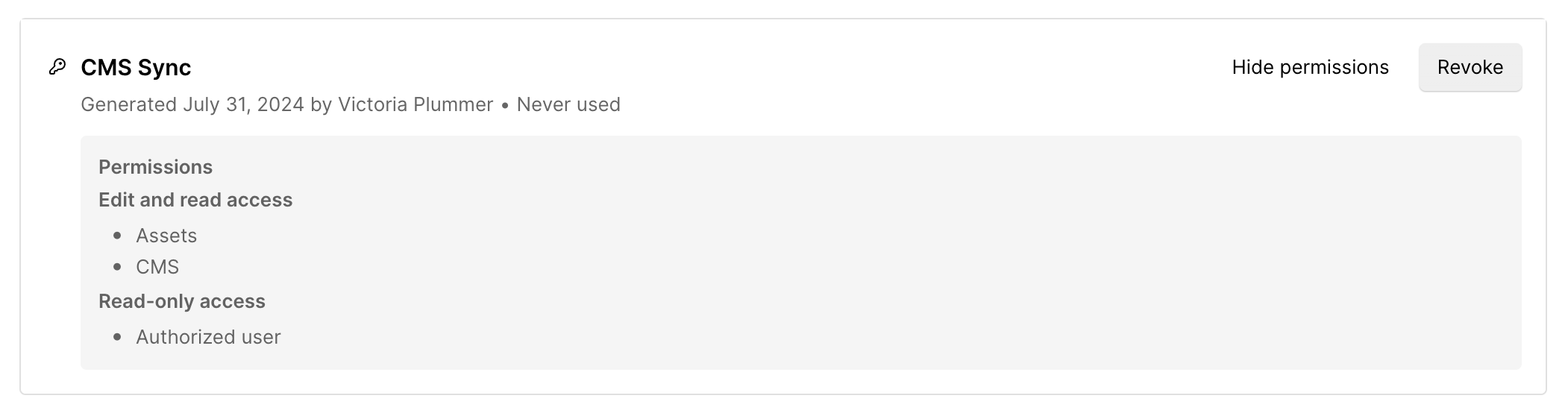
Our example Apps come with the OAuth 2.0 flow already set up for you. Start building your Webflow App quickly by using one of our pre-configured example apps.  gear icon to open the site settings.
2. In the left sidebar of your site's settings, select **Apps & integrations**. Scroll to the bottom of the page to the **API access** section.

3. Click Generate API token.
4. Enter a name for your token, and choose the [scopes](/data/reference/scopes) needed for your use case.
{/* */}
gear icon to open the site settings.
2. In the left sidebar of your site's settings, select **Apps & integrations**. Scroll to the bottom of the page to the **API access** section.

3. Click Generate API token.
4. Enter a name for your token, and choose the [scopes](/data/reference/scopes) needed for your use case.
{/* */}
 Revoking a site token is an additional security measure for your Webflow site. This process disables the token, preventing any further access or use. You should consider revoking a site token in the following situations:
* **Security Concerns:** If there's a potential security issue, revoke the token immediately.
* **Administrator Changes:** If an administrator leaves or their role changes, revoke their token to maintain security.
* **Token Management:** Regularly review and revoke tokens that are no longer needed.
Revoking a site token is an additional security measure for your Webflow site. This process disables the token, preventing any further access or use. You should consider revoking a site token in the following situations:
* **Security Concerns:** If there's a potential security issue, revoke the token immediately.
* **Administrator Changes:** If an administrator leaves or their role changes, revoke their token to maintain security.
* **Token Management:** Regularly review and revoke tokens that are no longer needed.
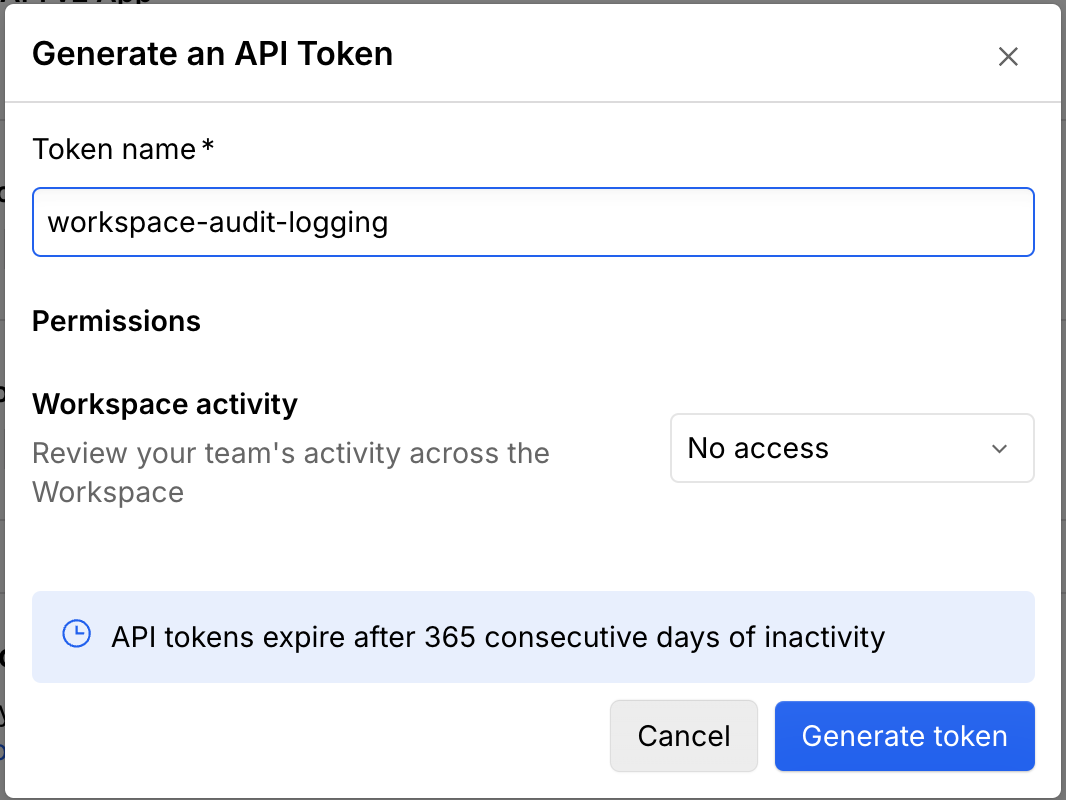
 2. Click "Generate API token".
3. Enter a name for your API token.
4. Choose the permissions you want the API token to have for each [scope](/data/reference/scopes).\
(e.g., no access or read-only).
{/* */}
2. Click "Generate API token".
3. Enter a name for your API token.
4. Choose the permissions you want the API token to have for each [scope](/data/reference/scopes).\
(e.g., no access or read-only).
{/* */}
 Revoking a site token is an additional security measure for your Webflow site. This process disables the token, preventing any further access or use. You should consider revoking a site token in the following situations:
* **Security Concerns:** If there's a potential security issue, revoke the token immediately.
* **Administrator Changes:** If an administrator leaves or their role changes, revoke their token to maintain security.
* **Token Management:** Regularly review and revoke tokens that are no longer needed.
Revoking a site token is an additional security measure for your Webflow site. This process disables the token, preventing any further access or use. You should consider revoking a site token in the following situations:
* **Security Concerns:** If there's a potential security issue, revoke the token immediately.
* **Administrator Changes:** If an administrator leaves or their role changes, revoke their token to maintain security.
* **Token Management:** Regularly review and revoke tokens that are no longer needed.
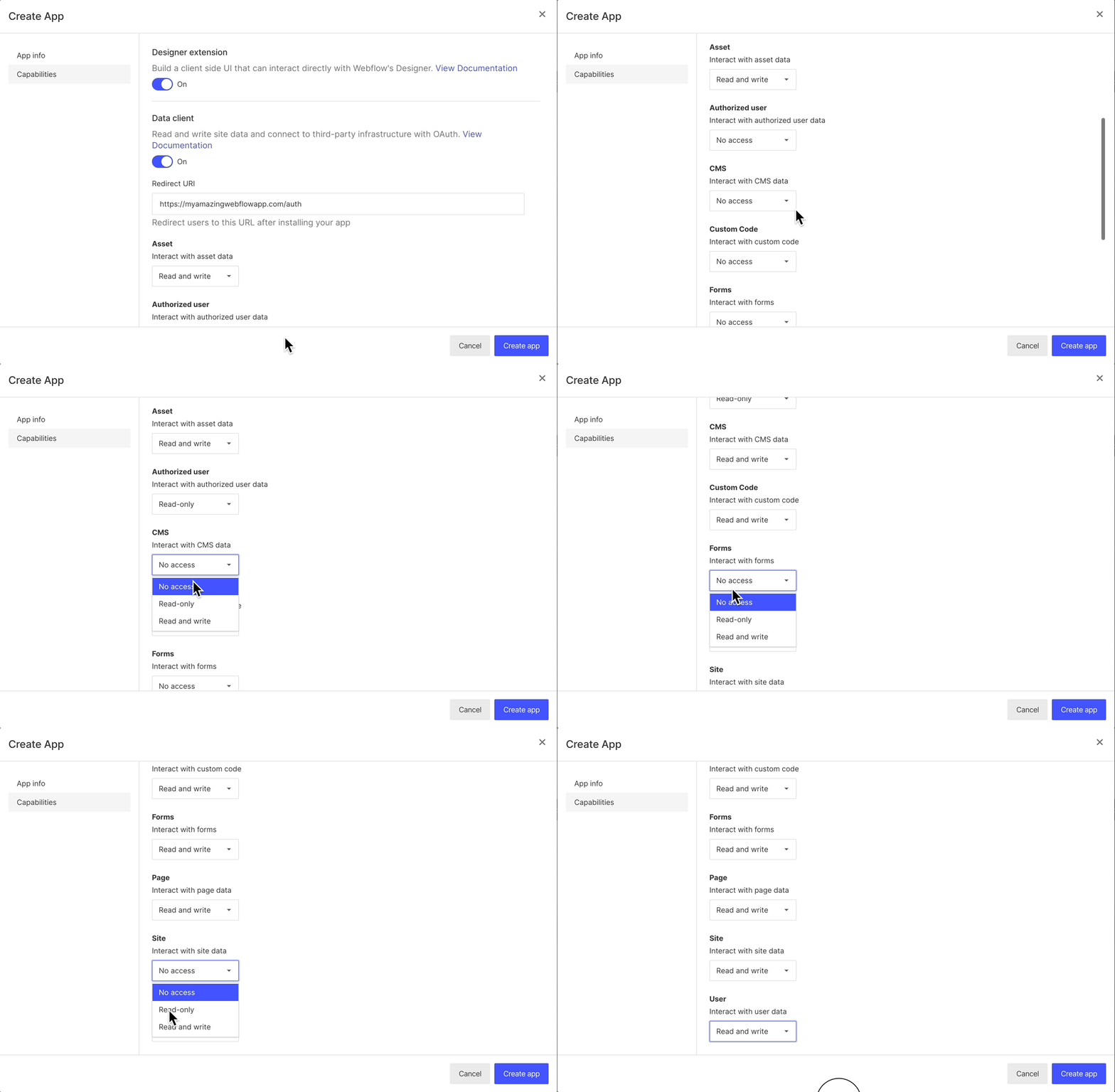
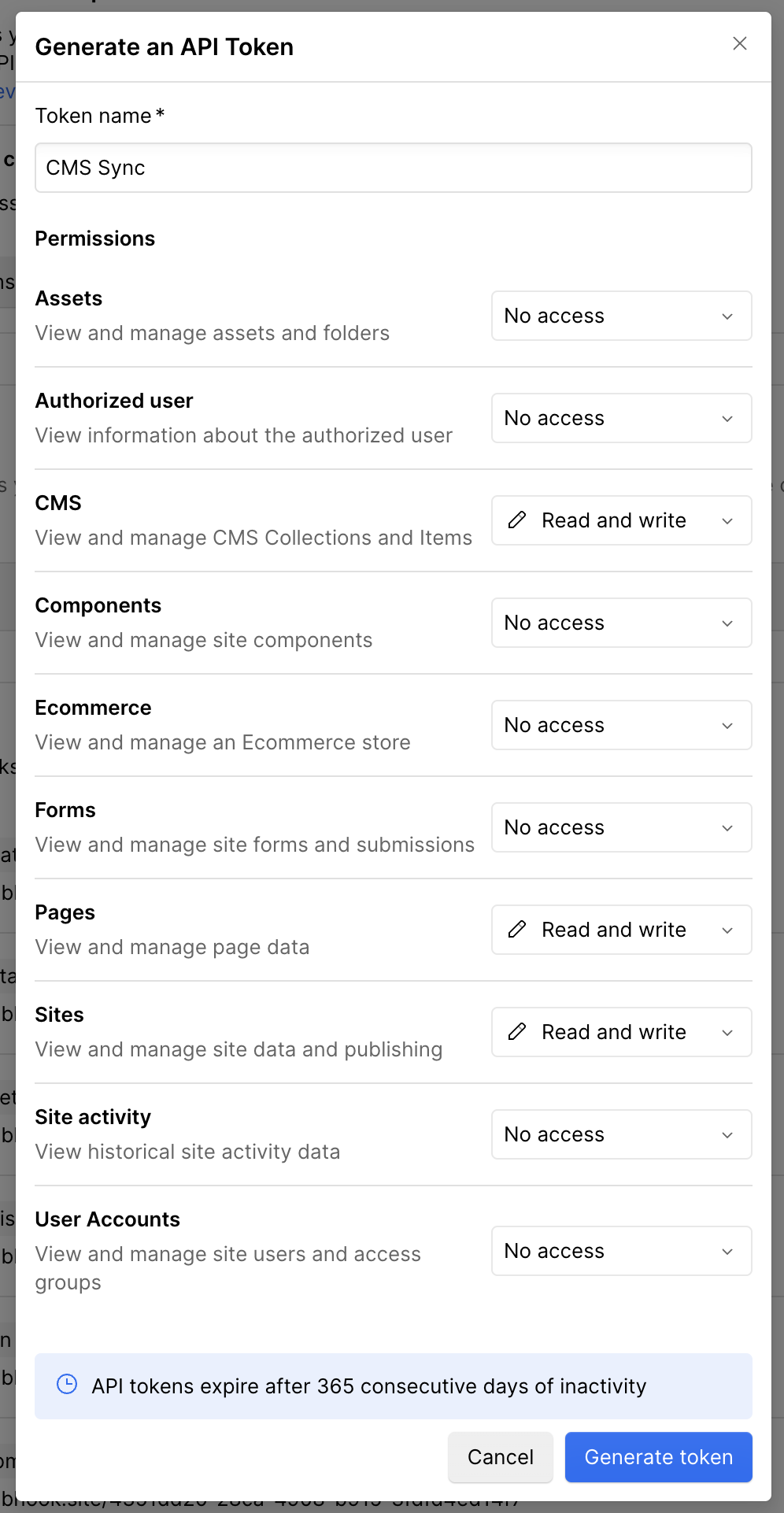
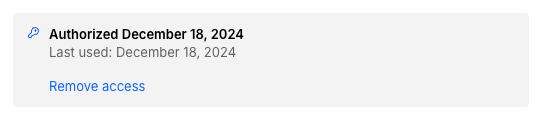
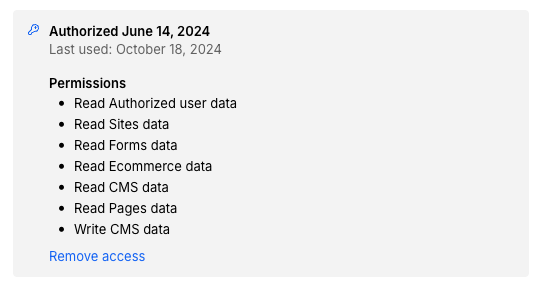
 First, check to see if the token is still needed by seeing if the "Last used" date is recent. If it is, you'll want to generate a new v2 API token. To persist existing, active workflows, [generate a new v2 API token](https://help.webflow.com/hc/en-us/articles/33961356296723-Intro-to-Webflow-s-APIs) and update your integration to use the new token.
When generating a new API token, you'll have the option to select the needed [permissions](/data/reference/scopes) for the token. If you're not sure which permissions to set, reach out to the integration provider for guidance.
### Third-party tools that don't support v2 site tokens
If your third-party tool doesn't accept v2 site tokens, contact their support team for guidance. You can also email [developers@webflow.com](mailto:developers@webflow.com) to let us know which tool you're using so we can help ensure they add v2 support.
## Custom integrations
If your team built and/or owns a custom integration that uses a v1 site token, in addition to switching to use a v2 API site token, you'll need to update the requests your integration is making from v1 APIs to v2 APIs.
You can find more information about the changes from v1 to v2 in the [changelog](/data/changelog/webflow-api-changed-endpoints), and explore the new [v2 API structure and resources in the v2 API reference docs](/data/reference/structure-1).
For more details on site tokens and how to use them for calling Webflow APIs, see the [site token guide](/data/reference/site-token).
First, check to see if the token is still needed by seeing if the "Last used" date is recent. If it is, you'll want to generate a new v2 API token. To persist existing, active workflows, [generate a new v2 API token](https://help.webflow.com/hc/en-us/articles/33961356296723-Intro-to-Webflow-s-APIs) and update your integration to use the new token.
When generating a new API token, you'll have the option to select the needed [permissions](/data/reference/scopes) for the token. If you're not sure which permissions to set, reach out to the integration provider for guidance.
### Third-party tools that don't support v2 site tokens
If your third-party tool doesn't accept v2 site tokens, contact their support team for guidance. You can also email [developers@webflow.com](mailto:developers@webflow.com) to let us know which tool you're using so we can help ensure they add v2 support.
## Custom integrations
If your team built and/or owns a custom integration that uses a v1 site token, in addition to switching to use a v2 API site token, you'll need to update the requests your integration is making from v1 APIs to v2 APIs.
You can find more information about the changes from v1 to v2 in the [changelog](/data/changelog/webflow-api-changed-endpoints), and explore the new [v2 API structure and resources in the v2 API reference docs](/data/reference/structure-1).
For more details on site tokens and how to use them for calling Webflow APIs, see the [site token guide](/data/reference/site-token).
 To replace any active v1 webhooks, create an equivalent v2 webhook with the same even type to match functionality. You can do this by clicking the "Add webhook" button to create a v2 Webhook for the relevant event. Once you have equivalent v2 webhooks established alongside your v1 webhooks and tested that automations work with the new webhook, feel free to remove the v1 Webhook.
### Webhooks created by third-party Webflow Apps
If a third-party Webflow App created the v1 webhook (i.e. Zapier), migrate your workflow by using the newest version of the Webflow App.
To replace any active v1 webhooks, create an equivalent v2 webhook with the same even type to match functionality. You can do this by clicking the "Add webhook" button to create a v2 Webhook for the relevant event. Once you have equivalent v2 webhooks established alongside your v1 webhooks and tested that automations work with the new webhook, feel free to remove the v1 Webhook.
### Webhooks created by third-party Webflow Apps
If a third-party Webflow App created the v1 webhook (i.e. Zapier), migrate your workflow by using the newest version of the Webflow App.

 }
>
Learn how to create, manage, and publish collections and items.
}
>
Learn how to create, manage, and publish collections and items.

 }
>
Learn how items are published, updated, and unpublished.
}
>
Learn how items are published, updated, and unpublished.

 }
>
Learn how to create and manage linked CMS items across multiple locales.
}
>
Learn how to create and manage linked CMS items across multiple locales.

 }
>
Learn how to deliver cached content to external applications.
}
>
Learn how to deliver cached content to external applications.