# Venice > Build AI with no data retention, permissionless access, and compute you permanently own. --- # Source: https://docs.venice.ai/overview/about-venice.md # Venice AI # The AI platform that doesn't spy on you Build AI with no data retention, permissionless access, and compute you permanently own. Make your first request in minutes. Compare capabilities, context, and base models. Endpoints, payloads, and examples. ## OpenAI Compatibility Use your existing OpenAI code with just a base URL change. ```bash Curl theme={null} curl https://api.venice.ai/api/v1/chat/completions \ -H "Authorization: Bearer $VENICE_API_KEY" \ -H "Content-Type: application/json" \ -d '{ "model": "venice-uncensored", "messages": [{"role": "user", "content": "Hello World!"}] }' ``` ```ts TypeScript theme={null} import OpenAI from "openai"; const openai = new OpenAI({ apiKey: process.env.VENICE_API_KEY!, baseURL: "https://api.venice.ai/api/v1", }); const completion = await openai.chat.completions.create({ model: "venice-uncensored", messages: [{ role: "user", content: "Hello World!" }], }); console.log(completion.choices[0].message.content); ``` ```python Python theme={null} import openai client = openai.OpenAI( api_key="your-api-key", base_url="https://api.venice.ai/api/v1" ) response = client.chat.completions.create( model="venice-uncensored", messages=[{"role": "user", "content": "Hello World!"}] ) print(response.choices[0].message.content) ``` ```go Go theme={null} package main import ( "context" "fmt" "os" "github.com/openai/openai-go" ) func main() { client, err := openai.NewClient(os.Getenv("VENICE_API_KEY")) if err != nil { fmt.Printf("Error creating client: %v\n", err) return } client.BaseURL = "https://api.venice.ai/api/v1" resp, err := client.CreateChatCompletion( context.Background(), openai.ChatCompletionRequest{ Model: "venice-uncensored", Messages: []openai.ChatCompletionMessage{ { Role: openai.ChatMessageRoleUser, Content: "Hello World!", }, }, }, ) if err != nil { fmt.Printf("Error: %v\n", err) return } fmt.Println(resp.Choices[0].Message.Content) } ``` ```php PHP theme={null} setBaseUrl('https://api.venice.ai/api/v1'); $response = $client->chat()->create([ 'model' => 'venice-uncensored', 'messages' => [ [ 'role' => 'user', 'content' => 'Hello World!' ] ] ]); echo $response->choices[0]->message->content; ``` ```csharp C# theme={null} using OpenAI; var client = new OpenAIClient("your-api-key"); client.BaseUrl = "https://api.venice.ai/api/v1"; var chatCompletion = await client.GetChatCompletionsAsync(new ChatCompletionOptions { Model = "venice-uncensored", Messages = { new ChatMessage(ChatRole.User, "Hello World!") } }); Console.WriteLine(chatCompletion.Value.Choices[0].Message.Content); ``` ```java Java theme={null} import com.openai.OpenAI; import com.openai.OpenAIHttpException; import com.openai.core.ApiError; import com.openai.types.chat.ChatCompletionRequest; import com.openai.types.chat.ChatCompletionResponse; import com.openai.types.chat.ChatMessage; public class Main { public static void main(String[] args) { OpenAI client = OpenAI.builder() .apiKey(System.getenv("VENICE_API_KEY")) .baseUrl("https://api.venice.ai/api/v1") .build(); try { ChatCompletionResponse response = client.chatCompletions().create( ChatCompletionRequest.builder() .model("venice-uncensored") .messages(ChatMessage.of("Hello World!")) .build() ); System.out.println(response.choices().get(0).message().content()); } catch (OpenAIHttpException e) { System.err.println("Error: " + e.getMessage()); } } } ``` ```swift Swift theme={null} import OpenAI let client = OpenAI(apiToken: "your-api-key") client.baseURL = "https://api.venice.ai/api/v1" Task { do { let response = try await client.chats.create( model: "venice-uncensored", messages: [.init(role: .user, content: "Hello World!")] ) print(response.choices[0].message.content ?? "") } catch { print("Error: \(error)") } } ``` ## Build with Venice APIs Access chat, image generation (generate/upscale/edit), audio (TTS), and characters. **Text + reasoning** Vision, tool use, streaming **Generate, upscale, and edit** Models for styles, quality, and uncensored **Text → speech** 60+ multilingual voices **Characters API** Create, list, and chat with personas [View all API endpoints →](/api-reference) ## Popular Models Copy a Model ID and use it as `model` in your requests. Flagship model for deep reasoning and production agents. Model ID: `qwen3-235b` Base: Qwen 3 235B (Venice‑tuned) Context: 131k • Modalities: Text → Text **Use cases** * Agent planning and tool use * Complex code & system design * Long‑context reasoning ```json theme={null} {"model":"qwen3-235b","messages":[{"role":"user","content":"Plan a zero‑downtime DB migration in 3 steps"}]} ``` **Unfiltered generation** Model ID: `venice-uncensored` Base model: Venice Uncensored 1.1 Context: 32k • Best for: uncensored creative, red‑team testing ```json theme={null} {"model":"venice-uncensored","messages":[{"role":"user","content":"Write an unfiltered analysis of content moderation policies"}]} ``` **Vision + tools** Model ID: `mistral-31-24b` Base model: Mistral 3.1 24B Context: 131k • Supports: Vision, Function calling, image analysis ```json theme={null} {"model":"mistral-31-24b","messages":[{"role":"user","content":"Describe this image"}]} ``` **Fast and cost‑efficient** Model ID: `qwen3-4b` Base model: Qwen 3 4B Context: 40k • Best for: chatbots, classification, light reasoning ```json theme={null} {"model":"qwen3-4b","messages":[{"role":"user","content":"Summarize:"}]} ``` **Image generation** Model ID: `venice-sd35` Base model: SD3.5 Large Best for: Text‑to‑image, photorealism, product shots, light upscaling ```json theme={null} {"model":"venice-sd35","prompt":"a serene canal in venice at sunset"} ``` [View all models →](/overview/models) ## Extend models with built‑in tools Toggle on compatible models using `venice_parameters` or model suffixes **Real‑time web results** **Advanced reasoning** **Image understanding** **Tool use / APIs** Enable real-time web search with citations on **all text models**. Get up-to-date information from the internet and include source citations in responses. Works with any Venice text model. ```bash Curl theme={null} curl https://api.venice.ai/api/v1/chat/completions \ -H "Authorization: Bearer $VENICE_API_KEY" \ -H "Content-Type: application/json" \ -d '{ "model": "qwen3-235b", "messages": [{"role": "user", "content": "What are the latest developments in AI?"}], "venice_parameters": { "enable_web_search": "auto" } }' ``` ```ts TypeScript theme={null} import OpenAI from "openai"; const openai = new OpenAI({ apiKey: process.env.VENICE_API_KEY!, baseURL: "https://api.venice.ai/api/v1", }); const completion = await openai.chat.completions.create({ model: "qwen3-235b", messages: [{ role: "user", content: "What are the latest developments in AI?" }], // @ts-ignore - Venice-specific parameter venice_parameters: { enable_web_search: "auto" } }); console.log(completion.choices[0].message.content); ``` ```python Python theme={null} import openai client = openai.OpenAI( api_key="your-api-key", base_url="https://api.venice.ai/api/v1" ) response = client.chat.completions.create( model="qwen3-235b", messages=[{"role": "user", "content": "What are the latest developments in AI?"}], extra_body={ "venice_parameters": { "enable_web_search": "auto" } } ) print(response.choices[0].message.content) ``` ```go Go theme={null} package main import ( "context" "fmt" "os" "github.com/openai/openai-go" ) func main() { client, err := openai.NewClient(os.Getenv("VENICE_API_KEY")) if err != nil { fmt.Printf("Error creating client: %v\n", err) return } client.BaseURL = "https://api.venice.ai/api/v1" // Note: Go client doesn't support venice_parameters directly // Use model suffix approach instead resp, err := client.CreateChatCompletion( context.Background(), openai.ChatCompletionRequest{ Model: "qwen3-235b:enable_web_search=on&enable_web_citations=true", Messages: []openai.ChatCompletionMessage{ { Role: openai.ChatMessageRoleUser, Content: "What are the latest developments in AI?", }, }, }, ) if err != nil { fmt.Printf("Error: %v\n", err) return } fmt.Println(resp.Choices[0].Message.Content) } ``` ```php PHP theme={null} setBaseUrl('https://api.venice.ai/api/v1'); $response = $client->chat()->create([ 'model' => 'qwen3-235b:enable_web_search=on&enable_web_citations=true', 'messages' => [ [ 'role' => 'user', 'content' => 'What are the latest developments in AI?' ] ] ]); echo $response->choices[0]->message->content; ``` ```csharp C# theme={null} using OpenAI; var client = new OpenAIClient("your-api-key"); client.BaseUrl = "https://api.venice.ai/api/v1"; var chatCompletion = await client.GetChatCompletionsAsync(new ChatCompletionOptions { Model = "qwen3-235b:enable_web_search=on&enable_web_citations=true", Messages = { new ChatMessage(ChatRole.User, "What are the latest developments in AI?") } }); Console.WriteLine(chatCompletion.Value.Choices[0].Message.Content); ``` ```java Java theme={null} import com.openai.OpenAI; import com.openai.OpenAIHttpException; import com.openai.core.ApiError; import com.openai.types.chat.ChatCompletionRequest; import com.openai.types.chat.ChatCompletionResponse; import com.openai.types.chat.ChatMessage; public class Main { public static void main(String[] args) { OpenAI client = OpenAI.builder() .apiKey(System.getenv("VENICE_API_KEY")) .baseUrl("https://api.venice.ai/api/v1") .build(); try { ChatCompletionResponse response = client.chatCompletions().create( ChatCompletionRequest.builder() .model("qwen3-235b:enable_web_search=on&enable_web_citations=true") .messages(ChatMessage.of("What are the latest developments in AI?")) .build() ); System.out.println(response.choices().get(0).message().content()); } catch (OpenAIHttpException e) { System.err.println("Error: " + e.getMessage()); } } } ``` ```bash Model Suffix theme={null} # Alternative approach: append parameters directly to model ID curl https://api.venice.ai/api/v1/chat/completions \ -H "Authorization: Bearer $VENICE_API_KEY" \ -H "Content-Type: application/json" \ -d '{ "model": "qwen3-235b:enable_web_search=on&enable_web_citations=true", "messages": [{"role": "user", "content": "What are the latest developments in AI?"}] }' ``` Advanced step-by-step reasoning with visible thinking process. Available on **reasoning models**: `qwen3-4b`, `qwen3-235b`. Shows detailed problem-solving steps in `` tags. ```bash Curl theme={null} curl https://api.venice.ai/api/v1/chat/completions \ -H "Authorization: Bearer $VENICE_API_KEY" \ -H "Content-Type: application/json" \ -d '{ "model": "qwen3-235b", "messages": [{"role": "user", "content": "Solve: If x + 2y = 10 and 3x - y = 5, what are x and y?"}], "venice_parameters": { "strip_thinking_response": false } }' ``` ```ts TypeScript theme={null} import OpenAI from "openai"; const openai = new OpenAI({ apiKey: process.env.VENICE_API_KEY!, baseURL: "https://api.venice.ai/api/v1", }); const completion = await openai.chat.completions.create({ model: "qwen3-235b", messages: [{ role: "user", content: "Solve: If x + 2y = 10 and 3x - y = 5, what are x and y?" }], // @ts-ignore - Venice-specific parameter venice_parameters: { strip_thinking_response: false } }); console.log(completion.choices[0].message.content); ``` ```python Python theme={null} import openai client = openai.OpenAI( api_key="your-api-key", base_url="https://api.venice.ai/api/v1" ) response = client.chat.completions.create( model="qwen3-235b", messages=[{"role": "user", "content": "Solve: If x + 2y = 10 and 3x - y = 5, what are x and y?"}], extra_body={ "venice_parameters": { "strip_thinking_response": False } } ) print(response.choices[0].message.content) ``` ```go Go theme={null} package main import ( "context" "fmt" "os" "github.com/openai/openai-go" ) func main() { client, err := openai.NewClient(os.Getenv("VENICE_API_KEY")) if err != nil { fmt.Printf("Error creating client: %v\n", err) return } client.BaseURL = "https://api.venice.ai/api/v1" resp, err := client.CreateChatCompletion( context.Background(), openai.ChatCompletionRequest{ Model: "qwen3-235b", Messages: []openai.ChatCompletionMessage{ { Role: openai.ChatMessageRoleUser, Content: "Solve: If x + 2y = 10 and 3x - y = 5, what are x and y?", }, }, }, ) if err != nil { fmt.Printf("Error: %v\n", err) return } fmt.Println(resp.Choices[0].Message.Content) } ``` ```php PHP theme={null} setBaseUrl('https://api.venice.ai/api/v1'); $response = $client->chat()->create([ 'model' => 'qwen3-235b', 'messages' => [ [ 'role' => 'user', 'content' => 'Solve: If x + 2y = 10 and 3x - y = 5, what are x and y?' ] ] ]); echo $response->choices[0]->message->content; ``` ```csharp C# theme={null} using OpenAI; var client = new OpenAIClient("your-api-key"); client.BaseUrl = "https://api.venice.ai/api/v1"; var chatCompletion = await client.GetChatCompletionsAsync(new ChatCompletionOptions { Model = "qwen3-235b", Messages = { new ChatMessage(ChatRole.User, "Solve: If x + 2y = 10 and 3x - y = 5, what are x and y?") } }); Console.WriteLine(chatCompletion.Value.Choices[0].Message.Content); ``` ```java Java theme={null} import com.openai.OpenAI; import com.openai.OpenAIHttpException; import com.openai.core.ApiError; import com.openai.types.chat.ChatCompletionRequest; import com.openai.types.chat.ChatCompletionResponse; import com.openai.types.chat.ChatMessage; public class Main { public static void main(String[] args) { OpenAI client = OpenAI.builder() .apiKey(System.getenv("VENICE_API_KEY")) .baseUrl("https://api.venice.ai/api/v1") .build(); try { ChatCompletionResponse response = client.chatCompletions().create( ChatCompletionRequest.builder() .model("qwen3-235b") .messages(ChatMessage.of("Solve: If x + 2y = 10 and 3x - y = 5, what are x and y?")) .build() ); System.out.println(response.choices().get(0).message().content()); } catch (OpenAIHttpException e) { System.err.println("Error: " + e.getMessage()); } } } ``` ```bash Model Suffix theme={null} # Alternative approach: append parameters directly to model ID curl https://api.venice.ai/api/v1/chat/completions \ -H "Authorization: Bearer $VENICE_API_KEY" \ -H "Content-Type: application/json" \ -d '{ "model": "qwen3-235b:strip_thinking_response=true", "messages": [{"role": "user", "content": "Solve this math problem"}] }' ``` Image understanding and multimodal analysis. Available on **vision models**: `mistral-31-24b`. Upload images via base64 data URIs or URLs for analysis, description, and reasoning. ```bash Curl theme={null} curl https://api.venice.ai/api/v1/chat/completions \ -H "Authorization: Bearer $VENICE_API_KEY" \ -H "Content-Type: application/json" \ -d '{ "model": "mistral-31-24b", "messages": [ { "role": "user", "content": [ {"type": "text", "text": "What do you see in this image?"}, {"type": "image_url", "image_url": {"url": "data:image/jpeg;base64,..."}} ] } ] }' ``` ```ts TypeScript theme={null} import OpenAI from "openai"; const openai = new OpenAI({ apiKey: process.env.VENICE_API_KEY!, baseURL: "https://api.venice.ai/api/v1", }); const completion = await openai.chat.completions.create({ model: "mistral-31-24b", messages: [ { role: "user", content: [ { type: "text", text: "What do you see in this image?" }, { type: "image_url", image_url: { url: "data:image/jpeg;base64,..." } } ] } ] }); console.log(completion.choices[0].message.content); ``` ```python Python theme={null} import openai client = openai.OpenAI( api_key="your-api-key", base_url="https://api.venice.ai/api/v1" ) response = client.chat.completions.create( model="mistral-31-24b", messages=[ { "role": "user", "content": [ {"type": "text", "text": "What do you see in this image?"}, {"type": "image_url", "image_url": {"url": "data:image/jpeg;base64,..."}} ] } ] ) print(response.choices[0].message.content) ``` ```go Go theme={null} package main import ( "context" "fmt" "os" "github.com/openai/openai-go" ) func main() { client, err := openai.NewClient(os.Getenv("VENICE_API_KEY")) if err != nil { fmt.Printf("Error creating client: %v\n", err) return } client.BaseURL = "https://api.venice.ai/api/v1" resp, err := client.CreateChatCompletion( context.Background(), openai.ChatCompletionRequest{ Model: "mistral-31-24b", Messages: []openai.ChatCompletionMessage{ { Role: openai.ChatMessageRoleUser, Content: []openai.ChatCompletionContentPart{ {Type: "text", Text: "What do you see in this image?"}, {Type: "image_url", ImageURL: &openai.ChatCompletionContentPartImageURL{URL: "data:image/jpeg;base64,..."}}, }, }, }, }, ) if err != nil { fmt.Printf("Error: %v\n", err) return } fmt.Println(resp.Choices[0].Message.Content) } ``` ```php PHP theme={null} setBaseUrl('https://api.venice.ai/api/v1'); $response = $client->chat()->create([ 'model' => 'mistral-31-24b', 'messages' => [ [ 'role' => 'user', 'content' => [ ['type' => 'text', 'text' => 'What do you see in this image?'], ['type' => 'image_url', 'image_url' => ['url' => 'data:image/jpeg;base64,...']] ] ] ] ]); echo $response->choices[0]->message->content; ``` ```csharp C# theme={null} using OpenAI; var client = new OpenAIClient("your-api-key"); client.BaseUrl = "https://api.venice.ai/api/v1"; var chatCompletion = await client.GetChatCompletionsAsync(new ChatCompletionOptions { Model = "mistral-31-24b", Messages = { new ChatMessage(ChatRole.User, [ ChatMessageContentPart.CreateTextPart("What do you see in this image?"), ChatMessageContentPart.CreateImagePart(new Uri("data:image/jpeg;base64,...")) ]) } }); Console.WriteLine(chatCompletion.Value.Choices[0].Message.Content); ``` ```java Java theme={null} import com.openai.OpenAI; import com.openai.OpenAIHttpException; import com.openai.core.ApiError; import com.openai.types.chat.*; public class Main { public static void main(String[] args) { OpenAI client = OpenAI.builder() .apiKey(System.getenv("VENICE_API_KEY")) .baseUrl("https://api.venice.ai/api/v1") .build(); try { ChatCompletionResponse response = client.chatCompletions().create( ChatCompletionRequest.builder() .model("mistral-31-24b") .messages(ChatMessage.builder() .role(ChatMessage.Role.USER) .content(ChatMessage.Content.ofMultiple( ChatMessage.ContentPart.text("What do you see in this image?"), ChatMessage.ContentPart.imageUrl("data:image/jpeg;base64,...") )) .build()) .build() ); System.out.println(response.choices().get(0).message().content()); } catch (OpenAIHttpException e) { System.err.println("Error: " + e.getMessage()); } } } ``` ```bash Model Suffix theme={null} # Alternative approach: append parameters directly to model ID curl https://api.venice.ai/api/v1/chat/completions \ -H "Authorization: Bearer $VENICE_API_KEY" \ -H "Content-Type: application/json" \ -d '{ "model": "mistral-31-24b:enable_web_search=auto", "messages": [ { "role": "user", "content": [ {"type": "text", "text": "What do you see in this image and find similar examples online?"}, {"type": "image_url", "image_url": {"url": "data:image/jpeg;base64,..."}} ] } ] }' ``` Tool use and external API integration. Available on **function calling models**: `qwen3-235b`, `qwen3-4b`, `mistral-31-24b`, `llama-3.2-3b`, `llama-3.3-70b`. Define tools for the model to call external APIs, databases, or custom functions. ```bash Curl theme={null} curl https://api.venice.ai/api/v1/chat/completions \ -H "Authorization: Bearer $VENICE_API_KEY" \ -H "Content-Type: application/json" \ -d '{ "model": "qwen3-235b", "messages": [{"role": "user", "content": "What is the weather like in New York?"}], "tools": [ { "type": "function", "function": { "name": "get_weather", "description": "Get current weather for a location", "parameters": { "type": "object", "properties": { "location": {"type": "string", "description": "City name"} }, "required": ["location"] } } } ] }' ``` ```ts TypeScript theme={null} import OpenAI from "openai"; const openai = new OpenAI({ apiKey: process.env.VENICE_API_KEY!, baseURL: "https://api.venice.ai/api/v1", }); const completion = await openai.chat.completions.create({ model: "qwen3-235b", messages: [{ role: "user", content: "What is the weather like in New York?" }], tools: [ { type: "function", function: { name: "get_weather", description: "Get current weather for a location", parameters: { type: "object", properties: { location: { type: "string", description: "City name" } }, required: ["location"] } } } ] }); console.log(completion.choices[0].message.content); ``` ```python Python theme={null} import openai client = openai.OpenAI( api_key="your-api-key", base_url="https://api.venice.ai/api/v1" ) response = client.chat.completions.create( model="qwen3-235b", messages=[{"role": "user", "content": "What is the weather like in New York?"}], tools=[ { "type": "function", "function": { "name": "get_weather", "description": "Get current weather for a location", "parameters": { "type": "object", "properties": { "location": {"type": "string", "description": "City name"} }, "required": ["location"] } } } ] ) print(response.choices[0].message.content) ``` ```go Go theme={null} package main import ( "context" "fmt" "os" "github.com/openai/openai-go" ) func main() { client, err := openai.NewClient(os.Getenv("VENICE_API_KEY")) if err != nil { fmt.Printf("Error creating client: %v\n", err) return } client.BaseURL = "https://api.venice.ai/api/v1" resp, err := client.CreateChatCompletion( context.Background(), openai.ChatCompletionRequest{ Model: "qwen3-235b", Messages: []openai.ChatCompletionMessage{ { Role: openai.ChatMessageRoleUser, Content: "What is the weather like in New York?", }, }, Tools: []openai.ChatCompletionTool{ { Type: openai.ChatCompletionToolTypeFunction, Function: &openai.FunctionDefinition{ Name: "get_weather", Description: "Get current weather for a location", Parameters: map[string]interface{}{ "type": "object", "properties": map[string]interface{}{ "location": map[string]interface{}{ "type": "string", "description": "City name", }, }, "required": []string{"location"}, }, }, }, }, }, ) if err != nil { fmt.Printf("Error: %v\n", err) return } fmt.Println(resp.Choices[0].Message.Content) } ``` ```php PHP theme={null} setBaseUrl('https://api.venice.ai/api/v1'); $response = $client->chat()->create([ 'model' => 'qwen3-235b', 'messages' => [ [ 'role' => 'user', 'content' => 'What is the weather like in New York?' ] ], 'tools' => [ [ 'type' => 'function', 'function' => [ 'name' => 'get_weather', 'description' => 'Get current weather for a location', 'parameters' => [ 'type' => 'object', 'properties' => [ 'location' => [ 'type' => 'string', 'description' => 'City name' ] ], 'required' => ['location'] ] ] ] ] ]); echo $response->choices[0]->message->content; ``` ```csharp C# theme={null} using OpenAI; var client = new OpenAIClient("your-api-key"); client.BaseUrl = "https://api.venice.ai/api/v1"; var chatCompletion = await client.GetChatCompletionsAsync(new ChatCompletionOptions { Model = "qwen3-235b", Messages = { new ChatMessage(ChatRole.User, "What is the weather like in New York?") }, Tools = { ChatTool.CreateFunctionTool( functionName: "get_weather", functionDescription: "Get current weather for a location", functionParameters: BinaryData.FromString(""" { "type": "object", "properties": { "location": { "type": "string", "description": "City name" } }, "required": ["location"] } """) ) } }); Console.WriteLine(chatCompletion.Value.Choices[0].Message.Content); ``` ```java Java theme={null} import com.openai.OpenAI; import com.openai.OpenAIHttpException; import com.openai.core.ApiError; import com.openai.types.chat.*; public class Main { public static void main(String[] args) { OpenAI client = OpenAI.builder() .apiKey(System.getenv("VENICE_API_KEY")) .baseUrl("https://api.venice.ai/api/v1") .build(); try { ChatCompletionResponse response = client.chatCompletions().create( ChatCompletionRequest.builder() .model("qwen3-235b") .messages(ChatMessage.of("What is the weather like in New York?")) .tools(ChatCompletionTool.builder() .type(ChatCompletionToolType.FUNCTION) .function(FunctionDefinition.builder() .name("get_weather") .description("Get current weather for a location") .parameters(FunctionParameters.builder() .putProperty("location", FunctionParameters.Property.builder() .type("string") .description("City name") .build()) .required("location") .build()) .build()) .build()) .build() ); System.out.println(response.choices().get(0).message().content()); } catch (OpenAIHttpException e) { System.err.println("Error: " + e.getMessage()); } } } ``` ```bash Model Suffix theme={null} # Alternative approach: append parameters directly to model ID curl https://api.venice.ai/api/v1/chat/completions \ -H "Authorization: Bearer $VENICE_API_KEY" \ -H "Content-Type: application/json" \ -d '{ "model": "qwen3-235b:enable_web_search=auto", "messages": [{"role": "user", "content": "What is the weather like in New York?"}], "tools": [ { "type": "function", "function": { "name": "get_weather", "description": "Get current weather for a location", "parameters": { "type": "object", "properties": { "location": {"type": "string", "description": "City name"} }, "required": ["location"] } } } ] }' ``` ### Available Parameters | Parameter | Options | Description | | ------------------------------ | ------------------- | --------------------------------------- | | `enable_web_search` | `off`, `on`, `auto` | Enable real-time web search | | `enable_web_scraping` | `true`, `false` | Scrape URLs detected in user message | | `enable_web_citations` | `true`, `false` | Include citations in web search results | | `strip_thinking_response` | `true`, `false` | Hide reasoning steps from response | | `disable_thinking` | `true`, `false` | Disable reasoning mode entirely | | `include_venice_system_prompt` | `true`, `false` | Include Venice system prompts | | `character_slug` | string | Use a specific AI character | [View all parameters →](/api-reference/api-spec#venice-parameters) ## Pricing Options **\$10 in free credits** One‑time credit when you upgrade **Permanent access** Stake DIEM for daily compute allocation **USD payments** Fund your account in USD and pay per usage ## Start building today Get your API key and make your first request. Step-by-step guide to your first API call Complete API documentation and endpoints Ready-to-use API examples and testing Build with Eliza and other agent frameworks Venice's API is rapidly evolving. Join our [Discord](https://discord.gg/askvenice) to provide feedback and request new features. Your input shapes our development roadmap. *** These docs are open source and can be contributed to on [Github](https://github.com/veniceai/api-docs). For additional guidance, see our blog post: ["How to use Venice API"](https://venice.ai/blog/how-to-use-venice-api) --- # Source: https://docs.venice.ai/overview/guides/ai-agents.md # AI Agents > Venice is supported with the following AI Agent communities. * [Coinbase Agentkit](https://www.coinbase.com/developer-platform/discover/launches/introducing-agentkit) * [Eliza](https://github.com/ai16z/eliza) - Venice support introduced via this [PR](https://github.com/ai16z/eliza/pull/1008). ## Eliza Instructions To setup Eliza with Venice, follow these instructions. A full blog post with more detail can be found [here](https://venice.ai/blog/how-to-build-a-social-media-ai-agent-with-elizaos-venice-api). * Clone the Eliza repository: ```bash theme={null} # Clone the repository git clone https://github.com/ai16z/eliza.git ``` * Copy `.env.example` to `.env` * Update `.env` specifying your `VENICE_API_KEY`, and model selections for `SMALL_VENICE_MODEL`, `MEDIUM_VENICE_MODEL`, `LARGE_VENICE_MODEL`, `IMAGE_VENICE_MODEL`, instructions on generating your key can be found [here](/overview/guides/generating-api-key). * Create a new character in the `/characters/` folder with a filename similar to `your_character.character.json`to specify the character profile, tools/functions, and Venice.ai as the model provider: ```typescript theme={null} modelProvider: "venice" ``` * Build the repo: ```bash theme={null} pnpm i pnpm build pnpm start ``` * Start your character ```bash theme={null} pnpm start --characters="characters/.character.json" ``` * Start the local UI to chat with the agent --- # Source: https://docs.venice.ai/api-reference/api-spec.md # Introduction > Reference documentation for the Venice API The Venice API offers HTTP-based REST and streaming interfaces for building AI applications with uncensored models and private inference. You can create with text generation, image creation, embeddings, and more, all without restrictive content policies. Integration examples and SDKs are available in the [documentation](/overview/getting-started). ## Authentication The Venice API uses API keys for authentication. Create and manage your API keys in your [API settings](https://venice.ai/settings/api). All API requests require HTTP Bearer authentication: ``` Authorization: Bearer VENICE_API_KEY ``` Your API key is a secret. Do not share it or expose it in any client-side code. ## OpenAI Compatibility Venice's API implements the OpenAI API specification, ensuring compatibility with existing OpenAI clients and tools. This allows you to integrate with Venice using the familiar OpenAI interface while accessing Venice's unique features and uncensored models. ### Setup Configure your client to use Venice's base URL (`https://api.venice.ai/api/v1`) and make your first request: ```bash curl theme={null} curl https://api.venice.ai/api/v1/chat/completions \ -H "Authorization: Bearer $VENICE_API_KEY" \ -H "Content-Type: application/json" \ -d '{ "model": "venice-uncensored", "messages": [{"role": "user", "content": "Hello!"}] }' ``` ```javascript JavaScript theme={null} import OpenAI from "openai"; const client = new OpenAI({ apiKey: process.env.VENICE_API_KEY, baseURL: "https://api.venice.ai/api/v1", }); const response = await client.chat.completions.create({ model: "venice-uncensored", messages: [{ role: "user", content: "Hello!" }] }); console.log(response.choices[0].message.content); ``` ```python Python theme={null} import os from openai import OpenAI client = OpenAI( api_key=os.environ.get("VENICE_API_KEY"), base_url="https://api.venice.ai/api/v1" ) response = client.chat.completions.create( model="venice-uncensored", messages=[{"role": "user", "content": "Hello!"}] ) print(response.choices[0].message.content) ``` ## Venice-Specific Features ### System Prompts Venice provides default system prompts designed to ensure uncensored and natural model responses. You have two options for handling system prompts: 1. **Default Behavior**: Your system prompts are appended to Venice's defaults 2. **Custom Behavior**: Disable Venice's system prompts entirely #### Disabling Venice System Prompts Use the `venice_parameters` option to remove Venice's default system prompts: ```bash curl theme={null} curl https://api.venice.ai/api/v1/chat/completions \ -H "Authorization: Bearer $VENICE_API_KEY" \ -H "Content-Type: application/json" \ -d '{ "model": "venice-uncensored", "messages": [ {"role": "system", "content": "Your custom system prompt"}, {"role": "user", "content": "Why is the sky blue?"} ], "venice_parameters": { "include_venice_system_prompt": false } }' ``` ```javascript JavaScript theme={null} const completion = await client.chat.completions.create({ model: "venice-uncensored", messages: [ { role: "system", content: "Your custom system prompt", }, { role: "user", content: "Why is the sky blue?", }, ], venice_parameters: { include_venice_system_prompt: false, }, }); ``` ```python Python theme={null} response = client.chat.completions.create( model="venice-uncensored", messages=[ {"role": "system", "content": "Your custom system prompt"}, {"role": "user", "content": "Why is the sky blue?"} ], extra_body={ "venice_parameters": { "include_venice_system_prompt": False } } ) ``` ### Venice Parameters The `venice_parameters` object allows you to access Venice-specific features not available in the standard OpenAI API: | Parameter | Type | Description | Default | | ------------------------------------ | ------- | --------------------------------------------------------------------------------------------------------------------------------------------------------------------------------------------------------------------------- | ------- | | `character_slug` | string | The character slug of a public Venice character (discoverable as "Public ID" on the published character page) | - | | `strip_thinking_response` | boolean | Strip `` blocks from the response (applicable to reasoning/thinking models) | `false` | | `disable_thinking` | boolean | On supported reasoning models, disable thinking and strip the `` blocks from the response | `false` | | `enable_web_search` | string | Enable web search for this request (`off`, `on`, `auto` - auto enables based on model's discretion)
Additional usage-based pricing applies, see [pricing](/overview/pricing#web-search-and-scraping). | `off` | | `enable_web_scraping` | boolean | Enable web scraping of URLs detected in the user message. Scraped content augments responses and bypasses web search
Additional usage-based pricing applies, see [pricing](/overview/pricing#web-search-and-scraping). | `false` | | `enable_web_citations` | boolean | When web search is enabled, request that the LLM cite its sources using `[REF]0[/REF]` format | `false` | | `include_search_results_in_stream` | boolean | Experimental: Include search results in the stream as the first emitted chunk | `false` | | `return_search_results_as_documents` | boolean | Surface search results in an OpenAI-compatible tool call named `venice_web_search_documents` for LangChain integration | `false` | | `include_venice_system_prompt` | boolean | Whether to include Venice's default system prompts alongside specified system prompts | `true` | These parameters can also be specified as model suffixes appended to the model name (e.g., `qwen3-235b:enable_web_search=auto`). See [Model Feature Suffixes](/api-reference/endpoint/chat/model_feature_suffix) for details. ## Response Headers Reference All Venice API responses include HTTP headers that provide metadata about the request, rate limits, model information, and account balance. In addition to error codes returned from API responses, you can inspect these headers to get the unique ID of a particular API request, monitor rate limiting, and track your account balance. Venice recommends logging request IDs (`CF-RAY` header) in production deployments for more efficient troubleshooting with our support team, should the need arise. The table below provides a comprehensive reference of all headers you may encounter: | Header | Type | Purpose | When Returned | | ------------------------------------------- | ------ | ------------------------------------------------------------------------------------- | ----------------------------------------------- | | **Standard HTTP Headers** | | | | | `Content-Type` | string | MIME type of the response body (`application/json`, `text/csv`, `image/png`, etc.) | Always | | `Content-Encoding` | string | Encoding used to compress the response body (`gzip`, `br`) | When client sends `Accept-Encoding` header | | `Content-Disposition` | string | How content should be displayed (e.g., `attachment; filename=export.csv`) | When downloading files or exports | | `Date` | string | RFC 7231 formatted timestamp when the response was generated | Always | | **Request Identification** | | | | | `CF-RAY` | string | Unique identifier for this API request, used for troubleshooting and support requests | Always | | `x-venice-version` | string | Current version/revision of the Venice API service (e.g., `20250828.222653`) | Always | | `x-venice-timestamp` | string | Server timestamp when the request was processed (ISO 8601 format) | When timestamp tracking is enabled | | `x-venice-host-name` | string | Hostname of the server that processed the request | Error responses and debugging scenarios | | **Model Information** | | | | | `x-venice-model-id` | string | Unique identifier of the AI model used for the request (e.g., `venice-01-lite`) | Inference endpoints using AI models | | `x-venice-model-name` | string | Friendly/display name of the AI model used (e.g., `Venice Lite`) | Inference endpoints using AI models | | `x-venice-model-router` | string | Router/backend service that handled the model inference | Inference endpoints when routing info available | | `x-venice-model-deprecation-warning` | string | Warning message for models scheduled for deprecation | When using a deprecated model | | `x-venice-model-deprecation-date` | string | Date when the model will be deprecated (ISO 8601 date) | When using a deprecated model | | **Rate Limiting Information** | | | | | `x-ratelimit-limit-requests` | number | Maximum number of requests allowed in the current time window | All authenticated requests | | `x-ratelimit-remaining-requests` | number | Number of requests remaining in the current time window | All authenticated requests | | `x-ratelimit-reset-requests` | number | Unix timestamp when the request rate limit resets | All authenticated requests | | `x-ratelimit-limit-tokens` | number | Maximum number of tokens (prompt + completion) allowed in the time window | All authenticated requests | | `x-ratelimit-remaining-tokens` | number | Number of tokens remaining in the current time window | All authenticated requests | | `x-ratelimit-reset-tokens` | number | Duration in seconds until the token rate limit resets | All authenticated requests | | `x-ratelimit-type` | string | Type of rate limit applied (`user`, `api_key`, `global`) | When rate limiting is enforced | | **Pagination Headers** | | | | | `x-pagination-limit` | number | Number of items per page | Paginated endpoints | | `x-pagination-page` | number | Current page number (1-based) | Paginated endpoints | | `x-pagination-total` | number | Total number of items across all pages | Paginated endpoints | | `x-pagination-total-pages` | number | Total number of pages | Paginated endpoints | | **Account Balance Information** | | | | | `x-venice-balance-diem` | string | Your DIEM token balance before the request was processed | All authenticated requests | | `x-venice-balance-usd` | string | Your USD credit balance before the request was processed | All authenticated requests | | `x-venice-balance-vcu` | string | Your Venice Compute Unit (VCU) balance before the request was processed | All authenticated requests | | **Content Safety Headers** | | | | | `x-venice-is-blurred` | string | Indicates if generated image was blurred due to content policies (`true`/`false`) | Image generation with Safe Venice enabled | | `x-venice-is-content-violation` | string | Indicates if content violates Venice's content policies (`true`/`false`) | Content generation endpoints | | `x-venice-is-adult-model-content-violation` | string | Indicates if content violates adult model content policies (`true`/`false`) | Image generation endpoints | | `x-venice-contains-minor` | string | Indicates if image contains minors (`true`/`false`) | Image analysis endpoints with age detection | | **Client Information** | | | | | `x-venice-middleface-version` | string | Version of the Venice middleface client | Requests from Venice middleface clients | | `x-venice-mobile-version` | string | Version of the Venice mobile app client | Requests from mobile applications | | `x-venice-request-timestamp-ms` | number | Client-provided request timestamp in milliseconds | When client provides timestamp in request | | `x-venice-control-instance` | string | Control instance identifier for debugging | Image generation endpoints for debugging | | **Authentication Headers** | | | | | `x-auth-refreshed` | string | Indicates authentication token was refreshed during request (`true`/`false`) | When authentication tokens are auto-refreshed | | `x-retry-count` | number | Number of retry attempts for the request | When request retries occur | ### Important Notes * **Header Name Case**: HTTP headers are case-insensitive, but Venice uses lowercase with hyphens for consistency * **String Values**: Boolean values in headers are returned as strings (`"true"` or `"false"`) * **Numeric Values**: Large numbers and balance values may be returned as strings to prevent precision loss * **Optional Headers**: Not all headers are returned in every response; presence depends on the endpoint and request context * **Compression**: Use `Accept-Encoding: gzip, br` in requests to receive compressed responses where supported ### Example: Accessing Response Headers ```javascript theme={null} // After making an API request, access headers from the response object const requestId = response.headers.get('CF-RAY'); const remainingRequests = response.headers.get('x-ratelimit-remaining-requests'); const remainingTokens = response.headers.get('x-ratelimit-remaining-tokens'); const usdBalance = response.headers.get('x-venice-balance-usd'); // Check for model deprecation warnings const deprecationWarning = response.headers.get('x-venice-model-deprecation-warning'); if (deprecationWarning) { console.warn(`Model Deprecation: ${deprecationWarning}`); } ``` ## Best Practices 1. **Rate Limiting**: Monitor `x-ratelimit-remaining-requests` and `x-ratelimit-remaining-tokens` headers and implement exponential backoff 2. **Balance Monitoring**: Track `x-venice-balance-usd` and `x-venice-balance-diem` headers to avoid service interruptions 3. **System Prompts**: Test with and without Venice's system prompts to find the best fit for your use case 4. **API Keys**: Keep your API keys secure and rotate them regularly 5. **Request Logging**: Log `CF-RAY` header values for troubleshooting with support 6. **Model Deprecation**: Check for `x-venice-model-deprecation-warning` headers when using models ## Differences from OpenAI's API While Venice maintains high compatibility with the OpenAI API specification, there are some key differences: 1. **venice\_parameters**: Additional configurations like `enable_web_search`, `character_slug`, and `strip_thinking_response` for extended functionality 2. **System Prompts**: Venice appends your system prompts to defaults that optimize for uncensored responses (disable with `include_venice_system_prompt: false`) 3. **Model Ecosystem**: Venice offers its own [model lineup](/overview/models) including uncensored and reasoning models - use Venice model IDs rather than OpenAI mappings 4. **Response Headers**: Unique headers for balance tracking (`x-venice-balance-usd`, `x-venice-balance-diem`), model deprecation warnings, and content safety flags 5. **Content Policies**: More permissive policies with dedicated uncensored models and optional content filtering ## API Stability Venice maintains backward compatibility for v1 endpoints and parameters. For model lifecycle policy, deprecation notices, and migration guidance, see [Deprecations](/overview/deprecations). ## Swagger Configuration You can find the complete swagger definition for the Venice API here: [https://api.venice.ai/doc/api/swagger.yaml](https://api.venice.ai/doc/api/swagger.yaml) --- # Source: https://docs.venice.ai/models/audio.md # Audio Models > Text-to-speech models with multilingual voice support
Loading models...
*** ## Available Voices Kokoro TTS supports 60+ multilingual and stylistic voices: | Voice ID | Description | | ------------ | ------------------------ | | `af_nova` | Female, American English | | `am_liam` | Male, American English | | `bf_emma` | Female, British English | | `zf_xiaobei` | Female, Chinese | | `jm_kumo` | Male, Japanese | Voice is selected using the `voice` parameter in the request payload. See the [Audio Speech API](/api-reference/endpoint/audio/speech) for usage examples. --- > To find navigation and other pages in this documentation, fetch the llms.txt file at: https://docs.venice.ai/llms.txt --- # Source: https://docs.venice.ai/overview/beta-models.md # Beta Models > Beta models available for testing and evaluation on the Venice API We sometimes release models in beta to gather feedback and confirm their performance before a full production rollout. Beta models are available to all users but are **not recommended for production use**. Beta status does not guarantee promotion to production. A beta model may be removed if it is too costly to run, performs poorly at scale, or raises safety concerns. Beta models can change without notice and may have limited documentation or support. Models that prove stable, broadly useful, and aligned with our standards are promoted to general availability. ## Important Considerations When using beta models, keep in mind: * May be changed or removed at any time without the standard deprecation notice period * Not suitable for production applications or critical workflows * May have inconsistent performance, availability, or behavior * Limited or no migration support if removed * Best used for testing, evaluation, and experimental projects For production applications, we recommend using the stable models from our [main model lineup](/models/overview). ## Current Beta Models The following models are currently available in beta.
### Checking Beta Status via the API You can check if a model is in beta by calling the [List Models](/api-reference/endpoint/models/list) endpoint. Beta models include a `betaModel` field set to `true` in their `model_spec`: ```json theme={null} { "id": "some-beta-model", "model_spec": { "name": "Some Beta Model", "betaModel": true, "privacy": "private" }, "type": "text", "object": "model", "owned_by": "venice.ai" } ``` You can check `if (model.model_spec.betaModel)` to identify beta models and warn users or handle them differently in your application. ## Join the Alpha Testing Program Want to help shape Venice's future models and features? Join our alpha testing program to get early access to new models before they're released publicly, provide feedback that influences development, and help us validate performance at scale. [Learn how to join the alpha testing group](https://venice.ai/faqs#how-do-i-join-the-beta-testing-group) --- > To find navigation and other pages in this documentation, fetch the llms.txt file at: https://docs.venice.ai/llms.txt --- # Source: https://docs.venice.ai/api-reference/endpoint/models/compatibility_mapping.md # Compatibility Mapping > Returns a list of model compatibility mappings and the associated model. ## OpenAPI ````yaml GET /models/compatibility_mapping paths: path: /models/compatibility_mapping method: get servers: - url: https://api.venice.ai/api/v1 request: security: - title: '' parameters: query: {} header: {} cookie: {} - title: BearerAuth parameters: query: {} header: Authorization: type: http scheme: bearer cookie: {} parameters: path: {} query: type: schema: - type: enum enum: - asr - embedding - image - text - tts - upscale - inpaint - video required: false description: Filter models by type. default: text example: text header: {} cookie: {} body: {} response: '200': application/json: schemaArray: - type: object properties: data: allOf: - $ref: '#/components/schemas/ModelCompatibilitySchema' object: allOf: - type: string enum: - list type: allOf: - anyOf: - type: string enum: - asr - embedding - image - text - tts - upscale - inpaint - video - type: string enum: - all - code description: Type of models returned. example: text requiredProperties: - data - object - type examples: example: value: data: gpt-4o: llama-3.3-70b object: list type: text description: OK '401': application/json: schemaArray: - type: object properties: error: allOf: - &ref_0 type: string description: A description of the error refIdentifier: '#/components/schemas/StandardError' requiredProperties: &ref_1 - error examples: example: value: error: description: Authentication failed '500': application/json: schemaArray: - type: object properties: error: allOf: - *ref_0 refIdentifier: '#/components/schemas/StandardError' requiredProperties: *ref_1 examples: example: value: error: description: An unknown error occurred deprecated: false type: path components: schemas: ModelCompatibilitySchema: type: object additionalProperties: type: string description: List of available models example: gpt-4o: llama-3.3-70b ```` --- # Source: https://docs.venice.ai/api-reference/endpoint/video/complete.md # Complete Video > Delete a video generation request from storage after it has been successfully downloaded. Videos can be automatically deleted after retrieval by setting the `delete_media_on_completion` flag to true when calling the retrieve API. *** ## OpenAPI ````yaml POST /video/complete openapi: 3.0.0 info: description: The Venice.ai API. termsOfService: https://venice.ai/legal/tos title: Venice.ai API version: '20251230.213343' servers: - url: https://api.venice.ai/api/v1 security: - BearerAuth: [] tags: - description: >- Given a list of messages comprising a conversation, the model will return a response. Supports multimodal inputs including text, images, audio (input_audio), and video (video_url) for compatible models. name: Chat - description: List and describe the various models available in the API. name: Models - description: Generate and manipulate images using AI models. name: Image - description: Generate videos using AI models. name: Video - description: List and retrieve character information for use in completions. name: Characters externalDocs: description: Venice.ai API documentation url: https://docs.venice.ai paths: /video/complete: post: tags: - Video summary: /api/v1/video/complete description: >- Delete a video generation request from storage after it has been successfully downloaded. Videos can be automatically deleted after retrieval by setting the `delete_media_on_completion` flag to true when calling the retrieve API. operationId: completeVideo requestBody: content: application/json: schema: $ref: '#/components/schemas/CompleteVideoRequest' responses: '200': description: Video generation request completed successfully content: application/json: schema: type: object properties: success: type: boolean description: Indicates whether the video cleanup was successful. example: true required: - success '400': description: Invalid request parameters content: application/json: schema: $ref: '#/components/schemas/DetailedError' '401': description: Authentication failed content: application/json: schema: $ref: '#/components/schemas/StandardError' '500': description: Inference processing failed content: application/json: schema: $ref: '#/components/schemas/StandardError' components: schemas: CompleteVideoRequest: type: object properties: model: type: string description: The ID of the model used for video generation. example: video-model-123 queue_id: type: string description: The ID of the video generation request. example: 123e4567-e89b-12d3-a456-426614174000 required: - model - queue_id additionalProperties: false DetailedError: type: object properties: details: type: object properties: {} description: Details about the incorrect input example: _errors: [] field: _errors: - Field is required error: type: string description: A description of the error required: - error StandardError: type: object properties: error: type: string description: A description of the error required: - error securitySchemes: BearerAuth: bearerFormat: JWT scheme: bearer type: http ```` --- > To find navigation and other pages in this documentation, fetch the llms.txt file at: https://docs.venice.ai/llms.txt --- # Source: https://docs.venice.ai/api-reference/endpoint/chat/completions.md # Chat Completions > Run text inference based on the supplied parameters. Long running requests should use the streaming API by setting stream=true in your request. ## OpenAPI ````yaml POST /chat/completions paths: path: /chat/completions method: post servers: - url: https://api.venice.ai/api/v1 request: security: - title: BearerAuth parameters: query: {} header: Authorization: type: http scheme: bearer cookie: {} parameters: path: {} query: {} header: Accept-Encoding: schema: - type: string required: false description: >- Supported compression encodings (gzip, br). Only applied when stream is false. example: gzip, br cookie: {} body: application/json: schemaArray: - type: object properties: frequency_penalty: allOf: - type: number maximum: 2 minimum: -2 default: 0 description: >- Number between -2.0 and 2.0. Positive values penalize new tokens based on their existing frequency in the text so far, decreasing the model's likelihood to repeat the same line verbatim. logprobs: allOf: - type: boolean description: >- Whether to include log probabilities in the response. This is not supported by all models. example: true top_logprobs: allOf: - type: integer minimum: 0 description: >- The number of highest probability tokens to return for each token position. example: 1 max_completion_tokens: allOf: - type: integer description: >- An upper bound for the number of tokens that can be generated for a completion, including visible output tokens and reasoning tokens. max_temp: allOf: - type: number minimum: 0 maximum: 2 description: Maximum temperature value for dynamic temperature scaling. example: 1.5 max_tokens: allOf: - type: integer description: >- The maximum number of tokens that can be generated in the chat completion. This value can be used to control costs for text generated via API. This value is now deprecated in favor of max_completion_tokens. messages: allOf: - type: array items: anyOf: - type: object properties: content: anyOf: - type: string title: String - type: array items: oneOf: - type: object properties: text: type: string minLength: 1 description: >- The prompt text of the message. Must be at-least one character in length example: Why is the sky blue? title: Text Content Object type: type: string enum: - text title: Text Content String required: - text - type additionalProperties: false description: Text message type. example: text: Why is the sky blue? type: text title: text - type: object properties: image_url: type: object properties: url: type: string description: >- The URL of the image. Can be a data URL with a base64 encoded image or a public URL. URL must be publicly accessible. Image must pass validation checks and be >= 64 pixels square. format: uri required: - url description: >- Object containing the image URL information title: Image URL Object type: type: string enum: - image_url required: - image_url - type additionalProperties: false description: image_url message type. title: image_url title: Objects role: type: string enum: - user required: - content - role description: >- The user message is the input from the user. It is part of the conversation and is visible to the assistant. title: User Message - type: object properties: content: anyOf: - type: string title: String - type: array items: type: object properties: text: type: string minLength: 1 description: >- The prompt text of the message. Must be at-least one character in length example: Why is the sky blue? title: Text Content Object type: type: string enum: - text title: Text Content String required: - text - type additionalProperties: false description: Text message type. example: text: Why is the sky blue? type: text title: text title: Objects - nullable: true title: 'null' name: type: string reasoning_content: type: string nullable: true role: type: string enum: - assistant tool_calls: type: array nullable: true items: nullable: true required: - role description: >- The assistant message contains the response from the LLM. Must have either content or tool_calls. title: Assistant Message - type: object properties: content: type: string name: type: string reasoning_content: type: string nullable: true role: type: string enum: - tool tool_call_id: type: string tool_calls: type: array nullable: true items: nullable: true required: - content - role - tool_call_id description: >- The tool message is a special message that is used to call a tool. It is not part of the conversation and is not visible to the user. title: Tool Message - type: object properties: content: anyOf: - type: string title: String - type: array items: type: object properties: text: type: string minLength: 1 description: >- The prompt text of the message. Must be at-least one character in length example: Why is the sky blue? title: Text Content Object type: type: string enum: - text title: Text Content String required: - text - type additionalProperties: false description: Text message type. example: text: Why is the sky blue? type: text title: text title: Objects name: type: string role: type: string enum: - system required: - content - role description: >- The system message is a special message that provides context to the model. It is not part of the conversation and is not visible to the user. title: System Message minItems: 1 description: >- A list of messages comprising the conversation so far. Depending on the model you use, different message types (modalities) are supported, like text and images. For compatibility purposes, the schema supports submitting multiple image_url messages, however, only the last image_url message will be passed to and processed by the model. min_p: allOf: - type: number minimum: 0 maximum: 1 description: >- Sets a minimum probability threshold for token selection. Tokens with probabilities below this value are filtered out. example: 0.05 min_temp: allOf: - type: number minimum: 0 maximum: 2 description: Minimum temperature value for dynamic temperature scaling. example: 0.1 model: allOf: - type: string description: >- The ID of the model you wish to prompt. May also be a model trait, or a model compatibility mapping. See the models endpoint for a list of models available to you. You can use feature suffixes to enable features from the venice_parameters object. Please see "Model Feature Suffix" documentation for more details. example: zai-org-glm-4.6 'n': allOf: - type: integer default: 1 description: >- How many chat completion choices to generate for each input message. Note that you will be charged based on the number of generated tokens across all of the choices. Keep n as 1 to minimize costs. presence_penalty: allOf: - type: number maximum: 2 minimum: -2 default: 0 description: >- Number between -2.0 and 2.0. Positive values penalize new tokens based on whether they appear in the text so far, increasing the model's likelihood to talk about new topics. repetition_penalty: allOf: - type: number minimum: 0 description: >- The parameter for repetition penalty. 1.0 means no penalty. Values > 1.0 discourage repetition. example: 1.2 seed: allOf: - type: integer minimum: 0 exclusiveMinimum: true description: >- The random seed used to generate the response. This is useful for reproducibility. example: 42 stop: allOf: - anyOf: - type: string title: String - type: array items: type: string minItems: 1 maxItems: 4 title: Array of Strings - nullable: true title: 'null' description: >- Up to 4 sequences where the API will stop generating further tokens. Defaults to null. stop_token_ids: allOf: - type: array items: type: number description: >- Array of token IDs where the API will stop generating further tokens. example: - 151643 - 151645 stream: allOf: - type: boolean description: >- Whether to stream back partial progress. Defaults to false. example: true stream_options: allOf: - type: object properties: include_usage: type: boolean description: Whether to include usage information in the stream. temperature: allOf: - type: number minimum: 0 maximum: 2 default: 0.7 description: >- What sampling temperature to use, between 0 and 2. Higher values like 0.8 will make the output more random, while lower values like 0.2 will make it more focused and deterministic. We generally recommend altering this or top_p but not both. example: 0.7 top_k: allOf: - type: integer minimum: 0 description: >- The number of highest probability vocabulary tokens to keep for top-k-filtering. example: 40 top_p: allOf: - type: number minimum: 0 maximum: 1 default: 0.9 description: >- An alternative to sampling with temperature, called nucleus sampling, where the model considers the results of the tokens with top_p probability mass. So 0.1 means only the tokens comprising the top 10% probability mass are considered. example: 0.9 user: allOf: - type: string description: >- This field is discarded on the request but is supported in the Venice API for compatibility with OpenAI clients. venice_parameters: allOf: - type: object properties: character_slug: type: string description: >- The character slug of a public Venice character. Discoverable as the "Public ID" on the published character page. strip_thinking_response: type: boolean default: false description: >- Strip blocks from the response. Applicable only to reasoning / thinking models. Also available to use as a model feature suffix. Defaults to false. example: false disable_thinking: type: boolean default: false description: >- On supported reasoning models, will disable thinking and strip the blocks from the response. Defaults to false. example: false enable_web_search: type: string enum: - auto - 'off' - 'on' default: 'off' description: >- Enable web search for this request. Defaults to off. On will force web search on the request. Auto will enable it based on the model's discretion. Citations will be returned either in the first chunk of a streaming result, or in the non streaming response. example: 'off' enable_web_scraping: type: boolean default: false description: >- Enable Venice web scraping of URLs in the latest user message using Firecrawl. Off by default. example: false enable_web_citations: type: boolean default: false description: >- When web search is enabled, this will request that the LLM cite its sources using a [REF]0[/REF] format. Defaults to false. include_search_results_in_stream: type: boolean default: false description: >- Experimental feature - When set to true, the LLM will include search results in the stream as the first emitted chunk. Defaults to false. return_search_results_as_documents: type: boolean description: >- When set, search results are also surfaced in an OpenAI-compatible tool call named "venice_web_search_documents" to ease LangChain consumption. include_venice_system_prompt: type: boolean default: true description: >- Whether to include the Venice supplied system prompts along side specified system prompts. Defaults to true. description: >- Unique parameters to Venice's API implementation. Customize these to control the behavior of the model. parallel_tool_calls: allOf: - type: boolean default: true description: >- Whether to enable parallel function calling during tool use. example: false response_format: allOf: - oneOf: - type: object properties: json_schema: type: object additionalProperties: nullable: true type: type: string enum: - json_schema required: - json_schema - type additionalProperties: false description: >- The JSON Schema that should be used to validate and format the response. example: json_schema: properties: age: type: number name: type: string required: - name - age type: object type: json_schema title: json_schema - type: object properties: type: type: string enum: - json_object required: - type additionalProperties: false description: >- The response should be formatted as a JSON object. This is a deprecated implementation and the preferred use is json_schema. title: json_object description: Format in which the response should be returned. tool_choice: allOf: - anyOf: - type: object properties: function: type: object properties: name: type: string required: - name additionalProperties: false type: type: string required: - function - type additionalProperties: false - type: string tools: allOf: - type: array nullable: true items: type: object properties: function: type: object properties: description: type: string name: type: string parameters: type: object additionalProperties: nullable: true strict: type: boolean default: false description: >- If set to true, the model will follow the exact schema defined in the parameters field. Only a subset of JSON Schema is supported when strict is true. example: false required: - name additionalProperties: false id: type: string type: type: string required: - function description: >- A tool that can be called by the model. Currently, only functions are supported as tools. title: Tool Call description: >- A list of tools the model may call. Currently, only functions are supported as a tool. Use this to provide a list of functions the model may generate JSON inputs for. refIdentifier: '#/components/schemas/ChatCompletionRequest' requiredProperties: - messages - model additionalProperties: false examples: example: value: frequency_penalty: 0 logprobs: true top_logprobs: 1 max_completion_tokens: 123 max_temp: 1.5 max_tokens: 123 messages: - content: role: user min_p: 0.05 min_temp: 0.1 model: zai-org-glm-4.6 'n': 1 presence_penalty: 0 repetition_penalty: 1.2 seed: 42 stop: stop_token_ids: - 151643 - 151645 stream: true stream_options: include_usage: true temperature: 0.7 top_k: 40 top_p: 0.9 user: venice_parameters: character_slug: strip_thinking_response: false disable_thinking: false enable_web_search: 'off' enable_web_scraping: false enable_web_citations: false include_search_results_in_stream: false return_search_results_as_documents: true include_venice_system_prompt: true parallel_tool_calls: false response_format: json_schema: properties: age: type: number name: type: string required: - name - age type: object type: json_schema tool_choice: function: name: type: tools: - function: description: name: parameters: {} strict: false id: type: response: '200': application/json: schemaArray: - type: object properties: choices: allOf: - type: array items: type: object properties: finish_reason: type: string enum: - stop - length description: The reason the completion finished. example: stop index: type: integer description: The index of the choice in the list. example: 0 logprobs: type: object nullable: true properties: bytes: type: array items: type: number description: Raw bytes of the token example: - 104 - 101 - 108 - 108 - 111 logprob: type: number description: The log probability of this token example: -0.34 token: type: string description: The token string example: hello top_logprobs: type: array items: type: object properties: bytes: type: array items: type: number logprob: type: number token: type: string required: - logprob - token description: >- Top tokens considered with their log probabilities required: - logprob - token message: anyOf: - type: object properties: content: anyOf: - type: string title: String - type: array items: type: object properties: text: type: string minLength: 1 description: >- The prompt text of the message. Must be at-least one character in length example: Why is the sky blue? title: Text Content Object type: type: string enum: - text title: Text Content String required: - text - type additionalProperties: false description: Text message type. example: text: Why is the sky blue? type: text title: text title: Objects - nullable: true title: 'null' name: type: string reasoning_content: type: string nullable: true role: type: string enum: - assistant tool_calls: type: array nullable: true items: nullable: true required: - role description: >- The assistant message contains the response from the LLM. Must have either content or tool_calls. title: Assistant Message - type: object properties: content: type: string name: type: string reasoning_content: type: string nullable: true role: type: string enum: - tool tool_call_id: type: string tool_calls: type: array nullable: true items: nullable: true required: - content - role - tool_call_id description: >- The tool message is a special message that is used to call a tool. It is not part of the conversation and is not visible to the user. title: Tool Message stop_reason: type: string nullable: true enum: - stop - length description: The reason the completion stopped. example: stop required: - finish_reason - index - logprobs - message description: >- A list of chat completion choices. Can be more than one if n is greater than 1. example: - finish_reason: stop index: 0 logprobs: null message: content: >- The sky appears blue because of the way Earth's atmosphere scatters sunlight. When sunlight reaches Earth's atmosphere, it is made up of various colors of the spectrum, but blue light waves are shorter and scatter more easily when they hit the gases and particles in the atmosphere. This scattering occurs in all directions, but from our perspective on the ground, it appears as a blue hue that dominates the sky's color. This phenomenon is known as Rayleigh scattering. During sunrise and sunset, the sunlight has to travel further through the atmosphere, which allows more time for the blue light to scatter away from our direct line of sight, leaving the longer wavelengths, such as red, yellow, and orange, to dominate the sky's color. reasoning_content: null role: assistant tool_calls: [] stop_reason: null created: allOf: - type: integer description: The time at which the request was created. example: 1677858240 id: allOf: - type: string description: The ID of the request. example: chatcmpl-abc123 model: allOf: - type: string description: The model id used for the request. example: zai-org-glm-4.6 object: allOf: - type: string enum: - chat.completion description: The type of the object returned. example: chat.completion prompt_logprobs: allOf: - anyOf: - nullable: true title: 'null' - type: object additionalProperties: nullable: true - nullable: true title: 'null' description: Log probability information for the prompt. usage: allOf: - type: object properties: completion_tokens: type: integer description: The number of tokens in the completion. example: 20 prompt_tokens: type: integer description: The number of tokens in the prompt. example: 10 prompt_tokens_details: type: object nullable: true properties: {} description: >- Breakdown of tokens used in the prompt. Not presently used by Venice. total_tokens: type: integer description: The total number of tokens used in the request. example: 30 required: - completion_tokens - prompt_tokens - total_tokens venice_parameters: allOf: - type: object properties: enable_web_search: type: string enum: - auto - 'off' - 'on' description: Did the request enable web search? example: auto enable_web_citations: type: boolean description: Did the request enable web citations? example: true enable_web_scraping: type: boolean description: >- Did the request enable web scraping of URLs via Firecrawl? example: false include_venice_system_prompt: type: boolean description: Did the request include the Venice system prompt? example: true include_search_results_in_stream: type: boolean description: Did the request include search results in the stream? example: false return_search_results_as_documents: type: boolean description: >- Did the request also return search results as a tool-call documents block? example: true character_slug: type: string description: The character slug of a public Venice character. example: venice strip_thinking_response: type: boolean description: Did the request strip thinking response? example: true disable_thinking: type: boolean description: Did the request disable thinking? example: true web_search_citations: type: array items: type: object properties: content: type: string date: type: string title: type: string url: type: string required: - title - url description: Citations from web search results. example: - content: >- What's the scientific reason behind Earth's sky appearing blue to the human eye? And what's the real colour of the sky? Save 30% on the shop price when you subscribe to BBC Sky at Night Magazine today! In this article we'll look at the science behind why the sky is blue, or at least why it appears blue to our eyes. A beautiful blue sky is the sign of a pleasant day ahead. But what makes the sky appear blue? So, the sky appears blue because the molecules of nitrogen and oxygen in the atmosphere scatter light in short wavelengths towards the blue end of the visible spectrum. date: '2024-08-13T13:45:16.000Z' title: Why is the sky blue? | BBC Sky at Night Magazine url: >- https://www.skyatnightmagazine.com/space-science/why-is-the-sky-blue - content: >- It was around 1870 when the British physicist John William Strutt, better known as Lord Rayleigh, first found an explanation for why the sky is blue: Blue light from the Sun is scattered the most when it passes through the atmosphere. Published: January 20, 2025 8:34am EST · Daniel Freedman, University of Wisconsin-Stout · Daniel Freedman · Dean of the College of Science, Technology, Engineering, Mathematics & Management, University of Wisconsin-Stout · The answer has to do with molecules. It was around 1870 when the British physicist John William Strutt, better known as Lord Rayleigh, first found an explanation for why the sky is blue: Blue light from the Sun is scattered the most when it passes through the atmosphere. When the Sun is near the horizon, its light passes through a lot more of the atmosphere to reach the Earth’s surface than when it is directly overhead. The blue and green light is scattered so well that you can hardly see it. The sky is colored, instead, with red and orange light. date: '2025-04-16T16:55:11.000Z' title: Why is the sky blue? url: >- https://theconversation.com/why-is-the-sky-blue-246393 required: - enable_web_search - enable_web_citations - enable_web_scraping - include_venice_system_prompt - include_search_results_in_stream - return_search_results_as_documents - strip_thinking_response - disable_thinking description: Unique parameters to Venice's API implementation. requiredProperties: - choices - created - id - model - object - usage example: choices: - finish_reason: stop index: 0 logprobs: null message: content: >- The sky appears blue because of the way Earth's atmosphere scatters sunlight. When sunlight reaches Earth's atmosphere, it is made up of various colors of the spectrum, but blue light waves are shorter and scatter more easily when they hit the gases and particles in the atmosphere. This scattering occurs in all directions, but from our perspective on the ground, it appears as a blue hue that dominates the sky's color. This phenomenon is known as Rayleigh scattering. During sunrise and sunset, the sunlight has to travel further through the atmosphere, which allows more time for the blue light to scatter away from our direct line of sight, leaving the longer wavelengths, such as red, yellow, and orange, to dominate the sky's color. reasoning_content: null role: assistant tool_calls: [] stop_reason: null created: 1739928524 id: chatcmpl-a81fbc2d81a7a083bb83ccf9f44c6e5e model: qwen-2.5-vl object: chat.completion prompt_logprobs: null usage: completion_tokens: 146 prompt_tokens: 612 prompt_tokens_details: null total_tokens: 758 venice_parameters: include_venice_system_prompt: true include_search_results_in_stream: false return_search_results_as_documents: false web_search_citations: [] enable_web_search: auto enable_web_scraping: false enable_web_citations: true strip_thinking_response: true disable_thinking: true character_slug: venice examples: example: value: choices: - finish_reason: stop index: 0 logprobs: null message: content: >- The sky appears blue because of the way Earth's atmosphere scatters sunlight. When sunlight reaches Earth's atmosphere, it is made up of various colors of the spectrum, but blue light waves are shorter and scatter more easily when they hit the gases and particles in the atmosphere. This scattering occurs in all directions, but from our perspective on the ground, it appears as a blue hue that dominates the sky's color. This phenomenon is known as Rayleigh scattering. During sunrise and sunset, the sunlight has to travel further through the atmosphere, which allows more time for the blue light to scatter away from our direct line of sight, leaving the longer wavelengths, such as red, yellow, and orange, to dominate the sky's color. reasoning_content: null role: assistant tool_calls: [] stop_reason: null created: 1739928524 id: chatcmpl-a81fbc2d81a7a083bb83ccf9f44c6e5e model: qwen-2.5-vl object: chat.completion prompt_logprobs: null usage: completion_tokens: 146 prompt_tokens: 612 prompt_tokens_details: null total_tokens: 758 venice_parameters: include_venice_system_prompt: true include_search_results_in_stream: false return_search_results_as_documents: false web_search_citations: [] enable_web_search: auto enable_web_scraping: false enable_web_citations: true strip_thinking_response: true disable_thinking: true character_slug: venice description: OK '400': application/json: schemaArray: - type: object properties: details: allOf: - type: object properties: {} description: Details about the incorrect input example: _errors: [] field: _errors: - Field is required error: allOf: - type: string description: A description of the error refIdentifier: '#/components/schemas/DetailedError' requiredProperties: - error examples: example: value: details: _errors: [] field: _errors: - Field is required error: description: Invalid request parameters '401': application/json: schemaArray: - type: object properties: error: allOf: - &ref_0 type: string description: A description of the error refIdentifier: '#/components/schemas/StandardError' requiredProperties: &ref_1 - error examples: example: value: error: description: Authentication failed '402': application/json: schemaArray: - type: object properties: error: allOf: - *ref_0 refIdentifier: '#/components/schemas/StandardError' requiredProperties: *ref_1 examples: example: value: error: description: Insufficient USD or Diem balance to complete request '415': application/json: schemaArray: - type: object properties: error: allOf: - *ref_0 refIdentifier: '#/components/schemas/StandardError' requiredProperties: *ref_1 examples: example: value: error: description: Invalid request content-type '429': application/json: schemaArray: - type: object properties: error: allOf: - *ref_0 refIdentifier: '#/components/schemas/StandardError' requiredProperties: *ref_1 examples: example: value: error: description: Rate limit exceeded '500': application/json: schemaArray: - type: object properties: error: allOf: - *ref_0 refIdentifier: '#/components/schemas/StandardError' requiredProperties: *ref_1 examples: example: value: error: description: Inference processing failed '503': application/json: schemaArray: - type: object properties: error: allOf: - *ref_0 refIdentifier: '#/components/schemas/StandardError' requiredProperties: *ref_1 examples: example: value: error: description: The model is at capacity. Please try again later. '504': application/json: schemaArray: - type: object properties: error: allOf: - *ref_0 refIdentifier: '#/components/schemas/StandardError' requiredProperties: *ref_1 examples: example: value: error: description: >- The request took too long to complete and was timed-out. For long-running inference requests, use the streaming API by setting stream=true in your request. deprecated: false type: path components: schemas: {} ```` --- # Source: https://docs.venice.ai/api-reference/endpoint/api_keys/create.md # Create API Key > Create a new API key. ## OpenAPI ````yaml POST /api_keys paths: path: /api_keys method: post servers: - url: https://api.venice.ai/api/v1 request: security: - title: BearerAuth parameters: query: {} header: Authorization: type: http scheme: bearer cookie: {} parameters: path: {} query: {} header: {} cookie: {} body: application/json: schemaArray: - type: object properties: apiKeyType: allOf: - type: string enum: - INFERENCE - ADMIN description: >- The API Key type. Admin keys have full access to the API while inference keys are only able to call inference endpoints. example: ADMIN consumptionLimit: allOf: - type: object properties: usd: anyOf: - type: number minimum: 0 - nullable: true title: 'null' - nullable: true title: 'null' description: USD limit example: 50 diem: anyOf: - type: number minimum: 0 - nullable: true title: 'null' - nullable: true title: 'null' description: Diem limit example: 10 vcu: anyOf: - type: number minimum: 0 - nullable: true title: 'null' - nullable: true title: 'null' description: VCU limit (deprecated - use Diem instead) deprecated: true example: 100 description: The API Key consumption limits for each epoch. example: usd: 50 diem: 10 vcu: 30 description: allOf: - type: string description: The API Key description example: Example API Key expiresAt: allOf: - anyOf: - type: string enum: - '' - type: string pattern: ^\d{4}-\d{2}-\d{2}$ - type: string pattern: ^\d{4}-\d{2}-\d{2}T\d{2}:\d{2}:\d{2}(\.\d{3})?Z$ description: >- The API Key expiration date. If not provided, the key will not expire. example: '2023-10-01T12:00:00.000Z' description: >- The request body for creating a new API key. API key creation is rate limited to 20 requests per minute and a maximum of 500 active API keys per user. VCU (Legacy Diem) is being deprecated in favor of tokenized Diem. Please update your API calls to use Diem instead. requiredProperties: - apiKeyType - description additionalProperties: false examples: example: value: apiKeyType: ADMIN consumptionLimit: usd: 50 diem: 10 vcu: 30 description: Example API Key expiresAt: '2023-10-01T12:00:00.000Z' response: '200': application/json: schemaArray: - type: object properties: data: allOf: - type: object properties: apiKey: type: string description: >- The API Key. This is only shown once, so make sure to save it somewhere safe. apiKeyType: type: string enum: - INFERENCE - ADMIN description: The API Key type example: ADMIN consumptionLimit: type: object properties: usd: anyOf: - type: number minimum: 0 - nullable: true title: 'null' - nullable: true title: 'null' description: USD limit example: 50 diem: anyOf: - type: number minimum: 0 - nullable: true title: 'null' - nullable: true title: 'null' description: Diem limit example: 10 vcu: anyOf: - type: number minimum: 0 - nullable: true title: 'null' - nullable: true title: 'null' description: VCU limit (deprecated - use Diem instead) deprecated: true example: 100 description: The API Key consumption limits for each epoch. example: usd: 50 diem: 10 vcu: 30 description: type: string description: The API Key description example: Example API Key expiresAt: type: string nullable: true description: The API Key expiration date example: '2023-10-01T12:00:00.000Z' id: type: string description: The API Key ID example: e28e82dc-9df2-4b47-b726-d0a222ef2ab5 required: - apiKey - apiKeyType - consumptionLimit - expiresAt - id additionalProperties: false success: allOf: - type: boolean requiredProperties: - data - success additionalProperties: false examples: example: value: data: apiKey: apiKeyType: ADMIN consumptionLimit: usd: 50 diem: 10 vcu: 30 description: Example API Key expiresAt: '2023-10-01T12:00:00.000Z' id: e28e82dc-9df2-4b47-b726-d0a222ef2ab5 success: true description: OK '400': application/json: schemaArray: - type: object properties: details: allOf: - type: object properties: {} description: Details about the incorrect input example: _errors: [] field: _errors: - Field is required error: allOf: - type: string description: A description of the error refIdentifier: '#/components/schemas/DetailedError' requiredProperties: - error examples: example: value: details: _errors: [] field: _errors: - Field is required error: description: Invalid request parameters '401': application/json: schemaArray: - type: object properties: error: allOf: - &ref_0 type: string description: A description of the error refIdentifier: '#/components/schemas/StandardError' requiredProperties: &ref_1 - error examples: example: value: error: description: Authentication failed '429': application/json: schemaArray: - type: object properties: error: allOf: - *ref_0 refIdentifier: '#/components/schemas/StandardError' requiredProperties: *ref_1 examples: example: value: error: description: Rate limit exceeded '500': application/json: schemaArray: - type: object properties: error: allOf: - *ref_0 refIdentifier: '#/components/schemas/StandardError' requiredProperties: *ref_1 examples: example: value: error: description: An unknown error occurred deprecated: false type: path components: schemas: {} ```` --- # Source: https://docs.venice.ai/api-reference/endpoint/api_keys/delete.md # Delete API Key > Delete an API key. ## OpenAPI ````yaml DELETE /api_keys paths: path: /api_keys method: delete servers: - url: https://api.venice.ai/api/v1 request: security: - title: BearerAuth parameters: query: {} header: Authorization: type: http scheme: bearer cookie: {} parameters: path: {} query: id: schema: - type: string required: false description: The ID of the API key to delete header: {} cookie: {} body: {} response: '200': application/json: schemaArray: - type: object properties: success: allOf: - type: boolean requiredProperties: - success additionalProperties: false examples: example: value: success: true description: OK '400': application/json: schemaArray: - type: object properties: details: allOf: - type: object properties: {} description: Details about the incorrect input example: _errors: [] field: _errors: - Field is required error: allOf: - type: string description: A description of the error refIdentifier: '#/components/schemas/DetailedError' requiredProperties: - error examples: example: value: details: _errors: [] field: _errors: - Field is required error: description: Invalid request parameters '401': application/json: schemaArray: - type: object properties: error: allOf: - &ref_0 type: string description: A description of the error refIdentifier: '#/components/schemas/StandardError' requiredProperties: &ref_1 - error examples: example: value: error: description: Authentication failed '500': application/json: schemaArray: - type: object properties: error: allOf: - *ref_0 refIdentifier: '#/components/schemas/StandardError' requiredProperties: *ref_1 examples: example: value: error: description: An unknown error occurred deprecated: false type: path components: schemas: {} ```` --- # Source: https://docs.venice.ai/overview/deprecations.md # Deprecations > Model inclusion and lifecycle policy and deprecations for the Venice API ## Model inclusion and lifecycle policy for the Venice API The Venice API exists to give developers unrestricted private access to production-grade models free from hidden filters or black-box decisions. As models improve, we occasionally retire older ones in favor of smarter, faster, or more capable alternatives. We design these transitions to be predictable and low‑friction. ## Model Deprecations We know deprecations can be disruptive. That’s why we aim to deprecate only when necessary, and we design features like traits and Venice-branded models to minimize disruption. We may deprecate a model when: * A newer model offers a clear improvement for the same use case * The model no longer meets our standards for performance or reliability * It sees consistently low usage, and continuing to support it would fragment the experience for everyone else ## Deprecation Process When a model meets deprecation criteria, we announce the change with 30–60 days' notice. Deprecation notices are published via the [changelog](https://featurebase.venice.ai/changelog) and our [Discord server](https://discord.gg/askvenice). When you call a deprecated model during the notice period, the API response will include a deprecation warning. During the notice period, the model remains available, though in some cases we may reduce infrastructure capacity. We always provide a recommended replacement, and when needed, offer migration guidance to help the transition. After the sunset date, requests to the model will automatically route to a model of similar processing power at the same or lower price. If routing is not possible for technical or safety reasons, the API will return a 410 Gone response. If a deprecated model was selected via a trait (such as `default_code`, `default_vision`, or `fastest`) that trait will be reassigned to a compatible replacement. We never remove models silently or alter behavior without versioning. You’ll always know what’s running and how to prepare for what’s next. Performance-only upgrades: We may roll out improvements that preserve model behavior while improving performance, latency, or cost efficiency. These updates are backward-compatible and require no customer action. See the [Model Deprecation Tracker](#model-deprecation-tracker) below. For earlier announcements, consult the [changelog](https://featurebase.venice.ai/changelog) and our [Discord server](https://discord.gg/askvenice). ## How models are selected for the Venice API We carefully select which models to make available based on performance, reliability, and real-world developer needs. To be included, a model must demonstrate strong performance, behave consistently under OpenAI-compatible endpoints, and offer a clear improvement over at least one of the models we already support. Models we’re evaluating may first be released in beta to gather feedback and validate performance at scale. We don’t expose models that are redundant, unproven, or not ready for consistent production use. Our goal is to keep the Venice API clean, capable, and optimized for what developers actually build. Learn more in [Model Deprecations](/overview/deprecations#model-deprecations) and Current Model List. ## Versioning and Aliases All Venice models are identified by a unique, permanent ID. For example: `venice-uncensored` `qwen3-235b` `llama-3.3-70b` `mistral-31-24b` Model IDs are stable. If there's a breaking change, we will release a new model ID (for example, add a version like v2). If there are no breaking changes, we may update the existing model and will communicate significant changes. To provide flexibility, Venice also maintains symbolic aliases — implemented through traits — that point to the recommended default model for a given task. Examples include: * `default` → currently routes to `llama-3.3-70b` * `function_calling_default` → currently routes to `llama-3.3-70b` * `default_vision` → currently routes to `mistral-31-24b` * `most_uncensored` → currently routes to `venice-uncensored` * `fastest` → currently routes to `llama-3.2-3b` Traits offer a stable abstraction for selecting models while giving Venice the flexibility to improve the underlying implementation. Developers who prefer automatic access to the latest recommended models can rely on trait-based aliases. For applications that require strict consistency and predictable behavior, we recommend referencing fixed model IDs. ## Beta Models We sometimes release models in beta to gather feedback and confirm their performance before a full production rollout. Beta models are available to all users but are **not recommended for production use**. Beta status does not guarantee promotion to production. A beta model may be removed if it is too costly to run, performs poorly at scale, or raises safety concerns. Beta models can change without notice and may have limited documentation or support. Models that prove stable, broadly useful, and aligned with our standards are promoted to general availability. **Important considerations for beta models:** * May be changed or removed at any time without the standard deprecation notice period * Not suitable for production applications or critical workflows * May have inconsistent performance, availability, or behavior * Limited or no migration support if removed * Best used for testing, evaluation, and experimental projects For production applications, we recommend using the stable models from our [main model lineup](/overview/models). ### Join the Beta Testing Program Want to help shape Venice's future models and features? Join our beta testing program to get early access to new models before they're released publicly, provide feedback that influences development, and help us validate performance at scale. [Learn how to join the beta testing group](https://venice.ai/faqs#how-do-i-join-the-beta-testing-group) ## Feedback You can submit your feedback or request through our [Featurebase portal](https://featurebase.venice.ai). We maintain a public [changelog](https://featurebase.venice.ai/changelog), roadmap tracker, and transparent rationale for adding, upgrading, or removing models, and we encourage continuous community participation. ## Model Deprecation Tracker The following models are scheduled for deprecation. We recommend migrating to the suggested replacements before the removal date. **Migration Guide: `qwen3-235b`** Starting December 14, 2025, `qwen3-235b` splits into two models with better pricing. The `disable_thinking` parameter will stop working. **Your options:** * **Keep using `qwen3-235b`** - Automatically gets thinking behavior * **Switch to `qwen3-235b-a22b-instruct-2507`** - Non-thinking model with lower cost **If you use `disable_thinking=true`**: Switch to `qwen3-235b-a22b-instruct-2507` before December 14. | Deprecated Model | Replacement | Removal by | Status | Reason | | ---------------- | ------------------------------------------------------------------ | ------------ | --------- | ------------------------------------------------------- | | `qwen3-235b` | `qwen3-235b-a22b-thinking-2507` or `qwen3-235b-a22b-instruct-2507` | Dec 14, 2025 | Available | Splitting into specialized models with improved pricing | --- # Source: https://docs.venice.ai/api-reference/endpoint/image/edit.md # Edit (aka Inpaint) > Edit or modify an image based on the supplied prompt. The image can be provided either as a multipart form-data file upload or as a base64-encoded string in a JSON request. ## OpenAPI ````yaml POST /image/edit paths: path: /image/edit method: post servers: - url: https://api.venice.ai/api/v1 request: security: - title: BearerAuth parameters: query: {} header: Authorization: type: http scheme: bearer cookie: {} parameters: path: {} query: {} header: {} cookie: {} body: application/json: schemaArray: - type: object properties: prompt: allOf: - &ref_0 type: string maxLength: 1500 description: >- The text directions to edit or modify the image. Does best with short but descriptive prompts. IE: "Change the color of", "remove the object", "change the sky to a sunrise", etc. example: Change the color of the sky to a sunrise image: allOf: - &ref_1 anyOf: - {} - type: string - type: string format: uri description: >- The image to edit. Can be either a file upload, a base64-encoded string, or a URL starting with http:// or https://. Image dimensions must be at least 65536 pixels and must not exceed 33177600 pixels. Image URLs must be less than 10MB. description: Edit an image based on the supplied prompt. refIdentifier: '#/components/schemas/EditImageRequest' requiredProperties: &ref_2 - prompt - image additionalProperties: false example: &ref_3 prompt: Colorize image: iVBORw0KGgoAAAANSUhEUgAAAgAAAAIACAIAAAB7GkOtAAAAIGNIUk0A... examples: example: value: prompt: Colorize image: iVBORw0KGgoAAAANSUhEUgAAAgAAAAIACAIAAAB7GkOtAAAAIGNIUk0A... multipart/form-data: schemaArray: - type: object properties: prompt: allOf: - *ref_0 image: allOf: - *ref_1 description: Edit an image based on the supplied prompt. refIdentifier: '#/components/schemas/EditImageRequest' requiredProperties: *ref_2 additionalProperties: false example: *ref_3 examples: example: value: prompt: Colorize image: iVBORw0KGgoAAAANSUhEUgAAAgAAAAIACAIAAAB7GkOtAAAAIGNIUk0A... response: '200': image/png: schemaArray: - type: file contentEncoding: binary examples: example: {} description: OK '400': application/json: schemaArray: - type: object properties: details: allOf: - type: object properties: {} description: Details about the incorrect input example: _errors: [] field: _errors: - Field is required error: allOf: - type: string description: A description of the error refIdentifier: '#/components/schemas/DetailedError' requiredProperties: - error examples: example: value: details: _errors: [] field: _errors: - Field is required error: description: Invalid request parameters '401': application/json: schemaArray: - type: object properties: error: allOf: - &ref_4 type: string description: A description of the error refIdentifier: '#/components/schemas/StandardError' requiredProperties: &ref_5 - error examples: example: value: error: description: Authentication failed '402': application/json: schemaArray: - type: object properties: error: allOf: - *ref_4 refIdentifier: '#/components/schemas/StandardError' requiredProperties: *ref_5 examples: example: value: error: description: Insufficient USD or Diem balance to complete request '415': application/json: schemaArray: - type: object properties: error: allOf: - *ref_4 refIdentifier: '#/components/schemas/StandardError' requiredProperties: *ref_5 examples: example: value: error: description: Invalid request content-type '429': application/json: schemaArray: - type: object properties: error: allOf: - *ref_4 refIdentifier: '#/components/schemas/StandardError' requiredProperties: *ref_5 examples: example: value: error: description: Rate limit exceeded '500': application/json: schemaArray: - type: object properties: error: allOf: - *ref_4 refIdentifier: '#/components/schemas/StandardError' requiredProperties: *ref_5 examples: example: value: error: description: Inference processing failed '503': application/json: schemaArray: - type: object properties: error: allOf: - *ref_4 refIdentifier: '#/components/schemas/StandardError' requiredProperties: *ref_5 examples: example: value: error: description: The model is at capacity. Please try again later. deprecated: false type: path components: schemas: {} ```` --- # Source: https://docs.venice.ai/models/embeddings.md # Embedding Models > Text embeddings for semantic search and retrieval
Loading models...
*** See the [Embeddings API](/api-reference/endpoint/embeddings/generate) for usage examples. --- > To find navigation and other pages in this documentation, fetch the llms.txt file at: https://docs.venice.ai/llms.txt --- # Source: https://docs.venice.ai/api-reference/error-codes.md # Error Codes > Predictable error codes for the Venice API When an error occurs in the API, we return a consistent error response format that includes an error code, HTTP status code, and a descriptive message. This reference lists all possible error codes that you might encounter while using our API, along with their corresponding HTTP status codes and messages. | Error Code | HTTP Status | Message | Log Level | | ------------------------------------ | ----------- | ----------------------------------------------------------------------------------------------------------------- | --------- | | `AUTHENTICATION_FAILED` | 401 | Authentication failed | - | | `AUTHENTICATION_FAILED_INACTIVE_KEY` | 401 | Authentication failed - Pro subscription is inactive. Please upgrade your subscription to continue using the API. | - | | `INVALID_API_KEY` | 401 | Invalid API key provided | - | | `UNAUTHORIZED` | 403 | Unauthorized access | - | | `INVALID_REQUEST` | 400 | Invalid request parameters | - | | `INVALID_MODEL` | 400 | Invalid model specified | - | | `CHARACTER_NOT_FOUND` | 404 | No character could be found from the provided character\_slug | - | | `INVALID_CONTENT_TYPE` | 415 | Invalid content type | - | | `INVALID_FILE_SIZE` | 413 | File size exceeds maximum limit | - | | `INVALID_IMAGE_FORMAT` | 400 | Invalid image format | - | | `CORRUPTED_IMAGE` | 400 | The image file is corrupted or unreadable | - | | `RATE_LIMIT_EXCEEDED` | 429 | Rate limit exceeded | - | | `MODEL_NOT_FOUND` | 404 | Specified model not found | - | | `INFERENCE_FAILED` | 500 | Inference processing failed | error | | `UPSCALE_FAILED` | 500 | Image upscaling failed | error | | `UNKNOWN_ERROR` | 500 | An unknown error occurred | error | --- # Source: https://docs.venice.ai/api-reference/endpoint/image/generate.md # Source: https://docs.venice.ai/api-reference/endpoint/embeddings/generate.md # Source: https://docs.venice.ai/api-reference/endpoint/image/generate.md # Source: https://docs.venice.ai/api-reference/endpoint/embeddings/generate.md # Source: https://docs.venice.ai/api-reference/endpoint/image/generate.md # Source: https://docs.venice.ai/api-reference/endpoint/embeddings/generate.md # Source: https://docs.venice.ai/api-reference/endpoint/image/generate.md # Source: https://docs.venice.ai/api-reference/endpoint/embeddings/generate.md # Source: https://docs.venice.ai/api-reference/endpoint/image/generate.md # Source: https://docs.venice.ai/api-reference/endpoint/embeddings/generate.md # Source: https://docs.venice.ai/api-reference/endpoint/image/generate.md # Generate Images > Generate an image based on input parameters ## OpenAPI ````yaml POST /image/generate paths: path: /image/generate method: post servers: - url: https://api.venice.ai/api/v1 request: security: - title: BearerAuth parameters: query: {} header: Authorization: type: http scheme: bearer cookie: {} parameters: path: {} query: {} header: Accept-Encoding: schema: - type: string required: false description: >- Supported compression encodings (gzip, br). Only applied when return_binary is false. example: gzip, br cookie: {} body: application/json: schemaArray: - type: object properties: cfg_scale: allOf: - type: number minimum: 0 exclusiveMinimum: true maximum: 20 description: >- CFG scale parameter. Higher values lead to more adherence to the prompt. example: 7.5 embed_exif_metadata: allOf: - type: boolean default: false description: >- Embed prompt generation information into the image's EXIF metadata. example: false format: allOf: - type: string enum: - jpeg - png - webp default: webp description: >- The image format to return. WebP are smaller and optimized for web use. PNG are higher quality but larger in file size. example: webp height: allOf: - type: integer minimum: 0 exclusiveMinimum: true maximum: 1280 default: 1024 description: >- Height of the generated image. Each model has a specific height and width divisor listed in the widthHeightDivisor constraint in the model list endpoint. example: 1024 hide_watermark: allOf: - type: boolean default: false description: >- Whether to hide the Venice watermark. Venice may ignore this parameter for certain generated content. example: false inpaint: allOf: - nullable: true description: >- This feature is deprecated and was disabled on May 19th, 2025. A revised in-painting API will be launched in the near future. deprecated: true lora_strength: allOf: - type: integer minimum: 0 maximum: 100 description: >- Lora strength for the model. Only applies if the model uses additional Loras. example: 50 model: allOf: - type: string description: The model to use for image generation. example: hidream negative_prompt: allOf: - type: string maxLength: 1500 description: >- A description of what should not be in the image. Character limit is model specific and is listed in the promptCharacterLimit constraint in the model list endpoint. example: Clouds, Rain, Snow prompt: allOf: - type: string minLength: 1 maxLength: 1500 description: >- The description for the image. Character limit is model specific and is listed in the promptCharacterLimit setting in the model list endpoint. example: A beautiful sunset over a mountain range return_binary: allOf: - type: boolean default: false description: Whether to return binary image data instead of base64. example: false variants: allOf: - type: integer minimum: 1 maximum: 4 description: >- Number of images to generate (1–4). Only supported when return_binary is false. example: 3 safe_mode: allOf: - type: boolean default: true description: >- Whether to use safe mode. If enabled, this will blur images that are classified as having adult content. example: false seed: allOf: - type: integer minimum: -999999999 maximum: 999999999 default: 0 description: >- Random seed for generation. If not provided, a random seed will be used. example: 123456789 steps: allOf: - type: integer minimum: 0 exclusiveMinimum: true maximum: 50 default: 20 description: >- Number of inference steps. The following models have reduced max steps from the global max: venice-sd35: 30 max steps, hidream: 50 max steps, lustify-sdxl: 50 max steps, lustify-v7: 50 max steps, qwen-image: 8 max steps, wai-Illustrious: 30 max steps. These constraints are exposed in the model list endpoint for each model. example: 20 style_preset: allOf: - type: string description: >- An image style to apply to the image. Visit https://docs.venice.ai/api-reference/endpoint/image/styles for more details. example: 3D Model width: allOf: - type: integer minimum: 0 exclusiveMinimum: true maximum: 1280 default: 1024 description: >- Width of the generated image. Each model has a specific height and width divisor listed in the widthHeightDivisor constraint in the model list endpoint. example: 1024 refIdentifier: '#/components/schemas/GenerateImageRequest' requiredProperties: - model - prompt additionalProperties: false examples: example: value: cfg_scale: 7.5 embed_exif_metadata: false format: webp height: 1024 hide_watermark: false inpaint: lora_strength: 50 model: hidream negative_prompt: Clouds, Rain, Snow prompt: A beautiful sunset over a mountain range return_binary: false variants: 3 safe_mode: false seed: 123456789 steps: 20 style_preset: 3D Model width: 1024 response: '200': application/json: schemaArray: - type: object properties: id: allOf: - type: string description: The ID of the request. example: generate-image-1234567890 images: allOf: - type: array items: type: string description: Base64 encoded image data. request: allOf: - nullable: true description: The original request data sent to the API. timing: allOf: - type: object properties: inferenceDuration: type: number description: Duration of inference in milliseconds inferencePreprocessingTime: type: number description: Duration of preprocessing in milliseconds inferenceQueueTime: type: number description: Duration of queueing in milliseconds total: type: number description: Total duration of the request in milliseconds required: - inferenceDuration - inferencePreprocessingTime - inferenceQueueTime - total requiredProperties: - id - images - timing examples: example: value: id: generate-image-1234567890 images: - request: timing: inferenceDuration: 123 inferencePreprocessingTime: 123 inferenceQueueTime: 123 total: 123 description: Successfully generated image image/jpeg: schemaArray: - type: file contentEncoding: binary description: Raw image data when return_binary is true and format is jpeg examples: example: {} description: Successfully generated image image/png: schemaArray: - type: file contentEncoding: binary description: Raw image data when return_binary is true and format is png examples: example: {} description: Successfully generated image image/webp: schemaArray: - type: file contentEncoding: binary description: Raw image data when return_binary is true and format is webp examples: example: {} description: Successfully generated image '400': application/json: schemaArray: - type: object properties: details: allOf: - type: object properties: {} description: Details about the incorrect input example: _errors: [] field: _errors: - Field is required error: allOf: - type: string description: A description of the error refIdentifier: '#/components/schemas/DetailedError' requiredProperties: - error examples: example: value: details: _errors: [] field: _errors: - Field is required error: description: Invalid request parameters '401': application/json: schemaArray: - type: object properties: error: allOf: - &ref_0 type: string description: A description of the error refIdentifier: '#/components/schemas/StandardError' requiredProperties: &ref_1 - error examples: example: value: error: description: Authentication failed '402': application/json: schemaArray: - type: object properties: error: allOf: - *ref_0 refIdentifier: '#/components/schemas/StandardError' requiredProperties: *ref_1 examples: example: value: error: description: Insufficient USD or Diem balance to complete request '415': application/json: schemaArray: - type: object properties: error: allOf: - *ref_0 refIdentifier: '#/components/schemas/StandardError' requiredProperties: *ref_1 examples: example: value: error: description: Invalid request content-type '429': application/json: schemaArray: - type: object properties: error: allOf: - *ref_0 refIdentifier: '#/components/schemas/StandardError' requiredProperties: *ref_1 examples: example: value: error: description: Rate limit exceeded '500': application/json: schemaArray: - type: object properties: error: allOf: - *ref_0 refIdentifier: '#/components/schemas/StandardError' requiredProperties: *ref_1 examples: example: value: error: description: Inference processing failed '503': application/json: schemaArray: - type: object properties: error: allOf: - *ref_0 refIdentifier: '#/components/schemas/StandardError' requiredProperties: *ref_1 examples: example: value: error: description: The model is at capacity. Please try again later. deprecated: false type: path components: schemas: {} ```` --- # Source: https://docs.venice.ai/overview/guides/generating-api-key-agent.md # Autonomous Agent API Key Creation Autonomous AI Agents can programmatically access Venice.ai's APIs without any human interaction using the "api\_keys" endpoint. AI Agents are now able to manage their own wallets on the BASE blockchain, allowing them to programmatically acquire and stake VVV token to earn a daily Diem inference allocation. Venice's new API endpoint allows them to automate further by generating their own API key. To autonomously generate an API key within an agent, you must: The agent will need VVV token to complete this process. This can be achieved by sending tokens directly to the agent wallet, or having the agent swap on a Decentralized Exchange (DEX), like [Aerodrome](https://aerodrome.finance/swap?from=eth\&to=0xacfe6019ed1a7dc6f7b508c02d1b04ec88cc21bf\&chain0=8453\&chain1=8453) or [Uniswap](https://app.uniswap.org/swap?chain=base\&inputCurrency=NATIVE\&outputCurrency=0xacfe6019ed1a7dc6f7b508c02d1b04ec88cc21bf). Once funded, the agent will need to stake the VVV tokens within the [Venice Staking Smart Contract](https://basescan.org/address/0x321b7ff75154472b18edb199033ff4d116f340ff#code). To accomplish this you first must approve VVV tokens for staking, then execute a "stake" transaction. Smart Contract Staking When the transaction is complete, you will see the VVV tokens exit the wallet and sVVV tokens returned to your wallet. This indicates a successful stake. To generate an API key, you need to first obtain your validation token. You can get this by calling this [API endpoint ](https://docs.venice.ai/api-reference/endpoint/api_keys/generate_web3_key/get)`https://api.venice.ai/api/v1/api_keys/generate_web3_key` . The API response will provide you with a "token". Here is an example request: ``` curl --request GET \ --url https://api.venice.ai/api/v1/api_keys/generate_web3_key ``` Sign the token with the wallet holding VVV to complete the association between the wallet and token. Now you can call this same [API endpoint](https://docs.venice.ai/api-reference/endpoint/api_keys/generate_web3_key/get) `https://api.venice.ai/api/v1/api_keys/generate_web3_key` to create your API key. You will need the following information to proceed, which is described further within the "[Generating API Key Guide](https://docs.venice.ai/overview/guides/generating-api-key)": * API Key Type: Inference or Admin * ConsumptionLimit: To be used if you want to limit the API key usage * Signature: The signed token from step 4 * Token: The unsigned token from step 3 * Address: The agent's wallet address * Description: String to describe your API Key * ExpiresAt: Option to set an expiration date for the API key (empty for no expiration) Here is an example request: ``` curl --request POST \ --url https://api.venice.ai/api/v1/api_keys/generate_web3_key \ --header 'Authorization: Bearer ' \ --header 'Content-Type: application/json' \ --data '{ "description": "Web3 API Key", "apiKeyType": "INFERENCE", "signature": "", "token": "", "address": "", "consumptionLimit": { "diem": 1 } }' ``` Example code to interact with this API can be found below: ``` import { ethers } from "ethers"; // NOTE: This is an example. To successfully generate a key, your address must be holding // and staking VVV. const wallet = ethers.Wallet.createRandom() const address = wallet.address console.log("Created address:", address) // Request a JWT from Venice's API const response = await fetch('https://api.venice.ai/api/v1/api_keys/generate_web3_key') const token = (await response.json()).data.token console.log("Validation Token:", token) // Sign the token with your wallet and pass that back to the API to generate an API key const signature = await wallet.signMessage(token) const postResponse = await fetch('https://api.venice.ai/api/v1/api_keys/generate_web3_key', { method: 'POST', body: JSON.stringify({ address, signature, token, apiKeyType: 'ADMIN' }) }) await postResponse.json() ``` --- # Source: https://docs.venice.ai/overview/guides/generating-api-key.md # Generating an API Key Venice's API is protected via API keys. To begin using the Venice API, you'll first need to generate a new key. Follow these steps to get started. To get to the API settings page, by visiting [https://venice.ai/settings/api](https://venice.ai/settings/api). This page is accessible by clicking "API" in the left hand toolbar, or by clicking “API” within your user settings. Within this dashboard, you're able to view your Diem and USD balances, your API Tier, your API Usage, and your API Keys. API Overview Scroll down the dashboard and select "Generate New API Key". You'll be presented with a list of options. * **Description:** This is used to name your API key * **API Key Type:** * “Admin” keys have the ability to delete or generate additional API keys programmatically. * “Inference Only” keys are only permitted to run inference. * **Expires at:** You can choose to set an expiration date for the API key after which it will cease to function. By default, a date will not be set, and the key will work in perpetuity. * **Epoch Consumption Limits:** This allows you to create limits for API usage from the individual API key. You can choose to limit the Diem or USD amount allowable within a given epoch (24hrs). Generate New API Key Clicking Generate will show you the API key. **Important:** This key is only shown once. Make sure to copy it and store it in a safe place. If you lose it, you'll need to delete it and create a new one. Your API Key --- # Source: https://docs.venice.ai/api-reference/endpoint/image/generations.md # Generate Images (OpenAI Compatible API) > Generate an image based on input parameters using an OpenAI compatible endpoint. This endpoint does not support the full feature set of the Venice Image Generation endpoint, but is compatible with the existing OpenAI endpoint. ## OpenAPI ````yaml POST /images/generations paths: path: /images/generations method: post servers: - url: https://api.venice.ai/api/v1 request: security: - title: BearerAuth parameters: query: {} header: Authorization: type: http scheme: bearer cookie: {} parameters: path: {} query: {} header: Accept-Encoding: schema: - type: string required: false description: Supported compression encodings (gzip, br). example: gzip, br cookie: {} body: application/json: schemaArray: - type: object properties: background: allOf: - type: string nullable: true enum: - transparent - opaque - auto default: auto description: >- This parameter is not used in Venice image generation but is supported for compatibility with OpenAI API example: auto model: allOf: - type: string default: default description: >- The model to use for image generation. Defaults to Venice's default image model. If a non-existent model is specified (ie an OpenAI model name), it will default to Venice's default image model. example: hidream moderation: allOf: - type: string nullable: true enum: - low - auto default: auto description: >- auto enables safe venice mode which will blur out adult content. low disables safe venice mode. example: auto 'n': allOf: - type: integer nullable: true minimum: 1 maximum: 1 default: 1 description: >- Number of images to generate. Venice presently only supports 1 image per request. example: 1 output_compression: allOf: - type: integer nullable: true minimum: 0 maximum: 100 default: 100 description: >- This parameter is not used in Venice image generation but is supported for compatibility with OpenAI API output_format: allOf: - type: string enum: - jpeg - png - webp default: png description: Output format for generated images example: png prompt: allOf: - type: string minLength: 1 maxLength: 1500 description: A text description of the desired image. example: A beautiful sunset over mountain ranges quality: allOf: - type: string nullable: true enum: - auto - high - medium - low - hd - standard default: auto description: >- This parameter is not used in Venice image generation but is supported for compatibility with OpenAI API example: auto response_format: allOf: - type: string nullable: true enum: - b64_json - url default: b64_json description: Response format. URL will be a data URL. example: b64_json size: allOf: - type: string nullable: true enum: - auto - 256x256 - 512x512 - 1024x1024 - 1536x1024 - 1024x1536 - 1792x1024 - 1024x1792 default: auto description: Size of generated images. Default is 1024x1024 example: 1024x1024 style: allOf: - type: string nullable: true enum: - vivid - natural default: natural description: >- This parameter is not used in Venice image generation but is supported for compatibility with OpenAI API example: natural user: allOf: - type: string description: >- This parameter is not used in Venice image generation but is supported for compatibility with OpenAI API example: user123 refIdentifier: '#/components/schemas/SimpleGenerateImageRequest' requiredProperties: - prompt additionalProperties: false examples: example: value: background: auto model: hidream moderation: auto 'n': 1 output_compression: 100 output_format: png prompt: A beautiful sunset over mountain ranges quality: auto response_format: b64_json size: 1024x1024 style: natural user: user123 response: '200': application/json: schemaArray: - type: object properties: created: allOf: - type: integer description: Unix timestamp for when the request was created example: 1713833628 data: allOf: - type: array items: anyOf: - type: object properties: b64_json: type: string description: >- Base64-encoded JSON string of the generated image example: iVBORw0KGgoAAAANSUhEUgAA... required: - b64_json - type: object properties: url: type: string description: Data URL of the generated image example: >- data:image/png;base64,iVBORw0KGgoAAAANSUhEUgAA... required: - url requiredProperties: - created - data additionalProperties: false examples: example: value: created: 1713833628 data: - b64_json: iVBORw0KGgoAAAANSUhEUgAA... description: Successfully generated image '400': application/json: schemaArray: - type: object properties: details: allOf: - type: object properties: {} description: Details about the incorrect input example: _errors: [] field: _errors: - Field is required error: allOf: - type: string description: A description of the error refIdentifier: '#/components/schemas/DetailedError' requiredProperties: - error examples: example: value: details: _errors: [] field: _errors: - Field is required error: description: Invalid request parameters '401': application/json: schemaArray: - type: object properties: error: allOf: - &ref_0 type: string description: A description of the error refIdentifier: '#/components/schemas/StandardError' requiredProperties: &ref_1 - error examples: example: value: error: description: Authentication failed '402': application/json: schemaArray: - type: object properties: error: allOf: - *ref_0 refIdentifier: '#/components/schemas/StandardError' requiredProperties: *ref_1 examples: example: value: error: description: Insufficient USD or Diem balance to complete request '415': application/json: schemaArray: - type: object properties: error: allOf: - *ref_0 refIdentifier: '#/components/schemas/StandardError' requiredProperties: *ref_1 examples: example: value: error: description: Invalid request content-type '429': application/json: schemaArray: - type: object properties: error: allOf: - *ref_0 refIdentifier: '#/components/schemas/StandardError' requiredProperties: *ref_1 examples: example: value: error: description: Rate limit exceeded '500': application/json: schemaArray: - type: object properties: error: allOf: - *ref_0 refIdentifier: '#/components/schemas/StandardError' requiredProperties: *ref_1 examples: example: value: error: description: Inference processing failed '503': application/json: schemaArray: - type: object properties: error: allOf: - *ref_0 refIdentifier: '#/components/schemas/StandardError' requiredProperties: *ref_1 examples: example: value: error: description: The model is at capacity. Please try again later. deprecated: false type: path components: schemas: {} ```` --- # Source: https://docs.venice.ai/api-reference/endpoint/characters/get.md # Source: https://docs.venice.ai/api-reference/endpoint/api_keys/get.md # Source: https://docs.venice.ai/api-reference/endpoint/api_keys/generate_web3_key/get.md # Source: https://docs.venice.ai/api-reference/endpoint/characters/get.md # Source: https://docs.venice.ai/api-reference/endpoint/api_keys/get.md # Source: https://docs.venice.ai/api-reference/endpoint/api_keys/generate_web3_key/get.md # Source: https://docs.venice.ai/api-reference/endpoint/characters/get.md # Source: https://docs.venice.ai/api-reference/endpoint/api_keys/get.md # Source: https://docs.venice.ai/api-reference/endpoint/api_keys/generate_web3_key/get.md # Source: https://docs.venice.ai/api-reference/endpoint/characters/get.md # Source: https://docs.venice.ai/api-reference/endpoint/api_keys/get.md # Source: https://docs.venice.ai/api-reference/endpoint/api_keys/generate_web3_key/get.md # Source: https://docs.venice.ai/api-reference/endpoint/characters/get.md # Source: https://docs.venice.ai/api-reference/endpoint/api_keys/get.md # Source: https://docs.venice.ai/api-reference/endpoint/api_keys/generate_web3_key/get.md # Source: https://docs.venice.ai/api-reference/endpoint/characters/get.md # Get Character > This is a preview API and may change. Returns a single character by its slug. ## OpenAPI ````yaml GET /characters/{slug} paths: path: /characters/{slug} method: get servers: - url: https://api.venice.ai/api/v1 request: security: - title: BearerAuth parameters: query: {} header: Authorization: type: http scheme: bearer cookie: {} parameters: path: slug: schema: - type: string required: true description: The slug of the character to retrieve example: alan-watts query: {} header: {} cookie: {} body: {} response: '200': application/json: schemaArray: - type: object properties: data: allOf: - type: object properties: adult: type: boolean description: Whether the character is considered adult content example: false createdAt: type: string description: Date when the character was created example: '2024-12-20T21:28:08.934Z' description: type: string nullable: true description: Description of the character example: >- Alan Watts (6 January 1915 – 16 November 1973) was a British and American writer, speaker, and self-styled "philosophical entertainer", known for interpreting and popularizing Buddhist, Taoist, and Hindu philosophy for a Western audience. name: type: string description: Name of the character example: Alan Watts shareUrl: type: string nullable: true description: Share URL of the character example: https://venice.ai/c/alan-watts photoUrl: type: string nullable: true description: URL of the character photo example: >- https://outerface.venice.ai/api/characters/2f460055-7595-4640-9cb6-c442c4c869b0/photo slug: type: string description: >- Slug of the character to be used in the completions API example: alan-watts stats: type: object properties: imports: type: number description: Number of imports for the character example: 112 required: - imports tags: type: array items: type: string description: Tags associated with the character example: - AlanWatts - Philosophy - Buddhism - Taoist - Hindu updatedAt: type: string description: Date when the character was last updated example: '2025-02-09T03:23:53.708Z' webEnabled: type: boolean description: Whether the character is enabled for web use example: true modelId: type: string description: API model ID for the character example: venice-uncensored required: - adult - createdAt - description - name - shareUrl - photoUrl - slug - stats - tags - updatedAt - webEnabled - modelId object: allOf: - type: string enum: - character requiredProperties: - data - object examples: example: value: data: adult: false createdAt: '2024-12-20T21:28:08.934Z' description: >- Alan Watts (6 January 1915 – 16 November 1973) was a British and American writer, speaker, and self-styled "philosophical entertainer", known for interpreting and popularizing Buddhist, Taoist, and Hindu philosophy for a Western audience. name: Alan Watts shareUrl: https://venice.ai/c/alan-watts photoUrl: >- https://outerface.venice.ai/api/characters/2f460055-7595-4640-9cb6-c442c4c869b0/photo slug: alan-watts stats: imports: 112 tags: - AlanWatts - Philosophy - Buddhism - Taoist - Hindu updatedAt: '2025-02-09T03:23:53.708Z' webEnabled: true modelId: venice-uncensored object: character description: OK '401': application/json: schemaArray: - type: object properties: error: allOf: - &ref_0 type: string description: A description of the error refIdentifier: '#/components/schemas/StandardError' requiredProperties: &ref_1 - error examples: example: value: error: description: Authentication failed '404': application/json: schemaArray: - type: object properties: error: allOf: - *ref_0 refIdentifier: '#/components/schemas/StandardError' requiredProperties: *ref_1 examples: example: value: error: description: Character not found '500': application/json: schemaArray: - type: object properties: error: allOf: - *ref_0 refIdentifier: '#/components/schemas/StandardError' requiredProperties: *ref_1 examples: example: value: error: description: An unknown error occurred deprecated: false type: path components: schemas: {} ```` --- # Source: https://docs.venice.ai/overview/getting-started.md # Getting Started Get up and running with the Venice API in minutes. Generate an API key, make your first request, and start building. ## Quickstart Head to your [Venice API Settings](https://venice.ai/settings/api) and generate a new API key. For a detailed walkthrough with screenshots, check out the [API Key guide](/overview/guides/generating-api-key). Add your API key to your environment. You can export it in your shell: ```bash theme={null} export VENICE_API_KEY='your-api-key-here' ``` Or add it to a `.env` file in your project: ```bash theme={null} VENICE_API_KEY=your-api-key-here ``` Venice is OpenAI-compatible, so you can use the OpenAI SDK. If you prefer to use cURL or raw HTTP requests, you can skip this step. ```bash Python theme={null} pip install openai ``` ```bash Node.js theme={null} npm install openai ``` ```python Python theme={null} import os from openai import OpenAI client = OpenAI( api_key=os.getenv("VENICE_API_KEY"), base_url="https://api.venice.ai/api/v1" ) completion = client.chat.completions.create( model="venice-uncensored", messages=[ {"role": "system", "content": "You are a helpful AI assistant"}, {"role": "user", "content": "Why is privacy important?"} ] ) print(completion.choices[0].message.content) ``` ```javascript Node.js theme={null} import OpenAI from 'openai'; const client = new OpenAI({ apiKey: process.env.VENICE_API_KEY, baseURL: 'https://api.venice.ai/api/v1' }); const completion = await client.chat.completions.create({ model: 'venice-uncensored', messages: [ { role: 'system', content: 'You are a helpful AI assistant' }, { role: 'user', content: 'Why is privacy important?' } ] }); console.log(completion.choices[0].message.content); ``` ```bash cURL theme={null} curl https://api.venice.ai/api/v1/chat/completions \ -H "Authorization: Bearer $VENICE_API_KEY" \ -H "Content-Type: application/json" \ -d '{ "model": "venice-uncensored", "messages": [ {"role": "system", "content": "You are a helpful AI assistant"}, {"role": "user", "content": "Why is privacy important?"} ] }' ``` **Message roles:** * `system` - Instructions for how the model should behave * `user` - Your prompts or questions * `assistant` - Previous model responses (for multi-turn conversations) * `tool` - Function calling results (when using tools) Venice has multiple models for different use cases. Popular choices: * `llama-3.3-70b` - Balanced performance, great for most use cases * `qwen3-235b` - Most powerful flagship model for complex tasks * `mistral-31-24b` - Vision + function calling support * `venice-uncensored` - No content filtering Browse the complete list of models with pricing, capabilities, and context limits You can choose to enable Venice-specific features like web search using `venice_parameters`: ```python Python theme={null} import os from openai import OpenAI client = OpenAI( api_key=os.environ.get("VENICE_API_KEY"), base_url="https://api.venice.ai/api/v1" ) completion = client.chat.completions.create( model="venice-uncensored", messages=[ {"role": "user", "content": "What are the latest developments in AI?"} ], extra_body={ "venice_parameters": { "enable_web_search": "auto", "include_venice_system_prompt": True } } ) print(completion.choices[0].message.content) ``` ```javascript Node.js theme={null} import OpenAI from 'openai'; const client = new OpenAI({ apiKey: process.env.VENICE_API_KEY, baseURL: 'https://api.venice.ai/api/v1' }); const completion = await client.chat.completions.create({ model: 'venice-uncensored', messages: [ { role: 'user', content: 'What are the latest developments in AI?' } ], venice_parameters: { enable_web_search: 'auto', include_venice_system_prompt: true } }); console.log(completion.choices[0].message.content); ``` ```bash cURL theme={null} curl https://api.venice.ai/api/v1/chat/completions \ -H "Authorization: Bearer $VENICE_API_KEY" \ -H "Content-Type: application/json" \ -d '{ "model": "venice-uncensored", "messages": [ {"role": "user", "content": "What are the latest developments in AI?"} ], "venice_parameters": { "enable_web_search": "auto", "include_venice_system_prompt": true } }' ``` See all [available parameters](https://docs.venice.ai/api-reference/api-spec#venice-parameters). Stream responses in real-time using `stream=True`: ```python Python theme={null} import os from openai import OpenAI client = OpenAI( api_key=os.environ.get("VENICE_API_KEY"), base_url="https://api.venice.ai/api/v1" ) stream = client.chat.completions.create( model="venice-uncensored", messages=[{"role": "user", "content": "Write a short story about AI"}], stream=True ) for chunk in stream: if chunk.choices and chunk.choices[0].delta.content is not None: print(chunk.choices[0].delta.content, end="") ``` ```javascript Node.js theme={null} import OpenAI from 'openai'; const client = new OpenAI({ apiKey: process.env.VENICE_API_KEY, baseURL: 'https://api.venice.ai/api/v1' }); const stream = await client.chat.completions.create({ model: 'venice-uncensored', messages: [{ role: 'user', content: 'Write a short story about AI' }], stream: true }); for await (const chunk of stream) { if (chunk.choices && chunk.choices[0]?.delta?.content) { process.stdout.write(chunk.choices[0].delta.content); } } ``` ```bash cURL theme={null} curl https://api.venice.ai/api/v1/chat/completions \ -H "Authorization: Bearer $VENICE_API_KEY" \ -H "Content-Type: application/json" \ -d '{ "model": "venice-uncensored", "messages": [ {"role": "user", "content": "Write a short story about AI"} ], "stream": true }' ``` Control how the model responds with parameters like temperature, max tokens, and more: ```python Python theme={null} import os from openai import OpenAI client = OpenAI( api_key=os.environ.get("VENICE_API_KEY"), base_url="https://api.venice.ai/api/v1" ) completion = client.chat.completions.create( model="venice-uncensored", messages=[ {"role": "system", "content": "You are a creative storyteller"}, {"role": "user", "content": "Tell me a creative story"} ], temperature=0.8, max_tokens=500, top_p=0.9, frequency_penalty=0.5, presence_penalty=0.5, extra_body={ "venice_parameters": { "include_venice_system_prompt": False } } ) print(completion.choices[0].message.content) ``` ```javascript Node.js theme={null} import OpenAI from 'openai'; const client = new OpenAI({ apiKey: process.env.VENICE_API_KEY, baseURL: 'https://api.venice.ai/api/v1' }); const completion = await client.chat.completions.create({ model: 'venice-uncensored', messages: [ { role: 'system', content: 'You are a creative storyteller' }, { role: 'user', content: 'Tell me a creative story' } ], temperature: 0.8, max_tokens: 500, top_p: 0.9, frequency_penalty: 0.5, presence_penalty: 0.5, venice_parameters: { include_venice_system_prompt: false } }); console.log(completion.choices[0].message.content); ``` ```bash cURL theme={null} curl https://api.venice.ai/api/v1/chat/completions \ -H "Authorization: Bearer $VENICE_API_KEY" \ -H "Content-Type: application/json" \ -d '{ "model": "venice-uncensored", "messages": [ {"role": "system", "content": "You are a creative storyteller"}, {"role": "user", "content": "Tell me a creative story"} ], "temperature": 0.8, "max_tokens": 500, "top_p": 0.9, "frequency_penalty": 0.5, "presence_penalty": 0.5, "stream": false, "venice_parameters": { "include_venice_system_prompt": false } }' ``` Check out the [Chat Completions docs](/api-reference/endpoint/chat/completions) for more information on all supported parameters. *** ## More Capabilities ### Image Generation Create images from text prompts using diffusion models: ```python Python theme={null} import os import requests url = "https://api.venice.ai/api/v1/image/generate" payload = { "model": "venice-sd35", "prompt": "A cyberpunk city with neon lights and rain", "width": 1024, "height": 1024, "format": "webp" } headers = { "Authorization": f"Bearer {os.getenv('VENICE_API_KEY')}", "Content-Type": "application/json" } response = requests.post(url, json=payload, headers=headers) print(response.json()) ``` ```javascript Node.js theme={null} const url = 'https://api.venice.ai/api/v1/image/generate'; const options = { method: 'POST', headers: { 'Authorization': `Bearer ${process.env.VENICE_API_KEY}`, 'Content-Type': 'application/json' }, body: JSON.stringify({ model: 'venice-sd35', prompt: 'A cyberpunk city with neon lights and rain', width: 1024, height: 1024, format: 'webp' }) }; try { const response = await fetch(url, options); const data = await response.json(); console.log(data); } catch (error) { console.error(error); } ``` ```bash cURL theme={null} curl https://api.venice.ai/api/v1/image/generate \ -H "Authorization: Bearer $VENICE_API_KEY" \ -H "Content-Type: application/json" \ -d '{ "model": "venice-sd35", "prompt": "A cyberpunk city with neon lights and rain", "width": 1024, "height": 1024 }' ``` **Note:** The response returns base64-encoded images in the `images` array. Decode the base64 string to save or display the image. **Popular Image Models:** * `qwen-image` - Highest quality image generation * `venice-sd35` - Default choice, works with all features * `hidream` - Fast generation for production use See all available image models with pricing and capabilities For more advanced parameter options like `cfg_scale`, `negative_prompt`, `style_preset`, `seed`, `variants`, and more, check out the [Images API Reference](/api-reference/endpoint/image/generate). ### Image Editing Modify existing images with AI-powered inpainting using the Qwen-Image model: ```python Python theme={null} import os import requests import base64 url = "https://api.venice.ai/api/v1/image/edit" with open("image.jpg", "rb") as f: image_base64 = base64.b64encode(f.read()).decode('utf-8') payload = { "prompt": "Colorize", "image": image_base64 } headers = { "Authorization": f"Bearer {os.getenv('VENICE_API_KEY')}", "Content-Type": "application/json" } response = requests.post(url, json=payload, headers=headers) with open("edited_image.png", "wb") as f: f.write(response.content) ``` ```javascript Node.js theme={null} import fs from 'fs'; const imageBuffer = fs.readFileSync('image.jpg'); const imageBase64 = imageBuffer.toString('base64'); const options = { method: 'POST', headers: { 'Authorization': `Bearer ${process.env.VENICE_API_KEY}`, 'Content-Type': 'application/json' }, body: JSON.stringify({ prompt: 'Colorize', image: imageBase64 }) }; const response = await fetch('https://api.venice.ai/api/v1/image/edit', options); const imageData = await response.arrayBuffer(); fs.writeFileSync('edited_image.png', Buffer.from(imageData)); ``` ```bash cURL theme={null} curl --request POST \ --url https://api.venice.ai/api/v1/image/edit \ --header "Authorization: Bearer $VENICE_API_KEY" \ --header "Content-Type: application/json" \ --data '{ "prompt": "Colorize", "image": "iVBORw0KGgoAAAANSUhEUgAAAgAAAAIACAIAAAB7GkOtAAAAIGNIUk0A..." }' ``` **Note:** The image editor uses the Qwen-Image model and is an experimental endpoint. Send the input image as a base64-encoded string, and the API returns the edited image as binary data. See the [Image Edit API](/api-reference/endpoint/image/edit) for all parameters. ### Image Upscaling Enhance and upscale images to higher resolutions: ```python Python theme={null} import os import requests import base64 url = "https://api.venice.ai/api/v1/image/upscale" with open("image.jpg", "rb") as f: image_base64 = base64.b64encode(f.read()).decode('utf-8') payload = { "image": image_base64, "scale": 2 } headers = { "Authorization": f"Bearer {os.getenv('VENICE_API_KEY')}", "Content-Type": "application/json" } response = requests.post(url, json=payload, headers=headers) with open("upscaled_image.png", "wb") as f: f.write(response.content) ``` ```javascript Node.js theme={null} import fs from 'fs'; const imageBuffer = fs.readFileSync('image.jpg'); const imageBase64 = imageBuffer.toString('base64'); const options = { method: 'POST', headers: { 'Authorization': `Bearer ${process.env.VENICE_API_KEY}`, 'Content-Type': 'application/json' }, body: JSON.stringify({ image: imageBase64, scale: 2 }) }; const response = await fetch('https://api.venice.ai/api/v1/image/upscale', options); const imageData = await response.arrayBuffer(); fs.writeFileSync('upscaled_image.png', Buffer.from(imageData)); ``` ```bash cURL theme={null} curl --request POST \ --url https://api.venice.ai/api/v1/image/upscale \ --header "Authorization: Bearer $VENICE_API_KEY" \ --header "Content-Type: application/json" \ --data '{ "image": "iVBORw0KGgoAAAANSUhEUgAAAgAAAAIACAIAAAB7GkOtAAAAIGNIUk0A...", "scale": 2 }' ``` **Note:** Send the input image as a base64-encoded string, and the API returns the upscaled image as binary data. See the [Image Upscale API](/api-reference/endpoint/image/upscale) for all parameters. ### Text-to-Speech Convert text to audio with 60+ multilingual voices: ```python Python theme={null} import os import requests response = requests.post( "https://api.venice.ai/api/v1/audio/speech", headers={ "Authorization": f"Bearer {os.getenv('VENICE_API_KEY')}", "Content-Type": "application/json" }, json={ "input": "Hello, welcome to Venice Voice.", "model": "tts-kokoro", "voice": "af_sky" } ) with open("speech.mp3", "wb") as f: f.write(response.content) ``` ```javascript Node.js theme={null} import fs from 'fs'; const response = await fetch('https://api.venice.ai/api/v1/audio/speech', { method: 'POST', headers: { 'Authorization': `Bearer ${process.env.VENICE_API_KEY}`, 'Content-Type': 'application/json' }, body: JSON.stringify({ input: 'Hello, welcome to Venice Voice.', model: 'tts-kokoro', voice: 'af_sky' }) }); const audioBuffer = await response.arrayBuffer(); fs.writeFileSync('speech.mp3', Buffer.from(audioBuffer)); ``` ```bash cURL theme={null} curl --request POST \ --url https://api.venice.ai/api/v1/audio/speech \ --header "Authorization: Bearer $VENICE_API_KEY" \ --header "Content-Type: application/json" \ --data '{ "input": "Hello, welcome to Venice Voice.", "model": "tts-kokoro", "voice": "af_sky" }' \ --output speech.mp3 ``` The `tts-kokoro` model supports 60+ multilingual voices including `af_sky`, `af_nova`, `am_liam`, `bf_emma`, `zf_xiaobei`, and `jm_kumo`. See the [TTS API](/api-reference/endpoint/audio/speech) for all voice options. ### Embeddings Generate vector embeddings for semantic search, RAG, and recommendations: ```python Python theme={null} import os import requests url = "https://api.venice.ai/api/v1/embeddings" payload = { "model": "text-embedding-bge-m3", "input": "Privacy-first AI infrastructure for semantic search", "encoding_format": "float" } headers = { "Authorization": f"Bearer {os.getenv('VENICE_API_KEY')}", "Content-Type": "application/json" } response = requests.post(url, json=payload, headers=headers) print(response.json()) ``` ```javascript Node.js theme={null} const url = 'https://api.venice.ai/api/v1/embeddings'; const options = { method: 'POST', headers: { 'Authorization': `Bearer ${process.env.VENICE_API_KEY}`, 'Content-Type': 'application/json' }, body: JSON.stringify({ model: 'text-embedding-bge-m3', input: 'Privacy-first AI infrastructure for semantic search', encoding_format: 'float' }) }; try { const response = await fetch(url, options); const data = await response.json(); console.log(data); } catch (error) { console.error(error); } ``` ```bash cURL theme={null} curl --request POST \ --url https://api.venice.ai/api/v1/embeddings \ --header "Authorization: Bearer $VENICE_API_KEY" \ --header "Content-Type: application/json" \ --data '{ "model": "text-embedding-bge-m3", "input": "Privacy-first AI infrastructure for semantic search", "encoding_format": "float" }' ``` See the [Embeddings API](/api-reference/endpoint/embeddings/generate) for batch processing and advanced options. ### Vision (Multimodal) Analyze images alongside text using vision-capable models like `mistral-31-24b`: ```python Python theme={null} import os from openai import OpenAI client = OpenAI( api_key=os.getenv("VENICE_API_KEY"), base_url="https://api.venice.ai/api/v1" ) response = client.chat.completions.create( model="mistral-31-24b", messages=[ { "role": "user", "content": [ {"type": "text", "text": "What is in this image?"}, { "type": "image_url", "image_url": {"url": "https://www.gstatic.com/webp/gallery/1.jpg"} } ] } ] ) print(response.choices[0].message.content) ``` ```javascript Node.js theme={null} import OpenAI from 'openai'; const client = new OpenAI({ apiKey: process.env.VENICE_API_KEY, baseURL: 'https://api.venice.ai/api/v1' }); const response = await client.chat.completions.create({ model: 'mistral-31-24b', messages: [ { role: 'user', content: [ { type: 'text', text: 'What is in this image?' }, { type: 'image_url', image_url: { url: 'https://www.gstatic.com/webp/gallery/1.jpg' } } ] } ] }); console.log(response.choices[0].message.content); ``` ```bash cURL theme={null} curl https://api.venice.ai/api/v1/chat/completions \ -H "Authorization: Bearer $VENICE_API_KEY" \ -H "Content-Type: application/json" \ -d '{ "model": "mistral-31-24b", "messages": [ { "role": "user", "content": [ { "type": "text", "text": "What is in this image?" }, { "type": "image_url", "image_url": { "url": "https://www.gstatic.com/webp/gallery/1.jpg" } } ] } ] }' ``` ### Function Calling Define functions that models can call to interact with external tools and APIs: ```python Python theme={null} import os from openai import OpenAI client = OpenAI( api_key=os.getenv("VENICE_API_KEY"), base_url="https://api.venice.ai/api/v1" ) tools = [ { "type": "function", "function": { "name": "get_weather", "description": "Get the current weather in a location", "parameters": { "type": "object", "properties": { "location": { "type": "string", "description": "The city and state" } }, "required": ["location"] } } } ] response = client.chat.completions.create( model="llama-3.3-70b", messages=[{"role": "user", "content": "What's the weather in San Francisco?"}], tools=tools ) print(response.choices[0].message) ``` ```javascript Node.js theme={null} import OpenAI from 'openai'; const client = new OpenAI({ apiKey: process.env.VENICE_API_KEY, baseURL: 'https://api.venice.ai/api/v1' }); const tools = [ { type: 'function', function: { name: 'get_weather', description: 'Get the current weather in a location', parameters: { type: 'object', properties: { location: { type: 'string', description: 'The city and state' } }, required: ['location'] } } } ]; const response = await client.chat.completions.create({ model: 'llama-3.3-70b', messages: [{ role: 'user', content: "What's the weather in San Francisco?" }], tools: tools }); console.log(response.choices[0].message); ``` ```bash cURL theme={null} curl https://api.venice.ai/api/v1/chat/completions \ -H "Authorization: Bearer $VENICE_API_KEY" \ -H "Content-Type: application/json" \ -d '{ "model": "llama-3.3-70b", "messages": [ { "role": "user", "content": "What'\''s the weather in San Francisco?" } ], "tools": [ { "type": "function", "function": { "name": "get_weather", "description": "Get the current weather in a location", "parameters": { "type": "object", "properties": { "location": { "type": "string", "description": "The city and state" } }, "required": ["location"] } } } ] }' ``` **Supported models:** `llama-3.3-70b`, `qwen3-235b`, `mistral-31-24b`, `qwen3-4b` *** ## Next Steps Now that you've made your first requests, explore more of what Venice API has to offer: Compare all available models with their capabilities, pricing, and context limits Explore detailed API documentation with all endpoints and parameters Learn how to get JSON responses with guaranteed schemas Build autonomous AI agents with Venice API and frameworks like Eliza ### Additional Resources Understand rate limits and best practices for production usage Reference for handling API errors and troubleshooting issues Import our complete Postman collection for easy testing Learn about Venice's privacy-first architecture and data handling *** ## Need Help? * **Discord Community**: Join our [Discord server](https://discord.gg/askvenice) for support and discussions * **Documentation**: Browse our [complete API reference](/api-reference/api-spec) * **Status Page**: Check service status at [veniceai-status.com](https://veniceai-status.com) * **Twitter**: Follow [@AskVenice](https://x.com/AskVenice) for updates --- # Source: https://docs.venice.ai/models/image.md # Image Models > Image generation, upscaling, and editing models
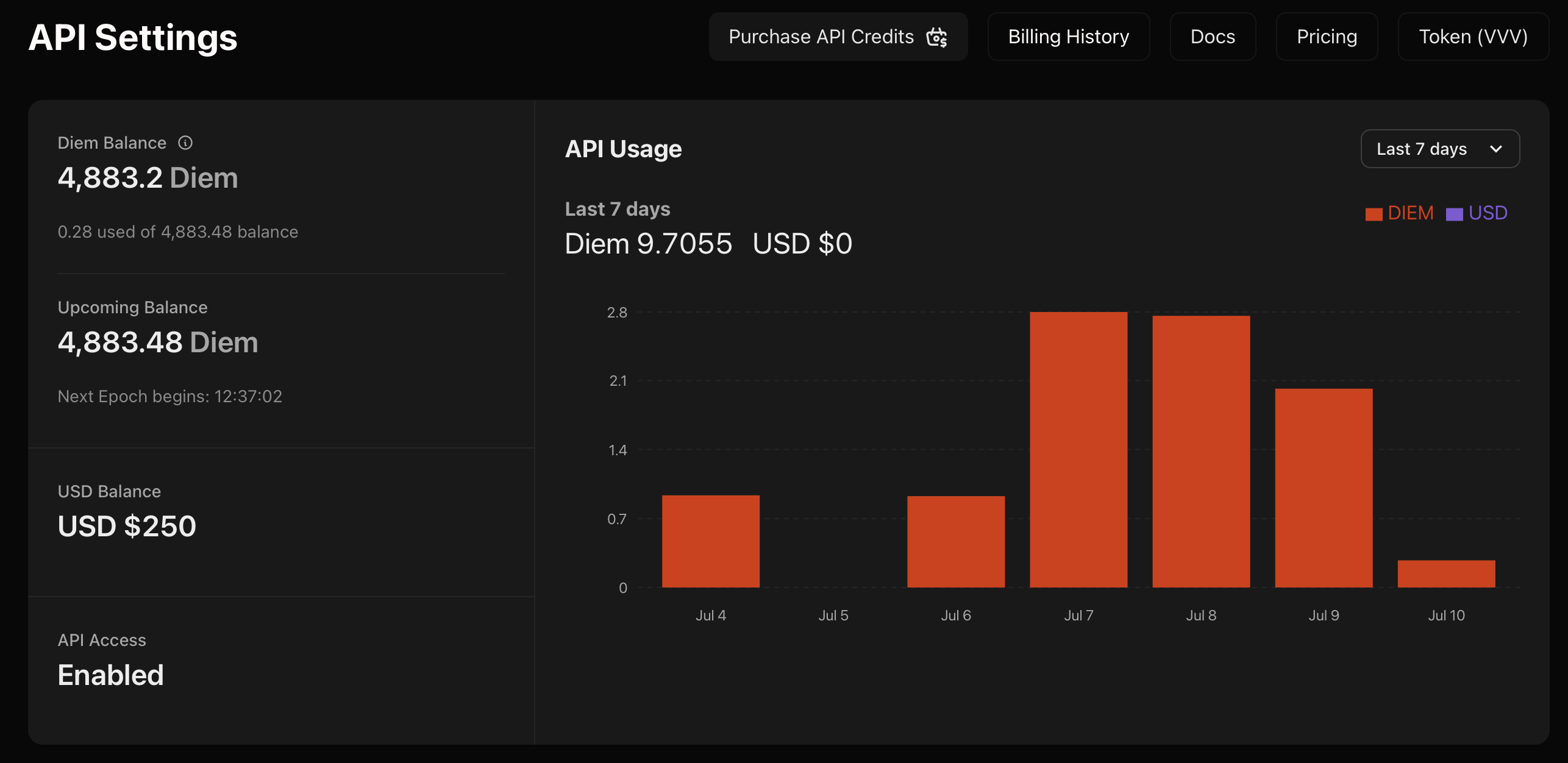
Loading models...
*** ## Model Types * **Generation:** Create images from text prompts * **Upscale:** Enhance image resolution and quality * **Edit:** Modify existing images with inpainting See the [Image Generate API](/api-reference/endpoint/image/generate) for text-to-image, [Upscale API](/api-reference/endpoint/image/upscale) for enhancement, and [Edit API](/api-reference/endpoint/image/edit) for inpainting. --- > To find navigation and other pages in this documentation, fetch the llms.txt file at: https://docs.venice.ai/llms.txt --- # Source: https://docs.venice.ai/overview/guides/integrations.md # Integrations > Here is a list of third party tools with Venice.ai integrations. [How to use Venice API](https://venice.ai/blog/how-to-use-venice-api) reference guide. ## Venice Confirmed Integrations * Agents * [ElizaOS](https://venice.ai/blog/how-to-build-a-social-media-ai-agent-with-elizaos-venice-api) (local build) * [ElizaOS](https://venice.ai/blog/how-to-launch-an-elizaos-agent-on-akash-using-venice-api-in-less-than-10-minutes) (via [Akash Template](https://console.akash.network/templates/akash-network-awesome-akash-Venice-ElizaOS)) * Coding * [Cursor IDE](https://venice.ai/blog/how-to-code-with-the-venice-api-in-cursor-a-quick-guide) * [Cline](https://venice.ai/blog/how-to-use-the-venice-api-with-cline-in-vscode-a-developers-guide) (VSC Extension) * [ROO Code ](https://venice.ai/blog/how-to-use-the-roo-ai-coding-assistant-in-private-with-venice-api-a-quick-guide)(VSC Extension) * [VOID IDE](https://venice.ai/blog/how-to-use-open-source-ai-code-editor-void-in-private-with-venice-api) * Assistants * [Brave Leo Browser ](https://venice.ai/blog/how-to-use-brave-leo-ai-with-venice-api-a-privacy-first-browser-ai-assistant) ## Community Confirmed These integrations have been confirmed by the community. Venice is in the process of confirming these integrations and creating how-to guides for each of the following: * Agents/Bots * [Coinbase Agentkit](https://www.coinbase.com/developer-platform/discover/launches/introducing-agentkit) * [Eliza\_Starter](https://github.com/Baidis/eliza-Venice) Simplified Eliza setup. * [Venice AI Discord Bot](https://bobbiebeach.space/blog/venice-ai-discord-bot-full-setup-guide-features/) * [JanitorAI](https://janitorai.com/) * Coding * [Aider](https://github.com/Aider-AI/aider), AI pair programming in your terminal * [Alexcodes.app](https://alexcodes.app/) * Assistants * [Jan - Local AI Assistant](https://github.com/janhq/jan) * [llm-venice](https://github.com/ar-jan/llm-venice) * [unOfficial PHP SDK for Venice](https://github.com/georgeglarson/venice-ai-php) * [Msty](https://msty.app) * [Open WebUI](https://github.com/open-webui/open-webui) * [Librechat](https://www.librechat.ai/) * [ScreenSnapAI](https://screensnap.ai/) ## Venice API Raw Data Many users have requested access to Venice API docs and data in a format acceptable for use with RAG (Retrieval-Augmented Generation) for various purposes. The full API specification is available within the "API Swagger" document below, in yaml format. The Venice API documents included throughout this API Reference webpage are available from the link below, with most documents in .mdx format. [API Swagger](https://api.venice.ai/doc/api/swagger.yaml) [API Docs](https://github.com/veniceai/api-docs/archive/refs/heads/main.zip) --- # Source: https://docs.venice.ai/api-reference/endpoint/models/list.md # Source: https://docs.venice.ai/api-reference/endpoint/characters/list.md # Source: https://docs.venice.ai/api-reference/endpoint/api_keys/list.md # Source: https://docs.venice.ai/api-reference/endpoint/models/list.md # Source: https://docs.venice.ai/api-reference/endpoint/characters/list.md # Source: https://docs.venice.ai/api-reference/endpoint/api_keys/list.md # Source: https://docs.venice.ai/api-reference/endpoint/models/list.md # Source: https://docs.venice.ai/api-reference/endpoint/characters/list.md # Source: https://docs.venice.ai/api-reference/endpoint/api_keys/list.md # Source: https://docs.venice.ai/api-reference/endpoint/models/list.md # Source: https://docs.venice.ai/api-reference/endpoint/characters/list.md # Source: https://docs.venice.ai/api-reference/endpoint/api_keys/list.md # Source: https://docs.venice.ai/api-reference/endpoint/models/list.md # Source: https://docs.venice.ai/api-reference/endpoint/characters/list.md # Source: https://docs.venice.ai/api-reference/endpoint/api_keys/list.md # Source: https://docs.venice.ai/api-reference/endpoint/models/list.md # List Models > Returns a list of available models supported by the Venice.ai API for both text and image inference. ## OpenAPI ````yaml GET /models paths: path: /models method: get servers: - url: https://api.venice.ai/api/v1 request: security: - title: '' parameters: query: {} header: {} cookie: {} - title: BearerAuth parameters: query: {} header: Authorization: type: http scheme: bearer cookie: {} parameters: path: {} query: type: schema: - type: enum enum: - asr - embedding - image - text - tts - upscale - inpaint - video required: false description: Filter models by type. Use "all" to get all model types. example: text - type: enum enum: - all - code required: false description: Filter models by type. Use "all" to get all model types. example: text header: {} cookie: {} body: {} response: '200': application/json: schemaArray: - type: object properties: data: allOf: - type: array items: $ref: '#/components/schemas/ModelResponse' description: List of available models object: allOf: - type: string enum: - list type: allOf: - anyOf: - type: string enum: - asr - embedding - image - text - tts - upscale - inpaint - video - type: string enum: - all - code description: Type of models returned. example: text requiredProperties: - data - object - type examples: example: value: data: - created: 1727966436 id: llama-3.2-3b model_spec: availableContextTokens: 131072 capabilities: optimizedForCode: false quantization: fp16 supportsFunctionCalling: true supportsReasoning: false supportsResponseSchema: true supportsVision: false supportsWebSearch: true supportsLogProbs: true constraints: temperature: default: 0.8 top_p: default: 0.9 name: Llama 3.2 3B modelSource: https://huggingface.co/meta-llama/Llama-3.2-3B offline: false pricing: input: usd: 0.15 diem: 0.15 output: usd: 0.6 diem: 0.6 traits: - fastest object: model owned_by: venice.ai type: text object: list type: text description: OK '500': application/json: schemaArray: - type: object properties: error: allOf: - type: string description: A description of the error refIdentifier: '#/components/schemas/StandardError' requiredProperties: - error examples: example: value: error: description: An unknown error occurred deprecated: false type: path components: schemas: ModelResponse: type: object properties: created: type: number description: Release date on Venice API example: 1699000000 id: type: string description: Model ID example: venice-uncensored model_spec: type: object properties: availableContextTokens: type: number description: >- The context length supported by the model. Only applicable for text models. example: 32768 beta: type: boolean description: Is this model in beta? example: false capabilities: type: object properties: optimizedForCode: type: boolean description: Is the LLM optimized for coding? example: true quantization: type: string enum: - fp4 - fp8 - fp16 - bf16 - not-available description: The quantization type of the running model. example: fp8 supportsFunctionCalling: type: boolean description: Does the LLM model support function calling? example: true supportsReasoning: type: boolean description: >- Does the model support reasoning with blocks of output. example: true supportsResponseSchema: type: boolean description: >- Does the LLM model support response schema? Only models that support function calling can support response_schema. example: true supportsVision: type: boolean description: Does the LLM support vision? example: true supportsWebSearch: type: boolean description: Does the LLM model support web search? example: true supportsLogProbs: type: boolean description: Does the LLM model support logprobs parameter? example: true required: - optimizedForCode - quantization - supportsFunctionCalling - supportsReasoning - supportsResponseSchema - supportsVision - supportsWebSearch - supportsLogProbs additionalProperties: false description: Text model specific capabilities. constraints: anyOf: - type: object properties: promptCharacterLimit: type: number description: The maximum supported prompt length. example: 2048 steps: type: object properties: default: type: number description: The default steps value for the model example: 25 max: type: number description: The maximum supported steps value for the model example: 50 required: - default - max widthHeightDivisor: type: number description: >- The requested width and height of the image generation must be divisible by this value. example: 8 required: - promptCharacterLimit - steps - widthHeightDivisor description: Constraints that apply to image models. title: Image Model Constraints - type: object properties: temperature: type: object properties: default: type: number description: The default temperature value for the model example: 0.7 required: - default top_p: type: object properties: default: type: number description: The default top_p value for the model example: 0.9 required: - default required: - temperature - top_p description: Constraints that apply to text models. title: Text Model Constraints description: Constraints that apply to this model. name: type: string description: The name of the model. example: Venice Uncensored 1.1 modelSource: type: string description: The source of the model, such as a URL to the model repository. example: >- https://huggingface.co/cognitivecomputations/Dolphin-Mistral-24B-Venice-Edition offline: type: boolean default: false description: Is this model presently offline? example: false pricing: anyOf: - type: object properties: input: type: object properties: usd: type: number description: USD cost per million input tokens example: 0.7 diem: type: number description: Diem cost per million input tokens example: 7 required: - usd - diem output: type: object properties: usd: type: number description: USD cost per million output tokens example: 2.8 diem: type: number description: Diem cost per million output tokens example: 28 required: - usd - diem required: - input - output description: Token-based pricing for chat models title: LLM Model Pricing - type: object properties: generation: type: object properties: usd: type: number description: USD cost per image generation example: 0.01 diem: type: number description: Diem cost per image generation example: 0.1 required: - usd - diem upscale: type: object properties: 2x: type: object properties: usd: type: number description: USD cost for 2x upscale example: 0.02 diem: type: number description: Diem cost for 2x upscale example: 0.2 required: - usd - diem 4x: type: object properties: usd: type: number description: USD cost for 4x upscale example: 0.08 diem: type: number description: Diem cost for 4x upscale example: 0.8 required: - usd - diem required: - 2x - 4x required: - generation - upscale description: Pricing for image generation and upscaling title: Image Model Pricing - type: object properties: input: type: object properties: usd: type: number description: USD cost per million input characters example: 3.5 diem: type: number description: Diem cost per million input characters example: 35 required: - usd - diem required: - input description: Pricing for audio models (TTS) title: Audio Model Pricing description: Pricing details for the model traits: type: array items: type: string description: >- Traits that apply to this model. You can specify a trait to auto-select a model vs. specifying the model ID in your request to avoid breakage as Venice updates and iterates on its models. example: - default_code voices: type: array items: type: string description: >- The voices available for this TTS model. Only applicable for TTS models. example: - af_alloy - af_aoede - af_bella - af_heart - af_jadzia object: type: string enum: - model description: Object type example: model owned_by: type: string enum: - venice.ai description: Who runs the model example: venice.ai type: type: string enum: - asr - embedding - image - text - tts - upscale - inpaint - video description: Model type example: text required: - id - model_spec - object - owned_by - type description: Response schema for model information example: created: 1727966436 id: llama-3.2-3b model_spec: availableContextTokens: 131072 capabilities: optimizedForCode: false quantization: fp16 supportsFunctionCalling: true supportsReasoning: false supportsResponseSchema: true supportsVision: false supportsWebSearch: true supportsLogProbs: true constraints: temperature: default: 0.8 top_p: default: 0.9 name: Llama 3.2 3B modelSource: https://huggingface.co/meta-llama/Llama-3.2-3B offline: false pricing: input: usd: 0.15 diem: 0.15 output: usd: 0.6 diem: 0.6 traits: - fastest object: model owned_by: venice.ai type: text ```` --- # Source: https://docs.venice.ai/api-reference/endpoint/chat/model_feature_suffix.md # Model Feature Suffix Venice supports additional capabilities within it's models that can be powered by the `venice_parameters` input on the chat completions endpoint. In certain circumstances, you may be using a client that does not let you modify the request body. For those platforms, you can utilize Venice's Model Feature Suffix offering to pass flags in via the model ID. ## Syntax The Model Feature Suffix follows this pattern: ``` := ``` For multiple parameters, chain them with `&`: ``` :=&=&= ``` ## Examples ### To Set Web Search to Auto ``` default:enable_web_search=auto ``` ### To Enable Web Search and Disable System Prompt ``` default:enable_web_search=on&include_venice_system_prompt=false ``` ### To Enable Web Search and Add Citations to the Response ``` default:enable_web_search=on&enable_web_citations=true ``` ### To Enable Web Search with Full Page Scraping ``` default:enable_web_search=on&enable_web_scraping=true ``` ### To Use a Character ``` default:character_slug=alan-watts ``` ### To Hide Thinking Blocks on a Reasoning Model Response ``` qwen3-4b:strip_thinking_response=true ``` ### To Disable Thinking on Supported Reasoning Models Certain reasoning models (like Qwen 3) support disabling the thinking process. You can activate using the suffix below: ``` qwen3-4b:disable_thinking=true ``` ### To Add Web Search Results to a Streaming Response This will enable web search, add citations to the response body and include the search results in the stream as the final response message. You can see an example of this in our [Postman Collection here](https://www.postman.com/veniceai/workspace/venice-ai-workspace/request/38652128-ceef3395-451c-4391-bc7e-a40377e0357b?action=share\&source=copy-link\&creator=38652128\&active-environment=ef110f4e-d3e1-43b5-8029-4d6877e62041). ``` qwen3-4b:enable_web_search=on&enable_web_citations=true&include_search_results_in_stream=true ``` ## Postman Example You can view an example of this feature in our [Postman Collection here](https://www.postman.com/veniceai/workspace/venice-ai-workspace/request/38652128-857f29ff-ee70-4c7c-beba-ef884bdc93be?action=share\&creator=38652128\&ctx=documentation\&active-environment=38652128-ef110f4e-d3e1-43b5-8029-4d6877e62041). --- # Source: https://docs.venice.ai/overview/models.md # Current Models > Complete list of available models on Venice AI platform ## Text Models | Model Name | Model ID | Price (in/out) | Context Limit | Capabilities | Traits | | -------------------------------------------------------------------------------------------------------- | -------------------------------- | --------------- | ------------- | --------------------------- | ----------------------------------- | | [Venice Uncensored 1.1](https://huggingface.co/cognitivecomputations/Dolphin-Mistral-24B-Venice-Edition) | `venice-uncensored` | `$0.20 / $0.90` | 32,768 | — | most\_uncensored | | [Venice Small](https://huggingface.co/Qwen/Qwen3-4B) | `qwen3-4b` | `$0.05 / $0.15` | 32,768 | Function Calling, Reasoning | — | | [Venice Medium (3.1)](https://huggingface.co/mistralai/Mistral-Small-3.1-24B-Instruct-2503) | `mistral-31-24b` | `$0.50 / $2.00` | 131,072 | Function Calling, Vision | default\_vision | | [Venice Large 1.1 (D)](https://huggingface.co/Qwen/Qwen3-235B-A22B-Instruct-2507-FP8) | `qwen3-235b` | `$0.45 / $3.50` | 131,072 | Function Calling, Reasoning | — | | [Qwen 3 235B A22B Thinking 2507](https://huggingface.co/Qwen/Qwen3-235B-A22B-Thinking-2507-FP8) | `qwen3-235b-a22b-thinking-2507` | `$0.45 / $3.50` | 131,072 | Function Calling, Reasoning | — | | [Qwen 3 235B A22B Instruct 2507](https://huggingface.co/Qwen/Qwen3-235B-A22B-Instruct-2507-FP8) | `qwen3-235b-a22b-instruct-2507` | `$0.15 / $0.75` | 131,072 | Function Calling | — | | [Llama 3.2 3B](https://huggingface.co/meta-llama/Llama-3.2-3B) | `llama-3.2-3b` | `$0.15 / $0.60` | 131,072 | Function Calling | fastest | | [Llama 3.3 70B](https://huggingface.co/meta-llama/Llama-3.3-70B-Instruct) | `llama-3.3-70b` | `$0.70 / $2.80` | 131,072 | Function Calling | default, function\_calling\_default | | [Qwen 3 Coder 480B](https://huggingface.co/Qwen/Qwen3-Coder-480B-A35B-Instruct) | `qwen3-coder-480b-a35b-instruct` | `$0.75 / $3.00` | 262,144 | Function Calling | default\_code | | [GLM 4.6](https://huggingface.co/zai-org/GLM-4.6) | `zai-org-glm-4.6` | `$0.85 / $2.75` | 202,752 | Function Calling | — | *Pricing is per 1M tokens (input / output). Additional usage-based pricing applies when using `enable_web_search` or `enable_web_scraping`, see [search pricing details](/overview/pricing#web-search-and-scraping).* **Model Change Notice**: Starting **December 14, 2025**, `qwen3-235b` will be deprecated and calls will automatically route to `qwen3-235b-a22b-thinking-2507`. The `disable_thinking` parameter will be ignored. For non-thinking behavior, use `qwen3-235b-a22b-instruct-2507` directly. [Learn more about model changes](/overview/deprecations#model-deprecation-tracker). ### Popular Text Models `zai-org-glm-4.6` GLM 4.6 - High-intelligence flagship model\ `mistral-31-24b` Venice Medium (3.1) - Vision + function calling\ `qwen3-4b` Venice Small - Fast, affordable for most tasks\ `qwen3-235b-a22b-thinking-2507` Qwen 3 235B A22B Thinking - Advanced reasoning with thinking ### Text Model Categories **Reasoning Models** `qwen3-235b-a22b-thinking-2507` Qwen 3 235B A22B Thinking - Advanced reasoning with thinking\ `qwen3-4b` Venice Small - Efficient reasoning model **Vision-Capable Models** `mistral-31-24b` Venice Medium (3.1) - Vision-capable model\ `google-gemma-3-27b-it` Google Gemma 3 27B (beta) **Cost-Optimized Models** `qwen3-4b` Venice Small - Best balance of speed and cost\ `llama-3.2-3b` Llama 3.2 3B - Fastest for simple tasks\ `qwen3-235b-a22b-instruct-2507` Qwen 3 235B A22B Instruct - Optimized high-performance **Uncensored Models** `venice-uncensored` Venice Uncensored 1.1 - No content filtering **High-Intelligence Models** `qwen3-235b-a22b-thinking-2507` Qwen 3 235B A22B Thinking - Most powerful flagship model\ `zai-org-glm-4.6` GLM 4.6 - High-intelligence alternative\ `deepseek-ai-DeepSeek-R1` DeepSeek R1 (beta) - Advanced reasoning model `llama-3.3-70b` Llama 3.3 70B - Balanced high-intelligence ### Beta Models | Model Name | Model ID | Price (in/out) | Context Limit | Capabilities | Traits | | -------------------------------------------------------------------------------------- | ------------------------- | --------------- | ------------- | ------------------------ | ------ | | [OpenAI GPT OSS 120B](https://huggingface.co/openai/gpt-oss-120b) | `openai-gpt-oss-120b` | `$0.07 / $0.30` | 131,072 | Function Calling | — | | [Google Gemma 3 27B Instruct](https://huggingface.co/google/gemma-3-27b-it) | `google-gemma-3-27b-it` | `$0.12 / $0.20` | 202,752 | Function Calling, Vision | — | | [Qwen 3 Next 80B](https://huggingface.co/Qwen/Qwen3-Next-80B-A3B-Instruct) | `qwen3-next-80b` | `$0.35 / $1.90` | 262,144 | Function Calling | — | | [DeepSeek R1](https://huggingface.co/deepseek-ai/DeepSeek-R1) | `deepseek-ai-DeepSeek-R1` | `$0.85 / $2.75` | 131,072 | Function Calling | — | | [Hermes 3 Llama 3.1 405B](https://huggingface.co/NousResearch/Hermes-3-Llama-3.1-405B) | `hermes-3-llama-3.1-405b` | `$1.10 / $3.00` | 131,072 | — | — | **Beta models are experimental and not recommended for production use.** These models may be changed, removed, or replaced at any time without notice. Use them for testing and evaluation purposes only. For production applications, use the stable models listed above. *** ## Image Models | Model Name | Model ID | Price | Model Source | Traits | | ------------------------------------------------------------------------------ | ----------------- | ------- | -------------------------- | ---------------------- | | [Venice SD35](https://huggingface.co/stabilityai/stable-diffusion-3.5-large) | `venice-sd35` | `$0.01` | Stable Diffusion 3.5 Large | default, eliza-default | | [HiDream](https://huggingface.co/HiDream-ai/HiDream-I1-Dev) | `hidream` | `$0.01` | HiDream I1 Dev | — | | [Qwen Image](https://huggingface.co/Qwen/Qwen-Image) | `qwen-image` | `$0.01` | Qwen Image | — | | [Lustify SDXL](https://civitai.com/models/573152/lustify-sdxl-nsfw-checkpoint) | `lustify-sdxl` | `$0.01` | Lustify SDXL | — | | [Lustify v7](https://civitai.com/models/573152/lustify-sdxl-nsfw-checkpoint) | `lustify-v7` | `$0.01` | Lustify v7 | — | | [Anime (WAI)](https://civitai.com/models/827184?modelVersionId=1761560) | `wai-Illustrious` | `$0.01` | WAI-Illustrious | — | ### Popular Image Models `qwen-image` Qwen Image - Highest quality image generation\ `venice-sd35` Venice SD35 - Default choice with Eliza integration\ `lustify-sdxl` Lustify SDXL - Uncensored image generation\ `hidream` HiDream - Production-ready generation ### Image Model Categories **High-Quality Models** `qwen-image` Qwen Image - Highest quality output\ `hidream` HiDream - Production-ready generation **Default Models** `venice-sd35` Venice SD35 - Default choice, Eliza-optimized **Special Purpose Models** `lustify-sdxl` Lustify SDXL - Adult content generation\ `lustify-v7` Lustify v7 - Adult content generation\ `wai-Illustrious` Anime (WAI) - Anime-style generation *** ## Audio Models ### Text-to-Speech Models `tts-kokoro` Kokoro TTS - 60+ multilingual voices for natural speech | Model Name | Model ID | Price | Voices Available | Model Source | | ------------------------------------------------------------------ | ------------ | -------------------- | ---------------- | ------------ | | [Kokoro Text to Speech](https://huggingface.co/hexgrad/Kokoro-82M) | `tts-kokoro` | `$3.50` per 1M chars | 60+ voices | Kokoro-82M | The tts-kokoro model supports a wide range of multilingual and stylistic voices (including af\_nova, am\_liam, bf\_emma, zf\_xiaobei, and jm\_kumo). Voice is selected using the voice parameter in the request payload. *** ## Embedding Models `text-embedding-bge-m3` BGE-M3 - Versatile embedding model for text similarity | Model Name | Model ID | Price | Model Source | | ---------------------------------------------------- | ----------------------- | ----------------------------- | ------------------- | | [BGE-M3](https://huggingface.co/KimChen/bge-m3-GGUF) | `text-embedding-bge-m3` | `$0.15 / $0.60` per 1M tokens | KimChen/bge-m3-GGUF | ## Image Processing Models `upscaler` Image Upscaler - Enhance image resolution up to 4x\ `qwen-image` Qwen Image - Multimodal image editing model ### Image Upscaler | Model Name | Model ID | Price | Upscale Options | | ---------- | ---------- | ------- | ------------------------ | | Upscaler | `upscaler` | `$0.01` | `2x ($0.02), 4x ($0.08)` | ### Image Editing (Inpaint) | Model Name | Model ID | Price | Model Source | Traits | | ---------------------------------------------------- | ------------ | ------- | ------------ | -------------------- | | [Qwen Image](https://huggingface.co/Qwen/Qwen-Image) | `qwen-image` | `$0.04` | Qwen Image | specialized\_editing | ## Model Features * **Vision**: Ability to process and understand images * **Reasoning**: Advanced logical reasoning capabilities * **Function Calling**: Support for calling external functions and tools * **Traits**: Special characteristics or optimizations (e.g., fastest, most\_intelligent, most\_uncensored) ## Usage Notes * Input pricing refers to tokens sent to the model * Output pricing refers to tokens generated by the model * Context limits define the maximum number of tokens the model can process in a single request * (D) Scheduled for deprecation. For timelines and migration guidance, see the [Deprecation Tracker](/overview/deprecations#model-deprecation-tracker). --- # Source: https://docs.venice.ai/models/overview.md # Models > Explore all available models on the Venice API
Loading models...
--- > To find navigation and other pages in this documentation, fetch the llms.txt file at: https://docs.venice.ai/llms.txt --- # Source: https://docs.venice.ai/api-reference/endpoint/api_keys/generate_web3_key/post.md # Generate API Key with Web3 Wallet > Authenticates a wallet holding sVVV and creates an API key. ## OpenAPI ````yaml POST /api_keys/generate_web3_key paths: path: /api_keys/generate_web3_key method: post servers: - url: https://api.venice.ai/api/v1 request: security: [] parameters: path: {} query: {} header: {} cookie: {} body: application/json: schemaArray: - type: object properties: apiKeyType: allOf: - type: string enum: - INFERENCE - ADMIN description: >- The API Key type. Admin keys have full access to the API while inference keys are only able to call inference endpoints. example: ADMIN consumptionLimit: allOf: - type: object properties: usd: anyOf: - type: number minimum: 0 - nullable: true title: 'null' - nullable: true title: 'null' description: USD limit example: 50 diem: anyOf: - type: number minimum: 0 - nullable: true title: 'null' - nullable: true title: 'null' description: Diem limit example: 10 vcu: anyOf: - type: number minimum: 0 - nullable: true title: 'null' - nullable: true title: 'null' description: VCU limit (deprecated - use Diem instead) deprecated: true example: 100 description: The API Key consumption limits for each epoch. example: usd: 50 diem: 10 vcu: 30 description: allOf: - type: string default: Web3 API Key description: The API Key description example: Web3 API Key expiresAt: allOf: - anyOf: - type: string enum: - '' - type: string pattern: ^\d{4}-\d{2}-\d{2}$ - type: string pattern: ^\d{4}-\d{2}-\d{2}T\d{2}:\d{2}:\d{2}(\.\d{3})?Z$ description: >- The API Key expiration date. If not provided, the key will not expire. example: '2023-10-01T12:00:00.000Z' address: allOf: - type: string description: The wallet's address example: '0x45B73055F3aDcC4577Bb709db10B19d11b5c94eE' signature: allOf: - type: string description: The token, signed with the wallet's private key example: >- 0xbb5ff2e177f3a97fa553057864ad892eb64120f3eaf9356b4742a10f9a068d42725de895b5e45160b679cbe6961dc4cb552ba10dc97bdd8258d9154810785c451c token: allOf: - type: string description: >- The token obtained from https://api.venice.ai/api/v1/api_keys/generate_web3_key example: >- eyJhbGciOiJIUzI1NiIsInR5cCI6IkpXVCJ9.eyJzdWIiOiIxMjM0NTY3ODkwIiwibmFtZSI6IkpvaG4gRG9lIiwiaWF0IjoxNTE2MjM5MDIyfQ.SflKxwRJSMeKKF2QT4fwpMeJf36POk6yJV_adQssw5c requiredProperties: - apiKeyType - address - signature - token additionalProperties: false examples: example: value: apiKeyType: ADMIN consumptionLimit: usd: 50 diem: 10 vcu: 30 description: Web3 API Key expiresAt: '2023-10-01T12:00:00.000Z' address: '0x45B73055F3aDcC4577Bb709db10B19d11b5c94eE' signature: >- 0xbb5ff2e177f3a97fa553057864ad892eb64120f3eaf9356b4742a10f9a068d42725de895b5e45160b679cbe6961dc4cb552ba10dc97bdd8258d9154810785c451c token: >- eyJhbGciOiJIUzI1NiIsInR5cCI6IkpXVCJ9.eyJzdWIiOiIxMjM0NTY3ODkwIiwibmFtZSI6IkpvaG4gRG9lIiwiaWF0IjoxNTE2MjM5MDIyfQ.SflKxwRJSMeKKF2QT4fwpMeJf36POk6yJV_adQssw5c response: '200': application/json: schemaArray: - type: object properties: data: allOf: - type: object properties: apiKey: type: string description: >- The API Key. This is only shown once, so make sure to save it somewhere safe. apiKeyType: type: string enum: - INFERENCE - ADMIN description: The API Key type example: ADMIN consumptionLimit: type: object properties: usd: anyOf: - type: number minimum: 0 - nullable: true title: 'null' - nullable: true title: 'null' description: USD limit example: 50 diem: anyOf: - type: number minimum: 0 - nullable: true title: 'null' - nullable: true title: 'null' description: Diem limit example: 10 vcu: anyOf: - type: number minimum: 0 - nullable: true title: 'null' - nullable: true title: 'null' description: VCU limit (deprecated - use Diem instead) deprecated: true example: 100 description: The API Key consumption limits for each epoch. example: usd: 50 diem: 10 vcu: 30 description: type: string description: The API Key description example: Example API Key expiresAt: type: string nullable: true description: The API Key expiration date example: '2023-10-01T12:00:00.000Z' id: type: string description: The API Key ID example: e28e82dc-9df2-4b47-b726-d0a222ef2ab5 required: - apiKey - apiKeyType - consumptionLimit - expiresAt - id additionalProperties: false success: allOf: - type: boolean requiredProperties: - data - success additionalProperties: false examples: example: value: data: apiKey: apiKeyType: ADMIN consumptionLimit: usd: 50 diem: 10 vcu: 30 description: Example API Key expiresAt: '2023-10-01T12:00:00.000Z' id: e28e82dc-9df2-4b47-b726-d0a222ef2ab5 success: true description: OK deprecated: false type: path components: schemas: {} ```` --- # Source: https://docs.venice.ai/overview/guides/postman.md # Using Postman ## Overview Venice provides a comprehensive Postman collection that allows developers to explore and test the full capabilities of our API. This collection includes pre-configured requests, examples, and environment variables to help you get started quickly with Venice's AI services. ## Accessing the Collection Our official Postman collection is available in the Venice AI Workspace: * [Venice AI Postman Workspace](https://www.postman.com/veniceai/workspace/venice-ai-workspace) * [Venice AI Postman Examples](https://postman.venice.ai/) ## Collection Features * **Ready-to-Use Requests**: Pre-configured API calls for all Venice endpoints * **Environment Templates**: Properly structured environment variables * **Request Examples**: Real-world usage examples for each endpoint * **Response Samples**: Example responses to help you understand the API's output * **Documentation**: Inline documentation for each request ## Getting Started * Navigate to the Venice AI Workspace * Click "Fork" to create your own copy of the collection * Choose your workspace destination * Create a new environment in Postman * Add your Venice API key * Configure the base URL: `https://api.venice.ai/api/v1` * Select any request from the collection * Ensure your environment is selected * Click "Send" to test the API ## Available Endpoints The collection includes examples for all Venice API endpoints: * Text Generation * Image Generation * Model Information * Image Upscaling * System Prompt Configuration ## Best Practices * Keep your API key secure and never share it * Use environment variables for sensitive information * Test responses in the Postman console before implementation * Review the example responses for expected data structures *Note: The Postman collection is regularly updated to reflect the latest API changes and features.* --- # Source: https://docs.venice.ai/overview/pricing.md # API Pricing ### Pro Users Pro subscribers receive a one-time \$10 API credit when upgrading to Pro. Use it to test and build small apps. You can scale your usage by buying credits, buying Diem, or staking VVV. ### Paid Tier Choose how you pay for API usage: Pay in USD via the [API Dashboard](https://venice.ai/settings/api). Credits are applied to usage automatically. Purchase Diem directly. Each Diem grants \$1 of compute per day at the same rates as USD. Stake tokens to receive daily Diem allocations (each Diem grants \$1 of compute per day). Manage staking and Diem at the [Token Dashboard](https://venice.ai/token). ## Model Pricing All prices are in USD. Diem users pay the same rates (1 Diem = \$1 of compute per day). ### Chat Models Prices per 1M tokens, with separate pricing for input and output tokens. You will only be charged for the tokens you use. You can estimate the token count of a chat request using [this calculator](https://quizgecko.com/tools/token-counter). | Model | Model ID | Input | Output | Capabilities | | ------------------------------ | -------------------------------- | :----: | :----: | --------------------------- | | Venice Small | `qwen3-4b` | \$0.05 | \$0.15 | Function Calling, Reasoning | | Qwen 3 235B A22B Instruct 2507 | `qwen3-235b-a22b-instruct-2507` | \$0.15 | \$0.75 | Function Calling | | Llama 3.2 3B | `llama-3.2-3b` | \$0.15 | \$0.60 | Function Calling | | Venice Uncensored | `venice-uncensored` | \$0.20 | \$0.90 | Uncensored | | Venice Large (D) | `qwen3-235b` | \$0.45 | \$3.50 | Function Calling, Reasoning | | Qwen 3 235B A22B Thinking 2507 | `qwen3-235b-a22b-thinking-2507` | \$0.45 | \$3.50 | Function Calling, Reasoning | | Venice Medium (3.1) | `mistral-31-24b` | \$0.50 | \$2.00 | Function Calling, Vision | | Llama 3.3 70B | `llama-3.3-70b` | \$0.70 | \$2.80 | Function Calling | | Qwen 3 Coder 480B | `qwen3-coder-480b-a35b-instruct` | \$0.75 | \$3.00 | Function Calling | | GLM 4.6 | `zai-org-glm-4.6` | \$0.85 | \$2.75 | Function Calling | #### Beta Chat Models | Model | Model ID | Input | Output | Capabilities | | ------------------------------ | ------------------------- | :----: | :----: | ------------------------ | | OpenAI GPT OSS 120B (beta) | `openai-gpt-oss-120b` | \$0.07 | \$0.30 | Function Calling | | Google Gemma 3 27B (beta) | `google-gemma-3-27b-it` | \$0.12 | \$0.20 | Function Calling, Vision | | Qwen 3 Next 80B (beta) | `qwen3-next-80b` | \$0.35 | \$1.90 | Function Calling | | DeepSeek R1 (beta) | `deepseek-ai-DeepSeek-R1` | \$0.85 | \$2.75 | Function Calling | | Hermes 3 Llama 3.1 405B (beta) | `hermes-3-llama-3.1-405b` | \$1.10 | \$3.00 | | Beta models are experimental and not recommended for production use. These models may be changed, removed, or replaced at any time without notice. [Learn more about beta models](/overview/deprecations#beta-models) ### Web Search and Scraping Web Search and Web Scraping features run on dedicated compute infrastructure designed for large-scale crawling and real-time content extraction. These features are usage-based and charged per API call when enabled: | Feature | Venice Models | Other Models | Parameters | | ------------ | :-------------: | :-------------: | --------------------------- | | Web Search | \$10 / 1K calls | \$25 / 1K calls | `enable_web_search: true` | | Web Scraping | \$10 / 1K calls | \$25 / 1K calls | `enable_web_scraping: true` | **Venice Models**: `venice-uncensored`, `qwen3-4b`, `mistral-31-24b`, `qwen3-235b` Web Scraping automatically detects up to 3 URLs per message, scrapes and converts content into structured markdown, and adds the extracted text into model context. These charges apply in addition to standard model token pricing. ### Embedding Models Prices per 1M tokens: | Model | Model ID | Input | Output | | ------ | ----------------------- | :----: | :----: | | BGE-M3 | `text-embedding-bge-m3` | \$0.15 | \$0.60 | ### Image Models Image models are priced per generation: | Model | Price | | ---------------------- | :----: | | Generation | \$0.01 | | Upscale / Enhance (2x) | \$0.02 | | Upscale / Enhance (4x) | \$0.08 | | Edit (aka Inpaint) | \$0.04 | ### Audio Models Prices per 1M characters: | Model | Model ID | Price | | ---------- | ------------ | :----: | | Kokoro TTS | `tts-kokoro` | \$3.50 | --- # Source: https://docs.venice.ai/overview/privacy.md # Privacy Nearly all AI apps and services collect user data (personal information, prompt text, and AI text and image responses) in central servers, which they can access, and which they can (and do) share with third parties, ranging from ad networks to governments. Even if a company wants to keep this data safe, data breaches happen [all the time](https://www.wired.com/story/wired-guide-to-data-breaches/), often unreported. > The only way to achieve reasonable user privacy is to avoid collecting this information in the first place. This is harder to do from an engineering perspective, but we believe it’s the correct approach. ### Privacy as a principle One of Venice’s guiding principles is user privacy. The platform's architecture flows from this philosophical principle, and every component is designed with this objective in mind. #### Architecture The Venice API replicates the same technical architecture as the Venice platform from a backend perspective. **Venice does not store or log any prompt or model responses on our servers.** API calls are forwarded directly to GPUs running across a collection of decentralized providers over encrypted HTTPS paths. Venice AI Privacy Architecture --- # Source: https://docs.venice.ai/api-reference/endpoint/video/queue.md # Queue Video Generation > Queue a new video generation request. Call `/video/quote` to get a price estimate, then poll `/video/retrieve` with the returned `queue_id` until complete. *** ## OpenAPI ````yaml POST /video/queue openapi: 3.0.0 info: description: The Venice.ai API. termsOfService: https://venice.ai/legal/tos title: Venice.ai API version: '20251230.213343' servers: - url: https://api.venice.ai/api/v1 security: - BearerAuth: [] tags: - description: >- Given a list of messages comprising a conversation, the model will return a response. Supports multimodal inputs including text, images, audio (input_audio), and video (video_url) for compatible models. name: Chat - description: List and describe the various models available in the API. name: Models - description: Generate and manipulate images using AI models. name: Image - description: Generate videos using AI models. name: Video - description: List and retrieve character information for use in completions. name: Characters externalDocs: description: Venice.ai API documentation url: https://docs.venice.ai paths: /video/queue: post: tags: - Video summary: /api/v1/video/queue description: Queue a new video generation request. operationId: queueVideo requestBody: content: application/json: schema: $ref: '#/components/schemas/QueueVideoRequest' responses: '200': description: Video generation request queued successfully content: application/json: schema: type: object properties: model: type: string description: The ID of the model used for video generation. example: video-model-123 queue_id: type: string description: The ID of the video generation request. example: 123e4567-e89b-12d3-a456-426614174000 required: - model - queue_id additionalProperties: false '400': description: Invalid request parameters content: application/json: schema: $ref: '#/components/schemas/DetailedError' '401': description: Authentication failed content: application/json: schema: $ref: '#/components/schemas/StandardError' '402': description: Insufficient USD or Diem balance to complete request content: application/json: schema: $ref: '#/components/schemas/StandardError' '413': description: >- The request payload is too large. Please reduce the size of your request. content: application/json: schema: $ref: '#/components/schemas/StandardError' '422': description: >- Your prompt violates the content policy of Venice.ai or the model provider content: application/json: schema: $ref: '#/components/schemas/StandardError' '500': description: Inference processing failed content: application/json: schema: $ref: '#/components/schemas/StandardError' components: schemas: QueueVideoRequest: type: object properties: model: type: string description: The model to use for image generation. example: wan-2.5-preview-image-to-video prompt: type: string minLength: 1 maxLength: 2500 description: >- The prompt to use for video generation. The maximum length is 2500 characters. example: Commerce being conducted in the city of Venice, Italy. negative_prompt: type: string maxLength: 2500 default: low resolution, error, worst quality, low quality, defects description: >- The negative prompt to use for video generation. The maximum length is 2500 characters. example: low resolution, error, worst quality, low quality, defects duration: type: string enum: - 5s - 10s description: The duration of the video to generate. example: 5s aspect_ratio: description: The aspect ratio of the video to generate. example: '16:9' resolution: type: string enum: - 1080p - 720p - 480p default: 720p description: The resolution of the video to generate. example: 720p audio: description: >- For models which support audio generation and configuration, indicates if audio should be generated. Defaults to true. example: true image_url: type: string description: >- For image to video models, the reference image to use for video generation. Must be either a URL (starting with "http://" or "https://") or a data URL (starting with "data:"). example: data:image/png;base64,iVBORw0K... audio_url: type: string description: >- For models that support audio input, the audio file to use as background music. Must be either a URL or a data URL. Supported formats: WAV, MP3. Max duration: 30s. Max size: 15MB. example: data:audio/mpeg;base64,SUQzBAA... video_url: description: >- For models that support video input, the video file to use as a reference. Must be either a URL or a data URL. Supported formats: MP4, MOV, WebM. example: data:video/mp4;base64,AAAAFGZ0eXA... required: - model - prompt - duration - image_url additionalProperties: false DetailedError: type: object properties: details: type: object properties: {} description: Details about the incorrect input example: _errors: [] field: _errors: - Field is required error: type: string description: A description of the error required: - error StandardError: type: object properties: error: type: string description: A description of the error required: - error securitySchemes: BearerAuth: bearerFormat: JWT scheme: bearer type: http ```` --- > To find navigation and other pages in this documentation, fetch the llms.txt file at: https://docs.venice.ai/llms.txt --- # Source: https://docs.venice.ai/api-reference/endpoint/video/quote.md # Quote Video Generation > Quote a video generation request. Utilizes the same parameters as the queue API and will return the price in USD for the request. *** ## OpenAPI ````yaml POST /video/quote openapi: 3.0.0 info: description: The Venice.ai API. termsOfService: https://venice.ai/legal/tos title: Venice.ai API version: '20251230.213343' servers: - url: https://api.venice.ai/api/v1 security: - BearerAuth: [] tags: - description: >- Given a list of messages comprising a conversation, the model will return a response. Supports multimodal inputs including text, images, audio (input_audio), and video (video_url) for compatible models. name: Chat - description: List and describe the various models available in the API. name: Models - description: Generate and manipulate images using AI models. name: Image - description: Generate videos using AI models. name: Video - description: List and retrieve character information for use in completions. name: Characters externalDocs: description: Venice.ai API documentation url: https://docs.venice.ai paths: /video/quote: post: tags: - Video summary: /api/v1/video/quote description: >- Quote a video generation request. Utilizes the same parameters as the queue API and will return the price in USD for the request. operationId: quoteVideo requestBody: content: application/json: schema: $ref: '#/components/schemas/QueueVideoRequest' responses: '200': description: Video generation price quote content: application/json: schema: type: object properties: quote: type: number required: - quote '400': description: Invalid request parameters content: application/json: schema: $ref: '#/components/schemas/DetailedError' components: schemas: QueueVideoRequest: type: object properties: model: type: string description: The model to use for image generation. example: wan-2.5-preview-image-to-video prompt: type: string minLength: 1 maxLength: 2500 description: >- The prompt to use for video generation. The maximum length is 2500 characters. example: Commerce being conducted in the city of Venice, Italy. negative_prompt: type: string maxLength: 2500 default: low resolution, error, worst quality, low quality, defects description: >- The negative prompt to use for video generation. The maximum length is 2500 characters. example: low resolution, error, worst quality, low quality, defects duration: type: string enum: - 5s - 10s description: The duration of the video to generate. example: 5s aspect_ratio: description: The aspect ratio of the video to generate. example: '16:9' resolution: type: string enum: - 1080p - 720p - 480p default: 720p description: The resolution of the video to generate. example: 720p audio: description: >- For models which support audio generation and configuration, indicates if audio should be generated. Defaults to true. example: true image_url: type: string description: >- For image to video models, the reference image to use for video generation. Must be either a URL (starting with "http://" or "https://") or a data URL (starting with "data:"). example: data:image/png;base64,iVBORw0K... audio_url: type: string description: >- For models that support audio input, the audio file to use as background music. Must be either a URL or a data URL. Supported formats: WAV, MP3. Max duration: 30s. Max size: 15MB. example: data:audio/mpeg;base64,SUQzBAA... video_url: description: >- For models that support video input, the video file to use as a reference. Must be either a URL or a data URL. Supported formats: MP4, MOV, WebM. example: data:video/mp4;base64,AAAAFGZ0eXA... required: - model - prompt - duration - image_url additionalProperties: false DetailedError: type: object properties: details: type: object properties: {} description: Details about the incorrect input example: _errors: [] field: _errors: - Field is required error: type: string description: A description of the error required: - error securitySchemes: BearerAuth: bearerFormat: JWT scheme: bearer type: http ```` --- > To find navigation and other pages in this documentation, fetch the llms.txt file at: https://docs.venice.ai/llms.txt --- # Source: https://docs.venice.ai/api-reference/rate-limiting.md # Rate Limits > This page describes the request and token rate limits for the Venice API. ## Failed Request Rate Limits Failed requests including 500 errors, 503 capacity errors, 429 rate limit errors are should be retried with exponential back off. For 429 rate limit errors, please use `x-ratelimit-reset-requests` and `x-ratelimit-remaining-requests` to determine when to next retry. To protect our infrastructure from abuse, if an user generates more than 20 failed requests in a 30 second window, the API will return a 429 error indicating the error rate limit has been reached: ``` Too many failed attempts (> 20) resulting in a non-success status code. Please wait 30s and try again. See https://docs.venice.ai/api-reference/rate-limiting for more information. ``` ## Paid Tier Rate Limits Rate limits apply to users who have purchased API credits or staked VVV to gain Diem. Helpful links: * [Real time rate limits](https://docs.venice.ai/api-reference/endpoint/api_keys/rate_limits?playground=open) * [Rate limit logs](https://docs.venice.ai/api-reference/endpoint/api_keys/rate_limit_logs?playground=open) - View requests that have hit the rate limiter We will continue to monitor usage. As we add compute capacity to the network, we will review these limits. If you are consistently hitting rate limits, please contact [**support@venice.ai**](mailto:support@venice.ai) or post in the #API channel in Discord for assistance and we can work with you to raise your limits. ### Paid Tier - LLMs *** | Model | Model ID | Req / Min | Req / Day | Tokens / Min | | --------------------- | ----------------- | :-------: | :-------- | :----------: | | Llama 3.2 3B | llama-3.2-3b | 500 | 288,000 | 1,000,000 | | Venice Small | qwen3-4b | 500 | 288,000 | 1,000,000 | | Venice Uncensored 1.1 | venice-uncensored | 75 | 54,000 | 750,000 | | Venice Medium (3.1) | mistral-31-24b | 75 | 54,000 | 750,000 | | Llama 3.3 70B | llama-3.3-70b | 50 | 36,000 | 750,000 | | Venice Large 1.1 | qwen3-235b | 20 | 15,000 | 750,000 | ### Paid Tier - Image Models *** | Model | Model ID | Req / Min | Req / Day | | ---------------- | -------- | --------- | :-------- | | All Image Models | All | 20 | 28,800 | ### Paid Tier - Audio Models *** | Model | Model ID | Req / Min | Req / Day | | ---------------- | -------- | :-------: | :-------: | | All Audio Models | All | 60 | 86,400 | ### Paid Tier - Embedding Models *** | Model | Model ID | Req / Min | Req / Day | Tokens / Min | | ------ | --------------------- | :-------: | :-------- | :----------: | | BGE-M3 | text-embedding-bge-m3 | 500 | 288,000 | 1,000,000 | ## Rate Limit and Consumption Headers You can monitor your API utilization and remaining requests by evaluating the following headers:
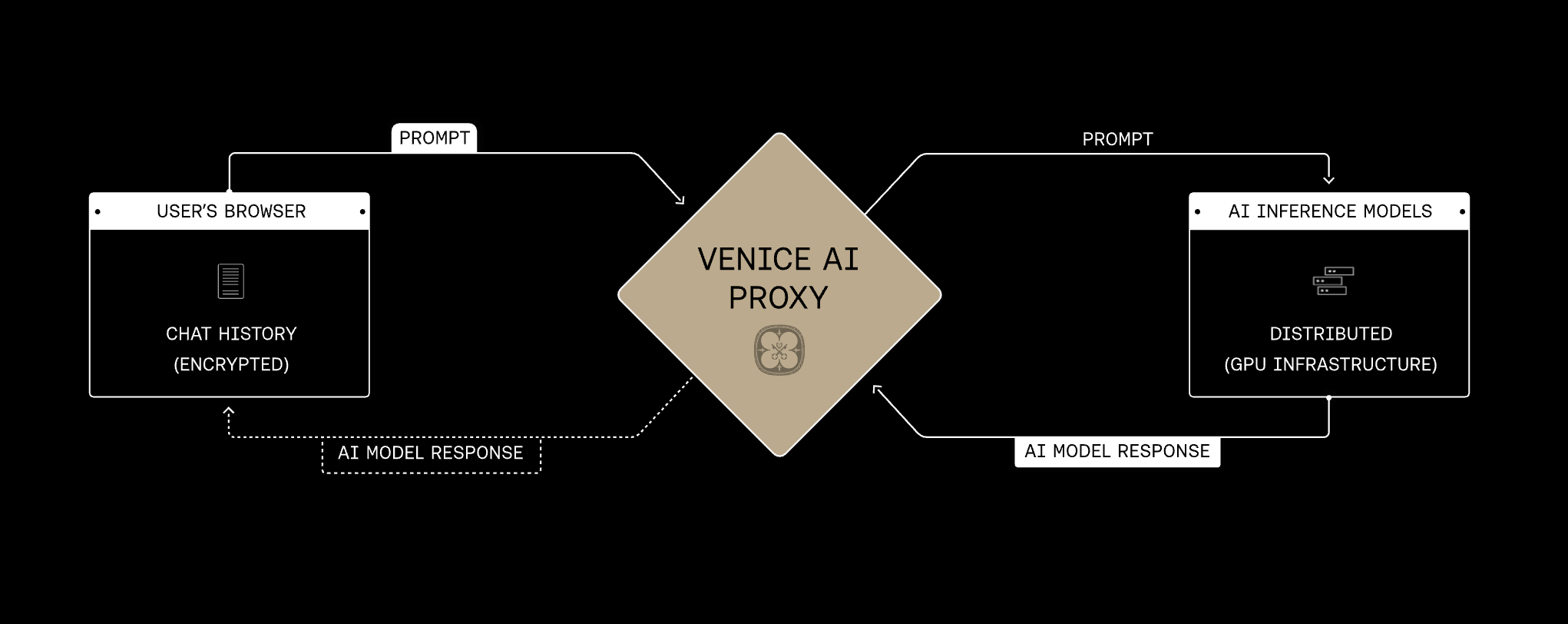
| Header | Description | | ---------------------------------------------------------------------------- | --------------------------------------------------------------------------------------- | |
**x-ratelimit-limit-requests**
| The number of requests you've made in the current evaluation period. | |
**x-ratelimit-remaining-requests**
| The remaining requests you can make in the current evaluation period. | |
**x-ratelimit-reset-requests**
| The unix time stamp when the rate limit will reset. | |
**x-ratelimit-limit-tokens**
| The number of total (prompt + completion) tokens used within a 1 minute sliding window. | |
**x-ratelimit-remaining-tokens**
| The remaining number of total tokens that can be used during the evaluation period. | |
**x-ratelimit-reset-tokens**
| The duration of time in seconds until the token rate limit resets. | |
**x-venice-balance-diem**
| The user's Diem balance before the request has been processed. | |
**x-venice-balance-usd**
| The user's USD balance before the request has been processed. |
--- # Source: https://docs.venice.ai/api-reference/endpoint/api_keys/rate_limit_logs.md # Rate Limit Logs > Returns the last 50 rate limits that the account exceeded. ## OpenAPI ````yaml GET /api_keys/rate_limits/log paths: path: /api_keys/rate_limits/log method: get servers: - url: https://api.venice.ai/api/v1 request: security: - title: BearerAuth parameters: query: {} header: Authorization: type: http scheme: bearer cookie: {} parameters: path: {} query: {} header: {} cookie: {} body: {} response: '200': application/json: schemaArray: - type: object properties: data: allOf: - type: array items: type: object properties: apiKeyId: type: string description: The ID of the API key that exceeded the limit. modelId: type: string default: zai-org-glm-4.6 description: >- The ID of the model that was used when the rate limit was exceeded. rateLimitTier: type: string description: The API tier of the rate limit. example: paid rateLimitType: type: string description: The type of rate limit that was exceeded. example: RPM timestamp: type: string description: The timestamp when the rate limit was exceeded. example: '2023-10-01T12:00:00.000Z' required: - apiKeyId - modelId - rateLimitTier - rateLimitType - timestamp additionalProperties: false description: The last 50 rate limit logs for the account. object: allOf: - type: string enum: - list requiredProperties: - data - object additionalProperties: false examples: example: value: data: - apiKeyId: modelId: zai-org-glm-4.6 rateLimitTier: paid rateLimitType: RPM timestamp: '2023-10-01T12:00:00.000Z' object: list description: OK '401': application/json: schemaArray: - type: object properties: error: allOf: - &ref_0 type: string description: A description of the error refIdentifier: '#/components/schemas/StandardError' requiredProperties: &ref_1 - error examples: example: value: error: description: Authentication failed '500': application/json: schemaArray: - type: object properties: error: allOf: - *ref_0 refIdentifier: '#/components/schemas/StandardError' requiredProperties: *ref_1 examples: example: value: error: description: An unknown error occurred deprecated: false type: path components: schemas: {} ```` --- # Source: https://docs.venice.ai/api-reference/endpoint/api_keys/rate_limits.md # Rate Limits and Balances > Return details about user balances and rate limits. ## OpenAPI ````yaml GET /api_keys/rate_limits paths: path: /api_keys/rate_limits method: get servers: - url: https://api.venice.ai/api/v1 request: security: - title: BearerAuth parameters: query: {} header: Authorization: type: http scheme: bearer cookie: {} parameters: path: {} query: {} header: {} cookie: {} body: {} response: '200': application/json: schemaArray: - type: object properties: data: allOf: - type: object properties: accessPermitted: type: boolean description: >- Does the API key have access to consume the inference APIs? example: true apiTier: type: object properties: id: type: string description: The ID of the API tier. example: paid isCharged: type: boolean description: Is the API key pay per use (in Diem or USD). example: true required: - id - isCharged balances: type: object properties: USD: type: number description: The USD balance of the key. example: 50.23 DIEM: type: number description: The Diem balance of the key. example: 100.023 keyExpiration: type: string nullable: true description: >- The timestamp the API key expires. If null, the key never expires. example: '2025-06-01T00:00:00.000Z' nextEpochBegins: type: string description: >- The timestamp when the next epoch begins. This is relevant for rate limits that reset at the start of each epoch. example: '2025-05-07T00:00:00.000Z' rateLimits: type: array items: type: object properties: apiModelId: type: string description: The ID of the API model. example: zai-org-glm-4.6 rateLimits: type: array items: type: object properties: amount: type: number description: The rate limit for the API model. example: 100 type: type: string description: >- The time period for the rate limit. Can be Requests Per Minute (RPM), Requests Per Day (RPD), or Tokens Per Minute (TPM). example: RPM required: - amount - type required: - rateLimits required: - accessPermitted - apiTier - balances - keyExpiration - nextEpochBegins - rateLimits requiredProperties: - data examples: example: value: data: accessPermitted: true apiTier: id: paid isCharged: true balances: USD: 50.23 DIEM: 100.023 keyExpiration: '2025-06-01T00:00:00.000Z' nextEpochBegins: '2025-05-07T00:00:00.000Z' rateLimits: - apiModelId: zai-org-glm-4.6 rateLimits: - amount: 100 type: RPM description: OK '401': application/json: schemaArray: - type: object properties: error: allOf: - &ref_0 type: string description: A description of the error refIdentifier: '#/components/schemas/StandardError' requiredProperties: &ref_1 - error examples: example: value: error: description: Authentication failed '500': application/json: schemaArray: - type: object properties: error: allOf: - *ref_0 refIdentifier: '#/components/schemas/StandardError' requiredProperties: *ref_1 examples: example: value: error: description: An unknown error occurred deprecated: false type: path components: schemas: {} ```` --- # Source: https://docs.venice.ai/overview/guides/reasoning-models.md # Reasoning Models > Using reasoning models with visible thinking in the Venice API Some models think out loud before answering. They work through problems step by step, then give you a final answer. This makes them stronger at math, code, and logic-heavy tasks. **Supported models:** `claude-opus-45`, `grok-41-fast`, `kimi-k2-thinking`, `gemini-3-pro-preview`, `qwen3-235b-a22b-thinking-2507`, `qwen3-4b`, `deepseek-ai-DeepSeek-R1` ## Reading the output Reasoning models return their thinking in one of two ways. ### The `reasoning_content` field Models like `qwen3-235b-a22b-thinking-2507` return thinking in a separate `reasoning_content` field, keeping `content` clean: ```python Python theme={null} response = client.chat.completions.create( model="qwen3-235b-a22b-thinking-2507", messages=[{"role": "user", "content": "What is 15% of 240?"}] ) thinking = response.choices[0].message.reasoning_content answer = response.choices[0].message.content ``` ```javascript Node.js theme={null} const response = await client.chat.completions.create({ model: "qwen3-235b-a22b-thinking-2507", messages: [{ role: "user", content: "What is 15% of 240?" }] }); const thinking = response.choices[0].message.reasoning_content; const answer = response.choices[0].message.content; ``` ```bash cURL theme={null} curl https://api.venice.ai/api/v1/chat/completions \ -H "Authorization: Bearer $VENICE_API_KEY" \ -H "Content-Type: application/json" \ -d '{ "model": "qwen3-235b-a22b-thinking-2507", "messages": [{"role": "user", "content": "What is 15% of 240?"}] }' ``` ### `` tags Other models (`qwen3-4b`, `deepseek-ai-DeepSeek-R1`) wrap thinking in `` tags within the `content` field: ``` The user wants 15% of 240. 15% = 0.15 0.15 × 240 = 36 15% of 240 is **36**. ``` Parse or strip as needed, or use `strip_thinking_response` to have Venice remove them server-side. ### Streaming When streaming, `reasoning_content` arrives in the delta before the final answer: ```python Python theme={null} stream = client.chat.completions.create( model="qwen3-235b-a22b-thinking-2507", messages=[{"role": "user", "content": "Explain photosynthesis"}], stream=True ) for chunk in stream: if chunk.choices: delta = chunk.choices[0].delta if delta.reasoning_content: print(delta.reasoning_content, end="") if delta.content: print(delta.content, end="") ``` ```javascript Node.js theme={null} const stream = await client.chat.completions.create({ model: "qwen3-235b-a22b-thinking-2507", messages: [{ role: "user", content: "Explain photosynthesis" }], stream: true }); for await (const chunk of stream) { if (chunk.choices?.[0]?.delta) { const delta = chunk.choices[0].delta; if (delta.reasoning_content) process.stdout.write(delta.reasoning_content); if (delta.content) process.stdout.write(delta.content); } } ``` ```bash cURL theme={null} curl https://api.venice.ai/api/v1/chat/completions \ -H "Authorization: Bearer $VENICE_API_KEY" \ -H "Content-Type: application/json" \ -d '{ "model": "qwen3-235b-a22b-thinking-2507", "messages": [{"role": "user", "content": "Explain photosynthesis"}], "stream": true }' ``` For models using `` tags, the thinking streams before the answer. Collect the full response, then parse. ## Reasoning effort Reasoning models spend tokens "thinking" before they answer. The `reasoning_effort` parameter controls how much thinking the model does. | Value | Behavior | | -------- | -------------------------------------------------------------------------------------------------------------------------- | | `low` | Minimal thinking. Fast and cheap. Best for simple factual questions. | | `medium` | Balanced thinking. The default for most tasks. | | `high` | Deep thinking. Slower and uses more tokens, but produces better answers on complex problems like math proofs or debugging. | ```python Python theme={null} response = client.chat.completions.create( model="qwen3-235b-a22b-thinking-2507", messages=[{"role": "user", "content": "Prove that there are infinitely many primes"}], extra_body={"reasoning_effort": "high"} ) ``` ```javascript Node.js theme={null} const response = await client.chat.completions.create({ model: "qwen3-235b-a22b-thinking-2507", messages: [{ role: "user", content: "Prove that there are infinitely many primes" }], reasoning_effort: "high" }); ``` ```bash cURL theme={null} curl https://api.venice.ai/api/v1/chat/completions \ -H "Authorization: Bearer $VENICE_API_KEY" \ -H "Content-Type: application/json" \ -d '{ "model": "qwen3-235b-a22b-thinking-2507", "messages": [{"role": "user", "content": "Prove that there are infinitely many primes"}], "reasoning_effort": "high" }' ``` Works on: `claude-opus-45`, `grok-41-fast`, `kimi-k2-thinking`, `gemini-3-pro-preview`, `qwen3-235b-a22b-thinking-2507` Venice also accepts the OpenRouter format: `"reasoning": {"effort": "high"}`. Same behavior, different syntax. ## Disabling reasoning Skip reasoning entirely for faster, cheaper responses: ```python Python theme={null} response = client.chat.completions.create( model="qwen3-4b", messages=[{"role": "user", "content": "What's the capital of France?"}], extra_body={"venice_parameters": {"disable_thinking": True}} ) ``` ```javascript Node.js theme={null} const response = await client.chat.completions.create({ model: "qwen3-4b", messages: [{ role: "user", content: "What's the capital of France?" }], venice_parameters: { disable_thinking: true } }); ``` ```bash cURL theme={null} curl https://api.venice.ai/api/v1/chat/completions \ -H "Authorization: Bearer $VENICE_API_KEY" \ -H "Content-Type: application/json" \ -d '{ "model": "qwen3-4b", "messages": [{"role": "user", "content": "What is the capital of France?"}], "venice_parameters": {"disable_thinking": true} }' ``` Or use an instruct model like `qwen3-235b-a22b-instruct-2507` instead. ## Stripping thinking from responses For models using `` tags, have Venice remove them server-side: ```python Python theme={null} response = client.chat.completions.create( model="qwen3-4b", messages=[{"role": "user", "content": "What is 15% of 240?"}], extra_body={"venice_parameters": {"strip_thinking_response": True}} ) ``` ```javascript Node.js theme={null} const response = await client.chat.completions.create({ model: "qwen3-4b", messages: [{ role: "user", content: "What is 15% of 240?" }], venice_parameters: { strip_thinking_response: true } }); ``` ```bash cURL theme={null} curl https://api.venice.ai/api/v1/chat/completions \ -H "Authorization: Bearer $VENICE_API_KEY" \ -H "Content-Type: application/json" \ -d '{ "model": "qwen3-4b", "messages": [{"role": "user", "content": "What is 15% of 240?"}], "venice_parameters": {"strip_thinking_response": true} }' ``` Or use a model suffix: `qwen3-4b:strip_thinking_response=true` ## Parameters | Parameter | Values | Description | | ------------------------- | ----------------- | ------------------------ | | `reasoning_effort` | low, medium, high | Controls thinking depth | | `reasoning.effort` | low, medium, high | OpenRouter format | | `disable_thinking` | boolean | Skips reasoning entirely | | `strip_thinking_response` | boolean | Removes `` tags | Pass `disable_thinking` and `strip_thinking_response` in `venice_parameters`, or use them as [model suffixes](/api-reference/endpoint/chat/model_feature_suffix). ## Deprecations **qwen3-235b → qwen3-235b-a22b-thinking-2507** Starting **December 14, 2025**, `qwen3-235b` routes to `qwen3-235b-a22b-thinking-2507`. **What changes:** * `disable_thinking` gets ignored * `` tags no longer appear in `content` * Thinking moves to `reasoning_content` instead **What stays the same:** * `strip_thinking_response` still works **Action required:** If you parse `` tags, switch to reading `reasoning_content`. If you use `disable_thinking=true`, switch to `qwen3-235b-a22b-instruct-2507` before December 14. `` tags will eventually be deprecated across all models in favor of the `reasoning_content` field. For pricing and context limits, see [Current Models](/overview/models). --- > To find navigation and other pages in this documentation, fetch the llms.txt file at: https://docs.venice.ai/llms.txt --- # Source: https://docs.venice.ai/api-reference/endpoint/video/retrieve.md # Retrieve Video > Retrieve a video generation result. Returns the video file if completed, or a status if the request is still processing. *** ## OpenAPI ````yaml POST /video/retrieve openapi: 3.0.0 info: description: The Venice.ai API. termsOfService: https://venice.ai/legal/tos title: Venice.ai API version: '20251230.213343' servers: - url: https://api.venice.ai/api/v1 security: - BearerAuth: [] tags: - description: >- Given a list of messages comprising a conversation, the model will return a response. Supports multimodal inputs including text, images, audio (input_audio), and video (video_url) for compatible models. name: Chat - description: List and describe the various models available in the API. name: Models - description: Generate and manipulate images using AI models. name: Image - description: Generate videos using AI models. name: Video - description: List and retrieve character information for use in completions. name: Characters externalDocs: description: Venice.ai API documentation url: https://docs.venice.ai paths: /video/retrieve: post: tags: - Video summary: /api/v1/video/retrieve description: >- Retrieve a video generation result. Returns the video file if completed, or a status if the request is still processing. operationId: retrieveVideo requestBody: content: application/json: schema: $ref: '#/components/schemas/RetrieveVideoRequest' responses: '200': description: Video file if completed, or processing status if still in progress content: application/json: schema: type: object properties: status: type: string enum: - PROCESSING description: The status of the video generation request. example: PROCESSING average_execution_time: type: number description: >- The average execution time of the video generation request in milliseconds. example: 145000 execution_duration: type: number description: >- The current duration of the video generation request in milliseconds. example: 53200 required: - status - average_execution_time - execution_duration video/mp4: schema: format: binary type: string '400': description: Invalid request parameters content: application/json: schema: $ref: '#/components/schemas/DetailedError' '401': description: Authentication failed content: application/json: schema: $ref: '#/components/schemas/StandardError' '404': description: >- Media could not be found. Request may may be invalid, expired, or deleted. content: application/json: schema: $ref: '#/components/schemas/StandardError' '422': description: >- Your prompt violates the content policy of Venice.ai or the model provider content: application/json: schema: $ref: '#/components/schemas/StandardError' '500': description: Inference processing failed content: application/json: schema: $ref: '#/components/schemas/StandardError' '503': description: The model is at capacity. Please try again later. content: application/json: schema: $ref: '#/components/schemas/StandardError' components: schemas: RetrieveVideoRequest: type: object properties: model: type: string description: The ID of the model used for video generation. example: video-model-123 queue_id: type: string description: The ID of the video generation request. example: 123e4567-e89b-12d3-a456-426614174000 delete_media_on_completion: type: boolean default: false description: >- If true, the video media will be deleted from storage after the request is completed. If false, you can use the complete endpoint to remove the media once you have successfully downloaded the video. example: false required: - model - queue_id additionalProperties: false DetailedError: type: object properties: details: type: object properties: {} description: Details about the incorrect input example: _errors: [] field: _errors: - Field is required error: type: string description: A description of the error required: - error StandardError: type: object properties: error: type: string description: A description of the error required: - error securitySchemes: BearerAuth: bearerFormat: JWT scheme: bearer type: http ```` --- > To find navigation and other pages in this documentation, fetch the llms.txt file at: https://docs.venice.ai/llms.txt --- # Source: https://docs.venice.ai/api-reference/endpoint/audio/speech.md # Speech API (Beta) > Converts text to speech using various voice models and formats. ## OpenAPI ````yaml POST /audio/speech paths: path: /audio/speech method: post servers: - url: https://api.venice.ai/api/v1 request: security: - title: BearerAuth parameters: query: {} header: Authorization: type: http scheme: bearer cookie: {} parameters: path: {} query: {} header: {} cookie: {} body: application/json: schemaArray: - type: object properties: input: allOf: - type: string minLength: 1 maxLength: 4096 description: >- The text to generate audio for. The maximum length is 4096 characters. example: Hello, this is a test of the text to speech system. model: allOf: - type: string enum: - tts-kokoro default: tts-kokoro description: The model ID of a Venice TTS model. example: tts-kokoro response_format: allOf: - type: string enum: - mp3 - opus - aac - flac - wav - pcm default: mp3 description: The format to audio in. example: mp3 speed: allOf: - type: number minimum: 0.25 maximum: 4 default: 1 description: >- The speed of the generated audio. Select a value from 0.25 to 4.0. 1.0 is the default. example: 1 streaming: allOf: - type: boolean default: false description: >- Should the content stream back sentence by sentence or be processed and returned as a complete audio file. example: true voice: allOf: - type: string enum: - af_alloy - af_aoede - af_bella - af_heart - af_jadzia - af_jessica - af_kore - af_nicole - af_nova - af_river - af_sarah - af_sky - am_adam - am_echo - am_eric - am_fenrir - am_liam - am_michael - am_onyx - am_puck - am_santa - bf_alice - bf_emma - bf_lily - bm_daniel - bm_fable - bm_george - bm_lewis - zf_xiaobei - zf_xiaoni - zf_xiaoxiao - zf_xiaoyi - zm_yunjian - zm_yunxi - zm_yunxia - zm_yunyang - ff_siwis - hf_alpha - hf_beta - hm_omega - hm_psi - if_sara - im_nicola - jf_alpha - jf_gongitsune - jf_nezumi - jf_tebukuro - jm_kumo - pf_dora - pm_alex - pm_santa - ef_dora - em_alex - em_santa default: af_sky description: The voice to use when generating the audio. example: af_sky description: Request to generate audio from text. refIdentifier: '#/components/schemas/CreateSpeechRequestSchema' requiredProperties: - input additionalProperties: false example: input: Hello, welcome to Venice Voice. model: tts-kokoro response_format: mp3 speed: 1 streaming: false voice: af_sky examples: example: value: input: Hello, welcome to Venice Voice. model: tts-kokoro response_format: mp3 speed: 1 streaming: false voice: af_sky response: '200': audio/aac: schemaArray: - type: file contentEncoding: binary examples: example: {} description: Audio content generated successfully audio/flac: schemaArray: - type: file contentEncoding: binary examples: example: {} description: Audio content generated successfully audio/mpeg: schemaArray: - type: file contentEncoding: binary examples: example: {} description: Audio content generated successfully audio/opus: schemaArray: - type: file contentEncoding: binary examples: example: {} description: Audio content generated successfully audio/pcm: schemaArray: - type: file contentEncoding: binary examples: example: {} description: Audio content generated successfully audio/wav: schemaArray: - type: file contentEncoding: binary examples: example: {} description: Audio content generated successfully '400': application/json: schemaArray: - type: object properties: details: allOf: - type: object properties: {} description: Details about the incorrect input example: _errors: [] field: _errors: - Field is required error: allOf: - type: string description: A description of the error refIdentifier: '#/components/schemas/DetailedError' requiredProperties: - error examples: example: value: details: _errors: [] field: _errors: - Field is required error: description: Invalid request parameters '401': application/json: schemaArray: - type: object properties: error: allOf: - &ref_0 type: string description: A description of the error refIdentifier: '#/components/schemas/StandardError' requiredProperties: &ref_1 - error examples: example: value: error: description: Authentication failed '402': application/json: schemaArray: - type: object properties: error: allOf: - *ref_0 refIdentifier: '#/components/schemas/StandardError' requiredProperties: *ref_1 examples: example: value: error: description: Insufficient USD or Diem balance to complete request '403': application/json: schemaArray: - type: object properties: error: allOf: - *ref_0 refIdentifier: '#/components/schemas/StandardError' requiredProperties: *ref_1 examples: example: value: error: description: Unauthorized access '415': application/json: schemaArray: - type: object properties: error: allOf: - *ref_0 refIdentifier: '#/components/schemas/StandardError' requiredProperties: *ref_1 examples: example: value: error: description: Invalid request content-type '429': application/json: schemaArray: - type: object properties: error: allOf: - *ref_0 refIdentifier: '#/components/schemas/StandardError' requiredProperties: *ref_1 examples: example: value: error: description: Rate limit exceeded '500': application/json: schemaArray: - type: object properties: error: allOf: - *ref_0 refIdentifier: '#/components/schemas/StandardError' requiredProperties: *ref_1 examples: example: value: error: description: Inference processing failed '503': application/json: schemaArray: - type: object properties: error: allOf: - *ref_0 refIdentifier: '#/components/schemas/StandardError' requiredProperties: *ref_1 examples: example: value: error: description: The model is at capacity. Please try again later. deprecated: false type: path components: schemas: {} ```` --- # Source: https://docs.venice.ai/overview/guides/structured-responses.md # Structured Responses > Using structured responses within the Venice API Venice has now included structured outputs via “response\_format” as an available field in the API. This field enables you to generate responses to your prompts that follow a specific pre-defined format. With this new method, the models are less likely to hallucinate incorrect keys or values within the response, which was more prevalent when attempting through system prompt manipulation or via function calling. The structured output “response\_format” field utilizes the OpenAI API format, and is further described in the openAI guide [here](https://platform.openai.com/docs/guides/structured-outputs). OpenAI also released an introduction article to using stuctured outputs within the API specifically [here](https://openai.com/index/introducing-structured-outputs-in-the-api/). As this is advanced functionality, there are a handful of “gotchas” on the bottom of this page that should be followed. This functionality is not natively available for all models. Please refer to the models section [here](https://docs.venice.ai/api-reference/endpoint/models/list?playground=open), and look for “supportsResponseSchema” for applicable models. ```json theme={null} { "id": "venice-uncensored", "type": "text", "object": "model", "created": 1726869022, "owned_by": "venice.ai", "model_spec": { "availableContextTokens": 32768, "capabilities": { "supportsFunctionCalling": true, "supportsResponseSchema": true, "supportsWebSearch": true }, ``` ### How to use Structured Responses To properly use the “response\_format” you can define your schema with various “properties”, representing categories of outputs, each with individually configured data types. These objects can be nested to create more advanced structures of outputs. Here is an example of an API call using response\_format to explain the step-by-step process of solving a math equation. You can see that the properties were configured to require both “steps” and “final\_answer” within the response. Within nesting, the steps category consists of both an “explanation” and an “output”, each as strings. ```json theme={null} curl --request POST \ --url https://api.venice.ai/api/v1/chat/completions \ --header 'Authorization: Bearer ' \ --header 'Content-Type: application/json' \ --data '{ "model": "venice-uncensored", "messages": [ { "role": "system", "content": "You are a helpful math tutor." }, { "role": "user", "content": "solve 8x + 31 = 2" } ], "response_format": { "type": "json_schema", "json_schema": { "name": "math_response", "strict": true, "schema": { "type": "object", "properties": { "steps": { "type": "array", "items": { "type": "object", "properties": { "explanation": { "type": "string" }, "output": { "type": "string" } }, "required": ["explanation", "output"], "additionalProperties": false } }, "final_answer": { "type": "string" } }, "required": ["steps", "final_answer"], "additionalProperties": false } } } } ``` Here is the response that was received from the model. You can see that the structure followed the requirements by first providing the “steps” with the “explanation” and “output” of each step, and then the “final answer”. ```json theme={null} { "steps": [ { "explanation": "Subtract 31 from both sides to isolate the term with x.", "output": "8x + 31 - 31 = 2 - 31" }, { "explanation": "This simplifies to 8x = -29.", "output": "8x = -29" }, { "explanation": "Divide both sides by 8 to solve for x.", "output": "x = -29 / 8" } ], "final_answer": "x = -29 / 8" } ``` Although this is a simple example, this can be extrapolated into more advanced use cases like: Data Extraction, Chain of Thought Exercises, UI Generation, Data Categorization and many others. ### Gotchas Here are some key requirements to keep in mind when using Structured Outputs via response\_format: * Initial requests using response\_format may take longer to generate a response. Subsequent requests will not experience the same latency as the initial request. * For larger queries, the model can fail to complete if either `max_tokens` or model timeout are reached, or if any rate limits are violated * Incorrect schema format will result in errors on completion, usually due to timeout * Although response\_format ensures the model will output a particular way, it does not guarantee that the model provided the correct information within. The content is driven by the prompt and the model performance. * Structured Outputs via response\_format are not compatible with parallel function calls * Important: All fields or parameters must include a `required` tag. To make a field optional, you need to add a `null` option within the `type`of the field, like this `"type": ["string", "null"]` * It is possible to make fields optional by giving a `null` options within the required field to allow an empty response. * Important: `additionalProperties` must be set to false for response\_format to work properly * Important: `strict` must be set to true for response\_format to work properly --- # Source: https://docs.venice.ai/api-reference/endpoint/image/styles.md # Image Styles > List available image styles that can be used with the generate API. ## OpenAPI ````yaml GET /image/styles paths: path: /image/styles method: get servers: - url: https://api.venice.ai/api/v1 request: security: - title: '' parameters: query: {} header: {} cookie: {} - title: BearerAuth parameters: query: {} header: Authorization: type: http scheme: bearer cookie: {} parameters: path: {} query: {} header: {} cookie: {} body: {} response: '200': application/json: schemaArray: - type: object properties: data: allOf: - type: array items: type: string description: List of available image styles example: - 3D Model - Analog Film - Anime - Cinematic - Comic Book object: allOf: - type: string enum: - list requiredProperties: - data - object examples: example: value: data: - 3D Model - Analog Film - Anime - Cinematic - Comic Book object: list description: OK '401': application/json: schemaArray: - type: object properties: error: allOf: - &ref_0 type: string description: A description of the error refIdentifier: '#/components/schemas/StandardError' requiredProperties: &ref_1 - error examples: example: value: error: description: Authentication failed '500': application/json: schemaArray: - type: object properties: error: allOf: - *ref_0 refIdentifier: '#/components/schemas/StandardError' requiredProperties: *ref_1 examples: example: value: error: description: An unknown error occurred deprecated: false type: path components: schemas: {} ```` --- # Source: https://docs.venice.ai/models/text.md # Text Models > Chat, reasoning, and code generation models
Loading models...
*** ## Capabilities * **Function Calling:** Let the model invoke tools and external APIs * **Reasoning:** Extended thinking for complex problem-solving * **Vision:** Analyze images alongside text prompts * **Code:** Optimized for code generation and understanding See the [Chat Completions API](/api-reference/endpoint/chat/completions) for usage examples. --- > To find navigation and other pages in this documentation, fetch the llms.txt file at: https://docs.venice.ai/llms.txt --- # Source: https://docs.venice.ai/api-reference/endpoint/models/traits.md # Traits > Returns a list of model traits and the associated model. ## OpenAPI ````yaml GET /models/traits paths: path: /models/traits method: get servers: - url: https://api.venice.ai/api/v1 request: security: - title: '' parameters: query: {} header: {} cookie: {} - title: BearerAuth parameters: query: {} header: Authorization: type: http scheme: bearer cookie: {} parameters: path: {} query: type: schema: - type: enum enum: - asr - embedding - image - text - tts - upscale - inpaint - video required: false description: Filter models by type. default: text example: text header: {} cookie: {} body: {} response: '200': application/json: schemaArray: - type: object properties: data: allOf: - $ref: '#/components/schemas/ModelTraitSchema' object: allOf: - type: string enum: - list type: allOf: - anyOf: - type: string enum: - asr - embedding - image - text - tts - upscale - inpaint - video - type: string enum: - all - code description: Type of models returned. example: text requiredProperties: - data - object - type examples: example: value: data: default: llama-3.3-70b fastest: llama-3.2-3b-akash object: list type: text description: OK '401': application/json: schemaArray: - type: object properties: error: allOf: - &ref_0 type: string description: A description of the error refIdentifier: '#/components/schemas/StandardError' requiredProperties: &ref_1 - error examples: example: value: error: description: Authentication failed '500': application/json: schemaArray: - type: object properties: error: allOf: - *ref_0 refIdentifier: '#/components/schemas/StandardError' requiredProperties: *ref_1 examples: example: value: error: description: An unknown error occurred deprecated: false type: path components: schemas: ModelTraitSchema: type: object additionalProperties: type: string description: List of available models example: default: llama-3.3-70b fastest: llama-3.2-3b-akash ```` --- # Source: https://docs.venice.ai/api-reference/endpoint/image/upscale.md # Upscale and Enhance > Upscale or enhance an image based on the supplied parameters. Using a scale of 1 with enhance enabled will only run the enhancer. The image can be provided either as a multipart form-data file upload or as a base64-encoded string in a JSON request. ## OpenAPI ````yaml POST /image/upscale paths: path: /image/upscale method: post servers: - url: https://api.venice.ai/api/v1 request: security: - title: BearerAuth parameters: query: {} header: Authorization: type: http scheme: bearer cookie: {} parameters: path: {} query: {} header: {} cookie: {} body: application/json: schemaArray: - type: object properties: enhance: allOf: - &ref_0 anyOf: - type: boolean - type: string enum: - 'true' - 'false' default: 'false' description: >- Whether to enhance the image using Venice's image engine during upscaling. Must be true if scale is 1. example: true enhanceCreativity: allOf: - &ref_1 type: number nullable: true minimum: 0 maximum: 1 default: 0.5 description: >- Higher values let the enhancement AI change the image more. Setting this to 1 effectively creates an entirely new image. example: 0.5 enhancePrompt: allOf: - &ref_2 type: string maxLength: 1500 description: >- The text to image style to apply during prompt enhancement. Does best with short descriptive prompts, like gold, marble or angry, menacing. example: gold image: allOf: - &ref_3 anyOf: - {} - type: string description: >- The image to upscale. Can be either a file upload or a base64-encoded string. Image dimensions must be at least 65536 pixels and final dimensions after scaling must not exceed 16777216 pixels. replication: allOf: - &ref_4 type: number nullable: true minimum: 0 maximum: 1 default: 0.35 description: >- How strongly lines and noise in the base image are preserved. Higher values are noisier but less plastic/AI "generated"/hallucinated. Must be between 0 and 1. example: 0.35 scale: allOf: - &ref_5 type: number minimum: 1 maximum: 4 default: 2 description: >- The scale factor for upscaling the image. Must be a number between 1 and 4. Scale of 1 requires enhance to be set true and will only run the enhancer. Scale must be > 1 if enhance is false. A scale of 4 with large images will result in the scale being dynamically set to ensure the final image stays within the maximum size limits. example: 2 description: >- Upscale or enhance an image based on the supplied parameters. Using a scale of 1 with enhance enabled will only run the enhancer. refIdentifier: '#/components/schemas/UpscaleImageRequest' requiredProperties: &ref_6 - image additionalProperties: false example: &ref_7 enhance: true enhanceCreativity: 0.5 enhancePrompt: gold image: iVBORw0KGgoAAAANSUhEUgAAAgAAAAIACAIAAAB7GkOtAAAAIGNIUk0A... scale: 2 examples: example: value: enhance: true enhanceCreativity: 0.5 enhancePrompt: gold image: iVBORw0KGgoAAAANSUhEUgAAAgAAAAIACAIAAAB7GkOtAAAAIGNIUk0A... scale: 2 multipart/form-data: schemaArray: - type: object properties: enhance: allOf: - *ref_0 enhanceCreativity: allOf: - *ref_1 enhancePrompt: allOf: - *ref_2 image: allOf: - *ref_3 replication: allOf: - *ref_4 scale: allOf: - *ref_5 description: >- Upscale or enhance an image based on the supplied parameters. Using a scale of 1 with enhance enabled will only run the enhancer. refIdentifier: '#/components/schemas/UpscaleImageRequest' requiredProperties: *ref_6 additionalProperties: false example: *ref_7 examples: example: value: enhance: true enhanceCreativity: 0.5 enhancePrompt: gold image: iVBORw0KGgoAAAANSUhEUgAAAgAAAAIACAIAAAB7GkOtAAAAIGNIUk0A... scale: 2 response: '200': image/png: schemaArray: - type: file contentEncoding: binary examples: example: {} description: OK '400': application/json: schemaArray: - type: object properties: details: allOf: - type: object properties: {} description: Details about the incorrect input example: _errors: [] field: _errors: - Field is required error: allOf: - type: string description: A description of the error refIdentifier: '#/components/schemas/DetailedError' requiredProperties: - error examples: example: value: details: _errors: [] field: _errors: - Field is required error: description: Invalid request parameters '401': application/json: schemaArray: - type: object properties: error: allOf: - &ref_8 type: string description: A description of the error refIdentifier: '#/components/schemas/StandardError' requiredProperties: &ref_9 - error examples: example: value: error: description: Authentication failed '402': application/json: schemaArray: - type: object properties: error: allOf: - *ref_8 refIdentifier: '#/components/schemas/StandardError' requiredProperties: *ref_9 examples: example: value: error: description: Insufficient USD or Diem balance to complete request '415': application/json: schemaArray: - type: object properties: error: allOf: - *ref_8 refIdentifier: '#/components/schemas/StandardError' requiredProperties: *ref_9 examples: example: value: error: description: Invalid request content-type '429': application/json: schemaArray: - type: object properties: error: allOf: - *ref_8 refIdentifier: '#/components/schemas/StandardError' requiredProperties: *ref_9 examples: example: value: error: description: Rate limit exceeded '500': application/json: schemaArray: - type: object properties: error: allOf: - *ref_8 refIdentifier: '#/components/schemas/StandardError' requiredProperties: *ref_9 examples: example: value: error: description: Inference processing failed '503': application/json: schemaArray: - type: object properties: error: allOf: - *ref_8 refIdentifier: '#/components/schemas/StandardError' requiredProperties: *ref_9 examples: example: value: error: description: The model is at capacity. Please try again later. deprecated: false type: path components: schemas: {} ```` --- # Source: https://docs.venice.ai/api-reference/endpoint/billing/usage.md # Billing Usage API (Beta) > Get paginated billing usage data for the authenticated user. NOTE: This is a beta endpoint and may be subject to change. ## OpenAPI ````yaml GET /billing/usage paths: path: /billing/usage method: get servers: - url: https://api.venice.ai/api/v1 request: security: - title: BearerAuth parameters: query: {} header: Authorization: type: http scheme: bearer cookie: {} parameters: path: {} query: currency: schema: - type: enum enum: - USD - VCU - DIEM required: false description: Filter by currency example: USD endDate: schema: - type: string required: false description: End date for filtering records (ISO 8601) format: date-time example: '2024-12-31T23:59:59.000Z' limit: schema: - type: integer required: false description: Number of items per page maximum: 500 minimum: 0 exclusiveMinimum: true default: 200 example: 200 page: schema: - type: integer required: false description: Page number for pagination minimum: 0 exclusiveMinimum: true default: 1 example: 1 sortOrder: schema: - type: enum enum: - asc - desc required: false description: Sort order for createdAt field default: desc example: desc startDate: schema: - type: string required: false description: Start date for filtering records (ISO 8601) format: date-time example: '2024-01-01T00:00:00.000Z' header: Accept: schema: - type: string description: Accept header to specify the response format example: application/json, text/csv cookie: {} body: {} response: '200': application/json: schemaArray: - type: object properties: warningMessage: allOf: - type: string description: >- A warning message to disambiguate DIEM usage from legacy DIEM (formerly VCU) usage data: allOf: - type: array items: type: object properties: amount: type: number description: The total amount charged for the billing usage entry currency: type: string enum: - USD - VCU - DIEM description: The currency charged for the billing usage entry example: USD inferenceDetails: type: object nullable: true properties: completionTokens: type: number nullable: true description: >- Number of tokens used in the completion. Only present for LLM usage. inferenceExecutionTime: type: number nullable: true description: >- Time taken for inference execution in milliseconds promptTokens: type: number nullable: true description: >- Number of tokens requested in the prompt. Only present for LLM usage. requestId: type: string nullable: true description: Unique identifier for the inference request required: - completionTokens - inferenceExecutionTime - promptTokens - requestId description: >- Details about the related inference request, if applicable notes: type: string description: Notes about the billing usage entry pricePerUnitUsd: type: number description: The price per unit in USD sku: type: string description: The product associated with the billing usage entry timestamp: type: string description: The timestamp the billing usage entry was created example: '2025-01-01T00:00:00.000Z' units: type: number description: The number of units consumed required: - amount - currency - inferenceDetails - notes - pricePerUnitUsd - sku - timestamp - units pagination: allOf: - type: object properties: limit: type: number page: type: number total: type: number totalPages: type: number required: - limit - page - total - totalPages description: The response schema for the billing usage endpoint requiredProperties: - data - pagination additionalProperties: false example: data: - amount: -0.1 currency: DIEM inferenceDetails: null notes: API Inference pricePerUnitUsd: 0.1 sku: venice-sd35-image-unit timestamp: {} units: 1 - amount: -0.06356 currency: DIEM inferenceDetails: completionTokens: 227 inferenceExecutionTime: 2964 promptTokens: 339 requestId: chatcmpl-4007fd29f42b7d3c4107f4345e8d174a notes: API Inference pricePerUnitUsd: 2.8 sku: llama-3.3-70b-llm-output-mtoken timestamp: {} units: 0.000227 pagination: limit: 1 page: 200 total: 56090 totalPages: 56090 examples: example: value: data: - amount: -0.1 currency: DIEM inferenceDetails: null notes: API Inference pricePerUnitUsd: 0.1 sku: venice-sd35-image-unit timestamp: {} units: 1 - amount: -0.06356 currency: DIEM inferenceDetails: completionTokens: 227 inferenceExecutionTime: 2964 promptTokens: 339 requestId: chatcmpl-4007fd29f42b7d3c4107f4345e8d174a notes: API Inference pricePerUnitUsd: 2.8 sku: llama-3.3-70b-llm-output-mtoken timestamp: {} units: 0.000227 pagination: limit: 1 page: 200 total: 56090 totalPages: 56090 description: Successful response text/csv: schemaArray: - type: string description: CSV formatted billing usage data examples: example: value: description: Successful response '400': application/json: schemaArray: - type: object properties: details: allOf: - type: object properties: {} description: Details about the incorrect input example: _errors: [] field: _errors: - Field is required error: allOf: - type: string description: A description of the error refIdentifier: '#/components/schemas/DetailedError' requiredProperties: - error examples: example: value: details: _errors: [] field: _errors: - Field is required error: description: Invalid request parameters '401': application/json: schemaArray: - type: object properties: error: allOf: - &ref_0 type: string description: A description of the error refIdentifier: '#/components/schemas/StandardError' requiredProperties: &ref_1 - error examples: example: value: error: description: Authentication failed '500': application/json: schemaArray: - type: object properties: error: allOf: - *ref_0 refIdentifier: '#/components/schemas/StandardError' requiredProperties: *ref_1 examples: example: value: error: description: Inference processing failed deprecated: false type: path components: schemas: {} ```` --- # Source: https://docs.venice.ai/models/video.md # Video Models > Text-to-video and image-to-video generation
Loading models...
## Model Types **Text to Video:** Generate videos from text prompts **Image to Video:** Animate static images into video clips Video generation uses an async queue system. See the [Video Queue API](/api-reference/endpoint/video/queue) to start generation and [Video Retrieve API](/api-reference/endpoint/video/retrieve) to fetch results. ## Pricing Adjust the dropdowns to see how duration, resolution, and audio affect the price. Models marked **FIXED** have a flat rate. For exact quotes before generation, use the [Video Quote API](/api-reference/endpoint/video/quote). --- > To find navigation and other pages in this documentation, fetch the llms.txt file at: https://docs.venice.ai/llms.txt