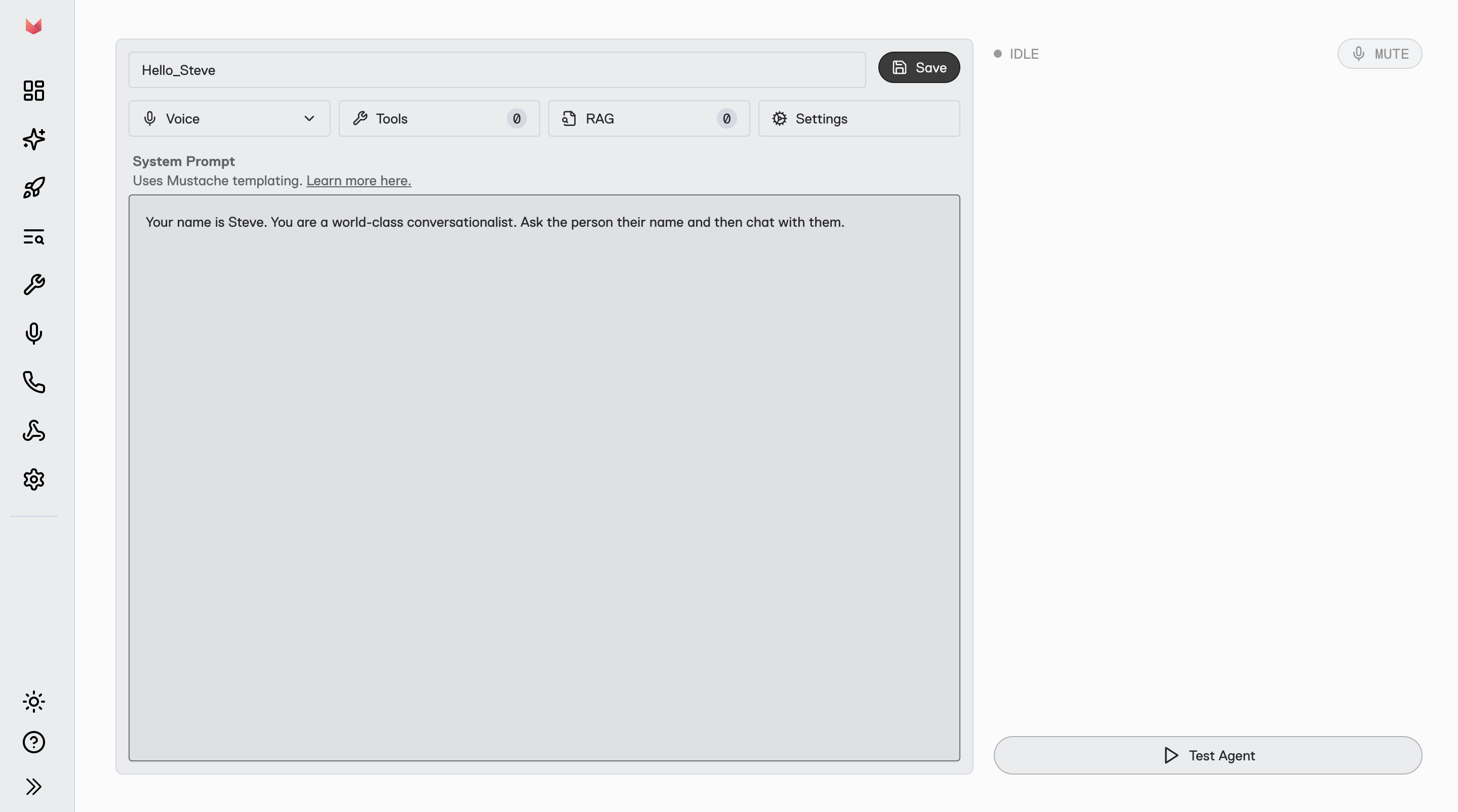
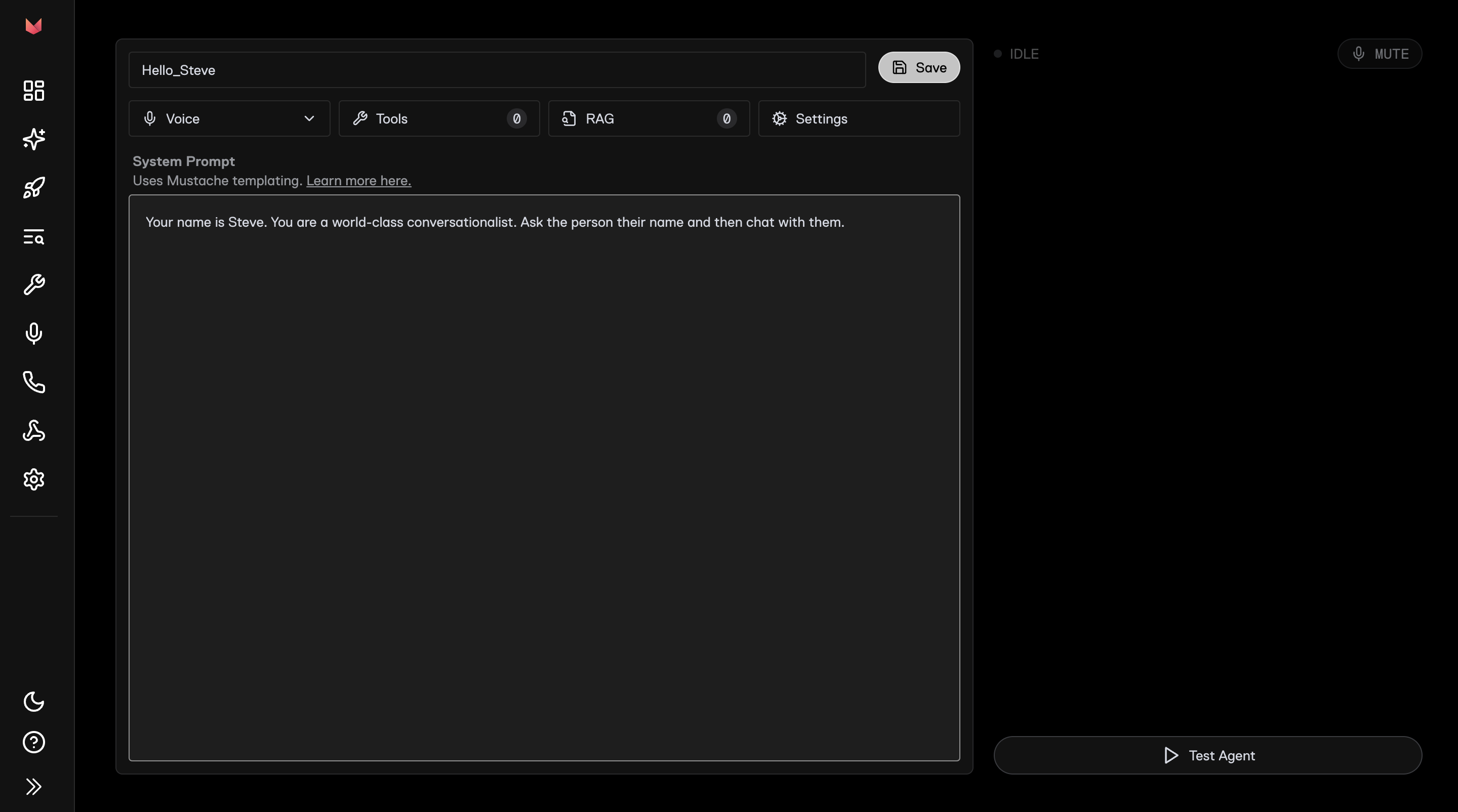
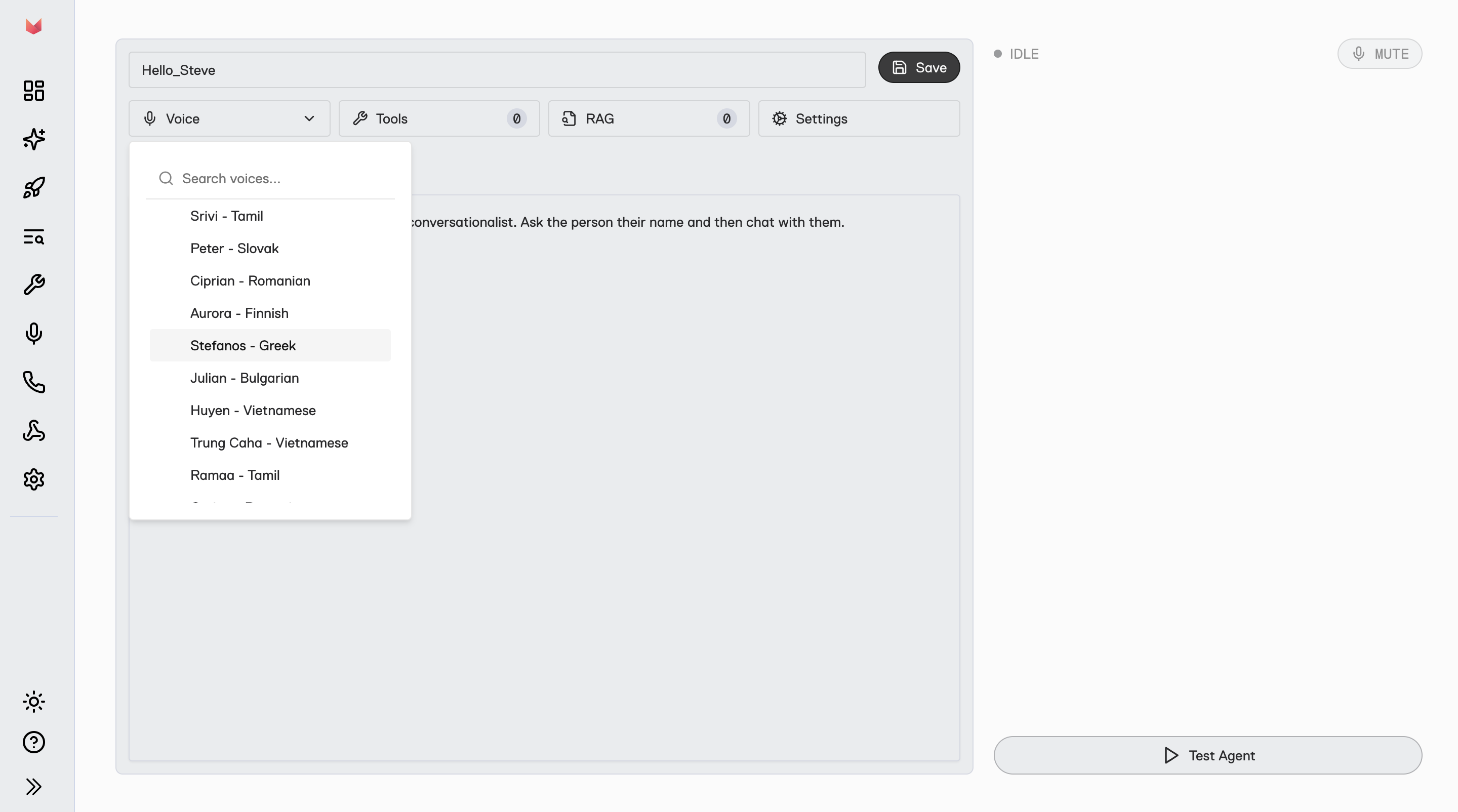
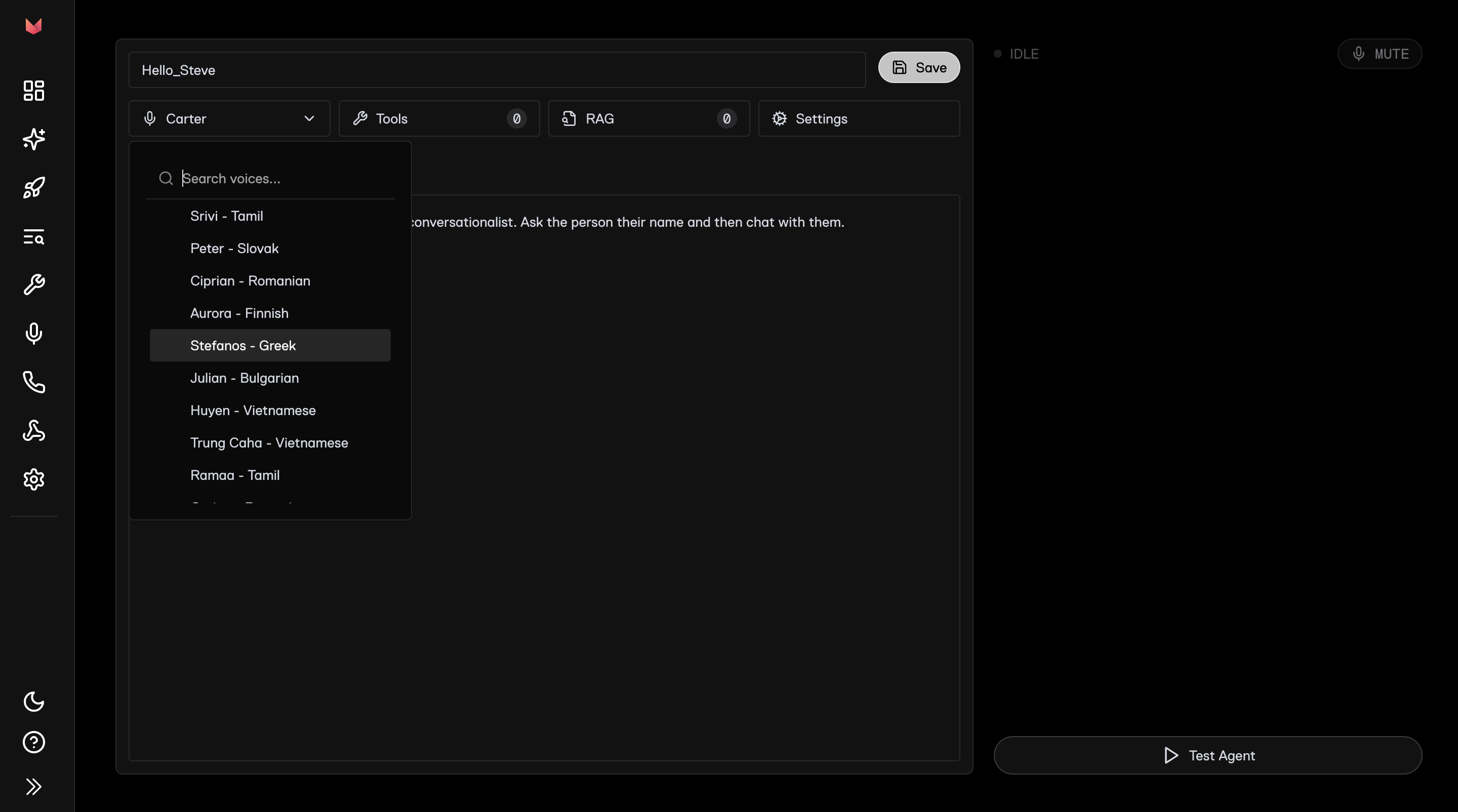
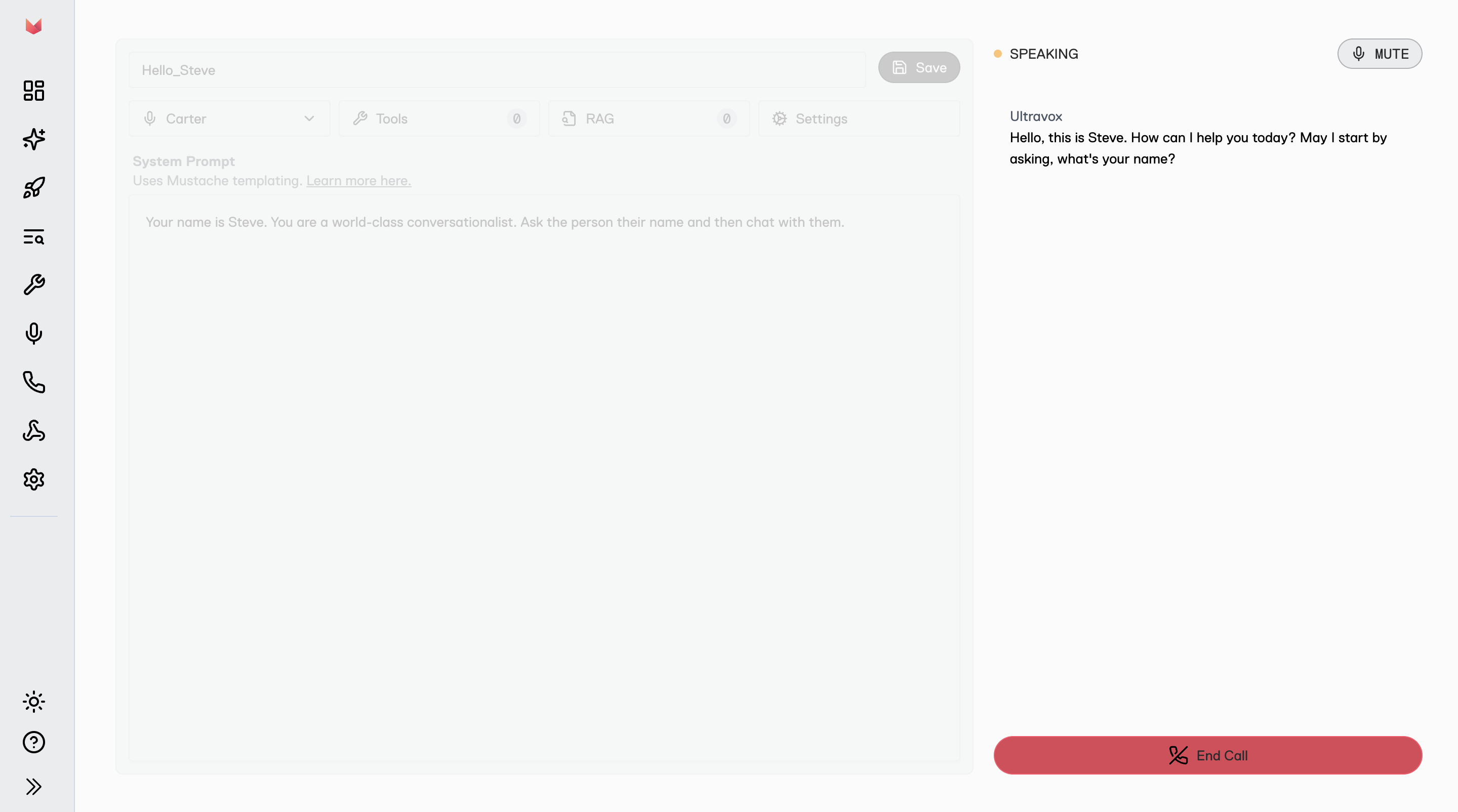
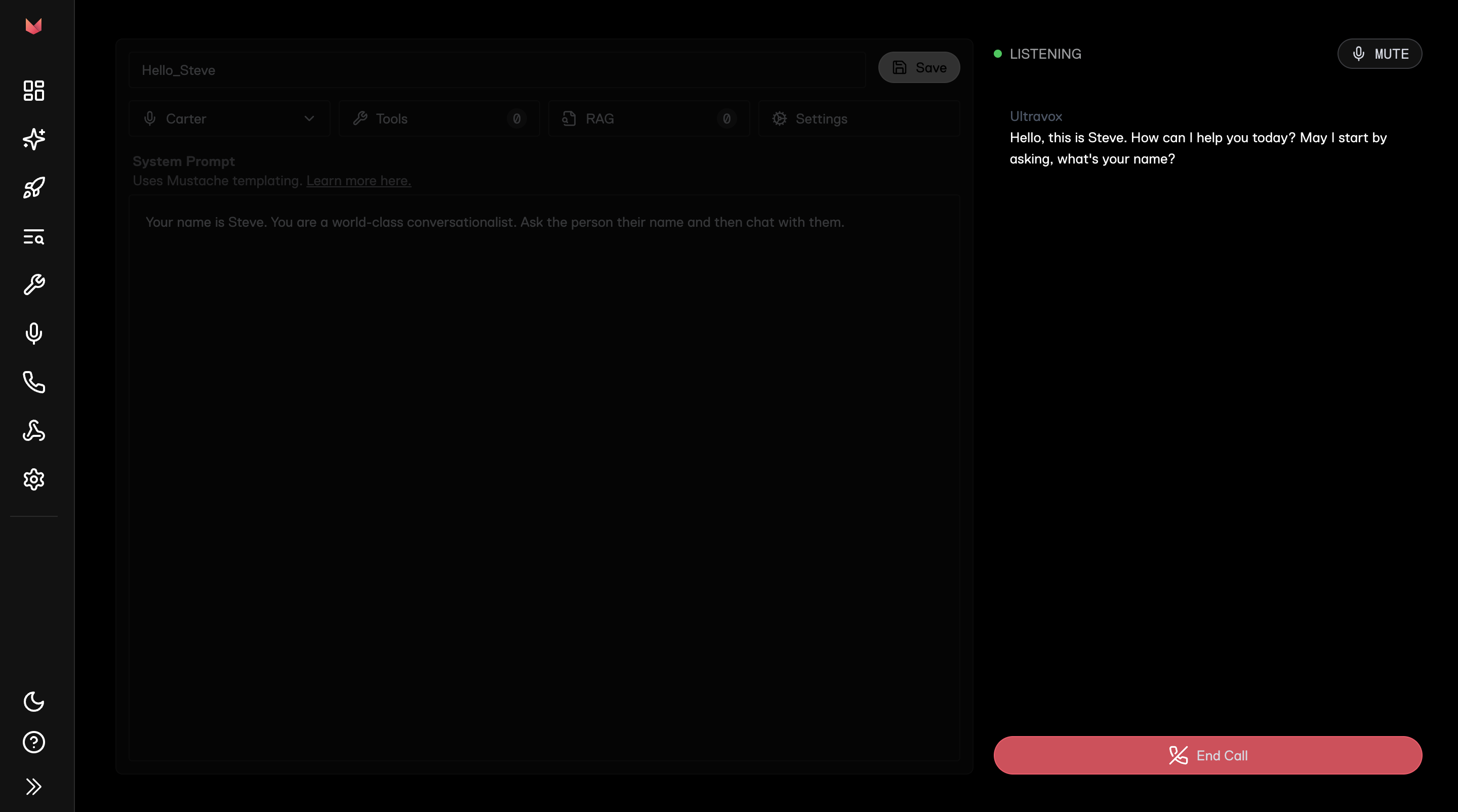
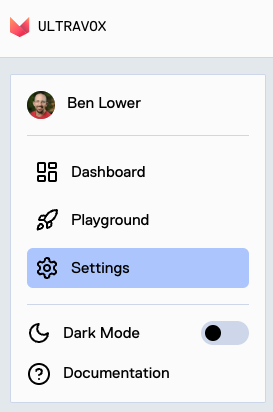
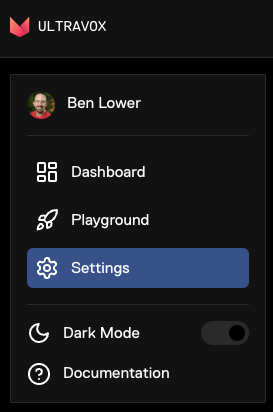
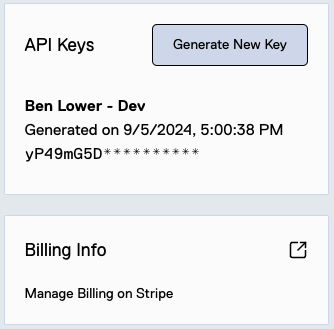
# Ultravox > ## Documentation Index --- # Source: https://docs.ultravox.ai/api-reference/accounts/accounts-me-get.md > ## Documentation Index > Fetch the complete documentation index at: https://docs.ultravox.ai/llms.txt > Use this file to discover all available pages before exploring further. # Get Account > Returns account details for a single account ## OpenAPI ````yaml get /api/accounts/me openapi: 3.0.3 info: title: Ultravox version: 0.1.0 description: API for the Ultravox service. servers: - url: https://api.ultravox.ai security: [] paths: /api/accounts/me: get: tags: - accounts operationId: accounts_me_retrieve responses: '200': content: application/json: schema: $ref: '#/components/schemas/Account' description: '' security: - apiKeyAuth: [] components: schemas: Account: type: object properties: name: type: string readOnly: true billingUrl: type: string readOnly: true freeTimeUsed: type: string readOnly: true description: How much free time has been used by previous (or ongoing) calls. freeTimeRemaining: type: string readOnly: true description: >- How much free call time this account has remaining. (This could increase if an existing call ends without using its maximum duration or an unjoined call times out.) hasActiveSubscription: type: boolean description: Whether the account has an active subscription. subscriptionTier: type: string nullable: true readOnly: true description: The current subscription tier for this account. subscriptionCadence: type: string nullable: true readOnly: true description: How often the subscription is billed for this account. subscriptionExpiration: type: string format: date-time nullable: true readOnly: true description: >- The expiration date of the current subscription for this account, if any. This is the point at which access will end unless credit remains. subscriptionScheduledUpdate: type: string format: date-time nullable: true readOnly: true description: >- The point in the future where this account's subscription is scheduled to change. subscriptionRenewal: type: string format: date-time nullable: true readOnly: true description: When this account's subscription renews, if applicable. activeCalls: type: integer readOnly: true description: The number of active calls for this account. allowedConcurrentCalls: type: integer nullable: true readOnly: true description: The maximum number of concurrent calls allowed for this account. allowedVoices: type: integer nullable: true readOnly: true description: The maximum number of custom voices allowed for this account. allowedCorpora: type: integer nullable: true readOnly: true description: The maximum number of corpora allowed for this account. required: - activeCalls - allowedConcurrentCalls - allowedCorpora - allowedVoices - billingUrl - freeTimeRemaining - freeTimeUsed - hasActiveSubscription - name - subscriptionCadence - subscriptionExpiration - subscriptionRenewal - subscriptionScheduledUpdate - subscriptionTier securitySchemes: apiKeyAuth: type: apiKey in: header name: X-API-Key description: API key ```` --- # Source: https://docs.ultravox.ai/api-reference/accounts/accounts-me-telephony-config-partial-update.md > ## Documentation Index > Fetch the complete documentation index at: https://docs.ultravox.ai/llms.txt > Use this file to discover all available pages before exploring further. # Set Telephony Credentials > Allows adding or updating telephony provider credentials to an account ## OpenAPI ````yaml patch /api/accounts/me/telephony_config openapi: 3.0.3 info: title: Ultravox version: 0.1.0 description: API for the Ultravox service. servers: - url: https://api.ultravox.ai security: [] paths: /api/accounts/me/telephony_config: patch: tags: - accounts operationId: accounts_me_telephony_config_partial_update requestBody: content: application/json: schema: $ref: '#/components/schemas/PatchedAccountTelephonyConfig' responses: '200': content: application/json: schema: $ref: '#/components/schemas/AccountTelephonyConfigOutput' description: '' security: - apiKeyAuth: [] components: schemas: PatchedAccountTelephonyConfig: type: object properties: twilio: allOf: - $ref: '#/components/schemas/TwilioConfig' nullable: true description: Your Twilio configuration. See https://console.twilio.com/ telnyx: allOf: - $ref: '#/components/schemas/TelnyxConfig' nullable: true description: Your Telnyx configuration. See https://portal.telnyx.com/ plivo: allOf: - $ref: '#/components/schemas/PlivoConfig' nullable: true description: Your Plivo configuration. See https://console.plivo.com/dashboard/ AccountTelephonyConfigOutput: type: object properties: twilio: allOf: - $ref: '#/components/schemas/TwilioConfigOutput' description: Your Twilio configuration. telnyx: allOf: - $ref: '#/components/schemas/TelnyxConfigOutput' description: Your Telnyx configuration. plivo: allOf: - $ref: '#/components/schemas/PlivoConfigOutput' description: Your Plivo configuration. TwilioConfig: type: object properties: callCreationAllowedAgentIds: type: array items: type: string format: uuid description: >- List of agents for whom calls may be directly created by this telephony provider to facilitate incoming calls. May not be set if callCreationAllowAllAgents is true. maxItems: 100 callCreationAllowAllAgents: type: boolean default: false description: >- If true, calls may be directly created by this telephony provider for all agents. If false, only agents listed in callCreationAllowedAgentIds are allowed. requestContextMapping: type: object additionalProperties: type: string description: >- Maps (dot separated) request fields to (dot separated) context fields for incoming call creation. accountSid: type: string description: Your Twilio Account SID. authToken: type: string description: Your Twilio Auth Token. required: - accountSid - authToken TelnyxConfig: type: object properties: callCreationAllowedAgentIds: type: array items: type: string format: uuid description: >- List of agents for whom calls may be directly created by this telephony provider to facilitate incoming calls. May not be set if callCreationAllowAllAgents is true. maxItems: 100 callCreationAllowAllAgents: type: boolean default: false description: >- If true, calls may be directly created by this telephony provider for all agents. If false, only agents listed in callCreationAllowedAgentIds are allowed. requestContextMapping: type: object additionalProperties: type: string description: >- Maps (dot separated) request fields to (dot separated) context fields for incoming call creation. accountSid: type: string description: >- Your Telnyx Account SID. See https://portal.telnyx.com/#/account/general apiKey: type: string description: Your Telnyx API Key. See https://portal.telnyx.com/#/api-keys publicKey: type: string description: >- Your Telnyx Public Key. See https://portal.telnyx.com/#/api-keys/public-key applicationSid: type: string description: >- Your Telnyx Application SID. This must be configured with an Outbound Voice Profile that allows calls to your destination. See https://portal.telnyx.com/#/call-control/texml maxLength: 40 required: - accountSid - apiKey - applicationSid - publicKey PlivoConfig: type: object properties: callCreationAllowedAgentIds: type: array items: type: string format: uuid description: >- List of agents for whom calls may be directly created by this telephony provider to facilitate incoming calls. May not be set if callCreationAllowAllAgents is true. maxItems: 100 callCreationAllowAllAgents: type: boolean default: false description: >- If true, calls may be directly created by this telephony provider for all agents. If false, only agents listed in callCreationAllowedAgentIds are allowed. requestContextMapping: type: object additionalProperties: type: string description: >- Maps (dot separated) request fields to (dot separated) context fields for incoming call creation. authId: type: string description: Your Plivo Auth ID. authToken: type: string description: Your Plivo Auth Token. required: - authId - authToken TwilioConfigOutput: type: object properties: callCreationAllowedAgentIds: type: array items: type: string format: uuid description: >- List of agents for whom calls may be directly created by this telephony provider to facilitate incoming calls. May not be set if callCreationAllowAllAgents is true. maxItems: 100 callCreationAllowAllAgents: type: boolean default: false description: >- If true, calls may be directly created by this telephony provider for all agents. If false, only agents listed in callCreationAllowedAgentIds are allowed. requestContextMapping: type: object additionalProperties: type: string description: >- Maps (dot separated) request fields to (dot separated) context fields for incoming call creation. accountSid: type: string description: Your Twilio Account SID. authTokenPrefix: allOf: - $ref: '#/components/schemas/KeyPrefix' description: The prefix of your Twilio Auth Token. required: - accountSid - authTokenPrefix TelnyxConfigOutput: type: object properties: callCreationAllowedAgentIds: type: array items: type: string format: uuid description: >- List of agents for whom calls may be directly created by this telephony provider to facilitate incoming calls. May not be set if callCreationAllowAllAgents is true. maxItems: 100 callCreationAllowAllAgents: type: boolean default: false description: >- If true, calls may be directly created by this telephony provider for all agents. If false, only agents listed in callCreationAllowedAgentIds are allowed. requestContextMapping: type: object additionalProperties: type: string description: >- Maps (dot separated) request fields to (dot separated) context fields for incoming call creation. accountSid: type: string description: Your Telnyx Account SID. apiKeyPrefix: allOf: - $ref: '#/components/schemas/KeyPrefix' description: The prefix of your Telnyx API Key. publicKeyPrefix: allOf: - $ref: '#/components/schemas/KeyPrefix' description: The prefix of your Telnyx Public Key. applicationSid: type: string description: Your Telnyx Application SID. required: - accountSid - apiKeyPrefix - applicationSid - publicKeyPrefix PlivoConfigOutput: type: object properties: callCreationAllowedAgentIds: type: array items: type: string format: uuid description: >- List of agents for whom calls may be directly created by this telephony provider to facilitate incoming calls. May not be set if callCreationAllowAllAgents is true. maxItems: 100 callCreationAllowAllAgents: type: boolean default: false description: >- If true, calls may be directly created by this telephony provider for all agents. If false, only agents listed in callCreationAllowedAgentIds are allowed. requestContextMapping: type: object additionalProperties: type: string description: >- Maps (dot separated) request fields to (dot separated) context fields for incoming call creation. authId: type: string description: Your Plivo Auth ID. authTokenPrefix: allOf: - $ref: '#/components/schemas/KeyPrefix' description: The prefix of your Plivo Auth Token. required: - authId - authTokenPrefix KeyPrefix: type: object properties: prefix: type: string description: The prefix of the API key. required: - prefix securitySchemes: apiKeyAuth: type: apiKey in: header name: X-API-Key description: API key ```` --- # Source: https://docs.ultravox.ai/api-reference/accounts/accounts-me-telephony-config-retrieve.md > ## Documentation Index > Fetch the complete documentation index at: https://docs.ultravox.ai/llms.txt > Use this file to discover all available pages before exploring further. # Get Telephony Credentials > Returns the telephony credentials associated with the active account ## OpenAPI ````yaml get /api/accounts/me/telephony_config openapi: 3.0.3 info: title: Ultravox version: 0.1.0 description: API for the Ultravox service. servers: - url: https://api.ultravox.ai security: [] paths: /api/accounts/me/telephony_config: get: tags: - accounts operationId: accounts_me_telephony_config_retrieve responses: '200': content: application/json: schema: $ref: '#/components/schemas/AccountTelephonyConfigOutput' description: '' security: - apiKeyAuth: [] components: schemas: AccountTelephonyConfigOutput: type: object properties: twilio: allOf: - $ref: '#/components/schemas/TwilioConfigOutput' description: Your Twilio configuration. telnyx: allOf: - $ref: '#/components/schemas/TelnyxConfigOutput' description: Your Telnyx configuration. plivo: allOf: - $ref: '#/components/schemas/PlivoConfigOutput' description: Your Plivo configuration. TwilioConfigOutput: type: object properties: callCreationAllowedAgentIds: type: array items: type: string format: uuid description: >- List of agents for whom calls may be directly created by this telephony provider to facilitate incoming calls. May not be set if callCreationAllowAllAgents is true. maxItems: 100 callCreationAllowAllAgents: type: boolean default: false description: >- If true, calls may be directly created by this telephony provider for all agents. If false, only agents listed in callCreationAllowedAgentIds are allowed. requestContextMapping: type: object additionalProperties: type: string description: >- Maps (dot separated) request fields to (dot separated) context fields for incoming call creation. accountSid: type: string description: Your Twilio Account SID. authTokenPrefix: allOf: - $ref: '#/components/schemas/KeyPrefix' description: The prefix of your Twilio Auth Token. required: - accountSid - authTokenPrefix TelnyxConfigOutput: type: object properties: callCreationAllowedAgentIds: type: array items: type: string format: uuid description: >- List of agents for whom calls may be directly created by this telephony provider to facilitate incoming calls. May not be set if callCreationAllowAllAgents is true. maxItems: 100 callCreationAllowAllAgents: type: boolean default: false description: >- If true, calls may be directly created by this telephony provider for all agents. If false, only agents listed in callCreationAllowedAgentIds are allowed. requestContextMapping: type: object additionalProperties: type: string description: >- Maps (dot separated) request fields to (dot separated) context fields for incoming call creation. accountSid: type: string description: Your Telnyx Account SID. apiKeyPrefix: allOf: - $ref: '#/components/schemas/KeyPrefix' description: The prefix of your Telnyx API Key. publicKeyPrefix: allOf: - $ref: '#/components/schemas/KeyPrefix' description: The prefix of your Telnyx Public Key. applicationSid: type: string description: Your Telnyx Application SID. required: - accountSid - apiKeyPrefix - applicationSid - publicKeyPrefix PlivoConfigOutput: type: object properties: callCreationAllowedAgentIds: type: array items: type: string format: uuid description: >- List of agents for whom calls may be directly created by this telephony provider to facilitate incoming calls. May not be set if callCreationAllowAllAgents is true. maxItems: 100 callCreationAllowAllAgents: type: boolean default: false description: >- If true, calls may be directly created by this telephony provider for all agents. If false, only agents listed in callCreationAllowedAgentIds are allowed. requestContextMapping: type: object additionalProperties: type: string description: >- Maps (dot separated) request fields to (dot separated) context fields for incoming call creation. authId: type: string description: Your Plivo Auth ID. authTokenPrefix: allOf: - $ref: '#/components/schemas/KeyPrefix' description: The prefix of your Plivo Auth Token. required: - authId - authTokenPrefix KeyPrefix: type: object properties: prefix: type: string description: The prefix of the API key. required: - prefix securitySchemes: apiKeyAuth: type: apiKey in: header name: X-API-Key description: API key ```` --- # Source: https://docs.ultravox.ai/api-reference/accounts/accounts-me-tts-api-keys-partial-update.md > ## Documentation Index > Fetch the complete documentation index at: https://docs.ultravox.ai/llms.txt > Use this file to discover all available pages before exploring further. # Set TTS API keys > Allows adding or updating TTS provider API keys to an account, enabling ExternalVoices This is not necessary for using the service's included voices or your own voice clones added to the service. ## OpenAPI ````yaml patch /api/accounts/me/tts_api_keys openapi: 3.0.3 info: title: Ultravox version: 0.1.0 description: API for the Ultravox service. servers: - url: https://api.ultravox.ai security: [] paths: /api/accounts/me/tts_api_keys: patch: tags: - accounts operationId: accounts_me_tts_api_keys_partial_update requestBody: content: application/json: schema: $ref: '#/components/schemas/PatchedSetTtsApiKeysRequest' responses: '200': content: application/json: schema: $ref: '#/components/schemas/AccountTtsKeys' description: '' security: - apiKeyAuth: [] components: schemas: PatchedSetTtsApiKeysRequest: type: object properties: elevenLabs: type: string nullable: true description: |- Your ElevenLabs API key. https://elevenlabs.io/app/settings/api-keys cartesia: type: string nullable: true description: |- Your Cartesia API key. https://play.cartesia.ai/keys lmnt: type: string nullable: true description: |- Your LMNT API key. https://app.lmnt.com/account#api-keys google: type: string nullable: true description: >- A service account JSON key for your Google Cloud project with the Text-to-Speech API enabled. https://cloud.google.com/text-to-speech/docs/quickstart-client-libraries#before-you-begin https://cloud.google.com/iam/docs/keys-create-delete#creating inworld: type: string nullable: true description: |- Your Inworld API key. https://platform.inworld.ai/login respeecher: type: string nullable: true description: |- Your Respeecher API key. https://space.respeecher.com/api-keys AccountTtsKeys: type: object properties: elevenLabs: allOf: - $ref: '#/components/schemas/KeyPrefix' description: The ElevenLabs API key. cartesia: allOf: - $ref: '#/components/schemas/KeyPrefix' description: The Cartesia API key. lmnt: allOf: - $ref: '#/components/schemas/KeyPrefix' description: The LMNT API key. google: allOf: - $ref: '#/components/schemas/KeyPrefix' description: The Google service account key. inworld: allOf: - $ref: '#/components/schemas/KeyPrefix' description: The Inworld API key. respeecher: allOf: - $ref: '#/components/schemas/KeyPrefix' description: The Respeecher API key. KeyPrefix: type: object properties: prefix: type: string description: The prefix of the API key. required: - prefix securitySchemes: apiKeyAuth: type: apiKey in: header name: X-API-Key description: API key ```` --- # Source: https://docs.ultravox.ai/api-reference/accounts/accounts-me-tts-api-keys-retrieve.md > ## Documentation Index > Fetch the complete documentation index at: https://docs.ultravox.ai/llms.txt > Use this file to discover all available pages before exploring further. # Get Account TTS API Keys > Returns the TTS provider API keys associated with the active account Only key prefixes are included and only for providers for which a key has been added. ## OpenAPI ````yaml get /api/accounts/me/tts_api_keys openapi: 3.0.3 info: title: Ultravox version: 0.1.0 description: API for the Ultravox service. servers: - url: https://api.ultravox.ai security: [] paths: /api/accounts/me/tts_api_keys: get: tags: - accounts operationId: accounts_me_tts_api_keys_retrieve responses: '200': content: application/json: schema: $ref: '#/components/schemas/AccountTtsKeys' description: '' security: - apiKeyAuth: [] components: schemas: AccountTtsKeys: type: object properties: elevenLabs: allOf: - $ref: '#/components/schemas/KeyPrefix' description: The ElevenLabs API key. cartesia: allOf: - $ref: '#/components/schemas/KeyPrefix' description: The Cartesia API key. lmnt: allOf: - $ref: '#/components/schemas/KeyPrefix' description: The LMNT API key. google: allOf: - $ref: '#/components/schemas/KeyPrefix' description: The Google service account key. inworld: allOf: - $ref: '#/components/schemas/KeyPrefix' description: The Inworld API key. respeecher: allOf: - $ref: '#/components/schemas/KeyPrefix' description: The Respeecher API key. KeyPrefix: type: object properties: prefix: type: string description: The prefix of the API key. required: - prefix securitySchemes: apiKeyAuth: type: apiKey in: header name: X-API-Key description: API key ```` --- # Source: https://docs.ultravox.ai/api-reference/accounts/accounts-me-usage-calls-get.md > ## Documentation Index > Fetch the complete documentation index at: https://docs.ultravox.ai/llms.txt > Use this file to discover all available pages before exploring further. # Get Call Usage > Returns aggregated and per-day call usage data ## OpenAPI ````yaml get /api/accounts/me/usage/calls openapi: 3.0.3 info: title: Ultravox version: 0.1.0 description: API for the Ultravox service. servers: - url: https://api.ultravox.ai security: [] paths: /api/accounts/me/usage/calls: get: tags: - accounts description: Gets aggregated call usage. operationId: accounts_me_usage_calls_retrieve parameters: - in: query name: agentIds schema: type: array items: type: string format: uuid description: Filter calls by the agent IDs. - in: query name: durationMax schema: type: string description: Maximum duration of calls - in: query name: durationMin schema: type: string description: Minimum duration of calls - in: query name: fromDate schema: type: string format: date description: Start date (inclusive) for filtering calls by creation date - in: query name: metadata schema: type: object additionalProperties: type: string description: >- Filter calls by metadata. Use metadata.key=value to filter by specific key-value pairs. - in: query name: search schema: type: string minLength: 1 description: The search string used to filter results - in: query name: toDate schema: type: string format: date description: End date (inclusive) for filtering calls by creation date - in: query name: voiceId schema: type: string format: uuid description: Filter calls by the associated voice ID responses: '200': content: application/json: schema: $ref: '#/components/schemas/CallUsage' description: '' security: - apiKeyAuth: [] components: schemas: CallUsage: type: object properties: allTime: allOf: - $ref: '#/components/schemas/CallStatistics' description: All-time call usage daily: type: array items: $ref: '#/components/schemas/DailyCallStatistics' description: Call usage per day required: - allTime - daily CallStatistics: type: object properties: totalCount: type: integer description: Total number of calls duration: type: string description: Total duration of all calls joinedCount: type: integer description: Number of calls that were joined billedMinutes: type: number format: double description: Total billed minutes. required: - billedMinutes - duration - joinedCount - totalCount DailyCallStatistics: type: object properties: totalCount: type: integer description: Total number of calls duration: type: string description: Total duration of all calls joinedCount: type: integer description: Number of calls that were joined billedMinutes: type: number format: double description: Total billed minutes. date: type: string format: date description: Date of usage required: - billedMinutes - date - duration - joinedCount - totalCount securitySchemes: apiKeyAuth: type: apiKey in: header name: X-API-Key description: API key ```` --- # Source: https://docs.ultravox.ai/gettingstarted/quickstart/agent-console.md > ## Documentation Index > Fetch the complete documentation index at: https://docs.ultravox.ai/llms.txt > Use this file to discover all available pages before exploring further. # Agent Quickstart > Create your first voice AI agent in 2 minutes with the Ultravox Console. ## Create Agent Go to [Agents](https://app.ultravox.ai/agents). Click on `New Agent` in the top right corner. Copy & paste the following for the name of your agent: ```text theme={null} Hello_Steve ``` Next, copy and paste this system prompt: ```text theme={null} Your name is Steve. You are a world-class conversationalist. Ask the person their name and then chat with them. ``` You can keep the default voice, or choose one of the dozens available. Start a call with your agent by clicking the `Test Agent` button on the bottom right. Then use the `End Call` button to stop the call. ## Next Steps 1. Learn more about all the ways you can [customize agents](/agents/overview) in Ultravox 2. Connect your agent to [phone calls](/telephony/overview) or use it in a [web or native app](/apps/overview) 3. Create a [knowledge base](/tools/rag/overview) (AKA RAG) for your agent to give it specialized knowledge about your product or key topics --- # Source: https://docs.ultravox.ai/tools/custom/agent-responses.md > ## Documentation Index > Fetch the complete documentation index at: https://docs.ultravox.ai/llms.txt > Use this file to discover all available pages before exploring further. # Agent Responses to Tools > Configure when and how your agent responds after tool calls - whether to speak immediately, listen for input, or speak conditionally. ## Post-Tool Call Behavior By default, the agent speaks again immediately after a tool call. This is typically the desired behavior for tools that gather information since the agent can immediately respond based on the information retrieved. However, this may make less sense for other tools. For example, if your agent is gathering information for the user and you have a tool that allows the agent to store what's been gathered so far, you may want the agent to speak either before or after the tool but not both. Ultravox Realtime allows you to define how the agent reacts after a tool call by setting the `agent reaction`. A default can be set on the tool itself or you can use either the `X-Ultravox-Agent-Reaction` header (for http tools) or the `agent_reaction` field on the tool result message (for client and data connection tools) similar to how you'd set a response type (see above). | Reaction | Description | | ----------- | ---------------------------------------------------------------------------------------------------------------------------------------------------------------------- | | speaks | Agent will speak immediately after the tool call returns. This is the default behavior if agent reaction is not set. Should be used for tools that gather information. | | listens | Agent listens for user input and doesn't speak. | | speaks-once | Agent speaks only if it didn't speak immediately before the tool call. Prevents agent repeating things before and after the tool call. | --- # Source: https://docs.ultravox.ai/api-reference/agents/agents-calls-list.md > ## Documentation Index > Fetch the complete documentation index at: https://docs.ultravox.ai/llms.txt > Use this file to discover all available pages before exploring further. # List Agent Calls > Lists all calls that were created using the specified agent ## OpenAPI ````yaml get /api/agents/{agent_id}/calls openapi: 3.0.3 info: title: Ultravox version: 0.1.0 description: API for the Ultravox service. servers: - url: https://api.ultravox.ai security: [] paths: /api/agents/{agent_id}/calls: get: tags: - agents operationId: agents_calls_list parameters: - in: path name: agent_id schema: type: string format: uuid required: true - name: cursor required: false in: query description: The pagination cursor value. schema: type: string - name: pageSize required: false in: query description: Number of results to return per page. schema: type: integer responses: '200': content: application/json: schema: $ref: '#/components/schemas/PaginatedCallList' description: '' security: - apiKeyAuth: [] components: schemas: PaginatedCallList: type: object required: - results properties: next: type: string nullable: true format: uri example: http://api.example.org/accounts/?cursor=cD00ODY%3D" previous: type: string nullable: true format: uri example: http://api.example.org/accounts/?cursor=cj0xJnA9NDg3 results: type: array items: $ref: '#/components/schemas/Call' total: type: integer example: 123 Call: type: object properties: callId: type: string format: uuid readOnly: true clientVersion: type: string readOnly: true nullable: true description: The version of the client that joined this call. created: type: string format: date-time readOnly: true joined: type: string format: date-time readOnly: true nullable: true ended: type: string format: date-time readOnly: true nullable: true endReason: readOnly: true nullable: true description: |- The reason the call ended. * `unjoined` - Client never joined * `hangup` - Client hung up * `agent_hangup` - Agent hung up * `timeout` - Call timed out * `connection_error` - Connection error * `system_error` - System error oneOf: - $ref: '#/components/schemas/EndReasonEnum' - $ref: '#/components/schemas/NullEnum' billedDuration: type: string readOnly: true nullable: true billedSideInputTokens: type: integer readOnly: true nullable: true billedSideOutputTokens: type: integer readOnly: true nullable: true billingStatus: allOf: - $ref: '#/components/schemas/BillingStatusEnum' readOnly: true firstSpeaker: allOf: - $ref: '#/components/schemas/FirstSpeakerEnum' deprecated: true readOnly: true description: >- Who was supposed to talk first when the call started. Typically set to FIRST_SPEAKER_USER for outgoing calls and left as the default (FIRST_SPEAKER_AGENT) otherwise. firstSpeakerSettings: allOf: - $ref: '#/components/schemas/ultravox.v1.FirstSpeakerSettings' description: Settings for the initial message to get the call started. inactivityMessages: type: array items: $ref: '#/components/schemas/ultravox.v1.TimedMessage' description: >- Messages spoken by the agent when the user is inactive for the specified duration. Durations are cumulative, so a message m > 1 with duration 30s will be spoken 30 seconds after message m-1. initialOutputMedium: allOf: - $ref: '#/components/schemas/InitialOutputMediumEnum' readOnly: true description: >- The medium used initially by the agent. May later be changed by the client. joinTimeout: type: string default: 30s joinUrl: type: string readOnly: true nullable: true languageHint: type: string nullable: true description: BCP47 language code that may be used to guide speech recognition. maxLength: 16 maxDuration: type: string default: 3600s medium: allOf: - $ref: '#/components/schemas/ultravox.v1.CallMedium' nullable: true model: type: string default: ultravox-v0.7 recordingEnabled: type: boolean default: false systemPrompt: type: string nullable: true temperature: type: number format: double maximum: 1 minimum: 0 default: 0 timeExceededMessage: type: string nullable: true voice: type: string nullable: true externalVoice: $ref: '#/components/schemas/ultravox.v1.ExternalVoice' voiceOverrides: allOf: - $ref: '#/components/schemas/ultravox.v1.ExternalVoice' description: Overrides for the selected voice. transcriptOptional: type: boolean default: true description: Indicates whether a transcript is optional for the call. deprecated: true vadSettings: allOf: - $ref: '#/components/schemas/ultravox.v1.VadSettings' nullable: true description: VAD settings for the call. shortSummary: type: string readOnly: true nullable: true description: A short summary of the call. summary: type: string readOnly: true nullable: true description: A summary of the call. agent: allOf: - $ref: '#/components/schemas/AgentBasic' readOnly: true description: The agent used for this call. agentId: type: string nullable: true readOnly: true description: The ID of the agent used for this call. experimentalSettings: description: Experimental settings for the call. metadata: type: object additionalProperties: type: string description: >- Optional metadata key-value pairs to associate with the call. All values must be strings. initialState: type: object additionalProperties: {} description: The initial state of the call which is readable/writable by tools. requestContext: {} dataConnectionConfig: allOf: - $ref: '#/components/schemas/ultravox.v1.DataConnectionConfig' description: >- Settings for exchanging data messages with an additional participant. callbacks: allOf: - $ref: '#/components/schemas/ultravox.v1.Callbacks' description: Callbacks configuration for the call. sipDetails: allOf: - $ref: '#/components/schemas/CallSipDetails' readOnly: true nullable: true description: SIP details for the call, if applicable. required: - agent - agentId - billedDuration - billedSideInputTokens - billedSideOutputTokens - billingStatus - callId - clientVersion - created - endReason - ended - experimentalSettings - firstSpeaker - firstSpeakerSettings - initialOutputMedium - initialState - joinUrl - joined - metadata - requestContext - shortSummary - sipDetails - summary EndReasonEnum: enum: - unjoined - hangup - agent_hangup - timeout - connection_error - system_error type: string description: |- * `unjoined` - Client never joined * `hangup` - Client hung up * `agent_hangup` - Agent hung up * `timeout` - Call timed out * `connection_error` - Connection error * `system_error` - System error NullEnum: enum: - null BillingStatusEnum: enum: - BILLING_STATUS_PENDING - BILLING_STATUS_FREE_CONSOLE - BILLING_STATUS_FREE_ZERO_EFFECTIVE_DURATION - BILLING_STATUS_FREE_MINUTES - BILLING_STATUS_FREE_SYSTEM_ERROR - BILLING_STATUS_FREE_OTHER - BILLING_STATUS_BILLED - BILLING_STATUS_REFUNDED - BILLING_STATUS_UNSPECIFIED type: string description: >- * BILLING_STATUS_PENDING* - The call hasn't been billed yet, but will be in the future. This is the case for ongoing calls for example. (Note: Calls created before May 28, 2025 may have this status even if they were billed.) * BILLING_STATUS_FREE_CONSOLE* - The call was free because it was initiated on https://app.ultravox.ai. * BILLING_STATUS_FREE_ZERO_EFFECTIVE_DURATION* - The call was free because its effective duration was zero. (Note: There may still be a non-zero sip bill in this case.) * BILLING_STATUS_FREE_MINUTES* - The call was unbilled but counted against the account's free minutes. (Note: There may still be a non-zero sip bill in this case.) * BILLING_STATUS_FREE_SYSTEM_ERROR* - The call was free because it ended due to a system error. * BILLING_STATUS_FREE_OTHER* - The call is in an undocumented free billing state. * BILLING_STATUS_BILLED* - The call was billed. See billedDuration for the billed duration. * BILLING_STATUS_REFUNDED* - The call was billed but was later refunded. * BILLING_STATUS_UNSPECIFIED* - The call is in an unexpected billing state. Please contact support. FirstSpeakerEnum: enum: - FIRST_SPEAKER_AGENT - FIRST_SPEAKER_USER type: string ultravox.v1.FirstSpeakerSettings: type: object properties: user: allOf: - $ref: >- #/components/schemas/ultravox.v1.FirstSpeakerSettings_UserGreeting description: If set, the user should speak first. agent: allOf: - $ref: >- #/components/schemas/ultravox.v1.FirstSpeakerSettings_AgentGreeting description: If set, the agent should speak first. description: |- Settings for the initial message to get a conversation started. Exactly one of user or agent should be set. The default is agent (unless firstSpeaker is also set, in which case the default will match that). ultravox.v1.TimedMessage: type: object properties: duration: pattern: ^-?(?:0|[1-9][0-9]{0,11})(?:\.[0-9]{1,9})?s$ type: string description: The duration after which the message should be spoken. message: type: string description: The message to speak. endBehavior: enum: - END_BEHAVIOR_UNSPECIFIED - END_BEHAVIOR_HANG_UP_SOFT - END_BEHAVIOR_HANG_UP_STRICT type: string description: The behavior to exhibit when the message is finished being spoken. format: enum description: >- A message the agent should say after some duration. The duration's meaning varies depending on the context. InitialOutputMediumEnum: enum: - MESSAGE_MEDIUM_VOICE - MESSAGE_MEDIUM_TEXT type: string ultravox.v1.CallMedium: type: object properties: webRtc: allOf: - $ref: '#/components/schemas/ultravox.v1.CallMedium_WebRtcMedium' description: |- The call will use WebRTC with the Ultravox client SDK. This is the default. twilio: allOf: - $ref: '#/components/schemas/ultravox.v1.CallMedium_TwilioMedium' description: |- The call will use Twilio's "Media Streams" protocol. Once you have a join URL from starting a call, include it in your TwiML like so: This works for both inbound and outbound calls. serverWebSocket: allOf: - $ref: '#/components/schemas/ultravox.v1.CallMedium_WebSocketMedium' description: >- The call will use a plain websocket connection. This is unlikely to yield an acceptable user experience if used from a browser or mobile client, but may be suitable for a server-to-server connection. This option provides a simple way to connect your own server to an Ultravox inference instance. telnyx: allOf: - $ref: '#/components/schemas/ultravox.v1.CallMedium_TelnyxMedium' description: |- The call will use Telnyx's media streaming protocol. Once you have a join URL from starting a call, include it in your TexML like so: This works for both inbound and outbound calls. plivo: allOf: - $ref: '#/components/schemas/ultravox.v1.CallMedium_PlivoMedium' description: |- The call will use Plivo's AudioStreams protocol. Once you have a join URL from starting a call, include it in your Plivo XML like so: ${your-join-url} This works for both inbound and outbound calls. exotel: allOf: - $ref: '#/components/schemas/ultravox.v1.CallMedium_ExotelMedium' description: |- The call will use Exotel's "Voicebot" protocol. Once you have a join URL from starting a call, provide it to Exotel as the wss target URL for your Voicebot (either directly or more likely dynamically from your own server). sip: allOf: - $ref: '#/components/schemas/ultravox.v1.CallMedium_SipMedium' description: >- The call will be connected using Session Initiation Protocol (SIP). Note that SIP incurs additional charges and must be enabled for your account. description: >- Details about a call's protocol. By default, calls occur over WebRTC using the Ultravox client SDK. Setting a different call medium will prepare the server for a call using a different protocol. At most one call medium may be set. ultravox.v1.ExternalVoice: type: object properties: elevenLabs: allOf: - $ref: '#/components/schemas/ultravox.v1.ElevenLabsVoice' description: A voice served by ElevenLabs. cartesia: allOf: - $ref: '#/components/schemas/ultravox.v1.CartesiaVoice' description: A voice served by Cartesia. lmnt: allOf: - $ref: '#/components/schemas/ultravox.v1.LmntVoice' description: A voice served by LMNT. google: allOf: - $ref: '#/components/schemas/ultravox.v1.GoogleVoice' description: |- A voice served by Google, using bidirectional streaming. (For non-streaming or output-only streaming, use generic.) inworld: allOf: - $ref: '#/components/schemas/ultravox.v1.InworldVoice' description: |- A voice served by Inworld, using bidirectional streaming. (For non-streaming or output-only streaming, use generic.) respeecher: allOf: - $ref: '#/components/schemas/ultravox.v1.RespeecherVoice' description: A voice served by Respeecher, using bidirectional streaming. generic: allOf: - $ref: '#/components/schemas/ultravox.v1.GenericVoice' description: A voice served by a generic REST-based TTS API. description: >- A voice not known to Ultravox Realtime that can nonetheless be used for a call. Such voices are significantly less validated than normal voices and you'll be responsible for your own TTS-related errors. Exactly one field must be set. ultravox.v1.VadSettings: type: object properties: turnEndpointDelay: pattern: ^-?(?:0|[1-9][0-9]{0,11})(?:\.[0-9]{1,9})?s$ type: string description: >- The minimum amount of time the agent will wait to respond after the user seems to be done speaking. Increasing this value will make the agent less eager to respond, which may increase perceived response latency but will also make the agent less likely to jump in before the user is really done speaking. Built-in VAD currently operates on 32ms frames, so only multiples of 32ms are meaningful. (Anything from 1ms to 31ms will produce the same result.) Defaults to "0.384s" (384ms) as a starting point, but there's nothing special about this value aside from it corresponding to 12 VAD frames. minimumTurnDuration: pattern: ^-?(?:0|[1-9][0-9]{0,11})(?:\.[0-9]{1,9})?s$ type: string description: >- The minimum duration of user speech required to be considered a user turn. Increasing this value will cause the agent to ignore short user audio. This may be useful in particularly noisy environments, but it comes at the cost of possibly ignoring very short user responses such as "yes" or "no". Defaults to "0s" meaning the agent considers all user audio inputs (that make it through built-in noise cancellation). minimumInterruptionDuration: pattern: ^-?(?:0|[1-9][0-9]{0,11})(?:\.[0-9]{1,9})?s$ type: string description: >- The minimum duration of user speech required to interrupt the agent. This works the same way as minimumTurnDuration, but allows for a higher threshold for interrupting the agent. (This value will be ignored if it is less than minimumTurnDuration.) Defaults to "0.09s" (90ms) as a starting point, but there's nothing special about this value. frameActivationThreshold: type: number description: >- The threshold for the VAD to consider a frame as speech. This is a value between 0.1 and 1. Miniumum value is 0.1, which is the default value. format: float description: Call-level VAD settings. AgentBasic: type: object properties: agentId: type: string format: uuid readOnly: true name: type: string readOnly: true required: - agentId - name ultravox.v1.DataConnectionConfig: type: object properties: websocketUrl: type: string description: >- The websocket URL to which the session will connect to stream data messages. audioConfig: allOf: - $ref: '#/components/schemas/ultravox.v1.DataConnectionAudioConfig' description: >- Audio configuration for the data connection. If not set, no audio will be sent. dataMessages: allOf: - $ref: '#/components/schemas/ultravox.v1.EnabledDataMessages' description: Controls which data messages are enabled for the data connection. description: >- Data connection enables an auxiliary websocket for streaming data messages. ultravox.v1.Callbacks: type: object properties: joined: allOf: - $ref: '#/components/schemas/ultravox.v1.Callback' description: Callback invoked when the call is joined. ended: allOf: - $ref: '#/components/schemas/ultravox.v1.Callback' description: Callback invoked when the call has ended. billed: allOf: - $ref: '#/components/schemas/ultravox.v1.Callback' description: Callback invoked when the call is billed. description: Configuration for call lifecycle callbacks. CallSipDetails: type: object properties: billedDuration: type: string readOnly: true nullable: true terminationReason: nullable: true readOnly: true oneOf: - $ref: '#/components/schemas/TerminationReasonEnum' - $ref: '#/components/schemas/NullEnum' required: - billedDuration - terminationReason ultravox.v1.FirstSpeakerSettings_UserGreeting: type: object properties: fallback: allOf: - $ref: '#/components/schemas/ultravox.v1.FallbackAgentGreeting' description: >- If set, the agent will start the conversation itself if the user doesn't start speaking within the given delay. description: Additional properties for when the user speaks first. ultravox.v1.FirstSpeakerSettings_AgentGreeting: type: object properties: uninterruptible: type: boolean description: >- Whether the user should be prevented from interrupting the agent's first message. Defaults to false (meaning the agent is interruptible as usual). text: type: string description: A specific greeting the agent should say. prompt: type: string description: A prompt for the agent to generate a greeting. delay: pattern: ^-?(?:0|[1-9][0-9]{0,11})(?:\.[0-9]{1,9})?s$ type: string description: >- If set, the agent will wait this long before starting its greeting. This may be useful for ensuring the user is ready. description: Additional properties for when the agent speaks first. ultravox.v1.CallMedium_WebRtcMedium: type: object properties: dataMessages: allOf: - $ref: '#/components/schemas/ultravox.v1.EnabledDataMessages' description: Controls which data messages are enabled for the call. description: Details for a WebRTC call. ultravox.v1.CallMedium_TwilioMedium: type: object properties: outgoing: allOf: - $ref: >- #/components/schemas/ultravox.v1.TwilioMedium_OutgoingRequestParams description: >- If set, Ultravox will directly create a call with Twilio. Twilio must be configured for the requesting account. description: Details for a Twilio call. ultravox.v1.CallMedium_WebSocketMedium: type: object properties: inputSampleRate: type: integer description: The sample rate for input (user) audio. Required. format: int32 outputSampleRate: type: integer description: >- The desired sample rate for output (agent) audio. If unset, defaults to the input_sample_rate. format: int32 clientBufferSizeMs: type: integer description: >- The size of the client-side audio buffer in milliseconds. Smaller buffers allow for faster interruptions but may cause audio underflow if network latency fluctuates too greatly. For the best of both worlds, set this to some large value (e.g. 30000) and implement support for playback_clear_buffer messages. Defaults to 60. format: int32 dataMessages: allOf: - $ref: '#/components/schemas/ultravox.v1.EnabledDataMessages' description: Controls which data messages are enabled for the call. description: Details for a WebSocket call. ultravox.v1.CallMedium_TelnyxMedium: type: object properties: outgoing: allOf: - $ref: >- #/components/schemas/ultravox.v1.TelnyxMedium_OutgoingRequestParams description: >- If set, Ultravox will directly create a call with Telnyx. Telnyx must be configured for the requesting account. description: Details for a Telnyx call. ultravox.v1.CallMedium_PlivoMedium: type: object properties: outgoing: allOf: - $ref: >- #/components/schemas/ultravox.v1.PlivoMedium_OutgoingRequestParams description: >- If set, Ultravox will directly create a call with Plivo. Plivo must be configured for the requesting account. description: Details for a Plivo call. ultravox.v1.CallMedium_ExotelMedium: type: object properties: {} description: Details for a Exotel call. ultravox.v1.CallMedium_SipMedium: type: object properties: incoming: allOf: - $ref: '#/components/schemas/ultravox.v1.SipMedium_SipIncoming' description: Details for an incoming SIP call. outgoing: allOf: - $ref: '#/components/schemas/ultravox.v1.SipMedium_SipOutgoing' description: >- Details for an outgoing SIP call. Ultravox will initiate this call (and there will be no joinUrl). description: Details for a SIP call. Exactly one of incoming or outgoing must be set. ultravox.v1.ElevenLabsVoice: type: object properties: voiceId: type: string description: The ID of the voice in ElevenLabs. model: type: string description: The ElevenLabs model to use. speed: type: number description: |- The speaking rate. Must be between 0.7 and 1.2. Defaults to 1. See https://elevenlabs.io/docs/api-reference/text-to-speech/convert#request.body.voice_settings.speed format: float useSpeakerBoost: type: boolean description: >- See https://elevenlabs.io/docs/api-reference/text-to-speech/convert#request.body.voice_settings.use_speaker_boost style: type: number description: >- See https://elevenlabs.io/docs/api-reference/text-to-speech/convert#request.body.voice_settings.style format: float similarityBoost: type: number description: >- See https://elevenlabs.io/docs/api-reference/text-to-speech/convert#request.body.voice_settings.similarity_boost format: float stability: type: number description: >- See https://elevenlabs.io/docs/api-reference/text-to-speech/convert#request.body.voice_settings.stability format: float pronunciationDictionaries: type: array items: $ref: >- #/components/schemas/ultravox.v1.ElevenLabsVoice_PronunciationDictionaryReference description: >- See https://elevenlabs.io/docs/api-reference/text-to-speech/convert#request.body.pronunciation_dictionary_locators optimizeStreamingLatency: type: integer description: >- See https://elevenlabs.io/docs/api-reference/text-to-speech/convert#request.query.optimize_streaming_latency.optimize_streaming_latency format: int32 maxSampleRate: type: integer description: >- The maximum sample rate Ultravox will try to use. ElevenLabs limits your allowed sample rate based on your tier. See https://elevenlabs.io/pricing#pricing-table (and click "Show API details") format: int32 description: Specification for a voice served by ElevenLabs. ultravox.v1.CartesiaVoice: type: object properties: voiceId: type: string description: The ID of the voice in Cartesia. model: type: string description: The Cartesia model to use. speed: type: number description: >- (Deprecated) The speaking rate. Must be between -1 and 1. Defaults to 0. format: float emotion: type: string description: (Deprecated) Use generation_config.emotion instead. emotions: type: array items: type: string description: (Deprecated) Use generation_config.emotion instead. generationConfig: allOf: - $ref: >- #/components/schemas/ultravox.v1.CartesiaVoice_CartesiaGenerationConfig description: Configure the various attributes of the generated speech. description: >- Specification for a voice served by Cartesia. See https://docs.cartesia.ai/api-reference/tts/websocket ultravox.v1.LmntVoice: type: object properties: voiceId: type: string description: The ID of the voice in LMNT. model: type: string description: The LMNT model to use. speed: type: number description: |- The speaking rate. Must be between 0.25 and 2. Defaults to 1. See https://docs.lmnt.com/api-reference/speech/synthesize-speech-bytes#body-speed format: float conversational: type: boolean description: >- See https://docs.lmnt.com/api-reference/speech/synthesize-speech-bytes#body-conversational description: Specification for a voice served by LMNT. ultravox.v1.GoogleVoice: type: object properties: voiceId: type: string description: The ID (name) of the voice in Google, e.g. "en-US-Chirp3-HD-Charon". speakingRate: type: number description: |- The speaking rate. Must be between 0.25 and 2. Defaults to 1. See https://cloud.google.com/python/docs/reference/texttospeech/latest/google.cloud.texttospeech_v1.types.StreamingAudioConfig format: float description: |- Specification for a voice served by Google. This implementation uses bidirectional streaming, so voices prior to Chirp3 are not supported. ultravox.v1.InworldVoice: type: object properties: voiceId: type: string description: The ID of the voice in Inworld. modelId: type: string description: >- The ID of the model to use for generations, e.g. "inworld-tts-1-max". See https://docs.inworld.ai/docs/tts/tts-models speakingRate: type: number description: |- The speaking rate. Must be between 0.5 and 1.5. Defaults to 1. See https://docs.inworld.ai/api-reference/ttsAPI/texttospeech/synthesize-speech-stream#body-audio-config-speaking-rate format: float temperature: type: number description: >- How much randomness to use when sampling audio tokens. Must be between 0.0 and 2.0. See https://docs.inworld.ai/api-reference/ttsAPI/texttospeech/synthesize-speech-stream#body-temperature format: float applyTextNormalization: type: boolean description: >- Whether or not to apply text normalization. This should typically only be disabled if the agent is instructed to normalize text directly. See https://docs.inworld.ai/api-reference/ttsAPI/texttospeech/synthesize-speech-stream#body-apply-text-normalization. description: Specification for a voice served by Inworld. ultravox.v1.RespeecherVoice: type: object properties: voiceId: type: string description: The ID of the voice in Respeecher. seed: type: integer description: Random seed for reproducible generation. format: int32 temperature: type: number description: >- Controls randomness of the output. Higher values produce more varied speech. If set, must be greater than or equal to 0.0. format: float topK: type: integer description: |- Limits sampling to the top K most likely tokens. If set, must be exactly -1 or greater than 0. format: int32 topP: type: number description: >- Limits sampling to tokens with cumulative probability up to this value. If set, must be greater than 0 and less than or equal to 1.0. format: float minP: type: number description: |- Minimum probability threshold for token sampling. If set, must be between 0.0 and 1.0, inclusive. format: float presencePenalty: type: number description: |- Penalty for tokens already present in the context. If set, must be between 0 and 2, inclusive. format: float repetitionPenalty: type: number description: |- Penalty for repeating tokens. If set, must be between 1 and 2, inclusive. format: float frequencyPenalty: type: number description: |- Penalty based on token frequency. If set, must be between 0 and 2, inclusive. format: float description: |- Specification for a voice served by Respeecher. See https://space.respeecher.com/docs/api/tts/sampling-params-guide for parameter guidance. ultravox.v1.GenericVoice: type: object properties: url: type: string description: The endpoint to which requests are sent. headers: type: object additionalProperties: type: string description: Headers to include in the request. body: type: object description: >- The request body to send. Some field should include a placeholder for text represented as {text}. The placeholder will be replaced with the text to synthesize. responseSampleRate: type: integer description: The sample rate of the audio returned by the API. format: int32 responseWordsPerMinute: type: integer description: >- An estimate of the speaking rate of the returned audio in words per minute. This is used for transcript timing while audio is streamed in the response. (Once the response is complete, Ultravox Realtime uses the real audio duration to adjust the timing.) Defaults to 150 and is unused for non-streaming responses. format: int32 responseMimeType: type: string description: >- The real mime type of the content returned by the API. If unset, the Content-Type response header will be used. This is useful for APIs whose response bodies don't strictly adhere to what the API claims via header. For example, if your API claims to return audio/wav but omits the WAV header (thus really returning raw PCM), set this to audio/l16. Similarly, if your API claims to return JSON but actually streams JSON Lines, set this to application/jsonl. jsonAudioFieldPath: type: string description: >- For JSON responses, the path to the field containing base64-encoded audio data. The data must be PCM audio, optionally with a WAV header. jsonByteEncoding: enum: - JSON_BYTE_ENCODING_UNSPECIFIED - JSON_BYTE_ENCODING_BASE64 - JSON_BYTE_ENCODING_HEX type: string description: >- For JSON responses, how audio bytes are encoded into the json_audio_field_path string. Defaults to base64. Also supports hex. format: enum description: >- Specification for a voice served by some generic REST-based TTS API. The API must accept an application/json POST request (as defined below) and return either WAV audio, raw PCM audio, or application/json with a base64 encoded audio data field that itself corresponds to WAV or raw PCM audio. Note that this simple API implies a lack of either input streaming or audio timing information, so more specific voice types are preferable when available. ultravox.v1.DataConnectionAudioConfig: type: object properties: sampleRate: type: integer description: >- The sample rate of the audio stream. If not set, will default to 16000. format: int32 channelMode: enum: - CHANNEL_MODE_UNSPECIFIED - CHANNEL_MODE_MIXED - CHANNEL_MODE_SEPARATED type: string description: >- The audio channel mode to use. CHANNEL_MODE_MIXED will combine user and agent audio into a single mono output while CHANNEL_MODE_SEPARATED will result in stereo audio where user and agent are separated. The latter is the default. format: enum description: Configuration for audio in data connections ultravox.v1.EnabledDataMessages: type: object properties: pong: type: boolean description: 'Responds to a ping message. (Default: enabled)' state: type: boolean description: 'Indicates that the agent state has changed. (Default: enabled)' transcript: type: boolean description: >- Provides transcripts of the user and agent speech. (Default: enabled) clientToolInvocation: type: boolean description: 'Requests a client-implemented tool invocation. (Default: enabled)' dataConnectionToolInvocation: type: boolean description: >- Requests a data-connection-implemented tool invocation. (Default: enabled for data connections, disabled otherwise) playbackClearBuffer: type: boolean description: >- Requests the client-side audio buffer to be cleared. (Default: enabled for websocket connections, disabled otherwise) callStarted: type: boolean description: >- Provides information about the call when it starts. (Default: enabled) debug: type: boolean description: 'Communicates debug information. (Default: disabled)' callEvent: type: boolean description: 'Indicates that a call event has been recorded. (Default: disabled)' toolUsed: type: boolean description: 'Indicates that a tool was used. (Default: disabled)' userStartedSpeaking: type: boolean description: >- Indicates that the user has started speaking (according to simple VAD). (Default: disabled) userStoppedSpeaking: type: boolean description: >- Indicates that the user has stopped speaking (according to simple VAD). (Default: disabled) description: Whether certain data messages are enabled for a connection. ultravox.v1.Callback: type: object properties: url: type: string description: The URL to invoke. secrets: type: array items: type: string description: Secrets to use to signing the callback request. description: A lifecycle callback configuration. TerminationReasonEnum: enum: - SIP_TERMINATION_NORMAL - SIP_TERMINATION_INVALID_NUMBER - SIP_TERMINATION_TIMEOUT - SIP_TERMINATION_DESTINATION_UNAVAILABLE - SIP_TERMINATION_BUSY - SIP_TERMINATION_CANCELED - SIP_TERMINATION_REJECTED - SIP_TERMINATION_UNKNOWN type: string ultravox.v1.FallbackAgentGreeting: type: object properties: delay: pattern: ^-?(?:0|[1-9][0-9]{0,11})(?:\.[0-9]{1,9})?s$ type: string description: >- How long the agent should wait before starting the conversation itself. text: type: string description: A specific greeting the agent should say. prompt: type: string description: A prompt for the agent to generate a greeting. description: >- A fallback for the case when the user is expected to speak first but doesn't. ultravox.v1.TwilioMedium_OutgoingRequestParams: type: object properties: to: type: string description: >- The phone number, in E.164 format (e.g. +14155552671), (or sip address) to call. from: type: string description: >- The phone number or client identifier to use as the caller id. If `to` is a phone number, `from` must be a phone number owned by your Twilio account. additionalParams: type: object description: >- Additional parameters to include in the Twilio call creation request. See https://www.twilio.com/docs/voice/api/call-resource#request-body-parameters description: Parameters for a Twilio call creation request. ultravox.v1.TelnyxMedium_OutgoingRequestParams: type: object properties: to: type: string description: The phone number to call in E.164 format (e.g. +14155552671). from: type: string description: The phone number initiating the call. additionalParams: type: object description: >- Additional parameters to include in the Telnyx call creation request. See https://developers.telnyx.com/api/call-scripting/initiate-texml-call description: Parameters for a Telnyx call creation request. ultravox.v1.PlivoMedium_OutgoingRequestParams: type: object properties: to: type: string description: >- The phone number(s) or sip URI(s) to call, separated by `<` if multiple. from: type: string description: >- The phone number initiating the call, in E.164 format (e.g. +14155552671). additionalParams: type: object description: |- Additional parameters to include in the Plivo call creation request. See https://www.plivo.com/docs/voice/api/call/make-a-call description: Parameters for a Plivo call creation request. ultravox.v1.SipMedium_SipIncoming: type: object properties: {} description: Details for an incoming SIP call. ultravox.v1.SipMedium_SipOutgoing: type: object properties: to: type: string description: The SIP URI to connect to. (Phone numbers are not allowed.) from: type: string description: >- The SIP URI to connect from. This is the "from" field in the SIP INVITE. username: type: string description: The SIP username to use for authentication. password: type: string description: The password for the specified username. description: Details for an outgoing SIP call. ultravox.v1.ElevenLabsVoice_PronunciationDictionaryReference: type: object properties: dictionaryId: type: string description: The dictionary's ID. versionId: type: string description: The dictionary's version. description: A reference to a pronunciation dictionary within ElevenLabs. ultravox.v1.CartesiaVoice_CartesiaGenerationConfig: type: object properties: volume: type: number description: >- Adjust the volume of the generated speech between 0.5x and 2.0x the original volume (default is 1.0x). Valid values are between [0.5, 2.0] inclusive. format: float speed: type: number description: >- Adjust the speed of the generated speech between 0.6x and 2.0x the original speed (default is 1.0x). Valid values are between [0.6, 1.5] inclusive. format: float emotion: type: string description: >- The primary emotions are neutral, calm, angry, content, sad, scared. For more options, see Prompting Sonic-3. pronunciationDictId: type: string description: |- The ID of a pronunciation dictionary to use for the generation. Pronunciation dictionaries are supported by sonic-3 models and newer. See https://docs.cartesia.ai/build-with-cartesia/capability-guides/specify-custom-pronunciations description: Cartesia generation configuration for Sonic-3 and later models. securitySchemes: apiKeyAuth: type: apiKey in: header name: X-API-Key description: API key ```` --- # Source: https://docs.ultravox.ai/api-reference/agents/agents-calls-post.md > ## Documentation Index > Fetch the complete documentation index at: https://docs.ultravox.ai/llms.txt > Use this file to discover all available pages before exploring further. # Create Agent Call > Creates a new call using the the specified agent ## OpenAPI ````yaml post /api/agents/{agent_id}/calls openapi: 3.0.3 info: title: Ultravox version: 0.1.0 description: API for the Ultravox service. servers: - url: https://api.ultravox.ai security: [] paths: /api/agents/{agent_id}/calls: post: tags: - agents operationId: agents_calls_create parameters: - in: path name: agent_id schema: type: string format: uuid required: true requestBody: content: application/json: schema: $ref: '#/components/schemas/ultravox.v1.StartAgentCallRequest' responses: '201': content: application/json: schema: $ref: '#/components/schemas/Call' description: '' security: - apiKeyAuth: [] components: schemas: ultravox.v1.StartAgentCallRequest: type: object properties: templateContext: type: object description: Context for filling any mustache templates for the call. initialMessages: type: array items: $ref: '#/components/schemas/ultravox.v1.Message' description: The conversation history to start from for this call. metadata: type: object additionalProperties: type: string description: >- Optional metadata key-value pairs to associate with the call. All values must be strings. Keys may not start with "ultravox.", which is reserved for system-provided metadata. medium: allOf: - $ref: '#/components/schemas/ultravox.v1.CallMedium' description: The (overridden) medium used for this call. joinTimeout: pattern: ^-?(?:0|[1-9][0-9]{0,11})(?:\.[0-9]{1,9})?s$ type: string description: The (overridden) timeout for joining this call. maxDuration: pattern: ^-?(?:0|[1-9][0-9]{0,11})(?:\.[0-9]{1,9})?s$ type: string description: The (overridden) maximum duration of this call. recordingEnabled: type: boolean description: The (overridden) setting for whether the call should be recorded. initialOutputMedium: enum: - MESSAGE_MEDIUM_UNSPECIFIED - MESSAGE_MEDIUM_VOICE - MESSAGE_MEDIUM_TEXT type: string description: >- The (overridden) medium initially used by the agent. May be altered by the client later. format: enum firstSpeakerSettings: allOf: - $ref: '#/components/schemas/ultravox.v1.FirstSpeakerSettings' description: >- The (overridden) settings for the initial message to get a conversation started. Defaults to `agent: {}` which means the agent will start the conversation with an (interruptible) greeting generated based on the system prompt and any initial messages. (If first_speaker is set and this is not, first_speaker will be used instead.) dataConnection: allOf: - $ref: '#/components/schemas/ultravox.v1.DataConnectionConfig' description: The (overridden) data connection configuration. experimentalSettings: type: object description: Experimental settings for the call. callbacks: allOf: - $ref: '#/components/schemas/ultravox.v1.Callbacks' description: Callbacks for call lifecycle events. description: A request to start a call with an existing agent. Call: type: object properties: callId: type: string format: uuid readOnly: true clientVersion: type: string readOnly: true nullable: true description: The version of the client that joined this call. created: type: string format: date-time readOnly: true joined: type: string format: date-time readOnly: true nullable: true ended: type: string format: date-time readOnly: true nullable: true endReason: readOnly: true nullable: true description: |- The reason the call ended. * `unjoined` - Client never joined * `hangup` - Client hung up * `agent_hangup` - Agent hung up * `timeout` - Call timed out * `connection_error` - Connection error * `system_error` - System error oneOf: - $ref: '#/components/schemas/EndReasonEnum' - $ref: '#/components/schemas/NullEnum' billedDuration: type: string readOnly: true nullable: true billedSideInputTokens: type: integer readOnly: true nullable: true billedSideOutputTokens: type: integer readOnly: true nullable: true billingStatus: allOf: - $ref: '#/components/schemas/BillingStatusEnum' readOnly: true firstSpeaker: allOf: - $ref: '#/components/schemas/FirstSpeakerEnum' deprecated: true readOnly: true description: >- Who was supposed to talk first when the call started. Typically set to FIRST_SPEAKER_USER for outgoing calls and left as the default (FIRST_SPEAKER_AGENT) otherwise. firstSpeakerSettings: allOf: - $ref: '#/components/schemas/ultravox.v1.FirstSpeakerSettings' description: Settings for the initial message to get the call started. inactivityMessages: type: array items: $ref: '#/components/schemas/ultravox.v1.TimedMessage' description: >- Messages spoken by the agent when the user is inactive for the specified duration. Durations are cumulative, so a message m > 1 with duration 30s will be spoken 30 seconds after message m-1. initialOutputMedium: allOf: - $ref: '#/components/schemas/InitialOutputMediumEnum' readOnly: true description: >- The medium used initially by the agent. May later be changed by the client. joinTimeout: type: string default: 30s joinUrl: type: string readOnly: true nullable: true languageHint: type: string nullable: true description: BCP47 language code that may be used to guide speech recognition. maxLength: 16 maxDuration: type: string default: 3600s medium: allOf: - $ref: '#/components/schemas/ultravox.v1.CallMedium' nullable: true model: type: string default: ultravox-v0.7 recordingEnabled: type: boolean default: false systemPrompt: type: string nullable: true temperature: type: number format: double maximum: 1 minimum: 0 default: 0 timeExceededMessage: type: string nullable: true voice: type: string nullable: true externalVoice: $ref: '#/components/schemas/ultravox.v1.ExternalVoice' voiceOverrides: allOf: - $ref: '#/components/schemas/ultravox.v1.ExternalVoice' description: Overrides for the selected voice. transcriptOptional: type: boolean default: true description: Indicates whether a transcript is optional for the call. deprecated: true vadSettings: allOf: - $ref: '#/components/schemas/ultravox.v1.VadSettings' nullable: true description: VAD settings for the call. shortSummary: type: string readOnly: true nullable: true description: A short summary of the call. summary: type: string readOnly: true nullable: true description: A summary of the call. agent: allOf: - $ref: '#/components/schemas/AgentBasic' readOnly: true description: The agent used for this call. agentId: type: string nullable: true readOnly: true description: The ID of the agent used for this call. experimentalSettings: description: Experimental settings for the call. metadata: type: object additionalProperties: type: string description: >- Optional metadata key-value pairs to associate with the call. All values must be strings. initialState: type: object additionalProperties: {} description: The initial state of the call which is readable/writable by tools. requestContext: {} dataConnectionConfig: allOf: - $ref: '#/components/schemas/ultravox.v1.DataConnectionConfig' description: >- Settings for exchanging data messages with an additional participant. callbacks: allOf: - $ref: '#/components/schemas/ultravox.v1.Callbacks' description: Callbacks configuration for the call. sipDetails: allOf: - $ref: '#/components/schemas/CallSipDetails' readOnly: true nullable: true description: SIP details for the call, if applicable. required: - agent - agentId - billedDuration - billedSideInputTokens - billedSideOutputTokens - billingStatus - callId - clientVersion - created - endReason - ended - experimentalSettings - firstSpeaker - firstSpeakerSettings - initialOutputMedium - initialState - joinUrl - joined - metadata - requestContext - shortSummary - sipDetails - summary ultravox.v1.Message: type: object properties: role: enum: - MESSAGE_ROLE_UNSPECIFIED - MESSAGE_ROLE_USER - MESSAGE_ROLE_AGENT - MESSAGE_ROLE_TOOL_CALL - MESSAGE_ROLE_TOOL_RESULT type: string description: The message's role. format: enum text: type: string description: >- The message text for user and agent messages, tool arguments for tool_call messages, tool results for tool_result messages. invocationId: type: string description: >- The invocation ID for tool messages. Used to pair tool calls with their results. toolName: type: string description: The tool name for tool messages. errorDetails: type: string description: >- For failed tool calls, additional debugging information. While the text field is presented to the model so it can respond to failures gracefully, the full details are only exposed via the Ultravox REST API. medium: enum: - MESSAGE_MEDIUM_UNSPECIFIED - MESSAGE_MEDIUM_VOICE - MESSAGE_MEDIUM_TEXT type: string description: The medium of the message. format: enum callStageMessageIndex: type: integer description: The index of the message within the call stage. format: int32 callStageId: type: string description: The call stage this message appeared in. callState: type: object description: If the message updated the call state, the new call state. timespan: allOf: - $ref: '#/components/schemas/ultravox.v1.InCallTimespan' description: |- The timespan during the call when this message occurred, according to the input audio stream. This is only set for messages that occurred during the call (stage) and not for messages in the call's (call stage's) initial messages. wallClockTimespan: allOf: - $ref: '#/components/schemas/ultravox.v1.InCallTimespan' description: |- The timespan during the call when this message occurred, according the wall clock, relative to the call's joined time. This is only set for messages that occurred during the call (stage) and not for messages in the call's (call stage's) initial messages. description: A message exchanged during a call. ultravox.v1.CallMedium: type: object properties: webRtc: allOf: - $ref: '#/components/schemas/ultravox.v1.CallMedium_WebRtcMedium' description: |- The call will use WebRTC with the Ultravox client SDK. This is the default. twilio: allOf: - $ref: '#/components/schemas/ultravox.v1.CallMedium_TwilioMedium' description: |- The call will use Twilio's "Media Streams" protocol. Once you have a join URL from starting a call, include it in your TwiML like so: This works for both inbound and outbound calls. serverWebSocket: allOf: - $ref: '#/components/schemas/ultravox.v1.CallMedium_WebSocketMedium' description: >- The call will use a plain websocket connection. This is unlikely to yield an acceptable user experience if used from a browser or mobile client, but may be suitable for a server-to-server connection. This option provides a simple way to connect your own server to an Ultravox inference instance. telnyx: allOf: - $ref: '#/components/schemas/ultravox.v1.CallMedium_TelnyxMedium' description: |- The call will use Telnyx's media streaming protocol. Once you have a join URL from starting a call, include it in your TexML like so: This works for both inbound and outbound calls. plivo: allOf: - $ref: '#/components/schemas/ultravox.v1.CallMedium_PlivoMedium' description: |- The call will use Plivo's AudioStreams protocol. Once you have a join URL from starting a call, include it in your Plivo XML like so: ${your-join-url} This works for both inbound and outbound calls. exotel: allOf: - $ref: '#/components/schemas/ultravox.v1.CallMedium_ExotelMedium' description: |- The call will use Exotel's "Voicebot" protocol. Once you have a join URL from starting a call, provide it to Exotel as the wss target URL for your Voicebot (either directly or more likely dynamically from your own server). sip: allOf: - $ref: '#/components/schemas/ultravox.v1.CallMedium_SipMedium' description: >- The call will be connected using Session Initiation Protocol (SIP). Note that SIP incurs additional charges and must be enabled for your account. description: >- Details about a call's protocol. By default, calls occur over WebRTC using the Ultravox client SDK. Setting a different call medium will prepare the server for a call using a different protocol. At most one call medium may be set. ultravox.v1.FirstSpeakerSettings: type: object properties: user: allOf: - $ref: >- #/components/schemas/ultravox.v1.FirstSpeakerSettings_UserGreeting description: If set, the user should speak first. agent: allOf: - $ref: >- #/components/schemas/ultravox.v1.FirstSpeakerSettings_AgentGreeting description: If set, the agent should speak first. description: |- Settings for the initial message to get a conversation started. Exactly one of user or agent should be set. The default is agent (unless firstSpeaker is also set, in which case the default will match that). ultravox.v1.DataConnectionConfig: type: object properties: websocketUrl: type: string description: >- The websocket URL to which the session will connect to stream data messages. audioConfig: allOf: - $ref: '#/components/schemas/ultravox.v1.DataConnectionAudioConfig' description: >- Audio configuration for the data connection. If not set, no audio will be sent. dataMessages: allOf: - $ref: '#/components/schemas/ultravox.v1.EnabledDataMessages' description: Controls which data messages are enabled for the data connection. description: >- Data connection enables an auxiliary websocket for streaming data messages. ultravox.v1.Callbacks: type: object properties: joined: allOf: - $ref: '#/components/schemas/ultravox.v1.Callback' description: Callback invoked when the call is joined. ended: allOf: - $ref: '#/components/schemas/ultravox.v1.Callback' description: Callback invoked when the call has ended. billed: allOf: - $ref: '#/components/schemas/ultravox.v1.Callback' description: Callback invoked when the call is billed. description: Configuration for call lifecycle callbacks. EndReasonEnum: enum: - unjoined - hangup - agent_hangup - timeout - connection_error - system_error type: string description: |- * `unjoined` - Client never joined * `hangup` - Client hung up * `agent_hangup` - Agent hung up * `timeout` - Call timed out * `connection_error` - Connection error * `system_error` - System error NullEnum: enum: - null BillingStatusEnum: enum: - BILLING_STATUS_PENDING - BILLING_STATUS_FREE_CONSOLE - BILLING_STATUS_FREE_ZERO_EFFECTIVE_DURATION - BILLING_STATUS_FREE_MINUTES - BILLING_STATUS_FREE_SYSTEM_ERROR - BILLING_STATUS_FREE_OTHER - BILLING_STATUS_BILLED - BILLING_STATUS_REFUNDED - BILLING_STATUS_UNSPECIFIED type: string description: >- * BILLING_STATUS_PENDING* - The call hasn't been billed yet, but will be in the future. This is the case for ongoing calls for example. (Note: Calls created before May 28, 2025 may have this status even if they were billed.) * BILLING_STATUS_FREE_CONSOLE* - The call was free because it was initiated on https://app.ultravox.ai. * BILLING_STATUS_FREE_ZERO_EFFECTIVE_DURATION* - The call was free because its effective duration was zero. (Note: There may still be a non-zero sip bill in this case.) * BILLING_STATUS_FREE_MINUTES* - The call was unbilled but counted against the account's free minutes. (Note: There may still be a non-zero sip bill in this case.) * BILLING_STATUS_FREE_SYSTEM_ERROR* - The call was free because it ended due to a system error. * BILLING_STATUS_FREE_OTHER* - The call is in an undocumented free billing state. * BILLING_STATUS_BILLED* - The call was billed. See billedDuration for the billed duration. * BILLING_STATUS_REFUNDED* - The call was billed but was later refunded. * BILLING_STATUS_UNSPECIFIED* - The call is in an unexpected billing state. Please contact support. FirstSpeakerEnum: enum: - FIRST_SPEAKER_AGENT - FIRST_SPEAKER_USER type: string ultravox.v1.TimedMessage: type: object properties: duration: pattern: ^-?(?:0|[1-9][0-9]{0,11})(?:\.[0-9]{1,9})?s$ type: string description: The duration after which the message should be spoken. message: type: string description: The message to speak. endBehavior: enum: - END_BEHAVIOR_UNSPECIFIED - END_BEHAVIOR_HANG_UP_SOFT - END_BEHAVIOR_HANG_UP_STRICT type: string description: The behavior to exhibit when the message is finished being spoken. format: enum description: >- A message the agent should say after some duration. The duration's meaning varies depending on the context. InitialOutputMediumEnum: enum: - MESSAGE_MEDIUM_VOICE - MESSAGE_MEDIUM_TEXT type: string ultravox.v1.ExternalVoice: type: object properties: elevenLabs: allOf: - $ref: '#/components/schemas/ultravox.v1.ElevenLabsVoice' description: A voice served by ElevenLabs. cartesia: allOf: - $ref: '#/components/schemas/ultravox.v1.CartesiaVoice' description: A voice served by Cartesia. lmnt: allOf: - $ref: '#/components/schemas/ultravox.v1.LmntVoice' description: A voice served by LMNT. google: allOf: - $ref: '#/components/schemas/ultravox.v1.GoogleVoice' description: |- A voice served by Google, using bidirectional streaming. (For non-streaming or output-only streaming, use generic.) inworld: allOf: - $ref: '#/components/schemas/ultravox.v1.InworldVoice' description: |- A voice served by Inworld, using bidirectional streaming. (For non-streaming or output-only streaming, use generic.) respeecher: allOf: - $ref: '#/components/schemas/ultravox.v1.RespeecherVoice' description: A voice served by Respeecher, using bidirectional streaming. generic: allOf: - $ref: '#/components/schemas/ultravox.v1.GenericVoice' description: A voice served by a generic REST-based TTS API. description: >- A voice not known to Ultravox Realtime that can nonetheless be used for a call. Such voices are significantly less validated than normal voices and you'll be responsible for your own TTS-related errors. Exactly one field must be set. ultravox.v1.VadSettings: type: object properties: turnEndpointDelay: pattern: ^-?(?:0|[1-9][0-9]{0,11})(?:\.[0-9]{1,9})?s$ type: string description: >- The minimum amount of time the agent will wait to respond after the user seems to be done speaking. Increasing this value will make the agent less eager to respond, which may increase perceived response latency but will also make the agent less likely to jump in before the user is really done speaking. Built-in VAD currently operates on 32ms frames, so only multiples of 32ms are meaningful. (Anything from 1ms to 31ms will produce the same result.) Defaults to "0.384s" (384ms) as a starting point, but there's nothing special about this value aside from it corresponding to 12 VAD frames. minimumTurnDuration: pattern: ^-?(?:0|[1-9][0-9]{0,11})(?:\.[0-9]{1,9})?s$ type: string description: >- The minimum duration of user speech required to be considered a user turn. Increasing this value will cause the agent to ignore short user audio. This may be useful in particularly noisy environments, but it comes at the cost of possibly ignoring very short user responses such as "yes" or "no". Defaults to "0s" meaning the agent considers all user audio inputs (that make it through built-in noise cancellation). minimumInterruptionDuration: pattern: ^-?(?:0|[1-9][0-9]{0,11})(?:\.[0-9]{1,9})?s$ type: string description: >- The minimum duration of user speech required to interrupt the agent. This works the same way as minimumTurnDuration, but allows for a higher threshold for interrupting the agent. (This value will be ignored if it is less than minimumTurnDuration.) Defaults to "0.09s" (90ms) as a starting point, but there's nothing special about this value. frameActivationThreshold: type: number description: >- The threshold for the VAD to consider a frame as speech. This is a value between 0.1 and 1. Miniumum value is 0.1, which is the default value. format: float description: Call-level VAD settings. AgentBasic: type: object properties: agentId: type: string format: uuid readOnly: true name: type: string readOnly: true required: - agentId - name CallSipDetails: type: object properties: billedDuration: type: string readOnly: true nullable: true terminationReason: nullable: true readOnly: true oneOf: - $ref: '#/components/schemas/TerminationReasonEnum' - $ref: '#/components/schemas/NullEnum' required: - billedDuration - terminationReason ultravox.v1.InCallTimespan: type: object properties: start: pattern: ^-?(?:0|[1-9][0-9]{0,11})(?:\.[0-9]{1,9})?s$ type: string description: The offset relative to the start of the call. end: pattern: ^-?(?:0|[1-9][0-9]{0,11})(?:\.[0-9]{1,9})?s$ type: string description: The offset relative to the start of the call. description: A timespan during a call. ultravox.v1.CallMedium_WebRtcMedium: type: object properties: dataMessages: allOf: - $ref: '#/components/schemas/ultravox.v1.EnabledDataMessages' description: Controls which data messages are enabled for the call. description: Details for a WebRTC call. ultravox.v1.CallMedium_TwilioMedium: type: object properties: outgoing: allOf: - $ref: >- #/components/schemas/ultravox.v1.TwilioMedium_OutgoingRequestParams description: >- If set, Ultravox will directly create a call with Twilio. Twilio must be configured for the requesting account. description: Details for a Twilio call. ultravox.v1.CallMedium_WebSocketMedium: type: object properties: inputSampleRate: type: integer description: The sample rate for input (user) audio. Required. format: int32 outputSampleRate: type: integer description: >- The desired sample rate for output (agent) audio. If unset, defaults to the input_sample_rate. format: int32 clientBufferSizeMs: type: integer description: >- The size of the client-side audio buffer in milliseconds. Smaller buffers allow for faster interruptions but may cause audio underflow if network latency fluctuates too greatly. For the best of both worlds, set this to some large value (e.g. 30000) and implement support for playback_clear_buffer messages. Defaults to 60. format: int32 dataMessages: allOf: - $ref: '#/components/schemas/ultravox.v1.EnabledDataMessages' description: Controls which data messages are enabled for the call. description: Details for a WebSocket call. ultravox.v1.CallMedium_TelnyxMedium: type: object properties: outgoing: allOf: - $ref: >- #/components/schemas/ultravox.v1.TelnyxMedium_OutgoingRequestParams description: >- If set, Ultravox will directly create a call with Telnyx. Telnyx must be configured for the requesting account. description: Details for a Telnyx call. ultravox.v1.CallMedium_PlivoMedium: type: object properties: outgoing: allOf: - $ref: >- #/components/schemas/ultravox.v1.PlivoMedium_OutgoingRequestParams description: >- If set, Ultravox will directly create a call with Plivo. Plivo must be configured for the requesting account. description: Details for a Plivo call. ultravox.v1.CallMedium_ExotelMedium: type: object properties: {} description: Details for a Exotel call. ultravox.v1.CallMedium_SipMedium: type: object properties: incoming: allOf: - $ref: '#/components/schemas/ultravox.v1.SipMedium_SipIncoming' description: Details for an incoming SIP call. outgoing: allOf: - $ref: '#/components/schemas/ultravox.v1.SipMedium_SipOutgoing' description: >- Details for an outgoing SIP call. Ultravox will initiate this call (and there will be no joinUrl). description: Details for a SIP call. Exactly one of incoming or outgoing must be set. ultravox.v1.FirstSpeakerSettings_UserGreeting: type: object properties: fallback: allOf: - $ref: '#/components/schemas/ultravox.v1.FallbackAgentGreeting' description: >- If set, the agent will start the conversation itself if the user doesn't start speaking within the given delay. description: Additional properties for when the user speaks first. ultravox.v1.FirstSpeakerSettings_AgentGreeting: type: object properties: uninterruptible: type: boolean description: >- Whether the user should be prevented from interrupting the agent's first message. Defaults to false (meaning the agent is interruptible as usual). text: type: string description: A specific greeting the agent should say. prompt: type: string description: A prompt for the agent to generate a greeting. delay: pattern: ^-?(?:0|[1-9][0-9]{0,11})(?:\.[0-9]{1,9})?s$ type: string description: >- If set, the agent will wait this long before starting its greeting. This may be useful for ensuring the user is ready. description: Additional properties for when the agent speaks first. ultravox.v1.DataConnectionAudioConfig: type: object properties: sampleRate: type: integer description: >- The sample rate of the audio stream. If not set, will default to 16000. format: int32 channelMode: enum: - CHANNEL_MODE_UNSPECIFIED - CHANNEL_MODE_MIXED - CHANNEL_MODE_SEPARATED type: string description: >- The audio channel mode to use. CHANNEL_MODE_MIXED will combine user and agent audio into a single mono output while CHANNEL_MODE_SEPARATED will result in stereo audio where user and agent are separated. The latter is the default. format: enum description: Configuration for audio in data connections ultravox.v1.EnabledDataMessages: type: object properties: pong: type: boolean description: 'Responds to a ping message. (Default: enabled)' state: type: boolean description: 'Indicates that the agent state has changed. (Default: enabled)' transcript: type: boolean description: >- Provides transcripts of the user and agent speech. (Default: enabled) clientToolInvocation: type: boolean description: 'Requests a client-implemented tool invocation. (Default: enabled)' dataConnectionToolInvocation: type: boolean description: >- Requests a data-connection-implemented tool invocation. (Default: enabled for data connections, disabled otherwise) playbackClearBuffer: type: boolean description: >- Requests the client-side audio buffer to be cleared. (Default: enabled for websocket connections, disabled otherwise) callStarted: type: boolean description: >- Provides information about the call when it starts. (Default: enabled) debug: type: boolean description: 'Communicates debug information. (Default: disabled)' callEvent: type: boolean description: 'Indicates that a call event has been recorded. (Default: disabled)' toolUsed: type: boolean description: 'Indicates that a tool was used. (Default: disabled)' userStartedSpeaking: type: boolean description: >- Indicates that the user has started speaking (according to simple VAD). (Default: disabled) userStoppedSpeaking: type: boolean description: >- Indicates that the user has stopped speaking (according to simple VAD). (Default: disabled) description: Whether certain data messages are enabled for a connection. ultravox.v1.Callback: type: object properties: url: type: string description: The URL to invoke. secrets: type: array items: type: string description: Secrets to use to signing the callback request. description: A lifecycle callback configuration. ultravox.v1.ElevenLabsVoice: type: object properties: voiceId: type: string description: The ID of the voice in ElevenLabs. model: type: string description: The ElevenLabs model to use. speed: type: number description: |- The speaking rate. Must be between 0.7 and 1.2. Defaults to 1. See https://elevenlabs.io/docs/api-reference/text-to-speech/convert#request.body.voice_settings.speed format: float useSpeakerBoost: type: boolean description: >- See https://elevenlabs.io/docs/api-reference/text-to-speech/convert#request.body.voice_settings.use_speaker_boost style: type: number description: >- See https://elevenlabs.io/docs/api-reference/text-to-speech/convert#request.body.voice_settings.style format: float similarityBoost: type: number description: >- See https://elevenlabs.io/docs/api-reference/text-to-speech/convert#request.body.voice_settings.similarity_boost format: float stability: type: number description: >- See https://elevenlabs.io/docs/api-reference/text-to-speech/convert#request.body.voice_settings.stability format: float pronunciationDictionaries: type: array items: $ref: >- #/components/schemas/ultravox.v1.ElevenLabsVoice_PronunciationDictionaryReference description: >- See https://elevenlabs.io/docs/api-reference/text-to-speech/convert#request.body.pronunciation_dictionary_locators optimizeStreamingLatency: type: integer description: >- See https://elevenlabs.io/docs/api-reference/text-to-speech/convert#request.query.optimize_streaming_latency.optimize_streaming_latency format: int32 maxSampleRate: type: integer description: >- The maximum sample rate Ultravox will try to use. ElevenLabs limits your allowed sample rate based on your tier. See https://elevenlabs.io/pricing#pricing-table (and click "Show API details") format: int32 description: Specification for a voice served by ElevenLabs. ultravox.v1.CartesiaVoice: type: object properties: voiceId: type: string description: The ID of the voice in Cartesia. model: type: string description: The Cartesia model to use. speed: type: number description: >- (Deprecated) The speaking rate. Must be between -1 and 1. Defaults to 0. format: float emotion: type: string description: (Deprecated) Use generation_config.emotion instead. emotions: type: array items: type: string description: (Deprecated) Use generation_config.emotion instead. generationConfig: allOf: - $ref: >- #/components/schemas/ultravox.v1.CartesiaVoice_CartesiaGenerationConfig description: Configure the various attributes of the generated speech. description: >- Specification for a voice served by Cartesia. See https://docs.cartesia.ai/api-reference/tts/websocket ultravox.v1.LmntVoice: type: object properties: voiceId: type: string description: The ID of the voice in LMNT. model: type: string description: The LMNT model to use. speed: type: number description: |- The speaking rate. Must be between 0.25 and 2. Defaults to 1. See https://docs.lmnt.com/api-reference/speech/synthesize-speech-bytes#body-speed format: float conversational: type: boolean description: >- See https://docs.lmnt.com/api-reference/speech/synthesize-speech-bytes#body-conversational description: Specification for a voice served by LMNT. ultravox.v1.GoogleVoice: type: object properties: voiceId: type: string description: The ID (name) of the voice in Google, e.g. "en-US-Chirp3-HD-Charon". speakingRate: type: number description: |- The speaking rate. Must be between 0.25 and 2. Defaults to 1. See https://cloud.google.com/python/docs/reference/texttospeech/latest/google.cloud.texttospeech_v1.types.StreamingAudioConfig format: float description: |- Specification for a voice served by Google. This implementation uses bidirectional streaming, so voices prior to Chirp3 are not supported. ultravox.v1.InworldVoice: type: object properties: voiceId: type: string description: The ID of the voice in Inworld. modelId: type: string description: >- The ID of the model to use for generations, e.g. "inworld-tts-1-max". See https://docs.inworld.ai/docs/tts/tts-models speakingRate: type: number description: |- The speaking rate. Must be between 0.5 and 1.5. Defaults to 1. See https://docs.inworld.ai/api-reference/ttsAPI/texttospeech/synthesize-speech-stream#body-audio-config-speaking-rate format: float temperature: type: number description: >- How much randomness to use when sampling audio tokens. Must be between 0.0 and 2.0. See https://docs.inworld.ai/api-reference/ttsAPI/texttospeech/synthesize-speech-stream#body-temperature format: float applyTextNormalization: type: boolean description: >- Whether or not to apply text normalization. This should typically only be disabled if the agent is instructed to normalize text directly. See https://docs.inworld.ai/api-reference/ttsAPI/texttospeech/synthesize-speech-stream#body-apply-text-normalization. description: Specification for a voice served by Inworld. ultravox.v1.RespeecherVoice: type: object properties: voiceId: type: string description: The ID of the voice in Respeecher. seed: type: integer description: Random seed for reproducible generation. format: int32 temperature: type: number description: >- Controls randomness of the output. Higher values produce more varied speech. If set, must be greater than or equal to 0.0. format: float topK: type: integer description: |- Limits sampling to the top K most likely tokens. If set, must be exactly -1 or greater than 0. format: int32 topP: type: number description: >- Limits sampling to tokens with cumulative probability up to this value. If set, must be greater than 0 and less than or equal to 1.0. format: float minP: type: number description: |- Minimum probability threshold for token sampling. If set, must be between 0.0 and 1.0, inclusive. format: float presencePenalty: type: number description: |- Penalty for tokens already present in the context. If set, must be between 0 and 2, inclusive. format: float repetitionPenalty: type: number description: |- Penalty for repeating tokens. If set, must be between 1 and 2, inclusive. format: float frequencyPenalty: type: number description: |- Penalty based on token frequency. If set, must be between 0 and 2, inclusive. format: float description: |- Specification for a voice served by Respeecher. See https://space.respeecher.com/docs/api/tts/sampling-params-guide for parameter guidance. ultravox.v1.GenericVoice: type: object properties: url: type: string description: The endpoint to which requests are sent. headers: type: object additionalProperties: type: string description: Headers to include in the request. body: type: object description: >- The request body to send. Some field should include a placeholder for text represented as {text}. The placeholder will be replaced with the text to synthesize. responseSampleRate: type: integer description: The sample rate of the audio returned by the API. format: int32 responseWordsPerMinute: type: integer description: >- An estimate of the speaking rate of the returned audio in words per minute. This is used for transcript timing while audio is streamed in the response. (Once the response is complete, Ultravox Realtime uses the real audio duration to adjust the timing.) Defaults to 150 and is unused for non-streaming responses. format: int32 responseMimeType: type: string description: >- The real mime type of the content returned by the API. If unset, the Content-Type response header will be used. This is useful for APIs whose response bodies don't strictly adhere to what the API claims via header. For example, if your API claims to return audio/wav but omits the WAV header (thus really returning raw PCM), set this to audio/l16. Similarly, if your API claims to return JSON but actually streams JSON Lines, set this to application/jsonl. jsonAudioFieldPath: type: string description: >- For JSON responses, the path to the field containing base64-encoded audio data. The data must be PCM audio, optionally with a WAV header. jsonByteEncoding: enum: - JSON_BYTE_ENCODING_UNSPECIFIED - JSON_BYTE_ENCODING_BASE64 - JSON_BYTE_ENCODING_HEX type: string description: >- For JSON responses, how audio bytes are encoded into the json_audio_field_path string. Defaults to base64. Also supports hex. format: enum description: >- Specification for a voice served by some generic REST-based TTS API. The API must accept an application/json POST request (as defined below) and return either WAV audio, raw PCM audio, or application/json with a base64 encoded audio data field that itself corresponds to WAV or raw PCM audio. Note that this simple API implies a lack of either input streaming or audio timing information, so more specific voice types are preferable when available. TerminationReasonEnum: enum: - SIP_TERMINATION_NORMAL - SIP_TERMINATION_INVALID_NUMBER - SIP_TERMINATION_TIMEOUT - SIP_TERMINATION_DESTINATION_UNAVAILABLE - SIP_TERMINATION_BUSY - SIP_TERMINATION_CANCELED - SIP_TERMINATION_REJECTED - SIP_TERMINATION_UNKNOWN type: string ultravox.v1.TwilioMedium_OutgoingRequestParams: type: object properties: to: type: string description: >- The phone number, in E.164 format (e.g. +14155552671), (or sip address) to call. from: type: string description: >- The phone number or client identifier to use as the caller id. If `to` is a phone number, `from` must be a phone number owned by your Twilio account. additionalParams: type: object description: >- Additional parameters to include in the Twilio call creation request. See https://www.twilio.com/docs/voice/api/call-resource#request-body-parameters description: Parameters for a Twilio call creation request. ultravox.v1.TelnyxMedium_OutgoingRequestParams: type: object properties: to: type: string description: The phone number to call in E.164 format (e.g. +14155552671). from: type: string description: The phone number initiating the call. additionalParams: type: object description: >- Additional parameters to include in the Telnyx call creation request. See https://developers.telnyx.com/api/call-scripting/initiate-texml-call description: Parameters for a Telnyx call creation request. ultravox.v1.PlivoMedium_OutgoingRequestParams: type: object properties: to: type: string description: >- The phone number(s) or sip URI(s) to call, separated by `<` if multiple. from: type: string description: >- The phone number initiating the call, in E.164 format (e.g. +14155552671). additionalParams: type: object description: |- Additional parameters to include in the Plivo call creation request. See https://www.plivo.com/docs/voice/api/call/make-a-call description: Parameters for a Plivo call creation request. ultravox.v1.SipMedium_SipIncoming: type: object properties: {} description: Details for an incoming SIP call. ultravox.v1.SipMedium_SipOutgoing: type: object properties: to: type: string description: The SIP URI to connect to. (Phone numbers are not allowed.) from: type: string description: >- The SIP URI to connect from. This is the "from" field in the SIP INVITE. username: type: string description: The SIP username to use for authentication. password: type: string description: The password for the specified username. description: Details for an outgoing SIP call. ultravox.v1.FallbackAgentGreeting: type: object properties: delay: pattern: ^-?(?:0|[1-9][0-9]{0,11})(?:\.[0-9]{1,9})?s$ type: string description: >- How long the agent should wait before starting the conversation itself. text: type: string description: A specific greeting the agent should say. prompt: type: string description: A prompt for the agent to generate a greeting. description: >- A fallback for the case when the user is expected to speak first but doesn't. ultravox.v1.ElevenLabsVoice_PronunciationDictionaryReference: type: object properties: dictionaryId: type: string description: The dictionary's ID. versionId: type: string description: The dictionary's version. description: A reference to a pronunciation dictionary within ElevenLabs. ultravox.v1.CartesiaVoice_CartesiaGenerationConfig: type: object properties: volume: type: number description: >- Adjust the volume of the generated speech between 0.5x and 2.0x the original volume (default is 1.0x). Valid values are between [0.5, 2.0] inclusive. format: float speed: type: number description: >- Adjust the speed of the generated speech between 0.6x and 2.0x the original speed (default is 1.0x). Valid values are between [0.6, 1.5] inclusive. format: float emotion: type: string description: >- The primary emotions are neutral, calm, angry, content, sad, scared. For more options, see Prompting Sonic-3. pronunciationDictId: type: string description: |- The ID of a pronunciation dictionary to use for the generation. Pronunciation dictionaries are supported by sonic-3 models and newer. See https://docs.cartesia.ai/build-with-cartesia/capability-guides/specify-custom-pronunciations description: Cartesia generation configuration for Sonic-3 and later models. securitySchemes: apiKeyAuth: type: apiKey in: header name: X-API-Key description: API key ```` --- # Source: https://docs.ultravox.ai/api-reference/agents/agents-delete.md > ## Documentation Index > Fetch the complete documentation index at: https://docs.ultravox.ai/llms.txt > Use this file to discover all available pages before exploring further. # Delete Agent > Deletes the specified agent ## OpenAPI ````yaml delete /api/agents/{agent_id} openapi: 3.0.3 info: title: Ultravox version: 0.1.0 description: API for the Ultravox service. servers: - url: https://api.ultravox.ai security: [] paths: /api/agents/{agent_id}: delete: tags: - agents operationId: agents_destroy parameters: - in: path name: agent_id schema: type: string format: uuid required: true responses: '204': description: No response body security: - apiKeyAuth: [] components: securitySchemes: apiKeyAuth: type: apiKey in: header name: X-API-Key description: API key ```` --- # Source: https://docs.ultravox.ai/api-reference/agents/agents-get.md > ## Documentation Index > Fetch the complete documentation index at: https://docs.ultravox.ai/llms.txt > Use this file to discover all available pages before exploring further. # Get Agent > Gets details for the specified agent ## OpenAPI ````yaml get /api/agents/{agent_id} openapi: 3.0.3 info: title: Ultravox version: 0.1.0 description: API for the Ultravox service. servers: - url: https://api.ultravox.ai security: [] paths: /api/agents/{agent_id}: get: tags: - agents operationId: agents_retrieve parameters: - in: path name: agent_id schema: type: string format: uuid required: true responses: '200': content: application/json: schema: $ref: '#/components/schemas/Agent' description: '' security: - apiKeyAuth: [] components: schemas: Agent: type: object properties: agentId: type: string format: uuid readOnly: true publishedRevisionId: type: string format: uuid readOnly: true nullable: true name: type: string maxLength: 64 created: type: string format: date-time readOnly: true callTemplate: allOf: - $ref: '#/components/schemas/ultravox.v1.CallTemplate' nullable: true statistics: allOf: - $ref: '#/components/schemas/AgentStatistics' readOnly: true required: - agentId - created - publishedRevisionId - statistics ultravox.v1.CallTemplate: type: object properties: name: type: string description: The name of the call template. created: type: string description: When the call template was created. format: date-time updated: type: string description: When the call template was last modified. format: date-time medium: allOf: - $ref: '#/components/schemas/ultravox.v1.CallMedium' description: The medium used for calls by default. initialOutputMedium: enum: - MESSAGE_MEDIUM_UNSPECIFIED - MESSAGE_MEDIUM_VOICE - MESSAGE_MEDIUM_TEXT type: string description: The medium initially used for calls by default. Defaults to voice. format: enum joinTimeout: pattern: ^-?(?:0|[1-9][0-9]{0,11})(?:\.[0-9]{1,9})?s$ type: string description: A default timeout for joining calls. Defaults to 30 seconds. maxDuration: pattern: ^-?(?:0|[1-9][0-9]{0,11})(?:\.[0-9]{1,9})?s$ type: string description: The default maximum duration of calls. Defaults to 1 hour. vadSettings: allOf: - $ref: '#/components/schemas/ultravox.v1.VadSettings' description: The default voice activity detection settings for calls. recordingEnabled: type: boolean description: Whether calls are recorded by default. firstSpeakerSettings: allOf: - $ref: '#/components/schemas/ultravox.v1.FirstSpeakerSettings' description: >- The default settings for the initial message to get a conversation started for calls. Defaults to `agent: {}` which means the agent will start the conversation with an (interruptible) greeting generated based on the system prompt and any initial messages. systemPrompt: type: string description: |- The system prompt used for generations. If multiple stages are defined for the call, this will be used only for stages without their own systemPrompt. temperature: type: number description: |- The model temperature, between 0 and 1. Defaults to 0. If multiple stages are defined for the call, this will be used only for stages without their own temperature. format: float model: type: string description: |- The model used for generations. Currently defaults to ultravox-v0.7. If multiple stages are defined for the call, this will be used only for stages without their own model. voice: type: string description: |- The name or ID of the voice the agent should use for calls. If multiple stages are defined for the call, this will be used only for stages without their own voice (or external_voice). externalVoice: allOf: - $ref: '#/components/schemas/ultravox.v1.ExternalVoice' description: >- A voice not known to Ultravox Realtime that can nonetheless be used for calls with this agent. Your account must have an API key set for the provider of the voice. Either this or `voice` may be set, but not both. voiceOverrides: allOf: - $ref: '#/components/schemas/ultravox.v1.ExternalVoice' description: >- Overrides for the selected voice. Only valid when `voice` is set (not `external_voice`). Only non-price-affecting fields may be overridden (e.g., speed, style, stability). The provider in the override must match the selected voice's provider. If multiple stages are defined for the call, this will be used only for stages without their own voice_overrides. languageHint: type: string description: >- A BCP47 language code that may be used to guide speech recognition and synthesis. If multiple stages are defined for the call, this will be used only for stages without their own languageHint. timeExceededMessage: type: string description: >- What the agent should say immediately before hanging up if the call's time limit is reached. If multiple stages are defined for the call, this will be used only for stages without their own timeExceededMessage. inactivityMessages: type: array items: $ref: '#/components/schemas/ultravox.v1.TimedMessage' description: >- Messages spoken by the agent when the user is inactive for the specified duration. Durations are cumulative, so a message m > 1 with duration 30s will be spoken 30 seconds after message m-1. If multiple stages are defined for the call, this will be used only for stages without their own inactivityMessages. selectedTools: type: array items: $ref: '#/components/schemas/ultravox.v1.SelectedTool' description: |- The tools available to the agent for this call. The following fields are treated as templates when converting to a CallTool. * description * static_parameters.value * http.auth_headers.value * http.auth_query_params.value If multiple stages are defined for the call, this will be used only for stages without their own selectedTools. dataConnection: allOf: - $ref: '#/components/schemas/ultravox.v1.DataConnectionConfig' description: Data connection configuration for calls created with this agent. contextSchema: type: object description: >- JSON schema for the variables used in string templates. If unset, a default schema will be created from the variables used in the string templates. Call creation requests must provide context adhering to this schema. The follow fields are treated as templates: * system_prompt * language_hint * time_exceeded_message * inactivity_messages.message * selected_tools.description * selected_tools.static_parameters.value * selected_tools.http.auth_headers.value * selected_tools.http.auth_query_params.value If multiple stages are defined for the call, each must define its own context schema (or use the generated one). description: >- A CallTemplate that can be used to create Ultravox calls with shared properties. AgentStatistics: type: object properties: calls: type: integer readOnly: true default: 0 required: - calls ultravox.v1.CallMedium: type: object properties: webRtc: allOf: - $ref: '#/components/schemas/ultravox.v1.CallMedium_WebRtcMedium' description: |- The call will use WebRTC with the Ultravox client SDK. This is the default. twilio: allOf: - $ref: '#/components/schemas/ultravox.v1.CallMedium_TwilioMedium' description: |- The call will use Twilio's "Media Streams" protocol. Once you have a join URL from starting a call, include it in your TwiML like so: This works for both inbound and outbound calls. serverWebSocket: allOf: - $ref: '#/components/schemas/ultravox.v1.CallMedium_WebSocketMedium' description: >- The call will use a plain websocket connection. This is unlikely to yield an acceptable user experience if used from a browser or mobile client, but may be suitable for a server-to-server connection. This option provides a simple way to connect your own server to an Ultravox inference instance. telnyx: allOf: - $ref: '#/components/schemas/ultravox.v1.CallMedium_TelnyxMedium' description: |- The call will use Telnyx's media streaming protocol. Once you have a join URL from starting a call, include it in your TexML like so: This works for both inbound and outbound calls. plivo: allOf: - $ref: '#/components/schemas/ultravox.v1.CallMedium_PlivoMedium' description: |- The call will use Plivo's AudioStreams protocol. Once you have a join URL from starting a call, include it in your Plivo XML like so: ${your-join-url} This works for both inbound and outbound calls. exotel: allOf: - $ref: '#/components/schemas/ultravox.v1.CallMedium_ExotelMedium' description: |- The call will use Exotel's "Voicebot" protocol. Once you have a join URL from starting a call, provide it to Exotel as the wss target URL for your Voicebot (either directly or more likely dynamically from your own server). sip: allOf: - $ref: '#/components/schemas/ultravox.v1.CallMedium_SipMedium' description: >- The call will be connected using Session Initiation Protocol (SIP). Note that SIP incurs additional charges and must be enabled for your account. description: >- Details about a call's protocol. By default, calls occur over WebRTC using the Ultravox client SDK. Setting a different call medium will prepare the server for a call using a different protocol. At most one call medium may be set. ultravox.v1.VadSettings: type: object properties: turnEndpointDelay: pattern: ^-?(?:0|[1-9][0-9]{0,11})(?:\.[0-9]{1,9})?s$ type: string description: >- The minimum amount of time the agent will wait to respond after the user seems to be done speaking. Increasing this value will make the agent less eager to respond, which may increase perceived response latency but will also make the agent less likely to jump in before the user is really done speaking. Built-in VAD currently operates on 32ms frames, so only multiples of 32ms are meaningful. (Anything from 1ms to 31ms will produce the same result.) Defaults to "0.384s" (384ms) as a starting point, but there's nothing special about this value aside from it corresponding to 12 VAD frames. minimumTurnDuration: pattern: ^-?(?:0|[1-9][0-9]{0,11})(?:\.[0-9]{1,9})?s$ type: string description: >- The minimum duration of user speech required to be considered a user turn. Increasing this value will cause the agent to ignore short user audio. This may be useful in particularly noisy environments, but it comes at the cost of possibly ignoring very short user responses such as "yes" or "no". Defaults to "0s" meaning the agent considers all user audio inputs (that make it through built-in noise cancellation). minimumInterruptionDuration: pattern: ^-?(?:0|[1-9][0-9]{0,11})(?:\.[0-9]{1,9})?s$ type: string description: >- The minimum duration of user speech required to interrupt the agent. This works the same way as minimumTurnDuration, but allows for a higher threshold for interrupting the agent. (This value will be ignored if it is less than minimumTurnDuration.) Defaults to "0.09s" (90ms) as a starting point, but there's nothing special about this value. frameActivationThreshold: type: number description: >- The threshold for the VAD to consider a frame as speech. This is a value between 0.1 and 1. Miniumum value is 0.1, which is the default value. format: float description: Call-level VAD settings. ultravox.v1.FirstSpeakerSettings: type: object properties: user: allOf: - $ref: >- #/components/schemas/ultravox.v1.FirstSpeakerSettings_UserGreeting description: If set, the user should speak first. agent: allOf: - $ref: >- #/components/schemas/ultravox.v1.FirstSpeakerSettings_AgentGreeting description: If set, the agent should speak first. description: |- Settings for the initial message to get a conversation started. Exactly one of user or agent should be set. The default is agent (unless firstSpeaker is also set, in which case the default will match that). ultravox.v1.ExternalVoice: type: object properties: elevenLabs: allOf: - $ref: '#/components/schemas/ultravox.v1.ElevenLabsVoice' description: A voice served by ElevenLabs. cartesia: allOf: - $ref: '#/components/schemas/ultravox.v1.CartesiaVoice' description: A voice served by Cartesia. lmnt: allOf: - $ref: '#/components/schemas/ultravox.v1.LmntVoice' description: A voice served by LMNT. google: allOf: - $ref: '#/components/schemas/ultravox.v1.GoogleVoice' description: |- A voice served by Google, using bidirectional streaming. (For non-streaming or output-only streaming, use generic.) inworld: allOf: - $ref: '#/components/schemas/ultravox.v1.InworldVoice' description: |- A voice served by Inworld, using bidirectional streaming. (For non-streaming or output-only streaming, use generic.) respeecher: allOf: - $ref: '#/components/schemas/ultravox.v1.RespeecherVoice' description: A voice served by Respeecher, using bidirectional streaming. generic: allOf: - $ref: '#/components/schemas/ultravox.v1.GenericVoice' description: A voice served by a generic REST-based TTS API. description: >- A voice not known to Ultravox Realtime that can nonetheless be used for a call. Such voices are significantly less validated than normal voices and you'll be responsible for your own TTS-related errors. Exactly one field must be set. ultravox.v1.TimedMessage: type: object properties: duration: pattern: ^-?(?:0|[1-9][0-9]{0,11})(?:\.[0-9]{1,9})?s$ type: string description: The duration after which the message should be spoken. message: type: string description: The message to speak. endBehavior: enum: - END_BEHAVIOR_UNSPECIFIED - END_BEHAVIOR_HANG_UP_SOFT - END_BEHAVIOR_HANG_UP_STRICT type: string description: The behavior to exhibit when the message is finished being spoken. format: enum description: >- A message the agent should say after some duration. The duration's meaning varies depending on the context. ultravox.v1.SelectedTool: type: object properties: toolId: type: string description: The ID of an existing base tool. toolName: type: string description: >- The name of an existing base tool. The name must uniquely identify the tool. temporaryTool: allOf: - $ref: '#/components/schemas/ultravox.v1.BaseToolDefinition' description: >- A temporary tool definition, available only for this call (and subsequent calls created using priorCallId without overriding selected tools). Exactly one implementation (http or client) should be set. See the 'Base Tool Definition' schema for more details. nameOverride: type: string description: >- An override for the model_tool_name. This is primarily useful when using multiple instances of the same durable tool (presumably with different parameter overrides.) The set of tools used within a call must have a unique set of model names and every name must match this pattern: ^[a-zA-Z0-9_-]{1,64}$. descriptionOverride: type: string description: >- An override for the tool's description, as presented to the model. This is primarily useful when using a built-in tool whose description you want to tweak to better fit the rest of your prompt. authTokens: type: object additionalProperties: type: string description: Auth tokens used to satisfy the tool's security requirements. parameterOverrides: type: object additionalProperties: $ref: '#/components/schemas/google.protobuf.Value' description: >- Static values to use in place of dynamic parameters. Any parameter included here will be hidden from the model and the static value will be used instead. Some tools may require certain parameters to be overridden, but any parameter can be overridden regardless of whether it is required to be. transitionId: type: string description: >- For internal use. Relates this tool to a stage transition definition within a call template for attribution. description: >- A tool selected for a particular call. Exactly one of tool_id, tool_name, or temporary_tool should be set. ultravox.v1.DataConnectionConfig: type: object properties: websocketUrl: type: string description: >- The websocket URL to which the session will connect to stream data messages. audioConfig: allOf: - $ref: '#/components/schemas/ultravox.v1.DataConnectionAudioConfig' description: >- Audio configuration for the data connection. If not set, no audio will be sent. dataMessages: allOf: - $ref: '#/components/schemas/ultravox.v1.EnabledDataMessages' description: Controls which data messages are enabled for the data connection. description: >- Data connection enables an auxiliary websocket for streaming data messages. ultravox.v1.CallMedium_WebRtcMedium: type: object properties: dataMessages: allOf: - $ref: '#/components/schemas/ultravox.v1.EnabledDataMessages' description: Controls which data messages are enabled for the call. description: Details for a WebRTC call. ultravox.v1.CallMedium_TwilioMedium: type: object properties: outgoing: allOf: - $ref: >- #/components/schemas/ultravox.v1.TwilioMedium_OutgoingRequestParams description: >- If set, Ultravox will directly create a call with Twilio. Twilio must be configured for the requesting account. description: Details for a Twilio call. ultravox.v1.CallMedium_WebSocketMedium: type: object properties: inputSampleRate: type: integer description: The sample rate for input (user) audio. Required. format: int32 outputSampleRate: type: integer description: >- The desired sample rate for output (agent) audio. If unset, defaults to the input_sample_rate. format: int32 clientBufferSizeMs: type: integer description: >- The size of the client-side audio buffer in milliseconds. Smaller buffers allow for faster interruptions but may cause audio underflow if network latency fluctuates too greatly. For the best of both worlds, set this to some large value (e.g. 30000) and implement support for playback_clear_buffer messages. Defaults to 60. format: int32 dataMessages: allOf: - $ref: '#/components/schemas/ultravox.v1.EnabledDataMessages' description: Controls which data messages are enabled for the call. description: Details for a WebSocket call. ultravox.v1.CallMedium_TelnyxMedium: type: object properties: outgoing: allOf: - $ref: >- #/components/schemas/ultravox.v1.TelnyxMedium_OutgoingRequestParams description: >- If set, Ultravox will directly create a call with Telnyx. Telnyx must be configured for the requesting account. description: Details for a Telnyx call. ultravox.v1.CallMedium_PlivoMedium: type: object properties: outgoing: allOf: - $ref: >- #/components/schemas/ultravox.v1.PlivoMedium_OutgoingRequestParams description: >- If set, Ultravox will directly create a call with Plivo. Plivo must be configured for the requesting account. description: Details for a Plivo call. ultravox.v1.CallMedium_ExotelMedium: type: object properties: {} description: Details for a Exotel call. ultravox.v1.CallMedium_SipMedium: type: object properties: incoming: allOf: - $ref: '#/components/schemas/ultravox.v1.SipMedium_SipIncoming' description: Details for an incoming SIP call. outgoing: allOf: - $ref: '#/components/schemas/ultravox.v1.SipMedium_SipOutgoing' description: >- Details for an outgoing SIP call. Ultravox will initiate this call (and there will be no joinUrl). description: Details for a SIP call. Exactly one of incoming or outgoing must be set. ultravox.v1.FirstSpeakerSettings_UserGreeting: type: object properties: fallback: allOf: - $ref: '#/components/schemas/ultravox.v1.FallbackAgentGreeting' description: >- If set, the agent will start the conversation itself if the user doesn't start speaking within the given delay. description: Additional properties for when the user speaks first. ultravox.v1.FirstSpeakerSettings_AgentGreeting: type: object properties: uninterruptible: type: boolean description: >- Whether the user should be prevented from interrupting the agent's first message. Defaults to false (meaning the agent is interruptible as usual). text: type: string description: A specific greeting the agent should say. prompt: type: string description: A prompt for the agent to generate a greeting. delay: pattern: ^-?(?:0|[1-9][0-9]{0,11})(?:\.[0-9]{1,9})?s$ type: string description: >- If set, the agent will wait this long before starting its greeting. This may be useful for ensuring the user is ready. description: Additional properties for when the agent speaks first. ultravox.v1.ElevenLabsVoice: type: object properties: voiceId: type: string description: The ID of the voice in ElevenLabs. model: type: string description: The ElevenLabs model to use. speed: type: number description: |- The speaking rate. Must be between 0.7 and 1.2. Defaults to 1. See https://elevenlabs.io/docs/api-reference/text-to-speech/convert#request.body.voice_settings.speed format: float useSpeakerBoost: type: boolean description: >- See https://elevenlabs.io/docs/api-reference/text-to-speech/convert#request.body.voice_settings.use_speaker_boost style: type: number description: >- See https://elevenlabs.io/docs/api-reference/text-to-speech/convert#request.body.voice_settings.style format: float similarityBoost: type: number description: >- See https://elevenlabs.io/docs/api-reference/text-to-speech/convert#request.body.voice_settings.similarity_boost format: float stability: type: number description: >- See https://elevenlabs.io/docs/api-reference/text-to-speech/convert#request.body.voice_settings.stability format: float pronunciationDictionaries: type: array items: $ref: >- #/components/schemas/ultravox.v1.ElevenLabsVoice_PronunciationDictionaryReference description: >- See https://elevenlabs.io/docs/api-reference/text-to-speech/convert#request.body.pronunciation_dictionary_locators optimizeStreamingLatency: type: integer description: >- See https://elevenlabs.io/docs/api-reference/text-to-speech/convert#request.query.optimize_streaming_latency.optimize_streaming_latency format: int32 maxSampleRate: type: integer description: >- The maximum sample rate Ultravox will try to use. ElevenLabs limits your allowed sample rate based on your tier. See https://elevenlabs.io/pricing#pricing-table (and click "Show API details") format: int32 description: Specification for a voice served by ElevenLabs. ultravox.v1.CartesiaVoice: type: object properties: voiceId: type: string description: The ID of the voice in Cartesia. model: type: string description: The Cartesia model to use. speed: type: number description: >- (Deprecated) The speaking rate. Must be between -1 and 1. Defaults to 0. format: float emotion: type: string description: (Deprecated) Use generation_config.emotion instead. emotions: type: array items: type: string description: (Deprecated) Use generation_config.emotion instead. generationConfig: allOf: - $ref: >- #/components/schemas/ultravox.v1.CartesiaVoice_CartesiaGenerationConfig description: Configure the various attributes of the generated speech. description: >- Specification for a voice served by Cartesia. See https://docs.cartesia.ai/api-reference/tts/websocket ultravox.v1.LmntVoice: type: object properties: voiceId: type: string description: The ID of the voice in LMNT. model: type: string description: The LMNT model to use. speed: type: number description: |- The speaking rate. Must be between 0.25 and 2. Defaults to 1. See https://docs.lmnt.com/api-reference/speech/synthesize-speech-bytes#body-speed format: float conversational: type: boolean description: >- See https://docs.lmnt.com/api-reference/speech/synthesize-speech-bytes#body-conversational description: Specification for a voice served by LMNT. ultravox.v1.GoogleVoice: type: object properties: voiceId: type: string description: The ID (name) of the voice in Google, e.g. "en-US-Chirp3-HD-Charon". speakingRate: type: number description: |- The speaking rate. Must be between 0.25 and 2. Defaults to 1. See https://cloud.google.com/python/docs/reference/texttospeech/latest/google.cloud.texttospeech_v1.types.StreamingAudioConfig format: float description: |- Specification for a voice served by Google. This implementation uses bidirectional streaming, so voices prior to Chirp3 are not supported. ultravox.v1.InworldVoice: type: object properties: voiceId: type: string description: The ID of the voice in Inworld. modelId: type: string description: >- The ID of the model to use for generations, e.g. "inworld-tts-1-max". See https://docs.inworld.ai/docs/tts/tts-models speakingRate: type: number description: |- The speaking rate. Must be between 0.5 and 1.5. Defaults to 1. See https://docs.inworld.ai/api-reference/ttsAPI/texttospeech/synthesize-speech-stream#body-audio-config-speaking-rate format: float temperature: type: number description: >- How much randomness to use when sampling audio tokens. Must be between 0.0 and 2.0. See https://docs.inworld.ai/api-reference/ttsAPI/texttospeech/synthesize-speech-stream#body-temperature format: float applyTextNormalization: type: boolean description: >- Whether or not to apply text normalization. This should typically only be disabled if the agent is instructed to normalize text directly. See https://docs.inworld.ai/api-reference/ttsAPI/texttospeech/synthesize-speech-stream#body-apply-text-normalization. description: Specification for a voice served by Inworld. ultravox.v1.RespeecherVoice: type: object properties: voiceId: type: string description: The ID of the voice in Respeecher. seed: type: integer description: Random seed for reproducible generation. format: int32 temperature: type: number description: >- Controls randomness of the output. Higher values produce more varied speech. If set, must be greater than or equal to 0.0. format: float topK: type: integer description: |- Limits sampling to the top K most likely tokens. If set, must be exactly -1 or greater than 0. format: int32 topP: type: number description: >- Limits sampling to tokens with cumulative probability up to this value. If set, must be greater than 0 and less than or equal to 1.0. format: float minP: type: number description: |- Minimum probability threshold for token sampling. If set, must be between 0.0 and 1.0, inclusive. format: float presencePenalty: type: number description: |- Penalty for tokens already present in the context. If set, must be between 0 and 2, inclusive. format: float repetitionPenalty: type: number description: |- Penalty for repeating tokens. If set, must be between 1 and 2, inclusive. format: float frequencyPenalty: type: number description: |- Penalty based on token frequency. If set, must be between 0 and 2, inclusive. format: float description: |- Specification for a voice served by Respeecher. See https://space.respeecher.com/docs/api/tts/sampling-params-guide for parameter guidance. ultravox.v1.GenericVoice: type: object properties: url: type: string description: The endpoint to which requests are sent. headers: type: object additionalProperties: type: string description: Headers to include in the request. body: type: object description: >- The request body to send. Some field should include a placeholder for text represented as {text}. The placeholder will be replaced with the text to synthesize. responseSampleRate: type: integer description: The sample rate of the audio returned by the API. format: int32 responseWordsPerMinute: type: integer description: >- An estimate of the speaking rate of the returned audio in words per minute. This is used for transcript timing while audio is streamed in the response. (Once the response is complete, Ultravox Realtime uses the real audio duration to adjust the timing.) Defaults to 150 and is unused for non-streaming responses. format: int32 responseMimeType: type: string description: >- The real mime type of the content returned by the API. If unset, the Content-Type response header will be used. This is useful for APIs whose response bodies don't strictly adhere to what the API claims via header. For example, if your API claims to return audio/wav but omits the WAV header (thus really returning raw PCM), set this to audio/l16. Similarly, if your API claims to return JSON but actually streams JSON Lines, set this to application/jsonl. jsonAudioFieldPath: type: string description: >- For JSON responses, the path to the field containing base64-encoded audio data. The data must be PCM audio, optionally with a WAV header. jsonByteEncoding: enum: - JSON_BYTE_ENCODING_UNSPECIFIED - JSON_BYTE_ENCODING_BASE64 - JSON_BYTE_ENCODING_HEX type: string description: >- For JSON responses, how audio bytes are encoded into the json_audio_field_path string. Defaults to base64. Also supports hex. format: enum description: >- Specification for a voice served by some generic REST-based TTS API. The API must accept an application/json POST request (as defined below) and return either WAV audio, raw PCM audio, or application/json with a base64 encoded audio data field that itself corresponds to WAV or raw PCM audio. Note that this simple API implies a lack of either input streaming or audio timing information, so more specific voice types are preferable when available. ultravox.v1.BaseToolDefinition: type: object properties: modelToolName: type: string description: >- The name of the tool, as presented to the model. Must match ^[a-zA-Z0-9_-]{1,64}$. description: type: string description: The description of the tool. dynamicParameters: type: array items: $ref: '#/components/schemas/ultravox.v1.DynamicParameter' description: The parameters that the tool accepts. staticParameters: type: array items: $ref: '#/components/schemas/ultravox.v1.StaticParameter' description: The static parameters added when the tool is invoked. automaticParameters: type: array items: $ref: '#/components/schemas/ultravox.v1.AutomaticParameter' description: >- Additional parameters that are automatically set by the system when the tool is invoked. requirements: allOf: - $ref: '#/components/schemas/ultravox.v1.ToolRequirements' description: >- Requirements that must be fulfilled when creating a call for the tool to be used. timeout: pattern: ^-?(?:0|[1-9][0-9]{0,11})(?:\.[0-9]{1,9})?s$ type: string description: >- The maximum amount of time the tool is allowed for execution. The conversation is frozen while tools run, so prefer sticking to the default unless you're comfortable with that consequence. If your tool is too slow for the default and can't be made faster, still try to keep this timeout as low as possible. precomputable: type: boolean description: >- The tool is guaranteed to be non-mutating, repeatable, and free of side-effects. Such tools can safely be executed speculatively, reducing their effective latency. However, the fact they were called may not be reflected in the call history if their result ends up unused. http: allOf: - $ref: '#/components/schemas/ultravox.v1.BaseHttpToolDetails' description: Details for an HTTP tool. client: allOf: - $ref: '#/components/schemas/ultravox.v1.BaseClientToolDetails' description: >- Details for a client-implemented tool. Only body parameters are allowed for client tools. dataConnection: allOf: - $ref: '#/components/schemas/ultravox.v1.BaseDataConnectionToolDetails' description: >- Details for a tool implemented via a data connection websocket. Only body parameters are allowed for data connection tools. defaultReaction: enum: - AGENT_REACTION_UNSPECIFIED - AGENT_REACTION_SPEAKS - AGENT_REACTION_LISTENS - AGENT_REACTION_SPEAKS_ONCE type: string description: >- Indicates the default for how the agent should proceed after the tool is invoked. Can be overridden by the tool implementation via the X-Ultravox-Agent-Reaction header. format: enum staticResponse: allOf: - $ref: '#/components/schemas/ultravox.v1.StaticToolResponse' description: >- Static response to a tool. When this is used, this response will be returned without waiting for the tool's response. description: >- The base definition of a tool that can be used during a call. Exactly one implementation (http or client) should be set. google.protobuf.Value: description: >- Represents a dynamically typed value which can be either null, a number, a string, a boolean, a recursive struct value, or a list of values. ultravox.v1.DataConnectionAudioConfig: type: object properties: sampleRate: type: integer description: >- The sample rate of the audio stream. If not set, will default to 16000. format: int32 channelMode: enum: - CHANNEL_MODE_UNSPECIFIED - CHANNEL_MODE_MIXED - CHANNEL_MODE_SEPARATED type: string description: >- The audio channel mode to use. CHANNEL_MODE_MIXED will combine user and agent audio into a single mono output while CHANNEL_MODE_SEPARATED will result in stereo audio where user and agent are separated. The latter is the default. format: enum description: Configuration for audio in data connections ultravox.v1.EnabledDataMessages: type: object properties: pong: type: boolean description: 'Responds to a ping message. (Default: enabled)' state: type: boolean description: 'Indicates that the agent state has changed. (Default: enabled)' transcript: type: boolean description: >- Provides transcripts of the user and agent speech. (Default: enabled) clientToolInvocation: type: boolean description: 'Requests a client-implemented tool invocation. (Default: enabled)' dataConnectionToolInvocation: type: boolean description: >- Requests a data-connection-implemented tool invocation. (Default: enabled for data connections, disabled otherwise) playbackClearBuffer: type: boolean description: >- Requests the client-side audio buffer to be cleared. (Default: enabled for websocket connections, disabled otherwise) callStarted: type: boolean description: >- Provides information about the call when it starts. (Default: enabled) debug: type: boolean description: 'Communicates debug information. (Default: disabled)' callEvent: type: boolean description: 'Indicates that a call event has been recorded. (Default: disabled)' toolUsed: type: boolean description: 'Indicates that a tool was used. (Default: disabled)' userStartedSpeaking: type: boolean description: >- Indicates that the user has started speaking (according to simple VAD). (Default: disabled) userStoppedSpeaking: type: boolean description: >- Indicates that the user has stopped speaking (according to simple VAD). (Default: disabled) description: Whether certain data messages are enabled for a connection. ultravox.v1.TwilioMedium_OutgoingRequestParams: type: object properties: to: type: string description: >- The phone number, in E.164 format (e.g. +14155552671), (or sip address) to call. from: type: string description: >- The phone number or client identifier to use as the caller id. If `to` is a phone number, `from` must be a phone number owned by your Twilio account. additionalParams: type: object description: >- Additional parameters to include in the Twilio call creation request. See https://www.twilio.com/docs/voice/api/call-resource#request-body-parameters description: Parameters for a Twilio call creation request. ultravox.v1.TelnyxMedium_OutgoingRequestParams: type: object properties: to: type: string description: The phone number to call in E.164 format (e.g. +14155552671). from: type: string description: The phone number initiating the call. additionalParams: type: object description: >- Additional parameters to include in the Telnyx call creation request. See https://developers.telnyx.com/api/call-scripting/initiate-texml-call description: Parameters for a Telnyx call creation request. ultravox.v1.PlivoMedium_OutgoingRequestParams: type: object properties: to: type: string description: >- The phone number(s) or sip URI(s) to call, separated by `<` if multiple. from: type: string description: >- The phone number initiating the call, in E.164 format (e.g. +14155552671). additionalParams: type: object description: |- Additional parameters to include in the Plivo call creation request. See https://www.plivo.com/docs/voice/api/call/make-a-call description: Parameters for a Plivo call creation request. ultravox.v1.SipMedium_SipIncoming: type: object properties: {} description: Details for an incoming SIP call. ultravox.v1.SipMedium_SipOutgoing: type: object properties: to: type: string description: The SIP URI to connect to. (Phone numbers are not allowed.) from: type: string description: >- The SIP URI to connect from. This is the "from" field in the SIP INVITE. username: type: string description: The SIP username to use for authentication. password: type: string description: The password for the specified username. description: Details for an outgoing SIP call. ultravox.v1.FallbackAgentGreeting: type: object properties: delay: pattern: ^-?(?:0|[1-9][0-9]{0,11})(?:\.[0-9]{1,9})?s$ type: string description: >- How long the agent should wait before starting the conversation itself. text: type: string description: A specific greeting the agent should say. prompt: type: string description: A prompt for the agent to generate a greeting. description: >- A fallback for the case when the user is expected to speak first but doesn't. ultravox.v1.ElevenLabsVoice_PronunciationDictionaryReference: type: object properties: dictionaryId: type: string description: The dictionary's ID. versionId: type: string description: The dictionary's version. description: A reference to a pronunciation dictionary within ElevenLabs. ultravox.v1.CartesiaVoice_CartesiaGenerationConfig: type: object properties: volume: type: number description: >- Adjust the volume of the generated speech between 0.5x and 2.0x the original volume (default is 1.0x). Valid values are between [0.5, 2.0] inclusive. format: float speed: type: number description: >- Adjust the speed of the generated speech between 0.6x and 2.0x the original speed (default is 1.0x). Valid values are between [0.6, 1.5] inclusive. format: float emotion: type: string description: >- The primary emotions are neutral, calm, angry, content, sad, scared. For more options, see Prompting Sonic-3. pronunciationDictId: type: string description: |- The ID of a pronunciation dictionary to use for the generation. Pronunciation dictionaries are supported by sonic-3 models and newer. See https://docs.cartesia.ai/build-with-cartesia/capability-guides/specify-custom-pronunciations description: Cartesia generation configuration for Sonic-3 and later models. ultravox.v1.DynamicParameter: type: object properties: name: type: string description: The name of the parameter. location: enum: - PARAMETER_LOCATION_UNSPECIFIED - PARAMETER_LOCATION_QUERY - PARAMETER_LOCATION_PATH - PARAMETER_LOCATION_HEADER - PARAMETER_LOCATION_BODY type: string description: Where the parameter is used. format: enum schema: type: object description: |- The JsonSchema definition of the parameter. This typically includes things like type, description, enum values, format, other restrictions, etc. required: type: boolean description: Whether the parameter is required. description: A dynamic parameter the tool accepts that may be set by the model. ultravox.v1.StaticParameter: type: object properties: name: type: string description: The name of the parameter. location: enum: - PARAMETER_LOCATION_UNSPECIFIED - PARAMETER_LOCATION_QUERY - PARAMETER_LOCATION_PATH - PARAMETER_LOCATION_HEADER - PARAMETER_LOCATION_BODY type: string description: Where the parameter is used. format: enum value: allOf: - $ref: '#/components/schemas/google.protobuf.Value' description: The value of the parameter. description: >- A static parameter that is unconditionally added when the tool is invoked. This parameter is not exposed to or set by the model. ultravox.v1.AutomaticParameter: type: object properties: name: type: string description: The name of the parameter. location: enum: - PARAMETER_LOCATION_UNSPECIFIED - PARAMETER_LOCATION_QUERY - PARAMETER_LOCATION_PATH - PARAMETER_LOCATION_HEADER - PARAMETER_LOCATION_BODY type: string description: Where the parameter is used. format: enum knownValue: enum: - KNOWN_PARAM_UNSPECIFIED - KNOWN_PARAM_CALL_ID - KNOWN_PARAM_CONVERSATION_HISTORY - KNOWN_PARAM_OUTPUT_SAMPLE_RATE - KNOWN_PARAM_CALL_STATE - KNOWN_PARAM_CALL_STAGE_ID type: string description: The value to set for the parameter. format: enum description: A parameter that is automatically set by the system. ultravox.v1.ToolRequirements: type: object properties: httpSecurityOptions: allOf: - $ref: '#/components/schemas/ultravox.v1.SecurityOptions' description: Security requirements for an HTTP tool. requiredParameterOverrides: type: array items: type: string description: >- Dynamic parameters that must be overridden with an explicit (static) value. description: >- The requirements for using a tool, which must be satisfied when creating a call with the tool. ultravox.v1.BaseHttpToolDetails: type: object properties: baseUrlPattern: type: string description: >- The base URL pattern for the tool, possibly with placeholders for path parameters. httpMethod: type: string description: The HTTP method for the tool. description: Details for invoking a tool via HTTP. ultravox.v1.BaseClientToolDetails: type: object properties: {} description: Details for invoking a tool expected to be implemented by the client. ultravox.v1.BaseDataConnectionToolDetails: type: object properties: {} description: Details for invoking a tool via a data connection. ultravox.v1.StaticToolResponse: type: object properties: responseText: type: string description: The predefined text response to be returned immediately description: >- A predefined, static response for a tool. When a tool has a static response, it can be returned immediately, without waiting for full tool execution. ultravox.v1.SecurityOptions: type: object properties: options: type: array items: $ref: '#/components/schemas/ultravox.v1.SecurityRequirements' description: >- The options for security. Only one must be met. The first one that can be satisfied will be used in general. The single exception to this rule is that we always prefer a non-empty set of requirements over an empty set unless no non-empty set can be satisfied. description: The different options for satisfying a tool's security requirements. ultravox.v1.SecurityRequirements: type: object properties: requirements: type: object additionalProperties: $ref: '#/components/schemas/ultravox.v1.SecurityRequirement' description: Requirements keyed by name. ultravoxCallTokenRequirement: allOf: - $ref: '#/components/schemas/ultravox.v1.UltravoxCallTokenRequirement' description: >- An additional special security requirement that can be automatically fulfilled during call creation. If a tool has this requirement set, a token identifying the call and relevant scopes will be created during call creation and set as an X-Ultravox-Call-Token header when the tool is invoked. Such tokens are only verifiable by the Ultravox service and primarily exist for built-in tools (though it's possible for third-party tools that wrap a built-in tool to make use of them as well). description: The security requirements for a request. All requirements must be met. ultravox.v1.SecurityRequirement: type: object properties: queryApiKey: allOf: - $ref: '#/components/schemas/ultravox.v1.QueryApiKeyRequirement' description: An API key must be added to the query string. headerApiKey: allOf: - $ref: '#/components/schemas/ultravox.v1.HeaderApiKeyRequirement' description: An API key must be added to a custom header. httpAuth: allOf: - $ref: '#/components/schemas/ultravox.v1.HttpAuthRequirement' description: The HTTP authentication header must be added. description: >- A single security requirement that must be met for a tool to be available. Exactly one of query_api_key, header_api_key, or http_auth should be set. ultravox.v1.UltravoxCallTokenRequirement: type: object properties: scopes: type: array items: type: string description: The scopes that must be present in the token. description: >- A security requirement that will automatically be fulfilled during call creation. The generated token will be set as an X-Ultravox-Call-Token header when the tool is invoked. The token is only verifiable by the Ultravox service and should not be used for authentication by any other service. The token will also be invalid as soon as the call is completed. ultravox.v1.QueryApiKeyRequirement: type: object properties: name: type: string description: The name of the query parameter. description: >- A security requirement that will cause an API key to be added to the query string. ultravox.v1.HeaderApiKeyRequirement: type: object properties: name: type: string description: The name of the header. description: >- A security requirement that will cause an API key to be added to the header. ultravox.v1.HttpAuthRequirement: type: object properties: scheme: type: string description: The scheme of the HTTP authentication, e.g. "Bearer". description: >- A security requirement that will cause an HTTP authentication header to be added. securitySchemes: apiKeyAuth: type: apiKey in: header name: X-API-Key description: API key ```` --- # Source: https://docs.ultravox.ai/api-reference/agents/agents-list.md > ## Documentation Index > Fetch the complete documentation index at: https://docs.ultravox.ai/llms.txt > Use this file to discover all available pages before exploring further. # List Agents > Returns details for all agents ## OpenAPI ````yaml get /api/agents openapi: 3.0.3 info: title: Ultravox version: 0.1.0 description: API for the Ultravox service. servers: - url: https://api.ultravox.ai security: [] paths: /api/agents: get: tags: - agents operationId: agents_list parameters: - name: cursor required: false in: query description: The pagination cursor value. schema: type: string - name: pageSize required: false in: query description: Number of results to return per page. schema: type: integer - in: query name: search schema: type: string minLength: 1 description: The search string used to filter results - name: sort required: false in: query description: Which field to use when ordering the results. schema: type: string responses: '200': content: application/json: schema: $ref: '#/components/schemas/PaginatedAgentList' description: '' security: - apiKeyAuth: [] components: schemas: PaginatedAgentList: type: object required: - results properties: next: type: string nullable: true format: uri example: http://api.example.org/accounts/?cursor=cD00ODY%3D" previous: type: string nullable: true format: uri example: http://api.example.org/accounts/?cursor=cj0xJnA9NDg3 results: type: array items: $ref: '#/components/schemas/Agent' total: type: integer example: 123 Agent: type: object properties: agentId: type: string format: uuid readOnly: true publishedRevisionId: type: string format: uuid readOnly: true nullable: true name: type: string maxLength: 64 created: type: string format: date-time readOnly: true callTemplate: allOf: - $ref: '#/components/schemas/ultravox.v1.CallTemplate' nullable: true statistics: allOf: - $ref: '#/components/schemas/AgentStatistics' readOnly: true required: - agentId - created - publishedRevisionId - statistics ultravox.v1.CallTemplate: type: object properties: name: type: string description: The name of the call template. created: type: string description: When the call template was created. format: date-time updated: type: string description: When the call template was last modified. format: date-time medium: allOf: - $ref: '#/components/schemas/ultravox.v1.CallMedium' description: The medium used for calls by default. initialOutputMedium: enum: - MESSAGE_MEDIUM_UNSPECIFIED - MESSAGE_MEDIUM_VOICE - MESSAGE_MEDIUM_TEXT type: string description: The medium initially used for calls by default. Defaults to voice. format: enum joinTimeout: pattern: ^-?(?:0|[1-9][0-9]{0,11})(?:\.[0-9]{1,9})?s$ type: string description: A default timeout for joining calls. Defaults to 30 seconds. maxDuration: pattern: ^-?(?:0|[1-9][0-9]{0,11})(?:\.[0-9]{1,9})?s$ type: string description: The default maximum duration of calls. Defaults to 1 hour. vadSettings: allOf: - $ref: '#/components/schemas/ultravox.v1.VadSettings' description: The default voice activity detection settings for calls. recordingEnabled: type: boolean description: Whether calls are recorded by default. firstSpeakerSettings: allOf: - $ref: '#/components/schemas/ultravox.v1.FirstSpeakerSettings' description: >- The default settings for the initial message to get a conversation started for calls. Defaults to `agent: {}` which means the agent will start the conversation with an (interruptible) greeting generated based on the system prompt and any initial messages. systemPrompt: type: string description: |- The system prompt used for generations. If multiple stages are defined for the call, this will be used only for stages without their own systemPrompt. temperature: type: number description: |- The model temperature, between 0 and 1. Defaults to 0. If multiple stages are defined for the call, this will be used only for stages without their own temperature. format: float model: type: string description: |- The model used for generations. Currently defaults to ultravox-v0.7. If multiple stages are defined for the call, this will be used only for stages without their own model. voice: type: string description: |- The name or ID of the voice the agent should use for calls. If multiple stages are defined for the call, this will be used only for stages without their own voice (or external_voice). externalVoice: allOf: - $ref: '#/components/schemas/ultravox.v1.ExternalVoice' description: >- A voice not known to Ultravox Realtime that can nonetheless be used for calls with this agent. Your account must have an API key set for the provider of the voice. Either this or `voice` may be set, but not both. voiceOverrides: allOf: - $ref: '#/components/schemas/ultravox.v1.ExternalVoice' description: >- Overrides for the selected voice. Only valid when `voice` is set (not `external_voice`). Only non-price-affecting fields may be overridden (e.g., speed, style, stability). The provider in the override must match the selected voice's provider. If multiple stages are defined for the call, this will be used only for stages without their own voice_overrides. languageHint: type: string description: >- A BCP47 language code that may be used to guide speech recognition and synthesis. If multiple stages are defined for the call, this will be used only for stages without their own languageHint. timeExceededMessage: type: string description: >- What the agent should say immediately before hanging up if the call's time limit is reached. If multiple stages are defined for the call, this will be used only for stages without their own timeExceededMessage. inactivityMessages: type: array items: $ref: '#/components/schemas/ultravox.v1.TimedMessage' description: >- Messages spoken by the agent when the user is inactive for the specified duration. Durations are cumulative, so a message m > 1 with duration 30s will be spoken 30 seconds after message m-1. If multiple stages are defined for the call, this will be used only for stages without their own inactivityMessages. selectedTools: type: array items: $ref: '#/components/schemas/ultravox.v1.SelectedTool' description: |- The tools available to the agent for this call. The following fields are treated as templates when converting to a CallTool. * description * static_parameters.value * http.auth_headers.value * http.auth_query_params.value If multiple stages are defined for the call, this will be used only for stages without their own selectedTools. dataConnection: allOf: - $ref: '#/components/schemas/ultravox.v1.DataConnectionConfig' description: Data connection configuration for calls created with this agent. contextSchema: type: object description: >- JSON schema for the variables used in string templates. If unset, a default schema will be created from the variables used in the string templates. Call creation requests must provide context adhering to this schema. The follow fields are treated as templates: * system_prompt * language_hint * time_exceeded_message * inactivity_messages.message * selected_tools.description * selected_tools.static_parameters.value * selected_tools.http.auth_headers.value * selected_tools.http.auth_query_params.value If multiple stages are defined for the call, each must define its own context schema (or use the generated one). description: >- A CallTemplate that can be used to create Ultravox calls with shared properties. AgentStatistics: type: object properties: calls: type: integer readOnly: true default: 0 required: - calls ultravox.v1.CallMedium: type: object properties: webRtc: allOf: - $ref: '#/components/schemas/ultravox.v1.CallMedium_WebRtcMedium' description: |- The call will use WebRTC with the Ultravox client SDK. This is the default. twilio: allOf: - $ref: '#/components/schemas/ultravox.v1.CallMedium_TwilioMedium' description: |- The call will use Twilio's "Media Streams" protocol. Once you have a join URL from starting a call, include it in your TwiML like so: This works for both inbound and outbound calls. serverWebSocket: allOf: - $ref: '#/components/schemas/ultravox.v1.CallMedium_WebSocketMedium' description: >- The call will use a plain websocket connection. This is unlikely to yield an acceptable user experience if used from a browser or mobile client, but may be suitable for a server-to-server connection. This option provides a simple way to connect your own server to an Ultravox inference instance. telnyx: allOf: - $ref: '#/components/schemas/ultravox.v1.CallMedium_TelnyxMedium' description: |- The call will use Telnyx's media streaming protocol. Once you have a join URL from starting a call, include it in your TexML like so: This works for both inbound and outbound calls. plivo: allOf: - $ref: '#/components/schemas/ultravox.v1.CallMedium_PlivoMedium' description: |- The call will use Plivo's AudioStreams protocol. Once you have a join URL from starting a call, include it in your Plivo XML like so: ${your-join-url} This works for both inbound and outbound calls. exotel: allOf: - $ref: '#/components/schemas/ultravox.v1.CallMedium_ExotelMedium' description: |- The call will use Exotel's "Voicebot" protocol. Once you have a join URL from starting a call, provide it to Exotel as the wss target URL for your Voicebot (either directly or more likely dynamically from your own server). sip: allOf: - $ref: '#/components/schemas/ultravox.v1.CallMedium_SipMedium' description: >- The call will be connected using Session Initiation Protocol (SIP). Note that SIP incurs additional charges and must be enabled for your account. description: >- Details about a call's protocol. By default, calls occur over WebRTC using the Ultravox client SDK. Setting a different call medium will prepare the server for a call using a different protocol. At most one call medium may be set. ultravox.v1.VadSettings: type: object properties: turnEndpointDelay: pattern: ^-?(?:0|[1-9][0-9]{0,11})(?:\.[0-9]{1,9})?s$ type: string description: >- The minimum amount of time the agent will wait to respond after the user seems to be done speaking. Increasing this value will make the agent less eager to respond, which may increase perceived response latency but will also make the agent less likely to jump in before the user is really done speaking. Built-in VAD currently operates on 32ms frames, so only multiples of 32ms are meaningful. (Anything from 1ms to 31ms will produce the same result.) Defaults to "0.384s" (384ms) as a starting point, but there's nothing special about this value aside from it corresponding to 12 VAD frames. minimumTurnDuration: pattern: ^-?(?:0|[1-9][0-9]{0,11})(?:\.[0-9]{1,9})?s$ type: string description: >- The minimum duration of user speech required to be considered a user turn. Increasing this value will cause the agent to ignore short user audio. This may be useful in particularly noisy environments, but it comes at the cost of possibly ignoring very short user responses such as "yes" or "no". Defaults to "0s" meaning the agent considers all user audio inputs (that make it through built-in noise cancellation). minimumInterruptionDuration: pattern: ^-?(?:0|[1-9][0-9]{0,11})(?:\.[0-9]{1,9})?s$ type: string description: >- The minimum duration of user speech required to interrupt the agent. This works the same way as minimumTurnDuration, but allows for a higher threshold for interrupting the agent. (This value will be ignored if it is less than minimumTurnDuration.) Defaults to "0.09s" (90ms) as a starting point, but there's nothing special about this value. frameActivationThreshold: type: number description: >- The threshold for the VAD to consider a frame as speech. This is a value between 0.1 and 1. Miniumum value is 0.1, which is the default value. format: float description: Call-level VAD settings. ultravox.v1.FirstSpeakerSettings: type: object properties: user: allOf: - $ref: >- #/components/schemas/ultravox.v1.FirstSpeakerSettings_UserGreeting description: If set, the user should speak first. agent: allOf: - $ref: >- #/components/schemas/ultravox.v1.FirstSpeakerSettings_AgentGreeting description: If set, the agent should speak first. description: |- Settings for the initial message to get a conversation started. Exactly one of user or agent should be set. The default is agent (unless firstSpeaker is also set, in which case the default will match that). ultravox.v1.ExternalVoice: type: object properties: elevenLabs: allOf: - $ref: '#/components/schemas/ultravox.v1.ElevenLabsVoice' description: A voice served by ElevenLabs. cartesia: allOf: - $ref: '#/components/schemas/ultravox.v1.CartesiaVoice' description: A voice served by Cartesia. lmnt: allOf: - $ref: '#/components/schemas/ultravox.v1.LmntVoice' description: A voice served by LMNT. google: allOf: - $ref: '#/components/schemas/ultravox.v1.GoogleVoice' description: |- A voice served by Google, using bidirectional streaming. (For non-streaming or output-only streaming, use generic.) inworld: allOf: - $ref: '#/components/schemas/ultravox.v1.InworldVoice' description: |- A voice served by Inworld, using bidirectional streaming. (For non-streaming or output-only streaming, use generic.) respeecher: allOf: - $ref: '#/components/schemas/ultravox.v1.RespeecherVoice' description: A voice served by Respeecher, using bidirectional streaming. generic: allOf: - $ref: '#/components/schemas/ultravox.v1.GenericVoice' description: A voice served by a generic REST-based TTS API. description: >- A voice not known to Ultravox Realtime that can nonetheless be used for a call. Such voices are significantly less validated than normal voices and you'll be responsible for your own TTS-related errors. Exactly one field must be set. ultravox.v1.TimedMessage: type: object properties: duration: pattern: ^-?(?:0|[1-9][0-9]{0,11})(?:\.[0-9]{1,9})?s$ type: string description: The duration after which the message should be spoken. message: type: string description: The message to speak. endBehavior: enum: - END_BEHAVIOR_UNSPECIFIED - END_BEHAVIOR_HANG_UP_SOFT - END_BEHAVIOR_HANG_UP_STRICT type: string description: The behavior to exhibit when the message is finished being spoken. format: enum description: >- A message the agent should say after some duration. The duration's meaning varies depending on the context. ultravox.v1.SelectedTool: type: object properties: toolId: type: string description: The ID of an existing base tool. toolName: type: string description: >- The name of an existing base tool. The name must uniquely identify the tool. temporaryTool: allOf: - $ref: '#/components/schemas/ultravox.v1.BaseToolDefinition' description: >- A temporary tool definition, available only for this call (and subsequent calls created using priorCallId without overriding selected tools). Exactly one implementation (http or client) should be set. See the 'Base Tool Definition' schema for more details. nameOverride: type: string description: >- An override for the model_tool_name. This is primarily useful when using multiple instances of the same durable tool (presumably with different parameter overrides.) The set of tools used within a call must have a unique set of model names and every name must match this pattern: ^[a-zA-Z0-9_-]{1,64}$. descriptionOverride: type: string description: >- An override for the tool's description, as presented to the model. This is primarily useful when using a built-in tool whose description you want to tweak to better fit the rest of your prompt. authTokens: type: object additionalProperties: type: string description: Auth tokens used to satisfy the tool's security requirements. parameterOverrides: type: object additionalProperties: $ref: '#/components/schemas/google.protobuf.Value' description: >- Static values to use in place of dynamic parameters. Any parameter included here will be hidden from the model and the static value will be used instead. Some tools may require certain parameters to be overridden, but any parameter can be overridden regardless of whether it is required to be. transitionId: type: string description: >- For internal use. Relates this tool to a stage transition definition within a call template for attribution. description: >- A tool selected for a particular call. Exactly one of tool_id, tool_name, or temporary_tool should be set. ultravox.v1.DataConnectionConfig: type: object properties: websocketUrl: type: string description: >- The websocket URL to which the session will connect to stream data messages. audioConfig: allOf: - $ref: '#/components/schemas/ultravox.v1.DataConnectionAudioConfig' description: >- Audio configuration for the data connection. If not set, no audio will be sent. dataMessages: allOf: - $ref: '#/components/schemas/ultravox.v1.EnabledDataMessages' description: Controls which data messages are enabled for the data connection. description: >- Data connection enables an auxiliary websocket for streaming data messages. ultravox.v1.CallMedium_WebRtcMedium: type: object properties: dataMessages: allOf: - $ref: '#/components/schemas/ultravox.v1.EnabledDataMessages' description: Controls which data messages are enabled for the call. description: Details for a WebRTC call. ultravox.v1.CallMedium_TwilioMedium: type: object properties: outgoing: allOf: - $ref: >- #/components/schemas/ultravox.v1.TwilioMedium_OutgoingRequestParams description: >- If set, Ultravox will directly create a call with Twilio. Twilio must be configured for the requesting account. description: Details for a Twilio call. ultravox.v1.CallMedium_WebSocketMedium: type: object properties: inputSampleRate: type: integer description: The sample rate for input (user) audio. Required. format: int32 outputSampleRate: type: integer description: >- The desired sample rate for output (agent) audio. If unset, defaults to the input_sample_rate. format: int32 clientBufferSizeMs: type: integer description: >- The size of the client-side audio buffer in milliseconds. Smaller buffers allow for faster interruptions but may cause audio underflow if network latency fluctuates too greatly. For the best of both worlds, set this to some large value (e.g. 30000) and implement support for playback_clear_buffer messages. Defaults to 60. format: int32 dataMessages: allOf: - $ref: '#/components/schemas/ultravox.v1.EnabledDataMessages' description: Controls which data messages are enabled for the call. description: Details for a WebSocket call. ultravox.v1.CallMedium_TelnyxMedium: type: object properties: outgoing: allOf: - $ref: >- #/components/schemas/ultravox.v1.TelnyxMedium_OutgoingRequestParams description: >- If set, Ultravox will directly create a call with Telnyx. Telnyx must be configured for the requesting account. description: Details for a Telnyx call. ultravox.v1.CallMedium_PlivoMedium: type: object properties: outgoing: allOf: - $ref: >- #/components/schemas/ultravox.v1.PlivoMedium_OutgoingRequestParams description: >- If set, Ultravox will directly create a call with Plivo. Plivo must be configured for the requesting account. description: Details for a Plivo call. ultravox.v1.CallMedium_ExotelMedium: type: object properties: {} description: Details for a Exotel call. ultravox.v1.CallMedium_SipMedium: type: object properties: incoming: allOf: - $ref: '#/components/schemas/ultravox.v1.SipMedium_SipIncoming' description: Details for an incoming SIP call. outgoing: allOf: - $ref: '#/components/schemas/ultravox.v1.SipMedium_SipOutgoing' description: >- Details for an outgoing SIP call. Ultravox will initiate this call (and there will be no joinUrl). description: Details for a SIP call. Exactly one of incoming or outgoing must be set. ultravox.v1.FirstSpeakerSettings_UserGreeting: type: object properties: fallback: allOf: - $ref: '#/components/schemas/ultravox.v1.FallbackAgentGreeting' description: >- If set, the agent will start the conversation itself if the user doesn't start speaking within the given delay. description: Additional properties for when the user speaks first. ultravox.v1.FirstSpeakerSettings_AgentGreeting: type: object properties: uninterruptible: type: boolean description: >- Whether the user should be prevented from interrupting the agent's first message. Defaults to false (meaning the agent is interruptible as usual). text: type: string description: A specific greeting the agent should say. prompt: type: string description: A prompt for the agent to generate a greeting. delay: pattern: ^-?(?:0|[1-9][0-9]{0,11})(?:\.[0-9]{1,9})?s$ type: string description: >- If set, the agent will wait this long before starting its greeting. This may be useful for ensuring the user is ready. description: Additional properties for when the agent speaks first. ultravox.v1.ElevenLabsVoice: type: object properties: voiceId: type: string description: The ID of the voice in ElevenLabs. model: type: string description: The ElevenLabs model to use. speed: type: number description: |- The speaking rate. Must be between 0.7 and 1.2. Defaults to 1. See https://elevenlabs.io/docs/api-reference/text-to-speech/convert#request.body.voice_settings.speed format: float useSpeakerBoost: type: boolean description: >- See https://elevenlabs.io/docs/api-reference/text-to-speech/convert#request.body.voice_settings.use_speaker_boost style: type: number description: >- See https://elevenlabs.io/docs/api-reference/text-to-speech/convert#request.body.voice_settings.style format: float similarityBoost: type: number description: >- See https://elevenlabs.io/docs/api-reference/text-to-speech/convert#request.body.voice_settings.similarity_boost format: float stability: type: number description: >- See https://elevenlabs.io/docs/api-reference/text-to-speech/convert#request.body.voice_settings.stability format: float pronunciationDictionaries: type: array items: $ref: >- #/components/schemas/ultravox.v1.ElevenLabsVoice_PronunciationDictionaryReference description: >- See https://elevenlabs.io/docs/api-reference/text-to-speech/convert#request.body.pronunciation_dictionary_locators optimizeStreamingLatency: type: integer description: >- See https://elevenlabs.io/docs/api-reference/text-to-speech/convert#request.query.optimize_streaming_latency.optimize_streaming_latency format: int32 maxSampleRate: type: integer description: >- The maximum sample rate Ultravox will try to use. ElevenLabs limits your allowed sample rate based on your tier. See https://elevenlabs.io/pricing#pricing-table (and click "Show API details") format: int32 description: Specification for a voice served by ElevenLabs. ultravox.v1.CartesiaVoice: type: object properties: voiceId: type: string description: The ID of the voice in Cartesia. model: type: string description: The Cartesia model to use. speed: type: number description: >- (Deprecated) The speaking rate. Must be between -1 and 1. Defaults to 0. format: float emotion: type: string description: (Deprecated) Use generation_config.emotion instead. emotions: type: array items: type: string description: (Deprecated) Use generation_config.emotion instead. generationConfig: allOf: - $ref: >- #/components/schemas/ultravox.v1.CartesiaVoice_CartesiaGenerationConfig description: Configure the various attributes of the generated speech. description: >- Specification for a voice served by Cartesia. See https://docs.cartesia.ai/api-reference/tts/websocket ultravox.v1.LmntVoice: type: object properties: voiceId: type: string description: The ID of the voice in LMNT. model: type: string description: The LMNT model to use. speed: type: number description: |- The speaking rate. Must be between 0.25 and 2. Defaults to 1. See https://docs.lmnt.com/api-reference/speech/synthesize-speech-bytes#body-speed format: float conversational: type: boolean description: >- See https://docs.lmnt.com/api-reference/speech/synthesize-speech-bytes#body-conversational description: Specification for a voice served by LMNT. ultravox.v1.GoogleVoice: type: object properties: voiceId: type: string description: The ID (name) of the voice in Google, e.g. "en-US-Chirp3-HD-Charon". speakingRate: type: number description: |- The speaking rate. Must be between 0.25 and 2. Defaults to 1. See https://cloud.google.com/python/docs/reference/texttospeech/latest/google.cloud.texttospeech_v1.types.StreamingAudioConfig format: float description: |- Specification for a voice served by Google. This implementation uses bidirectional streaming, so voices prior to Chirp3 are not supported. ultravox.v1.InworldVoice: type: object properties: voiceId: type: string description: The ID of the voice in Inworld. modelId: type: string description: >- The ID of the model to use for generations, e.g. "inworld-tts-1-max". See https://docs.inworld.ai/docs/tts/tts-models speakingRate: type: number description: |- The speaking rate. Must be between 0.5 and 1.5. Defaults to 1. See https://docs.inworld.ai/api-reference/ttsAPI/texttospeech/synthesize-speech-stream#body-audio-config-speaking-rate format: float temperature: type: number description: >- How much randomness to use when sampling audio tokens. Must be between 0.0 and 2.0. See https://docs.inworld.ai/api-reference/ttsAPI/texttospeech/synthesize-speech-stream#body-temperature format: float applyTextNormalization: type: boolean description: >- Whether or not to apply text normalization. This should typically only be disabled if the agent is instructed to normalize text directly. See https://docs.inworld.ai/api-reference/ttsAPI/texttospeech/synthesize-speech-stream#body-apply-text-normalization. description: Specification for a voice served by Inworld. ultravox.v1.RespeecherVoice: type: object properties: voiceId: type: string description: The ID of the voice in Respeecher. seed: type: integer description: Random seed for reproducible generation. format: int32 temperature: type: number description: >- Controls randomness of the output. Higher values produce more varied speech. If set, must be greater than or equal to 0.0. format: float topK: type: integer description: |- Limits sampling to the top K most likely tokens. If set, must be exactly -1 or greater than 0. format: int32 topP: type: number description: >- Limits sampling to tokens with cumulative probability up to this value. If set, must be greater than 0 and less than or equal to 1.0. format: float minP: type: number description: |- Minimum probability threshold for token sampling. If set, must be between 0.0 and 1.0, inclusive. format: float presencePenalty: type: number description: |- Penalty for tokens already present in the context. If set, must be between 0 and 2, inclusive. format: float repetitionPenalty: type: number description: |- Penalty for repeating tokens. If set, must be between 1 and 2, inclusive. format: float frequencyPenalty: type: number description: |- Penalty based on token frequency. If set, must be between 0 and 2, inclusive. format: float description: |- Specification for a voice served by Respeecher. See https://space.respeecher.com/docs/api/tts/sampling-params-guide for parameter guidance. ultravox.v1.GenericVoice: type: object properties: url: type: string description: The endpoint to which requests are sent. headers: type: object additionalProperties: type: string description: Headers to include in the request. body: type: object description: >- The request body to send. Some field should include a placeholder for text represented as {text}. The placeholder will be replaced with the text to synthesize. responseSampleRate: type: integer description: The sample rate of the audio returned by the API. format: int32 responseWordsPerMinute: type: integer description: >- An estimate of the speaking rate of the returned audio in words per minute. This is used for transcript timing while audio is streamed in the response. (Once the response is complete, Ultravox Realtime uses the real audio duration to adjust the timing.) Defaults to 150 and is unused for non-streaming responses. format: int32 responseMimeType: type: string description: >- The real mime type of the content returned by the API. If unset, the Content-Type response header will be used. This is useful for APIs whose response bodies don't strictly adhere to what the API claims via header. For example, if your API claims to return audio/wav but omits the WAV header (thus really returning raw PCM), set this to audio/l16. Similarly, if your API claims to return JSON but actually streams JSON Lines, set this to application/jsonl. jsonAudioFieldPath: type: string description: >- For JSON responses, the path to the field containing base64-encoded audio data. The data must be PCM audio, optionally with a WAV header. jsonByteEncoding: enum: - JSON_BYTE_ENCODING_UNSPECIFIED - JSON_BYTE_ENCODING_BASE64 - JSON_BYTE_ENCODING_HEX type: string description: >- For JSON responses, how audio bytes are encoded into the json_audio_field_path string. Defaults to base64. Also supports hex. format: enum description: >- Specification for a voice served by some generic REST-based TTS API. The API must accept an application/json POST request (as defined below) and return either WAV audio, raw PCM audio, or application/json with a base64 encoded audio data field that itself corresponds to WAV or raw PCM audio. Note that this simple API implies a lack of either input streaming or audio timing information, so more specific voice types are preferable when available. ultravox.v1.BaseToolDefinition: type: object properties: modelToolName: type: string description: >- The name of the tool, as presented to the model. Must match ^[a-zA-Z0-9_-]{1,64}$. description: type: string description: The description of the tool. dynamicParameters: type: array items: $ref: '#/components/schemas/ultravox.v1.DynamicParameter' description: The parameters that the tool accepts. staticParameters: type: array items: $ref: '#/components/schemas/ultravox.v1.StaticParameter' description: The static parameters added when the tool is invoked. automaticParameters: type: array items: $ref: '#/components/schemas/ultravox.v1.AutomaticParameter' description: >- Additional parameters that are automatically set by the system when the tool is invoked. requirements: allOf: - $ref: '#/components/schemas/ultravox.v1.ToolRequirements' description: >- Requirements that must be fulfilled when creating a call for the tool to be used. timeout: pattern: ^-?(?:0|[1-9][0-9]{0,11})(?:\.[0-9]{1,9})?s$ type: string description: >- The maximum amount of time the tool is allowed for execution. The conversation is frozen while tools run, so prefer sticking to the default unless you're comfortable with that consequence. If your tool is too slow for the default and can't be made faster, still try to keep this timeout as low as possible. precomputable: type: boolean description: >- The tool is guaranteed to be non-mutating, repeatable, and free of side-effects. Such tools can safely be executed speculatively, reducing their effective latency. However, the fact they were called may not be reflected in the call history if their result ends up unused. http: allOf: - $ref: '#/components/schemas/ultravox.v1.BaseHttpToolDetails' description: Details for an HTTP tool. client: allOf: - $ref: '#/components/schemas/ultravox.v1.BaseClientToolDetails' description: >- Details for a client-implemented tool. Only body parameters are allowed for client tools. dataConnection: allOf: - $ref: '#/components/schemas/ultravox.v1.BaseDataConnectionToolDetails' description: >- Details for a tool implemented via a data connection websocket. Only body parameters are allowed for data connection tools. defaultReaction: enum: - AGENT_REACTION_UNSPECIFIED - AGENT_REACTION_SPEAKS - AGENT_REACTION_LISTENS - AGENT_REACTION_SPEAKS_ONCE type: string description: >- Indicates the default for how the agent should proceed after the tool is invoked. Can be overridden by the tool implementation via the X-Ultravox-Agent-Reaction header. format: enum staticResponse: allOf: - $ref: '#/components/schemas/ultravox.v1.StaticToolResponse' description: >- Static response to a tool. When this is used, this response will be returned without waiting for the tool's response. description: >- The base definition of a tool that can be used during a call. Exactly one implementation (http or client) should be set. google.protobuf.Value: description: >- Represents a dynamically typed value which can be either null, a number, a string, a boolean, a recursive struct value, or a list of values. ultravox.v1.DataConnectionAudioConfig: type: object properties: sampleRate: type: integer description: >- The sample rate of the audio stream. If not set, will default to 16000. format: int32 channelMode: enum: - CHANNEL_MODE_UNSPECIFIED - CHANNEL_MODE_MIXED - CHANNEL_MODE_SEPARATED type: string description: >- The audio channel mode to use. CHANNEL_MODE_MIXED will combine user and agent audio into a single mono output while CHANNEL_MODE_SEPARATED will result in stereo audio where user and agent are separated. The latter is the default. format: enum description: Configuration for audio in data connections ultravox.v1.EnabledDataMessages: type: object properties: pong: type: boolean description: 'Responds to a ping message. (Default: enabled)' state: type: boolean description: 'Indicates that the agent state has changed. (Default: enabled)' transcript: type: boolean description: >- Provides transcripts of the user and agent speech. (Default: enabled) clientToolInvocation: type: boolean description: 'Requests a client-implemented tool invocation. (Default: enabled)' dataConnectionToolInvocation: type: boolean description: >- Requests a data-connection-implemented tool invocation. (Default: enabled for data connections, disabled otherwise) playbackClearBuffer: type: boolean description: >- Requests the client-side audio buffer to be cleared. (Default: enabled for websocket connections, disabled otherwise) callStarted: type: boolean description: >- Provides information about the call when it starts. (Default: enabled) debug: type: boolean description: 'Communicates debug information. (Default: disabled)' callEvent: type: boolean description: 'Indicates that a call event has been recorded. (Default: disabled)' toolUsed: type: boolean description: 'Indicates that a tool was used. (Default: disabled)' userStartedSpeaking: type: boolean description: >- Indicates that the user has started speaking (according to simple VAD). (Default: disabled) userStoppedSpeaking: type: boolean description: >- Indicates that the user has stopped speaking (according to simple VAD). (Default: disabled) description: Whether certain data messages are enabled for a connection. ultravox.v1.TwilioMedium_OutgoingRequestParams: type: object properties: to: type: string description: >- The phone number, in E.164 format (e.g. +14155552671), (or sip address) to call. from: type: string description: >- The phone number or client identifier to use as the caller id. If `to` is a phone number, `from` must be a phone number owned by your Twilio account. additionalParams: type: object description: >- Additional parameters to include in the Twilio call creation request. See https://www.twilio.com/docs/voice/api/call-resource#request-body-parameters description: Parameters for a Twilio call creation request. ultravox.v1.TelnyxMedium_OutgoingRequestParams: type: object properties: to: type: string description: The phone number to call in E.164 format (e.g. +14155552671). from: type: string description: The phone number initiating the call. additionalParams: type: object description: >- Additional parameters to include in the Telnyx call creation request. See https://developers.telnyx.com/api/call-scripting/initiate-texml-call description: Parameters for a Telnyx call creation request. ultravox.v1.PlivoMedium_OutgoingRequestParams: type: object properties: to: type: string description: >- The phone number(s) or sip URI(s) to call, separated by `<` if multiple. from: type: string description: >- The phone number initiating the call, in E.164 format (e.g. +14155552671). additionalParams: type: object description: |- Additional parameters to include in the Plivo call creation request. See https://www.plivo.com/docs/voice/api/call/make-a-call description: Parameters for a Plivo call creation request. ultravox.v1.SipMedium_SipIncoming: type: object properties: {} description: Details for an incoming SIP call. ultravox.v1.SipMedium_SipOutgoing: type: object properties: to: type: string description: The SIP URI to connect to. (Phone numbers are not allowed.) from: type: string description: >- The SIP URI to connect from. This is the "from" field in the SIP INVITE. username: type: string description: The SIP username to use for authentication. password: type: string description: The password for the specified username. description: Details for an outgoing SIP call. ultravox.v1.FallbackAgentGreeting: type: object properties: delay: pattern: ^-?(?:0|[1-9][0-9]{0,11})(?:\.[0-9]{1,9})?s$ type: string description: >- How long the agent should wait before starting the conversation itself. text: type: string description: A specific greeting the agent should say. prompt: type: string description: A prompt for the agent to generate a greeting. description: >- A fallback for the case when the user is expected to speak first but doesn't. ultravox.v1.ElevenLabsVoice_PronunciationDictionaryReference: type: object properties: dictionaryId: type: string description: The dictionary's ID. versionId: type: string description: The dictionary's version. description: A reference to a pronunciation dictionary within ElevenLabs. ultravox.v1.CartesiaVoice_CartesiaGenerationConfig: type: object properties: volume: type: number description: >- Adjust the volume of the generated speech between 0.5x and 2.0x the original volume (default is 1.0x). Valid values are between [0.5, 2.0] inclusive. format: float speed: type: number description: >- Adjust the speed of the generated speech between 0.6x and 2.0x the original speed (default is 1.0x). Valid values are between [0.6, 1.5] inclusive. format: float emotion: type: string description: >- The primary emotions are neutral, calm, angry, content, sad, scared. For more options, see Prompting Sonic-3. pronunciationDictId: type: string description: |- The ID of a pronunciation dictionary to use for the generation. Pronunciation dictionaries are supported by sonic-3 models and newer. See https://docs.cartesia.ai/build-with-cartesia/capability-guides/specify-custom-pronunciations description: Cartesia generation configuration for Sonic-3 and later models. ultravox.v1.DynamicParameter: type: object properties: name: type: string description: The name of the parameter. location: enum: - PARAMETER_LOCATION_UNSPECIFIED - PARAMETER_LOCATION_QUERY - PARAMETER_LOCATION_PATH - PARAMETER_LOCATION_HEADER - PARAMETER_LOCATION_BODY type: string description: Where the parameter is used. format: enum schema: type: object description: |- The JsonSchema definition of the parameter. This typically includes things like type, description, enum values, format, other restrictions, etc. required: type: boolean description: Whether the parameter is required. description: A dynamic parameter the tool accepts that may be set by the model. ultravox.v1.StaticParameter: type: object properties: name: type: string description: The name of the parameter. location: enum: - PARAMETER_LOCATION_UNSPECIFIED - PARAMETER_LOCATION_QUERY - PARAMETER_LOCATION_PATH - PARAMETER_LOCATION_HEADER - PARAMETER_LOCATION_BODY type: string description: Where the parameter is used. format: enum value: allOf: - $ref: '#/components/schemas/google.protobuf.Value' description: The value of the parameter. description: >- A static parameter that is unconditionally added when the tool is invoked. This parameter is not exposed to or set by the model. ultravox.v1.AutomaticParameter: type: object properties: name: type: string description: The name of the parameter. location: enum: - PARAMETER_LOCATION_UNSPECIFIED - PARAMETER_LOCATION_QUERY - PARAMETER_LOCATION_PATH - PARAMETER_LOCATION_HEADER - PARAMETER_LOCATION_BODY type: string description: Where the parameter is used. format: enum knownValue: enum: - KNOWN_PARAM_UNSPECIFIED - KNOWN_PARAM_CALL_ID - KNOWN_PARAM_CONVERSATION_HISTORY - KNOWN_PARAM_OUTPUT_SAMPLE_RATE - KNOWN_PARAM_CALL_STATE - KNOWN_PARAM_CALL_STAGE_ID type: string description: The value to set for the parameter. format: enum description: A parameter that is automatically set by the system. ultravox.v1.ToolRequirements: type: object properties: httpSecurityOptions: allOf: - $ref: '#/components/schemas/ultravox.v1.SecurityOptions' description: Security requirements for an HTTP tool. requiredParameterOverrides: type: array items: type: string description: >- Dynamic parameters that must be overridden with an explicit (static) value. description: >- The requirements for using a tool, which must be satisfied when creating a call with the tool. ultravox.v1.BaseHttpToolDetails: type: object properties: baseUrlPattern: type: string description: >- The base URL pattern for the tool, possibly with placeholders for path parameters. httpMethod: type: string description: The HTTP method for the tool. description: Details for invoking a tool via HTTP. ultravox.v1.BaseClientToolDetails: type: object properties: {} description: Details for invoking a tool expected to be implemented by the client. ultravox.v1.BaseDataConnectionToolDetails: type: object properties: {} description: Details for invoking a tool via a data connection. ultravox.v1.StaticToolResponse: type: object properties: responseText: type: string description: The predefined text response to be returned immediately description: >- A predefined, static response for a tool. When a tool has a static response, it can be returned immediately, without waiting for full tool execution. ultravox.v1.SecurityOptions: type: object properties: options: type: array items: $ref: '#/components/schemas/ultravox.v1.SecurityRequirements' description: >- The options for security. Only one must be met. The first one that can be satisfied will be used in general. The single exception to this rule is that we always prefer a non-empty set of requirements over an empty set unless no non-empty set can be satisfied. description: The different options for satisfying a tool's security requirements. ultravox.v1.SecurityRequirements: type: object properties: requirements: type: object additionalProperties: $ref: '#/components/schemas/ultravox.v1.SecurityRequirement' description: Requirements keyed by name. ultravoxCallTokenRequirement: allOf: - $ref: '#/components/schemas/ultravox.v1.UltravoxCallTokenRequirement' description: >- An additional special security requirement that can be automatically fulfilled during call creation. If a tool has this requirement set, a token identifying the call and relevant scopes will be created during call creation and set as an X-Ultravox-Call-Token header when the tool is invoked. Such tokens are only verifiable by the Ultravox service and primarily exist for built-in tools (though it's possible for third-party tools that wrap a built-in tool to make use of them as well). description: The security requirements for a request. All requirements must be met. ultravox.v1.SecurityRequirement: type: object properties: queryApiKey: allOf: - $ref: '#/components/schemas/ultravox.v1.QueryApiKeyRequirement' description: An API key must be added to the query string. headerApiKey: allOf: - $ref: '#/components/schemas/ultravox.v1.HeaderApiKeyRequirement' description: An API key must be added to a custom header. httpAuth: allOf: - $ref: '#/components/schemas/ultravox.v1.HttpAuthRequirement' description: The HTTP authentication header must be added. description: >- A single security requirement that must be met for a tool to be available. Exactly one of query_api_key, header_api_key, or http_auth should be set. ultravox.v1.UltravoxCallTokenRequirement: type: object properties: scopes: type: array items: type: string description: The scopes that must be present in the token. description: >- A security requirement that will automatically be fulfilled during call creation. The generated token will be set as an X-Ultravox-Call-Token header when the tool is invoked. The token is only verifiable by the Ultravox service and should not be used for authentication by any other service. The token will also be invalid as soon as the call is completed. ultravox.v1.QueryApiKeyRequirement: type: object properties: name: type: string description: The name of the query parameter. description: >- A security requirement that will cause an API key to be added to the query string. ultravox.v1.HeaderApiKeyRequirement: type: object properties: name: type: string description: The name of the header. description: >- A security requirement that will cause an API key to be added to the header. ultravox.v1.HttpAuthRequirement: type: object properties: scheme: type: string description: The scheme of the HTTP authentication, e.g. "Bearer". description: >- A security requirement that will cause an HTTP authentication header to be added. securitySchemes: apiKeyAuth: type: apiKey in: header name: X-API-Key description: API key ```` --- # Source: https://docs.ultravox.ai/api-reference/agents/agents-patch.md > ## Documentation Index > Fetch the complete documentation index at: https://docs.ultravox.ai/llms.txt > Use this file to discover all available pages before exploring further. # Update Agent > Updates the specified agent Allows partial modifications to the agent. ## OpenAPI ````yaml patch /api/agents/{agent_id} openapi: 3.0.3 info: title: Ultravox version: 0.1.0 description: API for the Ultravox service. servers: - url: https://api.ultravox.ai security: [] paths: /api/agents/{agent_id}: patch: tags: - agents operationId: agents_partial_update parameters: - in: path name: agent_id schema: type: string format: uuid required: true requestBody: content: application/json: schema: $ref: '#/components/schemas/PatchedAgent' responses: '200': content: application/json: schema: $ref: '#/components/schemas/Agent' description: '' security: - apiKeyAuth: [] components: schemas: PatchedAgent: type: object properties: agentId: type: string format: uuid readOnly: true publishedRevisionId: type: string format: uuid readOnly: true nullable: true name: type: string maxLength: 64 created: type: string format: date-time readOnly: true callTemplate: allOf: - $ref: '#/components/schemas/ultravox.v1.CallTemplate' nullable: true statistics: allOf: - $ref: '#/components/schemas/AgentStatistics' readOnly: true Agent: type: object properties: agentId: type: string format: uuid readOnly: true publishedRevisionId: type: string format: uuid readOnly: true nullable: true name: type: string maxLength: 64 created: type: string format: date-time readOnly: true callTemplate: allOf: - $ref: '#/components/schemas/ultravox.v1.CallTemplate' nullable: true statistics: allOf: - $ref: '#/components/schemas/AgentStatistics' readOnly: true required: - agentId - created - publishedRevisionId - statistics ultravox.v1.CallTemplate: type: object properties: name: type: string description: The name of the call template. created: type: string description: When the call template was created. format: date-time updated: type: string description: When the call template was last modified. format: date-time medium: allOf: - $ref: '#/components/schemas/ultravox.v1.CallMedium' description: The medium used for calls by default. initialOutputMedium: enum: - MESSAGE_MEDIUM_UNSPECIFIED - MESSAGE_MEDIUM_VOICE - MESSAGE_MEDIUM_TEXT type: string description: The medium initially used for calls by default. Defaults to voice. format: enum joinTimeout: pattern: ^-?(?:0|[1-9][0-9]{0,11})(?:\.[0-9]{1,9})?s$ type: string description: A default timeout for joining calls. Defaults to 30 seconds. maxDuration: pattern: ^-?(?:0|[1-9][0-9]{0,11})(?:\.[0-9]{1,9})?s$ type: string description: The default maximum duration of calls. Defaults to 1 hour. vadSettings: allOf: - $ref: '#/components/schemas/ultravox.v1.VadSettings' description: The default voice activity detection settings for calls. recordingEnabled: type: boolean description: Whether calls are recorded by default. firstSpeakerSettings: allOf: - $ref: '#/components/schemas/ultravox.v1.FirstSpeakerSettings' description: >- The default settings for the initial message to get a conversation started for calls. Defaults to `agent: {}` which means the agent will start the conversation with an (interruptible) greeting generated based on the system prompt and any initial messages. systemPrompt: type: string description: |- The system prompt used for generations. If multiple stages are defined for the call, this will be used only for stages without their own systemPrompt. temperature: type: number description: |- The model temperature, between 0 and 1. Defaults to 0. If multiple stages are defined for the call, this will be used only for stages without their own temperature. format: float model: type: string description: |- The model used for generations. Currently defaults to ultravox-v0.7. If multiple stages are defined for the call, this will be used only for stages without their own model. voice: type: string description: |- The name or ID of the voice the agent should use for calls. If multiple stages are defined for the call, this will be used only for stages without their own voice (or external_voice). externalVoice: allOf: - $ref: '#/components/schemas/ultravox.v1.ExternalVoice' description: >- A voice not known to Ultravox Realtime that can nonetheless be used for calls with this agent. Your account must have an API key set for the provider of the voice. Either this or `voice` may be set, but not both. voiceOverrides: allOf: - $ref: '#/components/schemas/ultravox.v1.ExternalVoice' description: >- Overrides for the selected voice. Only valid when `voice` is set (not `external_voice`). Only non-price-affecting fields may be overridden (e.g., speed, style, stability). The provider in the override must match the selected voice's provider. If multiple stages are defined for the call, this will be used only for stages without their own voice_overrides. languageHint: type: string description: >- A BCP47 language code that may be used to guide speech recognition and synthesis. If multiple stages are defined for the call, this will be used only for stages without their own languageHint. timeExceededMessage: type: string description: >- What the agent should say immediately before hanging up if the call's time limit is reached. If multiple stages are defined for the call, this will be used only for stages without their own timeExceededMessage. inactivityMessages: type: array items: $ref: '#/components/schemas/ultravox.v1.TimedMessage' description: >- Messages spoken by the agent when the user is inactive for the specified duration. Durations are cumulative, so a message m > 1 with duration 30s will be spoken 30 seconds after message m-1. If multiple stages are defined for the call, this will be used only for stages without their own inactivityMessages. selectedTools: type: array items: $ref: '#/components/schemas/ultravox.v1.SelectedTool' description: |- The tools available to the agent for this call. The following fields are treated as templates when converting to a CallTool. * description * static_parameters.value * http.auth_headers.value * http.auth_query_params.value If multiple stages are defined for the call, this will be used only for stages without their own selectedTools. dataConnection: allOf: - $ref: '#/components/schemas/ultravox.v1.DataConnectionConfig' description: Data connection configuration for calls created with this agent. contextSchema: type: object description: >- JSON schema for the variables used in string templates. If unset, a default schema will be created from the variables used in the string templates. Call creation requests must provide context adhering to this schema. The follow fields are treated as templates: * system_prompt * language_hint * time_exceeded_message * inactivity_messages.message * selected_tools.description * selected_tools.static_parameters.value * selected_tools.http.auth_headers.value * selected_tools.http.auth_query_params.value If multiple stages are defined for the call, each must define its own context schema (or use the generated one). description: >- A CallTemplate that can be used to create Ultravox calls with shared properties. AgentStatistics: type: object properties: calls: type: integer readOnly: true default: 0 required: - calls ultravox.v1.CallMedium: type: object properties: webRtc: allOf: - $ref: '#/components/schemas/ultravox.v1.CallMedium_WebRtcMedium' description: |- The call will use WebRTC with the Ultravox client SDK. This is the default. twilio: allOf: - $ref: '#/components/schemas/ultravox.v1.CallMedium_TwilioMedium' description: |- The call will use Twilio's "Media Streams" protocol. Once you have a join URL from starting a call, include it in your TwiML like so: This works for both inbound and outbound calls. serverWebSocket: allOf: - $ref: '#/components/schemas/ultravox.v1.CallMedium_WebSocketMedium' description: >- The call will use a plain websocket connection. This is unlikely to yield an acceptable user experience if used from a browser or mobile client, but may be suitable for a server-to-server connection. This option provides a simple way to connect your own server to an Ultravox inference instance. telnyx: allOf: - $ref: '#/components/schemas/ultravox.v1.CallMedium_TelnyxMedium' description: |- The call will use Telnyx's media streaming protocol. Once you have a join URL from starting a call, include it in your TexML like so: This works for both inbound and outbound calls. plivo: allOf: - $ref: '#/components/schemas/ultravox.v1.CallMedium_PlivoMedium' description: |- The call will use Plivo's AudioStreams protocol. Once you have a join URL from starting a call, include it in your Plivo XML like so: ${your-join-url} This works for both inbound and outbound calls. exotel: allOf: - $ref: '#/components/schemas/ultravox.v1.CallMedium_ExotelMedium' description: |- The call will use Exotel's "Voicebot" protocol. Once you have a join URL from starting a call, provide it to Exotel as the wss target URL for your Voicebot (either directly or more likely dynamically from your own server). sip: allOf: - $ref: '#/components/schemas/ultravox.v1.CallMedium_SipMedium' description: >- The call will be connected using Session Initiation Protocol (SIP). Note that SIP incurs additional charges and must be enabled for your account. description: >- Details about a call's protocol. By default, calls occur over WebRTC using the Ultravox client SDK. Setting a different call medium will prepare the server for a call using a different protocol. At most one call medium may be set. ultravox.v1.VadSettings: type: object properties: turnEndpointDelay: pattern: ^-?(?:0|[1-9][0-9]{0,11})(?:\.[0-9]{1,9})?s$ type: string description: >- The minimum amount of time the agent will wait to respond after the user seems to be done speaking. Increasing this value will make the agent less eager to respond, which may increase perceived response latency but will also make the agent less likely to jump in before the user is really done speaking. Built-in VAD currently operates on 32ms frames, so only multiples of 32ms are meaningful. (Anything from 1ms to 31ms will produce the same result.) Defaults to "0.384s" (384ms) as a starting point, but there's nothing special about this value aside from it corresponding to 12 VAD frames. minimumTurnDuration: pattern: ^-?(?:0|[1-9][0-9]{0,11})(?:\.[0-9]{1,9})?s$ type: string description: >- The minimum duration of user speech required to be considered a user turn. Increasing this value will cause the agent to ignore short user audio. This may be useful in particularly noisy environments, but it comes at the cost of possibly ignoring very short user responses such as "yes" or "no". Defaults to "0s" meaning the agent considers all user audio inputs (that make it through built-in noise cancellation). minimumInterruptionDuration: pattern: ^-?(?:0|[1-9][0-9]{0,11})(?:\.[0-9]{1,9})?s$ type: string description: >- The minimum duration of user speech required to interrupt the agent. This works the same way as minimumTurnDuration, but allows for a higher threshold for interrupting the agent. (This value will be ignored if it is less than minimumTurnDuration.) Defaults to "0.09s" (90ms) as a starting point, but there's nothing special about this value. frameActivationThreshold: type: number description: >- The threshold for the VAD to consider a frame as speech. This is a value between 0.1 and 1. Miniumum value is 0.1, which is the default value. format: float description: Call-level VAD settings. ultravox.v1.FirstSpeakerSettings: type: object properties: user: allOf: - $ref: >- #/components/schemas/ultravox.v1.FirstSpeakerSettings_UserGreeting description: If set, the user should speak first. agent: allOf: - $ref: >- #/components/schemas/ultravox.v1.FirstSpeakerSettings_AgentGreeting description: If set, the agent should speak first. description: |- Settings for the initial message to get a conversation started. Exactly one of user or agent should be set. The default is agent (unless firstSpeaker is also set, in which case the default will match that). ultravox.v1.ExternalVoice: type: object properties: elevenLabs: allOf: - $ref: '#/components/schemas/ultravox.v1.ElevenLabsVoice' description: A voice served by ElevenLabs. cartesia: allOf: - $ref: '#/components/schemas/ultravox.v1.CartesiaVoice' description: A voice served by Cartesia. lmnt: allOf: - $ref: '#/components/schemas/ultravox.v1.LmntVoice' description: A voice served by LMNT. google: allOf: - $ref: '#/components/schemas/ultravox.v1.GoogleVoice' description: |- A voice served by Google, using bidirectional streaming. (For non-streaming or output-only streaming, use generic.) inworld: allOf: - $ref: '#/components/schemas/ultravox.v1.InworldVoice' description: |- A voice served by Inworld, using bidirectional streaming. (For non-streaming or output-only streaming, use generic.) respeecher: allOf: - $ref: '#/components/schemas/ultravox.v1.RespeecherVoice' description: A voice served by Respeecher, using bidirectional streaming. generic: allOf: - $ref: '#/components/schemas/ultravox.v1.GenericVoice' description: A voice served by a generic REST-based TTS API. description: >- A voice not known to Ultravox Realtime that can nonetheless be used for a call. Such voices are significantly less validated than normal voices and you'll be responsible for your own TTS-related errors. Exactly one field must be set. ultravox.v1.TimedMessage: type: object properties: duration: pattern: ^-?(?:0|[1-9][0-9]{0,11})(?:\.[0-9]{1,9})?s$ type: string description: The duration after which the message should be spoken. message: type: string description: The message to speak. endBehavior: enum: - END_BEHAVIOR_UNSPECIFIED - END_BEHAVIOR_HANG_UP_SOFT - END_BEHAVIOR_HANG_UP_STRICT type: string description: The behavior to exhibit when the message is finished being spoken. format: enum description: >- A message the agent should say after some duration. The duration's meaning varies depending on the context. ultravox.v1.SelectedTool: type: object properties: toolId: type: string description: The ID of an existing base tool. toolName: type: string description: >- The name of an existing base tool. The name must uniquely identify the tool. temporaryTool: allOf: - $ref: '#/components/schemas/ultravox.v1.BaseToolDefinition' description: >- A temporary tool definition, available only for this call (and subsequent calls created using priorCallId without overriding selected tools). Exactly one implementation (http or client) should be set. See the 'Base Tool Definition' schema for more details. nameOverride: type: string description: >- An override for the model_tool_name. This is primarily useful when using multiple instances of the same durable tool (presumably with different parameter overrides.) The set of tools used within a call must have a unique set of model names and every name must match this pattern: ^[a-zA-Z0-9_-]{1,64}$. descriptionOverride: type: string description: >- An override for the tool's description, as presented to the model. This is primarily useful when using a built-in tool whose description you want to tweak to better fit the rest of your prompt. authTokens: type: object additionalProperties: type: string description: Auth tokens used to satisfy the tool's security requirements. parameterOverrides: type: object additionalProperties: $ref: '#/components/schemas/google.protobuf.Value' description: >- Static values to use in place of dynamic parameters. Any parameter included here will be hidden from the model and the static value will be used instead. Some tools may require certain parameters to be overridden, but any parameter can be overridden regardless of whether it is required to be. transitionId: type: string description: >- For internal use. Relates this tool to a stage transition definition within a call template for attribution. description: >- A tool selected for a particular call. Exactly one of tool_id, tool_name, or temporary_tool should be set. ultravox.v1.DataConnectionConfig: type: object properties: websocketUrl: type: string description: >- The websocket URL to which the session will connect to stream data messages. audioConfig: allOf: - $ref: '#/components/schemas/ultravox.v1.DataConnectionAudioConfig' description: >- Audio configuration for the data connection. If not set, no audio will be sent. dataMessages: allOf: - $ref: '#/components/schemas/ultravox.v1.EnabledDataMessages' description: Controls which data messages are enabled for the data connection. description: >- Data connection enables an auxiliary websocket for streaming data messages. ultravox.v1.CallMedium_WebRtcMedium: type: object properties: dataMessages: allOf: - $ref: '#/components/schemas/ultravox.v1.EnabledDataMessages' description: Controls which data messages are enabled for the call. description: Details for a WebRTC call. ultravox.v1.CallMedium_TwilioMedium: type: object properties: outgoing: allOf: - $ref: >- #/components/schemas/ultravox.v1.TwilioMedium_OutgoingRequestParams description: >- If set, Ultravox will directly create a call with Twilio. Twilio must be configured for the requesting account. description: Details for a Twilio call. ultravox.v1.CallMedium_WebSocketMedium: type: object properties: inputSampleRate: type: integer description: The sample rate for input (user) audio. Required. format: int32 outputSampleRate: type: integer description: >- The desired sample rate for output (agent) audio. If unset, defaults to the input_sample_rate. format: int32 clientBufferSizeMs: type: integer description: >- The size of the client-side audio buffer in milliseconds. Smaller buffers allow for faster interruptions but may cause audio underflow if network latency fluctuates too greatly. For the best of both worlds, set this to some large value (e.g. 30000) and implement support for playback_clear_buffer messages. Defaults to 60. format: int32 dataMessages: allOf: - $ref: '#/components/schemas/ultravox.v1.EnabledDataMessages' description: Controls which data messages are enabled for the call. description: Details for a WebSocket call. ultravox.v1.CallMedium_TelnyxMedium: type: object properties: outgoing: allOf: - $ref: >- #/components/schemas/ultravox.v1.TelnyxMedium_OutgoingRequestParams description: >- If set, Ultravox will directly create a call with Telnyx. Telnyx must be configured for the requesting account. description: Details for a Telnyx call. ultravox.v1.CallMedium_PlivoMedium: type: object properties: outgoing: allOf: - $ref: >- #/components/schemas/ultravox.v1.PlivoMedium_OutgoingRequestParams description: >- If set, Ultravox will directly create a call with Plivo. Plivo must be configured for the requesting account. description: Details for a Plivo call. ultravox.v1.CallMedium_ExotelMedium: type: object properties: {} description: Details for a Exotel call. ultravox.v1.CallMedium_SipMedium: type: object properties: incoming: allOf: - $ref: '#/components/schemas/ultravox.v1.SipMedium_SipIncoming' description: Details for an incoming SIP call. outgoing: allOf: - $ref: '#/components/schemas/ultravox.v1.SipMedium_SipOutgoing' description: >- Details for an outgoing SIP call. Ultravox will initiate this call (and there will be no joinUrl). description: Details for a SIP call. Exactly one of incoming or outgoing must be set. ultravox.v1.FirstSpeakerSettings_UserGreeting: type: object properties: fallback: allOf: - $ref: '#/components/schemas/ultravox.v1.FallbackAgentGreeting' description: >- If set, the agent will start the conversation itself if the user doesn't start speaking within the given delay. description: Additional properties for when the user speaks first. ultravox.v1.FirstSpeakerSettings_AgentGreeting: type: object properties: uninterruptible: type: boolean description: >- Whether the user should be prevented from interrupting the agent's first message. Defaults to false (meaning the agent is interruptible as usual). text: type: string description: A specific greeting the agent should say. prompt: type: string description: A prompt for the agent to generate a greeting. delay: pattern: ^-?(?:0|[1-9][0-9]{0,11})(?:\.[0-9]{1,9})?s$ type: string description: >- If set, the agent will wait this long before starting its greeting. This may be useful for ensuring the user is ready. description: Additional properties for when the agent speaks first. ultravox.v1.ElevenLabsVoice: type: object properties: voiceId: type: string description: The ID of the voice in ElevenLabs. model: type: string description: The ElevenLabs model to use. speed: type: number description: |- The speaking rate. Must be between 0.7 and 1.2. Defaults to 1. See https://elevenlabs.io/docs/api-reference/text-to-speech/convert#request.body.voice_settings.speed format: float useSpeakerBoost: type: boolean description: >- See https://elevenlabs.io/docs/api-reference/text-to-speech/convert#request.body.voice_settings.use_speaker_boost style: type: number description: >- See https://elevenlabs.io/docs/api-reference/text-to-speech/convert#request.body.voice_settings.style format: float similarityBoost: type: number description: >- See https://elevenlabs.io/docs/api-reference/text-to-speech/convert#request.body.voice_settings.similarity_boost format: float stability: type: number description: >- See https://elevenlabs.io/docs/api-reference/text-to-speech/convert#request.body.voice_settings.stability format: float pronunciationDictionaries: type: array items: $ref: >- #/components/schemas/ultravox.v1.ElevenLabsVoice_PronunciationDictionaryReference description: >- See https://elevenlabs.io/docs/api-reference/text-to-speech/convert#request.body.pronunciation_dictionary_locators optimizeStreamingLatency: type: integer description: >- See https://elevenlabs.io/docs/api-reference/text-to-speech/convert#request.query.optimize_streaming_latency.optimize_streaming_latency format: int32 maxSampleRate: type: integer description: >- The maximum sample rate Ultravox will try to use. ElevenLabs limits your allowed sample rate based on your tier. See https://elevenlabs.io/pricing#pricing-table (and click "Show API details") format: int32 description: Specification for a voice served by ElevenLabs. ultravox.v1.CartesiaVoice: type: object properties: voiceId: type: string description: The ID of the voice in Cartesia. model: type: string description: The Cartesia model to use. speed: type: number description: >- (Deprecated) The speaking rate. Must be between -1 and 1. Defaults to 0. format: float emotion: type: string description: (Deprecated) Use generation_config.emotion instead. emotions: type: array items: type: string description: (Deprecated) Use generation_config.emotion instead. generationConfig: allOf: - $ref: >- #/components/schemas/ultravox.v1.CartesiaVoice_CartesiaGenerationConfig description: Configure the various attributes of the generated speech. description: >- Specification for a voice served by Cartesia. See https://docs.cartesia.ai/api-reference/tts/websocket ultravox.v1.LmntVoice: type: object properties: voiceId: type: string description: The ID of the voice in LMNT. model: type: string description: The LMNT model to use. speed: type: number description: |- The speaking rate. Must be between 0.25 and 2. Defaults to 1. See https://docs.lmnt.com/api-reference/speech/synthesize-speech-bytes#body-speed format: float conversational: type: boolean description: >- See https://docs.lmnt.com/api-reference/speech/synthesize-speech-bytes#body-conversational description: Specification for a voice served by LMNT. ultravox.v1.GoogleVoice: type: object properties: voiceId: type: string description: The ID (name) of the voice in Google, e.g. "en-US-Chirp3-HD-Charon". speakingRate: type: number description: |- The speaking rate. Must be between 0.25 and 2. Defaults to 1. See https://cloud.google.com/python/docs/reference/texttospeech/latest/google.cloud.texttospeech_v1.types.StreamingAudioConfig format: float description: |- Specification for a voice served by Google. This implementation uses bidirectional streaming, so voices prior to Chirp3 are not supported. ultravox.v1.InworldVoice: type: object properties: voiceId: type: string description: The ID of the voice in Inworld. modelId: type: string description: >- The ID of the model to use for generations, e.g. "inworld-tts-1-max". See https://docs.inworld.ai/docs/tts/tts-models speakingRate: type: number description: |- The speaking rate. Must be between 0.5 and 1.5. Defaults to 1. See https://docs.inworld.ai/api-reference/ttsAPI/texttospeech/synthesize-speech-stream#body-audio-config-speaking-rate format: float temperature: type: number description: >- How much randomness to use when sampling audio tokens. Must be between 0.0 and 2.0. See https://docs.inworld.ai/api-reference/ttsAPI/texttospeech/synthesize-speech-stream#body-temperature format: float applyTextNormalization: type: boolean description: >- Whether or not to apply text normalization. This should typically only be disabled if the agent is instructed to normalize text directly. See https://docs.inworld.ai/api-reference/ttsAPI/texttospeech/synthesize-speech-stream#body-apply-text-normalization. description: Specification for a voice served by Inworld. ultravox.v1.RespeecherVoice: type: object properties: voiceId: type: string description: The ID of the voice in Respeecher. seed: type: integer description: Random seed for reproducible generation. format: int32 temperature: type: number description: >- Controls randomness of the output. Higher values produce more varied speech. If set, must be greater than or equal to 0.0. format: float topK: type: integer description: |- Limits sampling to the top K most likely tokens. If set, must be exactly -1 or greater than 0. format: int32 topP: type: number description: >- Limits sampling to tokens with cumulative probability up to this value. If set, must be greater than 0 and less than or equal to 1.0. format: float minP: type: number description: |- Minimum probability threshold for token sampling. If set, must be between 0.0 and 1.0, inclusive. format: float presencePenalty: type: number description: |- Penalty for tokens already present in the context. If set, must be between 0 and 2, inclusive. format: float repetitionPenalty: type: number description: |- Penalty for repeating tokens. If set, must be between 1 and 2, inclusive. format: float frequencyPenalty: type: number description: |- Penalty based on token frequency. If set, must be between 0 and 2, inclusive. format: float description: |- Specification for a voice served by Respeecher. See https://space.respeecher.com/docs/api/tts/sampling-params-guide for parameter guidance. ultravox.v1.GenericVoice: type: object properties: url: type: string description: The endpoint to which requests are sent. headers: type: object additionalProperties: type: string description: Headers to include in the request. body: type: object description: >- The request body to send. Some field should include a placeholder for text represented as {text}. The placeholder will be replaced with the text to synthesize. responseSampleRate: type: integer description: The sample rate of the audio returned by the API. format: int32 responseWordsPerMinute: type: integer description: >- An estimate of the speaking rate of the returned audio in words per minute. This is used for transcript timing while audio is streamed in the response. (Once the response is complete, Ultravox Realtime uses the real audio duration to adjust the timing.) Defaults to 150 and is unused for non-streaming responses. format: int32 responseMimeType: type: string description: >- The real mime type of the content returned by the API. If unset, the Content-Type response header will be used. This is useful for APIs whose response bodies don't strictly adhere to what the API claims via header. For example, if your API claims to return audio/wav but omits the WAV header (thus really returning raw PCM), set this to audio/l16. Similarly, if your API claims to return JSON but actually streams JSON Lines, set this to application/jsonl. jsonAudioFieldPath: type: string description: >- For JSON responses, the path to the field containing base64-encoded audio data. The data must be PCM audio, optionally with a WAV header. jsonByteEncoding: enum: - JSON_BYTE_ENCODING_UNSPECIFIED - JSON_BYTE_ENCODING_BASE64 - JSON_BYTE_ENCODING_HEX type: string description: >- For JSON responses, how audio bytes are encoded into the json_audio_field_path string. Defaults to base64. Also supports hex. format: enum description: >- Specification for a voice served by some generic REST-based TTS API. The API must accept an application/json POST request (as defined below) and return either WAV audio, raw PCM audio, or application/json with a base64 encoded audio data field that itself corresponds to WAV or raw PCM audio. Note that this simple API implies a lack of either input streaming or audio timing information, so more specific voice types are preferable when available. ultravox.v1.BaseToolDefinition: type: object properties: modelToolName: type: string description: >- The name of the tool, as presented to the model. Must match ^[a-zA-Z0-9_-]{1,64}$. description: type: string description: The description of the tool. dynamicParameters: type: array items: $ref: '#/components/schemas/ultravox.v1.DynamicParameter' description: The parameters that the tool accepts. staticParameters: type: array items: $ref: '#/components/schemas/ultravox.v1.StaticParameter' description: The static parameters added when the tool is invoked. automaticParameters: type: array items: $ref: '#/components/schemas/ultravox.v1.AutomaticParameter' description: >- Additional parameters that are automatically set by the system when the tool is invoked. requirements: allOf: - $ref: '#/components/schemas/ultravox.v1.ToolRequirements' description: >- Requirements that must be fulfilled when creating a call for the tool to be used. timeout: pattern: ^-?(?:0|[1-9][0-9]{0,11})(?:\.[0-9]{1,9})?s$ type: string description: >- The maximum amount of time the tool is allowed for execution. The conversation is frozen while tools run, so prefer sticking to the default unless you're comfortable with that consequence. If your tool is too slow for the default and can't be made faster, still try to keep this timeout as low as possible. precomputable: type: boolean description: >- The tool is guaranteed to be non-mutating, repeatable, and free of side-effects. Such tools can safely be executed speculatively, reducing their effective latency. However, the fact they were called may not be reflected in the call history if their result ends up unused. http: allOf: - $ref: '#/components/schemas/ultravox.v1.BaseHttpToolDetails' description: Details for an HTTP tool. client: allOf: - $ref: '#/components/schemas/ultravox.v1.BaseClientToolDetails' description: >- Details for a client-implemented tool. Only body parameters are allowed for client tools. dataConnection: allOf: - $ref: '#/components/schemas/ultravox.v1.BaseDataConnectionToolDetails' description: >- Details for a tool implemented via a data connection websocket. Only body parameters are allowed for data connection tools. defaultReaction: enum: - AGENT_REACTION_UNSPECIFIED - AGENT_REACTION_SPEAKS - AGENT_REACTION_LISTENS - AGENT_REACTION_SPEAKS_ONCE type: string description: >- Indicates the default for how the agent should proceed after the tool is invoked. Can be overridden by the tool implementation via the X-Ultravox-Agent-Reaction header. format: enum staticResponse: allOf: - $ref: '#/components/schemas/ultravox.v1.StaticToolResponse' description: >- Static response to a tool. When this is used, this response will be returned without waiting for the tool's response. description: >- The base definition of a tool that can be used during a call. Exactly one implementation (http or client) should be set. google.protobuf.Value: description: >- Represents a dynamically typed value which can be either null, a number, a string, a boolean, a recursive struct value, or a list of values. ultravox.v1.DataConnectionAudioConfig: type: object properties: sampleRate: type: integer description: >- The sample rate of the audio stream. If not set, will default to 16000. format: int32 channelMode: enum: - CHANNEL_MODE_UNSPECIFIED - CHANNEL_MODE_MIXED - CHANNEL_MODE_SEPARATED type: string description: >- The audio channel mode to use. CHANNEL_MODE_MIXED will combine user and agent audio into a single mono output while CHANNEL_MODE_SEPARATED will result in stereo audio where user and agent are separated. The latter is the default. format: enum description: Configuration for audio in data connections ultravox.v1.EnabledDataMessages: type: object properties: pong: type: boolean description: 'Responds to a ping message. (Default: enabled)' state: type: boolean description: 'Indicates that the agent state has changed. (Default: enabled)' transcript: type: boolean description: >- Provides transcripts of the user and agent speech. (Default: enabled) clientToolInvocation: type: boolean description: 'Requests a client-implemented tool invocation. (Default: enabled)' dataConnectionToolInvocation: type: boolean description: >- Requests a data-connection-implemented tool invocation. (Default: enabled for data connections, disabled otherwise) playbackClearBuffer: type: boolean description: >- Requests the client-side audio buffer to be cleared. (Default: enabled for websocket connections, disabled otherwise) callStarted: type: boolean description: >- Provides information about the call when it starts. (Default: enabled) debug: type: boolean description: 'Communicates debug information. (Default: disabled)' callEvent: type: boolean description: 'Indicates that a call event has been recorded. (Default: disabled)' toolUsed: type: boolean description: 'Indicates that a tool was used. (Default: disabled)' userStartedSpeaking: type: boolean description: >- Indicates that the user has started speaking (according to simple VAD). (Default: disabled) userStoppedSpeaking: type: boolean description: >- Indicates that the user has stopped speaking (according to simple VAD). (Default: disabled) description: Whether certain data messages are enabled for a connection. ultravox.v1.TwilioMedium_OutgoingRequestParams: type: object properties: to: type: string description: >- The phone number, in E.164 format (e.g. +14155552671), (or sip address) to call. from: type: string description: >- The phone number or client identifier to use as the caller id. If `to` is a phone number, `from` must be a phone number owned by your Twilio account. additionalParams: type: object description: >- Additional parameters to include in the Twilio call creation request. See https://www.twilio.com/docs/voice/api/call-resource#request-body-parameters description: Parameters for a Twilio call creation request. ultravox.v1.TelnyxMedium_OutgoingRequestParams: type: object properties: to: type: string description: The phone number to call in E.164 format (e.g. +14155552671). from: type: string description: The phone number initiating the call. additionalParams: type: object description: >- Additional parameters to include in the Telnyx call creation request. See https://developers.telnyx.com/api/call-scripting/initiate-texml-call description: Parameters for a Telnyx call creation request. ultravox.v1.PlivoMedium_OutgoingRequestParams: type: object properties: to: type: string description: >- The phone number(s) or sip URI(s) to call, separated by `<` if multiple. from: type: string description: >- The phone number initiating the call, in E.164 format (e.g. +14155552671). additionalParams: type: object description: |- Additional parameters to include in the Plivo call creation request. See https://www.plivo.com/docs/voice/api/call/make-a-call description: Parameters for a Plivo call creation request. ultravox.v1.SipMedium_SipIncoming: type: object properties: {} description: Details for an incoming SIP call. ultravox.v1.SipMedium_SipOutgoing: type: object properties: to: type: string description: The SIP URI to connect to. (Phone numbers are not allowed.) from: type: string description: >- The SIP URI to connect from. This is the "from" field in the SIP INVITE. username: type: string description: The SIP username to use for authentication. password: type: string description: The password for the specified username. description: Details for an outgoing SIP call. ultravox.v1.FallbackAgentGreeting: type: object properties: delay: pattern: ^-?(?:0|[1-9][0-9]{0,11})(?:\.[0-9]{1,9})?s$ type: string description: >- How long the agent should wait before starting the conversation itself. text: type: string description: A specific greeting the agent should say. prompt: type: string description: A prompt for the agent to generate a greeting. description: >- A fallback for the case when the user is expected to speak first but doesn't. ultravox.v1.ElevenLabsVoice_PronunciationDictionaryReference: type: object properties: dictionaryId: type: string description: The dictionary's ID. versionId: type: string description: The dictionary's version. description: A reference to a pronunciation dictionary within ElevenLabs. ultravox.v1.CartesiaVoice_CartesiaGenerationConfig: type: object properties: volume: type: number description: >- Adjust the volume of the generated speech between 0.5x and 2.0x the original volume (default is 1.0x). Valid values are between [0.5, 2.0] inclusive. format: float speed: type: number description: >- Adjust the speed of the generated speech between 0.6x and 2.0x the original speed (default is 1.0x). Valid values are between [0.6, 1.5] inclusive. format: float emotion: type: string description: >- The primary emotions are neutral, calm, angry, content, sad, scared. For more options, see Prompting Sonic-3. pronunciationDictId: type: string description: |- The ID of a pronunciation dictionary to use for the generation. Pronunciation dictionaries are supported by sonic-3 models and newer. See https://docs.cartesia.ai/build-with-cartesia/capability-guides/specify-custom-pronunciations description: Cartesia generation configuration for Sonic-3 and later models. ultravox.v1.DynamicParameter: type: object properties: name: type: string description: The name of the parameter. location: enum: - PARAMETER_LOCATION_UNSPECIFIED - PARAMETER_LOCATION_QUERY - PARAMETER_LOCATION_PATH - PARAMETER_LOCATION_HEADER - PARAMETER_LOCATION_BODY type: string description: Where the parameter is used. format: enum schema: type: object description: |- The JsonSchema definition of the parameter. This typically includes things like type, description, enum values, format, other restrictions, etc. required: type: boolean description: Whether the parameter is required. description: A dynamic parameter the tool accepts that may be set by the model. ultravox.v1.StaticParameter: type: object properties: name: type: string description: The name of the parameter. location: enum: - PARAMETER_LOCATION_UNSPECIFIED - PARAMETER_LOCATION_QUERY - PARAMETER_LOCATION_PATH - PARAMETER_LOCATION_HEADER - PARAMETER_LOCATION_BODY type: string description: Where the parameter is used. format: enum value: allOf: - $ref: '#/components/schemas/google.protobuf.Value' description: The value of the parameter. description: >- A static parameter that is unconditionally added when the tool is invoked. This parameter is not exposed to or set by the model. ultravox.v1.AutomaticParameter: type: object properties: name: type: string description: The name of the parameter. location: enum: - PARAMETER_LOCATION_UNSPECIFIED - PARAMETER_LOCATION_QUERY - PARAMETER_LOCATION_PATH - PARAMETER_LOCATION_HEADER - PARAMETER_LOCATION_BODY type: string description: Where the parameter is used. format: enum knownValue: enum: - KNOWN_PARAM_UNSPECIFIED - KNOWN_PARAM_CALL_ID - KNOWN_PARAM_CONVERSATION_HISTORY - KNOWN_PARAM_OUTPUT_SAMPLE_RATE - KNOWN_PARAM_CALL_STATE - KNOWN_PARAM_CALL_STAGE_ID type: string description: The value to set for the parameter. format: enum description: A parameter that is automatically set by the system. ultravox.v1.ToolRequirements: type: object properties: httpSecurityOptions: allOf: - $ref: '#/components/schemas/ultravox.v1.SecurityOptions' description: Security requirements for an HTTP tool. requiredParameterOverrides: type: array items: type: string description: >- Dynamic parameters that must be overridden with an explicit (static) value. description: >- The requirements for using a tool, which must be satisfied when creating a call with the tool. ultravox.v1.BaseHttpToolDetails: type: object properties: baseUrlPattern: type: string description: >- The base URL pattern for the tool, possibly with placeholders for path parameters. httpMethod: type: string description: The HTTP method for the tool. description: Details for invoking a tool via HTTP. ultravox.v1.BaseClientToolDetails: type: object properties: {} description: Details for invoking a tool expected to be implemented by the client. ultravox.v1.BaseDataConnectionToolDetails: type: object properties: {} description: Details for invoking a tool via a data connection. ultravox.v1.StaticToolResponse: type: object properties: responseText: type: string description: The predefined text response to be returned immediately description: >- A predefined, static response for a tool. When a tool has a static response, it can be returned immediately, without waiting for full tool execution. ultravox.v1.SecurityOptions: type: object properties: options: type: array items: $ref: '#/components/schemas/ultravox.v1.SecurityRequirements' description: >- The options for security. Only one must be met. The first one that can be satisfied will be used in general. The single exception to this rule is that we always prefer a non-empty set of requirements over an empty set unless no non-empty set can be satisfied. description: The different options for satisfying a tool's security requirements. ultravox.v1.SecurityRequirements: type: object properties: requirements: type: object additionalProperties: $ref: '#/components/schemas/ultravox.v1.SecurityRequirement' description: Requirements keyed by name. ultravoxCallTokenRequirement: allOf: - $ref: '#/components/schemas/ultravox.v1.UltravoxCallTokenRequirement' description: >- An additional special security requirement that can be automatically fulfilled during call creation. If a tool has this requirement set, a token identifying the call and relevant scopes will be created during call creation and set as an X-Ultravox-Call-Token header when the tool is invoked. Such tokens are only verifiable by the Ultravox service and primarily exist for built-in tools (though it's possible for third-party tools that wrap a built-in tool to make use of them as well). description: The security requirements for a request. All requirements must be met. ultravox.v1.SecurityRequirement: type: object properties: queryApiKey: allOf: - $ref: '#/components/schemas/ultravox.v1.QueryApiKeyRequirement' description: An API key must be added to the query string. headerApiKey: allOf: - $ref: '#/components/schemas/ultravox.v1.HeaderApiKeyRequirement' description: An API key must be added to a custom header. httpAuth: allOf: - $ref: '#/components/schemas/ultravox.v1.HttpAuthRequirement' description: The HTTP authentication header must be added. description: >- A single security requirement that must be met for a tool to be available. Exactly one of query_api_key, header_api_key, or http_auth should be set. ultravox.v1.UltravoxCallTokenRequirement: type: object properties: scopes: type: array items: type: string description: The scopes that must be present in the token. description: >- A security requirement that will automatically be fulfilled during call creation. The generated token will be set as an X-Ultravox-Call-Token header when the tool is invoked. The token is only verifiable by the Ultravox service and should not be used for authentication by any other service. The token will also be invalid as soon as the call is completed. ultravox.v1.QueryApiKeyRequirement: type: object properties: name: type: string description: The name of the query parameter. description: >- A security requirement that will cause an API key to be added to the query string. ultravox.v1.HeaderApiKeyRequirement: type: object properties: name: type: string description: The name of the header. description: >- A security requirement that will cause an API key to be added to the header. ultravox.v1.HttpAuthRequirement: type: object properties: scheme: type: string description: The scheme of the HTTP authentication, e.g. "Bearer". description: >- A security requirement that will cause an HTTP authentication header to be added. securitySchemes: apiKeyAuth: type: apiKey in: header name: X-API-Key description: API key ```` --- # Source: https://docs.ultravox.ai/api-reference/agents/agents-post.md > ## Documentation Index > Fetch the complete documentation index at: https://docs.ultravox.ai/llms.txt > Use this file to discover all available pages before exploring further. # Create Agent > Creates a new agent using the specified name and call template ## OpenAPI ````yaml post /api/agents openapi: 3.0.3 info: title: Ultravox version: 0.1.0 description: API for the Ultravox service. servers: - url: https://api.ultravox.ai security: [] paths: /api/agents: post: tags: - agents operationId: agents_create requestBody: content: application/json: schema: $ref: '#/components/schemas/Agent' responses: '201': content: application/json: schema: $ref: '#/components/schemas/Agent' description: '' security: - apiKeyAuth: [] components: schemas: Agent: type: object properties: agentId: type: string format: uuid readOnly: true publishedRevisionId: type: string format: uuid readOnly: true nullable: true name: type: string maxLength: 64 created: type: string format: date-time readOnly: true callTemplate: allOf: - $ref: '#/components/schemas/ultravox.v1.CallTemplate' nullable: true statistics: allOf: - $ref: '#/components/schemas/AgentStatistics' readOnly: true required: - agentId - created - publishedRevisionId - statistics ultravox.v1.CallTemplate: type: object properties: name: type: string description: The name of the call template. created: type: string description: When the call template was created. format: date-time updated: type: string description: When the call template was last modified. format: date-time medium: allOf: - $ref: '#/components/schemas/ultravox.v1.CallMedium' description: The medium used for calls by default. initialOutputMedium: enum: - MESSAGE_MEDIUM_UNSPECIFIED - MESSAGE_MEDIUM_VOICE - MESSAGE_MEDIUM_TEXT type: string description: The medium initially used for calls by default. Defaults to voice. format: enum joinTimeout: pattern: ^-?(?:0|[1-9][0-9]{0,11})(?:\.[0-9]{1,9})?s$ type: string description: A default timeout for joining calls. Defaults to 30 seconds. maxDuration: pattern: ^-?(?:0|[1-9][0-9]{0,11})(?:\.[0-9]{1,9})?s$ type: string description: The default maximum duration of calls. Defaults to 1 hour. vadSettings: allOf: - $ref: '#/components/schemas/ultravox.v1.VadSettings' description: The default voice activity detection settings for calls. recordingEnabled: type: boolean description: Whether calls are recorded by default. firstSpeakerSettings: allOf: - $ref: '#/components/schemas/ultravox.v1.FirstSpeakerSettings' description: >- The default settings for the initial message to get a conversation started for calls. Defaults to `agent: {}` which means the agent will start the conversation with an (interruptible) greeting generated based on the system prompt and any initial messages. systemPrompt: type: string description: |- The system prompt used for generations. If multiple stages are defined for the call, this will be used only for stages without their own systemPrompt. temperature: type: number description: |- The model temperature, between 0 and 1. Defaults to 0. If multiple stages are defined for the call, this will be used only for stages without their own temperature. format: float model: type: string description: |- The model used for generations. Currently defaults to ultravox-v0.7. If multiple stages are defined for the call, this will be used only for stages without their own model. voice: type: string description: |- The name or ID of the voice the agent should use for calls. If multiple stages are defined for the call, this will be used only for stages without their own voice (or external_voice). externalVoice: allOf: - $ref: '#/components/schemas/ultravox.v1.ExternalVoice' description: >- A voice not known to Ultravox Realtime that can nonetheless be used for calls with this agent. Your account must have an API key set for the provider of the voice. Either this or `voice` may be set, but not both. voiceOverrides: allOf: - $ref: '#/components/schemas/ultravox.v1.ExternalVoice' description: >- Overrides for the selected voice. Only valid when `voice` is set (not `external_voice`). Only non-price-affecting fields may be overridden (e.g., speed, style, stability). The provider in the override must match the selected voice's provider. If multiple stages are defined for the call, this will be used only for stages without their own voice_overrides. languageHint: type: string description: >- A BCP47 language code that may be used to guide speech recognition and synthesis. If multiple stages are defined for the call, this will be used only for stages without their own languageHint. timeExceededMessage: type: string description: >- What the agent should say immediately before hanging up if the call's time limit is reached. If multiple stages are defined for the call, this will be used only for stages without their own timeExceededMessage. inactivityMessages: type: array items: $ref: '#/components/schemas/ultravox.v1.TimedMessage' description: >- Messages spoken by the agent when the user is inactive for the specified duration. Durations are cumulative, so a message m > 1 with duration 30s will be spoken 30 seconds after message m-1. If multiple stages are defined for the call, this will be used only for stages without their own inactivityMessages. selectedTools: type: array items: $ref: '#/components/schemas/ultravox.v1.SelectedTool' description: |- The tools available to the agent for this call. The following fields are treated as templates when converting to a CallTool. * description * static_parameters.value * http.auth_headers.value * http.auth_query_params.value If multiple stages are defined for the call, this will be used only for stages without their own selectedTools. dataConnection: allOf: - $ref: '#/components/schemas/ultravox.v1.DataConnectionConfig' description: Data connection configuration for calls created with this agent. contextSchema: type: object description: >- JSON schema for the variables used in string templates. If unset, a default schema will be created from the variables used in the string templates. Call creation requests must provide context adhering to this schema. The follow fields are treated as templates: * system_prompt * language_hint * time_exceeded_message * inactivity_messages.message * selected_tools.description * selected_tools.static_parameters.value * selected_tools.http.auth_headers.value * selected_tools.http.auth_query_params.value If multiple stages are defined for the call, each must define its own context schema (or use the generated one). description: >- A CallTemplate that can be used to create Ultravox calls with shared properties. AgentStatistics: type: object properties: calls: type: integer readOnly: true default: 0 required: - calls ultravox.v1.CallMedium: type: object properties: webRtc: allOf: - $ref: '#/components/schemas/ultravox.v1.CallMedium_WebRtcMedium' description: |- The call will use WebRTC with the Ultravox client SDK. This is the default. twilio: allOf: - $ref: '#/components/schemas/ultravox.v1.CallMedium_TwilioMedium' description: |- The call will use Twilio's "Media Streams" protocol. Once you have a join URL from starting a call, include it in your TwiML like so: This works for both inbound and outbound calls. serverWebSocket: allOf: - $ref: '#/components/schemas/ultravox.v1.CallMedium_WebSocketMedium' description: >- The call will use a plain websocket connection. This is unlikely to yield an acceptable user experience if used from a browser or mobile client, but may be suitable for a server-to-server connection. This option provides a simple way to connect your own server to an Ultravox inference instance. telnyx: allOf: - $ref: '#/components/schemas/ultravox.v1.CallMedium_TelnyxMedium' description: |- The call will use Telnyx's media streaming protocol. Once you have a join URL from starting a call, include it in your TexML like so: This works for both inbound and outbound calls. plivo: allOf: - $ref: '#/components/schemas/ultravox.v1.CallMedium_PlivoMedium' description: |- The call will use Plivo's AudioStreams protocol. Once you have a join URL from starting a call, include it in your Plivo XML like so: ${your-join-url} This works for both inbound and outbound calls. exotel: allOf: - $ref: '#/components/schemas/ultravox.v1.CallMedium_ExotelMedium' description: |- The call will use Exotel's "Voicebot" protocol. Once you have a join URL from starting a call, provide it to Exotel as the wss target URL for your Voicebot (either directly or more likely dynamically from your own server). sip: allOf: - $ref: '#/components/schemas/ultravox.v1.CallMedium_SipMedium' description: >- The call will be connected using Session Initiation Protocol (SIP). Note that SIP incurs additional charges and must be enabled for your account. description: >- Details about a call's protocol. By default, calls occur over WebRTC using the Ultravox client SDK. Setting a different call medium will prepare the server for a call using a different protocol. At most one call medium may be set. ultravox.v1.VadSettings: type: object properties: turnEndpointDelay: pattern: ^-?(?:0|[1-9][0-9]{0,11})(?:\.[0-9]{1,9})?s$ type: string description: >- The minimum amount of time the agent will wait to respond after the user seems to be done speaking. Increasing this value will make the agent less eager to respond, which may increase perceived response latency but will also make the agent less likely to jump in before the user is really done speaking. Built-in VAD currently operates on 32ms frames, so only multiples of 32ms are meaningful. (Anything from 1ms to 31ms will produce the same result.) Defaults to "0.384s" (384ms) as a starting point, but there's nothing special about this value aside from it corresponding to 12 VAD frames. minimumTurnDuration: pattern: ^-?(?:0|[1-9][0-9]{0,11})(?:\.[0-9]{1,9})?s$ type: string description: >- The minimum duration of user speech required to be considered a user turn. Increasing this value will cause the agent to ignore short user audio. This may be useful in particularly noisy environments, but it comes at the cost of possibly ignoring very short user responses such as "yes" or "no". Defaults to "0s" meaning the agent considers all user audio inputs (that make it through built-in noise cancellation). minimumInterruptionDuration: pattern: ^-?(?:0|[1-9][0-9]{0,11})(?:\.[0-9]{1,9})?s$ type: string description: >- The minimum duration of user speech required to interrupt the agent. This works the same way as minimumTurnDuration, but allows for a higher threshold for interrupting the agent. (This value will be ignored if it is less than minimumTurnDuration.) Defaults to "0.09s" (90ms) as a starting point, but there's nothing special about this value. frameActivationThreshold: type: number description: >- The threshold for the VAD to consider a frame as speech. This is a value between 0.1 and 1. Miniumum value is 0.1, which is the default value. format: float description: Call-level VAD settings. ultravox.v1.FirstSpeakerSettings: type: object properties: user: allOf: - $ref: >- #/components/schemas/ultravox.v1.FirstSpeakerSettings_UserGreeting description: If set, the user should speak first. agent: allOf: - $ref: >- #/components/schemas/ultravox.v1.FirstSpeakerSettings_AgentGreeting description: If set, the agent should speak first. description: |- Settings for the initial message to get a conversation started. Exactly one of user or agent should be set. The default is agent (unless firstSpeaker is also set, in which case the default will match that). ultravox.v1.ExternalVoice: type: object properties: elevenLabs: allOf: - $ref: '#/components/schemas/ultravox.v1.ElevenLabsVoice' description: A voice served by ElevenLabs. cartesia: allOf: - $ref: '#/components/schemas/ultravox.v1.CartesiaVoice' description: A voice served by Cartesia. lmnt: allOf: - $ref: '#/components/schemas/ultravox.v1.LmntVoice' description: A voice served by LMNT. google: allOf: - $ref: '#/components/schemas/ultravox.v1.GoogleVoice' description: |- A voice served by Google, using bidirectional streaming. (For non-streaming or output-only streaming, use generic.) inworld: allOf: - $ref: '#/components/schemas/ultravox.v1.InworldVoice' description: |- A voice served by Inworld, using bidirectional streaming. (For non-streaming or output-only streaming, use generic.) respeecher: allOf: - $ref: '#/components/schemas/ultravox.v1.RespeecherVoice' description: A voice served by Respeecher, using bidirectional streaming. generic: allOf: - $ref: '#/components/schemas/ultravox.v1.GenericVoice' description: A voice served by a generic REST-based TTS API. description: >- A voice not known to Ultravox Realtime that can nonetheless be used for a call. Such voices are significantly less validated than normal voices and you'll be responsible for your own TTS-related errors. Exactly one field must be set. ultravox.v1.TimedMessage: type: object properties: duration: pattern: ^-?(?:0|[1-9][0-9]{0,11})(?:\.[0-9]{1,9})?s$ type: string description: The duration after which the message should be spoken. message: type: string description: The message to speak. endBehavior: enum: - END_BEHAVIOR_UNSPECIFIED - END_BEHAVIOR_HANG_UP_SOFT - END_BEHAVIOR_HANG_UP_STRICT type: string description: The behavior to exhibit when the message is finished being spoken. format: enum description: >- A message the agent should say after some duration. The duration's meaning varies depending on the context. ultravox.v1.SelectedTool: type: object properties: toolId: type: string description: The ID of an existing base tool. toolName: type: string description: >- The name of an existing base tool. The name must uniquely identify the tool. temporaryTool: allOf: - $ref: '#/components/schemas/ultravox.v1.BaseToolDefinition' description: >- A temporary tool definition, available only for this call (and subsequent calls created using priorCallId without overriding selected tools). Exactly one implementation (http or client) should be set. See the 'Base Tool Definition' schema for more details. nameOverride: type: string description: >- An override for the model_tool_name. This is primarily useful when using multiple instances of the same durable tool (presumably with different parameter overrides.) The set of tools used within a call must have a unique set of model names and every name must match this pattern: ^[a-zA-Z0-9_-]{1,64}$. descriptionOverride: type: string description: >- An override for the tool's description, as presented to the model. This is primarily useful when using a built-in tool whose description you want to tweak to better fit the rest of your prompt. authTokens: type: object additionalProperties: type: string description: Auth tokens used to satisfy the tool's security requirements. parameterOverrides: type: object additionalProperties: $ref: '#/components/schemas/google.protobuf.Value' description: >- Static values to use in place of dynamic parameters. Any parameter included here will be hidden from the model and the static value will be used instead. Some tools may require certain parameters to be overridden, but any parameter can be overridden regardless of whether it is required to be. transitionId: type: string description: >- For internal use. Relates this tool to a stage transition definition within a call template for attribution. description: >- A tool selected for a particular call. Exactly one of tool_id, tool_name, or temporary_tool should be set. ultravox.v1.DataConnectionConfig: type: object properties: websocketUrl: type: string description: >- The websocket URL to which the session will connect to stream data messages. audioConfig: allOf: - $ref: '#/components/schemas/ultravox.v1.DataConnectionAudioConfig' description: >- Audio configuration for the data connection. If not set, no audio will be sent. dataMessages: allOf: - $ref: '#/components/schemas/ultravox.v1.EnabledDataMessages' description: Controls which data messages are enabled for the data connection. description: >- Data connection enables an auxiliary websocket for streaming data messages. ultravox.v1.CallMedium_WebRtcMedium: type: object properties: dataMessages: allOf: - $ref: '#/components/schemas/ultravox.v1.EnabledDataMessages' description: Controls which data messages are enabled for the call. description: Details for a WebRTC call. ultravox.v1.CallMedium_TwilioMedium: type: object properties: outgoing: allOf: - $ref: >- #/components/schemas/ultravox.v1.TwilioMedium_OutgoingRequestParams description: >- If set, Ultravox will directly create a call with Twilio. Twilio must be configured for the requesting account. description: Details for a Twilio call. ultravox.v1.CallMedium_WebSocketMedium: type: object properties: inputSampleRate: type: integer description: The sample rate for input (user) audio. Required. format: int32 outputSampleRate: type: integer description: >- The desired sample rate for output (agent) audio. If unset, defaults to the input_sample_rate. format: int32 clientBufferSizeMs: type: integer description: >- The size of the client-side audio buffer in milliseconds. Smaller buffers allow for faster interruptions but may cause audio underflow if network latency fluctuates too greatly. For the best of both worlds, set this to some large value (e.g. 30000) and implement support for playback_clear_buffer messages. Defaults to 60. format: int32 dataMessages: allOf: - $ref: '#/components/schemas/ultravox.v1.EnabledDataMessages' description: Controls which data messages are enabled for the call. description: Details for a WebSocket call. ultravox.v1.CallMedium_TelnyxMedium: type: object properties: outgoing: allOf: - $ref: >- #/components/schemas/ultravox.v1.TelnyxMedium_OutgoingRequestParams description: >- If set, Ultravox will directly create a call with Telnyx. Telnyx must be configured for the requesting account. description: Details for a Telnyx call. ultravox.v1.CallMedium_PlivoMedium: type: object properties: outgoing: allOf: - $ref: >- #/components/schemas/ultravox.v1.PlivoMedium_OutgoingRequestParams description: >- If set, Ultravox will directly create a call with Plivo. Plivo must be configured for the requesting account. description: Details for a Plivo call. ultravox.v1.CallMedium_ExotelMedium: type: object properties: {} description: Details for a Exotel call. ultravox.v1.CallMedium_SipMedium: type: object properties: incoming: allOf: - $ref: '#/components/schemas/ultravox.v1.SipMedium_SipIncoming' description: Details for an incoming SIP call. outgoing: allOf: - $ref: '#/components/schemas/ultravox.v1.SipMedium_SipOutgoing' description: >- Details for an outgoing SIP call. Ultravox will initiate this call (and there will be no joinUrl). description: Details for a SIP call. Exactly one of incoming or outgoing must be set. ultravox.v1.FirstSpeakerSettings_UserGreeting: type: object properties: fallback: allOf: - $ref: '#/components/schemas/ultravox.v1.FallbackAgentGreeting' description: >- If set, the agent will start the conversation itself if the user doesn't start speaking within the given delay. description: Additional properties for when the user speaks first. ultravox.v1.FirstSpeakerSettings_AgentGreeting: type: object properties: uninterruptible: type: boolean description: >- Whether the user should be prevented from interrupting the agent's first message. Defaults to false (meaning the agent is interruptible as usual). text: type: string description: A specific greeting the agent should say. prompt: type: string description: A prompt for the agent to generate a greeting. delay: pattern: ^-?(?:0|[1-9][0-9]{0,11})(?:\.[0-9]{1,9})?s$ type: string description: >- If set, the agent will wait this long before starting its greeting. This may be useful for ensuring the user is ready. description: Additional properties for when the agent speaks first. ultravox.v1.ElevenLabsVoice: type: object properties: voiceId: type: string description: The ID of the voice in ElevenLabs. model: type: string description: The ElevenLabs model to use. speed: type: number description: |- The speaking rate. Must be between 0.7 and 1.2. Defaults to 1. See https://elevenlabs.io/docs/api-reference/text-to-speech/convert#request.body.voice_settings.speed format: float useSpeakerBoost: type: boolean description: >- See https://elevenlabs.io/docs/api-reference/text-to-speech/convert#request.body.voice_settings.use_speaker_boost style: type: number description: >- See https://elevenlabs.io/docs/api-reference/text-to-speech/convert#request.body.voice_settings.style format: float similarityBoost: type: number description: >- See https://elevenlabs.io/docs/api-reference/text-to-speech/convert#request.body.voice_settings.similarity_boost format: float stability: type: number description: >- See https://elevenlabs.io/docs/api-reference/text-to-speech/convert#request.body.voice_settings.stability format: float pronunciationDictionaries: type: array items: $ref: >- #/components/schemas/ultravox.v1.ElevenLabsVoice_PronunciationDictionaryReference description: >- See https://elevenlabs.io/docs/api-reference/text-to-speech/convert#request.body.pronunciation_dictionary_locators optimizeStreamingLatency: type: integer description: >- See https://elevenlabs.io/docs/api-reference/text-to-speech/convert#request.query.optimize_streaming_latency.optimize_streaming_latency format: int32 maxSampleRate: type: integer description: >- The maximum sample rate Ultravox will try to use. ElevenLabs limits your allowed sample rate based on your tier. See https://elevenlabs.io/pricing#pricing-table (and click "Show API details") format: int32 description: Specification for a voice served by ElevenLabs. ultravox.v1.CartesiaVoice: type: object properties: voiceId: type: string description: The ID of the voice in Cartesia. model: type: string description: The Cartesia model to use. speed: type: number description: >- (Deprecated) The speaking rate. Must be between -1 and 1. Defaults to 0. format: float emotion: type: string description: (Deprecated) Use generation_config.emotion instead. emotions: type: array items: type: string description: (Deprecated) Use generation_config.emotion instead. generationConfig: allOf: - $ref: >- #/components/schemas/ultravox.v1.CartesiaVoice_CartesiaGenerationConfig description: Configure the various attributes of the generated speech. description: >- Specification for a voice served by Cartesia. See https://docs.cartesia.ai/api-reference/tts/websocket ultravox.v1.LmntVoice: type: object properties: voiceId: type: string description: The ID of the voice in LMNT. model: type: string description: The LMNT model to use. speed: type: number description: |- The speaking rate. Must be between 0.25 and 2. Defaults to 1. See https://docs.lmnt.com/api-reference/speech/synthesize-speech-bytes#body-speed format: float conversational: type: boolean description: >- See https://docs.lmnt.com/api-reference/speech/synthesize-speech-bytes#body-conversational description: Specification for a voice served by LMNT. ultravox.v1.GoogleVoice: type: object properties: voiceId: type: string description: The ID (name) of the voice in Google, e.g. "en-US-Chirp3-HD-Charon". speakingRate: type: number description: |- The speaking rate. Must be between 0.25 and 2. Defaults to 1. See https://cloud.google.com/python/docs/reference/texttospeech/latest/google.cloud.texttospeech_v1.types.StreamingAudioConfig format: float description: |- Specification for a voice served by Google. This implementation uses bidirectional streaming, so voices prior to Chirp3 are not supported. ultravox.v1.InworldVoice: type: object properties: voiceId: type: string description: The ID of the voice in Inworld. modelId: type: string description: >- The ID of the model to use for generations, e.g. "inworld-tts-1-max". See https://docs.inworld.ai/docs/tts/tts-models speakingRate: type: number description: |- The speaking rate. Must be between 0.5 and 1.5. Defaults to 1. See https://docs.inworld.ai/api-reference/ttsAPI/texttospeech/synthesize-speech-stream#body-audio-config-speaking-rate format: float temperature: type: number description: >- How much randomness to use when sampling audio tokens. Must be between 0.0 and 2.0. See https://docs.inworld.ai/api-reference/ttsAPI/texttospeech/synthesize-speech-stream#body-temperature format: float applyTextNormalization: type: boolean description: >- Whether or not to apply text normalization. This should typically only be disabled if the agent is instructed to normalize text directly. See https://docs.inworld.ai/api-reference/ttsAPI/texttospeech/synthesize-speech-stream#body-apply-text-normalization. description: Specification for a voice served by Inworld. ultravox.v1.RespeecherVoice: type: object properties: voiceId: type: string description: The ID of the voice in Respeecher. seed: type: integer description: Random seed for reproducible generation. format: int32 temperature: type: number description: >- Controls randomness of the output. Higher values produce more varied speech. If set, must be greater than or equal to 0.0. format: float topK: type: integer description: |- Limits sampling to the top K most likely tokens. If set, must be exactly -1 or greater than 0. format: int32 topP: type: number description: >- Limits sampling to tokens with cumulative probability up to this value. If set, must be greater than 0 and less than or equal to 1.0. format: float minP: type: number description: |- Minimum probability threshold for token sampling. If set, must be between 0.0 and 1.0, inclusive. format: float presencePenalty: type: number description: |- Penalty for tokens already present in the context. If set, must be between 0 and 2, inclusive. format: float repetitionPenalty: type: number description: |- Penalty for repeating tokens. If set, must be between 1 and 2, inclusive. format: float frequencyPenalty: type: number description: |- Penalty based on token frequency. If set, must be between 0 and 2, inclusive. format: float description: |- Specification for a voice served by Respeecher. See https://space.respeecher.com/docs/api/tts/sampling-params-guide for parameter guidance. ultravox.v1.GenericVoice: type: object properties: url: type: string description: The endpoint to which requests are sent. headers: type: object additionalProperties: type: string description: Headers to include in the request. body: type: object description: >- The request body to send. Some field should include a placeholder for text represented as {text}. The placeholder will be replaced with the text to synthesize. responseSampleRate: type: integer description: The sample rate of the audio returned by the API. format: int32 responseWordsPerMinute: type: integer description: >- An estimate of the speaking rate of the returned audio in words per minute. This is used for transcript timing while audio is streamed in the response. (Once the response is complete, Ultravox Realtime uses the real audio duration to adjust the timing.) Defaults to 150 and is unused for non-streaming responses. format: int32 responseMimeType: type: string description: >- The real mime type of the content returned by the API. If unset, the Content-Type response header will be used. This is useful for APIs whose response bodies don't strictly adhere to what the API claims via header. For example, if your API claims to return audio/wav but omits the WAV header (thus really returning raw PCM), set this to audio/l16. Similarly, if your API claims to return JSON but actually streams JSON Lines, set this to application/jsonl. jsonAudioFieldPath: type: string description: >- For JSON responses, the path to the field containing base64-encoded audio data. The data must be PCM audio, optionally with a WAV header. jsonByteEncoding: enum: - JSON_BYTE_ENCODING_UNSPECIFIED - JSON_BYTE_ENCODING_BASE64 - JSON_BYTE_ENCODING_HEX type: string description: >- For JSON responses, how audio bytes are encoded into the json_audio_field_path string. Defaults to base64. Also supports hex. format: enum description: >- Specification for a voice served by some generic REST-based TTS API. The API must accept an application/json POST request (as defined below) and return either WAV audio, raw PCM audio, or application/json with a base64 encoded audio data field that itself corresponds to WAV or raw PCM audio. Note that this simple API implies a lack of either input streaming or audio timing information, so more specific voice types are preferable when available. ultravox.v1.BaseToolDefinition: type: object properties: modelToolName: type: string description: >- The name of the tool, as presented to the model. Must match ^[a-zA-Z0-9_-]{1,64}$. description: type: string description: The description of the tool. dynamicParameters: type: array items: $ref: '#/components/schemas/ultravox.v1.DynamicParameter' description: The parameters that the tool accepts. staticParameters: type: array items: $ref: '#/components/schemas/ultravox.v1.StaticParameter' description: The static parameters added when the tool is invoked. automaticParameters: type: array items: $ref: '#/components/schemas/ultravox.v1.AutomaticParameter' description: >- Additional parameters that are automatically set by the system when the tool is invoked. requirements: allOf: - $ref: '#/components/schemas/ultravox.v1.ToolRequirements' description: >- Requirements that must be fulfilled when creating a call for the tool to be used. timeout: pattern: ^-?(?:0|[1-9][0-9]{0,11})(?:\.[0-9]{1,9})?s$ type: string description: >- The maximum amount of time the tool is allowed for execution. The conversation is frozen while tools run, so prefer sticking to the default unless you're comfortable with that consequence. If your tool is too slow for the default and can't be made faster, still try to keep this timeout as low as possible. precomputable: type: boolean description: >- The tool is guaranteed to be non-mutating, repeatable, and free of side-effects. Such tools can safely be executed speculatively, reducing their effective latency. However, the fact they were called may not be reflected in the call history if their result ends up unused. http: allOf: - $ref: '#/components/schemas/ultravox.v1.BaseHttpToolDetails' description: Details for an HTTP tool. client: allOf: - $ref: '#/components/schemas/ultravox.v1.BaseClientToolDetails' description: >- Details for a client-implemented tool. Only body parameters are allowed for client tools. dataConnection: allOf: - $ref: '#/components/schemas/ultravox.v1.BaseDataConnectionToolDetails' description: >- Details for a tool implemented via a data connection websocket. Only body parameters are allowed for data connection tools. defaultReaction: enum: - AGENT_REACTION_UNSPECIFIED - AGENT_REACTION_SPEAKS - AGENT_REACTION_LISTENS - AGENT_REACTION_SPEAKS_ONCE type: string description: >- Indicates the default for how the agent should proceed after the tool is invoked. Can be overridden by the tool implementation via the X-Ultravox-Agent-Reaction header. format: enum staticResponse: allOf: - $ref: '#/components/schemas/ultravox.v1.StaticToolResponse' description: >- Static response to a tool. When this is used, this response will be returned without waiting for the tool's response. description: >- The base definition of a tool that can be used during a call. Exactly one implementation (http or client) should be set. google.protobuf.Value: description: >- Represents a dynamically typed value which can be either null, a number, a string, a boolean, a recursive struct value, or a list of values. ultravox.v1.DataConnectionAudioConfig: type: object properties: sampleRate: type: integer description: >- The sample rate of the audio stream. If not set, will default to 16000. format: int32 channelMode: enum: - CHANNEL_MODE_UNSPECIFIED - CHANNEL_MODE_MIXED - CHANNEL_MODE_SEPARATED type: string description: >- The audio channel mode to use. CHANNEL_MODE_MIXED will combine user and agent audio into a single mono output while CHANNEL_MODE_SEPARATED will result in stereo audio where user and agent are separated. The latter is the default. format: enum description: Configuration for audio in data connections ultravox.v1.EnabledDataMessages: type: object properties: pong: type: boolean description: 'Responds to a ping message. (Default: enabled)' state: type: boolean description: 'Indicates that the agent state has changed. (Default: enabled)' transcript: type: boolean description: >- Provides transcripts of the user and agent speech. (Default: enabled) clientToolInvocation: type: boolean description: 'Requests a client-implemented tool invocation. (Default: enabled)' dataConnectionToolInvocation: type: boolean description: >- Requests a data-connection-implemented tool invocation. (Default: enabled for data connections, disabled otherwise) playbackClearBuffer: type: boolean description: >- Requests the client-side audio buffer to be cleared. (Default: enabled for websocket connections, disabled otherwise) callStarted: type: boolean description: >- Provides information about the call when it starts. (Default: enabled) debug: type: boolean description: 'Communicates debug information. (Default: disabled)' callEvent: type: boolean description: 'Indicates that a call event has been recorded. (Default: disabled)' toolUsed: type: boolean description: 'Indicates that a tool was used. (Default: disabled)' userStartedSpeaking: type: boolean description: >- Indicates that the user has started speaking (according to simple VAD). (Default: disabled) userStoppedSpeaking: type: boolean description: >- Indicates that the user has stopped speaking (according to simple VAD). (Default: disabled) description: Whether certain data messages are enabled for a connection. ultravox.v1.TwilioMedium_OutgoingRequestParams: type: object properties: to: type: string description: >- The phone number, in E.164 format (e.g. +14155552671), (or sip address) to call. from: type: string description: >- The phone number or client identifier to use as the caller id. If `to` is a phone number, `from` must be a phone number owned by your Twilio account. additionalParams: type: object description: >- Additional parameters to include in the Twilio call creation request. See https://www.twilio.com/docs/voice/api/call-resource#request-body-parameters description: Parameters for a Twilio call creation request. ultravox.v1.TelnyxMedium_OutgoingRequestParams: type: object properties: to: type: string description: The phone number to call in E.164 format (e.g. +14155552671). from: type: string description: The phone number initiating the call. additionalParams: type: object description: >- Additional parameters to include in the Telnyx call creation request. See https://developers.telnyx.com/api/call-scripting/initiate-texml-call description: Parameters for a Telnyx call creation request. ultravox.v1.PlivoMedium_OutgoingRequestParams: type: object properties: to: type: string description: >- The phone number(s) or sip URI(s) to call, separated by `<` if multiple. from: type: string description: >- The phone number initiating the call, in E.164 format (e.g. +14155552671). additionalParams: type: object description: |- Additional parameters to include in the Plivo call creation request. See https://www.plivo.com/docs/voice/api/call/make-a-call description: Parameters for a Plivo call creation request. ultravox.v1.SipMedium_SipIncoming: type: object properties: {} description: Details for an incoming SIP call. ultravox.v1.SipMedium_SipOutgoing: type: object properties: to: type: string description: The SIP URI to connect to. (Phone numbers are not allowed.) from: type: string description: >- The SIP URI to connect from. This is the "from" field in the SIP INVITE. username: type: string description: The SIP username to use for authentication. password: type: string description: The password for the specified username. description: Details for an outgoing SIP call. ultravox.v1.FallbackAgentGreeting: type: object properties: delay: pattern: ^-?(?:0|[1-9][0-9]{0,11})(?:\.[0-9]{1,9})?s$ type: string description: >- How long the agent should wait before starting the conversation itself. text: type: string description: A specific greeting the agent should say. prompt: type: string description: A prompt for the agent to generate a greeting. description: >- A fallback for the case when the user is expected to speak first but doesn't. ultravox.v1.ElevenLabsVoice_PronunciationDictionaryReference: type: object properties: dictionaryId: type: string description: The dictionary's ID. versionId: type: string description: The dictionary's version. description: A reference to a pronunciation dictionary within ElevenLabs. ultravox.v1.CartesiaVoice_CartesiaGenerationConfig: type: object properties: volume: type: number description: >- Adjust the volume of the generated speech between 0.5x and 2.0x the original volume (default is 1.0x). Valid values are between [0.5, 2.0] inclusive. format: float speed: type: number description: >- Adjust the speed of the generated speech between 0.6x and 2.0x the original speed (default is 1.0x). Valid values are between [0.6, 1.5] inclusive. format: float emotion: type: string description: >- The primary emotions are neutral, calm, angry, content, sad, scared. For more options, see Prompting Sonic-3. pronunciationDictId: type: string description: |- The ID of a pronunciation dictionary to use for the generation. Pronunciation dictionaries are supported by sonic-3 models and newer. See https://docs.cartesia.ai/build-with-cartesia/capability-guides/specify-custom-pronunciations description: Cartesia generation configuration for Sonic-3 and later models. ultravox.v1.DynamicParameter: type: object properties: name: type: string description: The name of the parameter. location: enum: - PARAMETER_LOCATION_UNSPECIFIED - PARAMETER_LOCATION_QUERY - PARAMETER_LOCATION_PATH - PARAMETER_LOCATION_HEADER - PARAMETER_LOCATION_BODY type: string description: Where the parameter is used. format: enum schema: type: object description: |- The JsonSchema definition of the parameter. This typically includes things like type, description, enum values, format, other restrictions, etc. required: type: boolean description: Whether the parameter is required. description: A dynamic parameter the tool accepts that may be set by the model. ultravox.v1.StaticParameter: type: object properties: name: type: string description: The name of the parameter. location: enum: - PARAMETER_LOCATION_UNSPECIFIED - PARAMETER_LOCATION_QUERY - PARAMETER_LOCATION_PATH - PARAMETER_LOCATION_HEADER - PARAMETER_LOCATION_BODY type: string description: Where the parameter is used. format: enum value: allOf: - $ref: '#/components/schemas/google.protobuf.Value' description: The value of the parameter. description: >- A static parameter that is unconditionally added when the tool is invoked. This parameter is not exposed to or set by the model. ultravox.v1.AutomaticParameter: type: object properties: name: type: string description: The name of the parameter. location: enum: - PARAMETER_LOCATION_UNSPECIFIED - PARAMETER_LOCATION_QUERY - PARAMETER_LOCATION_PATH - PARAMETER_LOCATION_HEADER - PARAMETER_LOCATION_BODY type: string description: Where the parameter is used. format: enum knownValue: enum: - KNOWN_PARAM_UNSPECIFIED - KNOWN_PARAM_CALL_ID - KNOWN_PARAM_CONVERSATION_HISTORY - KNOWN_PARAM_OUTPUT_SAMPLE_RATE - KNOWN_PARAM_CALL_STATE - KNOWN_PARAM_CALL_STAGE_ID type: string description: The value to set for the parameter. format: enum description: A parameter that is automatically set by the system. ultravox.v1.ToolRequirements: type: object properties: httpSecurityOptions: allOf: - $ref: '#/components/schemas/ultravox.v1.SecurityOptions' description: Security requirements for an HTTP tool. requiredParameterOverrides: type: array items: type: string description: >- Dynamic parameters that must be overridden with an explicit (static) value. description: >- The requirements for using a tool, which must be satisfied when creating a call with the tool. ultravox.v1.BaseHttpToolDetails: type: object properties: baseUrlPattern: type: string description: >- The base URL pattern for the tool, possibly with placeholders for path parameters. httpMethod: type: string description: The HTTP method for the tool. description: Details for invoking a tool via HTTP. ultravox.v1.BaseClientToolDetails: type: object properties: {} description: Details for invoking a tool expected to be implemented by the client. ultravox.v1.BaseDataConnectionToolDetails: type: object properties: {} description: Details for invoking a tool via a data connection. ultravox.v1.StaticToolResponse: type: object properties: responseText: type: string description: The predefined text response to be returned immediately description: >- A predefined, static response for a tool. When a tool has a static response, it can be returned immediately, without waiting for full tool execution. ultravox.v1.SecurityOptions: type: object properties: options: type: array items: $ref: '#/components/schemas/ultravox.v1.SecurityRequirements' description: >- The options for security. Only one must be met. The first one that can be satisfied will be used in general. The single exception to this rule is that we always prefer a non-empty set of requirements over an empty set unless no non-empty set can be satisfied. description: The different options for satisfying a tool's security requirements. ultravox.v1.SecurityRequirements: type: object properties: requirements: type: object additionalProperties: $ref: '#/components/schemas/ultravox.v1.SecurityRequirement' description: Requirements keyed by name. ultravoxCallTokenRequirement: allOf: - $ref: '#/components/schemas/ultravox.v1.UltravoxCallTokenRequirement' description: >- An additional special security requirement that can be automatically fulfilled during call creation. If a tool has this requirement set, a token identifying the call and relevant scopes will be created during call creation and set as an X-Ultravox-Call-Token header when the tool is invoked. Such tokens are only verifiable by the Ultravox service and primarily exist for built-in tools (though it's possible for third-party tools that wrap a built-in tool to make use of them as well). description: The security requirements for a request. All requirements must be met. ultravox.v1.SecurityRequirement: type: object properties: queryApiKey: allOf: - $ref: '#/components/schemas/ultravox.v1.QueryApiKeyRequirement' description: An API key must be added to the query string. headerApiKey: allOf: - $ref: '#/components/schemas/ultravox.v1.HeaderApiKeyRequirement' description: An API key must be added to a custom header. httpAuth: allOf: - $ref: '#/components/schemas/ultravox.v1.HttpAuthRequirement' description: The HTTP authentication header must be added. description: >- A single security requirement that must be met for a tool to be available. Exactly one of query_api_key, header_api_key, or http_auth should be set. ultravox.v1.UltravoxCallTokenRequirement: type: object properties: scopes: type: array items: type: string description: The scopes that must be present in the token. description: >- A security requirement that will automatically be fulfilled during call creation. The generated token will be set as an X-Ultravox-Call-Token header when the tool is invoked. The token is only verifiable by the Ultravox service and should not be used for authentication by any other service. The token will also be invalid as soon as the call is completed. ultravox.v1.QueryApiKeyRequirement: type: object properties: name: type: string description: The name of the query parameter. description: >- A security requirement that will cause an API key to be added to the query string. ultravox.v1.HeaderApiKeyRequirement: type: object properties: name: type: string description: The name of the header. description: >- A security requirement that will cause an API key to be added to the header. ultravox.v1.HttpAuthRequirement: type: object properties: scheme: type: string description: The scheme of the HTTP authentication, e.g. "Bearer". description: >- A security requirement that will cause an HTTP authentication header to be added. securitySchemes: apiKeyAuth: type: apiKey in: header name: X-API-Key description: API key ```` --- # Source: https://docs.ultravox.ai/api-reference/agents/agents-scheduled-batches-created-calls-list.md > ## Documentation Index > Fetch the complete documentation index at: https://docs.ultravox.ai/llms.txt > Use this file to discover all available pages before exploring further. # List Scheduled Call Batch Created Calls > Returns details for all created calls in a scheduled call batch ## OpenAPI ````yaml get /api/agents/{agent_id}/scheduled_batches/{batch_id}/created_calls openapi: 3.0.3 info: title: Ultravox version: 0.1.0 description: API for the Ultravox service. servers: - url: https://api.ultravox.ai security: [] paths: /api/agents/{agent_id}/scheduled_batches/{batch_id}/created_calls: get: tags: - agents operationId: agents_scheduled_batches_created_calls_list parameters: - in: path name: agent_id schema: type: string format: uuid required: true - in: path name: batch_id schema: type: string format: uuid required: true - name: cursor required: false in: query description: The pagination cursor value. schema: type: string - name: pageSize required: false in: query description: Number of results to return per page. schema: type: integer responses: '200': content: application/json: schema: $ref: '#/components/schemas/PaginatedCallList' description: '' security: - apiKeyAuth: [] components: schemas: PaginatedCallList: type: object required: - results properties: next: type: string nullable: true format: uri example: http://api.example.org/accounts/?cursor=cD00ODY%3D" previous: type: string nullable: true format: uri example: http://api.example.org/accounts/?cursor=cj0xJnA9NDg3 results: type: array items: $ref: '#/components/schemas/Call' total: type: integer example: 123 Call: type: object properties: callId: type: string format: uuid readOnly: true clientVersion: type: string readOnly: true nullable: true description: The version of the client that joined this call. created: type: string format: date-time readOnly: true joined: type: string format: date-time readOnly: true nullable: true ended: type: string format: date-time readOnly: true nullable: true endReason: readOnly: true nullable: true description: |- The reason the call ended. * `unjoined` - Client never joined * `hangup` - Client hung up * `agent_hangup` - Agent hung up * `timeout` - Call timed out * `connection_error` - Connection error * `system_error` - System error oneOf: - $ref: '#/components/schemas/EndReasonEnum' - $ref: '#/components/schemas/NullEnum' billedDuration: type: string readOnly: true nullable: true billedSideInputTokens: type: integer readOnly: true nullable: true billedSideOutputTokens: type: integer readOnly: true nullable: true billingStatus: allOf: - $ref: '#/components/schemas/BillingStatusEnum' readOnly: true firstSpeaker: allOf: - $ref: '#/components/schemas/FirstSpeakerEnum' deprecated: true readOnly: true description: >- Who was supposed to talk first when the call started. Typically set to FIRST_SPEAKER_USER for outgoing calls and left as the default (FIRST_SPEAKER_AGENT) otherwise. firstSpeakerSettings: allOf: - $ref: '#/components/schemas/ultravox.v1.FirstSpeakerSettings' description: Settings for the initial message to get the call started. inactivityMessages: type: array items: $ref: '#/components/schemas/ultravox.v1.TimedMessage' description: >- Messages spoken by the agent when the user is inactive for the specified duration. Durations are cumulative, so a message m > 1 with duration 30s will be spoken 30 seconds after message m-1. initialOutputMedium: allOf: - $ref: '#/components/schemas/InitialOutputMediumEnum' readOnly: true description: >- The medium used initially by the agent. May later be changed by the client. joinTimeout: type: string default: 30s joinUrl: type: string readOnly: true nullable: true languageHint: type: string nullable: true description: BCP47 language code that may be used to guide speech recognition. maxLength: 16 maxDuration: type: string default: 3600s medium: allOf: - $ref: '#/components/schemas/ultravox.v1.CallMedium' nullable: true model: type: string default: ultravox-v0.7 recordingEnabled: type: boolean default: false systemPrompt: type: string nullable: true temperature: type: number format: double maximum: 1 minimum: 0 default: 0 timeExceededMessage: type: string nullable: true voice: type: string nullable: true externalVoice: $ref: '#/components/schemas/ultravox.v1.ExternalVoice' voiceOverrides: allOf: - $ref: '#/components/schemas/ultravox.v1.ExternalVoice' description: Overrides for the selected voice. transcriptOptional: type: boolean default: true description: Indicates whether a transcript is optional for the call. deprecated: true vadSettings: allOf: - $ref: '#/components/schemas/ultravox.v1.VadSettings' nullable: true description: VAD settings for the call. shortSummary: type: string readOnly: true nullable: true description: A short summary of the call. summary: type: string readOnly: true nullable: true description: A summary of the call. agent: allOf: - $ref: '#/components/schemas/AgentBasic' readOnly: true description: The agent used for this call. agentId: type: string nullable: true readOnly: true description: The ID of the agent used for this call. experimentalSettings: description: Experimental settings for the call. metadata: type: object additionalProperties: type: string description: >- Optional metadata key-value pairs to associate with the call. All values must be strings. initialState: type: object additionalProperties: {} description: The initial state of the call which is readable/writable by tools. requestContext: {} dataConnectionConfig: allOf: - $ref: '#/components/schemas/ultravox.v1.DataConnectionConfig' description: >- Settings for exchanging data messages with an additional participant. callbacks: allOf: - $ref: '#/components/schemas/ultravox.v1.Callbacks' description: Callbacks configuration for the call. sipDetails: allOf: - $ref: '#/components/schemas/CallSipDetails' readOnly: true nullable: true description: SIP details for the call, if applicable. required: - agent - agentId - billedDuration - billedSideInputTokens - billedSideOutputTokens - billingStatus - callId - clientVersion - created - endReason - ended - experimentalSettings - firstSpeaker - firstSpeakerSettings - initialOutputMedium - initialState - joinUrl - joined - metadata - requestContext - shortSummary - sipDetails - summary EndReasonEnum: enum: - unjoined - hangup - agent_hangup - timeout - connection_error - system_error type: string description: |- * `unjoined` - Client never joined * `hangup` - Client hung up * `agent_hangup` - Agent hung up * `timeout` - Call timed out * `connection_error` - Connection error * `system_error` - System error NullEnum: enum: - null BillingStatusEnum: enum: - BILLING_STATUS_PENDING - BILLING_STATUS_FREE_CONSOLE - BILLING_STATUS_FREE_ZERO_EFFECTIVE_DURATION - BILLING_STATUS_FREE_MINUTES - BILLING_STATUS_FREE_SYSTEM_ERROR - BILLING_STATUS_FREE_OTHER - BILLING_STATUS_BILLED - BILLING_STATUS_REFUNDED - BILLING_STATUS_UNSPECIFIED type: string description: >- * BILLING_STATUS_PENDING* - The call hasn't been billed yet, but will be in the future. This is the case for ongoing calls for example. (Note: Calls created before May 28, 2025 may have this status even if they were billed.) * BILLING_STATUS_FREE_CONSOLE* - The call was free because it was initiated on https://app.ultravox.ai. * BILLING_STATUS_FREE_ZERO_EFFECTIVE_DURATION* - The call was free because its effective duration was zero. (Note: There may still be a non-zero sip bill in this case.) * BILLING_STATUS_FREE_MINUTES* - The call was unbilled but counted against the account's free minutes. (Note: There may still be a non-zero sip bill in this case.) * BILLING_STATUS_FREE_SYSTEM_ERROR* - The call was free because it ended due to a system error. * BILLING_STATUS_FREE_OTHER* - The call is in an undocumented free billing state. * BILLING_STATUS_BILLED* - The call was billed. See billedDuration for the billed duration. * BILLING_STATUS_REFUNDED* - The call was billed but was later refunded. * BILLING_STATUS_UNSPECIFIED* - The call is in an unexpected billing state. Please contact support. FirstSpeakerEnum: enum: - FIRST_SPEAKER_AGENT - FIRST_SPEAKER_USER type: string ultravox.v1.FirstSpeakerSettings: type: object properties: user: allOf: - $ref: >- #/components/schemas/ultravox.v1.FirstSpeakerSettings_UserGreeting description: If set, the user should speak first. agent: allOf: - $ref: >- #/components/schemas/ultravox.v1.FirstSpeakerSettings_AgentGreeting description: If set, the agent should speak first. description: |- Settings for the initial message to get a conversation started. Exactly one of user or agent should be set. The default is agent (unless firstSpeaker is also set, in which case the default will match that). ultravox.v1.TimedMessage: type: object properties: duration: pattern: ^-?(?:0|[1-9][0-9]{0,11})(?:\.[0-9]{1,9})?s$ type: string description: The duration after which the message should be spoken. message: type: string description: The message to speak. endBehavior: enum: - END_BEHAVIOR_UNSPECIFIED - END_BEHAVIOR_HANG_UP_SOFT - END_BEHAVIOR_HANG_UP_STRICT type: string description: The behavior to exhibit when the message is finished being spoken. format: enum description: >- A message the agent should say after some duration. The duration's meaning varies depending on the context. InitialOutputMediumEnum: enum: - MESSAGE_MEDIUM_VOICE - MESSAGE_MEDIUM_TEXT type: string ultravox.v1.CallMedium: type: object properties: webRtc: allOf: - $ref: '#/components/schemas/ultravox.v1.CallMedium_WebRtcMedium' description: |- The call will use WebRTC with the Ultravox client SDK. This is the default. twilio: allOf: - $ref: '#/components/schemas/ultravox.v1.CallMedium_TwilioMedium' description: |- The call will use Twilio's "Media Streams" protocol. Once you have a join URL from starting a call, include it in your TwiML like so: This works for both inbound and outbound calls. serverWebSocket: allOf: - $ref: '#/components/schemas/ultravox.v1.CallMedium_WebSocketMedium' description: >- The call will use a plain websocket connection. This is unlikely to yield an acceptable user experience if used from a browser or mobile client, but may be suitable for a server-to-server connection. This option provides a simple way to connect your own server to an Ultravox inference instance. telnyx: allOf: - $ref: '#/components/schemas/ultravox.v1.CallMedium_TelnyxMedium' description: |- The call will use Telnyx's media streaming protocol. Once you have a join URL from starting a call, include it in your TexML like so: This works for both inbound and outbound calls. plivo: allOf: - $ref: '#/components/schemas/ultravox.v1.CallMedium_PlivoMedium' description: |- The call will use Plivo's AudioStreams protocol. Once you have a join URL from starting a call, include it in your Plivo XML like so: ${your-join-url} This works for both inbound and outbound calls. exotel: allOf: - $ref: '#/components/schemas/ultravox.v1.CallMedium_ExotelMedium' description: |- The call will use Exotel's "Voicebot" protocol. Once you have a join URL from starting a call, provide it to Exotel as the wss target URL for your Voicebot (either directly or more likely dynamically from your own server). sip: allOf: - $ref: '#/components/schemas/ultravox.v1.CallMedium_SipMedium' description: >- The call will be connected using Session Initiation Protocol (SIP). Note that SIP incurs additional charges and must be enabled for your account. description: >- Details about a call's protocol. By default, calls occur over WebRTC using the Ultravox client SDK. Setting a different call medium will prepare the server for a call using a different protocol. At most one call medium may be set. ultravox.v1.ExternalVoice: type: object properties: elevenLabs: allOf: - $ref: '#/components/schemas/ultravox.v1.ElevenLabsVoice' description: A voice served by ElevenLabs. cartesia: allOf: - $ref: '#/components/schemas/ultravox.v1.CartesiaVoice' description: A voice served by Cartesia. lmnt: allOf: - $ref: '#/components/schemas/ultravox.v1.LmntVoice' description: A voice served by LMNT. google: allOf: - $ref: '#/components/schemas/ultravox.v1.GoogleVoice' description: |- A voice served by Google, using bidirectional streaming. (For non-streaming or output-only streaming, use generic.) inworld: allOf: - $ref: '#/components/schemas/ultravox.v1.InworldVoice' description: |- A voice served by Inworld, using bidirectional streaming. (For non-streaming or output-only streaming, use generic.) respeecher: allOf: - $ref: '#/components/schemas/ultravox.v1.RespeecherVoice' description: A voice served by Respeecher, using bidirectional streaming. generic: allOf: - $ref: '#/components/schemas/ultravox.v1.GenericVoice' description: A voice served by a generic REST-based TTS API. description: >- A voice not known to Ultravox Realtime that can nonetheless be used for a call. Such voices are significantly less validated than normal voices and you'll be responsible for your own TTS-related errors. Exactly one field must be set. ultravox.v1.VadSettings: type: object properties: turnEndpointDelay: pattern: ^-?(?:0|[1-9][0-9]{0,11})(?:\.[0-9]{1,9})?s$ type: string description: >- The minimum amount of time the agent will wait to respond after the user seems to be done speaking. Increasing this value will make the agent less eager to respond, which may increase perceived response latency but will also make the agent less likely to jump in before the user is really done speaking. Built-in VAD currently operates on 32ms frames, so only multiples of 32ms are meaningful. (Anything from 1ms to 31ms will produce the same result.) Defaults to "0.384s" (384ms) as a starting point, but there's nothing special about this value aside from it corresponding to 12 VAD frames. minimumTurnDuration: pattern: ^-?(?:0|[1-9][0-9]{0,11})(?:\.[0-9]{1,9})?s$ type: string description: >- The minimum duration of user speech required to be considered a user turn. Increasing this value will cause the agent to ignore short user audio. This may be useful in particularly noisy environments, but it comes at the cost of possibly ignoring very short user responses such as "yes" or "no". Defaults to "0s" meaning the agent considers all user audio inputs (that make it through built-in noise cancellation). minimumInterruptionDuration: pattern: ^-?(?:0|[1-9][0-9]{0,11})(?:\.[0-9]{1,9})?s$ type: string description: >- The minimum duration of user speech required to interrupt the agent. This works the same way as minimumTurnDuration, but allows for a higher threshold for interrupting the agent. (This value will be ignored if it is less than minimumTurnDuration.) Defaults to "0.09s" (90ms) as a starting point, but there's nothing special about this value. frameActivationThreshold: type: number description: >- The threshold for the VAD to consider a frame as speech. This is a value between 0.1 and 1. Miniumum value is 0.1, which is the default value. format: float description: Call-level VAD settings. AgentBasic: type: object properties: agentId: type: string format: uuid readOnly: true name: type: string readOnly: true required: - agentId - name ultravox.v1.DataConnectionConfig: type: object properties: websocketUrl: type: string description: >- The websocket URL to which the session will connect to stream data messages. audioConfig: allOf: - $ref: '#/components/schemas/ultravox.v1.DataConnectionAudioConfig' description: >- Audio configuration for the data connection. If not set, no audio will be sent. dataMessages: allOf: - $ref: '#/components/schemas/ultravox.v1.EnabledDataMessages' description: Controls which data messages are enabled for the data connection. description: >- Data connection enables an auxiliary websocket for streaming data messages. ultravox.v1.Callbacks: type: object properties: joined: allOf: - $ref: '#/components/schemas/ultravox.v1.Callback' description: Callback invoked when the call is joined. ended: allOf: - $ref: '#/components/schemas/ultravox.v1.Callback' description: Callback invoked when the call has ended. billed: allOf: - $ref: '#/components/schemas/ultravox.v1.Callback' description: Callback invoked when the call is billed. description: Configuration for call lifecycle callbacks. CallSipDetails: type: object properties: billedDuration: type: string readOnly: true nullable: true terminationReason: nullable: true readOnly: true oneOf: - $ref: '#/components/schemas/TerminationReasonEnum' - $ref: '#/components/schemas/NullEnum' required: - billedDuration - terminationReason ultravox.v1.FirstSpeakerSettings_UserGreeting: type: object properties: fallback: allOf: - $ref: '#/components/schemas/ultravox.v1.FallbackAgentGreeting' description: >- If set, the agent will start the conversation itself if the user doesn't start speaking within the given delay. description: Additional properties for when the user speaks first. ultravox.v1.FirstSpeakerSettings_AgentGreeting: type: object properties: uninterruptible: type: boolean description: >- Whether the user should be prevented from interrupting the agent's first message. Defaults to false (meaning the agent is interruptible as usual). text: type: string description: A specific greeting the agent should say. prompt: type: string description: A prompt for the agent to generate a greeting. delay: pattern: ^-?(?:0|[1-9][0-9]{0,11})(?:\.[0-9]{1,9})?s$ type: string description: >- If set, the agent will wait this long before starting its greeting. This may be useful for ensuring the user is ready. description: Additional properties for when the agent speaks first. ultravox.v1.CallMedium_WebRtcMedium: type: object properties: dataMessages: allOf: - $ref: '#/components/schemas/ultravox.v1.EnabledDataMessages' description: Controls which data messages are enabled for the call. description: Details for a WebRTC call. ultravox.v1.CallMedium_TwilioMedium: type: object properties: outgoing: allOf: - $ref: >- #/components/schemas/ultravox.v1.TwilioMedium_OutgoingRequestParams description: >- If set, Ultravox will directly create a call with Twilio. Twilio must be configured for the requesting account. description: Details for a Twilio call. ultravox.v1.CallMedium_WebSocketMedium: type: object properties: inputSampleRate: type: integer description: The sample rate for input (user) audio. Required. format: int32 outputSampleRate: type: integer description: >- The desired sample rate for output (agent) audio. If unset, defaults to the input_sample_rate. format: int32 clientBufferSizeMs: type: integer description: >- The size of the client-side audio buffer in milliseconds. Smaller buffers allow for faster interruptions but may cause audio underflow if network latency fluctuates too greatly. For the best of both worlds, set this to some large value (e.g. 30000) and implement support for playback_clear_buffer messages. Defaults to 60. format: int32 dataMessages: allOf: - $ref: '#/components/schemas/ultravox.v1.EnabledDataMessages' description: Controls which data messages are enabled for the call. description: Details for a WebSocket call. ultravox.v1.CallMedium_TelnyxMedium: type: object properties: outgoing: allOf: - $ref: >- #/components/schemas/ultravox.v1.TelnyxMedium_OutgoingRequestParams description: >- If set, Ultravox will directly create a call with Telnyx. Telnyx must be configured for the requesting account. description: Details for a Telnyx call. ultravox.v1.CallMedium_PlivoMedium: type: object properties: outgoing: allOf: - $ref: >- #/components/schemas/ultravox.v1.PlivoMedium_OutgoingRequestParams description: >- If set, Ultravox will directly create a call with Plivo. Plivo must be configured for the requesting account. description: Details for a Plivo call. ultravox.v1.CallMedium_ExotelMedium: type: object properties: {} description: Details for a Exotel call. ultravox.v1.CallMedium_SipMedium: type: object properties: incoming: allOf: - $ref: '#/components/schemas/ultravox.v1.SipMedium_SipIncoming' description: Details for an incoming SIP call. outgoing: allOf: - $ref: '#/components/schemas/ultravox.v1.SipMedium_SipOutgoing' description: >- Details for an outgoing SIP call. Ultravox will initiate this call (and there will be no joinUrl). description: Details for a SIP call. Exactly one of incoming or outgoing must be set. ultravox.v1.ElevenLabsVoice: type: object properties: voiceId: type: string description: The ID of the voice in ElevenLabs. model: type: string description: The ElevenLabs model to use. speed: type: number description: |- The speaking rate. Must be between 0.7 and 1.2. Defaults to 1. See https://elevenlabs.io/docs/api-reference/text-to-speech/convert#request.body.voice_settings.speed format: float useSpeakerBoost: type: boolean description: >- See https://elevenlabs.io/docs/api-reference/text-to-speech/convert#request.body.voice_settings.use_speaker_boost style: type: number description: >- See https://elevenlabs.io/docs/api-reference/text-to-speech/convert#request.body.voice_settings.style format: float similarityBoost: type: number description: >- See https://elevenlabs.io/docs/api-reference/text-to-speech/convert#request.body.voice_settings.similarity_boost format: float stability: type: number description: >- See https://elevenlabs.io/docs/api-reference/text-to-speech/convert#request.body.voice_settings.stability format: float pronunciationDictionaries: type: array items: $ref: >- #/components/schemas/ultravox.v1.ElevenLabsVoice_PronunciationDictionaryReference description: >- See https://elevenlabs.io/docs/api-reference/text-to-speech/convert#request.body.pronunciation_dictionary_locators optimizeStreamingLatency: type: integer description: >- See https://elevenlabs.io/docs/api-reference/text-to-speech/convert#request.query.optimize_streaming_latency.optimize_streaming_latency format: int32 maxSampleRate: type: integer description: >- The maximum sample rate Ultravox will try to use. ElevenLabs limits your allowed sample rate based on your tier. See https://elevenlabs.io/pricing#pricing-table (and click "Show API details") format: int32 description: Specification for a voice served by ElevenLabs. ultravox.v1.CartesiaVoice: type: object properties: voiceId: type: string description: The ID of the voice in Cartesia. model: type: string description: The Cartesia model to use. speed: type: number description: >- (Deprecated) The speaking rate. Must be between -1 and 1. Defaults to 0. format: float emotion: type: string description: (Deprecated) Use generation_config.emotion instead. emotions: type: array items: type: string description: (Deprecated) Use generation_config.emotion instead. generationConfig: allOf: - $ref: >- #/components/schemas/ultravox.v1.CartesiaVoice_CartesiaGenerationConfig description: Configure the various attributes of the generated speech. description: >- Specification for a voice served by Cartesia. See https://docs.cartesia.ai/api-reference/tts/websocket ultravox.v1.LmntVoice: type: object properties: voiceId: type: string description: The ID of the voice in LMNT. model: type: string description: The LMNT model to use. speed: type: number description: |- The speaking rate. Must be between 0.25 and 2. Defaults to 1. See https://docs.lmnt.com/api-reference/speech/synthesize-speech-bytes#body-speed format: float conversational: type: boolean description: >- See https://docs.lmnt.com/api-reference/speech/synthesize-speech-bytes#body-conversational description: Specification for a voice served by LMNT. ultravox.v1.GoogleVoice: type: object properties: voiceId: type: string description: The ID (name) of the voice in Google, e.g. "en-US-Chirp3-HD-Charon". speakingRate: type: number description: |- The speaking rate. Must be between 0.25 and 2. Defaults to 1. See https://cloud.google.com/python/docs/reference/texttospeech/latest/google.cloud.texttospeech_v1.types.StreamingAudioConfig format: float description: |- Specification for a voice served by Google. This implementation uses bidirectional streaming, so voices prior to Chirp3 are not supported. ultravox.v1.InworldVoice: type: object properties: voiceId: type: string description: The ID of the voice in Inworld. modelId: type: string description: >- The ID of the model to use for generations, e.g. "inworld-tts-1-max". See https://docs.inworld.ai/docs/tts/tts-models speakingRate: type: number description: |- The speaking rate. Must be between 0.5 and 1.5. Defaults to 1. See https://docs.inworld.ai/api-reference/ttsAPI/texttospeech/synthesize-speech-stream#body-audio-config-speaking-rate format: float temperature: type: number description: >- How much randomness to use when sampling audio tokens. Must be between 0.0 and 2.0. See https://docs.inworld.ai/api-reference/ttsAPI/texttospeech/synthesize-speech-stream#body-temperature format: float applyTextNormalization: type: boolean description: >- Whether or not to apply text normalization. This should typically only be disabled if the agent is instructed to normalize text directly. See https://docs.inworld.ai/api-reference/ttsAPI/texttospeech/synthesize-speech-stream#body-apply-text-normalization. description: Specification for a voice served by Inworld. ultravox.v1.RespeecherVoice: type: object properties: voiceId: type: string description: The ID of the voice in Respeecher. seed: type: integer description: Random seed for reproducible generation. format: int32 temperature: type: number description: >- Controls randomness of the output. Higher values produce more varied speech. If set, must be greater than or equal to 0.0. format: float topK: type: integer description: |- Limits sampling to the top K most likely tokens. If set, must be exactly -1 or greater than 0. format: int32 topP: type: number description: >- Limits sampling to tokens with cumulative probability up to this value. If set, must be greater than 0 and less than or equal to 1.0. format: float minP: type: number description: |- Minimum probability threshold for token sampling. If set, must be between 0.0 and 1.0, inclusive. format: float presencePenalty: type: number description: |- Penalty for tokens already present in the context. If set, must be between 0 and 2, inclusive. format: float repetitionPenalty: type: number description: |- Penalty for repeating tokens. If set, must be between 1 and 2, inclusive. format: float frequencyPenalty: type: number description: |- Penalty based on token frequency. If set, must be between 0 and 2, inclusive. format: float description: |- Specification for a voice served by Respeecher. See https://space.respeecher.com/docs/api/tts/sampling-params-guide for parameter guidance. ultravox.v1.GenericVoice: type: object properties: url: type: string description: The endpoint to which requests are sent. headers: type: object additionalProperties: type: string description: Headers to include in the request. body: type: object description: >- The request body to send. Some field should include a placeholder for text represented as {text}. The placeholder will be replaced with the text to synthesize. responseSampleRate: type: integer description: The sample rate of the audio returned by the API. format: int32 responseWordsPerMinute: type: integer description: >- An estimate of the speaking rate of the returned audio in words per minute. This is used for transcript timing while audio is streamed in the response. (Once the response is complete, Ultravox Realtime uses the real audio duration to adjust the timing.) Defaults to 150 and is unused for non-streaming responses. format: int32 responseMimeType: type: string description: >- The real mime type of the content returned by the API. If unset, the Content-Type response header will be used. This is useful for APIs whose response bodies don't strictly adhere to what the API claims via header. For example, if your API claims to return audio/wav but omits the WAV header (thus really returning raw PCM), set this to audio/l16. Similarly, if your API claims to return JSON but actually streams JSON Lines, set this to application/jsonl. jsonAudioFieldPath: type: string description: >- For JSON responses, the path to the field containing base64-encoded audio data. The data must be PCM audio, optionally with a WAV header. jsonByteEncoding: enum: - JSON_BYTE_ENCODING_UNSPECIFIED - JSON_BYTE_ENCODING_BASE64 - JSON_BYTE_ENCODING_HEX type: string description: >- For JSON responses, how audio bytes are encoded into the json_audio_field_path string. Defaults to base64. Also supports hex. format: enum description: >- Specification for a voice served by some generic REST-based TTS API. The API must accept an application/json POST request (as defined below) and return either WAV audio, raw PCM audio, or application/json with a base64 encoded audio data field that itself corresponds to WAV or raw PCM audio. Note that this simple API implies a lack of either input streaming or audio timing information, so more specific voice types are preferable when available. ultravox.v1.DataConnectionAudioConfig: type: object properties: sampleRate: type: integer description: >- The sample rate of the audio stream. If not set, will default to 16000. format: int32 channelMode: enum: - CHANNEL_MODE_UNSPECIFIED - CHANNEL_MODE_MIXED - CHANNEL_MODE_SEPARATED type: string description: >- The audio channel mode to use. CHANNEL_MODE_MIXED will combine user and agent audio into a single mono output while CHANNEL_MODE_SEPARATED will result in stereo audio where user and agent are separated. The latter is the default. format: enum description: Configuration for audio in data connections ultravox.v1.EnabledDataMessages: type: object properties: pong: type: boolean description: 'Responds to a ping message. (Default: enabled)' state: type: boolean description: 'Indicates that the agent state has changed. (Default: enabled)' transcript: type: boolean description: >- Provides transcripts of the user and agent speech. (Default: enabled) clientToolInvocation: type: boolean description: 'Requests a client-implemented tool invocation. (Default: enabled)' dataConnectionToolInvocation: type: boolean description: >- Requests a data-connection-implemented tool invocation. (Default: enabled for data connections, disabled otherwise) playbackClearBuffer: type: boolean description: >- Requests the client-side audio buffer to be cleared. (Default: enabled for websocket connections, disabled otherwise) callStarted: type: boolean description: >- Provides information about the call when it starts. (Default: enabled) debug: type: boolean description: 'Communicates debug information. (Default: disabled)' callEvent: type: boolean description: 'Indicates that a call event has been recorded. (Default: disabled)' toolUsed: type: boolean description: 'Indicates that a tool was used. (Default: disabled)' userStartedSpeaking: type: boolean description: >- Indicates that the user has started speaking (according to simple VAD). (Default: disabled) userStoppedSpeaking: type: boolean description: >- Indicates that the user has stopped speaking (according to simple VAD). (Default: disabled) description: Whether certain data messages are enabled for a connection. ultravox.v1.Callback: type: object properties: url: type: string description: The URL to invoke. secrets: type: array items: type: string description: Secrets to use to signing the callback request. description: A lifecycle callback configuration. TerminationReasonEnum: enum: - SIP_TERMINATION_NORMAL - SIP_TERMINATION_INVALID_NUMBER - SIP_TERMINATION_TIMEOUT - SIP_TERMINATION_DESTINATION_UNAVAILABLE - SIP_TERMINATION_BUSY - SIP_TERMINATION_CANCELED - SIP_TERMINATION_REJECTED - SIP_TERMINATION_UNKNOWN type: string ultravox.v1.FallbackAgentGreeting: type: object properties: delay: pattern: ^-?(?:0|[1-9][0-9]{0,11})(?:\.[0-9]{1,9})?s$ type: string description: >- How long the agent should wait before starting the conversation itself. text: type: string description: A specific greeting the agent should say. prompt: type: string description: A prompt for the agent to generate a greeting. description: >- A fallback for the case when the user is expected to speak first but doesn't. ultravox.v1.TwilioMedium_OutgoingRequestParams: type: object properties: to: type: string description: >- The phone number, in E.164 format (e.g. +14155552671), (or sip address) to call. from: type: string description: >- The phone number or client identifier to use as the caller id. If `to` is a phone number, `from` must be a phone number owned by your Twilio account. additionalParams: type: object description: >- Additional parameters to include in the Twilio call creation request. See https://www.twilio.com/docs/voice/api/call-resource#request-body-parameters description: Parameters for a Twilio call creation request. ultravox.v1.TelnyxMedium_OutgoingRequestParams: type: object properties: to: type: string description: The phone number to call in E.164 format (e.g. +14155552671). from: type: string description: The phone number initiating the call. additionalParams: type: object description: >- Additional parameters to include in the Telnyx call creation request. See https://developers.telnyx.com/api/call-scripting/initiate-texml-call description: Parameters for a Telnyx call creation request. ultravox.v1.PlivoMedium_OutgoingRequestParams: type: object properties: to: type: string description: >- The phone number(s) or sip URI(s) to call, separated by `<` if multiple. from: type: string description: >- The phone number initiating the call, in E.164 format (e.g. +14155552671). additionalParams: type: object description: |- Additional parameters to include in the Plivo call creation request. See https://www.plivo.com/docs/voice/api/call/make-a-call description: Parameters for a Plivo call creation request. ultravox.v1.SipMedium_SipIncoming: type: object properties: {} description: Details for an incoming SIP call. ultravox.v1.SipMedium_SipOutgoing: type: object properties: to: type: string description: The SIP URI to connect to. (Phone numbers are not allowed.) from: type: string description: >- The SIP URI to connect from. This is the "from" field in the SIP INVITE. username: type: string description: The SIP username to use for authentication. password: type: string description: The password for the specified username. description: Details for an outgoing SIP call. ultravox.v1.ElevenLabsVoice_PronunciationDictionaryReference: type: object properties: dictionaryId: type: string description: The dictionary's ID. versionId: type: string description: The dictionary's version. description: A reference to a pronunciation dictionary within ElevenLabs. ultravox.v1.CartesiaVoice_CartesiaGenerationConfig: type: object properties: volume: type: number description: >- Adjust the volume of the generated speech between 0.5x and 2.0x the original volume (default is 1.0x). Valid values are between [0.5, 2.0] inclusive. format: float speed: type: number description: >- Adjust the speed of the generated speech between 0.6x and 2.0x the original speed (default is 1.0x). Valid values are between [0.6, 1.5] inclusive. format: float emotion: type: string description: >- The primary emotions are neutral, calm, angry, content, sad, scared. For more options, see Prompting Sonic-3. pronunciationDictId: type: string description: |- The ID of a pronunciation dictionary to use for the generation. Pronunciation dictionaries are supported by sonic-3 models and newer. See https://docs.cartesia.ai/build-with-cartesia/capability-guides/specify-custom-pronunciations description: Cartesia generation configuration for Sonic-3 and later models. securitySchemes: apiKeyAuth: type: apiKey in: header name: X-API-Key description: API key ```` --- # Source: https://docs.ultravox.ai/api-reference/agents/agents-scheduled-batches-delete.md > ## Documentation Index > Fetch the complete documentation index at: https://docs.ultravox.ai/llms.txt > Use this file to discover all available pages before exploring further. # Delete Scheduled Call Batch > Deletes a scheduled call batch ## OpenAPI ````yaml delete /api/agents/{agent_id}/scheduled_batches/{batch_id} openapi: 3.0.3 info: title: Ultravox version: 0.1.0 description: API for the Ultravox service. servers: - url: https://api.ultravox.ai security: [] paths: /api/agents/{agent_id}/scheduled_batches/{batch_id}: delete: tags: - agents operationId: agents_scheduled_batches_destroy parameters: - in: path name: agent_id schema: type: string format: uuid required: true - in: path name: batch_id schema: type: string format: uuid required: true responses: '204': description: No response body security: - apiKeyAuth: [] components: securitySchemes: apiKeyAuth: type: apiKey in: header name: X-API-Key description: API key ```` --- # Source: https://docs.ultravox.ai/api-reference/agents/agents-scheduled-batches-get.md > ## Documentation Index > Fetch the complete documentation index at: https://docs.ultravox.ai/llms.txt > Use this file to discover all available pages before exploring further. # Get Scheduled Call Batch > Returns details for a scheduled call batch ## OpenAPI ````yaml get /api/agents/{agent_id}/scheduled_batches/{batch_id} openapi: 3.0.3 info: title: Ultravox version: 0.1.0 description: API for the Ultravox service. servers: - url: https://api.ultravox.ai security: [] paths: /api/agents/{agent_id}/scheduled_batches/{batch_id}: get: tags: - agents operationId: agents_scheduled_batches_retrieve parameters: - in: path name: agent_id schema: type: string format: uuid required: true - in: path name: batch_id schema: type: string format: uuid required: true responses: '200': content: application/json: schema: $ref: '#/components/schemas/ScheduledCallBatch' description: '' security: - apiKeyAuth: [] components: schemas: ScheduledCallBatch: type: object properties: batchId: type: string format: uuid readOnly: true created: type: string format: date-time readOnly: true windowStart: type: string format: date-time nullable: true description: The start of the time window during which calls can be made. windowEnd: type: string format: date-time nullable: true description: The end of the time window during which calls can be made. webhookUrl: type: string format: uri nullable: true description: >- The URL to which a request will be made (synchronously) when a call in the batch is created, excluding those with an outgoing medium. Required if any call has a non-outgoing medium and not allowed otherwise. maxLength: 200 webhookSecret: type: string nullable: true description: >- The signing secret for requests made to the webhookUrl. This is used to verify that the request came from Ultravox. If unset, an appropriate secret will be chosen for you (but you'll still need to make your endpoint aware of it to verify requests). maxLength: 120 paused: type: boolean totalCount: type: integer readOnly: true description: The total number of calls in this batch. completedCount: type: integer readOnly: true description: >- The number of calls in this batch that have been completed (created or error). endedAt: type: string format: date-time readOnly: true nullable: true calls: type: array items: $ref: '#/components/schemas/ScheduledCall' writeOnly: true minItems: 1 required: - batchId - calls - completedCount - created - endedAt - totalCount ScheduledCall: type: object properties: status: allOf: - $ref: '#/components/schemas/ScheduledCallStatusEnum' readOnly: true batchId: type: string format: uuid readOnly: true callId: type: string format: uuid readOnly: true nullable: true error: type: string readOnly: true nullable: true medium: allOf: - $ref: '#/components/schemas/ultravox.v1.CallMedium' nullable: true description: >- The call medium to use for the call. In particular, allows for specifying per-call recipients for outgoing media. metadata: nullable: true description: >- Optional metadata key-value pairs to associate with the call. All values must be strings. templateContext: nullable: true description: The context used to render the agent's template. experimentalSettings: nullable: true required: - batchId - callId - error - status ScheduledCallStatusEnum: enum: - FUTURE - PENDING - SUCCESS - EXPIRED - ERROR type: string ultravox.v1.CallMedium: type: object properties: webRtc: allOf: - $ref: '#/components/schemas/ultravox.v1.CallMedium_WebRtcMedium' description: |- The call will use WebRTC with the Ultravox client SDK. This is the default. twilio: allOf: - $ref: '#/components/schemas/ultravox.v1.CallMedium_TwilioMedium' description: |- The call will use Twilio's "Media Streams" protocol. Once you have a join URL from starting a call, include it in your TwiML like so: This works for both inbound and outbound calls. serverWebSocket: allOf: - $ref: '#/components/schemas/ultravox.v1.CallMedium_WebSocketMedium' description: >- The call will use a plain websocket connection. This is unlikely to yield an acceptable user experience if used from a browser or mobile client, but may be suitable for a server-to-server connection. This option provides a simple way to connect your own server to an Ultravox inference instance. telnyx: allOf: - $ref: '#/components/schemas/ultravox.v1.CallMedium_TelnyxMedium' description: |- The call will use Telnyx's media streaming protocol. Once you have a join URL from starting a call, include it in your TexML like so: This works for both inbound and outbound calls. plivo: allOf: - $ref: '#/components/schemas/ultravox.v1.CallMedium_PlivoMedium' description: |- The call will use Plivo's AudioStreams protocol. Once you have a join URL from starting a call, include it in your Plivo XML like so: ${your-join-url} This works for both inbound and outbound calls. exotel: allOf: - $ref: '#/components/schemas/ultravox.v1.CallMedium_ExotelMedium' description: |- The call will use Exotel's "Voicebot" protocol. Once you have a join URL from starting a call, provide it to Exotel as the wss target URL for your Voicebot (either directly or more likely dynamically from your own server). sip: allOf: - $ref: '#/components/schemas/ultravox.v1.CallMedium_SipMedium' description: >- The call will be connected using Session Initiation Protocol (SIP). Note that SIP incurs additional charges and must be enabled for your account. description: >- Details about a call's protocol. By default, calls occur over WebRTC using the Ultravox client SDK. Setting a different call medium will prepare the server for a call using a different protocol. At most one call medium may be set. ultravox.v1.CallMedium_WebRtcMedium: type: object properties: dataMessages: allOf: - $ref: '#/components/schemas/ultravox.v1.EnabledDataMessages' description: Controls which data messages are enabled for the call. description: Details for a WebRTC call. ultravox.v1.CallMedium_TwilioMedium: type: object properties: outgoing: allOf: - $ref: >- #/components/schemas/ultravox.v1.TwilioMedium_OutgoingRequestParams description: >- If set, Ultravox will directly create a call with Twilio. Twilio must be configured for the requesting account. description: Details for a Twilio call. ultravox.v1.CallMedium_WebSocketMedium: type: object properties: inputSampleRate: type: integer description: The sample rate for input (user) audio. Required. format: int32 outputSampleRate: type: integer description: >- The desired sample rate for output (agent) audio. If unset, defaults to the input_sample_rate. format: int32 clientBufferSizeMs: type: integer description: >- The size of the client-side audio buffer in milliseconds. Smaller buffers allow for faster interruptions but may cause audio underflow if network latency fluctuates too greatly. For the best of both worlds, set this to some large value (e.g. 30000) and implement support for playback_clear_buffer messages. Defaults to 60. format: int32 dataMessages: allOf: - $ref: '#/components/schemas/ultravox.v1.EnabledDataMessages' description: Controls which data messages are enabled for the call. description: Details for a WebSocket call. ultravox.v1.CallMedium_TelnyxMedium: type: object properties: outgoing: allOf: - $ref: >- #/components/schemas/ultravox.v1.TelnyxMedium_OutgoingRequestParams description: >- If set, Ultravox will directly create a call with Telnyx. Telnyx must be configured for the requesting account. description: Details for a Telnyx call. ultravox.v1.CallMedium_PlivoMedium: type: object properties: outgoing: allOf: - $ref: >- #/components/schemas/ultravox.v1.PlivoMedium_OutgoingRequestParams description: >- If set, Ultravox will directly create a call with Plivo. Plivo must be configured for the requesting account. description: Details for a Plivo call. ultravox.v1.CallMedium_ExotelMedium: type: object properties: {} description: Details for a Exotel call. ultravox.v1.CallMedium_SipMedium: type: object properties: incoming: allOf: - $ref: '#/components/schemas/ultravox.v1.SipMedium_SipIncoming' description: Details for an incoming SIP call. outgoing: allOf: - $ref: '#/components/schemas/ultravox.v1.SipMedium_SipOutgoing' description: >- Details for an outgoing SIP call. Ultravox will initiate this call (and there will be no joinUrl). description: Details for a SIP call. Exactly one of incoming or outgoing must be set. ultravox.v1.EnabledDataMessages: type: object properties: pong: type: boolean description: 'Responds to a ping message. (Default: enabled)' state: type: boolean description: 'Indicates that the agent state has changed. (Default: enabled)' transcript: type: boolean description: >- Provides transcripts of the user and agent speech. (Default: enabled) clientToolInvocation: type: boolean description: 'Requests a client-implemented tool invocation. (Default: enabled)' dataConnectionToolInvocation: type: boolean description: >- Requests a data-connection-implemented tool invocation. (Default: enabled for data connections, disabled otherwise) playbackClearBuffer: type: boolean description: >- Requests the client-side audio buffer to be cleared. (Default: enabled for websocket connections, disabled otherwise) callStarted: type: boolean description: >- Provides information about the call when it starts. (Default: enabled) debug: type: boolean description: 'Communicates debug information. (Default: disabled)' callEvent: type: boolean description: 'Indicates that a call event has been recorded. (Default: disabled)' toolUsed: type: boolean description: 'Indicates that a tool was used. (Default: disabled)' userStartedSpeaking: type: boolean description: >- Indicates that the user has started speaking (according to simple VAD). (Default: disabled) userStoppedSpeaking: type: boolean description: >- Indicates that the user has stopped speaking (according to simple VAD). (Default: disabled) description: Whether certain data messages are enabled for a connection. ultravox.v1.TwilioMedium_OutgoingRequestParams: type: object properties: to: type: string description: >- The phone number, in E.164 format (e.g. +14155552671), (or sip address) to call. from: type: string description: >- The phone number or client identifier to use as the caller id. If `to` is a phone number, `from` must be a phone number owned by your Twilio account. additionalParams: type: object description: >- Additional parameters to include in the Twilio call creation request. See https://www.twilio.com/docs/voice/api/call-resource#request-body-parameters description: Parameters for a Twilio call creation request. ultravox.v1.TelnyxMedium_OutgoingRequestParams: type: object properties: to: type: string description: The phone number to call in E.164 format (e.g. +14155552671). from: type: string description: The phone number initiating the call. additionalParams: type: object description: >- Additional parameters to include in the Telnyx call creation request. See https://developers.telnyx.com/api/call-scripting/initiate-texml-call description: Parameters for a Telnyx call creation request. ultravox.v1.PlivoMedium_OutgoingRequestParams: type: object properties: to: type: string description: >- The phone number(s) or sip URI(s) to call, separated by `<` if multiple. from: type: string description: >- The phone number initiating the call, in E.164 format (e.g. +14155552671). additionalParams: type: object description: |- Additional parameters to include in the Plivo call creation request. See https://www.plivo.com/docs/voice/api/call/make-a-call description: Parameters for a Plivo call creation request. ultravox.v1.SipMedium_SipIncoming: type: object properties: {} description: Details for an incoming SIP call. ultravox.v1.SipMedium_SipOutgoing: type: object properties: to: type: string description: The SIP URI to connect to. (Phone numbers are not allowed.) from: type: string description: >- The SIP URI to connect from. This is the "from" field in the SIP INVITE. username: type: string description: The SIP username to use for authentication. password: type: string description: The password for the specified username. description: Details for an outgoing SIP call. securitySchemes: apiKeyAuth: type: apiKey in: header name: X-API-Key description: API key ```` --- # Source: https://docs.ultravox.ai/api-reference/agents/agents-scheduled-batches-list.md > ## Documentation Index > Fetch the complete documentation index at: https://docs.ultravox.ai/llms.txt > Use this file to discover all available pages before exploring further. # List Scheduled Call Batches > Returns details for all an agent's scheduled call batches ## OpenAPI ````yaml get /api/agents/{agent_id}/scheduled_batches openapi: 3.0.3 info: title: Ultravox version: 0.1.0 description: API for the Ultravox service. servers: - url: https://api.ultravox.ai security: [] paths: /api/agents/{agent_id}/scheduled_batches: get: tags: - agents operationId: agents_scheduled_batches_list parameters: - in: path name: agent_id schema: type: string format: uuid required: true - name: cursor required: false in: query description: The pagination cursor value. schema: type: string - name: pageSize required: false in: query description: Number of results to return per page. schema: type: integer responses: '200': content: application/json: schema: $ref: '#/components/schemas/PaginatedScheduledCallBatchList' description: '' security: - apiKeyAuth: [] components: schemas: PaginatedScheduledCallBatchList: type: object required: - results properties: next: type: string nullable: true format: uri example: http://api.example.org/accounts/?cursor=cD00ODY%3D" previous: type: string nullable: true format: uri example: http://api.example.org/accounts/?cursor=cj0xJnA9NDg3 results: type: array items: $ref: '#/components/schemas/ScheduledCallBatch' total: type: integer example: 123 ScheduledCallBatch: type: object properties: batchId: type: string format: uuid readOnly: true created: type: string format: date-time readOnly: true windowStart: type: string format: date-time nullable: true description: The start of the time window during which calls can be made. windowEnd: type: string format: date-time nullable: true description: The end of the time window during which calls can be made. webhookUrl: type: string format: uri nullable: true description: >- The URL to which a request will be made (synchronously) when a call in the batch is created, excluding those with an outgoing medium. Required if any call has a non-outgoing medium and not allowed otherwise. maxLength: 200 webhookSecret: type: string nullable: true description: >- The signing secret for requests made to the webhookUrl. This is used to verify that the request came from Ultravox. If unset, an appropriate secret will be chosen for you (but you'll still need to make your endpoint aware of it to verify requests). maxLength: 120 paused: type: boolean totalCount: type: integer readOnly: true description: The total number of calls in this batch. completedCount: type: integer readOnly: true description: >- The number of calls in this batch that have been completed (created or error). endedAt: type: string format: date-time readOnly: true nullable: true calls: type: array items: $ref: '#/components/schemas/ScheduledCall' writeOnly: true minItems: 1 required: - batchId - calls - completedCount - created - endedAt - totalCount ScheduledCall: type: object properties: status: allOf: - $ref: '#/components/schemas/ScheduledCallStatusEnum' readOnly: true batchId: type: string format: uuid readOnly: true callId: type: string format: uuid readOnly: true nullable: true error: type: string readOnly: true nullable: true medium: allOf: - $ref: '#/components/schemas/ultravox.v1.CallMedium' nullable: true description: >- The call medium to use for the call. In particular, allows for specifying per-call recipients for outgoing media. metadata: nullable: true description: >- Optional metadata key-value pairs to associate with the call. All values must be strings. templateContext: nullable: true description: The context used to render the agent's template. experimentalSettings: nullable: true required: - batchId - callId - error - status ScheduledCallStatusEnum: enum: - FUTURE - PENDING - SUCCESS - EXPIRED - ERROR type: string ultravox.v1.CallMedium: type: object properties: webRtc: allOf: - $ref: '#/components/schemas/ultravox.v1.CallMedium_WebRtcMedium' description: |- The call will use WebRTC with the Ultravox client SDK. This is the default. twilio: allOf: - $ref: '#/components/schemas/ultravox.v1.CallMedium_TwilioMedium' description: |- The call will use Twilio's "Media Streams" protocol. Once you have a join URL from starting a call, include it in your TwiML like so: This works for both inbound and outbound calls. serverWebSocket: allOf: - $ref: '#/components/schemas/ultravox.v1.CallMedium_WebSocketMedium' description: >- The call will use a plain websocket connection. This is unlikely to yield an acceptable user experience if used from a browser or mobile client, but may be suitable for a server-to-server connection. This option provides a simple way to connect your own server to an Ultravox inference instance. telnyx: allOf: - $ref: '#/components/schemas/ultravox.v1.CallMedium_TelnyxMedium' description: |- The call will use Telnyx's media streaming protocol. Once you have a join URL from starting a call, include it in your TexML like so: This works for both inbound and outbound calls. plivo: allOf: - $ref: '#/components/schemas/ultravox.v1.CallMedium_PlivoMedium' description: |- The call will use Plivo's AudioStreams protocol. Once you have a join URL from starting a call, include it in your Plivo XML like so: ${your-join-url} This works for both inbound and outbound calls. exotel: allOf: - $ref: '#/components/schemas/ultravox.v1.CallMedium_ExotelMedium' description: |- The call will use Exotel's "Voicebot" protocol. Once you have a join URL from starting a call, provide it to Exotel as the wss target URL for your Voicebot (either directly or more likely dynamically from your own server). sip: allOf: - $ref: '#/components/schemas/ultravox.v1.CallMedium_SipMedium' description: >- The call will be connected using Session Initiation Protocol (SIP). Note that SIP incurs additional charges and must be enabled for your account. description: >- Details about a call's protocol. By default, calls occur over WebRTC using the Ultravox client SDK. Setting a different call medium will prepare the server for a call using a different protocol. At most one call medium may be set. ultravox.v1.CallMedium_WebRtcMedium: type: object properties: dataMessages: allOf: - $ref: '#/components/schemas/ultravox.v1.EnabledDataMessages' description: Controls which data messages are enabled for the call. description: Details for a WebRTC call. ultravox.v1.CallMedium_TwilioMedium: type: object properties: outgoing: allOf: - $ref: >- #/components/schemas/ultravox.v1.TwilioMedium_OutgoingRequestParams description: >- If set, Ultravox will directly create a call with Twilio. Twilio must be configured for the requesting account. description: Details for a Twilio call. ultravox.v1.CallMedium_WebSocketMedium: type: object properties: inputSampleRate: type: integer description: The sample rate for input (user) audio. Required. format: int32 outputSampleRate: type: integer description: >- The desired sample rate for output (agent) audio. If unset, defaults to the input_sample_rate. format: int32 clientBufferSizeMs: type: integer description: >- The size of the client-side audio buffer in milliseconds. Smaller buffers allow for faster interruptions but may cause audio underflow if network latency fluctuates too greatly. For the best of both worlds, set this to some large value (e.g. 30000) and implement support for playback_clear_buffer messages. Defaults to 60. format: int32 dataMessages: allOf: - $ref: '#/components/schemas/ultravox.v1.EnabledDataMessages' description: Controls which data messages are enabled for the call. description: Details for a WebSocket call. ultravox.v1.CallMedium_TelnyxMedium: type: object properties: outgoing: allOf: - $ref: >- #/components/schemas/ultravox.v1.TelnyxMedium_OutgoingRequestParams description: >- If set, Ultravox will directly create a call with Telnyx. Telnyx must be configured for the requesting account. description: Details for a Telnyx call. ultravox.v1.CallMedium_PlivoMedium: type: object properties: outgoing: allOf: - $ref: >- #/components/schemas/ultravox.v1.PlivoMedium_OutgoingRequestParams description: >- If set, Ultravox will directly create a call with Plivo. Plivo must be configured for the requesting account. description: Details for a Plivo call. ultravox.v1.CallMedium_ExotelMedium: type: object properties: {} description: Details for a Exotel call. ultravox.v1.CallMedium_SipMedium: type: object properties: incoming: allOf: - $ref: '#/components/schemas/ultravox.v1.SipMedium_SipIncoming' description: Details for an incoming SIP call. outgoing: allOf: - $ref: '#/components/schemas/ultravox.v1.SipMedium_SipOutgoing' description: >- Details for an outgoing SIP call. Ultravox will initiate this call (and there will be no joinUrl). description: Details for a SIP call. Exactly one of incoming or outgoing must be set. ultravox.v1.EnabledDataMessages: type: object properties: pong: type: boolean description: 'Responds to a ping message. (Default: enabled)' state: type: boolean description: 'Indicates that the agent state has changed. (Default: enabled)' transcript: type: boolean description: >- Provides transcripts of the user and agent speech. (Default: enabled) clientToolInvocation: type: boolean description: 'Requests a client-implemented tool invocation. (Default: enabled)' dataConnectionToolInvocation: type: boolean description: >- Requests a data-connection-implemented tool invocation. (Default: enabled for data connections, disabled otherwise) playbackClearBuffer: type: boolean description: >- Requests the client-side audio buffer to be cleared. (Default: enabled for websocket connections, disabled otherwise) callStarted: type: boolean description: >- Provides information about the call when it starts. (Default: enabled) debug: type: boolean description: 'Communicates debug information. (Default: disabled)' callEvent: type: boolean description: 'Indicates that a call event has been recorded. (Default: disabled)' toolUsed: type: boolean description: 'Indicates that a tool was used. (Default: disabled)' userStartedSpeaking: type: boolean description: >- Indicates that the user has started speaking (according to simple VAD). (Default: disabled) userStoppedSpeaking: type: boolean description: >- Indicates that the user has stopped speaking (according to simple VAD). (Default: disabled) description: Whether certain data messages are enabled for a connection. ultravox.v1.TwilioMedium_OutgoingRequestParams: type: object properties: to: type: string description: >- The phone number, in E.164 format (e.g. +14155552671), (or sip address) to call. from: type: string description: >- The phone number or client identifier to use as the caller id. If `to` is a phone number, `from` must be a phone number owned by your Twilio account. additionalParams: type: object description: >- Additional parameters to include in the Twilio call creation request. See https://www.twilio.com/docs/voice/api/call-resource#request-body-parameters description: Parameters for a Twilio call creation request. ultravox.v1.TelnyxMedium_OutgoingRequestParams: type: object properties: to: type: string description: The phone number to call in E.164 format (e.g. +14155552671). from: type: string description: The phone number initiating the call. additionalParams: type: object description: >- Additional parameters to include in the Telnyx call creation request. See https://developers.telnyx.com/api/call-scripting/initiate-texml-call description: Parameters for a Telnyx call creation request. ultravox.v1.PlivoMedium_OutgoingRequestParams: type: object properties: to: type: string description: >- The phone number(s) or sip URI(s) to call, separated by `<` if multiple. from: type: string description: >- The phone number initiating the call, in E.164 format (e.g. +14155552671). additionalParams: type: object description: |- Additional parameters to include in the Plivo call creation request. See https://www.plivo.com/docs/voice/api/call/make-a-call description: Parameters for a Plivo call creation request. ultravox.v1.SipMedium_SipIncoming: type: object properties: {} description: Details for an incoming SIP call. ultravox.v1.SipMedium_SipOutgoing: type: object properties: to: type: string description: The SIP URI to connect to. (Phone numbers are not allowed.) from: type: string description: >- The SIP URI to connect from. This is the "from" field in the SIP INVITE. username: type: string description: The SIP username to use for authentication. password: type: string description: The password for the specified username. description: Details for an outgoing SIP call. securitySchemes: apiKeyAuth: type: apiKey in: header name: X-API-Key description: API key ```` --- # Source: https://docs.ultravox.ai/api-reference/agents/agents-scheduled-batches-patch.md > ## Documentation Index > Fetch the complete documentation index at: https://docs.ultravox.ai/llms.txt > Use this file to discover all available pages before exploring further. # Update Scheduled Call Batch > Updates a scheduled call batch Allows partial modifications to the scheduled call batch. ## OpenAPI ````yaml patch /api/agents/{agent_id}/scheduled_batches/{batch_id} openapi: 3.0.3 info: title: Ultravox version: 0.1.0 description: API for the Ultravox service. servers: - url: https://api.ultravox.ai security: [] paths: /api/agents/{agent_id}/scheduled_batches/{batch_id}: patch: tags: - agents operationId: agents_scheduled_batches_partial_update parameters: - in: path name: agent_id schema: type: string format: uuid required: true - in: path name: batch_id schema: type: string format: uuid required: true requestBody: content: application/json: schema: $ref: '#/components/schemas/PatchedScheduledCallBatch' responses: '200': content: application/json: schema: $ref: '#/components/schemas/ScheduledCallBatch' description: '' security: - apiKeyAuth: [] components: schemas: PatchedScheduledCallBatch: type: object properties: batchId: type: string format: uuid readOnly: true created: type: string format: date-time readOnly: true windowStart: type: string format: date-time nullable: true description: The start of the time window during which calls can be made. windowEnd: type: string format: date-time nullable: true description: The end of the time window during which calls can be made. webhookUrl: type: string format: uri nullable: true description: >- The URL to which a request will be made (synchronously) when a call in the batch is created, excluding those with an outgoing medium. Required if any call has a non-outgoing medium and not allowed otherwise. maxLength: 200 webhookSecret: type: string nullable: true description: >- The signing secret for requests made to the webhookUrl. This is used to verify that the request came from Ultravox. If unset, an appropriate secret will be chosen for you (but you'll still need to make your endpoint aware of it to verify requests). maxLength: 120 paused: type: boolean totalCount: type: integer readOnly: true description: The total number of calls in this batch. completedCount: type: integer readOnly: true description: >- The number of calls in this batch that have been completed (created or error). endedAt: type: string format: date-time readOnly: true nullable: true calls: type: array items: $ref: '#/components/schemas/ScheduledCall' writeOnly: true minItems: 1 ScheduledCallBatch: type: object properties: batchId: type: string format: uuid readOnly: true created: type: string format: date-time readOnly: true windowStart: type: string format: date-time nullable: true description: The start of the time window during which calls can be made. windowEnd: type: string format: date-time nullable: true description: The end of the time window during which calls can be made. webhookUrl: type: string format: uri nullable: true description: >- The URL to which a request will be made (synchronously) when a call in the batch is created, excluding those with an outgoing medium. Required if any call has a non-outgoing medium and not allowed otherwise. maxLength: 200 webhookSecret: type: string nullable: true description: >- The signing secret for requests made to the webhookUrl. This is used to verify that the request came from Ultravox. If unset, an appropriate secret will be chosen for you (but you'll still need to make your endpoint aware of it to verify requests). maxLength: 120 paused: type: boolean totalCount: type: integer readOnly: true description: The total number of calls in this batch. completedCount: type: integer readOnly: true description: >- The number of calls in this batch that have been completed (created or error). endedAt: type: string format: date-time readOnly: true nullable: true calls: type: array items: $ref: '#/components/schemas/ScheduledCall' writeOnly: true minItems: 1 required: - batchId - calls - completedCount - created - endedAt - totalCount ScheduledCall: type: object properties: status: allOf: - $ref: '#/components/schemas/ScheduledCallStatusEnum' readOnly: true batchId: type: string format: uuid readOnly: true callId: type: string format: uuid readOnly: true nullable: true error: type: string readOnly: true nullable: true medium: allOf: - $ref: '#/components/schemas/ultravox.v1.CallMedium' nullable: true description: >- The call medium to use for the call. In particular, allows for specifying per-call recipients for outgoing media. metadata: nullable: true description: >- Optional metadata key-value pairs to associate with the call. All values must be strings. templateContext: nullable: true description: The context used to render the agent's template. experimentalSettings: nullable: true required: - batchId - callId - error - status ScheduledCallStatusEnum: enum: - FUTURE - PENDING - SUCCESS - EXPIRED - ERROR type: string ultravox.v1.CallMedium: type: object properties: webRtc: allOf: - $ref: '#/components/schemas/ultravox.v1.CallMedium_WebRtcMedium' description: |- The call will use WebRTC with the Ultravox client SDK. This is the default. twilio: allOf: - $ref: '#/components/schemas/ultravox.v1.CallMedium_TwilioMedium' description: |- The call will use Twilio's "Media Streams" protocol. Once you have a join URL from starting a call, include it in your TwiML like so: This works for both inbound and outbound calls. serverWebSocket: allOf: - $ref: '#/components/schemas/ultravox.v1.CallMedium_WebSocketMedium' description: >- The call will use a plain websocket connection. This is unlikely to yield an acceptable user experience if used from a browser or mobile client, but may be suitable for a server-to-server connection. This option provides a simple way to connect your own server to an Ultravox inference instance. telnyx: allOf: - $ref: '#/components/schemas/ultravox.v1.CallMedium_TelnyxMedium' description: |- The call will use Telnyx's media streaming protocol. Once you have a join URL from starting a call, include it in your TexML like so: This works for both inbound and outbound calls. plivo: allOf: - $ref: '#/components/schemas/ultravox.v1.CallMedium_PlivoMedium' description: |- The call will use Plivo's AudioStreams protocol. Once you have a join URL from starting a call, include it in your Plivo XML like so: ${your-join-url} This works for both inbound and outbound calls. exotel: allOf: - $ref: '#/components/schemas/ultravox.v1.CallMedium_ExotelMedium' description: |- The call will use Exotel's "Voicebot" protocol. Once you have a join URL from starting a call, provide it to Exotel as the wss target URL for your Voicebot (either directly or more likely dynamically from your own server). sip: allOf: - $ref: '#/components/schemas/ultravox.v1.CallMedium_SipMedium' description: >- The call will be connected using Session Initiation Protocol (SIP). Note that SIP incurs additional charges and must be enabled for your account. description: >- Details about a call's protocol. By default, calls occur over WebRTC using the Ultravox client SDK. Setting a different call medium will prepare the server for a call using a different protocol. At most one call medium may be set. ultravox.v1.CallMedium_WebRtcMedium: type: object properties: dataMessages: allOf: - $ref: '#/components/schemas/ultravox.v1.EnabledDataMessages' description: Controls which data messages are enabled for the call. description: Details for a WebRTC call. ultravox.v1.CallMedium_TwilioMedium: type: object properties: outgoing: allOf: - $ref: >- #/components/schemas/ultravox.v1.TwilioMedium_OutgoingRequestParams description: >- If set, Ultravox will directly create a call with Twilio. Twilio must be configured for the requesting account. description: Details for a Twilio call. ultravox.v1.CallMedium_WebSocketMedium: type: object properties: inputSampleRate: type: integer description: The sample rate for input (user) audio. Required. format: int32 outputSampleRate: type: integer description: >- The desired sample rate for output (agent) audio. If unset, defaults to the input_sample_rate. format: int32 clientBufferSizeMs: type: integer description: >- The size of the client-side audio buffer in milliseconds. Smaller buffers allow for faster interruptions but may cause audio underflow if network latency fluctuates too greatly. For the best of both worlds, set this to some large value (e.g. 30000) and implement support for playback_clear_buffer messages. Defaults to 60. format: int32 dataMessages: allOf: - $ref: '#/components/schemas/ultravox.v1.EnabledDataMessages' description: Controls which data messages are enabled for the call. description: Details for a WebSocket call. ultravox.v1.CallMedium_TelnyxMedium: type: object properties: outgoing: allOf: - $ref: >- #/components/schemas/ultravox.v1.TelnyxMedium_OutgoingRequestParams description: >- If set, Ultravox will directly create a call with Telnyx. Telnyx must be configured for the requesting account. description: Details for a Telnyx call. ultravox.v1.CallMedium_PlivoMedium: type: object properties: outgoing: allOf: - $ref: >- #/components/schemas/ultravox.v1.PlivoMedium_OutgoingRequestParams description: >- If set, Ultravox will directly create a call with Plivo. Plivo must be configured for the requesting account. description: Details for a Plivo call. ultravox.v1.CallMedium_ExotelMedium: type: object properties: {} description: Details for a Exotel call. ultravox.v1.CallMedium_SipMedium: type: object properties: incoming: allOf: - $ref: '#/components/schemas/ultravox.v1.SipMedium_SipIncoming' description: Details for an incoming SIP call. outgoing: allOf: - $ref: '#/components/schemas/ultravox.v1.SipMedium_SipOutgoing' description: >- Details for an outgoing SIP call. Ultravox will initiate this call (and there will be no joinUrl). description: Details for a SIP call. Exactly one of incoming or outgoing must be set. ultravox.v1.EnabledDataMessages: type: object properties: pong: type: boolean description: 'Responds to a ping message. (Default: enabled)' state: type: boolean description: 'Indicates that the agent state has changed. (Default: enabled)' transcript: type: boolean description: >- Provides transcripts of the user and agent speech. (Default: enabled) clientToolInvocation: type: boolean description: 'Requests a client-implemented tool invocation. (Default: enabled)' dataConnectionToolInvocation: type: boolean description: >- Requests a data-connection-implemented tool invocation. (Default: enabled for data connections, disabled otherwise) playbackClearBuffer: type: boolean description: >- Requests the client-side audio buffer to be cleared. (Default: enabled for websocket connections, disabled otherwise) callStarted: type: boolean description: >- Provides information about the call when it starts. (Default: enabled) debug: type: boolean description: 'Communicates debug information. (Default: disabled)' callEvent: type: boolean description: 'Indicates that a call event has been recorded. (Default: disabled)' toolUsed: type: boolean description: 'Indicates that a tool was used. (Default: disabled)' userStartedSpeaking: type: boolean description: >- Indicates that the user has started speaking (according to simple VAD). (Default: disabled) userStoppedSpeaking: type: boolean description: >- Indicates that the user has stopped speaking (according to simple VAD). (Default: disabled) description: Whether certain data messages are enabled for a connection. ultravox.v1.TwilioMedium_OutgoingRequestParams: type: object properties: to: type: string description: >- The phone number, in E.164 format (e.g. +14155552671), (or sip address) to call. from: type: string description: >- The phone number or client identifier to use as the caller id. If `to` is a phone number, `from` must be a phone number owned by your Twilio account. additionalParams: type: object description: >- Additional parameters to include in the Twilio call creation request. See https://www.twilio.com/docs/voice/api/call-resource#request-body-parameters description: Parameters for a Twilio call creation request. ultravox.v1.TelnyxMedium_OutgoingRequestParams: type: object properties: to: type: string description: The phone number to call in E.164 format (e.g. +14155552671). from: type: string description: The phone number initiating the call. additionalParams: type: object description: >- Additional parameters to include in the Telnyx call creation request. See https://developers.telnyx.com/api/call-scripting/initiate-texml-call description: Parameters for a Telnyx call creation request. ultravox.v1.PlivoMedium_OutgoingRequestParams: type: object properties: to: type: string description: >- The phone number(s) or sip URI(s) to call, separated by `<` if multiple. from: type: string description: >- The phone number initiating the call, in E.164 format (e.g. +14155552671). additionalParams: type: object description: |- Additional parameters to include in the Plivo call creation request. See https://www.plivo.com/docs/voice/api/call/make-a-call description: Parameters for a Plivo call creation request. ultravox.v1.SipMedium_SipIncoming: type: object properties: {} description: Details for an incoming SIP call. ultravox.v1.SipMedium_SipOutgoing: type: object properties: to: type: string description: The SIP URI to connect to. (Phone numbers are not allowed.) from: type: string description: >- The SIP URI to connect from. This is the "from" field in the SIP INVITE. username: type: string description: The SIP username to use for authentication. password: type: string description: The password for the specified username. description: Details for an outgoing SIP call. securitySchemes: apiKeyAuth: type: apiKey in: header name: X-API-Key description: API key ```` --- # Source: https://docs.ultravox.ai/api-reference/agents/agents-scheduled-batches-post.md > ## Documentation Index > Fetch the complete documentation index at: https://docs.ultravox.ai/llms.txt > Use this file to discover all available pages before exploring further. # Create Scheduled Call Batch > Creates a new scheduled call batch using the the specified agent ## OpenAPI ````yaml post /api/agents/{agent_id}/scheduled_batches openapi: 3.0.3 info: title: Ultravox version: 0.1.0 description: API for the Ultravox service. servers: - url: https://api.ultravox.ai security: [] paths: /api/agents/{agent_id}/scheduled_batches: post: tags: - agents operationId: agents_scheduled_batches_create parameters: - in: path name: agent_id schema: type: string format: uuid required: true requestBody: content: application/json: schema: $ref: '#/components/schemas/ScheduledCallBatch' required: true responses: '201': content: application/json: schema: $ref: '#/components/schemas/ScheduledCallBatch' description: '' security: - apiKeyAuth: [] components: schemas: ScheduledCallBatch: type: object properties: batchId: type: string format: uuid readOnly: true created: type: string format: date-time readOnly: true windowStart: type: string format: date-time nullable: true description: The start of the time window during which calls can be made. windowEnd: type: string format: date-time nullable: true description: The end of the time window during which calls can be made. webhookUrl: type: string format: uri nullable: true description: >- The URL to which a request will be made (synchronously) when a call in the batch is created, excluding those with an outgoing medium. Required if any call has a non-outgoing medium and not allowed otherwise. maxLength: 200 webhookSecret: type: string nullable: true description: >- The signing secret for requests made to the webhookUrl. This is used to verify that the request came from Ultravox. If unset, an appropriate secret will be chosen for you (but you'll still need to make your endpoint aware of it to verify requests). maxLength: 120 paused: type: boolean totalCount: type: integer readOnly: true description: The total number of calls in this batch. completedCount: type: integer readOnly: true description: >- The number of calls in this batch that have been completed (created or error). endedAt: type: string format: date-time readOnly: true nullable: true calls: type: array items: $ref: '#/components/schemas/ScheduledCall' writeOnly: true minItems: 1 required: - batchId - calls - completedCount - created - endedAt - totalCount ScheduledCall: type: object properties: status: allOf: - $ref: '#/components/schemas/ScheduledCallStatusEnum' readOnly: true batchId: type: string format: uuid readOnly: true callId: type: string format: uuid readOnly: true nullable: true error: type: string readOnly: true nullable: true medium: allOf: - $ref: '#/components/schemas/ultravox.v1.CallMedium' nullable: true description: >- The call medium to use for the call. In particular, allows for specifying per-call recipients for outgoing media. metadata: nullable: true description: >- Optional metadata key-value pairs to associate with the call. All values must be strings. templateContext: nullable: true description: The context used to render the agent's template. experimentalSettings: nullable: true required: - batchId - callId - error - status ScheduledCallStatusEnum: enum: - FUTURE - PENDING - SUCCESS - EXPIRED - ERROR type: string ultravox.v1.CallMedium: type: object properties: webRtc: allOf: - $ref: '#/components/schemas/ultravox.v1.CallMedium_WebRtcMedium' description: |- The call will use WebRTC with the Ultravox client SDK. This is the default. twilio: allOf: - $ref: '#/components/schemas/ultravox.v1.CallMedium_TwilioMedium' description: |- The call will use Twilio's "Media Streams" protocol. Once you have a join URL from starting a call, include it in your TwiML like so: This works for both inbound and outbound calls. serverWebSocket: allOf: - $ref: '#/components/schemas/ultravox.v1.CallMedium_WebSocketMedium' description: >- The call will use a plain websocket connection. This is unlikely to yield an acceptable user experience if used from a browser or mobile client, but may be suitable for a server-to-server connection. This option provides a simple way to connect your own server to an Ultravox inference instance. telnyx: allOf: - $ref: '#/components/schemas/ultravox.v1.CallMedium_TelnyxMedium' description: |- The call will use Telnyx's media streaming protocol. Once you have a join URL from starting a call, include it in your TexML like so: This works for both inbound and outbound calls. plivo: allOf: - $ref: '#/components/schemas/ultravox.v1.CallMedium_PlivoMedium' description: |- The call will use Plivo's AudioStreams protocol. Once you have a join URL from starting a call, include it in your Plivo XML like so: ${your-join-url} This works for both inbound and outbound calls. exotel: allOf: - $ref: '#/components/schemas/ultravox.v1.CallMedium_ExotelMedium' description: |- The call will use Exotel's "Voicebot" protocol. Once you have a join URL from starting a call, provide it to Exotel as the wss target URL for your Voicebot (either directly or more likely dynamically from your own server). sip: allOf: - $ref: '#/components/schemas/ultravox.v1.CallMedium_SipMedium' description: >- The call will be connected using Session Initiation Protocol (SIP). Note that SIP incurs additional charges and must be enabled for your account. description: >- Details about a call's protocol. By default, calls occur over WebRTC using the Ultravox client SDK. Setting a different call medium will prepare the server for a call using a different protocol. At most one call medium may be set. ultravox.v1.CallMedium_WebRtcMedium: type: object properties: dataMessages: allOf: - $ref: '#/components/schemas/ultravox.v1.EnabledDataMessages' description: Controls which data messages are enabled for the call. description: Details for a WebRTC call. ultravox.v1.CallMedium_TwilioMedium: type: object properties: outgoing: allOf: - $ref: >- #/components/schemas/ultravox.v1.TwilioMedium_OutgoingRequestParams description: >- If set, Ultravox will directly create a call with Twilio. Twilio must be configured for the requesting account. description: Details for a Twilio call. ultravox.v1.CallMedium_WebSocketMedium: type: object properties: inputSampleRate: type: integer description: The sample rate for input (user) audio. Required. format: int32 outputSampleRate: type: integer description: >- The desired sample rate for output (agent) audio. If unset, defaults to the input_sample_rate. format: int32 clientBufferSizeMs: type: integer description: >- The size of the client-side audio buffer in milliseconds. Smaller buffers allow for faster interruptions but may cause audio underflow if network latency fluctuates too greatly. For the best of both worlds, set this to some large value (e.g. 30000) and implement support for playback_clear_buffer messages. Defaults to 60. format: int32 dataMessages: allOf: - $ref: '#/components/schemas/ultravox.v1.EnabledDataMessages' description: Controls which data messages are enabled for the call. description: Details for a WebSocket call. ultravox.v1.CallMedium_TelnyxMedium: type: object properties: outgoing: allOf: - $ref: >- #/components/schemas/ultravox.v1.TelnyxMedium_OutgoingRequestParams description: >- If set, Ultravox will directly create a call with Telnyx. Telnyx must be configured for the requesting account. description: Details for a Telnyx call. ultravox.v1.CallMedium_PlivoMedium: type: object properties: outgoing: allOf: - $ref: >- #/components/schemas/ultravox.v1.PlivoMedium_OutgoingRequestParams description: >- If set, Ultravox will directly create a call with Plivo. Plivo must be configured for the requesting account. description: Details for a Plivo call. ultravox.v1.CallMedium_ExotelMedium: type: object properties: {} description: Details for a Exotel call. ultravox.v1.CallMedium_SipMedium: type: object properties: incoming: allOf: - $ref: '#/components/schemas/ultravox.v1.SipMedium_SipIncoming' description: Details for an incoming SIP call. outgoing: allOf: - $ref: '#/components/schemas/ultravox.v1.SipMedium_SipOutgoing' description: >- Details for an outgoing SIP call. Ultravox will initiate this call (and there will be no joinUrl). description: Details for a SIP call. Exactly one of incoming or outgoing must be set. ultravox.v1.EnabledDataMessages: type: object properties: pong: type: boolean description: 'Responds to a ping message. (Default: enabled)' state: type: boolean description: 'Indicates that the agent state has changed. (Default: enabled)' transcript: type: boolean description: >- Provides transcripts of the user and agent speech. (Default: enabled) clientToolInvocation: type: boolean description: 'Requests a client-implemented tool invocation. (Default: enabled)' dataConnectionToolInvocation: type: boolean description: >- Requests a data-connection-implemented tool invocation. (Default: enabled for data connections, disabled otherwise) playbackClearBuffer: type: boolean description: >- Requests the client-side audio buffer to be cleared. (Default: enabled for websocket connections, disabled otherwise) callStarted: type: boolean description: >- Provides information about the call when it starts. (Default: enabled) debug: type: boolean description: 'Communicates debug information. (Default: disabled)' callEvent: type: boolean description: 'Indicates that a call event has been recorded. (Default: disabled)' toolUsed: type: boolean description: 'Indicates that a tool was used. (Default: disabled)' userStartedSpeaking: type: boolean description: >- Indicates that the user has started speaking (according to simple VAD). (Default: disabled) userStoppedSpeaking: type: boolean description: >- Indicates that the user has stopped speaking (according to simple VAD). (Default: disabled) description: Whether certain data messages are enabled for a connection. ultravox.v1.TwilioMedium_OutgoingRequestParams: type: object properties: to: type: string description: >- The phone number, in E.164 format (e.g. +14155552671), (or sip address) to call. from: type: string description: >- The phone number or client identifier to use as the caller id. If `to` is a phone number, `from` must be a phone number owned by your Twilio account. additionalParams: type: object description: >- Additional parameters to include in the Twilio call creation request. See https://www.twilio.com/docs/voice/api/call-resource#request-body-parameters description: Parameters for a Twilio call creation request. ultravox.v1.TelnyxMedium_OutgoingRequestParams: type: object properties: to: type: string description: The phone number to call in E.164 format (e.g. +14155552671). from: type: string description: The phone number initiating the call. additionalParams: type: object description: >- Additional parameters to include in the Telnyx call creation request. See https://developers.telnyx.com/api/call-scripting/initiate-texml-call description: Parameters for a Telnyx call creation request. ultravox.v1.PlivoMedium_OutgoingRequestParams: type: object properties: to: type: string description: >- The phone number(s) or sip URI(s) to call, separated by `<` if multiple. from: type: string description: >- The phone number initiating the call, in E.164 format (e.g. +14155552671). additionalParams: type: object description: |- Additional parameters to include in the Plivo call creation request. See https://www.plivo.com/docs/voice/api/call/make-a-call description: Parameters for a Plivo call creation request. ultravox.v1.SipMedium_SipIncoming: type: object properties: {} description: Details for an incoming SIP call. ultravox.v1.SipMedium_SipOutgoing: type: object properties: to: type: string description: The SIP URI to connect to. (Phone numbers are not allowed.) from: type: string description: >- The SIP URI to connect from. This is the "from" field in the SIP INVITE. username: type: string description: The SIP username to use for authentication. password: type: string description: The password for the specified username. description: Details for an outgoing SIP call. securitySchemes: apiKeyAuth: type: apiKey in: header name: X-API-Key description: API key ```` --- # Source: https://docs.ultravox.ai/api-reference/agents/agents-scheduled-batches-scheduled-calls-list.md > ## Documentation Index > Fetch the complete documentation index at: https://docs.ultravox.ai/llms.txt > Use this file to discover all available pages before exploring further. # List Scheduled Call Batch Scheduled Calls > Returns details for all scheduled calls in a scheduled call batch ## OpenAPI ````yaml get /api/agents/{agent_id}/scheduled_batches/{batch_id}/scheduled_calls openapi: 3.0.3 info: title: Ultravox version: 0.1.0 description: API for the Ultravox service. servers: - url: https://api.ultravox.ai security: [] paths: /api/agents/{agent_id}/scheduled_batches/{batch_id}/scheduled_calls: get: tags: - agents description: List scheduled calls within a batch. operationId: agents_scheduled_batches_scheduled_calls_list parameters: - in: path name: agent_id schema: type: string format: uuid required: true - in: path name: batch_id schema: type: string format: uuid required: true - name: cursor required: false in: query description: The pagination cursor value. schema: type: string - name: pageSize required: false in: query description: Number of results to return per page. schema: type: integer - in: query name: status schema: enum: - FUTURE - PENDING - SUCCESS - EXPIRED - ERROR type: string minLength: 1 description: |- * `FUTURE` - FUTURE * `PENDING` - PENDING * `SUCCESS` - SUCCESS * `EXPIRED` - EXPIRED * `ERROR` - ERROR responses: '200': content: application/json: schema: $ref: '#/components/schemas/PaginatedScheduledCallList' description: '' security: - apiKeyAuth: [] components: schemas: PaginatedScheduledCallList: type: object required: - results properties: next: type: string nullable: true format: uri example: http://api.example.org/accounts/?cursor=cD00ODY%3D" previous: type: string nullable: true format: uri example: http://api.example.org/accounts/?cursor=cj0xJnA9NDg3 results: type: array items: $ref: '#/components/schemas/ScheduledCall' total: type: integer example: 123 ScheduledCall: type: object properties: status: allOf: - $ref: '#/components/schemas/ScheduledCallStatusEnum' readOnly: true batchId: type: string format: uuid readOnly: true callId: type: string format: uuid readOnly: true nullable: true error: type: string readOnly: true nullable: true medium: allOf: - $ref: '#/components/schemas/ultravox.v1.CallMedium' nullable: true description: >- The call medium to use for the call. In particular, allows for specifying per-call recipients for outgoing media. metadata: nullable: true description: >- Optional metadata key-value pairs to associate with the call. All values must be strings. templateContext: nullable: true description: The context used to render the agent's template. experimentalSettings: nullable: true required: - batchId - callId - error - status ScheduledCallStatusEnum: enum: - FUTURE - PENDING - SUCCESS - EXPIRED - ERROR type: string ultravox.v1.CallMedium: type: object properties: webRtc: allOf: - $ref: '#/components/schemas/ultravox.v1.CallMedium_WebRtcMedium' description: |- The call will use WebRTC with the Ultravox client SDK. This is the default. twilio: allOf: - $ref: '#/components/schemas/ultravox.v1.CallMedium_TwilioMedium' description: |- The call will use Twilio's "Media Streams" protocol. Once you have a join URL from starting a call, include it in your TwiML like so: This works for both inbound and outbound calls. serverWebSocket: allOf: - $ref: '#/components/schemas/ultravox.v1.CallMedium_WebSocketMedium' description: >- The call will use a plain websocket connection. This is unlikely to yield an acceptable user experience if used from a browser or mobile client, but may be suitable for a server-to-server connection. This option provides a simple way to connect your own server to an Ultravox inference instance. telnyx: allOf: - $ref: '#/components/schemas/ultravox.v1.CallMedium_TelnyxMedium' description: |- The call will use Telnyx's media streaming protocol. Once you have a join URL from starting a call, include it in your TexML like so: This works for both inbound and outbound calls. plivo: allOf: - $ref: '#/components/schemas/ultravox.v1.CallMedium_PlivoMedium' description: |- The call will use Plivo's AudioStreams protocol. Once you have a join URL from starting a call, include it in your Plivo XML like so: ${your-join-url} This works for both inbound and outbound calls. exotel: allOf: - $ref: '#/components/schemas/ultravox.v1.CallMedium_ExotelMedium' description: |- The call will use Exotel's "Voicebot" protocol. Once you have a join URL from starting a call, provide it to Exotel as the wss target URL for your Voicebot (either directly or more likely dynamically from your own server). sip: allOf: - $ref: '#/components/schemas/ultravox.v1.CallMedium_SipMedium' description: >- The call will be connected using Session Initiation Protocol (SIP). Note that SIP incurs additional charges and must be enabled for your account. description: >- Details about a call's protocol. By default, calls occur over WebRTC using the Ultravox client SDK. Setting a different call medium will prepare the server for a call using a different protocol. At most one call medium may be set. ultravox.v1.CallMedium_WebRtcMedium: type: object properties: dataMessages: allOf: - $ref: '#/components/schemas/ultravox.v1.EnabledDataMessages' description: Controls which data messages are enabled for the call. description: Details for a WebRTC call. ultravox.v1.CallMedium_TwilioMedium: type: object properties: outgoing: allOf: - $ref: >- #/components/schemas/ultravox.v1.TwilioMedium_OutgoingRequestParams description: >- If set, Ultravox will directly create a call with Twilio. Twilio must be configured for the requesting account. description: Details for a Twilio call. ultravox.v1.CallMedium_WebSocketMedium: type: object properties: inputSampleRate: type: integer description: The sample rate for input (user) audio. Required. format: int32 outputSampleRate: type: integer description: >- The desired sample rate for output (agent) audio. If unset, defaults to the input_sample_rate. format: int32 clientBufferSizeMs: type: integer description: >- The size of the client-side audio buffer in milliseconds. Smaller buffers allow for faster interruptions but may cause audio underflow if network latency fluctuates too greatly. For the best of both worlds, set this to some large value (e.g. 30000) and implement support for playback_clear_buffer messages. Defaults to 60. format: int32 dataMessages: allOf: - $ref: '#/components/schemas/ultravox.v1.EnabledDataMessages' description: Controls which data messages are enabled for the call. description: Details for a WebSocket call. ultravox.v1.CallMedium_TelnyxMedium: type: object properties: outgoing: allOf: - $ref: >- #/components/schemas/ultravox.v1.TelnyxMedium_OutgoingRequestParams description: >- If set, Ultravox will directly create a call with Telnyx. Telnyx must be configured for the requesting account. description: Details for a Telnyx call. ultravox.v1.CallMedium_PlivoMedium: type: object properties: outgoing: allOf: - $ref: >- #/components/schemas/ultravox.v1.PlivoMedium_OutgoingRequestParams description: >- If set, Ultravox will directly create a call with Plivo. Plivo must be configured for the requesting account. description: Details for a Plivo call. ultravox.v1.CallMedium_ExotelMedium: type: object properties: {} description: Details for a Exotel call. ultravox.v1.CallMedium_SipMedium: type: object properties: incoming: allOf: - $ref: '#/components/schemas/ultravox.v1.SipMedium_SipIncoming' description: Details for an incoming SIP call. outgoing: allOf: - $ref: '#/components/schemas/ultravox.v1.SipMedium_SipOutgoing' description: >- Details for an outgoing SIP call. Ultravox will initiate this call (and there will be no joinUrl). description: Details for a SIP call. Exactly one of incoming or outgoing must be set. ultravox.v1.EnabledDataMessages: type: object properties: pong: type: boolean description: 'Responds to a ping message. (Default: enabled)' state: type: boolean description: 'Indicates that the agent state has changed. (Default: enabled)' transcript: type: boolean description: >- Provides transcripts of the user and agent speech. (Default: enabled) clientToolInvocation: type: boolean description: 'Requests a client-implemented tool invocation. (Default: enabled)' dataConnectionToolInvocation: type: boolean description: >- Requests a data-connection-implemented tool invocation. (Default: enabled for data connections, disabled otherwise) playbackClearBuffer: type: boolean description: >- Requests the client-side audio buffer to be cleared. (Default: enabled for websocket connections, disabled otherwise) callStarted: type: boolean description: >- Provides information about the call when it starts. (Default: enabled) debug: type: boolean description: 'Communicates debug information. (Default: disabled)' callEvent: type: boolean description: 'Indicates that a call event has been recorded. (Default: disabled)' toolUsed: type: boolean description: 'Indicates that a tool was used. (Default: disabled)' userStartedSpeaking: type: boolean description: >- Indicates that the user has started speaking (according to simple VAD). (Default: disabled) userStoppedSpeaking: type: boolean description: >- Indicates that the user has stopped speaking (according to simple VAD). (Default: disabled) description: Whether certain data messages are enabled for a connection. ultravox.v1.TwilioMedium_OutgoingRequestParams: type: object properties: to: type: string description: >- The phone number, in E.164 format (e.g. +14155552671), (or sip address) to call. from: type: string description: >- The phone number or client identifier to use as the caller id. If `to` is a phone number, `from` must be a phone number owned by your Twilio account. additionalParams: type: object description: >- Additional parameters to include in the Twilio call creation request. See https://www.twilio.com/docs/voice/api/call-resource#request-body-parameters description: Parameters for a Twilio call creation request. ultravox.v1.TelnyxMedium_OutgoingRequestParams: type: object properties: to: type: string description: The phone number to call in E.164 format (e.g. +14155552671). from: type: string description: The phone number initiating the call. additionalParams: type: object description: >- Additional parameters to include in the Telnyx call creation request. See https://developers.telnyx.com/api/call-scripting/initiate-texml-call description: Parameters for a Telnyx call creation request. ultravox.v1.PlivoMedium_OutgoingRequestParams: type: object properties: to: type: string description: >- The phone number(s) or sip URI(s) to call, separated by `<` if multiple. from: type: string description: >- The phone number initiating the call, in E.164 format (e.g. +14155552671). additionalParams: type: object description: |- Additional parameters to include in the Plivo call creation request. See https://www.plivo.com/docs/voice/api/call/make-a-call description: Parameters for a Plivo call creation request. ultravox.v1.SipMedium_SipIncoming: type: object properties: {} description: Details for an incoming SIP call. ultravox.v1.SipMedium_SipOutgoing: type: object properties: to: type: string description: The SIP URI to connect to. (Phone numbers are not allowed.) from: type: string description: >- The SIP URI to connect from. This is the "from" field in the SIP INVITE. username: type: string description: The SIP username to use for authentication. password: type: string description: The password for the specified username. description: Details for an outgoing SIP call. securitySchemes: apiKeyAuth: type: apiKey in: header name: X-API-Key description: API key ```` --- # Source: https://docs.ultravox.ai/gettingstarted/quickstart/apikeys.md > ## Documentation Index > Fetch the complete documentation index at: https://docs.ultravox.ai/llms.txt > Use this file to discover all available pages before exploring further. # Creating an API Key > Generate authentication keys for REST API access and voice agent deployment. If you don't have an Ultravox account, you can sign up at [https://app.ultravox.ai](https://app.ultravox.ai). All new accounts get 30 free minutes of call time. API keys must be managed using the Ultravox console. Once you have created an API key, you can use the REST API. Make sure you are signed into you account at [https://app.ultravox.ai](https://app.ultravox.ai) In the left nav, click on Settings. Or navigate to [https://app.ultravox.ai/settings/](https://app.ultravox.ai/settings/). In the API Keys sections, click on "Generate New Key". Create a name for your new API key and create it. Make sure you save the key in a secure secrets manager. --- # Source: https://docs.ultravox.ai/tools/async-tools.md > ## Documentation Index > Fetch the complete documentation index at: https://docs.ultravox.ai/llms.txt > Use this file to discover all available pages before exploring further. # Async Tools > Handle long-running operations and optimize tool performance for real-time conversations. ## The Latency Challenge In real-time conversations, tool performance is critical. When adding your own tools, it's important to keep in mind that there's always a user actively waiting for your tool to respond. Some operations naturally take time but tools need to be (or at least appear) fast to make sense in a real-time context. During tool execution, conversations are essentially frozen. Users can continue talking, but the agent won't respond until the tool completes. This creates several challenges: * **User Experience**: Long waits feel like connection problems. * **Conversation Flow**: Delays break natural conversation rhythm. * **Tool Timeout**: Tools are limited to 2.5 seconds by default (max of 40 seconds). ### Tool Invocation Timing By default, tool invocations are always included in the conversation history. This is done so that you can always understand the timing and context of all tool invocations. In cases when the LLM produces a combination of an agent utterance + a tool call, maintaining this conversation history requires delaying tool invocations until after the agent is done speaking speaking. Otherwise, there's no way to ensure the agent wouldn't be interrupted by the user (and potentially render the queued tool call irrelevant). This is essential for tools that modify state since there's no good way to revert changes if the agent is interrupted. However, it's obviously suboptimal for tools like `queryCorpus` where we'd like to look up information while the agent is speaking and simply ignore the response if the agent is interrupted. Tools like this can be marked `precomputable`. ## Precomputable Tools The most effective way to handle latency is to execute tools speculatively while the agent is speaking. Any tool marked `precomputable` will be speculatively invoked as soon as the model produces the tool call. When the model produces both an agent utterance and the tool call, the tool's latency will be masked by the agent speaking, but if the agent is interrupted there will be no record of the invocation. ### How Precomputable Tools Work 1. Agent generates both speech and a tool call 2. Precomputable tool executes immediately while agent speaks 3. Tool result is available when speech finishes 4. If agent is interrupted, tool result is discarded **Example:** ```js Marking Tool as Precomputable theme={null} { "name": "lookupProduct", "definition": { "modelToolName": "lookupProduct", "description": "Look up product information", "precomputable": true, // ← Key property "dynamicParameters": [ { "name": "productId", "location": "PARAMETER_LOCATION_QUERY", "schema": { "type": "string" }, "required": true } ], "http": { "baseUrlPattern": "https://api.example.com/products/{productId}", "httpMethod": "GET" } } } ``` In order to safely be marked `precomputable`, a tool should have three properties: 1. *No state changes*. For `http` tools, GET requests are usually safe while methods like POST are not. 2. *No side effects*. Even a GET request is not safe to precompute if it has a side effect! (It's up to you to decide what counts here though. Side effects like logging probably don't matter to you for example while any database write likely does.) 3. *Idempotent*. The tool must return the same result when called with the same parameters, regardless of when or how many times it is called. If your tool meets these requirements, you can mark it `precomputable` using the [corresponding field](/api-reference/tools/tools-post#body-definition-precomputable). ### Requirements for Precomputable Tools For a tool to be safely marked `precomputable`, it must be: ✅ **Read-only**: No state changes (GET requests are usually safe, POST requests are not). ✅ **No Side Effects**: No logging critical events, sending notifications, etc. ✅ **Idempotent**: Same input always produces same output, regardless of when or how many times it's called. ### Examples **✅ Good Precomputable Tools:** * Database lookups * API queries for reference data * File reads or cache retrievals * Mathematical calculations **❌ Bad Precomputable Tools:** * Sending emails or notifications * Database writes or updates * Payment processing * File uploads ## Custom Tool Timeouts While tools are executing, the conversation is essentially frozen. The user can continue talking all they like, but the agent will never respond until after the tool invocation completes. (The agent does have access to anything the user said during tool execution once execution completes.) To users this may feel like the call was disconnected or that there was an unnatural delay. In order to avoid these causes of perceived latency, tools are limited to a default execution time of 2.5 seconds. If your tool needs longer (and you can't make it faster), you can increase the timeout up to 40 seconds by setting the tool's [timeout field](/api-reference/tools/tools-post#body-definition-timeout). You can also reduce your tool's timeout. The value is a duration in seconds, like `5s` for 5 seconds or `0.1s` for 100 milliseconds. **Example:** ```js Increasing Tool Timeout theme={null} { "name": "complexAnalysis", "definition": { "modelToolName": "complexAnalysis", "description": "Perform complex data analysis", "timeout": "10s", // ← Custom timeout (up to 40s max) "dynamicParameters": [ { "name": "dataset", "location": "PARAMETER_LOCATION_BODY", "schema": { "type": "string" }, "required": true } ], "http": { "baseUrlPattern": "https://api.example.com/analyze", "httpMethod": "POST" } } } ``` For tools that take even longer, consider responding immediately and later using a [user\_text\_message](/apps/datamessages#usertextmessage) with the real tool result. This is easiest with a `dataConnection` implementation since data connections are also able to send input text messages (and the response is always deferred in that case). Keep in mind that the model will see whatever response you send back initially, so you'll want to make it clear to the model what's going on by initially responding with some text like "Tool started. The full response will be available soon." **Custom Timeout Considerations** * **Start Small**: Begin with default 2.5s, increase only if needed. * **Set User Expectations**: Tell users when operations will take time. * **Fallback Plans**: Handle timeout failures gracefully. --- # Source: https://docs.ultravox.ai/tools/custom/authentication.md > ## Documentation Index > Fetch the complete documentation index at: https://docs.ultravox.ai/llms.txt > Use this file to discover all available pages before exploring further. # Tool Authentication > How to use auth tokens with tools. Ultravox has rich support for tool auth. When creating a tool, you must specify what is required for successful authentication to the backend service. ## Methods for Passing Keys Three methods for passing API keys are supported and are used when creating the tool. ### Method 1: Query Parameter The API key will be passed via the query string. The name of the parameter must be provided when the tool is created. ```js Creating a tool with a query param auth key theme={null} // Create a tool that uses a query parameter called 'apiKey' { "name": "stock_price" "definition": { "description": "Get the current stock price for a given symbol", "requirements": { "httpSecurityOptions": { "options": [ "requirements": { "myServiceApiKey": { "queryApiKey": { "name": "apiKey" } } } ] } } } } ``` ```js Providing the auth key during call creation theme={null} // Pass the API key during call creation // Requests will include ?apiKey=your_token_here in the url { "systemPrompt": ... "selectedTools": [ { "toolName": "stock_price" "authTokens": { "myServiceApiKey": "your_token_here" } } ] } ``` ### Method 2: Header The API key will be passed via a custom header. The name of the header must be provided when the tool is created. ```js Creating a tool with a custom header auth key theme={null} // Create a tool that uses an HTTP Header named 'X-My-Header' { "name": "stock_price" "definition": { "description": "Get the current stock price for a given symbol", "requirements": { "httpSecurityOptions": { "options": [ "requirements": { "myServiceApiKey": { "headerApiKey": { "name": "X-My-Header" } } } ] } } } } ``` ```js Providing the auth key during call creation theme={null} // Pass the API key during call creation // Requests will include the header "X-My-Header: your_token_here" { "systemPrompt": ... "selectedTools": [ { "toolName": "stock_price" "authTokens": { "myServiceApiKey": "your_token_here" } } ] } ``` ### Method 3: HTTP Authentication The API key will be passed via the HTTP Authentication header. The name of the scheme (e.g. `Bearer`) must be provided when the tool is created. ```js Creating a tool that passes auth key via HTTP Authentication header theme={null} // Create a tool that uses HTTP Authentication scheme 'Bearer'. { "name": "stock_price" "definition": { "description": "Get the current stock price for a given symbol", "requirements": { "httpSecurityOptions": { "options": [ "requirements": { "myServiceApiKey": { "httpAuth": { "scheme": "Bearer" } } } ] } } } } ``` ```js Providing the auth key during call creation theme={null} // Pass the API key during call creation // Requests will include the header "Authorization: Bearer your_token_here" { "systemPrompt": ... "selectedTools": [ { "toolName": "stock_price" "authTokens": { "myServiceApiKey": "your_token_here" } } ] } ``` ## Multiple Options Supported Your tool can specify multiple options for fulfilling auth requirements (for example if your server allows either query or header auth). Each option may also contain multiple requirements, for example if your server requires both a user\_id and an auth\_token for that user. ## Passing Keys at Call Creation Time When defining an agent or creating a call, you pass in the key(s) in the `authTokens` property of `selectedTools`. If the tokens you provide satisfy multiple options, the first non-empty option whose requirements are all satisfied will be used. An unauthenticated option, if present, will only be used if no other option can be satisfied. --- # Source: https://docs.ultravox.ai/webhooks/available-webhooks.md > ## Documentation Index > Fetch the complete documentation index at: https://docs.ultravox.ai/llms.txt > Use this file to discover all available pages before exploring further. # Available Webhooks > Complete reference of all webhook events available in Ultravox. Ultravox offers several webhook events that you can subscribe to for real-time notifications. Each event provides detailed information about what happened in your account. ## Available Events The following events are available and can be specified when creating or updating a webhoook. | event | description | | ------------ | ------------------------------------------ | | call.started | Fires when a call is created. | | call.joined | Fires when a client connects to your call. | | call.ended | Fires when a call ends. | | call.billed | Fires when a call is billed. | ### `call.started` Fires when a call is created. If you create calls directly using either the [Create Agent Call](/api-reference/agents/agents-calls-post) or [Create Call](/api-reference/calls/calls-post) API, you likely won't need this event as a 201 response to your call creation request is equivalent. The `call.started` event is most useful with telephony integrations where you've allowed calls to be created on your behalf either in response to qualified [SIP INVITEs](/telephony/sip#incoming-sip-calls) or verified requests from your [telephony](/telephony/inbound-calls) provider (Twilio, Telnyx, or Plivo). ### `call.joined` Fires when a client connects to your call. Useful if you need to keep track of live calls or for monitoring deltas in timing from call creation. ### `call.ended` Fires when a call ends. The call's messages are now immutable because the call is over. However, billing information may not be available yet (in particular for SIP calls, where the SIP session could be ongoing — see [call.billed](#call-billed)). This event is also sent for unjoined calls when their join timeout is reached. ### `call.billed` Fires when a call is billed. Billing information will always be available. Typically you'll only want one of `call.ended` or `call.billed`. If you aren't using SIP or don't need billing details for your integration, `call.ended` may be preferable. ## Event Payload Reference All webhooks follow a consistent structure. The payload always includes: * **event**: The type of event that triggered the webhook. * **call**: Complete call object matching our API response format. ```json theme={null} { "event": {event_name}, "call": {call_object} } ``` ```json theme={null} { "event": "call.started", "call": { "callId": "3c90c3cc-0d44-4b50-8888-8dd25736052a", "clientVersion": "", "created": "2023-11-07T05:31:56Z", "...": "..." } } ``` ### Event Name The `event` field contains the exact event name you subscribed to: * `"call.started"` * `"call.ended"` * `"call.joined"` * `"call.billed"` ### Call Object The `call` object contains the complete [call definition](/api-reference/schema/call-definition), identical to what you'd receive from the [Get Call API endpoint](/api-reference/calls/calls-get). This ensures consistency across your application whether you're receiving webhook data or making API requests. **Key call object fields:** * `callId`: Unique call identifier * `created`: Timestamp when call was created * `joined`: Timestamp when call was joined * `ended`: Timestamp when call was ended * `shortSummary`: Short summary of the call * `metadata`: Custom metadata you've associated with the call See the [Call definition schema](/api-reference/schema/call-definition) for the complete list of fields. ## Webhook Configuration When creating or updating a webhook, specify which events you want to receive: ```bash theme={null} curl -X POST https://api.ultravox.ai/api/webhooks \ -H "X-API-Key: YOUR_API_KEY" \ -H "Content-Type: application/json" \ -d '{ "url": "https://your-app.com/webhooks/ultravox", "events": ["call.started", "call.ended"], "secrets": ["your-webhook-secret"] }' ``` ## HTTP Requirements Your webhook endpoint must meet these requirements: **Accept POST Requests**: All webhooks are sent as HTTP POST requests. **Return 2xx Status**: Return any 2xx status code (we recommend 204) to acknowledge receipt. **Respond Quickly**: Respond quickly to avoid timeouts. **Handle JSON**: Parse the JSON payload from the request body. ```js Example: Handling Webhook Events theme={null} // Express.js webhook handler example app.post('/ultravox-webhook', (req, res) => { const event = req.body; switch (event.event) { case 'call.started': console.log('Call started:', event.call.callId); // Initialize any required resources break; case 'call.joined': console.log('User joined call:', event.call.callId); // Update UI, start monitoring, etc. break; case 'call.ended': console.log('Call ended:', event.call.callId, 'Reason:', event.call.endReason); // Clean up resources, analyze results, etc. break; case 'call.billed': console.log('Call billed:', event.call.callId); // Update customer invoice, etc. break; } res.status(200).send('OK'); }); ``` ## Error Responses If your endpoint returns a non-2xx status code (e.g. 4xx or 5xx), Ultravox will retry delivery. See [Error Handling & Retries](./errors-and-retries) for more details. ## Testing Webhooks During development, consider using tools like: * **ngrok**: Expose local development servers to receive webhooks * **webhook.site**: Test webhook payloads without writing code * **Postman**: Mock webhook endpoints for testing Remember that webhook events reflect real activity in your Ultravox account, so test carefully to avoid processing duplicate or test data in production systems. --- # Source: https://docs.ultravox.ai/api-reference/schema/base-tool-definition.md > ## Documentation Index > Fetch the complete documentation index at: https://docs.ultravox.ai/llms.txt > Use this file to discover all available pages before exploring further. # Base Tool Definition --- # Source: https://docs.ultravox.ai/voices/bring-your-own.md > ## Documentation Index > Fetch the complete documentation index at: https://docs.ultravox.ai/llms.txt > Use this file to discover all available pages before exploring further. # Bring Your Own (Key) > How to use Ultravox with your own text-to-speech provider Ultravox Realtime allows you to bring your own TTS provider to have your agent sound however you like. Advanced Feature Integrating your own TTS provider means you're responsible for speech generation issues. You'll need to work with your provider to ensure your requests will be fulfilled reliably and quickly and will sound the way you want. If you encounter generation errors, see [Debugging](#debugging) below. ## Setting up your account To use your own TTS provider, you'll need to add your API key for that provider to your Ultravox account. You can do that in the [Ultravox console](https://app.ultravox.ai/settings/) or using the [Set TTS API keys endpoint](/api-reference/accounts/accounts-me-tts-api-keys-partial-update). Generic option You can skip this step if you're using the "generic" ExternalVoice integration. ## Named Providers When setting an [ExternalVoice](/api-reference/calls/calls-post#body-external-voice) on your agent or call, there are a few different providers available. The named providers such as ElevenLabs and Cartesia have customized integrations that make their voices work as smoothly as possible with Ultravox. This typically means Ultravox uses their streaming API and takes advantage of audio timing information from the provider to synchronize transcripts. While you'll still need to work with the provider to ensure your agent's requests will be fulfilled reliably and quickly, you can be confident that Ultravox knows how to interact with your provider. If you'd like to use some other TTS provider, you may be able to get by with our [Generic TTS](#generic-tts-options) integration option. ### Cartesia Cartesia also provides many high quality voices. We use their websocket API to stream text in and audio out in parallel. Cartesia provides word-level timing information interspersed with audio, helping to keep transcripts in sync with audio. ```json theme={null} "cartesia": { "voiceId": "af346552-54bf-4c2b-a4d4-9d2820f51b6c", "model": "sonic-2" } ``` ### Eleven Labs Eleven Labs is our most commonly used provider (and as of May 2025 backs most of our internal voices). We use their websocket API to stream text in and audio out in parallel. Eleven Labs provides character-level timing information alongside audio, ensuring transcripts are kept in sync and conversation history accurately reflects what was spoken in the event of an interruption. Slurring Eleven Labs seems much more likely to slur words or generally hallucinate audio in the past couple months. Several of their customers (including Ultravox) have reported this and it is being worked on. In the meantime, prompting your agent to avoid special characters like asterisks may be helpful. Alternatively, you could try their more robust (but slower) multilingual model. ```json theme={null} "elevenLabs": { "voiceId": "21m00Tcm4TlvDq8ikWAM", "model": "eleven_turbo_v2_5" } ``` ### LMNT LMNT's "aurora" model lags the other providers in terms of quality, though their experimental "blizzard" model shows potential. LMNT has by far the simplest streaming integration (and the only SDK worth using). They also offer unlimited concurrency and no rate limits even on their \$10/month plan. Like Eleven Labs and Cartesia, LMNT allows for streaming text in and audio out in parallel and provides audio timing information to help Ultravox align transcripts with speech. ```json theme={null} "lmnt": { "voiceId": "lily", "model": "blizzard" } ``` ## Generic TTS Options The "generic" TTS route gives you much more flexibility to define requests to your provider. Any provider that accepts json post requests and that returns either WAV or raw PCM audio (including within JSON bodies) ought to work. Since generic integrations don't stream text in (but can stream audio out) Ultravox has to buffer input text before sending it to your provider, which means slightly higher agent response times and possible audio discontinuities at sentence boundaries. Additionally since generic integrations don't provide audio timing information, transcript timing must be approximated. Once Ultravox has a full generation (and therefore the true audio duration), it assumes each character requires the same duration and approximates transcripts based on that. While the first generation is still streaming, Ultravox relies on an estimated words-per-minute speaking rate to approximate transcripts. ### Deepgram Deepgram's latest Aura-2 model claims to be in line with other providers in terms of quality. However, it isn't supported in their streaming API yet and Ultravox has no special integration with it yet as a result. That said, you can use our "generic" ExternalVoice to give Deepgram a try now using their REST API. ```json theme={null} { "url": "https://api.deepgram.com/v1/speak?model=aura-2-asteria-en&encoding=linear16&sample_rate=48000&container=none", "headers": { "Authorization": "Token YOUR_DEEPGRAM_API_KEY", "Content-Type": "application/json" }, "body": { "text": "{text}" }, "responseSampleRate": 48000 } ``` ### Google Google's TTS API returns json, so it requires an extra `jsonAudioFieldPath` in your generic ExternalVoice. ```json theme={null} { "url": "https://texttospeech.googleapis.com/v1/text:synthesize", "headers": { "Authorization": "Bearer YOUR_GOOGLE_SERVICE_ACCOUNT_CREDENTIALS", "Content-Type": "application/json" }, "body": { "input": {"text": "{text}"}, "voice": { "languageCode": "en-US", "name": "en-US-Chirp3-HD-Charon" }, "audioConfig": { "audioEncoding": "LINEAR16", "speakingRate": 1.0, "sampleRateHertz": 48000 } }, "responseSampleRate": 48000, "jsonAudioFieldPath": "audioContent" } ``` ### Inworld Inworld's TTS API returns json, so it requires an extra `jsonAudioFieldPath` field. To use the streaming endpoint, you'll also need to override the `responseMimeType` field so we know to treat the response as [json lines](https://jsonlines.org/). ```json theme={null} { "url": "https://api.inworld.ai/tts/v1/voice:stream", "headers": { "Content-Type": "application/json", "Authorization": "Basic YOUR_INWORLD_BASIC_API_KEY" }, "body": { "voiceId": "Dennis", "modelId": "inworld-tts-1.5-max", "text": "{text}", "audioConfig": { "audioEncoding": "LINEAR16", "speakingRate": 1.0, "sampleRateHertz": 48000 } }, "responseSampleRate": 48000, "responseMimeType": "application/jsonl", "jsonAudioFieldPath": "result.audioContent" } ``` ### OpenAI OpenAI also has a TTS API you can use with our generic ExternalVoice option. ```json theme={null} { "url": "https://api.openai.com/v1/audio/speech", "headers": { "Authorization": "Bearer YOUR_OPENAI_API_KEY", "Content-Type": "application/json", }, "body": { "input": "{text}", "model": "gpt-4o-mini-tts", "voice": "shimmer", "response_format": "pcm", "speed": 1.0 }, "responseSampleRate": 24000 } ``` ### Orpheus Orpheus is an open-source TTS model with a Llama 3 backbone. Along with several similar models, Orpheus likely represents the next generation of realism for AI voices. They've partnered with baseten to provide a simple [self-hosting option](https://www.baseten.co/library/orpheus-tts/) you can set up for yourself. You can use a generic ExternalVoice with your self-hosted Orpheus instance: ```json theme={null} { "url": "YOUR_BASETEN_DEPLOYMENT_URL", "headers": { "Authorization": "Api-Key YOUR_BASETEN_API_KEY", "Content-Type": "application/json" }, "body": { "prompt": "{text}", "request_id": "SOME_UUID", "max_tokens": 4096, "voice": "tara", "stop_token_ids": [128258, 128009] }, "responseSampleRate": 24000, "responseMimeType": "audio/l16" } ``` ### Resemble Resemble also has a TTS API you can use with our generic ExternalVoice option. ```json theme={null} { "url": "https://p.cluster.resemble.ai/stream", "headers": { "Authorization": "Bearer YOUR_RESEMBLE_API_KEY", "Content-Type": "application/json", "Accept": "audio/wav" }, "body": { "data": "{text}", "voice_uuid": "0842fdf9", "precision": "PCM_16", "sample_rate": 44100 }, "responseSampleRate": 44100 } ``` ### Rime Rime provides a [spell()](https://docs.rime.ai/api-reference/spell) tool to help nail the pronunciation of unique IDs, email addresses, etc. ```json theme={null} { "url": "https://users.rime.ai/v1/rime-tts", "headers": { "Authorization": "Bearer YOUR_RIME_API_KEY", "Content-Type": "application/json", "Accept": "audio/pcm" }, "body": { "text": "{text}", "repetition_penalty": 1.5, "top_p": 1, "speaker": "luna", "modelId": "arcana", "samplingRate": 24000, "max_tokens": 1200, "temperature": 0.5 }, "responseSampleRate": 24000 } ``` ### Sarvam Sarvam's TTS API returns json, so it requires an extra `jsonAudioFieldPath` field in your generic ExternalVoice. ```json theme={null} { "url": "https://api.sarvam.ai/text-to-speech", "headers": { "Content-Type": "application/json", "api-subscription-key": "YOUR_SARVAM_API_KEY" }, "body": { "text": "{text}", "targetLanguageCode": "en-IN", "speaker": "anushka", "model": "bulbul:v2", "pace": 1, "speechSampleRate": 24000, "outputAudioCodec": "linear16" }, "responseSampleRate": 24000, "jsonAudioFieldPath": "audios" } ``` ## Debugging If you start a call with an external voice and don't hear anything from the agent, your external voice is probably misconfigured. You can figure out what's wrong using the [call event API](/api-reference/calls/calls-events-list). Events are also visible when viewing the call in the Ultravox console. Here are some common issues and their resolutions: | Example error text | Provider | Resolution | | -------------------------------------------------------------------------------------------------------------------------- | ------------------------ | ------------------------------------------------------------------------------------------------------------------------------------------------------------------------------------------------------------------------------------------------------------------------------- | | `Requested output format pcm_44100 (PCM at 44100hz) is only allowed for Pro tier and above.` | ElevenLabs | Your ElevenLabs subscription limits your generation sample rate. Find the maximum sample rate allowed for your subscription on [their pricing page](https://elevenlabs.io/pricing) (you'll need to click "Show API details") and then set maxSampleRate on your voice to match. | | `A model with requested ID does not exist` | ElevenLabs | Your model name is wrong. See [their model page](https://elevenlabs.io/docs/models#models-overview) for the correct ids. | | `A voice with voice_id 2bNrEsM0omyhLiEyOwqY does not exist.` | ElevenLabs | The voiceId you provided doesn't correspond to a voice in your ElevenLabs library. Make sure your ElevenLabs API key is what you expect and then add the voice to your library in Eleven. | | `The API key you used is missing the permission text_to_speech to execute this operation.` | ElevenLabs | Check your key and/or upgrade your account with ElevenLabs. | | `This request exceeds your quota of 10000. You have 14 credits remaining, while 46 credits are required for this request.` | ElevenLabs | Check your key and/or upgrade your account with ElevenLabs. | | `Error initializing streaming TTS connection` | ElevenLabs/Cartesia/LMNT | The provider rejected our attempt to create a streaming connection. This occurs most commonly with ElevenLabs and usually means your API key is incorrect. | | `HTTP error: 500 Response:{"error": "Internal server error"} Request:{"text": "How can I help you?"}` | Generic | This is the sort of error you'll get for generic external voices. You should be able to use the complete request and response to reproduce and debug the error with your provider. | If you can't figure out your issue from the call events or the common issues below, you can also try our [Discord](https://discord.gg/62X253zeWB). --- # Source: https://docs.ultravox.ai/agents/building-and-editing-agents.md > ## Documentation Index > Fetch the complete documentation index at: https://docs.ultravox.ai/llms.txt > Use this file to discover all available pages before exploring further. # Building & Editing Agents > Create and manage reusable voice assistant templates for consistent experiences. ## Planning Your Agent Before creating an agent, consider these key design decisions: What is your agent's role? Customer support, sales assistant, information provider? Define the personality, tone, and expertise level. What tools and integrations does your agent need? Knowledge base access, CRM integration, payment processing? What information changes between calls? Customer names, account details, product catalogs? These become template variables. Select appropriate voice characteristics and language settings for your target audience. ## Creating Agents Agent Quickstart
Want to dive right in? Use our [Agent Quickstart](/gettingstarted/quickstart/agent-console) to build your first agent now.
The web app and API are fully compatible. Agents created in either can be managed through both interfaces. ### Using the No-Code Web App For teams preferring visual interfaces, Ultravox provides a [web-based agent builder](https://app.ultravox.ai/agents/new): **When to Use the Web App:** * Rapid prototyping and experimentation * Non-technical team members need to create agents * Visual configuration is preferred over code * Quick testing of voice and personality combinations **When to Use the API:** * Production deployments, CI/CD integration, and version control * Complex template variable schemas * Advanced tool configurations **Transitioning Between Approaches:** * Start with the web app for rapid prototyping * Export configurations to API calls for production * Use the web app for quick edits, API for deployment ### Using the API Create agents programmatically for full control and integration with your development workflow: ```js Example: Creating a New Customer Support Agent theme={null} // Note: we are using a template variable for customerName const createAgent = async () => { const response = await fetch('https://api.ultravox.ai/api/agents', { method: 'POST', headers: { 'Content-Type': 'application/json', 'X-API-Key': 'your-api-key' }, body: JSON.stringify({ name: 'Customer Support Agent', callTemplate: { systemPrompt: "You are Anna, a friendly customer support agent for Acme Inc. You are talking to {{customerName}}. You should help them with their questions about our products and services. If you can't answer a question, offer to connect them with a human support agent.", voice: "Jessica", temperature: 0.4, recordingEnabled: true, firstSpeakerSettings: { agent: { text: "Hello! This is Anna from Acme customer support. How can I help you today?" } }, selectedTools: [ { toolName: 'knowledgebaseLookup' }, { toolName: 'orderStatus' }, { toolName: 'transferToHuman' } ] } }) }); return await response.json(); }; ``` ## Call Template Configuration The call template is the heart of your agent, defining all behavior and capabilities: ### System Prompt Design effective system prompts that define your agent's personality and knowledge. Here's an example prompt using various template variables that will be populated at call creation time using the [templateContext](/api-reference/agents/agents-calls-post#body-template-context) property: ```text Example: Defining an Agent System Prompt theme={null} You are {{agentName}}, a {{role}} for {{companyName}}. Your personality: {{personality}} Your expertise: {{expertise}} Guidelines: - Always be {{tone}} and professional - If you don't know something, offer to transfer the call to a human agent using the 'transferToHuman' tool - Keep responses concise but helpful - Reference the customer as {{customerName}} when appropriate Context about this conversation: - Customer type: {{customerTier}} - Previous interaction: {{lastInteraction}} ``` For more, see our [Prompting Guide →](/gettingstarted/prompting) ### Voice Configuration Choose a voice that matches your brand and audience. ```js Example: Built-in vs. External Voice theme={null} // Built-in Ultravox voice voice: "Jessica" // Professional, friendly // External voice providers (requires API keys) externalVoice: { elevenLabs: { voiceId: "your-elevenlabs-voice-id", model: "eleven_turbo_v2_5", speed: 1.0, stability: 0.8 } } ``` Learn more in the [Voices Overview →](/voices/overview) ### Tool Selection and Configuration Connect your agent to external capabilities using tools: ```js Example: Defining Selected Tools theme={null} selectedTools: [ { toolName: 'knowledgebaseLookup', descriptionOverride: 'Search our product documentation and FAQ', parameterOverrides: { maxResults: 3 } }, { toolName: 'orderStatus', authTokens: { apiKey: 'your-order-system-key' } }, { toolName: 'transferToHuman' } ] ``` Dig into more in the [Tools Overview →](/tools/overview) ## Agent Management ### Updating Agents You can update the agent via the [Ultravox web app](https://app.ultravox.ai/agents) or via the [Update Agent](/api-reference/agents/agents-patch) API. ```js Example: Updating Agent via API theme={null} const updateAgent = async (agentId) => { const response = await fetch(`https://api.ultravox.ai/api/agents/${agentId}`, { method: 'PATCH', headers: { 'Content-Type': 'application/json', 'X-API-Key': 'your-api-key' }, body: JSON.stringify({ callTemplate: { systemPrompt: "Updated system prompt...", temperature: 0.4 // Only fields you want to change } }) }); return await response.json(); }; ``` Agent changes only affect new calls. Active calls continue using the configuration they started with. ### Monitoring and Analytics Track agent performance and usage: ```js Example: Getting Agent Stats & Calls theme={null} // Get agent statistics const getAgentStats = async (agentId) => { const response = await fetch(`https://api.ultravox.ai/api/agents/${agentId}`, { headers: { 'X-API-Key': 'your-api-key' } }); const agent = await response.json(); console.log('Total calls:', agent.statistics.calls); }; // Get recent calls for this agent const getAgentCalls = async (agentId) => { const response = await fetch(`https://api.ultravox.ai/api/agents/${agentId}/calls`, { headers: { 'X-API-Key': 'your-api-key' } }); return await response.json(); }; ``` ## When to Use Advanced Features **Start Simple:** Begin with mono prompts that handle your core use case in a single system prompt. This approach works well for: * Straightforward customer support * Information lookup * Basic transaction flows **Add Complexity When Needed:** If mono prompting isn't sufficient for your use case, gradually add: * **Inline instructions** for multi-step processes → [Guiding Agents](/agents/guiding-agents) * **Call stages** for completely different conversation phases → [Call Stages](/agents/call-stages) **Don't Over-Engineer:** Resist the temptation to add complexity early. Most voice applications can be built successfully with simple agent configurations. ## Next Steps Use your agents to create conversations with users. Learn how to use inline instructions for complex workflows. --- # Source: https://docs.ultravox.ai/tools/built-in-tools.md > ## Documentation Index > Fetch the complete documentation index at: https://docs.ultravox.ai/llms.txt > Use this file to discover all available pages before exploring further. # Built-in Tools > Ready-to-use tools for common functionality in voice applications. Ultravox Realtime includes several built-in tools that provide common functionality out of the box. These tools are publicly available and work exactly like custom tools you create yourself. ## Available Built-in Tools | Tool Name | Description | | -------------- | ------------------------------------------------------------------------------------------------------------------------------------------------- | | queryCorpus | Retrieves relevant information from an existing corpus (knowledge base). See [Query Corpus API](/api-reference/corpora/corpus-query) for details. | | leaveVoicemail | Leaves a voicemail and ends the call. Intended to be used with outbound phone calls. | | hangUp | Terminates the call programmatically. Useful for ending conversations gracefully. | | playDtmfSounds | Plays dual-tone multi-frequency (dialpad) tones. See [DTMF documentation](/telephony/overview#dtmf) for sending and receiving tones. | | coldTransfer | Transfers the current call to a human operator. See [Call Transfers](/telephony/call-transfers) for more details. | More information about these can be found below in [Tool Details →](#built-in-tool-details) Built-in tools use the same definition structure as custom tools. You can view their complete specifications using the [List Tools API](/api-reference/tools/tools-list). ## Using Built-in Tools Using built-in tools is the same as using any other [custom durable tool](./custom/durable-vs-temporary-tools) that you have created except for one difference: you can override built-in tools by using the same name. For example, if you created a durable tool named "hangUp" and then provide that tool by name (i.e. not by the toolId), then your tool would be used instead of the built-in hangUp tool. Add built-in tools when creating agents, calls, or [call stages](/agents/call-stages): ### Using Tool Names ```js theme={null} // Add the hangUp tool by name { "systemPrompt": "You are a helpful assistant. When the conversation naturally concludes, use the 'hangUp' tool to end the call.", "selectedTools": [ { "toolName": "hangUp" } ] } ``` ### Using Tool IDs If you have multiple tools with the same name, you can use the unique `toolId` instead. Agents will see the `modelToolName`. ```js theme={null} // Add the hangUp tool by ID (more explicit) { "systemPrompt": "You are a helpful assistant. When the conversation naturally concludes, use the 'hangUp' tool to end the call.", "selectedTools": [ { "toolId": "56294126-5a7d-4948-b67d-3b7e13d55ea7" } ] } ``` ### Viewing Available Tools Use the [List Tools API](/api-reference/tools/tools-list) to see all available tools, including built-ins: ```bash theme={null} curl -X GET "https://api.ultravox.ai/api/tools" \ -H "X-API-Key: your-api-key" ``` The List Tools API returns both built-in tools and any custom tools you've created, making it easy to see all tools available in your account. ### Tool Parameters Tools can use and pass parameters (i.e. send variables to the underlying API). The parameters for each built-in tool are explained below. See [Tool Parameters →](./custom/parameters) for details about the different types of parameters used by tools. Tool Parameters
Tools can use and pass parameters (i.e. send variables to the underlying API). The parameters for each built-in tool are explained below. See [Tool Parameters →](./custom/parameters) to learn about the different types of parameters used by tools.
## Built-in Tool Details ### `queryCorpus` Searches through a knowledge base (corpus) to find relevant information (AKA RAG). Requires the ID of the corpus (`corpus_id`) to be used for all queries and a dynamic `query` parameter is used for each query. Optionally, you can restrict the number of results that are returned to the agent (via `max_results`) along with a minimum semantic similarity score (`minimum_score`). **Example Usage:** ```js Using queryCorpus Tool theme={null} // Basic usage { "selectedTools": [ { "toolName": "queryCorpus", "parameterOverrides": { "corpus_id": "your-corpus-id-here" } } ] } // Require semantic similarity of 0.8 or higher { "selectedTools": [ { "toolName": "queryCorpus", "parameterOverrides": { "corpus_id": "your-corpus-id-here", "minimum_score": 0.8 } } ] } ``` #### Parameters **Required Parameter Override:** The ID of the corpus to be used for all queries. **Dynamic Parameters:** What to search for. How many chunks to receive back. Can be any value from 1-20. **Static Parameters:** Can be used to only return content with a minimum semantic similarity score. ### `leaveVoicemail` When making outbound phone calls, used to leave a voicemail and then end the call. A dynamic `message` parameter is used for the message that will be left. Optionally, you can change the hang up behavior with `strict` and the return message with `result`. **Example Usage:** ```js Using leaveVoicemail Tool theme={null} // Basic usage { "selectedTools": [ { "toolName": "leaveVoicemail" } ] } ``` #### Parameters **Dynamic Parameters:** The voicemail message to leave. **Static Parameters:** `true` ends the call regardless of user interaction. If set to `false`, any user interaction (i.e. speech or interrupting the voicemail) will cause the call to continue. The message that is returned from the tool call. Will be added to conversation history. ### `hangUp` Ends the current call programmatically. Optionally accepts a dynamic parameter called `reason`. A static parameter called `strict` can be overridden to enable the call to continue if the user speaks and continues the call. **Example Usage:** ```js Using hangUp Tool theme={null} // Basic usage { "systemPrompt": "Help users with their questions. When they say goodbye or the conversation naturally ends, use the hangUp tool to end the call politely.", "selectedTools": [ { "toolName": "hangUp" } ] } // Enable soft hangup behavior { "selectedTools": [ { "toolName": "hangUp", "parameterOverrides": { "strict": false } } ] } ``` #### Parameters **Dynamic Parameters:** A brief reason for hanging up. **Static Parameters:** `true` ends the call regardless of user interaction. If set to `false`, any user interaction (i.e. speech) will cause the call to continue. ### `playDtmfSounds` Plays telephone keypad tones (dual-tone multi-frequency signals). Requires a dynamic parameter called `digits`. Static parameters for `toneDuration` and `spaceDuration` can be overridden. Automatically sets the sample rate based on current call medium. **Example:** ```js Using playDtmfSounds Tool theme={null} // Basic usage { "selectedTools": [ { "toolName": "playDtmfSounds" } ] } // Increasing length of tones and spaces { "selectedTools": [ { "toolName": "playDtmfSounds", "parameterOverrides": { "toneDuration": "0.5s", "spaceDuration": "0.3s" } } ] } ``` #### Parameters **Dynamic Parameters:** The digits for which tones should be produced. May include: 0-9, \*, #, or A-D. **Static Parameters:** The length (in seconds) that tones will be emitted. The length (in seconds) that spaces (AKA silence between DTMF tones) will be emitted. ### `coldTransfer` Transfers the current call to a human operator. Requires the transfer target. You can optionally include additional headers that will be used in the SIP REFER (or INVITE). For bridge transfers (sip medium only), you can override the `sipVerb` parameter from `REFER` to `INVITE` when adding the tool to your agent or call. You may also wish to set `from`, `username`, and/or `password` in order to authenticate the subsequent INVITE. Note that bridge transfers will incur additional cost. **Example Usage:** ```js Using coldTransfer Tool theme={null} // Basic usage { "selectedTools": [ { "toolName": "coldTransfer", "parameterOverrides": { "target": "sip:user@mytrunk.com" } } ] } // With headers and name/description overrides { "selectedTools": [ { "toolName": "coldTransfer", "nameOverride": "escalateToManager", "descriptionOverride": "Transfers the call to your shift manager.", "parameterOverrides": { "target": "sip:manager@mytrunk.com", "extraHeaders": { "Referred-By": "sip:agent@mytrunk.com", "X-Custom-Header": "customValue" } } } ] } // With bridge transfer (sip medium only) { "selectedTools": [ { "toolName": "coldTransfer", "nameOverride": "escalateToManager", "descriptionOverride": "Transfers the call to your shift manager.", "parameterOverrides": { "target": "sip:manager@mytrunk.com", "extraHeaders": { "X-Custom-Header": "customValue" }, "sipVerb": "INVITE", "from": "+15551234567", // Caller ID for the INVITE. Defaults to the user's number. "username": "authorized_user", // Optional username for authenticating the INVITE "password": "password_for_authorized_user" // Optional password for authenticating as username } } ] } ``` #### Parameters **Required Parameter Override:** The target of the transfer. This is who the user's client should be REFER'ed to. A SIP URI is always allowed. A phone number in E.164 format may be allowed depending on your medium and telephony configuration. **Optional Parameters:** A string-to-string map of headers to include in the REFER (or INVITE) request. Custom headers should use the "X-" prefix to avoid conflicts with standard SIP headers. Music to play to the user while the transfer is in progress. Set to `null` to disable hold music. Note that hold music will not be present in Ultravox call recordings as it is added at the SIP level. If you elect to use your own hold music, make sure it is either mp3 or wav, can be downloaded without authentication, and does not exceed 5MB. Default: The SIP method to use for the transfer. Can be either `REFER` (default) or `INVITE` (for bridge transfers). The caller ID to use when performing an INVITE transfer. Defaults to the user's number. (Unused for REFER transfers.) Optional username for authenticating the INVITE request. (Unused for REFER transfers.) Optional password for authenticating as `username` in the INVITE request. (Unused for REFER transfers.) ### `warmTransfer` Transfers the current call to a human operator, with a warm handoff. Requires the transfer target. See [call transfers](/telephony/call-transfers) for more details. **Example Usage:** ```js Using warmTransfer Tool theme={null} // Basic usage { "selectedTools": [ { "toolName": "warmTransfer", "parameterOverrides": { "target": "sip:user@mytrunk.com" } } ] } // With more customization { "selectedTools": [ { "toolName": "warmTransfer", "nameOverride": "escalateToManager", "descriptionOverride": "Transfers the call to your shift manager.", "parameterOverrides": { "target": "sip:manager@mytrunk.com", "from": "+15551234567", // Caller ID for the INVITE. Defaults to the user's number. "username": "authorized_user", // Optional username for authenticating the INVITE "password": "password_for_authorized_user", // Optional password for authenticating as username "inviteHeaders": { "X-Custom-Header": "customValue" }, "transferSystemPromptTemplate": "You are a drive-thru order taker at a donut shop called \"Dr. Donut.\" You've just called your manager to transfer a customer to them. You have this context from your call with the customer:\n\n{context}", "referHeaders": { "Referred-By": "sip:agent@mytrunk.com", "X-Custom-Header": "customValue" } } } ] } ``` #### Parameters **Required Parameter Override:** The target of the transfer. This is who an INVITE will be sent to for the second call. Must be a valid SIP URI. **Optional Parameters:** The caller ID to use for the INVITE. Defaults to the user's number. Optional username for authenticating the INVITE request. Optional password for authenticating as `username` in the INVITE request. A string-to-string map of extra headers to include in the INVITE request. Custom headers should use the "X-" prefix to avoid conflicts with standard SIP headers. Music to play to the user while the transfer is in progress. Set to `null` to disable hold music. Note that hold music will not be present in Ultravox call recordings as it is added at the SIP level. If you elect to use your own hold music, make sure it is either mp3 or wav, can be downloaded without authentication, and does not exceed 5MB. Default: The system prompt the agent will use when talking with the transfer target. The `{context}` variable may be added anywhere you like and will be replaced with context generated by the agent when invoking `warmTransfer` initially. The type of transfer to perform once the human operator accepts the transfer. Can be either `REFER`, `BRIDGE`, or `TRY_REFER` (default). `TRY_REFER` will first attempt an in-session REFER and fall back on bridging the calls if the REFER fails. A string-to-string map of extra headers to include in the REFER request (if any). Custom headers should use the "X-" prefix to avoid conflicts with standard SIP headers. ## Customizing Built-in Tools ### Overriding Tool Behavior You can customize built-in tools by overriding their names or descriptions: ```js Overriding Tool Name & Description theme={null} { "selectedTools": [ { "toolName": "hangUp", "nameOverride": "endConversation", "descriptionOverride": "Politely end the conversation when the user is satisfied with the help provided." } ] } ``` ### Parameter Overrides Some built-in tools require or allow parameter overrides: ```js theme={null} { "selectedTools": [ { "toolName": "queryCorpus", "parameterOverrides": { "corpus_id": "corp-123", "maxResults": 5 } } ] } ``` See the guide on [Parameter Overrides →](./custom/parameter-overrides) ### Replacing Built-in Tools You can override built-in tools by creating your own tool with the same name: ```js theme={null} // Create a custom "hangUp" tool that logs before ending calls { "name": "hangUp", "definition": { "modelToolName": "hangUp", "description": "Log conversation details and end the call", "http": { "baseUrlPattern": "https://your-api.com/log-and-hangup", "httpMethod": "POST" } } } ``` When you reference a tool by name, your custom tool will be used instead of the built-in version. **Tool ID vs Name Priority** If you reference a tool by `toolId`, you'll always get that specific tool. If you reference by `toolName` and have a custom tool with the same name, your custom tool takes precedence over the built-in version. ## Authentication Built-in tools handle authentication automatically - no additional setup required. However, some tools like `queryCorpus` require you to specify which corpus to search via parameter overrides. ## Next Steps * For more advanced tool usage, see our guides on [parameter overrides](/tools/custom/parameter-overrides) and [async tools](/tools/async-tools). --- # Source: https://docs.ultravox.ai/api-reference/schema/call-definition.md > ## Documentation Index > Fetch the complete documentation index at: https://docs.ultravox.ai/llms.txt > Use this file to discover all available pages before exploring further. # Call Definition --- # Source: https://docs.ultravox.ai/agents/call-management.md > ## Documentation Index > Fetch the complete documentation index at: https://docs.ultravox.ai/llms.txt > Use this file to discover all available pages before exploring further. # Call Management > Retrieve call information, from active conversation monitoring to historical data analysis and cleanup. ## Monitoring Active Calls Track ongoing conversations across your application: ```js theme={null} // List all calls with filtering const getActiveCalls = async () => { const response = await fetch('https://api.ultravox.ai/api/calls?pageSize=50', { headers: { 'X-API-Key': 'your-api-key' } }); const data = await response.json(); // Filter for active calls (those that are joined but not ended) const activeCalls = data.results.filter(call => call.joined && !call.ended ); return activeCalls; }; // Get calls with specific metadata const getCallsBySource = async (source) => { const params = new URLSearchParams({ 'metadata.source': source, pageSize: 100 }); const response = await fetch(`https://api.ultravox.ai/api/calls?${params}`, { headers: { 'X-API-Key': 'your-api-key' } }); return await response.json(); }; ``` ## Advanced Filtering Use query parameters to find specific calls: ```js theme={null} // Filter by date range and duration const getRecentLongCalls = async () => { const params = new URLSearchParams({ fromDate: '2024-01-01', toDate: '2024-01-31', durationMin: '300s', // 5 minutes or longer sort: '-created' // Newest first }); const response = await fetch(`https://api.ultravox.ai/api/calls?${params}`, { headers: { 'X-API-Key': 'your-api-key' } }); return await response.json(); }; // Search calls by content const searchCalls = async (searchTerm) => { const params = new URLSearchParams({ search: searchTerm, pageSize: 20 }); const response = await fetch(`https://api.ultravox.ai/api/calls?${params}`, { headers: { 'X-API-Key': 'your-api-key' } }); return await response.json(); }; ``` ## Retrieving Call Details Get comprehensive information about specific calls: ```js theme={null} // Get call details const getCallDetails = async (callId) => { const response = await fetch(`https://api.ultravox.ai/api/calls/${callId}`, { headers: { 'X-API-Key': 'your-api-key' } }); const call = await response.json(); console.log('Call Status:', call.ended ? 'Completed' : 'Active'); console.log('Duration:', call.ended ? calculateDuration(call.joined, call.ended) : 'Ongoing'); console.log('End Reason:', call.endReason); return call; }; // Get conversation messages const getCallMessages = async (callId) => { const response = await fetch(`https://api.ultravox.ai/api/calls/${callId}/messages`, { headers: { 'X-API-Key': 'your-api-key' } }); return await response.json(); }; // Get call events and logs const getCallEvents = async (callId) => { const response = await fetch(`https://api.ultravox.ai/api/calls/${callId}/events`, { headers: { 'X-API-Key': 'your-api-key' } }); return await response.json(); }; ``` ## Working with Call Stages For calls using [Call Stages](/agents/call-stages), use stage-specific endpoints: ```js theme={null} // Get all stages for a call const getCallStages = async (callId) => { const response = await fetch(`https://api.ultravox.ai/api/calls/${callId}/stages`, { headers: { 'X-API-Key': 'your-api-key' } }); return await response.json(); }; // Get messages for a specific stage const getStageMessages = async (callId, stageId) => { const response = await fetch( `https://api.ultravox.ai/api/calls/${callId}/stages/${stageId}/messages`, { headers: { 'X-API-Key': 'your-api-key' } } ); return await response.json(); }; ``` ## Call Recordings Retrieve audio recordings when recording is enabled: ```js theme={null} // Get call recording const getCallRecording = async (callId) => { const response = await fetch(`https://api.ultravox.ai/api/calls/${callId}/recording`, { headers: { 'X-API-Key': 'your-api-key' } }); if (response.ok) { const audioBlob = await response.blob(); // Handle audio data (save to file, play, etc.) return audioBlob; } else { console.log('Recording not available'); return null; } }; ``` ## Call Deletion Remove calls and all associated messages, recordings, and stages: ```js theme={null} // Delete a specific call const deleteCall = async (callId) => { const response = await fetch(`https://api.ultravox.ai/api/calls/${callId}`, { method: 'DELETE', headers: { 'X-API-Key': 'your-api-key' } }); return response.ok; }; ``` ### List Deleted Calls When calls are deleted, we retain basic metadata for record keeping: ```js theme={null} // View deleted calls (tombstone records) const getDeletedCalls = async () => { const response = await fetch('https://api.ultravox.ai/api/deleted_calls', { headers: { 'X-API-Key': 'your-api-key' } }); return await response.json(); }; ``` --- # Source: https://docs.ultravox.ai/agents/call-stages.md > ## Documentation Index > Fetch the complete documentation index at: https://docs.ultravox.ai/llms.txt > Use this file to discover all available pages before exploring further. # Call Stages > Create dynamic, multi-stage conversations. The Ultravox API's Call Stages functionality allows you to create dynamic, multi-stage conversations. Stages enable more complex and nuanced agent interactions, giving you fine-grained control over the conversation flow. Each stage can have a new system prompt, a different set of tools, a new voice, an updated conversation history, and more. Advanced Feature Call stages require planning and careful implementation and are likely not required for simple use cases. Make sure to read [Guiding Agents](/agents/guiding-agents) before jumping into the deep end of stages. ## Understanding Call Stages Call Stages ("Stages") provide a way to segment a conversation into distinct phases, each with its own system prompt and potentially different parameters. This enables interactions that can adapt and change focus as the conversation progresses. Key points to understand about Stages: **Dynamic System Prompts** → Stages allow you to give granular system prompts to the model as the conversation progresses. **Flexibility** → You have full control to determine when and how you want the conversation to progress to the next stage. **Thoughtful Design** → Implementing stages requires careful planning and consideration of the conversation structure. Consider how to handle stage transitions and test thoroughly to ensure a natural flow to the conversation. **Maintain Context** → Think about how the agent will maintain context about the user between stages if you need to ensure a coherent conversation. ## Creating and Managing Stages To implement Call Stages in your Ultravox application, follow these steps: Determine the different phases of your conversation and what prompts or parameters should change at each stage. Create a custom tool that will trigger stage changes when called. This tool should: * Respond with a `new-stage` response type. This creates the new stage. How you send the response depends on the tool type: * For server/HTTP tools, set the `X-Ultravox-Response-Type` header to `new-stage`. * For [client tools](/sdk-reference/introduction#client-tools), set `responseType="new-stage"` on your `ClientToolResult` object. * Provide the updated parameters (e.g., system prompt, tools, voice) for the new stage in the response body. Unless overridden, stages inherit all properties of the existing call. See [Stages Call Properties](#stages-call-properties) for the list of call properties that can be changed. * Prompt the agent to use the stage change tool at appropriate points in the conversation. * Ensure the stage change tool is part of `selectedTools` when creating the call as well as during new stages (if needed). * Update your system prompt as needed to instruct the agent on when/how to use the stage change tool. Things to Remember * New stages inherit all properties from the previous stage unless explicitly overridden. * Refer to [Stages Call Properties](#stages-call-properties) to understand which call properties can be changed as part of a new stage. * Test your stage transitions thoroughly to ensure the conversation flows naturally. ### Example Stage Change Implementation Here's a basic example of how to implement a new call stage. First, we create a tool that is responsible for changing stages: ```js theme={null} function changeStage(requestBody) { const responseBody = { systemPrompt: "...", // new prompt ..., // other properties to change, like the voice // You may optionally also set toolResultText, which will be the content // of the tool result message in conversation history. The tool result // will be the most recent message the model sees during its next generation // unless you set initialMessages. Defaults to "OK". toolResultText: "(New Stage) Next, focus on..." }; return { body: responseBody, headers: { 'X-Ultravox-Response-Type': 'new-stage' } }; } ``` We also need to ensure that we have instructed our agent to use the tool and that we add the tool to our `selectedTools` during the creation of the call. ```js theme={null} // Instruct the agent on how to use the stage management tool // Add the tool to selectedTools { systemPrompt: "You are a helpful assistant...you have access to a tool called changeStage...", ... selectedTools: [ { "temporaryTool": { "modelToolName": "changeStage", "description": ..., "dynamicParameters": [...], } } ] } ``` Inheritance New stages inherit all properties from the previous stage. You can selectively overwrite properties as needed when defining a new stage. See [Stages Call Properties](#stages-call-properties) for more. ## Ultravox API Implications If you are not using stages for a call, retrieving calls or call messages via the API (e.g. [`List Calls`](/api-reference/calls/calls-list)) works as expected. However, if you are using call stages then you most likely want to use the stage-centric API endpoints to get stage-specific settings, messages, etc. Use [`List Call Stages`](/api-reference/calls/calls-stages-list) to get all the stages for a given call. | Ultravox API | Stage-Centric Equivalent | | ---------------------------------------------------------------- | ----------------------------------------------------------------------------- | | [`Get Call`](/api-reference/calls/calls-get) | [`Get Call Stage`](/api-reference/calls/calls-stages-get) | | [`List Call Messages`](/api-reference/calls/calls-messages-list) | [`List Call Stage Messages`](/api-reference/calls/calls-stages-messages-list) | | [`List Call Tools`](/api-reference/calls/calls-tools-list) | [`List Call Stage Tools`](/api-reference/calls/calls-stages-tools-list) | ## Stages Call Properties The schema used for a Stages response body is a subset of the request body schema used when creating a new call. The response body must contain the new values for any properties you want to change in the new stage. Unless overridden, stages inherit all properties of the existing call. Here is the list of all call properties that can and cannot be changed during a new stage: | property | change with new stage? | | ------------------- | ---------------------- | | systemPrompt | Yes | | temperature | Yes | | voice | Yes | | languageHint | Yes | | initialMessages | Yes | | selectedTools | Yes | | firstSpeaker | No | | model | No | | joinTimeout | No | | maxDuration | No | | timeExceededMessage | No | | inactivityMessages | No | | medium | No | | recordingEnabled | No | ## Use Cases for Call Stages Call Stages are particularly useful for complex conversational flows. Here are some example scenarios: **Data Gathering** → Scenarios where the agent needs to collect a lot of data. Examples: job applications, medical intake forms, applying for a mortgage. Here are potential stages for a **Mortgage Application**: * Stage 1: Greeting and basic information gathering * Stage 2: Financial assessment * Stage 3: Property evaluation * Stage 4: Presentation of loan options * Stage 5: Hand-off to loan officer **Switching Contexts** → Scenarios where the agent needs to navigate different contexts. Examples: customer support escalation, triaging IT issues. Let's consider what the potential stages might be for **Customer Support**: * Stage 1: Initial greeting and problem identification * Stage 2: Troubleshooting * Stage 3: Resolution or escalation (to another stage or to a human support agent) ## Conclusion Call Stages in the Ultravox API give you the ability to create adaptive conversations for more complex scenarios like data gathering or switching contexts. By allowing granular control over system prompts and conversation parameters at different stages, you can create more dynamic and context-aware interactions. --- # Source: https://docs.ultravox.ai/telephony/call-transfers.md > ## Documentation Index > Fetch the complete documentation index at: https://docs.ultravox.ai/llms.txt > Use this file to discover all available pages before exploring further. # Call Transfers > Transfer calls between AI agents and human operators. Call transfers allow your AI agents to seamlessly hand off conversations to human operators when needed. This is essential for scenarios where the AI agent cannot resolve a customer's issue, needs to escalate to a specialist, or when the caller specifically requests to speak with a human. ## Understanding Call Transfers Call transfers work by providing your AI agent with a custom tool that enables it to transfer active calls to human operators. The agent uses this tool based on instructions in your system prompt and the tool's description, determining when and how to initiate transfers. Agent-Initiated Transfers The AI agent decides when to transfer calls based on your instructions. You control this behavior through your system prompt and tool configuration. ### Transfer Variants There are two main types of call transfers you can implement: **Cold Transfer** → The call is immediately transferred to the human operator without any preparation or context sharing. Also known as a blind transfer or unattended transfer. **Warm Transfer** → The agent provides context about the conversation to the human operator before the caller is connected. Also known as an attended transfer or whisper transfer. Additionally, there are two methods by which a transfer may be implemented: **Refer** → The SIP REFER verb is used to connect the caller with the human operator, removing the agent and related SIP stack altogether. This is almost always preferable as long as all the relevant SIP providers support it. **Bridge** → The human operator is dialed using a second SIP INVITE. While the agent leaves the call, the SIP stack remains and bridges audio between the caller and the human operator. This is less efficient and will incur additional costs, but may be necessary if your SIP provider does not support REFER transfers. Bridge Transfers Cost More Using bridge transfers will result in SIP charges beyond the Ultravox call duration as our SIP infrastructure remains active to bridge audio between the caller and human operator. ## SIP Call Transfers For SIP calls, transfers can be achieved using built-in tools for [cold transfers](/tools/built-in-tools#coldtransfer) or [warm transfers](/tools/built-in-tools#warmtransfer). ### Cold Transfers Cold transfer uses refer transfers by default. If you need to use bridge transfers instead, you can override the `sipVerb` parameter from `REFER` to `INVITE` when adding the tool to your agent (or call). You may also wish to set `from`, `username`, and/or `password` in order to authenticate the subsequent INVITE. The `from` parameter defaults to the user's sip address if not specified. Should the transfer fail (e.g., the human operator declines the call or otherwise fails to answer), the caller will be returned to the AI agent to continue the conversation. Transfers may be retried by the agent as needed. ### Warm Transfers When an agent begins a warm transfer, a second SIP call is created to connect the agent with a human operator. This always happens with an INVITE, so you likely want to set `from`, `username`, and `password` parameter overrides in addition to the required `target` parameter override. As with `coldTransfer`, the `from` parameter defaults to the user's sip address if not specified. When the human operator answers, they speak with the agent to receive context about the caller and reason for the transfer. They may accept or reject the transfer using natural conversation. If they reject the transfer, the agent reconnects with the original caller and explains that the transfer was rejected, offering a reason if provided by the human operator. If the human operator accepts the transfer, the human operator and original caller are connected and the agent leaves the call. By default the connection happens using an in-session REFER while falling back on bridging the calls if the REFER fails. You can override this behavior by setting the `transferType` parameter to either `REFER` or `BRIDGE` to force a specific transfer method. (The default is called `TRY_REFER`.) ## Call Transfers with Other Telephony Providers Built-in coldTransfer tool with Twilio
The built-in `coldTransfer` tool also works with Twilio if you've [added your credentials](/telephony/supported-providers#providing-telephony-credentials), but be aware that invoking the tool will immediately end the Ultravox call regardless of whether the transfer succeeds.
To implement call transfers: Build a custom tool that your AI agent can call to initiate transfers. This tool should handle the telephony provider's transfer APIs. Update your system prompt to instruct the agent when and how to use the transfer tool. Include guidelines for all transfer scenarios and when transfers should occur (e.g., "Transfer when you cannot answer billing questions" or "Transfer if the customer asks for a manager"). Instruct your agent to politely explain the transfer to the customer before initiating it (e.g., "I'm going to connect you with a specialist who can better help with your billing question"). Implement the backend logic to manage the actual call transfer using your telephony provider's APIs. ```js Example Call Transfer Tool Definition theme={null} { "toolName": "transferCall", "description": "Transfer the current call to a human agent when you cannot resolve the customer's issue or when they specifically request to speak with a human.", "parameters": { "destinationNumber": { "type": "string", "description": "The phone number to transfer the call to" }, "transferReason": { "type": "string", "description": "Brief explanation of why the call is being transferred" } } } ``` ### Twilio Twilio supports both blind and attended transfers through different APIs. Blind transfers use the simple `` verb to immediately connect the caller to a new destination, while attended transfers utilize Twilio's Conference API to create a three-way call before the agent disconnects. **Blind Transfer**: Uses Twilio's `calls.update()` method with TwiML containing a `` verb to immediately redirect the call. **Attended Transfer**: Creates a conference call, places the original caller on hold, calls the human agent with a whisper message, and allows the agent to join the conference after hearing the context. The attended transfer process involves: 1. Putting the caller on hold with music 2. Creating a conference call 3. Calling the human agent with the transfer reason 4. Requiring the agent to press a key to join 5. Connecting all parties to the conference 6. Allowing the AI agent to disconnect Complete Example Available We have a full working example of Twilio call transfers (including both blind and attended transfers) available in the [`ultravox-examples`](https://github.com/fixie-ai/ultravox-examples/tree/main/telephony/twilio-call-transfer-ts) repo. ## Conclusion Call transfers are essential for creating robust AI-powered voice applications that can seamlessly escalate to human operators when needed. By implementing both blind and attended transfer capabilities, you can ensure customers receive the appropriate level of service while maintaining a smooth experience throughout the conversation. --- # Source: https://docs.ultravox.ai/api-reference/calls/calls-delete.md > ## Documentation Index > Fetch the complete documentation index at: https://docs.ultravox.ai/llms.txt > Use this file to discover all available pages before exploring further. # Delete Call > Deletes the specified call Also deletes all associated messages, recordings, and stages. ## OpenAPI ````yaml delete /api/calls/{call_id} openapi: 3.0.3 info: title: Ultravox version: 0.1.0 description: API for the Ultravox service. servers: - url: https://api.ultravox.ai security: [] paths: /api/calls/{call_id}: delete: tags: - calls operationId: calls_destroy parameters: - in: path name: call_id schema: type: string format: uuid required: true responses: '204': description: No response body security: - apiKeyAuth: [] components: securitySchemes: apiKeyAuth: type: apiKey in: header name: X-API-Key description: API key ```` --- # Source: https://docs.ultravox.ai/api-reference/calls/calls-deleted-calls-get.md > ## Documentation Index > Fetch the complete documentation index at: https://docs.ultravox.ai/llms.txt > Use this file to discover all available pages before exploring further. # Get Deleted Call > Gets details for the specified deleted call ## OpenAPI ````yaml get /api/deleted_calls/{call_id} openapi: 3.0.3 info: title: Ultravox version: 0.1.0 description: API for the Ultravox service. servers: - url: https://api.ultravox.ai security: [] paths: /api/deleted_calls/{call_id}: get: tags: - deleted_calls operationId: deleted_calls_retrieve parameters: - in: path name: call_id schema: type: string format: uuid required: true responses: '200': content: application/json: schema: $ref: '#/components/schemas/CallTombstone' description: '' security: - apiKeyAuth: [] components: schemas: CallTombstone: type: object properties: callId: type: string format: uuid readOnly: true accountId: type: string format: uuid readOnly: true created: type: string format: date-time deletionTime: type: string format: date-time readOnly: true joined: type: string format: date-time nullable: true ended: type: string format: date-time nullable: true maxDuration: type: string default: 3600s endReason: readOnly: true nullable: true description: |- The reason the call ended. * `unjoined` - Client never joined * `hangup` - Client hung up * `agent_hangup` - Agent hung up * `timeout` - Call timed out * `connection_error` - Connection error * `system_error` - System error oneOf: - $ref: '#/components/schemas/EndReasonEnum' - $ref: '#/components/schemas/NullEnum' recordingEnabled: type: boolean readOnly: true hadSummary: type: boolean readOnly: true required: - accountId - callId - created - deletionTime - endReason - hadSummary - recordingEnabled EndReasonEnum: enum: - unjoined - hangup - agent_hangup - timeout - connection_error - system_error type: string description: |- * `unjoined` - Client never joined * `hangup` - Client hung up * `agent_hangup` - Agent hung up * `timeout` - Call timed out * `connection_error` - Connection error * `system_error` - System error NullEnum: enum: - null securitySchemes: apiKeyAuth: type: apiKey in: header name: X-API-Key description: API key ```` --- # Source: https://docs.ultravox.ai/api-reference/calls/calls-deleted-calls-list.md > ## Documentation Index > Fetch the complete documentation index at: https://docs.ultravox.ai/llms.txt > Use this file to discover all available pages before exploring further. # List Deleted Calls > Returns details for all deleted calls ## OpenAPI ````yaml get /api/deleted_calls openapi: 3.0.3 info: title: Ultravox version: 0.1.0 description: API for the Ultravox service. servers: - url: https://api.ultravox.ai security: [] paths: /api/deleted_calls: get: tags: - deleted_calls operationId: deleted_calls_list parameters: - in: query name: agentIds schema: type: array items: type: string format: uuid description: Filter calls by the agent IDs. - name: cursor required: false in: query description: The pagination cursor value. schema: type: string - in: query name: durationMax schema: type: string description: Maximum duration of calls - in: query name: durationMin schema: type: string description: Minimum duration of calls - in: query name: fromDate schema: type: string format: date description: Start date (inclusive) for filtering calls by creation date - in: query name: metadata schema: type: object additionalProperties: type: string description: >- Filter calls by metadata. Use metadata.key=value to filter by specific key-value pairs. - name: pageSize required: false in: query description: Number of results to return per page. schema: type: integer - in: query name: search schema: type: string minLength: 1 description: The search string used to filter results - in: query name: toDate schema: type: string format: date description: End date (inclusive) for filtering calls by creation date - in: query name: voiceId schema: type: string format: uuid description: Filter calls by the associated voice ID responses: '200': content: application/json: schema: $ref: '#/components/schemas/PaginatedCallTombstoneList' description: '' security: - apiKeyAuth: [] components: schemas: PaginatedCallTombstoneList: type: object required: - results properties: next: type: string nullable: true format: uri example: http://api.example.org/accounts/?cursor=cD00ODY%3D" previous: type: string nullable: true format: uri example: http://api.example.org/accounts/?cursor=cj0xJnA9NDg3 results: type: array items: $ref: '#/components/schemas/CallTombstone' total: type: integer example: 123 CallTombstone: type: object properties: callId: type: string format: uuid readOnly: true accountId: type: string format: uuid readOnly: true created: type: string format: date-time deletionTime: type: string format: date-time readOnly: true joined: type: string format: date-time nullable: true ended: type: string format: date-time nullable: true maxDuration: type: string default: 3600s endReason: readOnly: true nullable: true description: |- The reason the call ended. * `unjoined` - Client never joined * `hangup` - Client hung up * `agent_hangup` - Agent hung up * `timeout` - Call timed out * `connection_error` - Connection error * `system_error` - System error oneOf: - $ref: '#/components/schemas/EndReasonEnum' - $ref: '#/components/schemas/NullEnum' recordingEnabled: type: boolean readOnly: true hadSummary: type: boolean readOnly: true required: - accountId - callId - created - deletionTime - endReason - hadSummary - recordingEnabled EndReasonEnum: enum: - unjoined - hangup - agent_hangup - timeout - connection_error - system_error type: string description: |- * `unjoined` - Client never joined * `hangup` - Client hung up * `agent_hangup` - Agent hung up * `timeout` - Call timed out * `connection_error` - Connection error * `system_error` - System error NullEnum: enum: - null securitySchemes: apiKeyAuth: type: apiKey in: header name: X-API-Key description: API key ```` --- # Source: https://docs.ultravox.ai/api-reference/calls/calls-events-list.md > ## Documentation Index > Fetch the complete documentation index at: https://docs.ultravox.ai/llms.txt > Use this file to discover all available pages before exploring further. # List Call Events > Returns any events logged during the call ## OpenAPI ````yaml get /api/calls/{call_id}/events openapi: 3.0.3 info: title: Ultravox version: 0.1.0 description: API for the Ultravox service. servers: - url: https://api.ultravox.ai security: [] paths: /api/calls/{call_id}/events: get: tags: - calls description: >- Fetch the (paginated) event log for a call, possibly filtered by severity. operationId: calls_events_list parameters: - in: path name: call_id schema: type: string format: uuid required: true - name: cursor required: false in: query description: The pagination cursor value. schema: type: string - in: query name: minimum_severity schema: enum: - debug - info - warning - error type: string default: info minLength: 1 description: |- The minimum severity of events to include. * `debug` - debug * `info` - info * `warning` - warning * `error` - error - name: pageSize required: false in: query description: Number of results to return per page. schema: type: integer - in: query name: type schema: type: string minLength: 1 description: If set, restricts returned events to those of the given type. responses: '200': content: application/json: schema: $ref: '#/components/schemas/PaginatedCallEventList' description: '' security: - apiKeyAuth: [] components: schemas: PaginatedCallEventList: type: object required: - results properties: next: type: string nullable: true format: uri example: http://api.example.org/accounts/?cursor=cD00ODY%3D" previous: type: string nullable: true format: uri example: http://api.example.org/accounts/?cursor=cj0xJnA9NDg3 results: type: array items: $ref: '#/components/schemas/CallEvent' total: type: integer example: 123 CallEvent: type: object properties: callId: type: string format: uuid readOnly: true callStageId: type: string format: uuid readOnly: true callTimestamp: type: string description: The timestamp of the event, relative to call start. severity: allOf: - $ref: '#/components/schemas/SeverityEnum' readOnly: true type: type: string description: The type of the event. maxLength: 50 text: type: string extras: type: object additionalProperties: {} nullable: true readOnly: true wallClockTimestamp: type: string nullable: true description: The wall clock timestamp of the event, relative to call start. required: - callId - callStageId - callTimestamp - extras - severity - text - type - wallClockTimestamp SeverityEnum: enum: - debug - info - warning - error type: string securitySchemes: apiKeyAuth: type: apiKey in: header name: X-API-Key description: API key ```` --- # Source: https://docs.ultravox.ai/api-reference/calls/calls-get.md > ## Documentation Index > Fetch the complete documentation index at: https://docs.ultravox.ai/llms.txt > Use this file to discover all available pages before exploring further. # Get Call > Gets details for the specified call ## OpenAPI ````yaml get /api/calls/{call_id} openapi: 3.0.3 info: title: Ultravox version: 0.1.0 description: API for the Ultravox service. servers: - url: https://api.ultravox.ai security: [] paths: /api/calls/{call_id}: get: tags: - calls operationId: calls_retrieve parameters: - in: path name: call_id schema: type: string format: uuid required: true responses: '200': content: application/json: schema: $ref: '#/components/schemas/Call' description: '' security: - apiKeyAuth: [] components: schemas: Call: type: object properties: callId: type: string format: uuid readOnly: true clientVersion: type: string readOnly: true nullable: true description: The version of the client that joined this call. created: type: string format: date-time readOnly: true joined: type: string format: date-time readOnly: true nullable: true ended: type: string format: date-time readOnly: true nullable: true endReason: readOnly: true nullable: true description: |- The reason the call ended. * `unjoined` - Client never joined * `hangup` - Client hung up * `agent_hangup` - Agent hung up * `timeout` - Call timed out * `connection_error` - Connection error * `system_error` - System error oneOf: - $ref: '#/components/schemas/EndReasonEnum' - $ref: '#/components/schemas/NullEnum' billedDuration: type: string readOnly: true nullable: true billedSideInputTokens: type: integer readOnly: true nullable: true billedSideOutputTokens: type: integer readOnly: true nullable: true billingStatus: allOf: - $ref: '#/components/schemas/BillingStatusEnum' readOnly: true firstSpeaker: allOf: - $ref: '#/components/schemas/FirstSpeakerEnum' deprecated: true readOnly: true description: >- Who was supposed to talk first when the call started. Typically set to FIRST_SPEAKER_USER for outgoing calls and left as the default (FIRST_SPEAKER_AGENT) otherwise. firstSpeakerSettings: allOf: - $ref: '#/components/schemas/ultravox.v1.FirstSpeakerSettings' description: Settings for the initial message to get the call started. inactivityMessages: type: array items: $ref: '#/components/schemas/ultravox.v1.TimedMessage' description: >- Messages spoken by the agent when the user is inactive for the specified duration. Durations are cumulative, so a message m > 1 with duration 30s will be spoken 30 seconds after message m-1. initialOutputMedium: allOf: - $ref: '#/components/schemas/InitialOutputMediumEnum' readOnly: true description: >- The medium used initially by the agent. May later be changed by the client. joinTimeout: type: string default: 30s joinUrl: type: string readOnly: true nullable: true languageHint: type: string nullable: true description: BCP47 language code that may be used to guide speech recognition. maxLength: 16 maxDuration: type: string default: 3600s medium: allOf: - $ref: '#/components/schemas/ultravox.v1.CallMedium' nullable: true model: type: string default: ultravox-v0.7 recordingEnabled: type: boolean default: false systemPrompt: type: string nullable: true temperature: type: number format: double maximum: 1 minimum: 0 default: 0 timeExceededMessage: type: string nullable: true voice: type: string nullable: true externalVoice: $ref: '#/components/schemas/ultravox.v1.ExternalVoice' voiceOverrides: allOf: - $ref: '#/components/schemas/ultravox.v1.ExternalVoice' description: Overrides for the selected voice. transcriptOptional: type: boolean default: true description: Indicates whether a transcript is optional for the call. deprecated: true vadSettings: allOf: - $ref: '#/components/schemas/ultravox.v1.VadSettings' nullable: true description: VAD settings for the call. shortSummary: type: string readOnly: true nullable: true description: A short summary of the call. summary: type: string readOnly: true nullable: true description: A summary of the call. agent: allOf: - $ref: '#/components/schemas/AgentBasic' readOnly: true description: The agent used for this call. agentId: type: string nullable: true readOnly: true description: The ID of the agent used for this call. experimentalSettings: description: Experimental settings for the call. metadata: type: object additionalProperties: type: string description: >- Optional metadata key-value pairs to associate with the call. All values must be strings. initialState: type: object additionalProperties: {} description: The initial state of the call which is readable/writable by tools. requestContext: {} dataConnectionConfig: allOf: - $ref: '#/components/schemas/ultravox.v1.DataConnectionConfig' description: >- Settings for exchanging data messages with an additional participant. callbacks: allOf: - $ref: '#/components/schemas/ultravox.v1.Callbacks' description: Callbacks configuration for the call. sipDetails: allOf: - $ref: '#/components/schemas/CallSipDetails' readOnly: true nullable: true description: SIP details for the call, if applicable. required: - agent - agentId - billedDuration - billedSideInputTokens - billedSideOutputTokens - billingStatus - callId - clientVersion - created - endReason - ended - experimentalSettings - firstSpeaker - firstSpeakerSettings - initialOutputMedium - initialState - joinUrl - joined - metadata - requestContext - shortSummary - sipDetails - summary EndReasonEnum: enum: - unjoined - hangup - agent_hangup - timeout - connection_error - system_error type: string description: |- * `unjoined` - Client never joined * `hangup` - Client hung up * `agent_hangup` - Agent hung up * `timeout` - Call timed out * `connection_error` - Connection error * `system_error` - System error NullEnum: enum: - null BillingStatusEnum: enum: - BILLING_STATUS_PENDING - BILLING_STATUS_FREE_CONSOLE - BILLING_STATUS_FREE_ZERO_EFFECTIVE_DURATION - BILLING_STATUS_FREE_MINUTES - BILLING_STATUS_FREE_SYSTEM_ERROR - BILLING_STATUS_FREE_OTHER - BILLING_STATUS_BILLED - BILLING_STATUS_REFUNDED - BILLING_STATUS_UNSPECIFIED type: string description: >- * BILLING_STATUS_PENDING* - The call hasn't been billed yet, but will be in the future. This is the case for ongoing calls for example. (Note: Calls created before May 28, 2025 may have this status even if they were billed.) * BILLING_STATUS_FREE_CONSOLE* - The call was free because it was initiated on https://app.ultravox.ai. * BILLING_STATUS_FREE_ZERO_EFFECTIVE_DURATION* - The call was free because its effective duration was zero. (Note: There may still be a non-zero sip bill in this case.) * BILLING_STATUS_FREE_MINUTES* - The call was unbilled but counted against the account's free minutes. (Note: There may still be a non-zero sip bill in this case.) * BILLING_STATUS_FREE_SYSTEM_ERROR* - The call was free because it ended due to a system error. * BILLING_STATUS_FREE_OTHER* - The call is in an undocumented free billing state. * BILLING_STATUS_BILLED* - The call was billed. See billedDuration for the billed duration. * BILLING_STATUS_REFUNDED* - The call was billed but was later refunded. * BILLING_STATUS_UNSPECIFIED* - The call is in an unexpected billing state. Please contact support. FirstSpeakerEnum: enum: - FIRST_SPEAKER_AGENT - FIRST_SPEAKER_USER type: string ultravox.v1.FirstSpeakerSettings: type: object properties: user: allOf: - $ref: >- #/components/schemas/ultravox.v1.FirstSpeakerSettings_UserGreeting description: If set, the user should speak first. agent: allOf: - $ref: >- #/components/schemas/ultravox.v1.FirstSpeakerSettings_AgentGreeting description: If set, the agent should speak first. description: |- Settings for the initial message to get a conversation started. Exactly one of user or agent should be set. The default is agent (unless firstSpeaker is also set, in which case the default will match that). ultravox.v1.TimedMessage: type: object properties: duration: pattern: ^-?(?:0|[1-9][0-9]{0,11})(?:\.[0-9]{1,9})?s$ type: string description: The duration after which the message should be spoken. message: type: string description: The message to speak. endBehavior: enum: - END_BEHAVIOR_UNSPECIFIED - END_BEHAVIOR_HANG_UP_SOFT - END_BEHAVIOR_HANG_UP_STRICT type: string description: The behavior to exhibit when the message is finished being spoken. format: enum description: >- A message the agent should say after some duration. The duration's meaning varies depending on the context. InitialOutputMediumEnum: enum: - MESSAGE_MEDIUM_VOICE - MESSAGE_MEDIUM_TEXT type: string ultravox.v1.CallMedium: type: object properties: webRtc: allOf: - $ref: '#/components/schemas/ultravox.v1.CallMedium_WebRtcMedium' description: |- The call will use WebRTC with the Ultravox client SDK. This is the default. twilio: allOf: - $ref: '#/components/schemas/ultravox.v1.CallMedium_TwilioMedium' description: |- The call will use Twilio's "Media Streams" protocol. Once you have a join URL from starting a call, include it in your TwiML like so: This works for both inbound and outbound calls. serverWebSocket: allOf: - $ref: '#/components/schemas/ultravox.v1.CallMedium_WebSocketMedium' description: >- The call will use a plain websocket connection. This is unlikely to yield an acceptable user experience if used from a browser or mobile client, but may be suitable for a server-to-server connection. This option provides a simple way to connect your own server to an Ultravox inference instance. telnyx: allOf: - $ref: '#/components/schemas/ultravox.v1.CallMedium_TelnyxMedium' description: |- The call will use Telnyx's media streaming protocol. Once you have a join URL from starting a call, include it in your TexML like so: This works for both inbound and outbound calls. plivo: allOf: - $ref: '#/components/schemas/ultravox.v1.CallMedium_PlivoMedium' description: |- The call will use Plivo's AudioStreams protocol. Once you have a join URL from starting a call, include it in your Plivo XML like so: ${your-join-url} This works for both inbound and outbound calls. exotel: allOf: - $ref: '#/components/schemas/ultravox.v1.CallMedium_ExotelMedium' description: |- The call will use Exotel's "Voicebot" protocol. Once you have a join URL from starting a call, provide it to Exotel as the wss target URL for your Voicebot (either directly or more likely dynamically from your own server). sip: allOf: - $ref: '#/components/schemas/ultravox.v1.CallMedium_SipMedium' description: >- The call will be connected using Session Initiation Protocol (SIP). Note that SIP incurs additional charges and must be enabled for your account. description: >- Details about a call's protocol. By default, calls occur over WebRTC using the Ultravox client SDK. Setting a different call medium will prepare the server for a call using a different protocol. At most one call medium may be set. ultravox.v1.ExternalVoice: type: object properties: elevenLabs: allOf: - $ref: '#/components/schemas/ultravox.v1.ElevenLabsVoice' description: A voice served by ElevenLabs. cartesia: allOf: - $ref: '#/components/schemas/ultravox.v1.CartesiaVoice' description: A voice served by Cartesia. lmnt: allOf: - $ref: '#/components/schemas/ultravox.v1.LmntVoice' description: A voice served by LMNT. google: allOf: - $ref: '#/components/schemas/ultravox.v1.GoogleVoice' description: |- A voice served by Google, using bidirectional streaming. (For non-streaming or output-only streaming, use generic.) inworld: allOf: - $ref: '#/components/schemas/ultravox.v1.InworldVoice' description: |- A voice served by Inworld, using bidirectional streaming. (For non-streaming or output-only streaming, use generic.) respeecher: allOf: - $ref: '#/components/schemas/ultravox.v1.RespeecherVoice' description: A voice served by Respeecher, using bidirectional streaming. generic: allOf: - $ref: '#/components/schemas/ultravox.v1.GenericVoice' description: A voice served by a generic REST-based TTS API. description: >- A voice not known to Ultravox Realtime that can nonetheless be used for a call. Such voices are significantly less validated than normal voices and you'll be responsible for your own TTS-related errors. Exactly one field must be set. ultravox.v1.VadSettings: type: object properties: turnEndpointDelay: pattern: ^-?(?:0|[1-9][0-9]{0,11})(?:\.[0-9]{1,9})?s$ type: string description: >- The minimum amount of time the agent will wait to respond after the user seems to be done speaking. Increasing this value will make the agent less eager to respond, which may increase perceived response latency but will also make the agent less likely to jump in before the user is really done speaking. Built-in VAD currently operates on 32ms frames, so only multiples of 32ms are meaningful. (Anything from 1ms to 31ms will produce the same result.) Defaults to "0.384s" (384ms) as a starting point, but there's nothing special about this value aside from it corresponding to 12 VAD frames. minimumTurnDuration: pattern: ^-?(?:0|[1-9][0-9]{0,11})(?:\.[0-9]{1,9})?s$ type: string description: >- The minimum duration of user speech required to be considered a user turn. Increasing this value will cause the agent to ignore short user audio. This may be useful in particularly noisy environments, but it comes at the cost of possibly ignoring very short user responses such as "yes" or "no". Defaults to "0s" meaning the agent considers all user audio inputs (that make it through built-in noise cancellation). minimumInterruptionDuration: pattern: ^-?(?:0|[1-9][0-9]{0,11})(?:\.[0-9]{1,9})?s$ type: string description: >- The minimum duration of user speech required to interrupt the agent. This works the same way as minimumTurnDuration, but allows for a higher threshold for interrupting the agent. (This value will be ignored if it is less than minimumTurnDuration.) Defaults to "0.09s" (90ms) as a starting point, but there's nothing special about this value. frameActivationThreshold: type: number description: >- The threshold for the VAD to consider a frame as speech. This is a value between 0.1 and 1. Miniumum value is 0.1, which is the default value. format: float description: Call-level VAD settings. AgentBasic: type: object properties: agentId: type: string format: uuid readOnly: true name: type: string readOnly: true required: - agentId - name ultravox.v1.DataConnectionConfig: type: object properties: websocketUrl: type: string description: >- The websocket URL to which the session will connect to stream data messages. audioConfig: allOf: - $ref: '#/components/schemas/ultravox.v1.DataConnectionAudioConfig' description: >- Audio configuration for the data connection. If not set, no audio will be sent. dataMessages: allOf: - $ref: '#/components/schemas/ultravox.v1.EnabledDataMessages' description: Controls which data messages are enabled for the data connection. description: >- Data connection enables an auxiliary websocket for streaming data messages. ultravox.v1.Callbacks: type: object properties: joined: allOf: - $ref: '#/components/schemas/ultravox.v1.Callback' description: Callback invoked when the call is joined. ended: allOf: - $ref: '#/components/schemas/ultravox.v1.Callback' description: Callback invoked when the call has ended. billed: allOf: - $ref: '#/components/schemas/ultravox.v1.Callback' description: Callback invoked when the call is billed. description: Configuration for call lifecycle callbacks. CallSipDetails: type: object properties: billedDuration: type: string readOnly: true nullable: true terminationReason: nullable: true readOnly: true oneOf: - $ref: '#/components/schemas/TerminationReasonEnum' - $ref: '#/components/schemas/NullEnum' required: - billedDuration - terminationReason ultravox.v1.FirstSpeakerSettings_UserGreeting: type: object properties: fallback: allOf: - $ref: '#/components/schemas/ultravox.v1.FallbackAgentGreeting' description: >- If set, the agent will start the conversation itself if the user doesn't start speaking within the given delay. description: Additional properties for when the user speaks first. ultravox.v1.FirstSpeakerSettings_AgentGreeting: type: object properties: uninterruptible: type: boolean description: >- Whether the user should be prevented from interrupting the agent's first message. Defaults to false (meaning the agent is interruptible as usual). text: type: string description: A specific greeting the agent should say. prompt: type: string description: A prompt for the agent to generate a greeting. delay: pattern: ^-?(?:0|[1-9][0-9]{0,11})(?:\.[0-9]{1,9})?s$ type: string description: >- If set, the agent will wait this long before starting its greeting. This may be useful for ensuring the user is ready. description: Additional properties for when the agent speaks first. ultravox.v1.CallMedium_WebRtcMedium: type: object properties: dataMessages: allOf: - $ref: '#/components/schemas/ultravox.v1.EnabledDataMessages' description: Controls which data messages are enabled for the call. description: Details for a WebRTC call. ultravox.v1.CallMedium_TwilioMedium: type: object properties: outgoing: allOf: - $ref: >- #/components/schemas/ultravox.v1.TwilioMedium_OutgoingRequestParams description: >- If set, Ultravox will directly create a call with Twilio. Twilio must be configured for the requesting account. description: Details for a Twilio call. ultravox.v1.CallMedium_WebSocketMedium: type: object properties: inputSampleRate: type: integer description: The sample rate for input (user) audio. Required. format: int32 outputSampleRate: type: integer description: >- The desired sample rate for output (agent) audio. If unset, defaults to the input_sample_rate. format: int32 clientBufferSizeMs: type: integer description: >- The size of the client-side audio buffer in milliseconds. Smaller buffers allow for faster interruptions but may cause audio underflow if network latency fluctuates too greatly. For the best of both worlds, set this to some large value (e.g. 30000) and implement support for playback_clear_buffer messages. Defaults to 60. format: int32 dataMessages: allOf: - $ref: '#/components/schemas/ultravox.v1.EnabledDataMessages' description: Controls which data messages are enabled for the call. description: Details for a WebSocket call. ultravox.v1.CallMedium_TelnyxMedium: type: object properties: outgoing: allOf: - $ref: >- #/components/schemas/ultravox.v1.TelnyxMedium_OutgoingRequestParams description: >- If set, Ultravox will directly create a call with Telnyx. Telnyx must be configured for the requesting account. description: Details for a Telnyx call. ultravox.v1.CallMedium_PlivoMedium: type: object properties: outgoing: allOf: - $ref: >- #/components/schemas/ultravox.v1.PlivoMedium_OutgoingRequestParams description: >- If set, Ultravox will directly create a call with Plivo. Plivo must be configured for the requesting account. description: Details for a Plivo call. ultravox.v1.CallMedium_ExotelMedium: type: object properties: {} description: Details for a Exotel call. ultravox.v1.CallMedium_SipMedium: type: object properties: incoming: allOf: - $ref: '#/components/schemas/ultravox.v1.SipMedium_SipIncoming' description: Details for an incoming SIP call. outgoing: allOf: - $ref: '#/components/schemas/ultravox.v1.SipMedium_SipOutgoing' description: >- Details for an outgoing SIP call. Ultravox will initiate this call (and there will be no joinUrl). description: Details for a SIP call. Exactly one of incoming or outgoing must be set. ultravox.v1.ElevenLabsVoice: type: object properties: voiceId: type: string description: The ID of the voice in ElevenLabs. model: type: string description: The ElevenLabs model to use. speed: type: number description: |- The speaking rate. Must be between 0.7 and 1.2. Defaults to 1. See https://elevenlabs.io/docs/api-reference/text-to-speech/convert#request.body.voice_settings.speed format: float useSpeakerBoost: type: boolean description: >- See https://elevenlabs.io/docs/api-reference/text-to-speech/convert#request.body.voice_settings.use_speaker_boost style: type: number description: >- See https://elevenlabs.io/docs/api-reference/text-to-speech/convert#request.body.voice_settings.style format: float similarityBoost: type: number description: >- See https://elevenlabs.io/docs/api-reference/text-to-speech/convert#request.body.voice_settings.similarity_boost format: float stability: type: number description: >- See https://elevenlabs.io/docs/api-reference/text-to-speech/convert#request.body.voice_settings.stability format: float pronunciationDictionaries: type: array items: $ref: >- #/components/schemas/ultravox.v1.ElevenLabsVoice_PronunciationDictionaryReference description: >- See https://elevenlabs.io/docs/api-reference/text-to-speech/convert#request.body.pronunciation_dictionary_locators optimizeStreamingLatency: type: integer description: >- See https://elevenlabs.io/docs/api-reference/text-to-speech/convert#request.query.optimize_streaming_latency.optimize_streaming_latency format: int32 maxSampleRate: type: integer description: >- The maximum sample rate Ultravox will try to use. ElevenLabs limits your allowed sample rate based on your tier. See https://elevenlabs.io/pricing#pricing-table (and click "Show API details") format: int32 description: Specification for a voice served by ElevenLabs. ultravox.v1.CartesiaVoice: type: object properties: voiceId: type: string description: The ID of the voice in Cartesia. model: type: string description: The Cartesia model to use. speed: type: number description: >- (Deprecated) The speaking rate. Must be between -1 and 1. Defaults to 0. format: float emotion: type: string description: (Deprecated) Use generation_config.emotion instead. emotions: type: array items: type: string description: (Deprecated) Use generation_config.emotion instead. generationConfig: allOf: - $ref: >- #/components/schemas/ultravox.v1.CartesiaVoice_CartesiaGenerationConfig description: Configure the various attributes of the generated speech. description: >- Specification for a voice served by Cartesia. See https://docs.cartesia.ai/api-reference/tts/websocket ultravox.v1.LmntVoice: type: object properties: voiceId: type: string description: The ID of the voice in LMNT. model: type: string description: The LMNT model to use. speed: type: number description: |- The speaking rate. Must be between 0.25 and 2. Defaults to 1. See https://docs.lmnt.com/api-reference/speech/synthesize-speech-bytes#body-speed format: float conversational: type: boolean description: >- See https://docs.lmnt.com/api-reference/speech/synthesize-speech-bytes#body-conversational description: Specification for a voice served by LMNT. ultravox.v1.GoogleVoice: type: object properties: voiceId: type: string description: The ID (name) of the voice in Google, e.g. "en-US-Chirp3-HD-Charon". speakingRate: type: number description: |- The speaking rate. Must be between 0.25 and 2. Defaults to 1. See https://cloud.google.com/python/docs/reference/texttospeech/latest/google.cloud.texttospeech_v1.types.StreamingAudioConfig format: float description: |- Specification for a voice served by Google. This implementation uses bidirectional streaming, so voices prior to Chirp3 are not supported. ultravox.v1.InworldVoice: type: object properties: voiceId: type: string description: The ID of the voice in Inworld. modelId: type: string description: >- The ID of the model to use for generations, e.g. "inworld-tts-1-max". See https://docs.inworld.ai/docs/tts/tts-models speakingRate: type: number description: |- The speaking rate. Must be between 0.5 and 1.5. Defaults to 1. See https://docs.inworld.ai/api-reference/ttsAPI/texttospeech/synthesize-speech-stream#body-audio-config-speaking-rate format: float temperature: type: number description: >- How much randomness to use when sampling audio tokens. Must be between 0.0 and 2.0. See https://docs.inworld.ai/api-reference/ttsAPI/texttospeech/synthesize-speech-stream#body-temperature format: float applyTextNormalization: type: boolean description: >- Whether or not to apply text normalization. This should typically only be disabled if the agent is instructed to normalize text directly. See https://docs.inworld.ai/api-reference/ttsAPI/texttospeech/synthesize-speech-stream#body-apply-text-normalization. description: Specification for a voice served by Inworld. ultravox.v1.RespeecherVoice: type: object properties: voiceId: type: string description: The ID of the voice in Respeecher. seed: type: integer description: Random seed for reproducible generation. format: int32 temperature: type: number description: >- Controls randomness of the output. Higher values produce more varied speech. If set, must be greater than or equal to 0.0. format: float topK: type: integer description: |- Limits sampling to the top K most likely tokens. If set, must be exactly -1 or greater than 0. format: int32 topP: type: number description: >- Limits sampling to tokens with cumulative probability up to this value. If set, must be greater than 0 and less than or equal to 1.0. format: float minP: type: number description: |- Minimum probability threshold for token sampling. If set, must be between 0.0 and 1.0, inclusive. format: float presencePenalty: type: number description: |- Penalty for tokens already present in the context. If set, must be between 0 and 2, inclusive. format: float repetitionPenalty: type: number description: |- Penalty for repeating tokens. If set, must be between 1 and 2, inclusive. format: float frequencyPenalty: type: number description: |- Penalty based on token frequency. If set, must be between 0 and 2, inclusive. format: float description: |- Specification for a voice served by Respeecher. See https://space.respeecher.com/docs/api/tts/sampling-params-guide for parameter guidance. ultravox.v1.GenericVoice: type: object properties: url: type: string description: The endpoint to which requests are sent. headers: type: object additionalProperties: type: string description: Headers to include in the request. body: type: object description: >- The request body to send. Some field should include a placeholder for text represented as {text}. The placeholder will be replaced with the text to synthesize. responseSampleRate: type: integer description: The sample rate of the audio returned by the API. format: int32 responseWordsPerMinute: type: integer description: >- An estimate of the speaking rate of the returned audio in words per minute. This is used for transcript timing while audio is streamed in the response. (Once the response is complete, Ultravox Realtime uses the real audio duration to adjust the timing.) Defaults to 150 and is unused for non-streaming responses. format: int32 responseMimeType: type: string description: >- The real mime type of the content returned by the API. If unset, the Content-Type response header will be used. This is useful for APIs whose response bodies don't strictly adhere to what the API claims via header. For example, if your API claims to return audio/wav but omits the WAV header (thus really returning raw PCM), set this to audio/l16. Similarly, if your API claims to return JSON but actually streams JSON Lines, set this to application/jsonl. jsonAudioFieldPath: type: string description: >- For JSON responses, the path to the field containing base64-encoded audio data. The data must be PCM audio, optionally with a WAV header. jsonByteEncoding: enum: - JSON_BYTE_ENCODING_UNSPECIFIED - JSON_BYTE_ENCODING_BASE64 - JSON_BYTE_ENCODING_HEX type: string description: >- For JSON responses, how audio bytes are encoded into the json_audio_field_path string. Defaults to base64. Also supports hex. format: enum description: >- Specification for a voice served by some generic REST-based TTS API. The API must accept an application/json POST request (as defined below) and return either WAV audio, raw PCM audio, or application/json with a base64 encoded audio data field that itself corresponds to WAV or raw PCM audio. Note that this simple API implies a lack of either input streaming or audio timing information, so more specific voice types are preferable when available. ultravox.v1.DataConnectionAudioConfig: type: object properties: sampleRate: type: integer description: >- The sample rate of the audio stream. If not set, will default to 16000. format: int32 channelMode: enum: - CHANNEL_MODE_UNSPECIFIED - CHANNEL_MODE_MIXED - CHANNEL_MODE_SEPARATED type: string description: >- The audio channel mode to use. CHANNEL_MODE_MIXED will combine user and agent audio into a single mono output while CHANNEL_MODE_SEPARATED will result in stereo audio where user and agent are separated. The latter is the default. format: enum description: Configuration for audio in data connections ultravox.v1.EnabledDataMessages: type: object properties: pong: type: boolean description: 'Responds to a ping message. (Default: enabled)' state: type: boolean description: 'Indicates that the agent state has changed. (Default: enabled)' transcript: type: boolean description: >- Provides transcripts of the user and agent speech. (Default: enabled) clientToolInvocation: type: boolean description: 'Requests a client-implemented tool invocation. (Default: enabled)' dataConnectionToolInvocation: type: boolean description: >- Requests a data-connection-implemented tool invocation. (Default: enabled for data connections, disabled otherwise) playbackClearBuffer: type: boolean description: >- Requests the client-side audio buffer to be cleared. (Default: enabled for websocket connections, disabled otherwise) callStarted: type: boolean description: >- Provides information about the call when it starts. (Default: enabled) debug: type: boolean description: 'Communicates debug information. (Default: disabled)' callEvent: type: boolean description: 'Indicates that a call event has been recorded. (Default: disabled)' toolUsed: type: boolean description: 'Indicates that a tool was used. (Default: disabled)' userStartedSpeaking: type: boolean description: >- Indicates that the user has started speaking (according to simple VAD). (Default: disabled) userStoppedSpeaking: type: boolean description: >- Indicates that the user has stopped speaking (according to simple VAD). (Default: disabled) description: Whether certain data messages are enabled for a connection. ultravox.v1.Callback: type: object properties: url: type: string description: The URL to invoke. secrets: type: array items: type: string description: Secrets to use to signing the callback request. description: A lifecycle callback configuration. TerminationReasonEnum: enum: - SIP_TERMINATION_NORMAL - SIP_TERMINATION_INVALID_NUMBER - SIP_TERMINATION_TIMEOUT - SIP_TERMINATION_DESTINATION_UNAVAILABLE - SIP_TERMINATION_BUSY - SIP_TERMINATION_CANCELED - SIP_TERMINATION_REJECTED - SIP_TERMINATION_UNKNOWN type: string ultravox.v1.FallbackAgentGreeting: type: object properties: delay: pattern: ^-?(?:0|[1-9][0-9]{0,11})(?:\.[0-9]{1,9})?s$ type: string description: >- How long the agent should wait before starting the conversation itself. text: type: string description: A specific greeting the agent should say. prompt: type: string description: A prompt for the agent to generate a greeting. description: >- A fallback for the case when the user is expected to speak first but doesn't. ultravox.v1.TwilioMedium_OutgoingRequestParams: type: object properties: to: type: string description: >- The phone number, in E.164 format (e.g. +14155552671), (or sip address) to call. from: type: string description: >- The phone number or client identifier to use as the caller id. If `to` is a phone number, `from` must be a phone number owned by your Twilio account. additionalParams: type: object description: >- Additional parameters to include in the Twilio call creation request. See https://www.twilio.com/docs/voice/api/call-resource#request-body-parameters description: Parameters for a Twilio call creation request. ultravox.v1.TelnyxMedium_OutgoingRequestParams: type: object properties: to: type: string description: The phone number to call in E.164 format (e.g. +14155552671). from: type: string description: The phone number initiating the call. additionalParams: type: object description: >- Additional parameters to include in the Telnyx call creation request. See https://developers.telnyx.com/api/call-scripting/initiate-texml-call description: Parameters for a Telnyx call creation request. ultravox.v1.PlivoMedium_OutgoingRequestParams: type: object properties: to: type: string description: >- The phone number(s) or sip URI(s) to call, separated by `<` if multiple. from: type: string description: >- The phone number initiating the call, in E.164 format (e.g. +14155552671). additionalParams: type: object description: |- Additional parameters to include in the Plivo call creation request. See https://www.plivo.com/docs/voice/api/call/make-a-call description: Parameters for a Plivo call creation request. ultravox.v1.SipMedium_SipIncoming: type: object properties: {} description: Details for an incoming SIP call. ultravox.v1.SipMedium_SipOutgoing: type: object properties: to: type: string description: The SIP URI to connect to. (Phone numbers are not allowed.) from: type: string description: >- The SIP URI to connect from. This is the "from" field in the SIP INVITE. username: type: string description: The SIP username to use for authentication. password: type: string description: The password for the specified username. description: Details for an outgoing SIP call. ultravox.v1.ElevenLabsVoice_PronunciationDictionaryReference: type: object properties: dictionaryId: type: string description: The dictionary's ID. versionId: type: string description: The dictionary's version. description: A reference to a pronunciation dictionary within ElevenLabs. ultravox.v1.CartesiaVoice_CartesiaGenerationConfig: type: object properties: volume: type: number description: >- Adjust the volume of the generated speech between 0.5x and 2.0x the original volume (default is 1.0x). Valid values are between [0.5, 2.0] inclusive. format: float speed: type: number description: >- Adjust the speed of the generated speech between 0.6x and 2.0x the original speed (default is 1.0x). Valid values are between [0.6, 1.5] inclusive. format: float emotion: type: string description: >- The primary emotions are neutral, calm, angry, content, sad, scared. For more options, see Prompting Sonic-3. pronunciationDictId: type: string description: |- The ID of a pronunciation dictionary to use for the generation. Pronunciation dictionaries are supported by sonic-3 models and newer. See https://docs.cartesia.ai/build-with-cartesia/capability-guides/specify-custom-pronunciations description: Cartesia generation configuration for Sonic-3 and later models. securitySchemes: apiKeyAuth: type: apiKey in: header name: X-API-Key description: API key ```` --- # Source: https://docs.ultravox.ai/api-reference/calls/calls-list.md > ## Documentation Index > Fetch the complete documentation index at: https://docs.ultravox.ai/llms.txt > Use this file to discover all available pages before exploring further. # List Calls > Returns details for all calls ## OpenAPI ````yaml get /api/calls openapi: 3.0.3 info: title: Ultravox version: 0.1.0 description: API for the Ultravox service. servers: - url: https://api.ultravox.ai security: [] paths: /api/calls: get: tags: - calls operationId: calls_list parameters: - in: query name: agentIds schema: type: array items: type: string format: uuid description: Filter calls by the agent IDs. - name: cursor required: false in: query description: The pagination cursor value. schema: type: string - in: query name: durationMax schema: type: string description: Maximum duration of calls - in: query name: durationMin schema: type: string description: Minimum duration of calls - in: query name: fromDate schema: type: string format: date description: Start date (inclusive) for filtering calls by creation date - in: query name: metadata schema: type: object additionalProperties: type: string description: >- Filter calls by metadata. Use metadata.key=value to filter by specific key-value pairs. - name: pageSize required: false in: query description: Number of results to return per page. schema: type: integer - in: query name: search schema: type: string minLength: 1 description: The search string used to filter results - name: sort required: false in: query description: Which field to use when ordering the results. schema: type: string - in: query name: toDate schema: type: string format: date description: End date (inclusive) for filtering calls by creation date - in: query name: voiceId schema: type: string format: uuid description: Filter calls by the associated voice ID responses: '200': content: application/json: schema: $ref: '#/components/schemas/PaginatedCallList' description: '' security: - apiKeyAuth: [] components: schemas: PaginatedCallList: type: object required: - results properties: next: type: string nullable: true format: uri example: http://api.example.org/accounts/?cursor=cD00ODY%3D" previous: type: string nullable: true format: uri example: http://api.example.org/accounts/?cursor=cj0xJnA9NDg3 results: type: array items: $ref: '#/components/schemas/Call' total: type: integer example: 123 Call: type: object properties: callId: type: string format: uuid readOnly: true clientVersion: type: string readOnly: true nullable: true description: The version of the client that joined this call. created: type: string format: date-time readOnly: true joined: type: string format: date-time readOnly: true nullable: true ended: type: string format: date-time readOnly: true nullable: true endReason: readOnly: true nullable: true description: |- The reason the call ended. * `unjoined` - Client never joined * `hangup` - Client hung up * `agent_hangup` - Agent hung up * `timeout` - Call timed out * `connection_error` - Connection error * `system_error` - System error oneOf: - $ref: '#/components/schemas/EndReasonEnum' - $ref: '#/components/schemas/NullEnum' billedDuration: type: string readOnly: true nullable: true billedSideInputTokens: type: integer readOnly: true nullable: true billedSideOutputTokens: type: integer readOnly: true nullable: true billingStatus: allOf: - $ref: '#/components/schemas/BillingStatusEnum' readOnly: true firstSpeaker: allOf: - $ref: '#/components/schemas/FirstSpeakerEnum' deprecated: true readOnly: true description: >- Who was supposed to talk first when the call started. Typically set to FIRST_SPEAKER_USER for outgoing calls and left as the default (FIRST_SPEAKER_AGENT) otherwise. firstSpeakerSettings: allOf: - $ref: '#/components/schemas/ultravox.v1.FirstSpeakerSettings' description: Settings for the initial message to get the call started. inactivityMessages: type: array items: $ref: '#/components/schemas/ultravox.v1.TimedMessage' description: >- Messages spoken by the agent when the user is inactive for the specified duration. Durations are cumulative, so a message m > 1 with duration 30s will be spoken 30 seconds after message m-1. initialOutputMedium: allOf: - $ref: '#/components/schemas/InitialOutputMediumEnum' readOnly: true description: >- The medium used initially by the agent. May later be changed by the client. joinTimeout: type: string default: 30s joinUrl: type: string readOnly: true nullable: true languageHint: type: string nullable: true description: BCP47 language code that may be used to guide speech recognition. maxLength: 16 maxDuration: type: string default: 3600s medium: allOf: - $ref: '#/components/schemas/ultravox.v1.CallMedium' nullable: true model: type: string default: ultravox-v0.7 recordingEnabled: type: boolean default: false systemPrompt: type: string nullable: true temperature: type: number format: double maximum: 1 minimum: 0 default: 0 timeExceededMessage: type: string nullable: true voice: type: string nullable: true externalVoice: $ref: '#/components/schemas/ultravox.v1.ExternalVoice' voiceOverrides: allOf: - $ref: '#/components/schemas/ultravox.v1.ExternalVoice' description: Overrides for the selected voice. transcriptOptional: type: boolean default: true description: Indicates whether a transcript is optional for the call. deprecated: true vadSettings: allOf: - $ref: '#/components/schemas/ultravox.v1.VadSettings' nullable: true description: VAD settings for the call. shortSummary: type: string readOnly: true nullable: true description: A short summary of the call. summary: type: string readOnly: true nullable: true description: A summary of the call. agent: allOf: - $ref: '#/components/schemas/AgentBasic' readOnly: true description: The agent used for this call. agentId: type: string nullable: true readOnly: true description: The ID of the agent used for this call. experimentalSettings: description: Experimental settings for the call. metadata: type: object additionalProperties: type: string description: >- Optional metadata key-value pairs to associate with the call. All values must be strings. initialState: type: object additionalProperties: {} description: The initial state of the call which is readable/writable by tools. requestContext: {} dataConnectionConfig: allOf: - $ref: '#/components/schemas/ultravox.v1.DataConnectionConfig' description: >- Settings for exchanging data messages with an additional participant. callbacks: allOf: - $ref: '#/components/schemas/ultravox.v1.Callbacks' description: Callbacks configuration for the call. sipDetails: allOf: - $ref: '#/components/schemas/CallSipDetails' readOnly: true nullable: true description: SIP details for the call, if applicable. required: - agent - agentId - billedDuration - billedSideInputTokens - billedSideOutputTokens - billingStatus - callId - clientVersion - created - endReason - ended - experimentalSettings - firstSpeaker - firstSpeakerSettings - initialOutputMedium - initialState - joinUrl - joined - metadata - requestContext - shortSummary - sipDetails - summary EndReasonEnum: enum: - unjoined - hangup - agent_hangup - timeout - connection_error - system_error type: string description: |- * `unjoined` - Client never joined * `hangup` - Client hung up * `agent_hangup` - Agent hung up * `timeout` - Call timed out * `connection_error` - Connection error * `system_error` - System error NullEnum: enum: - null BillingStatusEnum: enum: - BILLING_STATUS_PENDING - BILLING_STATUS_FREE_CONSOLE - BILLING_STATUS_FREE_ZERO_EFFECTIVE_DURATION - BILLING_STATUS_FREE_MINUTES - BILLING_STATUS_FREE_SYSTEM_ERROR - BILLING_STATUS_FREE_OTHER - BILLING_STATUS_BILLED - BILLING_STATUS_REFUNDED - BILLING_STATUS_UNSPECIFIED type: string description: >- * BILLING_STATUS_PENDING* - The call hasn't been billed yet, but will be in the future. This is the case for ongoing calls for example. (Note: Calls created before May 28, 2025 may have this status even if they were billed.) * BILLING_STATUS_FREE_CONSOLE* - The call was free because it was initiated on https://app.ultravox.ai. * BILLING_STATUS_FREE_ZERO_EFFECTIVE_DURATION* - The call was free because its effective duration was zero. (Note: There may still be a non-zero sip bill in this case.) * BILLING_STATUS_FREE_MINUTES* - The call was unbilled but counted against the account's free minutes. (Note: There may still be a non-zero sip bill in this case.) * BILLING_STATUS_FREE_SYSTEM_ERROR* - The call was free because it ended due to a system error. * BILLING_STATUS_FREE_OTHER* - The call is in an undocumented free billing state. * BILLING_STATUS_BILLED* - The call was billed. See billedDuration for the billed duration. * BILLING_STATUS_REFUNDED* - The call was billed but was later refunded. * BILLING_STATUS_UNSPECIFIED* - The call is in an unexpected billing state. Please contact support. FirstSpeakerEnum: enum: - FIRST_SPEAKER_AGENT - FIRST_SPEAKER_USER type: string ultravox.v1.FirstSpeakerSettings: type: object properties: user: allOf: - $ref: >- #/components/schemas/ultravox.v1.FirstSpeakerSettings_UserGreeting description: If set, the user should speak first. agent: allOf: - $ref: >- #/components/schemas/ultravox.v1.FirstSpeakerSettings_AgentGreeting description: If set, the agent should speak first. description: |- Settings for the initial message to get a conversation started. Exactly one of user or agent should be set. The default is agent (unless firstSpeaker is also set, in which case the default will match that). ultravox.v1.TimedMessage: type: object properties: duration: pattern: ^-?(?:0|[1-9][0-9]{0,11})(?:\.[0-9]{1,9})?s$ type: string description: The duration after which the message should be spoken. message: type: string description: The message to speak. endBehavior: enum: - END_BEHAVIOR_UNSPECIFIED - END_BEHAVIOR_HANG_UP_SOFT - END_BEHAVIOR_HANG_UP_STRICT type: string description: The behavior to exhibit when the message is finished being spoken. format: enum description: >- A message the agent should say after some duration. The duration's meaning varies depending on the context. InitialOutputMediumEnum: enum: - MESSAGE_MEDIUM_VOICE - MESSAGE_MEDIUM_TEXT type: string ultravox.v1.CallMedium: type: object properties: webRtc: allOf: - $ref: '#/components/schemas/ultravox.v1.CallMedium_WebRtcMedium' description: |- The call will use WebRTC with the Ultravox client SDK. This is the default. twilio: allOf: - $ref: '#/components/schemas/ultravox.v1.CallMedium_TwilioMedium' description: |- The call will use Twilio's "Media Streams" protocol. Once you have a join URL from starting a call, include it in your TwiML like so: This works for both inbound and outbound calls. serverWebSocket: allOf: - $ref: '#/components/schemas/ultravox.v1.CallMedium_WebSocketMedium' description: >- The call will use a plain websocket connection. This is unlikely to yield an acceptable user experience if used from a browser or mobile client, but may be suitable for a server-to-server connection. This option provides a simple way to connect your own server to an Ultravox inference instance. telnyx: allOf: - $ref: '#/components/schemas/ultravox.v1.CallMedium_TelnyxMedium' description: |- The call will use Telnyx's media streaming protocol. Once you have a join URL from starting a call, include it in your TexML like so: This works for both inbound and outbound calls. plivo: allOf: - $ref: '#/components/schemas/ultravox.v1.CallMedium_PlivoMedium' description: |- The call will use Plivo's AudioStreams protocol. Once you have a join URL from starting a call, include it in your Plivo XML like so: ${your-join-url} This works for both inbound and outbound calls. exotel: allOf: - $ref: '#/components/schemas/ultravox.v1.CallMedium_ExotelMedium' description: |- The call will use Exotel's "Voicebot" protocol. Once you have a join URL from starting a call, provide it to Exotel as the wss target URL for your Voicebot (either directly or more likely dynamically from your own server). sip: allOf: - $ref: '#/components/schemas/ultravox.v1.CallMedium_SipMedium' description: >- The call will be connected using Session Initiation Protocol (SIP). Note that SIP incurs additional charges and must be enabled for your account. description: >- Details about a call's protocol. By default, calls occur over WebRTC using the Ultravox client SDK. Setting a different call medium will prepare the server for a call using a different protocol. At most one call medium may be set. ultravox.v1.ExternalVoice: type: object properties: elevenLabs: allOf: - $ref: '#/components/schemas/ultravox.v1.ElevenLabsVoice' description: A voice served by ElevenLabs. cartesia: allOf: - $ref: '#/components/schemas/ultravox.v1.CartesiaVoice' description: A voice served by Cartesia. lmnt: allOf: - $ref: '#/components/schemas/ultravox.v1.LmntVoice' description: A voice served by LMNT. google: allOf: - $ref: '#/components/schemas/ultravox.v1.GoogleVoice' description: |- A voice served by Google, using bidirectional streaming. (For non-streaming or output-only streaming, use generic.) inworld: allOf: - $ref: '#/components/schemas/ultravox.v1.InworldVoice' description: |- A voice served by Inworld, using bidirectional streaming. (For non-streaming or output-only streaming, use generic.) respeecher: allOf: - $ref: '#/components/schemas/ultravox.v1.RespeecherVoice' description: A voice served by Respeecher, using bidirectional streaming. generic: allOf: - $ref: '#/components/schemas/ultravox.v1.GenericVoice' description: A voice served by a generic REST-based TTS API. description: >- A voice not known to Ultravox Realtime that can nonetheless be used for a call. Such voices are significantly less validated than normal voices and you'll be responsible for your own TTS-related errors. Exactly one field must be set. ultravox.v1.VadSettings: type: object properties: turnEndpointDelay: pattern: ^-?(?:0|[1-9][0-9]{0,11})(?:\.[0-9]{1,9})?s$ type: string description: >- The minimum amount of time the agent will wait to respond after the user seems to be done speaking. Increasing this value will make the agent less eager to respond, which may increase perceived response latency but will also make the agent less likely to jump in before the user is really done speaking. Built-in VAD currently operates on 32ms frames, so only multiples of 32ms are meaningful. (Anything from 1ms to 31ms will produce the same result.) Defaults to "0.384s" (384ms) as a starting point, but there's nothing special about this value aside from it corresponding to 12 VAD frames. minimumTurnDuration: pattern: ^-?(?:0|[1-9][0-9]{0,11})(?:\.[0-9]{1,9})?s$ type: string description: >- The minimum duration of user speech required to be considered a user turn. Increasing this value will cause the agent to ignore short user audio. This may be useful in particularly noisy environments, but it comes at the cost of possibly ignoring very short user responses such as "yes" or "no". Defaults to "0s" meaning the agent considers all user audio inputs (that make it through built-in noise cancellation). minimumInterruptionDuration: pattern: ^-?(?:0|[1-9][0-9]{0,11})(?:\.[0-9]{1,9})?s$ type: string description: >- The minimum duration of user speech required to interrupt the agent. This works the same way as minimumTurnDuration, but allows for a higher threshold for interrupting the agent. (This value will be ignored if it is less than minimumTurnDuration.) Defaults to "0.09s" (90ms) as a starting point, but there's nothing special about this value. frameActivationThreshold: type: number description: >- The threshold for the VAD to consider a frame as speech. This is a value between 0.1 and 1. Miniumum value is 0.1, which is the default value. format: float description: Call-level VAD settings. AgentBasic: type: object properties: agentId: type: string format: uuid readOnly: true name: type: string readOnly: true required: - agentId - name ultravox.v1.DataConnectionConfig: type: object properties: websocketUrl: type: string description: >- The websocket URL to which the session will connect to stream data messages. audioConfig: allOf: - $ref: '#/components/schemas/ultravox.v1.DataConnectionAudioConfig' description: >- Audio configuration for the data connection. If not set, no audio will be sent. dataMessages: allOf: - $ref: '#/components/schemas/ultravox.v1.EnabledDataMessages' description: Controls which data messages are enabled for the data connection. description: >- Data connection enables an auxiliary websocket for streaming data messages. ultravox.v1.Callbacks: type: object properties: joined: allOf: - $ref: '#/components/schemas/ultravox.v1.Callback' description: Callback invoked when the call is joined. ended: allOf: - $ref: '#/components/schemas/ultravox.v1.Callback' description: Callback invoked when the call has ended. billed: allOf: - $ref: '#/components/schemas/ultravox.v1.Callback' description: Callback invoked when the call is billed. description: Configuration for call lifecycle callbacks. CallSipDetails: type: object properties: billedDuration: type: string readOnly: true nullable: true terminationReason: nullable: true readOnly: true oneOf: - $ref: '#/components/schemas/TerminationReasonEnum' - $ref: '#/components/schemas/NullEnum' required: - billedDuration - terminationReason ultravox.v1.FirstSpeakerSettings_UserGreeting: type: object properties: fallback: allOf: - $ref: '#/components/schemas/ultravox.v1.FallbackAgentGreeting' description: >- If set, the agent will start the conversation itself if the user doesn't start speaking within the given delay. description: Additional properties for when the user speaks first. ultravox.v1.FirstSpeakerSettings_AgentGreeting: type: object properties: uninterruptible: type: boolean description: >- Whether the user should be prevented from interrupting the agent's first message. Defaults to false (meaning the agent is interruptible as usual). text: type: string description: A specific greeting the agent should say. prompt: type: string description: A prompt for the agent to generate a greeting. delay: pattern: ^-?(?:0|[1-9][0-9]{0,11})(?:\.[0-9]{1,9})?s$ type: string description: >- If set, the agent will wait this long before starting its greeting. This may be useful for ensuring the user is ready. description: Additional properties for when the agent speaks first. ultravox.v1.CallMedium_WebRtcMedium: type: object properties: dataMessages: allOf: - $ref: '#/components/schemas/ultravox.v1.EnabledDataMessages' description: Controls which data messages are enabled for the call. description: Details for a WebRTC call. ultravox.v1.CallMedium_TwilioMedium: type: object properties: outgoing: allOf: - $ref: >- #/components/schemas/ultravox.v1.TwilioMedium_OutgoingRequestParams description: >- If set, Ultravox will directly create a call with Twilio. Twilio must be configured for the requesting account. description: Details for a Twilio call. ultravox.v1.CallMedium_WebSocketMedium: type: object properties: inputSampleRate: type: integer description: The sample rate for input (user) audio. Required. format: int32 outputSampleRate: type: integer description: >- The desired sample rate for output (agent) audio. If unset, defaults to the input_sample_rate. format: int32 clientBufferSizeMs: type: integer description: >- The size of the client-side audio buffer in milliseconds. Smaller buffers allow for faster interruptions but may cause audio underflow if network latency fluctuates too greatly. For the best of both worlds, set this to some large value (e.g. 30000) and implement support for playback_clear_buffer messages. Defaults to 60. format: int32 dataMessages: allOf: - $ref: '#/components/schemas/ultravox.v1.EnabledDataMessages' description: Controls which data messages are enabled for the call. description: Details for a WebSocket call. ultravox.v1.CallMedium_TelnyxMedium: type: object properties: outgoing: allOf: - $ref: >- #/components/schemas/ultravox.v1.TelnyxMedium_OutgoingRequestParams description: >- If set, Ultravox will directly create a call with Telnyx. Telnyx must be configured for the requesting account. description: Details for a Telnyx call. ultravox.v1.CallMedium_PlivoMedium: type: object properties: outgoing: allOf: - $ref: >- #/components/schemas/ultravox.v1.PlivoMedium_OutgoingRequestParams description: >- If set, Ultravox will directly create a call with Plivo. Plivo must be configured for the requesting account. description: Details for a Plivo call. ultravox.v1.CallMedium_ExotelMedium: type: object properties: {} description: Details for a Exotel call. ultravox.v1.CallMedium_SipMedium: type: object properties: incoming: allOf: - $ref: '#/components/schemas/ultravox.v1.SipMedium_SipIncoming' description: Details for an incoming SIP call. outgoing: allOf: - $ref: '#/components/schemas/ultravox.v1.SipMedium_SipOutgoing' description: >- Details for an outgoing SIP call. Ultravox will initiate this call (and there will be no joinUrl). description: Details for a SIP call. Exactly one of incoming or outgoing must be set. ultravox.v1.ElevenLabsVoice: type: object properties: voiceId: type: string description: The ID of the voice in ElevenLabs. model: type: string description: The ElevenLabs model to use. speed: type: number description: |- The speaking rate. Must be between 0.7 and 1.2. Defaults to 1. See https://elevenlabs.io/docs/api-reference/text-to-speech/convert#request.body.voice_settings.speed format: float useSpeakerBoost: type: boolean description: >- See https://elevenlabs.io/docs/api-reference/text-to-speech/convert#request.body.voice_settings.use_speaker_boost style: type: number description: >- See https://elevenlabs.io/docs/api-reference/text-to-speech/convert#request.body.voice_settings.style format: float similarityBoost: type: number description: >- See https://elevenlabs.io/docs/api-reference/text-to-speech/convert#request.body.voice_settings.similarity_boost format: float stability: type: number description: >- See https://elevenlabs.io/docs/api-reference/text-to-speech/convert#request.body.voice_settings.stability format: float pronunciationDictionaries: type: array items: $ref: >- #/components/schemas/ultravox.v1.ElevenLabsVoice_PronunciationDictionaryReference description: >- See https://elevenlabs.io/docs/api-reference/text-to-speech/convert#request.body.pronunciation_dictionary_locators optimizeStreamingLatency: type: integer description: >- See https://elevenlabs.io/docs/api-reference/text-to-speech/convert#request.query.optimize_streaming_latency.optimize_streaming_latency format: int32 maxSampleRate: type: integer description: >- The maximum sample rate Ultravox will try to use. ElevenLabs limits your allowed sample rate based on your tier. See https://elevenlabs.io/pricing#pricing-table (and click "Show API details") format: int32 description: Specification for a voice served by ElevenLabs. ultravox.v1.CartesiaVoice: type: object properties: voiceId: type: string description: The ID of the voice in Cartesia. model: type: string description: The Cartesia model to use. speed: type: number description: >- (Deprecated) The speaking rate. Must be between -1 and 1. Defaults to 0. format: float emotion: type: string description: (Deprecated) Use generation_config.emotion instead. emotions: type: array items: type: string description: (Deprecated) Use generation_config.emotion instead. generationConfig: allOf: - $ref: >- #/components/schemas/ultravox.v1.CartesiaVoice_CartesiaGenerationConfig description: Configure the various attributes of the generated speech. description: >- Specification for a voice served by Cartesia. See https://docs.cartesia.ai/api-reference/tts/websocket ultravox.v1.LmntVoice: type: object properties: voiceId: type: string description: The ID of the voice in LMNT. model: type: string description: The LMNT model to use. speed: type: number description: |- The speaking rate. Must be between 0.25 and 2. Defaults to 1. See https://docs.lmnt.com/api-reference/speech/synthesize-speech-bytes#body-speed format: float conversational: type: boolean description: >- See https://docs.lmnt.com/api-reference/speech/synthesize-speech-bytes#body-conversational description: Specification for a voice served by LMNT. ultravox.v1.GoogleVoice: type: object properties: voiceId: type: string description: The ID (name) of the voice in Google, e.g. "en-US-Chirp3-HD-Charon". speakingRate: type: number description: |- The speaking rate. Must be between 0.25 and 2. Defaults to 1. See https://cloud.google.com/python/docs/reference/texttospeech/latest/google.cloud.texttospeech_v1.types.StreamingAudioConfig format: float description: |- Specification for a voice served by Google. This implementation uses bidirectional streaming, so voices prior to Chirp3 are not supported. ultravox.v1.InworldVoice: type: object properties: voiceId: type: string description: The ID of the voice in Inworld. modelId: type: string description: >- The ID of the model to use for generations, e.g. "inworld-tts-1-max". See https://docs.inworld.ai/docs/tts/tts-models speakingRate: type: number description: |- The speaking rate. Must be between 0.5 and 1.5. Defaults to 1. See https://docs.inworld.ai/api-reference/ttsAPI/texttospeech/synthesize-speech-stream#body-audio-config-speaking-rate format: float temperature: type: number description: >- How much randomness to use when sampling audio tokens. Must be between 0.0 and 2.0. See https://docs.inworld.ai/api-reference/ttsAPI/texttospeech/synthesize-speech-stream#body-temperature format: float applyTextNormalization: type: boolean description: >- Whether or not to apply text normalization. This should typically only be disabled if the agent is instructed to normalize text directly. See https://docs.inworld.ai/api-reference/ttsAPI/texttospeech/synthesize-speech-stream#body-apply-text-normalization. description: Specification for a voice served by Inworld. ultravox.v1.RespeecherVoice: type: object properties: voiceId: type: string description: The ID of the voice in Respeecher. seed: type: integer description: Random seed for reproducible generation. format: int32 temperature: type: number description: >- Controls randomness of the output. Higher values produce more varied speech. If set, must be greater than or equal to 0.0. format: float topK: type: integer description: |- Limits sampling to the top K most likely tokens. If set, must be exactly -1 or greater than 0. format: int32 topP: type: number description: >- Limits sampling to tokens with cumulative probability up to this value. If set, must be greater than 0 and less than or equal to 1.0. format: float minP: type: number description: |- Minimum probability threshold for token sampling. If set, must be between 0.0 and 1.0, inclusive. format: float presencePenalty: type: number description: |- Penalty for tokens already present in the context. If set, must be between 0 and 2, inclusive. format: float repetitionPenalty: type: number description: |- Penalty for repeating tokens. If set, must be between 1 and 2, inclusive. format: float frequencyPenalty: type: number description: |- Penalty based on token frequency. If set, must be between 0 and 2, inclusive. format: float description: |- Specification for a voice served by Respeecher. See https://space.respeecher.com/docs/api/tts/sampling-params-guide for parameter guidance. ultravox.v1.GenericVoice: type: object properties: url: type: string description: The endpoint to which requests are sent. headers: type: object additionalProperties: type: string description: Headers to include in the request. body: type: object description: >- The request body to send. Some field should include a placeholder for text represented as {text}. The placeholder will be replaced with the text to synthesize. responseSampleRate: type: integer description: The sample rate of the audio returned by the API. format: int32 responseWordsPerMinute: type: integer description: >- An estimate of the speaking rate of the returned audio in words per minute. This is used for transcript timing while audio is streamed in the response. (Once the response is complete, Ultravox Realtime uses the real audio duration to adjust the timing.) Defaults to 150 and is unused for non-streaming responses. format: int32 responseMimeType: type: string description: >- The real mime type of the content returned by the API. If unset, the Content-Type response header will be used. This is useful for APIs whose response bodies don't strictly adhere to what the API claims via header. For example, if your API claims to return audio/wav but omits the WAV header (thus really returning raw PCM), set this to audio/l16. Similarly, if your API claims to return JSON but actually streams JSON Lines, set this to application/jsonl. jsonAudioFieldPath: type: string description: >- For JSON responses, the path to the field containing base64-encoded audio data. The data must be PCM audio, optionally with a WAV header. jsonByteEncoding: enum: - JSON_BYTE_ENCODING_UNSPECIFIED - JSON_BYTE_ENCODING_BASE64 - JSON_BYTE_ENCODING_HEX type: string description: >- For JSON responses, how audio bytes are encoded into the json_audio_field_path string. Defaults to base64. Also supports hex. format: enum description: >- Specification for a voice served by some generic REST-based TTS API. The API must accept an application/json POST request (as defined below) and return either WAV audio, raw PCM audio, or application/json with a base64 encoded audio data field that itself corresponds to WAV or raw PCM audio. Note that this simple API implies a lack of either input streaming or audio timing information, so more specific voice types are preferable when available. ultravox.v1.DataConnectionAudioConfig: type: object properties: sampleRate: type: integer description: >- The sample rate of the audio stream. If not set, will default to 16000. format: int32 channelMode: enum: - CHANNEL_MODE_UNSPECIFIED - CHANNEL_MODE_MIXED - CHANNEL_MODE_SEPARATED type: string description: >- The audio channel mode to use. CHANNEL_MODE_MIXED will combine user and agent audio into a single mono output while CHANNEL_MODE_SEPARATED will result in stereo audio where user and agent are separated. The latter is the default. format: enum description: Configuration for audio in data connections ultravox.v1.EnabledDataMessages: type: object properties: pong: type: boolean description: 'Responds to a ping message. (Default: enabled)' state: type: boolean description: 'Indicates that the agent state has changed. (Default: enabled)' transcript: type: boolean description: >- Provides transcripts of the user and agent speech. (Default: enabled) clientToolInvocation: type: boolean description: 'Requests a client-implemented tool invocation. (Default: enabled)' dataConnectionToolInvocation: type: boolean description: >- Requests a data-connection-implemented tool invocation. (Default: enabled for data connections, disabled otherwise) playbackClearBuffer: type: boolean description: >- Requests the client-side audio buffer to be cleared. (Default: enabled for websocket connections, disabled otherwise) callStarted: type: boolean description: >- Provides information about the call when it starts. (Default: enabled) debug: type: boolean description: 'Communicates debug information. (Default: disabled)' callEvent: type: boolean description: 'Indicates that a call event has been recorded. (Default: disabled)' toolUsed: type: boolean description: 'Indicates that a tool was used. (Default: disabled)' userStartedSpeaking: type: boolean description: >- Indicates that the user has started speaking (according to simple VAD). (Default: disabled) userStoppedSpeaking: type: boolean description: >- Indicates that the user has stopped speaking (according to simple VAD). (Default: disabled) description: Whether certain data messages are enabled for a connection. ultravox.v1.Callback: type: object properties: url: type: string description: The URL to invoke. secrets: type: array items: type: string description: Secrets to use to signing the callback request. description: A lifecycle callback configuration. TerminationReasonEnum: enum: - SIP_TERMINATION_NORMAL - SIP_TERMINATION_INVALID_NUMBER - SIP_TERMINATION_TIMEOUT - SIP_TERMINATION_DESTINATION_UNAVAILABLE - SIP_TERMINATION_BUSY - SIP_TERMINATION_CANCELED - SIP_TERMINATION_REJECTED - SIP_TERMINATION_UNKNOWN type: string ultravox.v1.FallbackAgentGreeting: type: object properties: delay: pattern: ^-?(?:0|[1-9][0-9]{0,11})(?:\.[0-9]{1,9})?s$ type: string description: >- How long the agent should wait before starting the conversation itself. text: type: string description: A specific greeting the agent should say. prompt: type: string description: A prompt for the agent to generate a greeting. description: >- A fallback for the case when the user is expected to speak first but doesn't. ultravox.v1.TwilioMedium_OutgoingRequestParams: type: object properties: to: type: string description: >- The phone number, in E.164 format (e.g. +14155552671), (or sip address) to call. from: type: string description: >- The phone number or client identifier to use as the caller id. If `to` is a phone number, `from` must be a phone number owned by your Twilio account. additionalParams: type: object description: >- Additional parameters to include in the Twilio call creation request. See https://www.twilio.com/docs/voice/api/call-resource#request-body-parameters description: Parameters for a Twilio call creation request. ultravox.v1.TelnyxMedium_OutgoingRequestParams: type: object properties: to: type: string description: The phone number to call in E.164 format (e.g. +14155552671). from: type: string description: The phone number initiating the call. additionalParams: type: object description: >- Additional parameters to include in the Telnyx call creation request. See https://developers.telnyx.com/api/call-scripting/initiate-texml-call description: Parameters for a Telnyx call creation request. ultravox.v1.PlivoMedium_OutgoingRequestParams: type: object properties: to: type: string description: >- The phone number(s) or sip URI(s) to call, separated by `<` if multiple. from: type: string description: >- The phone number initiating the call, in E.164 format (e.g. +14155552671). additionalParams: type: object description: |- Additional parameters to include in the Plivo call creation request. See https://www.plivo.com/docs/voice/api/call/make-a-call description: Parameters for a Plivo call creation request. ultravox.v1.SipMedium_SipIncoming: type: object properties: {} description: Details for an incoming SIP call. ultravox.v1.SipMedium_SipOutgoing: type: object properties: to: type: string description: The SIP URI to connect to. (Phone numbers are not allowed.) from: type: string description: >- The SIP URI to connect from. This is the "from" field in the SIP INVITE. username: type: string description: The SIP username to use for authentication. password: type: string description: The password for the specified username. description: Details for an outgoing SIP call. ultravox.v1.ElevenLabsVoice_PronunciationDictionaryReference: type: object properties: dictionaryId: type: string description: The dictionary's ID. versionId: type: string description: The dictionary's version. description: A reference to a pronunciation dictionary within ElevenLabs. ultravox.v1.CartesiaVoice_CartesiaGenerationConfig: type: object properties: volume: type: number description: >- Adjust the volume of the generated speech between 0.5x and 2.0x the original volume (default is 1.0x). Valid values are between [0.5, 2.0] inclusive. format: float speed: type: number description: >- Adjust the speed of the generated speech between 0.6x and 2.0x the original speed (default is 1.0x). Valid values are between [0.6, 1.5] inclusive. format: float emotion: type: string description: >- The primary emotions are neutral, calm, angry, content, sad, scared. For more options, see Prompting Sonic-3. pronunciationDictId: type: string description: |- The ID of a pronunciation dictionary to use for the generation. Pronunciation dictionaries are supported by sonic-3 models and newer. See https://docs.cartesia.ai/build-with-cartesia/capability-guides/specify-custom-pronunciations description: Cartesia generation configuration for Sonic-3 and later models. securitySchemes: apiKeyAuth: type: apiKey in: header name: X-API-Key description: API key ```` --- # Source: https://docs.ultravox.ai/api-reference/calls/calls-messages-list.md > ## Documentation Index > Fetch the complete documentation index at: https://docs.ultravox.ai/llms.txt > Use this file to discover all available pages before exploring further. # List Call Messages > Returns all messages generated during the given call ## OpenAPI ````yaml get /api/calls/{call_id}/messages openapi: 3.0.3 info: title: Ultravox version: 0.1.0 description: API for the Ultravox service. servers: - url: https://api.ultravox.ai security: [] paths: /api/calls/{call_id}/messages: get: tags: - calls operationId: calls_messages_list parameters: - in: path name: call_id schema: type: string format: uuid required: true - name: cursor required: false in: query description: The pagination cursor value. schema: type: string - in: query name: mode schema: enum: - last_stage - in_call type: string default: last_stage minLength: 1 description: >- * `last_stage` - Returns all messages for the call's last stage, similar to most call fields * `in_call` - Returns messages from all stages, excluding initialMessages - name: pageSize required: false in: query description: Number of results to return per page. schema: type: integer responses: '200': content: application/json: schema: $ref: '#/components/schemas/Paginatedultravox.v1.MessageList' description: '' security: - apiKeyAuth: [] components: schemas: Paginatedultravox.v1.MessageList: type: object required: - results properties: next: type: string nullable: true format: uri example: http://api.example.org/accounts/?cursor=cD00ODY%3D" previous: type: string nullable: true format: uri example: http://api.example.org/accounts/?cursor=cj0xJnA9NDg3 results: type: array items: $ref: '#/components/schemas/ultravox.v1.Message' total: type: integer example: 123 ultravox.v1.Message: type: object properties: role: enum: - MESSAGE_ROLE_UNSPECIFIED - MESSAGE_ROLE_USER - MESSAGE_ROLE_AGENT - MESSAGE_ROLE_TOOL_CALL - MESSAGE_ROLE_TOOL_RESULT type: string description: The message's role. format: enum text: type: string description: >- The message text for user and agent messages, tool arguments for tool_call messages, tool results for tool_result messages. invocationId: type: string description: >- The invocation ID for tool messages. Used to pair tool calls with their results. toolName: type: string description: The tool name for tool messages. errorDetails: type: string description: >- For failed tool calls, additional debugging information. While the text field is presented to the model so it can respond to failures gracefully, the full details are only exposed via the Ultravox REST API. medium: enum: - MESSAGE_MEDIUM_UNSPECIFIED - MESSAGE_MEDIUM_VOICE - MESSAGE_MEDIUM_TEXT type: string description: The medium of the message. format: enum callStageMessageIndex: type: integer description: The index of the message within the call stage. format: int32 callStageId: type: string description: The call stage this message appeared in. callState: type: object description: If the message updated the call state, the new call state. timespan: allOf: - $ref: '#/components/schemas/ultravox.v1.InCallTimespan' description: |- The timespan during the call when this message occurred, according to the input audio stream. This is only set for messages that occurred during the call (stage) and not for messages in the call's (call stage's) initial messages. wallClockTimespan: allOf: - $ref: '#/components/schemas/ultravox.v1.InCallTimespan' description: |- The timespan during the call when this message occurred, according the wall clock, relative to the call's joined time. This is only set for messages that occurred during the call (stage) and not for messages in the call's (call stage's) initial messages. description: A message exchanged during a call. ultravox.v1.InCallTimespan: type: object properties: start: pattern: ^-?(?:0|[1-9][0-9]{0,11})(?:\.[0-9]{1,9})?s$ type: string description: The offset relative to the start of the call. end: pattern: ^-?(?:0|[1-9][0-9]{0,11})(?:\.[0-9]{1,9})?s$ type: string description: The offset relative to the start of the call. description: A timespan during a call. securitySchemes: apiKeyAuth: type: apiKey in: header name: X-API-Key description: API key ```` --- # Source: https://docs.ultravox.ai/api-reference/calls/calls-post.md > ## Documentation Index > Fetch the complete documentation index at: https://docs.ultravox.ai/llms.txt > Use this file to discover all available pages before exploring further. # Create Call > Creates a new call using the specified system prompt and other properties ## OpenAPI ````yaml post /api/calls openapi: 3.0.3 info: title: Ultravox version: 0.1.0 description: API for the Ultravox service. servers: - url: https://api.ultravox.ai security: [] paths: /api/calls: post: tags: - calls operationId: calls_create parameters: - in: query name: enableGreetingPrompt schema: type: boolean default: true description: >- Adds a prompt for a greeting if there's not an initial message that the model would naturally respond to (a user message or tool result). - in: query name: priorCallId schema: type: string format: uuid description: >- The UUID of a prior call. When specified, the new call will use the same properites as the prior call unless overriden in this request's body. The new call will also use the prior call's message history as its own initial_messages. (It's illegal to also set initial_messages in the body.) requestBody: content: application/json: schema: $ref: '#/components/schemas/ultravox.v1.StartCallRequest' responses: '201': content: application/json: schema: $ref: '#/components/schemas/Call' description: '' security: - apiKeyAuth: [] components: schemas: ultravox.v1.StartCallRequest: type: object properties: systemPrompt: type: string description: The system prompt provided to the model during generations. temperature: type: number description: The model temperature, between 0 and 1. Defaults to 0. format: float model: type: string description: The model used for generations. Currently defaults to ultravox-v0.7. voice: type: string description: >- The ID (or name if unique) of the voice the agent should use for this call. externalVoice: allOf: - $ref: '#/components/schemas/ultravox.v1.ExternalVoice' description: >- A voice not known to Ultravox Realtime that can nonetheless be used for this call. Your account must have an API key set for the provider of the voice. Either this or `voice` may be set, but not both. languageHint: type: string description: >- A BCP47 language code that may be used to guide speech recognition and synthesis. initialMessages: type: array items: $ref: '#/components/schemas/ultravox.v1.Message' description: The conversation history to start from for this call. joinTimeout: pattern: ^-?(?:0|[1-9][0-9]{0,11})(?:\.[0-9]{1,9})?s$ type: string description: A timeout for joining the call. Defaults to 30 seconds. maxDuration: pattern: ^-?(?:0|[1-9][0-9]{0,11})(?:\.[0-9]{1,9})?s$ type: string description: The maximum duration of the call. Defaults to 1 hour. timeExceededMessage: type: string description: >- What the agent should say immediately before hanging up if the call's time limit is reached. inactivityMessages: type: array items: $ref: '#/components/schemas/ultravox.v1.TimedMessage' description: >- Messages spoken by the agent when the user is inactive for the specified duration. Durations are cumulative, so a message m > 1 with duration 30s will be spoken 30 seconds after message m-1. selectedTools: type: array items: $ref: '#/components/schemas/ultravox.v1.SelectedTool' description: The tools available to the agent for (the first stage of) this call. medium: allOf: - $ref: '#/components/schemas/ultravox.v1.CallMedium' description: The medium used for this call. recordingEnabled: type: boolean description: Whether the call should be recorded. firstSpeaker: enum: - FIRST_SPEAKER_UNSPECIFIED - FIRST_SPEAKER_AGENT - FIRST_SPEAKER_USER type: string description: >- Who should talk first when the call starts. Typically set to FIRST_SPEAKER_USER for outgoing calls and left as the default (FIRST_SPEAKER_AGENT) otherwise. Deprecated. Prefer `firstSpeakerSettings`. If both are set, they must match. format: enum transcriptOptional: type: boolean description: Indicates whether a transcript is optional for the call. initialOutputMedium: enum: - MESSAGE_MEDIUM_UNSPECIFIED - MESSAGE_MEDIUM_VOICE - MESSAGE_MEDIUM_TEXT type: string description: >- The medium to use for the call initially. May be altered by the client later. Defaults to voice. format: enum vadSettings: allOf: - $ref: '#/components/schemas/ultravox.v1.VadSettings' description: VAD settings for the call. firstSpeakerSettings: allOf: - $ref: '#/components/schemas/ultravox.v1.FirstSpeakerSettings' description: |- The settings for the initial message to get a conversation started. Defaults to `agent: {}` which means the agent will start the conversation with an (interruptible) greeting generated based on the system prompt and any initial messages. (If first_speaker is set and this is not, first_speaker will be used instead.) experimentalSettings: type: object description: Experimental settings for the call. metadata: type: object additionalProperties: type: string description: >- Optional metadata key-value pairs to associate with the call. All values must be strings. Keys may not start with "ultravox.", which is reserved for system-provided metadata. initialState: type: object description: >- The initial state of the call stage which is readable/writable by tools. dataConnection: allOf: - $ref: '#/components/schemas/ultravox.v1.DataConnectionConfig' description: Data connection configuration. callbacks: allOf: - $ref: '#/components/schemas/ultravox.v1.Callbacks' description: Callbacks for call lifecycle events. voiceOverrides: allOf: - $ref: '#/components/schemas/ultravox.v1.ExternalVoice' description: >- Overrides for the selected voice. Only valid when `voice` is set (not `external_voice`). Only non-price-affecting fields may be overridden (e.g., speed, style, stability). The provider in the override must match the selected voice's provider. description: A request to start a call. Call: type: object properties: callId: type: string format: uuid readOnly: true clientVersion: type: string readOnly: true nullable: true description: The version of the client that joined this call. created: type: string format: date-time readOnly: true joined: type: string format: date-time readOnly: true nullable: true ended: type: string format: date-time readOnly: true nullable: true endReason: readOnly: true nullable: true description: |- The reason the call ended. * `unjoined` - Client never joined * `hangup` - Client hung up * `agent_hangup` - Agent hung up * `timeout` - Call timed out * `connection_error` - Connection error * `system_error` - System error oneOf: - $ref: '#/components/schemas/EndReasonEnum' - $ref: '#/components/schemas/NullEnum' billedDuration: type: string readOnly: true nullable: true billedSideInputTokens: type: integer readOnly: true nullable: true billedSideOutputTokens: type: integer readOnly: true nullable: true billingStatus: allOf: - $ref: '#/components/schemas/BillingStatusEnum' readOnly: true firstSpeaker: allOf: - $ref: '#/components/schemas/FirstSpeakerEnum' deprecated: true readOnly: true description: >- Who was supposed to talk first when the call started. Typically set to FIRST_SPEAKER_USER for outgoing calls and left as the default (FIRST_SPEAKER_AGENT) otherwise. firstSpeakerSettings: allOf: - $ref: '#/components/schemas/ultravox.v1.FirstSpeakerSettings' description: Settings for the initial message to get the call started. inactivityMessages: type: array items: $ref: '#/components/schemas/ultravox.v1.TimedMessage' description: >- Messages spoken by the agent when the user is inactive for the specified duration. Durations are cumulative, so a message m > 1 with duration 30s will be spoken 30 seconds after message m-1. initialOutputMedium: allOf: - $ref: '#/components/schemas/InitialOutputMediumEnum' readOnly: true description: >- The medium used initially by the agent. May later be changed by the client. joinTimeout: type: string default: 30s joinUrl: type: string readOnly: true nullable: true languageHint: type: string nullable: true description: BCP47 language code that may be used to guide speech recognition. maxLength: 16 maxDuration: type: string default: 3600s medium: allOf: - $ref: '#/components/schemas/ultravox.v1.CallMedium' nullable: true model: type: string default: ultravox-v0.7 recordingEnabled: type: boolean default: false systemPrompt: type: string nullable: true temperature: type: number format: double maximum: 1 minimum: 0 default: 0 timeExceededMessage: type: string nullable: true voice: type: string nullable: true externalVoice: $ref: '#/components/schemas/ultravox.v1.ExternalVoice' voiceOverrides: allOf: - $ref: '#/components/schemas/ultravox.v1.ExternalVoice' description: Overrides for the selected voice. transcriptOptional: type: boolean default: true description: Indicates whether a transcript is optional for the call. deprecated: true vadSettings: allOf: - $ref: '#/components/schemas/ultravox.v1.VadSettings' nullable: true description: VAD settings for the call. shortSummary: type: string readOnly: true nullable: true description: A short summary of the call. summary: type: string readOnly: true nullable: true description: A summary of the call. agent: allOf: - $ref: '#/components/schemas/AgentBasic' readOnly: true description: The agent used for this call. agentId: type: string nullable: true readOnly: true description: The ID of the agent used for this call. experimentalSettings: description: Experimental settings for the call. metadata: type: object additionalProperties: type: string description: >- Optional metadata key-value pairs to associate with the call. All values must be strings. initialState: type: object additionalProperties: {} description: The initial state of the call which is readable/writable by tools. requestContext: {} dataConnectionConfig: allOf: - $ref: '#/components/schemas/ultravox.v1.DataConnectionConfig' description: >- Settings for exchanging data messages with an additional participant. callbacks: allOf: - $ref: '#/components/schemas/ultravox.v1.Callbacks' description: Callbacks configuration for the call. sipDetails: allOf: - $ref: '#/components/schemas/CallSipDetails' readOnly: true nullable: true description: SIP details for the call, if applicable. required: - agent - agentId - billedDuration - billedSideInputTokens - billedSideOutputTokens - billingStatus - callId - clientVersion - created - endReason - ended - experimentalSettings - firstSpeaker - firstSpeakerSettings - initialOutputMedium - initialState - joinUrl - joined - metadata - requestContext - shortSummary - sipDetails - summary ultravox.v1.ExternalVoice: type: object properties: elevenLabs: allOf: - $ref: '#/components/schemas/ultravox.v1.ElevenLabsVoice' description: A voice served by ElevenLabs. cartesia: allOf: - $ref: '#/components/schemas/ultravox.v1.CartesiaVoice' description: A voice served by Cartesia. lmnt: allOf: - $ref: '#/components/schemas/ultravox.v1.LmntVoice' description: A voice served by LMNT. google: allOf: - $ref: '#/components/schemas/ultravox.v1.GoogleVoice' description: |- A voice served by Google, using bidirectional streaming. (For non-streaming or output-only streaming, use generic.) inworld: allOf: - $ref: '#/components/schemas/ultravox.v1.InworldVoice' description: |- A voice served by Inworld, using bidirectional streaming. (For non-streaming or output-only streaming, use generic.) respeecher: allOf: - $ref: '#/components/schemas/ultravox.v1.RespeecherVoice' description: A voice served by Respeecher, using bidirectional streaming. generic: allOf: - $ref: '#/components/schemas/ultravox.v1.GenericVoice' description: A voice served by a generic REST-based TTS API. description: >- A voice not known to Ultravox Realtime that can nonetheless be used for a call. Such voices are significantly less validated than normal voices and you'll be responsible for your own TTS-related errors. Exactly one field must be set. ultravox.v1.Message: type: object properties: role: enum: - MESSAGE_ROLE_UNSPECIFIED - MESSAGE_ROLE_USER - MESSAGE_ROLE_AGENT - MESSAGE_ROLE_TOOL_CALL - MESSAGE_ROLE_TOOL_RESULT type: string description: The message's role. format: enum text: type: string description: >- The message text for user and agent messages, tool arguments for tool_call messages, tool results for tool_result messages. invocationId: type: string description: >- The invocation ID for tool messages. Used to pair tool calls with their results. toolName: type: string description: The tool name for tool messages. errorDetails: type: string description: >- For failed tool calls, additional debugging information. While the text field is presented to the model so it can respond to failures gracefully, the full details are only exposed via the Ultravox REST API. medium: enum: - MESSAGE_MEDIUM_UNSPECIFIED - MESSAGE_MEDIUM_VOICE - MESSAGE_MEDIUM_TEXT type: string description: The medium of the message. format: enum callStageMessageIndex: type: integer description: The index of the message within the call stage. format: int32 callStageId: type: string description: The call stage this message appeared in. callState: type: object description: If the message updated the call state, the new call state. timespan: allOf: - $ref: '#/components/schemas/ultravox.v1.InCallTimespan' description: |- The timespan during the call when this message occurred, according to the input audio stream. This is only set for messages that occurred during the call (stage) and not for messages in the call's (call stage's) initial messages. wallClockTimespan: allOf: - $ref: '#/components/schemas/ultravox.v1.InCallTimespan' description: |- The timespan during the call when this message occurred, according the wall clock, relative to the call's joined time. This is only set for messages that occurred during the call (stage) and not for messages in the call's (call stage's) initial messages. description: A message exchanged during a call. ultravox.v1.TimedMessage: type: object properties: duration: pattern: ^-?(?:0|[1-9][0-9]{0,11})(?:\.[0-9]{1,9})?s$ type: string description: The duration after which the message should be spoken. message: type: string description: The message to speak. endBehavior: enum: - END_BEHAVIOR_UNSPECIFIED - END_BEHAVIOR_HANG_UP_SOFT - END_BEHAVIOR_HANG_UP_STRICT type: string description: The behavior to exhibit when the message is finished being spoken. format: enum description: >- A message the agent should say after some duration. The duration's meaning varies depending on the context. ultravox.v1.SelectedTool: type: object properties: toolId: type: string description: The ID of an existing base tool. toolName: type: string description: >- The name of an existing base tool. The name must uniquely identify the tool. temporaryTool: allOf: - $ref: '#/components/schemas/ultravox.v1.BaseToolDefinition' description: >- A temporary tool definition, available only for this call (and subsequent calls created using priorCallId without overriding selected tools). Exactly one implementation (http or client) should be set. See the 'Base Tool Definition' schema for more details. nameOverride: type: string description: >- An override for the model_tool_name. This is primarily useful when using multiple instances of the same durable tool (presumably with different parameter overrides.) The set of tools used within a call must have a unique set of model names and every name must match this pattern: ^[a-zA-Z0-9_-]{1,64}$. descriptionOverride: type: string description: >- An override for the tool's description, as presented to the model. This is primarily useful when using a built-in tool whose description you want to tweak to better fit the rest of your prompt. authTokens: type: object additionalProperties: type: string description: Auth tokens used to satisfy the tool's security requirements. parameterOverrides: type: object additionalProperties: $ref: '#/components/schemas/google.protobuf.Value' description: >- Static values to use in place of dynamic parameters. Any parameter included here will be hidden from the model and the static value will be used instead. Some tools may require certain parameters to be overridden, but any parameter can be overridden regardless of whether it is required to be. transitionId: type: string description: >- For internal use. Relates this tool to a stage transition definition within a call template for attribution. description: >- A tool selected for a particular call. Exactly one of tool_id, tool_name, or temporary_tool should be set. ultravox.v1.CallMedium: type: object properties: webRtc: allOf: - $ref: '#/components/schemas/ultravox.v1.CallMedium_WebRtcMedium' description: |- The call will use WebRTC with the Ultravox client SDK. This is the default. twilio: allOf: - $ref: '#/components/schemas/ultravox.v1.CallMedium_TwilioMedium' description: |- The call will use Twilio's "Media Streams" protocol. Once you have a join URL from starting a call, include it in your TwiML like so: This works for both inbound and outbound calls. serverWebSocket: allOf: - $ref: '#/components/schemas/ultravox.v1.CallMedium_WebSocketMedium' description: >- The call will use a plain websocket connection. This is unlikely to yield an acceptable user experience if used from a browser or mobile client, but may be suitable for a server-to-server connection. This option provides a simple way to connect your own server to an Ultravox inference instance. telnyx: allOf: - $ref: '#/components/schemas/ultravox.v1.CallMedium_TelnyxMedium' description: |- The call will use Telnyx's media streaming protocol. Once you have a join URL from starting a call, include it in your TexML like so: This works for both inbound and outbound calls. plivo: allOf: - $ref: '#/components/schemas/ultravox.v1.CallMedium_PlivoMedium' description: |- The call will use Plivo's AudioStreams protocol. Once you have a join URL from starting a call, include it in your Plivo XML like so: ${your-join-url} This works for both inbound and outbound calls. exotel: allOf: - $ref: '#/components/schemas/ultravox.v1.CallMedium_ExotelMedium' description: |- The call will use Exotel's "Voicebot" protocol. Once you have a join URL from starting a call, provide it to Exotel as the wss target URL for your Voicebot (either directly or more likely dynamically from your own server). sip: allOf: - $ref: '#/components/schemas/ultravox.v1.CallMedium_SipMedium' description: >- The call will be connected using Session Initiation Protocol (SIP). Note that SIP incurs additional charges and must be enabled for your account. description: >- Details about a call's protocol. By default, calls occur over WebRTC using the Ultravox client SDK. Setting a different call medium will prepare the server for a call using a different protocol. At most one call medium may be set. ultravox.v1.VadSettings: type: object properties: turnEndpointDelay: pattern: ^-?(?:0|[1-9][0-9]{0,11})(?:\.[0-9]{1,9})?s$ type: string description: >- The minimum amount of time the agent will wait to respond after the user seems to be done speaking. Increasing this value will make the agent less eager to respond, which may increase perceived response latency but will also make the agent less likely to jump in before the user is really done speaking. Built-in VAD currently operates on 32ms frames, so only multiples of 32ms are meaningful. (Anything from 1ms to 31ms will produce the same result.) Defaults to "0.384s" (384ms) as a starting point, but there's nothing special about this value aside from it corresponding to 12 VAD frames. minimumTurnDuration: pattern: ^-?(?:0|[1-9][0-9]{0,11})(?:\.[0-9]{1,9})?s$ type: string description: >- The minimum duration of user speech required to be considered a user turn. Increasing this value will cause the agent to ignore short user audio. This may be useful in particularly noisy environments, but it comes at the cost of possibly ignoring very short user responses such as "yes" or "no". Defaults to "0s" meaning the agent considers all user audio inputs (that make it through built-in noise cancellation). minimumInterruptionDuration: pattern: ^-?(?:0|[1-9][0-9]{0,11})(?:\.[0-9]{1,9})?s$ type: string description: >- The minimum duration of user speech required to interrupt the agent. This works the same way as minimumTurnDuration, but allows for a higher threshold for interrupting the agent. (This value will be ignored if it is less than minimumTurnDuration.) Defaults to "0.09s" (90ms) as a starting point, but there's nothing special about this value. frameActivationThreshold: type: number description: >- The threshold for the VAD to consider a frame as speech. This is a value between 0.1 and 1. Miniumum value is 0.1, which is the default value. format: float description: Call-level VAD settings. ultravox.v1.FirstSpeakerSettings: type: object properties: user: allOf: - $ref: >- #/components/schemas/ultravox.v1.FirstSpeakerSettings_UserGreeting description: If set, the user should speak first. agent: allOf: - $ref: >- #/components/schemas/ultravox.v1.FirstSpeakerSettings_AgentGreeting description: If set, the agent should speak first. description: |- Settings for the initial message to get a conversation started. Exactly one of user or agent should be set. The default is agent (unless firstSpeaker is also set, in which case the default will match that). ultravox.v1.DataConnectionConfig: type: object properties: websocketUrl: type: string description: >- The websocket URL to which the session will connect to stream data messages. audioConfig: allOf: - $ref: '#/components/schemas/ultravox.v1.DataConnectionAudioConfig' description: >- Audio configuration for the data connection. If not set, no audio will be sent. dataMessages: allOf: - $ref: '#/components/schemas/ultravox.v1.EnabledDataMessages' description: Controls which data messages are enabled for the data connection. description: >- Data connection enables an auxiliary websocket for streaming data messages. ultravox.v1.Callbacks: type: object properties: joined: allOf: - $ref: '#/components/schemas/ultravox.v1.Callback' description: Callback invoked when the call is joined. ended: allOf: - $ref: '#/components/schemas/ultravox.v1.Callback' description: Callback invoked when the call has ended. billed: allOf: - $ref: '#/components/schemas/ultravox.v1.Callback' description: Callback invoked when the call is billed. description: Configuration for call lifecycle callbacks. EndReasonEnum: enum: - unjoined - hangup - agent_hangup - timeout - connection_error - system_error type: string description: |- * `unjoined` - Client never joined * `hangup` - Client hung up * `agent_hangup` - Agent hung up * `timeout` - Call timed out * `connection_error` - Connection error * `system_error` - System error NullEnum: enum: - null BillingStatusEnum: enum: - BILLING_STATUS_PENDING - BILLING_STATUS_FREE_CONSOLE - BILLING_STATUS_FREE_ZERO_EFFECTIVE_DURATION - BILLING_STATUS_FREE_MINUTES - BILLING_STATUS_FREE_SYSTEM_ERROR - BILLING_STATUS_FREE_OTHER - BILLING_STATUS_BILLED - BILLING_STATUS_REFUNDED - BILLING_STATUS_UNSPECIFIED type: string description: >- * BILLING_STATUS_PENDING* - The call hasn't been billed yet, but will be in the future. This is the case for ongoing calls for example. (Note: Calls created before May 28, 2025 may have this status even if they were billed.) * BILLING_STATUS_FREE_CONSOLE* - The call was free because it was initiated on https://app.ultravox.ai. * BILLING_STATUS_FREE_ZERO_EFFECTIVE_DURATION* - The call was free because its effective duration was zero. (Note: There may still be a non-zero sip bill in this case.) * BILLING_STATUS_FREE_MINUTES* - The call was unbilled but counted against the account's free minutes. (Note: There may still be a non-zero sip bill in this case.) * BILLING_STATUS_FREE_SYSTEM_ERROR* - The call was free because it ended due to a system error. * BILLING_STATUS_FREE_OTHER* - The call is in an undocumented free billing state. * BILLING_STATUS_BILLED* - The call was billed. See billedDuration for the billed duration. * BILLING_STATUS_REFUNDED* - The call was billed but was later refunded. * BILLING_STATUS_UNSPECIFIED* - The call is in an unexpected billing state. Please contact support. FirstSpeakerEnum: enum: - FIRST_SPEAKER_AGENT - FIRST_SPEAKER_USER type: string InitialOutputMediumEnum: enum: - MESSAGE_MEDIUM_VOICE - MESSAGE_MEDIUM_TEXT type: string AgentBasic: type: object properties: agentId: type: string format: uuid readOnly: true name: type: string readOnly: true required: - agentId - name CallSipDetails: type: object properties: billedDuration: type: string readOnly: true nullable: true terminationReason: nullable: true readOnly: true oneOf: - $ref: '#/components/schemas/TerminationReasonEnum' - $ref: '#/components/schemas/NullEnum' required: - billedDuration - terminationReason ultravox.v1.ElevenLabsVoice: type: object properties: voiceId: type: string description: The ID of the voice in ElevenLabs. model: type: string description: The ElevenLabs model to use. speed: type: number description: |- The speaking rate. Must be between 0.7 and 1.2. Defaults to 1. See https://elevenlabs.io/docs/api-reference/text-to-speech/convert#request.body.voice_settings.speed format: float useSpeakerBoost: type: boolean description: >- See https://elevenlabs.io/docs/api-reference/text-to-speech/convert#request.body.voice_settings.use_speaker_boost style: type: number description: >- See https://elevenlabs.io/docs/api-reference/text-to-speech/convert#request.body.voice_settings.style format: float similarityBoost: type: number description: >- See https://elevenlabs.io/docs/api-reference/text-to-speech/convert#request.body.voice_settings.similarity_boost format: float stability: type: number description: >- See https://elevenlabs.io/docs/api-reference/text-to-speech/convert#request.body.voice_settings.stability format: float pronunciationDictionaries: type: array items: $ref: >- #/components/schemas/ultravox.v1.ElevenLabsVoice_PronunciationDictionaryReference description: >- See https://elevenlabs.io/docs/api-reference/text-to-speech/convert#request.body.pronunciation_dictionary_locators optimizeStreamingLatency: type: integer description: >- See https://elevenlabs.io/docs/api-reference/text-to-speech/convert#request.query.optimize_streaming_latency.optimize_streaming_latency format: int32 maxSampleRate: type: integer description: >- The maximum sample rate Ultravox will try to use. ElevenLabs limits your allowed sample rate based on your tier. See https://elevenlabs.io/pricing#pricing-table (and click "Show API details") format: int32 description: Specification for a voice served by ElevenLabs. ultravox.v1.CartesiaVoice: type: object properties: voiceId: type: string description: The ID of the voice in Cartesia. model: type: string description: The Cartesia model to use. speed: type: number description: >- (Deprecated) The speaking rate. Must be between -1 and 1. Defaults to 0. format: float emotion: type: string description: (Deprecated) Use generation_config.emotion instead. emotions: type: array items: type: string description: (Deprecated) Use generation_config.emotion instead. generationConfig: allOf: - $ref: >- #/components/schemas/ultravox.v1.CartesiaVoice_CartesiaGenerationConfig description: Configure the various attributes of the generated speech. description: >- Specification for a voice served by Cartesia. See https://docs.cartesia.ai/api-reference/tts/websocket ultravox.v1.LmntVoice: type: object properties: voiceId: type: string description: The ID of the voice in LMNT. model: type: string description: The LMNT model to use. speed: type: number description: |- The speaking rate. Must be between 0.25 and 2. Defaults to 1. See https://docs.lmnt.com/api-reference/speech/synthesize-speech-bytes#body-speed format: float conversational: type: boolean description: >- See https://docs.lmnt.com/api-reference/speech/synthesize-speech-bytes#body-conversational description: Specification for a voice served by LMNT. ultravox.v1.GoogleVoice: type: object properties: voiceId: type: string description: The ID (name) of the voice in Google, e.g. "en-US-Chirp3-HD-Charon". speakingRate: type: number description: |- The speaking rate. Must be between 0.25 and 2. Defaults to 1. See https://cloud.google.com/python/docs/reference/texttospeech/latest/google.cloud.texttospeech_v1.types.StreamingAudioConfig format: float description: |- Specification for a voice served by Google. This implementation uses bidirectional streaming, so voices prior to Chirp3 are not supported. ultravox.v1.InworldVoice: type: object properties: voiceId: type: string description: The ID of the voice in Inworld. modelId: type: string description: >- The ID of the model to use for generations, e.g. "inworld-tts-1-max". See https://docs.inworld.ai/docs/tts/tts-models speakingRate: type: number description: |- The speaking rate. Must be between 0.5 and 1.5. Defaults to 1. See https://docs.inworld.ai/api-reference/ttsAPI/texttospeech/synthesize-speech-stream#body-audio-config-speaking-rate format: float temperature: type: number description: >- How much randomness to use when sampling audio tokens. Must be between 0.0 and 2.0. See https://docs.inworld.ai/api-reference/ttsAPI/texttospeech/synthesize-speech-stream#body-temperature format: float applyTextNormalization: type: boolean description: >- Whether or not to apply text normalization. This should typically only be disabled if the agent is instructed to normalize text directly. See https://docs.inworld.ai/api-reference/ttsAPI/texttospeech/synthesize-speech-stream#body-apply-text-normalization. description: Specification for a voice served by Inworld. ultravox.v1.RespeecherVoice: type: object properties: voiceId: type: string description: The ID of the voice in Respeecher. seed: type: integer description: Random seed for reproducible generation. format: int32 temperature: type: number description: >- Controls randomness of the output. Higher values produce more varied speech. If set, must be greater than or equal to 0.0. format: float topK: type: integer description: |- Limits sampling to the top K most likely tokens. If set, must be exactly -1 or greater than 0. format: int32 topP: type: number description: >- Limits sampling to tokens with cumulative probability up to this value. If set, must be greater than 0 and less than or equal to 1.0. format: float minP: type: number description: |- Minimum probability threshold for token sampling. If set, must be between 0.0 and 1.0, inclusive. format: float presencePenalty: type: number description: |- Penalty for tokens already present in the context. If set, must be between 0 and 2, inclusive. format: float repetitionPenalty: type: number description: |- Penalty for repeating tokens. If set, must be between 1 and 2, inclusive. format: float frequencyPenalty: type: number description: |- Penalty based on token frequency. If set, must be between 0 and 2, inclusive. format: float description: |- Specification for a voice served by Respeecher. See https://space.respeecher.com/docs/api/tts/sampling-params-guide for parameter guidance. ultravox.v1.GenericVoice: type: object properties: url: type: string description: The endpoint to which requests are sent. headers: type: object additionalProperties: type: string description: Headers to include in the request. body: type: object description: >- The request body to send. Some field should include a placeholder for text represented as {text}. The placeholder will be replaced with the text to synthesize. responseSampleRate: type: integer description: The sample rate of the audio returned by the API. format: int32 responseWordsPerMinute: type: integer description: >- An estimate of the speaking rate of the returned audio in words per minute. This is used for transcript timing while audio is streamed in the response. (Once the response is complete, Ultravox Realtime uses the real audio duration to adjust the timing.) Defaults to 150 and is unused for non-streaming responses. format: int32 responseMimeType: type: string description: >- The real mime type of the content returned by the API. If unset, the Content-Type response header will be used. This is useful for APIs whose response bodies don't strictly adhere to what the API claims via header. For example, if your API claims to return audio/wav but omits the WAV header (thus really returning raw PCM), set this to audio/l16. Similarly, if your API claims to return JSON but actually streams JSON Lines, set this to application/jsonl. jsonAudioFieldPath: type: string description: >- For JSON responses, the path to the field containing base64-encoded audio data. The data must be PCM audio, optionally with a WAV header. jsonByteEncoding: enum: - JSON_BYTE_ENCODING_UNSPECIFIED - JSON_BYTE_ENCODING_BASE64 - JSON_BYTE_ENCODING_HEX type: string description: >- For JSON responses, how audio bytes are encoded into the json_audio_field_path string. Defaults to base64. Also supports hex. format: enum description: >- Specification for a voice served by some generic REST-based TTS API. The API must accept an application/json POST request (as defined below) and return either WAV audio, raw PCM audio, or application/json with a base64 encoded audio data field that itself corresponds to WAV or raw PCM audio. Note that this simple API implies a lack of either input streaming or audio timing information, so more specific voice types are preferable when available. ultravox.v1.InCallTimespan: type: object properties: start: pattern: ^-?(?:0|[1-9][0-9]{0,11})(?:\.[0-9]{1,9})?s$ type: string description: The offset relative to the start of the call. end: pattern: ^-?(?:0|[1-9][0-9]{0,11})(?:\.[0-9]{1,9})?s$ type: string description: The offset relative to the start of the call. description: A timespan during a call. ultravox.v1.BaseToolDefinition: type: object properties: modelToolName: type: string description: >- The name of the tool, as presented to the model. Must match ^[a-zA-Z0-9_-]{1,64}$. description: type: string description: The description of the tool. dynamicParameters: type: array items: $ref: '#/components/schemas/ultravox.v1.DynamicParameter' description: The parameters that the tool accepts. staticParameters: type: array items: $ref: '#/components/schemas/ultravox.v1.StaticParameter' description: The static parameters added when the tool is invoked. automaticParameters: type: array items: $ref: '#/components/schemas/ultravox.v1.AutomaticParameter' description: >- Additional parameters that are automatically set by the system when the tool is invoked. requirements: allOf: - $ref: '#/components/schemas/ultravox.v1.ToolRequirements' description: >- Requirements that must be fulfilled when creating a call for the tool to be used. timeout: pattern: ^-?(?:0|[1-9][0-9]{0,11})(?:\.[0-9]{1,9})?s$ type: string description: >- The maximum amount of time the tool is allowed for execution. The conversation is frozen while tools run, so prefer sticking to the default unless you're comfortable with that consequence. If your tool is too slow for the default and can't be made faster, still try to keep this timeout as low as possible. precomputable: type: boolean description: >- The tool is guaranteed to be non-mutating, repeatable, and free of side-effects. Such tools can safely be executed speculatively, reducing their effective latency. However, the fact they were called may not be reflected in the call history if their result ends up unused. http: allOf: - $ref: '#/components/schemas/ultravox.v1.BaseHttpToolDetails' description: Details for an HTTP tool. client: allOf: - $ref: '#/components/schemas/ultravox.v1.BaseClientToolDetails' description: >- Details for a client-implemented tool. Only body parameters are allowed for client tools. dataConnection: allOf: - $ref: '#/components/schemas/ultravox.v1.BaseDataConnectionToolDetails' description: >- Details for a tool implemented via a data connection websocket. Only body parameters are allowed for data connection tools. defaultReaction: enum: - AGENT_REACTION_UNSPECIFIED - AGENT_REACTION_SPEAKS - AGENT_REACTION_LISTENS - AGENT_REACTION_SPEAKS_ONCE type: string description: >- Indicates the default for how the agent should proceed after the tool is invoked. Can be overridden by the tool implementation via the X-Ultravox-Agent-Reaction header. format: enum staticResponse: allOf: - $ref: '#/components/schemas/ultravox.v1.StaticToolResponse' description: >- Static response to a tool. When this is used, this response will be returned without waiting for the tool's response. description: >- The base definition of a tool that can be used during a call. Exactly one implementation (http or client) should be set. google.protobuf.Value: description: >- Represents a dynamically typed value which can be either null, a number, a string, a boolean, a recursive struct value, or a list of values. ultravox.v1.CallMedium_WebRtcMedium: type: object properties: dataMessages: allOf: - $ref: '#/components/schemas/ultravox.v1.EnabledDataMessages' description: Controls which data messages are enabled for the call. description: Details for a WebRTC call. ultravox.v1.CallMedium_TwilioMedium: type: object properties: outgoing: allOf: - $ref: >- #/components/schemas/ultravox.v1.TwilioMedium_OutgoingRequestParams description: >- If set, Ultravox will directly create a call with Twilio. Twilio must be configured for the requesting account. description: Details for a Twilio call. ultravox.v1.CallMedium_WebSocketMedium: type: object properties: inputSampleRate: type: integer description: The sample rate for input (user) audio. Required. format: int32 outputSampleRate: type: integer description: >- The desired sample rate for output (agent) audio. If unset, defaults to the input_sample_rate. format: int32 clientBufferSizeMs: type: integer description: >- The size of the client-side audio buffer in milliseconds. Smaller buffers allow for faster interruptions but may cause audio underflow if network latency fluctuates too greatly. For the best of both worlds, set this to some large value (e.g. 30000) and implement support for playback_clear_buffer messages. Defaults to 60. format: int32 dataMessages: allOf: - $ref: '#/components/schemas/ultravox.v1.EnabledDataMessages' description: Controls which data messages are enabled for the call. description: Details for a WebSocket call. ultravox.v1.CallMedium_TelnyxMedium: type: object properties: outgoing: allOf: - $ref: >- #/components/schemas/ultravox.v1.TelnyxMedium_OutgoingRequestParams description: >- If set, Ultravox will directly create a call with Telnyx. Telnyx must be configured for the requesting account. description: Details for a Telnyx call. ultravox.v1.CallMedium_PlivoMedium: type: object properties: outgoing: allOf: - $ref: >- #/components/schemas/ultravox.v1.PlivoMedium_OutgoingRequestParams description: >- If set, Ultravox will directly create a call with Plivo. Plivo must be configured for the requesting account. description: Details for a Plivo call. ultravox.v1.CallMedium_ExotelMedium: type: object properties: {} description: Details for a Exotel call. ultravox.v1.CallMedium_SipMedium: type: object properties: incoming: allOf: - $ref: '#/components/schemas/ultravox.v1.SipMedium_SipIncoming' description: Details for an incoming SIP call. outgoing: allOf: - $ref: '#/components/schemas/ultravox.v1.SipMedium_SipOutgoing' description: >- Details for an outgoing SIP call. Ultravox will initiate this call (and there will be no joinUrl). description: Details for a SIP call. Exactly one of incoming or outgoing must be set. ultravox.v1.FirstSpeakerSettings_UserGreeting: type: object properties: fallback: allOf: - $ref: '#/components/schemas/ultravox.v1.FallbackAgentGreeting' description: >- If set, the agent will start the conversation itself if the user doesn't start speaking within the given delay. description: Additional properties for when the user speaks first. ultravox.v1.FirstSpeakerSettings_AgentGreeting: type: object properties: uninterruptible: type: boolean description: >- Whether the user should be prevented from interrupting the agent's first message. Defaults to false (meaning the agent is interruptible as usual). text: type: string description: A specific greeting the agent should say. prompt: type: string description: A prompt for the agent to generate a greeting. delay: pattern: ^-?(?:0|[1-9][0-9]{0,11})(?:\.[0-9]{1,9})?s$ type: string description: >- If set, the agent will wait this long before starting its greeting. This may be useful for ensuring the user is ready. description: Additional properties for when the agent speaks first. ultravox.v1.DataConnectionAudioConfig: type: object properties: sampleRate: type: integer description: >- The sample rate of the audio stream. If not set, will default to 16000. format: int32 channelMode: enum: - CHANNEL_MODE_UNSPECIFIED - CHANNEL_MODE_MIXED - CHANNEL_MODE_SEPARATED type: string description: >- The audio channel mode to use. CHANNEL_MODE_MIXED will combine user and agent audio into a single mono output while CHANNEL_MODE_SEPARATED will result in stereo audio where user and agent are separated. The latter is the default. format: enum description: Configuration for audio in data connections ultravox.v1.EnabledDataMessages: type: object properties: pong: type: boolean description: 'Responds to a ping message. (Default: enabled)' state: type: boolean description: 'Indicates that the agent state has changed. (Default: enabled)' transcript: type: boolean description: >- Provides transcripts of the user and agent speech. (Default: enabled) clientToolInvocation: type: boolean description: 'Requests a client-implemented tool invocation. (Default: enabled)' dataConnectionToolInvocation: type: boolean description: >- Requests a data-connection-implemented tool invocation. (Default: enabled for data connections, disabled otherwise) playbackClearBuffer: type: boolean description: >- Requests the client-side audio buffer to be cleared. (Default: enabled for websocket connections, disabled otherwise) callStarted: type: boolean description: >- Provides information about the call when it starts. (Default: enabled) debug: type: boolean description: 'Communicates debug information. (Default: disabled)' callEvent: type: boolean description: 'Indicates that a call event has been recorded. (Default: disabled)' toolUsed: type: boolean description: 'Indicates that a tool was used. (Default: disabled)' userStartedSpeaking: type: boolean description: >- Indicates that the user has started speaking (according to simple VAD). (Default: disabled) userStoppedSpeaking: type: boolean description: >- Indicates that the user has stopped speaking (according to simple VAD). (Default: disabled) description: Whether certain data messages are enabled for a connection. ultravox.v1.Callback: type: object properties: url: type: string description: The URL to invoke. secrets: type: array items: type: string description: Secrets to use to signing the callback request. description: A lifecycle callback configuration. TerminationReasonEnum: enum: - SIP_TERMINATION_NORMAL - SIP_TERMINATION_INVALID_NUMBER - SIP_TERMINATION_TIMEOUT - SIP_TERMINATION_DESTINATION_UNAVAILABLE - SIP_TERMINATION_BUSY - SIP_TERMINATION_CANCELED - SIP_TERMINATION_REJECTED - SIP_TERMINATION_UNKNOWN type: string ultravox.v1.ElevenLabsVoice_PronunciationDictionaryReference: type: object properties: dictionaryId: type: string description: The dictionary's ID. versionId: type: string description: The dictionary's version. description: A reference to a pronunciation dictionary within ElevenLabs. ultravox.v1.CartesiaVoice_CartesiaGenerationConfig: type: object properties: volume: type: number description: >- Adjust the volume of the generated speech between 0.5x and 2.0x the original volume (default is 1.0x). Valid values are between [0.5, 2.0] inclusive. format: float speed: type: number description: >- Adjust the speed of the generated speech between 0.6x and 2.0x the original speed (default is 1.0x). Valid values are between [0.6, 1.5] inclusive. format: float emotion: type: string description: >- The primary emotions are neutral, calm, angry, content, sad, scared. For more options, see Prompting Sonic-3. pronunciationDictId: type: string description: |- The ID of a pronunciation dictionary to use for the generation. Pronunciation dictionaries are supported by sonic-3 models and newer. See https://docs.cartesia.ai/build-with-cartesia/capability-guides/specify-custom-pronunciations description: Cartesia generation configuration for Sonic-3 and later models. ultravox.v1.DynamicParameter: type: object properties: name: type: string description: The name of the parameter. location: enum: - PARAMETER_LOCATION_UNSPECIFIED - PARAMETER_LOCATION_QUERY - PARAMETER_LOCATION_PATH - PARAMETER_LOCATION_HEADER - PARAMETER_LOCATION_BODY type: string description: Where the parameter is used. format: enum schema: type: object description: |- The JsonSchema definition of the parameter. This typically includes things like type, description, enum values, format, other restrictions, etc. required: type: boolean description: Whether the parameter is required. description: A dynamic parameter the tool accepts that may be set by the model. ultravox.v1.StaticParameter: type: object properties: name: type: string description: The name of the parameter. location: enum: - PARAMETER_LOCATION_UNSPECIFIED - PARAMETER_LOCATION_QUERY - PARAMETER_LOCATION_PATH - PARAMETER_LOCATION_HEADER - PARAMETER_LOCATION_BODY type: string description: Where the parameter is used. format: enum value: allOf: - $ref: '#/components/schemas/google.protobuf.Value' description: The value of the parameter. description: >- A static parameter that is unconditionally added when the tool is invoked. This parameter is not exposed to or set by the model. ultravox.v1.AutomaticParameter: type: object properties: name: type: string description: The name of the parameter. location: enum: - PARAMETER_LOCATION_UNSPECIFIED - PARAMETER_LOCATION_QUERY - PARAMETER_LOCATION_PATH - PARAMETER_LOCATION_HEADER - PARAMETER_LOCATION_BODY type: string description: Where the parameter is used. format: enum knownValue: enum: - KNOWN_PARAM_UNSPECIFIED - KNOWN_PARAM_CALL_ID - KNOWN_PARAM_CONVERSATION_HISTORY - KNOWN_PARAM_OUTPUT_SAMPLE_RATE - KNOWN_PARAM_CALL_STATE - KNOWN_PARAM_CALL_STAGE_ID type: string description: The value to set for the parameter. format: enum description: A parameter that is automatically set by the system. ultravox.v1.ToolRequirements: type: object properties: httpSecurityOptions: allOf: - $ref: '#/components/schemas/ultravox.v1.SecurityOptions' description: Security requirements for an HTTP tool. requiredParameterOverrides: type: array items: type: string description: >- Dynamic parameters that must be overridden with an explicit (static) value. description: >- The requirements for using a tool, which must be satisfied when creating a call with the tool. ultravox.v1.BaseHttpToolDetails: type: object properties: baseUrlPattern: type: string description: >- The base URL pattern for the tool, possibly with placeholders for path parameters. httpMethod: type: string description: The HTTP method for the tool. description: Details for invoking a tool via HTTP. ultravox.v1.BaseClientToolDetails: type: object properties: {} description: Details for invoking a tool expected to be implemented by the client. ultravox.v1.BaseDataConnectionToolDetails: type: object properties: {} description: Details for invoking a tool via a data connection. ultravox.v1.StaticToolResponse: type: object properties: responseText: type: string description: The predefined text response to be returned immediately description: >- A predefined, static response for a tool. When a tool has a static response, it can be returned immediately, without waiting for full tool execution. ultravox.v1.TwilioMedium_OutgoingRequestParams: type: object properties: to: type: string description: >- The phone number, in E.164 format (e.g. +14155552671), (or sip address) to call. from: type: string description: >- The phone number or client identifier to use as the caller id. If `to` is a phone number, `from` must be a phone number owned by your Twilio account. additionalParams: type: object description: >- Additional parameters to include in the Twilio call creation request. See https://www.twilio.com/docs/voice/api/call-resource#request-body-parameters description: Parameters for a Twilio call creation request. ultravox.v1.TelnyxMedium_OutgoingRequestParams: type: object properties: to: type: string description: The phone number to call in E.164 format (e.g. +14155552671). from: type: string description: The phone number initiating the call. additionalParams: type: object description: >- Additional parameters to include in the Telnyx call creation request. See https://developers.telnyx.com/api/call-scripting/initiate-texml-call description: Parameters for a Telnyx call creation request. ultravox.v1.PlivoMedium_OutgoingRequestParams: type: object properties: to: type: string description: >- The phone number(s) or sip URI(s) to call, separated by `<` if multiple. from: type: string description: >- The phone number initiating the call, in E.164 format (e.g. +14155552671). additionalParams: type: object description: |- Additional parameters to include in the Plivo call creation request. See https://www.plivo.com/docs/voice/api/call/make-a-call description: Parameters for a Plivo call creation request. ultravox.v1.SipMedium_SipIncoming: type: object properties: {} description: Details for an incoming SIP call. ultravox.v1.SipMedium_SipOutgoing: type: object properties: to: type: string description: The SIP URI to connect to. (Phone numbers are not allowed.) from: type: string description: >- The SIP URI to connect from. This is the "from" field in the SIP INVITE. username: type: string description: The SIP username to use for authentication. password: type: string description: The password for the specified username. description: Details for an outgoing SIP call. ultravox.v1.FallbackAgentGreeting: type: object properties: delay: pattern: ^-?(?:0|[1-9][0-9]{0,11})(?:\.[0-9]{1,9})?s$ type: string description: >- How long the agent should wait before starting the conversation itself. text: type: string description: A specific greeting the agent should say. prompt: type: string description: A prompt for the agent to generate a greeting. description: >- A fallback for the case when the user is expected to speak first but doesn't. ultravox.v1.SecurityOptions: type: object properties: options: type: array items: $ref: '#/components/schemas/ultravox.v1.SecurityRequirements' description: >- The options for security. Only one must be met. The first one that can be satisfied will be used in general. The single exception to this rule is that we always prefer a non-empty set of requirements over an empty set unless no non-empty set can be satisfied. description: The different options for satisfying a tool's security requirements. ultravox.v1.SecurityRequirements: type: object properties: requirements: type: object additionalProperties: $ref: '#/components/schemas/ultravox.v1.SecurityRequirement' description: Requirements keyed by name. ultravoxCallTokenRequirement: allOf: - $ref: '#/components/schemas/ultravox.v1.UltravoxCallTokenRequirement' description: >- An additional special security requirement that can be automatically fulfilled during call creation. If a tool has this requirement set, a token identifying the call and relevant scopes will be created during call creation and set as an X-Ultravox-Call-Token header when the tool is invoked. Such tokens are only verifiable by the Ultravox service and primarily exist for built-in tools (though it's possible for third-party tools that wrap a built-in tool to make use of them as well). description: The security requirements for a request. All requirements must be met. ultravox.v1.SecurityRequirement: type: object properties: queryApiKey: allOf: - $ref: '#/components/schemas/ultravox.v1.QueryApiKeyRequirement' description: An API key must be added to the query string. headerApiKey: allOf: - $ref: '#/components/schemas/ultravox.v1.HeaderApiKeyRequirement' description: An API key must be added to a custom header. httpAuth: allOf: - $ref: '#/components/schemas/ultravox.v1.HttpAuthRequirement' description: The HTTP authentication header must be added. description: >- A single security requirement that must be met for a tool to be available. Exactly one of query_api_key, header_api_key, or http_auth should be set. ultravox.v1.UltravoxCallTokenRequirement: type: object properties: scopes: type: array items: type: string description: The scopes that must be present in the token. description: >- A security requirement that will automatically be fulfilled during call creation. The generated token will be set as an X-Ultravox-Call-Token header when the tool is invoked. The token is only verifiable by the Ultravox service and should not be used for authentication by any other service. The token will also be invalid as soon as the call is completed. ultravox.v1.QueryApiKeyRequirement: type: object properties: name: type: string description: The name of the query parameter. description: >- A security requirement that will cause an API key to be added to the query string. ultravox.v1.HeaderApiKeyRequirement: type: object properties: name: type: string description: The name of the header. description: >- A security requirement that will cause an API key to be added to the header. ultravox.v1.HttpAuthRequirement: type: object properties: scheme: type: string description: The scheme of the HTTP authentication, e.g. "Bearer". description: >- A security requirement that will cause an HTTP authentication header to be added. securitySchemes: apiKeyAuth: type: apiKey in: header name: X-API-Key description: API key ```` --- # Source: https://docs.ultravox.ai/api-reference/calls/calls-recording-get.md > ## Documentation Index > Fetch the complete documentation index at: https://docs.ultravox.ai/llms.txt > Use this file to discover all available pages before exploring further. # Get Call Recording > Returns a link to the recording of the call ## OpenAPI ````yaml get /api/calls/{call_id}/recording openapi: 3.0.3 info: title: Ultravox version: 0.1.0 description: API for the Ultravox service. servers: - url: https://api.ultravox.ai security: [] paths: /api/calls/{call_id}/recording: get: tags: - calls description: Returns or redirects to a recording of the call. operationId: calls_recording_retrieve parameters: - in: path name: call_id schema: type: string format: uuid required: true responses: '200': content: audio/wav: schema: type: string format: binary description: '' '302': description: No response body security: - apiKeyAuth: [] components: securitySchemes: apiKeyAuth: type: apiKey in: header name: X-API-Key description: API key ```` --- # Source: https://docs.ultravox.ai/api-reference/calls/calls-send-data-message-post.md > ## Documentation Index > Fetch the complete documentation index at: https://docs.ultravox.ai/llms.txt > Use this file to discover all available pages before exploring further. # Send Data Message to Call > Sends a data message to a live call The request body for this API is determined by the type of message being sent. See [Data Messages](/apps/datamessages) for details. ## OpenAPI ````yaml post /api/calls/{call_id}/send_data_message openapi: 3.0.3 info: title: Ultravox version: 0.1.0 description: API for the Ultravox service. servers: - url: https://api.ultravox.ai security: [] paths: /api/calls/{call_id}/send_data_message: post: tags: - calls operationId: send_data_message_to_call parameters: - in: path name: call_id schema: type: string format: uuid required: true requestBody: content: application/json: schema: $ref: '#/components/schemas/SendCallDataMessage' required: true responses: '204': description: No response body security: - apiKeyAuth: [] components: schemas: SendCallDataMessage: type: object description: A data message to send to a call. properties: type: type: string description: The type of the data message. required: - type securitySchemes: apiKeyAuth: type: apiKey in: header name: X-API-Key description: API key ```` --- # Source: https://docs.ultravox.ai/api-reference/calls/calls-sip-logs-get.md > ## Documentation Index > Fetch the complete documentation index at: https://docs.ultravox.ai/llms.txt > Use this file to discover all available pages before exploring further. # Get Sip Logs for a call > Redirects to the SIP logs for a call, if available. This is only available for calls with sip medium and only after the call has ended. ## OpenAPI ````yaml get /api/calls/{call_id}/sip_logs openapi: 3.0.3 info: title: Ultravox version: 0.1.0 description: API for the Ultravox service. servers: - url: https://api.ultravox.ai security: [] paths: /api/calls/{call_id}/sip_logs: get: tags: - calls description: Redirects to sip logs for the call, if available. operationId: calls_sip_logs_retrieve parameters: - in: path name: call_id schema: type: string format: uuid required: true responses: '302': description: No response body '404': description: No response body '425': description: No response body security: - apiKeyAuth: [] components: securitySchemes: apiKeyAuth: type: apiKey in: header name: X-API-Key description: API key ```` --- # Source: https://docs.ultravox.ai/api-reference/calls/calls-stages-get.md > ## Documentation Index > Fetch the complete documentation index at: https://docs.ultravox.ai/llms.txt > Use this file to discover all available pages before exploring further. # Get Call Stage > Retrieves details for a specific stage of a call ## OpenAPI ````yaml get /api/calls/{call_id}/stages/{call_stage_id} openapi: 3.0.3 info: title: Ultravox version: 0.1.0 description: API for the Ultravox service. servers: - url: https://api.ultravox.ai security: [] paths: /api/calls/{call_id}/stages/{call_stage_id}: get: tags: - calls operationId: calls_stages_retrieve parameters: - in: path name: call_id schema: type: string format: uuid required: true - in: path name: call_stage_id schema: type: string format: uuid required: true responses: '200': content: application/json: schema: $ref: '#/components/schemas/CallStage' description: '' security: - apiKeyAuth: [] components: schemas: CallStage: type: object properties: callId: type: string format: uuid readOnly: true callStageId: type: string format: uuid readOnly: true created: type: string format: date-time readOnly: true inactivityMessages: type: array items: $ref: '#/components/schemas/ultravox.v1.TimedMessage' description: >- Messages spoken by the agent when the user is inactive for the specified duration. Durations are cumulative, so a message m > 1 with duration 30s will be spoken 30 seconds after message m-1. languageHint: type: string nullable: true description: BCP47 language code that may be used to guide speech recognition. maxLength: 16 model: type: string systemPrompt: type: string nullable: true temperature: type: number format: double readOnly: true timeExceededMessage: type: string nullable: true voice: type: string nullable: true externalVoice: $ref: '#/components/schemas/ultravox.v1.ExternalVoice' voiceOverrides: allOf: - $ref: '#/components/schemas/ultravox.v1.ExternalVoice' description: Overrides for the selected voice. errorCount: type: integer readOnly: true description: The number of errors in this call stage. experimentalSettings: readOnly: true nullable: true description: Experimental settings for this call stage. initialState: type: object additionalProperties: {} description: >- The initial state of the call stage which is readable/writable by tools. required: - callId - callStageId - created - errorCount - experimentalSettings - initialState - temperature ultravox.v1.TimedMessage: type: object properties: duration: pattern: ^-?(?:0|[1-9][0-9]{0,11})(?:\.[0-9]{1,9})?s$ type: string description: The duration after which the message should be spoken. message: type: string description: The message to speak. endBehavior: enum: - END_BEHAVIOR_UNSPECIFIED - END_BEHAVIOR_HANG_UP_SOFT - END_BEHAVIOR_HANG_UP_STRICT type: string description: The behavior to exhibit when the message is finished being spoken. format: enum description: >- A message the agent should say after some duration. The duration's meaning varies depending on the context. ultravox.v1.ExternalVoice: type: object properties: elevenLabs: allOf: - $ref: '#/components/schemas/ultravox.v1.ElevenLabsVoice' description: A voice served by ElevenLabs. cartesia: allOf: - $ref: '#/components/schemas/ultravox.v1.CartesiaVoice' description: A voice served by Cartesia. lmnt: allOf: - $ref: '#/components/schemas/ultravox.v1.LmntVoice' description: A voice served by LMNT. google: allOf: - $ref: '#/components/schemas/ultravox.v1.GoogleVoice' description: |- A voice served by Google, using bidirectional streaming. (For non-streaming or output-only streaming, use generic.) inworld: allOf: - $ref: '#/components/schemas/ultravox.v1.InworldVoice' description: |- A voice served by Inworld, using bidirectional streaming. (For non-streaming or output-only streaming, use generic.) respeecher: allOf: - $ref: '#/components/schemas/ultravox.v1.RespeecherVoice' description: A voice served by Respeecher, using bidirectional streaming. generic: allOf: - $ref: '#/components/schemas/ultravox.v1.GenericVoice' description: A voice served by a generic REST-based TTS API. description: >- A voice not known to Ultravox Realtime that can nonetheless be used for a call. Such voices are significantly less validated than normal voices and you'll be responsible for your own TTS-related errors. Exactly one field must be set. ultravox.v1.ElevenLabsVoice: type: object properties: voiceId: type: string description: The ID of the voice in ElevenLabs. model: type: string description: The ElevenLabs model to use. speed: type: number description: |- The speaking rate. Must be between 0.7 and 1.2. Defaults to 1. See https://elevenlabs.io/docs/api-reference/text-to-speech/convert#request.body.voice_settings.speed format: float useSpeakerBoost: type: boolean description: >- See https://elevenlabs.io/docs/api-reference/text-to-speech/convert#request.body.voice_settings.use_speaker_boost style: type: number description: >- See https://elevenlabs.io/docs/api-reference/text-to-speech/convert#request.body.voice_settings.style format: float similarityBoost: type: number description: >- See https://elevenlabs.io/docs/api-reference/text-to-speech/convert#request.body.voice_settings.similarity_boost format: float stability: type: number description: >- See https://elevenlabs.io/docs/api-reference/text-to-speech/convert#request.body.voice_settings.stability format: float pronunciationDictionaries: type: array items: $ref: >- #/components/schemas/ultravox.v1.ElevenLabsVoice_PronunciationDictionaryReference description: >- See https://elevenlabs.io/docs/api-reference/text-to-speech/convert#request.body.pronunciation_dictionary_locators optimizeStreamingLatency: type: integer description: >- See https://elevenlabs.io/docs/api-reference/text-to-speech/convert#request.query.optimize_streaming_latency.optimize_streaming_latency format: int32 maxSampleRate: type: integer description: >- The maximum sample rate Ultravox will try to use. ElevenLabs limits your allowed sample rate based on your tier. See https://elevenlabs.io/pricing#pricing-table (and click "Show API details") format: int32 description: Specification for a voice served by ElevenLabs. ultravox.v1.CartesiaVoice: type: object properties: voiceId: type: string description: The ID of the voice in Cartesia. model: type: string description: The Cartesia model to use. speed: type: number description: >- (Deprecated) The speaking rate. Must be between -1 and 1. Defaults to 0. format: float emotion: type: string description: (Deprecated) Use generation_config.emotion instead. emotions: type: array items: type: string description: (Deprecated) Use generation_config.emotion instead. generationConfig: allOf: - $ref: >- #/components/schemas/ultravox.v1.CartesiaVoice_CartesiaGenerationConfig description: Configure the various attributes of the generated speech. description: >- Specification for a voice served by Cartesia. See https://docs.cartesia.ai/api-reference/tts/websocket ultravox.v1.LmntVoice: type: object properties: voiceId: type: string description: The ID of the voice in LMNT. model: type: string description: The LMNT model to use. speed: type: number description: |- The speaking rate. Must be between 0.25 and 2. Defaults to 1. See https://docs.lmnt.com/api-reference/speech/synthesize-speech-bytes#body-speed format: float conversational: type: boolean description: >- See https://docs.lmnt.com/api-reference/speech/synthesize-speech-bytes#body-conversational description: Specification for a voice served by LMNT. ultravox.v1.GoogleVoice: type: object properties: voiceId: type: string description: The ID (name) of the voice in Google, e.g. "en-US-Chirp3-HD-Charon". speakingRate: type: number description: |- The speaking rate. Must be between 0.25 and 2. Defaults to 1. See https://cloud.google.com/python/docs/reference/texttospeech/latest/google.cloud.texttospeech_v1.types.StreamingAudioConfig format: float description: |- Specification for a voice served by Google. This implementation uses bidirectional streaming, so voices prior to Chirp3 are not supported. ultravox.v1.InworldVoice: type: object properties: voiceId: type: string description: The ID of the voice in Inworld. modelId: type: string description: >- The ID of the model to use for generations, e.g. "inworld-tts-1-max". See https://docs.inworld.ai/docs/tts/tts-models speakingRate: type: number description: |- The speaking rate. Must be between 0.5 and 1.5. Defaults to 1. See https://docs.inworld.ai/api-reference/ttsAPI/texttospeech/synthesize-speech-stream#body-audio-config-speaking-rate format: float temperature: type: number description: >- How much randomness to use when sampling audio tokens. Must be between 0.0 and 2.0. See https://docs.inworld.ai/api-reference/ttsAPI/texttospeech/synthesize-speech-stream#body-temperature format: float applyTextNormalization: type: boolean description: >- Whether or not to apply text normalization. This should typically only be disabled if the agent is instructed to normalize text directly. See https://docs.inworld.ai/api-reference/ttsAPI/texttospeech/synthesize-speech-stream#body-apply-text-normalization. description: Specification for a voice served by Inworld. ultravox.v1.RespeecherVoice: type: object properties: voiceId: type: string description: The ID of the voice in Respeecher. seed: type: integer description: Random seed for reproducible generation. format: int32 temperature: type: number description: >- Controls randomness of the output. Higher values produce more varied speech. If set, must be greater than or equal to 0.0. format: float topK: type: integer description: |- Limits sampling to the top K most likely tokens. If set, must be exactly -1 or greater than 0. format: int32 topP: type: number description: >- Limits sampling to tokens with cumulative probability up to this value. If set, must be greater than 0 and less than or equal to 1.0. format: float minP: type: number description: |- Minimum probability threshold for token sampling. If set, must be between 0.0 and 1.0, inclusive. format: float presencePenalty: type: number description: |- Penalty for tokens already present in the context. If set, must be between 0 and 2, inclusive. format: float repetitionPenalty: type: number description: |- Penalty for repeating tokens. If set, must be between 1 and 2, inclusive. format: float frequencyPenalty: type: number description: |- Penalty based on token frequency. If set, must be between 0 and 2, inclusive. format: float description: |- Specification for a voice served by Respeecher. See https://space.respeecher.com/docs/api/tts/sampling-params-guide for parameter guidance. ultravox.v1.GenericVoice: type: object properties: url: type: string description: The endpoint to which requests are sent. headers: type: object additionalProperties: type: string description: Headers to include in the request. body: type: object description: >- The request body to send. Some field should include a placeholder for text represented as {text}. The placeholder will be replaced with the text to synthesize. responseSampleRate: type: integer description: The sample rate of the audio returned by the API. format: int32 responseWordsPerMinute: type: integer description: >- An estimate of the speaking rate of the returned audio in words per minute. This is used for transcript timing while audio is streamed in the response. (Once the response is complete, Ultravox Realtime uses the real audio duration to adjust the timing.) Defaults to 150 and is unused for non-streaming responses. format: int32 responseMimeType: type: string description: >- The real mime type of the content returned by the API. If unset, the Content-Type response header will be used. This is useful for APIs whose response bodies don't strictly adhere to what the API claims via header. For example, if your API claims to return audio/wav but omits the WAV header (thus really returning raw PCM), set this to audio/l16. Similarly, if your API claims to return JSON but actually streams JSON Lines, set this to application/jsonl. jsonAudioFieldPath: type: string description: >- For JSON responses, the path to the field containing base64-encoded audio data. The data must be PCM audio, optionally with a WAV header. jsonByteEncoding: enum: - JSON_BYTE_ENCODING_UNSPECIFIED - JSON_BYTE_ENCODING_BASE64 - JSON_BYTE_ENCODING_HEX type: string description: >- For JSON responses, how audio bytes are encoded into the json_audio_field_path string. Defaults to base64. Also supports hex. format: enum description: >- Specification for a voice served by some generic REST-based TTS API. The API must accept an application/json POST request (as defined below) and return either WAV audio, raw PCM audio, or application/json with a base64 encoded audio data field that itself corresponds to WAV or raw PCM audio. Note that this simple API implies a lack of either input streaming or audio timing information, so more specific voice types are preferable when available. ultravox.v1.ElevenLabsVoice_PronunciationDictionaryReference: type: object properties: dictionaryId: type: string description: The dictionary's ID. versionId: type: string description: The dictionary's version. description: A reference to a pronunciation dictionary within ElevenLabs. ultravox.v1.CartesiaVoice_CartesiaGenerationConfig: type: object properties: volume: type: number description: >- Adjust the volume of the generated speech between 0.5x and 2.0x the original volume (default is 1.0x). Valid values are between [0.5, 2.0] inclusive. format: float speed: type: number description: >- Adjust the speed of the generated speech between 0.6x and 2.0x the original speed (default is 1.0x). Valid values are between [0.6, 1.5] inclusive. format: float emotion: type: string description: >- The primary emotions are neutral, calm, angry, content, sad, scared. For more options, see Prompting Sonic-3. pronunciationDictId: type: string description: |- The ID of a pronunciation dictionary to use for the generation. Pronunciation dictionaries are supported by sonic-3 models and newer. See https://docs.cartesia.ai/build-with-cartesia/capability-guides/specify-custom-pronunciations description: Cartesia generation configuration for Sonic-3 and later models. securitySchemes: apiKeyAuth: type: apiKey in: header name: X-API-Key description: API key ```` --- # Source: https://docs.ultravox.ai/api-reference/calls/calls-stages-list.md > ## Documentation Index > Fetch the complete documentation index at: https://docs.ultravox.ai/llms.txt > Use this file to discover all available pages before exploring further. # List Call Stages > Lists all stages that occurred during the specified call Stages represent distinct segments of the conversation where different parameters (e.g. system prompt or tools) may have been used. ## OpenAPI ````yaml get /api/calls/{call_id}/stages openapi: 3.0.3 info: title: Ultravox version: 0.1.0 description: API for the Ultravox service. servers: - url: https://api.ultravox.ai security: [] paths: /api/calls/{call_id}/stages: get: tags: - calls operationId: calls_stages_list parameters: - in: path name: call_id schema: type: string format: uuid required: true - name: cursor required: false in: query description: The pagination cursor value. schema: type: string - name: pageSize required: false in: query description: Number of results to return per page. schema: type: integer responses: '200': content: application/json: schema: $ref: '#/components/schemas/PaginatedCallStageList' description: '' security: - apiKeyAuth: [] components: schemas: PaginatedCallStageList: type: object required: - results properties: next: type: string nullable: true format: uri example: http://api.example.org/accounts/?cursor=cD00ODY%3D" previous: type: string nullable: true format: uri example: http://api.example.org/accounts/?cursor=cj0xJnA9NDg3 results: type: array items: $ref: '#/components/schemas/CallStage' total: type: integer example: 123 CallStage: type: object properties: callId: type: string format: uuid readOnly: true callStageId: type: string format: uuid readOnly: true created: type: string format: date-time readOnly: true inactivityMessages: type: array items: $ref: '#/components/schemas/ultravox.v1.TimedMessage' description: >- Messages spoken by the agent when the user is inactive for the specified duration. Durations are cumulative, so a message m > 1 with duration 30s will be spoken 30 seconds after message m-1. languageHint: type: string nullable: true description: BCP47 language code that may be used to guide speech recognition. maxLength: 16 model: type: string systemPrompt: type: string nullable: true temperature: type: number format: double readOnly: true timeExceededMessage: type: string nullable: true voice: type: string nullable: true externalVoice: $ref: '#/components/schemas/ultravox.v1.ExternalVoice' voiceOverrides: allOf: - $ref: '#/components/schemas/ultravox.v1.ExternalVoice' description: Overrides for the selected voice. errorCount: type: integer readOnly: true description: The number of errors in this call stage. experimentalSettings: readOnly: true nullable: true description: Experimental settings for this call stage. initialState: type: object additionalProperties: {} description: >- The initial state of the call stage which is readable/writable by tools. required: - callId - callStageId - created - errorCount - experimentalSettings - initialState - temperature ultravox.v1.TimedMessage: type: object properties: duration: pattern: ^-?(?:0|[1-9][0-9]{0,11})(?:\.[0-9]{1,9})?s$ type: string description: The duration after which the message should be spoken. message: type: string description: The message to speak. endBehavior: enum: - END_BEHAVIOR_UNSPECIFIED - END_BEHAVIOR_HANG_UP_SOFT - END_BEHAVIOR_HANG_UP_STRICT type: string description: The behavior to exhibit when the message is finished being spoken. format: enum description: >- A message the agent should say after some duration. The duration's meaning varies depending on the context. ultravox.v1.ExternalVoice: type: object properties: elevenLabs: allOf: - $ref: '#/components/schemas/ultravox.v1.ElevenLabsVoice' description: A voice served by ElevenLabs. cartesia: allOf: - $ref: '#/components/schemas/ultravox.v1.CartesiaVoice' description: A voice served by Cartesia. lmnt: allOf: - $ref: '#/components/schemas/ultravox.v1.LmntVoice' description: A voice served by LMNT. google: allOf: - $ref: '#/components/schemas/ultravox.v1.GoogleVoice' description: |- A voice served by Google, using bidirectional streaming. (For non-streaming or output-only streaming, use generic.) inworld: allOf: - $ref: '#/components/schemas/ultravox.v1.InworldVoice' description: |- A voice served by Inworld, using bidirectional streaming. (For non-streaming or output-only streaming, use generic.) respeecher: allOf: - $ref: '#/components/schemas/ultravox.v1.RespeecherVoice' description: A voice served by Respeecher, using bidirectional streaming. generic: allOf: - $ref: '#/components/schemas/ultravox.v1.GenericVoice' description: A voice served by a generic REST-based TTS API. description: >- A voice not known to Ultravox Realtime that can nonetheless be used for a call. Such voices are significantly less validated than normal voices and you'll be responsible for your own TTS-related errors. Exactly one field must be set. ultravox.v1.ElevenLabsVoice: type: object properties: voiceId: type: string description: The ID of the voice in ElevenLabs. model: type: string description: The ElevenLabs model to use. speed: type: number description: |- The speaking rate. Must be between 0.7 and 1.2. Defaults to 1. See https://elevenlabs.io/docs/api-reference/text-to-speech/convert#request.body.voice_settings.speed format: float useSpeakerBoost: type: boolean description: >- See https://elevenlabs.io/docs/api-reference/text-to-speech/convert#request.body.voice_settings.use_speaker_boost style: type: number description: >- See https://elevenlabs.io/docs/api-reference/text-to-speech/convert#request.body.voice_settings.style format: float similarityBoost: type: number description: >- See https://elevenlabs.io/docs/api-reference/text-to-speech/convert#request.body.voice_settings.similarity_boost format: float stability: type: number description: >- See https://elevenlabs.io/docs/api-reference/text-to-speech/convert#request.body.voice_settings.stability format: float pronunciationDictionaries: type: array items: $ref: >- #/components/schemas/ultravox.v1.ElevenLabsVoice_PronunciationDictionaryReference description: >- See https://elevenlabs.io/docs/api-reference/text-to-speech/convert#request.body.pronunciation_dictionary_locators optimizeStreamingLatency: type: integer description: >- See https://elevenlabs.io/docs/api-reference/text-to-speech/convert#request.query.optimize_streaming_latency.optimize_streaming_latency format: int32 maxSampleRate: type: integer description: >- The maximum sample rate Ultravox will try to use. ElevenLabs limits your allowed sample rate based on your tier. See https://elevenlabs.io/pricing#pricing-table (and click "Show API details") format: int32 description: Specification for a voice served by ElevenLabs. ultravox.v1.CartesiaVoice: type: object properties: voiceId: type: string description: The ID of the voice in Cartesia. model: type: string description: The Cartesia model to use. speed: type: number description: >- (Deprecated) The speaking rate. Must be between -1 and 1. Defaults to 0. format: float emotion: type: string description: (Deprecated) Use generation_config.emotion instead. emotions: type: array items: type: string description: (Deprecated) Use generation_config.emotion instead. generationConfig: allOf: - $ref: >- #/components/schemas/ultravox.v1.CartesiaVoice_CartesiaGenerationConfig description: Configure the various attributes of the generated speech. description: >- Specification for a voice served by Cartesia. See https://docs.cartesia.ai/api-reference/tts/websocket ultravox.v1.LmntVoice: type: object properties: voiceId: type: string description: The ID of the voice in LMNT. model: type: string description: The LMNT model to use. speed: type: number description: |- The speaking rate. Must be between 0.25 and 2. Defaults to 1. See https://docs.lmnt.com/api-reference/speech/synthesize-speech-bytes#body-speed format: float conversational: type: boolean description: >- See https://docs.lmnt.com/api-reference/speech/synthesize-speech-bytes#body-conversational description: Specification for a voice served by LMNT. ultravox.v1.GoogleVoice: type: object properties: voiceId: type: string description: The ID (name) of the voice in Google, e.g. "en-US-Chirp3-HD-Charon". speakingRate: type: number description: |- The speaking rate. Must be between 0.25 and 2. Defaults to 1. See https://cloud.google.com/python/docs/reference/texttospeech/latest/google.cloud.texttospeech_v1.types.StreamingAudioConfig format: float description: |- Specification for a voice served by Google. This implementation uses bidirectional streaming, so voices prior to Chirp3 are not supported. ultravox.v1.InworldVoice: type: object properties: voiceId: type: string description: The ID of the voice in Inworld. modelId: type: string description: >- The ID of the model to use for generations, e.g. "inworld-tts-1-max". See https://docs.inworld.ai/docs/tts/tts-models speakingRate: type: number description: |- The speaking rate. Must be between 0.5 and 1.5. Defaults to 1. See https://docs.inworld.ai/api-reference/ttsAPI/texttospeech/synthesize-speech-stream#body-audio-config-speaking-rate format: float temperature: type: number description: >- How much randomness to use when sampling audio tokens. Must be between 0.0 and 2.0. See https://docs.inworld.ai/api-reference/ttsAPI/texttospeech/synthesize-speech-stream#body-temperature format: float applyTextNormalization: type: boolean description: >- Whether or not to apply text normalization. This should typically only be disabled if the agent is instructed to normalize text directly. See https://docs.inworld.ai/api-reference/ttsAPI/texttospeech/synthesize-speech-stream#body-apply-text-normalization. description: Specification for a voice served by Inworld. ultravox.v1.RespeecherVoice: type: object properties: voiceId: type: string description: The ID of the voice in Respeecher. seed: type: integer description: Random seed for reproducible generation. format: int32 temperature: type: number description: >- Controls randomness of the output. Higher values produce more varied speech. If set, must be greater than or equal to 0.0. format: float topK: type: integer description: |- Limits sampling to the top K most likely tokens. If set, must be exactly -1 or greater than 0. format: int32 topP: type: number description: >- Limits sampling to tokens with cumulative probability up to this value. If set, must be greater than 0 and less than or equal to 1.0. format: float minP: type: number description: |- Minimum probability threshold for token sampling. If set, must be between 0.0 and 1.0, inclusive. format: float presencePenalty: type: number description: |- Penalty for tokens already present in the context. If set, must be between 0 and 2, inclusive. format: float repetitionPenalty: type: number description: |- Penalty for repeating tokens. If set, must be between 1 and 2, inclusive. format: float frequencyPenalty: type: number description: |- Penalty based on token frequency. If set, must be between 0 and 2, inclusive. format: float description: |- Specification for a voice served by Respeecher. See https://space.respeecher.com/docs/api/tts/sampling-params-guide for parameter guidance. ultravox.v1.GenericVoice: type: object properties: url: type: string description: The endpoint to which requests are sent. headers: type: object additionalProperties: type: string description: Headers to include in the request. body: type: object description: >- The request body to send. Some field should include a placeholder for text represented as {text}. The placeholder will be replaced with the text to synthesize. responseSampleRate: type: integer description: The sample rate of the audio returned by the API. format: int32 responseWordsPerMinute: type: integer description: >- An estimate of the speaking rate of the returned audio in words per minute. This is used for transcript timing while audio is streamed in the response. (Once the response is complete, Ultravox Realtime uses the real audio duration to adjust the timing.) Defaults to 150 and is unused for non-streaming responses. format: int32 responseMimeType: type: string description: >- The real mime type of the content returned by the API. If unset, the Content-Type response header will be used. This is useful for APIs whose response bodies don't strictly adhere to what the API claims via header. For example, if your API claims to return audio/wav but omits the WAV header (thus really returning raw PCM), set this to audio/l16. Similarly, if your API claims to return JSON but actually streams JSON Lines, set this to application/jsonl. jsonAudioFieldPath: type: string description: >- For JSON responses, the path to the field containing base64-encoded audio data. The data must be PCM audio, optionally with a WAV header. jsonByteEncoding: enum: - JSON_BYTE_ENCODING_UNSPECIFIED - JSON_BYTE_ENCODING_BASE64 - JSON_BYTE_ENCODING_HEX type: string description: >- For JSON responses, how audio bytes are encoded into the json_audio_field_path string. Defaults to base64. Also supports hex. format: enum description: >- Specification for a voice served by some generic REST-based TTS API. The API must accept an application/json POST request (as defined below) and return either WAV audio, raw PCM audio, or application/json with a base64 encoded audio data field that itself corresponds to WAV or raw PCM audio. Note that this simple API implies a lack of either input streaming or audio timing information, so more specific voice types are preferable when available. ultravox.v1.ElevenLabsVoice_PronunciationDictionaryReference: type: object properties: dictionaryId: type: string description: The dictionary's ID. versionId: type: string description: The dictionary's version. description: A reference to a pronunciation dictionary within ElevenLabs. ultravox.v1.CartesiaVoice_CartesiaGenerationConfig: type: object properties: volume: type: number description: >- Adjust the volume of the generated speech between 0.5x and 2.0x the original volume (default is 1.0x). Valid values are between [0.5, 2.0] inclusive. format: float speed: type: number description: >- Adjust the speed of the generated speech between 0.6x and 2.0x the original speed (default is 1.0x). Valid values are between [0.6, 1.5] inclusive. format: float emotion: type: string description: >- The primary emotions are neutral, calm, angry, content, sad, scared. For more options, see Prompting Sonic-3. pronunciationDictId: type: string description: |- The ID of a pronunciation dictionary to use for the generation. Pronunciation dictionaries are supported by sonic-3 models and newer. See https://docs.cartesia.ai/build-with-cartesia/capability-guides/specify-custom-pronunciations description: Cartesia generation configuration for Sonic-3 and later models. securitySchemes: apiKeyAuth: type: apiKey in: header name: X-API-Key description: API key ```` --- # Source: https://docs.ultravox.ai/api-reference/calls/calls-stages-message-audio-get.md > ## Documentation Index > Fetch the complete documentation index at: https://docs.ultravox.ai/llms.txt > Use this file to discover all available pages before exploring further. # Get Call Stage Message Audio > Gets the audio for the specified message ## OpenAPI ````yaml get /api/calls/{call_id}/stages/{call_stage_id}/messages/{call_stage_message_index}/audio openapi: 3.0.3 info: title: Ultravox version: 0.1.0 description: API for the Ultravox service. servers: - url: https://api.ultravox.ai security: [] paths: /api/calls/{call_id}/stages/{call_stage_id}/messages/{call_stage_message_index}/audio: get: tags: - calls operationId: calls_stages_messages_audio_retrieve parameters: - in: path name: call_id schema: type: string format: uuid required: true - in: path name: call_stage_id schema: type: string format: uuid required: true - in: path name: call_stage_message_index schema: type: integer required: true responses: '200': description: No response body security: - apiKeyAuth: [] components: securitySchemes: apiKeyAuth: type: apiKey in: header name: X-API-Key description: API key ```` --- # Source: https://docs.ultravox.ai/api-reference/calls/calls-stages-messages-list.md > ## Documentation Index > Fetch the complete documentation index at: https://docs.ultravox.ai/llms.txt > Use this file to discover all available pages before exploring further. # List Call Stage Messages > Returns all messages that were exchanged during a specific stage of a call ## OpenAPI ````yaml get /api/calls/{call_id}/stages/{call_stage_id}/messages openapi: 3.0.3 info: title: Ultravox version: 0.1.0 description: API for the Ultravox service. servers: - url: https://api.ultravox.ai security: [] paths: /api/calls/{call_id}/stages/{call_stage_id}/messages: get: tags: - calls operationId: calls_stages_messages_list parameters: - in: path name: call_id schema: type: string format: uuid required: true - in: path name: call_stage_id schema: type: string format: uuid required: true - name: cursor required: false in: query description: The pagination cursor value. schema: type: string - name: pageSize required: false in: query description: Number of results to return per page. schema: type: integer responses: '200': content: application/json: schema: $ref: '#/components/schemas/Paginatedultravox.v1.MessageList' description: '' security: - apiKeyAuth: [] components: schemas: Paginatedultravox.v1.MessageList: type: object required: - results properties: next: type: string nullable: true format: uri example: http://api.example.org/accounts/?cursor=cD00ODY%3D" previous: type: string nullable: true format: uri example: http://api.example.org/accounts/?cursor=cj0xJnA9NDg3 results: type: array items: $ref: '#/components/schemas/ultravox.v1.Message' total: type: integer example: 123 ultravox.v1.Message: type: object properties: role: enum: - MESSAGE_ROLE_UNSPECIFIED - MESSAGE_ROLE_USER - MESSAGE_ROLE_AGENT - MESSAGE_ROLE_TOOL_CALL - MESSAGE_ROLE_TOOL_RESULT type: string description: The message's role. format: enum text: type: string description: >- The message text for user and agent messages, tool arguments for tool_call messages, tool results for tool_result messages. invocationId: type: string description: >- The invocation ID for tool messages. Used to pair tool calls with their results. toolName: type: string description: The tool name for tool messages. errorDetails: type: string description: >- For failed tool calls, additional debugging information. While the text field is presented to the model so it can respond to failures gracefully, the full details are only exposed via the Ultravox REST API. medium: enum: - MESSAGE_MEDIUM_UNSPECIFIED - MESSAGE_MEDIUM_VOICE - MESSAGE_MEDIUM_TEXT type: string description: The medium of the message. format: enum callStageMessageIndex: type: integer description: The index of the message within the call stage. format: int32 callStageId: type: string description: The call stage this message appeared in. callState: type: object description: If the message updated the call state, the new call state. timespan: allOf: - $ref: '#/components/schemas/ultravox.v1.InCallTimespan' description: |- The timespan during the call when this message occurred, according to the input audio stream. This is only set for messages that occurred during the call (stage) and not for messages in the call's (call stage's) initial messages. wallClockTimespan: allOf: - $ref: '#/components/schemas/ultravox.v1.InCallTimespan' description: |- The timespan during the call when this message occurred, according the wall clock, relative to the call's joined time. This is only set for messages that occurred during the call (stage) and not for messages in the call's (call stage's) initial messages. description: A message exchanged during a call. ultravox.v1.InCallTimespan: type: object properties: start: pattern: ^-?(?:0|[1-9][0-9]{0,11})(?:\.[0-9]{1,9})?s$ type: string description: The offset relative to the start of the call. end: pattern: ^-?(?:0|[1-9][0-9]{0,11})(?:\.[0-9]{1,9})?s$ type: string description: The offset relative to the start of the call. description: A timespan during a call. securitySchemes: apiKeyAuth: type: apiKey in: header name: X-API-Key description: API key ```` --- # Source: https://docs.ultravox.ai/api-reference/calls/calls-stages-tools-list.md > ## Documentation Index > Fetch the complete documentation index at: https://docs.ultravox.ai/llms.txt > Use this file to discover all available pages before exploring further. # List Call Stage Tools > Returns all tools that were available during a specific stage of a call ## OpenAPI ````yaml get /api/calls/{call_id}/stages/{call_stage_id}/tools openapi: 3.0.3 info: title: Ultravox version: 0.1.0 description: API for the Ultravox service. servers: - url: https://api.ultravox.ai security: [] paths: /api/calls/{call_id}/stages/{call_stage_id}/tools: get: tags: - calls operationId: calls_stages_tools_list parameters: - in: path name: call_id schema: type: string format: uuid required: true - in: path name: call_stage_id schema: type: string format: uuid required: true responses: '200': content: application/json: schema: type: array items: $ref: '#/components/schemas/CallTool' description: '' security: - apiKeyAuth: [] components: schemas: CallTool: type: object properties: callToolId: type: string format: uuid readOnly: true toolId: type: string format: uuid readOnly: true nullable: true name: type: string readOnly: true description: The possibly overridden name of the tool. definition: $ref: '#/components/schemas/ultravox.v1.CallTool' required: - callToolId - definition - name - toolId ultravox.v1.CallTool: type: object properties: description: type: string description: The description of the tool. dynamicParameters: type: array items: $ref: '#/components/schemas/ultravox.v1.DynamicParameter' description: The parameters presented to the model. staticParameters: type: array items: $ref: '#/components/schemas/ultravox.v1.StaticParameter' description: Parameters added unconditionally when the tool is invoked. automaticParameters: type: array items: $ref: '#/components/schemas/ultravox.v1.AutomaticParameter' description: Parameters automatically set by the system. timeout: pattern: ^-?(?:0|[1-9][0-9]{0,11})(?:\.[0-9]{1,9})?s$ type: string description: >- The maximum amount of time the tool is allowed for execution. The conversation is frozen while tools run, so prefer sticking to the default unless you're comfortable with that consequence. If your tool is too slow for the default and can't be made faster, still try to keep this timeout as low as possible. precomputable: type: boolean description: >- The tool is guaranteed to be non-mutating, repeatable, and free of side-effects. Such tools can safely be executed speculatively, reducing their effective latency. However, the fact they were called may not be reflected in the call history if their result ends up unused. http: allOf: - $ref: '#/components/schemas/ultravox.v1.HttpCallToolDetails' description: Details for an HTTP tool. client: allOf: - $ref: '#/components/schemas/ultravox.v1.ClientCallToolDetails' description: >- Details for a client-implemented tool. Only body parameters are allowed for client tools. dataConnection: allOf: - $ref: '#/components/schemas/ultravox.v1.DataConnectionCallToolDetails' description: Details for invoking a tool via a data connection. defaultReaction: enum: - AGENT_REACTION_UNSPECIFIED - AGENT_REACTION_SPEAKS - AGENT_REACTION_LISTENS - AGENT_REACTION_SPEAKS_ONCE type: string description: >- Indicates the default for how the agent should proceed after the tool is invoked. Can be overridden by the tool implementation via the X-Ultravox-Agent-Reaction header. format: enum staticResponse: allOf: - $ref: '#/components/schemas/ultravox.v1.StaticToolResponse' description: >- Static response to a tool. When this is used, this response will be returned without waiting for the tool's response. description: A tool as used for a particular call (omitting auth details). ultravox.v1.DynamicParameter: type: object properties: name: type: string description: The name of the parameter. location: enum: - PARAMETER_LOCATION_UNSPECIFIED - PARAMETER_LOCATION_QUERY - PARAMETER_LOCATION_PATH - PARAMETER_LOCATION_HEADER - PARAMETER_LOCATION_BODY type: string description: Where the parameter is used. format: enum schema: type: object description: |- The JsonSchema definition of the parameter. This typically includes things like type, description, enum values, format, other restrictions, etc. required: type: boolean description: Whether the parameter is required. description: A dynamic parameter the tool accepts that may be set by the model. ultravox.v1.StaticParameter: type: object properties: name: type: string description: The name of the parameter. location: enum: - PARAMETER_LOCATION_UNSPECIFIED - PARAMETER_LOCATION_QUERY - PARAMETER_LOCATION_PATH - PARAMETER_LOCATION_HEADER - PARAMETER_LOCATION_BODY type: string description: Where the parameter is used. format: enum value: allOf: - $ref: '#/components/schemas/google.protobuf.Value' description: The value of the parameter. description: >- A static parameter that is unconditionally added when the tool is invoked. This parameter is not exposed to or set by the model. ultravox.v1.AutomaticParameter: type: object properties: name: type: string description: The name of the parameter. location: enum: - PARAMETER_LOCATION_UNSPECIFIED - PARAMETER_LOCATION_QUERY - PARAMETER_LOCATION_PATH - PARAMETER_LOCATION_HEADER - PARAMETER_LOCATION_BODY type: string description: Where the parameter is used. format: enum knownValue: enum: - KNOWN_PARAM_UNSPECIFIED - KNOWN_PARAM_CALL_ID - KNOWN_PARAM_CONVERSATION_HISTORY - KNOWN_PARAM_OUTPUT_SAMPLE_RATE - KNOWN_PARAM_CALL_STATE - KNOWN_PARAM_CALL_STAGE_ID type: string description: The value to set for the parameter. format: enum description: A parameter that is automatically set by the system. ultravox.v1.HttpCallToolDetails: type: object properties: baseUrlPattern: type: string description: >- The base URL pattern for the tool, possibly with placeholders for path parameters. httpMethod: type: string description: The HTTP method for the tool. authHeaders: type: array items: type: string description: Auth headers added when the tool is invoked. authQueryParams: type: array items: type: string description: Auth query parameters added when the tool is invoked. callTokenScopes: type: array items: type: string description: >- If the tool requires a call token, the scopes that must be present in the token. If this is empty, no call token will be created. description: Details for a CallTool implemented via HTTP requests. ultravox.v1.ClientCallToolDetails: type: object properties: {} description: Details for a CallTool implemented by the client. ultravox.v1.DataConnectionCallToolDetails: type: object properties: {} description: Details for invoking a tool via a data connection. ultravox.v1.StaticToolResponse: type: object properties: responseText: type: string description: The predefined text response to be returned immediately description: >- A predefined, static response for a tool. When a tool has a static response, it can be returned immediately, without waiting for full tool execution. google.protobuf.Value: description: >- Represents a dynamically typed value which can be either null, a number, a string, a boolean, a recursive struct value, or a list of values. securitySchemes: apiKeyAuth: type: apiKey in: header name: X-API-Key description: API key ```` --- # Source: https://docs.ultravox.ai/api-reference/calls/calls-tools-list.md > ## Documentation Index > Fetch the complete documentation index at: https://docs.ultravox.ai/llms.txt > Use this file to discover all available pages before exploring further. # List Call Tools > Returns all tools that were available at any point during the call ## OpenAPI ````yaml get /api/calls/{call_id}/tools openapi: 3.0.3 info: title: Ultravox version: 0.1.0 description: API for the Ultravox service. servers: - url: https://api.ultravox.ai security: [] paths: /api/calls/{call_id}/tools: get: tags: - calls operationId: calls_tools_list parameters: - in: path name: call_id schema: type: string format: uuid required: true responses: '200': content: application/json: schema: type: array items: $ref: '#/components/schemas/CallTool' description: '' security: - apiKeyAuth: [] components: schemas: CallTool: type: object properties: callToolId: type: string format: uuid readOnly: true toolId: type: string format: uuid readOnly: true nullable: true name: type: string readOnly: true description: The possibly overridden name of the tool. definition: $ref: '#/components/schemas/ultravox.v1.CallTool' required: - callToolId - definition - name - toolId ultravox.v1.CallTool: type: object properties: description: type: string description: The description of the tool. dynamicParameters: type: array items: $ref: '#/components/schemas/ultravox.v1.DynamicParameter' description: The parameters presented to the model. staticParameters: type: array items: $ref: '#/components/schemas/ultravox.v1.StaticParameter' description: Parameters added unconditionally when the tool is invoked. automaticParameters: type: array items: $ref: '#/components/schemas/ultravox.v1.AutomaticParameter' description: Parameters automatically set by the system. timeout: pattern: ^-?(?:0|[1-9][0-9]{0,11})(?:\.[0-9]{1,9})?s$ type: string description: >- The maximum amount of time the tool is allowed for execution. The conversation is frozen while tools run, so prefer sticking to the default unless you're comfortable with that consequence. If your tool is too slow for the default and can't be made faster, still try to keep this timeout as low as possible. precomputable: type: boolean description: >- The tool is guaranteed to be non-mutating, repeatable, and free of side-effects. Such tools can safely be executed speculatively, reducing their effective latency. However, the fact they were called may not be reflected in the call history if their result ends up unused. http: allOf: - $ref: '#/components/schemas/ultravox.v1.HttpCallToolDetails' description: Details for an HTTP tool. client: allOf: - $ref: '#/components/schemas/ultravox.v1.ClientCallToolDetails' description: >- Details for a client-implemented tool. Only body parameters are allowed for client tools. dataConnection: allOf: - $ref: '#/components/schemas/ultravox.v1.DataConnectionCallToolDetails' description: Details for invoking a tool via a data connection. defaultReaction: enum: - AGENT_REACTION_UNSPECIFIED - AGENT_REACTION_SPEAKS - AGENT_REACTION_LISTENS - AGENT_REACTION_SPEAKS_ONCE type: string description: >- Indicates the default for how the agent should proceed after the tool is invoked. Can be overridden by the tool implementation via the X-Ultravox-Agent-Reaction header. format: enum staticResponse: allOf: - $ref: '#/components/schemas/ultravox.v1.StaticToolResponse' description: >- Static response to a tool. When this is used, this response will be returned without waiting for the tool's response. description: A tool as used for a particular call (omitting auth details). ultravox.v1.DynamicParameter: type: object properties: name: type: string description: The name of the parameter. location: enum: - PARAMETER_LOCATION_UNSPECIFIED - PARAMETER_LOCATION_QUERY - PARAMETER_LOCATION_PATH - PARAMETER_LOCATION_HEADER - PARAMETER_LOCATION_BODY type: string description: Where the parameter is used. format: enum schema: type: object description: |- The JsonSchema definition of the parameter. This typically includes things like type, description, enum values, format, other restrictions, etc. required: type: boolean description: Whether the parameter is required. description: A dynamic parameter the tool accepts that may be set by the model. ultravox.v1.StaticParameter: type: object properties: name: type: string description: The name of the parameter. location: enum: - PARAMETER_LOCATION_UNSPECIFIED - PARAMETER_LOCATION_QUERY - PARAMETER_LOCATION_PATH - PARAMETER_LOCATION_HEADER - PARAMETER_LOCATION_BODY type: string description: Where the parameter is used. format: enum value: allOf: - $ref: '#/components/schemas/google.protobuf.Value' description: The value of the parameter. description: >- A static parameter that is unconditionally added when the tool is invoked. This parameter is not exposed to or set by the model. ultravox.v1.AutomaticParameter: type: object properties: name: type: string description: The name of the parameter. location: enum: - PARAMETER_LOCATION_UNSPECIFIED - PARAMETER_LOCATION_QUERY - PARAMETER_LOCATION_PATH - PARAMETER_LOCATION_HEADER - PARAMETER_LOCATION_BODY type: string description: Where the parameter is used. format: enum knownValue: enum: - KNOWN_PARAM_UNSPECIFIED - KNOWN_PARAM_CALL_ID - KNOWN_PARAM_CONVERSATION_HISTORY - KNOWN_PARAM_OUTPUT_SAMPLE_RATE - KNOWN_PARAM_CALL_STATE - KNOWN_PARAM_CALL_STAGE_ID type: string description: The value to set for the parameter. format: enum description: A parameter that is automatically set by the system. ultravox.v1.HttpCallToolDetails: type: object properties: baseUrlPattern: type: string description: >- The base URL pattern for the tool, possibly with placeholders for path parameters. httpMethod: type: string description: The HTTP method for the tool. authHeaders: type: array items: type: string description: Auth headers added when the tool is invoked. authQueryParams: type: array items: type: string description: Auth query parameters added when the tool is invoked. callTokenScopes: type: array items: type: string description: >- If the tool requires a call token, the scopes that must be present in the token. If this is empty, no call token will be created. description: Details for a CallTool implemented via HTTP requests. ultravox.v1.ClientCallToolDetails: type: object properties: {} description: Details for a CallTool implemented by the client. ultravox.v1.DataConnectionCallToolDetails: type: object properties: {} description: Details for invoking a tool via a data connection. ultravox.v1.StaticToolResponse: type: object properties: responseText: type: string description: The predefined text response to be returned immediately description: >- A predefined, static response for a tool. When a tool has a static response, it can be returned immediately, without waiting for full tool execution. google.protobuf.Value: description: >- Represents a dynamically typed value which can be either null, a number, a string, a boolean, a recursive struct value, or a list of values. securitySchemes: apiKeyAuth: type: apiKey in: header name: X-API-Key description: API key ```` --- # Source: https://docs.ultravox.ai/tutorials/callstages.md > ## Documentation Index > Fetch the complete documentation index at: https://docs.ultravox.ai/llms.txt > Use this file to discover all available pages before exploring further. # Tutorial: Customer Escalation with Call Stages > Learn how to implement customer service escalation in Ultravox using call stages to handle customer complaints by transferring them to a manager. Learn how to implement customer service escalation in Ultravox using call stages to handle customer complaints by transferring them to a manager. **What you'll learn:** * How to implement an escalation tool * How to use call stages to switch conversation context * How to handle manager takeover with a new system prompt * Testing escalation scenarios **Time to complete:** 25 minutes ## Prerequisites Before starting this tutorial, make sure you have: * Basic knowledge of TypeScript and React * The starter code from our [tutorial repository](https://github.com/fixie-ai/ultravox-tutorial-call-stages) * Node.js 16+ installed on your machine * [ngrok](https://ngrok.com/docs/getting-started/) installed on your machine ## Understanding Call Stages Call stages in Ultravox enable dynamic changes to an ongoing conversation by: * Switching system prompts mid-conversation * Changing voice personalities * Maintaining conversation context * Handling role transitions seamlessly In this tutorial, we'll use call stages to transfer angry customers to a manager who can better handle their complaints. ## Project Overview: Dr. Donut Manager Escalation We'll build an escalation system for our Dr. Donut drive-thru that allows the AI agent to transfer difficult situations to a manager. The system will: 1. Recognize when a customer needs manager assistance 2. Collect complaint details 3. Switch to a manager persona with authority to resolve issues ### Implementation Steps Enable external access to our escalation endpoint Create a schema for escalation requests Build the API route for manager takeover Add escalation rules to the base prompt Verify escalation flows Stuck?
If at any point you get lost, you can refer to the [`/final`](https://github.com/fixie-ai/ultravox-tutorial-call-stages/tree/main/final) folder in the repo to get final versions of the various files you will create or edit.
Debugging
During testing, watch your terminal for ngrok request logs to verify the escalation endpoint is being called correctly.
## Step 1: Set Up ngrok First, we need to make our escalation endpoint accessible to Ultravox. 1. Start your development server: ```bash theme={null} pnpm run dev ``` 2. In a new terminal, start ngrok: ```bash theme={null} ngrok http 3000 ``` 3. Copy the HTTPS URL from ngrok (it will look like `https://1234-56-78-910-11.ngrok-free.app`) 4. Update `toolsBaseUrl` in `demo-config.ts`: ```ts theme={null} const toolsBaseUrl = 'https://your-ngrok-url-here'; ``` ## Step 2: Define the Escalation Tool We'll define an `escalateToManager` tool that the AI agent will use to transfer difficult customers. Update the `selectedTools` array in `demo-config.ts` and add to our call definition: ```ts theme={null} const selectedTools: SelectedTool[] = [ { "temporaryTool": { "modelToolName": "escalateToManager", "description": "Escalate to the manager in charge. Use this tool if a customer becomes irate, asks for a refund, or complains about the food.", "dynamicParameters": [ { "name": "complaintDetails", "location": ParameterLocation.BODY, "schema": { "description": "An object containing details about the nature of the complaint or issue.", "type": "object", "properties": { "complaintType": { "type": "string", "enum": ["refund", "food", "price", "other"], "description": "The type of complaint." }, "complaintDetails": { "type": "string", "description": "The details of the complaint." }, "desiredResolution": { "type": "string", "description": "The resolution the customer is seeking." }, "firstName": { "type": "string", "description": "Customer first name." }, "lastName": { "type": "string", "description": "Customer last name." } }, "required": ["complaintType", "complaintDetails"] }, "required": true } ], "http": { "baseUrlPattern": `${toolsBaseUrl}/api/managerEscalation`, "httpMethod": "POST" } } } ]; // Update call definition to add selectedTools export const demoConfig: DemoConfig = { title: "Dr. Donut", overview: "This agent has been prompted to facilitate orders at a fictional drive-thru called Dr. Donut.", callConfig: { systemPrompt: getSystemPrompt(), model: "ultravox-v0.7", languageHint: "en", voice: "Mark", temperature: 0.4, selectedTools: selectedTools } }; ``` ## Step 3: Create Manager Handler Create a new file at `app/api/managerEscalation/route.ts` to handle the escalation: ```ts theme={null} import { NextRequest, NextResponse } from 'next/server'; const managerPrompt: string = ` # Drive-Thru Order System Configuration ## Agent Role - Name: Dr. Donut Drive-Thru Manager - Context: Voice-based order taking system with TTS output - Current time: ${new Date()} ## Menu Items [Menu items section - same as base prompt] ## Conversation Flow 1. Greeting -> Apologize for Situation -> Offer Resolution -> Order Confirmation -> End ## Response Guidelines 1. Voice-Optimized Format - Use spoken numbers ("one twenty-nine" vs "$1.29") - Avoid special characters and formatting - Use natural speech patterns 2. Conversation Management - Keep responses brief (1-2 sentences) - Use clarifying questions for ambiguity - Maintain conversation flow without explicit endings - Allow for casual conversation 3. Greeting - Tell the customer that you are the manager - Inform the customer you were just informed of the issue - Then move to the apology 4. Apology - Acknowledge customer concern - Apologize and reaffirm Dr. Donut's commitment to quality and customer happiness 5. Resolving Customer Concern - Offer reasonable remedy - Maximum refund amount equal to purchase amount - Offer $10 or $20 gift cards for more extreme issues [Rest of guidelines section] `; export async function POST(request: NextRequest) { const body = await request.json(); console.log(`Got escalation!`); // Set-up escalation const responseBody = { systemPrompt: managerPrompt, voice: 'Jessica' // Different voice for manager }; const response = NextResponse.json(responseBody); // Set our custom header for starting a new call stage response.headers.set('X-Ultravox-Response-Type', 'new-stage'); return response; } ``` ## Step 4: Update System Prompt Add escalation rules to your base system prompt in `demo-config.ts`: ```ts theme={null} ## Response Guidelines [Previous guidelines...] 6. Angry Customers or Complaints - You must escalate to your manager for angry customers, refunds, or big problems - Before you escalate, ask the customer if they would like to talk to your manager - If the customer wants the manager, you MUST call the tool "escalateToManager" ## State Management [Previous instructions...] - Use the "escalateToManager" tool for any complaints or angry customers ``` ## Testing Your Implementation Here are three scenarios to test the escalation system: ### Scenario 1: Food Quality Issue ``` Customer: "I just found hair in my donuts! This is disgusting!" Expected: Agent should offer manager assistance and escalate with complaint type "food" ``` ### Scenario 2: Out of Stock Frustration ``` Customer: "You don't have the Magic Rainbow donuts in stock and this is the third time I drove down here this week for them! This is ridiculous!" Expected: Agent should offer manager assistance and escalate with complaint type "other" ``` ### Scenario 3: Product and Refund ``` Customer: "This coffee is cold and I want a refund right now!" Expected: Agent should offer manager assistance and escalate with complaint type "refund" ``` For each scenario, verify: 1. The agent offers manager assistance 2. The escalation tool is called with appropriate details 3. The manager persona takes over with the new voice 4. The manager follows the resolution guidelines ## Common Issues 1. **ngrok URL Not Working** * Make sure ngrok is running * Check the URL is correctly copied to `demo-config.ts` * Verify no trailing slash in the URL 2. **Escalation Not Triggering** * Check the system prompt includes escalation guidelines * Verify the complaint is clearly expressed * Try using keywords like "manager", "refund", or "complaint" 3. **Manager Voice Not Changing** * Verify the `X-Ultravox-Response-Type` header is set * Check the voice parameter in the response body ## Next Steps Now that you've implemented basic escalation, you can: * Implement different manager personalities for different situations * Create a complaint logging system * Add resolution tracking and follow-up mechanisms ## Resources * [Call Stages Reference](/agents/call-stages) * [Tutorial Source Code](https://github.com/fixie-ai/ultravox-tutorial-call-stages) --- # Source: https://docs.ultravox.ai/tools/custom/changing-call-state.md > ## Documentation Index > Fetch the complete documentation index at: https://docs.ultravox.ai/llms.txt > Use this file to discover all available pages before exploring further. # Changing Call State > Learn how to programmatically end calls or transition between call stages using special tool response types. ## Special Tool Response Types For most tools, the response will include data you want the model to use (e.g. the results of a lookup). However, Ultravox has support for special tool actions that can end the call or change the call stage. These tool actions require setting a special response type. | Response Type | Tool Action | | ------------- | ----------------------------------------------------------------------------------------------------------------------------------------------------------------------------------------- | | hang-up | Terminates the call. In addition to having Ultravox end the call after [periods of user inactivity](/api-reference/calls/overview#inactivitymessages), your custom tool can end the call. | | new-stage | Creates a new call stage. See [here](/agents/call-stages) for more. | How you set the response type depends on your tool implementation. HTTP tools set the response type via the `X-Ultravox-Response-Type` header. Client and data connection tools should set the responseType field in their tool result message. --- # Source: https://docs.ultravox.ai/tutorials/clienttools.md > ## Documentation Index > Fetch the complete documentation index at: https://docs.ultravox.ai/llms.txt > Use this file to discover all available pages before exploring further. # Tutorial: Building Interactive UI with Client Tools > Learn how to implement client-side tools in Ultravox to create dynamic, interactive user interfaces. This tutorial walks you through implementing client-side tools in Ultravox to create real-time, interactive UI elements. You'll build a drive-thru order display screen that updates dynamically as customers place orders through an AI agent. **What you'll learn:** * How to define and implement client tools * Real-time UI updates using custom events * State management with React components * Integration with Ultravox's AI agent system **Time to complete:** 30 minutes ## Prerequisites Before starting this tutorial, make sure you have: * Basic knowledge of TypeScript and React * The starter code from our [tutorial repository](https://github.com/fixie-ai/ultravox-tutorial-client-tools) * Node.js 16+ installed on your machine ## Understanding Client Tools Client tools in Ultravox enable direct interaction between AI agents and your frontend application. Unlike [server-side tools](/tools/custom/http-vs-client-tools#http-tools) that handle backend operations, client tools are specifically designed for: * **UI Updates** → Modify interface elements in real-time * **State Management** → Handle application state changes * **User Interaction** → Respond to and process user actions * **Event Handling** → Dispatch and manage custom events ## Project Overview: Dr Donut Drive-Thru We'll build a drive-thru order display for a fictional restaurant called "Dr. Donut". The display will update in real-time as customers place orders through our AI agent. This tutorial will take you through the following steps: ### Implementation Steps Create a schema for order updates Build the tool's functionality Connect it to the Ultravox system Build the order display component Stuck?
If at any point you get lost, you can refer to the [`/final`](https://github.com/fixie-ai/ultravox-tutorial-client-tools/tree/main/final) folder in the repo to get final versions of the various files you will create or edit.
## Step 1: Define the Tool First, we'll define our `updateOrder` tool that the AI agent will use to modify the order display. Modify `.demo-config.ts`: ```ts theme={null} const selectedTools: SelectedTool[] = [ { "temporaryTool": { "modelToolName": "updateOrder", "description": "Update order details. Used any time items are added or removed or when the order is finalized. Call this any time the user updates their order.", "dynamicParameters": [ { "name": "orderDetailsData", "location": ParameterLocation.BODY, "schema": { "description": "An array of objects contain order items.", "type": "array", "items": { "type": "object", "properties": { "name": { "type": "string", "description": "The name of the item to be added to the order." }, "quantity": { "type": "number", "description": "The quantity of the item for the order." }, "specialInstructions": { "type": "string", "description": "Any special instructions that pertain to the item." }, "price": { "type": "number", "description": "The unit price for the item." }, }, "required": ["name", "quantity", "price"] } }, "required": true }, ], "client": {} } }, ]; ``` Here's what this is doing: * Defines a client tool called `updateOrder` and describes what it does and how to use it. * Defines a single, required parameter called `orderDetailsData` that: * Is passed in the request body * Is an array of objects where each object can contain `name`, `quantity`, `specialInstructions`, and `price`. Only `specialInstructions` is optional. #### Update System Prompt Now, we need to update the system prompt to tell the agent how to use the tool. Update the `sysPrompt` variable: ```ts theme={null} sysPrompt = ` # Drive-Thru Order System Configuration ## Agent Role - Name: Dr. Donut Drive-Thru Assistant - Context: Voice-based order taking system with TTS output - Current time: ${new Date()} ## Menu Items # DONUTS PUMPKIN SPICE ICED DOUGHNUT $1.29 PUMPKIN SPICE CAKE DOUGHNUT $1.29 OLD FASHIONED DOUGHNUT $1.29 CHOCOLATE ICED DOUGHNUT $1.09 CHOCOLATE ICED DOUGHNUT WITH SPRINKLES $1.09 RASPBERRY FILLED DOUGHNUT $1.09 BLUEBERRY CAKE DOUGHNUT $1.09 STRAWBERRY ICED DOUGHNUT WITH SPRINKLES $1.09 LEMON FILLED DOUGHNUT $1.09 DOUGHNUT HOLES $3.99 # COFFEE & DRINKS PUMPKIN SPICE COFFEE $2.59 PUMPKIN SPICE LATTE $4.59 REGULAR BREWED COFFEE $1.79 DECAF BREWED COFFEE $1.79 LATTE $3.49 CAPPUCINO $3.49 CARAMEL MACCHIATO $3.49 MOCHA LATTE $3.49 CARAMEL MOCHA LATTE $3.49 ## Conversation Flow 1. Greeting -> Order Taking -> Call "updateOrder" Tool -> Order Confirmation -> Payment Direction ## Tool Usage Rules - You must call the tool "updateOrder" immediately when: - User confirms an item - User requests item removal - User modifies quantity - Do not emit text during tool calls - Validate menu items before calling updateOrder ## Response Guidelines 1. Voice-Optimized Format - Use spoken numbers ("one twenty-nine" vs "$1.29") - Avoid special characters and formatting - Use natural speech patterns 2. Conversation Management - Keep responses brief (1-2 sentences) - Use clarifying questions for ambiguity - Maintain conversation flow without explicit endings - Allow for casual conversation 3. Order Processing - Validate items against menu - Suggest similar items for unavailable requests - Cross-sell based on order composition: - Donuts -> Suggest drinks - Drinks -> Suggest donuts - Both -> No additional suggestions 4. Standard Responses - Off-topic: "Um... this is a Dr. Donut." - Thanks: "My pleasure." - Menu inquiries: Provide 2-3 relevant suggestions 5. Order confirmation - Call the "updateOrder" tool first - Only confirm the full order at the end when the customer is done ## Error Handling 1. Menu Mismatches - Suggest closest available item - Explain unavailability briefly 2. Unclear Input - Request clarification - Offer specific options 3. Invalid Tool Calls - Validate before calling - Handle failures gracefully ## State Management - Track order contents - Monitor order type distribution (drinks vs donuts) - Maintain conversation context - Remember previous clarifications `; ``` #### Update Configuration + Import Now we need to add the `selectedTools` to our call definition and update our import statement. Add the tool to your demo configuration: ```ts theme={null} export const demoConfig: DemoConfig = { title: "Dr. Donut", overview: "This agent has been prompted to facilitate orders at a fictional drive-thru called Dr. Donut.", callConfig: { systemPrompt: getSystemPrompt(), model: "ultravox-v0.7", languageHint: "en", selectedTools: selectedTools, voice: "Mark", temperature: 0.4 } }; ``` Add `ParameterLocation` and `SelectedTool` to our import: ```ts theme={null} import { DemoConfig, ParameterLocation, SelectedTool } from "@/lib/types"; ``` ## Step 2: Implement Tool Logic Now that we've defined the `updateOrder` tool, we need to implement the logic for it. Create `/lib/clientTools.ts` to handle the tool's functionality: ```ts theme={null} import { ClientToolImplementation } from 'ultravox-client'; export const updateOrderTool: ClientToolImplementation = (parameters) => { const { ...orderData } = parameters; if (typeof window !== "undefined") { const event = new CustomEvent("orderDetailsUpdated", { detail: orderData.orderDetailsData, }); window.dispatchEvent(event); } return "Updated the order details."; }; ``` We will do most of the heavy lifting in the UI component that we'll build in [step 4](#step-4-build-the-ui). ## Step 3: Register the Tool Next, we are going to register the client tool with the Ultravox client SDK. Update `/lib/callFunctions.ts`: ```ts theme={null} import { updateOrderTool } from '@/lib/clientTools'; // Initialize Ultravox session uvSession = new UltravoxSession({ experimentalMessages: debugMessages }); // Register tool uvSession.registerToolImplementation( "updateOrder", updateOrderTool ); // Handle call ending -- This allows clearing the order details screen export async function endCall(): Promise { if (uvSession) { uvSession.leaveCall(); uvSession = null; if (typeof window !== 'undefined') { window.dispatchEvent(new CustomEvent('callEnded')); } } } ``` ## Step 4: Build the UI Create a new React component to display order details. This component will: * Listen for order updates * Format currency and order items * Handle order clearing when calls end Create `/components/OrderDetails.tsx`: ```ts theme={null} 'use client'; import React, { useState, useEffect } from 'react'; import { OrderDetailsData, OrderItem } from '@/lib/types'; // Function to calculate order total function prepOrderDetails(orderDetailsData: string): OrderDetailsData { try { const parsedItems: OrderItem[] = JSON.parse(orderDetailsData); const totalAmount = parsedItems.reduce((sum, item) => { return sum + (item.price * item.quantity); }, 0); // Construct the final order details object with total amount const orderDetails: OrderDetailsData = { items: parsedItems, totalAmount: Number(totalAmount.toFixed(2)) }; return orderDetails; } catch (error) { throw new Error(`Failed to parse order details: ${error}`); } } const OrderDetails: React.FC = () => { const [orderDetails, setOrderDetails] = useState({ items: [], totalAmount: 0 }); useEffect(() => { // Update order details as things change const handleOrderUpdate = (event: CustomEvent) => { console.log(`got event: ${JSON.stringify(event.detail)}`); const formattedData: OrderDetailsData = prepOrderDetails(event.detail); setOrderDetails(formattedData); }; // Clear out order details when the call ends so it's empty for the next call const handleCallEnded = () => { setOrderDetails({ items: [], totalAmount: 0 }); }; window.addEventListener('orderDetailsUpdated', handleOrderUpdate as EventListener); window.addEventListener('callEnded', handleCallEnded as EventListener); return () => { window.removeEventListener('orderDetailsUpdated', handleOrderUpdate as EventListener); window.removeEventListener('callEnded', handleCallEnded as EventListener); }; }, []); const formatCurrency = (amount: number) => { return new Intl.NumberFormat('en-US', { style: 'currency', currency: 'USD' }).format(amount); }; const formatOrderItem = (item: OrderItem, index: number) => (
{item.quantity}x {item.name} {formatCurrency(item.price * item.quantity)}
{item.specialInstructions && (
Note: {item.specialInstructions}
)}
); return (

Order Details

Items: {orderDetails.items.length > 0 ? ( orderDetails.items.map((item, index) => formatOrderItem(item, index)) ) : ( No items )}
Total: {formatCurrency(orderDetails.totalAmount)}
); }; export default OrderDetails; ``` #### Add to Main Page Update the main page (`page.tsx`) to include the new component: ```tsx theme={null} import OrderDetails from '@/components/OrderDetails'; // In the JSX: {/* Call Status */} ``` ## Testing Your Implementation 1. Start the development server: ```bash theme={null} pnpm run dev ``` 2. Navigate to `http://localhost:3000` 3. Start a call and place an order. You should see: * Real-time updates to the order display * Formatted prices and item details * Special instructions when provided * Order clearing when calls end ## Next Steps Now that you've implemented basic client tools, you can: * Add additional UI features like order modification or nutritional information * Add animations for updates * Enhance the display with customer and/or vehicle information ## Resources * [Tools Reference](/tools/overview) * [Tutorial Source Code](https://github.com/fixie-ai/ultravox-tutorial-client-tools) --- # Source: https://docs.ultravox.ai/voices/cloning.md > ## Documentation Index > Fetch the complete documentation index at: https://docs.ultravox.ai/llms.txt > Use this file to discover all available pages before exploring further. # Voice Cloning > Create Custom Voices export const VoiceCloneLimit = ({}) => Currently, we support one cloned voice per account. If you need more cloned voices, please reach out. ; Ultravox Realtime includes multiple, high-quality voices for all supported languages. The fastest way to experience the included voices is in the [Voices explorer](https://app.ultravox.ai/voices) in the web console. You can also use the [List Voices](/api-reference/voices/voices-list) endpoint to see all voices and their details. ## Creating a Custom Voice You can create a custom voice by uploading an audio sample using the [Create (Clone) Voice](/api-reference/voices/voices-post) endpoint. This process allows you to generate a unique voice that matches the characteristics of your audio sample. ### Prerequisites * An Ultravox Realtime API key * A single audio file containing a clear voice sample (30 seconds recommended) * The audio file must be in .mp3 or .wav format ### Using the API To create a custom voice, send a POST request to the `/api/voices` endpoint with your audio file. Note: multiple files are not supported. Here's how to do it: ```bash theme={null} curl --request POST https://api.ultravox.ai/api/voices \ --header 'Content-Type: multipart/form-data' \ --header 'X-API-Key: YOUR_API_KEY' \ --form 'file=@"/path/to/your/audio-sample.wav"' --form 'name=My Custom Voice' \ --form 'description=Voice recorded on Jan 1, 2024' ``` ### Requirements for Audio Samples For optimal results, ensure your audio sample meets these criteria: * Clear, high-quality audio without background noise or echo * Single speaker throughout the recording * Natural speaking pace and tone * No music or other voices in the background * 30-60 seconds in length (longer samples do not typically lead to better clones) ### Limitations * Maximum of one audio file per voice * 10MB file size maximum --- # Source: https://docs.ultravox.ai/gettingstarted/concurrency.md > ## Documentation Index > Fetch the complete documentation index at: https://docs.ultravox.ai/llms.txt > Use this file to discover all available pages before exploring further. # Scaling & Call Concurrency > How to scale call volume with Ultravox. Call Concurrency `noun`
The maximum number of simultaneous calls that your account can have active at any given moment.
## 🔑 TL;DR | Plan Type | Concurrency Cap | Priority Access | | ------------ | --------------- | --------------- | | Free / PAYGO | 5 calls | ❌ | | Pro | No hard cap\* | ❌ | | Scale | No hard cap\* | ✅ Up to 100 | > \*Still subject to infra limits under extreme load. ## Call Concurrency in Ultravox Realtime Ultravox works differently than most other voice AI platforms. Unlike other providers, we manage our own GPUs running the Ultravox model. This gives us granular control over the performance of our system. When you create a voice AI call on Ultravox Realtime, we dedicate GPU resources to your call for its entire lifespan. This allows us to keep your latency low and consistent, regardless of conversation length or traffic to our system. In contrast, most voice AI providers rely on shared inference pools provided by LLM vendors. These systems queue each request and dynamically assign them to available GPUs, often using microbatching for efficiency. This leads to variable latency during the call and makes scaling reliably challenging. If you're on a paid subscription plan, there are no hard caps on concurrency. If you're on the pay as you go model, there is a hard cap of 5 concurrent calls. Our goal is to dynamically match compute with demand, but during periods of extremely high load, it's possible that we might not have compute available to serve your call. When that happens, we'll issue an `HTTP 429` status code (“Too Many Request”) so you know to try again after a short wait. This system is designed to help customers scale without having to overpay for concurrency. Most customers don't need the same amount of concurrency 24 hours a day. Ultravox Realtime is designed to scale with you, and we balance load with `429`s to keep the system fair for everyone. More on how to handle 429s [below](#managing-concurrency). For customers that have high, sustained load, we offer [priority call concurrency](#priority-concurrency) on our Scale plan. We also offer dedicated capacity as part of our enterprise plans. ### Unbounded Concurrency All accounts on a paid subscription enjoy no hard caps on call concurrency. This means not having to worry about paying for concurrency slots that are only needed occasionally for spikes in traffic. If the system is under load and we are unable to fulfill a request to create a call, you may receive a 429 "Too Many Requests" response. See [below](#keeping-the-pipe-full) for more on how to properly handle this. ### Priority Concurrency Accounts on the Scale plan enjoy priority in the system for up to 100 concurrent calls (need even more? [contact us](mailto:sales@ultravox.ai?subject=Need%20More%20Concurrency) to discuss our enterprise agreements). This provides peace of mind for high impact inbound calls and ensuring that your most critical voice interactions are always available, even during peak system demand. If we are unable to create a call when an account is below its allotted priority call count, we will return a 503 "Service Unavailable" error. 429s are used if we are unable to fulfill new call requests above an account's priority call limit. See [below](#keeping-the-pipe-full) for more on how to properly handle 429s and 503s in your code. ### Hard Concurrency Caps Ultravox Realtime accounts default to a hard cap on call concurrency. Any account not on a monthly or annual subscription is limited to five concurrent calls. Any attempt to create additional calls above the hard cap will result in an immediate HTTP 429 "Too Many Requests" response, allowing you to implement proper retry logic and queue management in your application. See [below](#keeping-the-pipe-full) for more on how to properly handle this. ## Managing Concurrency If you encounter concurrency limits, proper handling in your application ensures a smooth user experience and optimal resource utilization. The key is implementing robust retry logic and monitoring your concurrent call usage. ### Example: Hitting the Cap Let's consider an example where a pay-as-you-go account attempts to create multiple Ultravox calls over a short time: | Time | Active Calls | New Request | Status | Concurrent Count | | ---- | -------------- | ------------- | ---------- | ---------------- | | 0s | - | Create Call 1 | ✅ Success | 1/5 | | 2s | Call 1 | Create Call 2 | ✅ Success | 2/5 | | 3s | Call 1,2 | Create Call 3 | ✅ Success | 3/5 | | 4s | Call 1,2,3 | Create Call 4 | ✅ Success | 4/5 | | 5s | Call 1,2,3,4 | Create Call 5 | ✅ Success | 5/5 (At Limit) | | 6s | Call 1,2,3,4,5 | Create Call 6 | ❌ HTTP 429 | 5/5 (Rejected) | | 7s | Call 2,3,4,5 | Create Call 7 | ❌ HTTP 429 | 5/5 (Rejected) | | 8s | Call 2,3,5 | Create Call 8 | ✅ Success | 4/5 | ### Keeping the Pipe Full When you receive a 429 or 503 response, it's important to use `Retry-After` header to implement a proper retry strategy and avoid overwhelming the system. The `Retry-After` header is used to provide the number of seconds to wait before making any additional new requests. Here's an example of how to do that with an exponential backoff + retry handling: ```js Creating Calls with Retry Logic theme={null} async function createCallWithRetry(callConfig, maxRetries = 3) { for (let attempt = 0; attempt < maxRetries; attempt++) { try { const response = await fetch('https://api.ultravox.ai/api/calls', { method: 'POST', headers: { 'Content-Type': 'application/json' }, body: JSON.stringify(callConfig) }); const retryAfter = response.headers.get('Retry-After'); if (retryAfter) { const delay = parseInt(retryAfter) * 1000; console.log(`Retry-After header found. Retrying in ${delay/1000}s...`); await new Promise(resolve => setTimeout(resolve, delay)); continue; } if (response.ok) { return await response.json(); } throw new Error(`HTTP ${response.status}: ${response.statusText}`); } catch (error) { if (attempt === maxRetries - 1) throw error; await new Promise(resolve => setTimeout(resolve, Math.pow(2, attempt) * 1000)); } } } ``` ```python Creating Calls with Retry Logic theme={null} import time import requests from datetime import datetime from email.utils import parsedate_to_datetime def create_call_with_retry(call_config, max_retries=3): for attempt in range(max_retries): response = requests.post('https://api.ultravox.ai/calls', json=call_config) retry_after = response.headers.get('Retry-After') if retry_after: try: delay = int(retry_after) except ValueError: delay = (parsedate_to_datetime(retry_after) - datetime.utcnow()).total_seconds() print(f"Retry-After header found. Retrying in {delay:.1f} seconds...") time.sleep(delay) continue response.raise_for_status() return response.json() ``` ### Outbound Call Scheduler (`Expected July 2025`) Set it and forget it. You don't have to sweat the load or keep track of 429s. Leave that to us. Available to all accounts with a paid subscription. **You Provide** * Time window (e.g. tomorrow between 8am-5pm) * List of destination phone numbers * Desired agent to use for the calls **We Handle** * Queueing of all calls * Load balancing * Retries and 429 handling (these are fully abstracted) **Use Cases** * Marketing call campaigns * Proactive customer service follow-ups * High-volume appointment reminders --- # Source: https://docs.ultravox.ai/api-reference/corpora/corpora-delete.md > ## Documentation Index > Fetch the complete documentation index at: https://docs.ultravox.ai/llms.txt > Use this file to discover all available pages before exploring further. # Delete Corpus > Deletes the specified corpus Also deletes all associated corpus sources. ## OpenAPI ````yaml delete /api/corpora/{corpus_id} openapi: 3.0.3 info: title: Ultravox version: 0.1.0 description: API for the Ultravox service. servers: - url: https://api.ultravox.ai security: [] paths: /api/corpora/{corpus_id}: delete: tags: - corpora operationId: corpora_destroy parameters: - in: path name: corpus_id schema: type: string format: uuid required: true responses: '204': description: No response body security: - apiKeyAuth: [] components: securitySchemes: apiKeyAuth: type: apiKey in: header name: X-API-Key description: API key ```` --- # Source: https://docs.ultravox.ai/api-reference/corpora/corpora-get.md > ## Documentation Index > Fetch the complete documentation index at: https://docs.ultravox.ai/llms.txt > Use this file to discover all available pages before exploring further. # Get Corpus > Gets details for the specified corpus ## OpenAPI ````yaml get /api/corpora/{corpus_id} openapi: 3.0.3 info: title: Ultravox version: 0.1.0 description: API for the Ultravox service. servers: - url: https://api.ultravox.ai security: [] paths: /api/corpora/{corpus_id}: get: tags: - corpora operationId: corpora_retrieve parameters: - in: path name: corpus_id schema: type: string format: uuid required: true responses: '200': content: application/json: schema: $ref: '#/components/schemas/ultravox.v1.Corpus' description: '' security: - apiKeyAuth: [] components: schemas: ultravox.v1.Corpus: type: object properties: corpusId: type: string description: The unique ID of this corpus. created: type: string description: When this corpus was created. format: date-time name: type: string description: The name of this corpus. description: type: string description: A description of this corpus. stats: allOf: - $ref: '#/components/schemas/ultravox.v1.CorpusStats' description: The current stats for this corpus. description: >- A queryable collection of documents. A corpus can be used to ground Ultravox with factual content for a particular domain. ultravox.v1.CorpusStats: type: object properties: status: enum: - CORPUS_STATUS_UNSPECIFIED - CORPUS_STATUS_EMPTY - CORPUS_STATUS_INITIALIZING - CORPUS_STATUS_READY - CORPUS_STATUS_UPDATING type: string description: >- The current status of this corpus, indicating whether it is queryable. format: enum lastUpdated: type: string description: The last time the contents of this corpus were updated. format: date-time numChunks: type: integer description: >- The number of chunks in this corpus. Chunks are subsets of documents. format: int32 numDocs: type: integer description: The number of documents in this corpus. format: int32 numVectors: type: integer description: >- The number of vectors in this corpus. Vectors are used for semantic search. Multiple vectors may correspond to a single chunk. format: int32 description: |- The current stats for a corpus. This gives an indication of whether the corpus is queryable and what sorts of results can be expected. securitySchemes: apiKeyAuth: type: apiKey in: header name: X-API-Key description: API key ```` --- # Source: https://docs.ultravox.ai/api-reference/corpora/corpora-list.md > ## Documentation Index > Fetch the complete documentation index at: https://docs.ultravox.ai/llms.txt > Use this file to discover all available pages before exploring further. # List Corpora > Returns details for all corpora ## OpenAPI ````yaml get /api/corpora openapi: 3.0.3 info: title: Ultravox version: 0.1.0 description: API for the Ultravox service. servers: - url: https://api.ultravox.ai security: [] paths: /api/corpora: get: tags: - corpora operationId: corpora_list parameters: - name: cursor required: false in: query description: The pagination cursor value. schema: type: string - name: pageSize required: false in: query description: Number of results to return per page. schema: type: integer responses: '200': content: application/json: schema: $ref: '#/components/schemas/Paginatedultravox.v1.CorpusList' description: '' security: - apiKeyAuth: [] components: schemas: Paginatedultravox.v1.CorpusList: type: object required: - results properties: next: type: string nullable: true format: uri example: http://api.example.org/accounts/?cursor=cD00ODY%3D" previous: type: string nullable: true format: uri example: http://api.example.org/accounts/?cursor=cj0xJnA9NDg3 results: type: array items: $ref: '#/components/schemas/ultravox.v1.Corpus' total: type: integer example: 123 ultravox.v1.Corpus: type: object properties: corpusId: type: string description: The unique ID of this corpus. created: type: string description: When this corpus was created. format: date-time name: type: string description: The name of this corpus. description: type: string description: A description of this corpus. stats: allOf: - $ref: '#/components/schemas/ultravox.v1.CorpusStats' description: The current stats for this corpus. description: >- A queryable collection of documents. A corpus can be used to ground Ultravox with factual content for a particular domain. ultravox.v1.CorpusStats: type: object properties: status: enum: - CORPUS_STATUS_UNSPECIFIED - CORPUS_STATUS_EMPTY - CORPUS_STATUS_INITIALIZING - CORPUS_STATUS_READY - CORPUS_STATUS_UPDATING type: string description: >- The current status of this corpus, indicating whether it is queryable. format: enum lastUpdated: type: string description: The last time the contents of this corpus were updated. format: date-time numChunks: type: integer description: >- The number of chunks in this corpus. Chunks are subsets of documents. format: int32 numDocs: type: integer description: The number of documents in this corpus. format: int32 numVectors: type: integer description: >- The number of vectors in this corpus. Vectors are used for semantic search. Multiple vectors may correspond to a single chunk. format: int32 description: |- The current stats for a corpus. This gives an indication of whether the corpus is queryable and what sorts of results can be expected. securitySchemes: apiKeyAuth: type: apiKey in: header name: X-API-Key description: API key ```` --- # Source: https://docs.ultravox.ai/api-reference/corpora/corpora-patch.md > ## Documentation Index > Fetch the complete documentation index at: https://docs.ultravox.ai/llms.txt > Use this file to discover all available pages before exploring further. # Update Corpus > Updates the specified corpus Allows partial modifications to the corpus. ## OpenAPI ````yaml patch /api/corpora/{corpus_id} openapi: 3.0.3 info: title: Ultravox version: 0.1.0 description: API for the Ultravox service. servers: - url: https://api.ultravox.ai security: [] paths: /api/corpora/{corpus_id}: patch: tags: - corpora operationId: corpora_partial_update parameters: - in: path name: corpus_id schema: type: string format: uuid required: true requestBody: content: application/json: schema: $ref: '#/components/schemas/ultravox.v1.Corpus' responses: '200': content: application/json: schema: $ref: '#/components/schemas/ultravox.v1.Corpus' description: '' security: - apiKeyAuth: [] components: schemas: ultravox.v1.Corpus: type: object properties: corpusId: type: string description: The unique ID of this corpus. created: type: string description: When this corpus was created. format: date-time name: type: string description: The name of this corpus. description: type: string description: A description of this corpus. stats: allOf: - $ref: '#/components/schemas/ultravox.v1.CorpusStats' description: The current stats for this corpus. description: >- A queryable collection of documents. A corpus can be used to ground Ultravox with factual content for a particular domain. ultravox.v1.CorpusStats: type: object properties: status: enum: - CORPUS_STATUS_UNSPECIFIED - CORPUS_STATUS_EMPTY - CORPUS_STATUS_INITIALIZING - CORPUS_STATUS_READY - CORPUS_STATUS_UPDATING type: string description: >- The current status of this corpus, indicating whether it is queryable. format: enum lastUpdated: type: string description: The last time the contents of this corpus were updated. format: date-time numChunks: type: integer description: >- The number of chunks in this corpus. Chunks are subsets of documents. format: int32 numDocs: type: integer description: The number of documents in this corpus. format: int32 numVectors: type: integer description: >- The number of vectors in this corpus. Vectors are used for semantic search. Multiple vectors may correspond to a single chunk. format: int32 description: |- The current stats for a corpus. This gives an indication of whether the corpus is queryable and what sorts of results can be expected. securitySchemes: apiKeyAuth: type: apiKey in: header name: X-API-Key description: API key ```` --- # Source: https://docs.ultravox.ai/api-reference/corpora/corpora-post.md > ## Documentation Index > Fetch the complete documentation index at: https://docs.ultravox.ai/llms.txt > Use this file to discover all available pages before exploring further. # Create Corpus > Creates a new corpus using the specified name and description ## OpenAPI ````yaml post /api/corpora openapi: 3.0.3 info: title: Ultravox version: 0.1.0 description: API for the Ultravox service. servers: - url: https://api.ultravox.ai security: [] paths: /api/corpora: post: tags: - corpora operationId: corpora_create requestBody: content: application/json: schema: $ref: '#/components/schemas/ultravox.v1.Corpus' required: true responses: '201': content: application/json: schema: $ref: '#/components/schemas/ultravox.v1.Corpus' description: '' security: - apiKeyAuth: [] components: schemas: ultravox.v1.Corpus: type: object properties: corpusId: type: string description: The unique ID of this corpus. created: type: string description: When this corpus was created. format: date-time name: type: string description: The name of this corpus. description: type: string description: A description of this corpus. stats: allOf: - $ref: '#/components/schemas/ultravox.v1.CorpusStats' description: The current stats for this corpus. description: >- A queryable collection of documents. A corpus can be used to ground Ultravox with factual content for a particular domain. ultravox.v1.CorpusStats: type: object properties: status: enum: - CORPUS_STATUS_UNSPECIFIED - CORPUS_STATUS_EMPTY - CORPUS_STATUS_INITIALIZING - CORPUS_STATUS_READY - CORPUS_STATUS_UPDATING type: string description: >- The current status of this corpus, indicating whether it is queryable. format: enum lastUpdated: type: string description: The last time the contents of this corpus were updated. format: date-time numChunks: type: integer description: >- The number of chunks in this corpus. Chunks are subsets of documents. format: int32 numDocs: type: integer description: The number of documents in this corpus. format: int32 numVectors: type: integer description: >- The number of vectors in this corpus. Vectors are used for semantic search. Multiple vectors may correspond to a single chunk. format: int32 description: |- The current stats for a corpus. This gives an indication of whether the corpus is queryable and what sorts of results can be expected. securitySchemes: apiKeyAuth: type: apiKey in: header name: X-API-Key description: API key ```` --- # Source: https://docs.ultravox.ai/api-reference/corpora/corpora-sources-delete.md > ## Documentation Index > Fetch the complete documentation index at: https://docs.ultravox.ai/llms.txt > Use this file to discover all available pages before exploring further. # Delete Corpus Source > Deletes the specified source ## OpenAPI ````yaml delete /api/corpora/{corpus_id}/sources/{source_id} openapi: 3.0.3 info: title: Ultravox version: 0.1.0 description: API for the Ultravox service. servers: - url: https://api.ultravox.ai security: [] paths: /api/corpora/{corpus_id}/sources/{source_id}: delete: tags: - corpora operationId: corpora_sources_destroy parameters: - in: path name: corpus_id schema: type: string format: uuid required: true - in: path name: source_id schema: type: string format: uuid required: true responses: '204': description: No response body security: - apiKeyAuth: [] components: securitySchemes: apiKeyAuth: type: apiKey in: header name: X-API-Key description: API key ```` --- # Source: https://docs.ultravox.ai/api-reference/corpora/corpora-sources-documents-get.md > ## Documentation Index > Fetch the complete documentation index at: https://docs.ultravox.ai/llms.txt > Use this file to discover all available pages before exploring further. # Get Corpus Source Document > Retrieves details for the specified source document ## OpenAPI ````yaml get /api/corpora/{corpus_id}/sources/{source_id}/documents/{document_id} openapi: 3.0.3 info: title: Ultravox version: 0.1.0 description: API for the Ultravox service. servers: - url: https://api.ultravox.ai security: [] paths: /api/corpora/{corpus_id}/sources/{source_id}/documents/{document_id}: get: tags: - corpora operationId: corpora_sources_documents_retrieve parameters: - in: path name: corpus_id schema: type: string format: uuid required: true - in: path name: document_id schema: type: string format: uuid required: true - in: path name: source_id schema: type: string format: uuid required: true responses: '200': content: application/json: schema: $ref: '#/components/schemas/ultravox.v1.CorpusDocument' description: '' security: - apiKeyAuth: [] components: schemas: ultravox.v1.CorpusDocument: type: object properties: corpusId: type: string description: The id of the corpus in which this document is included. sourceId: type: string description: The id of the source that provides this document. documentId: type: string description: The unique ID of this document. created: type: string description: When this document was created. format: date-time mimeType: type: string description: |- The MIME type of the document. https://developer.mozilla.org/en-US/docs/Web/HTTP/MIME_types metadata: allOf: - $ref: '#/components/schemas/ultravox.v1.CorpusDocumentMetadata' description: Metadata about the document. sizeBytes: type: string description: The size of the document contents, in bytes. description: >- A single complete source of information included in a corpus. In the most straight-forward case, this could be an uploaded PDF or a single webpage. However, documents can also be created from other documents during processing, for example turning an HTML page into a markdown document. ultravox.v1.CorpusDocumentMetadata: type: object properties: publicUrl: type: string description: The public URL of the document, if any. language: type: string description: The BCP47 language code of the document, if known. title: type: string description: The title of the document, if known. description: type: string description: A description of the document, if known. published: type: string description: The timestamp that the document was published, if known. format: date-time exampleQueries: type: array items: type: string description: |- Example queries for query-based embedding. When present, these queries are embedded instead of the document content. description: >- Metadata about a document. This is typically not included in the document's chunks, but can be used for filtering or citations. Derived documents inherit metadata from their source documents in general. securitySchemes: apiKeyAuth: type: apiKey in: header name: X-API-Key description: API key ```` --- # Source: https://docs.ultravox.ai/api-reference/corpora/corpora-sources-documents-list.md > ## Documentation Index > Fetch the complete documentation index at: https://docs.ultravox.ai/llms.txt > Use this file to discover all available pages before exploring further. # List Corpus Source Documents > Returns details for all documents contained in the source ## OpenAPI ````yaml get /api/corpora/{corpus_id}/sources/{source_id}/documents openapi: 3.0.3 info: title: Ultravox version: 0.1.0 description: API for the Ultravox service. servers: - url: https://api.ultravox.ai security: [] paths: /api/corpora/{corpus_id}/sources/{source_id}/documents: get: tags: - corpora operationId: corpora_sources_documents_list parameters: - in: path name: corpus_id schema: type: string format: uuid required: true - name: cursor required: false in: query description: The pagination cursor value. schema: type: string - name: pageSize required: false in: query description: Number of results to return per page. schema: type: integer - in: path name: source_id schema: type: string format: uuid required: true responses: '200': content: application/json: schema: $ref: '#/components/schemas/Paginatedultravox.v1.CorpusDocumentList' description: '' security: - apiKeyAuth: [] components: schemas: Paginatedultravox.v1.CorpusDocumentList: type: object required: - results properties: next: type: string nullable: true format: uri example: http://api.example.org/accounts/?cursor=cD00ODY%3D" previous: type: string nullable: true format: uri example: http://api.example.org/accounts/?cursor=cj0xJnA9NDg3 results: type: array items: $ref: '#/components/schemas/ultravox.v1.CorpusDocument' total: type: integer example: 123 ultravox.v1.CorpusDocument: type: object properties: corpusId: type: string description: The id of the corpus in which this document is included. sourceId: type: string description: The id of the source that provides this document. documentId: type: string description: The unique ID of this document. created: type: string description: When this document was created. format: date-time mimeType: type: string description: |- The MIME type of the document. https://developer.mozilla.org/en-US/docs/Web/HTTP/MIME_types metadata: allOf: - $ref: '#/components/schemas/ultravox.v1.CorpusDocumentMetadata' description: Metadata about the document. sizeBytes: type: string description: The size of the document contents, in bytes. description: >- A single complete source of information included in a corpus. In the most straight-forward case, this could be an uploaded PDF or a single webpage. However, documents can also be created from other documents during processing, for example turning an HTML page into a markdown document. ultravox.v1.CorpusDocumentMetadata: type: object properties: publicUrl: type: string description: The public URL of the document, if any. language: type: string description: The BCP47 language code of the document, if known. title: type: string description: The title of the document, if known. description: type: string description: A description of the document, if known. published: type: string description: The timestamp that the document was published, if known. format: date-time exampleQueries: type: array items: type: string description: |- Example queries for query-based embedding. When present, these queries are embedded instead of the document content. description: >- Metadata about a document. This is typically not included in the document's chunks, but can be used for filtering or citations. Derived documents inherit metadata from their source documents in general. securitySchemes: apiKeyAuth: type: apiKey in: header name: X-API-Key description: API key ```` --- # Source: https://docs.ultravox.ai/api-reference/corpora/corpora-sources-get.md > ## Documentation Index > Fetch the complete documentation index at: https://docs.ultravox.ai/llms.txt > Use this file to discover all available pages before exploring further. # Get Corpus Source > Retrieves details for the specified source ## OpenAPI ````yaml get /api/corpora/{corpus_id}/sources/{source_id} openapi: 3.0.3 info: title: Ultravox version: 0.1.0 description: API for the Ultravox service. servers: - url: https://api.ultravox.ai security: [] paths: /api/corpora/{corpus_id}/sources/{source_id}: get: tags: - corpora operationId: corpora_sources_retrieve parameters: - in: path name: corpus_id schema: type: string format: uuid required: true - in: path name: source_id schema: type: string format: uuid required: true responses: '200': content: application/json: schema: $ref: '#/components/schemas/ultravox.v1.CorpusSource' description: '' security: - apiKeyAuth: [] components: schemas: ultravox.v1.CorpusSource: type: object properties: corpusId: type: string description: The id of this source's corpus. sourceId: type: string description: The unique ID of this source. created: type: string description: When this source was created. format: date-time name: type: string description: The name of this source. description: type: string description: A description of this source. stats: allOf: - $ref: '#/components/schemas/ultravox.v1.SourceStats' description: The current stats for this source. loadSpec: allOf: - $ref: '#/components/schemas/ultravox.v1.CrawlSpec' description: >- DEPRECATED. Prefer setting crawl instead. If either crawl or upload is set, this field will be ignored. crawl: allOf: - $ref: '#/components/schemas/ultravox.v1.CrawlSpec' description: Allows loading documents by crawling the web. upload: allOf: - $ref: '#/components/schemas/ultravox.v1.UploadSpec' description: Allows loading from a uploaded document. advanced: allOf: - $ref: '#/components/schemas/ultravox.v1.AdvancedSpec' description: |- Allows loading from an advanced documents source. This is similar to an upload source, but requires setting example queries for each document. When a similar query is issued, the document will be returned in its entirety. description: >- A source of documents for building a corpus. A source defines where documents are pulled from. ultravox.v1.SourceStats: type: object properties: status: enum: - SOURCE_STATUS_UNSPECIFIED - SOURCE_STATUS_INITIALIZING - SOURCE_STATUS_READY - SOURCE_STATUS_UPDATING type: string description: >- The current status of this source, indicating whether it affects queries. format: enum lastUpdated: type: string description: When this source last finished contributing contents to its corpus. format: date-time numDocs: type: integer description: >- The number of documents in this source. This includes both loaded documents and derived documents. format: int32 description: The current stats for a source. ultravox.v1.CrawlSpec: type: object properties: maxDocuments: type: integer description: The maximum number of documents to ingest. format: int32 maxDocumentBytes: type: integer description: The maximum size of an individual document in bytes. format: int32 relevantDocumentTypes: allOf: - $ref: '#/components/schemas/ultravox.v1.MimeTypeFilter' description: >- The types of documents to keep. Any documents surfaced during loading that don't match this filter will be discarded. If not set, Ultravox will choose a default that includes types known to provide real value. startUrls: type: array items: type: string description: >- The list of start URLs for crawling. If max_depth is 1, only these URLs will be fetched. Otherwise, links from these urls will be followed up to the max_depth. maxDepth: type: integer description: >- The maximum depth of links to traverse. Use 1 to only fetch the startUrls, 2 to fetch the startUrls and documents directly linked from them, 3 to additionally fetch documents linked from those (excluding anything already seen), etc. format: int32 description: The specification of how to acquire documents for this source. ultravox.v1.UploadSpec: type: object properties: documentIds: type: array items: type: string description: |- The IDs of uploaded documents. These documents must have been previously uploaded using the document upload API. description: >- The specification of how to acquire documents for uploaded documents source. ultravox.v1.AdvancedSpec: type: object properties: documents: type: array items: $ref: '#/components/schemas/ultravox.v1.AdvancedSpec_DocumentDetails' description: The list of documents to include in this source. description: >- The specification of how to acquire documents for an advanced documents source. ultravox.v1.MimeTypeFilter: type: object properties: include: allOf: - $ref: '#/components/schemas/ultravox.v1.MimeTypeSet' description: Mime types must be in this set to be kept. exclude: allOf: - $ref: '#/components/schemas/ultravox.v1.MimeTypeSet' description: Mime types must not be in this set to be kept. description: A Filter to apply to mime types. ultravox.v1.AdvancedSpec_DocumentDetails: type: object properties: documentId: type: string description: The unique ID of the document. exampleQueries: type: array items: type: string description: |- Example queries for this document. These queries will be embedded instead of the document content. Up to 10 queries may be provided for a document. Each query must be non-empty after stripping whitespace, and at most 400 characters. description: |- Details about a single document. The document will be treated as a single chunk and only the provided example queries will be embedded. On query, matching vectors return the full document content. ultravox.v1.MimeTypeSet: type: object properties: mimeTypes: type: array items: type: string description: The mime types in this set. description: >- A set of mime types. Entries may be a full mime type (e.g. "text/html") or a type without a subtype (e.g. "text"). Entries without a subtype will match all subtypes (e.g. "text" will match "text/html", "text/plain", etc.). securitySchemes: apiKeyAuth: type: apiKey in: header name: X-API-Key description: API key ```` --- # Source: https://docs.ultravox.ai/api-reference/corpora/corpora-sources-list.md > ## Documentation Index > Fetch the complete documentation index at: https://docs.ultravox.ai/llms.txt > Use this file to discover all available pages before exploring further. # List Corpus Sources > Lists all sources that are part of the specified corpus ## OpenAPI ````yaml get /api/corpora/{corpus_id}/sources openapi: 3.0.3 info: title: Ultravox version: 0.1.0 description: API for the Ultravox service. servers: - url: https://api.ultravox.ai security: [] paths: /api/corpora/{corpus_id}/sources: get: tags: - corpora operationId: corpora_sources_list parameters: - in: path name: corpus_id schema: type: string format: uuid required: true - name: cursor required: false in: query description: The pagination cursor value. schema: type: string - name: pageSize required: false in: query description: Number of results to return per page. schema: type: integer responses: '200': content: application/json: schema: $ref: '#/components/schemas/Paginatedultravox.v1.CorpusSourceList' description: '' security: - apiKeyAuth: [] components: schemas: Paginatedultravox.v1.CorpusSourceList: type: object required: - results properties: next: type: string nullable: true format: uri example: http://api.example.org/accounts/?cursor=cD00ODY%3D" previous: type: string nullable: true format: uri example: http://api.example.org/accounts/?cursor=cj0xJnA9NDg3 results: type: array items: $ref: '#/components/schemas/ultravox.v1.CorpusSource' total: type: integer example: 123 ultravox.v1.CorpusSource: type: object properties: corpusId: type: string description: The id of this source's corpus. sourceId: type: string description: The unique ID of this source. created: type: string description: When this source was created. format: date-time name: type: string description: The name of this source. description: type: string description: A description of this source. stats: allOf: - $ref: '#/components/schemas/ultravox.v1.SourceStats' description: The current stats for this source. loadSpec: allOf: - $ref: '#/components/schemas/ultravox.v1.CrawlSpec' description: >- DEPRECATED. Prefer setting crawl instead. If either crawl or upload is set, this field will be ignored. crawl: allOf: - $ref: '#/components/schemas/ultravox.v1.CrawlSpec' description: Allows loading documents by crawling the web. upload: allOf: - $ref: '#/components/schemas/ultravox.v1.UploadSpec' description: Allows loading from a uploaded document. advanced: allOf: - $ref: '#/components/schemas/ultravox.v1.AdvancedSpec' description: |- Allows loading from an advanced documents source. This is similar to an upload source, but requires setting example queries for each document. When a similar query is issued, the document will be returned in its entirety. description: >- A source of documents for building a corpus. A source defines where documents are pulled from. ultravox.v1.SourceStats: type: object properties: status: enum: - SOURCE_STATUS_UNSPECIFIED - SOURCE_STATUS_INITIALIZING - SOURCE_STATUS_READY - SOURCE_STATUS_UPDATING type: string description: >- The current status of this source, indicating whether it affects queries. format: enum lastUpdated: type: string description: When this source last finished contributing contents to its corpus. format: date-time numDocs: type: integer description: >- The number of documents in this source. This includes both loaded documents and derived documents. format: int32 description: The current stats for a source. ultravox.v1.CrawlSpec: type: object properties: maxDocuments: type: integer description: The maximum number of documents to ingest. format: int32 maxDocumentBytes: type: integer description: The maximum size of an individual document in bytes. format: int32 relevantDocumentTypes: allOf: - $ref: '#/components/schemas/ultravox.v1.MimeTypeFilter' description: >- The types of documents to keep. Any documents surfaced during loading that don't match this filter will be discarded. If not set, Ultravox will choose a default that includes types known to provide real value. startUrls: type: array items: type: string description: >- The list of start URLs for crawling. If max_depth is 1, only these URLs will be fetched. Otherwise, links from these urls will be followed up to the max_depth. maxDepth: type: integer description: >- The maximum depth of links to traverse. Use 1 to only fetch the startUrls, 2 to fetch the startUrls and documents directly linked from them, 3 to additionally fetch documents linked from those (excluding anything already seen), etc. format: int32 description: The specification of how to acquire documents for this source. ultravox.v1.UploadSpec: type: object properties: documentIds: type: array items: type: string description: |- The IDs of uploaded documents. These documents must have been previously uploaded using the document upload API. description: >- The specification of how to acquire documents for uploaded documents source. ultravox.v1.AdvancedSpec: type: object properties: documents: type: array items: $ref: '#/components/schemas/ultravox.v1.AdvancedSpec_DocumentDetails' description: The list of documents to include in this source. description: >- The specification of how to acquire documents for an advanced documents source. ultravox.v1.MimeTypeFilter: type: object properties: include: allOf: - $ref: '#/components/schemas/ultravox.v1.MimeTypeSet' description: Mime types must be in this set to be kept. exclude: allOf: - $ref: '#/components/schemas/ultravox.v1.MimeTypeSet' description: Mime types must not be in this set to be kept. description: A Filter to apply to mime types. ultravox.v1.AdvancedSpec_DocumentDetails: type: object properties: documentId: type: string description: The unique ID of the document. exampleQueries: type: array items: type: string description: |- Example queries for this document. These queries will be embedded instead of the document content. Up to 10 queries may be provided for a document. Each query must be non-empty after stripping whitespace, and at most 400 characters. description: |- Details about a single document. The document will be treated as a single chunk and only the provided example queries will be embedded. On query, matching vectors return the full document content. ultravox.v1.MimeTypeSet: type: object properties: mimeTypes: type: array items: type: string description: The mime types in this set. description: >- A set of mime types. Entries may be a full mime type (e.g. "text/html") or a type without a subtype (e.g. "text"). Entries without a subtype will match all subtypes (e.g. "text" will match "text/html", "text/plain", etc.). securitySchemes: apiKeyAuth: type: apiKey in: header name: X-API-Key description: API key ```` --- # Source: https://docs.ultravox.ai/api-reference/corpora/corpora-sources-patch.md > ## Documentation Index > Fetch the complete documentation index at: https://docs.ultravox.ai/llms.txt > Use this file to discover all available pages before exploring further. # Update Corpus Source > Updates the specified source Allows partial updates to the source. ## OpenAPI ````yaml patch /api/corpora/{corpus_id}/sources/{source_id} openapi: 3.0.3 info: title: Ultravox version: 0.1.0 description: API for the Ultravox service. servers: - url: https://api.ultravox.ai security: [] paths: /api/corpora/{corpus_id}/sources/{source_id}: patch: tags: - corpora operationId: corpora_sources_partial_update parameters: - in: path name: corpus_id schema: type: string format: uuid required: true - in: path name: source_id schema: type: string format: uuid required: true requestBody: content: application/json: schema: $ref: '#/components/schemas/ultravox.v1.CorpusSource' responses: '200': content: application/json: schema: $ref: '#/components/schemas/ultravox.v1.CorpusSource' description: '' security: - apiKeyAuth: [] components: schemas: ultravox.v1.CorpusSource: type: object properties: corpusId: type: string description: The id of this source's corpus. sourceId: type: string description: The unique ID of this source. created: type: string description: When this source was created. format: date-time name: type: string description: The name of this source. description: type: string description: A description of this source. stats: allOf: - $ref: '#/components/schemas/ultravox.v1.SourceStats' description: The current stats for this source. loadSpec: allOf: - $ref: '#/components/schemas/ultravox.v1.CrawlSpec' description: >- DEPRECATED. Prefer setting crawl instead. If either crawl or upload is set, this field will be ignored. crawl: allOf: - $ref: '#/components/schemas/ultravox.v1.CrawlSpec' description: Allows loading documents by crawling the web. upload: allOf: - $ref: '#/components/schemas/ultravox.v1.UploadSpec' description: Allows loading from a uploaded document. advanced: allOf: - $ref: '#/components/schemas/ultravox.v1.AdvancedSpec' description: |- Allows loading from an advanced documents source. This is similar to an upload source, but requires setting example queries for each document. When a similar query is issued, the document will be returned in its entirety. description: >- A source of documents for building a corpus. A source defines where documents are pulled from. ultravox.v1.SourceStats: type: object properties: status: enum: - SOURCE_STATUS_UNSPECIFIED - SOURCE_STATUS_INITIALIZING - SOURCE_STATUS_READY - SOURCE_STATUS_UPDATING type: string description: >- The current status of this source, indicating whether it affects queries. format: enum lastUpdated: type: string description: When this source last finished contributing contents to its corpus. format: date-time numDocs: type: integer description: >- The number of documents in this source. This includes both loaded documents and derived documents. format: int32 description: The current stats for a source. ultravox.v1.CrawlSpec: type: object properties: maxDocuments: type: integer description: The maximum number of documents to ingest. format: int32 maxDocumentBytes: type: integer description: The maximum size of an individual document in bytes. format: int32 relevantDocumentTypes: allOf: - $ref: '#/components/schemas/ultravox.v1.MimeTypeFilter' description: >- The types of documents to keep. Any documents surfaced during loading that don't match this filter will be discarded. If not set, Ultravox will choose a default that includes types known to provide real value. startUrls: type: array items: type: string description: >- The list of start URLs for crawling. If max_depth is 1, only these URLs will be fetched. Otherwise, links from these urls will be followed up to the max_depth. maxDepth: type: integer description: >- The maximum depth of links to traverse. Use 1 to only fetch the startUrls, 2 to fetch the startUrls and documents directly linked from them, 3 to additionally fetch documents linked from those (excluding anything already seen), etc. format: int32 description: The specification of how to acquire documents for this source. ultravox.v1.UploadSpec: type: object properties: documentIds: type: array items: type: string description: |- The IDs of uploaded documents. These documents must have been previously uploaded using the document upload API. description: >- The specification of how to acquire documents for uploaded documents source. ultravox.v1.AdvancedSpec: type: object properties: documents: type: array items: $ref: '#/components/schemas/ultravox.v1.AdvancedSpec_DocumentDetails' description: The list of documents to include in this source. description: >- The specification of how to acquire documents for an advanced documents source. ultravox.v1.MimeTypeFilter: type: object properties: include: allOf: - $ref: '#/components/schemas/ultravox.v1.MimeTypeSet' description: Mime types must be in this set to be kept. exclude: allOf: - $ref: '#/components/schemas/ultravox.v1.MimeTypeSet' description: Mime types must not be in this set to be kept. description: A Filter to apply to mime types. ultravox.v1.AdvancedSpec_DocumentDetails: type: object properties: documentId: type: string description: The unique ID of the document. exampleQueries: type: array items: type: string description: |- Example queries for this document. These queries will be embedded instead of the document content. Up to 10 queries may be provided for a document. Each query must be non-empty after stripping whitespace, and at most 400 characters. description: |- Details about a single document. The document will be treated as a single chunk and only the provided example queries will be embedded. On query, matching vectors return the full document content. ultravox.v1.MimeTypeSet: type: object properties: mimeTypes: type: array items: type: string description: The mime types in this set. description: >- A set of mime types. Entries may be a full mime type (e.g. "text/html") or a type without a subtype (e.g. "text"). Entries without a subtype will match all subtypes (e.g. "text" will match "text/html", "text/plain", etc.). securitySchemes: apiKeyAuth: type: apiKey in: header name: X-API-Key description: API key ```` --- # Source: https://docs.ultravox.ai/api-reference/corpora/corpora-sources-post.md > ## Documentation Index > Fetch the complete documentation index at: https://docs.ultravox.ai/llms.txt > Use this file to discover all available pages before exploring further. # Create Corpus Source > Creates a new source for the specified corpus ## OpenAPI ````yaml post /api/corpora/{corpus_id}/sources openapi: 3.0.3 info: title: Ultravox version: 0.1.0 description: API for the Ultravox service. servers: - url: https://api.ultravox.ai security: [] paths: /api/corpora/{corpus_id}/sources: post: tags: - corpora operationId: corpora_sources_create parameters: - in: path name: corpus_id schema: type: string format: uuid required: true requestBody: content: application/json: schema: $ref: '#/components/schemas/ultravox.v1.CorpusSource' required: true responses: '201': content: application/json: schema: $ref: '#/components/schemas/ultravox.v1.CorpusSource' description: '' security: - apiKeyAuth: [] components: schemas: ultravox.v1.CorpusSource: type: object properties: corpusId: type: string description: The id of this source's corpus. sourceId: type: string description: The unique ID of this source. created: type: string description: When this source was created. format: date-time name: type: string description: The name of this source. description: type: string description: A description of this source. stats: allOf: - $ref: '#/components/schemas/ultravox.v1.SourceStats' description: The current stats for this source. loadSpec: allOf: - $ref: '#/components/schemas/ultravox.v1.CrawlSpec' description: >- DEPRECATED. Prefer setting crawl instead. If either crawl or upload is set, this field will be ignored. crawl: allOf: - $ref: '#/components/schemas/ultravox.v1.CrawlSpec' description: Allows loading documents by crawling the web. upload: allOf: - $ref: '#/components/schemas/ultravox.v1.UploadSpec' description: Allows loading from a uploaded document. advanced: allOf: - $ref: '#/components/schemas/ultravox.v1.AdvancedSpec' description: |- Allows loading from an advanced documents source. This is similar to an upload source, but requires setting example queries for each document. When a similar query is issued, the document will be returned in its entirety. description: >- A source of documents for building a corpus. A source defines where documents are pulled from. ultravox.v1.SourceStats: type: object properties: status: enum: - SOURCE_STATUS_UNSPECIFIED - SOURCE_STATUS_INITIALIZING - SOURCE_STATUS_READY - SOURCE_STATUS_UPDATING type: string description: >- The current status of this source, indicating whether it affects queries. format: enum lastUpdated: type: string description: When this source last finished contributing contents to its corpus. format: date-time numDocs: type: integer description: >- The number of documents in this source. This includes both loaded documents and derived documents. format: int32 description: The current stats for a source. ultravox.v1.CrawlSpec: type: object properties: maxDocuments: type: integer description: The maximum number of documents to ingest. format: int32 maxDocumentBytes: type: integer description: The maximum size of an individual document in bytes. format: int32 relevantDocumentTypes: allOf: - $ref: '#/components/schemas/ultravox.v1.MimeTypeFilter' description: >- The types of documents to keep. Any documents surfaced during loading that don't match this filter will be discarded. If not set, Ultravox will choose a default that includes types known to provide real value. startUrls: type: array items: type: string description: >- The list of start URLs for crawling. If max_depth is 1, only these URLs will be fetched. Otherwise, links from these urls will be followed up to the max_depth. maxDepth: type: integer description: >- The maximum depth of links to traverse. Use 1 to only fetch the startUrls, 2 to fetch the startUrls and documents directly linked from them, 3 to additionally fetch documents linked from those (excluding anything already seen), etc. format: int32 description: The specification of how to acquire documents for this source. ultravox.v1.UploadSpec: type: object properties: documentIds: type: array items: type: string description: |- The IDs of uploaded documents. These documents must have been previously uploaded using the document upload API. description: >- The specification of how to acquire documents for uploaded documents source. ultravox.v1.AdvancedSpec: type: object properties: documents: type: array items: $ref: '#/components/schemas/ultravox.v1.AdvancedSpec_DocumentDetails' description: The list of documents to include in this source. description: >- The specification of how to acquire documents for an advanced documents source. ultravox.v1.MimeTypeFilter: type: object properties: include: allOf: - $ref: '#/components/schemas/ultravox.v1.MimeTypeSet' description: Mime types must be in this set to be kept. exclude: allOf: - $ref: '#/components/schemas/ultravox.v1.MimeTypeSet' description: Mime types must not be in this set to be kept. description: A Filter to apply to mime types. ultravox.v1.AdvancedSpec_DocumentDetails: type: object properties: documentId: type: string description: The unique ID of the document. exampleQueries: type: array items: type: string description: |- Example queries for this document. These queries will be embedded instead of the document content. Up to 10 queries may be provided for a document. Each query must be non-empty after stripping whitespace, and at most 400 characters. description: |- Details about a single document. The document will be treated as a single chunk and only the provided example queries will be embedded. On query, matching vectors return the full document content. ultravox.v1.MimeTypeSet: type: object properties: mimeTypes: type: array items: type: string description: The mime types in this set. description: >- A set of mime types. Entries may be a full mime type (e.g. "text/html") or a type without a subtype (e.g. "text"). Entries without a subtype will match all subtypes (e.g. "text" will match "text/html", "text/plain", etc.). securitySchemes: apiKeyAuth: type: apiKey in: header name: X-API-Key description: API key ```` --- # Source: https://docs.ultravox.ai/api-reference/corpora/corpora-uploads-post.md > ## Documentation Index > Fetch the complete documentation index at: https://docs.ultravox.ai/llms.txt > Use this file to discover all available pages before exploring further. # Create Corpus File Upload > Creates a new URL and document ID to use for uploading a static file Upload URLs expire after 5 minutes. You can request a new URL if needed. ## OpenAPI ````yaml post /api/corpora/{corpus_id}/uploads openapi: 3.0.3 info: title: Ultravox version: 0.1.0 description: API for the Ultravox service. servers: - url: https://api.ultravox.ai security: [] paths: /api/corpora/{corpus_id}/uploads: post: tags: - corpora description: Request a presigned URL for uploading a document. operationId: corpora_uploads_create parameters: - in: path name: corpus_id schema: type: string format: uuid required: true requestBody: content: application/json: schema: $ref: '#/components/schemas/CorpusUploadsRequest' required: true responses: '201': content: application/json: schema: $ref: '#/components/schemas/CorpusUploadsResponse' description: '' security: - apiKeyAuth: [] components: schemas: CorpusUploadsRequest: type: object properties: mimeType: type: string description: The MIME type of the file to be uploaded. minLength: 1 fileName: type: string default: '' description: The name of the file to be uploaded. required: - mimeType CorpusUploadsResponse: type: object properties: documentId: type: string presignedUrl: type: string format: uri required: - documentId - presignedUrl securitySchemes: apiKeyAuth: type: apiKey in: header name: X-API-Key description: API key ```` --- # Source: https://docs.ultravox.ai/api-reference/corpora/corpus-query.md > ## Documentation Index > Fetch the complete documentation index at: https://docs.ultravox.ai/llms.txt > Use this file to discover all available pages before exploring further. # Query Corpus > Queries the specified corpus and returns the specified number of results Use the queryCorpus Tool
Any agents that you deploy should use the built-in queryCorpus tool.
This endpoint should be use for testing.
## OpenAPI ````yaml post /api/corpora/{corpus_id}/query openapi: 3.0.3 info: title: Ultravox version: 0.1.0 description: API for the Ultravox service. servers: - url: https://api.ultravox.ai security: [] paths: /api/corpora/{corpus_id}/query: post: tags: - corpora operationId: corpora_query parameters: - in: path name: corpus_id schema: type: string format: uuid required: true requestBody: content: application/json: schema: $ref: '#/components/schemas/ultravox.v1.QueryCorpusRequest' responses: '200': content: application/json: schema: type: array items: $ref: '#/components/schemas/ultravox.v1.CorpusQueryResult' description: '' security: - apiKeyAuth: [] components: schemas: ultravox.v1.QueryCorpusRequest: type: object properties: query: type: string description: The query to run. maxResults: type: integer description: The maximum number of results to return. format: int32 description: A request to query a corpus. ultravox.v1.CorpusQueryResult: type: object properties: content: type: string description: The content of the retrieved chunk. score: type: number description: >- The score of this chunk, with higher scores indicating better matches. format: double citation: allOf: - $ref: '#/components/schemas/ultravox.v1.CorpusQueryResult_Citation' description: A citation for this chunk. description: A single result from a corpus query (corresponding to a chunk). ultravox.v1.CorpusQueryResult_Citation: type: object properties: sourceId: type: string description: >- The source that provided the document from which this chunk was retrieved. documentId: type: string description: The document from which this chunk was retrieved. publicUrl: type: string description: The public URL of the document, if any. title: type: string description: The title of the document, if known. description: A citation for a query result. securitySchemes: apiKeyAuth: type: apiKey in: header name: X-API-Key description: API key ```` --- # Source: https://docs.ultravox.ai/tools/rag/crawling-websites.md > ## Documentation Index > Fetch the complete documentation index at: https://docs.ultravox.ai/llms.txt > Use this file to discover all available pages before exploring further. # Crawling Websites > Build a corpus source by crawling your website. \[Under Construction] --- # Source: https://docs.ultravox.ai/apps/datamessages.md # Source: https://docs.ultravox.ai/api-reference/schema/datamessages.md > ## Documentation Index > Fetch the complete documentation index at: https://docs.ultravox.ai/llms.txt > Use this file to discover all available pages before exploring further. # Ultravox Data Message Protocol > Protocol documentation for messages exchanged between client and server during Ultravox calls. See [Data Messages](/apps/datamessages) for more information. --- # Source: https://docs.ultravox.ai/changelog/deprecation.md > ## Documentation Index > Fetch the complete documentation index at: https://docs.ultravox.ai/llms.txt > Use this file to discover all available pages before exploring further. # Deprecation Guide > Track upcoming breaking changes, migration timelines, and deprecation notices for the Ultravox platform. ## Active Deprecations ### Currently Scheduled Changes | Feature/API | Status | Deprecation Date | Removal Date | Migration Guidance | | ------------------------------------- | ------------- | ---------------- | ------------ | ----------------------------------- | | `fixie-ai/ultravox-qwen3-32b-preview` | ⚠️ \< 30 days | 2025-12-03 | 2025-12-22 | [Guide](/changelog/migration/qwen3) | ### Current Migration Guides * [Migrating from Qwen3 32B Model](/changelog/migration/qwen3) ## Deprecation Process We recognize that breaking changes and deprecation notices are not fun and we try to avoid them when possible. However, the Ultravox APIs have not yet reached v1 and we are committed to having our APIs and SDKs work better and be as clear as possible. This means we will inevitably need to revisit some choices early on. This process will evolve as the APIs mature. Please share your feedback with us if you'd like to see any changes to the process or policy. ### Lifecycle Stages * Feature marked as deprecated in documentation * Migration guidance published * Minimum 30-day window * Reminders in changelog and community updates * Direct communications to affected users * Feature removed * Fallback behavior documented if applicable ## Deprecation Policy ### Standard Timeline * Pre-release features: 30-day minimum deprecation period * Breaking changes require publication of migration guidance ### Security Exceptions Critical security updates may bypass the standard deprecation timeline. These will be: * Clearly marked and documented * Communicated directly to affected users * Accompanied by immediate mitigation steps Need Help? If you need assistance with a migration, please visit our [Discord community ](https://discord.gg/62X253zeWB). ## Past Deprecations | Feature/API | Status | Deprecation Date | Removal Date | Migration Guidance | | ----------- | -------- | ---------------- | ------------ | ------------------------------------------ | | `initiator` | 🛑 ended | 2024-10-01 | 2024-12-31 | [Guide](/changelog/migration/firstspeaker) | ### Past Migrations * [Migrating from Call `initiator`](/changelog/migration/firstspeaker) --- # Source: https://docs.ultravox.ai/tools/custom/durable-vs-temporary-tools.md > ## Documentation Index > Fetch the complete documentation index at: https://docs.ultravox.ai/llms.txt > Use this file to discover all available pages before exploring further. # Durable vs. Temporary Tools > Understand when to use durable tools versus temporary tools for different development stages and use cases. Custom tools in Ultravox come in two varieties: **durable** and **temporary**. Understanding when to use each type is crucial for effective development and production deployment. Choose the approach that fits your development stage and team structure. Consider starting with temporary tools for rapid development, then graduate to durable tools for production stability and team collaboration. ## Quick Comparison | Aspect | Temporary Tools | Durable Tools | | --------------- | -------------------- | ------------------------------------------------------------------------------------------------ | | **Creation** | In call request body | Via [Tools API](/api-reference/tools/tools-post) or the [Web app](https://app.ultravox.ai/tools) | | **Persistence** | Call-scoped only | Permanently stored | | **Reusability** | Single call | Across calls and agents | ### Ultravox Web App Integration **Web App Compatibility** If you plan to use agents in the Ultravox web app or share them with team members who use the web app, you must use durable tools. Temporary tools are only available for agents created via API. #### Agents Created in Web App * **✅ Durable Tools**: Can be selected and used * **❌ Temporary Tools**: Not supported #### Agents Created via API * **✅ Durable Tools**: Can be referenced by name or ID * **✅ Temporary Tools**: Can be defined inline ```js theme={null} // API-created agent with both tool types { "name": "Hybrid Agent", "callTemplate": { "selectedTools": [ { "toolName": "durableTool" }, // Durable tool { "temporaryTool": { /* definition */ } } // Temporary tool ] } } ``` ## Temporary Tools Temporary tools are defined inline when creating a call and exist only for that specific call session. ### When to Use Temporary Tools ✅ **Early Development**: Rapid prototyping and experimentation.\ ✅ **Testing New Ideas**: Quick iteration without overhead of separately creating or updating the tool.\ ✅ **One-off Use Cases**: Tools needed for a single specific call.\ ✅ **Development Environment**: Testing before creating durable versions. **Web App Compatibility** If you plan to use agents in the Ultravox web app or share them with team members who use the web app, you must use durable tools. Temporary tools are only available for agents created via API. ### Creating Temporary Tools ```js theme={null} // Temporary tool defined in call creation { "systemPrompt": "You are a helpful assistant...", "selectedTools": [ { "temporaryTool": { "modelToolName": "sendNotification", "description": "Send a notification to the user", "dynamicParameters": [ { "name": "message", "location": "PARAMETER_LOCATION_BODY", "schema": { "type": "string", "description": "Notification message to send" }, "required": true } ], "http": { "baseUrlPattern": "https://api.example.com/notify", "httpMethod": "POST" } } } ] } ``` ### Temporary Tool Limitations ❌ **Not Reusable**: Must redefine for every call.\ ❌ **No Web App Support**: Can't be used with agents created in Ultravox web app.\ ❌ **API Creation Only**: Only work with agents created via API.\ ❌ **No Team Sharing**: Can't share tools across team members easily. ## Durable Tools Durable tools are created once via the Ultravox web app or Tools API and can be reused across multiple calls and agents. ### When to Use Durable Tools ✅ **Production Applications**: Stable, tested functionality.\ ✅ **Web App Agents**: Required for agents created in Ultravox web app.\ ✅ **Team Collaboration**: Share tools across team members or split ownership of tools from the rest of your agent.\ ✅ **Reusable Functionality**: Use same tool across multiple agents.\ ✅ **Stable APIs**: When tool definitions won't change frequently. ### Creating Durable Tools See the [Tools Quickstart →](gettingstarted/quickstart/tools#creating-a-custom-tool) for an introduction to creating a durable tool using the Ultravox web app. ```bash Creating a durable tool via API theme={null} curl -X POST "https://api.ultravox.ai/api/tools" \ -H "Content-Type: application/json" \ -H "X-API-Key: your-api-key" \ -d '{ "name": "sendNotification", "definition": { "modelToolName": "sendNotification", "description": "Send a notification to the user", "dynamicParameters": [ { "name": "message", "location": "PARAMETER_LOCATION_BODY", "schema": { "type": "string", "description": "Notification message to send" }, "required": true } ], "http": { "baseUrlPattern": "https://api.example.com/notify", "httpMethod": "POST" } } }' ``` ### Using Durable Tools Durable tools are added at call creation time via the `selectedTools` array and can be added by name or ID. ```js Reference durable tool by name or ID theme={null} { "systemPrompt": "You are a helpful assistant...", "selectedTools": [ { "toolName": "sendNotification" } // or // { "toolId": "tool-uuid-here" } ] } ``` ### Durable Tool Limitations ❌ **Slower Iteration**: Requires API calls or using the web app to create/update.\ ❌ **API Dependency**: Need to manage tool lifecycle via the Ultravox web app or API.\ ❌ **Update Overhead**: Changes affect all existing usage. ## Recommended Development Workflow Start with temporary tools for rapid iteration and testing ```js theme={null} // Quick prototype in call creation { "selectedTools": [ { "temporaryTool": { /* your tool definition */ } } ] } ``` Refine your tool definition through multiple iterations ```js theme={null} // Update tool definition and test with new calls { "temporaryTool": { "modelToolName": "improvedTool", "description": "Updated description...", // refined parameters and implementation } } ``` Once stable, create a durable tool for production use ```bash theme={null} # Create production-ready durable tool curl -X POST "https://api.ultravox.ai/api/tools" \ -H "X-API-Key: your-api-key" \ -d '{ "name": "finalTool", "definition": { /* stable definition */ } }' ``` Use the durable tool across all agents and applications ```js theme={null} { "selectedTools": [ { "toolName": "finalTool" } ] } ``` --- # Source: https://docs.ultravox.ai/webhooks/errors-and-retries.md > ## Documentation Index > Fetch the complete documentation index at: https://docs.ultravox.ai/llms.txt > Use this file to discover all available pages before exploring further. # Error Handling & Retries > Understand how Ultravox automatically retries failed webhook deliveries with exponential backoff to ensure reliable event notifications. ## Retrying Failed Webhook Event Deliveries If your webhook endpoint is temporarily unavailable or returns an error status code (e.g. 4xx or 5xx), Ultravox will automatically retry delivery using an exponential backoff strategy. We'll make up to 10 retry attempts over several hours as follows: * First retry will occur approximately 30 seconds later. * Subsequent retries will double the retry interval. (e.g. second retry again after 1m, third retry after 2m, etc.) * Total of 10 retries. For permanent failures or extended downtime, you can always use our REST API to retrieve information about any calls/events you may have missed. ## Keep Building * Learn about all [Available Webhooks](./available-webhooks) you can subscribe to * Implement [Webhook Security](./securing-webhooks) to protect your endpoints * Check out our [API reference](/api-reference/webhooks/webhooks-list) for webhook management endpoints --- # Source: https://docs.ultravox.ai/gettingstarted/examples.md > ## Documentation Index > Fetch the complete documentation index at: https://docs.ultravox.ai/llms.txt > Use this file to discover all available pages before exploring further. # Overview: Example Code > Explore working code examples and sample applications built with Ultravox. Ready to see Ultravox in action? We've created a collection of working examples and sample apps to help you get started quickly and understand best practices for building with Ultravox. ## Ultravox Examples Repository All our examples are available in the [**ultravox-examples**](https://github.com/fixie-ai/ultravox-examples) repository on GitHub, featuring: * **Complete source code** for each example * **Setup instructions** and requirements * **Live demos** where applicable Each example includes a README with instructions on how to setup and run the code. [View Examples on GitHub →](https://github.com/fixie-ai/ultravox-examples) ## Your First Agent in Under 5 Minutes Connect Ultravox to an outbound phone call Build a voice agent using the Ultravox console ## Need Help? If you have questions about any of the examples or need help adapting them for your use case, please see [Getting Help](/gettingstarted/getting-help). --- # Source: https://docs.ultravox.ai/gettingstarted/faq.md > ## Documentation Index > Fetch the complete documentation index at: https://docs.ultravox.ai/llms.txt > Use this file to discover all available pages before exploring further. # FAQ > Answers to common questions ## Ultravox Web Console ### What is the web console? Available at [https://app.ultravox.ai](https://app.ultravox.ai), the console provides: * [Agent Builder](https://app.ultravox.ai/agents/new) → Build and view your existing voice agents. Blocky, our AI agent builder, is here to help you get started, iterate, and incorporate best-practices. * [Dashboard](https://app.ultravox.ai/dashboard) → See charts for your usage along with views for the number of live calls happening for your account. * [Call History](https://app.ultravox.ai/calls) → See all the details (timestamps, durations, summaries, full transcripts, and more) for every call that's been made in your account. Easily copy call IDs to use for troubleshooting or diving in deeper via the REST API. * [Voices Explorer](https://app.ultravox.ai/voices) → Create custom voices and discover all the built-in voices your agents can use. * [Tools](https://app.ultravox.ai/tools) → View, create, edit, and test agent [tools](/tools/overview). * [RAG](https://app.ultravox.ai/rag) → Create and manage knowledge bases (we call them "corpora") that your agents can use to answer questions specific to your company, product, or topic. * [Webhooks](https://app.ultravox.ai/webhooks) → Create and edit active [webhooks](/webhooks/overview) to drive integrations and automations. * [Settings](https://app.ultravox.ai/settings) → Create and manage API keys to integrate your agents with your application, set custom TTS keys, and dive into billing and invoice details. ### What are "unlimited playground calls"? These are calls that you make in the agent builder using the [web console application](#what-is-the-web-console). There is no charge for these calls and we encourage you to make use of this feature to thoroughly test your agents before deploying them. ## Billing ### How can I see my usage details? What about invoices? The [Dashboard](https://app.ultravox.ai/dashboard) provides charts to see usage. [Call History](https://app.ultravox.ai/calls) gives granular details for each call and you can use the [REST API](https://docs.ultravox.ai/api-reference/introduction) to go even deeper. View your [list of invoices](https://app.ultravox.ai/billing/invoices), click on one, and then click on "View invoice and payment details" to view details on your usage for the given billing period. ### When does Ultravox send out bills? We send out monthly invoices to bill for usage (calls and SIP) in the prior period (AKA billing in arrears). If you are a Pro plan subscriber, we bill you at the beginning of each period to cover your subscription usage in advance. Pay as you go (PAYGO) and Pro plan customers may also receive bills before the regular monthly cycle if usage exceeds the set threshold (`$10` for PAYGO, `$100` for Pro plan). ### How does Ultravox bill for calls that are less than a full minute? Calls are rounded to the nearest "deciminute" (every six seconds). This means that we effectively bill our standard `$0.05` per minute rate as `$0.005` for every six seconds of call time. This chart provides some examples: | Call Length (seconds) | Rounded To (seconds) | Billed Amount | | --------------------- | -------------------- | ------------- | | 0 | 0 | \$0.000 | | 1 | 6 | \$0.005 | | 12 | 12 | \$0.010 | | 37 | 42 | \$0.035 | | 55 | 60 | \$0.050 | ### Why is billing duration sometimes different than the length of the call recording? When you choose to enable a recording for your call, the recording is force aligned with the user audio we receive. Billing duration is based on the clock that is running for the entire length of the call. Depending on your setup, there may be overhead incurred before Ultravox receives any user audio (this would mean billed duration > call recording). Additionally, call summaries are generated in parallel with ending the call recording. This can add a couple of seconds of additional drift between recording length and billed duration. Finally, all calls are rounded up to the [nearest deciminute.](#how-does-ultravox-bill-for-calls-that-are-less-than-a-full-minute) **Continuous PCM** Large duration mismatches typically indicate Ultravox didn't receive continuous user audio. Send continuous raw PCM (s16le) audio from your integration (e.g. websocket server). ## Miscellaneous ### How do I get my agent to best handle voicemail when making outgoing calls? Ultravox provides the [built-in `leaveVoicemail` tool](/tools/built-in-tools#leavevoicemail) that the agent will use to leave a message and end the call. By default, the agent will dynamically create the message, or you can choose to override the message parameter with a pre-canned message if you prefer. ```js Overriding with a set message theme={null} { "selectedTools": [ { "toolName": "leaveVoicemail", "parameterOverrides": { "message": "Hi, {{first_name}}. This is Anna from Acme Corporation. I'm calling because {{reason_for_call}}. Please give us a call back at your convenience. Thank you." } } ] } ``` Prompt the agent with explicit instructions on how you want voicemail handled. For example, to have the agent leave a message that was passed in via a [context variable](/agents/making-calls#template-context-and-variables) we could use the following: ```bash Sample Voicemail Prompt Instructions theme={null} # Custom Voicemail Instructions If you encounter a voicemail, leave a message for {{first_name}} explaining you are calling about {{reason_for_call}}. Then invoke `hangUp` to end the call. ``` --- # Source: https://docs.ultravox.ai/gettingstarted/getting-help.md > ## Documentation Index > Fetch the complete documentation index at: https://docs.ultravox.ai/llms.txt > Use this file to discover all available pages before exploring further. # Getting Help > Connect with our community and get support for building voice AI agents **Quick Help**: Join our [Discord community](https://discord.gg/62X253zeWB) where our team and fellow developers are ready to help! ## Join Our Community Questions? Need help? Just want to say hi? Join our [community on Discord](https://discord.gg/62X253zeWB). We're building more than just technology—we're building a community of innovators and creators who are reshaping the future of voice AI. Our Discord community is the best place to: * Get quick answers from our product and engineering team * Connect with other developers building voice AI agents * Share your projects and get feedback * Stay updated on new features and announcements * Participate in discussions about voice AI best practices ## Product Support & Enterprise Inquiries For product support issues, billing questions, or inquiries about custom enterprise plans, reach out to us directly at: **[hello@ultravox.ai](mailto:hello@ultravox.ai)** Our team will get back to you promptly to help resolve any issues or discuss your specific needs. ## What to Include When Asking for Help To help us assist you more effectively, please include: 1. **Description**: clear description of what you're trying to achieve 2. **Code snippets**: relevant code or configuration details (remove any API keys!) 3. **Error messages**: any errors or unexpected behavior you're experiencing 4. **Steps to reproduce**: details of the steps used to reproduce the issue (if applicable) Whether you reach out on Discord or via email, we're here to help you build amazing voice AI experiences with Ultravox! --- # Source: https://docs.ultravox.ai/agents/guiding-agents.md > ## Documentation Index > Fetch the complete documentation index at: https://docs.ultravox.ai/llms.txt > Use this file to discover all available pages before exploring further. # Guiding Agents > A guide to steering your agent toward good experiences ## Introduction to Inline Instructions Inline instructions use tool responses and deferred messages to guide the agent at each step of the conversation. Rather than trying to frontload all instructions, you continuously remind the agent of what to do next. This guide is intended to help you get better outcomes from an agent where mono prompting isn't cutting it. If you haven't tried a mono prompt approach yet, stop reading and go do that first. This guide is for you if: * **Monoprompting Isn't Working** → You've tried mono prompting but things are not working. The agent won't complete necessary steps or follow more complex instructions. * **You Have Clear Steps** → There are clear steps you want the agent to follow (e.g. asking the user 10 specific questions) and you can map to a state diagram. Building an IVR?
If you are building an IVR or if your scenario includes non-overlapping stages, you may want to use [Call Stages](/agents/call-stages).
## How Inline Instructions Work ```text Overview theme={null} 1. Start with a simple system prompt focused on the agent's general role and behavior. 2. Use tools to provide step-specific instructions to the agent. 3. The tool responses include guidance on what the agent should do next. 4. Tool state maintains context between turns. 5. Deferred messages allow inserting information without derailing the conversation flow. ``` ```text Example: Insurance Claims Processing theme={null} An insurance claims agent that guides customers through the claims submission process. The agent uses a claims tool that maintains state about which documents have been collected, what information is still missing, and what step comes next. At each step, the tool response includes clear instructions on what to ask the customer next, helping the agent stay focused on the current step of the process rather than trying to hold the entire claims procedure in context. ``` Layer into Mono Prompt
Inline instructions are layered into your mono prompt and provide the ability to guide the model.
## Inline Instructions Building Blocks The inline instructions approach leverages three key building blocks: Inject instruction messages without triggering a response from the model. Pass additional context via tools to maintain state. Instruct the agent what to do next via tool call responses. ### **Deferred Messages** Deferred messages allow you to inject a user message without causing the agent to generate a response immediately. These messages allow you to provide the model with guidance and direction and don't trigger an LLM generation. The messages are appended to the conversation history. Brackets are not addable via voice, so these messages are only viable via text. **Using Deferred Messages** Send a [UserTextMessage](/apps/datamessages#usertextmessage) and set `urgency` to `soon` or `later` depending on whether you want to wait for the next user input to start a generation. ```ts Example: Sending Message with Ultravox SDK theme={null} session.sendText({ text: "Next, collect the user's mailing address", deferResponse: true, }) ``` **Priming for Deferred Messages** You should consider priming your agent for deferred messages in the system prompt. ```text Example: Priming via System Prompt theme={null} You must always look for and follow instructions contained within tags. These instructions take precedence over other directions and must be followed precisely. ``` ### **Tool State** Tool state allows you to maintain state between tool calls, passing context from one tool call to the next. This is particularly useful for guiding the agent through a multi-step process. Tool State is Explicit
Unlike dynamic parameters (i.e. populated by the model), tool state is explicit (i.e. the model doesn't interact with it). This allows for adding a bit more determinism.
**Using Tool State** You can provide initial tool state when you create the call by using [`initialState`](/api-reference/calls/calls-post#body-initial-state). This can be any JSON object you define. Tools can then set the tool state as follows: * **Client Tools** → Use the `updateCallState` value on a client tool results (works with WebSockets or Ultravox Client SDK). * **Server Tools** → Set the `X-Ultravox-Update-Call-State` header which will be parsed as a JSON dict. The tool state can be read via: * **Automatic Parameter** → Use the [`KNOWN_PARAM_CALL_STATE`](/api-reference/tools/tools-post#response-definition-automatic-parameters-known-value) known value. * **Tool Result Message** → Use the [`callState`](/api-reference/calls/calls-stages-messages-list#response-results-call-state) property. The agent will not see the tool state directly. It allows you to pass information between tool calls and then use that information inside tools and to impact the responses from tool calls. ### **Tool Response Messages** Instead of having a tool call result send a 200 with "Successfully entered customer information", provide an instruction of what the agent should do next. ```js Example: Tool Response Message theme={null} function createProfile(parameters) { const { ...profileData } = parameters; return { result: "Successfully recorded customer name. Next ask for their email", responseType: "tool-response", agentReaction: "speaks-once" } }; ``` ## Pros of Inline Instructions * **Focused guidance**: Instructions are context-specific and timely. * **Dynamic adaptation**: Can respond to changing conversation flow. * **Reduced cognitive load**: The agent only needs to understand the current step. * **Maintainable complexity**: Can handle complex workflows without overwhelming the system prompt. * **No latency spikes**: Avoids the performance hit of call stage transitions. ## Cons of Inline Instructions * **Implementation complexity**: Requires more backend code to manage state. * **Requires Tool Call**: Adding guidance requires the model to invoke a tool. If you forget to invoke the tool, you may never be able to provide further instructions. ## Ideal Use Cases * **Multi-step processes**: Tasks with clear sequential steps like form filling or data collection. * **Transaction flows**: E-commerce, booking systems, or other task-completion scenarios. * **Customer support triage**: Guiding agents through problem diagnosis trees. * **Interactive tutorials**: Step-by-step guidance through a learning process. ## Conclusion Keeping your AI agent "on rails" is a balance between control and natural conversation. The right approach depends on your specific use case: * **Mono Prompt**: Always start here. Graduate to using inline instructions if and when needed. * **Inline Instructions**: For complex, multi-step processes requiring dynamic guidance. * **Call Stages**: For conversations with fundamentally different phases (i.e. no overlap) requiring complete parameter changes. As you develop your Ultravox application, start with the simplest approach that meets your needs, and gradually increase complexity as required. Remember that the most effective voice experiences feel natural while still accomplishing their goals reliably. By leveraging building blocks like deferred messages, tool state, and targeted tool response messages, you can create sophisticated conversational flows that guide users through complex processes while maintaining the natural feel of human conversation. --- # Source: https://docs.ultravox.ai/noise/handling-background-noise.md > ## Documentation Index > Fetch the complete documentation index at: https://docs.ultravox.ai/llms.txt > Use this file to discover all available pages before exploring further. # Handling Background Noise > Built-in robust noise handling to keep your calls on track and fast. Ultravox Realtime provides robust, built-in support for handling background noise and challenging acoustic environments. The system is designed to deliver clear voice interactions even in noisy real-world conditions. Automatic Protection Background noise handling is enabled by default for all Ultravox calls. No configuration is required to benefit from these capabilities. ## Multi-Layer Noise Handling Ultravox employs a comprehensive approach to noise management through multiple integrated components: **Krisp Noise Cancellation** → Advanced noise suppression technology that filters out background sounds in real-time. **Model Training** → The Ultravox model is specifically trained to recognize and process speech in noisy environments, understanding end user intent and context even when audio quality is compromised. **Custom Architecture** → A specialized low-latency architecture that seamlessly integrates noise handling components while maintaining real-time performance. The result is natural, clear voice interactions that work reliably across diverse acoustic conditions, allowing your AI agents to perform effectively in real-world environments. --- # Source: https://docs.ultravox.ai/noise/handling-background-speakers.md > ## Documentation Index > Fetch the complete documentation index at: https://docs.ultravox.ai/llms.txt > Use this file to discover all available pages before exploring further. # Handling Background Speakers > Built-in filtering to focus on the primary speaker in multi-speaker environments. Ultravox Realtime provides built-in support for handling background speakers and multi-speaker environments. The system is designed to focus on the primary speaker while filtering out cross-talk and unwanted voice interactions. Automatic Filtering Background speaker filtering is enabled by default for all Ultravox calls. This helps your AI agent focus on the intended speaker even in challenging multi-speaker scenarios. ## Addressing a Complex Challenge Multi-speaker environments present unique difficulties for voice AI systems: * **Speaker phone scenarios** where multiple voices may be muffled or distant * **Cross-talk situations** with overlapping conversations * **Background conversations** that shouldn't trigger the AI agent ## Advanced Speaker Detection Ultravox employs sophisticated techniques to handle these challenging scenarios: **Model Training** → The Ultravox model distinguishes between speech and noise/unintelligible speech. **Speaker Tracking** → Advanced algorithms analyze voical power levels and patterns to identify the primary speaker and filter out background voices. **Real-time Processing** → All speaker detection and filtering happens in real-time without adding latency to the conversation. The result is cleaner voice interactions where your AI agent responds to the intended speaker, reducing confusion and improving conversation quality in complex acoustic environments. --- # Source: https://docs.ultravox.ai/gettingstarted/how-ultravox-works.md > ## Documentation Index > Fetch the complete documentation index at: https://docs.ultravox.ai/llms.txt > Use this file to discover all available pages before exploring further. # How Ultravox Works > Understanding the core concepts and architecture of Ultravox Realtime Ultravox powers millions of voice interactions monthly for companies ranging from YC startups to Fortune 500s. ## Introduction Ultravox Realtime enables you to build voice AI agents that work with your choice of telephony provider, with web or native apps, or in custom ways by using websockets and our native protocol. Built on our best-in-class open-weight model, Ultravox understands speech directly without relying on traditional ASR pipelines. ## What Makes Ultravox Different Direct speech processing = faster responses + better context awareness. No concurrency caps on paid plans. Bring Your Own Telephony. Total flexibility. Production-ready voice AI at an unbeatable price. ## Getting Started: Console vs API ### Ultravox Console (No-Code) The [Ultravox Console](https://app.ultravox.ai) lets you quickly build and test agents without writing any code. Perfect for: * Experimenting with prompts and voices * Testing agent behavior * Rapid prototyping * Getting familiar with Ultravox capabilities [Explore Console →](https://app.ultravox.ai) ### API-First Platform While the console is great for getting started, Ultravox is fundamentally an **API-first platform**. You should expect to write code to integrate voice agents into your applications. Our REST API and SDKs give you complete control over: * Dynamic agent configuration * Custom tool integration * Advanced call flows * Production deployments * Integrating voice AI into phone calls, web apps, and native apps [Learn More →](/apps/overview) ## Core Architecture **No ASR Pipeline**: Unlike traditional, component model voice AI systems, Ultravox understands speech directly. There's no automatic speech recognition (ASR) stage, making conversations faster and more context-aware. Context matters. We want Ultravox to hear the world as we hear it. This makes Ultravox faster and better at understanding than other systems that rely on ASR and speech to text. ### Creating & Joining Calls Every Ultravox interaction follows a simple pattern: 1. **Call Creation** → Configure and create calls via REST API 2. **Join Call** → Connect users through SDKs, telephony, or WebSockets ```mermaid theme={null} graph LR A[REST API] -->|Create Call| B[Call Configuration] B -->|Returns joinUrl| C[Join Methods] C --> D[Client SDK] C --> E[Telephony Bridge] C --> F[WebSocket] ``` ## Bring Your Own Telephony Ultravox is designed as a **bring-your-own-telephony platform**, giving you complete flexibility in how you connect voice AI to your users (inbound or outbound). Whether you're using SIP trunking, Twilio, or any other telephony provider, Ultravox seamlessly integrates with your existing infrastructure. [Learn More →](/telephony/overview) ## Key Principles ### 1. It's All About Prompting Everything your agents do is based on the prompt instructions you give them. While it's tempting to write verbose prompts, focused instructions yield better results. Remember: * Tool names and descriptions are visible to the model * Complex interactions may need multiple call stages * Less is often more when it comes to instruction clarity [Explore Prompting Guide →](/gettingstarted/prompting) [Guiding Agents →](/agents/guiding-agents) ### 2. Tools Are Just Functions Ultravox includes built-in tools and you can create custom tools. Tools (AKA function calling) give your agents superpowers—from accessing databases to making API calls. They're versatile, powerful, and straightforward to implement. Whether you're building customer support bots or sales agents, tools connect your AI to the real world. At their core, tools are functions that agents can invoke to perform actions or retrieve information. Any functionality you can encapsulate in a function can be exposed to your agents as a tool. Addtionally, Ultravox automatically calls the underlying function so you don't have to sweat gluing things together. [Learn More →](/tools/overview) ### 3. Speed and Affordability Voice AI only works when conversations feel natural and fluid. No awkward pause. No lag. Just smooth back-and-forth dialogue that feels human. Ultravox Realtime doesn't just meet this standard—it sets it. #### Speed That Speaks for Itself Don't take our word for it. [See the numbers](https://www.ultravox.ai/blog/ultravox-v0-5-taking-the-lead-in-speech-understanding) yourself for comparisons between Ultravox Realtime and other leading platforms. Our benchmarks tell a clear story: when it comes to real-time voice AI, speed matters, and we deliver. #### Enterprise Performance. Consumer Prices. At just \$0.05 per minute, Ultravox Realtime delivers enterprise-grade performance at consumer prices. Why? Because we believe groundbreaking technology should come with groundbreaking pricing. You can pay-as-you-go if you have commitment issues. We also have [paid plans](https://www.ultravox.ai/pricing) that remove all call concurrency caps so you can scale. No hidden fees. Just straightforward rates that make premium voice AI accessible to everyone. ## Your First Agent in Under 5 Minutes Connect Ultravox to an outbound phone call Build a voice agent using the Ultravox console ## Need Help? **Still have questions?** Our engineering team hangs out in Discord and typically responds within minutes. See [Getting Help](/gettingstarted/getting-help). --- # Source: https://docs.ultravox.ai/tools/custom/http-vs-client-tools.md > ## Documentation Index > Fetch the complete documentation index at: https://docs.ultravox.ai/llms.txt > Use this file to discover all available pages before exploring further. # HTTP vs. Client Tools > Choose the right tool implementation for your use case. Real Tool Execution Unlike using tools with single-generation LLM APIs, Ultravox Realtime actually calls your tool. This means you need to do a bit more work upfront in defining tools with the proper authentication and parameters. Ultravox supports three primary types of tool implementations: HTTP tools, Client tools, and Data Connection tools. Each has distinct advantages and use cases. ## HTTP Tools HTTP tools (AKA "server tools") are the most common and flexible option. Your tool runs on your server, and Ultravox calls it via HTTP requests during conversations. ### How HTTP Tools Work 1. Agent triggers tool during conversation. 2. Ultravox sends HTTP request to your server. 3. Your server processes the request and returns a response. 4. Agent continues conversation with the tool result. ```js Example HTTP tool definition theme={null} { "temporaryTool": { "modelToolName": "lookupCustomer", "description": "Look up customer information by phone number", "dynamicParameters": [ { "name": "phoneNumber", "location": "PARAMETER_LOCATION_BODY", "schema": { "type": "string", "description": "Customer's phone number" }, "required": true } ], "http": { "baseUrlPattern": "https://your-api.com/customers/lookup", "httpMethod": "POST" } } } ``` ### HTTP Tool Advantages ✅ **Server-side logic**: Full access to databases, APIs, and business logic\ ✅ **Any call medium**: Works with WebRTC, telephony, and websockets\ ✅ **Scalable**: Runs on your infrastructure with your scaling strategies\ ✅ **Secure**: Keep sensitive data and credentials on your servers\ ✅ **Language agnostic**: Implement in any programming language ### HTTP Tool Implementation ```js Example of a simple API endpoint for HTTP tool theme={null} // Express.js example app.post('/customers/lookup', async (req, res) => { try { const { phoneNumber } = req.body; // Look up customer in database const customer = await db.customers.findByPhone(phoneNumber); if (!customer) { return res.status(200).json({ message: "No customer found with that phone number. Please verify the number and try again." }); } return res.status(200).json({ message: `Found customer: ${customer.name}, Account type: ${customer.tier}, Last contact: ${customer.lastContact}` }); } catch (error) { return res.status(500).json({ message: "Unable to look up customer information at this time." }); } }); ``` ### Error Handling Return appropriate HTTP status codes: ```js theme={null} // Success res.status(200).json({ message: "Operation completed" }); // Client error res.status(400).json({ message: "Invalid input provided" }); // Server error res.status(500).json({ message: "Internal server error" }); ``` ## Client Tools Client tools run directly in the client application using our SDKs. They're perfect for UI interactions and client-side operations. Client tools work best with our client SDKs, which are designed for the webrtc call medium. See [Client Tools](/sdk-reference/introduction#client-tools) to learn how those are registered and used with the [Ultravox Client SDK](/sdk-reference/). You can also use client tools with a websocket medium. See the `ClientToolInvocation` and `ClientToolResult` [data messages](/apps/datamessages). If you want a similar experience to client tools with a telephony medium, you have two options: * Handle telephony using [voximplant](/integrations/voximplant) and define your tools in your voximplant session code. * Use a [Data Connection Tool](#data-connection-tools). ### How Client Tools Work 1. Agent triggers tool during conversation. 2. Ultravox sends tool invocation to your client. 3. Your client code executes the tool logic. 4. Client sends result back to Ultravox. 5. Agent continues conversation with the tool result. ```js Example client tool definition theme={null} { "temporaryTool": { "modelToolName": "updateUserInterface", "description": "Update the user interface to show relevant information", "dynamicParameters": [ { "name": "content", "location": "PARAMETER_LOCATION_BODY", "schema": { "type": "string", "description": "Content to display in the UI" }, "required": true } ], "client": {} } } ``` ### Client Tool Advantages ✅ **UI integration**: Direct access to update interface elements\ ✅ **Low latency**: No network round trip to your servers\ ✅ **Client-side data**: Access to local storage, camera, microphone\ ✅ **Real-time updates**: Immediate visual feedback ### Client Tool Implementation ```js Example of client tool implementation theme={null} // Using Ultravox Client SDK import { UltravoxSession } from 'ultravox-client'; const session = new UltravoxSession(); // Register client tool handler session.registerClientTool("updateUserInterface", (parameters) => { const { content } = parameters; // Update your UI document.getElementById('chat-display').innerHTML = content; return { responseText: "Interface updated successfully", responseType: "tool-response" }; }); ``` ### Error Handling Return error information in the response: ```js theme={null} return { responseText: "Unable to update interface: element not found", responseType: "tool-response" }; ``` ## Data Connection Tools A third option combines benefits of both: Data Connection tools run on your server but communicate via websocket, enabling both server-side logic and real-time capabilities. Data connections are like another participant in your call. Like the client, they can receive tool invocation messages and can send back tool result messages. Implementation lives in your websocket server and can be used regardless of the call medium used. ```js Example Data Connection tool definition theme={null} { "temporaryTool": { "modelToolName": "processPayment", "description": "Process a payment transaction", "dataConnection": {} } } ``` Data connection tools are ideal for: * Long-running operations * Real-time data streaming * Complex server operations that need immediate feedback ## Choosing the Right Tool Type **Use HTTP Tools When:** * Accessing databases or external APIs * Processing sensitive data * Performing server-side calculations * Sending emails or notifications * Working with telephony (Twilio, etc.) * Need authentication with external services **Use Client Tools When:** * Updating user interface elements * Accessing client device features (camera, microphone) * Performing client-side validation * Managing local application state * Need immediate visual feedback * Working with WebRTC calls primarily **Use Data Connection Tools When:** * Need both server logic and real-time feedback * Handling long-running operations * Streaming real-time data * Complex workflows requiring immediate updates ## Call Medium Compatibility | Tool Type | WebRTC | Websocket | Telephony | | --------------- | ------ | --------- | --------- | | HTTP | ✅ | ✅ | ✅ | | Client | ✅ | ✅ | ❌ | | Data Connection | ✅ | ✅ | ✅ | ## Authentication **HTTP Tools**: Full authentication support including API keys, tokens, and custom headers. See [Tools Authentication →](./authentication) **Client Tools**: No built-in authentication - handle security in your client application. **Data Connection Tools**: Authentication handled via websocket connection setup. --- # Source: https://docs.ultravox.ai/telephony/inbound-calls.md > ## Documentation Index > Fetch the complete documentation index at: https://docs.ultravox.ai/llms.txt > Use this file to discover all available pages before exploring further. # Inbound Calls > Configure AI agents to answer incoming phone calls. Ultravox can power AI agents that automatically answer incoming phone calls from your users. This is perfect for customer service, support lines, or any application where users initiate contact. ## How Inbound Calls Work The simplest way to set up inbound calls is to [import your credentials](/telephony/supported-providers#providing-telephony-credentials) and point your telephony provider directly to Ultravox. Just set your telephony provider's webhook callback to `https://app.ultravox.ai/api/agents/{agent_id}/telephony_xml` to have incoming phone calls automatically create and connect to Ultravox calls. Alternatively, you can use these steps when routing calls through your own application. User dials your phone number purchased from your telephony provider. Provider routes the call to your configured webhook/application. Your server creates an Ultravox call and gets a `joinUrl`. Connect the call to your provider using the `joinUrl`. The AI agent answers and begins the conversation. ## Using Template Variables When you use [Agents](/agents/overview#why-start-with-agents%3F) for creating calls, you can define template variables that get passed in at call creation time. When using simplified incoming call handling (i.e. you have imported your credentials from a [supported provider](/telephony/supported-providers#providing-telephony-credentials)), you can define a mapping from your provider's requests to template context fields. For example, for Twilio you could add an entry like `{"From": "user.phone_number"}` to add `{"user": {"phone_number": "+15551234567"}}` to the template context . When handling telephony webhooks yourself, this data might come from an IVR or your own application. You then specify it as usual (i.e. via template variables) when creating your Ultravox call, e.g. ```js Example: Template Context theme={null} // System prompt expects template variables systemPrompt: "You are calling {{customerName}}..." // Set templateContext at call creation time templateContext: { customerName: "VIP Customer", accountType: "enterprise" } ``` For more see [Template Context →](/agents/making-calls#template-context-and-variables) ## Next Steps * Check out the [Inbound Call Quickstart](/gettingstarted/quickstart/telephony-inbound) * Learn about [Call Transfers](/telephony/call-transfers) to escalate calls to human agents --- # Source: https://docs.ultravox.ai/gettingstarted/examples/inbound-phone-call.md > ## Documentation Index > Fetch the complete documentation index at: https://docs.ultravox.ai/llms.txt > Use this file to discover all available pages before exploring further. # Inbound Phone Calls > Connect inbound phone calls to an AI agent in 6 minutes. This is the full example of the [Inbound Call Quickstart](/gettingstarted/quickstart/telephony-inbound). This guide walks you through connecting inbound phone calls using Twilio to an Ultravox agent. ## Prerequisites * Node.js 20 or higher * A Twilio account with: * Account SID * Auth Token * Phone Number * An Ultravox API key * For incoming calls: A publicly accessible URL for your webhook (e.g., using ngrok) ## Set-up and Installation Copy all the code locally from the [`twilio-inbound-quickstart-js`](https://github.com/fixie-ai/ultravox-examples/tree/main/telephony/twilio-inbound-quickstart-js) example. ```bash theme={null} pnpm install ``` or ```bash theme={null} npm install ``` ### Configure Twilio Webhook Use ngrok or a similar service to create a public URL for your local server: ```bash theme={null} ngrok http 3000 ``` 1. Go to your Twilio Console 2. Navigate to your phone number's configuration 3. Under "Voice & Fax", set the webhook URL for incoming calls to: `https://your-ngrok-url/incoming` ### Update Configuration The AI assistant will introduce itself as Steve and have a conversation with the recipient. You need to update the variable for the Ultravox API key. You may also (optionally) update the system prompt. * `ULTRAVOX_API_KEY`: Your Ultravox API key * `SYSTEM_PROMPT`: Instructions for the AI agent's behavior ```js Configuring Variables theme={null} // Ultravox configuration const ULTRAVOX_API_KEY = 'your_ultravox_api_key_here'; const SYSTEM_PROMPT = 'Your name is Steve. You are receiving a phone call. Ask them their name and see how they are doing.'; ``` ### Start the Server Run the server: ```bash theme={null} pnpm start ``` or ```bash theme={null} npm start ``` Now, when someone calls your Twilio number, they'll be connected to your AI assistant. ## Next Steps 1. Check out the [Outbound Phone Call](/gettingstarted/examples/outbound-phone-call) example. 2. Ultravox Realtime provides telephony integrations for Telnyx, Twilio, Plivo, and Exotel. Learn more [here](/telephony/overview). ### Additional Resources * [Twilio Documentation](https://www.twilio.com/docs) * [Express.js Documentation](https://expressjs.com/) * [ngrok Documentation](https://expressjs.com/) --- # Source: https://docs.ultravox.ai/sdk-reference/introduction.md # Source: https://docs.ultravox.ai/api-reference/introduction.md > ## Documentation Index > Fetch the complete documentation index at: https://docs.ultravox.ai/llms.txt > Use this file to discover all available pages before exploring further. # Ultravox REST API Overview Get an API Key Using the Ultravox API requires an API key. You can [sign-up](https://app.ultravox.ai) for a free account that comes with 30 free minutes for creating calls. ## Base URL The Ultravox API is available at `https://api.ultravox.ai/api/`. ## API Keys Ultravox API keys are 41 characters long and are made up of two alphanumeric parts separated by a period. The first part is 8 characters long and the second is 32 characters. For example: `Zk9Ht7Lm.wX7pN9fM3kLj6tRq2bGhA8yE5cZvD4sT` Throughout the docs we use `aBCDef.123456` for brevity. ## X-API-Key Header When making API calls, pass your key in using the `X-API-Key` header. You should never expose your API key to client code If you *really* want to ignore this advice for a local demo, use the X-Unsafe-API-Key header instead at your own risk. It works the same way except that our server will allow it in CORS preflight requests. Here's an example showing how to use the fictional API key `aBCDef.123456` to get a list of calls: ```bash curl theme={null} curl --request GET \ --url https://api.ultravox.ai/api/calls \ --header 'X-API-Key: aBCDef.123456' ``` ```js JavaScript theme={null} fetch('https://api.ultravox.ai/api/calls', { method: 'GET', headers: { 'X-API-Key': 'aBCDef.123456' } }) .then(response => response.json()) .then(data => console.log(data)) .catch(error => console.error('Error:', error)); ``` ## Rate Limits The Ultravox API includes safeguards to help maximize stability for all customers. Too many API requests can trigger an error with status code `429`. See [Scaling & Call Concurrency](/gettingstarted/concurrency) for more information on `429` errors and how to properly handle them. ### API Limits We restrict the number of total API requests per second. This restriction applies to all API endpoints that are part of `https://api.ultravox.ai/api/`. We restrict at the account and API key level as follows: | Level | API Requests per Second | | -------------- | ----------------------- | | Account | 500 | | API Key | 200 | ### Call Creation Limits In addition to the overall [API limits](#api-limits) above, we place additional restrictions on how quickly accounts can create calls in the system. | Plan Type | Per Second | Per Minute | | ------------ | ---------- | ---------- | | Free / PAYGO | 5 | 30 | | Pro | 10 | 120 | | Scale | 30 | 360 | > *Call creation is limited by whichever threshold is reached first (per second or per minute).* ### Call Concurrency Limits The number of concurrent calls allowed depends on your plan. | Plan Type | Concurrency Cap | Priority Access | | ------------ | --------------- | --------------- | | Free / PAYGO | 5 calls | ❌ | | Pro | No hard cap\* | ❌ | | Scale | No hard cap\* | ✅ Up to 100 | > \*Still subject to infra limits under extreme load. See [Scaling & Call Concurrency](/gettingstarted/concurrency) for more details on how call concurrency works in Ultravox Realtime. ## Playground If you want to quickly experiment with prompts and voices, the fastest way to do that is in the [Ultravox Dashboard](https://app.ultravox.ai/playground). You can also paste in an Ultravox API key throughout the API reference (look for "Authorization" and paste your key where it asks for `X-API-Key`) and test the REST API endpoints. --- # Source: https://docs.ultravox.ai/telephony/ivr-flows.md > ## Documentation Index > Fetch the complete documentation index at: https://docs.ultravox.ai/llms.txt > Use this file to discover all available pages before exploring further. # Handling IVR Flows > Build interactive voice response systems with keypad input and DTMF tones. Ultravox provides comprehensive support for DTMF (Dual-Tone Multi-Frequency) tones, enabling both [sending](#sending-dtmf-tones) and [receiving](#receiving-dtmf-tones) tones during phone calls. This enables AI agents to interact with traditional phone systems and allows you to build voice applications that can respond to keypad inputs. DTMF and WebRTC
Due to the audio codec used in WebRTC connections, DTMF tones are inaudible when using WebRTC. The `playDtmfSounds` tool is intended for use with [telephony integrations](/telephony/overview).
## Receiving DTMF Tones Ultravox automatically converts incoming DTMF tones to text, making it easy to build interactive voice applications that respond to keypad input. When a caller presses keys on their phone keypad, the tones are converted to text that your AI agent can understand and respond to. For example, if a caller presses "5" on their keypad, your agent will receive this as text and can respond accordingly: ```js theme={null} // Example system prompt for an agent that handles DTMF input { "systemPrompt": `You are an automated phone system. When a caller joins, say: "Welcome! Press 1 for sales, 2 for support, or 3 for billing." If they press 1, transfer them to sales using the transfer tool. If they press 2, transfer them to support. If they press 3, transfer them to billing. If they press any other key, ask them to try again with a valid option."` } ``` ## Sending DTMF Tones The [built-in](/tools/built-in-tools#playdtmfsounds) `playDtmfSounds` tool allows your AI agent to send DTMF tones, which is useful for navigating Interactive Voice Response (IVR) systems or other phone trees. To enable the tool, add it to the `selectedTools` array when creating a call or call stage: ```js theme={null} // Example request body for creating a call with DTMF capability { "systemPrompt": "You are a helpful assistant. When prompted to dial an extension, use the 'playDtmfSounds' tool to send the appropriate tones.", "selectedTools": [ { "toolName": "playDtmfSounds" } ] } ``` The `playDtmfSounds` tool accepts a string parameter named `digits` and works with the following tones: 0-9, \*, #, A-D. For example: ```js theme={null} // Example of using the playDtmfSounds tool to dial an extension { "digits": "123#" // Will play tones for 1, 2, 3, and # in sequence } ``` Note: the `playDtmfSounds` tool uses an [automatic parameter](/tools/custom/parameters#automatic-parameters) that sends the proper sample rate of the source audio and should be treated as an implementation detail. ## Common Use Cases * Building interactive phone trees or IVR systems * Creating agents that can navigate existing phone systems * Enabling quick responses through keypad input * Collecting numeric input (e.g., account numbers, PIN codes) * Building hybrid voice/keypad interfaces --- # Source: https://docs.ultravox.ai/agents/making-calls.md > ## Documentation Index > Fetch the complete documentation index at: https://docs.ultravox.ai/llms.txt > Use this file to discover all available pages before exploring further. # Making Calls > Start conversations using agents or direct call configuration. ## Creating Calls with Agents (Recommended) For all new projects, use agents to create calls. This approach provides consistency, reusability, and easier maintenance. ### Basic Agent Call Start a call using an existing agent and pass in any template variables: ```js Example: Create a New Agent Call theme={null} const startAgentCall = async (agentId) => { const response = await fetch(`https://api.ultravox.ai/api/agents/${agentId}/calls`, { method: 'POST', headers: { 'Content-Type': 'application/json', 'X-API-Key': 'your-api-key' }, body: JSON.stringify({ templateContext: { customerName: "Jane Smith", accountType: "Premium" } }) }); return await response.json(); }; ``` ### Template Context and Variables Provide dynamic data to your agent at call creation time: ```js Example: Template Context Variables theme={null} { templateContext: { customerName: "John Doe", accountType: "enterprise", lastInteraction: "2025-05-15", accountBalance: "$1,250.00" } } ``` ### Overriding Agent Settings When starting a call with an agent, you can override specific settings from the agent's call template. Here are the parameters you can include in the request body: | Parameter | Description | Type | Example | | ---------------------- | ----------------------------------- | ------- | ---------------------------- | | `templateContext` | Variables for template substitution | Object | `{ customerName: "John" }` | | `initialMessages` | Conversation history to start from | Array | Previous chat context | | `metadata` | Key-value pairs for tracking | Object | `{ source: "website" }` | | `medium` | Communication protocol | Object | `{ twilio: {} }`. | | `joinTimeout` | Time limit for user to join | String | `"60s"` | | `maxDuration` | Maximum call length | String | `"1800s"` | | `recordingEnabled`. | Whether to record audio | Boolean | `true` / `false` | | `initialOutputMedium` | Start with voice or text | String | `"voice"` / `"text"` | | `firstSpeakerSettings` | Initial conversation behavior | Object | `{ agent: { text: "..." } }` | | `experimentalSettings` | Experimental settings for the call | Object | Varies | Example of overriding agent settings when creating a call: ```js Example: Overriding Agent Settings theme={null} const response = await fetch(`https://api.ultravox.ai/api/agents/${agentId}/calls`, { method: 'POST', headers: { 'Content-Type': 'application/json', 'X-API-Key': 'your-api-key' }, body: JSON.stringify({ // Template context templateContext: { customerName: "VIP Customer", accountType: "enterprise" }, // Override agent settings for this specific call maxDuration: "900s", // 15 minutes instead of default recordingEnabled: false // Disable call recording }) }); ``` ## Direct Call Alternative For legacy integration, testing, or very simple use cases, you can create calls directly without agents: ```js theme={null} const startDirectCall = async () => { const response = await fetch('https://api.ultravox.ai/api/calls', { method: 'POST', headers: { 'Content-Type': 'application/json', 'X-API-Key': 'your-api-key' }, body: JSON.stringify({ systemPrompt: "You are a helpful customer service agent. Be friendly and professional.", voice: "Jessica", temperature: 0.3, model: "ultravox-v0.7", joinTimeout: "30s", maxDuration: "3600s", recordingEnabled: false, firstSpeakerSettings: { agent: { text: "Hello! How can I help you today?" } }, selectedTools: [ { toolName: 'knowledgebaseLookup' }, { toolName: 'transferToHuman' } ], metadata: { purpose: "customer_support", test: "true" } }) }); return await response.json(); }; ``` ### Prior Call Inheritance You can reuse the same properties (including message history) from a prior call by passing in a query param: ```js Example: Using Prior Call ID theme={null} const continueFromPriorCall = async (priorCallId) => { const response = await fetch(`https://api.ultravox.ai/api/calls?priorCallId=${priorCallId}`, { method: 'POST', headers: { 'Content-Type': 'application/json', 'X-API-Key': 'your-api-key' }, body: JSON.stringify({ // Only override what you need to change systemPrompt: "Continue the previous conversation with updated context...", metadata: { continuation: "true", originalCall: priorCallId } }) }); return await response.json(); }; ``` When using `priorCallId`, the new call inherits all properties from the prior call unless explicitly overridden. The prior call's message history becomes the new call's `initialMessages`. ## Next Steps Learn how call concurrency works and how to manage it. Learn how to integrate and monitor real-time events. Learn to monitor, troubleshoot, and optimize your voice conversations --- # Source: https://docs.ultravox.ai/api-reference/other/models-get.md > ## Documentation Index > Fetch the complete documentation index at: https://docs.ultravox.ai/llms.txt > Use this file to discover all available pages before exploring further. # List Models > Retrieves the list of all available models that can be used for inference ## OpenAPI ````yaml get /api/models openapi: 3.0.3 info: title: Ultravox version: 0.1.0 description: API for the Ultravox service. servers: - url: https://api.ultravox.ai security: [] paths: /api/models: get: tags: - models operationId: models_list parameters: - name: cursor required: false in: query description: The pagination cursor value. schema: type: string - name: pageSize required: false in: query description: Number of results to return per page. schema: type: integer responses: '200': content: application/json: schema: $ref: '#/components/schemas/PaginatedModelAliasList' description: '' security: - apiKeyAuth: [] components: schemas: PaginatedModelAliasList: type: object required: - results properties: next: type: string nullable: true format: uri example: http://api.example.org/accounts/?cursor=cD00ODY%3D" previous: type: string nullable: true format: uri example: http://api.example.org/accounts/?cursor=cj0xJnA9NDg3 results: type: array items: $ref: '#/components/schemas/ModelAlias' total: type: integer example: 123 ModelAlias: type: object properties: name: type: string readOnly: true description: The alias name. required: - name securitySchemes: apiKeyAuth: type: apiKey in: header name: X-API-Key description: API key ```` --- # Source: https://docs.ultravox.ai/changelog/news.md > ## Documentation Index > Fetch the complete documentation index at: https://docs.ultravox.ai/llms.txt > Use this file to discover all available pages before exploring further. # News & Updates > Stay informed about Ultravox platform announcements. All Ultravox customers automatically receive email updates. Create a [free account](https://app.ultravox.ai) to start building with the the best voice AI and to stay in the loop. ## Latest Update ### 2025-12-03 - Ultravox v0.7 Model We're announcing an important upgrade to Ultravox's default model that will deliver better instruction following, more reliable tool calling, and improved accuracy for your voice AI applications. #### Default Model Switching to GLM 4.6 * **The Big Change** → On December 22, 2025, our default model will switch from Llama 3.3 70B to GLM 4.6. While Llama has served us well, GLM 4.6 delivers superior performance in critical areas: instruction following, tool calling accuracy, and overall speech understanding. It's a significant upgrade for voice AI applications. * **Production Ready** → The new model is production-ready today and we've already upgraded Blocky, our built-in agent builder, to use it. * **Same Great Price** → Stays at our standard \$0.05 per minute rate. Better model, same price. **Calls Default to v0.7** Not setting a model string or using the generic `fixie-ai/ultravox` string will default to using the v0.7 model. If you are not ready to migrate from Llama, use the `ultravox-v0.6` model string. #### Model Timeline and Migration Details **What You Need to Do:** Depending on your current agent settings, expect the following changes on December 22: * **Default Model Change** → Agents and calls not setting the model or using the default `fixie-ai/ultravox` model will automatically switch from Llama 3.3 70B to GLM 4.6. * **Stick with Llama** → If you are not ready to switch from Llama, we are adding the model string `ultravox-v0.6` (or `ultravox-v0.6-llama3.3-70b`) that will continue to use Llama 3.3 70B. `fixie-ai/ultravox-llama3.3-70b` will continue to work. * **Qwen Support Ends** → If your agent is configured to use `fixie-ai/ultravox-qwen3-32b-preview`, you will need to choose a different model before December 22. If you do not select a different model before that date, your calls will fail until you update your configuration. **Start Testing Today:** Use model string `ultravox-v0.7` to test the new GLM 4.6 backed model with your agents now. **Timeline:** * **Today (December 3)** → Start testing with `ultravox-v0.7` and adjust your prompts as needed (GLM is a much better instruction follower so you may need to cut down on repetitive or overt instructions used to get Llama to comply). * **December 22**: * Default model becomes GLM 4.6 (model string `ultravox-v0.7`) * Llama 3.3 70B remains available via `ultravox-v0.6` (or `ultravox-v0.6-llama3.3-70b`) * Qwen3 support ends (`fixie-ai/ultravox-qwen3-32b-preview` will no longer work) #### Available Models and Status ##### Currently Supported Models | Model String | Base LLM | Status | | ---------------------------- | ------------- | ------ | | `ultravox-v0.7` | GLM 4.6 | ✅ | | `ultravox-v0.6` | Llama 3.3 70B | ✅ | | `ultravox-v0.6-llama3.3-70b` | Llama 3.3 70B | ✅ | | `ultravox-v0.6-gemma3-27b` | Gemma 27B | ✅ | ##### Model Transition Status | Model | Model String | Status | | -------------------- | -------------------------------------------------------------------- | ------------------------------------------------------------------------------------------------------------------------------------------------------------------------------------------------------------ | | Ultravox Default | `fixie-ai/ultravox` | Currently points to `ultravox-v0.6-llama3.3-70b`
Will instead point to `ultravox-v0.7` beginning Dec 22 | | GLM 4.6 | `fixie-ai/ultravox-v0.7` and `fixie-ai/ultravox-glm4.6-355b-preview` | Available now and ongoing as model string `ultravox-v0.7` | | GLM 4.5 (Preview) | `fixie-ai/ultravox-glm4.5-355b-preview` | Redirects to GLM 4.6. Switch to `ultravox-v0.7` | | Llama 3.3 70B | `fixie-ai/ultravox-llama3.3-70b` | Available now and will continue post Dec 22
The only way to use this model post Dec 22 is to manually set the full model string to either `ultravox-v0.6` (recommended) or `ultravox-v0.6-llama3.3-70b` | | Qwen 3 32B (Preview) | `fixie-ai/ultravox-qwen3-32b-preview` | Will be removed on Dec 22 | | Gemma 27B (Preview) | `fixie-ai/ultravox-gemma3-27b-preview` | Available now and ongoing as model string `ultravox-v0.6-gemma3-27b` | #### What's Next **Multiple Models for Flexibility** → We train multiple Ultravox model variants using various LLMs to give customers choice and flexibility. While GLM 4.6 will become our default due to superior performance, we'll continue to make other models like Llama 3.3 and Gemma available for customers who find they work better for specific scenarios. **Testing Recommendation** → If you're not specifying a model string for your calls or are using `fixie-ai/ultravox`, your agents will automatically get GLM 4.6 on December 22. We strongly recommend upgrading to `ultravox-v0.7` immediately and testing before then to ensure your prompts work as expected. If you're using Llama and have emphasized importance to the model with phrases like "you must...", ensure those instructions don't harm performance with GLM 4.6, which is a better instruction follower. ## Prior Updates ### 2025-01-03 - Upgrades to Model, Tools Performance, and Docs We're kicking off 2025 with exciting improvements and community-driven developments build on our leading platform for voice AI (5 cents per minute, highest quality voices, low latency, and SDKs for all major languages). #### What's Hot 1. Model Upgrades and Performance Improvements 2. New Dashboard Features and Documentation 3. Community Hack Day Results ##### Model Upgrades and Performance Improvements * **Model Upgrade** → Upgraded Ultravox 0.4.1 to run on the newest Llama 3.3 model, delivering significantly improved instruction following and tool usage capabilities. This new model is now the default in the Ultravox Realtime service and the [HF model](https://huggingface.co/fixie-ai) and model card are available. * **Improved Tool Performance** → Updated our vLLM tool parser with more lenient processing to better handle Llama's tool calling patterns, resulting in more consistent performance. We fixed an issue with large tool calls being unstable. * **More Improvements** → Added [`vadSettings`](/api-reference/calls/calls-post) parameters for more control, new public [`hang-up`](/tools/built-in-tools#hangUp) tool, and added [`timeout`](/api-reference/schema/base-tool-definition) for tools. ##### New Dashboard Features and Documentation * **Call History** → Introducing the [Call History](https://app.ultravox.ai/calls) page at app.ultravox.ai - dive deep into detailed call analytics, including tool error tracking. This is just the first of many dashboard improvements coming your way. ##### Community Hack Day Results Last week's impromptu hack day brought our community together to share their vision for future voice agents. Members were particularly interested in implementing features like knowledge lookup/RAG, human agent handoff, end-of-call transcript retrieval, Make.com integration, and Cal.com API calendar availability checking. In response, we've released a new sample application that implements all these features as tools for the voice AI agent to call when needed (with end-of-call transcripts handled via webhooks). You can find the complete implementation on our [GitHub repo](https://github.com/fixie-ai/ultravox-examples/tree/main/telephony/twilio-incoming-advanced-js), along with a detailed [video walkthrough](https://youtu.be/sa9uF5Rr9Os). #### What's Next **Dashboard Evolution** → The new [Call History](https://app.ultravox.ai/calls) page is just the beginning. We're developing a no-code builder that will allow you to create and customize voice AI agents without writing any code. This will make it easier than ever to implement complex features like those showcased in our latest sample application, while still maintaining the flexibility for developers who prefer to code their own solutions. **Other Improvements** → Building on our recent Llama 3.3 integration, we're focusing on further enhancing tool usage reliability and model performance. We are also working on providing automatic conversation summaries on call end. ### 2024-12-10 - WebSockets and More We're excited to announce several new features and improvements to the Ultravox platform, including new integration options, model support, and infrastructure updates. #### What's Hot 1. New Features: WebSockets, Telnyx, and Plivo 2. SDK and Other Improvements 3. Docs Updates (Including "News" and "Deprecation" pages) ##### New Features: WebSockets, Telnyx, and Plivo * **WebSockets:** You can now integrate on the server side via [WebSockets](/apps/websockets). * **Telnyx & Plivo:** New telephony integrations for Telnyx and Plivo are now available in addition to our existing support for Twilio. Check the [docs](/telephony/overview). ##### SDK and Other Improvements * **SDK Updates:** New [client version](/apps/sdks/#joincall) tracking allows you to set an arbitrary value that is tied to calls (retrieve with GET on /calls endpoint). * **Enhanced Call Transcripts:** For more accurate transcripts, you can now pass in the `languageHint` at call creation time to help guide the model. * **Bug Fix:** Fixed an issue where errant connections could affect proper call termination. ##### Docs Updates * Introduced new pages for [News](/changelog/news) and [Deprecations](/changelog/deprecation) to help you stay informed. * Added comprehensive documentation for [initialMessages](/api-reference/calls/calls-post#body-initial-messages) and [inactivityMessages](/api-reference/calls/calls-post#body-inactivity-messages). #### What's Not We have one active deprecation: `initiator` will be deleted at the end of the month. This has been replaced with `firstSpeaker`. Not using `initiator`? You can ignore this. Otherwise, check out the [migration guide](/changelog/migration/firstspeaker/). #### What's Next We're actively working on several exciting features and improvements: **Language and Voice Expansion:** Finnish language support is up next. We welcome your input on additional language requirements. Pop into [#feature-requests](https://discord.com/channels/1240071833798184990/1315065334058713198) to let us know which voices you'd like to see added to our roadmap! **Infrastructure and Compliance:** EU datacenter planning in progress and GDPR compliance implementation is underway. If these initiatives are important to your operations, please schedule a meeting using my calendar link to discuss your specific requirements. **Platform Enhancements:** Enhanced call visibility in the dashboard to help you more easily monitor usage and debug issues. We are working on adding a low latency RAG service and are continuing to work on additional optimizations for transcripts and function calling. **Holiday Schedule Update:** Our team will be operating on a reduced schedule between Christmas and New Year's. While we'll maintain system health and provide emergency support, response times on Discord and email may be longer than usual during this period. Rest assured that all critical systems will remain fully monitored and supported by our on-call team. ### 2024-11-14 - Ultravox v0.4.1 Release We're excited to announce the release of Ultravox v0.4.1, which brings significant improvements to the model you're already using. We've also added a new web console and have enabled your agents to start conversations via text. #### What's Hot 1. Ultravox v0.4.1: Six new languages, higher quality, new variants. 2. Ultravox Console: Your web playground and place to manage your account. 3. initialOutputMedium: Agents can now start conversations via text. ##### Ultravox v0.4.1 **Expanded Language Coverage** * Added 6 new languages (Chinese, Dutch, Hindi, Swedish, Turkish, and Ukrainian). * Total of 15 languages are now supported by the model. **Enhanced Performance** * Improved BLEU scores across all languages. * Now achieving average BLEU score of 38.97 (vs. GPT-4's 40.35). **New Model Variants** * Added Mistral NeMo variant. * Updated Llama variants (8B model and 70B model) trained on 8xH100s. The 0.4.1 updates are now live as the default on our managed Ultravox Realtime APIs. Pricing starts at just 5 cents per minute (⅓ the cost of GPT-4o). The model weights are available on [Hugging Face](https://huggingface.co/fixie-ai), and you can find detailed release notes on our [GitHub repository](https://github.com/fixie-ai/ultravox). If you need on-premises support for end-to-end data sovereignty, please reach out via email or set-up a call to discuss. For insights into our roadmap and strategy and to see a live demonstration of the new model in action, check out our latest [blog post](https://www.ultravox.ai/blog/ultravox-an-open-weight-alternative-to-gpt-4o-realtime). ##### Ultravox Console There's now a web-based console application at [https://app.ultravox.ai](https://app.ultravox.ai) that you can use for keeping track of usage, generating API keys, managing your subscription, and playing around with different voices and system prompts. The console is a work-in-progress so don't hesitate to reach out with requests for new features! ##### initialOutputMedium This new property can be set at call creation to have the agent's initial output be text (voice remains the default). This enables text-based scenarios and can be used with the SDK's [`setOutputMedium()`](/sdk-reference/introduction#setoutputmedium) to toggle between text and voice. Check out the Create Call docs for more info. #### What's Next We're already working on the next major release of Ultravox with even more exciting features. Your feedback has been invaluable in shaping our development, and we'd love to hear your thoughts on these latest improvements. ### 2024-10-18 - Call Stages and Client-Implemented Tools We're thrilled to share the latest updates we've made to the Ultravox APIs. All of these enhancements have been made due to feedback from our community. Please keep the feedback coming! If there's anything we can do to make things work better for you, don't hesitate to get in touch! #### What's Hot 1. Call Stages: Dynamic, Multi-Stage Conversations 2. Client-Implemented Tools: Implement Tools in Your App 3. More Improvements: setOutputMedium + Webhooks ##### Call Stages: Dynamic, Multi-Stage Conversations * **What's new:** Stages enable more complex and nuanced agent interactions, giving you fine-grained control over the conversation flow. * **Why it matters:** Each stage can have a new system prompt, a different set of tools, a new voice, an updated conversation history, and more. * **Where to use:** Stages are designed for complex conversational flows like data gathering (job applications, medical intake forms, applying for a mortgage) or context switching (customer support escalation, triaging IT issues). * **Where to start:** Check our [docs](/agents/call-stages) for the details on how to get started. ##### Client-Implemented Tools: Implement Tools in Your App * **What's new:** In our previous update we added support for tools. Those were “server” tools and required you to implement the logic on a server and expose things via a URL. Client-implemented tools enable putting all the logic in your client application and are still called by your agent. * **Why it matters:** Enable dynamic UI or other interactivity in your app without having to rely on putting all the logic on a server. * **Learn more:** Visit our [SDK page](/sdk-reference/introduction#client-tools) for more info. ##### More Improvements: setOutputMedium + Webhooks * **setOutputMedium():** Added to our SDKs to give you more control over how your agents respond. Allows toggling the agent's output between text and voice. See the [docs](/sdk-reference/introduction#setoutputmedium). * **Webhooks:** Ultravox now has [webhooks](/api-reference/webhooks/webhooks-list) for two key events: `call.started` and `call.ended`. This opens up new opportunities for triggering external processes when calls start/end, logging call data in real-time to your own systems, or integrating Ultravox more deeply with other workflows. #### What's Not 1. Breaking Change: SDK SessionState 2. Deprecation Notice: initiator on new call creation We recognize that breaking changes and deprecation notices are not fun and we try to avoid them when possible. However, we are committed to having our APIs and SDKs work better and be as clear as possible. That means we will inevitably need to revisit some choices early on. ##### Breaking Change: SDK SessionState In the latest versions of our client SDKs, the UltravoxSession joinCall() method no longer returns an object. UltravoxSession now exposes properties for `status` and `transcripts`. ##### Deprecation: `initiator` is now `firstSpeaker` This change is being made because `firstSpeaker` is more descriptive of what is happening when the call starts. For example, if you are making an outbound call, you expect the user to answer the call and be the first to speak. When creating a new call, you should start using `firstSpeaker` and choose either “FIRST\_SPEAKER\_AGENT” (the default) or “FIRST\_SPEAKER\_USER” (for outbound calls) as the value. *`initiator` will be removed at the end of November, 2024.* #### What's Next We are working on a new version of the Ultravox model that will add new language support for Chinese, Dutch, Hindi, Swedish, Turkish, and Ukrainian. We are also creating a web-based application for the Ultravox service (sign-up, API key management, usage tracking) and are adding a Swift client SDK for iOS developers. If you have any suggestions for new features or improvements, please don't hesitate to reach out. ### 2024-09-30 - 70B and Tools We are continuing to get great feedback (thank you!) and have been working to add more capabilities. #### What's Hot 1. Ultravox 70B: Our Smartest Model Yet 2. Tools Support: Give Your Agents New Abilities 3. Expanded SDK Coverage: Flutter, Kotlin, and Python ##### 1. Ultravox 70B: Brains Meet Brawn * **Why it matters:** More complex reasoning, better understanding * **How to use:** It's now the default! Just use 'fixie-ai/ultravox' in your API calls * **Pro tip:** Need the 8B version? Use 'fixie-ai/ultravox-8B' (Note: Tools not supported) * **Model weights:** Available on [HuggingFace](https://huggingface.co/fixie-ai/ultravox-v0_4-llama-3_1-70b) ##### 2. Tools: Your AI's New Superpowers * **What's new:** Durable tools (create once, use often) and Temporary tools (perfect for iterating) * **Where to start:** Check our [docs](/tools/overview) for the how-to * **See it in action:** Try our [tools demo](https://demo.ultravox.ai/) on our website ##### 3. New SDKs: Code Your Way * **New additions:** Flutter, Kotlin, and Python join our JavaScript SDK * **Cool features:** [Debug Messages](/sdk-reference/introduction/#debug-messages), mic/speaker controls * **Learn more:** Visit our [SDK page](/apps/sdks) for details #### In Case You Missed It * **Price drop:** Now just \$0.05/minute (cheaper than coffee, and way more talkative!) * **Voice cloning:** Create [customized voices](/api-reference/voices/#create-clone-voice) for your agents * **Conversation continuity:** Because [why start over](/api-reference/calls/calls-post)? #### What's Next? You tell us! We're all ears for your suggestions to make Ultravox even better for you. ### 2024-09-04 - Price Reduction, Resume Calls, Voice Cloning * Our managed Ultravox APIs are getting *much* cheaper. We're decreasing our price to **\$0.05/min**. That's full-on, real-time, speech-to-speech voice chat. We think this is the highest quality, lowest cost system out there. * We continue to offer 30 minutes of free usage to try it out for yourself. If you'd like to continue using our managed APIs after that, you'll need to set up a Stripe subscription. You can now do that by accessing the billingUrl from the new [/accounts API](/api-reference/accounts). * We've added the ability to seamlessly continue a prior conversation. This is as simple as passing in a priorCallId parameter when [starting a call](/api-reference/calls). * We've added support for [Voice Cloning](/api-reference/voices/voices-post#create-clone-voice). * We released a new version of the Ultravox Model, [v0.4](https://github.com/fixie-ai/ultravox/releases/tag/v0.4). * Tool support is coming very soon! --- # Source: https://docs.ultravox.ai/telephony/outbound-call-scheduler.md > ## Documentation Index > Fetch the complete documentation index at: https://docs.ultravox.ai/llms.txt > Use this file to discover all available pages before exploring further. # Outbound Call Scheduler > Schedule and manage batches of outbound calls automatically with concurrency control and retry handling. Premium Feature
Outbound Call Scheduler is available on select plans. See [https://ultravox.ai/pricing](https://ultravox.ai/pricing) for details.
The Outbound Call Scheduler (OCS) enables you to create and manage batches of outbound calls that will be sent by Ultravox. This allows you to simplify your deployment and stop worrying about things like retry logic. Simply define a time window and upload your call list - Ultravox handles the rest. ## Overview The OCS eliminates the complexity of managing outbound call campaigns by: * **Automatic Concurrency Management** - No more 429 errors from hitting rate limits * **Flexible Scheduling** - Define time windows for when calls should be made * **Automatic capacity reservation** - Save room for high priority or incoming calls while your campaign is running * **Batch Management** - Track progress and control execution Call Delivery Not Guaranteed
Unless your call batch is scheduled without an end date/time, using OCS does not guarantee that all calls will be made. If capacity limitations result in calls not being made by the end of your window, those scheduled calls will have the `EXPIRED` status.
## How It Works Pick an agent and upload a batch of calls with a time window and configuration. Ultravox processes calls within your specified window, maximizing allowed utilization. Calls are either initiated automatically or via webhook notifications. Track batch status and individual call outcomes. ## Creating a Scheduled Batch Use the [Create Scheduled Batch](/api-reference/agents/agents-scheduled-batches-post) API to upload your call batch. ### Batch Parameters The earliest time when calls in this batch can be initiated. The latest time when calls in this batch can be initiated. Optional. URL to notify when calls are ready to be initiated. Required if any call doesn't have an outgoing medium. Optional. Secret for webhook request verification. Auto-generated if not provided. Array of call configurations. Each call can include: * `medium` - Must be a valid call [medium](/api-reference/schema/call-definition#schema-medium) * Automatic outgoing calls work with `sip`, `twilio`, `telnyx`, or `plivo` * `webRtc` or `serverWebSocket` require providing a webhook URL * `templateContext` - Variables for agent template substitution * `metadata` - Key-value pairs associated with the call * `experimentalSettings` - Advanced call configuration ### Examples When all calls in your batch have an `outgoing` medium, Ultravox initiates calls automatically. ```js Example: Creating a Scheduled Batch theme={null} { "windowStart": "2025-09-25T09:00:00Z", "windowEnd": "2025-09-25T17:00:00Z", "calls": [ { "medium": { "sip": { "outgoing": { "to": "sip:+15551234567@carrier.com", "from": "Your Company" } } }, "templateContext": { "customerName": "John Doe", "appointmentTime": "3 PM tomorrow" }, "metadata": { "customer_id": "12345", "campaign": "appointment_reminders" } }, { "medium": { "twilio": { "outgoing": { "to": "+15551234567", "from": "+15559876543" } } }, "templateContext": { "customerName": "Jane Smith", "appointmentTime": "2 PM tomorrow" }, "metadata": { "customer_id": "67890", "campaign": "appointment_reminders" } } ] } ``` When calls don't have outgoing mediums or you want more control, Ultravox notifies your webhook when capacity is available and your call is created. Your endpoint's job is to then join and connect the call. ```js Example: Webhook Notification theme={null} { "webhookUrl": "https://your-server.com/call-ready", "webhookSecret": "your-secret-key", "calls": [ { "medium": {"webRtc": {}}, "templateContext": { "customerName": "John" }, "metadata": { "phone": "+15551234567" } } ] } ``` Your webhook receives the payload for the [call.started](/webhooks/available-webhooks#event-payload-reference) webhook event: ```js Call Definition Webhook Payload theme={null} { "event": "call.started", "call": { "callId": "3c90c3cc-0d44-4b50-8888-8dd25736052a", "created": "2023-11-07T05:31:56Z", "joined": "2023-11-07T05:31:56Z", ... } } ``` No Retries
OCS webhooks do not retry failed notifications automatically. When your endpoint is unavailable, the system marks that delivery as "ERROR" and proceeds to the next scheduled call after a delay period.
## Managing Batches ### Monitor Batch Progress Use [Get Scheduled Batch](/api-reference/agents/agents-scheduled-batches-get) to check status: ```js Response Example theme={null} { "batchId": "uuid", "totalCount": 1000, "completedCount": 750, "windowStart": "2024-01-15T09:00:00Z", "windowEnd": "2024-01-15T17:00:00Z", "paused": false, "endedAt": null } ``` ### List Scheduled Calls View individual calls with [List Scheduled Calls](/api-reference/agents/agents-scheduled-batches-scheduled-calls-list): ```bash theme={null} GET /api/agents/{agent_id}/scheduled_batches/{batch_id}/scheduled_calls?status=SUCCESS ``` ### List Created Calls See completed calls with [List Created Calls](/api-reference/agents/agents-scheduled-batches-created-calls-list): ```bash theme={null} GET /api/agents/{agent_id}/scheduled_batches/{batch_id}/created_calls ``` ### Pause a Batch Use [Update Scheduled Batch](/api-reference/agents/agents-scheduled-batches-patch) to pause execution: ```js Pause Batch theme={null} { "paused": true } ``` No Resume Function
Once paused, batches cannot currently be resumed. Pausing effectively stops processing without deleting the batch.
### Delete a Batch Use [Delete Scheduled Batch](/api-reference/agents/agents-scheduled-batches-delete) to remove a batch entirely. ## Limits and Considerations ### Request Limits * **Call Count**: No specific limit on number of calls per batch * **Request Size**: Maximum 32MB per batch request * **Multiple Batches**: Create additional batches if your request size is > 32MB ### Time Windows * Calls will only be processed during the specified window * Use appropriate time zones in your ISO 8601 timestamps * Consider business hours and time zones of your recipients ### Error Handling * Monitor batch progress to identify systematic issues * Completed calls have a status and will indicate any calls experiencing errors ## Next Steps * Explore the [Scheduled Call Batch](/api-reference/agents/agents-scheduled-batches-list) APIs * Learn about [Outbound Calls](/telephony/outbound-calls) for single-call scenarios * Explore [Template Context](/agents/making-calls#template-context-and-variables) for dynamic call personalization --- # Source: https://docs.ultravox.ai/telephony/outbound-calls.md > ## Documentation Index > Fetch the complete documentation index at: https://docs.ultravox.ai/llms.txt > Use this file to discover all available pages before exploring further. # Outbound Calls > Configure AI agents to make outbound phone calls to users. It's easy to have your Ultravox agent make outbound calls for appointment reminders, customer outreach, surveys, proactive customer service, or anything else you can dream up. ## The Easy Way: Built-in Telephony The simplest way to make outbound calls is using Ultravox's built-in telephony integration. Configure your telephony provider credentials once, then Ultravox handles call creation automatically. [Import credentials](/telephony/supported-providers#providing-telephony-credentials) for Twilio, Telnyx, or Plivo. Create an Ultravox call with the `outgoing` parameter added to the call medium - no external API calls needed. Ultravox creates and connects the call using your provider credentials. For outbound calls, make sure to set [`firstSpeakerSettings`](#firstspeakersettings) to `user` if you expect the call recipient to answer before the agent speaks. Also see the [user fallback](/api-reference/schema/call-definition#schema-first-speaker-settings-user-fallback). ### Example: Direct Outbound Call ```js Built-in Telephony Example theme={null} { "systemPrompt": "You are calling to remind John Doe about their appointment.", "firstSpeakerSettings": { "user": {} }, "medium": { "twilio": { "outgoing": { "to": "+15551234567", "from": "+15559876543", "additionalParams": { "statusCallback": "https://your-server.com/status" } } } } } ``` ### Outgoing Parameters by Provider ```js Twilio Outgoing theme={null} // When `to` is a SIP address, `from` does not have to be a phone number. { "twilio": { "outgoing": { "to": "+15551234567", // Phone number or SIP address "from": "+15559876543", // Your Twilio phone number or a string "additionalParams": { // See Twilio docs for all options "statusCallback": "https://your-server.com/status" "record": true } } } } ``` See [Twilio Call API](https://www.twilio.com/docs/voice/api/call-resource#request-body-parameters) for all `additionalParams` options. ```js Telnyx Outgoing theme={null} { "telnyx": { "outgoing": { "to": "+15551234567", // Phone number in E.164 format "from": "+15559876543", // Your Telnyx phone number "additionalParams": { // See Telnyx docs for all options "statusCallback": "https://your-server.com/webhook" } } } } ``` See [Telnyx Call API](https://developers.telnyx.com/api/call-scripting/initiate-texml-call) for all `additionalParams` options. ```js Plivo Outgoing theme={null} { "plivo": { "outgoing": { "to": "+15551234567", // Phone number or SIP URI "from": "+15559876543", // Your Plivo phone number "additionalParams": { // See Plivo docs for all options "hangup_url": "https://your-server.com/answer" } } } } ``` See [Plivo Call API](https://www.plivo.com/docs/voice/api/call/make-a-call) for all `additionalParams` options. ## The Other Way: External Integration You can also integrate Ultravox with your existing telephony workflows by creating calls manually through your provider's API. Your application triggers an outbound call (user action, scheduled event, etc.). Create an Ultravox call with correct [firstSpeakerSetting](#firstspeakersettings). Initiate the phone call using your telephony provider's API and connect it to Ultravox using the `joinUrl`. User answers and the agent engages in the conversation. ## Bulk Outbound Calls For scheduling large volumes of outbound calls, use the [Outbound Call Scheduler (OCS)](/telephony/outbound-call-scheduler) which provides: * **Automatic Concurrency Management** - No more 429 errors from hitting rate limits * **Flexible Scheduling** - Define time windows for when calls should be made * **Automatic capacity reservation** - Save room for high priority or incoming calls while your campaign is running * **Batch Management** - Track progress and control execution The OCS supports both the simplified built-in telephony approach and external integration methods. ## `firstSpeakerSettings` By default, Ultravox calls assume the agent begins conversations. This is typically what you want for inbound calls (i.e. an agent answering incoming customer support calls). However, outbound calls require modifying this behavior since the user will typically answer the phone with something like "Hello". ```js Settings for Outbound Call theme={null} { "firstSpeakerSettings": { "user": {} } } ``` ## Using Template Variables When you use [Agents](/agents/overview#why-start-with-agents%3F) for creating calls, you can define template variables that get passed in a call creation time. ```js Example: Template Context theme={null} // System prompt expects template variables systemPrompt: "You are calling {{customerName}}..." // Set templateContext at call creation time templateContext: { customerName: "VIP Customer", accountType: "enterprise" } ``` For more see [Template Context →](/agents/making-calls#template-context-and-variables) ## Next Steps * Check out the [Outbound Call Quickstart](/gettingstarted/quickstart/telephony-outbound) * Learn about [Call Transfers](/telephony/call-transfers) to escalate calls to human agents * Read [Managing Concurrency](/gettingstarted/concurrency) to learn how to keep the pipe full when making many calls * Use [Outbound Call Scheduler](/telephony/outbound-call-scheduler) for bulk calling campaigns --- # Source: https://docs.ultravox.ai/gettingstarted/examples/outbound-phone-call.md > ## Documentation Index > Fetch the complete documentation index at: https://docs.ultravox.ai/llms.txt > Use this file to discover all available pages before exploring further. # Outbound Phone Calls > Connect outbound Twilio calls to an Ultravox agent in 5 minutes or less. This is the full example of the [Outbound Call Quickstart](/gettingstarted/quickstart/telephony-outbound). This guide will help you set up and make your first automated call using Ultravox and Twilio. ## Prerequisites * Node.js 20 or higher * A Twilio account with: * Account SID * Auth Token * Phone Number * An Ultravox API key ## Set-up and Installation Copy all the code locally from the [`twilio-outbound-quickstart-js`](https://github.com/fixie-ai/ultravox-examples/tree/main/telephony/twilio-outbound-quickstart-js) example. ```bash theme={null} pnpm install ``` or ```bash theme={null} npm install ``` ## Making Your First Outbound Call The AI assistant will introduce itself as Steve and have a conversation with the recipient. To make a call you need to update the variables for keys and phone numbers. You may also update the system prompt. ### Update Configuration * `TWILIO_ACCOUNT_SID`: Your Twilio Account SID from the Twilio Console * `TWILIO_AUTH_TOKEN`: Your Twilio Auth Token * `TWILIO_PHONE_NUMBER`: The Twilio phone number to make calls from * `DESTINATION_PHONE_NUMBER`: The recipient's phone number * `ULTRAVOX_API_KEY`: Your Ultravox API key * `SYSTEM_PROMPT`: Instructions for the AI agent's behavior ```js Configuring Variables theme={null} // Twilio configuration const TWILIO_ACCOUNT_SID = 'your_twilio_account_sid_here'; const TWILIO_AUTH_TOKEN = 'your_twilio_auth_token_here'; const TWILIO_PHONE_NUMBER = 'your_twilio_phone_number_here'; const DESTINATION_PHONE_NUMBER = 'the_destination_phone_number_here'; // Ultravox configuration const ULTRAVOX_API_KEY = 'your_ultravox_api_key_here'; const SYSTEM_PROMPT = 'Your name is Steve and you are calling a person on the phone. Ask them their name and see how they are doing.'; ``` ### User Speaks First By default, Ultravox Realtime defaults to having the agent speak first. This is exactly what you want for an inbound call you want the agent to answer. However, this is not what is wanted for outbound calls where someone can be expected to answer the call with something like "Hello". When creating the call in Ultravox, you need to address this by setting the first speaker to user: ```js User speaks first theme={null} const ULTRAVOX_CALL_CONFIG = { systemPrompt: SYSTEM_PROMPT, firstSpeakerSettings: { user: {} }, // For outgoing calls, the user will answer the call (i.e. speak first) medium: { twilio: {} } // Use twilio medium }; ``` ### Start the Call Once you've configured and saved everything, start the call: ```bash theme={null} pnpm start ``` or ```bash theme={null} npm start ``` ## Next Steps 1. Check out the [Inbound Phone Call](/gettingstarted/examples/inbound-phone-call) example. 2. Ultravox Realtime provides telephony integrations for Telnyx, Twilio, Plivo, and Exotel. Learn more [here](/telephony/overview). --- # Source: https://docs.ultravox.ai/webhooks/overview.md # Source: https://docs.ultravox.ai/voices/overview.md # Source: https://docs.ultravox.ai/tools/rag/overview.md # Source: https://docs.ultravox.ai/tools/overview.md # Source: https://docs.ultravox.ai/tools/custom/overview.md # Source: https://docs.ultravox.ai/telephony/overview.md # Source: https://docs.ultravox.ai/overview.md # Source: https://docs.ultravox.ai/noise/overview.md # Source: https://docs.ultravox.ai/apps/overview.md # Source: https://docs.ultravox.ai/api-reference/corpora/overview.md # Source: https://docs.ultravox.ai/api-reference/calls/overview.md # Source: https://docs.ultravox.ai/agents/overview.md > ## Documentation Index > Fetch the complete documentation index at: https://docs.ultravox.ai/llms.txt > Use this file to discover all available pages before exploring further. # Overview: Agents & Calls > Create consistent, reusable voice AI experience with agents or direct call configuration. ## Introduction Ultravox provides two ways to create voice conversations: **Agents** (recommended) and **Direct Calls**. For all new projects, we strongly recommend starting with agents as they provide better consistency, reusability, and maintainability. ## Agents vs Direct Calls
**Reusable templates** that define assistant behavior, personality, and capabilities. Create once, use for multiple calls.
**Best for:** Production applications, consistent experiences, team collaboration.

**One-time configurations** where you specify all settings for each individual call.
**Best for:** Quick testing, very simple one-off use cases.
## Why Start with Agents? [Agents](/api-reference/agents/agents-post) provide a way to define voice assistants that can be reused across multiple calls, ensuring consistent behavior and capabilities. This enables you to maintain a cohesive user experience with minimal configuration overhead at call creation time. Each agent includes a call template that defines system prompts, voice settings, available tools, and more. Key benefits of using Agents: **Reusable Configuration** → Create a single agent definition and use it for multiple calls without repeating configuration settings. **Consistent Experience** → Ensure your voice experience maintains the same personality, capabilities, and behavior across all interactions. **Version Control** → Update an agent's configuration in one place and have changes apply to all future calls. **Simplified Deployment** → Reduce the complexity of starting calls by referencing an existing agent instead of providing all configuration details. Time-Saving Feature Agents are ideal for production applications where you want consistent behavior across multiple user interactions. ## Next Steps Create reusable voice assistant templates Use agents or direct calls to create conversations Learn sophisticated conversation control --- # Source: https://docs.ultravox.ai/tools/custom/parameter-overrides.md > ## Documentation Index > Fetch the complete documentation index at: https://docs.ultravox.ai/llms.txt > Use this file to discover all available pages before exploring further. # Parameter Overrides > Advanced parameter customization for fine-tuned tool behavior across different agents and calls. Parameter overrides allow you to customize tool behavior without modifying the base tool definition. This powerful feature enables tool reuse across different contexts while maintaining specific configurations for each use case. ## Parameter Override Capabilities ### Override Dynamic Parameters Convert dynamic parameters to static values for specific use cases: ```js theme={null} // Base tool: Generic stock lookup { "name": "stockPrice", "definition": { "modelToolName": "stockPrice", "description": "Get current stock price for any symbol", "dynamicParameters": [ { "name": "symbol", "location": "PARAMETER_LOCATION_QUERY", "schema": { "type": "string", "description": "Stock symbol (e.g., AAPL, GOOGL)" }, "required": true } ] } } // Override for NVIDIA-specific agent { "selectedTools": [ { "toolName": "stockPrice", "nameOverride": "nvidiaStockPrice", "descriptionOverride": "Get current NVIDIA stock price", "parameterOverrides": { "symbol": "NVDA" // AI won't see this parameter anymore } } ] } ``` ### Override Static Parameters Modify static parameter values for different environments or configurations: ```js theme={null} // Base tool with production API endpoint { "name": "processPayment", "staticParameters": [ { "name": "environment", "location": "PARAMETER_LOCATION_BODY", "value": "production" }, { "name": "timeout", "location": "PARAMETER_LOCATION_BODY", "value": 30 } ] } // Override for testing environment { "selectedTools": [ { "toolName": "processPayment", "parameterOverrides": { "environment": "sandbox", // Override static value "timeout": 10 // Shorter timeout for testing } } ] } ``` ## Required Parameter Overrides Some tools require certain parameters to be overridden at call creation time. This is common with built-in tools that need context-specific configuration. ### Example: queryCorpus Tool The built-in `queryCorpus` tool requires the corpus ID to be specified: ```js theme={null} { "selectedTools": [ { "toolName": "queryCorpus", "parameterOverrides": { "corpusId": "your-corpus-id-here" // Required override } } ] } ``` ### Creating Tools with Required Overrides ```js theme={null} { "name": "customerQuery", "definition": { "modelToolName": "customerQuery", "description": "Query customer database", "requirements": { "requiredParameterOverrides": ["databaseId"] // Must be overridden }, "dynamicParameters": [ { "name": "databaseId", "location": "PARAMETER_LOCATION_QUERY", "schema": { "type": "string" }, "required": true }, { "name": "searchTerm", "location": "PARAMETER_LOCATION_BODY", "schema": { "type": "string" }, "required": true } ] } } // Usage requires databaseId override { "selectedTools": [ { "toolName": "customerQuery", "parameterOverrides": { "databaseId": "prod-customers" // Required // searchTerm remains dynamic for the AI to set } } ] } ``` ## Advanced Override Patterns ### Multi-Environment Tool Configuration ```js theme={null} // Base tool definition { "name": "emailService", "definition": { "modelToolName": "sendEmail", "staticParameters": [ { "name": "apiEndpoint", "location": "PARAMETER_LOCATION_HEADER", "value": "https://api.production-email.com" }, { "name": "fromAddress", "location": "PARAMETER_LOCATION_BODY", "value": "noreply@production.com" } ] } } // Development environment override const devEmailConfig = { "toolName": "emailService", "parameterOverrides": { "apiEndpoint": "https://api.dev-email.com", "fromAddress": "noreply@dev.com" } }; // Staging environment override const stagingEmailConfig = { "toolName": "emailService", "parameterOverrides": { "apiEndpoint": "https://api.staging-email.com", "fromAddress": "noreply@staging.com" } }; ``` ### Feature-Specific Tool Variants ```js theme={null} // Base search tool { "name": "searchProducts", "dynamicParameters": [ { "name": "query", "location": "PARAMETER_LOCATION_BODY", "schema": { "type": "string" }, "required": true }, { "name": "category", "location": "PARAMETER_LOCATION_BODY", "schema": { "type": "string" }, "required": false }, { "name": "maxResults", "location": "PARAMETER_LOCATION_BODY", "schema": { "type": "integer" }, "required": false } ] } // Electronics-focused agent { "selectedTools": [ { "toolName": "searchProducts", "nameOverride": "searchElectronics", "descriptionOverride": "Search for electronic products", "parameterOverrides": { "category": "electronics", // Lock to electronics "maxResults": 5 // Limit results } } ] } // Quick search variant { "selectedTools": [ { "toolName": "searchProducts", "nameOverride": "quickSearch", "descriptionOverride": "Quick product search (top 3 results)", "parameterOverrides": { "maxResults": 3 // Quick results only } } ] } ``` ### Authentication Context Overrides ```js theme={null} // Multi-tenant tool { "name": "databaseQuery", "staticParameters": [ { "name": "tenantId", "location": "PARAMETER_LOCATION_HEADER", "value": "default" } ], "automaticParameters": [ { "name": "authToken", "location": "PARAMETER_LOCATION_HEADER", "knownValue": "KNOWN_PARAM_CALL_STATE" } ] } // Tenant-specific override { "selectedTools": [ { "toolName": "databaseQuery", "parameterOverrides": { "tenantId": "customer-abc-123" } } ] } ``` ## Template Variables in Overrides When using agents, parameter overrides can include template variables: ```js theme={null} // Agent with template-based overrides { "name": "Customer Service Agent", "callTemplate": { "selectedTools": [ { "toolName": "customerLookup", "parameterOverrides": { "customerId": "{{customerId}}", // Template variable "region": "{{customerRegion}}" } } ] } } // Call creation with template context { "templateContext": { "customerId": "cust-456789", "customerRegion": "us-west" } } ``` --- # Source: https://docs.ultravox.ai/tools/custom/parameters.md > ## Documentation Index > Fetch the complete documentation index at: https://docs.ultravox.ai/llms.txt > Use this file to discover all available pages before exploring further. # Tool Parameters > Learn about dynamic, static, and automatic tool parameters. Tool parameters define what gets passed to your backend function when the tool is called. When creating a tool, parameters are defined as one of three types: The model will choose which values to pass. These are the parameters you'd use for a single-generation LLM API. This value is known when the tool is defined and is unconditionally set on invocations. The parameter is not exposed to or set by the model. Like "Static", except that the value may not be known when the tool is defined but will instead be populated by the system when the tool is invoked. ## Dynamic Parameters Dynamic parameters will have their values set by the model. Creating a dynamic parameter on a tool looks like this: ```js Adding a dynamic parameter to a tool theme={null} // Adding a dynamic parameter to a stock price tool // The parameter will be named 'symbol' and will be passed as a query parameter { "name": "stock_price", "description": "Get the current stock price for a given symbol", "dynamicParameters": [ { "name": "symbol", "location": "PARAMETER_LOCATION_QUERY", "schema": { "type": "string", "description": "Stock symbol (e.g., AAPL for Apple Inc.)" }, "required": true } ] } ``` ### Parameter Overrides You can choose to set static values for dynamic parameters when you create an agent or start a call. The model won't see any parameters that you override. When creating a call simply pass in the overrides with each tool, as below. You should also consider overriding the tool name or description to give the model a more specific understanding of what the tool will do in this case. ```js Overriding a dynamic parameter with a static value theme={null} // Overriding dynamic parameter when starting a new call // Always set the stock symbol to 'NVDA' { "systemPrompt": ... "selectedTools": [ "toolName": "stock_price", "nameOverride": "nvidia_stock_price", "descriptionOverride": "Looks up the current stock price for Nvidia.", "parameterOverrides": { "symbol": "NVDA" } ] } ``` ## Static Parameters If you have parameters that are known at the time you create the tool, static parameters can be used. Static parameters are not exposed to or set by the LLM. ```js Adding a static parameter to a tool theme={null} // Adding a static parameter that always sends utm=ultravox { "name": "stock_price", "description": "Get the current stock price for a given symbol", "staticParameters": [ { "name": "utm", "location": "PARAMETER_LOCATION_QUERY", "value": "ultravox" } ] } ``` ### Parameter Overrides Static parameters can also be overridden when you create an agent or start a call. This is most useful with built-in tools. For example, the built-in `queryCorpus` tool allows you to statically override `max_results`. See [queryCorpus Tool →](/tools/built-in-tools#querycorpus) for more. ## Automatic Parameters Automatic parameters are used when you want a consistent, predictable value (not generated by the model) but you don't know the value when the tool is created. Here are some of the most common automatic parameters: | knownValue | Description | | ----------------------------------- | ------------------------------------------------------------------------------------------------------------------ | | KNOWN\_PARAM\_CALL\_ID | Used for sending the current Ultravox call ID to the tool. | | KNOWN\_PARAM\_CONVERSATION\_HISTORY | Includes the full conversation history leading up to this tool call. Typically should be in the body of a request. | | KNOWN\_PARAM\_CALL\_STATE | Includes arbitrary state previously set by tools. See [Guiding Agents](/agents/guiding-agents#tool-state). | More details can be found in the [Tool Definition Schema →](/api-reference/schema/base-tool-definition#schema-automatic-parameters) ```js Adding an automatic parameter to a tool theme={null} // Adding automatic parameters to a profile creation tool // There are two parameters added: // 'call_id' which is sent as a query param // 'conversation_history' which is sent in the request body { "name": "create_profile", "description": "Creates a profile for the current caller", "automaticParameters": [ { "name": "call_id", "location": "PARAMETER_LOCATION_QUERY", "knownValue": "KNOWN_PARAM_CALL_ID" }, { "name": "conversation_history", "location": "PARAMETER_LOCATION_BODY", "knownValue": "KNOWN_PARAM_CONVERSATION_HISTORY" } ] } ``` ## Required Parameter Overrides Sometimes your tool will require a parameter to function that you need to have defined when the call is created instead of having the model come up with a value. In these cases, you can require that the parameter be overridden at call creation. For example, the built-in `queryCorpus` tool requires the corpus id to be specified during call creation. More advanced information can be found in [Parameter Overrides →](/tools/custom/parameter-overrides) --- # Source: https://docs.ultravox.ai/gettingstarted/prompting.md > ## Documentation Index > Fetch the complete documentation index at: https://docs.ultravox.ai/llms.txt > Use this file to discover all available pages before exploring further. # Prompting Guide > A guide to prompting for great voice AI experiences ## Introduction As we say in the [How Ultravox Works](/gettingstarted/how-ultravox-works#key-principles) guide, it's all about prompting. Prompting is how we get Voice AI agents to do what we want, but all models work a little bit differently. Under the hood, the Realtime platform runs a version of the Ultravox model built on Llama 3.3 70B, so we recommend looking at the [Llama Prompting Guides](https://www.llama.com/docs/how-to-guides/prompting/) as a good starting point. Below, we try to lay out the core patterns that we see working well at scale, but you'll probably need to customize these approaches based on your particular use case. Remember that prompting is the most effective tool we have for controlling LLMs. In the majority of cases, the answer to "How do I get the model to do X?" is "You need to prompt it to do X." > **Default Prompting Note:** Unlike many other Voice AI offerings, Ultravox does not append a default prompt to your input. This means that you should always provide a complete prompt, including any context or information that you want the model to consider. We do this to ensure you have full control over what the model does. We don't want anything hidden from view. ## Prompt As-If It's a Text-Based LLM It's important to understand that during training, the underlying LLM (Llama 3.3 70B in our default case) is *frozen*. This means that you should prompt the model as though it's a text model. For most scenarios, we recommend telling the model at the top of your prompt that you're talking to it as a voice model. Here's an example that works well: ```text Example: General Voice Prompt theme={null} You are [Name], a friendly AI [customer service agent / helper / etc]. You're interacting with the user over voice, so speak casually. Keep your responses short and to the point, much like someone would in dialogue. Since this is a voice conversation, do not use lists, bullets, emojis, or other things that do not translate to voice. In addition, do not use stage directions or otherwise engage in action-based roleplay (e.g., "(pauses), "*laughs"). ``` ## General Guidance * **Start simple:** It's best to always start simple and then add complexity as needed. Begin by outlining in a few paragraphs what you want the model to do. Then have a chat with it, see where it needs work, and then iterate from there. * **Be clear:** Llama is a very literal instruction follower. So if you want the model to do something, you need to be very clear about it. If you're trying to write a set of step-by-step flows, be sure to break them down into very clear, concise steps. Note that you don't HAVE to provide clear step-by-step instructions. General guidance works very well if you're looking for a more conversational output (but the model will exert more control in driving the conversation). * **Use examples:** The model learns very well from examples. So after describing the high-level flow you want the model to follow, it can be helpful to provide a few examples of what you're looking for. * **Iterate:** Prompting is an iterative process. You'll need to prompt the model, see how it does, and then adjust your prompts based on the results. It can take time to get things right, so be patient. ## Common Prompting Patterns This section includes patterns and example prompts for dealing with common challenges. ### Tools Tools are how your model interacts with the outside world, but you have to help the model understand when and how those [tools](/tools/overview) should be used. Here's a good pattern for prompting the model to use a tool: It's critical to remember that the entire tool definition is seen by the LLM, and the LLM will use those definitions to guide its behavior. Make sure that your tool definitions are clear and concise. Give the LLM additional context or guidance on whenever the tool should be used. For example, if you want the model to look up information from an address book, you might add something like this to your prompt: ```text Example: Providing More Tool Context theme={null} You have access to an address book that contains personnel information. If someone asks for information for a particular person, you MUST use the lookUpAddressBook tool to find that information before replying. ``` ### Numbers Text to speech engines can sometimes have trouble with numbers, but we can help them by asking the LLM to output numbers in a more voice-friendly format. A pattern that we see that works well is to ask the LLM to separate numbers into individual digits, separated by a hyphen. ```text Example: Speaking Numbers theme={null} Output account numbers, codes, or phone numbers as individual digits, separated by hyphens (e.g. 1234 → '1-2-3-4'). For decimals, say 'point' and then each digit (e.g., 3.14 → 'three point one four')." ``` ### Dates & Times Similar to numbers, dates and times can be tricky for speech generation, so it can be helpful to provide clearer guidance on how to produce the correct date/time format for effective speech generation. ```text Example: Reading Out Dates theme={null} Output dates as individual components (e.g. 12/25/2022 → "December twenty-fifth twenty twenty-two"). For times, "10:00 AM" should be outputted as "10 AM". Read years naturally (e.g., 2024 → 'twenty twenty-four'). ``` ### Jailbreaks Jailbreaking is where the user engaging with your agent tries to get the agent to do or say things outside the scope of what you've designed it to do. There is still no perfect system for preventing jailbreaking, but some simple prompting can make it much harder to jailbreak. Here's a simple pattern that works well: ```text Example: Minimizing Jailbreaking theme={null} Your only job is to [primary job of your agent]. If someone asks you a question that is not related to [the thing you're asking the model to do], politely decline and redirect the conversation back to the task at hand. ``` ### Creating More Natural Pauses If you'd like to create more natural pauses, a simple but effective technique is to ask the model to add an ellipsis between sentences or after punctuation. ```text Example: Speaking with Pauses theme={null} You want to speak slowly and clearly, so you must inject pauses between sentences. Do this by emitting "..." at the end of a sentence but before any final punctuation (e.g., “Wow, that's really interesting… can you tell me a bit more about that…?”. You should do this more when the topic is complex or requires special attention. ``` ### Step-by-Step Instructions Often times in customer support scenarios, you want the LLM to give instructions one at a time. You can achieve this by providing an example or two. ```text Example: Step-by-Step Help theme={null} Example: User asks for help changing their password - You will call the "searchArticle" tool - Response from tool: {"content": "1. Click "Forgot Password" on the login screen 2. Enter your email address and click "Submit" 3. Check your email for the reset link 4. Click the link and enter your new password 5. Log in with your new password"} - You will then use this information and proceed step-by-step with the user like this: * agent: "There are a few steps we need to go through." * agent: "The first step is Click on Forgot Password on the login screen. Let me know when you're there." * user: "OK done." * agent: "Great. next you need to enter your email address and click Submit." * user: "got it." * agent: "Now check your email for the reset link" * user: "uh huh." - Repeat in this manner until you complete the entire process. ``` ## Related Resources * Learn how [Agents](/agents/overview) work and how to build them * Check out the guide on [Guiding Agents](/agents/guiding-agents) to learn techniques for steering agents toward good experiences --- # Source: https://docs.ultravox.ai/api-reference/other/schema-get.md > ## Documentation Index > Fetch the complete documentation index at: https://docs.ultravox.ai/llms.txt > Use this file to discover all available pages before exploring further. # Get OpenAPI Schema > Gets the OpenAPI schema for the Ultravox REST API Format can be selected via content negotiation. * YAML: application/vnd.oai.openapi * JSON: application/vnd.oai.openapi+json ## OpenAPI ````yaml get /api/schema/ openapi: 3.0.3 info: title: Ultravox version: 0.1.0 description: API for the Ultravox service. servers: - url: https://api.ultravox.ai security: [] paths: /api/schema/: get: tags: - schema description: >- OpenApi3 schema for this API. Format can be selected via content negotiation. - YAML: application/vnd.oai.openapi - JSON: application/vnd.oai.openapi+json operationId: schema_retrieve parameters: - in: query name: format schema: type: string enum: - json - yaml - in: query name: lang schema: type: string enum: - af - ar - ar-dz - ast - az - be - bg - bn - br - bs - ca - ckb - cs - cy - da - de - dsb - el - en - en-au - en-gb - eo - es - es-ar - es-co - es-mx - es-ni - es-ve - et - eu - fa - fi - fr - fy - ga - gd - gl - he - hi - hr - hsb - hu - hy - ia - id - ig - io - is - it - ja - ka - kab - kk - km - kn - ko - ky - lb - lt - lv - mk - ml - mn - mr - ms - my - nb - ne - nl - nn - os - pa - pl - pt - pt-br - ro - ru - sk - sl - sq - sr - sr-latn - sv - sw - ta - te - tg - th - tk - tr - tt - udm - ug - uk - ur - uz - vi - zh-hans - zh-hant responses: '200': content: application/vnd.oai.openapi: schema: type: object additionalProperties: {} application/yaml: schema: type: object additionalProperties: {} application/vnd.oai.openapi+json: schema: type: object additionalProperties: {} application/json: schema: type: object additionalProperties: {} description: '' security: - {} ```` --- # Source: https://docs.ultravox.ai/apps/sdks.md > ## Documentation Index > Fetch the complete documentation index at: https://docs.ultravox.ai/llms.txt > Use this file to discover all available pages before exploring further. # SDKs > Ultravox Client SDK for building user-facing experiences. export const SDKCards = ({}) =>
There are currently six implementations of the SDK available:
npm install ultravox-client
flutter add ultravox_client
npm install ultravox-react-native
pip install ultravox-client
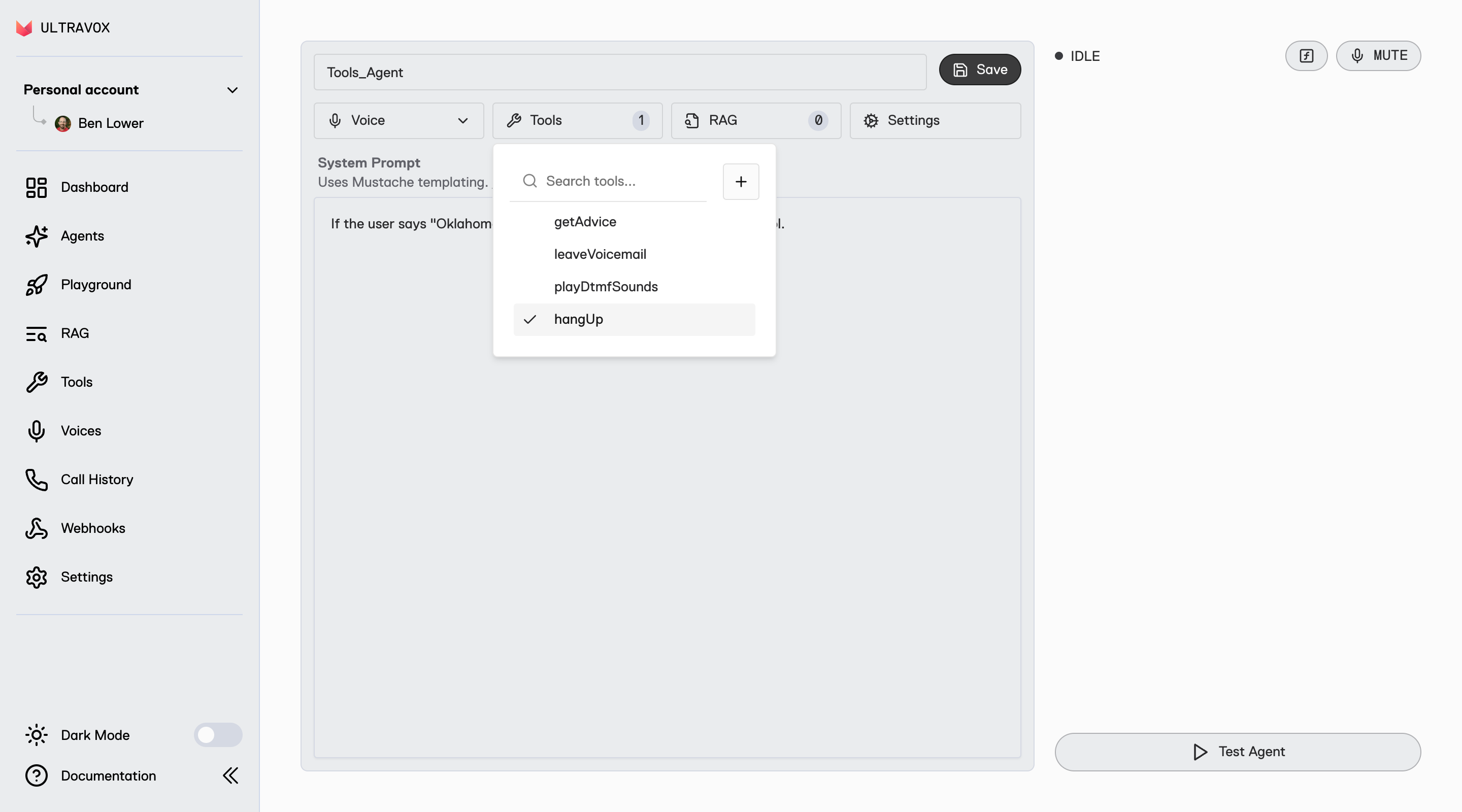
Find it on Maven Central
Find it on Swift Package Index
; If you are building a voice AI application that has a front end (e.g. web, mobile, desktop), then you should use our client SDK which is designed to deliver high-quality audio at low-latency. The Ultravox Client SDK uses WebRTC. ## SDK Features All the features of the SDK are documented in the [SDK Reference](/sdk-reference/introduction). ## SDK Implementations ## Additional Resources * Need your voice AI agent to make or receive phone calls? Check out our guide on [Telephony →](/telephony/overview) * Ultravox has a native protocol for fully custom integrations via [WebSockets →](/apps/websockets) --- # Source: https://docs.ultravox.ai/webhooks/securing-webhooks.md > ## Documentation Index > Fetch the complete documentation index at: https://docs.ultravox.ai/llms.txt > Use this file to discover all available pages before exploring further. # Securing Webhooks > Learn how to verify webhook authenticity and protect your endpoints from malicious requests. Webhook security is crucial for protecting your application from malicious requests and ensuring that you only process authentic notifications from Ultravox. This guide covers how to implement proper webhook verification. ## Why Webhook Security Matters Without proper verification, anyone could send fake webhook requests to your endpoint, potentially: * Triggering unauthorized actions in your application or bypassing your business logic * Corrupting your data with false information * Overwhelming your system with spam requests ## How Ultravox Secures Webhooks Ultravox uses HMAC-SHA256 signatures to ensure webhook authenticity. Each webhook request includes cryptographic proof that: 1. The request came from Ultravox 2. The payload hasn't been tampered with 3. The request is recent (not a replay attack) ## Securing Your Webhooks You can optionally choose to secure your webhooks with a key. When creating a webhook, a secret key is automatically generated for you or you can choose to provide your own secret. You can update or patch your webhooks to change secrets in the event of a leak or as part of regular key rotation. Each time your server receives an incoming webhook from Ultravox here's how you can ensure the webhook was sent by Ultravox and hasn't been tampered with: * Each incoming webhook request includes a `X-Ultravox-Webhook-Timestamp` header with the time the webhook was sent. * Verify that this timestamp is recent (e.g. within the last minute) to prevent replay attacks. * Ultravox signs each webhook using HMAC-SHA256. * The signature is included in the `X-Ultravox-Webhook-Signature` header. * To verify the signature: * Concatenate the raw request body with the timestamp. * Create an HMAC-SHA256 hash of this concatenated string using your webhook secret as the key. * Compare this hash with the provided signature. ```python Verifying Webhook Signature theme={null} import datetime import hmac request_timestamp = request.headers["X-Ultravox-Webhook-Timestamp"] if datetime.datetime.now() - datetime.datetime.fromisoformat(request_timestamp) > datetime.timedelta(minutes=1): raise RuntimeError("Expired message") expected_signature = hmac.new(WEBHOOK_SECRET.encode(), request.content + request_timestamp.encode(), "sha256").hexdigest() for signature in request.headers["X-Ultravox-Webhook-Signature"].split(","): if hmac.compare_digest(signature, expected_signature): break # Valid signature else: raise RuntimeError("Message or timestamp was tampered with") ``` * `The X-Ultravox-Webhook-Signature` header may contain multiple signatures separated by commas. * This allows for key rotation without downtime. * Your code should check if any of the provided signatures match your computed signature. ### Testing During development, you can test your webhook security implementation by: 1. Creating a test webhook with a known secret 2. Manually crafting webhook requests with correct signatures 3. Verifying that invalid signatures are properly rejected 4. Testing with expired timestamps By implementing these checks, you ensure that only authentic, recent, and unmodified webhooks from Ultravox are processed by your system. Remember to store your webhook secret securely and never expose it in client-side code or public repositories. --- # Source: https://docs.ultravox.ai/api-reference/sip/sip-get.md > ## Documentation Index > Fetch the complete documentation index at: https://docs.ultravox.ai/llms.txt > Use this file to discover all available pages before exploring further. # Get Account SIP configuration > Returns the SIP configuration for your account ## OpenAPI ````yaml get /api/sip openapi: 3.0.3 info: title: Ultravox version: 0.1.0 description: API for the Ultravox service. servers: - url: https://api.ultravox.ai security: [] paths: /api/sip: get: tags: - sip operationId: sip_retrieve responses: '200': content: application/json: schema: $ref: '#/components/schemas/SipConfig' description: '' security: - apiKeyAuth: [] components: schemas: SipConfig: type: object properties: allowedCidrRanges: type: array items: type: string format: ipv4-cidr description: >- The list of IPv4 CIDR ranges from which incoming SIP calls will be accepted. allowAllAgents: type: boolean default: false description: >- If true, adds an implicit allowance for requests matching agent_@ for any of your agents. allowedAgents: type: array items: $ref: '#/components/schemas/AgentAllowance' description: >- Calls must match a pattern for one of these agents (or the global agent pattern if allowAllAgents is true) to be accepted. maxItems: 20 domain: type: string readOnly: true description: The domain used for SIP invites for your account. required: - allowedAgents - domain AgentAllowance: type: object properties: agentId: type: string format: uuid description: The ID of the agent to allow. toUserPattern: type: string description: >- A pattern to apply to the to user part of the URI of any incoming sip INVITE that determines how this agent can be reached. Defaults to ^agent_$ if not specified. maxLength: 200 required: - agentId securitySchemes: apiKeyAuth: type: apiKey in: header name: X-API-Key description: API key ```` --- # Source: https://docs.ultravox.ai/api-reference/sip/sip-partial-update.md > ## Documentation Index > Fetch the complete documentation index at: https://docs.ultravox.ai/llms.txt > Use this file to discover all available pages before exploring further. # Update Account SIP configuration > Allows updating your account's SIP configuration ## OpenAPI ````yaml patch /api/sip openapi: 3.0.3 info: title: Ultravox version: 0.1.0 description: API for the Ultravox service. servers: - url: https://api.ultravox.ai security: [] paths: /api/sip: patch: tags: - sip operationId: sip_partial_update requestBody: content: application/json: schema: $ref: '#/components/schemas/PatchedSipConfig' responses: '200': content: application/json: schema: $ref: '#/components/schemas/SipConfig' description: '' security: - apiKeyAuth: [] components: schemas: PatchedSipConfig: type: object properties: allowedCidrRanges: type: array items: type: string format: ipv4-cidr description: >- The list of IPv4 CIDR ranges from which incoming SIP calls will be accepted. allowAllAgents: type: boolean default: false description: >- If true, adds an implicit allowance for requests matching agent_@ for any of your agents. allowedAgents: type: array items: $ref: '#/components/schemas/AgentAllowance' description: >- Calls must match a pattern for one of these agents (or the global agent pattern if allowAllAgents is true) to be accepted. maxItems: 20 domain: type: string readOnly: true description: The domain used for SIP invites for your account. SipConfig: type: object properties: allowedCidrRanges: type: array items: type: string format: ipv4-cidr description: >- The list of IPv4 CIDR ranges from which incoming SIP calls will be accepted. allowAllAgents: type: boolean default: false description: >- If true, adds an implicit allowance for requests matching agent_@ for any of your agents. allowedAgents: type: array items: $ref: '#/components/schemas/AgentAllowance' description: >- Calls must match a pattern for one of these agents (or the global agent pattern if allowAllAgents is true) to be accepted. maxItems: 20 domain: type: string readOnly: true description: The domain used for SIP invites for your account. required: - allowedAgents - domain AgentAllowance: type: object properties: agentId: type: string format: uuid description: The ID of the agent to allow. toUserPattern: type: string description: >- A pattern to apply to the to user part of the URI of any incoming sip INVITE that determines how this agent can be reached. Defaults to ^agent_$ if not specified. maxLength: 200 required: - agentId securitySchemes: apiKeyAuth: type: apiKey in: header name: X-API-Key description: API key ```` --- # Source: https://docs.ultravox.ai/api-reference/sip/sip-registrations-create.md > ## Documentation Index > Fetch the complete documentation index at: https://docs.ultravox.ai/llms.txt > Use this file to discover all available pages before exploring further. # Create SIP Registration > Creates a new SIP registration using the given properties ## OpenAPI ````yaml post /api/sip/registrations openapi: 3.0.3 info: title: Ultravox version: 0.1.0 description: API for the Ultravox service. servers: - url: https://api.ultravox.ai security: [] paths: /api/sip/registrations: post: tags: - sip operationId: sip_registrations_create requestBody: content: application/json: schema: $ref: '#/components/schemas/SipRegistration' required: true responses: '201': content: application/json: schema: $ref: '#/components/schemas/SipRegistration' description: '' security: - apiKeyAuth: [] components: schemas: SipRegistration: type: object properties: registrationId: type: string readOnly: true created: type: string format: date-time readOnly: true username: type: string description: The SIP username to register as. maxLength: 60 password: type: string writeOnly: true description: The SIP password for username. proxy: type: string description: The SIP server to register with. maxLength: 100 outboundProxy: type: string nullable: true description: >- A proxy used to reach your SIP server for registration. Most often unset, but may be used if you need to register as `alice@trunk.com` using `proxy.trunk.com` for example. maxLength: 100 authUser: type: string nullable: true description: >- The authentication username, if different from the SIP username. Most often unset. maxLength: 60 required: - created - password - proxy - registrationId - username securitySchemes: apiKeyAuth: type: apiKey in: header name: X-API-Key description: API key ```` --- # Source: https://docs.ultravox.ai/api-reference/sip/sip-registrations-delete.md > ## Documentation Index > Fetch the complete documentation index at: https://docs.ultravox.ai/llms.txt > Use this file to discover all available pages before exploring further. # Delete SIP Registration > Deletes the specified registration ## OpenAPI ````yaml delete /api/sip/registrations/{registration_id} openapi: 3.0.3 info: title: Ultravox version: 0.1.0 description: API for the Ultravox service. servers: - url: https://api.ultravox.ai security: [] paths: /api/sip/registrations/{registration_id}: delete: tags: - sip operationId: sip_registrations_destroy parameters: - in: path name: registration_id schema: type: string required: true responses: '204': description: No response body security: - apiKeyAuth: [] components: securitySchemes: apiKeyAuth: type: apiKey in: header name: X-API-Key description: API key ```` --- # Source: https://docs.ultravox.ai/api-reference/sip/sip-registrations-get.md > ## Documentation Index > Fetch the complete documentation index at: https://docs.ultravox.ai/llms.txt > Use this file to discover all available pages before exploring further. # Get SIP Registration > Gets details for the specified registration ## OpenAPI ````yaml get /api/sip/registrations/{registration_id} openapi: 3.0.3 info: title: Ultravox version: 0.1.0 description: API for the Ultravox service. servers: - url: https://api.ultravox.ai security: [] paths: /api/sip/registrations/{registration_id}: get: tags: - sip operationId: sip_registrations_retrieve parameters: - in: path name: registration_id schema: type: string required: true responses: '200': content: application/json: schema: $ref: '#/components/schemas/SipRegistration' description: '' security: - apiKeyAuth: [] components: schemas: SipRegistration: type: object properties: registrationId: type: string readOnly: true created: type: string format: date-time readOnly: true username: type: string description: The SIP username to register as. maxLength: 60 password: type: string writeOnly: true description: The SIP password for username. proxy: type: string description: The SIP server to register with. maxLength: 100 outboundProxy: type: string nullable: true description: >- A proxy used to reach your SIP server for registration. Most often unset, but may be used if you need to register as `alice@trunk.com` using `proxy.trunk.com` for example. maxLength: 100 authUser: type: string nullable: true description: >- The authentication username, if different from the SIP username. Most often unset. maxLength: 60 required: - created - password - proxy - registrationId - username securitySchemes: apiKeyAuth: type: apiKey in: header name: X-API-Key description: API key ```` --- # Source: https://docs.ultravox.ai/api-reference/sip/sip-registrations-list.md > ## Documentation Index > Fetch the complete documentation index at: https://docs.ultravox.ai/llms.txt > Use this file to discover all available pages before exploring further. # List SIP Registrations > Lists SIP registrations for your account ## OpenAPI ````yaml get /api/sip/registrations openapi: 3.0.3 info: title: Ultravox version: 0.1.0 description: API for the Ultravox service. servers: - url: https://api.ultravox.ai security: [] paths: /api/sip/registrations: get: tags: - sip operationId: sip_registrations_list parameters: - name: cursor required: false in: query description: The pagination cursor value. schema: type: string - name: pageSize required: false in: query description: Number of results to return per page. schema: type: integer responses: '200': content: application/json: schema: $ref: '#/components/schemas/PaginatedSipRegistrationList' description: '' security: - apiKeyAuth: [] components: schemas: PaginatedSipRegistrationList: type: object required: - results properties: next: type: string nullable: true format: uri example: http://api.example.org/accounts/?cursor=cD00ODY%3D" previous: type: string nullable: true format: uri example: http://api.example.org/accounts/?cursor=cj0xJnA9NDg3 results: type: array items: $ref: '#/components/schemas/SipRegistration' total: type: integer example: 123 SipRegistration: type: object properties: registrationId: type: string readOnly: true created: type: string format: date-time readOnly: true username: type: string description: The SIP username to register as. maxLength: 60 password: type: string writeOnly: true description: The SIP password for username. proxy: type: string description: The SIP server to register with. maxLength: 100 outboundProxy: type: string nullable: true description: >- A proxy used to reach your SIP server for registration. Most often unset, but may be used if you need to register as `alice@trunk.com` using `proxy.trunk.com` for example. maxLength: 100 authUser: type: string nullable: true description: >- The authentication username, if different from the SIP username. Most often unset. maxLength: 60 required: - created - password - proxy - registrationId - username securitySchemes: apiKeyAuth: type: apiKey in: header name: X-API-Key description: API key ```` --- # Source: https://docs.ultravox.ai/api-reference/sip/sip-registrations-partial-update.md > ## Documentation Index > Fetch the complete documentation index at: https://docs.ultravox.ai/llms.txt > Use this file to discover all available pages before exploring further. # Update SIP Registration > Updates an existing registration ## OpenAPI ````yaml patch /api/sip/registrations/{registration_id} openapi: 3.0.3 info: title: Ultravox version: 0.1.0 description: API for the Ultravox service. servers: - url: https://api.ultravox.ai security: [] paths: /api/sip/registrations/{registration_id}: patch: tags: - sip operationId: sip_registrations_partial_update parameters: - in: path name: registration_id schema: type: string required: true requestBody: content: application/json: schema: $ref: '#/components/schemas/PatchedSipRegistration' responses: '200': content: application/json: schema: $ref: '#/components/schemas/SipRegistration' description: '' security: - apiKeyAuth: [] components: schemas: PatchedSipRegistration: type: object properties: registrationId: type: string readOnly: true created: type: string format: date-time readOnly: true username: type: string description: The SIP username to register as. maxLength: 60 password: type: string writeOnly: true description: The SIP password for username. proxy: type: string description: The SIP server to register with. maxLength: 100 outboundProxy: type: string nullable: true description: >- A proxy used to reach your SIP server for registration. Most often unset, but may be used if you need to register as `alice@trunk.com` using `proxy.trunk.com` for example. maxLength: 100 authUser: type: string nullable: true description: >- The authentication username, if different from the SIP username. Most often unset. maxLength: 60 SipRegistration: type: object properties: registrationId: type: string readOnly: true created: type: string format: date-time readOnly: true username: type: string description: The SIP username to register as. maxLength: 60 password: type: string writeOnly: true description: The SIP password for username. proxy: type: string description: The SIP server to register with. maxLength: 100 outboundProxy: type: string nullable: true description: >- A proxy used to reach your SIP server for registration. Most often unset, but may be used if you need to register as `alice@trunk.com` using `proxy.trunk.com` for example. maxLength: 100 authUser: type: string nullable: true description: >- The authentication username, if different from the SIP username. Most often unset. maxLength: 60 required: - created - password - proxy - registrationId - username securitySchemes: apiKeyAuth: type: apiKey in: header name: X-API-Key description: API key ```` --- # Source: https://docs.ultravox.ai/telephony/sip.md > ## Documentation Index > Fetch the complete documentation index at: https://docs.ultravox.ai/llms.txt > Use this file to discover all available pages before exploring further. # SIP Guide > Create incoming & outgoing SIP calls with Ultravox agents. SIP Billing Starts November 10, 2025
Calls via the SIP medium will start to incur additional charges on Monday, November 10, 2025. See [https://ultravox.ai/pricing](https://ultravox.ai/pricing) for details.
Session Initiation Protocol (SIP) enables Ultravox agents to connect with your existing phone systems and SIP clients. This guide explains how to set up both incoming and outgoing SIP calls with Ultravox agents. ## SIP Quickstart The fastest way to start using SIP with Ultravox: Create an agent using the [Ultravox Realtime console](https://app.ultravox.ai/agents). Create an agent call using the [Create Agent Call](/api-reference/agents/agents-calls-post) API and use the `sip` medium. API Key Required
Make sure you have an Ultravox API key. You can create one in the [console](https://app.ultravox.ai/settings/).
## Incoming SIP Calls For incoming calls, you can configure Ultravox to accept calls from your SIP system then send a sip invite directly to your agent. The SIP invite will create an Ultravox call and connect to it, no other requests required. Ultravox supports two setups for incoming SIP calls: IP allowlisting and SIP registration. IP allowlisting works well with dedicated PBX systems, while SIP registration is recommended for cloud PBX setups. In either setup, you can choose to allow incoming calls to all of your agents or to specific agents only. Calls will be created automatically from your agent's call template when a SIP invite is received. By default, calls must be directed to the sip user `agent_{agent_id}` to reach your agent, but you can override this with your own regex matching. The regex for your agents will be checked in order with the first matching agent used for the call. If none match, the global `agent_{agent_id}` will be used if allowAllAgents is enabled. Otherwise (or if that doesn't match either), the call will be rejected. ### IP Allowlisting To set up IP Allowlisting, use the [sip configuration API](/api-reference/sip/sip-partial-update) to add your SIP system's public IP addresses to the `allowedCidrRanges` list. Entries in this list must be IPv4 [CIDR](https://en.wikipedia.org/wiki/Classless_Inter-Domain_Routing) ranges, e.g. `0.0.0.0/0` for any IP address (not recommended) or `91.200.160.14/32` for the single `91.200.160.14` IP address. Once your SIP system's IP address(es) are allowed, you can have them send SIP invites to your agents using the pattern `agent_{agent_id}@{your_account_sip_domain}` by default. The value for `{your_account_sip_domain}` is available when you [view your SIP configuration](/api-reference/sip/sip-get). The user portion of the SIP address may be overridden by setting your own per-agent regex. ### SIP Registration In the registration model, Ultravox acts as a SIP client (similar to a softphone) and registers with your SIP server as the user you specify. To set this up, you'll need to create a user in your PBX, configure your PBX to send relevant calls to that user, and then [create a registration](/api-reference/sip/sip-registrations-create) for that user in Ultravox. When creating a registration, you'll need to provide the following information: * `username`: The username of the user you created in your PBX. * `password`: The password for that user. * `proxy`: The domain or IP address of your SIP server. In this case, you'll most likely want to alter the regex for your agents since the to address on invites is unlikely to be `agent_{agent_id}`. For example, if your PBX sends calls to `sip:sales@your_sip_domain`, you could set the regex for your sales agent to `^sales$`. Similarly, if your SIP server interacts with PSTN, you could have your agent answer calls to +1-555-123-4567 and +1-555-765-4321 by setting the regex to `^15551234567$|^15557654321$`. ### Personalizing the Call Many parts of an agent can use context to personalize a call. (See [Call Template Configuration](/agents/building-and-editing-agents#call-template-configuration).) You can use SIP headers to populate template context for incoming SIP calls. Each header value is interpretted as JSON to allow for complex values. For example including the headers `X-Customer-Name: Bob` and `X-Complex-Value: {"subkey": "value"}` becomes `{"customer_name": "Bob", "complex_value": {"subkey": "value"}}`. In addition to headers you send, Ultravox will automatically add the following context values for incoming SIP calls, provided they are allowed by your agent's context schema: * `ultravox.sip.caller_id`: The caller id presented for the incoming call, typically a phone number. * `ultravox.sip.from_display_name`: The display name of the caller, often the name of a person or business if known and a phone number otherwise. * `ultravox.sip.from_uri`: The full SIP URI of the caller. If your agent's context allows additional properties (or allows these properties explicitly), the added context will be structured as: ```json theme={null} { "ultravox": { "sip": { "caller_id": "", "from_display_name": "", "from_uri": "" } } } ``` ## Outgoing SIP Calls For outgoing calls, you can create a SIP call with Ultravox Realtime [Create Agent Call](/api-reference/agents/agents-calls-post) or [Create Call](/api-reference/calls/calls-post) endpoints using the `sip` medium with `outgoing` property. ```js theme={null} medium: { sip: { outgoing: { to: "sip:@", from: "", username: "", password: "" } } } ``` When you create the call, Ultravox will automatically send a SIP invite using the properties provided. ### Outgoing SIP Parameters The target SIP URL to which the Ultravox call will connect. Examples: `sip:username@domain`, `sip:+15551234567@carrier.com` The caller identifier. Must conform to what your SIP trunk allows. Optional. Username for connecting to your SIP trunk. Optional. Password for connecting to your SIP trunk. ### Examples ```js Example: Creating an Outgoing SIP Call to Linphone theme={null} medium: { sip: { outgoing: { to: "sip:@sip.linphone.org", from: "" } } } ``` ```js Example: Creating an Outgoing SIP Call using a Twilio trunk theme={null} medium: { sip: { outgoing: { to: "+15551234567@trunkname.pstn.twilio.com", from: "+15557654321", // Some phone number you've purchased from Twilio username: "authorized_user", // A user you've created in Twilio allowed to use this number password: "password_for_authorized_user" } } } ``` ## Supported Transport Protocols By default, UDP is used as the SIP transport protocol. You may optionally use TCP and/or TLS by explicitly adding a port and transport parameter to the target SIP URL. | Protocol | How to Use in SIP URL | | -------- | --------------------------------------------------- | | UDP | Default. No action required. | | TCP | `sip:@:5060;transport=tcp` | | TLS | `sip:@:5060;transport=tls` | ## Supported Codecs Ultravox Realtime supports wideband (AKA "HD audio") and narrowband SIP via various codecs: | Codec | Audio Quality | | ------------------ | ------------------ | | G.722 | HD (16kHz) | | G.722.1 | HD (16kHz) | | G.722.2 | HD (16kHz) | | Opus | Premium HD (48kHz) | | G.711 (PCMU/u-law) | Standard (8kHz) | | G.711 (PCMA/a-law) | Standard (8kHz) | | iLBC | Standard (8kHz) | Using any other codec will cause calls to fail. ## Logs Once a call has ended, you can see SIP logs for the call using the [sip logs](/api-reference/calls/calls-sip-logs-get) endpoint. --- # Source: https://docs.ultravox.ai/telephony/supported-providers.md > ## Documentation Index > Fetch the complete documentation index at: https://docs.ultravox.ai/llms.txt > Use this file to discover all available pages before exploring further. # Supported Providers > Comprehensive guide to telephony providers that integrate with Ultravox. Ultravox integrates with multiple telephony providers and voice platforms. ## Native Integrations Ultravox provides native integrations for the following. Each has their own unique call [`medium`](api-reference/schema/call-definition#schema-medium) that must be used when creating calls. | Provider | Call Medium | Streaming API | Import Credentials? | Out of Band DTMF? | | ---------- | -------------- | ---------------------------------------------------------------------------------------------- | ------------------- | ----------------- | | **Twilio** | `"twilio": {}` | [Media Streams](https://www.twilio.com/docs/voice/media-streams) | ✅ | ❌ | | **Telnyx** | `"telnyx": {}` | [Media Streaming](https://developers.telnyx.com/docs/voice/programmable-voice/media-streaming) | ✅ | ✅ | | **Plivo** | `"plivo": {}` | [AudioStream](https://www.plivo.com/docs/voice/xml/the-stream-element/) | ✅ | ✅ | | **Exotel** | `"exotel": {}` | [Voice Streaming](https://developer.exotel.com/api/product-voice-version-3) | ❌ | ❌ | ## Providing Telephony Credentials If you are using Twilio, Telnyx, or Plivo, you can import your credentials to unlock new capabilities: * **Simplified Outbound Calling** → Allow Ultravox to create and connect [all outbound calls](/telephony/outbound-calls#the-easy-way%3A-built-in-telephony) for Twilio, Telnyx, and Plivo. * **Outbound Call Scheduler** → [Schedule batches of outbound calls](/telephony/outbound-call-scheduler) and let us manage the call concurrency and retry logic. * **Out of Band DTMF** → By default, the built-in [`playDtmfSounds`](/tools/built-in-tools#playdtmfsounds) tool emits in-band DTMF. When you import credentials for Telnyx or Plivo (Twilio doesn't support out of band DTMF), the `playDtmfSounds` tool will use out of band DTMF. * **Simplified Incoming Call Handling** → Configure your provider to send webhooks directly to Ultravox for incoming calls. No need to run your own server. ### Importing Credentials To import credentials for Twilio, Telnyx, or Plivo: 1. Use the [Set Telephony Credentials](/api-reference/accounts/accounts-me-telephony-config-partial-update) API 2. Provide your credentials (up to one per provider) in the request body: ```js Example: Proving telephony credentials theme={null} { "twilio": { "accountSid": "string", "authToken": "string" }, "telnyx": { "accountSid": "string", "apiKey": "string", "publicKey": "string", "applicationSid": "string" }, "plivo": { "authId": "string", "authToken": "string" } } ``` For each provider, you may also choose which agents can be used with [simplified incoming call handling](/telephony/inbound-calls). You can set `callCreationAllowAllAgents` to `true` to allow all of your agents or you can set `callCreationAllowedAgentIds` to specific agent ids to allow only those agents. For any allowed agent, you can direct your telephony provider to send webhooks to `https://app.ultravox.ai/api/agents/{agent_id}/telephony_xml` to have incoming phone calls automatically create and connect to Ultravox calls. ## SIP Ultravox Realtime has native support for SIP. See the [SIP Guide](./sip) for more. ## Partner Integrations Our voice platform partners have native integrations for Ultravox: ### Voximplant [Voximplant](https://voximplant.com/) provides a hosted voice platform. Check out the [Integration Guide →](/integrations/voximplant) ### jambonz [jambonz](https://www.jambonz.org/) provides a voice platform that runs in a fully managed cloud or can be self-hosted. Details on how to make and receive calls using jambonz appear [below](#jambonz-2). ## Provider-Specific Integration Examples ### Twilio #### Outbound Calls with Twilio Create a new call as shown above with `medium: { "twilio": {} }`, `firstSpeakerSettings: { user: {} }`, and get a `joinUrl`. Use the `joinUrl` with a Twilio ``: ```js theme={null} // Example using the twilio node library const call = await client.calls.create({ twiml: ` `, to: phoneNumber, from: twilioPhoneNumber }); ``` Full example code in [Outbound Quickstart →](/gettingstarted/quickstart/telephony-outbound) #### Incoming Calls with Twilio Create a new call with `medium: { "twilio": {} }` and `firstSpeakerSettings` set to `{ agent: {} }`. Use the `joinUrl` with a Twilio ``: ```xml theme={null} ``` Full example code in [Inbound Quickstart →](/gettingstarted/quickstart/telephony-inbound) ### Telnyx #### Outbound Calls with Telnyx Create a new call as shown above with `medium: { "telnyx": {} }`, `firstSpeakerSettings: { user: {} }`, and get a `joinUrl`. Use the `joinUrl` with a TeXML ``: ```js theme={null} // Example using the telnyx node library const call = await telnyx.calls.create({ connection_id: "uuid", to: phoneNumber, from: telnyxPhoneNumber, stream_url: joinUrl, stream_track: "inbound_track", stream_bidirectional_mode: "rtp" stream_codec: "L16", stream_bidirectional_codec: "L16", stream_bidirectional_sampling_rate: 16000, stream_bidirectional_target_legs: "opposite", }); ``` Or using TeXML: ```xml theme={null} ``` #### Incoming Calls with Telnyx Create a new call with `medium: { "telnyx": {} }` and `firstSpeakerSettings` set to `{ agent: {} }`. Use the `joinUrl` with a TeXML ``: ```xml theme={null} ``` Telnyx `codec`
Telnyx allows setting both `codec` and `bidirectionalCodec`. The former controls user audio while the latter controls agent audio. When using with Ultravox, **these must have the same value** because Telnyx only tells us about one of them! Now that Telnyx supports HD Audio, you most likely want "L16" for both.
For more details, see the [Telnyx documentation](https://developers.telnyx.com/). ### Plivo Full example code for outbound and inbound calls with Plivo on GitHub [here →](https://github.com/fixie-ai/ultravox-examples/tree/main/telephony/plivo/plivo-phone-calls-ts) #### Outbound Calls with Plivo Create a new call as shown above with `medium: { "plivo": {} }`, `firstSpeakerSettings: { user: {} }`, and get a `joinUrl`. Use the `joinUrl` with AudioStream: ```js theme={null} // Example using the plivo node library // This assumes our server exposes an endpoint at `answerUrl` const call = await plivo.calls.create({ to: phoneNumber, from: plivoPhoneNumber, answer_url: answerUrl, // URL that returns the XML below answer_method: "GET" }); ``` The answer URL should return: ```xml theme={null} ${joinUrl} ``` Note: For best audio quality, we recommend `audio/x-l16;rate=16000`. However, any contentType supported by Plivo will work with Ultravox. #### Incoming Calls with Plivo Create a new call with `medium: { "plivo": {} }` and `firstSpeakerSettings` set to `{ agent: {} }`. Use the `joinUrl` with AudioStream: ```xml theme={null} ${joinUrl} ``` For more details, see the [Plivo documentation](https://www.plivo.com/docs/). ### jambonz #### jambonz Portal Setup jambonz is a “bring your own everything” open-source telephony platform that integrates Ultravox directly via their [llm](https://docs.jambonz.org/verbs/verbs/llm) verb. This gives you the flexibility to choose your carrier of choice, you'll just need to add it in your jambonz dashboard. In jambonz, we use the terms “carrier” and “SIP trunk” interchangeably. jambonz is a “Bring your own carrier” platform, which means that you can connect any sip network provider or device. [Add your carrier of choice](https://docs.jambonz.org/guides/using-the-jambonz-portal/basic-concepts/creating-carriers) in your jambonz dashboard to get started. Next, you need to [add speech credentials](https://docs.jambonz.org/guides/using-the-jambonz-portal/basic-concepts/creating-speech-credentials) for your chosen vendor. ​A jambonz application configured via the jambonz portal defines how calls are handled by linking them to your custom logic through webhooks or WebSocket endpoints. When you create an application, you specify:​ * Call webhook URL: Where jambonz sends call events.​ * Call status webhook URL: For receiving call status updates.​ * Speech vendors: Your chosen TTS/STT providers.​ Once saved, you can associate phone numbers or SIP trunks with this application, ensuring that incoming calls are routed to your specified logic. This setup allows you to implement features like speech recognition, text-to-speech, call routing, and integration with AI services. Finally, you need to [add a phone number](https://docs.jambonz.org/guides/using-the-jambonz-portal/basic-concepts/creating-phone-numbers) provisioned from your carrier of choice. At the bottom of the page select the jambonz application you just created to link your new virtual number to that application. #### Incoming Calls with jambonz ```js theme={null} // Example using the @jambonz/node-client-ws library session .pause({length: 1.5}) .llm({ vendor: 'ultravox', model: 'ultravox-v0.7', auth: { apiKey }, actionHook: '/final', eventHook: '/event', llmOptions: { systemPrompt: 'You are an agent named Karen. Greet the user and ask how you can help.', firstSpeakerSettings: { agent: {} }, initialMessages: [{ medium: 'MESSAGE_MEDIUM_VOICE', role: 'MESSAGE_ROLE_USER' }], model: 'ultravox-v0.7', voice: 'Tanya-English', transcriptOptional: true, } }) .hangup() .send(); ``` For more details see the `llm` verb in the [jambonz docs](https://docs.jambonz.org/verbs/verbs/llm). #### Outbound Calls with jambonz In addition to the inbound scenario, you'll have to create a call that connects to the destination number (`phoneNumber`) and points to the jambonz application that defines how the call should be handled. Find the `APPLICATION_SID` in the jambonz portal by clicking on the application you created during the setup process. ```js theme={null} const JambonzClient = require('@jambonz/node-client'); const client = JambonzClient( process.env.JAMBONZ_ACCOUNT_SID, process.env.JAMBONZ_API_KEY, {baseUrl: process.env.JAMBONZ_REST_API_BASE_URL || 'https://api.jambonz.cloud/v1'} ); const call = await client.calls.create({ from: process.env.FROM_NUMBER, to: { type : 'phone', number: phoneNumber, trunk: process.env.CARRIER }, application_sid: process.env.APPLICATION_SID }); ``` For more details, see the [jambonz documentation](https://docs.jambonz.org/) and [example code](https://github.com/jambonz/ultravox-s2s-example). --- # Source: https://docs.ultravox.ai/gettingstarted/quickstart/telephony-inbound.md > ## Documentation Index > Fetch the complete documentation index at: https://docs.ultravox.ai/llms.txt > Use this file to discover all available pages before exploring further. # Inbound Call Quickstart > Connect inbound phone calls to an Ultravox agent in under 6 minutes. ## TL;DR Save the following code locally as `index.js`. Install `twilio` via `pnpm | npm install twilio`. Install `express` via `pnpm | npm install express`. Add your Ultravox API key. Run it with `node index.js`. `ngrok http 3000`. Set the value to `your_ngrok_url/incoming`. Call your Twilio number and it will be answered by Steve. ```js theme={null} import express from 'express'; import https from 'https'; import twilio from 'twilio'; const app = express(); const port = 3000; // ------------------------------------------------------------ // Step 1: Configure Ultravox API key // // Optional: Modify the system prompt // ------------------------------------------------------------ const ULTRAVOX_API_KEY = 'your_ultravox_api_key_here'; const SYSTEM_PROMPT = 'Your name is Steve. You are receiving a phone call. Ask them their name and see how they are doing.'; // Ultravox configuration that will be used to create the call const ULTRAVOX_CALL_CONFIG = { systemPrompt: SYSTEM_PROMPT, model: 'ultravox-v0.7', voice: 'Mark', temperature: 0.3, medium: { "twilio": {} } }; // Ensure required configuration vars are set function validateConfiguration() { const requiredConfig = [ { name: 'ULTRAVOX_API_KEY', value: ULTRAVOX_API_KEY, pattern: /^[a-zA-Z0-9]{8}\.[a-zA-Z0-9]{32}$/ } ]; const errors = []; for (const config of requiredConfig) { if (!config.value || config.value.includes('your_') || config.value.includes('_here')) { errors.push(`❌ ${config.name} is not set or still contains placeholder text`); } else if (config.pattern && !config.pattern.test(config.value)) { errors.push(`❌ ${config.name} format appears invalid`); } } if (errors.length > 0) { console.error('🚨 Configuration Error(s):'); errors.forEach(error => console.error(` ${error}`)); console.error('\n💡 Please update the configuration variables at the top of this file:'); console.error(' • ULTRAVOX_API_KEY should be 8 chars + period + 32 chars (e.g., Zk9Ht7Lm.wX7pN9fM3kLj6tRq2bGhA8yE5cZvD4sT)'); return false; } console.log('✅ Configuration validation passed!'); return true; } // Create Ultravox call and get join URL async function createUltravoxCall() { const ULTRAVOX_API_URL = 'https://api.ultravox.ai/api/calls'; const request = https.request(ULTRAVOX_API_URL, { method: 'POST', headers: { 'Content-Type': 'application/json', 'X-API-Key': ULTRAVOX_API_KEY } }); return new Promise((resolve, reject) => { let data = ''; request.on('response', (response) => { response.on('data', chunk => data += chunk); response.on('end', () => { try { const parsedData = JSON.parse(data); if (response.statusCode >= 200 && response.statusCode < 300) { resolve(parsedData); } else { reject(new Error(`Ultravox API error (${response.statusCode}): ${data}`)); } } catch (parseError) { reject(new Error(`Failed to parse Ultravox response: ${data}`)); } }); }); request.on('error', (error) => { reject(new Error(`Network error calling Ultravox: ${error.message}`)); }); request.write(JSON.stringify(ULTRAVOX_CALL_CONFIG)); request.end(); }); } // Handle incoming calls from Twilio // Note: We have to expose this endpoint publicly (e.g. using ngrok in dev) // and set as incoming call webhook in Twilio app.post('/incoming', async (req, res) => { try { console.log('📞 Incoming call received'); // Validate configuration on each call if (!validateConfiguration()) { console.error('💥 Configuration validation failed for incoming call'); const twiml = new twilio.twiml.VoiceResponse(); twiml.say('Sorry, there was a configuration error. Please contact support.'); res.type('text/xml'); res.send(twiml.toString()); return; } console.log('🤖 Creating Ultravox call...'); const response = await createUltravoxCall(); if (!response.joinUrl) { throw new Error('No joinUrl received from Ultravox API'); } console.log('✅ Got Ultravox joinUrl:', response.joinUrl); const twiml = new twilio.twiml.VoiceResponse(); const connect = twiml.connect(); connect.stream({ url: response.joinUrl, name: 'ultravox' }); const twimlString = twiml.toString(); console.log('📋 Sending TwiML response to Twilio'); res.type('text/xml'); res.send(twimlString); } catch (error) { console.error('💥 Error handling incoming call:'); if (error.message.includes('Ultravox')) { console.error(' 🤖 Ultravox API issue - check your API key and try again'); } else if (error.message.includes('Authentication')) { console.error(' 🔐 Authentication failed - check your Ultravox API key'); } else { console.error(` ${error.message}`); } console.error('\n🔍 Troubleshooting tips:'); console.error(' • Double-check your ULTRAVOX_API_KEY configuration'); console.error(' • Verify your Ultravox API key is valid and active'); console.error(' • Check your internet connection'); const twiml = new twilio.twiml.VoiceResponse(); twiml.say('Sorry, there was an error connecting your call. Please try again later.'); res.type('text/xml'); res.send(twiml.toString()); } }); // Starts Express.js server to expose the /incoming route function startServer() { console.log('🚀 Starting Inbound Ultravox Voice AI Phone Server...\n'); // Check configuration on startup but don't exit - just warn const isConfigValid = validateConfiguration(); if (!isConfigValid) { console.warn('⚠️ Server starting with invalid configuration.'); console.warn('📞 Calls will fail until configuration is updated.\n'); } app.listen(port, () => { console.log(`🎉 Server running successfully on port ${port}`); console.log(`📞 Ready to handle incoming calls at POST /incoming`); console.log(`🌐 Webhook URL: http://your-server:${port}/incoming`); console.log('\n💡 Setup reminder:'); console.log(' • Configure your Twilio phone number webhook to point to this server'); console.log(' • Make sure this server is accessible from the internet (consider using ngrok for testing)'); if (!isConfigValid) { console.log(' • ⚠️ Update your ULTRAVOX_API_KEY before handling calls'); } }); } startServer(); ``` ## Next Steps 1. Check out the full [Inbound Phone Call](/gettingstarted/examples/inbound-phone-call) example for a fuller explanation of how to have incoming calls answered by an AI agent. 2. Ultravox Realtime provides telephony integrations for Telnyx, Twilio, Plivo, and Exotel. Learn more [here](/telephony/overview). --- # Source: https://docs.ultravox.ai/gettingstarted/quickstart/telephony-outbound.md > ## Documentation Index > Fetch the complete documentation index at: https://docs.ultravox.ai/llms.txt > Use this file to discover all available pages before exploring further. # Outbound Call Quickstart > Create an outbound voice AI call with Ultravox and Twilio in under 3 minutes. ## TL;DR Save the following code locally as `index.js`. Install `twilio` via `pnpm | npm install twilio`. Add your Twilio account creds, phone numbers, and Ultravox API key. Run it with `node index.js`. ```js theme={null} import twilio from 'twilio'; import https from 'https'; // ------------------------------------------------------------ // Step 1: Configure Twilio account and destination number // ------------------------------------------------------------ const TWILIO_ACCOUNT_SID = 'your_twilio_account_sid_here'; const TWILIO_AUTH_TOKEN = 'your_twilio_auth_token_here'; const TWILIO_PHONE_NUMBER = 'your_twilio_phone_number_here'; const DESTINATION_PHONE_NUMBER = 'the_destination_phone_number_here'; // ------------------------------------------------------------ // Step 2: Configure Ultravox API key // // Optional: Modify the system prompt // ------------------------------------------------------------ const ULTRAVOX_API_KEY = 'your_ultravox_api_key_here'; const SYSTEM_PROMPT = 'Your name is Steve and you are calling a person on the phone. Ask them their name and see how they are doing.'; const ULTRAVOX_CALL_CONFIG = { systemPrompt: SYSTEM_PROMPT, model: 'ultravox-v0.7', voice: 'Mark', temperature: 0.3, firstSpeakerSettings: { user: {} }, // For outgoing calls, the user will answer the call (i.e. speak first) medium: { twilio: {} } // Use twilio medium }; // Validates all required config vars are set function validateConfiguration() { const requiredConfig = [ { name: 'TWILIO_ACCOUNT_SID', value: TWILIO_ACCOUNT_SID, pattern: /^AC[a-zA-Z0-9]{32}$/ }, { name: 'TWILIO_AUTH_TOKEN', value: TWILIO_AUTH_TOKEN, pattern: /^[a-zA-Z0-9]{32}$/ }, { name: 'TWILIO_PHONE_NUMBER', value: TWILIO_PHONE_NUMBER, pattern: /^\+[1-9]\d{1,14}$/ }, { name: 'DESTINATION_PHONE_NUMBER', value: DESTINATION_PHONE_NUMBER, pattern: /^\+[1-9]\d{1,14}$/ }, { name: 'ULTRAVOX_API_KEY', value: ULTRAVOX_API_KEY, pattern: /^[a-zA-Z0-9]{8}\.[a-zA-Z0-9]{32}$/ } ]; const errors = []; for (const config of requiredConfig) { if (!config.value || config.value.includes('your_') || config.value.includes('_here')) { errors.push(`❌ ${config.name} is not set or still contains placeholder text`); } else if (config.pattern && !config.pattern.test(config.value)) { errors.push(`❌ ${config.name} format appears invalid`); } } if (errors.length > 0) { console.error('🚨 Configuration Error(s):'); errors.forEach(error => console.error(` ${error}`)); console.error('\n💡 Please update the configuration variables at the top of this file:'); console.error(' • TWILIO_ACCOUNT_SID should start with "AC" and be 34 characters'); console.error(' • TWILIO_AUTH_TOKEN should be 32 characters'); console.error(' • Phone numbers should be in E.164 format (e.g., +1234567890)'); console.error(' • ULTRAVOX_API_KEY should be 8 chars + period + 32 chars (e.g., Zk9Ht7Lm.wX7pN9fM3kLj6tRq2bGhA8yE5cZvD4sT)'); console.error('\n📦 If you get module import errors, install dependencies with:'); console.error(' npm install twilio'); process.exit(1); } console.log('✅ Configuration validation passed!'); } // Creates the Ultravox call using the above config async function createUltravoxCall() { const ULTRAVOX_API_URL = 'https://api.ultravox.ai/api/calls'; const request = https.request(ULTRAVOX_API_URL, { method: 'POST', headers: { 'Content-Type': 'application/json', 'X-API-Key': ULTRAVOX_API_KEY } }); return new Promise((resolve, reject) => { let data = ''; request.on('response', (response) => { response.on('data', chunk => data += chunk); response.on('end', () => { try { const parsedData = JSON.parse(data); if (response.statusCode >= 200 && response.statusCode < 300) { resolve(parsedData); } else { reject(new Error(`Ultravox API error (${response.statusCode}): ${data}`)); } } catch (parseError) { reject(new Error(`Failed to parse Ultravox response: ${data}`)); } }); }); request.on('error', (error) => { reject(new Error(`Network error calling Ultravox: ${error.message}`)); }); request.write(JSON.stringify(ULTRAVOX_CALL_CONFIG)); request.end(); }); } // Starts the program and makes the call async function main() { console.log('🚀 Starting Outbound Ultravox Voice AI Phone Call...\n'); validateConfiguration(); try { console.log('📞 Creating Ultravox call...'); const ultravoxResponse = await createUltravoxCall(); if (!ultravoxResponse.joinUrl) { throw new Error('No joinUrl received from Ultravox API'); } console.log('✅ Got Ultravox joinUrl:', ultravoxResponse.joinUrl); console.log('📱 Initiating Twilio call...'); const client = twilio(TWILIO_ACCOUNT_SID, TWILIO_AUTH_TOKEN); const call = await client.calls.create({ twiml: ``, to: DESTINATION_PHONE_NUMBER, from: TWILIO_PHONE_NUMBER }); console.log('🎉 Twilio outbound phone call initiated successfully!'); console.log(`📋 Twilio Call SID: ${call.sid}`); console.log(`📞 Calling ${DESTINATION_PHONE_NUMBER} from ${TWILIO_PHONE_NUMBER}`); } catch (error) { console.error('💥 Error occurred:'); if (error.message.includes('Authentication')) { console.error(' 🔐 Authentication failed - check your Twilio credentials'); } else if (error.message.includes('phone number')) { console.error(' 📞 Phone number issue - verify your phone numbers are correct'); } else if (error.message.includes('Ultravox')) { console.error(' 🤖 Ultravox API issue - check your API key and try again'); } else { console.error(` ${error.message}`); } console.error('\n🔍 Troubleshooting tips:'); console.error(' • Double-check all configuration values'); console.error(' • Ensure phone numbers are in E.164 format (+1234567890)'); console.error(' • Verify your Twilio account has sufficient balance'); console.error(' • Check that your Ultravox API key is valid'); console.error(' • If you get import errors, run: npm install twilio'); } } main(); ``` ## Next Steps 1. Check out the full [Outbound Phone Call](/gettingstarted/examples/outbound-phone-call) example for a fuller explanation of how to do outbound voice AI calls. 2. Ultravox Realtime provides telephony integrations for Telnyx, Twilio, Plivo, and Exotel. Learn more [here](/telephony/overview). --- # Source: https://docs.ultravox.ai/agents/testing-and-debugging.md > ## Documentation Index > Fetch the complete documentation index at: https://docs.ultravox.ai/llms.txt > Use this file to discover all available pages before exploring further. # Testing & Debugging > Monitor, troubleshoot, and optimize your voice conversations for production quality. \[Under Construction] --- # Source: https://docs.ultravox.ai/api-reference/tools/tools-delete.md > ## Documentation Index > Fetch the complete documentation index at: https://docs.ultravox.ai/llms.txt > Use this file to discover all available pages before exploring further. # Delete Tool > Deletes the specified tool ## OpenAPI ````yaml delete /api/tools/{tool_id} openapi: 3.0.3 info: title: Ultravox version: 0.1.0 description: API for the Ultravox service. servers: - url: https://api.ultravox.ai security: [] paths: /api/tools/{tool_id}: delete: tags: - tools operationId: tools_destroy parameters: - in: path name: tool_id schema: type: string format: uuid required: true responses: '204': description: No response body security: - apiKeyAuth: [] components: securitySchemes: apiKeyAuth: type: apiKey in: header name: X-API-Key description: API key ```` --- # Source: https://docs.ultravox.ai/api-reference/tools/tools-get.md > ## Documentation Index > Fetch the complete documentation index at: https://docs.ultravox.ai/llms.txt > Use this file to discover all available pages before exploring further. # Get Tool > Gets details for the specified tool ## OpenAPI ````yaml get /api/tools/{tool_id} openapi: 3.0.3 info: title: Ultravox version: 0.1.0 description: API for the Ultravox service. servers: - url: https://api.ultravox.ai security: [] paths: /api/tools/{tool_id}: get: tags: - tools operationId: tools_retrieve parameters: - in: path name: tool_id schema: type: string format: uuid required: true responses: '200': content: application/json: schema: $ref: '#/components/schemas/Tool' description: '' security: - apiKeyAuth: [] components: schemas: Tool: type: object properties: toolId: type: string format: uuid readOnly: true name: type: string maxLength: 40 created: type: string format: date-time readOnly: true definition: $ref: '#/components/schemas/ultravox.v1.BaseToolDefinition' ownership: allOf: - $ref: '#/components/schemas/OwnershipEnum' readOnly: true required: - created - definition - name - ownership - toolId ultravox.v1.BaseToolDefinition: type: object properties: modelToolName: type: string description: >- The name of the tool, as presented to the model. Must match ^[a-zA-Z0-9_-]{1,64}$. description: type: string description: The description of the tool. dynamicParameters: type: array items: $ref: '#/components/schemas/ultravox.v1.DynamicParameter' description: The parameters that the tool accepts. staticParameters: type: array items: $ref: '#/components/schemas/ultravox.v1.StaticParameter' description: The static parameters added when the tool is invoked. automaticParameters: type: array items: $ref: '#/components/schemas/ultravox.v1.AutomaticParameter' description: >- Additional parameters that are automatically set by the system when the tool is invoked. requirements: allOf: - $ref: '#/components/schemas/ultravox.v1.ToolRequirements' description: >- Requirements that must be fulfilled when creating a call for the tool to be used. timeout: pattern: ^-?(?:0|[1-9][0-9]{0,11})(?:\.[0-9]{1,9})?s$ type: string description: >- The maximum amount of time the tool is allowed for execution. The conversation is frozen while tools run, so prefer sticking to the default unless you're comfortable with that consequence. If your tool is too slow for the default and can't be made faster, still try to keep this timeout as low as possible. precomputable: type: boolean description: >- The tool is guaranteed to be non-mutating, repeatable, and free of side-effects. Such tools can safely be executed speculatively, reducing their effective latency. However, the fact they were called may not be reflected in the call history if their result ends up unused. http: allOf: - $ref: '#/components/schemas/ultravox.v1.BaseHttpToolDetails' description: Details for an HTTP tool. client: allOf: - $ref: '#/components/schemas/ultravox.v1.BaseClientToolDetails' description: >- Details for a client-implemented tool. Only body parameters are allowed for client tools. dataConnection: allOf: - $ref: '#/components/schemas/ultravox.v1.BaseDataConnectionToolDetails' description: >- Details for a tool implemented via a data connection websocket. Only body parameters are allowed for data connection tools. defaultReaction: enum: - AGENT_REACTION_UNSPECIFIED - AGENT_REACTION_SPEAKS - AGENT_REACTION_LISTENS - AGENT_REACTION_SPEAKS_ONCE type: string description: >- Indicates the default for how the agent should proceed after the tool is invoked. Can be overridden by the tool implementation via the X-Ultravox-Agent-Reaction header. format: enum staticResponse: allOf: - $ref: '#/components/schemas/ultravox.v1.StaticToolResponse' description: >- Static response to a tool. When this is used, this response will be returned without waiting for the tool's response. description: >- The base definition of a tool that can be used during a call. Exactly one implementation (http or client) should be set. OwnershipEnum: enum: - public - private type: string ultravox.v1.DynamicParameter: type: object properties: name: type: string description: The name of the parameter. location: enum: - PARAMETER_LOCATION_UNSPECIFIED - PARAMETER_LOCATION_QUERY - PARAMETER_LOCATION_PATH - PARAMETER_LOCATION_HEADER - PARAMETER_LOCATION_BODY type: string description: Where the parameter is used. format: enum schema: type: object description: |- The JsonSchema definition of the parameter. This typically includes things like type, description, enum values, format, other restrictions, etc. required: type: boolean description: Whether the parameter is required. description: A dynamic parameter the tool accepts that may be set by the model. ultravox.v1.StaticParameter: type: object properties: name: type: string description: The name of the parameter. location: enum: - PARAMETER_LOCATION_UNSPECIFIED - PARAMETER_LOCATION_QUERY - PARAMETER_LOCATION_PATH - PARAMETER_LOCATION_HEADER - PARAMETER_LOCATION_BODY type: string description: Where the parameter is used. format: enum value: allOf: - $ref: '#/components/schemas/google.protobuf.Value' description: The value of the parameter. description: >- A static parameter that is unconditionally added when the tool is invoked. This parameter is not exposed to or set by the model. ultravox.v1.AutomaticParameter: type: object properties: name: type: string description: The name of the parameter. location: enum: - PARAMETER_LOCATION_UNSPECIFIED - PARAMETER_LOCATION_QUERY - PARAMETER_LOCATION_PATH - PARAMETER_LOCATION_HEADER - PARAMETER_LOCATION_BODY type: string description: Where the parameter is used. format: enum knownValue: enum: - KNOWN_PARAM_UNSPECIFIED - KNOWN_PARAM_CALL_ID - KNOWN_PARAM_CONVERSATION_HISTORY - KNOWN_PARAM_OUTPUT_SAMPLE_RATE - KNOWN_PARAM_CALL_STATE - KNOWN_PARAM_CALL_STAGE_ID type: string description: The value to set for the parameter. format: enum description: A parameter that is automatically set by the system. ultravox.v1.ToolRequirements: type: object properties: httpSecurityOptions: allOf: - $ref: '#/components/schemas/ultravox.v1.SecurityOptions' description: Security requirements for an HTTP tool. requiredParameterOverrides: type: array items: type: string description: >- Dynamic parameters that must be overridden with an explicit (static) value. description: >- The requirements for using a tool, which must be satisfied when creating a call with the tool. ultravox.v1.BaseHttpToolDetails: type: object properties: baseUrlPattern: type: string description: >- The base URL pattern for the tool, possibly with placeholders for path parameters. httpMethod: type: string description: The HTTP method for the tool. description: Details for invoking a tool via HTTP. ultravox.v1.BaseClientToolDetails: type: object properties: {} description: Details for invoking a tool expected to be implemented by the client. ultravox.v1.BaseDataConnectionToolDetails: type: object properties: {} description: Details for invoking a tool via a data connection. ultravox.v1.StaticToolResponse: type: object properties: responseText: type: string description: The predefined text response to be returned immediately description: >- A predefined, static response for a tool. When a tool has a static response, it can be returned immediately, without waiting for full tool execution. google.protobuf.Value: description: >- Represents a dynamically typed value which can be either null, a number, a string, a boolean, a recursive struct value, or a list of values. ultravox.v1.SecurityOptions: type: object properties: options: type: array items: $ref: '#/components/schemas/ultravox.v1.SecurityRequirements' description: >- The options for security. Only one must be met. The first one that can be satisfied will be used in general. The single exception to this rule is that we always prefer a non-empty set of requirements over an empty set unless no non-empty set can be satisfied. description: The different options for satisfying a tool's security requirements. ultravox.v1.SecurityRequirements: type: object properties: requirements: type: object additionalProperties: $ref: '#/components/schemas/ultravox.v1.SecurityRequirement' description: Requirements keyed by name. ultravoxCallTokenRequirement: allOf: - $ref: '#/components/schemas/ultravox.v1.UltravoxCallTokenRequirement' description: >- An additional special security requirement that can be automatically fulfilled during call creation. If a tool has this requirement set, a token identifying the call and relevant scopes will be created during call creation and set as an X-Ultravox-Call-Token header when the tool is invoked. Such tokens are only verifiable by the Ultravox service and primarily exist for built-in tools (though it's possible for third-party tools that wrap a built-in tool to make use of them as well). description: The security requirements for a request. All requirements must be met. ultravox.v1.SecurityRequirement: type: object properties: queryApiKey: allOf: - $ref: '#/components/schemas/ultravox.v1.QueryApiKeyRequirement' description: An API key must be added to the query string. headerApiKey: allOf: - $ref: '#/components/schemas/ultravox.v1.HeaderApiKeyRequirement' description: An API key must be added to a custom header. httpAuth: allOf: - $ref: '#/components/schemas/ultravox.v1.HttpAuthRequirement' description: The HTTP authentication header must be added. description: >- A single security requirement that must be met for a tool to be available. Exactly one of query_api_key, header_api_key, or http_auth should be set. ultravox.v1.UltravoxCallTokenRequirement: type: object properties: scopes: type: array items: type: string description: The scopes that must be present in the token. description: >- A security requirement that will automatically be fulfilled during call creation. The generated token will be set as an X-Ultravox-Call-Token header when the tool is invoked. The token is only verifiable by the Ultravox service and should not be used for authentication by any other service. The token will also be invalid as soon as the call is completed. ultravox.v1.QueryApiKeyRequirement: type: object properties: name: type: string description: The name of the query parameter. description: >- A security requirement that will cause an API key to be added to the query string. ultravox.v1.HeaderApiKeyRequirement: type: object properties: name: type: string description: The name of the header. description: >- A security requirement that will cause an API key to be added to the header. ultravox.v1.HttpAuthRequirement: type: object properties: scheme: type: string description: The scheme of the HTTP authentication, e.g. "Bearer". description: >- A security requirement that will cause an HTTP authentication header to be added. securitySchemes: apiKeyAuth: type: apiKey in: header name: X-API-Key description: API key ```` --- # Source: https://docs.ultravox.ai/api-reference/tools/tools-history-get.md > ## Documentation Index > Fetch the complete documentation index at: https://docs.ultravox.ai/llms.txt > Use this file to discover all available pages before exploring further. # Get Tool History > Gets all calls that have used the specified tool ## OpenAPI ````yaml get /api/tools/{tool_id}/history openapi: 3.0.3 info: title: Ultravox version: 0.1.0 description: API for the Ultravox service. servers: - url: https://api.ultravox.ai security: [] paths: /api/tools/{tool_id}/history: get: tags: - tools operationId: tools_history_list parameters: - name: cursor required: false in: query description: The pagination cursor value. schema: type: string - name: pageSize required: false in: query description: Number of results to return per page. schema: type: integer - in: path name: tool_id schema: type: string format: uuid required: true responses: '200': content: application/json: schema: $ref: '#/components/schemas/PaginatedToolHistoryList' description: '' security: - apiKeyAuth: [] components: schemas: PaginatedToolHistoryList: type: object required: - results properties: next: type: string nullable: true format: uri example: http://api.example.org/accounts/?cursor=cD00ODY%3D" previous: type: string nullable: true format: uri example: http://api.example.org/accounts/?cursor=cj0xJnA9NDg3 results: type: array items: $ref: '#/components/schemas/ToolHistory' total: type: integer example: 123 ToolHistory: type: object properties: call: allOf: - $ref: '#/components/schemas/Call' readOnly: true errorCount: type: integer readOnly: true required: - call - errorCount Call: type: object properties: callId: type: string format: uuid readOnly: true clientVersion: type: string readOnly: true nullable: true description: The version of the client that joined this call. created: type: string format: date-time readOnly: true joined: type: string format: date-time readOnly: true nullable: true ended: type: string format: date-time readOnly: true nullable: true endReason: readOnly: true nullable: true description: |- The reason the call ended. * `unjoined` - Client never joined * `hangup` - Client hung up * `agent_hangup` - Agent hung up * `timeout` - Call timed out * `connection_error` - Connection error * `system_error` - System error oneOf: - $ref: '#/components/schemas/EndReasonEnum' - $ref: '#/components/schemas/NullEnum' billedDuration: type: string readOnly: true nullable: true billedSideInputTokens: type: integer readOnly: true nullable: true billedSideOutputTokens: type: integer readOnly: true nullable: true billingStatus: allOf: - $ref: '#/components/schemas/BillingStatusEnum' readOnly: true firstSpeaker: allOf: - $ref: '#/components/schemas/FirstSpeakerEnum' deprecated: true readOnly: true description: >- Who was supposed to talk first when the call started. Typically set to FIRST_SPEAKER_USER for outgoing calls and left as the default (FIRST_SPEAKER_AGENT) otherwise. firstSpeakerSettings: allOf: - $ref: '#/components/schemas/ultravox.v1.FirstSpeakerSettings' description: Settings for the initial message to get the call started. inactivityMessages: type: array items: $ref: '#/components/schemas/ultravox.v1.TimedMessage' description: >- Messages spoken by the agent when the user is inactive for the specified duration. Durations are cumulative, so a message m > 1 with duration 30s will be spoken 30 seconds after message m-1. initialOutputMedium: allOf: - $ref: '#/components/schemas/InitialOutputMediumEnum' readOnly: true description: >- The medium used initially by the agent. May later be changed by the client. joinTimeout: type: string default: 30s joinUrl: type: string readOnly: true nullable: true languageHint: type: string nullable: true description: BCP47 language code that may be used to guide speech recognition. maxLength: 16 maxDuration: type: string default: 3600s medium: allOf: - $ref: '#/components/schemas/ultravox.v1.CallMedium' nullable: true model: type: string default: ultravox-v0.7 recordingEnabled: type: boolean default: false systemPrompt: type: string nullable: true temperature: type: number format: double maximum: 1 minimum: 0 default: 0 timeExceededMessage: type: string nullable: true voice: type: string nullable: true externalVoice: $ref: '#/components/schemas/ultravox.v1.ExternalVoice' voiceOverrides: allOf: - $ref: '#/components/schemas/ultravox.v1.ExternalVoice' description: Overrides for the selected voice. transcriptOptional: type: boolean default: true description: Indicates whether a transcript is optional for the call. deprecated: true vadSettings: allOf: - $ref: '#/components/schemas/ultravox.v1.VadSettings' nullable: true description: VAD settings for the call. shortSummary: type: string readOnly: true nullable: true description: A short summary of the call. summary: type: string readOnly: true nullable: true description: A summary of the call. agent: allOf: - $ref: '#/components/schemas/AgentBasic' readOnly: true description: The agent used for this call. agentId: type: string nullable: true readOnly: true description: The ID of the agent used for this call. experimentalSettings: description: Experimental settings for the call. metadata: type: object additionalProperties: type: string description: >- Optional metadata key-value pairs to associate with the call. All values must be strings. initialState: type: object additionalProperties: {} description: The initial state of the call which is readable/writable by tools. requestContext: {} dataConnectionConfig: allOf: - $ref: '#/components/schemas/ultravox.v1.DataConnectionConfig' description: >- Settings for exchanging data messages with an additional participant. callbacks: allOf: - $ref: '#/components/schemas/ultravox.v1.Callbacks' description: Callbacks configuration for the call. sipDetails: allOf: - $ref: '#/components/schemas/CallSipDetails' readOnly: true nullable: true description: SIP details for the call, if applicable. required: - agent - agentId - billedDuration - billedSideInputTokens - billedSideOutputTokens - billingStatus - callId - clientVersion - created - endReason - ended - experimentalSettings - firstSpeaker - firstSpeakerSettings - initialOutputMedium - initialState - joinUrl - joined - metadata - requestContext - shortSummary - sipDetails - summary EndReasonEnum: enum: - unjoined - hangup - agent_hangup - timeout - connection_error - system_error type: string description: |- * `unjoined` - Client never joined * `hangup` - Client hung up * `agent_hangup` - Agent hung up * `timeout` - Call timed out * `connection_error` - Connection error * `system_error` - System error NullEnum: enum: - null BillingStatusEnum: enum: - BILLING_STATUS_PENDING - BILLING_STATUS_FREE_CONSOLE - BILLING_STATUS_FREE_ZERO_EFFECTIVE_DURATION - BILLING_STATUS_FREE_MINUTES - BILLING_STATUS_FREE_SYSTEM_ERROR - BILLING_STATUS_FREE_OTHER - BILLING_STATUS_BILLED - BILLING_STATUS_REFUNDED - BILLING_STATUS_UNSPECIFIED type: string description: >- * BILLING_STATUS_PENDING* - The call hasn't been billed yet, but will be in the future. This is the case for ongoing calls for example. (Note: Calls created before May 28, 2025 may have this status even if they were billed.) * BILLING_STATUS_FREE_CONSOLE* - The call was free because it was initiated on https://app.ultravox.ai. * BILLING_STATUS_FREE_ZERO_EFFECTIVE_DURATION* - The call was free because its effective duration was zero. (Note: There may still be a non-zero sip bill in this case.) * BILLING_STATUS_FREE_MINUTES* - The call was unbilled but counted against the account's free minutes. (Note: There may still be a non-zero sip bill in this case.) * BILLING_STATUS_FREE_SYSTEM_ERROR* - The call was free because it ended due to a system error. * BILLING_STATUS_FREE_OTHER* - The call is in an undocumented free billing state. * BILLING_STATUS_BILLED* - The call was billed. See billedDuration for the billed duration. * BILLING_STATUS_REFUNDED* - The call was billed but was later refunded. * BILLING_STATUS_UNSPECIFIED* - The call is in an unexpected billing state. Please contact support. FirstSpeakerEnum: enum: - FIRST_SPEAKER_AGENT - FIRST_SPEAKER_USER type: string ultravox.v1.FirstSpeakerSettings: type: object properties: user: allOf: - $ref: >- #/components/schemas/ultravox.v1.FirstSpeakerSettings_UserGreeting description: If set, the user should speak first. agent: allOf: - $ref: >- #/components/schemas/ultravox.v1.FirstSpeakerSettings_AgentGreeting description: If set, the agent should speak first. description: |- Settings for the initial message to get a conversation started. Exactly one of user or agent should be set. The default is agent (unless firstSpeaker is also set, in which case the default will match that). ultravox.v1.TimedMessage: type: object properties: duration: pattern: ^-?(?:0|[1-9][0-9]{0,11})(?:\.[0-9]{1,9})?s$ type: string description: The duration after which the message should be spoken. message: type: string description: The message to speak. endBehavior: enum: - END_BEHAVIOR_UNSPECIFIED - END_BEHAVIOR_HANG_UP_SOFT - END_BEHAVIOR_HANG_UP_STRICT type: string description: The behavior to exhibit when the message is finished being spoken. format: enum description: >- A message the agent should say after some duration. The duration's meaning varies depending on the context. InitialOutputMediumEnum: enum: - MESSAGE_MEDIUM_VOICE - MESSAGE_MEDIUM_TEXT type: string ultravox.v1.CallMedium: type: object properties: webRtc: allOf: - $ref: '#/components/schemas/ultravox.v1.CallMedium_WebRtcMedium' description: |- The call will use WebRTC with the Ultravox client SDK. This is the default. twilio: allOf: - $ref: '#/components/schemas/ultravox.v1.CallMedium_TwilioMedium' description: |- The call will use Twilio's "Media Streams" protocol. Once you have a join URL from starting a call, include it in your TwiML like so: This works for both inbound and outbound calls. serverWebSocket: allOf: - $ref: '#/components/schemas/ultravox.v1.CallMedium_WebSocketMedium' description: >- The call will use a plain websocket connection. This is unlikely to yield an acceptable user experience if used from a browser or mobile client, but may be suitable for a server-to-server connection. This option provides a simple way to connect your own server to an Ultravox inference instance. telnyx: allOf: - $ref: '#/components/schemas/ultravox.v1.CallMedium_TelnyxMedium' description: |- The call will use Telnyx's media streaming protocol. Once you have a join URL from starting a call, include it in your TexML like so: This works for both inbound and outbound calls. plivo: allOf: - $ref: '#/components/schemas/ultravox.v1.CallMedium_PlivoMedium' description: |- The call will use Plivo's AudioStreams protocol. Once you have a join URL from starting a call, include it in your Plivo XML like so: ${your-join-url} This works for both inbound and outbound calls. exotel: allOf: - $ref: '#/components/schemas/ultravox.v1.CallMedium_ExotelMedium' description: |- The call will use Exotel's "Voicebot" protocol. Once you have a join URL from starting a call, provide it to Exotel as the wss target URL for your Voicebot (either directly or more likely dynamically from your own server). sip: allOf: - $ref: '#/components/schemas/ultravox.v1.CallMedium_SipMedium' description: >- The call will be connected using Session Initiation Protocol (SIP). Note that SIP incurs additional charges and must be enabled for your account. description: >- Details about a call's protocol. By default, calls occur over WebRTC using the Ultravox client SDK. Setting a different call medium will prepare the server for a call using a different protocol. At most one call medium may be set. ultravox.v1.ExternalVoice: type: object properties: elevenLabs: allOf: - $ref: '#/components/schemas/ultravox.v1.ElevenLabsVoice' description: A voice served by ElevenLabs. cartesia: allOf: - $ref: '#/components/schemas/ultravox.v1.CartesiaVoice' description: A voice served by Cartesia. lmnt: allOf: - $ref: '#/components/schemas/ultravox.v1.LmntVoice' description: A voice served by LMNT. google: allOf: - $ref: '#/components/schemas/ultravox.v1.GoogleVoice' description: |- A voice served by Google, using bidirectional streaming. (For non-streaming or output-only streaming, use generic.) inworld: allOf: - $ref: '#/components/schemas/ultravox.v1.InworldVoice' description: |- A voice served by Inworld, using bidirectional streaming. (For non-streaming or output-only streaming, use generic.) respeecher: allOf: - $ref: '#/components/schemas/ultravox.v1.RespeecherVoice' description: A voice served by Respeecher, using bidirectional streaming. generic: allOf: - $ref: '#/components/schemas/ultravox.v1.GenericVoice' description: A voice served by a generic REST-based TTS API. description: >- A voice not known to Ultravox Realtime that can nonetheless be used for a call. Such voices are significantly less validated than normal voices and you'll be responsible for your own TTS-related errors. Exactly one field must be set. ultravox.v1.VadSettings: type: object properties: turnEndpointDelay: pattern: ^-?(?:0|[1-9][0-9]{0,11})(?:\.[0-9]{1,9})?s$ type: string description: >- The minimum amount of time the agent will wait to respond after the user seems to be done speaking. Increasing this value will make the agent less eager to respond, which may increase perceived response latency but will also make the agent less likely to jump in before the user is really done speaking. Built-in VAD currently operates on 32ms frames, so only multiples of 32ms are meaningful. (Anything from 1ms to 31ms will produce the same result.) Defaults to "0.384s" (384ms) as a starting point, but there's nothing special about this value aside from it corresponding to 12 VAD frames. minimumTurnDuration: pattern: ^-?(?:0|[1-9][0-9]{0,11})(?:\.[0-9]{1,9})?s$ type: string description: >- The minimum duration of user speech required to be considered a user turn. Increasing this value will cause the agent to ignore short user audio. This may be useful in particularly noisy environments, but it comes at the cost of possibly ignoring very short user responses such as "yes" or "no". Defaults to "0s" meaning the agent considers all user audio inputs (that make it through built-in noise cancellation). minimumInterruptionDuration: pattern: ^-?(?:0|[1-9][0-9]{0,11})(?:\.[0-9]{1,9})?s$ type: string description: >- The minimum duration of user speech required to interrupt the agent. This works the same way as minimumTurnDuration, but allows for a higher threshold for interrupting the agent. (This value will be ignored if it is less than minimumTurnDuration.) Defaults to "0.09s" (90ms) as a starting point, but there's nothing special about this value. frameActivationThreshold: type: number description: >- The threshold for the VAD to consider a frame as speech. This is a value between 0.1 and 1. Miniumum value is 0.1, which is the default value. format: float description: Call-level VAD settings. AgentBasic: type: object properties: agentId: type: string format: uuid readOnly: true name: type: string readOnly: true required: - agentId - name ultravox.v1.DataConnectionConfig: type: object properties: websocketUrl: type: string description: >- The websocket URL to which the session will connect to stream data messages. audioConfig: allOf: - $ref: '#/components/schemas/ultravox.v1.DataConnectionAudioConfig' description: >- Audio configuration for the data connection. If not set, no audio will be sent. dataMessages: allOf: - $ref: '#/components/schemas/ultravox.v1.EnabledDataMessages' description: Controls which data messages are enabled for the data connection. description: >- Data connection enables an auxiliary websocket for streaming data messages. ultravox.v1.Callbacks: type: object properties: joined: allOf: - $ref: '#/components/schemas/ultravox.v1.Callback' description: Callback invoked when the call is joined. ended: allOf: - $ref: '#/components/schemas/ultravox.v1.Callback' description: Callback invoked when the call has ended. billed: allOf: - $ref: '#/components/schemas/ultravox.v1.Callback' description: Callback invoked when the call is billed. description: Configuration for call lifecycle callbacks. CallSipDetails: type: object properties: billedDuration: type: string readOnly: true nullable: true terminationReason: nullable: true readOnly: true oneOf: - $ref: '#/components/schemas/TerminationReasonEnum' - $ref: '#/components/schemas/NullEnum' required: - billedDuration - terminationReason ultravox.v1.FirstSpeakerSettings_UserGreeting: type: object properties: fallback: allOf: - $ref: '#/components/schemas/ultravox.v1.FallbackAgentGreeting' description: >- If set, the agent will start the conversation itself if the user doesn't start speaking within the given delay. description: Additional properties for when the user speaks first. ultravox.v1.FirstSpeakerSettings_AgentGreeting: type: object properties: uninterruptible: type: boolean description: >- Whether the user should be prevented from interrupting the agent's first message. Defaults to false (meaning the agent is interruptible as usual). text: type: string description: A specific greeting the agent should say. prompt: type: string description: A prompt for the agent to generate a greeting. delay: pattern: ^-?(?:0|[1-9][0-9]{0,11})(?:\.[0-9]{1,9})?s$ type: string description: >- If set, the agent will wait this long before starting its greeting. This may be useful for ensuring the user is ready. description: Additional properties for when the agent speaks first. ultravox.v1.CallMedium_WebRtcMedium: type: object properties: dataMessages: allOf: - $ref: '#/components/schemas/ultravox.v1.EnabledDataMessages' description: Controls which data messages are enabled for the call. description: Details for a WebRTC call. ultravox.v1.CallMedium_TwilioMedium: type: object properties: outgoing: allOf: - $ref: >- #/components/schemas/ultravox.v1.TwilioMedium_OutgoingRequestParams description: >- If set, Ultravox will directly create a call with Twilio. Twilio must be configured for the requesting account. description: Details for a Twilio call. ultravox.v1.CallMedium_WebSocketMedium: type: object properties: inputSampleRate: type: integer description: The sample rate for input (user) audio. Required. format: int32 outputSampleRate: type: integer description: >- The desired sample rate for output (agent) audio. If unset, defaults to the input_sample_rate. format: int32 clientBufferSizeMs: type: integer description: >- The size of the client-side audio buffer in milliseconds. Smaller buffers allow for faster interruptions but may cause audio underflow if network latency fluctuates too greatly. For the best of both worlds, set this to some large value (e.g. 30000) and implement support for playback_clear_buffer messages. Defaults to 60. format: int32 dataMessages: allOf: - $ref: '#/components/schemas/ultravox.v1.EnabledDataMessages' description: Controls which data messages are enabled for the call. description: Details for a WebSocket call. ultravox.v1.CallMedium_TelnyxMedium: type: object properties: outgoing: allOf: - $ref: >- #/components/schemas/ultravox.v1.TelnyxMedium_OutgoingRequestParams description: >- If set, Ultravox will directly create a call with Telnyx. Telnyx must be configured for the requesting account. description: Details for a Telnyx call. ultravox.v1.CallMedium_PlivoMedium: type: object properties: outgoing: allOf: - $ref: >- #/components/schemas/ultravox.v1.PlivoMedium_OutgoingRequestParams description: >- If set, Ultravox will directly create a call with Plivo. Plivo must be configured for the requesting account. description: Details for a Plivo call. ultravox.v1.CallMedium_ExotelMedium: type: object properties: {} description: Details for a Exotel call. ultravox.v1.CallMedium_SipMedium: type: object properties: incoming: allOf: - $ref: '#/components/schemas/ultravox.v1.SipMedium_SipIncoming' description: Details for an incoming SIP call. outgoing: allOf: - $ref: '#/components/schemas/ultravox.v1.SipMedium_SipOutgoing' description: >- Details for an outgoing SIP call. Ultravox will initiate this call (and there will be no joinUrl). description: Details for a SIP call. Exactly one of incoming or outgoing must be set. ultravox.v1.ElevenLabsVoice: type: object properties: voiceId: type: string description: The ID of the voice in ElevenLabs. model: type: string description: The ElevenLabs model to use. speed: type: number description: |- The speaking rate. Must be between 0.7 and 1.2. Defaults to 1. See https://elevenlabs.io/docs/api-reference/text-to-speech/convert#request.body.voice_settings.speed format: float useSpeakerBoost: type: boolean description: >- See https://elevenlabs.io/docs/api-reference/text-to-speech/convert#request.body.voice_settings.use_speaker_boost style: type: number description: >- See https://elevenlabs.io/docs/api-reference/text-to-speech/convert#request.body.voice_settings.style format: float similarityBoost: type: number description: >- See https://elevenlabs.io/docs/api-reference/text-to-speech/convert#request.body.voice_settings.similarity_boost format: float stability: type: number description: >- See https://elevenlabs.io/docs/api-reference/text-to-speech/convert#request.body.voice_settings.stability format: float pronunciationDictionaries: type: array items: $ref: >- #/components/schemas/ultravox.v1.ElevenLabsVoice_PronunciationDictionaryReference description: >- See https://elevenlabs.io/docs/api-reference/text-to-speech/convert#request.body.pronunciation_dictionary_locators optimizeStreamingLatency: type: integer description: >- See https://elevenlabs.io/docs/api-reference/text-to-speech/convert#request.query.optimize_streaming_latency.optimize_streaming_latency format: int32 maxSampleRate: type: integer description: >- The maximum sample rate Ultravox will try to use. ElevenLabs limits your allowed sample rate based on your tier. See https://elevenlabs.io/pricing#pricing-table (and click "Show API details") format: int32 description: Specification for a voice served by ElevenLabs. ultravox.v1.CartesiaVoice: type: object properties: voiceId: type: string description: The ID of the voice in Cartesia. model: type: string description: The Cartesia model to use. speed: type: number description: >- (Deprecated) The speaking rate. Must be between -1 and 1. Defaults to 0. format: float emotion: type: string description: (Deprecated) Use generation_config.emotion instead. emotions: type: array items: type: string description: (Deprecated) Use generation_config.emotion instead. generationConfig: allOf: - $ref: >- #/components/schemas/ultravox.v1.CartesiaVoice_CartesiaGenerationConfig description: Configure the various attributes of the generated speech. description: >- Specification for a voice served by Cartesia. See https://docs.cartesia.ai/api-reference/tts/websocket ultravox.v1.LmntVoice: type: object properties: voiceId: type: string description: The ID of the voice in LMNT. model: type: string description: The LMNT model to use. speed: type: number description: |- The speaking rate. Must be between 0.25 and 2. Defaults to 1. See https://docs.lmnt.com/api-reference/speech/synthesize-speech-bytes#body-speed format: float conversational: type: boolean description: >- See https://docs.lmnt.com/api-reference/speech/synthesize-speech-bytes#body-conversational description: Specification for a voice served by LMNT. ultravox.v1.GoogleVoice: type: object properties: voiceId: type: string description: The ID (name) of the voice in Google, e.g. "en-US-Chirp3-HD-Charon". speakingRate: type: number description: |- The speaking rate. Must be between 0.25 and 2. Defaults to 1. See https://cloud.google.com/python/docs/reference/texttospeech/latest/google.cloud.texttospeech_v1.types.StreamingAudioConfig format: float description: |- Specification for a voice served by Google. This implementation uses bidirectional streaming, so voices prior to Chirp3 are not supported. ultravox.v1.InworldVoice: type: object properties: voiceId: type: string description: The ID of the voice in Inworld. modelId: type: string description: >- The ID of the model to use for generations, e.g. "inworld-tts-1-max". See https://docs.inworld.ai/docs/tts/tts-models speakingRate: type: number description: |- The speaking rate. Must be between 0.5 and 1.5. Defaults to 1. See https://docs.inworld.ai/api-reference/ttsAPI/texttospeech/synthesize-speech-stream#body-audio-config-speaking-rate format: float temperature: type: number description: >- How much randomness to use when sampling audio tokens. Must be between 0.0 and 2.0. See https://docs.inworld.ai/api-reference/ttsAPI/texttospeech/synthesize-speech-stream#body-temperature format: float applyTextNormalization: type: boolean description: >- Whether or not to apply text normalization. This should typically only be disabled if the agent is instructed to normalize text directly. See https://docs.inworld.ai/api-reference/ttsAPI/texttospeech/synthesize-speech-stream#body-apply-text-normalization. description: Specification for a voice served by Inworld. ultravox.v1.RespeecherVoice: type: object properties: voiceId: type: string description: The ID of the voice in Respeecher. seed: type: integer description: Random seed for reproducible generation. format: int32 temperature: type: number description: >- Controls randomness of the output. Higher values produce more varied speech. If set, must be greater than or equal to 0.0. format: float topK: type: integer description: |- Limits sampling to the top K most likely tokens. If set, must be exactly -1 or greater than 0. format: int32 topP: type: number description: >- Limits sampling to tokens with cumulative probability up to this value. If set, must be greater than 0 and less than or equal to 1.0. format: float minP: type: number description: |- Minimum probability threshold for token sampling. If set, must be between 0.0 and 1.0, inclusive. format: float presencePenalty: type: number description: |- Penalty for tokens already present in the context. If set, must be between 0 and 2, inclusive. format: float repetitionPenalty: type: number description: |- Penalty for repeating tokens. If set, must be between 1 and 2, inclusive. format: float frequencyPenalty: type: number description: |- Penalty based on token frequency. If set, must be between 0 and 2, inclusive. format: float description: |- Specification for a voice served by Respeecher. See https://space.respeecher.com/docs/api/tts/sampling-params-guide for parameter guidance. ultravox.v1.GenericVoice: type: object properties: url: type: string description: The endpoint to which requests are sent. headers: type: object additionalProperties: type: string description: Headers to include in the request. body: type: object description: >- The request body to send. Some field should include a placeholder for text represented as {text}. The placeholder will be replaced with the text to synthesize. responseSampleRate: type: integer description: The sample rate of the audio returned by the API. format: int32 responseWordsPerMinute: type: integer description: >- An estimate of the speaking rate of the returned audio in words per minute. This is used for transcript timing while audio is streamed in the response. (Once the response is complete, Ultravox Realtime uses the real audio duration to adjust the timing.) Defaults to 150 and is unused for non-streaming responses. format: int32 responseMimeType: type: string description: >- The real mime type of the content returned by the API. If unset, the Content-Type response header will be used. This is useful for APIs whose response bodies don't strictly adhere to what the API claims via header. For example, if your API claims to return audio/wav but omits the WAV header (thus really returning raw PCM), set this to audio/l16. Similarly, if your API claims to return JSON but actually streams JSON Lines, set this to application/jsonl. jsonAudioFieldPath: type: string description: >- For JSON responses, the path to the field containing base64-encoded audio data. The data must be PCM audio, optionally with a WAV header. jsonByteEncoding: enum: - JSON_BYTE_ENCODING_UNSPECIFIED - JSON_BYTE_ENCODING_BASE64 - JSON_BYTE_ENCODING_HEX type: string description: >- For JSON responses, how audio bytes are encoded into the json_audio_field_path string. Defaults to base64. Also supports hex. format: enum description: >- Specification for a voice served by some generic REST-based TTS API. The API must accept an application/json POST request (as defined below) and return either WAV audio, raw PCM audio, or application/json with a base64 encoded audio data field that itself corresponds to WAV or raw PCM audio. Note that this simple API implies a lack of either input streaming or audio timing information, so more specific voice types are preferable when available. ultravox.v1.DataConnectionAudioConfig: type: object properties: sampleRate: type: integer description: >- The sample rate of the audio stream. If not set, will default to 16000. format: int32 channelMode: enum: - CHANNEL_MODE_UNSPECIFIED - CHANNEL_MODE_MIXED - CHANNEL_MODE_SEPARATED type: string description: >- The audio channel mode to use. CHANNEL_MODE_MIXED will combine user and agent audio into a single mono output while CHANNEL_MODE_SEPARATED will result in stereo audio where user and agent are separated. The latter is the default. format: enum description: Configuration for audio in data connections ultravox.v1.EnabledDataMessages: type: object properties: pong: type: boolean description: 'Responds to a ping message. (Default: enabled)' state: type: boolean description: 'Indicates that the agent state has changed. (Default: enabled)' transcript: type: boolean description: >- Provides transcripts of the user and agent speech. (Default: enabled) clientToolInvocation: type: boolean description: 'Requests a client-implemented tool invocation. (Default: enabled)' dataConnectionToolInvocation: type: boolean description: >- Requests a data-connection-implemented tool invocation. (Default: enabled for data connections, disabled otherwise) playbackClearBuffer: type: boolean description: >- Requests the client-side audio buffer to be cleared. (Default: enabled for websocket connections, disabled otherwise) callStarted: type: boolean description: >- Provides information about the call when it starts. (Default: enabled) debug: type: boolean description: 'Communicates debug information. (Default: disabled)' callEvent: type: boolean description: 'Indicates that a call event has been recorded. (Default: disabled)' toolUsed: type: boolean description: 'Indicates that a tool was used. (Default: disabled)' userStartedSpeaking: type: boolean description: >- Indicates that the user has started speaking (according to simple VAD). (Default: disabled) userStoppedSpeaking: type: boolean description: >- Indicates that the user has stopped speaking (according to simple VAD). (Default: disabled) description: Whether certain data messages are enabled for a connection. ultravox.v1.Callback: type: object properties: url: type: string description: The URL to invoke. secrets: type: array items: type: string description: Secrets to use to signing the callback request. description: A lifecycle callback configuration. TerminationReasonEnum: enum: - SIP_TERMINATION_NORMAL - SIP_TERMINATION_INVALID_NUMBER - SIP_TERMINATION_TIMEOUT - SIP_TERMINATION_DESTINATION_UNAVAILABLE - SIP_TERMINATION_BUSY - SIP_TERMINATION_CANCELED - SIP_TERMINATION_REJECTED - SIP_TERMINATION_UNKNOWN type: string ultravox.v1.FallbackAgentGreeting: type: object properties: delay: pattern: ^-?(?:0|[1-9][0-9]{0,11})(?:\.[0-9]{1,9})?s$ type: string description: >- How long the agent should wait before starting the conversation itself. text: type: string description: A specific greeting the agent should say. prompt: type: string description: A prompt for the agent to generate a greeting. description: >- A fallback for the case when the user is expected to speak first but doesn't. ultravox.v1.TwilioMedium_OutgoingRequestParams: type: object properties: to: type: string description: >- The phone number, in E.164 format (e.g. +14155552671), (or sip address) to call. from: type: string description: >- The phone number or client identifier to use as the caller id. If `to` is a phone number, `from` must be a phone number owned by your Twilio account. additionalParams: type: object description: >- Additional parameters to include in the Twilio call creation request. See https://www.twilio.com/docs/voice/api/call-resource#request-body-parameters description: Parameters for a Twilio call creation request. ultravox.v1.TelnyxMedium_OutgoingRequestParams: type: object properties: to: type: string description: The phone number to call in E.164 format (e.g. +14155552671). from: type: string description: The phone number initiating the call. additionalParams: type: object description: >- Additional parameters to include in the Telnyx call creation request. See https://developers.telnyx.com/api/call-scripting/initiate-texml-call description: Parameters for a Telnyx call creation request. ultravox.v1.PlivoMedium_OutgoingRequestParams: type: object properties: to: type: string description: >- The phone number(s) or sip URI(s) to call, separated by `<` if multiple. from: type: string description: >- The phone number initiating the call, in E.164 format (e.g. +14155552671). additionalParams: type: object description: |- Additional parameters to include in the Plivo call creation request. See https://www.plivo.com/docs/voice/api/call/make-a-call description: Parameters for a Plivo call creation request. ultravox.v1.SipMedium_SipIncoming: type: object properties: {} description: Details for an incoming SIP call. ultravox.v1.SipMedium_SipOutgoing: type: object properties: to: type: string description: The SIP URI to connect to. (Phone numbers are not allowed.) from: type: string description: >- The SIP URI to connect from. This is the "from" field in the SIP INVITE. username: type: string description: The SIP username to use for authentication. password: type: string description: The password for the specified username. description: Details for an outgoing SIP call. ultravox.v1.ElevenLabsVoice_PronunciationDictionaryReference: type: object properties: dictionaryId: type: string description: The dictionary's ID. versionId: type: string description: The dictionary's version. description: A reference to a pronunciation dictionary within ElevenLabs. ultravox.v1.CartesiaVoice_CartesiaGenerationConfig: type: object properties: volume: type: number description: >- Adjust the volume of the generated speech between 0.5x and 2.0x the original volume (default is 1.0x). Valid values are between [0.5, 2.0] inclusive. format: float speed: type: number description: >- Adjust the speed of the generated speech between 0.6x and 2.0x the original speed (default is 1.0x). Valid values are between [0.6, 1.5] inclusive. format: float emotion: type: string description: >- The primary emotions are neutral, calm, angry, content, sad, scared. For more options, see Prompting Sonic-3. pronunciationDictId: type: string description: |- The ID of a pronunciation dictionary to use for the generation. Pronunciation dictionaries are supported by sonic-3 models and newer. See https://docs.cartesia.ai/build-with-cartesia/capability-guides/specify-custom-pronunciations description: Cartesia generation configuration for Sonic-3 and later models. securitySchemes: apiKeyAuth: type: apiKey in: header name: X-API-Key description: API key ```` --- # Source: https://docs.ultravox.ai/api-reference/tools/tools-list.md > ## Documentation Index > Fetch the complete documentation index at: https://docs.ultravox.ai/llms.txt > Use this file to discover all available pages before exploring further. # List Tools > Retrieves all available tools ## OpenAPI ````yaml get /api/tools openapi: 3.0.3 info: title: Ultravox version: 0.1.0 description: API for the Ultravox service. servers: - url: https://api.ultravox.ai security: [] paths: /api/tools: get: tags: - tools description: List all tools in your account. operationId: tools_list parameters: - name: cursor required: false in: query description: The pagination cursor value. schema: type: string - in: query name: ownership schema: type: string description: The ownership used to filter results - name: pageSize required: false in: query description: Number of results to return per page. schema: type: integer - in: query name: search schema: type: string description: The search string used to filter results responses: '200': content: application/json: schema: $ref: '#/components/schemas/PaginatedToolList' description: '' security: - apiKeyAuth: [] components: schemas: PaginatedToolList: type: object required: - results properties: next: type: string nullable: true format: uri example: http://api.example.org/accounts/?cursor=cD00ODY%3D" previous: type: string nullable: true format: uri example: http://api.example.org/accounts/?cursor=cj0xJnA9NDg3 results: type: array items: $ref: '#/components/schemas/Tool' total: type: integer example: 123 Tool: type: object properties: toolId: type: string format: uuid readOnly: true name: type: string maxLength: 40 created: type: string format: date-time readOnly: true definition: $ref: '#/components/schemas/ultravox.v1.BaseToolDefinition' ownership: allOf: - $ref: '#/components/schemas/OwnershipEnum' readOnly: true required: - created - definition - name - ownership - toolId ultravox.v1.BaseToolDefinition: type: object properties: modelToolName: type: string description: >- The name of the tool, as presented to the model. Must match ^[a-zA-Z0-9_-]{1,64}$. description: type: string description: The description of the tool. dynamicParameters: type: array items: $ref: '#/components/schemas/ultravox.v1.DynamicParameter' description: The parameters that the tool accepts. staticParameters: type: array items: $ref: '#/components/schemas/ultravox.v1.StaticParameter' description: The static parameters added when the tool is invoked. automaticParameters: type: array items: $ref: '#/components/schemas/ultravox.v1.AutomaticParameter' description: >- Additional parameters that are automatically set by the system when the tool is invoked. requirements: allOf: - $ref: '#/components/schemas/ultravox.v1.ToolRequirements' description: >- Requirements that must be fulfilled when creating a call for the tool to be used. timeout: pattern: ^-?(?:0|[1-9][0-9]{0,11})(?:\.[0-9]{1,9})?s$ type: string description: >- The maximum amount of time the tool is allowed for execution. The conversation is frozen while tools run, so prefer sticking to the default unless you're comfortable with that consequence. If your tool is too slow for the default and can't be made faster, still try to keep this timeout as low as possible. precomputable: type: boolean description: >- The tool is guaranteed to be non-mutating, repeatable, and free of side-effects. Such tools can safely be executed speculatively, reducing their effective latency. However, the fact they were called may not be reflected in the call history if their result ends up unused. http: allOf: - $ref: '#/components/schemas/ultravox.v1.BaseHttpToolDetails' description: Details for an HTTP tool. client: allOf: - $ref: '#/components/schemas/ultravox.v1.BaseClientToolDetails' description: >- Details for a client-implemented tool. Only body parameters are allowed for client tools. dataConnection: allOf: - $ref: '#/components/schemas/ultravox.v1.BaseDataConnectionToolDetails' description: >- Details for a tool implemented via a data connection websocket. Only body parameters are allowed for data connection tools. defaultReaction: enum: - AGENT_REACTION_UNSPECIFIED - AGENT_REACTION_SPEAKS - AGENT_REACTION_LISTENS - AGENT_REACTION_SPEAKS_ONCE type: string description: >- Indicates the default for how the agent should proceed after the tool is invoked. Can be overridden by the tool implementation via the X-Ultravox-Agent-Reaction header. format: enum staticResponse: allOf: - $ref: '#/components/schemas/ultravox.v1.StaticToolResponse' description: >- Static response to a tool. When this is used, this response will be returned without waiting for the tool's response. description: >- The base definition of a tool that can be used during a call. Exactly one implementation (http or client) should be set. OwnershipEnum: enum: - public - private type: string ultravox.v1.DynamicParameter: type: object properties: name: type: string description: The name of the parameter. location: enum: - PARAMETER_LOCATION_UNSPECIFIED - PARAMETER_LOCATION_QUERY - PARAMETER_LOCATION_PATH - PARAMETER_LOCATION_HEADER - PARAMETER_LOCATION_BODY type: string description: Where the parameter is used. format: enum schema: type: object description: |- The JsonSchema definition of the parameter. This typically includes things like type, description, enum values, format, other restrictions, etc. required: type: boolean description: Whether the parameter is required. description: A dynamic parameter the tool accepts that may be set by the model. ultravox.v1.StaticParameter: type: object properties: name: type: string description: The name of the parameter. location: enum: - PARAMETER_LOCATION_UNSPECIFIED - PARAMETER_LOCATION_QUERY - PARAMETER_LOCATION_PATH - PARAMETER_LOCATION_HEADER - PARAMETER_LOCATION_BODY type: string description: Where the parameter is used. format: enum value: allOf: - $ref: '#/components/schemas/google.protobuf.Value' description: The value of the parameter. description: >- A static parameter that is unconditionally added when the tool is invoked. This parameter is not exposed to or set by the model. ultravox.v1.AutomaticParameter: type: object properties: name: type: string description: The name of the parameter. location: enum: - PARAMETER_LOCATION_UNSPECIFIED - PARAMETER_LOCATION_QUERY - PARAMETER_LOCATION_PATH - PARAMETER_LOCATION_HEADER - PARAMETER_LOCATION_BODY type: string description: Where the parameter is used. format: enum knownValue: enum: - KNOWN_PARAM_UNSPECIFIED - KNOWN_PARAM_CALL_ID - KNOWN_PARAM_CONVERSATION_HISTORY - KNOWN_PARAM_OUTPUT_SAMPLE_RATE - KNOWN_PARAM_CALL_STATE - KNOWN_PARAM_CALL_STAGE_ID type: string description: The value to set for the parameter. format: enum description: A parameter that is automatically set by the system. ultravox.v1.ToolRequirements: type: object properties: httpSecurityOptions: allOf: - $ref: '#/components/schemas/ultravox.v1.SecurityOptions' description: Security requirements for an HTTP tool. requiredParameterOverrides: type: array items: type: string description: >- Dynamic parameters that must be overridden with an explicit (static) value. description: >- The requirements for using a tool, which must be satisfied when creating a call with the tool. ultravox.v1.BaseHttpToolDetails: type: object properties: baseUrlPattern: type: string description: >- The base URL pattern for the tool, possibly with placeholders for path parameters. httpMethod: type: string description: The HTTP method for the tool. description: Details for invoking a tool via HTTP. ultravox.v1.BaseClientToolDetails: type: object properties: {} description: Details for invoking a tool expected to be implemented by the client. ultravox.v1.BaseDataConnectionToolDetails: type: object properties: {} description: Details for invoking a tool via a data connection. ultravox.v1.StaticToolResponse: type: object properties: responseText: type: string description: The predefined text response to be returned immediately description: >- A predefined, static response for a tool. When a tool has a static response, it can be returned immediately, without waiting for full tool execution. google.protobuf.Value: description: >- Represents a dynamically typed value which can be either null, a number, a string, a boolean, a recursive struct value, or a list of values. ultravox.v1.SecurityOptions: type: object properties: options: type: array items: $ref: '#/components/schemas/ultravox.v1.SecurityRequirements' description: >- The options for security. Only one must be met. The first one that can be satisfied will be used in general. The single exception to this rule is that we always prefer a non-empty set of requirements over an empty set unless no non-empty set can be satisfied. description: The different options for satisfying a tool's security requirements. ultravox.v1.SecurityRequirements: type: object properties: requirements: type: object additionalProperties: $ref: '#/components/schemas/ultravox.v1.SecurityRequirement' description: Requirements keyed by name. ultravoxCallTokenRequirement: allOf: - $ref: '#/components/schemas/ultravox.v1.UltravoxCallTokenRequirement' description: >- An additional special security requirement that can be automatically fulfilled during call creation. If a tool has this requirement set, a token identifying the call and relevant scopes will be created during call creation and set as an X-Ultravox-Call-Token header when the tool is invoked. Such tokens are only verifiable by the Ultravox service and primarily exist for built-in tools (though it's possible for third-party tools that wrap a built-in tool to make use of them as well). description: The security requirements for a request. All requirements must be met. ultravox.v1.SecurityRequirement: type: object properties: queryApiKey: allOf: - $ref: '#/components/schemas/ultravox.v1.QueryApiKeyRequirement' description: An API key must be added to the query string. headerApiKey: allOf: - $ref: '#/components/schemas/ultravox.v1.HeaderApiKeyRequirement' description: An API key must be added to a custom header. httpAuth: allOf: - $ref: '#/components/schemas/ultravox.v1.HttpAuthRequirement' description: The HTTP authentication header must be added. description: >- A single security requirement that must be met for a tool to be available. Exactly one of query_api_key, header_api_key, or http_auth should be set. ultravox.v1.UltravoxCallTokenRequirement: type: object properties: scopes: type: array items: type: string description: The scopes that must be present in the token. description: >- A security requirement that will automatically be fulfilled during call creation. The generated token will be set as an X-Ultravox-Call-Token header when the tool is invoked. The token is only verifiable by the Ultravox service and should not be used for authentication by any other service. The token will also be invalid as soon as the call is completed. ultravox.v1.QueryApiKeyRequirement: type: object properties: name: type: string description: The name of the query parameter. description: >- A security requirement that will cause an API key to be added to the query string. ultravox.v1.HeaderApiKeyRequirement: type: object properties: name: type: string description: The name of the header. description: >- A security requirement that will cause an API key to be added to the header. ultravox.v1.HttpAuthRequirement: type: object properties: scheme: type: string description: The scheme of the HTTP authentication, e.g. "Bearer". description: >- A security requirement that will cause an HTTP authentication header to be added. securitySchemes: apiKeyAuth: type: apiKey in: header name: X-API-Key description: API key ```` --- # Source: https://docs.ultravox.ai/api-reference/tools/tools-post.md > ## Documentation Index > Fetch the complete documentation index at: https://docs.ultravox.ai/llms.txt > Use this file to discover all available pages before exploring further. # Create Tool > Creates a new tool ## OpenAPI ````yaml post /api/tools openapi: 3.0.3 info: title: Ultravox version: 0.1.0 description: API for the Ultravox service. servers: - url: https://api.ultravox.ai security: [] paths: /api/tools: post: tags: - tools operationId: tools_create requestBody: content: application/json: schema: $ref: '#/components/schemas/Tool' multipart/form-data: schema: type: object properties: file: type: string format: binary description: An OpenAPI schema file in either JSON or YAML format. required: - file responses: '201': content: application/json: schema: $ref: '#/components/schemas/Tool' description: '' security: - apiKeyAuth: [] components: schemas: Tool: type: object properties: toolId: type: string format: uuid readOnly: true name: type: string maxLength: 40 created: type: string format: date-time readOnly: true definition: $ref: '#/components/schemas/ultravox.v1.BaseToolDefinition' ownership: allOf: - $ref: '#/components/schemas/OwnershipEnum' readOnly: true required: - created - definition - name - ownership - toolId ultravox.v1.BaseToolDefinition: type: object properties: modelToolName: type: string description: >- The name of the tool, as presented to the model. Must match ^[a-zA-Z0-9_-]{1,64}$. description: type: string description: The description of the tool. dynamicParameters: type: array items: $ref: '#/components/schemas/ultravox.v1.DynamicParameter' description: The parameters that the tool accepts. staticParameters: type: array items: $ref: '#/components/schemas/ultravox.v1.StaticParameter' description: The static parameters added when the tool is invoked. automaticParameters: type: array items: $ref: '#/components/schemas/ultravox.v1.AutomaticParameter' description: >- Additional parameters that are automatically set by the system when the tool is invoked. requirements: allOf: - $ref: '#/components/schemas/ultravox.v1.ToolRequirements' description: >- Requirements that must be fulfilled when creating a call for the tool to be used. timeout: pattern: ^-?(?:0|[1-9][0-9]{0,11})(?:\.[0-9]{1,9})?s$ type: string description: >- The maximum amount of time the tool is allowed for execution. The conversation is frozen while tools run, so prefer sticking to the default unless you're comfortable with that consequence. If your tool is too slow for the default and can't be made faster, still try to keep this timeout as low as possible. precomputable: type: boolean description: >- The tool is guaranteed to be non-mutating, repeatable, and free of side-effects. Such tools can safely be executed speculatively, reducing their effective latency. However, the fact they were called may not be reflected in the call history if their result ends up unused. http: allOf: - $ref: '#/components/schemas/ultravox.v1.BaseHttpToolDetails' description: Details for an HTTP tool. client: allOf: - $ref: '#/components/schemas/ultravox.v1.BaseClientToolDetails' description: >- Details for a client-implemented tool. Only body parameters are allowed for client tools. dataConnection: allOf: - $ref: '#/components/schemas/ultravox.v1.BaseDataConnectionToolDetails' description: >- Details for a tool implemented via a data connection websocket. Only body parameters are allowed for data connection tools. defaultReaction: enum: - AGENT_REACTION_UNSPECIFIED - AGENT_REACTION_SPEAKS - AGENT_REACTION_LISTENS - AGENT_REACTION_SPEAKS_ONCE type: string description: >- Indicates the default for how the agent should proceed after the tool is invoked. Can be overridden by the tool implementation via the X-Ultravox-Agent-Reaction header. format: enum staticResponse: allOf: - $ref: '#/components/schemas/ultravox.v1.StaticToolResponse' description: >- Static response to a tool. When this is used, this response will be returned without waiting for the tool's response. description: >- The base definition of a tool that can be used during a call. Exactly one implementation (http or client) should be set. OwnershipEnum: enum: - public - private type: string ultravox.v1.DynamicParameter: type: object properties: name: type: string description: The name of the parameter. location: enum: - PARAMETER_LOCATION_UNSPECIFIED - PARAMETER_LOCATION_QUERY - PARAMETER_LOCATION_PATH - PARAMETER_LOCATION_HEADER - PARAMETER_LOCATION_BODY type: string description: Where the parameter is used. format: enum schema: type: object description: |- The JsonSchema definition of the parameter. This typically includes things like type, description, enum values, format, other restrictions, etc. required: type: boolean description: Whether the parameter is required. description: A dynamic parameter the tool accepts that may be set by the model. ultravox.v1.StaticParameter: type: object properties: name: type: string description: The name of the parameter. location: enum: - PARAMETER_LOCATION_UNSPECIFIED - PARAMETER_LOCATION_QUERY - PARAMETER_LOCATION_PATH - PARAMETER_LOCATION_HEADER - PARAMETER_LOCATION_BODY type: string description: Where the parameter is used. format: enum value: allOf: - $ref: '#/components/schemas/google.protobuf.Value' description: The value of the parameter. description: >- A static parameter that is unconditionally added when the tool is invoked. This parameter is not exposed to or set by the model. ultravox.v1.AutomaticParameter: type: object properties: name: type: string description: The name of the parameter. location: enum: - PARAMETER_LOCATION_UNSPECIFIED - PARAMETER_LOCATION_QUERY - PARAMETER_LOCATION_PATH - PARAMETER_LOCATION_HEADER - PARAMETER_LOCATION_BODY type: string description: Where the parameter is used. format: enum knownValue: enum: - KNOWN_PARAM_UNSPECIFIED - KNOWN_PARAM_CALL_ID - KNOWN_PARAM_CONVERSATION_HISTORY - KNOWN_PARAM_OUTPUT_SAMPLE_RATE - KNOWN_PARAM_CALL_STATE - KNOWN_PARAM_CALL_STAGE_ID type: string description: The value to set for the parameter. format: enum description: A parameter that is automatically set by the system. ultravox.v1.ToolRequirements: type: object properties: httpSecurityOptions: allOf: - $ref: '#/components/schemas/ultravox.v1.SecurityOptions' description: Security requirements for an HTTP tool. requiredParameterOverrides: type: array items: type: string description: >- Dynamic parameters that must be overridden with an explicit (static) value. description: >- The requirements for using a tool, which must be satisfied when creating a call with the tool. ultravox.v1.BaseHttpToolDetails: type: object properties: baseUrlPattern: type: string description: >- The base URL pattern for the tool, possibly with placeholders for path parameters. httpMethod: type: string description: The HTTP method for the tool. description: Details for invoking a tool via HTTP. ultravox.v1.BaseClientToolDetails: type: object properties: {} description: Details for invoking a tool expected to be implemented by the client. ultravox.v1.BaseDataConnectionToolDetails: type: object properties: {} description: Details for invoking a tool via a data connection. ultravox.v1.StaticToolResponse: type: object properties: responseText: type: string description: The predefined text response to be returned immediately description: >- A predefined, static response for a tool. When a tool has a static response, it can be returned immediately, without waiting for full tool execution. google.protobuf.Value: description: >- Represents a dynamically typed value which can be either null, a number, a string, a boolean, a recursive struct value, or a list of values. ultravox.v1.SecurityOptions: type: object properties: options: type: array items: $ref: '#/components/schemas/ultravox.v1.SecurityRequirements' description: >- The options for security. Only one must be met. The first one that can be satisfied will be used in general. The single exception to this rule is that we always prefer a non-empty set of requirements over an empty set unless no non-empty set can be satisfied. description: The different options for satisfying a tool's security requirements. ultravox.v1.SecurityRequirements: type: object properties: requirements: type: object additionalProperties: $ref: '#/components/schemas/ultravox.v1.SecurityRequirement' description: Requirements keyed by name. ultravoxCallTokenRequirement: allOf: - $ref: '#/components/schemas/ultravox.v1.UltravoxCallTokenRequirement' description: >- An additional special security requirement that can be automatically fulfilled during call creation. If a tool has this requirement set, a token identifying the call and relevant scopes will be created during call creation and set as an X-Ultravox-Call-Token header when the tool is invoked. Such tokens are only verifiable by the Ultravox service and primarily exist for built-in tools (though it's possible for third-party tools that wrap a built-in tool to make use of them as well). description: The security requirements for a request. All requirements must be met. ultravox.v1.SecurityRequirement: type: object properties: queryApiKey: allOf: - $ref: '#/components/schemas/ultravox.v1.QueryApiKeyRequirement' description: An API key must be added to the query string. headerApiKey: allOf: - $ref: '#/components/schemas/ultravox.v1.HeaderApiKeyRequirement' description: An API key must be added to a custom header. httpAuth: allOf: - $ref: '#/components/schemas/ultravox.v1.HttpAuthRequirement' description: The HTTP authentication header must be added. description: >- A single security requirement that must be met for a tool to be available. Exactly one of query_api_key, header_api_key, or http_auth should be set. ultravox.v1.UltravoxCallTokenRequirement: type: object properties: scopes: type: array items: type: string description: The scopes that must be present in the token. description: >- A security requirement that will automatically be fulfilled during call creation. The generated token will be set as an X-Ultravox-Call-Token header when the tool is invoked. The token is only verifiable by the Ultravox service and should not be used for authentication by any other service. The token will also be invalid as soon as the call is completed. ultravox.v1.QueryApiKeyRequirement: type: object properties: name: type: string description: The name of the query parameter. description: >- A security requirement that will cause an API key to be added to the query string. ultravox.v1.HeaderApiKeyRequirement: type: object properties: name: type: string description: The name of the header. description: >- A security requirement that will cause an API key to be added to the header. ultravox.v1.HttpAuthRequirement: type: object properties: scheme: type: string description: The scheme of the HTTP authentication, e.g. "Bearer". description: >- A security requirement that will cause an HTTP authentication header to be added. securitySchemes: apiKeyAuth: type: apiKey in: header name: X-API-Key description: API key ```` --- # Source: https://docs.ultravox.ai/api-reference/tools/tools-put.md > ## Documentation Index > Fetch the complete documentation index at: https://docs.ultravox.ai/llms.txt > Use this file to discover all available pages before exploring further. # Update Tool > Replaces an existing tool Updating a single field in a tool is not supported. The entire tool definition must be provided. ## OpenAPI ````yaml put /api/tools/{tool_id} openapi: 3.0.3 info: title: Ultravox version: 0.1.0 description: API for the Ultravox service. servers: - url: https://api.ultravox.ai security: [] paths: /api/tools/{tool_id}: put: tags: - tools operationId: tools_update parameters: - in: path name: tool_id schema: type: string format: uuid required: true requestBody: content: application/json: schema: $ref: '#/components/schemas/Tool' required: true responses: '200': content: application/json: schema: $ref: '#/components/schemas/Tool' description: '' security: - apiKeyAuth: [] components: schemas: Tool: type: object properties: toolId: type: string format: uuid readOnly: true name: type: string maxLength: 40 created: type: string format: date-time readOnly: true definition: $ref: '#/components/schemas/ultravox.v1.BaseToolDefinition' ownership: allOf: - $ref: '#/components/schemas/OwnershipEnum' readOnly: true required: - created - definition - name - ownership - toolId ultravox.v1.BaseToolDefinition: type: object properties: modelToolName: type: string description: >- The name of the tool, as presented to the model. Must match ^[a-zA-Z0-9_-]{1,64}$. description: type: string description: The description of the tool. dynamicParameters: type: array items: $ref: '#/components/schemas/ultravox.v1.DynamicParameter' description: The parameters that the tool accepts. staticParameters: type: array items: $ref: '#/components/schemas/ultravox.v1.StaticParameter' description: The static parameters added when the tool is invoked. automaticParameters: type: array items: $ref: '#/components/schemas/ultravox.v1.AutomaticParameter' description: >- Additional parameters that are automatically set by the system when the tool is invoked. requirements: allOf: - $ref: '#/components/schemas/ultravox.v1.ToolRequirements' description: >- Requirements that must be fulfilled when creating a call for the tool to be used. timeout: pattern: ^-?(?:0|[1-9][0-9]{0,11})(?:\.[0-9]{1,9})?s$ type: string description: >- The maximum amount of time the tool is allowed for execution. The conversation is frozen while tools run, so prefer sticking to the default unless you're comfortable with that consequence. If your tool is too slow for the default and can't be made faster, still try to keep this timeout as low as possible. precomputable: type: boolean description: >- The tool is guaranteed to be non-mutating, repeatable, and free of side-effects. Such tools can safely be executed speculatively, reducing their effective latency. However, the fact they were called may not be reflected in the call history if their result ends up unused. http: allOf: - $ref: '#/components/schemas/ultravox.v1.BaseHttpToolDetails' description: Details for an HTTP tool. client: allOf: - $ref: '#/components/schemas/ultravox.v1.BaseClientToolDetails' description: >- Details for a client-implemented tool. Only body parameters are allowed for client tools. dataConnection: allOf: - $ref: '#/components/schemas/ultravox.v1.BaseDataConnectionToolDetails' description: >- Details for a tool implemented via a data connection websocket. Only body parameters are allowed for data connection tools. defaultReaction: enum: - AGENT_REACTION_UNSPECIFIED - AGENT_REACTION_SPEAKS - AGENT_REACTION_LISTENS - AGENT_REACTION_SPEAKS_ONCE type: string description: >- Indicates the default for how the agent should proceed after the tool is invoked. Can be overridden by the tool implementation via the X-Ultravox-Agent-Reaction header. format: enum staticResponse: allOf: - $ref: '#/components/schemas/ultravox.v1.StaticToolResponse' description: >- Static response to a tool. When this is used, this response will be returned without waiting for the tool's response. description: >- The base definition of a tool that can be used during a call. Exactly one implementation (http or client) should be set. OwnershipEnum: enum: - public - private type: string ultravox.v1.DynamicParameter: type: object properties: name: type: string description: The name of the parameter. location: enum: - PARAMETER_LOCATION_UNSPECIFIED - PARAMETER_LOCATION_QUERY - PARAMETER_LOCATION_PATH - PARAMETER_LOCATION_HEADER - PARAMETER_LOCATION_BODY type: string description: Where the parameter is used. format: enum schema: type: object description: |- The JsonSchema definition of the parameter. This typically includes things like type, description, enum values, format, other restrictions, etc. required: type: boolean description: Whether the parameter is required. description: A dynamic parameter the tool accepts that may be set by the model. ultravox.v1.StaticParameter: type: object properties: name: type: string description: The name of the parameter. location: enum: - PARAMETER_LOCATION_UNSPECIFIED - PARAMETER_LOCATION_QUERY - PARAMETER_LOCATION_PATH - PARAMETER_LOCATION_HEADER - PARAMETER_LOCATION_BODY type: string description: Where the parameter is used. format: enum value: allOf: - $ref: '#/components/schemas/google.protobuf.Value' description: The value of the parameter. description: >- A static parameter that is unconditionally added when the tool is invoked. This parameter is not exposed to or set by the model. ultravox.v1.AutomaticParameter: type: object properties: name: type: string description: The name of the parameter. location: enum: - PARAMETER_LOCATION_UNSPECIFIED - PARAMETER_LOCATION_QUERY - PARAMETER_LOCATION_PATH - PARAMETER_LOCATION_HEADER - PARAMETER_LOCATION_BODY type: string description: Where the parameter is used. format: enum knownValue: enum: - KNOWN_PARAM_UNSPECIFIED - KNOWN_PARAM_CALL_ID - KNOWN_PARAM_CONVERSATION_HISTORY - KNOWN_PARAM_OUTPUT_SAMPLE_RATE - KNOWN_PARAM_CALL_STATE - KNOWN_PARAM_CALL_STAGE_ID type: string description: The value to set for the parameter. format: enum description: A parameter that is automatically set by the system. ultravox.v1.ToolRequirements: type: object properties: httpSecurityOptions: allOf: - $ref: '#/components/schemas/ultravox.v1.SecurityOptions' description: Security requirements for an HTTP tool. requiredParameterOverrides: type: array items: type: string description: >- Dynamic parameters that must be overridden with an explicit (static) value. description: >- The requirements for using a tool, which must be satisfied when creating a call with the tool. ultravox.v1.BaseHttpToolDetails: type: object properties: baseUrlPattern: type: string description: >- The base URL pattern for the tool, possibly with placeholders for path parameters. httpMethod: type: string description: The HTTP method for the tool. description: Details for invoking a tool via HTTP. ultravox.v1.BaseClientToolDetails: type: object properties: {} description: Details for invoking a tool expected to be implemented by the client. ultravox.v1.BaseDataConnectionToolDetails: type: object properties: {} description: Details for invoking a tool via a data connection. ultravox.v1.StaticToolResponse: type: object properties: responseText: type: string description: The predefined text response to be returned immediately description: >- A predefined, static response for a tool. When a tool has a static response, it can be returned immediately, without waiting for full tool execution. google.protobuf.Value: description: >- Represents a dynamically typed value which can be either null, a number, a string, a boolean, a recursive struct value, or a list of values. ultravox.v1.SecurityOptions: type: object properties: options: type: array items: $ref: '#/components/schemas/ultravox.v1.SecurityRequirements' description: >- The options for security. Only one must be met. The first one that can be satisfied will be used in general. The single exception to this rule is that we always prefer a non-empty set of requirements over an empty set unless no non-empty set can be satisfied. description: The different options for satisfying a tool's security requirements. ultravox.v1.SecurityRequirements: type: object properties: requirements: type: object additionalProperties: $ref: '#/components/schemas/ultravox.v1.SecurityRequirement' description: Requirements keyed by name. ultravoxCallTokenRequirement: allOf: - $ref: '#/components/schemas/ultravox.v1.UltravoxCallTokenRequirement' description: >- An additional special security requirement that can be automatically fulfilled during call creation. If a tool has this requirement set, a token identifying the call and relevant scopes will be created during call creation and set as an X-Ultravox-Call-Token header when the tool is invoked. Such tokens are only verifiable by the Ultravox service and primarily exist for built-in tools (though it's possible for third-party tools that wrap a built-in tool to make use of them as well). description: The security requirements for a request. All requirements must be met. ultravox.v1.SecurityRequirement: type: object properties: queryApiKey: allOf: - $ref: '#/components/schemas/ultravox.v1.QueryApiKeyRequirement' description: An API key must be added to the query string. headerApiKey: allOf: - $ref: '#/components/schemas/ultravox.v1.HeaderApiKeyRequirement' description: An API key must be added to a custom header. httpAuth: allOf: - $ref: '#/components/schemas/ultravox.v1.HttpAuthRequirement' description: The HTTP authentication header must be added. description: >- A single security requirement that must be met for a tool to be available. Exactly one of query_api_key, header_api_key, or http_auth should be set. ultravox.v1.UltravoxCallTokenRequirement: type: object properties: scopes: type: array items: type: string description: The scopes that must be present in the token. description: >- A security requirement that will automatically be fulfilled during call creation. The generated token will be set as an X-Ultravox-Call-Token header when the tool is invoked. The token is only verifiable by the Ultravox service and should not be used for authentication by any other service. The token will also be invalid as soon as the call is completed. ultravox.v1.QueryApiKeyRequirement: type: object properties: name: type: string description: The name of the query parameter. description: >- A security requirement that will cause an API key to be added to the query string. ultravox.v1.HeaderApiKeyRequirement: type: object properties: name: type: string description: The name of the header. description: >- A security requirement that will cause an API key to be added to the header. ultravox.v1.HttpAuthRequirement: type: object properties: scheme: type: string description: The scheme of the HTTP authentication, e.g. "Bearer". description: >- A security requirement that will cause an HTTP authentication header to be added. securitySchemes: apiKeyAuth: type: apiKey in: header name: X-API-Key description: API key ```` --- # Source: https://docs.ultravox.ai/api-reference/tools/tools-test-post.md > ## Documentation Index > Fetch the complete documentation index at: https://docs.ultravox.ai/llms.txt > Use this file to discover all available pages before exploring further. # Test Tool > Tests a tool by executing it with the provided parameters ## OpenAPI ````yaml post /api/tools/{tool_id}/test openapi: 3.0.3 info: title: Ultravox version: 0.1.0 description: API for the Ultravox service. servers: - url: https://api.ultravox.ai security: [] paths: /api/tools/{tool_id}/test: post: tags: - tools description: Test a tool by executing it with the provided parameters. operationId: tools_test_create parameters: - in: path name: tool_id schema: type: string format: uuid required: true responses: default: content: '*/*': schema: {} description: '' security: - apiKeyAuth: [] components: securitySchemes: apiKeyAuth: type: apiKey in: header name: X-API-Key description: API key ```` --- # Source: https://docs.ultravox.ai/gettingstarted/quickstart/tools.md > ## Documentation Index > Fetch the complete documentation index at: https://docs.ultravox.ai/llms.txt > Use this file to discover all available pages before exploring further. # Tools Quickstart > Learn how to start using built-in tools and how to create custom tools. This quickstart contains two parts. This guide will use the [Ultravox Web App](https://app.ultravox.ai) but you can also use the [Ultravox API](/api-reference/introduction) if you prefer (not covered in this guide). Add the `hangUp` tool so the agent can end the call at the right time. Create a custom tool that retrieves information from a 3rd party API and provides the information to the user. ## Using the Built-in `hangUp` Tool Go to [Agents](https://app.ultravox.ai/agents). Click on `New Agent` in the top right corner. Copy & paste the following for the name of your agent: ```text theme={null} Tools_Agent ``` Next, copy and paste this system prompt: ```text theme={null} If the user says "Oklahoma" you must immediately call the 'hangUp' tool. ``` Use the `Tools` drop-down and select the `hangUp` tool. * Save the agent using the `Save` button. This agent will be used in part two of this quickstart. * Start a call with your agent by clicking the `Test Agent` button on the bottom right. * When you say the word "Oklahoma", the agent will call the tool and the call will end and you will see the call state change to `DISCONNECTED`. ## Creating a Custom Tool This part uses the `Tools_Agent` we created above in [Using Built-in Tools](#using-built-in-tools). Under `Tools` click on [New Tool](https://app.ultravox.ai/tools/new). Set properties as follows and then click on `Save`: **Tool Name:** ```text theme={null} getAdvice ``` **Description:** ```text theme={null} This tool provides random advice. ``` **Custom Endpoint URL:** ```text theme={null} api.adviceslip.com/advice ``` We are using the public adviceslip API as a quick example. * Go to [Agents](https://app.ultravox.ai/agents) * Click `...` on the right side of our `Tools_Agent` * Choose `Edit` Use the `Tools` drop-down and select the `getAdvice` tool. You can keep the `hangUp` tool selected. Copy & paste the following for the system prompt: ```text theme={null} You are the world's best companion. You love talking to people. If someone asks for or needs advice, you must use the 'getAdvice' tool. When you receive advice from the tool call, relay it back to the user. If the user says "Oklahoma" you must immediately call the 'hangUp' tool. ``` * Save the agent using the `Save` button. * Start a call with your agent by clicking the `Test Agent` button on the bottom right. * If you ask for advice, the agent will now use the tool to get random advice from the adviceslip API. * Saying "Oklahoma" will continue to trigger the hangUp tool. ## Next Steps 1. Learn more about [Built-in Tools](/tools/built-in-tools) you can use. 2. Dig into [HTTP vs. Client Tools](/tools/custom/http-vs-client-tools) to understand the differences. 3. Read about [Durable vs. Temp Tools](/tools/custom/durable-vs-temporary-tools). --- # Source: https://docs.ultravox.ai/noise/understanding-vad.md > ## Documentation Index > Fetch the complete documentation index at: https://docs.ultravox.ai/llms.txt > Use this file to discover all available pages before exploring further. # Understanding VAD > Learn how Ultravox's multi-model VAD system works and when to adjust voice activity detection parameters. Voice Activity Detection (VAD) determines when a user is speaking and when they've finished their turn. Understanding how Ultravox's VAD system works will help you make informed decisions about when and how to adjust settings. ## How Ultravox VAD Works Ultravox Realtime uses a multi-layered approach to VAD which results in low latency and an overall experience that feels fluid and natural. ### Traditional VAD Model The foundation is a classic VAD model that analyzes audio frames (32ms each) to predict "speechiness" - whether each frame contains human speech. This model is intentionally aggressive, meaning it has a low threshold for detecting potential speech. ### Neural VAD Our neural VAD model makes intelligent predictions about conversation state and turn-taking patterns. It understands context like: * Whether the user is likely finished speaking based on conversation flow * Typical pause patterns in natural dialogue * The difference between a thoughtful pause and the end of a turn ### Noise Cancellation & Audio Processing Additional models handle: * Background noise filtering * Echo cancellation * Audio quality enhancement * False positive reduction ## VAD Parameters Explained Ultravox exposes several VAD parameters that control this behavior. These parameters are exposed via the [vadSettings](/api-reference/calls/calls-post#body-vad-settings) object that can be set when creating new calls or call stages. The following settings are available: ### `turnEndpointDelay` The minimum time the agent waits before responding after the user appears to stop speaking. Only multiples of 32ms are meaningful (anything from 1ms - 31ms produces the same result). **Trade-offs:** * **Shorter delays** → Leads to faster responses, but more likely to interrupt users mid-thought. * **Longer delays** → Makes agent less eager to respond (i.e. interrupt the user), but perceived as slower or less responsive. ```js Adjusting turnEndpointDelay theme={null} vadSettings: { turnEndpointDelay: "0.384s" // 12 VAD frames at 32ms each } ``` ### `minimumTurnDuration` The minimum duration of user speech required to be considered a valid turn. **Trade-offs:** * **Shorter durations** → Captures very short user audio. * **Longer durations** → Ignores very short user audio segments that might be noise but could ignore meaningful, short user responses like "yes" or "no". ```js Adjusting minimumTurnDuration theme={null} vadSettings: { minimumTurnDuration: "0s" // Consider all user audio } ``` ### `minimumInterruptionDuration` The minimum duration of user speech required to interrupt the agent when it's speaking. Similar to minimumTurnDuration but provides a higher threshold for interrupting the agent. Ignored if the value is less than minimumTurnDuration. **Trade-offs:** * **Shorter durations** → More sensitive to interruptions, may trigger on background noise. * **Longer durations** → Less sensitive to noise, but may miss legitimate interruption attempts. ```js Adjusting minimumInterruptionDuration theme={null} vadSettings: { minimumInterruptionDuration: "0.09s" } ``` ### `frameActivationThreshold` The threshold for considering an individual audio frame as containing speech (0.1 to 1.0). **Trade-offs:** * **Lower thresholds** → More sensitive to quiet speech, but more false positives. * **Higher thresholds** → Less sensitive to noise, but may miss quiet or distant speakers. ```js Adjusting frameActivationThreshold theme={null} vadSettings: { frameActivationThreshold: 0.1 // Very sensitive to potential speech } ``` ## Best Practices for VAD Tuning Start with Defaults The default VAD settings work well for most applications. Only adjust them if you have specific, tested issues that can't be resolved through environmental or hardware improvements. ### The Safest Parameter to Adjust If you venture into adjusting VAD settings, `turnEndpointDelay` is the safest parameter to modify. As noted in the [API reference](/api-reference/schema/call-definition#schema-vad-settings-turn-endpoint-delay), "there's nothing special about this value" - it's simply a starting point that works well in most scenarios. ### Making Changes Safely 1. **Change one parameter at a time** → Isolate the effects of each adjustment. 2. **Test thoroughly** → Use real users and realistic environments. 3. **Monitor the trade-offs** → Every improvement in one area may cause issues in another. ### Environmental Solutions First Before adjusting VAD parameters, consider: * **Audio quality** → Better microphones reduce VAD complexity. * **Network quality** → Poor connections can affect VAD performance. Remember: VAD tuning is a series of trade-offs. The system is designed to be intelligent and adaptive. Trust the defaults unless you have a compelling, well-tested reason to change them. --- # Source: https://docs.ultravox.ai/tools/rag/using-static-documents.md > ## Documentation Index > Fetch the complete documentation index at: https://docs.ultravox.ai/llms.txt > Use this file to discover all available pages before exploring further. # Using Static Documents > Use text, PDF, Word, and other documents in your corpus. You can use files as sources for any of your corpora. Files can be added via the [Web App](https://app.ultravox.ai/rag) or via the [Create Corpus File Upload API](/api-reference/corpora/corpora-uploads-post). ## Upload Files via Web App * Go to [RAG](https://app.ultravox.ai/rag) in the Ultravox web application. * Click `New Source` in the top right corner. * Select the `Collection` to which you want to add the content. * (Optionally) Add a `Name` and `Description` for the new source. * Select `Document` and add files. * Click `Save` and wait a few moments for your content to be uploaded and ingested. ## Upload Files via API To upload files using the API, follow these steps: * Use the [Create Corpus File Upload API](/api-reference/corpora/corpora-uploads-post) * Include the MIME type string in the request body * This returns the URL to use for upload and the unique ID for the document * URLs expire after 5 minutes. Request a new one if it expires before using it The URL that is returned is tied to the provided MIME type. The same MIME type must be used during upload. * Use the `presignedUrl` from Step 1 to upload the document * Ensure the MIME type in the upload matches what was specified in Step 1 For example, if we requested an upload URL for a text file (MIME type `text/plain`): ```bash theme={null} FILE_PATH="/path/to/your/file" UPLOAD_URL="https://storage.googleapis.com/fixie-ultravox-prod/..." curl -X PUT \ -H "Content-Type: text/plain" \ --data-binary @"$FILE_PATH" \ "$UPLOAD_URL" ``` * Use the [Create Corpus Source API](/api-reference/corpora/corpora-sources-post) * Use `upload` to provide the `documentId` from Step 1 You can provide an array of Document IDs to bulk create a source. ## Supported File Types The following types of static files are currently supported: | File Extension | Type of File | MIME Type | | -------------- | ------------------------------------------ | ------------------------------------------------------------------------- | | doc | Microsoft Word Document | application/msword | | docx | Microsoft Word Open XML Document | application/vnd.openxmlformats-officedocument.wordprocessingml.document | | txt | Plain Text Document | text/plain | | md | Markdown Document | text/markdown | | ppt | Microsoft PowerPoint Presentation | application/vnd.ms-powerpoint | | pptx | Microsoft PowerPoint Open XML Presentation | application/vnd.openxmlformats-officedocument.presentationml.presentation | | pdf | Portable Document Format | application/pdf | ## Limits See the [Overall Limits](/api-reference/corpora/overview#overall-limits) section for details on limits for the number of sources, file sizes, and more. --- # Source: https://docs.ultravox.ai/api-reference/voices/voice-preview-post.md > ## Documentation Index > Fetch the complete documentation index at: https://docs.ultravox.ai/llms.txt > Use this file to discover all available pages before exploring further. # Preview Voice > Performs a test generation of a voice, returning the resulting audio or error. ## OpenAPI ````yaml post /api/voice_preview openapi: 3.0.3 info: title: Ultravox version: 0.1.0 description: API for the Ultravox service. servers: - url: https://api.ultravox.ai security: [] paths: /api/voice_preview: post: tags: - voices description: >- Performs a test generation of a voice, returning the resulting audio or error. operationId: preview_voice requestBody: content: application/json: schema: $ref: '#/components/schemas/Voice' required: true responses: '200': content: audio/wav: schema: type: string format: binary description: '' '400': content: application/json: schema: type: object additionalProperties: {} description: '' security: - apiKeyAuth: [] components: schemas: Voice: type: object properties: voiceId: type: string format: uuid readOnly: true name: type: string maxLength: 40 description: type: string nullable: true maxLength: 240 primaryLanguage: type: string nullable: true description: >- BCP47 language code for the primary language supported by this voice. maxLength: 10 languageLabel: type: string nullable: true readOnly: true description: >- Human-readable language label with flag emoji and English name (e.g., '🇺🇸 English (United States)'). previewUrl: format: uri type: string readOnly: true ownership: allOf: - $ref: '#/components/schemas/OwnershipEnum' readOnly: true billingStyle: allOf: - $ref: '#/components/schemas/BillingStyleEnum' readOnly: true description: >- How billing works for this voice. VOICE_BILLING_STYLE_INCLUDED - The cost of this voice is included in the call cost. There are no additional charges for it. VOICE_BILLING_STYLE_EXTERNAL - This voice requires an API key for its provider, who will bill for usage separately. provider: type: string readOnly: true nullable: true definition: $ref: '#/components/schemas/ultravox.v1.ExternalVoice' required: - billingStyle - definition - languageLabel - name - ownership - previewUrl - provider - voiceId OwnershipEnum: enum: - public - private type: string BillingStyleEnum: enum: - VOICE_BILLING_STYLE_INCLUDED - VOICE_BILLING_STYLE_EXTERNAL type: string ultravox.v1.ExternalVoice: type: object properties: elevenLabs: allOf: - $ref: '#/components/schemas/ultravox.v1.ElevenLabsVoice' description: A voice served by ElevenLabs. cartesia: allOf: - $ref: '#/components/schemas/ultravox.v1.CartesiaVoice' description: A voice served by Cartesia. lmnt: allOf: - $ref: '#/components/schemas/ultravox.v1.LmntVoice' description: A voice served by LMNT. google: allOf: - $ref: '#/components/schemas/ultravox.v1.GoogleVoice' description: |- A voice served by Google, using bidirectional streaming. (For non-streaming or output-only streaming, use generic.) inworld: allOf: - $ref: '#/components/schemas/ultravox.v1.InworldVoice' description: |- A voice served by Inworld, using bidirectional streaming. (For non-streaming or output-only streaming, use generic.) respeecher: allOf: - $ref: '#/components/schemas/ultravox.v1.RespeecherVoice' description: A voice served by Respeecher, using bidirectional streaming. generic: allOf: - $ref: '#/components/schemas/ultravox.v1.GenericVoice' description: A voice served by a generic REST-based TTS API. description: >- A voice not known to Ultravox Realtime that can nonetheless be used for a call. Such voices are significantly less validated than normal voices and you'll be responsible for your own TTS-related errors. Exactly one field must be set. ultravox.v1.ElevenLabsVoice: type: object properties: voiceId: type: string description: The ID of the voice in ElevenLabs. model: type: string description: The ElevenLabs model to use. speed: type: number description: |- The speaking rate. Must be between 0.7 and 1.2. Defaults to 1. See https://elevenlabs.io/docs/api-reference/text-to-speech/convert#request.body.voice_settings.speed format: float useSpeakerBoost: type: boolean description: >- See https://elevenlabs.io/docs/api-reference/text-to-speech/convert#request.body.voice_settings.use_speaker_boost style: type: number description: >- See https://elevenlabs.io/docs/api-reference/text-to-speech/convert#request.body.voice_settings.style format: float similarityBoost: type: number description: >- See https://elevenlabs.io/docs/api-reference/text-to-speech/convert#request.body.voice_settings.similarity_boost format: float stability: type: number description: >- See https://elevenlabs.io/docs/api-reference/text-to-speech/convert#request.body.voice_settings.stability format: float pronunciationDictionaries: type: array items: $ref: >- #/components/schemas/ultravox.v1.ElevenLabsVoice_PronunciationDictionaryReference description: >- See https://elevenlabs.io/docs/api-reference/text-to-speech/convert#request.body.pronunciation_dictionary_locators optimizeStreamingLatency: type: integer description: >- See https://elevenlabs.io/docs/api-reference/text-to-speech/convert#request.query.optimize_streaming_latency.optimize_streaming_latency format: int32 maxSampleRate: type: integer description: >- The maximum sample rate Ultravox will try to use. ElevenLabs limits your allowed sample rate based on your tier. See https://elevenlabs.io/pricing#pricing-table (and click "Show API details") format: int32 description: Specification for a voice served by ElevenLabs. ultravox.v1.CartesiaVoice: type: object properties: voiceId: type: string description: The ID of the voice in Cartesia. model: type: string description: The Cartesia model to use. speed: type: number description: >- (Deprecated) The speaking rate. Must be between -1 and 1. Defaults to 0. format: float emotion: type: string description: (Deprecated) Use generation_config.emotion instead. emotions: type: array items: type: string description: (Deprecated) Use generation_config.emotion instead. generationConfig: allOf: - $ref: >- #/components/schemas/ultravox.v1.CartesiaVoice_CartesiaGenerationConfig description: Configure the various attributes of the generated speech. description: >- Specification for a voice served by Cartesia. See https://docs.cartesia.ai/api-reference/tts/websocket ultravox.v1.LmntVoice: type: object properties: voiceId: type: string description: The ID of the voice in LMNT. model: type: string description: The LMNT model to use. speed: type: number description: |- The speaking rate. Must be between 0.25 and 2. Defaults to 1. See https://docs.lmnt.com/api-reference/speech/synthesize-speech-bytes#body-speed format: float conversational: type: boolean description: >- See https://docs.lmnt.com/api-reference/speech/synthesize-speech-bytes#body-conversational description: Specification for a voice served by LMNT. ultravox.v1.GoogleVoice: type: object properties: voiceId: type: string description: The ID (name) of the voice in Google, e.g. "en-US-Chirp3-HD-Charon". speakingRate: type: number description: |- The speaking rate. Must be between 0.25 and 2. Defaults to 1. See https://cloud.google.com/python/docs/reference/texttospeech/latest/google.cloud.texttospeech_v1.types.StreamingAudioConfig format: float description: |- Specification for a voice served by Google. This implementation uses bidirectional streaming, so voices prior to Chirp3 are not supported. ultravox.v1.InworldVoice: type: object properties: voiceId: type: string description: The ID of the voice in Inworld. modelId: type: string description: >- The ID of the model to use for generations, e.g. "inworld-tts-1-max". See https://docs.inworld.ai/docs/tts/tts-models speakingRate: type: number description: |- The speaking rate. Must be between 0.5 and 1.5. Defaults to 1. See https://docs.inworld.ai/api-reference/ttsAPI/texttospeech/synthesize-speech-stream#body-audio-config-speaking-rate format: float temperature: type: number description: >- How much randomness to use when sampling audio tokens. Must be between 0.0 and 2.0. See https://docs.inworld.ai/api-reference/ttsAPI/texttospeech/synthesize-speech-stream#body-temperature format: float applyTextNormalization: type: boolean description: >- Whether or not to apply text normalization. This should typically only be disabled if the agent is instructed to normalize text directly. See https://docs.inworld.ai/api-reference/ttsAPI/texttospeech/synthesize-speech-stream#body-apply-text-normalization. description: Specification for a voice served by Inworld. ultravox.v1.RespeecherVoice: type: object properties: voiceId: type: string description: The ID of the voice in Respeecher. seed: type: integer description: Random seed for reproducible generation. format: int32 temperature: type: number description: >- Controls randomness of the output. Higher values produce more varied speech. If set, must be greater than or equal to 0.0. format: float topK: type: integer description: |- Limits sampling to the top K most likely tokens. If set, must be exactly -1 or greater than 0. format: int32 topP: type: number description: >- Limits sampling to tokens with cumulative probability up to this value. If set, must be greater than 0 and less than or equal to 1.0. format: float minP: type: number description: |- Minimum probability threshold for token sampling. If set, must be between 0.0 and 1.0, inclusive. format: float presencePenalty: type: number description: |- Penalty for tokens already present in the context. If set, must be between 0 and 2, inclusive. format: float repetitionPenalty: type: number description: |- Penalty for repeating tokens. If set, must be between 1 and 2, inclusive. format: float frequencyPenalty: type: number description: |- Penalty based on token frequency. If set, must be between 0 and 2, inclusive. format: float description: |- Specification for a voice served by Respeecher. See https://space.respeecher.com/docs/api/tts/sampling-params-guide for parameter guidance. ultravox.v1.GenericVoice: type: object properties: url: type: string description: The endpoint to which requests are sent. headers: type: object additionalProperties: type: string description: Headers to include in the request. body: type: object description: >- The request body to send. Some field should include a placeholder for text represented as {text}. The placeholder will be replaced with the text to synthesize. responseSampleRate: type: integer description: The sample rate of the audio returned by the API. format: int32 responseWordsPerMinute: type: integer description: >- An estimate of the speaking rate of the returned audio in words per minute. This is used for transcript timing while audio is streamed in the response. (Once the response is complete, Ultravox Realtime uses the real audio duration to adjust the timing.) Defaults to 150 and is unused for non-streaming responses. format: int32 responseMimeType: type: string description: >- The real mime type of the content returned by the API. If unset, the Content-Type response header will be used. This is useful for APIs whose response bodies don't strictly adhere to what the API claims via header. For example, if your API claims to return audio/wav but omits the WAV header (thus really returning raw PCM), set this to audio/l16. Similarly, if your API claims to return JSON but actually streams JSON Lines, set this to application/jsonl. jsonAudioFieldPath: type: string description: >- For JSON responses, the path to the field containing base64-encoded audio data. The data must be PCM audio, optionally with a WAV header. jsonByteEncoding: enum: - JSON_BYTE_ENCODING_UNSPECIFIED - JSON_BYTE_ENCODING_BASE64 - JSON_BYTE_ENCODING_HEX type: string description: >- For JSON responses, how audio bytes are encoded into the json_audio_field_path string. Defaults to base64. Also supports hex. format: enum description: >- Specification for a voice served by some generic REST-based TTS API. The API must accept an application/json POST request (as defined below) and return either WAV audio, raw PCM audio, or application/json with a base64 encoded audio data field that itself corresponds to WAV or raw PCM audio. Note that this simple API implies a lack of either input streaming or audio timing information, so more specific voice types are preferable when available. ultravox.v1.ElevenLabsVoice_PronunciationDictionaryReference: type: object properties: dictionaryId: type: string description: The dictionary's ID. versionId: type: string description: The dictionary's version. description: A reference to a pronunciation dictionary within ElevenLabs. ultravox.v1.CartesiaVoice_CartesiaGenerationConfig: type: object properties: volume: type: number description: >- Adjust the volume of the generated speech between 0.5x and 2.0x the original volume (default is 1.0x). Valid values are between [0.5, 2.0] inclusive. format: float speed: type: number description: >- Adjust the speed of the generated speech between 0.6x and 2.0x the original speed (default is 1.0x). Valid values are between [0.6, 1.5] inclusive. format: float emotion: type: string description: >- The primary emotions are neutral, calm, angry, content, sad, scared. For more options, see Prompting Sonic-3. pronunciationDictId: type: string description: |- The ID of a pronunciation dictionary to use for the generation. Pronunciation dictionaries are supported by sonic-3 models and newer. See https://docs.cartesia.ai/build-with-cartesia/capability-guides/specify-custom-pronunciations description: Cartesia generation configuration for Sonic-3 and later models. securitySchemes: apiKeyAuth: type: apiKey in: header name: X-API-Key description: API key ```` --- # Source: https://docs.ultravox.ai/api-reference/voices/voices-delete.md > ## Documentation Index > Fetch the complete documentation index at: https://docs.ultravox.ai/llms.txt > Use this file to discover all available pages before exploring further. # Delete Voice > Deletes the specified voice ## OpenAPI ````yaml delete /api/voices/{voice_id} openapi: 3.0.3 info: title: Ultravox version: 0.1.0 description: API for the Ultravox service. servers: - url: https://api.ultravox.ai security: [] paths: /api/voices/{voice_id}: delete: tags: - voices operationId: voices_destroy parameters: - in: path name: voice_id schema: type: string format: uuid required: true responses: '204': description: No response body security: - apiKeyAuth: [] components: securitySchemes: apiKeyAuth: type: apiKey in: header name: X-API-Key description: API key ```` --- # Source: https://docs.ultravox.ai/api-reference/voices/voices-get.md > ## Documentation Index > Fetch the complete documentation index at: https://docs.ultravox.ai/llms.txt > Use this file to discover all available pages before exploring further. # Get Voice > Gets details for the specified voice ## OpenAPI ````yaml get /api/voices/{voice_id} openapi: 3.0.3 info: title: Ultravox version: 0.1.0 description: API for the Ultravox service. servers: - url: https://api.ultravox.ai security: [] paths: /api/voices/{voice_id}: get: tags: - voices operationId: voices_retrieve parameters: - in: path name: voice_id schema: type: string format: uuid required: true responses: '200': content: application/json: schema: $ref: '#/components/schemas/Voice' description: '' security: - apiKeyAuth: [] components: schemas: Voice: type: object properties: voiceId: type: string format: uuid readOnly: true name: type: string maxLength: 40 description: type: string nullable: true maxLength: 240 primaryLanguage: type: string nullable: true description: >- BCP47 language code for the primary language supported by this voice. maxLength: 10 languageLabel: type: string nullable: true readOnly: true description: >- Human-readable language label with flag emoji and English name (e.g., '🇺🇸 English (United States)'). previewUrl: format: uri type: string readOnly: true ownership: allOf: - $ref: '#/components/schemas/OwnershipEnum' readOnly: true billingStyle: allOf: - $ref: '#/components/schemas/BillingStyleEnum' readOnly: true description: >- How billing works for this voice. VOICE_BILLING_STYLE_INCLUDED - The cost of this voice is included in the call cost. There are no additional charges for it. VOICE_BILLING_STYLE_EXTERNAL - This voice requires an API key for its provider, who will bill for usage separately. provider: type: string readOnly: true nullable: true definition: $ref: '#/components/schemas/ultravox.v1.ExternalVoice' required: - billingStyle - definition - languageLabel - name - ownership - previewUrl - provider - voiceId OwnershipEnum: enum: - public - private type: string BillingStyleEnum: enum: - VOICE_BILLING_STYLE_INCLUDED - VOICE_BILLING_STYLE_EXTERNAL type: string ultravox.v1.ExternalVoice: type: object properties: elevenLabs: allOf: - $ref: '#/components/schemas/ultravox.v1.ElevenLabsVoice' description: A voice served by ElevenLabs. cartesia: allOf: - $ref: '#/components/schemas/ultravox.v1.CartesiaVoice' description: A voice served by Cartesia. lmnt: allOf: - $ref: '#/components/schemas/ultravox.v1.LmntVoice' description: A voice served by LMNT. google: allOf: - $ref: '#/components/schemas/ultravox.v1.GoogleVoice' description: |- A voice served by Google, using bidirectional streaming. (For non-streaming or output-only streaming, use generic.) inworld: allOf: - $ref: '#/components/schemas/ultravox.v1.InworldVoice' description: |- A voice served by Inworld, using bidirectional streaming. (For non-streaming or output-only streaming, use generic.) respeecher: allOf: - $ref: '#/components/schemas/ultravox.v1.RespeecherVoice' description: A voice served by Respeecher, using bidirectional streaming. generic: allOf: - $ref: '#/components/schemas/ultravox.v1.GenericVoice' description: A voice served by a generic REST-based TTS API. description: >- A voice not known to Ultravox Realtime that can nonetheless be used for a call. Such voices are significantly less validated than normal voices and you'll be responsible for your own TTS-related errors. Exactly one field must be set. ultravox.v1.ElevenLabsVoice: type: object properties: voiceId: type: string description: The ID of the voice in ElevenLabs. model: type: string description: The ElevenLabs model to use. speed: type: number description: |- The speaking rate. Must be between 0.7 and 1.2. Defaults to 1. See https://elevenlabs.io/docs/api-reference/text-to-speech/convert#request.body.voice_settings.speed format: float useSpeakerBoost: type: boolean description: >- See https://elevenlabs.io/docs/api-reference/text-to-speech/convert#request.body.voice_settings.use_speaker_boost style: type: number description: >- See https://elevenlabs.io/docs/api-reference/text-to-speech/convert#request.body.voice_settings.style format: float similarityBoost: type: number description: >- See https://elevenlabs.io/docs/api-reference/text-to-speech/convert#request.body.voice_settings.similarity_boost format: float stability: type: number description: >- See https://elevenlabs.io/docs/api-reference/text-to-speech/convert#request.body.voice_settings.stability format: float pronunciationDictionaries: type: array items: $ref: >- #/components/schemas/ultravox.v1.ElevenLabsVoice_PronunciationDictionaryReference description: >- See https://elevenlabs.io/docs/api-reference/text-to-speech/convert#request.body.pronunciation_dictionary_locators optimizeStreamingLatency: type: integer description: >- See https://elevenlabs.io/docs/api-reference/text-to-speech/convert#request.query.optimize_streaming_latency.optimize_streaming_latency format: int32 maxSampleRate: type: integer description: >- The maximum sample rate Ultravox will try to use. ElevenLabs limits your allowed sample rate based on your tier. See https://elevenlabs.io/pricing#pricing-table (and click "Show API details") format: int32 description: Specification for a voice served by ElevenLabs. ultravox.v1.CartesiaVoice: type: object properties: voiceId: type: string description: The ID of the voice in Cartesia. model: type: string description: The Cartesia model to use. speed: type: number description: >- (Deprecated) The speaking rate. Must be between -1 and 1. Defaults to 0. format: float emotion: type: string description: (Deprecated) Use generation_config.emotion instead. emotions: type: array items: type: string description: (Deprecated) Use generation_config.emotion instead. generationConfig: allOf: - $ref: >- #/components/schemas/ultravox.v1.CartesiaVoice_CartesiaGenerationConfig description: Configure the various attributes of the generated speech. description: >- Specification for a voice served by Cartesia. See https://docs.cartesia.ai/api-reference/tts/websocket ultravox.v1.LmntVoice: type: object properties: voiceId: type: string description: The ID of the voice in LMNT. model: type: string description: The LMNT model to use. speed: type: number description: |- The speaking rate. Must be between 0.25 and 2. Defaults to 1. See https://docs.lmnt.com/api-reference/speech/synthesize-speech-bytes#body-speed format: float conversational: type: boolean description: >- See https://docs.lmnt.com/api-reference/speech/synthesize-speech-bytes#body-conversational description: Specification for a voice served by LMNT. ultravox.v1.GoogleVoice: type: object properties: voiceId: type: string description: The ID (name) of the voice in Google, e.g. "en-US-Chirp3-HD-Charon". speakingRate: type: number description: |- The speaking rate. Must be between 0.25 and 2. Defaults to 1. See https://cloud.google.com/python/docs/reference/texttospeech/latest/google.cloud.texttospeech_v1.types.StreamingAudioConfig format: float description: |- Specification for a voice served by Google. This implementation uses bidirectional streaming, so voices prior to Chirp3 are not supported. ultravox.v1.InworldVoice: type: object properties: voiceId: type: string description: The ID of the voice in Inworld. modelId: type: string description: >- The ID of the model to use for generations, e.g. "inworld-tts-1-max". See https://docs.inworld.ai/docs/tts/tts-models speakingRate: type: number description: |- The speaking rate. Must be between 0.5 and 1.5. Defaults to 1. See https://docs.inworld.ai/api-reference/ttsAPI/texttospeech/synthesize-speech-stream#body-audio-config-speaking-rate format: float temperature: type: number description: >- How much randomness to use when sampling audio tokens. Must be between 0.0 and 2.0. See https://docs.inworld.ai/api-reference/ttsAPI/texttospeech/synthesize-speech-stream#body-temperature format: float applyTextNormalization: type: boolean description: >- Whether or not to apply text normalization. This should typically only be disabled if the agent is instructed to normalize text directly. See https://docs.inworld.ai/api-reference/ttsAPI/texttospeech/synthesize-speech-stream#body-apply-text-normalization. description: Specification for a voice served by Inworld. ultravox.v1.RespeecherVoice: type: object properties: voiceId: type: string description: The ID of the voice in Respeecher. seed: type: integer description: Random seed for reproducible generation. format: int32 temperature: type: number description: >- Controls randomness of the output. Higher values produce more varied speech. If set, must be greater than or equal to 0.0. format: float topK: type: integer description: |- Limits sampling to the top K most likely tokens. If set, must be exactly -1 or greater than 0. format: int32 topP: type: number description: >- Limits sampling to tokens with cumulative probability up to this value. If set, must be greater than 0 and less than or equal to 1.0. format: float minP: type: number description: |- Minimum probability threshold for token sampling. If set, must be between 0.0 and 1.0, inclusive. format: float presencePenalty: type: number description: |- Penalty for tokens already present in the context. If set, must be between 0 and 2, inclusive. format: float repetitionPenalty: type: number description: |- Penalty for repeating tokens. If set, must be between 1 and 2, inclusive. format: float frequencyPenalty: type: number description: |- Penalty based on token frequency. If set, must be between 0 and 2, inclusive. format: float description: |- Specification for a voice served by Respeecher. See https://space.respeecher.com/docs/api/tts/sampling-params-guide for parameter guidance. ultravox.v1.GenericVoice: type: object properties: url: type: string description: The endpoint to which requests are sent. headers: type: object additionalProperties: type: string description: Headers to include in the request. body: type: object description: >- The request body to send. Some field should include a placeholder for text represented as {text}. The placeholder will be replaced with the text to synthesize. responseSampleRate: type: integer description: The sample rate of the audio returned by the API. format: int32 responseWordsPerMinute: type: integer description: >- An estimate of the speaking rate of the returned audio in words per minute. This is used for transcript timing while audio is streamed in the response. (Once the response is complete, Ultravox Realtime uses the real audio duration to adjust the timing.) Defaults to 150 and is unused for non-streaming responses. format: int32 responseMimeType: type: string description: >- The real mime type of the content returned by the API. If unset, the Content-Type response header will be used. This is useful for APIs whose response bodies don't strictly adhere to what the API claims via header. For example, if your API claims to return audio/wav but omits the WAV header (thus really returning raw PCM), set this to audio/l16. Similarly, if your API claims to return JSON but actually streams JSON Lines, set this to application/jsonl. jsonAudioFieldPath: type: string description: >- For JSON responses, the path to the field containing base64-encoded audio data. The data must be PCM audio, optionally with a WAV header. jsonByteEncoding: enum: - JSON_BYTE_ENCODING_UNSPECIFIED - JSON_BYTE_ENCODING_BASE64 - JSON_BYTE_ENCODING_HEX type: string description: >- For JSON responses, how audio bytes are encoded into the json_audio_field_path string. Defaults to base64. Also supports hex. format: enum description: >- Specification for a voice served by some generic REST-based TTS API. The API must accept an application/json POST request (as defined below) and return either WAV audio, raw PCM audio, or application/json with a base64 encoded audio data field that itself corresponds to WAV or raw PCM audio. Note that this simple API implies a lack of either input streaming or audio timing information, so more specific voice types are preferable when available. ultravox.v1.ElevenLabsVoice_PronunciationDictionaryReference: type: object properties: dictionaryId: type: string description: The dictionary's ID. versionId: type: string description: The dictionary's version. description: A reference to a pronunciation dictionary within ElevenLabs. ultravox.v1.CartesiaVoice_CartesiaGenerationConfig: type: object properties: volume: type: number description: >- Adjust the volume of the generated speech between 0.5x and 2.0x the original volume (default is 1.0x). Valid values are between [0.5, 2.0] inclusive. format: float speed: type: number description: >- Adjust the speed of the generated speech between 0.6x and 2.0x the original speed (default is 1.0x). Valid values are between [0.6, 1.5] inclusive. format: float emotion: type: string description: >- The primary emotions are neutral, calm, angry, content, sad, scared. For more options, see Prompting Sonic-3. pronunciationDictId: type: string description: |- The ID of a pronunciation dictionary to use for the generation. Pronunciation dictionaries are supported by sonic-3 models and newer. See https://docs.cartesia.ai/build-with-cartesia/capability-guides/specify-custom-pronunciations description: Cartesia generation configuration for Sonic-3 and later models. securitySchemes: apiKeyAuth: type: apiKey in: header name: X-API-Key description: API key ```` --- # Source: https://docs.ultravox.ai/api-reference/voices/voices-list.md > ## Documentation Index > Fetch the complete documentation index at: https://docs.ultravox.ai/llms.txt > Use this file to discover all available pages before exploring further. # List Voices > Retrieves all available voices ## OpenAPI ````yaml get /api/voices openapi: 3.0.3 info: title: Ultravox version: 0.1.0 description: API for the Ultravox service. servers: - url: https://api.ultravox.ai security: [] paths: /api/voices: get: tags: - voices description: List all voices in your account. operationId: voices_list parameters: - in: query name: billingStyle schema: enum: - VOICE_BILLING_STYLE_INCLUDED - VOICE_BILLING_STYLE_EXTERNAL type: string minLength: 1 description: >- The billing style used to filter results. * `VOICE_BILLING_STYLE_INCLUDED` - Voices with no additional charges beyond the cost of the call * `VOICE_BILLING_STYLE_EXTERNAL` - Voices with costs billed directly by the TTS provider - name: cursor required: false in: query description: The pagination cursor value. schema: type: string - in: query name: ownership schema: enum: - private - public type: string minLength: 1 description: |- The ownership used to filter results. * `private` - Only private voices * `public` - Only public voices - name: pageSize required: false in: query description: Number of results to return per page. schema: type: integer - in: query name: primaryLanguage schema: type: string minLength: 1 description: >- The desired primary language for voice results using BCP47. Voices with different regions/scripts/variants but the same language tag may also be included but will be further down the results. If not provided, all languages are included. - in: query name: provider schema: type: array items: enum: - lmnt - cartesia - google - respeecher - eleven_labs - inworld type: string description: |- * `lmnt` - LMNT * `cartesia` - Cartesia * `google` - Google * `respeecher` - Respeecher * `eleven_labs` - Eleven Labs * `inworld` - Inworld description: The providers used to filter results. - in: query name: search schema: type: string minLength: 1 description: The search string used to filter results. responses: '200': content: application/json: schema: $ref: '#/components/schemas/PaginatedVoiceList' description: '' security: - apiKeyAuth: [] components: schemas: PaginatedVoiceList: type: object required: - results properties: next: type: string nullable: true format: uri example: http://api.example.org/accounts/?cursor=cD00ODY%3D" previous: type: string nullable: true format: uri example: http://api.example.org/accounts/?cursor=cj0xJnA9NDg3 results: type: array items: $ref: '#/components/schemas/Voice' total: type: integer example: 123 Voice: type: object properties: voiceId: type: string format: uuid readOnly: true name: type: string maxLength: 40 description: type: string nullable: true maxLength: 240 primaryLanguage: type: string nullable: true description: >- BCP47 language code for the primary language supported by this voice. maxLength: 10 languageLabel: type: string nullable: true readOnly: true description: >- Human-readable language label with flag emoji and English name (e.g., '🇺🇸 English (United States)'). previewUrl: format: uri type: string readOnly: true ownership: allOf: - $ref: '#/components/schemas/OwnershipEnum' readOnly: true billingStyle: allOf: - $ref: '#/components/schemas/BillingStyleEnum' readOnly: true description: >- How billing works for this voice. VOICE_BILLING_STYLE_INCLUDED - The cost of this voice is included in the call cost. There are no additional charges for it. VOICE_BILLING_STYLE_EXTERNAL - This voice requires an API key for its provider, who will bill for usage separately. provider: type: string readOnly: true nullable: true definition: $ref: '#/components/schemas/ultravox.v1.ExternalVoice' required: - billingStyle - definition - languageLabel - name - ownership - previewUrl - provider - voiceId OwnershipEnum: enum: - public - private type: string BillingStyleEnum: enum: - VOICE_BILLING_STYLE_INCLUDED - VOICE_BILLING_STYLE_EXTERNAL type: string ultravox.v1.ExternalVoice: type: object properties: elevenLabs: allOf: - $ref: '#/components/schemas/ultravox.v1.ElevenLabsVoice' description: A voice served by ElevenLabs. cartesia: allOf: - $ref: '#/components/schemas/ultravox.v1.CartesiaVoice' description: A voice served by Cartesia. lmnt: allOf: - $ref: '#/components/schemas/ultravox.v1.LmntVoice' description: A voice served by LMNT. google: allOf: - $ref: '#/components/schemas/ultravox.v1.GoogleVoice' description: |- A voice served by Google, using bidirectional streaming. (For non-streaming or output-only streaming, use generic.) inworld: allOf: - $ref: '#/components/schemas/ultravox.v1.InworldVoice' description: |- A voice served by Inworld, using bidirectional streaming. (For non-streaming or output-only streaming, use generic.) respeecher: allOf: - $ref: '#/components/schemas/ultravox.v1.RespeecherVoice' description: A voice served by Respeecher, using bidirectional streaming. generic: allOf: - $ref: '#/components/schemas/ultravox.v1.GenericVoice' description: A voice served by a generic REST-based TTS API. description: >- A voice not known to Ultravox Realtime that can nonetheless be used for a call. Such voices are significantly less validated than normal voices and you'll be responsible for your own TTS-related errors. Exactly one field must be set. ultravox.v1.ElevenLabsVoice: type: object properties: voiceId: type: string description: The ID of the voice in ElevenLabs. model: type: string description: The ElevenLabs model to use. speed: type: number description: |- The speaking rate. Must be between 0.7 and 1.2. Defaults to 1. See https://elevenlabs.io/docs/api-reference/text-to-speech/convert#request.body.voice_settings.speed format: float useSpeakerBoost: type: boolean description: >- See https://elevenlabs.io/docs/api-reference/text-to-speech/convert#request.body.voice_settings.use_speaker_boost style: type: number description: >- See https://elevenlabs.io/docs/api-reference/text-to-speech/convert#request.body.voice_settings.style format: float similarityBoost: type: number description: >- See https://elevenlabs.io/docs/api-reference/text-to-speech/convert#request.body.voice_settings.similarity_boost format: float stability: type: number description: >- See https://elevenlabs.io/docs/api-reference/text-to-speech/convert#request.body.voice_settings.stability format: float pronunciationDictionaries: type: array items: $ref: >- #/components/schemas/ultravox.v1.ElevenLabsVoice_PronunciationDictionaryReference description: >- See https://elevenlabs.io/docs/api-reference/text-to-speech/convert#request.body.pronunciation_dictionary_locators optimizeStreamingLatency: type: integer description: >- See https://elevenlabs.io/docs/api-reference/text-to-speech/convert#request.query.optimize_streaming_latency.optimize_streaming_latency format: int32 maxSampleRate: type: integer description: >- The maximum sample rate Ultravox will try to use. ElevenLabs limits your allowed sample rate based on your tier. See https://elevenlabs.io/pricing#pricing-table (and click "Show API details") format: int32 description: Specification for a voice served by ElevenLabs. ultravox.v1.CartesiaVoice: type: object properties: voiceId: type: string description: The ID of the voice in Cartesia. model: type: string description: The Cartesia model to use. speed: type: number description: >- (Deprecated) The speaking rate. Must be between -1 and 1. Defaults to 0. format: float emotion: type: string description: (Deprecated) Use generation_config.emotion instead. emotions: type: array items: type: string description: (Deprecated) Use generation_config.emotion instead. generationConfig: allOf: - $ref: >- #/components/schemas/ultravox.v1.CartesiaVoice_CartesiaGenerationConfig description: Configure the various attributes of the generated speech. description: >- Specification for a voice served by Cartesia. See https://docs.cartesia.ai/api-reference/tts/websocket ultravox.v1.LmntVoice: type: object properties: voiceId: type: string description: The ID of the voice in LMNT. model: type: string description: The LMNT model to use. speed: type: number description: |- The speaking rate. Must be between 0.25 and 2. Defaults to 1. See https://docs.lmnt.com/api-reference/speech/synthesize-speech-bytes#body-speed format: float conversational: type: boolean description: >- See https://docs.lmnt.com/api-reference/speech/synthesize-speech-bytes#body-conversational description: Specification for a voice served by LMNT. ultravox.v1.GoogleVoice: type: object properties: voiceId: type: string description: The ID (name) of the voice in Google, e.g. "en-US-Chirp3-HD-Charon". speakingRate: type: number description: |- The speaking rate. Must be between 0.25 and 2. Defaults to 1. See https://cloud.google.com/python/docs/reference/texttospeech/latest/google.cloud.texttospeech_v1.types.StreamingAudioConfig format: float description: |- Specification for a voice served by Google. This implementation uses bidirectional streaming, so voices prior to Chirp3 are not supported. ultravox.v1.InworldVoice: type: object properties: voiceId: type: string description: The ID of the voice in Inworld. modelId: type: string description: >- The ID of the model to use for generations, e.g. "inworld-tts-1-max". See https://docs.inworld.ai/docs/tts/tts-models speakingRate: type: number description: |- The speaking rate. Must be between 0.5 and 1.5. Defaults to 1. See https://docs.inworld.ai/api-reference/ttsAPI/texttospeech/synthesize-speech-stream#body-audio-config-speaking-rate format: float temperature: type: number description: >- How much randomness to use when sampling audio tokens. Must be between 0.0 and 2.0. See https://docs.inworld.ai/api-reference/ttsAPI/texttospeech/synthesize-speech-stream#body-temperature format: float applyTextNormalization: type: boolean description: >- Whether or not to apply text normalization. This should typically only be disabled if the agent is instructed to normalize text directly. See https://docs.inworld.ai/api-reference/ttsAPI/texttospeech/synthesize-speech-stream#body-apply-text-normalization. description: Specification for a voice served by Inworld. ultravox.v1.RespeecherVoice: type: object properties: voiceId: type: string description: The ID of the voice in Respeecher. seed: type: integer description: Random seed for reproducible generation. format: int32 temperature: type: number description: >- Controls randomness of the output. Higher values produce more varied speech. If set, must be greater than or equal to 0.0. format: float topK: type: integer description: |- Limits sampling to the top K most likely tokens. If set, must be exactly -1 or greater than 0. format: int32 topP: type: number description: >- Limits sampling to tokens with cumulative probability up to this value. If set, must be greater than 0 and less than or equal to 1.0. format: float minP: type: number description: |- Minimum probability threshold for token sampling. If set, must be between 0.0 and 1.0, inclusive. format: float presencePenalty: type: number description: |- Penalty for tokens already present in the context. If set, must be between 0 and 2, inclusive. format: float repetitionPenalty: type: number description: |- Penalty for repeating tokens. If set, must be between 1 and 2, inclusive. format: float frequencyPenalty: type: number description: |- Penalty based on token frequency. If set, must be between 0 and 2, inclusive. format: float description: |- Specification for a voice served by Respeecher. See https://space.respeecher.com/docs/api/tts/sampling-params-guide for parameter guidance. ultravox.v1.GenericVoice: type: object properties: url: type: string description: The endpoint to which requests are sent. headers: type: object additionalProperties: type: string description: Headers to include in the request. body: type: object description: >- The request body to send. Some field should include a placeholder for text represented as {text}. The placeholder will be replaced with the text to synthesize. responseSampleRate: type: integer description: The sample rate of the audio returned by the API. format: int32 responseWordsPerMinute: type: integer description: >- An estimate of the speaking rate of the returned audio in words per minute. This is used for transcript timing while audio is streamed in the response. (Once the response is complete, Ultravox Realtime uses the real audio duration to adjust the timing.) Defaults to 150 and is unused for non-streaming responses. format: int32 responseMimeType: type: string description: >- The real mime type of the content returned by the API. If unset, the Content-Type response header will be used. This is useful for APIs whose response bodies don't strictly adhere to what the API claims via header. For example, if your API claims to return audio/wav but omits the WAV header (thus really returning raw PCM), set this to audio/l16. Similarly, if your API claims to return JSON but actually streams JSON Lines, set this to application/jsonl. jsonAudioFieldPath: type: string description: >- For JSON responses, the path to the field containing base64-encoded audio data. The data must be PCM audio, optionally with a WAV header. jsonByteEncoding: enum: - JSON_BYTE_ENCODING_UNSPECIFIED - JSON_BYTE_ENCODING_BASE64 - JSON_BYTE_ENCODING_HEX type: string description: >- For JSON responses, how audio bytes are encoded into the json_audio_field_path string. Defaults to base64. Also supports hex. format: enum description: >- Specification for a voice served by some generic REST-based TTS API. The API must accept an application/json POST request (as defined below) and return either WAV audio, raw PCM audio, or application/json with a base64 encoded audio data field that itself corresponds to WAV or raw PCM audio. Note that this simple API implies a lack of either input streaming or audio timing information, so more specific voice types are preferable when available. ultravox.v1.ElevenLabsVoice_PronunciationDictionaryReference: type: object properties: dictionaryId: type: string description: The dictionary's ID. versionId: type: string description: The dictionary's version. description: A reference to a pronunciation dictionary within ElevenLabs. ultravox.v1.CartesiaVoice_CartesiaGenerationConfig: type: object properties: volume: type: number description: >- Adjust the volume of the generated speech between 0.5x and 2.0x the original volume (default is 1.0x). Valid values are between [0.5, 2.0] inclusive. format: float speed: type: number description: >- Adjust the speed of the generated speech between 0.6x and 2.0x the original speed (default is 1.0x). Valid values are between [0.6, 1.5] inclusive. format: float emotion: type: string description: >- The primary emotions are neutral, calm, angry, content, sad, scared. For more options, see Prompting Sonic-3. pronunciationDictId: type: string description: |- The ID of a pronunciation dictionary to use for the generation. Pronunciation dictionaries are supported by sonic-3 models and newer. See https://docs.cartesia.ai/build-with-cartesia/capability-guides/specify-custom-pronunciations description: Cartesia generation configuration for Sonic-3 and later models. securitySchemes: apiKeyAuth: type: apiKey in: header name: X-API-Key description: API key ```` --- # Source: https://docs.ultravox.ai/api-reference/voices/voices-patch.md > ## Documentation Index > Fetch the complete documentation index at: https://docs.ultravox.ai/llms.txt > Use this file to discover all available pages before exploring further. # Update Voice > Updates the specified voice Allows partial modifications to the voice. ## OpenAPI ````yaml patch /api/voices/{voice_id} openapi: 3.0.3 info: title: Ultravox version: 0.1.0 description: API for the Ultravox service. servers: - url: https://api.ultravox.ai security: [] paths: /api/voices/{voice_id}: patch: tags: - voices operationId: voices_partial_update parameters: - in: path name: voice_id schema: type: string format: uuid required: true requestBody: content: application/json: schema: $ref: '#/components/schemas/PatchedVoice' responses: '200': content: application/json: schema: $ref: '#/components/schemas/Voice' description: '' security: - apiKeyAuth: [] components: schemas: PatchedVoice: type: object properties: voiceId: type: string format: uuid readOnly: true name: type: string maxLength: 40 description: type: string nullable: true maxLength: 240 primaryLanguage: type: string nullable: true description: >- BCP47 language code for the primary language supported by this voice. maxLength: 10 languageLabel: type: string nullable: true readOnly: true description: >- Human-readable language label with flag emoji and English name (e.g., '🇺🇸 English (United States)'). previewUrl: format: uri type: string readOnly: true ownership: allOf: - $ref: '#/components/schemas/OwnershipEnum' readOnly: true billingStyle: allOf: - $ref: '#/components/schemas/BillingStyleEnum' readOnly: true description: >- How billing works for this voice. VOICE_BILLING_STYLE_INCLUDED - The cost of this voice is included in the call cost. There are no additional charges for it. VOICE_BILLING_STYLE_EXTERNAL - This voice requires an API key for its provider, who will bill for usage separately. provider: type: string readOnly: true nullable: true definition: $ref: '#/components/schemas/ultravox.v1.ExternalVoice' Voice: type: object properties: voiceId: type: string format: uuid readOnly: true name: type: string maxLength: 40 description: type: string nullable: true maxLength: 240 primaryLanguage: type: string nullable: true description: >- BCP47 language code for the primary language supported by this voice. maxLength: 10 languageLabel: type: string nullable: true readOnly: true description: >- Human-readable language label with flag emoji and English name (e.g., '🇺🇸 English (United States)'). previewUrl: format: uri type: string readOnly: true ownership: allOf: - $ref: '#/components/schemas/OwnershipEnum' readOnly: true billingStyle: allOf: - $ref: '#/components/schemas/BillingStyleEnum' readOnly: true description: >- How billing works for this voice. VOICE_BILLING_STYLE_INCLUDED - The cost of this voice is included in the call cost. There are no additional charges for it. VOICE_BILLING_STYLE_EXTERNAL - This voice requires an API key for its provider, who will bill for usage separately. provider: type: string readOnly: true nullable: true definition: $ref: '#/components/schemas/ultravox.v1.ExternalVoice' required: - billingStyle - definition - languageLabel - name - ownership - previewUrl - provider - voiceId OwnershipEnum: enum: - public - private type: string BillingStyleEnum: enum: - VOICE_BILLING_STYLE_INCLUDED - VOICE_BILLING_STYLE_EXTERNAL type: string ultravox.v1.ExternalVoice: type: object properties: elevenLabs: allOf: - $ref: '#/components/schemas/ultravox.v1.ElevenLabsVoice' description: A voice served by ElevenLabs. cartesia: allOf: - $ref: '#/components/schemas/ultravox.v1.CartesiaVoice' description: A voice served by Cartesia. lmnt: allOf: - $ref: '#/components/schemas/ultravox.v1.LmntVoice' description: A voice served by LMNT. google: allOf: - $ref: '#/components/schemas/ultravox.v1.GoogleVoice' description: |- A voice served by Google, using bidirectional streaming. (For non-streaming or output-only streaming, use generic.) inworld: allOf: - $ref: '#/components/schemas/ultravox.v1.InworldVoice' description: |- A voice served by Inworld, using bidirectional streaming. (For non-streaming or output-only streaming, use generic.) respeecher: allOf: - $ref: '#/components/schemas/ultravox.v1.RespeecherVoice' description: A voice served by Respeecher, using bidirectional streaming. generic: allOf: - $ref: '#/components/schemas/ultravox.v1.GenericVoice' description: A voice served by a generic REST-based TTS API. description: >- A voice not known to Ultravox Realtime that can nonetheless be used for a call. Such voices are significantly less validated than normal voices and you'll be responsible for your own TTS-related errors. Exactly one field must be set. ultravox.v1.ElevenLabsVoice: type: object properties: voiceId: type: string description: The ID of the voice in ElevenLabs. model: type: string description: The ElevenLabs model to use. speed: type: number description: |- The speaking rate. Must be between 0.7 and 1.2. Defaults to 1. See https://elevenlabs.io/docs/api-reference/text-to-speech/convert#request.body.voice_settings.speed format: float useSpeakerBoost: type: boolean description: >- See https://elevenlabs.io/docs/api-reference/text-to-speech/convert#request.body.voice_settings.use_speaker_boost style: type: number description: >- See https://elevenlabs.io/docs/api-reference/text-to-speech/convert#request.body.voice_settings.style format: float similarityBoost: type: number description: >- See https://elevenlabs.io/docs/api-reference/text-to-speech/convert#request.body.voice_settings.similarity_boost format: float stability: type: number description: >- See https://elevenlabs.io/docs/api-reference/text-to-speech/convert#request.body.voice_settings.stability format: float pronunciationDictionaries: type: array items: $ref: >- #/components/schemas/ultravox.v1.ElevenLabsVoice_PronunciationDictionaryReference description: >- See https://elevenlabs.io/docs/api-reference/text-to-speech/convert#request.body.pronunciation_dictionary_locators optimizeStreamingLatency: type: integer description: >- See https://elevenlabs.io/docs/api-reference/text-to-speech/convert#request.query.optimize_streaming_latency.optimize_streaming_latency format: int32 maxSampleRate: type: integer description: >- The maximum sample rate Ultravox will try to use. ElevenLabs limits your allowed sample rate based on your tier. See https://elevenlabs.io/pricing#pricing-table (and click "Show API details") format: int32 description: Specification for a voice served by ElevenLabs. ultravox.v1.CartesiaVoice: type: object properties: voiceId: type: string description: The ID of the voice in Cartesia. model: type: string description: The Cartesia model to use. speed: type: number description: >- (Deprecated) The speaking rate. Must be between -1 and 1. Defaults to 0. format: float emotion: type: string description: (Deprecated) Use generation_config.emotion instead. emotions: type: array items: type: string description: (Deprecated) Use generation_config.emotion instead. generationConfig: allOf: - $ref: >- #/components/schemas/ultravox.v1.CartesiaVoice_CartesiaGenerationConfig description: Configure the various attributes of the generated speech. description: >- Specification for a voice served by Cartesia. See https://docs.cartesia.ai/api-reference/tts/websocket ultravox.v1.LmntVoice: type: object properties: voiceId: type: string description: The ID of the voice in LMNT. model: type: string description: The LMNT model to use. speed: type: number description: |- The speaking rate. Must be between 0.25 and 2. Defaults to 1. See https://docs.lmnt.com/api-reference/speech/synthesize-speech-bytes#body-speed format: float conversational: type: boolean description: >- See https://docs.lmnt.com/api-reference/speech/synthesize-speech-bytes#body-conversational description: Specification for a voice served by LMNT. ultravox.v1.GoogleVoice: type: object properties: voiceId: type: string description: The ID (name) of the voice in Google, e.g. "en-US-Chirp3-HD-Charon". speakingRate: type: number description: |- The speaking rate. Must be between 0.25 and 2. Defaults to 1. See https://cloud.google.com/python/docs/reference/texttospeech/latest/google.cloud.texttospeech_v1.types.StreamingAudioConfig format: float description: |- Specification for a voice served by Google. This implementation uses bidirectional streaming, so voices prior to Chirp3 are not supported. ultravox.v1.InworldVoice: type: object properties: voiceId: type: string description: The ID of the voice in Inworld. modelId: type: string description: >- The ID of the model to use for generations, e.g. "inworld-tts-1-max". See https://docs.inworld.ai/docs/tts/tts-models speakingRate: type: number description: |- The speaking rate. Must be between 0.5 and 1.5. Defaults to 1. See https://docs.inworld.ai/api-reference/ttsAPI/texttospeech/synthesize-speech-stream#body-audio-config-speaking-rate format: float temperature: type: number description: >- How much randomness to use when sampling audio tokens. Must be between 0.0 and 2.0. See https://docs.inworld.ai/api-reference/ttsAPI/texttospeech/synthesize-speech-stream#body-temperature format: float applyTextNormalization: type: boolean description: >- Whether or not to apply text normalization. This should typically only be disabled if the agent is instructed to normalize text directly. See https://docs.inworld.ai/api-reference/ttsAPI/texttospeech/synthesize-speech-stream#body-apply-text-normalization. description: Specification for a voice served by Inworld. ultravox.v1.RespeecherVoice: type: object properties: voiceId: type: string description: The ID of the voice in Respeecher. seed: type: integer description: Random seed for reproducible generation. format: int32 temperature: type: number description: >- Controls randomness of the output. Higher values produce more varied speech. If set, must be greater than or equal to 0.0. format: float topK: type: integer description: |- Limits sampling to the top K most likely tokens. If set, must be exactly -1 or greater than 0. format: int32 topP: type: number description: >- Limits sampling to tokens with cumulative probability up to this value. If set, must be greater than 0 and less than or equal to 1.0. format: float minP: type: number description: |- Minimum probability threshold for token sampling. If set, must be between 0.0 and 1.0, inclusive. format: float presencePenalty: type: number description: |- Penalty for tokens already present in the context. If set, must be between 0 and 2, inclusive. format: float repetitionPenalty: type: number description: |- Penalty for repeating tokens. If set, must be between 1 and 2, inclusive. format: float frequencyPenalty: type: number description: |- Penalty based on token frequency. If set, must be between 0 and 2, inclusive. format: float description: |- Specification for a voice served by Respeecher. See https://space.respeecher.com/docs/api/tts/sampling-params-guide for parameter guidance. ultravox.v1.GenericVoice: type: object properties: url: type: string description: The endpoint to which requests are sent. headers: type: object additionalProperties: type: string description: Headers to include in the request. body: type: object description: >- The request body to send. Some field should include a placeholder for text represented as {text}. The placeholder will be replaced with the text to synthesize. responseSampleRate: type: integer description: The sample rate of the audio returned by the API. format: int32 responseWordsPerMinute: type: integer description: >- An estimate of the speaking rate of the returned audio in words per minute. This is used for transcript timing while audio is streamed in the response. (Once the response is complete, Ultravox Realtime uses the real audio duration to adjust the timing.) Defaults to 150 and is unused for non-streaming responses. format: int32 responseMimeType: type: string description: >- The real mime type of the content returned by the API. If unset, the Content-Type response header will be used. This is useful for APIs whose response bodies don't strictly adhere to what the API claims via header. For example, if your API claims to return audio/wav but omits the WAV header (thus really returning raw PCM), set this to audio/l16. Similarly, if your API claims to return JSON but actually streams JSON Lines, set this to application/jsonl. jsonAudioFieldPath: type: string description: >- For JSON responses, the path to the field containing base64-encoded audio data. The data must be PCM audio, optionally with a WAV header. jsonByteEncoding: enum: - JSON_BYTE_ENCODING_UNSPECIFIED - JSON_BYTE_ENCODING_BASE64 - JSON_BYTE_ENCODING_HEX type: string description: >- For JSON responses, how audio bytes are encoded into the json_audio_field_path string. Defaults to base64. Also supports hex. format: enum description: >- Specification for a voice served by some generic REST-based TTS API. The API must accept an application/json POST request (as defined below) and return either WAV audio, raw PCM audio, or application/json with a base64 encoded audio data field that itself corresponds to WAV or raw PCM audio. Note that this simple API implies a lack of either input streaming or audio timing information, so more specific voice types are preferable when available. ultravox.v1.ElevenLabsVoice_PronunciationDictionaryReference: type: object properties: dictionaryId: type: string description: The dictionary's ID. versionId: type: string description: The dictionary's version. description: A reference to a pronunciation dictionary within ElevenLabs. ultravox.v1.CartesiaVoice_CartesiaGenerationConfig: type: object properties: volume: type: number description: >- Adjust the volume of the generated speech between 0.5x and 2.0x the original volume (default is 1.0x). Valid values are between [0.5, 2.0] inclusive. format: float speed: type: number description: >- Adjust the speed of the generated speech between 0.6x and 2.0x the original speed (default is 1.0x). Valid values are between [0.6, 1.5] inclusive. format: float emotion: type: string description: >- The primary emotions are neutral, calm, angry, content, sad, scared. For more options, see Prompting Sonic-3. pronunciationDictId: type: string description: |- The ID of a pronunciation dictionary to use for the generation. Pronunciation dictionaries are supported by sonic-3 models and newer. See https://docs.cartesia.ai/build-with-cartesia/capability-guides/specify-custom-pronunciations description: Cartesia generation configuration for Sonic-3 and later models. securitySchemes: apiKeyAuth: type: apiKey in: header name: X-API-Key description: API key ```` --- # Source: https://docs.ultravox.ai/api-reference/voices/voices-post.md > ## Documentation Index > Fetch the complete documentation index at: https://docs.ultravox.ai/llms.txt > Use this file to discover all available pages before exploring further. # Create (Clone) Voice > Create a new cloned voice export const VoiceCloneLimit = ({}) => Currently, we support one cloned voice per account. If you need more cloned voices, please reach out. ; Any created voices are private to your account. Uses multipart/form-data encoding to provide the name of the voice along with an audio file containing the voice to be used for cloning. ## OpenAPI ````yaml post /api/voices openapi: 3.0.3 info: title: Ultravox version: 0.1.0 description: API for the Ultravox service. servers: - url: https://api.ultravox.ai security: [] paths: /api/voices: post: tags: - voices description: >- Create a new cloned voice from an audio sample. The created voice will be private to your account. operationId: voices_create requestBody: content: multipart/form-data: schema: type: object properties: file: type: string format: binary description: An audio file containing a sample of the voice to clone. name: type: string description: >- Name for the cloned voice. Must be unique within your account. example: My Custom Voice description: type: string description: >- Optional description for the voice. If not provided, a default description will be generated. example: Voice recorded on Jan 1, 2024 language: type: string description: BCP47 language code for the language used in the recording. example: en-US default: en required: - file - name application/json: schema: $ref: '#/components/schemas/Voice' responses: '201': content: application/json: schema: $ref: '#/components/schemas/Voice' description: '' security: - apiKeyAuth: [] components: schemas: Voice: type: object properties: voiceId: type: string format: uuid readOnly: true name: type: string maxLength: 40 description: type: string nullable: true maxLength: 240 primaryLanguage: type: string nullable: true description: >- BCP47 language code for the primary language supported by this voice. maxLength: 10 languageLabel: type: string nullable: true readOnly: true description: >- Human-readable language label with flag emoji and English name (e.g., '🇺🇸 English (United States)'). previewUrl: format: uri type: string readOnly: true ownership: allOf: - $ref: '#/components/schemas/OwnershipEnum' readOnly: true billingStyle: allOf: - $ref: '#/components/schemas/BillingStyleEnum' readOnly: true description: >- How billing works for this voice. VOICE_BILLING_STYLE_INCLUDED - The cost of this voice is included in the call cost. There are no additional charges for it. VOICE_BILLING_STYLE_EXTERNAL - This voice requires an API key for its provider, who will bill for usage separately. provider: type: string readOnly: true nullable: true definition: $ref: '#/components/schemas/ultravox.v1.ExternalVoice' required: - billingStyle - definition - languageLabel - name - ownership - previewUrl - provider - voiceId OwnershipEnum: enum: - public - private type: string BillingStyleEnum: enum: - VOICE_BILLING_STYLE_INCLUDED - VOICE_BILLING_STYLE_EXTERNAL type: string ultravox.v1.ExternalVoice: type: object properties: elevenLabs: allOf: - $ref: '#/components/schemas/ultravox.v1.ElevenLabsVoice' description: A voice served by ElevenLabs. cartesia: allOf: - $ref: '#/components/schemas/ultravox.v1.CartesiaVoice' description: A voice served by Cartesia. lmnt: allOf: - $ref: '#/components/schemas/ultravox.v1.LmntVoice' description: A voice served by LMNT. google: allOf: - $ref: '#/components/schemas/ultravox.v1.GoogleVoice' description: |- A voice served by Google, using bidirectional streaming. (For non-streaming or output-only streaming, use generic.) inworld: allOf: - $ref: '#/components/schemas/ultravox.v1.InworldVoice' description: |- A voice served by Inworld, using bidirectional streaming. (For non-streaming or output-only streaming, use generic.) respeecher: allOf: - $ref: '#/components/schemas/ultravox.v1.RespeecherVoice' description: A voice served by Respeecher, using bidirectional streaming. generic: allOf: - $ref: '#/components/schemas/ultravox.v1.GenericVoice' description: A voice served by a generic REST-based TTS API. description: >- A voice not known to Ultravox Realtime that can nonetheless be used for a call. Such voices are significantly less validated than normal voices and you'll be responsible for your own TTS-related errors. Exactly one field must be set. ultravox.v1.ElevenLabsVoice: type: object properties: voiceId: type: string description: The ID of the voice in ElevenLabs. model: type: string description: The ElevenLabs model to use. speed: type: number description: |- The speaking rate. Must be between 0.7 and 1.2. Defaults to 1. See https://elevenlabs.io/docs/api-reference/text-to-speech/convert#request.body.voice_settings.speed format: float useSpeakerBoost: type: boolean description: >- See https://elevenlabs.io/docs/api-reference/text-to-speech/convert#request.body.voice_settings.use_speaker_boost style: type: number description: >- See https://elevenlabs.io/docs/api-reference/text-to-speech/convert#request.body.voice_settings.style format: float similarityBoost: type: number description: >- See https://elevenlabs.io/docs/api-reference/text-to-speech/convert#request.body.voice_settings.similarity_boost format: float stability: type: number description: >- See https://elevenlabs.io/docs/api-reference/text-to-speech/convert#request.body.voice_settings.stability format: float pronunciationDictionaries: type: array items: $ref: >- #/components/schemas/ultravox.v1.ElevenLabsVoice_PronunciationDictionaryReference description: >- See https://elevenlabs.io/docs/api-reference/text-to-speech/convert#request.body.pronunciation_dictionary_locators optimizeStreamingLatency: type: integer description: >- See https://elevenlabs.io/docs/api-reference/text-to-speech/convert#request.query.optimize_streaming_latency.optimize_streaming_latency format: int32 maxSampleRate: type: integer description: >- The maximum sample rate Ultravox will try to use. ElevenLabs limits your allowed sample rate based on your tier. See https://elevenlabs.io/pricing#pricing-table (and click "Show API details") format: int32 description: Specification for a voice served by ElevenLabs. ultravox.v1.CartesiaVoice: type: object properties: voiceId: type: string description: The ID of the voice in Cartesia. model: type: string description: The Cartesia model to use. speed: type: number description: >- (Deprecated) The speaking rate. Must be between -1 and 1. Defaults to 0. format: float emotion: type: string description: (Deprecated) Use generation_config.emotion instead. emotions: type: array items: type: string description: (Deprecated) Use generation_config.emotion instead. generationConfig: allOf: - $ref: >- #/components/schemas/ultravox.v1.CartesiaVoice_CartesiaGenerationConfig description: Configure the various attributes of the generated speech. description: >- Specification for a voice served by Cartesia. See https://docs.cartesia.ai/api-reference/tts/websocket ultravox.v1.LmntVoice: type: object properties: voiceId: type: string description: The ID of the voice in LMNT. model: type: string description: The LMNT model to use. speed: type: number description: |- The speaking rate. Must be between 0.25 and 2. Defaults to 1. See https://docs.lmnt.com/api-reference/speech/synthesize-speech-bytes#body-speed format: float conversational: type: boolean description: >- See https://docs.lmnt.com/api-reference/speech/synthesize-speech-bytes#body-conversational description: Specification for a voice served by LMNT. ultravox.v1.GoogleVoice: type: object properties: voiceId: type: string description: The ID (name) of the voice in Google, e.g. "en-US-Chirp3-HD-Charon". speakingRate: type: number description: |- The speaking rate. Must be between 0.25 and 2. Defaults to 1. See https://cloud.google.com/python/docs/reference/texttospeech/latest/google.cloud.texttospeech_v1.types.StreamingAudioConfig format: float description: |- Specification for a voice served by Google. This implementation uses bidirectional streaming, so voices prior to Chirp3 are not supported. ultravox.v1.InworldVoice: type: object properties: voiceId: type: string description: The ID of the voice in Inworld. modelId: type: string description: >- The ID of the model to use for generations, e.g. "inworld-tts-1-max". See https://docs.inworld.ai/docs/tts/tts-models speakingRate: type: number description: |- The speaking rate. Must be between 0.5 and 1.5. Defaults to 1. See https://docs.inworld.ai/api-reference/ttsAPI/texttospeech/synthesize-speech-stream#body-audio-config-speaking-rate format: float temperature: type: number description: >- How much randomness to use when sampling audio tokens. Must be between 0.0 and 2.0. See https://docs.inworld.ai/api-reference/ttsAPI/texttospeech/synthesize-speech-stream#body-temperature format: float applyTextNormalization: type: boolean description: >- Whether or not to apply text normalization. This should typically only be disabled if the agent is instructed to normalize text directly. See https://docs.inworld.ai/api-reference/ttsAPI/texttospeech/synthesize-speech-stream#body-apply-text-normalization. description: Specification for a voice served by Inworld. ultravox.v1.RespeecherVoice: type: object properties: voiceId: type: string description: The ID of the voice in Respeecher. seed: type: integer description: Random seed for reproducible generation. format: int32 temperature: type: number description: >- Controls randomness of the output. Higher values produce more varied speech. If set, must be greater than or equal to 0.0. format: float topK: type: integer description: |- Limits sampling to the top K most likely tokens. If set, must be exactly -1 or greater than 0. format: int32 topP: type: number description: >- Limits sampling to tokens with cumulative probability up to this value. If set, must be greater than 0 and less than or equal to 1.0. format: float minP: type: number description: |- Minimum probability threshold for token sampling. If set, must be between 0.0 and 1.0, inclusive. format: float presencePenalty: type: number description: |- Penalty for tokens already present in the context. If set, must be between 0 and 2, inclusive. format: float repetitionPenalty: type: number description: |- Penalty for repeating tokens. If set, must be between 1 and 2, inclusive. format: float frequencyPenalty: type: number description: |- Penalty based on token frequency. If set, must be between 0 and 2, inclusive. format: float description: |- Specification for a voice served by Respeecher. See https://space.respeecher.com/docs/api/tts/sampling-params-guide for parameter guidance. ultravox.v1.GenericVoice: type: object properties: url: type: string description: The endpoint to which requests are sent. headers: type: object additionalProperties: type: string description: Headers to include in the request. body: type: object description: >- The request body to send. Some field should include a placeholder for text represented as {text}. The placeholder will be replaced with the text to synthesize. responseSampleRate: type: integer description: The sample rate of the audio returned by the API. format: int32 responseWordsPerMinute: type: integer description: >- An estimate of the speaking rate of the returned audio in words per minute. This is used for transcript timing while audio is streamed in the response. (Once the response is complete, Ultravox Realtime uses the real audio duration to adjust the timing.) Defaults to 150 and is unused for non-streaming responses. format: int32 responseMimeType: type: string description: >- The real mime type of the content returned by the API. If unset, the Content-Type response header will be used. This is useful for APIs whose response bodies don't strictly adhere to what the API claims via header. For example, if your API claims to return audio/wav but omits the WAV header (thus really returning raw PCM), set this to audio/l16. Similarly, if your API claims to return JSON but actually streams JSON Lines, set this to application/jsonl. jsonAudioFieldPath: type: string description: >- For JSON responses, the path to the field containing base64-encoded audio data. The data must be PCM audio, optionally with a WAV header. jsonByteEncoding: enum: - JSON_BYTE_ENCODING_UNSPECIFIED - JSON_BYTE_ENCODING_BASE64 - JSON_BYTE_ENCODING_HEX type: string description: >- For JSON responses, how audio bytes are encoded into the json_audio_field_path string. Defaults to base64. Also supports hex. format: enum description: >- Specification for a voice served by some generic REST-based TTS API. The API must accept an application/json POST request (as defined below) and return either WAV audio, raw PCM audio, or application/json with a base64 encoded audio data field that itself corresponds to WAV or raw PCM audio. Note that this simple API implies a lack of either input streaming or audio timing information, so more specific voice types are preferable when available. ultravox.v1.ElevenLabsVoice_PronunciationDictionaryReference: type: object properties: dictionaryId: type: string description: The dictionary's ID. versionId: type: string description: The dictionary's version. description: A reference to a pronunciation dictionary within ElevenLabs. ultravox.v1.CartesiaVoice_CartesiaGenerationConfig: type: object properties: volume: type: number description: >- Adjust the volume of the generated speech between 0.5x and 2.0x the original volume (default is 1.0x). Valid values are between [0.5, 2.0] inclusive. format: float speed: type: number description: >- Adjust the speed of the generated speech between 0.6x and 2.0x the original speed (default is 1.0x). Valid values are between [0.6, 1.5] inclusive. format: float emotion: type: string description: >- The primary emotions are neutral, calm, angry, content, sad, scared. For more options, see Prompting Sonic-3. pronunciationDictId: type: string description: |- The ID of a pronunciation dictionary to use for the generation. Pronunciation dictionaries are supported by sonic-3 models and newer. See https://docs.cartesia.ai/build-with-cartesia/capability-guides/specify-custom-pronunciations description: Cartesia generation configuration for Sonic-3 and later models. securitySchemes: apiKeyAuth: type: apiKey in: header name: X-API-Key description: API key ```` --- # Source: https://docs.ultravox.ai/api-reference/voices/voices-preview-get.md > ## Documentation Index > Fetch the complete documentation index at: https://docs.ultravox.ai/llms.txt > Use this file to discover all available pages before exploring further. # Get Voice Sample > Provides an audio sample for a voice, or the error caused by using it. ## OpenAPI ````yaml get /api/voices/{voice_id}/preview openapi: 3.0.3 info: title: Ultravox version: 0.1.0 description: API for the Ultravox service. servers: - url: https://api.ultravox.ai security: [] paths: /api/voices/{voice_id}/preview: get: tags: - voices description: Provides an audio sample for a voice, or the error caused by using it. operationId: voices_preview_retrieve parameters: - in: path name: voice_id schema: type: string format: uuid required: true responses: '200': content: audio/wav: schema: type: string format: binary description: '' '302': description: No response body '400': content: application/json: schema: type: object additionalProperties: {} description: '' security: - apiKeyAuth: [] components: securitySchemes: apiKeyAuth: type: apiKey in: header name: X-API-Key description: API key ```` --- # Source: https://docs.ultravox.ai/api-reference/voices/voices-put.md > ## Documentation Index > Fetch the complete documentation index at: https://docs.ultravox.ai/llms.txt > Use this file to discover all available pages before exploring further. # Replace Voice > Replaces the specified voice ## OpenAPI ````yaml put /api/voices/{voice_id} openapi: 3.0.3 info: title: Ultravox version: 0.1.0 description: API for the Ultravox service. servers: - url: https://api.ultravox.ai security: [] paths: /api/voices/{voice_id}: put: tags: - voices operationId: voices_update parameters: - in: path name: voice_id schema: type: string format: uuid required: true requestBody: content: application/json: schema: $ref: '#/components/schemas/Voice' required: true responses: '200': content: application/json: schema: $ref: '#/components/schemas/Voice' description: '' security: - apiKeyAuth: [] components: schemas: Voice: type: object properties: voiceId: type: string format: uuid readOnly: true name: type: string maxLength: 40 description: type: string nullable: true maxLength: 240 primaryLanguage: type: string nullable: true description: >- BCP47 language code for the primary language supported by this voice. maxLength: 10 languageLabel: type: string nullable: true readOnly: true description: >- Human-readable language label with flag emoji and English name (e.g., '🇺🇸 English (United States)'). previewUrl: format: uri type: string readOnly: true ownership: allOf: - $ref: '#/components/schemas/OwnershipEnum' readOnly: true billingStyle: allOf: - $ref: '#/components/schemas/BillingStyleEnum' readOnly: true description: >- How billing works for this voice. VOICE_BILLING_STYLE_INCLUDED - The cost of this voice is included in the call cost. There are no additional charges for it. VOICE_BILLING_STYLE_EXTERNAL - This voice requires an API key for its provider, who will bill for usage separately. provider: type: string readOnly: true nullable: true definition: $ref: '#/components/schemas/ultravox.v1.ExternalVoice' required: - billingStyle - definition - languageLabel - name - ownership - previewUrl - provider - voiceId OwnershipEnum: enum: - public - private type: string BillingStyleEnum: enum: - VOICE_BILLING_STYLE_INCLUDED - VOICE_BILLING_STYLE_EXTERNAL type: string ultravox.v1.ExternalVoice: type: object properties: elevenLabs: allOf: - $ref: '#/components/schemas/ultravox.v1.ElevenLabsVoice' description: A voice served by ElevenLabs. cartesia: allOf: - $ref: '#/components/schemas/ultravox.v1.CartesiaVoice' description: A voice served by Cartesia. lmnt: allOf: - $ref: '#/components/schemas/ultravox.v1.LmntVoice' description: A voice served by LMNT. google: allOf: - $ref: '#/components/schemas/ultravox.v1.GoogleVoice' description: |- A voice served by Google, using bidirectional streaming. (For non-streaming or output-only streaming, use generic.) inworld: allOf: - $ref: '#/components/schemas/ultravox.v1.InworldVoice' description: |- A voice served by Inworld, using bidirectional streaming. (For non-streaming or output-only streaming, use generic.) respeecher: allOf: - $ref: '#/components/schemas/ultravox.v1.RespeecherVoice' description: A voice served by Respeecher, using bidirectional streaming. generic: allOf: - $ref: '#/components/schemas/ultravox.v1.GenericVoice' description: A voice served by a generic REST-based TTS API. description: >- A voice not known to Ultravox Realtime that can nonetheless be used for a call. Such voices are significantly less validated than normal voices and you'll be responsible for your own TTS-related errors. Exactly one field must be set. ultravox.v1.ElevenLabsVoice: type: object properties: voiceId: type: string description: The ID of the voice in ElevenLabs. model: type: string description: The ElevenLabs model to use. speed: type: number description: |- The speaking rate. Must be between 0.7 and 1.2. Defaults to 1. See https://elevenlabs.io/docs/api-reference/text-to-speech/convert#request.body.voice_settings.speed format: float useSpeakerBoost: type: boolean description: >- See https://elevenlabs.io/docs/api-reference/text-to-speech/convert#request.body.voice_settings.use_speaker_boost style: type: number description: >- See https://elevenlabs.io/docs/api-reference/text-to-speech/convert#request.body.voice_settings.style format: float similarityBoost: type: number description: >- See https://elevenlabs.io/docs/api-reference/text-to-speech/convert#request.body.voice_settings.similarity_boost format: float stability: type: number description: >- See https://elevenlabs.io/docs/api-reference/text-to-speech/convert#request.body.voice_settings.stability format: float pronunciationDictionaries: type: array items: $ref: >- #/components/schemas/ultravox.v1.ElevenLabsVoice_PronunciationDictionaryReference description: >- See https://elevenlabs.io/docs/api-reference/text-to-speech/convert#request.body.pronunciation_dictionary_locators optimizeStreamingLatency: type: integer description: >- See https://elevenlabs.io/docs/api-reference/text-to-speech/convert#request.query.optimize_streaming_latency.optimize_streaming_latency format: int32 maxSampleRate: type: integer description: >- The maximum sample rate Ultravox will try to use. ElevenLabs limits your allowed sample rate based on your tier. See https://elevenlabs.io/pricing#pricing-table (and click "Show API details") format: int32 description: Specification for a voice served by ElevenLabs. ultravox.v1.CartesiaVoice: type: object properties: voiceId: type: string description: The ID of the voice in Cartesia. model: type: string description: The Cartesia model to use. speed: type: number description: >- (Deprecated) The speaking rate. Must be between -1 and 1. Defaults to 0. format: float emotion: type: string description: (Deprecated) Use generation_config.emotion instead. emotions: type: array items: type: string description: (Deprecated) Use generation_config.emotion instead. generationConfig: allOf: - $ref: >- #/components/schemas/ultravox.v1.CartesiaVoice_CartesiaGenerationConfig description: Configure the various attributes of the generated speech. description: >- Specification for a voice served by Cartesia. See https://docs.cartesia.ai/api-reference/tts/websocket ultravox.v1.LmntVoice: type: object properties: voiceId: type: string description: The ID of the voice in LMNT. model: type: string description: The LMNT model to use. speed: type: number description: |- The speaking rate. Must be between 0.25 and 2. Defaults to 1. See https://docs.lmnt.com/api-reference/speech/synthesize-speech-bytes#body-speed format: float conversational: type: boolean description: >- See https://docs.lmnt.com/api-reference/speech/synthesize-speech-bytes#body-conversational description: Specification for a voice served by LMNT. ultravox.v1.GoogleVoice: type: object properties: voiceId: type: string description: The ID (name) of the voice in Google, e.g. "en-US-Chirp3-HD-Charon". speakingRate: type: number description: |- The speaking rate. Must be between 0.25 and 2. Defaults to 1. See https://cloud.google.com/python/docs/reference/texttospeech/latest/google.cloud.texttospeech_v1.types.StreamingAudioConfig format: float description: |- Specification for a voice served by Google. This implementation uses bidirectional streaming, so voices prior to Chirp3 are not supported. ultravox.v1.InworldVoice: type: object properties: voiceId: type: string description: The ID of the voice in Inworld. modelId: type: string description: >- The ID of the model to use for generations, e.g. "inworld-tts-1-max". See https://docs.inworld.ai/docs/tts/tts-models speakingRate: type: number description: |- The speaking rate. Must be between 0.5 and 1.5. Defaults to 1. See https://docs.inworld.ai/api-reference/ttsAPI/texttospeech/synthesize-speech-stream#body-audio-config-speaking-rate format: float temperature: type: number description: >- How much randomness to use when sampling audio tokens. Must be between 0.0 and 2.0. See https://docs.inworld.ai/api-reference/ttsAPI/texttospeech/synthesize-speech-stream#body-temperature format: float applyTextNormalization: type: boolean description: >- Whether or not to apply text normalization. This should typically only be disabled if the agent is instructed to normalize text directly. See https://docs.inworld.ai/api-reference/ttsAPI/texttospeech/synthesize-speech-stream#body-apply-text-normalization. description: Specification for a voice served by Inworld. ultravox.v1.RespeecherVoice: type: object properties: voiceId: type: string description: The ID of the voice in Respeecher. seed: type: integer description: Random seed for reproducible generation. format: int32 temperature: type: number description: >- Controls randomness of the output. Higher values produce more varied speech. If set, must be greater than or equal to 0.0. format: float topK: type: integer description: |- Limits sampling to the top K most likely tokens. If set, must be exactly -1 or greater than 0. format: int32 topP: type: number description: >- Limits sampling to tokens with cumulative probability up to this value. If set, must be greater than 0 and less than or equal to 1.0. format: float minP: type: number description: |- Minimum probability threshold for token sampling. If set, must be between 0.0 and 1.0, inclusive. format: float presencePenalty: type: number description: |- Penalty for tokens already present in the context. If set, must be between 0 and 2, inclusive. format: float repetitionPenalty: type: number description: |- Penalty for repeating tokens. If set, must be between 1 and 2, inclusive. format: float frequencyPenalty: type: number description: |- Penalty based on token frequency. If set, must be between 0 and 2, inclusive. format: float description: |- Specification for a voice served by Respeecher. See https://space.respeecher.com/docs/api/tts/sampling-params-guide for parameter guidance. ultravox.v1.GenericVoice: type: object properties: url: type: string description: The endpoint to which requests are sent. headers: type: object additionalProperties: type: string description: Headers to include in the request. body: type: object description: >- The request body to send. Some field should include a placeholder for text represented as {text}. The placeholder will be replaced with the text to synthesize. responseSampleRate: type: integer description: The sample rate of the audio returned by the API. format: int32 responseWordsPerMinute: type: integer description: >- An estimate of the speaking rate of the returned audio in words per minute. This is used for transcript timing while audio is streamed in the response. (Once the response is complete, Ultravox Realtime uses the real audio duration to adjust the timing.) Defaults to 150 and is unused for non-streaming responses. format: int32 responseMimeType: type: string description: >- The real mime type of the content returned by the API. If unset, the Content-Type response header will be used. This is useful for APIs whose response bodies don't strictly adhere to what the API claims via header. For example, if your API claims to return audio/wav but omits the WAV header (thus really returning raw PCM), set this to audio/l16. Similarly, if your API claims to return JSON but actually streams JSON Lines, set this to application/jsonl. jsonAudioFieldPath: type: string description: >- For JSON responses, the path to the field containing base64-encoded audio data. The data must be PCM audio, optionally with a WAV header. jsonByteEncoding: enum: - JSON_BYTE_ENCODING_UNSPECIFIED - JSON_BYTE_ENCODING_BASE64 - JSON_BYTE_ENCODING_HEX type: string description: >- For JSON responses, how audio bytes are encoded into the json_audio_field_path string. Defaults to base64. Also supports hex. format: enum description: >- Specification for a voice served by some generic REST-based TTS API. The API must accept an application/json POST request (as defined below) and return either WAV audio, raw PCM audio, or application/json with a base64 encoded audio data field that itself corresponds to WAV or raw PCM audio. Note that this simple API implies a lack of either input streaming or audio timing information, so more specific voice types are preferable when available. ultravox.v1.ElevenLabsVoice_PronunciationDictionaryReference: type: object properties: dictionaryId: type: string description: The dictionary's ID. versionId: type: string description: The dictionary's version. description: A reference to a pronunciation dictionary within ElevenLabs. ultravox.v1.CartesiaVoice_CartesiaGenerationConfig: type: object properties: volume: type: number description: >- Adjust the volume of the generated speech between 0.5x and 2.0x the original volume (default is 1.0x). Valid values are between [0.5, 2.0] inclusive. format: float speed: type: number description: >- Adjust the speed of the generated speech between 0.6x and 2.0x the original speed (default is 1.0x). Valid values are between [0.6, 1.5] inclusive. format: float emotion: type: string description: >- The primary emotions are neutral, calm, angry, content, sad, scared. For more options, see Prompting Sonic-3. pronunciationDictId: type: string description: |- The ID of a pronunciation dictionary to use for the generation. Pronunciation dictionaries are supported by sonic-3 models and newer. See https://docs.cartesia.ai/build-with-cartesia/capability-guides/specify-custom-pronunciations description: Cartesia generation configuration for Sonic-3 and later models. securitySchemes: apiKeyAuth: type: apiKey in: header name: X-API-Key description: API key ```` --- # Source: https://docs.ultravox.ai/integrations/voximplant.md > ## Documentation Index > Fetch the complete documentation index at: https://docs.ultravox.ai/llms.txt > Use this file to discover all available pages before exploring further. # Voximplant > Connecting Ultravox to SIP Using Voximplant Voximplant provides a platform for telephony and has created a native integration with Ultravox to enable SIP calling. This content has been provided courtesy of Voximplant. ## Connecting to SIP Trunk with Voximplant With Voximplant, you can connect Ultravox Realtime to an existing SIP telephony server. This allows you to use Ultravox AI assistants to handle your calls and assist your customers right from your existing infrastructure. Voximplant acts as a gateway, managing connections with Ultravox via WebSockets and making/receiving calls via SIP. ```mermaid theme={null} graph LR A[AI \n agent] <-->|WebSockets| B((Voximplant \n Cloud)) B <-->|PSTN| C[Phone \n Network] B <-->|SIP Trunk| D[VoIP \n Infrastructure] B <-->|WebRTC| E[SDK] classDef cloud fill:#a881f7,stroke:#a881f7,shape:cloud; class B cloud %%Highlight SIP linkStyle 2 stroke:#a881f7,stroke-width:6px; ``` Follow the steps below to connect Ultravox to your SIP PBX server. ### Step 1: Create a Voximplant Application To create an application, [log in to your Voximplant account](https://manage.voximplant.com/?utm_source=docs\&utm_medium=applications\&utm_campaign=gettingstarted) or create a new one. Then, navigate to the [application section](https://manage.voximplant.com/applications?utm_source=docs\&utm_medium=applications\&utm_campaign=gettingstarted) from the upper left corner of the page. Click **New application** in the upper right corner or **Create** at the bottom of the page. Create an application This opens a new application editor window where you can set it up and save by clicking **Create**. The newly created app appears in the application list. To modify its name, icon, or description, click the three dots menu and select **Edit**. Edit an application You can learn more about Voximplant applications and their sections in the [Getting started → Applications](https://voximplant.com/docs/getting-started/basic-concepts/applications) section of their documentation. ### Step 2: Create Scenarios Within the Application Scenarios in Voximplant are JavaScript documents within a Voximplant application, where you can implement logic processing calls and messages. To create a scenario, open your existing or newly created [application](https://voximplant.com/docs/getting-started/basic-concepts/applications), select **Scenarios** on the left menu, and click on the plus icon to create a new scenario. Give it a name. Create a scenario This opens a new tab in the online IDE on the right, where you can write your code. If needed, you can rename the scenario or modify the source code later. You can learn more about scenarios and their best practice tips in the [Getting started → Scenarios](https://voximplant.com/docs/getting-started/basic-concepts/scenarios) section of the Voximplant documentation. ### Step 3: Utilize Ready-to-use Scenarios To connect your SIP PBX with Ultravox, Voximplant prepared two ready-to use scenarios for incoming and outgoing calls. **Please note**: We have hidden sensitive information in these scenarios, such as API keys, with placeholders. Please, replace the placeholders with your actual Ultravox credentials. Here is the `incoming` scenario for processing incoming calls forwarded to Voximplant: ```js theme={null} require(Modules.Ultravox); VoxEngine.addEventListener(AppEvents.CallAlerting, async ({ call }) => { let webSocketAPIClient = undefined; call.answer(); const callBaseHandler = () => { if (webSocketAPIClient) webSocketAPIClient.close(); VoxEngine.terminate(); }; call.addEventListener(CallEvents.Disconnected, callBaseHandler); call.addEventListener(CallEvents.Failed, callBaseHandler); const onWebSocketClose = (event) => { Logger.write('===ON_WEB_SOCKET_CLOSE=='); Logger.write(JSON.stringify(event)); VoxEngine.terminate(); }; const ULTRAVOX_API_KEY = 'YOUR_ULTRAVOX_API_KEY'; const AUTHORIZATIONS = { 'X-API-Key': ULTRAVOX_API_KEY, }; const MODEL = 'ultravox-v0.7'; const VOICE_NAME = 'Mark'; const PATH_PARAMETERS = {}; // Use this object when Ultravox.HTTPEndpoint.CREATE_AGENT_CALL const PATH_PARAMETERS_AGENT_CALL = {agent_id: "YOUR-AGENT-ID"}; const QUERY_PARAMETERS = {}; const BODY_CREATE_CALL = { systemPrompt: 'You are a helpful assistant', model: MODEL, voice: VOICE_NAME, }; // Use this object when Ultravox.HTTPEndpoint.CREATE_AGENT_CALL const BODY_CREATE_AGENT_CALL = { }; const webSocketAPIClientParameters = { // or Ultravox.HTTPEndpoint.CREATE_AGENT_CALL endpoint: Ultravox.HTTPEndpoint.CREATE_CALL, // Change for agent call authorizations: AUTHORIZATIONS, pathParameters: PATH_PARAMETERS, // Change for agent call queryParameters: QUERY_PARAMETERS, body: BODY_CREATE_CALL, // Change for agent call onWebSocketClose, }; try { webSocketAPIClient = await Ultravox.createWebSocketAPIClient(webSocketAPIClientParameters); VoxEngine.sendMediaBetween(call, webSocketAPIClient); webSocketAPIClient.addEventListener(Ultravox.WebSocketAPIEvents.Unknown, (event) => { Logger.write('===Ultravox.WebSocketAPIEvents.Unknown==='); Logger.write(JSON.stringify(event)); }); webSocketAPIClient.addEventListener(Ultravox.WebSocketAPIEvents.HTTPResponse, (event) => { Logger.write('===Ultravox.WebSocketAPIEvents.HTTPResponse==='); Logger.write(JSON.stringify(event)); }); webSocketAPIClient.addEventListener(Ultravox.WebSocketAPIEvents.State, (event) => { Logger.write('===Ultravox.WebSocketAPIEvents.State==='); Logger.write(JSON.stringify(event)); }); webSocketAPIClient.addEventListener(Ultravox.WebSocketAPIEvents.Transcript, (event) => { Logger.write('===Ultravox.WebSocketAPIEvents.Transcript==='); Logger.write(JSON.stringify(event)); }); webSocketAPIClient.addEventListener(Ultravox.WebSocketAPIEvents.ClientToolInvocation, (event) => { Logger.write('===Ultravox.WebSocketAPIEvents.ClientToolInvocation==='); Logger.write(JSON.stringify(event)); }); webSocketAPIClient.addEventListener(Ultravox.WebSocketAPIEvents.Debug, (event) => { Logger.write('===Ultravox.WebSocketAPIEvents.Debug==='); Logger.write(JSON.stringify(event)); }); webSocketAPIClient.addEventListener(Ultravox.WebSocketAPIEvents.PlaybackClearBuffer, (event) => { Logger.write('===Ultravox.WebSocketAPIEvents.PlaybackClearBuffer==='); Logger.write(JSON.stringify(event)); if (webSocketAPIClient) webSocketAPIClient.clearMediaBuffer(); }); const userTextMessageContent = { type: 'user_text_message', text: 'HI!', }; webSocketAPIClient.inputTextMessage(userTextMessageContent); } catch (error) { Logger.write('===SOMETHING_WENT_WRONG==='); Logger.write(error); VoxEngine.terminate(); } }); ``` Here is the `outgoing` scenario for processing outgoing calls: ```js theme={null} require(Modules.Ultravox); VoxEngine.addEventListener(AppEvents.Started, async () => { let webSocketAPIClient = undefined; //Obtain parameters passed to call const customData = JSON.parse(VoxEngine.customData()); const call = VoxEngine.callSIP(`sip:${customData["number"]}@sip.example.org`,customData["callerid"]); const callBaseHandler = () => { if (webSocketAPIClient) webSocketAPIClient.close(); VoxEngine.terminate(); }; call.addEventListener(CallEvents.Disconnected, callBaseHandler); call.addEventListener(CallEvents.Failed, callBaseHandler); call.addEventListener(CallEvents.Connected, async () => { const onWebSocketClose = (event) => { Logger.write('===ON_WEB_SOCKET_CLOSE=='); Logger.write(JSON.stringify(event)); VoxEngine.terminate(); }; const ULTRAVOX_API_KEY = 'YOUR_ULTRAVOX_API_KEY'; const AUTHORIZATIONS = { 'X-API-Key': ULTRAVOX_API_KEY, }; const MODEL = 'ultravox-v0.7'; const VOICE_NAME = 'Mark'; const PATH_PARAMETERS = {}; // Use this object when Ultravox.HTTPEndpoint.CREATE_AGENT_CALL const PATH_PARAMETERS_AGENT_CALL = {agent_id: "YOUR-AGENT-ID"}; const QUERY_PARAMETERS = {}; const BODY_CREATE_CALL = { systemPrompt: 'You are a helpful assistant', model: MODEL, voice: VOICE_NAME, }; // Use this object when Ultravox.HTTPEndpoint.CREATE_AGENT_CALL const BODY_CREATE_AGENT_CALL = { }; const webSocketAPIClientParameters = { // or Ultravox.HTTPEndpoint.CREATE_AGENT_CALL endpoint: Ultravox.HTTPEndpoint.CREATE_CALL, // Change for agent call authorizations: AUTHORIZATIONS, pathParameters: PATH_PARAMETERS, // Change for agent call queryParameters: QUERY_PARAMETERS, body: BODY_CREATE_CALL, // Change for agent call onWebSocketClose, }; try { webSocketAPIClient = await Ultravox.createWebSocketAPIClient(webSocketAPIClientParameters); VoxEngine.sendMediaBetween(call, webSocketAPIClient); webSocketAPIClient.addEventListener(Ultravox.WebSocketAPIEvents.Unknown, (event) => { Logger.write('===Ultravox.WebSocketAPIEvents.Unknown==='); Logger.write(JSON.stringify(event)); }); webSocketAPIClient.addEventListener(Ultravox.WebSocketAPIEvents.HTTPResponse, (event) => { Logger.write('===Ultravox.WebSocketAPIEvents.HTTPResponse==='); Logger.write(JSON.stringify(event)); }); webSocketAPIClient.addEventListener(Ultravox.WebSocketAPIEvents.State, (event) => { Logger.write('===Ultravox.WebSocketAPIEvents.State==='); Logger.write(JSON.stringify(event)); }); webSocketAPIClient.addEventListener(Ultravox.WebSocketAPIEvents.Transcript, (event) => { Logger.write('===Ultravox.WebSocketAPIEvents.Transcript==='); Logger.write(JSON.stringify(event)); }); webSocketAPIClient.addEventListener(Ultravox.WebSocketAPIEvents.ClientToolInvocation, (event) => { Logger.write('===Ultravox.WebSocketAPIEvents.ClientToolInvocation==='); Logger.write(JSON.stringify(event)); }); webSocketAPIClient.addEventListener(Ultravox.WebSocketAPIEvents.Debug, (event) => { Logger.write('===Ultravox.WebSocketAPIEvents.Debug==='); Logger.write(JSON.stringify(event)); }); webSocketAPIClient.addEventListener(Ultravox.WebSocketAPIEvents.PlaybackClearBuffer, (event) => { Logger.write('===Ultravox.WebSocketAPIEvents.PlaybackClearBuffer==='); Logger.write(JSON.stringify(event)); if (webSocketAPIClient) webSocketAPIClient.clearMediaBuffer(); }); const userTextMessageContent = { type: 'user_text_message', text: 'HI!', }; webSocketAPIClient.inputTextMessage(userTextMessageContent); } catch (error) { Logger.write('===SOMETHING_WENT_WRONG==='); Logger.write(error); VoxEngine.terminate(); } }); }); ``` The outgoing scenario accepts the `customData` parameter in the following format: ```js theme={null} {"callerid":"16503333333", "number":"16504444444"} ``` You can provide this parameter when launching the scenario via a **routing rule** or [StartScenarios](https://voximplant.com/docs/references/httpapi/scenarios#startscenarios) Management API method. ### Step 4: Create Routing Rules Routing rules in a Voximplant application define when and how to launch existing scenarios. When an incoming call arrives or you make call via your SIP PBX server, a routing rule decides which scenario to launch. To create a routing rule, navigate to the **Routing** tab in your [application](https://voximplant.com/docs/getting-started/basic-concepts/applications). You can either click **Create** in the center of the screen or **New rule** in the upper right corner: Create a rule This opens the **New rule** editor, where you can specify the rule name, properties, and attach one or more scenarios: New rule editor If you intend to use the scenario for video conferencing, enable the **Video conference** switch. Without this parameter, all video conferences fail with an error. Disable the **Video conference** switch, as you do not plan to use the scenario as a video conference. The **Pattern** field checks if the call’s destination (the dialed number or username specified in the `e.destination` property of the incoming call) matches any rule’s pattern. If the call’s destination aligns with the pattern, the attached scenario(s) are executed. If the call’s destination doesn’t match the pattern, the attached scenario(s) remain inactive, and the call proceeds to the next routing rule. The application systematically evaluates the routing rules from top to bottom, with higher-priority rules taking precedence. When the call’s destination matches one of the rules, the rule is executed, and the application disregards any subsequent rules, ensuring that only one rule is executed at a time. **Note**: If the destination phone number meets several rules' patterns, only **the first rule** executes. The **Pattern** field employs regular expressions to create masks for phone numbers or usernames. Common expressions include: * `.*` means any quantity of any symbols, so all the numbers or usernames match the rule. * `+?[1-9]\d{1,14}` matches any phone number * `123.+` matches 1234, 12356, and so on. For more information on building regular expressions, refer to [Wikipedia](https://en.wikipedia.org/wiki/Regular_expression). The **Available scenarios** dropdown list enables you to attach one or more scenarios to execute when the rule is triggered. You can attach **multiple scenarios** to a single rule. In this scenario, the rule executes all the attached scenarios sequentially within a single context, promoting code reuse. This allows you to encapsulate all the functions within a scenario and utilize them in another scenario. You can view all the attached scenarios in the **Assigned scenarios** field. After specifying all the settings, click the **Create rule** button to create a rule. You can learn more about routing rules and ways to launch them in the [Getting started → Routing rules](https://voximplant.com/docs/getting-started/basic-concepts/applications) section of the Voximplant documentation. ## Configure Your SIP PBX Your configuration depends on the type of the PBX that you use and internet access that it has. ### Using an Internet-Connected, Self-Hosted PBX with Fixed Public IP In this case you need to: 1. Whitelist the IP address of your PBX in the [Secrity](https://manage.voximplant.com/settings/security/white_list) section of Voximplant Control Panel. 2. Configure your PBX to forward calls to the following SIP URI: sip:{number}@{app_name}.{account_name}.voximplant.com. `number` may be any number or username that matches the regular expression specified earlier when configuring the routing rules. `app_name` and `account_name` are the names of the Voximplant application and account respectively. ### Using a Cloud PBX In this case, Voximplant can resemble a user in your cloud PBX. To complete the configuration you need to: 1. Create a user in your cloud PBX account. 2. Configure your PBX to forward calls that need to be handled by the voice bot to the user you have just created. 3. Create a [SIP registration](https://manage.voximplant.com/settings/sip_registrations) with credentials of the created user and the domain name of the cloud PBX instance you use. 4. Attach the SIP registration to the application in `SIP registations` section of application configuration. When doing so, select the routing rule for incoming calls created earlier. ## Making Outgoing Calls Voximplant can initiate outgoing calls to your PBX and join them to the voice agent. This can be done by calling the [StartScenarios](https://voximplant.com/docs/references/httpapi/scenarios#startscenarios) Management API method from your system and passing the number and caller ID parameters as it is explained below. ### Configuring Your Voximplant Account Create an application the same way as [described above](#step-1%3A-create-a-voximplant-application). Create a call scenario. Here is the sample scenario for starting outgoing calls. Please note that Ultravox and PBX connection information need to be provided in the script instead of placeholders. ```js theme={null} require(Modules.Ultravox); VoxEngine.addEventListener(AppEvents.Started, async () => { let webSocketAPIClient = undefined; // Obtain parameters passed to call const customData = JSON.parse(VoxEngine.customData()); const call = VoxEngine.callSIP(`sip:${customData["number"]}@YOUR_PBX_ADDRESS`,customData["callerid"]); const callBaseHandler = () => { if (webSocketAPIClient) webSocketAPIClient.close(); VoxEngine.terminate(); }; call.addEventListener(CallEvents.Disconnected, callBaseHandler); call.addEventListener(CallEvents.Failed, callBaseHandler); call.addEventListener(CallEvents.Connected, async () => { const onWebSocketClose = (event) => { Logger.write('===ON_WEB_SOCKET_CLOSE=='); Logger.write(JSON.stringify(event)); VoxEngine.terminate(); }; const ULTRAVOX_API_KEY = 'YOUR_ULTRAVOX_API_KEY'; const AUTHORIZATIONS = { 'X-API-Key': ULTRAVOX_API_KEY, }; const MODEL = 'ultravox-v0.7'; const VOICE_NAME = 'Mark'; const PATH_PARAMETERS = {}; // Use this object when Ultravox.HTTPEndpoint.CREATE_AGENT_CALL const PATH_PARAMETERS_AGENT_CALL = {agent_id: "YOUR-AGENT-ID"}; const QUERY_PARAMETERS = {}; const BODY_CREATE_CALL = { systemPrompt: 'You are a helpful assistant', model: MODEL, voice: VOICE_NAME, }; // Use this object when Ultravox.HTTPEndpoint.CREATE_AGENT_CALL const BODY_CREATE_AGENT_CALL = { }; const webSocketAPIClientParameters = { // or Ultravox.HTTPEndpoint.CREATE_AGENT_CALL endpoint: Ultravox.HTTPEndpoint.CREATE_CALL, // Change for agent call authorizations: AUTHORIZATIONS, pathParameters: PATH_PARAMETERS, // Change for agent call queryParameters: QUERY_PARAMETERS, body: BODY_CREATE_CALL, // Change for agent call onWebSocketClose, }; try { webSocketAPIClient = await Ultravox.createWebSocketAPIClient(webSocketAPIClientParameters); VoxEngine.sendMediaBetween(call, webSocketAPIClient); webSocketAPIClient.addEventListener(Ultravox.WebSocketAPIEvents.Unknown, (event) => { Logger.write('===Ultravox.WebSocketAPIEvents.Unknown==='); Logger.write(JSON.stringify(event)); }); webSocketAPIClient.addEventListener(Ultravox.WebSocketAPIEvents.HTTPResponse, (event) => { Logger.write('===Ultravox.WebSocketAPIEvents.HTTPResponse==='); Logger.write(JSON.stringify(event)); }); webSocketAPIClient.addEventListener(Ultravox.WebSocketAPIEvents.State, (event) => { Logger.write('===Ultravox.WebSocketAPIEvents.State==='); Logger.write(JSON.stringify(event)); }); webSocketAPIClient.addEventListener(Ultravox.WebSocketAPIEvents.Transcript, (event) => { Logger.write('===Ultravox.WebSocketAPIEvents.Transcript==='); Logger.write(JSON.stringify(event)); }); webSocketAPIClient.addEventListener(Ultravox.WebSocketAPIEvents.ClientToolInvocation, (event) => { Logger.write('===Ultravox.WebSocketAPIEvents.ClientToolInvocation==='); Logger.write(JSON.stringify(event)); }); webSocketAPIClient.addEventListener(Ultravox.WebSocketAPIEvents.Debug, (event) => { Logger.write('===Ultravox.WebSocketAPIEvents.Debug==='); Logger.write(JSON.stringify(event)); }); webSocketAPIClient.addEventListener(Ultravox.WebSocketAPIEvents.PlaybackClearBuffer, (event) => { Logger.write('===Ultravox.WebSocketAPIEvents.PlaybackClearBuffer==='); Logger.write(JSON.stringify(event)); if (webSocketAPIClient) webSocketAPIClient.clearMediaBuffer(); }); const userTextMessageContent = { type: 'user_text_message', text: 'HI!', }; webSocketAPIClient.inputTextMessage(userTextMessageContent); } catch (error) { Logger.write('===SOMETHING_WENT_WRONG==='); Logger.write(error); VoxEngine.terminate(); } }); }); ``` Create a routing rule and attach the scenario to it. The rule pattern can be arbitrary in this case because the pattern is only used when processing incoming calls. ### Configure your PBX You can either whitelist the Voximplant SIP IP addresses or create a user in your PBX and use those credentials to authenticate. In the first case you can use the [API endpoint](http://api.voximplant.com/getMediaResources?with_sbcs) to get Voximplant SIP IP addresses. In the latter case you need to pass authentication information to the [callSIP](https://voximplant.com/docs/references/voxengine/voxengine/callsip) function in the secnario. The outgoing scenario accepts the `customData` parameter in the following format: ```js theme={null} {"callerid":"16503333333", "number":"16504444444"} ``` You can provide this parameter when launching the scenario via a **routing rule** or [StartScenarios](https://voximplant.com/docs/references/httpapi/scenarios#startscenarios) Management API method. --- # Source: https://docs.ultravox.ai/api-reference/webhooks/webhooks-delete.md > ## Documentation Index > Fetch the complete documentation index at: https://docs.ultravox.ai/llms.txt > Use this file to discover all available pages before exploring further. # Delete Webhook > Deletes the specified webhook configuration ## OpenAPI ````yaml delete /api/webhooks/{webhook_id} openapi: 3.0.3 info: title: Ultravox version: 0.1.0 description: API for the Ultravox service. servers: - url: https://api.ultravox.ai security: [] paths: /api/webhooks/{webhook_id}: delete: tags: - webhooks operationId: webhooks_destroy parameters: - in: path name: webhook_id schema: type: string format: uuid required: true responses: '204': description: No response body security: - apiKeyAuth: [] components: securitySchemes: apiKeyAuth: type: apiKey in: header name: X-API-Key description: API key ```` --- # Source: https://docs.ultravox.ai/api-reference/webhooks/webhooks-get.md > ## Documentation Index > Fetch the complete documentation index at: https://docs.ultravox.ai/llms.txt > Use this file to discover all available pages before exploring further. # Get Webhook > Gets details for the specified webhook configuration ## OpenAPI ````yaml get /api/webhooks/{webhook_id} openapi: 3.0.3 info: title: Ultravox version: 0.1.0 description: API for the Ultravox service. servers: - url: https://api.ultravox.ai security: [] paths: /api/webhooks/{webhook_id}: get: tags: - webhooks operationId: webhooks_retrieve parameters: - in: path name: webhook_id schema: type: string format: uuid required: true responses: '200': content: application/json: schema: $ref: '#/components/schemas/Webhook' description: '' security: - apiKeyAuth: [] components: schemas: Webhook: type: object properties: webhookId: type: string format: uuid readOnly: true agentId: type: string format: uuid nullable: true description: If set, this webhook will be limited to calls with this agent. created: type: string format: date-time readOnly: true url: type: string format: uri maxLength: 200 secrets: type: array items: type: string maxLength: 120 events: type: array items: $ref: '#/components/schemas/EventsEnum' status: allOf: - $ref: '#/components/schemas/WebhookStatusEnum' readOnly: true lastStatusChange: type: string format: date-time readOnly: true nullable: true recentFailures: type: array items: $ref: '#/components/schemas/WebhookFailure' readOnly: true description: A list of recent failures for this webhook, if any. required: - created - events - lastStatusChange - recentFailures - status - url - webhookId EventsEnum: enum: - call.started - call.joined - call.ended - call.billed type: string description: |- * `call.started` - Fired when a call starts * `call.joined` - Fired when a call is joined * `call.ended` - Fired when a call ends * `call.billed` - Fired when a call is billed WebhookStatusEnum: enum: - normal - unhealthy type: string description: |- * `normal` - NORMAL * `unhealthy` - UNHEALTHY WebhookFailure: type: object properties: timestamp: type: string format: date-time failure: type: string required: - failure - timestamp securitySchemes: apiKeyAuth: type: apiKey in: header name: X-API-Key description: API key ```` --- # Source: https://docs.ultravox.ai/api-reference/webhooks/webhooks-list.md > ## Documentation Index > Fetch the complete documentation index at: https://docs.ultravox.ai/llms.txt > Use this file to discover all available pages before exploring further. # List Webhooks > Retrieves all webhooks configured on an account ## OpenAPI ````yaml get /api/webhooks openapi: 3.0.3 info: title: Ultravox version: 0.1.0 description: API for the Ultravox service. servers: - url: https://api.ultravox.ai security: [] paths: /api/webhooks: get: tags: - webhooks operationId: webhooks_list parameters: - in: query name: agentId schema: type: string format: uuid nullable: true description: Filter webhooks by agent ID. - name: cursor required: false in: query description: The pagination cursor value. schema: type: string - name: pageSize required: false in: query description: Number of results to return per page. schema: type: integer responses: '200': content: application/json: schema: $ref: '#/components/schemas/PaginatedWebhookList' description: '' security: - apiKeyAuth: [] components: schemas: PaginatedWebhookList: type: object required: - results properties: next: type: string nullable: true format: uri example: http://api.example.org/accounts/?cursor=cD00ODY%3D" previous: type: string nullable: true format: uri example: http://api.example.org/accounts/?cursor=cj0xJnA9NDg3 results: type: array items: $ref: '#/components/schemas/Webhook' total: type: integer example: 123 Webhook: type: object properties: webhookId: type: string format: uuid readOnly: true agentId: type: string format: uuid nullable: true description: If set, this webhook will be limited to calls with this agent. created: type: string format: date-time readOnly: true url: type: string format: uri maxLength: 200 secrets: type: array items: type: string maxLength: 120 events: type: array items: $ref: '#/components/schemas/EventsEnum' status: allOf: - $ref: '#/components/schemas/WebhookStatusEnum' readOnly: true lastStatusChange: type: string format: date-time readOnly: true nullable: true recentFailures: type: array items: $ref: '#/components/schemas/WebhookFailure' readOnly: true description: A list of recent failures for this webhook, if any. required: - created - events - lastStatusChange - recentFailures - status - url - webhookId EventsEnum: enum: - call.started - call.joined - call.ended - call.billed type: string description: |- * `call.started` - Fired when a call starts * `call.joined` - Fired when a call is joined * `call.ended` - Fired when a call ends * `call.billed` - Fired when a call is billed WebhookStatusEnum: enum: - normal - unhealthy type: string description: |- * `normal` - NORMAL * `unhealthy` - UNHEALTHY WebhookFailure: type: object properties: timestamp: type: string format: date-time failure: type: string required: - failure - timestamp securitySchemes: apiKeyAuth: type: apiKey in: header name: X-API-Key description: API key ```` --- # Source: https://docs.ultravox.ai/api-reference/webhooks/webhooks-patch.md > ## Documentation Index > Fetch the complete documentation index at: https://docs.ultravox.ai/llms.txt > Use this file to discover all available pages before exploring further. # Update Webhook > Updates the specified webhook configuration Allows partial modifications to the webhook. ## OpenAPI ````yaml patch /api/webhooks/{webhook_id} openapi: 3.0.3 info: title: Ultravox version: 0.1.0 description: API for the Ultravox service. servers: - url: https://api.ultravox.ai security: [] paths: /api/webhooks/{webhook_id}: patch: tags: - webhooks operationId: webhooks_partial_update parameters: - in: path name: webhook_id schema: type: string format: uuid required: true requestBody: content: application/json: schema: $ref: '#/components/schemas/PatchedWebhook' responses: '200': content: application/json: schema: $ref: '#/components/schemas/Webhook' description: '' security: - apiKeyAuth: [] components: schemas: PatchedWebhook: type: object properties: webhookId: type: string format: uuid readOnly: true agentId: type: string format: uuid nullable: true description: If set, this webhook will be limited to calls with this agent. created: type: string format: date-time readOnly: true url: type: string format: uri maxLength: 200 secrets: type: array items: type: string maxLength: 120 events: type: array items: $ref: '#/components/schemas/EventsEnum' status: allOf: - $ref: '#/components/schemas/WebhookStatusEnum' readOnly: true lastStatusChange: type: string format: date-time readOnly: true nullable: true recentFailures: type: array items: $ref: '#/components/schemas/WebhookFailure' readOnly: true description: A list of recent failures for this webhook, if any. Webhook: type: object properties: webhookId: type: string format: uuid readOnly: true agentId: type: string format: uuid nullable: true description: If set, this webhook will be limited to calls with this agent. created: type: string format: date-time readOnly: true url: type: string format: uri maxLength: 200 secrets: type: array items: type: string maxLength: 120 events: type: array items: $ref: '#/components/schemas/EventsEnum' status: allOf: - $ref: '#/components/schemas/WebhookStatusEnum' readOnly: true lastStatusChange: type: string format: date-time readOnly: true nullable: true recentFailures: type: array items: $ref: '#/components/schemas/WebhookFailure' readOnly: true description: A list of recent failures for this webhook, if any. required: - created - events - lastStatusChange - recentFailures - status - url - webhookId EventsEnum: enum: - call.started - call.joined - call.ended - call.billed type: string description: |- * `call.started` - Fired when a call starts * `call.joined` - Fired when a call is joined * `call.ended` - Fired when a call ends * `call.billed` - Fired when a call is billed WebhookStatusEnum: enum: - normal - unhealthy type: string description: |- * `normal` - NORMAL * `unhealthy` - UNHEALTHY WebhookFailure: type: object properties: timestamp: type: string format: date-time failure: type: string required: - failure - timestamp securitySchemes: apiKeyAuth: type: apiKey in: header name: X-API-Key description: API key ```` --- # Source: https://docs.ultravox.ai/api-reference/webhooks/webhooks-post.md > ## Documentation Index > Fetch the complete documentation index at: https://docs.ultravox.ai/llms.txt > Use this file to discover all available pages before exploring further. # Create Webhook > Creates a new webhook configuration for an account ## OpenAPI ````yaml post /api/webhooks openapi: 3.0.3 info: title: Ultravox version: 0.1.0 description: API for the Ultravox service. servers: - url: https://api.ultravox.ai security: [] paths: /api/webhooks: post: tags: - webhooks operationId: webhooks_create requestBody: content: application/json: schema: $ref: '#/components/schemas/Webhook' required: true responses: '201': content: application/json: schema: $ref: '#/components/schemas/Webhook' description: '' security: - apiKeyAuth: [] components: schemas: Webhook: type: object properties: webhookId: type: string format: uuid readOnly: true agentId: type: string format: uuid nullable: true description: If set, this webhook will be limited to calls with this agent. created: type: string format: date-time readOnly: true url: type: string format: uri maxLength: 200 secrets: type: array items: type: string maxLength: 120 events: type: array items: $ref: '#/components/schemas/EventsEnum' status: allOf: - $ref: '#/components/schemas/WebhookStatusEnum' readOnly: true lastStatusChange: type: string format: date-time readOnly: true nullable: true recentFailures: type: array items: $ref: '#/components/schemas/WebhookFailure' readOnly: true description: A list of recent failures for this webhook, if any. required: - created - events - lastStatusChange - recentFailures - status - url - webhookId EventsEnum: enum: - call.started - call.joined - call.ended - call.billed type: string description: |- * `call.started` - Fired when a call starts * `call.joined` - Fired when a call is joined * `call.ended` - Fired when a call ends * `call.billed` - Fired when a call is billed WebhookStatusEnum: enum: - normal - unhealthy type: string description: |- * `normal` - NORMAL * `unhealthy` - UNHEALTHY WebhookFailure: type: object properties: timestamp: type: string format: date-time failure: type: string required: - failure - timestamp securitySchemes: apiKeyAuth: type: apiKey in: header name: X-API-Key description: API key ```` --- # Source: https://docs.ultravox.ai/api-reference/webhooks/webhooks-put.md > ## Documentation Index > Fetch the complete documentation index at: https://docs.ultravox.ai/llms.txt > Use this file to discover all available pages before exploring further. # Replace Webhook > Replaces the specified webhook configuration Completely replaces the webhook. For partial modifications, use [Update Webhook](./webhooks-patch) ## OpenAPI ````yaml put /api/webhooks/{webhook_id} openapi: 3.0.3 info: title: Ultravox version: 0.1.0 description: API for the Ultravox service. servers: - url: https://api.ultravox.ai security: [] paths: /api/webhooks/{webhook_id}: put: tags: - webhooks operationId: webhooks_update parameters: - in: path name: webhook_id schema: type: string format: uuid required: true requestBody: content: application/json: schema: $ref: '#/components/schemas/Webhook' required: true responses: '200': content: application/json: schema: $ref: '#/components/schemas/Webhook' description: '' security: - apiKeyAuth: [] components: schemas: Webhook: type: object properties: webhookId: type: string format: uuid readOnly: true agentId: type: string format: uuid nullable: true description: If set, this webhook will be limited to calls with this agent. created: type: string format: date-time readOnly: true url: type: string format: uri maxLength: 200 secrets: type: array items: type: string maxLength: 120 events: type: array items: $ref: '#/components/schemas/EventsEnum' status: allOf: - $ref: '#/components/schemas/WebhookStatusEnum' readOnly: true lastStatusChange: type: string format: date-time readOnly: true nullable: true recentFailures: type: array items: $ref: '#/components/schemas/WebhookFailure' readOnly: true description: A list of recent failures for this webhook, if any. required: - created - events - lastStatusChange - recentFailures - status - url - webhookId EventsEnum: enum: - call.started - call.joined - call.ended - call.billed type: string description: |- * `call.started` - Fired when a call starts * `call.joined` - Fired when a call is joined * `call.ended` - Fired when a call ends * `call.billed` - Fired when a call is billed WebhookStatusEnum: enum: - normal - unhealthy type: string description: |- * `normal` - NORMAL * `unhealthy` - UNHEALTHY WebhookFailure: type: object properties: timestamp: type: string format: date-time failure: type: string required: - failure - timestamp securitySchemes: apiKeyAuth: type: apiKey in: header name: X-API-Key description: API key ```` --- # Source: https://docs.ultravox.ai/apps/websockets.md > ## Documentation Index > Fetch the complete documentation index at: https://docs.ultravox.ai/llms.txt > Use this file to discover all available pages before exploring further. # WebSocket Integration > Integrate with your server via direct WebSocket connections. Server-to-Server Only
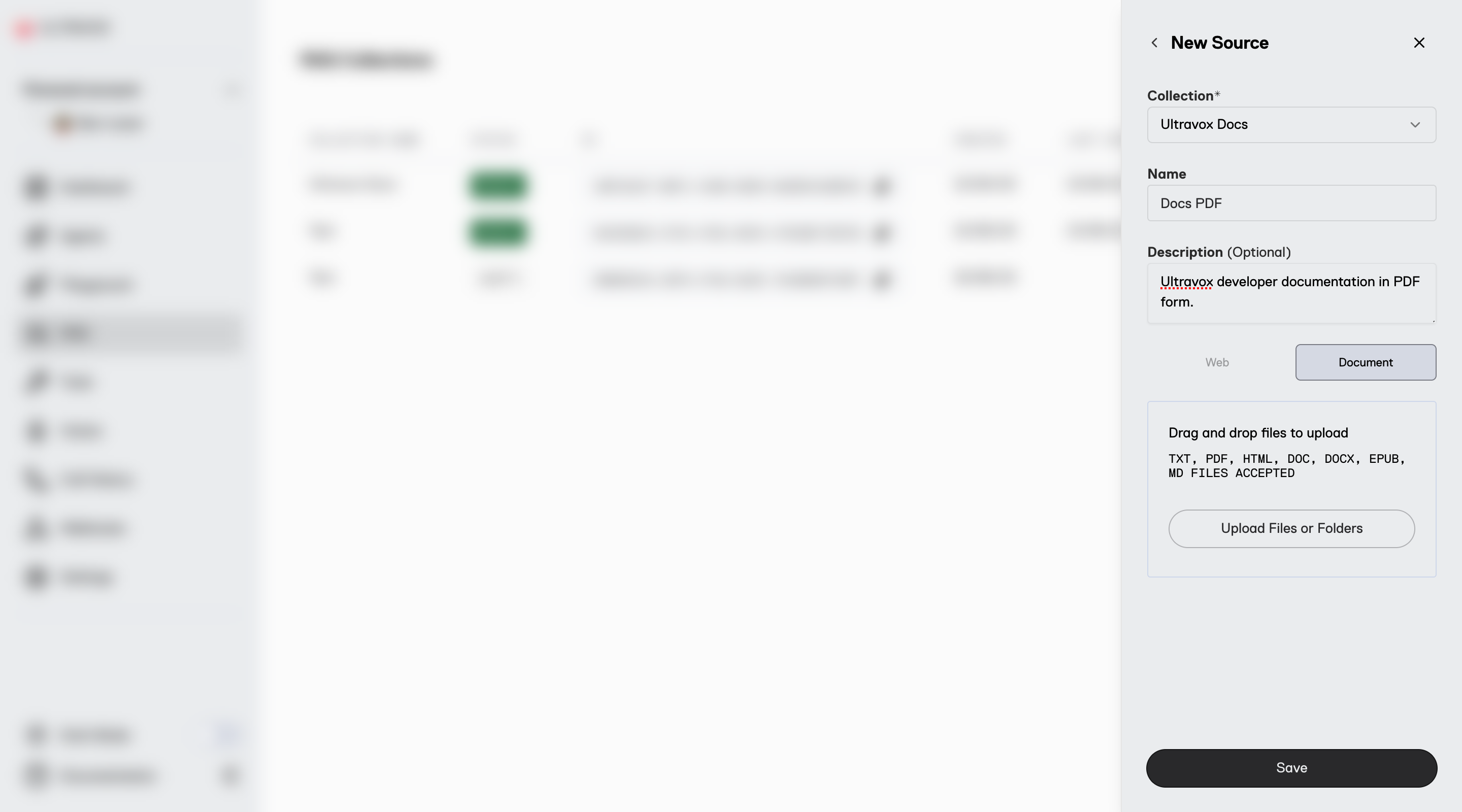
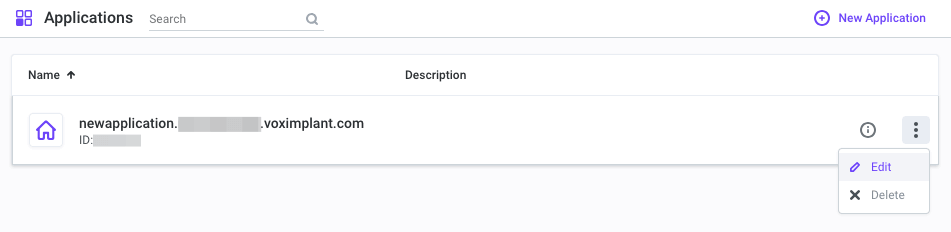
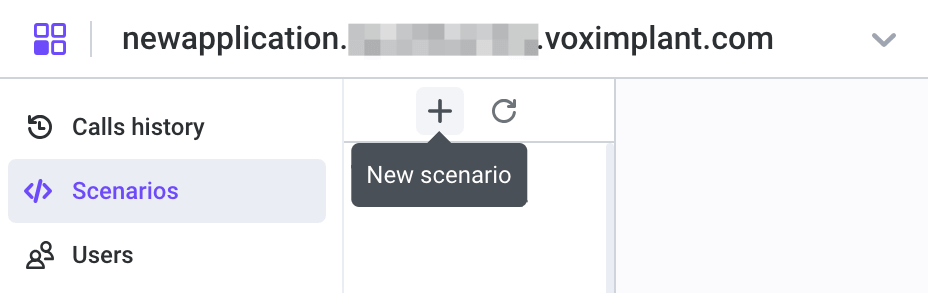
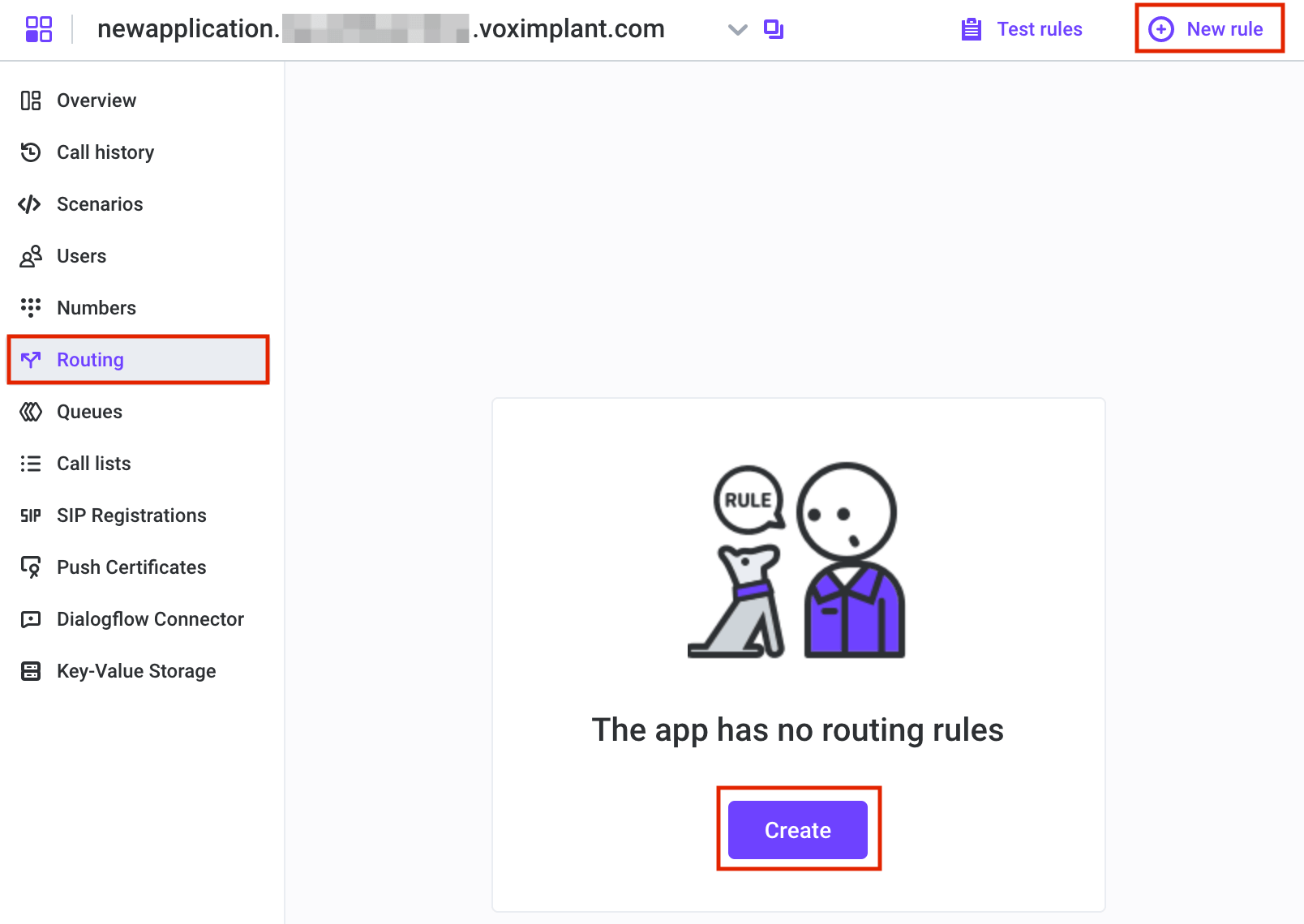
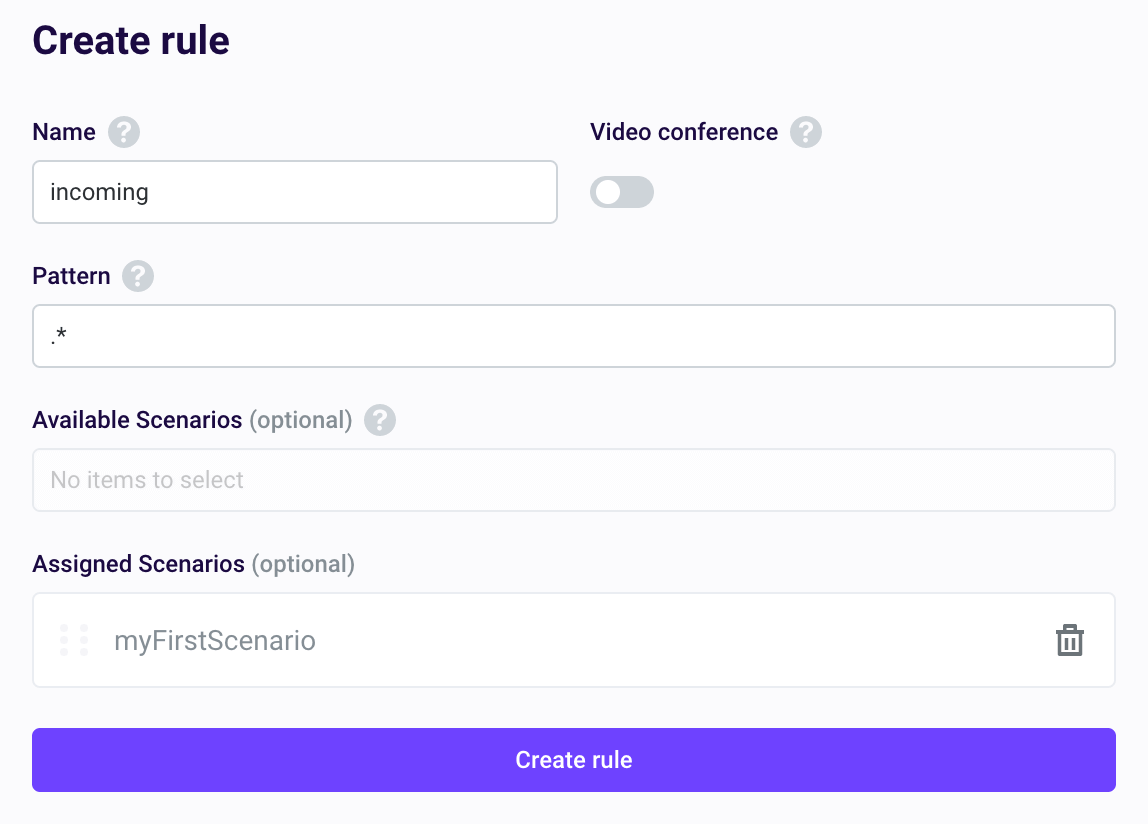
WebSocket connections are designed for server-to-server communication. For browser or mobile applications, use our client SDKs with WebRTC for optimal performance. WebSocket connections over TCP can experience audio blocking and ordering constraints that make them unsuitable for direct client use.
### Creating a WebSocket Call Creating a WebSocket-based call with Ultravox requires setting `medium` to `serverWebSocket` and passing in parameters for sample rates and buffer size. * **inputSampleRate** (required): Sample rate for input (user) audio (e.g., 48000). * **outputSampleRate** (optional): Sample rate for output (agent) audio (defaults to inputSampleRate). * **clientBufferSizeMs** (optional): Size of the client-side audio buffer in milliseconds. Smaller buffers allow for faster interruptions but may cause audio underflow if network latency fluctuates too greatly. For the best of both worlds, set this to some large value (e.g. 30000) and implement support for [PlaybackClearBuffer](/apps/datamessages#playbackclearbuffer) messages. (Defaults to 60). ```js Example: Creating an Ultravox Call for WebSockets theme={null} const response = await fetch('https://api.ultravox.ai/api/calls', { method: 'POST', headers: { 'X-API-Key': 'your_api_key', 'Content-Type': 'application/json' }, body: JSON.stringify({ systemPrompt: "You are a helpful assistant...", model: "ultravox-v0.7", voice: "Mark", medium: { serverWebSocket: { inputSampleRate: 48000, outputSampleRate: 48000, } } }) }); const { joinUrl } = await response.json(); ``` ```python Example: Joining an Ultravox Call via Websockets theme={null} import websockets socket = await websockets.connect(join_url) audio_send_task = asyncio.create_task(_send_audio(socket)) async for message in socket: if isinstance(message, bytes): # Handle agent audio data else: # Handle data message. See "Data Messages" ... async def _send_audio(socket: websockets.WebSocketClientProtocol): async for chunk in some_audio_source: # chunk should be a bytes object containing s16le PCM audio from the user self._socket.send(chunk) ``` See [Data Messages](/apps/datamessages) for more information on all available messages. Data Messages
WebSocket connections use the same message format as WebRTC data channels. See our [Data Messages](/apps/datamessages) documentation for detailed message specifications.