# Together
> Cancel a batch job by ID
---
# Source: https://docs.together.ai/reference/batch-cancel.md
# Cancel a batch job
> Cancel a batch job by ID
## OpenAPI
````yaml POST /batches/{id}/cancel
openapi: 3.1.0
info:
title: Together APIs
description: The Together REST API. Please see https://docs.together.ai for more details.
version: 2.0.0
termsOfService: https://www.together.ai/terms-of-service
contact:
name: Together Support
url: https://www.together.ai/contact
license:
name: MIT
url: https://github.com/togethercomputer/openapi/blob/main/LICENSE
servers:
- url: https://api.together.xyz/v1
security:
- bearerAuth: []
paths:
/batches/{id}/cancel:
post:
tags:
- Batches
summary: Cancel a batch job
description: Cancel a batch job by ID
parameters:
- name: id
in: path
required: true
description: Job ID
schema:
type: string
example: batch_job_abc123def456
responses:
'200':
description: OK
content:
application/json:
schema:
$ref: '#/components/schemas/BatchJob'
'400':
description: Bad Request
content:
application/json:
schema:
$ref: '#/components/schemas/BatchErrorResponse'
'401':
description: Unauthorized
content:
application/json:
schema:
$ref: '#/components/schemas/BatchErrorResponse'
'403':
description: Forbidden
content:
application/json:
schema:
$ref: '#/components/schemas/BatchErrorResponse'
'404':
description: Not Found
content:
application/json:
schema:
$ref: '#/components/schemas/BatchErrorResponse'
'500':
description: Internal Server Error
content:
application/json:
schema:
$ref: '#/components/schemas/BatchErrorResponse'
security:
- bearerAuth: []
components:
schemas:
BatchJob:
type: object
properties:
id:
type: string
format: uuid
example: 01234567-8901-2345-6789-012345678901
user_id:
type: string
example: user_789xyz012
input_file_id:
type: string
example: file-input123abc456def
file_size_bytes:
type: integer
format: int64
example: 1048576
description: Size of input file in bytes
status:
$ref: '#/components/schemas/BatchJobStatus'
job_deadline:
type: string
format: date-time
example: '2024-01-15T15:30:00Z'
created_at:
type: string
format: date-time
example: '2024-01-15T14:30:00Z'
endpoint:
type: string
example: /v1/chat/completions
progress:
type: number
format: float64
example: 75
description: Completion progress (0.0 to 100)
model_id:
type: string
example: meta-llama/Meta-Llama-3.1-8B-Instruct-Turbo
description: Model used for processing requests
output_file_id:
type: string
example: file-output789xyz012ghi
error_file_id:
type: string
example: file-errors456def789jkl
error:
type: string
completed_at:
type: string
format: date-time
example: '2024-01-15T15:45:30Z'
BatchErrorResponse:
type: object
properties:
error:
type: string
BatchJobStatus:
type: string
enum:
- VALIDATING
- IN_PROGRESS
- COMPLETED
- FAILED
- EXPIRED
- CANCELLED
example: IN_PROGRESS
description: Current status of the batch job
securitySchemes:
bearerAuth:
type: http
scheme: bearer
x-bearer-format: bearer
x-default: default
````
---
> To find navigation and other pages in this documentation, fetch the llms.txt file at: https://docs.together.ai/llms.txt
---
# Source: https://docs.together.ai/reference/batch-create.md
# Create a batch job
> Create a new batch job with the given input file and endpoint
## OpenAPI
````yaml POST /batches
openapi: 3.1.0
info:
title: Together APIs
description: The Together REST API. Please see https://docs.together.ai for more details.
version: 2.0.0
termsOfService: https://www.together.ai/terms-of-service
contact:
name: Together Support
url: https://www.together.ai/contact
license:
name: MIT
url: https://github.com/togethercomputer/openapi/blob/main/LICENSE
servers:
- url: https://api.together.xyz/v1
security:
- bearerAuth: []
paths:
/batches:
post:
tags:
- Batches
summary: Create a batch job
description: Create a new batch job with the given input file and endpoint
requestBody:
required: true
content:
application/json:
schema:
$ref: '#/components/schemas/CreateBatchRequest'
responses:
'201':
description: Job created (potentially with warnings)
content:
application/json:
schema:
$ref: '#/components/schemas/BatchJobWithWarning'
'400':
description: Bad Request
content:
application/json:
schema:
$ref: '#/components/schemas/BatchErrorResponse'
'401':
description: Unauthorized
content:
application/json:
schema:
$ref: '#/components/schemas/BatchErrorResponse'
'429':
description: Too Many Requests
content:
application/json:
schema:
$ref: '#/components/schemas/BatchErrorResponse'
'500':
description: Internal Server Error
content:
application/json:
schema:
$ref: '#/components/schemas/BatchErrorResponse'
security:
- bearerAuth: []
components:
schemas:
CreateBatchRequest:
type: object
required:
- endpoint
- input_file_id
properties:
endpoint:
type: string
description: The endpoint to use for batch processing
example: /v1/chat/completions
input_file_id:
type: string
description: ID of the uploaded input file containing batch requests
example: file-abc123def456ghi789
completion_window:
type: string
description: Time window for batch completion (optional)
example: 24h
priority:
type: integer
description: Priority for batch processing (optional)
example: 1
model_id:
type: string
description: Model to use for processing batch requests
example: meta-llama/Meta-Llama-3.1-8B-Instruct-Turbo
BatchJobWithWarning:
type: object
properties:
job:
$ref: '#/components/schemas/BatchJob'
warning:
type: string
BatchErrorResponse:
type: object
properties:
error:
type: string
BatchJob:
type: object
properties:
id:
type: string
format: uuid
example: 01234567-8901-2345-6789-012345678901
user_id:
type: string
example: user_789xyz012
input_file_id:
type: string
example: file-input123abc456def
file_size_bytes:
type: integer
format: int64
example: 1048576
description: Size of input file in bytes
status:
$ref: '#/components/schemas/BatchJobStatus'
job_deadline:
type: string
format: date-time
example: '2024-01-15T15:30:00Z'
created_at:
type: string
format: date-time
example: '2024-01-15T14:30:00Z'
endpoint:
type: string
example: /v1/chat/completions
progress:
type: number
format: float64
example: 75
description: Completion progress (0.0 to 100)
model_id:
type: string
example: meta-llama/Meta-Llama-3.1-8B-Instruct-Turbo
description: Model used for processing requests
output_file_id:
type: string
example: file-output789xyz012ghi
error_file_id:
type: string
example: file-errors456def789jkl
error:
type: string
completed_at:
type: string
format: date-time
example: '2024-01-15T15:45:30Z'
BatchJobStatus:
type: string
enum:
- VALIDATING
- IN_PROGRESS
- COMPLETED
- FAILED
- EXPIRED
- CANCELLED
example: IN_PROGRESS
description: Current status of the batch job
securitySchemes:
bearerAuth:
type: http
scheme: bearer
x-bearer-format: bearer
x-default: default
````
---
> To find navigation and other pages in this documentation, fetch the llms.txt file at: https://docs.together.ai/llms.txt
---
# Source: https://docs.together.ai/reference/batch-get.md
# Get a batch job
> Get details of a batch job by ID
## OpenAPI
````yaml GET /batches/{id}
openapi: 3.1.0
info:
title: Together APIs
description: The Together REST API. Please see https://docs.together.ai for more details.
version: 2.0.0
termsOfService: https://www.together.ai/terms-of-service
contact:
name: Together Support
url: https://www.together.ai/contact
license:
name: MIT
url: https://github.com/togethercomputer/openapi/blob/main/LICENSE
servers:
- url: https://api.together.xyz/v1
security:
- bearerAuth: []
paths:
/batches/{id}:
get:
tags:
- Batches
summary: Get a batch job
description: Get details of a batch job by ID
parameters:
- name: id
in: path
required: true
description: Job ID
schema:
type: string
example: batch_job_abc123def456
responses:
'200':
description: OK
content:
application/json:
schema:
$ref: '#/components/schemas/BatchJob'
'400':
description: Bad Request
content:
application/json:
schema:
$ref: '#/components/schemas/BatchErrorResponse'
'401':
description: Unauthorized
content:
application/json:
schema:
$ref: '#/components/schemas/BatchErrorResponse'
'403':
description: Forbidden
content:
application/json:
schema:
$ref: '#/components/schemas/BatchErrorResponse'
'404':
description: Not Found
content:
application/json:
schema:
$ref: '#/components/schemas/BatchErrorResponse'
'500':
description: Internal Server Error
content:
application/json:
schema:
$ref: '#/components/schemas/BatchErrorResponse'
security:
- bearerAuth: []
components:
schemas:
BatchJob:
type: object
properties:
id:
type: string
format: uuid
example: 01234567-8901-2345-6789-012345678901
user_id:
type: string
example: user_789xyz012
input_file_id:
type: string
example: file-input123abc456def
file_size_bytes:
type: integer
format: int64
example: 1048576
description: Size of input file in bytes
status:
$ref: '#/components/schemas/BatchJobStatus'
job_deadline:
type: string
format: date-time
example: '2024-01-15T15:30:00Z'
created_at:
type: string
format: date-time
example: '2024-01-15T14:30:00Z'
endpoint:
type: string
example: /v1/chat/completions
progress:
type: number
format: float64
example: 75
description: Completion progress (0.0 to 100)
model_id:
type: string
example: meta-llama/Meta-Llama-3.1-8B-Instruct-Turbo
description: Model used for processing requests
output_file_id:
type: string
example: file-output789xyz012ghi
error_file_id:
type: string
example: file-errors456def789jkl
error:
type: string
completed_at:
type: string
format: date-time
example: '2024-01-15T15:45:30Z'
BatchErrorResponse:
type: object
properties:
error:
type: string
BatchJobStatus:
type: string
enum:
- VALIDATING
- IN_PROGRESS
- COMPLETED
- FAILED
- EXPIRED
- CANCELLED
example: IN_PROGRESS
description: Current status of the batch job
securitySchemes:
bearerAuth:
type: http
scheme: bearer
x-bearer-format: bearer
x-default: default
````
---
> To find navigation and other pages in this documentation, fetch the llms.txt file at: https://docs.together.ai/llms.txt
---
# Source: https://docs.together.ai/reference/batch-list.md
# List all batch jobs
> List all batch jobs for the authenticated user
## OpenAPI
````yaml GET /batches
openapi: 3.1.0
info:
title: Together APIs
description: The Together REST API. Please see https://docs.together.ai for more details.
version: 2.0.0
termsOfService: https://www.together.ai/terms-of-service
contact:
name: Together Support
url: https://www.together.ai/contact
license:
name: MIT
url: https://github.com/togethercomputer/openapi/blob/main/LICENSE
servers:
- url: https://api.together.xyz/v1
security:
- bearerAuth: []
paths:
/batches:
get:
tags:
- Batches
summary: List batch jobs
description: List all batch jobs for the authenticated user
responses:
'200':
description: OK
content:
application/json:
schema:
type: array
items:
$ref: '#/components/schemas/BatchJob'
'401':
description: Unauthorized
content:
application/json:
schema:
$ref: '#/components/schemas/BatchErrorResponse'
'500':
description: Internal Server Error
content:
application/json:
schema:
$ref: '#/components/schemas/BatchErrorResponse'
security:
- bearerAuth: []
components:
schemas:
BatchJob:
type: object
properties:
id:
type: string
format: uuid
example: 01234567-8901-2345-6789-012345678901
user_id:
type: string
example: user_789xyz012
input_file_id:
type: string
example: file-input123abc456def
file_size_bytes:
type: integer
format: int64
example: 1048576
description: Size of input file in bytes
status:
$ref: '#/components/schemas/BatchJobStatus'
job_deadline:
type: string
format: date-time
example: '2024-01-15T15:30:00Z'
created_at:
type: string
format: date-time
example: '2024-01-15T14:30:00Z'
endpoint:
type: string
example: /v1/chat/completions
progress:
type: number
format: float64
example: 75
description: Completion progress (0.0 to 100)
model_id:
type: string
example: meta-llama/Meta-Llama-3.1-8B-Instruct-Turbo
description: Model used for processing requests
output_file_id:
type: string
example: file-output789xyz012ghi
error_file_id:
type: string
example: file-errors456def789jkl
error:
type: string
completed_at:
type: string
format: date-time
example: '2024-01-15T15:45:30Z'
BatchErrorResponse:
type: object
properties:
error:
type: string
BatchJobStatus:
type: string
enum:
- VALIDATING
- IN_PROGRESS
- COMPLETED
- FAILED
- EXPIRED
- CANCELLED
example: IN_PROGRESS
description: Current status of the batch job
securitySchemes:
bearerAuth:
type: http
scheme: bearer
x-bearer-format: bearer
x-default: default
````
---
> To find navigation and other pages in this documentation, fetch the llms.txt file at: https://docs.together.ai/llms.txt
---
# Source: https://docs.together.ai/docs/billing.md
# Billing and Usage Limits
> Understand usage limits, credit packs, build tiers, and billing settings on Together AI.
## Accepted Payment Methods
Together AI accepts all major credit and debit cards on networks including Visa, Mastercard, and American Express. Prepaid cards are not supported.
In some territories, there is a legal requirement for banks to request authorization for every transaction, regardless of whether you have set up recurring billing. In these territories, we send an authorization link to your account's registered email. Please monitor your inbox at the start of the month to approve any outstanding balance payments to avoid service interruption.
## What are Credits Used For?
Together credits are the unit used to measure and charge for usage of Together AI services on your account. Once purchased, credits can be used immediately for:
* API requests
* Dedicated endpoints
* Fine-tuning jobs
* Evaluation jobs
* All other Together AI services
Note that you need sufficient balance to cover the costs of dedicated endpoint creation or fine-tuning/evaluation job creation.
## Free Trial and Access Requirements
Together AI does not currently offer free trials. Access to the Together platform requires a minimum \$5 credit purchase.
A \$100 negative balance limit is being introduced. Users in Build Tiers 1–4 will continue to be billed at the end of the month for usage up to negative \$100. Accruing a balance below negative \$100 in a given month will require prepayment using credits. Current Build Tier 5 users will retain their existing postpaid limits.
## Auto-Recharge Credits
Together supports the ability to automatically purchase additional credits if your account balance falls below a set threshold. To enable this feature, follow these steps:
1. Log into your account by visiting [api.together.ai/settings/billing](https://api.together.ai/settings/billing).
2. Select "Add Credits".
3. Set the following options:
* **Auto-recharge amount:** The amount of credits to purchase (default \$25).
* **Auto-recharge threshold:** The account balance at which auto-recharge is triggered.
Note: If you set a threshold above your current balance, auto-recharge will trigger immediately, purchasing credits in increments of your top-up amount until the threshold is met. This may result in multiple purchases if the gap is larger than the top-up amount.
## Credit Expiration
No, prepaid balance credits in your Together.ai account do not currently have an expiration date. You can use your credits at any time after purchase.
If any changes to this policy are made in the future, Together.ai will notify customers in advance through official communications.
At Together AI, we understand that everyone has their own circumstances and we want to make sure that none of our customers are ever put in a tricky situation as a result of an unexpected bill from us.
To try and avoid such a situation, we offer usage based billing and credit packs, which are charged at the time of purchase.
**Important:** Credits purchased after an invoice is generated cannot be used to clear previous invoices or past due balances. Past due balances must be paid separately using a valid payment method, regardless of your available credit balance.
If you don't want to use credit packs, or want to make sure you don't spend any more than you buy in credits you can set a balance limit in your accounts [billing settings](https://api.together.ai/settings/billing). Build Tiers 1-4 have a fixed \$100 limit. Build Tier 5, Scale and Enterprise limits can be higher:
**Important payment method requirements:** When purchasing credit packs or setting up billing, Together.ai only accepts credit or debit cards that are directly tied to a bank account. Pre-paid cards of any kind are not supported by the payment system. If you experience issues with card authorization or declined payments, verify that you're using a standard credit or debit card rather than a pre-paid card.
If you're experiencing access issues with a positive balance, check whether your credits are free credits or purchased credits and verify your account tier in your billing settings.
## Build Tiers and Rate Limits
Together AI uses a system of Build Tiers to reward customers as they continue to use our service. The more you do on Together, the higher your limits are!
There are 5 build tiers. If you find yourself running into rate limits once you're on Build Tier 5, a Scale or Enterprise plan may be a better fit for your needs.
### Required Spend and Rate Limits
You can move up to the next build tier by paying your monthly bill, or by purchasing credits.
Build Tiers are based on lifetime spend.
| Build Tiers | Total Spend | LLMs | Embeddings | Re-rank |
| ------------ | ----------- | -------- | ---------- | --------- |
| Build Tier 1 | \$5.00 | 600 RPM | 3000 RPM | 500,000 |
| Build Tier 2 | \$50.00 | 1800 RPM | 5000 RPM | 1,500,000 |
| Build Tier 3 | \$100.00 | 3000 RPM | 5000 RPM | 2,000,000 |
| Build Tier 4 | \$250.00 | 4500 RPM | 10,000 RPM | 3,000,000 |
| Build Tier 5 | \$1000.00 | 6000 RPM | 10,000 RPM | 5,000,000 |
### Model Access by Build Tier
Some models have minimum Build Tier requirements beyond the standard rate limits.
#### Image Models
* **Build Tier 1 and above:** Access to Flux.1 \[schnell] (free and Turbo), Flux.1 Dev, Flux.1 Canny, Flux.1 Depth, Flux.1 Redux, and Flux.1 Kontext \[dev]
* **Build Tier 2 and above:** Access to Flux Pro models, including Flux.1 \[pro] and Flux1.1 \[pro]
**Note:** Model access requirements may change based on demand and availability. Check the model documentation for the most current access requirements.
### Important Note About Build Tier Access Restrictions
Even with a positive balance and no usage limit set, you may still encounter access restrictions due to Build Tier requirements. Build tiers are determined by actual account spend (purchased credits or platform usage), not free credits.
**Key points to remember:**
* Free credits don't count toward tier upgrades
* Build Tier 1 requires \$5 of actual account spend
* Build Tier 2 requires \$50 of actual account spend
* Some premium models (including Flux Pro 1.1, Flux Pro 1, and other high-end models) are restricted to Build Tier 2 or higher
* Access restrictions apply regardless of your credit balance or usage limit settings
**Common scenarios:**
* If you're seeing "Free tier" access errors despite having credits, you may need to purchase credits to upgrade to Build Tier 1
* If you encounter "tier access" errors for premium models, you may need Build Tier 2 status (\$50 total spend)
If you're experiencing access issues with a positive balance, check whether your credits are free credits or purchased credits and verify your account tier in your billing settings.
### Exceptions
Sometimes due to the popularity of a model we may need to implement custom rate limits or access restrictions. These exceptions will be listed in our documentation.
Keep in mind that once the limit is hit and enforced, any usage of Together AI services will be blocked until you increase the limit or buy a credit pack.
## Managing Payment Cards
Together AI allows you to link only one payment card at a time to your account. You can update this card at any time through your [billing settings](https://api.together.ai/settings/billing).
### Updating Your Payment Card
1. In your billing settings, click the "Update Card" button in the **Payment Info** panel
2. Enter your new card details in the popup window
3. Save and complete any verification steps requested by your card provider
You can follow this flow even if you're updating billing information for the same card, for example if you have a new Tax ID. However, **billing addresses must match your card details due to fraud prevention measures** - you cannot update to a different billing address while keeping the same payment card.
Please note that the Tax ID field won't appear until you have entered your address information.
**Note:** If you need to add your organization name, add a different email address to receive invoices, or add a non-standard Tax ID format, contact Support for assistance. These changes cannot be made through the billing settings interface.
### Removing Payment Cards
When you link a card to Together's systems, it enables updates to your account that allow negative balances, with charges on the 3rd of each month. Due to these account changes, you can only update the linked payment card. You cannot delete the card linked to the account without providing replacement details.
## Viewing Previous Invoices
All of your previous invoices (and current usage) can be viewed and downloaded in your [billing settings](https://api.together.ai/settings/billing).
Just scroll down to billing history.
Note that you may receive \$0 invoices even when using free or pre-purchased credits. These provide a record of your usage, including tokens used and models accessed. You can download the invoice PDF for details.
## Adding Business Details to Invoices
You can add your business name or other details to your invoices. Unfortunately this can't be done through your billing settings at the moment, so reach out to Support and they'll get it sorted for you!
## Troubleshooting Payment Declines
There are many reasons that payments can be declined. If your payment isn't going through, check the following:
* Is there enough money in your account to cover the payment?
* Have you filled in all of the address information when adding the card?
* Is the payment card in date?
* Have you activated the card? (If recently replaced)
* Have you entered the correct CVV number?
* **Have you filled in all of the address information when adding the card?** Ensure the billing address exactly matches what's registered with your card provider, including the zip/post code. Even if your payment provider shows the transaction as approved, address mismatches can still cause declines on our end.
* **Are you using a supported card type?** Together AI only accepts credit or debit cards linked to a bank account. Prepaid cards are not supported and will be declined. Virtual cards are also often blocked by issuing banks for certain types of transactions.
* **Does your card support recurring payments?** Together AI requires payment cards that support recurring payments. Some prepaid cards or cards from certain banks may not support this feature, which can cause payment declines even with valid card information.
* **Are you seeing a \$0 authorization hold from your bank?** This is a normal verification process to confirm your card is active before charging the actual amount. You need to approve this authorization hold in your banking app or with your bank for the real payment to go through.
* **Are you waiting long enough for processing?** Credit purchases can take up to 15 minutes to complete. Avoid re-entering your card details during this processing period, as this may cause multiple credit purchases.
* Is your card frozen/blocked by your bank?
* Does your card have any spending limits that you might have reached?
* Is your bank sending you an additional security prompt that you need to complete?
If you see the error message "We only accept credit or debit cards," this indicates you're trying to use an unsupported payment method. Make sure you're using a regular credit or debit card linked to a bank account, not a prepaid card, virtual card, or alternative payment method.
## Understanding Pending Payments
There are a number of stages to every payment made on the Together AI platform.
First, our payment processor contacts your bank to approve the payment.
When it's approved and the payment has gone through we then generate an invoice which you can access from your account.
Then our payment systems need to update your account balance to reflect the purchase.
Once all of this has happened, your balance updates.
Typically all of this happens within 60 seconds of you confirming the payment. Often instantly. But sometimes there can be a delay in the process, either due to our systems or due to your bank taking longer than expected to confirm the payment.
If this happens, you will see a 'pending' banner on your Together AI dashboard to let you know that we're aware of the transaction, but it's still in progress.
If this is the case, please don't make any further payments. Each further payment will be treated as an individual transaction, so you could end up buying more credit packs than you intended.
### Understanding Credit Types and Account Tiers
**Important:** Having credits in your balance doesn't automatically upgrade your account tier. There are two types of credits:
* **Free credits** - Promotional credits granted to your account
* **Purchased credits** - Credits you've bought with real money
Even if you have free credits showing in your balance, you may still be on the **Limited tier** and unable to access your API key. Build Tier 1 and higher tiers are unlocked only after **\$5 of actual account spend**
If you're seeing tier-related access errors despite having credits, check whether your credits are free credits or purchased credits. You may need to make an actual purchase to upgrade your tier status.
## Understanding Unexpected Charges
If you're seeing charges on your account without making API calls, you may be incurring costs from deployed resources that continue to run even when not actively used.
### Common Causes of Unexpected Charges
1. **Fine-tuned Model Hosting**: Deployed fine-tuned models incur per-minute hosting fees regardless of API usage. These charges continue until you stop the endpoint.
2. **Dedicated Endpoints**: These are charged based on hardware allocation, even without active requests. Charges accrue as long as the endpoint remains active.
3. **Serverless Model Usage**: Charged based on actual token usage and model size - you only pay for what you use.
### Managing Your Deployments
To avoid unexpected charges:
1. Visit your [models dashboard](https://api.together.xyz/models)
2. Check for deployed fine-tuned models or active dedicated endpoints
3. Stop any unused endpoints
Monitor usage and pricing at [together.ai/pricing](https://www.together.ai/pricing). Deployment charges are separate from usage charges and credit purchases.
## Build Tier Update Delay After Purchase
Purchasing Together AI credits can take up to **15 minutes** for our backend to finish updating your account's Build Tier and grant any new model access that comes with it. This delay is normal and does not affect the credits themselves; they are already reserved for you.
### What you may notice while the update is in progress
* Your **credit balance** in the dashboard may still show the old amount.
* **Tier-restricted models** (for example, Flux.Kontext) remain grayed out or return "insufficient tier" errors.
* API calls that require the new tier will continue to be rejected with HTTP 403 until propagation is complete.
### What you should do
1. **Wait up to 15 minutes** after your payment confirmation email arrives.
2. **Refresh the billing page** or re-query the `/v1/models` endpoint after the 15-minute mark.
3. If nothing changes, clear your browser cache or log out and back in to rule out a stale UI state.
**Still no change?** Open a support ticket in the dashboard under **Help > Contact Support** and include the email address used for the purchase and the approximate time of purchase (including time zone). Our team will verify the payment and, if necessary, force-sync your account to the correct Build Tier.
---
> To find navigation and other pages in this documentation, fetch the llms.txt file at: https://docs.together.ai/llms.txt
---
# Source: https://docs.together.ai/docs/building-a-rag-workflow.md
# Building a RAG Workflow
> Learn how to build a RAG workflow with Together AI embedding and chat endpoints!
## Introduction
For AI models to be effective in specialized tasks, they often require domain-specific knowledge. For instance, a financial advisory chatbot needs to understand market trends and products offered by a specific bank, while an AI legal assistant must be equipped with knowledge of statutes, regulations, and past case law.
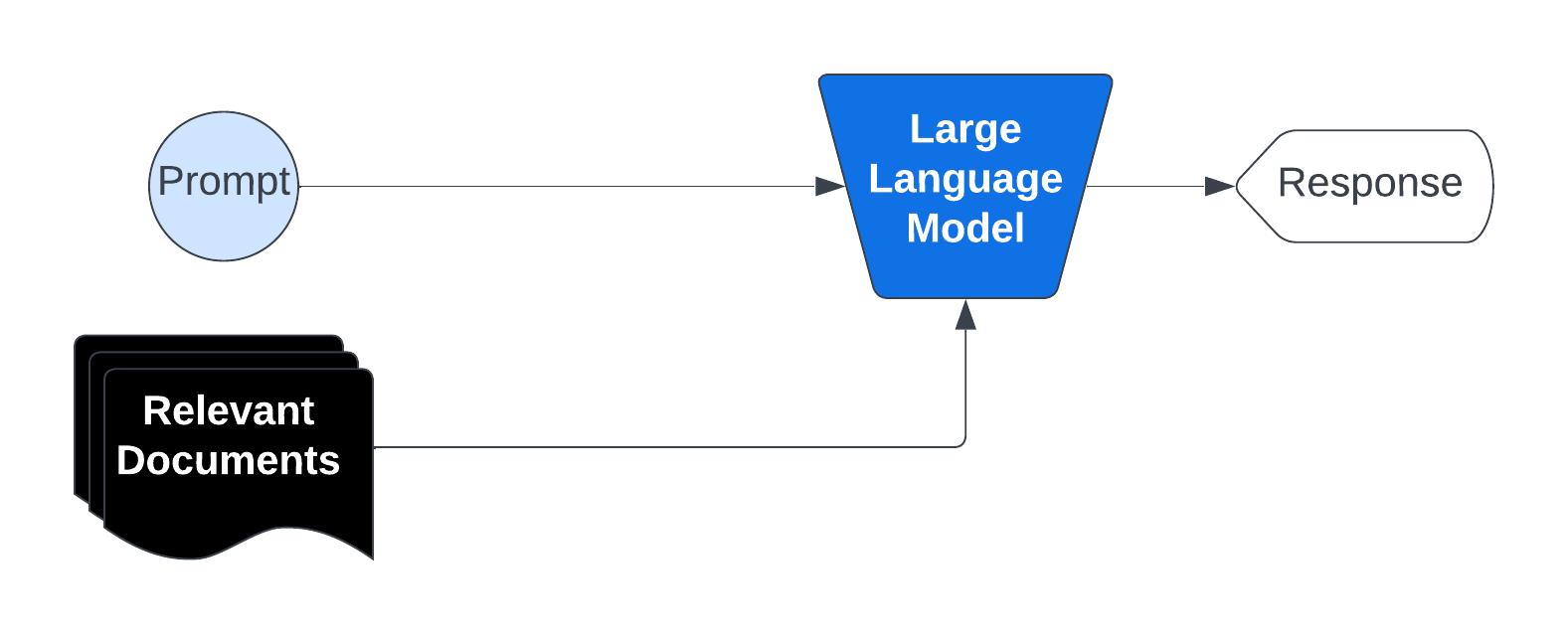
A common solution is Retrieval-Augmented Generation (RAG), which retrieves relevant data from a knowledge base and combines it with the user’s prompt, thereby improving and customizing the model's output to the provided data.
## RAG Explanation
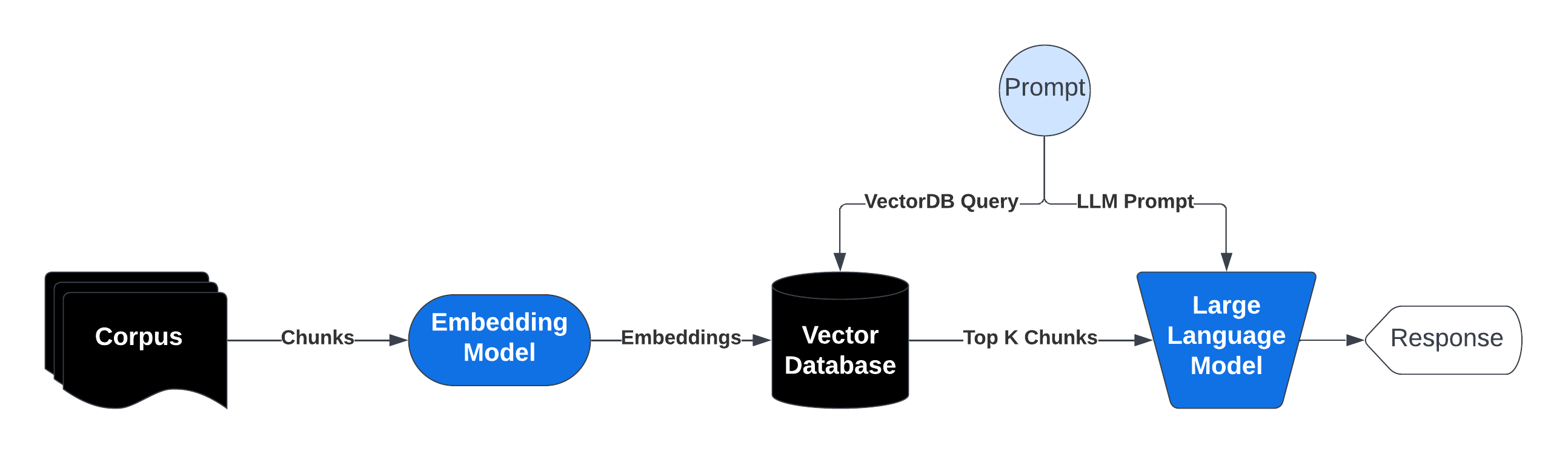
RAG operates by preprocessing a large knowledge base and dynamically retrieving relevant information at runtime.
Here's a breakdown of the process:
1. Indexing the Knowledge Base: The corpus (collection of documents) is divided into smaller, manageable chunks of text. Each chunk is converted into a vector embedding using an embedding model. These embeddings are stored in a vector database optimized for similarity searches.
2. Query Processing and Retrieval: When a user submits a prompt that would initially go directly to a LLM we process that and extract a query, the system searches the vector database for chunks semantically similar to the query. The most relevant chunks are retrieved and injected into the prompt sent to the generative AI model.
3. Response Generation: The AI model then uses the retrieved information along with its pre-trained knowledge to generate a response. Not only does this reduce the likelihood of hallucination since relevant context is provided directly in the prompt but it also allows us to cite to source material as well.
## Download and View the Dataset
```bash Shell theme={null}
wget https://raw.githubusercontent.com/togethercomputer/together-cookbook/refs/heads/main/datasets/movies.json
mkdir datasets
mv movies.json datasets/movies.json
```
```py Python theme={null}
import together, os
from together import Together
# Paste in your Together AI API Key or load it
TOGETHER_API_KEY = os.environ.get("TOGETHER_API_KEY")
import json
with open("./datasets/movies.json", "r") as file:
movies_data = json.load(file)
movies_data[:1]
```
This dataset consists of movie information as below:
```py Python theme={null}
[
{
"title": "Minions",
"overview": "Minions Stuart, Kevin and Bob are recruited by Scarlet Overkill, a super-villain who, alongside her inventor husband Herb, hatches a plot to take over the world.",
"director": "Kyle Balda",
"genres": "Family Animation Adventure Comedy",
"tagline": "Before Gru, they had a history of bad bosses",
},
{
"title": "Interstellar",
"overview": "Interstellar chronicles the adventures of a group of explorers who make use of a newly discovered wormhole to surpass the limitations on human space travel and conquer the vast distances involved in an interstellar voyage.",
"director": "Christopher Nolan",
"genres": "Adventure Drama Science Fiction",
"tagline": "Mankind was born on Earth. It was never meant to die here.",
},
{
"title": "Deadpool",
"overview": "Deadpool tells the origin story of former Special Forces operative turned mercenary Wade Wilson, who after being subjected to a rogue experiment that leaves him with accelerated healing powers, adopts the alter ego Deadpool. Armed with his new abilities and a dark, twisted sense of humor, Deadpool hunts down the man who nearly destroyed his life.",
"director": "Tim Miller",
"genres": "Action Adventure Comedy",
"tagline": "Witness the beginning of a happy ending",
},
]
```
## Implement Retrieval Pipeline - "R" part of RAG
Below we implement a simple retrieval pipeline:
1. Embed movie documents and query
2. Obtain top k movies ranked based on cosine similarities between the query and movie vectors.
```py Python theme={null}
# This function will be used to access the Together API to generate embeddings for the movie plots
from typing import List
import numpy as np
def generate_embeddings(
input_texts: List[str],
model_api_string: str,
) -> List[List[float]]:
"""Generate embeddings from Together python library.
Args:
input_texts: a list of string input texts.
model_api_string: str. An API string for a specific embedding model of your choice.
Returns:
embeddings_list: a list of embeddings. Each element corresponds to the each input text.
"""
together_client = together.Together(api_key=TOGETHER_API_KEY)
outputs = together_client.embeddings.create(
input=input_texts,
model=model_api_string,
)
return np.array([x.embedding for x in outputs.data])
# We will concatenate fields in the dataset in prep for embedding
to_embed = []
for movie in movies_data:
text = ""
for field in ["title", "overview", "tagline"]:
value = movie.get(field, "")
text += str(value) + " "
to_embed.append(text.strip())
# Use bge-base-en-v1.5 model to generate embeddings
embeddings = generate_embeddings(to_embed, "BAAI/bge-base-en-v1.5")
```
This will generate embeddings of the movies which we can use later to retrieve similar movies.
When a use makes a query we can embed the query using the same model and perform a vector similarity search as shown below:
```py Python theme={null}
from sklearn.metrics.pairwise import cosine_similarity
# Generate the vector embeddings for the query
query = "super hero action movie with a timeline twist"
query_embedding = generate_embeddings([query], "BAAI/bge-base-en-v1.5")[0]
# Calculate cosine similarity between the query embedding and each movie embedding
similarity_scores = cosine_similarity([query_embedding], embeddings)
```
We get a similarity score for each of our 1000 movies - the higher the score, the more similar the movie is to the query.
We can sort this similarity score to get the movies most similar to our query = `super hero action movie with a timeline twist`
```py Python theme={null}
# Get the indices of the highest to lowest values
indices = np.argsort(-similarity_scores)
top_10_sorted_titles = [movies_data[index]["title"] for index in indices[0]][
:10
]
top_10_sorted_titles
```
This produces the top ten most similar movie titles below:
```
['The Incredibles',
'Watchmen',
'Mr. Peabody & Sherman',
'Due Date',
'The Next Three Days',
'Super 8',
'Iron Man',
'After Earth',
'Men in Black 3',
'Despicable Me 2']
```
## We can encapsulate the above in a function
```py Python theme={null}
def retrieve(
query: str,
top_k: int = 5,
index: np.ndarray = None,
) -> List[int]:
"""
Retrieve the top-k most similar items from an index based on a query.
Args:
query (str): The query string to search for.
top_k (int, optional): The number of top similar items to retrieve. Defaults to 5.
index (np.ndarray, optional): The index array containing embeddings to search against. Defaults to None.
Returns:
List[int]: A list of indices corresponding to the top-k most similar items in the index.
"""
query_embedding = generate_embeddings([query], "BAAI/bge-base-en-v1.5")[0]
similarity_scores = cosine_similarity([query_embedding], index)
return np.argsort(-similarity_scores)[0][:top_k]
```
Which can be used as follows:
```py Python theme={null}
retrieve(
"super hero action movie with a timeline twist",
top_k=5,
index=embeddings,
)
```
Which returns an array of indices for movies that best match the query.
```
array([172, 265, 768, 621, 929])
```
## Generation Step - "G" part of RAG
Below we will inject/augment the information the retrieval pipeline extracts into the prompt to the Llama3 8b Model.
This will help guide the generation by grounding it from facts in our knowledge base!
```py Python theme={null}
# Extract out the titles and overviews of the top 10 most similar movies
titles = [movies_data[index]["title"] for index in indices[0]][:10]
overviews = [movies_data[index]["overview"] for index in indices[0]][:10]
client = Together(api_key=TOGETHER_API_KEY)
# Generate a story based on the top 10 most similar movies
response = client.chat.completions.create(
model="meta-llama/Llama-3-8b-chat-hf",
messages=[
{
"role": "system",
"content": "You are a pulitzer award winning craftful story teller. Given only the overview of different plots you can weave together an interesting storyline.",
},
{
"role": "user",
"content": f"Tell me a story about {titles}. Here is some information about them {overviews}",
},
],
)
print(response.choices[0].message.content)
```
Which produces the grounded output below:
```txt Text theme={null}
What a delightful mix of plots! Here's a story that weaves them together:
In a world where superheroes are a thing of the past, Bob Parr, aka Mr. Incredible, has given up his life of saving the world to become an insurance adjuster in the suburbs. His wife, Helen, aka Elastigirl, has also hung up her superhero suit to raise their three children. However, when Bob receives a mysterious assignment from a secret organization, he's forced to don his old costume once again.
As Bob delves deeper into the assignment, he discovers that it's connected to a sinister plot to destroy the world. The plot is masterminded by a group of rogue superheroes, who were once part of the Watchmen, a group of vigilantes that were disbanded by the government in the 1980s.
The Watchmen, led by the enigmatic Rorschach, have been secretly rebuilding their team and are now determined to take revenge on the world that wronged them. Bob must team up with his old friends, including the brilliant scientist, Dr. Manhattan, to stop the Watchmen and prevent their destruction.
Meanwhile, in a different part of the world, a young boy named Sherman, who has a genius-level IQ, has built a time-travel machine with his dog, Penny. When the machine is stolen, Sherman and Penny must travel through time to prevent a series of catastrophic events from occurring.
As they travel through time, they encounter a group of friends who are making a zombie movie with a Super-8 camera. The friends, including a young boy named Charles, witness a train derailment and soon discover that it was no accident. They team up with Sherman and Penny to uncover the truth behind the crash and prevent a series of unexplained events and disappearances.
As the story unfolds, Bob and his friends must navigate a complex web of time travel and alternate realities to stop the Watchmen and prevent the destruction of the world. Along the way, they encounter a group of agents from the Men in Black, who are trying to prevent a catastrophic event from occurring.
The agents, led by Agents J and K, are on a mission to stop a powerful new super criminal, who is threatening to destroy the world. They team up with Bob and his friends to prevent the destruction and save the world.
In the end, Bob and his friends succeed in stopping the Watchmen and preventing the destruction of the world. However, the journey is not without its challenges, and Bob must confront his own demons and learn to balance his life as a superhero with his life as a husband and father.
The story concludes with Bob and his family returning to their normal lives, but with a newfound appreciation for the importance of family and the power of teamwork. The movie ends with a shot of the Parr family, including their three children, who are all wearing superhero costumes, ready to take on the next adventure that comes their way.
```
Here we can see a simple RAG pipeline where we use semantic search to perform retrieval and pass relevant information into the prompt of a LLM to condition its generation.
To learn more about the Together AI API please refer to the [docs here](/intro) !
---
> To find navigation and other pages in this documentation, fetch the llms.txt file at: https://docs.together.ai/llms.txt
---
# Source: https://docs.together.ai/docs/changelog.md
# Changelog
## December, 2025
**Model Redirects Now Active**
The following models are now being automatically redirected to their upgraded versions. See our [Model Lifecycle Policy](/docs/deprecations#model-lifecycle-policy) for details.
| Original Model | Redirects To |
| :------------- | :----------------- |
| `Kimi-K2` | `Kimi-K2-0905` |
| `DeepSeek-V3` | `DeepSeek-V3-0324` |
| `DeepSeek-R1` | `DeepSeek-R1-0528` |
These are same-lineage upgrades with compatible behavior. If you need the original version, deploy it as a [Dedicated Endpoint](/docs/dedicated-endpoints).
**Python SDK v2.0 Release Candidate**
Together AI is releasing the **Python SDK v2.0 Release Candidate** — a new, OpenAPI‑generated, strongly‑typed client that replaces the legacy v1.0 package and brings the SDK into lock‑step with the latest platform features.
* **`pip install together==2.0.0a9`**
* **RC Period:** The v2.0 RC window starts today and will run for **approximately 1 month**. During this time we’ll iterate quickly based on developer feedback and may make a few small, well‑documented breaking changes before GA.
* **Type‑Safe, Modern Client:** Stronger typing across parameters and responses, keyword‑only arguments, explicit `NOT_GIVEN` handling for optional fields, and rich `together.types.*` definitions for chat messages, eval parameters, and more.
* **Redesigned Error Model:** Replaces `TogetherException` with a new `TogetherError` hierarchy, including `APIStatusError` and specific HTTP status code errors such as `BadRequestError (400)`, `AuthenticationError (401)`, `RateLimitError (429)`, and `InternalServerError (5xx)`, plus transport (`APIConnectionError`, `APITimeoutError`) and validation (`APIResponseValidationError`) errors.
* **New Jobs API:** Adds first‑class support for the **Jobs API** (`client.jobs.*`) so you can create, list, and inspect asynchronous jobs directly from the SDK without custom HTTP wrappers.
* **New Hardware API:** Adds the **Hardware API** (`client.hardware.*`) to discover available hardware, filter by model compatibility, and compute effective hourly pricing from `cents_per_minute`.
* **Raw Response & Streaming Helpers:** New `.with_raw_response` and `.with_streaming_response` helpers make it easier to debug, inspect headers and status codes, and stream completions via context managers with automatic cleanup.
* **Code Interpreter Sessions:** Adds session management for the **Code Interpreter** (`client.code_interpreter.sessions.*`), enabling multi‑step, stateful code‑execution workflows that were not possible in the legacy SDK.
* **High Compatibility for Core APIs:** Most core usage patterns, including `chat.completions`, `completions`, `embeddings`, `images.generate`, audio transcription/translation/speech, `rerank`, `fine_tuning.create/list/retrieve/cancel`, and `models.list` — are designed to be **drop‑in compatible** between v1 and v2.
* **Targeted Breaking Changes:** Some APIs (Files, Batches, Endpoints, Evals, Code Interpreter, select fine‑tuning helpers) have updated method names, parameters, or response shapes; these are fully documented in the **Python SDK Migration Guide** and **Breaking Changes** notes.
* **Migration Resources:** A dedicated **Python SDK Migration Guide** is available with API‑by‑API before/after examples, a feature parity matrix, and troubleshooting tips to help teams smoothly transition from v1 to v2 during the RC period.
**Serverless Model Bring Ups**
The following models have been added:
* `mistralai/Ministral-3-14B-Instruct-2512`
## November, 2025
**Serverless Model Bring Ups**
The following models have been added:
* `zai-org/GLM-4.6`
* `moonshotai/Kimi-K2-Thinking`
**Enhanced Audio Capabilities: Real-time Text-to-Speech and Speech-to-Text**
Together AI expands audio capabilities with real-time streaming for both TTS and STT, new models, and speaker diarization.
* **Real-time Text-to-Speech**: WebSocket API for lowest-latency interactive applications
* **New TTS Models**: Orpheus 3B (`canopylabs/orpheus-3b-0.1-ft`) and Kokoro 82M (`hexgrad/Kokoro-82M`) supporting REST, streaming, and WebSocket endpoints
* **Real-time Speech-to-Text**: WebSocket streaming transcription with Whisper for live audio applications
* **Voxtral Model**: New Mistral AI speech recognition model (`mistralai/Voxtral-Mini-3B-2507`) for audio transcriptions
* **Speaker Diarization**: Identify and label different speakers in audio transcriptions with a free `diarize` flag
* TTS WebSocket endpoint: `/v1/audio/speech/websocket`
* STT WebSocket endpoint: `/v1/realtime`
* Check out the [Text-to-Speech guide](/docs/text-to-speech) and [Speech-to-Text guide](/docs/speech-to-text)
## October, 2025
**Model Deprecations**
The following image models have been deprecated and are no longer available:
* `black-forest-labs/FLUX.1-pro` (Calls to FLUX.1-pro will now redirect to FLUX.1.1-pro)
* `black-forest-labs/FLUX.1-Canny-pro`
**Video Generation API & 40+ New Image and Video Models**
Together AI expands into multimedia generation with comprehensive video and image capabilities. [Read more](https://www.together.ai/blog/40-new-image-and-video-models)
* **New Video Generation API**: Create high-quality videos with models like OpenAI Sora 2, Google Veo 3.0, and Minimax Hailuo
* **40+ Image & Video Models**: Including Google Imagen 4.0 Ultra, Gemini Flash Image 2.5 (Nano Banana), ByteDance SeeDream, and specialized editing tools
* **Unified Platform**: Combine text, image, and video generation through the same APIs, authentication, and billing
* **Production-Ready**: Serverless endpoints with transparent per-model pricing and enterprise-grade infrastructure
* Video endpoints: `/videos/create` and `/videos/retrieve`
* Image endpoint: `/images/generations`
## September, 2025
**Improved Batch Inference API: Enhanced UI, Expanded Model Support, and Rate Limit Increase**
What’s New
* Streamlined UI: Create and track batch jobs in an intuitive interface — no complex API calls required.
* Universal Model Access: The Batch Inference API now supports all serverless models and private deployments, so you can run batch workloads on exactly the models you need.
* Massive Scale Jump: Rate limits are up from 10M to 30B enqueued tokens per model per user, a 3000× increase. Need more? We’ll work with you to customize.
* Lower Cost: For most serverless models, the Batch Inference API runs at 50% the cost of our real-time API, making it the most economical way to process high-throughput workloads.
**Qwen3-Next-80B Models Release**
New Qwen3-Next-80B models now available for both thinking and instruction tasks.
* Model ID: `Qwen/Qwen3-Next-80B-A3B-Thinking`
* Model ID: `Qwen/Qwen3-Next-80B-A3B-Instruct`
**Fine-Tuning Platform Upgrades**
Enhanced fine-tuning capabilities with expanded model support and increased context lengths. [Read more](https://www.together.ai/blog/fine-tuning-updates-sept-2025)
**Enable fine-tuning for new large models:**
* `openai/gpt-oss-120b`
* `deepseek-ai/DeepSeek-V3.1`
* `deepseek-ai/DeepSeek-V3.1-Base`
* `deepseek-ai/DeepSeek-R1-0528`
* `deepseek-ai/DeepSeek-R1`
* `deepseek-ai/DeepSeek-V3-0324`
* `deepseek-ai/DeepSeek-V3`
* `deepseek-ai/DeepSeek-V3-Base`
* `Qwen/Qwen3-Coder-480B-A35B-Instruct`
* `Qwen/Qwen3-235B-A22B` (context length 32,768 for SFT and 16,384 for DPO)
* `Qwen/Qwen3-235B-A22B-Instruct-2507` (context length 32,768 for SFT and 16,384 for DPO)
* `meta-llama/Llama-4-Maverick-17B-128E`
* `meta-llama/Llama-4-Maverick-17B-128E-Instruct`
* `meta-llama/Llama-4-Scout-17B-16E`
* `meta-llama/Llama-4-Scout-17B-16E-Instruct`
***
**Increased maximum supported context length (per model and variant):**
**DeepSeek Models**
* DeepSeek-R1-Distill-Llama-70B: SFT: 8192 → 24,576, DPO: 8192 → 8192
* DeepSeek-R1-Distill-Qwen-14B: SFT: 8192 → 65,536, DPO: 8192 → 12,288
* DeepSeek-R1-Distill-Qwen-1.5B: SFT: 8192 → 131,072, DPO: 8192 → 16,384
**Google Gemma Models**
* gemma-3-1b-it: SFT: 16,384 → 32,768, DPO: 16,384 → 12,288
* gemma-3-1b-pt: SFT: 16,384 → 32,768, DPO: 16,384 → 12,288
* gemma-3-4b-it: SFT: 16,384 → 131,072, DPO: 16,384 → 12,288
* gemma-3-4b-pt: SFT: 16,384 → 131,072, DPO: 16,384 → 12,288
* gemma-3-12b-pt: SFT: 16,384 → 65,536, DPO: 16,384 → 8,192
* gemma-3-27b-it: SFT: 12,288 → 49,152, DPO: 12,288 → 8,192
* gemma-3-27b-pt: SFT: 12,288 → 49,152, DPO: 12,288 → 8,192
**Qwen Models**
* Qwen3-0.6B / Qwen3-0.6B-Base: SFT: 8192 → 32,768, DPO: 8192 → 24,576
* Qwen3-1.7B / Qwen3-1.7B-Base: SFT: 8192 → 32,768, DPO: 8192 → 16,384
* Qwen3-4B / Qwen3-4B-Base: SFT: 8192 → 32,768, DPO: 8192 → 16,384
* Qwen3-8B / Qwen3-8B-Base: SFT: 8192 → 32,768, DPO: 8192 → 16,384
* Qwen3-14B / Qwen3-14B-Base: SFT: 8192 → 32,768, DPO: 8192 → 16,384
* Qwen3-32B: SFT: 8192 → 24,576, DPO: 8192 → 4096
* Qwen2.5-72B-Instruct: SFT: 8192 → 24,576, DPO: 8192 → 8192
* Qwen2.5-32B-Instruct: SFT: 8192 → 32,768, DPO: 8192 → 12,288
* Qwen2.5-32B: SFT: 8192 → 49,152, DPO: 8192 → 12,288
* Qwen2.5-14B-Instruct: SFT: 8192 → 32,768, DPO: 8192 → 16,384
* Qwen2.5-14B: SFT: 8192 → 65,536, DPO: 8192 → 16,384
* Qwen2.5-7B-Instruct: SFT: 8192 → 32,768, DPO: 8192 → 16,384
* Qwen2.5-7B: SFT: 8192 → 131,072, DPO: 8192 → 16,384
* Qwen2.5-3B-Instruct: SFT: 8192 → 32,768, DPO: 8192 → 16,384
* Qwen2.5-3B: SFT: 8192 → 32,768, DPO: 8192 → 16,384
* Qwen2.5-1.5B-Instruct: SFT: 8192 → 32,768, DPO: 8192 → 16,384
* Qwen2.5-1.5B: SFT: 8192 → 32,768, DPO: 8192 → 16,384
* Qwen2-72B-Instruct / Qwen2-72B: SFT: 8192 → 32,768, DPO: 8192 → 8192
* Qwen2-7B-Instruct: SFT: 8192 → 32,768, DPO: 8192 → 16,384
* Qwen2-7B: SFT: 8192 → 131,072, DPO: 8192 → 16,384
* Qwen2-1.5B-Instruct: SFT: 8192 → 32,768, DPO: 8192 → 16,384
* Qwen2-1.5B: SFT: 8192 → 131,072, DPO: 8192 → 16,384
**Meta Llama Models**
* Llama-3.3-70B-Instruct-Reference: SFT: 8,192 → 24,576, DPO: 8,192 → 8,192
* Llama-3.2-3B-Instruct: SFT: 8,192 → 131,072, DPO: 8,192 → 24,576
* Llama-3.2-1B-Instruct: SFT: 8,192 → 131,072, DPO: 8,192 → 24,576
* Meta-Llama-3.1-8B-Instruct-Reference: SFT: 8,192 → 131,072, DPO: 8,192 → 16,384
* Meta-Llama-3.1-8B-Reference: SFT: 8,192 → 131,072, DPO: 8,192 → 16,384
* Meta-Llama-3.1-70B-Instruct-Reference: SFT: 8,192 → 24,576, DPO: 8,192 → 8,192
* Meta-Llama-3.1-70B-Reference: SFT: 8,192 → 24,576, DPO: 8,192 → 8,192
**Mistral Models**
* mistralai/Mistral-7B-v0.1: SFT: 8,192 → 32,768, DPO: 8,192 → 32,768
* teknium/OpenHermes-2p5-Mistral-7B: SFT: 8,192 → 32,768, DPO: 8,192 → 32,768
***
**Enhanced Hugging Face integrations:**
* Fine-tune any \< 100B parameter CausalLM from Hugging Face Hub
* Support for DPO variants such as LN-DPO, DPO+NLL, and SimPO
* Support fine-tuning with maximum batch size
* Public `fine-tunes/models/limits` and `fine-tunes/models/supported` endpoints
* Automatic filtering of sequences with no trainable tokens (e.g., if a sequence prompt is longer than the model's context length, the completion is pushed outside the window)
**Together Instant Clusters General Availability**
Self-service NVIDIA GPU clusters with API-first provisioning. [Read more](https://www.together.ai/blog/together-instant-clusters-ga)
* New API endpoints for cluster management:
* `/v1/gpu_cluster` - Create and manage GPU clusters
* `/v1/shared_volume` - High-performance shared storage
* `/v1/regions` - Available data center locations
* Support for NVIDIA Blackwell (HGX B200) and Hopper (H100, H200) GPUs
* Scale from single-node (8 GPUs) to hundreds of interconnected GPUs
* Pre-configured with Kubernetes, Slurm, and networking components
**Serverless LoRA and Dedicated Endpoints support for Evaluations**
You can now run evaluations:
* Using [Serverless LoRA](docs/lora-inference#serverless-lora-inference) models, including supported LoRA fine-tuned models
* Using [Dedicated Endpoints](docs/dedicated-endpoints-1), including fine-tuned models deployed via dedicated endpoints
**Kimi-K2-Instruct-0905 Model Release**
Upgraded version of Moonshot's 1 trillion parameter MoE model with enhanced performance. [Read more](https://www.together.ai/models/kimi-k2-0905)
* Model ID: `moonshot-ai/Kimi-K2-Instruct-0905`
## August, 2025
**DeepSeek-V3.1 Model Release**
Upgraded version of DeepSeek-R1-0528 and DeepSeek-V3-0324. [Read more](https://www.together.ai/blog/deepseek-v3-1-hybrid-thinking-model-now-available-on-together-ai)
* **Dual Modes**: Fast mode for quick responses, thinking mode for complex reasoning
* **671B total parameters** with 37B active parameters
* Model ID: `deepseek-ai/DeepSeek-V3.1`
***
**Model Deprecations**
The following models have been deprecated and are no longer available:
* `meta-llama/Llama-3.2-90B-Vision-Instruct-Turbo`
* `black-forest-labs/FLUX.1-canny`
* `meta-llama/Llama-3-8b-chat-hf`
* `black-forest-labs/FLUX.1-redux`
* `black-forest-labs/FLUX.1-depth`
* `deepseek-ai/DeepSeek-R1-Distill-Qwen-1.5B`
* `NousResearch/Nous-Hermes-2-Mixtral-8x7B-DPO`
* `meta-llama/Llama-3.2-11B-Vision-Instruct-Turbo`
* `meta-llama-llama-3-3-70b-instruct-lora`
* `Qwen/Qwen2.5-14B`
* `meta-llama/Llama-Vision-Free`
* `Qwen/Qwen2-72B-Instruct`
* `google/gemma-2-27b-it`
* `meta-llama/Meta-Llama-3-8B-Instruct`
* `perplexity-ai/r1-1776`
* `nvidia/Llama-3.1-Nemotron-70B-Instruct-HF`
* `Qwen/Qwen2-VL-72B-Instruct`
**GPT-OSS Models Fine-Tuning Support**
Fine-tune OpenAI's open-source models to create domain-specific variants. [Read more](https://www.together.ai/blog/fine-tune-gpt-oss-models-into-domain-experts-together-ai)
* Supported models: `gpt-oss-20B` and `gpt-oss-120B`
* Supports 16K context SFT, 8k context DPO
**OpenAI GPT-OSS Models Now Available**
OpenAI's first open-weight models now accessible through Together AI. [Read more](https://www.together.ai/blog/announcing-the-availability-of-openais-open-models-on-together-ai)
* Model IDs: `openai/gpt-oss-20b`, `openai/gpt-oss-120b`
## July, 2025
**VirtueGuard Model Release**
Enterprise-grade gaurd model for safety monitoring with **8ms response time**. [Read more](https://www.together.ai/blog/virtueguard)
* Real-time content filtering and bias detection
* Prompt injection protection
* Model ID: `VirtueAI/VirtueGuard-Text-Lite`
**Together Evaluations Framework**
Benchmarking platform using **LLM-as-a-judge methodology** for model performance assessment. [Read more](https://www.together.ai/blog/introducing-together-evaluations)
* Create custom LLM-as-a-Judge evaluation suites for your domain
* Support `compare`, `classify` and `score` functionality
* Enables comparing models, prompts and LLM configs, scoring and classifying LLM outputs
**Qwen3-Coder-480B Model Release**
Agentic coding model with top SWE-Bench Verified performance. [Read more](https://www.together.ai/blog/qwen-3-coder)
* **480B total parameters** with 35B active (MoE architecture)
* **256K context length** for entire codebase handling
* **Leading SWE-Bench scores** on software engineering benchmarks
* Model ID: `Qwen/Qwen3-Coder-480B-A35B-Instruct-FP8`
**NVIDIA HGX B200 Hardware Support**
**Record-breaking serverless inference speed** for DeepSeek-R1-0528 using NVIDIA's Blackwell architecture. [Read more](https://www.together.ai/blog/fastest-inference-for-deepseek-r1-0528-with-nvidia-hgx-b200)
* Dramatically improved throughput and lower latency
* Same API endpoints and pricing
* Model ID: `deepseek-ai/DeepSeek-R1`
**Kimi-K2-Instruct Model Launch**
Moonshot AI's **1 trillion parameter MoE model** with frontier-level performance. [Read more](https://www.together.ai/blog/kimi-k2-leading-open-source-model-now-available-on-together-ai)
* Excels at tool use, and multi-step tasks and strong multilingual support
* Great agentic and function calling capabilities
* Model ID: `moonshotai/Kimi-K2-Instruct`
**Whisper Speech-to-Text APIs**
High-performance audio transcription that's **15× faster than OpenAI** with support for **files over 1 GB**. [Read more](https://www.together.ai/blog/speech-to-text-whisper-apis)
* Multiple audio formats with timestamp generation
* Speaker diarization and language detection
* Use `/audio/transcriptions` and `/audio/translations` endpoint
* Model ID: `openai/whisper-large-v3`
**SOC 2 Type II Compliance Certification**
Achieved enterprise-grade security compliance through independent audit of security controls. [Read more](https://www.together.ai/blog/soc-2-compliance)
* Simplified vendor approval and procurement
* Reduced due diligence requirements
* Support for regulated industries
---
> To find navigation and other pages in this documentation, fetch the llms.txt file at: https://docs.together.ai/llms.txt
---
# Source: https://docs.together.ai/reference/chat-completions-1.md
# Create Chat Completion
> Query a chat model.
## OpenAPI
````yaml POST /chat/completions
openapi: 3.1.0
info:
title: Together APIs
description: The Together REST API. Please see https://docs.together.ai for more details.
version: 2.0.0
termsOfService: https://www.together.ai/terms-of-service
contact:
name: Together Support
url: https://www.together.ai/contact
license:
name: MIT
url: https://github.com/togethercomputer/openapi/blob/main/LICENSE
servers:
- url: https://api.together.xyz/v1
security:
- bearerAuth: []
paths:
/chat/completions:
post:
tags:
- Chat
summary: Create chat completion
description: Query a chat model.
operationId: chat-completions
requestBody:
content:
application/json:
schema:
$ref: '#/components/schemas/ChatCompletionRequest'
responses:
'200':
description: '200'
content:
application/json:
schema:
$ref: '#/components/schemas/ChatCompletionResponse'
text/event-stream:
schema:
$ref: '#/components/schemas/ChatCompletionStream'
'400':
description: BadRequest
content:
application/json:
schema:
$ref: '#/components/schemas/ErrorData'
'401':
description: Unauthorized
content:
application/json:
schema:
$ref: '#/components/schemas/ErrorData'
'404':
description: NotFound
content:
application/json:
schema:
$ref: '#/components/schemas/ErrorData'
'429':
description: RateLimit
content:
application/json:
schema:
$ref: '#/components/schemas/ErrorData'
'503':
description: Overloaded
content:
application/json:
schema:
$ref: '#/components/schemas/ErrorData'
'504':
description: Timeout
content:
application/json:
schema:
$ref: '#/components/schemas/ErrorData'
deprecated: false
components:
schemas:
ChatCompletionRequest:
type: object
required:
- model
- messages
properties:
messages:
type: array
description: A list of messages comprising the conversation so far.
items:
$ref: '#/components/schemas/ChatCompletionMessageParam'
model:
description: >
The name of the model to query.
[See all of Together AI's
chat
models](https://docs.together.ai/docs/serverless-models#chat-models)
example: meta-llama/Meta-Llama-3.1-8B-Instruct-Turbo
anyOf:
- type: string
enum:
- Qwen/Qwen2.5-72B-Instruct-Turbo
- Qwen/Qwen2.5-7B-Instruct-Turbo
- meta-llama/Meta-Llama-3.1-405B-Instruct-Turbo
- meta-llama/Meta-Llama-3.1-70B-Instruct-Turbo
- meta-llama/Meta-Llama-3.1-8B-Instruct-Turbo
- type: string
max_tokens:
type: integer
description: The maximum number of tokens to generate.
stop:
type: array
description: >-
A list of string sequences that will truncate (stop) inference text
output. For example, "" will stop generation as soon as the
model generates the given token.
items:
type: string
temperature:
type: number
description: >-
A decimal number from 0-1 that determines the degree of randomness
in the response. A temperature less than 1 favors more correctness
and is appropriate for question answering or summarization. A value
closer to 1 introduces more randomness in the output.
format: float
top_p:
type: number
description: >-
A percentage (also called the nucleus parameter) that's used to
dynamically adjust the number of choices for each predicted token
based on the cumulative probabilities. It specifies a probability
threshold below which all less likely tokens are filtered out. This
technique helps maintain diversity and generate more fluent and
natural-sounding text.
format: float
top_k:
type: integer
description: >-
An integer that's used to limit the number of choices for the next
predicted word or token. It specifies the maximum number of tokens
to consider at each step, based on their probability of occurrence.
This technique helps to speed up the generation process and can
improve the quality of the generated text by focusing on the most
likely options.
format: int32
context_length_exceeded_behavior:
type: string
enum:
- truncate
- error
default: error
description: >-
Defined the behavior of the API when max_tokens exceed the maximum
context length of the model. When set to 'error', API will return
400 with appropriate error message. When set to 'truncate', override
the max_tokens with maximum context length of the model.
repetition_penalty:
type: number
description: >-
A number that controls the diversity of generated text by reducing
the likelihood of repeated sequences. Higher values decrease
repetition.
stream:
type: boolean
description: >-
If true, stream tokens as Server-Sent Events as the model generates
them instead of waiting for the full model response. The stream
terminates with `data: [DONE]`. If false, return a single JSON
object containing the results.
logprobs:
type: integer
minimum: 0
maximum: 20
description: >-
An integer between 0 and 20 of the top k tokens to return log
probabilities for at each generation step, instead of just the
sampled token. Log probabilities help assess model confidence in
token predictions.
echo:
type: boolean
description: >-
If true, the response will contain the prompt. Can be used with
`logprobs` to return prompt logprobs.
'n':
type: integer
description: The number of completions to generate for each prompt.
minimum: 1
maximum: 128
min_p:
type: number
description: >-
A number between 0 and 1 that can be used as an alternative to top_p
and top-k.
format: float
presence_penalty:
type: number
description: >-
A number between -2.0 and 2.0 where a positive value increases the
likelihood of a model talking about new topics.
format: float
frequency_penalty:
type: number
description: >-
A number between -2.0 and 2.0 where a positive value decreases the
likelihood of repeating tokens that have already been mentioned.
format: float
logit_bias:
type: object
additionalProperties:
type: number
format: float
description: >-
Adjusts the likelihood of specific tokens appearing in the generated
output.
example:
'105': 21.4
'1024': -10.5
seed:
type: integer
description: Seed value for reproducibility.
example: 42
function_call:
oneOf:
- type: string
enum:
- none
- auto
- type: object
required:
- name
properties:
name:
type: string
response_format:
description: >
An object specifying the format that the model must output.
Setting to `{ "type": "json_schema", "json_schema": {...} }` enables
Structured Outputs which ensures the model will match your supplied
JSON
schema. Learn more in the [Structured Outputs
guide](https://docs.together.ai/docs/json-mode).
Setting to `{ "type": "json_object" }` enables the older JSON mode,
which
ensures the message the model generates is valid JSON. Using
`json_schema`
is preferred for models that support it.
discriminator:
propertyName: type
anyOf:
- $ref: '#/components/schemas/ResponseFormatText'
- $ref: '#/components/schemas/ResponseFormatJsonSchema'
- $ref: '#/components/schemas/ResponseFormatJsonObject'
tools:
type: array
description: >-
A list of tools the model may call. Currently, only functions are
supported as a tool. Use this to provide a list of functions the
model may generate JSON inputs for.
items:
$ref: '#/components/schemas/ToolsPart'
tool_choice:
description: >-
Controls which (if any) function is called by the model. By default
uses `auto`, which lets the model pick between generating a message
or calling a function.
oneOf:
- type: string
example: tool_name
- $ref: '#/components/schemas/ToolChoice'
safety_model:
type: string
description: >-
The name of the moderation model used to validate tokens. Choose
from the available moderation models found
[here](https://docs.together.ai/docs/inference-models#moderation-models).
example: safety_model_name
reasoning_effort:
type: string
enum:
- low
- medium
- high
description: >-
Controls the level of reasoning effort the model should apply when
generating responses. Higher values may result in more thoughtful
and detailed responses but may take longer to generate.
example: medium
ChatCompletionResponse:
type: object
properties:
id:
type: string
choices:
$ref: '#/components/schemas/ChatCompletionChoicesData'
usage:
$ref: '#/components/schemas/UsageData'
created:
type: integer
model:
type: string
object:
type: string
enum:
- chat.completion
warnings:
type: array
items:
$ref: '#/components/schemas/InferenceWarning'
required:
- choices
- id
- created
- model
- object
ChatCompletionStream:
oneOf:
- $ref: '#/components/schemas/ChatCompletionEvent'
- $ref: '#/components/schemas/StreamSentinel'
ErrorData:
type: object
required:
- error
properties:
error:
type: object
properties:
message:
type: string
nullable: false
type:
type: string
nullable: false
param:
type: string
nullable: true
default: null
code:
type: string
nullable: true
default: null
required:
- type
- message
ChatCompletionMessageParam:
oneOf:
- $ref: '#/components/schemas/ChatCompletionSystemMessageParam'
- $ref: '#/components/schemas/ChatCompletionUserMessageParam'
- $ref: '#/components/schemas/ChatCompletionAssistantMessageParam'
- $ref: '#/components/schemas/ChatCompletionToolMessageParam'
- $ref: '#/components/schemas/ChatCompletionFunctionMessageParam'
ResponseFormatText:
type: object
title: Text
description: |
Default response format. Used to generate text responses.
properties:
type:
type: string
description: The type of response format being defined. Always `text`.
enum:
- text
x-stainless-const: true
required:
- type
ResponseFormatJsonSchema:
type: object
title: JSON schema
description: >
JSON Schema response format. Used to generate structured JSON responses.
Learn more about [Structured
Outputs](https://docs.together.ai/docs/json-mode).
properties:
type:
type: string
description: The type of response format being defined. Always `json_schema`.
enum:
- json_schema
x-stainless-const: true
json_schema:
type: object
title: JSON schema
description: |
Structured Outputs configuration options, including a JSON Schema.
properties:
description:
type: string
description: >
A description of what the response format is for, used by the
model to
determine how to respond in the format.
name:
type: string
description: >
The name of the response format. Must be a-z, A-Z, 0-9, or
contain
underscores and dashes, with a maximum length of 64.
schema:
$ref: '#/components/schemas/ResponseFormatJsonSchemaSchema'
strict:
anyOf:
- type: boolean
default: false
description: >
Whether to enable strict schema adherence when generating
the output.
If set to true, the model will always follow the exact
schema defined
in the `schema` field. Only a subset of JSON Schema is
supported when
`strict` is `true`. To learn more, read the [Structured
Outputs
guide](https://docs.together.ai/docs/json-mode).
- type: 'null'
required:
- name
required:
- type
- json_schema
ResponseFormatJsonObject:
type: object
title: JSON object
description: >
JSON object response format. An older method of generating JSON
responses.
Using `json_schema` is recommended for models that support it. Note that
the
model will not generate JSON without a system or user message
instructing it
to do so.
properties:
type:
type: string
description: The type of response format being defined. Always `json_object`.
enum:
- json_object
x-stainless-const: true
required:
- type
ToolsPart:
type: object
properties:
type:
type: string
example: tool_type
function:
type: object
properties:
description:
type: string
example: A description of the function.
name:
type: string
example: function_name
parameters:
type: object
additionalProperties: true
description: A map of parameter names to their values.
ToolChoice:
type: object
required:
- id
- type
- function
- index
properties:
index:
type: number
id:
type: string
type:
type: string
enum:
- function
function:
type: object
required:
- name
- arguments
properties:
name:
type: string
example: function_name
arguments:
type: string
ChatCompletionChoicesData:
type: array
items:
type: object
properties:
text:
type: string
index:
type: integer
seed:
type: integer
finish_reason:
$ref: '#/components/schemas/FinishReason'
message:
$ref: '#/components/schemas/ChatCompletionMessage'
logprobs:
allOf:
- nullable: true
- $ref: '#/components/schemas/LogprobsPart'
UsageData:
type: object
properties:
prompt_tokens:
type: integer
completion_tokens:
type: integer
total_tokens:
type: integer
required:
- prompt_tokens
- completion_tokens
- total_tokens
nullable: true
InferenceWarning:
type: object
required:
- message
properties:
message:
type: string
ChatCompletionEvent:
type: object
required:
- data
properties:
data:
$ref: '#/components/schemas/ChatCompletionChunk'
StreamSentinel:
type: object
required:
- data
properties:
data:
title: stream_signal
type: string
enum:
- '[DONE]'
ChatCompletionSystemMessageParam:
type: object
required:
- content
- role
properties:
content:
type: string
role:
type: string
enum:
- system
name:
type: string
ChatCompletionUserMessageParam:
type: object
required:
- content
- role
properties:
content:
$ref: '#/components/schemas/ChatCompletionUserMessageContent'
role:
type: string
enum:
- user
name:
type: string
ChatCompletionAssistantMessageParam:
type: object
required:
- role
properties:
content:
type: string
nullable: true
role:
type: string
enum:
- assistant
name:
type: string
tool_calls:
type: array
items:
$ref: '#/components/schemas/ToolChoice'
function_call:
type: object
deprecated: true
required:
- arguments
- name
properties:
arguments:
type: string
name:
type: string
ChatCompletionToolMessageParam:
type: object
properties:
name:
type: string
role:
type: string
enum:
- tool
content:
type: string
tool_call_id:
type: string
required:
- role
- content
- tool_call_id
ChatCompletionFunctionMessageParam:
type: object
deprecated: true
required:
- content
- role
- name
properties:
role:
type: string
enum:
- function
content:
type: string
name:
type: string
ResponseFormatJsonSchemaSchema:
type: object
title: JSON schema
description: |
The schema for the response format, described as a JSON Schema object.
Learn how to build JSON schemas [here](https://json-schema.org/).
additionalProperties: true
FinishReason:
type: string
enum:
- stop
- eos
- length
- tool_calls
- function_call
ChatCompletionMessage:
type: object
required:
- role
- content
properties:
content:
type: string
nullable: true
role:
type: string
enum:
- assistant
tool_calls:
type: array
items:
$ref: '#/components/schemas/ToolChoice'
function_call:
type: object
deprecated: true
required:
- arguments
- name
properties:
arguments:
type: string
name:
type: string
reasoning:
type: string
nullable: true
LogprobsPart:
type: object
properties:
token_ids:
type: array
items:
type: number
description: List of token IDs corresponding to the logprobs
tokens:
type: array
items:
type: string
description: List of token strings
token_logprobs:
type: array
items:
type: number
description: List of token log probabilities
ChatCompletionChunk:
type: object
required:
- id
- object
- created
- choices
- model
properties:
id:
type: string
object:
type: string
enum:
- chat.completion.chunk
created:
type: integer
system_fingerprint:
type: string
model:
type: string
example: mistralai/Mixtral-8x7B-Instruct-v0.1
choices:
title: ChatCompletionChoices
type: array
items:
type: object
required:
- index
- delta
- finish_reason
properties:
index:
type: integer
finish_reason:
$ref: '#/components/schemas/FinishReason'
nullable: true
logprobs:
type: number
nullable: true
seed:
type: integer
nullable: true
delta:
title: ChatCompletionChoiceDelta
type: object
required:
- role
properties:
token_id:
type: integer
role:
type: string
enum:
- system
- user
- assistant
- function
- tool
content:
type: string
nullable: true
reasoning:
type: string
nullable: true
tool_calls:
type: array
items:
$ref: '#/components/schemas/ToolChoice'
function_call:
type: object
deprecated: true
nullable: true
properties:
arguments:
type: string
name:
type: string
required:
- arguments
- name
usage:
allOf:
- $ref: '#/components/schemas/UsageData'
- nullable: true
warnings:
type: array
items:
$ref: '#/components/schemas/InferenceWarning'
ChatCompletionUserMessageContent:
description: >-
The content of the message, which can either be a simple string or a
structured format.
oneOf:
- $ref: '#/components/schemas/ChatCompletionUserMessageContentString'
- $ref: '#/components/schemas/ChatCompletionUserMessageContentMultimodal'
ChatCompletionUserMessageContentString:
type: string
description: A plain text message.
ChatCompletionUserMessageContentMultimodal:
type: array
description: A structured message with mixed content types.
items:
type: object
oneOf:
- type: object
properties:
type:
type: string
enum:
- text
text:
type: string
required:
- type
- text
- type: object
properties:
type:
type: string
enum:
- image_url
image_url:
type: object
properties:
url:
type: string
description: The URL of the image
required:
- url
- type: object
title: Video
properties:
type:
type: string
enum:
- video_url
video_url:
type: object
properties:
url:
type: string
description: The URL of the video
required:
- url
required:
- type
- video_url
- type: object
title: Audio
properties:
type:
type: string
enum:
- audio_url
audio_url:
type: object
properties:
url:
type: string
description: The URL of the audio
required:
- url
required:
- type
- audio_url
- type: object
title: Input Audio
properties:
type:
type: string
enum:
- input_audio
input_audio:
type: object
properties:
data:
type: string
description: The base64 encoded audio data
format:
type: string
description: The format of the audio data
enum:
- wav
required:
- data
- format
required:
- type
- input_audio
securitySchemes:
bearerAuth:
type: http
scheme: bearer
x-bearer-format: bearer
x-default: default
````
---
> To find navigation and other pages in this documentation, fetch the llms.txt file at: https://docs.together.ai/llms.txt
---
# Source: https://docs.together.ai/docs/chat-overview.md
> Learn how to query our open-source chat models.
# Chat
## Playground
The Playground is a web application offered by Together AI to allow our customers to run inference without having to use our API. The playground can be used with standard models, or a selection of fine-tuned models.
You can access the Playground at [api.together.xyz/playground](https://api.together.xyz/playground).
## API Usage
You can use Together's APIs to send individual queries or have long-running conversations with chat models. You can also configure a system prompt to customize how a model should respond.
Queries run against a model of your choice. For most use cases, we recommend using Meta Llama 3.
## Running a single query
Use `chat.completions.create` to send a single query to a chat model:
```python Python theme={null}
from together import Together
client = Together()
response = client.chat.completions.create(
model="meta-llama/Meta-Llama-3.1-8B-Instruct-Turbo",
messages=[
{
"role": "user",
"content": "What are some fun things to do in New York?",
}
],
)
print(response.choices[0].message.content)
```
```typescript TypeScript theme={null}
import Together from "together-ai";
const together = new Together();
const response = await together.chat.completions.create({
model: "meta-llama/Meta-Llama-3.1-8B-Instruct-Turbo",
messages: [{ role: "user", content: "What are some fun things to do in New York?" }],
});
console.log(response.choices[0].message.content)
```
```shell HTTP theme={null}
curl -X POST "https://api.together.xyz/v1/chat/completions" \
-H "Authorization: Bearer $TOGETHER_API_KEY" \
-H "Content-Type: application/json" \
-d '{
"model": "meta-llama/Meta-Llama-3.1-8B-Instruct-Turbo",
"messages": [
{"role": "user", "content": "What are some fun things to do in New York?"}
]
}'
```
The `create` method takes in a model name and a `messages` array. Each `message` is an object that has the content of the query, as well as a role for the message's author.
In the example above, you can see that we're using "user" for the role. The "user" role tells the model that this message comes from the end user of our system – for example, a customer using your chatbot app.
The other two roles are "assistant" and "system", which we'll talk about next.
## Having a long-running conversation
Every query to a chat model is self-contained. This means that new queries won't automatically have access to any queries that may have come before them. This is exactly why the "assistant" role exists.
The "assistant" role is used to provide historical context for how a model has responded to prior queries. This makes it perfect for building apps that have long-running conversations, like chatbots.
To provide a chat history for a new query, pass the previous messages to the `messages` array, denoting the user-provided queries with the "user" role, and the model's responses with the "assistant" role:
```python Python theme={null}
import os
from together import Together
client = Together()
response = client.chat.completions.create(
model="meta-llama/Meta-Llama-3.1-8B-Instruct-Turbo",
messages=[
{
"role": "user",
"content": "What are some fun things to do in New York?",
},
{
"role": "assistant",
"content": "You could go to the Empire State Building!",
},
{"role": "user", "content": "That sounds fun! Where is it?"},
],
)
print(response.choices[0].message.content)
```
```typescript TypeScript theme={null}
import Together from "together-ai";
const together = new Together();
const response = await together.chat.completions.create({
model: "meta-llama/Meta-Llama-3.1-8B-Instruct-Turbo",
messages: [
{ role: "user", content: "What are some fun things to do in New York?" },
{ role: "assistant", content: "You could go to the Empire State Building!"},
{ role: "user", content: "That sounds fun! Where is it?" },
],
});
console.log(response.choices[0].message.content);
```
```shell HTTP theme={null}
curl -X POST "https://api.together.xyz/v1/chat/completions" \
-H "Authorization: Bearer $TOGETHER_API_KEY" \
-H "Content-Type: application/json" \
-d '{
"model": "meta-llama/Meta-Llama-3.1-8B-Instruct-Turbo",
"messages": [
{"role": "user", "content": "What are some fun things to do in New York?"},
{"role": "assistant", "content": "You could go to the Empire State Building!"},
{"role": "user", "content": "That sounds fun! Where is it?" }
]
}'
```
How your app stores historical messages is up to you.
## Customizing how the model responds
While you can query a model just by providing a user message, typically you'll want to give your model some context for how you'd like it to respond. For example, if you're building a chatbot to help your customers with travel plans, you might want to tell your model that it should act like a helpful travel guide.
To do this, provide an initial message that uses the "system" role:
```python Python theme={null}
import os
from together import Together
client = Together()
response = client.chat.completions.create(
model="meta-llama/Meta-Llama-3.1-8B-Instruct-Turbo",
messages=[
{"role": "system", "content": "You are a helpful travel guide."},
{
"role": "user",
"content": "What are some fun things to do in New York?",
},
],
)
print(response.choices[0].message.content)
```
```typescript TypeScript theme={null}
import Together from "together-ai";
const together = new Together();
const response = await together.chat.completions.create({
model: "meta-llama/Meta-Llama-3.1-8B-Instruct-Turbo",
messages: [
{"role": "system", "content": "You are a helpful travel guide."},
{ role: "user", content: "What are some fun things to do in New York?" },
],
});
console.log(response.choices[0].message.content);
```
```shell HTTP theme={null}
curl -X POST "https://api.together.xyz/v1/chat/completions" \
-H "Authorization: Bearer $TOGETHER_API_KEY" \
-H "Content-Type: application/json" \
-d '{
"model": "meta-llama/Meta-Llama-3.1-8B-Instruct-Turbo",
"messages": [
{"role": "system", "content": "You are a helpful travel guide."},
{"role": "user", "content": "What are some fun things to do in New York?"}
]
}'
```
## Streaming responses
Since models can take some time to respond to a query, Together's APIs support streaming back responses in chunks. This lets you display results from each chunk while the model is still running, instead of having to wait for the entire response to finish.
To return a stream, set the `stream` option to true.
```python Python theme={null}
import os
from together import Together
client = Together()
stream = client.chat.completions.create(
model="meta-llama/Meta-Llama-3.1-8B-Instruct-Turbo",
messages=[
{
"role": "user",
"content": "What are some fun things to do in New York?",
}
],
stream=True,
)
for chunk in stream:
print(chunk.choices[0].delta.content or "", end="", flush=True)
```
```typescript TypeScript theme={null}
import Together from 'together-ai';
const together = new Together();
const stream = await together.chat.completions.create({
model: 'meta-llama/Meta-Llama-3.1-8B-Instruct-Turbo',
messages: [
{ role: 'user', content: 'What are some fun things to do in New York?' },
],
stream: true,
});
for await (const chunk of stream) {
process.stdout.write(chunk.choices[0]?.delta?.content || '');
}
```
```shell HTTP theme={null}
curl -X POST "https://api.together.xyz/v1/chat/completions" \
-H "Authorization: Bearer $TOGETHER_API_KEY" \
-H "Content-Type: application/json" \
-d '{
"model": "meta-llama/Meta-Llama-3.1-8B-Instruct-Turbo",
"messages": [
{"role": "user", "content": "What are some fun things to do in New York?"}
],
"stream": true
}'
## Response will be a stream of Server-Sent Events with JSON-encoded payloads. For example:
##
## data: {"choices":[{"index":0,"delta":{"content":" A"}}],"id":"85ffbb8a6d2c4340-EWR","token":{"id":330,"text":" A","logprob":1,"special":false},"finish_reason":null,"generated_text":null,"stats":null,"usage":null,"created":1709700707,"object":"chat.completion.chunk"}
## data: {"choices":[{"index":0,"delta":{"content":":"}}],"id":"85ffbb8a6d2c4340-EWR","token":{"id":28747,"text":":","logprob":0,"special":false},"finish_reason":null,"generated_text":null,"stats":null,"usage":null,"created":1709700707,"object":"chat.completion.chunk"}
## data: {"choices":[{"index":0,"delta":{"content":" Sure"}}],"id":"85ffbb8a6d2c4340-EWR","token":{"id":12875,"text":" Sure","logprob":-0.00724411,"special":false},"finish_reason":null,"generated_text":null,"stats":null,"usage":null,"created":1709700707,"object":"chat.completion.chunk"}
```
## A note on async support in Python
Since I/O in Python is synchronous, multiple queries will execute one after another in sequence, even if they are independent.
If you have multiple independent calls that you want to run in parallel, you can use our Python library's `AsyncTogether` module:
```python Python theme={null}
import os, asyncio
from together import AsyncTogether
async_client = AsyncTogether()
messages = [
"What are the top things to do in San Francisco?",
"What country is Paris in?",
]
async def async_chat_completion(messages):
async_client = AsyncTogether(api_key=os.environ.get("TOGETHER_API_KEY"))
tasks = [
async_client.chat.completions.create(
model="mistralai/Mixtral-8x7B-Instruct-v0.1",
messages=[{"role": "user", "content": message}],
)
for message in messages
]
responses = await asyncio.gather(*tasks)
for response in responses:
print(response.choices[0].message.content)
asyncio.run(async_chat_completion(messages))
```
---
> To find navigation and other pages in this documentation, fetch the llms.txt file at: https://docs.together.ai/llms.txt
---
# Source: https://docs.together.ai/docs/cluster-storage.md
# Cluster Storage
A Together GPU Cluster has 3 types of storage:
### 1. Local disks
Each server has NVME drives which can be used for high speed local read/writes.
### 2. Shared `/home` folder
The `/home` folder is shared across all nodes, mounted as an NFS volume from the head node. This should be used for code, configs, logs, etc. It should not be used for training data or checkpointing, as it is slower.
We recommend logging into the Slurm head node first to properly set up your user folder with the right permissions.
### 3. Shared remote attached storage
The GPU nodes all have a mounted volume from a high-speed storage cluster, which is useful for reading training data and writing checkpoints to/from a central location.
---
> To find navigation and other pages in this documentation, fetch the llms.txt file at: https://docs.together.ai/llms.txt
---
# Source: https://docs.together.ai/docs/cluster-user-management.md
# Cluster User Management
Prior to adding any user to your cluster, please make sure the user has created an account and added an SSH key in the [Together Playground](https://api.together.xyz/playground/). Users can add an SSH key [here](https://api.together.xyz/settings/ssh-key). For more information, please see [Quickstart](/docs/quickstart).
To add users to your cluster, please follow these steps:
Log in to your Together AI account. In the circle in the right hand corner, click into your avatar and select “Settings” from the drop down menu.
On the left hand side, select Members.
At the top of Members, select “Add User”.
A popup will appear. In this popup, please enter the email of the user.
If the user does not have an Playground account or SSH key, you will see an error indicating that the user cannot be added.
Once you click add user, the user will appear in the grid.
To remove this user, press the 3 dots on the right side and select “Remove user”.
---
> To find navigation and other pages in this documentation, fetch the llms.txt file at: https://docs.together.ai/llms.txt
---
# Source: https://docs.together.ai/reference/completions-1.md
# Create Completion
> Query a language, code, or image model.
## OpenAPI
````yaml POST /completions
openapi: 3.1.0
info:
title: Together APIs
description: The Together REST API. Please see https://docs.together.ai for more details.
version: 2.0.0
termsOfService: https://www.together.ai/terms-of-service
contact:
name: Together Support
url: https://www.together.ai/contact
license:
name: MIT
url: https://github.com/togethercomputer/openapi/blob/main/LICENSE
servers:
- url: https://api.together.xyz/v1
security:
- bearerAuth: []
paths:
/completions:
post:
tags:
- Completion
summary: Create completion
description: Query a language, code, or image model.
operationId: completions
requestBody:
content:
application/json:
schema:
$ref: '#/components/schemas/CompletionRequest'
responses:
'200':
description: '200'
content:
application/json:
schema:
$ref: '#/components/schemas/CompletionResponse'
text/event-stream:
schema:
$ref: '#/components/schemas/CompletionStream'
'400':
description: BadRequest
content:
application/json:
schema:
$ref: '#/components/schemas/ErrorData'
'401':
description: Unauthorized
content:
application/json:
schema:
$ref: '#/components/schemas/ErrorData'
'404':
description: NotFound
content:
application/json:
schema:
$ref: '#/components/schemas/ErrorData'
'429':
description: RateLimit
content:
application/json:
schema:
$ref: '#/components/schemas/ErrorData'
'503':
description: Overloaded
content:
application/json:
schema:
$ref: '#/components/schemas/ErrorData'
'504':
description: Timeout
content:
application/json:
schema:
$ref: '#/components/schemas/ErrorData'
deprecated: false
components:
schemas:
CompletionRequest:
type: object
required:
- model
- prompt
properties:
prompt:
type: string
description: A string providing context for the model to complete.
example: [INST] What is the capital of France? [/INST]
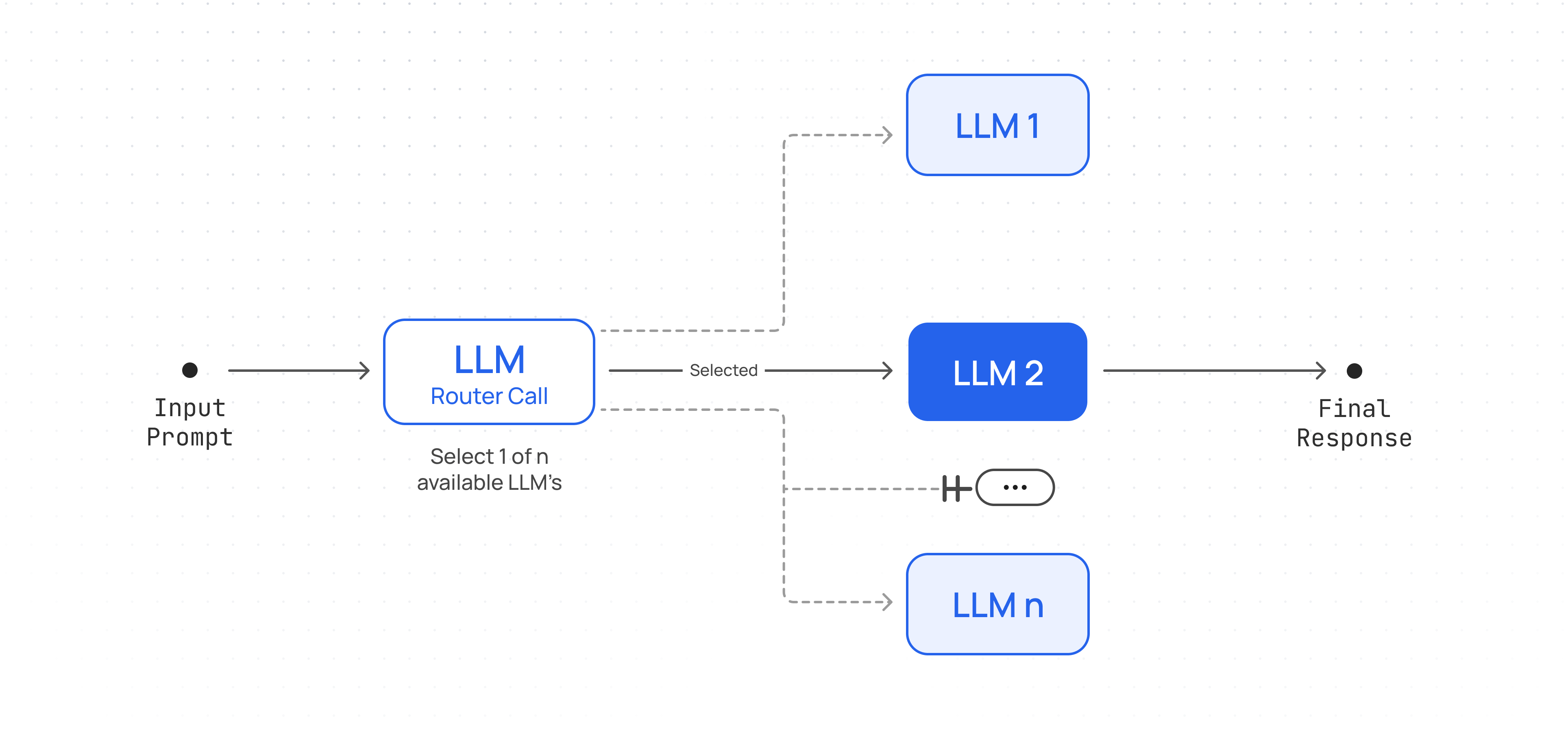
model:
type: string
description: >
The name of the model to query.
[See all of Together AI's
chat
models](https://docs.together.ai/docs/serverless-models#chat-models)
example: mistralai/Mixtral-8x7B-Instruct-v0.1
anyOf:
- type: string
enum:
- meta-llama/Llama-2-70b-hf
- mistralai/Mistral-7B-v0.1
- mistralai/Mixtral-8x7B-v0.1
- Meta-Llama/Llama-Guard-7b
- type: string
max_tokens:
type: integer
description: The maximum number of tokens to generate.
stop:
type: array
description: >-
A list of string sequences that will truncate (stop) inference text
output. For example, "" will stop generation as soon as the
model generates the given token.
items:
type: string
temperature:
type: number
description: >-
A decimal number from 0-1 that determines the degree of randomness
in the response. A temperature less than 1 favors more correctness
and is appropriate for question answering or summarization. A value
closer to 1 introduces more randomness in the output.
format: float
top_p:
type: number
description: >-
A percentage (also called the nucleus parameter) that's used to
dynamically adjust the number of choices for each predicted token
based on the cumulative probabilities. It specifies a probability
threshold below which all less likely tokens are filtered out. This
technique helps maintain diversity and generate more fluent and
natural-sounding text.
format: float
top_k:
type: integer
description: >-
An integer that's used to limit the number of choices for the next
predicted word or token. It specifies the maximum number of tokens
to consider at each step, based on their probability of occurrence.
This technique helps to speed up the generation process and can
improve the quality of the generated text by focusing on the most
likely options.
format: int32
repetition_penalty:
type: number
description: >-
A number that controls the diversity of generated text by reducing
the likelihood of repeated sequences. Higher values decrease
repetition.
format: float
stream:
type: boolean
description: >-
If true, stream tokens as Server-Sent Events as the model generates
them instead of waiting for the full model response. The stream
terminates with `data: [DONE]`. If false, return a single JSON
object containing the results.
logprobs:
type: integer
minimum: 0
maximum: 20
description: >-
An integer between 0 and 20 of the top k tokens to return log
probabilities for at each generation step, instead of just the
sampled token. Log probabilities help assess model confidence in
token predictions.
echo:
type: boolean
description: >-
If true, the response will contain the prompt. Can be used with
`logprobs` to return prompt logprobs.
'n':
type: integer
description: The number of completions to generate for each prompt.
minimum: 1
maximum: 128
safety_model:
type: string
description: >-
The name of the moderation model used to validate tokens. Choose
from the available moderation models found
[here](https://docs.together.ai/docs/inference-models#moderation-models).
example: safety_model_name
anyOf:
- type: string
enum:
- Meta-Llama/Llama-Guard-7b
- type: string
min_p:
type: number
description: >-
A number between 0 and 1 that can be used as an alternative to top-p
and top-k.
format: float
presence_penalty:
type: number
description: >-
A number between -2.0 and 2.0 where a positive value increases the
likelihood of a model talking about new topics.
format: float
frequency_penalty:
type: number
description: >-
A number between -2.0 and 2.0 where a positive value decreases the
likelihood of repeating tokens that have already been mentioned.
format: float
logit_bias:
type: object
additionalProperties:
type: number
format: float
description: >-
Adjusts the likelihood of specific tokens appearing in the generated
output.
example:
'105': 21.4
'1024': -10.5
seed:
type: integer
description: Seed value for reproducibility.
example: 42
CompletionResponse:
type: object
properties:
id:
type: string
choices:
$ref: '#/components/schemas/CompletionChoicesData'
prompt:
$ref: '#/components/schemas/PromptPart'
usage:
$ref: '#/components/schemas/UsageData'
created:
type: integer
model:
type: string
object:
type: string
enum:
- text.completion
required:
- id
- choices
- usage
- created
- model
- object
CompletionStream:
oneOf:
- $ref: '#/components/schemas/CompletionEvent'
- $ref: '#/components/schemas/StreamSentinel'
ErrorData:
type: object
required:
- error
properties:
error:
type: object
properties:
message:
type: string
nullable: false
type:
type: string
nullable: false
param:
type: string
nullable: true
default: null
code:
type: string
nullable: true
default: null
required:
- type
- message
CompletionChoicesData:
type: array
items:
type: object
properties:
text:
type: string
example: >-
The capital of France is Paris. It's located in the north-central
part of the country and is one of the most populous and visited
cities in the world, known for its iconic landmarks like the
Eiffel Tower, Louvre Museum, Notre-Dame Cathedral, and more. Paris
is also the capital of the Île-de-France region and is a major
global center for art, fashion, gastronomy, and culture.
seed:
type: integer
finish_reason:
$ref: '#/components/schemas/FinishReason'
logprobs:
$ref: '#/components/schemas/LogprobsPart'
PromptPart:
type: array
items:
type: object
properties:
text:
type: string
example: [INST] What is the capital of France? [/INST]
logprobs:
$ref: '#/components/schemas/LogprobsPart'
UsageData:
type: object
properties:
prompt_tokens:
type: integer
completion_tokens:
type: integer
total_tokens:
type: integer
required:
- prompt_tokens
- completion_tokens
- total_tokens
nullable: true
CompletionEvent:
type: object
required:
- data
properties:
data:
$ref: '#/components/schemas/CompletionChunk'
StreamSentinel:
type: object
required:
- data
properties:
data:
title: stream_signal
type: string
enum:
- '[DONE]'
FinishReason:
type: string
enum:
- stop
- eos
- length
- tool_calls
- function_call
LogprobsPart:
type: object
properties:
token_ids:
type: array
items:
type: number
description: List of token IDs corresponding to the logprobs
tokens:
type: array
items:
type: string
description: List of token strings
token_logprobs:
type: array
items:
type: number
description: List of token log probabilities
CompletionChunk:
type: object
required:
- id
- token
- choices
- usage
- finish_reason
properties:
id:
type: string
token:
$ref: '#/components/schemas/CompletionToken'
created:
type: integer
object:
type: string
enum:
- completion.chunk
choices:
title: CompletionChoices
type: array
items:
$ref: '#/components/schemas/CompletionChoice'
usage:
allOf:
- $ref: '#/components/schemas/UsageData'
- nullable: true
seed:
type: integer
finish_reason:
allOf:
- $ref: '#/components/schemas/FinishReason'
- nullable: true
CompletionToken:
type: object
required:
- id
- text
- logprob
- special
properties:
id:
type: integer
text:
type: string
logprob:
type: number
special:
type: boolean
CompletionChoice:
type: object
required:
- index
properties:
text:
type: string
index:
type: integer
delta:
title: CompletionChoiceDelta
type: object
required:
- role
properties:
token_id:
type: integer
role:
type: string
enum:
- system
- user
- assistant
- function
- tool
content:
type: string
nullable: true
reasoning:
type: string
nullable: true
tool_calls:
type: array
items:
$ref: '#/components/schemas/ToolChoice'
function_call:
type: object
deprecated: true
nullable: true
properties:
arguments:
type: string
name:
type: string
required:
- arguments
- name
ToolChoice:
type: object
required:
- id
- type
- function
- index
properties:
index:
type: number
id:
type: string
type:
type: string
enum:
- function
function:
type: object
required:
- name
- arguments
properties:
name:
type: string
example: function_name
arguments:
type: string
securitySchemes:
bearerAuth:
type: http
scheme: bearer
x-bearer-format: bearer
x-default: default
````
---
> To find navigation and other pages in this documentation, fetch the llms.txt file at: https://docs.together.ai/llms.txt
---
# Source: https://docs.together.ai/docs/composio.md
# Composio
> Using Composio With Together AI
Composio allows developers to integrate external tools and services into their AI applications. It handles tool calling, web-hooks, authentication, and more.
You need to register on a Composio account - Sign up here if you haven't already to get their api key [https://platform.composio.dev/](https://platform.composio.dev/)
## Install Libraries
```shell Python theme={null}
pip install together composio-togetherai
```
```shell TypeScript theme={null}
npm install @composio/core @composio/vercel @ai-sdk/togetherai ai
```
Set your `TOGETHER_API_KEY` environment variable.
```sh Shell theme={null}
export TOGETHER_API_KEY=***
export COMPOSIO_API_KEY=***
```
## Example
In this example, we will use Together AI to star a repository on GitHub using Composio Tools.
```python Python theme={null}
from composio_togetherai import ComposioToolSet, App
from together import Together
client = Together()
toolset = ComposioToolSet()
```
```typescript TypeScript theme={null}
/*
We use the Vercel AI SDK with the Together provider to
enable type checking to work correctly for tools and
to simplify the Composio integration.
This flow enables us to directly execute tool calls
without having to use composio.provider.handleToolCalls.
*/
import { Composio } from "@composio/core";
import { VercelProvider } from "@composio/vercel";
import { createTogetherAI } from "@ai-sdk/togetherai";
import { generateText } from "ai";
export const together = createTogetherAI({
apiKey: process.env.TOGETHER_API_KEY ?? "",
});
const composio = new Composio({
apiKey: process.env.COMPOSIO_API_KEY ?? "",
provider: new VercelProvider(),
});
```
### Connect Your GitHub Account
You need to have an active GitHub Integration in Composio. Learn how to do this [here](https://www.youtube.com/watch?v=LmyWy4LiedQ)
```py Python theme={null}
request = toolset.initiate_connection(app=App.GITHUB)
print(f"Open this URL to authenticate: {request.redirectUrl}")
```
```sh Shell theme={null}
composio login
composio add github
```
### Get All Github Tools
You can get all the tools for a given app as shown below, but you can get specific actions and filter actions using usecase & tags.
```python Python theme={null}
tools = toolset.get_tools(apps=[App.GITHUB])
```
```typescript TypeScript theme={null}
const userId = "default"; // replace with user id from composio
const tools = await composio.tools.get(userId, {
toolkits: ['github'],
});
```
### Create a Chat Completion with Tools
```python Python theme={null}
response = client.chat.completions.create(
tools=tools,
model="meta-llama/Llama-3.3-70B-Instruct-Turbo",
messages=[
{
"role": "user",
"content": "Star the repo 'togethercomputer/together-cookbook'",
}
],
)
res = toolset.handle_tool_calls(response)
print(res)
```
```typescript TypeScript theme={null}
const responseGithub = await generateText({
model: together("meta-llama/Llama-3.3-70B-Instruct-Turbo"),
messages: [
{
role: "user",
content: "Star the repo 'togethercomputer/together-cookbook'",
},
],
tools,
toolChoice: "required",
});
console.log(responseGithub);
```
## Next Steps
### Composio - Together AI Cookbook
Explore our in-depth [Composio Cookbook](https://github.com/togethercomputer/together-cookbook/blob/main/Agents/Composio/Agents_Composio.ipynb) to learn how to automate emails with LLMs.
---
> To find navigation and other pages in this documentation, fetch the llms.txt file at: https://docs.together.ai/llms.txt
---
# Source: https://docs.together.ai/docs/conditional-workflows.md
# Conditional Workflow
> Adapt to different tasks by conditionally navigating to various LLMs and tools.
A workflow where user input is classified and directed to a specific task (can be a specific LLM, specific custom prompt, different tool calls etc.). This allows you to handle for many different inputs and handle them with the appropriate set of calls.
## Workflow Architecture
Create an agent that conditionally routes tasks to specialized models.
## Setup Client & Helper Functions
```py Python theme={null}
import json
from pydantic import ValidationError
from together import Together
client = Together()
def run_llm(user_prompt: str, model: str, system_prompt: str = None):
messages = []
if system_prompt:
messages.append({"role": "system", "content": system_prompt})
messages.append({"role": "user", "content": user_prompt})
response = client.chat.completions.create(
model=model,
messages=messages,
temperature=0.7,
max_tokens=4000,
)
return response.choices[0].message.content
def JSON_llm(user_prompt: str, schema, system_prompt: str = None):
try:
messages = []
if system_prompt:
messages.append({"role": "system", "content": system_prompt})
messages.append({"role": "user", "content": user_prompt})
extract = client.chat.completions.create(
messages=messages,
model="meta-llama/Meta-Llama-3.1-70B-Instruct-Turbo",
response_format={
"type": "json_object",
"schema": schema.model_json_schema(),
},
)
return json.loads(extract.choices[0].message.content)
except ValidationError as e:
error_message = f"Failed to parse JSON: {e}"
print(error_message)
```
## Implement Workflow
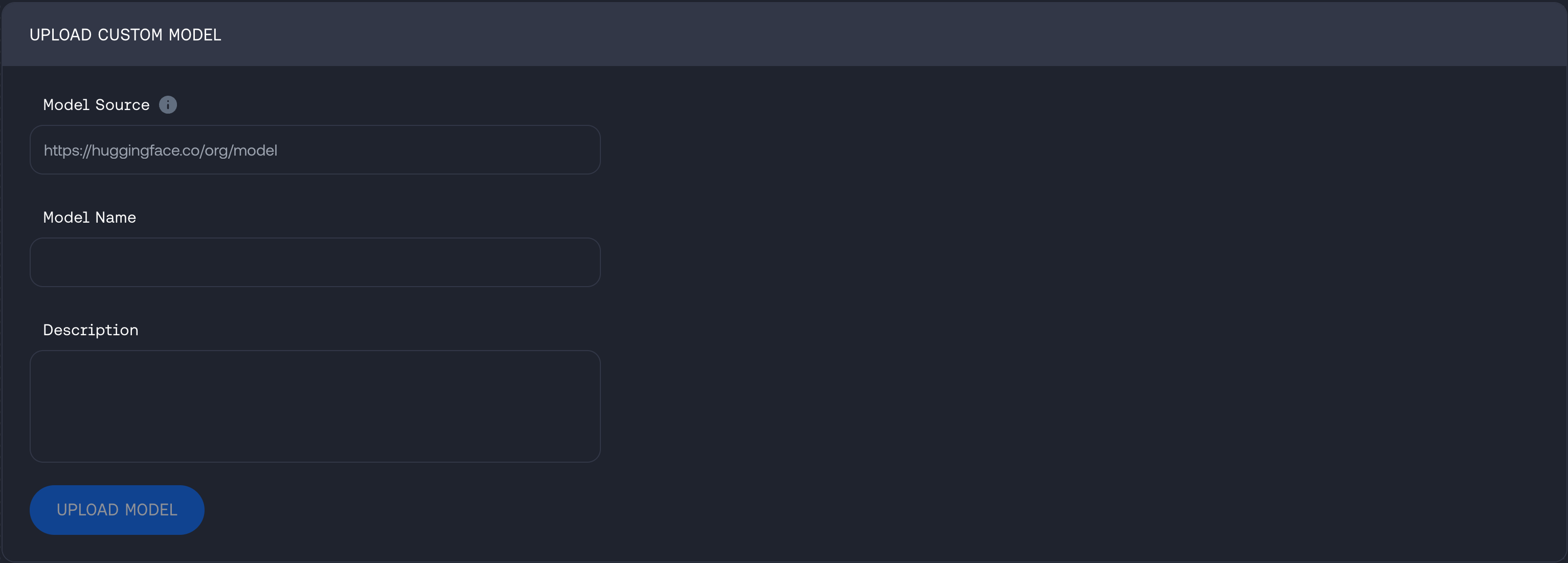
```py Python theme={null}
from pydantic import BaseModel, Field
from typing import Literal, Dict
def router_workflow(input_query: str, routes: Dict[str, str]) -> str:
"""Given a `input_query` and a dictionary of `routes` containing options and details for each.
Selects the best model for the task and return the response from the model.
"""
ROUTER_PROMPT = """Given a user prompt/query: {user_query}, select the best option out of the following routes:
{routes}. Answer only in JSON format."""
# Create a schema from the routes dictionary
class Schema(BaseModel):
route: Literal[tuple(routes.keys())]
reason: str = Field(
description="Short one-liner explanation why this route was selected for the task in the prompt/query."
)
# Call LLM to select route
selected_route = JSON_llm(
ROUTER_PROMPT.format(user_query=input_query, routes=routes), Schema
)
print(
f"Selected route:{selected_route['route']}\nReason: {selected_route['reason']}\n"
)
# Use LLM on selected route.
# Could also have different prompts that need to be used for each route.
response = run_llm(user_prompt=input_query, model=selected_route["route"])
print(f"Response: {response}\n")
return response
```
```ts TypeScript theme={null}
import dedent from "dedent";
import assert from "node:assert";
import Together from "together-ai";
import { z } from "zod";
import zodToJsonSchema from "zod-to-json-schema";
const client = new Together();
const prompts = [
"Produce python snippet to check to see if a number is prime or not.",
"Plan and provide a short itenary for a 2 week vacation in Europe.",
"Write a short story about a dragon and a knight.",
];
const modelRoutes = {
"Qwen/Qwen3-Coder-480B-A35B-Instruct-FP8":
"Best model choice for code generation tasks.",
"Gryphe/MythoMax-L2-13b":
"Best model choice for story-telling, role-playing and fantasy tasks.",
"Qwen/Qwen3-Next-80B-A3B-Thinking":
"Best model for reasoning, planning and multi-step tasks",
};
const schema = z.object({
route: z.enum(Object.keys(modelRoutes) as [keyof typeof modelRoutes]),
reason: z.string(),
});
const jsonSchema = zodToJsonSchema(schema, {
target: "openAi",
});
async function routerWorkflow(
inputQuery: string,
routes: { [key: string]: string },
) {
const routerPrompt = dedent`
Given a user prompt/query: ${inputQuery}, select the best option out of the following routes:
${Object.keys(routes)
.map((key) => `${key}: ${routes[key]}`)
.join("\n")}
Answer only in JSON format.`;
// Call LLM to select route
const routeResponse = await client.chat.completions.create({
messages: [
{ role: "system", content: routerPrompt },
{ role: "user", content: inputQuery },
],
model: "meta-llama/Meta-Llama-3.1-70B-Instruct-Turbo",
response_format: {
type: "json_object",
// @ts-expect-error Expected error
schema: jsonSchema,
},
});
const content = routeResponse.choices[0].message?.content;
assert(typeof content === "string");
const selectedRoute = schema.parse(JSON.parse(content));
// Use LLM on selected route.
// Could also have different prompts that need to be used for each route.
const response = await client.chat.completions.create({
messages: [{ role: "user", content: inputQuery }],
model: selectedRoute.route,
});
const responseContent = response.choices[0].message?.content;
console.log(`${responseContent}\n`);
}
async function main() {
for (const prompt of prompts) {
console.log(`Task ${prompts.indexOf(prompt) + 1}: ${prompt}`);
console.log("====================");
await routerWorkflow(prompt, modelRoutes);
}
}
main();
```
## Example Usage
```py Python theme={null}
prompt_list = [
"Produce python snippet to check to see if a number is prime or not.",
"Plan and provide a short itenary for a 2 week vacation in Europe.",
"Write a short story about a dragon and a knight.",
]
model_routes = {
"Qwen/Qwen3-Coder-480B-A35B-Instruct-FP8": "Best model choice for code generation tasks.",
"Gryphe/MythoMax-L2-13b": "Best model choice for story-telling, role-playing and fantasy tasks.",
"Qwen/Qwen3-Next-80B-A3B-Thinking": "Best model for reasoning, planning and multi-step tasks",
}
for i, prompt in enumerate(prompt_list):
print(f"Task {i+1}: {prompt}\n")
print(20 * "==")
router_workflow(prompt, model_routes)
```
## Use cases
* Routing easy/common questions to smaller models like Llama 3.1 8B and hard/unusual questions to more capable models like Deepseek v3 and Llama 3.3 70B to optimize cost and speed.
* Directing different types of customer service queries (general questions, refund requests, technical support) into different downstream processes, prompts, and tools.
* Different LLMs or model configurations excel at different tasks (e.g., writing summaries vs. generating code). Using a router, you can automatically detect the user's intent and send the input to the best-fit model.
* Evaluating whether a request meets certain guidelines or triggers specific filters (e.g., checking if content is disallowed). Based on the classification, forward it to the appropriate next LLM call or step.
* If one model's output doesn't meet a certain confidence threshold or fails for some reason, route automatically to a fallback model.
### Conditional Workflow Cookbook
For a more detailed walk-through refer to the [notebook here](https://togetherai.link/agent-recipes-deep-dive-routing).
---
> To find navigation and other pages in this documentation, fetch the llms.txt file at: https://docs.together.ai/llms.txt
---
# Source: https://docs.together.ai/reference/create-evaluation.md
# Create Evaluation
## OpenAPI
````yaml POST /evaluation
openapi: 3.1.0
info:
title: Together APIs
description: The Together REST API. Please see https://docs.together.ai for more details.
version: 2.0.0
termsOfService: https://www.together.ai/terms-of-service
contact:
name: Together Support
url: https://www.together.ai/contact
license:
name: MIT
url: https://github.com/togethercomputer/openapi/blob/main/LICENSE
servers:
- url: https://api.together.xyz/v1
security:
- bearerAuth: []
paths:
/evaluation:
post:
tags:
- evaluation
summary: Create an evaluation job
operationId: createEvaluationJob
requestBody:
required: true
content:
application/json:
schema:
$ref: '#/components/schemas/EvaluationTypedRequest'
responses:
'200':
description: Evaluation job created successfully
content:
application/json:
schema:
$ref: '#/components/schemas/EvaluationResponse'
'400':
description: Invalid request format
content:
application/json:
schema:
$ref: '#/components/schemas/ErrorData'
'500':
description: Failed to create evaluation job
content:
application/json:
schema:
$ref: '#/components/schemas/ErrorData'
components:
schemas:
EvaluationTypedRequest:
type: object
required:
- type
- parameters
properties:
type:
type: string
enum:
- classify
- score
- compare
description: The type of evaluation to perform
example: classify
parameters:
oneOf:
- $ref: '#/components/schemas/EvaluationClassifyParameters'
- $ref: '#/components/schemas/EvaluationScoreParameters'
- $ref: '#/components/schemas/EvaluationCompareParameters'
description: Type-specific parameters for the evaluation
EvaluationResponse:
type: object
properties:
workflow_id:
type: string
description: The ID of the created evaluation job
example: eval-1234-1244513
status:
type: string
enum:
- pending
description: Initial status of the job
ErrorData:
type: object
required:
- error
properties:
error:
type: object
properties:
message:
type: string
nullable: false
type:
type: string
nullable: false
param:
type: string
nullable: true
default: null
code:
type: string
nullable: true
default: null
required:
- type
- message
EvaluationClassifyParameters:
type: object
required:
- judge
- labels
- pass_labels
- input_data_file_path
properties:
judge:
$ref: '#/components/schemas/EvaluationJudgeModelConfig'
labels:
type: array
items:
type: string
minItems: 2
description: List of possible classification labels
example:
- 'yes'
- 'no'
pass_labels:
type: array
items:
type: string
minItems: 1
description: List of labels that are considered passing
example:
- 'yes'
model_to_evaluate:
$ref: '#/components/schemas/EvaluationModelOrString'
input_data_file_path:
type: string
description: Data file ID
example: file-1234-aefd
EvaluationScoreParameters:
type: object
required:
- judge
- min_score
- max_score
- pass_threshold
- input_data_file_path
properties:
judge:
$ref: '#/components/schemas/EvaluationJudgeModelConfig'
min_score:
type: number
format: float
example: 0
description: Minimum possible score
max_score:
type: number
format: float
example: 10
description: Maximum possible score
pass_threshold:
type: number
format: float
example: 7
description: Score threshold for passing
model_to_evaluate:
$ref: '#/components/schemas/EvaluationModelOrString'
input_data_file_path:
type: string
example: file-01234567890123456789
description: Data file ID
EvaluationCompareParameters:
type: object
required:
- judge
- input_data_file_path
properties:
judge:
$ref: '#/components/schemas/EvaluationJudgeModelConfig'
model_a:
$ref: '#/components/schemas/EvaluationModelOrString'
model_b:
$ref: '#/components/schemas/EvaluationModelOrString'
input_data_file_path:
type: string
description: Data file name
EvaluationJudgeModelConfig:
type: object
required:
- model
- system_template
- model_source
properties:
model:
type: string
description: Name of the judge model
example: meta-llama/Llama-3-70B-Instruct-Turbo
system_template:
type: string
description: System prompt template for the judge
example: Imagine you are a helpful assistant
model_source:
type: string
description: Source of the judge model.
enum:
- serverless
- dedicated
- external
external_api_token:
type: string
description: Bearer/API token for external judge models.
external_base_url:
type: string
description: >-
Base URL for external judge models. Must be OpenAI-compatible base
URL.
EvaluationModelOrString:
oneOf:
- type: string
description: Field name in the input data
- $ref: '#/components/schemas/EvaluationModelRequest'
EvaluationModelRequest:
type: object
required:
- model
- max_tokens
- temperature
- system_template
- input_template
- model_source
properties:
model:
type: string
description: Name of the model to evaluate
example: meta-llama/Llama-3-70B-Instruct-Turbo
max_tokens:
type: integer
minimum: 1
description: Maximum number of tokens to generate
example: 512
temperature:
type: number
format: float
minimum: 0
maximum: 2
description: Sampling temperature
example: 0.7
system_template:
type: string
description: System prompt template
example: Imagine you are helpful assistant
input_template:
type: string
description: Input prompt template
example: Please classify {{prompt}} based on the labels below
model_source:
type: string
description: Source of the model.
enum:
- serverless
- dedicated
- external
external_api_token:
type: string
description: Bearer/API token for external models.
external_base_url:
type: string
description: Base URL for external models. Must be OpenAI-compatible base URL
securitySchemes:
bearerAuth:
type: http
scheme: bearer
x-bearer-format: bearer
x-default: default
````
---
> To find navigation and other pages in this documentation, fetch the llms.txt file at: https://docs.together.ai/llms.txt
---
# Source: https://docs.together.ai/docs/create-tickets-in-slack.md
# Create Tickets In Slack
> For customers who have a shared Slack channel with us
## Emoji Ticketing
This feature allows you to easily create support tickets directly from Slack using emoji reactions.
1. Send a message in the Together shared channel
2. Add the 🎫 (ticket) emoji reaction to convert the thread into a ticket
3. A message will pop-up in the channel. Click on the `File ticket` button to proceed
4. In the form modal, fill out the required information and click `File ticket` to submit
5. Check the thread for ticket details
**Note: **The best practice is to use Slack threads by adding replies to the original post.

---
> To find navigation and other pages in this documentation, fetch the llms.txt file at: https://docs.together.ai/llms.txt
---
# Source: https://docs.together.ai/reference/create-videos.md
# Create Video
> Create a video
## OpenAPI
````yaml POST /videos
openapi: 3.1.0
info:
title: Together APIs
description: The Together REST API. Please see https://docs.together.ai for more details.
version: 2.0.0
termsOfService: https://www.together.ai/terms-of-service
contact:
name: Together Support
url: https://www.together.ai/contact
license:
name: MIT
url: https://github.com/togethercomputer/openapi/blob/main/LICENSE
servers:
- url: https://api.together.xyz/v1
security:
- bearerAuth: []
paths:
/videos:
post:
tags:
- Video
summary: Create video
description: Create a video
operationId: createVideo
requestBody:
content:
application/json:
schema:
$ref: '#/components/schemas/CreateVideoBody'
responses:
'200':
description: Success
content:
application/json:
schema:
$ref: '#/components/schemas/VideoJob'
servers:
- url: https://api.together.xyz/v2
components:
schemas:
CreateVideoBody:
title: Create video request
description: Parameters for creating a new video generation job.
type: object
required:
- model
properties:
model:
type: string
description: The model to be used for the video creation request.
prompt:
type: string
maxLength: 32000
minLength: 1
description: Text prompt that describes the video to generate.
height:
type: integer
width:
type: integer
seconds:
type: string
description: Clip duration in seconds.
fps:
type: integer
description: Frames per second. Defaults to 24.
steps:
type: integer
minimum: 10
maximum: 50
description: >-
The number of denoising steps the model performs during video
generation. More steps typically result in higher quality output but
require longer processing time.
seed:
type: integer
description: >-
Seed to use in initializing the video generation. Using the same
seed allows deterministic video generation. If not provided a
random seed is generated for each request.
guidance_scale:
type: integer
description: "Controls how closely the video generation follows your prompt. Higher values make the model adhere more strictly to your text description, while lower values allow more creative freedom.\_guidence_scale\_affects both visual content and temporal consistency.Recommended range is 6.0-10.0 for most video models. Values above 12 may cause over-guidance artifacts or unnatural motion patterns."
output_format:
$ref: '#/components/schemas/VideoOutputFormat'
description: Specifies the format of the output video. Defaults to MP4.
output_quality:
type: integer
description: Compression quality. Defaults to 20.
negative_prompt:
type: string
description: >-
Similar to prompt, but specifies what to avoid instead of what to
include
frame_images:
description: Array of images to guide video generation, similar to keyframes.
example:
- - input_image: aac49721-1964-481a-ae78-8a4e29b91402
frame: 0
- input_image: c00abf5f-6cdb-4642-a01d-1bfff7bc3cf7
frame: 48
- input_image: 3ad204c3-a9de-4963-8a1a-c3911e3afafe
frame: last
type: array
items:
$ref: '#/components/schemas/VideoFrameImageInput'
reference_images:
description: >-
Unlike frame_images which constrain specific timeline positions,
reference images guide the general appearance that should appear
consistently across the video.
type: array
items:
type: string
VideoJob:
properties:
id:
type: string
description: Unique identifier for the video job.
object:
description: The object type, which is always video.
type: string
enum:
- video
model:
type: string
description: The video generation model that produced the job.
status:
$ref: '#/components/schemas/VideoStatus'
description: Current lifecycle status of the video job.
created_at:
type: number
description: Unix timestamp (seconds) for when the job was created.
completed_at:
type: number
description: Unix timestamp (seconds) for when the job completed, if finished.
size:
type: string
description: The resolution of the generated video.
seconds:
type: string
description: Duration of the generated clip in seconds.
error:
description: Error payload that explains why generation failed, if applicable.
type: object
properties:
code:
type: string
message:
type: string
required:
- message
outputs:
description: >-
Available upon completion, the outputs provides the cost charged and
the hosted url to access the video
type: object
properties:
cost:
type: integer
description: The cost of generated video charged to the owners account.
video_url:
type: string
description: URL hosting the generated video
required:
- cost
- video_url
type: object
required:
- id
- model
- status
- size
- seconds
- created_at
title: Video job
description: Structured information describing a generated video job.
VideoOutputFormat:
type: string
enum:
- MP4
- WEBM
VideoFrameImageInput:
type: object
required:
- input_image
properties:
input_image:
type: string
description: URL path to hosted image that is used for a frame
frame:
description: >
Optional param to specify where to insert the frame. If this is
omitted, the following heuristics are applied:
- frame_images size is one, frame is first.
- If size is two, frames are first and last.
- If size is larger, frames are first, last and evenly spaced
between.
anyOf:
- type: number
- type: string
enum:
- first
- last
VideoStatus:
description: Current lifecycle status of the video job.
type: string
enum:
- in_progress
- completed
- failed
securitySchemes:
bearerAuth:
type: http
scheme: bearer
x-bearer-format: bearer
x-default: default
````
---
> To find navigation and other pages in this documentation, fetch the llms.txt file at: https://docs.together.ai/llms.txt
---
# Source: https://docs.together.ai/reference/createendpoint.md
# Create A Dedicated Endpoint
> Creates a new dedicated endpoint for serving models. The endpoint will automatically start after creation. You can deploy any supported model on hardware configurations that meet the model's requirements.
## OpenAPI
````yaml POST /endpoints
openapi: 3.1.0
info:
title: Together APIs
description: The Together REST API. Please see https://docs.together.ai for more details.
version: 2.0.0
termsOfService: https://www.together.ai/terms-of-service
contact:
name: Together Support
url: https://www.together.ai/contact
license:
name: MIT
url: https://github.com/togethercomputer/openapi/blob/main/LICENSE
servers:
- url: https://api.together.xyz/v1
security:
- bearerAuth: []
paths:
/endpoints:
post:
tags:
- Endpoints
summary: Create a dedicated endpoint, it will start automatically
description: >-
Creates a new dedicated endpoint for serving models. The endpoint will
automatically start after creation. You can deploy any supported model
on hardware configurations that meet the model's requirements.
operationId: createEndpoint
requestBody:
required: true
content:
application/json:
schema:
$ref: '#/components/schemas/CreateEndpointRequest'
responses:
'200':
description: '200'
content:
application/json:
schema:
$ref: '#/components/schemas/DedicatedEndpoint'
'403':
description: Unauthorized
content:
application/json:
schema:
$ref: '#/components/schemas/ErrorData'
'500':
description: Internal error
content:
application/json:
schema:
$ref: '#/components/schemas/ErrorData'
components:
schemas:
CreateEndpointRequest:
type: object
required:
- model
- hardware
- autoscaling
properties:
display_name:
type: string
description: A human-readable name for the endpoint
examples:
- My Llama3 70b endpoint
model:
type: string
description: The model to deploy on this endpoint
examples:
- meta-llama/Llama-3-8b-chat-hf
hardware:
type: string
description: The hardware configuration to use for this endpoint
examples:
- 1x_nvidia_a100_80gb_sxm
autoscaling:
$ref: '#/components/schemas/Autoscaling'
description: Configuration for automatic scaling of the endpoint
disable_prompt_cache:
type: boolean
description: Whether to disable the prompt cache for this endpoint
default: false
disable_speculative_decoding:
type: boolean
description: Whether to disable speculative decoding for this endpoint
default: false
state:
type: string
description: The desired state of the endpoint
enum:
- STARTED
- STOPPED
default: STARTED
example: STARTED
inactive_timeout:
type: integer
description: >-
The number of minutes of inactivity after which the endpoint will be
automatically stopped. Set to null, omit or set to 0 to disable
automatic timeout.
nullable: true
example: 60
availability_zone:
type: string
description: >-
Create the endpoint in a specified availability zone (e.g.,
us-central-4b)
DedicatedEndpoint:
type: object
description: Details about a dedicated endpoint deployment
required:
- object
- id
- name
- display_name
- model
- hardware
- type
- owner
- state
- autoscaling
- created_at
properties:
object:
type: string
enum:
- endpoint
description: The type of object
example: endpoint
id:
type: string
description: Unique identifier for the endpoint
example: endpoint-d23901de-ef8f-44bf-b3e7-de9c1ca8f2d7
name:
type: string
description: System name for the endpoint
example: devuser/meta-llama/Llama-3-8b-chat-hf-a32b82a1
display_name:
type: string
description: Human-readable name for the endpoint
example: My Llama3 70b endpoint
model:
type: string
description: The model deployed on this endpoint
example: meta-llama/Llama-3-8b-chat-hf
hardware:
type: string
description: The hardware configuration used for this endpoint
example: 1x_nvidia_a100_80gb_sxm
type:
type: string
enum:
- dedicated
description: The type of endpoint
example: dedicated
owner:
type: string
description: The owner of this endpoint
example: devuser
state:
type: string
enum:
- PENDING
- STARTING
- STARTED
- STOPPING
- STOPPED
- ERROR
description: Current state of the endpoint
example: STARTED
autoscaling:
$ref: '#/components/schemas/Autoscaling'
description: Configuration for automatic scaling of the endpoint
created_at:
type: string
format: date-time
description: Timestamp when the endpoint was created
example: '2025-02-04T10:43:55.405Z'
ErrorData:
type: object
required:
- error
properties:
error:
type: object
properties:
message:
type: string
nullable: false
type:
type: string
nullable: false
param:
type: string
nullable: true
default: null
code:
type: string
nullable: true
default: null
required:
- type
- message
Autoscaling:
type: object
description: Configuration for automatic scaling of replicas based on demand.
required:
- min_replicas
- max_replicas
properties:
min_replicas:
type: integer
format: int32
description: >-
The minimum number of replicas to maintain, even when there is no
load
examples:
- 2
max_replicas:
type: integer
format: int32
description: The maximum number of replicas to scale up to under load
examples:
- 5
securitySchemes:
bearerAuth:
type: http
scheme: bearer
x-bearer-format: bearer
x-default: default
````
---
> To find navigation and other pages in this documentation, fetch the llms.txt file at: https://docs.together.ai/llms.txt
---
# Source: https://docs.together.ai/docs/crewai.md
# CrewAI
> Using CrewAI with Together
CrewAI is an open source production-grade framework for orchestrating AI agent systems. It enables multiple AI agents to collaborate effectively by assuming roles and working toward shared goals. The framework supports both simple automations and complex applications that require coordinated agent behavior.
## Installing Libraries
```shell Shell theme={null}
uv pip install crewai
```
Set your Together AI API key:
```shell Shell theme={null}
export TOGETHER_API_KEY=***
```
## Example
```python Python theme={null}
import os
from crewai import LLM, Task, Agent, Crew
llm = LLM(
model="together_ai/meta-llama/Llama-3.3-70B-Instruct-Turbo",
api_key=os.environ.get("TOGETHER_API_KEY"),
base_url="https://api.together.xyz/v1",
)
research_agent = Agent(
llm=llm,
role="Research Analyst",
goal="Find and summarize information about specific topics",
backstory="You are an experienced researcher with attention to detail",
verbose=True, # Enable logging for debugging
)
research_task = Task(
description="Conduct a thorough research about AI Agents.",
expected_output="A list with 10 bullet points of the most relevant information about AI Agents",
agent=research_agent,
)
# Execute the crew
crew = Crew(
agents=[research_agent],
tasks=[research_task],
verbose=True,
)
result = crew.kickoff()
# Accessing the task output
task_output = research_task.output
print(task_output)
```
## Example Output
```
[2025-03-09 16:20:14][🚀 CREW 'CREW' STARTED, 42A4F700-E955-4794-B6F3-6EA6EF279E93]: 2025-03-09 16:20:14.069394
[2025-03-09 16:20:14][📋 TASK STARTED: CONDUCT A THOROUGH RESEARCH ABOUT AI AGENTS.]: 2025-03-09 16:20:14.085335
[2025-03-09 16:20:14][🤖 AGENT 'RESEARCH ANALYST' STARTED TASK]: 2025-03-09 16:20:14.096438
# Agent: Research Analyst
## Task: Conduct a thorough research about AI Agents.
[2025-03-09 16:20:14][🤖 LLM CALL STARTED]: 2025-03-09 16:20:14.096671
[2025-03-09 16:20:18][✅ LLM CALL COMPLETED]: 2025-03-09 16:20:18.993612
# Agent: Research Analyst
## Final Answer:
* AI Agents are computer programs that use artificial intelligence (AI) to perform tasks that typically require human intelligence, such as reasoning, problem-solving, and decision-making. They can be used in a variety of applications, including virtual assistants, customer service chatbots, and autonomous vehicles.
* There are several types of AI Agents, including simple reflex agents, model-based reflex agents, goal-based agents, and utility-based agents. Each type of agent has its own strengths and weaknesses, and is suited to specific tasks and environments.
* AI Agents can be classified into two main categories: narrow or weak AI, and general or strong AI. Narrow AI is designed to perform a specific task, while general AI is designed to perform any intellectual task that a human can.
* AI Agents use a variety of techniques to make decisions and take actions, including machine learning, deep learning, and natural language processing. They can also use sensors and other data sources to perceive their environment and make decisions based on that information.
* One of the key benefits of AI Agents is their ability to automate repetitive and mundane tasks, freeing up human workers to focus on more complex and creative tasks. They can also provide 24/7 customer support and help to improve customer engagement and experience.
* AI Agents can be used in a variety of industries, including healthcare, finance, and transportation. For example, AI-powered chatbots can be used to help patients schedule appointments and access medical records, while AI-powered virtual assistants can be used to help drivers navigate roads and avoid traffic.
* Despite their many benefits, AI Agents also have some limitations and challenges. For example, they can be biased if they are trained on biased data, and they can struggle to understand the nuances of human language and behavior.
* AI Agents can be used to improve decision-making and problem-solving in a variety of contexts. For example, they can be used to analyze large datasets and identify patterns and trends, and they can be used to simulate different scenarios and predict outcomes.
* The development and use of AI Agents raises important ethical and social questions, such as the potential impact on employment and the need for transparency and accountability in AI decision-making. It is essential to consider these questions and develop guidelines and regulations for the development and use of AI Agents.
* The future of AI Agents is likely to involve the development of more advanced and sophisticated agents that can learn and adapt in complex and dynamic environments. This may involve the use of techniques such as reinforcement learning and transfer learning, and the development of more human-like AI Agents that can understand and respond to human emotions and needs.
[2025-03-09 16:20:19][✅ AGENT 'RESEARCH ANALYST' COMPLETED TASK]: 2025-03-09 16:20:19.012674
[2025-03-09 16:20:19][✅ TASK COMPLETED: CONDUCT A THOROUGH RESEARCH ABOUT AI AGENTS.]: 2025-03-09 16:20:19.012784
[2025-03-09 16:20:19][✅ CREW 'CREW' COMPLETED, 42A4F700-E955-4794-B6F3-6EA6EF279E93]: 2025-03-09 16:20:19.027344
```
---
> To find navigation and other pages in this documentation, fetch the llms.txt file at: https://docs.together.ai/llms.txt
---
# Source: https://docs.together.ai/docs/custom-models.md
# Upload a Custom Model
> Run inference on your custom or fine-tuned models
You can upload custom or fine-tuned models from Hugging Face or S3 and run inference on a dedicated endpoint through Together AI. This is a quick guide that shows you how to do this through our UI or CLI.
### Requirements
Currently, we support models that meet the following criteria.
* **Source**: We support uploads from Hugging Face or S3.
* **Type**: We support text generation and embedding models.
* **Scale**: We currently only support models that fit in a single node. Multi-node models are not supported when you upload a custom model.
## Getting Started
### Upload the model
Model uploads can be done via the UI, API or the CLI.
The API reference can be found [here](/reference/upload-model).
#### UI
To upload via the web, just log in and navigate to models > add custom model to reach [this page](https://api.together.xyz/models/upload):
Then fill in the source URL (S3 or Hugging Face), the model name and how you would like it described in your Together account once uploaded.
#### CLI
Upload a model from Hugging Face or S3:

```bash CLI theme={null}
together models upload \
--model-name \
--model-source \
--model-type \
--hf-token \
--description
```
### Checking the status of your upload
When an upload has been kicked off, it will return a job id. You can poll our API using the returned job id until the model has finished uploading.
```curl cURL theme={null}
curl -X GET "https://api.together.ai/v1/jobs/{jobId}" \
-H "Authorization: Bearer $TOGETHER_API_KEY" \
-H "Content-Type: application/json" \
```
The output contains a “status” field. When the “status” is “Complete”, your model is ready to be deployed.
### Deploy the model
Uploaded models are treated like any other dedicated endpoint models. Deploying a custom model can be done via the UI, API or the CLI.
The API reference can be found [here](/reference/createendpoint).
#### UI
All models, custom and finetuned models as well as any model that has a dedicated endpoint will be listed under [My Models](https://api.together.ai/models). To deploy a custom model:
Select the model to open the model page.
The model page will display details from your uploaded model with an option to create a dedicated endpoint.
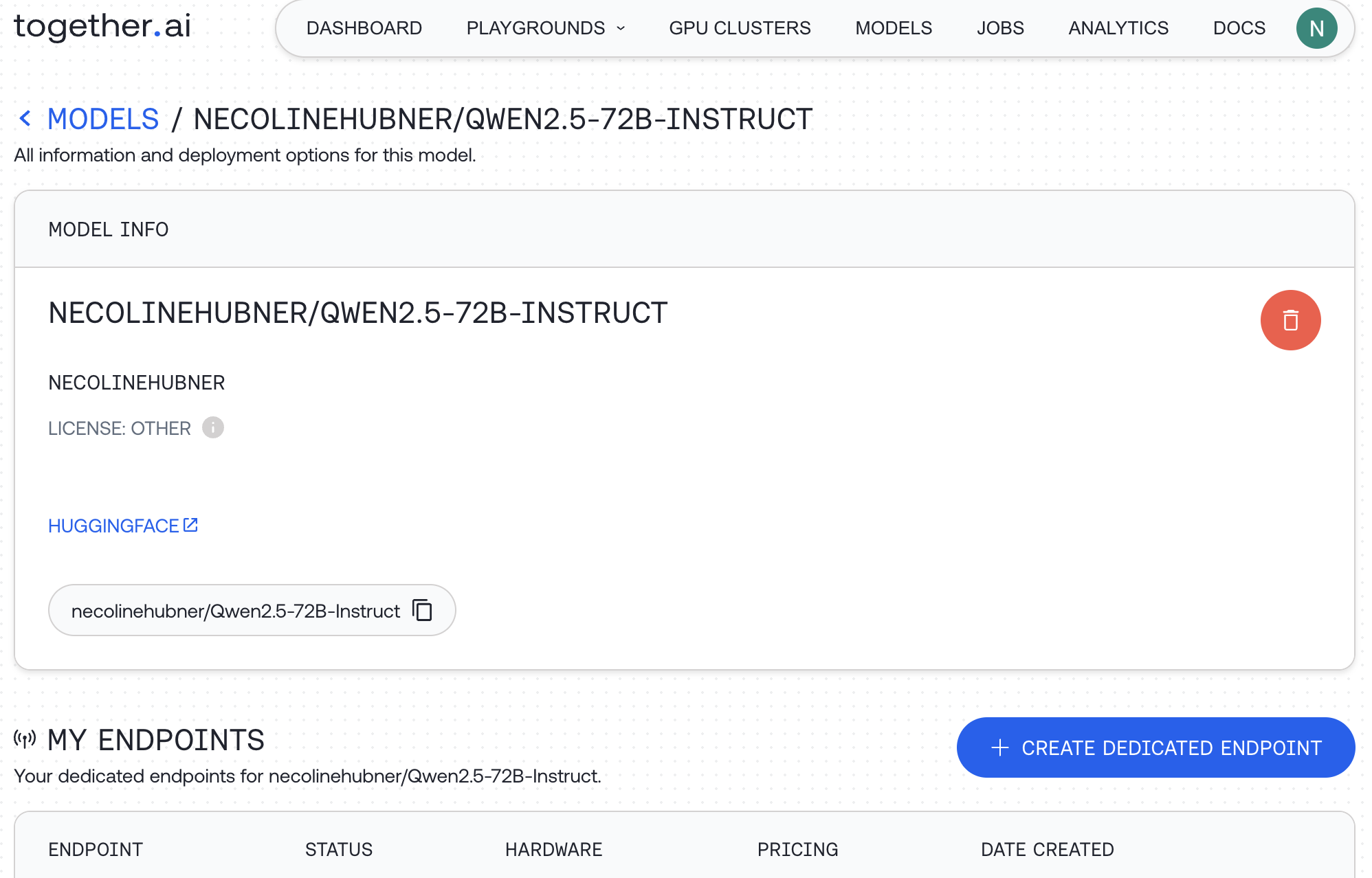
When you select 'Create Dedicated Endpoint' you will see an option to configure the deployment.
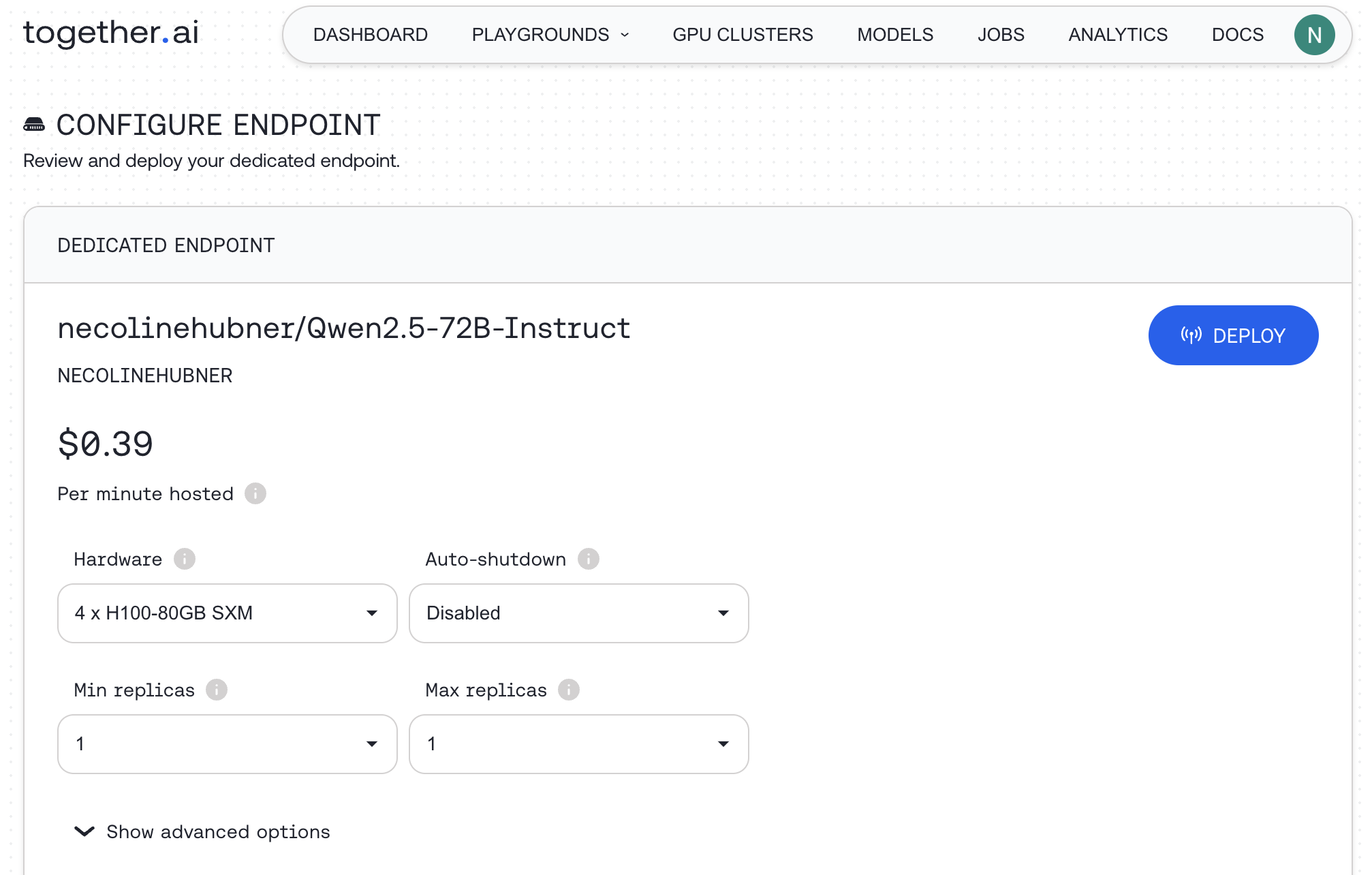
Once an endpoint has been deployed, you can interact with it on the playground or via the API.
#### CLI
After uploading your model, you can verify its registration and check available hardware options.
**List your uploaded models:**
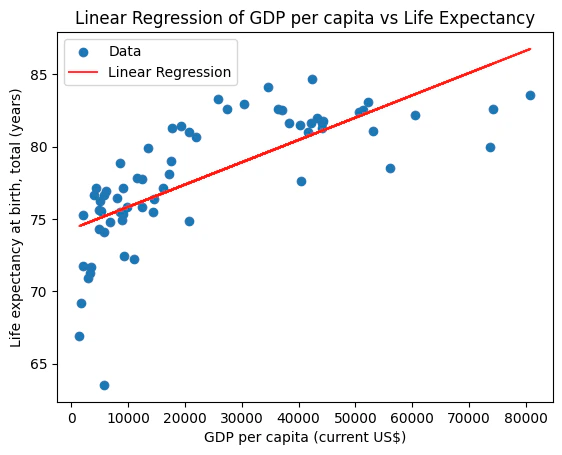
`bash CLI together models list `
**View available GPU SKUs for a specific model:**
```bash CLI theme={null}
together endpoints hardware --model
```
Once your model is uploaded, create a dedicated inference endpoint:
```bash CLI theme={null}
together endpoints create \
--display-name \
--model \
--gpu h100 \
--no-speculative-decoding \
--no-prompt-cache \
--gpu-count 2
```
After deploying, you can view all your endpoints and retrieve connection details such as URL, scaling configuration, and status.
**List all endpoints:**
`bash CLI together endpoints list `
**Get details for a specific endpoint:**
```bash CLI theme={null}
together endpoints get
```
---
> To find navigation and other pages in this documentation, fetch the llms.txt file at: https://docs.together.ai/llms.txt
---
# Source: https://docs.together.ai/docs/data-analyst-agent.md
# Building An AI Data Analyst
> Learn how to use code interpreter to build an AI data analyst with E2B and Together AI.
Giving LLMs the ability to execute code is very powerful – it has many advantages such as:
* Better reasoning
* More complex tasks (e.g., advanced data analysis or mathematics)
* Producing tangible results such as charts
* Immediate testing (and correcting) of the produced output.
In this example, we'll show you how to build an AI data analyst that can read in data and make charts. We'll be using [E2B](https://e2b.dev/docs) for the code interpreter and Together AI for the LLM piece.
## 1. Prerequisites
Create a`main.ipynb` file and save your Together & E2B API keys in there.
Get the E2B API key [here](https://e2b.dev/docs/getting-started/api-key) and the Together AI API key [here](https://api.together.xyz/settings/api-keys). Download the CSV file from [here](https://www.kaggle.com/datasets/nishanthsalian/socioeconomic-country-profiles/code) and upload it to the same directory as your program. Rename it to `data.csv`.
## 2. Install the SDKs
```sh Shell theme={null}
pip install together==1.2.6 e2b-code-interpreter==0.0.10 dotenv==1.0.0
```
## 3. Define your model and system prompt
In the following code snippet, we'll define our API keys, our model of choice, and our system prompt.
You can pick the model of your choice by uncommenting it. There are some recommended models that are great at code generation, but you can add a different one from [here](/docs/serverless-models#chat-models).
For the system prompt, we tell the model it's a data scientist and give it some information about the uploaded CSV. You can choose different data but will need to update the instructions accordingly.
````py Python theme={null}
from dotenv import load_dotenv
import os
import json
import re
from together import Together
from e2b_code_interpreter import CodeInterpreter
load_dotenv()
# TODO: Get your Together AI API key from https://api.together.xyz/settings/api-keys
TOGETHER_API_KEY = os.getenv("TOGETHER_API_KEY")
# TODO: Get your E2B API key from https://e2b.dev/docs
E2B_API_KEY = os.getenv("E2B_API_KEY")
# Choose from the codegen models:
MODEL_NAME = "meta-llama/Meta-Llama-3.1-405B-Instruct-Turbo"
# MODEL_NAME = "meta-llama/Meta-Llama-3.1-70B-Instruct-Turbo"
# MODEL_NAME = "meta-llama/Meta-Llama-3.1-8B-Instruct-Turbo"
# MODEL_NAME = "codellama/CodeLlama-70b-Instruct-hf"
# MODEL_NAME = "deepseek-ai/deepseek-coder-33b-instruct"
# MODEL_NAME = "Qwen/Qwen2-72B-Instruct"
# See the complete list of Together AI models here: https://api.together.ai/models.
SYSTEM_PROMPT = """You're a Python data scientist. You are given tasks to complete and you run Python code to solve them.
Information about the csv dataset:
- It's in the `/home/user/data.csv` file
- The CSV file is using , as the delimiter
- It has the following columns (examples included):
- country: "Argentina", "Australia"
- Region: "SouthAmerica", "Oceania"
- Surface area (km2): for example, 2780400
- Population in thousands (2017): for example, 44271
- Population density (per km2, 2017): for example, 16.2
- Sex ratio (m per 100 f, 2017): for example, 95.9
- GDP: Gross domestic product (million current US$): for example, 632343
- GDP growth rate (annual %, const. 2005 prices): for example, 2.4
- GDP per capita (current US$): for example, 14564.5
- Economy: Agriculture (% of GVA): for example, 10.0
- Economy: Industry (% of GVA): for example, 28.1
- Economy: Services and other activity (% of GVA): for example, 61.9
- Employment: Agriculture (% of employed): for example, 4.8
- Employment: Industry (% of employed): for example, 20.6
- Employment: Services (% of employed): for example, 74.7
- Unemployment (% of labour force): for example, 8.5
- Employment: Female (% of employed): for example, 43.7
- Employment: Male (% of employed): for example, 56.3
- Labour force participation (female %): for example, 48.5
- Labour force participation (male %): for example, 71.1
- International trade: Imports (million US$): for example, 59253
- International trade: Exports (million US$): for example, 57802
- International trade: Balance (million US$): for example, -1451
- Education: Government expenditure (% of GDP): for example, 5.3
- Health: Total expenditure (% of GDP): for example, 8.1
- Health: Government expenditure (% of total health expenditure): for example, 69.2
- Health: Private expenditure (% of total health expenditure): for example, 30.8
- Health: Out-of-pocket expenditure (% of total health expenditure): for example, 20.2
- Health: External health expenditure (% of total health expenditure): for example, 0.2
- Education: Primary gross enrollment ratio (f/m per 100 pop): for example, 111.5/107.6
- Education: Secondary gross enrollment ratio (f/m per 100 pop): for example, 104.7/98.9
- Education: Tertiary gross enrollment ratio (f/m per 100 pop): for example, 90.5/72.3
- Education: Mean years of schooling (female): for example, 10.4
- Education: Mean years of schooling (male): for example, 9.7
- Urban population (% of total population): for example, 91.7
- Population growth rate (annual %): for example, 0.9
- Fertility rate (births per woman): for example, 2.3
- Infant mortality rate (per 1,000 live births): for example, 8.9
- Life expectancy at birth, female (years): for example, 79.7
- Life expectancy at birth, male (years): for example, 72.9
- Life expectancy at birth, total (years): for example, 76.4
- Military expenditure (% of GDP): for example, 0.9
- Population, female: for example, 22572521
- Population, male: for example, 21472290
- Tax revenue (% of GDP): for example, 11.0
- Taxes on income, profits and capital gains (% of revenue): for example, 12.9
- Urban population (% of total population): for example, 91.7
Generally, you follow these rules:
- ALWAYS FORMAT YOUR RESPONSE IN MARKDOWN
- ALWAYS RESPOND ONLY WITH CODE IN CODE BLOCK LIKE THIS:
```python'
{code}
```'
- the Python code runs in jupyter notebook.
- every time you generate Python, the code is executed in a separate cell. it's okay to make multiple calls to `execute_python`.
- display visualizations using matplotlib or any other visualization library directly in the notebook. don't worry about saving the visualizations to a file.
- you have access to the internet and can make api requests.
- you also have access to the filesystem and can read/write files.
- you can install any pip package (if it exists) if you need to be running `!pip install {package}`. The usual packages for data analysis are already preinstalled though.
- you can run any Python code you want, everything is running in a secure sandbox environment
"""
````
## 4. Add code interpreting capabilities and initialize the model
Now we define the function that will use the E2B code interpreter. Every time the LLM assistant decides that it needs to execute code, this function will be used. Read more about the Code Interpreter SDK [here](https://e2b.dev/docs/code-interpreter/installation).
We also initialize the Together AI client. The function for matching code blocks is important because we need to pick the right part of the output that contains the code produced by the LLM. The chat function takes care of the interaction with the LLM. It calls the E2B code interpreter anytime there is a code to be run.
````py Python theme={null}
def code_interpret(e2b_code_interpreter, code):
print("Running code interpreter...")
exec = e2b_code_interpreter.notebook.exec_cell(
code,
on_stderr=lambda stderr: print("[Code Interpreter]", stderr),
on_stdout=lambda stdout: print("[Code Interpreter]", stdout),
# You can also stream code execution results
# on_result=...
)
if exec.error:
print("[Code Interpreter ERROR]", exec.error)
else:
return exec.results
client = Together()
pattern = re.compile(
r"```python\n(.*?)\n```", re.DOTALL
) # Match everything in between ```python and ```
def match_code_blocks(llm_response):
match = pattern.search(llm_response)
if match:
code = match.group(1)
print(code)
return code
return ""
def chat_with_llm(e2b_code_interpreter, user_message):
print(f"\n{'='*50}\nUser message: {user_message}\n{'='*50}")
messages = [
{"role": "system", "content": SYSTEM_PROMPT},
{"role": "user", "content": user_message},
]
response = client.chat.completions.create(
model=MODEL_NAME,
messages=messages,
)
response_message = response.choices[0].message
python_code = match_code_blocks(response_message.content)
if python_code != "":
code_interpreter_results = code_interpret(
e2b_code_interpreter, python_code
)
return code_interpreter_results
else:
print(
f"Failed to match any Python code in model's response {response_message}"
)
return []
````
## 5. Upload the dataset
The CSV data is uploaded programmatically, not via AI-generated code. The code interpreter by E2B runs inside the E2B sandbox. Read more about the file upload [here](https://e2b.dev/docs/sandbox/api/upload).
```py Python theme={null}
def upload_dataset(code_interpreter):
print("Uploading dataset to Code Interpreter sandbox...")
dataset_path = "./data.csv"
if not os.path.exists(dataset_path):
raise FileNotFoundError("Dataset file not found")
try:
with open(dataset_path, "rb") as f:
remote_path = code_interpreter.upload_file(f)
if not remote_path:
raise ValueError("Failed to upload dataset")
print("Uploaded at", remote_path)
return remote_path
except Exception as error:
print("Error during file upload:", error)
raise error
```
## 6. Put everything together
Finally we put everything together and let the AI assistant upload the data, run an analysis, and generate a PNG file with a chart. You can update the task for the assistant in this step. If you decide to change the CSV file you are using, don't forget to update the prompt too.
```py Python theme={null}
with CodeInterpreter(api_key=E2B_API_KEY) as code_interpreter:
# Upload the dataset to the code interpreter sandbox
upload_dataset(code_interpreter)
code_results = chat_with_llm(
code_interpreter,
"Make a chart showing linear regression of the relationship between GDP per capita and life expectancy from the data. Filter out any missing values or values in wrong format.",
)
if code_results:
first_result = code_results[0]
else:
raise Exception("No code interpreter results")
# This will render the image if you're running this in a notebook environment.
# If you're running it as a script, you can save the image to a file using the Pillow library.
first_result
```
## 7. Run the program and see the results
The resulting chart is generated within the notebook. The plot shows the linear regression of the relationship between GDP per capita and life expectancy from the CSV data:
```py Python theme={null}
# Uploading dataset to Code Interpreter sandbox...
# Uploaded at /home/user/data.csv
#
# ==================================================
# User message: Make a chart showing linear regression of the relationship between GDP per capita and life expectancy from the data. Filter out any missing values or values in wrong format.
# ==================================================
import pandas as pd
import matplotlib.pyplot as plt
from sklearn.linear_model import LinearRegression
# Load the data
data = pd.read_csv("/home/user/data.csv", delimiter=",")
# Clean the data
data = data.dropna(
subset=[
"GDP per capita (current US$)",
"Life expectancy at birth, total (years)",
]
)
data["GDP per capita (current US$)"] = pd.to_numeric(
data["GDP per capita (current US$)"],
errors="coerce",
)
data["Life expectancy at birth, total (years)"] = pd.to_numeric(
data["Life expectancy at birth, total (years)"],
errors="coerce",
)
# Fit the linear regression model
X = data["GDP per capita (current US$)"].values.reshape(-1, 1)
y = data["Life expectancy at birth, total (years)"].values.reshape(-1, 1)
model = LinearRegression().fit(X, y)
# Plot the data and the regression line
plt.scatter(X, y, color="blue")
...
plt.xlabel("GDP per capita (current US$)")
plt.ylabel("Life expectancy at birth, total (years)")
plt.show()
# Running code interpreter...
```
## Resources
* [More guides: Mixture of Agents](/docs/mixture-of-agents)
* [E2B docs](https://e2b.dev/docs)
* [E2B Cookbook](https://github.com/e2b-dev/e2b-cookbook/tree/main)
---
> To find navigation and other pages in this documentation, fetch the llms.txt file at: https://docs.together.ai/llms.txt
---
# Source: https://docs.together.ai/docs/dedicated-endpoints-1.md
# Dedicated Endpoints FAQs
## How does the system scale?
Dedicated endpoints support horizontal scaling. This means that it scales linearly with the additional replicas specified during endpoint configuration.
## How does auto-scaling affect my costs?
Billing for dedicated endpoints is proportional to the number of replicas. For example, scaling from 1 to 2 replicas will double your GPU costs.
## Is my endpoint guaranteed to scale to the max replica set?
We will scale to the max possible replica available at the time. This may be short of the max replicas that were set in the configuration if availability is limited.
## When to use vertical vs horizontal scale?
In other words, when to add GPUs per replica or add more replicas?
### Vertical scaling
Multiple GPUs, or vertical scaling, increases the generation speed, time to first token and max QPS. You should increase GPUs if your workload meets the following conditions:
**Compute-bound** If your workload is compute-intensive and bottlenecked by GPU processing power, adding more GPUs to a single endpoint can significantly improve performance.
**Memory-intensive** If your workload requires large amounts of memory, adding more GPUs to a single endpoint can provide more memory and improve performance.
**Single-node scalability** If your workload can scale well within a single node (e.g., using data parallelism or model parallelism), adding more GPUs to a single endpoint can be an effective way to increase throughput.
**Low-latency requirements** If your application requires low latency, increasing the number of GPUs on a single endpoint can help reduce latency by processing requests in parallel.
### Horizontal scaling
The number of replicas (horizontal scaling) increases the max number of QPS. You should increase the number of replicas if your workload meets the following conditions:
**I/O-bound workloads** If your workload is I/O-bound (e.g., waiting for data to be loaded or written), increasing the number of replicas can help spread the I/O load across multiple nodes.
**Request concurrency** If your application receives a high volume of concurrent requests, increasing the number of replicas can help distribute the load and improve responsiveness.
**Fault tolerance**: Increasing the number of replicas can improve fault tolerance by ensuring that if one node fails, others can continue to process requests.
**Scalability across multiple nodes** If your workload can scale well across multiple nodes (e.g., using data parallelism or distributed training), increasing the number of replicas can be an effective way to increase throughput.
## Troubleshooting dedicated endpoints configuration
There are a number of reasons that an endpoint isn't immediately created successfully.
**Lack of availability**: If we are short on available hardware, the endpoint will still be created but rather than automatically starting the endpoint, it will be queued for the next available hardware.
**Low availability**: We may have hardware available but only enough for a small amount of replicas. If this is the case, the endpoint may start but only scale to the amount of replicas available. If the min replica is set higher than we have capacity for, we may queue the endpoint until there is enough availability. To avoid the wait, you can reduce the minimum replica count.
**Hardware unavailable error**: If you see "Hardware for endpoint not available now. please try again later", the required resources are currently unavailable. Try using a different comparable model (see [whichllm.together.ai](https://whichllm.together.ai/)) or attempt deployment at a different time when more resources may be available.
**Model not supported**: Not all models are supported on dedicated endpoints. Check the list of supported models in your [account dashboard](https://api.together.xyz/models?filter=dedicated) under Models > All Models > Dedicated toggle. Your fine-tuned model must be based on a supported base model to deploy on an endpoint.
## Stopping an Endpoint
### Auto-shutdown
When you create an endpoint you can select an auto-shutdown timeframe during the configuration step. We offer various timeframes.
If you need to shut down your endpoint before the auto-shutdown period has elapsed, you can do this in a couple of ways.
### Web Interface
#### Shutdown during deployment
When your model is being deployed, you can click the red stop button to stop the deployment.
#### Shutdown when the endpoint is running
If the dedicated endpoint has started, you can shut down the endpoint by going to your models page. Click on the Model to expand the drop down, click the three dots and then **Stop endpoint**, then confirm in the pop-up prompt.
Once the endpoint has stopped, you will see it is offline on the models page. You can use the same three dots menu to start the endpoint again if you did this by mistake.
### API
You can also use the Together AI CLI to send a stop command, as covered in our documentation. To do this you will need your endpoint ID.
**Minimal availability**: We may have hardware available but only enough for a small amount of replicas. If this is the case, the endpoint may start but only scale to the amount of replicas available. If the min replica is set higher than we have capacity for, we may queue the endpoint until there is enough availability. To avoid the wait, you can reduce the min replica count.
## Will I be billed for the time spent spinning up the endpoint or looking for resources?
Billing events start only when a dedicated endpoint is successfully up and running. If there is a lag in time or a failure to deploy the endpoint, you will not be billed for that time.
## How much will I be charged to deploy a model?
Deployed models incur continuous per-minute hosting charges even when not actively processing requests. This applies to both fine-tuned models and dedicated endpoints. When you deploy a model, you should see a pricing prediction. This will change based on the hardware you select, as dedicated endpoints are charged based on the hardware used rather than the model being hosted.
You can find full details of our hardware pricing on our [pricing page](https://www.together.ai/pricing).
To avoid unexpected charges, make sure to set an auto-shutdown value, and regularly review your active deployments in the [models dashboard](https://api.together.xyz/models) to stop any unused endpoints. Remember that serverless endpoints are only charged based on actual token usage, while dedicated endpoints and fine-tuned models have ongoing hosting costs.
---
> To find navigation and other pages in this documentation, fetch the llms.txt file at: https://docs.together.ai/llms.txt
---
# Source: https://docs.together.ai/docs/dedicated-endpoints-ui.md
# Deploying Dedicated Endpoints
> Guide to creating dedicated endpoints via the web UI.
With Together AI, you can create on-demand dedicated endpoints with the following advantages:
* Consistent, predictable performance, unaffected by other users' load in our serverless environment
* No rate limits, with a high maximum load capacity
* More cost-effective under high utilization
* Access to a broader selection of models
## Creating an on demand dedicated endpoint
Navigate to the [Models page](https://api.together.xyz/models) in our playground. Under "All models" click "Dedicated." Search across 179 available models.
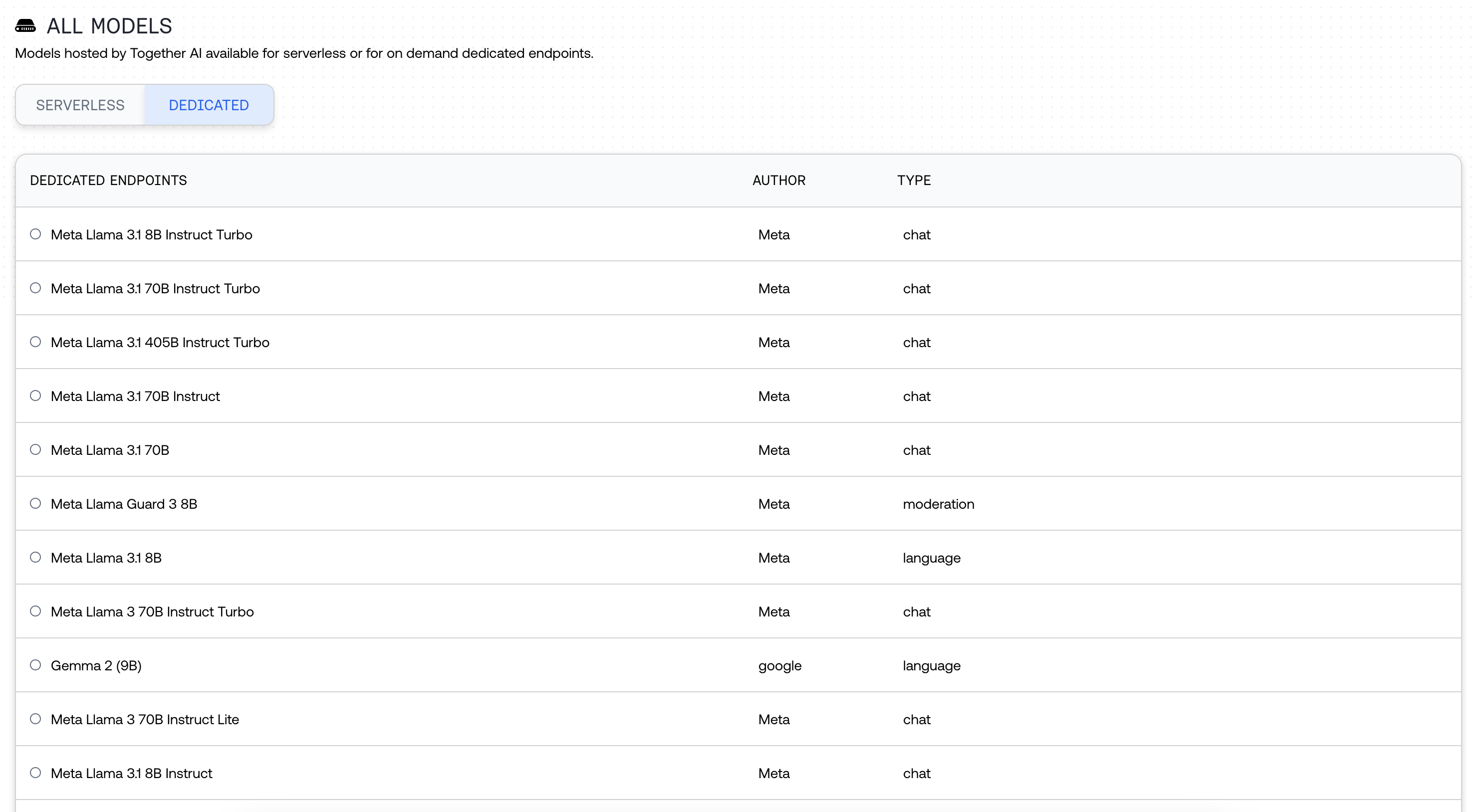
Select your hardware. We have multiple hardware options available, all with varying prices (e.g. RTX-6000, L40, A100 SXM, A100 PCIe, and H100).
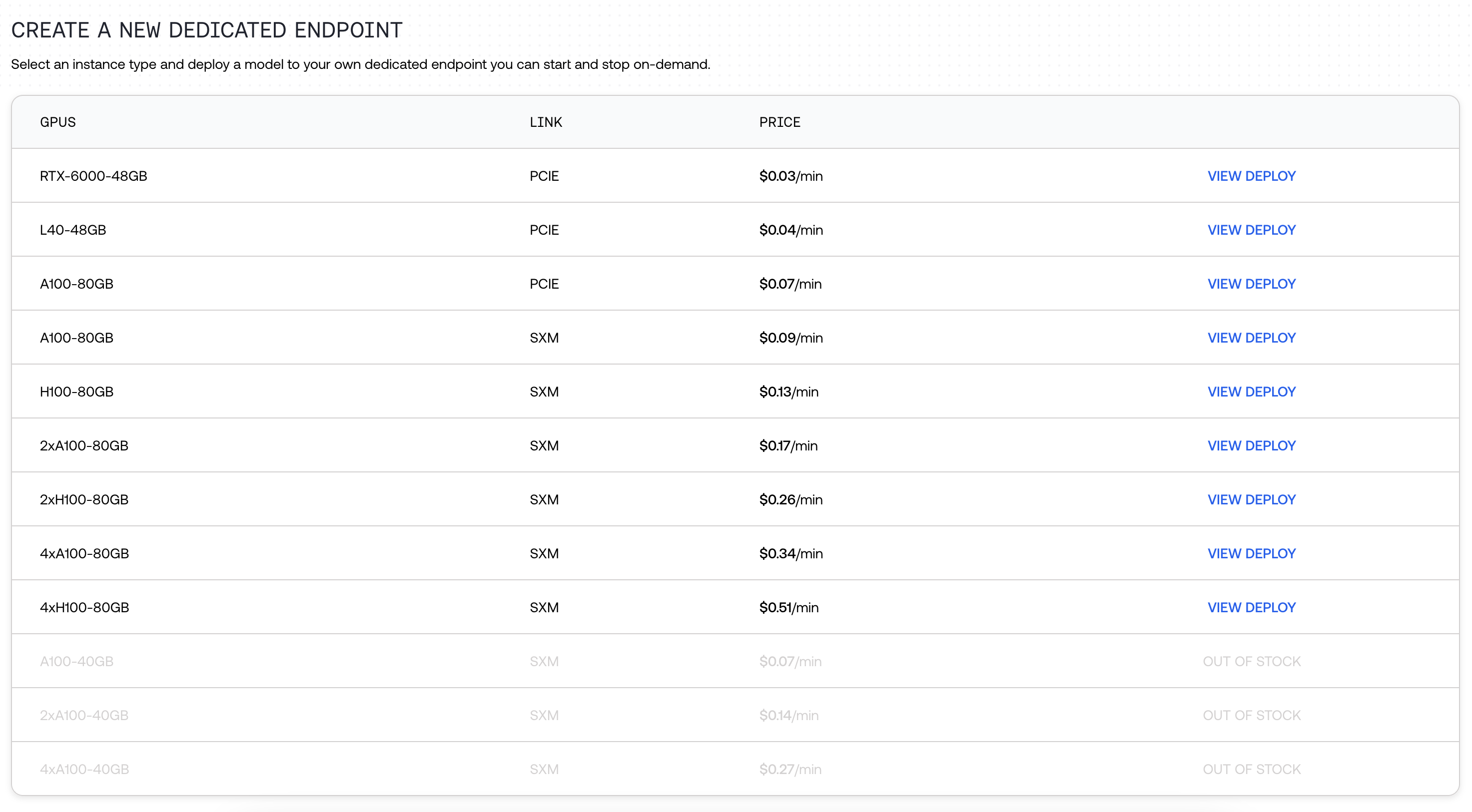
Click the Play button, and wait up to 10 minutes for the endpoint to be deployed.
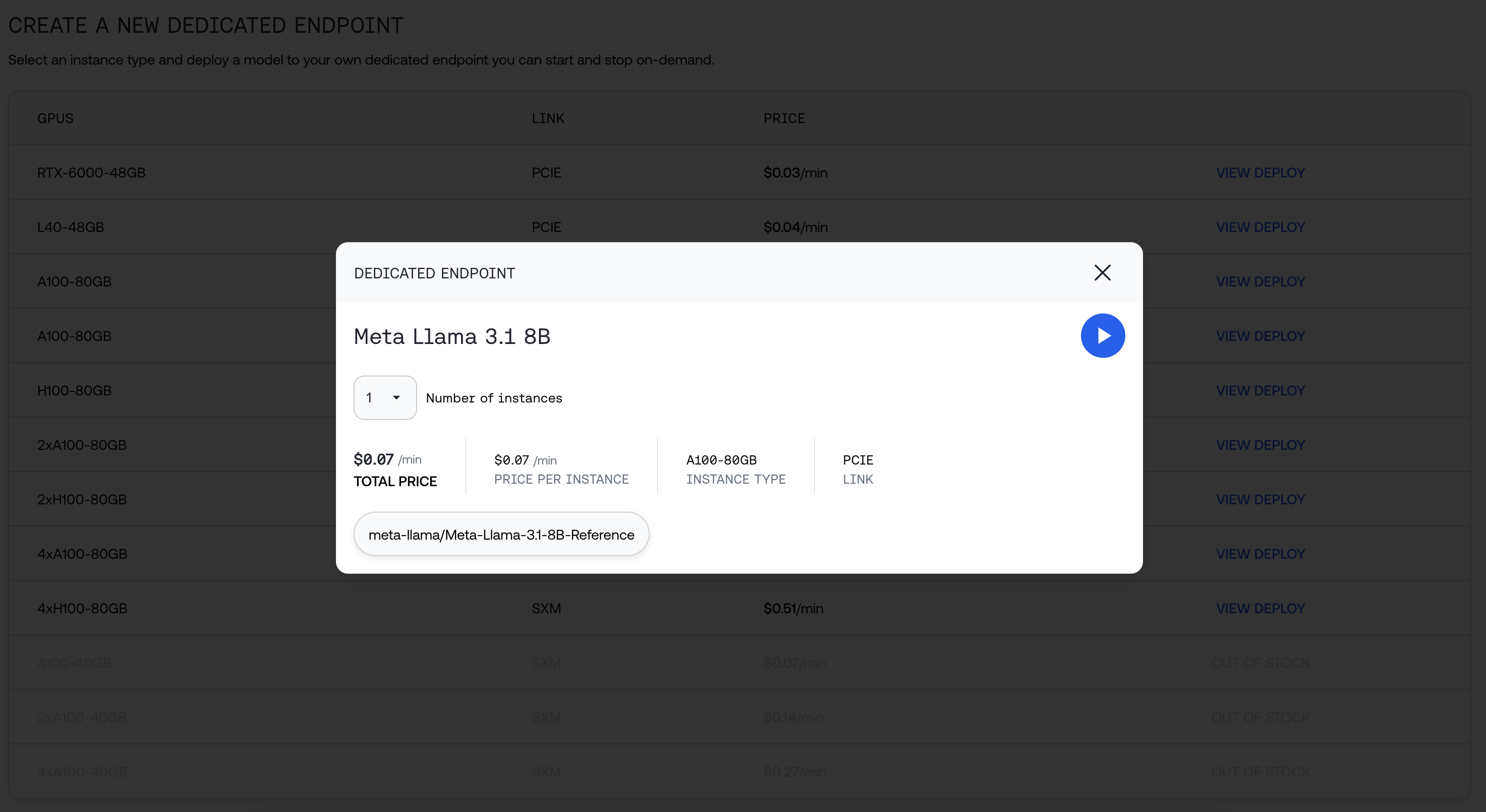
We will provide you the string you can use to call the model, as well as additional information about your deployment.
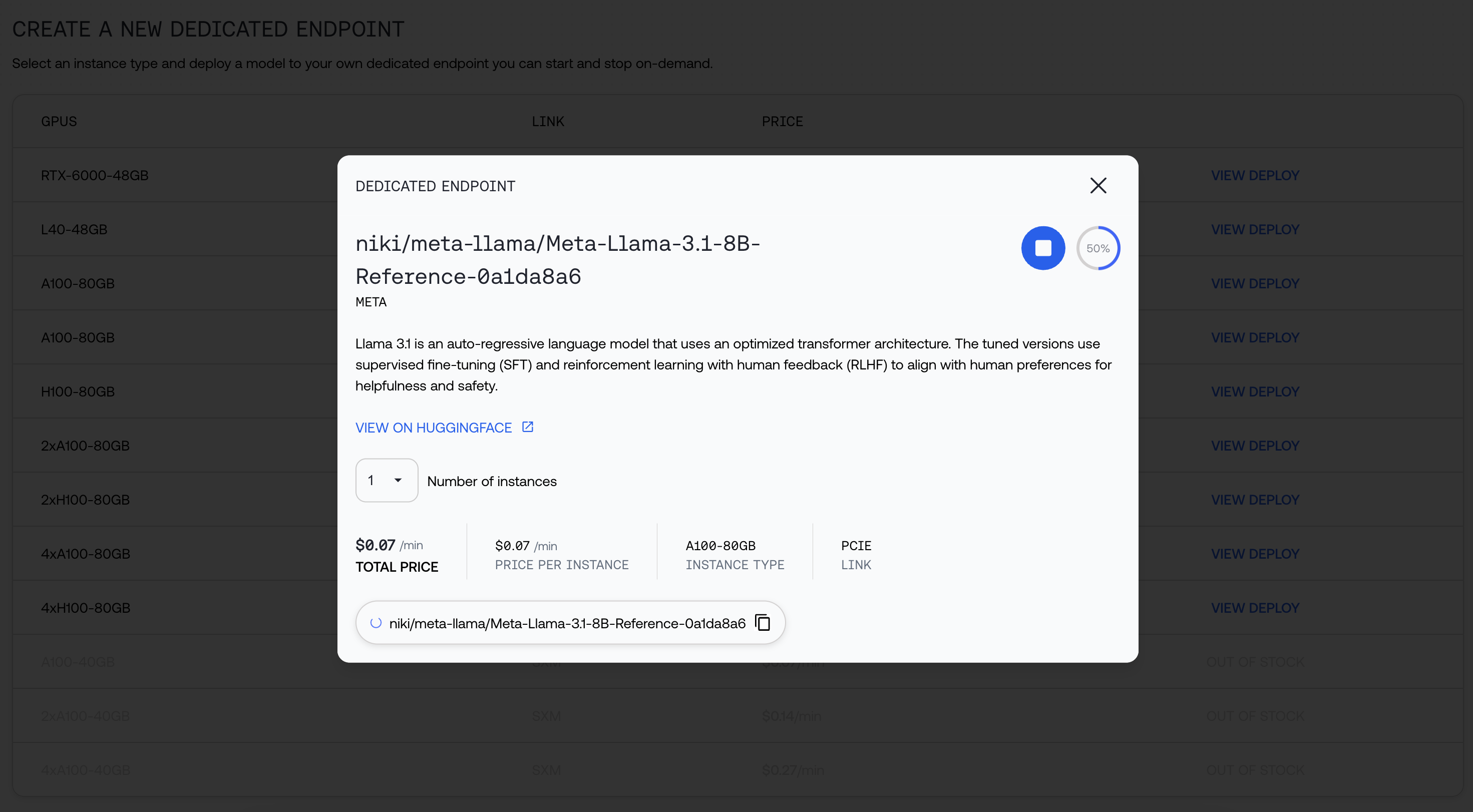
You can navigate away while your model is being deployed. Click open when it's ready:
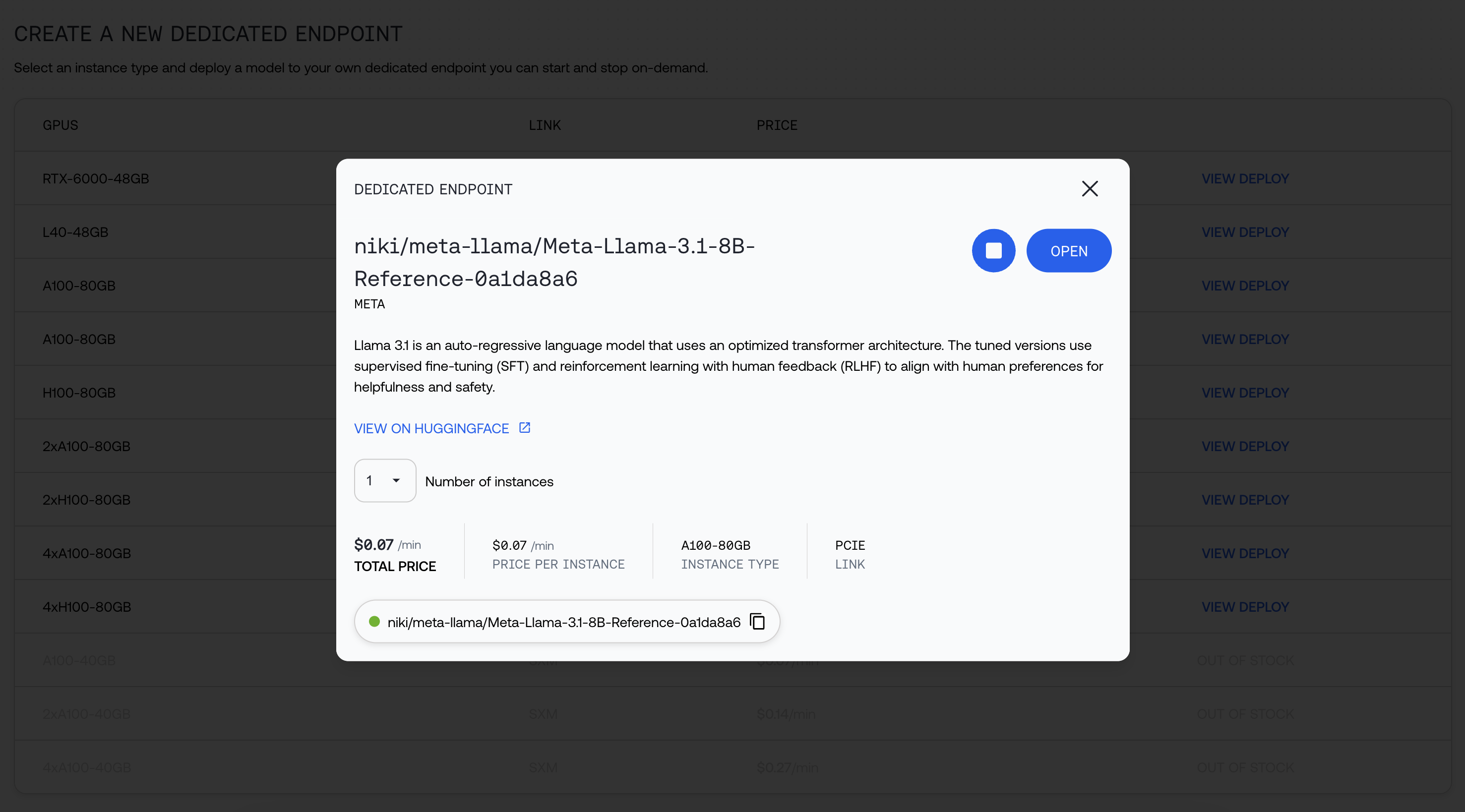
Start using your endpoint!
You can now find your endpoint in the My Models Page, and upon clicking the Model, under "Endpoints"

**Looking for custom configurations?** [Contact us.](https://www.together.ai/forms/monthly-reserved)
---
> To find navigation and other pages in this documentation, fetch the llms.txt file at: https://docs.together.ai/llms.txt
---
# Source: https://docs.together.ai/docs/dedicated-inference.md
# Dedicated Inference
> Deploy models on your own custom endpoints for improved reliability at scale
Dedicated Endpoints allows you to deploy models as dedicated endpoints with custom hardware and scaling configurations. Benefits of dedicated endpoints include:
* Predictable performance unaffected by serverless traffic.
* Reliable capacity to respond to spiky traffic.
* Customization to suit the unique usage of the model.
## Getting Started
Jump straight into the API with these [docs](/reference/listendpoints) or create an endpoint with this guide below.
### 1. Select a model
Explore the list of supported models for dedicated endpoints on our [models list](https://api.together.ai/models?filter=dedicated).
You can also upload your own [model](/docs/custom-models) .
### 2. Create a dedicated endpoint
To create a dedicated endpoint, first identify the hardware options for your specific model.
To do this, run:
```shell Shell theme={null}
together endpoints hardware --model
```
You will get a response like:
```shell Shell theme={null}
together endpoints hardware --model mistralai/Mixtral-8x7B-Instruct-v0.1
All hardware options:
2x_nvidia_a100_80gb_sxm
2x_nvidia_h100_80gb_sxm
4x_nvidia_a100_80gb_sxm
4x_nvidia_h100_80gb_sxm
8x_nvidia_a100_80gb_sxm
8x_nvidia_h100_80gb_sxm
```
From this list, you can identify which of the GPUs can be listed in your command. For example, in this list, the following combinations are possible:
1. `--gpu a100 --gpu-count 2`, `--gpu a100 --gpu-count 4`, `--gpu a100 --gpu-count 8`
2. `--gpu h100 --gpu-count 2`, `--gpu h100 --gpu-count 4`, `--gpu h100 --gpu-count 8`
You can now create a dedicated endpoint by running:
```shell Shell theme={null}
together endpoints create \
--model mistralai/Mixtral-8x7B-Instruct-v0.1 \
--gpu h100 \
--gpu-count 2 \
--no-speculative-decoding \
--no-prompt-cache \
--wait
```
This command will finish when the endpoint is `READY`. To let it run asynchronously, remove the `--wait`flag.
You can optionally start an endpoint in a specific availability zone (e.g., us-central-4b). To get the list of availability zones, run:
```shell Shell theme={null}
together endpoints availability-zones
```
Then specify the availability zone when creating your endpoint. Only specify an availability zone if you have specific latency or geographic needs as selecting one can limit hardware availability.
```shell Shell theme={null}
together endpoints create \
--model mistralai/Mixtral-8x7B-Instruct-v0.1 \
--gpu h100 \
--gpu-count 2 \
--availability-zone us-east-1a
--no-speculative-decoding \
--no-prompt-cache \
--wait
```
### 3. Get endpoint status
You can check on the deployment status by running:
```shell Shell theme={null}
together endpoints get
```
A sample response will look like the following:
```shell Shell theme={null}
ID: endpoint-e6c6b82f-90f7-45b7-af39-3ca3b51d08xx
Name: tester/mistralai/Mixtral-8x7B-Instruct-v0.1-bb04c904
Display Name: My Endpoint
Hardware: 2x_nvidia_h100_80gb_sxm
Autoscaling: Min=1, Max=1
Model: mistralai/Mixtral-8x7B-Instruct-v0.1
Type: dedicated
Owner: tester
State: READY
Created: 2025-02-18 11:55:50.686000+00:00
```
### 4. Start, stop & delete endpoint
If you added the `--wait`flag on creation or previously stopped the endpoint, you can start it again by running:
```shell Shell theme={null}
together endpoints start
```
Stopping the endpoint follows the same pattern:
```shell Shell theme={null}
together endpoints stop
```
To fully delete the endpoint, run:
```shell Shell theme={null}
together endpoints delete
```
### 5. List your endpoints
You can get a list of all your dedicated endpoints by running:
```shell Shell theme={null}
together endpoints list --mine true
```
To filter dedicated endpoints by usage type:
```shell Shell theme={null}
together endpoints list --mine true --type dedicated --usage-type on-demand
```
## Endpoint options
### Replica count
Replicas provide horizontal scaling, ensuring better handling of high traffic, reduced latency, and resiliency in the event of instance failure. They are set with the `--min-replicas`and `--max-replicas`options. The default min and max replica is set to 1. When the max replica is increased, the endpoint will automatically scale based on server load.
### Auto-shutdown
If an endpoint is inactive for an hour, it will shutdown automatically. This window of inactivity can be customized when configuring a deployment in the web interface or by setting `--inactive-timeout` to the desired value.
### Choosing hardware and GPU count
A hardware configuration for a given model follows this format: \[gpu-count]-\[hardware]-\[gpu-type]-\[gpu-link]
Example:`2x_nvidia_h100_80gb_sxm`
When configuring the hardware on the CLI, you can specify which version of the hardware you would like by listing the `--gpu`(or hardware), `--gpu-count`and `gpu-type`
#### Multiple GPUs
Increasing the `gpu-count` will increase the GPUs per replica. This will result in higher generation speed, lower time-to-first-token and higher max QPS.
#### Availability zone
If you have specific latency or geographic needs, select an availability zone when creating your endpoint. It is important to note that restricting to an availability zone can limit hardware availability.
To get the list of availability zones, run:
```shell Shell theme={null}
together endpoints availability-zones
```
### Speculative decoding
Speculative decoding is an optimization technique used to improve the efficiency of text generation and decoding processes. Using speculators can improve performance, increase throughput and improve the handling of uncertain or ambiguous input.
Customers who require consistently low tail latencies—such as those running real-time or mission-critical applications—may want to avoid speculative decoding. While this technique can improve average performance, it also introduces the risk of occasional extreme delays, which may be unacceptable in latency-sensitive workloads.
By default, speculative decoding is not enabled. To enable speculative decoding, remove the `--no-speculative-decoding` flag from the create command.
### Prompt caching
Prompt caching stores the results of previously executed prompts, allowing your model to quickly retrieve and return cached responses instead of reprocessing the same input. This significantly improves performance by reducing redundant computations.
By default, caching is not enabled. To turn on prompt caching, remove `--no-prompt-cache` from the create command.
---
> To find navigation and other pages in this documentation, fetch the llms.txt file at: https://docs.together.ai/llms.txt
---
# Source: https://docs.together.ai/docs/dedicated-models.md
# Dedicated Models
export const ModelTable = ({type}) => {
const models = [{
id: "Alibaba-NLP/gte-modernbert-base",
organization: "Alibaba Nlp",
name: "Gte Modernbert Base",
apiName: "Alibaba-NLP/gte-modernbert-base",
type: "embedding",
contextLength: 8192
}, {
id: "arcee_ai/arcee-spotlight",
organization: "Arcee AI",
name: "Arcee AI Spotlight",
apiName: "arcee_ai/arcee-spotlight",
type: "chat",
contextLength: 131072
}, {
id: "arcee-ai/AFM-4.5B",
organization: "Arcee AI",
name: "Arcee AI AFM 4.5B",
apiName: "arcee-ai/AFM-4.5B",
type: "chat",
contextLength: 65536
}, {
id: "arcee-ai/coder-large",
organization: "Arcee AI",
name: "Arcee AI Coder-Large",
apiName: "arcee-ai/coder-large",
type: "chat",
contextLength: 32768
}, {
id: "arcee-ai/maestro-reasoning",
organization: "Arcee AI",
name: "Arcee AI Maestro",
apiName: "arcee-ai/maestro-reasoning",
type: "chat",
contextLength: 131072
}, {
id: "arcee-ai/virtuoso-large",
organization: "Arcee AI",
name: "Arcee AI Virtuoso-Large",
apiName: "arcee-ai/virtuoso-large",
type: "chat",
contextLength: 131072
}, {
id: "arize-ai/qwen-2-1.5b-instruct",
organization: "Togethercomputer",
name: "Arize AI Qwen 2 1.5B Instruct",
apiName: "arize-ai/qwen-2-1.5b-instruct",
type: "chat",
contextLength: 32768
}, {
id: "BAAI/bge-base-en-v1.5",
organization: "BAAI",
name: "BAAI-Bge-Base-1.5",
apiName: "BAAI/bge-base-en-v1.5",
type: "embedding",
contextLength: 512
}, {
id: "BAAI/bge-large-en-v1.5",
organization: "BAAI",
name: "BAAI-Bge-Large-1.5",
apiName: "BAAI/bge-large-en-v1.5",
type: "embedding",
contextLength: 0
}, {
id: "black-forest-labs/FLUX.1-dev",
organization: "Black Forest Labs",
name: "FLUX.1 [dev]",
apiName: "black-forest-labs/FLUX.1-dev",
type: "image",
contextLength: 0
}, {
id: "black-forest-labs/FLUX.1-dev-lora",
organization: "Black Forest Labs",
name: "FLUX.1 [dev] LoRA",
apiName: "black-forest-labs/FLUX.1-dev-lora",
type: "image",
contextLength: 0
}, {
id: "black-forest-labs/FLUX.1-kontext-dev",
organization: "Black Forest Labs",
name: "FLUX.1 Kontext [dev]",
apiName: "black-forest-labs/FLUX.1-kontext-dev",
type: "image",
contextLength: 0
}, {
id: "black-forest-labs/FLUX.1-kontext-max",
organization: "Black Forest Labs",
name: "FLUX.1 Kontext [max]",
apiName: "black-forest-labs/FLUX.1-kontext-max",
type: "image",
contextLength: 0
}, {
id: "black-forest-labs/FLUX.1-kontext-pro",
organization: "Black Forest Labs",
name: "FLUX.1 Kontext [pro]",
apiName: "black-forest-labs/FLUX.1-kontext-pro",
type: "image",
contextLength: 0
}, {
id: "black-forest-labs/FLUX.1-krea-dev",
organization: "Black Forest Labs",
name: "FLUX.1 Krea [dev]",
apiName: "black-forest-labs/FLUX.1-krea-dev",
type: "image",
contextLength: 0
}, {
id: "black-forest-labs/FLUX.1-schnell",
organization: "Black Forest Labs",
name: "FLUX.1 Schnell",
apiName: "black-forest-labs/FLUX.1-schnell",
type: "image",
contextLength: 0
}, {
id: "black-forest-labs/FLUX.1-schnell-Free",
organization: "Black Forest Labs",
name: "FLUX.1 [schnell] Free",
apiName: "black-forest-labs/FLUX.1-schnell-Free",
type: "image",
contextLength: 0
}, {
id: "black-forest-labs/FLUX.1.1-pro",
organization: "Black Forest Labs",
name: "FLUX1.1 [pro]",
apiName: "black-forest-labs/FLUX.1.1-pro",
type: "image",
contextLength: 0
}, {
id: "cartesia/sonic",
organization: "Together",
name: "Cartesia Sonic",
apiName: "cartesia/sonic",
type: "audio",
contextLength: 0
}, {
id: "cartesia/sonic-2",
organization: "Together",
name: "Cartesia Sonic 2",
apiName: "cartesia/sonic-2",
type: "audio",
contextLength: 0
}, {
id: "deepcogito/cogito-v2-preview-deepseek-671b",
organization: "Deepcogito",
name: "Cogito V2 Preview Deepseek 671B Moe",
apiName: "deepcogito/cogito-v2-preview-deepseek-671b",
type: "chat",
contextLength: 163840
}, {
id: "deepcogito/cogito-v2-preview-llama-109B-MoE",
organization: "Deepcogito",
name: "Cogito V2 Preview Llama 109B MoE",
apiName: "deepcogito/cogito-v2-preview-llama-109B-MoE",
type: "chat",
contextLength: 32767
}, {
id: "deepcogito/cogito-v2-preview-llama-405B",
organization: "Deepcogito",
name: "Deepcogito Cogito V2 Preview Llama 405B",
apiName: "deepcogito/cogito-v2-preview-llama-405B",
type: "chat",
contextLength: 32768
}, {
id: "deepcogito/cogito-v2-preview-llama-70B",
organization: "Deepcogito",
name: "Deepcogito Cogito V2 Preview Llama 70B",
apiName: "deepcogito/cogito-v2-preview-llama-70B",
type: "chat",
contextLength: 32768
}, {
id: "deepseek-ai/DeepSeek-R1",
organization: "DeepSeek",
name: "DeepSeek R1-0528",
apiName: "deepseek-ai/DeepSeek-R1",
type: "chat",
contextLength: 163840
}, {
id: "deepseek-ai/DeepSeek-R1-0528-tput",
organization: "DeepSeek",
name: "DeepSeek R1 0528 Throughput",
apiName: "deepseek-ai/DeepSeek-R1-0528-tput",
type: "chat",
contextLength: 163840
}, {
id: "deepseek-ai/DeepSeek-R1-Distill-Llama-70B",
organization: "DeepSeek",
name: "DeepSeek R1 Distill Llama 70B",
apiName: "deepseek-ai/DeepSeek-R1-Distill-Llama-70B",
type: "chat",
contextLength: 131072
}, {
id: "deepseek-ai/DeepSeek-R1-Distill-Llama-70B-free",
organization: "DeepSeek",
name: "DeepSeek R1 Distill Llama 70B Free",
apiName: "deepseek-ai/DeepSeek-R1-Distill-Llama-70B-free",
type: "chat",
contextLength: 8192
}, {
id: "deepseek-ai/DeepSeek-R1-Distill-Qwen-14B",
organization: "DeepSeek",
name: "DeepSeek R1 Distill Qwen 14B",
apiName: "deepseek-ai/DeepSeek-R1-Distill-Qwen-14B",
type: "chat",
contextLength: 131072
}, {
id: "deepseek-ai/DeepSeek-V3",
organization: "DeepSeek",
name: "DeepSeek V3-0324",
apiName: "deepseek-ai/DeepSeek-V3",
type: "chat",
contextLength: 131072
}, {
id: "deepseek-ai/DeepSeek-V3.1",
organization: "DeepSeek",
name: "Deepseek V3.1",
apiName: "deepseek-ai/DeepSeek-V3.1",
type: "chat",
contextLength: 131072
}, {
id: "google/gemma-3n-E4B-it",
organization: "Google",
name: "Gemma 3N E4B Instruct",
apiName: "google/gemma-3n-E4B-it",
type: "chat",
contextLength: 32768
}, {
id: "intfloat/multilingual-e5-large-instruct",
organization: "Intfloat",
name: "Multilingual E5 Large Instruct",
apiName: "intfloat/multilingual-e5-large-instruct",
type: "embedding",
contextLength: 514
}, {
id: "lgai/exaone-3-5-32b-instruct",
organization: "LG AI",
name: "EXAONE 3.5 32B Instruct",
apiName: "lgai/exaone-3-5-32b-instruct",
type: "chat",
contextLength: 32768
}, {
id: "lgai/exaone-deep-32b",
organization: "LG AI",
name: "EXAONE Deep 32B",
apiName: "lgai/exaone-deep-32b",
type: "chat",
contextLength: 32768
}, {
id: "marin-community/marin-8b-instruct",
organization: "Marin Community",
name: "Marin 8B Instruct",
apiName: "marin-community/marin-8b-instruct",
type: "chat",
contextLength: 4096
}, {
id: "meta-llama/Llama-2-70b-hf",
organization: "",
name: "LLaMA-2 (70B)",
apiName: "meta-llama/Llama-2-70b-hf",
type: "language",
contextLength: 4096
}, {
id: "meta-llama/Llama-3-70b-chat-hf",
organization: "Meta",
name: "Meta Llama 3 70B Instruct Reference",
apiName: "meta-llama/Llama-3-70b-chat-hf",
type: "chat",
contextLength: 8192
}, {
id: "meta-llama/Llama-3-70b-hf",
organization: "Meta",
name: "Meta Llama 3 70B HF",
apiName: "meta-llama/Llama-3-70b-hf",
type: "language",
contextLength: 8192
}, {
id: "meta-llama/Llama-3.1-405B-Instruct",
organization: "Meta",
name: "Meta Llama 3.1 405B Instruct",
apiName: "meta-llama/Llama-3.1-405B-Instruct",
type: "chat",
contextLength: 4096
}, {
id: "meta-llama/Llama-3.2-1B-Instruct",
organization: "Meta",
name: "Meta Llama 3.2 1B Instruct",
apiName: "meta-llama/Llama-3.2-1B-Instruct",
type: "chat",
contextLength: 131072
}, {
id: "meta-llama/Llama-3.2-3B-Instruct-Turbo",
organization: "Meta",
name: "Meta Llama 3.2 3B Instruct Turbo",
apiName: "meta-llama/Llama-3.2-3B-Instruct-Turbo",
type: "chat",
contextLength: 131072
}, {
id: "meta-llama/Llama-3.3-70B-Instruct-Turbo",
organization: "Meta",
name: "Meta Llama 3.3 70B Instruct Turbo",
apiName: "meta-llama/Llama-3.3-70B-Instruct-Turbo",
type: "chat",
contextLength: 131072
}, {
id: "meta-llama/Llama-3.3-70B-Instruct-Turbo-Free",
organization: "Meta",
name: "Meta Llama 3.3 70B Instruct Turbo Free",
apiName: "meta-llama/Llama-3.3-70B-Instruct-Turbo-Free",
type: "chat",
contextLength: 131072
}, {
id: "meta-llama/Llama-4-Maverick-17B-128E-Instruct-FP8",
organization: "Meta",
name: "Llama 4 Maverick Instruct (17Bx128E)",
apiName: "meta-llama/Llama-4-Maverick-17B-128E-Instruct-FP8",
type: "chat",
contextLength: 1048576
}, {
id: "meta-llama/Llama-4-Scout-17B-16E-Instruct",
organization: "Meta",
name: "Llama 4 Scout Instruct (17Bx16E)",
apiName: "meta-llama/Llama-4-Scout-17B-16E-Instruct",
type: "chat",
contextLength: 1048576
}, {
id: "meta-llama/Llama-Guard-3-11B-Vision-Turbo",
organization: "Meta",
name: "Meta Llama Guard 3 11B Vision Turbo",
apiName: "meta-llama/Llama-Guard-3-11B-Vision-Turbo",
type: "moderation",
contextLength: 131072
}, {
id: "meta-llama/Llama-Guard-4-12B",
organization: "Meta",
name: "Llama Guard 4 12B",
apiName: "meta-llama/Llama-Guard-4-12B",
type: "moderation",
contextLength: 1048576
}, {
id: "meta-llama/LlamaGuard-2-8b",
organization: "Meta",
name: "Meta Llama Guard 2 8B",
apiName: "meta-llama/LlamaGuard-2-8b",
type: "moderation",
contextLength: 8192
}, {
id: "meta-llama/Meta-Llama-3-70B-Instruct-Turbo",
organization: "Meta",
name: "Meta Llama 3 70B Instruct Turbo",
apiName: "meta-llama/Meta-Llama-3-70B-Instruct-Turbo",
type: "chat",
contextLength: 8192
}, {
id: "meta-llama/Meta-Llama-3-8B-Instruct",
organization: "Meta",
name: "Meta Llama 3 8B Instruct",
apiName: "meta-llama/Meta-Llama-3-8B-Instruct",
type: "chat",
contextLength: 8192
}, {
id: "meta-llama/Meta-Llama-3-8B-Instruct-Lite",
organization: "Meta",
name: "Meta Llama 3 8B Instruct Lite",
apiName: "meta-llama/Meta-Llama-3-8B-Instruct-Lite",
type: "chat",
contextLength: 8192
}, {
id: "meta-llama/Meta-Llama-3.1-405B-Instruct-Turbo",
organization: "Meta",
name: "Meta Llama 3.1 405B Instruct Turbo",
apiName: "meta-llama/Meta-Llama-3.1-405B-Instruct-Turbo",
type: "chat",
contextLength: 130815
}, {
id: "meta-llama/Meta-Llama-3.1-70B-Instruct-Reference",
organization: "Meta",
name: "Meta Llama 3.1 70B Instruct",
apiName: "meta-llama/Meta-Llama-3.1-70B-Instruct-Reference",
type: "chat",
contextLength: 8192
}, {
id: "meta-llama/Meta-Llama-3.1-70B-Instruct-Turbo",
organization: "Meta",
name: "Meta Llama 3.1 70B Instruct Turbo",
apiName: "meta-llama/Meta-Llama-3.1-70B-Instruct-Turbo",
type: "chat",
contextLength: 131072
}, {
id: "meta-llama/Meta-Llama-3.1-8B-Instruct-Reference",
organization: "Meta",
name: "Meta Llama 3.1 8B Instruct",
apiName: "meta-llama/Meta-Llama-3.1-8B-Instruct-Reference",
type: "chat",
contextLength: 16384
}, {
id: "meta-llama/Meta-Llama-Guard-3-8B",
organization: "Meta",
name: "Meta Llama Guard 3 8B",
apiName: "meta-llama/Meta-Llama-Guard-3-8B",
type: "moderation",
contextLength: 8192
}, {
id: "mistralai/Mistral-7B-Instruct-v0.1",
organization: "mistralai",
name: "Mistral (7B) Instruct v0.1",
apiName: "mistralai/Mistral-7B-Instruct-v0.1",
type: "chat",
contextLength: 32768
}, {
id: "mistralai/Mistral-7B-Instruct-v0.2",
organization: "mistralai",
name: "Mistral (7B) Instruct v0.2",
apiName: "mistralai/Mistral-7B-Instruct-v0.2",
type: "chat",
contextLength: 32768
}, {
id: "mistralai/Mistral-7B-Instruct-v0.3",
organization: "mistralai",
name: "Mistral (7B) Instruct v0.3",
apiName: "mistralai/Mistral-7B-Instruct-v0.3",
type: "chat",
contextLength: 32768
}, {
id: "mistralai/Mistral-Small-24B-Instruct-2501",
organization: "mistralai",
name: "Mistral Small (24B) Instruct 25.01",
apiName: "mistralai/Mistral-Small-24B-Instruct-2501",
type: "chat",
contextLength: 32768
}, {
id: "mistralai/Mixtral-8x7B-Instruct-v0.1",
organization: "mistralai",
name: "Mixtral-8x7B Instruct v0.1",
apiName: "mistralai/Mixtral-8x7B-Instruct-v0.1",
type: "chat",
contextLength: 32768
}, {
id: "mixedbread-ai/Mxbai-Rerank-Large-V2",
organization: "Mixedbread AI",
name: "Mxbai Rerank Large V2",
apiName: "mixedbread-ai/Mxbai-Rerank-Large-V2",
type: "rerank",
contextLength: 32768
}, {
id: "moonshotai/Kimi-K2-Instruct",
organization: "Moonshotai",
name: "Kimi K2 Instruct",
apiName: "moonshotai/Kimi-K2-Instruct",
type: "chat",
contextLength: 131072
}, {
id: "moonshotai/Kimi-K2-Instruct-0905",
organization: "Moonshotai",
name: "Kimi K2-Instruct 0905",
apiName: "moonshotai/Kimi-K2-Instruct-0905",
type: "chat",
contextLength: 262144
}, {
id: "openai/gpt-oss-120b",
organization: "OpenAI",
name: "OpenAI GPT-OSS 120B",
apiName: "openai/gpt-oss-120b",
type: "chat",
contextLength: 131072
}, {
id: "openai/gpt-oss-20b",
organization: "OpenAI",
name: "OpenAI GPT-OSS 20B",
apiName: "openai/gpt-oss-20b",
type: "chat",
contextLength: 131072
}, {
id: "openai/whisper-large-v3",
organization: "OpenAI",
name: "Whisper large-v3",
apiName: "openai/whisper-large-v3",
type: "transcribe",
contextLength: 0
}, {
id: "Qwen/Qwen2.5-72B-Instruct",
organization: "Qwen",
name: "Qwen2.5 72B Instruct",
apiName: "Qwen/Qwen2.5-72B-Instruct",
type: "chat",
contextLength: 32768
}, {
id: "Qwen/Qwen2.5-72B-Instruct-Turbo",
organization: "Qwen",
name: "Qwen2.5 72B Instruct Turbo",
apiName: "Qwen/Qwen2.5-72B-Instruct-Turbo",
type: "chat",
contextLength: 131072
}, {
id: "Qwen/Qwen2.5-7B-Instruct-Turbo",
organization: "Qwen",
name: "Qwen2.5 7B Instruct Turbo",
apiName: "Qwen/Qwen2.5-7B-Instruct-Turbo",
type: "chat",
contextLength: 32768
}, {
id: "Qwen/Qwen2.5-Coder-32B-Instruct",
organization: "Qwen",
name: "Qwen 2.5 Coder 32B Instruct",
apiName: "Qwen/Qwen2.5-Coder-32B-Instruct",
type: "chat",
contextLength: 16384
}, {
id: "Qwen/Qwen2.5-VL-72B-Instruct",
organization: "Qwen",
name: "Qwen2.5-VL (72B) Instruct",
apiName: "Qwen/Qwen2.5-VL-72B-Instruct",
type: "chat",
contextLength: 32768
}, {
id: "Qwen/Qwen3-235B-A22B-fp8-tput",
organization: "Qwen",
name: "Qwen3 235B A22B FP8 Throughput",
apiName: "Qwen/Qwen3-235B-A22B-fp8-tput",
type: "chat",
contextLength: 40960
}, {
id: "Qwen/Qwen3-235B-A22B-Instruct-2507-tput",
organization: "Qwen",
name: "Qwen3 235B A22B Instruct 2507 FP8 Throughput",
apiName: "Qwen/Qwen3-235B-A22B-Instruct-2507-tput",
type: "chat",
contextLength: 262144
}, {
id: "Qwen/Qwen3-235B-A22B-Thinking-2507",
organization: "Qwen",
name: "Qwen3 235B A22B Thinking 2507 FP8",
apiName: "Qwen/Qwen3-235B-A22B-Thinking-2507",
type: "chat",
contextLength: 262144
}, {
id: "Qwen/Qwen3-Coder-480B-A35B-Instruct-FP8",
organization: "Qwen",
name: "Qwen3 Coder 480B A35B Instruct Fp8",
apiName: "Qwen/Qwen3-Coder-480B-A35B-Instruct-FP8",
type: "chat",
contextLength: 262144
}, {
id: "Qwen/Qwen3-Next-80B-A3B-Instruct",
organization: "Qwen",
name: "Qwen3 Next 80B A3b Instruct",
apiName: "Qwen/Qwen3-Next-80B-A3B-Instruct",
type: "chat",
contextLength: 262144
}, {
id: "Qwen/Qwen3-Next-80B-A3B-Thinking",
organization: "Qwen",
name: "Qwen3 Next 80B A3b Thinking",
apiName: "Qwen/Qwen3-Next-80B-A3B-Thinking",
type: "chat",
contextLength: 262144
}, {
id: "Qwen/QwQ-32B",
organization: "Qwen",
name: "Qwen QwQ-32B",
apiName: "Qwen/QwQ-32B",
type: "chat",
contextLength: 131072
}, {
id: "Salesforce/Llama-Rank-V1",
organization: "salesforce",
name: "Salesforce Llama Rank V1 (8B)",
apiName: "Salesforce/Llama-Rank-V1",
type: "rerank",
contextLength: 8192
}, {
id: "scb10x/scb10x-typhoon-2-1-gemma3-12b",
organization: "",
name: "Typhoon 2.1 12B",
apiName: "scb10x/scb10x-typhoon-2-1-gemma3-12b",
type: "chat",
contextLength: 131072
}, {
id: "togethercomputer/m2-bert-80M-32k-retrieval",
organization: "Together",
name: "M2-BERT-Retrieval-32k",
apiName: "togethercomputer/m2-bert-80M-32k-retrieval",
type: "embedding",
contextLength: 32768
}, {
id: "togethercomputer/MoA-1",
organization: "Together AI",
name: "Together AI MoA-1",
apiName: "togethercomputer/MoA-1",
type: "chat",
contextLength: 32768
}, {
id: "togethercomputer/MoA-1-Turbo",
organization: "Together AI",
name: "Together AI MoA-1-Turbo",
apiName: "togethercomputer/MoA-1-Turbo",
type: "chat",
contextLength: 32768
}, {
id: "togethercomputer/Refuel-Llm-V2",
organization: "Refuel AI",
name: "Refuel LLM V2",
apiName: "togethercomputer/Refuel-Llm-V2",
type: "chat",
contextLength: 16384
}, {
id: "togethercomputer/Refuel-Llm-V2-Small",
organization: "Refuel AI",
name: "Refuel LLM V2 Small",
apiName: "togethercomputer/Refuel-Llm-V2-Small",
type: "chat",
contextLength: 8192
}, {
id: "Virtue-AI/VirtueGuard-Text-Lite",
organization: "Virtue AI",
name: "Virtueguard Text Lite",
apiName: "Virtue-AI/VirtueGuard-Text-Lite",
type: "moderation",
contextLength: 32768
}, {
id: "zai-org/GLM-4.5-Air-FP8",
organization: "Zai Org",
name: "Glm 4.5 Air Fp8",
apiName: "zai-org/GLM-4.5-Air-FP8",
type: "chat",
contextLength: 131072
}];
const serverlessOnly = ["Alibaba-NLP/gte-modernbert-base", "arcee-ai/coder-large", "arcee-ai/maestro-reasoning", "arcee-ai/virtuoso-large", "arcee_ai/arcee-spotlight", "arcee-ai/AFM-4.5B", "arize-ai/qwen-2-1.5b-instruct", "black-forest-labs/FLUX.1-schnell", "black-forest-labs/FLUX.1-kontext-dev", "black-forest-labs/FLUX.1-dev", "black-forest-labs/FLUX.1.1-pro", "black-forest-labs/FLUX.1-krea-dev", "black-forest-labs/FLUX.1-dev-lora", "BAAI/bge-large-en-v1.5", "BAAI/bge-base-en-v1.5", "cartesia/sonic", "cartesia/sonic-2", "deepcogito/cogito-v2-preview-llama-405B", "deepcogito/cogito-v2-preview-deepseek-671b", "deepcogito/cogito-v2-preview-llama-109B-MoE", "deepcogito/cogito-v2-preview-llama-70B", "deepseek-ai/DeepSeek-R1-Distill-Llama-70B-free", "deepseek-ai/DeepSeek-R1-0528-tput", "intfloat/multilingual-e5-large-instruct", "google/gemma-3n-E4B-it", "lgai/exaone-3-5-32b-instruct", "lgai/exaone-deep-32b", "marin-community/marin-8b-instruct", "meta-llama/Meta-Llama-Guard-3-8B", "meta-llama/LlamaGuard-2-8b", "meta-llama/Llama-3.3-70B-Instruct-Turbo-Free", "meta-llama/Llama-Guard-3-11B-Vision-Turbo", "meta-llama/Llama-3-70b-hf", "meta-llama/Meta-Llama-3.1-70B-Instruct-Reference", "meta-llama/Meta-Llama-3.1-8B-Instruct-Reference", "mistralai/Mistral-Small-24B-Instruct-2501", "mixedbread-ai/Mxbai-Rerank-Large-V2", "moonshotai/Kimi-K2-Instruct", "meta-llama/Meta-Llama-3-8B-Instruct-Lite", "meta-llama/Llama-3-70b-chat-hf", "meta-llama/Meta-Llama-3.1-405B-Instruct-Turbo", "meta-llama/Llama-Guard-4-12B", "scb10x/scb10x-typhoon-2-1-gemma3-12b", "togethercomputer/MoA-1", "togethercomputer/Refuel-Llm-V2-Small", "togethercomputer/MoA-1-Turbo", "togethercomputer/m2-bert-80M-32k-retrieval", "togethercomputer/Refuel-Llm-V2", "Qwen/Qwen3-235B-A22B-Instruct-2507-tput", "Qwen/Qwen3-235B-A22B-Thinking-2507", "Qwen/Qwen3-235B-A22B-fp8-tput", "Qwen/Qwen3-Next-80B-A3B-Thinking", "Virtue-AI/VirtueGuard-Text-Lite", "zai-org/GLM-4.5-Air-FP8"];
const listedModels = models.filter(m => m.type === type).filter(m => !serverlessOnly.includes(m.id)).sort((a, b) => a.organization === "" ? 1 : a.organization.localeCompare(b.organization));
return
;
};
## Chat models
## Rerank models
---
> To find navigation and other pages in this documentation, fetch the llms.txt file at: https://docs.together.ai/llms.txt
---
# Source: https://docs.together.ai/docs/deepseek-3-1-quickstart.md
> How to get started with DeepSeek V3.1
# DeepSeek V3.1 QuickStart
DeepSeek V3.1 is the latest, state-of-the-art hybrid-inference AI model from DeepSeek, blending "Think" and "Non-Think" modes within a single architecture. It's the newer version of the DeepSeek V3 model with efficient hybrid reasoning.
## How to use DeepSeek V3.1
Get started with this model in 10 lines of code! The model ID is `deepseek-ai/DeepSeek-V3.1` and the pricing is \$0.60 for input tokens and \$1.70 for output tokens.
```python Python theme={null}
from together import Together
client = Together()
resp = client.chat.completions.create(
model="deepseek-ai/DeepSeek-V3.1",
messages=[{"role":"user","content":"What are some fun things to do in New York?"}],
stream=True,
)
for tok in resp:
print(tok.choices[0].delta.content, end="", flush=True)
```
```typescript TypeScript theme={null}
import Together from 'together-ai';
const together = new Together();
const stream = await together.chat.completions.create({
model: 'deepseek-ai/DeepSeek-V3.1',
messages: [{ role: 'user', content: 'What are some fun things to do in New York?' }],
stream: true,
});
for await (const chunk of stream) {
process.stdout.write(chunk.choices[0]?.delta?.content || '');
}
```
**Current Limitations**. The following features are not yet supported, but
will be added soon: Function calling and JSON mode.
## Hybrid Thinking
Here's how to enable thinking in DeepSeek V3.1.
```python Python theme={null}
from together import Together
client = Together()
stream = client.chat.completions.create(
model="deepseek-ai/DeepSeek-V3.1",
messages=[
{"role": "user", "content": "What are some fun things to do in New York?"}
],
reasoning={"enabled": True},
stream=True,
)
for chunk in stream:
delta = chunk.choices[0].delta
# Show reasoning tokens if present
if hasattr(delta, "reasoning") and delta.reasoning:
print(delta.reasoning, end="", flush=True)
# Show content tokens if present
if hasattr(delta, "content") and delta.content:
print(delta.content, end="", flush=True)
```
```typescript TypeScript theme={null}
import Together from 'together-ai';
import type { ChatCompletionChunk } from "together-ai/resources/chat/completions";
const together = new Together();
async function main() {
const stream = await together.chat.completions.stream({
model: "deepseek-ai/DeepSeek-V3.1",
messages: [
{ role: "user", content: "What are some fun things to do in New York?" },
],
reasoning: {
enabled: true,
},
} as any);
for await (const chunk of stream) {
const delta = chunk.choices[0]
?.delta as ChatCompletionChunk.Choice.Delta & { reasoning?: string };
// Show reasoning tokens if present
if (delta?.reasoning) process.stdout.write(delta.reasoning);
// Show content tokens if present
if (delta?.content) process.stdout.write(delta.content);
}
}
main();
```
For TypeScript users, you need to cast the parameters as `any` because `reasoning.enabled: true` is not yet recognized by the SDK. Additionally, the delta object requires a custom type to include the `reasoning` property.
## How is it different from DeepSeek V3?
DeepSeek V3.1 – the newer better version of DeepSeek V3 – has a few key differences:
* Hybrid model w/ two main modes: Non-thinking and Thinking mode
* Function calling only works in non-thinking mode
* Agent capabilities: Built-in support for code agents and search agents
* More efficient reasoning than DeepSeek-R1
* Continued long-context pre-training
---
> To find navigation and other pages in this documentation, fetch the llms.txt file at: https://docs.together.ai/llms.txt
---
# Source: https://docs.together.ai/docs/deepseek-faqs.md
# DeepSeek FAQs
### How can I access DeepSeek R1 and V3?
Together AI hosts DeepSeek R1 and V3 models on Serverless. Find them in our playground: [DeepSeek R1](https://api.together.xyz/models/deepseek-ai/DeepSeek-R1) / [DeepSeek V3](https://api.together.xyz/models/deepseek-ai/DeepSeek-V3).
### Why is R1 more expensive than V3 if they share the same architecture and are the same size?
R1 produces more tokens in the form of long reasoning chains, which significantly increase memory and compute requirements per query. Each user request locks more of the GPU for a longer period, limiting the number of simultaneous requests the hardware can handle and leading to higher per-query costs compared to V3.
### Have you changed the DeepSeek model in any way? Is it quantized, distilled or modified?
* No quantization – Full-precision versions are hosted.
* No distillation — we do offer distilled models but as separate endpoints (e.g. `deepseek-ai/DeepSeek-R1-Distill-Llama-70B`)
* No modifications — no forced system prompt or censorship.
### Do you send data to China or DeepSeek?
No. We host DeepSeek models on secure, private (North America-based) data centers. DeepSeek does not have access to user's requests or API calls. We provide full opt-out privacy controls for our users. Learn more about our privacy policy [here](https://www.together.ai/privacy).
### Can I deploy DeepSeek in Dedicated Endpoints? What speed and costs can I expect?
We recently launched [Together Reasoning Clusters](https://www.together.ai/blog/deploy-deepseek-r1-at-scale-fast-secure-serverless-apis-and-large-scale-together-reasoning-clusters), which allows users to get dedicated, high-performance compute built for large-scale, low-latency inference.
Together Reasoning Clusters include:
✅ Speeds up to 110 tokens/sec with no rate limits or resource sharing\
✅ Custom optimizations fine-tuned for your traffic profile\
✅ Predictable pricing for cost-effective scaling\
✅ Enterprise SLAs with 99.9% uptime\
✅ Secure deployments with full control over your data
Looking to deploy DeepSeek-R1 in production? [Contact us](https://www.together.ai/deploy-deepseek-r1-production?utm_source=website\&utm_medium=blog-post\&utm_campaign=deepseek-r1-reasoning-clusters)!
### What are the rate limits for DeepSeek R1?
Due to high demand, DeepSeek R1 has model specific rate limits that are based on load. For Free and Tier 1 users the rate limits can range from 0.3 RPM to 4 RPM at this time. Billing tiers 2-5 have a rate limit ranging from 240 RPM to 480 RPM. [Contact sales](https://www.together.ai/deploy-deepseek-r1-production?utm_source=website\&utm_medium=blog-post\&utm_campaign=deepseek-r1-reasoning-clusters) if you need higher limits for BT 5/Enterprise/Scale.
### How do I enable thinking mode for DeepSeek V3.1?
DeepSeek V3.1 is a "Hybrid" model. To enable reasoning response generations, you need to pass `reasoning={"enabled": True}` in your request.
Example:
```python theme={null}
from together import Together
client = Together()
stream = client.chat.completions.create(
model="deepseek-ai/DeepSeek-V3.1",
messages=[
{"role": "user", "content": "What is the most expensive sandwich?"}
],
reasoning={"enabled": True},
stream=True,
)
for chunk in stream:
delta = chunk.choices[0].delta
# Show reasoning tokens if present
if hasattr(delta, "reasoning") and delta.reasoning:
print(delta.reasoning, end="", flush=True)
# Show content tokens if present
if hasattr(delta, "content") and delta.content:
print(delta.content, end="", flush=True)
```
Note: For this model, function calling only works in non-reasoning mode (`reasoning={"enabled": False}`).
***
---
> To find navigation and other pages in this documentation, fetch the llms.txt file at: https://docs.together.ai/llms.txt
---
# Source: https://docs.together.ai/docs/deepseek-r1.md
# DeepSeek R1 Quickstart
> How to get the most out of reasoning models like DeepSeek-R1.
Reasoning models like DeepSeek-R1 have been trained to think step-by-step before responding with an answer. As a result they excel at complex reasoning tasks such as coding, mathematics, planning, puzzles, and agent workflows.
Given a question in the form of an input prompt DeepSeek-R1 outputs both its chain of thought/reasoning process in the form of thinking tokens between `` tags and the answer.
Because these models use more computation/tokens to perform better reasoning they produce longer outputs and can be slower and more expensive than their non-reasoning counterparts.
## How to use DeepSeek-R1 API
Since these models produce longer responses we'll stream in tokens instead of waiting for the whole response to complete.

```python Python theme={null}
from together import Together
client = Together() # pass in API key to api_key or set a env variable
stream = client.chat.completions.create(
model="deepseek-ai/DeepSeek-R1",
messages=[
{
"role": "user",
"content": "Which number is bigger 9.9 or 9.11?",
}
],
stream=True,
)
for chunk in stream:
print(chunk.choices[0].delta.content or "", end="", flush=True)
```
```ts TypeScript theme={null}
import Together from "together-ai";
const together = new Together();
const stream = await together.chat.completions.create({
model: "deepseek-ai/DeepSeek-R1",
messages: [{ role: "user", content: "Which number is bigger 9.9 or 9.11?" }],
stream: true,
});
for await (const chunk of stream) {
// use process.stdout.write instead of console.log to avoid newlines
process.stdout.write(chunk.choices[0]?.delta?.content || "");
}
```
```curl cURL theme={null}
curl -X POST "https://api.together.xyz/v1/chat/completions" \
-H "Authorization: Bearer $TOGETHER_API_KEY" \
-H "Content-Type: application/json" \
-d '{
"model": "deepseek-ai/DeepSeek-R1",
"messages": [
{"role": "user", "content": "Which number is bigger 9.9 or 9.11?"}
]
}'
```
This will produce an output that contains both the Chain-of-thought tokens and the answer:
```plain theme={null}
Okay, the user is asking which number is bigger between 9.9 and 9.11.
Let me think about how to approach this.
...
**Answer:** 9.9 is bigger.
```
## Working with DeepSeek-R1
Reasoning models like DeepSeek-R1 should be used differently than standard non-reasoning models to get optimal results.
Here are some usage guides:
* **Temperature**: Use 0.5–0.7 (recommended 0.6) to balance creativity and coherence, avoiding repetitive or nonsensical outputs.
* **System Prompts**: Omit system prompts entirely. Provide all instructions directly in the user query.
Think of DeepSeek-R1 as a senior problem-solver – provide high-level objectives (e.g., "Analyze this data and identify trends") and let it determine the methodology.
* Strengths: Excels at open-ended reasoning, multi-step logic, and inferring unstated requirements.
* Over-prompting (e.g., micromanaging steps) can limit its ability to leverage advanced reasoning.
Under-prompting (e.g., vague goals like "Help with math") may reduce specificity – balance clarity with flexibility.
For a more detailed guide on DeepSeek-R1 usage please see [Prompting DeepSeek-R1](/docs/prompting-deepseek-r1) .
## DeepSeek-R1 Use-cases
* **Benchmarking other LLMs**: Evaluates LLM responses with contextual understanding, particularly useful in fields requiring critical validation like law, finance and healthcare.
* **Code Review**: Performs comprehensive code analysis and suggests improvements across large codebases
* **Strategic Planning**: Creates detailed plans and selects appropriate AI models based on specific task requirements
* **Document Analysis**: Processes unstructured documents and identifies patterns and connections across multiple sources
* **Information Extraction**: Efficiently extracts relevant data from large volumes of unstructured information, ideal for RAG systems
* **Ambiguity Resolution**: Interprets unclear instructions effectively and seeks clarification when needed rather than making assumptions
## Managing Context and Costs
When working with reasoning models, it's crucial to maintain adequate space in the context window to accommodate the model's reasoning process. The number of reasoning tokens generated can vary based on the complexity of the task - simpler problems may only require a few hundred tokens, while more complex challenges could generate tens of thousands of reasoning tokens.
Cost/Latency management is an important consideration when using these models. To maintain control over resource usage, you can implement limits on the total token generation using the `max_tokens` parameter.
While limiting tokens can reduce costs/latency, it may also impact the model's ability to fully reason through complex problems. Therefore, it's recommended to adjust these parameters based on your specific use case and requirements, finding the optimal balance between thorough reasoning and resource utilization.
## General Limitations
Currently, the capabilities of DeepSeek-R1 fall short of DeepSeek-V3 in general purpose tasks such as:
* Function calling
* Multi-turn conversation
* Complex role-playing
* JSON output.
This is due to the fact that long CoT reinforcement learning training was not optimized for these general purpose tasks and thus for these tasks you should use other models.
---
> To find navigation and other pages in this documentation, fetch the llms.txt file at: https://docs.together.ai/llms.txt
---
# Source: https://docs.together.ai/reference/delete-files-id.md
# Delete A File
> Delete a previously uploaded data file.
## OpenAPI
````yaml DELETE /files/{id}
openapi: 3.1.0
info:
title: Together APIs
description: The Together REST API. Please see https://docs.together.ai for more details.
version: 2.0.0
termsOfService: https://www.together.ai/terms-of-service
contact:
name: Together Support
url: https://www.together.ai/contact
license:
name: MIT
url: https://github.com/togethercomputer/openapi/blob/main/LICENSE
servers:
- url: https://api.together.xyz/v1
security:
- bearerAuth: []
paths:
/files/{id}:
delete:
tags:
- Files
summary: Delete a file
description: Delete a previously uploaded data file.
parameters:
- name: id
in: path
required: true
schema:
type: string
responses:
'200':
description: File deleted successfully
content:
application/json:
schema:
$ref: '#/components/schemas/FileDeleteResponse'
components:
schemas:
FileDeleteResponse:
type: object
properties:
id:
type: string
deleted:
type: boolean
securitySchemes:
bearerAuth:
type: http
scheme: bearer
x-bearer-format: bearer
x-default: default
````
---
> To find navigation and other pages in this documentation, fetch the llms.txt file at: https://docs.together.ai/llms.txt
---
# Source: https://docs.together.ai/reference/delete-fine-tunes-id.md
# Delete A Fine-tuning Event
> Delete a fine-tuning job.
## OpenAPI
````yaml DELETE /fine-tunes/{id}
openapi: 3.1.0
info:
title: Together APIs
description: The Together REST API. Please see https://docs.together.ai for more details.
version: 2.0.0
termsOfService: https://www.together.ai/terms-of-service
contact:
name: Together Support
url: https://www.together.ai/contact
license:
name: MIT
url: https://github.com/togethercomputer/openapi/blob/main/LICENSE
servers:
- url: https://api.together.xyz/v1
security:
- bearerAuth: []
paths:
/fine-tunes/{id}:
delete:
tags:
- Fine-tuning
summary: Delete a fine-tune job
description: Delete a fine-tuning job.
parameters:
- name: id
in: path
required: true
schema:
type: string
- name: force
in: query
schema:
type: boolean
default: false
responses:
'200':
description: Fine-tune job deleted successfully
content:
application/json:
schema:
$ref: '#/components/schemas/FinetuneDeleteResponse'
'404':
description: Fine-tune job not found
content:
application/json:
schema:
$ref: '#/components/schemas/ErrorData'
'500':
description: Internal server error
content:
application/json:
schema:
$ref: '#/components/schemas/ErrorData'
components:
schemas:
FinetuneDeleteResponse:
type: object
properties:
message:
type: string
description: Message indicating the result of the deletion
ErrorData:
type: object
required:
- error
properties:
error:
type: object
properties:
message:
type: string
nullable: false
type:
type: string
nullable: false
param:
type: string
nullable: true
default: null
code:
type: string
nullable: true
default: null
required:
- type
- message
securitySchemes:
bearerAuth:
type: http
scheme: bearer
x-bearer-format: bearer
x-default: default
````
---
> To find navigation and other pages in this documentation, fetch the llms.txt file at: https://docs.together.ai/llms.txt
---
# Source: https://docs.together.ai/reference/deleteendpoint.md
# Delete Endpoint
> Permanently deletes an endpoint. This action cannot be undone.
## OpenAPI
````yaml DELETE /endpoints/{endpointId}
openapi: 3.1.0
info:
title: Together APIs
description: The Together REST API. Please see https://docs.together.ai for more details.
version: 2.0.0
termsOfService: https://www.together.ai/terms-of-service
contact:
name: Together Support
url: https://www.together.ai/contact
license:
name: MIT
url: https://github.com/togethercomputer/openapi/blob/main/LICENSE
servers:
- url: https://api.together.xyz/v1
security:
- bearerAuth: []
paths:
/endpoints/{endpointId}:
delete:
tags:
- Endpoints
summary: Delete endpoint
description: Permanently deletes an endpoint. This action cannot be undone.
operationId: deleteEndpoint
parameters:
- name: endpointId
in: path
required: true
schema:
type: string
description: The ID of the endpoint to delete
example: endpoint-d23901de-ef8f-44bf-b3e7-de9c1ca8f2d7
responses:
'204':
description: No Content - Endpoint successfully deleted
'403':
description: Unauthorized
content:
application/json:
schema:
$ref: '#/components/schemas/ErrorData'
'404':
description: Not Found
content:
application/json:
schema:
$ref: '#/components/schemas/ErrorData'
'500':
description: Internal error
content:
application/json:
schema:
$ref: '#/components/schemas/ErrorData'
components:
schemas:
ErrorData:
type: object
required:
- error
properties:
error:
type: object
properties:
message:
type: string
nullable: false
type:
type: string
nullable: false
param:
type: string
nullable: true
default: null
code:
type: string
nullable: true
default: null
required:
- type
- message
securitySchemes:
bearerAuth:
type: http
scheme: bearer
x-bearer-format: bearer
x-default: default
````
---
> To find navigation and other pages in this documentation, fetch the llms.txt file at: https://docs.together.ai/llms.txt
---
# Source: https://docs.together.ai/docs/deploying-a-fine-tuned-model.md
# Deploying a Fine-tuned Model
> Once your fine-tune job completes, you should see your new model in [your models dashboard](https://api.together.xyz/models).
To use your model, you can either:
1. Host it on Together AI as a [dedicated endpoint(DE)](/docs/dedicated-inference) for an hourly usage fee
2. Run it immediately if the model supports [Serverless LoRA Inference](/docs/lora-training-and-inference)
3. Download your model and run it locally
## Hosting your model on Together AI
If you select your model in [the models dashboard](https://api.together.xyz/models) you can click `CREATE DEDICATED ENDPOINT` to create a [dedicated endpoint](/docs/dedicated-endpoints-ui) for the fine-tuned model.
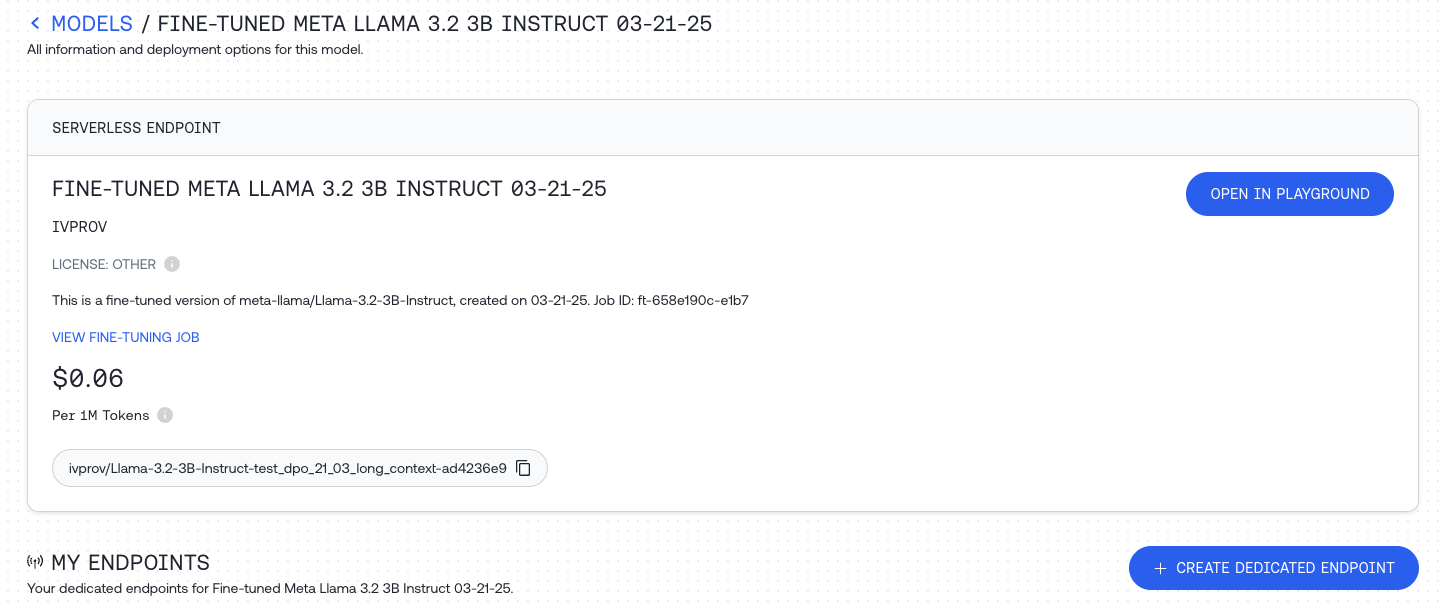
Once it's deployed, you can use the ID to query your new model using any of our APIs:
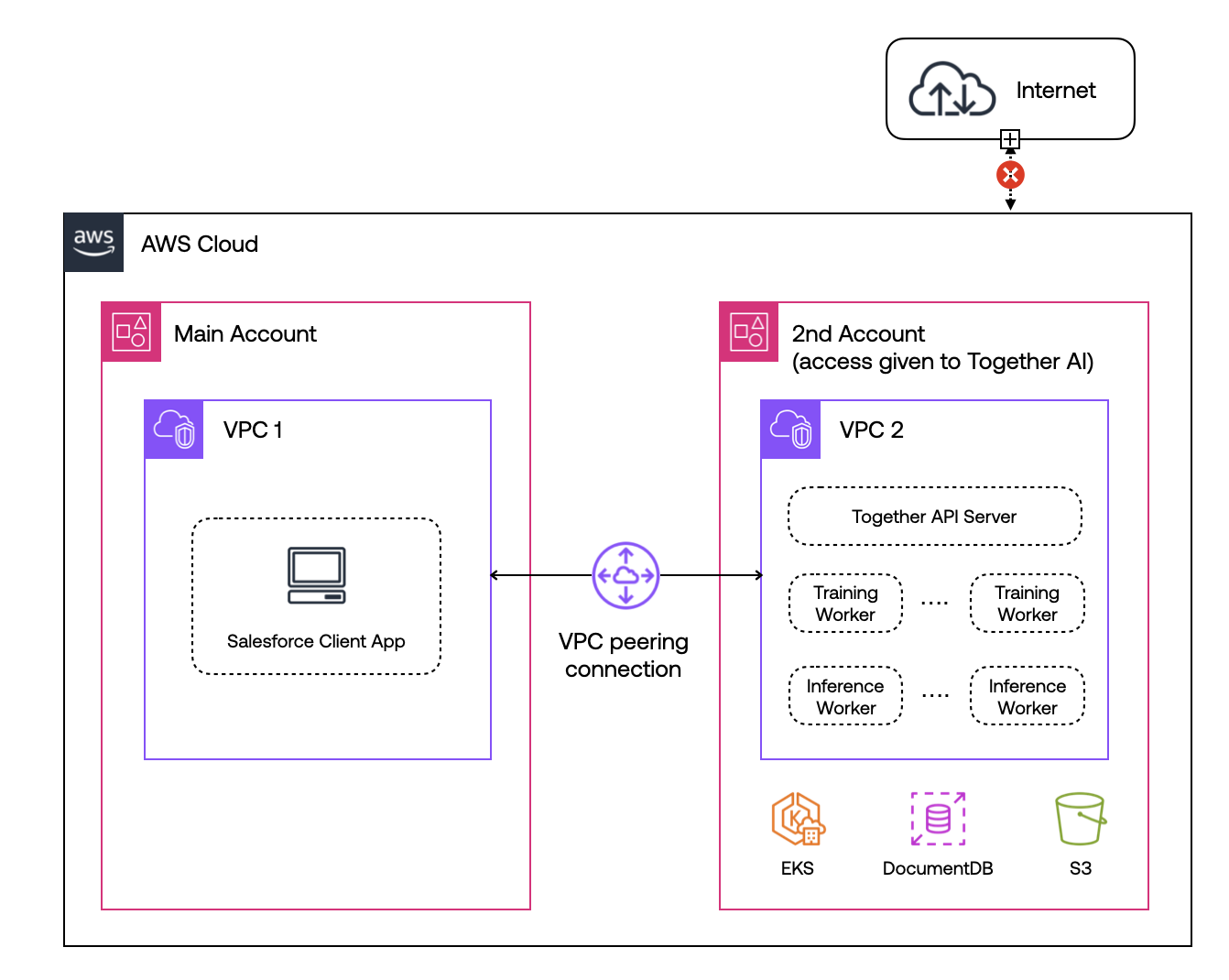
```shell CLI theme={null}
together chat.completions \
--model "[email protected]/Meta-Llama-3-8B-2024-07-11-22-57-17" \
--message "user" "What are some fun things to do in New York?"
```
```python Python theme={null}
import os
from together import Together
client = Together(api_key=os.environ.get("TOGETHER_API_KEY"))
stream = client.chat.completions.create(
model="[email protected]/Meta-Llama-3-8B-2024-07-11-22-57-17",
messages=[
{
"role": "user",
"content": "What are some fun things to do in New York?",
}
],
stream=True,
)
for chunk in stream:
print(chunk.choices[0].delta.content or "", end="", flush=True)
```
```typescript TypeScript theme={null}
import Together from 'together-ai';
const together = new Together({
apiKey: process.env['TOGETHER_API_KEY'],
});
const stream = await together.chat.completions.create({
model: '[email protected]/Meta-Llama-3-8B-2024-07-11-22-57-17',
messages: [
{ role: 'user', content: 'What are some fun things to do in New York?' },
],
stream: true,
});
for await (const chunk of stream) {
// use process.stdout.write instead of console.log to avoid newlines
process.stdout.write(chunk.choices[0]?.delta?.content || '');
}
```
Hosting your fine-tuned model is charged per minute hosted. You can see the hourly pricing for fine-tuned model inference in [the pricing table](https://www.together.ai/pricing).
When you're not using the model, be sure to stop the endpoint from the [the models dashboard](https://api.together.xyz/models).
Read more about dedicated inference [here](/docs/dedicated-inference).
## Serverless LoRA Inference
If you fine-tuned the model using parameter efficient LoRA fine-tuning you can select the model in the models dashbaord and can click `OPEN IN PLAYGROUND` to quickly test the fine-tuned model.
You can also call the model directly just like any other model on the Together AI platform, by providing the unique fine-tuned model `output_name` that you can find for the specific model on the dashboard. See the list of models that [support LoRA Inference](/docs/lora-training-and-inference#supported-base-models).
```shell Shell theme={null}
MODEL_NAME_FOR_INFERENCE="[email protected]/Meta-Llama-3-8B-2024-07-11-22-57-17" #from Model page or Fine-tuning page
curl -X POST https://api.together.xyz/v1/completions \
-H "Authorization: Bearer $TOGETHER_API_KEY" \
-H "Content-Type: application/json" \
-d '{
"model": "'$MODEL_NAME_FOR_INFERENCE'",
"messages": [
{
"role": "user",
"content": "What are some fun things to do in New York?",
},
],
"max_tokens": 128
}'
```
```python Python theme={null}
import os
from together import Together
client = Together()
user_prompt = "debate the pros and cons of AI"
response = client.chat.completions.create(
model="[email protected]/Meta-Llama-3-8B-2024-07-11-22-57-17",
messages=[
{
"role": "user",
"content": user_prompt,
}
],
max_tokens=512,
temperature=0.7,
)
print(response.choices[0].message.content)
```
```typescript TypeScript theme={null}
import Together from 'together-ai';
const together = new Together();
const stream = await together.chat.completions.create({
model: '[email protected]/Meta-Llama-3-8B-2024-07-11-22-57-17',
messages: [
{ role: 'user', content: '"ebate the pros and cons of AI' },
],
stream: true,
});
for await (const chunk of stream) {
// use process.stdout.write instead of console.log to avoid newlines
process.stdout.write(chunk.choices[0]?.delta?.content || '');
}
```
You can even upload LoRA adapters from Hugging Face Hub or an s3 bucket. Read more about Serverless LoRA Inference [here](/docs/lora-training-and-inference) .
## Running Your Model Locally
To run your model locally, first download it by calling `download` with your job ID:
```shell CLI theme={null}
together fine-tuning download "ft-bb62e747-b8fc-49a3-985c-f32f7cc6bb04"
```
```python Python theme={null}
import os
from together import Together
client = Together(api_key=os.environ.get("TOGETHER_API_KEY"))
client.fine_tuning.download(
id="ft-bb62e747-b8fc-49a3-985c-f32f7cc6bb04",
output="my-model/model.tar.zst",
)
```
```python Python(v2) theme={null}
import os
from together import Together
client = Together(api_key=os.environ.get("TOGETHER_API_KEY"))
# Using `with_streaming_response` gives you control to do what you want with the response.
stream = client.fine_tuning.with_streaming_response.content(
ft_id="ft-bb62e747-b8fc-49a3-985c-f32f7cc6bb04"
)
with stream as response:
with open("my-model/model.tar.zst", "wb") as f:
for chunk in response.iter_bytes():
f.write(chunk)
```
```typescript TypeScript theme={null}
import Together from 'together-ai';
const client = new Together({
apiKey: process.env['TOGETHER_API_KEY'],
});
const modelData = await client.fineTuning.content({
ft_id: 'ft-bb62e747-b8fc-49a3-985c-f32f7cc6bb04',
});
```
Your model will be downloaded to the location specified in `output` as a `tar.zst` file, which is an archive file format that uses the [ZStandard](https://github.com/facebook/zstd) algorithm. You'll need to install ZStandard to decompress your model.
On Macs, you can use Homebrew:
```shell Shell theme={null}
brew install zstd
cd my-model
zstd -d model.tar.zst
tar -xvf model.tar
cd ..
```
Once your archive is decompressed, you should see the following set of files:
```
tokenizer_config.json
special_tokens_map.json
pytorch_model.bin
generation_config.json
tokenizer.json
config.json
```
These can be used with various libraries and languages to run your model locally. [Transformers](https://pypi.org/project/transformers/) is a popular Python library for working with pretrained models, and using it with your new model looks like this:
```python Python theme={null}
from transformers import AutoTokenizer, AutoModelForCausalLM
import torch
device = torch.device("cuda" if torch.cuda.is_available() else "cpu")
tokenizer = AutoTokenizer.from_pretrained("./my-model")
model = AutoModelForCausalLM.from_pretrained(
"./my-model",
trust_remote_code=True,
).to(device)
input_context = "Space Robots are"
input_ids = tokenizer.encode(input_context, return_tensors="pt")
output = model.generate(
input_ids.to(device),
max_length=128,
temperature=0.7,
).cpu()
output_text = tokenizer.decode(output[0], skip_special_tokens=True)
print(output_text)
```
```
Space Robots are a great way to get your kids interested in science. After all, they are the future!
```
If you see the output, your new model is working!
You now have a custom fine-tuned model that you can run completely locally, either on your own machine or on networked hardware of your choice.
---
> To find navigation and other pages in this documentation, fetch the llms.txt file at: https://docs.together.ai/llms.txt
---
# Source: https://docs.together.ai/docs/deployment-options.md
# Deployment Options Overview
> Compare Together AI's deployment options: fully-managed cloud service vs. secure VPC deployment for enterprises.
Together AI offers a flexible and powerful platform that enables organizations to deploy in a way that best suits their needs. Whether you're looking for a fully-managed cloud solution, or secure VPC deployment on any cloud, Together AI provides robust tools, superior performance, and comprehensive support.
## Deployment Options Overview
Together AI provides two key deployment options:
* **Together AI Cloud**: A fully-managed, inference platform that is fast, scalable, and cost-efficient.
* **VPC Deployment**: Deploy Together AI's Enterprise Platform within your own Virtual Private Cloud (VPC) on any cloud platform for enhanced security and control.
The following sections provide an overview of each deployment type, along with a detailed responsibility matrix comparing the features and benefits of each option.
## Together AI Cloud
Together AI Cloud is a fully-managed service that runs in Together AI's cloud infrastructure. With seamless access to Together's products, this option is ideal for companies that want to get started quickly without the overhead of managing their own infrastructure.
### Key Features
* **Fully Managed**: Together AI handles infrastructure, scaling, and orchestration.
* **Fast and Scalable**: Both Dedicated and Serverless API endpoints ensure optimal performance and scalability.
* **Cost-Effective**: Pay-as-you-go pricing with the option for reserved endpoints at a discount.
* **Privacy & Security**: Full control over your data; Together AI ensures SOC 2 and HIPAA compliance.
* **Ideal Use Case**: Best suited for AI-native startups and companies that need fast, easy deployment without infrastructure management.
For more information on Together AI Cloud, [contact our team](/docs/support-ticket-portal).
## Together AI VPC Deployment
Together AI VPC Deployment allows you to deploy the platform in your own Virtual Private Cloud (VPC) on any cloud provider (such as Google Cloud, Azure, AWS, or others). This option is ideal for enterprises that need enhanced security, control, and compliance while benefiting from Together AI's powerful AI stack.
### Key Features
* **Cloud-Agnostic**: Deploy within your VPC on any cloud platform of your choice (e.g., AWS, Azure, Google Cloud).
* **Full Control**: Complete administrative access, enabling you to manage and control ingress and egress traffic within your VPC.
* **High Performance**: Achieve up to 2x faster performance on your existing infrastructure, optimized for your environment.
* **Data Sovereignty**: Data never leaves your controlled environment, ensuring complete security and compliance.
* **Customization**: Tailor scaling, performance, and resource allocation to fit your infrastructure’s specific needs.
* **Ideal Use Case**: Perfect for enterprises with strict security, privacy, and compliance requirements who want to retain full control over their cloud infrastructure.
### Example: VPC Deployment in AWS
Below is an example of how Together AI VPC Deployment works in an AWS environment. This system diagram illustrates the architecture and flow:
1. **Secure VPC Peering**: Together AI connects to your AWS environment via secure VPC peering, ensuring data remains entirely within your AWS account.
2. **Private Subnets**: All data processing and model inference happens within private subnets, isolating resources from the internet.
3. **Control of Ingress/Egress Traffic**: You have full control over all traffic entering and leaving your VPC, including restrictions on external network access.
4. **Data Sovereignty**: Since all computations are performed within your VPC, data never leaves your controlled environment.
5. **Custom Scaling**: Leverage AWS autoscaling groups to ensure that your AI workloads scale seamlessly with demand, while maintaining complete control over resources.
Although this example uses AWS, the architecture can be adapted to other cloud providers such as Azure or Google Cloud with similar capabilities.
For more information on VPC deployment, [get in touch with us](/docs/support-ticket-portal).
## Comparison of Deployment Options
| Feature | Together AI Cloud | Together AI VPC Deployment |
| --------------------------- | -------------------------------------------------------------------------------------------------------------------------------------------------------------- | --------------------------------------------------------------------------------------------------------- |
| **How It Works** | Fully-managed, serverless API endpoints. On-demand and reserved dedicated endpoints for production workloads - with consistent performance and no rate limits. | Deploy Together's Platform and inference stack in your VPC on any cloud platform. |
| **Performance** | Optimal performance with Together inference stack and Together Turbo Endpoints. | Better performance on your infrastructure: Up to 2x better speed on existing infrastructure |
| **Cost** | Pay-as-you-go, or discounts for reserved endpoints. | Lower TCO through faster performance and optimized GPU usage. |
| **Management** | Fully-managed service, no infrastructure to manage. | You manage your VPC, with Together AI’s support. Managed service offering also available. |
| **Scaling** | Automatic scaling to meet demand. | Intelligent scaling based on your infrastructure. Fully customizable. |
| **Data Privacy & Security** | Data ownership with SOC 2 and HIPAA compliance. | Data never leaves your environment. |
| **Compliance** | SOC 2 and HIPAA compliant. | Implement security and compliance controls to match internal standards. |
| **Support** | 24/7 support with guaranteed SLAs. | Dedicated support with engineers on call. |
| **Ideal For** | Startups and companies that want quick, easy access to AI infrastructure without managing it. | Enterprises with stringent security and privacy needs, or those leveraging existing cloud infrastructure. |
## Next Steps
To get started with Together AI’s platform, **we recommend [trying the Together AI Cloud](https://api.together.ai/signin)** for quick deployment and experimentation. If your organization has specific security, infrastructure, or compliance needs, consider Together AI VPC.
For more information, or to find the best deployment option for your business, [contact our team](https://www.together.ai/forms/contact-sales).
---
> To find navigation and other pages in this documentation, fetch the llms.txt file at: https://docs.together.ai/llms.txt
---
# Source: https://docs.together.ai/docs/deprecations.md
# Deprecations
## Overview
We regularly update our platform with the latest and most powerful open-source models. This document outlines our model lifecycle policy, including how we handle model upgrades, redirects, and deprecations.
## Model Lifecycle Policy
To ensure customers get predictable behavior while we maintain a high-quality model catalog, we follow a structured approach to introducing new models, upgrading existing models, and deprecating older versions.
### Model Upgrades (Redirects)
An **upgrade** is a model release that is materially the same model lineage with targeted improvements and no fundamental changes to how developers use or reason about it.
A model qualifies as an upgrade when **one or more** of the following are true (and none of the "New Model" criteria apply):
* Same modality and task profile (e.g., instruct → instruct, reasoning → reasoning)
* Same architecture family (e.g., DeepSeek-V3 → DeepSeek-V3-0324)
* Post-training/fine-tuning improvements, bug fixes, safety tuning, or small data refresh
* Behavior is strongly compatible (prompting patterns and evals are similar)
* Pricing change is none or small (≤10% increase)
**Outcome:** The current endpoint redirects to the upgraded version after a **3-day notice**. The old version remains available via Dedicated Endpoints.
### New Models (No Redirect)
A **new model** is a release with materially different capabilities, costs, or operating characteristics—such that a silent redirect would be misleading.
Any of the following triggers classification as a new model:
* Modality shift (e.g., reasoning-only ↔ instruct/hybrid, text → multimodal)
* Architecture shift (e.g., Qwen3 → Qwen3-Next, Llama 3 → Llama 4)
* Large behavior shift (prompting patterns, output style/verbosity materially different)
* Experimental flag by provider (e.g., DeepSeek-V3-Exp)
* Large price change (>10% increase or pricing structure change)
* Benchmark deltas that meaningfully change task positioning
* Safety policy or system prompt changes that noticeably affect outputs
**Outcome:** No automatic redirect. We announce the new model and deprecate the old one on a **2-week timeline** (both are available during this window). Customers must explicitly switch model IDs.
## Active Model Redirects
The following models are currently being redirected to newer versions. Requests to the original model ID are automatically routed to the upgraded version:
| Original Model | Redirects To | Notes |
| :------------- | :----------------- | :---------------------------------------- |
| `Kimi-K2` | `Kimi-K2-0905` | Same architecture, improved post-training |
| `DeepSeek-V3` | `DeepSeek-V3-0324` | Same architecture, targeted improvements |
| `DeepSeek-R1` | `DeepSeek-R1-0528` | Same architecture, targeted improvements |
If you need to use the original model version, you can always deploy it as a [Dedicated Endpoint](/docs/dedicated-endpoints).
## Deprecation Policy
| Model Type | Deprecation Notice | Notes |
| :--------------------------- | :-------------------------------- | :------------------------------------------------------- |
| Preview Model | \<24 hrs of notice, after 30 days | Clearly marked in docs and playground with “Preview” tag |
| Serverless Endpoint | 2 or 3 weeks\* | |
| On Demand Dedicated Endpoint | 2 or 3 weeks\* | |
\*Depends on usage and whether there’s an available newer version of the model.
* Users of models scheduled for deprecation will be notified by email.
* All changes will be reflected on this page.
* Each deprecated model will have a specified removal date.
* After the removal date, the model will no longer be queryable via its serverless endpoint but options to migrate will be available as described below.
## Migration Options
When a model is deprecated on our serverless platform, users have three options:
1. **On-demand Dedicated Endpoint** (if supported):
* Reserved solely for the user, users choose underlying hardware.
* Charged on a price per minute basis.
* Endpoints can be dynamically spun up and down.
2. **Monthly Reserved Dedicated Endpoint**:
* Reserved solely for the user.
* Charged on a month-by-month basis.
* Can be requested via this [form](form).
3. **Migrate to a newer serverless model**:
* Switch to an updated model on the serverless platform.
## Migration Steps
1. Review the deprecation table below to find your current model.
2. Check if on-demand dedicated endpoints are supported for your model.
3. Decide on your preferred migration option.
4. If choosing a new serverless model, test your application thoroughly with the new model before fully migrating.
5. Update your API calls to use the new model or dedicated endpoint.
## Planned Deprecations
| Planned Deprecation Date | Model | Recommended Model Replacement |
| :----------------------- | :----------------------------- | :----------------------------------------- |
| 2025-06-19 | qwen-qwen2-5-14b-instruct-lora | meta-llama/Meta-Llama-3.1-8B-Instruct-lora |
## Deprecation History
All deprecations are listed below, with the most recent deprecations at the top.
| Removal Date | Model | Supported by on-demand dedicated endpoints |
| :----------- | :-------------------------------------------------- | :----------------------------------------------------------------------------------------------------- |
| 2025-11-19 | `deepcogito/cogito-v2-preview-deepseek-671b` | No |
| 2025-07-25 | `arcee-ai/caller` | No |
| 2025-07-25 | `arcee-ai/arcee-blitz` | No |
| 2025-07-25 | `arcee-ai/virtuoso-medium-v2` | No |
| 2025-11-17 | `arcee-ai/virtuoso-large` | No |
| 2025-11-17 | `arcee-ai/maestro-reasoning` | No |
| 2025-11-17 | `arcee_ai/arcee-spotlight` | No |
| 2025-11-17 | `arcee-ai/coder-large` | No |
| 2025-11-13 | `deepseek-ai/DeepSeek-R1-Distill-Qwen-14B` | Yes |
| 2025-11-13 | `mistralai/Mistral-7B-Instruct-v0.1` | Yes |
| 2025-11-13 | `Qwen/Qwen2.5-Coder-32B-Instruct` | Yes |
| 2025-11-13 | `Qwen/QwQ-32B` | Yes |
| 2025-11-13 | `deepseek-ai/DeepSeek-R1-Distill-Llama-70B-free` | No |
| 2025-11-13 | `meta-llama/Llama-3.3-70B-Instruct-Turbo-Free` | No |
| 2025-08-28 | `Qwen/Qwen2-VL-72B-Instruct` | Yes |
| 2025-08-28 | `nvidia/Llama-3.1-Nemotron-70B-Instruct-HF` | Yes |
| 2025-08-28 | `perplexity-ai/r1-1776` | No (coming soon!) |
| 2025-08-28 | `meta-llama/Meta-Llama-3-8B-Instruct` | Yes |
| 2025-08-28 | `google/gemma-2-27b-it` | Yes |
| 2025-08-28 | `Qwen/Qwen2-72B-Instruct` | Yes |
| 2025-08-28 | `meta-llama/Llama-Vision-Free` | No |
| 2025-08-28 | `Qwen/Qwen2.5-14B` | Yes |
| 2025-08-28 | `meta-llama-llama-3-3-70b-instruct-lora` | No (coming soon!) |
| 2025-08-28 | `meta-llama/Llama-3.2-11B-Vision-Instruct-Turbo` | No (coming soon!) |
| 2025-08-28 | `NousResearch/Nous-Hermes-2-Mixtral-8x7B-DPO` | Yes |
| 2025-08-28 | `deepseek-ai/DeepSeek-R1-Distill-Qwen-1.5B` | Yes |
| 2025-08-28 | `black-forest-labs/FLUX.1-depth` | No (coming soon!) |
| 2025-08-28 | `black-forest-labs/FLUX.1-redux` | No (coming soon!) |
| 2025-08-28 | `meta-llama/Llama-3-8b-chat-hf` | Yes |
| 2025-08-28 | `black-forest-labs/FLUX.1-canny` | No (coming soon!) |
| 2025-08-28 | `meta-llama/Llama-3.2-90B-Vision-Instruct-Turbo` | No (coming soon!) |
| 2025-06-13 | `gryphe-mythomax-l2-13b` | No (coming soon!) |
| 2025-06-13 | `mistralai-mixtral-8x22b-instruct-v0-1` | No (coming soon!) |
| 2025-06-13 | `mistralai-mixtral-8x7b-v0-1` | No (coming soon!) |
| 2025-06-13 | `togethercomputer-m2-bert-80m-2k-retrieval` | No (coming soon!) |
| 2025-06-13 | `togethercomputer-m2-bert-80m-8k-retrieval` | No (coming soon!) |
| 2025-06-13 | `whereisai-uae-large-v1` | No (coming soon!) |
| 2025-06-13 | `google-gemma-2-9b-it` | No (coming soon!) |
| 2025-06-13 | `google-gemma-2b-it` | No (coming soon!) |
| 2025-06-13 | `gryphe-mythomax-l2-13b-lite` | No (coming soon!) |
| 2025-05-16 | `meta-llama-llama-3-2-3b-instruct-turbo-lora` | No (coming soon!) |
| 2025-05-16 | `meta-llama-meta-llama-3-8b-instruct-turbo` | No (coming soon!) |
| 2025-04-24 | `meta-llama/Llama-2-13b-chat-hf` | No (coming soon!) |
| 2025-04-24 | `meta-llama-meta-llama-3-70b-instruct-turbo` | No (coming soon!) |
| 2025-04-24 | `meta-llama-meta-llama-3-1-8b-instruct-turbo-lora` | No (coming soon!) |
| 2025-04-24 | `meta-llama-meta-llama-3-1-70b-instruct-turbo-lora` | No (coming soon!) |
| 2025-04-24 | `meta-llama-llama-3-2-1b-instruct-lora` | No (coming soon!) |
| 2025-04-24 | `microsoft-wizardlm-2-8x22b` | No (coming soon!) |
| 2025-04-24 | `upstage-solar-10-7b-instruct-v1` | No (coming soon!) |
| 2025-04-14 | `stabilityai/stable-diffusion-xl-base-1.0` | No (coming soon!) |
| 2025-04-04 | `meta-llama/Meta-Llama-3.1-8B-Instruct-Turbo-lora` | No (coming soon!) |
| 2025-03-27 | `mistralai/Mistral-7B-v0.1` | No |
| 2025-03-25 | `Qwen/QwQ-32B-Preview` | No |
| 2025-03-13 | `databricks-dbrx-instruct` | No |
| 2025-03-11 | `meta-llama/Meta-Llama-3-70B-Instruct-Lite` | No |
| 2025-03-08 | `Meta-Llama/Llama-Guard-7b` | No |
| 2025-02-06 | `sentence-transformers/msmarco-bert-base-dot-v5` | No |
| 2025-02-06 | `bert-base-uncased` | No |
| 2024-10-29 | `Qwen/Qwen1.5-72B-Chat` | No |
| 2024-10-29 | `Qwen/Qwen1.5-110B-Chat` | No |
| 2024-10-07 | `NousResearch/Nous-Hermes-2-Yi-34B` | No |
| 2024-10-07 | `NousResearch/Hermes-3-Llama-3.1-405B-Turbo` | No |
| 2024-08-22 | `NousResearch/Nous-Hermes-2-Mistral-7B-DPO` | [Yes](https://api.together.xyz/models/NousResearch/Nous-Hermes-2-Mistral-7B-DPO#dedicated_endpoints) |
| 2024-08-22 | `SG161222/Realistic_Vision_V3.0_VAE` | No |
| 2024-08-22 | `meta-llama/Llama-2-70b-chat-hf` | No |
| 2024-08-22 | `mistralai/Mixtral-8x22B` | No |
| 2024-08-22 | `Phind/Phind-CodeLlama-34B-v2` | No |
| 2024-08-22 | `meta-llama/Meta-Llama-3-70B` | [Yes](https://api.together.xyz/models/meta-llama/Meta-Llama-3-70B#dedicated_endpoints) |
| 2024-08-22 | `teknium/OpenHermes-2p5-Mistral-7B` | [Yes](https://api.together.xyz/models/teknium/OpenHermes-2p5-Mistral-7B#dedicated_endpoints) |
| 2024-08-22 | `openchat/openchat-3.5-1210` | [Yes](https://api.together.xyz/models/openchat/openchat-3.5-1210#dedicated_endpoints) |
| 2024-08-22 | `WizardLM/WizardCoder-Python-34B-V1.0` | No |
| 2024-08-22 | `NousResearch/Nous-Hermes-2-Mixtral-8x7B-SFT` | [Yes](https://api.together.xyz/models/NousResearch/Nous-Hermes-2-Mixtral-8x7B-SFT#dedicated_endpoints) |
| 2024-08-22 | `NousResearch/Nous-Hermes-Llama2-13b` | [Yes](https://api.together.xyz/models/NousResearch/Nous-Hermes-Llama2-13b#dedicated_endpoints) |
| 2024-08-22 | `zero-one-ai/Yi-34B-Chat` | No |
| 2024-08-22 | `codellama/CodeLlama-34b-Instruct-hf` | No |
| 2024-08-22 | `codellama/CodeLlama-34b-Python-hf` | No |
| 2024-08-22 | `teknium/OpenHermes-2-Mistral-7B` | [Yes](https://api.together.xyz/models/teknium/OpenHermes-2-Mistral-7B#dedicated_endpoints) |
| 2024-08-22 | `Qwen/Qwen1.5-14B-Chat` | [Yes](https://api.together.xyz/models/Qwen/Qwen1.5-14B-Chat#dedicated_endpoints) |
| 2024-08-22 | `stabilityai/stable-diffusion-2-1` | No |
| 2024-08-22 | `meta-llama/Llama-3-8b-hf` | [Yes](https://api.together.xyz/models/meta-llama/Llama-3-8b-hf#dedicated_endpoints) |
| 2024-08-22 | `prompthero/openjourney` | No |
| 2024-08-22 | `runwayml/stable-diffusion-v1-5` | No |
| 2024-08-22 | `wavymulder/Analog-Diffusion` | No |
| 2024-08-22 | `Snowflake/snowflake-arctic-instruct` | No |
| 2024-08-22 | `deepseek-ai/deepseek-coder-33b-instruct` | No |
| 2024-08-22 | `Qwen/Qwen1.5-7B-Chat` | [Yes](https://api.together.xyz/models/Qwen/Qwen1.5-7B-Chat#dedicated_endpoints) |
| 2024-08-22 | `Qwen/Qwen1.5-32B-Chat` | No |
| 2024-08-22 | `cognitivecomputations/dolphin-2.5-mixtral-8x7b` | No |
| 2024-08-22 | `garage-bAInd/Platypus2-70B-instruct` | No |
| 2024-08-22 | `google/gemma-7b-it` | [Yes](https://api.together.xyz/models/google/gemma-7b-it#dedicated_endpoints) |
| 2024-08-22 | `meta-llama/Llama-2-7b-chat-hf` | [Yes](https://api.together.xyz/models/meta-llama/Llama-2-7b-chat-hf#dedicated_endpoints) |
| 2024-08-22 | `Qwen/Qwen1.5-32B` | No |
| 2024-08-22 | `Open-Orca/Mistral-7B-OpenOrca` | [Yes](https://api.together.xyz/models/Open-Orca/Mistral-7B-OpenOrca#dedicated_endpoints) |
| 2024-08-22 | `codellama/CodeLlama-13b-Instruct-hf` | [Yes](https://api.together.xyz/models/codellama/CodeLlama-13b-Instruct-hf#dedicated_endpoints) |
| 2024-08-22 | `NousResearch/Nous-Capybara-7B-V1p9` | [Yes](https://api.together.xyz/models/NousResearch/Nous-Capybara-7B-V1p9#dedicated_endpoints) |
| 2024-08-22 | `lmsys/vicuna-13b-v1.5` | [Yes](https://api.together.xyz/models/lmsys/vicuna-13b-v1.5#dedicated_endpoints) |
| 2024-08-22 | `Undi95/ReMM-SLERP-L2-13B` | [Yes](https://api.together.xyz/models/Undi95/ReMM-SLERP-L2-13B#dedicated_endpoints) |
| 2024-08-22 | `Undi95/Toppy-M-7B` | [Yes](https://api.together.xyz/models/Undi95/Toppy-M-7B#dedicated_endpoints) |
| 2024-08-22 | `meta-llama/Llama-2-13b-hf` | No |
| 2024-08-22 | `codellama/CodeLlama-70b-Instruct-hf` | No |
| 2024-08-22 | `snorkelai/Snorkel-Mistral-PairRM-DPO` | [Yes](https://api.together.xyz/models/snorkelai/Snorkel-Mistral-PairRM-DPO#dedicated_endpoints) |
| 2024-08-22 | `togethercomputer/LLaMA-2-7B-32K-Instruct` | [Yes](https://api.together.xyz/models/togethercomputer/Llama-2-7B-32K-Instruct#dedicated_endpoints) |
| 2024-08-22 | `Austism/chronos-hermes-13b` | [Yes](https://api.together.xyz/models/Austism/chronos-hermes-13b#dedicated_endpoints) |
| 2024-08-22 | `Qwen/Qwen1.5-72B` | No |
| 2024-08-22 | `zero-one-ai/Yi-34B` | No |
| 2024-08-22 | `codellama/CodeLlama-7b-Instruct-hf` | [Yes](https://api.together.xyz/models/codellama/CodeLlama-7b-Instruct-hf#dedicated_endpoints) |
| 2024-08-22 | `togethercomputer/evo-1-131k-base` | No |
| 2024-08-22 | `codellama/CodeLlama-70b-hf` | No |
| 2024-08-22 | `WizardLM/WizardLM-13B-V1.2` | [Yes](https://api.together.xyz/models/WizardLM/WizardLM-13B-V1.2#dedicated_endpoints) |
| 2024-08-22 | `meta-llama/Llama-2-7b-hf` | No |
| 2024-08-22 | `google/gemma-7b` | [Yes](https://api.together.xyz/models/google/gemma-7b#dedicated_endpoints) |
| 2024-08-22 | `Qwen/Qwen1.5-1.8B-Chat` | [Yes](https://api.together.xyz/models/Qwen/Qwen1.5-1.8B-Chat#dedicated_endpoints) |
| 2024-08-22 | `Qwen/Qwen1.5-4B-Chat` | [Yes](https://api.together.xyz/models/Qwen/Qwen1.5-4B-Chat#dedicated_endpoints) |
| 2024-08-22 | `lmsys/vicuna-7b-v1.5` | [Yes](https://api.together.xyz/models/lmsys/vicuna-7b-v1.5#dedicated_endpoints) |
| 2024-08-22 | `zero-one-ai/Yi-6B` | [Yes](https://api.together.xyz/models/zero-one-ai/Yi-6B#dedicated_endpoints) |
| 2024-08-22 | `Nexusflow/NexusRaven-V2-13B` | [Yes](https://api.together.xyz/models/Nexusflow/NexusRaven-V2-13B#dedicated_endpoints) |
| 2024-08-22 | `google/gemma-2b` | [Yes](https://api.together.xyz/models/google/gemma-2b#dedicated_endpoints) |
| 2024-08-22 | `Qwen/Qwen1.5-7B` | [Yes](https://api.together.xyz/models/Qwen/Qwen1.5-7B#dedicated_endpoints) |
| 2024-08-22 | `NousResearch/Nous-Hermes-llama-2-7b` | [Yes](https://api.together.xyz/models/NousResearch/Nous-Hermes-llama-2-7b#dedicated_endpoints) |
| 2024-08-22 | `togethercomputer/alpaca-7b` | [Yes](https://api.together.xyz/models/togethercomputer/alpaca-7b#dedicated_endpoints) |
| 2024-08-22 | `Qwen/Qwen1.5-14B` | [Yes](https://api.together.xyz/models/Qwen/Qwen1.5-14B#dedicated_endpoints) |
| 2024-08-22 | `codellama/CodeLlama-70b-Python-hf` | No |
| 2024-08-22 | `Qwen/Qwen1.5-4B` | [Yes](https://api.together.xyz/models/Qwen/Qwen1.5-4B#dedicated_endpoints) |
| 2024-08-22 | `togethercomputer/StripedHyena-Hessian-7B` | No |
| 2024-08-22 | `allenai/OLMo-7B-Instruct` | No |
| 2024-08-22 | `togethercomputer/RedPajama-INCITE-7B-Instruct` | No |
| 2024-08-22 | `togethercomputer/LLaMA-2-7B-32K` | [Yes](https://api.together.xyz/models/togethercomputer/LLaMA-2-7B-32K#dedicated_endpoints) |
| 2024-08-22 | `togethercomputer/RedPajama-INCITE-7B-Base` | No |
| 2024-08-22 | `Qwen/Qwen1.5-0.5B-Chat` | [Yes](https://api.together.xyz/models/Qwen/Qwen1.5-0.5B-Chat#dedicated_endpoints) |
| 2024-08-22 | `microsoft/phi-2` | [Yes](https://api.together.xyz/models/microsoft/phi-2#dedicated_endpoints) |
| 2024-08-22 | `Qwen/Qwen1.5-0.5B` | [Yes](https://api.together.xyz/models/Qwen/Qwen1.5-0.5B#dedicated_endpoints) |
| 2024-08-22 | `togethercomputer/RedPajama-INCITE-7B-Chat` | No |
| 2024-08-22 | `togethercomputer/RedPajama-INCITE-Chat-3B-v1` | No |
| 2024-08-22 | `togethercomputer/GPT-JT-Moderation-6B` | No |
| 2024-08-22 | `Qwen/Qwen1.5-1.8B` | [Yes](https://api.together.xyz/models/Qwen/Qwen1.5-1.8B#dedicated_endpoints) |
| 2024-08-22 | `togethercomputer/RedPajama-INCITE-Instruct-3B-v1` | No |
| 2024-08-22 | `togethercomputer/RedPajama-INCITE-Base-3B-v1` | No |
| 2024-08-22 | `WhereIsAI/UAE-Large-V1` | No |
| 2024-08-22 | `allenai/OLMo-7B` | No |
| 2024-08-22 | `togethercomputer/evo-1-8k-base` | No |
| 2024-08-22 | `WizardLM/WizardCoder-15B-V1.0` | No |
| 2024-08-22 | `codellama/CodeLlama-13b-Python-hf` | [Yes](https://api.together.xyz/models/codellama/CodeLlama-13b-Python-hf#dedicated_endpoints) |
| 2024-08-22 | `allenai-olmo-7b-twin-2t` | No |
| 2024-08-22 | `sentence-transformers/msmarco-bert-base-dot-v5` | No |
| 2024-08-22 | `codellama/CodeLlama-7b-Python-hf` | [Yes](https://api.together.xyz/models/codellama/CodeLlama-7b-Python-hf#dedicated_endpoints) |
| 2024-08-22 | `hazyresearch/M2-BERT-2k-Retrieval-Encoder-V1` | No |
| 2024-08-22 | `bert-base-uncased` | No |
| 2024-08-22 | `mistralai/Mistral-7B-Instruct-v0.1-json` | No |
| 2024-08-22 | `mistralai/Mistral-7B-Instruct-v0.1-tools` | No |
| 2024-08-22 | `togethercomputer-codellama-34b-instruct-json` | No |
| 2024-08-22 | `togethercomputer-codellama-34b-instruct-tools` | No |
\*\*Notes on model support: \*\*
* Models marked "Yes" in the on-demand dedicated endpoint support column can be spun up as dedicated endpoints with customizable hardware.
* Models marked "No" are not available as on-demand endpoints and will require migration to a different model or a monthly reserved dedicated endpoint.
## Recommended Actions
* Regularly check this page for updates on model deprecations.
* Plan your migration well in advance of the removal date to ensure a smooth transition.
* If you have any questions or need assistance with migration, please contact our support team.
For the most up-to-date information on model availability, support, and recommended alternatives, please check our API documentation or contact our support team.
---
> To find navigation and other pages in this documentation, fetch the llms.txt file at: https://docs.together.ai/llms.txt
---
# Source: https://docs.together.ai/docs/dspy.md
# DSPy
> Using DSPy with Together AI
DSPy is a framework for programming language models rather than relying on static prompts. It enables you to build modular AI systems with code instead of hand-crafted prompting, and it offers methods to automatically optimize these systems.
Features
* Programmatic approach to LLM interactions through Python
* Modular components for building complex AI pipelines
* Self-improvement algorithms that optimize prompts and weights
* Support for various applications from simple classifiers to RAG systems and agent loops
## Installing Libraries
```shell Shell theme={null}
pip install -U dspy
```
Set your Together AI API key:
```shell Shell theme={null}
export TOGETHER_API_KEY=***
```
## Example
Setup and connect DSPy to LLMs on Together AI
```python Python theme={null}
import dspy
# Configure dspy with a LLM from Together AI
lm = dspy.LM(
"together_ai/togethercomputer/llama-2-70b-chat",
api_key=os.environ.get("TOGETHER_API_KEY"),
api_base="https://api.together.xyz/v1",
)
# Now you can call the LLM directly as follows
lm("Say this is a test!", temperature=0.7) # => ['This is a test!']
lm(
messages=[{"role": "user", "content": "Say this is a test!"}]
) # => ['This is a test!']
```
Now we can set up a DSPy module, like `dspy.ReAct` with a task-specific signature. For example, `question -> answer: float` tells the module to take a question and to produce a floating point number answer below.
```python Python theme={null}
# Configure dspy to use the LLM
dspy.configure(lm=lm)
# Gives the agent access to a python interpreter
def evaluate_math(expression: str):
return dspy.PythonInterpreter({}).execute(expression)
# Gives the agent access to a wikipedia search tool
def search_wikipedia(query: str):
results = dspy.ColBERTv2(url="http://20.102.90.50:2017/wiki17_abstracts")(
query, k=3
)
return [x["text"] for x in results]
# setup ReAct module with question and math answer signature
react = dspy.ReAct(
"question -> answer: float",
tools=[evaluate_math, search_wikipedia],
)
pred = react(
question="What is 9362158 divided by the year of birth of David Gregory of Kinnairdy castle?"
)
print(pred.answer)
```
## Next Steps
### DSPy - Together AI Notebook
Learn more about building agents using DSPy with Together AI in our [notebook](https://github.com/togethercomputer/together-cookbook/blob/main/Agents/DSPy/DSPy_Agents.ipynb) .
---
> To find navigation and other pages in this documentation, fetch the llms.txt file at: https://docs.together.ai/llms.txt
---
# Source: https://docs.together.ai/reference/embeddings-2.md
# Create Embedding
> Query an embedding model for a given string of text.
## OpenAPI
````yaml POST /embeddings
openapi: 3.1.0
info:
title: Together APIs
description: The Together REST API. Please see https://docs.together.ai for more details.
version: 2.0.0
termsOfService: https://www.together.ai/terms-of-service
contact:
name: Together Support
url: https://www.together.ai/contact
license:
name: MIT
url: https://github.com/togethercomputer/openapi/blob/main/LICENSE
servers:
- url: https://api.together.xyz/v1
security:
- bearerAuth: []
paths:
/embeddings:
post:
tags:
- Embeddings
summary: Create embedding
description: Query an embedding model for a given string of text.
operationId: embeddings
requestBody:
content:
application/json:
schema:
$ref: '#/components/schemas/EmbeddingsRequest'
responses:
'200':
description: '200'
content:
application/json:
schema:
$ref: '#/components/schemas/EmbeddingsResponse'
'400':
description: BadRequest
content:
application/json:
schema:
$ref: '#/components/schemas/ErrorData'
'401':
description: Unauthorized
content:
application/json:
schema:
$ref: '#/components/schemas/ErrorData'
'404':
description: NotFound
content:
application/json:
schema:
$ref: '#/components/schemas/ErrorData'
'429':
description: RateLimit
content:
application/json:
schema:
$ref: '#/components/schemas/ErrorData'
'503':
description: Overloaded
content:
application/json:
schema:
$ref: '#/components/schemas/ErrorData'
'504':
description: Timeout
content:
application/json:
schema:
$ref: '#/components/schemas/ErrorData'
deprecated: false
components:
schemas:
EmbeddingsRequest:
type: object
required:
- model
- input
properties:
model:
type: string
description: >
The name of the embedding model to use.
[See all of
Together AI's embedding
models](https://docs.together.ai/docs/serverless-models#embedding-models)
example: togethercomputer/m2-bert-80M-8k-retrieval
anyOf:
- type: string
enum:
- WhereIsAI/UAE-Large-V1
- BAAI/bge-large-en-v1.5
- BAAI/bge-base-en-v1.5
- togethercomputer/m2-bert-80M-8k-retrieval
- type: string
input:
oneOf:
- type: string
description: A string providing the text for the model to embed.
example: >-
Our solar system orbits the Milky Way galaxy at about 515,000
mph
- type: array
items:
type: string
description: A string providing the text for the model to embed.
example: >-
Our solar system orbits the Milky Way galaxy at about 515,000
mph
example: Our solar system orbits the Milky Way galaxy at about 515,000 mph
EmbeddingsResponse:
type: object
required:
- object
- model
- data
properties:
object:
type: string
enum:
- list
model:
type: string
data:
type: array
items:
type: object
required:
- index
- object
- embedding
properties:
object:
type: string
enum:
- embedding
embedding:
type: array
items:
type: number
index:
type: integer
ErrorData:
type: object
required:
- error
properties:
error:
type: object
properties:
message:
type: string
nullable: false
type:
type: string
nullable: false
param:
type: string
nullable: true
default: null
code:
type: string
nullable: true
default: null
required:
- type
- message
securitySchemes:
bearerAuth:
type: http
scheme: bearer
x-bearer-format: bearer
x-default: default
````
---
> To find navigation and other pages in this documentation, fetch the llms.txt file at: https://docs.together.ai/llms.txt
---
# Source: https://docs.together.ai/docs/embeddings-overview.md
# Embeddings
> Learn how to get an embedding vector for a given text input.
Together's Embeddings API lets you turn some input text (the *input*) into an array of numbers (the *embedding*). The resulting embedding can be compared against other embeddings to determine how closely related the two input strings are.
Embeddings from large datasets can be stored in vector databases for later retrieval or comparison. Common use cases for embeddings are search, classification, and recommendations. They're also used for building Retrieval Augmented Generation (RAG) applications.
## Generating a single embedding
Use `client.embeddings.create` to generate an embedding for some input text, passing in a model name and input string:
```py Python theme={null}
from together import Together
client = Together()
response = client.embeddings.create(
model="BAAI/bge-base-en-v1.5",
input="Our solar system orbits the Milky Way galaxy at about 515,000 mph",
)
```
```ts TypeScript theme={null}
import Together from "together-ai";
const together = new Together();
const response = await client.embeddings.create({
model: "BAAI/bge-base-en-v1.5",
input: "Our solar system orbits the Milky Way galaxy at about 515,000 mph",
});
```
```sh cURL theme={null}
curl -X POST https://api.together.xyz/v1/embeddings \
-H "Authorization: Bearer $TOGETHER_API_KEY" \
-H "Content-Type: application/json" \
-d '{
"input": "Our solar system orbits the Milky Way galaxy at about 515,000 mph.",
"model": "BAAI/bge-base-en-v1.5"
}'
```
The response will be an object that contains the embedding under the `data` key, as well as some metadata:
```json JSON theme={null}
{
model: 'BAAI/bge-base-en-v1.5',
object: 'list',
data: [
{
index: 0,
object: 'embedding',
embedding: [0.2633975, 0.13856208, ..., 0.04331574],
},
],
};
```
## Generating multiple embeddings
You can also pass an array of input strings to the `input` option:
```py Python theme={null}
from together import Together
client = Together()
response = client.embeddings.create(
model="BAAI/bge-base-en-v1.5",
input=[
"Our solar system orbits the Milky Way galaxy at about 515,000 mph",
"Jupiter's Great Red Spot is a storm that has been raging for at least 350 years.",
],
)
```
```ts TypeScript theme={null}
import Together from "together-ai";
const client = new Together();
const response = await client.embeddings.create({
model: "BAAI/bge-base-en-v1.5",
input: [
"Our solar system orbits the Milky Way galaxy at about 515,000 mph",
"Jupiter's Great Red Spot is a storm that has been raging for at least 350 years.",
],
});
```
```sh cURL theme={null}
curl -X POST https://api.together.xyz/v1/embeddings \
-H "Authorization: Bearer $TOGETHER_API_KEY" \
-H "Content-Type: application/json" \
-d '{
"model": "BAAI/bge-base-en-v1.5",
"input": [
"Our solar system orbits the Milky Way galaxy at about 515,000 mph",
"Jupiter'\''s Great Red Spot is a storm that has been raging for at least 350 years."
]
}'
```
The `response.data` key will contain an array of objects for each input string you provide:
```json JSON theme={null}
{
model: 'BAAI/bge-base-en-v1.5',
object: 'list',
data: [
{
index: 0,
object: 'embedding',
embedding: [0.2633975, 0.13856208, ..., 0.04331574],
},
{
index: 1,
object: 'embedding',
embedding: [-0.14496337, 0.21044481, ..., -0.16187587]
},
],
};
```
---
> To find navigation and other pages in this documentation, fetch the llms.txt file at: https://docs.together.ai/llms.txt
---
# Source: https://docs.together.ai/docs/embeddings-rag.md
# RAG Integrations
## Using MongoDB
See [this tutorial blog](https://www.together.ai/blog/rag-tutorial-mongodb) for the RAG implementation details using Together and MongoDB.
## Using LangChain
See [this tutorial blog](https://www.together.ai/blog/rag-tutorial-langchain) for the RAG implementation details using Together and LangChain.
* [LangChain TogetherEmbeddings](https://python.langchain.com/docs/integrations/text_embedding/together)
* [LangChain Together](https://python.langchain.com/docs/integrations/llms/together)
## Using LlamaIndex
See [this tutorial blog](https://www.together.ai/blog/rag-tutorial-llamaindex) for the RAG implementation details using Together and LlamaIndex.
* [LlamaIndex TogetherEmbeddings](https://docs.llamaindex.ai/en/stable/examples/embeddings/together.html)
* [LlamaIndex TogetherLLM](https://docs.llamaindex.ai/en/stable/examples/llm/together.html)
## Using Pixeltable
See [this tutorial blog](https://pixeltable.readme.io/docs/together-ai) for the RAG implementation details using Together and Pixeltable.
---
> To find navigation and other pages in this documentation, fetch the llms.txt file at: https://docs.together.ai/llms.txt
---
# Source: https://docs.together.ai/reference/endpoints-1.md
# Endpoints
> Create, update and delete endpoints via the CLI
## Create
Create a new dedicated inference endpoint.
### Usage
```sh Shell theme={null}
together endpoints create [MODEL] [GPU] [OPTIONS]
```
### Example
```sh Shell theme={null}
together endpoints create \
--model mistralai/Mixtral-8x7B-Instruct-v0.1 \
--gpu h100 \
--gpu-count 2 \
--display-name "My Endpoint" \
--wait
```
### Options
| Options | Description |
| --------------------------------------------------- | ---------------------------------------------------------------- |
| `--model`- TEXT | (required) The model to deploy |
| `--gpu` \[ h100 \| a100 \| l40 \| l40s \| rtx-6000] | (required) GPU type to use for inference |
| `--min-replicas`- INTEGER | Minimum number of replicas to deploy |
| `--max-replicas`- INTEGER | Maximum number of replicas to deploy |
| `--gpu-count` - INTEGER | Number of GPUs to use per replica |
| `--display-name`- TEXT | A human-readable name for the endpoint |
| `--no-prompt-cache` | Disable the prompt cache for this endpoint |
| `--no-speculative-decoding` | Disable speculative decoding for this endpoint |
| `--no-auto-start` | Create the endpoint in STOPPED state instead of auto-starting it |
| `--wait` | Wait for the endpoint to be ready after creation |
## Hardware
List all the hardware options, optionally filtered by model.
### Usage
```sh Shell theme={null}
together endpoints hardware [OPTIONS]
```
### Example
```sh Shell theme={null}
together endpoints hardware --model mistralai/Mixtral-8x7B-Instruct-v0.1
```
### Options
| Options | Description |
| --------------- | ------------------------------------------------------------------------------ |
| `--model`- TEXT | Filter hardware options by model |
| `--json` | Print output in JSON format |
| `--available` | Print only available hardware options (can only be used if model is passed in) |
## Get
Print details for a specific endpoint.
### Usage
```sh Shell theme={null}
together endpoints get [OPTIONS]
```
### Example
```sh Shell theme={null}
together endpoints get endpoint-c2a48674-9ec7-45b3-ac30-0f25f2ad9462
```
### Options
| Options | Description |
| -------- | --------------------------- |
| `--json` | Print output in JSON format |
## Update
Update an existing endpoint by listing the changes followed by the endpoint ID.
You can find the endpoint ID by listing your dedicated endpoints.
### Usage
```sh Shell theme={null}
together endpoints update [OPTIONS] ENDPOINT_ID
```
### Example
```sh Shell theme={null}
together endpoints update --min-replicas 2 --max-replicas 4 endpoint-c2a48674-9ec7-45b3-ac30-0f25f2ad9462
```
### Options
Note: Both `--min-replicas` and `--max-replicas` must be specified together
| Options | Description |
| -------------------------- | --------------------------------------------- |
| `--display-name` - TEXT | A new human-readable name for the endpoint |
| `--min-replicas` - INTEGER | New minimum number of replicas to maintain |
| `--max-replicas` - INTEGER | New maximum number of replicas to scale up to |
## Start
Start a dedicated inference endpoint.
### Usage
```sh Shell theme={null}
together endpoints start [OPTIONS] ENDPOINT_ID
```
### Example
```sh Shell theme={null}
together endpoints start endpoint-c2a48674-9ec7-45b3-ac30-0f25f2ad9462
```
### Options
| Options | Description |
| -------- | ------------------------------ |
| `--wait` | Wait for the endpoint to start |
## Stop
Stop a dedicated inference endpoint.
### Usage
```sh Shell theme={null}
together endpoints stop [OPTIONS] ENDPOINT_ID
```
### Example
```sh Shell theme={null}
together endpoints stop endpoint-c2a48674-9ec7-45b3-ac30-0f25f2ad9462
```
### Options
| Options | Description |
| -------- | ----------------------------- |
| `--wait` | Wait for the endpoint to stop |
## Update
### Usage
Update an existing endpoint by listing the changes followed by the endpoint ID.
You can find the endpoint ID by listing your dedicated endpoints
```sh Shell theme={null}
together endpoints update [OPTIONS] ENDPOINT_ID
```
### Example
```sh Shell theme={null}
together endpoints update --min-replicas 2 --max-replicas 4 endpoint-c2a48674-9ec7-45b3-ac30-0f25f2ad9462
```
### Options
Note: Both `--min-replicas` and `--max-replicas` must be specified together
| Options | Description |
| -------------------------- | --------------------------------------------- |
| `--display-name` - TEXT | A new human-readable name for the endpoint |
| `--min-replicas` - INTEGER | New minimum number of replicas to maintain |
| `--max-replicas` - INTEGER | New maximum number of replicas to scale up to |
## Delete
Delete a dedicated inference endpoint.
### Usage
```sh Shell theme={null}
together endpoints delete [OPTIONS] ENDPOINT_ID
```
### Example
```sh Shell theme={null}
together endpoints delete endpoint-c2a48674-9ec7-45b3-ac30-0f25f2ad9462
```
## List
### Usage
```sh Shell theme={null}
together endpoints list [FLAGS]
```
### Example
```sh Shell theme={null}
together endpoints list --type dedicated
```
### Options
| Options | Description |
| --------------------------------- | --------------------------- |
| `--json` | Print output in JSON format |
| `type` \[dedicated \| serverless] | Filter by endpoint type |
## Help
See all commands with
```sh Shell theme={null}
together endpoints --help
```
---
> To find navigation and other pages in this documentation, fetch the llms.txt file at: https://docs.together.ai/llms.txt
---
# Source: https://docs.together.ai/docs/error-codes.md
# Error Codes
> An overview on error status codes, causes, and quick fix solutions
| Code | Cause | Solution |
| -------------------------- | ------------------------------------------------------------------------------------------------------------------------------------- | ---------------------------------------------------------------------------------------------------------------------------------------------------------------------------------------------------------------------------------------------------------------------------- |
| 400 - Invalid Request | Misconfigured request | Ensure your request is a [Valid JSON](/docs/inference-rest#create-your-json-formatted-object) and your [API Key](https://api.together.xyz/settings/api-keys) is correct. Also ensure you're using the right prompt format - which is different for Mistral and LLaMA models. |
| 401 - Authentication Error | Missing or Invalid API Key | Ensure you are using the correct [API Key](https://api.together.xyz/settings/api-keys) and [supplying it correctly](/reference/inference) |
| 402 - Payment Required | The account associated with the API key has reached its maximum allowed monthly spending limit. | Adjust your [billing settings](https://api.together.xyz/settings/billing) or make a payment to resume service. |
| 403 - Bad Request | Input token count + `max_tokens` parameter must be less than the [context](/docs/inference-models) length of the model being queried. | Set `max_tokens` to a lower number. If querying a chat model, you may set `max_tokens` to `null` and let the model decide when to stop generation. |
| 404 - Not Found | Invalid Endpoint URL or model name | Check your request is being made to the correct endpoint (see the [API reference](/reference/inference) page for details) and that the [model being queried is available](/docs/inference-models) |
| 429 - Rate limit | Too many requests sent in a short period of time | Throttle the rate at which requests are sent to our servers (see our [rate limits](/docs/rate-limits)) |
| 500 - Server Error | Unknown server error | This error is caused by an issue on our servers. Please try again after a brief wait. If the issue persists, please [contact support](https://www.together.ai/contact) |
| 503 - Engine Overloaded | Our servers are seeing high amounts of traffic | Please try again after a brief wait. If the issue persists, please [contact support](https://www.together.ai/contact) |
If you are seeing other error codes or the solutions do not work, please [contact support](https://www.together.ai/contact) for help.
---
> To find navigation and other pages in this documentation, fetch the llms.txt file at: https://docs.together.ai/llms.txt
---
# Source: https://docs.together.ai/docs/evaluations-supported-models.md
> Supported models for Evaluations
# Supported Models
### Serverless models (`model_source = "serverless"`)
Any Together serverless model that supports [structured outputs](/docs/json-mode), including LoRA serverless variants and LoRA fine-tuned models. See [LoRA serverless](docs/lora-inference#serverless-lora-inference) for supported models.
### Dedicated models (`model_source = "dedicated"`)
A user-launched [dedicated endpoint](/docs/dedicated-inference) (must be created before running evaluations). After launching an endpoint, you can just copy-paste the endpoint ID into the `model` field.
### External models shortcuts (`model_source = "external"`)
* `openai/gpt-5`
* `openai/gpt-5-mini`
* `openai/gpt-5-nano`
* `openai/gpt-5.2`
* `openai/gpt-5.2-pro`
* `openai/gpt-5.2-chat-latest`
* `openai/gpt-4.1`
* `openai/gpt-4o-mini`
* `openai/gpt-4o`
* `anthropic/claude-sonnet-4-5`
* `anthropic/claude-haiku-4-5`
* `anthropic/claude-sonnet-4-0`
* `anthropic/claude-opus-4-5`
* `anthropic/claude-opus-4-1`
* `anthropic/claude-opus-4-0`
* `google/gemini-2.0-flash`
* `google/gemini-2.0-flash-lite`
* `google/gemini-2.5-pro`
* `google/gemini-2.5-flash`
* `google/gemini-2.5-flash-lite`
* `google/gemini-3-pro-preview`
```yaml theme={null}
allowed_models:
- openai/gpt-5
- openai/gpt-5-mini
- openai/gpt-5-nano
- openai/gpt-5.2
- openai/gpt-5.2-pro
- openai/gpt-5.2-chat-latest
- openai/gpt-4
- openai/gpt-4.1
- openai/gpt-4o-mini
- openai/gpt-4o
- anthropic/claude-sonnet-4-5
- anthropic/claude-haiku-4-5
- anthropic/claude-sonnet-4-0
- anthropic/claude-opus-4-5
- anthropic/claude-opus-4-1
- anthropic/claude-opus-4-0
- google/gemini-2.0-flash
- google/gemini-2.0-flash-lite
- google/gemini-2.5-pro
- google/gemini-2.5-flash
- google/gemini-2.5-flash-lite
- google/gemini-3-pro-preview
```
### External models with custom base URL (`model_source = "external"`)
You can specify a custom base URL for the external API (e.g., `https://api.openai.com`). This API must be [OpenAI `chat/completions`-compatible](https://docs.together.ai/docs/openai-api-compatibility).
---
> To find navigation and other pages in this documentation, fetch the llms.txt file at: https://docs.together.ai/llms.txt
---
# Source: https://docs.together.ai/examples.md
# Together Cookbooks & Example Apps
> Explore our vast library of open-source cookbooks & example apps
export const FeaturedExampleAppCard = ({title, description, tags, imageUrl, openUrl}) => {
return
;
};
export default CookbookShowcase;
---
> To find navigation and other pages in this documentation, fetch the llms.txt file at: https://docs.together.ai/llms.txt
---
# Source: https://docs.together.ai/reference/files.md
# Files
## Upload
To upload a new data file:
```sh Shell theme={null}
together files upload
```
Here's a sample output:
```sh Shell theme={null}
$ together files upload example.jsonl
Uploading example.jsonl: 100%|██████████████████████████████| 5.18M/5.18M [00:01<00:00, 4.20MB/s]
{
"filename": "example.jsonl",
"id": "file-d931200a-6b7f-476b-9ae2-8fddd5112308",
"object": "file"
}
```
The `id` field in the response will be the assigned `file-id` for this file object.
## List
To list previously uploaded files:
```sh Shell theme={null}
together files list
```
## Retrieve
To retrieve the metadata of a previously uploaded file:
```sh Shell theme={null}
together files retrieve
```
Here's a sample output:
```sh Shell theme={null}
$ together files retrieve file-d931200a-6b7f-476b-9ae2-8fddd5112308
{
"filename": "example.jsonl",
"bytes": 5433223,
"created_at": 1690432046,
"id": "file-d931200a-6b7f-476b-9ae2-8fddd5112308",
"purpose": "fine-tune",
"object": "file",
"LineCount": 0,
"Processed": true
}
```
## Retrieve content
To download a previously uploaded file:
```sh Shell theme={null}
together files retrieve-content
```
Here's a sample output:
```sh Shell theme={null}
$ together files retrieve-content file-d931200a-6b7f-476b-9ae2-8fddd5112308
Downloading file-d931200a-6b7f-476b-9ae2-8fddd5112308.jsonl: 100%|██████████| 5.43M/5.43M [00:00<00:00, 10.0MiB/s]
file-d931200a-6b7f-476b-9ae2-8fddd5112308.jsonl
```
You can specify the output filename with `--output FILENAME` or `-o FILENAME`. By default, the dataset is saved to `.jsonl`.
## Delete
To delete a previously uploaded file:
```sh Shell theme={null}
together files delete
```
Here's a sample output:
```sh Shell theme={null}
$ together files delete file-d931200a-6b7f-476b-9ae2-8fddd5112308
{
"id": "file-d931200a-6b7f-476b-9ae2-8fddd5112308",
"object": "file",
"deleted": "true"
}
```
## Check
To check that a file is in the correct format, you can do this:
Python
```
from together.utils import check_file
report = check_file(file)
print(report)
assert report["is_check_passed"] == True
```
## Help
See all commands with:
```sh Shell theme={null}
together files --help
```
***
---
> To find navigation and other pages in this documentation, fetch the llms.txt file at: https://docs.together.ai/llms.txt
---
# Source: https://docs.together.ai/docs/fine-tuning-byom.md
> Bring Your Own Model: Fine-tune Custom Models from the Hugging Face Hub
# Fine-tuning BYOM
> Note: This feature extends our fine-tuning capabilities to support models from the Hugging Face ecosystem, enabling you to leverage community innovations and your own custom checkpoints.
## Overview
The Together Fine-Tuning Platform now supports training custom models beyond our official model catalog. If you've found a promising model on Hugging Face Hub, whether it's a community model, a specialized variant, or your own previous experiment, you can now fine-tune it using our service.
**Why Use This Feature?**
* **Leverage specialized models**: Use domain-specific or task-optimized models as your starting point
* **Continue previous work**: Resume training from your own checkpoints or experiments
* **Access community innovations**: Fine-tune cutting-edge models not yet in our official catalog
**Key Concept: Base Model + Custom Model**
Understanding BYOM requires grasping our **dual-model approach**:
* **Base Model** (`model` parameter): A model from Together's official catalog that provides the infrastructure configuration, training settings, and inference setup
* **Custom Model** (`from_hf_model` parameter): Your actual HuggingFace model that gets fine-tuned
**Think of it this way**: The base model acts as a "template" that tells our system how to optimally train and serve your custom model. Your custom model should have a similar architecture, size, and sequence length to the base model for best results.
**Example**:
```python theme={null}
client.fine_tuning.create(
model="togethercomputer/llama-2-7b-chat", # Base model (training template)
from_hf_model="HuggingFaceTB/SmolLM2-1.7B-Instruct", # Your custom model
training_file="file-id-from-upload",
)
```
In this example, we use Llama-2-7B as the base model template because SmolLM2 has Llama architecture and similar characteristics.
**How It Works**
Simply provide a Hugging Face repository URL, and our API will:
1. Load your model checkpoint
2. Apply your fine-tuning data
3. Make the trained model available through our inference endpoints
### Prerequisites
Before you begin, ensure your model meets these requirements:
**Model Architecture**
* **Supported type**: CausalLM models only (models designed for text generation tasks)
* **Size limit**: A maximum of 100 billion parameters
* **Framework version**: Compatible with Transformers library v4.55 or earlier
**Technical Requirements**
* Model weights must be in the `.safetensors` format for security and efficiency
* The model configuration must not require custom code execution (no `trust_remote_code`)
* The repository must be publicly accessible, or you must provide an API token that has access to the private repository
**What You'll Need**
* The Hugging Face repository URL containing your model
* (Optional) The Hugging Face API token for accessing private repositories
* Your training data prepared according to [one of our standard formats](./fine-tuning-data-preparation.mdx)
* Your training hyperparameters for the fine-tuning job
### Compatibility Check
Before starting your fine-tuning job, validate that your model meets our requirements:
1. **Architecture Check**: Visit your model's HuggingFace page and verify it's a "text-generation" or "causal-lm" model
2. **Size Check**: Look for parameter count in model card (should be ≤100B)
3. **Format Check**: Verify model files include `.safetensors` format
4. **Code Check**: Ensure the model doesn't require `trust_remote_code=True`
## Quick Start
Fine-tune a custom model from Hugging Face in three simple steps:
```python theme={null}
from together import Together
client = Together(api_key="your-api-key")
# Start fine-tuning with your custom model
job = client.fine_tuning.create(
model="togethercomputer/llama-2-7b-chat", # Base model family for configuration
from_hf_model="HuggingFaceTB/SmolLM2-1.7B-Instruct", # Your custom model from HF
training_file="file-id-from-upload",
# Optional: for private repositories
hf_api_token="hf_xxxxxxxxxxxx",
)
# Monitor progress
print(f"Job ID: {job.id}")
print(f"Status: {job.status}")
```
The custom model should be as close (have similar architecture, similar model sizes and max sequence length) to the base model family as possible. In the example above, `HuggingFaceTB/SmolLM2-1.7B-Instruct` has Llama architecture, and the closest model size and max sequence length.
### Parameter Explanation
| Parameter | Purpose | Example |
| ------------------- | ------------------------------------------------------------------------------------ | ------------------------------------------------------------ |
| `model` | Specifies the base model family for optimal configuration and inference setup | `"togethercomputer/llama-2-7b-chat"`, `"meta-llama/Llama-3"` |
| `from_hf_model` | The Hugging Face repository containing your custom model weights | `"username/model-name"` |
| `hf_model_revision` | (Optional) Use only if you need a specific commit hash instead of the latest version | `"abc123def456"` |
| `hf_api_token` | (Optional) API token for accessing private repositories | `"hf_xxxxxxxxxxxx"` |
## Detailed Implementation Guide
**Step 1: Prepare Your Training Data**
Ensure your training data is formatted correctly and uploaded to the Together platform. Refer to [our data preparation guide](./fine-tuning-data-preparation.mdx) for detailed instructions on supported formats.
**Step 2: Start Fine-Tuning**
Launch your fine-tuning job with your custom model:
```python theme={null}
job = client.fine_tuning.create(
model="togethercomputer/llama-2-7b-chat",
from_hf_model="HuggingFaceTB/SmolLM2-1.7B-Instruct",
training_file="your-file-id",
# Recommended training parameters
n_epochs=3,
learning_rate=1e-5,
batch_size=4,
# Optional parameters
suffix="custom-v1", # Helps track different versions
wandb_api_key="...", # For training metrics monitoring
# Add other training parameters for your training
)
# Only include if you need a specific commit:
# hf_model_revision="abc123def456"
```
**Step 3: Monitor and Use Your Model**
Once training completes successfully, your model will appear in the models dashboard and can be used for inference. You can create a dedicated endpoint or start using the model using LoRA Serverless endpoints. For more information, please go to the page [Deploying a Fine-tuned Model](./deploying-a-fine-tuned-model.mdx).
## Common Use Cases & Examples
### Architecture-Specific Examples
**Llama Family Models**
```python theme={null}
# Example 1: Fine-tune SmolLM2 (Llama architecture)
client.fine_tuning.create(
model="togethercomputer/llama-2-7b-chat", # Base model template
from_hf_model="HuggingFaceTB/SmolLM2-1.7B-Instruct", # Custom model
training_file="file-id",
n_epochs=3,
learning_rate=1e-5,
)
# Example 2: Fine-tune a Code Llama variant
client.fine_tuning.create(
model="meta-llama/Llama-3-8b-chat-hf",
from_hf_model="codellama/CodeLlama-7b-Instruct-hf",
training_file="code-dataset-id",
batch_size=2, # Reduce for code models
n_epochs=2,
)
```
**Qwen Family Models**
```python theme={null}
# Example 1: Fine-tune Qwen2.5 model
client.fine_tuning.create(
model="Qwen/Qwen3-4B", # Base template
from_hf_model="Qwen/Qwen2.5-7B-Instruct", # Custom Qwen model
training_file="file-id",
learning_rate=5e-6, # Lower LR for larger models
n_epochs=3,
)
# Example 2: Fine-tune specialized Qwen model
client.fine_tuning.create(
model="Qwen/Qwen3-7B",
from_hf_model="Qwen/Qwen2.5-Math-7B-Instruct", # Math-specialized
training_file="math-problems-dataset",
suffix="math-tuned-v1",
)
```
**Mistral Family Models**
```python theme={null}
# Example 1: Fine-tune Mistral 7B variant
client.fine_tuning.create(
model="mistralai/Mistral-7B-Instruct-v0.1", # Base template
from_hf_model="mistralai/Mistral-7B-Instruct-v0.3", # Newer version
training_file="file-id",
n_epochs=3,
batch_size=4,
)
# Example 2: Fine-tune Mixtral model
client.fine_tuning.create(
model="mistralai/Mixtral-8x7B-Instruct-v0.1",
from_hf_model="mistralai/Mixtral-8x22B-Instruct-v0.1", # Larger variant
training_file="large-dataset-id",
batch_size=1, # Very large model, small batch
learning_rate=1e-6,
)
```
**Gemma Family Models**
```python theme={null}
# Example 1: Fine-tune Gemma 2 model
client.fine_tuning.create(
model="google/gemma-2-9b-it", # Base template
from_hf_model="google/gemma-2-2b-it", # Smaller Gemma variant
training_file="file-id",
n_epochs=4,
learning_rate=2e-5,
)
# Example 2: Fine-tune CodeGemma
client.fine_tuning.create(
model="google/gemma-3-4b-it",
from_hf_model="google/codegemma-7b-it", # Code-specialized
training_file="code-instruction-dataset",
learning_rate=1e-5,
)
```
### End-to-End Workflow Examples
**Complete Domain Adaptation Workflow**
```python theme={null}
from together import Together
import json
# Step 1: Initialize client and prepare data
client = Together(api_key="your-api-key")
# Step 2: Upload training data
with open("legal_qa_dataset.jsonl", "rb") as f:
file_upload = client.files.upload(file=f, purpose="fine-tune")
# Step 3: Choose compatible model based on requirements
# For this example, we'll use a compatible Phi-3 model
target_model = "microsoft/phi-3-medium-4k-instruct"
# Step 4: Start fine-tuning
job = client.fine_tuning.create(
model="microsoft/phi-3-medium-4k-instruct", # Base model
from_hf_model=target_model, # Your custom model
training_file=file_upload.id,
suffix="legal-specialist-v1",
n_epochs=3,
learning_rate=1e-5,
wandb_api_key="your-wandb-key", # Optional: for monitoring
)
# Step 5: Monitor training
print(f"Job started: {job.id}")
while job.status in ["pending", "running"]:
job = client.fine_tuning.retrieve(job.id)
print(f"Status: {job.status}")
time.sleep(30)
# Step 6: Deploy for inference (once completed)
if job.status == "succeeded":
# Create dedicated endpoint
endpoint = client.endpoints.create(
model=job.fine_tuned_model, type="dedicated", hardware="A100-40GB"
)
print(f"Endpoint created: {endpoint.id}")
```
**Iterative Model Improvement Workflow**
```python theme={null}
# Workflow: Start → Fine-tune → Evaluate → Improve → Repeat
# Iteration 1: Initial fine-tuning
initial_job = client.fine_tuning.create(
model="togethercomputer/llama-2-7b-chat",
from_hf_model="huggingface/CodeBERTa-small-v1", # Starting model
training_file="initial-dataset-id",
suffix="v1",
n_epochs=3,
)
# Wait for completion...
# Iteration 2: Improve with more data
improved_job = client.fine_tuning.create(
model="togethercomputer/llama-2-7b-chat",
from_hf_model="your-username/model-v1", # Use previous result
training_file="expanded-dataset-id", # More/better data
suffix="v2",
n_epochs=2, # Fewer epochs for fine-tuning
learning_rate=5e-6, # Lower learning rate
)
# Iteration 3: Specialized fine-tuning
specialized_job = client.fine_tuning.create(
model="togethercomputer/llama-2-7b-chat",
from_hf_model="your-username/model-v2",
training_file="specialized-task-dataset",
suffix="specialized-v3",
n_epochs=1,
learning_rate=1e-6,
)
```
### Continuing Training from a Previous Fine-tune
Resume training from a checkpoint you previously created to add more data or continue the adaptation process:
```python theme={null}
client.fine_tuning.create(
model="google/gemma-3-4b-it",
from_hf_model="your-username/previous-finetune-v1",
training_file="new-training-data",
n_epochs=2, # Additional training epochs
)
```
### Fine-tuning a Community Specialist Model
Leverage community models that have already been optimized for specific domains:
```python theme={null}
# Example: Fine-tune a medical domain model with your proprietary data
client.fine_tuning.create(
model="Qwen/Qwen3-4B", # Base architecture it's built on
from_hf_model="community/medical-Qwen3-4B", # Specialized variant
training_file="your-medical-data",
)
```
## Troubleshooting
**Understanding Training Stages**
Your fine-tuning job progresses through several stages. Understanding these helps you identify where issues might occur:
1. **Data Download**: The system downloads your model weights from Hugging Face and your training data from Together
2. **Initialization**: Model is loaded onto GPUs and the data pipeline is prepared for training
3. **Training**: The actual fine-tuning occurs based on your specified hyperparameters
4. **Saving**: The trained model is saved to temporary storage
5. **Upload**: The final model is moved to permanent storage for inference availability
**Common Errors and Solutions**
Due to the number of diverse model families hosted on the Hugging Face Hub, understanding these error types helps you quickly resolve issues:
* **Internal Errors**: Training failed due to an internal problem with the Fine-tuning API. Our team gets automatically notified and usually starts investigating the issue shortly after it occurs. If this persists for long periods of time, please contact support with your job ID.
* **CUDA OOM (Out of Memory) Errors**: Training failed because it exceeded available GPU memory. To resolve this, reduce the `batch_size` parameter or consider using a smaller model variant.
* **Value Errors and Assertions**: Training failed due to a checkpoint validation error. These typically occur when model hyperparameters are incompatible or when the model architecture doesn't match expectations. Check that your model is actually CausalLM and that all parameters are within valid ranges.
* **Runtime Errors**: Training failed due to computational exceptions raised by PyTorch. These often indicate issues with model weights or tensor operations. Verify that your model checkpoint is complete and uncorrupted.
## Frequently Asked Questions
**Question: How to choose the base model?**
There are three variables to consider:
* Model Architecture
* Model Size
* Maximum Sequence Length
You want to use the model with the same architecture, the closest number of parameters as possible to the base model and the max seq length for the base model should not exceed the maximum length for the external model.
For example, `HuggingFaceTB/SmolLM2-135M-Instruct`. It has Llama architecture, the model size is 135M parameters and the max sequence length is 8k. Looking into the Llama models, Fine-tuning API supports llama2, llama3, llama3.1 and llama3.2 families. The closest model by number of parameters is `meta-llama/Llama-3.2-1B-Instruct`, but the max seq length is 131k, which is much higher than the model can support. It's better to use `togethercomputer/llama-2-7b-chat`, which is larger than the provided model, but the max seq length is not exceeding the model's limits.
**Issue**: "No exact architecture match available"
* **Solution**: Choose the closest architecture family (e.g., treat CodeLlama as Llama)
**Issue**: "All base models are much larger than my custom model"
* **Solution**: Use the smallest available base model; the system will adjust automatically
**Issue**: "Unsure about sequence length limits"
* **Solution**: Check your model's `config.json` for `max_position_embeddings` or use our compatibility checker
***
**Question: Which models are supported?**
Any CausalLM model under 100B parameters that has a corresponding base model in [our official catalog](./fine-tuning-models.mdx). The base model determines the inference configuration. If your checkpoint significantly differs from the base model architecture, you'll receive warnings, but training will proceed.
***
**Question: Can I fine-tune an adapter/LoRA model?**
Yes, you can continue training from an existing adapter model. However, the Fine-tuning API will merge the adapter with the base model during training, resulting in a full checkpoint rather than a separate adapter.
***
**Question: Will my model work with inference?**
Your model will work with inference if:
* The base model you specified is officially supported
* The architecture matches the base model configuration
* Training completed successfully without errors
Models based on unsupported architectures may not function correctly during inference. If you want to run a trained model with unsupported architecture, please submit a support ticket on [the support page](https://support.together.ai/).
***
**Question: Can I load a custom model for dedicated endpoint and train it?**
No, you cannot use uploaded models for training in Fine-tuning API. Models uploaded for inference will not appear in the fine-tunable models. To learn more about what you can do with the uploaded models for dedicated endpoint, see this [page](./custom-models.mdx).
However, you can upload your model to the Hugging Face Hub and use the repo id to train it. The trained model will be available for the inference after the training.
***
**Question: How do I handle private repositories?**
Include your Hugging Face API token with read permissions for those repositories when creating the fine-tuning job:
```python theme={null}
client.fine_tuning.create(
model="togethercomputer/llama-2-7b-chat",
from_hf_model="private-org/private-model",
hf_api_token="hf_xxxxxxxxxxxx",
training_file="your-file-id",
)
```
***
**Question: What if my model requires custom code?**
Models requiring `trust_remote_code=True` are not currently supported for security reasons. Consider these alternatives:
* Use a similar model that doesn't require custom code
* Contact our support team and request adding the model to our official catalog
* Wait for the architecture to be supported officially
***
**Question: How do I specify a particular model version?**
If you need to use a specific commit hash instead of the latest version, use the `hf_model_revision` parameter:
```python theme={null}
# Use a specific commit hash
client.fine_tuning.create(
model="togethercomputer/llama-2-7b-chat",
from_hf_model="HuggingFaceTB/SmolLM2-1.7B-Instruct",
hf_model_revision="abc123def456", # Specific commit hash
training_file="your-file-id",
)
```
## Support
Need help with your custom model fine-tuning?
* **Documentation**: Check our [error guide](/docs/error-codes)
* **Community**: Join our [Discord Community](https://discord.gg/9Rk6sSeWEG) for peer support and tips
* **Direct Support**: Contact our support team with your job ID for investigation of specific issues
When reporting issues, please include:
* Your fine-tuning job ID
* The Hugging Face model repository you're using
* Any error messages you're encountering
---
> To find navigation and other pages in this documentation, fetch the llms.txt file at: https://docs.together.ai/llms.txt
---
# Source: https://docs.together.ai/docs/fine-tuning-data-preparation.md
> Together Fine-tuning API accepts two data formats for training dataset files: text data and tokenized data (in the form of Parquet files). Below, you can learn about different types of those formats and the scenarios in which they can be most useful.
# Data Preparation
Together Fine-tuning API accepts two data formats for training dataset files: text data and tokenized data (in the form of Parquet files). Below, you can learn about different types of those formats and the scenarios in which they can be most useful.
### Which file format should I use for data?
JSONL is simpler and will work for many cases, while Parquet stores pre-tokenized data, providing flexibility to specify custom attention mask and labels (loss masking). It also saves you time for each job you run by skipping the tokenization step.
By default, it's easier to use JSONL. However, there are a couple of things to keep in mind:
1. For JSONL training data, we use a variation of [sample packing](https://huggingface.co/docs/trl/main/en/reducing_memory_usage#packing) that improves training efficiency by utilizing the maximum context length via packing multiple examples together. This technique changes the effective batch size, making it larger than the specified batch size, and reduces the total number of training steps.\
If you'd like to disable packing during training, you can provide a tokenized dataset in a Parquet file. [This example script](https://github.com/togethercomputer/together-python/blob/main/examples/tokenize_data.py#L34) for tokenizing a dataset demonstrates padding each example with a padding token. Note that the corresponding `attention_mask` and `labels` should be set to 0 and -100, respectively, so that the model ignores the padding tokens during prediction and excludes them from the loss calculation.
2. If you want to specify custom `attention_mask` values or apply some tokenization customizations unique to your setup, you can use the Parquet format as well.
**Note**: Regardless of the dataset format, the data file size must be under 25GB.
## Text Data
## Data formats
Together Fine-tuning API accepts three text dataset formats for the training dataset. Your data file must be in the `.jsonl` format with fields that indicate the dataset format. You can have other fields, but they will be ignored during training. To speed up the data uploading and processing steps and to maximize the number of examples per file, we recommend to remove the unused fields.
Also, if the data has two or more possible formats (e.g., it contains both `text` and `messages`), the Together client will show an error at the file check stage before the upload.
### Conversational Data
For conversational fine-tuning, your data file must contain a `messages` field on each line, with `role` and `content` specified for each message. Each sample should start with either a `system` or `user` message, followed by alternating `user` and `assistant` messages. The Together client will reject any dataset that does not follow this pattern.
Optionally, you can add a `weight` field to any message to control its contribution to the training loss. Messages with `weight=0` will be masked during training (their tokens won't contribute to the loss), while messages with `weight=1` (default) will be included. Only values 0 and 1 are supported for the `weight` field.
```Text JSONL theme={null}
{
"messages": [
{"role": "system", "content": "This is a system prompt."},
{"role": "user", "content": "Hello, how are you?"},
{"role": "assistant", "content": "I'm doing well, thank you! How can I help you?"},
{"role": "user", "content": "Can you explain machine learning?", "weight": 0},
{"role": "assistant", "content": "Machine learning is...", "weight": 1}
]
}
```
The resulting conversation dataset will be automatically formatted into the model's [chat template](https://huggingface.co/docs/transformers/main/en/chat_templating) if it is defined for that model, or into the default template otherwise. As a general rule, all instruction-finetuned models have their own chat templates, and base models do not have them.
By default, models will be trained to predict only `assistant` messages. Use `--train-on-inputs true` to include other messages in training. See the [API Reference](/reference/post-fine-tunes) for details.
Note that if any message in a conversation has a `weight` field, the `train-on-inputs` setting will automatically be set to `true`, and all messages without weights in the dataset will be used as targets during training. If you want to train only on assistant messages in this case, you must explicitly set `--train-on-inputs false`.
Example datasets:
* [allenai/WildChat](https://huggingface.co/datasets/allenai/WildChat)
* [davanstrien/cosmochat](https://huggingface.co/datasets/davanstrien/cosmochat)
### Instruction Data
For instruction-based fine-tuning, your data file must contain `prompt` and `completion` fields:
```Text JSONL theme={null}
{"prompt": "...", "completion": "..."}
```
By default, models will not be trained to predict the text from the prompt. Use `--train-on-inputs true` to include prompts in training. See the [API Reference](/reference/post-fine-tunes) for details.
Here are some examples with this format that you can download from the Hugging Face Hub:
* [meta-math/MetaMathQA](https://huggingface.co/datasets/meta-math/MetaMathQA)
* [glaiveai/glaive-code-assistant](https://huggingface.co/datasets/glaiveai/glaive-code-assistant)
### Generic Text Data
If you have no need for instruction or conversational training, you can put the data in the `text` field.
```Text JSONL theme={null}
{"text": "..."}
{"text": "..."}
```
Here are some examples of datasets that you can download from the Hugging Face Hub:
* [unified\_jokes\_explanations.jsonl](https://huggingface.co/datasets/laion/OIG/resolve/main/unified_joke_explanations.jsonl)
* [togethercomputer/RedPajama-Data-1T-Sample](https://huggingface.co/datasets/togethercomputer/RedPajama-Data-1T-Sample)
### Preference Data
This data format is used for the Preference Fine-Tuning.
Each example in your dataset should contain:
* A context "input" which consists of messages in the [conversational format](/docs/fine-tuning-data-preparation#conversational-data).
* A preferred output (an ideal assistant response).
* A non-preferred output (a suboptimal assistant response).
Each preferred and non-preferred output must contain just a single message from assistant.
The data should be formatted in **JSONL** format, with each line representing an example in the following structure:
```text Text theme={null}
{
"input": {
"messages": [
{
"role": "assistant",
"content": "Hi! I'm powered by Together.ai's open-source models. Ask me anything!"
},
{
"role": "user",
"content": "What’s open-source AI?"
}
]
},
"preferred_output": [
{
"role": "assistant",
"content": "Open-source AI means models are free to use, modify, and share. Together.ai makes it easy to fine-tune and deploy them."
}
],
"non_preferred_output": [
{
"role": "assistant",
"content": "It means the code is public."
}
]
}
```
## Tokenized Data
You can also provide tokenized data for more advanced use cases. You may want to use this data format if you are:
1. Using the same dataset for multiple experiments: this saves the tokenization step and accelerates your fine-tuning job.
2. Using a custom tokenizer that's intentionally different than the base model tokenizer
3. Masking out certain parts of your examples for the loss calculation (which are not covered by instruction or conversational dataset use cases above)
Your data file must meet the following requirements:
* The data file size must be under 25GB.
* The file format must be in the `.parquet` format.
* Allowed fields:
* `input_ids`(required): List of token ids to be fed to a model.
* `attention_mask`(required): List of indices specifying which tokens should be attended to by the model.
* `labels`(optional): List of token ids to be used as target predictions. The default token ID to be ignored in the loss calculation is `-100`. To ignore certain predictions in the loss, replace their corresponding values with `-100`. If this field is not given, `input_ids` will be used.
## Example
You can find an [example script ](https://github.com/togethercomputer/together-python/blob/main/examples/tokenize_data.py) that converts text data in Hugging Face Hub to the tokenized format.
In this example, we will use a toy dataset [clam004/antihallucination\_dataset](https://huggingface.co/datasets/clam004/antihallucination_dataset) in Hugging Face Hub with the tokenizer from `NousResearch/Nous-Hermes-2-Mixtral-8x7B-SFT`model. The max sequence length of this model is 32768. To compare the differences between packing and padding, we will run the script twice with and without `--packing`. When packing is not applied, each example will be (left-)padded with the tokenizer's own pad token to keep the length of all examples consistent. Note that packing is used during training by default, and we recommend to use packing during the tokenization step by passing `--packing` in the example script. Also note that we shift labels internally for model training and you do not need to do this.
* With packing,
```Text shell theme={null}
python tokenize_data.py --tokenizer="NousResearch/Nous-Hermes-2-Mixtral-8x7B-SFT" --max-seq-length=32768 --add-labels --packing --out-filename="processed_dataset_packed.parquet"
```
`processed_dataset_packed.parquet` will be saved under the same directory.
* Without packing,
```Text python theme={null}
python tokenize_data.py --tokenizer="NousResearch/Nous-Hermes-2-Mixtral-8x7B-SFT" --max-seq-length=32768 --add-labels --out-filename="processed_dataset.parquet"
```
`processed_dataset_padded.parquet` will be saved under the same directory.
Let's load the generated files to see the results. In python,
```Text python theme={null}
>>> from datasets import load_dataset
>>> dataset_packed = load_dataset("parquet", data_files={'train': 'processed_dataset_packed.parquet'})
>>> dataset_padded = load_dataset("parquet", data_files={'train': 'processed_dataset_padded.parquet'})
```
First, you will see the number of examples from the dataset with packing is only 6 while the one without packing has 238:
```Text python theme={null}
>>> dataset_packed['train']
Dataset({
features: ['input_ids', 'attention_mask', 'labels'],
num_rows: 6
})
>>> dataset_padded['train']
Dataset({
features: ['input_ids', 'attention_mask', 'labels'],
num_rows: 238
})
```
In the first example of `dataset_padded` you will find the first 31140 tokens are padded and have `-100` as their labels to be ignored during the loss mask. The pad token for this tokenizer is `32000`
```python python theme={null}
{
"input_ids": [32000, 32000, 32000, ..., 3409, 6898, 28767],
"attention_masks": [0, 0, 0, ..., 1, 1, 1],
"labels": [-100, -100, -100, ..., 3409, 6898, 28767],
}
```
On the other hand, in the first example of `dataset_packed`, no padding is used. And the first 1628 token ids match the last 1628 token ids from the first example of `dataset_padded`.
```text Text theme={null}
{
"input_ids": [1, 523, 434, ..., 6549, 3805, 7457],
"attention_masks": [1, 1, 1, ..., 1, 1, 1],
"labels": [1, 523, 434,..., 6549, 3805, 7457]
}
```
## File Check
To confirm that your dataset has the right format, run the following command. This step is optional, but we highly recommend to run this step before uploading the file and using it for fine-tuning.
```text Text theme={null}
together files check PATH_TO_DATA_FILE
```
Here's the output:
```shell Shell theme={null}
together files check joke_explanations.jsonl
{
"is_check_passed": true,
"message": "Checks passed",
"found": true,
"file_size": 781041,
"utf8": true,
"line_type": true,
"text_field": true,
"key_value": true,
"min_samples": true,
"num_samples": 238,
"load_json": true,
"filetype": "jsonl"
}
```
After your data is prepared, upload your file using either [CLI](/reference/finetune) or [Python SDK](https://github.com/togethercomputer/together-python).
---
> To find navigation and other pages in this documentation, fetch the llms.txt file at: https://docs.together.ai/llms.txt
---
# Source: https://docs.together.ai/docs/fine-tuning-faqs.md
# Fine Tuning FAQs
## Job Timing
### How long will it take for my job to start?
It depends. Factors that affect waiting time include the number of pending jobs from other customers, the number of jobs currently running, and available hardware. If there are no other pending jobs and there is available hardware, your job should start within a minute of submission. Typically jobs will start within an hour of submission. However, there is no guarantee on waiting time.
### How long will my job take to run?
It depends. Factors that impact your job run time are model size, training data size, and network conditions when downloading/uploading model/training files. You can estimate how long your job will take to complete training by multiplying the number of epochs by the time to complete the first epoch.
## Pricing and Billing
### How can I estimate my fine-tuning job cost?
To estimate the cost of your fine-tuning job:
1. Calculate approximate training tokens: `context_length × batch_size × steps × epochs`
2. Add validation tokens: `validation_dataset_size × evaluation_frequency`
3. Multiply the total tokens by the per-token rate for your chosen model size, fine-tuning type, and implementation method
### Fine-Tuning Pricing
Fine-tuning pricing is based on the total number of tokens processed during your job, including training and validation. Cost varies by model size, fine-tuning type (Supervised Fine-tuning or DPO), and implementation method (LoRA or Full Fine-tuning).
The total cost is calculated as: `total_tokens_processed × per_token_rate`
Where `total_tokens_processed = (n_epochs × n_tokens_per_training_dataset) + (n_evals × n_tokens_per_validation_dataset)`
For current rates, refer to our [fine-tuning pricing page](https://together.ai/pricing).
The exact token count and final price are available after tokenization completes, shown in your [jobs dashboard](https://api.together.xyz/jobs) or via `together fine-tuning retrieve $JOB_ID`.
### Dedicated Endpoint Charges for Fine-Tuned Models
After fine-tuning, hosting charges apply for dedicated endpoints (per minute, even when not in use). These are separate from job costs and continue until you stop the endpoint.
To avoid unexpected charges:
* Monitor active endpoints in the [models dashboard](https://api.together.xyz/models)
* Stop unused endpoints
* Review hosting rates on the [pricing page](https://together.ai/pricing)
### Understanding Refunds When Canceling Fine-Tuning Jobs
When you cancel a running fine-tuning job, you're charged only for completed steps (hardware resources used). Refunds apply only for uncompleted steps.
To check progress: Use `client.fine_tuning.retrieve("your-job-id").total_steps` (replace with your job ID).
For billing questions, contact support with your job ID.
## Errors and Troubleshooting
### Why am I getting an error when uploading a training file?
Common issues:
* Incorrect API key (403 status).
* Insufficient balance (minimum \$5 required). Add a credit card or adjust limits. If balance is sufficient, contact support.
### Why was my job cancelled?
Reasons:
* Insufficient balance.
* Incorrect WandB API key.
Check events via CLI: `$ together list-events ` or web interface.
Example event log for billing limit:
### What should I do if my job is cancelled due to billing limits?
Add a credit card to increase your spending limit, make a payment, or adjust limits. Contact support if needed.
### Why was there an error while running my job?
If failing after download but before training, likely training data issue. Check event log:
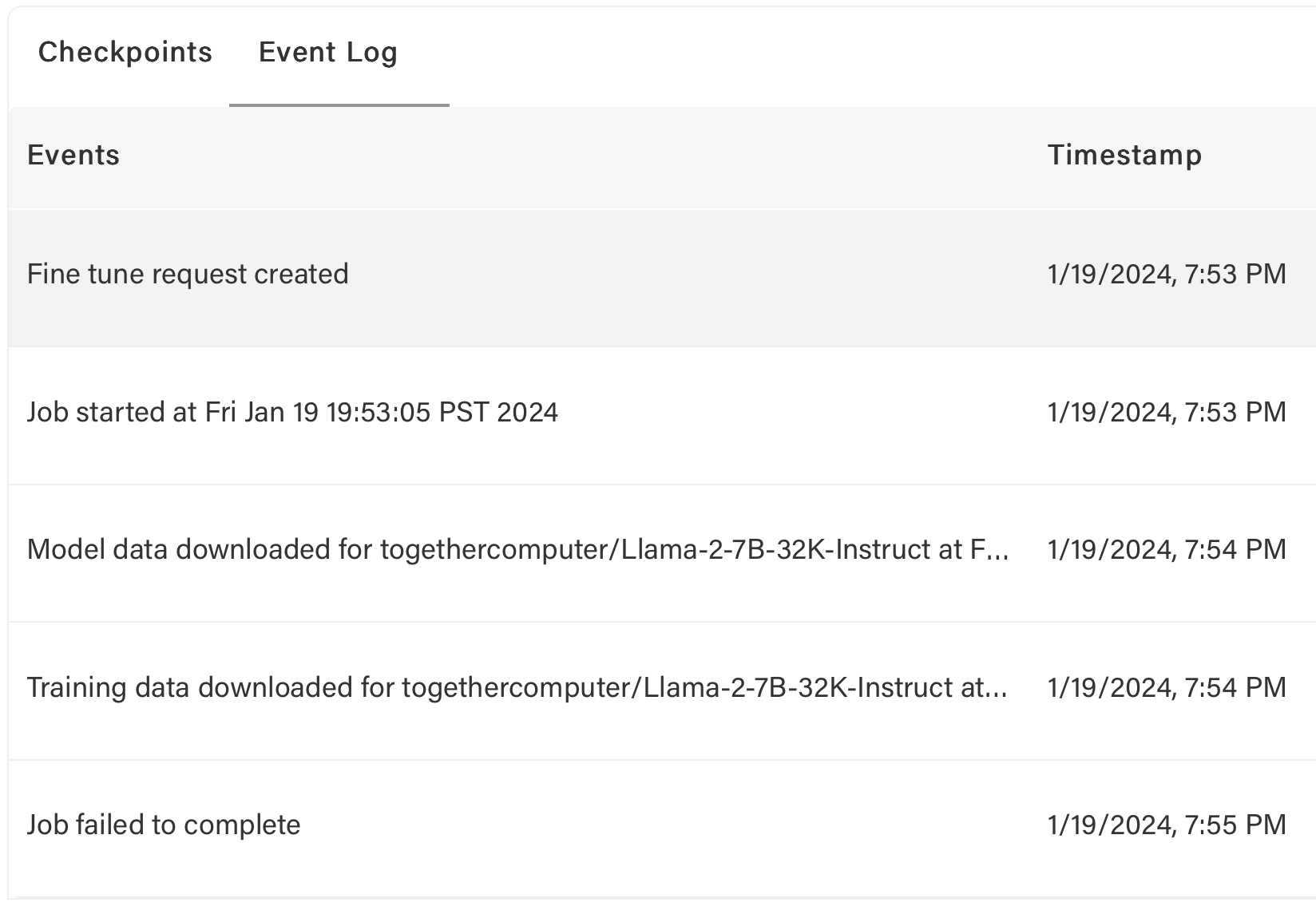
Verify file with: `$ together files check ~/Downloads/unified_joke_explanations.jsonl`
If data passes checks but errors persist, contact support.
For other errors (e.g., hardware failures), jobs may restart automatically with refunds.
### How do I know if my job was restarted?
Jobs restart automatically on internal errors. Check event log for restarts, new job ID, and refunds.
Example:
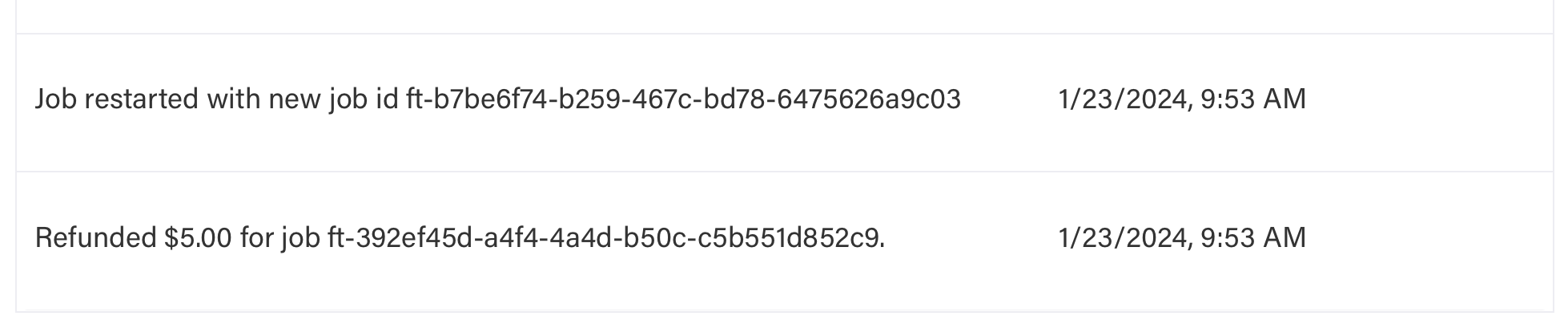
## Common Error Codes During Fine-Tuning
| Code | Cause | Solution |
| ---- | ----------------------------------------------------------------------- | ----------------------------------------------------------------------------------------------------------------- |
| 401 | Missing or Invalid API Key | Ensure you are using the correct [API Key](https://api.together.xyz/settings/api-keys) and supplying it correctly |
| 403 | Input token count + `max_tokens` parameter exceeds model context length | Set `max_tokens` to a lower number. For chat models, you may set `max_tokens` to `null` |
| 404 | Invalid Endpoint URL or model name | Check your request is made to the correct endpoint and the model is available |
| 429 | Rate limit exceeded | Throttle request rate (see [rate limits](https://docs.together.ai/docs/rate-limits)) |
| 500 | Invalid Request | Ensure valid JSON, correct API key, and proper prompt format for the model type |
| 503 | Engine Overloaded | Try again after a brief wait. Contact support if persistent |
| 504 | Timeout | Try again after a brief wait. Contact support if persistent |
| 524 | Cloudflare Timeout | Try again after a brief wait. Contact support if persistent |
| 529 | Server Error | Try again after a wait. Contact support if persistent |
If you encounter other errors or these solutions don't work, [contact support](https://www.together.ai/contact).
## Model Management
### Can I download the weights of my model?
Yes, to use your fine-tuned model outside our platform:
Run: `together fine-tuning download `
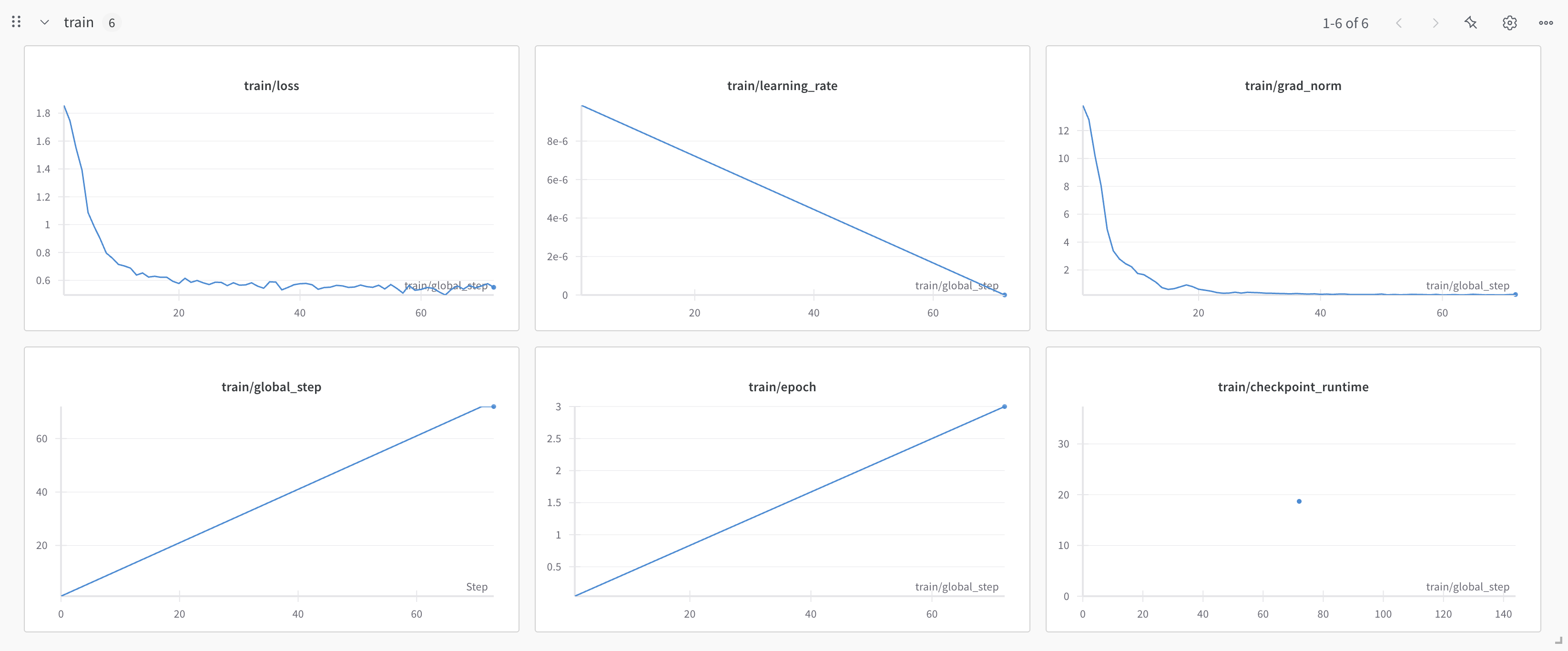
This downloads ZSTD compressed weights. Extract with `tar -xf filename`.
Options:
* `--output`,`-o` (filename, optional) -- Specify output filename. Default: `.tar.zst`
* `--step`,`-s` (integer, optional) -- Download specific checkpoint. Default: latest (-1)
---
> To find navigation and other pages in this documentation, fetch the llms.txt file at: https://docs.together.ai/llms.txt
---
# Source: https://docs.together.ai/docs/fine-tuning-models.md
# Supported Models
> A list of all the models available for fine-tuning.
The following models are available to use with our fine-tuning API. Get started with [fine-tuning a model](/docs/fine-tuning-quickstart)!
**Note:** This list is different from the models that support Serverless LoRA inference, which allows you to perform LoRA fine-tuning and run inference immediately. See the [LoRA inference page](/docs/lora-training-and-inference#supported-base-models) for the list of supported base models for serverless LoRA.
**Important:** When uploading LoRA adapters for serverless inference, you must use base models from the serverless LoRA list, not the fine-tuning models list. Using an incompatible base model (such as Turbo variants) will result in a "No lora\_model specified" error during upload. For example, use `meta-llama/Meta-Llama-3.1-8B-Instruct-Reference` instead of `meta-llama/Meta-Llama-3.1-8B-Instruct-Turbo` for serverless LoRA adapters.
* *Training Precision Type* indicates the precision type used during training for each model.
* AMP (Automated Mixed Precision): AMP allows the training speed to be faster with less memory usage while preserving convergence behavior compared to using float32. Learn more about AMP in [this PyTorch blog](https://pytorch.org/blog/what-every-user-should-know-about-mixed-precision-training-in-pytorch/).
* bf16 (bfloat 16): This uses bf16 for all weights. Some large models on our platform use full bf16 training for better memory usage and training speed.
* For batch sizes of 1, Gradient accumulation 8 is used, so effectively you will get batch size 8 (iteration time is slower).
* Long-context fine-tuning of Llama 3.1 (8B) Reference, Llama 3.1 (70B) Reference, Llama 3.1 Instruct (70B) Reference for context sizes of 32K-131K is only supported using the LoRA method.
* For Llama 3.1 (405B) Fine-tuning, please [contact us](https://www.together.ai/forms/contact-sales?prod_source=405B).
*[Request a model](https://www.together.ai/forms/model-requests)*
## LoRA Fine-tuning
| Organization | Model Name | Model String for API | Context Length (SFT) | Context Length (DPO) | Max Batch Size (SFT) | Max Batch Size (DPO) | Min Batch Size |
| ------------ | ------------------------------------------ | ----------------------------------------------------- | -------------------- | -------------------- | -------------------- | -------------------- | -------------- |
| OpenAI | gpt-oss-20b | openai/gpt-oss-20b | 16384 | 8192 | 8 | 8 | 8 |
| OpenAI | gpt-oss-120b | openai/gpt-oss-120b | 16384 | 8192 | 16 | 16 | 16 |
| DeepSeek | DeepSeek-R1-0528 | deepseek-ai/DeepSeek-R1-0528 | 131072 | 32768 | 1 | 1 | 2 |
| DeepSeek | DeepSeek-R1 | deepseek-ai/DeepSeek-R1 | 131072 | 32768 | 1 | 1 | 2 |
| DeepSeek | DeepSeek-V3.1 | deepseek-ai/DeepSeek-V3.1 | 131072 | 32768 | 1 | 1 | 2 |
| DeepSeek | DeepSeek-V3-0324 | deepseek-ai/DeepSeek-V3-0324 | 131072 | 32768 | 1 | 1 | 2 |
| DeepSeek | DeepSeek-V3 | deepseek-ai/DeepSeek-V3 | 131072 | 32768 | 1 | 1 | 2 |
| DeepSeek | DeepSeek-V3.1-Base | deepseek-ai/DeepSeek-V3.1-Base | 131072 | 32768 | 1 | 1 | 2 |
| DeepSeek | DeepSeek-V3-Base | deepseek-ai/DeepSeek-V3-Base | 131072 | 32768 | 1 | 1 | 2 |
| DeepSeek | DeepSeek-R1-Distill-Llama-70B | deepseek-ai/DeepSeek-R1-Distill-Llama-70B | 24576 | 12288 | 8 | 8 | 8 |
| DeepSeek | DeepSeek-R1-Distill-Llama-70B | deepseek-ai/DeepSeek-R1-Distill-Llama-70B-32k | 32768 | 16384 | 1 | 1 | 1 |
| DeepSeek | DeepSeek-R1-Distill-Llama-70B | deepseek-ai/DeepSeek-R1-Distill-Llama-70B-131k | 131072 | 16384 | 1 | 1 | 1 |
| DeepSeek | DeepSeek-R1-Distill-Qwen-14B | deepseek-ai/DeepSeek-R1-Distill-Qwen-14B | 65536 | 49152 | 8 | 8 | 8 |
| DeepSeek | DeepSeek-R1-Distill-Qwen-1.5B | deepseek-ai/DeepSeek-R1-Distill-Qwen-1.5B | 131072 | 131072 | 8 | 8 | 8 |
| Meta | Llama-4-Scout-17B-16E | meta-llama/Llama-4-Scout-17B-16E | 16384 | 12288 | 8 | 8 | 8 |
| Meta | Llama-4-Scout-17B-16E-Instruct | meta-llama/Llama-4-Scout-17B-16E-Instruct | 16384 | 12288 | 8 | 8 | 8 |
| Meta | Llama-4-Maverick-17B-128E | meta-llama/Llama-4-Maverick-17B-128E | 16384 | 24576 | 16 | 16 | 16 |
| Meta | Llama-4-Maverick-17B-128E-Instruct | meta-llama/Llama-4-Maverick-17B-128E-Instruct | 16384 | 24576 | 16 | 16 | 16 |
| Google | gemma-3-270m | google/gemma-3-270m | 32768 | 32768 | 128 | 128 | 8 |
| Google | gemma-3-270m-it | google/gemma-3-270m-it | 32768 | 32768 | 128 | 128 | 8 |
| Google | gemma-3-1b-it | google/gemma-3-1b-it | 32768 | 32768 | 32 | 32 | 8 |
| Google | gemma-3-1b-pt | google/gemma-3-1b-pt | 32768 | 32768 | 32 | 32 | 8 |
| Google | gemma-3-4b-it | google/gemma-3-4b-it | 131072 | 65536 | 8 | 8 | 8 |
| Google | gemma-3-4b-pt | google/gemma-3-4b-pt | 131072 | 65536 | 8 | 8 | 8 |
| Google | gemma-3-12b-it | google/gemma-3-12b-it | 16384 | 49152 | 8 | 8 | 8 |
| Google | gemma-3-12b-pt | google/gemma-3-12b-pt | 65536 | 49152 | 8 | 8 | 8 |
| Google | gemma-3-27b-it | google/gemma-3-27b-it | 49152 | 24576 | 8 | 8 | 8 |
| Google | gemma-3-27b-pt | google/gemma-3-27b-pt | 49152 | 24576 | 8 | 8 | 8 |
| Qwen | Qwen3-Next-80B-A3B-Instruct | Qwen/Qwen3-Next-80B-A3B-Instruct | 65536 | 16384 | 8 | 8 | 8 |
| Qwen | Qwen3-Next-80B-A3B-Thinking | Qwen/Qwen3-Next-80B-A3B-Thinking | 65536 | 16384 | 8 | 8 | 8 |
| Qwen | Qwen3-0.6B | Qwen/Qwen3-0.6B | 32768 | 40960 | 64 | 64 | 8 |
| Qwen | Qwen3-0.6B-Base | Qwen/Qwen3-0.6B-Base | 32768 | 32768 | 64 | 64 | 8 |
| Qwen | Qwen3-1.7B | Qwen/Qwen3-1.7B | 32768 | 40960 | 32 | 32 | 8 |
| Qwen | Qwen3-1.7B-Base | Qwen/Qwen3-1.7B-Base | 32768 | 32768 | 32 | 32 | 8 |
| Qwen | Qwen3-4B | Qwen/Qwen3-4B | 32768 | 40960 | 16 | 16 | 8 |
| Qwen | Qwen3-4B-Base | Qwen/Qwen3-4B-Base | 32768 | 32768 | 16 | 16 | 8 |
| Qwen | Qwen3-8B | Qwen/Qwen3-8B | 32768 | 40960 | 8 | 8 | 8 |
| Qwen | Qwen3-8B-Base | Qwen/Qwen3-8B-Base | 32768 | 32768 | 16 | 16 | 8 |
| Qwen | Qwen3-14B | Qwen/Qwen3-14B | 32768 | 40960 | 8 | 8 | 8 |
| Qwen | Qwen3-14B-Base | Qwen/Qwen3-14B-Base | 32768 | 40960 | 8 | 8 | 8 |
| Qwen | Qwen3-32B | Qwen/Qwen3-32B | 24576 | 24576 | 8 | 8 | 8 |
| Qwen | Qwen3-30B-A3B-Base | Qwen/Qwen3-30B-A3B-Base | 8192 | 32768 | 16 | 16 | 8 |
| Qwen | Qwen3-30B-A3B | Qwen/Qwen3-30B-A3B | 8192 | 32768 | 16 | 16 | 8 |
| Qwen | Qwen3-30B-A3B-Instruct-2507 | Qwen/Qwen3-30B-A3B-Instruct-2507 | 8192 | 32768 | 16 | 16 | 8 |
| Qwen | Qwen3-235B-A22B | Qwen/Qwen3-235B-A22B | 32768 | 24576 | 1 | 1 | 8 |
| Qwen | Qwen3-235B-A22B-Instruct-2507 | Qwen/Qwen3-235B-A22B-Instruct-2507 | 32768 | 24576 | 1 | 1 | 8 |
| Qwen | Qwen3-Coder-30B-A3B-Instruct | Qwen/Qwen3-Coder-30B-A3B-Instruct | 8192 | 8192 | 16 | 16 | 8 |
| Qwen | Qwen3-Coder-480B-A35B-Instruct | Qwen/Qwen3-Coder-480B-A35B-Instruct | 131072 | 32768 | 1 | 1 | 2 |
| Meta | Llama-3.3-70B-Instruct-Reference | meta-llama/Llama-3.3-70B-Instruct-Reference | 24576 | 8192 | 8 | 8 | 8 |
| Meta | Llama-3.3-70B-32k-Instruct-Reference | meta-llama/Llama-3.3-70B-32k-Instruct-Reference | 32768 | 65536 | 1 | 1 | 1 |
| Meta | Llama-3.3-70B-131k-Instruct-Reference | meta-llama/Llama-3.3-70B-131k-Instruct-Reference | 131072 | 65536 | 1 | 1 | 1 |
| Meta | Llama-3.2-3B-Instruct | meta-llama/Llama-3.2-3B-Instruct | 131072 | 65536 | 8 | 8 | 8 |
| Meta | Llama-3.2-3B | meta-llama/Llama-3.2-3B | 131072 | 65536 | 8 | 8 | 8 |
| Meta | Llama-3.2-1B-Instruct | meta-llama/Llama-3.2-1B-Instruct | 131072 | 131072 | 8 | 8 | 8 |
| Meta | Llama-3.2-1B | meta-llama/Llama-3.2-1B | 131072 | 131072 | 8 | 8 | 8 |
| Meta | Meta-Llama-3.1-8B-Instruct-Reference | meta-llama/Meta-Llama-3.1-8B-Instruct-Reference | 131072 | 65536 | 8 | 8 | 8 |
| Meta | Meta-Llama-3.1-8B-131k-Instruct-Reference | meta-llama/Meta-Llama-3.1-8B-131k-Instruct-Reference | 131072 | 131072 | 4 | 4 | 1 |
| Meta | Meta-Llama-3.1-8B-Reference | meta-llama/Meta-Llama-3.1-8B-Reference | 131072 | 65536 | 8 | 8 | 8 |
| Meta | Meta-Llama-3.1-8B-131k-Reference | meta-llama/Meta-Llama-3.1-8B-131k-Reference | 131072 | 131072 | 4 | 4 | 1 |
| Meta | Meta-Llama-3.1-70B-Instruct-Reference | meta-llama/Meta-Llama-3.1-70B-Instruct-Reference | 24576 | 12288 | 8 | 8 | 8 |
| Meta | Meta-Llama-3.1-70B-32k-Instruct-Reference | meta-llama/Meta-Llama-3.1-70B-32k-Instruct-Reference | 32768 | 32768 | 1 | 1 | 1 |
| Meta | Meta-Llama-3.1-70B-131k-Instruct-Reference | meta-llama/Meta-Llama-3.1-70B-131k-Instruct-Reference | 131072 | 65536 | 1 | 1 | 1 |
| Meta | Meta-Llama-3.1-70B-Reference | meta-llama/Meta-Llama-3.1-70B-Reference | 24576 | 12288 | 8 | 8 | 8 |
| Meta | Meta-Llama-3.1-70B-32k-Reference | meta-llama/Meta-Llama-3.1-70B-32k-Reference | 32768 | 32768 | 1 | 1 | 1 |
| Meta | Meta-Llama-3.1-70B-131k-Reference | meta-llama/Meta-Llama-3.1-70B-131k-Reference | 131072 | 65536 | 1 | 1 | 1 |
| Meta | Meta-Llama-3-8B-Instruct | meta-llama/Meta-Llama-3-8B-Instruct | 8192 | 8192 | 64 | 64 | 8 |
| Meta | Meta-Llama-3-8B | meta-llama/Meta-Llama-3-8B | 8192 | 8192 | 64 | 64 | 8 |
| Meta | Meta-Llama-3-70B-Instruct | meta-llama/Meta-Llama-3-70B-Instruct | 8192 | 8192 | 8 | 8 | 8 |
| Qwen | Qwen2.5-72B-Instruct | Qwen/Qwen2.5-72B-Instruct | 32768 | 12288 | 8 | 8 | 8 |
| Qwen | Qwen2.5-72B | Qwen/Qwen2.5-72B | 24576 | 12288 | 8 | 8 | 8 |
| Qwen | Qwen2.5-32B-Instruct | Qwen/Qwen2.5-32B-Instruct | 32768 | 32768 | 8 | 8 | 8 |
| Qwen | Qwen2.5-32B | Qwen/Qwen2.5-32B | 49152 | 32768 | 8 | 8 | 8 |
| Qwen | Qwen2.5-14B-Instruct | Qwen/Qwen2.5-14B-Instruct | 32768 | 32768 | 8 | 8 | 8 |
| Qwen | Qwen2.5-14B | Qwen/Qwen2.5-14B | 65536 | 49152 | 8 | 8 | 8 |
| Qwen | Qwen2.5-7B-Instruct | Qwen/Qwen2.5-7B-Instruct | 32768 | 32768 | 16 | 16 | 8 |
| Qwen | Qwen2.5-7B | Qwen/Qwen2.5-7B | 131072 | 65536 | 8 | 8 | 8 |
| Qwen | Qwen2.5-3B-Instruct | Qwen/Qwen2.5-3B-Instruct | 32768 | 32768 | 32 | 32 | 8 |
| Qwen | Qwen2.5-3B | Qwen/Qwen2.5-3B | 32768 | 32768 | 32 | 32 | 8 |
| Qwen | Qwen2.5-1.5B-Instruct | Qwen/Qwen2.5-1.5B-Instruct | 32768 | 32768 | 32 | 32 | 8 |
| Qwen | Qwen2.5-1.5B | Qwen/Qwen2.5-1.5B | 32768 | 131072 | 8 | 8 | 8 |
| Qwen | Qwen2-72B-Instruct | Qwen/Qwen2-72B-Instruct | 32768 | 12288 | 16 | 16 | 16 |
| Qwen | Qwen2-72B | Qwen/Qwen2-72B | 32768 | 12288 | 16 | 16 | 16 |
| Qwen | Qwen2-7B-Instruct | Qwen/Qwen2-7B-Instruct | 32768 | 32768 | 8 | 8 | 8 |
| Qwen | Qwen2-7B | Qwen/Qwen2-7B | 131072 | 24576 | 8 | 8 | 8 |
| Qwen | Qwen2-1.5B-Instruct | Qwen/Qwen2-1.5B-Instruct | 32768 | 32768 | 32 | 32 | 8 |
| Qwen | Qwen2-1.5B | Qwen/Qwen2-1.5B | 131072 | 131072 | 8 | 8 | 8 |
| Mistral | Mixtral-8x7B-Instruct-v0.1 | mistralai/Mixtral-8x7B-Instruct-v0.1 | 32768 | 32768 | 8 | 8 | 8 |
| Mistral | Mixtral-8x7B-v0.1 | mistralai/Mixtral-8x7B-v0.1 | 32768 | 32768 | 8 | 8 | 8 |
| Mistral | Mistral-7B-Instruct-v0.2 | mistralai/Mistral-7B-Instruct-v0.2 | 32768 | 32768 | 16 | 16 | 8 |
| Mistral | Mistral-7B-v0.1 | mistralai/Mistral-7B-v0.1 | 32768 | 32768 | 16 | 16 | 8 |
| Teknium | OpenHermes-2p5-Mistral-7B | teknium/OpenHermes-2p5-Mistral-7B | 32768 | 32768 | 16 | 16 | 8 |
| Meta | CodeLlama-7b-hf | codellama/CodeLlama-7b-hf | 16384 | 16384 | 16 | 16 | 8 |
| Together | llama-2-7b-chat | togethercomputer/llama-2-7b-chat | 4096 | 4096 | 64 | 64 | 8 |
## LoRA Long-context Fine-tuning
| Organization | Model Name | Model String for API | Context Length (SFT) | Context Length (DPO) | Max Batch Size (SFT) | Max Batch Size (DPO) | Min Batch Size |
| ------------ | ------------------------------------------ | ----------------------------------------------------- | -------------------- | -------------------- | -------------------- | -------------------- | -------------- |
| DeepSeek | DeepSeek-R1-0528 | deepseek-ai/DeepSeek-R1-0528 | 131072 | 32768 | 1 | 1 | 2 |
| DeepSeek | DeepSeek-R1 | deepseek-ai/DeepSeek-R1 | 131072 | 32768 | 1 | 1 | 2 |
| DeepSeek | DeepSeek-V3.1 | deepseek-ai/DeepSeek-V3.1 | 131072 | 32768 | 1 | 1 | 2 |
| DeepSeek | DeepSeek-V3-0324 | deepseek-ai/DeepSeek-V3-0324 | 131072 | 32768 | 1 | 1 | 2 |
| DeepSeek | DeepSeek-V3 | deepseek-ai/DeepSeek-V3 | 131072 | 32768 | 1 | 1 | 2 |
| DeepSeek | DeepSeek-V3.1-Base | deepseek-ai/DeepSeek-V3.1-Base | 131072 | 32768 | 1 | 1 | 2 |
| DeepSeek | DeepSeek-V3-Base | deepseek-ai/DeepSeek-V3-Base | 131072 | 32768 | 1 | 1 | 2 |
| DeepSeek | DeepSeek-R1-Distill-Llama-70B | deepseek-ai/DeepSeek-R1-Distill-Llama-70B-32k | 32768 | 16384 | 1 | 1 | 1 |
| DeepSeek | DeepSeek-R1-Distill-Llama-70B | deepseek-ai/DeepSeek-R1-Distill-Llama-70B-131k | 131072 | 16384 | 1 | 1 | 1 |
| Qwen | Qwen3-235B-A22B | Qwen/Qwen3-235B-A22B | 32768 | 24576 | 1 | 1 | 8 |
| Qwen | Qwen3-235B-A22B-Instruct-2507 | Qwen/Qwen3-235B-A22B-Instruct-2507 | 32768 | 24576 | 1 | 1 | 8 |
| Qwen | Qwen3-Coder-480B-A35B-Instruct | Qwen/Qwen3-Coder-480B-A35B-Instruct | 131072 | 32768 | 1 | 1 | 2 |
| Meta | Llama-3.3-70B-32k-Instruct-Reference | meta-llama/Llama-3.3-70B-32k-Instruct-Reference | 32768 | 65536 | 1 | 1 | 1 |
| Meta | Llama-3.3-70B-131k-Instruct-Reference | meta-llama/Llama-3.3-70B-131k-Instruct-Reference | 131072 | 65536 | 1 | 1 | 1 |
| Meta | Meta-Llama-3.1-8B-131k-Instruct-Reference | meta-llama/Meta-Llama-3.1-8B-131k-Instruct-Reference | 131072 | 131072 | 4 | 4 | 1 |
| Meta | Meta-Llama-3.1-8B-131k-Reference | meta-llama/Meta-Llama-3.1-8B-131k-Reference | 131072 | 131072 | 4 | 4 | 1 |
| Meta | Meta-Llama-3.1-70B-32k-Instruct-Reference | meta-llama/Meta-Llama-3.1-70B-32k-Instruct-Reference | 32768 | 32768 | 1 | 1 | 1 |
| Meta | Meta-Llama-3.1-70B-131k-Instruct-Reference | meta-llama/Meta-Llama-3.1-70B-131k-Instruct-Reference | 131072 | 65536 | 1 | 1 | 1 |
| Meta | Meta-Llama-3.1-70B-32k-Reference | meta-llama/Meta-Llama-3.1-70B-32k-Reference | 32768 | 32768 | 1 | 1 | 1 |
| Meta | Meta-Llama-3.1-70B-131k-Reference | meta-llama/Meta-Llama-3.1-70B-131k-Reference | 131072 | 65536 | 1 | 1 | 1 |
## Full Fine-tuning
| Organization | Model Name | Model String for API | Context Length (SFT) | Context Length (DPO) | Max Batch Size (SFT) | Max Batch Size (DPO) | Min Batch Size |
| ------------ | ------------------------------------- | ------------------------------------------------ | -------------------- | -------------------- | -------------------- | -------------------- | -------------- |
| DeepSeek | DeepSeek-R1-Distill-Llama-70B | deepseek-ai/DeepSeek-R1-Distill-Llama-70B | 24576 | 12288 | 32 | 32 | 32 |
| DeepSeek | DeepSeek-R1-Distill-Qwen-14B | deepseek-ai/DeepSeek-R1-Distill-Qwen-14B | 65536 | 49152 | 8 | 8 | 8 |
| DeepSeek | DeepSeek-R1-Distill-Qwen-1.5B | deepseek-ai/DeepSeek-R1-Distill-Qwen-1.5B | 131072 | 131072 | 8 | 8 | 8 |
| Google | gemma-3-270m | google/gemma-3-270m | 32768 | 32768 | 128 | 128 | 8 |
| Google | gemma-3-270m-it | google/gemma-3-270m-it | 32768 | 32768 | 128 | 128 | 8 |
| Google | gemma-3-1b-it | google/gemma-3-1b-it | 32768 | 32768 | 64 | 64 | 8 |
| Google | gemma-3-1b-pt | google/gemma-3-1b-pt | 32768 | 32768 | 64 | 64 | 8 |
| Google | gemma-3-4b-it | google/gemma-3-4b-it | 131072 | 65536 | 8 | 8 | 8 |
| Google | gemma-3-4b-pt | google/gemma-3-4b-pt | 131072 | 65536 | 8 | 8 | 8 |
| Google | gemma-3-12b-it | google/gemma-3-12b-it | 16384 | 49152 | 8 | 8 | 8 |
| Google | gemma-3-12b-pt | google/gemma-3-12b-pt | 65536 | 49152 | 8 | 8 | 8 |
| Google | gemma-3-27b-it | google/gemma-3-27b-it | 49152 | 24576 | 16 | 16 | 16 |
| Google | gemma-3-27b-pt | google/gemma-3-27b-pt | 49152 | 24576 | 16 | 16 | 16 |
| Qwen | Qwen3-0.6B | Qwen/Qwen3-0.6B | 32768 | 40960 | 64 | 64 | 8 |
| Qwen | Qwen3-0.6B-Base | Qwen/Qwen3-0.6B-Base | 32768 | 32768 | 64 | 64 | 8 |
| Qwen | Qwen3-1.7B | Qwen/Qwen3-1.7B | 32768 | 40960 | 32 | 32 | 8 |
| Qwen | Qwen3-1.7B-Base | Qwen/Qwen3-1.7B-Base | 32768 | 32768 | 32 | 32 | 8 |
| Qwen | Qwen3-4B | Qwen/Qwen3-4B | 32768 | 40960 | 16 | 16 | 8 |
| Qwen | Qwen3-4B-Base | Qwen/Qwen3-4B-Base | 32768 | 32768 | 16 | 16 | 8 |
| Qwen | Qwen3-8B | Qwen/Qwen3-8B | 32768 | 40960 | 8 | 8 | 8 |
| Qwen | Qwen3-8B-Base | Qwen/Qwen3-8B-Base | 32768 | 32768 | 16 | 16 | 8 |
| Qwen | Qwen3-14B | Qwen/Qwen3-14B | 32768 | 40960 | 8 | 8 | 8 |
| Qwen | Qwen3-14B-Base | Qwen/Qwen3-14B-Base | 32768 | 40960 | 8 | 8 | 8 |
| Qwen | Qwen3-32B | Qwen/Qwen3-32B | 24576 | 24576 | 16 | 16 | 16 |
| Qwen | Qwen3-30B-A3B-Base | Qwen/Qwen3-30B-A3B-Base | 8192 | 32768 | 8 | 8 | 8 |
| Qwen | Qwen3-30B-A3B | Qwen/Qwen3-30B-A3B | 8192 | 32768 | 8 | 8 | 8 |
| Qwen | Qwen3-30B-A3B-Instruct-2507 | Qwen/Qwen3-30B-A3B-Instruct-2507 | 8192 | 32768 | 8 | 8 | 8 |
| Qwen | Qwen3-Coder-30B-A3B-Instruct | Qwen/Qwen3-Coder-30B-A3B-Instruct | 8192 | 8192 | 8 | 8 | 8 |
| Meta | Llama-3.3-70B-Instruct-Reference | meta-llama/Llama-3.3-70B-Instruct-Reference | 24576 | 8192 | 32 | 32 | 32 |
| Meta | Llama-3.2-3B-Instruct | meta-llama/Llama-3.2-3B-Instruct | 131072 | 65536 | 8 | 8 | 8 |
| Meta | Llama-3.2-3B | meta-llama/Llama-3.2-3B | 131072 | 65536 | 8 | 8 | 8 |
| Meta | Llama-3.2-1B-Instruct | meta-llama/Llama-3.2-1B-Instruct | 131072 | 131072 | 8 | 8 | 8 |
| Meta | Llama-3.2-1B | meta-llama/Llama-3.2-1B | 131072 | 131072 | 8 | 8 | 8 |
| Meta | Meta-Llama-3.1-8B-Instruct-Reference | meta-llama/Meta-Llama-3.1-8B-Instruct-Reference | 131072 | 65536 | 8 | 8 | 8 |
| Meta | Meta-Llama-3.1-8B-Reference | meta-llama/Meta-Llama-3.1-8B-Reference | 131072 | 65536 | 8 | 8 | 8 |
| Meta | Meta-Llama-3.1-70B-Instruct-Reference | meta-llama/Meta-Llama-3.1-70B-Instruct-Reference | 24576 | 12288 | 32 | 32 | 32 |
| Meta | Meta-Llama-3.1-70B-Reference | meta-llama/Meta-Llama-3.1-70B-Reference | 24576 | 12288 | 32 | 32 | 32 |
| Meta | Meta-Llama-3-8B-Instruct | meta-llama/Meta-Llama-3-8B-Instruct | 8192 | 8192 | 64 | 64 | 8 |
| Meta | Meta-Llama-3-8B | meta-llama/Meta-Llama-3-8B | 8192 | 8192 | 64 | 64 | 8 |
| Meta | Meta-Llama-3-70B-Instruct | meta-llama/Meta-Llama-3-70B-Instruct | 8192 | 8192 | 32 | 32 | 32 |
| Qwen | Qwen2-7B-Instruct | Qwen/Qwen2-7B-Instruct | 32768 | 32768 | 8 | 8 | 8 |
| Qwen | Qwen2-7B | Qwen/Qwen2-7B | 131072 | 24576 | 8 | 8 | 8 |
| Qwen | Qwen2-1.5B-Instruct | Qwen/Qwen2-1.5B-Instruct | 32768 | 32768 | 32 | 32 | 8 |
| Qwen | Qwen2-1.5B | Qwen/Qwen2-1.5B | 131072 | 131072 | 8 | 8 | 8 |
| Mistral | Mixtral-8x7B-Instruct-v0.1 | mistralai/Mixtral-8x7B-Instruct-v0.1 | 32768 | 32768 | 16 | 16 | 16 |
| Mistral | Mixtral-8x7B-v0.1 | mistralai/Mixtral-8x7B-v0.1 | 32768 | 32768 | 16 | 16 | 16 |
| Mistral | Mistral-7B-Instruct-v0.2 | mistralai/Mistral-7B-Instruct-v0.2 | 32768 | 32768 | 16 | 16 | 8 |
| Mistral | Mistral-7B-v0.1 | mistralai/Mistral-7B-v0.1 | 32768 | 32768 | 16 | 16 | 8 |
| Teknium | OpenHermes-2p5-Mistral-7B | teknium/OpenHermes-2p5-Mistral-7B | 32768 | 32768 | 16 | 16 | 8 |
| Meta | CodeLlama-7b-hf | codellama/CodeLlama-7b-hf | 16384 | 16384 | 16 | 16 | 8 |
| Together | llama-2-7b-chat | togethercomputer/llama-2-7b-chat | 4096 | 4096 | 64 | 64 | 8 |
---
> To find navigation and other pages in this documentation, fetch the llms.txt file at: https://docs.together.ai/llms.txt
---
# Source: https://docs.together.ai/docs/fine-tuning-pricing.md
# Pricing
> Fine-tuning pricing at Together AI is based on the total number of tokens processed during your job.
## Overview
This includes both training and validation processes, and varies based on the model size, fine-tuning type (Supervised Fine-tuning or DPO), and implementation method (LoRA or Full Fine-tuning).
## How Pricing Works
The total cost of a fine-tuning job is calculated using:
* **Model size** (e.g., Up to 16B, 16.1-69B, etc.)
* **Fine-tuning type** (Supervised Fine-tuning or Direct Preference Optimization (DPO))
* **Implementation method** (LoRA or Full Fine-tuning)
* **Total tokens processed** = (n\_epochs × n\_tokens\_per\_training\_dataset) + (n\_evals × n\_tokens\_per\_validation\_dataset)
Each combination of fine-tuning type and implementation method has its own pricing. For current rates, refer to our [fine-tuning pricing page](https://together.ai/pricing).
## Token Calculation
The tokenization step is part of the fine-tuning process on our API. The exact token count and final price of your job will be available after tokenization completes. You can find this information in:
* Your [jobs dashboard](https://api.together.xyz/jobs)
* Or by running `together fine-tuning retrieve $JOB_ID` in the CLI
## Frequently Asked Questions
### Is there a minimum price for fine-tuning?
No, there is no minimum price for fine-tuning jobs. You only pay for the tokens processed.
### What happens if I cancel my job?
The final price is determined based on the tokens used up to the point of cancellation.
#### Example:
If you're fine-tuning Llama-3-8B with a batch size of 8 and cancel after 1000 training steps:
* Training tokens: 8192 \[context length] × 8 \[batch size] × 1000 \[steps] = 65,536,000 tokens
* If your validation set has 1M tokens and ran 10 evaluation steps: + 10M tokens
* Total tokens: 75,536,000
* Cost: Based on the model size, fine-tuning type (SFT or DPO), and implementation method (LoRA or Full FT) chosen (check the [pricing page](https://www.together.ai/pricing))
### How can I estimate my fine-tuning job cost?
1. Calculate your approximate training tokens: context\_length × batch\_size × steps × epochs
2. Add validation tokens: validation\_dataset\_size × evaluation\_frequency
3. Multiply by the per-token rate for your chosen model size, fine-tuning type, and implementation method
---
> To find navigation and other pages in this documentation, fetch the llms.txt file at: https://docs.together.ai/llms.txt
---
# Source: https://docs.together.ai/docs/fine-tuning-quickstart.md
> Learn the basics and best practices of fine-tuning large language models.
# Fine-tuning Guide
## Introduction
Large Language Models (LLMs) offer powerful general capabilities, but often require **fine-tuning** to excel at specific tasks or understand domain-specific language. Fine-tuning adapts a trained model to a smaller, targeted dataset, enhancing its performance for your unique needs.
This guide provides a step-by-step walkthrough for fine-tuning models using the Together AI platform. We will cover everything from preparing your data to evaluating your fine-tuned model.
We will cover:
1. **Dataset Preparation:** Loading a standard dataset, transforming it into the required format for supervised fine-tuning on Together AI, and uploading your formatted dataset to Together AI Files.
2. **Fine-tuning Job Launch:** Configuring and initiating a fine-tuning job using the Together AI API.
3. **Job Monitoring:** Checking the status and progress of your fine-tuning job.
4. **Inference:** Using your newly fine-tuned model via the Together AI API for predictions.
5. **Evaluation:** Comparing the performance of the fine-tuned model against the base model on a test set.
By following this guide, you'll gain practical experience in creating specialized LLMs tailored to your specific requirements using Together AI.
### Fine-tuning Guide Notebook
Here is a runnable notebook version of this fine-tuning guide: [Fine-tuning Guide Notebook](https://github.com/togethercomputer/together-cookbook/blob/main/Finetuning/Finetuning_Guide.ipynb)
## Table of Contents
1. [What is Fine-tuning?](#what-is-fine-tuning)
2. [Getting Started](#getting-started)
3. [Dataset Preparation](#dataset-preparation)
4. [Starting a Fine-tuning Job](#starting-a-fine-tuning-job)
5. [Monitoring Your Fine-tuning Job](#monitoring-your-fine-tuning-job)
6. [Using Your Fine-tuned Model](#using-your-fine-tuned-model)
7. [Evaluating Your Fine-tuned Model](#evaluating-your-fine-tuned-model)
8. [Advanced Topics](#advanced-topics)
## What is Fine-tuning?
Fine-tuning is the process of improving an existing LLM for a specific task or domain. You can enhance an LLM by providing labeled examples for a particular task which it can learn from. These examples can come from public datasets or private data specific to your organization.
Together AI facilitates every step of the fine-tuning process, from data preparation to model deployment. Together supports two types of fine-tuning:
1. **LoRA (Low-Rank Adaptation) fine-tuning**: Fine-tunes only a small subset of weights compared to full fine-tuning. This is faster, requires less computational resources, and is **recommended for most use cases**. Our fine-tuning API defaults to LoRA.
2. **Full fine-tuning**: Updates all weights in the model, which requires more computational resources but may provide better results for certain tasks.
## Getting Started
**Prerequisites**
1. **Register for an account**: Sign up at [Together AI](https://api.together.xyz/settings/api-keys) to get an API key.
2. **Set up your API key**:
```shell theme={null}
export TOGETHER_API_KEY=your_api_key_here
```
3. **Install the required libraries**:
```shell theme={null}
# Python
pip install -U together datasets transformers tqdm
```
**Choosing Your Model**
The first step in fine-tuning is choosing which LLM to use as the starting point for your custom model:
* **Base models** are trained on a wide variety of texts, making their predictions broad
* **Instruct models** are trained on instruction-response pairs, making them better for specific tasks
For beginners, we recommend an instruction-tuned model:
* *meta-llama/Meta-Llama-3.1-8B-Instruct-Reference* is great for simpler tasks
* *meta-llama/Meta-Llama-3.1-70B-Instruct-Reference* is better for more complex datasets and domains
You can find all available models on the Together API [here](/docs/fine-tuning-models).
## Dataset Preparation
Fine-tuning requires data formatted in a specific way. We'll use a conversational dataset as an example - here the goal is to improve the model on multi-turn conversations.
**Data Formats**
Together AI supports several data formats:
1. **Conversational data**: A JSON object per line, where each object contains a list of conversation turns under the `"messages"` key. Each message must have a `"role"` (`system`, `user`, or `assistant`) and `"content"`. See details [here](/docs/fine-tuning-data-preparation#conversational-data).
```json theme={null}
{
"messages": [
{ "role": "system", "content": "You are a helpful assistant." },
{ "role": "user", "content": "Hello!" },
{ "role": "assistant", "content": "Hi! How can I help you?" }
]
}
```
2. **Instruction data**: For instruction-based tasks with prompt-completion pairs. See details [here](/docs/fine-tuning-data-preparation#instruction-data).
3. **Preference data**: For preference-based fine-tuning. See details [here](/docs/fine-tuning-data-preparation#preference-data).
4. **Generic text data**: For simple text completion tasks. See details [here](/docs/fine-tuning-data-preparation#generic-text-data).
**File Formats**
Together AI supports two file formats:
1. **JSONL**: Simpler and works for most cases.
2. **Parquet**: Stores pre-tokenized data, provides flexibility to specify custom attention mask and labels (loss masking).
By default, it's easier to use `JSONL`. However, `Parquet` can be useful if you need custom tokenization or specific loss masking.
**Example: Preparing the CoQA Dataset**
Here's an example of transforming the CoQA dataset into the required chat format:
```python Python theme={null}
from datasets import load_dataset
## Load the dataset
coqa_dataset = load_dataset("stanfordnlp/coqa")
## The system prompt, if present, must always be at the beginning
system_prompt = (
"Read the story and extract answers for the questions.\nStory: {}"
)
def map_fields(row):
# Create system prompt
messages = [
{"role": "system", "content": system_prompt.format(row["story"])}
]
# Add user and assistant messages
for q, a in zip(row["questions"], row["answers"]["input_text"]):
messages.append({"role": "user", "content": q})
messages.append({"role": "assistant", "content": a})
return {"messages": messages}
## Transform the data using the mapping function
train_messages = coqa_dataset["train"].map(
map_fields,
remove_columns=coqa_dataset["train"].column_names,
)
## Save data to JSON file
train_messages.to_json("coqa_prepared_train.jsonl")
```
**Loss Masking**
In some cases, you may want to fine-tune a model to focus on predicting only a specific part of the prompt:
1. When using Conversational or Instruction Data Formats, you can specify `train_on_inputs` (bool or 'auto') - whether to mask the user messages in conversational data or prompts in instruction data.
2. For Conversational format, you can mask specific messages by assigning weights.
3. With pre-tokenized datasets (Parquet), you can provide custom `labels` to mask specific tokens by setting their label to `-100`.
**Checking and Uploading Your Data**
Once your data is prepared, verify it's correctly formatted and upload it to Together AI:
```python Python theme={null}
from together import Together
import os
import json
TOGETHER_API_KEY = os.getenv("TOGETHER_API_KEY")
WANDB_API_KEY = os.getenv(
"WANDB_API_KEY"
) # Optional, for logging fine-tuning to wandb
## Check the file format
from together.utils import check_file
client = Together(api_key=TOGETHER_API_KEY)
sft_report = check_file("coqa_prepared_train.jsonl")
print(json.dumps(sft_report, indent=2))
assert sft_report["is_check_passed"] == True
## Upload the data to Together
train_file_resp = client.files.upload(
"coqa_prepared_train.jsonl", purpose="fine-tune", check=True
)
print(train_file_resp.id) # Save this ID for starting your fine-tuning job
```
```shell Shell theme={null}
## Using CLI
together files check "coqa_prepared_train.jsonl"
together files upload "coqa_prepared_train.jsonl"
```
```python Python v2 theme={null}
from together import Together
import os
import json
TOGETHER_API_KEY = os.getenv("TOGETHER_API_KEY")
WANDB_API_KEY = os.getenv(
"WANDB_API_KEY"
) # Optional, for logging fine-tuning to wandb
client = Together(api_key=TOGETHER_API_KEY)
train_file_resp = client.files.upload(
"coqa_prepared_train.jsonl",
purpose="fine-tune",
check=True,
)
print(train_file_resp.id) # Save this ID for starting your fine-tuning job
```
The output from checking the file should look similar to:
```json JSON theme={null}
{
"is_check_passed": true,
"message": "Checks passed",
"found": true,
"file_size": 23777505,
"utf8": true,
"line_type": true,
"text_field": true,
"key_value": true,
"has_min_samples": true,
"num_samples": 7199,
"load_json": true,
"filetype": "jsonl"
}
```
## Starting a Fine-tuning Job
With our data uploaded, we can now launch the fine-tuning job using `client.fine_tuning.create()`.
**Key Parameters**
* `model`: The base model you want to fine-tune (e.g., `'meta-llama/Meta-Llama-3.1-8B-Instruct-Reference'`)
* `training_file`: The ID of your uploaded training JSONL file
* `validation_file`: Optional ID of validation file (highly recommended for monitoring)
* `suffix`: A custom string added to create your unique model name (e.g., `'test1_8b'`)
* `n_epochs`: Number of times the model sees the entire dataset
* `n_checkpoints`: Number of checkpoints to save during training (for resuming or selecting the best model)
* `learning_rate`: Controls how much model weights are updated
* `batch_size`: Number of examples processed per iteration (default: "max")
* `lora`: Set to `True` for LoRA fine-tuning
* `train_on_inputs`: Whether to mask user messages or prompts (can be bool or 'auto')
* `warmup_ratio`: Ratio of steps for warmup
For an exhaustive list of all the available
fine-tuning parameters refer to the [Together AI Fine-tuning API Reference](/reference/post-fine-tunes)
docs.
**LoRA Fine-tuning (Recommended)**
```python Python theme={null}
## Using Python - This fine-tuning job should take ~10-15 minutes to complete
ft_resp = client.fine_tuning.create(
training_file=train_file_resp.id,
model="meta-llama/Meta-Llama-3.1-8B-Instruct-Reference",
train_on_inputs="auto",
n_epochs=3,
n_checkpoints=1,
wandb_api_key=WANDB_API_KEY, # Optional, for visualization
lora=True, # Default True
warmup_ratio=0,
learning_rate=1e-5,
suffix="test1_8b",
)
print(ft_resp.id) # Save this job ID for monitoring
```
```shell Shell theme={null}
## Using CLI
together fine-tuning create \
--training-file "file-id-from-upload" \
--model "meta-llama/Meta-Llama-3.1-8B-Instruct-Reference" \
--train-on-inputs auto \
--lora \
--n-epochs 3 \
--n-checkpoints 1 \
--warmup-ratio 0 \
--learning-rate 1e-5 \
--suffix "test1_8b" \
--wandb-api-key $WANDB_API_KEY # Optional
```
**Full Fine-tuning**
For full fine-tuning, simply omit the `lora` parameter:
```python Python theme={null}
## Using Python
ft_resp = client.fine_tuning.create(
training_file=train_file_resp.id,
model="meta-llama/Meta-Llama-3.1-8B-Instruct-Reference",
train_on_inputs="auto",
n_epochs=3,
n_checkpoints=1,
warmup_ratio=0,
lora=False, # Must be specified as False, defaults to True
learning_rate=1e-5,
suffix="test1_8b_full_finetune",
)
```
```shell Shell theme={null}
## Using CLI
together fine-tuning create \
--training-file "file-id-from-upload" \
--model "meta-llama/Meta-Llama-3.1-8B-Instruct-Reference" \
--train-on-inputs auto \
--n-epochs 3 \
--n-checkpoints 1 \
--warmup-ratio 0 \
--no-lora \
--learning-rate 1e-5 \
--suffix "test1_8b_full_finetune"
```
The response will include your job ID, which you'll use to monitor progress:
```text Text theme={null}
ft-d1522ffb-8f3e #fine-tuning job id
```
## Monitoring a Fine-tuning Job
Fine-tuning can take time depending on the model size, dataset size, and hyperparameters. Your job will progress through several states: Pending, Queued, Running, Uploading, and Completed.
You can monitor and manage the job's progress using the following methods:
* **List all jobs**: `client.fine_tuning.list()`
* **Status of a job**: `client.fine_tuning.retrieve(id=ft_resp.id)`
* **List all events for a job**: `client.fine_tuning.list_events(id=ft_resp.id)` - Retrieves logs and events generated during the job
* **Cancel job**: `client.fine_tuning.cancel(id=ft_resp.id)`
* **Download fine-tuned model**: `client.fine_tuning.download(id=ft_resp.id)` (v1) or `client.fine_tuning.with_streaming_response.content(ft_id=ft_resp.id)` (v2)
Once the job is complete (`status == 'completed'`), the response from `retrieve` will contain the name of your newly created fine-tuned model. It follows the pattern: `/::`.
**Check Status via API**
```python Python theme={null}
## Check status of the job
resp = client.fine_tuning.retrieve(ft_resp.id)
print(resp.status)
## This loop will print the logs of the job thus far
for event in client.fine_tuning.list_events(id=ft_resp.id).data:
print(event.message)
```
```shell Shell theme={null}
## Using CLI
together fine-tuning retrieve "your-job-id"
```
Example output:
```text Text theme={null}
Fine tune request created
Job started at Thu Apr 3 03:19:46 UTC 2025
Model data downloaded for togethercomputer/Meta-Llama-3.1-8B-Instruct-Reference__TOG__FT at Thu Apr 3 03:19:48 UTC 2025
Data downloaded for togethercomputer/Meta-Llama-3.1-8B-Instruct-Reference__TOG__FT at 2025-04-03T03:19:55.595750
WandB run initialized.
Training started for model togethercomputer/Meta-Llama-3.1-8B-Instruct-Reference__TOG__FT
Epoch completed, at step 24
Epoch completed, at step 48
Epoch completed, at step 72
Training completed for togethercomputer/Meta-Llama-3.1-8B-Instruct-Reference__TOG__FT at Thu Apr 3 03:27:55 UTC 2025
Uploading output model
Compressing output model
Model compression complete
Model upload complete
Job finished at Thu Apr 3 03:31:33 UTC 2025
```
**Dashboard Monitoring**
You can also monitor your job on the [Together AI jobs dashboard](https://api.together.xyz/jobs).
If you provided a Weights & Biases API key, you can view detailed training metrics on the W\&B platform, including loss curves and more.
## Deleting a fine-tuning job
You can also delete your fine-tuning job. This action can not be undone. This will destroy all files produced by your job including intermediate and final checkpoints.
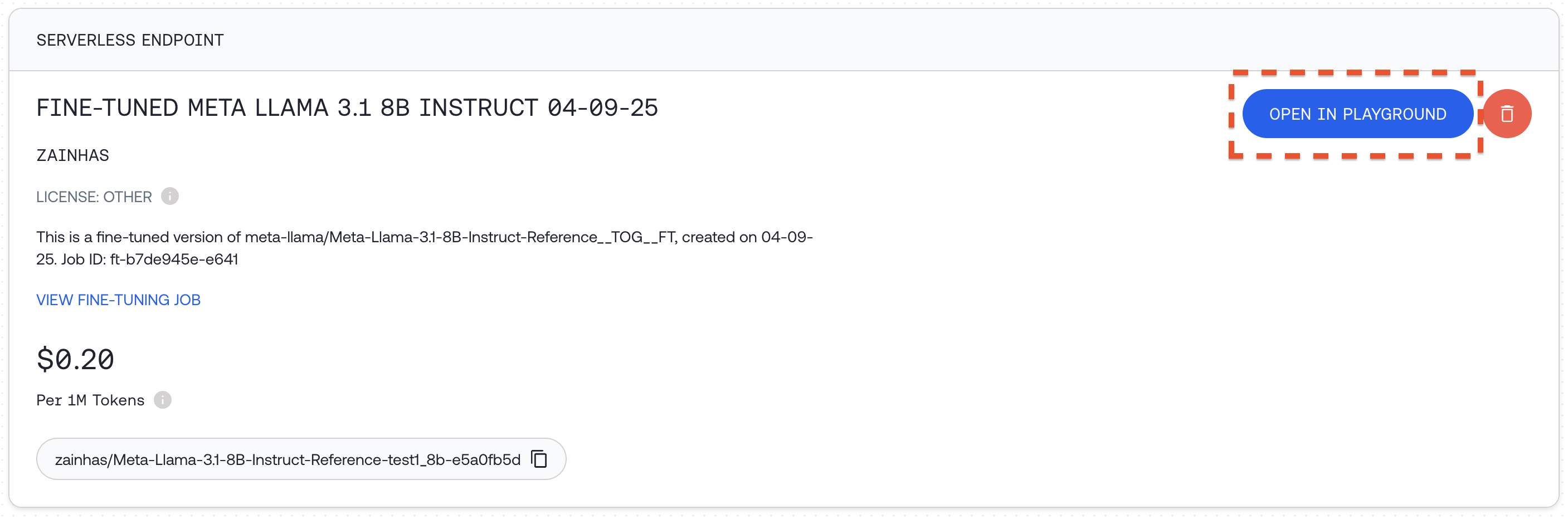
```python Python theme={null}
## Run delete
resp = client.fine_tuning.delete(ft_resp.id)
print(resp)
```
```shell Shell theme={null}
## Using CLI
together fine-tuning delete "your-job-id"
```
## Using a Fine-tuned Model
Once your fine-tuning job completes, your model will be available for use:
**Option 1: Serverless LoRA Inference**
If you used LoRA fine-tuning and the model supports serverless LoRA inference, you can immediately use your model without deployment. We can call it just like any other model on the Together AI platform, by providing the unique fine-tuned model `output_name` from our fine-tuning job.
See the list of all models that support [LoRA
Inference](/docs/lora-training-and-inference).
```python Python theme={null}
## The first time you run this it'll take longer to load the adapter weights for the first time
finetuned_model = ft_resp.output_name # From your fine-tuning job response
user_prompt = "What is the capital of France?"
response = client.chat.completions.create(
model=finetuned_model,
messages=[
{
"role": "user",
"content": user_prompt,
}
],
max_tokens=124,
)
print(response.choices[0].message.content)
```
You can also prompt the model in the Together AI playground by going to your [models dashboard](https://api.together.xyz/models) and clicking `"OPEN IN PLAYGROUND"`. Read more about Serverless LoRA Inference [here](https://docs.together.ai/docs/lora-training-and-inference)
**Option 2: Deploy a Dedicated Endpoint**
Another way to run your fine-tuned model is to deploy it on a custom dedicated endpoint:
1. Visit [your models dashboard](https://api.together.xyz/models)
2. Click `"+ CREATE DEDICATED ENDPOINT"` for your fine-tuned model
3.
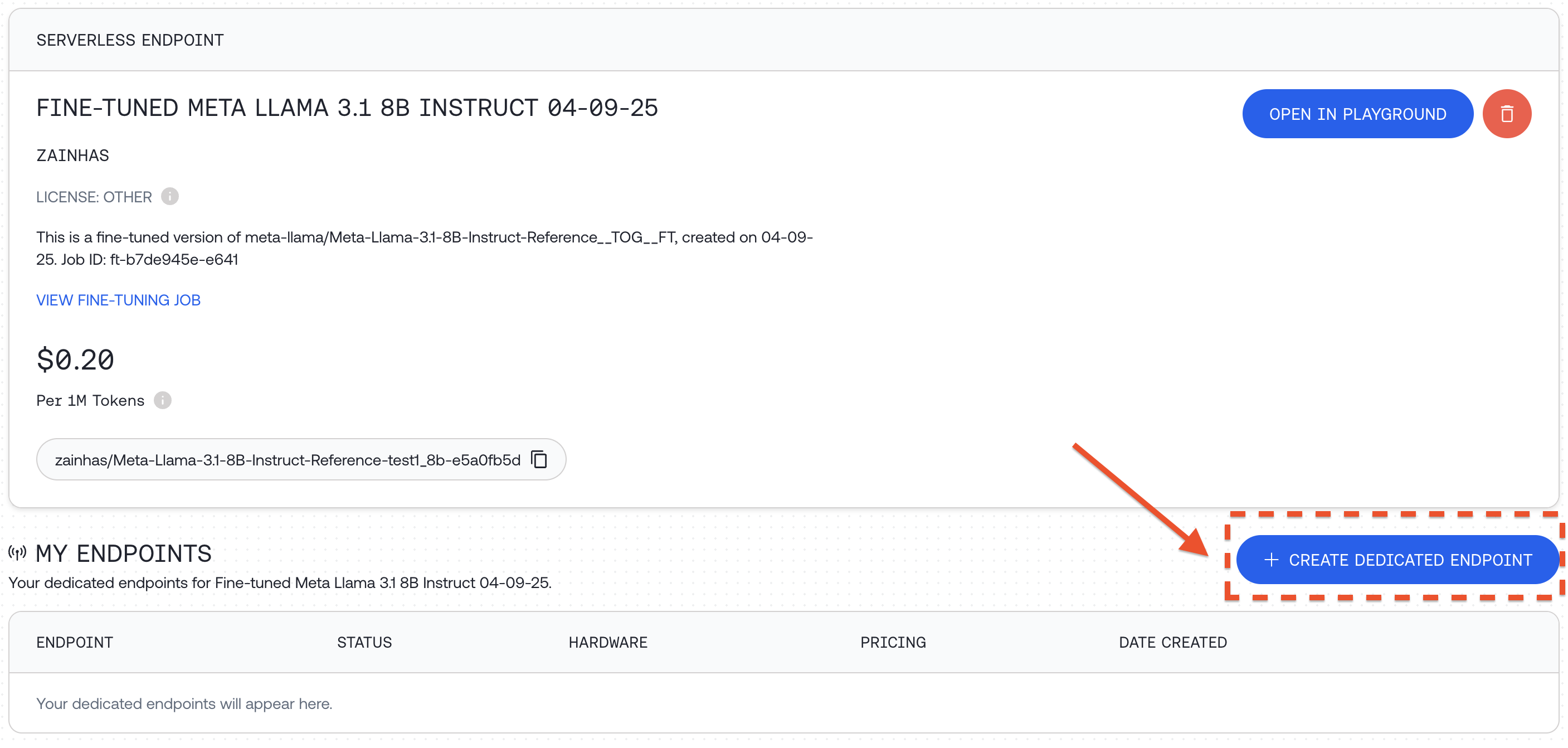
Select hardware configuration and scaling options, including min and max replicas which affects the maximum QPS the deployment can support and then click `"DEPLOY"`
You can also deploy programmatically:
```python Python theme={null}
response = client.endpoints.create(
display_name="Fine-tuned Meta Llama 3.1 8B Instruct 04-09-25",
model="zainhas/Meta-Llama-3.1-8B-Instruct-Reference-test1_8b-e5a0fb5d",
hardware="4x_nvidia_h100_80gb_sxm",
autoscaling={"min_replicas": 1, "max_replicas": 1},
)
print(response)
```
⚠️ If you run this code it will deploy a dedicated endpoint for you. For detailed documentation around how to deploy, delete and modify endpoints see the [Endpoints API Reference](/reference/createendpoint).
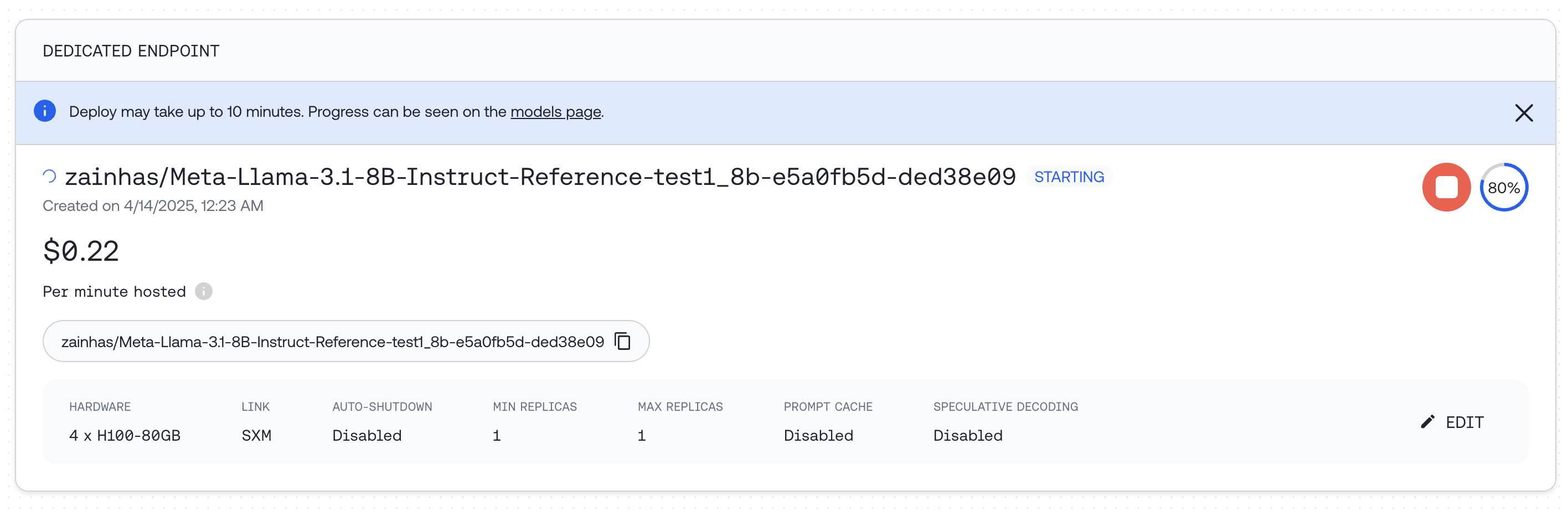
Once deployed, you can query the endpoint:
```python Python theme={null}
response = client.chat.completions.create(
model="zainhas/Meta-Llama-3.1-8B-Instruct-Reference-test1_8b-e5a0fb5d-ded38e09",
messages=[{"role": "user", "content": "What is the capital of France?"}],
max_tokens=128,
)
print(response.choices[0].message.content)
```
## Evaluating a Fine-tuned Model
To assess the impact of fine-tuning, we can compare the responses of our fine-tuned model with the original base model on the same prompts in our test set. This provides a way to measure improvements after fine-tuning.
**Using a Validation Set During Training**
You can provide a validation set when starting your fine-tuning job:
```python Python theme={null}
response = client.fine_tuning.create(
training_file="your-training-file-id",
validation_file="your-validation-file-id",
n_evals=10, # Number of times to evaluate on validation set
model="meta-llama/Meta-Llama-3.1-8B-Instruct-Reference",
)
```
**Post-Training Evaluation Example**
Here's a comprehensive example of evaluating models after fine-tuning, using the CoQA dataset:
1. First, load a portion of the validation dataset:
```python Python theme={null}
coqa_dataset_validation = load_dataset(
"stanfordnlp/coqa",
split="validation[:50]",
)
```
2. Define a function to generate answers from both models:
```python Python theme={null}
from tqdm.auto import tqdm
from multiprocessing.pool import ThreadPool
base_model = "meta-llama/Meta-Llama-3.1-8B-Instruct-Turbo" # Original model
finetuned_model = ft_resp.output_name # Fine-tuned model
def get_model_answers(model_name):
"""
Generate model answers for a given model name using a dataset of questions and answers.
Args:
model_name (str): The name of the model to use for generating answers.
Returns:
list: A list of lists, where each inner list contains the answers generated by the model.
"""
model_answers = []
system_prompt = (
"Read the story and extract answers for the questions.\nStory: {}"
)
def get_answers(data):
answers = []
messages = [
{
"role": "system",
"content": system_prompt.format(data["story"]),
}
]
for q, true_answer in zip(
data["questions"],
data["answers"]["input_text"],
):
try:
messages.append({"role": "user", "content": q})
response = client.chat.completions.create(
messages=messages,
model=model_name,
max_tokens=64,
)
answer = response.choices[0].message.content
answers.append(answer)
except Exception:
answers.append("Invalid Response")
return answers
# We'll use 8 threads to generate answers faster in parallel
with ThreadPool(8) as pool:
for answers in tqdm(
pool.imap(get_answers, coqa_dataset_validation),
total=len(coqa_dataset_validation),
):
model_answers.append(answers)
return model_answers
```
3. Generate answers from both models:
```python Python theme={null}
base_answers = get_model_answers(base_model)
finetuned_answers = get_model_answers(finetuned_model)
```
4. Define a function to calculate evaluation metrics:
```python Python theme={null}
import transformers.data.metrics.squad_metrics as squad_metrics
def get_metrics(pred_answers):
"""
Calculate the Exact Match (EM) and F1 metrics for predicted answers.
Args:
pred_answers (list): A list of predicted answers.
Returns:
tuple: A tuple containing EM score and F1 score.
"""
em_metrics = []
f1_metrics = []
for pred, data in tqdm(
zip(pred_answers, coqa_dataset_validation),
total=len(pred_answers),
):
for pred_answer, true_answer in zip(
pred, data["answers"]["input_text"]
):
em_metrics.append(
squad_metrics.compute_exact(true_answer, pred_answer)
)
f1_metrics.append(
squad_metrics.compute_f1(true_answer, pred_answer)
)
return sum(em_metrics) / len(em_metrics), sum(f1_metrics) / len(f1_metrics)
```
5. Calculate and compare metrics:
```python Python theme={null}
## Calculate metrics for both models
em_base, f1_base = get_metrics(base_answers)
em_ft, f1_ft = get_metrics(finetuned_answers)
print(f"Base Model - EM: {em_base:.2f}, F1: {f1_base:.2f}")
print(f"Fine-tuned Model - EM: {em_ft:.2f}, F1: {f1_ft:.2f}")
```
You should get figures similar to the table below:
| Llama 3.1 8B | EM | F1 |
| ------------ | ---- | ---- |
| Original | 0.01 | 0.18 |
| Fine-tuned | 0.32 | 0.41 |
We can see that the fine-tuned model performs significantly better on the test set, with a large improvement in both Exact Match and F1 scores.
## Advanced Topics
**Continuing a Fine-tuning Job**
You can continue training from a previous fine-tuning job:
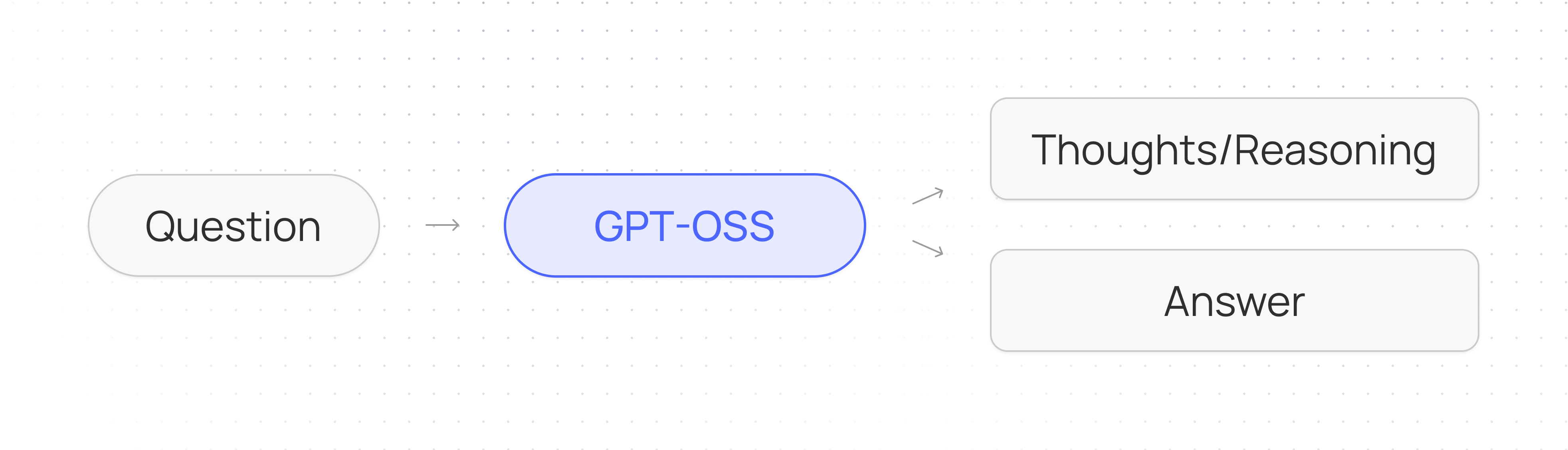
```python Python theme={null}
response = client.fine_tuning.create(
training_file="your-new-training-file-id",
from_checkpoint="previous-finetune-job-id",
wandb_api_key="your-wandb-api-key",
)
```
```shell Shell theme={null}
together fine-tuning create \
--training-file "your-new-training-file-id" \
--from-checkpoint "previous-finetune-job-id" \
--wandb-api-key $WANDB_API_KEY
```
You can specify a checkpoint by using:
* The output model name from the previous job
* Fine-tuning job ID
* A specific checkpoint step with the format `ft-...:{STEP_NUM}`
To check all available checkpoints for a job, use:
```shell Shell theme={null}
together fine-tuning list-checkpoints {FT_JOB_ID}
```
### Continued Fine-tuning jobs and LoRA Serverless Inference
Continued Fine-tuning supports various training method combinations: you can train an adapter module on top of a fully trained model or continue training an existing adapter from a previous job. Therefore, LoRA Serverless can be enabled or disabled after training is completed.
If you continue a LoRA fine-tuning job with the same LoRA hyperparameters (rank, alpha, selected modules), the trained model will be available for LoRA Serverless. However, if you change any of these parameters or continue with Full training, LoRA Serverless will be disabled. Additionally, if you continue a Full fine-tuning job, LoRA Serverless will remain disabled.
\*Note: The feature is disabled when parameters change because the Fine-tuning API merges the parent fine-tuning adapter to the base model when it detects different adapter hyperparameters, ensuring optimal training quality.
**Training and Validation Split**
To split your dataset into training and validation sets:
```shell Shell theme={null}
split_ratio=0.9 # Specify the split ratio for your training set
total_lines=$(wc -l < "your-datafile.jsonl")
split_lines=$((total_lines * split_ratio))
head -n $split_lines "your-datafile.jsonl" > "your-datafile-train.jsonl"
tail -n +$((split_lines + 1)) "your-datafile.jsonl" > "your-datafile-validation.jsonl"
```
**Using a Validation Set During Training**
A validation set is a held-out dataset to evaluate your model performance during training on unseen data. Using a validation set provides multiple benefits such as monitoring for overfitting and helping with hyperparameter tuning.
To use a validation set, provide `validation_file` and set `n_evals` to a number above 0:
```python Python theme={null}
response = client.fine_tuning.create(
training_file="your-training-file-id",
validation_file="your-validation-file-id",
n_evals=10, # Number of evaluations over the entire job
model="meta-llama/Meta-Llama-3.1-8B-Instruct-Reference",
)
```
At set intervals during training, the model will be evaluated on your validation set, and the evaluation loss will be recorded in your job event log. If you provide a W\&B API key, you'll also be able to see these losses in the W\&B dashboard.
**Recap**
Fine-tuning LLMs with Together AI allows you to create specialized models tailored to your specific requirements. By following this guide, you've learned how to:
1. Prepare and format your data for fine-tuning
2. Launch a fine-tuning job with appropriate parameters
3. Monitor the progress of your fine-tuning job
4. Use your fine-tuned model via API or dedicated endpoints
5. Evaluate your model's performance improvements
6. Work with advanced features like continued training and validation sets
---
> To find navigation and other pages in this documentation, fetch the llms.txt file at: https://docs.together.ai/llms.txt
---
# Source: https://docs.together.ai/reference/finetune.md
# Fine Tuning
> The function of the Together Python Library is used to create, manage, and monitor fine-tune jobs.
## Help
See all commands with:
```shell shell theme={null}
together fine-tuning --help
```
## Create
To start a new fine-tune job:
```shell shell theme={null}
together fine-tuning create --training-file -m
```
Other arguments:
* `--model`,`-m` (string, *required*) -- Specifies the base model to fine-tune. (See [the model page](/docs/fine-tuning-models))
* `--training-file`,`-t` (string, *required*) -- Specifies a training file with the file-id of a previously uploaded file (See [Files](/docs/python-files)). The maximum allowed file size is 25GB.
* `--validation-file`,`-t` (string, *optional*) -- Specifies a validation file with the file-id of a previously uploaded file (See [Files](/docs/python-files)). The maximum allowed file size is 25GB.
* `--suffix`,`-s` (string, *optional*) -- Up to 40 characters that will be added to your fine-tuned model name. It is recommended to add this to differentiate fine-tuned models. Default: None.
* `--n-epochs`, `-ne` (integer, *optional*) -- Number of epochs to fine-tune on the dataset. Default: 4, Min: 1, Max: 20.
* `--n-evals` (integer, *optional*) -- Number of evaluations to be run on a given validation set during training. Default: 0, Min: 0, Max: 100.
* `--n-checkpoints`, `-c` (integer, *optional*) -- The number of checkpoints to save during training. Default: 1 One checkpoint is always saved on the last epoch for the trained model. The number of checkpoints must be larger than 0, and equal to or less than the number of epochs (1 \<= n-checkpoints \<= n-epochs). If a larger number is given, the number of epochs will be used for the number of checkpoints.
* `--batch-size`,`-b` (integer, *optional*) -- The batch size to use for each training iteration. The batch size is the number of training samples/examples used in a batch. See [the model page](/docs/fine-tuning-models) for min and max batch sizes for each model. By default `--batch-size max` is used by default when not specified.
* `--learning-rate`, `-lr` (float *optional*) -- The learning rate multiplier to use for training. Default: 0.00001, Min: 0.00000001, Max: 0.01
* `--lr-scheduler-type`, (string, *optional*) -- The learning rate scheduler type. One of `"linear"` or `"cosine"`. Defaults to `"linear"`.
* `--min-lr-ratio`, (float, *optional*) -- The ratio of the final learning rate to the peak learning rate. Default: 0.0, Min: 0.0, Max: 1.0.
* `--scheduler-num-cycles`, (float, *optional*) -- The number or fraction of cycles for the cosine learning rate scheduler. Must be non-negative. Default: 0.5
* `--warmup-ratio` (float, *optional*) -- The percent of steps at the start of training to linearly increase the learning rate. Default 0.0, Min: 0.0, Max: 1.0
* `--max-grad-norm` (float, *optional*) -- Max gradient norm to be used for gradient clipping. Set to 0 to disable. Default: 1.0, Min: 0.0
* `--weight-decay` (float, *optional*) -- Weight Decay parameter for the optimizer. Default: 0.0, Min: 0.0.
* `--wandb-api-key` (string, *optional*) -- Your own Weights & Biases API key. If you provide the key, you can monitor your job progress on your Weights & Biases page. If not set WANDB\_API\_KEY environment variable is used.
* `--wandb-base-url` (string, *optional*) -- The base URL of a dedicated Weights & Biases instance. Leave empty if not using your own Weights & Biases instance.
* `--wandb-project-name` (string, *optional*) -- The Weights & Biases project for your run. If not specified, will use `together` as the project name.
* `--wandb-name` (string, *optional*) -- The Weights & Biases name for your run.
* `--train-on-inputs` (bool or 'auto') -- Whether to mask the user messages in conversational data or prompts in instruction data. `'auto'` will automatically determine whether to mask the inputs based on the data format. For datasets with the `"text"` field (general format), inputs will not be masked. For datasets with the `"messages"` field (conversational format) or `"prompt"` and `"completion"` fields (Instruction format), inputs will be masked. Defaults to "auto".
* `--from-checkpoint` (str, *optional*) -- The checkpoint identifier to continue training from a previous fine-tuning job. The format: `{$JOB_ID/$OUTPUT_MODEL_NAME}:{$STEP}`. The step value is optional, without it the final checkpoint will be used.
* `--from-hf-model` (str, *optional*) -- The Hugging Face Hub repository to start training from. Should be as close as possible to the base model (specified by the `model` argument) in terms of architecture and size
* `--hf-model-revision` (str, *optional*) -- The revision of the Hugging Face Hub model to continue training from. Example: hf\_model\_revision=None (defaults to the latest revision in `main`) or hf\_model\_revision='607a30d783dfa663caf39e06633721c8d4cfcd7e' (specific commit).
* `--hf-api-token` (str, *optional*) -- Hugging Face API token for uploading the output model to a repository on the Hub or using a model from the Hub as initialization.
* `--hf-output-repo-name` (str, *optional*) -- HF repository to upload the fine-tuned model to.
(LoRA arguments are supported with `together >= 1.2.3`)
* `--lora` (bool, *optional*) -- Whether to enable LoRA training. If not provided, full fine-tuning will be applied. Default: False.
* `--lora-r` (integer, *optional*) -- Rank for LoRA adapter weights. Default: 8, Min: 1, Max: 64.
* `--lora-alpha` (integer, *optional*) -- The alpha value for LoRA adapter training. Default: 8. Min: 1. If a value less than 1 is given, it will default to `--lora-r` value to follow the recommendation of 1:1 scaling.
* `--lora-dropout` (float, *optional*) -- The dropout probability for Lora layers. Default: 0.0, Min: 0.0, Max: 1.0.
* `--lora-trainable-modules` (string, \_*optional*) -- A list of LoRA trainable modules, separated by a comma. Default: `all-linear`(using all trainable modules). Trainable modules for each model are:
* Mixtral 8x7B model family: `k_proj`, `w2`, `w1`, `gate`, `w3`, `o_proj`, `q_proj`, `v_proj`
* All other models: `k_proj`, `up_proj`, `o_proj`, `q_proj`, `down_proj`, `v_proj`, `gate_proj`
The `id` field in the JSON response contains the value for the fine-tune job ID (ft-id) that can be used to get the status, retrieve logs, cancel the job, and download weights.
## List
To list past and running fine-tune jobs:
```shell Shell theme={null}
together fine-tuning list
```
The jobs will be sorted oldest-to-newest with the newest jobs at the bottom of the list.
## Retrieve
To retrieve metadata on a job:
```shell Shell theme={null}
together fine-tuning retrieve
```
## Monitor Events
To list events of a past or running job:
```shell Shell theme={null}
together fine-tuning list-events
```
## Cancel
To cancel a running job:
```shell Shell theme={null}
together fine-tuning cancel
```
## Status
To get the status of a job:
```shell Shell theme={null}
together fine-tuning status
```
## Checkpoints
To list saved-checkpoints of a job:
```shell Shell theme={null}
together fine-tuning list-checkpoints
```
## Download Model and Checkpoint Weights
To download the weights of a fine-tuned model, run:
```shell Shell theme={null}
together fine-tuning download
```
This command will download ZSTD compressed weights of the model. To extract the weights, run `tar -xf filename`.
Other arguments:
* `--output`,`-o` (filename, *optional*) -- Specify the output filename. Default: `.tar.zst`
* `--step`,`-s` (integer, *optional*) -- Download a specific checkpoint's weights. Defaults to download the latest weights. Default: `-1`
---
> To find navigation and other pages in this documentation, fetch the llms.txt file at: https://docs.together.ai/llms.txt
---
# Source: https://docs.together.ai/docs/function-calling.md
> Learn how to get LLMs to respond to queries with named functions and structured arguments.
# Function Calling
## Introduction
Function calling (also called *tool calling*) enables LLMs to respond with structured function names and arguments that you can execute in your application. This allows models to interact with external systems, retrieve real-time data, and power agentic AI workflows.
Pass function descriptions to the `tools` parameter, and the model will return `tool_calls` when it determines a function should be used. You can then execute these functions and optionally pass the results back to the model for further processing.
## Basic Function Calling
Let's say our application has access to a `get_current_weather` function which takes in two named arguments,`location` and `unit`:
```python Python theme={null}
## Hypothetical function that exists in our app
get_current_weather(location="San Francisco, CA", unit="fahrenheit")
```
```typescript TypeScript theme={null}
// Hypothetical function that exists in our app
getCurrentWeather({
location: "San Francisco, CA",
unit: "fahrenheit",
});
```
We can make this function available to our LLM by passing its description to the `tools` key alongside the user's query. Let's suppose the user asks, "What is the current temperature of New York?"
```python Python theme={null}
import json
from together import Together
client = Together()
response = client.chat.completions.create(
model="Qwen/Qwen2.5-7B-Instruct-Turbo",
messages=[
{
"role": "system",
"content": "You are a helpful assistant that can access external functions. The responses from these function calls will be appended to this dialogue. Please provide responses based on the information from these function calls.",
},
{
"role": "user",
"content": "What is the current temperature of New York?",
},
],
tools=[
{
"type": "function",
"function": {
"name": "get_current_weather",
"description": "Get the current weather in a given location",
"parameters": {
"type": "object",
"properties": {
"location": {
"type": "string",
"description": "The city and state, e.g. San Francisco, CA",
},
"unit": {
"type": "string",
"enum": ["celsius", "fahrenheit"],
},
},
},
},
}
],
)
print(
json.dumps(
response.choices[0].message.model_dump()["tool_calls"],
indent=2,
)
)
```
```typescript TypeScript theme={null}
import Together from "together-ai";
const together = new Together();
const response = await together.chat.completions.create({
model: "Qwen/Qwen2.5-7B-Instruct-Turbo",
messages: [
{
role: "system",
content:
"You are a helpful assistant that can access external functions. The responses from these function calls will be appended to this dialogue. Please provide responses based on the information from these function calls.",
},
{
role: "user",
content: "What is the current temperature of New York?",
},
],
tools: [
{
type: "function",
function: {
name: "getCurrentWeather",
description: "Get the current weather in a given location",
parameters: {
type: "object",
properties: {
location: {
type: "string",
description: "The city and state, e.g. San Francisco, CA",
},
unit: {
type: "string",
description: "The unit of temperature",
enum: ["celsius", "fahrenheit"],
},
},
},
},
},
],
});
console.log(JSON.stringify(response.choices[0].message?.tool_calls, null, 2));
```
```curl cURL theme={null}
curl -X POST "https://api.together.xyz/v1/chat/completions" \
-H "Authorization: Bearer $TOGETHER_API_KEY" \
-H "Content-Type: application/json" \
-d '{
"model": "Qwen/Qwen2.5-7B-Instruct-Turbo",
"messages": [
{
"role": "system",
"content": "You are a helpful assistant that can access external functions. The responses from these function calls will be appended to this dialogue. Please provide responses based on the information from these function calls."
},
{
"role": "user",
"content": "What is the current temperature of New York?"
}
],
"tools": [
{
"type": "function",
"function": {
"name": "get_current_weather",
"description": "Get the current weather in a given location",
"parameters": {
"type": "object",
"properties": {
"location": {
"type": "string",
"description": "The city and state, e.g. San Francisco, CA"
},
"unit": {
"type": "string",
"enum": ["celsius", "fahrenheit"]
}
}
}
}
}
]
}'
```
The model will respond with a single function call in the `tool_calls` array, specifying the function name and arguments needed to get the weather for New York.
```json JSON theme={null}
[
{
"index": 0,
"id": "call_aisak3q1px3m2lzb41ay6rwf",
"type": "function",
"function": {
"arguments": "{\"location\":\"New York, NY\",\"unit\":\"fahrenheit\"}",
"name": "get_current_weather"
}
}
]
```
As we can see, the LLM has given us a function call that we can programmatically execute to answer the user's question.
### Streaming
Function calling also works with streaming responses. When streaming is enabled, tool calls are returned incrementally and can be accessed from the `delta.tool_calls` object in each chunk.
```python Python theme={null}
from together import Together
client = Together()
tools = [
{
"type": "function",
"function": {
"name": "get_weather",
"description": "Get current temperature for a given location.",
"parameters": {
"type": "object",
"properties": {
"location": {
"type": "string",
"description": "City and country e.g. Bogotá, Colombia",
}
},
"required": ["location"],
"additionalProperties": False,
},
"strict": True,
},
}
]
stream = client.chat.completions.create(
model="meta-llama/Meta-Llama-3.1-8B-Instruct-Turbo",
messages=[{"role": "user", "content": "What's the weather in NYC?"}],
tools=tools,
stream=True,
)
for chunk in stream:
delta = chunk.choices[0].delta
tool_calls = getattr(delta, "tool_calls", [])
print(tool_calls)
```
```typescript TypeScript theme={null}
import Together from "together-ai";
const client = new Together();
const tools = [
{
type: "function",
function: {
name: "get_weather",
description: "Get current temperature for a given location.",
parameters: {
type: "object",
properties: {
location: {
type: "string",
description: "City and country e.g. Bogotá, Colombia",
},
},
required: ["location"],
additionalProperties: false,
},
strict: true,
},
},
];
const stream = await client.chat.completions.create({
model: "meta-llama/Meta-Llama-3.1-8B-Instruct-Turbo",
messages: [{ role: "user", content: "What's the weather in NYC?" }],
tools,
stream: true,
});
for await (const chunk of stream) {
const delta = chunk.choices[0]?.delta;
const toolCalls = delta?.tool_calls ?? [];
console.log(toolCalls);
}
```
```curl cURL theme={null}
curl -X POST "https://api.together.xyz/v1/chat/completions" \
-H "Authorization: Bearer $TOGETHER_API_KEY" \
-H "Content-Type: application/json" \
-d '{
"model": "meta-llama/Meta-Llama-3.1-8B-Instruct-Turbo",
"messages": [
{
"role": "user",
"content": "What'\''s the weather in NYC?"
}
],
"tools": [
{
"type": "function",
"function": {
"name": "get_weather",
"description": "Get current temperature for a given location.",
"parameters": {
"type": "object",
"properties": {
"location": {
"type": "string",
"description": "City and country e.g. Bogotá, Colombia"
}
},
"required": ["location"],
"additionalProperties": false
},
"strict": true
}
}
],
"stream": true
}'
```
The model will respond with streamed function calls:
```json theme={null}
[# delta 1
{
"index": 0,
"id": "call_fwbx4e156wigo9ayq7tszngh",
"type": "function",
"function": {
"name": "get_weather",
"arguments": ""
}
}
]
# delta 2
[
{
"index": 0,
"function": {
"arguments": "{\"location\":\"New York City, USA\"}"
}
}
]
```
## Supported models
The following models currently support function calling:
* `openai/gpt-oss-120b`
* `openai/gpt-oss-20b`
* `moonshotai/Kimi-K2-Thinking`
* `moonshotai/Kimi-K2-Instruct-0905`
* `zai-org/GLM-4.5-Air-FP8`
* `Qwen/Qwen3-Next-80B-A3B-Instruct`
* `Qwen/Qwen3-Next-80B-A3B-Thinking`
* `Qwen/Qwen3-235B-A22B-Thinking-2507`
* `Qwen/Qwen3-Coder-480B-A35B-Instruct-FP8`
* `Qwen/Qwen3-235B-A22B-fp8-tput`
* `deepseek-ai/DeepSeek-R1`
* `deepseek-ai/DeepSeek-V3`
* `meta-llama/Llama-4-Maverick-17B-128E-Instruct-FP8`
* `meta-llama/Llama-4-Scout-17B-16E-Instruct`
* `meta-llama/Meta-Llama-3.1-8B-Instruct-Turbo`
* `meta-llama/Meta-Llama-3.1-70B-Instruct-Turbo`
* `meta-llama/Meta-Llama-3.1-405B-Instruct-Turbo`
* `meta-llama/Llama-3.3-70B-Instruct-Turbo`
* `meta-llama/Llama-3.2-3B-Instruct-Turbo`
* `Qwen/Qwen2.5-7B-Instruct-Turbo`
* `Qwen/Qwen2.5-72B-Instruct-Turbo`
* `mistralai/Mistral-Small-24B-Instruct-2501`
* `arcee-ai/virtuoso-large`
## Types of Function Calling
Function calling can be implemented in six different patterns, each serving different use cases:
| **Type** | **Description** | **Use Cases** |
| --------------------- | --------------------------------------- | --------------------------------------- |
| **Simple** | One function, one call | Basic utilities, simple queries |
| **Multiple** | Choose from many functions | Many tools, LLM has to choose |
| **Parallel** | Same function, multiple calls | Complex prompts, multiple tools called |
| **Parallel Multiple** | Multiple functions, parallel calls | Complex single requests with many tools |
| **Multi-Step** | Sequential function calling in one turn | Data processing workflows |
| **Multi-Turn** | Conversational context + functions | AI Agents with humans in the loop |
Understanding these types of function calling patterns helps you choose the right approach for your application, from simple utilities to sophisticated agentic behaviors.
### 1. Simple Function Calling
This is the most basic type of function calling where one function is defined and one user prompt triggers one function call. The model identifies the need to call the function and extracts the right parameters.
This is the example presented in the above code. Only one tool is provided to the model and it responds with one invocation of the tool.
### 2. Multiple Function Calling
Multiple function calling involves having several different functions available, with the model choosing the best function to call based on the user's intent. The model must understand the request and select the appropriate tool from the available options.
In the example below we provide two tools to the model and it responds with one tool invocation.
```python Python theme={null}
import json
from together import Together
client = Together()
tools = [
{
"type": "function",
"function": {
"name": "get_current_weather",
"description": "Get the current weather in a given location",
"parameters": {
"type": "object",
"properties": {
"location": {
"type": "string",
"description": "The city and state, e.g. San Francisco, CA",
},
"unit": {
"type": "string",
"enum": ["celsius", "fahrenheit"],
},
},
},
},
},
{
"type": "function",
"function": {
"name": "get_current_stock_price",
"description": "Get the current stock price for a given stock symbol",
"parameters": {
"type": "object",
"properties": {
"symbol": {
"type": "string",
"description": "The stock symbol, e.g. AAPL, GOOGL, TSLA",
},
"exchange": {
"type": "string",
"description": "The stock exchange (optional)",
"enum": ["NYSE", "NASDAQ", "LSE", "TSX"],
},
},
"required": ["symbol"],
},
},
},
]
response = client.chat.completions.create(
model="Qwen/Qwen2.5-7B-Instruct-Turbo",
messages=[
{
"role": "user",
"content": "What's the current price of Apple's stock?",
},
],
tools=tools,
)
print(
json.dumps(
response.choices[0].message.model_dump()["tool_calls"],
indent=2,
)
)
```
```typescript TypeScript theme={null}
import Together from "together-ai";
const together = new Together();
const tools = [
{
type: "function",
function: {
name: "getCurrentWeather",
description: "Get the current weather in a given location",
parameters: {
type: "object",
properties: {
location: {
type: "string",
description: "The city and state, e.g. San Francisco, CA",
},
unit: {
type: "string",
description: "The unit of temperature",
enum: ["celsius", "fahrenheit"],
},
},
},
},
},
{
type: "function",
function: {
name: "getCurrentStockPrice",
description: "Get the current stock price for a given stock symbol",
parameters: {
type: "object",
properties: {
symbol: {
type: "string",
description: "The stock symbol, e.g. AAPL, GOOGL, TSLA",
},
exchange: {
type: "string",
description: "The stock exchange (optional)",
enum: ["NYSE", "NASDAQ", "LSE", "TSX"],
},
},
required: ["symbol"],
},
},
},
];
const response = await together.chat.completions.create({
model: "Qwen/Qwen2.5-7B-Instruct-Turbo",
messages: [
{
role: "user",
content: "What's the current price of Apple's stock?",
},
],
tools,
});
console.log(JSON.stringify(response.choices[0].message?.tool_calls, null, 2));
```
```curl cURL theme={null}
curl -X POST "https://api.together.xyz/v1/chat/completions" \
-H "Authorization: Bearer $TOGETHER_API_KEY" \
-H "Content-Type: application/json" \
-d '{
"model": "Qwen/Qwen2.5-7B-Instruct-Turbo",
"messages": [
{
"role": "user",
"content": "What'\''s the current price of Apple'\''s stock?"
}
],
"tools": [
{
"type": "function",
"function": {
"name": "get_current_weather",
"description": "Get the current weather in a given location",
"parameters": {
"type": "object",
"properties": {
"location": {
"type": "string",
"description": "The city and state, e.g. San Francisco, CA"
},
"unit": {
"type": "string",
"enum": ["celsius", "fahrenheit"]
}
}
}
}
},
{
"type": "function",
"function": {
"name": "get_current_stock_price",
"description": "Get the current stock price for a given stock symbol",
"parameters": {
"type": "object",
"properties": {
"symbol": {
"type": "string",
"description": "The stock symbol, e.g. AAPL, GOOGL, TSLA"
},
"exchange": {
"type": "string",
"description": "The stock exchange (optional)",
"enum": ["NYSE", "NASDAQ", "LSE", "TSX"]
}
},
"required": ["symbol"]
}
}
}
]
}'
```
In this example, even though both weather and stock functions are available, the model correctly identifies that the user is asking about stock prices and calls the `get_current_stock_price` function.
#### Selecting a specific tool
If you'd like to manually select a specific tool to use for a completion, pass in the tool's name to the `tool_choice` parameter:
```python Python theme={null}
response = client.chat.completions.create(
model="Qwen/Qwen2.5-7B-Instruct-Turbo",
messages=[
{
"role": "user",
"content": "What's the current price of Apple's stock?",
},
],
tools=tools,
tool_choice={
"type": "function",
"function": {"name": "get_current_stock_price"},
},
)
```
```typescript TypeScript theme={null}
const response = await together.chat.completions.create({
model: "Qwen/Qwen2.5-7B-Instruct-Turbo",
messages: [
{
role: "user",
content: "What's the current price of Apple's stock?",
},
],
tools,
tool_choice: { type: "function", function: { name: "getCurrentStockPrice" } },
});
```
```curl cURL theme={null}
curl -X POST "https://api.together.xyz/v1/chat/completions" \
-H "Authorization: Bearer $TOGETHER_API_KEY" \
-H "Content-Type: application/json" \
-d '{
"model": "Qwen/Qwen2.5-7B-Instruct-Turbo",
"messages": [
{
"role": "user",
"content": "What'\''s the current price of Apple'\''s stock?"
}
],
"tools": [
{
"type": "function",
"function": {
"name": "get_current_stock_price",
"description": "Get the current stock price for a given stock symbol",
"parameters": {
"type": "object",
"properties": {
"symbol": {
"type": "string",
"description": "The stock symbol, e.g. AAPL, GOOGL, TSLA"
}
},
"required": ["symbol"]
}
}
}
],
"tool_choice": {
"type": "function",
"function": {
"name": "get_current_stock_price"
}
}
}'
```
This ensures the model will use the specified function when generating its response, regardless of the user's phrasing.
#### Understanding tool\_choice options
The `tool_choice` parameter controls how the model uses functions. It accepts:
**String values:**
* `"auto"` (default) - Model decides whether to call a function or generate a text response
* `"none"` - Model will never call functions, only generates text
* `"required"` - Model must call at least one function
### 3. Parallel Function Calling
In parallel function calling, the same function is called multiple times simultaneously with different parameters. This is more efficient than making sequential calls for similar operations.
```python Python theme={null}
import json
from together import Together
client = Together()
response = client.chat.completions.create(
model="Qwen/Qwen2.5-7B-Instruct-Turbo",
messages=[
{
"role": "system",
"content": "You are a helpful assistant that can access external functions. The responses from these function calls will be appended to this dialogue. Please provide responses based on the information from these function calls.",
},
{
"role": "user",
"content": "What is the current temperature of New York, San Francisco and Chicago?",
},
],
tools=[
{
"type": "function",
"function": {
"name": "get_current_weather",
"description": "Get the current weather in a given location",
"parameters": {
"type": "object",
"properties": {
"location": {
"type": "string",
"description": "The city and state, e.g. San Francisco, CA",
},
"unit": {
"type": "string",
"enum": ["celsius", "fahrenheit"],
},
},
},
},
}
],
)
print(
json.dumps(
response.choices[0].message.model_dump()["tool_calls"],
indent=2,
)
)
```
```typescript TypeScript theme={null}
import Together from "together-ai";
const together = new Together();
const response = await together.chat.completions.create({
model: "Qwen/Qwen2.5-7B-Instruct-Turbo",
messages: [
{
role: "system",
content:
"You are a helpful assistant that can access external functions. The responses from these function calls will be appended to this dialogue. Please provide responses based on the information from these function calls.",
},
{
role: "user",
content:
"What is the current temperature of New York, San Francisco and Chicago?",
},
],
tools: [
{
type: "function",
function: {
name: "getCurrentWeather",
description: "Get the current weather in a given location",
parameters: {
type: "object",
properties: {
location: {
type: "string",
description: "The city and state, e.g. San Francisco, CA",
},
unit: {
type: "string",
description: "The unit of temperature",
enum: ["celsius", "fahrenheit"],
},
},
},
},
},
],
});
console.log(JSON.stringify(response.choices[0].message?.tool_calls, null, 2));
```
```curl cURL theme={null}
curl -X POST "https://api.together.xyz/v1/chat/completions" \
-H "Authorization: Bearer $TOGETHER_API_KEY" \
-H "Content-Type: application/json" \
-d '{
"model": "Qwen/Qwen2.5-7B-Instruct-Turbo",
"messages": [
{
"role": "system",
"content": "You are a helpful assistant that can access external functions. The responses from these function calls will be appended to this dialogue. Please provide responses based on the information from these function calls."
},
{
"role": "user",
"content": "What is the current temperature of New York, San Francisco and Chicago?"
}
],
"tools": [
{
"type": "function",
"function": {
"name": "get_current_weather",
"description": "Get the current weather in a given location",
"parameters": {
"type": "object",
"properties": {
"location": {
"type": "string",
"description": "The city and state, e.g. San Francisco, CA"
},
"unit": {
"type": "string",
"enum": ["celsius", "fahrenheit"]
}
}
}
}
}
]
}'
```
In response, the `tool_calls` key of the LLM's response will look like this:
```json JSON theme={null}
[
{
"index": 0,
"id": "call_aisak3q1px3m2lzb41ay6rwf",
"type": "function",
"function": {
"arguments": "{\"location\":\"New York, NY\",\"unit\":\"fahrenheit\"}",
"name": "get_current_weather"
}
},
{
"index": 1,
"id": "call_agrjihqjcb0r499vrclwrgdj",
"type": "function",
"function": {
"arguments": "{\"location\":\"San Francisco, CA\",\"unit\":\"fahrenheit\"}",
"name": "get_current_weather"
}
},
{
"index": 2,
"id": "call_17s148ekr4hk8m5liicpwzkk",
"type": "function",
"function": {
"arguments": "{\"location\":\"Chicago, IL\",\"unit\":\"fahrenheit\"}",
"name": "get_current_weather"
}
}
]
```
As we can see, the LLM has given us three function calls that we can programmatically execute to answer the user's question.
### 4. Parallel Multiple Function Calling
This pattern combines parallel and multiple function calling: multiple different functions are available, and one user prompt triggers multiple different function calls simultaneously. The model chooses which functions to call AND calls them in parallel.
```python Python theme={null}
import json
from together import Together
client = Together()
tools = [
{
"type": "function",
"function": {
"name": "get_current_weather",
"description": "Get the current weather in a given location",
"parameters": {
"type": "object",
"properties": {
"location": {
"type": "string",
"description": "The city and state, e.g. San Francisco, CA",
},
"unit": {
"type": "string",
"enum": ["celsius", "fahrenheit"],
},
},
},
},
},
{
"type": "function",
"function": {
"name": "get_current_stock_price",
"description": "Get the current stock price for a given stock symbol",
"parameters": {
"type": "object",
"properties": {
"symbol": {
"type": "string",
"description": "The stock symbol, e.g. AAPL, GOOGL, TSLA",
},
"exchange": {
"type": "string",
"description": "The stock exchange (optional)",
"enum": ["NYSE", "NASDAQ", "LSE", "TSX"],
},
},
"required": ["symbol"],
},
},
},
]
response = client.chat.completions.create(
model="Qwen/Qwen2.5-7B-Instruct-Turbo",
messages=[
{
"role": "user",
"content": "What's the current price of Apple and Google stock? What is the weather in New York, San Francisco and Chicago?",
},
],
tools=tools,
)
print(
json.dumps(
response.choices[0].message.model_dump()["tool_calls"],
indent=2,
)
)
```
```typescript TypeScript theme={null}
import Together from "together-ai";
const together = new Together();
const tools = [
{
type: "function",
function: {
name: "getCurrentWeather",
description: "Get the current weather in a given location",
parameters: {
type: "object",
properties: {
location: {
type: "string",
description: "The city and state, e.g. San Francisco, CA",
},
unit: {
type: "string",
enum: ["celsius", "fahrenheit"],
},
},
},
},
},
{
type: "function",
function: {
name: "getCurrentStockPrice",
description: "Get the current stock price for a given stock symbol",
parameters: {
type: "object",
properties: {
symbol: {
type: "string",
description: "The stock symbol, e.g. AAPL, GOOGL, TSLA",
},
exchange: {
type: "string",
description: "The stock exchange (optional)",
enum: ["NYSE", "NASDAQ", "LSE", "TSX"],
},
},
required: ["symbol"],
},
},
},
];
const response = await together.chat.completions.create({
model: "Qwen/Qwen2.5-7B-Instruct-Turbo",
messages: [
{
role: "user",
content:
"What's the current price of Apple and Google stock? What is the weather in New York, San Francisco and Chicago?",
},
],
tools,
});
console.log(JSON.stringify(response.choices[0].message?.tool_calls, null, 2));
```
```curl cURL theme={null}
curl -X POST "https://api.together.xyz/v1/chat/completions" \
-H "Authorization: Bearer $TOGETHER_API_KEY" \
-H "Content-Type: application/json" \
-d '{
"model": "Qwen/Qwen2.5-7B-Instruct-Turbo",
"messages": [
{
"role": "user",
"content": "What'\''s the current price of Apple and Google stock? What is the weather in New York, San Francisco and Chicago?"
}
],
"tools": [
{
"type": "function",
"function": {
"name": "get_current_weather",
"description": "Get the current weather in a given location",
"parameters": {
"type": "object",
"properties": {
"location": {
"type": "string",
"description": "The city and state, e.g. San Francisco, CA"
},
"unit": {
"type": "string",
"enum": ["celsius", "fahrenheit"]
}
}
}
}
},
{
"type": "function",
"function": {
"name": "get_current_stock_price",
"description": "Get the current stock price for a given stock symbol",
"parameters": {
"type": "object",
"properties": {
"symbol": {
"type": "string",
"description": "The stock symbol, e.g. AAPL, GOOGL, TSLA"
},
"exchange": {
"type": "string",
"description": "The stock exchange (optional)",
"enum": ["NYSE", "NASDAQ", "LSE", "TSX"]
}
},
"required": ["symbol"]
}
}
}
]
}'
```
This will result in five function calls: two for stock prices (Apple and Google) and three for weather information (New York, San Francisco, and Chicago), all executed in parallel.
```json JSON theme={null}
[
{
"id": "call_8b31727cf80f41099582a259",
"type": "function",
"function": {
"name": "get_current_stock_price",
"arguments": "{\"symbol\": \"AAPL\"}"
},
"index": null
},
{
"id": "call_b54bcaadceec423d82f28611",
"type": "function",
"function": {
"name": "get_current_stock_price",
"arguments": "{\"symbol\": \"GOOGL\"}"
},
"index": null
},
{
"id": "call_f1118a9601c644e1b78a4a8c",
"type": "function",
"function": {
"name": "get_current_weather",
"arguments": "{\"location\": \"San Francisco, CA\"}"
},
"index": null
},
{
"id": "call_95dc5028837e4d1e9b247388",
"type": "function",
"function": {
"name": "get_current_weather",
"arguments": "{\"location\": \"New York, NY\"}"
},
"index": null
},
{
"id": "call_1b8b58809d374f15a5a990d9",
"type": "function",
"function": {
"name": "get_current_weather",
"arguments": "{\"location\": \"Chicago, IL\"}"
},
"index": null
}
]
```
### 5. Multi-Step Function Calling
Multi-step function calling involves sequential function calls within one conversation turn. Functions are called, results are processed, then used to inform the final response. This demonstrates the complete flow from initial function calls to processing function results to final response incorporating all the data.
Here's an example of passing the result of a tool call from one completion into a second follow-up completion:
```python Python theme={null}
import json
from together import Together
client = Together()
## Example function to make available to model
def get_current_weather(location, unit="fahrenheit"):
"""Get the weather for some location"""
if "chicago" in location.lower():
return json.dumps(
{"location": "Chicago", "temperature": "13", "unit": unit}
)
elif "san francisco" in location.lower():
return json.dumps(
{"location": "San Francisco", "temperature": "55", "unit": unit}
)
elif "new york" in location.lower():
return json.dumps(
{"location": "New York", "temperature": "11", "unit": unit}
)
else:
return json.dumps({"location": location, "temperature": "unknown"})
# 1. Define a list of callable tools for the model
tools = [
{
"type": "function",
"function": {
"name": "get_current_weather",
"description": "Get the current weather in a given location",
"parameters": {
"type": "object",
"properties": {
"location": {
"type": "string",
"description": "The city and state, e.g. San Francisco, CA",
},
"unit": {
"type": "string",
"description": "The unit of temperature",
"enum": ["celsius", "fahrenheit"],
},
},
},
},
}
]
# Create a running messages list we will add to over time
messages = [
{
"role": "system",
"content": "You are a helpful assistant that can access external functions. The responses from these function calls will be appended to this dialogue. Please provide responses based on the information from these function calls.",
},
{
"role": "user",
"content": "What is the current temperature of New York, San Francisco and Chicago?",
},
]
# 2. Prompt the model with tools defined
response = client.chat.completions.create(
model="Qwen/Qwen2.5-7B-Instruct-Turbo",
messages=messages,
tools=tools,
)
# Save function call outputs for subsequent requests
tool_calls = response.choices[0].message.tool_calls
if tool_calls:
# Add the assistant's response with tool calls to messages
messages.append(
{
"role": "assistant",
"content": "",
"tool_calls": [tool_call.model_dump() for tool_call in tool_calls],
}
)
# 3. Execute the function logic for each tool call
for tool_call in tool_calls:
function_name = tool_call.function.name
function_args = json.loads(tool_call.function.arguments)
if function_name == "get_current_weather":
function_response = get_current_weather(
location=function_args.get("location"),
unit=function_args.get("unit"),
)
# 4. Provide function call results to the model
messages.append(
{
"tool_call_id": tool_call.id,
"role": "tool",
"name": function_name,
"content": function_response,
}
)
# 5. The model should be able to give a response with the function results!
function_enriched_response = client.chat.completions.create(
model="Qwen/Qwen2.5-7B-Instruct-Turbo",
messages=messages,
)
print(
json.dumps(
function_enriched_response.choices[0].message.model_dump(),
indent=2,
)
)
```
```typescript TypeScript theme={null}
import Together from "together-ai";
import { CompletionCreateParams } from "together-ai/resources/chat/completions.mjs";
const together = new Together();
// Example function to make available to model
function getCurrentWeather({
location,
unit = "fahrenheit",
}: {
location: string;
unit: "fahrenheit" | "celsius";
}) {
let result: { location: string; temperature: number | null; unit: string };
if (location.toLowerCase().includes("chicago")) {
result = {
location: "Chicago",
temperature: 13,
unit,
};
} else if (location.toLowerCase().includes("san francisco")) {
result = {
location: "San Francisco",
temperature: 55,
unit,
};
} else if (location.toLowerCase().includes("new york")) {
result = {
location: "New York",
temperature: 11,
unit,
};
} else {
result = {
location,
temperature: null,
unit,
};
}
return JSON.stringify(result);
}
const tools = [
{
type: "function",
function: {
name: "getCurrentWeather",
description: "Get the current weather in a given location",
parameters: {
type: "object",
properties: {
location: {
type: "string",
description: "The city and state, e.g. San Francisco, CA",
},
unit: {
type: "string",
enum: ["celsius", "fahrenheit"],
},
},
},
},
},
];
const messages: CompletionCreateParams.Message[] = [
{
role: "system",
content:
"You are a helpful assistant that can access external functions. The responses from these function calls will be appended to this dialogue. Please provide responses based on the information from these function calls.",
},
{
role: "user",
content:
"What is the current temperature of New York, San Francisco and Chicago?",
},
];
const response = await together.chat.completions.create({
model: "Qwen/Qwen2.5-7B-Instruct-Turbo",
messages,
tools,
});
const toolCalls = response.choices[0].message?.tool_calls;
if (toolCalls) {
messages.push({
role: "assistant",
content: "",
tool_calls: toolCalls,
});
for (const toolCall of toolCalls) {
if (toolCall.function.name === "getCurrentWeather") {
const args = JSON.parse(toolCall.function.arguments);
const functionResponse = getCurrentWeather(args);
messages.push({
role: "tool",
content: functionResponse,
});
}
}
const functionEnrichedResponse = await together.chat.completions.create({
model: "Qwen/Qwen2.5-7B-Instruct-Turbo",
messages,
tools,
});
console.log(
JSON.stringify(functionEnrichedResponse.choices[0].message, null, 2),
);
}
```
And here's the final output from the second call:
```json JSON theme={null}
{
"content": "The current temperature in New York is 11 degrees Fahrenheit, in San Francisco it is 55 degrees Fahrenheit, and in Chicago it is 13 degrees Fahrenheit.",
"role": "assistant"
}
```
We've successfully used our LLM to generate three tool call descriptions, iterated over those descriptions to execute each one, and passed the results into a follow-up message to get the LLM to produce a final answer!
### 6. Multi-Turn Function Calling
Multi-turn function calling represents the most sophisticated form of function calling, where context is maintained across multiple conversation turns and functions can be called at any point in the conversation. Previous function results inform future decisions, enabling truly agentic behavior.
```python Python theme={null}
import json
from together import Together
client = Together()
# Define all available tools for the travel assistant
tools = [
{
"type": "function",
"function": {
"name": "get_current_weather",
"description": "Get the current weather in a given location",
"parameters": {
"type": "object",
"properties": {
"location": {
"type": "string",
"description": "The city and state, e.g. San Francisco, CA",
},
"unit": {
"type": "string",
"description": "The unit of temperature",
"enum": ["celsius", "fahrenheit"],
},
},
"required": ["location"],
},
},
},
{
"type": "function",
"function": {
"name": "get_restaurant_recommendations",
"description": "Get restaurant recommendations for a specific location",
"parameters": {
"type": "object",
"properties": {
"location": {
"type": "string",
"description": "The city and state, e.g. San Francisco, CA",
},
"cuisine_type": {
"type": "string",
"description": "Type of cuisine preferred",
"enum": [
"italian",
"chinese",
"mexican",
"american",
"french",
"japanese",
"any",
],
},
"price_range": {
"type": "string",
"description": "Price range preference",
"enum": ["budget", "mid-range", "upscale", "any"],
},
},
"required": ["location"],
},
},
},
]
def get_current_weather(location, unit="fahrenheit"):
"""Get the weather for some location"""
if "chicago" in location.lower():
return json.dumps(
{
"location": "Chicago",
"temperature": "13",
"unit": unit,
"condition": "cold and snowy",
}
)
elif "san francisco" in location.lower():
return json.dumps(
{
"location": "San Francisco",
"temperature": "65",
"unit": unit,
"condition": "mild and partly cloudy",
}
)
elif "new york" in location.lower():
return json.dumps(
{
"location": "New York",
"temperature": "28",
"unit": unit,
"condition": "cold and windy",
}
)
else:
return json.dumps(
{
"location": location,
"temperature": "unknown",
"condition": "unknown",
}
)
def get_restaurant_recommendations(
location, cuisine_type="any", price_range="any"
):
"""Get restaurant recommendations for a location"""
restaurants = {}
if "san francisco" in location.lower():
restaurants = {
"italian": ["Tony's Little Star Pizza", "Perbacco"],
"chinese": ["R&G Lounge", "Z&Y Restaurant"],
"american": ["Zuni Café", "House of Prime Rib"],
"seafood": ["Swan Oyster Depot", "Fisherman's Wharf restaurants"],
}
elif "chicago" in location.lower():
restaurants = {
"italian": ["Gibsons Italia", "Piccolo Sogno"],
"american": ["Alinea", "Girl & Goat"],
"pizza": ["Lou Malnati's", "Giordano's"],
"steakhouse": ["Gibsons Bar & Steakhouse"],
}
elif "new york" in location.lower():
restaurants = {
"italian": ["Carbone", "Don Angie"],
"american": ["The Spotted Pig", "Gramercy Tavern"],
"pizza": ["Joe's Pizza", "Prince Street Pizza"],
"fine_dining": ["Le Bernardin", "Eleven Madison Park"],
}
return json.dumps(
{
"location": location,
"cuisine_filter": cuisine_type,
"price_filter": price_range,
"restaurants": restaurants,
}
)
def handle_conversation_turn(messages, user_input):
"""Handle a single conversation turn with potential function calls"""
# 3. Add user input to messages
messages.append({"role": "user", "content": user_input})
# 4. Get model response with tools
response = client.chat.completions.create(
model="Qwen/Qwen3-Coder-480B-A35B-Instruct-FP8",
messages=messages,
tools=tools,
)
tool_calls = response.choices[0].message.tool_calls
if tool_calls:
# 5. Add assistant response with tool calls
messages.append(
{
"role": "assistant",
"content": response.choices[0].message.content or "",
"tool_calls": [
tool_call.model_dump() for tool_call in tool_calls
],
}
)
# 6. Execute each function call
for tool_call in tool_calls:
function_name = tool_call.function.name
function_args = json.loads(tool_call.function.arguments)
print(f"🔧 Calling {function_name} with args: {function_args}")
# Route to appropriate function
if function_name == "get_current_weather":
function_response = get_current_weather(
location=function_args.get("location"),
unit=function_args.get("unit", "fahrenheit"),
)
elif function_name == "get_activity_suggestions":
function_response = get_activity_suggestions(
location=function_args.get("location"),
weather_condition=function_args.get("weather_condition"),
activity_type=function_args.get("activity_type", "both"),
)
elif function_name == "get_restaurant_recommendations":
function_response = get_restaurant_recommendations(
location=function_args.get("location"),
cuisine_type=function_args.get("cuisine_type", "any"),
price_range=function_args.get("price_range", "any"),
)
# 7. Add function response to messages
messages.append(
{
"tool_call_id": tool_call.id,
"role": "tool",
"name": function_name,
"content": function_response,
}
)
# 8. Get final response with function results
final_response = client.chat.completions.create(
model="Qwen/Qwen3-Coder-480B-A35B-Instruct-FP8",
messages=messages,
)
# 9. Add final assistant response to messages for context retention
messages.append(
{
"role": "assistant",
"content": final_response.choices[0].message.content,
}
)
return final_response.choices[0].message.content
# Initialize conversation with system message
messages = [
{
"role": "system",
"content": "You are a helpful travel planning assistant. You can access weather information and restaurant recommendations. Use the available tools to provide comprehensive travel advice based on the user's needs.",
}
]
# TURN 1: Initial weather request
print("TURN 1:")
print(
"User: What is the current temperature of New York, San Francisco and Chicago?"
)
response1 = handle_conversation_turn(
messages,
"What is the current temperature of New York, San Francisco and Chicago?",
)
print(f"Assistant: {response1}")
# TURN 2: Follow-up with activity and restaurant requests based on previous context
print("\nTURN 2:")
print(
"User: Based on the weather, which city would be best for outdoor activities? And can you find some restaurant recommendations for that city?"
)
response2 = handle_conversation_turn(
messages,
"Based on the weather, which city would be best for outdoor activities? And can you find some restaurant recommendations for that city?",
)
print(f"Assistant: {response2}")
```
```typescript TypeScript theme={null}
import Together from "together-ai";
import { CompletionCreateParams } from "together-ai/resources/chat/completions.mjs";
const together = new Together();
const tools = [
{
type: "function",
function: {
name: "getCurrentWeather",
description: "Get the current weather in a given location",
parameters: {
type: "object",
properties: {
location: {
type: "string",
description: "The city and state, e.g. San Francisco, CA",
},
unit: {
type: "string",
description: "The unit of temperature",
enum: ["celsius", "fahrenheit"],
},
},
required: ["location"],
},
},
},
{
type: "function",
function: {
name: "getRestaurantRecommendations",
description: "Get restaurant recommendations for a specific location",
parameters: {
type: "object",
properties: {
location: {
type: "string",
description: "The city and state, e.g. San Francisco, CA",
},
cuisineType: {
type: "string",
description: "Type of cuisine preferred",
enum: [
"italian",
"chinese",
"mexican",
"american",
"french",
"japanese",
"any",
],
},
priceRange: {
type: "string",
description: "Price range preference",
enum: ["budget", "mid-range", "upscale", "any"],
},
},
required: ["location"],
},
},
},
];
function getCurrentWeather({
location,
unit = "fahrenheit",
}: {
location: string;
unit?: string;
}) {
if (location.toLowerCase().includes("chicago")) {
return JSON.stringify({
location: "Chicago",
temperature: "13",
unit,
condition: "cold and snowy",
});
} else if (location.toLowerCase().includes("san francisco")) {
return JSON.stringify({
location: "San Francisco",
temperature: "65",
unit,
condition: "mild and partly cloudy",
});
} else if (location.toLowerCase().includes("new york")) {
return JSON.stringify({
location: "New York",
temperature: "28",
unit,
condition: "cold and windy",
});
} else {
return JSON.stringify({
location,
temperature: "unknown",
condition: "unknown",
});
}
}
function getRestaurantRecommendations({
location,
cuisineType = "any",
priceRange = "any",
}: {
location: string;
cuisineType?: string;
priceRange?: string;
}) {
let restaurants = {};
if (location.toLowerCase().includes("san francisco")) {
restaurants = {
italian: ["Tony's Little Star Pizza", "Perbacco"],
chinese: ["R&G Lounge", "Z&Y Restaurant"],
american: ["Zuni Café", "House of Prime Rib"],
seafood: ["Swan Oyster Depot", "Fisherman's Wharf restaurants"],
};
} else if (location.toLowerCase().includes("chicago")) {
restaurants = {
italian: ["Gibsons Italia", "Piccolo Sogno"],
american: ["Alinea", "Girl & Goat"],
pizza: ["Lou Malnati's", "Giordano's"],
steakhouse: ["Gibsons Bar & Steakhouse"],
};
} else if (location.toLowerCase().includes("new york")) {
restaurants = {
italian: ["Carbone", "Don Angie"],
american: ["The Spotted Pig", "Gramercy Tavern"],
pizza: ["Joe's Pizza", "Prince Street Pizza"],
fine_dining: ["Le Bernardin", "Eleven Madison Park"],
};
}
return JSON.stringify({
location,
cuisine_filter: cuisineType,
price_filter: priceRange,
restaurants,
});
}
async function handleConversationTurn(
messages: CompletionCreateParams.Message[],
userInput: string,
) {
messages.push({ role: "user", content: userInput });
const response = await together.chat.completions.create({
model: "Qwen/Qwen2.5-7B-Instruct-Turbo",
messages,
tools,
});
const toolCalls = response.choices[0].message?.tool_calls;
if (toolCalls) {
messages.push({
role: "assistant",
content: response.choices[0].message?.content || "",
tool_calls: toolCalls,
});
for (const toolCall of toolCalls) {
const functionName = toolCall.function.name;
const functionArgs = JSON.parse(toolCall.function.arguments);
let functionResponse: string;
if (functionName === "getCurrentWeather") {
functionResponse = getCurrentWeather(functionArgs);
} else if (functionName === "getRestaurantRecommendations") {
functionResponse = getRestaurantRecommendations(functionArgs);
} else {
functionResponse = "Function not found";
}
messages.push({
role: "tool",
content: functionResponse,
});
}
const finalResponse = await together.chat.completions.create({
model: "Qwen/Qwen2.5-7B-Instruct-Turbo",
messages,
});
const content = finalResponse.choices[0].message?.content || "";
messages.push({
role: "assistant",
content,
});
return content;
} else {
const content = response.choices[0].message?.content || "";
messages.push({
role: "assistant",
content,
});
return content;
}
}
// Example usage
async function runMultiTurnExample() {
const messages: CompletionCreateParams.Message[] = [
{
role: "system",
content:
"You are a helpful travel planning assistant. You can access weather information and restaurant recommendations. Use the available tools to provide comprehensive travel advice based on the user's needs.",
},
];
console.log("TURN 1:");
console.log(
"User: What is the current temperature of New York, San Francisco and Chicago?",
);
const response1 = await handleConversationTurn(
messages,
"What is the current temperature of New York, San Francisco and Chicago?",
);
console.log(`Assistant: ${response1}`);
console.log("\nTURN 2:");
console.log(
"User: Based on the weather, which city would be best for outdoor activities? And can you find some restaurant recommendations for that city?",
);
const response2 = await handleConversationTurn(
messages,
"Based on the weather, which city would be best for outdoor activities? And can you find some restaurant recommendations for that city?",
);
console.log(`Assistant: ${response2}`);
}
runMultiTurnExample();
```
In this example, the assistant:
1. **Turn 1**: Calls weather functions for three cities and provides temperature information
2. **Turn 2**: Remembers the previous weather data, analyzes which city is best for outdoor activities (San Francisco with 65°F), and automatically calls the restaurant recommendation function for that city
This demonstrates true agentic behavior where the AI maintains context across turns and makes informed decisions based on previous interactions.
---
> To find navigation and other pages in this documentation, fetch the llms.txt file at: https://docs.together.ai/llms.txt
---
# Source: https://docs.together.ai/reference/get-evaluation-status.md
# Get Evaluation Status
## OpenAPI
````yaml GET /evaluation/{id}/status
openapi: 3.1.0
info:
title: Together APIs
description: The Together REST API. Please see https://docs.together.ai for more details.
version: 2.0.0
termsOfService: https://www.together.ai/terms-of-service
contact:
name: Together Support
url: https://www.together.ai/contact
license:
name: MIT
url: https://github.com/togethercomputer/openapi/blob/main/LICENSE
servers:
- url: https://api.together.xyz/v1
security:
- bearerAuth: []
paths:
/evaluation/{id}/status:
get:
tags:
- evaluation
summary: Get evaluation job status and results
operationId: getEvaluationJobStatusAndResults
parameters:
- name: id
in: path
required: true
schema:
type: string
responses:
'200':
description: Evaluation job status and results retrieved successfully
content:
application/json:
schema:
type: object
properties:
status:
type: string
description: The status of the evaluation job
enum:
- completed
- error
- user_error
- running
- queued
- pending
results:
description: The results of the evaluation job
oneOf:
- $ref: '#/components/schemas/EvaluationClassifyResults'
- $ref: '#/components/schemas/EvaluationScoreResults'
- $ref: '#/components/schemas/EvaluationCompareResults'
'404':
description: Evaluation job not found
content:
application/json:
schema:
$ref: '#/components/schemas/ErrorData'
'500':
description: Failed to get evaluation job
content:
application/json:
schema:
$ref: '#/components/schemas/ErrorData'
components:
schemas:
EvaluationClassifyResults:
type: object
properties:
generation_fail_count:
type: number
format: integer
nullable: true
description: Number of failed generations.
example: 0
judge_fail_count:
type: number
format: integer
nullable: true
description: Number of failed judge generations
example: 0
invalid_label_count:
type: number
format: float
nullable: true
description: Number of invalid labels
example: 0
result_file_id:
type: string
description: Data File ID
example: file-1234-aefd
pass_percentage:
type: number
format: integer
nullable: true
description: Pecentage of pass labels.
example: 10
label_counts:
type: string
description: JSON string representing label counts
example: '{"yes": 10, "no": 0}'
EvaluationScoreResults:
type: object
properties:
aggregated_scores:
type: object
properties:
mean_score:
type: number
format: float
std_score:
type: number
format: float
pass_percentage:
type: number
format: float
generation_fail_count:
type: number
format: integer
nullable: true
description: Number of failed generations.
example: 0
judge_fail_count:
type: number
format: integer
nullable: true
description: Number of failed judge generations
example: 0
invalid_score_count:
type: number
format: integer
description: number of invalid scores generated from model
failed_samples:
type: number
format: integer
description: number of failed samples generated from model
result_file_id:
type: string
description: Data File ID
example: file-1234-aefd
EvaluationCompareResults:
type: object
properties:
num_samples:
type: integer
description: Total number of samples compared
A_wins:
type: integer
description: Number of times model A won
B_wins:
type: integer
description: Number of times model B won
Ties:
type: integer
description: Number of ties
generation_fail_count:
type: number
format: integer
nullable: true
description: Number of failed generations.
example: 0
judge_fail_count:
type: number
format: integer
nullable: true
description: Number of failed judge generations
example: 0
result_file_id:
type: string
description: Data File ID
ErrorData:
type: object
required:
- error
properties:
error:
type: object
properties:
message:
type: string
nullable: false
type:
type: string
nullable: false
param:
type: string
nullable: true
default: null
code:
type: string
nullable: true
default: null
required:
- type
- message
securitySchemes:
bearerAuth:
type: http
scheme: bearer
x-bearer-format: bearer
x-default: default
````
---
> To find navigation and other pages in this documentation, fetch the llms.txt file at: https://docs.together.ai/llms.txt
---
# Source: https://docs.together.ai/reference/get-evaluation.md
# Get Evaluation
## OpenAPI
````yaml GET /evaluation/{id}
openapi: 3.1.0
info:
title: Together APIs
description: The Together REST API. Please see https://docs.together.ai for more details.
version: 2.0.0
termsOfService: https://www.together.ai/terms-of-service
contact:
name: Together Support
url: https://www.together.ai/contact
license:
name: MIT
url: https://github.com/togethercomputer/openapi/blob/main/LICENSE
servers:
- url: https://api.together.xyz/v1
security:
- bearerAuth: []
paths:
/evaluation/{id}:
get:
tags:
- evaluation
summary: Get evaluation job details
operationId: getEvaluationJobDetails
parameters:
- name: id
in: path
required: true
schema:
type: string
responses:
'200':
description: Evaluation job details retrieved successfully
content:
application/json:
schema:
$ref: '#/components/schemas/EvaluationJob'
'404':
description: Evaluation job not found
content:
application/json:
schema:
$ref: '#/components/schemas/ErrorData'
'500':
description: Failed to get evaluation job
content:
application/json:
schema:
$ref: '#/components/schemas/ErrorData'
components:
schemas:
EvaluationJob:
type: object
properties:
workflow_id:
type: string
description: The evaluation job ID
example: eval-1234aedf
type:
type: string
enum:
- classify
- score
- compare
description: The type of evaluation
example: classify
owner_id:
type: string
description: ID of the job owner (admin only)
status:
type: string
enum:
- pending
- queued
- running
- completed
- error
- user_error
description: Current status of the job
example: completed
status_updates:
type: array
items:
$ref: '#/components/schemas/EvaluationJobStatusUpdate'
description: History of status updates (admin only)
parameters:
type: object
description: The parameters used for this evaluation
additionalProperties: true
created_at:
type: string
format: date-time
description: When the job was created
example: '2025-07-23T17:10:04.837888Z'
updated_at:
type: string
format: date-time
description: When the job was last updated
example: '2025-07-23T17:10:04.837888Z'
results:
oneOf:
- $ref: '#/components/schemas/EvaluationClassifyResults'
- $ref: '#/components/schemas/EvaluationScoreResults'
- $ref: '#/components/schemas/EvaluationCompareResults'
- type: object
properties:
error:
type: string
nullable: true
description: Results of the evaluation (when completed)
ErrorData:
type: object
required:
- error
properties:
error:
type: object
properties:
message:
type: string
nullable: false
type:
type: string
nullable: false
param:
type: string
nullable: true
default: null
code:
type: string
nullable: true
default: null
required:
- type
- message
EvaluationJobStatusUpdate:
type: object
properties:
status:
type: string
description: The status at this update
example: pending
message:
type: string
description: Additional message for this update
example: Job is pending evaluation
timestamp:
type: string
format: date-time
description: When this update occurred
example: '2025-07-23T17:10:04.837888Z'
EvaluationClassifyResults:
type: object
properties:
generation_fail_count:
type: number
format: integer
nullable: true
description: Number of failed generations.
example: 0
judge_fail_count:
type: number
format: integer
nullable: true
description: Number of failed judge generations
example: 0
invalid_label_count:
type: number
format: float
nullable: true
description: Number of invalid labels
example: 0
result_file_id:
type: string
description: Data File ID
example: file-1234-aefd
pass_percentage:
type: number
format: integer
nullable: true
description: Pecentage of pass labels.
example: 10
label_counts:
type: string
description: JSON string representing label counts
example: '{"yes": 10, "no": 0}'
EvaluationScoreResults:
type: object
properties:
aggregated_scores:
type: object
properties:
mean_score:
type: number
format: float
std_score:
type: number
format: float
pass_percentage:
type: number
format: float
generation_fail_count:
type: number
format: integer
nullable: true
description: Number of failed generations.
example: 0
judge_fail_count:
type: number
format: integer
nullable: true
description: Number of failed judge generations
example: 0
invalid_score_count:
type: number
format: integer
description: number of invalid scores generated from model
failed_samples:
type: number
format: integer
description: number of failed samples generated from model
result_file_id:
type: string
description: Data File ID
example: file-1234-aefd
EvaluationCompareResults:
type: object
properties:
num_samples:
type: integer
description: Total number of samples compared
A_wins:
type: integer
description: Number of times model A won
B_wins:
type: integer
description: Number of times model B won
Ties:
type: integer
description: Number of ties
generation_fail_count:
type: number
format: integer
nullable: true
description: Number of failed generations.
example: 0
judge_fail_count:
type: number
format: integer
nullable: true
description: Number of failed judge generations
example: 0
result_file_id:
type: string
description: Data File ID
securitySchemes:
bearerAuth:
type: http
scheme: bearer
x-bearer-format: bearer
x-default: default
````
---
> To find navigation and other pages in this documentation, fetch the llms.txt file at: https://docs.together.ai/llms.txt
---
# Source: https://docs.together.ai/reference/get-files-id-content.md
# Get File Contents
> Get the contents of a single uploaded data file.
## OpenAPI
````yaml GET /files/{id}/content
openapi: 3.1.0
info:
title: Together APIs
description: The Together REST API. Please see https://docs.together.ai for more details.
version: 2.0.0
termsOfService: https://www.together.ai/terms-of-service
contact:
name: Together Support
url: https://www.together.ai/contact
license:
name: MIT
url: https://github.com/togethercomputer/openapi/blob/main/LICENSE
servers:
- url: https://api.together.xyz/v1
security:
- bearerAuth: []
paths:
/files/{id}/content:
get:
tags:
- Files
summary: Get file contents
description: Get the contents of a single uploaded data file.
parameters:
- name: id
in: path
required: true
schema:
type: string
responses:
'200':
description: File content retrieved successfully
content:
application/json:
schema:
$ref: '#/components/schemas/FileObject'
'500':
description: Internal Server Error
content:
application/json:
schema:
$ref: '#/components/schemas/ErrorData'
components:
schemas:
FileObject:
type: object
properties:
object:
type: string
id:
type: string
filename:
type: string
size:
type: integer
ErrorData:
type: object
required:
- error
properties:
error:
type: object
properties:
message:
type: string
nullable: false
type:
type: string
nullable: false
param:
type: string
nullable: true
default: null
code:
type: string
nullable: true
default: null
required:
- type
- message
securitySchemes:
bearerAuth:
type: http
scheme: bearer
x-bearer-format: bearer
x-default: default
````
---
> To find navigation and other pages in this documentation, fetch the llms.txt file at: https://docs.together.ai/llms.txt
---
# Source: https://docs.together.ai/reference/get-files-id.md
# List File
> List the metadata for a single uploaded data file.
## OpenAPI
````yaml GET /files/{id}
openapi: 3.1.0
info:
title: Together APIs
description: The Together REST API. Please see https://docs.together.ai for more details.
version: 2.0.0
termsOfService: https://www.together.ai/terms-of-service
contact:
name: Together Support
url: https://www.together.ai/contact
license:
name: MIT
url: https://github.com/togethercomputer/openapi/blob/main/LICENSE
servers:
- url: https://api.together.xyz/v1
security:
- bearerAuth: []
paths:
/files/{id}:
get:
tags:
- Files
summary: List file
description: List the metadata for a single uploaded data file.
parameters:
- name: id
in: path
required: true
schema:
type: string
responses:
'200':
description: File retrieved successfully
content:
application/json:
schema:
$ref: '#/components/schemas/FileResponse'
components:
schemas:
FileResponse:
type: object
required:
- id
- object
- created_at
- filename
- bytes
- purpose
- FileType
- Processed
- LineCount
properties:
id:
type: string
object:
type: string
example: file
created_at:
type: integer
example: 1715021438
filename:
type: string
example: my_file.jsonl
bytes:
type: integer
example: 2664
purpose:
$ref: '#/components/schemas/FilePurpose'
Processed:
type: boolean
FileType:
$ref: '#/components/schemas/FileType'
LineCount:
type: integer
FilePurpose:
type: string
description: The purpose of the file
example: fine-tune
enum:
- fine-tune
- eval
- eval-sample
- eval-output
- eval-summary
- batch-generated
- batch-api
FileType:
type: string
description: The type of the file
default: jsonl
example: jsonl
enum:
- csv
- jsonl
- parquet
securitySchemes:
bearerAuth:
type: http
scheme: bearer
x-bearer-format: bearer
x-default: default
````
---
> To find navigation and other pages in this documentation, fetch the llms.txt file at: https://docs.together.ai/llms.txt
---
# Source: https://docs.together.ai/reference/get-files.md
# List All Files
> List the metadata for all uploaded data files.
## OpenAPI
````yaml GET /files
openapi: 3.1.0
info:
title: Together APIs
description: The Together REST API. Please see https://docs.together.ai for more details.
version: 2.0.0
termsOfService: https://www.together.ai/terms-of-service
contact:
name: Together Support
url: https://www.together.ai/contact
license:
name: MIT
url: https://github.com/togethercomputer/openapi/blob/main/LICENSE
servers:
- url: https://api.together.xyz/v1
security:
- bearerAuth: []
paths:
/files:
get:
tags:
- Files
summary: List all files
description: List the metadata for all uploaded data files.
responses:
'200':
description: List of files
content:
application/json:
schema:
$ref: '#/components/schemas/FileList'
components:
schemas:
FileList:
required:
- data
type: object
properties:
data:
type: array
items:
$ref: '#/components/schemas/FileResponse'
FileResponse:
type: object
required:
- id
- object
- created_at
- filename
- bytes
- purpose
- FileType
- Processed
- LineCount
properties:
id:
type: string
object:
type: string
example: file
created_at:
type: integer
example: 1715021438
filename:
type: string
example: my_file.jsonl
bytes:
type: integer
example: 2664
purpose:
$ref: '#/components/schemas/FilePurpose'
Processed:
type: boolean
FileType:
$ref: '#/components/schemas/FileType'
LineCount:
type: integer
FilePurpose:
type: string
description: The purpose of the file
example: fine-tune
enum:
- fine-tune
- eval
- eval-sample
- eval-output
- eval-summary
- batch-generated
- batch-api
FileType:
type: string
description: The type of the file
default: jsonl
example: jsonl
enum:
- csv
- jsonl
- parquet
securitySchemes:
bearerAuth:
type: http
scheme: bearer
x-bearer-format: bearer
x-default: default
````
---
> To find navigation and other pages in this documentation, fetch the llms.txt file at: https://docs.together.ai/llms.txt
---
# Source: https://docs.together.ai/reference/get-fine-tunes-id-checkpoint.md
# List checkpoints
> List the checkpoints for a single fine-tuning job.
## OpenAPI
````yaml GET /fine-tunes/{id}/checkpoints
openapi: 3.1.0
info:
title: Together APIs
description: The Together REST API. Please see https://docs.together.ai for more details.
version: 2.0.0
termsOfService: https://www.together.ai/terms-of-service
contact:
name: Together Support
url: https://www.together.ai/contact
license:
name: MIT
url: https://github.com/togethercomputer/openapi/blob/main/LICENSE
servers:
- url: https://api.together.xyz/v1
security:
- bearerAuth: []
paths:
/fine-tunes/{id}/checkpoints:
get:
tags:
- Fine-tuning
summary: List checkpoints
description: List the checkpoints for a single fine-tuning job.
parameters:
- name: id
in: path
required: true
schema:
type: string
responses:
'200':
description: List of fine-tune checkpoints
content:
application/json:
schema:
$ref: '#/components/schemas/FinetuneListCheckpoints'
components:
schemas:
FinetuneListCheckpoints:
type: object
required:
- data
properties:
data:
type: array
items:
$ref: '#/components/schemas/FineTuneCheckpoint'
FineTuneCheckpoint:
type: object
required:
- step
- path
- created_at
- checkpoint_type
properties:
step:
type: integer
created_at:
type: string
path:
type: string
checkpoint_type:
type: string
securitySchemes:
bearerAuth:
type: http
scheme: bearer
x-bearer-format: bearer
x-default: default
````
---
> To find navigation and other pages in this documentation, fetch the llms.txt file at: https://docs.together.ai/llms.txt
---
# Source: https://docs.together.ai/reference/get-fine-tunes-id-events.md
# List Job Events
> List the events for a single fine-tuning job.
## OpenAPI
````yaml GET /fine-tunes/{id}/events
openapi: 3.1.0
info:
title: Together APIs
description: The Together REST API. Please see https://docs.together.ai for more details.
version: 2.0.0
termsOfService: https://www.together.ai/terms-of-service
contact:
name: Together Support
url: https://www.together.ai/contact
license:
name: MIT
url: https://github.com/togethercomputer/openapi/blob/main/LICENSE
servers:
- url: https://api.together.xyz/v1
security:
- bearerAuth: []
paths:
/fine-tunes/{id}/events:
get:
tags:
- Fine-tuning
summary: List job events
description: List the events for a single fine-tuning job.
parameters:
- name: id
in: path
required: true
schema:
type: string
responses:
'200':
description: List of fine-tune events
content:
application/json:
schema:
$ref: '#/components/schemas/FinetuneListEvents'
components:
schemas:
FinetuneListEvents:
type: object
required:
- data
properties:
data:
type: array
items:
$ref: '#/components/schemas/FineTuneEvent'
FineTuneEvent:
type: object
required:
- object
- created_at
- message
- type
- param_count
- token_count
- total_steps
- wandb_url
- step
- checkpoint_path
- model_path
- training_offset
- hash
properties:
object:
type: string
enum:
- fine-tune-event
created_at:
type: string
level:
anyOf:
- $ref: '#/components/schemas/FinetuneEventLevels'
message:
type: string
type:
$ref: '#/components/schemas/FinetuneEventType'
param_count:
type: integer
token_count:
type: integer
total_steps:
type: integer
wandb_url:
type: string
step:
type: integer
checkpoint_path:
type: string
model_path:
type: string
training_offset:
type: integer
hash:
type: string
FinetuneEventLevels:
type: string
enum:
- null
- info
- warning
- error
- legacy_info
- legacy_iwarning
- legacy_ierror
FinetuneEventType:
type: string
enum:
- job_pending
- job_start
- job_stopped
- model_downloading
- model_download_complete
- training_data_downloading
- training_data_download_complete
- validation_data_downloading
- validation_data_download_complete
- wandb_init
- training_start
- checkpoint_save
- billing_limit
- epoch_complete
- training_complete
- model_compressing
- model_compression_complete
- model_uploading
- model_upload_complete
- job_complete
- job_error
- cancel_requested
- job_restarted
- refund
- warning
securitySchemes:
bearerAuth:
type: http
scheme: bearer
x-bearer-format: bearer
x-default: default
````
---
> To find navigation and other pages in this documentation, fetch the llms.txt file at: https://docs.together.ai/llms.txt
---
# Source: https://docs.together.ai/reference/get-fine-tunes-id.md
# List Job
> List the metadata for a single fine-tuning job.
## OpenAPI
````yaml GET /fine-tunes/{id}
openapi: 3.1.0
info:
title: Together APIs
description: The Together REST API. Please see https://docs.together.ai for more details.
version: 2.0.0
termsOfService: https://www.together.ai/terms-of-service
contact:
name: Together Support
url: https://www.together.ai/contact
license:
name: MIT
url: https://github.com/togethercomputer/openapi/blob/main/LICENSE
servers:
- url: https://api.together.xyz/v1
security:
- bearerAuth: []
paths:
/fine-tunes/{id}:
get:
tags:
- Fine-tuning
summary: List job
description: List the metadata for a single fine-tuning job.
parameters:
- name: id
in: path
required: true
schema:
type: string
responses:
'200':
description: Fine-tune job details retrieved successfully
content:
application/json:
schema:
$ref: '#/components/schemas/FinetuneResponse'
components:
schemas:
FinetuneResponse:
type: object
required:
- id
- status
properties:
id:
type: string
format: uuid
training_file:
type: string
validation_file:
type: string
model:
type: string
model_output_name:
type: string
model_output_path:
type: string
trainingfile_numlines:
type: integer
trainingfile_size:
type: integer
created_at:
type: string
format: date-time
updated_at:
type: string
format: date-time
n_epochs:
type: integer
n_checkpoints:
type: integer
n_evals:
type: integer
batch_size:
oneOf:
- type: integer
- type: string
enum:
- max
default: max
learning_rate:
type: number
lr_scheduler:
$ref: '#/components/schemas/LRScheduler'
type: object
warmup_ratio:
type: number
max_grad_norm:
type: number
format: float
weight_decay:
type: number
format: float
eval_steps:
type: integer
train_on_inputs:
oneOf:
- type: boolean
- type: string
enum:
- auto
default: auto
training_method:
type: object
oneOf:
- $ref: '#/components/schemas/TrainingMethodSFT'
- $ref: '#/components/schemas/TrainingMethodDPO'
training_type:
type: object
oneOf:
- $ref: '#/components/schemas/FullTrainingType'
- $ref: '#/components/schemas/LoRATrainingType'
multimodal_params:
$ref: '#/components/schemas/MultimodalParams'
status:
$ref: '#/components/schemas/FinetuneJobStatus'
job_id:
type: string
events:
type: array
items:
$ref: '#/components/schemas/FineTuneEvent'
token_count:
type: integer
param_count:
type: integer
total_price:
type: integer
epochs_completed:
type: integer
queue_depth:
type: integer
wandb_project_name:
type: string
wandb_url:
type: string
from_checkpoint:
type: string
from_hf_model:
type: string
hf_model_revision:
type: string
progress:
$ref: '#/components/schemas/FineTuneProgress'
LRScheduler:
type: object
properties:
lr_scheduler_type:
type: string
enum:
- linear
- cosine
lr_scheduler_args:
oneOf:
- $ref: '#/components/schemas/LinearLRSchedulerArgs'
- $ref: '#/components/schemas/CosineLRSchedulerArgs'
required:
- lr_scheduler_type
TrainingMethodSFT:
type: object
properties:
method:
type: string
enum:
- sft
train_on_inputs:
oneOf:
- type: boolean
- type: string
enum:
- auto
type: boolean
default: auto
description: >-
Whether to mask the user messages in conversational data or prompts
in instruction data.
required:
- method
- train_on_inputs
TrainingMethodDPO:
type: object
properties:
method:
type: string
enum:
- dpo
dpo_beta:
type: number
format: float
default: 0.1
rpo_alpha:
type: number
format: float
default: 0
dpo_normalize_logratios_by_length:
type: boolean
default: false
dpo_reference_free:
type: boolean
default: false
simpo_gamma:
type: number
format: float
default: 0
required:
- method
FullTrainingType:
type: object
properties:
type:
type: string
enum:
- Full
required:
- type
LoRATrainingType:
type: object
properties:
type:
type: string
enum:
- Lora
lora_r:
type: integer
lora_alpha:
type: integer
lora_dropout:
type: number
format: float
default: 0
lora_trainable_modules:
type: string
default: all-linear
required:
- type
- lora_r
- lora_alpha
MultimodalParams:
type: object
properties:
train_vision:
type: boolean
description: >-
Whether to train the vision encoder of the model. Only available for
multimodal models.
FinetuneJobStatus:
type: string
enum:
- pending
- queued
- running
- compressing
- uploading
- cancel_requested
- cancelled
- error
- completed
FineTuneEvent:
type: object
required:
- object
- created_at
- message
- type
- param_count
- token_count
- total_steps
- wandb_url
- step
- checkpoint_path
- model_path
- training_offset
- hash
properties:
object:
type: string
enum:
- fine-tune-event
created_at:
type: string
level:
anyOf:
- $ref: '#/components/schemas/FinetuneEventLevels'
message:
type: string
type:
$ref: '#/components/schemas/FinetuneEventType'
param_count:
type: integer
token_count:
type: integer
total_steps:
type: integer
wandb_url:
type: string
step:
type: integer
checkpoint_path:
type: string
model_path:
type: string
training_offset:
type: integer
hash:
type: string
FineTuneProgress:
type: object
description: Progress information for a fine-tuning job
required:
- estimate_available
- seconds_remaining
properties:
estimate_available:
type: boolean
description: Whether time estimate is available
seconds_remaining:
type: integer
description: >-
Estimated time remaining in seconds for the fine-tuning job to next
state
LinearLRSchedulerArgs:
type: object
properties:
min_lr_ratio:
type: number
format: float
default: 0
description: The ratio of the final learning rate to the peak learning rate
CosineLRSchedulerArgs:
type: object
properties:
min_lr_ratio:
type: number
format: float
default: 0
description: The ratio of the final learning rate to the peak learning rate
num_cycles:
type: number
format: float
default: 0.5
description: Number or fraction of cycles for the cosine learning rate scheduler
required:
- min_lr_ratio
- num_cycles
FinetuneEventLevels:
type: string
enum:
- null
- info
- warning
- error
- legacy_info
- legacy_iwarning
- legacy_ierror
FinetuneEventType:
type: string
enum:
- job_pending
- job_start
- job_stopped
- model_downloading
- model_download_complete
- training_data_downloading
- training_data_download_complete
- validation_data_downloading
- validation_data_download_complete
- wandb_init
- training_start
- checkpoint_save
- billing_limit
- epoch_complete
- training_complete
- model_compressing
- model_compression_complete
- model_uploading
- model_upload_complete
- job_complete
- job_error
- cancel_requested
- job_restarted
- refund
- warning
securitySchemes:
bearerAuth:
type: http
scheme: bearer
x-bearer-format: bearer
x-default: default
````
---
> To find navigation and other pages in this documentation, fetch the llms.txt file at: https://docs.together.ai/llms.txt
---
# Source: https://docs.together.ai/reference/get-fine-tunes.md
# List All Jobs
> List the metadata for all fine-tuning jobs. Returns a list of FinetuneResponseTruncated objects.
## OpenAPI
````yaml GET /fine-tunes
openapi: 3.1.0
info:
title: Together APIs
description: The Together REST API. Please see https://docs.together.ai for more details.
version: 2.0.0
termsOfService: https://www.together.ai/terms-of-service
contact:
name: Together Support
url: https://www.together.ai/contact
license:
name: MIT
url: https://github.com/togethercomputer/openapi/blob/main/LICENSE
servers:
- url: https://api.together.xyz/v1
security:
- bearerAuth: []
paths:
/fine-tunes:
get:
tags:
- Fine-tuning
summary: List all jobs
description: >-
List the metadata for all fine-tuning jobs. Returns a list of
FinetuneResponseTruncated objects.
responses:
'200':
description: List of fine-tune jobs
content:
application/json:
schema:
$ref: '#/components/schemas/FinetuneTruncatedList'
components:
schemas:
FinetuneTruncatedList:
type: object
required:
- data
properties:
data:
type: array
items:
$ref: '#/components/schemas/FinetuneResponseTruncated'
FinetuneResponseTruncated:
type: object
description: >-
A truncated version of the fine-tune response, used for POST
/fine-tunes, GET /fine-tunes and POST /fine-tunes/{id}/cancel endpoints
required:
- id
- status
- created_at
- updated_at
example:
id: ft-01234567890123456789
status: completed
created_at: '2023-05-17T17:35:45.123Z'
updated_at: '2023-05-17T18:46:23.456Z'
user_id: user_01234567890123456789
owner_address: user@example.com
total_price: 1500
token_count: 850000
events: []
model: meta-llama/Llama-2-7b-hf
model_output_name: mynamespace/meta-llama/Llama-2-7b-hf-32162631
n_epochs: 3
training_file: file-01234567890123456789
wandb_project_name: my-finetune-project
properties:
id:
type: string
description: Unique identifier for the fine-tune job
status:
$ref: '#/components/schemas/FinetuneJobStatus'
created_at:
type: string
format: date-time
description: Creation timestamp of the fine-tune job
updated_at:
type: string
format: date-time
description: Last update timestamp of the fine-tune job
user_id:
type: string
description: Identifier for the user who created the job
owner_address:
type: string
description: Owner address information
total_price:
type: integer
description: Total price for the fine-tuning job
token_count:
type: integer
description: Count of tokens processed
events:
type: array
items:
$ref: '#/components/schemas/FineTuneEvent'
description: Events related to this fine-tune job
training_file:
type: string
description: File-ID of the training file
validation_file:
type: string
description: File-ID of the validation file
model:
type: string
description: Base model used for fine-tuning
model_output_name:
type: string
suffix:
type: string
description: Suffix added to the fine-tuned model name
n_epochs:
type: integer
description: Number of training epochs
n_evals:
type: integer
description: Number of evaluations during training
n_checkpoints:
type: integer
description: Number of checkpoints saved during training
batch_size:
type: integer
description: Batch size used for training
training_type:
oneOf:
- $ref: '#/components/schemas/FullTrainingType'
- $ref: '#/components/schemas/LoRATrainingType'
description: Type of training used (full or LoRA)
training_method:
oneOf:
- $ref: '#/components/schemas/TrainingMethodSFT'
- $ref: '#/components/schemas/TrainingMethodDPO'
description: Method of training used
learning_rate:
type: number
format: float
description: Learning rate used for training
lr_scheduler:
$ref: '#/components/schemas/LRScheduler'
description: Learning rate scheduler configuration
warmup_ratio:
type: number
format: float
description: Ratio of warmup steps
max_grad_norm:
type: number
format: float
description: Maximum gradient norm for clipping
weight_decay:
type: number
format: float
description: Weight decay value used
wandb_project_name:
type: string
description: Weights & Biases project name
wandb_name:
type: string
description: Weights & Biases run name
from_checkpoint:
type: string
description: Checkpoint used to continue training
from_hf_model:
type: string
description: Hugging Face Hub repo to start training from
hf_model_revision:
type: string
description: The revision of the Hugging Face Hub model to continue training from
progress:
$ref: '#/components/schemas/FineTuneProgress'
description: Progress information for the fine-tuning job
FinetuneJobStatus:
type: string
enum:
- pending
- queued
- running
- compressing
- uploading
- cancel_requested
- cancelled
- error
- completed
FineTuneEvent:
type: object
required:
- object
- created_at
- message
- type
- param_count
- token_count
- total_steps
- wandb_url
- step
- checkpoint_path
- model_path
- training_offset
- hash
properties:
object:
type: string
enum:
- fine-tune-event
created_at:
type: string
level:
anyOf:
- $ref: '#/components/schemas/FinetuneEventLevels'
message:
type: string
type:
$ref: '#/components/schemas/FinetuneEventType'
param_count:
type: integer
token_count:
type: integer
total_steps:
type: integer
wandb_url:
type: string
step:
type: integer
checkpoint_path:
type: string
model_path:
type: string
training_offset:
type: integer
hash:
type: string
FullTrainingType:
type: object
properties:
type:
type: string
enum:
- Full
required:
- type
LoRATrainingType:
type: object
properties:
type:
type: string
enum:
- Lora
lora_r:
type: integer
lora_alpha:
type: integer
lora_dropout:
type: number
format: float
default: 0
lora_trainable_modules:
type: string
default: all-linear
required:
- type
- lora_r
- lora_alpha
TrainingMethodSFT:
type: object
properties:
method:
type: string
enum:
- sft
train_on_inputs:
oneOf:
- type: boolean
- type: string
enum:
- auto
type: boolean
default: auto
description: >-
Whether to mask the user messages in conversational data or prompts
in instruction data.
required:
- method
- train_on_inputs
TrainingMethodDPO:
type: object
properties:
method:
type: string
enum:
- dpo
dpo_beta:
type: number
format: float
default: 0.1
rpo_alpha:
type: number
format: float
default: 0
dpo_normalize_logratios_by_length:
type: boolean
default: false
dpo_reference_free:
type: boolean
default: false
simpo_gamma:
type: number
format: float
default: 0
required:
- method
LRScheduler:
type: object
properties:
lr_scheduler_type:
type: string
enum:
- linear
- cosine
lr_scheduler_args:
oneOf:
- $ref: '#/components/schemas/LinearLRSchedulerArgs'
- $ref: '#/components/schemas/CosineLRSchedulerArgs'
required:
- lr_scheduler_type
FineTuneProgress:
type: object
description: Progress information for a fine-tuning job
required:
- estimate_available
- seconds_remaining
properties:
estimate_available:
type: boolean
description: Whether time estimate is available
seconds_remaining:
type: integer
description: >-
Estimated time remaining in seconds for the fine-tuning job to next
state
FinetuneEventLevels:
type: string
enum:
- null
- info
- warning
- error
- legacy_info
- legacy_iwarning
- legacy_ierror
FinetuneEventType:
type: string
enum:
- job_pending
- job_start
- job_stopped
- model_downloading
- model_download_complete
- training_data_downloading
- training_data_download_complete
- validation_data_downloading
- validation_data_download_complete
- wandb_init
- training_start
- checkpoint_save
- billing_limit
- epoch_complete
- training_complete
- model_compressing
- model_compression_complete
- model_uploading
- model_upload_complete
- job_complete
- job_error
- cancel_requested
- job_restarted
- refund
- warning
LinearLRSchedulerArgs:
type: object
properties:
min_lr_ratio:
type: number
format: float
default: 0
description: The ratio of the final learning rate to the peak learning rate
CosineLRSchedulerArgs:
type: object
properties:
min_lr_ratio:
type: number
format: float
default: 0
description: The ratio of the final learning rate to the peak learning rate
num_cycles:
type: number
format: float
default: 0.5
description: Number or fraction of cycles for the cosine learning rate scheduler
required:
- min_lr_ratio
- num_cycles
securitySchemes:
bearerAuth:
type: http
scheme: bearer
x-bearer-format: bearer
x-default: default
````
---
> To find navigation and other pages in this documentation, fetch the llms.txt file at: https://docs.together.ai/llms.txt
---
# Source: https://docs.together.ai/reference/get-finetune-download.md
# Download Model
> Receive a compressed fine-tuned model or checkpoint.
## OpenAPI
````yaml GET /finetune/download
openapi: 3.1.0
info:
title: Together APIs
description: The Together REST API. Please see https://docs.together.ai for more details.
version: 2.0.0
termsOfService: https://www.together.ai/terms-of-service
contact:
name: Together Support
url: https://www.together.ai/contact
license:
name: MIT
url: https://github.com/togethercomputer/openapi/blob/main/LICENSE
servers:
- url: https://api.together.xyz/v1
security:
- bearerAuth: []
paths:
/finetune/download:
get:
tags:
- Fine-tuning
summary: Download model
description: Receive a compressed fine-tuned model or checkpoint.
parameters:
- in: query
name: ft_id
schema:
type: string
required: true
description: Fine-tune ID to download. A string that starts with `ft-`.
- in: query
name: checkpoint_step
schema:
type: integer
required: false
description: >-
Specifies step number for checkpoint to download. Ignores
`checkpoint` value if set.
- in: query
name: checkpoint
schema:
type: string
enum:
- merged
- adapter
- model_output_path
description: >-
Specifies checkpoint type to download - `merged` vs `adapter`. This
field is required if the checkpoint_step is not set.
responses:
'200':
description: Successfully downloaded the fine-tuned model or checkpoint.
content:
application/octet-stream:
schema:
type: string
format: binary
'400':
description: Invalid request parameters.
'404':
description: Fine-tune ID not found.
components:
securitySchemes:
bearerAuth:
type: http
scheme: bearer
x-bearer-format: bearer
x-default: default
````
---
> To find navigation and other pages in this documentation, fetch the llms.txt file at: https://docs.together.ai/llms.txt
---
# Source: https://docs.together.ai/reference/get-videos-id.md
# Get Video
> Fetch video metadata
## OpenAPI
````yaml GET /videos/{id}
openapi: 3.1.0
info:
title: Together APIs
description: The Together REST API. Please see https://docs.together.ai for more details.
version: 2.0.0
termsOfService: https://www.together.ai/terms-of-service
contact:
name: Together Support
url: https://www.together.ai/contact
license:
name: MIT
url: https://github.com/togethercomputer/openapi/blob/main/LICENSE
servers:
- url: https://api.together.xyz/v1
security:
- bearerAuth: []
paths:
/videos/{id}:
get:
tags:
- Video
summary: Fetch video metadata
description: Fetch video metadata
operationId: retrieveVideo
parameters:
- in: path
name: id
schema:
type: string
required: true
description: Identifier of video from create response.
responses:
'200':
description: Success
content:
application/json:
schema:
$ref: '#/components/schemas/VideoJob'
'400':
description: Invalid request parameters.
'404':
description: Video ID not found.
servers:
- url: https://api.together.xyz/v2
components:
schemas:
VideoJob:
properties:
id:
type: string
description: Unique identifier for the video job.
object:
description: The object type, which is always video.
type: string
enum:
- video
model:
type: string
description: The video generation model that produced the job.
status:
$ref: '#/components/schemas/VideoStatus'
description: Current lifecycle status of the video job.
created_at:
type: number
description: Unix timestamp (seconds) for when the job was created.
completed_at:
type: number
description: Unix timestamp (seconds) for when the job completed, if finished.
size:
type: string
description: The resolution of the generated video.
seconds:
type: string
description: Duration of the generated clip in seconds.
error:
description: Error payload that explains why generation failed, if applicable.
type: object
properties:
code:
type: string
message:
type: string
required:
- message
outputs:
description: >-
Available upon completion, the outputs provides the cost charged and
the hosted url to access the video
type: object
properties:
cost:
type: integer
description: The cost of generated video charged to the owners account.
video_url:
type: string
description: URL hosting the generated video
required:
- cost
- video_url
type: object
required:
- id
- model
- status
- size
- seconds
- created_at
title: Video job
description: Structured information describing a generated video job.
VideoStatus:
description: Current lifecycle status of the video job.
type: string
enum:
- in_progress
- completed
- failed
securitySchemes:
bearerAuth:
type: http
scheme: bearer
x-bearer-format: bearer
x-default: default
````
---
> To find navigation and other pages in this documentation, fetch the llms.txt file at: https://docs.together.ai/llms.txt
---
# Source: https://docs.together.ai/reference/getendpoint.md
# Get Endpoint By ID
> Retrieves details about a specific endpoint, including its current state, configuration, and scaling settings.
## OpenAPI
````yaml GET /endpoints/{endpointId}
openapi: 3.1.0
info:
title: Together APIs
description: The Together REST API. Please see https://docs.together.ai for more details.
version: 2.0.0
termsOfService: https://www.together.ai/terms-of-service
contact:
name: Together Support
url: https://www.together.ai/contact
license:
name: MIT
url: https://github.com/togethercomputer/openapi/blob/main/LICENSE
servers:
- url: https://api.together.xyz/v1
security:
- bearerAuth: []
paths:
/endpoints/{endpointId}:
get:
tags:
- Endpoints
summary: Get endpoint by ID
description: >-
Retrieves details about a specific endpoint, including its current
state, configuration, and scaling settings.
operationId: getEndpoint
parameters:
- name: endpointId
in: path
required: true
schema:
type: string
description: The ID of the endpoint to retrieve
example: endpoint-d23901de-ef8f-44bf-b3e7-de9c1ca8f2d7
responses:
'200':
description: '200'
content:
application/json:
schema:
$ref: '#/components/schemas/DedicatedEndpoint'
'403':
description: Unauthorized
content:
application/json:
schema:
$ref: '#/components/schemas/ErrorData'
'404':
description: Not Found
content:
application/json:
schema:
$ref: '#/components/schemas/ErrorData'
'500':
description: Internal error
content:
application/json:
schema:
$ref: '#/components/schemas/ErrorData'
components:
schemas:
DedicatedEndpoint:
type: object
description: Details about a dedicated endpoint deployment
required:
- object
- id
- name
- display_name
- model
- hardware
- type
- owner
- state
- autoscaling
- created_at
properties:
object:
type: string
enum:
- endpoint
description: The type of object
example: endpoint
id:
type: string
description: Unique identifier for the endpoint
example: endpoint-d23901de-ef8f-44bf-b3e7-de9c1ca8f2d7
name:
type: string
description: System name for the endpoint
example: devuser/meta-llama/Llama-3-8b-chat-hf-a32b82a1
display_name:
type: string
description: Human-readable name for the endpoint
example: My Llama3 70b endpoint
model:
type: string
description: The model deployed on this endpoint
example: meta-llama/Llama-3-8b-chat-hf
hardware:
type: string
description: The hardware configuration used for this endpoint
example: 1x_nvidia_a100_80gb_sxm
type:
type: string
enum:
- dedicated
description: The type of endpoint
example: dedicated
owner:
type: string
description: The owner of this endpoint
example: devuser
state:
type: string
enum:
- PENDING
- STARTING
- STARTED
- STOPPING
- STOPPED
- ERROR
description: Current state of the endpoint
example: STARTED
autoscaling:
$ref: '#/components/schemas/Autoscaling'
description: Configuration for automatic scaling of the endpoint
created_at:
type: string
format: date-time
description: Timestamp when the endpoint was created
example: '2025-02-04T10:43:55.405Z'
ErrorData:
type: object
required:
- error
properties:
error:
type: object
properties:
message:
type: string
nullable: false
type:
type: string
nullable: false
param:
type: string
nullable: true
default: null
code:
type: string
nullable: true
default: null
required:
- type
- message
Autoscaling:
type: object
description: Configuration for automatic scaling of replicas based on demand.
required:
- min_replicas
- max_replicas
properties:
min_replicas:
type: integer
format: int32
description: >-
The minimum number of replicas to maintain, even when there is no
load
examples:
- 2
max_replicas:
type: integer
format: int32
description: The maximum number of replicas to scale up to under load
examples:
- 5
securitySchemes:
bearerAuth:
type: http
scheme: bearer
x-bearer-format: bearer
x-default: default
````
---
> To find navigation and other pages in this documentation, fetch the llms.txt file at: https://docs.together.ai/llms.txt
---
# Source: https://docs.together.ai/docs/gpt-oss.md
# OpenAI GPT-OSS Quickstart
> Get started with OpenAI's GPT-OSS, open-source reasoning model duo.
These flexible open-weight reasoning models are designed for developers, researchers, and enterprises who need transparency, customization while maintaining the advanced reasoning capabilities of chain-of-thought processing.
Both GPT-OSS models have been trained to think step-by-step before responding with an answer, excelling at complex reasoning tasks such as coding, mathematics, planning, puzzles, and agent workflows.
They feature adjustable reasoning effort levels, allowing you to balance performance with computational cost.
## How to use GPT-OSS API
These models are only available to Build Tier 1 or higher users. Since reasoning models produce longer responses with chain-of-thought processing, we recommend streaming tokens for better user experience:
```python Python theme={null}
from together import Together
client = Together() # pass in API key to api_key or set a env variable
stream = client.chat.completions.create(
model="openai/gpt-oss-120b",
messages=[
{
"role": "user",
"content": "Solve this logic puzzle: If all roses are flowers and some flowers are red, can we conclude that some roses are red?",
}
],
temperature=1.0,
top_p=1.0,
reasoning_effort="medium",
stream=True,
)
for chunk in stream:
print(chunk.choices[0].delta.content or "", end="", flush=True)
```
```ts TypeScript theme={null}
import Together from "together-ai";
const together = new Together();
const stream = await together.chat.completions.create({
model: "openai/gpt-oss-120b",
messages: [{
role: "user",
content: "Solve this logic puzzle: If all roses are flowers and some flowers are red, can we conclude that some roses are red?"
}],
temperature: 1.0,
top_p: 1.0,
reasoning_effort: "medium",
stream: true,
});
for await (const chunk of stream) {
process.stdout.write(chunk.choices[0]?.delta?.content || "");
}
```
```curl cURL theme={null}
curl -X POST "https://api.together.xyz/v1/chat/completions" \
-H "Authorization: Bearer $TOGETHER_API_KEY" \
-H "Content-Type: application/json" \
-d '{
"model": "openai/gpt-oss-120b",
"messages": [
{"role": "user", "content": "Solve this logic puzzle: If all roses are flowers and some flowers are red, can we conclude that some roses are red?"}
],
"temperature": 1.0,
"top_p": 1.0,
"reasoning_effort": "medium",
"stream": true
}'
```
This will produce the response below:
```plain theme={null}
{
"id": "o669aLj-62bZhn-96b01dc00f33ab9a",
"object": "chat.completion",
"created": 1754499896,
"model": "openai/gpt-oss-120b",
"service_tier": null,
"system_fingerprint": null,
"kv_transfer_params": null,
"prompt": [],
"choices": [
{
"index": 0,
"message": {
"role": "assistant",
"content": "**Short answer:** \nNo. From “All roses are flowers” and “Some flowers are red” ...",
"tool_calls": [],
"reasoning": "We need to answer the logic puzzle. Statement: All roses ..."
},
"logprobs": null,
"finish_reason": "stop",
"seed": null
}
],
"usage": {
"prompt_tokens": 96,
"total_tokens": 984,
"completion_tokens": 888
}
}
```
To access just the chain-of-thought reasoning you can look at the `reasoning` property:
```plain theme={null}
We need to answer the logic puzzle. The premise: "All roses are flowers" (i.e., every rose is a flower). "Some flowers are red" (there exists at least one flower that is red). Does this entail that some roses are red? In standard syllogistic logic, no; you cannot infer that. Because the red flower could be a different type. The conclusion "Some roses are red" is not guaranteed. It's a classic syllogism: All R are F, Some F are R (actually some F are red). The conclusion "Some R are red" is not valid (invalid). So answer: No, we cannot conclude; we need additional assumption like "All red flowers are roses" or "All red things are roses". Provide explanation.
Hence final answer: no, not necessarily; situation possible where all roses are yellow etc.
Thus solve puzzle.
```
## Available Models
Two flexible open-weight models are available to meet different deployment needs:
**GPT-OSS 120B:**
* **Model String**: `openai/gpt-oss-120b`
* **Hardware Requirements**: Fits on 80GB GPU
* **Architecture**: Mixture-of-Experts (MoE) with token-choice routing
* **Context Length**: 128k tokens with RoPE
* **Best for**: Enterprise applications requiring maximum reasoning performance
**GPT-OSS 20B:**
* **Model String**: `openai/gpt-oss-20b`
* **Hardware Requirements**: Lower GPU memory requirements
* **Architecture**: Optimized MoE for efficiency
* **Context Length**: 128k tokens with RoPE
* **Best for**: Research, development, and cost-efficient deployments
## GPT-OSS Best Practices
Reasoning models like GPT-OSS should be used differently than standard instruct models to get optimal results:
**Recommended Parameters:**
* **Reasoning Effort**: Use the adjustable reasoning effort levels to control computational cost vs. accuracy.
* **Temperature**: Use 1.0 for maximum creativity and diverse reasoning approaches.
* **Top-p**: Use 1.0 to allow the full vocabulary distribution for optimal reasoning exploration.
* **System Prompt**: The system prompt can be provided as a `developer` message which is used to provide information about the instructions for the model and available function tools.
* **System message**: It's recommended not to modify the `system` message which is used to specify reasoning effort, meta information like knowledge cutoff and built-in tools.
**Prompting Best Practices:**
Think of GPT-OSS as a senior problem-solver – provide high-level objectives and let it determine the methodology:
* **Strengths**: Excels at open-ended reasoning, multi-step logic, and inferring unstated requirements
* **Avoid over-prompting**: Micromanaging steps can limit its advanced reasoning capabilities
* **Provide clear objectives**: Balance clarity with flexibility for optimal results
## GPT-OSS Use Cases
* **Code Review & Analysis:** Comprehensive code analysis across large codebases with detailed improvement suggestions
* **Strategic Planning:** Multi-stage planning with reasoning about optimal approaches and resource allocation
* **Complex Document Analysis:** Processing legal contracts, technical specifications, and regulatory documents
* **Benchmarking AI Systems:** Evaluates other LLM responses with contextual understanding, particularly useful in critical validation scenarios
* **AI Model Evaluation:** Sophisticated evaluation of other AI systems with contextual understanding
* **Scientific Research:** Multi-step reasoning for hypothesis generation and experimental design
* **Academic Analysis:** Deep analysis of research papers and literature reviews
* **Information Extraction:** Efficiently extracts relevant data from large volumes of unstructured information, ideal for RAG systems
* **Agent Workflows:** Building sophisticated AI agents with complex reasoning capabilities
* **RAG Systems:** Enhanced information extraction and synthesis from large knowledge bases
* **Problem Solving:** Handling ambiguous requirements and inferring unstated assumptions
* **Ambiguity Resolution:** Interprets unclear instructions effectively and seeks clarification when needed
## Managing Context and Costs
#### **Reasoning Effort Control:**
GPT-OSS features adjustable reasoning effort levels to optimize for your specific use case:
* **Low effort:** Faster responses for simpler tasks with reduced reasoning depth
* **Medium effort:** Balanced performance for most use cases (recommended default)
* **High effort:** Maximum reasoning for complex problems requiring deep analysis. You should also specify `max_tokens` of \~30,000 with this setting.
#### **Token Management:**
When working with reasoning models, it's crucial to maintain adequate space in the context window:
* Use `max_tokens` parameter to control response length and costs
* Monitor reasoning token usage vs. output tokens - reasoning tokens can vary from hundreds to tens of thousands based on complexity
* Consider reasoning effort level based on task complexity and budget constraints
* Simpler problems may only require a few hundred reasoning tokens, while complex challenges could generate extensive reasoning
#### **Cost/Latency Optimization:**
* Implement limits on total token generation using the `max_tokens` parameter
* Balance thorough reasoning with resource utilization based on your specific requirements
* Consider using lower reasoning effort for routine tasks and higher effort for critical decisions
## Technical Architecture
#### **Model Architecture:**
* **MoE Design:** Token-choice Mixture-of-Experts with SwiGLU activations for improved performance
* **Expert Selection:** Softmax-after-topk approach for calculating MoE weights, ensuring optimal expert utilization
* **Attention Mechanism:** RoPE (Rotary Position Embedding) with 128k context length
* **Attention Patterns:** Alternating between full context and sliding 128-token window for efficiency
* **Attention Sink:** Learned attention sink per-head with additional additive value in the softmax denominator
#### **Tokenization:**
* **Standard Compatibility:** Uses the same tokenizer as GPT-4o
* **Broad Support:** Ensures seamless integration with existing applications and tools
#### **Context Handling:**
* **128k Context Window:** Large context capacity for processing extensive documents
* **Efficient Patterns:** Optimized attention patterns for long-context scenarios
* **Memory Optimization:** GPT-OSS Large designed to fit efficiently within 80GB GPU memory
---
> To find navigation and other pages in this documentation, fetch the llms.txt file at: https://docs.together.ai/llms.txt
---
# Source: https://docs.together.ai/docs/guides.md
# Guides Homepage
> Quickstarts and step-by-step guides for building with Together AI.
export const GridGuides = ({children}) => {
return
;
};
---
> To find navigation and other pages in this documentation, fetch the llms.txt file at: https://docs.together.ai/llms.txt
---
# Source: https://docs.together.ai/docs/how-to-build-a-lovable-clone-with-kimi-k2.md
# How to build a Lovable clone with Kimi K2
> Learn how to build a full-stack Next.js app that can generate React apps with a single prompt.
[LlamaCoder](https://llamacoder.together.ai/) is a Lovable-inspired app that shows off how easy it is to use Together AI’s hosted LLM endpoints to build AI applications.
In this post, we’re going to learn how to build the core parts of the app. LlamaCoder is a Next.js app, but Together’s APIs can be used with any web framework or language!
## Scaffolding the initial UI
The core interaction of LlamaCoder is a text field where the user can enter a prompt for an app they’d like to build. So to start, we need that text field:

We’ll render a text input inside of a form, and use some new React state to control the input’s value:
```jsx JSX theme={null}
function Page() {
let [prompt, setPrompt] = useState('');
return (
);
}
```
Next, let’s wire up a submit handler to the form. We’ll call it `createApp`, since it’s going to take the user’s prompt and generate the corresponding app code:
```jsx JSX theme={null}
function Page() {
let [prompt, setPrompt] = useState('');
function createApp(e) {
e.preventDefault();
// TODO:
// 1. Generate the code
// 2. Render the app
}
return ;
}
```
To generate the code, we’ll have our React app query a new API endpoint. Let’s put it at `/api/generateCode` , and we’ll make it a POST endpoint so we can send along the `prompt` in the request body:
```jsx JSX theme={null}
async function createApp(e) {
e.preventDefault();
// TODO:
// 1. Generate the code
await fetch('/api/generateCode', {
method: 'POST',
headers: { 'Content-Type': 'application/json' },
body: JSON.stringify({ prompt }),
});
// 2. Render the app
}
```
Looks good – let’s go implement it!
## Generating code in an API route
To create an API route in the Next.js 14 app directory, we can make a new `route.js` file:
```jsx JSX theme={null}
// app/api/generateCode/route.js
export async function POST(req) {
let json = await req.json();
console.log(json.prompt);
}
```
If we submit the form, we’ll see the user’s prompt logged to the console. Now we’re ready to send it off to our LLM and ask it to generate our user’s app! We tested many open source LLMs and found that Kimi K2 was the only one that did a good job at generating small apps, so that’s what we decided to use for the app.
We’ll install Together’s node SDK:
```bash Shell theme={null}
npm i together-ai
```
and use it to kick off a chat with Kimi K2.
Here’s what it looks like:
```jsx JSX theme={null}
// app/api/generateCode/route.js
import Together from 'together-ai';
let together = new Together();
export async function POST(req) {
let json = await req.json();
let completion = await together.chat.completions.create({
model: 'moonshotai/Kimi-K2-Instruct-0905',
messages: [
{
role: 'system',
content: 'You are an expert frontend React engineer.',
},
{
role: 'user',
content: json.prompt,
},
],
});
return Response.json(completion);
}
```
We call `together.chat.completions.create` to get a new response from the LLM. We’ve supplied it with a “system” message telling the LLM that it should behave as if it’s an expert React engineer. Finally, we provide it with the user’s prompt as the second message.
Since we return a JSON object, let’s update our React code to read the JSON from the response:
```jsx JSX theme={null}
async function createApp(e) {
e.preventDefault();
// 1. Generate the code
let res = await fetch('/api/generateCode', {
method: 'POST',
headers: { 'Content-Type': 'application/json' },
body: JSON.stringify({ prompt }),
});
let json = await res.json();
console.log(json);
// 2. Render the app
}
```
And now let’s give it a shot!
We’ll use something simple for our prompt like “Build me a counter”:

When we submit the form, our API response takes several seconds, but then sends our React app the response.
If you take a look at your logs, you should see something like this:
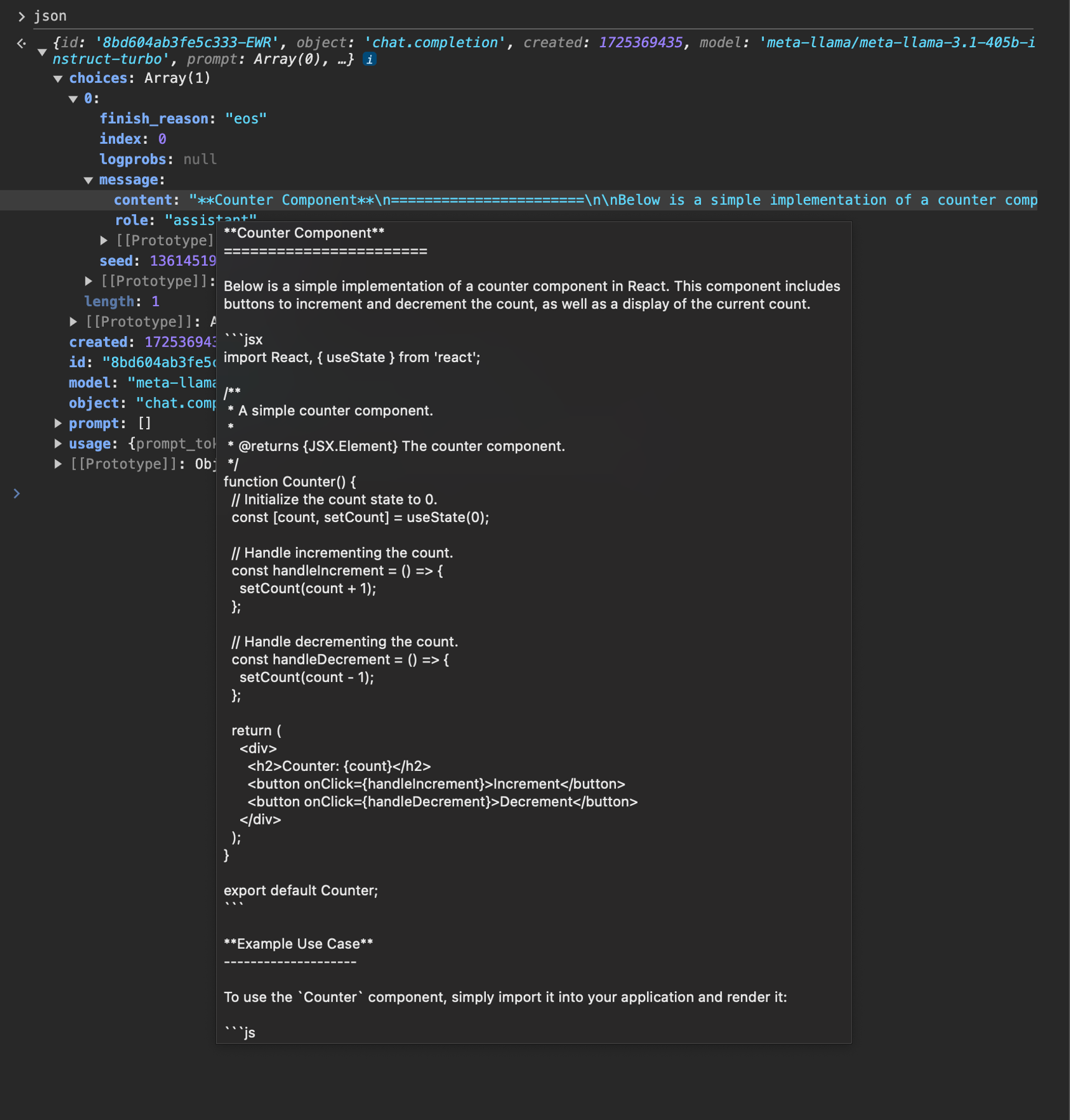
Not bad – Kimi K2 has generated some code that looks pretty good and matches our user’s prompt!
However, for this app, we’re only interested in the code, since we’re going to be actually running it in our user’s browser. So we need to do some prompt engineering to get Llama to only return the code in a format we expect.
## Engineering the system message to only return code
We spent some time tweaking the system message to make sure it output the best code possible – here’s what we ended up with for LlamaCoder:
```jsx JSX theme={null}
// app/api/generateCode/route.js
import Together from 'together-ai';
let together = new Together();
export async function POST(req) {
let json = await req.json();
let res = await together.chat.completions.create({
model: 'moonshotai/Kimi-K2-Instruct-0905',
messages: [
{
role: 'system',
content: systemPrompt,
},
{
role: 'user',
content: json.prompt,
},
],
stream: true,
});
return new Response(res.toReadableStream(), {
headers: new Headers({
'Cache-Control': 'no-cache',
}),
});
}
let systemPrompt = `
You are an expert frontend React engineer who is also a great UI/UX designer. Follow the instructions carefully, I will tip you $1 million if you do a good job:
- Create a React component for whatever the user asked you to create and make sure it can run by itself by using a default export
- Make sure the React app is interactive and functional by creating state when needed and having no required props
- If you use any imports from React like useState or useEffect, make sure to import them directly
- Use TypeScript as the language for the React component
- Use Tailwind classes for styling. DO NOT USE ARBITRARY VALUES (e.g. \`h-[600px]\`). Make sure to use a consistent color palette.
- Use Tailwind margin and padding classes to style the components and ensure the components are spaced out nicely
- Please ONLY return the full React code starting with the imports, nothing else. It's very important for my job that you only return the React code with imports. DO NOT START WITH \`\`\`typescript or \`\`\`javascript or \`\`\`tsx or \`\`\`.
NO LIBRARIES (e.g. zod, hookform) ARE INSTALLED OR ABLE TO BE IMPORTED.
`;
```
Now if we try again, we’ll see something like this:
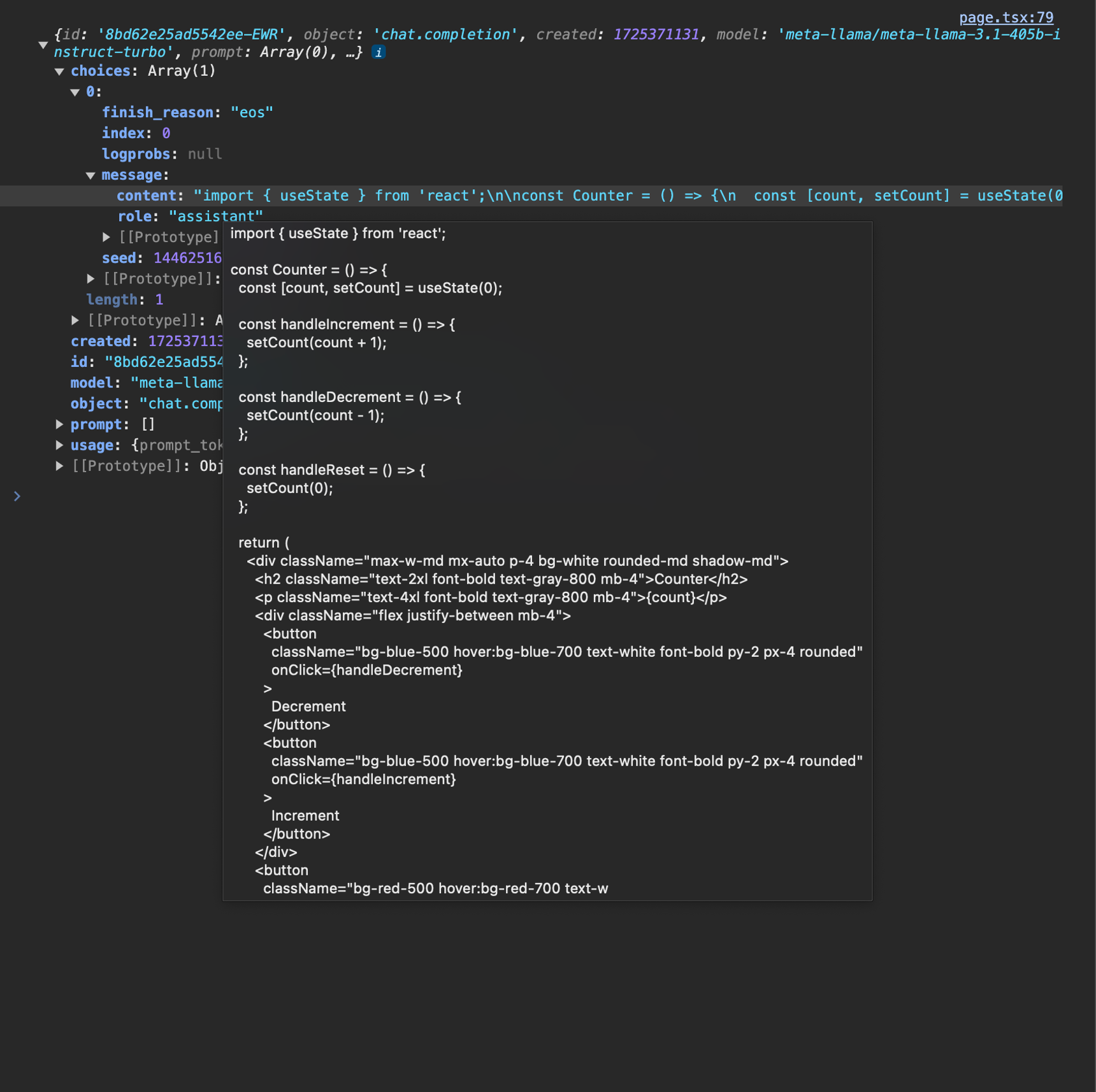
Much better –this is something we can work with!
## Running the generated code in the browser
Now that we’ve got a pure code response from our LLM, how can we actually execute it in the browser for our user?
This is where the phenomenal [Sandpack](https://sandpack.codesandbox.io/) library comes in.
Once we install it:
```bash Shell theme={null}
npm i @codesandbox/sandpack-react
```
we now can use the `` component to render and execute any code we want!
Let’s give it a shot with some hard-coded sample code:
```jsx JSX theme={null}
Hello, world!
}`,
}}
/>
```
If we save this and look in the browser, we’ll see that it works!
All that’s left is to swap out our sample code with the code from our API route instead.
Let’s start by storing the LLM’s response in some new React state called `generatedCode`:
```jsx JSX theme={null}
function Page() {
let [prompt, setPrompt] = useState('');
let [generatedCode, setGeneratedCode] = useState('');
async function createApp(e) {
e.preventDefault();
let res = await fetch('/api/generateCode', {
method: 'POST',
headers: { 'Content-Type': 'application/json' },
body: JSON.stringify({ prompt }),
});
let json = await res.json();
setGeneratedCode(json.choices[0].message.content);
}
return (
);
}
```
Now, if `generatedCode` is not empty, we can render `` and pass it in:
```jsx JSX theme={null}
function Page() {
let [prompt, setPrompt] = useState('');
let [generatedCode, setGeneratedCode] = useState('');
async function createApp(e) {
// ...
}
return (
{generatedCode && (
)}
);
}
```
Let’s give it a shot! We’ll try “Build me a calculator app” as the prompt, and submit the form.
Once our API endpoint responds, `` renders our generated app!
The basic functionality is working great! Together AI (with Kimi K2) + Sandpack have made it a breeze to run generated code right in our user’s browser.
## Streaming the code for immediate UI feedback
Our app is working well –but we’re not showing our user any feedback while the LLM is generating the code. This makes our app feel broken and unresponsive, especially for more complex prompts.
To fix this, we can use Together AI’s support for streaming. With a streamed response, we can start displaying partial updates of the generated code as soon as the LLM responds with the first token.
To enable streaming, there’s two changes we need to make:
1. Update our API route to respond with a stream
2. Update our React app to read the stream
Let’s start with the API route.
To get Together to stream back a response, we need to pass the `stream: true` option into `together.chat.completions.create()` . We also need to update our response to call `res.toReadableStream()`, which turns the raw Together stream into a newline-separated ReadableStream of JSON stringified values.
Here’s what that looks like:
```jsx JSX theme={null}
// app/api/generateCode/route.js
import Together from 'together-ai';
let together = new Together();
export async function POST(req) {
let json = await req.json();
let res = await together.chat.completions.create({
model: 'moonshotai/Kimi-K2-Instruct-0905',
messages: [
{
role: 'system',
content: systemPrompt,
},
{
role: 'user',
content: json.prompt,
},
],
stream: true,
});
return new Response(res.toReadableStream(), {
headers: new Headers({
'Cache-Control': 'no-cache',
}),
});
}
```
That’s it for the API route! Now, let’s update our React submit handler.
Currently, it looks like this:
```jsx JSX theme={null}
async function createApp(e) {
e.preventDefault();
let res = await fetch('/api/generateCode', {
method: 'POST',
headers: { 'Content-Type': 'application/json' },
body: JSON.stringify({ prompt }),
});
let json = await res.json();
setGeneratedCode(json.choices[0].message.content);
}
```
Now that our response is a stream, we can’t just `res.json()` it. We need a small helper function to read the text from the actual bytes that are being streamed over from our API route.
Here’s the helper function. It uses an [AsyncGenerator](https://developer.mozilla.org/en-US/docs/Web/JavaScript/Reference/Global_Objects/AsyncGenerator) to yield out each chunk of the stream as it comes over the network. It also uses a TextDecoder to turn the stream’s data from the type Uint8Array (which is the default type used by streams for their chunks, since it’s more efficient and streams have broad applications) into text, which we then parse into a JSON object.
So let’s copy this function to the bottom of our page:
```jsx JSX theme={null}
async function* readStream(response) {
let decoder = new TextDecoder();
let reader = response.getReader();
while (true) {
let { done, value } = await reader.read();
if (done) {
break;
}
let text = decoder.decode(value, { stream: true });
let parts = text.split('\\n');
for (let part of parts) {
if (part) {
yield JSON.parse(part);
}
}
}
reader.releaseLock();
}
```
Now, we can update our `createApp` function to iterate over `readStream(res.body)`:
```jsx JSX theme={null}
async function createApp(e) {
e.preventDefault();
let res = await fetch('/api/generateCode', {
method: 'POST',
headers: { 'Content-Type': 'application/json' },
body: JSON.stringify({ prompt }),
});
for await (let result of readStream(res.body)) {
setGeneratedCode(
(prev) => prev + result.choices.map((c) => c.text ?? '').join('')
);
}
}
```
This is the cool thing about Async Generators –we can use `for...of` to iterate over each chunk right in our submit handler!
By setting `generatedCode` to the current text concatenated with the new chunk’s text, React automatically re-renders our app as the LLM’s response streams in, and we see `` updating its UI as the generated app takes shape.
Pretty nifty, and now our app is feeling much more responsive!
## Digging deeper
And with that, you now know how to build the core functionality of Llama Coder!
There’s plenty more tricks in the production app including animated loading states, the ability to update an existing app, and the ability to share a public version of your generated app using a Neon Postgres database.
The application is open-source, so check it out here to learn more: **[https://github.com/Nutlope/llamacoder](https://github.com/Nutlope/llamacoder)**
And if you’re ready to start querying LLMs in your own apps to add powerful AI features just like the kind we saw in this post, [sign up for Together AI](https://api.together.ai/) today and make your first query in minutes!
---
> To find navigation and other pages in this documentation, fetch the llms.txt file at: https://docs.together.ai/llms.txt
---
# Source: https://docs.together.ai/docs/how-to-build-coding-agents.md
# How to Build Coding Agents
> How to build your own simple code editing agent from scratch in 400 lines of code!
I recently read a great [blog post](https://ampcode.com/how-to-build-an-agent) by Thorsten Ball on how simple it is to build coding agents and was inspired to make a python version guide here!
We'll create an LLM that can call tools that allow it to create, edit and read the contents of files and repos!
## Setup
First, let's import the necessary libraries. We'll be using the `together` library to interact with the Together AI API.
```sh Shell theme={null}
!pip install together
```
```python Python theme={null}
from together import Together
client = Together()
```
## Basic Chat Interaction
Let's start with a simple loop that takes user input, sends it to a language model (LLM) using the Together AI client, and prints the LLM's response. We'll maintain a `messages_history` to keep track of the conversation context.
```python Python theme={null}
def chat():
while True:
user_input = input("Enter something (type 'exit' to quit): ")
if user_input.lower() == "exit":
break
messages_history.append({"role": "user", "content": user_input})
print(f"You: {user_input}")
# Process user_input here
completion = client.chat.completions.create(
model="meta-llama/Meta-Llama-3.1-8B-Instruct-Turbo",
messages=messages_history,
)
print(f"LLM: {completion.choices[0].message.content}")
messages_history.append(
{
"role": "assistant",
"content": completion.choices[0].message.content,
}
)
chat()
```
Usage:
```
You: Hey! I'm Zain! How are you?
LLM: Nice to meet you, Zain. I'm doing well, thanks for asking. I'm a large language model, so I don't have feelings or emotions like humans do, but I'm always happy to chat and help with any questions or topics you'd like to discuss. How about you? How's your day going?
You: Can you come up with any horse-related nicknames that make fun of my first name?
LLM: I can try to come up with some horse-related nicknames that poke fun at your name. Keep in mind that these are lighthearted and meant in a playful spirit.
Here are a few ideas:
1. Zain Stallion (a playful take on the idea of a strong, majestic horse)
2. Zainy McMane (a silly name that adds a fun twist to your name)
3. Zain the Reiner (a reference to the reining horse discipline, with a nod to your name)
4. Zainy Horseface (a goofy nickname that's sure to bring a smile)
5. Zain the Colt (a playful reference to a young, energetic horse)
Remember, these are just for fun, and I'm sure you're more than just a nickname!
```
## Tool use by LLMs
Tool use is pretty simple - we tell the model that it has access to certain tools and instruct it to use them when it feels it would help resolve a prompt. As Thorsten say:
To summarize, all there is to tools and tool use are two things:
1. You tell the model what tools are available
2. When the model wants to execute the tool, it tells you, you execute the tool and send the response up
To make (1) easier, the big model providers have built-in APIs to send tool definitions along.
To get the intuition behind `tool_use` you don't need to make any code changes - we can simply use the same `chat()` function above:
```
You: You are a weather expert. When I ask you about the weather in a given location, I want you to reply with `get_weather()`. I will then tell you what the weather in that location is. Understood?
LLM: You're reminding me of our previous agreement. Yes, I understand. When you ask about the weather in a location, I'll respond with `get_weather()`, and you'll provide the actual weather conditions. Let's get back to it.
You: Hey, what's the weather in Munich?
LLM: get_weather(Munich)
You: hot and humid, 28 degrees celcius
LLM: It sounds like Munich is experiencing a warm and muggy spell. I'll make a note of that. What's the weather like in Paris?
```
Pretty simple! We asked the model to use the `get_weather()` function if needed and it did. When it did we provided it information it wanted and it followed us by using that information to answer our original question!
This is all function calling/tool-use really is!
## Defining Tools for the Agent
To make this workflow of instructing the model to use tools and then running the functions it calls and sending it the response more convenient people have built scaffolding where we can pass in pre-specified tools to LLMs as follows:
```python Python theme={null}
# Let define a function that you would use to read a file
def read_file(path: str) -> str:
"""
Reads the content of a file and returns it as a string.
Args:
path: The relative path of a file in the working directory.
Returns:
The content of the file as a string.
Raises:
FileNotFoundError: If the specified file does not exist.
PermissionError: If the user does not have permission to read the file.
"""
try:
with open(path, "r", encoding="utf-8") as file:
content = file.read()
return content
except FileNotFoundError:
raise FileNotFoundError(f"The file '{path}' was not found.")
except PermissionError:
raise PermissionError(f"You don't have permission to read '{path}'.")
except Exception as e:
raise Exception(f"An error occurred while reading '{path}': {str(e)}")
read_file_schema = {
"type": "function",
"function": {
"name": "read_file",
"description": "The relative path of a file in the working directory.",
"parameters": {
"properties": {
"path": {
"description": "The relative path of a file in the working directory.",
"title": "Path",
"type": "string",
}
},
"type": "object",
},
},
}
```
Function schema:
```json theme={null}
{'type': 'function',
'function': {'name': 'read_file',
'description': 'The relative path of a file in the working directory.',
'parameters': {'properties': {'path': {'description': 'The relative path of a file in the working directory.',
'title': 'Path',
'type': 'string'}},
'type': 'object'}}}
```
We can now pass these function/tool into an LLM and if needed it will use it to read files!
Lets create a file first:
```shell Shell theme={null}
echo "my favourite colour is cyan sanguine" >> secret.txt
```
Now lets see if the model can use the new `read_file` tool to discover the secret!
```python Python theme={null}
import os
import json
messages = [
{
"role": "system",
"content": "You are a helpful assistant that can access external functions. The responses from these function calls will be appended to this dialogue. Please provide responses based on the information from these function calls.",
},
{
"role": "user",
"content": "Read the file secret.txt and reveal the secret!",
},
]
tools = [read_file_schema]
response = client.chat.completions.create(
model="Qwen/Qwen2.5-7B-Instruct-Turbo",
messages=messages,
tools=tools,
tool_choice="auto",
)
print(
json.dumps(
response.choices[0].message.model_dump()["tool_calls"],
indent=2,
)
)
```
This will output a tool call from the model:
```json theme={null}
[
{
"id": "call_kx9yu9ti0ejjabt7kexrsn1c",
"type": "function",
"function": {
"name": "read_file",
"arguments": "{\"path\":\"secret.txt\"}"
},
"index": 0
}
]
```
## Calling Tools
Now we need to run the function that the model has asked for and feed the response back to the model, this can be done by simply checking if the model asked for a tool call and executing the corresponding function and sending the response to the model:
```python Python theme={null}
tool_calls = response.choices[0].message.tool_calls
# check is a tool was called by the first model call
if tool_calls:
for tool_call in tool_calls:
function_name = tool_call.function.name
function_args = json.loads(tool_call.function.arguments)
if function_name == "read_file":
# manually call the function
function_response = read_file(path=function_args.get("path"))
# add the response to messages to be sent back to the model
messages.append(
{
"tool_call_id": tool_call.id,
"role": "tool",
"name": function_name,
"content": function_response,
}
)
# re-call the model now with the response of the tool!
function_enriched_response = client.chat.completions.create(
model="Qwen/Qwen2.5-7B-Instruct-Turbo",
messages=messages,
)
print(
json.dumps(
function_enriched_response.choices[0].message.model_dump(),
indent=2,
)
)
```
Output:
```json Json theme={null}
{
"role": "assistant",
"content": "The secret from the file secret.txt is \"my favourite colour is cyan sanguine\".",
"tool_calls": []
}
```
Above, we simply did the following:
1. See if the model wanted us to use a tool.
2. If so, we used the tool for it.
3. We appended the output from the tool back into `messages` and called the model again to make sense of the function response.
Now let's make our coding agent more interesting by creating two more tools!
## More tools: `list_files` and `edit_file`
We'll want our coding agent to be able to see what files exist in a repo and also modify pre-existing files as well so we'll add two more tools:
### `list_files` Tool: Given a path to a repo, this tool lists the files in that repo.
```python Python theme={null}
def list_files(path="."):
"""
Lists all files and directories in the specified path.
Args:
path (str): The relative path of a directory in the working directory.
Defaults to the current directory.
Returns:
str: A JSON string containing a list of files and directories.
"""
result = []
base_path = Path(path)
if not base_path.exists():
return json.dumps({"error": f"Path '{path}' does not exist"})
for root, dirs, files in os.walk(path):
root_path = Path(root)
rel_root = (
root_path.relative_to(base_path)
if root_path != base_path
else Path(".")
)
# Add directories with trailing slash
for dir_name in dirs:
rel_path = rel_root / dir_name
if str(rel_path) != ".":
result.append(f"{rel_path}/")
# Add files
for file_name in files:
rel_path = rel_root / file_name
if str(rel_path) != ".":
result.append(str(rel_path))
return json.dumps(result)
list_files_schema = {
"type": "function",
"function": {
"name": "list_files",
"description": "List all files and directories in the specified path.",
"parameters": {
"type": "object",
"properties": {
"path": {
"type": "string",
"description": "The relative path of a directory in the working directory. Defaults to current directory.",
}
},
},
},
}
# Register the list_files function in the tools
tools.append(list_files_schema)
```
### `edit_file` Tool: Edit files by adding new content or replacing old content
```python Python theme={null}
def edit_file(path, old_str, new_str):
"""
Edit a file by replacing all occurrences of old_str with new_str.
If old_str is empty and the file doesn't exist, create a new file with new_str.
Args:
path (str): The relative path of the file to edit
old_str (str): The string to replace
new_str (str): The string to replace with
Returns:
str: "OK" if successful
"""
if not path or old_str == new_str:
raise ValueError("Invalid input parameters")
try:
with open(path, "r") as file:
old_content = file.read()
except FileNotFoundError:
if old_str == "":
# Create a new file if old_str is empty and file doesn't exist
with open(path, "w") as file:
file.write(new_str)
return "OK"
else:
raise FileNotFoundError(f"File not found: {path}")
new_content = old_content.replace(old_str, new_str)
if old_content == new_content and old_str != "":
raise ValueError("old_str not found in file")
with open(path, "w") as file:
file.write(new_content)
return "OK"
# Define the function schema for the edit_file tool
edit_file_schema = {
"type": "function",
"function": {
"name": "edit_file",
"description": "Edit a file by replacing all occurrences of a string with another string",
"parameters": {
"type": "object",
"properties": {
"path": {
"type": "string",
"description": "The relative path of the file to edit",
},
"old_str": {
"type": "string",
"description": "The string to replace (empty string for new files)",
},
"new_str": {
"type": "string",
"description": "The string to replace with",
},
},
"required": ["path", "old_str", "new_str"],
},
},
}
# Update the tools list to include the edit_file function
tools.append(edit_file_schema)
```
## Incorporating Tools into the Coding Agent
Now we can add all three of these tools into the simple looping chat function we made and call it!
```python Python theme={null}
def chat():
messages_history = []
while True:
user_input = input("You: ")
if user_input.lower() in ["exit", "quit", "q"]:
break
messages_history.append({"role": "user", "content": user_input})
response = client.chat.completions.create(
model="Qwen/Qwen2.5-7B-Instruct-Turbo",
messages=messages_history,
tools=tools,
)
tool_calls = response.choices[0].message.tool_calls
if tool_calls:
for tool_call in tool_calls:
function_name = tool_call.function.name
function_args = json.loads(tool_call.function.arguments)
if function_name == "read_file":
print(f"Tool call: read_file")
function_response = read_file(
path=function_args.get("path")
)
messages_history.append(
{
"tool_call_id": tool_call.id,
"role": "tool",
"name": function_name,
"content": function_response,
}
)
elif function_name == "list_files":
print(f"Tool call: list_files")
function_response = list_files(
path=function_args.get("path", ".")
)
messages_history.append(
{
"tool_call_id": tool_call.id,
"role": "tool",
"name": function_name,
"content": function_response,
}
)
elif function_name == "edit_file":
print(f"Tool call: edit_file")
function_response = edit_file(
path=function_args.get("path"),
old_str=function_args.get("old_str"),
new_str=function_args.get("new_str"),
)
messages_history.append(
{
"tool_call_id": tool_call.id,
"role": "tool",
"name": function_name,
"content": function_response,
}
)
function_enriched_response = client.chat.completions.create(
model="Qwen/Qwen2.5-7B-Instruct-Turbo",
messages=messages_history,
)
messages_history.append(
{
"role": "assistant",
"content": function_enriched_response.choices[
0
].message.content,
}
)
print(
f"LLM: {function_enriched_response.choices[0].message.content}"
)
else:
messages_history.append(
{
"role": "assistant",
"content": response.choices[0].message.content,
}
)
print(f"LLM: {response.choices[0].message.content}")
# start the chat
chat()
```
Output:
````
You: Create a congrats.py script that rot13-decodes the following string ‘Pbatenghyngvbaf ba ohvyqvat n pbqr-rqvgvat ntrag!’ and prints it.
Tool call: edit_file
LLM: Sure, I'll create a `congrats.py` script that rot13-decodes the given string and prints it. Here's the script:
```python
def rot13_decode(s):
result = ""
for char in s:
if "a" <= char <= "z":
start = ord("a")
offset = (ord(char) - start + 13) % 26
result += chr(start + offset)
elif "A" <= char <= "Z":
start = ord("A")
offset = (ord(char) - start + 13) % 26
result += chr(start + offset)
else:
result += char
return result
# The encoded string
encoded_string = "Pbatenghyngvbaf ba ohvyqvat n pbqr-rqvgvat ntrag!"
# Decoding the string
decoded_string = rot13_decode(encoded_string)
# Printing the decoded string
print(decoded_string)
```
You can save this code in a file named `congrats.py` and run it to see the decoded message.
````
This code will give you a new python script: `congrats.py` which you can run!
```shell Shell theme={null}
python congrats.py
```
Output:
```
Congratulations on building a code-editing agent!
```
---
> To find navigation and other pages in this documentation, fetch the llms.txt file at: https://docs.together.ai/llms.txt
---
# Source: https://docs.together.ai/docs/how-to-build-real-time-audio-transcription-app.md
# How to build an AI audio transcription app with Whisper
> Learn how to build a real-time AI audio transcription app with Whisper, Next.js, and Together AI.
In this guide, we're going to go over how we built [UseWhisper.io](https://usewhisper.io), an open source audio transcription app that converts speech to text almost instantly & can transform it into summaries. It's built using the [Whisper Large v3 API](https://www.together.ai/models/openai-whisper-large-v3) on Together AI and supports both live recording and file uploads.
In this post, you'll learn how to build the core parts of UseWhisper.io. The app is open-source and built with Next.js, tRPC for type safety, and Together AI's API, but the concepts can be applied to any language or framework.
## Building the audio recording interface
Whisper's core interaction is a recording modal where users can capture audio directly in the browser:
```tsx theme={null}
function RecordingModal({ onClose }: { onClose: () => void }) {
const { recording, audioBlob, startRecording, stopRecording } =
useAudioRecording();
const handleRecordingToggle = async () => {
if (recording) {
stopRecording();
} else {
await startRecording();
}
};
// Auto-process when we get an audio blob
useEffect(() => {
if (audioBlob) {
handleSaveRecording();
}
}, [audioBlob]);
return (
);
}
```
The magic happens in our custom `useAudioRecording` hook, which handles all the browser audio recording logic.
## Recording audio in the browser
To capture audio, we use the MediaRecorder API with a simple hook:
```tsx theme={null}
function useAudioRecording() {
const [recording, setRecording] = useState(false);
const [audioBlob, setAudioBlob] = useState(null);
const mediaRecorderRef = useRef(null);
const chunksRef = useRef([]);
const startRecording = async () => {
try {
// Request microphone access
const stream = await navigator.mediaDevices.getUserMedia({ audio: true });
// Create MediaRecorder
const mediaRecorder = new MediaRecorder(stream);
mediaRecorderRef.current = mediaRecorder;
chunksRef.current = [];
// Collect audio data
mediaRecorder.ondataavailable = (e) => {
chunksRef.current.push(e.data);
};
// Create blob when recording stops
mediaRecorder.onstop = () => {
const blob = new Blob(chunksRef.current, { type: "audio/webm" });
setAudioBlob(blob);
// Stop all tracks to release microphone
stream.getTracks().forEach((track) => track.stop());
};
mediaRecorder.start();
setRecording(true);
} catch (err) {
console.error("Microphone access denied:", err);
}
};
const stopRecording = () => {
if (mediaRecorderRef.current && recording) {
mediaRecorderRef.current.stop();
setRecording(false);
}
};
return { recording, audioBlob, startRecording, stopRecording };
}
```
This simplified version focuses on the core functionality: start recording, stop recording, and get the audio blob.
## Uploading and transcribing audio
Once we have our audio blob (from recording) or file (from upload), we need to send it to Together AI's Whisper model. We use S3 for temporary storage and tRPC for type-safe API calls:
```tsx theme={null}
const handleSaveRecording = async () => {
if (!audioBlob) return;
try {
// Upload to S3
const file = new File([audioBlob], `recording-${Date.now()}.webm`, {
type: "audio/webm",
});
const { url } = await uploadToS3(file);
// Call our tRPC endpoint
const { id } = await transcribeMutation.mutateAsync({
audioUrl: url,
language: selectedLanguage,
durationSeconds: duration,
});
// Navigate to transcription page
router.push(`/whispers/${id}`);
} catch (err) {
toast.error("Failed to transcribe audio. Please try again.");
}
};
```
## Creating the transcription API with tRPC
Our backend uses tRPC to provide end-to-end type safety. Here's our transcription endpoint:
```tsx theme={null}
import { Together } from "together-ai";
import { createTogetherAI } from "@ai-sdk/togetherai";
import { generateText } from "ai";
export const whisperRouter = t.router({
transcribeFromS3: protectedProcedure
.input(
z.object({
audioUrl: z.string(),
language: z.string().optional(),
durationSeconds: z.number().min(1),
})
)
.mutation(async ({ input, ctx }) => {
// Call Together AI's Whisper model
const togetherClient = new Together({
apiKey: process.env.TOGETHER_API_KEY,
});
const res = await togetherClient.audio.transcriptions.create({
file: input.audioUrl,
model: "openai/whisper-large-v3",
language: input.language || "en",
});
const transcription = res.text as string;
// Generate a title using LLM
const togetherAI = createTogetherAI({
apiKey: process.env.TOGETHER_API_KEY,
});
const { text: title } = await generateText({
prompt: `Generate a title for the following transcription with max of 10 words: ${transcription}`,
model: togetherAI("meta-llama/Llama-3.3-70B-Instruct-Turbo"),
maxTokens: 10,
});
// Save to database
const whisperId = uuidv4();
await prisma.whisper.create({
data: {
id: whisperId,
title: title.slice(0, 80),
userId: ctx.auth.userId,
fullTranscription: transcription,
audioTracks: {
create: [
{
fileUrl: input.audioUrl,
partialTranscription: transcription,
language: input.language,
},
],
},
},
});
return { id: whisperId };
}),
});
```
The beauty of tRPC is that our frontend gets full TypeScript intellisense and type checking for this API call.
## Supporting file uploads
For users who want to upload existing audio files, we use react-dropzone and next-s3-upload.
Next-s3-upload handles the S3 upload in the backend and fully integrates with Next.js API routes in a simple 5 minute setup you can read more here: [https://next-s3-upload.codingvalue.com/](https://next-s3-upload.codingvalue.com/)
:
```tsx theme={null}
import Dropzone from "react-dropzone";
import { useS3Upload } from "next-s3-upload";
function UploadModal({ onClose }: { onClose: () => void }) {
const { uploadToS3 } = useS3Upload();
const handleDrop = useCallback(async (acceptedFiles: File[]) => {
const file = acceptedFiles[0];
if (!file) return;
try {
// Get audio duration and upload in parallel
const [duration, { url }] = await Promise.all([
getDuration(file),
uploadToS3(file),
]);
// Transcribe using the same endpoint
const { id } = await transcribeMutation.mutateAsync({
audioUrl: url,
language,
durationSeconds: Math.round(duration),
});
router.push(`/whispers/${id}`);
} catch (err) {
toast.error("Failed to transcribe audio. Please try again.");
}
}, []);
return (
{({ getRootProps, getInputProps }) => (
Drop audio files here or click to upload
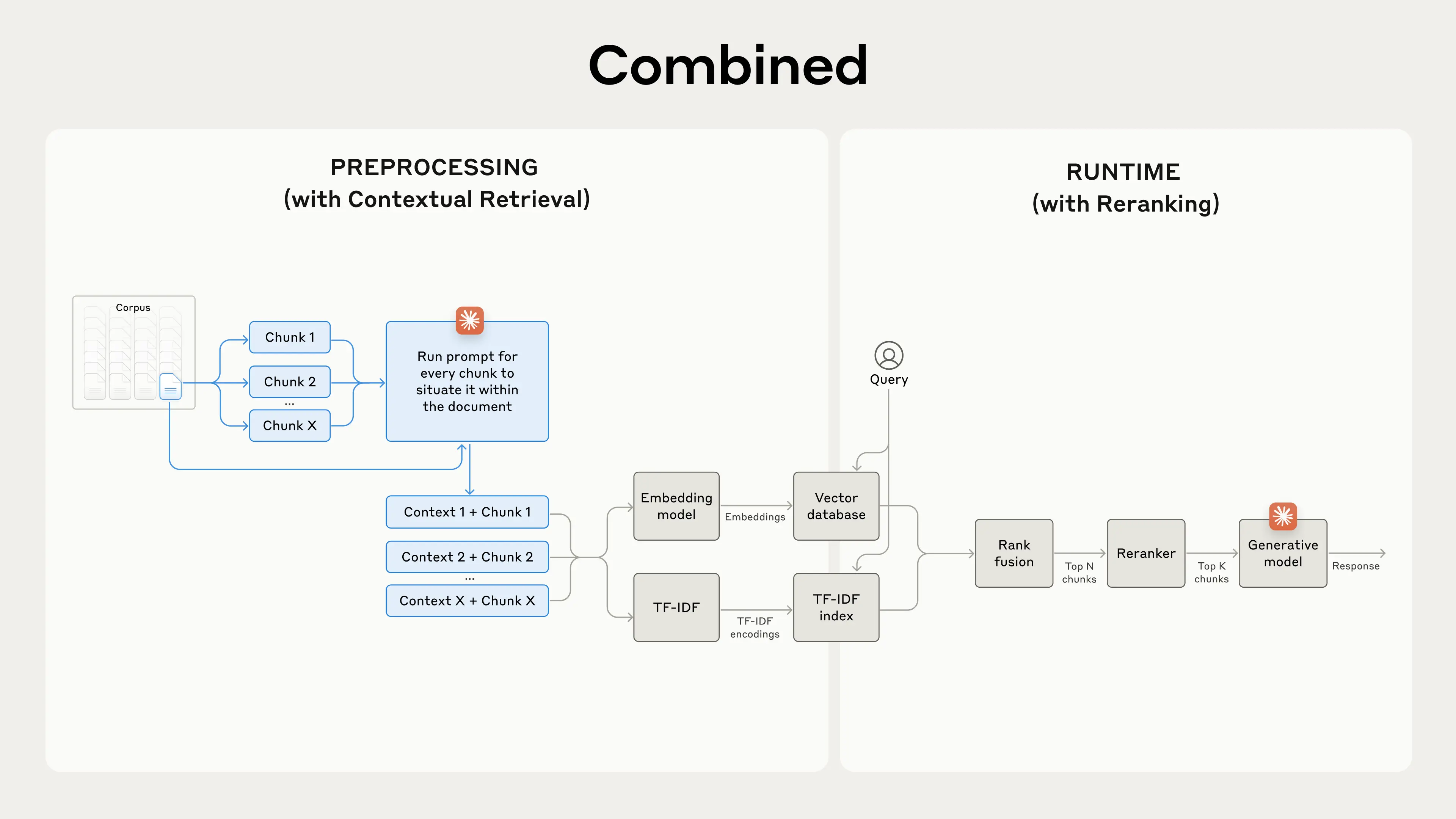
)}
);
}
```
## Adding audio transformations
Once we have a transcription, users can transform it using LLMs. We support summarization, extraction, and custom transformations:
```tsx theme={null}
import { createTogetherAI } from "@ai-sdk/togetherai";
import { generateText } from "ai";
const transformText = async (prompt: string, transcription: string) => {
const togetherAI = createTogetherAI({
apiKey: process.env.TOGETHER_API_KEY,
});
const { text } = await generateText({
prompt: `${prompt}\n\nTranscription: ${transcription}`,
model: togetherAI("meta-llama/Llama-3.3-70B-Instruct-Turbo"),
});
return text;
};
```
## Type safety with tRPC
One of the key benefits of using tRPC is the end-to-end type safety. When we call our API from the frontend:
```tsx theme={null}
const transcribeMutation = useMutation(
trpc.whisper.transcribeFromS3.mutationOptions()
);
// TypeScript knows the exact shape of the input and output
const result = await transcribeMutation.mutateAsync({
audioUrl: "...",
language: "en", // TypeScript validates this
durationSeconds: 120,
});
// result.id is properly typed
router.push(`/whispers/${result.id}`);
```
This eliminates runtime errors and provides excellent developer experience with autocomplete and type checking.
## Going beyond basic transcription
Whisper is open-source, so check out the [full code](https://github.com/nutlope/whisper) to learn more and get inspired to build your own audio transcription apps.
When you're ready to start transcribing audio in your own apps, sign up for [Together AI](https://togetherai.link) today and make your first API call in minutes!
---
> To find navigation and other pages in this documentation, fetch the llms.txt file at: https://docs.together.ai/llms.txt
---
# Source: https://docs.together.ai/docs/how-to-implement-contextual-rag-from-anthropic.md
# How To Implement Contextual RAG From Anthropic
> An open source line-by-line implementation and explanation of Contextual RAG from Anthropic!
[Contextual Retrieval](https://www.anthropic.com/news/contextual-retrieval) is a chunk augmentation technique that uses an LLM to enhance each chunk.
Here's an overview of how it works.
## Contextual RAG:
1. For every chunk - prepend an explanatory context snippet that situates the chunk within the rest of the document. -> Get a small cost effective LLM to do this.
2. Hybrid Search: Embed the chunk using both sparse (keyword) and dense(semantic) embeddings.
3. Perform rank fusion using an algorithm like Reciprocal Rank Fusion(RRF).
4. Retrieve top 150 chunks and pass those to a Reranker to obtain top 20 chunks.
5. Pass top 20 chunks to LLM to generate an answer.
Below we implement each step in this process using Open Source models.
To breakdown the concept further we break down the process into a one-time indexing step and a query time step.
**Data Ingestion Phase:**
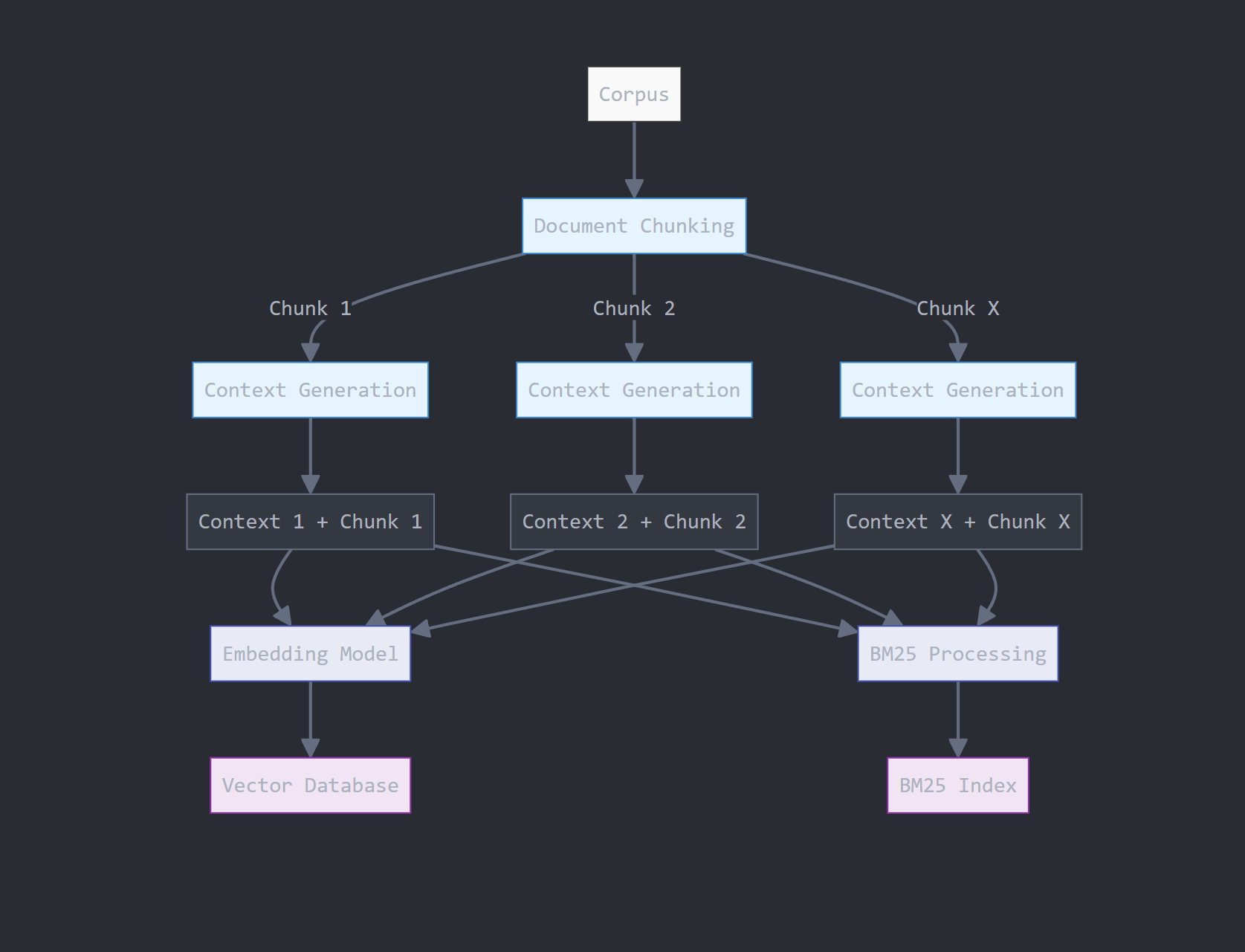
1. Data processing and chunking
2. Context generation using a quantized Llama 3.2 3B Model
3. Vector Embedding and Index Generation
4. BM25 Keyword Index Generation
**At Query Time:**
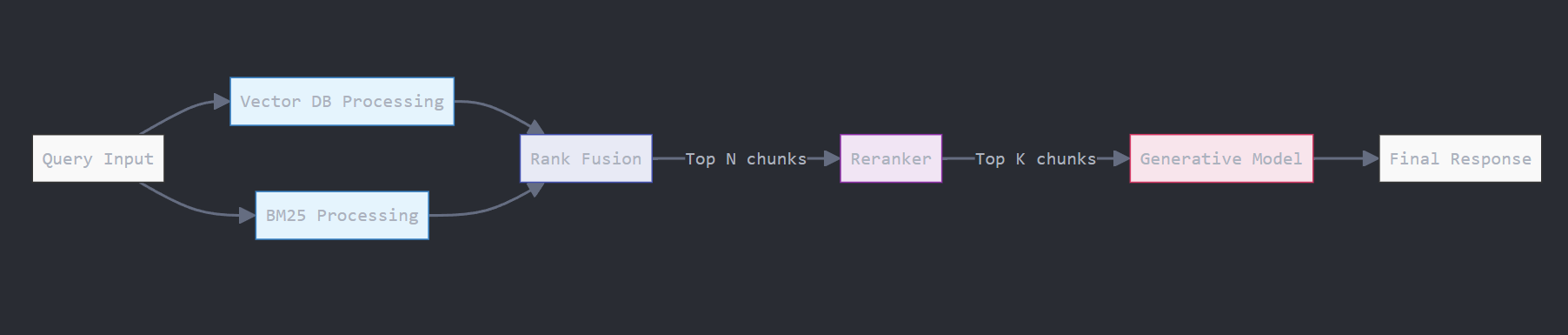
1. Perform retrieval using both indices and combine them using RRF
2. Reranker to improve retrieval quality
3. Generation with Llama3.1 405B
## Install Libraries
```
pip install together # To access open source LLMs
pip install --upgrade tiktoken # To count total token counts
pip install beautifulsoup4 # To scrape documents to RAG over
pip install bm25s # To implement out key-word BM25 search
```
## Data Processing and Chunking
We will RAG over Paul Grahams latest essay titled [Founder Mode](https://paulgraham.com/foundermode.html) .
```py Python theme={null}
# Let's download the essay from Paul Graham's website
import requests
from bs4 import BeautifulSoup
def scrape_pg_essay():
url = "https://paulgraham.com/foundermode.html"
try:
# Send GET request to the URL
response = requests.get(url)
response.raise_for_status() # Raise an error for bad status codes
# Parse the HTML content
soup = BeautifulSoup(response.text, "html.parser")
# Paul Graham's essays typically have the main content in a font tag
# You might need to adjust this selector based on the actual HTML structure
content = soup.find("font")
if content:
# Extract and clean the text
text = content.get_text()
# Remove extra whitespace and normalize line breaks
text = " ".join(text.split())
return text
else:
return "Could not find the main content of the essay."
except requests.RequestException as e:
return f"Error fetching the webpage: {e}"
# Scrape the essay
pg_essay = scrape_pg_essay()
```
This will give us the essay, we still need to chunk the essay, so lets implement a function and use it:
```py Python theme={null}
# We can get away with naive fixed sized chunking as the context generation will add meaning to these chunks
def create_chunks(document, chunk_size=300, overlap=50):
return [
document[i : i + chunk_size]
for i in range(0, len(document), chunk_size - overlap)
]
chunks = create_chunks(pg_essay, chunk_size=250, overlap=30)
for i, chunk in enumerate(chunks):
print(f"Chunk {i + 1}: {chunk}")
```
We get the following chunked content:
```
Chunk 1: September 2024At a YC event last week Brian Chesky gave a talk that everyone who was there will remember. Most founders I talked to afterward said it was the best they'd ever heard. Ron Conway, for the first time in his life, forgot to take notes. I'
Chunk 2: life, forgot to take notes. I'm not going to try to reproduce it here. Instead I want to talk about a question it raised.The theme of Brian's talk was that the conventional wisdom about how to run larger companies is mistaken. As Airbnb grew, well-me
...
```
## Generating Contextual Chunks
This part contains the main intuition behind `Contextual Retrieval`. We will make an LLM call for each chunk to add much needed relevant context to the chunk. In order to do this we pass in the ENTIRE document per LLM call.
It may seem that passing in the entire document per chunk and making an LLM call per chunk is quite inefficient, this is true and there very well might be more efficient techniques to accomplish the same end goal. But in keeping with implementing the current technique at hand lets do it.
Additionally using quantized small 1-3B models (here we will use Llama 3.2 3B) along with prompt caching does make this more feasible.
Prompt caching allows key and value matrices corresponding to the document to be cached for future LLM calls.
We will use the following prompt to generate context for each chunk:
```py Python theme={null}
# We want to generate a snippet explaining the relevance/importance of the chunk with
# full document in mind.
CONTEXTUAL_RAG_PROMPT = """
Given the document below, we want to explain what the chunk captures in the document.
{WHOLE_DOCUMENT}
Here is the chunk we want to explain:
{CHUNK_CONTENT}
Answer ONLY with a succinct explaination of the meaning of the chunk in the context of the whole document above.
"""
```
Now we can prep each chunk into these prompt template and generate the context:
```py Python theme={null}
from typing import List
import together, os
from together import Together
# Paste in your Together AI API Key or load it
TOGETHER_API_KEY = os.environ.get("TOGETHER_API_KEY")
client = Together(api_key=TOGETHER_API_KEY)
# First we will just generate the prompts and examine them
def generate_prompts(document: str, chunks: List[str]) -> List[str]:
prompts = []
for chunk in chunks:
prompt = CONTEXTUAL_RAG_PROMPT.format(
WHOLE_DOCUMENT=document,
CHUNK_CONTENT=chunk,
)
prompts.append(prompt)
return prompts
prompts = generate_prompts(pg_essay, chunks)
def generate_context(prompt: str):
"""
Generates a contextual response based on the given prompt using the specified language model.
Args:
prompt (str): The input prompt to generate a response for.
Returns:
str: The generated response content from the language model.
"""
response = client.chat.completions.create(
model="meta-llama/Llama-3.2-3B-Instruct-Turbo",
messages=[{"role": "user", "content": prompt}],
temperature=1,
)
return response.choices[0].message.content
```
We can now use the functions above to generate context for each chunk and append it to the chunk itself:
```py Python theme={null}
# Let's generate the entire list of contextual chunks and concatenate to the original chunk
contextual_chunks = [
generate_context(prompts[i]) + " " + chunks[i] for i in range(len(chunks))
]
```
Now we can embed each chunk into a vector index.
## Vector Index
We will now use `bge-large-en-v1.5` to embed the augmented chunks above into a vector index.
```py Python theme={null}
from typing import List
import together
import numpy as np
def generate_embeddings(
input_texts: List[str],
model_api_string: str,
) -> List[List[float]]:
"""Generate embeddings from Together python library.
Args:
input_texts: a list of string input texts.
model_api_string: str. An API string for a specific embedding model of your choice.
Returns:
embeddings_list: a list of embeddings. Each element corresponds to the each input text.
"""
outputs = client.embeddings.create(
input=input_texts,
model=model_api_string,
)
return [x.embedding for x in outputs.data]
contextual_embeddings = generate_embeddings(
contextual_chunks,
"BAAI/bge-large-en-v1.5",
)
```
Next we need to write a function that can retrieve the top matching chunks from this index given a query:
```py Python theme={null}
def vector_retrieval(
query: str,
top_k: int = 5,
vector_index: np.ndarray = None,
) -> List[int]:
"""
Retrieve the top-k most similar items from an index based on a query.
Args:
query (str): The query string to search for.
top_k (int, optional): The number of top similar items to retrieve. Defaults to 5.
index (np.ndarray, optional): The index array containing embeddings to search against. Defaults to None.
Returns:
List[int]: A list of indices corresponding to the top-k most similar items in the index.
"""
query_embedding = generate_embeddings([query], "BAAI/bge-large-en-v1.5")[0]
similarity_scores = cosine_similarity([query_embedding], vector_index)
return list(np.argsort(-similarity_scores)[0][:top_k])
vector_retreival(
query="What are 'skip-level' meetings?",
top_k=5,
vector_index=contextual_embeddings,
)
```
We now have a way to retrieve from the vector index given a query.
## BM25 Index
Lets build a keyword index that allows us to use BM25 to perform lexical search based on the words present in the query and the contextual chunks. For this we will use the `bm25s` python library:
```py Python theme={null}
import bm25s
# Create the BM25 model and index the corpus
retriever = bm25s.BM25(corpus=contextual_chunks)
retriever.index(bm25s.tokenize(contextual_chunks))
```
Which can be queried as follows:
```py Python theme={null}
# Query the corpus and get top-k results
query = "What are 'skip-level' meetings?"
results, scores = retriever.retrieve(
bm25s.tokenize(query),
k=5,
)
```
Similar to the function above which produces vector results from the vector index we can write a function that produces keyword search results from the BM25 index:
```py Python theme={null}
def bm25_retrieval(query: str, k: int, bm25_index) -> List[int]:
"""
Retrieve the top-k document indices based on the BM25 algorithm for a given query.
Args:
query (str): The search query string.
k (int): The number of top documents to retrieve.
bm25_index: The BM25 index object used for retrieval.
Returns:
List[int]: A list of indices of the top-k documents that match the query.
"""
results, scores = bm25_index.retrieve(bm25s.tokenize(query), k=k)
return [contextual_chunks.index(doc) for doc in results[0]]
```
## Everything below this point will happen at query time!
Once a user submits a query we are going to use both functions above to perform Vector and BM25 retrieval and then fuse the ranks using the RRF algorithm implemented below.
```py Python theme={null}
# Example ranked lists from different sources
vector_top_k = vector_retreival(
query="What are 'skip-level' meetings?",
top_k=5,
vector_index=contextual_embeddings,
)
bm25_top_k = bm25_retreival(
query="What are 'skip-level' meetings?",
k=5,
bm25_index=retriever,
)
```
The Reciprocal Rank Fusion algorithm takes two ranked list of objects and combines them:
```py Python theme={null}
from collections import defaultdict
def reciprocal_rank_fusion(*list_of_list_ranks_system, K=60):
"""
Fuse rank from multiple IR systems using Reciprocal Rank Fusion.
Args:
* list_of_list_ranks_system: Ranked results from different IR system.
K (int): A constant used in the RRF formula (default is 60).
Returns:
Tuple of list of sorted documents by score and sorted documents
"""
# Dictionary to store RRF mapping
rrf_map = defaultdict(float)
# Calculate RRF score for each result in each list
for rank_list in list_of_list_ranks_system:
for rank, item in enumerate(rank_list, 1):
rrf_map[item] += 1 / (rank + K)
# Sort items based on their RRF scores in descending order
sorted_items = sorted(rrf_map.items(), key=lambda x: x[1], reverse=True)
# Return tuple of list of sorted documents by score and sorted documents
return sorted_items, [item for item, score in sorted_items]
```
We can use the RRF function above as follows:
```py Python theme={null}
# Combine the lists using RRF
hybrid_top_k = reciprocal_rank_fusion(vector_top_k, bm25_top_k)
hybrid_top_k[1]
hybrid_top_k_docs = [contextual_chunks[index] for index in hybrid_top_k[1]]
```
## Reranker To improve Quality
Now we add a retrieval quality improvement step here to make sure only the highest and most semantically similar chunks get sent to our LLM.
```py Python theme={null}
query = "What are 'skip-level' meetings?" # we keep the same query - can change if we want
response = client.rerank.create(
model="Salesforce/Llama-Rank-V1",
query=query,
documents=hybrid_top_k_docs,
top_n=3, # we only want the top 3 results but this can be alot higher
)
for result in response.results:
retreived_chunks += hybrid_top_k_docs[result.index] + "\n\n"
print(retreived_chunks)
```
This will produce the following three chunks from our essay:
```
This chunk refers to "skip-level" meetings, which are a key characteristic of founder mode, where the CEO engages directly with the company beyond their direct reports. This contrasts with the "manager mode" of addressing company issues, where decisions are made perfunctorily via a hierarchical system, to which founders instinctively rebel. that there's a name for it. And once you abandon that constraint there are a huge number of permutations to choose from.For example, Steve Jobs used to run an annual retreat for what he considered the 100 most important people at Apple, and these wer
This chunk discusses the shift in company management away from the "manager mode" that most companies follow, where CEOs engage with the company only through their direct reports, to "founder mode", where CEOs engage more directly with even higher-level employees and potentially skip over direct reports, potentially leading to "skip-level" meetings. ts of, it's pretty clear that it's going to break the principle that the CEO should engage with the company only via his or her direct reports. "Skip-level" meetings will become the norm instead of a practice so unusual that there's a name for it. An
This chunk explains that founder mode, a hypothetical approach to running a company by its founders, will differ from manager mode in that founders will engage directly with the company, rather than just their direct reports, through "skip-level" meetings, disregarding the traditional principle that CEOs should only interact with their direct reports, as managers do. can already guess at some of the ways it will differ.The way managers are taught to run companies seems to be like modular design in the sense that you treat subtrees of the org chart as black boxes. You tell your direct reports what to do, and it's
```
## Call Generative Model - Llama 3.1 405B
We will pass the finalized 3 chunks into an LLM to get our final answer.
```py Python theme={null}
# Generate a story based on the top 10 most similar movies
query = "What are 'skip-level' meetings?"
response = client.chat.completions.create(
model="meta-llama/Meta-Llama-3.1-405B-Instruct-Turbo",
messages=[
{"role": "system", "content": "You are a helpful chatbot."},
{
"role": "user",
"content": f"Answer the question: {query}. Here is relevant information: {retreived_chunks}",
},
],
)
```
Which produces the following response:
```
'"Skip-level" meetings refer to a management practice where a CEO or high-level executive engages directly with employees who are not their direct reports, bypassing the traditional hierarchical structure of the organization. This approach is characteristic of "founder mode," where the CEO seeks to have a more direct connection with the company beyond their immediate team. In contrast to the traditional "manager mode," where decisions are made through a hierarchical system, skip-level meetings allow for more open communication and collaboration between the CEO and various levels of employees. This approach is often used by founders who want to stay connected to the company\'s operations and culture, and to foster a more flat and collaborative organizational structure.'
```
Above we implemented Contextual Retrieval as discussed in Anthropic's blog using fully open source models!
If you want to learn more about how to best use open models refer to our [docs here](/docs) !
***
---
> To find navigation and other pages in this documentation, fetch the llms.txt file at: https://docs.together.ai/llms.txt
---
# Source: https://docs.together.ai/docs/how-to-improve-search-with-rerankers.md
# How To Improve Search With Rerankers
> Learn how you can improve semantic search quality with reranker models!
In this guide we will use a reranker model to improve the results produced from a simple semantic search workflow. To get a better understanding of how semantic search works please refer to the [Cookbook here](https://github.com/togethercomputer/together-cookbook/blob/main/Semantic_Search.ipynb) .
A reranker model operates by looking at the query and the retrieved results from the semantic search pipeline one by one and assesses how relevant the returned result is to the query. Because the reranker model can spend compute assessing the query with the returned result at the same time it can better judge how relevant the words and meanings in the query are to individual documents. This also means that rerankers are computationally expensive and slower - thus they cannot be used to rank every document in our database.
We run a semantic search process to obtain a list of 15-25 candidate objects that are similar "enough" to the query and then use the reranker as a fine-toothed comb to pick the top 5-10 objects that are actually closest to our query.
We will be using the [Salesforce Llama Rank](/docs/rerank-overview) reranker model.
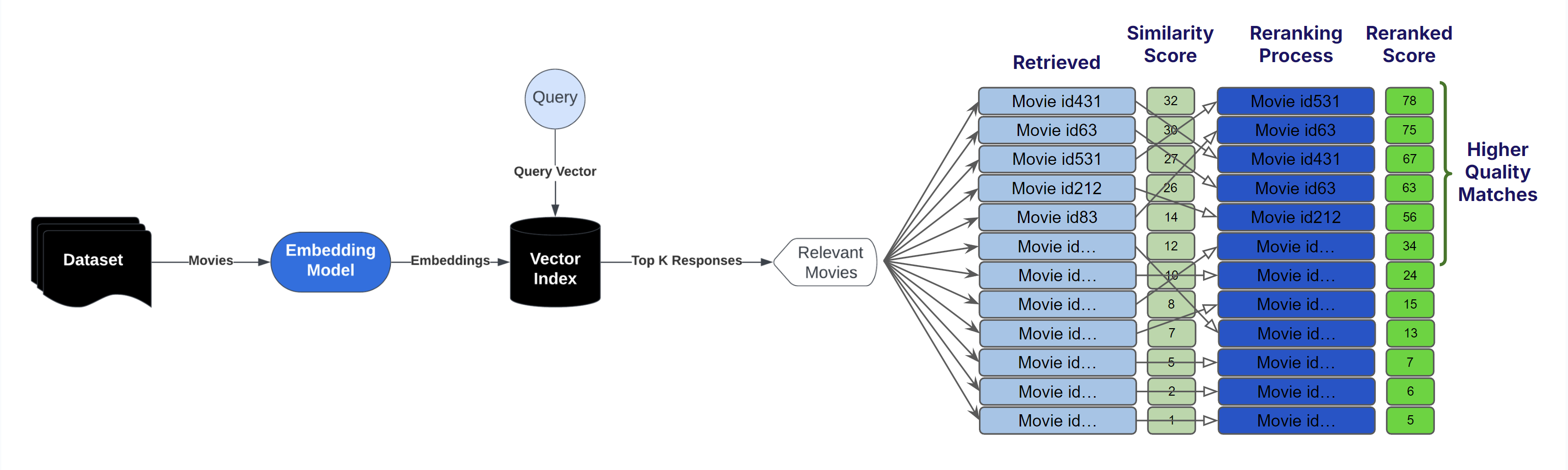
## Download and View the Dataset
```bash Shell theme={null}
wget https://raw.githubusercontent.com/togethercomputer/together-cookbook/refs/heads/main/datasets/movies.json
mkdir datasets
mv movies.json datasets/movies.json
```
```py Python theme={null}
import json
import together, os
from together import Together
# Paste in your Together AI API Key or load it
TOGETHER_API_KEY = os.environ.get("TOGETHER_API_KEY")
client = Together(api_key=TOGETHER_API_KEY)
with open("./datasets/movies.json", "r") as file:
movies_data = json.load(file)
movies_data[10:13]
```
Our dataset contains information about popular movies:
```
[{'title': 'Terminator Genisys',
'overview': "The year is 2029. John Connor, leader of the resistance continues the war against the machines. At the Los Angeles offensive, John's fears of the unknown future begin to emerge when TECOM spies reveal a new plot by SkyNet that will attack him from both fronts; past and future, and will ultimately change warfare forever.",
'director': 'Alan Taylor',
'genres': 'Science Fiction Action Thriller Adventure',
'tagline': 'Reset the future'},
{'title': 'Captain America: Civil War',
'overview': 'Following the events of Age of Ultron, the collective governments of the world pass an act designed to regulate all superhuman activity. This polarizes opinion amongst the Avengers, causing two factions to side with Iron Man or Captain America, which causes an epic battle between former allies.',
'director': 'Anthony Russo',
'genres': 'Adventure Action Science Fiction',
'tagline': 'Divided We Fall'},
{'title': 'Whiplash',
'overview': 'Under the direction of a ruthless instructor, a talented young drummer begins to pursue perfection at any cost, even his humanity.',
'director': 'Damien Chazelle',
'genres': 'Drama',
'tagline': 'The road to greatness can take you to the edge.'}]
```
## Implement Semantic Search Pipeline
Below we implement a simple semantic search pipeline:
1. Embed movie documents + query
2. Obtain a list of movies ranked based on cosine similarities between the query and movie vectors.
```py Python theme={null}
# This function will be used to access the Together API to generate embeddings for the movie plots
from typing import List
def generate_embeddings(
input_texts: List[str],
model_api_string: str,
) -> List[List[float]]:
"""Generate embeddings from Together python library.
Args:
input_texts: a list of string input texts.
model_api_string: str. An API string for a specific embedding model of your choice.
Returns:
embeddings_list: a list of embeddings. Each element corresponds to the each input text.
"""
together_client = together.Together(api_key=TOGETHER_API_KEY)
outputs = together_client.embeddings.create(
input=input_texts,
model=model_api_string,
)
return [x.embedding for x in outputs.data]
to_embed = []
for movie in movies_data[:1000]:
text = ""
for field in ["title", "overview", "tagline"]:
value = movie.get(field, "")
text += str(value) + " "
to_embed.append(text.strip())
# Use bge-base-en-v1.5 model to generate embeddings
embeddings = generate_embeddings(to_embed, "BAAI/bge-base-en-v1.5")
```
Next we implement a function that when given the above embeddings and a test query will return indices of most semantically similar data objects:
```py Python theme={null}
def retrieve(
query: str,
top_k: int = 5,
index: np.ndarray = None,
) -> List[int]:
"""
Retrieve the top-k most similar items from an index based on a query.
Args:
query (str): The query string to search for.
top_k (int, optional): The number of top similar items to retrieve. Defaults to 5.
index (np.ndarray, optional): The index array containing embeddings to search against. Defaults to None.
Returns:
List[int]: A list of indices corresponding to the top-k most similar items in the index.
"""
query_embedding = generate_embeddings([query], "BAAI/bge-base-en-v1.5")[0]
similarity_scores = cosine_similarity([query_embedding], index)
return np.argsort(-similarity_scores)[0][:top_k]
```
We will use the above function to retrieve 25 movies most similar to our query:
```py Python theme={null}
indices = retrieve(
query="super hero mystery action movie about bats",
top_k=25,
index=embeddings,
)
```
This will give us the following movie indices and movie titles:
```
array([ 13, 265, 451, 33, 56, 17, 140, 450, 58, 828, 227, 62, 337,
172, 724, 424, 585, 696, 933, 996, 932, 433, 883, 420, 744])
```
```py Python theme={null}
# Get the top 25 movie titles that are most similar to the query - these will be passed to the reranker
top_25_sorted_titles = [movies_data[index]["title"] for index in indices[0]][
:25
]
```
```
['The Dark Knight',
'Watchmen',
'Predator',
'Despicable Me 2',
'Night at the Museum: Secret of the Tomb',
'Batman v Superman: Dawn of Justice',
'Penguins of Madagascar',
'Batman & Robin',
'Batman Begins',
'Super 8',
'Megamind',
'The Dark Knight Rises',
'Batman Returns',
'The Incredibles',
'The Raid',
'Die Hard: With a Vengeance',
'Kick-Ass',
'Fantastic Mr. Fox',
'Commando',
'Tremors',
'The Peanuts Movie',
'Kung Fu Panda 2',
'Crank: High Voltage',
'Men in Black 3',
'ParaNorman']
```
Notice here that not all movies in our top 25 have to do with our query - super hero mystery action movie about bats. This is because semantic search capture the "approximate" meaning of the query and movies.
The reranker can more closely determine the similarity between these 25 candidates and rerank which ones deserve to be atop our list.
## Use Llama Rank to Rerank Top 25 Movies
Treating the top 25 matching movies as good candidate matches, potentially with irrelevant false positives, that might have snuck in we want to have the reranker model look and rerank each based on similarity to the query.
```py Python theme={null}
query = "super hero mystery action movie about bats" # we keep the same query - can change if we want
response = client.rerank.create(
model="Salesforce/Llama-Rank-V1",
query=query,
documents=top_25_sorted_titles,
top_n=5, # we only want the top 5 results
)
for result in response.results:
print(f"Document Index: {result.index}")
print(f"Document: {top_25_sorted_titles[result.index]}")
print(f"Relevance Score: {result.relevance_score}")
```
This will give us a reranked list of movies as shown below:
```
Document Index: 12
Document: Batman Returns
Relevance Score: 0.35380946383813044
Document Index: 8
Document: Batman Begins
Relevance Score: 0.339339115127178
Document Index: 7
Document: Batman & Robin
Relevance Score: 0.33013392395016167
Document Index: 5
Document: Batman v Superman: Dawn of Justice
Relevance Score: 0.3289763252445171
Document Index: 9
Document: Super 8
Relevance Score: 0.258483721657576
```
Here we can see that that reranker was able to improve the list by demoting irrelevant movies like Watchmen, Predator, Despicable Me 2, Night at the Museum: Secret of the Tomb, Penguins of Madagascar, further down the list and promoting Batman Returns, Batman Begins, Batman & Robin, Batman v Superman: Dawn of Justice to the top of the list!
The `bge-base-en-v1.5` embedding model gives us a fuzzy match to concepts mentioned in the query, the Llama-Rank-V1 reranker then imrpoves the quality of our list further by spending more compute to resort the list of movies.
Learn more about how to use reranker models in the [docs here](/docs/rerank-overview) !
***
---
> To find navigation and other pages in this documentation, fetch the llms.txt file at: https://docs.together.ai/llms.txt
---
# Source: https://docs.together.ai/docs/how-to-use-cline.md
> Use Cline (an AI coding agent) with DeepSeek V3 (a powerful open source model) to code faster.
# How to use Cline with DeepSeek V3 to build faster
Cline is a popular open source AI coding agent with nearly 2 million installs that is installable through any IDE including VS Code, Cursor, and Windsurf. In this quick guide, we want to take you through how you can combine Cline with powerful open source models on Together AI like DeepSeek V3 to supercharge your development process.
With Cline's agent, you can ask it to build features, fix bugs, or start new projects for you – and it's fully transparent in terms of the cost and tokens used as you use it. Here's how you can start using it with DeepSeek V3 on Together AI:
### 1. Install Cline
Navigate to [https://cline.bot/](https://cline.bot/) to install Cline in your preferred IDE.
### 2. Select Cline
After it's installed, select Cline from the menu of your IDE to configure it.
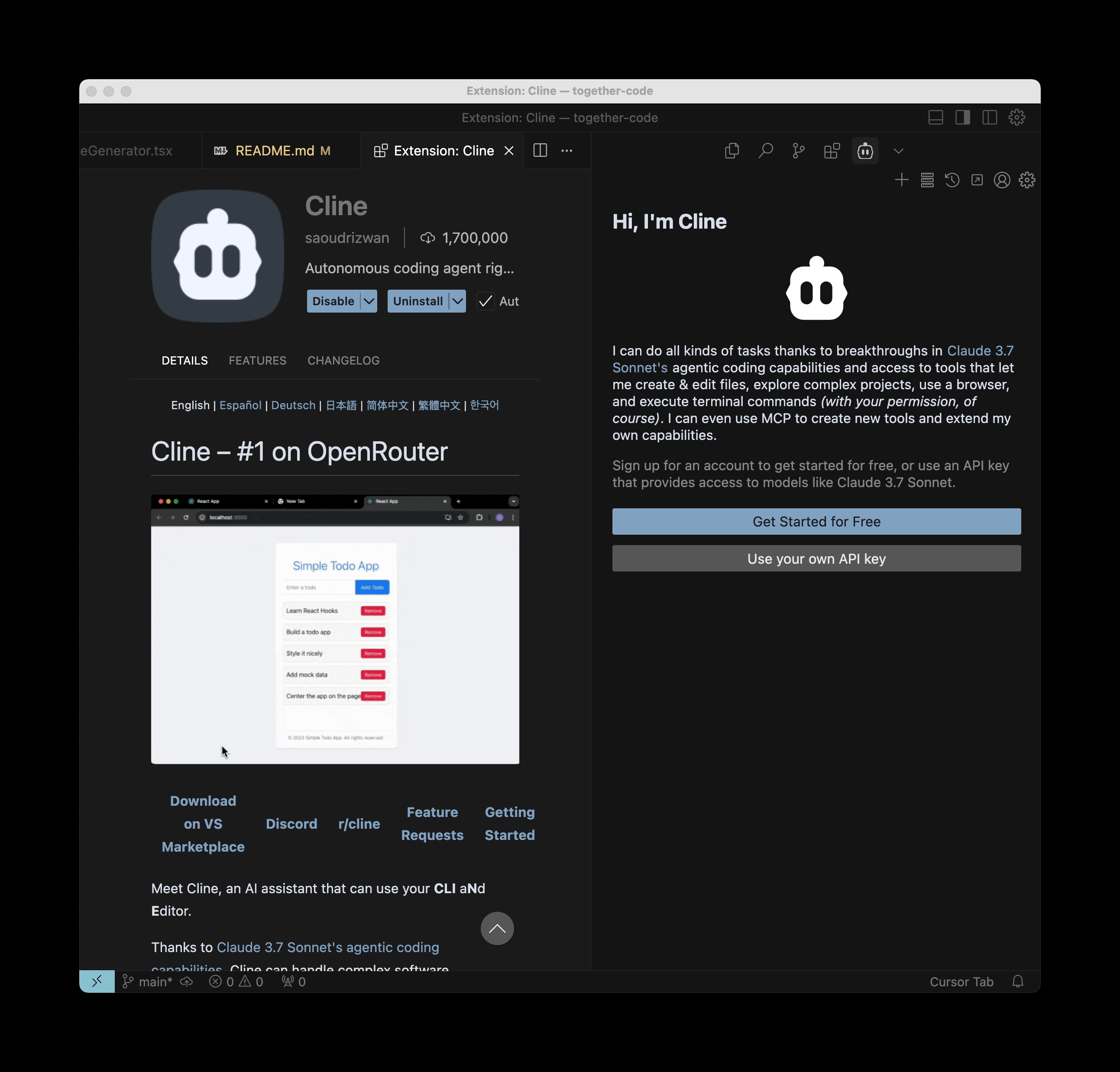
### 3. Configure Together AI & DeepSeek V3
Click "Use your own API key". After this, select Together as the API Provider, paste in your [Together API key](https://api.together.xyz/settings/api-keys), and type in any of our models to use. We recommend using `deepseek-ai/DeepSeek-V3` as its a powerful coding model.
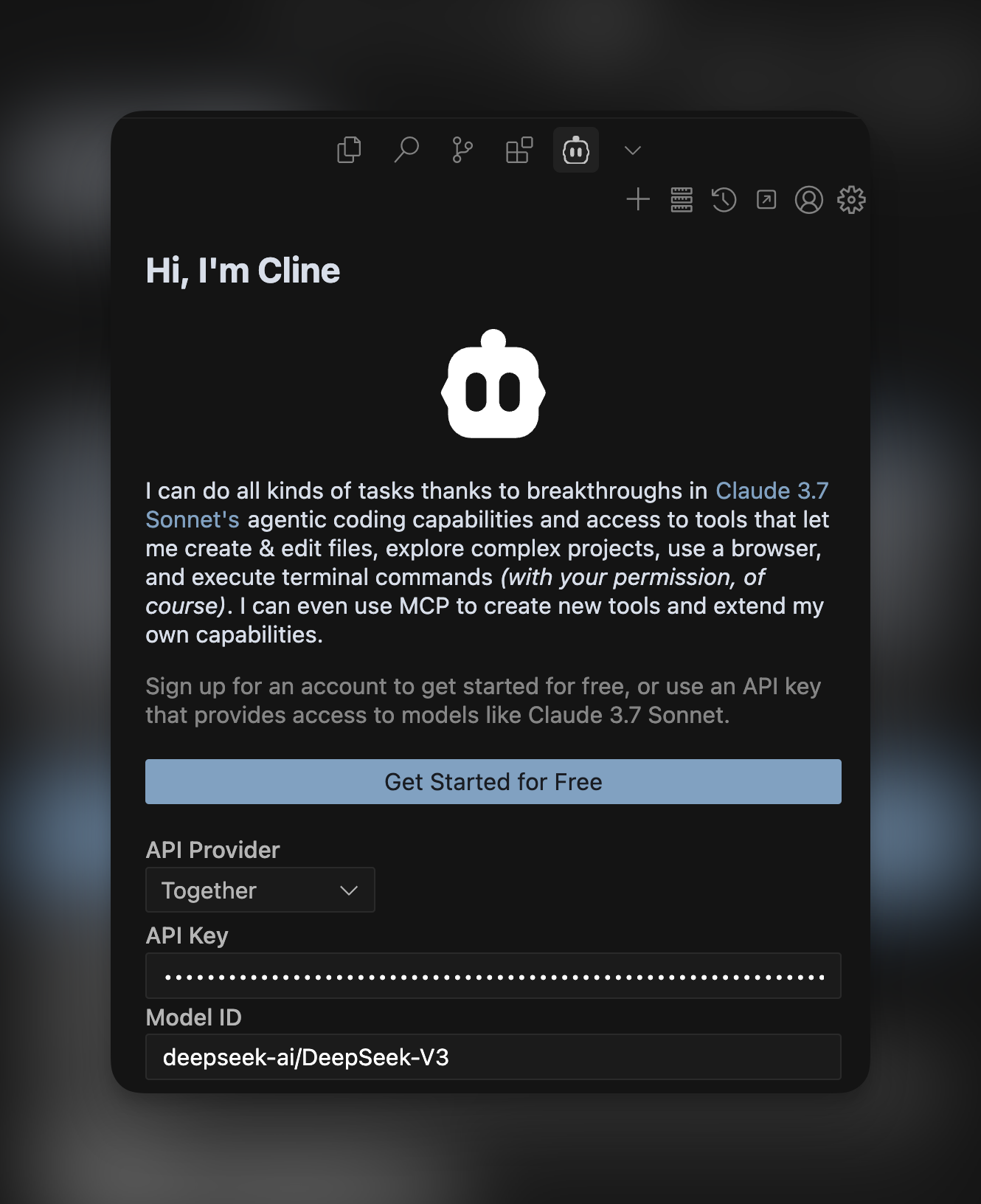
That's it! You can now build faster with one of the most popular coding agents running a fast, secure, and private open source model hosted on Together AI.
---
> To find navigation and other pages in this documentation, fetch the llms.txt file at: https://docs.together.ai/llms.txt
---
# Source: https://docs.together.ai/docs/how-to-use-opencode.md
# How to use OpenCode with Together AI to build faster
> Learn how to combine OpenCode, a powerful terminal-based AI coding agent, with Together AI models like DeepSeek V3 to supercharge your development workflow.
# How to use OpenCode with Together AI to build faster
OpenCode is a powerful AI coding agent built specifically for the terminal, offering a native TUI experience with LSP support and multi-session capabilities. In this guide, we'll show you how to combine OpenCode with powerful open source models on Together AI like DeepSeek V3 and DeepSeek R1 to supercharge your development workflow directly from your terminal.
With OpenCode's agent, you can ask it to build features, fix bugs, explain codebases, and start new projects – all while maintaining full transparency in terms of cost and token usage. Here's how you can start using it with Together AI's models:
## 1. Install OpenCode
Install OpenCode directly from your terminal with a single command:
```bash theme={null}
curl -fsSL https://opencode.ai/install | bash
```
This will install OpenCode and make it available system-wide.
## 2. Launch OpenCode
Navigate to your project directory and launch OpenCode:
```bash theme={null}
cd your-project
opencode
```
OpenCode will start with its native terminal UI interface, automatically detecting and loading the appropriate Language Server Protocol (LSP) for your project.
## 3. Configure Together AI
When you first run OpenCode, you'll need to configure it to use Together AI as your model provider. Follow these steps:
* **Set up your API provider**: Configure OpenCode to use Together AI
* **opencode auth login**
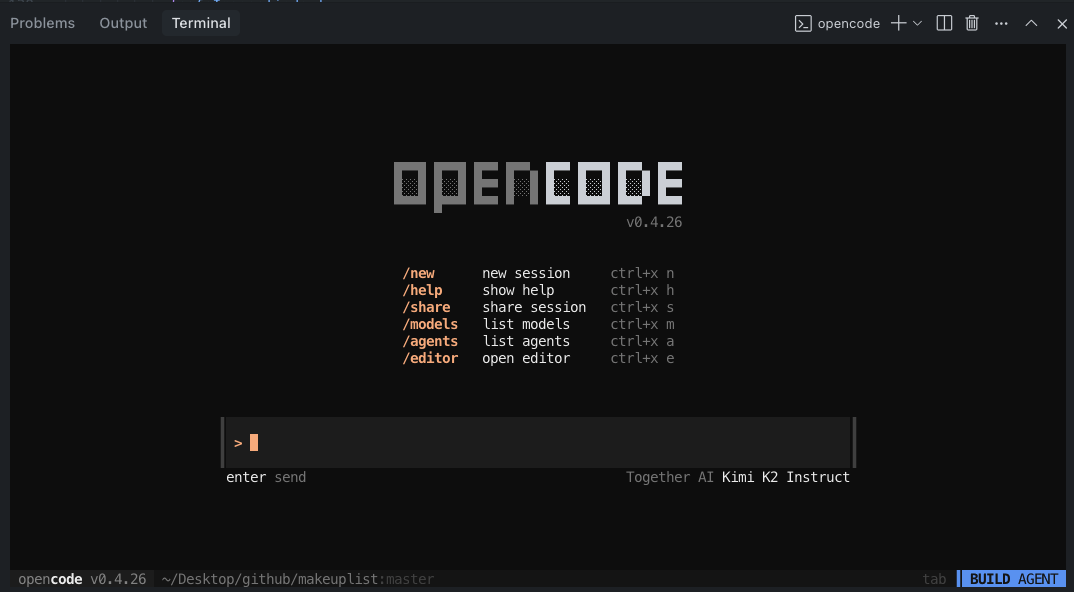
> To find the Together AI provider you will need to scroll the provider list of simply type together
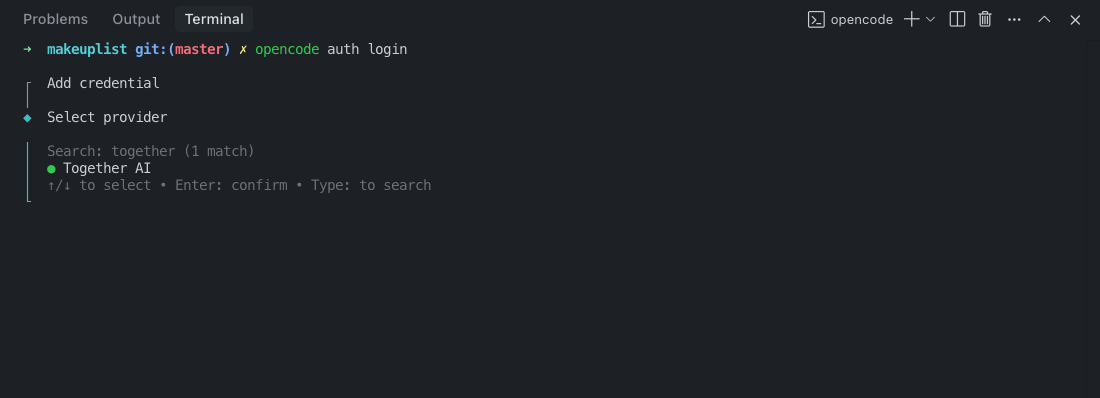
* **Add your API key**: Get your [Together AI API key](https://api.together.xyz/settings/api-keys) and paste it into the opencode terminal
* **Select a model**: Choose from powerful models like:
* `deepseek-ai/DeepSeek-V3` - Excellent for general coding tasks
* `deepseek-ai/DeepSeek-R1` - Advanced reasoning capabilities
* `meta-llama/Llama-3.3-70B-Instruct-Turbo` - Fast and efficient
* `Qwen/Qwen3-Coder-480B-A35B-Instruct-FP8` - Specialized coding model
## 4. Bonus: install the opencode vs-code extension
For developers who prefer working within VS Code, OpenCode offers a dedicated extension that integrates seamlessly into your IDE workflow while still leveraging the power of the terminal-based agent.
Install the extension: Search for "opencode" in the VS Code Extensions Marketplace or directly use this link:
* [https://open-vsx.org/extension/sst-dev/opencode](https://open-vsx.org/extension/sst-dev/opencode)
## Key Features & Usage
### Native Terminal Experience
OpenCode provides a responsive, native terminal UI that's fully themeable and integrated into your command-line workflow.
### Plan Mode vs Build Mode
Switch between modes using the **Tab** key:
* **Plan Mode**: Ask OpenCode to create implementation plans without making changes
* **Build Mode**: Let OpenCode directly implement features and make code changes
### File References with Fuzzy Search
Use the `@` key to fuzzy search and reference files in your project:
```
How is authentication handled in @packages/functions/src/api/index.ts
```
## Best Practices
### Give Detailed Context
Talk to OpenCode like you're talking to a junior developer:
```
When a user deletes a note, flag it as deleted in the database instead of removing it.
Then create a "Recently Deleted" screen where users can restore or permanently delete notes.
Use the same design patterns as our existing settings page.
```
### Use Examples and References
Provide plenty of context and examples:
```
Add error handling to the API similar to how it's done in @src/utils/errorHandler.js
```
### Iterate on Plans
In Plan Mode, review and refine the approach before implementation:
```
That looks good, but let's also add input validation and rate limiting
```
## Model Recommendations
* **DeepSeek V3** (`deepseek-ai/DeepSeek-V3`): \$1.25 per million tokens, excellent balance of performance and cost
* **DeepSeek R1** (`deepseek-ai/DeepSeek-R1`): $3.00-$7.00 per million tokens, advanced reasoning for complex problems
* **Llama 3.3 70B** (`meta-llama/Llama-3.3-70B-Instruct-Turbo`): \$0.88 per million tokens, fast and cost-effective
## Getting Started
1. Install OpenCode: `curl -fsSL https://opencode.ai/install | bash`
2. Navigate to your project: `cd your-project`
3. Launch OpenCode: `opencode`
4. Configure Together AI with your API key
5. Start building faster with AI assistance!
That's it! You now have one of the most powerful terminal-based AI coding agents running with fast, secure, and private open source models hosted on Together AI. OpenCode's native terminal interface combined with Together AI's powerful models will transform your development workflow.
---
> To find navigation and other pages in this documentation, fetch the llms.txt file at: https://docs.together.ai/llms.txt
---
# Source: https://docs.together.ai/docs/how-to-use-qwen-code.md
# How to use Qwen Code with Together AI for enhanced development workflow
> Learn how to configure Qwen Code, a powerful AI-powered command-line workflow tool, with Together AI models to supercharge your coding workflow with advanced code understanding and automation.
# How to use Qwen Code with Together AI for enhanced development workflow
Qwen Code is a powerful command-line AI workflow tool specifically optimized for code understanding, automated tasks, and intelligent development assistance. While it comes with built-in Qwen OAuth support, you can also configure it to use Together AI's extensive model selection for even more flexibility and control over your AI coding experience.
In this guide, we'll show you how to set up Qwen Code with Together AI's powerful models like DeepSeek V3, Llama 3.3 70B, and specialized coding models to enhance your development workflow beyond traditional context window limits.
## Why Use Qwen Code with Together AI?
* **Model Choice**: Access to a wide variety of models beyond just Qwen models
* **Transparent Pricing**: Clear token-based pricing with no surprises
* **Enterprise Control**: Use your own API keys and have full control over usage
* **Specialized Models**: Access to coding-specific models like Qwen3-Coder and DeepSeek variants
## 1. Install Qwen Code
Install Qwen Code globally via npm:
```bash theme={null}
npm install -g @qwen-code/qwen-code@latest
```
Verify the installation:
```bash theme={null}
qwen --version
```
**Prerequisites**: Ensure you have Node.js version 20 or higher installed.
## 2. Configure Together AI
Instead of using the default Qwen OAuth, you'll configure Qwen Code to use Together AI's OpenAI-compatible API.
### Method 1: Environment Variables (Recommended)
Set up your environment variables:
```bash theme={null}
export OPENAI_API_KEY="your_together_api_key_here"
export OPENAI_BASE_URL="https://api.together.xyz/v1"
export OPENAI_MODEL="your_chosen_model"
```
### Method 2: Project .env File
Create a `.env` file in your project root:
```env theme={null}
OPENAI_API_KEY=your_together_api_key_here
OPENAI_BASE_URL=https://api.together.xyz/v1
OPENAI_MODEL=your_chosen_model
```
### Get Your Together AI Credentials
1. **API Key**: Get your [Together AI API key](https://api.together.xyz/settings/api-keys)
2. **Base URL**: Use `https://api.together.xyz/v1` for Together AI
3. **Model**: Choose from [Together AI's model catalog](https://www.together.ai/models)
## 3. Choose Your Model
Select from Together AI's powerful model selection:
### Recommended Models for Coding
**For General Development:**
* `deepseek-ai/DeepSeek-V3` - Excellent balance of performance and cost (\$1.25/M tokens)
* `meta-llama/Llama-3.3-70B-Instruct-Turbo` - Fast and cost-effective (\$0.88/M tokens)
**For Advanced Coding Tasks:**
* `Qwen/Qwen3-Coder-480B-A35B-Instruct-FP8` - Specialized for complex coding (\$2.00/M tokens)
* `deepseek-ai/DeepSeek-R1` - Advanced reasoning capabilities ($3.00-$7.00/M tokens)
### Example Configuration
```bash theme={null}
export OPENAI_API_KEY="your_together_api_key"
export OPENAI_BASE_URL="https://api.together.xyz/v1"
export OPENAI_MODEL="deepseek-ai/DeepSeek-V3"
```
## 4. Launch and Use Qwen Code
Navigate to your project and start Qwen Code:
```bash theme={null}
cd your-project/
qwen
```
You're now ready to use Qwen Code with Together AI models!
## Advanced Tips
### Token Optimization
* Use `/compress` to maintain context while reducing token usage
* Set appropriate session limits based on your Together AI plan
* Monitor usage with `/stats` command
### Model Selection Strategy
* Use **DeepSeek V3** for general coding tasks
* Switch to **Qwen3-Coder** for complex code generation
* Use **Llama 3.3 70B** for faster, cost-effective operations
### Context Window Management
Qwen Code is designed to handle large codebases beyond traditional context limits:
* Automatically chunks and processes large files
* Maintains conversation context across multiple API calls
* Optimizes token usage through intelligent compression
## Troubleshooting
### Common Issues
**Authentication Errors:**
* Verify your Together AI API key is correct
* Ensure `OPENAI_BASE_URL` is set to `https://api.together.xyz/v1`
* Check that your API key has sufficient credits
**Model Not Found:**
* Verify the model name exists in [Together AI's catalog](https://www.together.ai/models)
* Ensure the model name is exactly as listed (case-sensitive)
## Getting Started Checklist
1. ✅ Install Node.js 20+ and Qwen Code
2. ✅ Get your Together AI API key
3. ✅ Set environment variables or create `.env` file
4. ✅ Choose your preferred model from Together AI
5. ✅ Launch Qwen Code in your project directory
6. ✅ Start coding with AI assistance!
That's it! You now have Qwen Code powered by Together AI's advanced models, giving you unprecedented control over your AI-assisted development workflow with transparent pricing and model flexibility.
---
> To find navigation and other pages in this documentation, fetch the llms.txt file at: https://docs.together.ai/llms.txt
---
# Source: https://docs.together.ai/docs/images-overview.md
# Images
> Generate high-quality images from text + image prompts.
## Generating an image
To query an image model, use the `.images` method and specify the image model you want to use.

```py Python theme={null}
client = Together()
# Generate an image from a text prompt
response = client.images.generate(
prompt="A serene mountain landscape at sunset with a lake reflection",
model="black-forest-labs/FLUX.1-schnell",
steps=4,
)
print(f"Image URL: {response.data[0].url}")
```
```ts TypeScript theme={null}
import Together from "together-ai";
const together = new Together();
async function main() {
const response = await together.images.generate({
prompt: "A serene mountain landscape at sunset with a lake reflection",
model: "black-forest-labs/FLUX.1-schnell",
steps: 4,
});
console.log(response.data[0].url);
}
main();
```
```curl cURL theme={null}
curl -X POST "https://api.together.xyz/v1/images/generations" \
-H "Authorization: Bearer $TOGETHER_API_KEY" \
-H "Content-Type: application/json" \
-d '{
"model": "black-forest-labs/FLUX.1-schnell",
"prompt": "A serene mountain landscape at sunset with a lake reflection",
"steps": 4
}'
```
Example response structure and output:
```json theme={null}
{
"id": "oFuwv7Y-2kFHot-99170ebf9e84e0ce-SJC",
"model": "black-forest-labs/FLUX.1-schnell",
"data": [
{
"index": 0,
"url": "https://api.together.ai/v1/images/..."
}
]
}
```
## Provide reference image
Use a reference image to guide the generation:
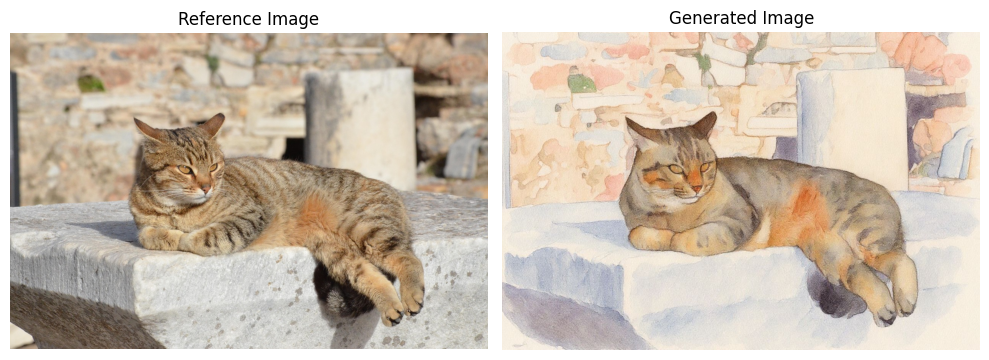
```py Python theme={null}
from together import Together
client = Together()
response = client.images.generate(
model="black-forest-labs/FLUX.1-kontext-pro",
width=1024,
height=768,
prompt="Transform this into a watercolor painting",
image_url="https://cdn.pixabay.com/photo/2020/05/20/08/27/cat-5195431_1280.jpg",
)
```
```ts TypeScript theme={null}
import Together from "together-ai";
const together = new Together();
const response = await together.images.generate({
model: "black-forest-labs/FLUX.1-kontext-pro",
width: 1024,
height: 768,
prompt: "Transform this into a watercolor painting",
image_url:
"https://cdn.pixabay.com/photo/2020/05/20/08/27/cat-5195431_1280.jpg",
});
```
```curl cURL theme={null}
curl -X POST "https://api.together.xyz/v1/images/generations" \
-H "Authorization: Bearer $TOGETHER_API_KEY" \
-H "Content-Type: application/json" \
-d '{
"model": "black-forest-labs/FLUX.1-kontext-pro",
"width": 1024,
"height": 768,
"prompt": "Transform this into a watercolor painting",
"image_url": "https://cdn.pixabay.com/photo/2020/05/20/08/27/cat-5195431_1280.jpg"
}'
```
Example output:
## Supported Models
See our [models page](/docs/serverless-models#image-models) for supported image models.
## Parameters
| Parameter | Type | Description | Default |
| ----------------- | ------- | ---------------------------------------------------------------------------------------- | ------------ |
| `prompt` | string | Text description of the image to generate | **Required** |
| `model` | string | Model identifier | **Required** |
| `width` | integer | Image width in pixels | 1024 |
| `height` | integer | Image height in pixels | 1024 |
| `n` | integer | Number of images to generate (1-4) | 1 |
| `steps` | integer | Diffusion steps (higher = better quality, slower) | 1-50 |
| `seed` | integer | Random seed for reproducibility | any |
| `negative_prompt` | string | What to avoid in generation | - |
| `frame_images` | array | **Required for Kling model.** Array of images to guide video generation, like keyframes. | - |
* `prompt` is required for all models except Kling
* `width` and `height` will rely on defaults unless otherwise specified - options for dimensions differ by model
* Flux Schnell and Kontext \[Pro/Max/Dev] models use the `aspect_ratio` parameter to set the output image size whereas Flux.1 Pro, Flux 1.1 Pro, and Flux.1 Dev use `width` and `height` parameters.
## Generating Multiple Variations
Generate multiple variations of the same prompt to choose from:

```py Python theme={null}
response = client.images.generate(
prompt="A cute robot assistant helping in a modern office",
model="black-forest-labs/FLUX.1-schnell",
n=4,
steps=4,
)
print(f"Generated {len(response.data)} variations")
for i, image in enumerate(response.data):
print(f"Variation {i+1}: {image.url}")
```
```ts TypeScript theme={null}
const response = await together.images.generate({
prompt: "A cute robot assistant helping in a modern office",
model: "black-forest-labs/FLUX.1-schnell",
n: 4,
steps: 4,
});
console.log(`Generated ${response.data.length} variations`);
response.data.forEach((image, i) => {
console.log(`Variation ${i + 1}: ${image.url}`);
});
```
```curl cURL theme={null}
curl -X POST "https://api.together.xyz/v1/images/generations" \
-H "Authorization: Bearer $TOGETHER_API_KEY" \
-H "Content-Type: application/json" \
-d '{
"model": "black-forest-labs/FLUX.1-schnell",
"prompt": "A cute robot assistant helping in a modern office",
"n": 4,
"steps": 4
}'
```
Example output:
## Custom Dimensions & Aspect Ratios
Different aspect ratios for different use cases:
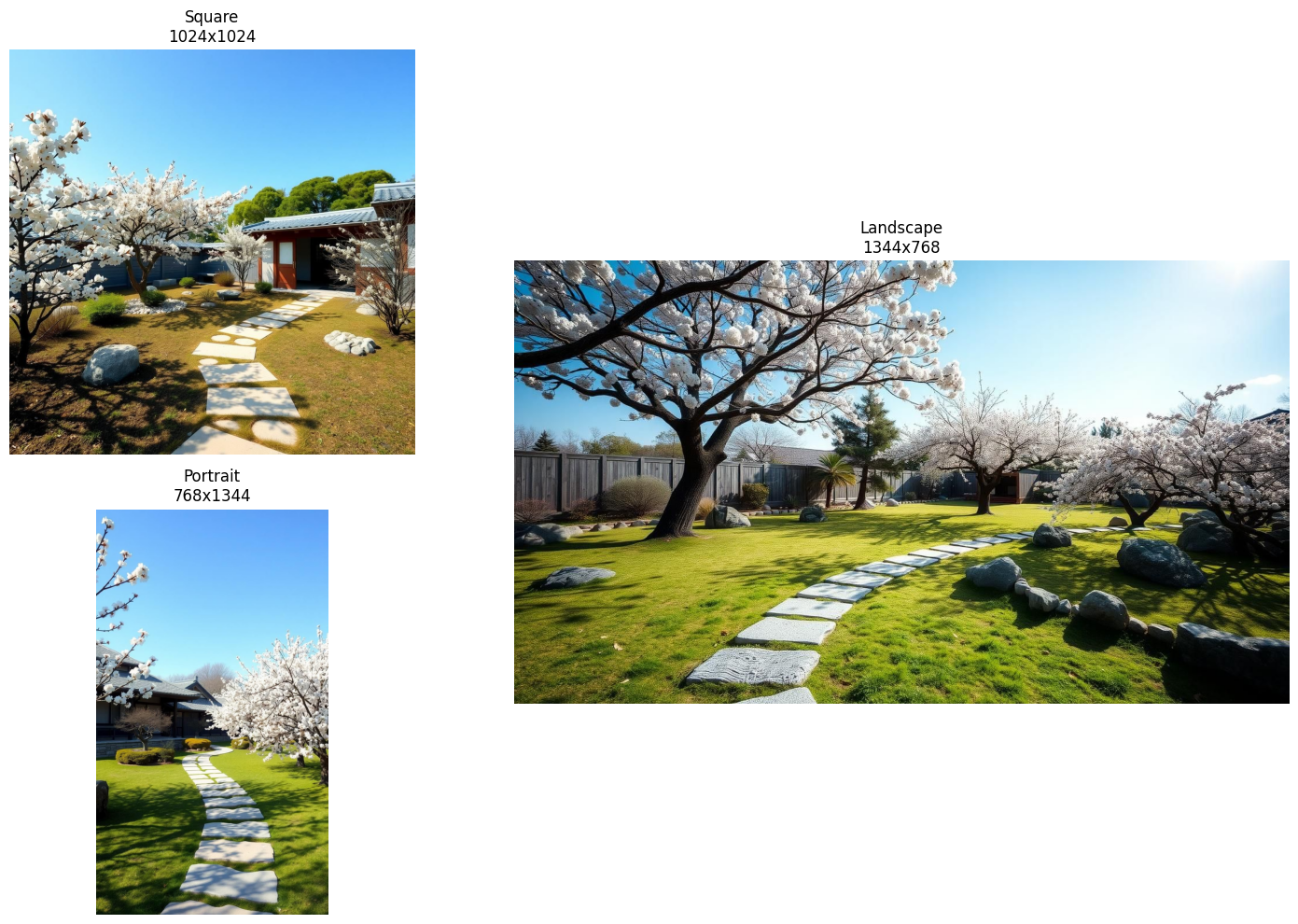
```py Python theme={null}
# Square - Social media posts, profile pictures
response_square = client.images.generate(
prompt="A peaceful zen garden with a stone path",
model="black-forest-labs/FLUX.1-schnell",
width=1024,
height=1024,
steps=4,
)
# Landscape - Banners, desktop wallpapers
response_landscape = client.images.generate(
prompt="A peaceful zen garden with a stone path",
model="black-forest-labs/FLUX.1-schnell",
width=1344,
height=768,
steps=4,
)
# Portrait - Mobile wallpapers, posters
response_portrait = client.images.generate(
prompt="A peaceful zen garden with a stone path",
model="black-forest-labs/FLUX.1-schnell",
width=768,
height=1344,
steps=4,
)
```
```ts TypeScript theme={null}
// Square - Social media posts, profile pictures
const response_square = await together.images.generate({
prompt: "A peaceful zen garden with a stone path",
model: "black-forest-labs/FLUX.1-schnell",
width: 1024,
height: 1024,
steps: 4,
});
// Landscape - Banners, desktop wallpapers
const response_landscape = await together.images.generate({
prompt: "A peaceful zen garden with a stone path",
model: "black-forest-labs/FLUX.1-schnell",
width: 1344,
height: 768,
steps: 4,
});
// Portrait - Mobile wallpapers, posters
const response_portrait = await together.images.generate({
prompt: "A peaceful zen garden with a stone path",
model: "black-forest-labs/FLUX.1-schnell",
width: 768,
height: 1344,
steps: 4,
});
```
```curl cURL theme={null}
# Square - Social media posts, profile pictures
curl -X POST "https://api.together.xyz/v1/images/generations" \
-H "Authorization: Bearer $TOGETHER_API_KEY" \
-H "Content-Type: application/json" \
-d '{
"model": "black-forest-labs/FLUX.1-schnell",
"prompt": "A peaceful zen garden with a stone path",
"width": 1024,
"height": 1024,
"steps": 4
}'
# Landscape - Banners, desktop wallpapers
curl -X POST "https://api.together.xyz/v1/images/generations" \
-H "Authorization: Bearer $TOGETHER_API_KEY" \
-H "Content-Type: application/json" \
-d '{
"model": "black-forest-labs/FLUX.1-schnell",
"prompt": "A peaceful zen garden with a stone path",
"width": 1344,
"height": 768,
"steps": 4
}'
# Portrait - Mobile wallpapers, posters
curl -X POST "https://api.together.xyz/v1/images/generations" \
-H "Authorization: Bearer $TOGETHER_API_KEY" \
-H "Content-Type: application/json" \
-d '{
"model": "black-forest-labs/FLUX.1-schnell",
"prompt": "A peaceful zen garden with a stone path",
"width": 768,
"height": 1344,
"steps": 4
}'
```
## Quality Control with Steps
Compare different step counts for quality vs. speed:
```python theme={null}
import time
prompt = "A majestic mountain landscape"
step_counts = [1, 6, 12]
for steps in step_counts:
start = time.time()
response = client.images.generate(
prompt=prompt,
model="black-forest-labs/FLUX.1-schnell",
steps=steps,
seed=42, # Same seed for fair comparison
)
elapsed = time.time() - start
print(f"Steps: {steps} - Generated in {elapsed:.2f}s")
```
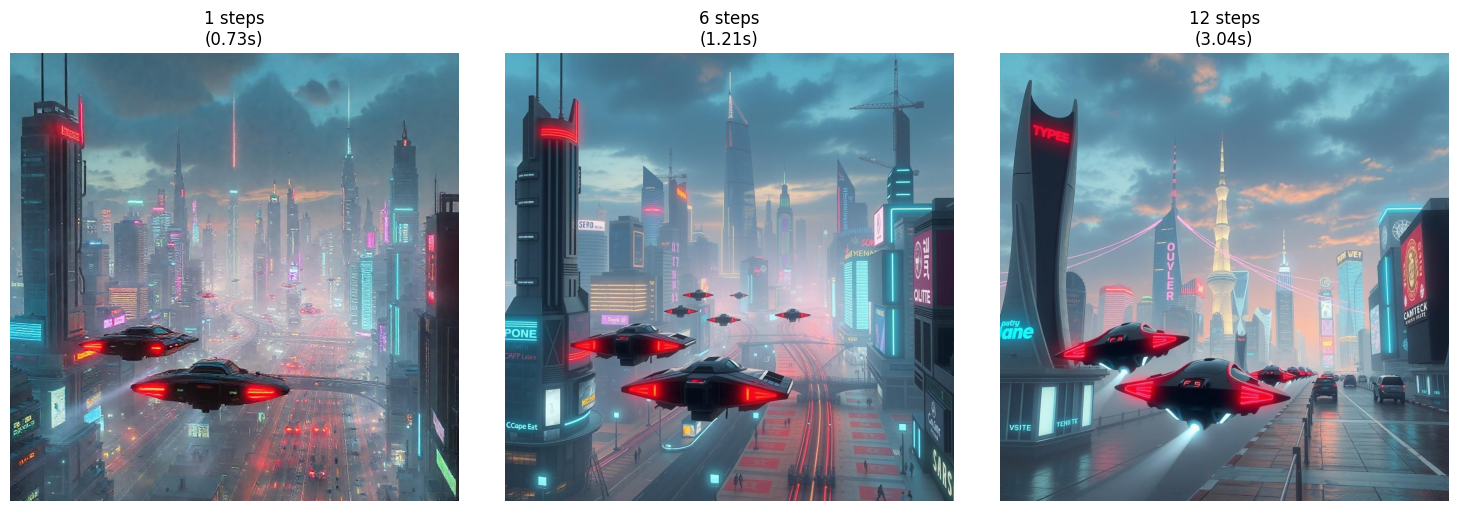
## Base64 Images
If you prefer the image data to be embedded directly in the response, set `response_format` to "base64".
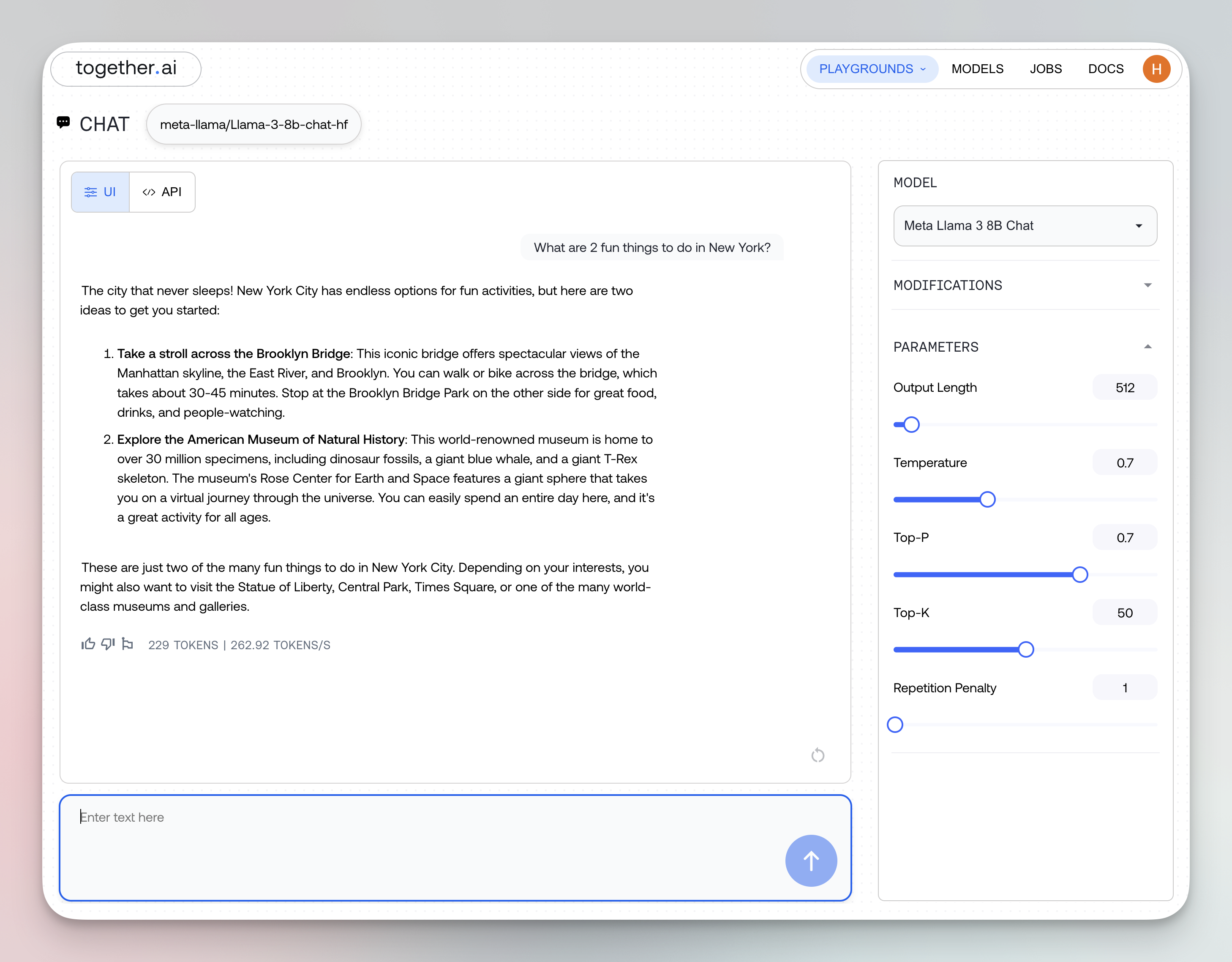
```py Python theme={null}
from together import Together
client = Together()
response = client.images.generate(
model="black-forest-labs/FLUX.1-schnell",
prompt="a cat in outer space",
response_format="base64",
)
print(response.data[0].b64_json)
```
```ts TypeScript theme={null}
import Together from "together-ai";
const client = new Together();
const response = await client.images.generate({
model: "black-forest-labs/FLUX.1-schnell",
prompt: "A cat in outer space",
response_format: "base64",
});
console.log(response.data[0].b64_json);
```
```curl cURL theme={null}
curl -X POST "https://api.together.xyz/v1/images/generations" \
-H "Authorization: Bearer $TOGETHER_API_KEY" \
-H "Content-Type: application/json" \
-d '{
"model": "black-forest-labs/FLUX.1-schnell",
"prompt": "A cat in outer space",
"response_format": "base64"
}'
```
When you do, the model response includes a new `b64_json` field that contains the image encoded as a base64 string.
```json theme={null}
{
"id": "oNM6X9q-2kFHot-9aa9c4c93aa269a2-PDX",
"data": [
{
"b64_json": "/9j/4AAQSkZJRgABAQA",
"index": 0,
"type": null,
"timings": {
"inference": 0.7992482790723443
}
}
],
"model": "black-forest-labs/FLUX.1-schnell",
"object": "list"
}
```
## Safety Checker
We have a built in safety checker that detects NSFW words but you can disable it by passing in `disable_safety_checker=True`. This works for every model except Flux Schnell Free and Flux Pro. If the safety checker is triggered and not disabled, it will return a `422 Unprocessable Entity`.
```py Python theme={null}
from together import Together
client = Together()
response = client.images.generate(
prompt="a flying cat",
model="black-forest-labs/FLUX.1-schnell",
steps=4,
disable_safety_checker=True,
)
print(response.data[0].url)
```
```ts TypeScript theme={null}
import Together from "together-ai";
const together = new Together();
async function main() {
const response = await together.images.generate({
prompt: "a flying cat",
model: "black-forest-labs/FLUX.1-schnell",
steps: 4,
disable_safety_checker: true,
});
console.log(response.data[0].url);
}
main();
```
## Troubleshooting
**Image doesn't match prompt well**
* Make prompt more descriptive and specific
* Add style references (e.g., "National Geographic style")
* Use negative prompts to exclude unwanted elements
* Try increasing steps to 30-40
**Poor image quality**
* Increase `steps` to 30-40 for production
* Add quality modifiers: "highly detailed", "8k", "professional"
* Use negative prompt: "blurry, low quality, distorted, pixelated"
* Try a higher-tier model
**Inconsistent results**
* Use `seed` parameter for reproducibility
* Keep the same seed when testing variations
* Generate multiple variations with `n` parameter
**Wrong dimensions or aspect ratio**
* Specify `width` and `height` explicitly
* Common ratios:
* Square: 1024x1024
* Landscape: 1344x768
* Portrait: 768x1344
* Ensure dimensions are multiples of 8
---
> To find navigation and other pages in this documentation, fetch the llms.txt file at: https://docs.together.ai/llms.txt
---
# Source: https://docs.together.ai/docs/inference-faqs.md
# Inference FAQs
## Model Selection and Availability
### What models are available for inference on Together?
Together hosts a wide range of open-source models and you can view the latest inference models [here](https://docs.together.ai/docs/serverless-models).
### Which model should I use?
The world of AI evolves at a rapid pace, and the often overwhelming flow of new information can make it difficult to find exactly what you need for what you want to do.
Together AI has built Which LLM to help you cut through the confusion. Just tell us what you need/want to do, and we'll tell you which model is the best match.
Visit [whichllm.together.ai](https://whichllm.together.ai/) to find the right model for your use case.
Together AI supports over 200+ open-source models with a wide range of capabilities: Chat, Image, Vision, Audio, Code, Language, Moderation, Embedding, Rerank.
#### Free Models Available
Together AI offers a couple of models that you can use without cost:
##### Chat/Language Models:
* **Apriel 1.5 15B Thinker** - An updated multimodal reasoning model from ServiceNow's Apriel SLM series. With 30% better reasoning token efficiency than its predecessor.
##### Image Generation:
* **FLUX.1 \[schnell] Free** - Free endpoint for the SOTA open-source image generation model by Black Forest Labs
**Note:** Free model endpoints have reduced rate limits and performance compared to paid Turbo endpoints, but provide an excellent way to experiment and test capabilities before committing to paid services.
## Model Parameters and Usage
### What is the maximum context window supported by Together models?
The maximum context window varies significantly by model. Refer to the specific model's documentation or the inference models [page](https://docs.together.ai/docs/serverless-models) for the exact context length supported by each model.
### Where can I find default parameter values for a model?
Default parameter values for a model can be found in the `generation_config.json` file on Hugging Face. For example, the configuration for Llama 3.3 70B Instruct shows defaults like temperature: 0.6 and top\_p: 0.9. If not defined, no value is passed for that parameter.
### How do I send a request to an inference endpoint?
You can use the OpenAI-compatible API. Example using curl:
```bash theme={null}
curl https://api.together.xyz/v1/chat/completions \
-H "Authorization: Bearer $TOGETHER_API_KEY" \
-H "Content-Type: application/json" \
-d '{
"model": "mistralai/Mixtral-8x7B-Instruct-v0.1",
"messages": [{"role": "user", "content": "Hello!"}]
}'
```
More examples in Python and TypeScript are available [here](https://docs.together.ai/docs/openai-api-compatibility).
### Do you support function calling or tool use?
Function calling is natively supported for some models (see [here](https://docs.together.ai/docs/function-calling#function-calling)) but structured prompting can simulate function-like behavior.
### Function Calls Not Returned in Response "message.content"
Models that support Function Calling return any tool calls in a separate part of the model response, not inside of `message.content`. Some models will return "None" for this if any function calls are made.
Any tool calls instead will be found in:
`message.tool_calls[0].function.name`
For example, when making a function call, `message.content` may be None, but the function name will be in `message.tool_calls[0].function.name`.
### Do you support structured outputs or JSON mode?
Yes, you can use JSON mode to get structured outputs from LLMs like DeepSeek V3 & Llama 3.3. See more [here](https://docs.together.ai/docs/json-mode).
#### Troubleshooting Structured Output Generation
When working with structured outputs, you may encounter issues where your generated JSON gets cut off or contains errors. Here are key considerations:
* **Token Limits**: Check the maximum token limit of your model and ensure you're under it. Model specifications are available in our [serverless models documentation](https://docs.together.ai/docs/serverless-models).
* **Malformed JSON**: Validate your example JSON before using it in prompts. The model follows your example exactly, including syntax errors. Common symptoms include unterminated strings, repeated newlines, incomplete structures, or truncated output with 'stop' finish reason.
## Performance and Optimization
### What kind of latency can I expect for inference requests?
Latency depends on the model and prompt length. Smaller models like Mistral may respond in less than 1 second, while larger MoE models like Mixtral may take several seconds. Prompt caching and streaming can help reduce perceived latency.
### Is Together suitable for high-throughput workloads?
Yes. Together supports production-scale inference. For high-throughput applications (e.g., over 100 RPS), [contact](https://www.together.ai/contact) the Together team for dedicated support and infrastructure.
### Does Together support streaming responses?
Yes. You can receive streamed tokens by setting `"stream": true` in your request. This allows you to begin processing output as soon as it is generated.
### Can I use quantized models for faster inference?
Yes. Together hosts some models with quantized weights (e.g., FP8, FP16, INT4) for faster and more memory-efficient inference. Support varies by model.
### Can I cache prompts or use speculative decoding?
Yes. Together supports optimizations like prompt caching and speculative decoding for models that allow it, reducing latency and improving throughput.
### Can I run batched or parallel inference requests?
Yes. Together supports batching and high-concurrency usage. You can send parallel requests from your client and take advantage of backend batching. See [Batch Inference](https://docs.together.ai/docs/batch-inference#batch-inference) for more details.
## Data Privacy and Security
### Is my data stored or logged?
Together does not store your input or output by default. Temporary caching may be used for performance unless otherwise configured.
### Will my data be used to train other models?
Data sharing for training other models is opt-in and not enabled by default. You can check or modify this setting in your [account profile](https://api.together.ai/settings/profile) under Privacy & Security. See our [privacy policy](https://www.together.ai/privacy) for more details.
### Can I run inference in my own VPC or on-premise?
Yes. Together supports private networking VPC-based deployments for enterprise customers requiring data residency or regulatory compliance. [Contact us](https://www.together.ai/contact) for more information.
## Billing and Limits
### How is inference usage billed?
Inference is billed per input and output token, with rates varying by model. Refer to the pricing [page](https://www.together.ai/pricing) for current pricing details.
### What happens if I exceed my rate limit or quota?
You will receive a 429 Too Many Requests error. You can request higher limits via the Together dashboard or by contacting [support](https://www.together.ai/contact).
## Integrations and Support
### Can I use Together inference with LangChain or LlamaIndex?
Yes. Together is compatible with LangChain via the OpenAI API interface. Set your Together API key and model name in your environment or code.
See more about all available integrations: [Langchain](https://docs.together.ai/docs/integrations#langchain), [LlamaIndex](https://docs.together.ai/docs/integrations#llamaindex), [Hugging Face](https://docs.together.ai/docs/integrations#huggingface), [Vercel AI SDK](https://docs.together.ai/docs/integrations#vercel-ai-sdk).
### How does Together ensure the uptime and reliability of its inference endpoints?
Together aims for high reliability, offering 99.9% SLAs for dedicated endpoints.
---
> To find navigation and other pages in this documentation, fetch the llms.txt file at: https://docs.together.ai/llms.txt
---
# Source: https://docs.together.ai/docs/inference-web-interface.md
# Playground
> Guide to using Together AI's web playground for interactive AI model inference across chat, image, video, audio, and transcribe models.
There are five playgrounds for interacting with different types of models:
1. **Chat Playground**
Chat with models like DeepSeek R1-0528 in a conversational interface. Adjust model behavior with system prompts.
2. **Image Playground**
Create stunning images from text or from existing images using FLUX.1 \[schnell] or other image generations models. This playground can also be useful for using instruction-tuned models and providing few-shot prompts.
3. **Video Playground**
Produce engaging videos with Kling 1.6 Standard and other advanced models from text prompts.
4. **Audio Playground**
Generate lifelike audio for synthesis or editing from text using models like Cartesia Sonic 2.
5. **Transcribe Playground**
Turn audio into text with Whisper large-v3 or other transcription models.
## Instructions
1. Log in to [api.together.xyz](https://api.together.xyz/playground) with your username and password
2. Navigate through the different playgrounds we offer using the left sidebar
3. Select a model (either one that we offer, or one you have fine-tuned yourself)
4. Adjust the modifications and parameters (more details below)
### Modifications
From the right side panel you can access **modifications** to control the stop sequence or system prompt. The stop sequence controls when the model will stop outputting more text. The system prompt instructs the model how to behave. There are several default system prompts provided and you can add your own. To edit a system prompt you added, hover over the prompt in the menu and click the pencil icon.
### Parameters
Edit inference parameter settings from the right side panel. For more information on how to set these settings see [inference parameters](/docs/inference-parameters).
---
> To find navigation and other pages in this documentation, fetch the llms.txt file at: https://docs.together.ai/llms.txt
---
# Source: https://docs.together.ai/reference/installation.md
# Installation
The Together Python library comes with a command-line interface you can use to query Together's open-source models, upload new data files to your account, or manage your account's fine-tune jobs.
## Prerequisites
* Make sure your local machine has [Python](https://www.python.org/) installed.
* If you haven't already, [register for a Together account](https://api.together.xyz/settings/api-keys) to get an API key.
## Install the library
Launch your terminal and install or update the Together CLI with the following command:
```sh Shell theme={null}
pip install --upgrade together
```
## Authenticate your shell
The CLI relies on the `TOGETHER_API_KEY` environment variable being set to your account's API token to authenticate requests. You can find your API token in your [account settings](https://api.together.xyz/settings/api-keys).
Tocreate an environment variable in the current shell, run:
```sh Shell theme={null}
export TOGETHER_API_KEY=xxxxx
```
You can also add it to your shell's global configuration so all new sessions can access it. Different shells have different semantics for setting global environment variables, so see your preferred shell's documentation to learn more.
## Next steps
If you know what you're looking for, find your use case in the sidebar to learn more! The CLI is primarily used for fine-tuning so we recommend visiting **[Files](/reference/files)** or **[Fine-tuning](/reference/finetune)**.
To see all commands available in the CLI, run:
```sh Shell theme={null}
together --help
```
---
> To find navigation and other pages in this documentation, fetch the llms.txt file at: https://docs.together.ai/llms.txt
---
# Source: https://docs.together.ai/docs/instant-clusters.md
> Create, scale, and manage Instant Clusters in Together Cloud
# Instant Clusters
## Overview
Instant Clusters allows you to create high-performance GPU clusters in minutes. With features like on-demand scaling, long-lived resizable high-bandwidth shared DC-local storage, Kubernetes and Slurm cluster flavors, a REST API, and Terraform support, you can run workloads flexibly without complex infrastructure management.
## Quickstart: Create an Instant Cluster
1. Log into api.together.ai.
2. Click **GPU Clusters** in the top navigation menu.
3. Click **Create Cluster**.
4. Choose whether you want **Reserved** capacity or **On-demand**, based on your needs.
5. Select the **cluster size**, for example `8xH100`.
6. Enter a **cluster name**.
7. Choose a **cluster type** either Kubernetes or Slurm.
8. Select a **region**.
9. Choose the reservation **duration** for your cluster.
10. Create and name your **shared volume** (minimum size 1 TiB).
11. Optional: Select your **NVIDIA driver** and **CUDA** versions.
12. Click **Proceed**.
Your cluster will now be ready for you to use.
### Capacity Types
* **Reserved**: You pay upfront to reserve GPU capacity for a duration between 1-90 days.
* **On-demand**: You pay as you go for GPU capacity on an hourly basis. No pre-payment or reservation needed, and you can terminate your cluster at any time.
### Node Types
We have the following node types available in Instant Clusters.
* NVIDIA HGX B200
* NVIDIA HGX H200
* NVIDIA HGX H100 SXM
* NVIDIA HGX H100 SXM - Inference (lower Infiniband multi-node GPU-to-GPU bandwidth, suitable for single-node inference)
If you don't see an available node type, select the "Notify Me" option to get notified when capacity is online. You can also contact us with your request via [support@together.ai](mailto:support@together.ai).
### Pricing
Pricing information for different GPU node types can be found [here](https://www.together.ai/instant-gpu-clusters).
### Cluster Status
* From the UI, verify that your cluster transitions to Ready.
* Monitor progress and health indicators directly from the cluster list.
### Start Training with Kubernetes
#### Install kubectl
Install `kubectl` in your environment, for example on [MacOS](https://kubernetes.io/docs/tasks/tools/install-kubectl-macos/).
#### Download kubeconfig
From the Instant Clusters UI, download the kubeconfig and copy it to your local machine:
```bash theme={null}
~/.kube/together_instant.kubeconfig
export KUBECONFIG=$HOME/.kube/together_instant.kubeconfig
kubectl get nodes
```
> You can rename the file to `config`, but back up your existing config first.
#### Verify Connectivity
```bash theme={null}
kubectl get nodes
```
You should see all worker and control plane nodes listed.
#### Deploy a Pod with Storage
* Create a PersistentVolumeClaim for shared storage. We provide a static PersistentVolume with the same name as your shared volume. As long as you use the static PV, your data would persist.
```yaml theme={null}
apiVersion: v1
kind: PersistentVolumeClaim
metadata:
name: shared-pvc
spec:
accessModes:
- ReadWriteMany # Multiple pods can read/write
resources:
requests:
storage: 10Gi # Requested size
volumeName:
```
* Create a PersistentVolumeClaim for local storage.
```yaml theme={null}
apiVersion: v1
kind: PersistentVolumeClaim
metadata:
name: local-pvc
spec:
accessModes:
- ReadWriteOnce # Only one pod/node can mount at a time
resources:
requests:
storage: 50Gi
storageClassName: local-storage-class
```
* Mount them into a pod:
```yaml theme={null}
apiVersion: v1
kind: Pod
metadata:
name: test-pod
spec:
restartPolicy: Never
containers:
- name: ubuntu
image: debian:stable-slim
command: ["/bin/sh", "-c", "sleep infinity"]
volumeMounts:
- name: shared-pvc
mountPath: /mnt/shared
- name: local-pvc
mountPath: /mnt/local
volumes:
- name: shared-pvc
persistentVolumeClaim:
claimName: shared-pvc
- name: local-pvc
persistentVolumeClaim:
claimName: local-pvc
```
Apply and connect:
```bash theme={null}
kubectl apply -f manifest.yaml
kubectl exec -it test-pod -- bash
```
#### Kubernetes Dashboard Access
* From the cluster UI, click the K8s Dashboard URL.
* Retrieve your access token using the following command:
```bash theme={null}
kubectl -n kubernetes-dashboard get secret $(kubectl -n kubernetes-dashboard get secret | grep admin-user-token | awk '{print $1}') -o jsonpath='{.data.token}' | base64 -d | pbcopy
```
## Cluster Scaling
Clusters can scale flexibly in real time. By adding on-demand compute to your cluster, you can temporarily scale up to more GPUs when workload demand spikes and then scale back down as it wanes.
Scaling up or down can be performed using the UI, tcloud CLI, or REST API.
### Targeted Scale-down
If you wish to mark which node or nodes should be targeted for scale-down, you can:
* Either cordon the k8s node(s) or add the node.together.ai/delete-node-on-scale-down: "true" annotation to the k8s node(s).
\= Then trigger scale-down via the cloud console UI (or CLI, REST API).
* Instant Clusters will ensure that cordoned + annotated nodes are prioritized for deletion above all others.
## Storage Management
Instant Clusters supports long-lived, resizable in-DC shared storage with user data persistence.
You can dynamically create and attach volumes to your cluster at cluster creation time, and resize as your data grows.
All shared storage is backed by multi-NIC bare metal paths, ensuring high-throughput and low-latency performance for shared storage.
### Upload Your Data
To upload data to the cluster from your local machine, follow these steps:
* Create a PVC using the shared volume name as the VolumeName as well as a pod to mount the volume
* Run `kubectl cp LOCAL_FILENAME YOUR_POD_NAME:/data/`
* Note: This method is suitable for smaller datasets, for larger datasets we recommend scheduling a pod on the cluster that can download from S3.
## Compute Access
You can run workloads on Instant Clusters using Kubernetes or Slurm-on-Kubernetes.
### Kubernetes
Use `kubectl` to submit jobs, manage pods, and interact with your cluster. See [Quickstart](#quickstart) for setup details.
### Slurm Direct SSH
For HPC workflows, you can enable Slurm-on-Kubernetes:
* Directly SSH into a Slurm node.
* Use familiar Slurm commands (`sbatch`, `srun`, etc.) to manage distributed training jobs.
This provides the flexibility of traditional HPC job scheduling alongside Kubernetes.
#### SSH to Slurm Login Pod
Please note that at this time, you must add your SSH key to your account prior to deploying a cluster in order for the key to register
in your LDAP server.
Tip: When you click your cluster in the Together Cloud UI, the Cluster details page shows copy-ready Slurm commands tailored to your cluster (for example, `squeue`, `sinfo`, `srun`, `sbatch`). Use these to quickly verify connectivity and submit jobs.
The hostname of worker pods will always be the name of the node with `.slurm.pod` at the end. For instance, `gpu-dp-hmqnh-nwlnj.slurm.pod`.
The hostname of the login pod, which is the place you will likely wish to start most jobs and routines from is always `slurm-login`.
## APIs and Integrations
### tcloud CLI
Download the CLI:
* [Mac](https://tcloud-cli-downloads.s3.us-west-2.amazonaws.com/releases/latest/tcloud-darwin-universal.tar.gz)
* [Linux](https://tcloud-cli-downloads.s3.us-west-2.amazonaws.com/releases/latest/tcloud-linux-amd64.tar.gz)
Authenticate via Google SSO:
```bash theme={null}
tcloud sso login
```
Create a cluster:
```bash theme={null}
tcloud cluster create my-cluster \
--num-gpus 8 \
--reservation-duration 1 \
--instance-type H100-SXM \
--region us-central-8 \
--shared-volume-name my-volume \
--size-tib 1
```
Optionally, you can specify whether you want to provision reserved capacity or on-demand by using the `billing-type` field and setting its value to either `prepaid` (i.e. a reservation) or `on_demand`.
```bash theme={null}
tcloud cluster create my-cluster \
--num-gpus 8 \
--billing-type prepaid \
--reservation-duration 1 \
--instance-type H100-SXM \
--region us-central-8 \
--shared-volume-name my-volume \
--size-tib 1
```
Delete a cluster:
```bash theme={null}
tcloud cluster delete
```
### REST API
All cluster management actions (create, scale, delete, storage, etc.) are available via REST API endpoints for programmatic control.
The API documentation can be found [here](https://docs.together.ai/api-reference/gpuclusterservice/create-gpu-cluster).
### Terraform Provider
Use the Together Terraform Provider to define clusters, storage, and scaling policies as code. This allows reproducible infrastructure management integrated with existing Terraform workflows.
### SkyPilot
You can orchestrate AI workloads on Instant Clusters using SkyPilot.
The following example shows how to use Together with SkyPilot and orchestrate `gpt-oss-20b` finetuning on it.
#### Use Together Instant Cluster with SkyPilot
1. ```bash theme={null}
uv pip install skypilot[kubernetes]
```
2. Launch a Together Instant Cluster with cluster type selected as Kubernetes
* Get the Kubernetes config for the cluster
* Save the kubeconfig to a file say `./together.kubeconfig`
* Copy the kubeconfig to your `~/.kube/config` or merge the Kubernetes config with your existing kubeconfig file.
```bash theme={null}
mkdir -p ~/.kube
cp together-kubeconfig ~/.kube/config
```
or
```bash theme={null}
KUBECONFIG=./together-kubeconfig:~/.kube/config kubectl config view --flatten > /tmp/merged_kubeconfig && mv /tmp/merged_kubeconfig ~/.kube/config
```
SkyPilot automatically picks up your credentials to the Together Instant Cluster.
3. Check that SkyPilot can access the Together Instant Cluster
```console theme={null}
$ sky check k8s
Checking credentials to enable infra for SkyPilot.
Kubernetes: enabled [compute]
Allowed contexts:
└── t-51326e6b-25ec-42dd-8077-6f3c9b9a34c6-admin@t-51326e6b-25ec-42dd-8077-6f3c9b9a34c6: enabled.
🎉 Enabled infra 🎉
Kubernetes [compute]
Allowed contexts:
└── t-51326e6b-25ec-42dd-8077-6f3c9b9a34c6-admin@t-51326e6b-25ec-42dd-8077-6f3c9b9a34c6
To enable a cloud, follow the hints above and rerun: sky check
If any problems remain, refer to detailed docs at: https://docs.skypilot.co/en/latest/getting-started/installation.html
```
Your Together cluster is now accessible with SkyPilot.
4. Check the available GPUs on the cluster:
```console theme={null}
$ sky show-gpus --infra k8s
Kubernetes GPUs
Context: t-51326e6b-25ec-42dd-8077-6f3c9b9a34c6-admin@t-51326e6b-25ec-42dd-8077-6f3c9b9a34c6
GPU REQUESTABLE_QTY_PER_NODE UTILIZATION
H100 1, 2, 4, 8 8 of 8 free
Kubernetes per-node GPU availability
CONTEXT NODE GPU UTILIZATION
t-51326e6b-25ec-42dd-8077-6f3c9b9a34c6-admin@t-51326e6b-25ec-42dd-8077-6f3c9b9a34c6 cp-8ct86 - 0 of 0 free
t-51326e6b-25ec-42dd-8077-6f3c9b9a34c6-admin@t-51326e6b-25ec-42dd-8077-6f3c9b9a34c6 cp-fjqbt - 0 of 0 free
t-51326e6b-25ec-42dd-8077-6f3c9b9a34c6-admin@t-51326e6b-25ec-42dd-8077-6f3c9b9a34c6 cp-hst5f - 0 of 0 free
t-51326e6b-25ec-42dd-8077-6f3c9b9a34c6-admin@t-51326e6b-25ec-42dd-8077-6f3c9b9a34c6 gpu-dp-gsd6b-k4m4x H100 8 of 8 free
```
#### Example: Finetuning gpt-oss-20b on the Together Instant Cluster
Launch a gpt-oss finetuning job on the Together cluster is now as simple as a single command:
```bash theme={null}
sky launch -c gpt-together gpt-oss-20b.yaml
```
You can download the yaml file [here](https://github.com/skypilot-org/skypilot/tree/master/llm/gpt-oss-finetuning#lora-finetuning).
## Billing
#### Compute Billing
Instant Clusters offer two compute billing options: **reserved** and **on-demand**.
* **Reservations** – Credits are charged upfront or deducted for the full
reserved duration once the cluster is provisioned. Any usage beyond the reserved
capacity is billed at on-demand rates.
* **On-Demand** – Pay only for the time your cluster is running, with no upfront
commitment.
See our [pricing page](https://www.together.ai/instant-gpu-clusters) for current rates.
#### Storage Billing
Storage is billed on a **pay-as-you-go** basis, as detailed on our [pricing
page](https://www.together.ai/instant-gpu-clusters). You can freely increase or
decrease your storage volume size, with all usage billed at the same rate.
#### Viewing Usage and Invoices
You can view your current usage anytime on the [Billing page in
Settings](https://api.together.ai/settings/billing). Each invoice includes a
detailed breakdown of reservation, burst, and on-demand usage for compute and
storage
#### Cluster and Storage Lifecycles
Clusters and storage volumes follow different lifecycle policies:
* **Compute Clusters** – Clusters are automatically decommissioned when their
reservation period ends. To extend a reservation, please contact your account
team.
* **Storage Volumes** – Storage volumes are persistent and remain available as
long as your billing account is in good standing. They are not automatically
deleted. The user data persists as long as you use the static PV we provide.
#### Running Out of Credits
When your credits are exhausted, resources behave differently depending on their
type:
* **Reserved Compute** – Existing reservations remain active until their
scheduled end date. Any additional on-demand capacity used to scale beyond the
reservation is decommissioned.
* **Fully On-Demand Compute** – Clusters are first paused and then
decommissioned if credits are not restored.
* **Storage Volumes** – Access is revoked first, and the data is later
decommissioned.
You will receive alerts before these actions take place. For questions or
assistance, please contact your billing team.
---
> To find navigation and other pages in this documentation, fetch the llms.txt file at: https://docs.together.ai/llms.txt
---
# Source: https://docs.together.ai/docs/integrations-2.md
# Agent Integrations
> Using OSS agent frameworks with Together AI
You can use Together AI with many of the most popular AI agent frameworks. Choose your preferred framework to learn how to enhance your agents with the best open source models.
## [LangGraph](/docs/langgraph)
LangGraph is a library for building stateful, multi-actor applications with LLMs. It provides a flexible framework for creating complex, multi-step reasoning applications through acyclic and cyclic graphs.
## [CrewAI](/docs/crewai)
CrewAI is an open source framework for orchestrating AI agent systems. It enables multiple AI agents to collaborate effectively by assuming roles and working toward shared goals.
## [PydanticAI](/docs/pydanticai)
PydanticAI provides structured data extraction and validation for LLMs using Pydantic schemas. It ensures your AI outputs adhere to specified formats, making integration with downstream systems reliable.
## [AutoGen(AG2)](/docs/autogen)
AutoGen(AG2) is an OSS agent framework for multi-agent conversations and workflow automation. It enables the creation of customizable agents that can interact with each other and with human users to solve complex tasks.
## [DSPy](/docs/dspy)
DSPy is a programming framework for algorithmic AI systems. It offers a compiler-like approach to prompt engineering, allowing you to create modular, reusable, and optimizable language model programs.
## [Composio](/docs/composio)
Composio provides a platform for building and deploying AI applications with reusable components. It simplifies the process of creating complex AI systems by connecting specialized modules.
---
> To find navigation and other pages in this documentation, fetch the llms.txt file at: https://docs.together.ai/llms.txt
---
# Source: https://docs.together.ai/docs/integrations.md
> Use Together AI models through partner integrations.
# Integrations
Together AI seamlessly integrates with a wide range of tools and frameworks, making it easy to incorporate powerful open-source models into your existing workflows. Whether you're building AI agents, developing applications, managing vector databases, or monitoring LLM performance, our integrations help you get started quickly.
Our integrations span several categories:
* **Agent Frameworks**: Build sophisticated AI agents with LangGraph, CrewAI, PydanticAI, AutoGen, DSPy, and more
* **Development Tools**: Integrate with popular SDKs like Vercel AI SDK, LangChain, and LlamaIndex
* **Data & Vector Stores**: Connect to Pinecone, MongoDB, and Pixeltable for RAG applications
* **Observability**: Monitor and track your LLM usage with Helicone and Composio
## HuggingFace
*You can use Together AI models with Hugging Face Inference.*
Install the `huggingface_hub` library:
```sh Shell theme={null}
pip install huggingface_hub>=0.29.0
```
```sh Shell theme={null}
npm install @huggingface/inference
```
Chat Completion with Hugging Face Hub library
```python Python theme={null}
from huggingface_hub import InferenceClient
## Initialize the InferenceClient with together as the provider
client = InferenceClient(
provider="together",
api_key="xxxxxxxxxxxxxxxxxxxxxxxx", # Replace with your API key (HF or custom)
)
## Define the chat messages
messages = [{"role": "user", "content": "What is the capital of France?"}]
## Generate a chat completion
completion = client.chat.completions.create(
model="deepseek-ai/DeepSeek-R1",
messages=messages,
max_tokens=500,
)
## Print the response
print(completion.choices[0].message)
```
```typescript TypeScript theme={null}
import { HfInference } from "@huggingface/inference";
// Initialize the HfInference client with your API key
const client = new HfInference("xxxxxxxxxxxxxxxxxxxxxxxx");
// Generate a chat completion
const chatCompletion = await client.chatCompletion({
model: "deepseek-ai/DeepSeek-R1", // Replace with your desired model
messages: [
{
role: "user",
content: "What is the capital of France?"
}
],
provider: "together", // Replace with together's provider name
max_tokens: 500
});
// Log the response
console.log(chatCompletion.choices[0].message);
```
Learn more in our [Together AI - HuggingFace Guide](https://docs.together.ai/docs/quickstart-using-hugging-face-inference).
## Vercel AI SDK
*The Vercel AI SDK is a powerful Typescript library designed to help developers build AI-powered applications.*
Install both the Vercel AI SDK and Together.ai's Vercel package.
```shell Shell theme={null}
npm i ai @ai-sdk/togetherai
```
Import the Together.ai provider and call the generateText function with Kimi K2 to generate some text.
```typescript TypeScript theme={null}
import { togetherai } from "@ai-sdk/togetherai";
import { generateText } from "ai";
async function main() {
const { text } = await generateText({
model: togetherai("moonshotai/Kimi-K2-Instruct-0905"),
prompt: "Write a vegetarian lasagna recipe for 4 people.",
});
console.log(text);
}
main();
```
Learn more in our [Together AI - Vercel AI SDK Guide](https://docs.together.ai/docs/using-together-with-vercels-ai-sdk).
## Langchain
*LangChain is a framework for developing context-aware, reasoning applications powered by language models.*
To install the LangChain x Together library, run:
```text Shell theme={null}
pip install --upgrade langchain-together
```
Here's sample code to get you started with Langchain + Together AI:
```python Python theme={null}
from langchain_together import ChatTogether
chat = ChatTogether(model="meta-llama/Llama-3-70b-chat-hf")
for m in chat.stream("Tell me fun things to do in NYC"):
print(m.content, end="", flush=True)
```
See [this tutorial blog](https://www.together.ai/blog/rag-tutorial-langchain?_gl=1*exkmyi*_gcl_au*MTA3NDk3OTU0MS4xNzM3OTk4MjUw*_ga*MTg5NTkzNDM0LjE3MjgzMzM2MDQ.*_ga_BS43X21GZ2*MTc0NTQ1ODY4OC44MC4xLjE3NDU0NjY2ODYuMC4wLjA.*_ga_BBHKJ5V8S0*MTc0NTQ1ODY4OC42OS4xLjE3NDU0NjY2ODYuMC4wLjA.) for the RAG implementation details using Together and LangChain.
* [LangChain TogetherEmbeddings](https://python.langchain.com/docs/integrations/text_embedding/together)
* [LangChain Together](https://python.langchain.com/docs/integrations/llms/together)
## LlamaIndex
*LlamaIndex is a simple, flexible data framework for connecting custom data sources to large language models (LLMs).*
Install `llama-index`
```shell Shell theme={null}
pip install llama-index
```
Here's sample code to get you started with Llama Index + Together AI:
```python Python theme={null}
from llama_index.llms import OpenAILike
llm = OpenAILike(
model="mistralai/Mixtral-8x7B-Instruct-v0.1",
api_base="https://api.together.xyz/v1",
api_key="TOGETHER_API_KEY",
is_chat_model=True,
is_function_calling_model=True,
temperature=0.1,
)
response = llm.complete(
"Write up to 500 words essay explaining Large Language Models"
)
print(response)
```
See [this tutorial blog](https://www.together.ai/blog/rag-tutorial-llamaindex?_gl=1*1t16mh2*_gcl_au*MTA3NDk3OTU0MS4xNzM3OTk4MjUw*_ga*MTg5NTkzNDM0LjE3MjgzMzM2MDQ.*_ga_BS43X21GZ2*MTc0NTQ1ODY4OC44MC4xLjE3NDU0NjY2ODYuMC4wLjA.*_ga_BBHKJ5V8S0*MTc0NTQ1ODY4OC42OS4xLjE3NDU0NjY2ODYuMC4wLjA.) for the RAG implementation details using Together and LlamaIndex.
* [LlamaIndex TogetherEmbeddings](https://docs.llamaindex.ai/en/stable/examples/embeddings/together.html)
* [LlamaIndex TogetherLLM](https://docs.llamaindex.ai/en/stable/examples/llm/together.html)
## CrewAI
*CrewAI is an open source framework for orchestrating AI agent systems.*
Install `crewai`
```shell Shell theme={null}
pip install crewai
export TOGETHER_API_KEY=***
```
Build a multi-agent workflow:
```python Python theme={null}
import os
from crewai import LLM, Task, Agent, Crew
llm = LLM(
model="together_ai/meta-llama/Llama-3.3-70B-Instruct-Turbo",
api_key=os.environ.get("TOGETHER_API_KEY"),
base_url="https://api.together.xyz/v1",
)
research_agent = Agent(
llm=llm,
role="Research Analyst",
goal="Find and summarize information about specific topics",
backstory="You are an experienced researcher with attention to detail",
verbose=True, # Enable logging for debugging
)
research_task = Task(
description="Conduct a thorough research about AI Agents.",
expected_output="A list with 10 bullet points of the most relevant information about AI Agents",
agent=research_agent,
)
## Execute the crew
crew = Crew(agents=[research_agent], tasks=[research_task], verbose=True)
result = crew.kickoff()
## Accessing the task output
task_output = research_task.output
print(task_output)
```
Learn more in our [CrewAI guide](https://docs.together.ai/docs/crewai).
## LangGraph
*LangGraph is an OSS library for building stateful, multi-actor applications with LLMs*
Install `langgraph`
```shell Shell theme={null}
pip install -U langgraph langchain-together
export TOGETHER_API_KEY=***
```
Build a tool-using agent:
```python Python theme={null}
import os
from langchain_together import ChatTogether
llm = ChatTogether(
model="meta-llama/Llama-3.3-70B-Instruct-Turbo",
api_key=os.getenv("TOGETHER_API_KEY"),
)
## Define a tool
def multiply(a: int, b: int) -> int:
return a * b
## Augment the LLM with tools
llm_with_tools = llm.bind_tools([multiply])
## Invoke the LLM with input that triggers the tool call
msg = llm_with_tools.invoke("What is 2 times 3?")
## Get the tool call
msg.tool_calls
```
Learn more in our [LangGraph Guide](https://docs.together.ai/docs/langgraph) including:
* [Agentic RAG Notebook](https://github.com/togethercomputer/together-cookbook/blob/main/Agents/LangGraph/Agentic_RAG_LangGraph.ipynb)
* [Planning Agent Notebook](https://github.com/togethercomputer/together-cookbook/blob/main/Agents/LangGraph/LangGraph_Planning_Agent.ipynb)
## PydanticAI
*PydanticAI is an agent framework created by the Pydantic team to simplify building agent workflows.*
Install `pydantic-ai`
```shell Shell theme={null}
pip install pydantic-ai
export TOGETHER_API_KEY=***
```
Build PydanticAI agents using Together AI models
```python Python theme={null}
from pydantic_ai import Agent
from pydantic_ai.models.openai import OpenAIModel
from pydantic_ai.providers.openai import OpenAIProvider
## Connect PydanticAI to LLMs on Together
model = OpenAIModel(
"meta-llama/Llama-3.3-70B-Instruct-Turbo",
provider=OpenAIProvider(
base_url="https://api.together.xyz/v1",
api_key=os.environ.get("TOGETHER_API_KEY"),
),
)
## Setup the agent
agent = Agent(
model,
system_prompt="Be concise, reply with one sentence.",
)
result = agent.run_sync('Where does "hello world" come from?')
print(result.data)
```
Learn more in our [PydanticAI Guide](https://docs.together.ai/docs/pydanticai) and explore our [PydanticAI Agents notebook](https://github.com/togethercomputer/together-cookbook/blob/main/Agents/PydanticAI/PydanticAI_Agents.ipynb).
## Arcade.dev
*Arcade is a platform that lets AI securely use tools like email, files, and APIs to take real action—not just chat. Build powerful assistants in minutes with ready-to-use integrations or a custom SDK.*
Our guide demonstrates how to integrate Together AI's language models with Arcade's tools to create an AI agent that can send emails.
Prerequisites:
* Together AI API key - see here [https://api.together.ai/](https://api.together.ai/)
* Arcade API key - see here [https://arcade.dev/](https://arcade.dev/)
* Gmail account to connect via OAuth
```shell Shell theme={null}
## install the required packages
!pip install -qU together arcadepy
```
Gmail Configuration:
```shell Shell theme={null}
import os
from arcadepy import Arcade
from together import Together
## Set environment variables
os.environ["TOGETHER_API_KEY"] = "XXXXXXXXXXXXX" # Replace with your actual Together API key
os.environ["ARCADE_API_KEY"] = "arc_XXXXXXXXXXX" # Replace with your actual Arcade API key
## Initialize clients
together_client = Together(api_key=os.getenv("TOGETHER_API_KEY"))
arcade_client = Arcade() # Automatically finds the ARCADE_API_KEY env variable
## Set up user ID (your email)
USER_ID = "your_email@example.com" # Change this to your email
## Authorize Gmail access
auth_response = arcade_client.tools.authorize(
tool_name="Google.SendEmail",
user_id=USER_ID,
)
if auth_response.status != "completed":
print(f"Click this link to authorize: {auth_response.url}")
# Wait for the authorization to complete
arcade_client.auth.wait_for_completion(auth_response)
print("Authorization completed!")
```
Learn more in our [Arcade guide](https://github.com/togethercomputer/together-cookbook/blob/main/Agents/Arcade.dev/Agents_Arcade.ipynb) notebook.
## DSPy
*DSPy is a framework that enables you to build modular AI systems with code instead of hand-crafted prompting*
Install `dspy`
```shell Shell theme={null}
pip install -U dspy
export TOGETHER_API_KEY=***
```
Build a question answering agent
```python Python theme={null}
import dspy
# Configure dspy with a LLM from Together AI
lm = dspy.LM(
"together_ai/togethercomputer/llama-2-70b-chat",
api_key=os.environ.get("TOGETHER_API_KEY"),
api_base="https://api.together.xyz/v1",
)
# Configure dspy to use the LLM
dspy.configure(lm=lm)
## Gives the agent access to a python interpreter
def evaluate_math(expression: str):
return dspy.PythonInterpreter({}).execute(expression)
## Gives the agent access to a wikipedia search tool
def search_wikipedia(query: str):
results = dspy.ColBERTv2(url="http://20.102.90.50:2017/wiki17_abstracts")(
query, k=3
)
return [x["text"] for x in results]
## setup ReAct module with question and math answer signature
react = dspy.ReAct(
"question -> answer: float",
tools=[evaluate_math, search_wikipedia],
)
pred = react(
question="What is 9362158 divided by the year of birth of David Gregory of Kinnairdy castle?"
)
print(pred.answer)
```
Learn more in our [DSPy Guide](https://docs.together.ai/docs/dspy) and explore our [DSPy Agents notebook](https://github.com/togethercomputer/together-cookbook/blob/main/Agents/DSPy/DSPy_Agents.ipynb).
## AutoGen(AG2)
*AG2 (formerly AutoGen) is an open-source framework for building and orchestrating AI agents.*
Install `autogen`
```shell Shell theme={null}
pip install autogen
export TOGETHER_API_KEY=***
```
Build a coding agent
```python Python theme={null}
import os
from pathlib import Path
from autogen import AssistantAgent, UserProxyAgent
from autogen.coding import LocalCommandLineCodeExecutor
config_list = [
{
# Let's choose the Mixtral 8x7B model
"model": "mistralai/Mixtral-8x7B-Instruct-v0.1",
# Provide your Together.AI API key here or put it into the TOGETHER_API_KEY environment variable.
"api_key": os.environ.get("TOGETHER_API_KEY"),
# We specify the API Type as 'together' so it uses the Together.AI client class
"api_type": "together",
"stream": False,
}
]
## Setting up the code executor
workdir = Path("coding")
workdir.mkdir(exist_ok=True)
code_executor = LocalCommandLineCodeExecutor(work_dir=workdir)
## Setting up the agents
## The UserProxyAgent will execute the code that the AssistantAgent provides
user_proxy_agent = UserProxyAgent(
name="User",
code_execution_config={"executor": code_executor},
is_termination_msg=lambda msg: "FINISH" in msg.get("content"),
)
system_message = """You are a helpful AI assistant who writes code and the user executes it.
Solve tasks using your coding and language skills.
"""
## The AssistantAgent, using Together.AI's Code Llama model, will take the coding request and return code
assistant_agent = AssistantAgent(
name="Together Assistant",
system_message=system_message,
llm_config={"config_list": config_list},
)
## Start the chat, with the UserProxyAgent asking the AssistantAgent the message
chat_result = user_proxy_agent.initiate_chat(
assistant_agent,
message="Provide code to count the number of prime numbers from 1 to 10000.",
)
```
Learn more in our [Autogen Guide](https://docs.together.ai/docs/autogen).
## Agno
*Agno is an open-source library for creating multimodal agents.*
Install `agno`
```shell Shell theme={null}
pip install -U agno duckduckgo-search
```
Build a search and answer agent
```python Python theme={null}
from agno.agent import Agent
from agno.models.together import Together
from agno.tools.duckduckgo import DuckDuckGoTools
agent = Agent(
model=Together(id="meta-llama/Meta-Llama-3.1-8B-Instruct-Turbo"),
tools=[DuckDuckGoTools()],
markdown=True,
)
agent.print_response("What's happening in New York?", stream=True)
```
Learn more in our [Agno Guide](https://docs.together.ai/docs/agno) including code a notebook.
## MongoDB
See [this tutorial blog](https://www.together.ai/blog/rag-tutorial-mongodb?_gl=1*13iu8zj*_gcl_au*MTA3NDk3OTU0MS4xNzM3OTk4MjUw*_ga*MTg5NTkzNDM0LjE3MjgzMzM2MDQ.*_ga_BS43X21GZ2*MTc0NTQ1ODY4OC44MC4xLjE3NDU0NjY2ODYuMC4wLjA.*_ga_BBHKJ5V8S0*MTc0NTQ1ODY4OC42OS4xLjE3NDU0NjY2ODYuMC4wLjA.) for the RAG implementation details using Together and MongoDB.
## Pinecone
*Pinecone is a vector database that helps companies build RAG applications.*
Here's some sample code to get you started with Pinecone + Together AI:
```python Python theme={null}
from pinecone import Pinecone, ServerlessSpec
from together import Together
pc = Pinecone(api_key="PINECONE_API_KEY", source_tag="TOGETHER_AI")
client = Together()
## Create an index in pinecone
index = pc.create_index(
name="serverless-index",
dimension=1536,
metric="cosine",
spec=ServerlessSpec(cloud="aws", region="us-west-2"),
)
## Create an embedding on Together AI
textToEmbed = (
"Our solar system orbits the Milky Way galaxy at about 515,000 mph"
)
embeddings = client.embeddings.create(
model="togethercomputer/m2-bert-80M-8k-retrieval", input=textToEmbed
)
## Use index.upsert() to insert embeddings and index.query() to query for similar vectors
```
## Helicone
*Helicone is an open source LLM observability platform.*
Here's some sample code to get started with using Helicone + Together AI:
```python Python theme={null}
import os
from together import Together
client = Together(
api_key=os.environ.get("TOGETHER_API_KEY"),
base_url="https://together.hconeai.com/v1",
supplied_headers={
"Helicone-Auth": f"Bearer {os.environ.get('HELICONE_API_KEY')}",
},
)
stream = client.chat.completions.create(
model="meta-llama/Llama-3-8b-chat-hf",
messages=[
{
"role": "user",
"content": "What are some fun things to do in New York?",
}
],
stream=True,
)
for chunk in stream:
print(chunk.choices[0].delta.content or "", end="", flush=True)
```
## Composio
*Composio allows developers to integrate external tools and services into their AI applications.*
Install `composio-togetherai`
```shell Shell theme={null}
pip install together composio-togetherai
export TOGETHER_API_KEY=***
export COMPOSIO_API_KEY=***
```
Get Together AI models to use integrated tools
```python Python theme={null}
from composio_togetherai import ComposioToolSet, App
from together import Together
client = Together()
toolset = ComposioToolSet()
request = toolset.initiate_connection(app=App.GITHUB)
print(f"Open this URL to authenticate: {request.redirectUrl}")
tools = toolset.get_tools(apps=[App.GITHUB])
response = client.chat.completions.create(
tools=tools,
model="meta-llama/Llama-3.3-70B-Instruct-Turbo",
messages=[
{
"role": "user",
"content": "Star the repo 'togethercomputer/together-cookbook'",
}
],
)
res = toolset.handle_tool_calls(response)
print(res)
```
Learn more in our [Composio Guide](https://docs.together.ai/docs/composio) and explore our [Composio cookbook](https://github.com/togethercomputer/together-cookbook/blob/main/Agents/Composio/Agents_Composio.ipynb).
## Pixeltable
See [this tutorial blog](https://docs.together.ai/docs/embeddings-rag#:~:text=Using%20Pixeltable,Together%20and%20Pixeltable.) for the RAG implementation details using Together and Pixeltable.
---
> To find navigation and other pages in this documentation, fetch the llms.txt file at: https://docs.together.ai/llms.txt
---
# Source: https://docs.together.ai/intro.md
# Overview
> Welcome to Together AI’s docs! Together makes it easy to run, finetune, and train open source AI models with transparency and privacy.
export const ModelGrid = () => {
const modelGroups = [{
title: "Chat models:",
link: "/docs/serverless-models#chat-models",
hasViewAll: true,
items: [{
name: "DeepSeek R1",
icon: "/images/intro/deepseek.png",
description: "Upgraded DeepSeek-R1 with better reasoning, function calling, and coding, using 23K-token thinking to score 87.5% on AIME.",
link: "https://www.together.ai/models/deepseek-r1"
}, {
name: "DeepSeek V3.1",
icon: "/images/intro/deepseek.png",
description: "671B parameters (37B activated), 128K context, hybrid thinking/non-thinking modes, advanced tool calling, agent capabilities",
link: "https://www.together.ai/models/deepseek-v3-1"
}, {
name: "GPT-OSS-120B",
icon: "/images/intro/gpt.png",
description: "120B parameters, 128K context, reasoning with chain-of-thought, MoE architecture, Apache 2.0 license",
link: "https://www.together.ai/models/gpt-oss-120b"
}, {
name: "Llama 4 Maverick",
icon: "/images/intro/meta.png",
description: "SOTA 128-expert MoE powerhouse for multilingual image/text understanding, creative writing, and enterprise-scale applications.",
link: "https://www.together.ai/models/llama-4-maverick"
}, {
name: "Qwen 3 Next 80B",
icon: "/images/intro/qwen.png",
description: "80B parameters (3B activated), instruction-tuned MoE, 10x faster inference, hybrid attention mechanisms",
link: "https://www.together.ai/models/qwen3-next-80b-a3b-instruct"
}, {
name: "Kimi K2 0905",
icon: "/images/intro/kimi.png",
description: "Upgraded state-of-the-art mixture-of-experts agentic intelligence model with 1T parameters, 256K context, and native tool use",
link: "https://www.together.ai/models/kimi-k2-0905"
}]
}, {
title: "Image models:",
link: "/docs/serverless-models#image-models",
hasViewAll: true,
items: [{
name: "FLUX.1 [schnell]",
icon: "/images/intro/flux.png",
description: "Fastest available endpoint for the SOTA open-source image generation model by Black Forest Labs.",
link: "https://www.together.ai/models/flux-1-schnell"
}, {
name: "FLUX 1.1 [pro]",
icon: "/images/intro/flux.png",
description: "Premium image generation model by Black Forest Labs.",
link: "https://www.together.ai/models/flux1-1-pro"
}]
}, {
title: "Vision models:",
link: "/docs/serverless-models#vision-models",
hasViewAll: true,
items: [{
name: "Llama 4 Scout",
icon: "/images/intro/meta.png",
description: "SOTA 109B model with 17B active params & large context, excelling at multi-document analysis, codebase reasoning, and personalized tasks.",
link: "https://www.together.ai/models/llama-4-scout"
}, {
name: "Qwen2.5 VL 72B",
icon: "/images/intro/qwen.png",
description: "Vision-language model with advanced visual reasoning, video understanding, structured outputs, and agentic capabilities.",
link: "https://www.together.ai/models/qwen2-5-vl-72b-instruct"
}]
}, {
title: "Audio models:",
link: "/docs/serverless-models#audio-models",
hasViewAll: true,
items: [{
name: "Cartesia Sonic 2",
icon: "/images/intro/cartesia.png",
description: "Low-latency, ultra-realistic voice model, served in partnership with Cartesia.",
link: "https://www.together.ai/models/cartesia-sonic"
}, {
name: "Whisper Large v3",
icon: "/images/intro/gpt.png",
description: "High-performance speech-to-text model delivering transcription 15x faster than OpenAI with support for 1GB+ files, 50+ languages, and production-ready infrastructure.",
link: "https://www.together.ai/models/openai-whisper-large-v3"
}]
}, {
title: "Embedding models:",
link: "/docs/serverless-models#embedding-models",
hasViewAll: false,
items: [{
name: "M2-BERT 80M 2K",
icon: "/images/intro/bert.png",
description: "An 80M checkpoint of M2-BERT, pretrained with sequence length 2048, and it has been fine-tuned for long-context retrieval.",
link: "https://www.together.ai/models/m2-bert-80m-2k-retrieval"
}, {
name: "BGE-Base-EN",
icon: "/images/intro/baai.png",
description: "This model maps any text to a low-dimensional dense vector using FlagEmbedding.",
link: "https://www.together.ai/models/bge-base-en-v1-5"
}]
}, {
title: "Rerank models:",
link: "/docs/serverless-models#rerank-models",
hasViewAll: false,
items: [{
name: "Salesforce LlamaRank",
icon: "/images/intro/salesforce.png",
description: "Salesforce Research's proprietary fine-tuned rerank model with 8K context, outperforming Cohere Rerank for superior document retrieval.",
link: "https://www.together.ai/models/salesforce-llamarank"
}, {
name: "Mxbai Rerank Large V2",
icon: "/images/intro/mxbai.png",
description: "1.5B-parameter RL-trained reranking model achieving state-of-the-art accuracy across 100+ languages with 8K context, outperforming Cohere and Voyage.",
link: "https://www.together.ai/models/mxbai-rerank-large-v2"
}]
}];
const getGridStyle = index => {
const styles = [{
gridRow: "span 4"
}, {
gridRow: "span 2"
}, {
gridRow: "span 2"
}, {
gridRow: "span 2"
}, {
gridRow: "span 1"
}, {
gridRow: "span 1"
}];
return styles[index] || ({});
};
return
from
{" "}
together{" "}
import
{" "}
Together
client{" "}
=
{" "}
Together()
completion{" "}
=
{" "}
client.chat.completions.create(
{" "}
model
=
"meta-llama/Meta-Llama-3.1-8B-Instruct-Turbo"
,
{" "}
messages
=
[{"{"}
"role"
:{" "}
"user"
,{" "}
"content"
:{" "}
"What are the top 3 things to do in New York?"
{"}"}],)
print
(completion.choices[
0
].message.content)
123456789
Developer Quickstart
Copy this snippet to get started with our inference API. See our{" "}
full quickstart
for more details.
;
};
```python Python theme={null}
from together import Together
client = Together()
completion = client.chat.completions.create(
model="openai/gpt-oss-20b",
messages=[{"role": "user", "content": "What are the top 3 things to do in New York?"}],
)
print(completion.choices[0].message.content)
```
```typescript TypeScript theme={null}
import Together from 'together-ai';
const together = new Together();
const completion = await together.chat.completions.create({
model: 'openai/gpt-oss-20b',
messages: [{ role: 'user', content: 'Top 3 things to do in New York?' }],
});
console.log(completion.choices[0].message.content);
```
```bash cURL theme={null}
curl -X POST "https://api.together.xyz/v1/chat/completions" \
-H "Authorization: Bearer $TOGETHER_API_KEY" \
-H "Content-Type: application/json" \
-d '{
"model": "openai/gpt-oss-20b",
"messages": [
{"role": "user", "content": "What are the top 3 things to do in New York?"}
]
}'
```
{" "}
{" "}
{" "}
{" "}
{" "}
{" "}
{" "}
{" "}
---
> To find navigation and other pages in this documentation, fetch the llms.txt file at: https://docs.together.ai/llms.txt
---
# Source: https://docs.together.ai/docs/iterative-workflow.md
# Iterative Workflow
> Iteratively call LLMs to optimize task performance.
The iterative workflow ensures task requirements are fully met through iterative refinement. An LLM performs a task, followed by a second LLM evaluating whether the result satisfies all specified criteria. If not, the process repeats with adjustments, continuing until the evaluator confirms all requirements are met.
## Workflow Architecture
Build an agent that iteratively improves responses.
## Setup Client & Helper Functions
```py Python theme={null}
import json
from pydantic import ValidationError
from together import Together
client = Together()
def run_llm(user_prompt: str, model: str, system_prompt: str = None):
messages = []
if system_prompt:
messages.append({"role": "system", "content": system_prompt})
messages.append({"role": "user", "content": user_prompt})
response = client.chat.completions.create(
model=model,
messages=messages,
temperature=0.7,
max_tokens=4000,
)
return response.choices[0].message.content
def JSON_llm(user_prompt: str, schema, system_prompt: str = None):
try:
messages = []
if system_prompt:
messages.append({"role": "system", "content": system_prompt})
messages.append({"role": "user", "content": user_prompt})
extract = client.chat.completions.create(
messages=messages,
model="meta-llama/Meta-Llama-3.1-70B-Instruct-Turbo",
response_format={
"type": "json_object",
"schema": schema.model_json_schema(),
},
)
return json.loads(extract.choices[0].message.content)
except ValidationError as e:
error_message = f"Failed to parse JSON: {e}"
print(error_message)
```
```ts TypeScript theme={null}
import assert from "node:assert";
import Together from "together-ai";
import { Schema } from "zod";
import zodToJsonSchema from "zod-to-json-schema";
const client = new Together();
export async function runLLM(userPrompt: string, model: string) {
const response = await client.chat.completions.create({
model,
messages: [{ role: "user", content: userPrompt }],
temperature: 0.7,
max_tokens: 4000,
});
const content = response.choices[0].message?.content;
assert(typeof content === "string");
return content;
}
export async function jsonLLM(
userPrompt: string,
schema: Schema,
systemPrompt?: string,
) {
const messages: { role: "system" | "user"; content: string }[] = [];
if (systemPrompt) {
messages.push({ role: "system", content: systemPrompt });
}
messages.push({ role: "user", content: userPrompt });
const response = await client.chat.completions.create({
model: "meta-llama/Meta-Llama-3.1-70B-Instruct-Turbo",
messages,
response_format: {
type: "json_object",
// @ts-expect-error Expected error
schema: zodToJsonSchema(schema, {
target: "openAi",
}),
},
});
const content = response.choices[0].message?.content;
assert(typeof content === "string");
return schema.parse(JSON.parse(content));
}
```
## Implement Workflow
```py Python theme={null}
from pydantic import BaseModel
from typing import Literal
GENERATOR_PROMPT = """
Your goal is to complete the task based on . If there are feedback
from your previous generations, you should reflect on them to improve your solution
Output your answer concisely in the following format:
Thoughts:
[Your understanding of the task and feedback and how you plan to improve]
Response:
[Your code implementation here]
"""
def generate(
task: str,
generator_prompt: str,
context: str = "",
) -> tuple[str, str]:
"""Generate and improve a solution based on feedback."""
full_prompt = (
f"{generator_prompt}\n{context}\nTask: {task}"
if context
else f"{generator_prompt}\nTask: {task}"
)
response = run_llm(
full_prompt, model="Qwen/Qwen3-Coder-480B-A35B-Instruct-FP8"
)
print("\n## Generation start")
print(f"Output:\n{response}\n")
return response
EVALUATOR_PROMPT = """
Evaluate this following code implementation for:
1. code correctness
2. time complexity
3. style and best practices
You should be evaluating only and not attempting to solve the task.
Only output "PASS" if all criteria are met and you have no further suggestions for improvements.
Provide detailed feedback if there are areas that need improvement. You should specify what needs improvement and why.
Only output JSON.
"""
def evaluate(
task: str,
evaluator_prompt: str,
generated_content: str,
schema,
) -> tuple[str, str]:
"""Evaluate if a solution meets requirements."""
full_prompt = f"{evaluator_prompt}\nOriginal task: {task}\nContent to evaluate: {generated_content}"
# Build a schema for the evaluation
class Evaluation(BaseModel):
evaluation: Literal["PASS", "NEEDS_IMPROVEMENT", "FAIL"]
feedback: str
response = JSON_llm(full_prompt, Evaluation)
evaluation = response["evaluation"]
feedback = response["feedback"]
print("## Evaluation start")
print(f"Status: {evaluation}")
print(f"Feedback: {feedback}")
return evaluation, feedback
def loop_workflow(
task: str, evaluator_prompt: str, generator_prompt: str
) -> tuple[str, list[dict]]:
"""Keep generating and evaluating until the evaluator passes the last generated response."""
# Store previous responses from generator
memory = []
# Generate initial response
response = generate(task, generator_prompt)
memory.append(response)
# While the generated response is not passing, keep generating and evaluating
while True:
evaluation, feedback = evaluate(task, evaluator_prompt, response)
# Terminating condition
if evaluation == "PASS":
return response
# Add current response and feedback to context and generate a new response
context = "\n".join(
[
"Previous attempts:",
*[f"- {m}" for m in memory],
f"\nFeedback: {feedback}",
]
)
response = generate(task, generator_prompt, context)
memory.append(response)
```
```ts TypeScript theme={null}
import dedent from "dedent";
import { z } from "zod";
const GENERATOR_PROMPT = dedent`
Your goal is to complete the task based on . If there is feedback
from your previous generations, you should reflect on them to improve your solution.
Output your answer concisely in the following format:
Thoughts:
[Your understanding of the task and feedback and how you plan to improve]
Response:
[Your code implementation here]
`;
/*
Generate and improve a solution based on feedback.
*/
async function generate(task: string, generatorPrompt: string, context = "") {
const fullPrompt = dedent`
${generatorPrompt}
Task: ${task}
${context}
`;
const response = await runLLM(fullPrompt, "Qwen/Qwen3-Coder-480B-A35B-Instruct-FP8");
console.log(dedent`
## Generation start
${response}
\n
`);
return response;
}
const EVALUATOR_PROMPT = dedent`
Evaluate this following code implementation for:
1. code correctness
2. time complexity
3. style and best practices
You should be evaluating only and not attempting to solve the task.
Only output "PASS" if all criteria are met and you have no further suggestions for improvements.
Provide detailed feedback if there are areas that need improvement. You should specify what needs improvement and why. Make sure to only use a single line without newlines for the feedback.
Only output JSON.
`;
/*
Evaluate if a solution meets the requirements.
*/
async function evaluate(
task: string,
evaluatorPrompt: string,
generatedContent: string,
) {
const fullPrompt = dedent`
${evaluatorPrompt}
Original task: ${task}
Content to evaluate: ${generatedContent}
`;
const schema = z.object({
evaluation: z.enum(["PASS", "NEEDS_IMPROVEMENT", "FAIL"]),
feedback: z.string(),
});
const { evaluation, feedback } = await jsonLLM(fullPrompt, schema);
console.log(dedent`
## Evaluation start
Status: ${evaluation}
Feedback: ${feedback}
\n
`);
return { evaluation, feedback };
}
/*
Keep generating and evaluating until the evaluator passes the last generated response.
*/
async function loopWorkflow(
task: string,
evaluatorPrompt: string,
generatorPrompt: string,
) {
// Store previous responses from generator
const memory = [];
// Generate initial response
let response = await generate(task, generatorPrompt);
memory.push(response);
while (true) {
const { evaluation, feedback } = await evaluate(
task,
evaluatorPrompt,
response,
);
if (evaluation === "PASS") {
break;
}
const context = dedent`
Previous attempts:
${memory.map((m, i) => `### Attempt ${i + 1}\n\n${m}`).join("\n\n")}
Feedback: ${feedback}
`;
response = await generate(task, generatorPrompt, context);
memory.push(response);
}
}
```
## Example Usage
```py Python theme={null}
task = """
Implement a Stack with:
1. push(x)
2. pop()
3. getMin()
All operations should be O(1).
"""
loop_workflow(task, EVALUATOR_PROMPT, GENERATOR_PROMPT)
```
```ts TypeScript theme={null}
const task = dedent`
Implement a Stack with:
1. push(x)
2. pop()
3. getMin()
All operations should be O(1).
`;
loopWorkflow(task, EVALUATOR_PROMPT, GENERATOR_PROMPT);
```
## Use cases
* Generating code that meets specific requirements, such as ensuring runtime complexity.
* Searching for information and using an evaluator to verify that the results include all the required details.
* Writing a story or article with specific tone or style requirements and using an evaluator to ensure the output matches the desired criteria, such as adhering to a particular voice or narrative structure.
* Generating structured data from unstructured input and using an evaluator to verify that the data is properly formatted, complete, and consistent.
* Creating user interface text, like tooltips or error messages, and using an evaluator to confirm the text is concise, clear, and contextually appropriate.
### Iterative Workflow Cookbook
For a more detailed walk-through refer to the [notebook here](https://togetherai.link/agent-recipes-deep-dive-evaluator) .
---
> To find navigation and other pages in this documentation, fetch the llms.txt file at: https://docs.together.ai/llms.txt
---
# Source: https://docs.together.ai/docs/json-mode.md
> Learn how to use JSON mode to get structured outputs from LLMs like DeepSeek V3 & Llama 3.3.
# Structured Outputs
## Introduction
Standard large language models respond to user queries by generating plain text. This is great for many applications like chatbots, but if you want to programmatically access details in the response, plain text is hard to work with.
Some models have the ability to respond with structured JSON instead, making it easy to work with data from the LLM's output directly in your application code.
If you're using a supported model, you can enable structured responses by providing your desired schema details to the `response_format` key of the Chat Completions API.
## Supported models
The following newly released top models support JSON mode:
* `openai/gpt-oss-120b`
* `openai/gpt-oss-20b`
* `moonshotai/Kimi-K2-Instruct`
* `zai-org/GLM-4.5-Air-FP8`
* `Qwen/Qwen3-Next-80B-A3B-Instruct`
* `Qwen/Qwen3-Next-80B-A3B-Thinking`
* `Qwen/Qwen3-235B-A22B-Thinking-2507`
* `Qwen/Qwen3-Coder-480B-A35B-Instruct-FP8`
* `Qwen/Qwen3-235B-A22B-Instruct-2507-tput`
* `deepseek-ai/DeepSeek-R1`
* `deepseek-ai/DeepSeek-R1-0528-tput`
* `deepseek-ai/DeepSeek-V3`
* `meta-llama/Llama-4-Maverick-17B-128E-Instruct-FP8`
* `Qwen/Qwen2.5-72B-Instruct-Turbo`
* `Qwen/Qwen2.5-VL-72B-Instruct`
The rest of the models that support JSON mode include:
* `meta-llama/Llama-4-Scout-17B-16E-Instruct`
* `meta-llama/Llama-3.3-70B-Instruct-Turbo`
* `deepcogito/cogito-v2-preview-llama-70B`
* `deepcogito/cogito-v2-preview-llama-109B-MoE`
* `deepcogito/cogito-v2-preview-llama-405B`
* `deepcogito/cogito-v2-preview-deepseek-671b`
* `deepseek-ai/DeepSeek-R1-Distill-Llama-70B`
* `deepseek-ai/DeepSeek-R1-Distill-Qwen-14B`
* `marin-community/marin-8b-instruct`
* `meta-llama/Meta-Llama-3.1-8B-Instruct-Turbo`
* `meta-llama/Llama-3.3-70B-Instruct-Turbo-Free`
* `Qwen/Qwen2.5-7B-Instruct-Turbo`
* `Qwen/Qwen2.5-Coder-32B-Instruct`
* `Qwen/QwQ-32B`
* `Qwen/Qwen3-235B-A22B-fp8-tput`
* `arcee-ai/coder-large`
* `meta-llama/Meta-Llama-3.1-405B-Instruct-Turbo`
* `meta-llama/Llama-3.2-3B-Instruct-Turbo`
* `meta-llama/Meta-Llama-3-8B-Instruct-Lite`
* `meta-llama/Llama-3-70b-chat-hf`
* `google/gemma-3n-E4B-it`
* `mistralai/Mistral-7B-Instruct-v0.1`
* `mistralai/Mistral-7B-Instruct-v0.2`
* `mistralai/Mistral-7B-Instruct-v0.3`
* `arcee_ai/arcee-spotlight`
## Basic example
Let's look at a simple example, where we pass a transcript of a voice note to a model and ask it to summarize it.
We want the summary to have the following structure:
```json JSON theme={null}
{
"title": "A title for the voice note",
"summary": "A short one-sentence summary of the voice note",
"actionItems": ["Action item 1", "Action item 2"]
}
```
We can tell our model to use this structure by giving it a [JSON Schema](https://json-schema.org/) definition. Since writing JSON Schema by hand is a bit tedious, we'll use a library to help – Pydantic in Python, and Zod in TypeScript.
Once we have the schema, we can include it in the system prompt and give it to our model using the `response_format` key.
Let's see what this looks like:
```py Python theme={null}
import json
import together
from pydantic import BaseModel, Field
client = together.Together()
## Define the schema for the output
class VoiceNote(BaseModel):
title: str = Field(description="A title for the voice note")
summary: str = Field(
description="A short one sentence summary of the voice note."
)
actionItems: list[str] = Field(
description="A list of action items from the voice note"
)
def main():
transcript = (
"Good morning! It's 7:00 AM, and I'm just waking up. Today is going to be a busy day, "
"so let's get started. First, I need to make a quick breakfast. I think I'll have some "
"scrambled eggs and toast with a cup of coffee. While I'm cooking, I'll also check my "
"emails to see if there's anything urgent."
)
# Call the LLM with the JSON schema
extract = client.chat.completions.create(
messages=[
{
"role": "system",
"content": f"The following is a voice message transcript. Only answer in JSON and follow this schema {json.dumps(VoiceNote.model_json_schema())}.",
},
{
"role": "user",
"content": transcript,
},
],
model="meta-llama/Meta-Llama-3.1-8B-Instruct-Turbo",
response_format={
"type": "json_schema",
"schema": VoiceNote.model_json_schema(),
},
)
output = json.loads(extract.choices[0].message.content)
print(json.dumps(output, indent=2))
return output
main()
```
```typescript TypeScript theme={null}
import Together from "together-ai";
import { z } from "zod";
import { zodToJsonSchema } from "zod-to-json-schema";
const together = new Together();
// Defining the schema we want our data in
const voiceNoteSchema = z.object({
title: z.string().describe("A title for the voice note"),
summary: z
.string()
.describe("A short one sentence summary of the voice note."),
actionItems: z
.array(z.string())
.describe("A list of action items from the voice note"),
});
const jsonSchema = zodToJsonSchema(voiceNoteSchema, { target: "openAi" });
async function main() {
const transcript =
"Good morning! It's 7:00 AM, and I'm just waking up. Today is going to be a busy day, so let's get started. First, I need to make a quick breakfast. I think I'll have some scrambled eggs and toast with a cup of coffee. While I'm cooking, I'll also check my emails to see if there's anything urgent.";
const extract = await together.chat.completions.create({
messages: [
{
role: "system",
content: `The following is a voice message transcript. Only answer in JSON and follow this schema ${JSON.stringify(jsonSchema)}.`,
},
{
role: "user",
content: transcript,
},
],
model: "meta-llama/Meta-Llama-3.1-8B-Instruct-Turbo",
response_format: { type: "json_object", schema: jsonSchema },
});
if (extract?.choices?.[0]?.message?.content) {
const output = JSON.parse(extract?.choices?.[0]?.message?.content);
console.log(output);
return output;
}
return "No output.";
}
main();
```
```Text curl theme={null}
curl -X POST https://api.together.xyz/v1/chat/completions \
-H "Content-Type: application/json" \
-H "Authorization: Bearer $TOGETHER_API_KEY" \
-d '{
"messages": [
{
"role": "system",
"content": "The following is a voice message transcript. Only answer in JSON."
},
{
"role": "user",
"content": "Good morning! It'"'"'s 7:00 AM, and I'"'"'m just waking up. Today is going to be a busy day, so let'"'"'s get started. First, I need to make a quick breakfast. I think I'"'"'ll have some scrambled eggs and toast with a cup of coffee. While I'"'"'m cooking, I'"'"'ll also check my emails to see if there'"'"'s anything urgent."
}
],
"model": "meta-llama/Meta-Llama-3.1-8B-Instruct-Turbo",
"response_format": {
"type": "json_object",
"schema": {
"properties": {
"title": {
"description": "A title for the voice note",
"title": "Title",
"type": "string"
},
"summary": {
"description": "A short one sentence summary of the voice note.",
"title": "Summary",
"type": "string"
},
"actionItems": {
"description": "A list of action items from the voice note",
"items": { "type": "string" },
"title": "Actionitems",
"type": "array"
}
},
"required": ["title", "summary", "actionItems"],
"title": "VoiceNote",
"type": "object"
}
}
}'
```
If we try it out, our model responds with the following:
```json JSON theme={null}
{
"title": "Morning Routine",
"summary": "Starting the day with a quick breakfast and checking emails",
"actionItems": [
"Cook scrambled eggs and toast",
"Brew a cup of coffee",
"Check emails for urgent messages"
]
}
```
Pretty neat!
Our model has generated a summary of the user's transcript using the schema we gave it.
### Prompting the model
It's important to always tell the model to respond **only in JSON** and include a plain‑text copy of the schema in the prompt (either as a system prompt or a user message). This instruction must be given *in addition* to passing the schema via the `response_format` parameter.
By giving an explicit "respond in JSON" direction and showing the schema text, the model will generate output that matches the structure you defined. This combination of a textual schema and the `response_format` setting ensures consistent, valid JSON responses every time.
## Regex example
All the models supported for JSON mode also support regex mode. Here's an example using it to constrain the classification.
```py Python theme={null}
import together
client = together.Together()
completion = client.chat.completions.create(
model="meta-llama/Llama-3.3-70B-Instruct-Turbo",
messages=[
{
"role": "system",
"content": "You are an AI-powered expert specializing in classifying sentiment. You will be provided with a text, and your task is to classify its sentiment as positive, neutral, or negative.",
},
{"role": "user", "content": "Wow. I loved the movie!"},
],
response_format={
"type": "regex",
"pattern": "(positive|neutral|negative)",
},
)
print(completion.choices[0].message.content)
```
```typescript TypeScript theme={null}
import Together from "together-ai";
const together = new Together();
async function main() {
const completion = await together.chat.completions.create({
model: "meta-llama/Llama-3.3-70B-Instruct-Turbo",
temperature: 0.2,
max_tokens: 10,
messages: [
{
role: "system",
content:
"You are an AI-powered expert specializing in classifying sentiment. You will be provided with a text, and your task is to classify its sentiment as positive, neutral, or negative.",
},
{
role: "user",
content: "Wow. I loved the movie!",
},
],
response_format: {
type: "regex",
// @ts-ignore
pattern: "(positive|neutral|negative)",
},
});
console.log(completion?.choices[0]?.message?.content);
}
main();
```
```curl cURL theme={null}
curl https://api.together.xyz/v1/chat/completions \
-H "Authorization: Bearer $TOGETHER_API_KEY" \
-H "Content-Type: application/json" \
-d '{
"model": "meta-llama/Llama-3.3-70B-Instruct-Turbo",
"messages": [
{
"role": "user",
"content": "Return only an email address for Alan Turing at Enigma. End with .com and newline."
}
],
"stop": ["\n"],
"response_format": {
"type": "regex",
"pattern": "\\w+@\\w+\\.com\\n"
},
"temperature": 0.0,
"max_tokens": 50
}'
```
## Reasoning model example
You can also extract structured outputs from some reasoning models such as `DeepSeek-R1-0528`.
Below we ask the model to solve a math problem step-by-step showing its work:
```py Python theme={null}
import json
import together
from pydantic import BaseModel, Field
client = together.Together()
class Step(BaseModel):
explanation: str
output: str
class MathReasoning(BaseModel):
steps: list[Step]
final_answer: str
completion = client.chat.completions.create(
model="deepseek-ai/DeepSeek-R1",
messages=[
{
"role": "system",
"content": "You are a helpful math tutor. Guide the user through the solution step by step.",
},
{"role": "user", "content": "how can I solve 8x + 7 = -23"},
],
response_format={
"type": "json_schema",
"schema": MathReasoning.model_json_schema(),
},
)
math_reasoning = json.loads(completion.choices[0].message.content)
print(json.dumps(math_reasoning, indent=2))
```
Example output:
```json JSON theme={null}
{
"steps": [
{
"explanation": "To solve the equation 8x + 7 = -23, I need to isolate the variable x on one side of the equation. That means I'll have to get rid of the constant term and the coefficient of x.",
"output": ""
},
{
"explanation": "First, I'll eliminate the constant term on the left side. Since it's +7, I can subtract 7 from both sides of the equation. This keeps the equation balanced.",
"output": "8x + 7 - 7 = -23 - 7"
},
{
"explanation": "Now, simplifying both sides: on the left, 7 - 7 is 0, so I'm left with 8x. On the right, -23 - 7 is -30.",
"output": "8x = -30"
},
{
"explanation": "Next, I need to solve for x. Since x is multiplied by 8, I should divide both sides by 8 to isolate x.",
"output": "8x / 8 = -30 / 8"
},
{
"explanation": "Simplifying that, 8x divided by 8 is just x. And -30 divided by 8 is -30/8.",
"output": "x = -30/8"
},
{
"explanation": "I can simplify this fraction. Both 30 and 8 are divisible by 2. So, -30 divided by 2 is -15, and 8 divided by 2 is 4.",
"output": "x = -15/4"
},
{
"explanation": "I can also write this as a mixed number or decimal, but the fraction is already simplified. -15/4 is -3.75, but I'll keep it as a fraction since it's exact.",
"output": "x = -15/4"
}
],
"final_answer": "x = -\\frac{15}{4}"
}
```
## Vision model example
Let's look at another example, this time using a vision model.
We want our LLM to extract text from the following screenshot of a Trello board:

In particular, we want to know the name of the project (Project A), and the number of columns in the board (4).
Let's try it out:
```py Python theme={null}
import json
import together
from pydantic import BaseModel, Field
client = together.Together()
## Define the schema for the output
class ImageDescription(BaseModel):
project_name: str = Field(
description="The name of the project shown in the image"
)
col_num: int = Field(description="The number of columns in the board")
def main():
imageUrl = "https://napkinsdev.s3.us-east-1.amazonaws.com/next-s3-uploads/d96a3145-472d-423a-8b79-bca3ad7978dd/trello-board.png"
# Call the LLM with the JSON schema
extract = client.chat.completions.create(
messages=[
{
"role": "user",
"content": [
{
"type": "text",
"text": "Extract a JSON object from the image.",
},
{
"type": "image_url",
"image_url": {
"url": imageUrl,
},
},
],
},
],
model="Qwen/Qwen2.5-VL-72B-Instruct",
response_format={
"type": "json_schema",
"schema": ImageDescription.model_json_schema(),
},
)
output = json.loads(extract.choices[0].message.content)
print(json.dumps(output, indent=2))
return output
main()
```
```typescript TypeScript theme={null}
import Together from "together-ai";
import { z } from "zod";
import { zodToJsonSchema } from "zod-to-json-schema";
const together = new Together();
// Define the shape of our data
const schema = z.object({
projectName: z
.string()
.describe("The name of the project shown in the image"),
columnCount: z.number().describe("The number of columns in the board"),
});
const jsonSchema = zodToJsonSchema(schema, { target: "openAi" });
const imageUrl =
"https://napkinsdev.s3.us-east-1.amazonaws.com/next-s3-uploads/d96a3145-472d-423a-8b79-bca3ad7978dd/trello-board.png";
async function main() {
const extract = await together.chat.completions.create({
messages: [
{
role: "user",
content: [
{ type: "text", text: "Extract a JSON object from the image." },
{
type: "image_url",
image_url: { url: imageUrl },
},
],
},
],
model: "Qwen/Qwen2.5-VL-72B-Instruct",
response_format: {
type: "json_object",
schema: jsonSchema,
},
});
if (extract?.choices?.[0]?.message?.content) {
const output = JSON.parse(extract?.choices?.[0]?.message?.content);
console.log(output);
return output;
}
return "No output.";
}
main();
```
If we run it, we get the following output:
```json JSON theme={null}
{
"projectName": "Project A",
"columnCount": 4
}
```
JSON mode has worked perfectly alongside Qwen's vision model to help us extract structured text from an image!
## Try out your code in the Together Playground
You can try out JSON Mode in the [Together Playground](https://api.together.ai/playground/v2/chat/Qwen/Qwen2.5-VL-72B-Instruct?) to test out variations on your schema and prompt:

Just click the RESPONSE FORMAT dropdown in the right-hand sidebar, choose JSON, and upload your schema!
---
> To find navigation and other pages in this documentation, fetch the llms.txt file at: https://docs.together.ai/llms.txt
---
# Source: https://docs.together.ai/docs/kimi-k2-quickstart.md
> How to get the most out of models like Kimi K2.
# Kimi K2 QuickStart
Kimi K2 is a state-of-the-art mixture-of-experts (MoE) language model developed by Moonshot AI. It's a 1 trillion total parameter model (32B activated) that is currently the best non-reasoning open source model out there.
It was trained on 15.5 trillion tokens, supports a 256k context window, and excels in agentic tasks, coding, reasoning, and tool use. Even though it's a 1T model, at inference time, the fact that only 32 B parameters are active gives it near‑frontier quality at a fraction of the compute of dense peers.
In this quick guide, we'll go over the main use cases for Kimi K2, how to get started with it, when to use it, and prompting tips for getting the most out of this incredible model.
## How to use Kimi K2
Get started with this model in 10 lines of code! The model ID is `moonshotai/Kimi-K2-Instruct-0905` and the pricing is \$1.00 per 1M input tokens and \$3.00 per 1M output tokens.
```python Python theme={null}
from together import Together
client = Together()
resp = client.chat.completions.create(
model="moonshotai/Kimi-K2-Instruct-0905",
messages=[{"role": "user", "content": "Code a hacker news clone"}],
stream=True,
)
for tok in resp:
print(tok.choices[0].delta.content, end="", flush=True)
```
```typescript TypeScript theme={null}
import Together from 'together-ai';
const together = new Together();
const stream = await together.chat.completions.create({
model: 'moonshotai/Kimi-K2-Instruct-0905',
messages: [{ role: 'user', content: 'Code a hackernews clone' }],
stream: true,
});
for await (const chunk of stream) {
process.stdout.write(chunk.choices[0]?.delta?.content || '');
}
```
## Use cases
Kimi K2 shines in scenarios requiring autonomous problem-solving – specifically with coding & tool use:
* **Agentic Workflows**: Automate multi-step tasks like booking flights, research, or data analysis using tools/APIs
* **Coding & Debugging**: Solve software engineering tasks (e.g., SWE-bench), generate patches, or debug code
* **Research & Report Generation**: Summarize technical documents, analyze trends, or draft reports using long-context capabilities
* **STEM Problem-Solving**: Tackle advanced math (AIME, MATH), logic puzzles (ZebraLogic), or scientific reasoning
* **Tool Integration**: Build AI agents that interact with APIs (e.g., weather data, databases).
## Prompting tips
| Tip | Rationale |
| ------------------------------------------------------------------------------------------------------------------------- | ---------------------------------------------------------------------------------------------------------------------------------------- |
| **Keep the system prompt simple** - `"You are Kimi, an AI assistant created by Moonshot AI."` is the recommended default. | Matches the prompt used during instruction tuning. |
| **Temperature ≈ 0.6** | Calibrated to Kimi-K2-Instruct's RLHF alignment curve; higher values yield verbosity. |
| **Leverage native tool calling** | Pass a JSON schema in `tools=[...]`; set `tool_choice="auto"`. Kimi decides when/what to call. |
| **Think in goals, not steps** | Because the model is "agentic", give a *high-level objective* ("Analyse this CSV and write a report"), letting it orchestrate sub-tasks. |
| **Chunk very long contexts** | 256 K is huge, but response speed drops on >100 K inputs; supply a short executive summary in the final user message to focus the model. |
Many of this information was found in the [Kimi GitHub repo](https://github.com/MoonshotAI/Kimi-K2).
## General Limitations of Kimi K2
We've outlined various use cases for when to use Kimi K2, but it also has a few situations where it currently isn't the best. The main ones are for latency specific applications like real-time voice agents, it's not the best solution currently due to its speed.
Similarly, if you wanted a quick summary for a long PDF, even though it can handle a good amount of context (256k tokens), its speed is a bit prohibitive if you want to show text quickly to your user as it can get even slower when it is given a lot of context. However, if you're summarizing PDFs async for example or in another scenario where latency isn't a concern, this could be a good model to try.
---
> To find navigation and other pages in this documentation, fetch the llms.txt file at: https://docs.together.ai/llms.txt
---
# Source: https://docs.together.ai/docs/kimi-k2-thinking-quickstart.md
> How to get the most out of reasoning models like Kimi K2 Thinking.
# Kimi K2 Thinking QuickStart
Kimi K2 Thinking is a state-of-the-art reasoning model developed by Moonshot AI. It's a 1 trillion total parameter model (32B activated) that represents the latest, most capable version of open-source thinking models. Built on the foundation of Kimi K2, it's designed as a thinking agent that reasons step-by-step while dynamically invoking tools.
The model sets a new state-of-the-art on benchmarks like Humanity's Last Exam (HLE), BrowseComp, and others by dramatically scaling multi-step reasoning depth and maintaining stable tool-use across 200–300 sequential calls. Trained on 15.5 trillion tokens with a 256k context window, it excels in complex reasoning tasks, agentic workflows, coding, and tool use.
Unlike standard models, Kimi K2 Thinking outputs both a `reasoning` field (containing its chain-of-thought process) and a `content` field (containing the final answer), allowing you to see how it thinks through problems. In this quick guide, we'll go over the main use cases for Kimi K2 Thinking, how to get started with it, when to use it, and prompting tips for getting the most out of this incredible reasoning model.
## How to use Kimi K2 Thinking
Get started with this model in just a few lines of code! The model ID is `moonshotai/Kimi-K2-Thinking` and the pricing is \$1.20 per 1M input tokens and \$4.00 per 1M output tokens.
Since this is a reasoning model that produces both reasoning tokens and content tokens, you'll want to handle both fields in the streaming response:
```python Python theme={null}
from together import Together
client = Together()
stream = client.chat.completions.create(
model="moonshotai/Kimi-K2-Thinking",
messages=[
{
"role": "user",
"content": "Which number is bigger, 9.11 or 9.9? Think carefully.",
}
],
stream=True,
max_tokens=500,
)
for chunk in stream:
if chunk.choices:
delta = chunk.choices[0].delta
# Show reasoning tokens if present
if hasattr(delta, "reasoning") and delta.reasoning:
print(delta.reasoning, end="", flush=True)
# Show content tokens if present
if hasattr(delta, "content") and delta.content:
print(delta.content, end="", flush=True)
```
```typescript TypeScript theme={null}
import Together from "together-ai"
import type { ChatCompletionChunk } from "together-ai/resources/chat/completions"
const together = new Together()
const stream = await together.chat.completions.stream({
model: "moonshotai/Kimi-K2-Thinking",
messages: [
{ role: "user", content: "What are some fun things to do in New York?" },
],
max_tokens: 500,
} as any)
for await (const chunk of stream) {
const delta = chunk.choices[0]?.delta as ChatCompletionChunk.Choice.Delta & {
reasoning?: string
}
// Show reasoning tokens if present
if (delta?.reasoning) process.stdout.write(delta.reasoning)
// Show content tokens if present
if (delta?.content) process.stdout.write(delta.content)
}
```
## Use cases
Kimi K2 Thinking excels in scenarios requiring deep reasoning, strategic thinking, and complex problem-solving:
* **Complex Reasoning Tasks**: Tackle advanced mathematical problems (AIME25, HMMT25, IMO-AnswerBench), scientific reasoning (GPQA), and logic puzzles that require multi-step analysis
* **Agentic Search & Research**: Automate research workflows using tools and APIs, with stable performance across 200–300 sequential tool invocations (BrowseComp, Seal-0, FinSearchComp)
* **Coding with Deep Analysis**: Solve complex software engineering tasks (SWE-bench, Multi-SWE-bench) that require understanding large codebases, generating patches, and debugging intricate issues
* **Long-Horizon Agentic Workflows**: Build autonomous agents that maintain coherent goal-directed behavior across extended sequences of tool calls, research tasks, and multi-step problem solving
* **Strategic Planning**: Create detailed plans for complex projects, analyze trade-offs, and orchestrate multi-stage workflows that require reasoning through dependencies and constraints
* **Document Analysis & Pattern Recognition**: Process and analyze extensive unstructured documents, identify connections across multiple sources, and extract precise information from large volumes of data
## Prompting tips
| Tip | Rationale |
| ------------------------------------------------------------------------------------------------------------------------- | ------------------------------------------------------------------------------------------------------------------------------------------------------- |
| **Keep the system prompt simple** - `"You are Kimi, an AI assistant created by Moonshot AI."` is the recommended default. | Matches the prompt used during instruction tuning. |
| **Temperature = 1.0** | The recommended temperature for Kimi-K2-Thinking; calibrated for optimal reasoning performance. |
| **Leverage native tool calling** | Pass a JSON schema in `tools=[...]`; set `tool_choice="auto"`. Kimi decides when/what to call, maintaining stability across 200-300 calls. |
| **Think in goals, not steps** | Because the model is "agentic", give a *high-level objective* ("Analyze this data and write a comprehensive report"), letting it orchestrate sub-tasks. |
| **Manage context for very long inputs** | 256 K is huge, but response speed drops on >100 K inputs; supply a short executive summary in the final user message to focus the model. |
| **Allow adequate reasoning space** | The model generates both reasoning and content tokens; ensure your `max_tokens` parameter accommodates both for complex problems. |
Many of this information was found in the [Kimi GitHub repo](https://github.com/MoonshotAI/Kimi-K2) and the [Kimi K2 Thinking model card](https://huggingface.co/moonshotai/Kimi-K2-Thinking).
## General Limitations of Kimi K2 Thinking
We've outlined various use cases for when to use Kimi K2 Thinking, but it also has a few situations where it currently isn't the best choice:
* **Latency-sensitive applications**: Due to the reasoning process, this model generates more tokens and takes longer than non-reasoning models. For real-time voice agents or applications requiring instant responses, consider the regular Kimi K2 or other faster models.
* **Simple, direct tasks**: For straightforward tasks that don't require deep reasoning (e.g., simple classification, basic text generation), the regular Kimi K2 or other non-reasoning models will be faster and more cost-effective.
* **Cost-sensitive high-volume use cases**: At \$4.00 per 1M output tokens (vs \$3.00 for regular K2), the additional reasoning tokens can increase costs. If you're processing many simple queries where reasoning isn't needed, consider alternatives.
However, for complex problems requiring strategic thinking, multi-step reasoning, or long-horizon agentic workflows, Kimi K2 Thinking provides exceptional value through its transparent reasoning process and superior problem-solving capabilities.
---
> To find navigation and other pages in this documentation, fetch the llms.txt file at: https://docs.together.ai/llms.txt
---
# Source: https://docs.together.ai/docs/langgraph.md
# LangGraph
> Using LangGraph with Together AI
LangGraph is an OSS library for building stateful, multi-actor applications with LLMs, specifically designed for agent and multi-agent workflows. The framework supports critical agent architecture features including persistent memory across conversations and human-in-the-loop capabilities through checkpointed states.
## Installing Libraries
```shell Python theme={null}
pip install -U langgraph langchain-together
```
```shell Typescript theme={null}
pnpm add @langchain/langgraph @langchain/core @langchain/community
```
Set your Together AI API key:
```shell Shell theme={null}
export TOGETHER_API_KEY=***
```
## Example
In this simple example we augment an LLM with a calculator tool!
```python Python theme={null}
import os
from langchain_together import ChatTogether
llm = ChatTogether(
model="meta-llama/Llama-3.3-70B-Instruct-Turbo",
api_key=os.getenv("TOGETHER_API_KEY"),
)
# Define a tool
def multiply(a: int, b: int) -> int:
return a * b
# Augment the LLM with tools
llm_with_tools = llm.bind_tools([multiply])
# Invoke the LLM with input that triggers the tool call
msg = llm_with_tools.invoke("What is 2 times 3?")
# Get the tool call
msg.tool_calls
```
```typescript Typescript theme={null}
import { ChatTogetherAI } from "@langchain/community/chat_models/togetherai";
const llm = new ChatTogetherAI({
model: "meta-llama/Llama-3.3-70B-Instruct-Turbo",
apiKey: process.env.TOGETHER_API_KEY,
});
// Define a tool
const multiply = {
name: "multiply",
description: "Multiply two numbers",
schema: {
type: "function",
function: {
name: "multiply",
description: "Multiply two numbers",
parameters: {
type: "object",
properties: {
a: { type: "number" },
b: { type: "number" },
},
required: ["a", "b"],
},
},
},
};
// Augment the LLM with tools
const llmWithTools = llm.bindTools([multiply]);
// Invoke the LLM with input that triggers the tool call
const msg = await llmWithTools.invoke("What is 2 times 3?");
// Get the tool call
console.log(msg.tool_calls);
```
## Next Steps
### LangGraph - Together AI Notebook
Learn more about building agents using LangGraph with Together AI in our:
* [Agentic RAG Notebook](https://github.com/togethercomputer/together-cookbook/blob/main/Agents/LangGraph/Agentic_RAG_LangGraph.ipynb)
* [Planning Agent Notebook](https://github.com/togethercomputer/together-cookbook/blob/main/Agents/LangGraph/LangGraph_Planning_Agent.ipynb)
---
> To find navigation and other pages in this documentation, fetch the llms.txt file at: https://docs.together.ai/llms.txt
---
# Source: https://docs.together.ai/docs/language-overview.md
# Code/Language
> Learn how to create completions from language and code models.
## Creating a completion
Use `client.completions.create` to create a completion for a code or language models:
```py Python theme={null}
import os
from together import Together
client = Together()
response = client.completions.create(
model="meta-llama/Llama-2-70b-hf",
prompt="def fibonacci(n): ",
stream=True,
)
for chunk in response:
print(chunk.choices[0].text or "", end="", flush=True)
```
```ts TypeScript theme={null}
import Together from 'together-ai';
const together = new Together();
const response = await together.completions.create({
model: "meta-llama/Llama-2-70b-hf",
prompt: 'def bubbleSort(): ',
stream: true
});
for chunk in response:
console.log(chunk.choices[0].text)
```
---
> To find navigation and other pages in this documentation, fetch the llms.txt file at: https://docs.together.ai/llms.txt
---
# Source: https://docs.together.ai/reference/list-evaluation-models.md
# List Evaluation Models
## OpenAPI
````yaml GET /evaluation/model-list
openapi: 3.1.0
info:
title: Together APIs
description: The Together REST API. Please see https://docs.together.ai for more details.
version: 2.0.0
termsOfService: https://www.together.ai/terms-of-service
contact:
name: Together Support
url: https://www.together.ai/contact
license:
name: MIT
url: https://github.com/togethercomputer/openapi/blob/main/LICENSE
servers:
- url: https://api.together.xyz/v1
security:
- bearerAuth: []
paths:
/evaluation/model-list:
get:
tags:
- evaluation
summary: Get model list
operationId: getModelList
parameters:
- name: model_source
in: query
required: false
schema:
type: string
default: all
responses:
'200':
description: Model list retrieved successfully
content:
application/json:
schema:
type: object
properties:
model_list:
type: array
items:
type: string
description: The name of the model
'400':
description: Invalid request format
content:
application/json:
schema:
$ref: '#/components/schemas/ErrorData'
'500':
description: Error retrieving model list
content:
application/json:
schema:
$ref: '#/components/schemas/ErrorData'
components:
schemas:
ErrorData:
type: object
required:
- error
properties:
error:
type: object
properties:
message:
type: string
nullable: false
type:
type: string
nullable: false
param:
type: string
nullable: true
default: null
code:
type: string
nullable: true
default: null
required:
- type
- message
securitySchemes:
bearerAuth:
type: http
scheme: bearer
x-bearer-format: bearer
x-default: default
````
---
> To find navigation and other pages in this documentation, fetch the llms.txt file at: https://docs.together.ai/llms.txt
---
# Source: https://docs.together.ai/reference/list-evaluations.md
# List All Evaluations
## OpenAPI
````yaml GET /evaluation
openapi: 3.1.0
info:
title: Together APIs
description: The Together REST API. Please see https://docs.together.ai for more details.
version: 2.0.0
termsOfService: https://www.together.ai/terms-of-service
contact:
name: Together Support
url: https://www.together.ai/contact
license:
name: MIT
url: https://github.com/togethercomputer/openapi/blob/main/LICENSE
servers:
- url: https://api.together.xyz/v1
security:
- bearerAuth: []
paths:
/evaluation:
get:
tags:
- evaluation
summary: Get all evaluation jobs
operationId: getAllEvaluationJobs
parameters:
- name: status
in: query
required: false
schema:
type: string
default: pending
- name: limit
in: query
required: false
schema:
type: integer
default: 10
- name: userId
in: query
required: false
description: >-
Admin users can specify a user ID to filter jobs. Pass empty string
to get all jobs.
schema:
type: string
responses:
'200':
description: evaluation jobs retrieved successfully
content:
application/json:
schema:
type: array
items:
$ref: '#/components/schemas/EvaluationJob'
'400':
description: Invalid request format
content:
application/json:
schema:
$ref: '#/components/schemas/ErrorData'
'500':
description: Error retrieving jobs from manager
content:
application/json:
schema:
$ref: '#/components/schemas/ErrorData'
components:
schemas:
EvaluationJob:
type: object
properties:
workflow_id:
type: string
description: The evaluation job ID
example: eval-1234aedf
type:
type: string
enum:
- classify
- score
- compare
description: The type of evaluation
example: classify
owner_id:
type: string
description: ID of the job owner (admin only)
status:
type: string
enum:
- pending
- queued
- running
- completed
- error
- user_error
description: Current status of the job
example: completed
status_updates:
type: array
items:
$ref: '#/components/schemas/EvaluationJobStatusUpdate'
description: History of status updates (admin only)
parameters:
type: object
description: The parameters used for this evaluation
additionalProperties: true
created_at:
type: string
format: date-time
description: When the job was created
example: '2025-07-23T17:10:04.837888Z'
updated_at:
type: string
format: date-time
description: When the job was last updated
example: '2025-07-23T17:10:04.837888Z'
results:
oneOf:
- $ref: '#/components/schemas/EvaluationClassifyResults'
- $ref: '#/components/schemas/EvaluationScoreResults'
- $ref: '#/components/schemas/EvaluationCompareResults'
- type: object
properties:
error:
type: string
nullable: true
description: Results of the evaluation (when completed)
ErrorData:
type: object
required:
- error
properties:
error:
type: object
properties:
message:
type: string
nullable: false
type:
type: string
nullable: false
param:
type: string
nullable: true
default: null
code:
type: string
nullable: true
default: null
required:
- type
- message
EvaluationJobStatusUpdate:
type: object
properties:
status:
type: string
description: The status at this update
example: pending
message:
type: string
description: Additional message for this update
example: Job is pending evaluation
timestamp:
type: string
format: date-time
description: When this update occurred
example: '2025-07-23T17:10:04.837888Z'
EvaluationClassifyResults:
type: object
properties:
generation_fail_count:
type: number
format: integer
nullable: true
description: Number of failed generations.
example: 0
judge_fail_count:
type: number
format: integer
nullable: true
description: Number of failed judge generations
example: 0
invalid_label_count:
type: number
format: float
nullable: true
description: Number of invalid labels
example: 0
result_file_id:
type: string
description: Data File ID
example: file-1234-aefd
pass_percentage:
type: number
format: integer
nullable: true
description: Pecentage of pass labels.
example: 10
label_counts:
type: string
description: JSON string representing label counts
example: '{"yes": 10, "no": 0}'
EvaluationScoreResults:
type: object
properties:
aggregated_scores:
type: object
properties:
mean_score:
type: number
format: float
std_score:
type: number
format: float
pass_percentage:
type: number
format: float
generation_fail_count:
type: number
format: integer
nullable: true
description: Number of failed generations.
example: 0
judge_fail_count:
type: number
format: integer
nullable: true
description: Number of failed judge generations
example: 0
invalid_score_count:
type: number
format: integer
description: number of invalid scores generated from model
failed_samples:
type: number
format: integer
description: number of failed samples generated from model
result_file_id:
type: string
description: Data File ID
example: file-1234-aefd
EvaluationCompareResults:
type: object
properties:
num_samples:
type: integer
description: Total number of samples compared
A_wins:
type: integer
description: Number of times model A won
B_wins:
type: integer
description: Number of times model B won
Ties:
type: integer
description: Number of ties
generation_fail_count:
type: number
format: integer
nullable: true
description: Number of failed generations.
example: 0
judge_fail_count:
type: number
format: integer
nullable: true
description: Number of failed judge generations
example: 0
result_file_id:
type: string
description: Data File ID
securitySchemes:
bearerAuth:
type: http
scheme: bearer
x-bearer-format: bearer
x-default: default
````
---
> To find navigation and other pages in this documentation, fetch the llms.txt file at: https://docs.together.ai/llms.txt
---
# Source: https://docs.together.ai/reference/listendpoints.md
# List All Endpoints
> Returns a list of all endpoints associated with your account. You can filter the results by type (dedicated or serverless).
## OpenAPI
````yaml GET /endpoints
openapi: 3.1.0
info:
title: Together APIs
description: The Together REST API. Please see https://docs.together.ai for more details.
version: 2.0.0
termsOfService: https://www.together.ai/terms-of-service
contact:
name: Together Support
url: https://www.together.ai/contact
license:
name: MIT
url: https://github.com/togethercomputer/openapi/blob/main/LICENSE
servers:
- url: https://api.together.xyz/v1
security:
- bearerAuth: []
paths:
/endpoints:
get:
tags:
- Endpoints
summary: List all endpoints, can be filtered by type
description: >-
Returns a list of all endpoints associated with your account. You can
filter the results by type (dedicated or serverless).
operationId: listEndpoints
parameters:
- name: type
in: query
required: false
schema:
type: string
enum:
- dedicated
- serverless
description: Filter endpoints by type
example: dedicated
- name: usage_type
in: query
required: false
schema:
type: string
enum:
- on-demand
- reserved
description: Filter endpoints by usage type
example: on-demand
- name: mine
in: query
required: false
schema:
type: boolean
description: If true, return only endpoints owned by the caller
responses:
'200':
description: '200'
content:
application/json:
schema:
type: object
required:
- object
- data
properties:
object:
type: string
enum:
- list
data:
type: array
items:
$ref: '#/components/schemas/ListEndpoint'
example:
object: list
data:
- object: endpoint
id: endpoint-5c0c20db-62fe-4f41-8ffc-d9e4ea1a264e
name: allenai/OLMo-7B
model: allenai/OLMo-7B
type: serverless
owner: together
state: STARTED
created_at: '2024-02-28T21:34:35.444Z'
'403':
description: Unauthorized
content:
application/json:
schema:
$ref: '#/components/schemas/ErrorData'
'500':
description: Internal error
content:
application/json:
schema:
$ref: '#/components/schemas/ErrorData'
components:
schemas:
ListEndpoint:
type: object
description: Details about an endpoint when listed via the list endpoint
required:
- id
- object
- name
- model
- type
- owner
- state
- created_at
properties:
object:
type: string
enum:
- endpoint
description: The type of object
example: endpoint
id:
type: string
description: Unique identifier for the endpoint
example: endpoint-d23901de-ef8f-44bf-b3e7-de9c1ca8f2d7
name:
type: string
description: System name for the endpoint
example: allenai/OLMo-7B
model:
type: string
description: The model deployed on this endpoint
example: allenai/OLMo-7B
type:
type: string
enum:
- serverless
- dedicated
description: The type of endpoint
example: serverless
owner:
type: string
description: The owner of this endpoint
example: together
state:
type: string
enum:
- PENDING
- STARTING
- STARTED
- STOPPING
- STOPPED
- ERROR
description: Current state of the endpoint
example: STARTED
created_at:
type: string
format: date-time
description: Timestamp when the endpoint was created
example: '2024-02-28T21:34:35.444Z'
ErrorData:
type: object
required:
- error
properties:
error:
type: object
properties:
message:
type: string
nullable: false
type:
type: string
nullable: false
param:
type: string
nullable: true
default: null
code:
type: string
nullable: true
default: null
required:
- type
- message
securitySchemes:
bearerAuth:
type: http
scheme: bearer
x-bearer-format: bearer
x-default: default
````
---
> To find navigation and other pages in this documentation, fetch the llms.txt file at: https://docs.together.ai/llms.txt
---
# Source: https://docs.together.ai/reference/listhardware.md
# List Available Hardware Configurations
> Returns a list of available hardware configurations for deploying models. When a model parameter is provided, it returns only hardware configurations compatible with that model, including their current availability status.
## OpenAPI
````yaml GET /hardware
openapi: 3.1.0
info:
title: Together APIs
description: The Together REST API. Please see https://docs.together.ai for more details.
version: 2.0.0
termsOfService: https://www.together.ai/terms-of-service
contact:
name: Together Support
url: https://www.together.ai/contact
license:
name: MIT
url: https://github.com/togethercomputer/openapi/blob/main/LICENSE
servers:
- url: https://api.together.xyz/v1
security:
- bearerAuth: []
paths:
/hardware:
get:
tags:
- Hardware
summary: List available hardware configurations
description: >
Returns a list of available hardware configurations for deploying
models. When a model parameter is provided, it returns only hardware
configurations compatible with that model, including their current
availability status.
operationId: listHardware
parameters:
- name: model
in: query
required: false
schema:
type: string
description: >
Filter hardware configurations by model compatibility. When
provided, the response includes availability status for each
compatible configuration.
example: meta-llama/Llama-3-70b-chat-hf
responses:
'200':
description: List of available hardware configurations
content:
application/json:
schema:
type: object
required:
- object
- data
properties:
object:
type: string
enum:
- list
data:
type: array
items:
$ref: '#/components/schemas/HardwareWithStatus'
'403':
description: Unauthorized
content:
application/json:
schema:
$ref: '#/components/schemas/ErrorData'
'500':
description: Internal error
content:
application/json:
schema:
$ref: '#/components/schemas/ErrorData'
components:
schemas:
HardwareWithStatus:
type: object
description: Hardware configuration details with optional availability status
required:
- object
- id
- pricing
- specs
- updated_at
properties:
object:
type: string
enum:
- hardware
id:
type: string
description: Unique identifier for the hardware configuration
examples:
- 2x_nvidia_a100_80gb_sxm
pricing:
$ref: '#/components/schemas/EndpointPricing'
specs:
$ref: '#/components/schemas/HardwareSpec'
availability:
$ref: '#/components/schemas/HardwareAvailability'
updated_at:
type: string
format: date-time
description: Timestamp of when the hardware status was last updated
ErrorData:
type: object
required:
- error
properties:
error:
type: object
properties:
message:
type: string
nullable: false
type:
type: string
nullable: false
param:
type: string
nullable: true
default: null
code:
type: string
nullable: true
default: null
required:
- type
- message
EndpointPricing:
type: object
description: Pricing details for using an endpoint
required:
- cents_per_minute
properties:
cents_per_minute:
type: number
format: float
description: Cost per minute of endpoint uptime in cents
examples:
- 5.42
HardwareSpec:
type: object
description: Detailed specifications of a hardware configuration
required:
- gpu_type
- gpu_link
- gpu_memory
- gpu_count
properties:
gpu_type:
type: string
description: The type/model of GPU
examples:
- a100-80gb
gpu_link:
type: string
description: The GPU interconnect technology
examples:
- sxm
gpu_memory:
type: number
format: float
description: Amount of GPU memory in GB
examples:
- 80
gpu_count:
type: integer
format: int32
description: Number of GPUs in this configuration
examples:
- 2
HardwareAvailability:
type: object
description: Indicates the current availability status of a hardware configuration
required:
- status
properties:
status:
type: string
description: The availability status of the hardware configuration
enum:
- available
- unavailable
- insufficient
securitySchemes:
bearerAuth:
type: http
scheme: bearer
x-bearer-format: bearer
x-default: default
````
---
> To find navigation and other pages in this documentation, fetch the llms.txt file at: https://docs.together.ai/llms.txt
---
# Source: https://docs.together.ai/docs/llama4-quickstart.md
# Llama 4 Quickstart
> How to get the most out of the new Llama 4 models.
Together AI offers day 1 support for the new Llama 4 multilingual vision models that can analyze multiple images and respond to queries about them.
Register for a [Together AI account](https://api.together.xyz/) to get an API key. New accounts come with free credits to start. Install the Together AI library for your preferred language.
## How to use Llama 4 Models
```python Python theme={null}
from together import Together
client = Together() # API key via api_key param or TOGETHER_API_KEY env var
# Query image with Llama 4 Maverick model
response = client.chat.completions.create(
model="meta-llama/Llama-4-Maverick-17B-128E-Instruct-FP8",
messages=[
{
"role": "user",
"content": [
{"type": "text", "text": "What can you see in this image?"},
{
"type": "image_url",
"image_url": {
"url": "https://huggingface.co/datasets/patrickvonplaten/random_img/resolve/main/yosemite.png"
},
},
],
}
],
)
print(response.choices[0].message.content)
```
```typescript TypeScript theme={null}
import Together from "together-ai";
const together = new Together(); // API key via apiKey param or TOGETHER_API_KEY env var
async function main() {
const response = await together.chat.completions.create({
model: "meta-llama/Llama-4-Maverick-17B-128E-Instruct-FP8",
messages: [{
role: "user",
content: [
{ type: "text", text: "What can you see in this image?" },
{ type: "image_url", image_url: { url: "https://huggingface.co/datasets/patrickvonplaten/random_img/resolve/main/yosemite.png" }}
]
}]
});
console.log(response.choices[0].message.content);
}
main();
```
### Output
```
The image depicts a serene landscape of Yosemite National Park, featuring a river flowing through a valley surrounded by towering cliffs and lush greenery.
* **River:**
* The river is calm and peaceful, with clear water that reflects the surrounding scenery.
* It flows gently from the bottom-left corner to the center-right of the image.
* The riverbank is lined with rocks and grasses, adding to the natural beauty of the scene.
* **Cliffs:**
* The cliffs are massive and imposing, rising steeply from the valley floor.
* They are composed of light-colored rock, possibly granite, and feature vertical striations.
* The cliffs are covered in trees and shrubs, which adds to their rugged charm.
* **Trees and Vegetation:**
* The valley is densely forested, with tall trees growing along the riverbanks and on the cliffsides.
* The trees are a mix of evergreen and deciduous species, with some displaying vibrant green foliage.
* Grasses and shrubs grow in the foreground, adding texture and color to the scene.
* **Sky:**
* The sky is a brilliant blue, with only a few white clouds scattered across it.
* The sun appears to be shining from the right side of the image, casting a warm glow over the scene.
In summary, the image presents a breathtaking view of Yosemite National Park, showcasing the natural beauty of the valley and its surroundings. The calm river, towering cliffs, and lush vegetation all contribute to a sense of serenity and wonder.
```
### Llama4 Notebook
If you'd like to see common use-cases in code see our [notebook here](https://github.com/togethercomputer/together-cookbook/blob/main/Getting_started_with_Llama4.ipynb) .
## Llama 4 Model Details
### Llama 4 Maverick
* **Model String**: *meta-llama/Llama-4-Maverick-17B-128E-Instruct-FP8*
* **Specs**:
* 17B active parameters (400B total)
* 128-expert MoE architecture
* 524,288 context length (will be increased to 1M)
* Support for 12 languages: Arabic, English, French, German, Hindi, Indonesian, Italian, Portuguese, Spanish, Tagalog, Thai, and Vietnamese
* Multimodal capabilities (text + images)
* Support Function Calling
* **Best for**: Enterprise applications, multilingual support, advanced document intelligence
* **Knowledge Cutoff**: August 2024
### Llama 4 Scout
* **Model String**: *meta-llama/Llama-4-Scout-17B-16E-Instruct*
* **Specs**:
* 17B active parameters (109B total)
* 16-expert MoE architecture
* 327,680 context length (will be increased to 10M)
* Support for 12 languages: Arabic, English, French, German, Hindi, Indonesian, Italian, Portuguese, Spanish, Tagalog, Thai, and Vietnamese
* Multimodal capabilities (text + images)
* Support Function Calling
* **Best for**: Multi-document analysis, codebase reasoning, and personalized tasks
* **Knowledge Cutoff**: August 2024
## Function Calling
```python Python theme={null}
import os
import json
import openai
client = openai.OpenAI(
base_url="https://api.together.xyz/v1",
api_key=os.environ["TOGETHER_API_KEY"],
)
tools = [
{
"type": "function",
"function": {
"name": "get_current_weather",
"description": "Get the current weather in a given location",
"parameters": {
"type": "object",
"properties": {
"location": {
"type": "string",
"description": "The city and state, e.g. San Francisco, CA",
},
"unit": {
"type": "string",
"enum": ["celsius", "fahrenheit"],
},
},
},
},
}
]
messages = [
{
"role": "system",
"content": "You are a helpful assistant that can access external functions. The responses from these function calls will be appended to this dialogue. Please provide responses based on the information from these function calls.",
},
{
"role": "user",
"content": "What is the current temperature of New York, San Francisco and Chicago?",
},
]
response = client.chat.completions.create(
model="meta-llama/Llama-4-Maverick-17B-128E-Instruct-FP8",
messages=messages,
tools=tools,
tool_choice="auto",
)
print(
json.dumps(
response.choices[0].message.model_dump()["tool_calls"],
indent=2,
)
)
```
### Output
```json JSON theme={null}
[
{
"id": "call_1p75qwks0etzfy1g6noxvsgs",
"function": {
"arguments": "{\"location\":\"New York, NY\",\"unit\":\"fahrenheit\"}",
"name": "get_current_weather"
},
"type": "function"
},
{
"id": "call_aqjfgn65d0c280fjd3pbzpc6",
"function": {
"arguments": "{\"location\":\"San Francisco, CA\",\"unit\":\"fahrenheit\"}",
"name": "get_current_weather"
},
"type": "function"
},
{
"id": "call_rsg8muko8hymb4brkycu3dm5",
"function": {
"arguments": "{\"location\":\"Chicago, IL\",\"unit\":\"fahrenheit\"}",
"name": "get_current_weather"
},
"type": "function"
}
]
```
## Query models with multiple images
Currently this model supports **5 images** as input.
```python Python theme={null}
# Multi-modal message with multiple images
response = client.chat.completions.create(
model="meta-llama/Llama-4-Maverick-17B-128E-Instruct-FP8",
messages=[
{
"role": "user",
"content": [
{"type": "text", "text": "Compare these two images."},
{
"type": "image_url",
"image_url": {
"url": "https://huggingface.co/datasets/patrickvonplaten/random_img/resolve/main/yosemite.png"
},
},
{
"type": "image_url",
"image_url": {
"url": "https://huggingface.co/datasets/patrickvonplaten/random_img/resolve/main/slack.png"
},
},
],
}
],
)
print(response.choices[0].message.content)
```
### Output
```
The first image is a collage of multiple identical landscape photos showing a natural scene with rocks, trees, and a stream under a blue sky. The second image is a screenshot of a mobile app interface, specifically the navigation menu of the Canva app, which includes icons for Home, DMs (Direct Messages), Activity, Later, Canvases, and More.
### Comparison:
1. **Content**:
- The first image focuses on a natural landscape.
- The second image shows a digital interface from an app.
2. **Purpose**:
- The first image could be used for showcasing nature, design elements in graphic work, or as a background.
- The second image represents the functionality and layout of the Canva app's navigation system.
3. **Visual Style**:
- The first image has vibrant colors and realistic textures typical of outdoor photography.
- The second image uses flat design icons with a simple color palette suited for user interface design.
4. **Context**:
- The first image is likely intended for artistic or environmental contexts.
- The second image is relevant to digital design and app usability discussions.
```
## Llama 4 Use-cases
### Llama 4 Maverick:
* **Instruction following and Long context ICL**: Very consistent in following precise instructions with in-context learning across very long contexts
* **Multilingual customer support**: Process support tickets with screenshots in 12 languages to quickly diagnose technical issues
* **Multimodal capabilities**: Particularly strong at OCR and chart/graph interpretation
* **Agent/tool calling work**: Designed for agentic workflows with consistent tool calling capabilities
### Llama 4 Scout:
* **Summarization**: Excels at condensing information effectively
* **Function calling**: Performs well in executing predefined functions
* **Long context ICL recall**: Shows strong ability to recall information from long contexts using in-context learning
* **Long Context RAG**: Serves as a workhorse model for coding flows and RAG (Retrieval-Augmented Generation) applications
* **Cost-efficient**: Provides good performance as an affordable long-context model
---
> To find navigation and other pages in this documentation, fetch the llms.txt file at: https://docs.together.ai/llms.txt
---
# Source: https://docs.together.ai/docs/logprobs.md
# Getting Started with Logprobs
> Learn how to return log probabilities for your output tokens & build better classifiers.
Logprobs, short for log probabilities, are logarithms of probabilities that indicate the likelihood of each token occurring based on the previous tokens in the context. They allow users to gauge a model's confidence in its outputs and explore alternative responses considered by the model and are beneficial for various applications such as classification tasks, retrieval evaluations, and autocomplete suggestions.
One big use case of using logprobs is to assess how confident a model is in its answer. For example, if you were building a classifier to categorize emails into 5 categories, with logprobs, you can get back the category and the confidence of the model in that token. For example, the LLM can categorize an email as "Spam" with 87% confidence. You can then make decisions based on this probability like if it's too low, having a larger LLM classify a specific email.
## Returning logprobs
To return logprobs from our API, simply add `logprobs: 1` to your API call as seen below.
```python Python theme={null}
from together import Together
import json
client = Together()
completion = client.chat.completions.create(
model="meta-llama/Meta-Llama-3.1-8B-Instruct-Turbo",
messages=[
{
"role": "system",
"content": "What are the top 3 things to do in New York?",
}
],
max_tokens=10,
logprobs=1,
)
print(json.dumps(completion.model_dump(), indent=1))
```
### Response of returning logprobs
Here's the response you can expect. You'll notice both the tokens and the log probability of every token is shown.
```json theme={null}
{
"id": "nrFCEVD-2j9zxn-934d8c409a0f43fd",
"object": "chat.completion",
"created": 1745413268,
"model": "meta-llama/Meta-Llama-3.1-8B-Instruct-Turbo",
"choices": [
{
"index": 0,
"logprobs": {
"tokens": [
"New",
" York",
" City",
" is",
" a",
" vibrant",
" and",
" diverse",
" destination",
" with"
],
"token_logprobs": [
-0.39648438, -2.026558e-6, -0.3515625, -0.609375, -0.023803711,
-0.53125, -0.03149414, -0.43359375, -0.38085938, -0.74609375
],
"token_ids": [3648, 4356, 4409, 374, 264, 34076, 323, 17226, 9284, 449],
"top_logprobs": [
{ "New": -0.39648438 },
{ " York": -2.026558e-6 },
{ " City": -0.3515625 },
{ " is": -0.609375 },
{ " a": -0.023803711 },
{ " vibrant": -0.53125 },
{ " and": -0.03149414 },
{ " diverse": -0.43359375 },
{ " destination": -0.38085938 },
{ " with": -0.74609375 }
]
},
"seed": 15158565520978651000,
"finish_reason": "length",
"message": {
"role": "assistant",
"content": "New York City is a vibrant and diverse destination with",
"tool_calls": []
}
}
],
"prompt": [],
"usage": {
"prompt_tokens": 48,
"completion_tokens": 10,
"total_tokens": 58,
"cached_tokens": 0
}
}
```
## Converting logprobs to probabilities
Let's take the first token from the previous example: `{ "New": -0.39648438 }`. The "New" token has a logprob of -0.39648438, but this isn't very helpful by itself. However, we can quickly convert it to a probability by taking the exponential of it.
```python Python theme={null}
import math
def get_probability(logprob: float) -> float:
return round(math.exp(logprob) * 100, 2)
print(get_probability(-0.39648438))
# 67.02%
```
This tells us that the model's confidence in starting with "New" was 67%. Let's now look at a practical example where this would be useful.
## A practical example for logprobs: Classification
In this example, we're building an email classifier and we want to know how confident the model is in its answer. We give the LLM 4 categories in the system prompt then pass in an example email.
```python Python theme={null}
from together import Together
import json
client = Together()
completion = client.chat.completions.create(
model="meta-llama/Meta-Llama-3.1-8B-Instruct-Turbo",
messages=[
{
"role": "system",
"content": "You are a helpful email categorizer. Given an email, please classify it as one of the following categories: 'work', 'personal', 'spam', or 'other'. ONLY respond with the category name.",
},
{
"role": "user",
"content": "I hope this message finds you well. I am writing to request a meeting next week to discuss the progress of Project X. We have reached several key milestones, and I believe it would be beneficial to review our current status and plan the next steps together.Could we schedule a time that works best for you? Please let me know your availability between Tuesday and Thursday next week. Also, lmk if you still wanna grab dinner on Friday!.",
},
],
logprobs=1,
)
print(completion.choices[0].logprobs.top_logprobs)
```
The output is the following:
```json theme={null}
[{'work': -0.012512207}, {'<|eot_id|>': -0.005706787}]
```
This means that the model chose "work" as the answer, which is correct, and the logprob for work was `-0.012512207`. After taking the exponential of this, we get a probability of 98.7%. We're using a small and fast LLM here (llama 3.1 8B) which is great, but using logprobs, we can also tell when the model is unsure of its answer and see if we need to route it to a bigger LLM.
## Conclusion
We were able to use `logprobs` to show how to build a more robust classifier (and a cheaper classifier, using a smaller model for most queries but selectively using bigger models when needed). There are many other use cases for `logprobs` around autocompletion, keyword selection, and moderation.
---
> To find navigation and other pages in this documentation, fetch the llms.txt file at: https://docs.together.ai/llms.txt
---
# Source: https://docs.together.ai/docs/lora-training-and-inference.md
# LoRA Fine-Tuning and Inference
> Fine-tune and run inference for a model with LoRA adapters
## Overview
LoRA (Low-Rank Adaptation) enables efficient fine-tuning of large language models by training only a small set of additional parameters while keeping the original model weights frozen. This approach delivers several key advantages:
* **Reduced training costs**: Trains fewer parameters than full fine-tuning, using less GPU memory
* **Faster deployment**: Produces compact adapter files that can be quickly shared and deployed
Together AI handles the entire LoRA workflow: fine-tune your model and start running inference immediately.
> **Important**: Adapters trained before December 17, 2024, require migration to work with the current serverless infrastructure. As a temporary workaround, you can download and re-upload these adapters following the instructions in our [adapter upload guide](/docs/adapter-upload).
## Quick start
This guide demonstrates how to fine-tune a model using LoRA and deploy it for serverless inference. For comprehensive fine-tuning options and best practices, refer to the [Fine-Tuning Guide](/docs/fine-tuning-quickstart).
### Prerequisites
* Together AI API key
* Training data in the JSONL format
* [Compatible base model](/docs/adapter-upload#supported-base-models) selection
### Step 1: Upload Training Data
First, upload your training dataset to Together AI:
```curl CLI theme={null}
together files upload "your-datafile.jsonl"
```
```python Python theme={null}
import os
from together import Together
client = Together(api_key=os.environ.get("TOGETHER_API_KEY"))
files_response = client.files.upload(file="your-datafile.jsonl")
print(files_response.model_dump())
```
### Step 2: Create Fine-tuning Job
Launch a LoRA fine-tuning job using the uploaded file ID:
```curl CLI theme={null}
together fine-tuning create \
--training-file "file-629e58b4-ff73-438c-b2cc-f69542b27980" \
--model "meta-llama/Meta-Llama-3.1-8B-Instruct-Reference" \
--lora
```
```python Python theme={null}
import os
from together import Together
client = Together(api_key=os.environ.get("TOGETHER_API_KEY"))
fine_tuning_response = client.fine_tuning.create(
training_file=files_response.id,
model="meta-llama/Meta-Llama-3.1-8B-Instruct-Reference",
lora=True,
)
print(fine_tuning_response.model_dump())
```
> **Note**: If you plan to use a validation set, make sure to set the `--validation-file` and `--n-evals` (the number of evaluations over the entire job) parameters. `--n-evals` needs to be set as a number above 0 in order for your validation set to be used.
Once you submit the fine-tuning job you should be able to see the model `output_name` and `job_id` in the response:
```json Json theme={null}
{
"id": "ft-44129430-ac08-4136-9774-aed81e0164a4",
"training_file": "file-629e58b4-ff73-438c-b2cc-f69542b27980",
"validation_file": "",
"model": "meta-llama/Meta-Llama-3.1-8B-Instruct-Reference",
"output_name": "zainhas/Meta-Llama-3.1-8B-Instruct-Reference-my-demo-finetune-4224205a",
...
}
```
### Step 3: Getting the output model
Once you submit the fine-tuning job you should be able to see the model `output_name` and `job_id` in the response:
```json Json theme={null}
{
"id": "ft-44129430-ac08-4136-9774-aed81e0164a4",
"training_file": "file-629e58b4-ff73-438c-b2cc-f69542b27980",
"validation_file": "",
"model": "meta-llama/Meta-Llama-3.1-8B-Instruct-Reference",
"output_name": "zainhas/Meta-Llama-3.1-8B-Instruct-Reference-my-demo-finetune-4224205a",
...
}
```
You can also see the status of the job and get the model name if you navigate to your fine-tuned model in the 'Model' or 'Jobs' tab in the Together dashboard.
### Step 4: Running LoRA inference
Once the fine-tuning job is completed, your model is immediately available for inference.
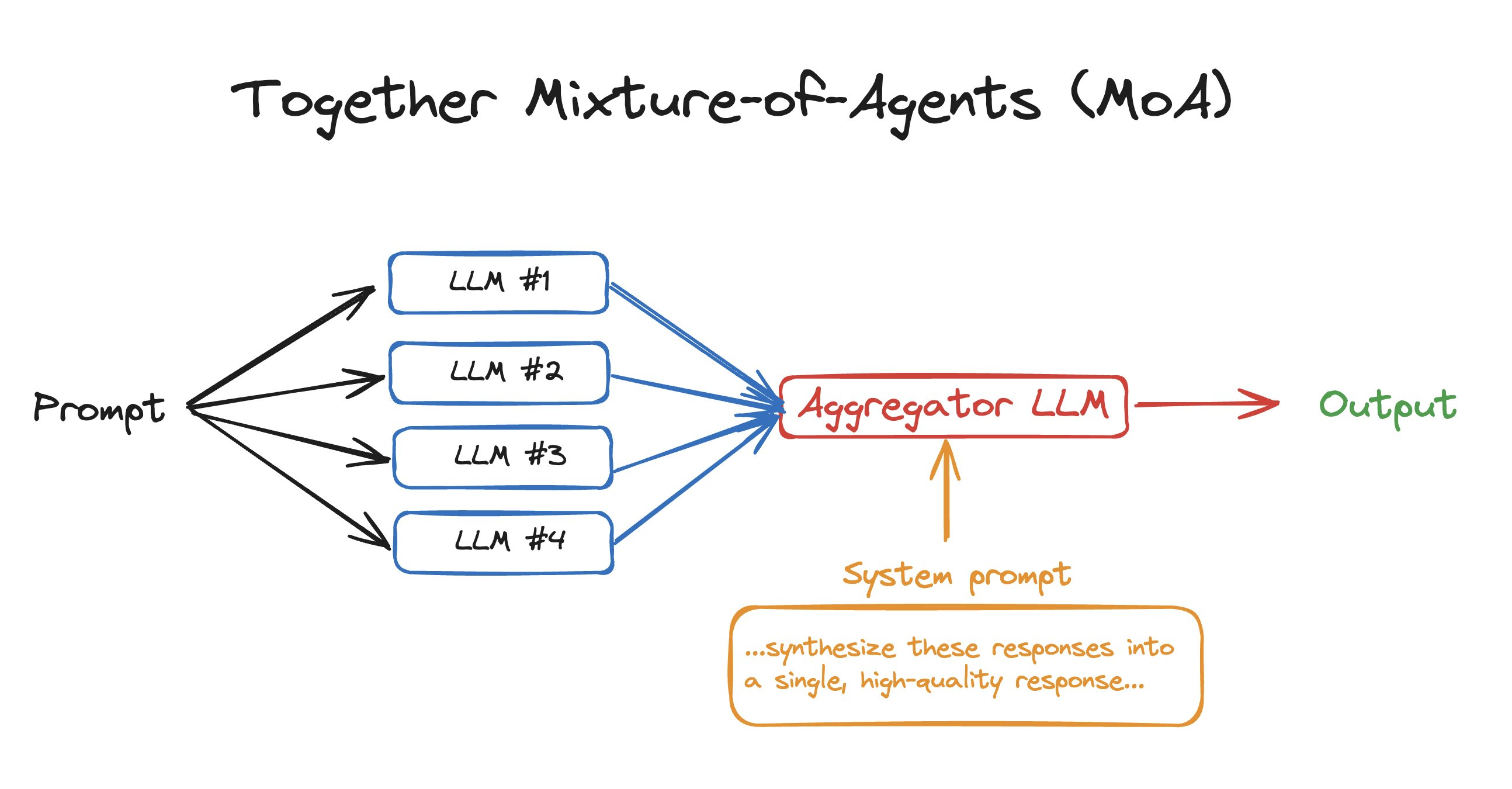
```curl cURL theme={null}
MODEL_NAME_FOR_INFERENCE="zainhas/Meta-Llama-3.1-8B-Instruct-Reference-my-demo-finetune-4224205a"
curl -X POST https://api.together.xyz/v1/chat/completions \
-H "Authorization: Bearer $TOGETHER_API_KEY" \
-H "Content-Type: application/json" \
--data @- <
Expected Response:
```json JSON theme={null}
{
"id": "8f2cb236c80ea20e-YYZ",
"object": "text.completion",
"created": 1734331375,
"model": "zainhas/Meta-Llama-3.1-8B-Instruct-Reference-my-demo-finetune-4224205a",
"prompt": [],
"choices": [
{
"text": "Here's a debate on the pros and cons of AI:\n\n**Moderator:** Welcome to today's debate on the pros and cons of AI. We have two debaters, Alex and Ben, who will present their arguments on the topic. Alex will argue in favor of AI, while Ben will argue against it. Let's begin with opening statements.\n\n**Alex (In Favor of AI):** Thank you, Moderator. AI has revolutionized the way we live and work. It has improved efficiency, productivity, and accuracy in various industries, such as healthcare, finance, and transportation. AI-powered systems can analyze vast amounts of data, identify",
"finish_reason": "length",
"seed": 5626645655383684000,
"logprobs": null,
"index": 0
}
],
"usage": {
"prompt_tokens": 18,
"completion_tokens": 128,
"total_tokens": 146,
"cache_hit_rate": 0
}
}
```
## Performance Characteristics
### Latency Expectations
* **Cold start:** Initial requests may experience 5-10 seconds of latency
* **Warm requests:** Subsequent queries typically respond under 1 second
* **Optimization tip:** Send a warmup query after deployment to minimize cold starts for production traffic
## Best Practices
1. **Data Preparation**: Ensure your training data follows the correct JSONL format for your chosen model
2. **Validation Sets**: Always include validation data to monitor training quality
3. **Model Naming**: Use descriptive names for easy identification in production
4. **Warmup Queries**: Run test queries immediately after deployment to optimize response times
5. **Monitoring**: Track inference metrics through the Together dashboard
## Frequently Asked Questions
### Which base models support LoRA fine-tuning?
Together AI supports LoRA fine-tuning on a curated selection of high-performance base models. See the [complete list](/docs/adapter-upload#supported-base-models) for current options.
### What are typical inference latencies?
After an initial cold start period (5-10 seconds for the first request), subsequent requests typically achieve sub-second response times. Latency remains consistently low for warm models.
### Can I use streaming responses?
Yes, streaming is fully supported. Add `"stream": true` to your request parameters to receive incremental responses.
### How do I migrate pre-December 2024 adapters?
Download your existing adapter files and re-upload them using our [adapter upload workflow](/docs/adapter-upload). We're working on automated migration for legacy adapters.
### What's the difference between LoRA and full fine-tuning?
LoRA trains only a small set of additional parameters (typically 0.1-1% of model size), resulting in faster training, lower costs, and smaller output files, while full fine-tuning updates all model parameters for maximum customization at higher computational cost.
## Next Steps
* Explore [advanced fine-tuning parameters](/docs/fine-tuning-quickstart) for optimizing model performance
* Learn about [uploading custom adapters](/docs/adapter-upload) trained outside Together AI
---
> To find navigation and other pages in this documentation, fetch the llms.txt file at: https://docs.together.ai/llms.txt
---
# Source: https://docs.together.ai/docs/mixture-of-agents.md
# Together Mixture Of Agents (MoA)
## What is Together MoA?
Mixture of Agents (MoA) is a novel approach that leverages the collective strengths of multiple LLMs to enhance performance, achieving state-of-the-art results. By employing a layered architecture where each layer comprises several LLM agents, **MoA significantly outperforms** GPT-4 Omni’s 57.5% on AlpacaEval 2.0 with a score of 65.1%, using only open-source models!
The way Together MoA works is that given a prompt, like `tell me the best things to do in SF`, it sends it to 4 different OSS LLMs. It then combines results from all 4, sends it to a final LLM, and asks it to combine all 4 responses into an ideal response. That’s it! It’s just the idea of combining the results of 4 different LLMs to produce a better final output. It’s obviously slower than using a single LLM but it can be great for use cases where latency doesn't matter as much like synthetic data generation.
For a quick summary and 3-minute demo on how to implement MoA with code, watch the video below:
## Together MoA in 50 lines of code
To get to get started with using MoA in your own apps, you'll need to install the Together python library, get your Together API key, and run the code below which uses our chat completions API to interact with OSS models.
1. Install the Together Python library
```bash Shell theme={null}
pip install together
```
2. Get your [Together API key](https://api.together.xyz/settings/api-keys) & export it
```bash Shell theme={null}
export TOGETHER_API_KEY='xxxx'
```
3. Run the code below, which interacts with our chat completions API.
This implementation of MoA uses 2 layers and 4 LLMs. We’ll define our 4 initial LLMs and our aggregator LLM, along with our prompt. We’ll also add in a prompt to send to the aggregator to combine responses effectively. Now that we have this, we’ll simply send the prompt to the 4 LLMs and compute all results simultaneously. Finally, we'll send the results from the four LLMs to our final LLM, along with a system prompt instructing it to combine them into a final answer, and we’ll stream results back.
```py Python theme={null}
# Mixture-of-Agents in 50 lines of code
import asyncio
import os
from together import AsyncTogether, Together
client = Together()
async_client = AsyncTogether()
user_prompt = "What are some fun things to do in SF?"
reference_models = [
"Qwen/Qwen2-72B-Instruct",
"meta-llama/Llama-3.3-70B-Instruct-Turbo",
"mistralai/Mixtral-8x22B-Instruct-v0.1",
"databricks/dbrx-instruct",
]
aggregator_model = "mistralai/Mixtral-8x22B-Instruct-v0.1"
aggreagator_system_prompt = """You have been provided with a set of responses from various open-source models to the latest user query. Your task is to synthesize these responses into a single, high-quality response. It is crucial to critically evaluate the information provided in these responses, recognizing that some of it may be biased or incorrect. Your response should not simply replicate the given answers but should offer a refined, accurate, and comprehensive reply to the instruction. Ensure your response is well-structured, coherent, and adheres to the highest standards of accuracy and reliability.
Responses from models:"""
async def run_llm(model):
"""Run a single LLM call with a reference model."""
response = await async_client.chat.completions.create(
model=model,
messages=[{"role": "user", "content": user_prompt}],
temperature=0.7,
max_tokens=512,
)
print(model)
return response.choices[0].message.content
async def main():
results = await asyncio.gather(
*[run_llm(model) for model in reference_models]
)
finalStream = client.chat.completions.create(
model=aggregator_model,
messages=[
{"role": "system", "content": aggreagator_system_prompt},
{
"role": "user",
"content": ",".join(str(element) for element in results),
},
],
stream=True,
)
for chunk in finalStream:
print(chunk.choices[0].delta.content or "", end="", flush=True)
asyncio.run(main())
```
## Advanced MoA example
In the previous example, we went over how to implement MoA with 2 layers (4 LLMs answering and one LLM aggregating). However, one strength of MoA is being able to go through several layers to get an even better response. In this example, we'll go through how to run MoA with 3+ layers.
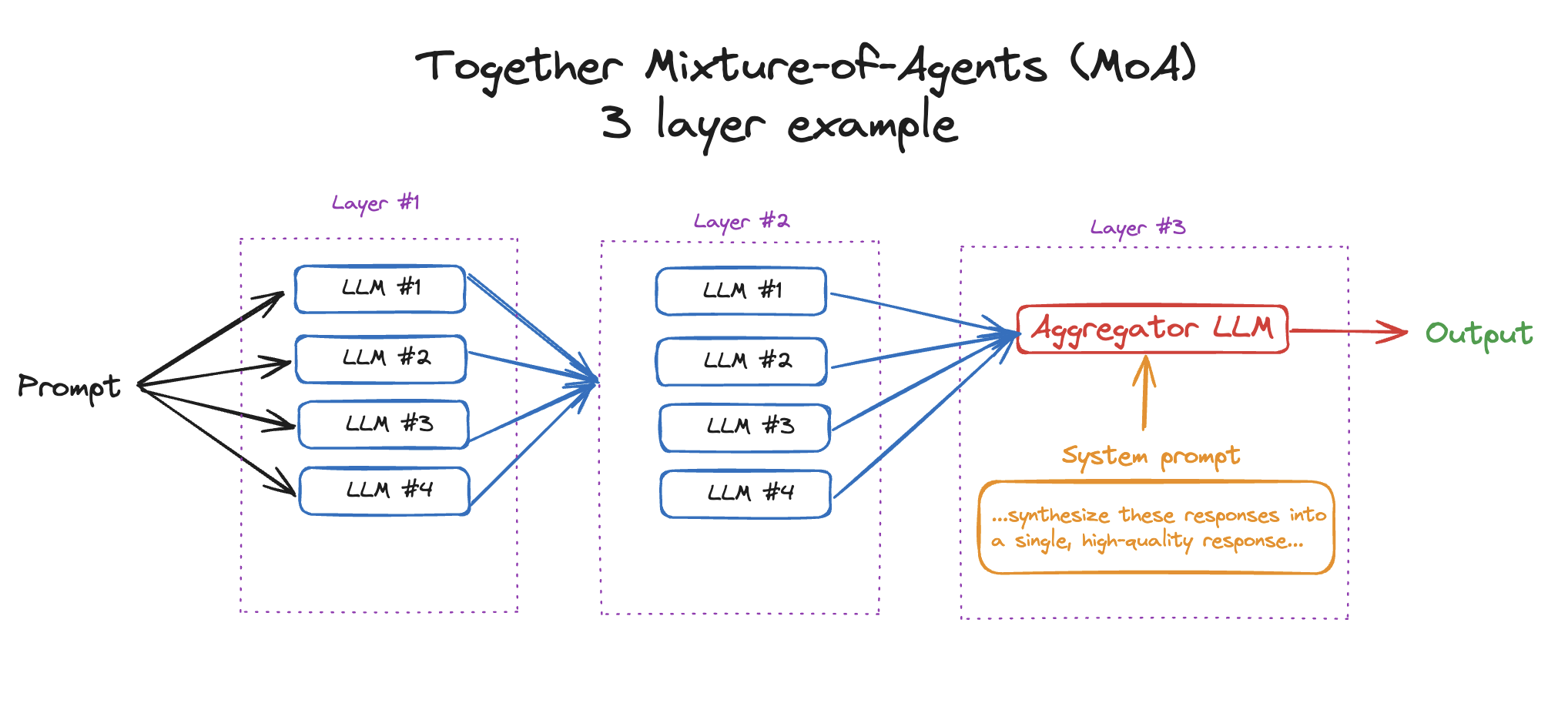
```py Python theme={null}
# Advanced Mixture-of-Agents example – 3 layers
import asyncio
import os
import together
from together import AsyncTogether, Together
client = Together()
async_client = AsyncTogether()
user_prompt = "What are 3 fun things to do in SF?"
reference_models = [
"Qwen/Qwen2-72B-Instruct",
"meta-llama/Llama-3.3-70B-Instruct-Turbo",
"mistralai/Mixtral-8x22B-Instruct-v0.1",
"databricks/dbrx-instruct",
]
aggregator_model = "mistralai/Mixtral-8x22B-Instruct-v0.1"
aggreagator_system_prompt = """You have been provided with a set of responses from various open-source models to the latest user query. Your task is to synthesize these responses into a single, high-quality response. It is crucial to critically evaluate the information provided in these responses, recognizing that some of it may be biased or incorrect. Your response should not simply replicate the given answers but should offer a refined, accurate, and comprehensive reply to the instruction. Ensure your response is well-structured, coherent, and adheres to the highest standards of accuracy and reliability.
Responses from models:"""
layers = 3
def getFinalSystemPrompt(system_prompt, results):
"""Construct a system prompt for layers 2+ that includes the previous responses to synthesize."""
return (
system_prompt
+ "\n"
+ "\n".join(
[f"{i+1}. {str(element)}" for i, element in enumerate(results)]
)
)
async def run_llm(model, prev_response=None):
"""Run a single LLM call with a model while accounting for previous responses + rate limits."""
for sleep_time in [1, 2, 4]:
try:
messages = (
[
{
"role": "system",
"content": getFinalSystemPrompt(
aggreagator_system_prompt, prev_response
),
},
{"role": "user", "content": user_prompt},
]
if prev_response
else [{"role": "user", "content": user_prompt}]
)
response = await async_client.chat.completions.create(
model=model,
messages=messages,
temperature=0.7,
max_tokens=512,
)
print("Model: ", model)
break
except together.error.RateLimitError as e:
print(e)
await asyncio.sleep(sleep_time)
return response.choices[0].message.content
async def main():
"""Run the main loop of the MOA process."""
results = await asyncio.gather(
*[run_llm(model) for model in reference_models]
)
for _ in range(1, layers - 1):
results = await asyncio.gather(
*[
run_llm(model, prev_response=results)
for model in reference_models
]
)
finalStream = client.chat.completions.create(
model=aggregator_model,
messages=[
{
"role": "system",
"content": getFinalSystemPrompt(
aggreagator_system_prompt, results
),
},
{"role": "user", "content": user_prompt},
],
stream=True,
)
for chunk in finalStream:
print(chunk.choices[0].delta.content or "", end="", flush=True)
asyncio.run(main())
```
## Resources
* [Together MoA GitHub Repo](https://github.com/togethercomputer/MoA) (includes an interactive demo)
* [Together MoA blog post](https://www.together.ai/blog/together-moa)
* [MoA Technical Paper](https://arxiv.org/abs/2406.04692)
---
> To find navigation and other pages in this documentation, fetch the llms.txt file at: https://docs.together.ai/llms.txt
---
# Source: https://docs.together.ai/reference/models-1.md
# List All Models
> Lists all of Together's open-source models
## OpenAPI
````yaml GET /models
openapi: 3.1.0
info:
title: Together APIs
description: The Together REST API. Please see https://docs.together.ai for more details.
version: 2.0.0
termsOfService: https://www.together.ai/terms-of-service
contact:
name: Together Support
url: https://www.together.ai/contact
license:
name: MIT
url: https://github.com/togethercomputer/openapi/blob/main/LICENSE
servers:
- url: https://api.together.xyz/v1
security:
- bearerAuth: []
paths:
/models:
get:
tags:
- Models
summary: List all models
description: Lists all of Together's open-source models
operationId: models
parameters:
- name: dedicated
in: query
description: Filter models to only return dedicated models
schema:
type: boolean
responses:
'200':
description: '200'
content:
application/json:
schema:
$ref: '#/components/schemas/ModelInfoList'
'400':
description: BadRequest
content:
application/json:
schema:
$ref: '#/components/schemas/ErrorData'
'401':
description: Unauthorized
content:
application/json:
schema:
$ref: '#/components/schemas/ErrorData'
'404':
description: NotFound
content:
application/json:
schema:
$ref: '#/components/schemas/ErrorData'
'429':
description: RateLimit
content:
application/json:
schema:
$ref: '#/components/schemas/ErrorData'
'504':
description: Timeout
content:
application/json:
schema:
$ref: '#/components/schemas/ErrorData'
deprecated: false
components:
schemas:
ModelInfoList:
type: array
items:
$ref: '#/components/schemas/ModelInfo'
ErrorData:
type: object
required:
- error
properties:
error:
type: object
properties:
message:
type: string
nullable: false
type:
type: string
nullable: false
param:
type: string
nullable: true
default: null
code:
type: string
nullable: true
default: null
required:
- type
- message
ModelInfo:
type: object
required:
- id
- object
- created
- type
properties:
id:
type: string
example: Austism/chronos-hermes-13b
object:
type: string
example: model
created:
type: integer
example: 1692896905
type:
enum:
- chat
- language
- code
- image
- embedding
- moderation
- rerank
example: chat
display_name:
type: string
example: Chronos Hermes (13B)
organization:
type: string
example: Austism
link:
type: string
license:
type: string
example: other
context_length:
type: integer
example: 2048
pricing:
$ref: '#/components/schemas/Pricing'
Pricing:
type: object
required:
- hourly
- input
- output
- base
- finetune
properties:
hourly:
type: number
example: 0
input:
type: number
example: 0.3
output:
type: number
example: 0.3
base:
type: number
example: 0
finetune:
type: number
example: 0
securitySchemes:
bearerAuth:
type: http
scheme: bearer
x-bearer-format: bearer
x-default: default
````
---
> To find navigation and other pages in this documentation, fetch the llms.txt file at: https://docs.together.ai/llms.txt
---
# Source: https://docs.together.ai/reference/models-5.md
# Models
## List all models
To list all the available models, run `together models list`:
```sh Bash theme={null}
# List models
together models list
```
## View all commands
To see all the available chat commands, run:
```sh Shell theme={null}
together models --help
```
---
> To find navigation and other pages in this documentation, fetch the llms.txt file at: https://docs.together.ai/llms.txt
---
# Source: https://docs.together.ai/docs/multiple-api-keys.md
# Multiple API Keys
## Can I create multiple API keys?
Under [Settings](https://api.together.ai/settings/api-keys) you will find a list of all the API keys associated with the account. Here, you can create a new API key, set an API key name and optionally set an expiration date.
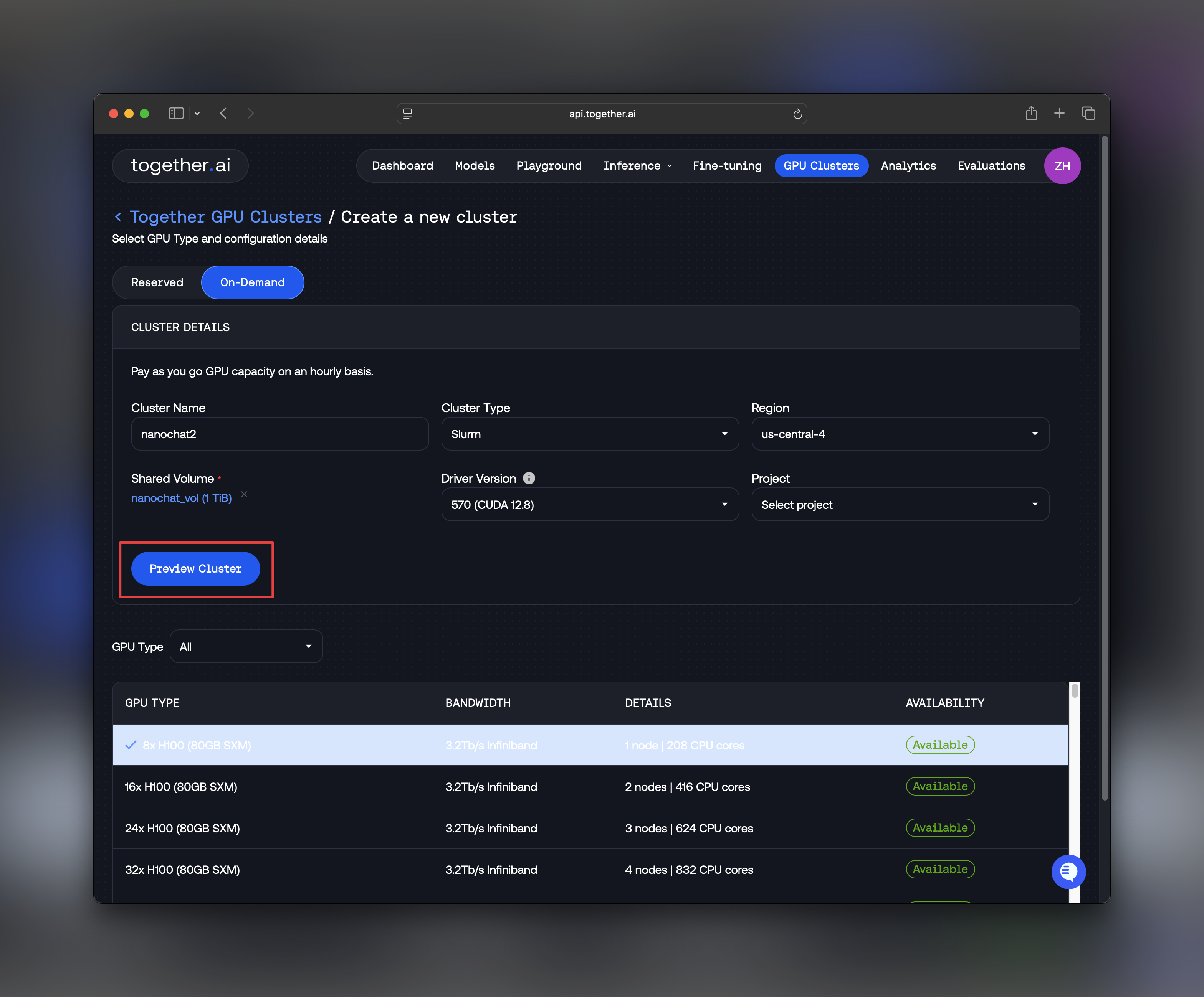
Note: new API keys will not be available to copy after creation. Make sure to copy the API key and save it in a secure location.
## What is the Together.ai user key?
Every account has a default API key. You can find and copy this key under Manage Account on the dashboard. For the time being, this first API key cannot be revoked. If it is compromised, it can be regenerated. If this happens, no further work is required on your end, all the Together systems will recognize the regenerated API key as the new default API key.
## Can I set limits on a specific API key?
At this point in time, it is not possible to limit usage of a given API key
## How does the playground work with API keys?
The playground recognizes all of the API keys associated with the account. In the playground, the list of My online models will show the models online across all API keys.
## Can I copy my API key after creating it?
New API keys will be shown only after it is created. Be sure to secure your new API key as soon as it is created. User keys, however, will always be available to copy.
---
> To find navigation and other pages in this documentation, fetch the llms.txt file at: https://docs.together.ai/llms.txt
---
# Source: https://docs.together.ai/docs/nanochat-on-instant-clusters.md
# How to run nanochat on Instant Clusters⚡️
> Learn how to train Andrej Karpathy's end-to-end ChatGPT clone on Together's on-demand GPU clusters
## Overview
[nanochat](https://github.com/karpathy/nanochat) is Andrej Karpathy's end-to-end ChatGPT clone that demonstrates how a full conversational AI stack, from tokenizer to web UI—can, be trained and deployed for \$100 on 8×H100 hardware. In this guide, you'll learn how to train and deploy nanochat using Together's [Instant Clusters](https://api.together.ai/clusters).
The entire process takes approximately 4 hours on an 8×H100 cluster and includes:
* Training a BPE tokenizer on [FineWeb-Edu](https://huggingface.co/datasets/HuggingFaceFW/fineweb-edu)
* Pretraining a base transformer model
* Midtraining on curated tasks
* Supervised fine-tuning for conversational alignment
* Deploying a FastAPI web server with a chat interface
## Prerequisites
Before you begin, make sure you have:
* A Together AI account with access to [Instant Clusters](https://api.together.ai/clusters)
* Basic familiarity with SSH and command line operations
* `kubectl` installed on your local machine ([installation guide](https://kubernetes.io/docs/tasks/tools/))
# Training nanochat
## Step 1: Create an Instant Cluster
First, let's create an 8×H100 cluster to train nanochat.
1. Log into [api.together.ai](https://api.together.ai)
2. Click **GPU Clusters** in the top navigation menu
3. Click **Create Cluster**
4. Select **On-demand** capacity
5. Choose **8xH100** as your cluster size
6. Enter a cluster name (e.g., `nanochat-training`)
7. Select **Slurm on Kubernetes** as the cluster type
8. Choose your preferred region
9. Create a shared volume, min 1 TB storage
10. Click **Preview CLuster** and then "Confirm & Create"
Your cluster will be ready in a few minutes. Once the status shows **Ready**, you can proceed to the next step.
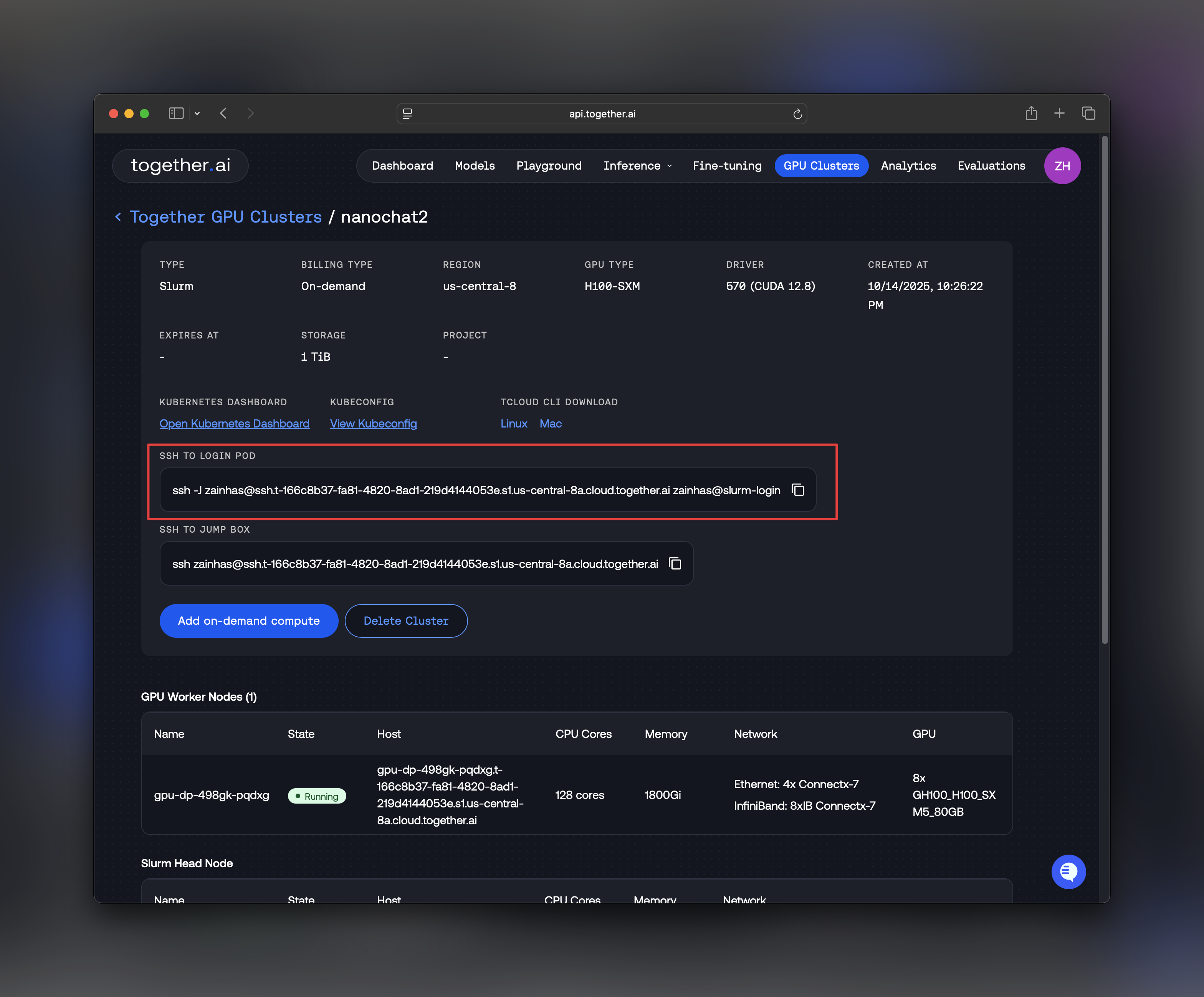
For detailed information about Instant Clusters features and options, see the [Instant Clusters documentation](/docs/instant-clusters).
## Step 2: SSH into Your Cluster
From the Instant Clusters UI, you'll find SSH access details for your cluster.
A command like the one below can be copied from the instant clusters dashboard.
```bash Shell theme={null}
ssh @
```
You can also use `ssh -o ServerAliveInterval=60` - it sends a ping to the ssh server every 60s, so it keeps the TCP ssh session alive, even if there's no terminal input/output for a long time during training.
Once connected, you'll be in the login node of your Slurm cluster.
## Step 3: Clone nanochat and Set Up Environment
Let's clone the nanochat repository and set up the required dependencies.
```bash Shell theme={null}
# Clone the repository
git clone https://github.com/karpathy/nanochat.git
cd nanochat
# Add ~/.local/bin to your PATH
export PATH="$HOME/.local/bin:$PATH"
# Source the Cargo environment
source "$HOME/.cargo/env"
```
**Install System Dependencies**
nanochat requires Python 3.10 and development headers:
```bash Shell theme={null}
# Update package manager and install Python dependencies
sudo apt-get update
sudo apt-get install -y python3.10-dev
# Verify Python installation
python3 -c "import sysconfig; print(sysconfig.get_path('include'))"
```
## Step 4: Access GPU Resources
Use Slurm's `srun` command to allocate 8 GPUs for your training job:
```bash Shell theme={null}
srun --gres=gpu:8 --pty bash
```
This command requests 8 GPUs and gives you an interactive bash session on a compute node. Once you're on the compute node, verify GPU access:
```bash Shell theme={null}
nvidia-smi
```
You should see all 8 H100 GPUs listed with their memory and utilization stats like below.
## Step 5: Configure Cache Directory
To optimize data loading performance, set the nanochat cache directory to the `/scratch` volume, which is optimized for high-throughput I/O:
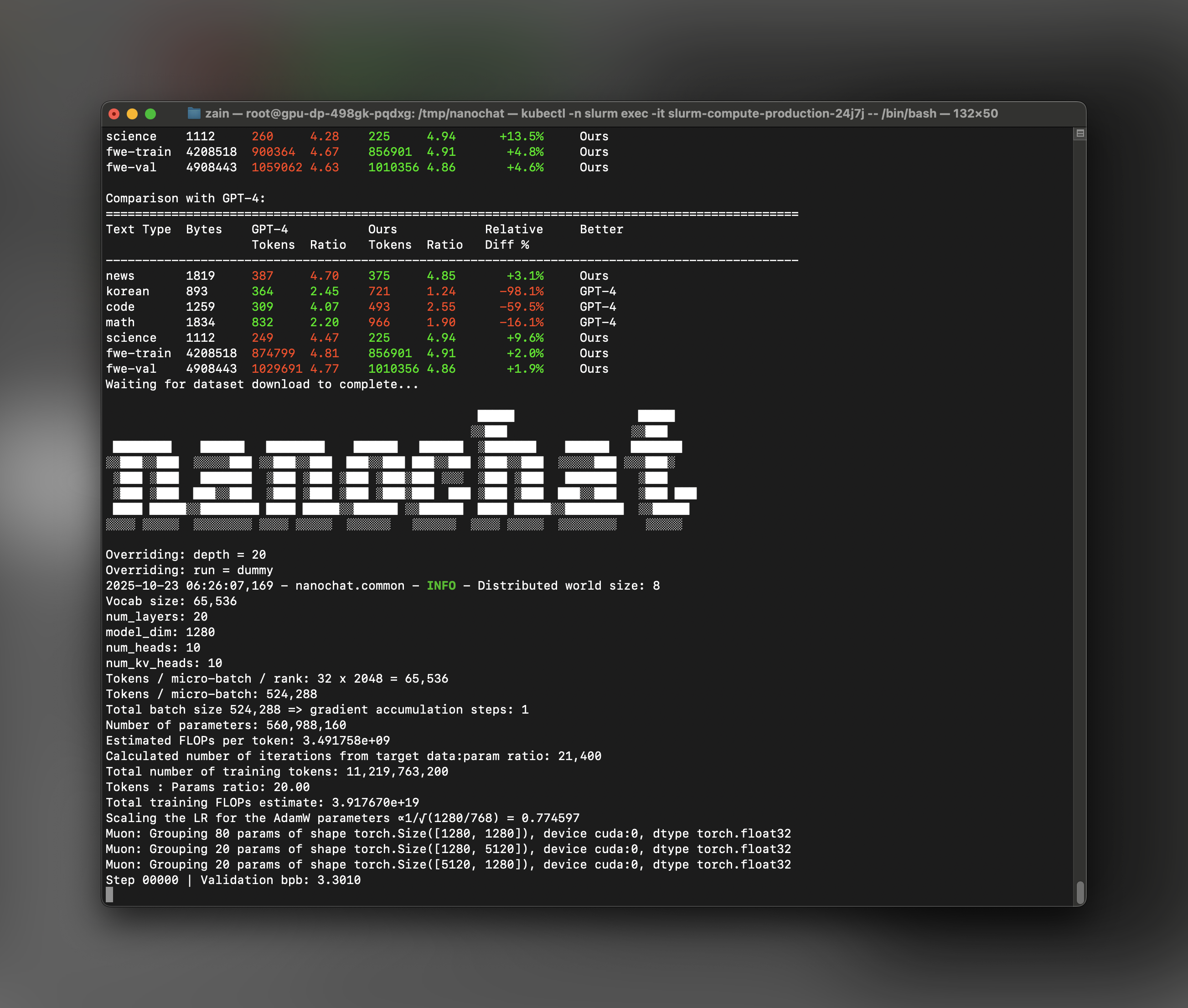
```bash Shell theme={null}
export NANOCHAT_BASE_DIR="/scratch/$USER/nanochat/.cache/nanochat"
```
This needs to be changed inside the `speedrun.sh` file and ensures that dataset streaming, checkpoints, and intermediate artifacts don't bottleneck your training.
This step is critical and without it, during training, you'll notice that your FLOP utilization is only \~13% instead of \~50%. This is due to dataloading bottlenecks.
## Step 6: Run the Training Pipeline
Now you're ready to kick off the full training pipeline! nanochat includes a `speedrun.sh` script that orchestrates all training phases:
```bash Shell theme={null}
bash speedrun.sh
# or you can use screen
screen -L -Logfile speedrun.log -S speedrun bash speedrun.sh
```
This script will execute the following stages:
1. **Tokenizer Training** - Trains a GPT-4 style BPE tokenizer on FineWeb-Edu data
2. **Base Model Pretraining** - Trains the base transformer model with rotary embeddings and Muon optimizer
3. **Midtraining** - Fine-tunes on a curated mixture of SmolTalk, MMLU, and GSM8K tasks
4. **Supervised Fine-Tuning (SFT)** - Aligns the model for conversational interactions
5. **Evaluation** - Runs CORE benchmarks and generates a comprehensive report
The entire training process takes approximately **4 hours** on 8×H100 GPUs.
**Monitor Training Progress**
During training, you can monitor several key metrics:
* **Model Flops Utilization (MFU)**: Should be around 50% for optimal performance
* **tok/sec**: Tracks tokens processed per second of training
* **Step timing**: Each step should complete in a few seconds
The scripts automatically log progress and save checkpoints under `$NANOCHAT_BASE_DIR`.
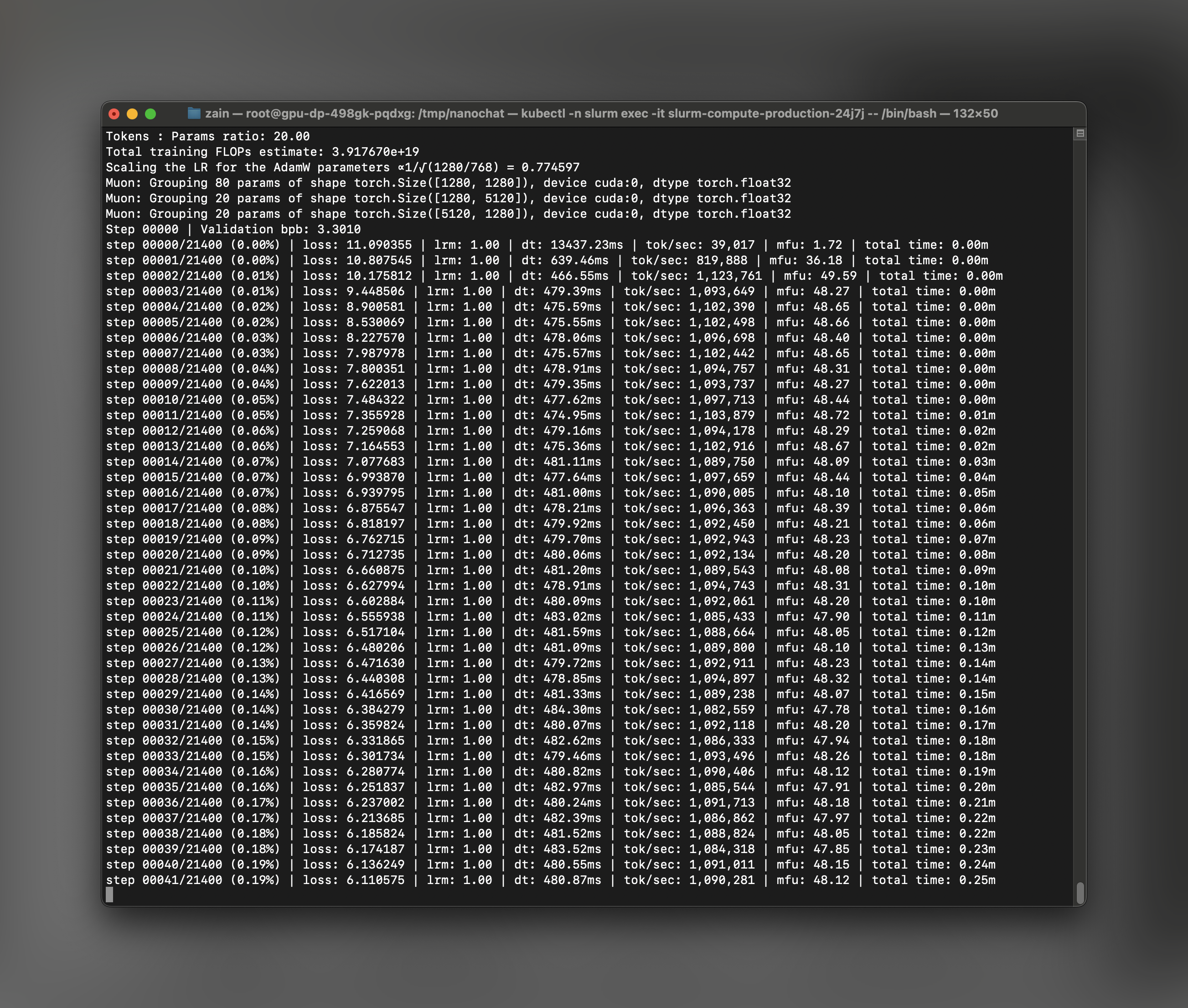
# nanochat Inference
## Step 1: Download Your Cluster's Kubeconfig
While training is running (or after it completes), download your cluster's kubeconfig from the Together AI dashboard. This will allow you to access the cluster using kubectl.
1. Go to your cluster in the Together AI dashboard
2. Click on the **View Kubeconfig** button
3. Copy and save the kubeconfig file to your local machine (e.g., `~/.kube/nanochat-cluster-config`)
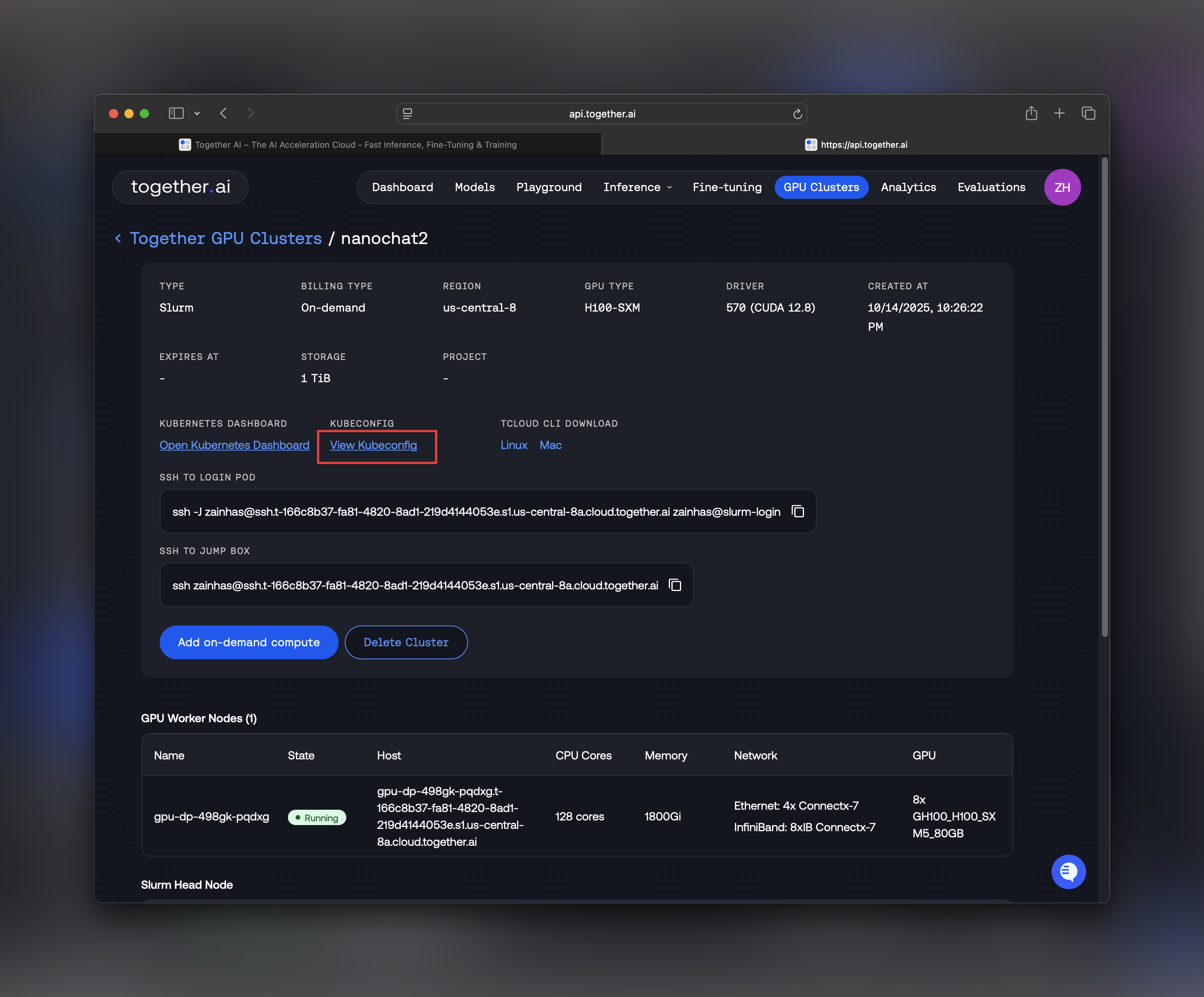
## Step 2: Access the Compute Pod via kubectl
From your **local machine**, set up kubectl access to your cluster:
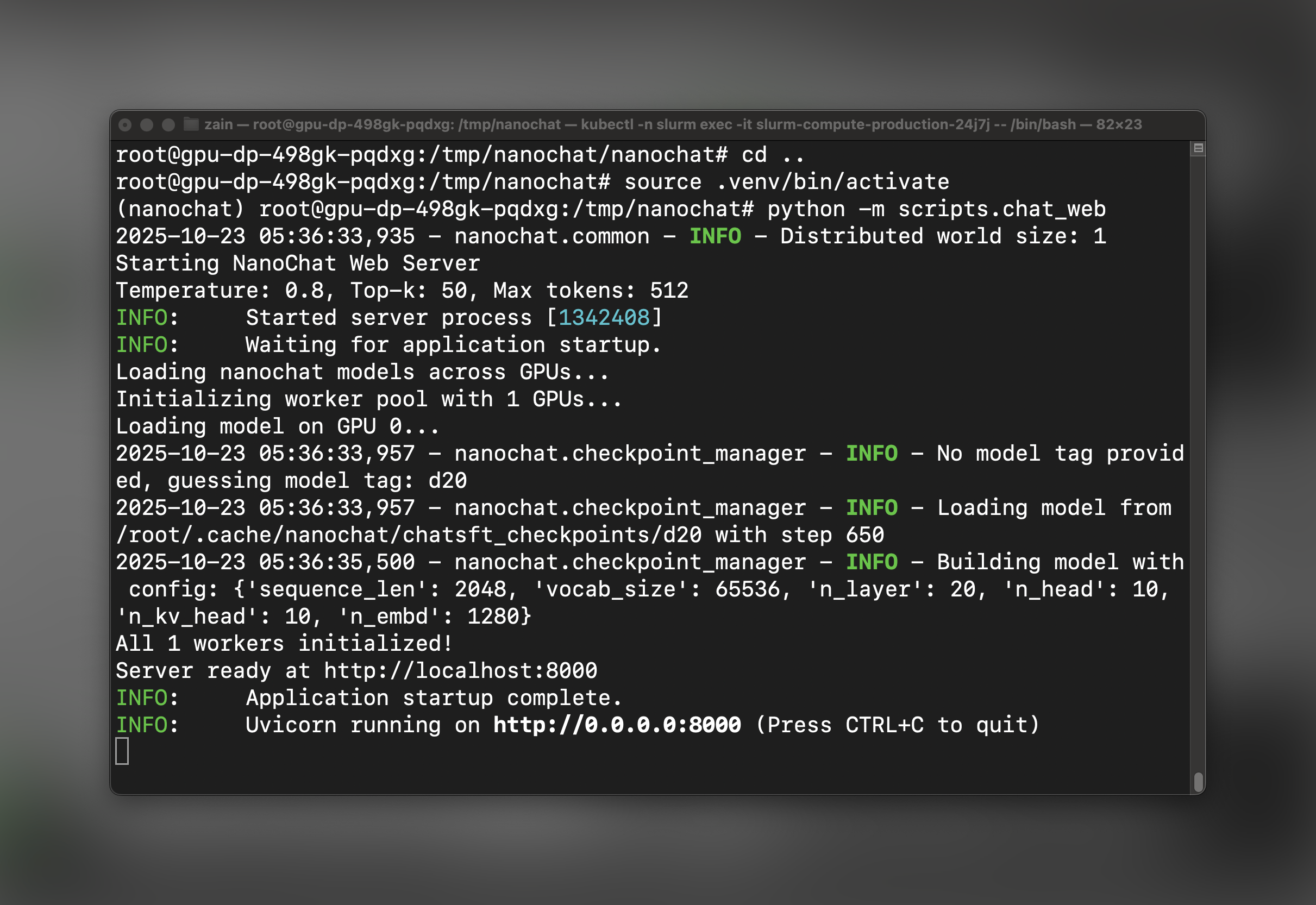
```bash Shell theme={null}
# Set the KUBECONFIG environment variable
export KUBECONFIG=/path/to/nanochat-cluster-config
# List pods in the slurm namespace
kubectl -n slurm get pods
```
You should see your Slurm compute pods listed. Identify the production pod where your training ran:
```bash Shell theme={null}
# Example output:
# NAME READY STATUS RESTARTS AGE
# slurm-compute-production-abc123 1/1 Running 0 2h
# Exec into the pod
kubectl -n slurm exec -it -- /bin/bash
```
Once inside the pod, navigate to the nanochat directory:
```bash Shell theme={null}
cd /path/to/nanochat
```
**Set Up Python Virtual Environment**
Inside the compute pod, set up the Python virtual environment using `uv`:
```bash Shell theme={null}
# Install uv (if not already installed)
command -v uv &> /dev/null || curl -LsSf https://astral.sh/uv/install.sh | sh
# Create a local virtual environment
[ -d ".venv" ] || uv venv
# Install the repo dependencies with GPU support
uv sync --extra gpu
# Activate the virtual environment
source .venv/bin/activate
```
## Step 3: Launch the nanochat Web Server
Now that training is complete and your environment is set up, launch the FastAPI web server:
```bash Shell theme={null}
python -m scripts.chat_web
```
The server will start on port 8000 inside the pod. You should see output indicating the server is running:
## Step 4: Port Forward to Access the UI
In a **new terminal window on your local machine**, set up port forwarding to access the web UI:
```bash Shell theme={null}
# Set the KUBECONFIG (if not already set in this terminal)
export KUBECONFIG=/path/to/nanochat-cluster-config
# Forward port 8000 from the pod to local port 6818
kubectl -n slurm port-forward 6818:8000
```
The port forwarding will remain active as long as this terminal session is open.
## Step 5: Chat with nanochat!
Open your web browser and navigate to:
```
http://localhost:6818/
```
You should see the nanochat web interface! You can now have conversations with your trained model. Go ahead and ask it its favorite question and see what reaction you get!
## Understanding Training Costs and Performance
The nanochat training pipeline on 8×H100 Instant Clusters typically:
* **Training time**: \~4 hours for the full speedrun pipeline
* **Model Flops Utilization**: \~50% (indicating efficient GPU utilization)
* **Cost**: Approximately \$100 depending on your selected hardware and duration
* **Final model**: A fully functional conversational AI
After training completes, check the generated report `report.md` for detailed metrics.
## Troubleshooting
**GPU Not Available**
If `nvidia-smi` doesn't show GPUs after `srun`:
```bash Shell theme={null}
# Try requesting GPUs explicitly
srun --gres=gpu:8 --nodes=1 --pty bash
```
**Out of Memory Errors**
If you encounter OOM errors during training:
1. Check that `NANOCHAT_BASE_DIR` is set to `/scratch`
2. Ensure no other processes are using GPU memory
3. The default batch sizes should work on H100 80GB
**Port Forwarding Connection Issues**
If you can't connect to the web UI:
1. Verify the pod name matches exactly: `kubectl -n slurm get pods`
2. Ensure the web server is running: check logs in the pod terminal
3. Try a different local port if 6818 is in use
## Next Steps
Now that you have nanochat running, you can:
1. **Experiment with different prompts** - Test the model's conversational abilities and domain knowledge
2. **Fine-tune further** - Modify the SFT data or run additional RL training for specific behaviors
3. **Deploy to production** - Extend `chat_web.py` with authentication and persistence layers
4. **Scale the model** - Try the `run1000.sh` script for a larger model with better performance
5. **Integrate with other tools** - Use the inference API to build custom applications
For more details on the nanochat architecture and training process, visit the [nanochat GitHub repository](https://github.com/karpathy/nanochat).
## Additional Resources
* [Instant Clusters Documentation](/docs/instant-clusters)
* [Instant Clusters API Reference](/api-reference/gpuclusterservice/create-gpu-cluster)
* [nanochat Repository](https://github.com/karpathy/nanochat)
* [Together AI Models](/docs/serverless-models)
***
---
> To find navigation and other pages in this documentation, fetch the llms.txt file at: https://docs.together.ai/llms.txt
---
# Source: https://docs.together.ai/docs/nextjs-chat-quickstart.md
# Quickstart: Next.Js
> Build an app that can ask a single question or chat with an LLM using Next.js and Together AI.
In this guide you'll learn how to use Together AI and Next.js to build two common AI features:
* Ask a question and getting a response
* Have a long-running chat with a bot
We'll first build these features using the Together AI SDK directly, then show how to build a chat app using popular frameworks like Vercel AI SDK and Mastra.
[Here's the live demo](https://together-nextjs-chat.vercel.app/), and [here's the source on GitHub](https://github.com/samselikoff/together-nextjs-chat) .
Let's get started!
## Installation
After [creating a new Next.js app](https://nextjs.org/docs/app/getting-started/installation) , install the [Together AI TypeScript SDK](https://www.npmjs.com/package/together-ai) :
```
npm i together-ai
```
## Ask a single question
To ask a question with Together AI, we'll need an API route, and a page with a form that lets the user submit their question.
**1. Create the API route**
Make a new POST route that takes in a `question` and returns a chat completion as a stream:
```js TypeScript theme={null}
// app/api/answer/route.ts
import Together from "together-ai";
const together = new Together();
export async function POST(request: Request) {
const { question } = await request.json();
const res = await together.chat.completions.create({
model: "meta-llama/Meta-Llama-3.1-8B-Instruct-Turbo",
messages: [{ role: "user", content: question }],
stream: true,
});
return new Response(res.toReadableStream());
}
```
**2. Create the page**
Add a form that sends a POST request to your new API route, and use the `ChatCompletionStream` helper to read the stream and update some React state to display the answer:
```js TypeScript theme={null}
// app/page.tsx
"use client";
import { FormEvent, useState } from "react";
import { ChatCompletionStream } from "together-ai/lib/ChatCompletionStream";
export default function Chat() {
const [question, setQuestion] = useState("");
const [answer, setAnswer] = useState("");
const [isLoading, setIsLoading] = useState(false);
async function handleSubmit(e: FormEvent) {
e.preventDefault();
setIsLoading(true);
setAnswer("");
const res = await fetch("/api/answer", {
method: "POST",
body: JSON.stringify({ question }),
});
if (!res.body) return;
ChatCompletionStream.fromReadableStream(res.body)
.on("content", (delta) => setAnswer((text) => text + delta))
.on("end", () => setIsLoading(false));
}
return (
{answer}
);
}
```
That's it! Submitting the form will update the page with the LLM's response. You can now use the `isLoading` state to add additional styling, or a Reset button if you want to reset the page.
## Have a long-running chat
To build a chatbot with Together AI, we'll need an API route that accepts an array of messages, and a page with a form that lets the user submit new messages. The page will also need to store the entire history of messages between the user and the AI assistant.
**1. Create an API route**
Make a new POST route that takes in a `messages` array and returns a chat completion as a stream:
```js TypeScript theme={null}
// app/api/chat/route.ts
import Together from "together-ai";
const together = new Together();
export async function POST(request: Request) {
const { messages } = await request.json();
const res = await together.chat.completions.create({
model: "meta-llama/Meta-Llama-3.1-8B-Instruct-Turbo",
messages,
stream: true,
});
return new Response(res.toReadableStream());
}
```
**2. Create a page**
Create a form to submit a new message, and some React state to stores the `messages` for the session. In the form's submit handler, send over the new array of messages, and use the `ChatCompletionStream` helper to read the stream and update the last message with the LLM's response.
```js TypeScript theme={null}
// app/page.tsx
"use client";
import { FormEvent, useState } from "react";
import Together from "together-ai";
import { ChatCompletionStream } from "together-ai/lib/ChatCompletionStream";
export default function Chat() {
const [prompt, setPrompt] = useState("");
const [messages, setMessages] = useState<
Together.Chat.Completions.CompletionCreateParams.Message[]
>([]);
const [isPending, setIsPending] = useState(false);
async function handleSubmit(e: FormEvent) {
e.preventDefault();
setPrompt("");
setIsPending(true);
setMessages((messages) => [...messages, { role: "user", content: prompt }]);
const res = await fetch("/api/chat", {
method: "POST",
body: JSON.stringify({
messages: [...messages, { role: "user", content: prompt }],
}),
});
if (!res.body) return;
ChatCompletionStream.fromReadableStream(res.body)
.on("content", (delta, content) => {
setMessages((messages) => {
const lastMessage = messages.at(-1);
if (lastMessage?.role !== "assistant") {
return [...messages, { role: "assistant", content }];
} else {
return [...messages.slice(0, -1), { ...lastMessage, content }];
}
});
})
.on("end", () => {
setIsPending(false);
});
}
return (
{messages.map((message, i) => (
{message.role}: {message.content}
))}
);
}
```
You've just built a simple chatbot with Together AI!
***
## Using Vercel AI SDK
The Vercel AI SDK provides React hooks that simplify streaming and state management. Install it with:
```bash theme={null}
npm i ai @ai-sdk/togetherai
```
The API route uses `streamText` instead of the Together SDK directly:
```js TypeScript theme={null}
// app/api/chat/route.ts
import { streamText, convertToModelMessages } from "ai";
import { createTogetherAI } from "@ai-sdk/togetherai";
const togetherAI = createTogetherAI({
apiKey: process.env.TOGETHER_API_KEY,
});
export async function POST(req: Request) {
const { messages } = await req.json();
const result = streamText({
model: togetherAI("meta-llama/Meta-Llama-3.1-8B-Instruct-Turbo"),
messages: convertToModelMessages(messages),
});
return result.toUIMessageStreamResponse();
}
```
The page uses the `useChat` hook which handles all message state and streaming automatically:
```js TypeScript theme={null}
// app/page.tsx
"use client";
import { useChat } from "@ai-sdk/react";
import { useState } from "react";
export default function Chat() {
const [input, setInput] = useState("");
const { messages, sendMessage } = useChat();
const handleSubmit = (e: React.FormEvent) => {
e.preventDefault();
if (input.trim()) {
sendMessage({
role: "user",
parts: [{ type: "text", text: input }],
});
setInput("");
}
};
return (
);
}
```
***
## Using Mastra
Mastra is an AI framework that provides built-in integrations and abstractions for building AI applications. Install it with:
```bash theme={null}
npm i @mastra/core
```
The API route uses Mastra's Together AI integration:
```js TypeScript theme={null}
// app/api/chat/route.ts
import { Agent } from "@mastra/core/agent";
import { NextRequest } from "next/server";
const agent = new Agent({
name: "my-agent",
instructions: "You are a helpful assistant",
model: "togetherai/meta-llama/Llama-3.3-70B-Instruct-Turbo"
});
export async function POST(request: NextRequest) {
const { messages } = await request.json();
const conversationHistory = messages
.map((msg: { role: string; content: string }) => `${msg.role}: ${msg.content}`)
.join('\n');
const streamResponse = await agent.stream(conversationHistory);
const encoder = new TextEncoder();
const readableStream = new ReadableStream({
async start(controller) {
for await (const chunk of streamResponse.textStream) {
controller.enqueue(encoder.encode(`data: ${JSON.stringify(chunk)}\n\n`));
}
controller.close();
},
});
return new Response(readableStream, {
headers: {
"Content-Type": "text/event-stream",
"Cache-Control": "no-cache",
"Connection": "keep-alive",
},
});
}
```
The page uses Mastra's chat hooks to manage conversation state:
```js TypeScript theme={null}
// app/page.tsx
"use client";
import { useState } from "react";
export default function Chat() {
const [input, setInput] = useState("");
const [messages, setMessages] = useState>([]);
const handleSubmit = async (e: React.FormEvent) => {
e.preventDefault();
if (!input.trim()) return;
const newMessages = [...messages, { role: "user", content: input }];
setMessages([...newMessages, { role: "assistant", content: "" }]);
setInput("");
const res = await fetch("/api/chat", {
method: "POST",
headers: { "Content-Type": "application/json" },
body: JSON.stringify({ messages: newMessages }),
});
const reader = res.body?.getReader();
const decoder = new TextDecoder();
let assistantMessage = "";
if (reader) {
while (true) {
const { done, value } = await reader.read();
if (done) break;
const lines = decoder.decode(value).split("\n");
for (const line of lines) {
if (line.startsWith("data: ")) {
const chunk = JSON.parse(line.slice(6));
assistantMessage += typeof chunk === "string" ? chunk : "";
setMessages((prev) => [
...prev.slice(0, -1),
{ role: "assistant", content: assistantMessage }
]);
}
}
}
}
};
return (
{messages.map((m, i) => (
{m.role}: {m.content}
))}
);
}
```
***
---
> To find navigation and other pages in this documentation, fetch the llms.txt file at: https://docs.together.ai/llms.txt
---
# Source: https://docs.together.ai/docs/open-notebooklm-pdf-to-podcast.md
# How To Build An Open Source NotebookLM: PDF To Podcast
> In this guide we will see how to create a podcast like the one below from a PDF input!
Inspired by [NotebookLM's podcast generation](https://notebooklm.google/) feature and a recent open source implementation of [Open Notebook LM](https://github.com/gabrielchua/open-notebooklm). In this guide we will implement a walkthrough of how you can build a PDF to podcast pipeline.
Given any PDF we will generate a conversation between a host and a guest discussing and explaining the contents of the PDF.
In doing so we will learn the following:
1. How we can use JSON mode and structured generation with open models like Llama 3 70b to extract a script for the Podcast given text from the PDF.
2. How we can use TTS models to bring this script to life as a conversation.
## Define Dialogue Schema with Pydantic
We need a way of telling the LLM what the structure of the podcast script between the guest and host will look like. We will do this using `pydantic` models.
Below we define the required classes:
* The overall conversation consists of lines said by either the host or the guest. The `DialogueItem` class specifies the structure of these lines.
* The full script is a combination of multiple lines performed by the speakers, here we also include a `scratchpad` field to allow the LLM to ideate and brainstorm the overall flow of the script prior to actually generating the lines. The `Dialogue` class specifies this.
```py Python theme={null}
from pydantic import BaseModel
from typing import List, Literal, Tuple, Optional
class LineItem(BaseModel):
"""A single line in the script."""
speaker: Literal["Host (Jane)", "Guest"]
text: str
class Script(BaseModel):
"""The script between the host and guest."""
scratchpad: str
name_of_guest: str
script: List[LineItem]
```
The inclusion of a scratchpad field is very important - it allows the LLM compute and tokens to generate an unstructured overview of the script prior to generating a structured line by line enactment.
## System Prompt for Script Generation
Next we need to define a detailed prompt template engineered to guide the LLM through the generation of the script. Feel free to modify and update the prompt below.
```py Python theme={null}
# Adapted and modified from https://github.com/gabrielchua/open-notebooklm
SYSTEM_PROMPT = """
You are a world-class podcast producer tasked with transforming the provided input text into an engaging and informative podcast script. The input may be unstructured or messy, sourced from PDFs or web pages. Your goal is to extract the most interesting and insightful content for a compelling podcast discussion.
# Steps to Follow:
1. **Analyze the Input:**
Carefully examine the text, identifying key topics, points, and interesting facts or anecdotes that could drive an engaging podcast conversation. Disregard irrelevant information or formatting issues.
2. **Brainstorm Ideas:**
In the ``, creatively brainstorm ways to present the key points engagingly. Consider:
- Analogies, storytelling techniques, or hypothetical scenarios to make content relatable
- Ways to make complex topics accessible to a general audience
- Thought-provoking questions to explore during the podcast
- Creative approaches to fill any gaps in the information
3. **Craft the Dialogue:**
Develop a natural, conversational flow between the host (Jane) and the guest speaker (the author or an expert on the topic). Incorporate:
- The best ideas from your brainstorming session
- Clear explanations of complex topics
- An engaging and lively tone to captivate listeners
- A balance of information and entertainment
Rules for the dialogue:
- The host (Jane) always initiates the conversation and interviews the guest
- Include thoughtful questions from the host to guide the discussion
- Incorporate natural speech patterns, including occasional verbal fillers (e.g., "Uhh", "Hmmm", "um," "well," "you know")
- Allow for natural interruptions and back-and-forth between host and guest - this is very important to make the conversation feel authentic
- Ensure the guest's responses are substantiated by the input text, avoiding unsupported claims
- Maintain a PG-rated conversation appropriate for all audiences
- Avoid any marketing or self-promotional content from the guest
- The host concludes the conversation
4. **Summarize Key Insights:**
Naturally weave a summary of key points into the closing part of the dialogue. This should feel like a casual conversation rather than a formal recap, reinforcing the main takeaways before signing off.
5. **Maintain Authenticity:**
Throughout the script, strive for authenticity in the conversation. Include:
- Moments of genuine curiosity or surprise from the host
- Instances where the guest might briefly struggle to articulate a complex idea
- Light-hearted moments or humor when appropriate
- Brief personal anecdotes or examples that relate to the topic (within the bounds of the input text)
6. **Consider Pacing and Structure:**
Ensure the dialogue has a natural ebb and flow:
- Start with a strong hook to grab the listener's attention
- Gradually build complexity as the conversation progresses
- Include brief "breather" moments for listeners to absorb complex information
- For complicated concepts, reasking similar questions framed from a different perspective is recommended
- End on a high note, perhaps with a thought-provoking question or a call-to-action for listeners
IMPORTANT RULE: Each line of dialogue should be no more than 100 characters (e.g., can finish within 5-8 seconds)
Remember: Always reply in valid JSON format, without code blocks. Begin directly with the JSON output.
"""
```
## Download PDF and Extract Contents
Here we will load in an academic paper that proposes the use of many open source language models in a collaborative manner together to outperform proprietary models that are much larger!
We will use the text in the PDF as content to generate the podcast with!
Download the PDF file and then extract text contents using the function below.
```bash Shell theme={null}
!wget https://arxiv.org/pdf/2406.04692
!mv 2406.04692 MoA.pdf
```
```py Python theme={null}
from pypdf import PdfReader
def get_PDF_text(file: str):
text = ""
# Read the PDF file and extract text
try:
with Path(file).open("rb") as f:
reader = PdfReader(f)
text = "\n\n".join([page.extract_text() for page in reader.pages])
except Exception as e:
raise f"Error reading the PDF file: {str(e)}"
# Check if the PDF has more than ~400,000 characters
# The context lenght limit of the model is 131,072 tokens and thus the text should be less than this limit
# Assumes that 1 token is approximately 4 characters
if len(text) > 400000:
raise "The PDF is too long. Please upload a PDF with fewer than ~131072 tokens."
return text
text = get_PDF_text("MoA.pdf")
```
## Generate Podcast Script using JSON Mode
Below we call Llama3.1 70B with JSON mode to generate a script for our podcast. JSON mode makes it so that the LLM will only generate responses in the format specified by the `Script` class. We will also be able to read it's scratchpad and see how it structured the overall conversation.
```py Python theme={null}
from together import Together
from pydantic import ValidationError
client_together = Together(api_key="TOGETHER_API_KEY")
def call_llm(system_prompt: str, text: str, dialogue_format):
"""Call the LLM with the given prompt and dialogue format."""
response = client_together.chat.completions.create(
messages=[
{"role": "system", "content": system_prompt},
{"role": "user", "content": text},
],
model="meta-llama/Meta-Llama-3.1-70B-Instruct-Turbo",
response_format={
"type": "json_object",
"schema": dialogue_format.model_json_schema(),
},
)
return response
def generate_script(system_prompt: str, input_text: str, output_model):
"""Get the script from the LLM."""
# Load as python object
try:
response = call_llm(system_prompt, input_text, output_model)
dialogue = output_model.model_validate_json(
response.choices[0].message.content
)
except ValidationError as e:
error_message = f"Failed to parse dialogue JSON: {e}"
system_prompt_with_error = f"{system_prompt}\n\nPlease return a VALID JSON object. This was the earlier error: {error_message}"
response = call_llm(system_prompt_with_error, input_text, output_model)
dialogue = output_model.model_validate_json(
response.choices[0].message.content
)
return dialogue
# Generate the podcast script
script = generate_script(SYSTEM_PROMPT, text, Script)
```
Above we are also handling the erroneous case which will let us know if the script was not generated following the `Script` class.
Now we can have a look at the script that is generated:
```
[DialogueItem(speaker='Host (Jane)', text='Welcome to today’s podcast. I’m your host, Jane. Joining me is Junlin Wang, a researcher from Duke University and Together AI. Junlin, welcome to the show!'),
DialogueItem(speaker='Guest', text='Thanks for having me, Jane. I’m excited to be here.'),
DialogueItem(speaker='Host (Jane)', text='Junlin, your recent paper proposes a new approach to enhancing large language models (LLMs) by leveraging the collective strengths of multiple models. Can you tell us more about this?'),
DialogueItem(speaker='Guest', text='Our approach is called Mixture-of-Agents (MoA). We found that LLMs exhibit a phenomenon we call collaborativeness, where they generate better responses when presented with outputs from other models, even if those outputs are of lower quality.'),
DialogueItem(speaker='Host (Jane)', text='That’s fascinating. Can you walk us through how MoA works?'),
DialogueItem(speaker='Guest', text='MoA consists of multiple layers, each comprising multiple LLM agents. Each agent takes all the outputs from agents in the previous layer as auxiliary information in generating its response. This process is repeated for several cycles until a more robust and comprehensive response is obtained.'),
DialogueItem(speaker='Host (Jane)', text='I see. And what kind of results have you seen with MoA?'),
DialogueItem(speaker='Guest', text='We evaluated MoA on several benchmarks, including AlpacaEval 2.0, MT-Bench, and FLASK. Our results show substantial improvements in response quality, with MoA achieving state-of-the-art performance on these benchmarks.'),
DialogueItem(speaker='Host (Jane)', text='Wow, that’s impressive. What about the cost-effectiveness of MoA?'),
DialogueItem(speaker='Guest', text='We found that MoA can deliver performance comparable to GPT-4 Turbo while being 2x more cost-effective. This is because MoA can leverage the strengths of multiple models, reducing the need for expensive and computationally intensive training.'),
DialogueItem(speaker='Host (Jane)', text='That’s great to hear. Junlin, what do you think is the potential impact of MoA on the field of natural language processing?'),
DialogueItem(speaker='Guest', text='I believe MoA has the potential to significantly enhance the effectiveness of LLM-driven chat assistants, making AI more accessible to a wider range of people. Additionally, MoA can improve the interpretability of models, facilitating better alignment with human reasoning.'),
DialogueItem(speaker='Host (Jane)', text='That’s a great point. Junlin, thank you for sharing your insights with us today.'),
DialogueItem(speaker='Guest', text='Thanks for having me, Jane. It was a pleasure discussing MoA with you.')]
```
## Generate Podcast Using TTS
Below we read through the script and parse choose the TTS voice depending on the speaker. We define a speaker and guest voice id.
```py Python theme={null}
import subprocess
import ffmpeg
from cartesia import Cartesia
client_cartesia = Cartesia(api_key="CARTESIA_API_KEY")
host_id = "694f9389-aac1-45b6-b726-9d9369183238" # Jane - host voice
guest_id = "a0e99841-438c-4a64-b679-ae501e7d6091" # Guest voice
model_id = "sonic-english" # The Sonic Cartesia model for English TTS
output_format = {
"container": "raw",
"encoding": "pcm_f32le",
"sample_rate": 44100,
}
# Set up a WebSocket connection.
ws = client_cartesia.tts.websocket()
```
We can loop through the lines in the script and generate them by a call to the TTS model with specific voice and lines configurations. The lines all appended to the same buffer and once the script finishes we write this out to a wav file, ready to be played.
```py Python theme={null}
# Open a file to write the raw PCM audio bytes to.
f = open("podcast.pcm", "wb")
# Generate and stream audio.
for line in script.dialogue:
if line.speaker == "Guest":
voice_id = guest_id
else:
voice_id = host_id
for output in ws.send(
model_id=model_id,
transcript="-"
+ line.text, # the "-"" is to add a pause between speakers
voice_id=voice_id,
stream=True,
output_format=output_format,
):
buffer = output["audio"] # buffer contains raw PCM audio bytes
f.write(buffer)
# Close the connection to release resources
ws.close()
f.close()
# Convert the raw PCM bytes to a WAV file.
ffmpeg.input("podcast.pcm", format="f32le").output("podcast.wav").run()
# Play the file
subprocess.run(["ffplay", "-autoexit", "-nodisp", "podcast.wav"])
```
Once this code executes you will have a `podcast.wav` file saved on disk that can be played!
If you're ready to create your own PDF to podcast app like above [sign up for Together AI today](https://www.together.ai/) and make your first query in minutes!
---
> To find navigation and other pages in this documentation, fetch the llms.txt file at: https://docs.together.ai/llms.txt
---
# Source: https://docs.together.ai/docs/openai-api-compatibility.md
> Together's API is compatible with OpenAI's libraries, making it easy to try out our open-source models on existing applications.
# OpenAI Compatibility
Together's API endpoints for chat, vision, images, embeddings, speech are fully compatible with OpenAI's API.
If you have an application that uses one of OpenAI's client libraries, you can easily configure it to point to Together's API servers, and start running your existing applications using our open-source models.
## Configuring OpenAI to use Together's API
To start using Together with OpenAI's client libraries, pass in your Together API key to the `api_key` option, and change the `base_url` to `https://api.together.xyz/v1`:

```python Python theme={null}
import os
import openai
client = openai.OpenAI(
api_key=os.environ.get("TOGETHER_API_KEY"),
base_url="https://api.together.xyz/v1",
)
```
```typescript TypeScript theme={null}
import OpenAI from "openai";
const client = new OpenAI({
apiKey: process.env.TOGETHER_API_KEY,
baseURL: "https://api.together.xyz/v1",
});
```
You can find your API key in [your settings page](https://api.together.xyz/settings/api-keys). If you don't have an account, you can [register for free](https://api.together.ai/).
## Querying a chat model
Now that your OpenAI client is configured to point to Together, you can start using one of our open-source models for your inference queries.
For example, you can query one of our [chat models](/docs/serverless-models#chat-models), like Llama 3.1 8B:
```python Python theme={null}
import os
import openai
client = openai.OpenAI(
api_key=os.environ.get("TOGETHER_API_KEY"),
base_url="https://api.together.xyz/v1",
)
response = client.chat.completions.create(
model="openai/gpt-oss-20b",
messages=[
{
"role": "system",
"content": "You are a travel agent. Be descriptive and helpful.",
},
{
"role": "user",
"content": "Tell me the top 3 things to do in San Francisco",
},
],
)
print(response.choices[0].message.content)
```
```typescript TypeScript theme={null}
import OpenAI from 'openai';
const client = new OpenAI({
apiKey: process.env.TOGETHER_API_KEY,
baseURL: 'https://api.together.xyz/v1',
});
const response = await client.chat.completions.create({
model: 'openai/gpt-oss-20b',
messages: [
{ role: 'user', content: 'What are some fun things to do in New York?' },
],
});
console.log(response.choices[0].message.content);
```
## Streaming a response
You can also use OpenAI's streaming capabilities to stream back your response:
```python Python theme={null}
import os
import openai
client = openai.OpenAI(
api_key=os.environ.get("TOGETHER_API_KEY"),
base_url="https://api.together.xyz/v1",
)
stream = client.chat.completions.create(
model="Qwen/Qwen3-Next-80B-A3B-Instruct",
messages=[
{
"role": "system",
"content": "You are a travel agent. Be descriptive and helpful.",
},
{"role": "user", "content": "Tell me about San Francisco"},
],
stream=True,
)
for chunk in stream:
print(chunk.choices[0].delta.content or "", end="", flush=True)
```
```typescript TypeScript theme={null}
import OpenAI from 'openai';
const client = new OpenAI({
apiKey: process.env.TOGETHER_API_KEY,
baseURL: 'https://api.together.xyz/v1',
});
async function run() {
const stream = await client.chat.completions.create({
model: 'Qwen/Qwen3-Next-80B-A3B-Instruct',
messages: [
{ role: 'system', content: 'You are an AI assistant' },
{ role: 'user', content: 'Who won the world series in 2020?' },
],
stream: true,
});
for await (const chunk of stream) {
// use process.stdout.write instead of console.log to avoid newlines
process.stdout.write(chunk.choices[0]?.delta?.content || '');
}
}
run();
```
## Using Vision Models
```python Python theme={null}
import os
import openai
client = openai.OpenAI(
api_key=os.environ.get("TOGETHER_API_KEY"),
base_url="https://api.together.xyz/v1",
)
response = client.chat.completions.create(
model="meta-llama/Llama-4-Maverick-17B-128E-Instruct-FP8",
messages=[
{
"role": "user",
"content": [
{"type": "text", "text": "What's in this image?"},
{
"type": "image_url",
"image_url": {
"url": "https://upload.wikimedia.org/wikipedia/commons/thumb/d/dd/Gfp-wisconsin-madison-the-nature-boardwalk.jpg/2560px-Gfp-wisconsin-madison-the-nature-boardwalk.jpg",
},
},
],
}
],
)
print(response.choices[0].message.content)
```
```typescript TypeScript theme={null}
import OpenAI from 'openai';
const client = new OpenAI({
apiKey: process.env.TOGETHER_API_KEY,
baseURL: 'https://api.together.xyz/v1',
});
const response = await openai.chat.completions.create({
model: "meta-llama/Llama-4-Maverick-17B-128E-Instruct-FP8",
messages: [{
role: "user",
content: [
{ type: "text", text: "What is in this image?" },
{
type: "image_url",
image_url: {
url: "https://upload.wikimedia.org/wikipedia/commons/thumb/d/dd/Gfp-wisconsin-madison-the-nature-boardwalk.jpg/2560px-Gfp-wisconsin-madison-the-nature-boardwalk.jpg",
},
},
],
}],
});
console.log(response.choices[0].message.content);
```
Output:
```text Text theme={null}
The image depicts a serene and idyllic scene of a wooden boardwalk winding through a lush, green field on a sunny day.
* **Sky:**
* The sky is a brilliant blue with wispy white clouds scattered across it.
* The clouds are thin and feathery, adding to the overall sense of tranquility.
* **Boardwalk:**
* The boardwalk is made of weathered wooden planks, worn smooth by time and use.
* It stretches out into the distance, disappearing into the horizon.
* The boardwalk is flanked by tall grasses and reeds that reach up to the knees.
* **Field:**
* The field is filled with tall, green grasses and reeds that sway gently in the breeze.
* The grasses are so tall that they almost obscure the boardwalk, creating a sense of mystery and adventure.
* In the distance, trees and bushes can be seen, adding depth and texture to the scene.
* **Atmosphere:**
* The overall atmosphere is one of peace and serenity, inviting the viewer to step into the tranquil world depicted in the image.
* The warm sunlight and gentle breeze create a sense of comfort and relaxation.
In summary, the image presents a picturesque scene of a wooden boardwalk meandering through a lush, green field on a sunny day, evoking feelings of peace and serenity.
```
## Image Generation
```python Python theme={null}
from openai import OpenAI
import os
client = OpenAI(
api_key=os.environ.get("TOGETHER_API_KEY"),
base_url="https://api.together.xyz/v1",
)
prompt = """
A children's book drawing of a veterinarian using a stethoscope to
listen to the heartbeat of a baby otter.
"""
result = client.images.generate(
model="black-forest-labs/FLUX.1-dev", prompt=prompt
)
print(result.data[0].url)
```
```typescript TypeScript theme={null}
import OpenAI from 'openai';
const client = new OpenAI({
apiKey: process.env.TOGETHER_API_KEY,
baseURL: 'https://api.together.xyz/v1',
});
const prompt = `
A children's book drawing of a veterinarian using a stethoscope to
listen to the heartbeat of a baby otter.
`;
async function main() {
const response = await client.images.generate({
model: "black-forest-labs/FLUX.1-dev",
prompt: prompt,
});
console.log(response.data[0].url);
}
main();
```
Output:
## Text-to-Speech
```python Python theme={null}
from openai import OpenAI
import os
client = OpenAI(
api_key=os.environ.get("TOGETHER_API_KEY"),
base_url="https://api.together.xyz/v1",
)
speech_file_path = "speech.mp3"
response = client.audio.speech.create(
model="hexgrad/Kokoro-82M",
input="Today is a wonderful day to build something people love!",
voice="helpful woman",
)
response.stream_to_file(speech_file_path)
```
```typescript TypeScript theme={null}
import OpenAI from 'openai';
import { createWriteStream } from 'fs';
import { pipeline } from 'stream/promises';
const client = new OpenAI({
apiKey: process.env.TOGETHER_API_KEY,
baseURL: 'https://api.together.xyz/v1',
});
const speechFilePath = 'speech.mp3';
async function main() {
const response = await client.audio.speech.create({
model: 'hexgrad/Kokoro-82M',
input: 'Today is a wonderful day to build!',
voice: 'helpful woman',
});
const buffer = Buffer.from(await response.arrayBuffer());
await require('fs').promises.writeFile(speechFilePath, buffer);
}
main();
```
Output:
## Generating vector embeddings
Use our [embedding models](/docs/serverless-models#embedding-models) to generate an embedding for some text input:
```python Python theme={null}
import os
import openai
client = openai.OpenAI(
api_key=os.environ.get("TOGETHER_API_KEY"),
base_url="https://api.together.xyz/v1",
)
response = client.embeddings.create(
model="togethercomputer/m2-bert-80M-8k-retrieval",
input="Our solar system orbits the Milky Way galaxy at about 515,000 mph",
)
print(response.data[0].embedding)
```
```typescript TypeScript theme={null}
import OpenAI from 'openai';
const client = new OpenAI({
apiKey: process.env.TOGETHER_API_KEY,
baseURL: 'https://api.together.xyz/v1',
});
const response = await client.embeddings.create({
model: 'togethercomputer/m2-bert-80M-32k-retrieval',
input: 'Our solar system orbits the Milky Way galaxy at about 515,000 mph',
});
console.log(response.data[0].embedding);
```
Output
```text Text theme={null}
[0.2633975, 0.13856211, 0.14047204,... ]
```
## Structured Outputs
```python Python theme={null}
from pydantic import BaseModel
from openai import OpenAI
import os, json
client = OpenAI(
api_key=os.environ.get("TOGETHER_API_KEY"),
base_url="https://api.together.xyz/v1",
)
class CalendarEvent(BaseModel):
name: str
date: str
participants: list[str]
completion = client.chat.completions.create(
model="openai/gpt-oss-20b",
messages=[
{"role": "system", "content": "Extract the event information."},
{
"role": "user",
"content": "Alice and Bob are going to a science fair on Friday. Answer in JSON",
},
],
response_format={
"type": "json_schema",
"schema": CalendarEvent.model_json_schema(),
},
)
output = json.loads(completion.choices[0].message.content)
print(json.dumps(output, indent=2))
```
Output:
```text Text theme={null}
{
"name": "Alice and Bob",
"date": "Friday",
"participants": [
"Alice",
"Bob"
]
}
```
## Function Calling
```python Python theme={null}
from openai import OpenAI
import os, json
client = OpenAI(
api_key=os.environ.get("TOGETHER_API_KEY"),
base_url="https://api.together.xyz/v1",
)
tools = [
{
"type": "function",
"function": {
"name": "get_weather",
"description": "Get current temperature for a given location.",
"parameters": {
"type": "object",
"properties": {
"location": {
"type": "string",
"description": "City and country e.g. Bogotá, Colombia",
}
},
"required": ["location"],
"additionalProperties": False,
},
"strict": True,
},
}
]
completion = client.chat.completions.create(
model="zai-org/GLM-4.5-Air-FP8",
messages=[
{"role": "user", "content": "What is the weather like in Paris today?"}
],
tools=tools,
tool_choice="auto",
)
print(
json.dumps(
completion.choices[0].message.model_dump()["tool_calls"], indent=2
)
)
```
```typescript TypeScript theme={null}
import OpenAI from 'openai';
const client = new OpenAI({
apiKey: process.env.TOGETHER_API_KEY,
baseURL: 'https://api.together.xyz/v1',
});
const tools = [{
"type": "function",
"function": {
"name": "get_weather",
"description": "Get current temperature for a given location.",
"parameters": {
"type": "object",
"properties": {
"location": {
"type": "string",
"description": "City and country e.g. Bogotá, Colombia"
}
},
"required": [
"location"
],
"additionalProperties": false
},
"strict": true
}
}];
const completion = await openai.chat.completions.create({
model: "zai-org/GLM-4.5-Air-FP8",
messages: [{ role: "user", content: "What is the weather like in Paris today?" }],
tools,
store: true,
});
console.log(completion.choices[0].message.tool_calls);
```
Output:
```text Text theme={null}
[
{
"id": "call_nu2ifnvqz083p5kngs3a3aqz",
"function": {
"arguments": "{\"location\":\"Paris, France\"}",
"name": "get_weather"
},
"type": "function",
"index": 0
}
]
```
## Community libraries
The Together API is also supported by most [OpenAI libraries built by the community](https://platform.openai.com/docs/libraries/community-libraries).
Feel free to [reach out to support](https://www.together.ai/contact) if you come across some unexpected behavior when using our API.
---
> To find navigation and other pages in this documentation, fetch the llms.txt file at: https://docs.together.ai/llms.txt
---
# Source: https://docs.together.ai/docs/parallel-workflows.md
# Parallel Workflow
> Execute multiple LLM calls in parallel and aggregate afterwards.
Parallelization takes advantage of tasks that can broken up into discrete independent parts. The user's prompt is passed to multiple LLMs simultaneously. Once all the LLMs respond, their answers are all sent to a final LLM call to be aggregated for the final answer.
## Parallel Architecture
Run multiple LLMs in parallel and aggregate their solutions.
Notice that the same user prompt goes to each parallel LLM for execution. An alternate parallel workflow where this main prompt task is broken in sub-tasks is presented later.
### Parallel Workflow Cookbook
For a more detailed walk-through refer to the [notebook here](https://togetherai.link/agent-recipes-deep-dive-parallelization) .
## Setup Client & Helper Functions
```python Python theme={null}
import asyncio
import together
from together import AsyncTogether, Together
client = Together()
async_client = AsyncTogether()
def run_llm(user_prompt: str, model: str, system_prompt: str = None):
messages = []
if system_prompt:
messages.append({"role": "system", "content": system_prompt})
messages.append({"role": "user", "content": user_prompt})
response = client.chat.completions.create(
model=model,
messages=messages,
temperature=0.7,
max_tokens=4000,
)
return response.choices[0].message.content
# The function below will call the reference LLMs in parallel
async def run_llm_parallel(
user_prompt: str,
model: str,
system_prompt: str = None,
):
"""Run a single LLM call with a reference model."""
for sleep_time in [1, 2, 4]:
try:
messages = []
if system_prompt:
messages.append({"role": "system", "content": system_prompt})
messages.append({"role": "user", "content": user_prompt})
response = await async_client.chat.completions.create(
model=model,
messages=messages,
temperature=0.7,
max_tokens=2000,
)
break
except together.error.RateLimitError as e:
print(e)
await asyncio.sleep(sleep_time)
return response.choices[0].message.content
```
```typescript TypeScript theme={null}
import assert from "node:assert";
import Together from "together-ai";
const client = new Together();
export async function runLLM(
userPrompt: string,
model: string,
systemPrompt?: string,
) {
const messages: { role: "system" | "user"; content: string }[] = [];
if (systemPrompt) {
messages.push({ role: "system", content: systemPrompt });
}
messages.push({ role: "user", content: userPrompt });
const response = await client.chat.completions.create({
model,
messages,
temperature: 0.7,
max_tokens: 4000,
});
const content = response.choices[0].message?.content;
assert(typeof content === "string");
return content;
}
```
## Implement Workflow
```python Python theme={null}
import asyncio
from typing import List
async def parallel_workflow(
prompt: str,
proposer_models: List[str],
aggregator_model: str,
aggregator_prompt: str,
):
"""Run a parallel chain of LLM calls to address the `input_query`
using a list of models specified in `models`.
Returns output from final aggregator model.
"""
# Gather intermediate responses from proposer models
proposed_responses = await asyncio.gather(
*[run_llm_parallel(prompt, model) for model in proposer_models]
)
# Aggregate responses using an aggregator model
final_output = run_llm(
user_prompt=prompt,
model=aggregator_model,
system_prompt=aggregator_prompt
+ "\n"
+ "\n".join(
f"{i+1}. {str(element)}"
for i, element in enumerate(proposed_responses)
),
)
return final_output, proposed_responses
```
```typescript TypeScript theme={null}
import dedent from "dedent";
/*
Run a parallel chain of LLM calls to address the `inputQuery`
using a list of models specified in `proposerModels`.
Returns output from final aggregator model.
*/
async function parallelWorkflow(
inputQuery: string,
proposerModels: string[],
aggregatorModel: string,
aggregatorSystemPrompt: string,
) {
// Gather intermediate responses from proposer models
const proposedResponses = await Promise.all(
proposerModels.map((model) => runLLM(inputQuery, model)),
);
// Aggregate responses using an aggregator model
const aggregatorSystemPromptWithResponses = dedent`
${aggregatorSystemPrompt}
${proposedResponses.map((response, i) => `${i + 1}. response`)}
`;
const finalOutput = await runLLM(
inputQuery,
aggregatorModel,
aggregatorSystemPromptWithResponses,
);
return [finalOutput, proposedResponses];
}
```
## Example Usage
```python Python theme={null}
reference_models = [
"microsoft/WizardLM-2-8x22B",
"Qwen/Qwen2.5-72B-Instruct-Turbo",
"google/gemma-2-27b-it",
"meta-llama/Llama-3.3-70B-Instruct-Turbo",
]
user_prompt = """Jenna and her mother picked some apples from their apple farm.
Jenna picked half as many apples as her mom. If her mom got 20 apples, how many apples did they both pick?"""
aggregator_model = "deepseek-ai/DeepSeek-V3"
aggregator_system_prompt = """You have been provided with a set of responses from various open-source models to the latest user query.
Your task is to synthesize these responses into a single, high-quality response. It is crucial to critically evaluate the information
provided in these responses, recognizing that some of it may be biased or incorrect. Your response should not simply replicate the
given answers but should offer a refined, accurate, and comprehensive reply to the instruction. Ensure your response is well-structured,
coherent, and adheres to the highest standards of accuracy and reliability.
Responses from models:"""
async def main():
answer, intermediate_reponses = await parallel_workflow(
prompt=user_prompt,
proposer_models=reference_models,
aggregator_model=aggregator_model,
aggregator_prompt=aggregator_system_prompt,
)
for i, response in enumerate(intermediate_reponses):
print(f"Intermetidate Response {i+1}:\n\n{response}\n")
print(f"Final Answer: {answer}\n")
asyncio.run(main())
```
```typescript TypeScript theme={null}
const referenceModels = [
"microsoft/WizardLM-2-8x22B",
"Qwen/Qwen2.5-72B-Instruct-Turbo",
"google/gemma-2-27b-it",
"meta-llama/Llama-3.3-70B-Instruct-Turbo",
];
const userPrompt = dedent`
Jenna and her mother picked some apples from their apple farm.
Jenna picked half as many apples as her mom.
If her mom got 20 apples, how many apples did they both pick?
`;
const aggregatorModel = "deepseek-ai/DeepSeek-V3";
const aggregatorSystemPrompt = dedent`
You have been provided with a set of responses from various
open-source models to the latest user query. Your task is to
synthesize these responses into a single, high-quality response.
It is crucial to critically evaluate the information provided in
these responses, recognizing that some of it may be biased or incorrect.
Your response should not simply replicate the given answers but
should offer a refined, accurate, and comprehensive reply to the
instruction. Ensure your response is well-structured, coherent, and
adheres to the highest standards of accuracy and reliability.
Responses from models:
`;
async function main() {
const [answer, intermediateResponses] = await parallelWorkflow(
userPrompt,
referenceModels,
aggregatorModel,
aggregatorSystemPrompt,
);
for (const response of intermediateResponses) {
console.log(
`## Intermediate Response: ${intermediateResponses.indexOf(response) + 1}:\n`,
);
console.log(`${response}\n`);
}
console.log(`## Final Answer:`);
console.log(`${answer}\n`);
}
main();
```
## Use cases
* Using one LLM to answer a user's question, while at the same time using another to screen the question for inappropriate content or requests.
* Reviewing a piece of code for both security vulnerabilities and stylistic improvements at the same time.
* Analyzing a lengthy document by dividing it into sections and assigning each section to a separate LLM for summarization, then combining the summaries into a comprehensive overview.
* Simultaneously analyzing a text for emotional tone, intent, and potential biases, with each aspect handled by a dedicated LLM.
* Translating a document into multiple languages at the same time by assigning each language to a separate LLM, then aggregating the results for multilingual output.
## Subtask Agent Workflow
An alternate and useful parallel workflow. This workflow begins with an LLM breaking down the task into subtasks that are dynamically determined based on the input. These subtasks are then processed in parallel by multiple worker LLMs. Finally, the orchestrator LLM synthesizes the workers' outputs into the final result.
### Subtask Workflow Cookbook
For a more detailed walk-through refer to the [notebook here](https://togetherai.link/agent-recipes-deep-dive-orchestrator) .
## Setup Client & Helper Functions
```python Python theme={null}
import asyncio
import json
import together
from pydantic import ValidationError
from together import AsyncTogether, Together
client = Together()
async_client = AsyncTogether()
# The function below will call the reference LLMs in parallel
async def run_llm_parallel(
user_prompt: str,
model: str,
system_prompt: str = None,
):
"""Run a single LLM call with a reference model."""
for sleep_time in [1, 2, 4]:
try:
messages = []
if system_prompt:
messages.append({"role": "system", "content": system_prompt})
messages.append({"role": "user", "content": user_prompt})
response = await async_client.chat.completions.create(
model=model,
messages=messages,
temperature=0.7,
max_tokens=2000,
)
break
except together.error.RateLimitError as e:
print(e)
await asyncio.sleep(sleep_time)
return response.choices[0].message.content
def JSON_llm(user_prompt: str, schema, system_prompt: str = None):
try:
messages = []
if system_prompt:
messages.append({"role": "system", "content": system_prompt})
messages.append({"role": "user", "content": user_prompt})
extract = client.chat.completions.create(
messages=messages,
model="meta-llama/Meta-Llama-3.1-70B-Instruct-Turbo",
response_format={
"type": "json_object",
"schema": schema.model_json_schema(),
},
)
return json.loads(extract.choices[0].message.content)
except ValidationError as e:
error_message = f"Failed to parse JSON: {e}"
print(error_message)
```
```typescript TypeScript theme={null}
import assert from "node:assert";
import Together from "together-ai";
import { Schema } from "zod";
import zodToJsonSchema from "zod-to-json-schema";
const client = new Together();
export async function runLLM(userPrompt: string, model: string) {
const response = await client.chat.completions.create({
model,
messages: [{ role: "user", content: userPrompt }],
temperature: 0.7,
max_tokens: 4000,
});
const content = response.choices[0].message?.content;
assert(typeof content === "string");
return content;
}
export async function jsonLLM(
userPrompt: string,
schema: Schema,
systemPrompt?: string,
) {
const messages: { role: "system" | "user"; content: string }[] = [];
if (systemPrompt) {
messages.push({ role: "system", content: systemPrompt });
}
messages.push({ role: "user", content: userPrompt });
const response = await client.chat.completions.create({
model: "meta-llama/Meta-Llama-3.1-70B-Instruct-Turbo",
messages,
response_format: {
type: "json_object",
// @ts-expect-error Expected error
schema: zodToJsonSchema(schema, {
target: "openAi",
}),
},
});
const content = response.choices[0].message?.content;
assert(typeof content === "string");
return schema.parse(JSON.parse(content));
}
```
## Implement Workflow
```python Python theme={null}
import asyncio
import json
from pydantic import BaseModel, Field
from typing import Literal, List
ORCHESTRATOR_PROMPT = """
Analyze this task and break it down into 2-3 distinct approaches:
Task: {task}
Provide an Analysis:
Explain your understanding of the task and which variations would be valuable.
Focus on how each approach serves different aspects of the task.
Along with the analysis, provide 2-3 approaches to tackle the task, each with a brief description:
Formal style: Write technically and precisely, focusing on detailed specifications
Conversational style: Write in a friendly and engaging way that connects with the reader
Hybrid style: Tell a story that includes technical details, combining emotional elements with specifications
Return only JSON output.
"""
WORKER_PROMPT = """
Generate content based on:
Task: {original_task}
Style: {task_type}
Guidelines: {task_description}
Return only your response:
[Your content here, maintaining the specified style and fully addressing requirements.]
"""
task = """Write a product description for a new eco-friendly water bottle.
The target_audience is environmentally conscious millennials and key product features are: plastic-free, insulated, lifetime warranty
"""
class Task(BaseModel):
type: Literal["formal", "conversational", "hybrid"]
description: str
class TaskList(BaseModel):
analysis: str
tasks: List[Task] = Field(..., default_factory=list)
async def orchestrator_workflow(
task: str,
orchestrator_prompt: str,
worker_prompt: str,
):
"""Use a orchestrator model to break down a task into sub-tasks and then use worker models to generate and return responses."""
# Use orchestrator model to break the task up into sub-tasks
orchestrator_response = JSON_llm(
orchestrator_prompt.format(task=task),
schema=TaskList,
)
# Parse orchestrator response
analysis = orchestrator_response["analysis"]
tasks = orchestrator_response["tasks"]
print("\n=== ORCHESTRATOR OUTPUT ===")
print(f"\nANALYSIS:\n{analysis}")
print(f"\nTASKS:\n{json.dumps(tasks, indent=2)}")
worker_model = ["meta-llama/Llama-3.3-70B-Instruct-Turbo"] * len(tasks)
# Gather intermediate responses from worker models
return tasks, await asyncio.gather(
*[
run_llm_parallel(
user_prompt=worker_prompt.format(
original_task=task,
task_type=task_info["type"],
task_description=task_info["description"],
),
model=model,
)
for task_info, model in zip(tasks, worker_model)
]
)
```
````bash Bash theme={null}
import dedent from "dedent";
import { z } from "zod";
function ORCHESTRATOR_PROMPT(task: string) {
return dedent`
Analyze this task and break it down into 2-3 distinct approaches:
Task: ${task}
Provide an Analysis:
Explain your understanding of the task and which variations would be valuable.
Focus on how each approach serves different aspects of the task.
Along with the analysis, provide 2-3 approaches to tackle the task, each with a brief description:
Formal style: Write technically and precisely, focusing on detailed specifications
Conversational style: Write in a friendly and engaging way that connects with the reader
Hybrid style: Tell a story that includes technical details, combining emotional elements with specifications
Return only JSON output.
`;
}
function WORKER_PROMPT(
originalTask: string,
taskType: string,
taskDescription: string,
) {
return dedent`
Generate content based on:
Task: ${originalTask}
Style: ${taskType}
Guidelines: ${taskDescription}
Return only your response:
[Your content here, maintaining the specified style and fully addressing requirements.]
`;
}
const taskListSchema = z.object({
analysis: z.string(),
tasks: z.array(
z.object({
type: z.enum(["formal", "conversational", "hybrid"]),
description: z.string(),
}),
),
});
/*
Use an orchestrator model to break down a task into sub-tasks,
then use worker models to generate and return responses.
*/
async function orchestratorWorkflow(
originalTask: string,
orchestratorPrompt: (task: string) => string,
workerPrompt: (
originalTask: string,
taskType: string,
taskDescription: string,
) => string,
) {
// Use orchestrator model to break the task up into sub-tasks
const { analysis, tasks } = await jsonLLM(
orchestratorPrompt(originalTask),
taskListSchema,
);
console.log(dedent`
## Analysis:
${analysis}
## Tasks:
`);
console.log("```json", JSON.stringify(tasks, null, 2), "\n```\n");
const workerResponses = await Promise.all(
tasks.map(async (task) => {
const response = await runLLM(
workerPrompt(originalTask, task.type, task.description),
"meta-llama/Llama-3.3-70B-Instruct-Turbo",
);
return { task, response };
}),
);
return workerResponses;
}
````
## Example Usage
```typescript TypeScript theme={null}
async function main() {
const task = `Write a product description for a new eco-friendly water bottle.
The target_audience is environmentally conscious millennials and key product
features are: plastic-free, insulated, lifetime warranty
`;
const workerResponses = await orchestratorWorkflow(
task,
ORCHESTRATOR_PROMPT,
WORKER_PROMPT,
);
console.log(
workerResponses
.map((w) => `## WORKER RESULT (${w.task.type})\n${w.response}`)
.join("\n\n"),
);
}
main();
```
```typescript typescript theme={null}
async function main() {
const task = `Write a product description for a new eco-friendly water bottle.
The target_audience is environmentally conscious millennials and key product
features are: plastic-free, insulated, lifetime warranty
`;
const workerResponses = await orchestratorWorkflow(
task,
ORCHESTRATOR_PROMPT,
WORKER_PROMPT,
);
console.log(
workerResponses
.map((w) => `## WORKER RESULT (${w.task.type})\n${w.response}`)
.join("\n\n"),
);
}
main();
```
## Use cases
* Breaking down a coding problem into subtasks, using an LLM to generate code for each subtask, and making a final LLM call to combine the results into a complete solution.
* Searching for data across multiple sources, using an LLM to identify relevant sources, and synthesizing the findings into a cohesive answer.
* Creating a tutorial by splitting each section into subtasks like writing an introduction, outlining steps, and generating examples. Worker LLMs handle each part, and the orchestrator combines them into a polished final document.
* Dividing a data analysis task into subtasks like cleaning the data, identifying trends, and generating visualizations. Each step is handled by separate worker LLMs, and the orchestrator integrates their findings into a complete analytical report.
---
> To find navigation and other pages in this documentation, fetch the llms.txt file at: https://docs.together.ai/llms.txt
---
# Source: https://docs.together.ai/reference/post-fine-tunes-id-cancel.md
# Cancel Job
> Cancel a currently running fine-tuning job. Returns a FinetuneResponseTruncated object.
## OpenAPI
````yaml POST /fine-tunes/{id}/cancel
openapi: 3.1.0
info:
title: Together APIs
description: The Together REST API. Please see https://docs.together.ai for more details.
version: 2.0.0
termsOfService: https://www.together.ai/terms-of-service
contact:
name: Together Support
url: https://www.together.ai/contact
license:
name: MIT
url: https://github.com/togethercomputer/openapi/blob/main/LICENSE
servers:
- url: https://api.together.xyz/v1
security:
- bearerAuth: []
paths:
/fine-tunes/{id}/cancel:
post:
tags:
- Fine-tuning
summary: Cancel job
description: >-
Cancel a currently running fine-tuning job. Returns a
FinetuneResponseTruncated object.
parameters:
- in: path
name: id
schema:
type: string
required: true
description: Fine-tune ID to cancel. A string that starts with `ft-`.
responses:
'200':
description: Successfully cancelled the fine-tuning job.
content:
application/json:
schema:
$ref: '#/components/schemas/FinetuneResponseTruncated'
'400':
description: Invalid request parameters.
'404':
description: Fine-tune ID not found.
components:
schemas:
FinetuneResponseTruncated:
type: object
description: >-
A truncated version of the fine-tune response, used for POST
/fine-tunes, GET /fine-tunes and POST /fine-tunes/{id}/cancel endpoints
required:
- id
- status
- created_at
- updated_at
example:
id: ft-01234567890123456789
status: completed
created_at: '2023-05-17T17:35:45.123Z'
updated_at: '2023-05-17T18:46:23.456Z'
user_id: user_01234567890123456789
owner_address: user@example.com
total_price: 1500
token_count: 850000
events: []
model: meta-llama/Llama-2-7b-hf
model_output_name: mynamespace/meta-llama/Llama-2-7b-hf-32162631
n_epochs: 3
training_file: file-01234567890123456789
wandb_project_name: my-finetune-project
properties:
id:
type: string
description: Unique identifier for the fine-tune job
status:
$ref: '#/components/schemas/FinetuneJobStatus'
created_at:
type: string
format: date-time
description: Creation timestamp of the fine-tune job
updated_at:
type: string
format: date-time
description: Last update timestamp of the fine-tune job
user_id:
type: string
description: Identifier for the user who created the job
owner_address:
type: string
description: Owner address information
total_price:
type: integer
description: Total price for the fine-tuning job
token_count:
type: integer
description: Count of tokens processed
events:
type: array
items:
$ref: '#/components/schemas/FineTuneEvent'
description: Events related to this fine-tune job
training_file:
type: string
description: File-ID of the training file
validation_file:
type: string
description: File-ID of the validation file
model:
type: string
description: Base model used for fine-tuning
model_output_name:
type: string
suffix:
type: string
description: Suffix added to the fine-tuned model name
n_epochs:
type: integer
description: Number of training epochs
n_evals:
type: integer
description: Number of evaluations during training
n_checkpoints:
type: integer
description: Number of checkpoints saved during training
batch_size:
type: integer
description: Batch size used for training
training_type:
oneOf:
- $ref: '#/components/schemas/FullTrainingType'
- $ref: '#/components/schemas/LoRATrainingType'
description: Type of training used (full or LoRA)
training_method:
oneOf:
- $ref: '#/components/schemas/TrainingMethodSFT'
- $ref: '#/components/schemas/TrainingMethodDPO'
description: Method of training used
learning_rate:
type: number
format: float
description: Learning rate used for training
lr_scheduler:
$ref: '#/components/schemas/LRScheduler'
description: Learning rate scheduler configuration
warmup_ratio:
type: number
format: float
description: Ratio of warmup steps
max_grad_norm:
type: number
format: float
description: Maximum gradient norm for clipping
weight_decay:
type: number
format: float
description: Weight decay value used
wandb_project_name:
type: string
description: Weights & Biases project name
wandb_name:
type: string
description: Weights & Biases run name
from_checkpoint:
type: string
description: Checkpoint used to continue training
from_hf_model:
type: string
description: Hugging Face Hub repo to start training from
hf_model_revision:
type: string
description: The revision of the Hugging Face Hub model to continue training from
progress:
$ref: '#/components/schemas/FineTuneProgress'
description: Progress information for the fine-tuning job
FinetuneJobStatus:
type: string
enum:
- pending
- queued
- running
- compressing
- uploading
- cancel_requested
- cancelled
- error
- completed
FineTuneEvent:
type: object
required:
- object
- created_at
- message
- type
- param_count
- token_count
- total_steps
- wandb_url
- step
- checkpoint_path
- model_path
- training_offset
- hash
properties:
object:
type: string
enum:
- fine-tune-event
created_at:
type: string
level:
anyOf:
- $ref: '#/components/schemas/FinetuneEventLevels'
message:
type: string
type:
$ref: '#/components/schemas/FinetuneEventType'
param_count:
type: integer
token_count:
type: integer
total_steps:
type: integer
wandb_url:
type: string
step:
type: integer
checkpoint_path:
type: string
model_path:
type: string
training_offset:
type: integer
hash:
type: string
FullTrainingType:
type: object
properties:
type:
type: string
enum:
- Full
required:
- type
LoRATrainingType:
type: object
properties:
type:
type: string
enum:
- Lora
lora_r:
type: integer
lora_alpha:
type: integer
lora_dropout:
type: number
format: float
default: 0
lora_trainable_modules:
type: string
default: all-linear
required:
- type
- lora_r
- lora_alpha
TrainingMethodSFT:
type: object
properties:
method:
type: string
enum:
- sft
train_on_inputs:
oneOf:
- type: boolean
- type: string
enum:
- auto
type: boolean
default: auto
description: >-
Whether to mask the user messages in conversational data or prompts
in instruction data.
required:
- method
- train_on_inputs
TrainingMethodDPO:
type: object
properties:
method:
type: string
enum:
- dpo
dpo_beta:
type: number
format: float
default: 0.1
rpo_alpha:
type: number
format: float
default: 0
dpo_normalize_logratios_by_length:
type: boolean
default: false
dpo_reference_free:
type: boolean
default: false
simpo_gamma:
type: number
format: float
default: 0
required:
- method
LRScheduler:
type: object
properties:
lr_scheduler_type:
type: string
enum:
- linear
- cosine
lr_scheduler_args:
oneOf:
- $ref: '#/components/schemas/LinearLRSchedulerArgs'
- $ref: '#/components/schemas/CosineLRSchedulerArgs'
required:
- lr_scheduler_type
FineTuneProgress:
type: object
description: Progress information for a fine-tuning job
required:
- estimate_available
- seconds_remaining
properties:
estimate_available:
type: boolean
description: Whether time estimate is available
seconds_remaining:
type: integer
description: >-
Estimated time remaining in seconds for the fine-tuning job to next
state
FinetuneEventLevels:
type: string
enum:
- null
- info
- warning
- error
- legacy_info
- legacy_iwarning
- legacy_ierror
FinetuneEventType:
type: string
enum:
- job_pending
- job_start
- job_stopped
- model_downloading
- model_download_complete
- training_data_downloading
- training_data_download_complete
- validation_data_downloading
- validation_data_download_complete
- wandb_init
- training_start
- checkpoint_save
- billing_limit
- epoch_complete
- training_complete
- model_compressing
- model_compression_complete
- model_uploading
- model_upload_complete
- job_complete
- job_error
- cancel_requested
- job_restarted
- refund
- warning
LinearLRSchedulerArgs:
type: object
properties:
min_lr_ratio:
type: number
format: float
default: 0
description: The ratio of the final learning rate to the peak learning rate
CosineLRSchedulerArgs:
type: object
properties:
min_lr_ratio:
type: number
format: float
default: 0
description: The ratio of the final learning rate to the peak learning rate
num_cycles:
type: number
format: float
default: 0.5
description: Number or fraction of cycles for the cosine learning rate scheduler
required:
- min_lr_ratio
- num_cycles
securitySchemes:
bearerAuth:
type: http
scheme: bearer
x-bearer-format: bearer
x-default: default
````
---
> To find navigation and other pages in this documentation, fetch the llms.txt file at: https://docs.together.ai/llms.txt
---
# Source: https://docs.together.ai/reference/post-fine-tunes.md
# Create Job
> Create a fine-tuning job with the provided model and training data.
## OpenAPI
````yaml POST /fine-tunes
openapi: 3.1.0
info:
title: Together APIs
description: The Together REST API. Please see https://docs.together.ai for more details.
version: 2.0.0
termsOfService: https://www.together.ai/terms-of-service
contact:
name: Together Support
url: https://www.together.ai/contact
license:
name: MIT
url: https://github.com/togethercomputer/openapi/blob/main/LICENSE
servers:
- url: https://api.together.xyz/v1
security:
- bearerAuth: []
paths:
/fine-tunes:
post:
tags:
- Fine-tuning
summary: Create job
description: Create a fine-tuning job with the provided model and training data.
requestBody:
required: true
content:
application/json:
schema:
type: object
required:
- training_file
- model
properties:
training_file:
type: string
description: File-ID of a training file uploaded to the Together API
validation_file:
type: string
description: File-ID of a validation file uploaded to the Together API
model:
type: string
description: Name of the base model to run fine-tune job on
n_epochs:
type: integer
default: 1
description: >-
Number of complete passes through the training dataset
(higher values may improve results but increase cost and
risk of overfitting)
n_checkpoints:
type: integer
default: 1
description: >-
Number of intermediate model versions saved during training
for evaluation
n_evals:
type: integer
default: 0
description: >-
Number of evaluations to be run on a given validation set
during training
batch_size:
oneOf:
- type: integer
- type: string
enum:
- max
default: max
description: >-
Number of training examples processed together (larger
batches use more memory but may train faster). Defaults to
"max". We use training optimizations like packing, so the
effective batch size may be different than the value you
set.
learning_rate:
type: number
format: float
default: 0.00001
description: >-
Controls how quickly the model adapts to new information
(too high may cause instability, too low may slow
convergence)
lr_scheduler:
$ref: '#/components/schemas/LRScheduler'
type: object
default: none
description: >-
The learning rate scheduler to use. It specifies how the
learning rate is adjusted during training.
warmup_ratio:
type: number
format: float
default: 0
description: >-
The percent of steps at the start of training to linearly
increase the learning rate.
max_grad_norm:
type: number
format: float
default: 1
description: >-
Max gradient norm to be used for gradient clipping. Set to 0
to disable.
weight_decay:
type: number
format: float
default: 0
description: Weight decay. Regularization parameter for the optimizer.
suffix:
type: string
description: Suffix that will be added to your fine-tuned model name
wandb_api_key:
type: string
description: >-
Integration key for tracking experiments and model metrics
on W&B platform
wandb_base_url:
type: string
description: The base URL of a dedicated Weights & Biases instance.
wandb_project_name:
type: string
description: >-
The Weights & Biases project for your run. If not specified,
will use `together` as the project name.
wandb_name:
type: string
description: The Weights & Biases name for your run.
train_on_inputs:
oneOf:
- type: boolean
- type: string
enum:
- auto
type: boolean
default: auto
description: >-
Whether to mask the user messages in conversational data or
prompts in instruction data.
deprecated: true
training_method:
type: object
oneOf:
- $ref: '#/components/schemas/TrainingMethodSFT'
- $ref: '#/components/schemas/TrainingMethodDPO'
description: >-
The training method to use. 'sft' for Supervised Fine-Tuning
or 'dpo' for Direct Preference Optimization.
training_type:
type: object
oneOf:
- $ref: '#/components/schemas/FullTrainingType'
- $ref: '#/components/schemas/LoRATrainingType'
multimodal_params:
$ref: '#/components/schemas/MultimodalParams'
from_checkpoint:
type: string
description: >-
The checkpoint identifier to continue training from a
previous fine-tuning job. Format is `{$JOB_ID}` or
`{$OUTPUT_MODEL_NAME}` or `{$JOB_ID}:{$STEP}` or
`{$OUTPUT_MODEL_NAME}:{$STEP}`. The step value is optional;
without it, the final checkpoint will be used.
from_hf_model:
type: string
description: >-
The Hugging Face Hub repo to start training from. Should be
as close as possible to the base model (specified by the
`model` argument) in terms of architecture and size.
hf_model_revision:
type: string
description: >-
The revision of the Hugging Face Hub model to continue
training from. E.g., hf_model_revision=main (default, used
if the argument is not provided) or
hf_model_revision='607a30d783dfa663caf39e06633721c8d4cfcd7e'
(specific commit).
hf_api_token:
type: string
description: The API token for the Hugging Face Hub.
hf_output_repo_name:
type: string
description: >-
The name of the Hugging Face repository to upload the
fine-tuned model to.
responses:
'200':
description: Fine-tuning job initiated successfully
content:
application/json:
schema:
$ref: '#/components/schemas/FinetuneResponseTruncated'
components:
schemas:
LRScheduler:
type: object
properties:
lr_scheduler_type:
type: string
enum:
- linear
- cosine
lr_scheduler_args:
oneOf:
- $ref: '#/components/schemas/LinearLRSchedulerArgs'
- $ref: '#/components/schemas/CosineLRSchedulerArgs'
required:
- lr_scheduler_type
TrainingMethodSFT:
type: object
properties:
method:
type: string
enum:
- sft
train_on_inputs:
oneOf:
- type: boolean
- type: string
enum:
- auto
type: boolean
default: auto
description: >-
Whether to mask the user messages in conversational data or prompts
in instruction data.
required:
- method
- train_on_inputs
TrainingMethodDPO:
type: object
properties:
method:
type: string
enum:
- dpo
dpo_beta:
type: number
format: float
default: 0.1
rpo_alpha:
type: number
format: float
default: 0
dpo_normalize_logratios_by_length:
type: boolean
default: false
dpo_reference_free:
type: boolean
default: false
simpo_gamma:
type: number
format: float
default: 0
required:
- method
FullTrainingType:
type: object
properties:
type:
type: string
enum:
- Full
required:
- type
LoRATrainingType:
type: object
properties:
type:
type: string
enum:
- Lora
lora_r:
type: integer
lora_alpha:
type: integer
lora_dropout:
type: number
format: float
default: 0
lora_trainable_modules:
type: string
default: all-linear
required:
- type
- lora_r
- lora_alpha
MultimodalParams:
type: object
properties:
train_vision:
type: boolean
description: >-
Whether to train the vision encoder of the model. Only available for
multimodal models.
FinetuneResponseTruncated:
type: object
description: >-
A truncated version of the fine-tune response, used for POST
/fine-tunes, GET /fine-tunes and POST /fine-tunes/{id}/cancel endpoints
required:
- id
- status
- created_at
- updated_at
example:
id: ft-01234567890123456789
status: completed
created_at: '2023-05-17T17:35:45.123Z'
updated_at: '2023-05-17T18:46:23.456Z'
user_id: user_01234567890123456789
owner_address: user@example.com
total_price: 1500
token_count: 850000
events: []
model: meta-llama/Llama-2-7b-hf
model_output_name: mynamespace/meta-llama/Llama-2-7b-hf-32162631
n_epochs: 3
training_file: file-01234567890123456789
wandb_project_name: my-finetune-project
properties:
id:
type: string
description: Unique identifier for the fine-tune job
status:
$ref: '#/components/schemas/FinetuneJobStatus'
created_at:
type: string
format: date-time
description: Creation timestamp of the fine-tune job
updated_at:
type: string
format: date-time
description: Last update timestamp of the fine-tune job
user_id:
type: string
description: Identifier for the user who created the job
owner_address:
type: string
description: Owner address information
total_price:
type: integer
description: Total price for the fine-tuning job
token_count:
type: integer
description: Count of tokens processed
events:
type: array
items:
$ref: '#/components/schemas/FineTuneEvent'
description: Events related to this fine-tune job
training_file:
type: string
description: File-ID of the training file
validation_file:
type: string
description: File-ID of the validation file
model:
type: string
description: Base model used for fine-tuning
model_output_name:
type: string
suffix:
type: string
description: Suffix added to the fine-tuned model name
n_epochs:
type: integer
description: Number of training epochs
n_evals:
type: integer
description: Number of evaluations during training
n_checkpoints:
type: integer
description: Number of checkpoints saved during training
batch_size:
type: integer
description: Batch size used for training
training_type:
oneOf:
- $ref: '#/components/schemas/FullTrainingType'
- $ref: '#/components/schemas/LoRATrainingType'
description: Type of training used (full or LoRA)
training_method:
oneOf:
- $ref: '#/components/schemas/TrainingMethodSFT'
- $ref: '#/components/schemas/TrainingMethodDPO'
description: Method of training used
learning_rate:
type: number
format: float
description: Learning rate used for training
lr_scheduler:
$ref: '#/components/schemas/LRScheduler'
description: Learning rate scheduler configuration
warmup_ratio:
type: number
format: float
description: Ratio of warmup steps
max_grad_norm:
type: number
format: float
description: Maximum gradient norm for clipping
weight_decay:
type: number
format: float
description: Weight decay value used
wandb_project_name:
type: string
description: Weights & Biases project name
wandb_name:
type: string
description: Weights & Biases run name
from_checkpoint:
type: string
description: Checkpoint used to continue training
from_hf_model:
type: string
description: Hugging Face Hub repo to start training from
hf_model_revision:
type: string
description: The revision of the Hugging Face Hub model to continue training from
progress:
$ref: '#/components/schemas/FineTuneProgress'
description: Progress information for the fine-tuning job
LinearLRSchedulerArgs:
type: object
properties:
min_lr_ratio:
type: number
format: float
default: 0
description: The ratio of the final learning rate to the peak learning rate
CosineLRSchedulerArgs:
type: object
properties:
min_lr_ratio:
type: number
format: float
default: 0
description: The ratio of the final learning rate to the peak learning rate
num_cycles:
type: number
format: float
default: 0.5
description: Number or fraction of cycles for the cosine learning rate scheduler
required:
- min_lr_ratio
- num_cycles
FinetuneJobStatus:
type: string
enum:
- pending
- queued
- running
- compressing
- uploading
- cancel_requested
- cancelled
- error
- completed
FineTuneEvent:
type: object
required:
- object
- created_at
- message
- type
- param_count
- token_count
- total_steps
- wandb_url
- step
- checkpoint_path
- model_path
- training_offset
- hash
properties:
object:
type: string
enum:
- fine-tune-event
created_at:
type: string
level:
anyOf:
- $ref: '#/components/schemas/FinetuneEventLevels'
message:
type: string
type:
$ref: '#/components/schemas/FinetuneEventType'
param_count:
type: integer
token_count:
type: integer
total_steps:
type: integer
wandb_url:
type: string
step:
type: integer
checkpoint_path:
type: string
model_path:
type: string
training_offset:
type: integer
hash:
type: string
FineTuneProgress:
type: object
description: Progress information for a fine-tuning job
required:
- estimate_available
- seconds_remaining
properties:
estimate_available:
type: boolean
description: Whether time estimate is available
seconds_remaining:
type: integer
description: >-
Estimated time remaining in seconds for the fine-tuning job to next
state
FinetuneEventLevels:
type: string
enum:
- null
- info
- warning
- error
- legacy_info
- legacy_iwarning
- legacy_ierror
FinetuneEventType:
type: string
enum:
- job_pending
- job_start
- job_stopped
- model_downloading
- model_download_complete
- training_data_downloading
- training_data_download_complete
- validation_data_downloading
- validation_data_download_complete
- wandb_init
- training_start
- checkpoint_save
- billing_limit
- epoch_complete
- training_complete
- model_compressing
- model_compression_complete
- model_uploading
- model_upload_complete
- job_complete
- job_error
- cancel_requested
- job_restarted
- refund
- warning
securitySchemes:
bearerAuth:
type: http
scheme: bearer
x-bearer-format: bearer
x-default: default
````
---
> To find navigation and other pages in this documentation, fetch the llms.txt file at: https://docs.together.ai/llms.txt
---
# Source: https://docs.together.ai/reference/post-images-generations.md
# Create Image
> Use an image model to generate an image for a given prompt.
## OpenAPI
````yaml POST /images/generations
openapi: 3.1.0
info:
title: Together APIs
description: The Together REST API. Please see https://docs.together.ai for more details.
version: 2.0.0
termsOfService: https://www.together.ai/terms-of-service
contact:
name: Together Support
url: https://www.together.ai/contact
license:
name: MIT
url: https://github.com/togethercomputer/openapi/blob/main/LICENSE
servers:
- url: https://api.together.xyz/v1
security:
- bearerAuth: []
paths:
/images/generations:
post:
tags:
- Images
summary: Create image
description: Use an image model to generate an image for a given prompt.
requestBody:
required: true
content:
application/json:
schema:
type: object
required:
- prompt
- model
properties:
prompt:
type: string
description: >-
A description of the desired images. Maximum length varies
by model.
example: cat floating in space, cinematic
model:
type: string
description: >
The model to use for image generation.
[See all of
Together AI's image
models](https://docs.together.ai/docs/serverless-models#image-models)
example: black-forest-labs/FLUX.1-schnell
anyOf:
- type: string
enum:
- black-forest-labs/FLUX.1-schnell-Free
- black-forest-labs/FLUX.1-schnell
- black-forest-labs/FLUX.1.1-pro
- type: string
steps:
type: integer
default: 20
description: Number of generation steps.
image_url:
type: string
description: URL of an image to use for image models that support it.
seed:
type: integer
description: >-
Seed used for generation. Can be used to reproduce image
generations.
'n':
type: integer
default: 1
description: Number of image results to generate.
height:
type: integer
default: 1024
description: Height of the image to generate in number of pixels.
width:
type: integer
default: 1024
description: Width of the image to generate in number of pixels.
negative_prompt:
type: string
description: The prompt or prompts not to guide the image generation.
response_format:
type: string
description: >-
Format of the image response. Can be either a base64 string
or a URL.
enum:
- base64
- url
guidance_scale:
type: number
description: >-
Adjusts the alignment of the generated image with the input
prompt. Higher values (e.g., 8-10) make the output more
faithful to the prompt, while lower values (e.g., 1-5)
encourage more creative freedom.
default: 3.5
output_format:
type: string
description: >-
The format of the image response. Can be either be `jpeg` or
`png`. Defaults to `jpeg`.
default: jpeg
enum:
- jpeg
- png
image_loras:
description: >-
An array of objects that define LoRAs (Low-Rank Adaptations)
to influence the generated image.
type: array
items:
type: object
required:
- path
- scale
properties:
path:
type: string
description: >-
The URL of the LoRA to apply (e.g.
https://huggingface.co/strangerzonehf/Flux-Midjourney-Mix2-LoRA).
scale:
type: number
description: >-
The strength of the LoRA's influence. Most LoRA's
recommend a value of 1.
reference_images:
description: >-
An array of image URLs that guide the overall appearance and
style of the generated image. These reference images
influence the visual characteristics consistently across the
generation.
type: array
items:
type: string
description: URL of a reference image to guide the image generation.
disable_safety_checker:
type: boolean
description: If true, disables the safety checker for image generation.
responses:
'200':
description: Image generated successfully
content:
application/json:
schema:
$ref: '#/components/schemas/ImageResponse'
components:
schemas:
ImageResponse:
type: object
properties:
id:
type: string
model:
type: string
object:
enum:
- list
example: list
data:
type: array
items:
oneOf:
- $ref: '#/components/schemas/ImageResponseDataB64'
- $ref: '#/components/schemas/ImageResponseDataUrl'
discriminator:
propertyName: type
required:
- id
- model
- object
- data
ImageResponseDataB64:
type: object
required:
- index
- b64_json
- type
properties:
index:
type: integer
b64_json:
type: string
type:
type: string
enum:
- b64_json
ImageResponseDataUrl:
type: object
required:
- index
- url
- type
properties:
index:
type: integer
url:
type: string
type:
type: string
enum:
- url
securitySchemes:
bearerAuth:
type: http
scheme: bearer
x-bearer-format: bearer
x-default: default
````
---
> To find navigation and other pages in this documentation, fetch the llms.txt file at: https://docs.together.ai/llms.txt
---
# Source: https://docs.together.ai/docs/preference-fine-tuning.md
# Preference Fine-Tuning
> Learn how to use preference fine-tuning on Together Fine-Tuning Platform
Preference fine-tuning allows you to train models using pairs of preferred and non-preferred examples. This approach is more effective than standard fine-tuning when you have paired examples that show which responses your model should generate and which it should avoid.
We use [Direct Preference Optimization (DPO)](https://arxiv.org/abs/2305.18290) for this type of fine-tuning.
Before proceeding: Review our [How-to: Fine-tuning](/docs/fine-tuning-quickstart) guide for an overview of the fine-tuning process.
## Data Preparation
Your dataset should contain examples with:
* An `input` field with messages in in the [conversational format](/docs/fine-tuning-data-preparation#conversational-data).
* A `preferred_output` field with the ideal assistant response
* A `non_preferred_output` field with a suboptimal assistant response
Both outputs must contain exactly one message from the assistant role.
Format your data in `JSONL`, with each line structured as:

```json JSON theme={null}
{
"input": {
"messages": [
{
"role": "assistant",
"content": "Hello, how can I assist you today?"
},
{
"role": "user",
"content": "Can you tell me about the rise of the Roman Empire?"
}
]
},
"preferred_output": [
{
"role": "assistant",
"content": "The Roman Empire rose from a small city-state founded in 753 BCE. Through military conquests and strategic alliances, Rome expanded across the Italian peninsula. After the Punic Wars, it grew even stronger, and in 27 BCE, Augustus became the first emperor, marking the start of the Roman Empire. This led to a period of peace and prosperity known as the Pax Romana."
}
],
"non_preferred_output": [
{
"role": "assistant",
"content": "The Roman Empire rose due to military strength and strategic alliances."
}
]
}
```
Preference-tuning does not support pretokenized datasets. [Contact us](https://www.together.ai/contact) if you need to use them for preference training.
## Launching preference fine-tuning
### Hyperparameters
* Set `--training-method="dpo"`
* The `--dpo-beta` parameter controls how much the model is allowed to deviate from its reference (or pre-tuned) model during fine-tuning. The default value is `0.1` but you can experiment with values between `0.05-0.9`
* A lower value of beta (e.g., 0.1) allows the model to update more aggressively toward preferred responses
* A higher value of beta(e.g., 0.7) keeps the updated model closer to the reference behavior.
* The `--dpo-normalize-logratios-by-length` parameter (optional, default is False) enables normalization of log ratios by sample length during the DPO loss calculation.
* The `--rpo-alpha` coefficient (optional, default is 0.0) incorporates the NLL loss on selected samples with the corresponding weight.
* The `--simpo-gamma` coefficient (optional, default is 0.0) adds a margin to the loss calculation, force-enables log ratio normalization (--dpo-normalize-logratios-by-length), and excludes reference logits from the loss computation. The resulting loss function is equivalent to the one used in the [SimPO](https://arxiv.org/pdf/2405.14734) paper.
```shell CLI theme={null}
together fine-tuning create \
--training-file $FILE_ID \
--model "meta-llama/Llama-3.2-3B-Instruct" \
--wandb-api-key $WANDB_API_KEY \
--lora \
--training-method "dpo" \
--dpo-beta 0.2
```
```python Python theme={null}
import os
from together import Together
client = Together(api_key=os.environ.get("TOGETHER_API_KEY"))
file_id = "your-training-file"
response = client.fine_tuning.create(
training_file=file_id,
model="meta-llama/Llama-3.2-3B-Instruct",
lora=True,
training_method="dpo",
dpo_beta=0.2,
rpo_alpha=1.0,
simpo_gamma=1.0,
)
print(response)
```
**Note**
* For [LoRA Long-context fine-tuning](/docs/fine-tuning-models#lora-long-context-fine-tuning) we currently use half of the context length for the preferred response and half for the non-preferred response. So, if you are using a 32K model, the effective context length will be 16K.
* Preference fine-tuning calculates loss based on the preferred and non-preferred outputs. Therefore, the `--train-on-inputs` flag is ignored with preference fine-tuning.
## Metrics
In addition to standard metrics like losses, for DPO we report:
* Accuracies — percentage of times the reward for the preferred response is greater than the reward for the non-preferred response.
* KL Divergence — similarity of output distributions between the trained model and the reference model, calculated as:
## Combining methods: supervised fine-tuning & preference fine-tuning
Supervised fine-tuning (SFT) is the default method on our platform. The recommended approach is to first perform SFT followed up by preference tuning as follows:
1. First perform [supervised fine-tuning (SFT)](/docs/finetuning) on your data.
2. Then refine with preference fine-tuning using [continued fine-tuning](/docs/finetuning#continue-a-fine-tuning-job) on your SFT checkpoint.
Performing SFT on your dataset prior to DPO can significantly increase the resulting model quality, especially if your training data differs significantly from the data the base model observed during pretraining. To perform SFT, you can concatenate the context with the preferred output and use one of our [SFT data formats](/docs/fine-tuning-data-preparation#data-formats) .
---
> To find navigation and other pages in this documentation, fetch the llms.txt file at: https://docs.together.ai/llms.txt
---
# Source: https://docs.together.ai/docs/prompting-deepseek-r1.md
# Prompting DeepSeek R1
> Prompt engineering for DeepSeek-R1.
Prompting DeepSeek-R1, and other reasoning models in general, is quite different from working with non-reasoning models.
Below we provide guidance on how to get the most out of DeepSeek-R1:
* **Clear and specific prompts**: Write your instructions in plain language, clearly stating what you want. Complex, lengthy prompts often lead to less effective results.
* **Sampling parameters**: Set the `temperature` within the range of 0.5-0.7 (0.6 is recommended) to prevent endless repetitions or incoherent outputs. Also, a `top-p` of 0.95 is recommended.
* **No system prompt**: Avoid adding a system prompt; all instructions should be contained within the user prompt.
* **No few-shot prompting**: Do not provide examples in the prompt, as this consistently degrades model performance. Rather, describe in detail the problem, task, and output format you want the model to accomplish. If you do want to provide examples, ensure that they align very closely with your prompt instructions.
* **Structure your prompt**: Break up different parts of your prompt using clear markers like XML tags, markdown formatting, or labeled sections. This organization helps ensure the model correctly interprets and addresses each component of your request.
* **Set clear requirements**: When your request has specific limitations or criteria, state them explicitly (like "Each line should take no more than 5 seconds to say..."). Whether it's budget constraints, time limits, or particular formats, clearly outline these parameters to guide the model's response.
* **Clearly describe output**: Paint a clear picture of your desired outcome. Describe the specific characteristics or qualities that would make the response exactly what you need, allowing the model to work toward meeting those criteria.
* **Majority voting for responses**: When evaluating model performance, it is recommended to generate multiple solutions and then use the most frequent results.
* **No chain-of-thought prompting**: Since these models always reason prior to answering the question, it is not necessary to tell them to "Reason step by step..."
* **Math tasks**: For mathematical problems, it is advisable to include a directive in your prompt such as: "Please reason step by step, and put your final answer within `\boxed{}`."
* **Forcing ``**: On rare occasions, DeepSeek-R1 tends to bypass the thinking pattern, which can adversely affect the model's performance. In this case, the response will not start with a `` tag. If you see this problem, try telling the model to start with the `` tag.

---
> To find navigation and other pages in this documentation, fetch the llms.txt file at: https://docs.together.ai/llms.txt
---
# Source: https://docs.together.ai/docs/pydanticai.md
# PydanticAI
> Using PydanticAI with Together
PydanticAI is an agent framework created by the Pydantic team to simplify building production-grade generative AI applications. It brings the ergonomic design philosophy of FastAPI to AI agent development, offering a familiar and type-safe approach to working with language models.
## Installing Libraries
```shell Shell theme={null}
pip install pydantic-ai
```
Set your Together AI API key:
```shell Shell theme={null}
export TOGETHER_API_KEY=***
```
## Example
```python Python theme={null}
from pydantic_ai import Agent
from pydantic_ai.models.openai import OpenAIModel
from pydantic_ai.providers.openai import OpenAIProvider
# Connect PydanticAI to LLMs on Together
model = OpenAIModel(
"meta-llama/Llama-3.3-70B-Instruct-Turbo",
provider=OpenAIProvider(
base_url="https://api.together.xyz/v1",
api_key=os.environ.get("TOGETHER_API_KEY"),
),
)
# Setup the agent
agent = Agent(
model,
system_prompt="Be concise, reply with one sentence.",
)
result = agent.run_sync('Where does "hello world" come from?')
print(result.data)
```
### Output
```
The first known use of "hello, world" was in a 1974 textbook about the C programming language.
```
## Next Steps
### PydanticAI - Together AI Notebook
Learn more about building agents using PydanticAI with Together AI in our [notebook](https://github.com/togethercomputer/together-cookbook/blob/main/Agents/PydanticAI/PydanticAI_Agents.ipynb) .
---
> To find navigation and other pages in this documentation, fetch the llms.txt file at: https://docs.together.ai/llms.txt
---
# Source: https://docs.together.ai/docs/pythonv2-migration-guide.md
# Python v2 SDK Migration Guide
> Migrate from Together Python v1 to v2 - the new Together AI Python SDK with improved type safety and modern architecture.
## Overview
We're excited to announce the release of Python v2 an upgrade to the Together AI Python SDK. This guide will help you migrate from the legacy (v1) SDK to the new version.
**Why Migrate?**
The new SDK offers several advantages:
* **Modern Architecture**: Built with Stainless OpenAPI generator for consistency and reliability
* **Better Type Safety**: Comprehensive typing for better IDE support and fewer runtime errors
* **Broader Python Support**: Python 3.8+ (vs 3.10+ in legacy)
* **Modern HTTP Client**: Uses `httpx` instead of `requests`
* **Faster Performance**: \~20ms faster per request on internal benchmarks
* **uv Support**: Compatible with [uv](https://docs.astral.sh/uv/), the fast Python package installer - `uv add together --prerelease allow`
## Feature Parity Matrix
Use this table to quickly assess the migration effort for your specific use case:
**Legend:** ✅ No changes | ⚠️ Minor changes needed | 🆕 New capability
| Feature | Legacy SDK | New SDK | Migration Notes |
| :------------------------------ | :--------- | :------ | :---------------------------------------------------------------------- |
| Chat Completions | ✅ | ✅ | No changes required |
| Text Completions | ✅ | ✅ | No changes required |
| Vision | ✅ | ✅ | No changes required |
| Function Calling | ✅ | ✅ | No changes required |
| Structured Decoding (JSON Mode) | ✅ | ✅ | No changes required |
| Embeddings | ✅ | ✅ | No changes required |
| Image Generation | ✅ | ✅ | No changes required |
| Video Generation | ✅ | ✅ | No changes required |
| Streaming | ✅ | ✅ | No changes required |
| Async Support | ✅ | ✅ | No changes required |
| Models List | ✅ | ✅ | No changes required |
| Rerank | ✅ | ✅ | No changes required |
| Audio Speech (TTS) | ✅ | ✅ | ⚠️ Voice listing: dict access → attribute access |
| Audio Transcription | ✅ | ✅ | ⚠️ File paths → file objects with context manager |
| Audio Translation | ✅ | ✅ | ⚠️ File paths → file objects with context manager |
| Fine-tuning | ✅ | ✅ | ⚠️ `list_checkpoints` response changed, `download` → `content` |
| File Upload/Download | ✅ | ✅ | ⚠️ `retrieve_content` → `content`, no longer writes to disk |
| Batches | ✅ | ✅ | ⚠️ Method names simplified, response shape changed |
| Endpoints | ✅ | ✅ | ⚠️ `get` → `retrieve`, `list_hardware` removed, response shapes changed |
| Evaluations | ✅ | ✅ | ⚠️ Namespace changed to `evals`, parameters restructured |
| Code Interpreter | ✅ | ✅ | ⚠️ `run` → `execute` |
| **Hardware API** | ❌ | ✅ | 🆕 New feature (replaces `endpoints.list_hardware`) |
| **Jobs API** | ❌ | ✅ | 🆕 New feature |
| **Raw Response Access** | ❌ | ✅ | 🆕 New feature |
## Installation & Setup
**1. Install the New SDK**
```bash theme={null}
# Install uv
curl -LsSf https://astral.sh/uv/install.sh | sh
# Create a new project and enter it
uv init myproject
cd myproject
# Install the Together Python SDK (allowing prereleases)
uv add together --prerelease allow
# pip still works aswell
pip install --pre together
```
**2. Dependency Changes**
The new SDK uses different dependencies. You can remove legacy dependencies if not used elsewhere:
**Old dependencies (can remove):**
```
requests>=2.31.0
typer>=0.9
aiohttp>=3.9.3
```
**New dependencies (automatically installed):**
```
httpx>=0.23.0
pydantic>=1.9.0
typing-extensions>=4.10
```
**3. Client Initialization**
Basic client setup remains the same:
```python theme={null}
from together import Together
# Using API key directly
client = Together(api_key="your-api-key")
# Using environment variable (recommended)
client = Together() # Uses TOGETHER_API_KEY env var
# Async client
from together import AsyncTogether
async_client = AsyncTogether()
```
Some constructor parameters have changed. See [Constructor Parameters](#constructor-parameters) for details.
## Global Breaking Changes
### Constructor Parameters
The client constructor has been updated with renamed and new parameters:
```python Legacy SDK theme={null}
client = Together(
api_key="...",
base_url="...",
timeout=30,
max_retries=3,
supplied_headers={"X-Custom-Header": "value"},
)
```
```python New SDK theme={null}
client = Together(
api_key="...",
base_url="...",
timeout=30,
max_retries=3,
default_headers={
"X-Custom-Header": "value"
}, # Renamed from supplied_headers
default_query={"custom_param": "value"}, # New parameter
http_client=httpx.Client(...), # New parameter
)
```
**Key Changes:**
* `supplied_headers` → `default_headers` (renamed)
* New optional parameters: `default_query`, `http_client`
### Keyword-Only Arguments
All API method arguments must now be passed as keyword arguments. Positional arguments are no longer supported.
```python theme={null}
# ❌ Legacy SDK (positional arguments worked)
response = client.chat.completions.create(
"meta-llama/Meta-Llama-3.1-8B-Instruct-Turbo", messages
)
# ✅ New SDK (keyword arguments required)
response = client.chat.completions.create(
model="meta-llama/Meta-Llama-3.1-8B-Instruct-Turbo", messages=messages
)
```
### Optional Parameters
The new SDK uses `NOT_GIVEN` instead of `None` for omitted optional parameters. In most cases, you can simply omit the parameter entirely:
```python theme={null}
# ❌ Legacy approach
response = client.chat.completions.create(
model="meta-llama/Meta-Llama-3.1-8B-Instruct-Turbo",
messages=[...],
max_tokens=None, # Don't pass None
)
# ✅ New SDK approach - just omit the parameter
response = client.chat.completions.create(
model="meta-llama/Meta-Llama-3.1-8B-Instruct-Turbo",
messages=[...],
# max_tokens omitted entirely
)
```
### Extra Parameters
The legacy `**kwargs` pattern has been replaced with explicit parameters for passing additional data:
```python theme={null}
# ❌ Legacy SDK (**kwargs)
response = client.chat.completions.create(
model="...",
messages=[...],
custom_param="value", # Passed via **kwargs
)
# ✅ New SDK (explicit extra_* parameters)
response = client.chat.completions.create(
model="...",
messages=[...],
extra_body={"custom_param": "value"},
extra_headers={"X-Custom-Header": "value"},
extra_query={"query_param": "value"},
)
```
### Response Type Names
Most API methods have renamed response type definitions. If you're importing response types for type hints, you'll need to update your imports:
```python theme={null}
# ❌ Legacy imports
from together.types import ChatCompletionResponse
# ✅ New imports
from together.types.chat.chat_completion import ChatCompletion
```
### CLI Commands Removed
The following CLI commands have been removed in the new SDK:
* `together chat.completions`
* `together completions`
* `together images generate`
## APIs with No Changes Required
The following APIs work identically in both SDKs. No code changes are needed:
**Chat Completions**
```python theme={null}
response = client.chat.completions.create(
model="meta-llama/Meta-Llama-3.1-8B-Instruct-Turbo",
messages=[
{"role": "system", "content": "You are a helpful assistant"},
{"role": "user", "content": "Hello!"},
],
max_tokens=512,
temperature=0.7,
)
print(response.choices[0].message.content)
```
**Streaming**
```python theme={null}
stream = client.chat.completions.create(
model="meta-llama/Meta-Llama-3.1-8B-Instruct-Turbo",
messages=[{"role": "user", "content": "Write a story"}],
stream=True,
)
for chunk in stream:
if chunk.choices[0].delta.content:
print(chunk.choices[0].delta.content, end="", flush=True)
```
**Embeddings**
```python theme={null}
response = client.embeddings.create(
model="togethercomputer/m2-bert-80M-32k-retrieval",
input=["Hello, world!", "How are you?"],
)
embeddings = [data.embedding for data in response.data]
```
**Images**
```python theme={null}
response = client.images.generate(
prompt="a flying cat", model="black-forest-labs/FLUX.1-schnell", steps=4
)
print(response.data[0].url)
```
**Videos**
```python theme={null}
import time
# Create a video generation job
job = client.videos.create(
prompt="A serene sunset over the ocean with gentle waves",
model="minimax/video-01-director",
width=1366,
height=768,
)
print(f"Job ID: {job.id}")
# Poll until completion
while True:
status = client.videos.retrieve(job.id)
if status.status == "completed":
print(f"Video URL: {status.outputs.video_url}")
break
elif status.status == "failed":
print("Video generation failed")
break
time.sleep(5)
```
**Rerank**
```python theme={null}
response = client.rerank.create(
model="Salesforce/Llama-Rank-V1",
query="What is the capital of France?",
documents=["Paris is the capital", "London is the capital"],
top_n=1,
)
```
**Fine-tuning (Basic Operations)**
```python theme={null}
# Create fine-tune job
job = client.fine_tuning.create(
training_file="file-abc123",
model="meta-llama/Llama-3.2-3B-Instruct",
n_epochs=3,
learning_rate=1e-5,
)
# List jobs
jobs = client.fine_tuning.list()
# Get job details
job = client.fine_tuning.retrieve(id="ft-abc123")
# Cancel job
client.fine_tuning.cancel(id="ft-abc123")
```
## APIs with Changes Required
**Batches**
Method names have been simplified, and the response structure has changed slightly.
```python Legacy SDK theme={null}
# Create batch
batch_job = client.batches.create_batch(
file_id="file-abc123", endpoint="/v1/chat/completions"
)
# Get batch
batch_job = client.batches.get_batch(batch_job.id)
# List batches
batches = client.batches.list_batches()
# Cancel batch
client.batches.cancel_batch("job_id")
```
```python New SDK theme={null}
# Create batch
response = client.batches.create(
input_file_id="file-abc123", # Parameter renamed
endpoint="/v1/chat/completions",
)
batch_job = response.job # Access .job from response
# Get batch
batch_job = client.batches.retrieve(batch_job.id)
# List batches
batches = client.batches.list()
# Cancel batch
client.batches.cancel("job_id")
```
**Key Changes:**
* `create_batch()` → `create()`
* `get_batch()` → `retrieve()`
* `list_batches()` → `list()`
* `cancel_batch()` → `cancel()`
* `file_id` → `input_file_id`
* `create()` returns full response; access `.job` for the job object
**Endpoints**
```python Legacy SDK theme={null}
# List endpoints
endpoints = client.endpoints.list()
for ep in endpoints: # Returned array directly
print(ep.id)
# Create endpoint
endpoint = client.endpoints.create(
model="meta-llama/Meta-Llama-3.1-8B-Instruct-Turbo",
hardware="80GB-H100",
min_replicas=1,
max_replicas=5,
display_name="My Endpoint",
)
# Get endpoint
endpoint = client.endpoints.get(endpoint_id="ep-abc123")
# List available hardware
hardware = client.endpoints.list_hardware()
# Delete endpoint
client.endpoints.delete(endpoint_id="ep-abc123")
```
```python New SDK theme={null}
# List endpoints
response = client.endpoints.list()
for ep in response.data: # Access .data from response object
print(ep.id)
# Create endpoint
endpoint = client.endpoints.create(
model="meta-llama/Meta-Llama-3.1-8B-Instruct-Turbo",
hardware="80GB-H100",
autoscaling={ # Nested under autoscaling
"min_replicas": 1,
"max_replicas": 5,
},
display_name="My Endpoint",
)
# Get endpoint
endpoint = client.endpoints.retrieve("ep-abc123")
# List available hardware (moved to new Hardware API)
hardware = client.hardware.list()
# Delete endpoint
client.endpoints.delete("ep-abc123")
```
**Key Changes:**
* `get()` → `retrieve()`
* `min_replicas` and `max_replicas` are now nested inside `autoscaling` parameter
* `list()` response changed: previously returned array directly, now returns object with `.data`
* `list_hardware()` removed; use `client.hardware.list()` instead
**Files**
```python Legacy SDK theme={null}
# Upload file
response = client.files.upload(file="training_data.jsonl", purpose="fine-tune")
# Download file content to disk
client.files.retrieve_content(
id="file-abc123", output="downloaded_file.jsonl" # Writes directly to disk
)
```
```python New SDK theme={null}
# Upload file (same)
response = client.files.upload(file="training_data.jsonl", purpose="fine-tune")
# Download file content (manual file writing)
response = client.files.content("file-abc123")
with open("downloaded_file.jsonl", "wb") as f:
for chunk in response.iter_bytes():
f.write(chunk)
```
**Key Changes:**
* `retrieve_content()` → `content()`
* No longer writes to disk automatically; returns binary data for you to handle
**Fine-tuning Checkpoints**
```python Legacy SDK theme={null}
checkpoints = client.fine_tuning.list_checkpoints("ft-123")
for checkpoint in checkpoints:
print(checkpoint.type)
print(checkpoint.timestamp)
print(checkpoint.name)
```
```python New SDK theme={null}
ft_id = "ft-123"
response = client.fine_tuning.list_checkpoints(ft_id)
for checkpoint in response.data: # Access .data
# Construct checkpoint name from step
checkpoint_name = (
f"{ft_id}:{checkpoint.step}"
if "intermediate" in checkpoint.checkpoint_type.lower()
else ft_id
)
print(checkpoint.checkpoint_type)
print(checkpoint.created_at)
print(checkpoint_name)
```
**Key Changes:**
* Response is now an object with `.data` containing the list of checkpoints
* Checkpoint properties renamed: `type` → `checkpoint_type`, `timestamp` → `created_at`
* `name` no longer exists; construct from `ft_id` and `step`
**Fine-tuning Download**
```python Legacy SDK theme={null}
# Download fine-tuned model
client.fine_tuning.download(
id="ft-abc123", output="model_weights/" # Writes directly to disk
)
```
```python New SDK theme={null}
# Download fine-tuned model (manual file writing)
with client.fine_tuning.with_streaming_response.content(
ft_id="ft-abc123"
) as response:
with open("model_weights.tar.gz", "wb") as f:
for chunk in response.iter_bytes():
f.write(chunk)
```
**Key Changes:**
* `download()` → `content()` with streaming response
* No longer writes to disk automatically
**Code Interpreter**
```python Legacy SDK theme={null}
# Execute code
result = client.code_interpreter.run(
code="print('Hello, World!')", language="python", session_id="session-123"
)
print(result.output)
```
```python New SDK theme={null}
# Execute code
result = client.code_interpreter.execute(
code="print('Hello, World!')",
language="python",
)
print(result.data.outputs[0].data)
# Session management (new feature)
sessions = client.code_interpreter.sessions.list()
```
**Key Changes:**
* `run()` → `execute()`
* Output access: `result.output` → `result.data.outputs[0].data`
* New `sessions.list()` method for session management
**Audio Transcriptions & Translations**
The new SDK requires file objects instead of file paths for audio operations. Use context managers for proper resource handling.
```python Legacy SDK theme={null}
# Transcription with file path
response = client.audio.transcriptions.create(
file="audio.mp3",
model="openai/whisper-large-v3",
language="en",
)
# Translation with file path
response = client.audio.translations.create(
file="french_audio.mp3",
model="openai/whisper-large-v3",
)
```
```python New SDK theme={null}
# Transcription with file object (context manager)
with open("audio.mp3", "rb") as audio_file:
response = client.audio.transcriptions.create(
file=audio_file,
model="openai/whisper-large-v3",
language="en",
)
# Translation with file object (context manager)
with open("french_audio.mp3", "rb") as audio_file:
response = client.audio.translations.create(
file=audio_file,
model="openai/whisper-large-v3",
)
```
**Key Changes:**
* File paths (strings) → file objects opened with `open(file, "rb")`
* Use context managers (`with open(...) as f:`) for proper resource cleanup
**Audio Speech (TTS) - Voice Listing**
When listing available voices, voice properties are now accessed as object attributes instead of dictionary keys.
```python Legacy SDK theme={null}
response = client.audio.voices.list()
for model_voices in response.data:
print(f"Model: {model_voices.model}")
for voice in model_voices.voices:
print(f" - Voice: {voice['name']}") # Dict access
```
```python New SDK theme={null}
response = client.audio.voices.list()
for model_voices in response.data:
print(f"Model: {model_voices.model}")
for voice in model_voices.voices:
print(f" - Voice: {voice.name}") # Attribute access
```
**Key Changes:**
* Voice properties: `voice['name']` → `voice.name` (dict access → attribute access)
**Evaluations**
The evaluations API has significant changes including a namespace rename and restructured parameters.
```python Legacy SDK theme={null}
# Create evaluation
evaluation = client.evaluation.create(
type="classify",
judge_model_name="meta-llama/Llama-3.1-70B-Instruct-Turbo",
judge_system_template="You are an expert evaluator...",
input_data_file_path="file-abc123",
labels=["good", "bad"],
pass_labels=["good"],
model_to_evaluate="meta-llama/Llama-3.1-8B-Instruct-Turbo",
)
# Get evaluation
eval_job = client.evaluation.retrieve(workflow_id=evaluation.workflow_id)
# Get status
status = client.evaluation.status(eval_job.workflow_id)
# List evaluations
evaluations = client.evaluation.list()
```
```python New SDK theme={null}
from together.types.eval_create_params import (
ParametersEvaluationClassifyParameters,
ParametersEvaluationClassifyParametersJudge,
)
# Create evaluation (restructured parameters)
evaluation = client.evals.create(
type="classify",
parameters=ParametersEvaluationClassifyParameters(
judge=ParametersEvaluationClassifyParametersJudge(
model="meta-llama/Llama-3.1-70B-Instruct-Turbo",
model_source="serverless",
system_template="You are an expert evaluator...",
),
input_data_file_path="file-abc123",
labels=["good", "bad"],
pass_labels=["good"],
model_to_evaluate="meta-llama/Llama-3.1-8B-Instruct-Turbo",
),
)
# Get evaluation (no named argument)
eval_job = client.evals.retrieve(evaluation.workflow_id)
# Get status (no named argument)
status = client.evals.status(eval_job.workflow_id)
# List evaluations
evaluations = client.evals.list()
```
**Key Changes:**
* Namespace: `client.evaluation` → `client.evals`
* Parameters restructured with typed parameter objects
* `retrieve()` and `status()` no longer use named arguments
## New SDK-Only Features
**Hardware API**
Discover available hardware configurations:
```python theme={null}
# List all available hardware
hardware_list = client.hardware.list()
# Filter by model compatibility
hardware_list = client.hardware.list(
model="meta-llama/Meta-Llama-3.1-70B-Instruct-Turbo"
)
for hw in hardware_list.data:
price_per_hour = hw.pricing.cents_per_minute * 60 / 100
print(f"Hardware: {hw.id} - Price: ${price_per_hour}/hour")
```
**Jobs API**
General job management capabilities:
```python theme={null}
# Retrieve job details
job = client.jobs.retrieve(job_id="job-abc123")
# List all jobs
jobs = client.jobs.list()
print(f"Job {job.id} status: {job.status}")
```
**Raw Response Access**
Access raw HTTP responses for debugging:
```python theme={null}
response = client.chat.completions.with_raw_response.create(
model="meta-llama/Meta-Llama-3.1-8B-Instruct-Turbo",
messages=[{"role": "user", "content": "Hello"}],
)
print(f"Status: {response.status_code}")
print(f"Headers: {response.headers}")
completion = response.parse() # Get parsed response
```
**Streaming with Context Manager**
Better resource management for streaming:
```python theme={null}
with client.chat.completions.with_streaming_response.create(
model="meta-llama/Meta-Llama-3.1-8B-Instruct-Turbo",
messages=[{"role": "user", "content": "Write a story"}],
stream=True,
) as response:
for line in response.iter_lines():
print(line)
# Response automatically closed
```
## Error Handling Migration
The exception hierarchy has been completely restructured with a new, more granular set of HTTP status-specific exceptions. Update your error handling code accordingly:
| Legacy SDK Exception | New SDK Exception | Notes |
| :------------------------ | :--------------------------- | :-------------------------------------- |
| `TogetherException` | `TogetherError` | Base exception renamed |
| `AuthenticationError` | `AuthenticationError` | HTTP 401 |
| `RateLimitError` | `RateLimitError` | HTTP 429 |
| `Timeout` | `APITimeoutError` | Renamed |
| `APIConnectionError` | `APIConnectionError` | Unchanged |
| `ResponseError` | `APIStatusError` | Base class for HTTP errors |
| `InvalidRequestError` | `BadRequestError` | HTTP 400 |
| `ServiceUnavailableError` | `InternalServerError` | HTTP 500+ |
| `JSONError` | `APIResponseValidationError` | Response parsing errors |
| `InstanceError` | `APIStatusError` | Use base class or specific status error |
| `APIError` | `APIError` | Base for all API errors |
| `FileTypeError` | `FileTypeError` | Still exists (different module) |
| `DownloadError` | `DownloadError` | Still exists (different module) |
**New exceptions added:**
* `PermissionDeniedError` (403)
* `NotFoundError` (404)
* `ConflictError` (409)
* `UnprocessableEntityError` (422)
Exception attributes have changed. For example, `http_status` is now `status_code`. Check your error handling code for attribute access.
**Updated Error Handling Example**
```python theme={null}
import together
try:
response = client.chat.completions.create(
model="meta-llama/Meta-Llama-3.1-8B-Instruct-Turbo",
messages=[{"role": "user", "content": "Hello"}],
)
except together.APIConnectionError:
print("Connection error - check your network")
except together.RateLimitError:
print("Rate limit exceeded - slow down requests")
except together.AuthenticationError:
print("Invalid API key")
except together.APITimeoutError:
print("Request timed out")
except together.APIStatusError as e:
print(f"API error: {e.status_code} - {e.message}")
```
## Troubleshooting
**Import Errors**
**Problem:**
```text theme={null}
ImportError: No module named 'together.types.ChatCompletionResponse'
```
**Solution:** Response type imports have changed:
```python theme={null}
# Old import
from together.types import ChatCompletionResponse
# New import
from together.types.chat.chat_completion import ChatCompletion
```
**Method Not Found Errors**
**Problem:**
```text theme={null}
AttributeError: 'BatchesResource' object has no attribute 'create_batch'
```
**Solution:** Method names have been simplified:
```text theme={null}
# Old → New
client.batches.create_batch(...) → client.batches.create(...)
client.batches.get_batch(...) → client.batches.retrieve(...)
client.batches.list_batches() → client.batches.list()
client.endpoints.get(...) → client.endpoints.retrieve(...)
client.code_interpreter.run(...) → client.code_interpreter.execute(...)
```
**Parameter Type Errors**
**Problem:**
```text theme={null}
TypeError: Expected NotGiven, got None
```
**Solution:** Don't pass `None` for optional parameters; omit them instead:
```python theme={null}
# ❌ Wrong
client.chat.completions.create(model="...", messages=[...], max_tokens=None)
# ✅ Correct - just omit the parameter
client.chat.completions.create(model="...", messages=[...])
```
**Namespace Errors**
**Problem:**
```text theme={null}
AttributeError: 'Together' object has no attribute 'evaluation'
```
**Solution:** The namespace was renamed:
```python theme={null}
# Old
client.evaluation.create(...)
# New
client.evals.create(...)
```
## Best Practices
**Type Safety**
Take advantage of improved typing:
```python theme={null}
from together.types.chat import completion_create_params
from together.types.chat.chat_completion import ChatCompletion
from typing import List
def create_chat_completion(
messages: List[completion_create_params.Message],
) -> ChatCompletion:
return client.chat.completions.create(
model="meta-llama/Meta-Llama-3.1-8B-Instruct-Turbo", messages=messages
)
```
**HTTP Client Configuration**
The new SDK uses `httpx`. Configure it as needed:
```python theme={null}
import httpx
client = Together(
timeout=httpx.Timeout(60.0, connect=10.0),
http_client=httpx.Client(verify=True, headers={"User-Agent": "MyApp/1.0"}),
)
```
## Getting Help
If you encounter issues during migration:
* To see the code check the [new SDK repo](https://github.com/togethercomputer/together-py)
* Review the [API Reference](/reference/chat-completions-1) which has updated v2 code examples
* Report issues and discuss changes on [discord](https://discord.com/channels/1082503318624022589/1228037496257118242)
* [Contact support](https://www.together.ai/contact) for additional help
---
> To find navigation and other pages in this documentation, fetch the llms.txt file at: https://docs.together.ai/llms.txt
---
# Source: https://docs.together.ai/docs/quickstart-flux-2.md
> Learn how to use FLUX.2, the next generation image model with advanced prompting capabilities
# Quickstart: FLUX.2
## FLUX.2
Black Forest Labs has released FLUX.2 with support on Together AI. FLUX.2 is the next generation of image models, featuring enhanced control through JSON structured prompts, HEX color code support, reference image editing, and exceptional text rendering capabilities.
Four model variants are available:
| Model | Best For | Key Features |
| ------------------ | ----------------------- | --------------------------------------------------- |
| **FLUX.2 \[max]** | Ultimate quality | Highest fidelity output, best for premium use cases |
| **FLUX.2 \[pro]** | Maximum quality | Up to 9 MP output, fastest generation |
| **FLUX.2 \[dev]** | Development & iteration | Great balance of quality and flexibility |
| **FLUX.2 \[flex]** | Maximum customization | Adjustable steps & guidance, better typography |
**Which model should I use?**
* Use **\[max]** for the ultimate quality and fidelity in premium production workloads
* Use **\[pro]** for production workloads requiring high quality and speed
* Use **\[dev]** for development, experimentation, and when you need a balance of quality and control
* Use **\[flex]** when you need maximum control over generation parameters or require exceptional typography
## Generating an image
Here's how to generate images with FLUX.2:
```python Python theme={null}
from together import Together
client = Together()
response = client.images.generate(
model="black-forest-labs/FLUX.2-pro",
prompt="A mountain landscape at sunset with golden light reflecting on a calm lake",
width=1024,
height=768,
)
print(response.data[0].url)
```
```typescript TypeScript theme={null}
import Together from "together-ai";
const together = new Together();
async function main() {
const response = await together.images.create({
model: "black-forest-labs/FLUX.2-pro",
prompt: "A mountain landscape at sunset with golden light reflecting on a calm lake",
width: 1024,
height: 768,
});
console.log(response.data[0].url);
}
main();
```
```bash cURL theme={null}
curl -X POST "https://api.together.xyz/v1/images/generations" \
-H "Authorization: Bearer $TOGETHER_API_KEY" \
-H "Content-Type: application/json" \
-d '{
"model": "black-forest-labs/FLUX.2-pro",
"prompt": "A mountain landscape at sunset with golden light reflecting on a calm lake",
"width": 1024,
"height": 768
}'
```
**Using FLUX.2 \[dev]**
The dev variant offers a great balance for development and iteration:

```python Python theme={null}
from together import Together
client = Together()
response = client.images.generate(
model="black-forest-labs/FLUX.2-dev",
prompt="A modern workspace with a laptop, coffee cup, and plants, natural lighting",
width=1024,
height=768,
steps=20,
)
print(response.data[0].url)
```
```typescript TypeScript theme={null}
import Together from "together-ai";
const together = new Together();
async function main() {
const response = await together.images.create({
model: "black-forest-labs/FLUX.2-dev",
prompt: "A modern workspace with a laptop, coffee cup, and plants, natural lighting",
width: 1024,
height: 768,
steps: 20,
});
console.log(response.data[0].url);
}
main();
```
**Using FLUX.2 \[flex]**
The flex variant provides maximum customization with `steps` and `guidance` parameters. It also excels at typography and text rendering.

```python Python theme={null}
from together import Together
client = Together()
response = client.images.generate(
model="black-forest-labs/FLUX.2-flex",
prompt="A vintage coffee shop sign with elegant typography reading 'The Daily Grind' in art deco style",
width=1024,
height=768,
steps=28,
guidance=7.5,
)
print(response.data[0].url)
```
```typescript TypeScript theme={null}
import Together from "together-ai";
const together = new Together();
async function main() {
const response = await together.images.create({
model: "black-forest-labs/FLUX.2-flex",
prompt: "A vintage coffee shop sign with elegant typography reading 'The Daily Grind' in art deco style",
width: 1024,
height: 768,
steps: 28,
guidance: 7.5,
});
console.log(response.data[0].url);
}
main();
```
## Parameters
**Common Parameters (All Models)**
| Parameter | Type | Description | Default |
| ------------------- | ------- | -------------------------------------------------- | ------------ |
| `prompt` | string | Text description of the image to generate | **Required** |
| `width` | integer | Image width in pixels (256-1920) | 1024 |
| `height` | integer | Image height in pixels (256-1920) | 768 |
| `seed` | integer | Seed for reproducibility | Random |
| `prompt_upsampling` | boolean | Automatically enhance prompt for better generation | true |
| `output_format` | string | Output format: `jpeg` or `png` | jpeg |
| `reference_images` | array | Reference image URL(s) for image-to-image editing | - |
**Additional Parameters for \[dev] and \[flex]**
FLUX.2 \[dev] and FLUX.2 \[flex] support additional parameters:
| Parameter | Type | Description | Default |
| ---------- | ------- | ----------------------------------------------------------- | ------------- |
| `steps` | integer | Number of inference steps (higher = better quality, slower) | Model default |
| `guidance` | float | Guidance scale (higher values follow prompt more closely) | Model default |
## Image-to-Image with Reference Images
FLUX.2 supports powerful image-to-image editing using the `reference_images` parameter. Pass one or more image URLs to guide generation.
**Core Capabilities:**
| Capability | Description |
| --------------------------- | -------------------------------------------------------------- |
| **Multi-reference editing** | Use multiple images in a single edit |
| **Sequential edits** | Edit images iteratively |
| **Color control** | Specify exact colors using hex values or reference images |
| **Image indexing** | Reference specific images by number: "the jacket from image 2" |
| **Natural language** | Describe elements naturally: "the woman in the blue dress" |
**Single Reference Image**
Edit or transform a single input image:
```python theme={null}
from together import Together
client = Together()
response = client.images.generate(
model="black-forest-labs/FLUX.2-pro",
prompt="Replace the color of the car to blue",
width=1024,
height=768,
reference_images=[
"https://images.pexels.com/photos/3729464/pexels-photo-3729464.jpeg"
],
)
print(response.data[0].url)
```

→
**Multiple Reference Images**
Combine elements from multiple images. Reference them by index (image 1, image 2, etc.):
```python theme={null}
from together import Together
client = Together()
response = client.images.generate(
model="black-forest-labs/FLUX.2-pro",
prompt="The person from image 1 is petting the cat from image 2, the bird from image 3 is next to them",
width=1024,
height=768,
reference_images=[
"https://t4.ftcdn.net/jpg/03/83/25/83/360_F_383258331_D8imaEMl8Q3lf7EKU2Pi78Cn0R7KkW9o.jpg",
"https://cdn.pixabay.com/photo/2020/05/20/08/27/cat-5195431_1280.jpg",
"https://images.unsplash.com/photo-1486365227551-f3f90034a57c",
],
)
print(response.data[0].url)
```
→
**Using Image Indexing**
Reference specific images by their position in the array:
```python theme={null}
from together import Together
client = Together()
response = client.images.generate(
model="black-forest-labs/FLUX.2-pro",
prompt="Replace the top of the person from image 2 with the one from image 1",
width=1024,
height=768,
reference_images=[
"https://img.freepik.com/free-photo/designer-working-3d-model_23-2149371896.jpg",
"https://img.freepik.com/free-photo/handsome-young-cheerful-man-with-arms-crossed_171337-1073.jpg",
],
)
print(response.data[0].url)
```
→
**Using Natural Language**
FLUX.2 understands the content in your images, so you can describe elements naturally:
```python theme={null}
from together import Together
client = Together()
response = client.images.generate(
model="black-forest-labs/FLUX.2-pro",
prompt="""The man is leaning against the wall reading a newspaper with the title "FLUX.2"
The woman is walking past him, carrying one of the tote bags and wearing the black boots.
The focus is on their contrasting styles — her relaxed, creative vibe versus his formal look.""",
width=1024,
height=768,
reference_images=[
"https://img.freepik.com/free-photo/handsome-young-cheerful-man-with-arms-crossed_171337-1073.jpg",
"https://plus.unsplash.com/premium_photo-1690407617542-2f210cf20d7e",
"https://www.ariat.com/dw/image/v2/AAML_PRD/on/demandware.static/-/Sites-ARIAT/default/dw00f9b649/images/zoom/10016291_3-4_front.jpg",
"https://i.pinimg.com/736x/dc/71/1c/dc711cc4c3ebafcd21f2a61efe8fd6cd.jpg",
],
)
print(response.data[0].url)
```
→
**Color Editing with Reference Images**
To change colors precisely, provide a color swatch image as a reference:
```python theme={null}
from together import Together
client = Together()
response = client.images.generate(
model="black-forest-labs/FLUX.2-pro",
prompt="Change the color of the gloves to the color of image 2",
width=1024,
height=768,
reference_images=[
"https://cdn.intellemo.ai/int-stock/62c6cc300a6a222fb36a2c8e/62c6cc320a6a222fb36a2c8f-v376/premium_boxing_gloves_from_top_brand_l.jpg",
"https://shop.reformcph.com/cdn/shop/files/Blue_9da983c6-f823-4205-bca1-b3b8470657cf_grande.png",
],
)
print(response.data[0].url)
```
→
**Best Practices for Reference Images**
1. **Use image indexing** — Reference images by number ("image 1", "image 2") for precise control
2. **Be descriptive** — Clearly describe what you want to change or combine
3. **Use high-quality inputs** — Better input images lead to better results
4. **Combine with HEX colors** — Use specific color codes or color swatch images for precise color changes
## JSON Structured Prompts
FLUX.2 is trained to understand structured JSON prompts, giving you precise control over subjects, composition, lighting, and camera settings.
**Basic JSON Prompt Structure**
```python theme={null}
from together import Together
client = Together()
json_prompt = """{
"scene": "Professional studio product photography setup",
"subjects": [
{
"type": "coffee mug",
"description": "Minimalist ceramic mug with steam rising from hot coffee",
"pose": "Stationary on surface",
"position": "foreground",
"color_palette": ["matte black ceramic"]
}
],
"style": "Ultra-realistic product photography",
"color_palette": ["matte black", "concrete gray", "soft white highlights"],
"lighting": "Three-point softbox setup with soft, diffused highlights",
"mood": "Clean, professional, minimalist",
"background": "Polished concrete surface with studio backdrop",
"composition": "rule of thirds",
"camera": {
"angle": "high angle",
"distance": "medium shot",
"focus": "sharp on subject",
"lens": "85mm",
"f-number": "f/5.6",
"ISO": 200
}
}"""
response = client.images.generate(
model="black-forest-labs/FLUX.2-dev", # Can also use FLUX.2-pro or FLUX.2-flex
prompt=json_prompt,
width=1024,
height=768,
steps=20,
)
print(response.data[0].url)
```
**JSON Schema Reference**
Here's the recommended schema for structured prompts:
```json theme={null}
{
"scene": "Overall scene setting or location",
"subjects": [
{
"type": "Type of subject (e.g., person, object)",
"description": "Physical attributes, clothing, accessories",
"pose": "Action or stance",
"position": "foreground | midground | background"
}
],
"style": "Artistic rendering style",
"color_palette": ["color 1", "color 2", "color 3"],
"lighting": "Lighting condition and direction",
"mood": "Emotional atmosphere",
"background": "Background environment details",
"composition": "rule of thirds | golden spiral | minimalist negative space | ...",
"camera": {
"angle": "eye level | low angle | bird's-eye | ...",
"distance": "close-up | medium shot | wide shot | ...",
"focus": "deep focus | selective focus | sharp on subject",
"lens": "35mm | 50mm | 85mm | ...",
"f-number": "f/2.8 | f/5.6 | ...",
"ISO": 200
},
"effects": ["lens flare", "film grain", "soft bloom"]
}
```
**Composition Options**
| Option | Description |
| --------------------------- | ---------------------------- |
| `rule of thirds` | Classic balanced composition |
| `golden spiral` | Fibonacci-based natural flow |
| `minimalist negative space` | Clean, spacious design |
| `diagonal energy` | Dynamic, action-oriented |
| `vanishing point center` | Depth and perspective focus |
| `triangular arrangement` | Stable, hierarchical layout |
**Camera Angle Options**
| Angle | Use Case |
| ------------------- | ------------------------------ |
| `eye level` | Natural, relatable perspective |
| `low angle` | Heroic, powerful subjects |
| `bird's-eye` | Overview, patterns |
| `worm's-eye` | Dramatic, imposing |
| `over-the-shoulder` | Intimate, narrative |
## HEX Color Code Prompting
FLUX.2 supports precise color control using HEX codes. Include the keyword "color" or "hex" followed by the code:
```python theme={null}
from together import Together
client = Together()
response = client.images.generate(
model="black-forest-labs/FLUX.2-pro",
prompt="A modern living room with a velvet sofa in color #2E4057 and accent pillows in hex #E8AA14, minimalist design with warm lighting",
width=1024,
height=768,
)
print(response.data[0].url)
```

**Gradient Example**
```python theme={null}
response = client.images.generate(
model="black-forest-labs/FLUX.2-pro",
prompt="A ceramic vase on a table, the color is a gradient starting with #02eb3c and finishing with #edfa3c, modern minimalist interior",
width=1024,
height=768,
)
```

## Advanced Use Cases
**Infographics**
FLUX.2 can create complex, visually appealing infographics. Specify all data and content explicitly:
```python theme={null}
prompt = """Educational weather infographic titled 'WHY FREIBURG IS SO SUNNY' in bold navy letters at top on cream background, illustrated geographic cross-section showing sunny valley between two mountain ranges, left side blue-grey mountains labeled 'VOSGES', right side dark green mountains labeled 'BLACK FOREST', central golden sunshine rays creating 'SUNSHINE POCKET' text over valley, orange sun icon with '1,800 HOURS' text in top right corner, bottom beige panel with three facts in clean sans-serif text: First fact: 'Protected by two mountain ranges', Second fact: 'Creates Germany's sunniest microclimate', Third fact: 'Perfect for wine and solar energy', flat illustration style with soft gradients"""
response = client.images.generate(
model="black-forest-labs/FLUX.2-pro",
prompt=prompt,
width=1024,
height=1344,
)
```
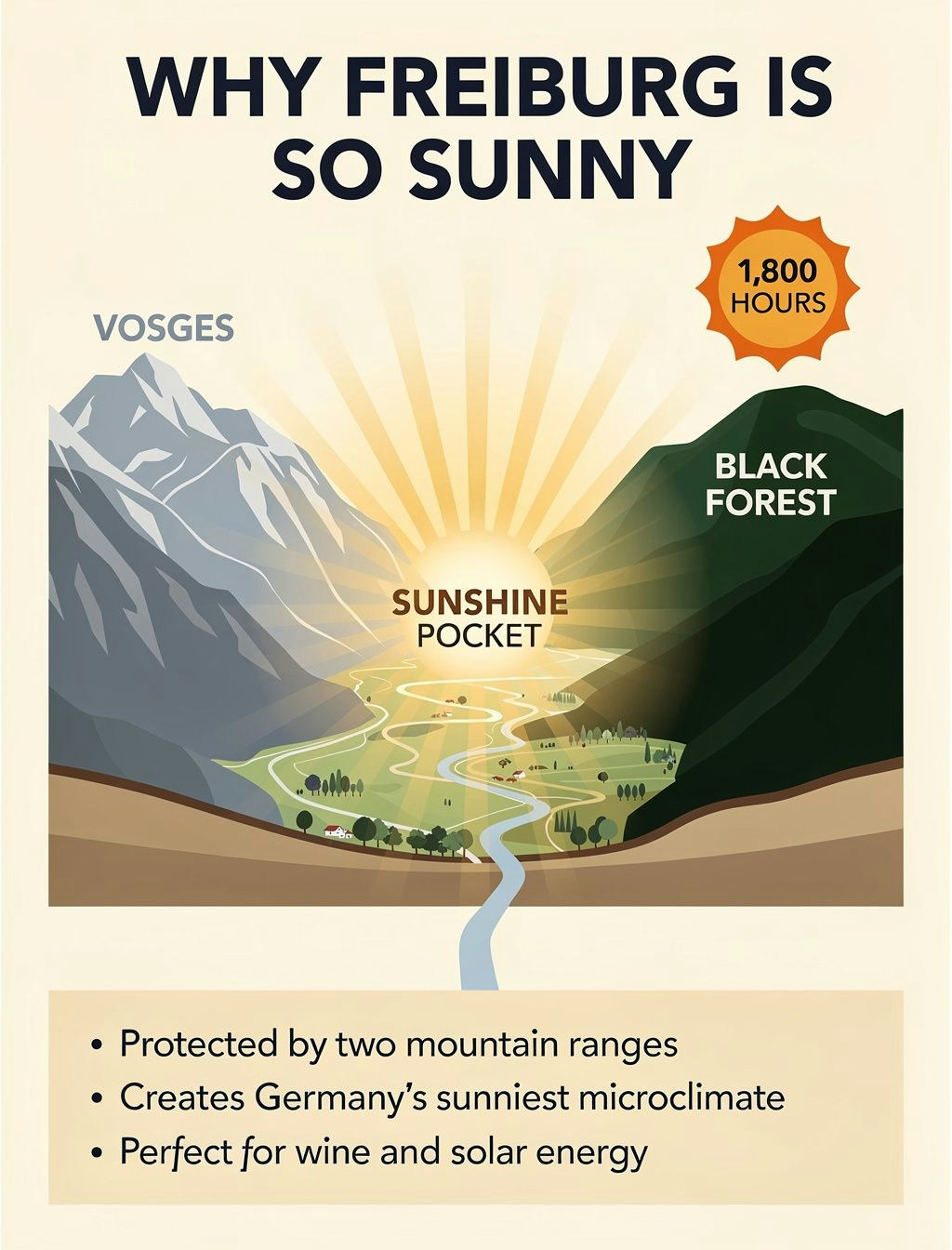
**Website & App Design Mocks**
Generate full web design mockups for prototyping:
```python theme={null}
prompt = """Full-page modern meal-kit delivery homepage, professional web design layout. Top navigation bar with text links 'Plans', 'Recipes', 'How it works', 'Login' in clean sans-serif. Large hero headline 'Dinner, simplified.' in bold readable font, below it subheadline 'Fresh ingredients. Easy recipes. Delivered weekly.' Two CTA buttons: primary green rounded button with 'Get started' text, secondary outlined button with 'See plans' text. Right side features large professional food photography showing colorful fresh vegetables. Three value prop cards with icons and text 'Save time', 'Reduce waste', 'Cook better'. Bold green (#2ECC71) accent color, rounded buttons, crisp sans-serif typography, warm natural lighting, modern DTC aesthetic"""
response = client.images.generate(
model="black-forest-labs/FLUX.2-pro",
prompt=prompt,
width=1024,
height=1344,
)
```
**Comic Strips**
Create consistent comic-style illustrations:
```python theme={null}
prompt = """Style: Classic superhero comic with dynamic action lines
Character: Diffusion Man (athletic 30-year-old with brown skin tone and short natural fade haircut, wearing sleek gradient bodysuit from deep purple to electric blue, glowing neural network emblem on chest, confident expression) extends both hands forward shooting beams of energy
Setting: Digital cyberspace environment with floating data cubes
Text: "Time to DENOISE this chaos!"
Mood: Intense, action-packed with bright energy flashes"""
response = client.images.generate(
model="black-forest-labs/FLUX.2-pro",
prompt=prompt,
width=1024,
height=768,
)
```

**Stickers**
Generate die-cut sticker designs:
```python theme={null}
prompt = """A kawaii die-cut sticker of a chubby orange cat, featuring big sparkly eyes and a happy smile with paws raised in greeting and a heart-shaped pink nose. The design should have smooth rounded lines with black outlines and soft gradient shading with pink cheeks."""
response = client.images.generate(
model="black-forest-labs/FLUX.2-pro",
prompt=prompt,
width=768,
height=768,
)
```

## Photography Styles
FLUX.2 excels at various photography aesthetics. Add style keywords to your prompts:
| Style | Prompt Suffix |
| ------------------- | ------------------------------------------------------ |
| Modern Photorealism | `close up photo, photorealistic` |
| 2000s Digicam | `2000s digicam style` |
| 80s Vintage | `80s vintage photo` |
| Analogue Film | `shot on 35mm film, f/2.8, film grain` |
| Vintage Cellphone | `picture taken from a vintage cellphone, selfie style` |
```python theme={null}
# Example: 80s vintage style
response = client.images.generate(
model="black-forest-labs/FLUX.2-pro",
prompt="A group of friends at an arcade, neon lights, having fun playing games, 80s vintage photo",
width=1024,
height=768,
)
```

## Multi-Language Support
FLUX.2 supports prompting in many languages without translation:
```python theme={null}
# French
response = client.images.generate(
model="black-forest-labs/FLUX.2-pro",
prompt="Un marché alimentaire dans la campagne normande, des marchands vendent divers légumes, fruits. Lever de soleil, temps un peu brumeux",
width=1024,
height=768,
)
```

```python theme={null}
# Korean
response = client.images.generate(
model="black-forest-labs/FLUX.2-pro",
prompt="서울 도심의 옥상 정원, 저녁 노을이 지는 하늘 아래에서 사람들이 작은 등불을 켜고 있다",
width=1024,
height=768,
)
```

## Prompting Best Practices
**Golden Rules**
1. **Order by importance** — List the most important elements first in your prompt
2. **Be specific** — The more detailed, the more controlled the output
**Prompt Framework**
Follow this structure: **Subject + Action + Style + Context**
* **Subject**: The main focus (person, object, character)
* **Action**: What the subject is doing or their pose
* **Style**: Artistic approach, medium, or aesthetic
* **Context**: Setting, lighting, time, mood
**Avoid Negative Prompting**
FLUX.2 does **not** support negative prompts. Instead of saying what you don't want, describe what you do want:
| ❌ Don't | ✅ Do |
| ----------------------------------------- | ----------------------------------------------------------------------------------------- |
| `portrait, --no text, --no extra fingers` | `tight head-and-shoulders portrait, clean background, natural hands at rest out of frame` |
| `landscape, --no people` | `serene mountain landscape, untouched wilderness, pristine nature` |
## Troubleshooting
**Text not rendering correctly**
* Use FLUX.2 \[flex] for better typography
* Put exact text in quotes within the prompt
* Keep text short and clear
**Colors not matching**
* Use HEX codes with "color" or "hex" keyword
* Be explicit about which element should have which color
**Composition not as expected**
* Use JSON structured prompts for precise control
* Specify camera angle, distance, and composition type
* Use position descriptors (foreground, midground, background)
Check out all available Flux models [here](/docs/serverless-models#image-models)
---
> To find navigation and other pages in this documentation, fetch the llms.txt file at: https://docs.together.ai/llms.txt
---
# Source: https://docs.together.ai/docs/quickstart-flux-kontext.md
> Learn how to use Flux's new in-context image generation models
# Quickstart: Flux Kontext
## Flux Kontext
Black Forest Labs has released FLUX Kontext with support on Together AI. These models allow you to generate and edit images through in-context image generation.
Unlike existing text-to-image models, FLUX.1 Kontext allows you to prompt with both text and images, and seamlessly extract and modify visual concepts to produce new, coherent renderings.
The Kontext family includes three models optimized for different use cases: Pro for balanced speed and quality, Max for maximum image fidelity, and Dev for development and experimentation.
## Generating an image
Here's how to use the new Kontext models:
```python Python theme={null}
from together import Together
client = Together()
imageCompletion = client.images.generate(
model="black-forest-labs/FLUX.1-kontext-pro",
width=1536,
height=1024,
steps=28,
prompt="make his shirt yellow",
image_url="https://github.com/nutlope.png",
)
print(imageCompletion.data[0].url)
```
```typescript TypeScript theme={null}
import Together from "together-ai";
const together = new Together();
async function main() {
const response = await together.images.generate({
model: "black-forest-labs/FLUX.1-kontext-pro",
width: 1536,
height: 1024,
steps: 28,
prompt: "make his shirt yellow",
image_url: "https://github.com/nutlope.png",
});
console.log(response.data[0].url);
}
main();
```
```curl cURL theme={null}
curl -X POST "https://api.together.xyz/v1/images/generations" \
-H "Authorization: Bearer $TOGETHER_API_KEY" \
-H "Content-Type: application/json" \
-d '{
"model": "black-forest-labs/FLUX.1-kontext-pro",
"width": 1536,
"height": 1024,
"steps": 28,
"prompt": "make his shirt yellow",
"image_url": "https://github.com/nutlope.png"
}'
```
## Available Models
Flux Kontext offers different models for various needs:
* **FLUX.1-kontext-pro**: Best balance of speed and quality (recommended)
* **FLUX.1-kontext-max**: Maximum image quality for production use
* **FLUX.1-kontext-dev**: Development model for testing
## Common Use Cases
* **Style Transfer**: Transform photos into different art styles (watercolor, oil painting, etc.)
* **Object Modification**: Change colors, add elements, or modify specific parts of an image
* **Scene Transformation**: Convert daytime to nighttime, change seasons, or alter environments
* **Character Creation**: Transform portraits into different styles or characters
## Key Parameters
Flux Kontext models support the following key parameters:
* `model`: Choose from `black-forest-labs/FLUX.1-kontext-pro`, `black-forest-labs/FLUX.1-kontext-max`, or `black-forest-labs/FLUX.1-kontext-dev`
* `prompt`: Text description of the transformation you want to apply
* `image_url`: URL of the reference image to transform
* `aspect_ratio`: Output aspect ratio (e.g., "1:1", "16:9", "9:16", "4:3", "3:2") - alternatively, you can use `width` and `height` for precise pixel dimensions
* `steps`: Number of diffusion steps (default: 28, higher values may improve quality)
* `seed`: Random seed for reproducible results
For complete parameter documentation, see the [Images Overview](/docs/images-overview#parameters).
See all available image models: [Image Models](/docs/serverless-models#image-models)
---
> To find navigation and other pages in this documentation, fetch the llms.txt file at: https://docs.together.ai/llms.txt
---
# Source: https://docs.together.ai/docs/quickstart-flux-lora.md
# Quickstart: Flux LoRA Inference
Together AI now provides a high-speed endpoint for the FLUX.1 \[dev] model with integrated LoRA support. This enables swift and high-quality image generation using pre-trained LoRA adaptations for personalized outputs, unique styles, brand identities, and product-specific visualizations.
**Fine-tuning for FLUX LoRA is not yet available.**
## Generating an image using Flux LoRAs
Some Flux LoRA fine-tunes need to be activated using a trigger phrases that can be used in the prompt and can typically be found in the model cards. For example with: [https://huggingface.co/multimodalart/flux-tarot-v1](https://huggingface.co/multimodalart/flux-tarot-v1), you should use `in the style of TOK a trtcrd tarot style` to trigger the image generation.
You can add up to 2 LoRAs per image to combine the style from the different fine-tunes. The `scale` parameter allows you to specify the strength of each LoRA. Typically values of `0.3-1.2` will produce good results.

```py Python theme={null}
from together import Together
client = Together()
response = client.images.generate(
prompt="a BLKLGHT image of man walking outside on rainy day",
model="black-forest-labs/FLUX.1-dev-lora",
width=1024,
height=768,
steps=28,
n=1,
response_format="url",
image_loras=[
{"path": "https://replicate.com/fofr/flux-black-light", "scale": 0.8},
{
"path": "https://huggingface.co/XLabs-AI/flux-RealismLora",
"scale": 0.8,
},
],
)
print(response.data[0].url)
```
```sh cURL theme={null}
curl -X POST "https://api.together.xyz/v1/images/generations"
-H "Authorization: Bearer $TOGETHER_API_KEY"
-H "Content-Type: application/json"
-d '{
"model": "black-forest-labs/FLUX.1-dev-lora",
"prompt": "cute dog",
"width": 1024,
"height": 768,
"steps": 28,
"n": 1,
"response_format": "url",
"image_loras": [{"path":"https://huggingface.co/XLabs-AI/flux-RealismLora","scale":1},
{"path": "https://huggingface.co/XLabs-AI/flux-RealismLora", "scale": 0.8}]
}'
```
## Acceptable LoRA URL formats
You can point to any URL that has a `.safetensors` file with a valid Flux LoRA fine-tune.
| Format | Example |
| --------------------------------------------- | ---------------------------------------------------------------------------------------------------------------------------------------------------------------------------------------------------------------------------------------------- |
| HuggingFace Repo Link | [https://huggingface.co/multimodalart/flux-tarot-v1](https://huggingface.co/multimodalart/flux-tarot-v1) |
| HuggingFace Direct File Link with "resolve"\* | [https://huggingface.co/XLabs-AI/flux-lora-collection/resolve/main/anime\_lora.safetensors](https://huggingface.co/XLabs-AI/flux-lora-collection/resolve/main/anime_lora.safetensors) |
| Civit Download Link | [https://civitai.com/api/download/models/913438?type=Model\&format=SafeTensor](https://civitai.com/api/download/models/913438?type=Model\&format=SafeTensor) |
| Replicate Fine-tuned Flux Model Link | [https://replicate.com/fofr/flux-black-light](https://replicate.com/fofr/flux-black-light) |
| Replicate Fine-tuned Flux Version Link | [https://replicate.com/fofr/flux-black-light/versions/d0d48e298dcb51118c3f903817c833bba063936637a33ac52a8ffd6a94859af7](https://replicate.com/fofr/flux-black-light/versions/d0d48e298dcb51118c3f903817c833bba063936637a33ac52a8ffd6a94859af7) |
| Direct file link ending with ".safetensors" | [https://mybucket.s3.amazonaws.com/my\_special\_lora.safetensors](https://mybucket.s3.amazonaws.com/my_special_lora.safetensors) |
\*Note: the HuggingFace web page for a file ([https://huggingface.co/XLabs-AI/flux-lora-collection/blob/main/anime\_lora.safetensors](https://huggingface.co/XLabs-AI/flux-lora-collection/blob/main/anime_lora.safetensors)) will NOT work
If the safetensors file has incompatible keys, you'll get the message " has unused keys \". This will happen if you pass a finetune of a non-flux model or an otherwise invalid file.
## Examples
The example below produces a realistic tarot card of a panda:
```py Python theme={null}
prompt = "a baby panda eating bamboo in the style of TOK a trtcrd tarot style"
response = client.images.generate(
prompt=prompt,
model="black-forest-labs/FLUX.1-dev-lora",
width=1024,
height=768,
steps=28,
n=1,
response_format="url",
image_loras=[
{
"path": "https://huggingface.co/multimodalart/flux-tarot-v1",
"scale": 1,
},
{
"path": "https://huggingface.co/Shakker-Labs/FLUX.1-dev-LoRA-add-details",
"scale": 0.8,
},
],
)
```
## Pricing
Your request costs \$0.035 per megapixel. For \$1, you can run this model approximately 29 times. Image charges are calculated by rounding up to the nearest megapixel.
Note: Due to high demand, FLUX.1 \[schnell] Free has a model specific rate limit of 10 img/min.
---
> To find navigation and other pages in this documentation, fetch the llms.txt file at: https://docs.together.ai/llms.txt
---
# Source: https://docs.together.ai/docs/quickstart-how-to-do-ocr.md
> A step by step guide on how to do OCR with Together AI's vision models with structured outputs
# Quickstart: How to do OCR
## Understanding OCR and Its Importance
Optical Character Recognition (OCR) has become a crucial tool for many applications as it enables computers to read & understand text within images. With the advent of advanced AI vision models, OCR can now understand context, structure, and relationships within documents, making it particularly valuable for processing receipts, invoices, and other structured documents while reasoning on the content output format.
In this guide, we're going to look at how you can take documents and images and extract text out of them in markdown (unstructured) or JSON (structured) formats.
## How to do standard OCR with Together SDK
Together AI provides powerful vision models that can process images and extract text with high accuracy.
The basic approach involves sending an image to a vision model and receiving extracted text in return.\
A great example of this implementation can be found at [llamaOCR.com](https://llamaocr.com/).
Here's a basic Typescript/Python implementation for standard OCR:
```typescript TypeScript theme={null}
import Together from "together-ai";
const together = new Together();
async function main() {
const billUrl =
"https://napkinsdev.s3.us-east-1.amazonaws.com/next-s3-uploads/1627e746-7eda-46d3-8d08-8c8eec0d6c9c/nobu.jpg?x-id=PutObject";
const response = await together.chat.completions.create({
model: "meta-llama/Llama-4-Scout-17B-16E-Instruct",
messages: [
{
role: "system",
content:
"You are an expert at extracting information from receipts. Extract all the content from the receipt.",
},
{
role: "user",
content: [
{ type: "text", text: "Extract receipt information" },
{ type: "image_url", image_url: { url: billUrl } },
],
},
],
});
if (response?.choices?.[0]?.message?.content) {
console.log(response.choices[0].message.content);
return (response.choices[0].message.content);
}
throw new Error("Failed to extract receipt information");
}
main();
```
```python Python theme={null}
from together import Together
client = Together()
prompt = "You are an expert at extracting information from receipts. Extract all the content from the receipt."
imageUrl = "https://napkinsdev.s3.us-east-1.amazonaws.com/next-s3-uploads/1627e746-7eda-46d3-8d08-8c8eec0d6c9c/nobu.jpg?x-id=PutObject"
stream = client.chat.completions.create(
model="meta-llama/Llama-3.2-11B-Vision-Instruct-Turbo",
messages=[
{
"role": "user",
"content": [
{"type": "text", "text": prompt},
{
"type": "image_url",
"image_url": {
"url": imageUrl,
},
},
],
}
],
stream=True,
)
for chunk in stream:
print(
chunk.choices[0].delta.content or "" if chunk.choices else "",
end="",
flush=True,
)
```
Here's the output from the code snippet above – we're simply giving it a receipt and asking it to extract all the information:
```text Text theme={null}
**Restaurant Information:**
- Name: Noby
- Location: Los Angeles
- Address: 903 North La Cienega
- Phone Number: 310-657-5111
**Receipt Details:**
- Date: 04/16/2011
- Time: 9:19 PM
- Server: Daniel
- Guest Count: 15
- Reprint #: 2
**Ordered Items:**
1. **Pina Martini** - $14.00
2. **Jasmine Calpurnina** - $14.00
3. **Yamasaki L. Decar** - $14.00
4. **Ma Margarita** - $4.00
5. **Diet Coke** - $27.00
6. **Lychee Martini (2 @ $14.00)** - $28.00
7. **Lynchee Martini** - $48.00
8. **Green Tea Decaf** - $12.00
9. **Glass Icecube R/Eising** - $0.00
10. **Green Tea Donation ($2)** - $2.00
11. **Lychee Martini (2 @ $14.00)** - $28.00
12. **YS50** - $225.00
13. **Green Tea ($40.00)** - $0.00
14. **Tiradito (3 @ $25.00)** - $75.00
15. **Tiradito** - $25
16. **Tiradito #20** - $20.00
17. **New-F-BOTAN (3 @ $30.00)** - $90.00
18. **Coke Refill** - $0.00
19. **Diet Coke Refill** - $0.00
20. **Bamboo** - $0.00
21. **Admin Fee** - $300.00
22. **TESSLER (15 @ $150.00)** - $2250.00
23. **Sparkling Water Large** - $9.00
24. **King Crab Asasu (3 @ $26.00)** - $78.00
25. **Mexican white shirt (15 @ $5.00)** - $75.00
26. **NorkFish Pate Cav** - $22.00
**Billing Information:**
- **Subtotal** - $3830.00
- **Tax** - $766.00
- **Total** - $4477.72
- **Gratuity** - $4277.72
- **Total** - $5043.72
- **Balance Due** - $5043.72
```
## How to do structured OCR and extract JSON from images
For more complex applications like receipt processing (as seen on [usebillsplit.com](https://www.usebillsplit.com/)), we can leverage Together AI's vision models to extract structured data in JSON format. This approach is particularly powerful as it combines visual understanding with structured output.
```typescript TypeScript theme={null}
import { z } from "zod";
import { zodToJsonSchema } from "zod-to-json-schema";
import Together from "together-ai";
const together = new Together();
async function main() {
const billUrl =
"https://napkinsdev.s3.us-east-1.amazonaws.com/next-s3-uploads/1627e746-7eda-46d3-8d08-8c8eec0d6c9c/nobu.jpg?x-id=PutObject";
// Define the receipt schema using Zod
const receiptSchema = z.object({
businessName: z
.string()
.optional()
.describe("Name of the business on the receipt"),
date: z.string().optional().describe("Date when the receipt was created"),
total: z.number().optional().describe("Total amount on the receipt"),
tax: z.number().optional().describe("Tax amount on the receipt"),
});
// Convert Zod schema to JSON schema for Together AI
const jsonSchema = zodToJsonSchema(receiptSchema, { target: "openAi" });
const response = await together.chat.completions.create({
model: "meta-llama/Llama-4-Scout-17B-16E-Instruct",
messages: [
{
role: "system",
content:
"You are an expert at extracting information from receipts. Extract the relevant information and format it as JSON.",
},
{
role: "user",
content: [
{ type: "text", text: "Extract receipt information" },
{ type: "image_url", image_url: { url: billUrl } },
],
},
],
response_format: { type: "json_object", schema: jsonSchema },
});
if (response?.choices?.[0]?.message?.content) {
const output = JSON.parse(response.choices[0].message.content);
console.dir(output);
return output;
}
throw new Error("Failed to extract receipt information");
}
main();
```
```python Python theme={null}
import json
import together
from pydantic import BaseModel, Field
from typing import Optional
## Initialize Together AI client
client = together.Together()
## Define the schema for receipt data matching the Next.js example
class Receipt(BaseModel):
businessName: Optional[str] = Field(
None, description="Name of the business on the receipt"
)
date: Optional[str] = Field(
None, description="Date when the receipt was created"
)
total: Optional[float] = Field(
None, description="Total amount on the receipt"
)
tax: Optional[float] = Field(None, description="Tax amount on the receipt")
def extract_receipt_info(image_url: str) -> dict:
"""
Extract receipt information from an image using Together AI's vision capabilities.
Args:
image_url: URL of the receipt image to process
Returns:
A dictionary containing the extracted receipt information
"""
# Call the Together AI API with the image URL and schema
response = client.chat.completions.create(
model="meta-llama/Llama-4-Scout-17B-16E-Instruct",
messages=[
{
"role": "system",
"content": "You are an expert at extracting information from receipts. Extract the relevant information and format it as JSON.",
},
{
"role": "user",
"content": [
{"type": "text", "text": "Extract receipt information"},
{"type": "image_url", "image_url": {"url": image_url}},
],
},
],
response_format={
"type": "json_object",
"schema": Receipt.model_json_schema(),
},
)
# Parse and return the response
if response and response.choices and response.choices[0].message.content:
try:
return json.loads(response.choices[0].message.content)
except json.JSONDecodeError:
return {"error": "Failed to parse response as JSON"}
return {"error": "Failed to extract receipt information"}
## Example usage
def main():
receipt_url = "https://napkinsdev.s3.us-east-1.amazonaws.com/next-s3-uploads/1627e746-7eda-46d3-8d08-8c8eec0d6c9c/nobu.jpg?x-id=PutObject"
result = extract_receipt_info(receipt_url)
print(json.dumps(result, indent=2))
return result
if __name__ == "__main__":
main()
```
In this case, we passed in a schema to the model since we want specific information out of the receipt in JSON format. Here's the response:
```json JSON theme={null}
{
"businessName": "Noby",
"date": "04/16/2011",
"total": 5043.72,
"tax": 766
}
```
## Best Practices
1. **Structured Data Definition**: Define clear schemas for your expected output, making it easier to validate and process the extracted data.
2. **Model Selection**: Choose the appropriate model based on your use case. Feel free to experiment with [our vision models](/docs/serverless-models#vision-models) to find the best one for you.
3. **Error Handling**: Always implement robust error handling for cases where the OCR might fail or return unexpected results.
4. **Validation**: Implement validation for the extracted data to ensure accuracy and completeness.
By following these patterns and leveraging Together AI's vision models, you can build powerful OCR applications that go beyond simple text extraction to provide structured, actionable data from images.
---
> To find navigation and other pages in this documentation, fetch the llms.txt file at: https://docs.together.ai/llms.txt
---
# Source: https://docs.together.ai/docs/quickstart-retrieval-augmented-generation-rag.md
# Quickstart: Retrieval Augmented Generation (RAG)
> How to build a RAG workflow in under 5 mins!
In this Quickstart you'll learn how to build a RAG workflow using Together AI in 6 quick steps that can be ran in under 5 minutes!
We will leverage the embedding, reranking and inference endpoints.
## 1. Register for an account
First, [register for an account](https://api.together.xyz/settings/api-keys) to get an API key.
Once you've registered, set your account's API key to an environment variable named `TOGETHER_API_KEY`:
```bash Shell theme={null}
export TOGETHER_API_KEY=xxxxx
```
## 2. Install your preferred library
Together provides an official library for Python:
```sh Shell theme={null}
pip install together --upgrade
```
```py Python theme={null}
from together import Together
client = Together(api_key=TOGETHER_API_KEY)
```
## 3. Data Processing and Chunking
We will RAG over Paul Grahams latest essay titled [Founder Mode](https://paulgraham.com/foundermode.html). The code below will scrape and load the essay into memory.
```py Python theme={null}
import requests
from bs4 import BeautifulSoup
def scrape_pg_essay():
url = "https://paulgraham.com/foundermode.html"
try:
# Send GET request to the URL
response = requests.get(url)
response.raise_for_status() # Raise an error for bad status codes
# Parse the HTML content
soup = BeautifulSoup(response.text, "html.parser")
# Paul Graham's essays typically have the main content in a font tag
# You might need to adjust this selector based on the actual HTML structure
content = soup.find("font")
if content:
# Extract and clean the text
text = content.get_text()
# Remove extra whitespace and normalize line breaks
text = " ".join(text.split())
return text
else:
return "Could not find the main content of the essay."
except requests.RequestException as e:
return f"Error fetching the webpage: {e}"
# Scrape the essay
pg_essay = scrape_pg_essay()
```
Chunk the essay:
```py Python theme={null}
# Naive fixed sized chunking with overlaps
def create_chunks(document, chunk_size=300, overlap=50):
return [
document[i : i + chunk_size]
for i in range(0, len(document), chunk_size - overlap)
]
chunks = create_chunks(pg_essay, chunk_size=250, overlap=30)
```
## 4. Generate Vector Index and Perform Retrieval
We will now use `bge-large-en-v1.5` to embed the augmented chunks above into a vector index.
```py Python theme={null}
from typing import List
import numpy as np
def generate_embeddings(
input_texts: List[str],
model_api_string: str,
) -> np.ndarray:
"""Generate embeddings from Together python library.
Args:
input_texts: a list of string input texts.
model_api_string: str. An API string for a specific embedding model of your choice.
Returns:
embeddings_list: a list of embeddings. Each element corresponds to the each input text.
"""
outputs = client.embeddings.create(
input=input_texts,
model=model_api_string,
)
return np.array([x.embedding for x in outputs.data])
embeddings = generate_embeddings(chunks, "BAAI/bge-large-en-v1.5")
```
The function below will help us perform vector search:
```py Python theme={null}
def vector_retreival(
query: str,
top_k: int = 5,
vector_index: np.ndarray = None,
) -> List[int]:
"""
Retrieve the top-k most similar items from an index based on a query.
Args:
query (str): The query string to search for.
top_k (int, optional): The number of top similar items to retrieve. Defaults to 5.
index (np.ndarray, optional): The index array containing embeddings to search against. Defaults to None.
Returns:
List[int]: A list of indices corresponding to the top-k most similar items in the index.
"""
query_embedding = np.array(
generate_embeddings([query], "BAAI/bge-large-en-v1.5")[0]
)
similarity_scores = np.dot(query_embedding, vector_index.T)
return list(np.argsort(-similarity_scores)[:top_k])
top_k_indices = vector_retreival(
query="What are 'skip-level' meetings?",
top_k=5,
vector_index=embeddings,
)
top_k_chunks = [chunks[i] for i in top_k_indices]
```
We now have a way to retrieve from the vector index given a query.
## 5. Rerank To Improve Quality
We will use a reranker model to improve retrieved chunk relevance quality:
```py Python theme={null}
def rerank(query: str, chunks: List[str], top_k=3) -> List[int]:
response = client.rerank.create(
model="Salesforce/Llama-Rank-V1",
query=query,
documents=chunks,
top_n=top_k,
)
return [result.index for result in response.results]
rerank_indices = rerank(
"What are 'skip-level' meetings?",
chunks=top_k_chunks,
top_k=3,
)
reranked_chunks = ""
for index in rerank_indices:
reranked_chunks += top_k_chunks[index] + "\n\n"
print(reranked_chunks)
```
## 6. Call Generative Model - Llama 405b
We will pass the final 3 concatenated chunks into an LLM to get our final answer.
```py Python theme={null}
query = "What are 'skip-level' meetings?"
response = client.chat.completions.create(
model="meta-llama/Meta-Llama-3.1-405B-Instruct-Turbo",
messages=[
{"role": "system", "content": "You are a helpful chatbot."},
{
"role": "user",
"content": f"Answer the question: {query}. Use only information provided here: {reranked_chunks}",
},
],
)
response.choices[0].message.content
```
If you want to learn more about how to best use open models refer to our [docs](/docs) here!
---
> To find navigation and other pages in this documentation, fetch the llms.txt file at: https://docs.together.ai/llms.txt
---
# Source: https://docs.together.ai/docs/quickstart-using-hugging-face-inference.md
# Quickstart: Using Hugging Face Inference With Together
> This guide will walk you through how to use Together models with Hugging Face Inference.
This documentation provides a concise guide for developers to integrate and use Together AI inference capabilities via the Hugging Face ecosystem.
## Authentication and Billing
When using Together AI through Hugging Face, you have two options for authentication:
* Direct Requests: Use your Together AI API key in your Hugging Face user account settings. In this mode, inference requests are sent directly to Together AI, and billing is handled by your Together AI account.
* Routed Requests: If you don't configure a Together AI API key, your requests will be routed through Hugging Face. In this case, you can use a Hugging Face token for authentication. Billing for routed requests is applied to your Hugging Face account at standard provider API rates.You don’t need an account on Together AI to do this, just use your HF one!
To add a Together AI api key to your Hugging Face settings, follow these steps:
1. Go to your [Hugging Face user account settings](https://huggingface.co/settings/inference-providers).
2. Locate the "Inference Providers" section.
3. You can add your API keys for different providers, including Together AI
4. You can also set your preferred provider order, which will influence the display order in model widgets and code snippets.
You can search for all [Together AI models](https://huggingface.co/models?inference_provider=together\&sort=trending) on the hub and directly try out the available models via the Model Page widget too.
## Usage Examples
The examples below demonstrate how to interact with various models using Python and JavaScript.
First, ensure you have the `huggingface_hub` library installed (version v0.29.0 or later):
```sh Shell theme={null}
pip install huggingface_hub>=0.29.0
```
```sh Shell theme={null}
npm install @huggingface/inference
```
## 1. Text Generation - LLMs
### a. Chat Completion with Hugging Face Hub library
```py Python theme={null}
from huggingface_hub import InferenceClient
# Initialize the InferenceClient with together as the provider
client = InferenceClient(
provider="together",
api_key="xxxxxxxxxxxxxxxxxxxxxxxx", # Replace with your API key (HF or custom)
)
# Define the chat messages
messages = [{"role": "user", "content": "What is the capital of France?"}]
# Generate a chat completion
completion = client.chat.completions.create(
model="deepseek-ai/DeepSeek-R1",
messages=messages,
max_tokens=500,
)
# Print the response
print(completion.choices[0].message)
```
```js TypeScript theme={null}
import { HfInference } from "@huggingface/inference";
// Initialize the HfInference client with your API key
const client = new HfInference("xxxxxxxxxxxxxxxxxxxxxxxx");
// Generate a chat completion
const chatCompletion = await client.chatCompletion({
model: "deepseek-ai/DeepSeek-R1", // Replace with your desired model
messages: [
{
role: "user",
content: "What is the capital of France?"
}
],
provider: "together", // Replace with together's provider name
max_tokens: 500
});
// Log the response
console.log(chatCompletion.choices[0].message);
```
You can swap this for any compatible LLM from Together AI, here’s a handy [URL](https://huggingface.co/models?inference_provider=together\&other=text-generation-inference\&sort=trending) to find the list.
### b. OpenAI client library
You can also call inference providers via the [OpenAI python client](https://github.com/openai/openai-python). You will need to specify the `base_url` and `model` parameters in the client and call respectively.
The easiest way is to go to [a model’s page](https://huggingface.co/deepseek-ai/DeepSeek-R1?inference_api=true\&inference_provider=together\&language=python) on the hub and copy the snippet.
```py Python theme={null}
from openai import OpenAI
client = OpenAI(
base_url="https://router.huggingface.co/together",
api_key="hf_xxxxxxxxxxxxxxxxxxxxxxxx", # together or Hugging Face api key
)
messages = [{"role": "user", "content": "What is the capital of France?"}]
completion = client.chat.completions.create(
model="deepseek-ai/DeepSeek-R1",
messages=messages,
max_tokens=500,
)
print(completion.choices[0].message)
```
## 2. Text-to-Image Generation
```py Python theme={null}
from huggingface_hub import InferenceClient
# Initialize the InferenceClient with together as the provider
client = InferenceClient(
provider="together", # Replace with together's provider name
api_key="xxxxxxxxxxxxxxxxxxxxxxxx", # Replace with your API key
)
# Generate an image from text
image = client.text_to_image(
"Bob Marley in the style of a painting by Johannes Vermeer",
model="black-forest-labs/FLUX.1-schnell", # Replace with your desired model
)
# `image` is a PIL.Image object
image.show()
```
```js TypeScript theme={null}
import { HfInference } from "@huggingface/inference";
// Initialize the HfInference client with your API key
const client = new HfInference("xxxxxxxxxxxxxxxxxxxxxxxx");
// Generate a chat completion
const generatedImage = await client.textToImage({
model: "black-forest-labs/FLUX.1-schnell", // Replace with your desired model
inputs: "Bob Marley in the style of a painting by Johannes Vermeer",
provider: "together", // Replace with together's provider name
max_tokens: 500
});
```
Similar to LLMs, you can use any compatible Text to Image model from the [list here](https://huggingface.co/models?inference_provider=together\&pipeline_tag=text-to-image\&sort=trending).
You can search for all [Together AI models](https://huggingface.co/models?inference_provider=together\&sort=trending) on the hub and directly try out the available models via the Model Page widget too.
We’ll continue to increase the number of models and ways to try it out!
---
> To find navigation and other pages in this documentation, fetch the llms.txt file at: https://docs.together.ai/llms.txt
---
# Source: https://docs.together.ai/docs/quickstart.md
# Quickstart
> Get up to speed with our API in one minute.
Together AI makes it easy to run leading open-source models using only a few lines of code.
## 1. Register for an account
First, [register for an account](https://api.together.xyz/settings/api-keys) to get an API key.
Once you've registered, set your account's API key to an environment variable named `TOGETHER_API_KEY`:
```shell Shell theme={null}
export TOGETHER_API_KEY=xxxxx
```
## 2. Install your preferred library
Together provides an official library for Python and TypeScript, or you can call our HTTP API in any language you want:
```sh Python theme={null}
pip install together
```
```sh TypeScript theme={null}
npm install together-ai
```
## 3. Run your first query against a model
Choose a model to query. In this example, we'll choose GPT OSS 20B with streaming:
```python Python theme={null}
from together import Together
client = Together()
stream = client.chat.completions.create(
model="openai/gpt-oss-20b",
messages=[
{
"role": "user",
"content": "What are the top 3 things to do in New York?",
}
],
stream=True,
)
for chunk in stream:
print(chunk.choices[0].delta.content or "", end="", flush=True)
```
```ts TypeScript theme={null}
import Together from "together-ai"
async function main() {
const together = new Together()
const stream = await together.chat.completions.create({
model: "openai/gpt-oss-20b",
messages: [
{ role: "user", content: "What are the top 3 things to do in New York?" },
],
stream: true,
})
for await (const chunk of stream) {
process.stdout.write(chunk.choices[0]?.delta?.content || "")
}
}
main()
```
```curl cURL theme={null}
curl -N -X POST "https://api.together.xyz/v1/chat/completions" \
-H "Authorization: Bearer $TOGETHER_API_KEY" \
-H "Content-Type: application/json" \
-d '{
"model": "google/gemma-3n-E4B-it",
"messages": [
{"role": "user", "content": "Tell me a joke about programmers."}
],
"max_tokens": 100,
"temperature": 0.8,
"stream": true
}'
```
Congratulations –you've just made your first query to Together AI!
## Next steps
* Explore [our cookbook](https://github.com/togethercomputer/together-cookbook) for Python recipes with Together AI
* Explore [our demos](https://together.ai/demos) for full-stack open source example apps.
* Check out the [Together AI playground](https://api.together.xyz/playground) to try out different models.
* See [our integrations](/docs/integrations) with leading LLM frameworks.
## Resources
* [Discord](https://discord.com/invite/9Rk6sSeWEG)
* [Pricing](https://www.together.ai/pricing)
* [Support](https://www.together.ai/contact)
***
---
> To find navigation and other pages in this documentation, fetch the llms.txt file at: https://docs.together.ai/llms.txt
---
# Source: https://docs.together.ai/docs/rate-limits.md
> Rate limits restrict how often a user or client can access our API within a set timeframe.
# Rate Limits
Rate limiting refers to the constraints our API enforces on how frequently a user or client can access our services within a given timeframe. Rate limits are denoted as HTTP status code 429. Read more about our rate limit tiers below, and find out how you can increase them here:
* If you have a high volume of steady traffic and good payment history for this traffic, you can request a higher limit by emailing [support@together.ai](mailto:support@together.ai).
* If you are interested in our Enterprise package, with custom requests per minute (RPM) and unlimited tokens per minute (TPM), please reach out to sales [here](https://www.together.ai/contact-sales).
### What is the purpose of rate limits?
Rate limits in APIs are a standard approach, and they serve to safeguard against abuse or misuse of the API, helping to ensure equitable access to the API with consistent performance.
### How are our rate limits implemented?
Our rate limits are currently measured in requests per second (RPS) and tokens per second (TPS) for each model type. If you exceed any of the rate limits you will get a 429 error. We show you the values per minute below, as it's the industry standard.
Important: when we launch support for a brand new model, we may temporarily disable automatic increases for that given model. This ensures our service levels remain stable, as rate limits represent the maximum "up to" capacity a user is entitled to, which is ultimately driven by our available serverless capacity. We strive to enable automatic increases as soon as possible once capacity stabilizes.
### Rate limit tiers
You can view your rate limit by navigating to Settings > Billing. As your usage of the Together API and your spend on our API increases, we will automatically increase your rate limits.
**Chat, language & code models**
| Tier | Qualification criteria | RPM | TPM |
| :----- | :-------------------------- | :---- | :-------- |
| Tier 1 | Credit card added, \$5 paid | 600 | 180,000 |
| Tier 2 | \$50 paid | 1,800 | 250,000 |
| Tier 3 | \$100 paid | 3,000 | 500,000 |
| Tier 4 | \$250 paid | 4,500 | 1,000,000 |
| Tier 5 | \$1,000 paid | 6,000 | 2,000,000 |
**DeepSeek R1 model-specific rate limits**
> Due to high demand on the platform, DeepSeek R1 has these special rate limits. We are actively increasing them.
| Tier | RPM |
| :----- | :------ |
| Tier 1 | 3 |
| Tier 2 | 60 |
| Tier 3 | \~400+ |
| Tier 4 | \~400+ |
| Tier 5 | \~1200+ |
**Embedding models**
| Tier | Qualification criteria | RPM | TPM |
| :----- | :-------------------------- | :----- | :--------- |
| Tier 1 | Credit card added, \$5 paid | 3,000 | 2,000,000 |
| Tier 2 | \$50 paid | 5,000 | 2,000,000 |
| Tier 3 | \$100 paid | 5,000 | 10,000,000 |
| Tier 4 | \$250 paid | 10,000 | 10,000,000 |
| Tier 5 | \$1,000 paid | 10,000 | 20,000,000 |
**Re-rank models**
| Tier | Qualification criteria | RPM | TPM |
| :----- | :-------------------------- | :---- | :-------- |
| Tier 1 | Credit card added, \$5 paid | 2,500 | 500,000 |
| Tier 2 | \$50 paid | 3,500 | 1,500,000 |
| Tier 3 | \$100 paid | 4,000 | 2,000,000 |
| Tier 4 | \$250 paid | 7,500 | 3,000,000 |
| Tier 5 | \$1,000 paid | 9,000 | 5,000,000 |
**Image models**
| Tier | Qualification criteria | Img/min |
| :----- | :-------------------------- | :------ |
| Tier 1 | Credit card added, \$5 paid | 240 |
| Tier 2 | \$50 paid | 480 |
| Tier 3 | \$100 paid | 600 |
| Tier 4 | \$250 paid | 960 |
| Tier 5 | \$1,000 paid | 1,200 |
Note: Due to high demand:
* FLUX.1 \[schnell] Free has a model specific rate limit of 6 img/min.
* FLUX.1 Kontext \[pro] has a model specific rate limit of 57 img/min.
**Video models**
| Tier | Qualification criteria | RPM |
| :----- | :-------------------------- | :-- |
| Tier 1 | Credit card added, \$5 paid | 60 |
| Tier 2 | \$50 paid | 60 |
| Tier 3 | \$100 paid | 60 |
| Tier 4 | \$250 paid | 60 |
| Tier 5 | \$1,000 paid | 100 |
You may experience congestion based on traffic from other users, and may be throttled to a lower level because of that. If you want committed capacity, [contact](https://together.ai/forms/scale-ent) our sales team to inquire about our Scale and Enterprise plans, which include custom RPM and unlimited TPM.
**Rate limits in headers**
The API response includes headers that display the rate limit enforcement, current usage, and when the limit will reset. We enforce limits per second and minute for token usage and per second for request rates, but the headers display per second limits only.
| Field | Description |
| ---------------------- | --------------------------------------------------------------------------------------------- |
| x-ratelimit-limit | The maximum number of requests per sec that are permitted before exhausting the rate limit. |
| x-ratelimit-remaining | The remaining number of requests per sec that are permitted before exhausting the rate limit. |
| x-ratelimit-reset | The time until the rate limit (based on requests per sec) resets to its initial state. |
| x-tokenlimit-limit | The maximum number of tokens per sec that are permitted before exhausting the rate limit. |
| x-tokenlimit-remaining | The remaining number of tokens per sec that are permitted before exhausting the rate limit. |
---
> To find navigation and other pages in this documentation, fetch the llms.txt file at: https://docs.together.ai/llms.txt
---
# Source: https://docs.together.ai/docs/reasoning-models-guide.md
# Reasoning Models Guide
> How reasoning models like DeepSeek-R1 work.
## Reasoning vs. Non-reasoning Models
Reasoning models are trained very differently from their non-reasoning counterparts, and as a result they serve different purposes. Below we'll compare both types of models, details for reasoning models, pros and cons, applications and example use-cases.
Reasoning models like `DeepSeek-R1` are specifically developed to engage in extended, deep analysis of complex challenges. Their strength lies in strategic thinking, developing comprehensive solutions to intricate problems, and processing large amounts of nuanced information to reach decisions. Their high precision and accuracy make them particularly valuable in specialized fields traditionally requiring human expertise, such as mathematics, scientific research, legal work, healthcare, financial analysis.
Non-reasoning models such as `Llama 3.3 70B` or `DeepSeek-V3` are trained for efficient, direct task execution with faster response times and better cost efficiency.
Your application can leverage both types of models: using DeepSeek-R1 to develop the strategic framework and problem-solving approach, while deploying non-reasoning models to handle specific tasks where swift execution and cost considerations outweigh the need for absolute precision.
## Reasoning models use-cases
* **Analyzing and assessing AI model outputs**\
Reasoning models excel at evaluating responses from other systems, particularly in data validation scenarios. This becomes especially valuable in critical fields like law, where these models can apply contextual understanding rather than just following rigid validation rules.
* **Code analysis and improvement**\
Reasoning models are great at conducting thorough code reviews and suggesting improvements across large codebases. Their ability to process extensive code makes them particularly valuable for comprehensive review processes.
* **Strategic planning and task delegation**\
These models shine in creating detailed, multi-stage plans and determining the most suitable AI model for each phase based on specific requirements like processing speed or analytical depth needed for the task.
* **Complex document analysis and pattern recognition**\
The models excel at processing and analyzing extensive, unstructured documents such as contract agreements, legal reports, and healthcare documentation. They're particularly good at identifying connections between different documents and making connections.
* **Precision information extraction**\
When dealing with large volumes of unstructured data, these models excel at pinpointing and extracting exactly the relevant information needed to answer specific queries, effectively filtering out noise in search and retrieval processes. This makes them great to use in RAG or LLM augmented internet search use-cases.
* **Handling unclear instructions**\
These models are particularly skilled at working with incomplete or ambiguous information. They can effectively interpret user intent and will proactively seek clarification rather than making assumptions when faced with information gaps.
## Pros and Cons
Reasoning models excel for tasks where you need:
* High accuracy and dependable decision-making capabilities
* Solutions to complex problems involving multiple variables and ambiguous data
* Can afford higher query latencies
* Have a higher cost/token budget per task
Non-reasoning models are optimal when you need:
* Faster processing speed (lower overall query latency) and lower operational costs
* Execution of clearly defined, straightforward tasks
* Function calling, JSON mode or other well structured tasks
---
> To find navigation and other pages in this documentation, fetch the llms.txt file at: https://docs.together.ai/llms.txt
---
# Source: https://docs.together.ai/docs/recommended-models.md
# Recommended Models
> Find the right models for your use case
We host 100+ open-source models on our serverless inference platform and even more on dedicated endpoints. This guide helps you choose the right model for your specific use case.
For a complete list of all available models with detailed specifications, visit our [Serverless](/docs/serverless-models) and [Dedicated](/docs/dedicated-models) Models pages.
## Recommended Models by Use Case
| Use Case | Recommended Model | Model String | Alternatives | Learn More |
| :------------------------- | :---------------------------- | :-------------------------------------------------- | :------------------------------------------------------------------------------ | :----------------------------------------------------------------------------------- |
| **Chat** | Kimi K2 Instruct 0905 | `moonshotai/Kimi-K2-Instruct-0905` | `deepseek-ai/DeepSeek-V3.1`, `Qwen/Qwen3-235B-A22B-Instruct-2507-tput` | [Chat](/docs/chat-overview) |
| **Reasoning** | DeepSeek-R1-0528 | `deepseek-ai/DeepSeek-R1` | `Qwen/Qwen3-235B-A22B-Thinking-2507`, `openai/gpt-oss-120b` | [Reasoning Guide](/docs/reasoning-models-guide), [DeepSeek R1](/docs/deepseek-r1) |
| **Coding Agents** | Qwen3-Coder 480B-A35B | `Qwen/Qwen3-Coder-480B-A35B-Instruct-FP8` | `moonshotai/Kimi-K2-Instruct-0905`, `deepseek-ai/DeepSeek-V3.1` | [Building Agents](/docs/how-to-build-coding-agents) |
| **Small & Fast** | GPT-OSS 20B | `openai/gpt-oss-20b` | `Qwen/Qwen2.5-7B-Instruct-Turbo`, `meta-llama/Meta-Llama-3.1-8B-Instruct-Turbo` | - |
| **Medium General Purpose** | GLM 4.5 Air | `zai-org/GLM-4.5-Air-FP8` | `Qwen/Qwen3-Next-80B-A3B-Instruct`, `openai/gpt-oss-120b` | - |
| **Function Calling** | GLM 4.5 Air | `zai-org/GLM-4.5-Air-FP8` | `Qwen/Qwen3-Next-80B-A3B-Instruct`, `moonshotai/Kimi-K2-Instruct-0905` | [Function Calling](/docs/function-calling) |
| **Vision** | Llama 4 Maverick | `meta-llama/Llama-4-Maverick-17B-128E-Instruct-FP8` | `Qwen/Qwen2.5-VL-72B-Instruct` | [Vision](/docs/vision-overview), [OCR](/docs/quickstart-how-to-do-ocr) |
| **Image Generation** | Qwen Image | `Qwen/Qwen-Image` | `google/flash-image-2.5`, `ByteDance-Seed/Seedream-4.0` | [Images](/docs/images-overview) |
| **Image-to-Image** | Flash Image 2.5 (Nano Banana) | `google/flash-image-2.5` | `black-forest-labs/FLUX.1-kontext-pro` | [Flux Kontext](/docs/quickstart-flux-kontext) |
| **Text-to-Video** | Sora 2 | `openai/sora-2-pro` | `google/veo-3.0`, `ByteDance/Seedance-1.0-pro` | [Video Generation](/docs/videos-overview) |
| **Image-to-Video** | Veo 3.0 | `google/veo-3.0` | `ByteDance/Seedance-1.0-pro`, `kwaivgI/kling-2.1-master` | [Video Generation](/docs/videos-overview) |
| **Text-to-Speech** | Cartesia Sonic 2 | `cartesia/sonic-2` | `cartesia/sonic` | [Text-to-Speech](/docs/text-to-speech) |
| **Speech-to-Text** | Whisper Large v3 | `openai/whisper-large-v3` | - | [Speech-to-Text](/docs/speech-to-text) |
| **Embeddings** | GTE-Modernbert-base | `Alibaba-NLP/gte-modernbert-base` | `intfloat/multilingual-e5-large-instruct` | [Embeddings](/reference/embeddings-2) |
| **Rerank** | MixedBread Rerank Large | `mixedbread-ai/Mxbai-Rerank-Large-V2` | `Salesforce/Llama-Rank-v1` | [Rerank](/docs/rerank-overview), [Guide](/docs/how-to-improve-search-with-rerankers) |
| **Moderation** | Virtue Guard | `VirtueAI/VirtueGuard-Text-Lite` | `meta-llama/Llama-Guard-4-12B` | - |
***
**Need Help Choosing?**
* Check our [Serverless Models](/docs/serverless-models) page for complete specifications
* See our [WhichLLM](https://whichllm.together.ai/) page which provides categorical benchmarks for the above usecases
* Review [Rate Limits](/docs/rate-limits) for your tier
* See [Pricing](https://together.ai/pricing) for cost information
* Visit [Inference FAQs](/docs/inference-faqs) for common questions
For high-volume production workloads, consider [Dedicated Inference](/docs/dedicated-inference) for guaranteed capacity and predictable performance.
---
> To find navigation and other pages in this documentation, fetch the llms.txt file at: https://docs.together.ai/llms.txt
---
# Source: https://docs.together.ai/reference/rerank-1.md
# Create A Rerank Request
> Query a reranker model
## OpenAPI
````yaml POST /rerank
openapi: 3.1.0
info:
title: Together APIs
description: The Together REST API. Please see https://docs.together.ai for more details.
version: 2.0.0
termsOfService: https://www.together.ai/terms-of-service
contact:
name: Together Support
url: https://www.together.ai/contact
license:
name: MIT
url: https://github.com/togethercomputer/openapi/blob/main/LICENSE
servers:
- url: https://api.together.xyz/v1
security:
- bearerAuth: []
paths:
/rerank:
post:
tags:
- Rerank
summary: Create a rerank request
description: Query a reranker model
operationId: rerank
requestBody:
content:
application/json:
schema:
$ref: '#/components/schemas/RerankRequest'
responses:
'200':
description: '200'
content:
application/json:
schema:
$ref: '#/components/schemas/RerankResponse'
'400':
description: BadRequest
content:
application/json:
schema:
$ref: '#/components/schemas/ErrorData'
'401':
description: Unauthorized
content:
application/json:
schema:
$ref: '#/components/schemas/ErrorData'
'404':
description: NotFound
content:
application/json:
schema:
$ref: '#/components/schemas/ErrorData'
'429':
description: RateLimit
content:
application/json:
schema:
$ref: '#/components/schemas/ErrorData'
'503':
description: Overloaded
content:
application/json:
schema:
$ref: '#/components/schemas/ErrorData'
'504':
description: Timeout
content:
application/json:
schema:
$ref: '#/components/schemas/ErrorData'
deprecated: false
components:
schemas:
RerankRequest:
type: object
properties:
model:
type: string
description: >
The model to be used for the rerank request.
[See all of
Together AI's rerank
models](https://docs.together.ai/docs/serverless-models#rerank-models)
example: Salesforce/Llama-Rank-V1
anyOf:
- type: string
enum:
- Salesforce/Llama-Rank-v1
- type: string
query:
type: string
description: The search query to be used for ranking.
example: What animals can I find near Peru?
documents:
description: List of documents, which can be either strings or objects.
oneOf:
- type: array
items:
type: object
additionalProperties: true
- type: array
items:
type: string
example: >-
Our solar system orbits the Milky Way galaxy at about 515,000
mph
example:
- title: Llama
text: >-
The llama is a domesticated South American camelid, widely used
as a meat and pack animal by Andean cultures since the
pre-Columbian era.
- title: Panda
text: >-
The giant panda (Ailuropoda melanoleuca), also known as the
panda bear or simply panda, is a bear species endemic to China.
- title: Guanaco
text: >-
The guanaco is a camelid native to South America, closely
related to the llama. Guanacos are one of two wild South
American camelids; the other species is the vicuña, which lives
at higher elevations.
- title: Wild Bactrian camel
text: >-
The wild Bactrian camel (Camelus ferus) is an endangered species
of camel endemic to Northwest China and southwestern Mongolia.
top_n:
type: integer
description: The number of top results to return.
example: 2
return_documents:
type: boolean
description: Whether to return supplied documents with the response.
example: true
rank_fields:
type: array
items:
type: string
description: >-
List of keys in the JSON Object document to rank by. Defaults to use
all supplied keys for ranking.
example:
- title
- text
required:
- model
- query
- documents
additionalProperties: false
RerankResponse:
type: object
required:
- object
- model
- results
properties:
object:
type: string
description: Object type
enum:
- rerank
example: rerank
id:
type: string
description: Request ID
example: 9dfa1a09-5ebc-4a40-970f-586cb8f4ae47
model:
type: string
description: The model to be used for the rerank request.
example: salesforce/turboranker-0.8-3778-6328
results:
type: array
items:
type: object
required:
- index
- relevance_score
- document
properties:
index:
type: integer
relevance_score:
type: number
document:
type: object
properties:
text:
type: string
nullable: true
example:
- index: 0
relevance_score: 0.29980177813003117
document:
text: >-
{"title":"Llama","text":"The llama is a domesticated South
American camelid, widely used as a meat and pack animal by
Andean cultures since the pre-Columbian era."}
- index: 2
relevance_score: 0.2752447527354349
document:
text: >-
{"title":"Guanaco","text":"The guanaco is a camelid native to
South America, closely related to the llama. Guanacos are one
of two wild South American camelids; the other species is the
vicuña, which lives at higher elevations."}
usage:
$ref: '#/components/schemas/UsageData'
example:
prompt_tokens: 1837
completion_tokens: 0
total_tokens: 1837
ErrorData:
type: object
required:
- error
properties:
error:
type: object
properties:
message:
type: string
nullable: false
type:
type: string
nullable: false
param:
type: string
nullable: true
default: null
code:
type: string
nullable: true
default: null
required:
- type
- message
UsageData:
type: object
properties:
prompt_tokens:
type: integer
completion_tokens:
type: integer
total_tokens:
type: integer
required:
- prompt_tokens
- completion_tokens
- total_tokens
nullable: true
securitySchemes:
bearerAuth:
type: http
scheme: bearer
x-bearer-format: bearer
x-default: default
````
---
> To find navigation and other pages in this documentation, fetch the llms.txt file at: https://docs.together.ai/llms.txt
---
# Source: https://docs.together.ai/docs/rerank-overview.md
# Rerank
> Learn how to improve the relevance of your search and RAG systems with reranking.
## What is a reranker?
A reranker is a specialized model that improves search relevancy by reassessing and reordering a set of retrieved documents based on their relevance to a given query. It takes a query and a set of text inputs (called 'documents'), and returns a relevancy score for each document relative to the given query. This process helps filter and prioritize the most pertinent information, enhancing the quality of search results.
In Retrieval Augmented Generation (RAG) pipelines, the reranking step sits between the initial retrieval step and the final generation phase. It acts as a quality filter, refining the selection of documents that will be used as context for language models. By ensuring that only the most relevant information is passed to the generation phase, rerankers play a crucial role in improving the accuracy of generated responses while potentially reducing processing costs.
## How does Together's Rerank API work?
Together's serverless Rerank API allows you to seamlessly integrate supported rerank models into your enterprise applications. It takes in a `query` and a number of `documents`, and outputs a relevancy score and ordering index for each document. It can also filter its response to the n most relevant documents.
Together's Rerank API is also compatible with Cohere Rerank, making it easy to try out our reranker models on your existing applications.
Key features of Together's Rerank API include:
* Flagship support for [LlamaRank](/docs/together-and-llamarank), Salesforce’s reranker model
* Support for JSON and tabular data
* Long 8K context per document
* Low latency for fast search queries
* Full compatibility with Cohere's Rerank API
[Get started building with Together Rerank today →](/docs/together-and-llamarank)
## Cohere Rerank compatibility
The Together Rerank endpoint is compatible with Cohere Rerank, making it easy to test out models like [LlamaRank](/docs/together-and-llamarank) for your existing applications. Simply switch it out by updating the `URL`, `API key` and `model`.
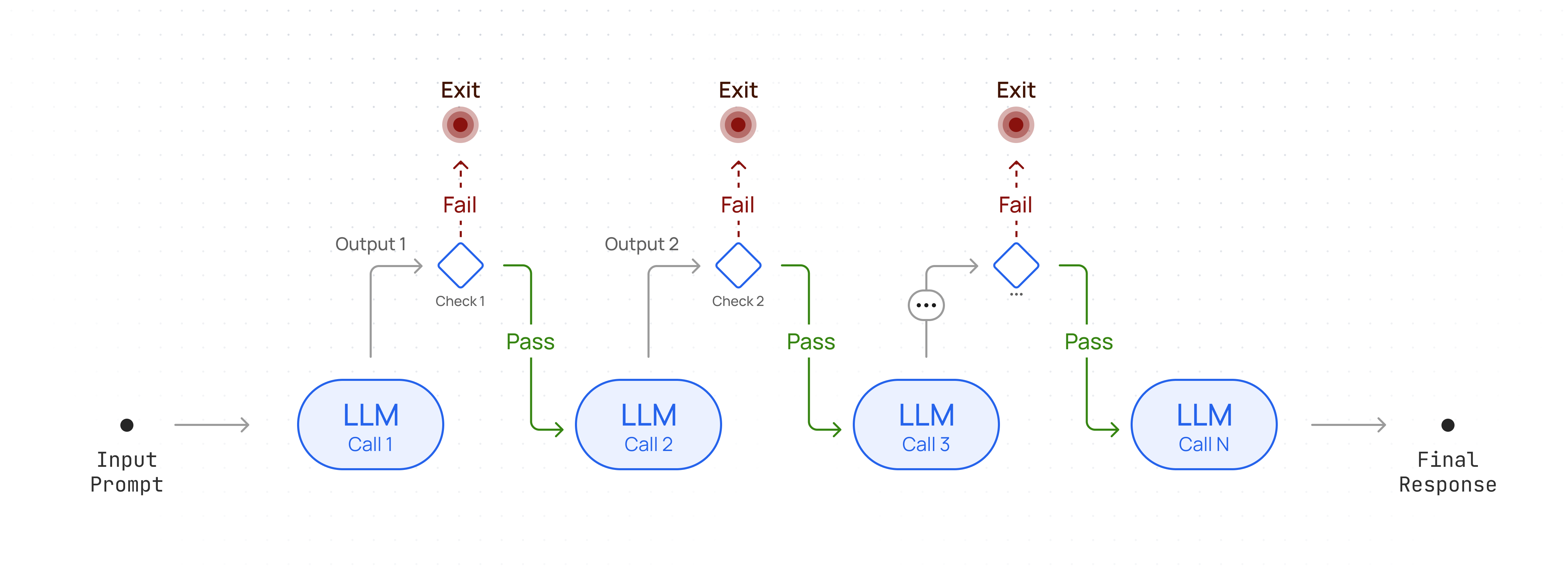
```py Python theme={null}
import cohere
co = cohere.Client(
base_url="https://api.together.xyz/v1",
api_key=TOGETHER_API_KEY,
)
docs = [
"Carson City is the capital city of the American state of Nevada.",
"The Commonwealth of the Northern Mariana Islands is a group of islands in the Pacific Ocean. Its capital is Saipan.",
"Capitalization or capitalisation in English grammar is the use of a capital letter at the start of a word. English usage varies from capitalization in other languages.",
"Washington, D.C. (also known as simply Washington or D.C., and officially as the District of Columbia) is the capital of the United States. It is a federal district.",
"Capital punishment (the death penalty) has existed in the United States since beforethe United States was a country. As of 2017, capital punishment is legal in 30 of the 50 states.",
]
response = co.rerank(
model="Salesforce/Llama-Rank-V1",
query="What is the capital of the United States?",
documents=docs,
top_n=3,
)
```
```ts TypeScript theme={null}
import { CohereClient } from "cohere-ai";
const cohere = new CohereClient({
baseUrl: "https://api.together.xyz/",
token: process.env.TOGETHER_API_KEY,
});
const docs = [
"Carson City is the capital city of the American state of Nevada.",
"The Commonwealth of the Northern Mariana Islands is a group of islands in the Pacific Ocean. Its capital is Saipan.",
"Capitalization or capitalisation in English grammar is the use of a capital letter at the start of a word. English usage varies from capitalization in other languages.",
"Washington, D.C. (also known as simply Washington or D.C., and officially as the District of Columbia) is the capital of the United States. It is a federal district.",
"Capital punishment (the death penalty) has existed in the United States since beforethe United States was a country. As of 2017, capital punishment is legal in 30 of the 50 states.",
];
const response = await cohere.rerank({
model: "Salesforce/Llama-Rank-V1",
query: "What is the capital of the United States?",
documents: docs,
topN: 3,
});
```
## Get Started
### Example with text
In the example below, we use the [Rerank API endpoint](/reference/rerank) to index the list of `documents` from most to least relevant to the query `What animals can I find near Peru?`.
```py Python theme={null}
from together import Together
client = Together()
query = "What animals can I find near Peru?"
documents = [
"The giant panda (Ailuropoda melanoleuca), also known as the panda bear or simply panda, is a bear species endemic to China.",
"The llama is a domesticated South American camelid, widely used as a meat and pack animal by Andean cultures since the pre-Columbian era.",
"The wild Bactrian camel (Camelus ferus) is an endangered species of camel endemic to Northwest China and southwestern Mongolia.",
"The guanaco is a camelid native to South America, closely related to the llama. Guanacos are one of two wild South American camelids; the other species is the vicuña, which lives at higher elevations.",
]
response = client.rerank.create(
model="Salesforce/Llama-Rank-V1",
query=query,
documents=documents,
top_n=2,
)
for result in response.results:
print(f"Document Index: {result.index}")
print(f"Document: {documents[result.index]}")
print(f"Relevance Score: {result.relevance_score}")
```
```ts TypeScript theme={null}
import Together from "together-ai";
const client = new Together();
const documents = [
"The giant panda (Ailuropoda melanoleuca), also known as the panda bear or simply panda, is a bear species endemic to China.",
"The llama is a domesticated South American camelid, widely used as a meat and pack animal by Andean cultures since the pre-Columbian era.",
"The wild Bactrian camel (Camelus ferus) is an endangered species of camel endemic to Northwest China and southwestern Mongolia.",
"The guanaco is a camelid native to South America, closely related to the llama. Guanacos are one of two wild South American camelids; the other species is the vicuña, which lives at higher elevations.",
];
const response = await client.rerank.create({
model: "Salesforce/Llama-Rank-V1",
query: "What animals can I find near Peru?",
documents,
top_n: 2,
});
for (const result of response.results) {
console.log(`Document index: ${result.index}`);
console.log(`Document: ${documents[result.index]}`);
console.log(`Relevance score: ${result.relevance_score}`);
}
```
```sh cURL theme={null}
curl -X POST "https://api.together.xyz/v1/rerank" \
-H "Authorization: Bearer $TOGETHER_API_KEY" \
-H "Content-Type: application/json" \
-d '{
"model": "Salesforce/Llama-Rank-v1",
"query": "What animals can I find near Peru?",
"documents": [{
"title": "Llama",
"text": "The llama is a domesticated South American camelid, widely used as a meat and pack animal by Andean cultures since the pre-Columbian era."
},
{
"title": "Panda",
"text": "The giant panda (Ailuropoda melanoleuca), also known as the panda bear or simply panda, is a bear species endemic to China."
},
{
"title": "Guanaco",
"text": "The guanaco is a camelid native to South America, closely related to the llama. Guanacos are one of two wild South American camelids; the other species is the vicuña, which lives at higher elevations."
},
{
"title": "Wild Bactrian camel",
"text": "The wild Bactrian camel (Camelus ferus) is an endangered species of camel endemic to Northwest China and southwestern Mongolia."
}]
}'
```
### Example with JSON Data
Alternatively, you can pass in a JSON object and specify the fields you’d like to rank over, and the order they should be considered in. If you do not pass in any `rank_fields`, it will default to the text key.
The example below shows passing in some emails, with the query `Which pricing did we get from Oracle?`.
```py Python theme={null}
from together import Together
client = Together()
query = "Which pricing did we get from Oracle?"
documents = [
{
"from": "Paul Doe ",
"to": ["Steve ", "lisa@example.com"],
"date": "2024-03-27",
"subject": "Follow-up",
"text": "We are happy to give you the following pricing for your project.",
},
{
"from": "John McGill ",
"to": ["Steve "],
"date": "2024-03-28",
"subject": "Missing Information",
"text": "Sorry, but here is the pricing you asked for for the newest line of your models.",
},
{
"from": "John McGill ",
"to": ["Steve "],
"date": "2024-02-15",
"subject": "Commited Pricing Strategy",
"text": "I know we went back and forth on this during the call but the pricing for now should follow the agreement at hand.",
},
{
"from": "Generic Airline Company",
"to": ["Steve "],
"date": "2023-07-25",
"subject": "Your latest flight travel plans",
"text": "Thank you for choose to fly Generic Airline Company. Your booking status is confirmed.",
},
{
"from": "Generic SaaS Company",
"to": ["Steve "],
"date": "2024-01-26",
"subject": "How to build generative AI applications using Generic Company Name",
"text": "Hey Steve! Generative AI is growing so quickly and we know you want to build fast!",
},
{
"from": "Paul Doe ",
"to": ["Steve ", "lisa@example.com"],
"date": "2024-04-09",
"subject": "Price Adjustment",
"text": "Re: our previous correspondence on 3/27 we'd like to make an amendment on our pricing proposal. We'll have to decrease the expected base price by 5%.",
},
]
response = client.rerank.create(
model="Salesforce/Llama-Rank-V1",
query=query,
documents=documents,
return_documents=True,
rank_fields=["from", "to", "date", "subject", "text"],
)
print(response)
```
```ts TypeScript theme={null}
import Together from "together-ai";
const client = new Together();
const documents = [
{
from: "Paul Doe ",
to: ["Steve ", "lisa@example.com"],
date: "2024-03-27",
subject: "Follow-up",
text: "We are happy to give you the following pricing for your project.",
},
{
from: "John McGill ",
to: ["Steve "],
date: "2024-03-28",
subject: "Missing Information",
text: "Sorry, but here is the pricing you asked for for the newest line of your models.",
},
{
from: "John McGill ",
to: ["Steve "],
date: "2024-02-15",
subject: "Commited Pricing Strategy",
text: "I know we went back and forth on this during the call but the pricing for now should follow the agreement at hand.",
},
{
from: "Generic Airline Company",
to: ["Steve "],
date: "2023-07-25",
subject: "Your latest flight travel plans",
text: "Thank you for choose to fly Generic Airline Company. Your booking status is confirmed.",
},
{
from: "Generic SaaS Company",
to: ["Steve "],
date: "2024-01-26",
subject:
"How to build generative AI applications using Generic Company Name",
text: "Hey Steve! Generative AI is growing so quickly and we know you want to build fast!",
},
{
from: "Paul Doe ",
to: ["Steve ", "lisa@example.com"],
date: "2024-04-09",
subject: "Price Adjustment",
text: "Re: our previous correspondence on 3/27 we'd like to make an amendment on our pricing proposal. We'll have to decrease the expected base price by 5%.",
},
];
const response = await client.rerank.create({
model: "Salesforce/Llama-Rank-V1",
query: "Which pricing did we get from Oracle?",
documents,
return_documents: true,
rank_fields: ["from", "to", "date", "subject", "text"],
});
console.log(response);
```
```sh cURL theme={null}
curl -X POST "https://api.together.xyz/v1/rerank" \
-H "Authorization: Bearer $TOGETHER_API_KEY" \
-H "Content-Type: application/json" \
-d '{
"model": "Salesforce/Llama-Rank-v1",
"query": "Which pricing did we get from Oracle?",
"documents": [
{
"from": "Paul Doe ",
"to": ["Steve ", "lisa@example.com"],
"date": "2024-03-27",
"subject": "Follow-up",
"text": "We are happy to give you the following pricing for your project."
},
{
"from": "John McGill ",
"to": ["Steve "],
"date": "2024-03-28",
"subject": "Missing Information",
"text": "Sorry, but here is the pricing you asked for for the newest line of your models."
},
{
"from": "John McGill ",
"to": ["Steve "],
"date": "2024-02-15",
"subject": "Commited Pricing Strategy",
"text": "I know we went back and forth on this during the call but the pricing for now should follow the agreement at hand."
},
{
"from": "Generic Airline Company",
"to": ["Steve "],
"date": "2023-07-25",
"subject": "Your latest flight travel plans",
"text": "Thank you for choose to fly Generic Airline Company. Your booking status is confirmed."
},
{
"from": "Generic SaaS Company",
"to": ["Steve "],
"date": "2024-01-26",
"subject": "How to build generative AI applications using Generic Company Name",
"text": "Hey Steve! Generative AI is growing so quickly and we know you want to build fast!"
},
{
"from": "Paul Doe ",
"to": ["Steve ", "lisa@example.com"],
"date": "2024-04-09",
"subject": "Price Adjustment",
"text": "Re: our previous correspondence on 3/27 we'\''d like to make an amendment on our pricing proposal. We'\''ll have to decrease the expected base price by 5%."
}
],
"return_documents": true,
"rank_fields": ["from", "to", "date", "subject", "text"]
}'
```
In the `documents` parameter, we are passing in a list of objects which have the key values: `['from', 'to', 'date', 'subject', 'text']`. As part of the Rerank call, under `rank_fields` we are specifying which keys to rank over, as well as the order in which the key value pairs should be considered.
When the model returns rankings, we'll also receive each email in the response because the `return_documents` option is set to true.
```json JSON theme={null}
{
"model": "Salesforce/Llama-Rank-v1",
"choices": [
{
"index": 0,
"document": {
"text": "{\"from\":\"Paul Doe \",\"to\":[\"Steve \",\"lisa@example.com\"],\"date\":\"2024-03-27\",\"subject\":\"Follow-up\",\"text\":\"We are happy to give you the following pricing for your project.\"}"
},
"relevance_score": 0.606349439153678
},
{
"index": 5,
"document": {
"text": "{\"from\":\"Paul Doe \",\"to\":[\"Steve \",\"lisa@example.com\"],\"date\":\"2024-04-09\",\"subject\":\"Price Adjustment\",\"text\":\"Re: our previous correspondence on 3/27 we'd like to make an amendment on our pricing proposal. We'll have to decrease the expected base price by 5%.\"}"
},
"relevance_score": 0.5059948716207964
},
{
"index": 1,
"document": {
"text": "{\"from\":\"John McGill \",\"to\":[\"Steve \"],\"date\":\"2024-03-28\",\"subject\":\"Missing Information\",\"text\":\"Sorry, but here is the pricing you asked for for the newest line of your models.\"}"
},
"relevance_score": 0.2271930688841643
},
{
"index": 2,
"document": {
"text": "{\"from\":\"John McGill \",\"to\":[\"Steve \"],\"date\":\"2024-02-15\",\"subject\":\"Commited Pricing Strategy\",\"text\":\"I know we went back and forth on this during the call but the pricing for now should follow the agreement at hand.\"}"
},
"relevance_score": 0.2229844295907072
},
{
"index": 4,
"document": {
"text": "{\"from\":\"Generic SaaS Company\",\"to\":[\"Steve \"],\"date\":\"2024-01-26\",\"subject\":\"How to build generative AI applications using Generic Company Name\",\"text\":\"Hey Steve! Generative AI is growing so quickly and we know you want to build fast!\"}"
},
"relevance_score": 0.0021253144747196517
},
{
"index": 3,
"document": {
"text": "{\"from\":\"Generic Airline Company\",\"to\":[\"Steve \"],\"date\":\"2023-07-25\",\"subject\":\"Your latest flight travel plans\",\"text\":\"Thank you for choose to fly Generic Airline Company. Your booking status is confirmed.\"}"
},
"relevance_score": 0.0010322494264659
}
]
}
```
---
> To find navigation and other pages in this documentation, fetch the llms.txt file at: https://docs.together.ai/llms.txt
---
# Source: https://docs.together.ai/docs/sequential-agent-workflow.md
# Sequential Workflow
> Coordinating a chain of LLM calls to solve a complex task.
A workflow where the output of one LLM call becomes the input for the next. This sequential design allows for structured reasoning and step-by-step task completion.
## Workflow Architecture
Chain multiple LLM calls sequentially to process complex tasks.
### Sequential Workflow Cookbook
For a more detailed walk-through refer to the [notebook here](https://github.com/togethercomputer/together-cookbook/blob/main/Agents/Serial_Chain_Agent_Workflow.ipynb)
## Setup Client
```python Python theme={null}
from together import Together
client = Together()
def run_llm(user_prompt: str, model: str, system_prompt: str = None):
messages = []
if system_prompt:
messages.append({"role": "system", "content": system_prompt})
messages.append({"role": "user", "content": user_prompt})
response = client.chat.completions.create(
model=model,
messages=messages,
temperature=0.7,
max_tokens=4000,
)
return response.choices[0].message.content
```
```typescript TypeScript theme={null}
import assert from "node:assert";
import Together from "together-ai";
const client = new Together();
export async function runLLM(
userPrompt: string,
model: string,
systemPrompt?: string,
) {
const messages: { role: "system" | "user"; content: string }[] = [];
if (systemPrompt) {
messages.push({ role: "system", content: systemPrompt });
}
messages.push({ role: "user", content: userPrompt });
const response = await client.chat.completions.create({
model,
messages,
temperature: 0.7,
max_tokens: 4000,
});
const content = response.choices[0].message?.content;
assert(typeof content === "string");
return content;
}
```
## Implement Workflow
```python Python theme={null}
from typing import List
def serial_chain_workflow(
input_query: str,
prompt_chain: List[str],
) -> List[str]:
"""Run a serial chain of LLM calls to address the `input_query`
using a list of prompts specified in `prompt_chain`.
"""
response_chain = []
response = input_query
for i, prompt in enumerate(prompt_chain):
print(f"Step {i+1}")
response = run_llm(
f"{prompt}\nInput:\n{response}",
model="meta-llama/Meta-Llama-3.1-70B-Instruct-Turbo",
)
response_chain.append(response)
print(f"{response}\n")
return response_chain
```
```typescript TypeScript theme={null}
/*
Run a serial chain of LLM calls to address the `inputQuery`
using a list of prompts specified in `promptChain`.
*/
async function serialChainWorkflow(inputQuery: string, promptChain: string[]) {
const responseChain: string[] = [];
let response = inputQuery;
for (const prompt of promptChain) {
console.log(`Step ${promptChain.indexOf(prompt) + 1}`);
response = await runLLM(
`${prompt}\nInput:\n${response}`,
"meta-llama/Meta-Llama-3.1-70B-Instruct-Turbo",
);
console.log(`${response}\n`);
responseChain.push(response);
}
return responseChain;
}
```
## Example Usage
```python Python theme={null}
question = "Sally earns $12 an hour for babysitting. Yesterday, she just did 50 minutes of babysitting. How much did she earn?"
prompt_chain = [
"""Given the math problem, ONLY extract any relevant numerical information and how it can be used.""",
"""Given the numberical information extracted, ONLY express the steps you would take to solve the problem.""",
"""Given the steps, express the final answer to the problem.""",
]
responses = serial_chain_workflow(question, prompt_chain)
final_answer = responses[-1]
```
```typescript TypeScript theme={null}
const question =
"Sally earns $12 an hour for babysitting. Yesterday, she just did 50 minutes of babysitting. How much did she earn?";
const promptChain = [
"Given the math problem, ONLY extract any relevant numerical information and how it can be used.",
"Given the numberical information extracted, ONLY express the steps you would take to solve the problem.",
"Given the steps, express the final answer to the problem.",
];
async function main() {
await serialChainWorkflow(question, promptChain);
}
main();
```
## Use cases
* Generating Marketing copy, then translating it into a different language.
* Writing an outline of a document, checking that the outline meets certain criteria, then writing the document based on the outline.
* Using an LLM to clean and standardize raw data, then passing the cleaned data to another LLM for insights, summaries, or visualizations.
* Generating a set of detailed questions based on a topic with one LLM, then passing those questions to another LLM to produce well-researched answers.
---
> To find navigation and other pages in this documentation, fetch the llms.txt file at: https://docs.together.ai/llms.txt
---
# Source: https://docs.together.ai/docs/serverless-models.md
# Serverless Models
## Chat models
> In the table below, models marked as "Turbo" are quantized to FP8 and those marked as "Lite" are INT4. All our other models are at full precision (FP16).
If you're not sure which chat model to use, we currently recommend **Llama 3.3 70B Turbo** (`meta-llama/Llama-3.3-70B-Instruct-Turbo`) to get started.
| Organization | Model Name | API Model String | Context length | Quantization |
| :-------------- | :----------------------------------- | :------------------------------------------------ | :------------- | :----------- |
| Moonshot | Kimi K2 Instruct 0905 | moonshotai/Kimi-K2-Instruct-0905 | 262144 | FP8 |
| Moonshot | Kimi K2 Thinking | moonshotai/Kimi-K2-Thinking | 262144 | INT4 |
| DeepSeek | DeepSeek-V3.1 | deepseek-ai/DeepSeek-V3.1 | 128000 | FP8 |
| OpenAI | GPT-OSS 120B | openai/gpt-oss-120b | 128000 | MXFP4 |
| OpenAI | GPT-OSS 20B | openai/gpt-oss-20b | 128000 | MXFP4 |
| Moonshot | Kimi K2 Instruct | moonshotai/Kimi-K2-Instruct | 128000 | FP8 |
| Z.ai | GLM 4.6 | zai-org/GLM-4.6 | 202752 | FP8 |
| Z.ai | GLM 4.5 Air | zai-org/GLM-4.5-Air-FP8 | 131072 | FP8 |
| Qwen | Qwen3 235B-A22B Thinking 2507 | Qwen/Qwen3-235B-A22B-Thinking-2507 | 262144 | FP8 |
| Qwen | Qwen3-Coder 480B-A35B Instruct | Qwen/Qwen3-Coder-480B-A35B-Instruct-FP8 | 256000 | FP8 |
| Qwen | Qwen3 235B-A22B Instruct 2507 | Qwen/Qwen3-235B-A22B-Instruct-2507-tput | 262144 | FP8 |
| Qwen | Qwen3-Next-80B-A3B-Instruct | Qwen/Qwen3-Next-80B-A3B-Instruct | 262144 | BF16 |
| Qwen | Qwen3-Next-80B-A3B-Thinking | Qwen/Qwen3-Next-80B-A3B-Thinking | 262144 | BF16 |
| DeepSeek | DeepSeek-R1-0528 | deepseek-ai/DeepSeek-R1 | 163839 | FP8 |
| DeepSeek | DeepSeek-R1-0528 Throughput | deepseek-ai/DeepSeek-R1-0528-tput | 163839 | FP8 |
| DeepSeek | DeepSeek-V3-0324 | deepseek-ai/DeepSeek-V3 | 163839 | FP8 |
| Meta | Llama 4 Maverick (17Bx128E) | meta-llama/Llama-4-Maverick-17B-128E-Instruct-FP8 | 1048576 | FP8 |
| Meta | Llama 4 Scout (17Bx16E) | meta-llama/Llama-4-Scout-17B-16E-Instruct | 1048576 | FP16 |
| Meta | Llama 3.3 70B Instruct Turbo | meta-llama/Llama-3.3-70B-Instruct-Turbo | 131072 | FP8 |
| Deep Cogito | Cogito v2 Preview 70B | deepcogito/cogito-v2-preview-llama-70B | 32768 | BF16 |
| Deep Cogito | Cogito v2 Preview 109B MoE | deepcogito/cogito-v2-preview-llama-109B-MoE | 32768 | BF16 |
| Deep Cogito | Cogito v2 Preview 405B | deepcogito/cogito-v2-preview-llama-405B | 32768 | BF16 |
| Deep Cogito | Cogito v2.1 671B | deepcogito/cogito-v2-1-671b | 32768 | FP8 |
| Mistral AI | Magistral Small 2506 API | mistralai/Magistral-Small-2506 | 40960 | BF16 |
| Mistral AI | Ministral 3 14B Instruct 2512 | mistralai/Ministral-3-14B-Instruct-2512 | 262144 | BF16 |
| Marin Community | Marin 8B Instruct | marin-community/marin-8b-instruct | 4096 | FP16 |
| Essential AI | Rnj-1 Instruct | essentialai/rnj-1-instruct | 32768 | BF16 |
| Mistral AI | Mistral Small 3 Instruct (24B) | mistralai/Mistral-Small-24B-Instruct-2501 | 32768 | FP16 |
| Meta | Llama 3.1 8B Instruct Turbo | meta-llama/Meta-Llama-3.1-8B-Instruct-Turbo | 131072 | FP8 |
| Qwen | Qwen 2.5 7B Instruct Turbo | Qwen/Qwen2.5-7B-Instruct-Turbo | 32768 | FP8 |
| Qwen | Qwen 2.5 72B Instruct Turbo | Qwen/Qwen2.5-72B-Instruct-Turbo | 32768 | FP8 |
| Qwen | Qwen2.5 Vision Language 72B Instruct | Qwen/Qwen2.5-VL-72B-Instruct | 32768 | FP8 |
| Qwen | Qwen3 235B A22B Throughput | Qwen/Qwen3-235B-A22B-fp8-tput | 40960 | FP8 |
| Arcee | Arcee AI Trinity Mini | arcee-ai/trinity-mini | 32768 | - |
| Meta | Llama 3.1 405B Instruct Turbo | meta-llama/Meta-Llama-3.1-405B-Instruct-Turbo | 130815 | FP8 |
| Meta | Llama 3.2 3B Instruct Turbo | meta-llama/Llama-3.2-3B-Instruct-Turbo | 131072 | FP16 |
| Meta | Llama 3 8B Instruct Lite | meta-llama/Meta-Llama-3-8B-Instruct-Lite | 8192 | INT4 |
| Meta | Llama 3 70B Instruct Reference | meta-llama/Llama-3-70b-chat-hf | 8192 | FP16 |
| Google | Gemma Instruct (2B) | google/gemma-2b-it\* | 8192 | FP16 |
| Google | Gemma 3N E4B Instruct | google/gemma-3n-E4B-it | 32768 | FP8 |
| Gryphe | MythoMax-L2 (13B) | Gryphe/MythoMax-L2-13b\* | 4096 | FP16 |
| Mistral AI | Mistral (7B) Instruct v0.2 | mistralai/Mistral-7B-Instruct-v0.2 | 32768 | FP16 |
| Mistral AI | Mistral (7B) Instruct v0.3 | mistralai/Mistral-7B-Instruct-v0.3 | 32768 | FP16 |
| NVIDIA | Nemotron Nano 9B v2 | nvidia/NVIDIA-Nemotron-Nano-9B-v2 | 131072 | BF16 |
\* The Free version of Llama 3.3 70B Instruct Turbo has a reduced rate limit of .6 requests/minute (36/hour) for users on the free tier and 3 requests/minute for any user who has added a credit card on file.
\*Deprecated model, see [Deprecations](/docs/deprecations) for more details
**Chat Model Examples**
* [PDF to Chat App](https://www.pdftochat.com/) - Chat with your PDFs (blogs, textbooks, papers)
* [Open Deep Research Notebook](https://github.com/togethercomputer/together-cookbook/blob/main/Agents/Together_Open_Deep_Research_CookBook.ipynb) - Generate long form reports using a single prompt
* [RAG with Reasoning Models Notebook](https://github.com/togethercomputer/together-cookbook/blob/main/RAG_with_Reasoning_Models.ipynb) - RAG with DeepSeek-R1
* [Fine-tuning Chat Models Notebook](https://github.com/togethercomputer/together-cookbook/blob/main/Finetuning/Finetuning_Guide.ipynb) - Tune Language models for conversation
* [Building Agents](https://github.com/togethercomputer/together-cookbook/tree/main/Agents) - Agent workflows with language models
## Image models
Use our [Images](/reference/post-images-generations) endpoint for Image Models.
| Organization | Model Name | Model String for API | Default steps |
| :---------------- | :--------------------------------- | :--------------------------------------- | :------------ |
| Google | Imagen 4.0 Preview | google/imagen-4.0-preview | - |
| Google | Imagen 4.0 Fast | google/imagen-4.0-fast | - |
| Google | Imagen 4.0 Ultra | google/imagen-4.0-ultra | - |
| Google | Flash Image 2.5 (Nano Banana) | google/flash-image-2.5 | - |
| Google | Gemini 3 Pro Image (Nano Banana 2) | google/gemini-3-pro-image | - |
| Black Forest Labs | Flux.1 \[schnell] **(free)\*** | black-forest-labs/FLUX.1-schnell-Free | N/A |
| Black Forest Labs | Flux.1 \[schnell] (Turbo) | black-forest-labs/FLUX.1-schnell | 4 |
| Black Forest Labs | Flux.1 Dev | black-forest-labs/FLUX.1-dev | 28 |
| Black Forest Labs | Flux1.1 \[pro] | black-forest-labs/FLUX.1.1-pro | - |
| Black Forest Labs | Flux.1 Kontext \[pro] | black-forest-labs/FLUX.1-kontext-pro | 28 |
| Black Forest Labs | Flux.1 Kontext \[max] | black-forest-labs/FLUX.1-kontext-max | 28 |
| Black Forest Labs | Flux.1 Kontext \[dev] | black-forest-labs/FLUX.1-kontext-dev | 28 |
| Black Forest Labs | FLUX.1 Krea \[dev] | black-forest-labs/FLUX.1-krea-dev | 28 |
| Black Forest Labs | FLUX.2 \[pro] | black-forest-labs/FLUX.2-pro | - |
| Black Forest Labs | FLUX.2 \[dev] | black-forest-labs/FLUX.2-dev | - |
| Black Forest Labs | FLUX.2 \[flex] | black-forest-labs/FLUX.2-flex | - |
| ByteDance | Seedream 3.0 | ByteDance-Seed/Seedream-3.0 | - |
| ByteDance | Seedream 4.0 | ByteDance-Seed/Seedream-4.0 | - |
| Qwen | Qwen Image | Qwen/Qwen-Image | - |
| RunDiffusion | Juggernaut Pro Flux | RunDiffusion/Juggernaut-pro-flux | - |
| RunDiffusion | Juggernaut Lightning Flux | Rundiffusion/Juggernaut-Lightning-Flux | - |
| HiDream | HiDream-I1-Full | HiDream-ai/HiDream-I1-Full | - |
| HiDream | HiDream-I1-Dev | HiDream-ai/HiDream-I1-Dev | - |
| HiDream | HiDream-I1-Fast | HiDream-ai/HiDream-I1-Fast | - |
| Ideogram | Ideogram 3.0 | ideogram/ideogram-3.0 | - |
| Lykon | Dreamshaper | Lykon/DreamShaper | - |
| Stability AI | SD XL | stabilityai/stable-diffusion-xl-base-1.0 | - |
| Stability AI | Stable Diffusion 3 | stabilityai/stable-diffusion-3-medium | - |
Note: Due to high demand, FLUX.1 \[schnell] Free has a model specific rate limit of 10 img/min. Image models can also only be used with credits. Users are unable to call Image models with a zero or negative balance.
\*Free model has reduced rate limits and performance compared to our paid Turbo endpoint for Flux Shnell named `black-forest-labs/FLUX.1-schnell`
**Image Model Examples**
* [Blinkshot.io](https://www.blinkshot.io/) - A realtime AI image playground built with Flux Schnell
* [Logo Creator](https://www.logo-creator.io/) - An logo generator that creates professional logos in seconds using Flux Pro 1.1
* [PicMenu](https://www.picmenu.co/) - A menu visualizer that takes a restaurant menu and generates nice images for each dish.
* [Flux LoRA Inference Notebook](https://github.com/togethercomputer/together-cookbook/blob/main/Flux_LoRA_Inference.ipynb) - Using LoRA fine-tuned image generations models
**How FLUX pricing works** For FLUX models (except for pro) pricing is based on the size of generated images (in megapixels) and the number of steps used (if the number of steps exceed the default steps).
* **Default pricing:** The listed per megapixel prices are for the default number of steps.
* **Using more or fewer steps:** Costs are adjusted based on the number of steps used **only if you go above the default steps**. If you use more steps, the cost increases proportionally using the formula below. If you use fewer steps, the cost *does not* decrease and is based on the default rate.
Here’s a formula to calculate cost:
Cost = MP × Price per MP × (Steps ÷ Default Steps)
Where:
* MP = (Width × Height ÷ 1,000,000)
* Price per MP = Cost for generating one megapixel at the default steps
* Steps = The number of steps used for the image generation. This is only factored in if going above default steps.
**How Pricing works for Gemini 3 Pro Image**
Gemini 3 Pro Image offers pricing based on the resolution of the image.
* 1080p and 2K: \$0.134/image
* 4K resolution: \$0.24 /image
Supported dimensions:
1K: 1024×1024 (1:1), 1248×832 (3:2), 832×1248 (2:3), 1184×864 (4:3), 864×1184 (3:4), 896×1152 (4:5), 1152×896 (5:4), 768×1344 (9:16), 1344×768 (16:9), 1536×672 (21:9).
2K: 2048×2048 (1:1), 2496×1664 (3:2), 1664×2496 (2:3), 2368×1728 (4:3), 1728×2368 (3:4), 1792×2304 (4:5), 2304×1792 (5:4), 1536×2688 (9:16), 2688×1536 (16:9), 3072×1344 (21:9).
4K: 4096×4096 (1:1), 4992×3328 (3:2), 3328×4992 (2:3), 4736×3456 (4:3), 3456×4736 (3:4), 3584×4608 (4:5), 4608×3584 (5:4), 3072×5376 (9:16), 5376×3072 (16:9), 6144×2688 (21:9).
## Vision models
If you're not sure which vision model to use, we currently recommend **Llama 4 Scout** (`meta-llama/Llama-4-Scout-17B-16E-Instruct`) to get started. For model specific rate limits, navigate [here](/docs/rate-limits).
| Organization | Model Name | API Model String | Context length |
| :----------- | :----------------------------------- | :------------------------------------------------ | :------------- |
| Meta | Llama 4 Maverick (17Bx128E) | meta-llama/Llama-4-Maverick-17B-128E-Instruct-FP8 | 524288 |
| Meta | Llama 4 Scout (17Bx16E) | meta-llama/Llama-4-Scout-17B-16E-Instruct | 327680 |
| Qwen | Qwen2.5 Vision Language 72B Instruct | Qwen/Qwen2.5-VL-72B-Instruct | 32768 |
| Qwen | Qwen3-VL-32B-Instruct | Qwen/Qwen3-VL-32B-Instruct | 256000 |
| Qwen | Qwen3-VL-8B-Instruct | Qwen/Qwen3-VL-8B-Instruct | 262100 |
**Vision Model Examples**
* [LlamaOCR](https://llamaocr.com/) - A tool that takes documents (like receipts) and outputs markdown
* [Wireframe to Code](https://www.napkins.dev/) - A wireframe to app tool that takes in a UI mockup of a site and give you React code.
* [Extracting Structured Data from Images](https://github.com/togethercomputer/together-cookbook/blob/main/Structured_Text_Extraction_from_Images.ipynb) - Extract information from images as JSON
## Video models
| Organization | Model Name | Model String for API | Resolution / Duration |
| :----------- | :------------------- | :-------------------------- | :-------------------- |
| MiniMax | MiniMax 01 Director | minimax/video-01-director | 720p / 5s |
| MiniMax | MiniMax Hailuo 02 | minimax/hailuo-02 | 768p / 10s |
| Google | Veo 2.0 | google/veo-2.0 | 720p / 5s |
| Google | Veo 3.0 | google/veo-3.0 | 720p / 8s |
| Google | Veo 3.0 + Audio | google/veo-3.0-audio | 720p / 8s |
| Google | Veo 3.0 Fast | google/veo-3.0-fast | 1080p / 8s |
| Google | Veo 3.0 Fast + Audio | google/veo-3.0-fast-audio | 1080p / 8s |
| ByteDance | Seedance 1.0 Lite | ByteDance/Seedance-1.0-lite | 720p / 5s |
| ByteDance | Seedance 1.0 Pro | ByteDance/Seedance-1.0-pro | 1080p / 5s |
| PixVerse | PixVerse v5 | pixverse/pixverse-v5 | 1080p / 5s |
| Kuaishou | Kling 2.1 Master | kwaivgI/kling-2.1-master | 1080p / 5s |
| Kuaishou | Kling 2.1 Standard | kwaivgI/kling-2.1-standard | 720p / 5s |
| Kuaishou | Kling 2.1 Pro | kwaivgI/kling-2.1-pro | 1080p / 5s |
| Kuaishou | Kling 2.0 Master | kwaivgI/kling-2.0-master | 1080p / 5s |
| Kuaishou | Kling 1.6 Standard | kwaivgI/kling-1.6-standard | 720p / 5s |
| Kuaishou | Kling 1.6 Pro | kwaivgI/kling-1.6-pro | 1080p / 5s |
| Wan-AI | Wan 2.2 I2V | Wan-AI/Wan2.2-I2V-A14B | - |
| Wan-AI | Wan 2.2 T2V | Wan-AI/Wan2.2-T2V-A14B | - |
| Vidu | Vidu 2.0 | vidu/vidu-2.0 | 720p / 8s |
| Vidu | Vidu Q1 | vidu/vidu-q1 | 1080p / 5s |
| OpenAI | Sora 2 | openai/sora-2 | 720p / 8s |
| OpenAI | Sora 2 Pro | openai/sora-2-pro | 1080p / 8s |
## Audio models
Use our [Audio](/reference/audio-speech) endpoint for text-to-speech models. For speech-to-text models see [Transcription](/reference/audio-transcriptions) and [Translations](/reference/audio-translations)
| Organization | Modality | Model Name | Model String for API |
| :----------- | :------------- | :--------------- | :----------------------------- |
| Canopy Labs | Text-to-Speech | Orpheus 3B | canopylabs/orpheus-3b-0.1-ft |
| Kokoro | Text-to-Speech | Kokoro | hexgrad/Kokoro-82M |
| Cartesia | Text-to-Speech | Cartesia Sonic 2 | cartesia/sonic-2 |
| Cartesia | Text-to-Speech | Cartesia Sonic | cartesia/sonic |
| OpenAI | Speech-to-Text | Whisper Large v3 | openai/whisper-large-v3 |
| Mistral AI | Speech-to-Text | Voxtral Mini 3B | mistralai/Voxtral-Mini-3B-2507 |
**Audio Model Examples**
* [PDF to Podcast Notebook](https://github.com/togethercomputer/together-cookbook/blob/main/PDF_to_Podcast.ipynb) - Generate a NotebookLM style podcast given a PDF
* [Audio Podcast Agent Workflow](https://github.com/togethercomputer/together-cookbook/blob/main/Agents/Serial_Chain_Agent_Workflow.ipynb) - Agent workflow to generate audio files given input content
## Embedding models
| Model Name | Model String for API | Model Size | Embedding Dimension | Context Window |
| :----------------------------- | ------------------------------------------ | :--------- | :------------------ | :------------- |
| M2-BERT-80M-32K-Retrieval | togethercomputer/m2-bert-80M-32k-retrieval | 80M | 768 | 32768 |
| BGE-Large-EN-v1.5 | BAAI/bge-large-en-v1.5 | 326M | 1024 | 512 |
| BGE-Base-EN-v1.5 | BAAI/bge-base-en-v1.5 | 102M | 768 | 512 |
| GTE-Modernbert-base | Alibaba-NLP/gte-modernbert-base | 149M | 768 | 8192 |
| Multilingual-e5-large-instruct | intfloat/multilingual-e5-large-instruct | 560M | 1024 | 514 |
**Embedding Model Examples**
* [Contextual RAG](https://docs.together.ai/docs/how-to-implement-contextual-rag-from-anthropic) - An open source implementation of contextual RAG by Anthropic
* [Code Generation Agent](https://github.com/togethercomputer/together-cookbook/blob/main/Agents/Looping_Agent_Workflow.ipynb) - An agent workflow to generate and iteratively improve code
* [Multimodal Search and Image Generation](https://github.com/togethercomputer/together-cookbook/blob/main/Multimodal_Search_and_Conditional_Image_Generation.ipynb) - Search for images and generate more similar ones
* [Visualizing Embeddings](https://github.com/togethercomputer/together-cookbook/blob/main/Embedding_Visualization.ipynb) - Visualizing and clustering vector embeddings
## Rerank models
Our [Rerank API](/docs/rerank-overview) has built-in support for the following models, that we host via our serverless endpoints.
| Organization | Model Name | Model Size | Model String for API | Max Doc Size (tokens) | Max Docs |
| ------------ | ------------ | :--------- | ----------------------------------- | --------------------- | -------- |
| Salesforce | LlamaRank | 8B | Salesforce/Llama-Rank-v1 | 8192 | 1024 |
| MixedBread | Rerank Large | 1.6B | mixedbread-ai/Mxbai-Rerank-Large-V2 | 32768 | - |
**Rerank Model Examples**
* [Search and Reranking](https://github.com/togethercomputer/together-cookbook/blob/main/Search_with_Reranking.ipynb) - Simple semantic search pipeline improved using a reranker
* [Implementing Hybrid Search Notebook](https://github.com/togethercomputer/together-cookbook/blob/main/Open_Contextual_RAG.ipynb) - Implementing semantic + lexical search along with reranking
## Moderation models
Use our [Completions](/reference/completions-1) endpoint to run a moderation model as a standalone classifier, or use it alongside any of the other models above as a filter to safeguard responses from 100+ models, by specifying the parameter `"safety_model": "MODEL_API_STRING"`
| Organization | Model Name | Model String for API | Context length |
| :----------- | :------------------ | :------------------------------- | :------------- |
| Meta | Llama Guard (8B) | meta-llama/Meta-Llama-Guard-3-8B | 8192 |
| Meta | Llama Guard 4 (12B) | meta-llama/Llama-Guard-4-12B | 1048576 |
| Virtue AI | Virtue Guard | VirtueAI/VirtueGuard-Text-Lite | 32768 |
---
> To find navigation and other pages in this documentation, fetch the llms.txt file at: https://docs.together.ai/llms.txt
---
# Source: https://docs.together.ai/docs/slurm.md
# Slurm Management System
## Slurm
Slurm is a cluster management system that allows users to manage and schedule jobs on a cluster of computers. A Together GPU Cluster provides Slurm configured out-of-the-box for distributed training and the option to use your own scheduler. Users can submit computing jobs to the Slurm head node where the scheduler will assign the tasks to available GPU nodes based on resource availability. For more information on Slurm, see the [Slurm Quick Start User Guide](https://slurm.schedmd.com/quickstart.html).
### **Slurm Basic Concepts**
1. **Jobs**: A job is a unit of work that is submitted to the cluster. Jobs can be scripts, programs, or other types of tasks.
2. **Nodes**: A node is a computer in the cluster that can run jobs. Nodes can be physical machines or virtual machines.
3. **Head Node**: Each Together GPU Cluster cluster is configured with head node. A user will login to the head node to write jobs, submit jobs to the GPU cluster, and retrieve the results.
4. **Partitions**: A partition is a group of nodes that can be used to run jobs. Partitions can be configured to have different properties, such as the number of nodes and the amount of memory available.
5. **Priorities**: Priorities are used to determine which jobs should be run first. Jobs with higher priorities are given preference over jobs with lower priorities.
### **Using Slurm**
1. **Job Submission**: Jobs can be submitted to the cluster using the **`sbatch`** command. Jobs can be submitted in batch mode or interactively using the **`srun`** command.
2. **Job Monitoring**: Jobs can be monitored using the **`squeue`** command, which displays information about the jobs that are currently running or waiting to run.
3. **Job Control**: Jobs can be controlled using the **`scancel`** command, which allows users to cancel or interrupt jobs that are running.
### Slurm Job Arrays
You can use Slurm job arrays to partition input files into k chunks and distribute the chunks across the nodes. See this example on processing RPv1 which will need to be adapted to your processing: [arxiv-clean-slurm.batch](https://github.com/togethercomputer/RedPajama-Data/blob/rp_v1/data_prep/arxiv/scripts/arxiv-clean-slurm.sbatch)
### **Troubleshooting Slurm**
1. **Error Messages**: Slurm provides error messages that can help users diagnose and troubleshoot problems.
2. **Log Files**: Slurm provides log files that can be used to monitor the status of the cluster and diagnose problems.
---
> To find navigation and other pages in this documentation, fetch the llms.txt file at: https://docs.together.ai/llms.txt
---
# Source: https://docs.together.ai/docs/speech-to-text.md
> Learn how to transcribe and translate audio into text!
# Speech-to-Text
Together AI provides comprehensive audio transcription and translation capabilities powered by state-of-the-art speech recognition models including OpenAI's Whisper and Voxtral. This guide covers everything from batch transcription to real-time streaming for low-latency applications.
## Quick Start
Here's how to get started with basic transcription and translation:
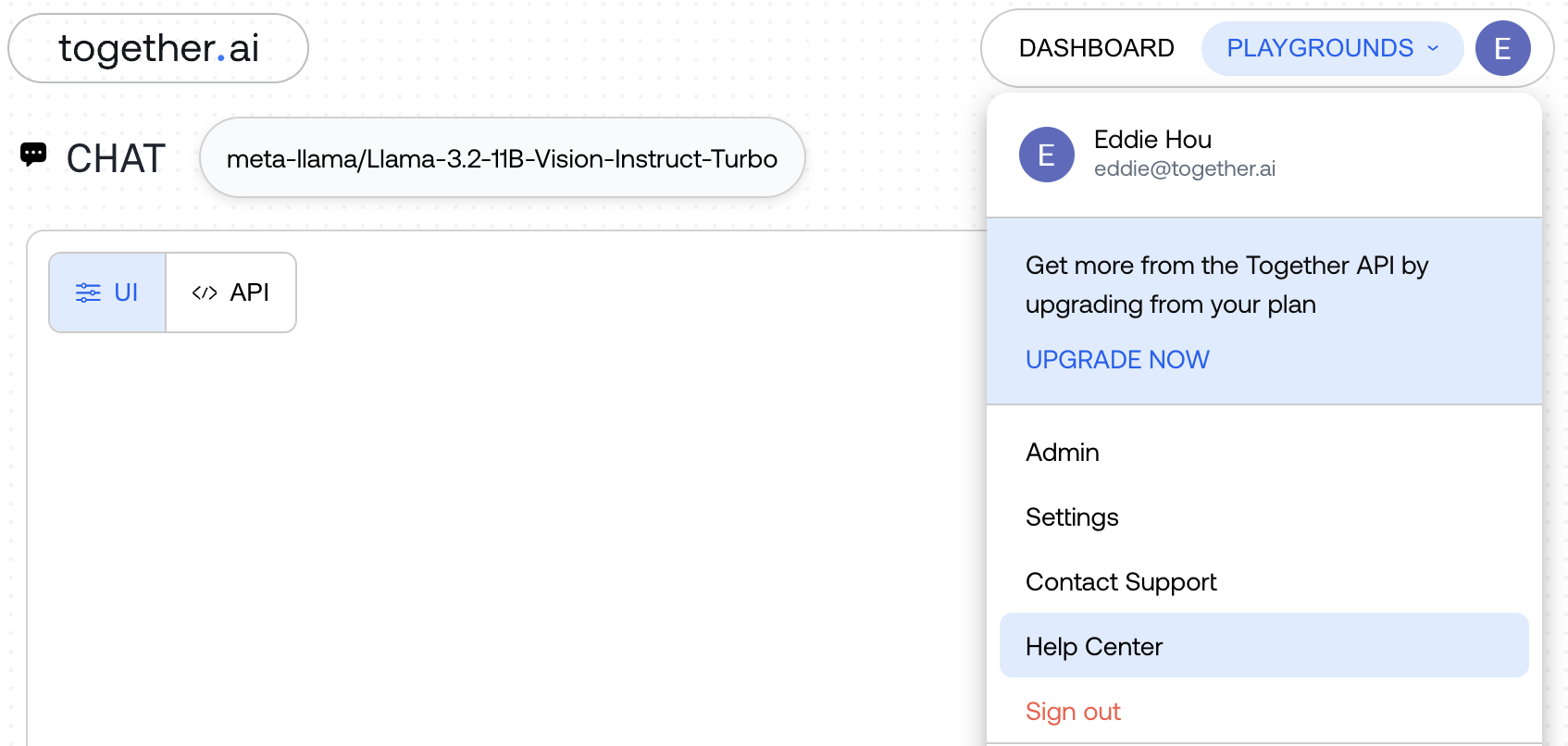
```python Python theme={null}
from together import Together
client = Together()
## Basic transcription
response = client.audio.transcriptions.create(
file="path/to/audio.mp3",
model="openai/whisper-large-v3",
language="en",
)
print(response.text)
## Basic translation
response = client.audio.translations.create(
file="path/to/foreign_audio.mp3",
model="openai/whisper-large-v3",
)
print(response.text)
```
```python Python v2 theme={null}
from together import Together
client = Together()
with open("audio.wav", "rb") as audio_file:
response = client.audio.transcriptions.create(
file=audio_file,
model="openai/whisper-large-v3",
language="en",
)
print(response.text)
## Basic translation
with open("audio.wav", "rb") as audio_file:
response = client.audio.translations.create(
file=audio_file,
model="openai/whisper-large-v3",
)
print(response.text)
```
```typescript TypeScript theme={null}
import Together from 'together-ai';
const together = new Together();
// Basic transcription
const transcription = await together.audio.transcriptions.create({
file: 'path/to/audio.mp3',
model: 'openai/whisper-large-v3',
language: 'en',
});
console.log(transcription.text);
// Basic translation
const translation = await together.audio.translations.create({
file: 'path/to/foreign_audio.mp3',
model: 'openai/whisper-large-v3',
});
console.log(translation.text);
```
```curl cURL theme={null}
## Transcription
curl -X POST "https://api.together.xyz/v1/audio/transcriptions" \
-H "Authorization: Bearer $TOGETHER_API_KEY" \
-F "file=@audio.mp3" \
-F "model=openai/whisper-large-v3" \
-F "language=en"
## Translation
curl -X POST "https://api.together.xyz/v1/audio/translations" \
-H "Authorization: Bearer $TOGETHER_API_KEY" \
-F "file=@foreign_audio.mp3" \
-F "model=openai/whisper-large-v3"
```
```shell Shell theme={null}
## Transcription
together audio transcribe audio.mp3 \
--model openai/whisper-large-v3 \
--language en
## Translation
together audio translate foreign_audio.mp3 \
--model openai/whisper-large-v3
```
## Available Models
Together AI supports multiple speech-to-text models:
| Organization | Model Name | Model String for API | Capabilities |
| :----------- | :--------------- | :----------------------------- | :---------------------------------- |
| OpenAI | Whisper Large v3 | openai/whisper-large-v3 | Real-time, Translation, Diarization |
| Mistral AI | Voxtral Mini 3B | mistralai/Voxtral-Mini-3B-2507 | |
## Audio Transcription
Audio transcription converts speech to text in the same language as the source audio.
```python Python theme={null}
from together import Together
client = Together()
response = client.audio.transcriptions.create(
file="meeting_recording.mp3",
model="openai/whisper-large-v3",
language="en",
response_format="json",
)
print(f"Transcription: {response.text}")
```
```python Python v2 theme={null}
from together import Together
client = Together()
with open("meeting_recording.mp3", "rb") as audio_file:
response = client.audio.transcriptions.create(
file=audio_file,
model="openai/whisper-large-v3",
language="en",
response_format="json",
)
print(f"Transcription: {response.text}")
```
```typescript TypeScript theme={null}
import Together from 'together-ai';
const together = new Together();
const response = await together.audio.transcriptions.create({
file: 'meeting_recording.mp3',
model: 'openai/whisper-large-v3',
language: 'en',
response_format: 'json',
});
console.log(`Transcription: ${response.text}`);
```
```shell Shell theme={null}
together audio transcribe meeting_recording.mp3 \
--model openai/whisper-large-v3 \
--language en \
--response-format json
```
The API supports the following audio formats:
* `.wav` (audio/wav)
* `.mp3` (audio/mpeg)
* `.m4a` (audio/mp4)
* `.webm` (audio/webm)
* `.flac` (audio/flac)
**Input Methods**
**Local File Path**
```python Python theme={null}
response = client.audio.transcriptions.create(
file="/path/to/audio.mp3",
model="openai/whisper-large-v3",
)
```
```python Python v2 theme={null}
with open("/path/to/audio.mp3", "rb") as audio_file:
response = client.audio.transcriptions.create(
file=audio_file,
model="openai/whisper-large-v3",
)
```
**Path Object**
```python Python theme={null}
from pathlib import Path
audio_file = Path("recordings/interview.wav")
response = client.audio.transcriptions.create(
file=audio_file,
model="openai/whisper-large-v3",
)
```
```python Python v2 theme={null}
from pathlib import Path
audio_path = Path("recordings/interview.wav")
with open(audio_path, "rb") as audio_file:
response = client.audio.transcriptions.create(
file=audio_file,
model="openai/whisper-large-v3",
)
```
**URL**
```python Python theme={null}
response = client.audio.transcriptions.create(
file="https://example.com/audio.mp3", model="openai/whisper-large-v3"
)
```
**File-like Object**
```python Python theme={null}
with open("audio.mp3", "rb") as audio_file:
response = client.audio.transcriptions.create(
file=audio_file,
model="openai/whisper-large-v3",
)
```
**Language Support**
Specify the audio language using ISO 639-1 language codes:
```python Python theme={null}
response = client.audio.transcriptions.create(
file="spanish_audio.mp3",
model="openai/whisper-large-v3",
language="es", # Spanish
)
```
```python Python v2 theme={null}
with open("spanish_audio.mp3", "rb") as audio_file:
response = client.audio.transcriptions.create(
file=audio_file,
model="openai/whisper-large-v3",
language="es", # Spanish
)
```
Common specifiable language codes:
* "en" - English
* "es" - Spanish
* "fr" - French
* "de" - German
* "ja" - Japanese
* "zh" - Chinese
* "auto" - Auto-detect (default)
**Custom Prompts**
Use prompts to improve transcription accuracy for specific contexts:
```python Python theme={null}
response = client.audio.transcriptions.create(
file="medical_consultation.mp3",
model="openai/whisper-large-v3",
language="en",
prompt="This is a medical consultation discussing patient symptoms, diagnosis, and treatment options.",
)
```
```python Python v2 theme={null}
with open("medical_consultation.mp3", "rb") as audio_file:
response = client.audio.transcriptions.create(
file=audio_file,
model="openai/whisper-large-v3",
language="en",
prompt="This is a medical consultation discussing patient symptoms, diagnosis, and treatment options.",
)
```
```shell Shell theme={null}
together audio transcribe medical_consultation.mp3 \
--model openai/whisper-large-v3 \
--language en \
--prompt "This is a medical consultation discussing patient symptoms, diagnosis, and treatment options."
```
## Real-time Streaming Transcription
For applications requiring the lowest latency, use the real-time WebSocket API. This provides streaming transcription with incremental results.
The WebSocket API is currently only available via raw WebSocket connections. SDK support coming soon.
**Establishing a Connection**
Connect to: `wss://api.together.ai/v1/realtime?model={model}&input_audio_format=pcm_s16le_16000`
**Headers:**
```javascript theme={null}
{
'Authorization': 'Bearer YOUR_API_KEY',
'OpenAI-Beta': 'realtime=v1'
}
```
**Query Parameters**
| Parameter | Type | Required | Description |
| :------------------- | :----- | :------- | :--------------------------------------------- |
| model | string | Yes | Model to use (e.g., `openai/whisper-large-v3`) |
| input\_audio\_format | string | Yes | Audio format: `pcm_s16le_16000` |
**Client → Server Messages**
**1. Append Audio to Buffer**
```json theme={null}
{
"type": "input_audio_buffer.append",
"audio": "base64-encoded-audio-chunk"
}
```
Send audio data in base64-encoded PCM format.
**2. Commit Audio Buffer**
```json theme={null}
{
"type": "input_audio_buffer.commit"
}
```
Forces transcription of any remaining audio in the server-side buffer.
**Server → Client Messages**
**Delta Events (Intermediate Results)**
```json theme={null}
{
"type": "conversation.item.input_audio_transcription.delta",
"delta": "The quick brown fox jumps"
}
```
Delta events are intermediate transcriptions. The model is still processing and may revise the output. Each delta message overrides the previous delta.
**Completed Events (Final Results)**
```json theme={null}
{
"type": "conversation.item.input_audio_transcription.completed",
"transcript": "The quick brown fox jumps over the lazy dog"
}
```
Completed events are final transcriptions. The model is confident about this text. The next delta event will continue from where this completed.
**Real-time Example**
```python Python theme={null}
import asyncio
import base64
import json
import os
import sys
import numpy as np
import sounddevice as sd
import websockets
# Configuration
API_KEY = os.getenv("TOGETHER_API_KEY")
MODEL = "openai/whisper-large-v3"
SAMPLE_RATE = 16000
BATCH_SIZE = 4096 # 256ms batches for optimal performance
if not API_KEY:
print("Error: Set TOGETHER_API_KEY environment variable")
sys.exit(1)
class RealtimeTranscriber:
"""Realtime transcription client for Together AI."""
def __init__(self):
self.ws = None
self.stream = None
self.is_ready = False
self.audio_buffer = np.array([], dtype=np.float32)
self.audio_queue = asyncio.Queue()
async def connect(self):
"""Connect to Together AI API."""
url = (
f"wss://api.together.xyz/v1/realtime"
f"?intent=transcription"
f"&model={MODEL}"
f"&input_audio_format=pcm_s16le_16000"
f"&authorization=Bearer {API_KEY}"
)
self.ws = await websockets.connect(
url,
subprotocols=[
"realtime",
f"openai-insecure-api-key.{API_KEY}",
"openai-beta.realtime-v1",
],
)
async def send_audio(self):
"""Capture and send audio to API."""
def audio_callback(indata, frames, time, status):
self.audio_queue.put_nowait(indata.copy().flatten())
# Start microphone stream
self.stream = sd.InputStream(
samplerate=SAMPLE_RATE,
channels=1,
dtype="float32",
blocksize=1024,
callback=audio_callback,
)
self.stream.start()
# Process and send audio
while True:
try:
audio = await asyncio.wait_for(
self.audio_queue.get(), timeout=0.1
)
if self.ws and self.is_ready:
# Add to buffer
self.audio_buffer = np.concatenate(
[self.audio_buffer, audio]
)
# Send when buffer is full
while len(self.audio_buffer) >= BATCH_SIZE:
batch = self.audio_buffer[:BATCH_SIZE]
self.audio_buffer = self.audio_buffer[BATCH_SIZE:]
# Convert float32 to int16 PCM
audio_int16 = (
np.clip(batch, -1.0, 1.0) * 32767
).astype(np.int16)
audio_base64 = base64.b64encode(
audio_int16.tobytes()
).decode()
# Send to API
await self.ws.send(
json.dumps(
{
"type": "input_audio_buffer.append",
"audio": audio_base64,
}
)
)
except asyncio.TimeoutError:
continue
except Exception as e:
print(f"Error: {e}", file=sys.stderr)
break
async def receive_transcriptions(self):
"""Receive and display transcription results."""
current_interim = ""
try:
async for message in self.ws:
data = json.loads(message)
if data["type"] == "session.created":
self.is_ready = True
elif (
data["type"]
== "conversation.item.input_audio_transcription.delta"
):
# Interim result
print(
f"\r\033[90m{data['delta']}\033[0m", end="", flush=True
)
current_interim = data["delta"]
elif (
data["type"]
== "conversation.item.input_audio_transcription.completed"
):
# Final result
if current_interim:
print("\r\033[K", end="")
print(f"\033[92m{data['transcript']}\033[0m")
current_interim = ""
elif data["type"] == "error":
print(f"\nError: {data.get('message', 'Unknown error')}")
except websockets.exceptions.ConnectionClosed:
pass
async def close(self):
"""Close connections and cleanup."""
if self.stream:
self.stream.stop()
self.stream.close()
# Flush remaining audio
if len(self.audio_buffer) > 0 and self.ws and self.is_ready:
try:
audio_int16 = (
np.clip(self.audio_buffer, -1.0, 1.0) * 32767
).astype(np.int16)
audio_base64 = base64.b64encode(audio_int16.tobytes()).decode()
await self.ws.send(
json.dumps(
{
"type": "input_audio_buffer.append",
"audio": audio_base64,
}
)
)
except Exception:
pass
if self.ws:
await self.ws.close()
async def run(self):
"""Main execution loop."""
try:
print("🎤 Together AI Realtime Transcription")
print("=" * 40)
print("Connecting...")
await self.connect()
print("✓ Connected")
print("✓ Recording started - speak now\n")
# Run audio capture and transcription concurrently
await asyncio.gather(
self.send_audio(), self.receive_transcriptions()
)
except KeyboardInterrupt:
print("\n\nStopped")
except Exception as e:
print(f"Error: {e}", file=sys.stderr)
finally:
await self.close()
async def main():
transcriber = RealtimeTranscriber()
await transcriber.run()
if __name__ == "__main__":
asyncio.run(main())
```
```typescript TypeScript theme={null}
import WebSocket from 'ws';
import recorder from 'node-record-lpcm16';
// Configuration
const API_KEY = process.env.TOGETHER_API_KEY;
const MODEL = 'openai/whisper-large-v3';
const SAMPLE_RATE = 16000;
if (!API_KEY) {
console.error('Error: Set TOGETHER_API_KEY environment variable');
process.exit(1);
}
class RealtimeTranscriber {
/** Realtime transcription client for Together AI. */
private ws: WebSocket | null = null;
private isReady = false;
private currentInterim = '';
async connect() {
/** Connect to Together AI API. */
const url =
`wss://api.together.xyz/v1/realtime` +
`?intent=transcription` +
`&model=${MODEL}` +
`&input_audio_format=pcm_s16le_16000` +
`&authorization=Bearer ${API_KEY}`;
this.ws = new WebSocket(url, [
'realtime',
`openai-insecure-api-key.${API_KEY}`,
'openai-beta.realtime-v1',
]);
this.ws.on('message', (data) => this.receiveTranscriptions(data));
this.ws.on('error', (err) => console.error(`Error: ${err}`));
return new Promise((resolve) => {
this.ws?.on('open', () => {
resolve(null);
});
});
}
sendAudio() {
/** Capture and send audio to API. */
const mic = recorder.record({
sampleRate: SAMPLE_RATE,
threshold: 0,
verbose: false,
});
mic.stream().on('data', (chunk: Buffer) => {
if (this.ws && this.isReady && this.ws.readyState === WebSocket.OPEN) {
this.ws.send(
JSON.stringify({
type: 'input_audio_buffer.append',
audio: chunk.toString('base64'),
})
);
}
});
mic.stream().on('error', (err) => {
console.error('Microphone Error:', err);
});
}
receiveTranscriptions(data: WebSocket.Data) {
/** Receive and display transcription results. */
const message = JSON.parse(data.toString());
if (message.type === 'session.created') {
this.isReady = true;
} else if (
message.type === 'conversation.item.input_audio_transcription.delta'
) {
// Interim result
process.stdout.write(`\r\x1b[90m${message.delta}\x1b[0m`);
this.currentInterim = message.delta;
} else if (
message.type === 'conversation.item.input_audio_transcription.completed'
) {
// Final result
if (this.currentInterim) {
process.stdout.write('\r\x1b[K');
}
console.log(`\x1b[92m${message.transcript}\x1b[0m`);
this.currentInterim = '';
} else if (message.type === 'error') {
console.error(`\nError: ${message.message || 'Unknown error'}`);
}
}
async run() {
/** Main execution loop. */
try {
console.log('🎤 Together AI Realtime Transcription');
console.log('='.repeat(40));
console.log('Connecting...');
await this.connect();
console.log('✓ Connected');
console.log('✓ Recording started - speak now\n');
this.sendAudio();
} catch (e) {
console.error(`Error: ${e}`);
}
}
}
async function main() {
const transcriber = new RealtimeTranscriber();
await transcriber.run();
}
main();
```
## Audio Translation
Audio translation converts speech from any language to English text.
```python Python theme={null}
response = client.audio.translations.create(
file="french_audio.mp3",
model="openai/whisper-large-v3",
)
print(f"English translation: {response.text}")
```
```python Python v2 theme={null}
with open("french_audio.mp3", "rb") as audio_file:
response = client.audio.translations.create(
file=audio_file,
model="openai/whisper-large-v3",
)
print(f"English translation: {response.text}")
```
```typescript TypeScript theme={null}
const response = await together.audio.translations.create({
file: 'french_audio.mp3',
model: 'openai/whisper-large-v3',
});
console.log(`English translation: ${response.text}`);
```
```shell Shell theme={null}
together audio translate french_audio.mp3 \
--model openai/whisper-large-v3
```
**Translation with Context**
```python Python theme={null}
response = client.audio.translations.create(
file="business_meeting_spanish.mp3",
model="openai/whisper-large-v3",
prompt="This is a business meeting discussing quarterly sales results.",
)
```
```python Python v2 theme={null}
with open("business_meeting_spanish.mp3", "rb") as audio_file:
response = client.audio.translations.create(
file=audio_file,
model="openai/whisper-large-v3",
prompt="This is a business meeting discussing quarterly sales results.",
)
```
```shell Shell theme={null}
together audio translate business_meeting_spanish.mp3 \
--model openai/whisper-large-v3 \
--prompt "This is a business meeting discussing quarterly sales results."
```
## Speaker Diarization
Enable diarization to identify who is speaking when. If known you can also add `min_speakers` and `max_speakers` expected in the audio to improve the diarization accuracy.
```python Python theme={null}
from together import Together
client = Together()
response = client.audio.transcriptions.create(
file="meeting.mp3",
model="openai/whisper-large-v3",
response_format="verbose_json",
diarize="true", # Enable speaker diarization
min_speakers=1,
max_speakers=5,
)
# Access speaker segments
print(response.speaker_segments)
```
```python Python v2 theme={null}
from together import Together
client = Together()
with open("meeting.mp3", "rb") as audio_file:
response = client.audio.transcriptions.create(
file=audio_file,
model="openai/whisper-large-v3",
response_format="verbose_json",
diarize="true", # Enable speaker diarization
)
# Access speaker segments
print(response.speaker_segments)
```
```typescript TypeScript theme={null}
import Together from 'together-ai';
const together = new Together();
async function transcribeWithDiarization() {
const response = await together.audio.transcriptions.create({
file: 'meeting.mp3',
model: 'openai/whisper-large-v3',
diarize: true // Enable speaker diarization
});
// Access the speaker segments
console.log(`Speaker Segments: ${response.speaker_segments}\n`);
}
transcribeWithDiarization();
```
```curl cURL theme={null}
curl -X POST "https://api.together.xyz/v1/audio/transcriptions" \
-H "Authorization: Bearer $TOGETHER_API_KEY" \
-F "file=@meeting.mp3" \
-F "model=openai/whisper-large-v3" \
-F "diarize=true"
```
**Example Response with Diarization:**
```json theme={null}
AudioSpeakerSegment(
id=1,
speaker_id='SPEAKER_01',
start=6.268,
end=30.776,
text=(
"Hello. Oh, hey, Justin. How are you doing? ..."
),
words=[
AudioTranscriptionWord(
word='Hello.',
start=6.268,
end=11.314,
id=0,
speaker_id='SPEAKER_01'
),
AudioTranscriptionWord(
word='Oh,',
start=11.834,
end=11.894,
id=1,
speaker_id='SPEAKER_01'
),
AudioTranscriptionWord(
word='hey,',
start=11.914,
end=11.995,
id=2,
speaker_id='SPEAKER_01'
),
...
]
)
```
## Word-level Timestamps
Get word-level timing information:
```python Python theme={null}
response = client.audio.transcriptions.create(
file="audio.mp3",
model="openai/whisper-large-v3",
response_format="verbose_json",
timestamp_granularities="word",
)
print(f"Text: {response.text}")
print(f"Language: {response.language}")
print(f"Duration: {response.duration}s")
## Access individual words with timestamps
if response.words:
for word in response.words:
print(f"'{word.word}' [{word.start:.2f}s - {word.end:.2f}s]")
```
```python Python v2 theme={null}
with open("audio.mp3", "rb") as audio_file:
response = client.audio.transcriptions.create(
file=audio_file,
model="openai/whisper-large-v3",
response_format="verbose_json",
timestamp_granularities="word",
)
print(f"Text: {response.text}")
print(f"Language: {response.language}")
print(f"Duration: {response.duration}s")
## Access individual words with timestamps
if response.words:
for word in response.words:
print(f"'{word['word']}' [{word['start']:.2f}s - {word['end']:.2f}s]")
```
```shell Shell theme={null}
together audio transcribe audio.mp3 \
--model openai/whisper-large-v3 \
--response-format verbose_json \
--timestamp-granularities word \
--pretty
```
**Example Output:**
```text Text theme={null}
Text: It is certain that Jack Pumpkinhead might have had a much finer house to live in.
Language: en
Duration: 7.2562358276643995s
Task: None
'It' [0.00s - 0.36s]
'is' [0.42s - 0.47s]
'certain' [0.51s - 0.74s]
'that' [0.79s - 0.86s]
'Jack' [0.90s - 1.11s]
'Pumpkinhead' [1.15s - 1.66s]
'might' [1.81s - 2.00s]
'have' [2.04s - 2.13s]
'had' [2.16s - 2.26s]
'a' [2.30s - 2.32s]
'much' [2.36s - 2.48s]
'finer' [2.54s - 2.74s]
'house' [2.78s - 2.93s]
'to' [2.96s - 3.03s]
'live' [3.07s - 3.21s]
'in.' [3.26s - 7.27s]
```
## Response Formats
**JSON Format (Default)**
Returns only the transcribed/translated text:
```python Python theme={null}
response = client.audio.transcriptions.create(
file="audio.mp3",
model="openai/whisper-large-v3",
response_format="json",
)
print(response.text) # "Hello, this is a test recording."
```
```python Python v2 theme={null}
with open("audio.mp3", "rb") as audio_file:
response = client.audio.transcriptions.create(
file=audio_file,
model="openai/whisper-large-v3",
response_format="json",
)
print(response.text) # "Hello, this is a test recording."
```
**Verbose JSON Format**
Returns detailed information including timestamps:
```python Python theme={null}
response = client.audio.transcriptions.create(
file="audio.mp3",
model="openai/whisper-large-v3",
response_format="verbose_json",
timestamp_granularities="segment",
)
## Access segments with timestamps
for segment in response.segments:
print(f"[{segment.start:.2f}s - {segment.end:.2f}s]: {segment.text}")
```
```python Python v2 theme={null}
with open("audio.mp3", "rb") as audio_file:
response = client.audio.transcriptions.create(
file=audio_file,
model="openai/whisper-large-v3",
response_format="verbose_json",
timestamp_granularities="segment",
)
## Access segments with timestamps
for segment in response.segments:
print(
f"[{segment['start']:.2f}s - {segment['end']:.2f}s]: {segment['text']}"
)
```
```shell Shell theme={null}
together audio transcribe audio.mp3 \
--model openai/whisper-large-v3 \
--response-format verbose_json \
--timestamp-granularities segment \
--pretty
```
**Example Output:**
```text Text theme={null}
[0.11s - 10.85s]: Call is now being recorded. Parker Scarves, how may I help you? Online for my wife, and it turns out they shipped the wrong... Oh, I am so sorry, sir. I got it for her birthday, which is tonight, and now I'm not 100% sure what I need to do. Okay, let me see if I can help. Do you have the item number of the Parker Scarves? I don't think so. Call the New Yorker, I... Excellent. What color do...
[10.88s - 21.73s]: Blue. The one they shipped was light blue. I wanted the darker one. What's the difference? The royal blue is a bit brighter. What zip code are you located in? One nine.
[22.04s - 32.62s]: Karen's Boutique, Termall. Is that close? I'm in my office. Okay, um, what is your name, sir? Charlie. Charlie Johnson. Is that J-O-H-N-S-O-N? And Mr. Johnson, do you have the Parker scarf in light blue with you now? I do. They shipped it to my office. It came in not that long ago. What I will do is make arrangements with Karen's Boutique for...
[32.62s - 41.03s]: you to Parker Scarf at no additional cost. And in addition, I was able to look up your order in our system, and I'm going to send out a special gift to you to make up for the inconvenience. Thank you. You're welcome. And thank you for calling Parker Scarf, and I hope your wife enjoys her birthday gift. Thank you. You're very welcome. Goodbye.
[43.50s - 44.20s]: you
```
## Advanced Features
**Temperature Control**
Adjust randomness in the output (0.0 = deterministic, 1.0 = creative):
```python Python theme={null}
response = client.audio.transcriptions.create(
file="audio.mp3",
model="openai/whisper-large-v3",
temperature=0.0, # Most deterministic
)
print(f"Text: {response.text}")
```
```python Python v2 theme={null}
with open("audio.mp3", "rb") as audio_file:
response = client.audio.transcriptions.create(
file=audio_file,
model="openai/whisper-large-v3",
temperature=0.0, # Most deterministic
)
print(f"Text: {response.text}")
```
```shell Shell theme={null}
together audio transcribe audio.mp3 \
--model openai/whisper-large-v3 \
--temperature 0.0
```
## Async Support
All transcription and translation operations support async/await:
**Async Transcription**
```python Python theme={null}
import asyncio
from together import AsyncTogether
async def transcribe_audio():
client = AsyncTogether()
response = await client.audio.transcriptions.create(
file="audio.mp3",
model="openai/whisper-large-v3",
language="en",
)
return response.text
## Run async function
result = asyncio.run(transcribe_audio())
print(result)
```
```python Python v2 theme={null}
import asyncio
from together import AsyncTogether
async def transcribe_audio():
client = AsyncTogether()
with open("audio.mp3", "rb") as audio_file:
response = await client.audio.transcriptions.create(
file=audio_file,
model="openai/whisper-large-v3",
language="en",
)
return response.text
## Run async function
result = asyncio.run(transcribe_audio())
print(result)
```
**Async Translation**
```python Python theme={null}
async def translate_audio():
client = AsyncTogether()
response = await client.audio.translations.create(
file="foreign_audio.mp3",
model="openai/whisper-large-v3",
)
return response.text
result = asyncio.run(translate_audio())
print(result)
```
```python Python v2 theme={null}
async def translate_audio():
client = AsyncTogether()
with open("foreign_audio.mp3", "rb") as audio_file:
response = await client.audio.translations.create(
file=audio_file,
model="openai/whisper-large-v3",
)
return response.text
result = asyncio.run(translate_audio())
print(result)
```
**Concurrent Processing**
Process multiple audio files concurrently:
```python Python theme={null}
import asyncio
from together import AsyncTogether
async def process_multiple_files():
client = AsyncTogether()
files = ["audio1.mp3", "audio2.mp3", "audio3.mp3"]
tasks = [
client.audio.transcriptions.create(
file=file,
model="openai/whisper-large-v3",
)
for file in files
]
responses = await asyncio.gather(*tasks)
for i, response in enumerate(responses):
print(f"File {files[i]}: {response.text}")
asyncio.run(process_multiple_files())
```
```python Python v2 theme={null}
import asyncio
from together import AsyncTogether
async def process_multiple_files():
client = AsyncTogether()
files = ["audio1.mp3", "audio2.mp3", "audio3.mp3"]
async def transcribe_file(file_path):
with open(file_path, "rb") as audio_file:
return await client.audio.transcriptions.create(
file=audio_file,
model="openai/whisper-large-v3",
)
tasks = [transcribe_file(file) for file in files]
responses = await asyncio.gather(*tasks)
for i, response in enumerate(responses):
print(f"File {files[i]}: {response.text}")
asyncio.run(process_multiple_files())
```
## Best Practices
**Choosing the Right Method**
* **Batch Transcription:** Best for pre-recorded audio files, podcasts, or any non-real-time use case
* **Real-time Streaming:** Best for live conversations, voice assistants, or applications requiring immediate feedback
**Audio Quality Tips**
* Use high-quality audio files for better transcription accuracy
* Minimize background noise
* Ensure clear speech with good volume levels
* Use appropriate sample rates (16kHz or higher recommended)
* For WebSocket streaming, use PCM format: `pcm_s16le_16000`
* Consider file size limits for uploads
* For long audio files, consider splitting into smaller chunks
* Use streaming for real-time applications when available
**Diarization Best Practices**
* Works best with clear audio and distinct speakers
* Speakers are labeled as SPEAKER\_00, SPEAKER\_01, etc.
* Use with `verbose_json` format to get segment-level speaker information
**Next Steps**
* Explore our [API Reference](/reference/audio-transcriptions) for detailed parameter documentation
* Learn about [Text-to-Speech](/docs/text-to-speech) for the reverse operation
* Check out our [Real-time Audio Transcription App guide](/docs/how-to-build-real-time-audio-transcription-app)
---
> To find navigation and other pages in this documentation, fetch the llms.txt file at: https://docs.together.ai/llms.txt
---
# Source: https://docs.together.ai/docs/sso.md
# Single Sign-On (SSO)
## What is SSO?
SSO is only available for Scale and Enterprise accounts. If you would like to upgrade your account to use SSO please contact our [sales team](https://www.together.ai/contact-sales)
SSO enables a secure multi-member collaboration model within a single Together account. With SSO you can:
* Securely connect Together accounts with an existing Identity Provider (IdP). Our currently supported platforms include Google Workspace, Okta, Microsoft Entra, and JumpCloud.
* Onboard and offboard members through your IdP.
* Share access to organizational resources like fine-tuned models, inference analytics, and billing.
SSO is currently in early access. Fine-grained role-based access, spend controls, and multi-project support are on our roadmap and will be added to the SSO experience in the future.
## Benefits of SSO
**Access the newest collaboration features:** SSO unlocks multi-member org features, including shared resources and billing. Upcoming capabilities like spend controls, granular permissions, and advanced analytics will only be available in SSO.
**Stronger security and compliance:** Individualized authentication via your IdP eliminates shared passwords, reduces risk, and makes onboarding/offboarding seamless.
## FAQs
### What does the setup process involve?
To get started, reach out to Customer Support or your Account Executive to let them know you'd like to enable SSO.
Please include the following information with your request:
* Legal company name
* Email domain(s) used by your team (e.g., @company.com)
* Identity Provider (IdP) (e.g., Google Workspace, Okta, etc.)
* Account to use as the initial owner (this should be the account with the most Together usage)
For detailed instructions on configuring your Identity Provider, see the provider-specific guides below:
| Provider | Protocol | Setup Guide |
| ---------------- | -------- | ---------------------------------------------------------------------------------------------------------------- |
| Most IdPs | SAML | [SAML setup guide](https://stytch.com/docs/b2b/guides/sso/provider-setup#saml-\(most-idps\)) |
| Most IdPs | OIDC | [OIDC setup guide](https://stytch.com/docs/b2b/guides/sso/provider-setup#oidc-\(most-idps\)) |
| Okta | SAML | [Okta SAML setup guide](https://stytch.com/docs/b2b/guides/sso/provider-setup#okta-saml) |
| Okta | OIDC | [Okta OIDC setup guide](https://stytch.com/docs/b2b/guides/sso/provider-setup#okta-oidc) |
| Google Workspace | SAML | [Google Workspace SAML setup guide](https://stytch.com/docs/b2b/guides/sso/provider-setup#google-workspace-saml) |
| Microsoft Entra | SAML | [Microsoft Entra SAML setup guide](https://stytch.com/docs/b2b/guides/sso/provider-setup#microsoft-entra-saml) |
| Microsoft Entra | OIDC | [Microsoft Entra OIDC setup guide](https://stytch.com/docs/b2b/guides/sso/provider-setup#microsoft-entra-oidc) |
### How long does setup take?
If you have an existing account/contract with Together, we aim to have SSO fully set up within 24–48 working hours of receiving your request. Complex configurations may take longer.
### Why are we moving away from shared username/password enterprise sign on accounts?
Our legacy "enterprise sign-on" required teams to share a single username/password account. This approach has several downsides:
* **Security risk** – shared credentials increase the chance of unauthorized access.
* **No scalability** – no way to onboard/offboard at the individual level.
* **No collaboration** – all activity is tied to one account, making it impossible to eventually share work or manage usage by members.
* **No future features** – we are retiring enterprise sign-on within the next 1–2 months and will not roll out any new improvements to it.
Going forward, we will not be recommending enterprise sign-on as the default path for team collaboration.
### I have a shared username/password enterprise sign on account, why should I migrate?
Enterprise sign-on will be deprecated in the coming months. Migrating now can prevent disruptive and time-consuming manual transitions later when your team has accumulated models, analytics, and billing history that are difficult to re-map.
### Does Together use my IdP's default session timeout?
No, Together sessions will have their own session timeout.
### What features are on the roadmap for SSO?
The following features are commonly requested and are on our roadmap for the next year:
* Spend controls
* Fine-grained role-based access controls
* Multi-project support
* Multi-org support
* Self-configure SSO
* Domain ownership verification and organization privacy states
---
> To find navigation and other pages in this documentation, fetch the llms.txt file at: https://docs.together.ai/llms.txt
---
# Source: https://docs.together.ai/docs/support-ticket-portal.md
# Customer Ticket Portal
The Customer Ticket Portal allows you to view all your support tickets and their status.
## Accessing the portal
To access your portal, first navigate and login to api.together.ai and click on "Help Center"
After being redirected, you will land in our help center:
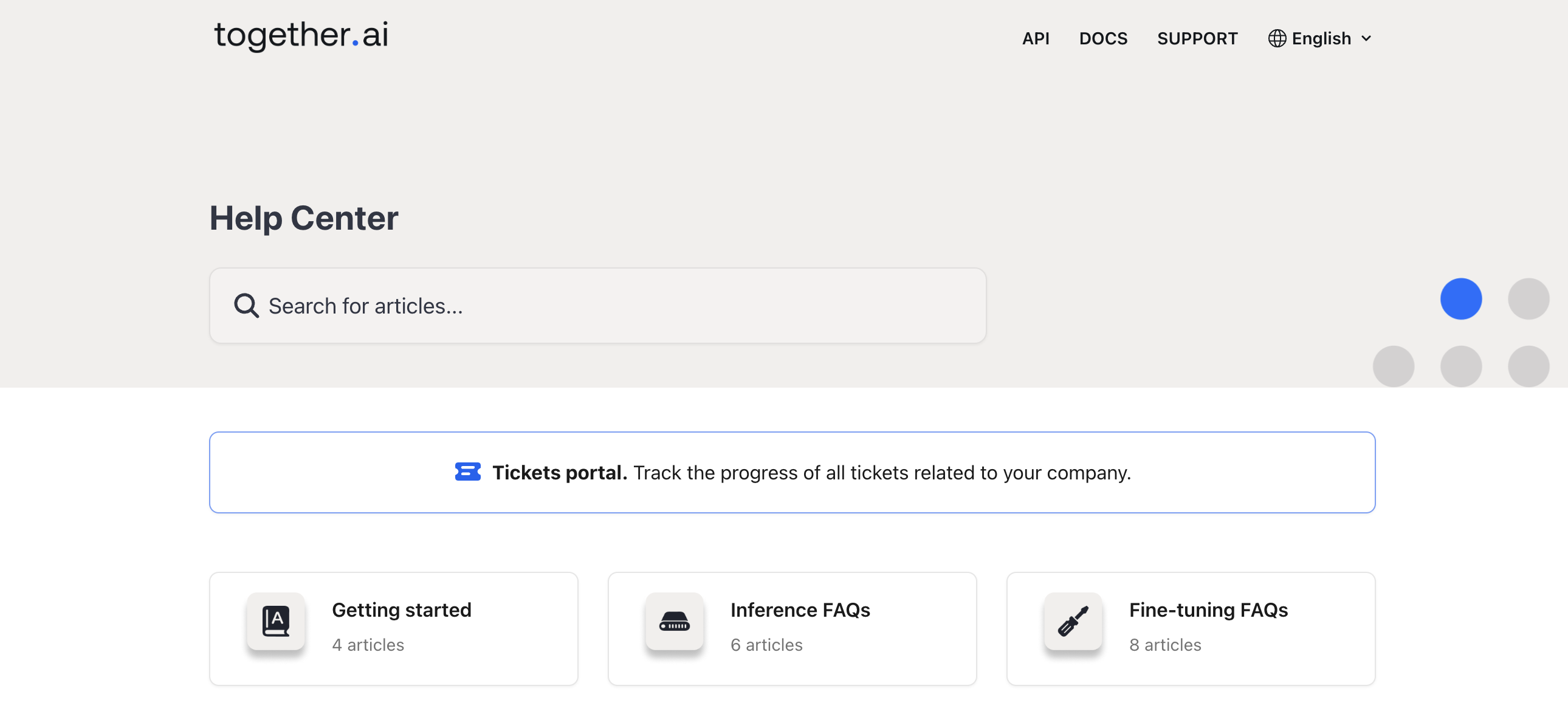
Clicking on "Tickets portal" will show you all tickets related to or logged by your company. You can check the status of any ticket, and message us directly if you have further questions.
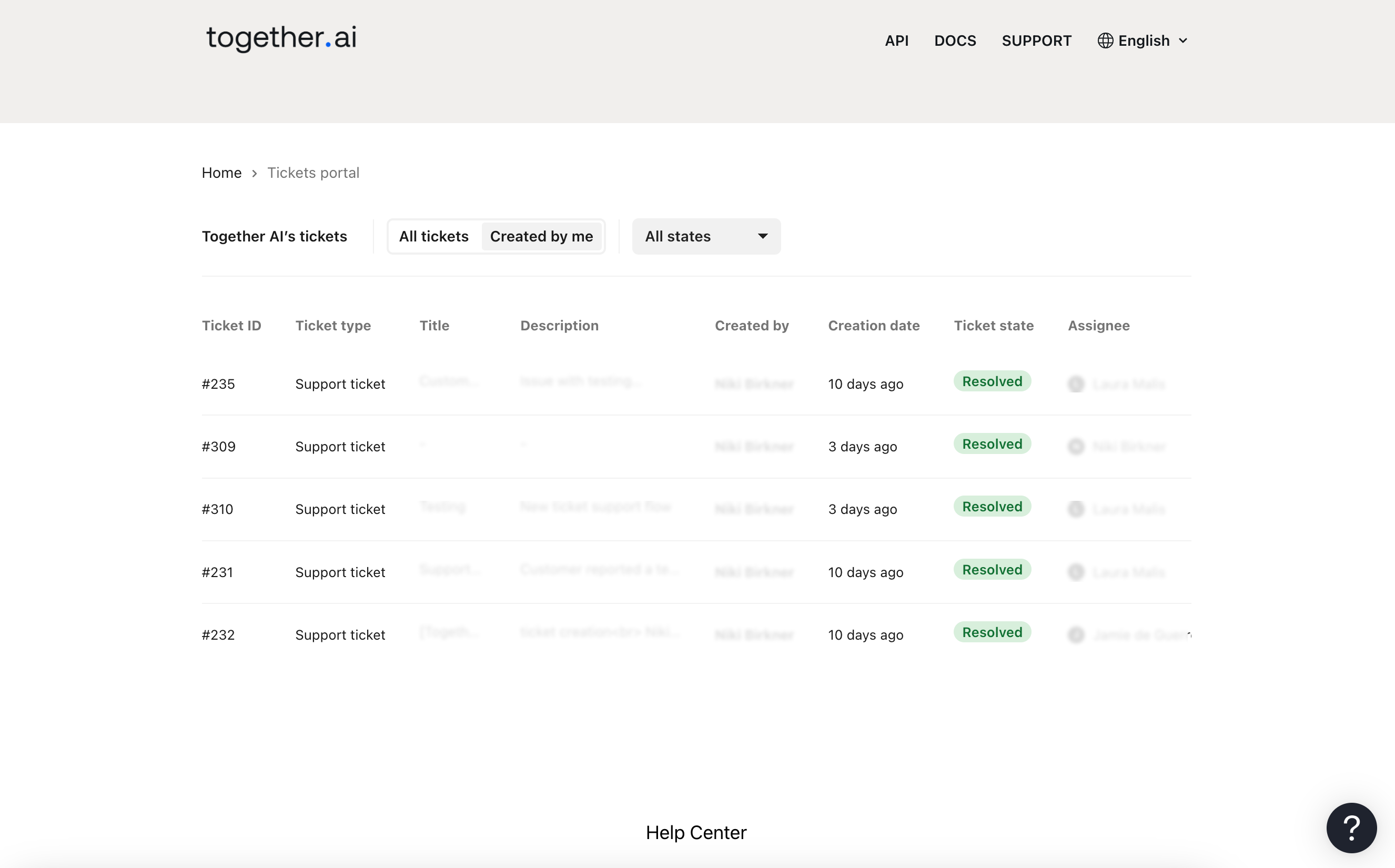
## FAQs
### I can't find the ticket portal in the help center, what should I do?
1. Ensure you are authenticated by visiting api.together.ai before navigating to the help center.
2. If the portal is still not visible, it might not be set up for you yet. Please contact us at [support@together.ai](mailto:support@together.ai). Please note that the portal is only available to customers of GPU clusters or monthly reserved dedicated endpoints.
### The ticket I filed is not showing up in the portal, what should I do?
1. It may take up to 5 minutes for your ticket to appear in the portal.
2. If the ticket is still not visible after 5 minutes, please contact us at [support@together.ai](mailto:support@together.ai), and we will investigate.
---
> To find navigation and other pages in this documentation, fetch the llms.txt file at: https://docs.together.ai/llms.txt
---
# Source: https://docs.together.ai/reference/tci-execute.md
# /tci/execute
> Executes the given code snippet and returns the output. Without a session_id, a new session will be created to run the code. If you do pass in a valid session_id, the code will be run in that session. This is useful for running multiple code snippets in the same environment, because dependencies and similar things are persisted
between calls to the same session.
## OpenAPI
````yaml POST /tci/execute
openapi: 3.1.0
info:
title: Together APIs
description: The Together REST API. Please see https://docs.together.ai for more details.
version: 2.0.0
termsOfService: https://www.together.ai/terms-of-service
contact:
name: Together Support
url: https://www.together.ai/contact
license:
name: MIT
url: https://github.com/togethercomputer/openapi/blob/main/LICENSE
servers:
- url: https://api.together.xyz/v1
security:
- bearerAuth: []
paths:
/tci/execute:
post:
tags:
- Code Interpreter
description: >
Executes the given code snippet and returns the output. Without a
session_id, a new session will be created to run the code. If you do
pass in a valid session_id, the code will be run in that session. This
is useful for running multiple code snippets in the same environment,
because dependencies and similar things are persisted
between calls to the same session.
operationId: tci/execute
parameters: []
requestBody:
content:
application/json:
schema:
$ref: '#/components/schemas/ExecuteRequest'
description: Execute Request
required: false
responses:
'200':
content:
application/json:
schema:
$ref: '#/components/schemas/ExecuteResponse'
description: Execute Response
callbacks: {}
components:
schemas:
ExecuteRequest:
title: ExecuteRequest
required:
- language
- code
properties:
code:
description: Code snippet to execute.
example: print('Hello, world!')
type: string
files:
description: >-
Files to upload to the session. If present, files will be uploaded
before executing the given code.
items:
properties:
content:
type: string
encoding:
description: >-
Encoding of the file content. Use `string` for text files such
as code, and `base64` for binary files, such as images.
enum:
- string
- base64
type: string
name:
type: string
required:
- name
- encoding
- content
type: object
type: array
language:
default: python
description: >-
Programming language for the code to execute. Currently only
supports Python, but more will be added.
enum:
- python
session_id:
description: >-
Identifier of the current session. Used to make follow-up calls.
Requests will return an error if the session does not belong to the
caller or has expired.
example: ses_abcDEF123
nullable: false
type: string
ExecuteResponse:
title: ExecuteResponse
type: object
description: >-
The result of the execution. If successful, `data` contains the result
and `errors` will be null. If unsuccessful, `data` will be null and
`errors` will contain the errors.
oneOf:
- title: SuccessfulExecution
type: object
required:
- data
- errors
properties:
errors:
type: 'null'
data:
type: object
nullable: false
required:
- session_id
- outputs
properties:
outputs:
type: array
items:
discriminator:
propertyName: type
oneOf:
- title: StreamOutput
description: Outputs that were printed to stdout or stderr
type: object
required:
- type
- data
properties:
type:
enum:
- stdout
- stderr
type: string
data:
type: string
- title: ErrorOutput
description: >-
Errors and exceptions that occurred. If this output
type is present, your code did not execute
successfully.
properties:
data:
type: string
type:
enum:
- error
type: string
required:
- type
- data
- properties:
data:
properties:
application/geo+json:
type: object
additionalProperties: true
application/javascript:
type: string
application/json:
type: object
additionalProperties: true
application/pdf:
format: byte
type: string
application/vnd.vega.v5+json:
type: object
additionalProperties: true
application/vnd.vegalite.v4+json:
type: object
additionalProperties: true
image/gif:
format: byte
type: string
image/jpeg:
format: byte
type: string
image/png:
format: byte
type: string
image/svg+xml:
type: string
text/html:
type: string
text/latex:
type: string
text/markdown:
type: string
text/plain:
type: string
type: object
type:
enum:
- display_data
- execute_result
type: string
required:
- type
- data
title: DisplayorExecuteOutput
title: InterpreterOutput
session_id:
type: string
description: >-
Identifier of the current session. Used to make follow-up
calls.
example: ses_abcDEF123
nullable: false
status:
type: string
enum:
- success
description: Status of the execution. Currently only supports success.
- title: FailedExecution
type: object
required:
- data
- errors
properties:
data:
type: 'null'
errors:
type: array
items:
oneOf:
- type: string
- type: object
additionalProperties: true
title: Error
securitySchemes:
bearerAuth:
type: http
scheme: bearer
x-bearer-format: bearer
x-default: default
````
---
> To find navigation and other pages in this documentation, fetch the llms.txt file at: https://docs.together.ai/llms.txt
---
# Source: https://docs.together.ai/reference/tci-sessions.md
# /tci/sessions
> Lists all your currently active sessions.
## OpenAPI
````yaml GET /tci/sessions
openapi: 3.1.0
info:
title: Together APIs
description: The Together REST API. Please see https://docs.together.ai for more details.
version: 2.0.0
termsOfService: https://www.together.ai/terms-of-service
contact:
name: Together Support
url: https://www.together.ai/contact
license:
name: MIT
url: https://github.com/togethercomputer/openapi/blob/main/LICENSE
servers:
- url: https://api.together.xyz/v1
security:
- bearerAuth: []
paths:
/tci/sessions:
get:
tags:
- Code Interpreter
description: |
Lists all your currently active sessions.
operationId: sessions/list
parameters: []
responses:
'200':
content:
application/json:
schema:
$ref: '#/components/schemas/SessionListResponse'
description: List Response
callbacks: {}
components:
schemas:
SessionListResponse:
allOf:
- properties:
errors:
type: array
items:
oneOf:
- type: string
- type: object
additionalProperties: true
title: Error
title: Response
type: object
- properties:
data:
properties:
sessions:
items:
properties:
execute_count:
type: integer
expires_at:
type: string
format: date-time
id:
description: Session Identifier. Used to make follow-up calls.
example: ses_abcDEF123
type: string
last_execute_at:
type: string
format: date-time
started_at:
type: string
format: date-time
required:
- execute_count
- expires_at
- id
- last_execute_at
- started_at
type: object
type: array
required:
- sessions
type: object
title: SessionListResponse
type: object
securitySchemes:
bearerAuth:
type: http
scheme: bearer
x-bearer-format: bearer
x-default: default
````
---
> To find navigation and other pages in this documentation, fetch the llms.txt file at: https://docs.together.ai/llms.txt
---
# Source: https://docs.together.ai/docs/text-to-speech.md
> Learn how to use the text-to-speech functionality supported by Together AI.
# Text-to-Speech
Together AI provides comprehensive text-to-speech capabilities with multiple models and delivery methods. This guide covers everything from basic audio generation to real-time streaming via WebSockets.
## Quick Start
Here's how to get started with basic text-to-speech:
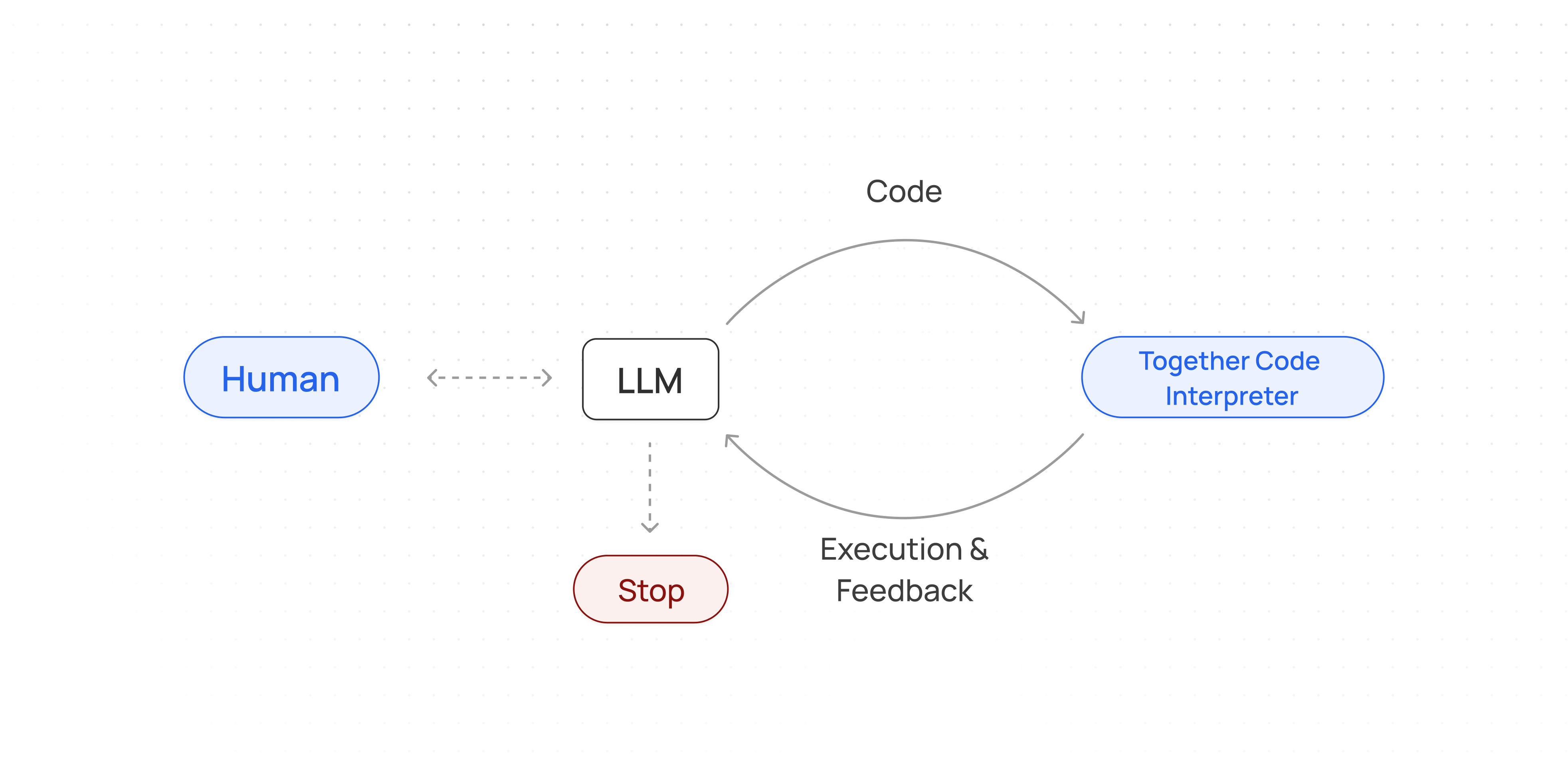
```python Python theme={null}
from together import Together
client = Together()
speech_file_path = "speech.mp3"
response = client.audio.speech.create(
model="canopylabs/orpheus-3b-0.1-ft",
input="Today is a wonderful day to build something people love!",
voice="tara",
response_format="mp3",
)
response.stream_to_file(speech_file_path)
```
```python Python(v2) theme={null}
from together import Together
client = Together()
speech_file_path = "speech.mp3"
response = client.audio.speech.with_streaming_response.create(
model="canopylabs/orpheus-3b-0.1-ft",
input="Today is a wonderful day to build something people love!",
voice="tara",
response_format="mp3",
)
with response as stream:
stream.stream_to_file(speech_file_path)
```
```typescript TypeScript theme={null}
import Together from 'together-ai';
const together = new Together();
async function generateAudio() {
const res = await together.audio.create({
input: 'Hello, how are you today?',
voice: 'tara',
response_format: 'mp3',
sample_rate: 44100,
stream: false,
model: 'canopylabs/orpheus-3b-0.1-ft',
});
if (res.body) {
console.log(res.body);
const nodeStream = Readable.from(res.body as ReadableStream);
const fileStream = createWriteStream('./speech.mp3');
nodeStream.pipe(fileStream);
}
}
generateAudio();
```
```curl cURL theme={null}
curl -X POST "https://api.together.xyz/v1/audio/speech" \
-H "Authorization: Bearer $TOGETHER_API_KEY" \
-H "Content-Type: application/json" \
-d '{
"model": "canopylabs/orpheus-3b-0.1-ft",
"input": "The quick brown fox jumps over the lazy dog",
"voice": "tara",
"response_format": "mp3"
}' \
--output speech.mp3
```
This will output a `speech.mp3` file.
## Available Models
Together AI supports multiple text-to-speech models:
| Organization | Model Name | Model String for API | API Endpoint Support |
| :----------- | :------------------------------------------- | :--------------------------- | :------------------------- |
| Canopy Labs | Orpheus 3B | canopylabs/orpheus-3b-0.1-ft | Rest, Streaming, WebSocket |
| Kokoro | Kokoro | hexgrad/Kokoro-82M | Rest, Streaming, WebSocket |
| Cartesia | Cartesia Sonic 2 | cartesia/sonic-2 | Rest |
| Cartesia | Cartesia Sonic | cartesia/sonic | Rest |
| Rime | Arcana v2 *(Dedicated Endpoint only)* | rime-labs/rime-arcana-v2 | Rest, Streaming, WebSocket |
| Minimax | Speech 2.6 Turbo *(Dedicated Endpoint only)* | minimax/speech-2.6-turbo | Rest, Streaming, WebSocket |
| Rime | Mist v2 *(Dedicated Endpoint only)* | rime-labs/rime-mist-v2 | Rest, Streaming, WebSocket |
* Orpheus and Kokoro models support real-time WebSocket streaming for lowest latency applications.
* To use Cartesia models, you need to be at Build Tier 2 or higher.
## Parameters
| Parameter | Type | Required | Description |
| :--------------- | :----- | :------- | :------------------------------------------------------------------------------------------------------------------------------- |
| model | string | Yes | The TTS model to use |
| input | string | Yes | The text to generate audio for |
| voice | string | Yes | The voice to use for generation. See [Voices](#voices) section |
| response\_format | string | No | Output format: `mp3`, `wav`, `raw` (PCM), `mulaw` (μ-law). Minimax model also supports `opus`, `aac`, and `flac`. Default: `wav` |
For the full set of parameters refer to the API reference for [/audio/speech](/reference/audio-speech).
## Streaming Audio
For real-time applications where Time-To-First-Byte (TTFB) is critical, use streaming mode:
```python Python theme={null}
from together import Together
client = Together()
response = client.audio.speech.create(
model="canopylabs/orpheus-3b-0.1-ft",
input="The quick brown fox jumps over the lazy dog",
voice="tara",
stream=True,
response_format="raw", # Required for streaming
response_encoding="pcm_s16le", # 16-bit PCM for clean audio
)
# Save the streamed audio to a file
response.stream_to_file("speech_streaming.wav", response_format="wav")
```
```python Python(v2) theme={null}
from together import Together
client = Together()
response = client.audio.speech.with_streaming_response.create(
model="canopylabs/orpheus-3b-0.1-ft",
input="The quick brown fox jumps over the lazy dog",
voice="tara",
stream=True,
response_format="raw", # Required for streaming
response_encoding="pcm_s16le", # 16-bit PCM for clean audio
)
# Save the streamed audio to a file
with response as stream:
stream.stream_to_file("speech_streaming.wav", response_format="wav")
```
```typescript TypeScript theme={null}
import Together from 'together-ai';
const together = new Together();
async function streamAudio() {
const response = await together.audio.speech.create({
model: 'canopylabs/orpheus-3b-0.1-ft',
input: 'The quick brown fox jumps over the lazy dog',
voice: 'tara',
stream: true,
response_format: 'raw', // Required for streaming
response_encoding: 'pcm_s16le' // 16-bit PCM for clean audio
});
// Process streaming chunks
const chunks = [];
for await (const chunk of response) {
chunks.push(chunk);
}
console.log('Streaming complete!');
}
streamAudio();
```
```curl cURL theme={null}
curl -X POST "https://api.together.xyz/v1/audio/speech" \
-H "Authorization: Bearer $TOGETHER_API_KEY" \
-H "Content-Type: application/json" \
-d '{
"model": "canopylabs/orpheus-3b-0.1-ft",
"input": "The quick brown fox jumps over the lazy dog",
"voice": "tara",
"stream": true
}'
```
**Streaming Response Format:**
When `stream: true`, the API returns a stream of events:
**Delta Event:**
```json theme={null}
{
"type": "delta",
"audio": "base64-encoded-audio-data"
}
```
**Completion Event:**
```json theme={null}
{
"type": "done"
}
```
**Note:** When streaming is enabled, only `raw` (PCM) format is supported. For non-streaming, you can use `mp3`, `wav`, or `raw`.
## WebSocket API
For the lowest latency and most interactive applications, use the WebSocket API. This allows you to stream text input and receive audio chunks in real-time.
The WebSocket API is currently only available via raw WebSocket connections. SDK support coming soon.
**Establishing a Connection**
Connect to: `wss://api.together.xyz/v1/audio/speech/websocket`
**Authentication:**
* Include your API key as a query parameter: `?api_key=YOUR_API_KEY`
* Or use the `Authorization` header when establishing the WebSocket connection
**Client → Server Messages**
**1. Append Text to Buffer**
```json theme={null}
{
"type": "input_text_buffer.append",
"text": "Hello, this is a test sentence."
}
```
Appends text to the input buffer. Text is buffered until sentence completion or maximum length is reached.
**2. Commit Buffer**
```json theme={null}
{
"type": "input_text_buffer.commit"
}
```
Forces processing of all buffered text. Use this at the end of your input stream.
**3. Clear Buffer**
```json theme={null}
{
"type": "input_text_buffer.clear"
}
```
Clears all buffered text without processing (except text already being processed by the model).
**4. Update Session Parameters**
```json theme={null}
{
"type": "tts_session.updated",
"session": {
"voice": "new_voice_id"
}
}
```
Updates TTS session settings like voice in real-time.
**Server → Client Messages**
**Session Created**
```json theme={null}
{
"event_id": "uuid-string",
"type": "session.created",
"session": {
"id": "session-uuid",
"object": "realtime.tts.session",
"modalities": ["text", "audio"],
"model": "canopylabs/orpheus-3b-0.1-ft",
"voice": "tara"
}
}
```
**Text Received Acknowledgment**
```json theme={null}
{
"type": "conversation.item.input_text.received",
"text": "Hello, this is a test sentence."
}
```
**Audio Delta (Streaming Chunks)**
```json theme={null}
{
"type": "conversation.item.audio_output.delta",
"item_id": "tts_1",
"delta": "base64-encoded-audio-chunk"
}
```
**Audio Complete**
```json theme={null}
{
"type": "conversation.item.audio_output.done",
"item_id": "tts_1"
}
```
**TTS Error**
```json theme={null}
{
"type": "conversation.item.tts.failed",
"error": {
"message": "Error description",
"type": "error_type",
"code": "error_code"
}
}
```
**WebSocket Example**
```python Python theme={null}
import asyncio
import websockets
import json
import base64
import os
async def generate_speech():
api_key = os.environ.get("TOGETHER_API_KEY")
url = "wss://api.together.ai/v1/audio/speech/websocket?model=hexgrad/Kokoro-82M&voice=af_alloy"
headers = {"Authorization": f"Bearer {api_key}"}
async with websockets.connect(url, additional_headers=headers) as ws:
# Wait for session created
session_msg = await ws.recv()
session_data = json.loads(session_msg)
print(f"Session created: {session_data['session']['id']}")
# Send text for TTS
text_chunks = [
"Hello, this is a test.",
"This is the second sentence.",
"And this is the final one.",
]
async def send_text():
for chunk in text_chunks:
await ws.send(
json.dumps(
{"type": "input_text_buffer.append", "text": chunk}
)
)
await asyncio.sleep(0.5) # Simulate typing
# Commit to process any remaining text
await ws.send(json.dumps({"type": "input_text_buffer.commit"}))
async def receive_audio():
audio_data = bytearray()
async for message in ws:
data = json.loads(message)
if data["type"] == "conversation.item.input_text.received":
print(f"Text received: {data['text']}")
elif data["type"] == "conversation.item.audio_output.delta":
# Decode base64 audio chunk
audio_chunk = base64.b64decode(data["delta"])
audio_data.extend(audio_chunk)
print(f"Received audio chunk for item {data['item_id']}")
elif data["type"] == "conversation.item.audio_output.done":
print(
f"Audio generation complete for item {data['item_id']}"
)
elif data["type"] == "conversation.item.tts.failed":
error = data.get("error", {})
print(f"Error: {error.get('message')}")
break
# Save the audio to a file
with open("output.wav", "wb") as f:
f.write(audio_data)
print("Audio saved to output.wav")
# Run send and receive concurrently
await asyncio.gather(send_text(), receive_audio())
asyncio.run(generate_speech())
```
```typescript TypeScript theme={null}
import WebSocket from 'ws';
import fs from 'fs';
const apiKey = process.env.TOGETHER_API_KEY;
const url = 'wss://api.together.ai/v1/audio/speech/websocket?model=hexgrad/Kokoro-82M&voice=af_alloy';
const ws = new WebSocket(url, {
headers: {
'Authorization': `Bearer ${apiKey}`
}
});
const audioData: Buffer[] = [];
ws.on('open', () => {
console.log('WebSocket connection established!');
});
ws.on('message', (data) => {
const message = JSON.parse(data.toString());
if (message.type === 'session.created') {
console.log(`Session created: ${message.session.id}`);
// Send text chunks
const textChunks = [
"Hello, this is a test.",
"This is the second sentence.",
"And this is the final one."
];
textChunks.forEach((text, index) => {
setTimeout(() => {
ws.send(JSON.stringify({
type: 'input_text_buffer.append',
text: text
}));
}, index * 500);
});
// Commit after all chunks
setTimeout(() => {
ws.send(JSON.stringify({
type: 'input_text_buffer.commit'
}));
}, textChunks.length * 500 + 100);
} else if (message.type === 'conversation.item.input_text.received') {
console.log(`Text received: ${message.text}`);
} else if (message.type === 'conversation.item.audio_output.delta') {
// Decode base64 audio chunk
const audioChunk = Buffer.from(message.delta, 'base64');
audioData.push(audioChunk);
console.log(`Received audio chunk for item ${message.item_id}`);
} else if (message.type === 'conversation.item.audio_output.done') {
console.log(`Audio generation complete for item ${message.item_id}`);
} else if (message.type === 'conversation.item.tts.failed') {
const errorMessage = message.error?.message ?? 'Unknown error';
console.error(`Error: ${errorMessage}`);
ws.close();
}
});
ws.on('close', () => {
// Save the audio to a file
if (audioData.length > 0) {
const completeAudio = Buffer.concat(audioData);
fs.writeFileSync('output.wav', completeAudio);
console.log('Audio saved to output.wav');
}
});
ws.on('error', (error) => {
console.error('WebSocket error:', error);
});
```
**WebSocket Parameters**
When establishing a WebSocket connection, you can configure:
| Parameter | Type | Description |
| :------------------- | :------ | :---------------------------------------------------------- |
| model\_id | string | The TTS model to use |
| voice | string | The voice for generation |
| response\_format | string | Audio format: `mp3`, `opus`, `aac`, `flac`, `wav`, or `pcm` |
| speed | float | Playback speed (default: 1.0) |
| max\_partial\_length | integer | Character buffer length before triggering TTS generation |
## Output Raw Bytes
If you want to extract out raw audio bytes use the settings below:
```python Python theme={null}
import requests
import os
url = "https://api.together.xyz/v1/audio/speech"
api_key = os.environ.get("TOGETHER_API_KEY")
headers = {"Authorization": f"Bearer {api_key}"}
data = {
"input": "This is a test of raw PCM audio output.",
"voice": "tara",
"response_format": "raw",
"response_encoding": "pcm_f32le",
"sample_rate": 44100,
"stream": False,
"model": "canopylabs/orpheus-3b-0.1-ft",
}
response = requests.post(url, headers=headers, json=data)
with open("output_raw.pcm", "wb") as f:
f.write(response.content)
print(f"✅ Raw PCM audio saved to output_raw.pcm")
print(f" Size: {len(response.content)} bytes")
```
```typescript TypeScript theme={null}
import Together from 'together-ai';
const together = new Together();
async function generateRawBytes() {
const res = await together.audio.create({
input: 'Hello, how are you today?',
voice: 'tara',
response_format: 'raw',
response_encoding: 'pcm_f32le',
sample_rate: 44100,
stream: false,
model: 'canopylabs/orpheus-3b-0.1-ft',
});
console.log(res.body);
}
generateRawBytes();
```
```curl cURL theme={null}
curl --location 'https://api.together.xyz/v1/audio/speech' \
--header 'Content-Type: application/json' \
--header 'Authorization: Bearer $TOGETHER_API_KEY' \
--output test2.pcm \
--data '{
"input": text,
"voice": "tara",
"response_format": "raw",
"response_encoding": "pcm_f32le",
"sample_rate": 44100,
"stream": false,
"model": "canopylabs/orpheus-3b-0.1-ft"
}'
```
This will output a raw bytes `test2.pcm` file.
## Response Formats
Together AI supports multiple audio formats:
| Format | Extension | Description | Streaming Support |
| :----- | :-------- | :-------------------------------------------------------------------- | :---------------- |
| wav | .wav | Uncompressed audio (larger file size) | No |
| mp3 | .mp3 | Compressed audio (smaller file size) | No |
| raw | .pcm | Raw PCM audio data | Yes |
| mulaw | .ulaw | Uses logarithmic compression to optimize speech quality for telephony | Yes |
## Best Practices
**Choosing the Right Delivery Method**
* **Basic HTTP API:** Best for batch processing or when you need complete audio files
* **Streaming HTTP API:** Best for real-time applications where TTFB matters
* **WebSocket API:** Best for interactive applications requiring lowest latency (chatbots, live assistants)
**Performance Tips**
* Use streaming when you need the fastest time-to-first-byte
* Use WebSocket API for conversational applications
* Buffer text appropriately - sentence boundaries work best for natural speech
* Use the `max_partial_length` parameter in WebSocket to control buffer behavior
* Consider using `raw` (PCM) format for lowest latency, then encode client-side if needed
**Voice Selection**
* Test different voices to find the best match for your application
* Some voices are better suited for specific content types (narration vs conversation)
* Use the Voices API to discover all available options
**Next Steps**
* Explore our [API Reference](/reference/audio-speech) for detailed parameter documentation
* Learn about [Speech-to-Text](/docs/speech-to-text) for the reverse operation
* Check out our [PDF to Podcast guide](/docs/open-notebooklm-pdf-to-podcast) for a complete example
## Supported Voices
Different models support different voices. Use the Voices API to discover available voices for each model.
**Voices API**
```python Python theme={null}
from together import Together
client = Together()
# List all available voices
response = client.audio.voices.list()
for model_voices in response.data:
print(f"Model: {model_voices.model}")
for voice in model_voices.voices:
print(f" - Voice: {voice['name']}")
```
```python Python(v2) theme={null}
from together import Together
client = Together()
# List all available voices
response = client.audio.voices.list()
for model_voices in response.data:
print(f"Model: {model_voices.model}")
for voice in model_voices.voices:
print(f" - Voice: {voice.name}")
```
```typescript TypeScript theme={null}
import fetch from 'node-fetch';
async function getVoices() {
const apiKey = process.env.TOGETHER_API_KEY;
const model = 'canopylabs/orpheus-3b-0.1-ft';
const url = `https://api.together.xyz/v1/voices?model=${model}`;
const response = await fetch(url, {
headers: {
'Authorization': `Bearer ${apiKey}`
}
});
const data = await response.json();
console.log(`Available voices for ${model}:`);
console.log('='.repeat(50));
// List available voices
for (const voice of data.voices || []) {
console.log(voice.name || 'Unknown voice');
}
}
getVoices();
```
```curl cURL theme={null}
curl -X GET "https://api.together.xyz/v1/voices?model=canopylabs/orpheus-3b-0.1-ft" \
-H "Authorization: Bearer $TOGETHER_API_KEY"
```
**Available Voices**
**Orpheus Model:**
Sample voices include:
```text Text theme={null}
`tara`
`leah`
`jess`
`leo`
`dan`
`mia`
`zac`
`zoe`
```
For a complete list, query the `/v1/voices` endpoint or see the [Kokoro voice documentation](https://github.com/remsky/Kokoro-FastAPI).
**Kokoro Model:**
```text Text theme={null}
af_heart
af_alloy
af_aoede
af_bella
af_jessica
af_kore
af_nicole
af_nova
af_river
af_sarah
af_sky
am_adam
am_echo
am_eric
am_fenrir
am_liam
am_michael
am_onyx
am_puck
am_santa
bf_alice
bf_emma
bf_isabella
bf_lily
bm_daniel
bm_fable
bm_george
bm_lewis
jf_alpha
jf_gongitsune
jf_nezumi
jf_tebukuro
jm_kumo
zf_xiaobei
zf_xiaoni
zf_xiaoxiao
zf_xiaoyi
zm_yunjian
zm_yunxi
zm_yunxia
zm_yunyang
ef_dora
em_alex
em_santa
ff_siwis
hf_alpha
hf_beta
hm_omega
hm_psi
if_sara
im_nicola
pf_dora
pm_alex
pm_santa
```
**Cartesia Models:**
All valid voice model strings:
```text Text theme={null}
'german conversational woman',
'nonfiction man',
'friendly sidekick',
'french conversational lady',
'french narrator lady',
'german reporter woman',
'indian lady',
'british reading lady',
'british narration lady',
'japanese children book',
'japanese woman conversational',
'japanese male conversational',
'reading lady',
'newsman',
'child',
'meditation lady',
'maria',
"1920's radioman",
'newslady',
'calm lady',
'helpful woman',
'mexican woman',
'korean narrator woman',
'russian calm lady',
'russian narrator man 1',
'russian narrator man 2',
'russian narrator woman',
'hinglish speaking lady',
'italian narrator woman',
'polish narrator woman',
'chinese female conversational',
'pilot over intercom',
'chinese commercial man',
'french narrator man',
'spanish narrator man',
'reading man',
'new york man',
'friendly french man',
'barbershop man',
'indian man',
'australian customer support man',
'friendly australian man',
'wise man',
'friendly reading man',
'customer support man',
'dutch confident man',
'dutch man',
'hindi reporter man',
'italian calm man',
'italian narrator man',
'swedish narrator man',
'polish confident man',
'spanish-speaking storyteller man',
'kentucky woman',
'chinese commercial woman',
'middle eastern woman',
'hindi narrator woman',
'sarah',
'sarah curious',
'laidback woman',
'reflective woman',
'helpful french lady',
'pleasant brazilian lady',
'customer support lady',
'british lady',
'wise lady',
'australian narrator lady',
'indian customer support lady',
'swedish calm lady',
'spanish narrator lady',
'salesman',
'yogaman',
'movieman',
'wizardman',
'australian woman',
'korean calm woman',
'friendly german man',
'announcer man',
'wise guide man',
'midwestern man',
'kentucky man',
'brazilian young man',
'chinese call center man',
'german reporter man',
'confident british man',
'southern man',
'classy british man',
'polite man',
'mexican man',
'korean narrator man',
'turkish narrator man',
'turkish calm man',
'hindi calm man',
'hindi narrator man',
'polish narrator man',
'polish young man',
'alabama male',
'australian male',
'anime girl',
'japanese man book',
'sweet lady',
'commercial lady',
'teacher lady',
'princess',
'commercial man',
'asmr lady',
'professional woman',
'tutorial man',
'calm french woman',
'new york woman',
'spanish-speaking lady',
'midwestern woman',
'sportsman',
'storyteller lady',
'spanish-speaking man',
'doctor mischief',
'spanish-speaking reporter man',
'young spanish-speaking woman',
'the merchant',
'stern french man',
'madame mischief',
'german storyteller man',
'female nurse',
'german conversation man',
'friendly brazilian man',
'german woman',
'southern woman',
'british customer support lady',
'chinese woman narrator',
'pleasant man',
'california girl',
'john',
'anna'
```
**Rime Mist v2 Model:**
```text Text theme={null}
'cove'
'eucalyptus'
'lagoon'
'mari'
'marlu'
'mesa_extra'
'moon'
'moraine'
'peak'
'summit'
'talon'
'thunder'
'tundra'
'wildflower'
```
**Rime Arcana v2 Model:**
```text Text theme={null}
'albion'
'arcade'
'astra'
'atrium'
'bond'
'cupola'
'eliphas'
'estelle'
'eucalyptus'
'fern'
'lintel'
'luna'
'lyra'
'marlu'
'masonry'
'moss'
'oculus'
'parapet'
'pilaster'
'sirius'
'stucco'
'transom'
'truss'
'vashti'
'vespera'
'walnut'
```
**Minimax Speech 2.6 Turbo Model:**
Sample voices include:
```text Text theme={null}
'English_DeterminedMan'
'English_Diligent_Man'
'English_expressive_narrator'
'English_FriendlyNeighbor'
'English_Graceful_Lady'
'Japanese_GentleButler'
```
For a complete list of Minimax voices, query the `/v1/voices` endpoint with the model parameter:
```bash theme={null}
curl -X GET "https://api.together.ai/v1/voices?model=minimax/speech-2.6-turbo" \
-H "Authorization: Bearer $TOGETHER_API_KEY"
```
## Pricing
| Model | Price |
| :--------------- | :---------------------------- |
| Orpheus 3B | \$15 per 1 Million characters |
| Kokoro | \$4 per 1 Million characters |
| Cartesia Sonic 2 | \$65 per 1 Million characters |
---
> To find navigation and other pages in this documentation, fetch the llms.txt file at: https://docs.together.ai/llms.txt
---
# Source: https://docs.together.ai/docs/together-and-llamarank.md
# QuickStart: LlamaRank
> Try out Salesforce's LlamaRank exclusively on Together's Rerank API
The Together AI platform makes it easy to run state-of-the-art models using only a few lines of code. [LlamaRank](https://blog.salesforceairesearch.com/llamarank/) is a proprietary reranker model developed by Salesforce AI Research that has been shown to outperform competitive reranker models like Cohere Rerank v3 and Mistral-7B QLM on accuracy.
Reranker models **improve search relevancy** by reassessing and reordering a set of retrieved documents based on their relevance to a given query. It takes a `query` and a set of text inputs (called `documents`), and returns a relevancy score for each document relative to the given query. In RAG pipelines, the reranking step sits between the initial retrieval step and the final generation phase, enhancing the quality of information fed into language models.
Try out Salesforce's LlamaRank *exclusively* on Together's serverless Rerank API endpoint. Together's Rerank API is **Cohere compatible**, making it easy to integrate into your existing applications.
## Key specs of Together Rerank + LlamaRank
LlamaRank along with Together Rerank has the following key specs:
* Support for JSON and tabular data
* Long 8000 token context per document
* LlamaRank has been shown to outperform other models on accuracy for general docs and code.
* Compatible with Cohere's Rerank API
* Low latency for fast search queries
* Linear relevancy scores, making it easier to interpret
## Quickstart
### 1. Get your Together API key
First, [register for an account](https://api.together.ai/settings/api-keys?utm_source=docs\&utm_medium=quickstart\&utm_campaign=salesforce-llamarank) to get an API key.
Once you've registered, set your account's API key to an environment variable named `TOGETHER_API_KEY`:
```sh Shell theme={null}
export TOGETHER_API_KEY=xxxxx
```
### 2. Install your preferred library
Together provides an official library for Python:
```sh theme={null}
pip install together --upgrade
```
As well as an official library for TypeScript/JavaScript:
```sh theme={null}
npm install together-ai
```
You can also call our HTTP API directly using any language you like.
### 3. Run your first reranking query against LlamaRank
In the example below, we use the Rerank API endpoint to index the list of `documents` from most to least relevant to the query `What animals can I find near Peru?`.
```py Python theme={null}
from together import Together
client = Together()
query = "What animals can I find near Peru?"
documents = [
"The giant panda (Ailuropoda melanoleuca), also known as the panda bear or simply panda, is a bear species endemic to China.",
"The llama is a domesticated South American camelid, widely used as a meat and pack animal by Andean cultures since the pre-Columbian era.",
"The wild Bactrian camel (Camelus ferus) is an endangered species of camel endemic to Northwest China and southwestern Mongolia.",
"The guanaco is a camelid native to South America, closely related to the llama. Guanacos are one of two wild South American camelids; the other species is the vicuña, which lives at higher elevations.",
]
response = client.rerank.create(
model="Salesforce/Llama-Rank-V1",
query=query,
documents=documents,
top_n=2,
)
for result in response.results:
print(f"Document Index: {result.index}")
print(f"Document: {documents[result.index]}")
print(f"Relevance Score: {result.relevance_score}")
```
In the example above, the documents being passed in are a list of strings, but Together's Rerank API also supports JSON data.
## Cohere Rerank compatibility
The Together Rerank endpoint is compatible with Cohere Rerank, making it easy to test out LlamaRank for your existing applications. Simply switch it out by updating the `URL`, `API key` and `model`.
```py Python theme={null}
import cohere
co = cohere.Client(
base_url="https://api.together.xyz/v1",
api_key=TOGETHER_API_KEY,
)
docs = [
"Carson City is the capital city of the American state of Nevada.",
"The Commonwealth of the Northern Mariana Islands is a group of islands in the Pacific Ocean. Its capital is Saipan.",
"Capitalization or capitalisation in English grammar is the use of a capital letter at the start of a word. English usage varies from capitalization in other languages.",
"Washington, D.C. (also known as simply Washington or D.C., and officially as the District of Columbia) is the capital of the United States. It is a federal district.",
"Capital punishment (the death penalty) has existed in the United States since beforethe United States was a country. As of 2017, capital punishment is legal in 30 of the 50 states.",
]
response = co.rerank(
model="Salesforce/Llama-Rank-V1",
query="What is the capital of the United States?",
documents=docs,
top_n=3,
)
```
## Interpreting Results
LlamaRank produces linear and calibrated scores across all (doc, query) pairs, normalized on a scale of 0-1, making it easier to interpret relevancy scores:
* 0.9 — Highly Relevant
* 0.8 \~ 0.7 — Relevant
* 0.6 \~ 0.5 — Somewhat Relevant
* 0.4 \~ 0.3 — Marginally Relevant
* 0.2 \~ 0.1 — Slightly Relevant
* \~ 0.0 — Irrelevant
## Next steps
* Learn more about [reranking and Together's Rerank endpoint](/docs/rerank-overview)
* Get started by [signing up for a free together.ai account](https://api.together.ai/settings/api-keys?utm_source=docs\&utm_medium=quickstart\&utm_campaign=salesforce-llamarank), and get your API key.
* If you'd like to discuss your production reranking use case, [contact our sales team](https://www.together.ai/forms/contact-sales).
* Check out our [playground](https://api.together.ai/playground) to try out other models on the Together Platform for chat, images, languages or code.
---
> To find navigation and other pages in this documentation, fetch the llms.txt file at: https://docs.together.ai/llms.txt
---
# Source: https://docs.together.ai/docs/together-code-interpreter.md
> Execute LLM-generated code seamlessly with a simple API call.
# Together Code Interpreter
Together Code Interpreter (TCI) enables you to execute Python code in a sandboxed environment.
The Code Interpreter currently only supports Python. We plan to expand the language options in the future.
> ℹ️ MCP Server
>
> TCI is also available as an MCP server through [Smithery](https://smithery.ai/server/@togethercomputer/mcp-server-tci). This makes it easier to add code interpreting abilities to any MCP client like Cursor, Windsurf, or your own chat app.
## Run your first query using the TCI
```python Python theme={null}
from together import Together
client = Together()
## Run a simple print statement in the code interpreter
response = client.code_interpreter.run(
code='print("Welcome to Together Code Interpreter!")',
language="python",
)
print(f"Status: {response.data.status}")
for output in response.data.outputs:
print(f"{output.type}: {output.data}")
```
```python Python(v2) theme={null}
from together import Together
client = Together()
## Run a simple print statement in the code interpreter
response = client.code_interpreter.execute(
code='print("Welcome to Together Code Interpreter!")',
language="python",
)
print(f"Status: {response.data.status}")
for output in response.data.outputs:
print(f"{output.type}: {output.data}")
```
```typescript TypeScript theme={null}
import Together from 'together-ai';
const client = new Together();
const response = await client.codeInterpreter.execute({
code: 'print("Welcome to Together Code Interpreter!")',
language: 'python',
});
if (response.errors) {
console.log(`Errors: ${response.errors}`);
} else {
for (const output of response.data.outputs) {
console.log(`${output.type}: ${output.data}`);
}
}
```
```powershell Powershell theme={null}
curl -X POST "https://api.together.ai/tci/execute" \
-H "Authorization: Bearer $TOGETHER_API_KEY" \
-H "Content-Type: application/json" \
-d '{
"language": "python",
"code": "print(\"Welcome to Together Code Interpreter!\")"
}'
```
Output
```text Text theme={null}
Status: completed
stdout: Welcome to Together Code Interpreter!
```
> ℹ️ Pricing information
>
> TCI usage is billed at **\$0.03/session**. As detailed below, sessions have a lifespan of 60 minutes and can be used multiple times.
## Example Use Cases
* **Reinforcement learning (RL) training**: TCI transforms code execution into an interactive RL environment where generated code is run and evaluated in real time, providing reward signals from successes or failures, integrating automated pass/fail tests, and scaling easily across parallel workers—thus creating a powerful feedback loop that refines coding models over many trials.
* **Developing agentic workflows**: TCI allows AI agents to seamlessly write and execute Python code, enabling robust, iterative, and secure computations within a closed-loop system.
## Response Format
The API returns:
* `session_id`: Identifier for the current session
* `outputs`: Array of execution outputs, which can include:
* Execution output (the return value of your snippet)
* Standard output (`stdout`)
* Standard error (`stderr`)
* Error messages
* Rich display data (images, HTML, etc.)
Example
```json JSON theme={null}
{
"data": {
"outputs": [
{
"data": "Hello, world!\n",
"type": "stdout"
},
{
"data": {
"image/png": "iVBORw0KGgoAAAANSUhEUgAAA...",
"text/plain": ""
},
"type": "display_data"
}
],
"session_id": "ses_CM42NfvvzCab123"
},
"errors": null
}
```
## Usage overview
Together AI has created sessions to measure TCI usage.
A session is an active code execution environment that can be called to execute code, they can be used multiple times and have a lifespan of 60 minutes.
Typical TCI usage follows this workflow:
1. Start a session (create a TCI instance).
2. Call that session to execute code; TCI outputs `stdout` and `stderr`.
3. Optionally reuse an existing session by calling its `session_id`.
## Reusing sessions and maintaining state between runs
The `session_id` can be used to access a previously initialized session. All packages, variables, and memory will be retained.
```python Python theme={null}
from together import Together
client = Together()
## set a variable x to 42
response1 = client.code_interpreter.run(code="x = 42", language="python")
session_id = response1.data.session_id
## print the value of x
response2 = client.code_interpreter.run(
code='print(f"The value of x is {x}")',
language="python",
session_id=session_id,
)
for output in response2.data.outputs:
print(f"{output.type}: {output.data}")
```
```python Python(v2) theme={null}
from together import Together
client = Together()
## set a variable x to 42
response1 = client.code_interpreter.execute(code="x = 42", language="python")
session_id = response1.data.session_id
## print the value of x
response2 = client.code_interpreter.execute(
code='print(f"The value of x is {x}")',
language="python",
session_id=session_id,
)
for output in response2.data.outputs:
print(f"{output.type}: {output.data}")
```
```typescript TypeScript theme={null}
import Together from 'together-ai';
const client = new Together();
// Run the first session
const response1 = await client.codeInterpreter.execute({
code: 'x = 42',
language: 'python',
});
if (response1.errors) {
console.log(`Response 1 errors: ${response1.errors}`);
return;
}
// Save the session_id
const sessionId = response1.data.session_id;
// Resuse the first session
const response2 = await client.codeInterpreter.execute({
code: 'print(f"The value of x is {x}")',
language: 'python',
session_id: sessionId,
});
if (response2.errors) {
console.log(`Response 2 errors: ${response2.errors}`);
return;
}
for (const output of response2.data.outputs) {
console.log(`${output.type}: ${output.data}`);
}
```
```curl cURL theme={null}
curl -X POST "https://api.together.ai/tci/execute" \
-H "Authorization: Bearer $TOGETHER_API_KEY" \
-H "Content-Type: application/json" \
-d '{
"language": "python",
"code": "x = 42"
}'
curl -X POST "https://api.together.ai/tci/execute" \
-H "Authorization: Bearer $TOGETHER_API_KEY" \
-H "Content-Type: application/json" \
-d '{
"language": "python",
"code": "print(f\"The value of x is {x}\")",
"session_id": "YOUR_SESSION_ID_FROM_FIRST_RESPONSE"
}'
```
Output
```text Text theme={null}
stdout: The value of x is 42
```
## Using the TCI for Data analysis
Together Code Interpreter is a very powerful tool and gives you access to a fully functional coding environment. You can install Python libraries and conduct fully fledged data analysis experiments.
```python Python theme={null}
from together import Together
client = Together()
## Create a code interpreter instance
code_interpreter = client.code_interpreter
code = """
!pip install numpy
import numpy as np
## Create a random matrix
matrix = np.random.rand(3, 3)
print("Random matrix:")
print(matrix)
## Calculate eigenvalues
eigenvalues = np.linalg.eigvals(matrix)
print("\\nEigenvalues:")
print(eigenvalues)
"""
response = code_interpreter.run(code=code, language="python")
for output in response.data.outputs:
print(f"{output.type}: {output.data}")
if response.data.errors:
print(f"Errors: {response.data.errors}")
```
```python Python(v2) theme={null}
from together import Together
client = Together()
## Create a code interpreter instance
code_interpreter = client.code_interpreter
code = """
!pip install numpy
import numpy as np
## Create a random matrix
matrix = np.random.rand(3, 3)
print("Random matrix:")
print(matrix)
## Calculate eigenvalues
eigenvalues = np.linalg.eigvals(matrix)
print("\\nEigenvalues:")
print(eigenvalues)
"""
response = code_interpreter.execute(code=code, language="python")
for output in response.data.outputs:
print(f"{output.type}: {output.data}")
```
```typescript TypeScript theme={null}
import Together from 'together-ai';
const client = new Together();
// Data analysis
const code = `
!pip install numpy
import numpy as np
# Create a random matrix
matrix = np.random.rand(3, 3)
print("Random matrix:")
print(matrix)
# Calculate eigenvalues
eigenvalues = np.linalg.eigvals(matrix)
print("\\nEigenvalues:")
print(eigenvalues)
`;
const response = await client.codeInterpreter.execute({
code,
language: 'python',
});
if (response.errors) {
console.log(`Errors: ${response.errors}`);
} else {
for (const output of response.data.outputs) {
console.log(`${output.type}: ${output.data}`);
}
}
```
```curl cURL theme={null}
curl -X POST "https://api.together.ai/tci/execute" \
-H "Authorization: Bearer $TOGETHER_API_KEY" \
-H "Content-Type: application/json" \
-d '{
"language": "python",
"code": "!pip install numpy\nimport numpy as np\n# Create a random matrix\nmatrix = np.random.rand(3, 3)\nprint(\"Random matrix:\")\nprint(matrix)\n# Calculate eigenvalues\neigenvalues = np.linalg.eigvals(matrix)\nprint(\"\\nEigenvalues:\")\nprint(eigenvalues)"
}'
```
## Uploading and using files with TCI
```python Python theme={null}
from together import Together
client = Together()
## Create a code interpreter instance
code_interpreter = client.code_interpreter
script_content = "import sys\nprint(f'Hello from inside {sys.argv[0]}!')"
## Define the script file as a dictionary
script_file = {
"name": "myscript.py",
"encoding": "string",
"content": script_content,
}
code_to_run_script = "!python myscript.py"
response = code_interpreter.run(
code=code_to_run_script,
language="python",
files=[script_file], # Pass the script dictionary in a list
)
## Print results
print(f"Status: {response.data.status}")
for output in response.data.outputs:
print(f"{output.type}: {output.data}")
if response.data.errors:
print(f"Errors: {response.data.errors}")
```
```python Python(v2) theme={null}
from together import Together
client = Together()
## Create a code interpreter instance
code_interpreter = client.code_interpreter
script_content = "import sys\nprint(f'Hello from inside {sys.argv[0]}!')"
## Define the script file as a dictionary
script_file = {
"name": "myscript.py",
"encoding": "string",
"content": script_content,
}
code_to_run_script = "!python myscript.py"
response = code_interpreter.execute(
code=code_to_run_script,
language="python",
files=[script_file], # Pass the script dictionary in a list
)
## Print results
print(f"Status: {response.data.status}")
for output in response.data.outputs:
print(f"{output.type}: {output.data}")
```
```typescript TypeScript theme={null}
import Together from 'together-ai';
// Initialize the Together client
const client = new Together();
// Create a code interpreter instance
const codeInterpreter = client.codeInterpreter;
// Define the script content
const scriptContent = "import sys\nprint(f'Hello from inside {sys.argv[0]}!')";
// Define the script file as an object
const scriptFile = {
name: "myscript.py",
encoding: "string",
content: scriptContent,
};
// Define the code to run the script
const codeToRunScript = "!python myscript.py";
// Run the code interpreter
async function runScript() {
const response = await codeInterpreter.run({
code: codeToRunScript,
```
```curl cURL theme={null}
curl -X POST "https://api.together.ai/tci/execute" \
-H "Authorization: Bearer $TOGETHER_API_KEY" \
-H "Content-Type: application/json" \
-d '{
"language": "python",
"files": [
{
"name": "myscript.py",
"encoding": "string",
"content": "import sys\nprint(f'\''Hello from inside {sys.argv[0]}!'\'')"
}
],
"code": "!python myscript.py"
}'
```
Output
```text Text theme={null}
Status: completed
stdout: Hello from inside myscript.py!
```
## Pre-installed dependencies
TCI's Python sessions come pre-installed with the following dependencies, any other dependencies can be installed using a `!pip install` command in the python code.
```text Text theme={null}
- aiohttp
- beautifulsoup4
- bokeh
- gensim
- imageio
- joblib
- librosa
- matplotlib
- nltk
- numpy
- opencv-python
- openpyxl
- pandas
- plotly
- pytest
- python-docx
- pytz
- requests
- scikit-image
- scikit-learn
- scipy
- seaborn
- soundfile
- spacy
- textblob
- tornado
- urllib3
- xarray
- xlrd
- sympy
```
## List Active Sessions
To retrieve all your active sessions:
```python Python(v2) theme={null}
from together import Together
client = Together()
response = client.code_interpreter.sessions.list()
for session in response.data.sessions:
print(session.id)
```
```curl cURL theme={null}
curl -X GET "https://api.together.ai/tci/sessions" \
-H "Authorization: Bearer $TOGETHER_API_KEY" \
-H "Content-Type: application/json"
```
Output:
```json JSON theme={null}
{
"data": {
"sessions": [
{
"id": "ses_CVtmHZWnVBdtZnwbZNosk",
"execute_count": 1,
"expires_at": "2025-12-08T07:11:51.890310+00:00",
"last_execute_at": "2025-12-08T06:41:52.188626+00:00",
"started_at": "2025-12-08T06:41:51.890310+00:00"
},
{
"id": "ses_CVtmJv6pRn1gHtiyQzEpS",
"execute_count": 2,
"expires_at": "2025-12-08T07:12:10.271865+00:00",
"last_execute_at": "2025-12-08T06:42:11.334315+00:00",
"started_at": "2025-12-08T06:42:10.271865+00:00"
},
{
"id": "ses_CVtmLBDRcoVeNTzWBTQ6E",
"execute_count": 1,
"expires_at": "2025-12-08T07:12:27.372041+00:00",
"last_execute_at": "2025-12-08T06:42:31.163214+00:00",
"started_at": "2025-12-08T06:42:27.372041+00:00"
}
]
},
"errors": null
}
```
## Further reading
[TCI API Reference docs](/reference/tci-execute)
[Together Code Interpreter Cookbook](https://github.com/togethercomputer/together-cookbook/blob/main/Together_Code_Interpreter.ipynb)
## Troubleshooting & questions
If you have questions about integrating TCI into your workflow or encounter any issues, please [contact us](https://www.together.ai/contact).
---
> To find navigation and other pages in this documentation, fetch the llms.txt file at: https://docs.together.ai/llms.txt
---
# Source: https://docs.together.ai/docs/together-code-sandbox.md
> Level-up generative code tooling with fast, secure code sandboxes at scale
# Together Code Sandbox
Together Code Sandbox offers a fully configurable development environment with fast start-up times, robust snapshotting, and a suite of mature dev tools.
Together Code Sandbox can spin up a sandbox by cloning a template in under 3 seconds. Inside this VM, you can run any code, install any dependencies and even run servers.
Under the hood, the SDK uses the microVM infrastructure of CodeSandbox to spin up sandboxes. It supports:
* Memory snapshot/restore (checkpointing) at any point in time
* Resume/clone VMs from a snapshot in 3 seconds
* VM FS persistence (with git version control)
* Environment customization using Docker & Docker Compose (Dev Containers)
## Accessing Together Code Sandbox
Code Sandbox is a Together product that is currently available on our [custom plans](https://www.together.ai/contact-sales).\
A self-serve option is possible by creating an account with [CodeSandbox](https://codesandbox.io/pricing).
> 📌 About CodeSandbox.io
>
> [CodeSandbox](https://codesandbox.io/blog/joining-together-ai-introducing-codesandbox-sdk) is a Together company that is in process of migrating all relevant products to the Together platform. In the coming months, all Code Sandbox features will be fully migrated into your Together account.
>
> Note that Together Code Sandbox is referred to as the SDK within the CodeSandbox.io
## Getting Started
To get started, install the SDK:
```text Text theme={null}
npm install @codesandbox/sdk
```
Then, create an API token by going to [https://codesandbox.io/t/api](https://codesandbox.io/t/api), and clicking on the "Create API Token" button. You can then use this token to authenticate with the SDK:
```typescript TypeScript theme={null}
import { CodeSandbox } from "@codesandbox/sdk";
const sdk = new CodeSandbox(process.env.CSB_API_KEY!);
const sandbox = await sdk.sandboxes.create();
const session = await sandbox.connect();
const output = await session.commands.run("echo 'Hello World'");
console.log(output) // Hello World
```
## Sandbox life-cycle
By default a Sandbox will be created from a template. A template is a memory/fs snapshot of a Sandbox, meaning it will be a direct continuation of the template. If the template was running a dev server, that dev server is running when the Sandbox is created.
When you create, resume or restart a Sandbox you can access its `bootupType`. This value indicates how the Sandbox was started.
**FORK**: The Sandbox was created from a template. This happens when you call `create` successfully.\
**RUNNING**: The Sandbox was already running. This happens when you call `resume` and the Sandbox was already running.\
**RESUME**: The Sandbox was resumed from hibernation. This happens when you call `resume` and the Sandbox was hibernated.\
**CLEAN**: The Sandbox was created or resumed from scratch. This happens when you call `create` or `resume` and the Sandbox was not running and was missing a snapshot. This can happen if the Sandbox was shut down, restarted, the snapshot was expired (old snapshot) or if something went wrong.
## Managing CLEAN bootups
Whenever we boot a sandbox from scratch, we'll:
1. Start the Firecracker VM
2. Create a default user (called pitcher-host)
3. (optional) Build the Docker image specified in the .devcontainer/devcontainer.json file
4. Start the Docker container
5. Mount the /project/sandbox directory as a volume inside the Docker container
You will be able to connect to the Sandbox during this process and track its progress.
```javascript JavaScript theme={null}
const sandbox = await sdk.sandboxes.create()
const setupSteps = sandbox.setup.getSteps()
for (const step of setupSteps) {
console.log(`Step: ${step.name}`);
console.log(`Command: ${step.command}`);
console.log(`Status: ${step.status}`);
const output = await step.open()
output.onOutput((output) => {
console.log(output)
})
await step.waitUntilComplete()
}
```
## Using templates
Code Sandbox has default templates that you can use to create sandboxes. These templates are available in the Template Library and by default we use the "Universal" template. To create your own template you will need to use our CLI.
## Creating the template
Create a new folder in your project and add the files you want to have available inside your Sandbox. For example set up a Vite project:
```text Text theme={null}
npx create-vite@latest my-template
```
Now we need to configure the template with tasks so that it will install dependencies and start the dev server. Create a my-template/.codesandbox/tasks.json file with the following content:
```json JSON theme={null}
{
"setupTasks": [
"npm install"
],
"tasks": {
"dev-server": {
"name": "Dev Server",
"command": "npm run dev",
"runAtStart": true
}
}
}
```
The `setupTasks` will run after the Sandbox has started, before any other tasks.
Now we are ready to deploy the template to our clusters, run:
```text Text theme={null}
$ CSB_API_KEY=your-api-key npx @codesandbox/sdk build ./my-template --ports 5173
```
### Note
The template will by default be built with Micro VM Tier unless you pass --vmTier to the build command.
This will start the process of creating Sandboxes for each of our clusters, write files, restart, wait for port 5173 to be available and then hibernate. This generates the snapshot that allows you to quickly create Sandboxes already running a dev server from the template.
When all clusters are updated successfully you will get a "Template Tag" back which you can use when you create your sandboxes.
```javascript JavaScript theme={null}
const sandbox = await sdk.sandboxes.create({
source: 'template',
id: 'some-template-tag'
})
```
## Connecting Sandboxes in the browser
In addition to running your Sandbox in the server, you can also connect it to the browser. This requires some collaboration with the server.
```javascript JavaScript theme={null}
app.post('/api/sandboxes', async (req, res) => {
const sandbox = await sdk.sandboxes.create();
const session = await sandbox.createBrowserSession({
// Create isolated sessions by using a unique reference to the user
id: req.session.username,
});
res.json(session)
})
app.get('/api/sandboxes/:sandboxId', async (req, res) => {
const sandbox = await sdk.sandboxes.resume(req.params.sandboxId);
const session = await sandbox.createBrowserSession({
// Resume any existing session by using the same user reference
id: req.session.username,
});
res.json(session)
})
```
Then in the browser:
```javascript JavaScript theme={null}
import { connectToSandbox } from '@codesandbox/sdk/browser';
const sandbox = await connectToSandbox({
// The session object you either passed on page load or fetched from the server
session: initialSessionFromServer,
// When reconnecting to the sandbox, fetch the session from the server
getSession: (id) => fetchJson(`/api/sandboxes/${id}`)
});
await sandbox.fs.writeTextFile('test.txt', 'Hello World');
```
The browser session automatically manages the connection and will reconnect if the connection is lost. This is controlled by an option called `onFocusChange` and by default it will reconnect when the page is visible.
```javascript JavaScript theme={null}
const sandbox = await connectToSandbox({
session: initialSessionFromServer,
getSession: (id) => fetchJson(`/api/sandboxes/${id}`),
onFocusChange: (notify) => {
const onVisibilityChange = () => {
notify(document.visibilityState === 'visible');
}
document.addEventListener('visibilitychange', onVisibilityChange);
return () => {
document.removeEventListener('visibilitychange', onVisibilityChange);
}
}
});
```
If you tell the browser session when it is in focus it will automatically reconnect when hibernated. Unless you explicitly disconnect the session.
While the `connectToSandbox` promise is resolving you can also listen to initialization events to show a loading state:
```javascript JavaScript theme={null}
const sandbox = await connectToSandbox({
session: initialSessionFromServer,
getSession: (id) => fetchJson(`/api/sandboxes/${id}`),
onInitCb: (event) => {}
});
```
## Disconnecting the Sandbox
Disconnecting the session will end the session and automatically hibernate the sandbox after a timeout. You can also hibernate the sandbox explicitly from the server.
```javascript JavaScript theme={null}
import { connectToSandbox } from '@codesandbox/sdk/browser'
const sandbox = await connectToSandbox({
session: initialSessionFromServer,
getSession: (id) => fetchJson(`/api/sandboxes/${id}`),
})
// Disconnect returns a promise that resolves when the session is disconnected
sandbox.disconnect();
// Optionally hibernate the sandbox explicitly by creating an endpoint on your server
fetch('/api/sandboxes/' + sandbox.id + '/hibernate', {
method: 'POST'
})
// You can reconnect explicitly from the browser by
sandbox.reconnect()
```
## Pricing
The self-serve option for running Code Sandbox is priced according to the CodeSandbox SDK plans which follows two main pricing components:
VM credits: Credits serve as the unit of measurement for VM runtime. One credit equates to a specific amount of resources used per hour, depending on the specs of the VM you are using. VM credits follow a pay-as-you-go approach and are priced at \$0.01486 per credit. Learn more about credits here.
VM concurrency: This defines the maximum number of VMs you can run simultaneously with the SDK. As explored below, each CodeSandbox plan has a different VM concurrency limit.
### Note
We use minutes as the smallest unit of measurement for VM credits. E.g.: if a VM runs for 3 minutes and 25 seconds, we bill the equivalent of 4 minutes of VM runtime.
## VM credit prices by VM size
Below is a summary of how many VM credits are used per hour of runtime in each of our available VM sizes. Note that, by default, we recommend using the Nano VM size, as it should provide enough resources for most simple workflows (Pico is mostly suitable for very simple code execution jobs) .
| VM size | Credits / hour | Cost / hour | CPU | RAM |
| :------ | :------------- | :---------- | :------- | :----- |
| Pico | 5 credits | \$0.0743 | 2 cores | 1 GB |
| Nano | 10 credits | \$0.1486 | 2 cores | 4 GB |
| Micro | 20 credits | \$0.2972 | 4 cores | 8 GB |
| Small | 40 credits | \$0.5944 | 8 cores | 16 GB |
| Medium | 80 credits | \$1.1888 | 16 cores | 32 GB |
| Large | 160 credits | \$2.3776 | 32 cores | 64 GB |
| XLarge | 320 credits | \$4.7552 | 64 cores | 128 GB |
### Concurrent VMs
To pick the most suitable plan for your use case, consider how many concurrent VMs you require and pick the corresponding plan:
* Build (free) plan: 10 concurrent VMs
* Scale plan: 250 concurrent VMs
* Enterprise plan: custom concurrent VMs
In case you expect a a high volume of VM runtime, our Enterprise plan also provides special discounts on VM credits.
### For enterprise
Please [contact Sales](https://www.together.ai/contact-sales)
### Estimating your bill
To estimate your bill, you must consider:
* The base price of your CodeSandbox plan.
* The number of included VM credits on that plan.
* How many VM credits you expect to require.
As an example, let's say you are planning to run 80 concurrent VMs on average, each running 3 hours per day, every day, on the Nano VM size. Here's the breakdown:
* You will need a Scale plan (which allows up to 100 concurrent VMs).
* You will use a total of 72,000 VM credits per month (80 VMs x 3 hours/day x 30 days x 10 credits/hour).
* Your Scale plan includes 1100 free VM credits each month, so you will purchase 70,900 VM credits (72,000 - 1100).
Based on this, your expected bill for that month is:
* Base price of Scale plan: \$170
* Total price of VM credits: $1053.57 (70,900 VM credits * $0.01486/credit)
* Total bill: \$1223.57
## Further reading
Learn more about Sandbox configurations and features on the [CodeSandbox SDK documentation page](https://codesandbox.io/docs/sdk/sandboxes)
---
> To find navigation and other pages in this documentation, fetch the llms.txt file at: https://docs.together.ai/llms.txt
---
# Source: https://docs.together.ai/reference/updateendpoint.md
# Update, Start or Stop Endpoint
> Updates an existing endpoint's configuration. You can modify the display name, autoscaling settings, or change the endpoint's state (start/stop).
## OpenAPI
````yaml PATCH /endpoints/{endpointId}
openapi: 3.1.0
info:
title: Together APIs
description: The Together REST API. Please see https://docs.together.ai for more details.
version: 2.0.0
termsOfService: https://www.together.ai/terms-of-service
contact:
name: Together Support
url: https://www.together.ai/contact
license:
name: MIT
url: https://github.com/togethercomputer/openapi/blob/main/LICENSE
servers:
- url: https://api.together.xyz/v1
security:
- bearerAuth: []
paths:
/endpoints/{endpointId}:
patch:
tags:
- Endpoints
summary: >-
Update endpoint, this can also be used to start or stop a dedicated
endpoint
description: >-
Updates an existing endpoint's configuration. You can modify the display
name, autoscaling settings, or change the endpoint's state (start/stop).
operationId: updateEndpoint
parameters:
- name: endpointId
in: path
required: true
schema:
type: string
description: The ID of the endpoint to update
example: endpoint-d23901de-ef8f-44bf-b3e7-de9c1ca8f2d7
requestBody:
required: true
content:
application/json:
schema:
type: object
properties:
display_name:
type: string
description: A human-readable name for the endpoint
example: My Llama3 70b endpoint
state:
type: string
description: The desired state of the endpoint
enum:
- STARTED
- STOPPED
example: STARTED
autoscaling:
$ref: '#/components/schemas/Autoscaling'
description: New autoscaling configuration for the endpoint
inactive_timeout:
type: integer
description: >-
The number of minutes of inactivity after which the endpoint
will be automatically stopped. Set to 0 to disable automatic
timeout.
nullable: true
example: 60
responses:
'200':
description: '200'
content:
application/json:
schema:
$ref: '#/components/schemas/DedicatedEndpoint'
'403':
description: Unauthorized
content:
application/json:
schema:
$ref: '#/components/schemas/ErrorData'
'404':
description: Not Found
content:
application/json:
schema:
$ref: '#/components/schemas/ErrorData'
'500':
description: Internal error
content:
application/json:
schema:
$ref: '#/components/schemas/ErrorData'
components:
schemas:
Autoscaling:
type: object
description: Configuration for automatic scaling of replicas based on demand.
required:
- min_replicas
- max_replicas
properties:
min_replicas:
type: integer
format: int32
description: >-
The minimum number of replicas to maintain, even when there is no
load
examples:
- 2
max_replicas:
type: integer
format: int32
description: The maximum number of replicas to scale up to under load
examples:
- 5
DedicatedEndpoint:
type: object
description: Details about a dedicated endpoint deployment
required:
- object
- id
- name
- display_name
- model
- hardware
- type
- owner
- state
- autoscaling
- created_at
properties:
object:
type: string
enum:
- endpoint
description: The type of object
example: endpoint
id:
type: string
description: Unique identifier for the endpoint
example: endpoint-d23901de-ef8f-44bf-b3e7-de9c1ca8f2d7
name:
type: string
description: System name for the endpoint
example: devuser/meta-llama/Llama-3-8b-chat-hf-a32b82a1
display_name:
type: string
description: Human-readable name for the endpoint
example: My Llama3 70b endpoint
model:
type: string
description: The model deployed on this endpoint
example: meta-llama/Llama-3-8b-chat-hf
hardware:
type: string
description: The hardware configuration used for this endpoint
example: 1x_nvidia_a100_80gb_sxm
type:
type: string
enum:
- dedicated
description: The type of endpoint
example: dedicated
owner:
type: string
description: The owner of this endpoint
example: devuser
state:
type: string
enum:
- PENDING
- STARTING
- STARTED
- STOPPING
- STOPPED
- ERROR
description: Current state of the endpoint
example: STARTED
autoscaling:
$ref: '#/components/schemas/Autoscaling'
description: Configuration for automatic scaling of the endpoint
created_at:
type: string
format: date-time
description: Timestamp when the endpoint was created
example: '2025-02-04T10:43:55.405Z'
ErrorData:
type: object
required:
- error
properties:
error:
type: object
properties:
message:
type: string
nullable: false
type:
type: string
nullable: false
param:
type: string
nullable: true
default: null
code:
type: string
nullable: true
default: null
required:
- type
- message
securitySchemes:
bearerAuth:
type: http
scheme: bearer
x-bearer-format: bearer
x-default: default
````
---
> To find navigation and other pages in this documentation, fetch the llms.txt file at: https://docs.together.ai/llms.txt
---
# Source: https://docs.together.ai/reference/upload-file.md
# Upload a file
> Upload a file with specified purpose, file name, and file type.
## OpenAPI
````yaml POST /files/upload
openapi: 3.1.0
info:
title: Together APIs
description: The Together REST API. Please see https://docs.together.ai for more details.
version: 2.0.0
termsOfService: https://www.together.ai/terms-of-service
contact:
name: Together Support
url: https://www.together.ai/contact
license:
name: MIT
url: https://github.com/togethercomputer/openapi/blob/main/LICENSE
servers:
- url: https://api.together.xyz/v1
security:
- bearerAuth: []
paths:
/files/upload:
post:
tags:
- Files
summary: Upload a file
description: Upload a file with specified purpose, file name, and file type.
requestBody:
required: true
content:
multipart/form-data:
schema:
type: object
required:
- purpose
- file_name
- file
properties:
purpose:
$ref: '#/components/schemas/FilePurpose'
file_name:
type: string
description: The name of the file being uploaded
example: dataset.csv
file_type:
$ref: '#/components/schemas/FileType'
file:
type: string
format: binary
description: The content of the file being uploaded
responses:
'200':
description: File uploaded successfully
content:
application/json:
schema:
$ref: '#/components/schemas/FileResponse'
'400':
description: Bad Request
content:
application/json:
schema:
$ref: '#/components/schemas/ErrorData'
'401':
description: Unauthorized
content:
application/json:
schema:
$ref: '#/components/schemas/ErrorData'
'500':
description: Internal Server Error
content:
application/json:
schema:
$ref: '#/components/schemas/ErrorData'
components:
schemas:
FilePurpose:
type: string
description: The purpose of the file
example: fine-tune
enum:
- fine-tune
- eval
- eval-sample
- eval-output
- eval-summary
- batch-generated
- batch-api
FileType:
type: string
description: The type of the file
default: jsonl
example: jsonl
enum:
- csv
- jsonl
- parquet
FileResponse:
type: object
required:
- id
- object
- created_at
- filename
- bytes
- purpose
- FileType
- Processed
- LineCount
properties:
id:
type: string
object:
type: string
example: file
created_at:
type: integer
example: 1715021438
filename:
type: string
example: my_file.jsonl
bytes:
type: integer
example: 2664
purpose:
$ref: '#/components/schemas/FilePurpose'
Processed:
type: boolean
FileType:
$ref: '#/components/schemas/FileType'
LineCount:
type: integer
ErrorData:
type: object
required:
- error
properties:
error:
type: object
properties:
message:
type: string
nullable: false
type:
type: string
nullable: false
param:
type: string
nullable: true
default: null
code:
type: string
nullable: true
default: null
required:
- type
- message
securitySchemes:
bearerAuth:
type: http
scheme: bearer
x-bearer-format: bearer
x-default: default
````
---
> To find navigation and other pages in this documentation, fetch the llms.txt file at: https://docs.together.ai/llms.txt
---
# Source: https://docs.together.ai/reference/upload-model.md
# Upload a custom model or adapter
> Upload a custom model or adapter from Hugging Face or S3
## OpenAPI
````yaml POST /models
openapi: 3.1.0
info:
title: Together APIs
description: The Together REST API. Please see https://docs.together.ai for more details.
version: 2.0.0
termsOfService: https://www.together.ai/terms-of-service
contact:
name: Together Support
url: https://www.together.ai/contact
license:
name: MIT
url: https://github.com/togethercomputer/openapi/blob/main/LICENSE
servers:
- url: https://api.together.xyz/v1
security:
- bearerAuth: []
paths:
/models:
post:
tags:
- Models
summary: Upload a custom model or adapter
description: Upload a custom model or adapter from Hugging Face or S3
operationId: uploadModel
requestBody:
required: true
content:
application/json:
schema:
$ref: '#/components/schemas/ModelUploadRequest'
responses:
'200':
description: Model / adapter upload job created successfully
content:
application/json:
schema:
$ref: '#/components/schemas/ModelUploadSuccessResponse'
components:
schemas:
ModelUploadRequest:
type: object
required:
- model_name
- model_source
properties:
model_name:
type: string
description: The name to give to your uploaded model
example: Qwen2.5-72B-Instruct
model_source:
type: string
description: The source location of the model (Hugging Face repo or S3 path)
example: unsloth/Qwen2.5-72B-Instruct
model_type:
type: string
description: Whether the model is a full model or an adapter
default: model
enum:
- model
- adapter
example: model
hf_token:
type: string
description: Hugging Face token (if uploading from Hugging Face)
example: hf_examplehuggingfacetoken
description:
type: string
description: A description of your model
example: Finetuned Qwen2.5-72B-Instruct by Unsloth
base_model:
type: string
description: >-
The base model to use for an adapter if setting it to run against a
serverless pool. Only used for model_type `adapter`.
example: Qwen/Qwen2.5-72B-Instruct
lora_model:
type: string
description: >-
The lora pool to use for an adapter if setting it to run against,
say, a dedicated pool. Only used for model_type `adapter`.
example: my_username/Qwen2.5-72B-Instruct-lora
ModelUploadSuccessResponse:
type: object
required:
- data
- message
properties:
data:
type: object
required:
- job_id
- model_name
- model_id
- model_source
properties:
job_id:
type: string
example: job-a15dad11-8d8e-4007-97c5-a211304de284
model_name:
type: string
example: necolinehubner/Qwen2.5-72B-Instruct
model_id:
type: string
example: model-c0e32dfc-637e-47b2-bf4e-e9b2e58c9da7
model_source:
type: string
example: huggingface
message:
type: string
example: Processing model weights. Job created.
securitySchemes:
bearerAuth:
type: http
scheme: bearer
x-bearer-format: bearer
x-default: default
````
---
> To find navigation and other pages in this documentation, fetch the llms.txt file at: https://docs.together.ai/llms.txt
---
# Source: https://docs.together.ai/docs/using-together-with-mastra.md
# Quickstart: Using Mastra with Together AI
> This guide will walk you through how to use Together models with Mastra.
[Mastra](https://mastra.ai) is a framework for building and deploying AI-powered features using a modern JavaScript stack powered by the [Vercel AI SDK](/docs/ai-sdk). Integrating with Together AI provides access to a wide range of models for building intelligent agents.
## Getting started
1. ### Create a new Mastra project
First, create a new Mastra project using the CLI:
```bash theme={null}
pnpm dlx create-mastra@latest
```
During the setup, the system prompts you to name your project, choose a default provider, and more. Feel free to use the default settings.
2. ### Install dependencies
To use Together AI with Mastra, install the required packages:
```bash npm theme={null}
npm i @ai-sdk/togetherai
```
```bash yarn theme={null}
yarn add @ai-sdk/togetherai
```
```bash pnpm theme={null}
pnpm add @ai-sdk/togetherai
```
3. ### Configure environment variables
Create or update your `.env` file with your Together AI API key:
```bash theme={null}
TOGETHER_API_KEY=your-api-key-here
```
4. ### Configure your agent to use Together AI
Now, update your agent configuration file, typically `src/mastra/agents/weather-agent.ts`, to use Together AI models:
```typescript src/mastra/agents/weather-agent.ts theme={null}
import 'dotenv/config';
import { Agent } from '@mastra/core/agent';
import { createTogetherAI } from '@ai-sdk/togetherai';
const together = createTogetherAI({
apiKey: process.env.TOGETHER_API_KEY ?? "",
});
export const weatherAgent = new Agent({
name: 'Weather Agent',
instructions: `
You are a helpful weather assistant that provides accurate weather information and can help planning activities based on the weather.
Use the weatherTool to fetch current weather data.
`,
model: together("zai-org/GLM-4.5-Air-FP8"),
tools: { weatherTool },
// ... other configuration
});
(async () => {
try {
const response = await weatherAgent.generate(
"What's the weather in San Francisco today?",
);
console.log('Weather Agent Response:', response.text);
} catch (error) {
console.error('Error invoking weather agent:', error);
}
})();
```
5. ### Running the application
Since your agent is now configured to use Together AI, run the Mastra development server:
```bash npm theme={null}
npm run dev
```
```bash yarn theme={null}
yarn dev
```
```bash pnpm theme={null}
pnpm dev
```
Open the [Mastra Playground and Mastra API](https://mastra.ai/en/docs/server-db/local-dev-playground) to test your agents, workflows, and tools.
## Next Steps
* Explore the [Mastra documentation](https://mastra.ai) for more advanced features
* Check out [Together AI's model documentation](https://docs.together.ai/docs/serverless-models) for the latest available models
* Learn about building workflows and tools in Mastra
---
> To find navigation and other pages in this documentation, fetch the llms.txt file at: https://docs.together.ai/llms.txt
---
# Source: https://docs.together.ai/docs/using-together-with-vercels-ai-sdk.md
# Quickstart: Using Vercel AI SDK With Together AI
> This guide will walk you through how to use Together models with the Vercel AI SDK.
The Vercel AI SDK is a powerful Typescript library designed to help developers build AI-powered applications. Using Together AI and the Vercel AI SDK, you can easily integrate AI into your TypeScript, React, or Next.js project. In this tutorial, we'll look into how easy it is to use Together AI's models and the Vercel AI SDK.
## QuickStart: 15 lines of code
1. Install both the Vercel AI SDK and Together.ai's Vercel package.
```bash npm theme={null}
npm i ai @ai-sdk/togetherai
```
```bash yarn theme={null}
yarn add ai @ai-sdk/togetherai
```
```bash pnpm theme={null}
pnpm add ai @ai-sdk/togetherai
```
2. Import the Together.ai provider and call the `generateText` function with Kimi K2 to generate some text.
```js TypeScript theme={null}
import { generateText } from "ai";
import { createTogetherAI } from '@ai-sdk/togetherai';
const together = createTogetherAI({
apiKey: process.env.TOGETHER_API_KEY ?? '',
});
async function main() {
const { text } = await generateText({
model: together("moonshotai/Kimi-K2-Instruct-0905"),
prompt: "Write a vegetarian lasagna recipe for 4 people.",
});
console.log(text);
}
main();
```
### Output
```
Here's a delicious vegetarian lasagna recipe for 4 people:
**Ingredients:**
- 8-10 lasagna noodles
- 2 cups marinara sauce (homemade or store-bought)
- 1 cup ricotta cheese
- 1 cup shredded mozzarella cheese
- 1 cup grated Parmesan cheese
- 1 cup frozen spinach, thawed and drained
- 1 cup sliced mushrooms
- 1 cup sliced bell peppers
- 1 cup sliced zucchini
- 1 small onion, chopped
- 2 cloves garlic, minced
- 1 cup chopped fresh basil
- Salt and pepper to taste
- Olive oil for greasing the baking dish
**Instructions:**
1. **Preheat the oven:** Preheat the oven to 375°F (190°C).
2. **Prepare the vegetables:** Sauté the mushrooms, bell peppers, zucchini, and onion in a little olive oil until they're tender. Add the garlic and cook for another minute.
3. **Prepare the spinach:** Squeeze out as much water as possible from the thawed spinach. Mix it with the ricotta cheese and a pinch of salt and pepper.
4. **Assemble the lasagna:** Grease a 9x13-inch baking dish with olive oil. Spread a layer of marinara sauce on the bottom. Arrange 4 lasagna noodles on top.
5. **Layer 1:** Spread half of the spinach-ricotta mixture on top of the noodles. Add half of the sautéed vegetables and half of the shredded mozzarella cheese.
6. **Layer 2:** Repeat the layers: marinara sauce, noodles, spinach-ricotta mixture, sautéed vegetables, and mozzarella cheese.
7. **Top layer:** Spread the remaining marinara sauce on top of the noodles. Sprinkle with Parmesan cheese and a pinch of salt and pepper.
8. **Bake the lasagna:** Cover the baking dish with aluminum foil and bake for 30 minutes. Remove the foil and bake for another 10-15 minutes, or until the cheese is melted and bubbly.
9. **Let it rest:** Remove the lasagna from the oven and let it rest for 10-15 minutes before slicing and serving.
**Tips and Variations:**
- Use a variety of vegetables to suit your taste and dietary preferences.
- Add some chopped olives or artichoke hearts for extra flavor.
- Use a mixture of mozzarella and Parmesan cheese for a richer flavor.
- Serve with a side salad or garlic bread for a complete meal.
**Nutrition Information (approximate):**
Per serving (serves 4):
- Calories: 450
- Protein: 25g
- Fat: 20g
- Saturated fat: 8g
- Cholesterol: 30mg
- Carbohydrates: 40g
- Fiber: 5g
- Sugar: 10g
- Sodium: 400mg
Enjoy your delicious vegetarian lasagna!
```
## Streaming with the Vercel AI SDK
To stream from Together AI models using the Vercel AI SDK, simply use `streamText` as seen below.
```js TypeScript theme={null}
import { streamText } from "ai";
import { createTogetherAI } from '@ai-sdk/togetherai';
const together = createTogetherAI({
apiKey: process.env.TOGETHER_API_KEY ?? '',
});
async function main() {
const result = await streamText({
model: together("moonshotai/Kimi-K2-Instruct-0905"),
prompt: "Invent a new holiday and describe its traditions.",
});
for await (const textPart of result.textStream) {
process.stdout.write(textPart);
}
}
main();
```
### Output
```
Introducing "Luminaria Day" - a joyous holiday celebrated on the spring equinox, marking the return of warmth and light to the world. This festive occasion is a time for family, friends, and community to come together, share stories, and bask in the radiance of the season.
**Date:** Luminaria Day is observed on the spring equinox, typically around March 20th or 21st.
**Traditions:**
1. **The Lighting of the Lanterns:** As the sun rises on Luminaria Day, people gather in their neighborhoods, parks, and public spaces to light lanterns made of paper, wood, or other sustainable materials. These lanterns are adorned with intricate designs, symbols, and messages of hope and renewal.
2. **The Storytelling Circle:** Families and friends gather around a central fire or candlelight to share stories of resilience, courage, and triumph. These tales are passed down through generations, serving as a reminder of the power of human connection and the importance of learning from the past.
3. **The Luminaria Procession:** As the sun sets, communities come together for a vibrant procession, carrying their lanterns and sharing music, dance, and laughter. The procession winds its way through the streets, symbolizing the return of light and life to the world.
4. **The Feast of Renewal:** After the procession, people gather for a festive meal, featuring dishes made with seasonal ingredients and traditional recipes. The feast is a time for gratitude, reflection, and celebration of the cycle of life.
5. **The Gift of Kindness:** On Luminaria Day, people are encouraged to perform acts of kindness and generosity for others. This can take the form of volunteering, donating to charity, or simply offering a helping hand to a neighbor in need.
**Symbolism:**
* The lanterns represent the light of hope and guidance, illuminating the path forward.
* The storytelling circle symbolizes the power of shared experiences and the importance of learning from one another.
* The procession represents the return of life and energy to the world, as the seasons shift from winter to spring.
* The feast of renewal celebrates the cycle of life, death, and rebirth.
* The gift of kindness embodies the spirit of generosity and compassion that defines Luminaria Day.
**Activities:**
* Create your own lanterns using recycled materials and decorate them with symbols, messages, or stories.
* Share your own stories of resilience and triumph with family and friends.
* Participate in the Luminaria Procession and enjoy the music, dance, and laughter.
* Prepare traditional dishes for the Feast of Renewal and share them with loved ones.
* Perform acts of kindness and generosity for others, spreading joy and positivity throughout your community.
Luminaria Day is a time to come together, celebrate the return of light and life, and honor the power of human connection.
```
## Image Generation
> This feature is still marked as experimental with Vercel SDK
To generate images with Together AI models using the Vercel AI SDK, use the `.image()` factory method. For more on image generation with the AI SDK see [generateImage()](/docs/reference/ai-sdk-core/generate-image).
```js TypeScript theme={null}
import { createTogetherAI } from '@ai-sdk/togetherai';
import { experimental_generateImage as generateImage } from 'ai';
const togetherai = createTogetherAI({
apiKey: process.env.TOGETHER_API_KEY ?? '',
});
const { images } = await generateImage({
model: togetherai.image('black-forest-labs/FLUX.1-dev'),
prompt: 'A delighted resplendent quetzal mid flight amidst raindrops',
});
// The images array contains base64-encoded image data by default
```
You can pass optional provider-specific request parameters using the `providerOptions` argument.
```js TypeScript theme={null}
import { createTogetherAI } from '@ai-sdk/togetherai';
import { experimental_generateImage as generateImage } from 'ai';
const togetherai = createTogetherAI({
apiKey: process.env.TOGETHER_API_KEY ?? '',
});
const { images } = await generateImage({
model: togetherai.image('black-forest-labs/FLUX.1-dev'),
prompt: 'A delighted resplendent quetzal mid flight amidst raindrops',
size: '512x512',
// Optional additional provider-specific request parameters
providerOptions: {
togetherai: {
steps: 40,
},
},
});
```
Together.ai image models support various image dimensions that vary by model. Common sizes include 512x512, 768x768, and 1024x1024, with some models supporting up to 1792x1792. The default size is 1024x1024.
Available Models:
* `black-forest-labs/FLUX.1-schnell-Free` (free)
* `black-forest-labs/FLUX.1-schnell` (Turbo)
* `black-forest-labs/FLUX.1-dev`
* `black-forest-labs/FLUX.1.1-pro`
* `black-forest-labs/FLUX.1-kontext-pro`
* `black-forest-labs/FLUX.1-kontext-max`
* `black-forest-labs/FLUX.1-kontext-dev`
* `black-forest-labs/FLUX.1-krea-dev`
Please see the [Together.ai models page](https://docs.together.ai/docs/serverless-models#image-models) for a full list of available image models and their capabilities.
## Embedding Models
To embed text with Together AI models using the Vercel AI SDK, use the `.textEmbedding()` factory method.
For more on embedding models with the AI SDK see [embed()](/docs/reference/ai-sdk-core/embed).
```js TypeScript theme={null}
import { createTogetherAI } from '@ai-sdk/togetherai';
import { embed } from 'ai';
const togetherai = createTogetherAI({
apiKey: process.env.TOGETHER_API_KEY ?? '',
});
const { embedding } = await embed({
model: togetherai.textEmbedding('togethercomputer/m2-bert-80M-2k-retrieval'),
value: 'sunny day at the beach',
});
```
For a complete list of available embedding models and their model IDs, see the [Together.ai models
page](https://docs.together.ai/docs/serverless-models#embedding-models).
Some available model IDs include:
* `BAAI/bge-large-en-v1.5`
* `BAAI/bge-base-en-v1.5`
* `Alibaba-NLP/gte-modernbert-base`
* `intfloat/multilingual-e5-large-instruct`
***
---
> To find navigation and other pages in this documentation, fetch the llms.txt file at: https://docs.together.ai/llms.txt
---
# Source: https://docs.together.ai/docs/videos-overview.md
# Videos
> Generate high-quality videos from text and image prompts.
## Generating a video
Video generation is asynchronous. You create a job, receive a job ID, and poll for completion.
```py Python theme={null}
import time
from together import Together
client = Together()
# Create a video generation job
job = client.videos.create(
prompt="A serene sunset over the ocean with gentle waves",
model="minimax/video-01-director",
width=1366,
height=768,
)
print(f"Job ID: {job.id}")
# Poll until completion
while True:
status = client.videos.retrieve(job.id)
print(f"Status: {status.status}")
if status.status == "completed":
print(f"Video URL: {status.outputs.video_url}")
break
elif status.status == "failed":
print("Video generation failed")
break
# Wait before checking again
time.sleep(5)
```
```ts TypeScript theme={null}
import Together from "together-ai";
const together = new Together();
async function main() {
// Create a video generation job
const job = await together.videos.create({
prompt: "A serene sunset over the ocean with gentle waves",
model: "minimax/video-01-director",
width: 1366,
height: 768,
});
console.log(`Job ID: ${job.id}`);
// Poll until completion
while (true) {
const status = await together.videos.retrieve(job.id);
console.log(`Status: ${status.status}`);
if (status.status === "completed") {
console.log(`Video URL: ${status.outputs.video_url}`);
break;
} else if (status.status === "failed") {
console.log("Video generation failed");
break;
}
// Wait before checking again
await new Promise(resolve => setTimeout(resolve, 5000));
}
}
main();
```
Example output when the job is complete:
```json theme={null}
{
"id": "019a0068-794a-7213-90f6-cc4eb62e3da7",
"model": "minimax/video-01-director",
"status": "completed",
"info": {
"user_id": "66f0bd504fb9511df3489b9a",
"errors": null
},
"inputs": {
"fps": null,
"guidance_scale": null,
"height": 768,
"metadata": {},
"model": "minimax/video-01-director",
"output_quality": null,
"prompt": "A serene sunset over the ocean with gentle waves",
"seconds": null,
"seed": null,
"steps": null,
"width": 1366
},
"outputs": {
"cost": 0.28,
"video_url": "https://api.together.ai/shrt/DwlaBdSakNRFlBxN"
},
"created_at": "2025-10-20T06:57:18.154804Z",
"claimed_at": "0001-01-01T00:00:00Z",
"done_at": "2025-10-20T07:00:12.234472Z"
}
```
**Job Status Reference:**
| Status | Description |
| ------------- | -------------------------------------- |
| `queued` | Job is waiting in queue |
| `in_progress` | Video is being generated |
| `completed` | Generation successful, video available |
| `failed` | Generation failed, check `info.errors` |
| `cancelled` | Job was cancelled |
## Parameters
| Parameter | Type | Description | Default |
| ----------------- | ------- | ------------------------------------------------------------------------------------------------------------------------------------------------------------------------ | ------------ |
| `prompt` | string | Text description of the video to generate | **Required** |
| `model` | string | Model identifier | **Required** |
| `width` | integer | Video width in pixels | 1366 |
| `height` | integer | Video height in pixels | 768 |
| `seconds` | integer | Length of video (1-10) | 6 |
| `fps` | integer | Frames per second | 15-60 |
| `steps` | integer | Diffusion steps (higher = better quality, slower) | 10-50 |
| `guidance_scale` | float | How closely to follow prompt | 6.0-10.0 |
| `seed` | integer | Random seed for reproducibility | any |
| `output_format` | string | Video format (MP4, GIF) | MP4 |
| `output_quality` | integer | Bitrate/quality (lower = higher quality) | 20 |
| `negative_prompt` | string | What to avoid in generation | - |
| `frame_images` | Array | Array of images to guide video generation, like keyframes. If size 1, starting frame, if size 2, starting and ending frame, if more than 2 then frame must be specified | |
* `prompt` is required for all models except Kling
* `width` and `height` will rely on defaults unless otherwise specified - options for dimensions vary by model
These parameters vary by model, please refer to the [models table](/docs/videos-overview#supported-model-details) for details.
Generate customized videos using the above parameters:
```py Python theme={null}
import time
from together import Together
client = Together()
job = client.videos.create(
prompt="A futuristic city at night with neon lights reflecting on wet streets",
model="minimax/hailuo-02",
width=1366,
height=768,
seconds=6,
fps=30,
steps=30,
guidance_scale=8.0,
output_format="MP4",
output_quality=20,
seed=42,
negative_prompt="blurry, low quality, distorted",
)
print(f"Job ID: {job.id}")
# Poll until completion
while True:
status = client.videos.retrieve(job.id)
print(f"Status: {status.status}")
if status.status == "completed":
print(f"Video URL: {status.outputs.video_url}")
print(f"Cost: ${status.outputs.cost}")
break
elif status.status == "failed":
print("Video generation failed")
break
# Wait before checking again
time.sleep(5)
```
```ts TypeScript theme={null}
import Together from "together-ai";
const together = new Together();
async function main() {
const job = await together.videos.create({
prompt: "A futuristic city at night with neon lights reflecting on wet streets",
model: "minimax/hailuo-02",
width: 1366,
height: 768,
seconds: 6,
fps: 30,
steps: 30,
guidance_scale: 8.0,
output_format: "MP4",
output_quality: 20,
seed: 42,
negative_prompt: "blurry, low quality, distorted"
});
console.log(`Job ID: ${job.id}`);
// Poll until completion
while (true) {
const status = await together.videos.retrieve(job.id);
console.log(`Status: ${status.status}`);
if (status.status === "completed") {
console.log(`Video URL: ${status.outputs.video_url}`);
console.log(`Cost: $${status.outputs.cost}`);
break;
} else if (status.status === "failed") {
console.log("Video generation failed");
break;
}
// Wait before checking again
await new Promise(resolve => setTimeout(resolve, 5000));
}
}
main();
```
## Reference Images
Guide your video's visual style with reference images:
```py Python theme={null}
import time
from together import Together
client = Together()
job = client.videos.create(
prompt="A cat dancing energetically",
model="minimax/hailuo-02",
width=1366,
height=768,
seconds=6,
reference_images=[
"https://cdn.pixabay.com/photo/2020/05/20/08/27/cat-5195431_1280.jpg",
],
)
print(f"Job ID: {job.id}")
# Poll until completion
while True:
status = client.videos.retrieve(job.id)
print(f"Status: {status.status}")
if status.status == "completed":
print(f"Video URL: {status.outputs.video_url}")
break
elif status.status == "failed":
print("Video generation failed")
break
# Wait before checking again
time.sleep(5)
```
```ts TypeScript theme={null}
import Together from "together-ai";
const together = new Together();
async function main() {
const job = await together.videos.create({
prompt: "A cat dancing energetically",
model: "minimax/hailuo-02",
width: 1366,
height: 768,
seconds: 6,
reference_images: [
"https://cdn.pixabay.com/photo/2020/05/20/08/27/cat-5195431_1280.jpg",
]
});
console.log(`Job ID: ${job.id}`);
// Poll until completion
while (true) {
const status = await together.videos.retrieve(job.id);
console.log(`Status: ${status.status}`);
if (status.status === "completed") {
console.log(`Video URL: ${status.outputs.video_url}`);
break;
} else if (status.status === "failed") {
console.log("Video generation failed");
break;
}
// Wait before checking again
await new Promise(resolve => setTimeout(resolve, 5000));
}
}
main();
```
## Keyframe Control
Control specific frames in your video for precise transitions.
**Single Keyframe:** Set a single(for the example below this is the first frame) frame to a specific image.
Depending on the model you can also specify to set multiple keyframes please refer to the [models table](/docs/videos-overview#supported-model-details) for details.
```py Python theme={null}
import base64
import requests
import time
from together import Together
client = Together()
# Download image and encode to base64
image_url = (
"https://cdn.pixabay.com/photo/2020/05/20/08/27/cat-5195431_1280.jpg"
)
response = requests.get(image_url)
base64_image = base64.b64encode(response.content).decode("utf-8")
# Single keyframe at start
job = client.videos.create(
prompt="Smooth transition from day to night",
model="minimax/hailuo-02",
width=1366,
height=768,
fps=24,
frame_images=[{"input_image": base64_image, "frame": 0}], # Starting frame
)
print(f"Job ID: {job.id}")
# Poll until completion
while True:
status = client.videos.retrieve(job.id)
print(f"Status: {status.status}")
if status.status == "completed":
print(f"Video URL: {status.outputs.video_url}")
break
elif status.status == "failed":
print("Video generation failed")
break
# Wait before checking again
time.sleep(5)
```
```ts TypeScript theme={null}
import * as fs from 'fs';
import Together from "together-ai";
const together = new Together();
async function main() {
// Load and encode your image
const imageBuffer = fs.readFileSync('keyframe.jpg');
const base64Image = imageBuffer.toString('base64');
// Single keyframe at start
const job = await together.videos.create({
prompt: "Smooth transition from day to night",
model: "minimax/hailuo-02",
width: 1366,
height: 768,
fps: 24,
frame_images: [
{
input_image: base64Image,
frame: 0 // Starting frame
}
]
});
console.log(`Job ID: ${job.id}`);
// Poll until completion
while (true) {
const status = await together.videos.retrieve(job.id);
console.log(`Status: ${status.status}`);
if (status.status === "completed") {
console.log(`Video URL: ${status.outputs.video_url}`);
break;
} else if (status.status === "failed") {
console.log("Video generation failed");
break;
}
// Wait before checking again
await new Promise(resolve => setTimeout(resolve, 5000));
}
}
main();
```
**💡 Tip:** Frame number = seconds × fps
## Guidance Scale
Controls how closely the model follows your prompt:
* **6.0-7.0**: More creative, less literal
* **7.0-9.0**: Sweet spot for most use cases
* **9.0-10.0**: Strict adherence to prompt
* **>12.0**: Avoid - may cause artifacts
```py Python theme={null}
from together import Together
client = Together()
# Low guidance - more creative interpretation
job_creative = client.videos.create(
prompt="an astronaut riding a horse on the moon",
model="minimax/hailuo-02",
guidance_scale=6.0,
seed=100,
)
# High guidance - closer to literal prompt
job_literal = client.videos.create(
prompt="an astronaut riding a horse on the moon",
model="minimax/hailuo-02",
guidance_scale=10.0,
seed=100,
)
```
```ts TypeScript theme={null}
// Low guidance - more creative interpretation
import Together from "together-ai";
const together = new Together();
const jobCreative = await together.videos.create({
prompt: "an astronaut riding a horse on the moon",
model: "minimax/hailuo-02",
guidance_scale: 6.0,
seed: 100
});
// High guidance - closer to literal prompt
const jobLiteral = await together.videos.create({
prompt: "an astronaut riding a horse on the moon",
model: "minimax/hailuo-02",
guidance_scale: 10.0,
seed: 100
});
```
## Quality Control with Steps
Trade off between generation time and quality:
* **10 steps**: Quick testing, lower quality
* **20 steps**: Standard quality, good balance
* **30-40 steps**: Production quality, slower
* **>50 steps**: Diminishing returns
```py Python theme={null}
# Quick preview
job_quick = client.videos.create(
prompt="A person walking through a forest",
model="minimax/hailuo-02",
steps=10,
)
# Production quality
job_production = client.videos.create(
prompt="A person walking through a forest",
model="minimax/hailuo-02",
steps=40,
)
```
```ts TypeScript theme={null}
// Quick preview
import Together from "together-ai";
const together = new Together();
const jobQuick = await together.videos.create({
prompt: "A person walking through a forest",
model: "minimax/hailuo-02",
steps: 10
});
// Production quality
const jobProduction = await together.videos.create({
prompt: "A person walking through a forest",
model: "minimax/hailuo-02",
steps: 40
});
```
## Supported Model Details
See our supported video models and relevant parameters below.
| **Organization** | **Name** | **Model API String** | **Duration** | **Dimensions** | **FPS** | **Keyframes** | **Prompt** |
| :--------------- | :------------------- | :---------------------------- | :----------- | :-------------------------------------------------------------------------------------------------- | :------ | :------------ | :---------- |
| **MiniMax** | MiniMax 01 Director | `minimax/video-01-director` | 5s | 1366×768 | 25 | First | 2-3000 char |
| **MiniMax** | MiniMax Hailuo 02 | `minimax/hailuo-02` | 10s | 1366×768, 1920×1080 | 25 | First | 2-3000 char |
| **Google** | Veo 2.0 | `google/veo-2.0` | 5s | 1280×720, 720×1280 | 24 | First, Last | 2-3000 char |
| **Google** | Veo 3.0 | `google/veo-3.0` | 8s | 1280×720, 720×1280, 1920×1080, 1080×1920 | 24 | First | 2-3000 char |
| **Google** | Veo 3.0 + Audio | `google/veo-3.0-audio` | 8s | 1280×720, 720×1280, 1920×1080, 1080×1920 | 24 | First | 2-3000 char |
| **Google** | Veo 3.0 Fast | `google/veo-3.0-fast` | 8s | 1280×720, 720×1280, 1920×1080, 1080×1920 | 24 | First | 2-3000 char |
| **Google** | Veo 3.0 Fast + Audio | `google/veo-3.0-fast-audio` | 8s | 1280×720, 720×1280, 1920×1080, 1080×1920 | 24 | First | 2-3000 char |
| **ByteDance** | Seedance 1.0 Lite | `ByteDance/Seedance-1.0-lite` | 5s | 864×480, 736×544, 640×640, 960×416, 416×960, 1248×704, 1120×832, 960×960, 1504×640, 640×1504 | 24 | First, Last | 2-3000 char |
| **ByteDance** | Seedance 1.0 Pro | `ByteDance/Seedance-1.0-pro` | 5s | 864×480, 736×544, 640×640, 960×416, 416×960, 1248×704, 1120×832, 960×960, 1504×640, 640×1504 | 24 | First, Last | 2-3000 char |
| **PixVerse** | PixVerse v5 | `pixverse/pixverse-v5` | 5s | 640×360, 480×360, 360×360, 270×360, 360×640, 960×540, 720×540, 540×540, 405×540, 540×960, 1280×720, | | | |
| | | | | 960×720, 720×720, 540×720, 720×1280, 1920×1080, 1440×1080, 1080×1080, 810×1080, 1080×1920 | 16, 24 | First, Last | 2-2048 char |
| **Kuaishou** | Kling 2.1 Master | `kwaivgI/kling-2.1-master` | 5s | 1920×1080, 1080×1080, 1080×1920 | 24 | First | 2-2500 char |
| **Kuaishou** | Kling 2.1 Standard | `kwaivgI/kling-2.1-standard` | 5s | 1920×1080, 1080×1080, 1080×1920 | 24 | First | ❌ |
| **Kuaishou** | Kling 2.1 Pro | `kwaivgI/kling-2.1-pro` | 5s | 1920×1080, 1080×1080, 1080×1920 | 24 | First, Last | ❌ |
| **Kuaishou** | Kling 2.0 Master | `kwaivgI/kling-2.0-master` | 5s | 1280×720, 720×720, 720×1280 | 24 | First | 2-2500 char |
| **Kuaishou** | Kling 1.6 Standard | `kwaivgI/kling-1.6-standard` | 5s | 1920×1080, 1080×1080, 1080×1920 | 30, 24 | First | 2-2500 char |
| **Kuaishou** | Kling 1.6 Pro | `kwaivgI/kling-1.6-pro` | 5s | 1920×1080, 1080×1080, 1080×1920 | 24 | First | ❌ |
| **Wan-AI** | Wan 2.2 I2V | `Wan-AI/Wan2.2-I2V-A14B` | - | - | - | - | - |
| **Wan-AI** | Wan 2.2 T2V | `Wan-AI/Wan2.2-T2V-A14B` | - | - | - | - | - |
| **Vidu** | Vidu 2.0 | `vidu/vidu-2.0` | 8s | 1920×1080, 1080×1080, 1080×1920, 1280×720, 720×720, 720×1280, 640×360, 360×360, 360×640 | 24 | First, Last | 2-3000 char |
| **Vidu** | Vidu Q1 | `vidu/vidu-q1` | 5s | 1920×1080, 1080×1080, 1080×1920 | 24 | First, Last | 2-3000 char |
| **OpenAI** | Sora 2 | `openai/sora-2` | 8s | 1280×720, 720×1280 | - | First | 1-4000 char |
| **OpenAI** | Sora 2 Pro | `openai/sora-2-pro` | 8s | 1280×720, 720×1280 | - | First | 1-4000 char |
## Troubleshooting
**Video doesn't match prompt well:**
* Increase `guidance_scale` to 8-10
* Make prompt more descriptive and specific
* Add `negative_prompt` to exclude unwanted elements
**Video has artifacts:**
* Reduce `guidance_scale` (keep below 12)
* Increase `steps` to 30-40
* Adjust `fps` if motion looks unnatural
**Generation is too slow:**
* Reduce `steps` (try 10-20 for testing)
* Use shorter `seconds` during development
* Lower `fps` for slower-paced scenes
**URLs expire:**
* Download videos immediately after completion
* Don't rely on URLs for long-term storage
---
> To find navigation and other pages in this documentation, fetch the llms.txt file at: https://docs.together.ai/llms.txt
---
# Source: https://docs.together.ai/docs/vision-overview.md
# Vision
> Learn how to use the vision models supported by Together AI.
We support language vision models from multiple providers:
* [Llama 4 Scout Instruct](https://api.together.ai/playground/meta-llama/Llama-4-Scout-17B-16E-Instruct)
* [Llama 4 Maverick Instruct](https://api.together.ai/playground/meta-llama/Llama-4-Maverick-17B-128E-Instruct-FP8)
* [Qwen2.5-VL (72B) Instruct](https://api.together.ai/playground/Qwen/Qwen2.5-VL-72B-Instruct)
Here's how to get started with the Together API in a few lines of code.
## Quickstart
### 1. Register for an account
First, [register for an account](https://api.together.xyz/settings/api-keys) to get an API key.
Once you've registered, set your account's API key to an environment variable named `TOGETHER_API_KEY`:
```bash theme={null}
export TOGETHER_API_KEY=xxxxx
```
### 2. Install your preferred library
Together provides an official library for Python:
```bash theme={null}
pip install together
```
As well as an official library for TypeScript/JavaScript:
```bash theme={null}
npm install together-ai
```
You can also call our HTTP API directly using any language you like.
### 3. Query the models via our API
In this example, we're giving it a picture of a trello board and asking the model to describe it to us.
```python Python theme={null}
from together import Together
client = Together()
getDescriptionPrompt = "You are a UX/UI designer. Describe the attached screenshot or UI mockup in detail. I will feed in the output you give me to a coding model that will attempt to recreate this mockup, so please think step by step and describe the UI in detail. Pay close attention to background color, text color, font size, font family, padding, margin, border, etc. Match the colors and sizes exactly. Make sure to mention every part of the screenshot including any headers, footers, etc. Use the exact text from the screenshot."
imageUrl = "https://napkinsdev.s3.us-east-1.amazonaws.com/next-s3-uploads/d96a3145-472d-423a-8b79-bca3ad7978dd/trello-board.png"
stream = client.chat.completions.create(
model="meta-llama/Llama-4-Scout-17B-16E-Instruct",
messages=[
{
"role": "user",
"content": [
{"type": "text", "text": getDescriptionPrompt},
{"type": "image_url", "image_url": {"url": imageUrl}},
],
}
],
stream=True,
)
for chunk in stream:
print(
chunk.choices[0].delta.content or "" if chunk.choices else "",
end="",
flush=True,
)
```
```typescript TypeScript theme={null}
import Together from "together-ai";
const together = new Together();
let getDescriptionPrompt = `You are a UX/UI designer. Describe the attached screenshot or UI mockup in detail. I will feed in the output you give me to a coding model that will attempt to recreate this mockup, so please think step by step and describe the UI in detail.
- Pay close attention to background color, text color, font size, font family, padding, margin, border, etc. Match the colors and sizes exactly.
- Make sure to mention every part of the screenshot including any headers, footers, etc.
- Use the exact text from the screenshot.
`;
let imageUrl =
"https://napkinsdev.s3.us-east-1.amazonaws.com/next-s3-uploads/d96a3145-472d-423a-8b79-bca3ad7978dd/trello-board.png";
async function main() {
const stream = await together.chat.completions.create({
model: "meta-llama/Llama-4-Scout-17B-16E-Instruct",
temperature: 0.2,
stream: true,
max_tokens: 500,
messages: [
{
role: "user",
// @ts-expect-error Need to fix the TypeScript library type
content: [
{ type: "text", text: getDescriptionPrompt },
{
type: "image_url",
image_url: {
url: imageUrl,
},
},
],
},
],
});
for await (const chunk of stream) {
process.stdout.write(chunk.choices[0]?.delta?.content || "");
}
}
main();
```
```curl cURL theme={null}
curl -X POST "https://api.together.xyz/v1/chat/completions" \
-H "Authorization: Bearer $TOGETHER_API_KEY" \
-H "Content-Type: application/json" \
-d '{
"model": "meta-llama/Llama-4-Scout-17B-16E-Instruct",
"messages": [
{
"role": "user",
"content": [
{
"type": "text",
"text": "You are a UX/UI designer. Describe the attached screenshot or UI mockup in detail. I will feed in the output you give me to a coding model that will attempt to recreate this mockup, so please think step by step and describe the UI in detail. Pay close attention to background color, text color, font size, font family, padding, margin, border, etc. Match the colors and sizes exactly. Make sure to mention every part of the screenshot including any headers, footers, etc. Use the exact text from the screenshot."
},
{
"type": "image_url",
"image_url": {
"url": "https://napkinsdev.s3.us-east-1.amazonaws.com/next-s3-uploads/d96a3145-472d-423a-8b79-bca3ad7978dd/trello-board.png"
}
}
]
}
]
}'
```
#### Output
```
The attached screenshot appears to be a Trello board, a project management tool used for organizing tasks and projects into boards. Below is a detailed breakdown of the UI:
**Header**
-----------------
* A blue bar spanning the top of the page
* White text reading "Trello" in the top-left corner
* White text reading "Workspaces", "Recent", "Starred", "Templates", and "Create" in the top-right corner, separated by small white dots
* A white box with a blue triangle and the word "Board" inside it
**Top Navigation Bar**
----------------------
* A blue bar with white text reading "Project A"
* A dropdown menu with options "Workspace visible" and "Board"
* A search bar with a magnifying glass icon
**Main Content**
-----------------
* Three columns of cards with various tasks and projects
* Each column has a header with a title
* Cards are white with gray text and a blue border
* Each card has a checkbox, a title, and a description
* Some cards have additional details such as a yellow or green status indicator, a due date, and comments
**Footer**
------------
* A blue bar with white text reading "Add a card"
* A button to add a new card to the board
**Color Scheme**
-----------------
* Blue and white are the primary colors used in the UI
* Yellow and green are used as status indicators
* Gray is used for text and borders
**Font Family**
----------------
* The font family used throughout the UI is clean and modern, with a sans-serif font
**Iconography**
----------------
* The UI features several icons, including:
+ A magnifying glass icon for the search bar
+ A triangle icon for the "Board" dropdown menu
+ A checkbox icon for each card
+ A status indicator icon (yellow or green)
+ A comment icon (a speech bubble)
**Layout**
------------
* The UI is divided into three columns: "To Do", "In Progress", and "Done"
* Each column has a header with a title
* Cards are arranged in a vertical list within each column
* The cards are spaced evenly apart, with a small gap between each card
**Overall Design**
-------------------
* The UI is clean and modern, with a focus on simplicity and ease of use
* The use of blue and white creates a sense of calmness and professionalism
* The icons and graphics are simple and intuitive, making it easy to navigate the UI
This detailed breakdown provides a comprehensive understanding of the UI mockup, including its layout, color scheme, and components.
```
### Query models with a local image
If you want to query models with a local image, here is an example:
```python Python theme={null}
from together import Together
import base64
client = Together()
getDescriptionPrompt = "what is in the image"
imagePath = "/home/Desktop/dog.jpeg"
def encode_image(image_path):
with open(image_path, "rb") as image_file:
return base64.b64encode(image_file.read()).decode("utf-8")
base64_image = encode_image(imagePath)
stream = client.chat.completions.create(
model="meta-llama/Llama-4-Scout-17B-16E-Instruct",
messages=[
{
"role": "user",
"content": [
{"type": "text", "text": getDescriptionPrompt},
{
"type": "image_url",
"image_url": {
"url": f"data:image/jpeg;base64,{base64_image}"
},
},
],
}
],
stream=True,
)
for chunk in stream:
print(
chunk.choices[0].delta.content or "" if chunk.choices else "",
end="",
flush=True,
)
```
```typescript TypeScript theme={null}
import Together from "together-ai";
import fs from "fs/promises";
const together = new Together();
const getDescriptionPrompt = "what is in the image";
const imagePath = "./dog.jpeg";
async function main() {
const imageUrl = await fs.readFile(imagePath, { encoding: "base64" });
const stream = await together.chat.completions.create({
model: "meta-llama/Llama-4-Scout-17B-16E-Instruct",
stream: true,
messages: [
{
role: "user",
content: [
{ type: "text", text: getDescriptionPrompt },
{
type: "image_url",
image_url: {
url: `data:image/jpeg;base64,${imageUrl}`,
},
},
],
},
],
});
for await (const chunk of stream) {
process.stdout.write(chunk.choices[0]?.delta?.content || "");
}
}
main();
```
```curl cURL theme={null}
# Note: Replace BASE64_IMAGE with your base64-encoded image data
curl -X POST "https://api.together.xyz/v1/chat/completions" \
-H "Authorization: Bearer $TOGETHER_API_KEY" \
-H "Content-Type: application/json" \
-d '{
"model": "meta-llama/Llama-4-Scout-17B-16E-Instruct",
"messages": [
{
"role": "user",
"content": [
{
"type": "text",
"text": "what is in the image"
},
{
"type": "image_url",
"image_url": {
"url": "data:image/jpeg;base64,BASE64_IMAGE"
}
}
]
}
]
}'
```
#### Output
```
The Image contains two dogs sitting close to each other
```
### Query models with video input
```python Python theme={null}
# Multi-modal message with text and video
response = client.chat.completions.create(
model="meta-llama/Llama-4-Scout-17B-16E-Instruct",
messages=[
{
"role": "user",
"content": [
{"type": "text", "text": "What's happening in this video?"},
{
"type": "video_url",
"video_url": {
"url": "http://commondatastorage.googleapis.com/gtv-videos-bucket/sample/ForBiggerFun.mp4"
},
},
],
}
],
)
print(response.choices[0].message.content)
```
```typescript TypeScript theme={null}
// Multi-modal message with text and video
async function main() {
const response = await together.chat.completions.create({
model: "meta-llama/Llama-4-Scout-17B-16E-Instruct",
messages: [
{
role: "user",
content: [
{ type: "text", text: "What's happening in this video?" },
{
type: "video_url",
video_url: {
url: "http://commondatastorage.googleapis.com/gtv-videos-bucket/sample/ForBiggerFun.mp4",
},
},
],
},
],
});
process.stdout.write(response.choices[0]?.message?.content || "");
}
main();
```
#### Output
```
The video appears to be a promotional advertisement for Google Chromecast. It showcases various scenes of people using the device in different settings, such as classrooms and offices. The video highlights the versatility and ease of use of Chromecast by demonstrating how it can be used to cast content from laptops and other devices onto larger screens like TVs or monitors. The final frame displays the Chromecast logo and website URL, indicating the product being advertised.
```
### Query models with multiple images
```python python theme={null}
# Multi-modal message with multiple images
response = client.chat.completions.create(
model="meta-llama/Llama-4-Scout-17B-16E-Instruct",
messages=[
{
"role": "user",
"content": [
{"type": "text", "text": "Compare these two images."},
{
"type": "image_url",
"image_url": {
"url": "https://huggingface.co/datasets/patrickvonplaten/random_img/resolve/main/yosemite.png"
},
},
{
"type": "image_url",
"image_url": {
"url": "https://huggingface.co/datasets/patrickvonplaten/random_img/resolve/main/slack.png"
},
},
],
}
],
)
print(response.choices[0].message.content)
```
```typescript TypeScript theme={null}
// Multi-modal message with multiple images
async function main() {
const response = await together.chat.completions.create({
model: "meta-llama/Llama-4-Scout-17B-16E-Instruct",
messages: [
{
role: "user",
content: [
{ type: "text", text: "Compare these two images." },
{
type: "image_url",
image_url: {
url: "https://huggingface.co/datasets/patrickvonplaten/random_img/resolve/main/yosemite.png",
},
},
{
type: "image_url",
image_url: {
url: "https://huggingface.co/datasets/patrickvonplaten/random_img/resolve/main/slack.png",
},
},
],
},
],
});
process.stdout.write(response.choices[0]?.message?.content || "");
}
main();
```
```curl cURL theme={null}
curl -X POST "https://api.together.xyz/v1/chat/completions" \
-H "Authorization: Bearer $TOGETHER_API_KEY" \
-H "Content-Type: application/json" \
-d '{
"model": "meta-llama/Llama-4-Scout-17B-16E-Instruct",
"messages": [
{
"role": "user",
"content": [
{
"type": "text",
"text": "Compare these two images."
},
{
"type": "image_url",
"image_url": {
"url": "https://huggingface.co/datasets/patrickvonplaten/random_img/resolve/main/yosemite.png"
}
},
{
"type": "image_url",
"image_url": {
"url": "https://huggingface.co/datasets/patrickvonplaten/random_img/resolve/main/slack.png"
}
}
]
}
]
}'
```
#### Output
```
The first image is a collage of multiple identical landscape photos showing a natural scene with rocks, trees, and a stream under a blue sky. The second image is a screenshot of a mobile app interface, specifically the navigation menu of the Canva app, which includes icons for Home, DMs (Direct Messages), Activity, Later, Canvases, and More.
#### Comparison:
1. **Content**:
- The first image focuses on a natural landscape.
- The second image shows a digital interface from an app.
2. **Purpose**:
- The first image could be used for showcasing nature, design elements in graphic work, or as a background.
- The second image represents the functionality and layout of the Canva app's navigation system.
3. **Visual Style**:
- The first image has vibrant colors and realistic textures typical of outdoor photography.
- The second image uses flat design icons with a simple color palette suited for user interface design.
4. **Context**:
- The first image is likely intended for artistic or environmental contexts.
- The second image is relevant to digital design and app usability discussions.
```
### Pricing
For vision models images are converted to 1,601 to 6,404 tokens depending on image size. We currently used this formula to calculate the number of tokens in an image:
```
T = min(2, max(H // 560, 1)) * min(2, max(W // 560, 1)) * 1601
```
*(T= tokens, H=height, W=width)*
---
> To find navigation and other pages in this documentation, fetch the llms.txt file at: https://docs.together.ai/llms.txt
---
# Source: https://docs.together.ai/docs/workflows.md
# Agent Workflows
> Orchestrating together multiple language model calls to solve complex tasks.
In order to solve complex tasks a single LLM call might not be enough, here we'll see how you can solve complex problems by orchestrating multiple language models.
The execution pattern of actions within an agent workflow is determined by its control flow. Various control flow types enable different capabilities:
## Sequential
Tasks execute one after another when later steps depend on earlier ones. For example, a SQL query can only run after being translated from natural language.
Learn more about [Sequential Workflows](/docs/sequential-agent-workflow)
## Parallel
Multiple tasks execute simultaneously. For instance, retrieving prices for multiple products at once rather than sequentially.
Learn more about [Parallel Workflows](/docs/parallel-workflows)
## Conditional (If statement)
The workflow branches based on evaluation results. An agent might analyze a company's earnings report before deciding to buy or sell its stock.
Learn more about [Conditional Workflows](/docs/conditional-workflows)
## Iterative (For loop)
A task repeats until a condition is met. For example, generating random numbers until finding a prime number.
Learn more about [Iterative Workflows](/docs/iterative-workflow)
When evaluating which workflow to use for a task consider tradeoffs between task complexity, latency and cost. Workflows with parallel execution capabilities can dramatically reduce perceived latency, especially for tasks involving multiple independent operations like scraping several websites. Iterative workflows are great for optimizing for a given task until a termination condition is met but can be costly.
---
> To find navigation and other pages in this documentation, fetch the llms.txt file at: https://docs.together.ai/llms.txt