# Pinecone
> ## Documentation Index
---
# Source: https://docs.pinecone.io/release-notes/2022.md
# Source: https://docs.pinecone.io/assistant-release-notes/2022.md
> ## Documentation Index
> Fetch the complete documentation index at: https://docs.pinecone.io/llms.txt
> Use this file to discover all available pages before exploring further.
# 2022 releases
## December 22, 2022
#### Pinecone is now available in Google Cloud Marketplace
You can now [sign up for Pinecone billing through Google Cloud Marketplace](/guides/organizations/manage-billing/upgrade-billing-plan).
## December 6, 2022
#### Organizations are generally available
Pinecone now features [organizations](/guides/organizations/understanding-organizations), which allow one or more users to control billing and project settings across multiple projects owned by the same organization.
#### p2 pod type is generally available
The [p2 pod type](/guides/index-data/indexing-overview#p2-pods) is now generally available and ready for production workloads. p2 pods are now available in the Starter plan and support the [dotproduct distance metric](/guides/index-data/create-an-index#dotproduct).
#### Performance improvements
* [Bulk vector\_deletes](/guides/index-data/upsert-data/#deleting-vectors) are now up to 10x faster in many circumstances.
* [Creating collections](/guides/manage-data/back-up-an-index) is now faster.
## October 31, 2022
#### Hybrid search (Early access)
Pinecone now supports keyword-aware semantic search with the new hybrid search indexes and endpoints. Hybrid search enables improved relevance for semantic search results by combining them with keyword search.
This is an **early access** feature and is available only by [signing up](https://www.pinecone.io/hybrid-search-early-access/).
## October 17, 2022
#### Status page
The new [Pinecone Status Page](https://status.pinecone.io/) displays information about the status of the Pinecone service, including the status of individual cloud regions and a log of recent incidents.
## September 16, 2022
#### Public collections
You can now create indexes from public collections, which are collections containing public data from real-world data sources. Currently, public collections include the Glue - SSTB collection, the TREC Question classification collection, and the SQuAD collection.
## August 16, 2022
#### Collections (Public preview)("Beta")
You can now \[make static copies of your index]\(/guides/manage-data/back-up-an-index using collections]\(/guides/manage-data/back-up-an-index#pod-based-index-backups-using-collections). After you create a collection from an index, you can create a new index from that collection. The new index can use any pod type and any number of pods. Collections only consume storage.
This is a **public preview** feature and is not appropriate for production workloads.
#### Vertical scaling
You can now [change the size of the pods](/guides/indexes/pods/scale-pod-based-indexes#increase-pod-size) for a live index to accommodate more vectors or queries without interrupting reads or writes. The p1 and s1 pod types are now available in [4 different sizes](/guides/index-data/indexing-overview/#pods-pod-types-and-pod-sizes): `1x`, `2x`, `4x`, and `8x`. Capacity and compute per pod double with each size increment.
#### p2 pod type (Public preview)("Beta")
The new [p2 pod type](/guides/index-data/indexing-overview/#p2-pods) provides search speeds of around 5ms and throughput of 200 queries per second per replica, or approximately 10x faster speeds and higher throughput than the p1 pod type, depending on your data and network conditions.
This is a **public preview** feature and is not appropriate for production workloads.
#### Improved p1 and s1 performance
The [s1](/guides/index-data/indexing-overview/#s1-pods) and [p1](/guides/index-data/indexing-overview/#p1-pods) pod types now offer approximately 50% higher query throughput and 50% lower latency, depending on your workload.
## July 26, 2022
You can now specify a [metadata filter](/guides/index-data/indexing-overview#metadata/) to get results for a subset of the vectors in your index by calling [describe\_index\_stats](/reference/api/2024-07/control-plane/describe_index) with a [filter](/reference/api/2024-07/control-plane/describe_index#!path=filter\&t=request) object.
The `describe_index_stats` operation now uses the `POST` HTTP request type. The `filter` parameter is only accepted by `describe_index_stats` calls using the `POST` request type. Calls to `describe_index_stats` using the `GET` request type are now deprecated.
## July 12, 2022
#### Pinecone Console Guided Tour
You can now choose to follow a guided tour in the [Pinecone console](https://app.pinecone.io). This interactive tutorial walks you through creating your first index, upserting vectors, and querying your data. The purpose of the tour is to show you all the steps you need to start your first project in Pinecone.
## June 24, 2022
#### Updated response codes
The [create\_index](/reference/api/2024-07/control-plane/create_index), [delete\_index](/reference/api/2024-07/control-plane/delete_index), and `scale_index` operations now use more specific HTTP response codes that describe the type of operation that succeeded.
## June 7, 2022
#### Selective metadata indexing
You can now store more metadata and more unique metadata values! [Select which metadata fields you want to index for filtering](/guides/indexes/pods/manage-pod-based-indexes#selective-metadata-indexing) and which fields you only wish to store and retrieve. When you index metadata fields, you can filter vector search queries using those fields. When you store metadata fields without indexing them, you keep memory utilization low, especially when you have many unique metadata values, and therefore can fit more vectors per pod.
#### Single-vector queries
You can now [specify a single query vector using the vector input](/reference/api/2024-07/data-plane/query/#!path=vector\&t=request). We now encourage all users to query using a single vector rather than a batch of vectors, because batching queries can lead to long response messages and query times, and single queries execute just as fast on the server side.
#### Query by ID
You can now [query your Pinecone index using only the ID for another vector](/reference/api/2024-07/data-plane/query/#!path=id\&t=request). This is useful when you want to search for the nearest neighbors of a vector that is already stored in Pinecone.
#### Improved index fullness accuracy
The index fullness metric in [describe\_index\_stats()](/reference/api/2024-07/control-plane/describe_index#!c=200\&path=indexFullness\&t=response) results is now more accurate.
## April 25, 2022
#### Partial updates (Public preview)
You can now perform a partial update by ID and individual value pairs. This allows you to update individual metadata fields without having to upsert a matching vector or update all metadata fields at once.
#### New metrics
Users on all plans can now see metrics for the past one (1) week in the Pinecone console. Users on the Enterprise plan now have access to the following metrics via the [Prometheus metrics endpoint](/guides/production/monitoring/):
* `pinecone_vector_count`
* `pinecone_request_count_total`
* `pinecone_request_error_count_total`
* `pinecone_request_latency_seconds`
* `pinecone_index_fullness` (Public preview)
**Note:** The accuracy of the `pinecone_index_fullness` metric is improved. This may result in changes from historic reported values. This metric is in public preview.
#### Spark Connector
Spark users who want to manage parallel upserts into Pinecone can now use the [official Spark connector for Pinecone](https://github.com/pinecone-io/spark-pinecone#readme) to upsert their data from a Spark dataframe.
#### Support for Boolean and float metadata in Pinecone indexes
You can now add `Boolean` and `float64` values to [metadata JSON objects associated with a Pinecone index.](/guides/index-data/indexing-overview#metadata)
#### New state field in describe\_index results
The [describe\_index](/reference/api/2024-07/control-plane/describe_index/) operation results now contain a value for `state`, which describes the state of the index. The possible values for `state` are `Initializing`, `ScalingUp`, `ScalingDown`, `Terminating`, and `Ready`.
##### Delete by metadata filter
The [Delete](/reference/api/2024-07/data-plane/delete/) operation now supports filtering my metadata.
---
# Source: https://docs.pinecone.io/release-notes/2023.md
# Source: https://docs.pinecone.io/assistant-release-notes/2023.md
> ## Documentation Index
> Fetch the complete documentation index at: https://docs.pinecone.io/llms.txt
> Use this file to discover all available pages before exploring further.
# 2023 releases
## December 2023
### Features
* The free Starter plan now supports up to 100 namespaces. [Namespaces](/guides/index-data/indexing-overview#namespaces) let you partition vectors within an index to speed up queries or comply with [multitenancy](/guides/index-data/implement-multitenancy) requirements.
## November 2023
### Features
* The new [Pinecone AWS Reference Architecture](https://github.com/pinecone-io/aws-reference-architecture-pulumi/tree/main) is an open-source, distributed system that performs vector-database-enabled semantic search over Postgres records. You can use it as a learning resource or as a starting point for high-scale use cases.
### SDKs
* [Canopy](https://github.com/pinecone-io/canopy/blob/main/README.md) is a new open-source Retrieval Augmented Generation (RAG) framework and context engine built on top of Pinecone. It enables you to start chatting with your documents or text data with a few simple commands.\
The latest version of the Canopy SDK (v0.2.0) adds support for OpenAI SDK v1.2.3. See the [release notes](https://github.com/pinecone-io/canopy/releases/tag/V0.2.0) in GitHub for more details.
### Billing
* Pinecone is now registered to collect Value Added Tax (VAT) or Goods and Services Tax (GST) for accounts based in various global regions. If applicable, add your VAT or GST number to your account under **Settings > Billing**.
### October 2023
### Features
* [Collections](/guides/manage-data/back-up-an-index#pod-based-index-backups-using-collections) are now generally available (GA).
### Regions
* Pinecone Azure support via the [‘eastus-azure\` region](/guides/projects/understanding-projects#project-environments) is now generally available (GA).
### SDKs
* The latest version of our Node SDK is v1.1.2. See the [release notes](https://github.com/pinecone-io/pinecone-ts-client/releases/tag/v1.1.2) in GitHub for more details.
### Console
* The Index Browser is now available in the console. This allows you to preview, query, and filter by metadata directly from the console. The Index Browser can be found within the index detail page.
* We’re improved the design of our metrics page to include new charts for record and error count plus additional latencies (p90, p99) to help triage and understand issues.
### Integrations
* Knowledge Base for Amazon Bedrock is now available in private preview. Integrate your enterprise data via retrieval augmented generation (RAG) when building search and GenAI applications. [Learn more](https://www.pinecone.io/blog/amazon-bedrock-integration/).
* Pinecone Sink Connector for Confluent is now available in public preview. Gain access to data streams from across your business to build a real-time knowledge base for your AI applications. [Learn more](https://www.pinecone.io/confluent-integration).
### Billing
* You can now [sign up for Pinecone billing through Microsoft Marketplace](/guides/organizations/manage-billing/upgrade-billing-plan).
### Privacy
* Pinecone is now HIPAA compliant across all of our cloud providers (AWS, Azure, and GCP).
## September 11, 2023
Pinecone Azure support via the [eastus-azure region](/guides/projects/understanding-projects#project-environments) is now generally available (GA).
## August 14, 2023
Pinecone now supports deploying projects to Azure using the new [eastus-azure region](/guides/projects/understanding-projects#project-environments). This is a public preview environment, so test thoroughly before deploying to production.
## June 21, 2023
The new `gcp-starter` region is now in public preview. This region has distinct limitations from other Starter Plan regions. `gcp-starter` is the default region for some new users.
## April 26, 2023
[Indexes in the starter plan](/guides/index-data/indexing-overview#starter-plan) now support approximately 100,000 1536-dimensional embeddings with metadata. Capacity is proportional for other dimensionalities.
## April 3, 2023
Pinecone now supports [new US and EU cloud regions](/guides/projects/understanding-projects#project-environments).
## March 21, 2023
Pinecone now supports SSO on some Enterprise plans. [Contact Support](https://app.pinecone.io/organizations/-/settings/support) to set up your integration.
## March 1, 2023
Pinecone now supports [40kb of metadata per vector](/guides/index-data/indexing-overview#metadata#supported-metadata-size).
## February 22, 2023
#### Sparse-dense embeddings are now in public preview.
Pinecone now supports [vectors with sparse and dense values](/guides/search/hybrid-search#use-a-single-hybrid-index). To use sparse-dense embeddings in Python, upgrade to Python SDK version 2.2.0.
#### Pinecone Python SDK version 2.2.0 is available
Python SDK version 2.2.0 with support for sparse-dense embeddings is now available on [GitHub](https://github.com/pinecone-io/pinecone-python-client) and [PYPI](https://pypi.org/project/pinecone-client/2.2.0/).
## February 15, 2023
#### New Node.js SDK is now available in public preview
You can now try out our new [Node.js SDK for Pinecone](https://sdk.pinecone.io/typescript/).
## February 14, 2023
#### New usage reports in the Pinecone console
You can now monitor your current and projected Pinecone usage with the [**Usage** dashboard](/guides/manage-cost/monitor-usage-and-costs).
## January 31, 2023
#### Pinecone is now available in AWS Marketplace
You can now [sign up for Pinecone billing through Amazon Web Services Marketplace](/guides/organizations/manage-billing/upgrade-billing-plan).
## January 3, 2023
#### Pinecone Python SDK version 2.1.0 is now available on GitHub.
The [latest release of the Python SDK](https://github.com/pinecone-io/pinecone-python-client/releases/tag/2.1.0) makes the following changes:
* Fixes "Connection Reset by peer" error after long idle periods
* Adds typing and explicit names for arguments in all client operations
* Adds docstrings to all client operations
* Adds Support for batch upserts by passing `batch_size` to the upsert method
* Improves gRPC query results parsing performance
---
# Source: https://docs.pinecone.io/release-notes/2024.md
# Source: https://docs.pinecone.io/assistant-release-notes/2024.md
> ## Documentation Index
> Fetch the complete documentation index at: https://docs.pinecone.io/llms.txt
> Use this file to discover all available pages before exploring further.
# 2024 releases
## December 2024
### Increased namespaces limit
Customers on the [Standard plan](https://www.pinecone.io/pricing/) can now have up to 25,000 namespaces per index.
### Pinecone Assistant JSON mode and EU region deployment
Pinecone Assistant can now [return a JSON response](/guides/assistant/chat-with-assistant#json-response).
***
You can now [create an assistant](/reference/api/2025-01/assistant/create_assistant) in the `eu` region.
### Released Spark-Pinecone connector v1.2.0
Released [`v1.2.0`](https://github.com/pinecone-io/spark-pinecone/releases/tag/v1.2.0) of the [Spark-Pinecone connector](/reference/tools/pinecone-spark-connector). This version introduces support for stream upserts with structured streaming. This enhancement allows users to seamlessly stream data into Pinecone for upsert operations.
### New integration with HoneyHive
Added the [HoneyHive](/integrations/honeyhive) integration page.
### Released Python SDK v5.4.2
Released [`v5.4.2`](https://github.com/pinecone-io/pinecone-python-client/releases/tag/v5.4.2) of the [Pinecone Python SDK](/reference/sdks/python/overview). This release adds a required keyword argument, `metric`, to the `query_namespaces` method. This change enables the SDK to merge results no matter how many results are returned.
### Launch week: Pinecone Local
Pinecone now offers Pinecone Local, an in-memory database emulator available as a Docker image. You can use Pinecone Local to [develop your applications locally](/guides/operations/local-development), or to [test your applications in CI/CD](/guides/production/automated-testing), without connecting to your Pinecone account, affecting production data, or incurring any usage or storage fees. Pinecone Local is in [public preview](/release-notes/feature-availability).
### Launch week: Enhanced security and access controls
Support for [customer-managed encryption keys (CMEK)](/guides/production/configure-cmek) is now in [public preview](/release-notes/feature-availability).
***
You can now [change API key permissions](/guides/projects/manage-api-keys#update-an-api-key).
***
Private Endpoints are now in [general availability](/release-notes/feature-availability). Use Private Endpoints to [connect AWS PrivateLink](/guides/production/connect-to-aws-privatelink) to Pinecone while keeping your VPC private from the public internet.
***
[Audit logs](/guides/production/security-overview#audit-logs), now in early access, provide a detailed record of user and API actions that occur within the Pinecone platform.
### Launch week: `pinecone-rerank-v0` and `cohere-rerank-3.5` on Pinecone Inference
Released [`pinecone-rerank-v0`](/guides/search/rerank-results#pinecone-rerank-v0), Pinecone's state of the art reranking model that out-performs competitors on widely accepted benchmarks. This model is in [public preview](/release-notes/feature-availability).
***
Pinecone Inference now hosts [`cohere-rerank-3.5`](/guides/search/rerank-results#cohere-rerank-3.5), Cohere's leading reranking model.
### Launch week: Integrated Inference
You can now use [embedding models](/guides/index-data/create-an-index#embedding-models) and [reranking models](/guides/search/rerank-results#reranking-models) hosted on Pinecone as an integrated part of upserting and searching.
### Released .NET SDK v2.1.0
Released [`v2.1.0`](https://github.com/pinecone-io/pinecone-dotnet-client/releases/tag/2.1.0) of the [Pinecone .NET SDK](/reference/sdks/dotnet/overview). This version adds support for [index tags](/guides/manage-data/manage-indexes#configure-index-tags) and introduces the `ClientOptions.IsTlsEnabled` property, which must be set to `false` for non-secure client connections.
### Improved batch deletion guidance
Improved the guidance and example code for [deleting records in batches](/guides/manage-data/delete-data#delete-records-in-batches).
### Launch week: Released `pinecone-sparse-english-v0`
Pinecone Inference now supports [`pinecone-sparse-english-v0`](/guides/search/rerank-results#pinecone-sparse-english-v0), Pinecone's sparse embedding model, which estimates the lexical importance of tokens by leveraging their context, unlike traditional retrieval models like BM25, which rely solely on term frequency. This model is in [public preview](/release-notes/feature-availability).
## November 2024
### Pinecone docs: New workflows and best practices
Added typical [Pinecone Database and Pinecone Assistant workflows](/guides/get-started/overview) to the Docs landing page.
***
Updated various examples to use the production best practice of [targeting an index by host](/guides/manage-data/target-an-index) instead of name.
***
Updated the [Amazon Bedrock integration setup guide](/integrations/amazon-bedrock#setup-guide). It now utilizes Bedrock Agents.
### Released Java SDK v3.1.0
Released [`v3.1.0`](https://github.com/pinecone-io/pinecone-java-client/releases/tag/v3.1.0) of the [Pinecone Java SDK](/reference/sdks/java/overview). This version introduces support for specifying a base URL for control and data plane operations.
### Pinecone Assistant: Context snippets and structured data files
You can now [retrieve the context snippets](/guides/assistant/retrieve-context-snippets) that Pinecone Assistant uses to generate its responses. This data includes relevant chunks, relevancy scores, and references.
***
You can now [upload JSON (.json) and Markdown (.md) files](/guides/assistant/manage-files#upload-a-local-file) to an assistant.
### Monthly spend alerts
You can now set an organization-wide [monthly spend alert](/guides/manage-cost/manage-cost#set-a-monthly-spend-alert). When your organization's spending reaches the specified limit, you will receive an email notification.
### Released .NET SDK v2.0.0
Released [`v2.0.0`](https://github.com/pinecone-io/pinecone-dotnet-client/releases/tag/2.0.0) of the [Pinecone .NET SDK](/reference/sdks/dotnet/overview). This version uses the latest stable API version, `2024-10`, and adds support for [embedding](/reference/api/2025-01/inference/generate-embeddings), [reranking](https://docs.pinecone.io/reference/api/2025-01/inference/rerank), and [import](/guides/index-data/import-data). It also adds support for using the .NET SDK with [proxies](/reference/sdks/dotnet/overview#proxy-configuration).
### Released Python SDK v5.4.0 and v5.4.1
Released [`v5.4.0`](https://github.com/pinecone-io/pinecone-python-client/releases/tag/v5.4.0) and [`v5.4.1`](https://github.com/pinecone-io/pinecone-python-client/releases/tag/v5.4.1) of the [Pinecone Python SDK](/reference/sdks/python/overview). `v5.4.0` adds a `query_namespaces` utility method to [run a query in parallel across multiple namespaces](/reference/sdks/python/overview#query-across-namespaces) in an index and then merge the result sets into a single ranked result set with the `top_k` most relevant results. `v5.4.1` adds support for the `pinecone-plugin-inference` package required for some [integrated inference](/reference/api/introduction#inference) operations.
### Enabled CSV export of usage and costs
You can now download a CSV export of your organization's usage and costs from the [Pinecone console](https://app.pinecone.io/organizations/-/settings/usage).
### Added Support chat in the console
You can now chat with the Pinecone support bot and submit support requests directly from the [Pinecone console](https://app.pinecone.io/organizations/-/settings/support).
### Published Assistant quickstart guide
Added an [Assistant quickstart](/guides/assistant/quickstart/sdk-quickstart).
## October 2024
### Cequence released updated Scala SDK
[Cequence](https://github.com/cequence-io) released a new version of their community-supported [Scala SDK](https://github.com/cequence-io/pinecone-scala) for Pinecone. See their [blog post](https://cequence.io/blog/industry-know-how/introducing-the-pinecone-scala-client-async-intuitive-and-ready-for-action) for details.
### Added index tagging for categorization
You can now [add index tags](/guides/manage-data/manage-indexes#configure-index-tags) to categorize and identify indexes.
### Released major SDK updates: Node.js, Go, Java, and Python
Released [`v4.0.0`](https://github.com/pinecone-io/pinecone-ts-client/releases/tag/v4.0.0) of the [Pinecone Node.js SDK](/reference/sdks/node/overview). This version uses the latest stable API version, `2024-10`, and adds support for [reranking](/guides/search/rerank-results) and [import](/guides/index-data/import-data).
***
Released [`v2.0.0`](https://github.com/pinecone-io/go-pinecone/releases/tag/v2.0.0) of the [Pinecone Go SDK](/reference/sdks/go/overview). This version uses the latest stable API version, `2024-10`, and adds support for [reranking](/guides/search/rerank-results) and [import](/guides/index-data/import-data).
***
Released [`v3.0.0`](https://github.com/pinecone-io/pinecone-java-client/releases/tag/v3.0.0) of the [Pinecone Java SDK](/reference/sdks/java/overview). This version uses the latest stable API version, `2024-10`, and adds support for [embedding](/reference/api/2025-01/inference/generate-embeddings), [reranking](/reference/api/2025-01/inference/rerank), and [import](/guides/index-data/import-data).
`v3.0.0` also includes the following [breaking change](/reference/api/versioning#breaking-changes): The `control` class has been renamed `db_control`. Before upgrading to this version, be sure to update all relevant `import` statements to account for this change.
For example, you would change `import org.openapitools.control.client.model.*;` to `import org.openapitools.db_control.client.model.*;`.
***
`v5.3.0` and `v5.3.1` of the [Pinecone Python SDK](/reference/sdks/python/overview) use the latest stable API version, `2024-10`. These versions were release previously.
### Pinecone API version `2024-10` is now the latest stable version
`2024-10` is now the latest [stable version](/reference/api/versioning#release-schedule) of the [Database API](/reference/api/2024-10/data-plane/) and [Inference API](/reference/api/2024-10/inference/). For highlights, see [SDKs](#sdks) below.
### Pinecone Inference now available on the free Starter plan
The free [Starter plan](https://www.pinecone.io/pricing/) now supports [reranking documents with Pinecone Inference](/guides/search/rerank-results).
### Customer-managed encryption keys (CMEK) in early access
You can now use [customer-managed encryption keys (CMEK)](/guides/production/configure-cmek) to secure indexes within a Pinecone project. This feature is in [early access](/release-notes/feature-availability).
### Serverless index monitoring generally available
Monitoring serverless indexes with [Prometheus](/guides/production/monitoring#monitor-with-prometheus) or [Datadog](/integrations/datadog) is now in [general availability](/release-notes/feature-availability).
### Data import from Amazon S3 in public preview
You can now [import data](/guides/index-data/import-data) into an index from [Amazon S3](/guides/operations/integrations/integrate-with-amazon-s3). This feature is in [public preview](/release-notes/feature-availability).
### Chat and update features added to Assistant
Added the [`chat_assistant`](/reference/api/2025-01/assistant/chat_assistant) endpoint to the Assistant API. It can be used to chat with your assistant, and get responses and citations back in a structured form.
***
You can now add instructions when [creating](/guides/assistant/create-assistant) or [updating](/guides/assistant/manage-assistants#update-an-existing-assistant) an assistant. Instructions are a short description or directive for the assistant to apply to all of its responses. For example, you can update the instructions to reflect the assistant's role or purpose.
***
You can now [update an existing assistant](/guides/assistant/manage-assistants#update-an-existing-assistant) with new instructions or metadata.
## September 2024
Added the [Matillion](/integrations/matillion) integration page.
Added guidance on using the Node.js SDK with [proxies](/reference/sdks/node/overview#proxy-configuration).
Released [`v5.3.1`](https://github.com/pinecone-io/pinecone-python-client/releases/tag/v5.3.1) of the [Pinecone Python SDK](/reference/sdks/python/overview). This version adds a missing `python-dateutil` dependency.
***
Released [`v1.1.1`](https://github.com/pinecone-io/go-pinecone/releases/tag/v1.1.1) of the [Pinecone Go SDK](/reference/sdks/go/overview). This version adds support for non-secure client connections.
***
Released [`v2.1.0`](https://github.com/pinecone-io/pinecone-java-client/releases/tag/v2.1.0) of the [Pinecone Java SDK](/reference/sdks/java/overview). This version adds support for non-secure client connections.
Released [`v5.3.0`](https://github.com/pinecone-io/pinecone-python-client/releases/tag/v5.3.0) of the [Pinecone Python SDK](/reference/sdks/python/overview). This version adds support for [import](/guides/index-data/import-data) operations. This feature is in [public preview](/release-notes/feature-availability).
Added the `metrics_alignment` operation, which provides a way to [evaluate the correctness and completeness of a response](/guides/assistant/evaluate-answers) from a RAG system. This feature is in [public preview](/release-notes/feature-availability).
***
When using Pinecone Assistant, you can now [choose an LLM](/guides/assistant/chat-with-assistant#choose-a-model-for-your-assistant) for the assistant to use and [filter the assistant's responses by metadata](/guides/assistant/chat-with-assistant#filter-chat-with-metadata).
Added the [Datavolo](/integrations/datavolo) integration pages.
Released [`v5.2.0`](https://github.com/pinecone-io/pinecone-python-client/releases/tag/v5.2.0) of the [Pinecone Python SDK](/reference/sdks/python/overview). This version adds support for [reranking documents with Pinecone Inference](/guides/search/rerank-results); it is no longer necessary to install the `pinecone-plugin-inference` package separately. This feature is in [public preview](/release-notes/feature-availability).
[Prometheus monitoring for serverless indexes](/guides/production/monitoring#monitor-with-prometheus) is now in [public preview](/release-notes/feature-availability).
Released [`v3.0.3`](https://github.com/pinecone-io/pinecone-ts-client/releases/tag/3.0.3) of the [Pinecone Node.js SDK](/reference/sdks/node/overview). This version removes extra logging and makes general internal enhancements.
If you are upgrading from the [Starter plan](https://www.pinecone.io/pricing/), you can now connect your Pinecone organization to the [AWS Marketplace](/guides/organizations/manage-billing/upgrade-billing-plan), [Google Cloud Marketplace](/guides/organizations/manage-billing/upgrade-billing-plan), or [Microsoft Marketplace](/guides/organizations/manage-billing/upgrade-billing-plan) for billing purposes.
Refreshed the navigation and overall visual interface of the [Pinecone console](https://app.pinecone.io/organizations/-/projects/-/).
Added Go examples for [batch upserts](/guides/index-data/upsert-data#upsert-in-batches), [parallel upserts](/guides/index-data/upsert-data#send-upserts-in-parallel), and [deleting all records for a parent document](/guides/index-data/data-modeling#delete-chunks).
## August 2024
Added the [Aryn](/integrations/aryn) integration page.
Released [`v3.0.2`](https://github.com/pinecone-io/pinecone-ts-client/releases/tag/3.0.2) of the [Pinecone Node.js SDK](/reference/sdks/node/overview). This version removes a native Node utility function that was causing issues for users running in `Edge`. There are no downstream affects of its removal; existing code should not be impacted.
Released [`v5.1.0`](https://github.com/pinecone-io/pinecone-python-client/releases/tag/v5.1.0) of the [Pinecone Python SDK](/reference/sdks/python/overview). With this version, the SDK can now be installed with `pip install pinecone` / `pip install "pinecone[grpc]"`. This version also includes a `has_index()` helper function to check if an index exists.
***
Released [`v0.1.0`](https://github.com/pinecone-io/pinecone-rust-client/releases/tag/v0.1.0) and [`v0.1.1`](https://github.com/pinecone-io/pinecone-rust-client/releases/tag/v0.1.1) of the [Pinecone Rust SDK](/reference/sdks/rust/overview). The Rust SDK is in "alpha" and is under active development. The SDK should be considered unstable and should not be used in production. Before a 1.0 release, there are no guarantees of backward compatibility between minor versions. See the [Rust SDK README](https://github.com/pinecone-io/pinecone-rust-client) for full installation instructions and usage examples.
Released [`v1.0.0`](https://github.com/pinecone-io/pinecone-dotnet-client/releases/tag/1.0.0) of the [Pinecone .NET SDK](/reference/sdks/dotnet/overview). For usage examples, see [our guides](/guides/get-started/quickstart) or the [GitHub README](https://github.com/pinecone-io/pinecone-dotnet-client).
You can now [back up](/guides/manage-data/back-up-an-index) and [restore](/guides/manage-data/restore-an-index) serverless indexes. This feature is in public preview.
***
Serverless indexes are now in [general availability on GCP and Azure](/guides/index-data/create-an-index#cloud-regions) for Standard and Enterprise plans.
***
You can now deploy [serverless indexes](/guides/index-data/indexing-overview) in the `europe-west1` (Netherlands) region of GCP.
Released [`v1.1.0`](https://github.com/pinecone-io/go-pinecone/releases/tag/v1.1.0) of the [Pinecone Go SDK](/reference/sdks/go/overview). This version adds support for generating embeddings via [Pinecone Inference](/reference/api/introduction#inference).
Added the [Nexla](/integrations/nexla) integration page.
[Pinecone Assistant](/guides/assistant/overview) is now in [public preview](/release-notes/feature-availability).
The Pinecone Inference API now supports [reranking](https://docs.pinecone.io/guides/search/rerank-results). This feature is in [public preview](/release-notes/feature-availability).
Released [`v1.0.0`](https://github.com/pinecone-io/go-pinecone/releases/tag/v1.0.0) of the [Pinecone Go SDK](/reference/sdks/go/overview). This version depends on Pinecone API version `2024-07` and includes the ability to [prevent accidental index deletion](/guides/manage-data/manage-indexes#configure-deletion-protection). With this version, the Go SDK is [officially supported](/troubleshooting/pinecone-support-slas) by Pinecone.
Added the [Nuclia](/integrations/nuclia) integration page
## July 2024
Added the [Redpanda](/integrations/redpanda) integration page.
Updated the [Build a RAG chatbot](/guides/get-started/build-a-rag-chatbot) guide to use Pinecone Inference for generating embeddings.
Added the ability to [prevent accidental index deletion](/guides/manage-data/manage-indexes#configure-deletion-protection).
Released [`v5.0.0`](https://github.com/pinecone-io/pinecone-python-client/releases/tag/v5.0.0) of the [Pinecone Python SDK](/reference/sdks/python/overview). This version depends on Pinecone API version `2024-07` and includes the ability to [prevent accidental index deletion](/guides/manage-data/manage-indexes#configure-deletion-protection). Additionally, the `pinecone-plugin-inference` package required to [generate embeddings with Pinecone Inference](/reference/api/2025-01/inference/generate-embeddings) is now included by default; it is no longer necessary to install the plugin separately.
***
Released [`v3.0.0`](https://github.com/pinecone-io/pinecone-ts-client/releases/tag/v3.0.0) of the [Pinecone Node.js SDK](/reference/sdks/node/overview). This version depends on Pinecone API version `2024-07` and includes the ability to [prevent accidental index deletion](/guides/manage-data/manage-indexes#configure-deletion-protection). Additionally, this version supports generating embeddings via [Pinecone Inference](/reference/api/2025-01/inference/generate-embeddings).
***
Released [`v2.0.0`](https://github.com/pinecone-io/pinecone-java-client/releases/tag/v2.0.0) of the [Pinecone Java SDK](/reference/sdks/java/overview). This version depends on Pinecone API version `2024-07` and includes the ability to [prevent accidental index deletion](/guides/manage-data/manage-indexes#configure-deletion-protection). Additionally, this version includes the following **breaking changes**:
* `createServerlessIndex()` now requires a new argument: `DeletionProtection.ENABLED` or `DeletionProtection.DISABLED`.
* `configureIndex()` has been renamed `configurePodsIndex()`.
For more details, see the [Java SDK v2.0.0 migration guide](https://github.com/pinecone-io/pinecone-java-client/blob/main/v2-migration.md).
Released version `2024-07` of the [Database API](/reference/api/2024-07/data-plane/) and Inference API. This version includes the following highlights:
* The [`create_index`](/reference/api/2024-07/control-plane/create_index) and [`configure_index`](/reference/api/2024-07/control-plane/configure_index) endpoints now support the `deletion_protection` parameter. Setting this parameter to `"enabled"` prevents an index from accidental deletion. For more details, see [Prevent index deletion](/guides/manage-data/manage-indexes#configure-deletion-protection).
* The [`describe_index`](/reference/api/2024-07/control-plane/describe_index) and [`list_index`](/reference/api/2024-07/control-plane/list_indexes) responses now include the `deletion_protection` field. This field indicates whether deletion protection is enabled for an index.
* The `spec.serverless.cloud` and `spec.serverless.region` parameters of [`create_index`](/reference/api/2024-07/control-plane/create_index) now support `gcp` / `us-central` and `azure` / `eastus2` as part of the serverless public preview on GCP and Azure.
Serverless indexes are now in [public preview on Azure](/guides/index-data/create-an-index#cloud-regions) for Standard and Enterprise plans.
Released [version 1.1.0](https://github.com/pinecone-io/spark-pinecone/releases/tag/v1.1.0) of the official Spark connector for Pinecone. In this release, you can now set a [source tag](/integrations/build-integration/attribute-usage-to-your-integration). Additionally, you can now [upsert records](/guides/index-data/upsert-data) with 40KB of metadata, increased from 5KB.
Serverless indexes are now in [public preview on GCP](/guides/index-data/create-an-index#cloud-regions) for Standard and Enterprise plans.
Added an introduction to [key concepts in Pinecone](/guides/get-started/concepts) and how they relate to each other.
***
Added the [Twelve Labs](/integrations/twelve-labs) integration page.
## June 2024
Added a [model gallery](/models/overview) with details and guidance on popular embedding and reranking models, including models hosted on Pinecone's infrastructure.
Released [version 1.2.2](https://github.com/pinecone-io/pinecone-java-client/releases/tag/v1.2.2) of the Pinecone Java SDK. This release simplifies the proxy configuration process. It also fixes an issue where the user agent string was not correctly setup for gRPC calls. Now, if the source tag is set by the user, it is appended to the custom user agent string.
You can now load a [sample dataset](/guides/data/use-sample-datasets) into a new project.
***
Simplified the process for [migrating paid pod indexes to serverless](/guides/indexes/pods/migrate-a-pod-based-index-to-serverless).
The [Assistant API](/guides/assistant/overview) is now in beta release.
The [Inference API](/reference/api/introduction#inference) is now in public preview.
Added a new [legal semantic search](https://docs.pinecone.io/examples/sample-apps/legal-semantic-search) sample app that demonstrates low-latency natural language search over a knowledge base of legal documents.
Added the [Instill](/integrations/instill) integration page.
Added the [Langtrace](/integrations/langtrace) integration page.
Updated Python code samples to use the gRPC version of the [Python SDK](/reference/sdks/python/overview), which is more performant than the Python SDK that interacts with Pinecone via HTTP requests.
Released [version 4.1.1](https://github.com/pinecone-io/pinecone-python-client/releases/tag/v4.1.1) of the Pinecone Python SDK. In this release, you can now use colons inside source tags. Additionally, the gRPC version of the Python SDK now allows retries of up to `MAX_MSG_SIZE`.
The Enterprise [quota for namespaces per serverless index](/reference/api/database-limits#namespaces-per-serverless-index) has increased from 50,000 to 100,000.
Added the [Fleak](/integrations/fleak) integration page.
## May 2024
Released [version 1.2.1](https://github.com/pinecone-io/pinecone-java-client/releases/tag/v1.2.1) of the [Pinecone Java SDK](/reference/sdks/java/overview). This version fixes the error `Could Not Find NameResolverProvider` using uber jar.
Added the [Gathr](/integrations/gathr) integration page.
Released [version 1.1.0](https://github.com/pinecone-io/pinecone-java-client/releases/tag/v1.1.0) of the [Pinecone Java SDK](/reference/sdks/java/overview). This version adds the ability to [list record IDs with a common prefix](/guides/manage-data/list-record-ids#list-the-ids-of-records-with-a-common-prefix).
Released version [1.2.0](https://github.com/pinecone-io/pinecone-java-client/releases/tag/v1.2.0) of the [Pinecone Java SDK](/reference/sdks/java/overview). This version adds the ability to [list all record IDs in a namespace](/guides/manage-data/list-record-ids#list-the-ids-of-all-records-in-a-namespace).
Added the following integration pages:
* [Apify](/integrations/apify)
* [Context Data](/integrations/context-data)
* [Estuary](/integrations/estuary)
* [GitHub Copilot](/integrations/github-copilot)
* [Jina](/integrations/jina)
* [FlowiseAI](/integrations/flowise)
* [OctoAI](/integrations/octoai)
* [Streamnative](/integrations/streamnative)
* [Traceloop](/integrations/traceloop)
* [Unstructured](/integrations/unstructured)
* [VoyageAI](/integrations/voyage)
You can now use the `ConnectPopup` function to bypass the [**Connect** widget](/integrations/build-integration/connect-your-users-to-pinecone) and open the "Connect to Pinecone" flow in a popup. This can be used in an app or website for a seamless Pinecone signup and login process.
Released [version 1.0.0](https://github.com/pinecone-io/spark-pinecone/releases/tag/v1.0.0) of the official Spark connector for Pinecone. In this release, you can now upsert records into [serverless indexes](/guides/index-data/indexing-overview).
Pinecone now supports [AWS PrivateLink](/guides/production/connect-to-aws-privatelink). Create and use [Private Endpoints](/guides/production/connect-to-aws-privatelink#manage-private-endpoints) to connect AWS PrivateLink to Pinecone while keeping your VPC private from the public internet.
Released [version 4.0.0](https://github.com/pinecone-io/pinecone-python-client/releases/tag/v4.0.0) of the Pinecone Python SDK. In this release, we are upgrading the `protobuf` dependency in our optional `grpc` extras from `3.20.3` to `4.25.3`. Significant performance improvements have been made with this update. This is a breaking change for users of the optional GRPC addon ([installed with `pinecone[grpc]`](https://github.com/pinecone-io/pinecone-python-client?tab=readme-ov-file#working-with-grpc-for-improved-performance)).
## April 2024
* The docs now have a new AI chatbot. Use the search bar at the top of our docs to find related content across all of our resources.
* We've updated the look and feel of our [example notebooks](/examples/notebooks) and [sample apps](/examples/sample-apps). A new sample app, [Namespace Notes](/examples/sample-apps/namespace-notes), a simple multi-tenant RAG app that uploads documents, has also been added.
The free [Starter plan](https://www.pinecone.io/pricing/) now includes 1 project, 5 serverless indexes in the `us-east-1` region of AWS, and up to 2 GB of storage. Although the Starter plan has stricter [limits](/reference/api/database-limits) than other plans, you can [upgrade](/guides/organizations/manage-billing/upgrade-billing-plan) whenever you're ready.
Pinecone now provides a [**Connect** widget](/integrations/build-integration/connect-your-users-to-pinecone) that can be embedded into an app, website, or Colab notebook for a seamless signup and login process.
Added the [lifecycle policy of the Pinecone API](/release-notes/feature-availability), which describes the availability phases applicable to APIs, features, and SDK versions.
As announced in January 2024, [control plane](/reference/api/2024-07/control-plane) operations like `create_index`, `describe_index`, and `list_indexes` now use a single global URL, `https://api.pinecone.io`, regardless of the cloud environment where an index is hosted. This is now in general availability. As a result, the legacy version of the API, which required regional URLs for control plane operations, is deprecated as of April 15, 2024 and will be removed in a future, to be announced, release.
Added the [Terraform](/integrations/terraform) integration page.
Released version 0.9.0 of the [Canopy SDK](https://github.com/pinecone-io/canopy/blob/main/README.md). This version adds support for OctoAI LLM and embeddings, and Qdrant as a supported knowledge base. See the [v0.9.0 release notes](https://github.com/pinecone-io/canopy/releases/tag/v0.9.0) in GitHub for more details.
You can now deploy [serverless indexes](/guides/index-data/indexing-overview) in the `eu-west-1` region of AWS.
Released version 1.0.0 of the [Pinecone Java SDK](/reference/sdks/java/overview). With this version, the Java SDK is [officially supported](/troubleshooting/pinecone-support-slas) by Pinecone. For full details on the release, see the [v1.0.0 release notes](https://github.com/pinecone-io/pinecone-java-client/releases/tag/v1.0.0) in GitHub. For usage examples, see [our guides](/guides/get-started/quickstart) or the [GitHub README](https://github.com/pinecone-io/pinecone-java-client). To migrate to v1.0.0 from version 0.8.x or below, see the [Java v1.0.0 migration guide](https://github.com/pinecone-io/pinecone-java-client/blob/main/v1-migration.md).
## March 2024
Added a [Troubleshooting](https://docs.pinecone.io/troubleshooting/) section, which includes content on best practices, troubleshooting, and how to address common errors.
***
Added an explanation of the [Pinecone serverless architecture](/guides/get-started/database-architecture), including descriptions of the high-level components and explanations of the distinct paths for writes and reads.
***
Added [considerations for querying serverless indexes with metadata filters](/guides/index-data/indexing-overview#metadata#considerations-for-serverless-indexes).
Released [version 3.2.2](https://github.com/pinecone-io/pinecone-python-client/releases/tag/v3.2) of the [Pinecone Python SDK](/reference/sdks/python/overview). This version fixes a minor issue introduced in v3.2.0 that resulted in a `DeprecationWarning` being incorrectly shown to users who are not passing in the deprecated `openapi_config` property. This warning can safely be ignored by anyone who is not preparing to upgrade.
Released [version 3.2.0](https://github.com/pinecone-io/pinecone-python-client/releases/tag/v3.2.0) of the [Pinecone Python SDK](/reference/sdks/python/overview). This version adds four optional configuration properties that enable the use of Pinecone [via proxy](/reference/sdks/python/overview#proxy-configuration).
Released [version 2.2.0](https://github.com/pinecone-io/pinecone-ts-client/releases/tag/v2.2.0) of the [Pinecone Node.js SDK](/reference/sdks/node/overview). This releases adds an optional `sourceTag` that you can set when constructing a Pinecone client to help Pinecone associate API activity to the specified source.
Released version 0.4.1 of the [Pinecone Go SDK](/reference/sdks/go/overview). This version adds an optional `SourceTag` that you can set when constructing a Pinecone client to help Pinecone associate API activity to the specified source.
***
Released version 2.2.0 of the [Pinecone Node.js SDK](/reference/sdks/node/overview).
***
Released [version 0.4.1](https://github.com/pinecone-io/go-pinecone/releases/tag/v0.4.1) of the [Pinecone Go SDK](/reference/sdks/go/overview).
Released version 3.2.1 of the [Pinecone Python SDK](/reference/sdks/python/overview). This version adds an optional `source_tag` that you can set when constructing a Pinecone client to help Pinecone associate API activity to the specified source. See the [v3.2.1 release notes](https://github.com/pinecone-io/pinecone-python-client/releases/tag/v3.2.1) in GitHub for more details.
Released version 0.8.1 of the [Canopy SDK](https://github.com/pinecone-io/canopy/blob/main/README.md). This version includes bug fixes, the removal of an unused field for Cohere chat calls, and added guidance on creating a knowledge base with a specified record encoder when using the core library. See the [v0.8.1 release notes](https://github.com/pinecone-io/canopy/releases/tag/v0.8.1) in GitHub for more details.
The [Pinecone console](https://app.pinecone.io) has a new look and feel, with a brighter, minimalist design; reorganized menu items for quicker, more intuitive navigation; and easy access to recently viewed indexes in the sidebar.
***
When viewing the list of indexes in a project, you can now search indexes by index name; sort indexes alphabetically, by how recently they were viewed or created, or by status; and filter indexes by index type (serverless, pod-based, or starter).
Released version 0.4.0 of the [Pinecone Go SDK](/reference/sdks/go/overview). This version is a comprehensive re-write and adds support for all current [Pinecone API operations](/reference/api/introduction).
Fixed a bug that caused inaccurate index fullness reporting for some pod-based indexes on GCP.
***
You can now deploy [serverless indexes](/guides/index-data/indexing-overview) in the `us-east-1` region of AWS.
Released version 2.1.0 of the [Pinecone Node.js SDK](/reference/sdks/node/overview). This version adds support for [listing the IDs of records in a serverless index](/guides/manage-data/list-record-ids). You can list all records or just those with a common ID prefix.
You can now [configure single single-on](/guides/production/configure-single-sign-on/okta) to manage your teams' access to Pinecone through any identity management solution with SAML 2.0 support, such as Okta. This feature is available on the [Enterprise plan](https://www.pinecone.io/pricing/) only.
## February 2024
Updated the [Langchain integration guide](/integrations/langchain) to avoid a [namespace collision issue](/troubleshooting/pinecone-attribute-errors-with-langchain).
The latest version of the [Canopy SDK](https://github.com/pinecone-io/canopy/blob/main/README.md) (v0.8.0) adds support for Pydantic v2. For applications depending on Pydantic v1, this is a breaking change; review the [Pydantic v1 to v2 migration guide](https://docs.pydantic.dev/latest/migration/) and make the necessary changes before upgrading. See the [Canopy SDK release notes](https://github.com/pinecone-io/canopy/releases/tag/v0.8.0) in GitHub for more details.
The latest version of Pinecone's Python SDK (v3.1.0) adds support for [listing the IDs of records in a serverless index](/guides/manage-data/list-record-ids). You can list all records or just those with a [common ID prefix](/guides/index-data/data-modeling#use-structured-ids). See the [Python SDK release notes](https://github.com/pinecone-io/pinecone-python-client/releases/tag/v3.1.0) in GitHub for more details.
Improved the docs for [setting up billing through the AWS Marketplace](/guides/organizations/manage-billing/upgrade-billing-plan) and [Google Cloud Marketplace](/guides/organizations/manage-billing/upgrade-billing-plan).
It is now possible to convert a pod-based starter index to a serverless index. For organizations on the Starter plan, this requires upgrading to Standard or Enterprise; however, upgrading comes with \$100 in serverless credits, which will cover the cost of a converted index for some time.
Added a [Llamaindex integration guide](/integrations/llamaindex) on building a RAG pipeline with LlamaIndex and Pinecone.
## January 2024
The latest version of the [Canopy SDK](https://github.com/pinecone-io/canopy/blob/main/README.md) (v0.6.0) adds support for the new API mentioned above as well as namespaces, LLMs that do not have function calling functionality for query generation, and more. See the [release notes](https://github.com/pinecone-io/canopy/releases/tag/v0.6.0) in GitHub for more details.
The latest versions of Pinecone's Python SDK (v3.0.0) and Node.js SDK (v2.0.0) support the new API. To use the new API, existing users must upgrade to the new client versions and adapt some code. For guidance, see the [Python SDK v3 migration guide](https://canyon-quilt-082.notion.site/Pinecone-Python-SDK-v3-0-0-Migration-Guide-056d3897d7634bf7be399676a4757c7b) and [Node.js SDK v2 migration guide](https://github.com/pinecone-io/pinecone-ts-client/blob/main/v2-migration.md).
The Pinecone documentation is now versioned. The default "latest" version reflects the new Pinecone API. The "legacy" version reflects the previous API, which requires regional URLs for control plane operations and does not support serverless indexes.
The [new Pinecone API](/reference/api) gives you the same great vector database but with a drastically improved developer experience. The most significant improvements include:
* [Serverless indexes](/guides/index-data/indexing-overview): With serverless indexes, you don't configure or manage compute and storage resources. You just load your data and your indexes scale automatically based on usage. Likewise, you don't pay for dedicated resources that may sometimes lay idle. Instead, the pricing model for serverless indexes is consumption-based: You pay only for the amount of data stored and operations performed, with no minimums.
* [Multi-region projects](/guides/projects/understanding-projects): Instead of choosing a cloud region for an entire project, you now [choose a region for each index](/guides/index-data/create-an-index#create-a-serverless-index) in a project. This makes it possible to consolidate related indexes in the same project, even when they are hosted in different regions.
* [Global URL for control plane operations](/reference): Control plane operations like `create_index`, `describe_index`, and `list_indexes` now use a single global URL, `https://api.pinecone.io`, regardless of the cloud environment where an index is hosted. This simplifies the experience compared to the legacy API, where each environment has a unique URL.
---
# Source: https://docs.pinecone.io/release-notes/2025.md
# Source: https://docs.pinecone.io/assistant-release-notes/2025.md
> ## Documentation Index
> Fetch the complete documentation index at: https://docs.pinecone.io/llms.txt
> Use this file to discover all available pages before exploring further.
# 2025 releases
## December 2025
### Increased metadata limit for assistants
The metadata field limit for assistants has been increased from 1KB to 16KB.
Assistant metadata is a JSON object that you can use to store custom organizational data, tags, and attributes for your assistants. You can specify metadata when creating an assistant by including a `metadata` field in your request, or update it later using the update assistant endpoint.
For more information, see [Create an assistant](/reference/api/latest/assistant/create_assistant) and [Manage assistants](/guides/assistant/manage-assistants).
### Test Pinecone at scale
Added a new guide to help you [test Pinecone at production scale](/guides/get-started/test-at-scale). The guide describes how to create an index, import 10 million vectors, and then use Vector Search Bench (VSB) to capture performance metrics for 100,000 queries. To run this test, consider signing up for a [Standard plan trial](/guides/organizations/manage-billing/standard-trial).
### Pinecone Assistant now supports GPT-5
Pinecone Assistant now supports the GPT-5 model. To use it, set `model` to `gpt-5` when [chatting with your assistant](/reference/api/latest/assistant/chat_assistant).
For more information, see [Chat with Assistant](/guides/assistant/chat-with-assistant#choose-a-model) and [Chat through the OpenAI-compatible interface](/guides/assistant/chat-through-the-openai-compatible-interface#choose-a-model).
### Upgrade from Starter to Standard trial
Organizations on the Starter plan can now upgrade to a Standard plan trial at any time. The Standard trial provides 21 days and \$300 in credits to test Pinecone at scale, with access to Standard plan features such as higher limits. For more information, see [Standard plan trial](/guides/organizations/manage-billing/standard-trial).
### Delete Assistant files while they are still processing
You can now delete a file uploaded to an assistant while it is still processing. Previously, you had to wait for file processing to complete before you could delete a file.
For more information, see [Manage files](/guides/assistant/manage-files).
### Annual commit discount
In the Pinecone console, customers on Standard and Enterprise pay-as-you-go plans can now commit to an annual contract and receive a discount on usage. For more information, see [Understanding cost](/guides/manage-cost/understanding-cost#discounts).
### Increased instructions limit for assistants
The maximum size for assistant instructions has been increased from 8 KB to 16 KB.
Instructions are included in every chat API call. Longer instructions increase input token costs for each request and consume more of the LLM's context window, reducing available space for retrieved context and conversation history.
For more information, see [Create an assistant](/reference/api/latest/assistant/create_assistant) and [Manage assistants](/guides/assistant/manage-assistants).
### Dedicated Read Nodes: now in public preview
[Dedicated Read Nodes](/guides/index-data/dedicated-read-nodes) is now in [public preview](/release-notes/feature-availability). Users on Standard and Enterprise plans can now create Dedicated Read Nodes indexes using the console and API.
With Dedicated Read Nodes, you can provision read hardware for large, high-throughput indexes that require predictable, low latency.
For more information, see [Dedicated Read Nodes](/guides/index-data/dedicated-read-nodes).
## November 2025
### Pinecone API version `2025-10` is now the latest stable version
`2025-10` is now the latest [stable version](/reference/api/versioning#release-schedule) of the [Pinecone APIs](/reference/api/introduction). This version does not include any breaking changes, and provides the following new features:
**[Dedicated read nodes](/guides/index-data/dedicated-read-nodes) (early access):**
* The [Create an index](/reference/api/2025-10/control-plane/create_index) and [Configure index](/reference/api/2025-10/control-plane/configure_index) endpoints allow you to create and configure indexes that use dedicated read nodes. With dedicated read nodes, you can allocate dedicated hardware for read operations. This is useful for large, high-QPS indexes that require consistent, predictable low latency.
* The [Describe an index](/reference/api/2025-10/control-plane/describe_index) endpoint now allows you to view information about a dedicated index: shards, replicas, and scaling status.
**Namespace and metadata schema management:**
* The [Create a namespace](/reference/api/2025-10/data-plane/createnamespace) endpoint allows you to create a namespace without upserting vectors. You can optionally configure a metadata schema when creating the namespace to pre-declare which metadata fields should be indexed for filtering.
* The [List namespaces](/reference/api/2025-10/data-plane/listnamespaces) endpoint now supports filtering namespaces by prefix and returns the total count of matching namespaces.
* The [Describe a namespace](/reference/api/2025-10/data-plane/describenamespace) endpoint allows you to view the metadata schema configuration for a namespace, including which fields are indexed for filtering.
* The [Create an index](/reference/api/2025-10/control-plane/create_index) endpoint now allows you to specify a metadata schema at index creation time to pre-declare which metadata fields should be indexed for filtering across all namespaces.
**Update and fetch by metadata:**
* The [Update a vector](/reference/api/2025-10/data-plane/update) endpoint allows you to update metadata across multiple records in a namespace using a metadata filter expression, eliminating the need to update records individually by ID.
* The [Fetch vectors by metadata](/reference/api/2025-10/data-plane/fetch_by_metadata) endpoint allows you to fetch vectors using metadata filters without knowing their vector IDs.
**Enhanced sparse search:**
* The [Search with text](/reference/api/2025-10/data-plane/search_records) endpoint now supports a `match_terms` parameter that allows you to specify terms that must be present in search results for sparse indexes.
### n8n quickstarts
Added new quickstart options to create an n8n workflow that downloads files via HTTP and lets you chat with them using Pinecone and OpenAI.
* [n8n quickstart for Pinecone Assistant](/guides/assistant/quickstart/n8n-quickstart)
* [n8n quickstart for Pinecone Database](/guides/get-started/quickstart#n8n)
### Released Node.js SDK v6.1.3
Released [`v6.1.3`](https://github.com/pinecone-io/pinecone-ts-client/releases/tag/v6.1.3) of the [Pinecone Node.js SDK](/reference/sdks/node/overview).
This version of the SDK fixes a bug in `Assistant.listFiles()`. Previously, when passing a `filter` to `listFiles`, the top-level `metadata` object was not handled correctly. This caused the method to return all files, regardless of the filter.
It's no longer necessary to provide a top-level `metadata` object. Instead, declare metadata fields directly in the `filter` object:
* ✅ `const files = await assistant.listFiles({ filter: { document_type: 'manuscript' } });`
* ❌ `const files = await assistant.listFiles({ filter: { metadata: { document_type: 'manuscript' } } });`
If you're using the old syntax, update it so that your filter works correctly. For more information about listing the files associated with an assistant, see [Manage files](/guides/assistant/manage-files).
## October 2025
### Increased files per assistant on the Starter plan
On the Starter plan, you can now upload up to 100 files to an assistant. Previously, the limit was 10 files.
To learn more, see [Assistant limits](/guides/assistant/pricing-and-limits#assistant-limits).
### Enhanced monthly spend alerts
You can now set multiple spend alerts to monitor your organization's monthly spending. These alerts notify designated recipients when spending reaches specified thresholds. The alerts automatically reset at the start of each monthly billing cycle.
Additionally, to protect from unexpected cost increases, Pinecone sends an alert when spending exceeds double your previous month's invoice amount. While the alert threshold is fixed, you can modify which email addresses receive the alert and enable or disable the alert notifications.
To learn more, see [Manage cost](/guides/manage-cost/manage-cost).
### Agentic quickstart
Added new [agentic quickstart](/guides/get-started/quickstart#cursor) options to help you build Pinecone applications with AI coding agents like Claude Code and Cursor. Instead of copying code snippets, you work with an agent that understands Pinecone APIs and implements production-ready patterns automatically.
### AI Engine integration
Added the [AI Engine](/integrations/ai-engine) integration page.
### Pinecone CLI v0.1.0
We've released [v0.1.0](https://github.com/pinecone-io/cli/releases/tag/v0.1.0) of the [Pinecone CLI](https://github.com/pinecone-io/cli). The CLI lets you manage Pinecone infrastructure (organizations, projects, indexes, and API keys) directly from your terminal and in CI/CD.
This feature is in [public preview](/release-notes/feature-availability). We'll be adding more features to the CLI over time, and we'd love your [feedback](https://community.pinecone.io/) on this early version.
For more information, see the [CLI overview](/reference/cli/overview).
## September 2025
### Production best practices
Added a new [error handling guide](/guides/production/error-handling) to help you handle errors gracefully in production, including implementing retry logic with exponential backoff for rate limits and transient errors.
Updated the [production checklist](/guides/production/production-checklist) with enhanced guidance on data modeling, database limits, and performance optimization.
### Changing payment methods
Added a new guide to help customers [change their payment method](/guides/organizations/manage-billing/change-payment-method) for Pinecone's Standard or Enterprise plan, including switching from credit card to marketplace billing and vice versa.
### Released Pinecone Terraform Provider v2.0.0
Released [v2.0.0](https://github.com/pinecone-io/terraform-provider-pinecone/releases/tag/v2.0.0) of the [Terraform Provider for Pinecone](/integrations/terraform). This version adds support for managing API keys and projects.
### Multimodal context for assistants
Assistants can now gather context from images in PDF files. To learn more, see [Multimodal context for assistants](/guides/assistant/multimodal). This feature is in [public preview](/release-notes/feature-availability).
## August 2025
### Filter lexical search by required terms
You can now filter lexical search results to require specific terms. This is especially useful for filtering out results that don't contain essential keywords, requiring domain-specific terminology in results, and ensuring specific people, places, or things are mentioned. This feature is in [public preview](/release-notes/feature-availability).
To learn more, see [Filter by required terms](/guides/search/lexical-search#filter-by-required-terms).
### Zapier integration
Added the [Zapier](/integrations/zapier) integration page.
### SSO setup improvements
We've streamlined the SSO setup process, eliminating the need to add placeholder URLs to your identity provider. To learn more, see [Configure SSO with Okta](/guides/production/configure-single-sign-on/okta).
### Update metadata across multiple records
You can now [update metadata across multiple records](/guides/manage-data/update-data#update-metadata-across-multiple-records) in a namespace. This feature is in [early access](/release-notes/feature-availability).
### Data import from Azure Blob Storage
Now, you can import data from an Azure Blob Storage container into a Pinecone index. This feature is in [public preview](/release-notes/feature-availability).
To learn more, read:
* [Integrate with Azure Blob Storage](/guides/operations/integrations/integrate-with-azure-blob-storage)
* [Import records](/guides/index-data/import-data)
* [Pinecone's pricing](https://www.pinecone.io/pricing/)
### Assistant MCP server endpoint update
**Breaking Change**: After August 31, 2025 at 11:59:59 PM UTC, the SSE-based MCP endpoint for assistants (`/mcp/assistants//sse`) will no longer work.
Before then, update your applications to use the streamable HTTP transport MCP endpoint (`/mcp/assistants/`). This endpoint follows the current [MCP protocol specification](https://modelcontextprotocol.io/specification/2025-06-18/basic/transports#streamable-http) and provides improved flexibility and compatibility.
Please note that Assistant MCP servers are in [early access](/release-notes/feature-availability) and are not intended for production usage.
For more information, see [Use an Assistant MCP server](/guides/assistant/mcp-server).
### VoltAgent integration
Added the [VoltAgent](/integrations/voltagent) integration page.
## July 2025
### Increased context window for `pinecone-sparse-english-v0`
You can now raise the context window for Pinecone's hosted [`pinecone-sparse-english-v0`](/guides/index-data/create-an-index#pinecone-sparse-english-v0) embedding model from `512` to `2048` using the `max_tokens_per_sequence` parameter.
### Release Go SDK v4.1.0, v4.1.1, and v4.1.2
Released [`v4.1.0`](https://github.com/pinecone-io/go-pinecone/releases/tag/v4.1.0), [`v4.1.1`](https://github.com/pinecone-io/go-pinecone/releases/tag/v4.1.1), and [`v4.1.2`](https://github.com/pinecone-io/go-pinecone/releases/tag/v4.1.2) of the [Pinecone Go SDK](/reference/sdks/go/overview).
* `v4.1.0` adds support for admin API operations for working with API keys, projects, and service accounts.
* `v4.1.1` adds `PercentComplete` and `RecordsImported` to the response when [describing an import](/guides/index-data/import-data#track-import-progress) and [listing imports](/guides/index-data/import-data#list-imports).
* `v4.1.2` adds support for [migrating a pod-based index to serverless](/guides/indexes/pods/migrate-a-pod-based-index-to-serverless#3-start-migration).
### Release Node.js SDK v6.1.2
Released [`v6.1.2`](https://github.com/pinecone-io/pinecone-ts-client/releases/tag/v6.1.2) of the [Pinecone Node.js SDK](/reference/sdks/node/overview). This version adds support for the following:
* [Migrating a pod-based index to serverless](/guides/indexes/pods/migrate-a-pod-based-index-to-serverless#3-start-migration).
* Controlling whether `signed_url` is included in the response when [describing a file](/guides/assistant/manage-files#get-the-status-of-a-file) for an assistant.
## June 2025
### Unlimited assistant file storage for paid plans
Organizations on the [Standard and Enterprise plans](https://www.pinecone.io/pricing/) now have [unlimited file storage](/reference/api/assistant/assistant-limits) for their assistants. Previously, organizations on these plans were limited to 10 GB of file storage per project.
### Data import from Google Cloud Storage
You can now [import data](/guides/index-data/import-data) into an index from [Google Cloud Storage](/guides/operations/integrations/integrate-with-google-cloud-storage). This feature is in [public preview](/release-notes/feature-availability).
### Released Python SDK v7.1.0, v7.2.0, and v7.3.0
Released [`v7.1.0`](https://github.com/pinecone-io/pinecone-python-client/releases/tag/v7.1.0), [`v7.2.0`](https://github.com/pinecone-io/pinecone-python-client/releases/tag/v7.2.0), and [`v7.3.0`](https://github.com/pinecone-io/pinecone-python-client/releases/tag/v7.3.0) of the [Pinecone Python SDK](/reference/sdks/python/overview).
* `v7.1.0` fixes minor bugs.
* `v7.2.0` adds support for [managing namespaces](/guides/manage-data/manage-namespaces).
* `v7.3.0` adds support for admin API operations for working with API keys, projects, and service accounts.
### Released Go SDK v4.0.0 and v4.0.1
Released [`v4.0.0`](https://github.com/pinecone-io/go-pinecone/releases/tag/v4.0.0) and [`v4.0.1`](https://github.com/pinecone-io/go-pinecone/releases/tag/v4.0.1) of the [Pinecone Go SDK](/reference/sdks/go/overview).
Go SDK `v4.0.0` uses the latest stable API version, `2025-04`, and includes support for the following:
* [Managing namespaces](/guides/manage-data/manage-namespaces)
* [Reusing an index connection with a new namespace](/guides/manage-data/target-an-index#target-by-index-host-recommended) (see the Go example)
* [Creating and managing backups](/guides/manage-data/back-up-an-index)
* [Restoring indexes from backups](/guides/manage-data/restore-an-index)
* [Listing embedding and reranking models hosted by Pinecone](/reference/api/2025-04/inference/list_models)
* [Getting details about a model hosted by Pinecone](/reference/api/2025-04/inference/describe_model)
Go SDK `v4.0.1` expands the [`DescribeIndex`](/guides/production/connect-to-aws-privatelink#read-and-write-data) response to include the `private_host` value for connecting to indexes with a private endpoint.
### Released Node.js SDK v6.1.1
Released [`v6.1.1`](https://github.com/pinecone-io/pinecone-ts-client/releases/tag/v6.1.1) of the [Pinecone Node.js SDK](/reference/sdks/node/overview). This version adds support for [setting the sampling temperature](/guides/assistant/chat-with-assistant#set-the-sampling-temperature) for an assistant, and expands the [`describeIndex`](/guides/production/connect-to-aws-privatelink#read-and-write-data) response to include the `private_host` value for connecting to indexes with a private endpoint.
### Data modeling guide
Added a new guide to help you [model your data](/guides/index-data/data-modeling) for efficient ingestion, retrieval, and management in Pinecone.
### Released Java SDK v5.1.0
Released [`v5.1.0`](https://github.com/pinecone-io/pinecone-java-client/releases/tag/v5.1.0) of the [Pinecone Java SDK](/reference/sdks/java/overview). This version adds support for [listing](/reference/api/2025-04/inference/list_models) and [describing](/reference/api/2025-04/inference/describe_model) embedding and reranking models hosted by Pinecone.
### Released Node.js SDK v6.1.0
Released [`v6.1.0`](https://github.com/pinecone-io/pinecone-ts-client/releases/tag/v6.1.0) of the [Pinecone Node.js SDK](/reference/sdks/node/overview). This version adds support for [controlling the context snippets sent to the LLM](/guides/assistant/chat-with-assistant#control-the-context-snippets-sent-to-the-llm) by an assistant.
## May 2025
### Released Python SDK v7.0.1 and v7.0.2
Released [`v7.0.1`](https://github.com/pinecone-io/pinecone-python-client/releases/tag/v7.0.1) and [`v7.0.2`](https://github.com/pinecone-io/pinecone-python-client/releases/tag/v7.0.2) of the [Pinecone Python SDK](/reference/sdks/python/overview). These versions fix minor bugs discovered since the release of the `v7.0.0` major version.
### Released Node.s SDK v6.0.1
Released [`v6.0.1`](https://github.com/pinecone-io/pinecone-ts-client/releases/tag/v6.0.1) of the [Pinecone Node.js SDK](/reference/sdks/node/overview). This version adds pagination to the [`listBackups`](/guides/manage-data/back-up-an-index#list-backups-in-a-project) operation.
### Pinecone API version `2025-04` is now the latest stable version
`2025-04` is now the latest [stable version](/reference/api/versioning#release-schedule) of the [Pinecone APIs](/reference/api/introduction). For highlights, see the SDK releases below.
### Released Python SDK v7.0.0
Released [`v7.0.0`](https://github.com/pinecone-io/pinecone-python-client/releases/tag/v7.0.0) of the [Pinecone Python SDK](/reference/sdks/python/overview). This version uses the latest stable API version, `2025-04`, and includes support for the following:
* [Creating and managing backups](/guides/manage-data/back-up-an-index)
* [Restoring indexes from backups](/guides/manage-data/restore-an-index)
* [Listing embedding and reranking models hosted by Pinecone](/reference/api/2025-04/inference/list_models)
* [Getting details about a model hosted by Pinecone](/reference/api/2025-04/inference/describe_model)
* [Creating a BYOC index](/guides/production/bring-your-own-cloud#create-an-index)
Additionally, the `pinecone-plugin-assistant` package required to work with [Pinecone Assistant](/guides/assistant/overview) is now included by default; it is no longer necessary to install the plugin separately.
### Released Node.js SDK v6.0.0
Released [`v6.0.0`](https://github.com/pinecone-io/pinecone-ts-client/releases/tag/v6.0.0) of the [Pinecone Node.js SDK](/reference/sdks/node/overview). This version uses the latest stable API version, `2025-04`, and includes support for the following:
* [Managing namespaces](/guides/manage-data/manage-namespaces)
* [Creating and managing backups](/guides/manage-data/back-up-an-index)
* [Restoring indexes from backups](/guides/manage-data/restore-an-index)
* [Listing embedding and reranking models hosted by Pinecone](/reference/api/2025-04/inference/list_models)
* [Getting details about a model hosted by Pinecone](/reference/api/2025-04/inference/describe_model)
### Released Java SDK v5.0.0
Released [`v5.0.0`](https://github.com/pinecone-io/pinecone-java-client/releases/tag/v5.0.0) of the [Pinecone Java SDK](/reference/sdks/java/overview). This version uses the latest stable API version, `2025-04`, and includes support for the following:
* [Creating indexes with integrated embedding and reranking](/guides/index-data/indexing-overview#integrated-embedding)
* [Upserting text to an integrated index](/guides/index-data/upsert-data)
* [Searching an integrated index with text](/guides/search/semantic-search#search-with-text)
* [Managing namespaces](/guides/manage-data/manage-namespaces)
* [Creating and managing backups](/guides/manage-data/back-up-an-index)
* [Restoring indexes from backups](/guides/manage-data/restore-an-index)
### Released .NET SDK v4.0.0
Released [`v4.0.0`](https://github.com/pinecone-io/pinecone-dotnet-client/releases/tag/4.0.0) of the [Pinecone .NET SDK](/reference/sdks/dotnet/overview). This version uses the latest stable API version, `2025-04`, and includes support for the following:
* [Creating indexes with integrated embedding and reranking](/guides/index-data/indexing-overview#integrated-embedding)
* [Upserting text to an integrated index](/guides/index-data/upsert-data)
* [Searching an integrated index with text](/guides/search/semantic-search#search-with-text)
* [Managing namespaces](/guides/manage-data/manage-namespaces)
* [Creating and managing backups](/guides/manage-data/back-up-an-index)
* [Restoring indexes from backups](/guides/manage-data/restore-an-index)
* [Listing embedding and reranking models hosted by Pinecone](/reference/api/2025-04/inference/list_models)
* [Getting details about a model hosted by Pinecone](/reference/api/2025-04/inference/describe_model)
Before upgrading to `v4.0.0`, update all relevant code to account for the following [breaking changes](/reference/api/versioning#breaking-changes). See the [`v4.0.0`](https://github.com/pinecone-io/pinecone-dotnet-client/releases/tag/4.0.0) release notes for full details.
* The [`create_index`](/reference/api/2025-04/control-plane/create_index) and [`create_for_model`](/reference/api/2025-04/control-plane/create_for_model) operations:
* `CreateIndexRequestMetric` has been renamed to `MetricType`.
* The [`list_indexes`](/reference/api/2025-04/control-plane/list_indexes) operation:
* `ModelIndexEmbedMetric` has been renamed to `MetricType`.
* The [`embed`](/reference/api/2025-04/inference/generate-embeddings) operation:
* `SparseEmbedding.SparseIndices` has changed from `IEnumerable` to `IEnumerable`.
### New Docs IA
We've overhauled the information architecture of our guides to mirror the goals of users, from indexing to searching to optimizing to production.
This change includes distinct pages for search types:
* [Semantic search](https://docs.pinecone.io/guides/search/semantic-search)
* [Lexical search](https://docs.pinecone.io/guides/search/lexical-search)
* [Hybrid search](https://docs.pinecone.io/guides/search/hybrid-search)
And optimization techniques:
* [Increase relevance](https://docs.pinecone.io/guides/optimize/increase-relevance)
* [Increase throughput](https://docs.pinecone.io/guides/optimize/increase-throughput)
* [Decrease latency](https://docs.pinecone.io/guides/optimize/decrease-latency)
## April 2025
### Bring Your Own Cloud (BYOC) in GCP
The [Bring Your Own Cloud (BYOC)](/guides/production/bring-your-own-cloud) offering is now available in GCP. Organizations with high security and compliance requirements can use BYOC to deploy Pinecone Database in their own GCP account. This feature is in [public preview](/release-notes/feature-availability).
### Integrate AI agents with Pinecone MCP
[Pinecone's open-source MCP server](/guides/operations/mcp-server) enables AI agents to interact directly with Pinecone's functionality and documentation via the standardized [Model Context Protocol (MCP)](https://modelcontextprotocol.io/l). Using the MCP server, agents can search Pinecone documentation, manage indexes, upsert data, and query indexes for relevant information.
### Add context to AI agents with Assistant MCP
Every Pinecone Assistant now has a [dedicated MCP server](/guides/assistant/mcp-server) that gives AI agents direct access to the assistant's knowledge through the standardized [Model Context Protocol (MCP)](https://modelcontextprotocol.io/).
### Upload a file from an in-memory binary stream
You can [upload a file to an assistant directly from an in-memory binary stream](/guides/assistant/upload-files#upload-from-a-binary-stream) using the Python SDK and the BytesIO class.
### Released Pinecone Terraform Provider v1.0.0
Released [v1.0.0](https://github.com/pinecone-io/terraform-provider-pinecone/releases/tag/v1.0.0) of the [Terraform Provider for Pinecone](/integrations/terraform). This version adds support for [sparse indexes](/guides/index-data/indexing-overview#sparse-indexes), [indexes with integrated embedding and reranking](/guides/index-data/indexing-overview#integrated-embedding), [index tags](/guides/manage-data/manage-indexes#configure-index-tags), and [index deletion protection](/guides/manage-data/manage-indexes#configure-deletion-protection).
### Released .NET SDK v3.1.0
Released [`v3.1.0`](https://github.com/pinecone-io/pinecone-dotnet-client/releases/tag/3.1.0) of the [Pinecone .NET SDK](/reference/sdks/dotnet/overview). This version adds support for [indexes with integrated embedding and reranking](/guides/index-data/indexing-overview#integrated-embedding).
### LLM shortcuts for Pinecone docs
You can now use the "Copy page" options at the top of every page of the Pinecone documentation to quickly ground LLMs with Pinecone-specific context.
## March 2025
### Control the context snippets the assistant sends to the LLM
You can [control the context snippets sent to the LLM](/guides/assistant/chat-with-assistant#control-the-context-snippets-sent-to-the-llm) by setting `context_options` in the request.
### Released Go SDK v3.1.0
Released [`v3.1.0`](https://github.com/pinecone-io/go-pinecone/releases/tag/v3.1.0) of the [Pinecone Go SDK](/reference/sdks/go/overview). This version adds support for [indexes with integrated embedding and reranking](/guides/index-data/indexing-overview#integrated-embedding).
### Launch week: Dark mode
Dark mode is now out for Pinecone's website, docs, and console. You can change your theme at the top right of each site.
### Launch week: Self-service audit logs
You can now enable and [configure audit logs](/guides/production/configure-audit-logs) for your Pinecone organization. [Audit logs](/guides/production/security-overview#audit-logs) provide a detailed record of user, service account, and API actions that occur within Pinecone. This feature is in [public preview](/release-notes/feature-availability) and available only on [Enterprise plans](https://www.pinecone.io/pricing/).
### Launch week: Introducing the Admin API and service accounts
You can now use [service accounts](/guides/organizations/understanding-organizations#service-accounts) to programmatically manage your Pinecone organization through the Admin API. Use the Admin API to [create](/guides/projects/create-a-project) and [manage projects](/guides/projects/manage-projects), as well as [create and manage API keys](/guides/projects/manage-api-keys). The Admin API and service accounts are in [public preview](/release-notes/feature-availability).
### Launch week: Back up an index through the API
You can now [back up an index](/guides/manage-data/back-up-an-index) and [restore an index](/guides/manage-data/restore-an-index) through the Pinecone API. This feature is in [public preview](/release-notes/feature-availability).
### Launch week: Optimized database architecture
Pinecone has optimized its [serverless database architecture](/guides/get-started/database-architecture) to meet the growing demand for large-scale agentic workloads and improved performance for search and recommendation workloads. New customers will use this architecture by default, and existing customers will gain access over the next month.
### Firebase Genkit integration
Added the [Firebase Genkit](/integrations/genkit) integration page.
### Bring Your Own Cloud (BYOC) in public preview
[Bring Your Own Cloud (BYOC)](/guides/production/bring-your-own-cloud) lets you deploy Pinecone Database in your private AWS account to ensure data sovereignty and compliance, with Pinecone handling provisioning, operations, and maintenance. This feature is in [public preview](/release-notes/feature-availability) on AWS.
## February 2025
### Docs site refresh
We've refreshed the look and layout of the [Pinecone documentation](https://docs.pinecone.io) site. You can now use the dropdown at the top of the side navigation to view documentation for either [Pinecone Database](/guides/get-started/overview) or [Pinecone Assistant](/guides/assistant/overview).
### Limit the number of chunks retrieved
You can now limit the number of chunks the reranker sends to the LLM. To do this, set the `top_k` parameter (default is 15) when [retrieving context snippets](/guides/assistant/retrieve-context-snippets).
### Assistant Quickstart colab notebook
Added the [Assistant Quickstart colab notebook](https://colab.research.google.com/github/pinecone-io/examples/blob/master/docs/assistant-quickstart.ipynb). This notebook shows you how to set up and use [Pinecone Assistant](/guides/assistant/overview) in your browser.
### Released Node.js SDK v5.0.0
Released [`v5.0.0`](https://github.com/pinecone-io/pinecone-ts-client/releases/tag/v5.0.0) of the [Pinecone Node.js SDK](/reference/sdks/node/overview). This version uses the latest stable API version, `2025-01`, and includes support for [Pinecone Assistant](/guides/assistant/overview) and [sparse-only indexes](/guides/index-data/indexing-overview#sparse-indexes).
### New integrations
Added the [Box](/integrations/box) and [Cloudera AI](/integrations/cloudera) integration pages.
### Citation highlights in assistant responses
You can now include [highlights](/guides/assistant/chat-with-assistant#include-citation-highlights-in-the-response) in an assistant's citations. Highlights are the specific parts of the document that the assistant used to generate the response.
Citation highlights are available in the Pinecone console or API versions `2025-04` and later.
### Pinecone API version `2025-01` is now the latest stable version
`2025-01` is now the latest [stable version](/reference/api/versioning#release-schedule) of the [Pinecone APIs](/reference/api/introduction).
### Released Python SDK v6.0.0
Released [`v6.0.0`](https://github.com/pinecone-io/pinecone-python-client/releases/tag/v6.0.0) of the [Pinecone Python SDK](/reference/sdks/python/overview). This version uses the latest stable API version, `2025-01`, and includes support for the following:
* [Index tags](/guides/manage-data/manage-indexes#configure-index-tags) to categorize and identify your indexes.
* [Integrated inference](/reference/api/introduction#inference) without the need for extra plugins. If you were using the preview functionality of integrated inference, you must uninstall the `pinecone-plugin-records` package to use the `v6.0.0` release.
* Enum objects to help with the discoverability of some configuration options, for example, `Metric`, `AwsRegion`, `GcpRegion`, `PodType`, `EmbedModel`, `RerankModel`. This is a backwards compatible change; you can still pass string values for affected fields.
* New client variants, `PineconeAsyncio` and `IndexAsyncio`, which provide `async` methods for use with [asyncio](https://docs.python.org/3/library/asyncio.html). This makes it possible to use Pinecone with modern async web frameworks such as [FastAPI](https://fastapi.tiangolo.com/), [Quart](https://quart.palletsprojects.com/en/latest/), and [Sanic](https://sanic.dev/en/). Async support should significantly increase the efficiency of running many upserts in parallel.
Before upgrading to `v6.0.0`, update all relevant code to account for the following [breaking changes](/reference/api/versioning#breaking-changes). See the [`v6.0.0`](https://github.com/pinecone-io/pinecone-python-client/releases/tag/v6.0.0) release notes for full details.
* Incorporated the `pinecone-plugin-records` and `pinecone-plugin-inference` plugins into the `pinecone` package. If you are using these plugins, you must unstall them to use `v6.0.0`.
* Dropped support for Python 3.8, which has now reached official end of life, and added support for Python 3.13.
* Removed the explicit dependency on `tqdm`, which is used to provide a progress bar when upserting data into Pinecone. If `tqdm` is available in the environment, the Pinecone SDK will detect and use it, but `tdqm` is no longer required to run the SDK. Popular notebook platforms such as [Jupyter](https://jupyter.org/) and [Google Colab](https://colab.google/) already include `tqdm` in the environment by default, but if you are running small scripts in other environments and want to continue seeing progress bars, you will need to separately install the `tqdm` package.
* Removed some previously deprecated and rarely used keyword arguments (`config`, `openapi_config`, and `index_api`) to instead prefer dedicated keyword arguments for individual settings such as `api_key`, `proxy_url`, etc.
### Released Java SDK v4.0.0
Released [`v4.0.0`](https://github.com/pinecone-io/pinecone-java-client/releases/tag/v4.0.0) of the [Pinecone Java SDK](/reference/sdks/java/overview). This version uses the latest stable API version, `2025-01`, and adds support for [sparse-only indexes](/guides/index-data/indexing-overview#sparse-indexes).
Before upgrading to `v4.0.0`, update all relevant code to account for the following [breaking changes](/reference/api/versioning#breaking-changes). See the [`v4.0.0`](https://github.com/pinecone-io/pinecone-java-client/releases/tag/v4.0.0) release notes for full details.
* [`embed` method](/reference/api/2025-01/inference/generate-embeddings):
* `parameters` now accepts `Map` instead of `EmbedRequestParameters`.
* The `Embeddings` response class now has dense and sparse embeddings. You now must use `getDenseEmbedding()` or `getSparseEmbedding()`. For example, instead of `embeddings.getData().get(0).getValues()`, you would use `embeddings.getData().get(0).getDenseEmbedding().getValues()`.
* [`rerank` method](/guides/search/rerank-results):
* `documents` now accepts `List>` instead of `List>`.
* `parameters` now accepts `Map` instead of `Map`.
### Released Go SDK v3.0.0
Released [`v3.0.0`](https://github.com/pinecone-io/go-pinecone/releases/tag/v3.0.0) of the [Pinecone Go SDK](/reference/sdks/go/overview). This version uses the latest stable API version, `2025-01`, and adds support for [sparse-only indexes](/guides/index-data/indexing-overview#sparse-indexes).
Before upgrading to `v3.0.0`, update all relevant code to account for the following [breaking changes](/reference/api/versioning#breaking-changes). See the [`v3.0.0`](https://github.com/pinecone-io/go-pinecone/releases/tag/v3.0.0) release notes for full details.
* [`embed` operation](/reference/api/2025-01/inference/generate-embeddings):
* `EmbedParameters` is no longer typed as a pointer.
* [`create_index` operation](/guides/index-data/create-an-index):
* `CreateServerlessIndexRequest` and `CreatePodIndexRequest` structs have been updated, and fields are now classified as pointers to better denote optionality around creating specific types of indexes: `Metric`, `Dimension`, `VectorType`, and `DeletionProtection`.
* Various data operation:
* `Values` in the `Vector` type are now a pointer to allow flexibility when working with sparse-only indexes.
### Released .NET SDK v3.0.0
Released [`v3.0.0`](https://github.com/pinecone-io/pinecone-dotnet-client/releases/tag/3.0.0) of the [Pinecone .NET SDK](/reference/sdks/dotnet/overview). This version uses the latest stable API version, `2025-01`, and adds support for [sparse-only indexes](/guides/index-data/indexing-overview#sparse-indexes).
Before upgrading to `v3.0.0`, update all relevant code to account for the following [breaking changes](/reference/api/versioning#breaking-changes). See the [`v3.0.0`](https://github.com/pinecone-io/pinecone-dotnet-client/releases/tag/3.0.0) release notes for full details.
* [`embed` operation](/reference/api/2025-01/inference/generate-embeddings):
* The `Embedding` type has changed from a simple object to a discriminated union, supporting both `DenseEmbedding` and `SparseEmbedding`. New helper methods available on the Embedding type: `IsDense` and `IsSparse` for type checking, `AsDense()` and `AsSparse()` for type conversion, and `Match()` and `Visit()` for pattern matching.
* The `Parameters` property now uses `Dictionary?` instead of `EmbedRequestParameters`.
* `rerank` operation:
* The `Document` property now uses `Dictionary?` instead of `Dictionary?`.
* The `Parameters` property now uses `Dictionary?` instead of `Dictionary?`.
## January 2025
### Update to the API keys page
Added the **Created by** column on the [API keys page](https://app.pinecone.io/organizations/-/projects/-/keys) in the Pinecone Console. This column shows the email of the user who created the API key.
### Sparse-only indexes in early access
You can now use [sparse-only indexes](/guides/index-data/indexing-overview#sparse-indexes) for the storage and retrieval of sparse vectors. This feature is in [early access](/release-notes/feature-availability).
Pinecone Assistant is generally available (GA) for all users.
[Read more](https://www.pinecone.io/blog/pinecone-assistant-generally-available) about the release on our blog.
### Released Node SDK v4.1.0
Released [`v4.1.0`](https://github.com/pinecone-io/pinecone-ts-client/releases/tag/4.1.0) of the [Pinecone Node.js SDK](/reference/sdks/node/overview). This version adds support for [index tags](/guides/manage-data/manage-indexes#configure-index-tags) when creating or configuring indexes. It also adds a new `RetryOnServerFailure` class that automatically retries asynchronous operations with exponential backoff when the server responds with a `500` or `503` [error](/reference/api/errors).
### New Billing Admin user role
Added the Billing Admin [user role](/guides/organizations/understanding-organizations#organization-roles). Billing Admins have permissions to view billing details, usage details, and support plans.
### Released Go SDK v2.2.0
Released [`v2.2.0`](https://github.com/pinecone-io/go-pinecone/releases/tag/v2.2.0) of the [Pinecone Go SDK](/reference/sdks/go/overview). This version adds support for [index tags](/guides/manage-data/manage-indexes#configure-index-tags) when creating or configuring indexes.
---
# Source: https://docs.pinecone.io/release-notes/2026.md
# Source: https://docs.pinecone.io/assistant-release-notes/2026.md
> ## Documentation Index
> Fetch the complete documentation index at: https://docs.pinecone.io/llms.txt
> Use this file to discover all available pages before exploring further.
# 2026 releases
## January 2026
### Claude model deprecation for Assistant
Anthropic has [deprecated](https://platform.claude.com/docs/en/about-claude/model-deprecations) the Claude 3.5 Sonnet and Claude 3.7 Sonnet models. Pinecone Assistant automatically routes all chat requests that specify `claude-3-5-sonnet` or `claude-3-7-sonnet` to Claude Sonnet 4.5, which provides enhanced intelligence at the same price. No code changes are required.
To update your code to explicitly use Claude Sonnet 4.5, set `model: "claude-sonnet-4-5"` in your chat requests. For more information, see [Choose a model](/guides/assistant/chat-with-assistant#choose-a-model).
### Claude Sonnet 4.5 now available for Assistant chat
Pinecone Assistant now supports Anthropic's Claude Sonnet 4.5 model. To use this model, set `model: "claude-sonnet-4-5"` in your [chat](/reference/api/latest/assistant/chat_assistant) requests. In the Pinecone console, Claude Sonnet 4.5 is also available as a selection in the **Chat model** dropdown menu in the playground for each assistant.
For more information, see [Choose a model](/guides/assistant/chat-with-assistant#choose-a-model).
### Metadata filter limit: 10,000 values per `$in`/`$nin` operator
Pinecone now enforces a limit of 10,000 values per `$in` or `$nin` operator in metadata filter expressions. This limit helps ensure consistent query performance and protects shared infrastructure from excessive load caused by very large filters.
Requests that exceed this limit will fail with a `400 - BAD_REQUEST` error.
If your application currently uses large `$in` filters (especially for access control), consider these approaches:
* **Namespace-based isolation** (recommended): Create separate namespaces for each tenant instead of filtering by thousands of tenant IDs. This can also reduce query costs (queries on a 1 GB namespace cost 1 RU instead of 100 RUs for a 100 GB namespace with filtering).
* **Access control groups**: Filter by organization, project, or role identifiers instead of individual user IDs.
* **Post-filter client-side**: Retrieve a larger top K without filtering, then filter results in your application.
For more information, see [Metadata filter limits](/reference/api/database-limits#metadata-filter-limits) and [Design for multi-tenancy](/guides/index-data/data-modeling#design-for-multi-tenancy).
### Request-per-second limits for data plane operations
Pinecone now enforces request-per-second rate limits on data plane operations (query, upsert, delete, and update) at the namespace level. These limits are set to 100 requests per second per namespace for all plans and provide protection against excessive request rates.
Request-per-second limits are enforced in addition to existing read unit and write unit limits. If you exceed a request-per-second limit, you'll receive a `429 - TOO_MANY_REQUESTS` error.
For more information, see [Database limits](/reference/api/database-limits#data-plane-operations-requests-per-second-limits).
### Pagination support for fetch by metadata
The [Fetch by metadata](/reference/api/latest/data-plane/fetch_by_metadata) operation now supports pagination, allowing you to fetch large result sets in multiple requests. Use the `paginationToken` parameter to retrieve the next page of results.
When there are more results available, the response includes a `pagination` object with a `next` token. Pass this token as the `paginationToken` parameter in subsequent requests to fetch the next page. When there are no more results, the response does not include a `pagination` object.
For more information, see [Fetch records by metadata](/guides/manage-data/fetch-data#fetch-records-by-metadata).
---
# Source: https://docs.pinecone.io/guides/organizations/manage-billing/access-your-invoices.md
# Source: https://docs.pinecone.io/guides/assistant/admin/access-your-invoices.md
> ## Documentation Index
> Fetch the complete documentation index at: https://docs.pinecone.io/llms.txt
> Use this file to discover all available pages before exploring further.
# Access your invoices
> View and download billing invoices from Pinecone.
You can access your billing history and invoices in the Pinecone console:
1. Go to [**Settings > Billing > Overview**](https://app.pinecone.io/organizations/-/settings/billing).
2. Scroll down to the **Payment history and invoices** section.
3. For each billing period, you can download the invoice by clicking the **Download** button.
Each invoice includes line items for the services used during the billing period. If the total cost of that usage is below the monthly minimum, the invoice also includes a line item covering the rest of the minimum usage commitment.
---
# Source: https://docs.pinecone.io/integrations/ai-engine.md
> ## Documentation Index
> Fetch the complete documentation index at: https://docs.pinecone.io/llms.txt
> Use this file to discover all available pages before exploring further.
# AI Engine
export const PrimarySecondaryCTA = ({primaryLabel, primaryHref, primaryTarget, secondaryLabel, secondaryHref, secondaryTarget}) =>
;
AI Engine seamlessly connects WordPress with the world's leading AI models. Create intelligent chatbots, generate content, build AI forms, and automate tasks—all from your WordPress dashboard.
With AI Engine, you can create a chatbot to assist your visitors, answer support questions, or guide users through your products and services. Need fresh content? AI Engine can write posts in your voice, help rewrite existing ones, or translate them naturally into other languages. It can also generate custom images for your articles, refine messy text, or just lend a hand when you're stuck.
For developers and power users, AI Engine offers internal APIs, shortcode flexibility, and advanced features like function calling and real-time audio chat. You can build your own AI-powered tools, automate tasks, or even create AI-driven SaaS applications on top of WordPress. And with support for a wide range of providers — OpenAI, Anthropic, Google, Hugging Face, and more — you have full control over the models you want to use.
Everything is designed to feel native to WordPress. Whether you're exploring ideas in the AI Playground, using Copilot to help in the editor, or letting an AI agent manage your content through MCP, AI Engine is built to grow with you — and shaped by real user feedback every step of the way.
---
# Source: https://docs.pinecone.io/integrations/airbyte.md
> ## Documentation Index
> Fetch the complete documentation index at: https://docs.pinecone.io/llms.txt
> Use this file to discover all available pages before exploring further.
# Airbyte
export const PrimarySecondaryCTA = ({primaryLabel, primaryHref, primaryTarget, secondaryLabel, secondaryHref, secondaryTarget}) =>
;
Airbyte offers a platform for creating ETL pipelines without writing integration code. It supports integrations with hundreds of systems, including databases, data warehouses, and SaaS products.
The Pinecone connector for Airbyte allows users to connect these systems directly into Pinecone. The connector fetches data from the connected source, embeds the data using an large language model (LLM), and then upserts it into Pinecone. From enhancing semantic search capabilities to building intelligent recommendation systems, the Pinecone Airbyte connector offers a versatile solution. By tapping into Airbyte's extensive array of source connectors, you can explore new ways to enrich your data-driven projects and achieve your specific goals.
## Related articles
* [Data Sync and Search: Pinecone and Airbyte](https://www.pinecone.io/learn/series/airbyte/)
* [Introduction to Airbyte and the Pinecone connector](https://www.pinecone.io/learn/series/airbyte/airbyte-and-pinecone-intro/)
* [Postgres to Pinecone Syncing](https://www.pinecone.io/learn/series/airbyte/airbyte-postgres-to-pinecone/)
---
# Source: https://docs.pinecone.io/integrations/amazon-bedrock.md
> ## Documentation Index
> Fetch the complete documentation index at: https://docs.pinecone.io/llms.txt
> Use this file to discover all available pages before exploring further.
# Amazon Bedrock
> Pinecone as a Knowledge Base for Amazon Bedrock
export const PrimarySecondaryCTA = ({primaryLabel, primaryHref, primaryTarget, secondaryLabel, secondaryHref, secondaryTarget}) =>
;
Users can now select Pinecone as a Knowledge Base for [Amazon Bedrock](https://aws.amazon.com/bedrock/), a fully managed service from Amazon Web Services (AWS) for building GenAI applications.
The Pinecone vector database is a key component of the AI tech stack, helping companies solve one of the biggest challenges in deploying GenAI solutions — hallucinations — by allowing them to store, search, and find the most relevant and up-to-date information from company data and send that context to Large Language Models (LLMs) with every query. This workflow is called Retrieval Augmented Generation (RAG), and with Pinecone, it aids in providing relevant, accurate, and fast responses from search or GenAI applications to end users.
With the release of Knowledge Bases for Amazon Bedrock, developers can integrate their enterprise data into Amazon Bedrock using Pinecone as the fully-managed vector database to build GenAI applications that are:
* **Highly performant:** Speed through data in milliseconds. Leverage metadata filters and sparse-dense index support for top-notch relevance, ensuring quick, accurate, and grounded results across diverse search tasks.
* **Cost effective at scale:** Start for free on the starter plan and seamlessly scale usage with transparent usage-based pricing. Add or remove resources to meet your desired capacity and performance, upwards of billions of embeddings.
* **Enterprise ready:** Launch, use, and scale your AI solution without needing to maintain infrastructure, monitor services, or troubleshoot algorithms. Pinecone meets the security and operational requirements of enterprises.
## What are Agents for Amazon Bedrock?
In Bedrock, users interact with **Agents** that are capable of combining the natural language interface of the supported LLMs with those of a **Knowledge Base.** Bedrock's Knowledge Base feature uses the supported LLMs to generate **embeddings** from the original data source. These embeddings are stored in Pinecone, and the Pinecone index is used to retrieve semantically relevant content upon the user's query to the agent.
**Note:** the LLM used for embeddings may be different than the one used for the natural language generation. For example, you may choose to use Amazon Titan to generate embeddings and use Anthropic's Claude to generate natural language responses.
Additionally, Agents for Amazon Bedrock may be configured to execute various actions in the context of responding to a user's query - but we won't get into this functionality in this post.
## What is a Knowledge Base for Amazon Bedrock?
A Bedrock Knowledge base ingests raw text data or documents found in Amazon S3, embeds the content and upserts the embeddings into Pinecone. Then, a Bedrock agent can interact with the knowledge base to retrieve the most semantically relevant content given a user's query.
Overall, the Knowledge Base feature is a valuable tool for users who want to improve their AI models' performance. With Bedrock's LLMs and Pinecone, users can easily integrate their data from AWS storage solutions and enhance the accuracy and relevance of their AI models.
In this post, we'll go through the steps required for creating a Knowledge Base for Amazon Bedrock as well as an agent that will retrieve information from the knowledge base.
## Setup guide
The process of using a Bedrock knowledge base with Pinecone works as follows:
Create an empty Pinecone index with an embedding model in mind. The index must be empty for Bedrock integration.
Upload sample data to Amazon S3.
Sync data with Bedrock to create embeddings saved in Pinecone.
Use the knowledge base to reference the data saved in Pinecone.
Agents can interact directly with the Bedrock knowledge base, which will retrieve the semantically relevant content.
### 1. Create a Pinecone index
The knowledge base stores data in a Pinecone index. Decide which [supported embedding model](https://docs.aws.amazon.com/bedrock/latest/userguide/models-supported.html) to use with Bedrock before you create the index, as your index's dimensions will need to match the model's. For example, the AWS Titan Text Embeddings V2 model can use dimension sizes 1024, 384, and 256.
After signing up to Pinecone, follow the [quickstart guide](/guides/get-started/quickstart) to create your Pinecone index and retrieve your `apiKey` and index host from the [Pinecone console](https://app.pinecone.io).
Your index must have the same dimensions as the model you will later select for creating your embeddings. Also, your index must be empty. All data must be ingested through Bedrock's sync process.
### 2. Set up your data source
#### Set up secrets
After setting up your Pinecone index, you'll have to create a secret in [AWS Secrets Manager](https://console.aws.amazon.com/secretsmanager/newsecret):
1. In the **Secret type** section, select **Other type of secret**.
2. In the **Key/value pairs** section, enter a key value pair for the Pinecone API key name and its respective value. For example, use `apiKey` and the API key value.
3. Click **Next**.
4. Enter a **Secret name** and **Description**.
5. Click **Next** to save your key.
6. On the **Configure rotation** page, select all the default options in the next screen, and click **Next**.
7. Click **Store**.
8. Click on the new secret you created and save the secret ARN for a later step.
#### Set up S3
The knowledge base is going to draw on data saved in S3. For this example, we use a [sample of research papers](https://huggingface.co/datasets/jamescalam/ai-arxiv2-semantic-chunks) obtained from a dataset. This data will be embedded and then saved in Pinecone.
1. Create a new general purpose bucket in [Amazon S3](https://console.aws.amazon.com/s3/home).
2. Once the bucket is created, upload a CSV file.
The CSV file must have a field for text that will be embedded, and a field for metadata to upload with each embedded text.
3. Save your bucket's address (`s3://…`) for the following configuration steps.
### 3. Create a Bedrock knowledge base
To [create a Bedrock knowledge base](https://console.aws.amazon.com/bedrock/home?#/knowledge-bases/create-knowledge-base), use the following steps:
1. Enter a **Knowledge Base name**.
2. In the **Choose data source** section, select **Amazon S3**.
3. Click **Next**.
4. On the **Configure data source** page, enter the **S3 URI** for the bucket you created.
5. If you do not want to use the default chunking strategy, select a chunking strategy.
6. Click **Next**.
### 4. Connect Pinecone to the knowledge base
Now you will need to select an embedding model to configure with Bedrock and configure the data sources.
1. Select the embedding model you decided on earlier.
2. For the **Vector database**, select **Choose a vector store you have created** and select **Pinecone**.
3. Mark the check box for authorizing AWS to access your Pinecone index.
Ensure your Pinecone index is empty before proceeding. Bedrock cannot work with indexes that contain existing data. All data must be ingested through Bedrock's sync process.
4. For the **Endpoint URL**, enter the Pinecone index host retrieved from the Pinecone console.
5. For the **Credentials secret ARN**, enter the secret ARN you created earlier.
6. In the **Metadata field mapping** section, enter the **Text field name** you want to embed and the **Bedrock-managed metadata field name** that will be used for metadata managed by Bedrock (e.g., `metadata`).
7. Click **Next**.
8. Review your selections and complete the creation of the knowledge base.
9. On the [Knowledge Bases](https://console.aws.amazon.com/bedrock/home?#/knowledge-bases) page select the knowledge base you just created to view its details.
10. Click **Sync** for the newly created data source.
Sync the data source whenever you add new data to the data source to start the ingestion workflow of converting your Amazon S3 data into vector embeddings and upserting the embeddings into the vector database. Depending on the amount of data, this whole workflow can take some time.
### 5. Create and link an agent to Bedrock
Lastly, [create an agent](https://console.aws.amazon.com/bedrock/home?#/agents) that will use the knowledge base for retrieval:
1. Click **Create Agent**.
2. Enter an **Name** and **Description**.
3. Click **Create**.
4. Select the LLM provider and model you'd like to use.
5. Provide instructions for the agent. These will define what the agent is trying to accomplish.
6. In the **Knowledge Bases** section, select the knowledge base you created.
7. Prepare the agent by clicking **Prepare** near the top of the builder page.
8. Test the agent after preparing it to verify it is using the knowledge base.
9. Click **Save and exit**.
Your agent is now set up and ready to go! In the next section, we'll show how to interact with the newly created agent.
#### Create an alias for your agent
In order to deploy the agent, create an alias for it that points to a specific version of the agent. Once the alias is created, it will display in the agent view.
1. On the [Agents](https://console.aws.amazon.com/bedrock/home?#/agents) page, select the agent you created.
2. Click **Create Alias**.
3. Enter an **Alias name** and **Description**.
4. Click **Create alias**.
#### Test the Bedrock agent
To test the newly created agent, use the playground on the right of the screen when we open the agent.
In this example, we used a dataset of research papers for our source data. We can ask a question about those papers and retrieve a detailed response, this time with the deployed version.
By inspecting the trace, we can see what chunks were used by the Agent and diagnose issues with responses.
## Related articles
* [Pinecone as a Knowledge Base for Amazon Bedrock](https://www.pinecone.io/blog/amazon-bedrock-integration/)
---
# Source: https://docs.pinecone.io/integrations/amazon-sagemaker.md
> ## Documentation Index
> Fetch the complete documentation index at: https://docs.pinecone.io/llms.txt
> Use this file to discover all available pages before exploring further.
# Amazon SageMaker
export const PrimarySecondaryCTA = ({primaryLabel, primaryHref, primaryTarget, secondaryLabel, secondaryHref, secondaryTarget}) =>
;
Amazon SageMaker is a fully managed service that brings together a broad set of tools to enable high-performance, low-cost machine learning (ML) for any use case. With SageMaker, you can build, train and deploy ML models at scale-- all in one integrated development environment (IDE). SageMaker supports governance requirements with simplified access control and transparency over your ML projects. Amazon SageMaker offers access to hundreds of pretrained models, including publicly available foundational models (FMs), and you can build your own FMs with purpose-built tools to fine-tune, experiment, retrain, and deploy FMs.
Amazon SageMaker and Pinecone can be used together for high-performance, scalable, and reliable retrieval augmented generation (RAG) use cases. The integration uses Amazon SageMaker to compute and host models for large language Models (LLMs), and uses Pinecone as the knowledge base that keeps the LLMs up-to-date with the latest information, reducing the likelihood of hallucinations.
## Related articles
* [Mitigate hallucinations through Retrieval Augmented Generation using Pinecone vector database & Llama-2 from Amazon SageMaker JumpStart](https://aws.amazon.com/blogs/machine-learning/mitigate-hallucinations-through-retrieval-augmented-generation-using-pinecone-vector-database-llama-2-from-amazon-sagemaker-jumpstart/)
---
# Source: https://docs.pinecone.io/integrations/anyscale.md
> ## Documentation Index
> Fetch the complete documentation index at: https://docs.pinecone.io/llms.txt
> Use this file to discover all available pages before exploring further.
# Anyscale
export const PrimarySecondaryCTA = ({primaryLabel, primaryHref, primaryTarget, secondaryLabel, secondaryHref, secondaryTarget}) =>
;
Anyscale Endpoints offers open-source large language models (LLMs) as fully managed API endpoints. This allows you to focus on building applications powered by LLMs without the need to worry about the underlying infrastructure.
Use Anyscale Endpoints with Canopy, an open source SDK that allows you to test, build, and package retrieval augmented generation (RAG) applications with Pinecone vector database.
---
# Source: https://docs.pinecone.io/integrations/apify.md
> ## Documentation Index
> Fetch the complete documentation index at: https://docs.pinecone.io/llms.txt
> Use this file to discover all available pages before exploring further.
# Apify
export const PrimarySecondaryCTA = ({primaryLabel, primaryHref, primaryTarget, secondaryLabel, secondaryHref, secondaryTarget}) =>
;
[Apify](https://apify.com) is a web scraping and data extraction platform. It provides an app store with more than a thousand ready-made cloud tools called Actors. These tools are suitable for use cases including extracting structured data from e-commerce sites, social media, search engines, online maps, or any other website.
For example, the [Website Content Crawler](https://apify.com/apify/website-content-crawler) Actor can deeply crawl websites, clean their HTML by removing a cookies modal, footer, or navigation, and then transform the HTML into Markdown. This Markdown can then be used as training data for AI models or to feed LLM and generative AI applications with web content.
The Apify integration for Pinecone makes it easy to transfer results from Actors to the Pinecone vector database, enabling Retrieval-Augmented Generation (RAG) or semantic search over data extracted from the web.
---
# Source: https://docs.pinecone.io/integrations/aryn.md
> ## Documentation Index
> Fetch the complete documentation index at: https://docs.pinecone.io/llms.txt
> Use this file to discover all available pages before exploring further.
# Aryn
export const PrimarySecondaryCTA = ({primaryLabel, primaryHref, primaryTarget, secondaryLabel, secondaryHref, secondaryTarget}) =>
;
Aryn is an AI-powered ETL system for complex, unstructured documents like PDFs, HTML, presentations, and more. It's purpose-built for building RAG and GenAI applications, providing up to 6x better accuracy in chunking and extracting information from documents. This can lead to 30% better recall and 2x improvement in answer accuracy for real-world use cases.
Aryn's ETL system has two components: Sycamore and the Aryn Partitioning Service. Sycamore is Aryn's open source document processing engine, available as a Python library. It contains a set of transforms for information extraction, LLM-powered enrichment, data cleaning, creating vector embeddings, and loading Pinecone indexes.
The Aryn Partitioning Service is used as a first step in a Sycamore data processing pipeline, and it identifies and extracts parts of documents, like text, tables, images, and more. It uses a state-of-the-art vision segmentation AI model, trained on hundreds of thousands of human-annotated documents.
The Pinecone integration with Aryn enables developers to easily chunk documents, create vector embeddings, and load Pinecone with high-quality data.
---
# Source: https://docs.pinecone.io/reference/architecture/assistant-architecture.md
> ## Documentation Index
> Fetch the complete documentation index at: https://docs.pinecone.io/llms.txt
> Use this file to discover all available pages before exploring further.
# Pinecone Assistant architecture
This page describes the architecture for [Pinecone Assistant](/guides/assistant/overview).
## Overview
[Pinecone Assistant](/guides/assistant/overview) runs as a managed service on the Pinecone platform. It uses a combination of machine learning models and information retrieval techniques to provide responses that are informed by your documents. The assistant is designed to be easy to use, requiring minimal setup and no machine learning expertise.
Pinecone Assistant simplifies complex tasks like data chunking, vector search, embedding, and querying while ensuring privacy and security.
## Data ingestion
When a [document is uploaded](/guides/assistant/manage-files), the assistant processes the content by chunking it into smaller parts and generating [vector embeddings](https://www.pinecone.io/learn/vector-embeddings-for-developers/) for each chunk. These embeddings are stored in an [index](/guides/index-data/indexing-overview), making them ready for retrieval.
## Data retrieval
During a [chat](/guides/assistant/chat-with-assistant), the assistant processes the message to formulate relevant search queries, which are used to query the index and identify the most relevant chunks from the uploaded content.
## Response generation
After retrieving these chunks, the assistant performs a ranking step to determine which information is most relevant. This [context](/guides/assistant/context-snippets-overview), along with the chat history and [assistant instructions](/guides/assistant/manage-assistants#add-instructions-to-an-assistant), is then used by a large language model (LLM) to generate responses that are informed by your documents.
---
# Source: https://docs.pinecone.io/reference/api/assistant/assistant-limits.md
> ## Documentation Index
> Fetch the complete documentation index at: https://docs.pinecone.io/llms.txt
> Use this file to discover all available pages before exploring further.
# Pinecone Assistant limits
Pinecone Assistant limits vary based on [subscription plan](https://www.pinecone.io/pricing/).
### Object limits
Object limits are restrictions on the number or size of assistant-related objects.
| Metric | Starter plan | Standard plan | Enterprise plan |
| :----------------------------------- | :------------ | :------------ | :-------------- |
| Assistants per project | 5 | Unlimited | Unlimited |
| File storage per project | 1 GB | Unlimited | Unlimited |
| Chat input tokens per project | 1,500,000 | Unlimited | Unlimited |
| Chat output tokens per project | 200,000 | Unlimited | Unlimited |
| Context retrieval tokens per project | 500,000 | Unlimited | Unlimited |
| Evaluation input tokens per project | Not available | 150,000 | 500,000 |
| Files per assistant | 100 | 10,000 | 10,000 |
| File size (.docx, .json, .md, .txt) | 10 MB | 10 MB | 10 MB |
| File size (.pdf) | 10 MB | 100 MB | 100 MB |
| Metadata size per file | 16 KB | 16 KB | 16 KB |
Additionally, the following limits apply to [multimodal PDFs](/guides/assistant/multimodal) (currently in [public preview](/release-notes/feature-availability)):
| Metric | Starter plan | Standard plan | Enterprise plan |
| :---------------------------- | :----------- | :------------ | :-------------- |
| Max file size | 10 MB | 50 MB | 50 MB |
| Page limit | 100 | 100 | 100 |
| Multimodal PDFs per assistant | 10 | 20 | 20 |
### Rate limits
Rate limits help protect your applications from misuse and maintain the health of our shared infrastructure. These limits are designed to support typical production workloads while ensuring reliable performance for all users.
**Most rate limits can be adjusted upon request.** If you need higher limits to scale your application, [contact Support](https://app.pinecone.io/organizations/-/settings/support/ticket) with details about your use case.
Requests that exceed a rate limit fail and return a `429 - TOO_MANY_REQUESTS` status.
To handle rate limits, implement [retry logic with exponential backoff](/guides/production/error-handling#implement-retry-logic).
| Metric | Starter plan | Standard plan | Enterprise plan |
| :------------------------------------------ | :----------- | :------------ | :-------------- |
| Assistant list/get requests per minute | 40 | 100 | 500 |
| Assistant create/update requests per minute | 20 | 50 | 100 |
| Assistant delete requests per minute | 20 | 50 | 100 |
| File get requests per minute | 100 | 300 | 6,000 |
| File list requests per minute | 50 | 150 | 3,000 |
| File upload requests per minute | 5 | 20 | 300 |
| File delete requests per minute | 5 | 20 | 300 |
| Chat input tokens per minute | 100,000 | 300,000 | 1,000,000 |
| Chat history tokens per query | 64,000 | 64,000 | 64,000 |
---
# Source: https://docs.pinecone.io/examples/assistant.md
> ## Documentation Index
> Fetch the complete documentation index at: https://docs.pinecone.io/llms.txt
> Use this file to discover all available pages before exploring further.
# Assistant examples
export const Tag = ({text, icon}) => {
return
{icon && }
{text}
;
};
export const UtilityExampleCard = ({title, text, link}) => {
return
---
# Source: https://docs.pinecone.io/integrations/build-integration/attribute-usage-to-your-integration.md
> ## Documentation Index
> Fetch the complete documentation index at: https://docs.pinecone.io/llms.txt
> Use this file to discover all available pages before exploring further.
# Attribute usage to your integration
Once you have created your integration with Pinecone, specify a **source tag** when instantiating clients with Pinecone SDKs, or pass a source tag as part of the `User-Agent` header when using the API directly.
Anyone can create an integration, but [becoming an official Pinecone partner](/integrations/build-integration/integration-ecosystem) can help accelerate your go-to-market and add value to your customers.
### Source tag naming conventions
Your source tag must follow these conventions:
* Clearly identify your integration.
* Use only lowercase letters, numbers, underscores, and colons.
For example, for an integration called "New Framework", `"new_framework"` is valid, but `"new framework"` and `"New_framework"` are not valid.
### Specify a source tag
| Pinecone SDK | Required version |
| ----------------------------------------- | ---------------- |
| [Python](/reference/sdks/python/overview) | v3.2.1+ |
| [Node.js](/reference/sdks/node/overview) | v2.2.0+ |
| [Java](/reference/sdks/java/overview) | v1.0.0+ |
| [Go](/reference/sdks/go/overview) | v0.4.1+ |
| [.NET](/reference/sdks/dotnet/overview) | v1.0.0+ |
```python Python theme={null}
# REST client
from pinecone import Pinecone
pc = Pinecone(
api_key="YOUR_API_KEY",
source_tag="YOUR_SOURCE_TAG"
)
# gRPC client
from pinecone.grpc import PineconeGRPC
pc = PineconeGRPC(
api_key="YOUR_API_KEY",
source_tag="YOUR_SOURCE_TAG"
)
```
```javascript JavaScript theme={null}
import { Pinecone } from '@pinecone-database/pinecone';
const pc = new Pinecone({
apiKey: 'YOUR_API_KEY',
sourceTag: 'YOUR_SOURCE_TAG'
});
```
```java Java theme={null}
import io.pinecone.clients.Pinecone;
public class IntegrationExample {
public static void main(String[] args) {
Pinecone pc = new Pinecone.Builder("YOUR_API_KEY")
.withSourceTag("YOUR_SOURCE_TAG")
.build();
}
}
```
```go Go theme={null}
import "github.com/pinecone-io/go-pinecone/v4/pinecone"
client, err := pinecone.NewClient(pinecone.NewClientParams{
ApiKey: "YOUR_API_KEY",
SourceTag: "YOUR_SOURCE_TAG",
})
```
```csharp C# theme={null}
using Pinecone;
var pinecone = new PineconeClient("YOUR_API_KEY", new ClientOptions
{
SourceTag = "YOUR_SOURCE_TAG",
});
```
```shell curl theme={null}
curl -i -X GET "https://api.pinecone.io/indexes" \
-H "Accept: application/json" \
-H "Api-Key: YOUR_API_KEY" \
-H "User-Agent: source_tag=YOUR_SOURCE_TAG" \
-H "X-Pinecone-Api-Version: 2025-10"
```
---
# Source: https://docs.pinecone.io/reference/cli/authentication.md
# Source: https://docs.pinecone.io/reference/api/authentication.md
# Source: https://docs.pinecone.io/reference/api/assistant/authentication.md
> ## Documentation Index
> Fetch the complete documentation index at: https://docs.pinecone.io/llms.txt
> Use this file to discover all available pages before exploring further.
# Authentication
All requests to the [Pinecone Assistant API](/reference/api/assistant/introduction) must contain a valid [API key](/guides/production/security-overview#api-keys) for the target project.
## Get an API key
[Create a new API key](https://app.pinecone.io/organizations/-/projects/-/keys) in the Pinecone console, or use the connect widget below to generate a key.
Copy your generated key:
```
PINECONE_API_KEY="{{YOUR_API_KEY}}"
# This API key has ReadWrite access to all indexes in your project.
```
## Initialize a client
When using a Pinecone SDK, initialize a client object with your API key and then reuse the authenicated client in subsquent function calls. For example:
```python Python theme={null}
# To use the Python SDK, install the plugin:
# pip install --upgrade pinecone pinecone-plugin-assistant
from pinecone import Pinecone
pc = Pinecone(api_key="YOUR_API_KEY")
# Creates an assistant using the API key stored in the client 'pc'.
assistant = pc.assistant.create_assistant(
assistant_name="example-assistant",
instructions="Use American English for spelling and grammar.",
region="us"
)
```
```javascript JavaScript theme={null}
import { Pinecone } from '@pinecone-database/pinecone';
const pc = new Pinecone({ apiKey: 'YOUR_API_KEY' });
// Creates an index using the API key stored in the client 'pc'.
const assistant = await pc.createAssistant({
name: 'example-assistant',
instructions: 'Use American English for spelling and grammar.',
region: 'us'
});
```
## Add headers to an HTTP request
All HTTP requests to the Pinecone Assistant API must contain an `Api-Key` header that specifies a valid [API key](/guides/production/security-overview#api-keys) and must be encoded as JSON with the `Content-Type: application/json` header. For example:
```bash curl theme={null}
PINECONE_API_KEY="YOUR_API_KEY"
curl "https://api.pinecone.io/assistant/assistants" \
-H "Api-Key: $PINECONE_API_KEY" \
-H "Content-Type: application/json" \
-H "X-Pinecone-Api-Version: 2025-01" \
-d '{
"name": "example-assistant",
"instructions": "Use American English for spelling and grammar.",
"region":"us"
}'
```
---
# Source: https://docs.pinecone.io/guides/production/automated-testing.md
> ## Documentation Index
> Fetch the complete documentation index at: https://docs.pinecone.io/llms.txt
> Use this file to discover all available pages before exploring further.
# CI/CD with Pinecone Local and GitHub Actions
> Test Pinecone integration with CI/CD workflows.
Pinecone Local is an in-memory Pinecone Database emulator available as a Docker image.
This page shows you how to build a CI/CD workflow with Pinecone Local and [GitHub Actions](https://docs.github.com/en/actions) to test your integration without connecting to your Pinecone account, affecting production data, or incurring any usage or storage fees.
Pinecone Local is not suitable for production. See [Limitations](#limitations) for details.
This feature is in [public preview](/release-notes/feature-availability).
## Limitations
Pinecone Local has the following limitations:
* Pinecone Local uses the `2025-01` API version, which is not the latest stable version.
* Pinecone Local is available in Docker only.
* Pinecone Local is an in-memory emulator and is not suitable for production. Records loaded into Pinecone Local do not persist after it is stopped.
* Pinecone Local does not authenticate client requests. API keys are ignored.
* Max number of records per index: 100,000.
Pinecone Local does not currently support the following features:
* [Import from object storage](/guides/index-data/import-data)
* [Backup/restore of serverless indexes](/guides/manage-data/backups-overview)
* [Collections for pod-based indexes](/guides/indexes/pods/understanding-collections)
* [Namespace management](/guides/manage-data/manage-namespaces)
* [Pinecone Inference](/reference/api/introduction#inference)
* [Pinecone Assistant](/guides/assistant/overview)
## 1. Write your tests
Running code against Pinecone Local is just like running code against your Pinecone account, with the following differences:
* Pinecone Local does not authenticate client requests. API keys are ignored.
* The latest version of Pinecone Local uses [Pinecone API version](/reference/api/versioning) `2025-01` and requires [Python SDK](/reference/sdks/python/overview) `v6.x` or later, [Node.js SDK](/reference/sdks/node/overview) `v5.x` or later, [Java SDK](/reference/sdks/java/overview) `v4.x` or later, [Go SDK](/reference/sdks/go/overview) `v3.x` or later, and [.NET SDK](/reference/sdks/dotnet/overview) `v3.x` or later.
Be sure to review the [limitations](#limitations) of Pinecone Local before using it for development or testing.
**Example**
The following example assumes that you have [started Pinecone Local without indexes](/guides/operations/local-development#database-emulator). It initializes a client, creates a [dense index](/guides/index-data/indexing-overview#dense-indexes) and a [sparse index](/guides/index-data/indexing-overview#sparse-indexes), upserts records into the indexes, checks their record counts, and queries the indexes.
```python Python theme={null}
from pinecone.grpc import PineconeGRPC, GRPCClientConfig
from pinecone import ServerlessSpec
# Initialize a client.
# API key is required, but the value does not matter.
# Host and port of the Pinecone Local instance
# is required when starting without indexes.
pc = PineconeGRPC(
api_key="pclocal",
host="http://localhost:5080"
)
# Create two indexes, one dense and one sparse
dense_index_name = "dense-index"
sparse_index_name = "sparse-index"
if not pc.has_index(dense_index_name):
dense_index_model = pc.create_index(
name=dense_index_name,
vector_type="dense",
dimension=2,
metric="cosine",
spec=ServerlessSpec(cloud="aws", region="us-east-1"),
deletion_protection="disabled",
tags={"environment": "development"}
)
print("Dense index model:\n", dense_index_model)
if not pc.has_index(sparse_index_name):
sparse_index_model = pc.create_index(
name=sparse_index_name,
vector_type="sparse",
metric="dotproduct",
spec=ServerlessSpec(cloud="aws", region="us-east-1"),
deletion_protection="disabled",
tags={"environment": "development"}
)
print("\nSparse index model:\n", sparse_index_model)
# Target each index, disabling tls
dense_index_host = pc.describe_index(name=dense_index_name).host
dense_index = pc.Index(host=dense_index_host, grpc_config=GRPCClientConfig(secure=False))
sparse_index_host = pc.describe_index(name=sparse_index_name).host
sparse_index = pc.Index(host=sparse_index_host, grpc_config=GRPCClientConfig(secure=False))
# Upsert records into the dense index
dense_index.upsert(
vectors=[
{
"id": "vec1",
"values": [1.0, -2.5],
"metadata": {"genre": "drama"}
},
{
"id": "vec2",
"values": [3.0, -2.0],
"metadata": {"genre": "documentary"}
},
{
"id": "vec3",
"values": [0.5, -1.5],
"metadata": {"genre": "documentary"}
}
],
namespace="example-namespace"
)
# Upsert records into the sparse index
sparse_index.upsert(
namespace="example-namespace",
vectors=[
{
"id": "vec1",
"sparse_values": {
"values": [1.7958984, 0.41577148, 2.828125, 2.8027344, 2.8691406, 1.6533203, 5.3671875, 1.3046875, 0.49780273, 0.5722656, 2.71875, 3.0820312, 2.5019531, 4.4414062, 3.3554688],
"indices": [822745112, 1009084850, 1221765879, 1408993854, 1504846510, 1596856843, 1640781426, 1656251611, 1807131503, 2543655733, 2902766088, 2909307736, 3246437992, 3517203014, 3590924191]
},
"metadata": {
"chunk_text": "AAPL reported a year-over-year revenue increase, expecting stronger Q3 demand for its flagship phones.",
"category": "technology",
"quarter": "Q3"
}
},
{
"id": "vec2",
"sparse_values": {
"values": [0.4362793, 3.3457031, 2.7714844, 3.0273438, 3.3164062, 5.6015625, 2.4863281, 0.38134766, 1.25, 2.9609375, 0.34179688, 1.4306641, 0.34375, 3.3613281, 1.4404297, 2.2558594, 2.2597656, 4.8710938, 0.5605469],
"indices": [131900689, 592326839, 710158994, 838729363, 1304885087, 1640781426, 1690623792, 1807131503, 2066971792, 2428553208, 2548600401, 2577534050, 3162218338, 3319279674, 3343062801, 3476647774, 3485013322, 3517203014, 4283091697]
},
"metadata": {
"chunk_text": "Analysts suggest that AAPL'\''s upcoming Q4 product launch event might solidify its position in the premium smartphone market.",
"category": "technology",
"quarter": "Q4"
}
},
{
"id": "vec3",
"sparse_values": {
"values": [2.6875, 4.2929688, 3.609375, 3.0722656, 2.1152344, 5.78125, 3.7460938, 3.7363281, 1.2695312, 3.4824219, 0.7207031, 0.0826416, 4.671875, 3.7011719, 2.796875, 0.61621094],
"indices": [8661920, 350356213, 391213188, 554637446, 1024951234, 1640781426, 1780689102, 1799010313, 2194093370, 2632344667, 2641553256, 2779594451, 3517203014, 3543799498, 3837503950, 4283091697]
},
"metadata": {
"chunk_text": "AAPL'\''s strategic Q3 partnerships with semiconductor suppliers could mitigate component risks and stabilize iPhone production",
"category": "technology",
"quarter": "Q3"
}
}
]
)
# Check the number of records in each index
print("\nDense index stats:\n", dense_index.describe_index_stats())
print("\nSparse index stats:\n", sparse_index.describe_index_stats())
# Query the dense index with a metadata filter
dense_response = dense_index.query(
namespace="example-namespace",
vector=[3.0, -2.0],
filter={"genre": {"$eq": "documentary"}},
top_k=1,
include_values=False,
include_metadata=True
)
print("\nDense query response:\n", dense_response)
# Query the sparse index with a metadata filter
sparse_response = sparse_index.query(
namespace="example-namespace",
sparse_vector={
"values": [1.0, 1.0, 1.0, 1.0, 1.0, 1.0, 1.0, 1.0, 1.0, 1.0, 1.0, 1.0],
"indices": [767227209, 1640781426, 1690623792, 2021799277, 2152645940, 2295025838, 2443437770, 2779594451, 2956155693, 3476647774, 3818127854, 4283091697]
},
filter={
"quarter": {"$eq": "Q4"}
},
top_k=1,
include_values=False,
include_metadata=True
)
print("/nSparse query response:\n", sparse_response)
# Delete the indexes
pc.delete_index(name=dense_index_name)
pc.delete_index(name=sparse_index_name)
```
```javascript JavaScript theme={null}
import { Pinecone } from '@pinecone-database/pinecone';
// Initialize a client.
// API key is required, but the value does not matter.
// Host and port of the Pinecone Local instance
// is required when starting without indexes.
const pc = new Pinecone({
apiKey: 'pclocal',
controllerHostUrl: 'http://localhost:5080'
});
// Create two indexes, one dense and one sparse
const denseIndexName = 'dense-index';
const sparseIndexName = 'sparse-index';
const denseIndexModel = await pc.createIndex({
name: denseIndexName,
vectorType: 'dense',
dimension: 2,
metric: 'cosine',
spec: {
serverless: {
cloud: 'aws',
region: 'us-east-1'
}
},
deletionProtection: 'disabled',
tags: { environment: 'development' },
});
console.log('Dense index model:', denseIndexModel);
const sparseIndexModel = await pc.createIndex({
name: sparseIndexName,
vectorType: 'sparse',
metric: 'dotproduct',
spec: {
serverless: {
cloud: 'aws',
region: 'us-east-1'
}
},
deletionProtection: 'disabled',
tags: { environment: 'development' },
});
console.log('\nSparse index model:', sparseIndexModel);
// Target each index
const denseIndexHost = (await pc.describeIndex(denseIndexName)).host;
const denseIndex = await pc.index(denseIndexName, 'http://' + denseIndexHost);
const sparseIndexHost = (await pc.describeIndex(sparseIndexName)).host;
const sparseIndex = await pc.index(sparseIndexName, 'http://' + sparseIndexHost);
// Upsert records into the dense index
await denseIndex.namespace('example-namespace').upsert([
{
id: 'vec1',
values: [1.0, -2.5],
metadata: { genre: 'drama' },
},
{
id: 'vec2',
values: [3.0, -2.0],
metadata: { genre: 'documentary' },
},
{
id: 'vec3',
values: [0.5, -1.5],
metadata: { genre: 'documentary' },
}
]);
// Upsert records into the sparse index
await sparseIndex.namespace('example-namespace').upsert([
{
id: 'vec1',
sparseValues: {
indices: [822745112, 1009084850, 1221765879, 1408993854, 1504846510, 1596856843, 1640781426, 1656251611, 1807131503, 2543655733, 2902766088, 2909307736, 3246437992, 3517203014, 3590924191],
values: [1.7958984, 0.41577148, 2.828125, 2.8027344, 2.8691406, 1.6533203, 5.3671875, 1.3046875, 0.49780273, 0.5722656, 2.71875, 3.0820312, 2.5019531, 4.4414062, 3.3554688]
},
metadata: {
chunk_text: 'AAPL reported a year-over-year revenue increase, expecting stronger Q3 demand for its flagship phones.',
category: 'technology',
quarter: 'Q3'
}
},
{
id: 'vec2',
sparseValues: {
indices: [131900689, 592326839, 710158994, 838729363, 1304885087, 1640781426, 1690623792, 1807131503, 2066971792, 2428553208, 2548600401, 2577534050, 3162218338, 3319279674, 3343062801, 3476647774, 3485013322, 3517203014, 4283091697],
values: [0.4362793, 3.3457031, 2.7714844, 3.0273438, 3.3164062, 5.6015625, 2.4863281, 0.38134766, 1.25, 2.9609375, 0.34179688, 1.4306641, 0.34375, 3.3613281, 1.4404297, 2.2558594, 2.2597656, 4.8710938, 0.5605469]
},
metadata: {
chunk_text: "Analysts suggest that AAPL's upcoming Q4 product launch event might solidify its position in the premium smartphone market.",
category: 'technology',
quarter: 'Q4'
}
},
{
id: 'vec3',
sparseValues: {
indices: [8661920, 350356213, 391213188, 554637446, 1024951234, 1640781426, 1780689102, 1799010313, 2194093370, 2632344667, 2641553256, 2779594451, 3517203014, 3543799498, 3837503950, 4283091697],
values: [2.6875, 4.2929688, 3.609375, 3.0722656, 2.1152344, 5.78125, 3.7460938, 3.7363281, 1.2695312, 3.4824219, 0.7207031, 0.0826416, 4.671875, 3.7011719, 2.796875, 0.61621094]
},
metadata: {
chunk_text: "AAPL's strategic Q3 partnerships with semiconductor suppliers could mitigate component risks and stabilize iPhone production",
category: 'technology',
quarter: 'Q3'
}
}
]);
// Check the number of records in each index
console.log('\nDense index stats:', await denseIndex.describeIndexStats());
console.log('\nSparse index stats:', await sparseIndex.describeIndexStats());
// Query the dense index with a metadata filter
const denseQueryResponse = await denseIndex.namespace('example-namespace').query({
vector: [3.0, -2.0],
filter: {
'genre': {'$eq': 'documentary'}
},
topK: 1,
includeValues: false,
includeMetadata: true,
});
console.log('\nDense query response:', denseQueryResponse);
const sparseQueryResponse = await sparseIndex.namespace('example-namespace').query({
sparseVector: {
indices: [767227209, 1640781426, 1690623792, 2021799277, 2152645940, 2295025838, 2443437770, 2779594451, 2956155693, 3476647774, 3818127854, 4283091697],
values: [1.0, 1.0, 1.0, 1.0, 1.0, 1.0, 1.0, 1.0, 1.0, 1.0, 1.0, 1.0]
},
topK: 1,
includeValues: false,
includeMetadata: true
});
console.log('\nSparse query response:', sparseQueryResponse);
// Delete the index
await pc.deleteIndex(denseIndexName);
await pc.deleteIndex(sparseIndexName);
```
```java Java theme={null}
import com.google.protobuf.Struct;
import com.google.protobuf.Value;
import io.pinecone.clients.Index;
import io.pinecone.clients.Pinecone;
import io.pinecone.proto.DescribeIndexStatsResponse;
import org.openapitools.db_control.client.model.DeletionProtection;
import io.pinecone.unsigned_indices_model.QueryResponseWithUnsignedIndices;
import java.util.*;
public class PineconeLocalExample {
public static void main(String[] args) {
// Initialize a client.
// API key is required, but the value does not matter.
// When starting without indexes, disable TLS and
// provide the host and port of the Pinecone Local instance.
String host = "http://localhost:5080";
Pinecone pc = new Pinecone.Builder("pclocal")
.withHost(host)
.withTlsEnabled(false)
.build();
// Create two indexes, one dense and one sparse
String denseIndexName = "dense-index";
String sparseIndexName = "sparse-index";
HashMap tags = new HashMap<>();
tags.put("environment", "development");
pc.createServerlessIndex(
denseIndexName,
"cosine",
2,
"aws",
"us-east-1",
DeletionProtection.DISABLED,
tags
);
pc.createSparseServelessIndex(
sparseIndexName,
"aws",
"us-east-1",
DeletionProtection.DISABLED,
tags,
"sparse"
);
// Get index connection objects
Index denseIndexConnection = pc.getIndexConnection(denseIndexName);
Index sparseIndexConnection = pc.getIndexConnection(sparseIndexName);
// Upsert records into the dense index
Struct metaData1 = Struct.newBuilder()
.putFields("genre", Value.newBuilder().setStringValue("drama").build())
.build();
Struct metaData2 = Struct.newBuilder()
.putFields("genre", Value.newBuilder().setStringValue("documentary").build())
.build();
Struct metaData3 = Struct.newBuilder()
.putFields("genre", Value.newBuilder().setStringValue("documentary").build())
.build();
denseIndexConnection.upsert("vec1", Arrays.asList(1.0f, -2.5f), null, null, metaData1, "example-namespace");
denseIndexConnection.upsert("vec2", Arrays.asList(3.0f, -2.0f), null, null, metaData2, "example-namespace");
denseIndexConnection.upsert("vec3", Arrays.asList(0.5f, -1.5f), null, null, metaData3, "example-namespace");
// Upsert records into the sparse index
ArrayList indices1 = new ArrayList<>(Arrays.asList(
822745112L, 1009084850L, 1221765879L, 1408993854L, 1504846510L,
1596856843L, 1640781426L, 1656251611L, 1807131503L, 2543655733L,
2902766088L, 2909307736L, 3246437992L, 3517203014L, 3590924191L
));
ArrayList values1 = new ArrayList<>(Arrays.asList(
1.7958984f, 0.41577148f, 2.828125f, 2.8027344f, 2.8691406f,
1.6533203f, 5.3671875f, 1.3046875f, 0.49780273f, 0.5722656f,
2.71875f, 3.0820312f, 2.5019531f, 4.4414062f, 3.3554688f
));
Struct sparseMetaData1 = Struct.newBuilder()
.putFields("chunk_text", Value.newBuilder().setStringValue("AAPL reported a year-over-year revenue increase, expecting stronger Q3 demand for its flagship phones.").build())
.putFields("category", Value.newBuilder().setStringValue("technology").build())
.putFields("quarter", Value.newBuilder().setStringValue("Q3").build())
.build();
ArrayList indices2 = new ArrayList<>(Arrays.asList(
131900689L, 592326839L, 710158994L, 838729363L, 1304885087L,
1640781426L, 1690623792L, 1807131503L, 2066971792L, 2428553208L,
2548600401L, 2577534050L, 3162218338L, 3319279674L, 3343062801L,
3476647774L, 3485013322L, 3517203014L, 4283091697L
));
ArrayList values2 = new ArrayList<>(Arrays.asList(
0.4362793f, 3.3457031f, 2.7714844f, 3.0273438f, 3.3164062f,
5.6015625f, 2.4863281f, 0.38134766f, 1.25f, 2.9609375f,
0.34179688f, 1.4306641f, 0.34375f, 3.3613281f, 1.4404297f,
2.2558594f, 2.2597656f, 4.8710938f, 0.5605469f
));
Struct sparseMetaData2 = Struct.newBuilder()
.putFields("chunk_text", Value.newBuilder().setStringValue("Analysts suggest that AAPL'\\''s upcoming Q4 product launch event might solidify its position in the premium smartphone market.").build())
.putFields("category", Value.newBuilder().setStringValue("technology").build())
.putFields("quarter", Value.newBuilder().setStringValue("Q4").build())
.build();
ArrayList indices3 = new ArrayList<>(Arrays.asList(
8661920L, 350356213L, 391213188L, 554637446L, 1024951234L,
1640781426L, 1780689102L, 1799010313L, 2194093370L, 2632344667L,
2641553256L, 2779594451L, 3517203014L, 3543799498L,
3837503950L, 4283091697L
));
ArrayList values3 = new ArrayList<>(Arrays.asList(
2.6875f, 4.2929688f, 3.609375f, 3.0722656f, 2.1152344f,
5.78125f, 3.7460938f, 3.7363281f, 1.2695312f, 3.4824219f,
0.7207031f, 0.0826416f, 4.671875f, 3.7011719f, 2.796875f,
0.61621094f
));
Struct sparseMetaData3 = Struct.newBuilder()
.putFields("chunk_text", Value.newBuilder().setStringValue("AAPL'\\''s strategic Q3 partnerships with semiconductor suppliers could mitigate component risks and stabilize iPhone production").build())
.putFields("category", Value.newBuilder().setStringValue("technology").build())
.putFields("quarter", Value.newBuilder().setStringValue("Q3").build())
.build();
sparseIndexConnection.upsert("vec1", Collections.emptyList(), indices1, values1, sparseMetaData1, "example-namespace");
sparseIndexConnection.upsert("vec2", Collections.emptyList(), indices2, values2, sparseMetaData2, "example-namespace");
sparseIndexConnection.upsert("vec3", Collections.emptyList(), indices3, values3, sparseMetaData3, "example-namespace");
// Check the number of records each the index
DescribeIndexStatsResponse denseIndexStatsResponse = denseIndexConnection.describeIndexStats(null);
System.out.println("Dense index stats:");
System.out.println(denseIndexStatsResponse);
DescribeIndexStatsResponse sparseIndexStatsResponse = sparseIndexConnection.describeIndexStats(null);
System.out.println("Sparse index stats:");
System.out.println(sparseIndexStatsResponse);
// Query the dense index with a metadata filter
List queryVector = Arrays.asList(1.0f, 1.5f);
QueryResponseWithUnsignedIndices denseQueryResponse = denseIndexConnection.query(1, queryVector, null, null, null, "example-namespace", null, false, true);
System.out.println("Dense query response:");
System.out.println(denseQueryResponse);
// Query the sparse index with a metadata filter
List sparseIndices = Arrays.asList(
767227209L, 1640781426L, 1690623792L, 2021799277L, 2152645940L,
2295025838L, 2443437770L, 2779594451L, 2956155693L, 3476647774L,
3818127854L, 428309169L);
List sparseValues = Arrays.asList(
1.0f, 1.0f, 1.0f, 1.0f, 1.0f, 1.0f,
1.0f, 1.0f, 1.0f, 1.0f, 1.0f, 1.0f);
QueryResponseWithUnsignedIndices sparseQueryResponse = sparseIndexConnection.query(1, null, sparseIndices, sparseValues, null, "example-namespace", null, false, true);
System.out.println("Sparse query response:");
System.out.println(sparseQueryResponse);
// Delete the indexes
pc.deleteIndex(denseIndexName);
pc.deleteIndex(sparseIndexName);
}
}
```
```go Go theme={null}
package main
import (
"context"
"encoding/json"
"fmt"
"log"
"github.com/pinecone-io/go-pinecone/v4/pinecone"
"google.golang.org/protobuf/types/known/structpb"
)
func prettifyStruct(obj interface{}) string {
bytes, _ := json.MarshalIndent(obj, "", " ")
return string(bytes)
}
func main() {
ctx := context.Background()
// Initialize a client.
// No API key is required.
// Host and port of the Pinecone Local instance
// is required when starting without indexes.
pc, err := pinecone.NewClientBase(pinecone.NewClientBaseParams{
Host: "http://localhost:5080",
})
if err != nil {
log.Fatalf("Failed to create Client: %v", err)
}
// Create two indexes, one dense and one sparse
denseIndexName := "dense-index"
denseVectorType := "dense"
dimension := int32(2)
denseMetric := pinecone.Cosine
deletionProtection := pinecone.DeletionProtectionDisabled
denseIdx, err := pc.CreateServerlessIndex(ctx, &pinecone.CreateServerlessIndexRequest{
Name: denseIndexName,
VectorType: &denseVectorType,
Dimension: &dimension,
Metric: &denseMetric,
Cloud: pinecone.Aws,
Region: "us-east-1",
DeletionProtection: &deletionProtection,
Tags: &pinecone.IndexTags{"environment": "development"},
})
if err != nil {
log.Fatalf("Failed to create serverless index: %v", denseIdx.Name)
} else {
fmt.Printf("Successfully created serverless index: %v\n", denseIdx.Name)
}
sparseIndexName := "sparse-index"
sparseVectorType := "sparse"
sparseMetric := pinecone.Dotproduct
sparseIdx, err := pc.CreateServerlessIndex(ctx, &pinecone.CreateServerlessIndexRequest{
Name: sparseIndexName,
VectorType: &sparseVectorType,
Metric: &sparseMetric,
Cloud: pinecone.Aws,
Region: "us-east-1",
DeletionProtection: &deletionProtection,
Tags: &pinecone.IndexTags{"environment": "development"},
})
if err != nil {
log.Fatalf("Failed to create serverless index: %v", sparseIdx.Name)
} else {
fmt.Printf("\nSuccessfully created serverless index: %v\n", sparseIdx.Name)
}
// Get the index hosts
denseIdxModel, err := pc.DescribeIndex(ctx, denseIndexName)
if err != nil {
log.Fatalf("Failed to describe index \"%v\": %v", denseIndexName, err)
}
sparseIdxModel, err := pc.DescribeIndex(ctx, sparseIndexName)
if err != nil {
log.Fatalf("Failed to describe index \"%v\": %v", sparseIndexName, err)
}
// Target the indexes.
// Make sure to prefix the hosts with http:// to let the SDK know to disable tls.
denseIdxConnection, err := pc.Index(pinecone.NewIndexConnParams{Host: "http://" + denseIdxModel.Host, Namespace: "example-namespace"})
if err != nil {
log.Fatalf("Failed to create IndexConnection for Host: %v", err)
}
sparseIdxConnection, err := pc.Index(pinecone.NewIndexConnParams{Host: "http://" + sparseIdxModel.Host, Namespace: "example-namespace"})
if err != nil {
log.Fatalf("Failed to create IndexConnection for Host: %v", err)
}
// Upsert records into the dense index
denseMetadataMap1 := map[string]interface{}{
"genre": "drama",
}
denseMetadata1, err := structpb.NewStruct(denseMetadataMap1)
if err != nil {
log.Fatalf("Failed to create metadata map: %v", err)
}
denseMetadataMap2 := map[string]interface{}{
"genre": "documentary",
}
denseMetadata2, err := structpb.NewStruct(denseMetadataMap2)
if err != nil {
log.Fatalf("Failed to create metadata map: %v", err)
}
denseMetadataMap3 := map[string]interface{}{
"genre": "documentary",
}
denseMetadata3, err := structpb.NewStruct(denseMetadataMap3)
if err != nil {
log.Fatalf("Failed to create metadata map: %v", err)
}
denseVectors := []*pinecone.Vector{
{
Id: "vec1",
Values: &[]float32{1.0, -2.5},
Metadata: denseMetadata1,
},
{
Id: "vec2",
Values: &[]float32{3.0, -2.0},
Metadata: denseMetadata2,
},
{
Id: "vec3",
Values: &[]float32{0.5, -1.5},
Metadata: denseMetadata3,
},
}
denseCount, err := denseIdxConnection.UpsertVectors(ctx, denseVectors)
if err != nil {
log.Fatalf("Failed to upsert vectors: %v", err)
} else {
fmt.Printf("\nSuccessfully upserted %d vector(s)!\n", denseCount)
}
// Upsert records into the sparse index
sparseValues1 := pinecone.SparseValues{
Indices: []uint32{822745112, 1009084850, 1221765879, 1408993854, 1504846510, 1596856843, 1640781426, 1656251611, 1807131503, 2543655733, 2902766088, 2909307736, 3246437992, 3517203014, 3590924191},
Values: []float32{1.7958984, 0.41577148, 2.828125, 2.8027344, 2.8691406, 1.6533203, 5.3671875, 1.3046875, 0.49780273, 0.5722656, 2.71875, 3.0820312, 2.5019531, 4.4414062, 3.3554688},
}
sparseMetadataMap1 := map[string]interface{}{
"chunk_text": "AAPL reported a year-over-year revenue increase, expecting stronger Q3 demand for its flagship phones",
"category": "technology",
"quarter": "Q3",
}
sparseMetadata1, err := structpb.NewStruct(sparseMetadataMap1)
if err != nil {
log.Fatalf("Failed to create metadata map: %v", err)
}
sparseValues2 := pinecone.SparseValues{
Indices: []uint32{131900689, 592326839, 710158994, 838729363, 1304885087, 1640781426, 1690623792, 1807131503, 2066971792, 2428553208, 2548600401, 2577534050, 3162218338, 3319279674, 3343062801, 3476647774, 3485013322, 3517203014, 4283091697},
Values: []float32{0.4362793, 3.3457031, 2.7714844, 3.0273438, 3.3164062, 5.6015625, 2.4863281, 0.38134766, 1.25, 2.9609375, 0.34179688, 1.4306641, 0.34375, 3.3613281, 1.4404297, 2.2558594, 2.2597656, 4.8710938, 0.560546},
}
sparseMetadataMap2 := map[string]interface{}{
"chunk_text": "Analysts suggest that AAPL's upcoming Q4 product launch event might solidify its position in the premium smartphone market.",
"category": "technology",
"quarter": "Q4",
}
sparseMetadata2, err := structpb.NewStruct(sparseMetadataMap2)
if err != nil {
log.Fatalf("Failed to create metadata map: %v", err)
}
sparseValues3 := pinecone.SparseValues{
Indices: []uint32{8661920, 350356213, 391213188, 554637446, 1024951234, 1640781426, 1780689102, 1799010313, 2194093370, 2632344667, 2641553256, 2779594451, 3517203014, 3543799498, 3837503950, 4283091697},
Values: []float32{2.6875, 4.2929688, 3.609375, 3.0722656, 2.1152344, 5.78125, 3.7460938, 3.7363281, 1.2695312, 3.4824219, 0.7207031, 0.0826416, 4.671875, 3.7011719, 2.796875, 0.61621094},
}
sparseMetadataMap3 := map[string]interface{}{
"chunk_text": "AAPL's strategic Q3 partnerships with semiconductor suppliers could mitigate component risks and stabilize iPhone production",
"category": "technology",
"quarter": "Q3",
}
sparseMetadata3, err := structpb.NewStruct(sparseMetadataMap3)
if err != nil {
log.Fatalf("Failed to create metadata map: %v", err)
}
sparseVectors := []*pinecone.Vector{
{
Id: "vec1",
SparseValues: &sparseValues1,
Metadata: sparseMetadata1,
},
{
Id: "vec2",
SparseValues: &sparseValues2,
Metadata: sparseMetadata2,
},
{
Id: "vec3",
SparseValues: &sparseValues3,
Metadata: sparseMetadata3,
},
}
sparseCount, err := sparseIdxConnection.UpsertVectors(ctx, sparseVectors)
if err != nil {
log.Fatalf("Failed to upsert vectors: %v", err)
} else {
fmt.Printf("\nSuccessfully upserted %d vector(s)!\n", sparseCount)
}
// Check the number of records in each index
denseStats, err := denseIdxConnection.DescribeIndexStats(ctx)
if err != nil {
log.Fatalf("Failed to describe index: %v", err)
} else {
fmt.Printf("\nDense index stats: %+v\n", prettifyStruct(*denseStats))
}
sparseStats, err := sparseIdxConnection.DescribeIndexStats(ctx)
if err != nil {
log.Fatalf("Failed to describe index: %v", err)
} else {
fmt.Printf("\nSparse index stats: %+v\n", prettifyStruct(*sparseStats))
}
// Query the dense index with a metadata filter
queryVector := []float32{3.0, -2.0}
queryMetadataMap := map[string]interface{}{
"genre": map[string]interface{}{
"$eq": "documentary",
},
}
metadataFilter, err := structpb.NewStruct(queryMetadataMap)
if err != nil {
log.Fatalf("Failed to create metadata map: %v", err)
}
denseRes, err := denseIdxConnection.QueryByVectorValues(ctx, &pinecone.QueryByVectorValuesRequest{
Vector: queryVector,
TopK: 1,
MetadataFilter: metadataFilter,
IncludeValues: false,
IncludeMetadata: true,
})
if err != nil {
log.Fatalf("Error encountered when querying by vector: %v", err)
} else {
fmt.Printf("\nDense query response: %v\n", prettifyStruct(denseRes))
}
// Query the sparse index with a metadata filter
sparseValues := pinecone.SparseValues{
Indices: []uint32{767227209, 1640781426, 1690623792, 2021799277, 2152645940, 2295025838, 2443437770, 2779594451, 2956155693, 3476647774, 3818127854, 4283091697},
Values: []float32{1.0, 1.0, 1.0, 1.0, 1.0, 1.0, 1.0, 1.0, 1.0, 1.0, 1.0, 1.0},
}
sparseRes, err := sparseIdxConnection.QueryByVectorValues(ctx, &pinecone.QueryByVectorValuesRequest{
SparseValues: &sparseValues,
TopK: 1,
IncludeValues: false,
IncludeMetadata: true,
})
if err != nil {
log.Fatalf("Error encountered when querying by vector: %v", err)
} else {
fmt.Printf("\nSparse query response: %v\n", prettifyStruct(sparseRes))
}
// Delete the indexes
err = pc.DeleteIndex(ctx, denseIndexName)
if err != nil {
log.Fatalf("Failed to delete index: %v", err)
} else {
fmt.Printf("\nIndex \"%v\" deleted successfully\n", denseIndexName)
}
err = pc.DeleteIndex(ctx, sparseIndexName)
if err != nil {
log.Fatalf("Failed to delete index: %v", err)
} else {
fmt.Printf("\nIndex \"%v\" deleted successfully\n", sparseIndexName)
}
}
```
```csharp C# theme={null}
using Pinecone;
// Initialize a client.
// API key is required, but the value does not matter.
// When starting without indexes, disable TLS and
// provide the host and port of the Pinecone Local instance.
var pc = new PineconeClient("pclocal",
new ClientOptions
{
BaseUrl = "http://localhost:5080",
IsTlsEnabled = false
}
);
// Create two indexes, one dense and one sparse
var denseIndexName = "dense-index";
var sparseIndexName = "sparse-index";
var createDenseIndexRequest = await pc.CreateIndexAsync(new CreateIndexRequest
{
Name = denseIndexName,
VectorType = VectorType.Dense,
Dimension = 2,
Metric = MetricType.Cosine,
Spec = new ServerlessIndexSpec
{
Serverless = new ServerlessSpec
{
Cloud = ServerlessSpecCloud.Aws,
Region = "us-east-1"
}
},
DeletionProtection = DeletionProtection.Disabled,
Tags = new Dictionary
{
{ "environment", "development" }
}
});
Console.WriteLine("Dense index model:" + createDenseIndexRequest);
var createSparseIndexRequest = await pc.CreateIndexAsync(new CreateIndexRequest
{
Name = sparseIndexName,
VectorType = VectorType.Sparse,
Metric = MetricType.Dotproduct,
Spec = new ServerlessIndexSpec
{
Serverless = new ServerlessSpec
{
Cloud = ServerlessSpecCloud.Aws,
Region = "us-east-1"
}
},
DeletionProtection = DeletionProtection.Disabled,
Tags = new Dictionary
{
{ "environment", "development" }
}
});
Console.WriteLine("\nSparse index model:" + createSparseIndexRequest);
// Target the indexes
var denseIndex = pc.Index(denseIndexName);
var sparseIndex = pc.Index(sparseIndexName);
// Upsert records into the dense index
var denseUpsertResponse = await denseIndex.UpsertAsync(new UpsertRequest()
{
Namespace = "example-namespace",
Vectors = new List
{
new Vector
{
Id = "vec1",
Values = new ReadOnlyMemory([1.0f, -2.5f]),
Metadata = new Metadata {
["genre"] = new("drama"),
},
},
new Vector
{
Id = "vec2",
Values = new ReadOnlyMemory([3.0f, -2.0f]),
Metadata = new Metadata {
["genre"] = new("documentary"),
},
},
new Vector
{
Id = "vec3",
Values = new ReadOnlyMemory([0.5f, -1.5f]),
Metadata = new Metadata {
["genre"] = new("documentary"),
}
}
}
});
Console.WriteLine($"\nUpserted {denseUpsertResponse.UpsertedCount} dense vectors");
// Upsert records into the sparse index
var sparseVector1 = new Vector
{
Id = "vec1",
SparseValues = new SparseValues
{
Indices = new uint[] { 822745112, 1009084850, 1221765879, 1408993854, 1504846510, 1596856843, 1640781426, 1656251611, 1807131503, 2543655733, 2902766088, 2909307736, 3246437992, 3517203014, 3590924191 },
Values = new ReadOnlyMemory([1.7958984f, 0.41577148f, 2.828125f, 2.8027344f, 2.8691406f, 1.6533203f, 5.3671875f, 1.3046875f, 0.49780273f, 0.5722656f, 2.71875f, 3.0820312f, 2.5019531f, 4.4414062f, 3.3554688f])
},
Metadata = new Metadata {
["chunk_text"] = new("AAPL reported a year-over-year revenue increase, expecting stronger Q3 demand for its flagship phones."),
["category"] = new("technology"),
["quarter"] = new("Q3"),
},
};
var sparseVector2 = new Vector
{
Id = "vec2",
SparseValues = new SparseValues
{
Indices = new uint[] { 131900689, 592326839, 710158994, 838729363, 1304885087, 1640781426, 1690623792, 1807131503, 2066971792, 2428553208, 2548600401, 2577534050, 3162218338, 3319279674, 3343062801, 3476647774, 3485013322, 3517203014, 4283091697 },
Values = new ReadOnlyMemory([0.4362793f, 3.3457031f, 2.7714844f, 3.0273438f, 3.3164062f, 5.6015625f, 2.4863281f, 0.38134766f, 1.25f, 2.9609375f, 0.34179688f, 1.4306641f, 0.34375f, 3.3613281f, 1.4404297f, 2.2558594f, 2.2597656f, 4.8710938f, 0.5605469f])
},
Metadata = new Metadata {
["chunk_text"] = new("Analysts suggest that AAPL'\''s upcoming Q4 product launch event might solidify its position in the premium smartphone market."),
["category"] = new("technology"),
["quarter"] = new("Q4"),
},
};
var sparseVector3 = new Vector
{
Id = "vec3",
SparseValues = new SparseValues
{
Indices = new uint[] { 8661920, 350356213, 391213188, 554637446, 1024951234, 1640781426, 1780689102, 1799010313, 2194093370, 2632344667, 2641553256, 2779594451, 3517203014, 3543799498, 3837503950, 4283091697 },
Values = new ReadOnlyMemory([2.6875f, 4.2929688f, 3.609375f, 3.0722656f, 2.1152344f, 5.78125f, 3.7460938f, 3.7363281f, 1.2695312f, 3.4824219f, 0.7207031f, 0.0826416f, 4.671875f, 3.7011719f, 2.796875f, 0.61621094f])
},
Metadata = new Metadata {
["chunk_text"] = new("AAPL'\''s strategic Q3 partnerships with semiconductor suppliers could mitigate component risks and stabilize iPhone production"),
["category"] = new("technology"),
["quarter"] = new("Q3"),
},
};
var sparseUpsertResponse = await sparseIndex.UpsertAsync(new UpsertRequest
{
Vectors = new List { sparseVector1, sparseVector2, sparseVector3 },
Namespace = "example-namespace"
});
Console.WriteLine($"\nUpserted {sparseUpsertResponse.UpsertedCount} sparse vectors");
// Check the number of records in each index
var denseIndexStatsResponse = await denseIndex.DescribeIndexStatsAsync(new DescribeIndexStatsRequest());
Console.WriteLine("\nDense index stats:" + denseIndexStatsResponse);
var sparseIndexStatsResponse = await sparseIndex.DescribeIndexStatsAsync(new DescribeIndexStatsRequest());
Console.WriteLine("\nSparse index stats:" + sparseIndexStatsResponse);
// Query the dense index with a metadata filter
var denseQueryResponse = await denseIndex.QueryAsync(new QueryRequest
{
Vector = new ReadOnlyMemory([3.0f, -2.0f]),
TopK = 1,
Namespace = "example-namespace",
Filter = new Metadata
{
["genre"] = new Metadata
{
["$eq"] = "documentary",
}
},
IncludeValues = false,
IncludeMetadata = true
});
Console.WriteLine("\nDense query response:" + denseQueryResponse);
// Query the sparse index with a metadata filter
var sparseQueryResponse = await sparseIndex.QueryAsync(new QueryRequest {
Namespace = "example-namespace",
TopK = 1,
SparseVector = new SparseValues
{
Indices = [767227209, 1640781426, 1690623792, 2021799277, 2152645940, 2295025838, 2443437770, 2779594451, 2956155693, 3476647774, 3818127854, 4283091697],
Values = new[] { 1.0f, 1.0f, 1.0f, 1.0f, 1.0f, 1.0f, 1.0f, 1.0f, 1.0f, 1.0f, 1.0f, 1.0f },
},
Filter = new Metadata
{
["quarter"] = new Metadata
{
["$eq"] = "Q4",
}
},
IncludeValues = false,
IncludeMetadata = true
});
Console.WriteLine("\nSparse query response:" + sparseQueryResponse);
// Delete the indexes
await pc.DeleteIndexAsync(denseIndexName);
await pc.DeleteIndexAsync(sparseIndexName);
```
```shell curl theme={null}
PINECONE_LOCAL_HOST="localhost:5080"
DENSE_INDEX_HOST="localhost:5081"
SPARSE_INDEX_HOST="localhost:5082"
# Create two indexes, one dense and one sparse
curl -X POST "http://$PINECONE_LOCAL_HOST/indexes" \
-H "Accept: application/json" \
-H "Content-Type: application/json" \
-H "X-Pinecone-Api-Version: 2025-10" \
-d '{
"name": "dense-index",
"vector_type": "dense",
"dimension": 2,
"metric": "cosine",
"spec": {
"serverless": {
"cloud": "aws",
"region": "us-east-1"
}
},
"tags": {
"environment": "development"
},
"deletion_protection": "disabled"
}'
curl -X POST "http://$PINECONE_LOCAL_HOST/indexes" \
-H "Accept: application/json" \
-H "Content-Type: application/json" \
-H "X-Pinecone-Api-Version: 2025-10" \
-d '{
"name": "sparse-index",
"vector_type": "sparse",
"metric": "dotproduct",
"spec": {
"serverless": {
"cloud": "aws",
"region": "us-east-1"
}
},
"tags": {
"environment": "development"
},
"deletion_protection": "disabled"
}'
# Upsert records into the dense index
curl -X POST "http://$DENSE_INDEX_HOST/vectors/upsert" \
-H "Content-Type: application/json" \
-H "X-Pinecone-Api-Version: 2025-10" \
-d '{
"namespace": "example-namespace",
"vectors": [
{
"id": "vec1",
"values": [1.0, -2.5],
"metadata": {"genre": "drama"}
},
{
"id": "vec2",
"values": [3.0, -2.0],
"metadata": {"genre": "documentary"}
},
{
"id": "vec3",
"values": [0.5, -1.5],
"metadata": {"genre": "documentary"}
}
]
}'
# Upsert records into the sparse index
curl -X POST "http://$SPARSE_INDEX_HOST/vectors/upsert" \
-H "Content-Type: application/json" \
-H "X-Pinecone-Api-Version: 2025-10" \
-d '{
"namespace": "example-namespace",
"vectors": [
{
"id": "vec1",
"sparseValues": {
"values": [1.7958984, 0.41577148, 2.828125, 2.8027344, 2.8691406, 1.6533203, 5.3671875, 1.3046875, 0.49780273, 0.5722656, 2.71875, 3.0820312, 2.5019531, 4.4414062, 3.3554688],
"indices": [822745112, 1009084850, 1221765879, 1408993854, 1504846510, 1596856843, 1640781426, 1656251611, 1807131503, 2543655733, 2902766088, 2909307736, 3246437992, 3517203014, 3590924191]
},
"metadata": {
"chunk_text": "AAPL reported a year-over-year revenue increase, expecting stronger Q3 demand for its flagship phones.",
"category": "technology",
"quarter": "Q3"
}
},
{
"id": "vec2",
"sparseValues": {
"values": [0.4362793, 3.3457031, 2.7714844, 3.0273438, 3.3164062, 5.6015625, 2.4863281, 0.38134766, 1.25, 2.9609375, 0.34179688, 1.4306641, 0.34375, 3.3613281, 1.4404297, 2.2558594, 2.2597656, 4.8710938, 0.5605469],
"indices": [131900689, 592326839, 710158994, 838729363, 1304885087, 1640781426, 1690623792, 1807131503, 2066971792, 2428553208, 2548600401, 2577534050, 3162218338, 3319279674, 3343062801, 3476647774, 3485013322, 3517203014, 4283091697]
},
"metadata": {
"chunk_text": "Analysts suggest that AAPL'\''s upcoming Q4 product launch event might solidify its position in the premium smartphone market.",
"category": "technology",
"quarter": "Q4"
}
},
{
"id": "vec3",
"sparseValues": {
"values": [2.6875, 4.2929688, 3.609375, 3.0722656, 2.1152344, 5.78125, 3.7460938, 3.7363281, 1.2695312, 3.4824219, 0.7207031, 0.0826416, 4.671875, 3.7011719, 2.796875, 0.61621094],
"indices": [8661920, 350356213, 391213188, 554637446, 1024951234, 1640781426, 1780689102, 1799010313, 2194093370, 2632344667, 2641553256, 2779594451, 3517203014, 3543799498, 3837503950, 4283091697]
},
"metadata": {
"chunk_text": "AAPL'\''s strategic Q3 partnerships with semiconductor suppliers could mitigate component risks and stabilize iPhone production",
"category": "technology",
"quarter": "Q3"
}
}
]
}'
# Check the number of records in each index
curl -X POST "http://$DENSE_INDEX_HOST/describe_index_stats" \
-H "Content-Type: application/json" \
-H "X-Pinecone-Api-Version: 2025-10" \
-d '{}'
curl -X POST "http://$SPARSE_INDEX_HOST/describe_index_stats" \
-H "Content-Type: application/json" \
-H "X-Pinecone-Api-Version: 2025-10" \
-d '{}'
# Query the dense index with a metadata filter
curl "http://$DENSE_INDEX_HOST/query" \
-H "Content-Type: application/json" \
-H "X-Pinecone-Api-Version: 2025-10" \
-d '{
"vector": [3.0, -2.0],
"filter": {"genre": {"$eq": "documentary"}},
"topK": 1,
"includeMetadata": true,
"includeValues": false,
"namespace": "example-namespace"
}'
# Query the sparse index with a metadata filter
curl "http://$SPARSE_INDEX_HOST/query" \
-H "Content-Type: application/json" \
-H "X-Pinecone-Api-Version: 2025-10" \
-d '{
"sparseVector": {
"values": [1.0, 1.0, 1.0, 1.0, 1.0, 1.0, 1.0, 1.0, 1.0, 1.0, 1.0, 1.0],
"indices": [767227209, 1640781426, 1690623792, 2021799277, 2152645940, 2295025838, 2443437770, 2779594451, 2956155693, 3476647774, 3818127854, 4283091697]
},
"filter": {"quarter": {"$eq": "Q4"}},
"namespace": "example-namespace",
"topK": 1,
"includeMetadata": true,
"includeValues": false
}'
# Delete the index
curl -X DELETE "http://$PINECONE_LOCAL_HOST/indexes/dense-index" \
-H "X-Pinecone-Api-Version: 2025-10"
curl -X DELETE "http://$PINECONE_LOCAL_HOST/indexes/sparse-index" \
-H "X-Pinecone-Api-Version: 2025-10"
```
## 2. Set up GitHub Actions
[Set up a GitHub Actions workflow](https://docs.github.com/en/actions/writing-workflows/quickstart) to do the following:
1. Pull the Pinecone Local Docker image.
2. Start a Pinecone Local instance for each test run.
3. Execute tests against the local instance.
4. Tear down the instance after tests complete.
Here's a sample GitHub Actions workflow that you can extend for your own needs:
```yaml theme={null}
name: CI/CD with Pinecone Local
on:
pull_request:
branches:
- main
push:
branches:
- main
jobs:
pc-local-tests:
name: Pinecone Local tests
runs-on: ubuntu-latest
services:
pc-local:
image: ghcr.io/pinecone-io/pinecone-local:latest
env:
PORT: 5080
ports:
- "5080-6000:5080-6000"
steps:
- name: Check out repository code
uses: actions/checkout@v4
- name: Install dependencies
run: |
python -m pip install --upgrade pip
pip install "pinecone[grpc]"
- name: Run tests
run: |
pytest test/
```
## 3. Run your tests
GitHub Actions will automaticaly run your tests against Pinecone Local when the events you specified in your workflow occur.
For a list of the events that can trigger a workflow and more details about using GitHub Actions for CI/CD, see the [GitHub Actions documentation](https://docs.github.com/en/actions).
---
# Source: https://docs.pinecone.io/integrations/aws-marketplace.md
> ## Documentation Index
> Fetch the complete documentation index at: https://docs.pinecone.io/llms.txt
> Use this file to discover all available pages before exploring further.
# AWS Marketplace
export const PrimarySecondaryCTA = ({primaryLabel, primaryHref, primaryTarget, secondaryLabel, secondaryHref, secondaryTarget}) =>
;
Access Pinecone through our AWS Marketplace listing. AWS Marketplace allows you to manage Pinecone and other third-party software from a centralized location, and simplifies software licensing and procurement with flexible pricing options and multiple deployment methods.
You can set up pay-as-you-go billing for a Pinecone organization through the AWS Marketplace.
---
# Source: https://docs.pinecone.io/guides/indexes/pods/back-up-a-pod-based-index.md
> ## Documentation Index
> Fetch the complete documentation index at: https://docs.pinecone.io/llms.txt
> Use this file to discover all available pages before exploring further.
# Back up a pod-based index
> Backup pod-based indexes using Pinecone collections
Customers who sign up for a Standard or Enterprise plan on or after August 18, 2025 cannot create pod-based indexes. Instead, create [serverless indexes](/guides/index-data/create-an-index), and consider using [dedicated read nodes](/guides/index-data/dedicated-read-nodes) for large workloads (millions of records or more, and moderate or high query rates).
This page describes how to create a static copy of a pod-based index, also known as a [collection](/guides/indexes/pods/understanding-collections).
## Create a collection
To create a backup of your pod-based index, use the [`create_collection`](/reference/api/latest/control-plane/create_collection) operation.
The following example creates a [collection](/guides/indexes/pods/understanding-collections) named `example-collection` from an index named `docs-example`:
```python Python theme={null}
# pip install "pinecone[grpc]"
from pinecone.grpc import PineconeGRPC as Pinecone
pc = Pinecone(api_key="API_KEY")
pc.create_collection("example-collection", "docs-example")
```
```javascript JavaScript theme={null}
// npm install @pinecone-database/pinecone
import { Pinecone } from '@pinecone-database/pinecone'
const pc = new Pinecone({
apiKey: 'YOUR_API_KEY'
});
await pc.createCollection({
name: "example-collection",
source: "docs-example",
});
```
```java Java theme={null}
import io.pinecone.clients.Pinecone;
public class CreateCollectionExample {
public static void main(String[] args) {
Pinecone pc = new Pinecone.Builder("YOUR_API_KEY").build();
pc.createCollection("example-collection", "docs-example");
}
}
```
```go Go theme={null}
package main
import (
"context"
"fmt"
"log"
"github.com/pinecone-io/go-pinecone/v4/pinecone"
)
func main() {
ctx := context.Background()
pc, err := pinecone.NewClient(pinecone.NewClientParams{
ApiKey: "YOUR_API_KEY",
})
if err != nil {
log.Fatalf("Failed to create Client: %v", err)
}
collection, err := pc.CreateCollection(ctx, &pinecone.CreateCollectionRequest{
Name: "example-collection",
Source: "docs-example",
})
if err != nil {
log.Fatalf("Failed to create collection: %v", err)
} else {
fmt.Printf("Successfully created collection: %v", collection.Name)
}
}
```
```csharp C# theme={null}
using Pinecone;
var pinecone = new PineconeClient("YOUR_API_KEY");
var collectionModel = await pinecone.CreateCollectionAsync(new CreateCollectionRequest {
Name = "example-collection",
Source = "docs-example",
});
```
```shell curl theme={null}
PINECONE_API_KEY="YOUR_API_KEY"
curl -s POST "https://api.pinecone.io/collections" \
-H "Accept: application/json" \
-H "Content-Type: application/json" \
-H "Api-Key: $PINECONE_API_KEY" \
-H "X-Pinecone-Api-Version: 2025-10" \
-d '{
"name": "example-collection",
"source": "docs-example"
}'
```
You can create a collection using the [Pinecone console](https://app.pinecone.io/organizations/-/projects/-/backups).
## Check the status of a collection
To retrieve the status of the process creating a collection and the size of the collection, use the [`describe_collection`](/reference/api/latest/control-plane/describe_collection) operation. Specify the name of the collection to check. You can only call `describe_collection` on a collection in the current project.
The `describe_collection` operation returns an object containing key-value pairs representing the name of the collection, the size in bytes, and the creation status of the collection.
The following example gets the creation status and size of a collection named `example-collection`.
```python Python theme={null}
# pip install "pinecone[grpc]"
from pinecone.grpc import PineconeGRPC as Pinecone
pc = Pinecone(api_key='API_KEY')
pc.describe_collection(name="example-collection")
```
```javascript JavaScript theme={null}
// npm install @pinecone-database/pinecone
import { Pinecone } from '@pinecone-database/pinecone';
const pc = new Pinecone({ apiKey: 'YOUR_API_KEY' });
await pc.describeCollection('example-collection');
```
```java Java theme={null}
import io.pinecone.clients.Pinecone;
import org.openapitools.client.model.CollectionModel;
public class DescribeCollectionExample {
public static void main(String[] args) {
Pinecone pc = new Pinecone.Builder("YOUR_API_KEY").build();
CollectionModel collectionModel = pc.describeCollection("example-collection");
System.out.println(collectionModel);
}
}
```
```go Go theme={null}
package main
import (
"context"
"fmt"
"log"
"github.com/pinecone-io/go-pinecone/v4/pinecone"
)
func main() {
ctx := context.Background()
pc, err := pinecone.NewClient(pinecone.NewClientParams{
ApiKey: "YOUR_API_KEY",
})
if err != nil {
log.Fatalf("Failed to create Client: %v", err)
}
collectionName := "example-collection"
collection, err := pc.DescribeCollection(ctx, collectionName)
if err != nil {
log.Fatalf("Error describing collection %v: %v", collectionName, err)
} else {
fmt.Printf("Collection: %+v", collection)
}
}
```
```csharp C# theme={null}
using Pinecone;
var pinecone = new PineconeClient("YOUR_API_KEY");
var collectionModel = await pinecone.DescribeCollectionAsync("example-collection");
Console.WriteLine(collectionModel);
```
```shell curl theme={null}
PINECONE_API_KEY="YOUR_API_KEY"
curl -i -X GET "https://api.pinecone.io/collections/example-collection" \
-H "Api-Key: $PINECONE_API_KEY" \
-H "X-Pinecone-Api-Version: 2025-10"
```
You can check the status of a collection using the [Pinecone console](https://app.pinecone.io/organizations/-/projects/-/backups).
## List your collections
To get a list of the collections in the current project, use the [`list_collections`](/reference/api/latest/control-plane/list_collections) operation.
```python Python theme={null}
from pinecone.grpc import PineconeGRPC as Pinecone
pc = Pinecone(api_key='API_KEY')
pc.list_collections()
```
```javascript JavaScript theme={null}
import { Pinecone } from '@pinecone-database/pinecone'
const pc = new Pinecone({ apiKey: 'YOUR_API_KEY' })
await pc.listCollections();
```
```java Java theme={null}
import io.pinecone.clients.Pinecone;
import org.openapitools.client.model.CollectionModel;
public class ListCollectionsExample {
public static void main(String[] args) {
Pinecone pc = new Pinecone.Builder("YOUR_API_KEY").build();
List collectionList = pc.listCollections().getCollections();
}
}
```
```go Go theme={null}
package main
import (
"context"
"encoding/json"
"fmt"
"log"
"github.com/pinecone-io/go-pinecone/v4/pinecone"
)
func prettifyStruct(obj interface{}) string {
bytes, _ := json.MarshalIndent(obj, "", " ")
return string(bytes)
}
func main() {
ctx := context.Background()
pc, err := pinecone.NewClient(pinecone.NewClientParams{
ApiKey: "YOUR_API_KEY",
})
if err != nil {
log.Fatalf("Failed to create Client: %v", err)
}
collections, err := pc.ListCollections(ctx)
if err != nil {
log.Fatalf("Failed to list collections: %v", err)
} else {
if len(collections) == 0 {
fmt.Printf("No collections found in project")
} else {
for _, collection := range collections {
fmt.Printf("collection: %v\n", prettifyStruct(collection))
}
}
}
}
```
```csharp C# theme={null}
using Pinecone;
var pinecone = new PineconeClient("YOUR_API_KEY");
var collectionList = await pinecone.ListCollectionsAsync();
Console.WriteLine(collectionList);
```
```shell curl theme={null}
PINECONE_API_KEY="YOUR_API_KEY"
curl -i -X GET "https://api.pinecone.io/collections" \
-H "Api-Key: $PINECONE_API_KEY" \
-H "X-Pinecone-Api-Version: 2025-10"
```
You can view a list of your collections using the [Pinecone console](https://app.pinecone.io/organizations/-/projects/-/backups).
You can view a list of your collections using the [Pinecone console](https://app.pinecone.io/organizations/-/projects/-/backups).
## Delete a collection
To delete a collection, use the [`delete_collection`](/reference/api/latest/control-plane/delete_collection) operation. Specify the name of the collection to delete.
Deleting the collection takes several minutes. During this time, the [`describe_collection`](#check-the-status-of-a-collection) operation returns the status "deleting".
```python Python theme={null}
# pip install "pinecone[grpc]"
from pinecone.grpc import PineconeGRPC as Pinecone
pc = Pinecone(api_key='API_KEY')
pc.delete_collection("example-collection")
```
```javascript JavaScript theme={null}
// npm install @pinecone-database/pinecone
import { Pinecone } from '@pinecone-database/pinecone'
const pc = new Pinecone({ apiKey: 'YOUR_API_KEY' })
await pc.deleteCollection("example-collection");
```
```java Java theme={null}
import io.pinecone.clients.Pinecone;
public class DeleteCollectionExample {
public static void main(String[] args) {
Pinecone pc = new Pinecone.Builder("YOUR_API_KEY").build();
pc.deleteCollection("example-collection");
}
}
```
```go Go theme={null}
package main
import (
"context"
"fmt"
"log"
"github.com/pinecone-io/go-pinecone/v4/pinecone"
)
func main() {
ctx := context.Background()
pc, err := pinecone.NewClient(pinecone.NewClientParams{
ApiKey: "YOUR_API_KEY",
})
if err != nil {
log.Fatalf("Failed to create Client: %v", err)
}
collectionName := "example-collection"
err = pc.DeleteCollection(ctx, collectionName)
if err != nil {
log.Fatalf("Failed to delete collection: %v\n", err)
} else {
if len(collections) == 0 {
fmt.Printf("No collections found in project")
} else {
fmt.Printf("Successfully deleted collection \"%v\"\n", collectionName)
}
}
}
```
```csharp C# theme={null}
using Pinecone;
var pinecone = new PineconeClient("YOUR_API_KEY");
await pinecone.DeleteCollectionAsync("example-collection");
```
```shell curl theme={null}
PINECONE_API_KEY="YOUR_API_KEY"
curl -i -X DELETE "https://api.pinecone.io/collections/example-collection" \
-H "Api-Key: $PINECONE_API_KEY" \
-H "X-Pinecone-Api-Version: 2025-10"
```
You can delete a collection using the [Pinecone console](https://app.pinecone.io/organizations/-/projects/-/backups).
---
# Source: https://docs.pinecone.io/guides/manage-data/back-up-an-index.md
> ## Documentation Index
> Fetch the complete documentation index at: https://docs.pinecone.io/llms.txt
> Use this file to discover all available pages before exploring further.
# Back up an index
> Create backups of serverless indexes for protection
## Create a backup
You can [create a backup from a serverless index](/reference/api/latest/control-plane/create_backup) as follows.
```python Python theme={null}
from pinecone import Pinecone
pc = Pinecone(api_key="YOUR_API_KEY")
backup = pc.create_backup(
index_name="docs-example",
backup_name="example-backup",
description="Monthly backup of production index"
)
print(backup)
```
```javascript JavaScript theme={null}
import { Pinecone } from '@pinecone-database/pinecone';
const pc = new Pinecone({ apiKey: 'YOUR_API_KEY' })
const backup = await pc.createBackup({
indexName: 'docs-example',
name: 'example-backup',
description: 'Monthly backup of production index',
});
console.log(backup);
```
```java Java theme={null}
import io.pinecone.clients.Pinecone;
import org.openapitools.db_control.client.ApiException;
import org.openapitools.db_control.client.model.*;
public class CreateBackup {
public static void main(String[] args) throws ApiException {
Pinecone pc = new Pinecone.Builder("YOUR_API_KEY").build();
String indexName = "docs-example";
String backupName = "example-backup";
String backupDescription = "Monthly backup of production index";
BackupModel backup = pc.createBackup(indexName,backupName, backupDescription);
System.out.println(backup);
}
}
```
```go Go theme={null}
package main
import (
"context"
"encoding/json"
"fmt"
"log"
"github.com/pinecone-io/go-pinecone/v4/pinecone"
)
func prettifyStruct(obj interface{}) string {
bytes, _ := json.MarshalIndent(obj, "", " ")
return string(bytes)
}
func main() {
ctx := context.Background()
pc, err := pinecone.NewClient(pinecone.NewClientParams{
ApiKey: "YOUR_API_KEY",
})
if err != nil {
log.Fatalf("Failed to create Client: %v", err)
}
indexName := "docs-example"
backupName := "example-backup"
backupDesc := "Monthly backup of production index"
backup, err := pc.CreateBackup(ctx, &pinecone.CreateBackupParams{
IndexName: indexName,
Name: &backupName,
Description: &backupDesc,
})
if err != nil {
log.Fatalf("Failed to create backup: %v", err)
}
fmt.Printf(prettifyStruct(backup))
}
```
```csharp C# theme={null}
using Pinecone;
var pinecone = new PineconeClient("PINECONE_API_KEY");
var backup = await pinecone.Backups.BackupIndexAsync(
"docs-example",
new BackupIndexRequest
{
Name = "example-backup",
Description = "Monthly backup of production index"
}
);
Console.WriteLine(backup);
```
```bash curl theme={null}
PINECONE_API_KEY="YOUR_API_KEY"
INDEX_NAME="docs-example"
curl "https://api.pinecone.io/indexes/$INDEX_NAME/backups" \
-H "Api-Key: $PINECONE_API_KEY" \
-H 'accept: application/json' \
-H 'Content-Type: application/json' \
-H "X-Pinecone-Api-Version: 2025-10" \
-d '{
"name": "example-backup",
"description": "Monthly backup of production index"
}'
```
The example returns a response like the following:
```python Python theme={null}
{'backup_id': '8c85e612-ed1c-4f97-9f8c-8194e07bcf71',
'cloud': 'aws',
'created_at': '2025-05-15T00:52:10.809305882Z',
'description': 'Monthly backup of production index',
'dimension': 1024,
'name': 'example-backup',
'namespace_count': 3,
'record_count': 98,
'region': 'us-east-1',
'size_bytes': 1069169,
'source_index_id': 'f73b36c9-faf5-4a2c-b1d6-4013d8b1cc74',
'source_index_name': 'docs-example',
'status': 'Ready',
'tags': {}}
```
```javascript JavaScript theme={null}
{
backupId: '8c85e612-ed1c-4f97-9f8c-8194e07bcf71',
sourceIndexName: 'docs-example',
sourceIndexId: 'f73b36c9-faf5-4a2c-b1d6-4013d8b1cc74',
name: 'example-backup',
description: 'Monthly backup of production index',
status: 'Ready',
cloud: 'aws',
region: 'us-east-1',
dimension: 1024,
metric: undefined,
recordCount: 98,
namespaceCount: 3,
sizeBytes: 1069169,
tags: {},
createdAt: '2025-05-14T16:37:25.625540Z'
}
```
```java Java theme={null}
class BackupModel {
backupId: 0d75b99f-be61-4a93-905e-77201286c02e
sourceIndexName: docs-example
sourceIndexId: f73b36c9-faf5-4a2c-b1d6-4013d8b1cc74
name: example-backup
description: Monthly backup of production index
status: Initializing
cloud: aws
region: us-east-1
dimension: null
metric: null
recordCount: null
namespaceCount: null
sizeBytes: null
tags: {}
createdAt: 2025-05-16T19:42:23.804787550Z
additionalProperties: null
}
```
```go Go theme={null}
{
"backup_id": "8c85e612-ed1c-4f97-9f8c-8194e07bcf71",
"cloud": "aws",
"created_at": "2025-05-15T00:52:10.809305882Z",
"description": "Monthly backup of production index",
"dimension": 1024,
"name": "example-backup",
"region": "us-east-1",
"source_index_id": "f73b36c9-faf5-4a2c-b1d6-4013d8b1cc74",
"source_index_name": "docs-example",
"status": "Initializing",
"tags": {}
}
```
```csharp C# theme={null}
{
"backup_id": "8c85e612-ed1c-4f97-9f8c-8194e07bcf71",
"source_index_name": "docs-example",
"source_index_id": "f73b36c9-faf5-4a2c-b1d6-4013d8b1cc74",
"name": "example-backup",
"description": "Monthly backup of production index",
"status": "Ready",
"cloud": "aws",
"region": "us-east-1",
"tags": {},
"created_at": "2025-05-15T00:52:10.809305882Z"
}
```
```json curl theme={null}
{
"backup_id":"8c85e612-ed1c-4f97-9f8c-8194e07bcf71",
"source_index_id":"f73b36c9-faf5-4a2c-b1d6-4013d8b1cc74",
"source_index_name":"docs-example",
"tags":{},
"name":"example-backup",
"description":"Monthly backup of production index",
"status":"Ready",
"cloud":"aws",
"region":"us-east-1",
"dimension":1024,
"record_count":96,
"namespace_count":3,
"size_bytes":1069169,
"created_at":"2025-05-14T16:37:25.625540Z"
}
```
You can create a backup using the [Pinecone console](https://app.pinecone.io/organizations/-/projects/-/backups).
## Describe a backup
You can [view the details of a backup](/reference/api/latest/control-plane/describe_backup) as follows.
```python Python theme={null}
from pinecone import Pinecone
pc = Pinecone(api_key="YOUR_API_KEY")
backup = pc.describe_backup(backup_id="8c85e612-ed1c-4f97-9f8c-8194e07bcf71")
print(backup)
```
```javascript JavaScript theme={null}
import { Pinecone } from '@pinecone-database/pinecone';
const pc = new Pinecone({ apiKey: 'YOUR_API_KEY' })
const backupDesc = await pc.describeBackup('8c85e612-ed1c-4f97-9f8c-8194e07bcf71');
console.log(backupDesc);
```
```java Java theme={null}
import io.pinecone.clients.Pinecone;
import org.openapitools.db_control.client.ApiException;
import org.openapitools.db_control.client.model.*;
public class CreateBackup {
public static void main(String[] args) throws ApiException {
Pinecone pc = new Pinecone.Builder("YOUR_API_KEY").build();
BackupModel backupModel = pc.describeBackup("8c85e612-ed1c-4f97-9f8c-8194e07bcf71");
System.out.println(backupModel);
}
}
```
```go Go theme={null}
package main
import (
"context"
"encoding/json"
"fmt"
"log"
"github.com/pinecone-io/go-pinecone/v4/pinecone"
)
func prettifyStruct(obj interface{}) string {
bytes, _ := json.MarshalIndent(obj, "", " ")
return string(bytes)
}
func main() {
ctx := context.Background()
pc, err := pinecone.NewClient(pinecone.NewClientParams{
ApiKey: "YOUR_API_KEY",
})
if err != nil {
log.Fatalf("Failed to create Client: %v", err)
}
backup, err := pc.DescribeBackup(ctx, "8c85e612-ed1c-4f97-9f8c-8194e07bcf71")
if err != nil {
log.Fatalf("Failed to describe backup: %v", err)
}
fmt.Printf(prettifyStruct(backup))
}
```
```csharp C# theme={null}
using Pinecone;
var pinecone = new PineconeClient("PINECONE_API_KEY");
var backup = await pinecone.Backups.GetAsync("8c85e612-ed1c-4f97-9f8c-8194e07bcf71");
Console.WriteLine(backup);
```
```bash curl theme={null}
PINECONE_API_KEY="YOUR_API_KEY"
BACKUP_ID="8c85e612-ed1c-4f97-9f8c-8194e07bcf71"
curl -X GET "https://api.pinecone.io/backups/$BACKUP_ID" \
-H "Api-Key: $PINECONE_API_KEY" \
-H "X-Pinecone-Api-Version: 2025-10" \
-H "accept: application/json"
```
The example returns a response like the following:
```python Python theme={null}
{'backup_id': '8c85e612-ed1c-4f97-9f8c-8194e07bcf71',
'cloud': 'aws',
'created_at': '2025-05-15T00:52:10.809354Z',
'description': 'Monthly backup of production index',
'dimension': 1024,
'name': 'example-backup',
'namespace_count': 3,
'record_count': 98,
'region': 'us-east-1',
'size_bytes': 1069169,
'source_index_id': 'f73b36c9-faf5-4a2c-b1d6-4013d8b1cc74',
'source_index_name': 'docs-example',
'status': 'Ready',
'tags': {}}
```
```javascript JavaScript theme={null}
{
backupId: '8c85e612-ed1c-4f97-9f8c-8194e07bcf71',
sourceIndexName: 'docs-example',
sourceIndexId: 'f73b36c9-faf5-4a2c-b1d6-4013d8b1cc74',
name: 'example-backup',
description: 'Monthly backup of production index',
status: 'Ready',
cloud: 'aws',
region: 'us-east-1',
dimension: 1024,
metric: undefined,
recordCount: 98,
namespaceCount: 3,
sizeBytes: 1069169,
tags: {},
createdAt: '2025-05-14T16:37:25.625540Z'
}
```
```java Java theme={null}
class BackupList {
data: [class BackupModel {
backupId: 95707edb-e482-49cf-b5a5-312219a51a97
sourceIndexName: docs-example
sourceIndexId: f73b36c9-faf5-4a2c-b1d6-4013d8b1cc74
name: example-backup
description: Monthly backup of production index
status: Initializing
cloud: aws
region: us-east-1
dimension: null
metric: null
recordCount: null
namespaceCount: null
sizeBytes: null
tags: {}
createdAt: 2025-05-16T19:46:26.248428Z
additionalProperties: null
}]
pagination: null
additionalProperties: null
}
```
```go Go theme={null}
{
"backup_id": "8c85e612-ed1c-4f97-9f8c-8194e07bcf71",
"cloud": "aws",
"created_at": "2025-05-15T00:52:10.809354Z",
"description": "Monthly backup of production index",
"dimension": 1024,
"name": "example-backup",
"namespace_count": 3,
"record_count": 98,
"region": "us-east-1",
"size_bytes": 1069169,
"source_index_id": "f73b36c9-faf5-4a2c-b1d6-4013d8b1cc74",
"source_index_name": "docs-example",
"status": "Ready",
"tags": {}
}
```
```csharp C# theme={null}
{
"backup_id": "95707edb-e482-49cf-b5a5-312219a51a97",
"source_index_name": "docs-example",
"source_index_id": "f73b36c9-faf5-4a2c-b1d6-4013d8b1cc74",
"name": "example-backup",
"description": "Monthly backup of production index",
"status": "Ready",
"cloud": "aws",
"region": "us-east-1",
"dimension": 1024,
"record_count": 97,
"namespace_count": 2,
"size_bytes": 1069169,
"tags": {},
"created_at": "2025-05-15T00:52:10.809354Z"
}
```
```json curl theme={null}
{
"backup_id":"8c85e612-ed1c-4f97-9f8c-8194e07bcf71",
"source_index_id":"f73b36c9-faf5-4a2c-b1d6-4013d8b1cc74",
"source_index_name":"docs-example",
"tags":{},
"name":"example-backup",
"description":"Monthly backup of production index",
"status":"Ready",
"cloud":"aws",
"region":"us-east-1",
"dimension":1024,
"record_count":98,
"namespace_count":3,
"size_bytes":1069169,
"created_at":"2025-03-11T18:29:50.549505Z"
}
```
You can view backup details using the [Pinecone console](https://app.pinecone.io/organizations/-/projects-/backups).
## List backups for an index
You can [list backups for a specific index](/reference/api/latest/control-plane/list_index_backups) as follows.
Up to 100 backups are returned at a time by default, in sorted order (bitwise “C” collation). If the `limit` parameter is set, up to that number of backups are returned instead. Whenever there are additional backups to return, the response also includes a `pagination_token` that you can use to get the next batch of backups. When the response does not include a `pagination_token`, there are no more backups to return.
```python Python theme={null}
from pinecone import Pinecone
pc = Pinecone(api_key="YOUR_API_KEY")
index_backups = pc.list_backups(index_name="docs-example")
print(index_backups)
```
```javascript JavaScript theme={null}
import { Pinecone } from '@pinecone-database/pinecone';
const pc = new Pinecone({ apiKey: 'YOUR_API_KEY' })
const indexBackups = await pc.listBackups({ indexName: 'docs-example' });
console.log(indexBackups);
```
```java Java theme={null}
import io.pinecone.clients.Pinecone;
import org.openapitools.db_control.client.ApiException;
import org.openapitools.db_control.client.model.*;
public class CreateBackup {
public static void main(String[] args) throws ApiException {
Pinecone pc = new Pinecone.Builder("YOUR_API_KEY").build();
String indexName = "docs-example";
BackupList indexBackupList = pc.listIndexBackups(indexName);
System.out.println(indexBackupList);
}
}
```
```go Go theme={null}
package main
import (
"context"
"encoding/json"
"fmt"
"log"
"github.com/pinecone-io/go-pinecone/v4/pinecone"
)
func prettifyStruct(obj interface{}) string {
bytes, _ := json.MarshalIndent(obj, "", " ")
return string(bytes)
}
func main() {
ctx := context.Background()
pc, err := pinecone.NewClient(pinecone.NewClientParams{
ApiKey: "YOUR_API_KEY",
})
if err != nil {
log.Fatalf("Failed to create Client: %v", err)
}
indexName := "docs-example"
limit := 2
indexBackups, err := pc.ListBackups(ctx, &pinecone.ListBackupsParams{
Limit: &limit,
IndexName: &indexName,
})
if err != nil {
log.Fatalf("Failed to list backups: %v", err)
}
fmt.Printf(prettifyStruct(indexBackups))
}
```
```csharp C# theme={null}
using Pinecone;
var pinecone = new PineconeClient("YOUR_API_KEY");
var indexBackups = await pinecone.Backups.ListByIndexAsync( "docs-example", new ListBackupsByIndexRequest());
Console.WriteLine(indexBackups);
```
```bash curl theme={null}
PINECONE_API_KEY="YOUR_API_KEY"
INDEX_NAME="docs-example"
curl -X GET "https://api.pinecone.io/indexes/$INDEX_NAME/backups" \
-H "Api-Key: $PINECONE_API_KEY" \
-H "X-Pinecone-Api-Version: 2025-10" \
-H "accept: application/json"
```
The example returns a response like the following:
```python Python theme={null}
[{
"backup_id": "8c85e612-ed1c-4f97-9f8c-8194e07bcf71",
"source_index_name": "docs-example",
"source_index_id": "f73b36c9-faf5-4a2c-b1d6-4013d8b1cc74",
"status": "Ready",
"cloud": "aws",
"region": "us-east-1",
"tags": {},
"name": "example-backup",
"description": "Monthly backup of production index",
"dimension": 1024,
"record_count": 98,
"namespace_count": 3,
"size_bytes": 1069169,
"created_at": "2025-05-15T00:52:10.809305882Z"
}]
```
```javascript JavaScript theme={null}
{
data: [
{
backupId: '8c85e612-ed1c-4f97-9f8c-8194e07bcf71',
sourceIndexName: 'docs-example',
sourceIndexId: 'f73b36c9-faf5-4a2c-b1d6-4013d8b1cc74',
name: 'example-backup',
description: 'Monthly backup of production index',
status: 'Ready',
cloud: 'aws',
region: 'us-east-1',
dimension: 1024,
metric: undefined,
recordCount: 98,
namespaceCount: 3,
sizeBytes: 1069169,
tags: {},
createdAt: '2025-05-14T16:37:25.625540Z'
}
],
pagination: undefined
}
```
```java Java theme={null}
class BackupList {
data: [class BackupModel {
backupId: 8c85e612-ed1c-4f97-9f8c-8194e07bcf71
sourceIndexName: docs-example
sourceIndexId: f73b36c9-faf5-4a2c-b1d6-4013d8b1cc74
name: example-backup
description: Monthly backup of production index
status: Initializing
cloud: aws
region: us-east-1
dimension: null
metric: null
recordCount: null
namespaceCount: null
sizeBytes: null
tags: {}
createdAt: 2025-05-16T19:46:26.248428Z
additionalProperties: null
}]
pagination: null
additionalProperties: null
}
```
```go Go theme={null}
{
"data": [
{
"backup_id": "bf2cda5d-b233-4a0a-aae9-b592780ad3ff",
"cloud": "aws",
"created_at": "2025-05-16T18:01:51.531129Z",
"description": "Monthly backup of production index",
"dimension": 0,
"name": "example-backup",
"namespace_count": 1,
"record_count": 96,
"region": "us-east-1",
"size_bytes": 86393,
"source_index_id": "bcb5b3c9-903e-4cb6-8b37-a6072aeb874f",
"source_index_name": "docs-example",
"status": "Ready",
"tags": {}
},
{
"backup_id": "e12269b0-a29b-4af0-9729-c7771dec03e3",
"cloud": "aws",
"created_at": "2025-05-14T17:00:45.803146Z",
"dimension": 0,
"name": "example-backup2",
"namespace_count": 1,
"record_count": 96,
"region": "us-east-1",
"size_bytes": 86393,
"source_index_id": "bcb5b3c9-903e-4cb6-8b37-a6072aeb874f",
"source_index_name": "docs-example",
"status": "Ready"
}
],
"pagination": {
"next": "eyJsaW1pdCI6Miwib2Zmc2V0IjoyfQ=="
}
}
```
```csharp C# theme={null}
{
"data":
[
{
"backup_id":"9947520e-d5a1-4418-a78d-9f464c9969da",
"source_index_id":"8433941a-dae7-43b5-ac2c-d3dab4a56b2b",
"source_index_name":"docs-example",
"tags":{},
"name":"example-backup",
"description":"Monthly backup of production index",
"status":"Pending",
"cloud":"aws",
"region":"us-east-1",
"dimension":1024,
"record_count":98,
"namespace_count":3,
"size_bytes":1069169,
"created_at":"2025-03-11T18:29:50.549505Z"
}
]
}
```
```json curl theme={null}
{
"data":
[
{
"backup_id":"9947520e-d5a1-4418-a78d-9f464c9969da",
"source_index_id":"8433941a-dae7-43b5-ac2c-d3dab4a56b2b",
"source_index_name":"docs-example",
"tags":{},
"name":"example-backup",
"description":"Monthly backup of production index",
"status":"Pending",
"cloud":"aws",
"region":"us-east-1",
"dimension":1024,
"record_count":98,
"namespace_count":3,
"size_bytes":1069169,
"created_at":"2025-03-11T18:29:50.549505Z"
}
],
"pagination":null
}
```
You can view the backups for a specific index from either the [Backups](https://app.pinecone.io/organizations/-/projects/-/backups) tab or the [Indexes](https://app.pinecone.io/organizations/-/projects/-/indexes) tab in the Pinecone console.
## List backups in a project
You can [list backups for all indexes in a project](/reference/api/latest/control-plane/list_project_backups) as follows.
Up to 100 backups are returned at a time by default, in sorted order (bitwise “C” collation). If the `limit` parameter is set, up to that number of backups are returned instead. Whenever there are additional backups to return, the response also includes a `pagination_token` that you can use to get the next batch of backups. When the response does not include a `pagination_token`, there are no more backups to return.
```python Python theme={null}
from pinecone import Pinecone
pc = Pinecone(api_key="YOUR_API_KEY")
project_backups = pc.list_backups()
print(project_backups)
```
```javascript JavaScript theme={null}
import { Pinecone } from '@pinecone-database/pinecone';
const pc = new Pinecone({ apiKey: 'YOUR_API_KEY' })
const projectBackups = await pc.listBackups();
console.log(projectBackups);
```
```java Java theme={null}
import io.pinecone.clients.Pinecone;
import org.openapitools.db_control.client.ApiException;
import org.openapitools.db_control.client.model.*;
public class CreateBackup {
public static void main(String[] args) throws ApiException {
Pinecone pc = new Pinecone.Builder("YOUR_API_KEY").build();
String indexName = "docs-example";
BackupList projectBackupList = pc.listProjectBackups();
System.out.println(projectBackupList);
}
}
```
```go Go theme={null}
package main
import (
"context"
"encoding/json"
"fmt"
"log"
"github.com/pinecone-io/go-pinecone/v4/pinecone"
)
func prettifyStruct(obj interface{}) string {
bytes, _ := json.MarshalIndent(obj, "", " ")
return string(bytes)
}
func main() {
ctx := context.Background()
pc, err := pinecone.NewClient(pinecone.NewClientParams{
ApiKey: "YOUR_API_KEY",
})
if err != nil {
log.Fatalf("Failed to create Client: %v", err)
}
limit := 3
backups, err := pc.ListBackups(ctx, &pinecone.ListBackupsParams{
Limit: &limit,
})
if err != nil {
log.Fatalf("Failed to list backups: %v", err)
}
fmt.Printf(prettifyStruct(backups))
}
```
```csharp C# theme={null}
using Pinecone;
var pinecone = new PineconeClient("PINECONE_API_KEY");
var backups = await pinecone.Backups.ListAsync();
Console.WriteLine(backups);
```
```bash curl theme={null}
PINECONE_API_KEY="YOUR_API_KEY"
curl -X GET "https://api.pinecone.io/backups" \
-H "Api-Key: $PINECONE_API_KEY" \
-H "X-Pinecone-Api-Version: 2025-10" \
-H "accept: application/json"
```
The example returns a response like the following:
```python Python theme={null}
[{
"backup_id": "8c85e612-ed1c-4f97-9f8c-8194e07bcf71",
"source_index_name": "docs-example",
"source_index_id": "f73b36c9-faf5-4a2c-b1d6-4013d8b1cc74",
"status": "Ready",
"cloud": "aws",
"region": "us-east-1",
"tags": {},
"name": "example-backup",
"description": "Monthly backup of production index",
"dimension": 1024,
"record_count": 98,
"namespace_count": 3,
"size_bytes": 1069169,
"created_at": "2025-05-15T20:26:21.248515Z"
}, {
"backup_id": "95707edb-e482-49cf-b5a5-312219a51a97",
"source_index_name": "docs-example2",
"source_index_id": "b49f27d1-1bf3-49c6-82b5-4ae46f00f0e6",
"status": "Ready",
"cloud": "aws",
"region": "us-east-1",
"tags": {},
"name": "example-backup2",
"description": "Monthly backup of production index",
"dimension": 1024,
"record_count": 97,
"namespace_count": 2,
"size_bytes": 1069169,
"created_at": "2025-05-15T00:52:10.809354Z"
}, {
"backup_id": "8c85e612-ed1c-4f97-9f8c-8194e07bcf71",
"source_index_name": "docs-example3",
"source_index_id": "f73b36c9-faf5-4a2c-b1d6-4013d8b1cc74",
"status": "Ready",
"cloud": "aws",
"region": "us-east-1",
"tags": {},
"name": "example-backup3",
"description": "Monthly backup of production index",
"dimension": 1024,
"record_count": 98,
"namespace_count": 3,
"size_bytes": 1069169,
"created_at": "2025-05-14T16:37:25.625540Z"
}]
```
```javascript JavaScript theme={null}
{
data: [
{
backupId: 'e12269b0-a29b-4af0-9729-c7771dec03e3',
sourceIndexName: 'docs-example',
sourceIndexId: 'bcb5b3c9-903e-4cb6-8b37-a6072aeb874f',
name: 'example-backup',
description: undefined,
status: 'Ready',
cloud: 'aws',
region: 'us-east-1',
dimension: 0,
metric: undefined,
recordCount: 96,
namespaceCount: 1,
sizeBytes: 86393,
tags: undefined,
createdAt: '2025-05-14T17:00:45.803146Z'
},
{
backupId: 'd686451d-1ede-4004-9f72-7d22cc799b6e',
sourceIndexName: 'docs-example2',
sourceIndexId: 'b49f27d1-1bf3-49c6-82b5-4ae46f00f0e6',
name: 'example-backup2',
description: undefined,
status: 'Ready',
cloud: 'aws',
region: 'us-east-1',
dimension: 1024,
metric: undefined,
recordCount: 50,
namespaceCount: 1,
sizeBytes: 545171,
tags: undefined,
createdAt: '2025-05-14T17:00:34.814371Z'
},
{
backupId: '8c85e612-ed1c-4f97-9f8c-8194e07bcf71',
sourceIndexName: 'docs-example3',
sourceIndexId: 'f73b36c9-faf5-4a2c-b1d6-4013d8b1cc74',
name: 'example-backup3',
description: 'Monthly backup of production index',
status: 'Ready',
cloud: 'aws',
region: 'us-east-1',
dimension: 1024,
metric: undefined,
recordCount: 98,
namespaceCount: 3,
sizeBytes: 1069169,
tags: {},
createdAt: '2025-05-14T16:37:25.625540Z'
}
],
pagination: undefined
}
```
```java Java theme={null}
class BackupList {
data: [class BackupModel {
backupId: 13761d20-7a0b-4778-ac27-36dd91c4be43
sourceIndexName: example-dense-index
sourceIndexId: f73b36c9-faf5-4a2c-b1d6-4013d8b1cc74
name: example-backup
description: Monthly backup of production index
status: Initializing
cloud: aws
region: us-east-1
dimension: null
metric: null
recordCount: null
namespaceCount: null
sizeBytes: null
tags: {}
createdAt: 2025-05-16T19:46:26.248428Z
additionalProperties: null
}, class BackupModel {
backupId: 0d75b99f-be61-4a93-905e-77201286c02e
sourceIndexName: example-dense-index
sourceIndexId: f73b36c9-faf5-4a2c-b1d6-4013d8b1cc74
name: example-backup2
description: Monthly backup of production index
status: Initializing
cloud: aws
region: us-east-1
dimension: null
metric: null
recordCount: null
namespaceCount: null
sizeBytes: null
tags: {}
createdAt: 2025-05-16T19:42:23.804820Z
additionalProperties: null
}, class BackupModel {
backupId: bf2cda5d-b233-4a0a-aae9-b592780ad3ff
sourceIndexName: example-sparse-index
sourceIndexId: bcb5b3c9-903e-4cb6-8b37-a6072aeb874f
name: example-backup3
description: Monthly backup of production index
status: Ready
cloud: aws
region: us-east-1
dimension: 0
metric: null
recordCount: 96
namespaceCount: 1
sizeBytes: 86393
tags: {}
createdAt: 2025-05-16T18:01:51.531129Z
additionalProperties: null
}]
pagination: null
additionalProperties: null
}
```
```go Go theme={null}
{
"data": [
{
"backup_id": "8c85e612-ed1c-4f97-9f8c-8194e07bcf71",
"cloud": "aws",
"created_at": "2025-05-15T00:52:10.809305882Z",
"description": "Monthly backup of production index",
"dimension": 1024,
"name": "example-backup",
"namespace_count": 3,
"record_count": 98,
"region": "us-east-1",
"size_bytes": 1069169,
"source_index_id": "f73b36c9-faf5-4a2c-b1d6-4013d8b1cc74",
"source_index_name": "docs-example",
"status": "Ready",
"tags": {}
},
{
"backup_id": "bf2cda5d-b233-4a0a-aae9-b592780ad3ff",
"cloud": "aws",
"created_at": "2025-05-15T00:52:10.809305882Z",
"description": "Monthly backup of production index",
"dimension": 0,
"name": "example-backup2",
"namespace_count": 1,
"record_count": 96,
"region": "us-east-1",
"size_bytes": 86393,
"source_index_id": "bcb5b3c9-903e-4cb6-8b37-a6072aeb874f",
"source_index_name": "example-sparse-index",
"status": "Ready",
"tags": {}
},
{
"backup_id": "f73028f6-1746-410e-ab6d-9dd2519df4de",
"cloud": "aws",
"created_at": "2025-05-15T20:26:21.248515Z",
"description": "Monthly backup of production index",
"dimension": 1024,
"name": "example-backup3",
"namespace_count": 2,
"record_count": 97,
"region": "us-east-1",
"size_bytes": 1069169,
"source_index_id": "f73b36c9-faf5-4a2c-b1d6-4013d8b1cc74",
"source_index_name": "example-dense-index",
"status": "Ready",
"tags": {}
}
],
"pagination": {
"next": "eyJsaW1pdCI6Miwib2Zmc2V0IjoyfQ=="
}
}
```
```csharp C# theme={null}
{
"data": [
{
"backup_id": "95707edb-e482-49cf-b5a5-312219a51a97",
"source_index_name": "docs-example",
"source_index_id": "f73b36c9-faf5-4a2c-b1d6-4013d8b1cc74",
"name": "example-backup",
"description": "Monthly backup of production index",
"status": "Ready",
"cloud": "aws",
"region": "us-east-1",
"dimension": 1024,
"record_count": 97,
"namespace_count": 2,
"size_bytes": 1069169,
"tags": {},
"created_at": "2025-05-15T00:52:10.809354Z"
},
{
"backup_id": "e12269b0-a29b-4af0-9729-c7771dec03e3",
"source_index_name": "docs-example2",
"source_index_id": "bcb5b3c9-903e-4cb6-8b37-a6072aeb874f",
"name": "example-backup2",
"status": "Ready",
"cloud": "aws",
"region": "us-east-1",
"dimension": 0,
"record_count": 96,
"namespace_count": 1,
"size_bytes": 86393,
"created_at": "2025-05-14T17:00:45.803146Z"
},
{
"backup_id": "d686451d-1ede-4004-9f72-7d22cc799b6e",
"source_index_name": "docs-example3",
"source_index_id": "b49f27d1-1bf3-49c6-82b5-4ae46f00f0e6",
"name": "example-backup3",
"status": "Ready",
"cloud": "aws",
"region": "us-east-1",
"dimension": 1024,
"record_count": 50,
"namespace_count": 1,
"size_bytes": 545171,
"created_at": "2025-05-14T17:00:34.814371Z"
}
]
}
```
```json curl theme={null}
{
"data": [
{
"backup_id": "e12269b0-a29b-4af0-9729-c7771dec03e3",
"source_index_id": "bcb5b3c9-903e-4cb6-8b37-a6072aeb874f",
"source_index_name": "docs-example",
"tags": null,
"name": "example-backup",
"description": null,
"status": "Ready",
"cloud": "aws",
"region": "us-east-1",
"dimension": 0,
"record_count": 96,
"namespace_count": 1,
"size_bytes": 86393,
"created_at": "2025-05-14T17:00:45.803146Z"
},
{
"backup_id": "d686451d-1ede-4004-9f72-7d22cc799b6e",
"source_index_id": "b49f27d1-1bf3-49c6-82b5-4ae46f00f0e6",
"source_index_name": "docs-example2",
"tags": null,
"name": "example-backup2",
"description": null,
"status": "Ready",
"cloud": "aws",
"region": "us-east-1",
"dimension": 1024,
"record_count": 50,
"namespace_count": 1,
"size_bytes": 545171,
"created_at": "2025-05-14T17:00:34.814371Z"
},
{
"backup_id": "8c85e612-ed1c-4f97-9f8c-8194e07bcf71",
"source_index_id": "f73b36c9-faf5-4a2c-b1d6-4013d8b1cc74",
"source_index_name": "docs-example3",
"tags": {},
"name": "example-backup3",
"description": "Monthly backup of production index",
"status": "Ready",
"cloud": "aws",
"region": "us-east-1",
"dimension": 1024,
"record_count": 98,
"namespace_count": 3,
"size_bytes": 1069169,
"created_at": "2025-05-14T16:37:25.625540Z"
}
],
"pagination": null
}
```
You can view all backups in a project using the [Pinecone console](https://app.pinecone.io/organizations/-/projects-/backups).
## Delete a backup
You can [delete a backup](/reference/api/latest/control-plane/delete_backup) as follows.
```python Python theme={null}
from pinecone import Pinecone
pc = Pinecone(api_key="YOUR_API_KEY")
pc.delete_backup(backup_id="9947520e-d5a1-4418-a78d-9f464c9969da")
```
```javascript JavaScript theme={null}
import { Pinecone } from '@pinecone-database/pinecone';
const pc = new Pinecone({ apiKey: 'YOUR_API_KEY' })
await pc.deleteBackup('9947520e-d5a1-4418-a78d-9f464c9969da');
```
```java Java theme={null}
import io.pinecone.clients.Pinecone;
import org.openapitools.db_control.client.ApiException;
import org.openapitools.db_control.client.model.*;
public class CreateBackup {
public static void main(String[] args) throws ApiException {
Pinecone pc = new Pinecone.Builder("YOUR_API_KEY").build();
pc.deleteBackup("9947520e-d5a1-4418-a78d-9f464c9969da");
}
}
```
```go Go theme={null}
package main
import (
"context"
"encoding/json"
"fmt"
"log"
"github.com/pinecone-io/go-pinecone/v4/pinecone"
)
func prettifyStruct(obj interface{}) string {
bytes, _ := json.MarshalIndent(obj, "", " ")
return string(bytes)
}
func main() {
ctx := context.Background()
pc, err := pinecone.NewClient(pinecone.NewClientParams{
ApiKey: "YOUR_API_KEY",
})
if err != nil {
log.Fatalf("Failed to create Client: %v", err)
}
err = pc.DeleteBackup(ctx, "8c85e612-ed1c-4f97-9f8c-8194e07bcf71")
if err != nil {
log.Fatalf("Failed to delete backup: %v", err)
} else {
fmt.Println("Backup deleted successfully")
}
}
```
```csharp C# theme={null}
using Pinecone;
var pinecone = new PineconeClient("PINECONE_API_KEY");
await pinecone.Backups.DeleteAsync("9947520e-d5a1-4418-a78d-9f464c9969da");
```
```bash curl theme={null}
PINECONE_API_KEY="YOUR_API_KEY"
BACKUP_ID="9947520e-d5a1-4418-a78d-9f464c9969da"
curl -X DELETE "https://api.pinecone.io/backups/$BACKUP_ID" \
-H "Api-Key: $PINECONE_API_KEY" \
-H "X-Pinecone-Api-Version: 2025-10"
```
You can delete a backup using the [Pinecone console](https://app.pinecone.io/organizations/-/projects-/backups).
---
# Source: https://docs.pinecone.io/guides/manage-data/backups-overview.md
> ## Documentation Index
> Fetch the complete documentation index at: https://docs.pinecone.io/llms.txt
> Use this file to discover all available pages before exploring further.
# Backups overview
> Learn about backups of serverless indexes in Pinecone.
A backup is a static copy of a serverless [index](/guides/index-data/indexing-overview) that only consumes storage. It is a non-queryable representation of a set of records. You can [create a backup](/guides/manage-data/back-up-an-index) of a serverless index, and you can [create a new serverless index from a backup](/guides/manage-data/restore-an-index). This allows you to restore the index with the same or different configurations.
## Use cases
Creating a backup is useful when performing tasks like the following:
* Protecting an index from manual or system failures.
* Temporarily shutting down an index.
* Copying the data from one index into a different index.
* Making a backup of your index.
* Experimenting with different index configurations.
## Performance
Backup and restore times depend upon the size of the index and number of namespaces:
* For less than 1M vectors in a namespace, backups and restores take approximately 10 minutes.
* For 100,000,000 vectors, backups and restores can take up to 5 hours.
## Quotas
| Metric | Starter plan | Standard plan | Enterprise plan |
| :------------------ | :----------- | :------------ | :-------------- |
| Backups per project | N/A | 500 | 1000 |
## Limitations
Backup limitations are as follows:
* Backups are stored in the same project, cloud provider, and region as the source index.
* You can only restore an index to the same project, cloud provider, and region as the source index.
* Backups only include vectors that were in the index at least 15 minutes prior to the backup time. This means that if a vector was inserted into an index and a backup was immediately taken after, the recently inserted vector may not be backed up. More specifically, if a backup is created only a few minutes after the source index was created, the backup may have 0 vectors.
* You can only perform operations on backups in the current Pinecone project.
## Backup and restore cost
* To understand how cost is calculated for backups and restores, see [Understanding cost](/guides/manage-cost/understanding-cost#backups-and-restores).
* For up-to-date pricing information, see [Pricing](https://www.pinecone.io/pricing/).
---
# Source: https://docs.pinecone.io/integrations/build-integration/become-a-partner.md
# Become a Pinecone partner
Anyone can use the [Pinecone SDKs](/reference/pinecone-sdks) or the [Pinecone API](/reference/api/introduction) to build a native Pinecone integration into a third-party service or tool. However, becoming an official Pinecone partner can help accelerate your go-to-market and add value to your customers.
To start the process, fill out our [application form](https://www.pinecone.io/partners/#sales-contact-form-submissions).
## Additional information
* [Attribute usage to your integration](/integrations/build-integration/attribute-usage-to-your-integration)
* [Connect your users to Pinecone](/integrations/build-integration/connect-your-users-to-pinecone)
---
# Source: https://docs.pinecone.io/troubleshooting/billing-disputes-and-refunds.md
> ## Documentation Index
> Fetch the complete documentation index at: https://docs.pinecone.io/llms.txt
> Use this file to discover all available pages before exploring further.
# Billing disputes and refunds
As a rule, Pinecone does not offer refunds for unused indexes. If you use a pod-based index, we charge only for the pods you use to create it, not per API call or query. Whether you have used your index or not does not factor into our billing.
Our serverless indexes are a better fit if you don't plan to use your index on a regular basis. Serverless indexes are billed by the number of reads and writes you run and how much storage your index consumes. If your bill for your pod-based index is too high, we recommend [migrating to a serverless index](/guides/indexes/pods/migrate-a-pod-based-index-to-serverless) instead.
Our billing policies are detailed in our [user agreement](https://www.pinecone.io/user-agreement/) and [pricing page](https://pinecone.io/pricing).
We have several resources available to help you manage your bill:
* [Change your billing plan](/guides/organizations/manage-billing/upgrade-billing-plan)
* [Monitor your usage and costs](/guides/manage-cost/monitor-usage-and-costs)
* [Understand cost](/guides/manage-cost/understanding-cost)
* [Manage cost](/guides/manage-cost/manage-cost)
---
# Source: https://docs.pinecone.io/integrations/box.md
> ## Documentation Index
> Fetch the complete documentation index at: https://docs.pinecone.io/llms.txt
> Use this file to discover all available pages before exploring further.
# Box
export const PrimarySecondaryCTA = ({primaryLabel, primaryHref, primaryTarget, secondaryLabel, secondaryHref, secondaryTarget}) =>
;
Connect a [Box](https://www.box.com/) account to a Pinecone vector database.
This integration allows embeddings generation based on content stored in a particular account and folder in Box. By default, the Pinecone Inference API is used, as well as OpenAI for the LLM. The integration can be used within a larger AI agent or workflow.
---
# Source: https://docs.pinecone.io/guides/production/bring-your-own-cloud.md
> ## Documentation Index
> Fetch the complete documentation index at: https://docs.pinecone.io/llms.txt
> Use this file to discover all available pages before exploring further.
# Bring your own cloud
> Deploy Pinecone in your AWS or GCP account
Bring your own cloud (BYOC) lets you deploy Pinecone Database in your own AWS or GCP account to ensure data sovereignty and compliance, with Pinecone handling provisioning, operations, and maintenance.
BYOC is in [public preview](/release-notes/feature-availability) on AWS and GCP. To learn more about the offering, [contact Pinecone](https://www.pinecone.io/contact/?contact_form_inquiry_type=Product+Information).
## Use cases
Pinecone BYOC is designed for organizations with high security and compliance requirements, for example:
* **Data sovereignty**: If your organization has strict data governance policies, Pinecone BYOC can help ensure that all data is stored and processed locally and does not leave your security perimeter.
* **Data residency**: The standard Pinecone managed service can be deployed in several [AWS or GCP cloud regions](/guides/index-data/create-an-index#cloud-regions). If your organization has specific data residency or latency constraints that require you to deploy in regions that Pinecone does not yet support, Pinecone BYOC gives you that flexibility.
## Architecture
The BYOC architecture employs a split model:
* **Data plane**: The data plane is responsible for storing and processing your records, executing queries, and interacting with object storage for index data. In a BYOC deployment, the data plane is hosted in your own AWS or GCP account within a dedicated VPC, ensuring that all data is stored and processed locally and does not leave your organizational boundaries. You use a [private endpoint](#configure-a-private-endpoint) (AWS PrivateLink or GCP Private Service Connect) as an additional measure to secure requests to your indexes.
* **Control plane**: The control plane is responsible for managing the index lifecycle as well as region-agnostic services such as user management, authentication, and billing. The control plane does not hold or process any records. In a BYOC deployment, the control plane is managed by Pinecone and hosted globally. Communication between the data plane and control plane is encrypted using TLS and employs role-based access control (RBAC) with minimal IAM permissions.
## Onboarding
The onboarding process for BYOC in AWS or GCP involves the following general stages:
If you don't already have an AWS or GCP account where you want to deploy Pinecone, you create one for this purpose.
You download and run a Terraform template provided by Pinecone. This template creates essential resources, including an IAM role with scoped-down permissions and a trust relationship with Pinecone's AWS or GCP account.
Pinecone deploys a data plane cluster within a dedicated VPC in your AWS or GCP account, and you [configure a private endpoint](#configure-a-private-endpoint) for securely connecting to your indexes via AWS PrivateLink or GCP Private Service Connect.
Once the environment is operational, Pinecone performs validation tests to ensure proper functionality.
## Configure a private endpoint
You use a [private endpoint](#configure-a-private-endpoint) to securely connect to your BYOC indexes. On AWS, you use the [AWS PrivateLink](https://docs.aws.amazon.com/vpc/latest/privatelink/what-is-privatelink.html) service; on GCP, you use the [GCP Private Service Connect](https://cloud.google.com/vpc/docs/private-service-connect) service.
Follow the instructions in the AWS documentation to [create a VPC endpoint](https://docs.aws.amazon.com/vpc/latest/privatelink/create-interface-endpoint.html#create-interface-endpoint-aws) for connecting to your indexes via AWS PrivateLink.
* For **Resource configurations**, select the relevant resource for your Pinecone BYOC deployment.
* For **Network settings**, select the VPC for your BYOC deployment.
* In **Additional settings**, select **Enable DNS name** to allow you to access your indexes using a DNS name.
Follow the instructions in the GCP documentation to [create a private endpoint](https://cloud.google.com/vpc/docs/configure-private-service-connect-services#create-endpoint) for connecting to your indexes via GCP Private Service Connect.
* Set the **Target service** to the following:
```
projects//regions//serviceAttachments/pinecone-psc
```
* Copy the IP address of the private endpoint. You'll need it later.
Follow the instructions in the GCP documentation to [create a private DNS zone](https://cloud.google.com/dns/docs/zones#create-private-zone).
* Set the **DNS name** to the following:
```
private..pinecone.io
```
* Select the same VPC network as the private endpoint.
Follow the instructions in the GCP documentation to [add a resource record set](https://cloud.google.com/dns/docs/records#add-rrset).
* Set the **DNS name** to **\***.
* Set the **Resource record type** to **A**.
* Set the **Ipv4 Address** to the IP address of the private endpoint.
## Create an index
Once your BYOC environment is ready, you can create a BYOC index in the [Pinecone console](https://app.pinecone.io/organizations/-/projects/-/indexes) or via Pinecone API or [Python SDK](/reference/sdks/python/overview).
To create a BYOC index, set the `spec` parameter to the environment name provided to you during onboarding, for example:
```python Python {9-11} theme={null}
from pinecone import Pinecone, ByocSpec
pc = Pinecone(api_key="YOUR_API_KEY")
pc.create_index(
name="example-byoc-index",
dimension=1536,
metric="cosine",
spec=ByocSpec(
environment="aws-us-east-1-b921"
),
deletion_protection="disabled",
tags={
"example": "tag"
}
)
```
```shell curl {11-15} theme={null}
curl -s "https://api.pinecone.io/indexes" \
-H "Accept: application/json" \
-H "Content-Type: application/json" \
-H "Api-Key: $PINECONE_API_KEY" \
-H "X-Pinecone-Api-Version: 2025-10" \
-d '{
"name": "example-byoc-index",
"vector_type": "dense",
"dimension": 1536,
"metric": "cosine",
"spec": {
"byoc": {
"environment": "aws-us-east-1-b921"
}
},
"tags": {
"example": "tag"
},
"deletion_protection": "disabled"
}'
```
## Read and write data
BYOC does not support reading and writing data from the index browser in the [Pinecone console](https://app.pinecone.io/organizations/-/projects/-/indexes/-/browser).
Once your private endpoint is configured, you can run data operations against an index as usual, but you must target the index using its private endpoint URL. The only difference in the URL is that `.svc.` is changed to `.svc.private.`.
You can get the private endpoint URL for an index from the Pinecone console or API.
To get the private endpoint URL for an index from the Pinecone console:
1. Open the [Pinecone console](https://app.pinecone.io/organizations/-/projects).
2. Select the project containing the index.
3. Select the index.
4. Copy the URL under **PRIVATE ENDPOINT**.
To get the private endpoint URL for an index from the API, use the [`describe_index`](/reference/api/latest/control-plane/describe_index) operation, which returns the private endpoint URL as the `private_host` value:
```JavaScript JavaScript theme={null}
import { Pinecone } from '@pinecone-database/pinecone';
const pc = new Pinecone({ apiKey: 'YOUR_API_KEY' });
await pc.describeIndex('docs-example');
```
```go Go theme={null}
package main
import (
"context"
"encoding/json"
"fmt"
"log"
"github.com/pinecone-io/go-pinecone/v4/pinecone"
)
func prettifyStruct(obj interface{}) string {
bytes, _ := json.MarshalIndent(obj, "", " ")
return string(bytes)
}
func main() {
ctx := context.Background()
pc, err := pinecone.NewClient(pinecone.NewClientParams{
ApiKey: "YOUR_API_KEY",
})
if err != nil {
log.Fatalf("Failed to create Client: %v", err)
}
idx, err := pc.DescribeIndex(ctx, "docs-example")
if err != nil {
log.Fatalf("Failed to describe index \"%v\": %v", idx.Name, err)
} else {
fmt.Printf("index: %v\n", prettifyStruct(idx))
}
}
```
```bash curl theme={null}
PINECONE_API_KEY="YOUR_API_KEY"
curl -i -X GET "https://api.pinecone.io/indexes/docs-example" \
-H "Api-Key: YOUR_API_KEY" \
-H "X-Pinecone-Api-Version: 2025-10"
```
The response includes the private endpoint URL as the `private_host` value:
```json JavaScript {6} theme={null}
{
name: 'docs-example',
dimension: 1536,
metric: 'cosine',
host: 'docs-example-jl7boae.svc.aped-4627-b74a.pinecone.io',
privateHost: 'docs-example-jl7boae.svc.private.aped-4627-b74a.pinecone.io',
deletionProtection: 'disabled',
tags: { environment: 'production' },
embed: undefined,
spec: {
byoc: undefined,
pod: undefined,
serverless: { cloud: 'aws', region: 'us-east-1' }
},
status: { ready: true, state: 'Ready' },
vectorType: 'dense'
}
```
```go Go {5} theme={null}
index: {
"name": "docs-example",
"dimension": 1536,
"host": "docs-example-jl7boae.svc.aped-4627-b74a.pinecone.io",
"private_host": "docs-example-jl7boae.svc.private.aped-4627-b74a.pinecone.io",
"metric": "cosine",
"deletion_protection": "disabled",
"spec": {
"serverless": {
"cloud": "aws",
"region": "us-east-1"
}
},
"status": {
"ready": true,
"state": "Ready"
},
"tags": {
"environment": "production"
}
}
```
```json curl {12} theme={null}
{
"id": "025117b3-e683-423c-b2d1-6d30fbe5027f",
"vector_type": "dense",
"name": "docs-example",
"metric": "cosine",
"dimension": 1536,
"status": {
"ready": true,
"state": "Ready"
},
"host": "docs-example-jl7boae.svc.aped-4627-b74a.pinecone.io",
"private_host": "docs-example-jl7boae.svc.private.aped-4627-b74a.pinecone.io",
"spec": {
"serverless": {
"region": "us-east-1",
"cloud": "aws"
}
},
"deletion_protection": "disabled",
"tags": {
"environment": "production"
}
```
If you run data operations against an index from outside the Private Endpoint, you will get an `Unauthorized` response.
## Monitoring
Pinecone engineers monitor the state of your BYOC deployment and manage incidents if they arise. In addition, you can [monitor performance metrics](/guides/production/monitoring) for your BYOC indexes in the Pinecone Console or with Prometheus or Datadog.
To use Prometheus, your monitoring tool must have access to your VPC.
## Limitations
BYOC does not support the following:
* [Integrated embedding](/guides/index-data/indexing-overview#integrated-embedding), which relies on models hosted by Pinecone that are outsite of your AWS or GCP account.
* Reading and writing data from the index browser in the [Pinecone console](https://app.pinecone.io/organizations/-/projects/-/indexes/-/browser). You must use the Pinecone API or SDKs instead.
* Using [customer-managed encryption keys (CMEK)](/guides/production/configure-cmek) to secure data within a Pinecone project.
Also, to [monitor performance metrics with Prometheus](/guides/production/monitoring#monitor-with-prometheus), you must configure Prometheus within your VPC.
## FAQs
In the standard service, Pinecone manages all cloud resources and includes their cost in the service fee. In BYOC, customers provision and pay for cloud resources directly through their AWS or GCP account, providing greater control and data sovereignty as well as access to available AWS or GCP credits or discounts.
Also, BYOC does not support certain features. See [Limitations](#limitations) for details.
Data is stored and processed exclusively within the customer's AWS or GCP account, with encryption applied at rest and in transit. Communication between the data plane and control plane is encrypted using TLS, and access is controlled via RBAC and scoped IAM permissions. AWS PrivateLink or GCP Private Service Connect is used for secure data plane API calls.
Currently, BYOC is available in AWS and GCP. Support for Azure is planned for future releases.
---
# Source: https://docs.pinecone.io/reference/api/2025-10/data-plane/cancel_import.md
> ## Documentation Index
> Fetch the complete documentation index at: https://docs.pinecone.io/llms.txt
> Use this file to discover all available pages before exploring further.
# Cancel an import
> Cancel an import operation if it is not yet finished. It has no effect if the operation is already finished.
For guidance and examples, see [Import data](https://docs.pinecone.io/guides/index-data/import-data).
This feature is in [public preview](/release-notes/feature-availability) and available only on [Standard and Enterprise plans](https://www.pinecone.io/pricing/).
```bash curl theme={null}
# To get the unique host for an index,
# see https://docs.pinecone.io/guides/manage-data/target-an-index
PINECONE_API_KEY="YOUR_API_KEY"
INDEX_HOST="INDEX_HOST"
curl -X DELETE "https://$INDEX_HOST/bulk/imports/101" \
-H 'Api-Key: $PINECONE_API_KEY' \
-H "X-Pinecone-Api-Version: 2025-10"
```
```json curl theme={null}
{}
```
## OpenAPI
````yaml https://raw.githubusercontent.com/pinecone-io/pinecone-api/refs/heads/main/2025-10/db_data_2025-10.oas.yaml delete /bulk/imports/{id}
openapi: 3.0.3
info:
title: Pinecone Data Plane API
description: >-
Pinecone is a vector database that makes it easy to search and retrieve
billions of high-dimensional vectors.
contact:
name: Pinecone Support
url: https://support.pinecone.io
email: support@pinecone.io
license:
name: Apache 2.0
url: https://www.apache.org/licenses/LICENSE-2.0
version: 2025-10
servers:
- url: https://{index_host}
variables:
index_host:
default: unknown
description: host of the index
security:
- ApiKeyAuth: []
tags:
- name: Vector Operations
- name: Bulk Operations
- name: Namespace Operations
externalDocs:
description: More Pinecone.io API docs
url: https://docs.pinecone.io/introduction
paths:
/bulk/imports/{id}:
delete:
tags:
- Bulk Operations
summary: Cancel an import
description: >-
Cancel an import operation if it is not yet finished. It has no effect
if the operation is already finished.
For guidance and examples, see [Import
data](https://docs.pinecone.io/guides/index-data/import-data).
operationId: cancelBulkImport
parameters:
- in: header
name: X-Pinecone-Api-Version
description: Required date-based version header
required: true
schema:
default: 2025-10
type: string
style: simple
- in: path
name: id
description: Unique identifier for the import operation.
required: true
schema:
type: string
minLength: 1
maxLength: 1000
example: '101'
style: simple
responses:
'200':
description: Operation cancelled successfully
content:
application/json:
schema:
$ref: '#/components/schemas/CancelImportResponse'
'400':
description: Bad request. The request body included invalid request parameters.
content:
application/json:
schema:
$ref: '#/components/schemas/rpcStatus'
4XX:
description: An unexpected error response.
content:
application/json:
schema:
$ref: '#/components/schemas/rpcStatus'
5XX:
description: An unexpected error response.
content:
application/json:
schema:
$ref: '#/components/schemas/rpcStatus'
components:
schemas:
CancelImportResponse:
description: The response for the `cancel_import` operation.
type: object
rpcStatus:
type: object
properties:
code:
type: integer
format: int32
message:
type: string
details:
type: array
items:
$ref: '#/components/schemas/protobufAny'
protobufAny:
type: object
properties:
typeUrl:
type: string
value:
type: string
format: byte
securitySchemes:
ApiKeyAuth:
type: apiKey
in: header
name: Api-Key
description: >-
An API Key is required to call Pinecone APIs. Get yours from the
[console](https://app.pinecone.io/).
````
---
# Source: https://docs.pinecone.io/guides/organizations/manage-billing/change-payment-method.md
# Source: https://docs.pinecone.io/guides/assistant/admin/change-payment-method.md
> ## Documentation Index
> Fetch the complete documentation index at: https://docs.pinecone.io/llms.txt
> Use this file to discover all available pages before exploring further.
# Change your payment method
> Update billing payment method for your organization.
You can pay for the [Standard and Enterprise plans](https://www.pinecone.io/pricing/) with a credit/debit card or through the AWS Marketplace, Microsoft Marketplace, or Google Cloud Marketplace. This page describes how to switch between these payment methods.
To change your payment method, you must be an [organization owner or billing admin](/guides/organizations/understanding-organizations#organization-roles).
## Credit card → marketplace
To change from credit card to marketplace billing, you'll need to:
1. Create a new Pinecone organization through the marketplace
2. Migrate your existing projects to the new Pinecone organization
3. Add your team members to the new Pinecone organization
4. Downgrade your original Pinecone organization once migration is complete
To change from paying with a credit card to paying through the Google Cloud Marketplace, do the following:
1. Subscribe to Pinecone in the Google Cloud Marketplace:
1. In the Google Cloud Marketplace, go to the [Pinecone listing](https://console.cloud.google.com/marketplace/product/pinecone-public/pinecone).
2. Click **Subscribe**.
3. On the **Order Summary** page, select a billing account, accept the terms and conditions, and click **Subscribe**.
The billing unit listed does not reflect the actual cost or metering of costs for Pinecone. See the [Pinecone Pricing page](https://www.pinecone.io/pricing/) for accurate details.
4. On the **Your order request has been sent to Pinecone** modal, click **Sign up with Pinecone**. This takes you to a Google-specific Pinecone sign-up page.
5. Sign up using the same authentication method as your existing Pinecone organization.
2. Create a new Pinecone organization and connect it to your Google Cloud Marketplace account:
1. On the **Connect GCP to Pinecone** page, choose **Select an organization > + Create New Organization**.
If you see a message saying that the subscription is still in process, wait a few minutes, refresh the page, and proceed only when the message has disappeared.
2. Enter the name of the new organization and click **Connect to Pinecone**.
3. On the **Confirm GCP marketplace Connection** modal, click **Connect**. This takes you to your new organization in the Pinecone console.
3. Migrate your projects to the new Pinecone organization:
1. In the Pinecone console, go to [**Settings > Access > Members**](https://app.pinecone.io/organizations/-/settings/access/members).
2. Make sure the **Owner** email address for your original organization is set as an **Owner** or **Billing Admin** for your new organization. This allows Pinecone to verify that both the original and new organizations are owned by the same person.
3. Go to [**Settings > Manage**](https://app.pinecone.io/organizations/-/settings/manage) and copy your new organization ID.
4. Go to [**Settings > Support > Tickets**](https://app.pinecone.io/organizations/-/settings/support/ticket/create).
5. For **Ticket category**, select **Project or Organization Management**.
6. For **Subject**, enter "Migrate projects to a new organization".
7. For **Description**, enter the following:
```
I am changing my payment method from credit card to Google Cloud Marketplace.
Please migrate my projects to my new organization: ``
```
8. Click **Submit**.
4. Add your team members to the new organization:
1. In the Pinecone console, go to [**Settings > Access > Members**](https://app.pinecone.io/organizations/-/settings/access/members).
2. [Add your team members to the new organization](/guides/organizations/manage-organization-members#add-a-member-to-an-organization).
5. Downgrade your original Pinecone organization:
Do not downgrade your original organization until you receive a confirmation that Pinecone has finished the migration to your new organization.
1. In the Pinecone console, go to your original organization.
2. Go to **Settings > Billing > Plans**.
3. In the **Starter** section, click **Downgrade**.
4. Click **Confirm downgrade**.
Going forward, your usage of Pinecone will be billed through the Google Cloud Marketplace.
You can [delete your original organization](/troubleshooting/delete-your-organization). However, before deleting, make sure to [download your past invoices](/guides/organizations/manage-billing/access-your-invoices) since you will lose access to them once the organization is deleted.
To change from paying with a credit card to paying through the AWS Marketplace, do the following:
1. Subscribe to Pinecone in the AWS Marketplace:
1. In the AWS Marketplace, go to the [Pinecone listing](https://aws.amazon.com/marketplace/pp/prodview-xhgyscinlz4jk).
2. Click **View purchase options**.
3. On the **Subscribe to Pinecone Vector Database** page, review the offer and then click **Subscribe**.
The billing unit listed does not reflect the actual cost or metering of costs for Pinecone. See the [Pinecone Pricing page](https://www.pinecone.io/pricing/) for accurate details.
4. You'll see a message stating that your subscription is in process. Click **Set up your account**. This takes you to an AWS-specific Pinecone sign-up page.
5. Sign up using the same authentication method as your existing Pinecone organization.
2. Create a new Pinecone organization and connect it to your AWS account:
1. On the **Connect AWS to Pinecone** page, choose **Select an organization > + Create New Organization**.
If you see a message saying that the subscription is still in process, wait a few minutes, refresh the page, and proceed only when the message has disappeared.
1. Enter the name of the new organization and click **Connect to Pinecone**.
2. On the **Confirm AWS Marketplace Connection** modal, click **Connect**. This takes you to your new organization in the Pinecone console.
3. Migrate your projects to the new Pinecone organization:
1. In the Pinecone console, go to [**Settings > Access > Members**](https://app.pinecone.io/organizations/-/settings/access/members).
2. Make sure the **Owner** email address for your original organization is set as an **Owner** or **Billing Admin** for your new organization. This allows Pinecone to verify that both the original and new organizations are owned by the same person.
3. Go to [**Settings > Manage**](https://app.pinecone.io/organizations/-/settings/manage) and copy your new organization ID.
4. Go to [**Settings > Support > Tickets**](https://app.pinecone.io/organizations/-/settings/support/ticket/create).
5. For **Ticket category**, select **Project or Organization Management**.
6. For **Subject**, enter "Migrate projects to a new organization".
7. For **Description**, enter the following:
```
I am changing my payment method from credit card to Google Cloud Marketplace.
Please migrate my projects to my new organization: ``
```
8. Click **Submit**.
4. Add your team members to the new organization:
1. In the Pinecone console, go to [**Settings > Access > Members**](https://app.pinecone.io/organizations/-/settings/access/members).
2. [Add your team members to the new organization](/guides/organizations/manage-organization-members#add-a-member-to-an-organization).
5. Downgrade your original Pinecone organization:
Do not downgrade your original organization until you receive a confirmation that Pinecone has finished the migration to your new organization.
1. In the Pinecone console, go to your original organization.
2. Go to **Settings > Billing > Plans**.
3. In the **Starter** section, click **Downgrade**.
4. Click **Confirm downgrade**.
Going forward, your usage of Pinecone will be billed through the AWS Marketplace.
You can [delete your original organization](/troubleshooting/delete-your-organization). However, before deleting, make sure to [download your past invoices](/guides/organizations/manage-billing/access-your-invoices) since you will lose access to them once the organization is deleted.
To change from paying with a credit card to paying through the Microsoft Marketplace, do the following:
1. Subscribe to Pinecone in the Microsoft Marketplace:
1. In the Microsoft Marketplace, go to the [Pinecone listing](https://marketplace.microsoft.com/product/saas/pineconesystemsinc1688761585469.pineconesaas).
2. Click **Get it now**.
3. Select the **Pinecone - Pay As You Go** plan.
4. Click **Subscribe**.
5. On the **Subscribe to Pinecone** page, select the required details and click **Review + subscribe**.
The billing unit listed does not reflect the actual cost or metering of costs for Pinecone. See the [Pinecone Pricing page](https://www.pinecone.io/pricing/) for accurate details.
6. Click **Subscribe**.
7. After the subscription is approved, click **Configure account now**. This redirects you to an Microsoft-specific Pinecone login page.
8. Sign up using the same authentication method as your existing Pinecone organization.
2. Create a new Pinecone organization and connect it to your Microsoft Marketplace account:
1. On the **Connect Azure to Pinecone** page, choose **Select an organization > + Create New Organization**.
If you see a message saying that the subscription is still in process, wait a few minutes, refresh the page, and proceed only when the message has disappeared.
1. Enter the name of the new organization and click **Connect to Pinecone**.
2. On the **Connect Azure marketplace connection** modal, click **Connect**. This takes you to your new organization in the Pinecone console.
3. Migrate your projects to the new Pinecone organization:
1. In the Pinecone console, go to [**Settings > Access > Members**](https://app.pinecone.io/organizations/-/settings/access/members).
2. Make sure the **Owner** email address for your original organization is set as an **Owner** or **Billing Admin** for your new organization. This allows Pinecone to verify that both the original and new organizations are owned by the same person.
3. Go to [**Settings > Manage**](https://app.pinecone.io/organizations/-/settings/manage) and copy your new organization ID.
4. Go to [**Settings > Support > Tickets**](https://app.pinecone.io/organizations/-/settings/support/ticket/create).
5. For **Ticket category**, select **Project or Organization Management**.
6. For **Subject**, enter "Migrate projects to a new organization".
7. For **Description**, enter the following:
```
I am changing my payment method from credit card to Microsoft Marketplace.
Please migrate my projects to my new organization: ``
```
8. Click **Submit**.
4. Add your team members to the new organization:
1. In the Pinecone console, go to [**Settings > Access > Members**](https://app.pinecone.io/organizations/-/settings/access/members).
2. [Add your team members to the new organization](/guides/organizations/manage-organization-members#add-a-member-to-an-organization).
5. Downgrade your original Pinecone organization:
Do not downgrade your original organization until you receive a confirmation that Pinecone has finished the migration to your new organization.
1. In the Pinecone console, go to your original organization.
2. Go to **Settings > Billing > Plans**.
3. In the **Starter** section, click **Downgrade**.
4. Click **Confirm downgrade**.
Going forward, your usage of Pinecone will be billed through the Microsoft Marketplace.
You can [delete your original organization](/troubleshooting/delete-your-organization). However, before deleting, make sure to [download your past invoices](/guides/organizations/manage-billing/access-your-invoices) since you will lose access to them once the organization is deleted.
## Marketplace → credit card
To change from marketplace billing to credit card, you'll need to:
1. Create a new organization in your Pinecone account
2. Upgrade the new organization to the Standard or Enterprise plan
3. Migrate your existing projects to the new organization
4. Add your team members to the new organization
5. Downgrade your original organization once migration is complete
To change from paying through the Google Cloud Marketplace to paying with a credit card, do the following:
1. Create a new organization in your Pinecone account:
1. In the Pinecone console, go to [**Organizations**](https://app.pinecone.io/organizations/-/settings/account/organizations).
2. Click **+ Create organization**.
3. Enter the name of the new organization and click **Create**.
2. Upgrade the new organization:
1. Go to [Settings > Billing > Plans](https://app.pinecone.io/organizations/-/settings/billing/plans).
2. Click **Upgrade** in the **Standard** or **Enterprise** plan section.
3. Click **Credit / Debit card**.
4. Enter your credit card information.
5. Click **Upgrade**.
The new organization is now set up with credit card billing. You'll use this organization after completing the rest of this process.
3. Migrate your projects to the new Pinecone organization:
1. Go to [**Settings > Manage**](https://app.pinecone.io/organizations/-/settings/manage) and copy your new organization ID.
2. Go to [**Settings > Support > Tickets**](https://app.pinecone.io/organizations/-/settings/support/ticket/create).
3. For **Ticket category**, select **Project or Organization Management**.
4. For **Subject**, enter "Migrate projects to a new organization".
5. For **Description**, enter the following:
```
I am changing my payment method from Google Cloud Marketplace to credit card.
Please migrate my projects to my new organization: ``
```
6. Click **Submit**.
4. Add your team members to the new organization:
1. In the Pinecone console, go to [**Settings > Access > Members**](https://app.pinecone.io/organizations/-/settings/access/members).
2. [Add your team members to the new organization](/guides/organizations/manage-organization-members#add-a-member-to-an-organization).
5. Downgrade your original Pinecone organization:
Do not downgrade your original organization until you receive a confirmation that Pinecone has finished the migration to your new organization.
1. In the Pinecone console, go to your original organization.
2. Go to [**Settings > Billing > Plans**](https://app.pinecone.io/organizations/-/settings/billing/plans).
3. In the **Starter** section, click **Downgrade**.
4. Click **Confirm downgrade**.
5. On the **Continue your downgrade on the GCP marketplace** modal, click **Continue to marketplace**. This takes you to your orders page in Google Cloud Marketplace.
6. [Cancel the order](https://cloud.google.com/marketplace/docs/manage-billing#saas-products) for your original organization.
If you don't see the order, check that the correct billing account is selected.
Going forward, you'll use your new organization and your usage will be billed through the credit card you provided.
You can [delete your original organization](/troubleshooting/delete-your-organization). However, before deleting, make sure to [download your past invoices](/guides/organizations/manage-billing/access-your-invoices) since you will lose access to them once the organization is deleted.
To change from paying through the AWS Marketplace to paying with a credit card, do the following:
1. Create a new organization in your Pinecone account:
1. In the Pinecone console, go to [**Organizations**](https://app.pinecone.io/organizations/-/settings/account/organizations).
2. Click **+ Create organization**.
3. Enter the name of the new organization and click **Create**.
2. Upgrade the new organization:
1. Go to [Settings > Billing > Plans](https://app.pinecone.io/organizations/-/settings/billing/plans).
2. Click **Upgrade** in the **Standard** or **Enterprise** plan section.
3. Click **Credit / Debit card**.
4. Enter your credit card information.
5. Click **Upgrade**.
The new organization is now set up with credit card billing. You'll use this organization after completing the rest of this process.
3. Migrate your projects to the new Pinecone organization:
1. Go to [**Settings > Manage**](https://app.pinecone.io/organizations/-/settings/manage) and copy your new organization ID.
2. Go to [**Settings > Support > Tickets**](https://app.pinecone.io/organizations/-/settings/support/ticket/create).
3. For **Ticket category**, select **Project or Organization Management**.
4. For **Subject**, enter "Migrate projects to a new organization".
5. For **Description**, enter the following:
```
I am changing my payment method from AWS Marketplace to credit card.
Please migrate my projects to my new organization: ``
```
6. Click **Submit**.
4. Add your team members to the new organization:
1. In the Pinecone console, go to [**Settings > Access > Members**](https://app.pinecone.io/organizations/-/settings/access/members).
2. [Add your team members to the new organization](/guides/organizations/manage-organization-members#add-a-member-to-an-organization).
5. Downgrade your original Pinecone organization:
Do not downgrade your original organization until you receive a confirmation that Pinecone has finished the migration to your new organization.
1. In the Pinecone console, go to your original organization.
2. Go to [**Settings > Billing > Plans**](https://app.pinecone.io/organizations/-/settings/billing/plans).
3. In the **Starter** section, click **Downgrade**.
4. Click **Confirm downgrade**.
5. On the **Continue your downgrade on the AWS marketplace** modal, click **Continue to marketplace**. This takes you to the [Manage subscriptions](https://console.aws.amazon.com/marketplace) page in the AWS Marketplace.
6. [Cancel the subscription](https://docs.aws.amazon.com/marketplace/latest/buyerguide/cancel-subscription.html#cancel-saas-subscription) to Pinecone.
Going forward, you'll use your new organization and your usage will be billed through the credit card you provided.
You can [delete your original organization](/troubleshooting/delete-your-organization). However, before deleting, make sure to [download your past invoices](/guides/organizations/manage-billing/access-your-invoices) since you will lose access to them once the organization is deleted.
To change from paying through the Microsoft Marketplace to paying with a credit card, do the following:
1. Create a new organization in your Pinecone account:
1. In the Pinecone console, go to [**Organizations**](https://app.pinecone.io/organizations/-/settings/account/organizations).
2. Click **+ Create organization**.
3. Enter the name of the new organization and click **Create**.
2. Upgrade the new organization:
1. Go to [Settings > Billing > Plans](https://app.pinecone.io/organizations/-/settings/billing/plans).
2. Click **Upgrade** in the **Standard** or **Enterprise** plan section.
3. Click **Credit / Debit card**.
4. Enter your credit card information.
5. Click **Upgrade**.
The new organization is now set up with credit card billing. You'll use this organization after completing the rest of this process.
3. Migrate your projects to the new Pinecone organization:
1. Go to [**Settings > Manage**](https://app.pinecone.io/organizations/-/settings/manage) and copy your new organization ID.
2. Go to [**Settings > Support > Tickets**](https://app.pinecone.io/organizations/-/settings/support/ticket/create).
3. For **Ticket category**, select **Project or Organization Management**.
4. For **Subject**, enter "Migrate projects to a new organization".
5. For **Description**, enter the following:
```
I am changing my payment method from Microsoft Marketplace to credit card.
Please migrate my projects to my new organization: ``
```
6. Click **Submit**.
4. Add your team members to the new organization:
1. In the Pinecone console, go to [**Settings > Access > Members**](https://app.pinecone.io/organizations/-/settings/access/members).
2. [Add your team members to the new organization](/guides/organizations/manage-organization-members#add-a-member-to-an-organization).
5. Downgrade your original Pinecone organization:
Do not downgrade your original organization until you receive a confirmation that Pinecone has finished the migration to your new organization.
1. In the Pinecone console, go to your original organization.
2. Go to [**Settings > Billing > Plans**](https://app.pinecone.io/organizations/-/settings/billing/plans).
3. In the **Starter** section, click **Downgrade**.
4. Click **Confirm downgrade**.
5. On the **Continue your downgrade on Azure marketplace** modal, click **Continue to marketplace**.
6. On the **SaaS** page, click your subscription to Pinecone.
7. Click **Cancel subscription**.
8. Confirm the cancellation.
Going forward, you'll use your new organization and your usage will be billed through the credit card you provided.
You can [delete your original organization](/troubleshooting/delete-your-organization). However, before deleting, make sure to [download your past invoices](/guides/organizations/manage-billing/access-your-invoices) since you will lose access to them once the organization is deleted.
## Marketplace → marketplace
To change from one marketplace to another, you'll need to:
1. Subscribe to Pinecone in the new marketplace
2. Connect your existing org to the new marketplace
3. Cancel your subscription in the old marketplace
To change to a Google Cloud Marketplace billing account, do the following:
1. Subscribe to Pinecone in the Google Cloud Marketplace:
1. In the Google Cloud Marketplace, go to the [Pinecone listing](https://console.cloud.google.com/marketplace/product/pinecone-public/pinecone).
2. Click **Subscribe**.
3. On the **Order Summary** page, select a billing account, accept the terms and conditions, and click **Subscribe**.
The billing unit listed does not reflect the actual cost or metering of costs for Pinecone. See the [Pinecone Pricing page](https://www.pinecone.io/pricing/) for accurate details.
4. On the **Your order request has been sent to Pinecone** modal, click **Sign up with Pinecone**. This takes you to a Google-specific Pinecone login page.
5. Log in to your Pinecone account. Use the same authentication method as your existing Pinecone organization.
2. Connect your existing org to your Google account:
1. On the **Connect GCP to Pinecone** page, select the Pinecone organization that you want to use Google Cloud Marketplace.
If you see a message saying that the subscription is still in process, wait a few minutes, refresh the page, and proceed only when the message has disappeared.
2. On the **Confirm GCP marketplace connection** modal, click **Connect**. This takes you to your organization in the Pinecone console.
Going forward, your usage of Pinecone will be billed through the Google Cloud Marketplace.
3. Cancel your subscription in your previous marketplace:
* For AWS:
1. In the AWS Marketplace, go to the [Manage subscriptions](https://console.aws.amazon.com/marketplace) page in the AWS Marketplace.
2. [Cancel the subscription](https://docs.aws.amazon.com/marketplace/latest/buyerguide/cancel-subscription.html#cancel-saas-subscription) to Pinecone.
* For Microsoft:
1. Go to [Azure SaaS Resource Management](https://portal.azure.com/#blade/HubsExtension/BrowseResourceBlade/resourceType/Microsoft.SaaS%2Fresources).
2. Select your subscription to Pinecone.
3. Click **Cancel subscription**.
4. Confirm the cancellation.
To change to an AWS Marketplace billing account, do the following:
1. Subscribe to Pinecone in the AWS Marketplace:
1. In the AWS Marketplace, go to the [Pinecone listing](https://aws.amazon.com/marketplace/pp/prodview-xhgyscinlz4jk) in the AWS Marketplace.
2. Click **View purchase options**.
3. On the **Subscribe to Pinecone Vector Database** page, review the offer and then click **Subscribe**.
The billing unit listed does not reflect the actual cost or metering of costs for Pinecone. See the [Pinecone Pricing page](https://www.pinecone.io/pricing/) for accurate details.
4. You'll see a message stating that your subscription is in process. Click **Set up your account**. This takes you to an AWS-specific Pinecone login page.
5. Log in to your Pinecone account. Use the same authentication method as your existing Pinecone organization.
2. Connect your existing org to your AWS account:
1. On the **Connect AWS to Pinecone** page, select the Pinecone organization that you want to change to AWS Marketplace.
If you see a message saying that the subscription is still in process, wait a few minutes, refresh the page, and proceed only when the message has disappeared.
2. On the **Confirm AWS marketplace connection** modal, click **Connect**. This takes you to your organization in the Pinecone console.
Going forward, your usage of Pinecone will be billed through the AWS Marketplace.
3. Cancel your subscription in your previous marketplace:
* For Google Cloud Marketplace:
1. Go to the [Orders](https://console.cloud.google.com/marketplace/orders) page.
2. [Cancel the order](https://cloud.google.com/marketplace/docs/manage-billing#saas-products) for Pinecone.
* For Microsoft Marketplace:
1. Go to [Azure SaaS Resource Management](https://portal.azure.com/#blade/HubsExtension/BrowseResourceBlade/resourceType/Microsoft.SaaS%2Fresources).
2. Select your subscription to Pinecone.
3. Click **Cancel subscription**.
4. Confirm the cancellation.
To change to a Microsoft Marketplace billing account, do the following:
1. Subscribe to Pinecone in the Microsoft Marketplace:
1. In the Microsoft Marketplace, go to the [Pinecone listing](https://marketplace.microsoft.com/product/saas/pineconesystemsinc1688761585469.pineconesaas).
2. Click **Get it now**.
3. Select the **Pinecone - Pay As You Go** plan.
4. Click **Subscribe**.
5. On the **Subscribe to Pinecone** page, select the required details and click **Review + subscribe**.
The billing unit listed does not reflect the actual cost or metering of costs for Pinecone. See the [Pinecone Pricing page](https://www.pinecone.io/pricing/) for accurate details.
6. Click **Subscribe**.
7. After the subscription is approved, click **Configure account now**. This redirects you to an Microsoft-specific Pinecone login page.
8. Log in to your Pinecone account. Use the same authentication method as your existing Pinecone organization.
2. Connect your existing org to your Microsoft account:
1. On the **Connect Azure to Pinecone** page, select the Pinecone organization that you want to change to Microsoft Marketplace.
If you see a message saying that the subscription is still in process, wait a few minutes, refresh the page, and proceed only when the message has disappeared.
2. On the **Confirm Azure marketplace connection** modal, click **Connect**. This takes you to your organization in the Pinecone console.
Going forward, your usage of Pinecone will be billed through the Microsoft Marketplace.
3. Cancel your subscription in your previous marketplace:
* For Google Cloud Marketplace:
1. Go to the [Orders](https://console.cloud.google.com/marketplace/orders) page.
2. [Cancel the order](https://cloud.google.com/marketplace/docs/manage-billing#saas-products) for Pinecone.
* For AWS Marketplace:
1. Go to the [Manage subscriptions](https://console.aws.amazon.com/marketplace) page in the AWS Marketplace.
2. [Cancel the subscription](https://docs.aws.amazon.com/marketplace/latest/buyerguide/cancel-subscription.html#cancel-saas-subscription) to Pinecone.
## Credit card → credit card
To update your credit card information in the Pinecone console, do the following:
1. Go to [**Settings > Billing > Overview**](https://app.pinecone.io/organizations/-/settings/billing).
2. In the **Billing Contact** section, click **Edit**.
3. Enter your new credit card information.
4. Click **Update**.
---
# Source: https://docs.pinecone.io/guides/assistant/chat-through-the-openai-compatible-interface.md
> ## Documentation Index
> Fetch the complete documentation index at: https://docs.pinecone.io/llms.txt
> Use this file to discover all available pages before exploring further.
# Chat through the OpenAI-compatible interface
> Integrate OpenAI-compatible chat interface with Pinecone Assistant.
After [uploading files](/guides/assistant/manage-files) to an assistant, you can chat with the assistant.
This page shows you how to chat with an assistant using the [OpenAI-compatible chat interface](/reference/api/latest/assistant/chat_completion_assistant). This interface is based on the OpenAI Chat Completion API, a commonly used and adopted API. It is useful if you need inline citations or OpenAI-compatible responses, but has limited functionality compared to the [standard chat interface](/guides/assistant/chat-with-assistant).
The [standard chat interface](/guides/assistant/chat-with-assistant) is the recommended way to chat with an assistant, as it offers more functionality and control over the assistant's responses and references.
## Chat with an assistant
The [OpenAI-compatible chat interface](/reference/api/latest/assistant/chat_completion_assistant) can return responses in two different formats:
* [Default response](#default-response): The assistant returns a response in a single string field, which includes citation information.
* [Streaming response](#streaming-response): The assistant returns the response as a text stream.
### Default response
The following example sends a message and requests a response in the default format:
The `content` parameter in the request cannot be empty.
```python Python theme={null}
# To use the Python SDK, install the plugin:
# pip install --upgrade pinecone pinecone-plugin-assistant
from pinecone import Pinecone
from pinecone_plugins.assistant.models.chat import Message
pc = Pinecone(api_key="YOUR_API_KEY")
# Get your assistant.
assistant = pc.assistant.Assistant(
assistant_name="example-assistant",
)
# Chat with the assistant.
chat_context = [Message(role="user", content='What is the maximum height of a red pine?')]
response = assistant.chat_completions(messages=chat_context)
print(response)
```
```javascript JavaScript theme={null}
import { Pinecone } from '@pinecone-database/pinecone';
const pc = new Pinecone({ apiKey: 'YOUR_API_KEY' });
const assistantName = 'example-assistant';
const assistant = pc.Assistant(assistantName);
const chatResp = await assistant.chatCompletion({
messages: [{ role: 'user', content: 'Who is the CFO of Netflix?' }]
});
console.log(chatResp);
```
```bash curl theme={null}
PINECONE_API_KEY="YOUR_API_KEY"
ASSISTANT_NAME="example-assistant"
curl "https://prod-1-data.ke.pinecone.io/assistant/chat/$ASSISTANT_NAME/chat/completions" \
-H "Api-Key: $PINECONE_API_KEY" \
-H "Content-Type: application/json" \
-H "X-Pinecone-Api-Version: 2025-10" \
-d '{
"messages": [
{
"role": "user",
"content": "What is the maximum height of a red pine?"
}
]
}'
```
The example above returns a result like the following:
```JSON theme={null}
{"chat_completion":
{
"id":"chatcmpl-9OtJCcR0SJQdgbCDc9JfRZy8g7VJR",
"choices":[
{
"finish_reason":"stop",
"index":0,
"message":{
"role":"assistant",
"content":"The maximum height of a red pine (Pinus resinosa) is up to 25 meters."
}
}
],
"model":"my_assistant"
}
}
```
### Streaming response
Streaming responses can improve perceived latency by allowing users to see content as it's generated, rather than waiting for the complete response. This creates a more responsive chat experience, especially for longer responses.
The following example sends a message and requests a streaming response:
The `content` parameter in the request cannot be empty.
```python Python theme={null}
# To use the Python SDK, install the plugin:
# pip install --upgrade pinecone pinecone-plugin-assistant
from pinecone import Pinecone
from pinecone_plugins.assistant.models.chat import Message
pc = Pinecone(api_key="YOUR_API_KEY")
# Get your assistant.
assistant = pc.assistant.Assistant(
assistant_name="example-assistant"
)
# Streaming chat with the Assistant.
chat_context = [Message(role="user", content="What is the maximum height of a red pine?")]
response = assistant.chat_completions(messages=[chat_context], stream=True)
for data in response:
if data:
print(data)
```
```javascript JavaScript theme={null}
import { Pinecone } from '@pinecone-database/pinecone';
const pc = new Pinecone({ apiKey: 'YOUR_API_KEY' });
const assistantName = 'example-assistant';
const assistant = pc.Assistant(assistantName);
const chatResp = await assistant.chatCompletionStream({
messages: [{ role: 'user', content: 'Who is the CFO of Netflix?' }]
});
for await (const response of chatResp) {
if (response) {
console.log(response);
}
}
```
```bash curl theme={null}
PINECONE_API_KEY="YOUR_API_KEY"
ASSISTANT_NAME="example-assistant"
curl "https://prod-1-data.ke.pinecone.io/assistant/chat/$ASSISTANT_NAME/chat/completions" \
-H "Api-Key: $PINECONE_API_KEY "\
-H "Content-Type: application/json" \
-H "X-Pinecone-Api-Version: 2025-10" \
-d '{
"messages": [
{
"role": "user",
"content": "What is the maximum height of a red pine?"
}
],
"stream": true
}'
```
The example above returns a result like the following:
```json theme={null}
{
'id': '000000000000000009de65aa87adbcf0',
'choices': [
{
'index': 0,
'delta':
{
'role': 'assistant',
'content': 'The'
},
'finish_reason': None
}
],
'model': 'gpt-4o-2024-05-13'
}
...
{
'id': '00000000000000007a927260910f5839',
'choices': [
{
'index': 0,
'delta':
{
'role': '',
'content': 'The'
},
'finish_reason': None
}
],
'model': 'gpt-4o-2024-05-13'
}
...
{
'id': '00000000000000007a927260910f5839',
'choices': [
{
'index': 0,
'delta':
{
'role': None,
'content': None
},
'finish_reason': 'stop'
}
],
'model': 'gpt-4o-2024-05-13'
}
```
There are three types of messages in a chat completion response:
* **Message start**: Includes `"role":"assistant"`, which indicates that the assistant is responding to the user's message.
* **Content**: Includes a value in the `content` field (e.g., `"content":"The"`), which is part of the assistant's streamed response to the user's message.
* **Message end**: Includes `"finish_reason":"stop"`, which indicates that the assistant has finished responding to the user's message.
## Extract the response content
In the assistant's response, the message string is contained in the following JSON object:
* `choices.[0].message.content` for the default chat response
* `choices[0].delta.content` for the streaming chat response
You can extract the message content and print it to the console:
```python Python theme={null}
print(str(response.choices[0].message.content))
```
```bash curl theme={null}
| jq '.choices.[0].message.content'
```
This creates output like the following:
```bash theme={null}
A red pine, scientifically known as *Pinus resinosa*, is a medium-sized tree that can grow up to 25 meters high and 75 centimeters in diameter. [1, pp. 1]
```
```python Python theme={null}
for data in response:
if data:
print(str(data.choices[0].delta.content))
```
```bash curl theme={null}
| sed -u 's/.*"content":"\([^"]*\)".*/\1/'
```
This creates output like the following:
```bash Streaming response theme={null}
The
maximum
height
of
a
red
pine
(
Pin
us
resin
osa
)
is
up
to
twenty
-five
meters
[1, pp. 1]
.
```
## Choose a model
Pinecone Assistant supports the following models:
* `gpt-4o` (default)
* `gpt-4.1`
* `gpt-5`
* `o4-mini`
* `claude-sonnet-4-5`
* `gemini-2.5-pro`
Anthropic has [deprecated](https://platform.claude.com/docs/en/about-claude/model-deprecations) the Claude 3.5 Sonnet and Claude 3.7 Sonnet models. Assistant automatically routes chat requests that specify `claude-3-5-sonnet` or `claude-3-7-sonnet` to `claude-sonnet-4-5` at the same price.
For chat applications, we recommend using GPT models (`gpt-4o`, `gpt-4.1`, `gpt-5`, or `o4-mini`) as they typically provide faster response times compared to other models.
To choose a non-default model for your assistant, set the `model` parameter in the request:
```python Python theme={null}
# To use the Python SDK, install the plugin:
# pip install --upgrade pinecone pinecone-plugin-assistant
from pinecone import Pinecone
from pinecone_plugins.assistant.models.chat import Message
pc = Pinecone(api_key="YOUR_API_KEY")
# Get your assistant.
assistant = pc.assistant.Assistant(
assistant_name="example-assistant",
)
# Chat with the assistant.
chat_context = [Message(role="user", content="What is the maximum height of a red pine?")]
response = assistant.chat_completions(
messages=chat_context,
model="gpt-4.1"
)
```
```javascript JavaScript theme={null}
import { Pinecone } from '@pinecone-database/pinecone';
const pc = new Pinecone({ apiKey: 'YOUR_API_KEY' });
const assistantName = 'example-assistant';
const assistant = pc.Assistant(assistantName);
const chatResp = await assistant.chatCompletion({
messages: [{ role: 'user', content: 'What is the maximum height of a red pine?' }],
model: 'gpt-4.1',
});
console.log(chatResp);
```
```bash curl theme={null}
PINECONE_API_KEY="YOUR_API_KEY"
ASSISTANT_NAME="example-assistant"
curl "https://prod-1-data.ke.pinecone.io/assistant/chat/$ASSISTANT_NAME/chat/completions" \
-H "Api-Key: $PINECONE_API_KEY" \
-H "Content-Type: application/json" \
-H "X-Pinecone-Api-Version: 2025-10" \
-d '{
"messages": [
{
"role": "user",
"content": "What is the maximum height of a red pine?"
}
],
"model": "gpt-4.1"
}'
```
## Filter chat with metadata
You can [filter which documents to use for chat completions](/guides/assistant/files-overview#file-metadata). The following example filters the responses to use only documents that include the metadata `"resource": "encyclopedia"`.
```python Python theme={null}
# To use the Python SDK, install the plugin:
# pip install --upgrade pinecone pinecone-plugin-assistant
from pinecone import Pinecone
from pinecone_plugins.assistant.models.chat import Message
pc = Pinecone(api_key="YOUR_API_KEY")
# Get your assistant.
assistant = pc.assistant.Assistant(
assistant_name="example-assistant",
)
# Chat with the assistant.
chat_context = [Message(role="user", content="What is the maximum height of a red pine?")]
response = assistant.chat_completions(messages=chat_context, stream=True, filter={"resource": "encyclopedia"})
```
```javascript JavaScript theme={null}
import { Pinecone } from '@pinecone-database/pinecone';
const pc = new Pinecone({ apiKey: 'YOUR_API_KEY' });
const assistantName = 'example-assistant';
const assistant = pc.Assistant(assistantName);
const chatResp = await assistant.chatCompletion({
messages: [{ role: 'user', content: 'What is the maximum height of a red pine?' }],
filter: {
'resource': 'encyclopedia'
}
});
console.log(chatResp);
```
```bash curl theme={null}
PINECONE_API_KEY="YOUR_API_KEY"
ASSISTANT_NAME="example-assistant"
curl "https://prod-1-data.ke.pinecone.io/assistant/chat/$ASSISTANT_NAME/chat/completions" \
-H "Api-Key: $PINECONE_API_KEY "\
-H "Content-Type: application/json" \
-H "X-Pinecone-Api-Version: 2025-10" \
-d '{
"messages": [
{
"role": "user",
"content": "What is the maximum height of a red pine?"
}
],
"stream": true,
"filter":
{
"resource": "encyclopedia"
}
}'
```
## Set the sampling temperature
This is available in API versions `2025-04` and later.
Temperature is a parameter that controls the randomness of a model's predictions during text generation. Lower temperatures (\~0.0) yield more consistent, predictable answers, while higher temperatures increase the model's explanatory power and is generally better for creative tasks.
To control the sampling temperature for a model, set the `temperarture` parameter in the request. If a model does not support a temperature parameter, the parameter is ignored.
```python Python theme={null}
# To use the Python SDK, install the plugin:
# pip install --upgrade pinecone pinecone-plugin-assistant
from pinecone import Pinecone
from pinecone_plugins.assistant.models.chat import Message
pc = Pinecone(api_key="YOUR_API_KEY")
assistant = pc.assistant.Assistant(assistant_name="example-assistant")
msg = Message(role="user", content="Who is the CFO of Netflix?")
response = assistant.chat_completions(
messages=[msg],
temperature=0.8
)
print(response)
```
```javascript JavaScript theme={null}
import { Pinecone } from '@pinecone-database/pinecone';
const pc = new Pinecone({ apiKey: 'YOUR_API_KEY' });
const assistantName = 'example-assistant';
const assistant = pc.Assistant(assistantName);
const chatResp = await assistant.chatCompletion({
messages: [{ role: 'user', content: 'Who is the CFO of Netflix?' }],
temperature: 0.8,
});
console.log(chatResp);
```
```bash curl theme={null}
PINECONE_API_KEY="YOUR_API_KEY"
ASSISTANT_NAME="example-assistant"
curl "https://prod-1-data.ke.pinecone.io/assistant/chat/$ASSISTANT_NAME/chat/completions" \
-H "Api-Key: $PINECONE_API_KEY" \
-H "Content-Type: application/json" \
-H "X-Pinecone-Api-Version: 2025-10" \
-d '{
"messages": [
{
"role": "user",
"content": "Who is the CFO of Netflix?"
}
],
"temperature": 0.8
}'
```
---
# Source: https://docs.pinecone.io/guides/assistant/chat-with-assistant.md
> ## Documentation Index
> Fetch the complete documentation index at: https://docs.pinecone.io/llms.txt
> Use this file to discover all available pages before exploring further.
# Chat through the standard interface
> Chat with your assistant using the standard interface and API.
After [uploading files](/guides/assistant/manage-files) to an assistant, you can chat with the assistant.
You can chat with an assistant using the [Pinecone console](https://app.pinecone.io/organizations/-/projects/-/assistant). Select the assistant to chat with, and use the Assistant playground.
## Chat through the standard interface
The [standard chat interface](/reference/api/latest/assistant/chat_assistant) can return responses in three different formats:
* [Default response](#default-response): The assistant returns a structured response and separate citation information.
* [Streaming response](#streaming-response): The assistant returns the response as a text stream.
* [JSON response](#json-response): The assistant returns the response as JSON key-value pairs.
This is the recommended way to chat with an assistant, as it offers more functionality and control over the assistant's responses and references. However, if you need your assistant to be OpenAI-compatible or need inline citations, use the [OpenAI-compatible chat interface](#chat-through-the-openai-compatible-interface).
### Default response
The following example sends a message and requests a default response:
The `content` parameter in the request cannot be empty.
```python Python theme={null}
# To use the Python SDK, install the plugin:
# pip install --upgrade pinecone pinecone-plugin-assistant
from pinecone import Pinecone
from pinecone_plugins.assistant.models.chat import Message
pc = Pinecone(api_key="YOUR_API_KEY")
assistant = pc.assistant.Assistant(assistant_name="example-assistant")
msg = Message(role="user", content="Who is the CFO of Netflix?")
response = assistant.chat(messages=[msg])
# Alternatively, you can provide a dictionary as the message:
# msg = {"role": "user", "content": "Who is the CFO of Netflix?"}
# response = assistant.chat(messages=[msg])
print(response)
```
```javascript JavaScript theme={null}
import { Pinecone } from '@pinecone-database/pinecone';
const pc = new Pinecone({ apiKey: 'YOUR_API_KEY' });
const assistantName = 'example-assistant';
const assistant = pc.Assistant(assistantName);
const chatResp = await assistant.chat({
messages: [{ role: 'user', content: 'Who is the CFO of Netflix?' }],
});
console.log(chatResp);
```
```bash curl theme={null}
PINECONE_API_KEY="YOUR_API_KEY"
ASSISTANT_NAME="example-assistant"
curl "https://prod-1-data.ke.pinecone.io/assistant/chat/$ASSISTANT_NAME" \
-H "Api-Key: $PINECONE_API_KEY" \
-H "Content-Type: application/json" \
-H "X-Pinecone-Api-Version: 2025-10" \
-d '{
"messages": [
{
"role": "user",
"content": "Who is the CFO of Netflix?"
}
],
"stream": false,
"model": "gpt-4o"
}'
```
The example above returns a result like the following:
```json JSON theme={null}
{
"finish_reason": "stop",
"message": {
"role": "assistant",
"content": "The Chief Financial Officer (CFO) of Netflix is Spencer Neumann."
},
"id": "00000000...",
"model": "gpt-4o-2024-11-20",
"usage": {
"prompt_tokens": 23633,
"completion_tokens": 24,
"total_tokens": 23657
},
"citations": [
{
"position": 63,
"references": [
{
"file": {
"status": "Available",
"id": "76a11dd1...",
"name": "Netflix-10-K-01262024.pdf",
"size": 1073470,
"metadata": {
"company": "netflix",
"document_type": "form 10k"
},
"updated_on": "2025-07-16T16:46:40.787204651Z",
"created_on": "2025-07-16T16:45:59.414273474Z",
"percent_done": 1.0,
"signed_url": "https://storage.googleapis.com/...",
"error_message": null
},
"pages": [
78,
79,
80
],
"highlight": null
}
]
}
]
}
```
[`signed_url`](https://cloud.google.com/storage/docs/access-control/signed-urls) provides temporary, read-only access to the relevant file. Anyone with the link can access the file, so treat it as sensitive data. Expires in one hour.
### Streaming response
Streaming responses can improve perceived latency by allowing users to see content as it's generated, rather than waiting for the complete response. This creates a more responsive chat experience, especially for longer responses.
The following example sends a message and requests a streaming response:
The `content` parameter in the request cannot be empty.
```python Python theme={null}
# To use the Python SDK, install the plugin:
# pip install --upgrade pinecone pinecone-plugin-assistant
from pinecone import Pinecone
from pinecone_plugins.assistant.models.chat import Message
pc = Pinecone(api_key="YOUR_API_KEY")
assistant = pc.assistant.Assistant(assistant_name="example-assistant")
msg = Message(role="user", content="What is the inciting incident of Pride and Prejudice?")
response = assistant.chat(messages=[msg], stream=True)
for data in response:
if data:
print(data)
```
```javascript JavaScript theme={null}
import { Pinecone } from '@pinecone-database/pinecone';
const pc = new Pinecone({ apiKey: 'YOUR_API_KEY' });
const assistantName = 'example-assistant';
const assistant = pc.Assistant(assistantName);
const chatResp = await assistant.chatStream({
messages: [{ role: 'user', content: 'Who is the CFO of Netflix?' }]
});
for await (const response of chatResp) {
if (response) {
console.log(response);
}
}
```
```bash curl theme={null}
PINECONE_API_KEY="YOUR_API_KEY"
ASSISTANT_NAME="example-assistant"
curl "https://prod-1-data.ke.pinecone.io/assistant/chat/$ASSISTANT_NAME" \
-H "Api-Key: $PINECONE_API_KEY" \
-H "Content-Type: application/json" \
-H "X-Pinecone-Api-Version: 2025-10" \
-d '{
"messages": [
{
"role": "user",
"content": "What is the inciting incident of Pride and Prejudice?"
}
],
"stream": true,
"model": "gpt-4o"
}'
```
The example above returns a result like the following:
```shell theme={null}
data:{"type":"message_start","id":"0000000000000000111b35de85e8a8f9","model":"gpt-4o-2024-05-13","role":"assistant"}
data:{"type":"content_chunk","id":"0000000000000000111b35de85e8a8f9","model":"gpt-4o-2024-05-13","delta":{"content":"The"}}
...
data:{"type":"citation","id":"0000000000000000111b35de85e8a8f9","model":"gpt-4o-2024-05-13","citation":{"position":406,"references":[{"file":{"status":"Available","id":"ae79e447-b89e-4994-994b-3232ca52a654","name":"Pride-and-Prejudice.pdf","size":2973077,"metadata":null,"updated_on":"2024-06-14T15:01:57.385425746Z","created_on":"2024-06-14T15:01:02.910452398Z","percent_done":0.0,"signed_url":"https://storage.googleapis.com/...", "error_message":null},"pages":[1]}]}}
data:{"type":"message_end","id":"0000000000000000111b35de85e8a8f9","model":"gpt-4o-2024-05-13","finish_reason":"stop","usage":{"prompt_tokens":9736,"completion_tokens":102,"total_tokens":9838}}
```
There are four types of messages in a streaming chat response:
* **Message start**: Includes `"role":"assistant"`, which indicates that the assistant is responding to the user's message.
* **Content**: Includes a value in the `content` field (e.g., `"content":"The"`), which is part of the assistant's streamed response to the user's message.
* **Citation**: Includes a citation to the document that the assistant used to generate the response.
* **Message end**: Includes `"finish_reason":"stop"`, which indicates that the assistant has finished responding to the user's message.
### JSON response
The following example uses the `json_response` parameter to instruct the assistant to return the response as JSON key-value pairs. This is useful if you need to parse the response programmatically.
JSON response cannot be used with the `stream` parameter.
```python Python theme={null}
# To use the Python SDK, install the plugin:
# pip install --upgrade pinecone pinecone-plugin-assistant
import json
from pinecone import Pinecone
from pinecone_plugins.assistant.models.chat import Message
pc = Pinecone(api_key="YOUR_API_KEY")
assistant = pc.assistant.Assistant(assistant_name="example-assistant")
msg = Message(role="user", content="Who is the CFO and CEO of Netflix?")
response = assistant.chat(messages=[msg], json_response=True)
print(json.loads(response))
```
```javascript JavaScript theme={null}
import { Pinecone } from '@pinecone-database/pinecone';
const pc = new Pinecone({ apiKey: 'YOUR_API_KEY' });
const assistantName = 'example-assistant';
const assistant = pc.Assistant(assistantName);
const chatResp = await assistant.chat({
messages: [{ role: 'user', content: 'Who is the CFO and CEO of Netflix?', json_response: true }],
});
console.log(chatResp);
```
```bash curl theme={null}
PINECONE_API_KEY="YOUR_API_KEY"
ASSISTANT_NAME="example-assistant"
curl "https://prod-1-data.ke.pinecone.io/assistant/chat/$ASSISTANT_NAME" \
-H "Api-Key: $PINECONE_API_KEY" \
-H "Content-Type: application/json" \
-H "X-Pinecone-Api-Version: 2025-10" \
-d '{
"messages": [
{
"role": "user",
"content": "Who is the CFO and CEO of Netflix?"
}
],
"json_response": true,
"model": "gpt-4o"
}'
```
The example above returns a result like the following:
```json theme={null}
{
"finish_reason": "stop",
"message": {
"role": "assistant",
"content": "{\"CFO\": \"Spencer Neumann\", \"CEO\": \"Ted Sarandos and Greg Peters\"}"
},
"id": "0000000000000000680c95d2faab7aad",
"model": "gpt-4o-2024-11-20",
"usage": {
"prompt_tokens": 14298,
"completion_tokens": 42,
"total_tokens": 14340
},
"citations": [
{
"position": 24,
"references": [
{
"file": {
"status": "Available",
"id": "cbecaa37-2943-4030-b4d6-ce4350ab774a",
"name": "Netflix-10-K-01262024.pdf",
"size": 1073470,
"metadata": {
"test-key": "test-value"
},
"updated_on": "2025-01-24T16:53:17.148820770Z",
"created_on": "2025-01-24T16:52:44.851577534Z",
"percent_done": 1,
"signed_url": "https://storage.googleapis.com/knowledge-prod-files/bf0dcf22...",
"error_message": null
},
"pages": [
79
],
"highlight": null
},
...
]
}
```
## Extract the response content
In the assistant's response, the message string is contained in the following JSON object:
* `message.content` for the default chat response
* `delta.content` for the streaming chat response
* `message.content` for the JSON response
You can extract the message content and print it to the console:
```python Python theme={null}
msg = Message(role="user", content="What is the maximum height of a red pine?")
response = assistant.chat(messages=[msg])
print(str(response.message.content))
```
```javascript JavaScript theme={null}
const assistant = pc.Assistant(assistantName);
const chatResp = await assistant.chat({
messages: [{ role: 'user', content: 'What is the maximum height of a red pine?' }],
});
console.log(chatResp.message.content);
```
```bash curl theme={null}
| jq '.message.content'
```
This creates output like the following:
```bash theme={null}
A red pine, scientifically known as *Pinus resinosa*, is a medium-sized tree that can grow up to 25 meters high and 75 centimeters in diameter. [1, pp. 1]
```
```python Python theme={null}
msg = Message(role="user", content="What is the maximum height of a red pine?")
response = assistant.chat(messages=[msg], stream=True)
for data in response:
if hasattr(data, "delta"):
print(data.delta.content)
```
```bash curl theme={null}
| sed -u 's/.*"content":"\([^"]*\)".*/\1/'
```
This creates output like the following:
```bash Streaming response theme={null}
The
maximum
height
of
a
red
pine
(
Pin
us
resin
osa
)
is
up
to
twenty
-five
meters
[1, pp. 1]
.
```
```python Python theme={null}
import json
msg = Message(role="user", content="What is the maximum height of a red pine?")
response = assistant.chat(messages=[msg], json_response=True)
print(json.loads(response.message.content))
```
```bash curl theme={null}
| sed -u 's/.*"content":"\([^"]*\)".*/\1/'
```
This creates output like the following:
```bash JSON response theme={null}
{'red pine': 'A red pine, scientifically known as *Pinus resinosa*, is a medium-sized tree that can grow up to 25 meters high and 75 centimeters in diameter.'}
```
## Choose a model
Pinecone Assistant supports the following models:
* `gpt-4o` (default)
* `gpt-4.1`
* `gpt-5`
* `o4-mini`
* `claude-sonnet-4-5`
* `gemini-2.5-pro`
Anthropic has [deprecated](https://platform.claude.com/docs/en/about-claude/model-deprecations) the Claude 3.5 Sonnet and Claude 3.7 Sonnet models. Assistant automatically routes chat requests that specify `claude-3-5-sonnet` or `claude-3-7-sonnet` to `claude-sonnet-4-5` at the same price.
For chat applications, we recommend using GPT models (`gpt-4o`, `gpt-4.1`, `gpt-5`, or `o4-mini`) as they typically provide faster response times compared to other models.
To choose a non-default model for your assistant, set the `model` parameter in the request:
```python Python theme={null}
# To use the Python SDK, install the plugin:
# pip install --upgrade pinecone pinecone-plugin-assistant
from pinecone import Pinecone
from pinecone_plugins.assistant.models.chat import Message
pc = Pinecone(api_key="YOUR_API_KEY")
# Get your assistant.
assistant = pc.assistant.Assistant(
assistant_name="example-assistant",
)
# Chat with the assistant.
chat_context = [Message(role="user", content="What is the maximum height of a red pine?")]
response = assistant.chat(
messages=chat_context,
model="gpt-4.1"
)
```
```javascript JavaScript theme={null}
import { Pinecone } from '@pinecone-database/pinecone';
const pc = new Pinecone({ apiKey: 'YOUR_API_KEY' });
const assistantName = 'example-assistant';
const assistant = pc.Assistant(assistantName);
const chatResp = await assistant.chat({
messages: [{ role: 'user', content: 'What is the maximum height of a red pine?' }],
model: 'gpt-4.1',
});
console.log(chatResp);
```
```bash curl theme={null}
PINECONE_API_KEY="YOUR_API_KEY"
ASSISTANT_NAME="example-assistant"
curl "https://prod-1-data.ke.pinecone.io/assistant/chat/$ASSISTANT_NAME" \
-H "Api-Key: $PINECONE_API_KEY" \
-H "Content-Type: application/json" \
-H "X-Pinecone-Api-Version: 2025-10" \
-d '{
"messages": [
{
"role": "user",
"content": "What is the maximum height of a red pine?"
}
],
"model": "gpt-4.1"
}'
```
## Provide conversation history
Models lack memory of previous requests, so any relevant messages from earlier in the conversation must be present in the `messages` object.
In the following example, the `messages` object includes prior messages that are necessary for interpreting the newest message.
```python Python theme={null}
# To use the Python SDK, install the plugin:
# pip install --upgrade pinecone pinecone-plugin-assistant
from pinecone import Pinecone
from pinecone_plugins.assistant.models.chat import Message
pc = Pinecone(api_key="YOUR_API_KEY")
# Get your assistant.
assistant = pc.assistant.Assistant(
assistant_name="example-assistant",
)
# Chat with the assistant.
chat_context = [
Message(content="What is the maximum height of a red pine?", role="user"),
Message(content="The maximum height of a red pine (Pinus resinosa) is up to 25 meters.", role="assistant"),
Message(content="What is its maximum diameter?", role="user")
]
response = assistant.chat(messages=chat_context)
```
```bash curl theme={null}
PINECONE_API_KEY="YOUR_API_KEY"
ASSISTANT_NAME="example-assistant"
curl "https://prod-1-data.ke.pinecone.io/assistant/chat/$ASSISTANT_NAME" \
-H "Api-Key: $PINECONE_API_KEY " \
-H "Content-Type: application/json" \
-H "X-Pinecone-Api-Version: 2025-10" \
-d '{
"messages": [
{
"role": "user",
"content": "What is the maximum height of a red pine?"
},
{
"role": "assistant",
"content": "The maximum height of a red pine (Pinus resinosa) is up to 25 meters."
},
{
"role": "user",
"content": "What is its maximum diameter?"
}
]
}'
```
The example returns a response like the following:
```JSON theme={null}
{
"finish_reason":"stop",
"message":{
"role":"assistant",
"content":"The maximum diameter of a red pine (Pinus resinosa) is up to 1 meter."
},
"id":"0000000000000000236a24a17e55309a",
"model":"gpt-4o-2024-05-13",
"usage":{
"prompt_tokens":21377,
"completion_tokens":20,
"total_tokens":21397
},
"citations":[...]
}
```
## Filter chat with metadata
You can [filter which documents to use for chat completions](/guides/assistant/files-overview#file-metadata). The following example filters the responses to use only documents that include the metadata `"resource": "encyclopedia"`.
```python Python theme={null}
# To use the Python SDK, install the plugin:
# pip install --upgrade pinecone pinecone-plugin-assistant
from pinecone import Pinecone
from pinecone_plugins.assistant.models.chat import Message
pc = Pinecone(api_key="YOUR_API_KEY")
# Get your assistant.
assistant = pc.assistant.Assistant(
assistant_name="example-assistant",
)
# Chat with the assistant.
chat_context = [Message(role="user", content="What is the maximum height of a red pine?")]
response = assistant.chat(messages=chat_context, stream=True, filter={"resource": "encyclopedia"})
```
```javascript JavaScript theme={null}
import { Pinecone } from '@pinecone-database/pinecone';
const pc = new Pinecone({ apiKey: 'YOUR_API_KEY' });
const assistantName = 'example-assistant';
const assistant = pc.Assistant(assistantName);
const chatResp = await assistant.chat({
messages: [{ role: 'user', content: 'What is the maximum height of a red pine?' }],
filter: {
'resource': 'encyclopedia'
}
});
console.log(chatResp);
```
```bash curl theme={null}
PINECONE_API_KEY="YOUR_API_KEY"
ASSISTANT_NAME="example-assistant"
curl "https://prod-1-data.ke.pinecone.io/assistant/chat/$ASSISTANT_NAME" \
-H "Api-Key: $PINECONE_API_KEY "\
-H "Content-Type: application/json" \
-H "X-Pinecone-Api-Version: 2025-10" \
-d '{
"messages": [
{
"role": "user",
"content": "What is the maximum height of a red pine?"
}
],
"stream": true,
"filter":
{
"resource": "encyclopedia"
}
}'
```
## Control the context size
This is available in API versions `2025-04` and later.
To limit the number of [input tokens](/guides/assistant/pricing-and-limits#token-usage) used, you can control the context size by tuning `top_k * snippet_size`. These parameters can be adjusted by setting [`context_options`](/reference/api/latest/assistant/chat_assistant#body-context-options) in the request:
* `snippet_size`: Controls the max size of a snippet (default is 2048 tokens). Note that snippet size can vary and, in rare cases, may be bigger than the set `snippet_size`. Snippet size controls the amount of context the model is given for each chunk of text.
* `top_k`: Controls the max number of context snippets sent to the LLM (default is 16). `top_k` controls the diversity of information sent to the model.
While additional tokens will be used for other parameters (e.g., the system prompt, chat input), adjusting the `top_k` and `snippet_size` can help manage token consumption.
```python Python theme={null}
# To use the Python SDK, install the plugin:
# pip install --upgrade pinecone pinecone-plugin-assistant
from pinecone import Pinecone
from pinecone_plugins.assistant.models.chat import Message
pc = Pinecone(api_key="YOUR_API_KEY")
assistant = pc.assistant.Assistant(assistant_name="example-assistant")
msg = Message(role="user", content="Who is the CFO of Netflix?")
response = assistant.chat(messages=[msg], context_options={snippet_size=2500, top_k=10})
print(response)
```
```javascript JavaScript theme={null}
import { Pinecone } from '@pinecone-database/pinecone';
const pc = new Pinecone({ apiKey: 'YOUR_API_KEY' });
const assistantName = 'example-assistant';
const assistant = pc.Assistant(assistantName);
const chatResp = await assistant.chat({
messages: [{ role: 'user', content: 'Who is the CFO of Netflix?' }],
contextOptions: { topK: 10, snippetSize: 2500 },
});
console.log(chatResp);
```
```bash curl theme={null}
PINECONE_API_KEY="YOUR_API_KEY"
ASSISTANT_NAME="example-assistant"
curl "https://prod-1-data.ke.pinecone.io/assistant/chat/$ASSISTANT_NAME" \
-H "Api-Key: $PINECONE_API_KEY" \
-H "Content-Type: application/json" \
-H "X-Pinecone-Api-Version: 2025-10" \
-d '{
"messages": [
{
"role": "user",
"content": "Who is the CFO of Netflix?"
}
],
"context_options": {
"top_k":10,
"snippet_size":2500
}
}'
```
The example will return up to 10 snippets and each snippet will be up to 2500 tokens in size.
To better understand the context retrieved using these parameters, you can [retrieve context from an assistant](/reference/api/latest/assistant/context_assistant).
## Set the sampling temperature
This is available in API versions `2025-04` and later.
Temperature is a parameter that controls the randomness of a model's predictions during text generation. Lower temperatures (\~0.0) yield more consistent, predictable answers, while higher temperatures increase the model's explanatory power and is generally better for creative tasks.
To control the sampling temperature for a model, set the `temperarture` parameter in the request. If a model does not support a temperature parameter, the parameter is ignored.
```python Python theme={null}
# To use the Python SDK, install the plugin:
# pip install --upgrade pinecone pinecone-plugin-assistant
from pinecone import Pinecone
from pinecone_plugins.assistant.models.chat import Message
pc = Pinecone(api_key="YOUR_API_KEY")
assistant = pc.assistant.Assistant(assistant_name="example-assistant")
msg = Message(role="user", content="Who is the CFO of Netflix?")
response = assistant.chat(
messages=[msg],
temperature=0.8
)
print(response)
```
```javascript JavaScript theme={null}
import { Pinecone } from '@pinecone-database/pinecone';
const pc = new Pinecone({ apiKey: 'YOUR_API_KEY' });
const assistantName = 'example-assistant';
const assistant = pc.Assistant(assistantName);
const chatResp = await assistant.chat({
messages: [{ role: 'user', content: 'Who is the CFO of Netflix?' }],
temperature: 0.8,
});
console.log(chatResp);
```
```bash curl theme={null}
PINECONE_API_KEY="YOUR_API_KEY"
ASSISTANT_NAME="example-assistant"
curl "https://prod-1-data.ke.pinecone.io/assistant/chat/$ASSISTANT_NAME" \
-H "Api-Key: $PINECONE_API_KEY" \
-H "Content-Type: application/json" \
-H "X-Pinecone-Api-Version: 2025-10" \
-d '{
"messages": [
{
"role": "user",
"content": "Who is the CFO of Netflix?"
}
],
"temperature": 0.8
}'
```
## Include citation highlights in the response
Citation highlights are available in the [Pinecone console](https://app.pinecone.io/organizations/-/projects/-/assistant) or API versions `2025-04` and later.
When using the [standard chat interface](/reference/api/latest/assistant/chat_assistant), every response includes a `citation` object. The object includes a reference to the document that the assistant used to generate the response. Additionally, you can include highlights, which are the specific parts of the document that the assistant used to generate the response, by setting the `include_highlights` parameter to `true` in the request:
```bash curl theme={null}
PINECONE_API_KEY="YOUR_API_KEY"
ASSISTANT_NAME="example-assistant"
curl "https://prod-1-data.ke.pinecone.io/assistant/chat/$ASSISTANT_NAME" \
-H "Api-Key: $PINECONE_API_KEY" \
-H "Content-Type: application/json" \
-H "X-Pinecone-Api-Version: 2025-10" \
-d '{
"messages": [
{
"role": "user",
"content": "Who is the CFO of Netflix?"
}
],
"stream": false,
"model": "gpt-4o",
"include_highlights": true
}'
```
The example returns response like the following:
```json theme={null}
{
"finish_reason":"stop",
"message":{
"role":"assistant",
"content":"The Chief Financial Officer (CFO) of Netflix is Spencer Neumann."
},
"id":"00000000000000006685b07087b1ad42",
"model":"gpt-4o-2024-05-13",
"usage":{
"prompt_tokens":12490,
"completion_tokens":33,
"total_tokens":12523
},
"citations":[{
"position":63,
"references":[{
"file":{
"status":"Available",
"id":"cbecaa37-2943-4030-b4d6-ce4350ab774a",
"name":"Netflix-10-K-01262024.pdf",
"size":1073470,
"metadata":{"test-key":"test-value"},
"updated_on":"2025-01-24T16:53:17.148820770Z",
"created_on":"2025-01-24T16:52:44.851577534Z",
"percent_done":1.0,
"signed_url":"https://storage.googleapis.com/knowledge-prod-files/b...",
"error_message":null
},
"pages":[78],
"highlight":{
"type":"text",
"content":"EXHIBIT 31.3\nCERTIFICATION OF CHIEF FINANCIAL OFFICER\nPURSUANT TO SECTION 302 OF THE SARBANES-OXLEY ACT OF 2002\nI, Spencer Neumann, certify that:"
}
},
{
"file":{
"status":"Available",
"id":"cbecaa37-2943-4030-b4d6-ce4350ab774a",
"name":"Netflix-10-K-01262024.pdf",
"size":1073470,
"metadata":{"test-key":"test-value"},
"updated_on":"2025-01-24T16:53:17.148820770Z",
"created_on":"2025-01-24T16:52:44.851577534Z",
"percent_done":1.0,
"signed_url":"https://storage.googleapis.com/knowledge-prod-files/bf...",
"error_message":null
},
"pages":[79],
"highlight":{
"type":"text",
"content":"operations of\nNetflix, Inc.\nDated: January 26, 2024 By: /S/ SPENCER NEUMANN\n Spencer Neumann\n Chief Financial Officer"
}
}
]
}
]
}
```
Enabling highlights will increase token usage.
---
# Source: https://docs.pinecone.io/reference/api/2025-10/assistant/chat_assistant.md
> ## Documentation Index
> Fetch the complete documentation index at: https://docs.pinecone.io/llms.txt
> Use this file to discover all available pages before exploring further.
# Chat with an assistant
> Chat with an assistant and get back citations in structured form.
This is the recommended way to chat with an assistant, as it offers more functionality and control over the assistant's responses and references than the OpenAI-compatible chat interface.
For guidance and examples, see [Chat with an assistant](https://docs.pinecone.io/guides/assistant/chat-with-assistant).
```bash curl | Default theme={null}
PINECONE_API_KEY="YOUR_API_KEY"
ASSISTANT_NAME="example-assistant"
curl "https://prod-1-data.ke.pinecone.io/assistant/chat/$ASSISTANT_NAME" \
-H "Api-Key: $PINECONE_API_KEY" \
-H "Content-Type: application/json" \
-d '{
"messages": [
{
"role": "user",
"content": "What is the inciting incident of Pride and Prejudice?"
}
],
"stream": false,
"model": "gpt-4o"
}'
```
```bash curl | Streaming theme={null}
PINECONE_API_KEY="YOUR_API_KEY"
ASSISTANT_NAME="example-assistant"
curl "https://prod-1-data.ke.pinecone.io/assistant/chat/$ASSISTANT_NAME" \
-H "Api-Key: $PINECONE_API_KEY" \
-H "Content-Type: application/json" \
-H "X-Pinecone-Api-Version: 2025-10" \
-d '{
"messages": [
{
"role": "user",
"content": "What is the inciting incident of Pride and Prejudice?"
}
],
"stream": true,
"model": "gpt-4o"
}'
```
```json Default response theme={null}
{
"finish_reason": "stop",
"message": {
"role": "assistant",
"content": "The inciting incident of \"Pride and Prejudice\" occurs when Mrs. Bennet informs Mr. Bennet that Netherfield Park has been let at last, and she is eager to share the news about the new tenant, Mr. Bingley, who is wealthy and single. This sets the stage for the subsequent events of the story, including the introduction of Mr. Bingley and Mr. Darcy to the Bennet family and the ensuing romantic entanglements."
},
"id": "00000000000000004ac3add5961aa757",
"model": "gpt-4o-2024-05-13",
"usage": {
"prompt_tokens": 9736,
"completion_tokens": 105,
"total_tokens": 9841
},
"citations": [
{
"position": 406,
"references": [
{
"file": {
"status": "Available",
"id": "ae79e447-b89e-4994-994b-3232ca52a654",
"name": "Pride-and-Prejudice.pdf",
"size": 2973077,
"metadata": null,
"updated_on": "2024-06-14T15:01:57.385425746Z",
"created_on": "2024-06-14T15:01:02.910452398Z",
"percent_done": 0,
"signed_url": "https://storage.googleapis.com/...",
"error_message": null
},
"pages": [
1
]
}
]
}
]
}
```
```shell Streaming response theme={null}
data:{
"type":"message_start",
"id":"0000000000000000111b35de85e8a8f9",
"model":"gpt-4o-2024-05-13",
"role":"assistant"
}
data:
{
"type":"content_chunk",
"id":"0000000000000000111b35de85e8a8f9",
"model":"gpt-4o-2024-05-13",
"delta":
{
"content":"The"
}
}
...
data:
{
"type":"citation",
"id":"0000000000000000111b35de85e8a8f9",
"model":"gpt-4o-2024-05-13",
"citation":
{
"position":406,
"references":
[
{
"file":{
"status":"Available",
"id":"ae79e447-b89e-4994-994b-3232ca52a654",
"name":"Pride-and-Prejudice.pdf",
"size":2973077,
"metadata":null,
"updated_on":"2024-06-14T15:01:57.385425746Z",
"created_on":"2024-06-14T15:01:02.910452398Z",
"percent_done":0.0,
"signed_url":"https://storage.googleapis.com/...",
"error_message":null
},
"pages":[1]
}
]
}
}
data:
{
"type":"message_end",
"id":"0000000000000000111b35de85e8a8f9",
"model":"gpt-4o-2024-05-13",
"finish_reason":"stop",
"usage":
{
"prompt_tokens":9736,
"completion_tokens":102,
"total_tokens":9838
}
}
```
## OpenAPI
````yaml https://raw.githubusercontent.com/pinecone-io/pinecone-api/refs/heads/main/2025-10/assistant_data_2025-10.oas.yaml post /chat/{assistant_name}
openapi: 3.0.3
info:
title: Pinecone Assistant Data Plane API
description: >-
Pinecone Assistant Engine is a context engine to store and retrieve relevant
knowledge from millions of documents at scale. This API supports
interactions with assistants.
contact:
name: Pinecone Support
url: https://support.pinecone.io
email: support@pinecone.io
license:
name: Apache 2.0
url: https://www.apache.org/licenses/LICENSE-2.0
version: 2025-10
servers:
- url: https://{assistant_host}
variables:
assistant_host:
default: unknown
description: host of the created assistant
security:
- ApiKeyAuth: []
tags:
- name: Manage Assistants
description: Actions that manage Assistants
paths:
/chat/{assistant_name}:
post:
tags:
- Manage Assistants
summary: Chat with an assistant
description: >-
Chat with an assistant and get back citations in structured form.
This is the recommended way to chat with an assistant, as it offers more
functionality and control over the assistant's responses and references
than the OpenAI-compatible chat interface.
For guidance and examples, see [Chat with an
assistant](https://docs.pinecone.io/guides/assistant/chat-with-assistant).
operationId: chat_assistant
parameters:
- in: header
name: X-Pinecone-Api-Version
description: Required date-based version header
required: true
schema:
default: 2025-10
type: string
style: simple
- in: path
name: assistant_name
description: The name of the assistant to be described.
required: true
schema:
type: string
example: test-assistant
style: simple
requestBody:
description: The desired configuration to chat an assistant.
content:
application/json:
schema:
$ref: '#/components/schemas/ChatRequest'
required: true
responses:
'200':
description: Search request successful.
content:
application/json:
schema:
$ref: '#/components/schemas/ChatModel'
'400':
description: Bad request. The request body included invalid request parameters.
content:
application/json:
schema:
$ref: '#/components/schemas/ErrorResponse'
examples:
files-validation-error:
summary: Validation error on ingest.
value:
error:
code: INVALID_ARGUMENT
message: >-
Uploaded file can only currently be either a pdf or txt
file
status: 400
'401':
description: 'Unauthorized. Possible causes: Invalid API key.'
content:
application/json:
schema:
$ref: '#/components/schemas/ErrorResponse'
examples:
unauthorized:
summary: Unauthorized
value:
error:
code: UNAUTHENTICATED
message: Invalid API key.
status: 401
'404':
description: Assistant not found.
content:
application/json:
schema:
$ref: '#/components/schemas/ErrorResponse'
examples:
assistant-not-found:
summary: Assistant not found.
value:
error:
code: NOT_FOUND
message: Assistant "example-assistant" not found.
status: 404
'500':
description: Internal server error.
content:
application/json:
schema:
$ref: '#/components/schemas/ErrorResponse'
examples:
internal-server-error:
summary: Internal server error
value:
error:
code: UNKNOWN
message: Internal server error
status: 500
components:
schemas:
ChatRequest:
description: The list of queries / chats to chat an assistant
type: object
properties:
messages:
type: array
items:
$ref: '#/components/schemas/MessageModel'
stream:
description: >-
If false, the assistant will return a single JSON response. If true,
the assistant will return a stream of responses.
default: false
type: boolean
model:
description: The large language model to use for answer generation
default: gpt-4o
x-enum:
- gpt-4o
- gpt-4.1
- o4-mini
- claude-3-5-sonnet
- claude-3-7-sonnet
- gemini-2.5-pro
type: string
temperature:
description: >-
Controls the randomness of the model's output: lower values make
responses more deterministic, while higher values increase
creativity and variability. If the model does not support a
temperature parameter, the parameter will be ignored.
default: 0
type: number
format: float
filter:
example:
genre:
$ne: documentary
description: >-
Optionally filter which documents can be retrieved using the
following metadata fields.
type: object
json_response:
description: >-
If true, the assistant will be instructed to return a JSON response.
Cannot be used with streaming.
default: false
type: boolean
include_highlights:
description: >-
If true, the assistant will be instructed to return highlights from
the referenced documents that support its response.
default: false
type: boolean
context_options:
$ref: '#/components/schemas/ContextOptionsModel'
required:
- messages
ChatModel:
description: Describes the response format of a chat request from the citation API.
type: object
properties:
id:
type: string
finish_reason:
x-enum:
- stop
- length
- content_filter
- function_call
type: string
message:
$ref: '#/components/schemas/MessageModel'
model:
type: string
citations:
type: array
items:
$ref: '#/components/schemas/CitationModel'
usage:
$ref: '#/components/schemas/UsageModel'
ErrorResponse:
example:
error:
code: QUOTA_EXCEEDED
message: >-
The index exceeds the project quota of 5 pods by 2 pods. Upgrade
your account or change the project settings to increase the quota.
status: 429
description: The response shape used for all error responses.
type: object
properties:
status:
example: 500
description: The HTTP status code of the error.
type: integer
error:
example:
code: INVALID_ARGUMENT
message: Uploaded file can only currently be either a pdf or txt file
description: Detailed information about the error that occurred.
type: object
properties:
code:
x-enum:
- OK
- UNKNOWN
- INVALID_ARGUMENT
- DEADLINE_EXCEEDED
- QUOTA_EXCEEDED
- NOT_FOUND
- ALREADY_EXISTS
- PERMISSION_DENIED
- UNAUTHENTICATED
- RESOURCE_EXHAUSTED
- FAILED_PRECONDITION
- ABORTED
- OUT_OF_RANGE
- UNIMPLEMENTED
- INTERNAL
- UNAVAILABLE
- DATA_LOSS
- FORBIDDEN
type: string
message:
example: >-
Index name must contain only lowercase alphanumeric characters
or hyphens, and must not begin or end with a hyphen.
type: string
details:
description: >-
Additional information about the error. This field is not
guaranteed to be present.
type: object
required:
- code
- message
required:
- status
- error
MessageModel:
description: Describes the format of a message in a chat.
type: object
properties:
role:
description: Role of the message such as 'user' or 'assistant'
type: string
content:
description: Content of the message
type: string
ContextOptionsModel:
description: Controls the context snippets sent to the LLM.
type: object
properties:
top_k:
example: 20
description: >-
The maximum number of context snippets to use. Default is 16.
Maximum is 64.
type: integer
snippet_size:
example: 4096
description: >-
The maximum context snippet size. Default is 2048 tokens. Minimum is
512 tokens. Maximum is 8192 tokens.
type: integer
multimodal:
description: >-
Whether or not to send image-related context snippets to the LLM. If
`false`, only text context snippets are sent.
default: true
type: boolean
include_binary_content:
description: >-
If image-related context snippets are sent to the LLM, this field
determines whether or not they should include base64 image data. If
`false`, only the image caption is sent. Only available when
`multimodal=true`.
default: true
type: boolean
CitationModel:
description: Describes a single cited source returned by a chat request.
type: object
properties:
position:
description: The index position of the citation in the complete text response.
type: integer
references:
type: array
items:
$ref: '#/components/schemas/ReferenceModel'
UsageModel:
description: Describes the usage of a chat completion.
type: object
properties:
prompt_tokens:
type: integer
completion_tokens:
type: integer
total_tokens:
type: integer
ReferenceModel:
description: Describes a single reference in a citation.
type: object
properties:
file:
$ref: '#/components/schemas/AssistantFileModel'
pages:
type: array
items:
type: integer
highlight:
$ref: '#/components/schemas/HighlightModel'
AssistantFileModel:
description: The response format for a successful file upload request.
type: object
properties:
name:
type: string
id:
type: string
format: uuid
metadata:
nullable: true
type: object
created_on:
type: string
format: date-time
updated_on:
type: string
format: date-time
status:
description: >-
The current state of the uploaded file. Possible values:
- `Processing`: File is being processed (parsed, chunked, embedded)
- `Available`: Processing completed successfully; file is ready for
use
- `Deleting`: Deletion has been initiated but not yet completed
- `ProcessingFailed`: Processing failed with an error
Note: Once a file is deleted, the API returns 404 Not Found instead
of a file object.
x-enum:
- Processing
- Available
- Deleting
- ProcessingFailed
type: string
percent_done:
nullable: true
description: The percentage of the file that has been processed
type: number
format: double
signed_url:
nullable: true
example: https://storage.googleapis.com/bucket/file.pdf?...
description: >-
A [signed
URL](https://cloud.google.com/storage/docs/access-control/signed-urls)
that provides temporary, read-only access to the underlying file.
Anyone with the link can access the file, so treat it as sensitive
data. Expires after a short time.
type: string
error_message:
nullable: true
description: >-
A message describing any error during file processing. Provided only
if an error occurs.
type: string
multimodal:
description: Indicates whether the file was processed as multimodal.
type: boolean
required:
- id
- name
HighlightModel:
nullable: true
description: >-
Represents a portion of a referenced document that directly supports or
is relevant to the response.
type: object
properties:
type:
description: The type of the highlight. Currently it is always text.
type: string
content:
type: string
required:
- type
- content
securitySchemes:
ApiKeyAuth:
type: apiKey
in: header
name: Api-Key
description: Pinecone API Key
````
---
# Source: https://docs.pinecone.io/reference/api/2025-10/assistant/chat_completion_assistant.md
> ## Documentation Index
> Fetch the complete documentation index at: https://docs.pinecone.io/llms.txt
> Use this file to discover all available pages before exploring further.
# Chat through an OpenAI-compatible interface
> Chat with an assistant. This endpoint is based on the OpenAI Chat Completion API, a commonly used and adopted API.
It is useful if you need inline citations or OpenAI-compatible responses, but has limited functionality compared to the standard chat interface.
For guidance and examples, see [Chat with an assistant](https://docs.pinecone.io/guides/assistant/chat-with-assistant).
```bash curl | Default theme={null}
PINECONE_API_KEY="YOUR_API_KEY"
ASSISTANT_NAME="example-assistant"
curl "https://prod-1-data.ke.pinecone.io/assistant/chat/$ASSISTANT_NAME/chat/completions" \
-H "Api-Key: $PINECONE_API_KEY" \
-H "Content-Type: application/json" \
-d '{
"messages": [
{
"role": "user",
"content": "What is the maximum height of a red pine?"
}
]
}'
```
```bash curl | Streaming theme={null}
PINECONE_API_KEY="YOUR_API_KEY"
ASSISTANT_NAME="example-assistant"
curl "https://prod-1-data.ke.pinecone.io/assistant/chat/$ASSISTANT_NAME/chat/completions" \
-H "Api-Key: $PINECONE_API_KEY "\
-H "Content-Type: application/json" \
-H "X-Pinecone-Api-Version: 2025-10" \
-d '{
"messages": [
{
"role": "user",
"content": "What is the maximum height of a red pine?"
}
],
"stream": true
}'
```
```JSON Default response theme={null}
{"chat_completion":
{
"id":"chatcmpl-9OtJCcR0SJQdgbCDc9JfRZy8g7VJR",
"choices":[
{
"finish_reason":"stop",
"index":0,
"message":{
"role":"assistant",
"content":"The maximum height of a red pine (Pinus resinosa) is up to 25 meters."
}
}
],
"model":"my_assistant"
}
}
```
```shell Streaming response theme={null}
{
'id': '000000000000000009de65aa87adbcf0',
'choices': [
{
'index': 0,
'delta':
{
'role': 'assistant',
'content': 'The'
},
'finish_reason': None
}
],
'model': 'gpt-4o-2024-05-13'
}
...
{
'id': '00000000000000007a927260910f5839',
'choices': [
{
'index': 0,
'delta':
{
'role': '',
'content': 'The'
},
'finish_reason': None
}
],
'model': 'gpt-4o-2024-05-13'
}
...
{
'id': '00000000000000007a927260910f5839',
'choices': [
{
'index': 0,
'delta':
{
'role': None,
'content': None
},
'finish_reason': 'stop'
}
],
'model': 'gpt-4o-2024-05-13'
}
```
## OpenAPI
````yaml https://raw.githubusercontent.com/pinecone-io/pinecone-api/refs/heads/main/2025-10/assistant_data_2025-10.oas.yaml post /chat/{assistant_name}/chat/completions
openapi: 3.0.3
info:
title: Pinecone Assistant Data Plane API
description: >-
Pinecone Assistant Engine is a context engine to store and retrieve relevant
knowledge from millions of documents at scale. This API supports
interactions with assistants.
contact:
name: Pinecone Support
url: https://support.pinecone.io
email: support@pinecone.io
license:
name: Apache 2.0
url: https://www.apache.org/licenses/LICENSE-2.0
version: 2025-10
servers:
- url: https://{assistant_host}
variables:
assistant_host:
default: unknown
description: host of the created assistant
security:
- ApiKeyAuth: []
tags:
- name: Manage Assistants
description: Actions that manage Assistants
paths:
/chat/{assistant_name}/chat/completions:
post:
tags:
- Manage Assistants
summary: Chat through an OpenAI-compatible interface
description: >-
Chat with an assistant. This endpoint is based on the OpenAI Chat
Completion API, a commonly used and adopted API.
It is useful if you need inline citations or OpenAI-compatible
responses, but has limited functionality compared to the standard chat
interface.
For guidance and examples, see [Chat with an
assistant](https://docs.pinecone.io/guides/assistant/chat-with-assistant).
operationId: chat_completion_assistant
parameters:
- in: header
name: X-Pinecone-Api-Version
description: Required date-based version header
required: true
schema:
default: 2025-10
type: string
style: simple
- in: path
name: assistant_name
description: The name of the assistant to be described.
required: true
schema:
type: string
example: test-assistant
style: simple
requestBody:
description: The desired configuration to chat an assistant.
content:
application/json:
schema:
$ref: '#/components/schemas/SearchCompletions'
required: true
responses:
'200':
description: Search request successful.
content:
application/json:
schema:
$ref: '#/components/schemas/ChatCompletionModel'
text/event-stream:
schema:
$ref: '#/components/schemas/StreamChatCompletionChunkModel'
'400':
description: Bad request. The request body included invalid request parameters.
content:
application/json:
schema:
$ref: '#/components/schemas/ErrorResponse'
examples:
files-validation-error:
summary: Validation error on ingest.
value:
error:
code: INVALID_ARGUMENT
message: >-
Uploaded file can only currently be either a pdf or txt
file
status: 400
'401':
description: 'Unauthorized. Possible causes: Invalid API key.'
content:
application/json:
schema:
$ref: '#/components/schemas/ErrorResponse'
examples:
unauthorized:
summary: Unauthorized
value:
error:
code: UNAUTHENTICATED
message: Invalid API key.
status: 401
'404':
description: Assistant not found.
content:
application/json:
schema:
$ref: '#/components/schemas/ErrorResponse'
examples:
assistant-not-found:
summary: Assistant not found.
value:
error:
code: NOT_FOUND
message: Assistant "example-assistant" not found.
status: 404
'500':
description: Internal server error.
content:
application/json:
schema:
$ref: '#/components/schemas/ErrorResponse'
examples:
internal-server-error:
summary: Internal server error
value:
error:
code: UNKNOWN
message: Internal server error
status: 500
components:
schemas:
SearchCompletions:
description: The list of queries / chats to chat an assistant
type: object
properties:
messages:
type: array
items:
$ref: '#/components/schemas/MessageModel'
stream:
description: >-
If false, the assistant will return a single JSON response. If true,
the assistant will return a stream of responses.
default: false
type: boolean
model:
description: The large language model to use for answer generation
default: gpt-4o
x-enum:
- gpt-4o
- gpt-4.1
- o4-mini
- claude-3-5-sonnet
- claude-3-7-sonnet
- gemini-2.5-pro
type: string
temperature:
description: >-
Controls the randomness of the model's output: lower values make
responses more deterministic, while higher values increase
creativity and variability. If the model does not support a
temperature parameter, the parameter will be ignored.
default: 0
type: number
format: float
filter:
example:
genre:
$ne: documentary
description: >-
Optionally filter which documents can be retrieved using the
following metadata fields.
type: object
required:
- messages
ChatCompletionModel:
description: Describes the response format of a chat request.
type: object
properties:
id:
type: string
choices:
type: array
items:
$ref: '#/components/schemas/ChoiceModel'
model:
type: string
usage:
$ref: '#/components/schemas/UsageModel'
StreamChatCompletionChunkModel:
description: Describes the response format of a chat request.
type: object
properties:
id:
type: string
choices:
type: array
items:
$ref: '#/components/schemas/ChoiceChunkModel'
model:
type: string
ErrorResponse:
example:
error:
code: QUOTA_EXCEEDED
message: >-
The index exceeds the project quota of 5 pods by 2 pods. Upgrade
your account or change the project settings to increase the quota.
status: 429
description: The response shape used for all error responses.
type: object
properties:
status:
example: 500
description: The HTTP status code of the error.
type: integer
error:
example:
code: INVALID_ARGUMENT
message: Uploaded file can only currently be either a pdf or txt file
description: Detailed information about the error that occurred.
type: object
properties:
code:
x-enum:
- OK
- UNKNOWN
- INVALID_ARGUMENT
- DEADLINE_EXCEEDED
- QUOTA_EXCEEDED
- NOT_FOUND
- ALREADY_EXISTS
- PERMISSION_DENIED
- UNAUTHENTICATED
- RESOURCE_EXHAUSTED
- FAILED_PRECONDITION
- ABORTED
- OUT_OF_RANGE
- UNIMPLEMENTED
- INTERNAL
- UNAVAILABLE
- DATA_LOSS
- FORBIDDEN
type: string
message:
example: >-
Index name must contain only lowercase alphanumeric characters
or hyphens, and must not begin or end with a hyphen.
type: string
details:
description: >-
Additional information about the error. This field is not
guaranteed to be present.
type: object
required:
- code
- message
required:
- status
- error
MessageModel:
description: Describes the format of a message in a chat.
type: object
properties:
role:
description: Role of the message such as 'user' or 'assistant'
type: string
content:
description: Content of the message
type: string
ChoiceModel:
description: Describes a single choice in a chat completion response.
type: object
properties:
finish_reason:
x-enum:
- stop
- length
- content_filter
- function_call
type: string
index:
type: integer
message:
$ref: '#/components/schemas/MessageModel'
UsageModel:
description: Describes the usage of a chat completion.
type: object
properties:
prompt_tokens:
type: integer
completion_tokens:
type: integer
total_tokens:
type: integer
ChoiceChunkModel:
description: Describes a single choice in a chat completion response.
type: object
properties:
finish_reason:
x-enum:
- stop
- length
- content_filter
- function_call
type: string
index:
type: integer
delta:
description: Chat completion message
type: object
properties:
role:
type: string
content:
type: string
securitySchemes:
ApiKeyAuth:
type: apiKey
in: header
name: Api-Key
description: Pinecone API Key
````
---
# Source: https://docs.pinecone.io/guides/index-data/check-data-freshness.md
> ## Documentation Index
> Fetch the complete documentation index at: https://docs.pinecone.io/llms.txt
> Use this file to discover all available pages before exploring further.
# Check data freshness
> Monitor data freshness in Pinecone using log sequence numbers and vector counts.
Pinecone is eventually consistent, so there can be a slight delay before new or changed records are visible to queries. This page describes two ways of checking the data freshness of a Pinecone index:
* To check if a serverless index queries reflect recent writes to the index, [check the log sequence number](#check-the-log-sequence-number).
* To check whether an index contains recently inserted or deleted vectors, [verify the number of vectors in the index](#verify-vector-counts).
## Check the log sequence number
This method is only available for serverless indexes through the [Database API](https://docs.pinecone.io/reference/api/latest/data-plane/upsert).
### Log sequence numbers
When you make a write request to a serverless index namespace, Pinecone assigns a monotonically increasing log sequence number (LSN) to the write operation. The LSN reflects upserts as well as updates and deletes to that namespace. Writes to one namespace do not increase the LSN for other namespaces.
You can use LSNs to verify that specific write operations are reflected in your query responses. If the LSN contained in the query response header is greater than or equal to the LSN of the relevant write operation, then that operation is reflected in the query response. If the LSN contained in the query response header is *greater than* the LSN of the relevant write operation, then subsequent operations are also reflected in the query response.
Follow the steps below to compare the LSNs for a write and a subsequent query.
### 1. Get the LSN for a write operation
Every time you modify records in your namespace, the HTTP response contains the LSN for the upsert. This is contained in a header called `x-pinecone-request-lsn`.
The following example demonstrates how to get the LSN for an `upsert` request using the `curl` option `-i`. This option tells curl to include headers in the displayed response. Use the same method to get the LSN for an `update` or `delete` request.
```shell curl theme={null}
PINECONE_API_KEY="YOUR_API_KEY"
INDEX_HOST="INDEX_HOST"
curl -i "https://$INDEX_HOST/vectors/upsert" \
-H "Api-Key: $PINECONE_API_KEY" \
-H "content-type: application/json" \
-H "X-Pinecone-Api-Version: 2025-10" \
-d '{
"vectors": [
{
"id": "vec1",
"values": [0.1, 0.2, 0.3, 0.4, 0.5, 0.6, 0.7, 0.8],
}
],
"namespace": "example-namespace"
}'
```
The preceding request receives a response like the following example:
```shell curl theme={null}
HTTP/2 200
date: Wed, 21 Aug 2024 15:23:04 GMT
content-type: application/json
content-length: 66
x-pinecone-max-indexed-lsn: 4
x-pinecone-request-latency-ms: 1149
x-pinecone-request-id: 3687967458925971419
x-envoy-upstream-service-time: 1150
grpc-status: 0
server: envoy
{"upsertedCount":1}
```
In the preceding example response, the value of `x-pinecone-max-indexed-lsn` is 4. This means that the index has performed 4 write operations since its creation.
### 2. Get the LSN for a query
Every time you query your index, the HTTP response contains the LSN for the query. This is contained in a header called `x-pinecone-max-indexed-lsn`.
By checking the LSN in your query results, you can confirm that the LSN is greater than or equal to the LSN of the relevant write operation, indicating that the results of that operation are present in the query results.
The following example makes a `query` request to the index:
```shell curl theme={null}
PINECONE_API_KEY="YOUR_API_KEY"
INDEX_HOST="INDEX_HOST"
curl -i "https://$INDEX_HOST/query" \
-H "Api-Key: $PINECONE_API_KEY" \
-H 'Content-Type: application/json' \
-H "X-Pinecone-Api-Version: 2025-10" \
-d '{
"vector": [0.3, 0.3, 0.3, 0.3, 0.3, 0.3, 0.3, 0.3],
"namespace": "example-namespace",
"topK": 3,
"includeValues": true
}'
```
The preceding request receives a response like the following example:
```shell theme={null}
HTTP/2 200
date: Wed, 21 Aug 2024 15:33:36 GMT
content-type: application/json
content-length: 66
x-pinecone-max-indexed-lsn: 5
x-pinecone-request-latency-ms: 40
x-pinecone-request-id: 6683088825552978933
x-envoy-upstream-service-time: 41
grpc-status: 0
server: envoy
{
"results":[],
"matches":[
{
"id":"vec1",
"score":0.891132772,
"values":[0.1,0.2,0.3,0.4,0.5,0.6,0.7,0.8],
}
],
"namespace":"example-namespace",
"usage":{"readUnits":6}
}
```
In the preceding example response, the value of `x-pinecone-max-indexed-lsn` is 5.
### 3. Compare LSNs for writes and queries
If the LSN of a query is greater than or equal to the LSN for a write operation, then the results of the query reflect the results of the write operation.
In [step 1](#1-get-the-lsn-for-a-write-operation), the LSN contained in the response headers is 4.
In [step 2](#2-get-the-lsn-for-a-query), the LSN contained in the response headers is 5.
5 is greater than or equal to 4; therefore, the results of the query reflect the results of the upsert. However, this does not guarantee that the records upserted are still present or unmodified: the write operation with LSN of 5 may have updated or deleted these records, or upserted additional records.
## Verify record counts
If you insert new records or delete records, the number of records in the index may change. This means that the record count for an index can indicate whether Pinecone has indexed your latest inserts and deletes: if the record count for the index matches the count you expect after inserting or deleting records, the index is probably up-to-date. However, this is not always true. For example, if you delete the same number of records that you insert, the expected record count may remain the same. Also, some write operations, such as updates to an index configuration or vector data values, do not change the number of records in the index.
To verify that your index contains the number of records you expect, [view index stats](/reference/api/latest/data-plane/describeindexstats):
```python Python theme={null}
# pip install "pinecone[grpc]"
from pinecone.grpc import PineconeGRPC as Pinecone
pc = Pinecone(api_key="YOUR_API_KEY")
# To get the unique host for an index,
# see https://docs.pinecone.io/guides/manage-data/target-an-index
index = pc.Index(host="INDEX_HOST")
index.describe_index_stats()
```
```javascript JavaScript theme={null}
import { Pinecone } from '@pinecone-database/pinecone'
const pc = new Pinecone({ apiKey: 'YOUR_API_KEY' })
// To get the unique host for an index,
// see https://docs.pinecone.io/guides/manage-data/target-an-index
const index = pc.index("INDEX_NAME", "INDEX_HOST")
const stats = await index.describeIndexStats();
```
```java Java theme={null}
import io.pinecone.clients.Index;
import io.pinecone.configs.PineconeConfig;
import io.pinecone.configs.PineconeConnection;
import io.pinecone.proto.DescribeIndexStatsResponse;
public class DescribeIndexStatsExample {
public static void main(String[] args) {
PineconeConfig config = new PineconeConfig("YOUR_API_KEY");
// To get the unique host for an index,
// see https://docs.pinecone.io/guides/manage-data/target-an-index
config.setHost("INDEX_HOST");
PineconeConnection connection = new PineconeConnection(config);
Index index = new Index(connection, "INDEX_NAME");
DescribeIndexStatsResponse indexStatsResponse = index.describeIndexStats();
System.out.println(indexStatsResponse);
}
}
```
```go Go theme={null}
package main
import (
"context"
"log"
"github.com/pinecone-io/go-pinecone/v4/pinecone"
)
func main() {
ctx := context.Background()
pc, err := pinecone.NewClient(pinecone.NewClientParams{
ApiKey: "YOUR_API_KEY",
})
if err != nil {
log.Fatalf("Failed to create Client: %v", err)
}
// To get the unique host for an index,
// see https://docs.pinecone.io/guides/manage-data/target-an-index
idxConnection, err := pc.Index(pinecone.NewIndexConnParams{Host: "INDEX_HOST"})
if err != nil {
log.Fatalf("Failed to create IndexConnection for Host: %v", err)
}
stats, err := idxConnection.DescribeIndexStats(ctx)
if err != nil {
log.Fatalf("Failed to describe index \"%v\": %v", idx.Name, err)
} else {
fmt.Printf("%+v", *stats)
}
}
```
```csharp C# theme={null}
using Pinecone;
var pinecone = new PineconeClient("YOUR_API_KEY");
// To get the unique host for an index,
// see https://docs.pinecone.io/guides/manage-data/target-an-index
var index = pinecone.Index(host: "INDEX_HOST");
var indexStatsResponse = await index.DescribeIndexStatsAsync(new DescribeIndexStatsRequest());
Console.WriteLine(indexStatsResponse);
```
```shell curl theme={null}
# To get the unique host for an index,
# see https://docs.pinecone.io/guides/manage-data/target-an-index
PINECONE_API_KEY="YOUR_API_KEY"
INDEX_HOST="INDEX_HOST"
curl -X POST "https://$INDEX_HOST/describe_index_stats" \
-H "Api-Key: $PINECONE_API_KEY" \
-H "X-Pinecone-Api-Version: 2025-10"
```
The response will look like this:
```Python Python theme={null}
{'dimension': 1024,
'index_fullness': 0,
'namespaces': {'example-namespace1': {'vector_count': 4}, 'example-namespace2': {'vector_count': 4}},
'total_vector_count': 8}
```
```JavaScript JavaScript theme={null}
Returns:
{
namespaces: { example-namespace1: { recordCount: 4 }, example-namespace2: { recordCount: 4 } },
dimension: 1024,
indexFullness: 0,
totalRecordCount: 8
}
// Note: the value of totalRecordCount is the same as total_vector_count.
```
```java Java theme={null}
namespaces {
key: "example-namespace1"
value {
vector_count: 4
}
}
namespaces {
key: "example-namespace2"
value {
vector_count: 4
}
}
dimension: 1024
total_vector_count: 8
```
```go Go theme={null}
{
"dimension": 1024,
"index_fullness": 0,
"total_vector_count": 8,
"namespaces": {
"example-namespace1": {
"vector_count": 4
},
"example-namespace2": {
"vector_count": 4
}
}
}
```
```csharp C# theme={null}
{
"namespaces": {
"example-namespace1": {
"vectorCount": 4
},
"example-namespace2": {
"vectorCount": 4
}
},
"dimension": 1024,
"indexFullness": 0,
"totalVectorCount": 8
}
```
```shell curl theme={null}
{
"namespaces": {
"example-namespace1": {
"vectorCount": 4
},
"example-namespace2": {
"vectorCount": 4
}
},
"dimension": 1024,
"indexFullness": 0,
"totalVectorCount": 8
}
```
---
# Source: https://docs.pinecone.io/guides/indexes/pods/choose-a-pod-type-and-size.md
> ## Documentation Index
> Fetch the complete documentation index at: https://docs.pinecone.io/llms.txt
> Use this file to discover all available pages before exploring further.
# Choose a pod type and size
> Select the right pod configuration for your workload
Customers who sign up for a Standard or Enterprise plan on or after August 18, 2025 cannot create pod-based indexes. Instead, create [serverless indexes](/guides/index-data/create-an-index), and consider using [dedicated read nodes](/guides/index-data/dedicated-read-nodes) for large workloads (millions of records or more, and moderate or high query rates).
When planning your Pinecone deployment, it is important to understand the approximate storage requirements of your vectors to choose the appropriate pod type and number. This page will give guidance on sizing to help you plan accordingly.
As with all guidelines, these considerations are general and may not apply to your specific use case. We caution you to always test your deployment and ensure that the index configuration you are using is appropriate to your requirements.
[Collections](/guides/indexes/pods/understanding-collections) allow you to create new versions of your index with different pod types and sizes. This also allows you to test different configurations. This guide is merely an overview of sizing considerations; test your index configuration before moving to production.
Users on Standard and Enterprise plans can [contact Support](https://app.pinecone.io/organizations/-/settings/support/ticket) for further help with sizing and testing.
## Overview
There are five main considerations when deciding how to configure your Pinecone index:
* Number of vectors
* Dimensionality of your vectors
* Size of metadata on each vector
* Queries per second (QPS) throughput
* Cardinality of indexed metadata
Each of these considerations comes with requirements for index size, pod type, and replication strategy.
### Number of vectors
The most important consideration in sizing is the [number of vectors](/guides/index-data/upsert-data) you plan on working with. As a rule of thumb, a single p1 pod can store approximately 1M vectors, while a s1 pod can store 5M vectors. However, this can be affected by other factors, such as dimensionality and metadata, which are explained below.
### Dimensionality of vectors
The rules of thumb above for how many vectors can be stored in a given pod assumes a typical configuration of 768 [dimensions per vector](/guides/index-data/create-an-index). As your individual use case will dictate the dimensionality of your vectors, the amount of space required to store them may necessarily be larger or smaller.
Each dimension on a single vector consumes 4 bytes of memory and storage per dimension, so if you expect to have 1M vectors with 768 dimensions each, that’s about 3GB of storage without factoring in metadata or other overhead. Using that reference, we can estimate the typical pod size and number needed for a given index. Table 1 below gives some examples of this.
**Table 1: Estimated number of pods per 1M vectors by dimensionality**
| Pod type | Dimensions | Estimated max vectors per pod |
| -------- | ---------: | ----------------------------: |
| **p1** | 512 | 1,250,000 |
| | 768 | 1,000,000 |
| | 1024 | 675,000 |
| | 1536 | 500,000 |
| **p2** | 512 | 1,250,000 |
| | 768 | 1,100,000 |
| | 1024 | 1,000,000 |
| | 1536 | 550,000 |
| **s1** | 512 | 8,000,000 |
| | 768 | 5,000,000 |
| | 1024 | 4,000,000 |
| | 1536 | 2,500,000 |
Pinecone does not support fractional pod deployments, so always round up to the next nearest whole number when choosing your pods.
## Queries per second (QPS)
QPS speeds are governed by a combination of the [pod type](/guides/indexes/pods/understanding-pod-based-indexes#pod-types) of the index, the number of [replicas](/guides/indexes/pods/scale-pod-based-indexes#add-replicas), and the `top_k` value of queries. The pod type is the primary factor driving QPS, as the different pod types are optimized for different approaches.
The [p1 pods](/guides/index-data/indexing-overview/#p1-pods) are performance-optimized pods which provide very low query latencies, but hold fewer vectors per pod than [s1 pods](/guides/index-data/indexing-overview/#s1-pods). They are ideal for applications with low latency requirements (\<100ms). The s1 pods are optimized for storage and provide large storage capacity and lower overall costs with slightly higher query latencies than p1 pods. They are ideal for very large indexes with moderate or relaxed latency requirements.
The [p2 pod type](/guides/index-data/indexing-overview/#p2-pods) provides greater query throughput with lower latency. They support 200 QPS per replica and return queries in less than 10ms. This means that query throughput and latency are better than s1 and p1, especially for low dimension vectors (\<512D).
As a rule, a single p1 pod with 1M vectors of 768 dimensions each and no replicas can handle about 20 QPS. It’s possible to get greater or lesser speeds, depending on the size of your metadata, number of vectors, the dimensionality of your vectors, and the `top_K` value for your search. See Table 2 below for more examples.
**Table 2: QPS by pod type and `top_k` value**\*
| Pod type | top\_k 10 | top\_k 250 | top\_k 1000 |
| -------- | --------- | ---------- | ----------- |
| p1 | 30 | 25 | 20 |
| p2 | 150 | 50 | 20 |
| s1 | 10 | 10 | 10 |
\*The QPS values in Table 2 represent baseline QPS with 1M vectors and 768 dimensions.
[Adding replicas](/guides/indexes/pods/scale-pod-based-indexes#add-replicas) is the simplest way to increase your QPS. Each replica increases the throughput potential by roughly the same QPS, so aiming for 150 QPS using p1 pods means using the primary pod and 5 replicas. Using threading or multiprocessing in your application is also important, as issuing single queries sequentially still subjects you to delays from any underlying latency. The [Pinecone gRPC SDK](/guides/index-data/upsert-data#grpc-python-sdk) can also be used to increase throughput of upserts.
### Metadata cardinality and size
The last consideration when planning your indexes is the cardinality and size of your [metadata](/guides/index-data/upsert-data#inserting-vectors-with-metadata). While the increases are small when talking about a few million vectors, they can have a real impact as you grow to hundreds of millions or billions of vectors.
Indexes with very high cardinality, like those storing a unique user ID on each vector, can have significant memory requirements, resulting in fewer vectors fitting per pod. Also, if the size of the metadata per vector is larger, the index requires more storage. Limiting which metadata fields are indexed using [selective metadata indexing](/guides/indexes/pods/manage-pod-based-indexes#selective-metadata-indexing) can help lower memory usage.
### Pod sizes
You can also start with one of the larger [pod sizes](/guides/index-data/indexing-overview/#pod-size-and-performance), like p1.x2. Each step up in pod size doubles the space available for your vectors. We recommend starting with x1 pods and scaling as you grow. This way, you don’t start with too large a pod size and have nowhere else to go up, meaning you have to migrate to a new index before you’re ready.
### Example applications
The following examples will showcase how to use the sizing guidelines above to choose the appropriate type, size, and number of pods for your index.
#### Example 1: Semantic search of news articles
In our first example, we’ll use the demo app for semantic search from our documentation. In this case, we’re only working with 204,135 vectors. The vectors use 300 dimensions each, well under the general measure of 768 dimensions. Using the rule of thumb above of up to 1M vectors per p1 pod, we can run this app comfortably with a single p1.x1 pod.
#### Example 2: Facial recognition
For this example, suppose you’re building an application to identify customers using facial recognition for a secure banking app. Facial recognition can work with as few as 128 dimensions, but in this case, because the app will be used for access to finances, we want to make sure we’re certain that the person using it is the right one. We plan for 100M customers and use 2048 dimensions per vector.
We know from our rules of thumb above that 1M vectors with 768 dimensions fit nicely in a p1.x1 pod. We can just divide those numbers into the new targets to get the ratios we’ll need for our pod estimate:
```
100M / 1M = 100 base p1 pods
2048 / 768 = 2.667 vector ratio
2.667 * 100 = 267 rounding up
```
So we need 267 p1.x1 pods. We can reduce that by switching to s1 pods instead, sacrificing latency by increasing storage availability. They hold five times the storage of p1.x1, so the math is simple:
```
267 / 5 = 54 rounding up
```
So we estimate that we need 54 s1.x1 pods to store very high dimensional data for the face of each of the bank’s customers.
---
# Source: https://docs.pinecone.io/integrations/cloudera.md
> ## Documentation Index
> Fetch the complete documentation index at: https://docs.pinecone.io/llms.txt
> Use this file to discover all available pages before exploring further.
# Cloudera AI
> Vector embedding, RAG, and semantic search at scale
export const PrimarySecondaryCTA = ({primaryLabel, primaryHref, primaryTarget, secondaryLabel, secondaryHref, secondaryTarget}) =>
;
[Cloudera AI](https://www.cloudera.com/) is an enterprise data cloud experience that provides scalable, secure, and agile machine learning and AI workflows. It leverages the power of Python, Apache Spark, R, and a host of other runtimes for distributed data processing, enabling the efficient creation, ingestion, and updating of vector embeddings at scale.
The primary advantage of Cloudera AI lies in its integration with the Cloudera ecosystem, which facilitates seamless data flow and processing across various stages of machine learning and AI pipelines. Cloudera AI offers interactive sessions, collaborative projects, model hosting capabilities, and application hosting features, all within a Python-centric development environment. This multifaceted approach enables users to efficiently develop, train, and deploy machine learning and AI models at scale.
Integrating Pinecone with Cloudera AI elevates the potential of Retrieval-Augmented Generation (RAG) models by providing a robust, scalable vector search platform. Pinecone's strength in handling vector embeddings — characterized by its ultra-low query latency, dynamic index updates, and scalability to billions of vector embeddings — make it the perfect match for the nuanced needs of RAG applications built on Cloudera AI.
Within the Cloudera AI ecosystem, Pinecone acts as a first-class citizen for RAG by efficiently retrieving relevant context from massive datasets, enhancing the generation capabilities of models with relevant, real-time data. This integration enables the development of sophisticated machine learning and AI applications that combine the predictive power of Cloudera AI's hosted models with the dynamic retrieval capabilities of Pinecone, offering unparalleled accuracy and relevance for generated outputs. By leveraging Cloudera AI's project and session management features, developers can prototype, develop, and deploy these complex systems more effectively, making advanced machine learning and AI applications more accessible and practical for enterprise use.
Cloudera's Accelerators for Machine Learning Projects (AMPs) drive efficient deployment of RAG architectures by doing the development work for you. This AMP serves as a prototype for fully integrating Pinecone into a RAG use case and illustrates semantic search with RAG at scale.
## Additional resources
* [Python script](https://github.com/cloudera/CML_llm-hol/blob/main/2_populate_vector_db/pinecone_vectordb_insert.py) - Example of creating vectors in Pinecone
* [Jupyter notebook](https://github.com/cloudera/CML_llm-hol/blob/main/3_query_vector_db/pinecone_vectordb_query.ipynb) - Example of querying Pinecone collections
---
# Source: https://docs.pinecone.io/integrations/cohere.md
> ## Documentation Index
> Fetch the complete documentation index at: https://docs.pinecone.io/llms.txt
> Use this file to discover all available pages before exploring further.
# Cohere
> Using Cohere and Pinecone to generate and index high-quality vector embeddings
export const PrimarySecondaryCTA = ({primaryLabel, primaryHref, primaryTarget, secondaryLabel, secondaryHref, secondaryTarget}) =>
;
The Cohere platform builds natural language processing and generation into your product with a few lines of code. Cohere's large language models (LLMs) can solve a broad spectrum of natural language use cases, including classification, semantic search, paraphrasing, summarization, and content generation.
Use the Cohere Embed API endpoint to generate language embeddings, and then index those embeddings in the Pinecone vector database for fast and scalable vector search.
## Setup guide
[View source](https://github.com/pinecone-io/examples/blob/master/integrations/cohere/)
[Open in Colab](https://colab.research.google.com/github/pinecone-io/examples/blob/master/integrations/cohere/semantic%5Fsearch%5Ftrec.ipynb)
In this guide, you will learn how to use the [Cohere Embed API endpoint](https://docs.cohere.ai/reference/embed) to generate language embeddings, and then index those embeddings in the [Pinecone vector database](https://www.pinecone.io) for fast and scalable vector search.
This is a powerful and common combination for building semantic search, question-answering, threat-detection, and other applications that rely on NLP and search over a large corpus of text data.
The basic workflow looks like this:
* Embed and index
* Use the Cohere Embed API endpoint to generate vector embeddings of your documents (or any text data).
* Upload those vector embeddings into Pinecone, which can store and index millions/billions of these vector embeddings, and search through them at ultra-low latencies.
* Search
* Pass your query text or document through the Cohere Embed API endpoint again.
* Take the resulting vector embedding and send it as a [query](/guides/search/search-overview) to Pinecone.
* Get back semantically similar documents, even if they don't share any keywords with the query.
### Set up the environment
Start by installing the Cohere and Pinecone clients and HuggingFace *Datasets* for downloading the TREC dataset used in this guide:
```shell Shell theme={null}
pip install -U cohere pinecone datasets
```
### Create embeddings
Sign up for an API key at [Cohere](https://dashboard.cohere.com/api-keys) and then use it to initialize your connection.
```Python Python theme={null}
import cohere
co = cohere.Client("")
```
Load the **T**ext **RE**trieval **C**onference (TREC) question classification dataset, which contains 5.5K labeled questions. You will take only the first 1K samples for this walkthrough, but this can be scaled to millions or even billions of samples.
```Python Python theme={null}
from datasets import load_dataset
# load the first 1K rows of the TREC dataset
trec = load_dataset('trec', split='train[:1000]')
```
Each sample in `trec` contains two label features and the *text* feature. Pass the questions from the *text* feature to Cohere to create embeddings.
```Python Python theme={null}
embeds = co.embed(
texts=trec['text'],
model='embed-english-v3.0',
input_type='search_document',
truncate='END'
).embeddings
```
Check the dimensionality of the returned vectors. You will need to save the embedding dimensionality from this to be used when initializing your Pinecone index later
```Python Python theme={null}
import numpy as np
shape = np.array(embeds).shape
print(shape)
# [Out]:
# (1000, 1024)
```
You can see the `1024` embedding dimensionality produced by Cohere's `embed-english-v3.0` model, and the `1000` samples you built embeddings for.
### Store the Embeddings
Now that you have your embeddings, you can move on to indexing them in the Pinecone vector database. For this, you need a [Pinecone API key](/guides/projects/manage-api-keys).
You first initialize our connection to Pinecone and then create a new index called `cohere-pinecone-trec` for storing the embeddings. When creating the index, you specify that you would like to use the cosine similarity metric to align with Cohere's embeddings, and also pass the embedding dimensionality of `1024`.
```Python Python theme={null}
from pinecone import Pinecone
# initialize connection to pinecone (get API key at app.pinecone.io)
pc = Pinecone(api_key='YOUR_API_KEY')
index_name = 'cohere-pinecone-trec'
# if the index does not exist, we create it
if not pc.has_index(index_name):
pc.create_index(
name=index_name,
dimension=shape[1],
metric="cosine",
spec=ServerlessSpec(
cloud='aws',
region='us-east-1'
)
)
# connect to index
index = pc.Index(index_name)
```
Now you can begin populating the index with your embeddings. Pinecone expects you to provide a list of tuples in the format *(id, vector, metadata)*, where the *metadata* field is an optional extra field where you can store anything you want in a dictionary format. For this example, you will store the original text of the embeddings.
While uploading your data, you will batch everything to avoid pushing too much data in one go.
```Python Python theme={null}
batch_size = 128
ids = [str(i) for i in range(shape[0])]
# create list of metadata dictionaries
meta = [{'text': text} for text in trec['text']]
# create list of (id, vector, metadata) tuples to be upserted
to_upsert = list(zip(ids, embeds, meta))
for i in range(0, shape[0], batch_size):
i_end = min(i+batch_size, shape[0])
index.upsert(vectors=to_upsert[i:i_end])
# let's view the index statistics
print(index.describe_index_stats())
# [Out]:
# {'dimension': 1024,
# 'index_fullness': 0.0,
# 'namespaces': {'': {'vector_count': 1000}},
# 'total_vector_count': 1000}
```
You can see from `index.describe_index_stats` that you have a *1024-dimensionality* index populated with *1000* embeddings. Note that serverless indexes scale automatically as needed, so the `index_fullness` metric is relevant only for pod-based indexes.
### Semantic search
Now that you have your indexed vectors, you can perform a few search queries. When searching, you will first embed your query using Cohere, and then search using the returned vector in Pinecone.
```Python Python theme={null}
query = "What caused the 1929 Great Depression?"
# create the query embedding
xq = co.embed(
texts=[query],
model='embed-english-v3.0',
input_type='search_query',
truncate='END'
).embeddings
print(np.array(xq).shape)
# query, returning the top 5 most similar results
res = index.query(vector=xq, top_k=5, include_metadata=True)
```
The response from Pinecone includes your original text in the `metadata` field. Let's print out the `top_k` most similar questions and their respective similarity scores.
```Python Python theme={null}
for match in res['matches']:
print(f"{match['score']:.2f}: {match['metadata']['text']}")
# [Out]:
# 0.62: Why did the world enter a global depression in 1929 ?
# 0.49: When was `` the Great Depression '' ?
# 0.38: What crop failure caused the Irish Famine ?
# 0.32: What caused Harry Houdini 's death ?
# 0.31: What causes pneumonia ?
```
Looks good! Let's make it harder and replace *"depression"* with the incorrect term *"recession"*.
```Python Python theme={null}
query = "What was the cause of the major recession in the early 20th century?"
# create the query embedding
xq = co.embed(
texts=[query],
model='embed-english-v3.0',
input_type='search_query',
truncate='END'
).embeddings
# query, returning the top 5 most similar results
res = index.query(vector=xq, top_k=5, include_metadata=True)
for match in res['matches']:
print(f"{match['score']:.2f}: {match['metadata']['text']}")
# [Out]:
# 0.43: When was `` the Great Depression '' ?
# 0.40: Why did the world enter a global depression in 1929 ?
# 0.39: When did World War I start ?
# 0.35: What are some of the significant historical events of the 1990s ?
# 0.32: What crop failure caused the Irish Famine ?
```
Let's perform one final search using the definition of depression rather than the word or related words.
```Python Python theme={null}
query = "Why was there a long-term economic downturn in the early 20th century?"
# create the query embedding
xq = co.embed(
texts=[query],
model='embed-english-v3.0',
input_type='search_query',
truncate='END'
).embeddings
# query, returning the top 10 most similar results
res = index.query(vector=xq, top_k=10, include_metadata=True)
for match in res['matches']:
print(f"{match['score']:.2f}: {match['metadata']['text']}")
# [Out]:
# 0.40: When was `` the Great Depression '' ?
# 0.39: Why did the world enter a global depression in 1929 ?
# 0.35: When did World War I start ?
# 0.32: What are some of the significant historical events of the 1990s ?
# 0.31: What war did the Wanna-Go-Home Riots occur after ?
# 0.31: What do economists do ?
# 0.29: What historical event happened in Dogtown in 1899 ?
# 0.28: When did the Dow first reach ?
# 0.28: Who earns their money the hard way ?
# 0.28: What were popular songs and types of songs in the 1920s ?
```
It's clear from this example that the semantic search pipeline is clearly able to identify the meaning between each of your queries. Using these embeddings with Pinecone allows you to return the most semantically similar questions from the already indexed TREC dataset.
---
# Source: https://docs.pinecone.io/reference/cli/command-reference.md
> ## Documentation Index
> Fetch the complete documentation index at: https://docs.pinecone.io/llms.txt
> Use this file to discover all available pages before exploring further.
# CLI command reference
This feature is in [public preview](/release-notes/feature-availability).
This document provides a complete reference for all Pinecone CLI commands.
## Command structure
The Pinecone CLI uses a hierarchical command structure. Each command consists of a primary command followed by one or more subcommands and optional flags.
```bash theme={null}
pc [flags]
pc [flags]
```
For example:
```bash theme={null}
# Top-level command with flags
pc target -o "organization-name" -p "project-name"
# Command (index) and subcommand (list)
pc index list
# Command (index) and subcommand (create) with flags
pc index create \
--name my-index \
--dimension 1536 \
--metric cosine \
--cloud aws \
--region us-east-1
# Command (auth) and nested subcommands (local-keys prune) with flags
pc auth local-keys prune --id proj-abc123 --skip-confirmation
```
## Getting help
The CLI provides help for commands at every level:
```bash theme={null}
# top-level help
pc --help
pc -h
# command help
pc auth --help
pc index --help
pc project --help
# subcommmand help
pc index create --help
pc project create --help
pc auth configure --help
# nested subcommand help
pc auth local-keys prune --help
```
## Exit codes
All commands return exit code `0` for success and `1` for error.
## Available commands
This section describes all commands offered by the Pinecone CLI.
### Top-level commands
**Description**
Authenticate via a web browser. After login, set a [target org and project](/reference/cli/target-context) with `pc target` before accessing data. This command defaults to an initial organization and project to which
you have access (these values display in the terminal), but you can change them with `pc target`.
**Usage**
```bash theme={null}
pc login
```
**Flags**
None
**Global Flags**
| Long flag | Short flag | Description |
| :-------- | :--------- | :-------------------- |
| `--help` | `-h` | Show help information |
| `--quiet` | `-q` | Suppress output |
**Example**
```bash theme={null}
# Log in via browser
pc login
# Then set target context
pc target -o "my-org" -p "my-project"
```
This is an alias for `pc auth login`. Both commands perform the same operation.
**Description**
Clears all authentication data from local storage, including:
* User login token
* Service account credentials (client ID and secret)
* Default (manually specified) API key
* Locally managed keys (for all projects)
* Target organization and project context
**Usage**
```bash theme={null}
pc logout
```
**Flags**
None
**Global Flags**
| Long flag | Short flag | Description |
| :-------- | :--------- | :-------------------- |
| `--help` | `-h` | Show help information |
| `--quiet` | `-q` | Suppress output |
**Example**
```bash theme={null}
# Clear all credentials and context
pc logout
```
This is an alias for `pc auth logout`. Both commands perform the same operation. Does not delete managed API keys from Pinecone's servers. Run `pc auth local-keys prune` before logging out to fully clean up.
**Description**
Set the target organization and project for the CLI. Supports interactive organization and project selection or direct specification via flags. For details, see [CLI target context](/reference/cli/target-context).
**Usage**
```bash theme={null}
pc target [flags]
```
**Flags**
| Long flag | Short flag | Description |
| :------------------ | :--------- | :----------------------------- |
| `--clear` | | Clear target context |
| `--json` | | Output in JSON format |
| `--org` | `-o` | Organization name |
| `--organization-id` | | Organization ID |
| `--project` | `-p` | Project name |
| `--project-id` | | Project ID |
| `--show` | `-s` | Display current target context |
**Global Flags**
| Long flag | Short flag | Description |
| :-------- | :--------- | :-------------------- |
| `--help` | `-h` | Show help information |
| `--quiet` | `-q` | Suppress output |
**Example**
```bash theme={null}
# Interactive targeting after login
pc login
pc target
# Set specific organization and project
pc target -o "my-org" -p "my-project"
# Show current context
pc target --show
# Clear all context
pc target --clear
```
**Description**
Displays version information for the CLI, including the version number, commit SHA, and build date.
**Usage**
```bash theme={null}
pc version
```
**Flags**
None
**Global Flags**
| Long flag | Short flag | Description |
| :-------- | :--------- | :-------------------- |
| `--help` | `-h` | Show help information |
| `--quiet` | `-q` | Suppress output |
**Example**
```bash theme={null}
# Display version information
pc version
```
**Description**
Displays information about the currently authenticated user. To use this command, you must be authenticated via user login.
**Usage**
```bash theme={null}
pc whoami
```
**Flags**
None
**Global Flags**
| Long flag | Short flag | Description |
| :-------- | :--------- | :-------------------- |
| `--help` | `-h` | Show help information |
| `--quiet` | `-q` | Suppress output |
**Example**
```bash theme={null}
pc whoami
```
This is an alias for `pc auth whoami`. Both commands perform the same operation.
### Authentication
**Description**
Selectively clears specific authentication data without affecting other credentials. At least one flag is required.
**Usage**
```bash theme={null}
pc auth clear [flags]
```
**Flags**
| Long flag | Short flag | Description |
| :------------------ | :--------- | :-------------------------------------------------- |
| `--api-key` | | Clear only the default (manually specified) API key |
| `--service-account` | | Clear only service account credentials |
**Global Flags**
| Long flag | Short flag | Description |
| :-------- | :--------- | :-------------------- |
| `--help` | `-h` | Show help information |
| `--quiet` | `-q` | Suppress output |
**Example**
```bash theme={null}
# Clear only the default (manually specified) API key
pc auth clear --api-key
pc auth status
# Clear service account
pc auth clear --service-account
```
More surgical than `pc auth logout`. Does not clear user login token or managed keys. For those, use `pc auth logout` or `pc auth local-keys prune`.
**Description**
Configures service account credentials or a default (manually specified) API key.
Service accounts automatically target the organization and prompt for project selection, unless there is only one project. A default API key overrides any previously specified target organization/project context. When setting a service account, this operation clears the user login token, if one exists.
For details, see [CLI target context](/reference/cli/target-context).
**Usage**
```bash theme={null}
pc auth configure [flags]
```
**Flags**
| Long flag | Short flag | Description |
| :---------------------- | :--------- | :--------------------------------------------------- |
| `--api-key` | | Default API key to use for authentication |
| `--client-id` | | Service account client ID |
| `--client-secret` | | Service account client secret |
| `--client-secret-stdin` | | Read client secret from stdin |
| `--json` | | Output in JSON format |
| `--project-id` | `-p` | Target project ID (optional, interactive if omitted) |
| `--prompt-if-missing` | | Prompt for missing credentials |
**Global Flags**
| Long flag | Short flag | Description |
| :-------- | :--------- | :-------------------- |
| `--help` | `-h` | Show help information |
| `--quiet` | `-q` | Suppress output |
**Example**
```bash theme={null}
# Service account setup (auto-targets org and prompts for project)
pc auth configure --client-id my-id --client-secret my-secret
# Service account with specific project
pc auth configure \
--client-id my-id \
--client-secret my-secret \
-p proj-123
# Default API key (overrides any target context)
pc auth configure --api-key pcsk_abc123
```
`pc auth configure --api-key "YOUR_API_KEY"` does the same thing as `pc config set-api-key "YOUR_API_KEY"`. To learn about targeting a project after authenticating with a service account, see [CLI target context](/reference/cli/target-context).
**Description**
Displays all [managed API keys](/reference/cli/authentication#managed-keys) stored locally by the CLI, with various details.
**Usage**
```bash theme={null}
pc auth local-keys list [flags]
```
**Flags**
| Long flag | Short flag | Description |
| :--------- | :--------- | :----------------------------------------- |
| `--json` | | Output in JSON format |
| `--reveal` | | Show the actual API key values (sensitive) |
**Global Flags**
| Long flag | Short flag | Description |
| :-------- | :--------- | :-------------------- |
| `--help` | `-h` | Show help information |
| `--quiet` | `-q` | Suppress output |
**Example**
```bash theme={null}
# List all locally managed keys
pc auth local-keys list
# Show key values
pc auth local-keys list --reveal
# After storing a key
pc api-key create -n "my-key" --store
pc auth local-keys list
```
**Description**
Deletes locally stored [managed API keys](/reference/cli/authentication#managed-keys) from local storage and Pinecone's servers. Filters by origin (`cli`/`user`/`all`) or project ID.
**Usage**
```bash theme={null}
pc auth local-keys prune [flags]
```
**Flags**
| Long flag | Short flag | Description |
| :-------------------- | :--------- | :---------------------------------------------------------- |
| `--dry-run` | | Preview deletions without applying |
| `--id` | | Prune keys for specific project ID only |
| `--json` | | Output in JSON format |
| `--origin` | `-o` | Filter by origin - `cli`, `user`, or `all` (default: `all`) |
| `--skip-confirmation` | | Skip confirmation prompt |
**Global Flags**
| Long flag | Short flag | Description |
| :-------- | :--------- | :-------------------- |
| `--help` | `-h` | Show help information |
| `--quiet` | `-q` | Suppress output |
**Example**
```bash theme={null}
# Preview deletions
pc auth local-keys prune --dry-run
# Delete CLI-created keys only
pc auth local-keys prune -o cli --skip-confirmation
# Delete for specific project
pc auth local-keys prune --id proj-abc123
# Before/after check
pc auth local-keys list
pc auth local-keys prune -o cli
pc auth local-keys list
```
This deletes keys from both local storage and Pinecone servers. Use `--dry-run` to preview before committing.
**Description**
Authenticate via user login in the web browser. After login, [set a target org and project](/reference/cli/target-context).
**Usage**
```bash theme={null}
pc auth login
pc login # shorthand
```
**Flags**
None
**Global Flags**
| Long flag | Short flag | Description |
| :-------- | :--------- | :-------------------- |
| `--help` | `-h` | Show help information |
| `--quiet` | `-q` | Suppress output |
**Example**
```bash theme={null}
# Login and set target
pc auth login
pc target -o "my-org" -p "my-project"
pc index list
```
Tokens expire after 30 minutes, but they refresh automatically for up to 24 hours. After that point, you must re-authenticate. Logging in clears any existing service account credentials. This command does the same thing as `pc login`.
**Description**
Clears all authentication data from local storage, including:
* User login token
* Service account credentials (client ID and secret)
* Default (manually specified) API key
* Locally managed keys (for all projects)
* Target organization and project context
**Usage**
```bash theme={null}
pc auth logout
```
**Flags**
None
**Global Flags**
| Long flag | Short flag | Description |
| :-------- | :--------- | :-------------------- |
| `--help` | `-h` | Show help information |
| `--quiet` | `-q` | Suppress output |
**Example**
```bash theme={null}
# Clear all credentials and context
pc auth logout
```
This command does the same thing as `pc logout`. Does not delete managed API keys from Pinecone's servers. Run `pc auth local-keys prune` before logging out to fully clean up.
**Description**
Shows details about all configured authentication methods.
**Usage**
```bash theme={null}
pc auth status [flags]
```
**Flags**
| Long flag | Short flag | Description |
| :-------- | :--------- | :-------------------- |
| `--json` | | Output in JSON format |
**Global Flags**
| Long flag | Short flag | Description |
| :-------- | :--------- | :-------------------- |
| `--help` | `-h` | Show help information |
| `--quiet` | `-q` | Suppress output |
**Example**
```bash theme={null}
# Check status after login
pc auth login
pc auth status
# JSON output for scripting
pc auth status --json
```
**Description**
Displays information about the currently authenticated user. To use this command, you must be authenticated via user login.
**Usage**
```bash theme={null}
pc auth whoami
```
**Flags**
None
**Global Flags**
| Long flag | Short flag | Description |
| :-------- | :--------- | :-------------------- |
| `--help` | `-h` | Show help information |
| `--quiet` | `-q` | Suppress output |
**Example**
```bash theme={null}
pc auth whoami
```
This command does the same thing as `pc whoami`.
### Indexes
**Description**
Modifies the configuration of an existing index.
**Usage**
```bash theme={null}
pc index configure [flags]
```
**Flags**
| Long flag | Short flag | Description |
| :---------------------- | :--------- | :------------------------------------------------------------- |
| `--deletion_protection` | `-p` | Enable or disable deletion protection -`enabled` or `disabled` |
| `--json` | | Output in JSON format |
| `--name` | `-n` | Index name (required) |
**Global Flags**
| Long flag | Short flag | Description |
| :-------- | :--------- | :-------------------- |
| `--help` | `-h` | Show help information |
| `--quiet` | `-q` | Suppress output |
**Example**
```bash theme={null}
# Enable deletion protection
pc index configure -n my-index -p enabled
# Verify changes
pc index describe -n my-index
```
Configuration changes may take some time to take effect.
**Description**
Creates a new serverless index in your Pinecone project, with various configuration optons.
**Usage**
```bash theme={null}
pc index create [flags]
```
**Flags**
| Long flag | Short flag | Description |
| :---------------------- | :--------- | :------------------------------------------------------------------------ |
| `--cloud` | `-c` | Cloud provider - `aws`, `gcp`, or `azure` (required for serverless) |
| `--deletion_protection` | | Deletion protection - `enabled` or `disabled` |
| `--dimension` | `-d` | Vector dimension (required for standard indexes, optional for integrated) |
| `--field_map` | | Field mapping for integrated embedding (JSON map) |
| `--json` | | Output in JSON format |
| `--metric` | `-m` | Similarity metric - `cosine`, `euclidean`, or `dotproduct` (required) |
| `--model` | | Integrated embedding model name |
| `--name` | `-n` | Index name (required) |
| `--read_parameters` | | Read parameters for embedding model (JSON map) |
| `--region` | `-r` | Cloud region |
| `--source_collection` | | Name of the source collection from which to create the index |
| `--tags` | | Custom user tags (key=value pairs) |
| `--vector_type` | `-v` | Vector type - `dense` or `sparse` (serverless only) |
| `--write_parameters` | | Write parameters for embedding model (JSON map) |
**Global Flags**
| Long flag | Short flag | Description |
| :-------- | :--------- | :-------------------- |
| `--help` | `-h` | Show help information |
| `--quiet` | `-q` | Suppress output |
**Example**
```bash theme={null}
# Create serverless index
pc index create -n my-index -d 1536 -m cosine -c aws -r us-east-1
# With integrated embedding model
pc index create \
-n my-index \
-m cosine \
-c aws \
-r us-east-1 \
--model multilingual-e5-large
# With deletion protection
pc index create \
-n my-index \
-d 1536 \
-m cosine \
-c aws \
-r us-west-2 \
--deletion_protection enabled
# From collection
pc index create \
-n my-index \
-d 1536 \
-m cosine \
-c aws \
-r eu-west-1 \
--source_collection my-collection
```
For a list of valid regions for a serverless index, see [Create a serverless index](/guides/index-data/create-an-index).
**Description**
Permanently deletes an index and all its data. This operation cannot be undone.
**Usage**
```bash theme={null}
pc index delete [flags]
```
**Flags**
| Long flag | Short flag | Description |
| :-------- | :--------- | :-------------------- |
| `--name` | `-n` | Index name (required) |
**Global Flags**
| Long flag | Short flag | Description |
| :-------- | :--------- | :-------------------- |
| `--help` | `-h` | Show help information |
| `--quiet` | `-q` | Suppress output |
**Example**
```bash theme={null}
# Delete an index
pc index delete -n my-index
# List before and after
pc index list
pc index delete -n test-index
pc index list
```
**Description**
Displays detailed configuration and status information for a specific index.
**Usage**
```bash theme={null}
pc index describe [flags]
```
**Flags**
| Long flag | Short flag | Description |
| :-------- | :--------- | :-------------------- |
| `--json` | | Output in JSON format |
| `--name` | `-n` | Index name (required) |
**Global Flags**
| Long flag | Short flag | Description |
| :-------- | :--------- | :-------------------- |
| `--help` | `-h` | Show help information |
| `--quiet` | `-q` | Suppress output |
**Example**
```bash theme={null}
# Describe an index
pc index describe -n my-index
# JSON output
pc index describe -n my-index --json
# Check newly created index
pc index create -n test-index -d 1536 -m cosine -c aws -r us-east-1
pc index describe -n test-index
```
**Description**
Displays all indexes in your current target project, including various details.
**Usage**
```bash theme={null}
pc index list [flags]
```
**Flags**
| Long flag | Short flag | Description |
| :-------- | :--------- | :-------------------- |
| `--json` | | Output in JSON format |
**Global Flags**
| Long flag | Short flag | Description |
| :-------- | :--------- | :-------------------- |
| `--help` | `-h` | Show help information |
| `--quiet` | `-q` | Suppress output |
**Example**
```bash theme={null}
# List all indexes
pc index list
# JSON output for scripting
pc index list --json
# After creating indexes
pc index create -n test-1 -d 768 -m cosine -c aws -r us-east-1
pc index list
```
### Projects
**Description**
Creates a new project in your [target organization](/reference/cli/target-context), using the specified configuration.
**Usage**
```bash theme={null}
pc project create [flags]
```
**Flags**
| Long flag | Short flag | Description |
| :------------------- | :--------- | :------------------------------------------------------------- |
| `--force-encryption` | | Enable encryption with CMEK |
| `--json` | | Output in JSON format |
| `--name` | `-n` | Project name (required) |
| `--target` | | Automatically target the project in the CLI after it's created |
**Global Flags**
| Long flag | Short flag | Description |
| :-------- | :--------- | :-------------------- |
| `--help` | `-h` | Show help information |
| `--quiet` | `-q` | Suppress output |
**Example**
```bash theme={null}
# Basic project creation
pc project create -n "demo-project"
```
**Description**
Permanently deletes a project and all its resources. This operation cannot be undone.
**Usage**
```bash theme={null}
pc project delete [flags]
```
**Flags**
| Long flag | Short flag | Description |
| :-------------------- | :--------- | :---------------------------------------------------------- |
| `--id` | `-i` | Project ID (optional, uses target project if not specified) |
| `--json` | | Output in JSON format |
| `--skip-confirmation` | | Skip confirmation prompt |
**Global Flags**
| Long flag | Short flag | Description |
| :-------- | :--------- | :-------------------- |
| `--help` | `-h` | Show help information |
| `--quiet` | `-q` | Suppress output |
**Example**
```bash theme={null}
# Delete target project
pc project delete
# Delete specific project
pc project delete -i proj-abc123
# Skip confirmation
pc project delete -i proj-abc123 --skip-confirmation
```
Must delete all indexes and collections in the project first. If the deleted project is your current target, set a new target after deleting it.
**Description**
Displays detailed information about a specific project, including various details.
**Usage**
```bash theme={null}
pc project describe [flags]
```
**Flags**
| Long flag | Short flag | Description |
| :-------- | :--------- | :-------------------- |
| `--id` | `-i` | Project ID (required) |
| `--json` | | Output in JSON format |
**Global Flags**
| Long flag | Short flag | Description |
| :-------- | :--------- | :-------------------- |
| `--help` | `-h` | Show help information |
| `--quiet` | `-q` | Suppress output |
**Example**
```bash theme={null}
# Describe a project
pc project describe -i proj-abc123
# JSON output
pc project describe -i proj-abc123 --json
# Find ID and describe
pc project list
pc project describe -i proj-abc123
```
**Description**
Displays all projects in your [target organization](/reference/cli/target-context), including various details.
**Usage**
```bash theme={null}
pc project list [flags]
```
**Flags**
| Long flag | Short flag | Description |
| :-------- | :--------- | :-------------------- |
| `--json` | | Output in JSON format |
**Global Flags**
| Long flag | Short flag | Description |
| :-------- | :--------- | :-------------------- |
| `--help` | `-h` | Show help information |
| `--quiet` | `-q` | Suppress output |
**Example**
```bash theme={null}
# List all projects
pc project list
# JSON output
pc project list --json
# List after login
pc auth login
pc auth target -o "my-org"
pc project list
```
**Description**
Modifies the configuration of the [target project](/reference/cli/target-context), or a specific project ID.
**Usage**
```bash theme={null}
pc project update [flags]
```
**Flags**
| Long flag | Short flag | Description |
| :------------------- | :--------- | :---------------------------------- |
| `--force-encryption` | `-f` | Enable/disable encryption with CMEK |
| `--id` | `-i` | Project ID (required) |
| `--json` | | Output in JSON format |
| `--name` | `-n` | New project name |
**Global Flags**
| Long flag | Short flag | Description |
| :-------- | :--------- | :-------------------- |
| `--help` | `-h` | Show help information |
| `--quiet` | `-q` | Suppress output |
**Example**
```bash theme={null}
# Update name
pc project update -i proj-abc123 -n "new-name"
```
### Organizations
**Description**
Permanently deletes an organization and all its resources. This operation cannot be undone.
**Usage**
```bash theme={null}
pc organization delete [flags]
```
**Flags**
| Long flag | Short flag | Description |
| :-------------------- | :--------- | :------------------------- |
| `--id` | `-i` | Organization ID (required) |
| `--json` | | Output in JSON format |
| `--skip-confirmation` | | Skip confirmation prompt |
**Global Flags**
| Long flag | Short flag | Description |
| :-------- | :--------- | :-------------------- |
| `--help` | `-h` | Show help information |
| `--quiet` | `-q` | Suppress output |
**Example**
```bash theme={null}
# Delete an organization
pc organization delete -i org-abc123
# Skip confirmation
pc organization delete -i org-abc123 --skip-confirmation
```
This is a highly destructive action. Deletion is permanent. If the deleted organization is your current [target](/reference/cli/target-context), set a new target after deleting.
**Description**
Displays detailed information about a specific organization, including name, ID, creation date, payment status, plan, and support tier.
**Usage**
```bash theme={null}
pc organization describe [flags]
```
**Flags**
| Long flag | Short flag | Description |
| :-------- | :--------- | :------------------------- |
| `--id` | `-i` | Organization ID (required) |
| `--json` | | Output in JSON format |
**Global Flags**
| Long flag | Short flag | Description |
| :-------- | :--------- | :-------------------- |
| `--help` | `-h` | Show help information |
| `--quiet` | `-q` | Suppress output |
**Example**
```bash theme={null}
# Describe an organization
pc organization describe -i org-abc123
# JSON output
pc organization describe -i org-abc123 --json
# Find ID and describe
pc organization list
pc organization describe -i org-abc123
```
**Description**
Displays all organizations that the authenticated user has access to, including name, ID, creation date, payment status, plan, and support tier.
**Usage**
```bash theme={null}
pc organization list [flags]
```
**Flags**
| Long flag | Short flag | Description |
| :-------- | :--------- | :-------------------- |
| `--json` | | Output in JSON format |
**Global Flags**
| Long flag | Short flag | Description |
| :-------- | :--------- | :-------------------- |
| `--help` | `-h` | Show help information |
| `--quiet` | `-q` | Suppress output |
**Example**
```bash theme={null}
# List all organizations
pc organization list
# JSON output
pc organization list --json
# List after login
pc auth login
pc organization list
```
**Description**
Modifies the configuration of the [target organization](/reference/cli/target-context), or a specific organization ID.
**Usage**
```bash theme={null}
pc organization update [flags]
```
**Flags**
| Long flag | Short flag | Description |
| :-------- | :--------- | :------------------------- |
| `--id` | `-i` | Organization ID (required) |
| `--json` | | Output in JSON format |
| `--name` | `-n` | New organization name |
**Global Flags**
| Long flag | Short flag | Description |
| :-------- | :--------- | :-------------------- |
| `--help` | `-h` | Show help information |
| `--quiet` | `-q` | Suppress output |
**Example**
```bash theme={null}
# Update name
pc organization update -i org-abc123 -n "new-name"
# Verify changes
pc organization update -i org-abc123 -n "Acme Corp"
pc organization describe -i org-abc123
```
### API keys
**Description**
Creates a new API key for the current [target project](/reference/cli/target-context) or a specific project ID. Optionally stores the key locally for CLI use.
**Usage**
```bash theme={null}
pc api-key create [flags]
```
**Flags**
| Long flag | Short flag | Description |
| :-------- | :--------- | :-------------------------------------------------------------------------------------- |
| `--id` | `-i` | Project ID (optional, uses target project if not specified) |
| `--json` | | Output in JSON format |
| `--name` | `-n` | Key name (required) |
| `--roles` | | Roles to assign (default: `ProjectEditor`) |
| `--store` | | Store the key locally for CLI use (automatically replaces any existing CLI-managed key) |
**Global Flags**
| Long flag | Short flag | Description |
| :-------- | :--------- | :-------------------- |
| `--help` | `-h` | Show help information |
| `--quiet` | `-q` | Suppress output |
**Example**
```bash theme={null}
# Basic key creation
pc api-key create -n "my-key"
# Create and store locally
pc api-key create -n "my-key" --store
# Create with specific role
pc api-key create -n "my-key" --store --roles ProjectEditor
# Create for specific project
pc api-key create -n "my-key" -i proj-abc123
```
API keys are scoped to a specific organization and project.
**Description**
Permanently deletes an API key. Applications using this key immediately lose access.
**Usage**
```bash theme={null}
pc api-key delete [flags]
```
**Flags**
| Long flag | Short flag | Description |
| :-------------------- | :--------- | :----------------------- |
| `--id` | `-i` | API key ID (required) |
| `--skip-confirmation` | | Skip confirmation prompt |
**Global Flags**
| Long flag | Short flag | Description |
| :-------- | :--------- | :-------------------- |
| `--help` | `-h` | Show help information |
| `--quiet` | `-q` | Suppress output |
**Example**
```bash theme={null}
# Delete an API key
pc api-key delete -i key-abc123
# Skip confirmation
pc api-key delete -i key-abc123 --skip-confirmation
# Delete and clean up local storage
pc api-key delete -i key-abc123
pc auth local-keys prune --skip-confirmation
```
Deletion is permanent. Applications using this key immediately lose access to Pinecone.
**Description**
Displays detailed information about a specific API key, including its name, ID, project ID, and roles.
**Usage**
```bash theme={null}
pc api-key describe [flags]
```
**Flags**
| Long flag | Short flag | Description |
| :-------- | :--------- | :-------------------- |
| `--id` | `-i` | API key ID (required) |
| `--json` | | Output in JSON format |
**Global Flags**
| Long flag | Short flag | Description |
| :-------- | :--------- | :-------------------- |
| `--help` | `-h` | Show help information |
| `--quiet` | `-q` | Suppress output |
**Example**
```bash theme={null}
# Describe an API key
pc api-key describe -i key-abc123
# JSON output
pc api-key describe -i key-abc123 --json
# Find ID and describe
pc api-key list
pc api-key describe -i key-abc123
```
Does not display the actual key value.
**Description**
Displays a list of all of the [target project's](/reference/cli/target-context) API keys, as found in Pinecone (regardless of whether they are stored locally by the CLI). Displays various details about each key, including name, ID, project ID, and roles.
**Usage**
```bash theme={null}
pc api-key list [flags]
```
**Flags**
| Long flag | Short flag | Description |
| :-------- | :--------- | :---------------------------------------------------------- |
| `--id` | `-i` | Project ID (optional, uses target project if not specified) |
| `--json` | | Output in JSON format |
**Global Flags**
| Long flag | Short flag | Description |
| :-------- | :--------- | :-------------------- |
| `--help` | `-h` | Show help information |
| `--quiet` | `-q` | Suppress output |
**Example**
```bash theme={null}
# List keys for target project
pc api-key list
# List for specific project
pc api-key list -i proj-abc123
# JSON output
pc api-key list --json
```
Does not display key values.
**Description**
Updates the name and roles of an API key.
**Usage**
```bash theme={null}
pc api-key update [flags]
```
**Flags**
| Long flag | Short flag | Description |
| :-------- | :--------- | :-------------------- |
| `--id` | `-i` | API key ID (required) |
| `--json` | `-j` | Output in JSON format |
| `--name` | `-n` | New key name |
| `--roles` | `-r` | Roles to assign |
**Global Flags**
| Long flag | Short flag | Description |
| :-------- | :--------- | :-------------------- |
| `--help` | `-h` | Show help information |
| `--quiet` | `-q` | Suppress output |
**Example**
```bash theme={null}
# Update name
pc api-key update -i key-abc123 -n "new-name"
# Update roles
pc api-key update -i key-abc123 -r ProjectEditor
# Verify changes
pc api-key update -i key-abc123 -n "production-key"
pc api-key describe -i key-abc123
```
Cannot change the actual key. If you need a different key, create a new one.
### Config
**Description**
Displays the currently configured default (manually specified) API key, if set. By default, the full value of the key is not displayed.
**Usage**
```bash theme={null}
pc config get-api-key
```
**Flags**
| Long flag | Short flag | Description |
| :--------- | :--------- | :---------------------------------------- |
| `--reveal` | | Show the actual API key value (sensitive) |
**Global Flags**
| Long flag | Short flag | Description |
| :-------- | :--------- | :-------------------- |
| `--help` | `-h` | Show help information |
| `--quiet` | `-q` | Suppress output |
**Example**
```bash theme={null}
# Get current API key
pc config get-api-key
# Verify after setting
pc config set-api-key pcsk_abc123
pc config get-api-key
```
**Description**
Sets a default API key for the CLI to use for authentication. Provides direct access to control plane operations, but not Admin API operations.
**Usage**
```bash theme={null}
pc config set-api-key "YOUR_API_KEY"
```
**Flags**
None (takes API key as argument)
**Global Flags**
| Long flag | Short flag | Description |
| :-------- | :--------- | :-------------------- |
| `--help` | `-h` | Show help information |
| `--quiet` | `-q` | Suppress output |
**Example**
```bash theme={null}
# Set default API key
pc config set-api-key pcsk_abc123
# Use immediately without targeting
pc config set-api-key pcsk_abc123
pc index list
# Verify it's set
pc auth status
```
`pc config set-api-key "YOUR_API_KEY"` does the same thing as `pc auth configure --api-key "YOUR_API_KEY"`. For control plane operations, a default API key implicitly overrides any previously set [target context](/reference/cli/target-context), because Pinecone API keys are scoped to a specific organization and project.
**Description**
Enables or disables colored output in CLI responses. Useful for terminal compatibility or log file generation.
**Usage**
```bash theme={null}
pc config set-color true
pc config set-color false
```
**Flags**
None (takes boolean as argument)
**Global Flags**
| Long flag | Short flag | Description |
| :-------- | :--------- | :-------------------- |
| `--help` | `-h` | Show help information |
| `--quiet` | `-q` | Suppress output |
**Example**
```bash theme={null}
# Enable colored output
pc config set-color true
# Disable colored output for CI/CD
pc config set-color false
# Test the change
pc config set-color false
pc index list
```
---
# Source: https://docs.pinecone.io/guides/get-started/concepts.md
> ## Documentation Index
> Fetch the complete documentation index at: https://docs.pinecone.io/llms.txt
> Use this file to discover all available pages before exploring further.
# Concepts
> Understand concepts in Pinecone and how they relate to each other.
## Organization
An organization is a group of one or more [projects](#project) that use the same billing. Organizations allow one or more [users](#user) to control billing and permissions for all of the projects belonging to the organization.
For more information, see [Understanding organizations](/guides/organizations/understanding-organizations).
## Project
A project belongs to an [organization](#organization) and contains one or more [indexes](#index). Each project belongs to exactly one organization, but only [users](#user) who belong to the project can access the indexes in that project. [API keys](#api-key) and [Assistants](#assistant) are project-specific.
For more information, see [Understanding projects](/guides/projects/understanding-projects).
## Index
There are two types of [serverless indexes](/guides/index-data/indexing-overview), dense and sparse.
### Dense index
Dense indexes store records that have one [dense vector](#dense-vector) each.
If any records in a dense index also have a [sparse vector](#sparse-vector), the index is a [hybrid index](/guides/search/hybrid-search#use-a-single-hybrid-index).
A dense vector is a series of numbers that represent the meaning and relationships of text, images, or other types of data. Each number in a dense vector corresponds to a point in a multidimensional space. Vectors that are closer together in that space are semantically similar.
When you query a dense index, Pinecone retrieves records containing dense vectors that are most semantically similar to the query. This is often called **semantic search**, nearest neighbor search, similarity search, or just vector search.
### Sparse index
Sparse indexes store records that have one [sparse vector](#sparse-vector) each.
Every sparse vector is a series of numbers that represent the words or phrases in a document. Sparse vectors have a very large number of dimensions, where only a small proportion of values are non-zero. The dimensions represent words from a dictionary, and the values represent the importance of these words in the document.
When you search a sparse index, Pinecone retrieves the records with sparse vectors that most exactly match the words or phrases in the query. Query terms are scored independently and then summed, with records that have the most similar vectors scored highest. This is often called **lexical search** or **keyword search**.
## Namespace
A namespace is a partition within a [dense](#dense-index) or [sparse index](#sparse-index). It divides [records](#record) in an index into separate groups.
All [upserts](/guides/index-data/upsert-data), [queries](/guides/search/search-overview), and other [data operations](/reference/api/latest/data-plane) always target one namespace:
For more information, see [Use namespaces](/guides/index-data/indexing-overview#namespaces).
## Record
A record is a basic unit of data and consists of a [record ID](#record-id), a [dense vector](#dense-vector) or a [sparse vector](#sparse-vector) (depending on the type of index), and optional [metadata](#metadata).
For more information, see [Upsert data](/guides/index-data/upsert-data).
### Record ID
A record ID is a record's unique ID. [Use ID prefixes](/guides/index-data/data-modeling#use-structured-ids) that reflect the type of data you're storing.
### Dense vector
A dense vector, also referred to as a vector embedding or simply a vector, is a series of numbers that represent the meaning and relationships of data. Each number in a dense vector corresponds to a point in a multidimensional space. Vectors that are closer together in that space are semantically similar.
Dense vectors are stored in [dense indexes](#dense-index).
You use a dense embedding model to convert data to dense vectors. The embedding model can be external to Pinecone or [hosted on Pinecone infrastructure](/guides/index-data/create-an-index#embedding-models) and integrated with an index.
For more information about dense vectors, see [What are vector embeddings?](https://www.pinecone.io/learn/vector-embeddings/).
### Sparse vector
Sparse vectors are often used to represent documents or queries in a way that captures keyword information. Each dimension in a sparse vector typically represents a word from a dictionary, and the non-zero values represent the importance of these words in the document.
Sparse vectors have a large number of dimensions, but a small number of those values are non-zero. Because most values are zero, Pinecone stores sparse vectors efficiently by keeping only the non-zero values along with their corresponding indices.
Sparse vectors are stored in [sparse indexes](#sparse-index) and [hybrid indexes](/guides/search/hybrid-search#use-a-single-hybrid-index). To convert data to sparse vectors, use a sparse embedding model. The embedding model can be external to Pinecone or [hosted on Pinecone infrastructure](/guides/index-data/create-an-index#embedding-models) and integrated with an index.
For more information about sparse vectors, see [Sparse retrieval](https://www.pinecone.io/learn/sparse-retrieval/).
### Metadata
Metadata is additional information included in a record to provide more context and enable additional [filtering capabilities](/guides/index-data/indexing-overview#metadata). For example, the original text that was embedded can be stored in the metadata.
## Other concepts
Although not represented in the diagram above, Pinecone also contains the following concepts:
* [API key](#api-key)
* [User](#user)
* [Backup or collection](#backup-or-collection)
* [Pinecone Inference](#pinecone-inference)
### API key
An API key is a unique token that [authenticates](/reference/api/authentication) and authorizes access to the [Pinecone APIs](/reference/api/introduction). API keys are project-specific.
### User
A user is a member of organizations and projects. Users are assigned specific roles at the organization and project levels that determine the user's permissions in the [Pinecone console](https://app.pinecone.io).
For more information, see [Manage organization members](/guides/organizations/manage-organization-members) and [Manage project members](/guides/projects/manage-project-members).
### Backup or collection
A backup is a static copy of a serverless index.
Backups only consume storage. They are non-queryable representations of a set of records. You can create a backup from an index, and you can create a new index from that backup. The new index configuration can differ from the original source index: for example, it can have a different name. However, it must have the same number of dimensions and similarity metric as the source index.
For more information, see [Understanding backups](/guides/manage-data/backups-overview).
### Pinecone Inference
Pinecone Inference is an API service that provides access to [embedding models](/guides/index-data/create-an-index#embedding-models) and [reranking models](/guides/search/rerank-results#reranking-models) hosted on Pinecone's infrastructure.
## Learn more
* [Vector database](https://www.pinecone.io/learn/vector-database/)
* [Pinecone APIs](/reference/api/introduction)
* [Approximate nearest neighbor (ANN) algorithms](https://www.pinecone.io/learn/a-developers-guide-to-ann-algorithms/)
* [Retrieval augmented generation (RAG)](https://www.pinecone.io/learn/retrieval-augmented-generation/)
* [Image search](https://www.pinecone.io/learn/series/image-search/)
* [Tokenization](https://www.pinecone.io/learn/tokenization/)
---
# Source: https://docs.pinecone.io/guides/production/configure-audit-logs.md
# Source: https://docs.pinecone.io/guides/assistant/admin/configure-audit-logs.md
> ## Documentation Index
> Fetch the complete documentation index at: https://docs.pinecone.io/llms.txt
> Use this file to discover all available pages before exploring further.
# Configure audit logs
> Track user and API actions with audit log configuration.
This page describes how to configure audit logs in Pinecone. Audit logs provide a detailed record of user, service account, and API actions that occur on the management and [control plane](/guides/get-started/database-architecture#control-plane) within Pinecone. Pinecone supports Amazon S3 as a destination for audit logs.
To enable and manage audit logs, you must be an [organization owner](/guides/assistant/admin/organizations-overview#organization-roles). This feature is in [public preview](/assistant-release-notes/feature-availability) and available only on [Enterprise plans](https://www.pinecone.io/pricing/).
## Enable audit logs
Before you can enable audit logs, you need to create an IAM policy and role in Amazon S3. To start, ensure you have the following:
* A [Pinecone account](https://app.pinecone.io/).
* An [Amazon S3 bucket](https://docs.aws.amazon.com/AmazonS3/latest/userguide/creating-buckets.html).
### 1. Create an IAM policy
In the [AWS IAM console](https://console.aws.amazon.com/iam/home):
1. In the navigation pane, click **Policies**.
2. Click **Create policy**.
3. In **Select a service** section, select **S3**.
4. Select the following actions to allow:
* `ListBucket`: Permission to list some or all of the objects in an S3 bucket.
* `PutObject`: Permission to add an object to an S3 bucket.
5. In the **Resources** section, select **Specific**.
6. For the **bucket**, specify the ARN of the bucket you created. For example: `arn:aws:s3:::example-bucket-name`
7. For the **object**, specify an object ARN as the target resource. For example: `arn:aws:s3:::example-bucket-name/*`
8. Click **Next**.
9. Specify the name of your policy. For example: "Pinecone-S3-Access".
10. Click **Create policy**.
### 2. Set up access using an IAM role
In the [AWS IAM console](https://console.aws.amazon.com/iam/home):
1. In the navigation pane, click **Roles**.
2. Click **Create role**.
3. In the **Trusted entity type** section, select **AWS account**.
4. Select **Another AWS account**.
5. Enter the Pinecone AWS VPC account ID: `713131977538`
6. Click **Next**.
7. Select the policy you created.
8. Click **Next**.
9. Specify the role name. For example: "Pinecone".
10. Click **Create role**.
11. Click the role you created.
12. On the **Summary** page for the role, find the **ARN**.
For example: `arn:aws:iam::123456789012:role/PineconeAccess`
13. Copy the **ARN**.
You will need to enter the ARN into Pinecone later.
### 3. Connect Pinecone to Amazon S3
1. Go to [**Settings > Audit logs**](https://app.pinecone.io/organizations/-/settings/logging) in the Pinecone console.
2. Enter the **Role ARN** of the IAM role you created.
3. Enter the name of the Amazon S3 bucket you created.
4. Click **Enable audit logging**.
Once you enable audit logs, Pinecone will start writing logs to the S3 bucket. In your bucket, you will also see a file named `audit-log-access-test`, which is a test file that Pinecone writes to verify that it has the necessary permissions to write logs to the bucket.
## View audit logs
Logs are written to the S3 bucket approximately every 30 minutes. Each log batch will be saved into its own file as a JSON blob, keyed by the time of the log to be written. Only logs since the integration was created and enabled will be saved.
For more information about the log schema and captured events, see [Security overview - Audit logs](/guides/assistant/admin/security-overview#audit-logs).
## Edit audit log integration details
You can edit the details of the audit log integration in the Pinecone console:
1. Go to [**Settings > Audit logs**](https://app.pinecone.io/organizations/-/settings/logging).
2. Enter the new **Role ARN** or **AWS Bucket**.
3. Click **Update settings**.
## Disable audit logs
If you disable audit logs, logs not yet saved will be lost. You can disable audit logs in the Pinecone console:
1. Go to [**Settings > Audit logs**](https://app.pinecone.io/organizations/-/settings/logging).
2. Click the toggle next to **Audit logs are active**.
3. Click **Confirm**.
## Remove audit log integration
If you remove the audit log integration, logs not yet saved will be lost. You can remove the audit log integration in the Pinecone console:
1. Go to [**Settings > Audit logs**](https://app.pinecone.io/organizations/-/settings/logging).
2. At the top of the page, click the **ellipsis (...) menu > Remove integration**.
3. Click **Remove integration**.
---
# Source: https://docs.pinecone.io/guides/production/configure-cmek.md
> ## Documentation Index
> Fetch the complete documentation index at: https://docs.pinecone.io/llms.txt
> Use this file to discover all available pages before exploring further.
# Configure customer-managed encryption keys
> Use customer-managed encryption keys with AWS KMS.
This page describes how to set up and use customer-managed encryption keys (CMEK) to secure data within a Pinecone project. CMEK allows you to encrypt your data using keys that you manage in your cloud provider's key management system (KMS). Pinecone supports CMEK using Amazon Web Services (AWS) KMS.
This feature is in [public preview](/release-notes/feature-availability).
## Set up CMEK using AWS KMS
### Before you begin
The following steps assume you have:
* Access to the [AWS console](https://console.aws.amazon.com/console/home).
* A [Pinecone Enterprise plan](https://www.pinecone.io/pricing/).
### 1. Create a role
In the [AWS console](https://console.aws.amazon.com/console/home), create a role that Pinecone can use to access the AWS Key Management System (KMS) key. You can either grant Pinecone access to a key in your account, or if your customers provide their own keys, you can grant access to keys that are outside of your account.
1. Open the [Amazon Identity and Access Management (IAM) console](https://console.aws.amazon.com/iam/).
2. In the navigation pane, click **Roles**.
3. Click **Create role**.
4. In the **Trusted entity type** section, select **Custom trust policy**.
5. In the **Custom trust policy** section, enter one of the following JSON snippets.
Pick a snippet based on whether you want to allow Pinecone to assume a role from all regions or from explicit regions. Add an optional external ID for additional security. If you use an external ID, you must provide it to Pinecone when [adding a CMEK key](#add-a-key).
```json JSON theme={null}
{
"Version": "2012-10-17",
"Statement": [
{
"Sid": "AllowPineconeToAssumeIntoRoleFromExplicitRegionswithID",
"Effect": "Allow",
"Principal": {
"AWS": [
// Explicit role per Pinecone region. Replace XXXXXXXXXXXX with Pinecone's AWS account number.
"arn:aws:iam::XXXXXXXXXXXX:role/pinecone_cmek_access_us-east-1",
"arn:aws:iam::XXXXXXXXXXXX:role/pinecone_cmek_access_us-west-2",
"arn:aws:iam::XXXXXXXXXXXX:role/pinecone_cmek_access_eu-west-1"
]
},
"Action": "sts:AssumeRole",
"Condition": {
"StringEquals": {
// Optional. Replace with a UUID v4 for additional security. If you use an external ID, you must provide it to Pinecone when adding an API key.
"sts:ExternalId": "XXXXXXXX-XXXX-XXXX-XXXX-XXXXXXXXXXXX"
}
}
}
]
}
```
```json JSON theme={null}
{
"Version": "2012-10-17",
"Statement": [
{
"Sid": "AllowPineconeToAssumeIntoRoleFromExplicitRegions",
"Effect": "Allow",
"Principal": {
"AWS": [
// Explicit role per Pinecone region. Replace XXXXXXXXXXXX with Pinecone's AWS account number.
"arn:aws:iam::XXXXXXXXXXXX:role/pinecone_cmek_access_us-east-1",
"arn:aws:iam::XXXXXXXXXXXX:role/pinecone_cmek_access_us-west-2",
"arn:aws:iam::XXXXXXXXXXXX:role/pinecone_cmek_access_eu-west-1"
]
},
"Action": "sts:AssumeRole"
}
]
}
```
```json JSON theme={null}
{
"Version": "2012-10-17",
"Statement": [
{
"Sid": "AllowPineconeToAssumeIntoRoleFromAllRegions",
"Effect": "Allow",
"Principal": {
"AWS": "*"
},
"Action": "sts:AssumeRole",
"Condition": {
"StringEquals": {
// Optional. Replace with a UUID v4 for additional security. If you use an external ID, you must provide it to Pinecone when adding an API key.
"sts:ExternalId": "XXXXXXXX-XXXX-XXXX-XXXX-XXXXXXXXXXXX"
},
"StringLike": {
// Replace XXXXXXXXXXXX with Pinecone's AWS account number.
"aws:PrincipalArn": "arn:aws:iam::XXXXXXXXXXXX:role/pinecone_cmek_access_*"
}
}
}
]
}
```
Replace `XXXXXXXXXXXX` with Pinecone's AWS account number, which can be found by going to [**Manage > CMEK**](https://app.pinecone.io/organizations/-/projects/-/cmek-encryption) in the Pinecone console and clicking **Add CMEK**.
6. Click **Next**.
7. Keep the default permissions as is and click **Next**.
8. Enter a **Role name** and click **Create role**.
9. Copy the **Role ARN** (e.g., `arn:aws:iam::XXXXXX:role/YYYYYY`). This will be used to [create a CMEK-enabled project](#3-create-a-cmek-enabled-project).
1. Open the [Amazon Identity and Access Management (IAM) console](https://console.aws.amazon.com/iam/).
2. In the navigation pane, click **Roles**.
3. Click **Create role**.
4. In the **Trusted entity type** section, select **Custom trust policy**.
5. In the **Custom trust policy** section, enter the following JSON:
```json JSON theme={null}
{
"Version": "2012-10-17",
"Statement": [
{
"Sid": "VisualEditor0",
"Effect": "Allow",
"Action": [
"kms:Decrypt",
"kms:Encrypt"
],
"Resource": "arn:aws:kms:*:XXXXXX:key/*"
}
]
}
```
* Replace `XXXXXX` with the account ID of the customer who owns the key.
* Add a `Statement` array for each customer account ID.
6. Click **Next**.
7. Keep the default permissions as is and click **Next**.
8. Enter a **Role name** and click **Create role**.
9. Copy the **Role ARN** (e.g., `arn:aws:iam::XXXXXX:role/YYYYYY`). This will be used to [create a CMEK-enabled project](#3-create-a-cmek-enabled-project).
### 2. Create an AWS KMS key
In the [AWS console](https://console.aws.amazon.com/console/home), create the KMS key that Pinecone will use to encrypt your data:
1. Open the [Amazon Key Management Service (KMS) console](https://console.aws.amazon.com/kms/home).
2. In the navigation pane, click **Customer managed keys**.
3. Click **Create key**.
4. In the **Key type** section, select **Symmetric**.
5. In the **Key usage** section, select **Encrypt and decrypt**.
6. Under **Advanced options > Key material origin**, select **KMS**.
7. In the **Regionality** section, select **Single-Region key**.
You can create a multi-regional key to safeguard against data loss in case of regional failure. However, Pinecone only accepts one Key ARN per project. If you set a multi-regional key and need to change the Key ARN to switch region, please [contact Support](https://app.pinecone.io/organizations/-/settings/support/ticket) for help.
8. Click **Next**.
9. Enter an **Alias** and click **Next**.
10. Keep the default administrators as is and click **Next**.
11. Select the [role you created](#1-create-a-role) from the **Key users** list and click **Next**.
12. Click **Finish**.
13. Copy the **Key ARN** (e.g., `arn:aws:kms:us-east-1:XXXXXXX:key/YYYYYYY`). This will be used to [create a CMEK-enabled project](#create-a-cmek-enabled-project).
**AWS KMS automatic key rotation is supported.** Pinecone references the Key ARN, not the underlying key material. As long as the Key ARN remains unchanged and accessible, you can perform key rotations inside AWS KMS without making any changes in Pinecone.
### 3. Create a CMEK-enabled project
Once your [role and key is configured](#set-up-cmek-using-aws-kms), you can create a CMEK-enabled project using the Pinecone console:
1. Go to [**Settings > Organization settings > Projects**](https://app.pinecone.io/organizations/-/settings/projects).
2. Click **+Create project**.
3. Enter a **Name**.
4. Select **Encrypt with Customer Managed Encryption Key**.
5. Click **Create project**.
6. Copy and save the generated API key in a secure place for future use.
You will not be able to see the API key again after you close the dialog.
7. Click **Close**.
## Add a key
To start encrypting your data with a customer-managed key, you need to add the key to the [CMEK-enabled project](#3-create-a-cmek-enabled-project) using the Pinecone console:
1. Go to [**Manage > CMEK**](https://app.pinecone.io/organizations/-/projects/-/cmek-encryption) for the CMEK-enabled project.
2. Click **Add CMEK**.
You can only add one key per project, and you cannot change the key in Pinecone once it is set.
3. Enter a **Key name**.
4. Enter the **Role ARN** for the [role you created](#1-create-a-role).
5. Enter a **Key ARN** for the [key you created](#2-create-a-aws-kms-key).
6. If you [created a role](#1-create-a-role) with an external ID, enter the **External ID**. If not, leave this field blank.
7. Click **Create key**.
## Delete a key
Before a key can be deleted from a project, all indexes in the project must be deleted. Then, you can delete the key using the Pinecone console:
1. Go to the [Manage > CMEK tab](https://app.pinecone.io/organizations/-/projects/-/cmek-encryption) for the project in which the key was created.
2. For the key you want to delete, click the **ellipsis (...) menu > Delete**.
3. Enter the key name to confirm deletion.
4. Click **Delete key**.
## Limitations
* CMEK can be enabled for serverless indexes in AWS regions only.
* [Backups](/guides/manage-data/back-up-an-index) are unavailable for indexes created in a CMEK-enabled project.
* You cannot change a key once it is set.
* You can add only one key per project.
---
# Source: https://docs.pinecone.io/guides/assistant/admin/configure-sso-with-okta.md
> ## Documentation Index
> Fetch the complete documentation index at: https://docs.pinecone.io/llms.txt
> Use this file to discover all available pages before exploring further.
# Configure SSO with Okta
> Enable SSO authentication using Okta integration.
This page describes how to set up Pinecone with Okta as the single sign-on (SSO) provider. These instructions can be adapted for any provider with SAML 2.0 support.
SSO is available on Standard and Enterprise plans.
## Before you begin
This page assumes you have the following:
* Access to your organization's [Pinecone console](https://login.pinecone.io) as an [organization owner](/guides/organizations/understanding-organizations#organization-owners).
* Access to your organization's [Okta Admin console](https://login.okta.com/).
## 1. Start SSO setup in Pinecone
First, start setting up SSO in Pinecone. In this step, you'll capture a couple values necessary for configuring Okta in [Step 2](#2-create-an-app-integration-in-okta).
1. In the Pinecone console, go to [**Settings > Manage**](https://app.pinecone.io/organizations/-/settings/manage).
2. In the **Single Sign-On** section, click **Enable SSO**.
3. In the **Setup SSO** dialog, copy the **Entity ID** and the **Assertion Consumer Service (ACS) URL**. You'll need these values in [Step 2](#2-create-an-app-integration-in-okta).
4. Click **Next**.
Keep this window or browser tab open. You'll come back to it in [Step 4](#4-complete-sso-setup-in-pinecone).
## 2. Create an app integration in Okta
In [Okta](https://login.okta.com/), follow these steps to create and configure a Pinecone app integration:
1. If you're not already on the Okta Admin console, navigate there by clicking the **Admin** button.
2. Navigate to **Applications > Applications**.
3. Click **Create App Integration**.
4. Select **SAML 2.0**.
5. Click **Next**.
6. Enter the **General Settings**:
* **App name**: `Pinecone`
* **App logo**: (optional)
* **App visibility**: Set according to your organization's needs.
7. Click **Next**.
8. For **SAML Settings**, enter values you copied in [Step 1](#1-start-sso-setup-in-pinecone):
* **Single sign-on URL**: Your **Assertion Consumer Service (ACS) URL**
* **Audience URI (SP Entity ID)**: Your **Entity ID**
* **Name ID format**: `EmailAddress`
* **Application username**: `Okta username`
* **Update application username on**: `Create and update`
9. In the **Attribute Statements** section, create the following attribute:
* **Name**: `email`
* **Value**: `user.email`
10. Click **Next**.
11. Click **Finish**.
## 3. Get the sign on URL and certificate from Okta
Next, in Okta, get the URL and certificate for the Pinecone application you just created. You'll use these in [Step 4](#4-complete-sso-setup-in-pinecone).
1. In the Okta Admin console, navigate to **Applications > Pinecone > Sign On**. If you're continuing from the previous step, you should already be on the right page.
2. In the **SAML 2.0** section, expand **More details**.
3. Copy the **Sign on URL**.
4. Download the **Signing Certificate**.
Download the certificate, don't copy it. The downloaded version contains necessary `-----BEGIN CERTIFICATE-----` and `-----END CERTIFICATE-----` lines.
## 4. Complete SSO setup in Pinecone
In the browser tab or window you kept open in [Step 1](#1-start-sso-setup-in-pinecone), complete the SSO setup in Pinecone:
1. In the **SSO Setup** window, enter the following values:
* **Login URL**: The URL copied in [Step 3](#3-get-the-sign-on-url-and-certificate-from-okta).
* **Email domain**: Your company's email domain. To target multiple domains, enter each domain separated by a comma.
* **Certificate**: The contents of the certificate file you copied in [Step 3](#3-get-the-sign-on-url-and-certificate-from-okta).
When pasting the certificate, be sure to include the `-----BEGIN CERTIFICATE-----` and `-----END CERTIFICATE-----` lines.
2. Choose whether or not to **Enforce SSO for all users**.
* If enabled, all members of your organization must use SSO to log in to Pinecone.
* If disabled, members can choose to log in with SSO or with their Pinecone credentials.
3. Click **Next**.
4. Select a **Default role** for all users who log in with SSO. You can change user roles later.
When users first log in via SSO, they receive the default SSO role regardless of their previous role. Subsequent SSO logins do not change the role. If the default is **User**, existing owners will lose owner access on their first SSO login.
To prevent losing access to organization management features:
* **Sole owner**: Temporarily set the default to **Owner**, log in via SSO to retain owner access, then change the default back to **User**. After changing it back, check your organization's user list to verify no one else logged in via SSO while the default was **Owner**—if they did, adjust their roles accordingly.
* **Multiple owners**: Keep at least one owner signed in via email while others log in via SSO. That owner can restore roles as needed, then log in via SSO last.
If all owners lose access, [contact Support](https://app.pinecone.io/organizations/-/settings/support/ticket).
Okta is now ready to be used for single sign-on. Follow the [Okta docs](https://help.okta.com/en-us/content/topics/users-groups-profiles/usgp-main.htm) to learn how to add users and groups.
---
# Source: https://docs.pinecone.io/reference/api/2025-10/control-plane/configure_index.md
> ## Documentation Index
> Fetch the complete documentation index at: https://docs.pinecone.io/llms.txt
> Use this file to discover all available pages before exploring further.
# Configure an index
> Configure an existing index. For guidance and examples, see [Manage indexes](https://docs.pinecone.io/guides/manage-data/manage-indexes).
```shell curl theme={null}
# EXAMPLE REQUEST 1: Serverless index (on-demand)
# Enable deletion protection and add tags to an
# existing on-demand index.
PINECONE_API_KEY="YOUR_API_KEY"
INDEX_NAME="YOUR_INDEX_NAME"
curl -X PATCH "https://api.pinecone.io/indexes/$INDEX_NAME" \
-H "Accept: application/json" \
-H "Content-Type: application/json" \
-H "Api-Key: $PINECONE_API_KEY" \
-H "X-Pinecone-Api-Version: 2025-10" \
-d '{
"deletion_protection": "enabled",
"tags": {
"tag1": "value1",
"tag2": "value2"
}
}'
# EXAMPLE REQUEST 2: Serverless index (dedicated)
# Add a replica to an existing dedicated index.
PINECONE_API_KEY="YOUR_API_KEY"
INDEX_NAME="YOUR_INDEX_NAME"
curl -X PATCH "https://api.pinecone.io/indexes/$INDEX_NAME" \
-H "Accept: application/json" \
-H "Content-Type: application/json" \
-H "Api-Key: $PINECONE_API_KEY" \
-H "X-Pinecone-Api-Version: 2025-10" \
-d '{
"spec": {
"serverless": {
"read_capacity": {
"mode": "Dedicated",
"dedicated": {
"node_type": "b1",
"scaling": "Manual",
"manual": {
"shards": 2,
"replicas": 2
}
}
}
}
}
}'
```
```json curl theme={null}
// EXAMPLE RESPONSE 1: Serverless index (on-demand)
// Enable deletion protection and add tags to an
// existing on-demand index.
{
"name": "example-serverless-ondemand-index",
"vector_type": "dense",
"metric": "cosine",
"dimension": 1024,
"status": {
"ready": true,
"state": "Ready"
},
"host": "example-serverless-ondemand-index-bhnyigt.svc.aped-4627-b74a.pinecone.io",
"spec": {
"serverless": {
"region": "us-east-1",
"cloud": "aws",
"read_capacity": {
"mode": "OnDemand",
"status": {
"state": "Ready",
"current_shards": null,
"current_replicas": null
}
}
}
},
"deletion_protection": "enabled",
"tags": {
"tag1": "value1",
"tag2": "value2"
},
"embed": {
"model": "llama-text-embed-v2",
"field_map": {
"text": "text"
},
"dimension": 1024,
"metric": "cosine",
"write_parameters": {
"dimension": 1024,
"input_type": "passage",
"truncate": "END"
},
"read_parameters": {
"dimension": 1024,
"input_type": "query",
"truncate": "END"
},
"vector_type": "dense"
}
}
// EXAMPLE RESPONSE 2: Serverless index (dedicated)
// Add a replica to an existing dedicated index.
{
"name": "example-serverless-dedicated-index",
"vector_type": "dense",
"metric": "cosine",
"dimension": 1536,
"status": {
"ready": true,
"state": "Ready"
},
"host": "example-serverless-dedicated-index-bhnyigt.svc.aped-4627-b74a.pinecone.io",
"spec": {
"serverless": {
"region": "us-east-1",
"cloud": "aws",
"read_capacity": {
"mode": "Dedicated",
"dedicated": {
"node_type": "b1",
"scaling": "Manual",
"manual": {
"shards": 1,
"replicas": 2 <-- desired state
}
},
"status": {
"state": "Scaling",
"current_shards": 1,
"current_replicas": 1 <-- current state
}
}
}
},
"deletion_protection": "enabled",
"tags": {
"tag0": "value0"
}
}
```
## OpenAPI
````yaml https://raw.githubusercontent.com/pinecone-io/pinecone-api/refs/heads/main/2025-10/db_control_2025-10.oas.yaml patch /indexes/{index_name}
openapi: 3.0.3
info:
title: Pinecone Control Plane API
description: >-
Pinecone is a vector database that makes it easy to search and retrieve
billions of high-dimensional vectors.
contact:
name: Pinecone Support
url: https://support.pinecone.io
email: support@pinecone.io
license:
name: Apache 2.0
url: https://www.apache.org/licenses/LICENSE-2.0
version: 2025-10
servers:
- url: https://api.pinecone.io
description: Production API endpoints
security:
- ApiKeyAuth: []
tags:
- name: Manage Indexes
description: Actions that manage indexes
externalDocs:
description: More Pinecone.io API docs
url: https://docs.pinecone.io/introduction
paths:
/indexes/{index_name}:
patch:
tags:
- Manage Indexes
summary: Configure an index
description: >-
Configure an existing index. For guidance and examples, see [Manage
indexes](https://docs.pinecone.io/guides/manage-data/manage-indexes).
operationId: configure_index
parameters:
- in: header
name: X-Pinecone-Api-Version
description: Required date-based version header
required: true
schema:
default: 2025-10
type: string
style: simple
- in: path
name: index_name
description: The name of the index to configure.
required: true
schema:
type: string
example: test-index
style: simple
requestBody:
description: The desired pod size and replica configuration for the index.
content:
application/json:
schema:
$ref: '#/components/schemas/ConfigureIndexRequest'
examples:
vertical-scaling:
summary: Vertical scaling with pod size
value:
spec:
pod:
pod_type: p1.x2
horizontal-scaling:
summary: Horizontal scaling with replicas
value:
spec:
pod:
replicas: 4
scaling-both:
summary: Scaling both pod size and number of replicas
value:
spec:
pod:
pod_type: p1.x2
replicas: 4
disable-deletion-protection:
summary: Disable deletion protection for the index
value:
delete_protection: disabled
update-index-tags:
summary: Update tag0 and delete tag1
value:
tags:
tag0: new-val
tag1: ''
required: true
responses:
'202':
description: >-
The request to configure the index has been accepted. Check the
index status to see when the change has been applied.
content:
application/json:
schema:
$ref: '#/components/schemas/IndexModel'
'400':
description: Bad request. The request body included invalid request parameters.
content:
application/json:
schema:
$ref: '#/components/schemas/ErrorResponse'
examples:
index-metric-validation-error:
summary: Validation error
value:
error:
code: INVALID_ARGUMENT
message: >-
Bad request. The request body included invalid request
parameters.
status: 400
'401':
description: 'Unauthorized. Possible causes: Invalid API key.'
content:
application/json:
schema:
$ref: '#/components/schemas/ErrorResponse'
examples:
unauthorized:
summary: Unauthorized
value:
error:
code: UNAUTHENTICATED
message: Invalid API key.
status: 401
'402':
description: >-
Payment required. Organization is on a paid plan and is delinquent
on payment.
content:
application/json:
schema:
$ref: '#/components/schemas/ErrorResponse'
examples:
payment-required:
summary: Payment required
value:
error:
code: PAYMENT_REQUIRED
message: >-
Request failed. Pay all past due invoices to lift
restrictions on your account.
status: 402
'403':
description: You've exceed your pod quota.
content:
application/json:
schema:
$ref: '#/components/schemas/ErrorResponse'
examples:
unauthorized:
summary: Forbidden
value:
error:
code: FORBIDDEN
message: Increase your quota or upgrade to create more indexes.
status: 403
'404':
description: Index not found.
content:
application/json:
schema:
$ref: '#/components/schemas/ErrorResponse'
examples:
index-not-found:
summary: Index not found
value:
error:
code: NOT_FOUND
message: Index example-index not found.
status: 404
'422':
description: Unprocessable entity. The request body could not be deserialized.
content:
application/json:
schema:
$ref: '#/components/schemas/ErrorResponse'
examples:
missing-field:
summary: Unprocessable entity
value:
error:
code: UNPROCESSABLE_ENTITY
message: >-
Failed to deserialize the JSON body into the target
type: missing field `metric` at line 1 column 16
status: 422
'500':
description: Internal server error.
content:
application/json:
schema:
$ref: '#/components/schemas/ErrorResponse'
examples:
internal-server-error:
summary: Internal server error
value:
error:
code: UNKNOWN
message: Internal server error
status: 500
components:
schemas:
ConfigureIndexRequest:
description: Configuration used to scale an index.
type: object
properties:
spec:
description: >-
The spec object defines how the index should be deployed. Only some
attributes of an index's spec may be updated. In general, you can
modify settings related to scaling and configuration but you cannot
change the cloud or region where the index is hosted.
oneOf:
- title: Serverless
type: object
properties:
serverless:
description: Updated configuration for serverless indexes
type: object
properties:
read_capacity:
$ref: '#/components/schemas/ReadCapacity'
required:
- serverless
additionalProperties: false
- title: Pod-based
type: object
properties:
pod:
description: Updated configuration for pod-based indexes
type: object
properties:
replicas:
description: >-
The number of replicas. Replicas duplicate your index.
They provide higher availability and throughput.
Replicas can be scaled up or down as your needs change.
default: 1
type: integer
format: int32
minimum: 1
pod_type:
description: >-
The type of pod to use. One of `s1`, `p1`, or `p2`
appended with `.` and one of `x1`, `x2`, `x4`, or `x8`.
default: p1.x1
type: string
required:
- pod
additionalProperties: false
- title: BYOC
type: object
properties:
byoc:
description: Updated configuration for a BYOC index
type: object
properties:
read_capacity:
$ref: '#/components/schemas/ReadCapacity'
required:
- byoc
additionalProperties: false
deletion_protection:
$ref: '#/components/schemas/DeletionProtection'
tags:
$ref: '#/components/schemas/IndexTags'
embed:
example:
field_map:
text: your-text-field
model: multilingual-e5-large
read_parameters:
input_type: query
truncate: NONE
write_parameters:
input_type: passage
description: >-
Configure the integrated inference embedding settings for this
index.
You can convert an existing index to an integrated index by
specifying the embedding model and field_map. The index vector type
and dimension must match the model vector type and dimension, and
the index similarity metric must be supported by the model. Refer to
the [model
guide](https://docs.pinecone.io/guides/index-data/create-an-index#embedding-models)
for available models and model details.
You can later change the embedding configuration to update the field
map, read parameters, or write parameters. Once set, the model
cannot be changed.
type: object
properties:
model:
example: multilingual-e5-large
description: >-
The name of the embedding model to use with the index. The index
dimension and model dimension must match, and the index
similarity metric must be supported by the model. The index
embedding model cannot be changed once set.
type: string
field_map:
example:
text: your-text-field
description: >-
Identifies the name of the text field from your document model
that will be embedded.
type: object
read_parameters:
description: The read parameters for the embedding model.
type: object
write_parameters:
description: The write parameters for the embedding model.
type: object
IndexModel:
description: >-
The IndexModel describes the configuration and status of a Pinecone
index.
type: object
properties:
name:
example: example-index
description: >
The name of the index. Resource name must be 1-45 characters long,
start and end with an alphanumeric character, and consist only of
lower case alphanumeric characters or '-'.
type: string
minLength: 1
maxLength: 45
dimension:
example: 1536
description: The dimensions of the vectors to be inserted in the index.
type: integer
format: int32
minimum: 1
maximum: 20000
metric:
description: >-
The distance metric to be used for similarity search. You can use
'euclidean', 'cosine', or 'dotproduct'. If the 'vector_type' is
'sparse', the metric must be 'dotproduct'. If the `vector_type` is
`dense`, the metric defaults to 'cosine'.
Possible values: `cosine`, `euclidean`, or `dotproduct`.
x-enum:
- cosine
- euclidean
- dotproduct
type: string
host:
example: semantic-search-c01b5b5.svc.us-west1-gcp.pinecone.io
description: The URL address where the index is hosted.
type: string
private_host:
example: semantic-search-c01b5b5.svc.private.us-west1-gcp.pinecone.io
description: The private endpoint URL of an index.
type: string
deletion_protection:
$ref: '#/components/schemas/DeletionProtection'
tags:
$ref: '#/components/schemas/IndexTags'
embed:
$ref: '#/components/schemas/ModelIndexEmbed'
spec:
example:
pod:
environment: us-east-1-aws
metadata_config:
indexed:
- genre
- title
- imdb_rating
pod_type: p1.x1
pods: 1
replicas: 1
shards: 1
description: The spec object defines how the index should be deployed.
type: object
oneOf:
- title: Serverless
type: object
properties:
serverless:
$ref: '#/components/schemas/ServerlessSpecResponse'
required:
- serverless
additionalProperties: false
- title: Pod-based
type: object
properties:
pod:
$ref: '#/components/schemas/PodSpec'
required:
- pod
additionalProperties: false
- title: BYOC
type: object
properties:
byoc:
$ref: '#/components/schemas/ByocSpecResponse'
required:
- byoc
additionalProperties: false
status:
example:
ready: true
state: ScalingUpPodSize
description: The current status of the index
type: object
properties:
ready:
description: Whether the index is ready for use
type: boolean
state:
description: >-
The state of the index.
Possible values: `Initializing`, `InitializationFailed`,
`ScalingUp`, `ScalingDown`, `ScalingUpPodSize`,
`ScalingDownPodSize`, `Terminating`, `Ready`, or `Disabled`.
x-enum:
- Initializing
- InitializationFailed
- ScalingUp
- ScalingDown
- ScalingUpPodSize
- ScalingDownPodSize
- Terminating
- Ready
- Disabled
type: string
required:
- ready
- state
vector_type:
description: >-
The index vector type. You can use 'dense' or 'sparse'. If 'dense',
the vector dimension must be specified. If 'sparse', the vector
dimension should not be specified.
default: dense
type: string
required:
- name
- metric
- status
- spec
- host
- vector_type
ErrorResponse:
example:
error:
code: QUOTA_EXCEEDED
message: >-
The index exceeds the project quota of 5 pods by 2 pods. Upgrade
your account or change the project settings to increase the quota.
status: 429
description: The response shape used for all error responses.
type: object
properties:
status:
example: 500
description: The HTTP status code of the error.
type: integer
error:
example:
code: INVALID_ARGUMENT
message: >-
Index name must contain only lowercase alphanumeric characters or
hyphens, and must not begin or end with a hyphen.
description: Detailed information about the error that occurred.
type: object
properties:
code:
description: >-
The error code.
Possible values: `OK`, `UNKNOWN`, `INVALID_ARGUMENT`,
`DEADLINE_EXCEEDED`, `QUOTA_EXCEEDED`, `NOT_FOUND`,
`ALREADY_EXISTS`, `PERMISSION_DENIED`, `UNAUTHENTICATED`,
`RESOURCE_EXHAUSTED`, `FAILED_PRECONDITION`, `ABORTED`,
`OUT_OF_RANGE`, `UNIMPLEMENTED`, `INTERNAL`, `UNAVAILABLE`,
`DATA_LOSS`, `FORBIDDEN`, `UNPROCESSABLE_ENTITY`, or
`PAYMENT_REQUIRED`.
x-enum:
- OK
- UNKNOWN
- INVALID_ARGUMENT
- DEADLINE_EXCEEDED
- QUOTA_EXCEEDED
- NOT_FOUND
- ALREADY_EXISTS
- PERMISSION_DENIED
- UNAUTHENTICATED
- RESOURCE_EXHAUSTED
- FAILED_PRECONDITION
- ABORTED
- OUT_OF_RANGE
- UNIMPLEMENTED
- INTERNAL
- UNAVAILABLE
- DATA_LOSS
- FORBIDDEN
- UNPROCESSABLE_ENTITY
- PAYMENT_REQUIRED
type: string
message:
example: >-
Index name must contain only lowercase alphanumeric characters
or hyphens, and must not begin or end with a hyphen.
description: A human-readable description of the error
type: string
details:
description: >-
Additional information about the error. This field is not
guaranteed to be present.
type: object
required:
- code
- message
required:
- status
- error
ReadCapacity:
description: >-
By default the index will be created with read capacity mode
`OnDemand`. If you prefer to allocate dedicated read nodes for your
workload, you must specify mode `Dedicated` and additional
configurations for `node_type` and `scaling`.
discriminator:
propertyName: mode
mapping:
OnDemand: '#/components/schemas/ReadCapacityOnDemandSpec'
Dedicated: '#/components/schemas/ReadCapacityDedicatedSpec'
oneOf:
- $ref: '#/components/schemas/ReadCapacityOnDemandSpec'
- $ref: '#/components/schemas/ReadCapacityDedicatedSpec'
DeletionProtection:
description: >-
Whether [deletion
protection](http://docs.pinecone.io/guides/manage-data/manage-indexes#configure-deletion-protection)
is enabled/disabled for the index.
Possible values: `disabled` or `enabled`.
default: disabled
x-enum:
- disabled
- enabled
type: string
IndexTags:
example:
tag0: val0
tag1: val1
description: >-
Custom user tags added to an index. Keys must be 80 characters or less.
Values must be 120 characters or less. Keys must be alphanumeric, '_',
or '-'. Values must be alphanumeric, ';', '@', '_', '-', '.', '+', or '
'. To unset a key, set the value to be an empty string.
type: object
additionalProperties:
type: string
ModelIndexEmbed:
example:
field_map:
text: your-text-field
metric: cosine
model: multilingual-e5-large
read_parameters:
input_type: query
truncate: NONE
write_parameters:
input_type: passage
description: The embedding model and document fields mapped to embedding inputs.
type: object
properties:
model:
example: multilingual-e5-large
description: The name of the embedding model used to create the index.
type: string
metric:
description: >-
The distance metric to be used for similarity search. You can use
'euclidean', 'cosine', or 'dotproduct'. If not specified, the metric
will be defaulted according to the model. Cannot be updated once
set.
Possible values: `cosine`, `euclidean`, or `dotproduct`.
x-enum:
- cosine
- euclidean
- dotproduct
type: string
dimension:
example: 1536
description: The dimensions of the vectors to be inserted in the index.
type: integer
format: int32
minimum: 1
maximum: 20000
vector_type:
description: >-
The index vector type. You can use 'dense' or 'sparse'. If 'dense',
the vector dimension must be specified. If 'sparse', the vector
dimension should not be specified.
default: dense
type: string
field_map:
example:
text: your-text-field
description: >-
Identifies the name of the text field from your document model that
is embedded.
type: object
read_parameters:
description: The read parameters for the embedding model.
type: object
write_parameters:
description: The write parameters for the embedding model.
type: object
required:
- model
ServerlessSpecResponse:
description: Configuration of a serverless index.
type: object
properties:
cloud:
example: aws
description: |-
The public cloud where you would like your index hosted.
Possible values: `gcp`, `aws`, or `azure`.
x-enum:
- gcp
- aws
- azure
type: string
region:
example: us-east-1
description: The region where you would like your index to be created.
type: string
read_capacity:
$ref: '#/components/schemas/ReadCapacityResponse'
source_collection:
example: movie-embeddings
description: The name of the collection to be used as the source for the index.
type: string
schema:
$ref: '#/components/schemas/MetadataSchema'
required:
- cloud
- region
- read_capacity
PodSpec:
example:
environment: us-east1-gcp
metadata_config:
indexed:
- genre
- title
- imdb_rating
pod_type: p1.x1
pods: 1
replicas: 1
shards: 1
source_collection: movie-embeddings
title: Pod-based
description: Configuration needed to deploy a pod-based index.
type: object
properties:
environment:
example: us-east1-gcp
description: The environment where the index is hosted.
type: string
replicas:
description: >-
The number of replicas. Replicas duplicate your index. They provide
higher availability and throughput. Replicas can be scaled up or
down as your needs change.
default: 1
type: integer
format: int32
minimum: 1
shards:
description: >-
The number of shards. Shards split your data across multiple pods so
you can fit more data into an index.
default: 1
type: integer
format: int32
minimum: 1
pod_type:
description: >-
The type of pod to use. One of `s1`, `p1`, or `p2` appended with `.`
and one of `x1`, `x2`, `x4`, or `x8`.
default: p1.x1
type: string
pods:
example: 1
description: >-
The number of pods to be used in the index. This should be equal to
`shards` x `replicas`.'
default: 1
type: integer
minimum: 1
metadata_config:
example:
indexed:
- genre
- title
- imdb_rating
description: >-
Configuration for the behavior of Pinecone's internal metadata
index. By default, all metadata is indexed; when `metadata_config`
is present, only specified metadata fields are indexed. These
configurations are only valid for use with pod-based indexes.
type: object
properties:
indexed:
description: >-
By default, all metadata is indexed; to change this behavior,
use this property to specify an array of metadata fields that
should be indexed.
type: array
items:
type: string
source_collection:
example: movie-embeddings
description: The name of the collection to be used as the source for the index.
type: string
required:
- environment
- pod_type
ByocSpecResponse:
title: BYOC
description: Configuration of a BYOC index.
type: object
properties:
environment:
example: aws-us-east-1-b921
description: The environment where the index is hosted.
type: string
read_capacity:
$ref: '#/components/schemas/ReadCapacityResponse'
schema:
$ref: '#/components/schemas/MetadataSchema'
required:
- environment
- read_capacity
ReadCapacityOnDemandSpec:
example:
mode: OnDemand
title: On-demand
type: object
properties:
mode:
description: >-
The mode of the index. Possible values: `OnDemand` or `Dedicated`.
Defaults to `OnDemand`. If set to `Dedicated`,
`dedicated.node_type`, and `dedicated.scaling` must be specified.
type: string
required:
- mode
additionalProperties: false
ReadCapacityDedicatedSpec:
example:
dedicated:
manual:
replicas: 1
shards: 1
node_type: t1
scaling: Manual
mode: Dedicated
title: Dedicated
type: object
properties:
mode:
description: >-
The mode of the index. Possible values: `OnDemand` or `Dedicated`.
Defaults to `OnDemand`. If set to `Dedicated`,
`dedicated.node_type`, and `dedicated.scaling` must be specified.
type: string
dedicated:
$ref: '#/components/schemas/ReadCapacityDedicatedConfig'
required:
- mode
- dedicated
additionalProperties: true
ReadCapacityResponse:
description: Response containing read capacity configuration
discriminator:
propertyName: mode
mapping:
OnDemand: '#/components/schemas/ReadCapacityOnDemandSpecResponse'
Dedicated: '#/components/schemas/ReadCapacityDedicatedSpecResponse'
oneOf:
- $ref: '#/components/schemas/ReadCapacityOnDemandSpecResponse'
- $ref: '#/components/schemas/ReadCapacityDedicatedSpecResponse'
MetadataSchema:
example:
fields:
description:
filterable: true
genre:
filterable: true
year:
filterable: true
description: >-
Schema for the behavior of Pinecone's internal metadata index. By
default, all metadata is indexed; when `schema` is present, only fields
which are present in the `fields` object with a `filterable: true` are
indexed. Note that `filterable: false` is not currently supported.
type: object
properties:
fields:
description: >-
A map of metadata field names to their configuration. The field name
must be a valid metadata field name. The field name must be unique.
type: object
additionalProperties:
type: object
properties:
filterable:
description: >-
Whether the field is filterable. If true, the field is indexed
and can be used in filters. Only true values are allowed.
type: boolean
required:
- fields
ReadCapacityDedicatedConfig:
description: >-
Configuration for dedicated read capacity. See [this
guide](https://docs.pinecone.io/guides/index-data/dedicated-read-nodes)
for more details on how to configure dedicated read capacity.
type: object
properties:
node_type:
description: >-
The type of machines to use. Available options: `b1` and `t1`. `t1`
includes increased processing power and memory.
type: string
scaling:
description: The type of scaling strategy to use.
type: string
manual:
$ref: '#/components/schemas/ScalingConfigManual'
ReadCapacityOnDemandSpecResponse:
example:
mode: OnDemand
status:
state: Ready
title: On-demand
type: object
properties:
mode:
description: >-
The mode of the index. Possible values: `OnDemand` or `Dedicated`.
Defaults to `OnDemand`. If set to `Dedicated`,
`dedicated.node_type`, and `dedicated.scaling` must be specified.
type: string
status:
$ref: '#/components/schemas/ReadCapacityStatus'
required:
- mode
- status
additionalProperties: false
ReadCapacityDedicatedSpecResponse:
example:
dedicated:
manual:
replicas: 2
shards: 2
node_type: t1
scaling: Manual
mode: Dedicated
status:
current_replicas: 2
current_shards: 2
state: Ready
title: Dedicated
type: object
properties:
mode:
description: >-
The mode of the index. Possible values: `OnDemand` or `Dedicated`.
Defaults to `OnDemand`. If set to `Dedicated`,
`dedicated.node_type`, and `dedicated.scaling` must be specified.
type: string
dedicated:
$ref: '#/components/schemas/ReadCapacityDedicatedConfig'
status:
$ref: '#/components/schemas/ReadCapacityStatus'
required:
- mode
- dedicated
- status
additionalProperties: false
ScalingConfigManual:
description: The config to use for manual read capacity scaling.
type: object
properties:
replicas:
description: >-
The number of replicas to use. Replicas duplicate the compute
resources and data of an index, allowing higher query throughput and
availability. Setting replicas to 0 disables the index but can be
used to reduce costs while usage is paused.
type: integer
format: int32
minimum: 0
shards:
description: >-
The number of shards to use. Shards determine the storage capacity
of an index, with each shard providing 250 GB of storage.
type: integer
format: int32
minimum: 1
ReadCapacityStatus:
description: >-
The current status of factors affecting the read capacity of a
serverless index
type: object
properties:
state:
description: >-
The `state` describes the overall status of factors relating to the
read capacity of an index.
Available values:
- `Ready` is the state most of the time
- `Scaling` if the number of replicas or shards has been recently
updated by calling the [configure index
endpoint](https://docs.pinecone.io/reference/api/2025-10/control-plane/configure_index)
- `Migrating` if the index is being migrated to a new `node_type`
- `Error` if there is an error with the read capacity configuration.
In that case, see `error_message` for more details.
type: string
current_replicas:
description: >-
The number of replicas. Each replica has dedicated compute
resources and data storage. Increasing this number will increase
the total throughput of the index.
type: integer
format: int32
current_shards:
description: >-
The number of shards. Each shard has dedicated storage. Increasing
shards alleiviates index fullness.
type: integer
format: int32
error_message:
description: >-
An optional error message indicating any issues with your read
capacity configuration
type: string
required:
- state
securitySchemes:
ApiKeyAuth:
type: apiKey
in: header
name: Api-Key
description: >-
An API Key is required to call Pinecone APIs. Get yours from the
[console](https://app.pinecone.io/).
````
---
# Source: https://docs.pinecone.io/integrations/confluent.md
> ## Documentation Index
> Fetch the complete documentation index at: https://docs.pinecone.io/llms.txt
> Use this file to discover all available pages before exploring further.
# Confluent
export const PrimarySecondaryCTA = ({primaryLabel, primaryHref, primaryTarget, secondaryLabel, secondaryHref, secondaryTarget}) =>
;
Confluent allows you to connect and process all of your data in real time with a cloud-native and complete data streaming platform available everywhere you need it. Confluent's Kafka Connect is a tool for scalably and reliably streaming data between Apache Kafka and other data systems. It makes it simple to quickly define connectors that move large data sets in and out of Kafka.
Use the Pinecone Sink Connector, a Kafka Connect plugin for Pinecone, to take content from Confluent Cloud, convert it into vector embeddings using large language models (LLMs), and then store these embeddings in a Pinecone vector database.
---
# Source: https://docs.pinecone.io/guides/production/connect-to-aws-privatelink.md
> ## Documentation Index
> Fetch the complete documentation index at: https://docs.pinecone.io/llms.txt
> Use this file to discover all available pages before exploring further.
# Configure Private Endpoints for AWS PrivateLink
> Secure Pinecone with private VPC endpoints.
This page describes how to create and use [Private Endpoints](/guides/production/security-overview#private-endpoints-for-aws-privatelink) to connect AWS PrivateLink to Pinecone while keeping your VPC private from the public internet.
## Use Private Endpoints to connect to PrivateLink
### Before you begin
The following steps assume you have:
* Access to the [AWS console](https://console.aws.amazon.com/console/home).
* [Created an Amazon VPC](https://docs.aws.amazon.com/vpc/latest/userguide/create-vpc.html#create-vpc-and-other-resources) in the same AWS [region](/guides/index-data/create-an-index#cloud-regions) as the index you want to connect to. You can optionally enable DNS hostnames and resolution, if you want your VPC to automatically discover the DNS CNAME for your PrivateLink and do not want configure a CNAME.
* To [configure the routing](https://docs.aws.amazon.com/Route53/latest/DeveloperGuide/routing-to-vpc-interface-endpoint.html) yourself, use one of Pinecone's DNS entry for the corresponding region:
| Index region | Pinecone DNS entry |
| ------------------------- | -------------------------------------- |
| `us-east-1` (N. Virginia) | `*.private.aped-4627-b74a.pinecone.io` |
| `us-west-2` (Oregon) | `*.private.apw5-4e34-81fa.pinecone.io` |
| `eu-west-1` (Ireland) | `*.private.apu-57e2-42f6.pinecone.io` |
* A [Pinecone Enterprise plan](https://www.pinecone.io/pricing/).
* [Created a serverless index](/guides/index-data/create-an-index#create-a-serverless-index) in the same AWS [region](/guides/index-data/create-an-index#cloud-regions) as your Amazon VPC.
Private Endpoints are configured at the project-level and you can add up to 10 endpoints per project. If you have multiple projects in your organization, Private Endpoints need to be set up separately for each.
### 1. Create an Amazon VPC endpoint
In the [AWS console](https://console.aws.amazon.com/console/home):
1. Open the [Amazon VPC console](https://console.aws.amazon.com/vpc/).
2. In the navigation pane, click **Endpoint**.
3. Click **Create endpoint**.
4. For **Service category**, select **Other endpoint services**.
5. In **Service settings**, enter the **Service name**, based on the region your Pinecone index is in:
| Index region | Service name |
| ------------------------- | --------------------------------------------------------- |
| `us-east-1` (N. Virginia) | `com.amazonaws.vpce.us-east-1.vpce-svc-05ef6f1f0b9130b54` |
| `us-west-2` (Oregon) | `com.amazonaws.vpce.us-west-2.vpce-svc-04ecb9a0e0d5aab01` |
| `eu-west-1` (Ireland) | `com.amazonaws.vpce.eu-west-1.vpce-svc-03c6b7e17ff02a70f` |
6. Click **Verify service**.
7. Select the **VPC** to host the endpoint.
8. (Optional) In **Additional settings**, **Enable DNS name**.
The enables you to access our service with the DNS name we configure. An additional CNAME record is needed if you disable this option.
9. Select the **Subnets** and **Subnet ID** for the endpoint.
10. Select the **Security groups** to apply to the endpoint.
11. Click **Create endpoint**.
12. Copy the **VPC endpoint ID** (e.g., `vpce-XXXXXXX`).
This will be used to [add a Private Endpoint in Pinecone](#2-add-a-private-endpoint-in-pinecone).
### 2. Add a Private Endpoint in Pinecone
To add a Private Endpoint using the [Pinecone console](https://app.pinecone.io/organizations/-/projects):
1. Select your project.
2. Go to **Manage > Network**.
3. Click **Add a connection**.
4. Select your VPC region.
Only indexes in the selected region in this project will be affected.
5. Click **Next**.
6. Enter the AWS VPC endpoint ID you copied in the [section above](#create-an-amazon-vpc-endpoint).
7. Click **Next**.
8. (optional) To **enable VPC endpoint access only**, turn the toggle on.
This can also be enabled later. For more information, see [Manage internet access to your project](#optional-manage-internet-access-to-your-project).
9. Click **Finish setup**.
Private Endpoints only affect [data plane](/reference/api/latest/data-plane) access. [Control plane](/reference/api/latest/control-plane) access will continue over the public internet.
## Read and write data
Once your private endpoint is configured, you can run data operations against an index as usual, but you must target the index using its private endpoint URL. The only difference in the URL is that `.svc.` is changed to `.svc.private.`.
You can get the private endpoint URL for an index from the Pinecone console or API.
To get the private endpoint URL for an index from the Pinecone console:
1. Open the [Pinecone console](https://app.pinecone.io/organizations/-/projects).
2. Select the project containing the index.
3. Select the index.
4. Copy the URL under **PRIVATE ENDPOINT**.
To get the private endpoint URL for an index from the API, use the [`describe_index`](/reference/api/latest/control-plane/describe_index) operation, which returns the private endpoint URL as the `private_host` value:
```JavaScript JavaScript theme={null}
import { Pinecone } from '@pinecone-database/pinecone';
const pc = new Pinecone({ apiKey: 'YOUR_API_KEY' });
await pc.describeIndex('docs-example');
```
```go Go theme={null}
package main
import (
"context"
"encoding/json"
"fmt"
"log"
"github.com/pinecone-io/go-pinecone/v4/pinecone"
)
func prettifyStruct(obj interface{}) string {
bytes, _ := json.MarshalIndent(obj, "", " ")
return string(bytes)
}
func main() {
ctx := context.Background()
pc, err := pinecone.NewClient(pinecone.NewClientParams{
ApiKey: "YOUR_API_KEY",
})
if err != nil {
log.Fatalf("Failed to create Client: %v", err)
}
idx, err := pc.DescribeIndex(ctx, "docs-example")
if err != nil {
log.Fatalf("Failed to describe index \"%v\": %v", idx.Name, err)
} else {
fmt.Printf("index: %v\n", prettifyStruct(idx))
}
}
```
```bash curl theme={null}
PINECONE_API_KEY="YOUR_API_KEY"
curl -i -X GET "https://api.pinecone.io/indexes/docs-example" \
-H "Api-Key: YOUR_API_KEY" \
-H "X-Pinecone-Api-Version: 2025-10"
```
The response includes the private endpoint URL as the `private_host` value:
```json JavaScript {6} theme={null}
{
name: 'docs-example',
dimension: 1536,
metric: 'cosine',
host: 'docs-example-jl7boae.svc.aped-4627-b74a.pinecone.io',
privateHost: 'docs-example-jl7boae.svc.private.aped-4627-b74a.pinecone.io',
deletionProtection: 'disabled',
tags: { environment: 'production' },
embed: undefined,
spec: {
byoc: undefined,
pod: undefined,
serverless: { cloud: 'aws', region: 'us-east-1' }
},
status: { ready: true, state: 'Ready' },
vectorType: 'dense'
}
```
```go Go {5} theme={null}
index: {
"name": "docs-example",
"dimension": 1536,
"host": "docs-example-jl7boae.svc.aped-4627-b74a.pinecone.io",
"private_host": "docs-example-jl7boae.svc.private.aped-4627-b74a.pinecone.io",
"metric": "cosine",
"deletion_protection": "disabled",
"spec": {
"serverless": {
"cloud": "aws",
"region": "us-east-1"
}
},
"status": {
"ready": true,
"state": "Ready"
},
"tags": {
"environment": "production"
}
}
```
```json curl {12} theme={null}
{
"id": "025117b3-e683-423c-b2d1-6d30fbe5027f",
"vector_type": "dense",
"name": "docs-example",
"metric": "cosine",
"dimension": 1536,
"status": {
"ready": true,
"state": "Ready"
},
"host": "docs-example-jl7boae.svc.aped-4627-b74a.pinecone.io",
"private_host": "docs-example-jl7boae.svc.private.aped-4627-b74a.pinecone.io",
"spec": {
"serverless": {
"region": "us-east-1",
"cloud": "aws"
}
},
"deletion_protection": "disabled",
"tags": {
"environment": "production"
}
```
If you run data operations against an index from outside the Private Endpoint, you will get an `Unauthorized` response.
## Manage internet access to your project
Once your Private Endpoint is configured, you can turn off internet access to your project. To enable VPC endpoint access only:
1. Open the [Pinecone console](https://app.pinecone.io/organizations/-/projects).
2. Select your project.
3. Go to **Network > Access**.
4. Turn the **VPC endpoint access only** toggle on.
This will turn off internet access to the project. This can be turned off at any point.
This access control is set at the *project-level* and can unintentionally affect Pinecone indexes that communicate via the internet in the same project. Only indexes communicating through Private Endpoints will continue to work.
## Manage Private Endpoints
In addition to [creating Private Endpoints](#2-add-a-private-endpoint-in-pinecone), you can also:
* [View Private Endpoints](#view-private-endpoints)
* [Delete a Private Endpoint](#delete-a-private-endpoint)
### View Private Endpoints
To view Private Endpoints using the [Pinecone console](https://app.pinecone.io/organizations/-/projects):
1. Select your project.
2. Go to **Manage > Network**.
A list of Private Endpoints displays with the associated **VPC ID** and **Cloud** provider.
### Delete a Private Endpoint
To delete a Private Endpoint using the [Pinecone console](https://app.pinecone.io/organizations/-/projects):
1. Select your project.
2. Go to **Manage > Network**.
3. For the Private Endpoint you want to delete, click the *...* (Actions) icon.
4. Click **Delete**.
5. Enter the endpoint name.
6. Click **Delete Endpoint**.
---
# Source: https://docs.pinecone.io/integrations/build-integration/connect-your-users-to-pinecone.md
> ## Documentation Index
> Fetch the complete documentation index at: https://docs.pinecone.io/llms.txt
> Use this file to discover all available pages before exploring further.
# Connect your users to Pinecone
To reduce friction for users using your integration, you can create a [custom object](#custom-object), like a button or link, to trigger a **Connect to Pinecone** popup from your app, website, or [Colab](https://colab.google/) notebook. Within this popup, your users can sign up for or log in to Pinecone, select or create an organization and project to connect to, and generate an API key. The API key is then communicated back to the user to copy or directly sent to the hosting page, app, or notebook.
Alternatively, you can embed our [pre-built widget](#pre-built-widget), which provides the same functionality, but with the ease of a drop-in component.
To start, [create an integration ID](#create-an-integration-id) for your app.
Only [organization owners](/guides/organizations/manage-organization-members) can add or manage integrations.
## Create an integration ID
Create a unique `integrationId` to enable usage of the **Connect to Pinecone** [popup](#custom-object) and [widget](#pre-built-widget):
1. On the the [**Integrations**](https://app.pinecone.io/organizations/-/settings/integrations) tab in the Pinecone console, click the **Create Integration** button.
The **Integrations** tab does not display unless your organization already has integrations. [Follow this link to create your first integration](https://app.pinecone.io/organizations/-/settings/integrations?create=true).
2. Fill out the **Create integration** form:
* **Integration name**: Give your integration a name.
* **URL Slug**: This is your `integrationID`. Enter a human-readable string that uniquely identifies your integration and that may appear in URLs. Your integration URL slug is public and cannot be changed.
* **Logo**: Upload a logo for your integration.
* **Return mechanism**: Select one of the following return methods for the generated API key:
* **Web Message**: Your application will receive the Pinecone API key via a web message. Select this option if you are using the [@pinecone-database/connect library](/integrations/build-integration/connect-your-users-to-pinecone#javascript). The API key will only be provided to the allowed origin(s) specified below.
* **Copy/Paste**: The API key will display in the success message, and users will need to copy and paste their Pinecone API keys into your application.
* **Allowed origin**: If you selected **Web Message** as your **Return mechanism**, list the URL origin(s) where your integration is hosted. The [origin](https://developer.mozilla.org/en-US/docs/Glossary/Origin) is the part of the URL that specifies the protocol, hostname, and port.
3. Click **Create**.
Anyone can create an integration, but [becoming an official Pinecone partner](/integrations/build-integration/integration-ecosystem) can help accelerate your go-to-market and add value to your customers.
## Custom object
[Once you have created your `integrationId`](#create-an-integration-id), you can create a custom object, like a button or link, that loads a **Connect to Pinecone** popup that displays as follows:
The `ConnectPopup` function can be called with either the JavaScript library or script. The JavaScript library is the most commonly used method, but the script can be used in instances where you cannot build and use a custom library, like within the constraints of a content management system (CMS).
The function includes the following **required** configuration option:
* `integrationId`: The slug assigned to the integration. If `integrationId` is not passed, the widget will not render.
To create a unique `integrationId`, fill out the [Create Integration form](#create-an-integration-id).
The function returns an object containing the following:
* `open`: A function that opens the popup. Suitable for use as an on-click handler.
Example usage of the library and script:
```javascript JavaScriptlibrary theme={null}
import { ConnectPopup } from '@pinecone-database/connect'
/* Define a function called connectWithAPIKey */
const connectWithAPIKey = () => {
return new Promise((resolve, reject) => {
/* Call ConnectPopup function with an object containing options */
const popup = ConnectPopup({
onConnect: (key) => {
resolve(key);
},
integrationId: 'myApp'
}).open();
});
};
/* Handle button click event */
document.getElementById('connectButton').addEventListener('click', () => {
connectWithAPIKey()
.then(apiKey => {
console.log("API Key:", apiKey);
})
.catch(error => {
console.error("Error:", error);
});
});
```
```html JavaScript script theme={null}
...
...
...
...
```
Once you have created your integration, be sure to [attribute usage to your integration](/integrations/build-integration/attribute-usage-to-your-integration).
## Pre-built widget
The pre-built **Connect** widget displays as follows:
[Once you have created your `integrationId`](#create-an-integration-id), you can embed the **Connect** widget multiple ways:
* [JavaScript](#javascript) library (`@pinecone-database/connect`) or script: Renders the widget in apps and websites.
* [Colab](#colab) (`pinecone-notebooks`): Renders the widget in Colab notebooks using Python.
Once you have created your integration, be sure to [attribute usage to your integration](/integrations/build-integration/attribute-usage-to-your-integration).
### JavaScript
To embed the **Connect to Pinecone** widget in your app or website using the [`@pinecone-database/connect` library](https://www.npmjs.com/package/@pinecone-database/connect), install the necessary dependencies:
```shell Shell theme={null}
# Install dependencies
npm i -S @pinecone-database/connect
```
You can use the JavaScript library to render the **Connect to Pinecone** widget and obtain the API key with the [`connectToPinecone` function](#connecttopinecone-function). It displays the widget and calls the provided callback function with the Pinecone API key, once the user completes the flow.
The function includes the following **required** configuration options:
* `integrationId`: The slug assigned to the integration. If `integrationId` is not passed, the widget will not render.
To create a unique `integrationId`, [fill out the Create Integration form](#create-an-integration-id) with Pinecone.
* `container`: The HTML element where the **Connect** widget will render.
Example usage:
```JavaScript JavaScript theme={null}
import {connectToPinecone} from '@pinecone-database/connect'
const setupPinecone = (apiKey) => { /* Set up a Pinecone client using the API key */ }
connectToPinecone(
setupPinecone,
{
integrationId: 'myApp',
container: document.getElementById('connect-widget')
}
)
```
If you cannot use the JavaScript library, you can directly call the script. For example:
```html HTML theme={null}
...
...
```
### Colab
To embed the **Connect** widget in your Colab notebook, use the [`pinecone-notebooks` Python library](https://pypi.org/project/pinecone-notebooks/#description):
```shell theme={null}
# Install dependencies using Colab syntax
pip install -qU pinecone-notebooks pinecone[grpc]
```
```python theme={null}
# Render the Connect widget for the user to authenticate and generate an API key
from pinecone_notebooks.colab import Authenticate
Authenticate()
# The generated API key is available in the PINECONE_API_KEY environment variable
from pinecone.grpc import PineconeGRPC as Pinecone
from pinecone import ServerlessSpec
import os
api_key = os.environ.get('PINECONE_API_KEY')
# Use the API key to initialize the Pinecone client
pc = Pinecone(api_key=api_key)
```
To see this flow in practice, see our [example notebook](https://colab.research.google.com/drive/1VZ-REFRbleJG4tfJ3waFIrSveqrYQnNx?usp=sharing).
## Manage generated API keys
Your users can [manage the API keys](/guides/projects/manage-api-keys) generated by your integration in the Pinecone console.
---
# Source: https://docs.pinecone.io/troubleshooting/contact-support.md
> ## Documentation Index
> Fetch the complete documentation index at: https://docs.pinecone.io/llms.txt
> Use this file to discover all available pages before exploring further.
# Contact Support
Pinecone Support is available to customers on the **Standard** billing plan.
First-response SLAs only apply to tickets created by users in an organization subscribed to a [support plan](https://www.pinecone.io/pricing/?plans=support). To upgrade your support plan, go to [Manage your support plan](https://app.pinecone.io/organizations/-/settings/support/plans) in the console and select your desired plan. Before subscribing to a support plan, you must [Upgrade your billing plan](/guides/organizations/manage-billing/upgrade-billing-plan) to the **Standard** tier.
Our business hours are Monday to Friday from 8:00 AM to 8:00 PM Eastern Time. We are closed on US federal holidays. Customers subscribed to the **Pro** or **Premium** support plan have 24/7/365 on-call availability, which is triggered by creating a SEV-1 ticket.
All customers subscribed to a support plan can create tickets in the Pinecone console. To create a ticket, go to the [Help center](https://app.pinecone.io/organizations/-/settings/support/ticket), select [Create a ticket](https://app.pinecone.io/organizations/-/settings/support/ticket/create), and fill out the form.
If you are not subscribed to a support plan and need help logging into the console, upgrading your support or billing plan, or have questions about billing, please complete the [public support contact form](https://www.pinecone.io/contact/support/) and we will respond if necessary.
If you have general questions about the platform, pricing, events, and more, [contact our sales team](https://www.pinecone.io/contact/). For inquiries about partnerships, please [contact the Pinecone Partner Program](https://www.pinecone.io/partners/#sales-contact-form-submissions).
---
# Source: https://docs.pinecone.io/integrations/context-data.md
> ## Documentation Index
> Fetch the complete documentation index at: https://docs.pinecone.io/llms.txt
> Use this file to discover all available pages before exploring further.
# Context Data
export const PrimarySecondaryCTA = ({primaryLabel, primaryHref, primaryTarget, secondaryLabel, secondaryHref, secondaryTarget}) =>
;
Using [Context Data](https://contextdata.ai/), you can easily create end-to-end data flows by connecting to a myriad of data sources (PostgreSQL, MySQL, Amazon S3, Salesforce, etc.), seamlessly embedding and writing the results to Pinecone using Context Data's super simple no-code web interface. These flows can also be configured to be triggered and run on a user-defined schedule.
Additionally, Context Data provides the ability to create transformations like aggregations, joins, and feature engineering using SQL common table expressions before writing to Pinecone.
You also have the ability to "chat" with your Pinecone indexes directly from Context Data's privacy-focused Query Studio.
---
# Source: https://docs.pinecone.io/guides/assistant/context-snippets-overview.md
> ## Documentation Index
> Fetch the complete documentation index at: https://docs.pinecone.io/llms.txt
> Use this file to discover all available pages before exploring further.
# Context snippets overview
> Retrieve context snippets from your assistant's knowledge base.
You can [retrieve the context snippets](/guides/assistant/retrieve-context-snippets) that Pinecone Assistant uses to generate its responses. This data includes relevant chunks, relevancy scores, and references.
## Use cases
Retrieving context snippets is useful for performing tasks like the following:
* Understanding what relevant data snippets Pinecone Assistant is providing to the LLM for chat generation.
* Using the retrieved snippets with your own LLM.
* Using the retrieved snippets with your own RAG application or agentic workflow.
## SDK support
The Pinecone [Python SDK](/reference/sdks/python/overview) and [Node.js SDK](/reference/sdks/node/overview) provide convenient programmatic access to [retrieve context snippets](/reference/api/latest/assistant/context_assistant).
## Pricing
Context retrieval usage is [measured in tokens](/guides/assistant/pricing-and-limits#token-usage), similar to Pinecone Assistant. See [Pricing](https://www.pinecone.io/pricing/) for up-to-date pricing information.
Pricing updates specific to context retrieval will be made as the feature becomes generally available.
---
# Source: https://docs.pinecone.io/reference/api/2025-10/assistant/context_assistant.md
> ## Documentation Index
> Fetch the complete documentation index at: https://docs.pinecone.io/llms.txt
> Use this file to discover all available pages before exploring further.
# Retrieve context from an assistant
> Retrieve context snippets from an assistant to use as part of RAG or any agentic flow.
For guidance and examples, see [Retrieve context snippets](https://docs.pinecone.io/guides/assistant/retrieve-context-snippets).
```bash curl theme={null}
PINECONE_API_KEY="YOUR_API_KEY"
ASSISTANT_NAME="example-assistant"
curl "https://prod-1-data.ke.pinecone.io/assistant/chat/$ASSISTANT_NAME/context" \
-H "Api-Key: $PINECONE_API_KEY" \
-H "accept: application/json" \
-H "Content-Type: application/json" \
-H "X-Pinecone-Api-Version: 2025-10" \
-d '{
"query": "Who is the CFO of Netflix?"
}'
```
```json curl theme={null}
{
"snippets":
[
{
"type":"text",
"content":"EXHIBIT 31.3\nCERTIFICATION OF CHIEF FINANCIAL OFFICER\nPURSUANT TO SECTION 302 OF THE SARBANES-OXLEY ACT OF 2002\nI, Spencer Neumann, certify that: ...",
"score":0.9960699,
"reference":
{
"type":"pdf",
"file":
{
"status":"Available","id":"e6034e51-0bb9-4926-84c6-70597dbd07a7",
"name":"Netflix-10-K-01262024.pdf",
"size":1073470,
"metadata":null,
"updated_on":"2024-11-21T22:59:10.426001030Z",
"created_on":"2024-11-21T22:58:35.879120257Z",
"percent_done":1.0,
"signed_url":"https://storage.googleapis.com...",
"error_message":null
},
"pages":[78]
}
},
{
"type":"text",
"content":"EXHIBIT 32.1\n..."
...
```
## OpenAPI
````yaml https://raw.githubusercontent.com/pinecone-io/pinecone-api/refs/heads/main/2025-10/assistant_data_2025-10.oas.yaml post /chat/{assistant_name}/context
openapi: 3.0.3
info:
title: Pinecone Assistant Data Plane API
description: >-
Pinecone Assistant Engine is a context engine to store and retrieve relevant
knowledge from millions of documents at scale. This API supports
interactions with assistants.
contact:
name: Pinecone Support
url: https://support.pinecone.io
email: support@pinecone.io
license:
name: Apache 2.0
url: https://www.apache.org/licenses/LICENSE-2.0
version: 2025-10
servers:
- url: https://{assistant_host}
variables:
assistant_host:
default: unknown
description: host of the created assistant
security:
- ApiKeyAuth: []
tags:
- name: Manage Assistants
description: Actions that manage Assistants
paths:
/chat/{assistant_name}/context:
post:
tags:
- Manage Assistants
summary: Retrieve context from an assistant
description: >-
Retrieve context snippets from an assistant to use as part of RAG or any
agentic flow.
For guidance and examples, see [Retrieve context
snippets](https://docs.pinecone.io/guides/assistant/retrieve-context-snippets).
operationId: context_assistant
parameters:
- in: header
name: X-Pinecone-Api-Version
description: Required date-based version header
required: true
schema:
default: 2025-10
type: string
style: simple
- in: path
name: assistant_name
description: The name of the assistant to be described.
required: true
schema:
type: string
example: test-assistant
style: simple
requestBody:
description: The desired configuration to retrieve context from an assistant.
content:
application/json:
schema:
$ref: '#/components/schemas/ContextRequest'
required: true
responses:
'200':
description: Context retrieval process successful.
content:
application/json:
schema:
$ref: '#/components/schemas/ContextModel'
'400':
description: Bad request. The request body included invalid request parameters.
content:
application/json:
schema:
$ref: '#/components/schemas/ErrorResponse'
examples:
files-validation-error:
summary: Validation error on ingest.
value:
error:
code: INVALID_ARGUMENT
message: >-
Uploaded file can only currently be either a pdf or txt
file
status: 400
'401':
description: 'Unauthorized. Possible causes: Invalid API key.'
content:
application/json:
schema:
$ref: '#/components/schemas/ErrorResponse'
examples:
unauthorized:
summary: Unauthorized
value:
error:
code: UNAUTHENTICATED
message: Invalid API key.
status: 401
'404':
description: Assistant not found.
content:
application/json:
schema:
$ref: '#/components/schemas/ErrorResponse'
examples:
assistant-not-found:
summary: Assistant not found.
value:
error:
code: NOT_FOUND
message: Assistant "example-assistant" not found.
status: 404
'500':
description: Internal server error.
content:
application/json:
schema:
$ref: '#/components/schemas/ErrorResponse'
examples:
internal-server-error:
summary: Internal server error
value:
error:
code: UNKNOWN
message: Internal server error
status: 500
components:
schemas:
ContextRequest:
description: Parameters to retrieve context from an assistant.
type: object
properties:
query:
description: >-
The query that is used to generate the context. Exactly one of query
or messages should be provided.
type: string
filter:
example:
genre:
$ne: documentary
description: >-
Optionally filter which documents can be retrieved using the
following metadata fields.
type: object
messages:
description: >-
The list of messages to use for generating the context. Exactly one
of query or messages should be provided.
type: array
items:
$ref: '#/components/schemas/MessageModel'
top_k:
example: 20
description: >-
The maximum number of context snippets to return. Default is 16.
Maximum is 64.
type: integer
snippet_size:
example: 4096
description: >-
The maximum context snippet size. Default is 2048 tokens. Minimum is
512 tokens. Maximum is 8192 tokens.
type: integer
multimodal:
description: >-
Whether or not to retrieve image-related context snippets. If
`false`, only text snippets are returned.
default: true
type: boolean
include_binary_content:
description: >-
If image-related context snippets are returned, this field
determines whether or not they should include base64 image data. If
`false`, only the image captions are returned. Only available when
`multimodal=true`.
default: true
type: boolean
ContextModel:
description: The response format containing the context from an assistant.
type: object
properties:
id:
type: string
snippets:
type: array
items:
$ref: '#/components/schemas/SnippetModel'
usage:
$ref: '#/components/schemas/UsageModel'
required:
- snippets
- usage
ErrorResponse:
example:
error:
code: QUOTA_EXCEEDED
message: >-
The index exceeds the project quota of 5 pods by 2 pods. Upgrade
your account or change the project settings to increase the quota.
status: 429
description: The response shape used for all error responses.
type: object
properties:
status:
example: 500
description: The HTTP status code of the error.
type: integer
error:
example:
code: INVALID_ARGUMENT
message: Uploaded file can only currently be either a pdf or txt file
description: Detailed information about the error that occurred.
type: object
properties:
code:
x-enum:
- OK
- UNKNOWN
- INVALID_ARGUMENT
- DEADLINE_EXCEEDED
- QUOTA_EXCEEDED
- NOT_FOUND
- ALREADY_EXISTS
- PERMISSION_DENIED
- UNAUTHENTICATED
- RESOURCE_EXHAUSTED
- FAILED_PRECONDITION
- ABORTED
- OUT_OF_RANGE
- UNIMPLEMENTED
- INTERNAL
- UNAVAILABLE
- DATA_LOSS
- FORBIDDEN
type: string
message:
example: >-
Index name must contain only lowercase alphanumeric characters
or hyphens, and must not begin or end with a hyphen.
type: string
details:
description: >-
Additional information about the error. This field is not
guaranteed to be present.
type: object
required:
- code
- message
required:
- status
- error
MessageModel:
description: Describes the format of a message in a chat.
type: object
properties:
role:
description: Role of the message such as 'user' or 'assistant'
type: string
content:
description: Content of the message
type: string
SnippetModel:
description: Represents a part of a document that is relevant to the user query.
discriminator:
propertyName: type
mapping:
text: '#/components/schemas/TextSnippetModel'
multimodal: '#/components/schemas/MultiModalSnippetModel'
type: object
oneOf:
- $ref: '#/components/schemas/TextSnippetModel'
- $ref: '#/components/schemas/MultiModalSnippetModel'
UsageModel:
description: Describes the usage of a chat completion.
type: object
properties:
prompt_tokens:
type: integer
completion_tokens:
type: integer
total_tokens:
type: integer
TextSnippetModel:
description: Represents a text context snippet.
type: object
properties:
type:
description: The type of context snippet.
type: string
content:
type: string
score:
type: number
format: float
reference:
$ref: '#/components/schemas/TypedReferenceModel'
required:
- type
- content
- score
- reference
MultiModalSnippetModel:
description: Represents a multimodal context snippet.
type: object
properties:
type:
description: The type of context snippet.
type: string
content:
type: array
items:
$ref: '#/components/schemas/MultiModalContentBlocksModel'
score:
type: number
format: float
reference:
$ref: '#/components/schemas/TypedReferenceModel'
required:
- type
- content
- score
- reference
TypedReferenceModel:
description: Represents a reference for the information provided.
discriminator:
propertyName: type
mapping:
text: '#/components/schemas/TextReferenceModel'
json: '#/components/schemas/JsonReferenceModel'
markdown: '#/components/schemas/MarkdownReferenceModel'
pdf: '#/components/schemas/PdfReferenceModel'
doc_x: '#/components/schemas/DocxReferenceModel'
type: object
oneOf:
- $ref: '#/components/schemas/TextReferenceModel'
- $ref: '#/components/schemas/JsonReferenceModel'
- $ref: '#/components/schemas/MarkdownReferenceModel'
- $ref: '#/components/schemas/PdfReferenceModel'
- $ref: '#/components/schemas/DocxReferenceModel'
MultiModalContentBlocksModel:
description: Represents a block in the multimodal content of a context snippet.
discriminator:
propertyName: type
mapping:
text: '#/components/schemas/MultiModalContentTextBlockModel'
image: '#/components/schemas/MultiModalContentImageBlockModel'
type: object
oneOf:
- $ref: '#/components/schemas/MultiModalContentTextBlockModel'
- $ref: '#/components/schemas/MultiModalContentImageBlockModel'
TextReferenceModel:
description: Represents a reference to a part of a text document.
type: object
properties:
type:
description: The type of reference. Always "text".
type: string
file:
$ref: '#/components/schemas/AssistantFileModel'
required:
- type
- file
JsonReferenceModel:
description: Represents a reference to a json document.
type: object
properties:
type:
description: The type of reference. Always "json".
type: string
file:
$ref: '#/components/schemas/AssistantFileModel'
required:
- type
- file
MarkdownReferenceModel:
description: Represents a reference to a part of a markdown document.
type: object
properties:
type:
description: The type of reference. Always "markdown".
type: string
file:
$ref: '#/components/schemas/AssistantFileModel'
required:
- type
- file
PdfReferenceModel:
description: Represents a reference to a part of a PDF document.
type: object
properties:
type:
description: The type of reference. Always "pdf".
type: string
file:
$ref: '#/components/schemas/AssistantFileModel'
pages:
type: array
items:
type: integer
required:
- type
- file
- pages
DocxReferenceModel:
description: Represents a reference to a part of a docx document.
type: object
properties:
type:
description: The type of reference. Always "doc_x".
type: string
file:
$ref: '#/components/schemas/AssistantFileModel'
pages:
type: array
items:
type: integer
required:
- type
- file
- pages
MultiModalContentTextBlockModel:
description: Represents a text block in a multimodal context snippet.
type: object
properties:
type:
description: The type of multimodal content block.
type: string
text:
type: string
required:
- type
- text
MultiModalContentImageBlockModel:
description: Represents an image block in a multimodal context snippet.
type: object
properties:
type:
description: The type of multimodal content block.
type: string
caption:
type: string
image:
$ref: '#/components/schemas/ImageModel'
required:
- type
- caption
AssistantFileModel:
description: The response format for a successful file upload request.
type: object
properties:
name:
type: string
id:
type: string
format: uuid
metadata:
nullable: true
type: object
created_on:
type: string
format: date-time
updated_on:
type: string
format: date-time
status:
description: >-
The current state of the uploaded file. Possible values:
- `Processing`: File is being processed (parsed, chunked, embedded)
- `Available`: Processing completed successfully; file is ready for
use
- `Deleting`: Deletion has been initiated but not yet completed
- `ProcessingFailed`: Processing failed with an error
Note: Once a file is deleted, the API returns 404 Not Found instead
of a file object.
x-enum:
- Processing
- Available
- Deleting
- ProcessingFailed
type: string
percent_done:
nullable: true
description: The percentage of the file that has been processed
type: number
format: double
signed_url:
nullable: true
example: https://storage.googleapis.com/bucket/file.pdf?...
description: >-
A [signed
URL](https://cloud.google.com/storage/docs/access-control/signed-urls)
that provides temporary, read-only access to the underlying file.
Anyone with the link can access the file, so treat it as sensitive
data. Expires after a short time.
type: string
error_message:
nullable: true
description: >-
A message describing any error during file processing. Provided only
if an error occurs.
type: string
multimodal:
description: Indicates whether the file was processed as multimodal.
type: boolean
required:
- id
- name
ImageModel:
nullable: true
description: Represents the data for an image.
type: object
properties:
type:
description: The format of the image data. Currently, this is always "base64".
type: string
mime_type:
description: The MIME type of the image (e.g., "image/jpeg").
type: string
data:
description: The image data. Currently, this is always a base64-encoded string.
type: string
required:
- type
- mime_type
- data
securitySchemes:
ApiKeyAuth:
type: apiKey
in: header
name: Api-Key
description: Pinecone API Key
````
---
# Source: https://docs.pinecone.io/troubleshooting/cors-issues.md
> ## Documentation Index
> Fetch the complete documentation index at: https://docs.pinecone.io/llms.txt
> Use this file to discover all available pages before exploring further.
# CORS Issues
Cross-Origin Resource Sharing (CORS) is an HTTP-header based security feature that
allows a server to indicate which domains, schemes or ports a browser should accept
content from. When a browser-based app, by default, only loads content from the same
origin as the original request, CORS errors can appear if the responses come from
a different origin. Pinecone's current implementation of CORS can cause this mismatch
and display the following error:
```console console theme={null}
No 'Access-Control-Allow-Origin' header is present on the requested resource.
```
This error occurs in response to cross-origin requests. Most commonly, it occurs when a user is running a local web server with the hostname `localhost`, which Pinecone's Same Origin Policy (SOP) treats as distinct from the IP address of the local machine.
To resolve this issue, host your web server on an external server with a public IP address and DNS name entry.
### About Localhost (running a web server locally)
Localhost is not inherently a problem. However, when running a web server on a local machine (e.g., laptop or desktop computer), using "localhost" as the hostname can cause issues with cross-origin resource sharing (CORS).
The reason for this is that the Same-Origin Policy (SOP) enforced by web browsers treats "localhost" as a different origin than the actual IP address of the machine. For example, if a web application running on "localhost" makes a cross-origin request to a server running on the actual IP address of the machine, the browser will treat it as a cross-origin request and enforce the SOP.
To allow cross-origin requests between "localhost" and the actual IP address of the machine, the server needs to explicitly allow them by including the appropriate CORS headers in its response. However, as mentioned earlier, running a web server on a local machine can present security risks and is generally not recommended for production use.
Therefore, while "localhost" itself is not a problem, using it as the hostname for a web server can cause CORS issues that need to be properly addressed. Additionally, running a web server on a local machine should be done with caution and only for development or testing purposes, rather than for production use.
---
# Source: https://docs.pinecone.io/guides/indexes/pods/create-a-pod-based-index.md
> ## Documentation Index
> Fetch the complete documentation index at: https://docs.pinecone.io/llms.txt
> Use this file to discover all available pages before exploring further.
# Create a pod-based index
> Create and configure a pod-based Pinecone index
Customers who sign up for a Standard or Enterprise plan on or after August 18, 2025 cannot create pod-based indexes. Instead, create [serverless indexes](/guides/index-data/create-an-index), and consider using [dedicated read nodes](/guides/index-data/dedicated-read-nodes) for large workloads (millions of records or more, and moderate or high query rates).
This page shows you how to create a pod-based index. For guidance on serverless indexes, see [Create a serverless index](/guides/index-data/create-an-index).
## Create a pod index
To create a pod index, use the [`create_index`](/reference/api/latest/control-plane/create_index) operation as follows:
* Provide a `name` for the index.
* Specify the `dimension` and `metric` of the vectors you'll store in the index. This should match the dimension and metric supported by your embedding model.
* Set `spec.environment` to the [environment](/guides/index-data/create-an-index#cloud-regions) where the index should be deployed. For Python, you also need to import the `ServerlessSpec` class.
* Set `spec.pod_type` to the [pod type](/guides/indexes/pods/understanding-pod-based-indexes#pod-types) and [size](/guides/index-data/indexing-overview#pod-size-and-performance) that you want.
Other parameters are optional. See the [API reference](/reference/api/latest/control-plane/create_index) for details.
```Python Python theme={null}
from pinecone.grpc import PineconeGRPC as Pinecone, PodSpec
pc = Pinecone(api_key="YOUR_API_KEY")
pc.create_index(
name="docs-example",
dimension=1536,
metric="cosine",
spec=PodSpec(
environment="us-west1-gcp",
pod_type="p1.x1",
pods=1
),
deletion_protection="disabled"
)
```
```javascript JavaScript theme={null}
import { Pinecone } from '@pinecone-database/pinecone'
const pc = new Pinecone({
apiKey: 'YOUR_API_KEY'
});
await pc.createIndex({
name: 'docs-example',
dimension: 1536,
metric: 'cosine',
spec: {
pod: {
environment: 'us-west1-gcp',
podType: 'p1.x1',
pods: 1
}
},
deletionProtection: 'disabled',
});
```
```java Java theme={null}
import io.pinecone.clients.Pinecone;
import org.openapitools.db_control.client.model.IndexModel;
import org.openapitools.db_control.client.model.DeletionProtection;
public class CreateIndexExample {
public static void main(String[] args) {
Pinecone pc = new Pinecone.Builder("YOUR_API_KEY").build();
pc.createPodsIndex("docs-example", 1536, "us-west1-gcp",
"p1.x1", "cosine", DeletionProtection.DISABLED);
}
}
```
```go Go theme={null}
package main
import (
"context"
"fmt"
"log"
"github.com/pinecone-io/go-pinecone/v4/pinecone"
)
func main() {
ctx := context.Background()
pc, err := pinecone.NewClient(pinecone.NewClientParams{
ApiKey: "YOUR_API_KEY",
})
if err != nil {
log.Fatalf("Failed to create Client: %v", err)
}
indexName := "docs-example"
metric := pinecone.Dotproduct
deletionProtection := pinecone.DeletionProtectionDisabled
idx, err := pc.CreatePodIndex(ctx, &pinecone.CreatePodIndexRequest{
Name: indexName,
Metric: &metric,
Dimension: 1536,
Environment: "us-east1-gcp",
PodType: "p1.x1",
DeletionProtection: &deletionProtection,
})
if err != nil {
log.Fatalf("Failed to create pod-based index: %v", idx.Name)
} else {
fmt.Printf("Successfully created pod-based index: %v", idx.Name)
}
}
```
```csharp C# theme={null}
using Pinecone;
var pinecone = new PineconeClient("YOUR_API_KEY");
var createIndexRequest = await pinecone.CreateIndexAsync(new CreateIndexRequest
{
Name = "docs-example",
Dimension = 1536,
Metric = MetricType.Cosine,
Spec = new PodIndexSpec
{
Pod = new PodSpec
{
Environment = "us-east1-gcp",
PodType = "p1.x1",
Pods = 1,
}
},
DeletionProtection = DeletionProtection.Disabled
});
```
```bash curl theme={null}
PINECONE_API_KEY="YOUR_API_KEY"
curl -s "https://api.pinecone.io/indexes" \
-H "Accept: application/json" \
-H "Content-Type: application/json" \
-H "Api-Key: $PINECONE_API_KEY" \
-H "X-Pinecone-Api-Version: 2025-10" \
-d '{
"name": "docs-example",
"dimension": 1536,
"metric": "cosine",
"spec": {
"pod": {
"environment": "us-west1-gcp",
"pod_type": "p1.x1",
"pods": 1
}
},
"deletion_protection": "disabled"
}'
```
## Create a pod index from a collection
You can create a pod-based index from a collection. For more details, see [Restore an index](/guides/indexes/pods/restore-a-pod-based-index).
---
# Source: https://docs.pinecone.io/guides/projects/create-a-project.md
# Source: https://docs.pinecone.io/guides/assistant/admin/create-a-project.md
> ## Documentation Index
> Fetch the complete documentation index at: https://docs.pinecone.io/llms.txt
> Use this file to discover all available pages before exploring further.
# Create a project
> Create a new Pinecone project in your organization.
This page shows you how to create a project.
If you are an [organization owner or user](/guides/organizations/understanding-organizations#organization-roles), you can create a project in your organization:
1. In the Pinecone console, go to [**your profile > Organization settings > Projects**](https://app.pinecone.io/organizations/-/settings/projects).
2. Click **+ Create Project**.
3. Enter a **Name**.
A project name can contain up to 512 characters. For more information, see [Object identifiers](/reference/api/database-limits#identifier-limits).
4. (Optional) Tags are key-value pairs that you can use to categorize and identify the project. To add a tag, click **+ Add tag** and enter a tag key and value.
5. (Optional) Select **Encrypt with Customer Managed Encryption Key**. For more information, see [Configure CMEK](/guides/production/configure-cmek).
6. Click **Create project**.
To load an index with a [sample dataset](/guides/data/use-sample-datasets), click **Load sample data** and follow the prompts.
Organizations on the Starter plan are limited to one project. To create additional projects, [upgrade to the Standard or Enterprise plan](/guides/organizations/manage-billing/upgrade-billing-plan).
An [access token](/guides/organizations/manage-service-accounts#retrieve-an-access-token) must be provided to complete this action through the Admin API. The Admin API is in [public preview](/release-notes/feature-availability).
```bash curl theme={null}
PINECONE_ACCESS_TOKEN="YOUR_ACCESS_TOKEN"
curl "https://api.pinecone.io/admin/projects" \
-H "X-Pinecone-Api-Version: 2025-10" \
-H "Authorization: Bearer $PINECONE_ACCESS_TOKEN" \
-d '{
"name":"example-project"
}'
```
```bash CLI theme={null}
# Target the organization for which you want to
# create a project.
pc target -o "example-org"
# Create the project and set it as the target
# project for the CLI.
pc project create -n "example-project" --target
```
The example returns a response like the following:
```json curl theme={null}
{
"id": "32c8235a-5220-4a80-a9f1-69c24109e6f2",
"name": "example-project",
"max_pods": 0,
"force_encryption_with_cmek": false,
"organization_id": "-NM7af6f234168c4e44a",
"created_at": "2025-03-16T22:46:45.030Z"
}
```
```text CLI theme={null}
[SUCCESS] Project example-cli-project created successfully.
ATTRIBUTE VALUE
Name example-project
ID 32c8235a-5220-4a80-a9f1-69c24109e6f2
Organization ID -NM7af6f234168c4e44a
Created At 2025-10-27 23:27:46.370088 +0000 UTC
Force Encryption false
Max Pods 5
[SUCCESS] Target project set to example-cli-project
```
## Next steps
* [Add users to your project](/guides/projects/manage-project-members#add-members-to-a-project)
* [Create an index](/guides/index-data/create-an-index)
---
# Source: https://docs.pinecone.io/guides/index-data/create-an-index.md
> ## Documentation Index
> Fetch the complete documentation index at: https://docs.pinecone.io/llms.txt
> Use this file to discover all available pages before exploring further.
# Create an index
> Create dense or sparse indexes for semantic and lexical search.
* **Dense indexes** store dense vectors, which are numerical representations of the meaning and relationships of text, images, or other types of data. You use dense indexes for [semantic search](/guides/search/semantic-search) or in combination with sparse indexes for [hybrid search](/guides/search/hybrid-search).
* **Sparse indexes** store sparse vectors, which are numerical representations of the words or phrases in a document. You use sparse indexes for [lexical search](/guides/search/lexical-search), or in combination with dense indexes for [hybrid search](/guides/search/hybrid-search).
You can create an index using the [Pinecone console](https://app.pinecone.io/organizations/-/projects/-/create-index/serverless).
## Create a dense index
You can create a dense index with [integrated vector embedding](/guides/index-data/indexing-overview#integrated-embedding) or a dense index for storing vectors generated with an external embedding model.
### Integrated embedding
Indexes with integrated embedding do not support [updating](/guides/manage-data/update-data) or [importing](/guides/index-data/import-data) with text.
If you want to upsert and search with source text and have Pinecone convert it to dense vectors automatically, [create a dense index with integrated embedding](/reference/api/latest/control-plane/create_for_model) as follows:
* Provide a `name` for the index.
* Set `cloud` and `region` to the [cloud and region](/guides/index-data/create-an-index#cloud-regions) where the index should be deployed.
* Set `embed.model` to one of [Pinecone's hosted embedding models](/guides/index-data/create-an-index#embedding-models).
* Set `embed.field_map` to the name of the field in your source document that contains the data for embedding.
Other parameters are optional. See the [API reference](/reference/api/latest/control-plane/create_for_model) for details.
```python Python theme={null}
from pinecone import Pinecone
pc = Pinecone(api_key="YOUR_API_KEY")
index_name = "integrated-dense-py"
if not pc.has_index(index_name):
pc.create_index_for_model(
name=index_name,
cloud="aws",
region="us-east-1",
embed={
"model":"llama-text-embed-v2",
"field_map":{"text": "chunk_text"}
}
)
```
```javascript JavaScript theme={null}
import { Pinecone } from '@pinecone-database/pinecone'
const pc = new Pinecone({ apiKey: 'YOUR_API_KEY' });
await pc.createIndexForModel({
name: 'integrated-dense-js',
cloud: 'aws',
region: 'us-east-1',
embed: {
model: 'llama-text-embed-v2',
fieldMap: { text: 'chunk_text' },
},
waitUntilReady: true,
});
```
```java Java theme={null}
import io.pinecone.clients.Pinecone;
import org.openapitools.db_control.client.ApiException;
import org.openapitools.db_control.client.model.CreateIndexForModelRequest;
import org.openapitools.db_control.client.model.CreateIndexForModelRequestEmbed;
import org.openapitools.db_control.client.model.DeletionProtection;
import java.util.HashMap;
import java.util.Map;
public class CreateIntegratedIndex {
public static void main(String[] args) throws ApiException {
Pinecone pc = new Pinecone.Builder("YOUR_API_KEY").build();
String indexName = "integrated-dense-java";
String region = "us-east-1";
HashMap fieldMap = new HashMap<>();
fieldMap.put("text", "chunk_text");
CreateIndexForModelRequestEmbed embed = new CreateIndexForModelRequestEmbed()
.model("llama-text-embed-v2")
.fieldMap(fieldMap);
Map tags = new HashMap<>();
tags.put("environment", "development");
pc.createIndexForModel(
indexName,
CreateIndexForModelRequest.CloudEnum.AWS,
region,
embed,
DeletionProtection.DISABLED,
tags
);
}
}
```
```go Go theme={null}
package main
import (
"context"
"fmt"
"log"
"github.com/pinecone-io/go-pinecone/v4/pinecone"
)
func main() {
ctx := context.Background()
pc, err := pinecone.NewClient(pinecone.NewClientParams{
ApiKey: "YOUR_API_KEY",
})
if err != nil {
log.Fatalf("Failed to create Client: %v", err)
}
indexName := "integrated-dense-go"
deletionProtection := pinecone.DeletionProtectionDisabled
idx, err := pc.CreateIndexForModel(ctx, &pinecone.CreateIndexForModelRequest{
Name: indexName,
Cloud: pinecone.Aws,
Region: "us-east-1",
Embed: pinecone.CreateIndexForModelEmbed{
Model: "llama-text-embed-v2",
FieldMap: map[string]interface{}{"text": "chunk_text"},
},
DeletionProtection: &deletionProtection,
Tags: &pinecone.IndexTags{ "environment": "development" },
})
if err != nil {
log.Fatalf("Failed to create serverless integrated index: %v", idx.Name)
} else {
fmt.Printf("Successfully created serverless integrated index: %v", idx.Name)
}
}
```
```csharp C# theme={null}
using Pinecone;
var pinecone = new PineconeClient("YOUR_API_KEY");
var createIndexRequest = await pinecone.CreateIndexForModelAsync(
new CreateIndexForModelRequest
{
Name = "integrated-dense-dotnet",
Cloud = CreateIndexForModelRequestCloud.Aws,
Region = "us-east-1",
Embed = new CreateIndexForModelRequestEmbed
{
Model = "llama-text-embed-v2",
FieldMap = new Dictionary()
{
{ "text", "chunk_text" }
}
},
DeletionProtection = DeletionProtection.Disabled,
Tags = new Dictionary
{
{ "environment", "development" }
}
}
);
```
```json curl theme={null}
PINECONE_API_KEY="YOUR_API_KEY"
curl -X POST "https://api.pinecone.io/indexes/create-for-model" \
-H "Content-Type: application/json" \
-H "Api-Key: $PINECONE_API_KEY" \
-H "X-Pinecone-Api-Version: 2025-10" \
-d '{
"name": "integrated-dense-curl",
"cloud": "aws",
"region": "us-east-1",
"embed": {
"model": "llama-text-embed-v2",
"field_map": {
"text": "chunk_text"
}
}
}'
```
```bash CLI theme={null}
# Target the project where you want to create the index.
pc target -o "example-org" -p "example-project"
# Create the index.
pc index create \
--name "integrated-dense-cli" \
--metric "cosine" \
--cloud "aws" \
--region "us-east-1" \
--model "llama-text-embed-v2" \
--field_map "text=chunk_text" \
--tags "environment=development"
```
### Bring your own vectors
If you use an external embedding model to convert your data to dense vectors, [create a dense index](/reference/api/latest/control-plane/create_index) as follows:
* Provide a `name` for the index.
* Set the `vector_type` to `dense`.
* Specify the `dimension` and similarity `metric` of the vectors you'll store in the index. This should match the dimension and metric supported by your embedding model.
* Set `spec.cloud` and `spec.region` to the [cloud and region](/guides/index-data/create-an-index#cloud-regions) where the index should be deployed. For Python, you also need to import the `ServerlessSpec` class.
Other parameters are optional. See the [API reference](/reference/api/latest/control-plane/create_index) for details.
```python Python theme={null}
from pinecone.grpc import PineconeGRPC as Pinecone
from pinecone import ServerlessSpec
pc = Pinecone(api_key="YOUR_API_KEY")
index_name = "standard-dense-py"
if not pc.has_index(index_name):
pc.create_index(
name=index_name,
vector_type="dense",
dimension=1536,
metric="cosine",
spec=ServerlessSpec(
cloud="aws",
region="us-east-1"
),
deletion_protection="disabled",
tags={
"environment": "development"
}
)
```
```javascript JavaScript theme={null}
import { Pinecone } from '@pinecone-database/pinecone'
const pc = new Pinecone({ apiKey: 'YOUR_API_KEY' });
await pc.createIndex({
name: 'standard-dense-js',
vectorType: 'dense',
dimension: 1536,
metric: 'cosine',
spec: {
serverless: {
cloud: 'aws',
region: 'us-east-1'
}
},
deletionProtection: 'disabled',
tags: { environment: 'development' },
});
```
```java Java theme={null}
import io.pinecone.clients.Pinecone;
import org.openapitools.db_control.client.model.IndexModel;
import org.openapitools.db_control.client.model.DeletionProtection;
import java.util.HashMap;
public class CreateServerlessIndexExample {
public static void main(String[] args) {
Pinecone pc = new Pinecone.Builder("YOUR_API_KEY").build();
String indexName = "standard-dense-java";
String cloud = "aws";
String region = "us-east-1";
String vectorType = "dense";
Map tags = new HashMap<>();
tags.put("environment", "development");
pc.createServerlessIndex(
indexName,
"cosine",
1536,
cloud,
region,
DeletionProtection.DISABLED,
tags,
vectorType
);
}
}
```
```go Go theme={null}
package main
import (
"context"
"fmt"
"log"
"github.com/pinecone-io/go-pinecone/v4/pinecone"
)
func main() {
ctx := context.Background()
pc, err := pinecone.NewClient(pinecone.NewClientParams{
ApiKey: "YOUR_API_KEY",
})
if err != nil {
log.Fatalf("Failed to create Client: %v", err)
}
// Serverless index
indexName := "standard-dense-go"
vectorType := "dense"
dimension := int32(1536)
metric := pinecone.Cosine
deletionProtection := pinecone.DeletionProtectionDisabled
idx, err := pc.CreateServerlessIndex(ctx, &pinecone.CreateServerlessIndexRequest{
Name: indexName,
VectorType: &vectorType,
Dimension: &dimension,
Metric: &metric,
Cloud: pinecone.Aws,
Region: "us-east-1",
DeletionProtection: &deletionProtection,
Tags: &pinecone.IndexTags{ "environment": "development" },
})
if err != nil {
log.Fatalf("Failed to create serverless index: %v", err)
} else {
fmt.Printf("Successfully created serverless index: %v", idx.Name)
}
}
```
```csharp C# theme={null}
using Pinecone;
var pinecone = new PineconeClient("YOUR_API_KEY");
var createIndexRequest = await pinecone.CreateIndexAsync(new CreateIndexRequest
{
Name = "standard-dense-dotnet",
VectorType = VectorType.Dense,
Dimension = 1536,
Metric = MetricType.Cosine,
Spec = new ServerlessIndexSpec
{
Serverless = new ServerlessSpec
{
Cloud = ServerlessSpecCloud.Aws,
Region = "us-east-1"
}
},
DeletionProtection = DeletionProtection.Disabled,
Tags = new Dictionary
{
{ "environment", "development" }
}
});
```
```shell curl theme={null}
PINECONE_API_KEY="YOUR_API_KEY"
curl -X POST "https://api.pinecone.io/indexes" \
-H "Accept: application/json" \
-H "Content-Type: application/json" \
-H "Api-Key: $PINECONE_API_KEY" \
-H "X-Pinecone-Api-Version: 2025-10" \
-d '{
"name": "standard-dense-curl",
"vector_type": "dense",
"dimension": 1536,
"metric": "cosine",
"spec": {
"serverless": {
"cloud": "aws",
"region": "us-east-1"
}
},
"tags": {
"environment": "development"
},
"deletion_protection": "disabled"
}'
```
```bash CLI theme={null}
# Target the project where you want to create the index.
pc target -o "example-org" -p "example-project"
# Create the index.
pc index create \
--name "standard-dense-cli" \
--vector_type "dense" \
--dimension 1536 \
--metric "cosine" \
--cloud "aws" \
--region "us-east-1" \
--tags "environment=development" \
--deletion_protection "disabled"
```
## Create a sparse index
You can create a sparse index with [integrated vector embedding](/guides/index-data/indexing-overview#integrated-embedding) or a sparse index for storing vectors generated with an external embedding model.
### Integrated embedding
If you want to upsert and search with source text and have Pinecone convert it to sparse vectors automatically, [create a sparse index with integrated embedding](/reference/api/latest/control-plane/create_for_model) as follows:
* Provide a `name` for the index.
* Set `cloud` and `region` to the [cloud and region](/guides/index-data/create-an-index#cloud-regions) where the index should be deployed.
* Set `embed.model` to one of [Pinecone's hosted sparse embedding models](/guides/index-data/create-an-index#embedding-models).
* Set `embed.field_map` to the name of the field in your source document that contains the text for embedding.
* If needed, `embed.read_parameters` and `embed.write_parameters` can be used to override the default model embedding behavior.
Other parameters are optional. See the [API reference](/reference/api/latest/control-plane/create_for_model) for details.
```python Python theme={null}
from pinecone import Pinecone
pc = Pinecone(api_key="YOUR_API_KEY")
index_name = "integrated-sparse-py"
if not pc.has_index(index_name):
pc.create_index_for_model(
name=index_name,
cloud="aws",
region="us-east-1",
embed={
"model":"pinecone-sparse-english-v0",
"field_map":{"text": "chunk_text"}
}
)
```
```javascript JavaScript theme={null}
import { Pinecone } from '@pinecone-database/pinecone'
const pc = new Pinecone({ apiKey: 'YOUR_API_KEY' });
await pc.createIndexForModel({
name: 'integrated-sparse-js',
cloud: 'aws',
region: 'us-east-1',
embed: {
model: 'pinecone-sparse-english-v0',
fieldMap: { text: 'chunk_text' },
},
waitUntilReady: true,
});
```
```java Java theme={null}
import io.pinecone.clients.Pinecone;
import org.openapitools.db_control.client.ApiException;
import org.openapitools.db_control.client.model.CreateIndexForModelRequest;
import org.openapitools.db_control.client.model.CreateIndexForModelRequestEmbed;
import org.openapitools.db_control.client.model.DeletionProtection;
import java.util.HashMap;
import java.util.Map;
public class CreateIntegratedIndex {
public static void main(String[] args) throws ApiException {
Pinecone pc = new Pinecone.Builder("YOUR_API_KEY").build();
String indexName = "integrated-sparse-java";
String region = "us-east-1";
HashMap fieldMap = new HashMap<>();
fieldMap.put("text", "chunk_text");
CreateIndexForModelRequestEmbed embed = new CreateIndexForModelRequestEmbed()
.model("pinecone-sparse-english-v0")
.fieldMap(fieldMap);
Map tags = new HashMap<>();
tags.put("environment", "development");
pc.createIndexForModel(
indexName,
CreateIndexForModelRequest.CloudEnum.AWS,
region,
embed,
DeletionProtection.DISABLED,
tags
);
}
}
```
```go Go theme={null}
package main
import (
"context"
"fmt"
"log"
"github.com/pinecone-io/go-pinecone/v4/pinecone"
)
func main() {
ctx := context.Background()
pc, err := pinecone.NewClient(pinecone.NewClientParams{
ApiKey: "YOUR_API_KEY",
})
if err != nil {
log.Fatalf("Failed to create Client: %v", err)
}
indexName := "integrated-sparse-go"
deletionProtection := pinecone.DeletionProtectionDisabled
idx, err := pc.CreateIndexForModel(ctx, &pinecone.CreateIndexForModelRequest{
Name: indexName,
Cloud: pinecone.Aws,
Region: "us-east-1",
Embed: pinecone.CreateIndexForModelEmbed{
Model: "pinecone-sparse-english-v0",
FieldMap: map[string]interface{}{"text": "chunk_text"},
},
DeletionProtection: &deletionProtection,
Tags: &pinecone.IndexTags{ "environment": "development" },
})
if err != nil {
log.Fatalf("Failed to create serverless integrated index: %v", idx.Name)
} else {
fmt.Printf("Successfully created serverless integrated index: %v", idx.Name)
}
}
```
```csharp C# theme={null}
using Pinecone;
var pinecone = new PineconeClient("YOUR_API_KEY");
var createIndexRequest = await pinecone.CreateIndexForModelAsync(
new CreateIndexForModelRequest
{
Name = "integrated-sparse-dotnet",
Cloud = CreateIndexForModelRequestCloud.Aws,
Region = "us-east-1",
Embed = new CreateIndexForModelRequestEmbed
{
Model = "pinecone-sparse-english-v0",
FieldMap = new Dictionary()
{
{ "text", "chunk_text" }
}
},
DeletionProtection = DeletionProtection.Disabled,
Tags = new Dictionary
{
{ "environment", "development" }
}
}
);
```
```shell curl theme={null}
PINECONE_API_KEY="YOUR_API_KEY"
curl -X POST "https://api.pinecone.io/indexes/create-for-model" \
-H "Content-Type: application/json" \
-H "Api-Key: $PINECONE_API_KEY" \
-H "X-Pinecone-Api-Version: 2025-10" \
-d '{
"name": "integrated-sparse-curl",
"cloud": "aws",
"region": "us-east-1",
"embed": {
"model": "pinecone-sparse-english-v0",
"field_map": {
"text": "chunk_text"
}
}
}'
```
```bash CLI theme={null}
# Target the project where you want to create the index.
pc target -o "example-org" -p "example-project"
# Create the index.
pc index create \
--name "integrated-sparse-cli" \
--cloud "aws" \
--region "us-east-1" \
--model "pinecone-sparse-english-v0" \
--field_map "text=chunk_text" \
--tags "environment=development"
```
### Bring your own vectors
If you use an external embedding model to convert your data to sparse vectors, [create a sparse index](/reference/api/latest/control-plane/create_index) as follows:
* Provide a `name` for the index.
* Set the `vector_type` to `sparse`.
* Set the distance `metric` to `dotproduct`. Sparse indexes do not support other [distance metrics](/guides/index-data/indexing-overview#distance-metrics).
* Set `spec.cloud` and `spec.region` to the cloud and region where the index should be deployed.
Other parameters are optional. See the [API reference](/reference/api/latest/control-plane/create_index) for details.
```python Python theme={null}
from pinecone import Pinecone, ServerlessSpec
pc = Pinecone(api_key="YOUR_API_KEY")
index_name = "standard-sparse-py"
if not pc.has_index(index_name):
pc.create_index(
name=index_name,
vector_type="sparse",
metric="dotproduct",
spec=ServerlessSpec(cloud="aws", region="us-east-1")
)
```
```javascript JavaScript theme={null}
import { Pinecone } from '@pinecone-database/pinecone'
const pc = new Pinecone({ apiKey: 'YOUR_API_KEY' });
await pc.createIndex({
name: 'standard-sparse-js',
vectorType: 'sparse',
metric: 'dotproduct',
spec: {
serverless: {
cloud: 'aws',
region: 'us-east-1'
},
},
});
```
```java Java theme={null}
import io.pinecone.clients.Pinecone;
import org.openapitools.db_control.client.model.DeletionProtection;
import java.util.*;
public class SparseIndex {
public static void main(String[] args) throws InterruptedException {
// Instantiate Pinecone class
Pinecone pinecone = new Pinecone.Builder("YOUR_API_KEY").build();
// Create sparse Index
String indexName = "standard-sparse-java";
String cloud = "aws";
String region = "us-east-1";
String vectorType = "sparse";
Map tags = new HashMap<>();
tags.put("env", "test");
pinecone.createSparseServelessIndex(indexName,
cloud,
region,
DeletionProtection.DISABLED,
tags,
vectorType);
}
}
```
```go Go theme={null}
package main
import (
"context"
"fmt"
"log"
"github.com/pinecone-io/go-pinecone/v4/pinecone"
)
func main() {
ctx := context.Background()
pc, err := pinecone.NewClient(pinecone.NewClientParams{
ApiKey: "YOUR_API_KEY",
})
if err != nil {
log.Fatalf("Failed to create Client: %v", err)
}
indexName := "standard-sparse-go"
vectorType := "sparse"
metric := pinecone.Dotproduct
deletionProtection := pinecone.DeletionProtectionDisabled
idx, err := pc.CreateServerlessIndex(ctx, &pinecone.CreateServerlessIndexRequest{
Name: indexName,
Metric: &metric,
VectorType: &vectorType,
Cloud: pinecone.Aws,
Region: "us-east-1",
DeletionProtection: &deletionProtection,
})
if err != nil {
log.Fatalf("Failed to create serverless index: %v", err)
} else {
fmt.Printf("Successfully created serverless index: %v", idx.Name)
}
}
```
```csharp C# theme={null}
using Pinecone;
var pinecone = new PineconeClient("YOUR_API_KEY");
var createIndexRequest = await pinecone.CreateIndexAsync(new CreateIndexRequest
{
Name = "standard-sparse-dotnet",
VectorType = VectorType.Sparse,
Metric = MetricType.Dotproduct,
Spec = new ServerlessIndexSpec
{
Serverless = new ServerlessSpec
{
Cloud = ServerlessSpecCloud.Aws,
Region = "us-east-1"
}
}
});
```
```shell curl theme={null}
PINECONE_API_KEY="YOUR_API_KEY"
curl -X POST "https://api.pinecone.io/indexes" \
-H "Accept: application/json" \
-H "Content-Type: application/json" \
-H "Api-Key: $PINECONE_API_KEY" \
-H "X-Pinecone-Api-Version: 2025-10" \
-d '{
"name": "standard-sparse-curl",
"vector_type": "sparse",
"metric": "dotproduct",
"spec": {
"serverless": {
"cloud": "aws",
"region": "us-east-1"
}
}
}'
```
```bash CLI theme={null}
# Target the project where you want to create the index.
pc target -o "example-org" -p "example-project"
# Create the index.
pc index create \
--name "standard-sparse-cli" \
--vector_type "sparse" \
--metric "dotproduct" \
--cloud "aws" \
--region "us-east-1" \
--tags "environment=development"
```
## Create an index from a backup
You can create a dense or sparse index from a backup. For more details, see [Restore an index](/guides/manage-data/restore-an-index).
## Metadata indexing
This feature is in [early access](/release-notes/feature-availability) and available only on the `2025-10` version of the API. The CLI does not yet support this feature.
Pinecone indexes all metadata fields by default. However, large amounts of metadata can cause slower [index building](/guides/get-started/database-architecture#index-builder) as well as slower [query execution](/guides/get-started/database-architecture#query-executors), particularly when data is not cached in a query executor's memory and local SSD and must be fetched from object storage.
To prevent performance issues due to excessive metadata, you can limit metadata indexing to the fields that you plan to use for [query filtering](/guides/search/filter-by-metadata).
### Set metadata indexing
You can set metadata indexing during index creation or [namespace creation](/reference/api/2025-10/data-plane/createnamespace):
* Index-level metadata indexing rules apply to all namespaces that don't have explicit metadata indexing rules.
* Namespace-level metadata indexing rules overrides index-level metadata indexing rules.
For example, let's say you want to store records that represent chunks of a document, with each record containing many metadata fields. Since you plan to use only a few of the metadata fields to filter queries, you would specify the metadata fields to index as follows.
Metadata indexing cannot be changed after index or namespace creation.
```shell Index-level metadata indexing theme={null}
PINECONE_API_KEY="YOUR_API_KEY"
curl "https://api.pinecone.io/indexes" \
-H "Accept: application/json" \
-H "Content-Type: application/json" \
-H "Api-Key: $PINECONE_API_KEY" \
-H "X-Pinecone-Api-Version: 2025-10" \
-d '{
"name": "example-index-metadata",
"vector_type": "dense",
"dimension": 1536,
"metric": "cosine",
"spec": {
"serverless": {
"cloud": "aws",
"region": "us-east-1",
"schema": {
"fields": {
"document_id": {
"filterable": true
},
"document_title": {
"filterable": true
},
"chunk_number": {
"filterable": true
},
"document_url": {
"filterable": true
},
"created_at": {
"filterable": true
}
}
}
}
},
"deletion_protection": "disabled"
}'
```
```shell Namespace-level metadata indexing theme={null}
# To learn how to get the unique host for an index,
# see https://docs.pinecone.io/guides/manage-data/target-an-index
PINECONE_API_KEY="YOUR_API_KEY"
INDEX_HOST="INDEX_HOST"
curl "https://$INDEX_HOST/namespaces" \
-H "Accept: application/json" \
-H "Content-Type: application/json" \
-H "Api-Key: $PINECONE_API_KEY" \
-H "X-Pinecone-Api-Version: 2025-10" \
-d '{
"name": "example-namespace",
"schema": {
"fields": {
"document_id": {
"filterable": true
},
"document_title": {
"filterable": true
},
"chunk_number": {
"filterable": true
},
"document_url": {
"filterable": true
},
"created_at": {
"filterable": true
}
}
}
}'
```
### Check metadata indexing
To check which metadata fields are indexed, you can describe the index or namespace:
```shell Describe index theme={null}
PINECONE_API_KEY="YOUR_API_KEY"
curl -X GET "https://api.pinecone.io/indexes/example-index-metadata" \
-H "Api-Key: $PINECONE_API_KEY" \
-H "X-Pinecone-Api-Version: 2025-10"
```
```shell Describe namespace theme={null}
# To learn how to get the unique host for an index,
# see https://docs.pinecone.io/guides/manage-data/target-an-index
PINECONE_API_KEY="YOUR_API_KEY"
INDEX_HOST="INDEX_HOST"
curl -X GET "https://$INDEX_HOST/namespaces/example-namespace" \
-H "Api-Key: $PINECONE_API_KEY" \
-H "X-Pinecone-Api-Version: 2025-10"
```
The response includes the `schema` object with the names of the metadata fields explicitly indexed during index or namespace creation.
The response does not include unindexed metadata fields or metadata fields indexed by default.
```json Describe index theme={null}
{
"id": "751ab850-6e61-4f92-bd23-fa129803d207",
"vector_type": "dense",
"name": "example-index",
"metric": "cosine",
"dimension": 1536,
"status": {
"ready": false,
"state": "Initializing"
},
"host": "example-index-fa77d8e.svc.aped-4627-b74a.pinecone.io",
"spec": {
"serverless": {
"region": "us-east-1",
"cloud": "aws",
"read_capacity": {
"mode": "OnDemand",
"status": "Ready"
},
"schema": {
"fields": {
"document_id": {
"filterable": true
},
"document_title": {
"filterable": true
},
"created_at": {
"filterable": true
},
"chunk_number": {
"filterable": true
},
"document_url": {
"filterable": true
}
}
}
}
},
"deletion_protection": "disabled",
"tags": null
}
```
```json Describe namespace theme={null}
{
"name": "example-namespace",
"record_count": "20000",
"schema": {
"fields": {
"document_title": {
"filterable": true
},
"document_url": {
"filterable": true
},
"chunk_number": {
"filterable": true
},
"document_id": {
"filterable": true
},
"created_at": {
"filterable": true
}
}
}
}
```
## Index options
### Cloud regions
When creating an index, you must choose the cloud and region where you want the index to be hosted. The following table lists the available public clouds and regions and the plans that support them:
| Cloud | Region | [Supported plans](https://www.pinecone.io/pricing/) | [Availability phase](/release-notes/feature-availability) |
| ------- | ---------------------------- | --------------------------------------------------- | --------------------------------------------------------- |
| `aws` | `us-east-1` (Virginia) | Starter, Standard, Enterprise | General availability |
| `aws` | `us-west-2` (Oregon) | Standard, Enterprise | General availability |
| `aws` | `eu-west-1` (Ireland) | Standard, Enterprise | General availability |
| `gcp` | `us-central1` (Iowa) | Standard, Enterprise | General availability |
| `gcp` | `europe-west4` (Netherlands) | Standard, Enterprise | General availability |
| `azure` | `eastus2` (Virginia) | Standard, Enterprise | General availability |
The cloud and region cannot be changed after a serverless index is created.
On the free Starter plan, you can create serverless indexes in the `us-east-1` region of AWS only. To create indexes in other regions, [upgrade your plan](/guides/organizations/manage-billing/upgrade-billing-plan).
### Similarity metrics
When creating a dense index, you can choose from the following similarity metrics. For the most accurate results, choose the similarity metric used to train the embedding model for your vectors. For more information, see [Vector Similarity Explained](https://www.pinecone.io/learn/vector-similarity/).
[Sparse indexes](#sparse-indexes) must use the `dotproduct` metric.
Querying indexes with this metric returns a similarity score equal to the squared Euclidean distance between the result and query vectors.
This metric calculates the square of the distance between two data points in a plane. It is one of the most commonly used distance metrics. For an example, see our [IT threat detection example](https://colab.research.google.com/github/pinecone-io/examples/blob/master/docs/it-threat-detection.ipynb).
When you use `metric='euclidean'`, the most similar results are those with the **lowest similarity score**.
This is often used to find similarities between different documents. The advantage is that the scores are normalized to \[-1,1] range. For an example, see our [generative question answering example](https://colab.research.google.com/github/pinecone-io/examples/blob/master/docs/gen-qa-openai.ipynb).
This is used to multiply two vectors. You can use it to tell us how similar the two vectors are. The more positive the answer is, the closer the two vectors are in terms of their directions. For an example, see our [semantic search example](https://colab.research.google.com/github/pinecone-io/examples/blob/master/docs/semantic-search.ipynb).
### Embedding models
[Dense vectors](/guides/get-started/concepts#dense-vector) and [sparse vectors](/guides/get-started/concepts#sparse-vector) are the basic units of data in Pinecone and what Pinecone was specially designed to store and work with. Dense vectors represents the semantics of data such as text, images, and audio recordings, while sparse vectors represent documents or queries in a way that captures keyword information.
To transform data into vector format, you use an embedding model. Pinecone hosts several embedding models so it's easy to manage your vector storage and search process on a single platform. You can use a hosted model to embed your data as an integrated part of upserting and querying, or you can use a hosted model to embed your data as a standalone operation.
The following embedding models are hosted by Pinecone.
To understand how cost is calculated for embedding, see [Embedding cost](/guides/manage-cost/understanding-cost#embedding). To get model details via the API, see [List models](/reference/api/latest/inference/list_models) and [Describe a model](/reference/api/latest/inference/describe_model).
#### multilingual-e5-large
[`multilingual-e5-large`](/models/multilingual-e5-large) is an efficient dense embedding model trained on a mixture of multilingual datasets. It works well on messy data and short queries expected to return medium-length passages of text (1-2 paragraphs).
**Details**
* Vector type: Dense
* Modality: Text
* Dimension: 1024
* Recommended similarity metric: Cosine
* Max sequence length: 507 tokens
* Max batch size: 96 sequences
For rate limits, see [Embedding tokens per minute](/reference/api/database-limits#embedding-tokens-per-minute-per-model) and [Embedding tokens per month](/reference/api/database-limits#embedding-tokens-per-month-per-model).
**Parameters**
The `multilingual-e5-large` model supports the following parameters:
| Parameter | Type | Required/Optional | Description | Default |
| :----------- | :----- | :---------------- | :--------------------------------------------------------------------------------------------------------------------------------------------------------------------------------------------------------------------------------------------- | :------ |
| `input_type` | string | Required | The type of input data. Accepted values: `query` or `passage`. | |
| `truncate` | string | Optional | How to handle inputs longer than those supported by the model. Accepted values: `END` or `NONE`.
`END` truncates the input sequence at the input token limit. `NONE` returns an error when the input exceeds the input token limit. | `END` |
#### llama-text-embed-v2
[`llama-text-embed-v2`](/models/llama-text-embed-v2) is a high-performance dense embedding model optimized for text retrieval and ranking tasks. It is trained on a diverse range of text corpora and provides strong performance on longer passages and structured documents.
**Details**
* Vector type: Dense
* Modality: Text
* Dimension: 1024 (default), 2048, 768, 512, 384
* Recommended similarity metric: Cosine
* Max sequence length: 2048 tokens
* Max batch size: 96 sequences
For rate limits, see [Embedding tokens per minute](/reference/api/database-limits#embedding-tokens-per-minute-per-model) and [Embedding tokens per month](/reference/api/database-limits#embedding-tokens-per-month-per-model).
**Parameters**
The `llama-text-embed-v2` model supports the following parameters:
| Parameter | Type | Required/Optional | Description | Default |
| :----------- | :------ | :---------------- | :--------------------------------------------------------------------------------------------------------------------------------------------------------------------------------------------------------------------------------------------- | :------ |
| `input_type` | string | Required | The type of input data. Accepted values: `query` or `passage`. | |
| `truncate` | string | Optional | How to handle inputs longer than those supported by the model. Accepted values: `END` or `NONE`.
`END` truncates the input sequence at the input token limit. `NONE` returns an error when the input exceeds the input token limit. | `END` |
| `dimension` | integer | Optional | Dimension of the vector to return. | 1024 |
#### pinecone-sparse-english-v0
[`pinecone-sparse-english-v0`](/models/pinecone-sparse-english-v0) is a sparse embedding model for converting text to [sparse vectors](/guides/get-started/concepts#sparse-vector) for keyword or hybrid semantic/keyword search. Built on the innovations of the [DeepImpact architecture](https://arxiv.org/pdf/2104.12016), the model directly estimates the lexical importance of tokens by leveraging their context, unlike traditional retrieval models like BM25, which rely solely on term frequency.
**Details**
* Vector type: Sparse
* Modality: Text
* Recommended similarity metric: Dotproduct
* Max sequence length: 512 or 2048
* Max batch size: 96 sequences
For rate limits, see [Embedding tokens per minute](/reference/api/database-limits#embedding-tokens-per-minute-per-model) and [Embedding tokens per month](/reference/api/database-limits#embedding-tokens-per-month-per-model).
**Parameters**
The `pinecone-sparse-english-v0` model supports the following parameters:
| Parameter | Type | Required/Optional | Description | Default |
| :------------------------ | :------ | :---------------- | :----------------------------------------------------------------------------------------------------------------------------------------------------------------------------------------------------------------------------------------------------------------------------- | :------ |
| `input_type` | string | Required | The type of input data. Accepted values: `query` or `passage`. | |
| `max_tokens_per_sequence` | integer | Optional | Maximum number of tokens to embed. Accepted values: `512` or `2048`. | `512` |
| `truncate` | string | Optional | How to handle inputs longer than those supported by the model. Accepted values: `END` or `NONE`.
`END` truncates the input sequence at the the `max_tokens_per_sequence` limit. `NONE` returns an error when the input exceeds the `max_tokens_per_sequence` limit. | `END` |
| `return_tokens` | boolean | Optional | Whether to return the string tokens. | `false` |
---
# Source: https://docs.pinecone.io/troubleshooting/create-and-manage-vectors-with-metadata.md
> ## Documentation Index
> Fetch the complete documentation index at: https://docs.pinecone.io/llms.txt
> Use this file to discover all available pages before exploring further.
# Create and manage vectors with metadata
Performing deletes by metadata filtering can be a very expensive process for any database. By using a hierarchical naming convention for vector IDs, you can avoid this process and perform deletes by ID. This is more efficient and will reduce the impact on the compute resources, minimize query latency, and maintain a more consistent user experience.
## 1. Upsert
* Generate a hierarchical naming convention for vector IDs.
* One recommended pattern may be `parentId-chunkId` where parentId is the ID of the document and `chunkId` is an integer starting with 0 to the total number of chunks
* While capturing embeddings and preparing upserts for Pinecone, capture the total number of chunks for each `parentId`.
* Append the `chunkCount` to the metadata field of the `parentId-0` vector, or you may append them to all chunks if desired. This should be an integer and cardinality will naturally be low.
* Upsert the vectors with the `parentId-chunkId` as the ID.
* Reverse lookups can be created where you find a chunk and want to find the parent document or sibling chunks.
## 2. Delete by ID (to avoid delete by metadata filter)
* Identify the `parentId`
* This could be an internal process to identify documents that have been modified or deleted.
* Or, this could be a end-user initiated process to delete a document based on a query that finds a sibling chunk or `parentId`.
* Once the `parentId` is identified, use the [`fetch`](/reference/api/2024-10/data-plane/fetch) endpoint to retrieve the `chunkCount` from the metadata field by sending the `parentId-0` vector ID.
* Build a list of IDs using the pattern of `parentId` and `chunkCount`.
* Batch these together and send them to the [`delete`](/reference/api/2024-10/data-plane/delete) endpoint using the IDs of the vectors.
```shell curl theme={null}
INDEX_NAME="docs-example"
PROJECT_ID="example-project-id"
curl "https://$INDEX_NAME-$PROJECT_ID.svc.environment.pinecone.io/vectors/delete" \
-H "accept: application/json" \
-H "content-type: application/json"\
-H "X-Pinecone-Api-Version: 2024-07" \
-d '
{
"deleteAll": "false",
"ids": [
"someParentDoc-0",
"someParentDoc-1",
"someParentDoc-2"
]
}'
```
* You may then [upsert](/reference/api/2024-10/data-plane/upsert) the new version of the document with the new vectors and metadata or if it is a delete-only process, you are finished.
## 3. Updates
* [Updates](/reference/api/2024-10/data-plane/update) are intended to apply small changes to a record whether that means updating the vector, or more commonly, the metadata.
* In cases where you are chunking data, you are more likely going to need to delete and re-upsert using the steps above.
* If you are only performing very small changes to a small number of vectors, the update process is ideal.
* If you are updating a large number of vectors, you may want to consider batching and slowing down the updates to avoid rate limiting or affecting query latency and response times.
---
# Source: https://docs.pinecone.io/guides/assistant/create-assistant.md
> ## Documentation Index
> Fetch the complete documentation index at: https://docs.pinecone.io/llms.txt
> Use this file to discover all available pages before exploring further.
# Create an assistant
> Create and deploy a Pinecone Assistant for your knowledge base.
This page shows you how to create an [assistant](/guides/assistant/overview).
You can [create an assistant](/reference/api/latest/assistant/create_assistant), as in the following example:
```python Python theme={null}
# To use the Python SDK, install the plugin:
# pip install --upgrade pinecone pinecone-plugin-assistant
from pinecone import Pinecone
pc = Pinecone(api_key="YOUR_API_KEY")
assistant = pc.assistant.create_assistant(
assistant_name="example-assistant",
instructions="Use American English for spelling and grammar.", # Description or directive for the assistant to apply to all responses.
metadata={"team": "customer-support", "version": "1.0"}, # Optional metadata (max 16KB) for organizing assistants.
region="us", # Region to deploy assistant. Options: "us" (default) or "eu".
timeout=30 # Maximum seconds to wait for assistant status to become "Ready" before timing out.
)
```
```javascript JavaScript theme={null}
import { Pinecone } from '@pinecone-database/pinecone';
const pc = new Pinecone({ apiKey: 'YOUR_API_KEY' });
const assistant = await pc.createAssistant({
name: 'example-assistant',
instructions: 'Use American English for spelling and grammar.',
metadata: { team: 'customer-support', version: '1.0' }, // Optional metadata (max 16KB) for organizing assistants.
region: 'us'
});
```
```bash curl theme={null}
PINECONE_API_KEY="YOUR_API_KEY"
curl "https://api.pinecone.io/assistant/assistants" \
-H "Api-Key: $PINECONE_API_KEY" \
-H "Content-Type: application/json" \
-d '{
"name": "example-assistant",
"instructions": "Use American English for spelling and grammar.",
"metadata": {"team": "customer-support", "version": "1.0"},
"region":"us"
}'
```
Instructions (maximum size 16 KB) are included in every chat API call. Longer instructions increase input token costs for each request and consume more of the LLM's context window, reducing available space for retrieved context and conversation history.
You can create an assistant using the [Pinecone console](https://app.pinecone.io/organizations/-/projects/-/assistant/-/files).
---
# Source: https://docs.pinecone.io/reference/api/2025-10/admin/create_api_key.md
# Source: https://docs.pinecone.io/reference/api/2025-10/admin-assistant/create_api_key.md
> ## Documentation Index
> Fetch the complete documentation index at: https://docs.pinecone.io/llms.txt
> Use this file to discover all available pages before exploring further.
# Create an API key
> Create a new API key for a project. Developers can use the API key to authenticate requests to Pinecone's Data Plane and Control Plane APIs.
```bash curl theme={null}
PINECONE_ACCESS_TOKEN="YOUR_ACCESS_TOKEN"
PINECONE_PROJECT_ID="YOUR_PROJECT_ID"
curl "https://api.pinecone.io/admin/projects/$PINECONE_PROJECT_ID/api-keys" \
-H "X-Pinecone-Api-Version: 2025-10" \
-H "Authorization: Bearer $PINECONE_ACCESS_TOKEN" \
-d '{
"name": "Example API Key",
"roles": ["ProjectEditor"]
}'
```
```json curl theme={null}
{
"key": {
"id": "3fa85f64-5717-4562-b3fc-2c963f66afa6",
"name": "Example API key",
"project_id": "3fa85f64-5717-4562-b3fc-2c963f66afa6",
"roles": [
"ProjectEditor"
]
},
"value": "string"
}
```
## OpenAPI
````yaml https://raw.githubusercontent.com/pinecone-io/pinecone-api/refs/heads/main/2025-10/admin_2025-10.oas.yaml post /admin/projects/{project_id}/api-keys
openapi: 3.0.3
info:
title: Pinecone Admin API
description: |
Provides an API for managing a Pinecone organization and its resources.
contact:
name: Pinecone Support
url: https://support.pinecone.io
email: support@pinecone.io
license:
name: Apache 2.0
url: https://www.apache.org/licenses/LICENSE-2.0
version: 2025-10
servers:
- url: https://api.pinecone.io
description: Production API endpoints
security:
- BearerAuth: []
tags:
- name: API Keys
description: Actions that manage API Keys.
- name: Organizations
description: Actions that manage organizations.
- name: Projects
description: Actions that manage projects.
paths:
/admin/projects/{project_id}/api-keys:
post:
tags:
- API Keys
summary: Create an API key
description: >
Create a new API key for a project. Developers can use the API key to
authenticate requests to Pinecone's Data Plane and Control Plane APIs.
operationId: create_api_key
parameters:
- in: header
name: X-Pinecone-Api-Version
description: Required date-based version header
required: true
schema:
default: 2025-10
type: string
style: simple
- in: path
name: project_id
description: Project ID
required: true
schema:
type: string
format: uuid
style: simple
requestBody:
description: The details of the new API key.
content:
application/json:
schema:
$ref: '#/components/schemas/CreateAPIKeyRequest'
required: true
responses:
'201':
description: API key created successfully.
content:
application/json:
schema:
$ref: '#/components/schemas/APIKeyWithSecret'
'400':
description: Bad request. The request body included invalid request parameters.
content:
application/json:
schema:
$ref: '#/components/schemas/ErrorResponse'
examples:
index-metric-validation-error:
summary: Validation error
value:
error:
code: INVALID_ARGUMENT
message: >-
Bad request. The request body included invalid request
parameters.
status: 400
'401':
description: 'Unauthorized. Possible causes: Invalid API key.'
content:
application/json:
schema:
$ref: '#/components/schemas/ErrorResponse'
examples:
unauthorized:
summary: Unauthorized
value:
error:
code: UNAUTHENTICATED
message: Invalid API key.
status: 401
'403':
description: Not enough available quota to complete this operation.
content:
application/json:
schema:
$ref: '#/components/schemas/ErrorResponse'
'500':
description: Internal server error.
content:
application/json:
schema:
$ref: '#/components/schemas/ErrorResponse'
examples:
internal-server-error:
summary: Internal server error
value:
error:
code: UNKNOWN
message: Internal server error
status: 500
4XX:
description: Unexpected error on request.
content:
application/json:
schema:
$ref: '#/components/schemas/ErrorResponse'
components:
schemas:
CreateAPIKeyRequest:
type: object
properties:
name:
example: devkey
description: |
The name of the API key. The name must be 1-80 characters long.
type: string
minLength: 1
maxLength: 80
roles:
description: >
The roles to create the API key with. Default is
`["ProjectEditor"]`.
type: array
items:
example: ProjectEditor
description: >-
A role that can be assigned to an API key.
Possible values: `ProjectEditor`, `ProjectViewer`,
`ControlPlaneEditor`, `ControlPlaneViewer`, `DataPlaneEditor`, or
`DataPlaneViewer`.
x-enum:
- ProjectEditor
- ProjectViewer
- ControlPlaneEditor
- ControlPlaneViewer
- DataPlaneEditor
- DataPlaneViewer
type: string
required:
- name
APIKeyWithSecret:
description: >
The details of an API key, including the secret. Only returned on API
key creation.
type: object
properties:
key:
$ref: '#/components/schemas/APIKey'
value:
description: >
The value to use as an API key. New keys will have the format
`"pckey__"`. The entire string should be
used when authenticating.
type: string
required:
- key
- value
ErrorResponse:
example:
error:
code: QUOTA_EXCEEDED
message: >-
The index exceeds the project quota of 5 pods by 2 pods. Upgrade
your account or change the project settings to increase the quota.
status: 429
description: The response shape used for all error responses.
type: object
properties:
status:
example: 500
description: The HTTP status code of the error.
type: integer
error:
example:
code: INVALID_ARGUMENT
message: >-
Index name must contain only lowercase alphanumeric characters or
hyphens, and must not begin or end with a hyphen.
description: Detailed information about the error that occurred.
type: object
properties:
code:
description: >-
The error code.
Possible values: `OK`, `UNKNOWN`, `INVALID_ARGUMENT`,
`DEADLINE_EXCEEDED`, `QUOTA_EXCEEDED`, `NOT_FOUND`,
`ALREADY_EXISTS`, `PERMISSION_DENIED`, `UNAUTHENTICATED`,
`RESOURCE_EXHAUSTED`, `FAILED_PRECONDITION`, `ABORTED`,
`OUT_OF_RANGE`, `UNIMPLEMENTED`, `INTERNAL`, `UNAVAILABLE`,
`DATA_LOSS`, `FORBIDDEN`, or `UNPROCESSABLE_ENTITY`.
x-enum:
- OK
- UNKNOWN
- INVALID_ARGUMENT
- DEADLINE_EXCEEDED
- QUOTA_EXCEEDED
- NOT_FOUND
- ALREADY_EXISTS
- PERMISSION_DENIED
- UNAUTHENTICATED
- RESOURCE_EXHAUSTED
- FAILED_PRECONDITION
- ABORTED
- OUT_OF_RANGE
- UNIMPLEMENTED
- INTERNAL
- UNAVAILABLE
- DATA_LOSS
- FORBIDDEN
- UNPROCESSABLE_ENTITY
type: string
message:
example: >-
Index name must contain only lowercase alphanumeric characters
or hyphens, and must not begin or end with a hyphen.
type: string
details:
description: >-
Additional information about the error. This field is not
guaranteed to be present.
type: object
required:
- code
- message
required:
- status
- error
APIKey:
description: The details of an API key, without the secret.
type: object
properties:
id:
description: The unique ID of the API key.
type: string
format: uuid
name:
description: The name of the API key.
type: string
project_id:
description: The ID of the project containing the API key.
type: string
format: uuid
roles:
description: The roles assigned to the API key.
type: array
items:
example: ProjectEditor
description: >-
A role that can be assigned to an API key.
Possible values: `ProjectEditor`, `ProjectViewer`,
`ControlPlaneEditor`, `ControlPlaneViewer`, `DataPlaneEditor`, or
`DataPlaneViewer`.
x-enum:
- ProjectEditor
- ProjectViewer
- ControlPlaneEditor
- ControlPlaneViewer
- DataPlaneEditor
- DataPlaneViewer
type: string
required:
- id
- name
- project_id
- roles
securitySchemes:
BearerAuth:
type: http
scheme: bearer
description: >
An [access
token](https://docs.pinecone.io/guides/organizations/manage-service-accounts#retrieve-an-access-token)
must be provided in the `Authorization` header using the `Bearer`
scheme.
````
---
# Source: https://docs.pinecone.io/reference/api/2025-10/assistant/create_assistant.md
> ## Documentation Index
> Fetch the complete documentation index at: https://docs.pinecone.io/llms.txt
> Use this file to discover all available pages before exploring further.
# Create an assistant
> Create an assistant. This is where you specify the underlying training model, which cloud provider you would like to deploy with, and more.
For guidance and examples, see [Create an assistant](https://docs.pinecone.io/guides/assistant/create-assistant)
```bash curl theme={null}
PINECONE_API_KEY="YOUR_API_KEY"
curl "https://api.pinecone.io/assistant/assistants" \
-H "Api-Key: $PINECONE_API_KEY" \
-H "Content-Type: application/json" \
-H "X-Pinecone-Api-Version: 2025-10" \
-d '{
"name": "example-assistant",
"instructions": "Use American English for spelling and grammar.",
"metadata": {"team": "customer-support", "version": "1.0"},
"region":"us"
}'
```
```json curl theme={null}
{
"name": "example-assistant",
"instructions": "Use American English for spelling and grammar.",
"metadata": {"team": "customer-support", "version": "1.0"},
"status": "Initializing",
"host": "https://prod-1-data.ke.pinecone.io",
"created_at": "2025-10-01T12:30:00Z",
"updated_at": "2025-10-01T12:30:00Z"
}
```
## OpenAPI
````yaml https://raw.githubusercontent.com/pinecone-io/pinecone-api/refs/heads/main/2025-10/assistant_control_2025-10.oas.yaml post /assistants
openapi: 3.0.3
info:
title: Pinecone Assistant Control Plane API
description: >-
Pinecone Assistant Engine is a context engine to store and retrieve relevant
knowledge from millions of documents at scale. This API supports creating
and managing assistants.
contact:
name: Pinecone Support
url: https://support.pinecone.io
email: support@pinecone.io
license:
name: Apache 2.0
url: https://www.apache.org/licenses/LICENSE-2.0
version: 2025-10
servers:
- url: https://api.pinecone.io/assistant
description: Production API endpoints
security:
- ApiKeyAuth: []
tags:
- name: Manage Assistants
description: Actions that manage Assistants
paths:
/assistants:
post:
tags:
- Manage Assistants
summary: Create an assistant
description: >-
Create an assistant. This is where you specify the underlying training
model, which cloud provider you would like to deploy with, and more.
For guidance and examples, see [Create an
assistant](https://docs.pinecone.io/guides/assistant/create-assistant)
operationId: create_assistant
parameters:
- in: header
name: X-Pinecone-Api-Version
description: Required date-based version header
required: true
schema:
default: 2025-10
type: string
style: simple
requestBody:
description: The desired configuration to create an assistant.
content:
application/json:
schema:
description: The configuration needed to create an assistant.
type: object
properties:
name:
example: example-assistant
description: >
The name of the assistant. Resource name must be 1-63
characters long, start and end with an alphanumeric
character, and consist only of lower case alphanumeric
characters or '-'.
type: string
minLength: 1
maxLength: 63
instructions:
nullable: true
description: >-
Description or directive for the assistant to apply to all
responses. Maximum 16 KB.
type: string
metadata:
description: >-
Optional metadata associated with the assistant. Metadata is
a JSON object that can store custom organizational data,
tags, and attributes. Maximum size is 16KB.
type: object
region:
description: >-
The region to deploy the assistant in. Our current options
are either us or eu. Defaults to us.
x-enum:
- us
- eu
type: string
required:
- name
required: true
responses:
'200':
description: Create request successful.
content:
application/json:
schema:
$ref: '#/components/schemas/Assistant'
'400':
description: Bad request. The request body included invalid request parameters.
content:
application/json:
schema:
$ref: '#/components/schemas/ErrorResponse'
examples:
upload-validation-error:
summary: Validation error on ingest
value:
error:
code: INVALID_ARGUMENT
message: >-
Uploaded file can only currently be either a pdf or txt
file
status: 400
'401':
description: 'Unauthorized. Possible causes: Invalid API key.'
content:
application/json:
schema:
$ref: '#/components/schemas/ErrorResponse'
examples:
unauthorized:
summary: Unauthorized
value:
error:
code: UNAUTHENTICATED
message: Invalid API key.
status: 401
'429':
description: Assistant of given name already exists.
content:
application/json:
schema:
$ref: '#/components/schemas/ErrorResponse'
'500':
description: Internal server error.
content:
application/json:
schema:
$ref: '#/components/schemas/ErrorResponse'
examples:
internal-server-error:
summary: Internal server error
value:
error:
code: UNKNOWN
message: Internal server error
status: 500
components:
schemas:
Assistant:
description: Describes the configuration and status of a Pinecone Assistant.
type: object
properties:
name:
example: example-assistant
description: >
The name of the assistant. Resource name must be 1-63 characters
long, start and end with an alphanumeric character, and consist only
of lower case alphanumeric characters or '-'.
type: string
minLength: 1
maxLength: 63
instructions:
nullable: true
description: >-
Description or directive for the assistant to apply to all
responses.
type: string
metadata:
description: >-
Optional metadata associated with the assistant. Metadata is a JSON
object that can store custom organizational data, tags, and
attributes.
nullable: true
type: object
status:
x-enum:
- Initializing
- Failed
- Ready
- Terminating
- InitializationFailed
type: string
host:
description: The host where the assistant is deployed.
type: string
created_at:
type: string
format: date-time
updated_at:
type: string
format: date-time
required:
- name
- status
ErrorResponse:
example:
error:
code: QUOTA_EXCEEDED
message: >-
The index exceeds the project quota of 5 pods by 2 pods. Upgrade
your account or change the project settings to increase the quota.
status: 429
description: The response shape used for all error responses.
type: object
properties:
status:
example: 500
description: The HTTP status code of the error.
type: integer
error:
example:
code: INVALID_ARGUMENT
message: Uploaded file can only currently be either a pdf or txt file
description: Detailed information about the error that occurred.
type: object
properties:
code:
x-enum:
- OK
- UNKNOWN
- INVALID_ARGUMENT
- DEADLINE_EXCEEDED
- QUOTA_EXCEEDED
- NOT_FOUND
- ALREADY_EXISTS
- PERMISSION_DENIED
- UNAUTHENTICATED
- RESOURCE_EXHAUSTED
- FAILED_PRECONDITION
- ABORTED
- OUT_OF_RANGE
- UNIMPLEMENTED
- INTERNAL
- UNAVAILABLE
- DATA_LOSS
- FORBIDDEN
type: string
message:
example: >-
Index name must contain only lowercase alphanumeric characters
or hyphens, and must not begin or end with a hyphen.
type: string
details:
description: >-
Additional information about the error. This field is not
guaranteed to be present.
type: object
required:
- code
- message
required:
- status
- error
securitySchemes:
ApiKeyAuth:
type: apiKey
in: header
name: Api-Key
description: Pinecone API Key
````
---
# Source: https://docs.pinecone.io/reference/api/2025-10/control-plane/create_backup.md
> ## Documentation Index
> Fetch the complete documentation index at: https://docs.pinecone.io/llms.txt
> Use this file to discover all available pages before exploring further.
# Create a backup of an index
> Create a backup of an index.
```bash curl theme={null}
PINECONE_API_KEY="YOUR_API_KEY"
INDEX_NAME="docs-example"
curl "https://api.pinecone.io/indexes/$INDEX_NAME/backups" \
-H "Api-Key: $PINECONE_API_KEY" \
-H 'accept: application/json' \
-H 'Content-Type: application/json' \
-H "X-Pinecone-Api-Version: 2025-10" \
-d '{
"name": "example-backup",
"description": "Monthly backup of production index"
}'
```
```json curl theme={null}
{
"backup_id":"8c85e612-ed1c-4f97-9f8c-8194e07bcf71",
"source_index_id":"f73b36c9-faf5-4a2c-b1d6-4013d8b1cc74",
"source_index_name":"docs-example",
"tags":{},
"name":"example-backup",
"description":"Monthly backup of production index",
"status":"Ready",
"cloud":"aws",
"region":"us-east-1",
"dimension":1024,
"record_count":96,
"namespace_count":3,
"size_bytes":1069169,
"created_at":"2025-05-14T16:37:25.625540Z"
}
```
## OpenAPI
````yaml https://raw.githubusercontent.com/pinecone-io/pinecone-api/refs/heads/main/2025-10/db_control_2025-10.oas.yaml post /indexes/{index_name}/backups
openapi: 3.0.3
info:
title: Pinecone Control Plane API
description: >-
Pinecone is a vector database that makes it easy to search and retrieve
billions of high-dimensional vectors.
contact:
name: Pinecone Support
url: https://support.pinecone.io
email: support@pinecone.io
license:
name: Apache 2.0
url: https://www.apache.org/licenses/LICENSE-2.0
version: 2025-10
servers:
- url: https://api.pinecone.io
description: Production API endpoints
security:
- ApiKeyAuth: []
tags:
- name: Manage Indexes
description: Actions that manage indexes
externalDocs:
description: More Pinecone.io API docs
url: https://docs.pinecone.io/introduction
paths:
/indexes/{index_name}/backups:
post:
tags:
- Manage Indexes
summary: Create a backup of an index
description: |
Create a backup of an index.
operationId: create_backup
parameters:
- in: header
name: X-Pinecone-Api-Version
description: Required date-based version header
required: true
schema:
default: 2025-10
type: string
style: simple
- in: path
name: index_name
description: Name of the index to backup
required: true
schema:
type: string
style: simple
requestBody:
description: The desired configuration for the backup.
content:
application/json:
schema:
$ref: '#/components/schemas/CreateBackupRequest'
examples:
backup-index-no-name:
summary: Creating a backup of an index with no name
value: {}
backup-index-with-name:
summary: Creating a backup of an index with a name
value:
name: backup-index
backup-index-with-name-and-description:
summary: Creating a backup of an index with a name and description
value:
description: Backup of the index
name: backup-index
required: true
responses:
'201':
description: The backup has been successfully created.
content:
application/json:
schema:
$ref: '#/components/schemas/BackupModel'
'400':
description: Bad request. The request body included invalid request parameters.
content:
application/json:
schema:
$ref: '#/components/schemas/ErrorResponse'
examples:
index-metric-validation-error:
summary: Validation error
value:
error:
code: INVALID_ARGUMENT
message: >-
Bad request. The request body included invalid request
parameters.
status: 400
'401':
description: 'Unauthorized. Possible causes: Invalid API key.'
content:
application/json:
schema:
$ref: '#/components/schemas/ErrorResponse'
examples:
unauthorized:
summary: Unauthorized
value:
error:
code: UNAUTHENTICATED
message: Invalid API key.
status: 401
'402':
description: >-
Payment required. Organization is on a paid plan and is delinquent
on payment.
content:
application/json:
schema:
$ref: '#/components/schemas/ErrorResponse'
examples:
payment-required:
summary: Payment required
value:
error:
code: PAYMENT_REQUIRED
message: >-
Request failed. Pay all past due invoices to lift
restrictions on your account.
status: 402
'403':
description: You've exceed your backup quota.
content:
application/json:
schema:
$ref: '#/components/schemas/ErrorResponse'
examples:
unauthorized:
summary: Forbidden
value:
error:
code: FORBIDDEN
message: Increase your quota or upgrade to create more backups.
status: 403
'422':
description: Unprocessable entity. The request body could not be deserialized.
content:
application/json:
schema:
$ref: '#/components/schemas/ErrorResponse'
examples:
missing-field:
summary: Unprocessable entity
value:
error:
code: UNPROCESSABLE_ENTITY
message: >-
Failed to deserialize the JSON body into the target
type: missing field `metric` at line 1 column 16
status: 422
'500':
description: Internal server error.
content:
application/json:
schema:
$ref: '#/components/schemas/ErrorResponse'
examples:
internal-server-error:
summary: Internal server error
value:
error:
code: UNKNOWN
message: Internal server error
status: 500
components:
schemas:
CreateBackupRequest:
description: The configuration needed to create a backup of an index.
type: object
properties:
name:
description: The name of the backup.
type: string
description:
description: A description of the backup.
type: string
BackupModel:
description: >-
The BackupModel describes the configuration and status of a Pinecone
backup.
type: object
properties:
backup_id:
example: 670e8400-e29b-41d4-a716-446655440001
description: Unique identifier for the backup.
type: string
source_index_name:
example: my-index
description: Name of the index from which the backup was taken.
type: string
source_index_id:
example: 670e8400-e29b-41d4-a716-446655440000
description: ID of the index.
type: string
name:
example: backup-2025-02-04
description: Optional user-defined name for the backup.
type: string
description:
example: Backup before bulk update.
description: Optional description providing context for the backup.
type: string
status:
example: Ready
description: Current status of the backup (e.g., Initializing, Ready, Failed).
type: string
cloud:
example: aws
description: Cloud provider where the backup is stored.
type: string
region:
example: us-east-1
description: Cloud region where the backup is stored.
type: string
dimension:
example: 1536
description: The dimensions of the vectors to be inserted in the index.
type: integer
format: int32
minimum: 1
maximum: 20000
metric:
description: >-
The distance metric to be used for similarity search. You can use
'euclidean', 'cosine', or 'dotproduct'. If the 'vector_type' is
'sparse', the metric must be 'dotproduct'. If the `vector_type` is
`dense`, the metric defaults to 'cosine'.
Possible values: `cosine`, `euclidean`, or `dotproduct`.
x-enum:
- cosine
- euclidean
- dotproduct
type: string
schema:
$ref: '#/components/schemas/MetadataSchema'
record_count:
example: 120000
description: Total number of records in the backup.
type: integer
namespace_count:
example: 3
description: Number of namespaces in the backup.
type: integer
size_bytes:
example: 10000000
description: Size of the backup in bytes.
type: integer
tags:
$ref: '#/components/schemas/IndexTags'
created_at:
description: Timestamp when the backup was created.
type: string
required:
- backup_id
- source_index_name
- source_index_id
- status
- cloud
- region
ErrorResponse:
example:
error:
code: QUOTA_EXCEEDED
message: >-
The index exceeds the project quota of 5 pods by 2 pods. Upgrade
your account or change the project settings to increase the quota.
status: 429
description: The response shape used for all error responses.
type: object
properties:
status:
example: 500
description: The HTTP status code of the error.
type: integer
error:
example:
code: INVALID_ARGUMENT
message: >-
Index name must contain only lowercase alphanumeric characters or
hyphens, and must not begin or end with a hyphen.
description: Detailed information about the error that occurred.
type: object
properties:
code:
description: >-
The error code.
Possible values: `OK`, `UNKNOWN`, `INVALID_ARGUMENT`,
`DEADLINE_EXCEEDED`, `QUOTA_EXCEEDED`, `NOT_FOUND`,
`ALREADY_EXISTS`, `PERMISSION_DENIED`, `UNAUTHENTICATED`,
`RESOURCE_EXHAUSTED`, `FAILED_PRECONDITION`, `ABORTED`,
`OUT_OF_RANGE`, `UNIMPLEMENTED`, `INTERNAL`, `UNAVAILABLE`,
`DATA_LOSS`, `FORBIDDEN`, `UNPROCESSABLE_ENTITY`, or
`PAYMENT_REQUIRED`.
x-enum:
- OK
- UNKNOWN
- INVALID_ARGUMENT
- DEADLINE_EXCEEDED
- QUOTA_EXCEEDED
- NOT_FOUND
- ALREADY_EXISTS
- PERMISSION_DENIED
- UNAUTHENTICATED
- RESOURCE_EXHAUSTED
- FAILED_PRECONDITION
- ABORTED
- OUT_OF_RANGE
- UNIMPLEMENTED
- INTERNAL
- UNAVAILABLE
- DATA_LOSS
- FORBIDDEN
- UNPROCESSABLE_ENTITY
- PAYMENT_REQUIRED
type: string
message:
example: >-
Index name must contain only lowercase alphanumeric characters
or hyphens, and must not begin or end with a hyphen.
description: A human-readable description of the error
type: string
details:
description: >-
Additional information about the error. This field is not
guaranteed to be present.
type: object
required:
- code
- message
required:
- status
- error
MetadataSchema:
example:
fields:
description:
filterable: true
genre:
filterable: true
year:
filterable: true
description: >-
Schema for the behavior of Pinecone's internal metadata index. By
default, all metadata is indexed; when `schema` is present, only fields
which are present in the `fields` object with a `filterable: true` are
indexed. Note that `filterable: false` is not currently supported.
type: object
properties:
fields:
description: >-
A map of metadata field names to their configuration. The field name
must be a valid metadata field name. The field name must be unique.
type: object
additionalProperties:
type: object
properties:
filterable:
description: >-
Whether the field is filterable. If true, the field is indexed
and can be used in filters. Only true values are allowed.
type: boolean
required:
- fields
IndexTags:
example:
tag0: val0
tag1: val1
description: >-
Custom user tags added to an index. Keys must be 80 characters or less.
Values must be 120 characters or less. Keys must be alphanumeric, '_',
or '-'. Values must be alphanumeric, ';', '@', '_', '-', '.', '+', or '
'. To unset a key, set the value to be an empty string.
type: object
additionalProperties:
type: string
securitySchemes:
ApiKeyAuth:
type: apiKey
in: header
name: Api-Key
description: >-
An API Key is required to call Pinecone APIs. Get yours from the
[console](https://app.pinecone.io/).
````
---
# Source: https://docs.pinecone.io/reference/api/2025-10/control-plane/create_collection.md
> ## Documentation Index
> Fetch the complete documentation index at: https://docs.pinecone.io/llms.txt
> Use this file to discover all available pages before exploring further.
# Create a collection
> Create a Pinecone collection.
Serverless indexes do not support collections.
```shell curl theme={null}
PINECONE_API_KEY="YOUR_API_KEY"
curl -s "https://api.pinecone.io/collections" \
-H "Accept: application/json" \
-H "Content-Type: application/json" \
-H "Api-Key: $PINECONE_API_KEY" \
-H "X-Pinecone-Api-Version: 2025-10" \
-d '{
"name": "example-collection",
"source": "docs-example"
}'
```
```json curl theme={null}
{
"name": "example-collection",
"status": "Initializing",
"environment": "us-east-1-aws",
"dimension": 1536
}
```
## OpenAPI
````yaml https://raw.githubusercontent.com/pinecone-io/pinecone-api/refs/heads/main/2025-10/db_control_2025-10.oas.yaml post /collections
openapi: 3.0.3
info:
title: Pinecone Control Plane API
description: >-
Pinecone is a vector database that makes it easy to search and retrieve
billions of high-dimensional vectors.
contact:
name: Pinecone Support
url: https://support.pinecone.io
email: support@pinecone.io
license:
name: Apache 2.0
url: https://www.apache.org/licenses/LICENSE-2.0
version: 2025-10
servers:
- url: https://api.pinecone.io
description: Production API endpoints
security:
- ApiKeyAuth: []
tags:
- name: Manage Indexes
description: Actions that manage indexes
externalDocs:
description: More Pinecone.io API docs
url: https://docs.pinecone.io/introduction
paths:
/collections:
post:
tags:
- Manage Indexes
summary: Create a collection
description: |
Create a Pinecone collection.
Serverless indexes do not support collections.
operationId: create_collection
parameters:
- in: header
name: X-Pinecone-Api-Version
description: Required date-based version header
required: true
schema:
default: 2025-10
type: string
style: simple
requestBody:
description: The desired configuration for the collection.
content:
application/json:
schema:
$ref: '#/components/schemas/CreateCollectionRequest'
examples:
creating-collection:
summary: Creating a collection
value:
name: example-collection
source: example-source-index
required: true
responses:
'201':
description: The collection has been successfully created.
content:
application/json:
schema:
$ref: '#/components/schemas/CollectionModel'
'400':
description: Bad request. The request body included invalid request parameters.
content:
application/json:
schema:
$ref: '#/components/schemas/ErrorResponse'
examples:
index-metric-validation-error:
summary: Validation error
value:
error:
code: INVALID_ARGUMENT
message: >-
Bad request. The request body included invalid request
parameters.
status: 400
'401':
description: 'Unauthorized. Possible causes: Invalid API key.'
content:
application/json:
schema:
$ref: '#/components/schemas/ErrorResponse'
examples:
unauthorized:
summary: Unauthorized
value:
error:
code: UNAUTHENTICATED
message: Invalid API key.
status: 401
'402':
description: >-
Payment required. Organization is on a paid plan and is delinquent
on payment.
content:
application/json:
schema:
$ref: '#/components/schemas/ErrorResponse'
examples:
payment-required:
summary: Payment required
value:
error:
code: PAYMENT_REQUIRED
message: >-
Request failed. Pay all past due invoices to lift
restrictions on your account.
status: 402
'403':
description: You've exceed your collections quota.
content:
application/json:
schema:
$ref: '#/components/schemas/ErrorResponse'
examples:
unauthorized:
summary: Forbidden
value:
error:
code: FORBIDDEN
message: >-
Collection exceeds quota. Maximum allowed on your
account is 1. Currently have 1.
status: 403
'409':
description: Collection of given name already exists.
content:
application/json:
schema:
$ref: '#/components/schemas/ErrorResponse'
examples:
collection-name-already-exists:
summary: Collection name needs to be unique.
value:
error:
code: ALREADY_EXISTS
message: Resource already exists.
status: 409
'422':
description: Unprocessable entity. The request body could not be deserialized.
content:
application/json:
schema:
$ref: '#/components/schemas/ErrorResponse'
examples:
missing-field:
summary: Unprocessable entity
value:
error:
code: UNPROCESSABLE_ENTITY
message: >-
Failed to deserialize the JSON body into the target
type: missing field `metric` at line 1 column 16
status: 422
'500':
description: Internal server error.
content:
application/json:
schema:
$ref: '#/components/schemas/ErrorResponse'
examples:
internal-server-error:
summary: Internal server error
value:
error:
code: UNKNOWN
message: Internal server error
status: 500
components:
schemas:
CreateCollectionRequest:
description: The configuration needed to create a Pinecone collection.
type: object
properties:
name:
description: >
The name of the collection to be created. Resource name must be 1-45
characters long, start and end with an alphanumeric character, and
consist only of lower case alphanumeric characters or '-'.
type: string
minLength: 1
maxLength: 45
source:
example: example-source-index
description: The name of the index to be used as the source for the collection.
type: string
required:
- name
- source
CollectionModel:
description: >-
The CollectionModel describes the configuration and status of a Pinecone
collection.
type: object
properties:
name:
example: example-collection
description: The name of the collection.
type: string
size:
example: 10000000
description: The size of the collection in bytes.
type: integer
format: int64
status:
example: Initializing
description: |-
The status of the collection.
Possible values: `Initializing`, `Ready`, or `Terminating`.
x-enum:
- Initializing
- Ready
- Terminating
type: string
dimension:
example: 1536
description: >-
The dimension of the vectors stored in each record held in the
collection.
type: integer
format: int32
minimum: 1
maximum: 20000
vector_count:
example: 120000
description: The number of records stored in the collection.
type: integer
format: int32
environment:
example: us-east1-gcp
description: The environment where the collection is hosted.
type: string
required:
- name
- status
- environment
ErrorResponse:
example:
error:
code: QUOTA_EXCEEDED
message: >-
The index exceeds the project quota of 5 pods by 2 pods. Upgrade
your account or change the project settings to increase the quota.
status: 429
description: The response shape used for all error responses.
type: object
properties:
status:
example: 500
description: The HTTP status code of the error.
type: integer
error:
example:
code: INVALID_ARGUMENT
message: >-
Index name must contain only lowercase alphanumeric characters or
hyphens, and must not begin or end with a hyphen.
description: Detailed information about the error that occurred.
type: object
properties:
code:
description: >-
The error code.
Possible values: `OK`, `UNKNOWN`, `INVALID_ARGUMENT`,
`DEADLINE_EXCEEDED`, `QUOTA_EXCEEDED`, `NOT_FOUND`,
`ALREADY_EXISTS`, `PERMISSION_DENIED`, `UNAUTHENTICATED`,
`RESOURCE_EXHAUSTED`, `FAILED_PRECONDITION`, `ABORTED`,
`OUT_OF_RANGE`, `UNIMPLEMENTED`, `INTERNAL`, `UNAVAILABLE`,
`DATA_LOSS`, `FORBIDDEN`, `UNPROCESSABLE_ENTITY`, or
`PAYMENT_REQUIRED`.
x-enum:
- OK
- UNKNOWN
- INVALID_ARGUMENT
- DEADLINE_EXCEEDED
- QUOTA_EXCEEDED
- NOT_FOUND
- ALREADY_EXISTS
- PERMISSION_DENIED
- UNAUTHENTICATED
- RESOURCE_EXHAUSTED
- FAILED_PRECONDITION
- ABORTED
- OUT_OF_RANGE
- UNIMPLEMENTED
- INTERNAL
- UNAVAILABLE
- DATA_LOSS
- FORBIDDEN
- UNPROCESSABLE_ENTITY
- PAYMENT_REQUIRED
type: string
message:
example: >-
Index name must contain only lowercase alphanumeric characters
or hyphens, and must not begin or end with a hyphen.
description: A human-readable description of the error
type: string
details:
description: >-
Additional information about the error. This field is not
guaranteed to be present.
type: object
required:
- code
- message
required:
- status
- error
securitySchemes:
ApiKeyAuth:
type: apiKey
in: header
name: Api-Key
description: >-
An API Key is required to call Pinecone APIs. Get yours from the
[console](https://app.pinecone.io/).
````
---
# Source: https://docs.pinecone.io/reference/api/2025-10/control-plane/create_for_model.md
> ## Documentation Index
> Fetch the complete documentation index at: https://docs.pinecone.io/llms.txt
> Use this file to discover all available pages before exploring further.
# Create an index with integrated embedding
> Create an index with integrated embedding.
With this type of index, you provide source text, and Pinecone uses a [hosted embedding model](https://docs.pinecone.io/guides/index-data/create-an-index#embedding-models) to convert the text automatically during [upsert](https://docs.pinecone.io/reference/api/2025-10/data-plane/upsert_records) and [search](https://docs.pinecone.io/reference/api/2025-10/data-plane/search_records).
For guidance and examples, see [Create an index](https://docs.pinecone.io/guides/index-data/create-an-index#integrated-embedding).
```shell curl theme={null}
PINECONE_API_KEY="YOUR_API_KEY"
curl https://api.pinecone.io/indexes/create-for-model \
-H "Content-Type: application/json" \
-H "Api-Key: $PINECONE_API_KEY" \
-H "X-Pinecone-Api-Version: 2025-10" \
-d '{
"name": "integrated-dense-curl",
"cloud": "aws",
"region": "us-east-1",
"embed": {
"model": "llama-text-embed-v2",
"metric": "cosine",
"field_map": {
"text": "chunk_text"
},
"write_parameters": {
"input_type": "passage",
"truncate": "END"
},
"read_parameters": {
"input_type": "query",
"truncate": "END"
}
}
}'
```
```json curl theme={null}
{
"id": "9dabb7cb-ec0a-4e2e-b79e-c7c997e592ce",
"name": "integrated-dense-curl",
"metric": "cosine",
"dimension": 1024,
"status": {
"ready": false,
"state": "Initializing"
},
"host": "integrated-dense-curl-govk0nt.svc.aped-4627-b74a.pinecone.io",
"spec": {
"serverless": {
"region": "us-east-1",
"cloud": "aws"
}
},
"deletion_protection": "disabled",
"tags": null,
"embed": {
"model": "llama-text-embed-v2",
"field_map": {
"text": "chunk_text"
},
"dimension": 1024,
"metric": "cosine",
"write_parameters": {
"input_type": "passage",
"truncate": "END"
},
"read_parameters": {
"input_type": "query",
"truncate": "END"
}
}
}
```
## OpenAPI
````yaml https://raw.githubusercontent.com/pinecone-io/pinecone-api/refs/heads/main/2025-10/db_control_2025-10.oas.yaml post /indexes/create-for-model
openapi: 3.0.3
info:
title: Pinecone Control Plane API
description: >-
Pinecone is a vector database that makes it easy to search and retrieve
billions of high-dimensional vectors.
contact:
name: Pinecone Support
url: https://support.pinecone.io
email: support@pinecone.io
license:
name: Apache 2.0
url: https://www.apache.org/licenses/LICENSE-2.0
version: 2025-10
servers:
- url: https://api.pinecone.io
description: Production API endpoints
security:
- ApiKeyAuth: []
tags:
- name: Manage Indexes
description: Actions that manage indexes
externalDocs:
description: More Pinecone.io API docs
url: https://docs.pinecone.io/introduction
paths:
/indexes/create-for-model:
post:
tags:
- Manage Indexes
summary: Create an index with integrated embedding
description: >-
Create an index with integrated embedding.
With this type of index, you provide source text, and Pinecone uses a
[hosted embedding
model](https://docs.pinecone.io/guides/index-data/create-an-index#embedding-models)
to convert the text automatically during
[upsert](https://docs.pinecone.io/reference/api/2025-10/data-plane/upsert_records)
and
[search](https://docs.pinecone.io/reference/api/2025-10/data-plane/search_records).
For guidance and examples, see [Create an
index](https://docs.pinecone.io/guides/index-data/create-an-index#integrated-embedding).
operationId: create_index_for_model
parameters:
- in: header
name: X-Pinecone-Api-Version
description: Required date-based version header
required: true
schema:
default: 2025-10
type: string
style: simple
requestBody:
description: >-
The desired configuration for the index and associated embedding
model.
content:
application/json:
schema:
$ref: '#/components/schemas/CreateIndexForModelRequest'
examples:
index-for-model:
summary: Creating a serverless index for the specified model
value:
cloud: gcp
deletion_protection: enabled
embed:
field_map:
text: your-text-field
metric: cosine
model: multilingual-e5-large
name: multilingual-e5-large-index
region: us-east1
required: true
responses:
'201':
description: The index has successfully been created for the embedding model.
content:
application/json:
schema:
$ref: '#/components/schemas/IndexModel'
'400':
description: Bad request. The request body included invalid request parameters.
content:
application/json:
schema:
$ref: '#/components/schemas/ErrorResponse'
examples:
index-metric-validation-error:
summary: Validation error
value:
error:
code: INVALID_ARGUMENT
message: >-
Bad request. The request body included invalid request
parameters.
status: 400
'401':
description: 'Unauthorized. Possible causes: Invalid API key.'
content:
application/json:
schema:
$ref: '#/components/schemas/ErrorResponse'
examples:
unauthorized:
summary: Unauthorized
value:
error:
code: UNAUTHENTICATED
message: Invalid API key.
status: 401
'404':
description: Unknown cloud or region when creating a serverless index.
content:
application/json:
schema:
$ref: '#/components/schemas/ErrorResponse'
examples:
serverless-spec-cloud-not-found:
summary: Cannot create serverless index with invalid spec.
value:
error:
code: NOT_FOUND
message: 'Resource cloud: aws region: us-west1 not found.'
status: 404
'409':
description: Index of given name already exists.
content:
application/json:
schema:
$ref: '#/components/schemas/ErrorResponse'
examples:
index-name-already-exists:
summary: Index name needs to be unique
value:
error:
code: ALREADY_EXISTS
message: Resource already exists.
status: 409
'422':
description: Unprocessable entity. The request body could not be deserialized.
content:
application/json:
schema:
$ref: '#/components/schemas/ErrorResponse'
examples:
missing-field:
summary: Unprocessable entity
value:
error:
code: UNPROCESSABLE_ENTITY
message: >-
Failed to deserialize the JSON body into the target
type: missing field `metric` at line 1 column 16
status: 422
'500':
description: Internal server error.
content:
application/json:
schema:
$ref: '#/components/schemas/ErrorResponse'
examples:
internal-server-error:
summary: Internal server error
value:
error:
code: UNKNOWN
message: Internal server error
status: 500
components:
schemas:
CreateIndexForModelRequest:
description: The desired configuration for the index and associated embedding model.
type: object
properties:
name:
example: example-index
description: >
The name of the index. Resource name must be 1-45 characters long,
start and end with an alphanumeric character, and consist only of
lower case alphanumeric characters or '-'.
type: string
minLength: 1
maxLength: 45
cloud:
example: aws
description: |-
The public cloud where you would like your index hosted.
Possible values: `gcp`, `aws`, or `azure`.
x-enum:
- gcp
- aws
- azure
type: string
region:
example: us-east-1
description: The region where you would like your index to be created.
type: string
deletion_protection:
$ref: '#/components/schemas/DeletionProtection'
tags:
$ref: '#/components/schemas/IndexTags'
schema:
$ref: '#/components/schemas/MetadataSchema'
read_capacity:
$ref: '#/components/schemas/ReadCapacity'
embed:
example:
field_map:
text: your-text-field
metric: cosine
model: multilingual-e5-large
read_parameters:
input_type: query
truncate: NONE
write_parameters:
input_type: passage
description: >-
Specify the integrated inference embedding configuration for the
index.
Once set the model cannot be changed, but you can later update the
embedding configuration for an integrated inference index including
field map, read parameters, or write parameters.
Refer to the [model
guide](https://docs.pinecone.io/guides/index-data/create-an-index#embedding-models)
for available models and model details.
type: object
properties:
model:
example: multilingual-e5-large
description: The name of the embedding model to use for the index.
type: string
metric:
description: >-
The distance metric to be used for similarity search. You can
use 'euclidean', 'cosine', or 'dotproduct'. If not specified,
the metric will be defaulted according to the model. Cannot be
updated once set.
Possible values: `cosine`, `euclidean`, or `dotproduct`.
x-enum:
- cosine
- euclidean
- dotproduct
type: string
field_map:
example:
text: your-text-field
description: >-
Identifies the name of the text field from your document model
that will be embedded.
type: object
dimension:
description: The dimension of embedding vectors produced for the index.
type: integer
read_parameters:
description: The read parameters for the embedding model.
type: object
write_parameters:
description: The write parameters for the embedding model.
type: object
required:
- model
- field_map
required:
- name
- cloud
- region
- embed
IndexModel:
description: >-
The IndexModel describes the configuration and status of a Pinecone
index.
type: object
properties:
name:
example: example-index
description: >
The name of the index. Resource name must be 1-45 characters long,
start and end with an alphanumeric character, and consist only of
lower case alphanumeric characters or '-'.
type: string
minLength: 1
maxLength: 45
dimension:
example: 1536
description: The dimensions of the vectors to be inserted in the index.
type: integer
format: int32
minimum: 1
maximum: 20000
metric:
description: >-
The distance metric to be used for similarity search. You can use
'euclidean', 'cosine', or 'dotproduct'. If the 'vector_type' is
'sparse', the metric must be 'dotproduct'. If the `vector_type` is
`dense`, the metric defaults to 'cosine'.
Possible values: `cosine`, `euclidean`, or `dotproduct`.
x-enum:
- cosine
- euclidean
- dotproduct
type: string
host:
example: semantic-search-c01b5b5.svc.us-west1-gcp.pinecone.io
description: The URL address where the index is hosted.
type: string
private_host:
example: semantic-search-c01b5b5.svc.private.us-west1-gcp.pinecone.io
description: The private endpoint URL of an index.
type: string
deletion_protection:
$ref: '#/components/schemas/DeletionProtection'
tags:
$ref: '#/components/schemas/IndexTags'
embed:
$ref: '#/components/schemas/ModelIndexEmbed'
spec:
example:
pod:
environment: us-east-1-aws
metadata_config:
indexed:
- genre
- title
- imdb_rating
pod_type: p1.x1
pods: 1
replicas: 1
shards: 1
description: The spec object defines how the index should be deployed.
type: object
oneOf:
- title: Serverless
type: object
properties:
serverless:
$ref: '#/components/schemas/ServerlessSpecResponse'
required:
- serverless
additionalProperties: false
- title: Pod-based
type: object
properties:
pod:
$ref: '#/components/schemas/PodSpec'
required:
- pod
additionalProperties: false
- title: BYOC
type: object
properties:
byoc:
$ref: '#/components/schemas/ByocSpecResponse'
required:
- byoc
additionalProperties: false
status:
example:
ready: true
state: ScalingUpPodSize
description: The current status of the index
type: object
properties:
ready:
description: Whether the index is ready for use
type: boolean
state:
description: >-
The state of the index.
Possible values: `Initializing`, `InitializationFailed`,
`ScalingUp`, `ScalingDown`, `ScalingUpPodSize`,
`ScalingDownPodSize`, `Terminating`, `Ready`, or `Disabled`.
x-enum:
- Initializing
- InitializationFailed
- ScalingUp
- ScalingDown
- ScalingUpPodSize
- ScalingDownPodSize
- Terminating
- Ready
- Disabled
type: string
required:
- ready
- state
vector_type:
description: >-
The index vector type. You can use 'dense' or 'sparse'. If 'dense',
the vector dimension must be specified. If 'sparse', the vector
dimension should not be specified.
default: dense
type: string
required:
- name
- metric
- status
- spec
- host
- vector_type
ErrorResponse:
example:
error:
code: QUOTA_EXCEEDED
message: >-
The index exceeds the project quota of 5 pods by 2 pods. Upgrade
your account or change the project settings to increase the quota.
status: 429
description: The response shape used for all error responses.
type: object
properties:
status:
example: 500
description: The HTTP status code of the error.
type: integer
error:
example:
code: INVALID_ARGUMENT
message: >-
Index name must contain only lowercase alphanumeric characters or
hyphens, and must not begin or end with a hyphen.
description: Detailed information about the error that occurred.
type: object
properties:
code:
description: >-
The error code.
Possible values: `OK`, `UNKNOWN`, `INVALID_ARGUMENT`,
`DEADLINE_EXCEEDED`, `QUOTA_EXCEEDED`, `NOT_FOUND`,
`ALREADY_EXISTS`, `PERMISSION_DENIED`, `UNAUTHENTICATED`,
`RESOURCE_EXHAUSTED`, `FAILED_PRECONDITION`, `ABORTED`,
`OUT_OF_RANGE`, `UNIMPLEMENTED`, `INTERNAL`, `UNAVAILABLE`,
`DATA_LOSS`, `FORBIDDEN`, `UNPROCESSABLE_ENTITY`, or
`PAYMENT_REQUIRED`.
x-enum:
- OK
- UNKNOWN
- INVALID_ARGUMENT
- DEADLINE_EXCEEDED
- QUOTA_EXCEEDED
- NOT_FOUND
- ALREADY_EXISTS
- PERMISSION_DENIED
- UNAUTHENTICATED
- RESOURCE_EXHAUSTED
- FAILED_PRECONDITION
- ABORTED
- OUT_OF_RANGE
- UNIMPLEMENTED
- INTERNAL
- UNAVAILABLE
- DATA_LOSS
- FORBIDDEN
- UNPROCESSABLE_ENTITY
- PAYMENT_REQUIRED
type: string
message:
example: >-
Index name must contain only lowercase alphanumeric characters
or hyphens, and must not begin or end with a hyphen.
description: A human-readable description of the error
type: string
details:
description: >-
Additional information about the error. This field is not
guaranteed to be present.
type: object
required:
- code
- message
required:
- status
- error
DeletionProtection:
description: >-
Whether [deletion
protection](http://docs.pinecone.io/guides/manage-data/manage-indexes#configure-deletion-protection)
is enabled/disabled for the index.
Possible values: `disabled` or `enabled`.
default: disabled
x-enum:
- disabled
- enabled
type: string
IndexTags:
example:
tag0: val0
tag1: val1
description: >-
Custom user tags added to an index. Keys must be 80 characters or less.
Values must be 120 characters or less. Keys must be alphanumeric, '_',
or '-'. Values must be alphanumeric, ';', '@', '_', '-', '.', '+', or '
'. To unset a key, set the value to be an empty string.
type: object
additionalProperties:
type: string
MetadataSchema:
example:
fields:
description:
filterable: true
genre:
filterable: true
year:
filterable: true
description: >-
Schema for the behavior of Pinecone's internal metadata index. By
default, all metadata is indexed; when `schema` is present, only fields
which are present in the `fields` object with a `filterable: true` are
indexed. Note that `filterable: false` is not currently supported.
type: object
properties:
fields:
description: >-
A map of metadata field names to their configuration. The field name
must be a valid metadata field name. The field name must be unique.
type: object
additionalProperties:
type: object
properties:
filterable:
description: >-
Whether the field is filterable. If true, the field is indexed
and can be used in filters. Only true values are allowed.
type: boolean
required:
- fields
ReadCapacity:
description: >-
By default the index will be created with read capacity mode
`OnDemand`. If you prefer to allocate dedicated read nodes for your
workload, you must specify mode `Dedicated` and additional
configurations for `node_type` and `scaling`.
discriminator:
propertyName: mode
mapping:
OnDemand: '#/components/schemas/ReadCapacityOnDemandSpec'
Dedicated: '#/components/schemas/ReadCapacityDedicatedSpec'
oneOf:
- $ref: '#/components/schemas/ReadCapacityOnDemandSpec'
- $ref: '#/components/schemas/ReadCapacityDedicatedSpec'
ModelIndexEmbed:
example:
field_map:
text: your-text-field
metric: cosine
model: multilingual-e5-large
read_parameters:
input_type: query
truncate: NONE
write_parameters:
input_type: passage
description: The embedding model and document fields mapped to embedding inputs.
type: object
properties:
model:
example: multilingual-e5-large
description: The name of the embedding model used to create the index.
type: string
metric:
description: >-
The distance metric to be used for similarity search. You can use
'euclidean', 'cosine', or 'dotproduct'. If not specified, the metric
will be defaulted according to the model. Cannot be updated once
set.
Possible values: `cosine`, `euclidean`, or `dotproduct`.
x-enum:
- cosine
- euclidean
- dotproduct
type: string
dimension:
example: 1536
description: The dimensions of the vectors to be inserted in the index.
type: integer
format: int32
minimum: 1
maximum: 20000
vector_type:
description: >-
The index vector type. You can use 'dense' or 'sparse'. If 'dense',
the vector dimension must be specified. If 'sparse', the vector
dimension should not be specified.
default: dense
type: string
field_map:
example:
text: your-text-field
description: >-
Identifies the name of the text field from your document model that
is embedded.
type: object
read_parameters:
description: The read parameters for the embedding model.
type: object
write_parameters:
description: The write parameters for the embedding model.
type: object
required:
- model
ServerlessSpecResponse:
description: Configuration of a serverless index.
type: object
properties:
cloud:
example: aws
description: |-
The public cloud where you would like your index hosted.
Possible values: `gcp`, `aws`, or `azure`.
x-enum:
- gcp
- aws
- azure
type: string
region:
example: us-east-1
description: The region where you would like your index to be created.
type: string
read_capacity:
$ref: '#/components/schemas/ReadCapacityResponse'
source_collection:
example: movie-embeddings
description: The name of the collection to be used as the source for the index.
type: string
schema:
$ref: '#/components/schemas/MetadataSchema'
required:
- cloud
- region
- read_capacity
PodSpec:
example:
environment: us-east1-gcp
metadata_config:
indexed:
- genre
- title
- imdb_rating
pod_type: p1.x1
pods: 1
replicas: 1
shards: 1
source_collection: movie-embeddings
title: Pod-based
description: Configuration needed to deploy a pod-based index.
type: object
properties:
environment:
example: us-east1-gcp
description: The environment where the index is hosted.
type: string
replicas:
description: >-
The number of replicas. Replicas duplicate your index. They provide
higher availability and throughput. Replicas can be scaled up or
down as your needs change.
default: 1
type: integer
format: int32
minimum: 1
shards:
description: >-
The number of shards. Shards split your data across multiple pods so
you can fit more data into an index.
default: 1
type: integer
format: int32
minimum: 1
pod_type:
description: >-
The type of pod to use. One of `s1`, `p1`, or `p2` appended with `.`
and one of `x1`, `x2`, `x4`, or `x8`.
default: p1.x1
type: string
pods:
example: 1
description: >-
The number of pods to be used in the index. This should be equal to
`shards` x `replicas`.'
default: 1
type: integer
minimum: 1
metadata_config:
example:
indexed:
- genre
- title
- imdb_rating
description: >-
Configuration for the behavior of Pinecone's internal metadata
index. By default, all metadata is indexed; when `metadata_config`
is present, only specified metadata fields are indexed. These
configurations are only valid for use with pod-based indexes.
type: object
properties:
indexed:
description: >-
By default, all metadata is indexed; to change this behavior,
use this property to specify an array of metadata fields that
should be indexed.
type: array
items:
type: string
source_collection:
example: movie-embeddings
description: The name of the collection to be used as the source for the index.
type: string
required:
- environment
- pod_type
ByocSpecResponse:
title: BYOC
description: Configuration of a BYOC index.
type: object
properties:
environment:
example: aws-us-east-1-b921
description: The environment where the index is hosted.
type: string
read_capacity:
$ref: '#/components/schemas/ReadCapacityResponse'
schema:
$ref: '#/components/schemas/MetadataSchema'
required:
- environment
- read_capacity
ReadCapacityOnDemandSpec:
example:
mode: OnDemand
title: On-demand
type: object
properties:
mode:
description: >-
The mode of the index. Possible values: `OnDemand` or `Dedicated`.
Defaults to `OnDemand`. If set to `Dedicated`,
`dedicated.node_type`, and `dedicated.scaling` must be specified.
type: string
required:
- mode
additionalProperties: false
ReadCapacityDedicatedSpec:
example:
dedicated:
manual:
replicas: 1
shards: 1
node_type: t1
scaling: Manual
mode: Dedicated
title: Dedicated
type: object
properties:
mode:
description: >-
The mode of the index. Possible values: `OnDemand` or `Dedicated`.
Defaults to `OnDemand`. If set to `Dedicated`,
`dedicated.node_type`, and `dedicated.scaling` must be specified.
type: string
dedicated:
$ref: '#/components/schemas/ReadCapacityDedicatedConfig'
required:
- mode
- dedicated
additionalProperties: true
ReadCapacityResponse:
description: Response containing read capacity configuration
discriminator:
propertyName: mode
mapping:
OnDemand: '#/components/schemas/ReadCapacityOnDemandSpecResponse'
Dedicated: '#/components/schemas/ReadCapacityDedicatedSpecResponse'
oneOf:
- $ref: '#/components/schemas/ReadCapacityOnDemandSpecResponse'
- $ref: '#/components/schemas/ReadCapacityDedicatedSpecResponse'
ReadCapacityDedicatedConfig:
description: >-
Configuration for dedicated read capacity. See [this
guide](https://docs.pinecone.io/guides/index-data/dedicated-read-nodes)
for more details on how to configure dedicated read capacity.
type: object
properties:
node_type:
description: >-
The type of machines to use. Available options: `b1` and `t1`. `t1`
includes increased processing power and memory.
type: string
scaling:
description: The type of scaling strategy to use.
type: string
manual:
$ref: '#/components/schemas/ScalingConfigManual'
ReadCapacityOnDemandSpecResponse:
example:
mode: OnDemand
status:
state: Ready
title: On-demand
type: object
properties:
mode:
description: >-
The mode of the index. Possible values: `OnDemand` or `Dedicated`.
Defaults to `OnDemand`. If set to `Dedicated`,
`dedicated.node_type`, and `dedicated.scaling` must be specified.
type: string
status:
$ref: '#/components/schemas/ReadCapacityStatus'
required:
- mode
- status
additionalProperties: false
ReadCapacityDedicatedSpecResponse:
example:
dedicated:
manual:
replicas: 2
shards: 2
node_type: t1
scaling: Manual
mode: Dedicated
status:
current_replicas: 2
current_shards: 2
state: Ready
title: Dedicated
type: object
properties:
mode:
description: >-
The mode of the index. Possible values: `OnDemand` or `Dedicated`.
Defaults to `OnDemand`. If set to `Dedicated`,
`dedicated.node_type`, and `dedicated.scaling` must be specified.
type: string
dedicated:
$ref: '#/components/schemas/ReadCapacityDedicatedConfig'
status:
$ref: '#/components/schemas/ReadCapacityStatus'
required:
- mode
- dedicated
- status
additionalProperties: false
ScalingConfigManual:
description: The config to use for manual read capacity scaling.
type: object
properties:
replicas:
description: >-
The number of replicas to use. Replicas duplicate the compute
resources and data of an index, allowing higher query throughput and
availability. Setting replicas to 0 disables the index but can be
used to reduce costs while usage is paused.
type: integer
format: int32
minimum: 0
shards:
description: >-
The number of shards to use. Shards determine the storage capacity
of an index, with each shard providing 250 GB of storage.
type: integer
format: int32
minimum: 1
ReadCapacityStatus:
description: >-
The current status of factors affecting the read capacity of a
serverless index
type: object
properties:
state:
description: >-
The `state` describes the overall status of factors relating to the
read capacity of an index.
Available values:
- `Ready` is the state most of the time
- `Scaling` if the number of replicas or shards has been recently
updated by calling the [configure index
endpoint](https://docs.pinecone.io/reference/api/2025-10/control-plane/configure_index)
- `Migrating` if the index is being migrated to a new `node_type`
- `Error` if there is an error with the read capacity configuration.
In that case, see `error_message` for more details.
type: string
current_replicas:
description: >-
The number of replicas. Each replica has dedicated compute
resources and data storage. Increasing this number will increase
the total throughput of the index.
type: integer
format: int32
current_shards:
description: >-
The number of shards. Each shard has dedicated storage. Increasing
shards alleiviates index fullness.
type: integer
format: int32
error_message:
description: >-
An optional error message indicating any issues with your read
capacity configuration
type: string
required:
- state
securitySchemes:
ApiKeyAuth:
type: apiKey
in: header
name: Api-Key
description: >-
An API Key is required to call Pinecone APIs. Get yours from the
[console](https://app.pinecone.io/).
````
---
# Source: https://docs.pinecone.io/reference/api/2025-10/control-plane/create_index.md
> ## Documentation Index
> Fetch the complete documentation index at: https://docs.pinecone.io/llms.txt
> Use this file to discover all available pages before exploring further.
# Create an index
> Create a Pinecone index. This is where you specify the measure of similarity, the dimension of vectors to be stored in the index, which cloud provider you would like to deploy with, and more.
For guidance and examples, see [Create an index](https://docs.pinecone.io/guides/index-data/create-an-index).
```shell curl theme={null}
# EXAMPLE REQUEST 1: Serverless index (on-demand)
PINECONE_API_KEY="YOUR_API_KEY"
curl -s "https://api.pinecone.io/indexes" \
-H "Accept: application/json" \
-H "Content-Type: application/json" \
-H "Api-Key: $PINECONE_API_KEY" \
-H "X-Pinecone-Api-Version: 2025-10" \
-d '{
"name": "example-serverless-index",
"vector_type": "dense",
"dimension": 1536,
"metric": "cosine",
"spec": {
"serverless": {
"cloud": "aws",
"region": "us-east-1"
}
},
"tags": {
"tag0": "value0"
},
"deletion_protection": "disabled"
}'
# EXAMPLE REQUEST 2: Serverless index (dedicated)
PINECONE_API_KEY="YOUR_API_KEY"
curl "https://api.pinecone.io/indexes" \
-H "Accept: application/json" \
-H "Content-Type: application/json" \
-H "Api-Key: $PINECONE_API_KEY" \
-H "X-Pinecone-Api-Version: 2025-10" \
-d '{
"name": "example-serverless-dedicated-index",
"dimension": 1536,
"metric": "cosine",
"deletion_protection": "enabled",
"tags": {
"tag0": "value0"
},
"vector_type": "dense",
"spec": {
"serverless": {
"cloud": "aws",
"region": "us-east-1",
"read_capacity": {
"mode": "Dedicated",
"dedicated": {
"node_type": "b1",
"scaling": "Manual",
"manual": {
"shards": 2,
"replicas": 1
}
}
}
}
}
}'
# EXAMPLE REQUEST 3: BYOC index
PINECONE_API_KEY="YOUR_API_KEY"
curl -s "https://api.pinecone.io/indexes" \
-H "Accept: application/json" \
-H "Content-Type: application/json" \
-H "Api-Key: $PINECONE_API_KEY" \
-H "X-Pinecone-Api-Version: 2025-10" \
-d '{
"name": "example-byoc-index",
"vector_type": "dense",
"dimension": 1536,
"metric": "cosine",
"spec": {
"byoc": {
"environment": "aws-us-east-1-b921"
}
},
"tags": {
"tag0": "value0"
},
"deletion_protection": "disabled"
}'
```
```json curl theme={null}
// EXAMPLE RESPONSE 1: Serverless index (on-demand)
{
"name": "example-serverless-ondemand-index",
"vector_type": "dense",
"metric": "cosine",
"dimension": 1536,
"status": {
"ready": false,
"state": "Initializing"
},
"host": "example-serverless-ondemand-index-bhnyigt.svc.aped-4627-b74a.pinecone.io",
"spec": {
"serverless": {
"region": "us-east-1",
"cloud": "aws",
"read_capacity": {
"mode": "OnDemand",
"status": {
"state": "Ready",
"current_shards": null,
"current_replicas": null
}
}
}
},
"deletion_protection": "disabled",
"tags": {
"tag0": "value0"
}
}
// EXAMPLE RESPONSE 2: Serverless index (dedicated)
{
"name": "example-serverless-dedicated-index",
"vector_type": "dense",
"metric": "cosine",
"dimension": 1536,
"status": {
"ready": false,
"state": "Initializing"
},
"host": "example-serverless-dedicated-index-bhnyigt.svc.aped-4627-b74a.pinecone.io",
"spec": {
"serverless": {
"region": "us-east-1",
"cloud": "aws",
"read_capacity": {
"mode": "Dedicated",
"dedicated": {
"node_type": "b1",
"scaling": "Manual",
"manual": {
"shards": 2,
"replicas": 1
}
},
"status": {
"state": "Migrating",
"current_shards": null,
"current_replicas": null
}
}
}
},
"deletion_protection": "enabled",
"tags": {
"tag0": "value0"
}
}
// EXAMPLE RESPONSE 3: BYOC index
{
"name": "example-byoc-index",
"vector_type": "dense",
"metric": "cosine",
"dimension": 1536,
"status": {
"ready": true,
"state": "Ready"
},
"host": "example-byoc-index-govk0nt.svc.private.aped-4627-b74a.pinecone.io",
"spec": {
"byoc": {
"environment": "aws-us-east-1-b921"
}
},
"deletion_protection": "disabled",
"tags": {
"tag0": "value0"
}
}
```
## OpenAPI
````yaml https://raw.githubusercontent.com/pinecone-io/pinecone-api/refs/heads/main/2025-10/db_control_2025-10.oas.yaml post /indexes
openapi: 3.0.3
info:
title: Pinecone Control Plane API
description: >-
Pinecone is a vector database that makes it easy to search and retrieve
billions of high-dimensional vectors.
contact:
name: Pinecone Support
url: https://support.pinecone.io
email: support@pinecone.io
license:
name: Apache 2.0
url: https://www.apache.org/licenses/LICENSE-2.0
version: 2025-10
servers:
- url: https://api.pinecone.io
description: Production API endpoints
security:
- ApiKeyAuth: []
tags:
- name: Manage Indexes
description: Actions that manage indexes
externalDocs:
description: More Pinecone.io API docs
url: https://docs.pinecone.io/introduction
paths:
/indexes:
post:
tags:
- Manage Indexes
summary: Create an index
description: >
Create a Pinecone index. This is where you specify the measure of
similarity, the dimension of vectors to be stored in the index, which
cloud provider you would like to deploy with, and more.
For guidance and examples, see [Create an
index](https://docs.pinecone.io/guides/index-data/create-an-index).
operationId: create_index
parameters:
- in: header
name: X-Pinecone-Api-Version
description: Required date-based version header
required: true
schema:
default: 2025-10
type: string
style: simple
requestBody:
description: The desired configuration for the index.
content:
application/json:
schema:
$ref: '#/components/schemas/CreateIndexRequest'
examples:
serverless-index:
summary: Creating a serverless index
value:
deletion_protection: enabled
dimension: 1536
metric: cosine
name: movie-recommendations
spec:
serverless:
cloud: gcp
read_capacity:
mode: OnDemand
region: us-east1
source_collection: movie-embeddings
serverless-sparse-index:
summary: Creating a sparse serverless index
value:
deletion_protection: enabled
metric: dotproduct
name: sparse-index
spec:
serverless:
cloud: gcp
read_capacity:
mode: OnDemand
region: us-east1
vector_type: sparse
serverless-dedicated-index:
summary: Creating an index with dedicated capacity
value:
deletion_protection: enabled
metric: cosine
name: dedicated-index
spec:
serverless:
cloud: gcp
read_capacity:
dedicated:
manual:
replicas: 3
shards: 2
node_type: b1
scaling: Manual
mode: Dedicated
region: us-east1
pod-index:
summary: Creating a pod-based index
value:
deletion_protection: enabled
dimension: 1536
metric: cosine
name: movie-recommendations
spec:
pod:
environment: us-east-1-aws
metadata_config:
indexed:
- genre
- title
- imdb_rating
pod_type: p1.x1
pods: 1
replicas: 1
shards: 1
source_collection: movie-embeddings
required: true
responses:
'201':
description: The index has been successfully created.
content:
application/json:
schema:
$ref: '#/components/schemas/IndexModel'
'400':
description: Bad request. The request body included invalid request parameters.
content:
application/json:
schema:
$ref: '#/components/schemas/ErrorResponse'
examples:
index-metric-validation-error:
summary: Validation error
value:
error:
code: INVALID_ARGUMENT
message: >-
Bad request. The request body included invalid request
parameters.
status: 400
'401':
description: 'Unauthorized. Possible causes: Invalid API key.'
content:
application/json:
schema:
$ref: '#/components/schemas/ErrorResponse'
examples:
unauthorized:
summary: Unauthorized
value:
error:
code: UNAUTHENTICATED
message: Invalid API key.
status: 401
'402':
description: >-
Payment required. Organization is on a paid plan and is delinquent
on payment.
content:
application/json:
schema:
$ref: '#/components/schemas/ErrorResponse'
examples:
payment-required:
summary: Payment required
value:
error:
code: PAYMENT_REQUIRED
message: >-
Request failed. Pay all past due invoices to lift
restrictions on your account.
status: 402
'403':
description: You've exceed your pod quota.
content:
application/json:
schema:
$ref: '#/components/schemas/ErrorResponse'
examples:
unauthorized:
summary: Forbidden
value:
error:
code: FORBIDDEN
message: Increase your quota or upgrade to create more indexes.
status: 403
'404':
description: Unknown cloud or region when creating a serverless index.
content:
application/json:
schema:
$ref: '#/components/schemas/ErrorResponse'
examples:
serverless-spec-cloud-not-found:
summary: Cannot create serverless index with invalid spec.
value:
error:
code: NOT_FOUND
message: 'Resource cloud: aws region: us-west1 not found.'
status: 404
'409':
description: Index of given name already exists.
content:
application/json:
schema:
$ref: '#/components/schemas/ErrorResponse'
examples:
index-name-already-exists:
summary: Index name needs to be unique.
value:
error:
code: ALREADY_EXISTS
message: Resource already exists.
status: 409
'422':
description: Unprocessable entity. The request body could not be deserialized.
content:
application/json:
schema:
$ref: '#/components/schemas/ErrorResponse'
examples:
missing-field:
summary: Unprocessable entity
value:
error:
code: UNPROCESSABLE_ENTITY
message: >-
Failed to deserialize the JSON body into the target
type: missing field `metric` at line 1 column 16
status: 422
'500':
description: Internal server error.
content:
application/json:
schema:
$ref: '#/components/schemas/ErrorResponse'
examples:
internal-server-error:
summary: Internal server error
value:
error:
code: UNKNOWN
message: Internal server error
status: 500
components:
schemas:
CreateIndexRequest:
description: The configuration needed to create a Pinecone index.
type: object
properties:
name:
example: example-index
description: >
The name of the index. Resource name must be 1-45 characters long,
start and end with an alphanumeric character, and consist only of
lower case alphanumeric characters or '-'.
type: string
minLength: 1
maxLength: 45
dimension:
example: 1536
description: The dimensions of the vectors to be inserted in the index.
type: integer
format: int32
minimum: 1
maximum: 20000
metric:
description: >-
The distance metric to be used for similarity search. You can use
'euclidean', 'cosine', or 'dotproduct'. If the 'vector_type' is
'sparse', the metric must be 'dotproduct'. If the `vector_type` is
`dense`, the metric defaults to 'cosine'.
Possible values: `cosine`, `euclidean`, or `dotproduct`.
x-enum:
- cosine
- euclidean
- dotproduct
type: string
deletion_protection:
$ref: '#/components/schemas/DeletionProtection'
tags:
$ref: '#/components/schemas/IndexTags'
spec:
$ref: '#/components/schemas/IndexSpec'
vector_type:
description: >-
The index vector type. You can use 'dense' or 'sparse'. If 'dense',
the vector dimension must be specified. If 'sparse', the vector
dimension should not be specified.
default: dense
type: string
required:
- name
- spec
IndexModel:
description: >-
The IndexModel describes the configuration and status of a Pinecone
index.
type: object
properties:
name:
example: example-index
description: >
The name of the index. Resource name must be 1-45 characters long,
start and end with an alphanumeric character, and consist only of
lower case alphanumeric characters or '-'.
type: string
minLength: 1
maxLength: 45
dimension:
example: 1536
description: The dimensions of the vectors to be inserted in the index.
type: integer
format: int32
minimum: 1
maximum: 20000
metric:
description: >-
The distance metric to be used for similarity search. You can use
'euclidean', 'cosine', or 'dotproduct'. If the 'vector_type' is
'sparse', the metric must be 'dotproduct'. If the `vector_type` is
`dense`, the metric defaults to 'cosine'.
Possible values: `cosine`, `euclidean`, or `dotproduct`.
x-enum:
- cosine
- euclidean
- dotproduct
type: string
host:
example: semantic-search-c01b5b5.svc.us-west1-gcp.pinecone.io
description: The URL address where the index is hosted.
type: string
private_host:
example: semantic-search-c01b5b5.svc.private.us-west1-gcp.pinecone.io
description: The private endpoint URL of an index.
type: string
deletion_protection:
$ref: '#/components/schemas/DeletionProtection'
tags:
$ref: '#/components/schemas/IndexTags'
embed:
$ref: '#/components/schemas/ModelIndexEmbed'
spec:
example:
pod:
environment: us-east-1-aws
metadata_config:
indexed:
- genre
- title
- imdb_rating
pod_type: p1.x1
pods: 1
replicas: 1
shards: 1
description: The spec object defines how the index should be deployed.
type: object
oneOf:
- title: Serverless
type: object
properties:
serverless:
$ref: '#/components/schemas/ServerlessSpecResponse'
required:
- serverless
additionalProperties: false
- title: Pod-based
type: object
properties:
pod:
$ref: '#/components/schemas/PodSpec'
required:
- pod
additionalProperties: false
- title: BYOC
type: object
properties:
byoc:
$ref: '#/components/schemas/ByocSpecResponse'
required:
- byoc
additionalProperties: false
status:
example:
ready: true
state: ScalingUpPodSize
description: The current status of the index
type: object
properties:
ready:
description: Whether the index is ready for use
type: boolean
state:
description: >-
The state of the index.
Possible values: `Initializing`, `InitializationFailed`,
`ScalingUp`, `ScalingDown`, `ScalingUpPodSize`,
`ScalingDownPodSize`, `Terminating`, `Ready`, or `Disabled`.
x-enum:
- Initializing
- InitializationFailed
- ScalingUp
- ScalingDown
- ScalingUpPodSize
- ScalingDownPodSize
- Terminating
- Ready
- Disabled
type: string
required:
- ready
- state
vector_type:
description: >-
The index vector type. You can use 'dense' or 'sparse'. If 'dense',
the vector dimension must be specified. If 'sparse', the vector
dimension should not be specified.
default: dense
type: string
required:
- name
- metric
- status
- spec
- host
- vector_type
ErrorResponse:
example:
error:
code: QUOTA_EXCEEDED
message: >-
The index exceeds the project quota of 5 pods by 2 pods. Upgrade
your account or change the project settings to increase the quota.
status: 429
description: The response shape used for all error responses.
type: object
properties:
status:
example: 500
description: The HTTP status code of the error.
type: integer
error:
example:
code: INVALID_ARGUMENT
message: >-
Index name must contain only lowercase alphanumeric characters or
hyphens, and must not begin or end with a hyphen.
description: Detailed information about the error that occurred.
type: object
properties:
code:
description: >-
The error code.
Possible values: `OK`, `UNKNOWN`, `INVALID_ARGUMENT`,
`DEADLINE_EXCEEDED`, `QUOTA_EXCEEDED`, `NOT_FOUND`,
`ALREADY_EXISTS`, `PERMISSION_DENIED`, `UNAUTHENTICATED`,
`RESOURCE_EXHAUSTED`, `FAILED_PRECONDITION`, `ABORTED`,
`OUT_OF_RANGE`, `UNIMPLEMENTED`, `INTERNAL`, `UNAVAILABLE`,
`DATA_LOSS`, `FORBIDDEN`, `UNPROCESSABLE_ENTITY`, or
`PAYMENT_REQUIRED`.
x-enum:
- OK
- UNKNOWN
- INVALID_ARGUMENT
- DEADLINE_EXCEEDED
- QUOTA_EXCEEDED
- NOT_FOUND
- ALREADY_EXISTS
- PERMISSION_DENIED
- UNAUTHENTICATED
- RESOURCE_EXHAUSTED
- FAILED_PRECONDITION
- ABORTED
- OUT_OF_RANGE
- UNIMPLEMENTED
- INTERNAL
- UNAVAILABLE
- DATA_LOSS
- FORBIDDEN
- UNPROCESSABLE_ENTITY
- PAYMENT_REQUIRED
type: string
message:
example: >-
Index name must contain only lowercase alphanumeric characters
or hyphens, and must not begin or end with a hyphen.
description: A human-readable description of the error
type: string
details:
description: >-
Additional information about the error. This field is not
guaranteed to be present.
type: object
required:
- code
- message
required:
- status
- error
DeletionProtection:
description: >-
Whether [deletion
protection](http://docs.pinecone.io/guides/manage-data/manage-indexes#configure-deletion-protection)
is enabled/disabled for the index.
Possible values: `disabled` or `enabled`.
default: disabled
x-enum:
- disabled
- enabled
type: string
IndexTags:
example:
tag0: val0
tag1: val1
description: >-
Custom user tags added to an index. Keys must be 80 characters or less.
Values must be 120 characters or less. Keys must be alphanumeric, '_',
or '-'. Values must be alphanumeric, ';', '@', '_', '-', '.', '+', or '
'. To unset a key, set the value to be an empty string.
type: object
additionalProperties:
type: string
IndexSpec:
description: >
The spec object defines how the index should be deployed.
For serverless indexes, you define only the [cloud and
region](http://docs.pinecone.io/guides/index-data/create-an-index#cloud-regions)
where the index should be hosted. For pod-based indexes, you define the
[environment](http://docs.pinecone.io/guides/indexes/pods/understanding-pod-based-indexes#pod-environments)
where the index should be hosted, the [pod type and
size](http://docs.pinecone.io/guides/indexes/pods/understanding-pod-based-indexes#pod-types)
to use, and other index characteristics.
type: object
oneOf:
- title: Serverless
type: object
properties:
serverless:
$ref: '#/components/schemas/ServerlessSpec'
required:
- serverless
additionalProperties: false
- title: Pod-based
type: object
properties:
pod:
$ref: '#/components/schemas/PodSpec'
required:
- pod
additionalProperties: false
- title: BYOC
type: object
properties:
byoc:
$ref: '#/components/schemas/ByocSpec'
required:
- byoc
additionalProperties: false
ModelIndexEmbed:
example:
field_map:
text: your-text-field
metric: cosine
model: multilingual-e5-large
read_parameters:
input_type: query
truncate: NONE
write_parameters:
input_type: passage
description: The embedding model and document fields mapped to embedding inputs.
type: object
properties:
model:
example: multilingual-e5-large
description: The name of the embedding model used to create the index.
type: string
metric:
description: >-
The distance metric to be used for similarity search. You can use
'euclidean', 'cosine', or 'dotproduct'. If not specified, the metric
will be defaulted according to the model. Cannot be updated once
set.
Possible values: `cosine`, `euclidean`, or `dotproduct`.
x-enum:
- cosine
- euclidean
- dotproduct
type: string
dimension:
example: 1536
description: The dimensions of the vectors to be inserted in the index.
type: integer
format: int32
minimum: 1
maximum: 20000
vector_type:
description: >-
The index vector type. You can use 'dense' or 'sparse'. If 'dense',
the vector dimension must be specified. If 'sparse', the vector
dimension should not be specified.
default: dense
type: string
field_map:
example:
text: your-text-field
description: >-
Identifies the name of the text field from your document model that
is embedded.
type: object
read_parameters:
description: The read parameters for the embedding model.
type: object
write_parameters:
description: The write parameters for the embedding model.
type: object
required:
- model
ServerlessSpecResponse:
description: Configuration of a serverless index.
type: object
properties:
cloud:
example: aws
description: |-
The public cloud where you would like your index hosted.
Possible values: `gcp`, `aws`, or `azure`.
x-enum:
- gcp
- aws
- azure
type: string
region:
example: us-east-1
description: The region where you would like your index to be created.
type: string
read_capacity:
$ref: '#/components/schemas/ReadCapacityResponse'
source_collection:
example: movie-embeddings
description: The name of the collection to be used as the source for the index.
type: string
schema:
$ref: '#/components/schemas/MetadataSchema'
required:
- cloud
- region
- read_capacity
PodSpec:
example:
environment: us-east1-gcp
metadata_config:
indexed:
- genre
- title
- imdb_rating
pod_type: p1.x1
pods: 1
replicas: 1
shards: 1
source_collection: movie-embeddings
title: Pod-based
description: Configuration needed to deploy a pod-based index.
type: object
properties:
environment:
example: us-east1-gcp
description: The environment where the index is hosted.
type: string
replicas:
description: >-
The number of replicas. Replicas duplicate your index. They provide
higher availability and throughput. Replicas can be scaled up or
down as your needs change.
default: 1
type: integer
format: int32
minimum: 1
shards:
description: >-
The number of shards. Shards split your data across multiple pods so
you can fit more data into an index.
default: 1
type: integer
format: int32
minimum: 1
pod_type:
description: >-
The type of pod to use. One of `s1`, `p1`, or `p2` appended with `.`
and one of `x1`, `x2`, `x4`, or `x8`.
default: p1.x1
type: string
pods:
example: 1
description: >-
The number of pods to be used in the index. This should be equal to
`shards` x `replicas`.'
default: 1
type: integer
minimum: 1
metadata_config:
example:
indexed:
- genre
- title
- imdb_rating
description: >-
Configuration for the behavior of Pinecone's internal metadata
index. By default, all metadata is indexed; when `metadata_config`
is present, only specified metadata fields are indexed. These
configurations are only valid for use with pod-based indexes.
type: object
properties:
indexed:
description: >-
By default, all metadata is indexed; to change this behavior,
use this property to specify an array of metadata fields that
should be indexed.
type: array
items:
type: string
source_collection:
example: movie-embeddings
description: The name of the collection to be used as the source for the index.
type: string
required:
- environment
- pod_type
ByocSpecResponse:
title: BYOC
description: Configuration of a BYOC index.
type: object
properties:
environment:
example: aws-us-east-1-b921
description: The environment where the index is hosted.
type: string
read_capacity:
$ref: '#/components/schemas/ReadCapacityResponse'
schema:
$ref: '#/components/schemas/MetadataSchema'
required:
- environment
- read_capacity
ServerlessSpec:
title: Serverless
description: Configuration needed to deploy a serverless index.
type: object
properties:
cloud:
example: aws
description: |-
The public cloud where you would like your index hosted.
Possible values: `gcp`, `aws`, or `azure`.
x-enum:
- gcp
- aws
- azure
type: string
region:
example: us-east-1
description: The region where you would like your index to be created.
type: string
read_capacity:
$ref: '#/components/schemas/ReadCapacity'
source_collection:
example: movie-embeddings
description: The name of the collection to be used as the source for the index.
type: string
schema:
$ref: '#/components/schemas/MetadataSchema'
required:
- cloud
- region
ByocSpec:
example:
environment: aws-us-east-1-b921
title: BYOC
description: Configuration needed to deploy an index in a BYOC environment.
type: object
properties:
environment:
example: aws-us-east-1-b921
description: The environment where the index is hosted.
type: string
read_capacity:
$ref: '#/components/schemas/ReadCapacity'
schema:
$ref: '#/components/schemas/MetadataSchema'
required:
- environment
ReadCapacityResponse:
description: Response containing read capacity configuration
discriminator:
propertyName: mode
mapping:
OnDemand: '#/components/schemas/ReadCapacityOnDemandSpecResponse'
Dedicated: '#/components/schemas/ReadCapacityDedicatedSpecResponse'
oneOf:
- $ref: '#/components/schemas/ReadCapacityOnDemandSpecResponse'
- $ref: '#/components/schemas/ReadCapacityDedicatedSpecResponse'
MetadataSchema:
example:
fields:
description:
filterable: true
genre:
filterable: true
year:
filterable: true
description: >-
Schema for the behavior of Pinecone's internal metadata index. By
default, all metadata is indexed; when `schema` is present, only fields
which are present in the `fields` object with a `filterable: true` are
indexed. Note that `filterable: false` is not currently supported.
type: object
properties:
fields:
description: >-
A map of metadata field names to their configuration. The field name
must be a valid metadata field name. The field name must be unique.
type: object
additionalProperties:
type: object
properties:
filterable:
description: >-
Whether the field is filterable. If true, the field is indexed
and can be used in filters. Only true values are allowed.
type: boolean
required:
- fields
ReadCapacity:
description: >-
By default the index will be created with read capacity mode
`OnDemand`. If you prefer to allocate dedicated read nodes for your
workload, you must specify mode `Dedicated` and additional
configurations for `node_type` and `scaling`.
discriminator:
propertyName: mode
mapping:
OnDemand: '#/components/schemas/ReadCapacityOnDemandSpec'
Dedicated: '#/components/schemas/ReadCapacityDedicatedSpec'
oneOf:
- $ref: '#/components/schemas/ReadCapacityOnDemandSpec'
- $ref: '#/components/schemas/ReadCapacityDedicatedSpec'
ReadCapacityOnDemandSpecResponse:
example:
mode: OnDemand
status:
state: Ready
title: On-demand
type: object
properties:
mode:
description: >-
The mode of the index. Possible values: `OnDemand` or `Dedicated`.
Defaults to `OnDemand`. If set to `Dedicated`,
`dedicated.node_type`, and `dedicated.scaling` must be specified.
type: string
status:
$ref: '#/components/schemas/ReadCapacityStatus'
required:
- mode
- status
additionalProperties: false
ReadCapacityDedicatedSpecResponse:
example:
dedicated:
manual:
replicas: 2
shards: 2
node_type: t1
scaling: Manual
mode: Dedicated
status:
current_replicas: 2
current_shards: 2
state: Ready
title: Dedicated
type: object
properties:
mode:
description: >-
The mode of the index. Possible values: `OnDemand` or `Dedicated`.
Defaults to `OnDemand`. If set to `Dedicated`,
`dedicated.node_type`, and `dedicated.scaling` must be specified.
type: string
dedicated:
$ref: '#/components/schemas/ReadCapacityDedicatedConfig'
status:
$ref: '#/components/schemas/ReadCapacityStatus'
required:
- mode
- dedicated
- status
additionalProperties: false
ReadCapacityOnDemandSpec:
example:
mode: OnDemand
title: On-demand
type: object
properties:
mode:
description: >-
The mode of the index. Possible values: `OnDemand` or `Dedicated`.
Defaults to `OnDemand`. If set to `Dedicated`,
`dedicated.node_type`, and `dedicated.scaling` must be specified.
type: string
required:
- mode
additionalProperties: false
ReadCapacityDedicatedSpec:
example:
dedicated:
manual:
replicas: 1
shards: 1
node_type: t1
scaling: Manual
mode: Dedicated
title: Dedicated
type: object
properties:
mode:
description: >-
The mode of the index. Possible values: `OnDemand` or `Dedicated`.
Defaults to `OnDemand`. If set to `Dedicated`,
`dedicated.node_type`, and `dedicated.scaling` must be specified.
type: string
dedicated:
$ref: '#/components/schemas/ReadCapacityDedicatedConfig'
required:
- mode
- dedicated
additionalProperties: true
ReadCapacityStatus:
description: >-
The current status of factors affecting the read capacity of a
serverless index
type: object
properties:
state:
description: >-
The `state` describes the overall status of factors relating to the
read capacity of an index.
Available values:
- `Ready` is the state most of the time
- `Scaling` if the number of replicas or shards has been recently
updated by calling the [configure index
endpoint](https://docs.pinecone.io/reference/api/2025-10/control-plane/configure_index)
- `Migrating` if the index is being migrated to a new `node_type`
- `Error` if there is an error with the read capacity configuration.
In that case, see `error_message` for more details.
type: string
current_replicas:
description: >-
The number of replicas. Each replica has dedicated compute
resources and data storage. Increasing this number will increase
the total throughput of the index.
type: integer
format: int32
current_shards:
description: >-
The number of shards. Each shard has dedicated storage. Increasing
shards alleiviates index fullness.
type: integer
format: int32
error_message:
description: >-
An optional error message indicating any issues with your read
capacity configuration
type: string
required:
- state
ReadCapacityDedicatedConfig:
description: >-
Configuration for dedicated read capacity. See [this
guide](https://docs.pinecone.io/guides/index-data/dedicated-read-nodes)
for more details on how to configure dedicated read capacity.
type: object
properties:
node_type:
description: >-
The type of machines to use. Available options: `b1` and `t1`. `t1`
includes increased processing power and memory.
type: string
scaling:
description: The type of scaling strategy to use.
type: string
manual:
$ref: '#/components/schemas/ScalingConfigManual'
ScalingConfigManual:
description: The config to use for manual read capacity scaling.
type: object
properties:
replicas:
description: >-
The number of replicas to use. Replicas duplicate the compute
resources and data of an index, allowing higher query throughput and
availability. Setting replicas to 0 disables the index but can be
used to reduce costs while usage is paused.
type: integer
format: int32
minimum: 0
shards:
description: >-
The number of shards to use. Shards determine the storage capacity
of an index, with each shard providing 250 GB of storage.
type: integer
format: int32
minimum: 1
securitySchemes:
ApiKeyAuth:
type: apiKey
in: header
name: Api-Key
description: >-
An API Key is required to call Pinecone APIs. Get yours from the
[console](https://app.pinecone.io/).
````
---
# Source: https://docs.pinecone.io/reference/api/2025-10/control-plane/create_index_from_backup.md
> ## Documentation Index
> Fetch the complete documentation index at: https://docs.pinecone.io/llms.txt
> Use this file to discover all available pages before exploring further.
# Create an index from a backup
> Create an index from a backup.
```bash curl theme={null}
PINECONE_API_KEY="YOUR_API_KEY"
BACKUP_ID="a65ff585-d987-4da5-a622-72e19a6ed5f4"
curl "https://api.pinecone.io/backups/$BACKUP_ID/create-index" \
-H "Api-Key: $PINECONE_API_KEY" \
-H "X-Pinecone-Api-Version: 2025-10" \
-H 'Content-Type: application/json' \
-d '{
"name": "restored-index",
"tags": {
"tag0": "val0",
"tag1": "val1"
},
"deletion_protection": "enabled"
}'
```
```json curl theme={null}
{
"restore_job_id":"e9ba8ff8-7948-4cfa-ba43-34227f6d30d4",
"index_id":"025117b3-e683-423c-b2d1-6d30fbe5027f"
}
```
## OpenAPI
````yaml https://raw.githubusercontent.com/pinecone-io/pinecone-api/refs/heads/main/2025-10/db_control_2025-10.oas.yaml post /backups/{backup_id}/create-index
openapi: 3.0.3
info:
title: Pinecone Control Plane API
description: >-
Pinecone is a vector database that makes it easy to search and retrieve
billions of high-dimensional vectors.
contact:
name: Pinecone Support
url: https://support.pinecone.io
email: support@pinecone.io
license:
name: Apache 2.0
url: https://www.apache.org/licenses/LICENSE-2.0
version: 2025-10
servers:
- url: https://api.pinecone.io
description: Production API endpoints
security:
- ApiKeyAuth: []
tags:
- name: Manage Indexes
description: Actions that manage indexes
externalDocs:
description: More Pinecone.io API docs
url: https://docs.pinecone.io/introduction
paths:
/backups/{backup_id}/create-index:
post:
tags:
- Manage Indexes
summary: Create an index from a backup
description: Create an index from a backup.
operationId: create_index_from_backup_operation
parameters:
- in: header
name: X-Pinecone-Api-Version
description: Required date-based version header
required: true
schema:
default: 2025-10
type: string
style: simple
- in: path
name: backup_id
description: The ID of the backup to create an index from.
required: true
schema:
type: string
example: 670e8400-e29b-41d4-a716-446655440000
style: simple
requestBody:
description: The desired configuration for the index created from a backup.
content:
application/json:
schema:
$ref: '#/components/schemas/CreateIndexFromBackupRequest'
required: true
responses:
'202':
description: The request to create the index has been accepted.
content:
application/json:
schema:
$ref: '#/components/schemas/CreateIndexFromBackupResponse'
'400':
description: Bad request. The request body included invalid request parameters.
content:
application/json:
schema:
$ref: '#/components/schemas/ErrorResponse'
examples:
index-metric-validation-error:
summary: Validation error
value:
error:
code: INVALID_ARGUMENT
message: >-
Bad request. The request body included invalid request
parameters.
status: 400
'401':
description: 'Unauthorized. Possible causes: Invalid API key.'
content:
application/json:
schema:
$ref: '#/components/schemas/ErrorResponse'
examples:
unauthorized:
summary: Unauthorized
value:
error:
code: UNAUTHENTICATED
message: Invalid API key.
status: 401
'402':
description: >-
Payment required. Organization is on a paid plan and is delinquent
on payment.
content:
application/json:
schema:
$ref: '#/components/schemas/ErrorResponse'
examples:
payment-required:
summary: Payment required
value:
error:
code: PAYMENT_REQUIRED
message: >-
Request failed. Pay all past due invoices to lift
restrictions on your account.
status: 402
'403':
description: You've exceed your pod quota.
content:
application/json:
schema:
$ref: '#/components/schemas/ErrorResponse'
examples:
unauthorized:
summary: Forbidden
value:
error:
code: FORBIDDEN
message: Increase your quota or upgrade to create more indexes.
status: 403
'404':
description: Backup not found.
content:
application/json:
schema:
$ref: '#/components/schemas/ErrorResponse'
examples:
backup-not-found:
summary: Backup not found
value:
error:
code: NOT_FOUND
message: Backup bkp_123abc not found.
status: 404
'409':
description: Index of given name already exists.
content:
application/json:
schema:
$ref: '#/components/schemas/ErrorResponse'
'422':
description: Unprocessable entity. The request body could not be deserialized.
content:
application/json:
schema:
$ref: '#/components/schemas/ErrorResponse'
examples:
missing-field:
summary: Unprocessable entity
value:
error:
code: UNPROCESSABLE_ENTITY
message: >-
Failed to deserialize the JSON body into the target
type: missing field `metric` at line 1 column 16
status: 422
'500':
description: Internal server error.
content:
application/json:
schema:
$ref: '#/components/schemas/ErrorResponse'
examples:
internal-server-error:
summary: Internal server error
value:
error:
code: UNKNOWN
message: Internal server error
status: 500
components:
schemas:
CreateIndexFromBackupRequest:
description: The configuration needed to create a Pinecone index from a backup.
type: object
properties:
name:
example: example-index
description: >
The name of the index. Resource name must be 1-45 characters long,
start and end with an alphanumeric character, and consist only of
lower case alphanumeric characters or '-'.
type: string
minLength: 1
maxLength: 45
tags:
$ref: '#/components/schemas/IndexTags'
deletion_protection:
$ref: '#/components/schemas/DeletionProtection'
required:
- name
CreateIndexFromBackupResponse:
description: The response for creating an index from a backup.
type: object
properties:
restore_job_id:
example: 670e8400-e29b-41d4-a716-446655440000
description: The ID of the restore job that was created.
type: string
index_id:
example: 123e4567-e89b-12d3-a456-426614174000
description: The ID of the index that was created from the backup.
type: string
required:
- restore_job_id
- index_id
ErrorResponse:
example:
error:
code: QUOTA_EXCEEDED
message: >-
The index exceeds the project quota of 5 pods by 2 pods. Upgrade
your account or change the project settings to increase the quota.
status: 429
description: The response shape used for all error responses.
type: object
properties:
status:
example: 500
description: The HTTP status code of the error.
type: integer
error:
example:
code: INVALID_ARGUMENT
message: >-
Index name must contain only lowercase alphanumeric characters or
hyphens, and must not begin or end with a hyphen.
description: Detailed information about the error that occurred.
type: object
properties:
code:
description: >-
The error code.
Possible values: `OK`, `UNKNOWN`, `INVALID_ARGUMENT`,
`DEADLINE_EXCEEDED`, `QUOTA_EXCEEDED`, `NOT_FOUND`,
`ALREADY_EXISTS`, `PERMISSION_DENIED`, `UNAUTHENTICATED`,
`RESOURCE_EXHAUSTED`, `FAILED_PRECONDITION`, `ABORTED`,
`OUT_OF_RANGE`, `UNIMPLEMENTED`, `INTERNAL`, `UNAVAILABLE`,
`DATA_LOSS`, `FORBIDDEN`, `UNPROCESSABLE_ENTITY`, or
`PAYMENT_REQUIRED`.
x-enum:
- OK
- UNKNOWN
- INVALID_ARGUMENT
- DEADLINE_EXCEEDED
- QUOTA_EXCEEDED
- NOT_FOUND
- ALREADY_EXISTS
- PERMISSION_DENIED
- UNAUTHENTICATED
- RESOURCE_EXHAUSTED
- FAILED_PRECONDITION
- ABORTED
- OUT_OF_RANGE
- UNIMPLEMENTED
- INTERNAL
- UNAVAILABLE
- DATA_LOSS
- FORBIDDEN
- UNPROCESSABLE_ENTITY
- PAYMENT_REQUIRED
type: string
message:
example: >-
Index name must contain only lowercase alphanumeric characters
or hyphens, and must not begin or end with a hyphen.
description: A human-readable description of the error
type: string
details:
description: >-
Additional information about the error. This field is not
guaranteed to be present.
type: object
required:
- code
- message
required:
- status
- error
IndexTags:
example:
tag0: val0
tag1: val1
description: >-
Custom user tags added to an index. Keys must be 80 characters or less.
Values must be 120 characters or less. Keys must be alphanumeric, '_',
or '-'. Values must be alphanumeric, ';', '@', '_', '-', '.', '+', or '
'. To unset a key, set the value to be an empty string.
type: object
additionalProperties:
type: string
DeletionProtection:
description: >-
Whether [deletion
protection](http://docs.pinecone.io/guides/manage-data/manage-indexes#configure-deletion-protection)
is enabled/disabled for the index.
Possible values: `disabled` or `enabled`.
default: disabled
x-enum:
- disabled
- enabled
type: string
securitySchemes:
ApiKeyAuth:
type: apiKey
in: header
name: Api-Key
description: >-
An API Key is required to call Pinecone APIs. Get yours from the
[console](https://app.pinecone.io/).
````
---
# Source: https://docs.pinecone.io/reference/api/2025-10/admin/create_project.md
# Source: https://docs.pinecone.io/reference/api/2025-10/admin-assistant/create_project.md
> ## Documentation Index
> Fetch the complete documentation index at: https://docs.pinecone.io/llms.txt
> Use this file to discover all available pages before exploring further.
# Create a new project
> Creates a new project.
```bash curl theme={null}
PINECONE_ACCESS_TOKEN="YOUR_ACCESS_TOKEN"
curl "https://api.pinecone.io/admin/projects" \
-H "X-Pinecone-Api-Version: 2025-10" \
-H "Authorization: Bearer $PINECONE_ACCESS_TOKEN" \
-d '{
"name":"example-project"
}'
```
```json curl theme={null}
{
"id": "3fa85f64-5717-4562-b3fc-2c963f66afa6",
"name": "example-project",
"max_pods": 0,
"force_encryption_with_cmek": false,
"organization_id": "string",
"created_at": "2025-03-16T22:46:45.030Z"
}
```
## OpenAPI
````yaml https://raw.githubusercontent.com/pinecone-io/pinecone-api/refs/heads/main/2025-10/admin_2025-10.oas.yaml post /admin/projects
openapi: 3.0.3
info:
title: Pinecone Admin API
description: |
Provides an API for managing a Pinecone organization and its resources.
contact:
name: Pinecone Support
url: https://support.pinecone.io
email: support@pinecone.io
license:
name: Apache 2.0
url: https://www.apache.org/licenses/LICENSE-2.0
version: 2025-10
servers:
- url: https://api.pinecone.io
description: Production API endpoints
security:
- BearerAuth: []
tags:
- name: API Keys
description: Actions that manage API Keys.
- name: Organizations
description: Actions that manage organizations.
- name: Projects
description: Actions that manage projects.
paths:
/admin/projects:
post:
tags:
- Projects
summary: Create a new project
description: Creates a new project.
operationId: create_project
parameters:
- in: header
name: X-Pinecone-Api-Version
description: Required date-based version header
required: true
schema:
default: 2025-10
type: string
style: simple
requestBody:
description: The details of the new project.
content:
application/json:
schema:
$ref: '#/components/schemas/CreateProjectRequest'
required: true
responses:
'200':
description: The project was successfully created.
content:
application/json:
schema:
$ref: '#/components/schemas/Project'
'400':
description: Bad request. The request body included invalid request parameters.
content:
application/json:
schema:
$ref: '#/components/schemas/ErrorResponse'
examples:
index-metric-validation-error:
summary: Validation error
value:
error:
code: INVALID_ARGUMENT
message: >-
Bad request. The request body included invalid request
parameters.
status: 400
'401':
description: 'Unauthorized. Possible causes: Invalid API key.'
content:
application/json:
schema:
$ref: '#/components/schemas/ErrorResponse'
examples:
unauthorized:
summary: Unauthorized
value:
error:
code: UNAUTHENTICATED
message: Invalid API key.
status: 401
'403':
description: Forbidden
content:
application/json:
schema:
$ref: '#/components/schemas/ErrorResponse'
'404':
description: Not found
content:
application/json:
schema:
$ref: '#/components/schemas/ErrorResponse'
'500':
description: Internal server error.
content:
application/json:
schema:
$ref: '#/components/schemas/ErrorResponse'
examples:
internal-server-error:
summary: Internal server error
value:
error:
code: UNKNOWN
message: Internal server error
status: 500
4XX:
description: Unexpected error on request.
content:
application/json:
schema:
$ref: '#/components/schemas/ErrorResponse'
components:
schemas:
CreateProjectRequest:
type: object
properties:
name:
example: chatbot-prod
description: The name of the new project.
type: string
minLength: 1
maxLength: 512
max_pods:
description: >
The maximum number of Pods that can be created in the project.
Default is `0` (serverless only).
type: integer
force_encryption_with_cmek:
description: >
Whether to force encryption with a customer-managed encryption key
(CMEK). Default is `false`.
type: boolean
required:
- name
Project:
description: The details of a project.
type: object
properties:
id:
description: The unique ID of the project.
type: string
format: uuid
name:
description: The name of the project.
type: string
minLength: 1
maxLength: 512
max_pods:
description: The maximum number of Pods that can be created in the project.
type: integer
force_encryption_with_cmek:
description: >-
Whether to force encryption with a customer-managed encryption key
(CMEK).
type: boolean
organization_id:
description: The unique ID of the organization that the project belongs to.
type: string
created_at:
description: The date and time when the project was created.
type: string
format: date-time
required:
- id
- name
- max_pods
- force_encryption_with_cmek
- organization_id
ErrorResponse:
example:
error:
code: QUOTA_EXCEEDED
message: >-
The index exceeds the project quota of 5 pods by 2 pods. Upgrade
your account or change the project settings to increase the quota.
status: 429
description: The response shape used for all error responses.
type: object
properties:
status:
example: 500
description: The HTTP status code of the error.
type: integer
error:
example:
code: INVALID_ARGUMENT
message: >-
Index name must contain only lowercase alphanumeric characters or
hyphens, and must not begin or end with a hyphen.
description: Detailed information about the error that occurred.
type: object
properties:
code:
description: >-
The error code.
Possible values: `OK`, `UNKNOWN`, `INVALID_ARGUMENT`,
`DEADLINE_EXCEEDED`, `QUOTA_EXCEEDED`, `NOT_FOUND`,
`ALREADY_EXISTS`, `PERMISSION_DENIED`, `UNAUTHENTICATED`,
`RESOURCE_EXHAUSTED`, `FAILED_PRECONDITION`, `ABORTED`,
`OUT_OF_RANGE`, `UNIMPLEMENTED`, `INTERNAL`, `UNAVAILABLE`,
`DATA_LOSS`, `FORBIDDEN`, or `UNPROCESSABLE_ENTITY`.
x-enum:
- OK
- UNKNOWN
- INVALID_ARGUMENT
- DEADLINE_EXCEEDED
- QUOTA_EXCEEDED
- NOT_FOUND
- ALREADY_EXISTS
- PERMISSION_DENIED
- UNAUTHENTICATED
- RESOURCE_EXHAUSTED
- FAILED_PRECONDITION
- ABORTED
- OUT_OF_RANGE
- UNIMPLEMENTED
- INTERNAL
- UNAVAILABLE
- DATA_LOSS
- FORBIDDEN
- UNPROCESSABLE_ENTITY
type: string
message:
example: >-
Index name must contain only lowercase alphanumeric characters
or hyphens, and must not begin or end with a hyphen.
type: string
details:
description: >-
Additional information about the error. This field is not
guaranteed to be present.
type: object
required:
- code
- message
required:
- status
- error
securitySchemes:
BearerAuth:
type: http
scheme: bearer
description: >
An [access
token](https://docs.pinecone.io/guides/organizations/manage-service-accounts#retrieve-an-access-token)
must be provided in the `Authorization` header using the `Bearer`
scheme.
````
---
# Source: https://docs.pinecone.io/reference/api/2025-10/data-plane/createnamespace.md
> ## Documentation Index
> Fetch the complete documentation index at: https://docs.pinecone.io/llms.txt
> Use this file to discover all available pages before exploring further.
# Create a namespace
> Create a namespace in a serverless index.
For guidance and examples, see [Manage namespaces](https://docs.pinecone.io/guides/manage-data/manage-namespaces).
**Note:** This operation is not supported for pod-based indexes.
```bash curl theme={null}
# To get the unique host for an index,
# see https://docs.pinecone.io/guides/manage-data/target-an-index
PINECONE_API_KEY="YOUR_API_KEY"
INDEX_HOST="INDEX_HOST"
curl "https://$INDEX_HOST/namespaces" \
-H "Accept: application/json" \
-H "Content-Type: application/json" \
-H "Api-Key: $PINECONE_API_KEY" \
-H "X-Pinecone-Api-Version: 2025-10" \
-d '{
"name": "example-namespace",
"schema": {
"fields": {
"document_id": {"filterable": true},
"document_title": {"filterable": true},
"chunk_number": {"filterable": true},
"document_url": {"filterable": true},
"created_at": {"filterable": true}
}
}
}'
```
```json curl theme={null}
{
"name": "example-namespace",
"record_count": "0",
"schema": {
"fields": {
"document_title": {
"filterable": true
},
"document_url": {
"filterable": true
},
"chunk_number": {
"filterable": true
},
"document_id": {
"filterable": true
},
"created_at": {
"filterable": true
}
}
}
}
```
## OpenAPI
````yaml https://raw.githubusercontent.com/pinecone-io/pinecone-api/refs/heads/main/2025-10/db_data_2025-10.oas.yaml post /namespaces
openapi: 3.0.3
info:
title: Pinecone Data Plane API
description: >-
Pinecone is a vector database that makes it easy to search and retrieve
billions of high-dimensional vectors.
contact:
name: Pinecone Support
url: https://support.pinecone.io
email: support@pinecone.io
license:
name: Apache 2.0
url: https://www.apache.org/licenses/LICENSE-2.0
version: 2025-10
servers:
- url: https://{index_host}
variables:
index_host:
default: unknown
description: host of the index
security:
- ApiKeyAuth: []
tags:
- name: Vector Operations
- name: Bulk Operations
- name: Namespace Operations
externalDocs:
description: More Pinecone.io API docs
url: https://docs.pinecone.io/introduction
paths:
/namespaces:
post:
tags:
- Namespace Operations
summary: Create a namespace
description: >-
Create a namespace in a serverless index.
For guidance and examples, see [Manage
namespaces](https://docs.pinecone.io/guides/manage-data/manage-namespaces).
**Note:** This operation is not supported for pod-based indexes.
operationId: createNamespace
parameters:
- in: header
name: X-Pinecone-Api-Version
description: Required date-based version header
required: true
schema:
default: 2025-10
type: string
style: simple
requestBody:
content:
application/json:
schema:
$ref: '#/components/schemas/CreateNamespaceRequest'
required: true
responses:
'200':
description: A successful response.
content:
application/json:
schema:
$ref: '#/components/schemas/NamespaceDescription'
'400':
description: Bad request. The request body included invalid request parameters.
content:
application/json:
schema:
$ref: '#/components/schemas/rpcStatus'
'409':
description: Namespace of the given name already exists on the index.
content:
application/json:
schema:
$ref: '#/components/schemas/rpcStatus'
4XX:
description: An unexpected error response.
content:
application/json:
schema:
$ref: '#/components/schemas/rpcStatus'
5XX:
description: An unexpected error response.
content:
application/json:
schema:
$ref: '#/components/schemas/rpcStatus'
components:
schemas:
CreateNamespaceRequest:
description: A request for creating a namespace with the specified namespace name.
type: object
properties:
name:
example: example-namespace
description: The name of the namespace.
type: string
schema:
example:
fields:
description:
filterable: true
genre:
filterable: true
year:
filterable: true
description: >-
Schema for the behavior of Pinecone's internal metadata index. By
default, all metadata is indexed; when `schema` is present, only
fields which are present in the `fields` object with a `filterable:
true` are indexed. Note that `filterable: false` is not currently
supported.
type: object
properties:
fields:
description: >-
A map of metadata field names to their configuration. The field
name must be a valid metadata field name. The field name must be
unique.
type: object
additionalProperties:
type: object
properties:
filterable:
description: >-
Whether the field is filterable. If true, the field is
indexed and can be used in filters. Only true values are
allowed.
type: boolean
required:
- fields
required:
- name
NamespaceDescription:
description: A description of a namespace, including the name and record count.
type: object
properties:
name:
example: example-namespace
description: The name of the namespace.
type: string
record_count:
example: 20000
description: The total amount of records within the namespace.
type: integer
format: int64
schema:
example:
fields:
description:
filterable: true
genre:
filterable: true
year:
filterable: true
description: >-
Schema for the behavior of Pinecone's internal metadata index. By
default, all metadata is indexed; when `schema` is present, only
fields which are present in the `fields` object with a `filterable:
true` are indexed. Note that `filterable: false` is not currently
supported.
type: object
properties:
fields:
description: >-
A map of metadata field names to their configuration. The field
name must be a valid metadata field name. The field name must be
unique.
type: object
additionalProperties:
type: object
properties:
filterable:
description: >-
Whether the field is filterable. If true, the field is
indexed and can be used in filters. Only true values are
allowed.
type: boolean
required:
- fields
indexed_fields:
description: A list of all indexed metatadata fields in the namespace
type: object
properties:
fields:
type: array
items:
type: string
example:
- genre
- year
- author
rpcStatus:
type: object
properties:
code:
type: integer
format: int32
message:
type: string
details:
type: array
items:
$ref: '#/components/schemas/protobufAny'
protobufAny:
type: object
properties:
typeUrl:
type: string
value:
type: string
format: byte
securitySchemes:
ApiKeyAuth:
type: apiKey
in: header
name: Api-Key
description: >-
An API Key is required to call Pinecone APIs. Get yours from the
[console](https://app.pinecone.io/).
````
---
# Source: https://docs.pinecone.io/troubleshooting/custom-data-processing-agreements.md
> ## Documentation Index
> Fetch the complete documentation index at: https://docs.pinecone.io/llms.txt
> Use this file to discover all available pages before exploring further.
# Custom data processing agreements
If you need a data processing agreement (DPA) with Pinecone you can get started by filling out the form in our [Security Center](https://security.pinecone.io/). You'll need to request access first. Simply click the "Get Access" box on that page and enter your information. You should receive a link with further instructions shortly.
---
# Source: https://docs.pinecone.io/guides/production/data-deletion.md
> ## Documentation Index
> Fetch the complete documentation index at: https://docs.pinecone.io/llms.txt
> Use this file to discover all available pages before exploring further.
# Data deletion on Pinecone
> Understand Pinecone's secure data deletion process.
Pinecone follows a secure process to ensure that customer data is permanently deleted from our system. This page gives an overview of the process.
As defined in the [Master Subscription Agreement](https://www.pinecone.io/legal/master-subscription-agreement/), customer data is data that you provide to Pinecone through the services of the Pinecone system, or such data provided on your behalf by connected systems. This includes objects such as [records](/guides/get-started/concepts#record), [indexes](/guides/get-started/concepts#index), [backups](/guides/get-started/concepts#backup-or-collection), [projects](/guides/get-started/concepts#project), [API keys](/guides/get-started/concepts#api-key), [users](/guides/get-started/concepts#user), [assistants](/guides/get-started/concepts#pinecone-assistant), and [organizations](/guides/get-started/concepts#organization).
## Deletion request
The deletion of customer data begins when you initiate a deletion request through the Pinecone API, console, or a connected service. A deletion request can delete a single resource, such as a record, or can delete a resource and all its dependent resources, such as an index and all its records.
Deletion of your customer data also occurs automatically when you end your relationship with Pinecone.
## Soft deletion
After you initiate a deletion request, Pinecone marks the data for deletion. The data is not immediately removed from the system. Instead, Pinecone retains the data for a maximum of 90 days. During this period, the data is not accessible to you or any other user.
## Permanent deletion
Before the end of the 90-day retention window, Pinecone permanently deletes the data from its system. Once the data is permanently deleted, it is no longer recoverable.
Pinecone creates an [audit log](/guides/production/security-overview#audit-logs) of user, service account, and API events. Events are captured within two hours of occurrence and are retained for 90 days, after which they are permanently deleted.
## See also
* [Delete records](/guides/manage-data/delete-data)
* [Delete an index](/guides/manage-data/manage-indexes#delete-an-index)
* [Delete a project](/guides/projects/manage-projects#delete-a-project)
* [Delete an API key](/guides/projects/manage-api-keys#delete-an-api-key)
* [Delete a user](/guides/projects/manage-project-members#remove-members)
* [Delete an organization](/troubleshooting/delete-your-organization)
* [Master Subscription Agreement](https://www.pinecone.io/legal/master-subscription-agreement/)
---
# Source: https://docs.pinecone.io/guides/index-data/data-ingestion-overview.md
> ## Documentation Index
> Fetch the complete documentation index at: https://docs.pinecone.io/llms.txt
> Use this file to discover all available pages before exploring further.
# Data ingestion overview
> Learn about the different ways to ingest data into Pinecone.
To control costs when ingesting large datasets (10,000,000+ records), use [import](/guides/index-data/import-data) instead of upsert.
## Import from object storage
[Importing from object storage](/guides/index-data/import-data) is the most efficient and cost-effective method to load large numbers of records into an index. You store your data as Parquet files in object storage, integrate your object storage with Pinecone, and then start an asynchronous, long-running operation that imports and indexes your records.
This feature is in [public preview](/release-notes/feature-availability) and available only on [Standard and Enterprise plans](https://www.pinecone.io/pricing/).
## Upsert
For ongoing ingestion into an index, either one record at a time or in batches, use the [upsert](/guides/index-data/upsert-data) operation. [Batch upserting](/guides/index-data/upsert-data#upsert-in-batches) can improve throughput performance and is a good option for larger numbers of records if you cannot work around import's current [limitations](/guides/index-data/import-data#import-limits).
## Ingestion cost
* To understand how cost is calculated for imports, see [Import cost](/guides/manage-cost/understanding-cost#imports).
* To understand how cost is calculated for upserts, see [Upsert cost](/guides/manage-cost/understanding-cost#upsert).
* For up-to-date pricing information, see [Pricing](https://www.pinecone.io/pricing/).
## Data freshness
Pinecone is eventually consistent, so there can be a slight delay before new or changed records are visible to queries. You can view index stats to [check data freshness](/guides/index-data/check-data-freshness).
---
# Source: https://docs.pinecone.io/guides/index-data/data-modeling.md
> ## Documentation Index
> Fetch the complete documentation index at: https://docs.pinecone.io/llms.txt
> Use this file to discover all available pages before exploring further.
# Data modeling
> Learn how to structure records for efficient data retrieval and management in Pinecone.
## Record format
When you upsert raw text for Pinecone to convert to vectors automatically, each record consists of the following:
* **ID**: A unique string identifier for the record.
* **Text**: The raw text for Pinecone to convert to a dense vector for [semantic search](/guides/search/semantic-search) or a sparse vector for [lexical search](/guides/search/lexical-search), depending on the [embedding model](/guides/index-data/create-an-index#embedding-models) integrated with the index. This field name must match the `embed.field_map` defined in the index.
* **Metadata** (optional): All additional fields are stored as record metadata. You can filter by metadata when searching or deleting records.
Upserting raw text is supported only for [indexes with integrated embedding](/guides/index-data/indexing-overview#vector-embedding).
Example:
```json theme={null}
{
"_id": "document1#chunk1",
"chunk_text": "First chunk of the document content...", // Text to convert to a vector.
"document_id": "document1", // This and subsequent fields stored as metadata.
"document_title": "Introduction to Vector Databases",
"chunk_number": 1,
"document_url": "https://example.com/docs/document1",
"created_at": "2024-01-15",
"document_type": "tutorial"
}
```
When you upsert pre-generated vectors, each record consists of the following:
* **ID**: A unique string identifier for the record.
* **Vector**: A dense vector for [semantic search](/guides/search/semantic-search), a sparse vector for [lexical search](/guides/search/lexical-search), or both for [hybrid search](/guides/search/hybrid-search) using a single hybrid index.
* **Metadata** (optional): A flat JSON document containing key-value pairs with additional information (nested objects are not supported). You can filter by metadata when searching or deleting records.
When importing data from object storage, records must be in Parquet format. For more details, see [Import data](/guides/index-data/import-data#prepare-your-data).
Example:
```json Dense theme={null}
{
"id": "document1#chunk1",
"values": [0.0236663818359375, -0.032989501953125, ..., -0.01041412353515625, 0.0086669921875],
"metadata": {
"document_id": "document1",
"document_title": "Introduction to Vector Databases",
"chunk_number": 1,
"chunk_text": "First chunk of the document content...",
"document_url": "https://example.com/docs/document1",
"created_at": "2024-01-15",
"document_type": "tutorial"
}
}
```
```json Sparse theme={null}
{
"id": "document1#chunk1",
"sparse_values": {
"values": [1.7958984, 0.41577148, ..., 4.4414062, 3.3554688],
"indices": [822745112, 1009084850, ..., 3517203014, 3590924191]
},
"metadata": {
"document_id": "document1",
"document_title": "Introduction to Vector Databases",
"chunk_number": 1,
"chunk_text": "First chunk of the document content...",
"document_url": "https://example.com/docs/document1",
"created_at": "2024-01-15",
"document_type": "tutorial"
}
}
```
```json Hybrid theme={null}
{
"id": "document1#chunk1",
"values": [0.0236663818359375, -0.032989501953125, ..., -0.01041412353515625, 0.0086669921875],
"sparse_values": {
"values": [1.7958984, 0.41577148, ..., 4.4414062, 3.3554688],
"indices": [822745112, 1009084850, ..., 3517203014, 3590924191]
},
"metadata": {
"document_id": "document1",
"document_title": "Introduction to Vector Databases",
"chunk_number": 1,
"chunk_text": "First chunk of the document content...",
"document_url": "https://example.com/docs/document1",
"created_at": "2024-01-15",
"document_type": "tutorial"
}
}
```
## Use structured IDs
Use a structured, human-readable format for record IDs, including ID prefixes that reflect the type of data you're storing, for example:
* **Document chunks**: `document_id#chunk_number`
* **User data**: `user_id#data_type#item_id`
* **Multi-tenant data**: `tenant_id#document_id#chunk_id`
Choose a delimiter for your ID prefixes that won't appear elsewhere in your IDs. Common patterns include:
* `document1#chunk1` - Using hash delimiter
* `document1_chunk1` - Using underscore delimiter
* `document1:chunk1` - Using colon delimiter
Structuring IDs in this way provides several advantages:
* **Efficiency**: Applications can quickly identify which record it should operate on.
* **Clarity**: Developers can easily understand what they're looking at when examining records.
* **Flexibility**: ID prefixes enable list operations for fetching and updating records.
## Include metadata
Include [metadata key-value pairs](/guides/index-data/indexing-overview#metadata) that support your application's key operations, for example:
* **Enable query-time filtering**: Add fields for time ranges, categories, or other criteria for [filtering searches for increased accuracy and relevance](/guides/search/filter-by-metadata).
* **Link related chunks**: Use fields like `document_id` and `chunk_number` to keep track of related records and enable efficient [chunk deletion](#delete-chunks) and [document updates](#update-an-entire-document).
* **Link back to original data**: Include `chunk_text` or `document_url` for traceability and user display.
Metadata keys must be strings, and metadata values must be one of the following data types:
* String
* Number (integer or floating point, gets converted to a 64-bit floating point)
* Boolean (true, false)
* List of strings
Pinecone supports 40 KB of metadata per record.
## Example
This example demonstrates how to manage document chunks in Pinecone using structured IDs and comprehensive metadata. It covers the complete lifecycle of chunked documents: upserting, searching, fetching, updating, and deleting chunks, and updating an entire document.
### Upsert chunks
When [upserting](/guides/index-data/upsert-data) documents that have been split into chunks, combine structured IDs with comprehensive metadata:
Upserting raw text is supported only for [indexes with integrated embedding](/guides/index-data/create-an-index#integrated-embedding).
```python Python theme={null}
from pinecone.grpc import PineconeGRPC as Pinecone
pc = Pinecone(api_key="YOUR_API_KEY")
# To get the unique host for an index,
# see https://docs.pinecone.io/guides/manage-data/target-an-index
index = pc.Index(host="INDEX_HOST")
index.upsert_records(
"example-namespace",
[
{
"_id": "document1#chunk1",
"chunk_text": "First chunk of the document content...",
"document_id": "document1",
"document_title": "Introduction to Vector Databases",
"chunk_number": 1,
"document_url": "https://example.com/docs/document1",
"created_at": "2024-01-15",
"document_type": "tutorial"
},
{
"_id": "document1#chunk2",
"chunk_text": "Second chunk of the document content...",
"document_id": "document1",
"document_title": "Introduction to Vector Databases",
"chunk_number": 2,
"document_url": "https://example.com/docs/document1",
"created_at": "2024-01-15",
"document_type": "tutorial"
},
{
"_id": "document1#chunk3",
"chunk_text": "Third chunk of the document content...",
"document_id": "document1",
"document_title": "Introduction to Vector Databases",
"chunk_number": 3,
"document_url": "https://example.com/docs/document1",
"created_at": "2024-01-15",
"document_type": "tutorial"
},
]
)
```
```python Python theme={null}
from pinecone.grpc import PineconeGRPC as Pinecone
pc = Pinecone(api_key="YOUR_API_KEY")
# To get the unique host for an index,
# see https://docs.pinecone.io/guides/manage-data/target-an-index
index = pc.Index(host="INDEX_HOST")
index.upsert(
namespace="example-namespace",
vectors=[
{
"id": "document1#chunk1",
"values": [0.0236663818359375, -0.032989501953125, ..., -0.01041412353515625, 0.0086669921875],
"metadata": {
"document_id": "document1",
"document_title": "Introduction to Vector Databases",
"chunk_number": 1,
"chunk_text": "First chunk of the document content...",
"document_url": "https://example.com/docs/document1",
"created_at": "2024-01-15",
"document_type": "tutorial"
}
},
{
"id": "document1#chunk2",
"values": [-0.0412445068359375, 0.028839111328125, ..., 0.01953125, -0.0174560546875],
"metadata": {
"document_id": "document1",
"document_title": "Introduction to Vector Databases",
"chunk_number": 2,
"chunk_text": "Second chunk of the document content...",
"document_url": "https://example.com/docs/document1",
"created_at": "2024-01-15",
"document_type": "tutorial"
}
},
{
"id": "document1#chunk3",
"values": [0.0512237548828125, 0.041656494140625, ..., 0.02130126953125, -0.0394287109375],
"metadata": {
"document_id": "document1",
"document_title": "Introduction to Vector Databases",
"chunk_number": 3,
"chunk_text": "Third chunk of the document content...",
"document_url": "https://example.com/docs/document1",
"created_at": "2024-01-15",
"document_type": "tutorial"
}
}
]
)
```
### Search chunks
To search the chunks of a document, use a [metadata filter expression](/guides/search/filter-by-metadata#metadata-filter-expressions) that limits the search appropriately:
Searching with text is supported only for [indexes with integrated embedding](/guides/index-data/create-an-index#integrated-embedding).
```python Python theme={null}
from pinecone import Pinecone
pc = Pinecone(api_key="YOUR_API_KEY")
# To get the unique host for an index,
# see https://docs.pinecone.io/guides/manage-data/target-an-index
index = pc.Index(host="INDEX_HOST")
filtered_results = index.search(
namespace="example-namespace",
query={
"inputs": {"text": "What is a vector database?"},
"top_k": 3,
"filter": {"document_id": "document1"}
},
fields=["chunk_text"]
)
print(filtered_results)
```
```python Python theme={null}
from pinecone.grpc import PineconeGRPC as Pinecone
pc = Pinecone(api_key="YOUR_API_KEY")
# To get the unique host for an index,
# see https://docs.pinecone.io/guides/manage-data/target-an-index
index = pc.Index(host="INDEX_HOST")
filtered_results = index.query(
namespace="example-namespace",
vector=[0.0236663818359375,-0.032989501953125, ..., -0.01041412353515625,0.0086669921875],
top_k=3,
filter={
"document_id": {"$eq": "document1"}
},
include_metadata=True,
include_values=False
)
print(filtered_results)
```
### Fetch chunks
To retrieve all chunks for a specific document, first [list the record IDs](/guides/manage-data/list-record-ids) using the document prefix, and then [fetch](/guides/manage-data/fetch-data) the complete records:
```python Python theme={null}
from pinecone.grpc import PineconeGRPC as Pinecone
pc = Pinecone(api_key="YOUR_API_KEY")
# To get the unique host for an index,
# see https://docs.pinecone.io/guides/manage-data/target-an-index
index = pc.Index(host="INDEX_HOST")
# List all chunks for document1 using ID prefix
chunk_ids = []
for record_id in index.list(prefix='document1#', namespace='example-namespace'):
chunk_ids.append(record_id)
print(f"Found {len(chunk_ids)} chunks for document1")
# Fetch the complete records by ID
if chunk_ids:
records = index.fetch(ids=chunk_ids, namespace='example-namespace')
for record_id, record_data in records['vectors'].items():
print(f"Chunk ID: {record_id}")
print(f"Chunk text: {record_data['metadata']['chunk_text']}")
# Process the vector values and metadata as needed
```
Pinecone is [eventually consistent](/guides/index-data/check-data-freshness), so it's possible that a write (upsert, update, or delete) followed immediately by a read (query, list, or fetch) may not return the latest version of the data. If your use case requires retrieving data immediately, consider implementing a small delay or [retry logic](/guides/production/error-handling#implement-retry-logic) after writes.
### Update chunks
To [update](/guides/manage-data/update-data) specific chunks within a document, first list the chunk IDs, and then update individual records:
```python Python theme={null}
from pinecone.grpc import PineconeGRPC as Pinecone
pc = Pinecone(api_key="YOUR_API_KEY")
# To get the unique host for an index,
# see https://docs.pinecone.io/guides/manage-data/target-an-index
index = pc.Index(host="INDEX_HOST")
# List all chunks for document1
chunk_ids = []
for record_id in index.list(prefix='document1#', namespace='example-namespace'):
chunk_ids.append(record_id)
# Update specific chunks (e.g., update chunk 2)
if 'document1#chunk2' in chunk_ids:
index.update(
id='document1#chunk2',
values=[],
set_metadata={
"document_id": "document1",
"document_title": "Introduction to Vector Databases - Revised",
"chunk_number": 2,
"chunk_text": "Updated second chunk content...",
"document_url": "https://example.com/docs/document1",
"created_at": "2024-01-15",
"updated_at": "2024-02-15",
"document_type": "tutorial"
},
namespace='example-namespace'
)
print("Updated chunk 2 successfully")
```
### Delete chunks
To [delete](/guides/manage-data/delete-data#delete-records-by-metadata) chunks of a document, use a [metadata filter expression](/guides/search/filter-by-metadata#metadata-filter-expressions) that limits the deletion appropriately:
```python Python theme={null}
from pinecone.grpc import PineconeGRPC as Pinecone
pc = Pinecone(api_key="YOUR_API_KEY")
# To get the unique host for an index,
# see https://docs.pinecone.io/guides/manage-data/target-an-index
index = pc.Index(host="INDEX_HOST")
# Delete chunks 1 and 3
index.delete(
namespace="example-namespace",
filter={
"document_id": {"$eq": "document1"},
"chunk_number": {"$in": [1, 3]}
}
)
# Delete all chunks for a document
index.delete(
namespace="example-namespace",
filter={
"document_id": {"$eq": "document1"}
}
)
```
### Update an entire document
When the amount of chunks or ordering of chunks for a document changes, the recommended approach is to first [delete all chunks using a metadata filter](/guides/manage-data/delete-data#delete-records-by-metadata), and then [upsert](/guides/index-data/upsert-data) the new chunks:
```python Python theme={null}
from pinecone.grpc import PineconeGRPC as Pinecone
pc = Pinecone(api_key="YOUR_API_KEY")
# To get the unique host for an index,
# see https://docs.pinecone.io/guides/manage-data/target-an-index
index = pc.Index(host="INDEX_HOST")
# Step 1: Delete all existing chunks for the document
index.delete(
namespace="example-namespace",
filter={
"document_id": {"$eq": "document1"}
}
)
print("Deleted existing chunks for document1")
# Step 2: Upsert the updated document chunks
index.upsert(
namespace="example-namespace",
vectors=[
{
"id": "document1#chunk1",
"values": [],
"metadata": {
"document_id": "document1",
"document_title": "Introduction to Vector Databases - Updated Edition",
"chunk_number": 1,
"chunk_text": "Updated first chunk with new content...",
"document_url": "https://example.com/docs/document1",
"created_at": "2024-02-15",
"document_type": "tutorial",
"version": "2.0"
}
},
{
"id": "document1#chunk2",
"values": [],
"metadata": {
"document_id": "document1",
"document_title": "Introduction to Vector Databases - Updated Edition",
"chunk_number": 2,
"chunk_text": "Updated second chunk with new content...",
"document_url": "https://example.com/docs/document1",
"created_at": "2024-02-15",
"document_type": "tutorial",
"version": "2.0"
}
}
# Add more chunks as needed for the updated document
]
)
print("Successfully updated document1 with new chunks")
```
## Data freshness
Pinecone is [eventually consistent](/guides/index-data/check-data-freshness), so it's possible that a write (upsert, update, or delete) followed immediately by a read (query, list, or fetch) may not return the latest version of the data. If your use case requires retrieving data immediately, consider implementing a small delay or [retry logic](/guides/production/error-handling#implement-retry-logic) after writes.
## Design for multi-tenancy
Many applications have a concept of tenants—users, organizations, projects, or other groups that should only access their own data. How you model this access control significantly impacts query performance and cost.
### Use namespaces for tenant isolation
The most efficient way to implement multi-tenancy is to use [namespaces](/guides/index-data/indexing-overview#namespaces) to separate data by tenant. With this approach, each tenant has their own namespace, and queries only scan that tenant's data—resulting in better performance and lower costs.
For a complete implementation guide with examples across all SDKs, see [Implement multitenancy](/guides/index-data/implement-multitenancy).
When you use namespaces for multi-tenancy:
* **Lower query costs and faster performance**: Query cost is based on namespace size. If you have 100 tenants with 1 GB each, querying one tenant's namespace costs 1 RU and scans only 1 GB. With metadata filtering in a single namespace (100 GB total), the same query costs 100 RUs and scans all 100 GB, even though the filter narrows results.
* **Natural isolation**: Reduces the risk of application bugs that could query the wrong tenant's data (for example, by passing an incorrect filter value).
### Avoid filtering by high-cardinality IDs
A common anti-pattern is storing all data in a single namespace and using metadata filters to scope queries to specific users:
```python Python theme={null}
# Anti-pattern: Filtering by many user IDs
query_vector = [0.1, 0.2, 0.3, ...] # Your query vector
results = index.query(
vector=query_vector,
top_k=10,
filter={
"allowed_user_ids": {"$in": ["user_1", "user_2", ..., "user_10000"]}
}
)
```
```javascript JavaScript theme={null}
// Anti-pattern: Filtering by many user IDs
const queryVector = [0.1, 0.2, 0.3, ...]; // Your query vector
const results = await index.query({
vector: queryVector,
topK: 10,
filter: {
allowed_user_ids: { $in: ["user_1", "user_2", ..., "user_10000"] }
}
});
```
```java Java theme={null}
// Anti-pattern: Filtering by many user IDs
import com.google.protobuf.Struct;
import com.google.protobuf.Value;
import io.pinecone.clients.Index;
import io.pinecone.clients.Pinecone;
import io.pinecone.unsigned_indices_model.QueryResponseWithUnsignedIndices;
import java.util.Arrays;
import java.util.List;
Pinecone pinecone = new Pinecone.Builder("YOUR_API_KEY").build();
Index index = pinecone.getIndexConnection("your-index-name");
List queryVector = Arrays.asList(0.1f, 0.2f, 0.3f, ...); // Your query vector
// Build filter with $in operator (up to 10,000 values)
Struct.Builder filterBuilder = Struct.newBuilder();
Value.Builder listValueBuilder = Value.newBuilder();
listValueBuilder.getListValueBuilder()
.addAllValues(Arrays.asList(
Value.newBuilder().setStringValue("user_1").build(),
Value.newBuilder().setStringValue("user_2").build()
// ... up to 10,000 values
));
filterBuilder.putFields("allowed_user_ids",
Value.newBuilder()
.setStructValue(Struct.newBuilder()
.putFields("$in", listValueBuilder.build())
.build())
.build());
Struct filter = filterBuilder.build();
QueryResponseWithUnsignedIndices results = index.queryByVector(
10,
queryVector,
null, // default namespace
filter
);
```
```go Go theme={null}
// Anti-pattern: Filtering by many user IDs
import (
"context"
"fmt"
"log"
"github.com/pinecone-io/go-pinecone/v5/pinecone"
"google.golang.org/protobuf/types/known/structpb"
)
ctx := context.Background()
clientParams := pinecone.NewClientParams{
ApiKey: "YOUR_API_KEY",
}
pc, err := pinecone.NewClient(clientParams)
if err != nil {
log.Fatalf("Failed to create Client: %v", err)
}
idx, err := pc.DescribeIndex(ctx, "your-index-name")
if err != nil {
log.Fatalf("Failed to describe index: %v", err)
}
idxConnection, err := pc.Index(pinecone.NewIndexConnParams{
Host: idx.Host,
})
if err != nil {
log.Fatalf("Failed to create IndexConnection: %v", err)
}
queryVector := []float32{0.1, 0.2, 0.3, ...} // Your query vector
userIds := []interface{}{"user_1", "user_2", /* ... up to 10,000 values */}
metadataMap := map[string]interface{}{
"allowed_user_ids": map[string]interface{}{
"$in": userIds,
},
}
filter, err := structpb.NewStruct(metadataMap)
if err != nil {
log.Fatalf("Failed to create filter: %v", err)
}
queryReq := &pinecone.QueryByVectorValuesRequest{
Vector: queryVector,
TopK: 10,
MetadataFilter: filter,
IncludeMetadata: true,
}
results, err := idxConnection.QueryByVectorValues(ctx, queryReq)
if err != nil {
log.Fatalf("Failed to query: %v", err)
}
fmt.Printf("Found %d matches:\n", len(results.Matches))
for _, match := range results.Matches {
fmt.Printf(" ID: %s, Score: %.4f\n", match.Vector.Id, match.Score)
if match.Vector.Metadata != nil {
fmt.Printf(" Metadata: %v\n", match.Vector.Metadata)
}
}
```
```csharp C# theme={null}
// Anti-pattern: Filtering by many user IDs
using Pinecone;
using System;
using System.Linq;
var queryVector = new[] { 0.1f, 0.2f, 0.3f, ... }; // Your query vector
// index is your IndexClient instance
var userIds = new[] { "user_1", "user_2", /* ... up to 10,000 values */ };
var filter = new Metadata
{
{ "allowed_user_ids", new MetadataValue(new Metadata { { "$in", userIds } }) }
};
var results = await index.QueryAsync(new QueryRequest
{
Vector = queryVector,
TopK = 10,
Filter = filter,
IncludeMetadata = true
});
if (results == null)
{
throw new InvalidOperationException("Failed to query");
}
Console.WriteLine($"Found {results.Matches?.Count() ?? 0} matches:");
if (results.Matches != null)
{
foreach (var match in results.Matches)
{
Console.WriteLine($" ID: {match.Id}, Score: {match.Score:F4}");
if (match.Metadata != null)
{
Console.WriteLine($" Metadata: {match.Metadata}");
}
}
}
```
```bash curl theme={null}
# Anti-pattern: Filtering by many user IDs
PINECONE_API_KEY="YOUR_API_KEY"
INDEX_HOST="INDEX_HOST"
curl -X POST "https://$INDEX_HOST/query" \
-H "Api-Key: $PINECONE_API_KEY" \
-H "Content-Type: application/json" \
-H "X-Pinecone-Api-Version: 2025-10" \
-d '{
"vector": [0.1, 0.2, 0.3, ...],
"topK": 10,
"includeMetadata": true,
"filter": {
"allowed_user_ids": {
"$in": ["user_1", "user_2", ..., "user_10000"]
}
}
}'
```
This approach has several drawbacks:
* **Performance degradation**: Large `$in` filters increase network payload size and query latency.
* **Hard limits**: Each `$in` or `$nin` operator is limited to 10,000 values. Exceeding this limit will cause the request to fail. See [Metadata filter limits](/reference/api/database-limits#metadata-filter-limits).
### Use access control groups instead of individual IDs
If data must be shared across many tenants, design your access control using the smallest number of groups that describe a user's access:
```python Python theme={null}
# Better: Filter by organization or role instead of individual users
query_vector = [0.1, 0.2, 0.3, ...] # Your query vector
results = index.query(
vector=query_vector,
top_k=10,
filter={
"$or": [
{"organization_id": {"$eq": "org_A"}},
{"project_id": {"$eq": "project_B"}}
]
}
)
```
```javascript JavaScript theme={null}
// Better: Filter by organization or role instead of individual users
const queryVector = [0.1, 0.2, 0.3, ...]; // Your query vector
const results = await index.query({
vector: queryVector,
topK: 10,
filter: {
$or: [
{ organization_id: { $eq: "org_A" } },
{ project_id: { $eq: "project_B" } }
]
}
});
```
```java Java theme={null}
// Better: Filter by organization or role instead of individual users
import com.google.protobuf.Struct;
import com.google.protobuf.Value;
import io.pinecone.clients.Index;
import io.pinecone.clients.Pinecone;
import io.pinecone.unsigned_indices_model.QueryResponseWithUnsignedIndices;
import java.util.Arrays;
import java.util.List;
Pinecone pinecone = new Pinecone.Builder("YOUR_API_KEY").build();
Index index = pinecone.getIndexConnection("your-index-name");
List queryVector = Arrays.asList(0.1f, 0.2f, 0.3f, ...); // Your query vector
// Build filter with $or operator
Struct.Builder orgFilterBuilder = Struct.newBuilder();
orgFilterBuilder.putFields("organization_id",
Value.newBuilder()
.setStructValue(Struct.newBuilder()
.putFields("$eq", Value.newBuilder()
.setStringValue("org_A")
.build())
.build())
.build());
Struct.Builder projectFilterBuilder = Struct.newBuilder();
projectFilterBuilder.putFields("project_id",
Value.newBuilder()
.setStructValue(Struct.newBuilder()
.putFields("$eq", Value.newBuilder()
.setStringValue("project_B")
.build())
.build())
.build());
Struct.Builder orFilterBuilder = Struct.newBuilder();
orFilterBuilder.putFields("$or",
Value.newBuilder()
.getListValueBuilder()
.addValues(Value.newBuilder().setStructValue(orgFilterBuilder.build()).build())
.addValues(Value.newBuilder().setStructValue(projectFilterBuilder.build()).build())
.build());
QueryResponseWithUnsignedIndices results = index.queryByVector(
10,
queryVector,
null, // default namespace
orFilterBuilder.build(),
false, // includeValues
true // includeMetadata
);
```
```go Go theme={null}
// Better: Filter by organization or role instead of individual users
import (
"context"
"fmt"
"log"
"github.com/pinecone-io/go-pinecone/v5/pinecone"
"google.golang.org/protobuf/types/known/structpb"
)
ctx := context.Background()
clientParams := pinecone.NewClientParams{
ApiKey: "YOUR_API_KEY",
}
pc, err := pinecone.NewClient(clientParams)
if err != nil {
log.Fatalf("Failed to create Client: %v", err)
}
idx, err := pc.DescribeIndex(ctx, "your-index-name")
if err != nil {
log.Fatalf("Failed to describe index: %v", err)
}
idxConnection, err := pc.Index(pinecone.NewIndexConnParams{
Host: idx.Host,
})
if err != nil {
log.Fatalf("Failed to create IndexConnection: %v", err)
}
queryVector := []float32{0.1, 0.2, 0.3, ...} // Your query vector
metadataMap := map[string]interface{}{
"$or": []interface{}{
map[string]interface{}{
"organization_id": map[string]interface{}{
"$eq": "org_A",
},
},
map[string]interface{}{
"project_id": map[string]interface{}{
"$eq": "project_B",
},
},
},
}
filter, err := structpb.NewStruct(metadataMap)
if err != nil {
log.Fatalf("Failed to create filter: %v", err)
}
queryReq := &pinecone.QueryByVectorValuesRequest{
Vector: queryVector,
TopK: 10,
MetadataFilter: filter,
IncludeMetadata: true,
}
results, err := idxConnection.QueryByVectorValues(ctx, queryReq)
if err != nil {
log.Fatalf("Failed to query: %v", err)
}
fmt.Printf("Found %d matches:\n", len(results.Matches))
for _, match := range results.Matches {
fmt.Printf(" ID: %s, Score: %.4f\n", match.Vector.Id, match.Score)
if match.Vector.Metadata != nil {
fmt.Printf(" Metadata: %v\n", match.Vector.Metadata)
}
}
```
```csharp C# theme={null}
// Better: Filter by organization or role instead of individual users
using Pinecone;
using System;
using System.Linq;
var queryVector = new[] { 0.1f, 0.2f, 0.3f, ... }; // Your query vector
// index is your IndexClient instance
var filter = new Metadata
{
{
"$or",
new MetadataValue(new[]
{
new MetadataValue(new Metadata
{
{
"organization_id",
new MetadataValue(new Metadata { { "$eq", "org_A" } })
}
}),
new MetadataValue(new Metadata
{
{
"project_id",
new MetadataValue(new Metadata { { "$eq", "project_B" } })
}
})
})
}
};
var results = await index.QueryAsync(new QueryRequest
{
Vector = queryVector,
TopK = 10,
Filter = filter,
IncludeMetadata = true
});
if (results == null)
{
throw new InvalidOperationException("Failed to query");
}
Console.WriteLine($"Found {results.Matches?.Count() ?? 0} matches:");
if (results.Matches != null)
{
foreach (var match in results.Matches)
{
Console.WriteLine($" ID: {match.Id}, Score: {match.Score:F4}");
if (match.Metadata != null)
{
Console.WriteLine($" Metadata: {match.Metadata}");
}
}
}
```
```bash curl theme={null}
# Better: Filter by organization or role instead of individual users
PINECONE_API_KEY="YOUR_API_KEY"
INDEX_HOST="INDEX_HOST"
curl -X POST "https://$INDEX_HOST/query" \
-H "Api-Key: $PINECONE_API_KEY" \
-H "Content-Type: application/json" \
-H "X-Pinecone-Api-Version: 2025-10" \
-d '{
"vector": [0.1, 0.2, 0.3, ...],
"topK": 10,
"includeMetadata": true,
"filter": {
"$or": [
{"organization_id": {"$eq": "org_A"}},
{"project_id": {"$eq": "project_B"}}
]
}
}'
```
Instead of passing thousands of user IDs, this filter uses only 2 group identifiers to achieve the same access control.
### Multitenancy patterns
The following table provides general guidelines for choosing a multitenancy approach. Evaluate your specific use case, access patterns, and requirements to determine the best fit for your application.
| Data pattern | Recommended approach | Query cost | Performance |
| :---------------------------------------- | :-------------------------------------------------------------------- | :------------------------------------- | :---------- |
| Each tenant's data is completely separate | One index, one namespace per tenant | Lowest (scans only tenant namespace) | Fastest |
| Large tenants with many sub-groups | One index per large tenant, namespaces for sub-groups | Low (scans only sub-group namespace) | Fast |
| Data shared across tenants | One index, shared namespace, filter by group IDs (org, project, role) | Higher (scans entire shared namespace) | Slower |
Avoid filtering by large lists of individual user IDs (for example, `{"user_id": {"$in": ["user_1", "user_2", ..., "user_10000"]}}`). This approach has the following drawbacks:
* Hard limits: Each `$in` or `$nin` operator is limited to 10,000 values. Exceeding this limit will cause requests to fail.
* Performance: Large filters increase query latency.
* Higher costs: You pay for scanning the entire shared namespace, even though the filter narrows results.
Instead, consider these alternatives:
* Use one namespace per tenant (see row 1 in the table above).
* Filter by broader groups like organization, project, or role rather than individual user IDs (see row 3 in the table above).
* Retrieve a larger top K without filtering (for example, top 1000), then filter the results client-side.
For a complete step-by-step implementation guide, see [Implement multitenancy](/guides/index-data/implement-multitenancy).
---
# Source: https://docs.pinecone.io/guides/get-started/database-architecture.md
> ## Documentation Index
> Fetch the complete documentation index at: https://docs.pinecone.io/llms.txt
> Use this file to discover all available pages before exploring further.
# Architecture
> Learn how Pinecone's architecture enables fast, relevant vector search at any scale.
## Overview
Pinecone runs as a managed service on AWS, GCP, and Azure cloud platforms. When you send a request to Pinecone, it goes through an [API gateway](#api-gateway) that routes it to either a global [control plane](#control-plane) or a regional [data plane](#data-plane). All your vector data is stored in highly efficient, distributed [object storage](#object-storage).
### API gateway
Every request to Pinecone includes an [API key](/guides/projects/manage-api-keys) that's assigned to a specific [project](/guides/projects/understanding-projects). The API gateway first validates your API key to make sure you have permission to access the project. Once validated, it routes your request to either the global control plane (for managing projects and indexes) or a regional data plane (for reading and writing data), depending on what you're trying to do.
### Control plane
The global control plane manages your organizational resources like projects and indexes. It uses a dedicated database to keep track of all these objects. The control plane also handles billing, user management, and coordinates operations across different regions.
### Data plane
The data plane handles all requests to write and read records in [indexes](/guides/index-data/indexing-overview) within a specific [cloud region](/guides/index-data/create-an-index#cloud-regions). Each index is divided into one or more logical [namespaces](/guides/index-data/indexing-overview#namespaces), and all your read and write requests target a specific namespace.
Pinecone separates write and read operations into different paths, with each scaling independently based on demand. This separation ensures that your queries never slow down your writes, and your writes never slow down your queries.
### Object storage
For each namespace in a serverless index, Pinecone organizes records into immutable files called slabs. These slabs are [optimized for fast querying](#index-builder) and stored in distributed object storage that provides virtually unlimited scalability and high availability.
## Write path
### Request log
When you send a write request (to add, update, or delete records), the [data plane](#data-plane) first logs the request details with a unique sequence number (LSN). This ensures all operations happen in the correct order and provides a way to track the state of the index.
Pinecone immediately returns a `200 OK` response, guaranteeing that your write is durable and won't be lost. The system then processes your write in the background.
### Index builder
The index builder stores your write data in an in-memory structure called a memtable. This includes your vector data, any metadata you've attached, and the sequence number. If you're updating or deleting a record, the system also tracks how to handle the old version during queries.
Periodically, the index builder moves data from the memtable to permanent storage. In [object storage](#object-storage), your data is organized into immutable files called slabs. These slabs are optimized for query performance. Smaller slabs use fast indexing techniques that provide good performance with minimal resource requirements. As slabs grow, the system merges them into larger slabs that use more sophisticated methods that provide better performance at scale. This adaptive process both optimizes query performance for each slab and amortizes the cost of more expensive indexing through the lifetime of the namespace.
All read operations check the memtable first, so you can immediately search data that you've just written, even before it's moved to permanent storage. For more details, see [Query executors](#query-executors).
## Read path
### Query routers
When you send a search query, the [data plane](#data-plane) first validates your request and checks that it meets system limits like [rate and object limits](/reference/api/database-limits.mdx). The query router then identifies which slabs contain relevant data and routes your query to the appropriate executors. It also searches the memtable for any recent data that hasn't been moved to permanent storage yet.
### Query executors
Each query executor searches through its assigned slabs and returns the most relevant candidates to the query router. If your query includes metadata filters, the executors exclude records that don't match your criteria before finding the best matches.
Most of the time, the slabs are cached in memory or on local SSD, which provides very fast query performance. If a slab isn't cached (which happens when it's accessed for the first time or hasn't been used recently), the executor fetches it from object storage and caches it for future queries.
The query router then combines results from all executors, removes duplicates, merges them with results from the memtable, and returns the final set of best matches to you.
---
# Source: https://docs.pinecone.io/reference/api/database-limits.md
> ## Documentation Index
> Fetch the complete documentation index at: https://docs.pinecone.io/llms.txt
> Use this file to discover all available pages before exploring further.
# Pinecone Database limits
This page describes different types of limits for Pinecone Database.
## Rate limits
Rate limits help protect your applications from misuse and maintain the health of our shared serverless infrastructure. These limits are designed to support typical production workloads while ensuring reliable performance for all users.
**Most rate limits can be adjusted upon request.** If you need higher limits to scale your application, [contact Support](https://app.pinecone.io/organizations/-/settings/support/ticket) with details about your use case. Pinecone is committed to supporting your growth and can often accommodate higher throughput requirements.
Rate limits vary based on [pricing plan](https://www.pinecone.io/pricing/) and apply to [serverless indexes](/guides/index-data/indexing-overview) only.
Indexes built on [Dedicated Read Nodes](/guides/index-data/dedicated-read-nodes) are not subject to read unit limits for query, fetch, and list operations. For sizing and capacity planning guidance, see the [Dedicated Read Nodes](/guides/index-data/dedicated-read-nodes) guide.
### Data plane operations: request-per-second limits
Pinecone enforces rate limits on the number of API requests per second at the namespace level for data plane operations (query, upsert, delete, and update). These limits provide protection against excessive request rates.
#### Affected operations
The following operations are subject to request-per-second rate limiting:
| Operation | Scope | Limit |
| --------- | ------------- | ----- |
| Query | Per namespace | 100 |
| Upsert | Per namespace | 100 |
| Delete | Per namespace | 100 |
| Update | Per namespace | 100 |
#### Error response
When you exceed the request-per-second limit, you'll receive an HTTP `429 - TOO_MANY_REQUESTS` response. The error message indicates which operation exceeded the limit and includes the namespace name and limit value. See the individual limit sections below for specific error message formats.
#### How request-per-second limits work with limits on read and write units
Request-per-second limits are enforced in addition to existing read unit and write unit limits. Requests must not exceed any applicable limits:
* Index-level limits - read and write unit limits, per index
* Namespace-level limits - read and write unit limits, per namespace
* Request-per-second limits - requests per second, per namespace
If any limit is exceeded, the request fails with a 429 error.
#### Recommendations
If you're hitting request-per-second limits:
1. Implement retry logic. Use exponential backoff to handle rate limit errors gracefully. See [Error Handling Guide](/guides/production/error-handling#implement-retry-logic).
2. Pace your requests. Add client-side rate limiting to stay under limits.
3. Consider [Dedicated Read Nodes](/guides/index-data/dedicated-read-nodes), which don't have request-per-second limits and provide dedicated capacity for high-throughput workloads.
4. If you need higher limits, [contact Support](https://app.pinecone.io/organizations/-/settings/support/ticket) with details about your use case.
### All rate limits
| Metric | Starter plan | Standard plan | Enterprise plan |
| :------------------------------------------------------------------------------------------------------------ | :------------- | :------------- | :-------------- |
| [Read units per month per project](#read-units-per-month-per-project) | 1,000,000 | Unlimited | Unlimited |
| [Write units per month per project](#write-units-per-month-per-project) | 2,000,000 | Unlimited | Unlimited |
| [Upsert size per second per namespace](#upsert-size-per-second-per-namespace) | 50 MB | 50 MB | 50 MB |
| [Query read units per second per index](#query-read-units-per-second-per-index) | 2,000 | 2,000 | 2,000 |
| [Query requests per second per namespace](#query-requests-per-second-per-namespace) | 100 | 100 | 100 |
| [Update records per second per namespace](#update-records-per-second-per-namespace) | 100 | 100 | 100 |
| [Update requests per second per namespace](#update-requests-per-second-per-namespace) | 100 | 100 | 100 |
| [Update by metadata requests per second per namespace](#update-by-metadata-requests-per-second-per-namespace) | 5 | 5 | 5 |
| [Update by metadata requests per second per index](#update-by-metadata-requests-per-second-per-index) | 500 | 500 | 500 |
| [Upsert requests per second per namespace](#upsert-requests-per-second-per-namespace) | 100 | 100 | 100 |
| [Fetch requests per second per index](#fetch-requests-per-second-per-index) | 100 | 100 | 100 |
| [List requests per second per index](#list-requests-per-second-per-index) | 200 | 200 | 200 |
| [Describe index stats requests per second per index](#describe-index-stats-requests-per-second-per-index) | 100 | 100 | 100 |
| [Delete requests per second per namespace](#delete-requests-per-second-per-namespace) | 100 | 100 | 100 |
| [Delete records per second per namespace](#delete-records-per-second-per-namespace) | 5,000 | 5,000 | 5,000 |
| [Delete records per second per index](#delete-records-per-second-per-index) | 5,000 | 5,000 | 5,000 |
| [Delete by metadata requests per second per namespace](#delete-by-metadata-requests-per-second-per-namespace) | 5 | 5 | 5 |
| [Delete by metadata requests per second per index](#delete-by-metadata-requests-per-second-per-index) | 500 | 500 | 500 |
| [Embedding tokens per minute per model](#embedding-tokens-per-minute-per-model) | Model-specific | Model-specific | Model-specific |
| [Embedding tokens per month per model](#embedding-tokens-per-month-per-model) | 5,000,000 | Unlimited | Unlimited |
| [Rerank requests per minute per model](#rerank-requests-per-minute-per-model) | Model-specific | Model-specific | Model-specific |
| [Rerank requests per month per model](#rerank-requests-per-month-per-model) | 500 | Model-specific | Model-specific |
### Read units per month per project
| Starter plan | Standard plan | Enterprise plan |
| ------------ | ------------- | --------------- |
| 1,000,000 | Unlimited | Unlimited |
[Read units](/guides/manage-cost/understanding-cost#read-units) measure the compute, I/O, and network resources used by [fetch](/guides/manage-data/fetch-data), [query](/guides/search/search-overview), and [list](/guides/manage-data/list-record-ids) requests to serverless indexes. When you reach the monthly read unit limit for a project, fetch, query, and list requests to serverless indexes in the project will fail and return a `429 - TOO_MANY_REQUESTS` status with the following error:
```
Request failed. You've reached your read unit limit for the current month limit.
To continue reading data, upgrade your plan.
```
To continue reading from serverless indexes in the project, [upgrade your plan](/guides/organizations/manage-billing/upgrade-billing-plan).
To check how close you are to the monthly read unit limit for a project, do the following:
1. Open the [Pinecone console](https://app.pinecone.io/organizations/-/projects).
2. Select the project.
3. Select any index in the project.
4. Look under **Starter Usage**.
Indexes built on [Dedicated Read Nodes](/guides/index-data/dedicated-read-nodes) are not subject to read unit limits for query, fetch, and list operations. For sizing and capacity planning guidance, see the [Dedicated Read Nodes](/guides/index-data/dedicated-read-nodes) guide.
### Write units per month per project
| Starter plan | Standard plan | Enterprise plan |
| ------------ | ------------- | --------------- |
| 2,000,000 | Unlimited | Unlimited |
[Write units](/guides/manage-cost/understanding-cost#write-units) measure the storage and compute resources used by [upsert](/guides/index-data/upsert-data), [update](/guides/manage-data/update-data), and [delete](/guides/manage-data/delete-data) requests to serverless indexes. When you reach the monthly write unit limit for a project, upsert, update, and delete requests to serverless indexes in the project will fail and return a `429 - TOO_MANY_REQUESTS` status with the following error:
```
Request failed. You've reached your write unit limit for the current month.
To continue writing data, upgrade your plan.
```
To continue writing data to serverless indexes in the project, [upgrade your plan](/guides/organizations/manage-billing/upgrade-billing-plan).
To check how close you are to the monthly read unit limit for a project, do the following:
1. Open the [Pinecone console](https://app.pinecone.io/organizations/-/projects).
2. Select the project.
3. Select any index in the project.
4. Look under **Starter Usage**.
### Upsert size per second per namespace
| Starter plan | Standard plan | Enterprise plan |
| ------------ | ------------- | --------------- |
| 50 MB | 50 MB | 50 MB |
When you reach the per second [upsert](/guides/index-data/upsert-data) size for a namespace in an index, additional upserts will fail and return a `429 - TOO_MANY_REQUESTS` status with the following error:
```
Request failed. You've reached the max upsert size limit per second for index .
Pace your upserts or contact Pinecone Support (https://app.pinecone.io/organizations/-/settings/support/ticket) to request a higher limit.
```
To handle this limit, [implement retry logic with exponential backoff](/guides/production/error-handling#implement-retry-logic). If you need a higher limit for your use case, [contact Support](https://app.pinecone.io/organizations/-/settings/support/ticket).
### Query read units per second per index
| Starter plan | Standard plan | Enterprise plan |
| ------------ | ------------- | --------------- |
| 2,000 | 2,000 | 2,000 |
Pinecone measures [query](/guides/search/search-overview) usage in [read units](/guides/manage-cost/understanding-cost#read-units). When you reach the per second limit for queries across all namespaces in an index, additional queries will fail and return a `429 - TOO_MANY_REQUESTS` status with the following error:
```
Request failed. You've reached the max query read units per second for index .
Pace your queries or contact Pinecone Support (https://app.pinecone.io/organizations/-/settings/support/ticket) to request a higher limit.
```
To handle this limit, [implement retry logic with exponential backoff](/guides/production/error-handling#implement-retry-logic). If you need a higher limit for your use case, [contact Support](https://app.pinecone.io/organizations/-/settings/support/ticket).
To check how many read units a query consumes, [check the query response](/guides/manage-cost/monitor-usage-and-costs#read-units).
Indexes built on [Dedicated Read Nodes](/guides/index-data/dedicated-read-nodes) are not subject to read unit limits for query, fetch, and list operations. For sizing and capacity planning guidance, see the [Dedicated Read Nodes](/guides/index-data/dedicated-read-nodes) guide.
### Query requests per second per namespace
| Starter plan | Standard plan | Enterprise plan |
| ------------ | ------------- | --------------- |
| 100 | 100 | 100 |
When you reach the per second [query](/guides/search/search-overview) limit for a namespace in an index, additional queries will fail and return a `429 - TOO_MANY_REQUESTS` status with the following error:
```
Request failed. You've reached the query QPS limit for namespace {namespace_name} ({limit} QPS). Pace your queries,
consider Dedicated Read Nodes for your index, or contact Pinecone Support
(https://app.pinecone.io/organizations/-/settings/support/ticket) to request a higher limit.
```
To handle this limit, [implement retry logic with exponential backoff](/guides/production/error-handling#implement-retry-logic). If you need a higher limit for your use case, [contact Support](https://app.pinecone.io/organizations/-/settings/support/ticket).
Indexes built on [Dedicated Read Nodes](/guides/index-data/dedicated-read-nodes) are not subject to read unit limits for query, fetch, and list operations. For sizing and capacity planning guidance, see the [Dedicated Read Nodes](/guides/index-data/dedicated-read-nodes) guide.
### Update records per second per namespace
| Starter plan | Standard plan | Enterprise plan |
| ------------ | ------------- | --------------- |
| 100 | 100 | 100 |
When you reach the per second [update](/guides/manage-data/update-data) limit for a namespace in an index, additional updates will fail and return a `429 - TOO_MANY_REQUESTS` status with the following error:
```
Request failed. You've reached the max update records per second for namespace .
Pace your update requests or contact Pinecone Support (https://app.pinecone.io/organizations/-/settings/support/ticket) to request a higher limit.
```
To handle this limit, [implement retry logic with exponential backoff](/guides/production/error-handling#implement-retry-logic). If you need a higher limit for your use case, [contact Support](https://app.pinecone.io/organizations/-/settings/support/ticket).
### Update requests per second per namespace
| Starter plan | Standard plan | Enterprise plan |
| ------------ | ------------- | --------------- |
| 100 | 100 | 100 |
When you reach the per second [update](/guides/manage-data/update-data) request limit for a namespace in an index, additional update requests will fail and return a `429 - TOO_MANY_REQUESTS` status with the following error:
```
Request failed. You've reached the update QPS limit for namespace {namespace_name} ({limit} QPS). Pace your update requests or contact Pinecone Support (https://app.pinecone.io/organizations/-/settings/support/ticket) to request a higher limit.
```
To handle this limit, [implement retry logic with exponential backoff](/guides/production/error-handling#implement-retry-logic). If you need a higher limit for your use case, [contact Support](https://app.pinecone.io/organizations/-/settings/support/ticket).
### Update by metadata requests per second per namespace
| Starter plan | Standard plan | Enterprise plan |
| ------------ | ------------- | --------------- |
| 5 | 5 | 5 |
When you reach the per second [update by metadata](/guides/manage-data/update-data#update-metadata-across-multiple-records) request limit for a namespace in an index, additional update by metadata requests will fail and return a `429 - TOO_MANY_REQUESTS` status with the following error:
```
Request failed. You've reached the max update by metadata requests per second for namespace . Pace your update by metadata requests or contact Pinecone Support (https://app.pinecone.io/organizations/-/settings/support/ticket) to request a higher limit.
```
To handle this limit, [implement retry logic with exponential backoff](/guides/production/error-handling#implement-retry-logic). If you need a higher limit for your use case, [contact Support](https://app.pinecone.io/organizations/-/settings/support/ticket).
### Update by metadata requests per second per index
| Starter plan | Standard plan | Enterprise plan |
| ------------ | ------------- | --------------- |
| 500 | 500 | 500 |
When you reach the per second [update by metadata](/guides/manage-data/update-data#update-metadata-across-multiple-records) request limit across all namespaces in an index, additional update by metadata requests will fail and return a `429 - TOO_MANY_REQUESTS` status with the following error:
```
Request failed. You've reached the max update by metadata requests per second for index . Pace your update by metadata requests or contact Pinecone Support (https://app.pinecone.io/organizations/-/settings/support/ticket) to request a higher limit.
```
To handle this limit, [implement retry logic with exponential backoff](/guides/production/error-handling#implement-retry-logic). If you need a higher limit for your use case, [contact Support](https://app.pinecone.io/organizations/-/settings/support/ticket).
### Upsert requests per second per namespace
| Starter plan | Standard plan | Enterprise plan |
| ------------ | ------------- | --------------- |
| 100 | 100 | 100 |
When you reach the per second [upsert](/guides/index-data/upsert-data) request limit for a namespace in an index, additional upsert requests will fail and return a `429 - TOO_MANY_REQUESTS` status with the following error:
```
Request failed. You've reached the upsert QPS limit for namespace {namespace_name} ({limit} QPS). Pace your upsert requests or contact Pinecone Support (https://app.pinecone.io/organizations/-/settings/support/ticket) to request a higher limit.
```
To handle this limit, [implement retry logic with exponential backoff](/guides/production/error-handling#implement-retry-logic). If you need a higher limit for your use case, [contact Support](https://app.pinecone.io/organizations/-/settings/support/ticket).
### Fetch requests per second per index
| Starter plan | Standard plan | Enterprise plan |
| ------------ | ------------- | --------------- |
| 100 | 100 | 100 |
When you reach the per second [fetch](/guides/manage-data/fetch-data) limit across all namespaces in an index, additional fetch requests will fail and return a `429 - TOO_MANY_REQUESTS` status with the following error:
```
Request failed. You've reached the max fetch requests per second for index .
Pace your fetch requests or contact Pinecone Support (https://app.pinecone.io/organizations/-/settings/support/ticket) to request a higher limit.
```
To handle this limit, [implement retry logic with exponential backoff](/guides/production/error-handling#implement-retry-logic). If you need a higher limit for your use case, [contact Support](https://app.pinecone.io/organizations/-/settings/support/ticket).
Indexes built on [Dedicated Read Nodes](/guides/index-data/dedicated-read-nodes) are not subject to read unit limits for query, fetch, and list operations. For sizing and capacity planning guidance, see the [Dedicated Read Nodes](/guides/index-data/dedicated-read-nodes) guide.
### List requests per second per index
| Starter plan | Standard plan | Enterprise plan |
| ------------ | ------------- | --------------- |
| 200 | 200 | 200 |
When you reach the per second [list](/guides/manage-data/list-record-ids) limit across all namespaces in an index, additional list requests will fail and return a `429 - TOO_MANY_REQUESTS` status with the following error:
```
Request failed. You've reached the max list requests per second for index .
Pace your list requests or contact Pinecone Support (https://app.pinecone.io/organizations/-/settings/support/ticket) to request a higher limit.
```
To handle this limit, [implement retry logic with exponential backoff](/guides/production/error-handling#implement-retry-logic). If you need a higher limit for your use case, [contact Support](https://app.pinecone.io/organizations/-/settings/support/ticket).
Indexes built on [Dedicated Read Nodes](/guides/index-data/dedicated-read-nodes) are not subject to read unit limits for query, fetch, and list operations. For sizing and capacity planning guidance, see the [Dedicated Read Nodes](/guides/index-data/dedicated-read-nodes) guide.
### Describe index stats requests per second per index
| Starter plan | Standard plan | Enterprise plan |
| ------------ | ------------- | --------------- |
| 100 | 100 | 100 |
When you reach the per second [describe index stats](/reference/api/2024-10/data-plane/describeindexstats) limit across all namespaces in an index, additional list requests will fail and return a `429 - TOO_MANY_REQUESTS` status with the following error:
```
Request failed. You've reached the max describe_index_stats requests per second for index .
Pace your describe_index_stats requests or contact Pinecone Support (https://app.pinecone.io/organizations/-/settings/support/ticket) to request a higher limit.
```
To handle this limit, [implement retry logic with exponential backoff](/guides/production/error-handling#implement-retry-logic). If you need a higher limit for your use case, [contact Support](https://app.pinecone.io/organizations/-/settings/support/ticket).
### Delete requests per second per namespace
| Starter plan | Standard plan | Enterprise plan |
| ------------ | ------------- | --------------- |
| 100 | 100 | 100 |
When you reach the per second [delete](/guides/manage-data/delete-data) request limit for a namespace in an index, additional delete requests will fail and return a `429 - TOO_MANY_REQUESTS` status with the following error:
```
Request failed. You've reached the delete QPS limit for namespace {namespace_name} ({limit} QPS). Pace your delete requests or contact Pinecone Support (https://app.pinecone.io/organizations/-/settings/support/ticket) to request a higher limit.
```
To handle this limit, [implement retry logic with exponential backoff](/guides/production/error-handling#implement-retry-logic). If you need a higher limit for your use case, [contact Support](https://app.pinecone.io/organizations/-/settings/support/ticket).
### Delete records per second per namespace
| Starter plan | Standard plan | Enterprise plan |
| ------------ | ------------- | --------------- |
| 5000 | 5000 | 5000 |
When you reach the per second [delete](/guides/manage-data/delete-data) limit for a namespace in an index, additional deletes will fail and return a `429 - TOO_MANY_REQUESTS` status with the following error:
```
Request failed. You've reached the max delete records per second for namespace .
Pace your delete requests or contact Pinecone Support (https://app.pinecone.io/organizations/-/settings/support/ticket) to request a higher limit.
```
To handle this limit, [implement retry logic with exponential backoff](/guides/production/error-handling#implement-retry-logic). If you need a higher limit for your use case, [contact Support](https://app.pinecone.io/organizations/-/settings/support/ticket).
### Delete records per second per index
| Starter plan | Standard plan | Enterprise plan |
| ------------ | ------------- | --------------- |
| 5000 | 5000 | 5000 |
When you reach the per second [delete](/guides/manage-data/delete-data) limit across all namespaces in an index, additional deletes will fail and return a `429 - TOO_MANY_REQUESTS` status with the following error:
```
Request failed. You've reached the max delete records per second for index .
Pace your delete requests or contact Pinecone Support (https://app.pinecone.io/organizations/-/settings/support/ticket) to request a higher limit.
```
To handle this limit, [implement retry logic with exponential backoff](/guides/production/error-handling#implement-retry-logic). If you need a higher limit for your use case, [contact Support](https://app.pinecone.io/organizations/-/settings/support/ticket).
### Delete by metadata requests per second per namespace
| Starter plan | Standard plan | Enterprise plan |
| ------------ | ------------- | --------------- |
| 5 | 5 | 5 |
When you reach the per second [delete by metadata](/guides/manage-data/delete-data#delete-records-by-metadata) request limit for a namespace in an index, additional delete by metadata requests will fail and return a `429 - TOO_MANY_REQUESTS` status with the following error:
```
Request failed. You've reached the max delete by metadata requests per second for namespace . Pace your delete by metadata requests or contact Pinecone Support (https://app.pinecone.io/organizations/-/settings/support/ticket) to request a higher limit.
```
To handle this limit, [implement retry logic with exponential backoff](/guides/production/error-handling#implement-retry-logic). If you need a higher limit for your use case, [contact Support](https://app.pinecone.io/organizations/-/settings/support/ticket).
### Delete by metadata requests per second per index
| Starter plan | Standard plan | Enterprise plan |
| ------------ | ------------- | --------------- |
| 500 | 500 | 500 |
When you reach the per second [delete by metadata](/guides/manage-data/delete-data#delete-records-by-metadata) request limit across all namespaces in an index, additional delete by metadata requests will fail and return a `429 - TOO_MANY_REQUESTS` status with the following error:
```
Request failed. You've reached the max delete by metadata requests per second for index . Pace your delete by metadata requests or contact Pinecone Support (https://app.pinecone.io/organizations/-/settings/support/ticket) to request a higher limit.
```
To handle this limit, [implement retry logic with exponential backoff](/guides/production/error-handling#implement-retry-logic). If you need a higher limit for your use case, [contact Support](https://app.pinecone.io/organizations/-/settings/support/ticket).
### Embedding tokens per minute per model
| Embedding model | Input type | Starter plan | Standard plan | Enterprise plan |
| :--------------------------- | :--------- | :----------- | :------------ | :-------------- |
| `llama-text-embed-v2` | Passage | 250,000 | 1,000,000 | 1,000,000 |
| | Query | 50,000 | 250,000 | 250,000 |
| `multilingual-e5-large` | Passage | 250,000 | 1,000,000 | 1,000,000 |
| | Query | 50,000 | 250,000 | 250,000 |
| `pinecone-sparse-english-v0` | Passage | 250,000 | 3,000,000 | 3,000,000 |
| | Query | 250,000 | 3,000,000 | 3,000,000 |
When you reach the per minute token limit for an [embedding model](/guides/index-data/create-an-index#embedding-models) hosted by Pinecone, additional embeddings will fail and return a `429 - TOO_MANY_REQUESTS` status with the following error:
```
Request failed. You've reached the max embedding tokens per minute () model ''' and input type '' for the current project.
To increase this limit, upgrade your plan.
```
To increase this limit, [upgrade your plan](/guides/organizations/manage-billing/upgrade-billing-plan). Otherwise, you can handle this limit by [implementing retry logic with exponential backoff](/guides/production/error-handling#implement-retry-logic).
### Embedding tokens per month per model
| Starter plan | Standard plan | Enterprise plan |
| ------------ | ------------- | --------------- |
| 5,000,000 | Unlimited | Unlimited |
When you reach the monthly token limit for an [embedding model](/guides/index-data/create-an-index#embedding-models) hosted by Pinecone, additional embeddings will fail and return a `429 - TOO_MANY_REQUESTS` status with the following error:
```
Request failed. You've reached the embedding token limit () for model for the current month.
To continue using this model, upgrade your plan.
```
To increase this limit, [upgrade your plan](/guides/organizations/manage-billing/upgrade-billing-plan) or [contact Support](https://app.pinecone.io/organizations/-/settings/support/ticket).
### Rerank requests per minute per model
| Reranking model | Starter plan | Standard plan | Enterprise plan |
| :------------------- | :------------ | :------------ | :-------------- |
| `cohere-rerank-3.5` | Not available | 300 | 300 |
| `bge-reranker-v2-m3` | 60 | 60 | 60 |
| `pinecone-rerank-v0` | 60 | 60 | 60 |
When you reach the per minute request limit for a [reranking model](/guides/search/rerank-results#reranking-models) hosted by Pinecone, additional reranking requests will fail and return a `429 - TOO_MANY_REQUESTS` status with the following error:
```
Request failed. You've reached the max rerank requests per minute () for model '' for the current project.
To increase this limit, upgrade your plan.
```
To increase this limit, [upgrade your plan](/guides/organizations/manage-billing/upgrade-billing-plan).
### Rerank requests per month per model
| Reranking model | Starter plan | Standard plan | Enterprise plan |
| :------------------- | :------------ | :------------ | :-------------- |
| `cohere-rerank-3.5` | Not available | Unlimited | Unlimited |
| `bge-reranker-v2-m3` | 500 | Unlimited | Unlimited |
| `pinecone-rerank-v0` | 500 | Unlimited | Unlimited |
When you reach the monthly request limit for a [reranking model](/guides/search/rerank-results#reranking-models) hosted by Pinecone, additional reranking requests will fail and return a `429 - TOO_MANY_REQUESTS` status with the following error:
```
Request failed. You've reached the rerank request limit () for model for the current month.
To continue using this model, upgrade your plan.
```
To increase this limit, [upgrade your plan](/guides/organizations/manage-billing/upgrade-billing-plan) or [contact Support](https://app.pinecone.io/organizations/-/settings/support/ticket).
### Inference requests per second or minute, per project
| Metric | Starter plan | Standard plan | Enterprise plan |
| :---------------------------- | :----------- | :------------ | :-------------- |
| Inference requests per second | 100 | 100 | 100 |
| Inference requests per minute | 2000 | 2000 | 2000 |
When you reach the per second or per minute request limit, inference requests will fail and return a `429 - TOO_MANY_REQUESTS` status with the following error:
```
Request failed. You've reached the max inference requests per second () for the current project.
```
This error indicates per second or per minute, as applicable.
To handle this limit, [implement retry logic with exponential backoff](/guides/production/error-handling#implement-retry-logic).
## Object limits
Object limits are restrictions on the number or size of objects in Pinecone. Object limits vary based on [pricing plan](https://www.pinecone.io/pricing/).
| Metric | Starter plan | Standard plan | Enterprise plan |
| :----------------------------------------------------------------------------- | :----------- | :------------ | :-------------- |
| [Projects per organization](#projects-per-organization) | 1 | 20 | 100 |
| [Serverless indexes per project](#serverless-indexes-per-project) 1 | 5 | 20 | 200 |
| [Serverless index storage per project](#serverless-index-storage-per-project) | 2 GB | N/A | N/A |
| [Namespaces per serverless index](#namespaces-per-serverless-index) | 100 | 100,000 | 100,000 |
| [Serverless backups per project](#serveless-backups-per-project) | N/A | 500 | 1000 |
| [Collections per project](#collections-per-project) | 100 | N/A | N/A |
1 On the Starter plan, all serverless must be in the `us-east-1` region of AWS.
### Projects per organization
| Starter plan | Standard plan | Enterprise plan |
| ------------ | ------------- | --------------- |
| 1 | 20 | 100 |
When you reach this quota for an organization, trying to [create projects](/guides/projects/create-a-project) will fail and return a `403 - QUOTA_EXCEEDED` status with the following error:
```
Request failed. You've reached the max projects allowed in organization .
To add more projects, upgrade your plan.
```
To increase this quota, [upgrade your plan](/guides/organizations/manage-billing/upgrade-billing-plan) or [contact Support](https://app.pinecone.io/organizations/-/settings/support/ticket).
### Serverless indexes per project
| Starter plan | Standard plan | Enterprise plan |
| ------------ | ------------- | --------------- |
| 5 | 20 | 200 |
When you reach this quota for a project, trying to [create serverless indexes](/guides/index-data/create-an-index#create-a-serverless-index) in the project will fail and return a `403 - QUOTA_EXCEEDED` status with the following error:
```
Request failed. You've reached the max serverless indexes allowed in project .
Use namespaces to partition your data into logical groups, or upgrade your plan to add more serverless indexes.
```
To stay under this quota, consider using [namespaces](/guides/index-data/create-an-index#namespaces) instead of creating multiple indexes. Namespaces let you partition your data into logical groups within a single index. This approach not only helps you stay within index limits, but can also improve query performance and lower costs by limiting searches to relevant data subsets.
To increase this quota, [upgrade your plan](/guides/organizations/manage-billing/upgrade-billing-plan).
### Serverless index storage per project
This limit applies to organizations on the Starter plan only.
| Starter plan | Standard plan | Enterprise plan |
| ------------ | ------------- | --------------- |
| 2 GB | N/A | N/A |
When you've reached this quota for a project, updates and upserts into serverless indexes will fail and return a `403 - QUOTA_EXCEEDED` status with the following error:
```
Request failed. You've reached the max storage allowed for project .
To update or upsert new data, delete records or upgrade your plan.
```
To continue writing data into your serverless indexes, [delete records](/guides/manage-data/delete-data) to bring your project under the limit or [upgrade your plan](/guides/organizations/manage-billing/upgrade-billing-plan).
### Namespaces per serverless index
| Starter plan | Standard plan | Enterprise plan |
| ------------ | ------------- | --------------- |
| 100 | 100,000 | 100,000 |
When you reach this quota for a serverless index, trying to [upsert records into a new namespace](/guides/index-data/upsert-data) in the index will fail and return a `403 - QUOTA_EXCEEDED` status with the following error:
```
Request failed. You've reached the max namespaces allowed in serverless index .
To add more namespaces, upgrade your plan.
```
To increase this quota, [upgrade your plan](/guides/organizations/manage-billing/upgrade-billing-plan).
While the Standard and Enterprise plans support up to [100,000 namespaces per index](/reference/api/database-limits#namespaces-per-serverless-index), Pinecone can accommodate million-scale namespaces and beyond for specific use cases. If your application requires more than 100,000 namespaces, [contact Support](https://app.pinecone.io/organizations/-/settings/support/ticket).
### Serverless backups per project
| Starter plan | Standard plan | Enterprise plan |
| ------------ | ------------- | --------------- |
| N/A | 500 | 1000 |
When you reach this quota for a project, trying to [create serverless backups](/guides/manage-data/back-up-an-index) in the project will fail and return a `403 - QUOTA_EXCEEDED` status with the following error:
```
Backup failed to create. Quota for number of backups per index exceeded.
```
### Collections per project
| Starter plan | Standard plan | Enterprise plan |
| ------------ | ------------- | --------------- |
| 100 | N/A | N/A |
When you reach this quota for a project, trying to [create collections](/guides/manage-data/back-up-an-index) in the project will fail and return a `403 - QUOTA_EXCEEDED` status with the following error:
```
Request failed. You've reached the max collections allowed in project .
To add more collections, upgrade your plan.
```
To increase this quota, [upgrade your plan](/guides/organizations/manage-billing/upgrade-billing-plan).
## Operation limits
Operation limits are restrictions on the size, number, or other characteristics of operations in Pinecone. Operation limits are fixed and do not vary based on pricing plan.
### Upsert limits
| Metric | Limit |
| :----------------------------------------------------------------- | :------------------------------------------------------------ |
| Max [batch size](/guides/index-data/upsert-data#upsert-in-batches) | 2 MB or 1000 records with vectors 96 records with text |
| Max metadata size per record | 40 KB |
| Max length for a record ID | 512 characters |
| Max dimensionality for dense vectors | 20,000 |
| Max non-zero values for sparse vectors | 2048 |
| Max dimensionality for sparse vectors | 4.2 billion |
### Import limits
If your import exceeds these limits, you'll get an `Exceeds system limit` error. Pinecone can help unblock these imports quickly. [Contact Pinecone support](https://app.pinecone.io/organizations/-/settings/support/ticket) for assistance.
| Metric | Limit |
| :------------------------ | :------ |
| Max namespaces per import | 10,000 |
| Max size per namespace | 500 GB |
| Max files per import | 100,000 |
| Max size per file | 10 GB |
### Query limits
| Metric | Limit |
| :---------------- | :----- |
| Max `top_k` value | 10,000 |
| Max result size | 4MB |
The query result size is affected by the dimension of the dense vectors and whether or not dense vector values and metadata are included in the result.
If a query fails due to exceeding the 4MB result size limit, choose a lower `top_k` value, or use `include_metadata=False` or `include_values=False` to exclude metadata or values from the result. For better performance, especially with higher `top_k` values, avoid including vector values unless you need them.
### Fetch limits
| Metric | Limit |
| :------------------------------- | :---- |
| Max record IDs per fetch request | 1,000 |
### Delete limits
| Metric | Limit |
| :-------------------------------- | :---- |
| Max record IDs per delete request | 1,000 |
### Metadata filter limits
The following limits apply to [metadata filter expressions](/guides/search/filter-by-metadata#metadata-filter-expressions) used in query, delete, update, and fetch operations.
| Limit | Value | Description |
| :------------------------------------------ | :----- | :--------------------------------------------------------------------------------------------------------------------------------------------------------------------------------------------------------------- |
| Maximum values per `$in` or `$nin` operator | 10,000 | Each `$in` or `$nin` operator accepts up to 10,000 values in its array. This limit applies per operator—if you have multiple `$in` operators in a single filter, each is independently limited to 10,000 values. |
When you exceed this limit, the request will fail and return a `400 - BAD_REQUEST` error.
#### Rationale
Large `$in` operators can impact query performance and cost. Filters with thousands of values increase request payload size and end-to-end latency. Additionally, using large filters typically indicates a shared namespace architecture, which increases query costs—queries scan the entire namespace regardless of filters.
#### Alternative approaches
If you need to filter by more than 10,000 values, consider these alternatives:
* **Use namespaces for tenant isolation**: Instead of filtering by tenant IDs within a single namespace, create separate namespaces for each tenant or tenant group. This can also reduce query costs. See [Design for multi-tenancy](/guides/index-data/data-modeling#design-for-multi-tenancy).
* **Use broader access control groups**: Instead of filtering by individual user IDs, filter by organization, project, or role. This reduces the number of values in your `$in` filter. See [Design for multi-tenancy](/guides/index-data/data-modeling#use-access-control-groups-instead-of-individual-ids).
* **Post-filter client-side**: Retrieve a larger top K without filtering (for example, top 1000), then filter results client-side.
* **Run multiple queries**: Split your filter into multiple queries with smaller `$in` operators and combine the results client-side.
To avoid hitting this limit in production, validate the size of your `$in` and `$nin` arrays in your application code before making the request to Pinecone.
## Identifier limits
An identifier is a string of characters used to identify "named" [objects in Pinecone](/guides/get-started/concepts). The following Pinecone objects use strings as identifiers:
| Object | Field | Max # characters | Allowed characters |
| --------------------------------------------------------- | ----------- | ---------------- | ----------------------------------------------------------------------------------------------------------------------------------------- |
| [Organization](/guides/get-started/concepts#organization) | `name` | 512 |
|
---
# Source: https://docs.pinecone.io/integrations/databricks.md
> ## Documentation Index
> Fetch the complete documentation index at: https://docs.pinecone.io/llms.txt
> Use this file to discover all available pages before exploring further.
# Databricks
> Using Databricks and Pinecone to create and index vector embeddings at scale
export const PrimarySecondaryCTA = ({primaryLabel, primaryHref, primaryTarget, secondaryLabel, secondaryHref, secondaryTarget}) =>
;
Databricks is a Unified Analytics Platform on top of Apache Spark. The primary advantage of using Spark is its ability to distribute workloads across a cluster of machines. By adding more machines or increasing the number of cores on each machine, it is easy to horizontally scale a cluster to handle computationally intensive tasks like vector embedding, where parallelization can save many hours of precious computation time and resources. Leveraging GPUs with Spark can produce even better results — enjoying the benefits of the fast computation of a GPU combined with parallelization will ensure optimal performance.
Efficiently create, ingest, and update vector embeddings at scale with Databricks and Pinecone.
## Setup guide
In this guide, you'll create embeddings based on the [sentence-transformers/all-MiniLM-L6-v2](https://huggingface.co/sentence-transformers/all-MiniLM-L6-v2) model from [Hugging Face](https://huggingface.co/), but the approach demonstrated here should work with any other model and dataset.
### Before you begin
Ensure you have the following:
* A [Databricks cluster](https://docs.databricks.com/en/compute/configure.html)
* A [Pinecone account](https://app.pinecone.io/)
* A [Pinecone API key](/guides/projects/understanding-projects#api-keys)
### 1. Install the Spark-Pinecone connector
1. [Install the Spark-Pinecone connector as a library](https://docs.databricks.com/en/libraries/cluster-libraries.html#install-a-library-on-a-cluster).
2. Configure the library as follows:
1. Select **File path/S3** as the **Library Source**.
2. Enter the S3 URI for the Pinecone assembly JAR file:
```
s3://pinecone-jars/1.1.0/spark-pinecone-uberjar.jar
```
Databricks platform users must use the Pinecone assembly jar listed above to ensure that the proper dependecies are installed.
3. Click **Install**.
1. [Install the Spark-Pinecone connector as a library](https://docs.databricks.com/en/libraries/cluster-libraries.html#install-a-library-on-a-cluster).
2. Configure the library as follows:
1. Select **File path/S3** as the **Library Source**.
2. Enter the S3 URI for the Pinecone assembly JAR file:
```
s3://pinecone-jars/1.1.0/spark-pinecone-uberjar.jar
```
3. Click **Install**.
1. [Install the Spark-Pinecone connector as a library](https://docs.databricks.com/en/libraries/cluster-libraries.html#install-a-library-on-a-cluster).
2. Configure the library as follows:
1. [Download the Pinecone assembly JAR file](https://repo1.maven.org/maven2/io/pinecone/spark-pinecone_2.12/1.1.0/).
2. Select **Workspace** as the **Library Source**.
3. Upload the JAR file.
4. Click **Install**.
### 2. Load the dataset into partitions
As your example dataset, use a collection of news articles from Hugging Face's datasets library:
1. [Create a new notebook](https://docs.databricks.com/en/notebooks/notebooks-manage.html#create-a-notebook) attached to your cluster.
2. Install dependencies:
```
pip install datasets transformers pinecone torch
```
3. Load the dataset:
```Python Python theme={null}
from datasets import list_datasets, load_dataset
dataset_name = "allenai/multinews_sparse_max"
dataset = load_dataset(dataset_name, split="train")
```
4. Convert the dataset from the Hugging Face format and repartition it:
```Python Python theme={null}
dataset.to_parquet("/dbfs/tmp/dataset_parquet.pq")
num_workers = 10
dataset_df = spark.read.parquet("/tmp/dataset_parquet.pq").repartition(num_workers)
```
Once the repartition is complete, you get back a DataFrame, which is a distributed collection of the data organized into named columns. It is conceptually equivalent to a table in a relational database or a dataframe in R/Python, but with richer optimizations under the hood. As mentioned above, each partition in the dataframe has an equal amount of the original data.
5. The dataset doesn't have identifiers associated with each document, so add them:
```Python Python theme={null}
from pyspark.sql.types import StringType
from pyspark.sql.functions import monotonically_increasing_id
dataset_df = dataset_df.withColumn("id", monotonically_increasing_id().cast(StringType()))
```
As its name suggests, `withColumn` adds a column to the dataframe, containing a simple increasing identifier that you cast to a string.
### 3. Create the vector embeddings
1. Create a UDF (User-Defined Function) to create the embeddings, using the AutoTokenizer and AutoModel classes from the Hugging Face transformers library:
```Python Python theme={null}
from transformers import AutoTokenizer, AutoModel
def create_embeddings(partitionData):
tokenizer = AutoTokenizer.from_pretrained("sentence-transformers/all-MiniLM-L6-v2")
model = AutoModel.from_pretrained("sentence-transformers/all-MiniLM-L6-v2")
for row in partitionData:
document = str(row.document)
inputs = tokenizer(document, padding=True, truncation=True, return_tensors="pt", max_length=512)
result = model(**inputs)
embeddings = result.last_hidden_state[:, 0, :].cpu().detach().numpy()
lst = embeddings.flatten().tolist()
yield [row.id, lst, "", "{}", None]
```
2. Apply the UDF to the data:
```Python Python theme={null}
embeddings = dataset_df.rdd.mapPartitions(create_embeddings)
```
A dataframe in Spark is a higher-level abstraction built on top of a more fundamental building block called a resilient distributed dataset (RDD). Here, you use the `mapPartitions` function, which provides finer control over the execution of the UDF by explicitly applying it to each partition of the RDD.
3. Convert the resulting RDD back into a dataframe with the schema required by Pinecone:
```Python Python theme={null}
from pyspark.sql.types import StructType, StructField, StringType, ArrayType, FloatType, IntegerType
schema = StructType([
StructField("id",StringType(),True),
StructField("values",ArrayType(FloatType()),True),
StructField("namespace",StringType(),True),
StructField("metadata", StringType(), True),
StructField("sparse_values", StructType([
StructField("indices", ArrayType(LongType(), False), False),
StructField("values", ArrayType(FloatType(), False), False)
]), True)
])
embeddings_df = spark.createDataFrame(data=embeddings,schema=schema)
```
### 4. Save the embeddings in Pinecone
1. Initialize the connection to Pinecone:
```Python Python theme={null}
from pinecone.grpc import PineconeGRPC as Pinecone
from pinecone import ServerlessSpec
pc = Pinecone(api_key="YOUR_API_KEY")
```
2. Create an index for your embeddings:
```Python Python theme={null}
pc.create_index(
name="news",
dimension=1536,
metric="cosine",
spec=ServerlessSpec(
cloud="aws",
region="us-east-1"
)
)
```
3. Use the Spark-Pinecone connector to save the embeddings to your index:
```Python Python theme={null}
(
embeddings_df.write
.option("pinecone.apiKey", api_key)
.option("pinecone.indexName", index_name)
.format("io.pinecone.spark.pinecone.Pinecone")
.mode("append")
.save()
)
```
The process of writing the embeddings to Pinecone should take approximately 15 seconds. When it completes, you'll see the following:
```
spark: org.apache.spark.sql.SparkSession = org.apache.spark.sql.SparkSession@41638051
pineconeOptions: scala.collection.immutable.Map[String,String] = Map(pinecone.apiKey ->, pinecone.indexName -> "news")
```
This means the process was completed successfully and the embeddings have been stored in Pinecone.
4. Perform a similarity search using the embeddings you loaded into Pinecone by providing a set of vector values or a vector ID. The [query endpoint](/reference/api/2025-10/data-plane/query) will return the IDs of the most similar records in the index, along with their similarity scores:
```Python Python theme={null}
index.query(
namespace="example-namespace",
vector=[0.3, 0.3, 0.3, 0.3, ... 0.3],
top_k=3,
include_values=True
)
```
If you want to make a query with a text string (e.g., `"Summarize this article"`), use the [`search` endpoint via integrated inference](/reference/api/2025-10/data-plane/search_records).
---
# Source: https://docs.pinecone.io/integrations/datadog.md
> ## Documentation Index
> Fetch the complete documentation index at: https://docs.pinecone.io/llms.txt
> Use this file to discover all available pages before exploring further.
# Datadog
> Monitoring Pinecone with Datadog
export const PrimarySecondaryCTA = ({primaryLabel, primaryHref, primaryTarget, secondaryLabel, secondaryHref, secondaryTarget}) =>
;
This feature is available on [Standard and Enterprise plans](https://www.pinecone.io/pricing/).
Datadog is a monitoring and analytics tool that can be used to determine performance metrics as well as event monitoring for infrastructure and cloud services. Use Datadog to:
* Optimize performance and control usage: Observe and track specific actions (e.g., request count) within Pinecone to identify application requests with high latency or usage. Monitor trends and gain actionable insights to improve resource utilization and reduce spend.
* Automatically alert on metrics: Get alerted when index fullness reaches a certain threshold. You can also create your own customized monitors to alert on specific metrics and thresholds.
* Locate and triage unexpected spikes in usage or latency: Quickly visualize anomalies in usage or latency in Pinecone's Datadog dashboard. View metrics over time to better understand trends and determine the severity of a spike.
## Setup guide
Follow these steps to monitor a Pinecone project with Datadog:
1. Go to the [Pinecone integration](https://app.datadoghq.com/integrations/pinecone) tile in Datadog.
2. Go to the **Configure** tab.
3. Click **+ Add New**.
4. Enter a project name to identify your project in Datadog.
5. Do not select an environment. This is a legacy setting.
6. Enter an [API key](/guides/projects/understanding-projects#api-keys) for the Pinecone project you want to monitor.
7. Enter the [project ID](/guides/projects/understanding-projects#project-ids) of the Pinecone project you want to monitor.
8. Save the configuration.
On the **Monitoring Resources** tab, you'll find dashboards for the pod-based and serverless indexes in your project and recommendations for [configuring monitors](https://docs.datadoghq.com/monitors/configuration/?tab=thresholdalert) using [Pinecone's metrics](/guides/production/monitoring#available-metrics).
---
# Source: https://docs.pinecone.io/integrations/datavolo.md
> ## Documentation Index
> Fetch the complete documentation index at: https://docs.pinecone.io/llms.txt
> Use this file to discover all available pages before exploring further.
# Datavolo
export const PrimarySecondaryCTA = ({primaryLabel, primaryHref, primaryTarget, secondaryLabel, secondaryHref, secondaryTarget}) =>
;
[Datavolo](https://datavolo.io/) helps data teams build multimodal data pipelines to support their AI initiatives. Every organization has their own private data that they need to incorporate into their AI apps, and a predominant pattern to do so has emerged: retrieval augmented generation (RAG).
Datavolo sources, transforms, and enriches data in a continuous, composable and customizable manner, landing the data in Pinecone for retrieval. This ensures organizations can securely access their unstructured data.
---
# Source: https://docs.pinecone.io/troubleshooting/debug-model-vs-pinecone-recall-issues.md
> ## Documentation Index
> Fetch the complete documentation index at: https://docs.pinecone.io/llms.txt
> Use this file to discover all available pages before exploring further.
# Debug model vs. Pinecone recall issues
## **Step 1: Establish the evaluation framework**
Before starting, establish an evaluation framework for your model and Pinecone recall issues. You will need to query a dataset of at least 10 samples and a source dataset of 100k samples, and choose an evaluation metric that is appropriate for your use case. Pinecone recommends [Evaluation Measures in Information Retrieval](https://www.pinecone.io/learn/offline-evaluation/) as a guide for choosing an evaluation metric. Label the "right answers" in the source dataset for each query.
## **Step 2: Generate embeddings for queries + source dataset with the model**
Use your model to generate embeddings for your queries and the source dataset. Run the model on the source dataset to create the vector dataset and query vectors.
## **Step 3: Calculate brute force vector distance to evaluate model quality**
Run a brute force search using query vectors over the vector dataset via FAISS or numpy and record the record IDs for each query. Evaluate the returned list using your evaluation metric and the set of "right answers" labeled in step 1. If this metric is unacceptable, it indicates a model issue.
## **Step 4: Upload vector dataset to Pinecone + query**
Upload the vector dataset to Pinecone and query it using your queries. Record the vector IDs returned for each query.
## **Step 5: Calculate Pinecone recall**
For each query, compare the % of vector IDs that Pinecone recalled compared to the brute force search. This will be the % recall for each query. You can then average across all queries to get average recall. Typically, average recall should be close to 0.99 for s1/p1 indexes.
## **Step 6: If recall is too low, reach out to Pinecone Support (reproducible dataset and queries)**
If the recall metric is too low for your use case, reach out to Pinecone product and engineering with the query and vector dataset that reproduces the issue for further investigation. Pinecone's team will investigate.
---
# Source: https://docs.pinecone.io/guides/optimize/decrease-latency.md
> ## Documentation Index
> Fetch the complete documentation index at: https://docs.pinecone.io/llms.txt
> Use this file to discover all available pages before exploring further.
# Decrease latency
> Learn techniques to decrease latency for search and upsert operations.
## Use namespaces
When you divide records into [namespaces](/guides/index-data/indexing-overview#namespaces) in a logical way, you speed up queries by ensuring only relevant records are scanned. The same applies to [fetching records](/guides/manage-data/fetch-data), [listing record IDs](/guides/manage-data/list-record-ids), and other data operations.
## Filter by metadata
In addition to increasing search accuracy and relevance, [searching with metadata filters](/guides/search/filter-by-metadata) can also help decrease latency by retrieving only records that match the filter.
## Target indexes by host
When you target an index by name for data operations such as `upsert` and `query`, the SDK gets the unique DNS host for the index using the `describe_index` operation. This is convenient for testing but should be avoided in production because `describe_index` uses a different API than data operations and therefore adds an additional network call and point of failure. Instead, you should get an index host once and cache it for reuse or specify the host directly.
You can get index hosts in the [Pinecone console](https://app.pinecone.io/organizations/-/projects/-/indexes) or using the [`describe_index`](/guides/manage-data/manage-indexes#describe-an-index) operation.
The following example shows how to target an index by host directly:
When using Private Endpoints for private connectivity between your application and Pinecone, you must target the index using the [Private Endpoint URL](/guides/production/connect-to-aws-privatelink#run-data-plane-commands) for the host.
```Python Python {5} theme={null}
from pinecone.grpc import PineconeGRPC as Pinecone
pc = Pinecone(api_key="YOUR_API_KEY")
index = pc.Index(host="INDEX_HOST")
```
```javascript JavaScript {6} theme={null}
import { Pinecone } from '@pinecone-database/pinecone';
const pc = new Pinecone({ apiKey: 'YOUR_API_KEY' });
// For the Node.js SDK, you must specify both the index host and name.
const index = pc.index("INDEX_NAME", "INDEX_HOST");
```
```java Java {11} theme={null}
import io.pinecone.clients.Index;
import io.pinecone.configs.PineconeConfig;
import io.pinecone.configs.PineconeConnection;
public class TargetIndexByHostExample {
public static void main(String[] args) {
PineconeConfig config = new PineconeConfig("YOUR_API_KEY");
config.setHost("INDEX_HOST");
PineconeConnection connection = new PineconeConnection(config);
// For the Java SDK, you must specify both the index host and name.
Index index = new Index(connection, "INDEX_NAME");
}
}
```
```go Go {21} theme={null}
package main
import (
"context"
"fmt"
"log"
"github.com/pinecone-io/go-pinecone/v4/pinecone"
)
func main() {
ctx := context.Background()
pc, err := pinecone.NewClient(pinecone.NewClientParams{
ApiKey: "YOUR_API_KEY",
})
if err != nil {
log.Fatalf("Failed to create Client: %v", err)
}
idxConnection, err := pc.Index(pinecone.NewIndexConnParams{Host: "INDEX_HOST", Namespace: "example-namespace"})
if err != nil {
log.Fatalf("Failed to create IndexConnection for Host %v: %v", idx.Host, err)
}
}
```
```csharp C# {5} theme={null}
using Pinecone;
var pinecone = new PineconeClient("YOUR_API_KEY");
var index = pinecone.Index(host: "INDEX_HOST");
```
## Reuse connections
When you target an index for upserting or querying, the client establishes a TCP connection, which is a three-step process. To avoid going through this process on every request, and reduce average request latency, [cache and reuse the index connection object](/reference/api/authentication#initialize-a-client) whenever possible.
## Use a cloud environment
If you experience slow uploads or high query latencies, it might be because you are accessing Pinecone from your home network. To decrease latency, access Pinecone/deploy your application from a cloud environment instead, ideally from the same [cloud and region](/guides/index-data/create-an-index#cloud-regions) as your index.
## Avoid including vector values when not needed
For on-demand indexes, since vector values are retrieved from object storage, including vector values in query responses (`include_values=true`) adds latency, especially with higher `top_k` values. If you don't need the vector values in your response, set `include_values=false` to improve query performance. This applies to [`query`](/reference/api/latest/data-plane/query) and [`fetch`](/reference/api/latest/data-plane/fetch) operations.
This optimization applies to on-demand indexes. DRN indexes cache values locally and are not affected.
## Work with database limits
Pinecone has [rate limits](/reference/api/database-limits#rate-limits) to protect your applications and maintain infrastructure health. Rate limits vary based on pricing plan and apply to serverless indexes only.
Indexes built on [Dedicated Read Nodes](/guides/index-data/dedicated-read-nodes) are not subject to read unit limits for query, fetch, and list operations. For sizing and capacity planning guidance, see the [Dedicated Read Nodes](/guides/index-data/dedicated-read-nodes) guide.
To handle rate limits effectively:
* [Implement retry logic with exponential backoff](/guides/production/error-handling#handle-rate-limits-429).
* If you need higher limits for your use case, [contact Support](https://app.pinecone.io/organizations/-/settings/support/ticket). Most limits can be adjusted to accommodate your scaling needs.
---
# Source: https://docs.pinecone.io/guides/index-data/dedicated-read-nodes.md
> ## Documentation Index
> Fetch the complete documentation index at: https://docs.pinecone.io/llms.txt
> Use this file to discover all available pages before exploring further.
# Dedicated Read Nodes
> Dedicated read nodes use provisioned hardware for read operations, providing predictable, low-latency performance at high query volumes.
This feature is in [public preview](/release-notes/feature-availability).
Join us for [**Solving for Size and Speed**](https://lu.ma/event/evt-wKqJf1SVpEW95Zv), a 60-minute webinar on Wednesday, February 25, to learn how Dedicated Read Nodes deliver consistent throughput and predictable low latency.
## Overview
Pinecone indexes built on dedicated read nodes use provisioned read hardware to provide predictable, consistent performance at sustained, high query volumes. They're designed for large-scale vector workloads such as semantic search, recommendation engines, and mission-critical services.
Dedicated read nodes differ from on-demand indexes in how they handle read operations. While on-demand indexes use shared, multi-tenant capacity for reads, dedicated read nodes provision exclusive hardware for reads—memory, local SSDs, and compute. Both index types use Pinecone's serverless infrastructure for writes and storage.
When you create a dedicated read nodes index, Pinecone provisions resources based on your choice of [node type](#node-types), number of [shards](#shards), and number of [replicas](#replicas). These resources include local SSDs and memory that cache all your index data, and provide dedicated query executors to handle read operations (query, fetch, list). This architecture eliminates cold starts and ensures consistent low-latency performance, even under heavy load.
Dedicated read nodes support dense, sparse, or hybrid indexes, giving you flexibility in your search and retrieval strategy. Because storage (shards) and compute (replicas) scale independently, you can optimize for your specific workload characteristics.
## On-demand vs dedicated
On-demand indexes and dedicated read nodes are both built on Pinecone's serverless infrastructure. They use the same write path, storage layer, and data operations API.
However, every dedicated read nodes index has isolated hardware for read operations (query, fetch, list), allowing these operations to run on dedicated query executors. This affects performance, cost, and how you scale:
| Feature | On-demand | Dedicated read nodes |
| :---------------------- | :--------------------------------------------------------------------------------------------------------------------------------------------- | :----------------------------------------------------------------------------------------------------------------------------------------------------------------- |
| **Read infrastructure** | Multi-tenant compute resources shared across customers | Isolated, provisioned query executors dedicated to your index |
| **Read costs** | Pay per [read unit](/guides/manage-cost/understanding-cost#serverless-indexes) (1 RU per 1 GB of namespace size per query, minimum 0.25 RU) | Fixed hourly rate for read capacity based on node type, shards, and replicas |
| **Other costs** | [Storage](/guides/manage-cost/understanding-cost#storage) and [write](/guides/manage-cost/understanding-cost#write-units) costs based on usage | [Storage](/guides/manage-cost/understanding-cost#storage) and [write](/guides/manage-cost/understanding-cost#write-units) costs based on usage (same as on-demand) |
| **Caching** | Best-effort; frequently accessed data is cached, but cold queries fetch from object storage | Guaranteed; all index data always warm in memory and on local SSDs |
| **Read rate limits** | [2,000 RUs/second per index (adjustable)](/reference/api/database-limits#rate-limits) | No read rate limits (only bounded by CPU capacity) |
| **Scaling** | Automatic; Pinecone handles capacity | Manual; add [shards](#shards) for storage, add [replicas](#replicas) for throughput |
| **Best for** | Variable workloads, multi-tenant applications with many namespaces, low to moderate query rates | Sustained high query rates, large single-namespace workloads, predictable performance and cost |
## When to use dedicated read nodes
Dedicated read nodes are ideal for workloads with millions to billions of records and predictable query rates. They provide performance and cost benefits compared to on-demand for high-throughput workloads, and may be required when your workload exceeds on-demand rate limits.
There's no universal formula for choosing between on-demand and dedicated read nodes—performance and cost vary by workload (vector dimensionality, metadata filtering, and query patterns). Consider the following factors when making your decision:
With dedicated read nodes, you allocate dedicated read hardware for your index, and your data is cached in memory and on local SSDs. This provides:
* Consistent low latency under heavy load.
* No cold starts (fetching data from object storage).
* Performance isolation from other workloads.
* Linear scaling by adding replicas.
* Predictable costs based on fixed hourly rates for provisioned hardware.
If predictable performance and cost are critical for your application, dedicated read nodes may be a better fit than on-demand.
On-demand indexes are subject to [read unit rate limits](/reference/api/database-limits#rate-limits) (default: 2,000 RUs/second per index).
A high query volume on a large index can exceed these limits. For example, a 15 GB namespace at 150 QPS requires approximately 2,250 RUs/second (`15 RUs per query × 150 QPS`), which exceeds the default rate limit.
Dedicated read nodes have no read rate limits and provide dedicated capacity for predictable QPS without throttling (bounded only by CPU capacity), making them better suited for high-throughput workloads.
Recommendation engines for use cases such as e-commerce and media require very high throughput and low latency to maintain positive user experiences. Dedicated read nodes are purpose-built for these use cases, providing:
* Consistent performance for thousands of queries per second
* Low latency for real-time recommendations
* Scalability to billion-vector datasets
* No performance degradation during traffic spikes
Similar requirements apply to other real-time use cases like semantic search at scale, personalization engines, and mission-critical services with strict performance SLOs.
Dedicated read nodes indexes support only a single namespace. If your application requires multiple namespaces, on-demand is a better fit.
Multi-namespace support is coming soon. For early access, [contact us](https://www.pinecone.io/contact/).
On-demand indexes are better suited for workloads with unpredictable or highly variable traffic patterns. For example:
* RAG systems with variable query volumes
* Agentic applications with sporadic usage
* Prototypes and development environments with intermittent activity
* Scheduled jobs with infrequent, batch-style queries
Additionally, on-demand is better for indexes with many namespaces, even if you have high query volumes. Dedicated read nodes currently only support single-namespace indexes, so multi-tenant applications requiring namespace-based isolation should use on-demand until multi-namespace support is available.
For these scenarios, on-demand's elasticity and usage-based pricing provide better cost efficiency than provisioning dedicated capacity.
Dedicated read nodes **can** handle predictable traffic spikes efficiently if you scale replicas proactively via the API. For example, you can provision extra replicas before a scheduled email campaign and scale back down afterward. Auto-scaling will be available in a future release.
On-demand and dedicated read nodes have different cost structures. The key difference is read costs: on-demand uses usage-based pricing, while dedicated read nodes use a fixed hourly rate based on provisioned hardware. Write and storage costs are usage-based for both modes.
Dedicated read nodes become cost-effective when you have predictable, sustained query volumes that make full use of your provisioned capacity. With unpredictable or low query volumes, you pay hourly rates even when your machines sit idle, making on-demand's usage-based pricing more economical.
For detailed cost information, comparison tables, and estimation tools, see the [Cost](#cost) section of this guide.
Performance depends on your specific workload — index size, vector dimensionality, metadata filtering, query patterns, throughput requirements, and latency requirements. Testing is the only way to know for sure whether dedicated read nodes are right for your scenario.
For a step-by-step guide to testing, see [Test your workload](#test-your-workload).
If you need guidance choosing a capacity mode (on-demand or dedicated read nodes) or sizing your index configuration, [contact us](https://www.pinecone.io/contact/).
## Key concepts
Before creating a dedicated read nodes index, understand the configuration options that determine capacity and performance.
### Node types
A node is the basic unit of compute and cache storage capacity for a dedicated read nodes index. Each shard runs on one node, so the node type you choose determines the performance characteristics and cost of your index. The total number of nodes in your index is calculated as `shards × replicas`. For example, an index with two shards and two replicas uses four nodes.
There are two node types: `b1` and `t1`. Both are suitable for large-scale and demanding workloads, but they differ in processing power and memory capacity, and they cache different data.
| | **b1 (Balanced)** | **t1 (Performance)** |
| -------------------- | ------------------------------------------------------------------------------- | --------------------------------------------------------------------------------------------------------------- |
| **Memory caching** | Vector index stored in memory | Vector index + vector projections cached in memory |
| **Use case** | Predictable performance for sustained query rates with balanced cost efficiency | Highest performance for the most demanding workloads with extreme query volumes and strict latency requirements |
| **Storage** | 250 GB per shard | 250 GB per shard |
| **Compute & memory** | Base-level compute and memory resources | \~4x more compute and memory than `b1` |
| **Cost** | Lower-cost option | \~3x the cost of `b1` |
Consider using `t1` nodes if your performance requirements are not met by `b1` nodes, or if `t1` nodes are more cost-effective than `b1` nodes for your workload.
When choosing a node type, remember that:
* Both types of nodes provide 250 GB of storage per shard. The difference is in compute and memory, which affects query performance.
* Because `t1` nodes cache more data in memory than `b1` nodes, an index may require more shards on `t1` than on `b1` (for the same data).
* You can [change node types](#change-node-types) after creating your index.
### Shards
Shards determine the storage capacity of an index. Each shard provides 250 GB of storage, and data is split across all the shards in an index. To respond to a query, the index gathers data from all shards as needed. To determine how many shards you need, [calculate your index size](#calculate-the-size-of-your-index) and then [calculate the number of shards](#number-of-shards).
It's your responsibility to allocate enough shards to accommodate the size of your index. If your index exceeds the capacity of its shards, write operations (upsert, update, delete) are blocked, but read operations continue to work normally.
### Replicas
Replicas multiply the compute resources and data of an index, allowing for higher query throughput and availability. Each replica is a complete copy of your index data and has its own dedicated compute resources.
* Throughput scales approximately linearly with replicas. For example, if one replica handles 50 QPS at your target latency, two replicas should handle approximately 100 QPS.
* You can scale replicas up or down with no downtime using the API. See [Add or remove replicas](#add-or-remove-replicas).
* Minimum: 0 replicas ([pauses the index](#pause-an-index)).
* For high availability, use at least two replicas. The recommended approach is to allocate `n+1` replicas where `n` is your minimum for throughput. Pinecone distributes replicas across availability zones (up to three per region), so if one zone fails, remaining replicas continue serving queries.
To determine how many replicas you need, [test your workload](#test-your-workload) and then [calculate the number of replicas](#number-of-replicas).
Actual performance varies based on workload characteristics (query complexity, vector dimensions, metadata characteristics), [metadata filter](/guides/search/filter-by-metadata) selectivity, and [node type](#node-types) (`b1` vs `t1`). Always test with your specific workload.
### Index fullness
Index fullness measures how much of your index's allocated capacity is being used. To ensure predictable performance, dedicated read nodes cache your data in memory and on local SSD.
* You can use Pinecone's API to [check index fullness](#monitor-index-fullness). There are three metrics to monitor: `memoryFullness`, `storageFullness`, and `indexFullness`.
`indexFullness` is the maximum of `memoryFullness` and `storageFullness`.
* Usually, storage fills up first. However, memory can be the limiting factor when you have `b1` nodes with many low-dimension vectors, or when you have `t1` nodes with high-dimension vectors and lots of metadata.
* Monitor fullness regularly and [add shards](#add-or-remove-shards) before your index reaches capacity. When `indexFullness` reaches 1.0 (100%), write operations (upsert, update, delete) are blocked, but read operations continue to work normally.
Add shards when [index fullness](#index-fullness) reaches 70-80%, especially if you expect continued growth. Adding shards reduces storage fullness (index data is spread across shards, so each stores less) and memory fullness (with less data per shard, there's less to cache in memory), helping you avoid write failures.
## Test your workload
To choose between on-demand and dedicated read nodes, or to optimize your dedicated read nodes configuration, test with your actual workload. Performance varies based on factors such as the size of your index,vector dimensionality, metadata characteristics, and query patterns.
[Calculate the size of your index](#calculate-the-size-of-your-index) to determine how many shards it requires.
[Create a dedicated read nodes index](#create-a-dedicated-read-nodes-index) with representative data for your workload. You'll use this index for testing.
If you don't restore your test index from a backup, you can [upsert](/guides/index-data/upsert-data) or [import](/guides/index-data/import-data) your data.
If your test index is on-demand, [migrate it to dedicated read nodes](#migrate-to-dedicated-read-nodes). To start, use a single `b1` replica.
Don't migrate your production index yet. At this point, you're just testing your workload.
Run realistic query patterns against your test index, gradually increasing QPS. For example, start at 10 QPS for about 30 minutes, then increase by 10 QPS increments while monitoring latency. Identify the QPS where latency exceeds your target threshold.
Throughput scales approximately linearly with replicas. For example, if one replica handles 50 QPS at your target latency, two replicas should handle approximately 100 QPS. However, performance can vary based on metadata filter selectivity.
To calculate the number of replicas required for your target QPS, use this formula, rounding up:
```
Minimum replicas = (Required QPS) / (QPS per replica)
```
For more information, see [Number of replicas](#number-of-replicas).
To meet your performance and cost goals, adjust your configuration as needed and re-test:
* [Add or remove shards](#add-or-remove-shards) for storage capacity
* [Add or remove replicas](#add-or-remove-replicas) for throughput
* [Change node types](#change-node-types) for different performance characteristics
Continue iterating until you meet your requirements with room for growth.
## Calculate the size of your index
To determine how many [shards](#shards) your index requires, calculate your index size and then use the formula in the [section](#number-of-shards) below.
### Index size
A record can include a dense vector, a sparse vector, or both. Use the formula for your index type to calculate total size:
A [dense index](/guides/index-data/indexing-overview#dense-indexes) contains records with one dense vector each.
Dense index records can also contain sparse vectors (when the index metric is set to `dotproduct`), which can be useful for [hybrid search](/guides/search/hybrid-search#use-a-single-hybrid-index). To learn how to calculate the size of a hybrid index, see [Hybrid index](#hybrid-index).
**Calculate dense index size (assuming no sparse vectors)**
```
Index size = Number of records × (
ID size +
Metadata size +
Dense vector dimensions × 4 bytes
)
```
Where:
* `ID size` and `Metadata size` are measured in bytes, averaged across all records.
* Each `Dense vector dimension` uses 4 bytes.
**Example dense index calculations**
These examples assume 8-byte IDs:
| Records | Dense vector dimensions | Avg metadata size | Index size |
| :--------- | :---------------------- | :---------------- | :--------- |
| 500,000 | 768 | 500 bytes | 1.79 GB |
| 1,000,000 | 1536 | 1,000 bytes | 7.15 GB |
| 5,000,000 | 1024 | 15,000 bytes | 95.5 GB |
| 10,000,000 | 1536 | 1,000 bytes | 71.5 GB |
Example: 500,000 records × (8-byte ID + (768 dense vector dimensions × 4 bytes) + 500 bytes of metadata) = 1.79 GB
A [sparse index](/guides/index-data/indexing-overview#sparse-indexes) contains records with one sparse vector each.
**Calculate sparse index size**
```
Index size = Number of records × (
ID size +
Metadata size +
Number of non-zero sparse values × 8 bytes
)
```
Where:
* `ID size` and `Metadata size` are measured in bytes, averaged across all records.
* `Number of non-zero sparse values`: Average number across all records. To find the count for a single record, check the length of the sparse vector's `indices` or `values` array. Each non-zero value uses 8 bytes.
**Example sparse index calculations**
These examples assume 8-byte IDs:
| Records | Avg number of non-zero sparse values | Avg metadata size | Index size |
| :--------- | :----------------------------------- | :---------------- | :--------- |
| 500,000 | 10 | 500 bytes | 0.29 GB |
| 1,000,000 | 50 | 1,000 bytes | 1.41 GB |
| 5,000,000 | 100 | 15,000 bytes | 79.0 GB |
| 10,000,000 | 50 | 1,000 bytes | 14.1 GB |
Example: 500,000 records × (8-byte ID + (10 non-zero sparse values × 8 bytes) + 500 bytes of metadata) = 0.29 GB
A [hybrid index](/guides/search/hybrid-search#use-a-single-hybrid-index) contains records that each have one dense vector and an optional sparse vector.
**Calculate hybrid index size**
```
Index size = Number of records × (
ID size +
Metadata size +
Dense vector dimensions × 4 bytes +
Number of non-zero sparse values × 8 bytes
)
```
Where:
* `ID size` and `Metadata size` are measured in bytes, averaged across all records.
* Each `Dense vector dimension` uses 4 bytes.
* `Number of non-zero sparse values`: Average number across all records, including those without sparse vectors. To find the count for a single record, check the length of the sparse vector's `indices` or `values` array. Each non-zero value uses 8 bytes.
**Example hybrid index calculations**
These examples assume 8-byte IDs:
| Records | Dense vector dimensions | Avg number of non-zero sparse values | Avg metadata size | Index size |
| :--------- | :---------------------- | :----------------------------------- | :---------------- | :--------- |
| 500,000 | 768 | 10 | 500 bytes | 1.83 GB |
| 1,000,000 | 1536 | 50 | 1,000 bytes | 7.54 GB |
| 5,000,000 | 1024 | 100 | 15,000 bytes | 99.5 GB |
| 10,000,000 | 1536 | 50 | 1,000 bytes | 75.4 GB |
Example: 500,000 records × (8-byte ID + (768 dense vector dimensions × 4 bytes) + (10 non-zero sparse values × 8 bytes) + 500 bytes of metadata) = 1.83 GB
### Number of shards
To calculate the number of shards your index requires, divide the size of your index by 250 GB and round up:
```
Minimum shards = (Index size) / (250 GB per shard)
```
To maintain optimal performance, provision additional shards to keep your index at 70-80% capacity. For example, a 500 GB index should have three shards (750 GB capacity = 67% full), not two shards (500 GB capacity = 100% full).
**Example shard calculations**
| Index size | Minimum shards | Recommended shards |
| :----------- | :------------------- | :------------------- |
| **\~71 GB** | 1 (250 GB; 28% full) | 1 (250 GB; 28% full) |
| **\~300 GB** | 2 (500 GB; 60% full) | 2 (500 GB; 60% full) |
| **\~400 GB** | 2 (500 GB; 80% full) | 3 (750 GB; 53% full) |
**Other considerations**
* Every index must have at least one shard. However, you can [pause an index](#pause-an-index) by reducing its replicas to 0.
* After you've created your index, [monitor its fullness](#monitor-index-fullness). When your index approaches capacity, you can [add shards](#add-or-remove-shards).
Add shards when [index fullness](#index-fullness) reaches 70-80%, especially if you expect continued growth. Adding shards reduces storage fullness (index data is spread across shards, so each stores less) and memory fullness (with less data per shard, there's less to cache in memory), helping you avoid write failures.
### Number of replicas
To calculate the number of replicas your index requires, first [test your workload](#test-your-workload) to find the QPS a single replica can handle at your target latency. Then, use this formula, and round up:
```
Minimum replicas = (Required QPS) / (QPS per replica)
```
For example, if one replica handles 50 QPS at your target latency and you need 150 QPS, you need three replicas.
**Other considerations**
* Throughput scales approximately linearly with replicas, but performance can vary based on metadata filter selectivity.
* For high availability, allocate `n+1` replicas where `n` is your minimum for throughput. Pinecone distributes replicas across availability zones.
## Create a dedicated read nodes index
You can create a dedicated read nodes index from scratch or from a backup of an existing index.
### From scratch
To create a new dedicated read nodes index from scratch, call [Create an index](/reference/api/2025-10/control-plane/create_index). In the request body, in the `spec.serverless.read_capacity` object, set the following fields:
| Field | Value | Notes |
| :------------------------------ | :----------------------------------------------- | :----------------------------------------------------- |
| **`mode`** | `Dedicated` | |
| **`dedicated.node_type`** | `b1` or `t1` | See [node types](#node-types) |
| **`dedicated.scaling`** | `Manual` | Currently the only option |
| **`dedicated.manual.shards`** | Number of [shards](#number-of-shards) needed | Minimum 1 shard; each shard provides 250 GB of storage |
| **`dedicated.manual.replicas`** | Number of [replicas](#number-of-replicas) needed | Minimum 0 (this [pauses](#pause-an-index) the index) |
To learn how to determine the number of shards and replicas your index requires, see [Calculate the size of your index](#calculate-the-size-of-your-index).
**Example**
```bash curl expandable theme={null}
PINECONE_API_KEY="YOUR_API_KEY"
curl -X POST "https://api.pinecone.io/indexes" \
-H "Accept: application/json" \
-H "Content-Type: application/json" \
-H "Api-Key: $PINECONE_API_KEY" \
-H "X-Pinecone-Api-Version: 2025-10" \
-d '{
"name": "example-dedicated-index",
"dimension": 1024,
"metric": "cosine",
"deletion_protection": "enabled",
"tags": {
"environment": "production"
},
"vector_type": "dense",
"spec": {
"serverless": {
"cloud": "aws",
"region": "us-east-1",
"read_capacity": {
"mode": "Dedicated",
"dedicated": {
"node_type": "b1",
"scaling": "Manual",
"manual": {
"shards": 2,
"replicas": 1
}
}
}
}
}
}'
```
Example response:
```json curl highlight={21,27} expandable theme={null}
{
"name": "example-dedicated-index",
"vector_type": "dense",
"metric": "cosine",
"dimension": 1024,
"status": {
"ready": false,
"state": "Initializing"
},
"host": "example-dedicated-index-1c6ab6aa.svc.aped-4627-b74a.pinecone.io",
"spec": {
"serverless": {
"region": "us-east-1",
"cloud": "aws",
"read_capacity": {
"mode": "Dedicated",
"dedicated": {
"node_type": "b1",
"scaling": "Manual",
"manual": {
"shards": 2, // <---- desired state
"replicas": 1
}
},
"status": {
"state": "Migrating",
"current_shards": null, // <---- current state
"current_replicas": null
}
}
}
},
"deletion_protection": "enabled",
"tags": {
"environment": "production"
}
}
```
The response includes two status fields:
| Field | Description |
| :----------------------------------------------- | :------------------------------------------------------------------------- |
| **`status.state`** | Overall index status (for example, `Initializing`, `Ready`, `Terminating`) |
| **`spec.serverless.read_capacity.status.state`** | Read capacity status (`Migrating`, `Scaling`, `Ready`, `Error`) |
When creating a dedicated read nodes index, `status.state` transitions to `Ready` as soon as the index is ready for reads and writes.
However, `spec.serverless.read_capacity.status.state` remains `Migrating` until the index scales to its full read capacity, at which point it transitions to `Ready`.
After creating the index, [upsert](/guides/index-data/upsert-data) or [import](/guides/index-data/import-data) your data.
To upsert and search with text instead of vectors, you can configure your index to use a [hosted embedding model](/guides/index-data/create-an-index#embedding-models). Call [Configure an index](/reference/api/2025-10/control-plane/configure_index) and specify the `embed` object in the request body.
### From a backup
To create a dedicated read nodes index from a backup:
1. [Restore the backup](/guides/manage-data/restore-an-index). This creates a new on-demand index with the same data as the original.
2. If the restored index has multiple namespaces, [delete](/reference/api/latest/data-plane/deletenamespace) all of them except the one you want to keep. Dedicated read nodes currently only support [one namespace](#namespace-limits).
3. [Migrate the index to dedicated read nodes](#migrate-to-dedicated-read-nodes).
## Migrate to dedicated read nodes
To migrate an existing on-demand index to dedicated read nodes, follow these steps:
[Create a backup](/guides/manage-data/back-up-an-index) of your index. If you later find that on-demand is preferable, you can restore the backup to a new on-demand index or [contact support](https://app.pinecone.io/organizations/-/settings/support/ticket) to migrate back.
If your index has multiple namespaces, [delete](/reference/api/latest/data-plane/deletenamespace) all of them except the one you want to keep. Dedicated read nodes currently only support a [single namespace](#namespace-limits).
If this is a production index, be sure to make a [backup](/guides/manage-data/back-up-an-index) before deleting namespaces. Or, if you need multiple namespaces, [contact support](https://app.pinecone.io/organizations/-/settings/support/ticket) to discuss early access to multi-namespace support for dedicated read nodes.
[Calculate your index size](#index-size) to determine how many [shards](#number-of-shards) you need.
To migrate the index, call [Configure an index](/reference/api/2025-10/control-plane/configure_index). In the request body, in the `spec.serverless.read_capacity` object, set the following fields:
| Field | Value | Notes |
| :------------------------------ | :----------------------------------------------- | :----------------------------------------------------- |
| **`mode`** | `Dedicated` | |
| **`dedicated.node_type`** | `b1` or `t1` | See [node types](#node-types) |
| **`dedicated.scaling`** | `Manual` | Currently the only option |
| **`dedicated.manual.shards`** | Number of [shards](#number-of-shards) needed | Minimum 1 shard; each shard provides 250 GB of storage |
| **`dedicated.manual.replicas`** | Number of [replicas](#number-of-replicas) needed | Minimum 0 (this [pauses](#pause-an-index) the index) |
**Example**
This example migrates an index to dedicated read nodes using `b1` nodes, one shard, and one replica:
```bash curl expandable theme={null}
PINECONE_API_KEY="YOUR_API_KEY"
INDEX_NAME="YOUR_INDEX_NAME"
curl -X PATCH "https://api.pinecone.io/indexes/$INDEX_NAME" \
-H "Accept: application/json" \
-H "Content-Type: application/json" \
-H "Api-Key: $PINECONE_API_KEY" \
-H "X-Pinecone-Api-Version: 2025-10" \
-d '{
"spec": {
"serverless": {
"read_capacity": {
"mode": "Dedicated",
"dedicated": {
"node_type": "b1",
"scaling": "Manual",
"manual": {
"shards": 1,
"replicas": 1
}
}
}
}
}
}'
```
Example response:
```json curl highlight={21,27} expandable theme={null}
{
"name": "example-index-to-migrate",
"vector_type": "dense",
"metric": "cosine",
"dimension": 1024,
"status": {
"ready": true,
"state": "Ready"
},
"host": "example-index-to-migrate-1c6ab6aa.svc.aped-4627-b74a.pinecone.io",
"spec": {
"serverless": {
"region": "us-east-1",
"cloud": "aws",
"read_capacity": {
"mode": "Dedicated",
"dedicated": {
"node_type": "b1",
"scaling": "Manual",
"manual": {
"shards": 1, // <---- desired state
"replicas": 1
}
},
"status": {
"state": "Migrating",
"current_shards": null, //<---- current state
"current_replicas": null
}
}
}
},
"deletion_protection": "disabled",
"tags": null,
"embed": {
"model": "llama-text-embed-v2",
"field_map": {
"text": "text"
},
"dimension": 1024,
"metric": "cosine",
"write_parameters": {
"dimension": 1024,
"input_type": "passage",
"truncate": "END"
},
"read_parameters": {
"dimension": 1024,
"input_type": "query",
"truncate": "END"
},
"vector_type": "dense"
}
}
```
The response includes two status fields:
| Field | Description |
| :----------------------------------------------- | :------------------------------------------------------------------------- |
| **`status.state`** | Overall index status (for example, `Initializing`, `Ready`, `Terminating`) |
| **`spec.serverless.read_capacity.status.state`** | Read capacity status (`Migrating`, `Scaling`, `Ready`, `Error`) |
If `status.state` is set to `Error`, the allocated number of shards was insufficient for the size of the index. Try again, adding more shards as needed.
[Monitor](#check-the-status-of-a-change) the status of the migration. When the migration is complete, `spec.serverless.read_capacity.status.state` is `Ready`.
After migrating, monitor your index performance to verify that it meets expectations.
## Manage your index
The following sections describe how to manage a dedicated read nodes index using version `2025-10` of the Pinecone API.
To upsert and search with text instead of vectors, you can configure your index to use a [hosted embedding model](/guides/index-data/create-an-index#embedding-models). To do this, call [Configure an index](/reference/api/2025-10/control-plane/configure_index) and provide an `embed` object in the request body. In this object:
* For the `text` field, specify the name of the field in your data that contains the text to be embedded.
* Specify a model whose dimension requirements match the dimensions of your index.
**Example**
Example request:
```bash curl expandable theme={null}
PINECONE_API_KEY="YOUR_API_KEY"
INDEX_NAME="YOUR_INDEX_NAME"
curl -X PATCH "https://api.pinecone.io/indexes/$INDEX_NAME" \
-H "Content-Type: application/json" \
-H "Api-Key: $PINECONE_API_KEY" \
-H "X-Pinecone-Api-Version: 2025-10" \
-d '{
"embed": {
"field_map": {
"text": "chunk_text"
},
"model": "llama-text-embed-v2",
"read_parameters": {
"input_type": "query",
"truncate": "NONE"
},
"write_parameters": {
"input_type": "passage"
}
}
}'
```
Example response:
```json curl expandable theme={null}
{
"name": "example-dedicated-index",
"vector_type": "dense",
"metric": "cosine",
"dimension": 1024,
"status": {
"ready": true,
"state": "Ready"
},
"host": "example-dedicated-index-1c6ab6aa.svc.aped-4627-b74a.pinecone.io",
"spec": {
"serverless": {
"region": "us-east-1",
"cloud": "aws",
"read_capacity": {
"mode": "Dedicated",
"dedicated": {
"node_type": "b1",
"scaling": "Manual",
"manual": {
"shards": 2,
"replicas": 1
}
},
"status": {
"state": "Ready",
"current_shards": 2,
"current_replicas": 1
}
}
}
},
"deletion_protection": "enabled",
"tags": {
"environment": "testing"
},
"embed": {
"model": "llama-text-embed-v2",
"field_map": {
"text": "chunk_text"
},
"dimension": 1024,
"metric": "cosine",
"write_parameters": {
"dimension": 1024,
"input_type": "passage",
"truncate": "END"
},
"read_parameters": {
"dimension": 1024,
"input_type": "query",
"truncate": "NONE"
},
"vector_type": "dense"
}
}
```
You can also create a dedicated read nodes index when calling [Create an index with integrated embedding](/reference/api/2025-10/control-plane/create_for_model). In the request body, use the `read_capacity` object to configure node type, shards, and replicas for dedicated read nodes.
To check [index fullness](#index-fullness), call [Get index stats](/reference/api/2025-10/data-plane/describeindexstats).
**Example**
Example request:
```bash curl theme={null}
# To get the unique host for an index,
# see https://docs.pinecone.io/guides/manage-data/target-an-index
PINECONE_API_KEY="YOUR_API_KEY"
INDEX_HOST="YOUR_INDEX_HOST"
curl -X GET "https://$INDEX_HOST/describe_index_stats" \
-H "Api-Key: $PINECONE_API_KEY" \
-H "X-Pinecone-Api-Version: 2025-10"
```
Example response:
```json curl expandable theme={null}
{
"namespaces": {
"__default__": {
"vectorCount": 705000
}
},
"indexFullness": 0.01,
"totalVectorCount": 705000,
"dimension": 1536,
"metric": "cosine",
"vectorType": "dense",
"memoryFullness": 0.01,
"storageFullness": 0.01
}
```
In the response, `indexFullness` describes how full the index is, on a scale of 0 to 1. It's set to the greater of `memoryFullness` and `storageFullness`.
To add or remove [shards](#shards), call [Configure an index](/reference/api/2025-10/control-plane/configure_index). This operation does not require downtime, but can take up to 30 minutes to complete. In the request body, set the following fields:
| Field | Value | Notes |
| :---------------------------------------------------------- | :---------------------------------- | :------------------------------------ |
| **`spec.serverless.read_capacity.mode`** | `Dedicated` | |
| **`spec.serverless.read_capacity.dedicated.scaling`** | `Manual` | |
| **`spec.serverless.read_capacity.dedicated.manual.shards`** | Desired number of [shards](#shards) | Each shard provides 250 GB of storage |
**Example**
Example request:
```bash curl expandable theme={null}
PINECONE_API_KEY="YOUR_API_KEY"
INDEX_NAME="YOUR_INDEX_NAME"
curl -X PATCH "https://api.pinecone.io/indexes/$INDEX_NAME" \
-H "Accept: application/json" \
-H "Content-Type: application/json" \
-H "Api-Key: $PINECONE_API_KEY" \
-H "X-Pinecone-Api-Version: 2025-10" \
-d '{
"spec": {
"serverless": {
"read_capacity": {
"mode": "Dedicated",
"dedicated": {
"scaling": "Manual",
"manual": {
"shards": 3
}
}
}
}
}
}'
```
Example response:
```json curl highlight={21,27} expandable theme={null}
{
"name": "example-dedicated-index",
"vector_type": "dense",
"metric": "cosine",
"dimension": 1024,
"status": {
"ready": true,
"state": "Ready"
},
"host": "example-dedicated-index-1c6ab6aa.svc.aped-4627-b74a.pinecone.io",
"spec": {
"serverless": {
"region": "us-east-1",
"cloud": "aws",
"read_capacity": {
"mode": "Dedicated",
"dedicated": {
"node_type": "b1",
"scaling": "Manual",
"manual": {
"shards": 3, // <---- desired state
"replicas": 1
}
},
"status": {
"state": "Scaling",
"current_shards": 2, // <---- current state
"current_replicas": 1
}
}
}
},
"deletion_protection": "disabled",
"tags": null,
"embed": {
"model": "llama-text-embed-v2",
"field_map": {
"text": "text"
},
"dimension": 1024,
"metric": "cosine",
"write_parameters": {
"dimension": 1024,
"input_type": "passage",
"truncate": "END"
},
"read_parameters": {
"dimension": 1024,
"input_type": "query",
"truncate": "END"
},
"vector_type": "dense"
}
}
```
Configuration change limits:
* You can make one configuration change every ten minutes, but you can batch multiple changes (node type, shards, and replicas) in a single request.
* A new configuration change can only be initiated after the previous configuration change has completed.
* Each configuration change can take up to 30 minutes to complete.
* Read and write operations continue normally during configuration changes.
To add or remove [replicas](#replicas), call [Configure an index](/reference/api/2025-10/control-plane/configure_index). This operation does not require downtime, but can take up to 30 minutes to complete. In the request body, set the following fields:
| Field | Value | Notes |
| :------------------------------------------------------------ | :-------------------------------------- | :---------------------------------------- |
| **`spec.serverless.read_capacity.mode`** | `Dedicated` | |
| **`spec.serverless.read_capacity.dedicated.scaling`** | `Manual` | |
| **`spec.serverless.read_capacity.dedicated.manual.replicas`** | Desired number of [replicas](#replicas) | Add replicas to increase query throughput |
**Example**
Example request:
```bash curl expandable theme={null}
PINECONE_API_KEY="YOUR_API_KEY"
INDEX_NAME="YOUR_INDEX_NAME"
curl -X PATCH "https://api.pinecone.io/indexes/$INDEX_NAME" \
-H "Accept: application/json" \
-H "Content-Type: application/json" \
-H "Api-Key: $PINECONE_API_KEY" \
-H "X-Pinecone-Api-Version: 2025-10" \
-d '{
"spec": {
"serverless": {
"read_capacity": {
"mode": "Dedicated",
"dedicated": {
"scaling": "Manual",
"manual": {
"replicas": 2
}
}
}
}
}
}'
```
Example response:
```json curl highlight={22,28} expandable theme={null}
{
"name": "example-dedicated-index",
"vector_type": "dense",
"metric": "cosine",
"dimension": 1024,
"status": {
"ready": true,
"state": "Ready"
},
"host": "example-dedicated-index-1c6ab6aa.svc.aped-4627-b74a.pinecone.io",
"spec": {
"serverless": {
"region": "us-east-1",
"cloud": "aws",
"read_capacity": {
"mode": "Dedicated",
"dedicated": {
"node_type": "b1",
"scaling": "Manual",
"manual": {
"shards": 1,
"replicas": 2 // <---- desired state
}
},
"status": {
"state": "Scaling",
"current_shards": 1,
"current_replicas": 1 // <---- current state
}
}
}
},
"deletion_protection": "disabled",
"tags": null,
"embed": {
"model": "llama-text-embed-v2",
"field_map": {
"text": "text"
},
"dimension": 1024,
"metric": "cosine",
"write_parameters": {
"dimension": 1024,
"input_type": "passage",
"truncate": "END"
},
"read_parameters": {
"dimension": 1024,
"input_type": "query",
"truncate": "END"
},
"vector_type": "dense"
}
}
```
Configuration change limits:
* You can make one configuration change every ten minutes, but you can batch multiple changes (node type, shards, and replicas) in a single request.
* A new configuration change can only be initiated after the previous configuration change has completed.
* Each configuration change can take up to 30 minutes to complete.
* Read and write operations continue normally during configuration changes.
You can change node types in either direction (`b1` → `t1` or `t1` → `b1`). This operation does not require downtime, but can take up to 30 minutes to complete.
The most predictable way to increase throughput is by increasing [replicas](#replicas).
`t1` nodes [cache more data in memory](#node-types) than `b1` nodes. Because of this, switching from `b1` to `t1` may require more shards.
If your new configuration doesn't have enough shards, the configuration change will fail with an error telling you how many shards are required. Update the request and retry.
In the meantime, your index will continue to function normally in its original configuration.
To change node types, call [Configure an index](/reference/api/2025-10/control-plane/configure_index). In the request body, set the following fields:
| Field | Value | Notes |
| :------------------------------------------------------ | :----------- | :---------------------------- |
| **`spec.serverless.read_capacity.mode`** | `Dedicated` | |
| **`spec.serverless.read_capacity.dedicated.node_type`** | `b1` or `t1` | See [node types](#node-types) |
**Example**
Example request to change from `b1` to `t1`:
```bash curl expandable theme={null}
PINECONE_API_KEY="YOUR_API_KEY"
INDEX_NAME="YOUR_INDEX_NAME"
curl -X PATCH "https://api.pinecone.io/indexes/$INDEX_NAME" \
-H "Accept: application/json" \
-H "Content-Type: application/json" \
-H "Api-Key: $PINECONE_API_KEY" \
-H "X-Pinecone-Api-Version: 2025-10" \
-d '{
"spec": {
"serverless": {
"read_capacity": {
"mode": "Dedicated",
"dedicated": {
"node_type": "t1"
}
}
}
}
}'
```
Example response:
```json curl expandable theme={null}
{
"name": "example-dedicated-index",
"vector_type": "dense",
"metric": "cosine",
"dimension": 1024,
"status": {
"ready": true,
"state": "Ready"
},
"host": "example-dedicated-index-1c6ab6aa.svc.aped-4627-b74a.pinecone.io",
"spec": {
"serverless": {
"region": "us-east-1",
"cloud": "aws",
"read_capacity": {
"mode": "Dedicated",
"dedicated": {
"node_type": "t1",
"scaling": "Manual",
"manual": {
"shards": 1,
"replicas": 1
}
},
"status": {
"state": "Scaling",
"current_shards": 1,
"current_replicas": 1
}
}
}
},
"deletion_protection": "disabled",
"tags": null,
"embed": {
"model": "llama-text-embed-v2",
"field_map": {
"text": "text"
},
"dimension": 1024,
"metric": "cosine",
"write_parameters": {
"dimension": 1024,
"input_type": "passage",
"truncate": "END"
},
"read_parameters": {
"dimension": 1024,
"input_type": "query",
"truncate": "END"
},
"vector_type": "dense"
}
}
```
Configuration change limits:
* You can make one configuration change every ten minutes, but you can batch multiple changes (node type, shards, and replicas) in a single request.
* A new configuration change can only be initiated after the previous configuration change has completed.
* Each configuration change can take up to 30 minutes to complete.
* Read and write operations continue normally during configuration changes.
To pause an index, [set the number of replicas](#add-or-remove-replicas) to 0. This operation can take up to 30 minutes to complete.
While an index is paused, you cannot write to it or read from it. For a paused index, you're billed for storage, but not for node costs, reads, or writes.
After making a configuration change to a dedicated read nodes index (changing shards, replicas, or node type), check the status of the change by calling [Describe an index](/reference/api/2025-10/control-plane/describe_index).
**Example**
Example request:
```bash curl theme={null}
PINECONE_API_KEY="YOUR_API_KEY"
INDEX_NAME="YOUR_INDEX_NAME"
curl -X GET "https://api.pinecone.io/indexes/$INDEX_NAME" \
-H "Api-Key: $PINECONE_API_KEY" \
-H "X-Pinecone-Api-Version: 2025-10"
```
Example response (index scaling from one to two replicas):
```json curl highlight={22,28} expandable theme={null}
{
"name": "example-dedicated-index",
"vector_type": "dense",
"metric": "cosine",
"dimension": 1536,
"status": {
"ready": true,
"state": "Ready"
},
"host": "example-dedicated-index-1c6ab6aa.svc.aped-4627-b74a.pinecone.io",
"spec": {
"serverless": {
"region": "us-east-1",
"cloud": "aws",
"read_capacity": {
"mode": "Dedicated",
"dedicated": {
"node_type": "b1",
"scaling": "Manual",
"manual": {
"shards": 1,
"replicas": 2 // <---- desired state
}
},
"status": {
"state": "Scaling",
"current_shards": 1,
"current_replicas": 1 // <---- current state
}
}
}
},
"deletion_protection": "enabled",
"tags": {
"tag0": "value0"
}
}
```
The response includes two status fields:
| Field | Description |
| :----------------------------------------------- | :------------------------------------------------------------------------- |
| **`status.state`** | Overall index status (for example, `Initializing`, `Ready`, `Terminating`) |
| **`spec.serverless.read_capacity.status.state`** | Read capacity status (`Migrating`, `Scaling`, `Ready`, `Error`) |
When changing node types, shards, or replicas, monitor the read capacity status (`spec.serverless.read_capacity.status.state`). Possible values:
| State | Description |
| :-------------- | :-------------------------------------------------------------------------------------------------------------------------------------------------------------------------------------------- |
| **`Ready`** | The change is complete and the index is ready to serve queries at full capacity. |
| **`Scaling`** | A change to the number of shards or replicas is in progress. |
| **`Migrating`** | A change to the node type or read capacity mode is in progress. |
| **`Error`** | The operation failed. For migrations to dedicated, this typically means you didn't allocate enough shards for your index size. Check `error_message` for details, and retry with more shards. |
During changes to shards, replicas, and node type, the index-level status (`status.state`) remains `Ready`. This is because the index can handle reads and writes while its dedicated read capacity scales.
Configuration change limits:
* You can make one configuration change every ten minutes, but you can batch multiple changes (node type, shards, and replicas) in a single request.
* A new configuration change can only be initiated after the previous configuration change has completed.
* Each configuration change can take up to 30 minutes to complete.
* Read and write operations continue normally during configuration changes.
To change a dedicated read nodes index to on-demand, [contact support](https://app.pinecone.io/organizations/-/settings/support/ticket). This can't be done with the API.
## Limits
The following limits apply to dedicated read nodes:
Dedicated read nodes indexes are not subject to [read-operation rate limits](/reference/api/database-limits#rate-limits), like on-demand indexes are. However, if your query rate exceeds the compute capacity of your index, you may observe decreased query throughput. In such cases, consider [adding replicas](#add-or-remove-replicas) to increase the compute resources of the index.
On dedicated read nodes indexes, write operations (upsert, update, delete) have the same [rate limits](/reference/api/database-limits#rate-limits) as on-demand indexes.
Writes that would cause your index to exceed its storage capacity are blocked. In such cases, consider [adding shards](#add-or-remove-shards) to increase available storage. To determine how close to the write limit you are, [check index fullness](#monitor-index-fullness).
Currently, dedicated read nodes indexes only support a single namespace. However, multi-namespace support is coming soon. For early access, [contact support](https://app.pinecone.io/organizations/-/settings/support/ticket).
**Shards**
The minimum number of [shards](#shards) per index is 1.
**Replicas**
The minimum number of [replicas](#replicas) per index is 0, which [pauses the index](#pause-an-index).
**Nodes**
The maximum number of [nodes](#node-types) per project is 20. This is a **project** limit, not an index limit.
To calculate your total node count, multiply `shards × replicas` for each of your project's indexes, and then sum the results. This total must not exceed 20. For example, if you have two indexes that each have two shards and three replicas, your total node count is `(2 × 3) + (2 × 3) = 12` nodes.
To increase your project's node limit, [contact support](https://app.pinecone.io/organizations/-/settings/support/ticket).
Configuration change limits:
* You can make one configuration change every ten minutes, but you can batch multiple changes (node type, shards, and replicas) in a single request.
* A new configuration change can only be initiated after the previous configuration change has completed.
* Each configuration change can take up to 30 minutes to complete.
* Read and write operations continue normally during configuration changes.
`memoryFullness` is an approximation and doesn't yet account for metadata. For more information, see [Index fullness](#index-fullness).
To migrate an index from dedicated to on-demand, [contact support](https://app.pinecone.io/organizations/-/settings/support/ticket). This cannot be done with the API.
## Cost
For the latest pricing information, see the [Pinecone pricing page](https://www.pinecone.io/pricing/).
The cost of an index has three components: read costs, write costs, and storage costs.
On-demand and dedicated read nodes share infrastructure for writes and storage, so these costs are the same. However, dedicated read nodes provision dedicated hardware for read operations (query, fetch, list), which changes how read costs are calculated.
| Cost component | On-demand | Dedicated read nodes |
| :---------------- | :------------------------------------------------------------------------------------------------------- | :------------------------------------------------------------------------------------------------- |
| **Read costs** | [Usage-based](/guides/manage-cost/understanding-cost#read-units): 1 RU per 1 GB namespace size per query | Fixed hourly rate: Based on [node type](#node-types), [shards](#shards), and [replicas](#replicas) |
| **Write costs** | [Usage-based](/guides/manage-cost/understanding-cost#write-units) | [Usage-based](/guides/manage-cost/understanding-cost#write-units) (same as on-demand) |
| **Storage costs** | [Usage-based](/guides/manage-cost/understanding-cost#storage) | [Usage-based](/guides/manage-cost/understanding-cost#storage) (same as on-demand) |
If you use a hosted model for search or reranking, there are additional [inference costs](https://www.pinecone.io/pricing).
To calculate the total cost of a dedicated read nodes index, use this formula:
```
(Node rate × shards × replicas) + storage costs + write costs
```
| Term | Description |
| :---------------- | :---------------------------------------------------------------------------------------------------------------------------------------------------- |
| **Node rate** | Monthly rate for the [node type](#node-types) (`b1` or `t1`), which varies by cloud region. See [Pinecone pricing](https://www.pinecone.io/pricing/). |
| **Shards** | Number of [shards](#shards) allocated |
| **Replicas** | Number of [replicas](#replicas) allocated |
| **Storage costs** | [Usage-based](/guides/manage-cost/understanding-cost#storage), same as on-demand |
| **Write costs** | [Usage-based](/guides/manage-cost/understanding-cost#write-units), same as on-demand |
For help estimating costs, use the [Pinecone pricing calculator](https://www.pinecone.io/pricing/estimate/) or [contact us](https://www.pinecone.io/contact/).
**Example:** If the rate for `b1` nodes on `aws-us-east-1` is \$336.42/month (\$0.46/hour), an index with two shards and two replicas would cost:
```
336.42 × 2 × 2 = $1,345.68/month, plus storage and write costs
```
---
# Source: https://docs.pinecone.io/guides/manage-data/delete-data.md
> ## Documentation Index
> Fetch the complete documentation index at: https://docs.pinecone.io/llms.txt
> Use this file to discover all available pages before exploring further.
# Delete records
> Delete records by ID or metadata filter from indexes
This page shows you how to [delete](/reference/api/latest/data-plane/delete) records from an index [namespace](/guides/index-data/indexing-overview#namespaces).
## Delete records by ID
Since Pinecone records can always be efficiently accessed using their ID, deleting by ID is the most efficient way to remove specific records from a namespace.
To remove records from the default namespace, specify `"__default__"` as the namespace in your request.
```Python Python theme={null}
# pip install "pinecone[grpc]"
from pinecone.grpc import PineconeGRPC as Pinecone
pc = Pinecone(api_key="YOUR_API_KEY")
# To get the unique host for an index,
# see https://docs.pinecone.io/guides/manage-data/target-an-index
index = pc.Index(host="INDEX_HOST")
index.delete(ids=["id-1", "id-2"], namespace='example-namespace')
```
```JavaScript JavaScript theme={null}
import { Pinecone } from '@pinecone-database/pinecone'
const pc = new Pinecone({ apiKey: "YOUR_API_KEY" })
// To get the unique host for an index,
// see https://docs.pinecone.io/guides/manage-data/target-an-index
const index = pc.index("INDEX_NAME", "INDEX_HOST")
const ns = index.namespace('example-namespace')
// Delete one record by ID.
await ns.deleteOne('id-1');
// Delete more than one record by ID.
await ns.deleteMany(['id-2', 'id-3']);
```
```java Java theme={null}
import io.pinecone.clients.Index;
import io.pinecone.configs.PineconeConfig;
import io.pinecone.configs.PineconeConnection;
import java.util.Arrays;
import java.util.List;
public class DeleteExample {
public static void main(String[] args) {
PineconeConfig config = new PineconeConfig("YOUR_API_KEY");
// To get the unique host for an index,
// see https://docs.pinecone.io/guides/manage-data/target-an-index
config.setHost("INDEX_HOST");
PineconeConnection connection = new PineconeConnection(config);
Index index = new Index(connection, "INDEX_NAME");
List ids = Arrays.asList("id-1", "id-2");
index.deleteByIds(ids, "example-namespace");
}
}
```
```go Go theme={null}
package main
import (
"context"
"log"
"github.com/pinecone-io/go-pinecone/v4/pinecone"
)
func main() {
ctx := context.Background()
pc, err := pinecone.NewClient(pinecone.NewClientParams{
ApiKey: "YOUR_API_KEY",
})
if err != nil {
log.Fatalf("Failed to create Client: %v", err)
}
// To get the unique host for an index,
// see https://docs.pinecone.io/guides/manage-data/target-an-index
idxConnection, err := pc.Index(pinecone.NewIndexConnParams{Host: "INDEX_HOST", Namespace: "example-namespace"})
if err != nil {
log.Fatalf("Failed to create IndexConnection for Host: %v", err)
}
id1 := "id-1"
id2 := "id-2"
err = idxConnection.DeleteVectorsById(ctx, []string{id1, id2})
if err != nil {
log.Fatalf("Failed to delete vector with ID %v: %v", id, err)
}
}
```
```csharp C# theme={null}
using Pinecone;
var pinecone = new PineconeClient("YOUR_API_KEY");
// To get the unique host for an index,
// see https://docs.pinecone.io/guides/manage-data/target-an-index
var index = pinecone.Index(host: "INDEX_HOST");
var deleteResponse = await index.DeleteAsync(new DeleteRequest {
Ids = new List { "id-1", "id-2" },
Namespace = "example-namespace",
});
```
```bash curl theme={null}
# To get the unique host for an index,
# see https://docs.pinecone.io/guides/manage-data/target-an-index
PINECONE_API_KEY="YOUR_API_KEY"
INDEX_HOST="INDEX_HOST"
curl "https://$INDEX_HOST/vectors/delete" \
-H "Api-Key: $PINECONE_API_KEY" \
-H 'Content-Type: application/json' \
-H "X-Pinecone-Api-Version: 2025-10" \
-d '{
"ids": [
"id-1",
"id-2"
],
"namespace": "example-namespace"
}
'
```
## Delete records by metadata
To delete records from a namespace based on their metadata values, pass a [metadata filter expression](/guides/index-data/indexing-overview#metadata-filter-expressions) to the `delete` operation. This deletes all records in the namespace that match the filter expression.
For example, the following code deletes all records with a `genre` field set to `documentary` from namespace `example-namespace`:
```Python Python theme={null}
# pip install "pinecone[grpc]"
from pinecone.grpc import PineconeGRPC as Pinecone
pc = Pinecone(api_key="YOUR_API_KEY")
# To get the unique host for an index,
# see https://docs.pinecone.io/guides/manage-data/target-an-index
index = pc.Index(host="INDEX_HOST")
index.delete(
filter={
"genre": {"$eq": "documentary"}
},
namespace="example-namespace"
)
```
```JavaScript JavaScript theme={null}
import { Pinecone } from '@pinecone-database/pinecone'
const pc = new Pinecone({ apiKey: "YOUR_API_KEY" })
// To get the unique host for an index,
// see https://docs.pinecone.io/guides/manage-data/target-an-index
const index = pc.index("INDEX_NAME", "INDEX_HOST")
const ns = index.namespace('example-namespace')
await ns.deleteMany({
genre: { $eq: "documentary" },
});
```
```java Java theme={null}
import com.google.protobuf.Struct;
import com.google.protobuf.Value;
import io.pinecone.clients.Index;
import io.pinecone.configs.PineconeConfig;
import io.pinecone.configs.PineconeConnection;
import java.util.Arrays;
import java.util.List;
public class DeleteExample {
public static void main(String[] args) {
PineconeConfig config = new PineconeConfig("YOUR_API_KEY");
// To get the unique host for an index,
// see https://docs.pinecone.io/guides/manage-data/target-an-index
config.setHost("INDEX_HOST");
PineconeConnection connection = new PineconeConnection(config);
Index index = new Index(connection, "INDEX_NAME");
Struct filter = Struct.newBuilder()
.putFields("genre", Value.newBuilder()
.setStructValue(Struct.newBuilder()
.putFields("$eq", Value.newBuilder()
.setStringValue("documentary")
.build()))
.build())
.build();
index.deleteByFilter(filter, "example-namespace");
}
}
```
```go Go theme={null}
package main
import (
"context"
"log"
"github.com/pinecone-io/go-pinecone/v4/pinecone"
)
func main() {
ctx := context.Background()
pc, err := pinecone.NewClient(pinecone.NewClientParams{
ApiKey: "YOUR_API_KEY",
})
if err != nil {
log.Fatalf("Failed to create Client: %v", err)
}
// To get the unique host for an index,
// see https://docs.pinecone.io/guides/manage-data/target-an-index
idxConnection, err := pc.Index(pinecone.NewIndexConnParams{Host: "INDEX_HOST", Namespace: "example-namespace"})
if err != nil {
log.Fatalf("Failed to create IndexConnection for Host: %v", err)
}
metadataFilter := map[string]interface{}{
"genre": map[string]interface{}{
"$eq": "documentary",
},
}
filter, err := structpb.NewStruct(metadataFilter)
if err != nil {
log.Fatalf("Failed to create metadata filter: %v", err)
}
err = idxConnection.DeleteVectorsByFilter(ctx, filter)
if err != nil {
log.Fatalf("Failed to delete vector(s) with filter %+v: %v", filter, err)
}
}
```
```csharp C# theme={null}
using Pinecone;
var pinecone = new PineconeClient("YOUR_API_KEY");
// To get the unique host for an index,
// see https://docs.pinecone.io/guides/manage-data/target-an-index
var index = pinecone.Index(host: "INDEX_HOST");
var deleteResponse = await index.DeleteAsync(new DeleteRequest {
Namespace = "example-namespace",
Filter = new Metadata
{
["genre"] =
new Metadata
{
["$eq"] = "documentary"
}
}
});
```
```bash curl theme={null}
# To get the unique host for an index,
# see https://docs.pinecone.io/guides/manage-data/target-an-index
PINECONE_API_KEY="YOUR_API_KEY"
INDEX_HOST="INDEX_HOST"
curl -i "https://$INDEX_HOST/vectors/delete" \
-H 'Api-Key: $PINECONE_API_KEY' \
-H 'Content-Type: application/json' \
-H "X-Pinecone-Api-Version: 2025-10" \
-d '{
"filter": {"genre": {"$eq": "documentary"}},
"namespace": "example-namespace"
}'
```
## Delete all records in a namespace
To delete all of the records in a namespace but not the namespace itself, provide a `namespace` parameter and specify the appropriate `deleteAll` parameter for your SDK. To target the default namespace, set `namespace` to `"__default__"`.
```Python Python theme={null}
# pip install "pinecone[grpc]"
from pinecone.grpc import PineconeGRPC as Pinecone
pc = Pinecone(api_key="YOUR_API_KEY")
# To get the unique host for an index,
# see https://docs.pinecone.io/guides/manage-data/target-an-index
index = pc.Index(host="INDEX_HOST")
index.delete(delete_all=True, namespace='example-namespace')
```
```JavaScript JavaScript theme={null}
import { Pinecone } from '@pinecone-database/pinecone'
const pc = new Pinecone({ apiKey: "YOUR_API_KEY" })
// To get the unique host for an index,
// see https://docs.pinecone.io/guides/manage-data/target-an-index
const index = pc.index("INDEX_NAME", "INDEX_HOST")
await index.namespace('example-namespace').deleteAll();
```
```java Java theme={null}
import io.pinecone.clients.Index;
import io.pinecone.configs.PineconeConfig;
import io.pinecone.configs.PineconeConnection;
import java.util.Arrays;
import java.util.List;
public class DeleteExample {
public static void main(String[] args) {
PineconeConfig config = new PineconeConfig("YOUR_API_KEY");
// To get the unique host for an index,
// see https://docs.pinecone.io/guides/manage-data/target-an-index
config.setHost("INDEX_HOST");
PineconeConnection connection = new PineconeConnection(config);
Index index = new Index(connection, "INDEX_NAME");
index.deleteAll("example-namespace");
}
}
```
```go Go theme={null}
package main
import (
"context"
"log"
"github.com/pinecone-io/go-pinecone/v4/pinecone"
)
func main() {
ctx := context.Background()
pc, err := pinecone.NewClient(pinecone.NewClientParams{
ApiKey: "YOUR_API_KEY",
})
if err != nil {
log.Fatalf("Failed to create Client: %v", err)
}
// To get the unique host for an index,
// see https://docs.pinecone.io/guides/manage-data/target-an-index
idxConnection, err := pc.Index(pinecone.NewIndexConnParams{Host: "INDEX_HOST", Namespace: "example-namespace"})
if err != nil {
log.Fatalf("Failed to create IndexConnection for Host: %v", err)
}
err = idxConnection.DeleteAllVectorsInNamespace(ctx)
if err != nil {
log.Fatalf("Failed to delete all vectors in namespace %v: %v", namespace, err)
}
}
```
```csharp C# theme={null}
using Pinecone;
var pinecone = new PineconeClient("YOUR_API_KEY");
// To get the unique host for an index,
// see https://docs.pinecone.io/guides/manage-data/target-an-index
var index = pinecone.Index(host: "INDEX_HOST");
var deleteResponse = await index.DeleteAsync(new DeleteRequest {
DeleteAll = true,
Namespace = "example-namespace",
});
```
```bash curl theme={null}
# To get the unique host for an index,
# see https://docs.pinecone.io/guides/manage-data/target-an-index
PINECONE_API_KEY="YOUR_API_KEY"
INDEX_HOST="INDEX_HOST"
curl "https://$INDEX_HOST/vectors/delete" \
-H "Api-Key: $PINECONE_API_KEY" \
-H 'Content-Type: application/json' \
-H "X-Pinecone-Api-Version: 2025-10" \
-d '{
"deleteAll": true,
"namespace": "example-namespace"
}
'
```
## Delete an entire namespace
To delete an entire namespace and all of its records, see [Delete a namespace](/guides/manage-data/manage-namespaces#delete-a-namespace).
## Delete an entire index
To remove all records from an index, [delete the index](/guides/manage-data/manage-indexes#delete-an-index) and [recreate it](/guides/index-data/create-an-index).
## Delete limits
**Delete by ID limits:**
| Metric | Limit |
| :------------------ | :--------------------------------------------- |
| Max IDs per request | 1000 IDs |
| Max request rate | 5000 records per second per index or namespace |
**Delete by metadata limits:**
| Metric | Limit |
| :--------------- | :------------------------------------------------------------------------- |
| Max request rate | 5 requests per second per namespace 500 requests per second per index |
## Data freshness
Pinecone is eventually consistent, so there can be a slight delay before new or changed records are visible to queries. You can view index stats to [check data freshness](/guides/index-data/check-data-freshness).
---
# Source: https://docs.pinecone.io/troubleshooting/delete-your-account.md
> ## Documentation Index
> Fetch the complete documentation index at: https://docs.pinecone.io/llms.txt
> Use this file to discover all available pages before exploring further.
# Delete your account
To delete your Pinecone account, you need to remove your user from all organizations and delete any organizations in which you are the sole member.
These actions cannot be undone.
* [How do I remove myself from an organization?](/guides/organizations/manage-organization-members#remove-a-member)
* [How do I delete an organization?](/troubleshooting/delete-your-organization)
Once you've removed yourself from or deleted all organizations associated with your user, your Pinecone account no longer exists.
---
# Source: https://docs.pinecone.io/troubleshooting/delete-your-organization.md
> ## Documentation Index
> Fetch the complete documentation index at: https://docs.pinecone.io/llms.txt
> Use this file to discover all available pages before exploring further.
# Delete your organization
If you want to delete your Pinecone organization entirely, you'll need to delete all projects, which first requires deleting all indexes and collections, and downgrade to the Starter plan.
* [Delete an index](/guides/manage-data/manage-indexes#delete-an-index)
* [Delete a project](/guides/projects/manage-projects#delete-a-project)
* [Downgrade to the Starter plan](/guides/organizations/manage-billing/downgrade-billing-plan)
Once you've downgraded to the Starter plan and deleted your indexes and projects, you can delete your organization.
This action cannot be undone.
1. Go to [Settings > Manage](https://app.pinecone.io/organizations/-/settings/manage) in the Pinecone console.
2. Click **Delete this organization**.
3. Type the organization name and confirm the deletion.
---
# Source: https://docs.pinecone.io/reference/api/2025-10/data-plane/delete.md
> ## Documentation Index
> Fetch the complete documentation index at: https://docs.pinecone.io/llms.txt
> Use this file to discover all available pages before exploring further.
# Delete vectors
> Delete vectors by id from a single namespace.
For guidance and examples, see [Delete data](https://docs.pinecone.io/guides/manage-data/delete-data).
```shell curl theme={null}
# To get the unique host for an index,
# see https://docs.pinecone.io/guides/manage-data/target-an-index
PINECONE_API_KEY="YOUR_API_KEY"
INDEX_HOST="INDEX_HOST"
curl "https://$INDEX_HOST/vectors/delete" \
-H "Api-Key: $PINECONE_API_KEY" \
-H "Content-Type: application/json" \
-H "X-Pinecone-Api-Version: 2025-10" \
-d '{
"ids": [
"id-1",
"id-2"
],
"namespace": "example-namespace"
}
'
```
```json curl theme={null}
{}
```
## OpenAPI
````yaml https://raw.githubusercontent.com/pinecone-io/pinecone-api/refs/heads/main/2025-10/db_data_2025-10.oas.yaml post /vectors/delete
openapi: 3.0.3
info:
title: Pinecone Data Plane API
description: >-
Pinecone is a vector database that makes it easy to search and retrieve
billions of high-dimensional vectors.
contact:
name: Pinecone Support
url: https://support.pinecone.io
email: support@pinecone.io
license:
name: Apache 2.0
url: https://www.apache.org/licenses/LICENSE-2.0
version: 2025-10
servers:
- url: https://{index_host}
variables:
index_host:
default: unknown
description: host of the index
security:
- ApiKeyAuth: []
tags:
- name: Vector Operations
- name: Bulk Operations
- name: Namespace Operations
externalDocs:
description: More Pinecone.io API docs
url: https://docs.pinecone.io/introduction
paths:
/vectors/delete:
post:
tags:
- Vector Operations
summary: Delete vectors
description: >-
Delete vectors by id from a single namespace.
For guidance and examples, see [Delete
data](https://docs.pinecone.io/guides/manage-data/delete-data).
operationId: deleteVectors
parameters:
- in: header
name: X-Pinecone-Api-Version
description: Required date-based version header
required: true
schema:
default: 2025-10
type: string
style: simple
requestBody:
content:
application/json:
schema:
$ref: '#/components/schemas/DeleteRequest'
required: true
responses:
'200':
description: A successful response.
content:
application/json:
schema:
$ref: '#/components/schemas/DeleteResponse'
'400':
description: Bad request. The request body included invalid request parameters.
content:
application/json:
schema:
$ref: '#/components/schemas/rpcStatus'
4XX:
description: An unexpected error response.
content:
application/json:
schema:
$ref: '#/components/schemas/rpcStatus'
5XX:
description: An unexpected error response.
content:
application/json:
schema:
$ref: '#/components/schemas/rpcStatus'
components:
schemas:
DeleteRequest:
description: The request for the `delete` operation.
type: object
properties:
ids:
example:
- id-0
- id-1
description: Vectors to delete.
type: array
items:
type: string
minLength: 1
maxLength: 1000
deleteAll:
example: false
description: >-
This indicates that all vectors in the index namespace should be
deleted.
default: false
type: boolean
namespace:
example: example-namespace
description: The namespace to delete vectors from, if applicable.
type: string
filter:
description: >-
If specified, the metadata filter here will be used to select the
vectors to delete. This is mutually exclusive with specifying ids to
delete in the ids param or using delete_all=True. See [Delete
data](https://docs.pinecone.io/guides/manage-data/delete-data#delete-records-by-metadata).
type: object
DeleteResponse:
description: The response for the `delete` operation.
type: object
rpcStatus:
type: object
properties:
code:
type: integer
format: int32
message:
type: string
details:
type: array
items:
$ref: '#/components/schemas/protobufAny'
protobufAny:
type: object
properties:
typeUrl:
type: string
value:
type: string
format: byte
securitySchemes:
ApiKeyAuth:
type: apiKey
in: header
name: Api-Key
description: >-
An API Key is required to call Pinecone APIs. Get yours from the
[console](https://app.pinecone.io/).
````
---
# Source: https://docs.pinecone.io/reference/api/2025-10/admin/delete_api_key.md
# Source: https://docs.pinecone.io/reference/api/2025-10/admin-assistant/delete_api_key.md
> ## Documentation Index
> Fetch the complete documentation index at: https://docs.pinecone.io/llms.txt
> Use this file to discover all available pages before exploring further.
# Delete an API key
> Delete an API key from a project.
```bash curl theme={null}
PINECONE_ACCESS_TOKEN="YOUR_ACCESS_TOKEN"
PINECONE_API_KEY_ID="YOUR_KEY_ID"
curl -X DELETE "https://api.pinecone.io/admin/api-keys/$PINECONE_API_KEY_ID" \
-H "X-Pinecone-Api-Version: 2025-10" \
-H "Authorization: Bearer $PINECONE_ACCESS_TOKEN"
```
## OpenAPI
````yaml https://raw.githubusercontent.com/pinecone-io/pinecone-api/refs/heads/main/2025-10/admin_2025-10.oas.yaml delete /admin/api-keys/{api_key_id}
openapi: 3.0.3
info:
title: Pinecone Admin API
description: |
Provides an API for managing a Pinecone organization and its resources.
contact:
name: Pinecone Support
url: https://support.pinecone.io
email: support@pinecone.io
license:
name: Apache 2.0
url: https://www.apache.org/licenses/LICENSE-2.0
version: 2025-10
servers:
- url: https://api.pinecone.io
description: Production API endpoints
security:
- BearerAuth: []
tags:
- name: API Keys
description: Actions that manage API Keys.
- name: Organizations
description: Actions that manage organizations.
- name: Projects
description: Actions that manage projects.
paths:
/admin/api-keys/{api_key_id}:
delete:
tags:
- API Keys
summary: Delete an API key
description: Delete an API key from a project.
operationId: delete_api_key
parameters:
- in: header
name: X-Pinecone-Api-Version
description: Required date-based version header
required: true
schema:
default: 2025-10
type: string
style: simple
- in: path
name: api_key_id
description: API key ID
required: true
schema:
type: string
format: uuid
style: simple
responses:
'202':
description: API key deletion request accepted.
'401':
description: 'Unauthorized. Possible causes: Invalid API key.'
content:
application/json:
schema:
$ref: '#/components/schemas/ErrorResponse'
examples:
unauthorized:
summary: Unauthorized
value:
error:
code: UNAUTHENTICATED
message: Invalid API key.
status: 401
'403':
description: Forbidden
content:
application/json:
schema:
$ref: '#/components/schemas/ErrorResponse'
'404':
description: Not found
content:
application/json:
schema:
$ref: '#/components/schemas/ErrorResponse'
'500':
description: Internal server error.
content:
application/json:
schema:
$ref: '#/components/schemas/ErrorResponse'
examples:
internal-server-error:
summary: Internal server error
value:
error:
code: UNKNOWN
message: Internal server error
status: 500
4XX:
description: Unexpected error on request.
content:
application/json:
schema:
$ref: '#/components/schemas/ErrorResponse'
components:
schemas:
ErrorResponse:
example:
error:
code: QUOTA_EXCEEDED
message: >-
The index exceeds the project quota of 5 pods by 2 pods. Upgrade
your account or change the project settings to increase the quota.
status: 429
description: The response shape used for all error responses.
type: object
properties:
status:
example: 500
description: The HTTP status code of the error.
type: integer
error:
example:
code: INVALID_ARGUMENT
message: >-
Index name must contain only lowercase alphanumeric characters or
hyphens, and must not begin or end with a hyphen.
description: Detailed information about the error that occurred.
type: object
properties:
code:
description: >-
The error code.
Possible values: `OK`, `UNKNOWN`, `INVALID_ARGUMENT`,
`DEADLINE_EXCEEDED`, `QUOTA_EXCEEDED`, `NOT_FOUND`,
`ALREADY_EXISTS`, `PERMISSION_DENIED`, `UNAUTHENTICATED`,
`RESOURCE_EXHAUSTED`, `FAILED_PRECONDITION`, `ABORTED`,
`OUT_OF_RANGE`, `UNIMPLEMENTED`, `INTERNAL`, `UNAVAILABLE`,
`DATA_LOSS`, `FORBIDDEN`, or `UNPROCESSABLE_ENTITY`.
x-enum:
- OK
- UNKNOWN
- INVALID_ARGUMENT
- DEADLINE_EXCEEDED
- QUOTA_EXCEEDED
- NOT_FOUND
- ALREADY_EXISTS
- PERMISSION_DENIED
- UNAUTHENTICATED
- RESOURCE_EXHAUSTED
- FAILED_PRECONDITION
- ABORTED
- OUT_OF_RANGE
- UNIMPLEMENTED
- INTERNAL
- UNAVAILABLE
- DATA_LOSS
- FORBIDDEN
- UNPROCESSABLE_ENTITY
type: string
message:
example: >-
Index name must contain only lowercase alphanumeric characters
or hyphens, and must not begin or end with a hyphen.
type: string
details:
description: >-
Additional information about the error. This field is not
guaranteed to be present.
type: object
required:
- code
- message
required:
- status
- error
securitySchemes:
BearerAuth:
type: http
scheme: bearer
description: >
An [access
token](https://docs.pinecone.io/guides/organizations/manage-service-accounts#retrieve-an-access-token)
must be provided in the `Authorization` header using the `Bearer`
scheme.
````
---
# Source: https://docs.pinecone.io/reference/api/2025-10/assistant/delete_assistant.md
> ## Documentation Index
> Fetch the complete documentation index at: https://docs.pinecone.io/llms.txt
> Use this file to discover all available pages before exploring further.
# Delete an assistant
> Delete an existing assistant.
For guidance and examples, see [Manage assistants](https://docs.pinecone.io/guides/assistant/manage-assistants#delete-an-assistant)
```bash curl theme={null}
PINECONE_API_KEY="YOUR_API_KEY"
ASSISTANT_NAME="example-assistant"
curl -X DELETE "https://api.pinecone.io/assistant/assistants/$ASSISTANT_NAME" \
-H "Api-Key: $PINECONE_API_KEY" \
-H "X-Pinecone-Api-Version: 2025-10"
```
## OpenAPI
````yaml https://raw.githubusercontent.com/pinecone-io/pinecone-api/refs/heads/main/2025-10/assistant_control_2025-10.oas.yaml delete /assistants/{assistant_name}
openapi: 3.0.3
info:
title: Pinecone Assistant Control Plane API
description: >-
Pinecone Assistant Engine is a context engine to store and retrieve relevant
knowledge from millions of documents at scale. This API supports creating
and managing assistants.
contact:
name: Pinecone Support
url: https://support.pinecone.io
email: support@pinecone.io
license:
name: Apache 2.0
url: https://www.apache.org/licenses/LICENSE-2.0
version: 2025-10
servers:
- url: https://api.pinecone.io/assistant
description: Production API endpoints
security:
- ApiKeyAuth: []
tags:
- name: Manage Assistants
description: Actions that manage Assistants
paths:
/assistants/{assistant_name}:
delete:
tags:
- Manage Assistants
summary: Delete an assistant
description: >-
Delete an existing assistant.
For guidance and examples, see [Manage
assistants](https://docs.pinecone.io/guides/assistant/manage-assistants#delete-an-assistant)
operationId: delete_assistant
parameters:
- in: header
name: X-Pinecone-Api-Version
description: Required date-based version header
required: true
schema:
default: 2025-10
type: string
style: simple
- in: path
name: assistant_name
description: The name of the assistant to delete.
required: true
schema:
type: string
example: my-assistant
style: simple
responses:
'200':
description: The request to delete the assistant has been accepted.
'401':
description: 'Unauthorized. Possible causes: Invalid API key.'
content:
application/json:
schema:
$ref: '#/components/schemas/ErrorResponse'
examples:
unauthorized:
summary: Unauthorized
value:
error:
code: UNAUTHENTICATED
message: Invalid API key.
status: 401
'404':
description: Assistant not found.
content:
application/json:
schema:
$ref: '#/components/schemas/ErrorResponse'
examples:
assistant-not-found:
summary: Assistant not found.
value:
error:
code: NOT_FOUND
message: Assistant "example-assistant" not found.
status: 404
'500':
description: Internal server error.
content:
application/json:
schema:
$ref: '#/components/schemas/ErrorResponse'
examples:
internal-server-error:
summary: Internal server error
value:
error:
code: UNKNOWN
message: Internal server error
status: 500
components:
schemas:
ErrorResponse:
example:
error:
code: QUOTA_EXCEEDED
message: >-
The index exceeds the project quota of 5 pods by 2 pods. Upgrade
your account or change the project settings to increase the quota.
status: 429
description: The response shape used for all error responses.
type: object
properties:
status:
example: 500
description: The HTTP status code of the error.
type: integer
error:
example:
code: INVALID_ARGUMENT
message: Uploaded file can only currently be either a pdf or txt file
description: Detailed information about the error that occurred.
type: object
properties:
code:
x-enum:
- OK
- UNKNOWN
- INVALID_ARGUMENT
- DEADLINE_EXCEEDED
- QUOTA_EXCEEDED
- NOT_FOUND
- ALREADY_EXISTS
- PERMISSION_DENIED
- UNAUTHENTICATED
- RESOURCE_EXHAUSTED
- FAILED_PRECONDITION
- ABORTED
- OUT_OF_RANGE
- UNIMPLEMENTED
- INTERNAL
- UNAVAILABLE
- DATA_LOSS
- FORBIDDEN
type: string
message:
example: >-
Index name must contain only lowercase alphanumeric characters
or hyphens, and must not begin or end with a hyphen.
type: string
details:
description: >-
Additional information about the error. This field is not
guaranteed to be present.
type: object
required:
- code
- message
required:
- status
- error
securitySchemes:
ApiKeyAuth:
type: apiKey
in: header
name: Api-Key
description: Pinecone API Key
````
---
# Source: https://docs.pinecone.io/reference/api/2025-10/control-plane/delete_backup.md
> ## Documentation Index
> Fetch the complete documentation index at: https://docs.pinecone.io/llms.txt
> Use this file to discover all available pages before exploring further.
# Delete a backup
> Delete a backup.
```bash curl theme={null}
PINECONE_API_KEY="YOUR_API_KEY"
BACKUP_ID="9947520e-d5a1-4418-a78d-9f464c9969da"
curl -X DELETE "https://api.pinecone.io/backups/$BACKUP_ID" \
-H "Api-Key: $PINECONE_API_KEY" \
-H "X-Pinecone-Api-Version: 2025-10"
```
## OpenAPI
````yaml https://raw.githubusercontent.com/pinecone-io/pinecone-api/refs/heads/main/2025-10/db_control_2025-10.oas.yaml delete /backups/{backup_id}
openapi: 3.0.3
info:
title: Pinecone Control Plane API
description: >-
Pinecone is a vector database that makes it easy to search and retrieve
billions of high-dimensional vectors.
contact:
name: Pinecone Support
url: https://support.pinecone.io
email: support@pinecone.io
license:
name: Apache 2.0
url: https://www.apache.org/licenses/LICENSE-2.0
version: 2025-10
servers:
- url: https://api.pinecone.io
description: Production API endpoints
security:
- ApiKeyAuth: []
tags:
- name: Manage Indexes
description: Actions that manage indexes
externalDocs:
description: More Pinecone.io API docs
url: https://docs.pinecone.io/introduction
paths:
/backups/{backup_id}:
delete:
tags:
- Manage Indexes
summary: Delete a backup
description: Delete a backup.
operationId: delete_backup
parameters:
- in: header
name: X-Pinecone-Api-Version
description: Required date-based version header
required: true
schema:
default: 2025-10
type: string
style: simple
- in: path
name: backup_id
description: The ID of the backup to delete.
required: true
schema:
type: string
example: 670e8400-e29b-41d4-a716-446655440000
style: simple
responses:
'202':
description: The request to delete the backup has been accepted.
'401':
description: 'Unauthorized. Possible causes: Invalid API key.'
content:
application/json:
schema:
$ref: '#/components/schemas/ErrorResponse'
examples:
unauthorized:
summary: Unauthorized
value:
error:
code: UNAUTHENTICATED
message: Invalid API key.
status: 401
'404':
description: Backup not found.
content:
application/json:
schema:
$ref: '#/components/schemas/ErrorResponse'
examples:
backup-not-found:
summary: Backup not found
value:
error:
code: NOT_FOUND
message: Backup bkp_123abc not found.
status: 404
'412':
description: There is a pending restore job created from this backup.
content:
application/json:
schema:
$ref: '#/components/schemas/ErrorResponse'
examples:
pending-restore:
summary: There is a pending restore job from this backup.
value:
error:
code: FAILED_PRECONDITION
message: >-
Unable to delete backup. There are pending restore jobs
for this backup:
['670e8400-e29b-41d4-a716-446655440000']
status: 412
'500':
description: Internal server error.
content:
application/json:
schema:
$ref: '#/components/schemas/ErrorResponse'
examples:
internal-server-error:
summary: Internal server error
value:
error:
code: UNKNOWN
message: Internal server error
status: 500
components:
schemas:
ErrorResponse:
example:
error:
code: QUOTA_EXCEEDED
message: >-
The index exceeds the project quota of 5 pods by 2 pods. Upgrade
your account or change the project settings to increase the quota.
status: 429
description: The response shape used for all error responses.
type: object
properties:
status:
example: 500
description: The HTTP status code of the error.
type: integer
error:
example:
code: INVALID_ARGUMENT
message: >-
Index name must contain only lowercase alphanumeric characters or
hyphens, and must not begin or end with a hyphen.
description: Detailed information about the error that occurred.
type: object
properties:
code:
description: >-
The error code.
Possible values: `OK`, `UNKNOWN`, `INVALID_ARGUMENT`,
`DEADLINE_EXCEEDED`, `QUOTA_EXCEEDED`, `NOT_FOUND`,
`ALREADY_EXISTS`, `PERMISSION_DENIED`, `UNAUTHENTICATED`,
`RESOURCE_EXHAUSTED`, `FAILED_PRECONDITION`, `ABORTED`,
`OUT_OF_RANGE`, `UNIMPLEMENTED`, `INTERNAL`, `UNAVAILABLE`,
`DATA_LOSS`, `FORBIDDEN`, `UNPROCESSABLE_ENTITY`, or
`PAYMENT_REQUIRED`.
x-enum:
- OK
- UNKNOWN
- INVALID_ARGUMENT
- DEADLINE_EXCEEDED
- QUOTA_EXCEEDED
- NOT_FOUND
- ALREADY_EXISTS
- PERMISSION_DENIED
- UNAUTHENTICATED
- RESOURCE_EXHAUSTED
- FAILED_PRECONDITION
- ABORTED
- OUT_OF_RANGE
- UNIMPLEMENTED
- INTERNAL
- UNAVAILABLE
- DATA_LOSS
- FORBIDDEN
- UNPROCESSABLE_ENTITY
- PAYMENT_REQUIRED
type: string
message:
example: >-
Index name must contain only lowercase alphanumeric characters
or hyphens, and must not begin or end with a hyphen.
description: A human-readable description of the error
type: string
details:
description: >-
Additional information about the error. This field is not
guaranteed to be present.
type: object
required:
- code
- message
required:
- status
- error
securitySchemes:
ApiKeyAuth:
type: apiKey
in: header
name: Api-Key
description: >-
An API Key is required to call Pinecone APIs. Get yours from the
[console](https://app.pinecone.io/).
````
---
# Source: https://docs.pinecone.io/reference/api/2025-10/control-plane/delete_collection.md
> ## Documentation Index
> Fetch the complete documentation index at: https://docs.pinecone.io/llms.txt
> Use this file to discover all available pages before exploring further.
# Delete a collection
> Delete an existing collection.
Serverless indexes do not support collections.
```shell curl theme={null}
PINECONE_API_KEY="YOUR_API_KEY"
curl -i -X DELETE "https://api.pinecone.io/collections/example-collection" \
-H "Api-Key: $PINECONE_API_KEY" \
-H "X-Pinecone-Api-Version: 2025-10"
```
## OpenAPI
````yaml https://raw.githubusercontent.com/pinecone-io/pinecone-api/refs/heads/main/2025-10/db_control_2025-10.oas.yaml delete /collections/{collection_name}
openapi: 3.0.3
info:
title: Pinecone Control Plane API
description: >-
Pinecone is a vector database that makes it easy to search and retrieve
billions of high-dimensional vectors.
contact:
name: Pinecone Support
url: https://support.pinecone.io
email: support@pinecone.io
license:
name: Apache 2.0
url: https://www.apache.org/licenses/LICENSE-2.0
version: 2025-10
servers:
- url: https://api.pinecone.io
description: Production API endpoints
security:
- ApiKeyAuth: []
tags:
- name: Manage Indexes
description: Actions that manage indexes
externalDocs:
description: More Pinecone.io API docs
url: https://docs.pinecone.io/introduction
paths:
/collections/{collection_name}:
delete:
tags:
- Manage Indexes
summary: Delete a collection
description: |
Delete an existing collection.
Serverless indexes do not support collections.
operationId: delete_collection
parameters:
- in: header
name: X-Pinecone-Api-Version
description: Required date-based version header
required: true
schema:
default: 2025-10
type: string
style: simple
- in: path
name: collection_name
description: The name of the collection.
required: true
schema:
type: string
example: test-collection
style: simple
responses:
'202':
description: The collection has been successfully deleted.
'401':
description: 'Unauthorized. Possible causes: Invalid API key.'
content:
application/json:
schema:
$ref: '#/components/schemas/ErrorResponse'
examples:
unauthorized:
summary: Unauthorized
value:
error:
code: UNAUTHENTICATED
message: Invalid API key.
status: 401
'404':
description: Collection not found.
content:
application/json:
schema:
$ref: '#/components/schemas/ErrorResponse'
examples:
collection-not-found:
summary: Collection not found.
value:
error:
code: NOT_FOUND
message: Collection example-collection not found.
status: 404
'500':
description: Internal server error.
content:
application/json:
schema:
$ref: '#/components/schemas/ErrorResponse'
examples:
internal-server-error:
summary: Internal server error
value:
error:
code: UNKNOWN
message: Internal server error
status: 500
components:
schemas:
ErrorResponse:
example:
error:
code: QUOTA_EXCEEDED
message: >-
The index exceeds the project quota of 5 pods by 2 pods. Upgrade
your account or change the project settings to increase the quota.
status: 429
description: The response shape used for all error responses.
type: object
properties:
status:
example: 500
description: The HTTP status code of the error.
type: integer
error:
example:
code: INVALID_ARGUMENT
message: >-
Index name must contain only lowercase alphanumeric characters or
hyphens, and must not begin or end with a hyphen.
description: Detailed information about the error that occurred.
type: object
properties:
code:
description: >-
The error code.
Possible values: `OK`, `UNKNOWN`, `INVALID_ARGUMENT`,
`DEADLINE_EXCEEDED`, `QUOTA_EXCEEDED`, `NOT_FOUND`,
`ALREADY_EXISTS`, `PERMISSION_DENIED`, `UNAUTHENTICATED`,
`RESOURCE_EXHAUSTED`, `FAILED_PRECONDITION`, `ABORTED`,
`OUT_OF_RANGE`, `UNIMPLEMENTED`, `INTERNAL`, `UNAVAILABLE`,
`DATA_LOSS`, `FORBIDDEN`, `UNPROCESSABLE_ENTITY`, or
`PAYMENT_REQUIRED`.
x-enum:
- OK
- UNKNOWN
- INVALID_ARGUMENT
- DEADLINE_EXCEEDED
- QUOTA_EXCEEDED
- NOT_FOUND
- ALREADY_EXISTS
- PERMISSION_DENIED
- UNAUTHENTICATED
- RESOURCE_EXHAUSTED
- FAILED_PRECONDITION
- ABORTED
- OUT_OF_RANGE
- UNIMPLEMENTED
- INTERNAL
- UNAVAILABLE
- DATA_LOSS
- FORBIDDEN
- UNPROCESSABLE_ENTITY
- PAYMENT_REQUIRED
type: string
message:
example: >-
Index name must contain only lowercase alphanumeric characters
or hyphens, and must not begin or end with a hyphen.
description: A human-readable description of the error
type: string
details:
description: >-
Additional information about the error. This field is not
guaranteed to be present.
type: object
required:
- code
- message
required:
- status
- error
securitySchemes:
ApiKeyAuth:
type: apiKey
in: header
name: Api-Key
description: >-
An API Key is required to call Pinecone APIs. Get yours from the
[console](https://app.pinecone.io/).
````
---
# Source: https://docs.pinecone.io/reference/api/2025-10/assistant/delete_file.md
> ## Documentation Index
> Fetch the complete documentation index at: https://docs.pinecone.io/llms.txt
> Use this file to discover all available pages before exploring further.
# Delete an uploaded file
> Delete an uploaded file from an assistant.
For guidance and examples, see [Manage files](https://docs.pinecone.io/guides/assistant/manage-files#delete-a-file).
You can delete a file while it is still processing. You do not need to wait for processing to complete.
```bash curl theme={null}
PINECONE_API_KEY="YOUR_API_KEY"
ASSISTANT_NAME="example-assistant"
FILE_ID="070513b3-022f-4966-b583-a9b12e0290ff"
curl -X DELETE "https://prod-1-data.ke.pinecone.io/assistant/files/$ASSISTANT_NAME/$FILE_ID" \
-H "Api-Key: $PINECONE_API_KEY" \
-H "X-Pinecone-Api-Version: 2025-10"
```
## OpenAPI
````yaml https://raw.githubusercontent.com/pinecone-io/pinecone-api/refs/heads/main/2025-10/assistant_data_2025-10.oas.yaml delete /files/{assistant_name}/{assistant_file_id}
openapi: 3.0.3
info:
title: Pinecone Assistant Data Plane API
description: >-
Pinecone Assistant Engine is a context engine to store and retrieve relevant
knowledge from millions of documents at scale. This API supports
interactions with assistants.
contact:
name: Pinecone Support
url: https://support.pinecone.io
email: support@pinecone.io
license:
name: Apache 2.0
url: https://www.apache.org/licenses/LICENSE-2.0
version: 2025-10
servers:
- url: https://{assistant_host}
variables:
assistant_host:
default: unknown
description: host of the created assistant
security:
- ApiKeyAuth: []
tags:
- name: Manage Assistants
description: Actions that manage Assistants
paths:
/files/{assistant_name}/{assistant_file_id}:
delete:
tags:
- Manage Assistants
summary: Delete an uploaded file
description: >-
Delete an uploaded file from an assistant.
For guidance and examples, see [Manage
files](https://docs.pinecone.io/guides/assistant/manage-files#delete-a-file).
operationId: delete_file
parameters:
- in: header
name: X-Pinecone-Api-Version
description: Required date-based version header
required: true
schema:
default: 2025-10
type: string
style: simple
- in: path
name: assistant_name
description: The name of the assistant to upload files to.
required: true
schema:
type: string
example: test-model
style: simple
- in: path
name: assistant_file_id
description: The uuid of the file to be described.
required: true
schema:
type: string
example: 72490b32-46d9-4db1-b48b-666e9176d9be
style: simple
responses:
'200':
description: The request to delete the file has been accepted.
'401':
description: 'Unauthorized. Possible causes: Invalid API key.'
content:
application/json:
schema:
$ref: '#/components/schemas/ErrorResponse'
examples:
unauthorized:
summary: Unauthorized
value:
error:
code: UNAUTHENTICATED
message: Invalid API key.
status: 401
'404':
description: File not found.
content:
application/json:
schema:
$ref: '#/components/schemas/ErrorResponse'
examples:
file-not-found:
summary: File not found.
value:
error:
code: NOT_FOUND
message: >-
File with id 72490b32-46d9-4db1-b48b-666e9176d9be not
found in provided assistant
status: 404
'500':
description: Internal server error.
content:
application/json:
schema:
$ref: '#/components/schemas/ErrorResponse'
examples:
internal-server-error:
summary: Internal server error
value:
error:
code: UNKNOWN
message: Internal server error
status: 500
components:
schemas:
ErrorResponse:
example:
error:
code: QUOTA_EXCEEDED
message: >-
The index exceeds the project quota of 5 pods by 2 pods. Upgrade
your account or change the project settings to increase the quota.
status: 429
description: The response shape used for all error responses.
type: object
properties:
status:
example: 500
description: The HTTP status code of the error.
type: integer
error:
example:
code: INVALID_ARGUMENT
message: Uploaded file can only currently be either a pdf or txt file
description: Detailed information about the error that occurred.
type: object
properties:
code:
x-enum:
- OK
- UNKNOWN
- INVALID_ARGUMENT
- DEADLINE_EXCEEDED
- QUOTA_EXCEEDED
- NOT_FOUND
- ALREADY_EXISTS
- PERMISSION_DENIED
- UNAUTHENTICATED
- RESOURCE_EXHAUSTED
- FAILED_PRECONDITION
- ABORTED
- OUT_OF_RANGE
- UNIMPLEMENTED
- INTERNAL
- UNAVAILABLE
- DATA_LOSS
- FORBIDDEN
type: string
message:
example: >-
Index name must contain only lowercase alphanumeric characters
or hyphens, and must not begin or end with a hyphen.
type: string
details:
description: >-
Additional information about the error. This field is not
guaranteed to be present.
type: object
required:
- code
- message
required:
- status
- error
securitySchemes:
ApiKeyAuth:
type: apiKey
in: header
name: Api-Key
description: Pinecone API Key
````
---
# Source: https://docs.pinecone.io/reference/api/2025-10/control-plane/delete_index.md
> ## Documentation Index
> Fetch the complete documentation index at: https://docs.pinecone.io/llms.txt
> Use this file to discover all available pages before exploring further.
# Delete an index
> Delete an existing index.
```shell curl theme={null}
PINECONE_API_KEY="YOUR_API_KEY"
curl -i -X DELETE "https://api.pinecone.io/indexes/docs-example" \
-H "Api-Key: $PINECONE_API_KEY" \
-H "X-Pinecone-Api-Version: 2025-10"
```
## OpenAPI
````yaml https://raw.githubusercontent.com/pinecone-io/pinecone-api/refs/heads/main/2025-10/db_control_2025-10.oas.yaml delete /indexes/{index_name}
openapi: 3.0.3
info:
title: Pinecone Control Plane API
description: >-
Pinecone is a vector database that makes it easy to search and retrieve
billions of high-dimensional vectors.
contact:
name: Pinecone Support
url: https://support.pinecone.io
email: support@pinecone.io
license:
name: Apache 2.0
url: https://www.apache.org/licenses/LICENSE-2.0
version: 2025-10
servers:
- url: https://api.pinecone.io
description: Production API endpoints
security:
- ApiKeyAuth: []
tags:
- name: Manage Indexes
description: Actions that manage indexes
externalDocs:
description: More Pinecone.io API docs
url: https://docs.pinecone.io/introduction
paths:
/indexes/{index_name}:
delete:
tags:
- Manage Indexes
summary: Delete an index
description: Delete an existing index.
operationId: delete_index
parameters:
- in: header
name: X-Pinecone-Api-Version
description: Required date-based version header
required: true
schema:
default: 2025-10
type: string
style: simple
- in: path
name: index_name
description: The name of the index to delete.
required: true
schema:
type: string
example: test-index
style: simple
responses:
'202':
description: The request to delete the index has been accepted.
'401':
description: 'Unauthorized. Possible causes: Invalid API key.'
content:
application/json:
schema:
$ref: '#/components/schemas/ErrorResponse'
examples:
unauthorized:
summary: Unauthorized
value:
error:
code: UNAUTHENTICATED
message: Invalid API key.
status: 401
'403':
description: Forbidden. Deletion protection enabled.
content:
application/json:
schema:
$ref: '#/components/schemas/ErrorResponse'
examples:
deletion-protection:
summary: Forbidden
value:
error:
code: FORBIDDEN
message: >-
Deletion protection is enabled for this index. Disable
deletion protection before retrying.
status: 403
'404':
description: Index not found.
content:
application/json:
schema:
$ref: '#/components/schemas/ErrorResponse'
examples:
index-not-found:
summary: Index not found
value:
error:
code: NOT_FOUND
message: Index example-index not found.
status: 404
'412':
description: There is a pending collection created from this index.
content:
application/json:
schema:
$ref: '#/components/schemas/ErrorResponse'
examples:
pending-collection:
summary: There is a pending collection from this index.
value:
error:
code: FAILED_PRECONDITION
message: >-
Unable to delete an index. There are pending collections
for this index: ['test-collection']
status: 412
'500':
description: Internal server error.
content:
application/json:
schema:
$ref: '#/components/schemas/ErrorResponse'
examples:
internal-server-error:
summary: Internal server error
value:
error:
code: UNKNOWN
message: Internal server error
status: 500
components:
schemas:
ErrorResponse:
example:
error:
code: QUOTA_EXCEEDED
message: >-
The index exceeds the project quota of 5 pods by 2 pods. Upgrade
your account or change the project settings to increase the quota.
status: 429
description: The response shape used for all error responses.
type: object
properties:
status:
example: 500
description: The HTTP status code of the error.
type: integer
error:
example:
code: INVALID_ARGUMENT
message: >-
Index name must contain only lowercase alphanumeric characters or
hyphens, and must not begin or end with a hyphen.
description: Detailed information about the error that occurred.
type: object
properties:
code:
description: >-
The error code.
Possible values: `OK`, `UNKNOWN`, `INVALID_ARGUMENT`,
`DEADLINE_EXCEEDED`, `QUOTA_EXCEEDED`, `NOT_FOUND`,
`ALREADY_EXISTS`, `PERMISSION_DENIED`, `UNAUTHENTICATED`,
`RESOURCE_EXHAUSTED`, `FAILED_PRECONDITION`, `ABORTED`,
`OUT_OF_RANGE`, `UNIMPLEMENTED`, `INTERNAL`, `UNAVAILABLE`,
`DATA_LOSS`, `FORBIDDEN`, `UNPROCESSABLE_ENTITY`, or
`PAYMENT_REQUIRED`.
x-enum:
- OK
- UNKNOWN
- INVALID_ARGUMENT
- DEADLINE_EXCEEDED
- QUOTA_EXCEEDED
- NOT_FOUND
- ALREADY_EXISTS
- PERMISSION_DENIED
- UNAUTHENTICATED
- RESOURCE_EXHAUSTED
- FAILED_PRECONDITION
- ABORTED
- OUT_OF_RANGE
- UNIMPLEMENTED
- INTERNAL
- UNAVAILABLE
- DATA_LOSS
- FORBIDDEN
- UNPROCESSABLE_ENTITY
- PAYMENT_REQUIRED
type: string
message:
example: >-
Index name must contain only lowercase alphanumeric characters
or hyphens, and must not begin or end with a hyphen.
description: A human-readable description of the error
type: string
details:
description: >-
Additional information about the error. This field is not
guaranteed to be present.
type: object
required:
- code
- message
required:
- status
- error
securitySchemes:
ApiKeyAuth:
type: apiKey
in: header
name: Api-Key
description: >-
An API Key is required to call Pinecone APIs. Get yours from the
[console](https://app.pinecone.io/).
````
---
# Source: https://docs.pinecone.io/reference/api/2025-10/admin/delete_project.md
# Source: https://docs.pinecone.io/reference/api/2025-10/admin-assistant/delete_project.md
> ## Documentation Index
> Fetch the complete documentation index at: https://docs.pinecone.io/llms.txt
> Use this file to discover all available pages before exploring further.
# Delete a project
> Delete a project and all its associated configuration.
Before deleting a project, you must delete all indexes, assistants, backups, and collections associated with the project. Other project resources, such as API keys, are automatically deleted when the project is deleted.
```bash curl theme={null}
PINECONE_ACCESS_TOKEN="YOUR_ACCESS_TOKEN"
PROJECT_ID="YOUR_PROJECT_ID"
curl -X DELETE "https://api.pinecone.io/admin/projects/$PROJECT_ID" \
-H "X-Pinecone-Api-Version: 2025-10" \
-H "Authorization: Bearer $PINECONE_ACCESS_TOKEN"
```
## OpenAPI
````yaml https://raw.githubusercontent.com/pinecone-io/pinecone-api/refs/heads/main/2025-10/admin_2025-10.oas.yaml delete /admin/projects/{project_id}
openapi: 3.0.3
info:
title: Pinecone Admin API
description: |
Provides an API for managing a Pinecone organization and its resources.
contact:
name: Pinecone Support
url: https://support.pinecone.io
email: support@pinecone.io
license:
name: Apache 2.0
url: https://www.apache.org/licenses/LICENSE-2.0
version: 2025-10
servers:
- url: https://api.pinecone.io
description: Production API endpoints
security:
- BearerAuth: []
tags:
- name: API Keys
description: Actions that manage API Keys.
- name: Organizations
description: Actions that manage organizations.
- name: Projects
description: Actions that manage projects.
paths:
/admin/projects/{project_id}:
delete:
tags:
- Projects
summary: Delete a project
description: >
Delete a project and all its associated configuration.
Before deleting a project, you must delete all indexes, assistants,
backups, and collections associated with the project. Other project
resources, such as API keys, are automatically deleted when the project
is deleted.
operationId: delete_project
parameters:
- in: header
name: X-Pinecone-Api-Version
description: Required date-based version header
required: true
schema:
default: 2025-10
type: string
style: simple
- in: path
name: project_id
description: Project ID
required: true
schema:
type: string
format: uuid
style: simple
responses:
'202':
description: Project deletion request accepted.
'401':
description: 'Unauthorized. Possible causes: Invalid API key.'
content:
application/json:
schema:
$ref: '#/components/schemas/ErrorResponse'
examples:
unauthorized:
summary: Unauthorized
value:
error:
code: UNAUTHENTICATED
message: Invalid API key.
status: 401
'403':
description: Forbidden
content:
application/json:
schema:
$ref: '#/components/schemas/ErrorResponse'
'404':
description: Not found
content:
application/json:
schema:
$ref: '#/components/schemas/ErrorResponse'
'500':
description: Internal server error.
content:
application/json:
schema:
$ref: '#/components/schemas/ErrorResponse'
examples:
internal-server-error:
summary: Internal server error
value:
error:
code: UNKNOWN
message: Internal server error
status: 500
4XX:
description: Unexpected error on request.
content:
application/json:
schema:
$ref: '#/components/schemas/ErrorResponse'
components:
schemas:
ErrorResponse:
example:
error:
code: QUOTA_EXCEEDED
message: >-
The index exceeds the project quota of 5 pods by 2 pods. Upgrade
your account or change the project settings to increase the quota.
status: 429
description: The response shape used for all error responses.
type: object
properties:
status:
example: 500
description: The HTTP status code of the error.
type: integer
error:
example:
code: INVALID_ARGUMENT
message: >-
Index name must contain only lowercase alphanumeric characters or
hyphens, and must not begin or end with a hyphen.
description: Detailed information about the error that occurred.
type: object
properties:
code:
description: >-
The error code.
Possible values: `OK`, `UNKNOWN`, `INVALID_ARGUMENT`,
`DEADLINE_EXCEEDED`, `QUOTA_EXCEEDED`, `NOT_FOUND`,
`ALREADY_EXISTS`, `PERMISSION_DENIED`, `UNAUTHENTICATED`,
`RESOURCE_EXHAUSTED`, `FAILED_PRECONDITION`, `ABORTED`,
`OUT_OF_RANGE`, `UNIMPLEMENTED`, `INTERNAL`, `UNAVAILABLE`,
`DATA_LOSS`, `FORBIDDEN`, or `UNPROCESSABLE_ENTITY`.
x-enum:
- OK
- UNKNOWN
- INVALID_ARGUMENT
- DEADLINE_EXCEEDED
- QUOTA_EXCEEDED
- NOT_FOUND
- ALREADY_EXISTS
- PERMISSION_DENIED
- UNAUTHENTICATED
- RESOURCE_EXHAUSTED
- FAILED_PRECONDITION
- ABORTED
- OUT_OF_RANGE
- UNIMPLEMENTED
- INTERNAL
- UNAVAILABLE
- DATA_LOSS
- FORBIDDEN
- UNPROCESSABLE_ENTITY
type: string
message:
example: >-
Index name must contain only lowercase alphanumeric characters
or hyphens, and must not begin or end with a hyphen.
type: string
details:
description: >-
Additional information about the error. This field is not
guaranteed to be present.
type: object
required:
- code
- message
required:
- status
- error
securitySchemes:
BearerAuth:
type: http
scheme: bearer
description: >
An [access
token](https://docs.pinecone.io/guides/organizations/manage-service-accounts#retrieve-an-access-token)
must be provided in the `Authorization` header using the `Bearer`
scheme.
````
---
# Source: https://docs.pinecone.io/reference/api/2025-10/data-plane/deletenamespace.md
> ## Documentation Index
> Fetch the complete documentation index at: https://docs.pinecone.io/llms.txt
> Use this file to discover all available pages before exploring further.
# Delete a namespace
> Delete a namespace from a serverless index. Deleting a namespace is irreversible; all data in the namespace is permanently deleted.
For guidance and examples, see [Manage namespaces](https://docs.pinecone.io/guides/manage-data/manage-namespaces).
**Note:** This operation is not supported for pod-based indexes.
```bash curl theme={null}
PINECONE_API_KEY="YOUR_API_KEY"
INDEX_HOST="YOUR_INDEX_HOST"
NAMESPACE="YOUR_NAMESPACE" # To target the default namespace, use "__default__".
curl -X DELETE "https://$INDEX_HOST/namespaces/$NAMESPACE" \
-H "Api-Key: $PINECONE_API_KEY" \
-H "X-Pinecone-Api-Version: 2025-10"
```
## OpenAPI
````yaml https://raw.githubusercontent.com/pinecone-io/pinecone-api/refs/heads/main/2025-10/db_data_2025-10.oas.yaml delete /namespaces/{namespace}
openapi: 3.0.3
info:
title: Pinecone Data Plane API
description: >-
Pinecone is a vector database that makes it easy to search and retrieve
billions of high-dimensional vectors.
contact:
name: Pinecone Support
url: https://support.pinecone.io
email: support@pinecone.io
license:
name: Apache 2.0
url: https://www.apache.org/licenses/LICENSE-2.0
version: 2025-10
servers:
- url: https://{index_host}
variables:
index_host:
default: unknown
description: host of the index
security:
- ApiKeyAuth: []
tags:
- name: Vector Operations
- name: Bulk Operations
- name: Namespace Operations
externalDocs:
description: More Pinecone.io API docs
url: https://docs.pinecone.io/introduction
paths:
/namespaces/{namespace}:
delete:
tags:
- Namespace Operations
summary: Delete a namespace
description: >-
Delete a namespace from a serverless index. Deleting a namespace is
irreversible; all data in the namespace is permanently deleted.
For guidance and examples, see [Manage
namespaces](https://docs.pinecone.io/guides/manage-data/manage-namespaces).
**Note:** This operation is not supported for pod-based indexes.
operationId: deleteNamespace
parameters:
- in: header
name: X-Pinecone-Api-Version
description: Required date-based version header
required: true
schema:
default: 2025-10
type: string
style: simple
- in: path
name: namespace
description: The namespace to delete.
required: true
schema:
type: string
style: simple
responses:
'200':
description: A successful response.
content:
application/json:
schema:
$ref: '#/components/schemas/DeleteResponse'
'400':
description: Bad request. The request body included invalid request parameters.
content:
application/json:
schema:
$ref: '#/components/schemas/rpcStatus'
4XX:
description: An unexpected error response.
content:
application/json:
schema:
$ref: '#/components/schemas/rpcStatus'
5XX:
description: An unexpected error response.
content:
application/json:
schema:
$ref: '#/components/schemas/rpcStatus'
components:
schemas:
DeleteResponse:
description: The response for the `delete` operation.
type: object
rpcStatus:
type: object
properties:
code:
type: integer
format: int32
message:
type: string
details:
type: array
items:
$ref: '#/components/schemas/protobufAny'
protobufAny:
type: object
properties:
typeUrl:
type: string
value:
type: string
format: byte
securitySchemes:
ApiKeyAuth:
type: apiKey
in: header
name: Api-Key
description: >-
An API Key is required to call Pinecone APIs. Get yours from the
[console](https://app.pinecone.io/).
````
---
# Source: https://docs.pinecone.io/reference/api/2025-10/assistant/describe_assistant.md
> ## Documentation Index
> Fetch the complete documentation index at: https://docs.pinecone.io/llms.txt
> Use this file to discover all available pages before exploring further.
# Check assistant status
> Get the status of an assistant.
For guidance and examples, see [Manage assistants](https://docs.pinecone.io/guides/assistant/manage-assistants#get-the-status-of-an-assistant)
```bash curl theme={null}
PINECONE_API_KEY="YOUR_API_KEY"
ASSISTANT_NAME="example-assistant"
curl -X GET "https://api.pinecone.io/assistant/assistants/$ASSISTANT_NAME" \
-H "Api-Key: $PINECONE_API_KEY" \
-H "X-Pinecone-Api-Version: 2025-10"
```
```json curl theme={null}
{
"name": "example-assistant",
"instructions": "Use American English for spelling and grammar.",
"metadata": {"team": "customer-support", "version": "1.0"},
"status": "Ready",
"host": "https://prod-1-data.ke.pinecone.io",
"created_at": "2025-10-01T12:30:00Z",
"updated_at": "2025-10-01T12:45:00Z"
}
```
## OpenAPI
````yaml https://raw.githubusercontent.com/pinecone-io/pinecone-api/refs/heads/main/2025-10/assistant_control_2025-10.oas.yaml get /assistants/{assistant_name}
openapi: 3.0.3
info:
title: Pinecone Assistant Control Plane API
description: >-
Pinecone Assistant Engine is a context engine to store and retrieve relevant
knowledge from millions of documents at scale. This API supports creating
and managing assistants.
contact:
name: Pinecone Support
url: https://support.pinecone.io
email: support@pinecone.io
license:
name: Apache 2.0
url: https://www.apache.org/licenses/LICENSE-2.0
version: 2025-10
servers:
- url: https://api.pinecone.io/assistant
description: Production API endpoints
security:
- ApiKeyAuth: []
tags:
- name: Manage Assistants
description: Actions that manage Assistants
paths:
/assistants/{assistant_name}:
get:
tags:
- Manage Assistants
summary: Check assistant status
description: >-
Get the status of an assistant.
For guidance and examples, see [Manage
assistants](https://docs.pinecone.io/guides/assistant/manage-assistants#get-the-status-of-an-assistant)
operationId: get_assistant
parameters:
- in: header
name: X-Pinecone-Api-Version
description: Required date-based version header
required: true
schema:
default: 2025-10
type: string
style: simple
- in: path
name: assistant_name
description: The name of the assistant to get a status on.
required: true
schema:
type: string
example: test-model
style: simple
responses:
'200':
description: Poll request successful.
content:
application/json:
schema:
$ref: '#/components/schemas/Assistant'
'401':
description: 'Unauthorized. Possible causes: Invalid API key.'
content:
application/json:
schema:
$ref: '#/components/schemas/ErrorResponse'
examples:
unauthorized:
summary: Unauthorized
value:
error:
code: UNAUTHENTICATED
message: Invalid API key.
status: 401
'404':
description: Assistant not found.
content:
application/json:
schema:
$ref: '#/components/schemas/ErrorResponse'
examples:
assistant-not-found:
summary: Assistant not found.
value:
error:
code: NOT_FOUND
message: Assistant "example-assistant" not found.
status: 404
'500':
description: Internal server error.
content:
application/json:
schema:
$ref: '#/components/schemas/ErrorResponse'
examples:
internal-server-error:
summary: Internal server error
value:
error:
code: UNKNOWN
message: Internal server error
status: 500
components:
schemas:
Assistant:
description: Describes the configuration and status of a Pinecone Assistant.
type: object
properties:
name:
example: example-assistant
description: >
The name of the assistant. Resource name must be 1-63 characters
long, start and end with an alphanumeric character, and consist only
of lower case alphanumeric characters or '-'.
type: string
minLength: 1
maxLength: 63
instructions:
nullable: true
description: >-
Description or directive for the assistant to apply to all
responses.
type: string
metadata:
description: >-
Optional metadata associated with the assistant. Metadata is a JSON
object that can store custom organizational data, tags, and
attributes.
nullable: true
type: object
status:
x-enum:
- Initializing
- Failed
- Ready
- Terminating
- InitializationFailed
type: string
host:
description: The host where the assistant is deployed.
type: string
created_at:
type: string
format: date-time
updated_at:
type: string
format: date-time
required:
- name
- status
ErrorResponse:
example:
error:
code: QUOTA_EXCEEDED
message: >-
The index exceeds the project quota of 5 pods by 2 pods. Upgrade
your account or change the project settings to increase the quota.
status: 429
description: The response shape used for all error responses.
type: object
properties:
status:
example: 500
description: The HTTP status code of the error.
type: integer
error:
example:
code: INVALID_ARGUMENT
message: Uploaded file can only currently be either a pdf or txt file
description: Detailed information about the error that occurred.
type: object
properties:
code:
x-enum:
- OK
- UNKNOWN
- INVALID_ARGUMENT
- DEADLINE_EXCEEDED
- QUOTA_EXCEEDED
- NOT_FOUND
- ALREADY_EXISTS
- PERMISSION_DENIED
- UNAUTHENTICATED
- RESOURCE_EXHAUSTED
- FAILED_PRECONDITION
- ABORTED
- OUT_OF_RANGE
- UNIMPLEMENTED
- INTERNAL
- UNAVAILABLE
- DATA_LOSS
- FORBIDDEN
type: string
message:
example: >-
Index name must contain only lowercase alphanumeric characters
or hyphens, and must not begin or end with a hyphen.
type: string
details:
description: >-
Additional information about the error. This field is not
guaranteed to be present.
type: object
required:
- code
- message
required:
- status
- error
securitySchemes:
ApiKeyAuth:
type: apiKey
in: header
name: Api-Key
description: Pinecone API Key
````
---
# Source: https://docs.pinecone.io/reference/api/2025-10/control-plane/describe_backup.md
> ## Documentation Index
> Fetch the complete documentation index at: https://docs.pinecone.io/llms.txt
> Use this file to discover all available pages before exploring further.
# Describe a backup
> Get a description of a backup.
```bash curl theme={null}
PINECONE_API_KEY="YOUR_API_KEY"
BACKUP_ID="8c85e612-ed1c-4f97-9f8c-8194e07bcf71"
curl -X GET "https://api.pinecone.io/backups/$BACKUP_ID" \
-H "Api-Key: $PINECONE_API_KEY" \
-H "X-Pinecone-Api-Version: 2025-10" \
-H "accept: application/json"
```
```json curl theme={null}
{
"backup_id":"8c85e612-ed1c-4f97-9f8c-8194e07bcf71",
"source_index_id":"f73b36c9-faf5-4a2c-b1d6-4013d8b1cc74",
"source_index_name":"docs-example",
"tags":{},
"name":"example-backup",
"description":"Monthly backup of production index",
"status":"Ready",
"cloud":"aws",
"region":"us-east-1",
"dimension":1024,
"record_count":98,
"namespace_count":3,
"size_bytes":1069169,
"created_at":"2025-03-11T18:29:50.549505Z"
}
```
## OpenAPI
````yaml https://raw.githubusercontent.com/pinecone-io/pinecone-api/refs/heads/main/2025-10/db_control_2025-10.oas.yaml get /backups/{backup_id}
openapi: 3.0.3
info:
title: Pinecone Control Plane API
description: >-
Pinecone is a vector database that makes it easy to search and retrieve
billions of high-dimensional vectors.
contact:
name: Pinecone Support
url: https://support.pinecone.io
email: support@pinecone.io
license:
name: Apache 2.0
url: https://www.apache.org/licenses/LICENSE-2.0
version: 2025-10
servers:
- url: https://api.pinecone.io
description: Production API endpoints
security:
- ApiKeyAuth: []
tags:
- name: Manage Indexes
description: Actions that manage indexes
externalDocs:
description: More Pinecone.io API docs
url: https://docs.pinecone.io/introduction
paths:
/backups/{backup_id}:
get:
tags:
- Manage Indexes
summary: Describe a backup
description: Get a description of a backup.
operationId: describe_backup
parameters:
- in: header
name: X-Pinecone-Api-Version
description: Required date-based version header
required: true
schema:
default: 2025-10
type: string
style: simple
- in: path
name: backup_id
description: The ID of the backup to describe.
required: true
schema:
type: string
example: 670e8400-e29b-41d4-a716-446655440000
style: simple
responses:
'200':
description: Configuration information and deployment status of the backup.
content:
application/json:
schema:
$ref: '#/components/schemas/BackupModel'
examples:
backup:
summary: A backup
value:
backup_id: 670e8400-e29b-41d4-a716-446655440000
cloud: aws
created_at: '2024-03-15T10:30:00.000Z'
description: Monthly backup of production index
dimension: 1536
metric: cosine
name: backup_2024_03_15
namespace_count: 3
record_count: 120000
region: us-east-1
schema:
fields:
genre:
filterable: true
title:
filterable: true
size_bytes: 10000000
source_index_id: 670e8400-e29b-41d4-a716-446655440001
source_index_name: my-index
status: Ready
tags:
environment: production
type: monthly
'401':
description: 'Unauthorized. Possible causes: Invalid API key.'
content:
application/json:
schema:
$ref: '#/components/schemas/ErrorResponse'
examples:
unauthorized:
summary: Unauthorized
value:
error:
code: UNAUTHENTICATED
message: Invalid API key.
status: 401
'404':
description: Backup not found.
content:
application/json:
schema:
$ref: '#/components/schemas/ErrorResponse'
examples:
backup-not-found:
summary: Backup not found
value:
error:
code: NOT_FOUND
message: Backup bkp_123abc not found.
status: 404
'500':
description: Internal server error.
content:
application/json:
schema:
$ref: '#/components/schemas/ErrorResponse'
examples:
internal-server-error:
summary: Internal server error
value:
error:
code: UNKNOWN
message: Internal server error
status: 500
components:
schemas:
BackupModel:
description: >-
The BackupModel describes the configuration and status of a Pinecone
backup.
type: object
properties:
backup_id:
example: 670e8400-e29b-41d4-a716-446655440001
description: Unique identifier for the backup.
type: string
source_index_name:
example: my-index
description: Name of the index from which the backup was taken.
type: string
source_index_id:
example: 670e8400-e29b-41d4-a716-446655440000
description: ID of the index.
type: string
name:
example: backup-2025-02-04
description: Optional user-defined name for the backup.
type: string
description:
example: Backup before bulk update.
description: Optional description providing context for the backup.
type: string
status:
example: Ready
description: Current status of the backup (e.g., Initializing, Ready, Failed).
type: string
cloud:
example: aws
description: Cloud provider where the backup is stored.
type: string
region:
example: us-east-1
description: Cloud region where the backup is stored.
type: string
dimension:
example: 1536
description: The dimensions of the vectors to be inserted in the index.
type: integer
format: int32
minimum: 1
maximum: 20000
metric:
description: >-
The distance metric to be used for similarity search. You can use
'euclidean', 'cosine', or 'dotproduct'. If the 'vector_type' is
'sparse', the metric must be 'dotproduct'. If the `vector_type` is
`dense`, the metric defaults to 'cosine'.
Possible values: `cosine`, `euclidean`, or `dotproduct`.
x-enum:
- cosine
- euclidean
- dotproduct
type: string
schema:
$ref: '#/components/schemas/MetadataSchema'
record_count:
example: 120000
description: Total number of records in the backup.
type: integer
namespace_count:
example: 3
description: Number of namespaces in the backup.
type: integer
size_bytes:
example: 10000000
description: Size of the backup in bytes.
type: integer
tags:
$ref: '#/components/schemas/IndexTags'
created_at:
description: Timestamp when the backup was created.
type: string
required:
- backup_id
- source_index_name
- source_index_id
- status
- cloud
- region
ErrorResponse:
example:
error:
code: QUOTA_EXCEEDED
message: >-
The index exceeds the project quota of 5 pods by 2 pods. Upgrade
your account or change the project settings to increase the quota.
status: 429
description: The response shape used for all error responses.
type: object
properties:
status:
example: 500
description: The HTTP status code of the error.
type: integer
error:
example:
code: INVALID_ARGUMENT
message: >-
Index name must contain only lowercase alphanumeric characters or
hyphens, and must not begin or end with a hyphen.
description: Detailed information about the error that occurred.
type: object
properties:
code:
description: >-
The error code.
Possible values: `OK`, `UNKNOWN`, `INVALID_ARGUMENT`,
`DEADLINE_EXCEEDED`, `QUOTA_EXCEEDED`, `NOT_FOUND`,
`ALREADY_EXISTS`, `PERMISSION_DENIED`, `UNAUTHENTICATED`,
`RESOURCE_EXHAUSTED`, `FAILED_PRECONDITION`, `ABORTED`,
`OUT_OF_RANGE`, `UNIMPLEMENTED`, `INTERNAL`, `UNAVAILABLE`,
`DATA_LOSS`, `FORBIDDEN`, `UNPROCESSABLE_ENTITY`, or
`PAYMENT_REQUIRED`.
x-enum:
- OK
- UNKNOWN
- INVALID_ARGUMENT
- DEADLINE_EXCEEDED
- QUOTA_EXCEEDED
- NOT_FOUND
- ALREADY_EXISTS
- PERMISSION_DENIED
- UNAUTHENTICATED
- RESOURCE_EXHAUSTED
- FAILED_PRECONDITION
- ABORTED
- OUT_OF_RANGE
- UNIMPLEMENTED
- INTERNAL
- UNAVAILABLE
- DATA_LOSS
- FORBIDDEN
- UNPROCESSABLE_ENTITY
- PAYMENT_REQUIRED
type: string
message:
example: >-
Index name must contain only lowercase alphanumeric characters
or hyphens, and must not begin or end with a hyphen.
description: A human-readable description of the error
type: string
details:
description: >-
Additional information about the error. This field is not
guaranteed to be present.
type: object
required:
- code
- message
required:
- status
- error
MetadataSchema:
example:
fields:
description:
filterable: true
genre:
filterable: true
year:
filterable: true
description: >-
Schema for the behavior of Pinecone's internal metadata index. By
default, all metadata is indexed; when `schema` is present, only fields
which are present in the `fields` object with a `filterable: true` are
indexed. Note that `filterable: false` is not currently supported.
type: object
properties:
fields:
description: >-
A map of metadata field names to their configuration. The field name
must be a valid metadata field name. The field name must be unique.
type: object
additionalProperties:
type: object
properties:
filterable:
description: >-
Whether the field is filterable. If true, the field is indexed
and can be used in filters. Only true values are allowed.
type: boolean
required:
- fields
IndexTags:
example:
tag0: val0
tag1: val1
description: >-
Custom user tags added to an index. Keys must be 80 characters or less.
Values must be 120 characters or less. Keys must be alphanumeric, '_',
or '-'. Values must be alphanumeric, ';', '@', '_', '-', '.', '+', or '
'. To unset a key, set the value to be an empty string.
type: object
additionalProperties:
type: string
securitySchemes:
ApiKeyAuth:
type: apiKey
in: header
name: Api-Key
description: >-
An API Key is required to call Pinecone APIs. Get yours from the
[console](https://app.pinecone.io/).
````
---
# Source: https://docs.pinecone.io/reference/api/2025-10/control-plane/describe_collection.md
> ## Documentation Index
> Fetch the complete documentation index at: https://docs.pinecone.io/llms.txt
> Use this file to discover all available pages before exploring further.
# Describe a collection
> Get a description of a collection.
Serverless indexes do not support collections.
```shell curl theme={null}
PINECONE_API_KEY="YOUR_API_KEY"
curl -i -X GET "https://api.pinecone.io/collections/tiny-collection" \
-H "Api-Key: $PINECONE_API_KEY" \
-H "X-Pinecone-Api-Version: 2025-10"
```
```json curl theme={null}
{
"name": "example-collection",
"status": "Ready",
"environment": "us-east-1-aws",
"size": 3075398,
"vector_count": 99,
"dimension": 1536
}
```
## OpenAPI
````yaml https://raw.githubusercontent.com/pinecone-io/pinecone-api/refs/heads/main/2025-10/db_control_2025-10.oas.yaml get /collections/{collection_name}
openapi: 3.0.3
info:
title: Pinecone Control Plane API
description: >-
Pinecone is a vector database that makes it easy to search and retrieve
billions of high-dimensional vectors.
contact:
name: Pinecone Support
url: https://support.pinecone.io
email: support@pinecone.io
license:
name: Apache 2.0
url: https://www.apache.org/licenses/LICENSE-2.0
version: 2025-10
servers:
- url: https://api.pinecone.io
description: Production API endpoints
security:
- ApiKeyAuth: []
tags:
- name: Manage Indexes
description: Actions that manage indexes
externalDocs:
description: More Pinecone.io API docs
url: https://docs.pinecone.io/introduction
paths:
/collections/{collection_name}:
get:
tags:
- Manage Indexes
summary: Describe a collection
description: |
Get a description of a collection.
Serverless indexes do not support collections.
operationId: describe_collection
parameters:
- in: header
name: X-Pinecone-Api-Version
description: Required date-based version header
required: true
schema:
default: 2025-10
type: string
style: simple
- in: path
name: collection_name
description: The name of the collection to be described.
required: true
schema:
type: string
example: tiny-collection
style: simple
responses:
'200':
description: Configuration information and status of the collection.
content:
application/json:
schema:
$ref: '#/components/schemas/CollectionModel'
examples:
tiny-collection:
summary: A small collection.
value:
dimension: 3
environment: us-east1-gcp
name: tiny-collection
size: 3126700
status: Ready
vector_count: 99
'401':
description: 'Unauthorized. Possible causes: Invalid API key.'
content:
application/json:
schema:
$ref: '#/components/schemas/ErrorResponse'
examples:
unauthorized:
summary: Unauthorized
value:
error:
code: UNAUTHENTICATED
message: Invalid API key.
status: 401
'404':
description: Collection not found.
content:
application/json:
schema:
$ref: '#/components/schemas/ErrorResponse'
examples:
collection-not-found:
summary: Collection not found.
value:
error:
code: NOT_FOUND
message: Collection example-collection not found.
status: 404
'500':
description: Internal server error.
content:
application/json:
schema:
$ref: '#/components/schemas/ErrorResponse'
examples:
internal-server-error:
summary: Internal server error
value:
error:
code: UNKNOWN
message: Internal server error
status: 500
components:
schemas:
CollectionModel:
description: >-
The CollectionModel describes the configuration and status of a Pinecone
collection.
type: object
properties:
name:
example: example-collection
description: The name of the collection.
type: string
size:
example: 10000000
description: The size of the collection in bytes.
type: integer
format: int64
status:
example: Initializing
description: |-
The status of the collection.
Possible values: `Initializing`, `Ready`, or `Terminating`.
x-enum:
- Initializing
- Ready
- Terminating
type: string
dimension:
example: 1536
description: >-
The dimension of the vectors stored in each record held in the
collection.
type: integer
format: int32
minimum: 1
maximum: 20000
vector_count:
example: 120000
description: The number of records stored in the collection.
type: integer
format: int32
environment:
example: us-east1-gcp
description: The environment where the collection is hosted.
type: string
required:
- name
- status
- environment
ErrorResponse:
example:
error:
code: QUOTA_EXCEEDED
message: >-
The index exceeds the project quota of 5 pods by 2 pods. Upgrade
your account or change the project settings to increase the quota.
status: 429
description: The response shape used for all error responses.
type: object
properties:
status:
example: 500
description: The HTTP status code of the error.
type: integer
error:
example:
code: INVALID_ARGUMENT
message: >-
Index name must contain only lowercase alphanumeric characters or
hyphens, and must not begin or end with a hyphen.
description: Detailed information about the error that occurred.
type: object
properties:
code:
description: >-
The error code.
Possible values: `OK`, `UNKNOWN`, `INVALID_ARGUMENT`,
`DEADLINE_EXCEEDED`, `QUOTA_EXCEEDED`, `NOT_FOUND`,
`ALREADY_EXISTS`, `PERMISSION_DENIED`, `UNAUTHENTICATED`,
`RESOURCE_EXHAUSTED`, `FAILED_PRECONDITION`, `ABORTED`,
`OUT_OF_RANGE`, `UNIMPLEMENTED`, `INTERNAL`, `UNAVAILABLE`,
`DATA_LOSS`, `FORBIDDEN`, `UNPROCESSABLE_ENTITY`, or
`PAYMENT_REQUIRED`.
x-enum:
- OK
- UNKNOWN
- INVALID_ARGUMENT
- DEADLINE_EXCEEDED
- QUOTA_EXCEEDED
- NOT_FOUND
- ALREADY_EXISTS
- PERMISSION_DENIED
- UNAUTHENTICATED
- RESOURCE_EXHAUSTED
- FAILED_PRECONDITION
- ABORTED
- OUT_OF_RANGE
- UNIMPLEMENTED
- INTERNAL
- UNAVAILABLE
- DATA_LOSS
- FORBIDDEN
- UNPROCESSABLE_ENTITY
- PAYMENT_REQUIRED
type: string
message:
example: >-
Index name must contain only lowercase alphanumeric characters
or hyphens, and must not begin or end with a hyphen.
description: A human-readable description of the error
type: string
details:
description: >-
Additional information about the error. This field is not
guaranteed to be present.
type: object
required:
- code
- message
required:
- status
- error
securitySchemes:
ApiKeyAuth:
type: apiKey
in: header
name: Api-Key
description: >-
An API Key is required to call Pinecone APIs. Get yours from the
[console](https://app.pinecone.io/).
````
---
# Source: https://docs.pinecone.io/reference/api/2025-10/assistant/describe_file.md
> ## Documentation Index
> Fetch the complete documentation index at: https://docs.pinecone.io/llms.txt
> Use this file to discover all available pages before exploring further.
# Describe a file upload
> Get the status and metadata of a file uploaded to an assistant.
For guidance and examples, see [Manage files](https://docs.pinecone.io/guides/assistant/manage-files#get-the-status-of-a-file).
```bash curl theme={null}
PINECONE_API_KEY="YOUR_API_KEY"
ASSISTANT_NAME="example-assistant"
FILE_ID="3c90c3cc-0d44-4b50-8888-8dd25736052a"
# Describe a file.
# To get a signed URL in the response, set `include_url` to `true`.
curl -X GET "https://prod-1-data.ke.pinecone.io/assistant/files/$ASSISTANT_NAME/$FILE_ID?include_url=true" \
-H "Api-Key: $PINECONE_API_KEY" \
-H "X-Pinecone-Api-Version: 2025-10"
```
## OpenAPI
````yaml https://raw.githubusercontent.com/pinecone-io/pinecone-api/refs/heads/main/2025-10/assistant_data_2025-10.oas.yaml get /files/{assistant_name}/{assistant_file_id}
openapi: 3.0.3
info:
title: Pinecone Assistant Data Plane API
description: >-
Pinecone Assistant Engine is a context engine to store and retrieve relevant
knowledge from millions of documents at scale. This API supports
interactions with assistants.
contact:
name: Pinecone Support
url: https://support.pinecone.io
email: support@pinecone.io
license:
name: Apache 2.0
url: https://www.apache.org/licenses/LICENSE-2.0
version: 2025-10
servers:
- url: https://{assistant_host}
variables:
assistant_host:
default: unknown
description: host of the created assistant
security:
- ApiKeyAuth: []
tags:
- name: Manage Assistants
description: Actions that manage Assistants
paths:
/files/{assistant_name}/{assistant_file_id}:
get:
tags:
- Manage Assistants
summary: Describe a file upload
description: >-
Get the status and metadata of a file uploaded to an assistant.
For guidance and examples, see [Manage
files](https://docs.pinecone.io/guides/assistant/manage-files#get-the-status-of-a-file).
operationId: describe_file
parameters:
- in: header
name: X-Pinecone-Api-Version
description: Required date-based version header
required: true
schema:
default: 2025-10
type: string
style: simple
- in: path
name: assistant_name
description: The name of the assistant to upload files to.
required: true
schema:
type: string
example: test-model
style: simple
- in: path
name: assistant_file_id
description: The uuid of the file to be described.
required: true
schema:
type: string
example: 72490b32-46d9-4db1-b48b-666e9176d9be
style: simple
- in: query
name: include_url
description: Include the signed URL of the file in the response.
schema:
x-enum:
- 'true'
- 'false'
type: string
style: form
responses:
'200':
description: Poll request successful.
content:
application/json:
schema:
$ref: '#/components/schemas/AssistantFileModel'
'401':
description: 'Unauthorized. Possible causes: Invalid API key.'
content:
application/json:
schema:
$ref: '#/components/schemas/ErrorResponse'
examples:
unauthorized:
summary: Unauthorized
value:
error:
code: UNAUTHENTICATED
message: Invalid API key.
status: 401
'404':
description: File not found.
content:
application/json:
schema:
$ref: '#/components/schemas/ErrorResponse'
examples:
file-not-found:
summary: File not found.
value:
error:
code: NOT_FOUND
message: >-
File with id 72490b32-46d9-4db1-b48b-666e9176d9be not
found in provided assistant
status: 404
'500':
description: Internal server error.
content:
application/json:
schema:
$ref: '#/components/schemas/ErrorResponse'
examples:
internal-server-error:
summary: Internal server error
value:
error:
code: UNKNOWN
message: Internal server error
status: 500
components:
schemas:
AssistantFileModel:
description: The response format for a successful file upload request.
type: object
properties:
name:
type: string
id:
type: string
format: uuid
metadata:
nullable: true
type: object
created_on:
type: string
format: date-time
updated_on:
type: string
format: date-time
status:
description: >-
The current state of the uploaded file. Possible values:
- `Processing`: File is being processed (parsed, chunked, embedded)
- `Available`: Processing completed successfully; file is ready for
use
- `Deleting`: Deletion has been initiated but not yet completed
- `ProcessingFailed`: Processing failed with an error
Note: Once a file is deleted, the API returns 404 Not Found instead
of a file object.
x-enum:
- Processing
- Available
- Deleting
- ProcessingFailed
type: string
percent_done:
nullable: true
description: The percentage of the file that has been processed
type: number
format: double
signed_url:
nullable: true
example: https://storage.googleapis.com/bucket/file.pdf?...
description: >-
A [signed
URL](https://cloud.google.com/storage/docs/access-control/signed-urls)
that provides temporary, read-only access to the underlying file.
Anyone with the link can access the file, so treat it as sensitive
data. Expires after a short time.
type: string
error_message:
nullable: true
description: >-
A message describing any error during file processing. Provided only
if an error occurs.
type: string
multimodal:
description: Indicates whether the file was processed as multimodal.
type: boolean
required:
- id
- name
ErrorResponse:
example:
error:
code: QUOTA_EXCEEDED
message: >-
The index exceeds the project quota of 5 pods by 2 pods. Upgrade
your account or change the project settings to increase the quota.
status: 429
description: The response shape used for all error responses.
type: object
properties:
status:
example: 500
description: The HTTP status code of the error.
type: integer
error:
example:
code: INVALID_ARGUMENT
message: Uploaded file can only currently be either a pdf or txt file
description: Detailed information about the error that occurred.
type: object
properties:
code:
x-enum:
- OK
- UNKNOWN
- INVALID_ARGUMENT
- DEADLINE_EXCEEDED
- QUOTA_EXCEEDED
- NOT_FOUND
- ALREADY_EXISTS
- PERMISSION_DENIED
- UNAUTHENTICATED
- RESOURCE_EXHAUSTED
- FAILED_PRECONDITION
- ABORTED
- OUT_OF_RANGE
- UNIMPLEMENTED
- INTERNAL
- UNAVAILABLE
- DATA_LOSS
- FORBIDDEN
type: string
message:
example: >-
Index name must contain only lowercase alphanumeric characters
or hyphens, and must not begin or end with a hyphen.
type: string
details:
description: >-
Additional information about the error. This field is not
guaranteed to be present.
type: object
required:
- code
- message
required:
- status
- error
securitySchemes:
ApiKeyAuth:
type: apiKey
in: header
name: Api-Key
description: Pinecone API Key
````
---
# Source: https://docs.pinecone.io/reference/api/2025-10/data-plane/describe_import.md
> ## Documentation Index
> Fetch the complete documentation index at: https://docs.pinecone.io/llms.txt
> Use this file to discover all available pages before exploring further.
# Describe an import
> Return details of a specific import operation.
For guidance and examples, see [Import data](https://docs.pinecone.io/guides/index-data/import-data).
This feature is in [public preview](/release-notes/feature-availability) and available only on [Standard and Enterprise plans](https://www.pinecone.io/pricing/).
```bash curl theme={null}
# To get the unique host for an index,
# see https://docs.pinecone.io/guides/manage-data/target-an-index
PINECONE_API_KEY="YOUR_API_KEY"
INDEX_HOST="INDEX_HOST"
curl -X GET "https://$INDEX_HOST/bulk/imports/101" \
-H 'Api-Key: $PINECONE_API_KEY' \
-H 'X-Pinecone-Api-Version: 2025-10'
```
```json curl theme={null}
{
"id": "101",
"uri": "s3://BUCKET_NAME/PATH/TO/DIR",
"status": "Pending",
"created_at": "2024-08-19T20:49:00.754Z",
"finished_at": "2024-08-19T20:49:00.754Z",
"percent_complete": 42.2,
"records_imported": 1000000
}
```
## OpenAPI
````yaml https://raw.githubusercontent.com/pinecone-io/pinecone-api/refs/heads/main/2025-10/db_data_2025-10.oas.yaml get /bulk/imports/{id}
openapi: 3.0.3
info:
title: Pinecone Data Plane API
description: >-
Pinecone is a vector database that makes it easy to search and retrieve
billions of high-dimensional vectors.
contact:
name: Pinecone Support
url: https://support.pinecone.io
email: support@pinecone.io
license:
name: Apache 2.0
url: https://www.apache.org/licenses/LICENSE-2.0
version: 2025-10
servers:
- url: https://{index_host}
variables:
index_host:
default: unknown
description: host of the index
security:
- ApiKeyAuth: []
tags:
- name: Vector Operations
- name: Bulk Operations
- name: Namespace Operations
externalDocs:
description: More Pinecone.io API docs
url: https://docs.pinecone.io/introduction
paths:
/bulk/imports/{id}:
get:
tags:
- Bulk Operations
summary: Describe an import
description: >-
Return details of a specific import operation.
For guidance and examples, see [Import
data](https://docs.pinecone.io/guides/index-data/import-data).
operationId: describeBulkImport
parameters:
- in: header
name: X-Pinecone-Api-Version
description: Required date-based version header
required: true
schema:
default: 2025-10
type: string
style: simple
- in: path
name: id
description: Unique identifier for the import operation.
required: true
schema:
type: string
minLength: 1
maxLength: 1000
example: '101'
style: simple
responses:
'200':
description: Details of the import operation.
content:
application/json:
schema:
$ref: '#/components/schemas/ImportModel'
'400':
description: Bad request. The request body included invalid request parameters.
content:
application/json:
schema:
$ref: '#/components/schemas/rpcStatus'
4XX:
description: An unexpected error response.
content:
application/json:
schema:
$ref: '#/components/schemas/rpcStatus'
5XX:
description: An unexpected error response.
content:
application/json:
schema:
$ref: '#/components/schemas/rpcStatus'
components:
schemas:
ImportModel:
description: The model for an import operation.
type: object
properties:
id:
example: '101'
description: Unique identifier for the import operation.
type: string
minLength: 1
maxLength: 1000
uri:
description: The URI from where the data is imported.
type: string
status:
example: Pending
description: >-
The status of the operation.
Possible values: `Pending`, `InProgress`, `Failed`, `Completed`, or
`Cancelled`.
x-enum:
- Pending
- InProgress
- Failed
- Completed
- Cancelled
type: string
createdAt:
description: The start time of the import operation.
type: string
format: date-time
finishedAt:
description: The end time of the import operation.
type: string
format: date-time
percentComplete:
example: 42.2
description: The progress made by the operation, as a percentage.
type: number
format: float
minimum: 0
maximum: 100
recordsImported:
example: 1000000
description: The number of records successfully imported.
type: integer
format: int64
error:
description: The error message if the import process failed.
type: string
rpcStatus:
type: object
properties:
code:
type: integer
format: int32
message:
type: string
details:
type: array
items:
$ref: '#/components/schemas/protobufAny'
protobufAny:
type: object
properties:
typeUrl:
type: string
value:
type: string
format: byte
securitySchemes:
ApiKeyAuth:
type: apiKey
in: header
name: Api-Key
description: >-
An API Key is required to call Pinecone APIs. Get yours from the
[console](https://app.pinecone.io/).
````
---
# Source: https://docs.pinecone.io/reference/api/2025-10/control-plane/describe_index.md
> ## Documentation Index
> Fetch the complete documentation index at: https://docs.pinecone.io/llms.txt
> Use this file to discover all available pages before exploring further.
# Describe an index
> Get a description of an index.
```shell curl theme={null}
PINECONE_API_KEY="YOUR_API_KEY"
INDEX_NAME="YOUR_INDEX_NAME"
curl "https://api.pinecone.io/indexes/$INDEX_NAME" \
-H "Api-Key: $PINECONE_API_KEY" \
-H "X-Pinecone-Api-Version: 2025-10"
```
```json curl theme={null}
// EXAMPLE RESPONSE 1: Serverless index (on-demand)
{
"name": "example-serverless-ondemand-index",
"vector_type": "dense",
"metric": "cosine",
"dimension": 1024,
"status": {
"ready": true,
"state": "Ready"
},
"host": "example-serverless-ondemand-index-bhnyigt.svc.aped-4627-b74a.pinecone.io",
"spec": {
"serverless": {
"region": "us-east-1",
"cloud": "aws",
"read_capacity": {
"mode": "OnDemand",
"status": {
"state": "Ready",
"current_shards": null,
"current_replicas": null
}
}
}
},
"deletion_protection": "enabled",
"tags": {
"tag1": "value1",
"tag2": "value2"
},
"embed": {
"model": "llama-text-embed-v2",
"field_map": {
"text": "text"
},
"dimension": 1024,
"metric": "cosine",
"write_parameters": {
"dimension": 1024,
"input_type": "passage",
"truncate": "END"
},
"read_parameters": {
"dimension": 1024,
"input_type": "query",
"truncate": "END"
},
"vector_type": "dense"
}
}
// EXAMPLE RESPONSE 2: Serverless index (dedicated)
{
"name": "example-serverless-dedicated-index",
"vector_type": "dense",
"metric": "cosine",
"dimension": 1536,
"status": {
"ready": true,
"state": "Ready"
},
"host": "example-serverless-dedicated-index-bhnyigt.svc.aped-4627-b74a.pinecone.io",
"spec": {
"serverless": {
"region": "us-east-1",
"cloud": "aws",
"read_capacity": {
"mode": "Dedicated",
"dedicated": {
"node_type": "b1",
"scaling": "Manual",
"manual": {
"shards": 1,
"replicas": 2
}
},
"status": {
"state": "Scaling",
"current_shards": 1,
"current_replicas": 1
}
}
}
},
"deletion_protection": "enabled",
"tags": {
"tag0": "value0",
"tag1": "value1"
}
}
```
## OpenAPI
````yaml https://raw.githubusercontent.com/pinecone-io/pinecone-api/refs/heads/main/2025-10/db_control_2025-10.oas.yaml get /indexes/{index_name}
openapi: 3.0.3
info:
title: Pinecone Control Plane API
description: >-
Pinecone is a vector database that makes it easy to search and retrieve
billions of high-dimensional vectors.
contact:
name: Pinecone Support
url: https://support.pinecone.io
email: support@pinecone.io
license:
name: Apache 2.0
url: https://www.apache.org/licenses/LICENSE-2.0
version: 2025-10
servers:
- url: https://api.pinecone.io
description: Production API endpoints
security:
- ApiKeyAuth: []
tags:
- name: Manage Indexes
description: Actions that manage indexes
externalDocs:
description: More Pinecone.io API docs
url: https://docs.pinecone.io/introduction
paths:
/indexes/{index_name}:
get:
tags:
- Manage Indexes
summary: Describe an index
description: Get a description of an index.
operationId: describe_index
parameters:
- in: header
name: X-Pinecone-Api-Version
description: Required date-based version header
required: true
schema:
default: 2025-10
type: string
style: simple
- in: path
name: index_name
description: The name of the index to be described.
required: true
schema:
type: string
example: test-index
style: simple
responses:
'200':
description: Configuration information and deployment status of the index.
content:
application/json:
schema:
$ref: '#/components/schemas/IndexModel'
examples:
movie-recommendations-serverless:
summary: A serverless index
value:
dimension: 1536
host: movie-recommendations-c01b5b5.svc.us-east1-gcp.pinecone.io
metric: cosine
name: movie-recommendations
spec:
serverless:
cloud: aws
read_capacity:
mode: OnDemand
status:
state: Ready
region: us-east-1
schema:
fields:
genre:
filterable: true
title:
filterable: true
status:
ready: false
state: Initializing
vector_type: dense
movie-recommendations-pod:
summary: A pod-based index
value:
dimension: 1536
host: movie-recommendations-c01b5b5.svc.us-east1-gcp.pinecone.io
metric: cosine
name: movie-recommendations
spec:
pod:
environment: us-east-1-aws
metadata_config:
indexed:
- genre
- title
- imdb_rating
pod_type: p1.x1
pods: 1
replicas: 1
shards: 1
status:
ready: false
state: Initializing
vector_type: dense
links:
UpsertVector:
operationId: upsert
server:
url: $response.body#/host
UpdateVector:
operationId: update
server:
url: $response.body#/host
QueryVector:
operationId: query
server:
url: $response.body#/host
FetchVector:
operationId: fetch
server:
url: $response.body#/host
DeleteOneVector:
operationId: delete1
server:
url: $response.body#/host
DeleteVector:
operationId: delete
server:
url: $response.body#/host
'401':
description: 'Unauthorized. Possible causes: Invalid API key.'
content:
application/json:
schema:
$ref: '#/components/schemas/ErrorResponse'
examples:
unauthorized:
summary: Unauthorized
value:
error:
code: UNAUTHENTICATED
message: Invalid API key.
status: 401
'404':
description: Index not found.
content:
application/json:
schema:
$ref: '#/components/schemas/ErrorResponse'
examples:
index-not-found:
summary: Index not found
value:
error:
code: NOT_FOUND
message: Index example-index not found.
status: 404
'500':
description: Internal server error.
content:
application/json:
schema:
$ref: '#/components/schemas/ErrorResponse'
examples:
internal-server-error:
summary: Internal server error
value:
error:
code: UNKNOWN
message: Internal server error
status: 500
components:
schemas:
IndexModel:
description: >-
The IndexModel describes the configuration and status of a Pinecone
index.
type: object
properties:
name:
example: example-index
description: >
The name of the index. Resource name must be 1-45 characters long,
start and end with an alphanumeric character, and consist only of
lower case alphanumeric characters or '-'.
type: string
minLength: 1
maxLength: 45
dimension:
example: 1536
description: The dimensions of the vectors to be inserted in the index.
type: integer
format: int32
minimum: 1
maximum: 20000
metric:
description: >-
The distance metric to be used for similarity search. You can use
'euclidean', 'cosine', or 'dotproduct'. If the 'vector_type' is
'sparse', the metric must be 'dotproduct'. If the `vector_type` is
`dense`, the metric defaults to 'cosine'.
Possible values: `cosine`, `euclidean`, or `dotproduct`.
x-enum:
- cosine
- euclidean
- dotproduct
type: string
host:
example: semantic-search-c01b5b5.svc.us-west1-gcp.pinecone.io
description: The URL address where the index is hosted.
type: string
private_host:
example: semantic-search-c01b5b5.svc.private.us-west1-gcp.pinecone.io
description: The private endpoint URL of an index.
type: string
deletion_protection:
$ref: '#/components/schemas/DeletionProtection'
tags:
$ref: '#/components/schemas/IndexTags'
embed:
$ref: '#/components/schemas/ModelIndexEmbed'
spec:
example:
pod:
environment: us-east-1-aws
metadata_config:
indexed:
- genre
- title
- imdb_rating
pod_type: p1.x1
pods: 1
replicas: 1
shards: 1
description: The spec object defines how the index should be deployed.
type: object
oneOf:
- title: Serverless
type: object
properties:
serverless:
$ref: '#/components/schemas/ServerlessSpecResponse'
required:
- serverless
additionalProperties: false
- title: Pod-based
type: object
properties:
pod:
$ref: '#/components/schemas/PodSpec'
required:
- pod
additionalProperties: false
- title: BYOC
type: object
properties:
byoc:
$ref: '#/components/schemas/ByocSpecResponse'
required:
- byoc
additionalProperties: false
status:
example:
ready: true
state: ScalingUpPodSize
description: The current status of the index
type: object
properties:
ready:
description: Whether the index is ready for use
type: boolean
state:
description: >-
The state of the index.
Possible values: `Initializing`, `InitializationFailed`,
`ScalingUp`, `ScalingDown`, `ScalingUpPodSize`,
`ScalingDownPodSize`, `Terminating`, `Ready`, or `Disabled`.
x-enum:
- Initializing
- InitializationFailed
- ScalingUp
- ScalingDown
- ScalingUpPodSize
- ScalingDownPodSize
- Terminating
- Ready
- Disabled
type: string
required:
- ready
- state
vector_type:
description: >-
The index vector type. You can use 'dense' or 'sparse'. If 'dense',
the vector dimension must be specified. If 'sparse', the vector
dimension should not be specified.
default: dense
type: string
required:
- name
- metric
- status
- spec
- host
- vector_type
ErrorResponse:
example:
error:
code: QUOTA_EXCEEDED
message: >-
The index exceeds the project quota of 5 pods by 2 pods. Upgrade
your account or change the project settings to increase the quota.
status: 429
description: The response shape used for all error responses.
type: object
properties:
status:
example: 500
description: The HTTP status code of the error.
type: integer
error:
example:
code: INVALID_ARGUMENT
message: >-
Index name must contain only lowercase alphanumeric characters or
hyphens, and must not begin or end with a hyphen.
description: Detailed information about the error that occurred.
type: object
properties:
code:
description: >-
The error code.
Possible values: `OK`, `UNKNOWN`, `INVALID_ARGUMENT`,
`DEADLINE_EXCEEDED`, `QUOTA_EXCEEDED`, `NOT_FOUND`,
`ALREADY_EXISTS`, `PERMISSION_DENIED`, `UNAUTHENTICATED`,
`RESOURCE_EXHAUSTED`, `FAILED_PRECONDITION`, `ABORTED`,
`OUT_OF_RANGE`, `UNIMPLEMENTED`, `INTERNAL`, `UNAVAILABLE`,
`DATA_LOSS`, `FORBIDDEN`, `UNPROCESSABLE_ENTITY`, or
`PAYMENT_REQUIRED`.
x-enum:
- OK
- UNKNOWN
- INVALID_ARGUMENT
- DEADLINE_EXCEEDED
- QUOTA_EXCEEDED
- NOT_FOUND
- ALREADY_EXISTS
- PERMISSION_DENIED
- UNAUTHENTICATED
- RESOURCE_EXHAUSTED
- FAILED_PRECONDITION
- ABORTED
- OUT_OF_RANGE
- UNIMPLEMENTED
- INTERNAL
- UNAVAILABLE
- DATA_LOSS
- FORBIDDEN
- UNPROCESSABLE_ENTITY
- PAYMENT_REQUIRED
type: string
message:
example: >-
Index name must contain only lowercase alphanumeric characters
or hyphens, and must not begin or end with a hyphen.
description: A human-readable description of the error
type: string
details:
description: >-
Additional information about the error. This field is not
guaranteed to be present.
type: object
required:
- code
- message
required:
- status
- error
DeletionProtection:
description: >-
Whether [deletion
protection](http://docs.pinecone.io/guides/manage-data/manage-indexes#configure-deletion-protection)
is enabled/disabled for the index.
Possible values: `disabled` or `enabled`.
default: disabled
x-enum:
- disabled
- enabled
type: string
IndexTags:
example:
tag0: val0
tag1: val1
description: >-
Custom user tags added to an index. Keys must be 80 characters or less.
Values must be 120 characters or less. Keys must be alphanumeric, '_',
or '-'. Values must be alphanumeric, ';', '@', '_', '-', '.', '+', or '
'. To unset a key, set the value to be an empty string.
type: object
additionalProperties:
type: string
ModelIndexEmbed:
example:
field_map:
text: your-text-field
metric: cosine
model: multilingual-e5-large
read_parameters:
input_type: query
truncate: NONE
write_parameters:
input_type: passage
description: The embedding model and document fields mapped to embedding inputs.
type: object
properties:
model:
example: multilingual-e5-large
description: The name of the embedding model used to create the index.
type: string
metric:
description: >-
The distance metric to be used for similarity search. You can use
'euclidean', 'cosine', or 'dotproduct'. If not specified, the metric
will be defaulted according to the model. Cannot be updated once
set.
Possible values: `cosine`, `euclidean`, or `dotproduct`.
x-enum:
- cosine
- euclidean
- dotproduct
type: string
dimension:
example: 1536
description: The dimensions of the vectors to be inserted in the index.
type: integer
format: int32
minimum: 1
maximum: 20000
vector_type:
description: >-
The index vector type. You can use 'dense' or 'sparse'. If 'dense',
the vector dimension must be specified. If 'sparse', the vector
dimension should not be specified.
default: dense
type: string
field_map:
example:
text: your-text-field
description: >-
Identifies the name of the text field from your document model that
is embedded.
type: object
read_parameters:
description: The read parameters for the embedding model.
type: object
write_parameters:
description: The write parameters for the embedding model.
type: object
required:
- model
ServerlessSpecResponse:
description: Configuration of a serverless index.
type: object
properties:
cloud:
example: aws
description: |-
The public cloud where you would like your index hosted.
Possible values: `gcp`, `aws`, or `azure`.
x-enum:
- gcp
- aws
- azure
type: string
region:
example: us-east-1
description: The region where you would like your index to be created.
type: string
read_capacity:
$ref: '#/components/schemas/ReadCapacityResponse'
source_collection:
example: movie-embeddings
description: The name of the collection to be used as the source for the index.
type: string
schema:
$ref: '#/components/schemas/MetadataSchema'
required:
- cloud
- region
- read_capacity
PodSpec:
example:
environment: us-east1-gcp
metadata_config:
indexed:
- genre
- title
- imdb_rating
pod_type: p1.x1
pods: 1
replicas: 1
shards: 1
source_collection: movie-embeddings
title: Pod-based
description: Configuration needed to deploy a pod-based index.
type: object
properties:
environment:
example: us-east1-gcp
description: The environment where the index is hosted.
type: string
replicas:
description: >-
The number of replicas. Replicas duplicate your index. They provide
higher availability and throughput. Replicas can be scaled up or
down as your needs change.
default: 1
type: integer
format: int32
minimum: 1
shards:
description: >-
The number of shards. Shards split your data across multiple pods so
you can fit more data into an index.
default: 1
type: integer
format: int32
minimum: 1
pod_type:
description: >-
The type of pod to use. One of `s1`, `p1`, or `p2` appended with `.`
and one of `x1`, `x2`, `x4`, or `x8`.
default: p1.x1
type: string
pods:
example: 1
description: >-
The number of pods to be used in the index. This should be equal to
`shards` x `replicas`.'
default: 1
type: integer
minimum: 1
metadata_config:
example:
indexed:
- genre
- title
- imdb_rating
description: >-
Configuration for the behavior of Pinecone's internal metadata
index. By default, all metadata is indexed; when `metadata_config`
is present, only specified metadata fields are indexed. These
configurations are only valid for use with pod-based indexes.
type: object
properties:
indexed:
description: >-
By default, all metadata is indexed; to change this behavior,
use this property to specify an array of metadata fields that
should be indexed.
type: array
items:
type: string
source_collection:
example: movie-embeddings
description: The name of the collection to be used as the source for the index.
type: string
required:
- environment
- pod_type
ByocSpecResponse:
title: BYOC
description: Configuration of a BYOC index.
type: object
properties:
environment:
example: aws-us-east-1-b921
description: The environment where the index is hosted.
type: string
read_capacity:
$ref: '#/components/schemas/ReadCapacityResponse'
schema:
$ref: '#/components/schemas/MetadataSchema'
required:
- environment
- read_capacity
ReadCapacityResponse:
description: Response containing read capacity configuration
discriminator:
propertyName: mode
mapping:
OnDemand: '#/components/schemas/ReadCapacityOnDemandSpecResponse'
Dedicated: '#/components/schemas/ReadCapacityDedicatedSpecResponse'
oneOf:
- $ref: '#/components/schemas/ReadCapacityOnDemandSpecResponse'
- $ref: '#/components/schemas/ReadCapacityDedicatedSpecResponse'
MetadataSchema:
example:
fields:
description:
filterable: true
genre:
filterable: true
year:
filterable: true
description: >-
Schema for the behavior of Pinecone's internal metadata index. By
default, all metadata is indexed; when `schema` is present, only fields
which are present in the `fields` object with a `filterable: true` are
indexed. Note that `filterable: false` is not currently supported.
type: object
properties:
fields:
description: >-
A map of metadata field names to their configuration. The field name
must be a valid metadata field name. The field name must be unique.
type: object
additionalProperties:
type: object
properties:
filterable:
description: >-
Whether the field is filterable. If true, the field is indexed
and can be used in filters. Only true values are allowed.
type: boolean
required:
- fields
ReadCapacityOnDemandSpecResponse:
example:
mode: OnDemand
status:
state: Ready
title: On-demand
type: object
properties:
mode:
description: >-
The mode of the index. Possible values: `OnDemand` or `Dedicated`.
Defaults to `OnDemand`. If set to `Dedicated`,
`dedicated.node_type`, and `dedicated.scaling` must be specified.
type: string
status:
$ref: '#/components/schemas/ReadCapacityStatus'
required:
- mode
- status
additionalProperties: false
ReadCapacityDedicatedSpecResponse:
example:
dedicated:
manual:
replicas: 2
shards: 2
node_type: t1
scaling: Manual
mode: Dedicated
status:
current_replicas: 2
current_shards: 2
state: Ready
title: Dedicated
type: object
properties:
mode:
description: >-
The mode of the index. Possible values: `OnDemand` or `Dedicated`.
Defaults to `OnDemand`. If set to `Dedicated`,
`dedicated.node_type`, and `dedicated.scaling` must be specified.
type: string
dedicated:
$ref: '#/components/schemas/ReadCapacityDedicatedConfig'
status:
$ref: '#/components/schemas/ReadCapacityStatus'
required:
- mode
- dedicated
- status
additionalProperties: false
ReadCapacityStatus:
description: >-
The current status of factors affecting the read capacity of a
serverless index
type: object
properties:
state:
description: >-
The `state` describes the overall status of factors relating to the
read capacity of an index.
Available values:
- `Ready` is the state most of the time
- `Scaling` if the number of replicas or shards has been recently
updated by calling the [configure index
endpoint](https://docs.pinecone.io/reference/api/2025-10/control-plane/configure_index)
- `Migrating` if the index is being migrated to a new `node_type`
- `Error` if there is an error with the read capacity configuration.
In that case, see `error_message` for more details.
type: string
current_replicas:
description: >-
The number of replicas. Each replica has dedicated compute
resources and data storage. Increasing this number will increase
the total throughput of the index.
type: integer
format: int32
current_shards:
description: >-
The number of shards. Each shard has dedicated storage. Increasing
shards alleiviates index fullness.
type: integer
format: int32
error_message:
description: >-
An optional error message indicating any issues with your read
capacity configuration
type: string
required:
- state
ReadCapacityDedicatedConfig:
description: >-
Configuration for dedicated read capacity. See [this
guide](https://docs.pinecone.io/guides/index-data/dedicated-read-nodes)
for more details on how to configure dedicated read capacity.
type: object
properties:
node_type:
description: >-
The type of machines to use. Available options: `b1` and `t1`. `t1`
includes increased processing power and memory.
type: string
scaling:
description: The type of scaling strategy to use.
type: string
manual:
$ref: '#/components/schemas/ScalingConfigManual'
ScalingConfigManual:
description: The config to use for manual read capacity scaling.
type: object
properties:
replicas:
description: >-
The number of replicas to use. Replicas duplicate the compute
resources and data of an index, allowing higher query throughput and
availability. Setting replicas to 0 disables the index but can be
used to reduce costs while usage is paused.
type: integer
format: int32
minimum: 0
shards:
description: >-
The number of shards to use. Shards determine the storage capacity
of an index, with each shard providing 250 GB of storage.
type: integer
format: int32
minimum: 1
securitySchemes:
ApiKeyAuth:
type: apiKey
in: header
name: Api-Key
description: >-
An API Key is required to call Pinecone APIs. Get yours from the
[console](https://app.pinecone.io/).
````
---
# Source: https://docs.pinecone.io/reference/api/2025-10/inference/describe_model.md
> ## Documentation Index
> Fetch the complete documentation index at: https://docs.pinecone.io/llms.txt
> Use this file to discover all available pages before exploring further.
# Describe a model
> Get a description of a model hosted by Pinecone.
You can use hosted models as an integrated part of Pinecone operations or for standalone embedding and reranking. For more details, see [Vector embedding](https://docs.pinecone.io/guides/index-data/indexing-overview#vector-embedding) and [Rerank results](https://docs.pinecone.io/guides/search/rerank-results).
```bash curl theme={null}
PINECONE_API_KEY="YOUR_API_KEY"
curl "https://api.pinecone.io/models/llama-text-embed-v2" \
-H "Api-Key: $PINECONE_API_KEY" \
-H "X-Pinecone-Api-Version: 2025-10"
```
```json curl theme={null}
{
"model": "llama-text-embed-v2",
"short_description": "A high performance dense embedding model optimized for multilingual and cross-lingual text question-answering retrieval with support for long documents (up to 2048 tokens) and dynamic embedding size (Matryoshka Embeddings).",
"type": "embed",
"vector_type": "dense",
"default_dimension": 1024,
"modality": "text",
"max_sequence_length": 2048,
"max_batch_size": 96,
"provider_name": "NVIDIA",
"supported_metrics": [
"Cosine",
"DotProduct"
],
"supported_dimensions": [
384,
512,
768,
1024,
2048
],
"supported_parameters": [
{
"parameter": "input_type",
"required": true,
"type": "one_of",
"value_type": "string",
"allowed_values": [
"query",
"passage"
]
},
{
"parameter": "truncate",
"required": false,
"default": "END",
"type": "one_of",
"value_type": "string",
"allowed_values": [
"END",
"NONE",
"START"
]
},
{
"parameter": "dimension",
"required": false,
"default": 1024,
"type": "one_of",
"value_type": "integer",
"allowed_values": [
384,
512,
768,
1024,
2048
]
}
]
}
```
## OpenAPI
````yaml https://raw.githubusercontent.com/pinecone-io/pinecone-api/refs/heads/main/2025-10/inference_2025-10.oas.yaml get /models/{model_name}
openapi: 3.0.3
info:
title: Pinecone Inference API
description: >-
Pinecone is a vector database that makes it easy to search and retrieve
billions of high-dimensional vectors.
contact:
name: Pinecone Support
url: https://support.pinecone.io
email: support@pinecone.io
license:
name: Apache 2.0
url: https://www.apache.org/licenses/LICENSE-2.0
version: 2025-10
servers:
- url: https://api.pinecone.io
description: Production API endpoints
security:
- ApiKeyAuth: []
tags:
- name: Inference
description: Model inference
externalDocs:
description: More Pinecone.io API docs
url: https://docs.pinecone.io/introduction
paths:
/models/{model_name}:
get:
tags:
- Inference
summary: Describe a model
description: >-
Get a description of a model hosted by Pinecone.
You can use hosted models as an integrated part of Pinecone operations
or for standalone embedding and reranking. For more details, see [Vector
embedding](https://docs.pinecone.io/guides/index-data/indexing-overview#vector-embedding)
and [Rerank
results](https://docs.pinecone.io/guides/search/rerank-results).
operationId: get_model
parameters:
- in: header
name: X-Pinecone-Api-Version
description: Required date-based version header
required: true
schema:
default: 2025-10
type: string
style: simple
- in: path
name: model_name
description: The name of the model to look up.
required: true
schema:
type: string
example: multilingual-e5-large
style: simple
responses:
'200':
description: The model details.
content:
application/json:
schema:
$ref: '#/components/schemas/ModelInfo'
examples:
embedding-model:
summary: An embedding model.
value:
default_dimension: 256
max_batch_size: 96
max_sequence_length: 512
modality: text
model: example-embedding-model
provider_name: Embedding Model Provider
short_description: An example embedding model.
supported_dimensions:
- 256
- 512
supported_metrics:
- cosine
- euclidean
supported_parameters:
- allowed_values:
- value1
- value2
parameter: example_required_param
required: true
type: one_of
value_type: string
- allowed_values:
- value1
- value2
default: value1
parameter: example_param_with_default
required: false
type: one_of
value_type: string
- default: 5
max: 10
min: 0
parameter: example_numeric_range
required: false
type: numeric_range
value_type: integer
type: embed
vector_type: dense
rerank-model:
summary: A reranking model.
value:
max_batch_size: 100
max_sequence_length: 1024
modality: text
model: example-reranking-model
provider_name: Reranking Model Provider
short_description: An example reranking model.
supported_parameters:
- default: true
parameter: example_any_value
required: false
type: any
value_type: boolean
type: rerank
'401':
description: 'Unauthorized. Possible causes: Invalid API key.'
content:
application/json:
schema:
$ref: '#/components/schemas/ErrorResponse'
examples:
unauthorized:
summary: Unauthorized
value:
error:
code: UNAUTHENTICATED
message: Invalid API key.
status: 401
'404':
description: Model not found.
content:
application/json:
schema:
$ref: '#/components/schemas/ErrorResponse'
examples:
model-not-found:
summary: Model not found
value:
error:
code: NOT_FOUND
message: Model example-model not found.
status: 404
'500':
description: Internal server error.
content:
application/json:
schema:
$ref: '#/components/schemas/ErrorResponse'
examples:
internal-server-error:
summary: Internal server error
value:
error:
code: UNKNOWN
message: Internal server error
status: 500
components:
schemas:
ModelInfo:
description: >-
Represents the model configuration including model type, supported
parameters, and other model details.
type: object
properties:
model:
example: multilingual-e5-large
description: The name of the model.
type: string
short_description:
example: multilingual-e5-large
description: A summary of the model.
type: string
type:
example: embed
description: The type of model (e.g. 'embed' or 'rerank').
type: string
vector_type:
description: Whether the embedding model produces 'dense' or 'sparse' embeddings.
type: string
default_dimension:
example: 1024
description: >-
The default embedding model dimension (applies to dense embedding
models only).
type: integer
format: int32
minimum: 1
maximum: 20000
modality:
example: text
description: The modality of the model (e.g. 'text').
type: string
max_sequence_length:
example: 512
description: The maximum tokens per sequence supported by the model.
type: integer
format: int32
minimum: 1
max_batch_size:
example: 96
description: The maximum batch size (number of sequences) supported by the model.
type: integer
format: int32
minimum: 1
provider_name:
example: NVIDIA
description: The name of the provider of the model.
type: string
supported_dimensions:
description: >-
The list of supported dimensions for the model (applies to dense
embedding models only).
type: array
items:
example: 1024
type: integer
format: int32
minimum: 1
maximum: 20000
supported_metrics:
$ref: '#/components/schemas/ModelInfoSupportedMetrics'
supported_parameters:
description: List of parameters supported by the model.
type: array
items:
$ref: '#/components/schemas/ModelInfoSupportedParameter'
required:
- model
- short_description
- type
- supported_parameters
ErrorResponse:
example:
error:
code: QUOTA_EXCEEDED
message: >-
The index exceeds the project quota of 5 pods by 2 pods. Upgrade
your account or change the project settings to increase the quota.
status: 429
description: The response shape used for all error responses.
type: object
properties:
status:
example: 500
description: The HTTP status code of the error.
type: integer
error:
example:
code: INVALID_ARGUMENT
message: >-
Index name must contain only lowercase alphanumeric characters or
hyphens, and must not begin or end with a hyphen.
description: Detailed information about the error that occurred.
type: object
properties:
code:
description: >-
The error code.
Possible values: `OK`, `UNKNOWN`, `INVALID_ARGUMENT`,
`DEADLINE_EXCEEDED`, `QUOTA_EXCEEDED`, `NOT_FOUND`,
`ALREADY_EXISTS`, `PERMISSION_DENIED`, `UNAUTHENTICATED`,
`RESOURCE_EXHAUSTED`, `FAILED_PRECONDITION`, `ABORTED`,
`OUT_OF_RANGE`, `UNIMPLEMENTED`, `INTERNAL`, `UNAVAILABLE`,
`DATA_LOSS`, or `FORBIDDEN`.
x-enum:
- OK
- UNKNOWN
- INVALID_ARGUMENT
- DEADLINE_EXCEEDED
- QUOTA_EXCEEDED
- NOT_FOUND
- ALREADY_EXISTS
- PERMISSION_DENIED
- UNAUTHENTICATED
- RESOURCE_EXHAUSTED
- FAILED_PRECONDITION
- ABORTED
- OUT_OF_RANGE
- UNIMPLEMENTED
- INTERNAL
- UNAVAILABLE
- DATA_LOSS
- FORBIDDEN
type: string
message:
example: >-
Index name must contain only lowercase alphanumeric characters
or hyphens, and must not begin or end with a hyphen.
description: A human-readable error message describing the error.
type: string
details:
description: >-
Additional information about the error. This field is not
guaranteed to be present.
type: object
required:
- code
- message
required:
- status
- error
ModelInfoSupportedMetrics:
description: The distance metrics supported by the model for similarity search.
type: array
items:
$ref: '#/components/schemas/ModelInfoMetric'
ModelInfoSupportedParameter:
description: >-
Describes a parameter supported by the model, including parameter value
constraints.
type: object
properties:
parameter:
example: input_type
description: The name of the parameter.
type: string
type:
example: one_of
description: >-
The parameter type e.g. 'one_of', 'numeric_range', or 'any'.
If the type is 'one_of', then 'allowed_values' will be set, and the
value specified must be one of the allowed values. 'one_of' is only
compatible with value_type 'string' or 'integer'.
If 'numeric_range', then 'min' and 'max' will be set, then the value
specified must adhere to the value_type and must fall within the
`[min, max]` range (inclusive).
If 'any' then any value is allowed, as long as it adheres to the
value_type.
type: string
value_type:
example: string
description: >-
The type of value the parameter accepts, e.g. 'string', 'integer',
'float', or 'boolean'.
type: string
required:
example: true
description: Whether the parameter is required (true) or optional (false).
type: boolean
allowed_values:
description: The allowed parameter values when the type is 'one_of'.
type: array
items:
anyOf:
- type: string
- type: integer
min:
example: 1
description: >-
The minimum allowed value (inclusive) when the type is
'numeric_range'.
type: number
max:
example: 1
description: >-
The maximum allowed value (inclusive) when the type is
'numeric_range'.
type: number
default:
example: END
description: The default value for the parameter when a parameter is optional.
anyOf:
- type: string
- type: integer
format: int32
- type: number
format: float
- type: boolean
required:
- parameter
- type
- value_type
- required
ModelInfoMetric:
description: >-
A distance metric that the embedding model supports for similarity
searches.
Possible values: `cosine`, `euclidean`, or `dotproduct`.
x-enum:
- cosine
- euclidean
- dotproduct
type: string
securitySchemes:
ApiKeyAuth:
type: apiKey
in: header
name: Api-Key
description: >-
An API Key is required to call Pinecone APIs. Get yours from the
[console](https://app.pinecone.io/).
````
---
# Source: https://docs.pinecone.io/reference/api/2025-10/control-plane/describe_restore_job.md
> ## Documentation Index
> Fetch the complete documentation index at: https://docs.pinecone.io/llms.txt
> Use this file to discover all available pages before exploring further.
# Describe a restore job
> Get a description of a restore job.
```bash curl theme={null}
PINECONE_API_KEY="YOUR_API_KEY"
JOB_ID="9857add2-99d4-4399-870e-aa7f15d8d326"
curl "https://api.pinecone.io/restore-jobs/$JOB_ID" \
-H "X-Pinecone-Api-Version: 2025-10" \
-H "Api-Key: $PINECONE_API_KEY" \
-H 'accept: application/json'
```
```json curl theme={null}
{
"restore_job_id": "9857add2-99d4-4399-870e-aa7f15d8d326",
"backup_id": "94a63aeb-efae-4f7a-b059-75d32c27ca57",
"target_index_name": "restored-index",
"target_index_id": "0d8aed24-adf8-4b77-8e10-fd674309dc85",
"status": "Completed",
"created_at": "2025-04-25T18:14:05.227526Z",
"completed_at": "2025-04-25T18:14:11.074618Z",
"percent_complete": 100
}
```
## OpenAPI
````yaml https://raw.githubusercontent.com/pinecone-io/pinecone-api/refs/heads/main/2025-10/db_control_2025-10.oas.yaml get /restore-jobs/{job_id}
openapi: 3.0.3
info:
title: Pinecone Control Plane API
description: >-
Pinecone is a vector database that makes it easy to search and retrieve
billions of high-dimensional vectors.
contact:
name: Pinecone Support
url: https://support.pinecone.io
email: support@pinecone.io
license:
name: Apache 2.0
url: https://www.apache.org/licenses/LICENSE-2.0
version: 2025-10
servers:
- url: https://api.pinecone.io
description: Production API endpoints
security:
- ApiKeyAuth: []
tags:
- name: Manage Indexes
description: Actions that manage indexes
externalDocs:
description: More Pinecone.io API docs
url: https://docs.pinecone.io/introduction
paths:
/restore-jobs/{job_id}:
get:
tags:
- Manage Indexes
summary: Describe a restore job
description: Get a description of a restore job.
operationId: describe_restore_job
parameters:
- in: header
name: X-Pinecone-Api-Version
description: Required date-based version header
required: true
schema:
default: 2025-10
type: string
style: simple
- in: path
name: job_id
description: The ID of the restore job to describe.
required: true
schema:
type: string
example: 670e8400-e29b-41d4-a716-446655440000
style: simple
responses:
'200':
description: Configuration information and deployment status of the restore job.
content:
application/json:
schema:
$ref: '#/components/schemas/RestoreJobModel'
'401':
description: 'Unauthorized. Possible causes: Invalid API key.'
content:
application/json:
schema:
$ref: '#/components/schemas/ErrorResponse'
examples:
unauthorized:
summary: Unauthorized
value:
error:
code: UNAUTHENTICATED
message: Invalid API key.
status: 401
'404':
description: Restore job not found.
content:
application/json:
schema:
$ref: '#/components/schemas/ErrorResponse'
examples:
restore-job-not-found:
summary: Restore job not found
value:
error:
code: NOT_FOUND
message: >-
Restore job 670e8400-e29b-41d4-a716-446655440002 not
found.
status: 404
'500':
description: Internal server error.
content:
application/json:
schema:
$ref: '#/components/schemas/ErrorResponse'
examples:
internal-server-error:
summary: Internal server error
value:
error:
code: UNKNOWN
message: Internal server error
status: 500
components:
schemas:
RestoreJobModel:
description: The RestoreJobModel describes the status of a restore job.
type: object
properties:
restore_job_id:
example: 670e8400-e29b-41d4-a716-446655440001
description: Unique identifier for the restore job
type: string
backup_id:
example: 670e8400-e29b-41d4-a716-446655440000
description: Backup used for the restore
type: string
target_index_name:
example: sample-index
description: Name of the index into which data is being restored
type: string
target_index_id:
example: 670e8400-e29b-41d4-a716-446655440002
description: ID of the index
type: string
status:
example: Completed
description: Status of the restore job
type: string
created_at:
example: '2025-02-04T13:00:00.000Z'
description: Timestamp when the restore job started
type: string
format: date-time
completed_at:
example: '2025-02-04T14:00:00.000Z'
description: Timestamp when the restore job finished
type: string
format: date-time
percent_complete:
example: 42.2
description: The progress made by the restore job out of 100
type: number
format: float
minimum: 0
maximum: 100
required:
- restore_job_id
- backup_id
- target_index_name
- target_index_id
- status
- created_at
ErrorResponse:
example:
error:
code: QUOTA_EXCEEDED
message: >-
The index exceeds the project quota of 5 pods by 2 pods. Upgrade
your account or change the project settings to increase the quota.
status: 429
description: The response shape used for all error responses.
type: object
properties:
status:
example: 500
description: The HTTP status code of the error.
type: integer
error:
example:
code: INVALID_ARGUMENT
message: >-
Index name must contain only lowercase alphanumeric characters or
hyphens, and must not begin or end with a hyphen.
description: Detailed information about the error that occurred.
type: object
properties:
code:
description: >-
The error code.
Possible values: `OK`, `UNKNOWN`, `INVALID_ARGUMENT`,
`DEADLINE_EXCEEDED`, `QUOTA_EXCEEDED`, `NOT_FOUND`,
`ALREADY_EXISTS`, `PERMISSION_DENIED`, `UNAUTHENTICATED`,
`RESOURCE_EXHAUSTED`, `FAILED_PRECONDITION`, `ABORTED`,
`OUT_OF_RANGE`, `UNIMPLEMENTED`, `INTERNAL`, `UNAVAILABLE`,
`DATA_LOSS`, `FORBIDDEN`, `UNPROCESSABLE_ENTITY`, or
`PAYMENT_REQUIRED`.
x-enum:
- OK
- UNKNOWN
- INVALID_ARGUMENT
- DEADLINE_EXCEEDED
- QUOTA_EXCEEDED
- NOT_FOUND
- ALREADY_EXISTS
- PERMISSION_DENIED
- UNAUTHENTICATED
- RESOURCE_EXHAUSTED
- FAILED_PRECONDITION
- ABORTED
- OUT_OF_RANGE
- UNIMPLEMENTED
- INTERNAL
- UNAVAILABLE
- DATA_LOSS
- FORBIDDEN
- UNPROCESSABLE_ENTITY
- PAYMENT_REQUIRED
type: string
message:
example: >-
Index name must contain only lowercase alphanumeric characters
or hyphens, and must not begin or end with a hyphen.
description: A human-readable description of the error
type: string
details:
description: >-
Additional information about the error. This field is not
guaranteed to be present.
type: object
required:
- code
- message
required:
- status
- error
securitySchemes:
ApiKeyAuth:
type: apiKey
in: header
name: Api-Key
description: >-
An API Key is required to call Pinecone APIs. Get yours from the
[console](https://app.pinecone.io/).
````
---
# Source: https://docs.pinecone.io/reference/api/2025-10/data-plane/describeindexstats.md
> ## Documentation Index
> Fetch the complete documentation index at: https://docs.pinecone.io/llms.txt
> Use this file to discover all available pages before exploring further.
# Get index stats
> Return statistics about the contents of an index, including the vector count per namespace, the number of dimensions, and the index fullness.
Serverless indexes scale automatically as needed, so index fullness is relevant only for pod-based indexes.
```shell curl theme={null}
# To get the unique host for an index,
# see https://docs.pinecone.io/guides/manage-data/target-an-index
PINECONE_API_KEY="YOUR_API_KEY"
INDEX_HOST="YOUR_INDEX_HOST"
curl -X POST "https://$INDEX_HOST/describe_index_stats" \
-H "Api-Key: $PINECONE_API_KEY" \
-H "X-Pinecone-Api-Version: 2025-10"
```
```json curl theme={null}
// EXAMPLE RESPONSE 1: Serverless index (on-demand)
{
"namespaces": {
"example-namespace": {
"vectorCount": 10000
}
},
"indexFullness": 0,
"totalVectorCount": 10000,
"dimension": 1024,
"metric": "cosine",
"vectorType": "dense"
}
// EXAMPLE RESPONSE 2: Serverless index (dedicated)
{
"namespaces": {
"example-namespace": {
"vectorCount": 10000
}
},
"indexFullness": 0.000309539,
"totalVectorCount": 10000,
"dimension": 1536,
"metric": "cosine",
"vectorType": "dense"
}
```
## OpenAPI
````yaml https://raw.githubusercontent.com/pinecone-io/pinecone-api/refs/heads/main/2025-10/db_data_2025-10.oas.yaml post /describe_index_stats
openapi: 3.0.3
info:
title: Pinecone Data Plane API
description: >-
Pinecone is a vector database that makes it easy to search and retrieve
billions of high-dimensional vectors.
contact:
name: Pinecone Support
url: https://support.pinecone.io
email: support@pinecone.io
license:
name: Apache 2.0
url: https://www.apache.org/licenses/LICENSE-2.0
version: 2025-10
servers:
- url: https://{index_host}
variables:
index_host:
default: unknown
description: host of the index
security:
- ApiKeyAuth: []
tags:
- name: Vector Operations
- name: Bulk Operations
- name: Namespace Operations
externalDocs:
description: More Pinecone.io API docs
url: https://docs.pinecone.io/introduction
paths:
/describe_index_stats:
post:
tags:
- Vector Operations
summary: Get index stats
description: >-
Return statistics about the contents of an index, including the vector
count per namespace, the number of dimensions, and the index fullness.
Serverless indexes scale automatically as needed, so index fullness is
relevant only for pod-based indexes.
operationId: describeIndexStats
parameters:
- in: header
name: X-Pinecone-Api-Version
description: Required date-based version header
required: true
schema:
default: 2025-10
type: string
style: simple
requestBody:
content:
application/json:
schema:
$ref: '#/components/schemas/DescribeIndexStatsRequest'
required: true
responses:
'200':
description: A successful response.
content:
application/json:
schema:
$ref: '#/components/schemas/IndexDescription'
'400':
description: Bad request. The request body included invalid request parameters.
content:
application/json:
schema:
$ref: '#/components/schemas/rpcStatus'
4XX:
description: An unexpected error response.
content:
application/json:
schema:
$ref: '#/components/schemas/rpcStatus'
5XX:
description: An unexpected error response.
content:
application/json:
schema:
$ref: '#/components/schemas/rpcStatus'
components:
schemas:
DescribeIndexStatsRequest:
description: The request for the `describe_index_stats` operation.
type: object
properties:
filter:
description: >-
If this parameter is present, the operation only returns statistics
for vectors that satisfy the filter. See [Understanding
metadata](https://docs.pinecone.io/guides/index-data/indexing-overview#metadata).
Serverless indexes do not support filtering `describe_index_stats`
by metadata.
type: object
IndexDescription:
example:
dimension: 1024
index_fullness: 0.4
namespaces:
'':
vectorCount: 50000
example-namespace-2:
vectorCount: 30000
totalVectorCount: 80000
description: The response for the `describe_index_stats` operation.
type: object
properties:
namespaces:
description: >-
A mapping for each namespace in the index from the namespace name to
a summary of its contents. If a metadata filter expression is
present, the summary will reflect only vectors matching that
expression.
type: object
additionalProperties:
$ref: '#/components/schemas/NamespaceSummary'
dimension:
example: 1024
description: >-
The dimension of the indexed vectors. Not specified if `sparse`
index.
type: integer
format: int64
indexFullness:
example: 0.4
description: >-
The fullness of the index, regardless of whether a metadata filter
expression was passed. The granularity of this metric is 10%.
Serverless indexes scale automatically as needed, so index fullness
is relevant only for pod-based indexes.
The index fullness result may be inaccurate during pod resizing; to
get the status of a pod resizing process, use
[`describe_index`](https://docs.pinecone.io/reference/api/2024-10/control-plane/describe_index).
type: number
format: float
totalVectorCount:
example: 80000
description: >-
The total number of vectors in the index, regardless of whether a
metadata filter expression was passed
type: integer
format: int64
metric:
example: cosine
description: The metric used to measure similarity.
type: string
vectorType:
example: dense
description: The type of vectors stored in the index.
type: string
memory_fullness:
description: The amount of memory used by a dedicated index
type: number
format: float
storage_fullness:
description: The amount of storage used by a dedicated index
type: number
format: float
rpcStatus:
type: object
properties:
code:
type: integer
format: int32
message:
type: string
details:
type: array
items:
$ref: '#/components/schemas/protobufAny'
NamespaceSummary:
description: A summary of the contents of a namespace.
type: object
properties:
vectorCount:
example: 50000
description: >-
The number of vectors stored in this namespace. Note that updates to
this field may lag behind updates to the underlying index and
corresponding query results, etc.
type: integer
format: int64
protobufAny:
type: object
properties:
typeUrl:
type: string
value:
type: string
format: byte
securitySchemes:
ApiKeyAuth:
type: apiKey
in: header
name: Api-Key
description: >-
An API Key is required to call Pinecone APIs. Get yours from the
[console](https://app.pinecone.io/).
````
---
# Source: https://docs.pinecone.io/reference/api/2025-10/data-plane/describenamespace.md
> ## Documentation Index
> Fetch the complete documentation index at: https://docs.pinecone.io/llms.txt
> Use this file to discover all available pages before exploring further.
# Describe a namespace
> Describe a namespace in a serverless index, including the total number of vectors in the namespace.
For guidance and examples, see [Manage namespaces](https://docs.pinecone.io/guides/manage-data/manage-namespaces).
**Note:** This operation is not supported for pod-based indexes.
```bash curl theme={null}
PINECONE_API_KEY="YOUR_API_KEY"
INDEX_HOST="YOUR_INDEX_HOST"
NAMESPACE="YOUR_NAMESPACE" # To target the default namespace, use "__default__".
curl "https://$INDEX_HOST/namespaces/$NAMESPACE" \
-H "Api-Key: $PINECONE_API_KEY" \
-H "X-Pinecone-Api-Version: 2025-10"
```
```json curl theme={null}
{
"name": "example-namespace",
"record_count": 20000
}
```
## OpenAPI
````yaml https://raw.githubusercontent.com/pinecone-io/pinecone-api/refs/heads/main/2025-10/db_data_2025-10.oas.yaml get /namespaces/{namespace}
openapi: 3.0.3
info:
title: Pinecone Data Plane API
description: >-
Pinecone is a vector database that makes it easy to search and retrieve
billions of high-dimensional vectors.
contact:
name: Pinecone Support
url: https://support.pinecone.io
email: support@pinecone.io
license:
name: Apache 2.0
url: https://www.apache.org/licenses/LICENSE-2.0
version: 2025-10
servers:
- url: https://{index_host}
variables:
index_host:
default: unknown
description: host of the index
security:
- ApiKeyAuth: []
tags:
- name: Vector Operations
- name: Bulk Operations
- name: Namespace Operations
externalDocs:
description: More Pinecone.io API docs
url: https://docs.pinecone.io/introduction
paths:
/namespaces/{namespace}:
get:
tags:
- Namespace Operations
summary: Describe a namespace
description: >-
Describe a namespace in a serverless index, including the total number
of vectors in the namespace.
For guidance and examples, see [Manage
namespaces](https://docs.pinecone.io/guides/manage-data/manage-namespaces).
**Note:** This operation is not supported for pod-based indexes.
operationId: describeNamespace
parameters:
- in: header
name: X-Pinecone-Api-Version
description: Required date-based version header
required: true
schema:
default: 2025-10
type: string
style: simple
- in: path
name: namespace
description: The namespace to describe.
required: true
schema:
type: string
style: simple
responses:
'200':
description: A description of a namespace.
content:
application/json:
schema:
$ref: '#/components/schemas/NamespaceDescription'
'400':
description: Bad request. The request body included invalid request parameters.
content:
application/json:
schema:
$ref: '#/components/schemas/rpcStatus'
4XX:
description: An unexpected error response.
content:
application/json:
schema:
$ref: '#/components/schemas/rpcStatus'
5XX:
description: An unexpected error response.
content:
application/json:
schema:
$ref: '#/components/schemas/rpcStatus'
components:
schemas:
NamespaceDescription:
description: A description of a namespace, including the name and record count.
type: object
properties:
name:
example: example-namespace
description: The name of the namespace.
type: string
record_count:
example: 20000
description: The total amount of records within the namespace.
type: integer
format: int64
schema:
example:
fields:
description:
filterable: true
genre:
filterable: true
year:
filterable: true
description: >-
Schema for the behavior of Pinecone's internal metadata index. By
default, all metadata is indexed; when `schema` is present, only
fields which are present in the `fields` object with a `filterable:
true` are indexed. Note that `filterable: false` is not currently
supported.
type: object
properties:
fields:
description: >-
A map of metadata field names to their configuration. The field
name must be a valid metadata field name. The field name must be
unique.
type: object
additionalProperties:
type: object
properties:
filterable:
description: >-
Whether the field is filterable. If true, the field is
indexed and can be used in filters. Only true values are
allowed.
type: boolean
required:
- fields
indexed_fields:
description: A list of all indexed metatadata fields in the namespace
type: object
properties:
fields:
type: array
items:
type: string
example:
- genre
- year
- author
rpcStatus:
type: object
properties:
code:
type: integer
format: int32
message:
type: string
details:
type: array
items:
$ref: '#/components/schemas/protobufAny'
protobufAny:
type: object
properties:
typeUrl:
type: string
value:
type: string
format: byte
securitySchemes:
ApiKeyAuth:
type: apiKey
in: header
name: Api-Key
description: >-
An API Key is required to call Pinecone APIs. Get yours from the
[console](https://app.pinecone.io/).
````
---
# Source: https://docs.pinecone.io/troubleshooting/differences-between-lexical-semantic-search.md
> ## Documentation Index
> Fetch the complete documentation index at: https://docs.pinecone.io/llms.txt
> Use this file to discover all available pages before exploring further.
# Differences between Lexical and Semantic Search regarding relevancy
When it comes to searching for information in a large corpus of text, there are two main approaches that search engines use: keyword or lexical search and vector semantic similarity search. While both methods aim to retrieve relevant documents, they use different techniques to do so.
Keyword or lexical search relies on matching exact words or phrases that appear in a query with those in the documents. This approach is relatively simple and fast, but it has limitations. For example, it may not be able to handle misspellings, synonyms, or polysemy (when a word has multiple meanings). In addition, it does not take into account the context or meaning of the words, which can lead to irrelevant results.
On the other hand, vector semantic similarity search uses natural language processing (NLP) techniques to analyze the meaning of words and their relationships. It represents words as vectors in a high-dimensional space, where the distance between vectors indicates their semantic similarity. This approach can handle misspellings, synonyms, and polysemy, and it can also capture more subtle relationships between words, such as antonyms, hypernyms, and meronyms. As a result, it can produce more accurate and relevant results.
However, there is a caveat to using vector semantic similarity search. It requires a large amount of data to train the NLP models, which can be computationally expensive and time-consuming. As a result, it may not be as effective for short documents or queries that do not contain enough context to determine the meaning of the words. In such cases, a simple keyword or lexical search may be more suitable and effective.
In fact, in some cases, a short document may actually show higher in a vector space for a given query, even if it is not as relevant as a longer document. This is because short documents typically have fewer words, which means that their word vectors are more likely to be closer to the query vector in the high-dimensional space. As a result, they may have a higher cosine similarity score than longer documents, even if they do not contain as much information or context. This phenomenon is known as the "curse of dimensionality" and it can affect the performance of vector semantic similarity search in certain scenarios.
In conclusion, both keyword or lexical search and vector semantic similarity search have their strengths and weaknesses. Depending on the nature of the corpus, the type of queries, and the computational resources available, one approach may be more appropriate than the other. It is important to understand the differences between the two methods and use them judiciously to achieve the best results.
---
# Source: https://docs.pinecone.io/reference/dotnet-sdk.md
# .NET SDK
See the [.NET SDK documentation](https://github.com/pinecone-io/pinecone-dotnet-client/blob/main/README.md) for full installation instructions and usage examples.
To make a feature request or report an issue, please [file an issue](https://github.com/pinecone-io/pinecone-dotnet-client/issues).
## Requirements
To use this Python .NET SDK, ensure that your project is targeting one of the following:
* .NET Standard 2.0+
* .NET Core 3.0+
* .NET Framework 4.6.2+
* .NET 6.0+
## SDK versions
SDK versions are pinned to specific [API versions](/reference/api/versioning). When a new API version is released, a new version of the SDK is also released.
The mappings between API versions and .NET SDK versions are as follows:
| API version | SDK version |
| :----------------- | :---------- |
| `2025-04` (latest) | v4.x |
| `2025-01` | v3.x |
| `2024-10` | v2.x |
| `2024-07` | v1.x |
| `2024-04` | v0.x |
When a new stable API version is released, you should upgrade your SDK to the latest version to ensure compatibility with the latest API changes.
## Install
To add the latest version of the [.NET SDK](https://github.com/pinecone-io/pinecone-dotnet-client) to your project, run the following command:
```shell .NET Core CLI theme={null}
dotnet add package Pinecone.Client
```
```shell NuGet CLI theme={null}
nuget install Pinecone.Client
```
To add a specific version of the [.NET SDK](https://github.com/pinecone-io/pinecone-dotnet-client) to your project, run the following command:
```shell .NET Core CLI theme={null}
dotnet add package Pinecone.Client --version
```
```shell NuGet CLI theme={null}
nuget install Pinecone.Client -Version
```
To check your SDK version, run the following command:
```shell .NET Core CLI theme={null}
dotnet list package
```
```shell NuGet CLI theme={null}
nuget list
```
## Upgrade
Before upgrading to `v4.0.0`, update all relevant code to account for the breaking changes explained [here](/release-notes/2025#2025-05-14-2).
If you are already using `Pinecone.Client` in your project, upgrade to the latest version as follows:
```shell .NET Core CLI theme={null}
dotnet add package Pinecone.Client
```
```shell NuGet CLI theme={null}
nuget install Pinecone.Client
```
## Initialize
Once installed, you can import the SDK and then use an [API key](/guides/production/security-overview#api-keys) to initialize a client instance:
```csharp C# theme={null}
using Pinecone;
var pinecone = new PineconeClient("YOUR_API_KEY");
```
## Proxy configuration
If your network setup requires you to interact with Pinecone through a proxy, configure the HTTP client as follows:
```csharp theme={null}
using System.Net;
using Pinecone;
var pinecone = new PineconeClient("PINECONE_API_KEY", new ClientOptions
{
HttpClient = new HttpClient(new HttpClientHandler
{
Proxy = new WebProxy("PROXY_HOST:PROXY_PORT")
})
});
```
If you're building your HTTP client using the [HTTP client factory](https://learn.microsoft.com/en-us/dotnet/core/extensions/httpclient-factory#configure-the-httpmessagehandler), use the `ConfigurePrimaryHttpMessageHandler` method to configure the proxy:
```csharp theme={null}
.ConfigurePrimaryHttpMessageHandler(() => new HttpClientHandler
{
Proxy = new WebProxy("PROXY_HOST:PROXY_PORT")
});
```
---
# Source: https://docs.pinecone.io/guides/organizations/manage-billing/downgrade-billing-plan.md
# Source: https://docs.pinecone.io/guides/assistant/admin/downgrade-billing-plan.md
> ## Documentation Index
> Fetch the complete documentation index at: https://docs.pinecone.io/llms.txt
> Use this file to discover all available pages before exploring further.
# Downgrade your plan
> Downgrade from a paid plan to the free Starter plan.
To change your billing plan, you must be an [organization owner or billing admin](/guides/organizations/understanding-organizations#organization-roles).
## Requirements
Before you can downgrade, your organization must be under the [Starter plan quotas](/reference/api/database-limits):
* No more than 5 indexes, all serverless and in the `us-east-1` region of AWS
* If you have serverless indexes in a region other than `us-east-1`, [create a new serverless index](/guides/index-data/create-an-index#create-a-serverless-index) in `us-east-1`, [re-upsert your data](/guides/index-data/upsert-data) into the new index, and [delete the old index](/guides/manage-data/manage-indexes#delete-an-index).
* If you have more than 5 serverless indexes, [delete indexes](/guides/manage-data/manage-indexes#delete-an-index) until you have 5 or fewer.
* If you have pod-based indexes, [delete them](/guides/manage-data/manage-indexes#delete-an-index).
* No more than 1 project
* If you have more than 1 project, [delete all but 1 project](/guides/projects/manage-projects#delete-a-project).
* Before you can delete a project, you must [delete all indexes](/guides/manage-data/manage-indexes#delete-an-index) and [delete all collections](/guides/manage-data/back-up-an-index#delete-a-collection) in the project.
* No more than 2 GB of data across all of your serverless indexes
* If you are storing more than 2 GB of data, [delete records](/guides/manage-data/delete-data) until you're storing less than 2 GB.
* No more than 100 namespaces per serverless index
* If any serverless index has more than 100 namespaces, [delete namespaces](/guides/manage-data/delete-data#delete-all-records-from-a-namespace) until it has 100 or fewer remaining.
* No more than 3 [assistants](/guides/assistant/overview)
* If you have more than 3 assistants, [delete assistants](/guides/assistant/manage-assistants#delete-an-assistant) until you have 3 or fewer.
* No more than 10 files per assistant
* If you have more than 10 files uploaded to an assistant, [delete files](/guides/assistant/manage-files#delete-a-file) until the assistant has 10 or fewer.
* No more than 1 GB of assistant storage
* If you have more than 1 GB of assistant storage, [delete files](https://docs.pinecone.io/guides/assistant/manage-files#delete-a-file) until you're storing less than 1 GB.
* No more than 2 users
* No collections or backups (these are automatically deleted as part of the downgrade process)
## Downgrade to the Starter plan
The downgrade process is different depending on how you are paying for Pinecone.
It is important to start the downgrade process in the Pinecone console, as described below. When you do so, Pinecone checks that you are under the [Starter plan quotas](#requirements) before allowing you to downgrade. In contrast, if you start the downgrade process in one of the cloud marketplaces, Pinecone cannot check that you are under these quotas before allowing you to downgrade. If you are over the quotas, Pinecone will deactivate your account, and you will need to [contact support](https://www.pinecone.io/contact/support/).
If you are paying with a credit card, downgrade as follows:
1. In the Pinecone console, go to [**Settings > Billing > Plans**](https://app.pinecone.io/organizations/-/settings/billing/plans).
2. Click **Downgrade** in the **Starter** plan section.
Your billing will end immediately. However, you will receive a final invoice for any charges accrued in the current month.
If you are paying through the Google Cloud Marketplace, downgrade as follows:
1. In the Pinecone console, go to [**Settings > Billing > Plans**](https://app.pinecone.io/organizations/-/settings/billing/plans).
2. In the **Starter** section, click **Downgrade**.
3. Click **Confirm downgrade**.
4. On the **Continue your downgrade on the GCP marketplace** modal, click **Continue to marketplace**. This takes you to your orders page in Google Cloud Marketplace.
5. [Cancel the order](https://cloud.google.com/marketplace/docs/manage-billing#saas-products) for your Pinecone subscription.
If you don't see the order, check that the correct billing account is selected.
Your billing will end immediately. However, you will receive a final invoice for any charges accrued in the current month.
If you are paying through the AWS Marketplace, downgrade as follows:
1. In the Pinecone console, go to [**Settings > Billing > Plans**](https://app.pinecone.io/organizations/-/settings/billing/plans).
2. In the **Starter** section, click **Downgrade**.
3. Click **Confirm downgrade**.
4. On the **Continue your downgrade on the AWS marketplace** modal, click **Continue to marketplace**. This takes you to the [Manage subscriptions](https://console.aws.amazon.com/marketplace) page in the AWS Marketplace.
5. [Cancel the subscription](https://docs.aws.amazon.com/marketplace/latest/buyerguide/cancel-subscription.html#cancel-saas-subscription) to Pinecone.
Your billing will end immediately. However, you will receive a final invoice for any charges accrued in the current month.
If you are paying through the Microsoft Marketplace, downgrade as follows:
1. In the Pinecone console, go to [**Settings > Billing > Plans**](https://app.pinecone.io/organizations/-/settings/billing/plans).
2. In the **Starter** section, click **Downgrade**.
3. Click **Confirm downgrade**.
4. On the **Continue your downgrade on Microsoft marketplace** modal, click **Continue to marketplace**.
5. On the **SaaS** page, click your subscription to Pinecone.
6. Click **Cancel subscription**.
7. Confirm the cancellation.
Your billing will end immediately. However, you will receive a final invoice for any charges accrued in the current month.
---
# Source: https://docs.pinecone.io/guides/organizations/manage-billing/download-usage-report.md
# Source: https://docs.pinecone.io/guides/assistant/admin/download-usage-report.md
> ## Documentation Index
> Fetch the complete documentation index at: https://docs.pinecone.io/llms.txt
> Use this file to discover all available pages before exploring further.
# Download a usage report
> Export organization usage and cost reports.
To view usage and costs across your Pinecone organization, you must be an [organization owner](/guides/organizations/understanding-organizations#organization-owners). Also, this feature is available only to organizations on the Standard or Enterprise plans.
The **Usage** dashboard in the Pinecone console gives you a detailed report of usage and costs across your organization, broken down by each billable SKU or aggregated by project or service. You can view the report in the console or download it as a CSV file for more detailed analysis.
1. Go to [**Settings > Usage**](https://app.pinecone.io/organizations/-/settings/usage) in the Pinecone console.
2. Select the time range to report on. This defaults to the last 30 days.
3. Select the scope for your report:
* **SKU:** The usage and cost for each billable SKU, for example, read units per cloud region, storage size per cloud region, or tokens per embedding model.
* **Project:** The aggregated cost for each project in your organization.
* **Service:** The aggregated cost for each service your organization uses, for example, database (includes serverless back up and restore), assistants, inference (embedding and reranking), and collections.
4. Choose the specific SKUs, projects, or services you want to report on. This defaults to all.
5. To download the report as a CSV file, click **Download**.
The CSV download provides more granular detail than the console view, including breakdowns by individual index as well as project and index tags.
Dates are shown in UTC to match billing invoices. Cost data is delayed up to three days from the actual usage date.
---
# Source: https://docs.pinecone.io/troubleshooting/embedding-values-changed-when-upserted.md
> ## Documentation Index
> Fetch the complete documentation index at: https://docs.pinecone.io/llms.txt
> Use this file to discover all available pages before exploring further.
# Embedding values changed when upserted
There are two distinct cases in which you might notice that the values of your embeddings appear different in Pinecone than the floats you upserted.
If you use a pod-based index with `p2` pods, we use quantization to enable the [Pinecone Graph Algorithm.](https://www.pinecone.io/blog/hnsw-not-enough/#:~:text=built%20vector%20databases.-,The%20Pinecone%20Graph%20Algorithm,-In%20order%20to) This is utilized only in `p2` indexes and powers faster query paths and greater QPS capacities.
For all serverless and other pod-based indexes, you may see slightly different values in Pinecone for high-precision floats. What’s happening here is a result of the fact that fractions can’t be accurately represented in fixed amounts of memory. Different numbers might be mapped to the same bit representation, according to a standard known as [IEEE 754](https://en.wikipedia.org/wiki/IEEE_754). More specifically, at Pinecone, we use Rust’s `f32` type, which is more commonly known as a `float` in Java, C, C++, and Python.
If you take these numbers and look at their physical memory representation, you’ll see that each float maps to the same representation before and after we upsert the vector to Pinecone. Our team built a [small demonstration in Rust](https://play.rust-lang.org/?version=stable\&mode=debug\&edition=2021\&gist=3584c20894714c5cba47127a036678fa) that you can use to explore some examples. We've also included a sample result in the attached screenshot.
This behavior is common across every system in the world, and the general trend in machine learning has been to reduce accuracy even more (see Google’s [bfloat16](https://en.wikipedia.org/wiki/Bfloat16_floating-point_format), which is now also standardized).
---
# Source: https://docs.pinecone.io/troubleshooting/error-cannot-import-name-pinecone.md
> ## Documentation Index
> Fetch the complete documentation index at: https://docs.pinecone.io/llms.txt
> Use this file to discover all available pages before exploring further.
# Error: Cannot import name 'Pinecone' from 'pinecone'
## Problem
When using an older version of the [Python SDK](https://github.com/pinecone-io/pinecone-python-client) (earlier than 3.0.0), trying to import the `Pinecone` class raises the following error:
```console console theme={null}
ImportError: cannot import name 'Pinecone' from 'pinecone'
```
## Solution
Upgrade the SDK version and try again:
```Shell Shell theme={null}
# If you're interacting with Pinecone via HTTP requests, use:
pip install pinecone --upgrade
```
```Shell Shell theme={null}
# If you're interacting with Pinecone via gRPC, use:
pip install "pinecone[grpc]" --upgrade
```
---
# Source: https://docs.pinecone.io/guides/production/error-handling.md
> ## Documentation Index
> Fetch the complete documentation index at: https://docs.pinecone.io/llms.txt
> Use this file to discover all available pages before exploring further.
# Error handling
> Handle errors with retry logic and best practices.
## Understand error types
Pinecone uses [conventional HTTP response codes](/reference/api/errors) to indicate the success or failure of API requests:
* **2xx codes** indicate success
* **4xx codes** indicate client errors (issues with your request)
* **5xx codes** indicate server errors (issues with Pinecone's servers)
### Client errors (4xx)
Client errors indicate problems with your request. These errors typically require changes to your code or configuration:
* **400 - Invalid Argument**: Your request contains invalid parameters. Check your request format and parameters.
* **401 - Unauthenticated**: Your API key is missing or invalid. Verify your [API key](/guides/projects/manage-api-keys).
* **402 - Payment Required**: Your account has a payment issue. Check your billing status in the [console](https://app.pinecone.io).
* **403 - Forbidden**: You've exceeded a [quota](/reference/api/database-limits#object-limits) or hit [deletion protection](/guides/manage-data/manage-indexes#configure-deletion-protection).
* **404 - Not Found**: The requested resource doesn't exist. Verify the resource name and that it hasn't been deleted.
* **409 - Already Exists**: You're trying to create a resource that already exists.
* **429 - Too Many Requests**: You're being [rate-limited](/reference/api/database-limits#rate-limits). Implement [backoff and retry logic](#implement-retry-logic).
### Server errors (5xx)
Server errors indicate temporary issues with Pinecone's infrastructure:
* **500 - Unknown**: An internal server error occurred.
* **502 - Bad Gateway**: The API gateway received an invalid response from a backend service.
* **503 - Unavailable**: The service is currently unavailable.
* **504 - Gateway Timeout**: The API gateway did not receive a timely response from the backend server. This can occur due to slow requests or backend processing delays.
**Best practice for 5xx errors**: [Implement retry logic with exponential backoff](/guides/production/error-handling#implement-retry-logic). These errors are typically transient.
## Capture errors
Each SDK provides error handling mechanisms specific to the language:
### Python SDK
The Python SDK raises exceptions that you can catch and handle:
```python theme={null}
from pinecone import Pinecone
from pinecone.exceptions import PineconeException
pc = Pinecone(api_key="YOUR_API_KEY")
index = pc.Index("your-index")
try:
index.upsert(
vectors=[
{"id": "vec1", "values": [0.1, 0.2, 0.3]}
]
)
except PineconeException as e:
# Handle Pinecone-specific errors
print(f"Pinecone error: {e}")
except Exception as e:
# Handle other errors
print(f"Unexpected error: {e}")
```
See the [Python SDK documentation](https://sdk.pinecone.io/python/) for more details on exception handling.
### Node.js SDK
The Node.js SDK uses standard JavaScript error handling:
```javascript theme={null}
const { Pinecone } = require('@pinecone-database/pinecone');
const pc = new Pinecone({ apiKey: 'YOUR_API_KEY' });
try {
const index = pc.index('your-index');
await index.upsert([
{ id: 'vec1', values: [0.1, 0.2, 0.3] }
]);
} catch (error) {
console.error('Error upserting data:', error);
// Handle the error appropriately
}
```
See the [Node.js SDK documentation](https://sdk.pinecone.io/typescript/) for more information.
### Other SDKs
For SDK-specific error handling patterns, see the documentation for your language:
* [Go SDK](/reference/sdks/go/overview)
* [Java SDK](/reference/sdks/java/overview)
* [.NET SDK](/reference/sdks/dotnet/overview)
## Implement retry logic
For transient errors (5xx codes and 429 rate limiting), implement retry logic. Start with basic retries for simple use cases, or use exponential backoff for production systems.
### Basic retry logic
For simple use cases, start with a basic retry loop with fixed delays:
```python theme={null}
import time
from pinecone.exceptions import PineconeException
def simple_retry(func, max_retries=3, delay=2):
"""
Retry a function with a fixed delay between attempts.
Args:
func: Function to retry
max_retries: Maximum number of retry attempts
delay: Delay in seconds between retries
"""
for attempt in range(max_retries):
try:
return func()
except PineconeException as e:
if attempt == max_retries - 1:
raise # Last attempt, re-raise the exception
print(f"Attempt {attempt + 1} failed, retrying in {delay}s...")
time.sleep(delay)
# Usage
try:
simple_retry(lambda: index.upsert(vectors))
except Exception as e:
print(f"Failed after {max_retries} attempts: {e}")
```
This basic approach works well for occasional transient errors, but for production systems with higher traffic, use exponential backoff instead.
### Exponential backoff
Exponential backoff progressively increases the wait time between retries to avoid overwhelming the service:
```python theme={null}
import time
import random
def exponential_backoff_retry(func, max_retries=5, base_delay=1, max_delay=60):
"""
Retry a function with exponential backoff.
Args:
func: Function to retry
max_retries: Maximum number of retry attempts
base_delay: Initial delay in seconds
max_delay: Maximum delay between retries
"""
for attempt in range(max_retries):
try:
return func()
except PineconeException as e:
if attempt == max_retries - 1:
raise # Last attempt, re-raise the exception
# Get status code if available
status_code = getattr(e, 'status', None)
# Only retry on 5xx errors or 429 (rate limiting)
if status_code and (status_code >= 500 or status_code == 429):
# Calculate delay with exponential backoff and jitter
delay = min(base_delay * (2 ** attempt), max_delay)
jitter = random.uniform(0, delay * 0.1) # Add 10% jitter
wait_time = delay + jitter
print(f"Retry attempt {attempt + 1}/{max_retries} after {wait_time:.2f}s")
time.sleep(wait_time)
else:
# Don't retry client errors (4xx except 429)
raise
# Usage
try:
exponential_backoff_retry(lambda: index.upsert(vectors))
except Exception as e:
print(f"Failed after retries: {e}")
```
### Key retry principles
1. **Add jitter**: Random variation in retry timing helps avoid thundering herd problems.
2. **Set max retries**: Prevent infinite retry loops.
3. **Cap delay time**: Don't wait indefinitely between retries.
4. **Don't retry client errors**: 4xx errors (except 429) won't resolve with retries.
5. **Log retry attempts**: Track retry behavior for monitoring and debugging.
## Handle rate limits (429)
When you receive a 429 error, you're being rate-limited. See [Rate limits](/reference/api/database-limits#rate-limits) for current limits.
Rate limits help protect your applications and maintain the health of the serverless infrastructure. **Most limits can be adjusted upon request**—if you need higher limits to scale, [contact Support](https://app.pinecone.io/organizations/-/settings/support/ticket) with details about your use case.
Indexes built on [Dedicated Read Nodes](/guides/index-data/dedicated-read-nodes) are not subject to read unit limits for query, fetch, and list operations. For sizing and capacity planning guidance, see the [Dedicated Read Nodes](/guides/index-data/dedicated-read-nodes) guide.
**Best practices**:
* Implement exponential backoff as described above.
* Proactively [monitor request metrics](/guides/production/monitoring) and reduce the request rate if you're approaching limits.
* Use [batching](/guides/index-data/upsert-data#upsert-in-batches) to reduce the number of requests.
* For high-throughput needs, see [Increase throughput](/guides/optimize/increase-throughput).
## Getting support
If you've implemented error handling and retry logic but continue to experience issues:
1. Review [How to work with Support](/troubleshooting/how-to-work-with-support) for best practices.
2. Gather the following information:
* Index name and project name
* Error messages and stack traces
* Timestamp of errors
* Request/response examples (without sensitive data)
* Whether the issue is reproducible
3. [Contact Support](https://app.pinecone.io/organizations/-/settings/support/ticket).
Ensure your [plan tier](https://www.pinecone.io/pricing/) provides the support SLA you need for production workloads.
## See also
* [API error codes](/reference/api/errors)
* [Database limits](/reference/api/database-limits)
* [Assistant limits](/reference/api/assistant/assistant-limits)
* [Monitoring](/guides/production/monitoring)
* [Production checklist](/guides/production/production-checklist)
---
# Source: https://docs.pinecone.io/troubleshooting/error-handshake-read-failed.md
> ## Documentation Index
> Fetch the complete documentation index at: https://docs.pinecone.io/llms.txt
> Use this file to discover all available pages before exploring further.
# Error: Handshake read failed when connecting
## Problem
When trying to connect to Pinecone server, some users may receive an error message that says `Handshake read failed` and their connection attempt fails. This error can prevent them from running queries against their Pinecone indexes.
## Solution
If you encounter this error message, it means that your computer is not properly connecting with the Pinecone server. The error is often due to a misconfiguration of your Pinecone client or API key. Here is a recommended solution:
1. Make sure your firewall is not blocking any traffic and your internet connection is working fine. If you are unsure about how to do this, please consult your IT team.
2. Check that you have set up the Pinecone client and API key correctly. Double-check that you have followed the instructions in our [documentation](/guides/get-started/quickstart) correctly.
3. If you are still having issues, try creating a new index on Pinecone and populating it with data by running another script on your computer. This will verify that your computer can access the Pinecone servers for some tasks.
4. If the error persists, you may need to check your code for any misconfigurations. Make sure you are setting up your Pinecone client correctly and passing the right parameters when running queries against your indexes.
5. If you are still unable to resolve the issue, you can reach out to Pinecone support for assistance. They will be able to help you diagnose and resolve the issue.
## Conclusion
If you encounter the `Handshake read failed` error when trying to connect to Pinecone server, there are several steps you can take to resolve the issue. First, double-check that you have set up the Pinecone client and API key correctly. Then, check for any misconfigurations in your code. If the error persists, [contact Pinecone Support](/troubleshooting/contact-support) for assistance.
---
# Source: https://docs.pinecone.io/reference/api/errors.md
> ## Documentation Index
> Fetch the complete documentation index at: https://docs.pinecone.io/llms.txt
> Use this file to discover all available pages before exploring further.
# Errors
Pinecone uses conventional HTTP response codes to indicate the success or failure of an API request. In general, codes in the `2xx` range indicate success, codes in the `4xx` range indicate an error that failed given the information provided, and codes in the `5xx` range indicate an error with Pinecone's servers.
For guidance on handling errors in production, see [Error handling](/guides/production/error-handling).
## 200 - OK
The request succeeded.
## 201 - CREATED
The request succeeded and a new resource was created.
## 202 - NO CONTENT
The request succeeded, but there is no content to return.
## 400 - INVALID ARGUMENT
The request failed due to an invalid argument.
## 401 - UNAUTHENTICATED
The request failed due to a missing or invalid [API key](/guides/projects/understanding-projects#api-keys).
## 402 - PAYMENT REQUIRED
The request failed due to delinquent payment.
## 403 - FORBIDDEN
The request failed due to an exceeded [quota](/reference/api/database-limits#object-limits) or [index deletion protection](/guides/manage-data/manage-indexes#configure-deletion-protection).
## 404 - NOT FOUND
The request failed because the resource was not found.
## 409 - ALREADY EXISTS
The request failed because the resource already exists.
## 412 - FAILED PRECONDITIONS
The request failed due to preconditions not being met. |
## 422 - UNPROCESSABLE ENTITY
The request failed because the server was unable to process the contained instructions.
## 429 - TOO MANY REQUESTS
The request was [rate-limited](/reference/api/database-limits#rate-limits). [Implement retry logic with exponential backoff](/guides/production/error-handling#handle-rate-limits-429) to handle this error.
## 500 - UNKNOWN
An internal server error occurred. [Implement retry logic with exponential backoff](/guides/production/error-handling#implement-retry-logic) to handle transient errors.
## 502 - BAD GATEWAY
The API gateway received an invalid response from a backend service. This is typically a temporary error. [Implement retry logic with exponential backoff](/guides/production/error-handling#implement-retry-logic) to handle transient errors.
## 503 - UNAVAILABLE
The server is currently unavailable. [Implement retry logic with exponential backoff](/guides/production/error-handling#implement-retry-logic) to handle transient errors.
## 504 - GATEWAY TIMEOUT
The API gateway did not receive a timely response from the backend server. This can occur due to slow requests or backend processing delays. [Implement retry logic with exponential backoff](/guides/production/error-handling#implement-retry-logic) to handle transient errors.
---
# Source: https://docs.pinecone.io/integrations/estuary.md
> ## Documentation Index
> Fetch the complete documentation index at: https://docs.pinecone.io/llms.txt
> Use this file to discover all available pages before exploring further.
# Estuary
export const PrimarySecondaryCTA = ({primaryLabel, primaryHref, primaryTarget, secondaryLabel, secondaryHref, secondaryTarget}) =>
;
[Estuary](https://estuary.dev/) builds real-time data pipelines that focus on moving data from sources to destinations with millisecond latency. It supports integrations with hundreds of systems including databases, warehouses, SaaS products and streaming solutions.
The Pinecone connector for Estuary enables users to source from these systems and push data to Pinecone, for an always up-to-date view. It incrementally updates source data to ensure that minimal credits are used when reaching out to get embeddings from providers prior to pushing them to Pinecone.
Estuary's Pinecone connector enables a variety of use cases like enabling LLM-based search across your organizations data and building intelligent recommendation systems. It can be set up in 5 minutes, without any engineering effort to maximize efficiency.
---
# Source: https://docs.pinecone.io/guides/assistant/evaluate-answers.md
> ## Documentation Index
> Fetch the complete documentation index at: https://docs.pinecone.io/llms.txt
> Use this file to discover all available pages before exploring further.
# Evaluate answers
> Measure assistant response quality with LLM-based evaluation.
This page shows you how to [evaluate responses](/guides/assistant/evaluation-overview) from an assistant or other RAG systems using the `metrics_alignment` operation.
You can [evaluate a response](/reference/api/latest/assistant/metrics_alignment) from an assistant, as in the following example:
```python Python theme={null}
# To use the Python SDK, install the plugin:
# pip install --upgrade pinecone pinecone-plugin-assistant
# pip install requests
import requests
from pinecone_plugins.assistant.models.chat import Message
payload = {
"question": "What are the capital cities of France, England and Spain?", # Question to ask the assistant.
"answer": "Paris is the capital city of France and Barcelona of Spain", # Answer from the assistant.
"ground_truth_answer": "Paris is the capital city of France, London of England and Madrid of Spain." # Expected answer to evaluate the assistant's response.
}
headers = {
"Api-Key": "YOUR_API_KEY",
"Content-Type": "application/json"
}
url = "https://prod-1-data.ke.pinecone.io/assistant/evaluation/metrics/alignment"
response = requests.request("POST", url, json=payload, headers=headers)
print(response.text)
```
```bash curl theme={null}
PINECONE_API_KEY="YOUR_API_KEY"
curl "https://prod-1-data.ke.pinecone.io/assistant/evaluation/metrics/alignment" \
-H "Api-Key: $PINECONE_API_KEY" \
-H "Content-Type: application/json" \
-d '{
"question": "What are the capital cities of France, England and Spain?",
"answer": "Paris is the capital city of France and Barcelona of Spain",
"ground_truth_answer": "Paris is the capital city of France, London of England and Madrid of Spain"
}'
```
```json Response theme={null}
{
"metrics": {
"correctness": 0.5,
"completeness": 0.3333,
"alignment": 0.4
},
"reasoning": {
"evaluated_facts": [
{
"fact": {
"content": "Paris is the capital city of France."
},
"entailment": "entailed"
},
{
"fact": {
"content": "London is the capital city of England."
},
"entailment": "neutral"
},
{
"fact": {
"content": "Madrid is the capital city of Spain."
},
"entailment": "contradicted"
}
]
},
"usage": {
"prompt_tokens": 1223,
"completion_tokens": 51,
"total_tokens": 1274
}
}
```
---
# Source: https://docs.pinecone.io/guides/assistant/evaluation-overview.md
> ## Documentation Index
> Fetch the complete documentation index at: https://docs.pinecone.io/llms.txt
> Use this file to discover all available pages before exploring further.
# Evaluation overview
> Learn about evaluating the correctness and completeness of assistant responses.
You can [evaluate the correctness and completeness of a response](/guides/assistant/evaluate-answers) from an assistant or RAG system.
## Use cases
Response evaluation is useful when performing tasks like the following:
* Understanding how well the Pinecone Assistant captures the facts of the ground truth answer.
* Comparing the Pinecone Assistant's answers to those of another RAG system.
* Comparing the answers of your own RAG system to those of the Pinecone Assistant or another RAG system.
## SDK support
You can [evaluate responses](/reference/api/latest/assistant/metrics_alignment) directly or through the [Pinecone Python SDK](/reference/sdks/python/overview).
## Request
The request body requires the following fields:
| Field | Description |
| --------------------- | ----------------------------------------------------- |
| `question` | The question asked to the RAG system. |
| `answer` | The answer provided by the assistant being evaluated. |
| `ground_truth_answer` | The expected answer. |
For example:
```json theme={null}
{
"question": "What are the capital cities of France, England and Spain?",
"answer": "Paris is the capital city of France and Barcelona of Spain",
"ground_truth_answer": "Paris is the capital city of France, London of England and Madrid of Spain."
}
```
## Response
### Metrics
Calculated scores between `0` to `1` are returned for the following metrics:
| Metric | Description |
| -------------- | ---------------------------------------------------------------------------- |
| `correctness` | Correctness of the RAG system's answer compared to the ground truth answer. |
| `completeness` | Completeness of the RAG system's answer compared to the ground truth answer. |
| `alignment` | A combined score of the correctness and completeness scores. |
```json theme={null}
{
"metrics": {
"correctness": 0.5,
"completeness": 0.333,
"alignment": 0.398,
}
},
...
```
### Reasoning
The response includes explanations for the reasoning behind each metric's score. This includes a list of evaluated facts with their entailment status:
| Status | Description |
| -------------- | -------------------------------------------------------------------------- |
| `entailed` | The fact is supported by the ground truth answer. |
| `contradicted` | The fact contradicts the ground truth answer. |
| `neutral` | The fact is neither supported nor contradicted by the ground truth answer. |
```json theme={null}
...
"reasoning":{
"evaluated_facts": [
{
"fact": {"content": "Paris is the capital of France"},
"entailment": "entailed",
},
{
"fact": {"content": "London is the capital of England"},
"entailment": "neutral"
},
{
"fact": {"content": "Madrid is the capital of Spain"},
"entailment": "contradicted",
}
]
},
...
```
### Usage
The response includes the number of tokens used to calculate the metrics. This includes the number of tokens used for the prompt and completion.
```json theme={null}
...
"usage": {
"prompt_tokens": 22,
"completion_tokens": 33,
"total_tokens": 55
}
}
```
## Pricing
Cost is calculated by [token usage](#usage). See [Pricing](https://www.pinecone.io/pricing/) for up-to-date pricing information.
Response evaluation is only available for [Standard and Enterprise plans](https://www.pinecone.io/pricing/).
---
# Source: https://docs.pinecone.io/troubleshooting/export-indexes.md
> ## Documentation Index
> Fetch the complete documentation index at: https://docs.pinecone.io/llms.txt
> Use this file to discover all available pages before exploring further.
# Export indexes
Pinecone does not support an export function. It is on our roadmap for the future, however.
In the meantime, we recommend keeping a copy of your source data in case you need to move from one project to another, in which case you'll need to reindex the data.
For backup purposes, we recommend that you take periodic backups. Please see [Back up indexes](/guides/manage-data/back-up-an-index) in our documentation for more details on doing so.
---
# Source: https://docs.pinecone.io/release-notes/feature-availability.md
# Source: https://docs.pinecone.io/assistant-release-notes/feature-availability.md
> ## Documentation Index
> Fetch the complete documentation index at: https://docs.pinecone.io/llms.txt
> Use this file to discover all available pages before exploring further.
# Feature availability
This page defines the different availability phases of a feature in Pinecone.
The availability phases are used to communicate the maturity and stability of a feature. The availability phases are:
* **Early access**: In active development and may change at any time. Intended for user feedback only. In some cases, users must be granted explicit access to the API by Pinecone.
* **Public preview**: Unlikely to change between public preview and general availability. Not recommended for production usage. Available to all users.
* **Limited availability**: Available to select customers in a subset of regions and providers for production usage.
* **General availability**: Will not change on short notice. Recommended for production usage. Officially [supported by Pinecone](/troubleshooting/pinecone-support-slas) for non-production and production usage.
* **Deprecated**: Still supported, but no longer under active development, except for critical security fixes. Existing usage will continue to function, but migration following the upgrade guide is strongly recommended. Will be removed in the future at an announced date.
* **End of life (EOL)**: Removed, and no longer supported or available.
A feature is in **general availability** unless explicitly marked otherwise.
---
# Source: https://docs.pinecone.io/guides/manage-data/fetch-data.md
> ## Documentation Index
> Fetch the complete documentation index at: https://docs.pinecone.io/llms.txt
> Use this file to discover all available pages before exploring further.
# Fetch records
> Retrieve complete records by ID or metadata filter.
You can fetch data using the [Pinecone console](https://app.pinecone.io/organizations/-/projects/-/indexes/-/browser).
## Fetch records by ID
To fetch records from a namespace based on their IDs, use the `fetch` operation with the following parameters:
* `namespace`: The [namespace](/guides/index-data/indexing-overview#namespaces) containing the records to fetch. To use the default namespace, set this to `"__default__"`.
* `ids`: The IDs of the records to fetch. Maximum of 1000.
For on-demand indexes, since vector values are retrieved from object storage, fetch operations may have increased latency. If you only need metadata or IDs, consider using the [`query`](/reference/api/latest/data-plane/query) operation with `include_values` set to `false` instead. See [Decrease latency](/guides/optimize/decrease-latency#avoid-including-vector-values-when-not-needed) for more details.
```Python Python theme={null}
from pinecone.grpc import PineconeGRPC as Pinecone
pc = Pinecone(api_key="YOUR_API_KEY")
# To get the unique host for an index,
# see https://docs.pinecone.io/guides/manage-data/target-an-index
index = pc.Index(host="INDEX_HOST")
index.fetch(ids=["id-1", "id-2"], namespace="example-namespace")
```
```JavaScript JavaScript theme={null}
import { Pinecone } from '@pinecone-database/pinecone'
const pc = new Pinecone({ apiKey: "YOUR_API_KEY" })
// To get the unique host for an index,
// see https://docs.pinecone.io/guides/manage-data/target-an-index
const index = pc.index("INDEX_NAME", "INDEX_HOST")
const fetchResult = await index.namespace('example-namespace').fetch(['id-1', 'id-2']);
```
```java Java theme={null}
import io.pinecone.clients.Index;
import io.pinecone.configs.PineconeConfig;
import io.pinecone.configs.PineconeConnection;
import io.pinecone.proto.FetchResponse;
import java.util.Arrays;
import java.util.List;
public class FetchExample {
public static void main(String[] args) {
PineconeConfig config = new PineconeConfig("YOUR_API_KEY");
// To get the unique host for an index,
// see https://docs.pinecone.io/guides/manage-data/target-an-index
config.setHost("INDEX_HOST");
PineconeConnection connection = new PineconeConnection(config);
Index index = new Index(connection, "INDEX_NAME");
List ids = Arrays.asList("id-1", "id-2");
FetchResponse fetchResponse = index.fetch(ids, "example-namespace");
System.out.println(fetchResponse);
}
}
```
```go Go theme={null}
package main
import (
"context"
"encoding/json"
"fmt"
"log"
"github.com/pinecone-io/go-pinecone/v4/pinecone"
)
func prettifyStruct(obj interface{}) string {
bytes, _ := json.MarshalIndent(obj, "", " ")
return string(bytes)
}
func main() {
ctx := context.Background()
pc, err := pinecone.NewClient(pinecone.NewClientParams{
ApiKey: "YOUR_API_KEY",
})
if err != nil {
log.Fatalf("Failed to create Client: %v", err)
}
// To get the unique host for an index,
// see https://docs.pinecone.io/guides/manage-data/target-an-index
idxConnection, err := pc.Index(pinecone.NewIndexConnParams{Host: "INDEX_HOST", Namespace: "example-namespace"})
if err != nil {
log.Fatalf("Failed to create IndexConnection for Host: %v", err)
}
res, err := idxConnection.FetchVectors(ctx, []string{"id-1", "id-2"})
if err != nil {
log.Fatalf("Failed to fetch vectors: %v", err)
} else {
fmt.Printf(prettifyStruct(res))
}
}
```
```csharp C# theme={null}
using Pinecone;
var pinecone = new PineconeClient("YOUR_API_KEY");
// To get the unique host for an index,
// see https://docs.pinecone.io/guides/manage-data/target-an-index
var index = pinecone.Index(host: "INDEX_HOST");
var fetchResponse = await index.FetchAsync(new FetchRequest {
Ids = new List { "id-1", "id-2" },
Namespace = "example-namespace"
});
```
```bash curl theme={null}
# To get the unique host for an index,
# see https://docs.pinecone.io/guides/manage-data/target-an-index
PINECONE_API_KEY="YOUR_API_KEY"
INDEX_HOST="INDEX_HOST"
curl -X GET "https://$INDEX_HOST/vectors/fetch?ids=id-1&ids=id-2&namespace=example-namespace" \
-H "Api-Key: $PINECONE_API_KEY" \
-H "X-Pinecone-Api-Version: 2025-10"
```
The response looks like this:
```Python Python theme={null}
{'namespace': 'example-namespace',
'usage': {'readUnits': 1},
'vectors': {'id-1': {'id': 'id-1',
'values': [0.568879, 0.632687092, 0.856837332, ...]},
'id-2': {'id': 'id-2',
'values': [0.00891787093, 0.581895, 0.315718859, ...]}}}
```
```JavaScript JavaScript theme={null}
{'namespace': 'example-namespace',
'usage': {'readUnits': 1},
'records': {'id-1': {'id': 'id-1',
'values': [0.568879, 0.632687092, 0.856837332, ...]},
'id-2': {'id': 'id-2',
'values': [0.00891787093, 0.581895, 0.315718859, ...]}}}
```
```java Java theme={null}
namespace: "example-namespace"
vectors {
key: "id-1"
value {
id: "id-1"
values: 0.568879
values: 0.632687092
values: 0.856837332
...
}
}
vectors {
key: "id-2"
value {
id: "id-2"
values: 0.00891787093
values: 0.581895
values: 0.315718859
...
}
}
usage {
read_units: 1
}
```
```go Go theme={null}
{
"vectors": {
"id-1": {
"id": "id-1",
"values": [
-0.0089730695,
-0.020010853,
-0.0042787646,
...
]
},
"id-2": {
"id": "id-2",
"values": [
-0.005380766,
0.00215196,
-0.014833462,
...
]
}
},
"usage": {
"read_units": 1
}
}
```
```csharp C# theme={null}
{
"vectors": {
"id-1": {
"id": "id-1",
"values": [
-0.0089730695,
-0.020010853,
-0.0042787646,
...
],
"sparseValues": null,
"metadata": null
},
"vec1": {
"id": "id-2",
"values": [
-0.005380766,
0.00215196,
-0.014833462,
...
],
"sparseValues": null,
"metadata": null
}
},
"namespace": "example-namespace",
"usage": {
"readUnits": 1
}
```
```json curl theme={null}
{
"vectors": {
"id-1": {
"id": "id-1",
"values": [0.568879, 0.632687092, 0.856837332, ...]
},
"id-2": {
"id": "id-2",
"values": [0.00891787093, 0.581895, 0.315718859, ...]
}
},
"namespace": "example-namespace",
"usage": {"readUnits": 1},
}
```
## Fetch records by metadata
This feature is in [public preview](/release-notes/feature-availability).
To fetch records from a namespace based on their metadata values, use the `fetch_by_metadata` operation with the following parameters:
| Parameter | Required | Description |
| :---------------- | :------- | :-------------------------------------------------------------------------------------------------------------------------------------------------------------------------------------------------------------------------------------------------------------------------------------------------------------------------------------------------- |
| `filter` | Yes | A [metadata filter expression](/guides/index-data/indexing-overview#metadata-filter-expressions) describing the records to fetch. Must be present and non-empty. |
| `limit` | No | The number of matching records to return. Defaults to 100 if not specified. Maximum of 10,000. |
| `namespace` | No | The [namespace](/guides/index-data/indexing-overview#namespaces) containing the records to fetch. If omitted or set to an empty string, defaults to the default namespace. To explicitly use the default namespace, set this to `"__default__"`. |
| `paginationToken` | No | The `next` token value from the `pagination` object found in a previous response. Include this value to fetch the next page of results, or omit it to start from the beginning. Must be used with the same `namespace` and `filter` parameters that generated it — using an existing token with different parameters will return incorrect results. |
For example, the following code fetches 2 records with a `genre` field set to `Action/Adventure` from the default namespace:
```shell curl theme={null}
# To get the unique host for an index,
# see https://docs.pinecone.io/guides/manage-data/target-an-index
PINECONE_API_KEY="YOUR_API_KEY"
INDEX_HOST="INDEX_HOST"
curl -X POST "https://$INDEX_HOST/vectors/fetch_by_metadata" \
-H "Api-Key: $PINECONE_API_KEY" \
-H "Content-Type: application/json" \
-H "X-Pinecone-Api-Version: 2025-10" \
-d '{
"namespace": "__default__",
"filter": {"genre": {"$eq": "Action/Adventure"}},
"limit": 2
}'
```
The response looks like this:
```json curl theme={null}
{
"vectors": {
"0": {
"id": "0",
"values": [
0.0234527588, 0.0291595459 ...
],
"metadata": {
"box-office": 2923706026,
"genre": "Action/Adventure",
"summary": "On the alien world of Pandora, paraplegic Marine Jake Sully uses an avatar to walk again and becomes torn between his mission and protecting the planet's indigenous Na'vi people. The film stars Sam Worthington, Zoe Saldana, and Sigourney Weaver.",
"title": "Avatar",
"year": 2009
}
},
"1": {
"id": "1",
"values": [
0.0397644043, 0.013053894, ...
],
"metadata": {
"box-office": 2799439100,
"genre": "Action/Adventure",
"summary": "In the aftermath of Thanos wiping out half of the universe, the remaining Avengers assemble once more to undo the chaos, leading to a time-traveling adventure. Stars Robert Downey Jr., Chris Evans, and Scarlett Johansson.",
"title": "Avengers: Endgame",
"year": 2019
}
}
},
"namespace": "__default__",
"usage": {
"readUnits": 1
},
"pagination": {
"next": "Tm90aGluZyB0byBzZWUgaGVyZQo="
}
}
```
To fetch the next page of results, set `paginationToken` to the value of `next`. For example:
```shell curl theme={null}
curl -X POST "https://$INDEX_HOST/vectors/fetch_by_metadata" \
-H "Api-Key: $PINECONE_API_KEY" \
-H "Content-Type: application/json" \
-H "X-Pinecone-Api-Version: 2025-10" \
-d '{
"namespace": "__default__",
"filter": {"genre": {"$eq": "Action/Adventure"}},
"limit": 2,
"paginationToken": "Tm90aGluZyB0byBzZWUgaGVyZQo="
}'
```
When there are more results available, the response includes a `pagination` object with a `next` token. When there are no more results, the response does not include a `pagination` object.
## Fetch limits
**Fetch by ID limits:**
| Metric | Limit |
| :------------------ | :-------------------------------- |
| Max IDs per request | 1000 IDs |
| Max request size | N/A |
| Max request rate | 100 requests per second per index |
**Fetch by metadata limits:**
| Metric | Limit |
| :----------------------- | :----------------------------------- |
| Max records per response | 10,000 records |
| Max response size | 4MB |
| Max response rate | 10 requests per second per namespace |
## Data freshness
Pinecone is eventually consistent, so there can be a slight delay before new or changed records are visible to queries. You can view index stats to [check data freshness](/guides/index-data/check-data-freshness).
---
# Source: https://docs.pinecone.io/reference/api/2025-10/data-plane/fetch.md
> ## Documentation Index
> Fetch the complete documentation index at: https://docs.pinecone.io/llms.txt
> Use this file to discover all available pages before exploring further.
# Fetch vectors
> Look up and return vectors by ID from a single namespace. The returned vectors include the vector data and/or metadata.
For on-demand indexes, since vector values are retrieved from object storage, fetch operations may have increased latency. If you only need metadata or IDs, consider using the query operation with `includeValues` set to `false` instead.
For guidance and examples, see [Fetch data](https://docs.pinecone.io/guides/manage-data/fetch-data).
```shell curl theme={null}
# To get the unique host for an index,
# see https://docs.pinecone.io/guides/manage-data/target-an-index
PINECONE_API_KEY="YOUR_API_KEY"
INDEX_HOST="INDEX_HOST"
curl -X GET "https://$INDEX_HOST/vectors/fetch?ids=id-1&ids=id-2&namespace=example-namespace" \
-H "Api-Key: $PINECONE_API_KEY" \
-H "X-Pinecone-Api-Version: 2025-10"
```
```json curl theme={null}
{
"vectors": {
"id-1": {
"id": "id-1",
"values": [0.568879, 0.632687092, 0.856837332, ...]
},
"id-2": {
"id": "id-2",
"values": [0.00891787093, 0.581895, 0.315718859, ...]
}
},
"namespace": "example-namespace",
"usage": {"readUnits": 1},
}
```
## OpenAPI
````yaml https://raw.githubusercontent.com/pinecone-io/pinecone-api/refs/heads/main/2025-10/db_data_2025-10.oas.yaml get /vectors/fetch
openapi: 3.0.3
info:
title: Pinecone Data Plane API
description: >-
Pinecone is a vector database that makes it easy to search and retrieve
billions of high-dimensional vectors.
contact:
name: Pinecone Support
url: https://support.pinecone.io
email: support@pinecone.io
license:
name: Apache 2.0
url: https://www.apache.org/licenses/LICENSE-2.0
version: 2025-10
servers:
- url: https://{index_host}
variables:
index_host:
default: unknown
description: host of the index
security:
- ApiKeyAuth: []
tags:
- name: Vector Operations
- name: Bulk Operations
- name: Namespace Operations
externalDocs:
description: More Pinecone.io API docs
url: https://docs.pinecone.io/introduction
paths:
/vectors/fetch:
get:
tags:
- Vector Operations
summary: Fetch vectors
description: >-
Look up and return vectors by ID from a single namespace. The returned
vectors include the vector data and/or metadata.
For on-demand indexes, since vector values are retrieved from object
storage, fetch operations may have increased latency. If you only need
metadata or IDs, consider using the query operation with `includeValues`
set to `false` instead.
For guidance and examples, see [Fetch
data](https://docs.pinecone.io/guides/manage-data/fetch-data).
operationId: fetchVectors
parameters:
- in: header
name: X-Pinecone-Api-Version
description: Required date-based version header
required: true
schema:
default: 2025-10
type: string
style: simple
- in: query
name: ids
description: The vector IDs to fetch. Does not accept values containing spaces.
required: true
schema:
type: array
items:
type: string
explode: true
style: form
- in: query
name: namespace
description: >-
The namespace to fetch vectors from. If not provided, the default
namespace is used.
schema:
type: string
style: form
responses:
'200':
description: A successful response.
content:
application/json:
schema:
$ref: '#/components/schemas/FetchResponse'
'400':
description: Bad request. The request body included invalid request parameters.
content:
application/json:
schema:
$ref: '#/components/schemas/rpcStatus'
4XX:
description: An unexpected error response.
content:
application/json:
schema:
$ref: '#/components/schemas/rpcStatus'
5XX:
description: An unexpected error response.
content:
application/json:
schema:
$ref: '#/components/schemas/rpcStatus'
components:
schemas:
FetchResponse:
example:
namespace: example-namespace
usage:
readUnits: 1
vectors:
id-1:
id: id-1
values:
- 1
- 1.5
id-2:
id: id-2
values:
- 2
- 1
description: The response for the `fetch` operation.
type: object
properties:
vectors:
title: >-
The fetched vectors, in the form of a map between the fetched ids
and the fetched vectors
type: object
additionalProperties:
$ref: '#/components/schemas/Vector'
namespace:
example: example-namespace
description: The namespace of the vectors.
type: string
usage:
$ref: '#/components/schemas/Usage'
rpcStatus:
type: object
properties:
code:
type: integer
format: int32
message:
type: string
details:
type: array
items:
$ref: '#/components/schemas/protobufAny'
Vector:
type: object
properties:
id:
example: example-vector-1
description: This is the vector's unique id.
type: string
required:
- id
minLength: 1
maxLength: 512
values:
example:
- 0.1
- 0.2
- 0.3
- 0.4
- 0.5
- 0.6
- 0.7
- 0.8
description: This is the vector data included in the request.
type: array
required:
- values
items:
type: number
format: float
minLength: 1
maxLength: 20000
sparseValues:
$ref: '#/components/schemas/SparseValues'
metadata:
example:
genre: documentary
year: 2019
description: This is the metadata included in the request.
type: object
required:
- id
Usage:
type: object
properties:
readUnits:
example: 5
description: The number of read units consumed by this operation.
type: integer
format: int64
protobufAny:
type: object
properties:
typeUrl:
type: string
value:
type: string
format: byte
SparseValues:
description: >-
Vector sparse data. Represented as a list of indices and a list of
corresponded values, which must be with the same length.
type: object
properties:
indices:
example:
- 1
- 312
- 822
- 14
- 980
description: The indices of the sparse data.
type: array
required:
- indices
items:
type: integer
format: int64
minLength: 1
maxLength: 1000
values:
example:
- 0.1
- 0.2
- 0.3
- 0.4
- 0.5
description: >-
The corresponding values of the sparse data, which must be with the
same length as the indices.
type: array
required:
- values
items:
type: number
format: float
minLength: 1
maxLength: 1000
required:
- indices
- values
securitySchemes:
ApiKeyAuth:
type: apiKey
in: header
name: Api-Key
description: >-
An API Key is required to call Pinecone APIs. Get yours from the
[console](https://app.pinecone.io/).
````
---
# Source: https://docs.pinecone.io/reference/api/2025-10/admin/fetch_api_key.md
# Source: https://docs.pinecone.io/reference/api/2025-10/admin-assistant/fetch_api_key.md
> ## Documentation Index
> Fetch the complete documentation index at: https://docs.pinecone.io/llms.txt
> Use this file to discover all available pages before exploring further.
# Get API key details
> Get the details of an API key, excluding the API key secret.
```bash curl theme={null}
PINECONE_ACCESS_TOKEN="YOUR_ACCESS_TOKEN"
PINECONE_API_KEY_ID="3fa85f64-5717-4562-b3fc-2c963f66afa6"
curl -X GET "https://api.pinecone.io/admin/api-keys/$PINECONE_API_KEY_ID" \
-H "Authorization: Bearer $PINECONE_ACCESS_TOKEN" \
-H "accept: application/json" \
-H "X-Pinecone-Api-Version: 2025-10"
```
```json curl theme={null}
{
"id": "3fa85f64-5717-4562-b3fc-2c963f66afa6",
"name": "string",
"project_id": "3fa85f64-5717-4562-b3fc-2c963f66afa6",
"roles": [
"ProjectEditor"
]
}
```
## OpenAPI
````yaml https://raw.githubusercontent.com/pinecone-io/pinecone-api/refs/heads/main/2025-10/admin_2025-10.oas.yaml get /admin/api-keys/{api_key_id}
openapi: 3.0.3
info:
title: Pinecone Admin API
description: |
Provides an API for managing a Pinecone organization and its resources.
contact:
name: Pinecone Support
url: https://support.pinecone.io
email: support@pinecone.io
license:
name: Apache 2.0
url: https://www.apache.org/licenses/LICENSE-2.0
version: 2025-10
servers:
- url: https://api.pinecone.io
description: Production API endpoints
security:
- BearerAuth: []
tags:
- name: API Keys
description: Actions that manage API Keys.
- name: Organizations
description: Actions that manage organizations.
- name: Projects
description: Actions that manage projects.
paths:
/admin/api-keys/{api_key_id}:
get:
tags:
- API Keys
summary: Get API key details
description: Get the details of an API key, excluding the API key secret.
operationId: fetch_api_key
parameters:
- in: header
name: X-Pinecone-Api-Version
description: Required date-based version header
required: true
schema:
default: 2025-10
type: string
style: simple
- in: path
name: api_key_id
description: API key ID
required: true
schema:
type: string
format: uuid
style: simple
responses:
'200':
description: The details of the API key, excluding the API key secret.
content:
application/json:
schema:
$ref: '#/components/schemas/APIKey'
'401':
description: 'Unauthorized. Possible causes: Invalid API key.'
content:
application/json:
schema:
$ref: '#/components/schemas/ErrorResponse'
examples:
unauthorized:
summary: Unauthorized
value:
error:
code: UNAUTHENTICATED
message: Invalid API key.
status: 401
'404':
description: Not found
content:
application/json:
schema:
$ref: '#/components/schemas/ErrorResponse'
'500':
description: Internal server error.
content:
application/json:
schema:
$ref: '#/components/schemas/ErrorResponse'
examples:
internal-server-error:
summary: Internal server error
value:
error:
code: UNKNOWN
message: Internal server error
status: 500
4XX:
description: Unexpected error on request.
content:
application/json:
schema:
$ref: '#/components/schemas/ErrorResponse'
components:
schemas:
APIKey:
description: The details of an API key, without the secret.
type: object
properties:
id:
description: The unique ID of the API key.
type: string
format: uuid
name:
description: The name of the API key.
type: string
project_id:
description: The ID of the project containing the API key.
type: string
format: uuid
roles:
description: The roles assigned to the API key.
type: array
items:
example: ProjectEditor
description: >-
A role that can be assigned to an API key.
Possible values: `ProjectEditor`, `ProjectViewer`,
`ControlPlaneEditor`, `ControlPlaneViewer`, `DataPlaneEditor`, or
`DataPlaneViewer`.
x-enum:
- ProjectEditor
- ProjectViewer
- ControlPlaneEditor
- ControlPlaneViewer
- DataPlaneEditor
- DataPlaneViewer
type: string
required:
- id
- name
- project_id
- roles
ErrorResponse:
example:
error:
code: QUOTA_EXCEEDED
message: >-
The index exceeds the project quota of 5 pods by 2 pods. Upgrade
your account or change the project settings to increase the quota.
status: 429
description: The response shape used for all error responses.
type: object
properties:
status:
example: 500
description: The HTTP status code of the error.
type: integer
error:
example:
code: INVALID_ARGUMENT
message: >-
Index name must contain only lowercase alphanumeric characters or
hyphens, and must not begin or end with a hyphen.
description: Detailed information about the error that occurred.
type: object
properties:
code:
description: >-
The error code.
Possible values: `OK`, `UNKNOWN`, `INVALID_ARGUMENT`,
`DEADLINE_EXCEEDED`, `QUOTA_EXCEEDED`, `NOT_FOUND`,
`ALREADY_EXISTS`, `PERMISSION_DENIED`, `UNAUTHENTICATED`,
`RESOURCE_EXHAUSTED`, `FAILED_PRECONDITION`, `ABORTED`,
`OUT_OF_RANGE`, `UNIMPLEMENTED`, `INTERNAL`, `UNAVAILABLE`,
`DATA_LOSS`, `FORBIDDEN`, or `UNPROCESSABLE_ENTITY`.
x-enum:
- OK
- UNKNOWN
- INVALID_ARGUMENT
- DEADLINE_EXCEEDED
- QUOTA_EXCEEDED
- NOT_FOUND
- ALREADY_EXISTS
- PERMISSION_DENIED
- UNAUTHENTICATED
- RESOURCE_EXHAUSTED
- FAILED_PRECONDITION
- ABORTED
- OUT_OF_RANGE
- UNIMPLEMENTED
- INTERNAL
- UNAVAILABLE
- DATA_LOSS
- FORBIDDEN
- UNPROCESSABLE_ENTITY
type: string
message:
example: >-
Index name must contain only lowercase alphanumeric characters
or hyphens, and must not begin or end with a hyphen.
type: string
details:
description: >-
Additional information about the error. This field is not
guaranteed to be present.
type: object
required:
- code
- message
required:
- status
- error
securitySchemes:
BearerAuth:
type: http
scheme: bearer
description: >
An [access
token](https://docs.pinecone.io/guides/organizations/manage-service-accounts#retrieve-an-access-token)
must be provided in the `Authorization` header using the `Bearer`
scheme.
````
---
# Source: https://docs.pinecone.io/reference/api/2025-10/data-plane/fetch_by_metadata.md
> ## Documentation Index
> Fetch the complete documentation index at: https://docs.pinecone.io/llms.txt
> Use this file to discover all available pages before exploring further.
# Fetch vectors by metadata
> Look up and return vectors by metadata filter from a single namespace. The returned vectors include the vector data and/or metadata.
For guidance and examples, see [Fetch data](https://docs.pinecone.io/guides/manage-data/fetch-data).
```shell curl theme={null}
# To get the unique host for an index,
# see https://docs.pinecone.io/guides/manage-data/target-an-index
PINECONE_API_KEY="YOUR_API_KEY"
INDEX_HOST="INDEX_HOST"
curl -X POST "https://$INDEX_HOST/vectors/fetch_by_metadata" \
-H "Api-Key: $PINECONE_API_KEY" \
-H "Content-Type: application/json" \
-H "X-Pinecone-Api-Version: 2025-10" \
-d '{
"namespace": "__default__",
"filter": {"genre": {"$eq": "Action/Adventure"}},
"limit": 2
}'
```
```json curl theme={null}
{
"vectors": {
"0": {
"id": "0",
"values": [
0.0234527588, 0.0291595459 ...
],
"metadata": {
"box-office": 2923706026,
"genre": "Action/Adventure",
"summary": "On the alien world of Pandora, paraplegic Marine Jake Sully uses an avatar to walk again and becomes torn between his mission and protecting the planet's indigenous Na'vi people. The film stars Sam Worthington, Zoe Saldana, and Sigourney Weaver.",
"title": "Avatar",
"year": 2009
}
},
"1": {
"id": "1",
"values": [
0.0397644043, 0.013053894, ...
],
"metadata": {
"box-office": 2799439100,
"genre": "Action/Adventure",
"summary": "In the aftermath of Thanos wiping out half of the universe, the remaining Avengers assemble once more to undo the chaos, leading to a time-traveling adventure. Stars Robert Downey Jr., Chris Evans, and Scarlett Johansson.",
"title": "Avengers: Endgame",
"year": 2019
}
}
},
"namespace": "__default__",
"usage": {
"readUnits": 1
},
"pagination": {
"next": "Tm90aGluZyB0byBzZWUgaGVyZQo="
}
}
```
## OpenAPI
````yaml https://raw.githubusercontent.com/pinecone-io/pinecone-api/refs/heads/main/2025-10/db_data_2025-10.oas.yaml post /vectors/fetch_by_metadata
openapi: 3.0.3
info:
title: Pinecone Data Plane API
description: >-
Pinecone is a vector database that makes it easy to search and retrieve
billions of high-dimensional vectors.
contact:
name: Pinecone Support
url: https://support.pinecone.io
email: support@pinecone.io
license:
name: Apache 2.0
url: https://www.apache.org/licenses/LICENSE-2.0
version: 2025-10
servers:
- url: https://{index_host}
variables:
index_host:
default: unknown
description: host of the index
security:
- ApiKeyAuth: []
tags:
- name: Vector Operations
- name: Bulk Operations
- name: Namespace Operations
externalDocs:
description: More Pinecone.io API docs
url: https://docs.pinecone.io/introduction
paths:
/vectors/fetch_by_metadata:
post:
tags:
- Vector Operations
summary: Fetch vectors by metadata
description: >-
Look up and return vectors by metadata filter from a single namespace.
The returned vectors include the vector data and/or metadata.
For guidance and examples, see [Fetch
data](https://docs.pinecone.io/guides/manage-data/fetch-data).
operationId: fetch_vectors_by_metadata
parameters:
- in: header
name: X-Pinecone-Api-Version
description: Required date-based version header
required: true
schema:
default: 2025-10
type: string
style: simple
requestBody:
content:
application/json:
schema:
$ref: '#/components/schemas/FetchByMetadataRequest'
required: true
responses:
'200':
description: A successful response.
content:
application/json:
schema:
$ref: '#/components/schemas/FetchByMetadataResponse'
'400':
description: Bad request. The request body included invalid request parameters.
content:
application/json:
schema:
$ref: '#/components/schemas/rpcStatus'
4XX:
description: An unexpected error response.
content:
application/json:
schema:
$ref: '#/components/schemas/rpcStatus'
5XX:
description: An unexpected error response.
content:
application/json:
schema:
$ref: '#/components/schemas/rpcStatus'
components:
schemas:
FetchByMetadataRequest:
description: The request for the `fetch_by_metadata` operation.
type: object
properties:
namespace:
example: example-namespace
description: The namespace to fetch vectors from.
type: string
filter:
example:
genre:
$in:
- comedy
- documentary
- drama
year:
$eq: 2019
description: >-
Metadata filter expression to select vectors. See [Understanding
metadata](https://docs.pinecone.io/guides/index-data/indexing-overview#metadata).
type: object
limit:
example: 12
description: Max number of vectors to return.
default: 100
type: integer
format: int64
minimum: 1
paginationToken:
example: Tm90aGluZyB0byBzZWUgaGVyZQo=
description: Pagination token to continue a previous listing operation.
type: string
FetchByMetadataResponse:
example:
namespace: example-namespace
pagination:
next: Tm90aGluZyB0byBzZWUgaGVyZQo=
usage:
readUnits: 5
vectors:
id-1:
id: id-1
metadata:
genre: documentary
year: 2019
values:
- 1
- 1.5
id-2:
id: id-2
metadata:
genre: comedy
year: 2019
values:
- 2
- 1
description: The response for the `fetch_by_metadata` operation.
type: object
properties:
vectors:
description: >-
The fetched vectors, in the form of a map between the fetched ids
and the fetched vectors
type: object
additionalProperties:
$ref: '#/components/schemas/Vector'
namespace:
example: example-namespace
description: The namespace of the vectors.
default: ''
type: string
usage:
$ref: '#/components/schemas/Usage'
pagination:
$ref: '#/components/schemas/Pagination'
rpcStatus:
type: object
properties:
code:
type: integer
format: int32
message:
type: string
details:
type: array
items:
$ref: '#/components/schemas/protobufAny'
Vector:
type: object
properties:
id:
example: example-vector-1
description: This is the vector's unique id.
type: string
required:
- id
minLength: 1
maxLength: 512
values:
example:
- 0.1
- 0.2
- 0.3
- 0.4
- 0.5
- 0.6
- 0.7
- 0.8
description: This is the vector data included in the request.
type: array
required:
- values
items:
type: number
format: float
minLength: 1
maxLength: 20000
sparseValues:
$ref: '#/components/schemas/SparseValues'
metadata:
example:
genre: documentary
year: 2019
description: This is the metadata included in the request.
type: object
required:
- id
Usage:
type: object
properties:
readUnits:
example: 5
description: The number of read units consumed by this operation.
type: integer
format: int64
Pagination:
type: object
properties:
next:
example: Tm90aGluZyB0byBzZWUgaGVyZQo=
type: string
protobufAny:
type: object
properties:
typeUrl:
type: string
value:
type: string
format: byte
SparseValues:
description: >-
Vector sparse data. Represented as a list of indices and a list of
corresponded values, which must be with the same length.
type: object
properties:
indices:
example:
- 1
- 312
- 822
- 14
- 980
description: The indices of the sparse data.
type: array
required:
- indices
items:
type: integer
format: int64
minLength: 1
maxLength: 1000
values:
example:
- 0.1
- 0.2
- 0.3
- 0.4
- 0.5
description: >-
The corresponding values of the sparse data, which must be with the
same length as the indices.
type: array
required:
- values
items:
type: number
format: float
minLength: 1
maxLength: 1000
required:
- indices
- values
securitySchemes:
ApiKeyAuth:
type: apiKey
in: header
name: Api-Key
description: >-
An API Key is required to call Pinecone APIs. Get yours from the
[console](https://app.pinecone.io/).
````
---
# Source: https://docs.pinecone.io/reference/api/2025-10/admin/fetch_project.md
# Source: https://docs.pinecone.io/reference/api/2025-10/admin-assistant/fetch_project.md
> ## Documentation Index
> Fetch the complete documentation index at: https://docs.pinecone.io/llms.txt
> Use this file to discover all available pages before exploring further.
# Get project details
> Get details about a project.
```bash curl theme={null}
PINECONE_ACCESS_TOKEN="YOUR_ACCESS_TOKEN"
PROJECT_ID="3fa85f64-5717-4562-b3fc-2c963f66afa6"
curl -X GET "https://api.pinecone.io/admin/projects/$PROJECT_ID" \
-H "Authorization: Bearer $PINECONE_ACCESS_TOKEN" \
-H "X-Pinecone-Api-Version: 2025-10" \
-H "accept: application/json"
```
```json curl theme={null}
{
"id": "3fa85f64-5717-4562-b3fc-2c963f66afa6",
"name": "example-project",
"max_pods": 0,
"force_encryption_with_cmek": false,
"organization_id": "string",
"created_at": "2025-03-17T00:30:23.262Z"
}
```
## OpenAPI
````yaml https://raw.githubusercontent.com/pinecone-io/pinecone-api/refs/heads/main/2025-10/admin_2025-10.oas.yaml get /admin/projects/{project_id}
openapi: 3.0.3
info:
title: Pinecone Admin API
description: |
Provides an API for managing a Pinecone organization and its resources.
contact:
name: Pinecone Support
url: https://support.pinecone.io
email: support@pinecone.io
license:
name: Apache 2.0
url: https://www.apache.org/licenses/LICENSE-2.0
version: 2025-10
servers:
- url: https://api.pinecone.io
description: Production API endpoints
security:
- BearerAuth: []
tags:
- name: API Keys
description: Actions that manage API Keys.
- name: Organizations
description: Actions that manage organizations.
- name: Projects
description: Actions that manage projects.
paths:
/admin/projects/{project_id}:
get:
tags:
- Projects
summary: Get project details
description: Get details about a project.
operationId: fetch_project
parameters:
- in: header
name: X-Pinecone-Api-Version
description: Required date-based version header
required: true
schema:
default: 2025-10
type: string
style: simple
- in: path
name: project_id
description: Project ID
required: true
schema:
type: string
format: uuid
style: simple
responses:
'200':
description: The details of a project.
content:
application/json:
schema:
$ref: '#/components/schemas/Project'
'401':
description: 'Unauthorized. Possible causes: Invalid API key.'
content:
application/json:
schema:
$ref: '#/components/schemas/ErrorResponse'
examples:
unauthorized:
summary: Unauthorized
value:
error:
code: UNAUTHENTICATED
message: Invalid API key.
status: 401
'404':
description: Not found
content:
application/json:
schema:
$ref: '#/components/schemas/ErrorResponse'
'500':
description: Internal server error.
content:
application/json:
schema:
$ref: '#/components/schemas/ErrorResponse'
examples:
internal-server-error:
summary: Internal server error
value:
error:
code: UNKNOWN
message: Internal server error
status: 500
4XX:
description: Unexpected error on request.
content:
application/json:
schema:
$ref: '#/components/schemas/ErrorResponse'
components:
schemas:
Project:
description: The details of a project.
type: object
properties:
id:
description: The unique ID of the project.
type: string
format: uuid
name:
description: The name of the project.
type: string
minLength: 1
maxLength: 512
max_pods:
description: The maximum number of Pods that can be created in the project.
type: integer
force_encryption_with_cmek:
description: >-
Whether to force encryption with a customer-managed encryption key
(CMEK).
type: boolean
organization_id:
description: The unique ID of the organization that the project belongs to.
type: string
created_at:
description: The date and time when the project was created.
type: string
format: date-time
required:
- id
- name
- max_pods
- force_encryption_with_cmek
- organization_id
ErrorResponse:
example:
error:
code: QUOTA_EXCEEDED
message: >-
The index exceeds the project quota of 5 pods by 2 pods. Upgrade
your account or change the project settings to increase the quota.
status: 429
description: The response shape used for all error responses.
type: object
properties:
status:
example: 500
description: The HTTP status code of the error.
type: integer
error:
example:
code: INVALID_ARGUMENT
message: >-
Index name must contain only lowercase alphanumeric characters or
hyphens, and must not begin or end with a hyphen.
description: Detailed information about the error that occurred.
type: object
properties:
code:
description: >-
The error code.
Possible values: `OK`, `UNKNOWN`, `INVALID_ARGUMENT`,
`DEADLINE_EXCEEDED`, `QUOTA_EXCEEDED`, `NOT_FOUND`,
`ALREADY_EXISTS`, `PERMISSION_DENIED`, `UNAUTHENTICATED`,
`RESOURCE_EXHAUSTED`, `FAILED_PRECONDITION`, `ABORTED`,
`OUT_OF_RANGE`, `UNIMPLEMENTED`, `INTERNAL`, `UNAVAILABLE`,
`DATA_LOSS`, `FORBIDDEN`, or `UNPROCESSABLE_ENTITY`.
x-enum:
- OK
- UNKNOWN
- INVALID_ARGUMENT
- DEADLINE_EXCEEDED
- QUOTA_EXCEEDED
- NOT_FOUND
- ALREADY_EXISTS
- PERMISSION_DENIED
- UNAUTHENTICATED
- RESOURCE_EXHAUSTED
- FAILED_PRECONDITION
- ABORTED
- OUT_OF_RANGE
- UNIMPLEMENTED
- INTERNAL
- UNAVAILABLE
- DATA_LOSS
- FORBIDDEN
- UNPROCESSABLE_ENTITY
type: string
message:
example: >-
Index name must contain only lowercase alphanumeric characters
or hyphens, and must not begin or end with a hyphen.
type: string
details:
description: >-
Additional information about the error. This field is not
guaranteed to be present.
type: object
required:
- code
- message
required:
- status
- error
securitySchemes:
BearerAuth:
type: http
scheme: bearer
description: >
An [access
token](https://docs.pinecone.io/guides/organizations/manage-service-accounts#retrieve-an-access-token)
must be provided in the `Authorization` header using the `Bearer`
scheme.
````
---
# Source: https://docs.pinecone.io/guides/assistant/files-overview.md
> ## Documentation Index
> Fetch the complete documentation index at: https://docs.pinecone.io/llms.txt
> Use this file to discover all available pages before exploring further.
# Files in Pinecone Assistant
> Understand supported file types and metadata in Pinecone Assistant.
export const word_0 = "files"
Before you can chat with the assistant, you need to [upload files](/guides/assistant/manage-files#upload-a-local-file). The files provide your assistant with context and information to reference when generating responses. Files are not shared across assistants.
### Supported file types
Pinecone Assistant supports the following file types:
* DOCX (.docx)
* JSON (.json)
* Markdown (.md)
* PDF (.pdf)
* Text (.txt)
For PDF files, assistants support [multimodal context](/guides/assistant/multimodal), allowing them to analyze and gather context from images. This feature is in [public preview](/release-notes/feature-availability).
For information about file size and storage limits, see [Pricing and limits](/guides/assistant/pricing-and-limits).
### File storage
Files are uploaded to Google Cloud Storage (`us-central1` region) and to your organization's Pinecone vector database. The assistant processes the files, so data is not sent outside of blob storage or Pinecone.
Some API responses include a `signed_url` field, which provides temporary, read-only access to one of the assistant's files. The URL is [signed](https://cloud.google.com/storage/docs/access-control/signed-urls) and hard to guess, but publicly accessible, so treat it as sensitive. `signed_url` links expire in one hour.
### File metadata
You can [upload a file with metadata](/guides/assistant/manage-files#upload-a-file-with-metadata), which allows you to store additional information about the file as key-value pairs.
File metadata can be set only when the file is uploaded. You cannot update metadata after the file is uploaded.
File metadata can be used for the following purposes:
* [Filtering chat responses](/guides/assistant/chat-with-assistant#filter-chat-with-metadata): Specify filters on assistant responses so only files that match the metadata filter are referenced in the response. Chat requests without metadata filters do not consider metadata.
* [Viewing a filtered list of files](/guides/assistant/manage-files#view-a-filtered-list-of-files): Use metadata filters to list files in an assistant that match specific criteria.
#### Supported metadata size and format
Pinecone Assistant supports 16 KB of metadata per file.
* Metadata fields must be key-value pairs in a flat JSON object. Nested JSON objects are not supported.
* Keys must be strings and must not start with a `$`.
* Values must be one of the following data types:
* String
* Integer (converted to a 64-bit floating point by Pinecone)
* Floating point
* Boolean (`true`, `false`)
* List of strings
* Null metadata values aren't supported. Instead of setting a key to `null`, remove the key from the metadata payload.
**Examples**
```json Valid metadata theme={null}
{
"document_id": "document1",
"document_title": "Introduction to Vector Databases",
"chunk_number": 1,
"chunk_text": "First chunk of the document content...",
"is_public": true,
"tags": ["beginner", "database", "vector-db"],
"scores": ["85", "92"]
}
```
```json Invalid metadata theme={null}
{
"document": { // Nested JSON objects are not supported
"document_id": "document1",
"document_title": "Introduction to Vector Databases",
},
"$chunk_number": 1, // Keys must not start with a `$`
"chunk_text": null, // Null values are not supported
"is_public": true,
"tags": ["beginner", "database", "vector-db"],
"scores": [85, 92] // Lists of non-strings are not supported
}
```
#### Metadata query language
Pinecone's filtering language supports the following operators:
| Operator | Function | Supported types |
| :-------- | :--------------------------------------------------------------------------------------------------------------------------------- | :---------------------- |
| `$eq` | Matches {word_0} with metadata values that are equal to a specified value. Example: `{"genre": {"$eq": "documentary"}}` | Number, string, boolean |
| `$ne` | Matches {word_0} with metadata values that are not equal to a specified value. Example: `{"genre": {"$ne": "drama"}}` | Number, string, boolean |
| `$gt` | Matches {word_0} with metadata values that are greater than a specified value. Example: `{"year": {"$gt": 2019}}` | Number |
| `$gte` | Matches {word_0} with metadata values that are greater than or equal to a specified value. Example:`{"year": {"$gte": 2020}}` | Number |
| `$lt` | Matches {word_0} with metadata values that are less than a specified value. Example: `{"year": {"$lt": 2020}}` | Number |
| `$lte` | Matches {word_0} with metadata values that are less than or equal to a specified value. Example: `{"year": {"$lte": 2020}}` | Number |
| `$in` | Matches {word_0} with metadata values that are in a specified array. Example: `{"genre": {"$in": ["comedy", "documentary"]}}` | String, number |
| `$nin` | Matches {word_0} with metadata values that are not in a specified array. Example: `{"genre": {"$nin": ["comedy", "documentary"]}}` | String, number |
| `$exists` | Matches {word_0} with the specified metadata field. Example: `{"genre": {"$exists": true}}` | Number, string, boolean |
| `$and` | Joins query clauses with a logical `AND`. Example: `{"$and": [{"genre": {"$eq": "drama"}}, {"year": {"$gte": 2020}}]}` | - |
| `$or` | Joins query clauses with a logical `OR`. Example: `{"$or": [{"genre": {"$eq": "drama"}}, {"year": {"$gte": 2020}}]}` | - |
Only `$and` and `$or` are allowed at the top level of the query expression.
Each `$in` or `$nin` operator accepts a maximum of 10,000 values. Exceeding this limit will cause the request to fail. For more information, see [Metadata filter limits](/reference/api/database-limits#metadata-filter-limits).
For example, the following has a `"genre"` metadata field with a list of strings:
```JSON JSON theme={null}
{ "genre": ["comedy", "documentary"] }
```
This means `"genre"` takes on both values, and requests with the following filters will match:
```JSON JSON theme={null}
{"genre":"comedy"}
{"genre": {"$in":["documentary","action"]}}
{"$and": [{"genre": "comedy"}, {"genre":"documentary"}]}
```
However, requests with the following filter will **not** match:
```JSON JSON theme={null}
{ "$and": [{ "genre": "comedy" }, { "genre": "drama" }] }
```
Additionally, requests with the following filters will **not** match because they are invalid. They will result in a compilation error:
```json JSON theme={null}
# INVALID QUERY:
{"genre": ["comedy", "documentary"]}
```
```json JSON theme={null}
# INVALID QUERY:
{"genre": {"$eq": ["comedy", "documentary"]}}
```
---
# Source: https://docs.pinecone.io/guides/search/filter-by-metadata.md
> ## Documentation Index
> Fetch the complete documentation index at: https://docs.pinecone.io/llms.txt
> Use this file to discover all available pages before exploring further.
# Filter by metadata
> Narrow search results with metadata filtering.
export const word_0 = "vectors"
Every [record](/guides/get-started/concepts#record) in an index must contain an ID and a dense or sparse vector. In addition, you can include [metadata key-value pairs](/guides/index-data/indexing-overview#metadata) to store related information or context. When you search the index, you can then include a metadata filter to limit the search to records matching the filter expression.
## Search with a metadata filter
The following code searches for the 3 records that are most semantically similar to a query and that have a `category` metadata field with the value `digestive system`.
Searching with text is supported only for [indexes with integrated embedding](/guides/index-data/indexing-overview#integrated-embedding).
```python Python theme={null}
from pinecone import Pinecone
pc = Pinecone(api_key="YOUR_API_KEY")
# To get the unique host for an index,
# see https://docs.pinecone.io/guides/manage-data/target-an-index
index = pc.Index(host="INDEX_HOST")
filtered_results = index.search(
namespace="example-namespace",
query={
"inputs": {"text": "Disease prevention"},
"top_k": 3,
"filter": {"category": "digestive system"},
},
fields=["category", "chunk_text"]
)
print(filtered_results)
```
```javascript JavaScript theme={null}
import { Pinecone } from '@pinecone-database/pinecone'
const pc = new Pinecone({ apiKey: "YOUR_API_KEY" })
// To get the unique host for an index,
// see https://docs.pinecone.io/guides/manage-data/target-an-index
const namespace = pc.index("INDEX_NAME", "INDEX_HOST").namespace("example-namespace");
const response = await namespace.searchRecords({
query: {
topK: 3,
inputs: { text: "Disease prevention" },
filter: { category: "digestive system" }
},
fields: ['chunk_text', 'category']
});
console.log(response);
```
```java Java theme={null}
import io.pinecone.clients.Index;
import io.pinecone.configs.PineconeConfig;
import io.pinecone.configs.PineconeConnection;
import org.openapitools.db_data.client.ApiException;
import org.openapitools.db_data.client.model.SearchRecordsResponse;
import java.util.*;
public class SearchText {
public static void main(String[] args) throws ApiException {
PineconeConfig config = new PineconeConfig("YOUR_API_KEY");
// To get the unique host for an index,
// see https://docs.pinecone.io/guides/manage-data/target-an-index
config.setHost("INDEX_HOST");
PineconeConnection connection = new PineconeConnection(config);
Index index = new Index(config, connection, "integrated-dense-java");
String query = "Disease prevention";
List fields = new ArrayList<>();
fields.add("category");
fields.add("chunk_text");
Map filter = new HashMap<>();
filter.put("category", "digestive system");
// Search the dense index
SearchRecordsResponse recordsResponse = index.searchRecordsByText(query, "example-namespace", fields, 3, filter, null);
// Print the results
System.out.println(recordsResponse);
}
}
```
```go Go theme={null}
package main
import (
"context"
"encoding/json"
"fmt"
"log"
"github.com/pinecone-io/go-pinecone/v4/pinecone"
)
func prettifyStruct(obj interface{}) string {
bytes, _ := json.MarshalIndent(obj, "", " ")
return string(bytes)
}
func main() {
ctx := context.Background()
pc, err := pinecone.NewClient(pinecone.NewClientParams{
ApiKey: "YOUR_API_KEY",
})
if err != nil {
log.Fatalf("Failed to create Client: %v", err)
}
// To get the unique host for an index,
// see https://docs.pinecone.io/guides/manage-data/target-an-index
idxConnection, err := pc.Index(pinecone.NewIndexConnParams{Host: "INDEX_HOST", Namespace: "example-namespace"})
if err != nil {
log.Fatalf("Failed to create IndexConnection for Host: %v", err)
}
metadataMap := map[string]interface{}{
"category": map[string]interface{}{
"$eq": "digestive system",
},
}
res, err := idxConnection.SearchRecords(ctx, &pinecone.SearchRecordsRequest{
Query: pinecone.SearchRecordsQuery{
TopK: 3,
Inputs: &map[string]interface{}{
"text": "Disease prevention",
},
Filter: &metadataMap,
},
Fields: &[]string{"chunk_text", "category"},
})
if err != nil {
log.Fatalf("Failed to search records: %v", err)
}
fmt.Printf(prettifyStruct(res))
}
```
```csharp C# theme={null}
using Pinecone;
var pinecone = new PineconeClient("YOUR_API_KEY");
// To get the unique host for an index,
// see https://docs.pinecone.io/guides/manage-data/target-an-index
var index = pinecone.Index(host: "INDEX_HOST");
var response = await index.SearchRecordsAsync(
"example-namespace",
new SearchRecordsRequest
{
Query = new SearchRecordsRequestQuery
{
TopK = 4,
Inputs = new Dictionary { { "text", "Disease prevention" } },
Filter = new Dictionary
{
["category"] = new Dictionary
{
["$eq"] = "digestive system"
}
}
},
Fields = ["category", "chunk_text"],
}
);
Console.WriteLine(response);
```
```shell curl theme={null}
INDEX_HOST="INDEX_HOST"
NAMESPACE="YOUR_NAMESPACE"
PINECONE_API_KEY="YOUR_API_KEY"
curl "https://$INDEX_HOST/records/namespaces/$NAMESPACE/search" \
-H "Accept: application/json" \
-H "Content-Type: application/json" \
-H "Api-Key: $PINECONE_API_KEY" \
-H "X-Pinecone-Api-Version: unstable" \
-d '{
"query": {
"inputs": {"text": "Disease prevention"},
"top_k": 3,
"filter": {"category": "digestive system"}
},
"fields": ["category", "chunk_text"]
}'
```
```Python Python theme={null}
from pinecone.grpc import PineconeGRPC as Pinecone
pc = Pinecone(api_key="YOUR_API_KEY")
# To get the unique host for an index,
# see https://docs.pinecone.io/guides/manage-data/target-an-index
index = pc.Index(host="INDEX_HOST")
index.query(
namespace="example-namespace",
vector=[0.0236663818359375,-0.032989501953125, ..., -0.01041412353515625,0.0086669921875],
top_k=3,
filter={
"category": {"$eq": "digestive system"}
},
include_metadata=True,
include_values=False
)
```
```JavaScript JavaScript theme={null}
import { Pinecone } from '@pinecone-database/pinecone'
const pc = new Pinecone({ apiKey: "YOUR_API_KEY" })
// To get the unique host for an index,
// see https://docs.pinecone.io/guides/manage-data/target-an-index
const index = pc.index("INDEX_NAME", "INDEX_HOST")
const queryResponse = await index.namespace('example-namespace').query({
vector: [0.0236663818359375,-0.032989501953125,...,-0.01041412353515625,0.0086669921875],
topK: 3,
filter: {
"category": { "$eq": "digestive system" }
}
includeValues: false,
includeMetadata: true,
});
```
```java Java theme={null}
import com.google.protobuf.Struct;
import com.google.protobuf.Value;
import io.pinecone.clients.Index;
import io.pinecone.configs.PineconeConfig;
import io.pinecone.configs.PineconeConnection;
import io.pinecone.unsigned_indices_model.QueryResponseWithUnsignedIndices;
import java.util.Arrays;
import java.util.List;
public class QueryExample {
public static void main(String[] args) {
PineconeConfig config = new PineconeConfig("YOUR_API_KEY");
// To get the unique host for an index,
// see https://docs.pinecone.io/guides/manage-data/target-an-index
config.setHost("INDEX_HOST");
PineconeConnection connection = new PineconeConnection(config);
Index index = new Index(connection, "INDEX_NAME");
List query = Arrays.asList(0.0236663818359375f, -0.032989501953125f, ..., -0.01041412353515625f, 0.0086669921875f);
Struct filter = Struct.newBuilder()
.putFields("category", Value.newBuilder()
.setStructValue(Struct.newBuilder()
.putFields("$eq", Value.newBuilder()
.setStringValue("digestive system")
.build()))
.build())
.build();
QueryResponseWithUnsignedIndices queryResponse = index.query(1, query, null, null, null, "example-namespace", filter, false, true);
System.out.println(queryResponse);
}
}
```
```go Go theme={null}
package main
import (
"context"
"encoding/json"
"fmt"
"log"
"github.com/pinecone-io/go-pinecone/v4/pinecone"
)
func prettifyStruct(obj interface{}) string {
bytes, _ := json.MarshalIndent(obj, "", " ")
return string(bytes)
}
func main() {
ctx := context.Background()
pc, err := pinecone.NewClient(pinecone.NewClientParams{
ApiKey: "YOUR_API_KEY",
})
if err != nil {
log.Fatalf("Failed to create Client: %v", err)
}
// To get the unique host for an index,
// see https://docs.pinecone.io/guides/manage-data/target-an-index
idxConnection, err := pc.Index(pinecone.NewIndexConnParams{Host: "INDEX_HOST", Namespace: "example-namespace"})
if err != nil {
log.Fatalf("Failed to create IndexConnection for Host: %v", err)
}
queryVector := []float32{0.0236663818359375,-0.032989501953125,...,-0.01041412353515625,0.0086669921875}
metadataMap := map[string]interface{}{
"category": map[string]interface{}{
"$eq": "digestive system",
}
}
metadataFilter, err := structpb.NewStruct(metadataMap)
if err != nil {
log.Fatalf("Failed to create metadata map: %v", err)
}
res, err := idxConnection.QueryByVectorValues(ctx, &pinecone.QueryByVectorValuesRequest{
Vector: queryVector,
TopK: 3,
MetadataFilter: metadataFilter,
IncludeValues: false,
includeMetadata: true,
})
if err != nil {
log.Fatalf("Error encountered when querying by vector: %v", err)
} else {
fmt.Printf(prettifyStruct(res))
}
}
```
```csharp C# theme={null}
using Pinecone;
var pinecone = new PineconeClient("YOUR_API_KEY");
// To get the unique host for an index,
// see https://docs.pinecone.io/guides/manage-data/target-an-index
var index = pinecone.Index(host: "INDEX_HOST");
var queryResponse = await index.QueryAsync(new QueryRequest {
Vector = new[] { 0.0236663818359375f ,-0.032989501953125f, ..., -0.01041412353515625f, 0.0086669921875f },
Namespace = "example-namespace",
TopK = 3,
Filter = new Metadata
{
["category"] =
new Metadata
{
["$eq"] = "digestive system",
}
},
IncludeMetadata = true,
});
Console.WriteLine(queryResponse);
```
```bash curl theme={null}
# To get the unique host for an index,
# see https://docs.pinecone.io/guides/manage-data/target-an-index
PINECONE_API_KEY="YOUR_API_KEY"
INDEX_HOST="INDEX_HOST"
curl "https://$INDEX_HOST/query" \
-H "Api-Key: $PINECONE_API_KEY" \
-H 'Content-Type: application/json' \
-H "X-Pinecone-Api-Version: 2025-10" \
-d '{
"vector": [0.0236663818359375,-0.032989501953125,...,-0.01041412353515625,0.0086669921875],
"namespace": "example-namespace",
"topK": 3,
"filter": {"category": {"$eq": "digestive system"}},
"includeMetadata": true,
"includeValues": false
}'
```
## Metadata filter expressions
Pinecone's filtering language supports the following operators:
| Operator | Function | Supported types |
| :-------- | :--------------------------------------------------------------------------------------------------------------------------------- | :---------------------- |
| `$eq` | Matches {word_0} with metadata values that are equal to a specified value. Example: `{"genre": {"$eq": "documentary"}}` | Number, string, boolean |
| `$ne` | Matches {word_0} with metadata values that are not equal to a specified value. Example: `{"genre": {"$ne": "drama"}}` | Number, string, boolean |
| `$gt` | Matches {word_0} with metadata values that are greater than a specified value. Example: `{"year": {"$gt": 2019}}` | Number |
| `$gte` | Matches {word_0} with metadata values that are greater than or equal to a specified value. Example:`{"year": {"$gte": 2020}}` | Number |
| `$lt` | Matches {word_0} with metadata values that are less than a specified value. Example: `{"year": {"$lt": 2020}}` | Number |
| `$lte` | Matches {word_0} with metadata values that are less than or equal to a specified value. Example: `{"year": {"$lte": 2020}}` | Number |
| `$in` | Matches {word_0} with metadata values that are in a specified array. Example: `{"genre": {"$in": ["comedy", "documentary"]}}` | String, number |
| `$nin` | Matches {word_0} with metadata values that are not in a specified array. Example: `{"genre": {"$nin": ["comedy", "documentary"]}}` | String, number |
| `$exists` | Matches {word_0} with the specified metadata field. Example: `{"genre": {"$exists": true}}` | Number, string, boolean |
| `$and` | Joins query clauses with a logical `AND`. Example: `{"$and": [{"genre": {"$eq": "drama"}}, {"year": {"$gte": 2020}}]}` | - |
| `$or` | Joins query clauses with a logical `OR`. Example: `{"$or": [{"genre": {"$eq": "drama"}}, {"year": {"$gte": 2020}}]}` | - |
Only `$and` and `$or` are allowed at the top level of the query expression.
Each `$in` or `$nin` operator accepts a maximum of 10,000 values. Exceeding this limit will cause the request to fail. For more information, see [Metadata filter limits](/reference/api/database-limits#metadata-filter-limits).
For example, the following has a `"genre"` metadata field with a list of strings:
```JSON JSON theme={null}
{ "genre": ["comedy", "documentary"] }
```
This means `"genre"` takes on both values, and requests with the following filters will match:
```JSON JSON theme={null}
{"genre":"comedy"}
{"genre": {"$in":["documentary","action"]}}
{"$and": [{"genre": "comedy"}, {"genre":"documentary"}]}
```
However, requests with the following filter will **not** match:
```JSON JSON theme={null}
{ "$and": [{ "genre": "comedy" }, { "genre": "drama" }] }
```
Additionally, requests with the following filters will **not** match because they are invalid. They will result in a compilation error:
```json JSON theme={null}
# INVALID QUERY:
{"genre": ["comedy", "documentary"]}
```
```json JSON theme={null}
# INVALID QUERY:
{"genre": {"$eq": ["comedy", "documentary"]}}
```
---
# Source: https://docs.pinecone.io/integrations/fleak.md
> ## Documentation Index
> Fetch the complete documentation index at: https://docs.pinecone.io/llms.txt
> Use this file to discover all available pages before exploring further.
# Fleak
export const PrimarySecondaryCTA = ({primaryLabel, primaryHref, primaryTarget, secondaryLabel, secondaryHref, secondaryTarget}) =>
;
Fleak simplifies the process of building, deploying, and managing data workflows. As a low-code platform, Fleak lets users create and deploy complex workflows using SQL and pre-configured processing nodes. The platform facilitates seamless data processing, microservice interactions, and the inference of large language models (LLMs) within a single, intuitive environment. Fleak makes advanced technology accessible and manageable for Pinecone users without requiring extensive coding hours or infrastructure knowledge.
The platform provides serverless, autoscaling HTTP API endpoints, ensuring that workflows are robust, reliable, and scalable to meet the complex data needs of enterprises. This setup allows businesses to automate and enhance their operations, driving productivity and innovation through powerful, user-friendly tools.
By integrating Pinecone into Fleak's platform, users can access and leverage their vector data to enrich their workflows without additional engineering overhead, enabling seamless data-driven decision-making, advanced analytics, and the integration of AI-driven insights.
---
# Source: https://docs.pinecone.io/integrations/flowise.md
> ## Documentation Index
> Fetch the complete documentation index at: https://docs.pinecone.io/llms.txt
> Use this file to discover all available pages before exploring further.
# FlowiseAI
export const PrimarySecondaryCTA = ({primaryLabel, primaryHref, primaryTarget, secondaryLabel, secondaryHref, secondaryTarget}) =>
;
Flowise is a low-code LLM apps development platform. It supports integrations with dozens of systems, including databases and chat models.
The Pinecone integration with Flowise allows users to build RAG apps, including upserting and querying documents.
---
# Source: https://docs.pinecone.io/integrations/gathr.md
> ## Documentation Index
> Fetch the complete documentation index at: https://docs.pinecone.io/llms.txt
> Use this file to discover all available pages before exploring further.
# Gathr
export const PrimarySecondaryCTA = ({primaryLabel, primaryHref, primaryTarget, secondaryLabel, secondaryHref, secondaryTarget}) =>
;
[Gathr](https://www.gathr.one/) is the world's first and only "data to outcome" platform. Leading enterprises use Gathr to build and operationalize data and AI-driven solutions at scale.
Gathr unifies data engineering, machine learning, generative AI, actionable analytics, and process automation on a single platform. With Gen AI capabilities and no-code rapid application development, Gathr significantly boosts productivity for all. The unified experience fosters seamless handoff and collaboration between teams, accelerating the journey from prototype to production.
Users have achieved success with Gathr, from ingesting petabyte-scale data in real time to orchestrating thousands of complex data processing pipelines in months and delivering actionable insights and xOps solutions to multiply business impact. Additionally, Gathr helps enterprises architect Gen AI solutions for use cases like document summarization, sentiment analysis, next best action, insider threat detection, predictive maintenance, custom chatbots, and more.
Gathr Gen AI Fabric is designed to build enterprise-grade Gen AI solutions end-to-end on a unified platform. It offers production-ready building blocks for creating Gen AI solutions, out-of-the-box Gen AI solution templates, and GathrIQ, a data-to-outcome copilot.
One of the building blocks is integration with Vector DB and Knowledge Graphs. Gathr supports reading and writing from Pinecone using a built-in, ready-to-use connector to support use cases requiring knowledge graphs.
---
# Source: https://docs.pinecone.io/reference/api/2025-10/inference/generate-embeddings.md
> ## Documentation Index
> Fetch the complete documentation index at: https://docs.pinecone.io/llms.txt
> Use this file to discover all available pages before exploring further.
# Generate vectors
> Generate vector embeddings for input data. This endpoint uses Pinecone's [hosted embedding models](https://docs.pinecone.io/guides/index-data/create-an-index#embedding-models).
```shell curl theme={null}
PINECONE_API_KEY="YOUR_API_KEY"
curl https://api.pinecone.io/embed \
-H "Api-Key: $PINECONE_API_KEY" \
-H "Content-Type: application/json" \
-H "X-Pinecone-Api-Version: 2025-10" \
-d '{
"model": "llama-text-embed-v2",
"parameters": {
"input_type": "passage",
"truncate": "END"
},
"inputs": [
{"text": "Apple is a popular fruit known for its sweetness and crisp texture."},
{"text": "The tech company Apple is known for its innovative products like the iPhone."},
{"text": "Many people enjoy eating apples as a healthy snack."},
{"text": "Apple Inc. has revolutionized the tech industry with its sleek designs and user-friendly interfaces."},
{"text": "An apple a day keeps the doctor away, as the saying goes."},
{"text": "Apple Computer Company was founded on April 1, 1976, by Steve Jobs, Steve Wozniak, and Ronald Wayne as a partnership."}
]
}'
```
```json curl theme={null}
{
"data": [
{
"values": [
0.04925537109375,
-0.01313018798828125,
-0.0112762451171875,
...
]
},
...
],
"model": "llama-text-embed-v2",
"usage": {
"total_tokens": 130
}
}
```
## OpenAPI
````yaml https://raw.githubusercontent.com/pinecone-io/pinecone-api/refs/heads/main/2025-10/inference_2025-10.oas.yaml post /embed
openapi: 3.0.3
info:
title: Pinecone Inference API
description: >-
Pinecone is a vector database that makes it easy to search and retrieve
billions of high-dimensional vectors.
contact:
name: Pinecone Support
url: https://support.pinecone.io
email: support@pinecone.io
license:
name: Apache 2.0
url: https://www.apache.org/licenses/LICENSE-2.0
version: 2025-10
servers:
- url: https://api.pinecone.io
description: Production API endpoints
security:
- ApiKeyAuth: []
tags:
- name: Inference
description: Model inference
externalDocs:
description: More Pinecone.io API docs
url: https://docs.pinecone.io/introduction
paths:
/embed:
post:
tags:
- Inference
summary: Generate vectors
description: >-
Generate vector embeddings for input data. This endpoint uses Pinecone's
[hosted embedding
models](https://docs.pinecone.io/guides/index-data/create-an-index#embedding-models).
operationId: embed
parameters:
- in: header
name: X-Pinecone-Api-Version
description: Required date-based version header
required: true
schema:
default: 2025-10
type: string
style: simple
requestBody:
description: Generate embeddings for inputs.
content:
application/json:
schema:
$ref: '#/components/schemas/EmbedRequest'
responses:
'200':
description: OK
content:
application/json:
schema:
$ref: '#/components/schemas/EmbeddingsList'
'400':
description: Bad request. The request body included invalid request parameters.
content:
application/json:
schema:
$ref: '#/components/schemas/ErrorResponse'
examples:
index-metric-validation-error:
summary: Validation error
value:
error:
code: INVALID_ARGUMENT
message: >-
Bad request. The request body included invalid request
parameters.
status: 400
'401':
description: 'Unauthorized. Possible causes: Invalid API key.'
content:
application/json:
schema:
$ref: '#/components/schemas/ErrorResponse'
examples:
unauthorized:
summary: Unauthorized
value:
error:
code: UNAUTHENTICATED
message: Invalid API key.
status: 401
'500':
description: Internal server error.
content:
application/json:
schema:
$ref: '#/components/schemas/ErrorResponse'
examples:
internal-server-error:
summary: Internal server error
value:
error:
code: UNKNOWN
message: Internal server error
status: 500
components:
schemas:
EmbedRequest:
type: object
properties:
model:
example: multilingual-e5-large
description: >-
The
[model](https://docs.pinecone.io/guides/index-data/create-an-index#embedding-models)
to use for embedding generation.
type: string
parameters:
example:
input_type: passage
truncate: END
description: >-
Additional model-specific parameters. Refer to the [model
guide](https://docs.pinecone.io/guides/index-data/create-an-index#embedding-models)
for available model parameters.
type: object
additionalProperties: true
inputs:
description: List of inputs to generate embeddings for.
type: array
items:
type: object
properties:
text:
example: The quick brown fox jumps over the lazy dog.
description: The text input to generate embeddings for.
type: string
required:
- model
- inputs
EmbeddingsList:
description: Embeddings generated for the input.
type: object
properties:
model:
example: multilingual-e5-large
description: The model used to generate the embeddings
type: string
vector_type:
example: dense
description: >-
Indicates whether the response data contains 'dense' or 'sparse'
embeddings.
type: string
data:
description: The embeddings generated for the inputs.
type: array
items:
$ref: '#/components/schemas/Embedding'
usage:
description: Usage statistics for the model inference.
type: object
properties:
total_tokens:
example: 205
description: Total number of tokens consumed across all inputs.
type: integer
format: int32
minimum: 0
required:
- model
- vector_type
- data
- usage
ErrorResponse:
example:
error:
code: QUOTA_EXCEEDED
message: >-
The index exceeds the project quota of 5 pods by 2 pods. Upgrade
your account or change the project settings to increase the quota.
status: 429
description: The response shape used for all error responses.
type: object
properties:
status:
example: 500
description: The HTTP status code of the error.
type: integer
error:
example:
code: INVALID_ARGUMENT
message: >-
Index name must contain only lowercase alphanumeric characters or
hyphens, and must not begin or end with a hyphen.
description: Detailed information about the error that occurred.
type: object
properties:
code:
description: >-
The error code.
Possible values: `OK`, `UNKNOWN`, `INVALID_ARGUMENT`,
`DEADLINE_EXCEEDED`, `QUOTA_EXCEEDED`, `NOT_FOUND`,
`ALREADY_EXISTS`, `PERMISSION_DENIED`, `UNAUTHENTICATED`,
`RESOURCE_EXHAUSTED`, `FAILED_PRECONDITION`, `ABORTED`,
`OUT_OF_RANGE`, `UNIMPLEMENTED`, `INTERNAL`, `UNAVAILABLE`,
`DATA_LOSS`, or `FORBIDDEN`.
x-enum:
- OK
- UNKNOWN
- INVALID_ARGUMENT
- DEADLINE_EXCEEDED
- QUOTA_EXCEEDED
- NOT_FOUND
- ALREADY_EXISTS
- PERMISSION_DENIED
- UNAUTHENTICATED
- RESOURCE_EXHAUSTED
- FAILED_PRECONDITION
- ABORTED
- OUT_OF_RANGE
- UNIMPLEMENTED
- INTERNAL
- UNAVAILABLE
- DATA_LOSS
- FORBIDDEN
type: string
message:
example: >-
Index name must contain only lowercase alphanumeric characters
or hyphens, and must not begin or end with a hyphen.
description: A human-readable error message describing the error.
type: string
details:
description: >-
Additional information about the error. This field is not
guaranteed to be present.
type: object
required:
- code
- message
required:
- status
- error
Embedding:
description: Embedding of a single input
discriminator:
propertyName: vector_type
mapping:
dense: '#/components/schemas/DenseEmbedding'
sparse: '#/components/schemas/SparseEmbedding'
type: object
oneOf:
- $ref: '#/components/schemas/DenseEmbedding'
- $ref: '#/components/schemas/SparseEmbedding'
DenseEmbedding:
title: Dense embedding
description: A dense embedding of a single input
type: object
properties:
values:
example:
- 0.1
- 0.2
- 0.3
description: The dense embedding values.
type: array
items:
type: number
format: float
vector_type:
$ref: '#/components/schemas/VectorType'
required:
- values
- vector_type
SparseEmbedding:
title: Sparse embedding
description: A sparse embedding of a single input
type: object
properties:
sparse_values:
example:
- 0.1
- 0.2
- 0.3
description: The sparse embedding values.
type: array
items:
type: number
format: float
sparse_indices:
example:
- 10
- 3
- 156
description: The sparse embedding indices.
type: array
items:
type: integer
format: int64
minimum: 0
maximum: 4294967295
sparse_tokens:
example:
- quick
- brown
- fox
description: The normalized tokens used to create the sparse embedding.
type: array
items:
type: string
vector_type:
$ref: '#/components/schemas/VectorType'
required:
- sparse_values
- sparse_indices
- vector_type
VectorType:
description: Indicates whether this is a 'dense' or 'sparse' embedding.
type: string
securitySchemes:
ApiKeyAuth:
type: apiKey
in: header
name: Api-Key
description: >-
An API Key is required to call Pinecone APIs. Get yours from the
[console](https://app.pinecone.io/).
````
---
# Source: https://docs.pinecone.io/integrations/genkit.md
> ## Documentation Index
> Fetch the complete documentation index at: https://docs.pinecone.io/llms.txt
> Use this file to discover all available pages before exploring further.
# Genkit
export const PrimarySecondaryCTA = ({primaryLabel, primaryHref, primaryTarget, secondaryLabel, secondaryHref, secondaryTarget}) =>
;
The [Genkit](https://firebase.google.com/docs/genkit) Pinecone plugin empowers developers to reduce the complexity of integrating AI components through simple indexers, embedders and retrievers abstractions. Through the Genkit Pinecone plugin, developers can integrate AI models with their own custom logic and data to build AI features optimized for their businesses.
Additionally, developers can analyze unstructured text, generate creative content, select tasks, and send results back to their app as structured type-safe objects.
The plugin provides a common format for content that supports combinations of text, data, and other media. Developers can use Genkit for models that perform any generative task (such as image generation), not just LLMs.
---
# Source: https://docs.pinecone.io/reference/api/2025-10/admin/get_token.md
# Source: https://docs.pinecone.io/reference/api/2025-10/admin-assistant/get_token.md
> ## Documentation Index
> Fetch the complete documentation index at: https://docs.pinecone.io/llms.txt
> Use this file to discover all available pages before exploring further.
# Create an access token
> Obtain an access token for a service account using the OAuth2 client credentials flow. An access token is needed to authorize requests to the Pinecone Admin API.
The host domain for OAuth endpoints is `login.pinecone.io`.
```bash curl theme={null}
curl "https://login.pinecone.io/oauth/token" \ # Note: Base URL is login.pinecone.io
-H "Content-Type: application/json" \
-d '{
"grant_type": "client_credentials",
"client_id": "YOUR_CLIENT_ID",
"client_secret": "YOUR_CLIENT_SECRET",
"audience": "https://api.pinecone.io/"
}'
```
```json curl theme={null}
{
"access_token":"YOUR_ACCESS_TOKEN",
"expires_in":86400,
"token_type":"Bearer"
}
```
## OpenAPI
````yaml https://raw.githubusercontent.com/pinecone-io/pinecone-api/refs/heads/main/2025-10/oauth_2025-10.oas.yaml post /oauth/token
openapi: 3.0.3
info:
title: Pinecone OAuth API
description: |
Provides an API for authenticating with Pinecone.
contact:
name: Pinecone Support
url: https://support.pinecone.io
email: support@pinecone.io
license:
name: Apache 2.0
url: https://www.apache.org/licenses/LICENSE-2.0
version: 2025-10
servers:
- url: https://login.pinecone.io
security: []
tags:
- name: OAuth
description: Authentication using the OAuth2 protocol.
paths:
/oauth/token:
post:
tags:
- OAuth
summary: Create an access token
description: >
Obtain an access token for a service account using the OAuth2 client
credentials flow. An access token is needed to authorize requests to the
Pinecone Admin API.
The host domain for OAuth endpoints is `login.pinecone.io`.
operationId: get_token
parameters:
- in: header
name: X-Pinecone-Api-Version
description: Required date-based version header
required: true
schema:
default: 2025-10
type: string
style: simple
requestBody:
description: |
A request to exchange client credentials for an access token.
content:
application/json:
schema:
$ref: '#/components/schemas/TokenRequest'
application/x-www-form-urlencoded:
schema:
$ref: '#/components/schemas/TokenRequest'
required: true
responses:
'200':
description: A response that contains the access token.
content:
application/json:
schema:
$ref: '#/components/schemas/TokenResponse'
'400':
description: Invalid request.
content:
application/json:
schema:
$ref: '#/components/schemas/ErrorResponse'
'401':
description: Unauthorized.
content:
application/json:
schema:
$ref: '#/components/schemas/ErrorResponse'
'403':
description: Forbidden.
content:
application/json:
schema:
$ref: '#/components/schemas/ErrorResponse'
'429':
description: Too many requests.
content:
application/json:
schema:
$ref: '#/components/schemas/ErrorResponse'
'500':
description: Internal server error.
content:
application/json:
schema:
$ref: '#/components/schemas/ErrorResponse'
'501':
description: Not implemented.
content:
application/json:
schema:
$ref: '#/components/schemas/ErrorResponse'
'503':
description: Service unavailable.
content:
application/json:
schema:
$ref: '#/components/schemas/ErrorResponse'
components:
schemas:
TokenRequest:
example:
audience: https://api.pinecone.io/
client_id: I1r8m4i6jX9JTFYk0t3q85HWzciEgcA5
client_secret: EriX...j2ci
grant_type: client_credentials
description: A request to obtain an access token.
type: object
properties:
client_id:
description: |
The service account's client ID.
type: string
client_secret:
description: |
The service account's client secret.
type: string
grant_type:
description: |
The type of grant to use.
x-enum:
- client_credentials
type: string
audience:
description: |
The audience for the token.
x-enum:
- https://api.pinecone.io/
type: string
required:
- client_id
- client_secret
- grant_type
- audience
TokenResponse:
example:
access_token: eyJz93a...k4laUWw
expires_in: 1800
token_type: Bearer
description: A response that contains the access token.
type: object
properties:
access_token:
description: The access token.
type: string
token_type:
description: |-
The type of token.
Possible values: `Bearer`.
x-enum:
- Bearer
type: string
expires_in:
description: The number of seconds until the token expires.
type: integer
required:
- access_token
- token_type
- expires_in
ErrorResponse:
example:
error: access_denied
error_description: Unauthorized
description: A response indicating that an error occurred.
type: object
properties:
error:
description: A code identifying the error that occurred.
type: string
error_description:
description: A human-readable description of the error.
type: string
````
---
# Source: https://docs.pinecone.io/integrations/github-copilot.md
> ## Documentation Index
> Fetch the complete documentation index at: https://docs.pinecone.io/llms.txt
> Use this file to discover all available pages before exploring further.
# GitHub Copilot
export const PrimarySecondaryCTA = ({primaryLabel, primaryHref, primaryTarget, secondaryLabel, secondaryHref, secondaryTarget}) =>
;
Access the Pinecone Copilot Extension through our GitHub Marketplace listing. The Pinecone Copilot Extension serves as a seamless bridge between you and your Pinecone data-- providing product information, coding assistance, troubleshooting capabilities and streamlining the debugging process.
This extension offers personalized recommendations right to your fingertips, enabling you to swiftly retrieve relevant data and collaborate effectively with Copilot.
---
# Source: https://docs.pinecone.io/reference/go-sdk.md
# Go SDK
See the [Go SDK documentation](https://github.com/pinecone-io/go-pinecone/blob/main/README.md) for full installation instructions and usage examples.
To make a feature request or report an issue, please [file an issue](https://github.com/pinecone-io/go-pinecone/issues).
## Requirements
The Pinecone Go SDK requires a Go version with [modules](https://go.dev/wiki/Modules) support.
## SDK versions
SDK versions are pinned to specific [API versions](/reference/api/versioning). When a new API version is released, a new version of the SDK is also released.
The mappings between API versions and Go SDK versions are as follows:
| API version | SDK version |
| :---------- | :---------- |
| `2025-04` | v4.x |
| `2025-01` | v3.x |
| `2024-10` | v2.x |
| `2024-07` | v1.x |
| `2024-04` | v0.x |
When a new stable API version is released, you should upgrade your SDK to the latest version to ensure compatibility with the latest API changes.
## Install
To install the latest version of the [Go SDK](https://github.com/pinecone-io/go-pinecone), add a dependency to the current module:
```shell theme={null}
go get github.com/pinecone-io/go-pinecone/v4/pinecone
```
To install a specific version of the Go SDK, run the following command:
```shell theme={null}
go get github.com/pinecone-io/go-pinecone/v4/pinecone@
```
To check your SDK version, run the following command:
```shell theme={null}
go list -u -m all | grep go-pinecone
```
## Upgrade
Before upgrading to `v3.0.0` or later, update all relevant code to account for the breaking changes explained [here](/release-notes/2025#2025-02-07-4).
If you already have the Go SDK, upgrade to the latest version as follows:
```shell theme={null}
go get -u github.com/pinecone-io/go-pinecone/v4/pinecone@latest
```
## Initialize
Once installed, you can import the SDK and then use an [API key](/guides/production/security-overview#api-keys) to initialize a client instance:
```Go theme={null}
package main
import (
"context"
"log"
"github.com/pinecone-io/go-pinecone/v4/pinecone"
)
func main() {
ctx := context.Background()
pc, err := pinecone.NewClient(pinecone.NewClientParams{
ApiKey: "YOUR_API_KEY",
})
if err != nil {
log.Fatalf("Failed to create Client: %v", err)
}
}
```
---
# Source: https://docs.pinecone.io/integrations/google-cloud-marketplace.md
> ## Documentation Index
> Fetch the complete documentation index at: https://docs.pinecone.io/llms.txt
> Use this file to discover all available pages before exploring further.
# Google Cloud Marketplace
export const PrimarySecondaryCTA = ({primaryLabel, primaryHref, primaryTarget, secondaryLabel, secondaryHref, secondaryTarget}) =>
;
Access Pinecone through our Google Cloud Marketplace listing. Google Cloud Marketplace allows you to manage Pinecone and other third-party software from a centralized location, and simplifies software licensing and procurement with flexible pricing options and multiple deployment methods.
You can set up pay-as-you-go billing for a Pinecone organization through the Google Cloud Marketplace.
---
# Source: https://docs.pinecone.io/integrations/haystack.md
> ## Documentation Index
> Fetch the complete documentation index at: https://docs.pinecone.io/llms.txt
> Use this file to discover all available pages before exploring further.
# Haystack
> Using Haystack and Pinecone to keep your NLP-driven apps up-to-date
export const PrimarySecondaryCTA = ({primaryLabel, primaryHref, primaryTarget, secondaryLabel, secondaryHref, secondaryTarget}) =>
;
Haystack is the open source Python framework by Deepset for building custom apps with large language models (LLMs). It lets you quickly try out the latest models in natural language processing (NLP) while being flexible and easy to use. Their community of users and builders has helped shape Haystack into what it is today: a complete framework for building production-ready NLP apps.
Haystack and Pinecone integration can be used to keep your NLP-driven apps up-to-date with Haystack's indexing pipelines that help you prepare and maintain your data.
## Setup guide
In this guide we will see how to integrate Pinecone and the popular [Haystack library](https://github.com/deepset-ai/haystack) for *Question-Answering*.
### Install Haystack
We start by installing the latest version of Haystack with all dependencies required for the `PineconeDocumentStore`.
```Python Python theme={null}
pip install -U farm-haystack>=1.3.0 pinecone[grpc] datasets
```
### Initialize the PineconeDocumentStore
We initialize a `PineconeDocumentStore` by providing an API key and environment name. [Create an account](https://app.pinecone.io) to get your free API key.
```Python Python theme={null}
from haystack.document_stores import PineconeDocumentStore
document_store = PineconeDocumentStore(
api_key='',
index='haystack-extractive-qa',
similarity="cosine",
embedding_dim=384
)
```
```
INFO - haystack.document_stores.pinecone - Index statistics: name: haystack-extractive-qa, embedding dimensions: 384, record count: 0
```
### Prepare data
Before adding data to the document store, we must download and convert data into the Document format that Haystack uses.
We will use the SQuAD dataset available from Hugging Face Datasets.
```Python Python theme={null}
from datasets import load_dataset
# load the squad dataset
data = load_dataset("squad", split="train")
```
Next, we remove duplicates and unecessary columns.
```Python Python theme={null}
# convert to a pandas dataframe
df = data.to_pandas()
# select only title and context column
df = df[["title", "context"]]
# drop rows containing duplicate context passages
df = df.drop_duplicates(subset="context")
df.head()
```
| title | context | |
| ----- | --------------------------- | ------------------------------------------------- |
| 0 | University\_of\_Notre\_Dame | Architecturally, the school has a Catholic cha... |
| 5 | University\_of\_Notre\_Dame | As at most other universities, Notre Dame's st... |
| 10 | University\_of\_Notre\_Dame | The university is the major seat of the Congre... |
| 15 | University\_of\_Notre\_Dame | The College of Engineering was established in ... |
| 20 | University\_of\_Notre\_Dame | All of Notre Dame's undergraduate students are... |
Then convert these records into the Document format.
```Python Python theme={null}
from haystack import Document
docs = []
for d in df.iterrows():
d = d[1]
# create haystack document object with text content and doc metadata
doc = Document(
content=d["context"],
meta={
"title": d["title"],
'context': d['context']
}
)
docs.append(doc)
```
This `Document` format contains two fields; *'content'* for the text content or paragraphs, and *'meta'* where we can place any additional information that can later be used to apply metadata filtering in our search.
Now we upsert the documents to Pinecone.
```Python Python theme={null}
# upsert the data document to pinecone index
document_store.write_documents(docs)
```
### Initialize retriever
The next step is to create embeddings from these documents. We will use Haystacks `EmbeddingRetriever` with a SentenceTransformer model (`multi-qa-MiniLM-L6-cos-v1`) which has been designed for question-answering.
```Python Python theme={null}
from haystack.retriever.dense import EmbeddingRetriever
retriever = EmbeddingRetriever(
document_store=document_store,
embedding_model="multi-qa-MiniLM-L6-cos-v1",
model_format="sentence_transformers"
)
```
Then we run the `PineconeDocumentStore.update_embeddings` method with the `retriever` provided as an argument. GPU acceleration can greatly reduce the time required for this step.
```Python Python theme={null}
document_store.update_embeddings(
retriever,
batch_size=16
)
```
### Inspect documents and embeddings
We can get documents by their ID with the `PineconeDocumentStore.get_documents_by_id` method.
```Python Python theme={null}
d = document_store.get_documents_by_id(ids=['49091c797d2236e73fab510b1e9c7f6b'], return_embedding=True)[0]
```
From here we return can view document content with `d.content` and the document embedding with `d.embedding`.
### Initialize an extractive QA pipeline
An `ExtractiveQAPipeline` contains three key components by default:
* a document store (`PineconeDocumentStore`)
* a retriever model
* a reader model
We use the `deepset/electra-base-squad2` model from the HuggingFace model hub as our reader model.
```Python Python theme={null}
from haystack.nodes import FARMReader
reader = FARMReader(
model_name_or_path='deepset/electra-base-squad2',
use_gpu=True
)
```
We are now ready to initialize the `ExtractiveQAPipeline`.
```Python Python theme={null}
from haystack.pipelines import ExtractiveQAPipeline
pipe = ExtractiveQAPipeline(reader, retriever)
```
### Ask Questions
Using our QA pipeline we can begin querying with `pipe.run`.
```Python Python theme={null}
from haystack.utils import print_answers
query = "What was Albert Einstein famous for?"
# get the answer
answer = pipe.run(
query=query,
params={
"Retriever": {"top_k": 1},
}
)
# print the answer(s)
print_answers(answer)
```
```
Inferencing Samples: 100%|██████████| 1/1 [00:00<00:00, 3.53 Batches/s]
Query: What was Albert Einstein famous for?
Answers:
[ ]
```
```Python Python theme={null}
query = "How much oil is Egypt producing in a day?"
# get the answer
answer = pipe.run(
query=query,
params={
"Retriever": {"top_k": 1},
}
)
# print the answer(s)
print_answers(answer)
```
```
Inferencing Samples: 100%|██████████| 1/1 [00:00<00:00, 3.81 Batches/s]
Query: How much oil is Egypt producing in a day?
Answers:
[ ]
```
```Python Python theme={null}
query = "What are the first names of the youtube founders?"
# get the answer
answer = pipe.run(
query=query,
params={
"Retriever": {"top_k": 1},
}
)
# print the answer(s)
print_answers(answer)
```
```
Inferencing Samples: 100%|██████████| 1/1 [00:00<00:00, 3.83 Batches/s]
Query: What are the first names of the youtube founders?
Answers:
[ ]
```
We can return multiple answers by setting the `top_k` parameter.
```Python Python theme={null}
query = "Who was the first person to step foot on the moon?"
# get the answer
answer = pipe.run(
query=query,
params={
"Retriever": {"top_k": 3},
}
)
# print the answer(s)
print_answers(answer)
```
```
Inferencing Samples: 100%|██████████| 1/1 [00:00<00:00, 3.71 Batches/s]
Inferencing Samples: 100%|██████████| 1/1 [00:00<00:00, 3.78 Batches/s]
Inferencing Samples: 100%|██████████| 1/1 [00:00<00:00, 3.88 Batches/s]
Query: Who was the first person to step foot on the moon?
Answers:
[ , ,
]
```
---
# Source: https://docs.pinecone.io/troubleshooting/how-to-work-with-support.md
> ## Documentation Index
> Fetch the complete documentation index at: https://docs.pinecone.io/llms.txt
> Use this file to discover all available pages before exploring further.
# How to work with Support
There are several best practices for working with Pinecone Support that can lead to faster resolutions and more relevant recommendations. Please note that Pinecone Support is reserved for users in organizations on the Standard or Enterprise plan. First-response SLAs only apply to tickets created by users in an organization subscribed to a [support plan](https://www.pinecone.io/pricing/?plans=support). To upgrade your support plan, go to [Manage your support plan](https://app.pinecone.io/organizations/-/settings/support/plans) in the console and select your desired plan.
## Utilize Pinecone AI Support
Our [support chatbot](https://app.pinecone.io/organizations/-/settings/support) is knowledgeable of our documentation, troubleshooting articles, website and more. Many of your questions can be answered immediately using this resource. We also review all interactions with the support chatbot and constantly make improvements.
## Use the email associated with your Pinecone account
We map your account information to the tier of your organization to assign appropriate SLAs. If you open tickets using an email not associated with your Pinecone account, we will close your request and suggest alternative contact methods.
## Create tickets using the support portal
Instead of creating tickets via email, use the [Help center](https://app.pinecone.io/organizations/-/settings/support) in the Pinecone console to create tickets. The form allows you to provide helpful information such as severity and category. Furthermore, the conversation format will be much more digestible in the portal, especially when involving code snippets and other attachments.
## Select an appropriate severity
Pinecone Support reserves the right to change the ticket severity after our initial response and assessment of the case. Note that a Sev-1 ticket indicates that your production environment is completely unavailable, and a Sev-2 ticket indicates that your production environment has degraded performance. If your issue does not involve a production-level usage or application, please refrain from opening Sev-1 or Sev-2 tickets.
## Provide the exact names of impacted indexes and projects
When opening a ticket that involves specific resources in your organization, please specify the name of the impacted index(es) and project(s).
## Provide as detailed a description as possible
Please include code snippets, version specifications, and the full stack trace of error messages you encounter. Whenever possible, please include screenshots or screen recordings. The more information you provide, the more likely we can effectively assist you in our first response, and you can return to building with Pinecone.
---
# Source: https://docs.pinecone.io/integrations/hugging-face-inference-endpoints.md
> ## Documentation Index
> Fetch the complete documentation index at: https://docs.pinecone.io/llms.txt
> Use this file to discover all available pages before exploring further.
# Hugging Face Inference Endpoints
> Using Hugging Face Inference Endpoints and Pinecone to generate and index high-quality vector embeddings
export const PrimarySecondaryCTA = ({primaryLabel, primaryHref, primaryTarget, secondaryLabel, secondaryHref, secondaryTarget}) =>
;
Hugging Face Inference Endpoints offers a secure production solution to easily deploy any Hugging Face Transformers, Sentence-Transformers and Diffusion models from the Hub on dedicated and autoscaling infrastructure managed by Hugging Face.
Coupled with Pinecone, you can use Hugging Face to generate and index high-quality vector embeddings with ease.
## Setup guide
Hugging Face Inference Endpoints allows access to straightforward model inference. Coupled with Pinecone we can generate and index high-quality vector embeddings with ease.
Let's get started by initializing an Inference Endpoint for generating vector embeddings.
### Create an endpoint
We start by heading over to the [Hugging Face Inference Endpoints homepage](https://ui.endpoints.huggingface.co/endpoints) and signing up for an account if needed. After, we should find ourselves on this page:
We click on **Create new endpoint**, choose a model repository (eg name of the model), endpoint name (this can be anything), and select a cloud environment. Before moving on it is *very important* that we set the **Task** to **Sentence Embeddings** (found within the *Advanced configuration* settings).
Other important options include the *Instance Type*, by default this uses CPU which is cheaper but also slower. For faster processing we need a GPU instance. And finally, we set our privacy setting near the end of the page.
After setting our options we can click **Create Endpoint** at the bottom of the page. This action should take use to the next page where we will see the current status of our endpoint.
Once the status has moved from **Building** to **Running** (this can take some time), we're ready to begin creating embeddings with it.
## Create embeddings
Each endpoint is given an **Endpoint URL**, it can be found on the endpoint **Overview** page. We need to assign this endpoint URL to the `endpoint_url` variable.
```Python Python theme={null}
endpoint = ""
```
We will also need the organization API token, we find this via the organization settings on Hugging Face (`https://huggingface.co/organizations//settings/profile`). This is assigned to the `api_org` variable.
```Python Python theme={null}
api_org = ""
```
Now we're ready to create embeddings via Inference Endpoints. Let's start with a toy example.
```Python Python theme={null}
import requests
# add the api org token to the headers
headers = {
'Authorization': f'Bearer {api_org}'
}
# we add sentences to embed like so
json_data = {"inputs": ["a happy dog", "a sad dog"]}
# make the request
res = requests.post(
endpoint,
headers=headers,
json=json_data
)
```
We should see a `200` response.
```Python Python theme={null}
res
```
```
```
Inside the response we should find two embeddings...
```Python Python theme={null}
len(res.json()['embeddings'])
```
```
2
```
We can also see the dimensionality of our embeddings like so:
```Python Python theme={null}
dim = len(res.json()['embeddings'][0])
dim
```
```
768
```
We will need more than two items to search through, so let's download a larger dataset. For this we will use Hugging Face datasets.
```Python Python theme={null}
from datasets import load_dataset
snli = load_dataset("snli", split='train')
snli
```
```
Downloading: 100%|██████████| 1.93k/1.93k [00:00<00:00, 992kB/s]
Downloading: 100%|██████████| 1.26M/1.26M [00:00<00:00, 31.2MB/s]
Downloading: 100%|██████████| 65.9M/65.9M [00:01<00:00, 57.9MB/s]
Downloading: 100%|██████████| 1.26M/1.26M [00:00<00:00, 43.6MB/s]
Dataset({
features: ['premise', 'hypothesis', 'label'],
num_rows: 550152
})
```
SNLI contains 550K sentence pairs, many of these include duplicate items so we will take just one set of these (the *hypothesis*) and deduplicate them.
```Python theme={null}
passages = list(set(snli['hypothesis']))
len(passages)
```
```
480042
```
We will drop to 50K sentences so that the example is quick to run, if you have time, feel free to keep the full 480K.
```Python Python theme={null}
passages = passages[:50_000]
```
## Create a Pinecone index
With our endpoint and dataset ready, all that we're missing is a vector database. For this, we need to initialize our connection to Pinecone, this requires a [free API key](https://app.pinecone.io/).
```Python Python theme={null}
import pinecone
# initialize connection to pinecone (get API key at app.pinecone.io)
pinecone.init(api_key="YOUR_API_KEY", environment="YOUR_ENVIRONMENT")
```
Now we create a new index called `'hf-endpoints'`, the name isn't important *but* the `dimension` must align to our endpoint model output dimensionality (we found this in `dim` above) and the model metric (typically `cosine` is okay, but not for all models).
```Python Python theme={null}
index_name = 'hf-endpoints'
# check if the hf-endpoints index exists
if index_name not in pinecone.list_indexes():
# create the index if it does not exist
pinecone.create_index(
index_name,
dimension=dim,
metric="cosine"
)
# connect to hf-endpoints index we created
index = pinecone.Index(index_name)
```
## Create and index embeddings
Now we have all of our components ready; endpoints, dataset, and Pinecone. Let's go ahead and create our dataset embeddings and index them within Pinecone.
```Python Python theme={null}
from tqdm.auto import tqdm
# we will use batches of 64
batch_size = 64
for i in tqdm(range(0, len(passages), batch_size)):
# find end of batch
i_end = min(i+batch_size, len(passages))
# extract batch
batch = passages[i:i_end]
# generate embeddings for batch via endpoints
res = requests.post(
endpoint,
headers=headers,
json={"inputs": batch}
)
emb = res.json()['embeddings']
# get metadata (just the original text)
meta = [{'text': text} for text in batch]
# create IDs
ids = [str(x) for x in range(i, i_end)]
# add all to upsert list
to_upsert = list(zip(ids, emb, meta))
# upsert/insert these records to pinecone
_ = index.upsert(vectors=to_upsert)
# check that we have all vectors in index
index.describe_index_stats()
```
```
100%|██████████| 782/782 [11:02<00:00, 1.18it/s]
{'dimension': 768,
'index_fullness': 0.1,
'namespaces': {'': {'vector_count': 50000}},
'total_vector_count': 50000}
```
With everything indexed we can begin querying. We will take a few examples from the *premise* column of the dataset.
```Python Python theme={null}
query = snli['premise'][0]
print(f"Query: {query}")
# encode with HF endpoints
res = requests.post(endpoint, headers=headers, json={"inputs": query})
xq = res.json()['embeddings']
# query and return top 5
xc = index.query(xq, top_k=5, include_metadata=True)
# iterate through results and print text
print("Answers:")
for match in xc['matches']:
print(match['metadata']['text'])
```
```
Query: A person on a horse jumps over a broken down airplane.
Answers:
The horse jumps over a toy airplane.
a lady rides a horse over a plane shaped obstacle
A person getting onto a horse.
person rides horse
A woman riding a horse jumps over a bar.
```
These look good, let's try a couple more examples.
```Python Python theme={null}
query = snli['premise'][100]
print(f"Query: {query}")
# encode with HF endpoints
res = requests.post(endpoint, headers=headers, json={"inputs": query})
xq = res.json()['embeddings']
# query and return top 5
xc = index.query(xq, top_k=5, include_metadata=True)
# iterate through results and print text
print("Answers:")
for match in xc['matches']:
print(match['metadata']['text'])
```
```
Query: A woman is walking across the street eating a banana, while a man is following with his briefcase.
Answers:
A woman eats a banana and walks across a street, and there is a man trailing behind her.
A woman eats a banana split.
A woman is carrying two small watermelons and a purse while walking down the street.
The woman walked across the street.
A woman walking on the street with a monkey on her back.
```
And one more...
```Python Python theme={null}
query = snli['premise'][200]
print(f"Query: {query}")
# encode with HF endpoints
res = requests.post(endpoint, headers=headers, json={"inputs": query})
xq = res.json()['embeddings']
# query and return top 5
xc = index.query(xq, top_k=5, include_metadata=True)
# iterate through results and print text
print("Answers:")
for match in xc['matches']:
print(match['metadata']['text'])
```
```
Query: People on bicycles waiting at an intersection.
Answers:
A pair of people on bikes are waiting at a stoplight.
Bike riders wait to cross the street.
people on bicycles
Group of bike riders stopped in the street.
There are bicycles outside.
```
All of these results look excellent. If you are not planning on running your endpoint and vector DB beyond this tutorial, you can shut down both.
## Clean up
Shut down the endpoint by navigating to the Inference Endpoints **Overview** page and selecting **Delete endpoint**. Delete the Pinecone index with:
```Python Python theme={null}
pinecone.delete_index(index_name)
```
Once the index is deleted, you cannot use it again.
---
# Source: https://docs.pinecone.io/guides/search/hybrid-search.md
> ## Documentation Index
> Fetch the complete documentation index at: https://docs.pinecone.io/llms.txt
> Use this file to discover all available pages before exploring further.
# Hybrid search
> Combine semantic and lexical search for better results.
[Semantic search](/guides/search/semantic-search) and [lexical search](/guides/search/lexical-search) are powerful information retrieval techniques, but each has notable limitations. For example:
* Semantic search can miss results based on exact keyword matches, especially in scenarios involving domain-specific terminology.
* Lexical search can miss results based on relationships, such as synonyms and paraphrases.
To work around these limitations, you can use hybrid search, which combines semantic and lexical search.
## Hybrid search approaches
There are two ways to perform hybrid search in Pinecone:
* [Use a single hybrid index](#use-a-single-hybrid-index). This is the **recommended** approach for most use cases because it provides a simpler architecture with less operational overhead.
* [Use separate dense and sparse indexes](#use-separate-dense-and-sparse-indexes). This approach provides more flexibility but requires managing two indexes and maintaining linkages between vectors.
The following table summarizes the key differences between the two approaches:
| Approach | Pros | Cons |
| :-------------------------------- | :----------------------------------------------------------------------------------------------------------------------------------------------------------------------------------------------------------------------------------------------------------------------------------------- | :------------------------------------------------------------------------------------------------------------------------------------------------------------------------------------------------------------------------------------------------------ |
| Single hybrid index |
You make requests to only a single index.
The linkage between dense and sparse vectors is implicit.
Simpler architecture with less operational overhead.
|
You can't do sparse-only queries.
You can't use integrated embedding and reranking.
|
| Separate dense and sparse indexes |
You can start with dense for semantic search and add sparse for lexical search later.
You can do sparse-only queries.
You can rerank at multiple levels (for each index and for merged results).
You can use integrated embedding and reranking.
|
You need to manage and make requests to two separate indexes.
You need to maintain the linkage between sparse and dense vectors in different indexes.
More complex architecture with additional operational overhead.
|
## Choosing the right approach
**For most use cases, a single hybrid index is recommended.**
* This approach provides a simpler architecture with less operational overhead. You make requests to a single index rather than managing and querying two separate indexes.
* The linkage between dense and sparse vectors is implicit, eliminating the need to maintain explicit linkages between vectors in different indexes.
* You can perform hybrid queries with a single request, reducing latency and complexity compared to querying separate indexes and merging results.
**Consider using separate indexes only when:**
* You need to do sparse-only queries.
* You want to use Pinecone's integrated sparse model ([`pinecone-sparse-english-v0`](/models/pinecone-sparse-english-v0)), which only works with sparse-only indexes.
* You need complete independence in reranking results from each index.
* You require the flexibility to manage dense and sparse indexes independently.
If you're unsure which approach to use, start with a single hybrid index. You can always split indexes later if you have specific requirements that justify the additional operational complexity.
## Use a single hybrid index
To perform hybrid search with a single hybrid index, follow these steps:
To store both dense and sparse vectors in a single index, use the [`create_index`](/reference/api/latest/control-plane/create_index) operation, setting the `vector_type` to `dense` and the `metric` to `dotproduct`. This is the only combination that supports dense/sparse search on a single index.
```python Python theme={null}
from pinecone.grpc import PineconeGRPC as Pinecone
from pinecone import ServerlessSpec
pc = Pinecone(api_key="YOUR_API_KEY")
index_name = "hybrid-index"
if not pc.has_index(index_name):
pc.create_index(
name=index_name,
vector_type="dense",
dimension=1024,
metric="dotproduct",
spec=ServerlessSpec(
cloud="aws",
region="us-east-1"
)
)
```
Use Pinecone's [hosted embedding models](/guides/index-data/create-an-index#embedding-models) to [convert data into dense and sparse vectors](/reference/api/latest/inference/generate-embeddings).
```python Python [expandable] theme={null}
# Define the records
data = [
{ "_id": "vec1", "chunk_text": "Apple Inc. issued a $10 billion corporate bond in 2023." },
{ "_id": "vec2", "chunk_text": "ETFs tracking the S&P 500 outperformed active funds last year." },
{ "_id": "vec3", "chunk_text": "Tesla's options volume surged after the latest earnings report." },
{ "_id": "vec4", "chunk_text": "Dividend aristocrats are known for consistently raising payouts." },
{ "_id": "vec5", "chunk_text": "The Federal Reserve raised interest rates by 0.25% to curb inflation." },
{ "_id": "vec6", "chunk_text": "Unemployment hit a record low of 3.7% in Q4 of 2024." },
{ "_id": "vec7", "chunk_text": "The CPI index rose by 6% in July 2024, raising concerns about purchasing power." },
{ "_id": "vec8", "chunk_text": "GDP growth in emerging markets outpaced developed economies." },
{ "_id": "vec9", "chunk_text": "Amazon's acquisition of MGM Studios was valued at $8.45 billion." },
{ "_id": "vec10", "chunk_text": "Alphabet reported a 20% increase in advertising revenue." },
{ "_id": "vec11", "chunk_text": "ExxonMobil announced a special dividend after record profits." },
{ "_id": "vec12", "chunk_text": "Tesla plans a 3-for-1 stock split to attract retail investors." },
{ "_id": "vec13", "chunk_text": "Credit card APRs reached an all-time high of 22.8% in 2024." },
{ "_id": "vec14", "chunk_text": "A 529 college savings plan offers tax advantages for education." },
{ "_id": "vec15", "chunk_text": "Emergency savings should ideally cover 6 months of expenses." },
{ "_id": "vec16", "chunk_text": "The average mortgage rate rose to 7.1% in December." },
{ "_id": "vec17", "chunk_text": "The SEC fined a hedge fund $50 million for insider trading." },
{ "_id": "vec18", "chunk_text": "New ESG regulations require companies to disclose climate risks." },
{ "_id": "vec19", "chunk_text": "The IRS introduced a new tax bracket for high earners." },
{ "_id": "vec20", "chunk_text": "Compliance with GDPR is mandatory for companies operating in Europe." },
{ "_id": "vec21", "chunk_text": "What are the best-performing green bonds in a rising rate environment?" },
{ "_id": "vec22", "chunk_text": "How does inflation impact the real yield of Treasury bonds?" },
{ "_id": "vec23", "chunk_text": "Top SPAC mergers in the technology sector for 2024." },
{ "_id": "vec24", "chunk_text": "Are stablecoins a viable hedge against currency devaluation?" },
{ "_id": "vec25", "chunk_text": "Comparison of Roth IRA vs 401(k) for high-income earners." },
{ "_id": "vec26", "chunk_text": "Stock splits and their effect on investor sentiment." },
{ "_id": "vec27", "chunk_text": "Tech IPOs that disappointed in their first year." },
{ "_id": "vec28", "chunk_text": "Impact of interest rate hikes on bank stocks." },
{ "_id": "vec29", "chunk_text": "Growth vs. value investing strategies in 2024." },
{ "_id": "vec30", "chunk_text": "The role of artificial intelligence in quantitative trading." },
{ "_id": "vec31", "chunk_text": "What are the implications of quantitative tightening on equities?" },
{ "_id": "vec32", "chunk_text": "How does compounding interest affect long-term investments?" },
{ "_id": "vec33", "chunk_text": "What are the best assets to hedge against inflation?" },
{ "_id": "vec34", "chunk_text": "Can ETFs provide better diversification than mutual funds?" },
{ "_id": "vec35", "chunk_text": "Unemployment hit at 2.4% in Q3 of 2024." },
{ "_id": "vec36", "chunk_text": "Unemployment is expected to hit 2.5% in Q3 of 2024." },
{ "_id": "vec37", "chunk_text": "In Q3 2025 unemployment for the prior year was revised to 2.2%"},
{ "_id": "vec38", "chunk_text": "Emerging markets witnessed increased foreign direct investment as global interest rates stabilized." },
{ "_id": "vec39", "chunk_text": "The rise in energy prices significantly impacted inflation trends during the first half of 2024." },
{ "_id": "vec40", "chunk_text": "Labor market trends show a declining participation rate despite record low unemployment in 2024." },
{ "_id": "vec41", "chunk_text": "Forecasts of global supply chain disruptions eased in late 2024, but consumer prices remained elevated due to persistent demand." },
{ "_id": "vec42", "chunk_text": "Tech sector layoffs in Q3 2024 have reshaped hiring trends across high-growth industries." },
{ "_id": "vec43", "chunk_text": "The U.S. dollar weakened against a basket of currencies as the global economy adjusted to shifting trade balances." },
{ "_id": "vec44", "chunk_text": "Central banks worldwide increased gold reserves to hedge against geopolitical and economic instability." },
{ "_id": "vec45", "chunk_text": "Corporate earnings in Q4 2024 were largely impacted by rising raw material costs and currency fluctuations." },
{ "_id": "vec46", "chunk_text": "Economic recovery in Q2 2024 relied heavily on government spending in infrastructure and green energy projects." },
{ "_id": "vec47", "chunk_text": "The housing market saw a rebound in late 2024, driven by falling mortgage rates and pent-up demand." },
{ "_id": "vec48", "chunk_text": "Wage growth outpaced inflation for the first time in years, signaling improved purchasing power in 2024." },
{ "_id": "vec49", "chunk_text": "China's economic growth in 2024 slowed to its lowest level in decades due to structural reforms and weak exports." },
{ "_id": "vec50", "chunk_text": "AI-driven automation in the manufacturing sector boosted productivity but raised concerns about job displacement." },
{ "_id": "vec51", "chunk_text": "The European Union introduced new fiscal policies in 2024 aimed at reducing public debt without stifling growth." },
{ "_id": "vec52", "chunk_text": "Record-breaking weather events in early 2024 have highlighted the growing economic impact of climate change." },
{ "_id": "vec53", "chunk_text": "Cryptocurrencies faced regulatory scrutiny in 2024, leading to volatility and reduced market capitalization." },
{ "_id": "vec54", "chunk_text": "The global tourism sector showed signs of recovery in late 2024 after years of pandemic-related setbacks." },
{ "_id": "vec55", "chunk_text": "Trade tensions between the U.S. and China escalated in 2024, impacting global supply chains and investment flows." },
{ "_id": "vec56", "chunk_text": "Consumer confidence indices remained resilient in Q2 2024 despite fears of an impending recession." },
{ "_id": "vec57", "chunk_text": "Startups in 2024 faced tighter funding conditions as venture capitalists focused on profitability over growth." },
{ "_id": "vec58", "chunk_text": "Oil production cuts in Q1 2024 by OPEC nations drove prices higher, influencing global energy policies." },
{ "_id": "vec59", "chunk_text": "The adoption of digital currencies by central banks increased in 2024, reshaping monetary policy frameworks." },
{ "_id": "vec60", "chunk_text": "Healthcare spending in 2024 surged as governments expanded access to preventive care and pandemic preparedness." },
{ "_id": "vec61", "chunk_text": "The World Bank reported declining poverty rates globally, but regional disparities persisted." },
{ "_id": "vec62", "chunk_text": "Private equity activity in 2024 focused on renewable energy and technology sectors amid shifting investor priorities." },
{ "_id": "vec63", "chunk_text": "Population aging emerged as a critical economic issue in 2024, especially in advanced economies." },
{ "_id": "vec64", "chunk_text": "Rising commodity prices in 2024 strained emerging markets dependent on imports of raw materials." },
{ "_id": "vec65", "chunk_text": "The global shipping industry experienced declining freight rates in 2024 due to overcapacity and reduced demand." },
{ "_id": "vec66", "chunk_text": "Bank lending to small and medium-sized enterprises surged in 2024 as governments incentivized entrepreneurship." },
{ "_id": "vec67", "chunk_text": "Renewable energy projects accounted for a record share of global infrastructure investment in 2024." },
{ "_id": "vec68", "chunk_text": "Cybersecurity spending reached new highs in 2024, reflecting the growing threat of digital attacks on infrastructure." },
{ "_id": "vec69", "chunk_text": "The agricultural sector faced challenges in 2024 due to extreme weather and rising input costs." },
{ "_id": "vec70", "chunk_text": "Consumer spending patterns shifted in 2024, with a greater focus on experiences over goods." },
{ "_id": "vec71", "chunk_text": "The economic impact of the 2008 financial crisis was mitigated by quantitative easing policies." },
{ "_id": "vec72", "chunk_text": "In early 2024, global GDP growth slowed, driven by weaker exports in Asia and Europe." },
{ "_id": "vec73", "chunk_text": "The historical relationship between inflation and unemployment is explained by the Phillips Curve." },
{ "_id": "vec74", "chunk_text": "The World Trade Organization's role in resolving disputes was tested in 2024." },
{ "_id": "vec75", "chunk_text": "The collapse of Silicon Valley Bank raised questions about regulatory oversight in 2024." },
{ "_id": "vec76", "chunk_text": "The cost of living crisis has been exacerbated by stagnant wage growth and rising inflation." },
{ "_id": "vec77", "chunk_text": "Supply chain resilience became a top priority for multinational corporations in 2024." },
{ "_id": "vec78", "chunk_text": "Consumer sentiment surveys in 2024 reflected optimism despite high interest rates." },
{ "_id": "vec79", "chunk_text": "The resurgence of industrial policy in Q1 2024 focused on decoupling critical supply chains." },
{ "_id": "vec80", "chunk_text": "Technological innovation in the fintech sector disrupted traditional banking in 2024." },
{ "_id": "vec81", "chunk_text": "The link between climate change and migration patterns is increasingly recognized." },
{ "_id": "vec82", "chunk_text": "Renewable energy subsidies in 2024 reduced the global reliance on fossil fuels." },
{ "_id": "vec83", "chunk_text": "The economic fallout of geopolitical tensions was evident in rising defense budgets worldwide." },
{ "_id": "vec84", "chunk_text": "The IMF's 2024 global outlook highlighted risks of stagflation in emerging markets." },
{ "_id": "vec85", "chunk_text": "Declining birth rates in advanced economies pose long-term challenges for labor markets." },
{ "_id": "vec86", "chunk_text": "Digital transformation initiatives in 2024 drove productivity gains in the services sector." },
{ "_id": "vec87", "chunk_text": "The U.S. labor market's resilience in 2024 defied predictions of a severe recession." },
{ "_id": "vec88", "chunk_text": "New fiscal measures in the European Union aimed to stabilize debt levels post-pandemic." },
{ "_id": "vec89", "chunk_text": "Venture capital investments in 2024 leaned heavily toward AI and automation startups." },
{ "_id": "vec90", "chunk_text": "The surge in e-commerce in 2024 was facilitated by advancements in logistics technology." },
{ "_id": "vec91", "chunk_text": "The impact of ESG investing on corporate strategies has been a major focus in 2024." },
{ "_id": "vec92", "chunk_text": "Income inequality widened in 2024 despite strong economic growth in developed nations." },
{ "_id": "vec93", "chunk_text": "The collapse of FTX highlighted the volatility and risks associated with cryptocurrencies." },
{ "_id": "vec94", "chunk_text": "Cyberattacks targeting financial institutions in 2024 led to record cybersecurity spending." },
{ "_id": "vec95", "chunk_text": "Automation in agriculture in 2024 increased yields but displaced rural workers." },
{ "_id": "vec96", "chunk_text": "New trade agreements signed 2022 will make an impact in 2024"},
]
```
```python Python theme={null}
# Convert the chunk_text into dense vectors
dense_embeddings = pc.inference.embed(
model="llama-text-embed-v2",
inputs=[d['chunk_text'] for d in data],
parameters={"input_type": "passage", "truncate": "END"}
)
# Convert the chunk_text into sparse vectors
sparse_embeddings = pc.inference.embed(
model="pinecone-sparse-english-v0",
inputs=[d['chunk_text'] for d in data],
parameters={"input_type": "passage", "truncate": "END"}
)
```
Use the [`upsert`](/reference/api/latest/data-plane/upsert) operation, specifying dense values in the `value` parameter and sparse values in the `sparse_values` parameter.
Only dense indexes using the [dotproduct distance metric](/guides/index-data/indexing-overview#dotproduct) support dense and sparse vectors. Upserting records with dense and sparse vectors into dense indexes with a different distance metric will succeed, but querying will return an error.
```Python Python theme={null}
# Target the hybrid index
# To get the unique host for an index,
# see https://docs.pinecone.io/guides/manage-data/target-an-index
index = pc.Index(host="INDEX_HOST")
# Each record contains an ID, a dense vector, a sparse vector, and the original text as metadata
records = []
for d, de, se in zip(data, dense_embeddings, sparse_embeddings):
records.append({
"id": d['_id'],
"values": de['values'],
"sparse_values": {'indices': se['sparse_indices'], 'values': se['sparse_values']},
"metadata": {'text': d['chunk_text']}
})
# Upsert the records into the hybrid index
index.upsert(
vectors=records,
namespace="example-namespace"
)
```
Use the [`embed`](/reference/api/latest/inference/generate-embeddings) operation to convert your query into a dense vector and a sparse vector, and then use the [`query`](/reference/api/latest/data-plane/query) operation to search the hybrid index for the 40 most relevant records.
```Python Python theme={null}
query = "Q3 2024 us economic data"
# Convert the query into a dense vector
dense_query_embedding = pc.inference.embed(
model="llama-text-embed-v2",
inputs=query,
parameters={"input_type": "query", "truncate": "END"}
)
# Convert the query into a sparse vector
sparse_query_embedding = pc.inference.embed(
model="pinecone-sparse-english-v0",
inputs=query,
parameters={"input_type": "query", "truncate": "END"}
)
for d, s in zip(dense_query_embedding, sparse_query_embedding):
query_response = index.query(
namespace="example-namespace",
top_k=40,
vector=d['values'],
sparse_vector={'indices': s['sparse_indices'], 'values': s['sparse_values']},
include_values=False,
include_metadata=True
)
print(query_response)
```
```python Response [expandable] theme={null}
{'matches': [{'id': 'vec35',
'metadata': {'text': 'Unemployment hit at 2.4% in Q3 of 2024.'},
'score': 7.92519569,
'values': []},
{'id': 'vec46',
'metadata': {'text': 'Economic recovery in Q2 2024 relied '
'heavily on government spending in '
'infrastructure and green energy projects.'},
'score': 7.86733627,
'values': []},
{'id': 'vec36',
'metadata': {'text': 'Unemployment is expected to hit 2.5% in Q3 '
'of 2024.'},
'score': 7.82636,
'values': []},
{'id': 'vec42',
'metadata': {'text': 'Tech sector layoffs in Q3 2024 have '
'reshaped hiring trends across high-growth '
'industries.'},
'score': 7.79465914,
'values': []},
{'id': 'vec49',
'metadata': {'text': "China's economic growth in 2024 slowed to "
'its lowest level in decades due to '
'structural reforms and weak exports.'},
'score': 7.46323156,
'values': []},
{'id': 'vec63',
'metadata': {'text': 'Population aging emerged as a critical '
'economic issue in 2024, especially in '
'advanced economies.'},
'score': 7.29055929,
'values': []},
{'id': 'vec92',
'metadata': {'text': 'Income inequality widened in 2024 despite '
'strong economic growth in developed '
'nations.'},
'score': 6.51210213,
'values': []},
{'id': 'vec52',
'metadata': {'text': 'Record-breaking weather events in early '
'2024 have highlighted the growing economic '
'impact of climate change.'},
'score': 6.4125514,
'values': []},
{'id': 'vec62',
'metadata': {'text': 'Private equity activity in 2024 focused on '
'renewable energy and technology sectors '
'amid shifting investor priorities.'},
'score': 4.8084693,
'values': []},
{'id': 'vec89',
'metadata': {'text': 'Venture capital investments in 2024 leaned '
'heavily toward AI and automation '
'startups.'},
'score': 4.7974205,
'values': []},
{'id': 'vec57',
'metadata': {'text': 'Startups in 2024 faced tighter funding '
'conditions as venture capitalists focused '
'on profitability over growth.'},
'score': 4.72518444,
'values': []},
{'id': 'vec37',
'metadata': {'text': 'In Q3 2025 unemployment for the prior year '
'was revised to 2.2%'},
'score': 4.71824408,
'values': []},
{'id': 'vec69',
'metadata': {'text': 'The agricultural sector faced challenges '
'in 2024 due to extreme weather and rising '
'input costs.'},
'score': 4.66726208,
'values': []},
{'id': 'vec60',
'metadata': {'text': 'Healthcare spending in 2024 surged as '
'governments expanded access to preventive '
'care and pandemic preparedness.'},
'score': 4.62045908,
'values': []},
{'id': 'vec55',
'metadata': {'text': 'Trade tensions between the U.S. and China '
'escalated in 2024, impacting global supply '
'chains and investment flows.'},
'score': 4.59764862,
'values': []},
{'id': 'vec51',
'metadata': {'text': 'The European Union introduced new fiscal '
'policies in 2024 aimed at reducing public '
'debt without stifling growth.'},
'score': 4.57397079,
'values': []},
{'id': 'vec70',
'metadata': {'text': 'Consumer spending patterns shifted in '
'2024, with a greater focus on experiences '
'over goods.'},
'score': 4.55043507,
'values': []},
{'id': 'vec87',
'metadata': {'text': "The U.S. labor market's resilience in 2024 "
'defied predictions of a severe recession.'},
'score': 4.51785707,
'values': []},
{'id': 'vec90',
'metadata': {'text': 'The surge in e-commerce in 2024 was '
'facilitated by advancements in logistics '
'technology.'},
'score': 4.47754288,
'values': []},
{'id': 'vec78',
'metadata': {'text': 'Consumer sentiment surveys in 2024 '
'reflected optimism despite high interest '
'rates.'},
'score': 4.46246624,
'values': []},
{'id': 'vec53',
'metadata': {'text': 'Cryptocurrencies faced regulatory scrutiny '
'in 2024, leading to volatility and reduced '
'market capitalization.'},
'score': 4.4435873,
'values': []},
{'id': 'vec45',
'metadata': {'text': 'Corporate earnings in Q4 2024 were largely '
'impacted by rising raw material costs and '
'currency fluctuations.'},
'score': 4.43836403,
'values': []},
{'id': 'vec82',
'metadata': {'text': 'Renewable energy subsidies in 2024 reduced '
'the global reliance on fossil fuels.'},
'score': 4.43601322,
'values': []},
{'id': 'vec94',
'metadata': {'text': 'Cyberattacks targeting financial '
'institutions in 2024 led to record '
'cybersecurity spending.'},
'score': 4.41334057,
'values': []},
{'id': 'vec47',
'metadata': {'text': 'The housing market saw a rebound in late '
'2024, driven by falling mortgage rates and '
'pent-up demand.'},
'score': 4.39900732,
'values': []},
{'id': 'vec41',
'metadata': {'text': 'Forecasts of global supply chain '
'disruptions eased in late 2024, but '
'consumer prices remained elevated due to '
'persistent demand.'},
'score': 4.37389421,
'values': []},
{'id': 'vec84',
'metadata': {'text': "The IMF's 2024 global outlook highlighted "
'risks of stagflation in emerging markets.'},
'score': 4.37335157,
'values': []},
{'id': 'vec96',
'metadata': {'text': 'New trade agreements signed 2022 will make '
'an impact in 2024'},
'score': 4.33860636,
'values': []},
{'id': 'vec79',
'metadata': {'text': 'The resurgence of industrial policy in Q1 '
'2024 focused on decoupling critical supply '
'chains.'},
'score': 4.33784199,
'values': []},
{'id': 'vec6',
'metadata': {'text': 'Unemployment hit a record low of 3.7% in '
'Q4 of 2024.'},
'score': 4.33008051,
'values': []},
{'id': 'vec65',
'metadata': {'text': 'The global shipping industry experienced '
'declining freight rates in 2024 due to '
'overcapacity and reduced demand.'},
'score': 4.3228569,
'values': []},
{'id': 'vec64',
'metadata': {'text': 'Rising commodity prices in 2024 strained '
'emerging markets dependent on imports of '
'raw materials.'},
'score': 4.32269621,
'values': []},
{'id': 'vec95',
'metadata': {'text': 'Automation in agriculture in 2024 '
'increased yields but displaced rural '
'workers.'},
'score': 4.31127262,
'values': []},
{'id': 'vec86',
'metadata': {'text': 'Digital transformation initiatives in 2024 '
'drove productivity gains in the services '
'sector.'},
'score': 4.30181122,
'values': []},
{'id': 'vec66',
'metadata': {'text': 'Bank lending to small and medium-sized '
'enterprises surged in 2024 as governments '
'incentivized entrepreneurship.'},
'score': 4.27241945,
'values': []},
{'id': 'vec58',
'metadata': {'text': 'Oil production cuts in Q1 2024 by OPEC '
'nations drove prices higher, influencing '
'global energy policies.'},
'score': 4.21715498,
'values': []},
{'id': 'vec80',
'metadata': {'text': 'Technological innovation in the fintech '
'sector disrupted traditional banking in '
'2024.'},
'score': 4.17712116,
'values': []},
{'id': 'vec75',
'metadata': {'text': 'The collapse of Silicon Valley Bank raised '
'questions about regulatory oversight in '
'2024.'},
'score': 4.16192341,
'values': []},
{'id': 'vec56',
'metadata': {'text': 'Consumer confidence indices remained '
'resilient in Q2 2024 despite fears of an '
'impending recession.'},
'score': 4.15782213,
'values': []},
{'id': 'vec67',
'metadata': {'text': 'Renewable energy projects accounted for a '
'record share of global infrastructure '
'investment in 2024.'},
'score': 4.14623,
'values': []}],
'namespace': 'example-namespace',
'usage': {'read_units': 9}}
```
Because Pinecone views your sparse-dense vector as a single vector, it does not offer a built-in parameter to adjust the weight of a query's dense part against its sparse part; the index is agnostic to density or sparsity of coordinates in your vectors. You may, however, incorporate a linear weighting scheme by customizing your query vector, as demonstrated in the function below.
The following example transforms vector values using an alpha parameter.
```Python Python theme={null}
def hybrid_score_norm(dense, sparse, alpha: float):
"""Hybrid score using a convex combination
alpha * dense + (1 - alpha) * sparse
Args:
dense: Array of floats representing
sparse: a dict of `indices` and `values`
alpha: scale between 0 and 1
"""
if alpha < 0 or alpha > 1:
raise ValueError("Alpha must be between 0 and 1")
hs = {
'indices': sparse['indices'],
'values': [v * (1 - alpha) for v in sparse['values']]
}
return [v * alpha for v in dense], hs
```
The following example transforms a vector using the above function, then queries a Pinecone index.
```Python Python theme={null}
sparse_vector = {
'indices': [10, 45, 16],
'values': [0.5, 0.5, 0.2]
}
dense_vector = [0.1, 0.2, 0.3]
hdense, hsparse = hybrid_score_norm(dense_vector, sparse_vector, alpha=0.75)
query_response = index.query(
namespace="example-namespace",
top_k=10,
vector=hdense,
sparse_vector=hsparse
)
```
## Use separate dense and sparse indexes
To perform hybrid search with separate indexes, follow these steps:
[Create a dense index](/guides/index-data/create-an-index#create-a-dense-index) and [create a sparse index](/guides/index-data/create-an-index#create-a-sparse-index), either with integrated embedding or for vectors created with external models.
For example, the following code creates indexes with integrated embedding models.
```python Python theme={null}
from pinecone import Pinecone
pc = Pinecone(api_key="YOUR_API_KEY")
dense_index_name = "dense-for-hybrid-py"
sparse_index_name = "sparse-for-hybrid-py"
if not pc.has_index(dense_index_name):
pc.create_index_for_model(
name=dense_index_name,
cloud="aws",
region="us-east-1",
embed={
"model":"llama-text-embed-v2",
"field_map":{"text": "chunk_text"}
}
)
if not pc.has_index(sparse_index_name):
pc.create_index_for_model(
name=sparse_index_name,
cloud="aws",
region="us-east-1",
embed={
"model":"pinecone-sparse-english-v0",
"field_map":{"text": "chunk_text"}
}
)
```
[Upsert dense vectors](/guides/index-data/upsert-data#upsert-dense-vectors) into the dense index and [upsert sparse vectors](/guides/index-data/upsert-data#upsert-sparse-vectors) into the sparse index.
Make sure to establish a linkage between the dense and sparse vectors so you can merge and deduplicate search results later. For example, the following uses `_id` as the linkage, but you can use any other custom field as well. Because the indexes are integrated with embedding models, you provide the source texts and Pinecone converts them to vectors automatically.
```python Python [expandable] theme={null}
# Define the records
records = [
{ "_id": "vec1", "chunk_text": "Apple Inc. issued a $10 billion corporate bond in 2023." },
{ "_id": "vec2", "chunk_text": "ETFs tracking the S&P 500 outperformed active funds last year." },
{ "_id": "vec3", "chunk_text": "Tesla's options volume surged after the latest earnings report." },
{ "_id": "vec4", "chunk_text": "Dividend aristocrats are known for consistently raising payouts." },
{ "_id": "vec5", "chunk_text": "The Federal Reserve raised interest rates by 0.25% to curb inflation." },
{ "_id": "vec6", "chunk_text": "Unemployment hit a record low of 3.7% in Q4 of 2024." },
{ "_id": "vec7", "chunk_text": "The CPI index rose by 6% in July 2024, raising concerns about purchasing power." },
{ "_id": "vec8", "chunk_text": "GDP growth in emerging markets outpaced developed economies." },
{ "_id": "vec9", "chunk_text": "Amazon's acquisition of MGM Studios was valued at $8.45 billion." },
{ "_id": "vec10", "chunk_text": "Alphabet reported a 20% increase in advertising revenue." },
{ "_id": "vec11", "chunk_text": "ExxonMobil announced a special dividend after record profits." },
{ "_id": "vec12", "chunk_text": "Tesla plans a 3-for-1 stock split to attract retail investors." },
{ "_id": "vec13", "chunk_text": "Credit card APRs reached an all-time high of 22.8% in 2024." },
{ "_id": "vec14", "chunk_text": "A 529 college savings plan offers tax advantages for education." },
{ "_id": "vec15", "chunk_text": "Emergency savings should ideally cover 6 months of expenses." },
{ "_id": "vec16", "chunk_text": "The average mortgage rate rose to 7.1% in December." },
{ "_id": "vec17", "chunk_text": "The SEC fined a hedge fund $50 million for insider trading." },
{ "_id": "vec18", "chunk_text": "New ESG regulations require companies to disclose climate risks." },
{ "_id": "vec19", "chunk_text": "The IRS introduced a new tax bracket for high earners." },
{ "_id": "vec20", "chunk_text": "Compliance with GDPR is mandatory for companies operating in Europe." },
{ "_id": "vec21", "chunk_text": "What are the best-performing green bonds in a rising rate environment?" },
{ "_id": "vec22", "chunk_text": "How does inflation impact the real yield of Treasury bonds?" },
{ "_id": "vec23", "chunk_text": "Top SPAC mergers in the technology sector for 2024." },
{ "_id": "vec24", "chunk_text": "Are stablecoins a viable hedge against currency devaluation?" },
{ "_id": "vec25", "chunk_text": "Comparison of Roth IRA vs 401(k) for high-income earners." },
{ "_id": "vec26", "chunk_text": "Stock splits and their effect on investor sentiment." },
{ "_id": "vec27", "chunk_text": "Tech IPOs that disappointed in their first year." },
{ "_id": "vec28", "chunk_text": "Impact of interest rate hikes on bank stocks." },
{ "_id": "vec29", "chunk_text": "Growth vs. value investing strategies in 2024." },
{ "_id": "vec30", "chunk_text": "The role of artificial intelligence in quantitative trading." },
{ "_id": "vec31", "chunk_text": "What are the implications of quantitative tightening on equities?" },
{ "_id": "vec32", "chunk_text": "How does compounding interest affect long-term investments?" },
{ "_id": "vec33", "chunk_text": "What are the best assets to hedge against inflation?" },
{ "_id": "vec34", "chunk_text": "Can ETFs provide better diversification than mutual funds?" },
{ "_id": "vec35", "chunk_text": "Unemployment hit at 2.4% in Q3 of 2024." },
{ "_id": "vec36", "chunk_text": "Unemployment is expected to hit 2.5% in Q3 of 2024." },
{ "_id": "vec37", "chunk_text": "In Q3 2025 unemployment for the prior year was revised to 2.2%"},
{ "_id": "vec38", "chunk_text": "Emerging markets witnessed increased foreign direct investment as global interest rates stabilized." },
{ "_id": "vec39", "chunk_text": "The rise in energy prices significantly impacted inflation trends during the first half of 2024." },
{ "_id": "vec40", "chunk_text": "Labor market trends show a declining participation rate despite record low unemployment in 2024." },
{ "_id": "vec41", "chunk_text": "Forecasts of global supply chain disruptions eased in late 2024, but consumer prices remained elevated due to persistent demand." },
{ "_id": "vec42", "chunk_text": "Tech sector layoffs in Q3 2024 have reshaped hiring trends across high-growth industries." },
{ "_id": "vec43", "chunk_text": "The U.S. dollar weakened against a basket of currencies as the global economy adjusted to shifting trade balances." },
{ "_id": "vec44", "chunk_text": "Central banks worldwide increased gold reserves to hedge against geopolitical and economic instability." },
{ "_id": "vec45", "chunk_text": "Corporate earnings in Q4 2024 were largely impacted by rising raw material costs and currency fluctuations." },
{ "_id": "vec46", "chunk_text": "Economic recovery in Q2 2024 relied heavily on government spending in infrastructure and green energy projects." },
{ "_id": "vec47", "chunk_text": "The housing market saw a rebound in late 2024, driven by falling mortgage rates and pent-up demand." },
{ "_id": "vec48", "chunk_text": "Wage growth outpaced inflation for the first time in years, signaling improved purchasing power in 2024." },
{ "_id": "vec49", "chunk_text": "China's economic growth in 2024 slowed to its lowest level in decades due to structural reforms and weak exports." },
{ "_id": "vec50", "chunk_text": "AI-driven automation in the manufacturing sector boosted productivity but raised concerns about job displacement." },
{ "_id": "vec51", "chunk_text": "The European Union introduced new fiscal policies in 2024 aimed at reducing public debt without stifling growth." },
{ "_id": "vec52", "chunk_text": "Record-breaking weather events in early 2024 have highlighted the growing economic impact of climate change." },
{ "_id": "vec53", "chunk_text": "Cryptocurrencies faced regulatory scrutiny in 2024, leading to volatility and reduced market capitalization." },
{ "_id": "vec54", "chunk_text": "The global tourism sector showed signs of recovery in late 2024 after years of pandemic-related setbacks." },
{ "_id": "vec55", "chunk_text": "Trade tensions between the U.S. and China escalated in 2024, impacting global supply chains and investment flows." },
{ "_id": "vec56", "chunk_text": "Consumer confidence indices remained resilient in Q2 2024 despite fears of an impending recession." },
{ "_id": "vec57", "chunk_text": "Startups in 2024 faced tighter funding conditions as venture capitalists focused on profitability over growth." },
{ "_id": "vec58", "chunk_text": "Oil production cuts in Q1 2024 by OPEC nations drove prices higher, influencing global energy policies." },
{ "_id": "vec59", "chunk_text": "The adoption of digital currencies by central banks increased in 2024, reshaping monetary policy frameworks." },
{ "_id": "vec60", "chunk_text": "Healthcare spending in 2024 surged as governments expanded access to preventive care and pandemic preparedness." },
{ "_id": "vec61", "chunk_text": "The World Bank reported declining poverty rates globally, but regional disparities persisted." },
{ "_id": "vec62", "chunk_text": "Private equity activity in 2024 focused on renewable energy and technology sectors amid shifting investor priorities." },
{ "_id": "vec63", "chunk_text": "Population aging emerged as a critical economic issue in 2024, especially in advanced economies." },
{ "_id": "vec64", "chunk_text": "Rising commodity prices in 2024 strained emerging markets dependent on imports of raw materials." },
{ "_id": "vec65", "chunk_text": "The global shipping industry experienced declining freight rates in 2024 due to overcapacity and reduced demand." },
{ "_id": "vec66", "chunk_text": "Bank lending to small and medium-sized enterprises surged in 2024 as governments incentivized entrepreneurship." },
{ "_id": "vec67", "chunk_text": "Renewable energy projects accounted for a record share of global infrastructure investment in 2024." },
{ "_id": "vec68", "chunk_text": "Cybersecurity spending reached new highs in 2024, reflecting the growing threat of digital attacks on infrastructure." },
{ "_id": "vec69", "chunk_text": "The agricultural sector faced challenges in 2024 due to extreme weather and rising input costs." },
{ "_id": "vec70", "chunk_text": "Consumer spending patterns shifted in 2024, with a greater focus on experiences over goods." },
{ "_id": "vec71", "chunk_text": "The economic impact of the 2008 financial crisis was mitigated by quantitative easing policies." },
{ "_id": "vec72", "chunk_text": "In early 2024, global GDP growth slowed, driven by weaker exports in Asia and Europe." },
{ "_id": "vec73", "chunk_text": "The historical relationship between inflation and unemployment is explained by the Phillips Curve." },
{ "_id": "vec74", "chunk_text": "The World Trade Organization's role in resolving disputes was tested in 2024." },
{ "_id": "vec75", "chunk_text": "The collapse of Silicon Valley Bank raised questions about regulatory oversight in 2024." },
{ "_id": "vec76", "chunk_text": "The cost of living crisis has been exacerbated by stagnant wage growth and rising inflation." },
{ "_id": "vec77", "chunk_text": "Supply chain resilience became a top priority for multinational corporations in 2024." },
{ "_id": "vec78", "chunk_text": "Consumer sentiment surveys in 2024 reflected optimism despite high interest rates." },
{ "_id": "vec79", "chunk_text": "The resurgence of industrial policy in Q1 2024 focused on decoupling critical supply chains." },
{ "_id": "vec80", "chunk_text": "Technological innovation in the fintech sector disrupted traditional banking in 2024." },
{ "_id": "vec81", "chunk_text": "The link between climate change and migration patterns is increasingly recognized." },
{ "_id": "vec82", "chunk_text": "Renewable energy subsidies in 2024 reduced the global reliance on fossil fuels." },
{ "_id": "vec83", "chunk_text": "The economic fallout of geopolitical tensions was evident in rising defense budgets worldwide." },
{ "_id": "vec84", "chunk_text": "The IMF's 2024 global outlook highlighted risks of stagflation in emerging markets." },
{ "_id": "vec85", "chunk_text": "Declining birth rates in advanced economies pose long-term challenges for labor markets." },
{ "_id": "vec86", "chunk_text": "Digital transformation initiatives in 2024 drove productivity gains in the services sector." },
{ "_id": "vec87", "chunk_text": "The U.S. labor market's resilience in 2024 defied predictions of a severe recession." },
{ "_id": "vec88", "chunk_text": "New fiscal measures in the European Union aimed to stabilize debt levels post-pandemic." },
{ "_id": "vec89", "chunk_text": "Venture capital investments in 2024 leaned heavily toward AI and automation startups." },
{ "_id": "vec90", "chunk_text": "The surge in e-commerce in 2024 was facilitated by advancements in logistics technology." },
{ "_id": "vec91", "chunk_text": "The impact of ESG investing on corporate strategies has been a major focus in 2024." },
{ "_id": "vec92", "chunk_text": "Income inequality widened in 2024 despite strong economic growth in developed nations." },
{ "_id": "vec93", "chunk_text": "The collapse of FTX highlighted the volatility and risks associated with cryptocurrencies." },
{ "_id": "vec94", "chunk_text": "Cyberattacks targeting financial institutions in 2024 led to record cybersecurity spending." },
{ "_id": "vec95", "chunk_text": "Automation in agriculture in 2024 increased yields but displaced rural workers." },
{ "_id": "vec96", "chunk_text": "New trade agreements signed 2022 will make an impact in 2024"},
]
```
```python Python theme={null}
# Target the dense and sparse indexes
# To get the unique host for an index,
# see https://docs.pinecone.io/guides/manage-data/target-an-index
dense_index = pc.Index(host="INDEX_HOST")
sparse_index = pc.Index(host="INDEX_HOST")
# Upsert the records
# The `chunk_text` fields are converted to dense and sparse vectors
dense_index.upsert_records("example-namespace", records)
sparse_index.upsert_records("example-namespace", records)
```
Perform a [semantic search](/guides/search/semantic-search) on the dense index.
For example, the following code searches the dense index for 40 records most semantically related to the query "Q3 2024 us economic data". Because the index is integrated with an embedding model, you provide the query as text and Pinecone converts the text to a dense vector automatically.
```python Python theme={null}
query = "Q3 2024 us economic data"
dense_results = dense_index.search(
namespace="example-namespace",
query={
"top_k": 40,
"inputs": {
"text": query
}
}
)
print(dense_results)
```
```python Response [expandable] theme={null}
{'result': {'hits': [{'_id': 'vec35',
'_score': 0.8629686832427979,
'fields': {'chunk_text': 'Unemployment hit at 2.4% in Q3 '
'of 2024.'}},
{'_id': 'vec36',
'_score': 0.8573639988899231,
'fields': {'chunk_text': 'Unemployment is expected to '
'hit 2.5% in Q3 of 2024.'}},
{'_id': 'vec6',
'_score': 0.8535352945327759,
'fields': {'chunk_text': 'Unemployment hit a record low '
'of 3.7% in Q4 of 2024.'}},
{'_id': 'vec42',
'_score': 0.8336166739463806,
'fields': {'chunk_text': 'Tech sector layoffs in Q3 2024 '
'have reshaped hiring trends '
'across high-growth '
'industries.'}},
{'_id': 'vec48',
'_score': 0.8328524827957153,
'fields': {'chunk_text': 'Wage growth outpaced inflation '
'for the first time in years, '
'signaling improved purchasing '
'power in 2024.'}},
{'_id': 'vec55',
'_score': 0.8322604298591614,
'fields': {'chunk_text': 'Trade tensions between the '
'U.S. and China escalated in '
'2024, impacting global supply '
'chains and investment flows.'}},
{'_id': 'vec45',
'_score': 0.8309446573257446,
'fields': {'chunk_text': 'Corporate earnings in Q4 2024 '
'were largely impacted by '
'rising raw material costs and '
'currency fluctuations.'}},
{'_id': 'vec72',
'_score': 0.8275909423828125,
'fields': {'chunk_text': 'In early 2024, global GDP '
'growth slowed, driven by '
'weaker exports in Asia and '
'Europe.'}},
{'_id': 'vec29',
'_score': 0.8270887136459351,
'fields': {'chunk_text': 'Growth vs. value investing '
'strategies in 2024.'}},
{'_id': 'vec46',
'_score': 0.8263787627220154,
'fields': {'chunk_text': 'Economic recovery in Q2 2024 '
'relied heavily on government '
'spending in infrastructure and '
'green energy projects.'}},
{'_id': 'vec79',
'_score': 0.8258304595947266,
'fields': {'chunk_text': 'The resurgence of industrial '
'policy in Q1 2024 focused on '
'decoupling critical supply '
'chains.'}},
{'_id': 'vec87',
'_score': 0.8257324695587158,
'fields': {'chunk_text': "The U.S. labor market's "
'resilience in 2024 defied '
'predictions of a severe '
'recession.'}},
{'_id': 'vec40',
'_score': 0.8253997564315796,
'fields': {'chunk_text': 'Labor market trends show a '
'declining participation rate '
'despite record low '
'unemployment in 2024.'}},
{'_id': 'vec37',
'_score': 0.8235862255096436,
'fields': {'chunk_text': 'In Q3 2025 unemployment for '
'the prior year was revised to '
'2.2%'}},
{'_id': 'vec58',
'_score': 0.8233317136764526,
'fields': {'chunk_text': 'Oil production cuts in Q1 2024 '
'by OPEC nations drove prices '
'higher, influencing global '
'energy policies.'}},
{'_id': 'vec47',
'_score': 0.8231339454650879,
'fields': {'chunk_text': 'The housing market saw a '
'rebound in late 2024, driven '
'by falling mortgage rates and '
'pent-up demand.'}},
{'_id': 'vec41',
'_score': 0.8187897801399231,
'fields': {'chunk_text': 'Forecasts of global supply '
'chain disruptions eased in '
'late 2024, but consumer prices '
'remained elevated due to '
'persistent demand.'}},
{'_id': 'vec56',
'_score': 0.8155254125595093,
'fields': {'chunk_text': 'Consumer confidence indices '
'remained resilient in Q2 2024 '
'despite fears of an impending '
'recession.'}},
{'_id': 'vec63',
'_score': 0.8136948347091675,
'fields': {'chunk_text': 'Population aging emerged as a '
'critical economic issue in '
'2024, especially in advanced '
'economies.'}},
{'_id': 'vec52',
'_score': 0.8129132390022278,
'fields': {'chunk_text': 'Record-breaking weather events '
'in early 2024 have highlighted '
'the growing economic impact of '
'climate change.'}},
{'_id': 'vec23',
'_score': 0.8126378655433655,
'fields': {'chunk_text': 'Top SPAC mergers in the '
'technology sector for 2024.'}},
{'_id': 'vec62',
'_score': 0.8116977214813232,
'fields': {'chunk_text': 'Private equity activity in '
'2024 focused on renewable '
'energy and technology sectors '
'amid shifting investor '
'priorities.'}},
{'_id': 'vec64',
'_score': 0.8109902739524841,
'fields': {'chunk_text': 'Rising commodity prices in '
'2024 strained emerging markets '
'dependent on imports of raw '
'materials.'}},
{'_id': 'vec54',
'_score': 0.8092231154441833,
'fields': {'chunk_text': 'The global tourism sector '
'showed signs of recovery in '
'late 2024 after years of '
'pandemic-related setbacks.'}},
{'_id': 'vec96',
'_score': 0.8075559735298157,
'fields': {'chunk_text': 'New trade agreements signed '
'2022 will make an impact in '
'2024'}},
{'_id': 'vec49',
'_score': 0.8062589764595032,
'fields': {'chunk_text': "China's economic growth in "
'2024 slowed to its lowest '
'level in decades due to '
'structural reforms and weak '
'exports.'}},
{'_id': 'vec7',
'_score': 0.8034461140632629,
'fields': {'chunk_text': 'The CPI index rose by 6% in '
'July 2024, raising concerns '
'about purchasing power.'}},
{'_id': 'vec84',
'_score': 0.8027160167694092,
'fields': {'chunk_text': "The IMF's 2024 global outlook "
'highlighted risks of '
'stagflation in emerging '
'markets.'}},
{'_id': 'vec13',
'_score': 0.8010239601135254,
'fields': {'chunk_text': 'Credit card APRs reached an '
'all-time high of 22.8% in '
'2024.'}},
{'_id': 'vec53',
'_score': 0.8007135391235352,
'fields': {'chunk_text': 'Cryptocurrencies faced '
'regulatory scrutiny in 2024, '
'leading to volatility and '
'reduced market '
'capitalization.'}},
{'_id': 'vec60',
'_score': 0.7980866432189941,
'fields': {'chunk_text': 'Healthcare spending in 2024 '
'surged as governments expanded '
'access to preventive care and '
'pandemic preparedness.'}},
{'_id': 'vec91',
'_score': 0.7980680465698242,
'fields': {'chunk_text': 'The impact of ESG investing on '
'corporate strategies has been '
'a major focus in 2024.'}},
{'_id': 'vec68',
'_score': 0.797269880771637,
'fields': {'chunk_text': 'Cybersecurity spending reached '
'new highs in 2024, reflecting '
'the growing threat of digital '
'attacks on infrastructure.'}},
{'_id': 'vec59',
'_score': 0.795337438583374,
'fields': {'chunk_text': 'The adoption of digital '
'currencies by central banks '
'increased in 2024, reshaping '
'monetary policy frameworks.'}},
{'_id': 'vec39',
'_score': 0.793889045715332,
'fields': {'chunk_text': 'The rise in energy prices '
'significantly impacted '
'inflation trends during the '
'first half of 2024.'}},
{'_id': 'vec66',
'_score': 0.7919396162033081,
'fields': {'chunk_text': 'Bank lending to small and '
'medium-sized enterprises '
'surged in 2024 as governments '
'incentivized '
'entrepreneurship.'}},
{'_id': 'vec57',
'_score': 0.7917722463607788,
'fields': {'chunk_text': 'Startups in 2024 faced tighter '
'funding conditions as venture '
'capitalists focused on '
'profitability over growth.'}},
{'_id': 'vec75',
'_score': 0.7907494306564331,
'fields': {'chunk_text': 'The collapse of Silicon Valley '
'Bank raised questions about '
'regulatory oversight in '
'2024.'}},
{'_id': 'vec51',
'_score': 0.790622889995575,
'fields': {'chunk_text': 'The European Union introduced '
'new fiscal policies in 2024 '
'aimed at reducing public debt '
'without stifling growth.'}},
{'_id': 'vec89',
'_score': 0.7899052500724792,
'fields': {'chunk_text': 'Venture capital investments in '
'2024 leaned heavily toward AI '
'and automation startups.'}}]},
'usage': {'embed_total_tokens': 12, 'read_units': 1}}
```
Perform a [lexical search](/guides/search/lexical-search).
For example, the following code searches the sparse index for 40 records that most exactly match the words in the query. Again, because the index is integrated with an embedding model, you provide the query as text and Pinecone converts the text to a sparse vector automatically.
```python Python theme={null}
sparse_results = sparse_index.search(
namespace="example-namespace",
query={
"top_k": 40,
"inputs": {
"text": query
}
}
)
print(sparse_results)
```
```python Response [expandable] theme={null}
{'result': {'hits': [{'_id': 'vec35',
'_score': 7.0625,
'fields': {'chunk_text': 'Unemployment hit at 2.4% in Q3 '
'of 2024.'}},
{'_id': 'vec46',
'_score': 7.041015625,
'fields': {'chunk_text': 'Economic recovery in Q2 2024 '
'relied heavily on government '
'spending in infrastructure and '
'green energy projects.'}},
{'_id': 'vec36',
'_score': 6.96875,
'fields': {'chunk_text': 'Unemployment is expected to '
'hit 2.5% in Q3 of 2024.'}},
{'_id': 'vec42',
'_score': 6.9609375,
'fields': {'chunk_text': 'Tech sector layoffs in Q3 2024 '
'have reshaped hiring trends '
'across high-growth '
'industries.'}},
{'_id': 'vec49',
'_score': 6.65625,
'fields': {'chunk_text': "China's economic growth in "
'2024 slowed to its lowest '
'level in decades due to '
'structural reforms and weak '
'exports.'}},
{'_id': 'vec63',
'_score': 6.4765625,
'fields': {'chunk_text': 'Population aging emerged as a '
'critical economic issue in '
'2024, especially in advanced '
'economies.'}},
{'_id': 'vec92',
'_score': 5.72265625,
'fields': {'chunk_text': 'Income inequality widened in '
'2024 despite strong economic '
'growth in developed nations.'}},
{'_id': 'vec52',
'_score': 5.599609375,
'fields': {'chunk_text': 'Record-breaking weather events '
'in early 2024 have highlighted '
'the growing economic impact of '
'climate change.'}},
{'_id': 'vec89',
'_score': 4.0078125,
'fields': {'chunk_text': 'Venture capital investments in '
'2024 leaned heavily toward AI '
'and automation startups.'}},
{'_id': 'vec62',
'_score': 3.99609375,
'fields': {'chunk_text': 'Private equity activity in '
'2024 focused on renewable '
'energy and technology sectors '
'amid shifting investor '
'priorities.'}},
{'_id': 'vec57',
'_score': 3.93359375,
'fields': {'chunk_text': 'Startups in 2024 faced tighter '
'funding conditions as venture '
'capitalists focused on '
'profitability over growth.'}},
{'_id': 'vec69',
'_score': 3.8984375,
'fields': {'chunk_text': 'The agricultural sector faced '
'challenges in 2024 due to '
'extreme weather and rising '
'input costs.'}},
{'_id': 'vec37',
'_score': 3.89453125,
'fields': {'chunk_text': 'In Q3 2025 unemployment for '
'the prior year was revised to '
'2.2%'}},
{'_id': 'vec60',
'_score': 3.822265625,
'fields': {'chunk_text': 'Healthcare spending in 2024 '
'surged as governments expanded '
'access to preventive care and '
'pandemic preparedness.'}},
{'_id': 'vec51',
'_score': 3.783203125,
'fields': {'chunk_text': 'The European Union introduced '
'new fiscal policies in 2024 '
'aimed at reducing public debt '
'without stifling growth.'}},
{'_id': 'vec55',
'_score': 3.765625,
'fields': {'chunk_text': 'Trade tensions between the '
'U.S. and China escalated in '
'2024, impacting global supply '
'chains and investment flows.'}},
{'_id': 'vec70',
'_score': 3.76171875,
'fields': {'chunk_text': 'Consumer spending patterns '
'shifted in 2024, with a '
'greater focus on experiences '
'over goods.'}},
{'_id': 'vec90',
'_score': 3.70703125,
'fields': {'chunk_text': 'The surge in e-commerce in '
'2024 was facilitated by '
'advancements in logistics '
'technology.'}},
{'_id': 'vec87',
'_score': 3.69140625,
'fields': {'chunk_text': "The U.S. labor market's "
'resilience in 2024 defied '
'predictions of a severe '
'recession.'}},
{'_id': 'vec78',
'_score': 3.673828125,
'fields': {'chunk_text': 'Consumer sentiment surveys in '
'2024 reflected optimism '
'despite high interest rates.'}},
{'_id': 'vec82',
'_score': 3.66015625,
'fields': {'chunk_text': 'Renewable energy subsidies in '
'2024 reduced the global '
'reliance on fossil fuels.'}},
{'_id': 'vec53',
'_score': 3.642578125,
'fields': {'chunk_text': 'Cryptocurrencies faced '
'regulatory scrutiny in 2024, '
'leading to volatility and '
'reduced market '
'capitalization.'}},
{'_id': 'vec94',
'_score': 3.625,
'fields': {'chunk_text': 'Cyberattacks targeting '
'financial institutions in 2024 '
'led to record cybersecurity '
'spending.'}},
{'_id': 'vec45',
'_score': 3.607421875,
'fields': {'chunk_text': 'Corporate earnings in Q4 2024 '
'were largely impacted by '
'rising raw material costs and '
'currency fluctuations.'}},
{'_id': 'vec47',
'_score': 3.576171875,
'fields': {'chunk_text': 'The housing market saw a '
'rebound in late 2024, driven '
'by falling mortgage rates and '
'pent-up demand.'}},
{'_id': 'vec84',
'_score': 3.5703125,
'fields': {'chunk_text': "The IMF's 2024 global outlook "
'highlighted risks of '
'stagflation in emerging '
'markets.'}},
{'_id': 'vec41',
'_score': 3.5546875,
'fields': {'chunk_text': 'Forecasts of global supply '
'chain disruptions eased in '
'late 2024, but consumer prices '
'remained elevated due to '
'persistent demand.'}},
{'_id': 'vec65',
'_score': 3.537109375,
'fields': {'chunk_text': 'The global shipping industry '
'experienced declining freight '
'rates in 2024 due to '
'overcapacity and reduced '
'demand.'}},
{'_id': 'vec96',
'_score': 3.53125,
'fields': {'chunk_text': 'New trade agreements signed '
'2022 will make an impact in '
'2024'}},
{'_id': 'vec86',
'_score': 3.52734375,
'fields': {'chunk_text': 'Digital transformation '
'initiatives in 2024 drove '
'productivity gains in the '
'services sector.'}},
{'_id': 'vec95',
'_score': 3.5234375,
'fields': {'chunk_text': 'Automation in agriculture in '
'2024 increased yields but '
'displaced rural workers.'}},
{'_id': 'vec64',
'_score': 3.51171875,
'fields': {'chunk_text': 'Rising commodity prices in '
'2024 strained emerging markets '
'dependent on imports of raw '
'materials.'}},
{'_id': 'vec79',
'_score': 3.51171875,
'fields': {'chunk_text': 'The resurgence of industrial '
'policy in Q1 2024 focused on '
'decoupling critical supply '
'chains.'}},
{'_id': 'vec66',
'_score': 3.48046875,
'fields': {'chunk_text': 'Bank lending to small and '
'medium-sized enterprises '
'surged in 2024 as governments '
'incentivized '
'entrepreneurship.'}},
{'_id': 'vec6',
'_score': 3.4765625,
'fields': {'chunk_text': 'Unemployment hit a record low '
'of 3.7% in Q4 of 2024.'}},
{'_id': 'vec58',
'_score': 3.39453125,
'fields': {'chunk_text': 'Oil production cuts in Q1 2024 '
'by OPEC nations drove prices '
'higher, influencing global '
'energy policies.'}},
{'_id': 'vec80',
'_score': 3.390625,
'fields': {'chunk_text': 'Technological innovation in '
'the fintech sector disrupted '
'traditional banking in 2024.'}},
{'_id': 'vec75',
'_score': 3.37109375,
'fields': {'chunk_text': 'The collapse of Silicon Valley '
'Bank raised questions about '
'regulatory oversight in '
'2024.'}},
{'_id': 'vec67',
'_score': 3.357421875,
'fields': {'chunk_text': 'Renewable energy projects '
'accounted for a record share '
'of global infrastructure '
'investment in 2024.'}},
{'_id': 'vec56',
'_score': 3.341796875,
'fields': {'chunk_text': 'Consumer confidence indices '
'remained resilient in Q2 2024 '
'despite fears of an impending '
'recession.'}}]},
'usage': {'embed_total_tokens': 9, 'read_units': 1}}
```
Merge the 40 dense and 40 sparse results and deduplicated them based on the field you used to link sparse and dense vectors.
For example, the following code merges and deduplicates the results based on the `_id` field, resulting in 52 unique results.
```python Python theme={null}
def merge_chunks(h1, h2):
"""Get the unique hits from two search results and return them as single array of {'_id', 'chunk_text'} dicts, printing each dict on a new line."""
# Deduplicate by _id
deduped_hits = {hit['_id']: hit for hit in h1['result']['hits'] + h2['result']['hits']}.values()
# Sort by _score descending
sorted_hits = sorted(deduped_hits, key=lambda x: x['_score'], reverse=True)
# Transform to format for reranking
result = [{'_id': hit['_id'], 'chunk_text': hit['fields']['chunk_text']} for hit in sorted_hits]
return result
merged_results = merge_chunks(sparse_results, dense_results)
print('[\n ' + ',\n '.join(str(obj) for obj in merged_results) + '\n]')
```
```console Response [expandable] theme={null}
[
{'_id': 'vec92', 'chunk_text': 'Income inequality widened in 2024 despite strong economic growth in developed nations.'},
{'_id': 'vec69', 'chunk_text': 'The agricultural sector faced challenges in 2024 due to extreme weather and rising input costs.'},
{'_id': 'vec70', 'chunk_text': 'Consumer spending patterns shifted in 2024, with a greater focus on experiences over goods.'},
{'_id': 'vec90', 'chunk_text': 'The surge in e-commerce in 2024 was facilitated by advancements in logistics technology.'},
{'_id': 'vec78', 'chunk_text': 'Consumer sentiment surveys in 2024 reflected optimism despite high interest rates.'},
{'_id': 'vec82', 'chunk_text': 'Renewable energy subsidies in 2024 reduced the global reliance on fossil fuels.'},
{'_id': 'vec94', 'chunk_text': 'Cyberattacks targeting financial institutions in 2024 led to record cybersecurity spending.'},
{'_id': 'vec65', 'chunk_text': 'The global shipping industry experienced declining freight rates in 2024 due to overcapacity and reduced demand.'},
{'_id': 'vec86', 'chunk_text': 'Digital transformation initiatives in 2024 drove productivity gains in the services sector.'},
{'_id': 'vec95', 'chunk_text': 'Automation in agriculture in 2024 increased yields but displaced rural workers.'},
{'_id': 'vec80', 'chunk_text': 'Technological innovation in the fintech sector disrupted traditional banking in 2024.'},
{'_id': 'vec67', 'chunk_text': 'Renewable energy projects accounted for a record share of global infrastructure investment in 2024.'},
{'_id': 'vec35', 'chunk_text': 'Unemployment hit at 2.4% in Q3 of 2024.'},
{'_id': 'vec36', 'chunk_text': 'Unemployment is expected to hit 2.5% in Q3 of 2024.'},
{'_id': 'vec6', 'chunk_text': 'Unemployment hit a record low of 3.7% in Q4 of 2024.'},
{'_id': 'vec42', 'chunk_text': 'Tech sector layoffs in Q3 2024 have reshaped hiring trends across high-growth industries.'},
{'_id': 'vec48', 'chunk_text': 'Wage growth outpaced inflation for the first time in years, signaling improved purchasing power in 2024.'},
{'_id': 'vec55', 'chunk_text': 'Trade tensions between the U.S. and China escalated in 2024, impacting global supply chains and investment flows.'},
{'_id': 'vec45', 'chunk_text': 'Corporate earnings in Q4 2024 were largely impacted by rising raw material costs and currency fluctuations.'},
{'_id': 'vec72', 'chunk_text': 'In early 2024, global GDP growth slowed, driven by weaker exports in Asia and Europe.'},
{'_id': 'vec29', 'chunk_text': 'Growth vs. value investing strategies in 2024.'},
{'_id': 'vec46', 'chunk_text': 'Economic recovery in Q2 2024 relied heavily on government spending in infrastructure and green energy projects.'},
{'_id': 'vec79', 'chunk_text': 'The resurgence of industrial policy in Q1 2024 focused on decoupling critical supply chains.'},
{'_id': 'vec87', 'chunk_text': "The U.S. labor market's resilience in 2024 defied predictions of a severe recession."},
{'_id': 'vec40', 'chunk_text': 'Labor market trends show a declining participation rate despite record low unemployment in 2024.'},
{'_id': 'vec37', 'chunk_text': 'In Q3 2025 unemployment for the prior year was revised to 2.2%'},
{'_id': 'vec58', 'chunk_text': 'Oil production cuts in Q1 2024 by OPEC nations drove prices higher, influencing global energy policies.'},
{'_id': 'vec47', 'chunk_text': 'The housing market saw a rebound in late 2024, driven by falling mortgage rates and pent-up demand.'},
{'_id': 'vec41', 'chunk_text': 'Forecasts of global supply chain disruptions eased in late 2024, but consumer prices remained elevated due to persistent demand.'},
{'_id': 'vec56', 'chunk_text': 'Consumer confidence indices remained resilient in Q2 2024 despite fears of an impending recession.'},
{'_id': 'vec63', 'chunk_text': 'Population aging emerged as a critical economic issue in 2024, especially in advanced economies.'},
{'_id': 'vec52', 'chunk_text': 'Record-breaking weather events in early 2024 have highlighted the growing economic impact of climate change.'},
{'_id': 'vec23', 'chunk_text': 'Top SPAC mergers in the technology sector for 2024.'},
{'_id': 'vec62', 'chunk_text': 'Private equity activity in 2024 focused on renewable energy and technology sectors amid shifting investor priorities.'},
{'_id': 'vec64', 'chunk_text': 'Rising commodity prices in 2024 strained emerging markets dependent on imports of raw materials.'},
{'_id': 'vec54', 'chunk_text': 'The global tourism sector showed signs of recovery in late 2024 after years of pandemic-related setbacks.'},
{'_id': 'vec96', 'chunk_text': 'New trade agreements signed 2022 will make an impact in 2024'},
{'_id': 'vec49', 'chunk_text': "China's economic growth in 2024 slowed to its lowest level in decades due to structural reforms and weak exports."},
{'_id': 'vec7', 'chunk_text': 'The CPI index rose by 6% in July 2024, raising concerns about purchasing power.'},
{'_id': 'vec84', 'chunk_text': "The IMF's 2024 global outlook highlighted risks of stagflation in emerging markets."},
{'_id': 'vec13', 'chunk_text': 'Credit card APRs reached an all-time high of 22.8% in 2024.'},
{'_id': 'vec53', 'chunk_text': 'Cryptocurrencies faced regulatory scrutiny in 2024, leading to volatility and reduced market capitalization.'},
{'_id': 'vec60', 'chunk_text': 'Healthcare spending in 2024 surged as governments expanded access to preventive care and pandemic preparedness.'},
{'_id': 'vec91', 'chunk_text': 'The impact of ESG investing on corporate strategies has been a major focus in 2024.'},
{'_id': 'vec68', 'chunk_text': 'Cybersecurity spending reached new highs in 2024, reflecting the growing threat of digital attacks on infrastructure.'},
{'_id': 'vec59', 'chunk_text': 'The adoption of digital currencies by central banks increased in 2024, reshaping monetary policy frameworks.'},
{'_id': 'vec39', 'chunk_text': 'The rise in energy prices significantly impacted inflation trends during the first half of 2024.'},
{'_id': 'vec66', 'chunk_text': 'Bank lending to small and medium-sized enterprises surged in 2024 as governments incentivized entrepreneurship.'},
{'_id': 'vec57', 'chunk_text': 'Startups in 2024 faced tighter funding conditions as venture capitalists focused on profitability over growth.'},
{'_id': 'vec75', 'chunk_text': 'The collapse of Silicon Valley Bank raised questions about regulatory oversight in 2024.'},
{'_id': 'vec51', 'chunk_text': 'The European Union introduced new fiscal policies in 2024 aimed at reducing public debt without stifling growth.'},
{'_id': 'vec89', 'chunk_text': 'Venture capital investments in 2024 leaned heavily toward AI and automation startups.'}
]
```
Use one of Pinecone's [hosted reranking models](/guides/search/rerank-results#reranking-models) to rerank the merged and deduplicated results based on a unified relevance score and then return a smaller set of the most highly relevant results.
For example, the following code sends the 52 unique results from the last step to the `bge-reranker-v2-m3` reranking model and returns the top 10 most relevant results.
```python Python theme={null}
result = pc.inference.rerank(
model="bge-reranker-v2-m3",
query=query,
documents=merged_results,
rank_fields=["chunk_text"],
top_n=10,
return_documents=True,
parameters={
"truncate": "END"
}
)
print("Query", query)
print('-----')
for row in result.data:
print(f"{row['document']['_id']} - {round(row['score'], 2)} - {row['document']['chunk_text']}")
```
```console Response [expandable] theme={null}
Query Q3 2024 us economic data
-----
vec36 - 0.84 - Unemployment is expected to hit 2.5% in Q3 of 2024.
vec35 - 0.76 - Unemployment hit at 2.4% in Q3 of 2024.
vec48 - 0.33 - Wage growth outpaced inflation for the first time in years, signaling improved purchasing power in 2024.
vec37 - 0.25 - In Q3 2025 unemployment for the prior year was revised to 2.2%
vec42 - 0.21 - Tech sector layoffs in Q3 2024 have reshaped hiring trends across high-growth industries.
vec87 - 0.2 - The U.S. labor market's resilience in 2024 defied predictions of a severe recession.
vec63 - 0.08 - Population aging emerged as a critical economic issue in 2024, especially in advanced economies.
vec92 - 0.08 - Income inequality widened in 2024 despite strong economic growth in developed nations.
vec72 - 0.07 - In early 2024, global GDP growth slowed, driven by weaker exports in Asia and Europe.
vec46 - 0.06 - Economic recovery in Q2 2024 relied heavily on government spending in infrastructure and green energy projects.
```
---
# Source: https://docs.pinecone.io/guides/index-data/implement-multitenancy.md
> ## Documentation Index
> Fetch the complete documentation index at: https://docs.pinecone.io/llms.txt
> Use this file to discover all available pages before exploring further.
# Implement multitenancy
> Use namespaces to isolate tenant data securely.
[Multitenancy](https://en.wikipedia.org/wiki/Multitenancy) is a software architecture where a single instance of a system serves multiple customers, or tenants, while ensuring data isolation between them for privacy and security.
This page shows you how to implement multitenancy in Pinecone using a **serverless index with one namespace per tenant**.
For design guidance on choosing between namespaces, metadata filtering, and other approaches, see [Design for multi-tenancy](/guides/index-data/data-modeling#design-for-multi-tenancy).
While the Standard and Enterprise plans support up to [100,000 namespaces per index](/reference/api/database-limits#namespaces-per-serverless-index), Pinecone can accommodate million-scale namespaces and beyond for specific use cases. If your application requires more than 100,000 namespaces, [contact Support](https://app.pinecone.io/organizations/-/settings/support/ticket).
## How it works
In Pinecone, an [index](/guides/index-data/indexing-overview) is the highest-level organizational unit of data, where you define the dimension of vectors to be stored in the index and the measure of similarity to be used when querying the index.
Within an index, records are stored in [namespaces](/guides/index-data/indexing-overview#namespaces), and all [upserts](/guides/index-data/upsert-data), [queries](/guides/search/search-overview), and other [data plane operations](/reference/api/latest/data-plane) always target one namespace.
This structure makes it easy to implement multitenancy. For example, for an AI-powered SaaS application where you need to isolate the data of each customer, you would assign each customer to a namespace and target their writes and queries to that namespace (diagram above).
In cases where you have different workload patterns (e.g., RAG and semantic search), you would use a different index for each workload, with one namespace per customer in each index:
* **Tenant isolation:** In the [serverless architecture](/guides/get-started/database-architecture), each namespace is stored separately, so using namespaces provides physical isolation of data between tenants/customers. This reduces the risk of application bugs that could query the wrong tenant's data.
* **No noisy neighbors:** Reads and writes always target a single namespace, so the behavior of one tenant/customer does not affect other tenants/customers.
* **No maintenance effort:** Serverless indexes scale automatically based on usage; you don't configure or manage any compute or storage resources.
* **Cost efficiency:** Query cost is based on namespace size (1 RU per 1 GB). With 100 tenants of 1 GB each, querying one tenant's namespace costs 1 RU. Using metadata filtering in a single 100 GB namespace would cost 100 RUs for the same query, because it scans all data regardless of filters.
* **Simple tenant offboarding:** To offboard a tenant/customer, you just [delete the relevant namespace](/guides/manage-data/delete-data#delete-all-records-from-a-namespace). This is a lightweight and almost instant operation.
## 1. Create a serverless index
Based on a [breakthrough architecture](/guides/get-started/database-architecture), serverless indexes scale automatically based on usage, and you pay only for the amount of data stored and operations performed. Combined with the isolation of tenant data using namespaces (next step), serverless indexes are ideal for multitenant use cases.
To [create a serverless index](/guides/index-data/create-an-index#create-a-serverless-index), use the `spec` parameter to define the cloud and region where the index should be deployed. For Python, you also need to import the `ServerlessSpec` class.
```Python Python theme={null}
from pinecone.grpc import PineconeGRPC as Pinecone
from pinecone import ServerlessSpec
pc = Pinecone(api_key="YOUR_API_KEY")
pc.create_index(
name="multitenant-app",
dimension=8,
metric="cosine",
spec=ServerlessSpec(
cloud="aws",
region="us-east-1"
)
)
```
```JavaScript JavaScript theme={null}
import { Pinecone } from '@pinecone-database/pinecone'
const pc = new Pinecone({
apiKey: 'YOUR_API_KEY'
});
await pc.createIndex({
name: 'multitenant-app',
dimension: 8,
metric: 'cosine',
spec: {
serverless: {
cloud: 'aws',
region: 'us-east-1'
}
}
});
```
```java Java theme={null}
import io.pinecone.clients.Pinecone;
public class CreateServerlessIndexExample {
public static void main(String[] args) {
Pinecone pc = new Pinecone.Builder("YOUR_API_KEY").build();
pc.createServerlessIndex("multitenant-app", "cosine", 8, "aws", "us-east-1");
}
}
```
```go Go theme={null}
package main
import (
"context"
"encoding/json"
"fmt"
"log"
"github.com/pinecone-io/go-pinecone/v4/pinecone"
)
func prettifyStruct(obj interface{}) string {
bytes, _ := json.MarshalIndent(obj, "", " ")
return string(bytes)
}
func main() {
ctx := context.Background()
pc, err := pinecone.NewClient(pinecone.NewClientParams{
ApiKey: "YOUR_API_KEY",
})
if err != nil {
log.Fatalf("Failed to create Client: %v", err)
}
// Serverless index
indexName := "multi-tenant-app"
vectorType := "dense"
dimension := int32(8)
metric := pinecone.Cosine
deletionProtection := pinecone.DeletionProtectionDisabled
idx, err := pc.CreateServerlessIndex(ctx, &pinecone.CreateServerlessIndexRequest{
Name: indexName,
VectorType: &vectorType,
Dimension: &dimension,
Metric: &metric,
Cloud: pinecone.Aws,
Region: "us-east-1",
DeletionProtection: &deletionProtection,
})
if err != nil {
log.Fatalf("Failed to create serverless index: %v", err)
} else {
fmt.Printf("Successfully created serverless index: %v", idx.Name)
}
}
```
```csharp C# theme={null}
using Pinecone;
var pinecone = new PineconeClient("YOUR_API_KEY");
var createIndexRequest = await pinecone.CreateIndexAsync(new CreateIndexRequest
{
Name = "multitenant-app",
Dimension = 8,
Metric = MetricType.Cosine,
Spec = new ServerlessIndexSpec
{
Serverless = new ServerlessSpec
{
Cloud = ServerlessSpecCloud.Aws,
Region = "us-east-1",
}
},
DeletionProtection = DeletionProtection.Disabled
});
```
```bash curl theme={null}
PINECONE_API_KEY="YOUR_API_KEY"
curl -s "https://api.pinecone.io/indexes" \
-H "Accept: application/json" \
-H "Content-Type: application/json" \
-H "Api-Key: $PINECONE_API_KEY" \
-H "X-Pinecone-Api-Version: 2025-10" \
-d '{
"name": "multitenant-app",
"dimension": 8,
"metric": "cosine",
"spec": {
"serverless": {
"cloud": "aws",
"region": "us-east-1"
}
}
}'
```
## 2. Isolate tenant data
In a multitenant solution, you need to isolate data between tenants. To achieve this in Pinecone, use one namespace per tenant. In the [serverless architecture](/guides/get-started/database-architecture), each namespace is stored separately, so this approach ensures physical isolation of each tenant's data.
To [create a namespace for a tenant](/guides/index-data/indexing-overview#namespaces#creating-a-namespace), specify the `namespace` parameter when first [upserting](/guides/index-data/upsert-data) the tenant's records. For example, the following code upserts records for `tenant1` and `tenant2` into the `multitenant-app` index:
```Python Python theme={null}
from pinecone.grpc import PineconeGRPC as Pinecone
pc = Pinecone(api_key="YOUR_API_KEY")
index = pc.Index("multitenant-app")
index.upsert(
vectors=[
{"id": "A", "values": [0.1, 0.1, 0.1, 0.1, 0.1, 0.1, 0.1, 0.1]},
{"id": "B", "values": [0.2, 0.2, 0.2, 0.2, 0.2, 0.2, 0.2, 0.2]},
{"id": "C", "values": [0.3, 0.3, 0.3, 0.3, 0.3, 0.3, 0.3, 0.3]},
{"id": "D", "values": [0.4, 0.4, 0.4, 0.4, 0.4, 0.4, 0.4, 0.4]}
],
namespace="tenant1"
)
index.upsert(
vectors=[
{"id": "E", "values": [0.5, 0.5, 0.5, 0.5, 0.5, 0.5, 0.5, 0.5]},
{"id": "F", "values": [0.6, 0.6, 0.6, 0.6, 0.6, 0.6, 0.6, 0.6]},
{"id": "G", "values": [0.7, 0.7, 0.7, 0.7, 0.7, 0.7, 0.7, 0.7]},
{"id": "H", "values": [0.8, 0.8, 0.8, 0.8, 0.8, 0.8, 0.8, 0.8]}
],
namespace="tenant2"
)
```
```JavaScript JavaScript theme={null}
import { Pinecone } from '@pinecone-database/pinecone'
const pc = new Pinecone({ apiKey: "YOUR_API_KEY" });
const index = pc.index("multitenant-app");
await index.namespace("tenant1").upsert([
{
"id": "A",
"values": [0.1, 0.1, 0.1, 0.1, 0.1, 0.1, 0.1, 0.1]
},
{
"id": "B",
"values": [0.2, 0.2, 0.2, 0.2, 0.2, 0.2, 0.2, 0.2]
},
{
"id": "C",
"values": [0.3, 0.3, 0.3, 0.3, 0.3, 0.3, 0.3, 0.3]
},
{
"id": "D",
"values": [0.4, 0.4, 0.4, 0.4, 0.4, 0.4, 0.4, 0.4]
}
]);
await index.namespace("tenant2").upsert([
{
"id": "E",
"values": [0.5, 0.5, 0.5, 0.5, 0.5, 0.5, 0.5, 0.5]
},
{
"id": "F",
"values": [0.6, 0.6, 0.6, 0.6, 0.6, 0.6, 0.6, 0.6]
},
{
"id": "G",
"values": [0.7, 0.7, 0.7, 0.7, 0.7, 0.7, 0.7, 0.7]
},
{
"id": "H",
"values": [0.8, 0.8, 0.8, 0.8, 0.8, 0.8, 0.8, 0.8]
}
]);
```
```java Java theme={null}
import io.pinecone.clients.Index;
import io.pinecone.clients.Pinecone;
import java.util.Arrays;
import java.util.List;
public class UpsertExample {
public static void main(String[] args) {
Pinecone pc = new Pinecone.Builder("YOUR_API_KEY").build();
String indexName = "multitenant-app";
Index index = pc.getIndexConnection(indexName);
List values1 = Arrays.asList(0.1f, 0.1f, 0.1f, 0.1f, 0.1f, 0.1f, 0.1f, 0.1f);
List values2 = Arrays.asList(0.2f, 0.2f, 0.2f, 0.2f, 0.2f, 0.2f, 0.2f, 0.2f);
List values3 = Arrays.asList(0.3f, 0.3f, 0.3f, 0.3f, 0.3f, 0.3f, 0.3f, 0.3f);
List values4 = Arrays.asList(0.4f, 0.4f, 0.4f, 0.4f, 0.4f, 0.4f, 0.4f, 0.4f);
List values5 = Arrays.asList(0.5f, 0.5f, 0.5f, 0.5f, 0.5f, 0.5f, 0.5f, 0.5f);
List values6 = Arrays.asList(0.6f, 0.6f, 0.6f, 0.6f, 0.6f, 0.6f, 0.6f, 0.6f);
List values7 = Arrays.asList(0.7f, 0.7f, 0.7f, 0.7f, 0.7f, 0.7f, 0.7f, 0.7f);
List values8 = Arrays.asList(0.8f, 0.8f, 0.8f, 0.8f, 0.8f, 0.8f, 0.8f, 0.8f);
index.upsert("A", values1, "tenant1");
index.upsert("B", values2, "tenant1");
index.upsert("C", values3, "tenant1");
index.upsert("D", values4, "tenant1");
index.upsert("E", values5, "tenant2");
index.upsert("F", values6, "tenant2");
index.upsert("G", values7, "tenant2");
index.upsert("H", values8, "tenant2");
}
}
```
```go Go theme={null}
// Add to the main function:
idx, err := pc.DescribeIndex(ctx, indexName)
if err != nil {
log.Fatalf("Failed to describe index \"%v\": %v", idx.Name, err)
}
idxConnection1, err := pc.Index(pinecone.NewIndexConnParams{Host: idx.Host, Namespace: "tenant1"})
if err != nil {
log.Fatalf("Failed to create IndexConnection1 for Host %v: %v", idx.Host, err)
}
// This reuses the gRPC connection of idxConnection1 while targeting a different namespace
idxConnection2 := idxConnection1.WithNamespace("tenant2")
vectors1 := []*pinecone.Vector{
{
Id: "A",
Values: []float32{0.1, 0.1, 0.1, 0.1, 0.1, 0.1, 0.1, 0.1},
},
{
Id: "B",
Values: []float32{0.2, 0.2, 0.2, 0.2, 0.2, 0.2, 0.2, 0.2},
},
{
Id: "C",
Values: []float32{0.3, 0.3, 0.3, 0.3, 0.3, 0.3, 0.3, 0.3},
},
{
Id: "D",
Values: []float32{0.4, 0.4, 0.4, 0.4, 0.4, 0.4, 0.4, 0.4},
},
}
vectors2 := []*pinecone.Vector{
{
Id: "E",
Values: []float32{0.5, 0.5, 0.5, 0.5, 0.5, 0.5, 0.5, 0.5},
},
{
Id: "F",
Values: []float32{0.6, 0.6, 0.6, 0.6, 0.6, 0.6, 0.6, 0.6},
},
{
Id: "G",
Values: []float32{0.7, 0.7, 0.7, 0.7, 0.7, 0.7, 0.7, 0.7},
},
{
Id: "H",
Values: []float32{0.8, 0.8, 0.8, 0.8, 0.8, 0.8, 0.8, 0.8},
},
}
count1, err := idxConnection1.UpsertVectors(ctx, vectors1)
if err != nil {
log.Fatalf("Failed to upsert vectors: %v", err)
} else {
fmt.Printf("Successfully upserted %d vector(s)!\n", count1)
}
count2, err := idxConnection2.UpsertVectors(ctx, vectors2)
if err != nil {
log.Fatalf("Failed to upsert vectors: %v", err)
} else {
fmt.Printf("Successfully upserted %d vector(s)!\n", count2)
}
```
```csharp C# theme={null}
using Pinecone;
var pinecone = new PineconeClient("YOUR_API_KEY");
var index = pinecone.Index("multitenant-app");
var upsertResponse1 = await index.UpsertAsync(new UpsertRequest {
Vectors = new[]
{
new Vector
{
Id = "A",
Values = new[] { 0.1f, 0.1f, 0.1f, 0.1f, 0.1f, 0.1f, 0.1f, 0.1f },
},
new Vector
{
Id = "B",
Values = new[] { 0.2f, 0.2f, 0.2f, 0.2f, 0.2f, 0.2f, 0.2f, 0.2f },
},
new Vector
{
Id = "C",
Values = new[] { 0.3f, 0.3f, 0.3f, 0.3f, 0.3f, 0.3f, 0.3f, 0.3f },
},
new Vector
{
Id = "D",
Values = new[] { 0.4f, 0.4f, 0.4f, 0.4f, 0.4f, 0.4f, 0.4f, 0.4f },
}
},
Namespace = "tenant1",
});
var upsertResponse2 = await index.UpsertAsync(new UpsertRequest {
Vectors = new[]
{
new Vector
{
Id = "E",
Values = new[] { 0.5f, 0.5f, 0.5f, 0.5f, 0.5f, 0.5f, 0.5f, 0.5f },
},
new Vector
{
Id = "F",
Values = new[] { 0.6f, 0.6f, 0.6f, 0.6f, 0.6f, 0.6f, 0.6f, 0.6f },
},
new Vector
{
Id = "G",
Values = new[] { 0.7f, 0.7f, 0.7f, 0.7f, 0.7f, 0.7f, 0.7f, 0.7f },
},
new Vector
{
Id = "H",
Values = new[] { 0.8f, 0.8f, 0.8f, 0.8f, 0.8f, 0.8f, 0.8f, 0.8f },
}
},
Namespace = "tenant2",
});
```
```bash curl theme={null}
# The `POST` requests below uses the unique endpoint for an index.
# See https://docs.pinecone.io/guides/manage-data/target-an-index for details.
PINECONE_API_KEY="YOUR_API_KEY"
INDEX_HOST="INDEX_HOST"
curl "https://$INDEX_HOST/vectors/upsert" \
-H "Api-Key: $PINECONE_API_KEY" \
-H 'Content-Type: application/json' \
-H "X-Pinecone-Api-Version: 2025-10" \
-d '{
"vectors": [
{
"id": "A",
"values": [0.1, 0.1, 0.1, 0.1, 0.1, 0.1, 0.1, 0.1]
},
{
"id": "B",
"values": [0.2, 0.2, 0.2, 0.2, 0.2, 0.2, 0.2, 0.2]
},
{
"id": "C",
"values": [0.3, 0.3, 0.3, 0.3, 0.3, 0.3, 0.3, 0.3]
},
{
"id": "D",
"values": [0.4, 0.4, 0.4, 0.4, 0.4, 0.4, 0.4, 0.4]
}
],
"namespace": "tenant1"
}'
curl "https://$INDEX_HOST/vectors/upsert" \
-H "Api-Key: $PINECONE_API_KEY" \
-H 'Content-Type: application/json' \
-H "X-Pinecone-Api-Version: 2025-10" \
-d '{
"vectors": [
{
"id": "E",
"values": [0.5, 0.5, 0.5, 0.5, 0.5, 0.5, 0.5, 0.5]
},
{
"id": "F",
"values": [0.6, 0.6, 0.6, 0.6, 0.6, 0.6, 0.6, 0.6]
},
{
"id": "G",
"values": [0.7, 0.7, 0.7, 0.7, 0.7, 0.7, 0.7, 0.7]
},
{
"id": "H",
"values": [0.8, 0.8, 0.8, 0.8, 0.8, 0.8, 0.8, 0.8]
}
],
"namespace": "tenant2"
}'
```
When upserting additional records for a tenant, or when [updating](/guides/manage-data/update-data) or [deleting](/guides/manage-data/delete-data) records for a tenant, specify the tenant's `namespace`. For example, the following code updates the dense vector value of record `A` in `tenant1`:
```Python Python theme={null}
from pinecone.grpc import PineconeGRPC as Pinecone
pc = Pinecone(api_key="YOUR_API_KEY")
index = pc.Index("multitenant-app")
index.update(id="A", values=[0.1, 0.2, 0.3, 0.4, 0.5, 0.6, 0.7, 0.8], namespace="tenant1")
```
```JavaScript JavaScript theme={null}
import { Pinecone } from '@pinecone-database/pinecone'
const pc = new Pinecone({ apiKey: "YOUR_API_KEY" });
const index = pc.index("multitenant-app");
await index.namespace('tenant1').update({
id: 'A',
values: [0.1, 0.2, 0.3, 0.4, 0.5, 0.6, 0.7, 0.8]
});
```
```java Java theme={null}
import io.pinecone.clients.Index;
import io.pinecone.clients.Pinecone;
import io.pinecone.proto.UpdateResponse;
import java.util.Arrays;
import java.util.List;
public class UpdateExample {
public static void main(String[] args) {
Pinecone pc = new Pinecone.Builder("YOUR_API_KEY").build();
Index index = pc.getIndexConnection("multitenant-app");
List values = Arrays.asList(0.1f, 0.2f, 0.3f, 0.4f, 0.5f, 0.6f, 0.7f, 0.8f);
UpdateResponse updateResponse = index.update("A", values, null, "tenant1", null, null);
System.out.println(updateResponse);
}
}
```
```go Go theme={null}
// Add to the main function:
idxConn1.UpdateVector(ctx, &pinecone.UpdateVectorRequest{
Id: "A",
Values: []float32{0.1, 0.2, 0.3, 0.4, 0.5, 0.6, 0.7, 0.8},
})
if err != nil {
log.Fatalf("Failed to update vector with ID %v: %v", id, err)
}
```
```csharp C# theme={null}
using Pinecone;
var pinecone = new PineconeClient("YOUR_API_KEY");
var index = pinecone.Index("multitenant-app");
var upsertResponse = await index.UpsertAsync(new UpsertRequest {
Vectors = new[]
{
new Vector
{
Id = "A",
Values = new[] { 0.1f, 0.2f, 0.3f, 0.4f, 0.5f, 0.6f, 0.7f, 0.8f },
}
},
Namespace = "tenant1",
});
```
```bash curl theme={null}
# The `POST` request below uses the unique endpoint for an index.
# See https://docs.pinecone.io/guides/manage-data/target-an-index for details.
PINECONE_API_KEY="YOUR_API_KEY"
INDEX_HOST="INDEX_HOST"
curl "https://$INDEX_HOST/vectors/update" \
-H "Api-Key: $PINECONE_API_KEY" \
-H 'Content-Type: application/json' \
-H "X-Pinecone-Api-Version: 2025-10" \
-d '{
"id": "A",
"values": [01., 0.2, 0.3, 0.4, 0.5, 0.6, 0.7, 0.8],
"namespace": "tenant1"
}'
```
## 3. Query tenant data
In a multitenant solution, you need to ensure that the queries of one tenant do not affect the experience of other tenants/customers. To achieve this in Pinecone, target each tenant's [queries](/guides/search/search-overview) at the namespace for the tenant.
For example, the following code queries only `tenant2` for the 3 vectors that are most similar to an example query vector:
```python Python theme={null}
from pinecone.grpc import PineconeGRPC as Pinecone
pc = Pinecone(api_key="YOUR_API_KEY")
index = pc.Index("multitenant-app")
query_results = index.query(
namespace="tenant2",
vector=[0.7, 0.7, 0.7, 0.7, 0.7, 0.7, 0.7, 0.7],
top_k=3,
include_values=True
)
print(query_results)
# Returns:
# {'matches': [{'id': 'F',
# 'score': 1.00000012,
# 'values': [0.6, 0.6, 0.6, 0.6, 0.6, 0.6, 0.6, 0.6]},
# {'id': 'G',
# 'score': 1.0,
# 'values': [0.7, 0.7, 0.7, 0.7, 0.7, 0.7, 0.7, 0.7]},
# {'id': 'E',
# 'score': 1.0,
# 'values': [0.5, 0.5, 0.5, 0.5, 0.5, 0.5, 0.5, 0.5]}],
# 'namespace': 'tenant2',
# 'usage': {'read_units': 6}}
```
```javascript JavaScript theme={null}
import { Pinecone } from '@pinecone-database/pinecone'
const pc = new Pinecone({ apiKey: "YOUR_API_KEY" });
const index = pc.index("multitenant-app");
const queryResponse = await index.namespace("tenant2").query({
topK: 3,
vector: [0.7, 0.7, 0.7, 0.7, 0.7, 0.7, 0.7, 0.7],
includeValues: true
});
console.log(queryResponse);
// Returns:
{
"matches": [
{
"id": "F",
"score": 1.00000012,
"values": [
0.6, 0.6, 0.6, 0.6, 0.6, 0.6, 0.6, 0.6
]
},
{
"id": "E",
"score": 1,
"values": [ 0.5, 0.5, 0.5, 0.5, 0.5, 0.5, 0.5, 0.5
]
},
{
"id": "G",
"score": 1,
"values": [
0.7, 0.7, 0.7, 0.7, 0.7, 0.7, 0.7, 0.7
]
}
],
"namespace": "tenant2",
"usage": {
"readUnits": 6
}
}
```
```java Java theme={null}
import io.pinecone.clients.Index;
import io.pinecone.clients.Pinecone;
import io.pinecone.unsigned_indices_model.QueryResponseWithUnsignedIndices;
import java.util.Arrays;
import java.util.List;
public class QueryExample {
public static void main(String[] args) {
Pinecone pc = new Pinecone.Builder("YOUR_API_KEY").build();
String indexName = "multitenant-app";
Index index = pc.getIndexConnection(indexName);
List queryVector = Arrays.asList(0.7f, 0.7f, 0.7f, 0.7f, 0.7f, 0.7f, 0.7f, 0.7f);
QueryResponseWithUnsignedIndices queryResponse = index.query(3, queryVector2, null, null, null, "tenant2", null, true, false);
System.out.println(queryResponse);
}
}
// Results:
// class QueryResponseWithUnsignedIndices {
// matches: [ScoredVectorWithUnsignedIndices {
// score: 1.00000012
// id: F
// values: [0.6, 0.6, 0.6, 0.6, 0.6, 0.6, 0.6, 0.6]
// metadata:
// sparseValuesWithUnsignedIndices: SparseValuesWithUnsignedIndices {
// indicesWithUnsigned32Int: []
// values: []
// }
// }, ScoredVectorWithUnsignedIndices {
// score: 1
// id: E
// values: [0.5, 0.5, 0.5, 0.5, 0.5, 0.5, 0.5, 0.5]
// metadata:
// sparseValuesWithUnsignedIndices: SparseValuesWithUnsignedIndices {
// indicesWithUnsigned32Int: []
// values: []
// }
// }, ScoredVectorWithUnsignedIndices {
// score: 0.07999992
// id: G
// values: [0.7, 0.7, 0.7, 0.7, 0.7, 0.7, 0.7, 0.7]
// metadata:
// sparseValuesWithUnsignedIndices: SparseValuesWithUnsignedIndices {
// indicesWithUnsigned32Int: []
// values: []
// }
// }]
// namespace: tenant2
// usage: read_units: 6
// }
```
```go Go theme={null}
// Add to the main function:
queryVector := []float32{0.7, 0.7, 0.7, 0.7, 0.7, 0.7, 0.7, 0.7}
res, err := idxConnection2.QueryByVectorValues(ctx, &pinecone.QueryByVectorValuesRequest{
Vector: queryVector,
TopK: 3,
IncludeValues: true,
})
if err != nil {
log.Fatalf("Error encountered when querying by vector: %v", err)
} else {
fmt.Printf(prettifyStruct(res))
}
// Returns:
// {
// "matches": [
// {
// "vector": {
// "id": "F",
// "values": [
// 0.6,
// 0.6,
// 0.6,
// 0.6,
// 0.6,
// 0.6,
// 0.6,
// 0.6
// ]
// },
// "score": 1.0000001
// },
// {
// "vector": {
// "id": "G",
// "values": [
// 0.7,
// 0.7,
// 0.7,
// 0.7,
// 0.7,
// 0.7,
// 0.7,
// 0.7
// ]
// },
// "score": 1
// },
// {
// "vector": {
// "id": "H",
// "values": [
// 0.8,
// 0.8,
// 0.8,
// 0.8,
// 0.8,
// 0.8,
// 0.8,
// 0.8
// ]
// },
// "score": 1
// }
// ],
// "usage": {
// "read_units": 6
// }
// }
```
```csharp C# theme={null}
using Pinecone;
var pinecone = new PineconeClient("YOUR_API_KEY");
var index = pinecone.Index("multitenant-app");
var queryResponse = await index.QueryAsync(new QueryRequest {
Vector = new[] { 0.7f, 0.7f, 0.7f, 0.7f, 0.7f, 0.7f, 0.7f, 0.7f },
Namespace = "tenant2",
TopK = 3,
});
Console.WriteLine(queryRespnose);
```
```shell curl theme={null}
# The `POST` requests below uses the unique endpoint for an index.
# See https://docs.pinecone.io/guides/manage-data/target-an-index for details.
PINECONE_API_KEY="YOUR_API_KEY"
INDEX_HOST="INDEX_HOST"
curl "https://$INDEX_HOST/query" \
-H "Api-Key: $PINECONE_API_KEY" \
-H 'Content-Type: application/json' \
-H "X-Pinecone-Api-Version: 2025-10" \
-d '{
"namespace": "tenant2",
"vector": [0.7, 0.7, 0.7, 0.7, 0.7, 0.7, 0.7, 0.7],
"topK": 3,
"includeValues": true
}'
#
# Output:
# {
# "matches": [
# {
# "id": "F",
# "score": 1.00000012,
# "values": [0.6, 0.6, 0.6, 0.6, 0.6, 0.6, 0.6, 0.6]
# },
# {
# "id": "E",
# "score": 1,
# "values": [0.5, 0.5, 0.5, 0.5, 0.5, 0.5, 0.5, 0.5]
# },
# {
# "id": "G",
# "score": 1,
# "values": [0.7, 0.7, 0.7, 0.7, 0.7, 0.7, 0.7, 0.7]
# }
# ],
# "namespace": "tenant2",
# "usage": {"read_units": 6}
# }
```
## 4. Offboard a tenant
In a multitenant solution, you also need it to be quick and easy to offboard a tenant and delete all of its records. To achieve this in Pinecone, you just [delete the namespace](/guides/manage-data/delete-data#delete-an-entire-namespace) for the specific tenant.
For example, the following code deletes the namespace and all records for `tenant1`:
```Python Python theme={null}
from pinecone.grpc import PineconeGRPC as Pinecone
pc = Pinecone(api_key="YOUR_API_KEY")
index = pc.Index("multitenant-app")
index.delete(delete_all=True, namespace='tenant1')
```
```JavaScript JavaScript theme={null}
import { Pinecone } from '@pinecone-database/pinecone'
const pc = new Pinecone({ apiKey: "YOUR_API_KEY" });
const index = pc.index("multitenant-app");
await index.namespace('tenant1').deleteAll();
```
```java Java theme={null}
import io.pinecone.clients.Index;
import io.pinecone.clients.Pinecone;
public class DeleteVectorsExample {
public static void main(String[] args) {
Pinecone pc = new Pinecone.Builder("YOUR_API_KEY").build();
Index index = pc.getIndexConnection("multitenant-app");
index.deleteAll("tenant1");
}
}
```
```go Go theme={null}
// Add to the main function:
idxConnection1.DeleteAllVectorsInNamespace(ctx)
if err != nil {
log.Fatalf("Failed to delete vectors in namespace \"%v\": %v", idxConnection2.Namespace, err)
}
```
```csharp C# theme={null}
var index = pinecone.Index("multitenant-app");
var deleteResponse = await index.DeleteAsync(new DeleteRequest {
DeleteAll = true,
Namespace = "tenant1",
});
```
```bash curl theme={null}
# The `POST` request below uses the unique endpoint for an index.
# See https://docs.pinecone.io/guides/manage-data/target-an-index for details.
PINECONE_API_KEY="YOUR_API_KEY"
INDEX_HOST="INDEX_HOST"
curl "https://$INDEX_HOST/vectors/delete" \
-H "Api-Key: $PINECONE_API_KEY" \
-H 'Content-Type: application/json' \
-H "X-Pinecone-Api-Version: 2025-10" \
-d '{
"deleteAll": true,
"namespace": "tenant1"
}
'
```
## Alternative: Metadata filtering
When tenant isolation is not a strict requirement, or when you need to query across multiple tenants simultaneously, you can store all records in a single namespace and use metadata fields to assign records to tenants/customers. At query time, you can then [filter by metadata](/guides/index-data/indexing-overview#metadata).
This approach has significant performance and cost tradeoffs compared to using namespaces:
* Higher query costs: Queries scan the entire namespace regardless of filters, so you pay for scanning all tenants' data even though results are filtered to one tenant.
* Slower performance: Large namespaces increase query latency, and large filters add network overhead on the request side.
* Filter size limits: Each `$in` or `$nin` operator is limited to 10,000 values. Exceeding this limit will cause requests to fail. See [Metadata filter limits](/reference/api/database-limits#metadata-filter-limits).
Anti-pattern: Avoid filtering by large lists of individual user IDs. Instead, use access control groups (organization, project, role), namespaces, or post-filter client-side (for semantic search).
For detailed guidance on choosing between namespaces and metadata filtering, see [Design for multi-tenancy](/guides/index-data/data-modeling#design-for-multi-tenancy).
For more background on this approach, see [Multitenancy in Vector Databases](https://www.pinecone.io/learn/series/vector-databases-in-production-for-busy-engineers/vector-database-multi-tenancy/).
---
# Source: https://docs.pinecone.io/guides/index-data/import-data.md
> ## Documentation Index
> Fetch the complete documentation index at: https://docs.pinecone.io/llms.txt
> Use this file to discover all available pages before exploring further.
# Import records
> Import large datasets efficiently from S3, GCS, or Azure into Pinecone indexes.
Importing from object storage is the most efficient and cost-effective way to load large numbers of records into an index.
To run through this guide in your browser, see the [Bulk import colab notebook](https://colab.research.google.com/github/pinecone-io/examples/blob/master/docs/pinecone-import.ipynb).
This feature is in [public preview](/release-notes/feature-availability) and available only on [Standard and Enterprise plans](https://www.pinecone.io/pricing/).
## Before you import
Before you can import records, ensure you have a serverless index, a storage integration, and data formatted in a Parquet file and uploaded to an Amazon S3 bucket, Google Cloud Storage bucket, or Azure Blob Storage container.
### Create an index
[Create a serverless index](/guides/index-data/create-an-index) for your data.
Be sure to create your index on a cloud that supports importing from the object storage you want to use:
| | …to an **AWS** index | …to a **GCP** index | …to an **Azure** index |
| ------------------------------------- | :------------------: | :-----------------: | :--------------------: |
| Import from **AWS S3**… | ✅ | ❌ | ❌ |
| Import from **Google Cloud Storage**… | ✅ | ✅ | ✅ |
| Import from **Azure Blob Storage**… | ✅ | ✅ | ✅ |
### Add a storage integration
To import records from a public data source, a storage integration is not required. However, to import records from a secure data source, you must create an integration to allow Pinecone access to data in your object storage. See the following guides:
* [Integrate with Amazon S3](/guides/operations/integrations/integrate-with-amazon-s3)
* [Integrate with Google Cloud Storage](/guides/operations/integrations/integrate-with-google-cloud-storage)
* [Integrate with Azure Blob Storage](/guides/operations/integrations/integrate-with-azure-blob-storage)
### Prepare your data
1. In your Amazon S3 bucket, Google Cloud Storage bucket, or Azure Blob Storage container, create an import directory containing a subdirectory for each namespace you want to import into. The namespaces must not yet exist in your index.
For example, to import data into the namespaces `example_namespace1` and `example_namespace2`, your directory structure would look like this:
```
/
--//
----/example_namespace1/
----/example_namespace2/
```
To import into the default namespace, use a subdirectory called `__default__`. The default namespace must be empty.
2. For each namespace, create one or more Parquet files defining the records to import.
Parquet files must contain specific columns, depending on the index type:
To import into a namespace in a [dense index](/guides/index-data/indexing-overview#dense-indexes), the Parquet file must contain the following columns:
| Column name | Parquet type | Description |
| ----------- | ------------- | ------------------------------------------------------------------------------------------------------------------------------- |
| `id` | `STRING` | Required. The unique [identifier for each record](/guides/get-started/concepts#record-id). |
| `values` | `LIST` | Required. A list of floating-point values that make up the [dense vector embedding](/guides/get-started/concepts#dense-vector). |
| `metadata` | `STRING` | Optional. Additional [metadata](/guides/get-started/concepts#metadata) for each record. To omit from specific rows, use `NULL`. |
The Parquet file cannot contain additional columns.
For example:
```parquet theme={null}
id | values | metadata
--------------------------------------------------------------------------------------------------------------------------------------------------------------------------------------------
1 | [ 3.82 2.48 -4.15 ... ] | {"year": 1984, "month": 6, "source": "source1", "title": "Example1", "text": "When ..."}
2 | [ 1.82 3.48 -2.15 ... ] | {"year": 1990, "month": 4, "source": "source2", "title": "Example2", "text": "Who ..."}
```
To import into a namespace in a [sparse index](/guides/index-data/indexing-overview#sparse-indexes), the Parquet file must contain the following columns:
| Column name | Parquet type | Description |
| --------------- | ----------------------------------------------------- | ----------------------------------------------------------------------------------------------------------------------------------------------------------------------------------------------- |
| `id` | `STRING` | Required. The unique [identifier for each record](/guides/get-started/concepts#record-id). |
| `sparse_values` | `STRUCT, values: LIST>` | Required. A list of floating-point values (sparse values) and a list of integer values (sparse indices) that make up the [sparse vector embedding](/guides/get-started/concepts#sparse-vector). |
| `metadata` | `STRING` | Optional. Additional [metadata](/guides/get-started/concepts#metadata) for each record. To omit from specific rows, use `NULL`. |
The Parquet file cannot contain additional columns.
For example:
```parquet theme={null}
id | sparse_values | metadata
--------------------------------------------------------------------------------------------------------------------------------------------------------------------------------------------
1 | {"indices": [ 822745112 1009084850 1221765879 ... ], "values": [1.7958984 0.41577148 2.828125 ...]} | {"year": 1984, "month": 6, "source": "source1", "title": "Example1", "text": "When ..."}
2 | {"indices": [ 504939989 1293001993 3201939490 ... ], "values": [1.4383747 0.72849722 1.384775 ...]} | {"year": 1990, "month": 4, "source": "source2", "title": "Example2", "text": "Who ..."}
```
To import into a namespace in a [hybrid index](/guides/search/hybrid-search#use-a-single-hybrid-index), the Parquet file must contain the following columns:
| Column name | Parquet type | Description |
| --------------- | ----------------------------------------------------- | ------------------------------------------------------------------------------------------------------------------------------------------------------------------------- |
| `id` | `STRING` | Required. The unique [identifier for each record](/guides/get-started/concepts#record-id). |
| `values` | `LIST` | Required. A list of floating-point values that make up the [dense vector embedding](/guides/get-started/concepts#dense-vector). |
| `sparse_values` | `STRUCT, values: LIST>` | Optional. A list of floating-point values that make up the [sparse vector embedding](/guides/get-started/concepts#sparse-vector). To omit from specific rows, use `NULL`. |
| `metadata` | `STRING` | Optional. Additional [metadata](/guides/get-started/concepts#metadata) for each record. To omit from specific rows, use `NULL`. |
The Parquet file cannot contain additional columns.
For example:
```parquet theme={null}
id | values | sparse_values | metadata
--------------------------------------------------------------------------------------------------------------------------------------------------------------------------------------------
1 | [ 3.82 2.48 -4.15 ... ] | {"indices": [1082468256, 1009084850, 1221765879, ...], "values": [2.0, 3.0, 4.0, ...]} | {"year": 1984, "month": 6, "source": "source1", "title": "Example1", "text": "When ..."}
2 | [ 1.82 3.48 -2.15 ... ] | {"indices": [2225824123, 1293001993, 3201939490, ...], "values": [5.0, 2.0, 3.0, ...]} | {"year": 1990, "month": 4, "source": "source2", "title": "Example2", "text": "Who ..."}
```
3. Upload the Parquet files into the relevant subdirectory.
For example, if you have subdirectories for the namespaces `example_namespace1` and `example_namespace2` and upload 4 Parquet files into each, your directory structure would look as follows after the upload:
```
/
--//
----/example_namespace1/
------0.parquet
------1.parquet
------2.parquet
------3.parquet
----/example_namespace2/
------4.parquet
------5.parquet
------6.parquet
------7.parquet
```
## Import records into an index
Review [import limits](#import-limits) before starting an import.
Use the [`start_import`](/reference/api/latest/data-plane/start_import) operation to start an asynchronous import of vectors from object storage into an index.
* For `uri`, specify the URI of the bucket and import directory containing the namespaces and Parquet files you want to import. For example:
* Amazon S3: `s3://BUCKET_NAME/IMPORT_DIR`
* Google Cloud Storage: `gs://BUCKET_NAME/IMPORT_DIR`
* Azure Blob Storage: `https://STORAGE_ACCOUNT.blob.core.windows.net/CONTAINER_NAME/IMPORT_DIR`
* For `integration_id`, specify the Integration ID of the Amazon S3, Google Cloud Storage, or Azure Blob Storage integration you created. The ID is found on the [Storage integrations](https://app.pinecone.io/organizations/-/projects/-/storage) page of the Pinecone console.
An Integration ID is not needed to import from a public bucket.
* For `error_mode`, use `CONTINUE` or `ABORT`.
* With `ABORT`, the operation stops if any records fail to import.
* With `CONTINUE`, the operation continues on error, but there is not any notification about which records, if any, failed to import. To see how many records were successfully imported, use the [describe an import](#describe-an-import) operation.
```python Python theme={null}
from pinecone import Pinecone, ImportErrorMode
pc = Pinecone(api_key="YOUR_API_KEY")
# To get the unique host for an index,
# see https://docs.pinecone.io/guides/manage-data/target-an-index
index = pc.Index(host="INDEX_HOST")
root = "s3://example_bucket/import"
index.start_import(
uri=root,
integration_id="a12b3d4c-47d2-492c-a97a-dd98c8dbefde", # Optional for public buckets
error_mode=ImportErrorMode.CONTINUE # or ImportErrorMode.ABORT
)
```
```javascript JavaScript theme={null}
import { Pinecone } from '@pinecone-database/pinecone';
const pc = new Pinecone({ apiKey: 'YOUR_API_KEY' });
// To get the unique host for an index,
// see https://docs.pinecone.io/guides/manage-data/target-an-index
const index = pc.index("INDEX_NAME", "INDEX_HOST")
const storageURI = 's3://example_bucket/import';
const errorMode = 'continue'; // or 'abort'
const integrationID = 'a12b3d4c-47d2-492c-a97a-dd98c8dbefde'; // Optional for public buckets
await index.startImport(storageURI, errorMode, integrationID);
```
```java Java theme={null}
import io.pinecone.clients.Pinecone;
import io.pinecone.clients.AsyncIndex;
import org.openapitools.db_data.client.ApiException;
import org.openapitools.db_data.client.model.ImportErrorMode;
import org.openapitools.db_data.client.model.StartImportResponse;
public class StartImport {
public static void main(String[] args) throws ApiException {
// Initialize a Pinecone client with your API key
Pinecone pinecone = new Pinecone.Builder("YOUR_API_KEY").build();
// Get async imports connection object
AsyncIndex asyncIndex = pinecone.getAsyncIndexConnection("docs-example");
// s3 uri
String uri = "s3://example_bucket/import";
// Integration ID (optional for public buckets)
String integrationId = "a12b3d4c-47d2-492c-a97a-dd98c8dbefde";
// Start an import
StartImportResponse response = asyncIndex.startImport(uri, integrationId, ImportErrorMode.OnErrorEnum.CONTINUE);
}
}
```
```go Go theme={null}
package main
import (
"context"
"fmt"
"log"
"github.com/pinecone-io/go-pinecone/v4/pinecone"
)
func main() {
ctx := context.Background()
pc, err := pinecone.NewClient(pinecone.NewClientParams{
ApiKey: "YOUR_API_KEY",
})
if err != nil {
log.Fatalf("Failed to create Client: %v", err)
}
// To get the unique host for an index,
// see https://docs.pinecone.io/guides/manage-data/target-an-index
idxConnection, err := pc.Index(pinecone.NewIndexConnParams{Host: "INDEX_HOST"})
if err != nil {
log.Fatalf("Failed to create IndexConnection for Host: %v", err)
}
uri := "s3://example_bucket/import"
errorMode := "continue" // or "abort"
importRes, err := idxConnection.StartImport(ctx, uri, nil, (*pinecone.ImportErrorMode)(&errorMode))
if err != nil {
log.Fatalf("Failed to start import: %v", err)
}
fmt.Printf("Import started with ID: %s", importRes.Id)
}
```
```csharp C# theme={null}
using Pinecone;
var pinecone = new PineconeClient("YOUR_API_KEY");
// To get the unique host for an index,
// see https://docs.pinecone.io/guides/manage-data/target-an-index
var index = pinecone.Index(host: "INDEX_HOST");
var uri = "s3://example_bucket/import";
var response = await index.StartBulkImportAsync(new StartImportRequest
{
Uri = uri,
IntegrationId = "a12b3d4c-47d2-492c-a97a-dd98c8dbefde",
ErrorMode = new ImportErrorMode { OnError = ImportErrorModeOnError.Continue }
});
```
```bash curl theme={null}
# To get the unique host for an index,
# see https://docs.pinecone.io/guides/manage-data/target-an-index
PINECONE_API_KEY="YOUR_API_KEY"
INDEX_HOST="INDEX_HOST"
curl "https://$INDEX_HOST/bulk/imports" \
-H 'Api-Key: $YOUR_API_KEY' \
-H 'Content-Type: application/json' \
-H 'X-Pinecone-Api-Version: 2025-10' \
-d '{
"integrationId": "a12b3d4c-47d2-492c-a97a-dd98c8dbefde",
"uri": "s3://example_bucket/import",
"errorMode": {
"onError": "continue"
}
}'
```
The response contains an `id` that you can use to [check the status of the import](#list-imports):
```json Response theme={null}
{
"id": "101"
}
```
Once all the data is loaded, the [index builder](/guides/get-started/database-architecture#index-builder) indexes the records, which usually takes at least 10 minutes. During this indexing process, the expected job status is `InProgress`, but `100.0` percent complete. Once all the imported records are indexed and fully available for querying, the import operation is set to `Completed`.
You can start a new import using the [Pinecone console](https://app.pinecone.io/organizations/-/projects/-/indexes). Find the index you want to import into, and click the **ellipsis (...) menu > Import data**.
## Track import progress
The amount of time required for an import depends on various factors, including:
* The number of records to import
* The number of namespaces to import, and the the number of records in each
* The total size (in bytes) of the import
To track an import's progress, check its status bar in the [Pinecone console](https://app.pinecone.io/organizations/-/projects/-/import) or use the [`describe_import`](/reference/api/latest/data-plane/describe_import) operation with the import ID:
```python Python theme={null}
from pinecone import Pinecone
pc = Pinecone(api_key="YOUR_API_KEY")
# To get the unique host for an index,
# see https://docs.pinecone.io/guides/manage-data/target-an-index
index = pc.Index(host="INDEX_HOST")
index.describe_import(id="101")
```
```javascript JavaScript theme={null}
import { Pinecone } from '@pinecone-database/pinecone';
const pc = new Pinecone({ apiKey: 'YOUR_API_KEY' });
// To get the unique host for an index,
// see https://docs.pinecone.io/guides/manage-data/target-an-index
const index = pc.index("INDEX_NAME", "INDEX_HOST")
const results = await index.describeImport(id='101');
console.log(results);
```
```java Java theme={null}
import io.pinecone.clients.Pinecone;
import io.pinecone.clients.AsyncIndex;
import org.openapitools.db_data.client.ApiException;
import org.openapitools.db_data.client.model.ImportModel;
public class DescribeImport {
public static void main(String[] args) throws ApiException {
// Initialize a Pinecone client with your API key
Pinecone pinecone = new Pinecone.Builder("YOUR_API_KEY").build();
// Get async imports connection object
AsyncIndex asyncIndex = pinecone.getAsyncIndexConnection("docs-example");
// Describe import
ImportModel importDetails = asyncIndex.describeImport("101");
System.out.println(importDetails);
}
}
```
```go Go theme={null}
package main
import (
"context"
"fmt"
"log"
"github.com/pinecone-io/go-pinecone/v4/pinecone"
)
func main() {
ctx := context.Background()
pc, err := pinecone.NewClient(pinecone.NewClientParams{
ApiKey: "YOUR_API_KEY",
})
if err != nil {
log.Fatalf("Failed to create Client: %v", err)
}
// To get the unique host for an index,
// see https://docs.pinecone.io/guides/manage-data/target-an-index
idxConnection, err := pc.Index(pinecone.NewIndexConnParams{Host: "INDEX_HOST"})
if err != nil {
log.Fatalf("Failed to create IndexConnection for Host: %v", err)
}
importID := "101"
importDesc, err := idxConnection.DescribeImport(ctx, importID)
if err != nil {
log.Fatalf("Failed to describe import: %s - %v", importID, err)
}
fmt.Printf("Import ID: %s, Status: %s", importDesc.Id, importDesc.Status)
}
```
```csharp C# theme={null}
using Pinecone;
var pinecone = new PineconeClient("YOUR_API_KEY");
// To get the unique host for an index,
// see https://docs.pinecone.io/guides/manage-data/target-an-index
var index = pinecone.Index(host: "INDEX_HOST");
var importDetails = await index.DescribeBulkImportAsync("101");
```
```bash curl theme={null}
# To get the unique host for an index,
# see https://docs.pinecone.io/guides/manage-data/target-an-index
PINECONE_API_KEY="YOUR_API_KEY"
INDEX_HOST="INDEX_HOST"
curl -X GET "https://{INDEX_HOST}/bulk/imports/101" \
-H 'Api-Key: $YOUR_API_KEY' \
-H 'X-Pinecone-Api-Version: 2025-10'
```
The response contains the import details, including the import `status`, `percent_complete`, and `records_imported`:
```json Response theme={null}
{
"id": "101",
"uri": "s3://example_bucket/import",
"status": "InProgress",
"created_at": "2024-08-19T20:49:00.754Z",
"finished_at": "2024-08-19T20:49:00.754Z",
"percent_complete": 42.2,
"records_imported": 1000000
}
```
If the import fails, the response contains an `error` field with the reason for the failure. See the [Troubleshooting](#troubleshooting) section for more information.
```json Response theme={null}
{
"id": "102",
"uri": "s3://example_bucket/import",
"status": "Failed",
"percent_complete": 0.0,
"records_imported": 0,
"created_at": "2025-08-21T11:29:47.886797+00:00",
"error": "User error: The namespace \"namespace1\" already exists. Imports are only allowed into nonexistent namespaces.",
"finished_at": "2025-08-21T11:30:05.506423+00:00"
}
```
## Manage imports
### List imports
Use the [`list_imports`](/reference/api/latest/data-plane/list_imports) operation to list all of the recent and ongoing imports. By default, the operation returns up to 100 imports per page. If the `limit` parameter is passed, the operation returns up to that number of imports per page instead. For example, if `limit=3`, up to 3 imports are returned per page. Whenever there are additional imports to return, the response includes a `pagination_token` for fetching the next page of imports.
When using the Python SDK, `list_import` paginates automatically.
```python Python theme={null}
from pinecone import Pinecone, ImportErrorMode
pc = Pinecone(api_key="YOUR_API_KEY")
# To get the unique host for an index,
# see https://docs.pinecone.io/guides/manage-data/target-an-index
index = pc.Index(host="INDEX_HOST")
# List using a generator that handles pagination
for i in index.list_imports():
print(f"id: {i.id} status: {i.status}")
# List using a generator that fetches all results at once
operations = list(index.list_imports())
print(operations)
```
```json Response theme={null}
{
"data": [
{
"id": "1",
"uri": "s3://BUCKET_NAME/PATH/TO/DIR",
"status": "Pending",
"started_at": "2024-08-19T20:49:00.754Z",
"finished_at": "2024-08-19T20:49:00.754Z",
"percent_complete": 42.2,
"records_imported": 1000000
}
],
"pagination": {
"next": "Tm90aGluZyB0byBzZWUgaGVyZQo="
}
}
```
You can view the list of imports for an index in the [Pinecone console](https://app.pinecone.io/organizations/-/projects/-/indexes/). Select the index and navigate to the **Imports** tab.
When using the Node.js SDK, Java SDK, Go SDK, .NET SDK, or REST API to list recent and ongoing imports, you must manually fetch each page of results. To view the next page of results, include the `paginationToken` provided in the response.
```javascript JavaScript theme={null}
import { Pinecone } from '@pinecone-database/pinecone';
const pc = new Pinecone({ apiKey: 'YOUR_API_KEY' });
// To get the unique host for an index,
// see https://docs.pinecone.io/guides/manage-data/target-an-index
const index = pc.index("INDEX_NAME", "INDEX_HOST")
const results = await index.listImports({ limit: 10, paginationToken: 'Tm90aGluZyB0byBzZWUgaGVyZQo' });
console.log(results);
```
```java Java theme={null}
import io.pinecone.clients.Pinecone;
import io.pinecone.clients.AsyncIndex;
import org.openapitools.db_data.client.ApiException;
import org.openapitools.db_data.client.model.ListImportsResponse;
public class ListImports {
public static void main(String[] args) throws ApiException {
// Initialize a Pinecone client with your API key
Pinecone pinecone = new Pinecone.Builder("YOUR_API_KEY").build();
// Get async imports connection object
AsyncIndex asyncIndex = pinecone.getAsyncIndexConnection("docs-example");
// List imports
ListImportsResponse response = asyncIndex.listImports(10, "Tm90aGluZyB0byBzZWUgaGVyZQo");
System.out.println(response);
}
}
```
```go Go theme={null}
package main
import (
"context"
"fmt"
"log"
"github.com/pinecone-io/go-pinecone/v4/pinecone"
)
func main() {
ctx := context.Background()
pc, err := pinecone.NewClient(pinecone.NewClientParams{
ApiKey: "YOUR_API_KEY",
})
if err != nil {
log.Fatalf("Failed to create Client: %v", err)
}
// To get the unique host for an index,
// see https://docs.pinecone.io/guides/manage-data/target-an-index
idxConnection, err := pc.Index(pinecone.NewIndexConnParams{Host: "INDEX_HOST"})
if err != nil {
log.Fatalf("Failed to create IndexConnection for Host: %v", err)
}
limit := int32(10)
firstImportPage, err := idxConnection.ListImports(ctx, &limit, nil)
if err != nil {
log.Fatalf("Failed to list imports: %v", err)
}
fmt.Printf("First page of imports: %+v", firstImportPage.Imports)
paginationToken := firstImportPage.NextPaginationToken
nextImportPage, err := idxConnection.ListImports(ctx, &limit, paginationToken)
if err != nil {
log.Fatalf("Failed to list imports: %v", err)
}
fmt.Printf("Second page of imports: %+v", nextImportPage.Imports)
}
```
```csharp C# theme={null}
using Pinecone;
var pinecone = new PineconeClient("YOUR_API_KEY");
// To get the unique host for an index,
// see https://docs.pinecone.io/guides/manage-data/target-an-index
var index = pinecone.Index(host: "INDEX_HOST");
var imports = await index.ListBulkImportsAsync(new ListBulkImportsRequest
{
Limit = 10,
PaginationToken = "Tm90aGluZyB0byBzZWUgaGVyZQo"
});
```
```bash curl theme={null}
# To get the unique host for an index,
# see https://docs.pinecone.io/guides/manage-data/target-an-index
PINECONE_API_KEY="YOUR_API_KEY"
INDEX_HOST="INDEX_HOST"
curl -X GET "https://$INDEX_HOST/bulk/imports?paginationToken==Tm90aGluZyB0byBzZWUgaGVyZQo" \
-H 'Api-Key: $YOUR_API_KEY' \
-H 'X-Pinecone-Api-Version: 2025-10'
```
### Cancel an import
The [`cancel_import`](/reference/api/latest/data-plane/cancel_import) operation cancels an import if it is not yet finished. It has no effect if the import is already complete.
```python Python theme={null}
from pinecone import Pinecone
pc = Pinecone(api_key="YOUR_API_KEY")
# To get the unique host for an index,
# see https://docs.pinecone.io/guides/manage-data/target-an-index
index = pc.Index(host="INDEX_HOST")
index.cancel_import(id="101")
```
```javascript JavaScript theme={null}
import { Pinecone } from '@pinecone-database/pinecone';
const pc = new Pinecone({ apiKey: 'YOUR_API_KEY' });
// To get the unique host for an index,
// see https://docs.pinecone.io/guides/manage-data/target-an-index
const index = pc.index("INDEX_NAME", "INDEX_HOST")
await index.cancelImport(id='101');
```
```java Java theme={null}
import io.pinecone.clients.Pinecone;
import io.pinecone.clients.AsyncIndex;
import org.openapitools.db_data.client.ApiException;
public class CancelImport {
public static void main(String[] args) throws ApiException {
// Initialize a Pinecone client with your API key
Pinecone pinecone = new Pinecone.Builder("YOUR_API_KEY").build();
// Get async imports connection object
AsyncIndex asyncIndex = pinecone.getAsyncIndexConnection("docs-example");
// Cancel import
asyncIndex.cancelImport("2");
}
}
```
```go Go theme={null}
package main
import (
"context"
"fmt"
"log"
"github.com/pinecone-io/go-pinecone/v4/pinecone"
)
func main() {
ctx := context.Background()
pc, err := pinecone.NewClient(pinecone.NewClientParams{
ApiKey: "YOUR_API_KEY",
})
if err != nil {
log.Fatalf("Failed to create Client: %v", err)
}
// To get the unique host for an index,
// see https://docs.pinecone.io/guides/manage-data/target-an-index
idxConnection, err := pc.Index(pinecone.NewIndexConnParams{Host: "INDEX_HOST"})
if err != nil {
log.Fatalf("Failed to create IndexConnection for Host: %v", err)
}
importID := "101"
err = idxConnection.CancelImport(ctx, importID)
if err != nil {
log.Fatalf("Failed to cancel import: %s", importID)
}
importDesc, err := idxConnection.DescribeImport(ctx, importID)
if err != nil {
log.Fatalf("Failed to describe import: %s - %v", importID, err)
}
}
```
```csharp C# theme={null}
using Pinecone;
var pinecone = new PineconeClient("YOUR_API_KEY");
// To get the unique host for an index,
// see https://docs.pinecone.io/guides/manage-data/target-an-index
var index = pinecone.Index(host: "INDEX_HOST");
var cancelResponse = await index.CancelBulkImportAsync("101");
```
```bash curl theme={null}
# To get the unique host for an index,
# see https://docs.pinecone.io/guides/manage-data/target-an-index
PINECONE_API_KEY="YOUR_API_KEY"
INDEX_HOST="INDEX_HOST"
curl -X DELETE "https://{INDEX_HOST}/bulk/imports/101" \
-H 'Api-Key: $YOUR_API_KEY' \
-H "X-Pinecone-Api-Version: 2025-10"
```
```json Response theme={null}
{}
```
You can cancel your import using the [Pinecone console](https://app.pinecone.io/organizations/-/projects/-/import). To cancel an ongoing import, select the index you are importing into and navigate to the **Imports** tab. Then, click the **ellipsis (...) menu > Cancel**.
## Import limits
If your import exceeds these limits, you'll get an `Exceeds system limit` error. Pinecone can help unblock these imports quickly. [Contact Pinecone support](https://app.pinecone.io/organizations/-/settings/support/ticket) for assistance.
| Metric | Limit |
| :------------------------ | :------ |
| Max namespaces per import | 10,000 |
| Max size per namespace | 500 GB |
| Max files per import | 100,000 |
| Max size per file | 10 GB |
Also:
* You cannot import data from an AWS S3 bucket into a Pinecone index hosted on GCP or Azure.
* You cannot import data from S3 Express One Zone storage.
* You cannot import data into an existing namespace.
* When importing data into the `__default__` namespace of an index, the default namespace must be empty.
* Each import takes at least 10 minutes to complete.
* When importing into an [index with integrated embedding](/guides/index-data/indexing-overview#vector-embedding), records must contain vectors, not text. To add records with text, you must use [upsert](/guides/index-data/upsert-data).
## Troubleshooting
When an import fails, you'll see an error message with the reason for the failure in the [Pinecone console](https://app.pinecone.io/organizations/-/projects/-/import) or in the response to the [describe an import](/reference/api/latest/data-plane/describe_import) operation.
You cannot import data into an existing namespace. If your import directory structure contains a folder with the name of an existing namespace in your index, the import will fail with the following error:
```
User error: The namespace "example-namespace" already exists. Imports are only allowed into nonexistent namespaces.
```
To fix this, rename the folder to use a namespace name that does not yet exist.
In object storage, your directory structure must be as follows:
```
example_bucket/
--/imports/
----/example_namespace1/
------0.parquet
------1.parquet
------2.parquet
------3.parquet
----/example_namespace2/
------4.parquet
------5.parquet
------6.parquet
------7.parquet
```
If a Parquet file is not nested under a namespace subdirectory, the import will fail with the following error:
```
User error: \"test-import/0.parquet\": No namespace detected. Each file should be nested under a subdirectory of the URI prefix. This indicates which namespace it should be imported into.
```
To fix this, move the Parquet file to a namespace subdirectory.
Each namespace subdirectory must contain Parquet files with data to import. If a namespace subdirectory does not include Parquet files, the import will fail with the following error:
```
User error: No Parquet files found under \"gs://example_bucket/imports\". Files must be stored with the specified bucket prefix.
```
To fix this, add Parquet files to the namespace subdirectory.
In your [start import](/reference/api/latest/data-plane/start_import) request, the import `uri` must specify only the bucket and import directory containing the namespaces and Parquet files you want to import. If the `uri` also contains a namespaces directory or a Parquet filename, the import will fail with the following error:
```
User error: \"test-import/0.parquet\": It looks like you specified a complete path to a parquet file as the URI prefix to import from. Note that the URI prefix should give an ancestor directory with subdirectories to specify each namespace to import into. See https://docs.pinecone.io/guides/data/understanding-imports#directory-structure.
```
To fix this, remove the namespaces directory or Parquet filename from the `uri`.
When a Parquet file is not formatted correctly, the import will fail with a message like one of the following:
```shell File schema errors theme={null}
Missing required column \"{0}\"
Unsupported column \"{0}\"
```
```shell File corruption errors theme={null}
Parquet footer could not be parsed. Are you sure this is valid parquet?
```
```shell Type errors theme={null}
The expected data type for column \"{column}\" is \"{expected}\", but got \"{given}\"
The expected data type for metadata is a JSON encoded string in UTF-8 format, but got \"{given}\"
```
These errors are returned for both `CONTINUE` and `ABORT` error modes.
To fix these errors, check the specific error message and follow the instructions in the [Prepare your data](#prepare-your-data) section.
When the `error_mode` is `ABORT` and a file contains invalid records, the import will stop processing on the first invalid record and return an error message identifying the file name and row:
```
User error: error reading record (file \"/0.parquet\", row 0):
```
This will be followed by an error message identifying the specific issue. For example:
```shell Missing values theme={null}
missing required values in column \"{column}\"
```
```shell Invalid metadata theme={null}
Failed to parse metadata: {msg}
```
```shell Invalid vectors theme={null}
Upserting dense vectors is not supported for sparse indexes
```
When the `error_mode` is `CONTINUE`, the import will skip individual invalid records. However, if all records are invalid and skipped (for example, the vector type in the file does not match the vector type of the index), the import will fail with a general message:
```
User error: No vectors added, all rows were skipped for namespace: example-namespace
```
To fix these errors, check the specific error message and follow the instructions in the [Prepare your data](#prepare-your-data) section.
When your import contains duplicate vectors (records with identical vector values), the duplicates are marked as skipped and not imported. Only one occurrence of each unique vector is added to the index.
This applies to both `CONTINUE` and `ABORT` error modes:
* With `ABORT`: The import fails when it encounters a duplicate vector within the import.
* With `CONTINUE`: The import proceeds, skipping duplicate records silently.
**Example scenario:**
If your Parquet file contains:
```parquet theme={null}
id | values
---|---------
1 | [0.1, 0.2, 0.3]
2 | [0.1, 0.2, 0.3] ← Duplicate of record 1, will be skipped
3 | [0.4, 0.5, 0.6]
```
Only records 1 and 3 will be imported.
To prevent this from happening, deduplicate your source data before creating Parquet files by removing records with identical vector values.
## See also
* [Integrate with Amazon S3](/guides/operations/integrations/integrate-with-amazon-s3)
* [Integrate with Google Cloud Storage](/guides/operations/integrations/integrate-with-google-cloud-storage)
* [Integrate with Azure Blob Storage](/guides/operations/integrations/integrate-with-azure-blob-storage)
* [Pinecone's pricing](https://www.pinecone.io/pricing/)
---
# Source: https://docs.pinecone.io/guides/optimize/increase-relevance.md
> ## Documentation Index
> Fetch the complete documentation index at: https://docs.pinecone.io/llms.txt
> Use this file to discover all available pages before exploring further.
# Increase search relevance
> Learn techniques to improve search result quality.
This page describes helpful techniques for improving search accuracy and relevance.
## Rerank results
[Reranking](/guides/search/rerank-results) is used as part of a two-stage vector retrieval process to improve the quality of results. You first query an index for a given number of relevant results, and then you send the query and results to a reranking model. The reranking model scores the results based on their semantic relevance to the query and returns a new, more accurate ranking. This approach is one of the simplest methods for improving quality in retrieval augmented generation (RAG) pipelines.
Pinecone provides [hosted reranking models](/guides/search/rerank-results#reranking-models) so it's easy to manage two-stage vector retrieval on a single platform. You can use a hosted model to rerank results as an integrated part of a query, or you can use a hosted model to rerank results as a standalone operation.
## Filter by metadata
Every [record](/guides/get-started/concepts#record) in an index must contain an ID and a dense or sparse vector, depending on the [type of index](/guides/index-data/indexing-overview#indexes). In addition, you can include metadata key-value pairs to store related information or context. When you search the index, you can then include a metadata filter to limit the search to records matching a filter expression.
For example, if an index contains records about books, you could use a metadata field to associate each record with a genre, like `"genre": "fiction"` or `"genre": "poetry"`. When you query the index, you could then use a metadata filter to limit your search to records related to a specific genre.
For more details, see [Filter by metadata](/guides/search/filter-by-metadata).
## Use hybrid search
[Semantic search](/guides/search/semantic-search) and [lexical search](/guides/search/lexical-search) are powerful information retrieval techniques, but each has notable limitations. For example, semantic search can miss results based on exact keyword matches, especially in scenarios involving domain-specific terminology, while lexical search can miss results based on relationships, such as synonyms and paraphrases.
To work around these limitations, you can perform hybrid search, which combines semantic and lexical search. There are two ways to do this:
* [Use a single hybrid index](/guides/search/hybrid-search#use-a-single-hybrid-index). This is the **recommended** approach for most use cases because you make requests to a single index, the linkage between dense and sparse vectors is implicit, and you can perform hybrid queries with a single request.
* [Use separate dense and sparse indexes](/guides/search/hybrid-search#use-separate-dense-and-sparse-indexes). This approach provides more flexibility but requires managing two indexes, maintaining linkages between vectors, and querying each index separately before merging results.
For more details, including guidance on choosing the right approach, see [Hybrid search](/guides/search/hybrid-search).
## Explore chunking strategies
You can chunk your content in different ways to get better results. Consider factors like the length of the content, the complexity of queries, and how results will be used in your application.
For more details, see [Chunking strategies](https://www.pinecone.io/learn/chunking-strategies/).
---
# Source: https://docs.pinecone.io/guides/optimize/increase-throughput.md
> ## Documentation Index
> Fetch the complete documentation index at: https://docs.pinecone.io/llms.txt
> Use this file to discover all available pages before exploring further.
# Increase throughput
> Learn techniques to improve data operation performance and query throughput.
## Import from object storage
[Importing from object storage](/guides/index-data/import-data) is the most efficient and cost-effective method to load large numbers of records into an index. You store your data as Parquet files in object storage, integrate your object storage with Pinecone, and then start an asynchronous, long-running operation that imports and indexes your records.
## Upsert in batches
[Upserting in batches](/guides/index-data/upsert-data#upsert-in-batches) is another efficient way to ingest large numbers of records (up to 1000 per batch). Batch upserting is also a good option if you cannot work around bulk import's current [limitations](/guides/index-data/import-data#import-limits).
## Upsert/search in parallel
Pinecone is thread-safe, so you can send multiple [upsert](/guides/index-data/upsert-data#upsert-in-parallel) requests and multiple [query](/guides/search/semantic-search#parallel-queries) requests in parallel to help increase throughput.
## Python SDK options
### Use gRPC
Use the [Python SDK with gRPC extras](/reference/sdks/python/overview) to run data operations such as upserts and queries over [gRPC](https://grpc.io/) rather than HTTP for a modest performance improvement.
### Upsert from a dataframe
To quickly ingest data when using the Python SDK, use the [`upsert_from_dataframe` method](/reference/sdks/python/overview#upsert-from-a-dataframe). The method includes retry logic and `batch_size`, and is performant especially with Parquet file data sets.
## See also
Read more about [high-throughput optimizations](https://www.pinecone.io/blog/working-at-scale/) on our blog.
---
# Source: https://docs.pinecone.io/troubleshooting/index-creation-error-max-serverless.md
> ## Documentation Index
> Fetch the complete documentation index at: https://docs.pinecone.io/llms.txt
> Use this file to discover all available pages before exploring further.
# Serverless index creation error - max serverless indexes
## Problem
Each project is limited to 20 serverless indexes. Trying to create more than 20 serverless indexes in a project raises the following `403 (FORBIDDEN)` error:
```console console theme={null}
This project already contains 20 serverless indexes, the maximum per project.
Delete any unused indexes and try again, or create a new project for more serverless indexes.
For additional help, please contact support@pinecone.io.
```
## Solution
[Delete any unused serverless indexes](/guides/manage-data/manage-indexes#delete-an-index) in the project and try again, or create a new project to hold additional serverless indexes.
Also consider using [namespaces](/guides/index-data/indexing-overview#namespaces) to partition vectors of the same dimensionality within a single index. Namespaces can help speed up queries as well as comply with [multitenancy](/guides/index-data/implement-multitenancy) requirements.
---
# Source: https://docs.pinecone.io/troubleshooting/index-creation-error-missing-spec.md
> ## Documentation Index
> Fetch the complete documentation index at: https://docs.pinecone.io/llms.txt
> Use this file to discover all available pages before exploring further.
# Index creation error - missing spec parameter
## Problem
Using the [new API](/reference/api), creating an index requires passing appropriate values into the `spec` parameter. Without this `spec` parameter, the `create_index` method raises the following error:
```console console theme={null}
TypeError: Pinecone.create_index() missing 1 required positional argument: 'spec'
```
## Solution
Set the `spec` parameter. For guidance on how to set this parameter, see [Create an index](/guides/index-data/create-an-index#create-a-serverless-index).
---
# Source: https://docs.pinecone.io/guides/index-data/indexing-overview.md
> ## Documentation Index
> Fetch the complete documentation index at: https://docs.pinecone.io/llms.txt
> Use this file to discover all available pages before exploring further.
# Indexing overview
> Understand key concepts related to indexing data in Pinecone.
export const word_0 = "records"
## Indexes
In Pinecone, you store vector data in indexes. There are two types of indexes: dense and sparse.
### Dense indexes
Dense indexes store dense vectors, which are a series of numbers that represent the meaning and relationships of text, images, or other types of data. Each number in a dense vector corresponds to a point in a multidimensional space. Vectors that are closer together in that space are semantically similar.
When you query a dense index, Pinecone retrieves the dense vectors that are the most semantically similar to the query. This is often called **semantic search**, nearest neighbor search, similarity search, or just vector search.
Learn more:
* [Create a dense index](/guides/index-data/create-an-index#create-a-dense-index)
* [Upsert dense vectors](/guides/index-data/upsert-data#upsert-dense-vectors)
* [Semantic search](/guides/search/semantic-search)
### Sparse indexes
Sparse indexes store sparse vectors, which are a series of numbers that represent the words or phrases in a document. Sparse vectors have a very large number of dimensions, where only a small proportion of values are non-zero. The dimensions represent words from a dictionary, and the values represent the importance of these words in the document.
When you search a sparse index, Pinecone retrieves the sparse vectors that most exactly match the words or phrases in the query. Query terms are scored independently and then summed, with the most similar records scored highest. This is often called **lexical search** or **keyword search**.
Learn more:
* [Create a sparse index](/guides/index-data/create-an-index#create-a-sparse-index)
* [Upsert sparse vectors](/guides/index-data/upsert-data#upsert-sparse-vectors)
* [Lexical search](/guides/search/lexical-search)
Semantic search can miss results based on exact keyword matches, while lexical search can miss results based on relationships. To work around these limitations, you can perform [hybrid search](/guides/search/hybrid-search).
#### Limitations
These limitations are subject to change during the public preview period.
Sparse indexes have the following limitations:
* Max non-zero values per sparse vector: 1000
* Max upserts per second per sparse index: 10
* Max queries per second per sparse index: 100
* Max `top_k` value per query: 1000
You may get fewer than `top_k` results if `top_k` is larger than the number of sparse vectors in your index that match your query. That is, any vectors where the dotproduct score is `0` will be discarded.
* Max query results size: 4MB
## Namespaces
Within an index, records are partitioned into namespaces, and all [upserts](/guides/index-data/upsert-data), [queries](/guides/search/search-overview), and other [data operations](/guides/index-data/upsert-data) always target one namespace. This has two main benefits:
* **Multitenancy:** When you need to isolate data between customers, you can use one namespace per customer and target each customer's writes and queries to their dedicated namespace. See [Implement multitenancy](/guides/index-data/implement-multitenancy) for end-to-end guidance.
* **Faster queries:** When you divide records into namespaces in a logical way, you speed up queries by ensuring only relevant records are scanned. The same applies to fetching records, listing record IDs, and other data operations.
Namespaces are created automatically during [upsert](/guides/index-data/upsert-data). If a namespace doesn't exist, it is created implicitly.
While the Standard and Enterprise plans support up to [100,000 namespaces per index](/reference/api/database-limits#namespaces-per-serverless-index), Pinecone can accommodate million-scale namespaces and beyond for specific use cases. If your application requires more than 100,000 namespaces, [contact Support](https://app.pinecone.io/organizations/-/settings/support/ticket).
## Vector embedding
[Dense vectors](/guides/get-started/concepts#dense-vector) and [sparse vectors](/guides/get-started/concepts#sparse-vector) are the basic units of data in Pinecone and what Pinecone was specially designed to store and work with. Dense vectors represents the semantics of data such as text, images, and audio recordings, while sparse vectors represent documents or queries in a way that captures keyword information.
To transform data into vector format, you use an embedding model. You can either use Pinecone's integrated embedding models to convert your source data to vectors automatically, or you can use an external embedding model and bring your own vectors to Pinecone.
### Integrated embedding
1. [Create an index](/guides/index-data/create-an-index) that is integrated with one of Pinecone's [hosted embedding models](/guides/index-data/create-an-index#embedding-models).
2. [Upsert](/guides/index-data/upsert-data) your source text. Pinecone uses the integrated model to convert the text to vectors automatically.
3. [Search](/guides/search/search-overview) with a query text. Again, Pinecone uses the integrated model to convert the text to a vector automatically.
Indexes with integrated embedding do not support [updating](/guides/manage-data/update-data) or [importing](/guides/index-data/import-data) with text.
### Bring your own vectors
1. Use an embedding model to convert your text to vectors. The model can be [hosted by Pinecone](/reference/api/latest/inference/generate-embeddings) or an external provider.
2. [Create an index](/guides/index-data/create-an-index) that matches the characteristics of the model.
3. [Upsert](/guides/index-data/upsert-data) your vectors directly.
4. Use the same external embedding model to convert a query to a vector.
5. [Search](/guides/search/search-overview) with your query vector directly.
## Data ingestion
To control costs when ingesting large datasets (10,000,000+ records), use [import](/guides/index-data/import-data) instead of upsert.
There are two ways to ingest data into an index:
* [Importing from object storage](/guides/index-data/import-data) is the most efficient and cost-effective way to load large numbers of records into an index. You store your data as Parquet files in object storage, integrate your object storage with Pinecone, and then start an asynchronous, long-running operation that imports and indexes your records.
* [Upserting](/guides/index-data/upsert-data) is intended for ongoing writes to an index. [Batch upserting](/guides/index-data/upsert-data#upsert-in-batches) can improve throughput performance and is a good option for larger numbers of records (up to 1000 per batch) if you cannot work around import's current limitations.
## Metadata
Every [record](/guides/get-started/concepts#record) in an index must contain an ID and a vector. In addition, you can include metadata key-value pairs to store additional information or context. When you query the index, you can then include a [metadata filter](/guides/search/filter-by-metadata) to limit the search to records matching a filter expression. Searches without metadata filters do not consider metadata and search the entire namespace.
### Metadata format
* Metadata fields must be key-value pairs in a flat JSON object. Nested JSON objects are not supported.
* Keys must be strings and must not start with a `$`.
* Values must be one of the following data types:
* String
* Integer (converted to a 64-bit floating point by Pinecone)
* Floating point
* Boolean (`true`, `false`)
* List of strings
* Null metadata values aren't supported. Instead of setting a key to `null`, remove the key from the metadata payload.
**Examples**
```json Valid metadata theme={null}
{
"document_id": "document1",
"document_title": "Introduction to Vector Databases",
"chunk_number": 1,
"chunk_text": "First chunk of the document content...",
"is_public": true,
"tags": ["beginner", "database", "vector-db"],
"scores": ["85", "92"]
}
```
```json Invalid metadata theme={null}
{
"document": { // Nested JSON objects are not supported
"document_id": "document1",
"document_title": "Introduction to Vector Databases",
},
"$chunk_number": 1, // Keys must not start with a `$`
"chunk_text": null, // Null values are not supported
"is_public": true,
"tags": ["beginner", "database", "vector-db"],
"scores": [85, 92] // Lists of non-strings are not supported
}
```
### Metadata size
Pinecone supports 40KB of metadata per record.
### Metadata filter expressions
Pinecone's filtering language supports the following operators:
| Operator | Function | Supported types |
| :-------- | :--------------------------------------------------------------------------------------------------------------------------------- | :---------------------- |
| `$eq` | Matches {word_0} with metadata values that are equal to a specified value. Example: `{"genre": {"$eq": "documentary"}}` | Number, string, boolean |
| `$ne` | Matches {word_0} with metadata values that are not equal to a specified value. Example: `{"genre": {"$ne": "drama"}}` | Number, string, boolean |
| `$gt` | Matches {word_0} with metadata values that are greater than a specified value. Example: `{"year": {"$gt": 2019}}` | Number |
| `$gte` | Matches {word_0} with metadata values that are greater than or equal to a specified value. Example:`{"year": {"$gte": 2020}}` | Number |
| `$lt` | Matches {word_0} with metadata values that are less than a specified value. Example: `{"year": {"$lt": 2020}}` | Number |
| `$lte` | Matches {word_0} with metadata values that are less than or equal to a specified value. Example: `{"year": {"$lte": 2020}}` | Number |
| `$in` | Matches {word_0} with metadata values that are in a specified array. Example: `{"genre": {"$in": ["comedy", "documentary"]}}` | String, number |
| `$nin` | Matches {word_0} with metadata values that are not in a specified array. Example: `{"genre": {"$nin": ["comedy", "documentary"]}}` | String, number |
| `$exists` | Matches {word_0} with the specified metadata field. Example: `{"genre": {"$exists": true}}` | Number, string, boolean |
| `$and` | Joins query clauses with a logical `AND`. Example: `{"$and": [{"genre": {"$eq": "drama"}}, {"year": {"$gte": 2020}}]}` | - |
| `$or` | Joins query clauses with a logical `OR`. Example: `{"$or": [{"genre": {"$eq": "drama"}}, {"year": {"$gte": 2020}}]}` | - |
Only `$and` and `$or` are allowed at the top level of the query expression.
Each `$in` or `$nin` operator accepts a maximum of 10,000 values. Exceeding this limit will cause the request to fail. For more information, see [Metadata filter limits](/reference/api/database-limits#metadata-filter-limits).
For example, the following has a `"genre"` metadata field with a list of strings:
```JSON JSON theme={null}
{ "genre": ["comedy", "documentary"] }
```
This means `"genre"` takes on both values, and requests with the following filters will match:
```JSON JSON theme={null}
{"genre":"comedy"}
{"genre": {"$in":["documentary","action"]}}
{"$and": [{"genre": "comedy"}, {"genre":"documentary"}]}
```
However, requests with the following filter will **not** match:
```JSON JSON theme={null}
{ "$and": [{ "genre": "comedy" }, { "genre": "drama" }] }
```
Additionally, requests with the following filters will **not** match because they are invalid. They will result in a compilation error:
```json JSON theme={null}
# INVALID QUERY:
{"genre": ["comedy", "documentary"]}
```
```json JSON theme={null}
# INVALID QUERY:
{"genre": {"$eq": ["comedy", "documentary"]}}
```
---
# Source: https://docs.pinecone.io/reference/cli/installation.md
> ## Documentation Index
> Fetch the complete documentation index at: https://docs.pinecone.io/llms.txt
> Use this file to discover all available pages before exploring further.
# CLI installation
This feature is in [public preview](/release-notes/feature-availability).
This document describes how to install the Pinecone CLI on your local machine.
## Platforms
Pinecone's CLI is available for the following platforms:
* **macOS**: Intel (x86\_64) and Apple Silicon (ARM64)
* **Linux**: x86\_64, ARM64, and i386 architectures
* **Windows**: x86\_64 and i386 architectures
## Installation
### Homebrew (macOS)
The most convenient way to install the CLI on Mac:
```bash theme={null}
brew tap pinecone-io/tap
brew install pinecone-io/tap/pinecone
```
To upgrade to the latest version:
```bash theme={null}
brew update
brew upgrade pinecone
```
### Direct download (all platforms)
Pre-built binaries for all supported platforms are available on the [GitHub Releases page](https://github.com/pinecone-io/cli/releases).
### Build from source
To build from source, see the [CONTRIBUTING.md](https://github.com/pinecone-io/cli/blob/main/CONTRIBUTING.md) file for detailed instructions. To build from source, you need Go v1.23+.
---
# Source: https://docs.pinecone.io/integrations/instill.md
> ## Documentation Index
> Fetch the complete documentation index at: https://docs.pinecone.io/llms.txt
> Use this file to discover all available pages before exploring further.
# Instill AI
export const PrimarySecondaryCTA = ({primaryLabel, primaryHref, primaryTarget, secondaryLabel, secondaryHref, secondaryTarget}) =>
;
Instill AI specializes in developing cutting-edge solutions for data, models, and pipeline orchestration. Their flagship source-available product, Instill Core, is a no-code/low-code platform designed to facilitate the development, deployment, and management of AI workflows. By simplifying the integration of various AI models and data sources, they enable businesses to harness the power of AI without requiring extensive technical expertise. Their solutions cater to a wide range of applications, from predictive analytics and autonomous AI agents to enterprise private knowledge bases, AI assistants, and beyond.
The Pinecone integration with Instill allows developers to incorporate its API for vector upsert and query tasks into AI pipelines. Developers configure their Pinecone component within Instill Core by providing the necessary API key and base URL. They can then perform tasks such as querying vector similarities to retrieve the most relevant results, complete with metadata and similarity scores, or upserting new vector data to keep their datasets up-to-date. This integration enables the addition of knowledge to LLMs via Retrieval Augmented Generation (RAG), significantly enhancing the capabilities of autonomous agents, chatbots, question-answering systems, and multi-agent systems.
---
# Source: https://docs.pinecone.io/guides/operations/integrations/integrate-with-amazon-s3.md
> ## Documentation Index
> Fetch the complete documentation index at: https://docs.pinecone.io/llms.txt
> Use this file to discover all available pages before exploring further.
# Integrate with Amazon S3
> Set up Amazon S3 integrationfor data import and audit logs.
This feature is in [public preview](/release-notes/feature-availability) and available only on [Standard and Enterprise plans](https://www.pinecone.io/pricing/).
This page shows you how to integrate Pinecone with an Amazon S3 bucket. Once your integration is set up, you can use it to [import data](/guides/index-data/import-data) from your Amazon S3 bucket into a Pinecone index hosted on AWS, or to [export audit logs](/guides/production/configure-audit-logs) to your Amazon S3 bucket.
## Before you begin
Ensure you have the following:
* A [Pinecone account](https://app.pinecone.io/).
* An [Amazon S3 bucket](https://docs.aws.amazon.com/AmazonS3/latest/userguide/creating-buckets.html).
## 1. Create an IAM policy
In the [AWS IAM console](https://console.aws.amazon.com/iam/home):
1. In the navigation pane, click **Policies**.
2. Click **Create policy**.
3. In **Select a service** section, select **S3**.
4. Select the following actions to allow:
* `ListBucket`: Permission to list some or all of the objects in an S3 bucket. Required for [importing data](/guides/index-data/import-data) and [exporting audit logs](/guides/production/configure-audit-logs).
* `GetObject`: Permission to retrieve objects from an S3 bucket. Required for [importing data](/guides/index-data/import-data).
* `PutObject`: Permission to add an object to an S3 bucket. Required for [exporting audit logs](/guides/production/configure-audit-logs).
5. In the **Resources** section, select **Specific**.
6. For the **bucket**, specify the ARN of the bucket you created. For example: `arn:aws:s3:::example-bucket-name`
7. For the **object**, specify an object ARN as the target resource. For example: `arn:aws:s3:::example-bucket-name/*`
8. Click **Next**.
9. Specify the name of your policy. For example: "Pinecone-S3-Access".
10. Click **Create policy**.
### Targeting a subdirectory (optional)
To write [audit logs](/guides/production/configure-audit-logs) to a specific subdirectory within your S3 bucket (e.g., `my-bucket/pinecone-logs/`), you need to configure your IAM policy differently for `ListBucket` vs. object-level actions:
1. For `ListBucket`, use a **Condition** block with `StringLike` to specify the prefix. Include both the directory path with and without the trailing wildcard:
```json theme={null}
{
"Sid": "ListBucketWithPrefix",
"Effect": "Allow",
"Action": "s3:ListBucket",
"Resource": "arn:aws:s3:::example-bucket-name",
"Condition": {
"StringLike": {
"s3:prefix": [
"pinecone-logs/",
"pinecone-logs/*"
]
}
}
}
```
2. For `PutObject` and `GetObject`, use the **Resource** specifier with the subdirectory path:
```json theme={null}
{
"Sid": "ObjectActionsInSubdirectory",
"Effect": "Allow",
"Action": [
"s3:PutObject",
"s3:GetObject"
],
"Resource": "arn:aws:s3:::example-bucket-name/pinecone-logs/*"
}
```
**Complete example policy for subdirectory access:**
```json theme={null}
{
"Version": "2012-10-17",
"Statement": [
{
"Sid": "ListBucketWithPrefix",
"Effect": "Allow",
"Action": "s3:ListBucket",
"Resource": "arn:aws:s3:::example-bucket-name",
"Condition": {
"StringLike": {
"s3:prefix": [
"pinecone-logs/",
"pinecone-logs/*"
]
}
}
},
{
"Sid": "ObjectActionsInSubdirectory",
"Effect": "Allow",
"Action": [
"s3:PutObject",
"s3:GetObject"
],
"Resource": "arn:aws:s3:::example-bucket-name/pinecone-logs/*"
}
]
}
```
The key difference is that `ListBucket` operates on the bucket resource and uses conditions to filter by prefix, while object-level actions (`PutObject`, `GetObject`) operate directly on object resources specified in the ARN.
## 2. Set up access using an IAM role
In the [AWS IAM console](https://console.aws.amazon.com/iam/home):
1. In the navigation pane, click **Roles**.
2. Click **Create role**.
3. In the **Trusted entity type** section, select **AWS account**.
4. Select **Another AWS account**.
5. Enter the Pinecone AWS VPC account ID: `713131977538`
6. Click **Next**.
7. Select the [policy you created](#1-create-an-iam-policy).
8. Click **Next**.
9. Specify the role name. For example: "Pinecone".
10. Click **Create role**.
11. Click the role you created.
12. On the **Summary** page for the role, find the **ARN**.
For example: `arn:aws:iam::123456789012:role/PineconeAccess`
13. Copy the **ARN**.
You will need to enter the ARN into Pinecone later.
## 3. Add a storage integration
This step is required for [importing data](/guides/index-data/import-data). It is not required for [storing audit logs](/guides/production/configure-audit-logs).
In the [Pinecone console](https://app.pinecone.io/organizations/-/projects), add an integration with Amazon S3..
1. Select your project.
2. Go to [**Manage > Storage integrations**](https://app.pinecone.io/organizations/-/projects/-/storage).
3. Click **Add integration**.
4. Enter a unique integration name.
5. Select **Amazon S3**.
6. Enter the **ARN** of the [IAM role you created](/guides/operations/integrations/integrate-with-amazon-s3#2-set-up-access-using-an-iam-role).
7. Click **Add integration**.
## Next steps
* [Import data](/guides/index-data/import-data) from your Amazon S3 bucket into a Pinecone index.
* [Configure audit logs](/guides/production/configure-audit-logs) to export logs to your Amazon S3 bucket.
---
# Source: https://docs.pinecone.io/guides/operations/integrations/integrate-with-azure-blob-storage.md
> ## Documentation Index
> Fetch the complete documentation index at: https://docs.pinecone.io/llms.txt
> Use this file to discover all available pages before exploring further.
# Integrate with Azure Blob Storage
> Set up Azure Blob Storage integration for data import.
This feature is in [public preview](/release-notes/feature-availability) and available only on [Standard and Enterprise plans](https://www.pinecone.io/pricing/).
This page describes how to integrate Pinecone with Azure Blob Storage. After setting up an integration, you can [import data](/guides/index-data/import-data) from an Azure Blob Storage container into a Pinecone index hosted on AWS, GCP, or Azure.
## Before you begin
Ensure you have the following:
* A [Pinecone account](https://app.pinecone.io/)
* An [Azure Blob Storage container](https://learn.microsoft.com/azure/storage/blobs/storage-blobs-introduction)
## 1. Create an app registration and service principal
Pinecone uses a service principal to access your Azure Blob Storage container.
1. [Create an app registration](https://learn.microsoft.com/entra/identity-platform/quickstart-register-app) for your Pinecone integration. This automatically creates a service principal.
When creating your app registration:
* Do not specify a **Redirect URI**.
* Copy the **Application (client) ID** and the **Directory (tenant) ID**. You'll use these values when adding a storage integration in Pinecone.
2. [Create a client secret](https://learn.microsoft.com/entra/identity-platform/how-to-add-credentials?tabs=client-secret) for the service principal.
Copy the secret's **Value** (not its **ID**). You'll use this when creating a storage integration in Pinecone.
## 2. Grant access to the storage account
[Assign the service principal to your storage account](https://learn.microsoft.com/azure/storage/common/storage-auth-aad-rbac-portal#assign-azure-rbac-roles-using-the-azure-portal):
1. In the Azure portal, navigate to the subscription associated with your storage account.
2. Select **Access control (IAM)**.
3. Click **Add** > **Add role assignment**.
4. Select **Storage Blob Data Reader** or another role that has permission to list and read blobs in a container.
5. Click **Next**.
6. Select **User, group, or service principal** and click **Select members**.
7. Select the app you created in the previous step.
8. Click **Review + assign** (you may need to click this twice).
## 3. In Pinecone, add a storage integration
In the [Pinecone console](https://app.pinecone.io/organizations/-/projects), add an integration with Azure Blob Storage:
1. Select your project.
2. Go to [**Manage > Storage integrations**](https://app.pinecone.io/organizations/-/projects/-/storage).
3. Click **Add integration**.
4. Enter a unique integration name.
5. Select **Azure Blob Storage**.
6. For **Tenant ID**, **Client ID**, and **Client secret**, enter the values you copied from Azure.
7. Click **Add integration**.
## Next steps
[Import data](/guides/index-data/import-data) from your Azure Blob Storage container into your Pinecone index.
---
# Source: https://docs.pinecone.io/guides/operations/integrations/integrate-with-google-cloud-storage.md
> ## Documentation Index
> Fetch the complete documentation index at: https://docs.pinecone.io/llms.txt
> Use this file to discover all available pages before exploring further.
# Integrate with Google Cloud Storage
> Integrate Google Cloud Storage for bulk data import
This feature is in [public preview](/release-notes/feature-availability) and available only on [Standard and Enterprise plans](https://www.pinecone.io/pricing/).
This page shows you how to integrate Pinecone with a Google Cloud Storage (GCS) bucket. Once your integration is set up, you can use it to [import data](/guides/index-data/import-data) from your bucket into a Pinecone index hosted on AWS, GCP, or Azure.
## Before you begin
Ensure you have the following:
* A [Pinecone account](https://app.pinecone.io/)
* A [Google Cloud Storage bucket](https://cloud.google.com/storage/docs/creating-buckets)
## 1. Create a service account and key
Pinecone will use a service account to access your GCS bucket.
1. [Create a service account](https://cloud.google.com/iam/docs/service-accounts-create) for your Pinecone integration.
2. [Create a service account key](https://cloud.google.com/iam/docs/keys-create-delete#creating). Select **JSON** as the key type.
The key will be downloaded to your computer. You'll use this key when adding a storage integration in Pinecone.
## 2. Grant access to the bucket
[Add your service account as a principal to the bucket](https://cloud.google.com/storage/docs/access-control/using-iam-permissions#bucket-add).
* For the principal, use your service account email address.
* For the role, select **Storage Object Viewer** or another role that has permission to list and read objects in a bucket.
## 3. Add a storage integration
In the [Pinecone console](https://app.pinecone.io/organizations/-/projects), add an integration with Google Cloud Storage:
1. Select your project.
2. Go to [**Manage > Storage integrations**](https://app.pinecone.io/organizations/-/projects/-/storage).
3. Click **Add integration**.
4. Enter a unique integration name.
5. Select **Google Cloud Storage**.
6. Open the JSON key file for your service account.
7. Copy the contents of the key file and paste them into the **Index account key JSON** field.
8. Click **Add integration**.
## Next steps
[Import data](/guides/index-data/import-data) from your GCS bucket into your Pinecone index.
---
# Source: https://docs.pinecone.io/integrations/build-integration/integration-ecosystem.md
> ## Documentation Index
> Fetch the complete documentation index at: https://docs.pinecone.io/llms.txt
> Use this file to discover all available pages before exploring further.
# Integration ecosystem
Anyone can use the [Pinecone SDKs](/reference/pinecone-sdks) or the [Pinecone API](/reference/api/introduction) to build a native Pinecone integration. We encourage you to build and launch freely to support your users.
Listing on our official [Integrations](/integrations/overview) page is a curated process. We prioritize applications from integrations that are actively used by mutual customers. If you believe your integration qualifies for official partner support, please fill out our [application form](https://dash.partnerstack.com/application?company=pinecone\&group=technologypartners).
## Additional information
* [Attribute usage to your integration](/integrations/build-integration/attribute-usage-to-your-integration)
* [Connect your users to Pinecone](/integrations/build-integration/connect-your-users-to-pinecone)
---
# Source: https://docs.pinecone.io/reference/api/introduction.md
# Source: https://docs.pinecone.io/reference/api/assistant/introduction.md
> ## Documentation Index
> Fetch the complete documentation index at: https://docs.pinecone.io/llms.txt
> Use this file to discover all available pages before exploring further.
# Assistant API reference
Use the [Assistant API](/guides/assistant/quickstart/sdk-quickstart) to upload documents, ask questions, and receive responses that reference your documents. This is known as [retrieval-augmented generation (RAG)](https://www.pinecone.io/learn/retrieval-augmented-generation/).
## SDK support
The following Pinecone SDKs support the Assistant API:
## Versioning
The Assistant API is versioned to ensure that your applications continue to work as expected as the platform evolves. For more details, see [API versioning](/reference/api/versioning) in the Pinecone Database documentation.
---
# Source: https://docs.pinecone.io/reference/java-sdk.md
# Java SDK
See the [Pinecone Java SDK
documentation](https://github.com/pinecone-io/pinecone-java-client/blob/main/README.md) for full installation
instructions and usage examples.
To make a feature request or report an issue, please [file an issue](https://github.com/pinecone-io/pinecone-java-client/issues).
## Requirements
The Pinecone Java SDK Java 1.8 or later.
## SDK versions
SDK versions are pinned to specific [API versions](/reference/api/versioning). When a new API version is released, a new version of the SDK is also released.
The mappings between API versions and Java SDK versions are as follows:
| API version | SDK version |
| :----------------- | :---------- |
| `2025-04` (latest) | v5.x |
| `2025-01` | v4.x |
| `2024-10` | v3.x |
| `2024-07` | v2.x |
| `2024-04` | v1.x |
When a new stable API version is released, you should upgrade your SDK to the latest version to ensure compatibility with the latest API changes.
## Install
To install the latest version of the [Java SDK](https://github.com/pinecone-io/pinecone-java-client), add a dependency to the current module:
```shell Java theme={null}
# Maven
io.pineconepinecone-client5.0.0
# Gradle
implementation "io.pinecone:pinecone-client:5.0.0"
```
Alternatively, you can download the standalone uberjar [pinecone-client-4.0.0-all.jar](https://repo1.maven.org/maven2/io/pinecone/pinecone-client/4.0.0/pinecone-client-4.0.0-all.jar), which bundles the Pinecone SDK and all dependencies together. You can include this in your classpath like you do with any third-party JAR without having to obtain the `pinecone-client` dependencies separately.
## Upgrade
Before upgrading to `v4.0.0`, update all relevant code to account for the breaking changes explained [here](/release-notes/2025#2025-02-07-3).
If you are already using the Java SDK, upgrade the dependency in the current module to the latest version:
```shell Java theme={null}
# Maven
io.pineconepinecone-client5.0.0
# Gradle
implementation "io.pinecone:pinecone-client:5.0.0"
```
## Initialize
Once installed, you can import the SDK and then use an [API key](/guides/production/security-overview#api-keys) to initialize a client instance:
```Java theme={null}
import io.pinecone.clients.Pinecone;
import org.openapitools.db_control.client.model.*;
public class InitializeClientExample {
public static void main(String[] args) {
Pinecone pc = new Pinecone.Builder("YOUR_API_KEY").build();
}
}
```
---
# Source: https://docs.pinecone.io/integrations/jina.md
> ## Documentation Index
> Fetch the complete documentation index at: https://docs.pinecone.io/llms.txt
> Use this file to discover all available pages before exploring further.
# Jina AI
export const PrimarySecondaryCTA = ({primaryLabel, primaryHref, primaryTarget, secondaryLabel, secondaryHref, secondaryTarget}) =>
;
Jina Embeddings leverage powerful models to generate high-quality text embeddings that can process inputs up to 8,000 tokens. Jina Embeddings are designed to be highly versatile, catering to both domain-specific use cases, such as e-commerce, and language-specific needs, including Chinese and German. By providing robust models and the expertise to fine-tune them for specific requirements, Jina AI empowers developers to enhance their search functionalities, improve natural language understanding, and drive more insightful data analysis.
By integrating Pinecone with Jina, you can add knowledge to LLMs via retrieval augmented generation (RAG), greatly enhancing LLM ability for autonomous agents, chatbots, question-answering, and multi-agent systems.
---
# Source: https://docs.pinecone.io/troubleshooting/keep-customer-data-separate.md
> ## Documentation Index
> Fetch the complete documentation index at: https://docs.pinecone.io/llms.txt
> Use this file to discover all available pages before exploring further.
# Keep customer data separate in Pinecone
Some use cases require vectors to be segmented by their customers, either physically or logically. The table below describes three techniques to accomplish this and the pros and cons of considering each:
| **Techniques** | **Pros** | **Cons** |
| ----------------------------------------------------------------------------------------------------------------- | -------------------------------------------------------------------------------------------------------------------------------------------------------------------------------- | ---------------------------------------------------------------------------------------------- |
| **Separate Indexes** Each customer would have a separate index | • Customer data is truly separated physically by indexes | • You cannot query across customers if you wish • Cost and maintenance of several indexes |
| **Namespaces** You can isolate data within a single index using namespaces | • You can only query one namespace at a time, which would keep customer data separate logically • Cheaper than #1 potentially by making more efficient use of index storage | • You cannot query across namespaces • Customer data is only separated logically |
| **Metadata Filtering** All data is kept in a single index and logically separated by filtering at query time | • Most versatile if you wish to query across customers • As with namespaces cheaper than #1 potentially | • Customer data is separated only by filtering at query time |
---
# Source: https://docs.pinecone.io/reference/api/known-limitations.md
> ## Documentation Index
> Fetch the complete documentation index at: https://docs.pinecone.io/llms.txt
> Use this file to discover all available pages before exploring further.
# Known limitations
This page describes known limitations and feature restrictions in Pinecone.
## General
* [Upserts](/guides/index-data/upsert-data)
* Pinecone is eventually consistent, so there can be a slight delay before upserted records are available to query.
After upserting records, use the [`describe_index_stats`](/reference/api/2024-10/data-plane/describeindexstats) operation to check if the current vector count matches the number of records you expect, although this method may not work for pod-based indexes with multiple replicas.
* Only indexes using the [dotproduct distance metric](/guides/index-data/indexing-overview#dotproduct) support querying sparse-dense vectors.
Upserting, updating, and fetching sparse-dense vectors in indexes with a different distance metric will succeed, but querying will return an error.
* Indexes created before February 22, 2023 do not support sparse vectors.
* [Metadata](/guides/index-data/upsert-data#upsert-with-metadata-filters)
* Null metadata values aren't supported. Instead of setting a key to `null`, remove the key from the metadata payload.
* Nested JSON objects are not supported.
## Serverless indexes
Serverless indexes do not support the following features:
* [Filtering index statistics by metadata](/reference/api/2024-10/data-plane/describeindexstats)
* [Private endpoints](/guides/production/connect-to-aws-privatelink)
* This feature is available on AWS only.
---
# Source: https://docs.pinecone.io/integrations/langchain.md
> ## Documentation Index
> Fetch the complete documentation index at: https://docs.pinecone.io/llms.txt
> Use this file to discover all available pages before exploring further.
# LangChain
> Using LangChain and Pinecone to add knowledge to LLMs
export const PrimarySecondaryCTA = ({primaryLabel, primaryHref, primaryTarget, secondaryLabel, secondaryHref, secondaryTarget}) =>
;
LangChain provides modules for managing and optimizing the use of large language models (LLMs) in applications. Its core philosophy is to facilitate data-aware applications where the language model interacts with other data sources and its environment. This framework consists of several parts that simplify the entire application lifecycle:
* Write your applications in LangChain/LangChain.js. Get started quickly by using Templates for reference.
* Use LangSmith to inspect, test, and monitor your chains to constantly improve and deploy with confidence.
* Turn any chain into an API with LangServe.
By integrating Pinecone with LangChain, you can add knowledge to LLMs via retrieval augmented generation (RAG), greatly enhancing LLM ability for autonomous agents, chatbots, question-answering, and multi-agent systems.
## Setup guide
This guide shows you how to integrate Pinecone, a high-performance vector database, with [LangChain](https://www.langchain.com/), a framework for building applications powered by large language models (LLMs).
Pinecone enables developers to build scalable, real-time recommendation and search systems based on vector similarity search. LangChain, on the other hand, provides modules for managing and optimizing the use of language models in applications. Its core philosophy is to facilitate data-aware applications where the language model interacts with other data sources and its environment.
By integrating Pinecone with LangChain, you can add knowledge to LLMs via [Retrieval Augmented Generation (RAG)](https://www.pinecone.io/learn/series/rag/), greatly enhancing LLM ability for autonomous agents, chatbots, question-answering, and multi-agent systems.
This guide demonstrates only one way out of many that you can use LangChain and Pinecone together. For additional examples, see:
* [LangChain AI Handbook](https://www.pinecone.io/learn/series/langchain/)
* [Retrieval Augmentation for LLMs](https://github.com/pinecone-io/examples/blob/master/learn/generation/langchain/handbook/05-langchain-retrieval-augmentation.ipynb)
* [Retrieval Augmented Conversational Agent](https://github.com/pinecone-io/examples/blob/master/learn/generation/langchain/handbook/08-langchain-retrieval-agent.ipynb)
## Key concepts
The `PineconeVectorStore` class provided by LangChain can be used to interact with Pinecone indexes. It's important to remember that you must have an existing Pinecone index before you can create a `PineconeVectorStore` object.
### Initializing a vector store
To initialize a `PineconeVectorStore` object, you must provide the name of the Pinecone index and an `Embeddings` object initialized through LangChain. There are two general approaches to initializing a `PineconeVectorStore` object:
1. Initialize without adding records:
```Python Python theme={null}
import os
from langchain_pinecone import PineconeVectorStore
from langchain_openai import OpenAIEmbeddings
os.environ['OPENAI_API_KEY'] = ''
os.environ['PINECONE_API_KEY'] = ''
index_name = ""
embeddings = OpenAIEmbeddings()
vectorstore = PineconeVectorStore(index_name=index_name, embedding=embeddings)
```
You can also use the `from_existing_index` method of LangChain's `PineconeVectorStore` class to initialize a vector store.
2. Initialize while adding records:
The `from_documents` and `from_texts` methods of LangChain's `PineconeVectorStore` class add records to a Pinecone index and return a `PineconeVectorStore` object.
The `from_documents` method accepts a list of LangChain's `Document` class objects, which can be created using LangChain's `CharacterTextSplitter` class. The `from_texts` method accepts a list of strings. Similarly to above, you must provide the name of an existing Pinecone index and an `Embeddings` object.
Both of these methods handle the embedding of the provided text data and the creation of records in your Pinecone index.
```Python Python theme={null}
import os
from langchain_pinecone import PineconeVectorStore
from langchain_openai import OpenAIEmbeddings
from langchain_community.document_loaders import TextLoader
from langchain_text_splitters import CharacterTextSplitter
os.environ['OPENAI_API_KEY'] = ''
os.environ['PINECONE_API_KEY'] = ''
index_name = ""
embeddings = OpenAIEmbeddings()
# path to an example text file
loader = TextLoader("../../modules/state_of_the_union.txt")
documents = loader.load()
text_splitter = CharacterTextSplitter(chunk_size=1000, chunk_overlap=0)
docs = text_splitter.split_documents(documents)
vectorstore_from_docs = PineconeVectorStore.from_documents(
docs,
index_name=index_name,
embedding=embeddings
)
texts = ["Tonight, I call on the Senate to: Pass the Freedom to Vote Act.", "ne of the most serious constitutional responsibilities a President has is nominating someone to serve on the United States Supreme Court.", "One of our nation’s top legal minds, who will continue Justice Breyer’s legacy of excellence."]
vectorstore_from_texts = PineconeVectorStore.from_texts(
texts,
index_name=index_name,
embedding=embeddings
)
```
### Add more records
Once you have initialized a `PineconeVectorStore` object, you can add more records to the underlying Pinecone index (and thus also the linked LangChain object) using either the `add_documents` or `add_texts` methods.
Like their counterparts that also initialize a `PineconeVectorStore` object, both of these methods also handle the embedding of the provided text data and the creation of records in your Pinecone index.
```Python Python theme={null}
# path to an example text file
loader = TextLoader("../../modules/inaugural_address.txt")
documents = loader.load()
text_splitter = CharacterTextSplitter(chunk_size=1000, chunk_overlap=0)
docs = text_splitter.split_documents(documents)
vectorstore = PineconeVectorStore(index_name=index_name, embedding=embeddings)
vectorstore.add_documents(docs)
```
```Python Python theme={null}
vectorstore = PineconeVectorStore(index_name=index_name, embedding=embeddings)
vectorstore.add_texts(["More text to embed and add to the index!"])
```
### Perform a similarity search
A `similarity_search` on a `PineconeVectorStore` object returns a list of LangChain `Document` objects most similar to the query provided. While the `similarity_search` uses a Pinecone query to find the most similar results, this method includes additional steps and returns results of a different type.
The `similarity_search` method accepts raw text and automatically embeds it using the `Embedding` object provided when you initialized the `PineconeVectorStore`. You can also provide a `k` value to determine the number of LangChain `Document` objects to return. The default value is `k=4`.
```Python Python theme={null}
query = "Who is Ketanji Brown Jackson?"
vectorstore.similarity_search(query)
# Response:
# [
# Document(page_content='Ketanji Onyika Brown Jackson is an American lawyer and jurist who is an associate justice of the Supreme Court of the United...', metadata={'chunk': 0.0, 'source': 'https://en.wikipedia.org/wiki/Ketanji_Brown_Jackson', 'title': 'Ketanji Brown Jackson', 'wiki-id': '6573'}),
# Document(page_content='Jackson was nominated to the Supreme Court by President Joe Biden on February 25, 2022, and confirmed by the U.S. Senate...', metadata={'chunk': 1.0, 'source': 'https://en.wikipedia.org/wiki/Ketanji_Brown_Jackson', 'title': 'Ketanji Brown Jackson', 'wiki-id': '6573'}),
# Document(page_content='Jackson grew up in Miami and attended Miami Palmetto Senior High School. She distinguished herself as a champion debater...', metadata={'chunk': 3.0, 'source': 'https://en.wikipedia.org/wiki/Ketanji_Brown_Jackson', 'title': 'Ketanji Brown Jackson', 'wiki-id': '6573'}),
# Document(page_content='After high school, Jackson matriculated at Harvard University to study government, having applied despite her guidance...', metadata={'chunk': 5.0, 'source': 'https://en.wikipedia.org/wiki/Ketanji_Brown_Jackson', 'title': 'Ketanji Brown Jackson', 'wiki-id': '6573'})
# ]
```
You can also optionally apply a metadata filter to your similarity search. The filtering query language is the same as for Pinecone queries, as detailed in [Filtering with metadata](https://docs.pinecone.io/guides/index-data/indexing-overview#metadata).
```Python Python theme={null}
query = "Tell me more about Ketanji Brown Jackson."
vectorstore.similarity_search(query, filter={'source': 'https://en.wikipedia.org/wiki/Ketanji_Brown_Jackson'})
```
### Namespaces
Several methods of the `PineconeVectorStore` class support using [namespaces](/guides/index-data/indexing-overview#namespaces). You can also initialize your `PineconeVectorStore` object with a namespace to restrict all further operations to that space.
```Python Python theme={null}
index_name = ""
embeddings = OpenAIEmbeddings()
vectorstore = PineconeVectorStore(index_name=index_name, embedding=embeddings, namespace="example-namespace")
```
If you initialize your `PineconeVectorStore` object without a namespace, you can specify the target namespace within the operation.
```Python Python theme={null}
# path to an example text file
loader = TextLoader("../../modules/congressional_address.txt")
documents = loader.load()
text_splitter = CharacterTextSplitter(chunk_size=1000, chunk_overlap=0)
docs = text_splitter.split_documents(documents)
vectorstore_from_docs = PineconeVectorStore.from_documents(
docs,
index_name=index_name,
embedding=embeddings,
namespace="example-namespace"
)
vectorstore_from_texts = PineconeVectorStore.from_texts(
texts,
index_name=index_name,
embedding=embeddings,
namespace="example-namespace"
)
vectorstore_from_docs.add_documents(docs, namespace="example-namespace")
vectorstore_from_texts.add_texts(["More text!"], namespace="example-namespace")
```
```Python Python theme={null}
query = "Who is Ketanji Brown Jackson?"
vectorstore.similarity_search(query, namespace="example-namespace")
```
## Tutorial
### 1. Set up your environment
Before you begin, install some necessary libraries and set environment variables for your Pinecone and OpenAI API keys:
```Shell theme={null}
pip install -qU \
"pinecone[grpc]"==5.1.0 \
pinecone-datasets==0.7.0 \
langchain-pinecone==0.1.2 \
langchain-openai==0.1.23 \
langchain==0.2.15
```
```Shell theme={null}
# Set environment variables for API keys
export PINECONE_API_KEY=
export OPENAI_API_KEY=
```
```Python Python theme={null}
import os
pinecone_api_key = os.environ.get('PINECONE_API_KEY')
openai_api_key = os.environ.get('OPENAI_API_KEY')
```
### 2. Build the knowledge base
1. Load a [sample Pinecone dataset](/guides/data/use-public-pinecone-datasets) into memory:
```Python Python theme={null}
import pinecone_datasets
dataset = pinecone_datasets.load_dataset('wikipedia-simple-text-embedding-ada-002-100K')
len(dataset)
# Response:
# 100000
```
2. Reduce the dataset and format it for upserting into Pinecone:
```Python Python theme={null}
# we will use rows of the dataset up to index 30_000
dataset.documents.drop(dataset.documents.index[30_000:], inplace=True)
# we drop sparse_values as they are not needed for this example
dataset.documents.drop(['metadata'], axis=1, inplace=True)
dataset.documents.rename(columns={'blob': 'metadata'}, inplace=True)
```
### 3. Index the data in Pinecone
1. Initialize your client connection to Pinecone and create an index. This step uses the Pinecone API key you set as an environment variable [earlier](#1-set-up-your-environment).
```Python Python theme={null}
from pinecone.grpc import PineconeGRPC as Pinecone
from pinecone import ServerlessSpec, PodSpec
import time
# configure client
pc = Pinecone(api_key=pinecone_api_key)
spec = ServerlessSpec(cloud='aws', region='us-east-1')
# check for and delete index if already exists
index_name = 'langchain-retrieval-augmentation-fast'
if pc.has_index(index_name):
pc.delete_index(name=index_name)
# create a new index
pc.create_index(
index_name,
dimension=1536, # dimensionality of text-embedding-ada-002
metric='dotproduct',
spec=spec
)
```
2. Target the index and check its current stats:
```Python Python theme={null}
index = pc.Index(index_name)
index.describe_index_stats()
# Response:
# {'dimension': 1536,
# 'index_fullness': 0.0,
# 'namespaces': {},
# 'total_vector_count': 0}
```
You'll see that the index has a `total_vector_count` of `0`, as you haven't added any vectors yet.
3. Now upsert the data to Pinecone:
```Python Python theme={null}
for batch in dataset.iter_documents(batch_size=100):
index.upsert(batch)
```
4. Once the data is indexed, check the index stats once again:
```Python Python theme={null}
index.describe_index_stats()
# Response:
# {'dimension': 1536,
# 'index_fullness': 0.0,
# 'namespaces': {},
# 'total_vector_count': 70000}
```
### 4. Initialize a LangChain vector store
Now that you've built your Pinecone index, you need to initialize a LangChain vector store using the index. This step uses the OpenAI API key you set as an environment variable [earlier](#1-set-up-your-environment). Note that OpenAI is a paid service and so running the remainder of this tutorial may incur some small cost.
1. Initialize a LangChain embedding object:
```Python Python theme={null}
from langchain_openai import OpenAIEmbeddings
# get openai api key from platform.openai.com
model_name = 'text-embedding-ada-002'
embeddings = OpenAIEmbeddings(
model=model_name,
openai_api_key=openai_api_key
)
```
2. Initialize the LangChain vector store:
The `text_field` parameter sets the name of the metadata field that stores the raw text when you upsert records using a LangChain operation such as `vectorstore.from_documents` or `vectorstore.add_texts`.
This metadata field is used as the `page_content` in the `Document` objects retrieved from query-like LangChain operations such as `vectorstore.similarity_search`.
If you do not specify a value for `text_field`, it will default to `"text"`.
```Python Python theme={null}
from langchain_pinecone import PineconeVectorStore
text_field = "text"
vectorstore = PineconeVectorStore(
index, embeddings, text_field
)
```
3. Now you can query the vector store directly using `vectorstore.similarity_search`:
```Python Python theme={null}
query = "who was Benito Mussolini?"
vectorstore.similarity_search(
query, # our search query
k=3 # return 3 most relevant docs
)
# Response:
# [Document(page_content='Benito Amilcare Andrea Mussolini KSMOM GCTE (29 July 1883 – 28 April 1945) was an Italian politician and journalist...', metadata={'chunk': 0.0, 'source': 'https://simple.wikipedia.org/wiki/Benito%20Mussolini', 'title': 'Benito Mussolini', 'wiki-id': '6754'}),
# Document(page_content='Fascism as practiced by Mussolini\nMussolini\'s form of Fascism, "Italian Fascism"- unlike Nazism, the racist ideology...', metadata={'chunk': 1.0, 'source': 'https://simple.wikipedia.org/wiki/Benito%20Mussolini', 'title': 'Benito Mussolini', 'wiki-id': '6754'}),
# Document(page_content='Veneto was made part of Italy in 1866 after a war with Austria. Italian soldiers won Latium in 1870. That was when...', metadata={'chunk': 5.0, 'source': 'https://simple.wikipedia.org/wiki/Italy', 'title': 'Italy', 'wiki-id': '363'})]
```
All of these sample results are good and relevant. But what else can you do with this? There are many tasks, one of the most interesting (and well supported by LangChain) is called "Generative Question-Answering" or GQA.
### 5. Use Pinecone and LangChain for RAG
In RAG, you take the query as a question that is to be answered by a LLM, but the LLM must answer the question based on the information it is seeing from the vectorstore.
1. To do this, initialize a `RetrievalQA` object like so:
```Python Python theme={null}
from langchain_openai import ChatOpenAI
from langchain.chains import RetrievalQA
# completion llm
llm = ChatOpenAI(
openai_api_key=OPENAI_API_KEY,
model_name='gpt-3.5-turbo',
temperature=0.0
)
qa = RetrievalQA.from_chain_type(
llm=llm,
chain_type="stuff",
retriever=vectorstore.as_retriever()
)
qa.invoke(query)
# Response:
# Benito Mussolini was an Italian politician and journalist who served as the Prime Minister of Italy from 1922 until 1943. He was the leader of the National Fascist Party and played a significant role in the rise of fascism in Italy...
```
2. You can also include the sources of information that the LLM is using to answer your question using a slightly different version of `RetrievalQA` called `RetrievalQAWithSourcesChain`:
```Python Python theme={null}
from langchain.chains import RetrievalQAWithSourcesChain
qa_with_sources = RetrievalQAWithSourcesChain.from_chain_type(
llm=llm,
chain_type="stuff",
retriever=vectorstore.as_retriever()
)
qa_with_sources.invoke(query)
# Response:
# {'question': 'who was Benito Mussolini?',
# 'answer': "Benito Mussolini was an Italian politician and journalist who served as the Prime Minister of Italy from 1922 until 1943. He was the leader of the National Fascist Party and played a significant role in the rise of fascism in Italy...",
# 'sources': 'https://simple.wikipedia.org/wiki/Benito%20Mussolini'}
```
### 6. Clean up
When you no longer need the index, use the `delete_index` operation to delete it:
```Python Python theme={null}
pc.delete_index(name=index_name)
```
## Related articles
* [LangChain AI Handbook](https://www.pinecone.io/learn/series/langchain/)
---
# Source: https://docs.pinecone.io/integrations/langtrace.md
> ## Documentation Index
> Fetch the complete documentation index at: https://docs.pinecone.io/llms.txt
> Use this file to discover all available pages before exploring further.
# Langtrace
export const PrimarySecondaryCTA = ({primaryLabel, primaryHref, primaryTarget, secondaryLabel, secondaryHref, secondaryTarget}) =>
;
Scale3 Labs recently launched Langtrace AI, an open-source monitoring and evaluation platform for LLM-powered applications. Langtrace is built based on Open Telemetry(OTEL) standards and supports native tracing for the most popular LLM vendors, VectorDBs, and frameworks(like Langchain and LlamaIndex).
Langtrace AI supports tracing Pinecone natively, which means the Langtrace SDK can generate OTEL standard traces with automatic instrumentation in just 2 lines of code. These traces can be ingested by an observability tool that supports OTEL, such as Datadog, Grafana/Prometheus, SigNoz, Sentry, etc. Langtrace also has a visualization client that is optimized for visualizing the traces generated in an LLM stack.
By having a Pinecone integration, Pinecone users can get access to rich and high cardinal tracing for the Pinecone API calls using Langtrace, which they can ingest into their observability tool of choice. This helps customers gain insights into the DB calls and help with debugging and troubleshooting applications in case of incidents.
---
# Source: https://docs.pinecone.io/guides/search/lexical-search.md
> ## Documentation Index
> Fetch the complete documentation index at: https://docs.pinecone.io/llms.txt
> Use this file to discover all available pages before exploring further.
# Lexical search
> Perform keyword-based search on sparse indexes
This page shows you how to search a [sparse index](/guides/index-data/indexing-overview#sparse-indexes) for records that most exactly match the words or phrases in a query. This is often called lexical search or keyword search.
Lexical search uses [sparse vectors](https://www.pinecone.io/learn/sparse-retrieval/), which have a very large number of dimensions, where only a small proportion of values are non-zero. The dimensions represent words from a dictionary, and the values represent the importance of these words in the document. Words are scored independently and then summed, with the most similar records scored highest.
## Search with text
Searching with text is supported only for [indexes with integrated embedding](/guides/index-data/indexing-overview#integrated-embedding).
To search a sparse index with a query text, use the [`search_records`](/reference/api/latest/data-plane/search_records) operation with the following parameters:
* `namespace`: The [namespace](/guides/index-data/indexing-overview#namespaces) to query. To use the default namespace, set to `"__default__"`.
* `query.inputs.text`: The query text. Pinecone uses the [embedding model](/guides/index-data/create-an-index#embedding-models) integrated with the index to convert the text to a sparse vector automatically.
* `query.top_k`: The number of records to return.
* `query.match_terms`: (Optional) A list of terms that must be present in each search result. For more details, see [Filter by required terms](#filter-by-required-terms).
* `fields`: (Optional) The fields to return in the response. If not specified, the response includes all fields.
For example, the following code converts the query “What is AAPL's outlook, considering both product launches and market conditions?” to a sparse vector and then searches for the 3 most similar vectors in the `example-namespace` namespace:
```python Python theme={null}
from pinecone import Pinecone
pc = Pinecone(api_key="YOUR_API_KEY")
# To get the unique host for an index,
# see https://docs.pinecone.io/guides/manage-data/target-an-index
index = pc.Index(host="INDEX_HOST")
results = index.search(
namespace="example-namespace",
query={
"inputs": {"text": "What is AAPL's outlook, considering both product launches and market conditions?"},
"top_k": 3
},
fields=["chunk_text", "quarter"]
)
print(results)
```
```javascript JavaScript theme={null}
import { Pinecone } from '@pinecone-database/pinecone'
const pc = new Pinecone({ apiKey: "YOUR_API_KEY" })
// To get the unique host for an index,
// see https://docs.pinecone.io/guides/manage-data/target-an-index
const namespace = pc.index("INDEX_NAME", "INDEX_HOST").namespace("example-namespace");
const response = await namespace.searchRecords({
query: {
topK: 3,
inputs: { text: "What is AAPL's outlook, considering both product launches and market conditions?" },
},
fields: ['chunk_text', 'quarter']
});
console.log(response);
```
```java Java theme={null}
import io.pinecone.clients.Index;
import io.pinecone.configs.PineconeConfig;
import io.pinecone.configs.PineconeConnection;
import org.openapitools.db_data.client.ApiException;
import org.openapitools.db_data.client.model.SearchRecordsResponse;
import java.util.*;
public class SearchText {
public static void main(String[] args) throws ApiException {
PineconeConfig config = new PineconeConfig("YOUR_API_KEY");
// To get the unique host for an index,
// see https://docs.pinecone.io/guides/manage-data/target-an-index
config.setHost("INDEX_HOST");
PineconeConnection connection = new PineconeConnection(config);
Index index = new Index(config, connection, "integrated-sparse-java");
String query = "What is AAPL's outlook, considering both product launches and market conditions?";
List fields = new ArrayList<>();
fields.add("category");
fields.add("chunk_text");
// Search the sparse index
SearchRecordsResponse recordsResponse = index.searchRecordsByText(query, "example-namespace", fields, 3, null, null);
// Print the results
System.out.println(recordsResponse);
}
}
```
```go Go theme={null}
package main
import (
"context"
"encoding/json"
"fmt"
"log"
"github.com/pinecone-io/go-pinecone/v4/pinecone"
)
func prettifyStruct(obj interface{}) string {
bytes, _ := json.MarshalIndent(obj, "", " ")
return string(bytes)
}
func main() {
ctx := context.Background()
pc, err := pinecone.NewClient(pinecone.NewClientParams{
ApiKey: "YOUR_API_KEY",
})
if err != nil {
log.Fatalf("Failed to create Client: %v", err)
}
// To get the unique host for an index,
// see https://docs.pinecone.io/guides/manage-data/target-an-index
idxConnection, err := pc.Index(pinecone.NewIndexConnParams{Host: "INDEX_HOST", Namespace: "example-namespace"})
if err != nil {
log.Fatalf("Failed to create IndexConnection for Host: %v", err)
}
res, err := idxConnection.SearchRecords(ctx, &pinecone.SearchRecordsRequest{
Query: pinecone.SearchRecordsQuery{
TopK: 3,
Inputs: &map[string]interface{}{
"text": "What is AAPL's outlook, considering both product launches and market conditions?",
},
},
Fields: &[]string{"chunk_text", "category"},
})
if err != nil {
log.Fatalf("Failed to search records: %v", err)
}
fmt.Printf(prettifyStruct(res))
}
```
```csharp C# theme={null}
using Pinecone;
var pinecone = new PineconeClient("YOUR_API_KEY");
// To get the unique host for an index,
// see https://docs.pinecone.io/guides/manage-data/target-an-index
var index = pinecone.Index(host: "INDEX_HOST");
var response = await index.SearchRecordsAsync(
"example-namespace",
new SearchRecordsRequest
{
Query = new SearchRecordsRequestQuery
{
TopK = 3,
Inputs = new Dictionary { { "text", "What is AAPL's outlook, considering both product launches and market conditions?" } },
},
Fields = ["category", "chunk_text"],
}
);
Console.WriteLine(response);
```
```shell curl theme={null}
PINECONE_API_KEY="YOUR_API_KEY"
INDEX_HOST="INDEX_HOST"
curl "https://$INDEX_HOST/records/namespaces/example-namespace/search" \
-H "Content-Type: application/json" \
-H "Api-Key: $PINECONE_API_KEY" \
-H "X-Pinecone-Api-Version: 2025-10" \
-d '{
"query": {
"inputs": { "text": "What is AAPL'\''s outlook, considering both product launches and market conditions?" },
"top_k": 3
},
"fields": ["chunk_text", "quarter"]
}'
```
The results will look as follows. The most similar records are scored highest.
```python Python theme={null}
{'result': {'hits': [{'_id': 'vec2',
'_score': 10.77734375,
'fields': {'chunk_text': "Analysts suggest that AAPL'''s "
'upcoming Q4 product launch '
'event might solidify its '
'position in the premium '
'smartphone market.',
'quarter': 'Q4'}},
{'_id': 'vec3',
'_score': 6.49066162109375,
'fields': {'chunk_text': "AAPL'''s strategic Q3 "
'partnerships with '
'semiconductor suppliers could '
'mitigate component risks and '
'stabilize iPhone production.',
'quarter': 'Q3'}},
{'_id': 'vec1',
'_score': 5.3671875,
'fields': {'chunk_text': 'AAPL reported a year-over-year '
'revenue increase, expecting '
'stronger Q3 demand for its '
'flagship phones.',
'quarter': 'Q3'}}]},
'usage': {'embed_total_tokens': 18, 'read_units': 1}}
```
```javascript JavaScript theme={null}
{
result: {
hits: [
{
_id: "vec2",
_score: 10.82421875,
fields: {
chunk_text: "Analysts suggest that AAPL'''s upcoming Q4 product launch event might solidify its position in the premium smartphone market.",
quarter: "Q4"
}
},
{
_id: "vec3",
_score: 6.49066162109375,
fields: {
chunk_text: "AAPL'''s strategic Q3 partnerships with semiconductor suppliers could mitigate component risks and stabilize iPhone production.",
quarter: "Q3"
}
},
{
_id: "vec1",
_score: 5.3671875,
fields: {
chunk_text: "AAPL reported a year-over-year revenue increase, expecting stronger Q3 demand for its flagship phones.",
quarter: "Q3"
}
}
]
},
usage: {
readUnits: 1,
embedTotalTokens: 18
}
}
```
```java Java theme={null}
class SearchRecordsResponse {
result: class SearchRecordsResponseResult {
hits: [class Hit {
id: vec2
score: 10.82421875
fields: {chunk_text=Analysts suggest that AAPL's upcoming Q4 product launch event might solidify its position in the premium smartphone market., quarter=Q4}
additionalProperties: null
}, class Hit {
id: vec3
score: 6.49066162109375
fields: {chunk_text=AAAPL'''s strategic Q3 partnerships with semiconductor suppliers could mitigate component risks and stabilize iPhone production., quarter=Q3}
additionalProperties: null
}, class Hit {
id: vec1
score: 5.3671875
fields: {chunk_text=AAPL reported a year-over-year revenue increase, expecting stronger Q3 demand for its flagship phones., quarter=Q3}
additionalProperties: null
}]
additionalProperties: null
}
usage: class SearchUsage {
readUnits: 1
embedTotalTokens: 18
}
additionalProperties: null
}
```
```go Go theme={null}
{
"result": {
"hits": [
{
"_id": "vec2",
"_score": 10.833984,
"fields": {
"chunk_text": "Analysts suggest that AAPL's upcoming Q4 product launch event might solidify its position in the premium smartphone market.",
"quarter": "Q4"
}
},
{
"_id": "vec3",
"_score": 6.473572,
"fields": {
"chunk_text": "AAPL's strategic Q3 partnerships with semiconductor suppliers could mitigate component risks and stabilize iPhone production.",
"quarter": "Q3"
}
},
{
"_id": "vec1",
"_score": 5.3710938,
"fields": {
"chunk_text": "AAPL reported a year-over-year revenue increase, expecting stronger Q3 demand for its flagship phones.",
"quarter": "Q3"
}
}
]
},
"usage": {
"read_units": 6,
"embed_total_tokens": 18
}
}
```
```csharp C# theme={null}
{
"result": {
"hits": [
{
"_id": "vec2",
"_score": 10.833984,
"fields": {
"chunk_text": "Analysts suggest that AAPL's upcoming Q4 product launch event might solidify its position in the premium smartphone market.",
"quarter": "Q4"
}
},
{
"_id": "vec3",
"_score": 6.473572,
"fields": {
"chunk_text": "AAPL's strategic Q3 partnerships with semiconductor suppliers could mitigate component risks and stabilize iPhone production.",
"quarter": "Q3"
}
},
{
"_id": "vec1",
"_score": 5.3710938,
"fields": {
"chunk_text": "AAPL reported a year-over-year revenue increase, expecting stronger Q3 demand for its flagship phones.",
"quarter": "Q3"
}
}
]
},
"usage": {
"read_units": 6,
"embed_total_tokens": 18
}
}
```
```json curl theme={null}
{
"result": {
"hits": [
{
"_id": "vec2",
"_score": 10.82421875,
"fields": {
"chunk_text": "Analysts suggest that AAPL'''s upcoming Q4 product launch event might solidify its position in the premium smartphone market.",
"quarter": "Q4"
}
},
{
"_id": "vec3",
"_score": 6.49066162109375,
"fields": {
"chunk_text": "AAPL'''s strategic Q3 partnerships with semiconductor suppliers could mitigate component risks and stabilize iPhone production.",
"quarter": "Q3"
}
},
{
"_id": "vec1",
"_score": 5.3671875,
"fields": {
"chunk_text": "AAPL reported a year-over-year revenue increase, expecting stronger Q3 demand for its flagship phones.",
"quarter": "Q3"
}
}
]
},
"usage": {
"embed_total_tokens": 18,
"read_units": 1
}
}
```
## Search with a sparse vector
To search a sparse index with a sparse vector representation of a query, use the [`query`](/reference/api/latest/data-plane/query) operation with the following parameters:
* `namespace`: The [namespace](/guides/index-data/indexing-overview#namespaces) to query. To use the default namespace, set to `"__default__"`.
* `sparse_vector`: The sparse vector values and indices.
* `top_k`: The number of results to return.
* `include_values`: Whether to include the vector values of the matching records in the response. Defaults to `false`.
* `include_metadata`: Whether to include the metadata of the matching records in the response. Defaults to `false`.
When querying with `top_k` over 1000, for optimal performance set `include_values=false` and `include_metadata=false` to return only IDs and scores.
Since vectors values are retrieved from object storage, include them in your query results only when you need them (especially with higher `top_k` values). For details, see [Decrease latency](/guides/optimize/decrease-latency#avoid-including-vector-values-when-not-needed).
For example, the following code uses a sparse vector representation of the query "What is AAPL's outlook, considering both product launches and market conditions?" to search for the 3 most similar vectors in the `example-namespace` namespace:
```python Python theme={null}
from pinecone import Pinecone
pc = Pinecone(api_key="YOUR_API_KEY")
# To get the unique host for an index,
# see https://docs.pinecone.io/guides/manage-data/target-an-index
index = pc.Index(host="INDEX_HOST")
results = index.query(
namespace="example-namespace",
sparse_vector={
"values": [1.0, 1.0, 1.0, 1.0, 1.0, 1.0, 1.0, 1.0, 1.0, 1.0, 1.0, 1.0],
"indices": [767227209, 1640781426, 1690623792, 2021799277, 2152645940, 2295025838, 2443437770, 2779594451, 2956155693, 3476647774, 3818127854, 4283091697]
},
top_k=3,
include_metadata=True,
include_values=False
)
print(results)
```
```javascript JavaScript theme={null}
import { Pinecone } from '@pinecone-database/pinecone'
const pc = new Pinecone({ apiKey: "YOUR_API_KEY" })
// To get the unique host for an index,
// see https://docs.pinecone.io/guides/manage-data/target-an-index
const index = pc.index("INDEX_NAME", "INDEX_HOST")
const queryResponse = await index.namespace('example-namespace').query({
sparseVector: {
indices: [767227209, 1640781426, 1690623792, 2021799277, 2152645940, 2295025838, 2443437770, 2779594451, 2956155693, 3476647774, 3818127854, 4283091697],
values: [1.0, 1.0, 1.0, 1.0, 1.0, 1.0, 1.0, 1.0, 1.0, 1.0, 1.0, 1.0]
},
topK: 3,
includeValues: false,
includeMetadata: true
});
console.log(queryResponse);
```
```java Java theme={null}
import io.pinecone.clients.Pinecone;
import io.pinecone.unsigned_indices_model.QueryResponseWithUnsignedIndices;
import io.pinecone.clients.Index;
import java.util.*;
public class SearchSparseIndex {
public static void main(String[] args) throws InterruptedException {
// Instantiate Pinecone class
Pinecone pinecone = new Pinecone.Builder("YOUR_API_KEY").build();
String indexName = "docs-example";
Index index = pinecone.getIndexConnection(indexName);
List sparseIndices = Arrays.asList(
767227209L, 1640781426L, 1690623792L, 2021799277L, 2152645940L,
2295025838L, 2443437770L, 2779594451L, 2956155693L, 3476647774L,
3818127854L, 428309169L);
List sparseValues = Arrays.asList(
1.0f, 1.0f, 1.0f, 1.0f, 1.0f, 1.0f,
1.0f, 1.0f, 1.0f, 1.0f, 1.0f, 1.0f);
QueryResponseWithUnsignedIndices queryResponse = index.query(3, null, sparseIndices, sparseValues, null, "example-namespace", null, false, true);
System.out.println(queryResponse);
}
}
```
```go Go theme={null}
package main
import (
"context"
"encoding/json"
"fmt"
"log"
"github.com/pinecone-io/go-pinecone/v4/pinecone"
)
func prettifyStruct(obj interface{}) string {
bytes, _ := json.MarshalIndent(obj, "", " ")
return string(bytes)
}
func main() {
ctx := context.Background()
pc, err := pinecone.NewClient(pinecone.NewClientParams{
ApiKey: "YOUR_API_KEY",
})
if err != nil {
log.Fatalf("Failed to create Client: %v", err)
}
// To get the unique host for an index,
// see https://docs.pinecone.io/guides/manage-data/target-an-index
idxConnection, err := pc.Index(pinecone.NewIndexConnParams{Host: "INDEX_HOST", Namespace: "example-namespace"})
if err != nil {
log.Fatalf("Failed to create IndexConnection for Host: %v", err)
}
sparseValues := pinecone.SparseValues{
Indices: []uint32{767227209, 1640781426, 1690623792, 2021799277, 2152645940, 2295025838, 2443437770, 2779594451, 2956155693, 3476647774, 3818127854, 4283091697},
Values: []float32{1.0, 1.0, 1.0, 1.0, 1.0, 1.0, 1.0, 1.0, 1.0, 1.0, 1.0, 1.0},
}
res, err := idxConnection.QueryByVectorValues(ctx, &pinecone.QueryByVectorValuesRequest{
SparseValues: &sparseValues,
TopK: 3,
IncludeValues: false,
IncludeMetadata: true,
})
if err != nil {
log.Fatalf("Error encountered when querying by vector: %v", err)
} else {
fmt.Printf(prettifyStruct(res))
}
}
```
```csharp C# theme={null}
using Pinecone;
var pinecone = new PineconeClient("YOUR_API_KEY");
var index = pinecone.Index("docs-example");
var queryResponse = await index.QueryAsync(new QueryRequest {
Namespace = "example-namespace",
TopK = 4,
SparseVector = new SparseValues
{
Indices = [767227209, 1640781426, 1690623792, 2021799277, 2152645940, 2295025838, 2443437770, 2779594451, 2956155693, 3476647774, 3818127854, 4283091697],
Values = new[] { 1.0f, 1.0f, 1.0f, 1.0f, 1.0f, 1.0f, 1.0f, 1.0f, 1.0f, 1.0f, 1.0f, 1.0f },
},
IncludeValues = false,
IncludeMetadata = true
});
Console.WriteLine(queryResponse);
```
```shell curl theme={null}
PINECONE_API_KEY="YOUR_API_KEY"
INDEX_HOST="INDEX_HOST"
curl "https://$INDEX_HOST/query" \
-H "Content-Type: application/json" \
-H "Api-Key: $PINECONE_API_KEY" \
-H "X-Pinecone-Api-Version: 2025-10" \
-d '{
"sparseVector": {
"values": [1.0, 1.0, 1.0, 1.0, 1.0, 1.0, 1.0, 1.0, 1.0, 1.0, 1.0, 1.0],
"indices": [767227209, 1640781426, 1690623792, 2021799277, 2152645940, 2295025838, 2443437770, 2779594451, 2956155693, 3476647774, 3818127854, 4283091697]
},
"namespace": "example-namespace",
"topK": 4,
"includeMetadata": true,
"includeValues": false
}'
```
The results will look as follows. The most similar records are scored highest.
```python Python theme={null}
{'matches': [{'id': 'vec2',
'metadata': {'category': 'technology',
'quarter': 'Q4',
'chunk_text': "Analysts suggest that AAPL'''s "
'upcoming Q4 product launch event '
'might solidify its position in the '
'premium smartphone market.'},
'score': 10.9042969,
'values': []},
{'id': 'vec3',
'metadata': {'category': 'technology',
'quarter': 'Q3',
'chunk_text': "AAPL'''s strategic Q3 partnerships "
'with semiconductor suppliers could '
'mitigate component risks and '
'stabilize iPhone production'},
'score': 6.48010254,
'values': []},
{'id': 'vec1',
'metadata': {'category': 'technology',
'quarter': 'Q3',
'chunk_text': 'AAPL reported a year-over-year '
'revenue increase, expecting '
'stronger Q3 demand for its flagship '
'phones.'},
'score': 5.3671875,
'values': []}],
'namespace': 'example-namespace',
'usage': {'read_units': 1}}
```
```javascript JavaScript theme={null}
{
matches: [
{
id: 'vec2',
score: 10.9042969,
values: [],
metadata: {
chunk_text: "Analysts suggest that AAPL'''s upcoming Q4 product launch event might solidify its position in the premium smartphone market.",
category: 'technology',
quarter: 'Q4'
}
},
{
id: 'vec3',
score: 6.48010254,
values: [],
metadata: {
chunk_text: "AAPL'''s strategic Q3 partnerships with semiconductor suppliers could mitigate component risks and stabilize iPhone production.",
category: 'technology',
quarter: 'Q3'
}
},
{
id: 'vec1',
score: 5.3671875,
values: [],
metadata: {
chunk_text: 'AAPL reported a year-over-year revenue increase, expecting stronger Q3 demand for its flagship phones.',
category: 'technology',
quarter: 'Q3'
}
}
],
namespace: 'example-namespace',
usage: {readUnits: 1}
}
```
```java Java theme={null}
class QueryResponseWithUnsignedIndices {
matches: [ScoredVectorWithUnsignedIndices {
score: 10.34375
id: vec2
values: []
metadata: fields {
key: "category"
value {
string_value: "technology"
}
}
fields {
key: "chunk_text"
value {
string_value: "Analysts suggest that AAPL\'\\\'\'s upcoming Q4 product launch event might solidify its position in the premium smartphone market."
}
}
fields {
key: "quarter"
value {
string_value: "Q4"
}
}
sparseValuesWithUnsignedIndices: SparseValuesWithUnsignedIndices {
indicesWithUnsigned32Int: []
values: []
}
}, ScoredVectorWithUnsignedIndices {
score: 5.8638916
id: vec3
values: []
metadata: fields {
key: "category"
value {
string_value: "technology"
}
}
fields {
key: "chunk_text"
value {
string_value: "AAPL\'\\\'\'s strategic Q3 partnerships with semiconductor suppliers could mitigate component risks and stabilize iPhone production"
}
}
fields {
key: "quarter"
value {
string_value: "Q3"
}
}
sparseValuesWithUnsignedIndices: SparseValuesWithUnsignedIndices {
indicesWithUnsigned32Int: []
values: []
}
}, ScoredVectorWithUnsignedIndices {
score: 5.3671875
id: vec1
values: []
metadata: fields {
key: "category"
value {
string_value: "technology"
}
}
fields {
key: "chunk_text"
value {
string_value: "AAPL reported a year-over-year revenue increase, expecting stronger Q3 demand for its flagship phones."
}
}
fields {
key: "quarter"
value {
string_value: "Q3"
}
}
sparseValuesWithUnsignedIndices: SparseValuesWithUnsignedIndices {
indicesWithUnsigned32Int: []
values: []
}
}]
namespace: example-namespace
usage: read_units: 1
}
```
```go Go theme={null}
{
"matches": [
{
"vector": {
"id": "vec2",
"metadata": {
"category": "technology",
"quarter": "Q4",
"chunk_text": "Analysts suggest that AAPL's upcoming Q4 product launch event might solidify its position in the premium smartphone market."
}
},
"score": 10.904296
},
{
"vector": {
"id": "vec3",
"metadata": {
"category": "technology",
"quarter": "Q3",
"chunk_text": "AAPL's strategic Q3 partnerships with semiconductor suppliers could mitigate component risks and stabilize iPhone production"
}
},
"score": 6.4801025
},
{
"vector": {
"id": "vec1",
"metadata": {
"category": "technology",
"quarter": "Q3",
"chunk_text": "AAPL reported a year-over-year revenue increase, expecting stronger Q3 demand for its flagship phones"
}
},
"score": 5.3671875
}
],
"usage": {
"read_units": 1
},
"namespace": "example-namespace"
}
```
```csharp C# theme={null}
{
"results": [],
"matches": [
{
"id": "vec2",
"score": 10.904297,
"values": [],
"metadata": {
"category": "technology",
"chunk_text": "Analysts suggest that AAPL\u0027\u0027\u0027s upcoming Q4 product launch event might solidify its position in the premium smartphone market.",
"quarter": "Q4"
}
},
{
"id": "vec3",
"score": 6.4801025,
"values": [],
"metadata": {
"category": "technology",
"chunk_text": "AAPL\u0027\u0027\u0027s strategic Q3 partnerships with semiconductor suppliers could mitigate component risks and stabilize iPhone production",
"quarter": "Q3"
}
},
{
"id": "vec1",
"score": 5.3671875,
"values": [],
"metadata": {
"category": "technology",
"chunk_text": "AAPL reported a year-over-year revenue increase, expecting stronger Q3 demand for its flagship phones.",
"quarter": "Q3"
}
}
],
"namespace": "example-namespace",
"usage": {
"readUnits": 1
}
}
```
```json curl theme={null}
{
"results": [],
"matches": [
{
"id": "vec2",
"score": 10.9042969,
"values": [],
"metadata": {
"chunk_text": "Analysts suggest that AAPL'''s upcoming Q4 product launch event might solidify its position in the premium smartphone market.",
"category": "technology",
"quarter": "Q4"
}
},
{
"id": "vec3",
"score": 6.48010254,
"values": [],
"metadata": {
"chunk_text": "AAPL'''s strategic Q3 partnerships with semiconductor suppliers could mitigate component risks and stabilize iPhone production.",
"category": "technology",
"quarter": "Q3"
}
},
{
"id": "vec1",
"score": 5.3671875,
"values": [],
"metadata": {
"chunk_text": "AAPL reported a year-over-year revenue increase, expecting stronger Q3 demand for its flagship phones.",
"category": "technology",
"quarter": "Q3"
}
}
],
"namespace": "example-namespace",
"usage": {
"readUnits": 1
}
}
```
## Search with a record ID
When you search with a record ID, Pinecone uses the sparse vector associated with the record as the query. To search a sparse index with a record ID, use the [`query`](/reference/api/latest/data-plane/query) operation with the following parameters:
* `namespace`: The [namespace](/guides/index-data/indexing-overview#namespaces) to query. To use the default namespace, set to `"__default__"`.
* `id`: The unique record ID containing the sparse vector to use as the query.
* `top_k`: The number of results to return.
* `include_values`: Whether to include the vector values of the matching records in the response. Defaults to `false`.
* `include_metadata`: Whether to include the metadata of the matching records in the response. Defaults to `false`.
When querying with `top_k` over 1000, for optimal performance set `include_values=false` and `include_metadata=false` to return only IDs and scores.
Since vectors values are retrieved from object storage, include them in your query results only when you need them (especially with higher `top_k` values). For details, see [Decrease latency](/guides/optimize/decrease-latency#avoid-including-vector-values-when-not-needed).
For example, the following code uses an ID to search for the 3 records in the `example-namespace` namespace that best match the sparse vector in the record:
```Python Python theme={null}
from pinecone.grpc import PineconeGRPC as Pinecone
pc = Pinecone(api_key="YOUR_API_KEY")
# To get the unique host for an index,
# see https://docs.pinecone.io/guides/manage-data/target-an-index
index = pc.Index(host="INDEX_HOST")
index.query(
namespace="example-namespace",
id="rec2",
top_k=3,
include_metadata=True,
include_values=False
)
```
```JavaScript JavaScript theme={null}
import { Pinecone } from '@pinecone-database/pinecone'
const pc = new Pinecone({ apiKey: "YOUR_API_KEY" })
// To get the unique host for an index,
// see https://docs.pinecone.io/guides/manage-data/target-an-index
const index = pc.index("INDEX_NAME", "INDEX_HOST")
const queryResponse = await index.namespace('example-namespace').query({
id: 'rec2',
topK: 3,
includeValues: false,
includeMetadata: true,
});
```
```java Java theme={null}
import io.pinecone.clients.Index;
import io.pinecone.configs.PineconeConfig;
import io.pinecone.configs.PineconeConnection;
import io.pinecone.unsigned_indices_model.QueryResponseWithUnsignedIndices;
public class QueryExample {
public static void main(String[] args) {
PineconeConfig config = new PineconeConfig("YOUR_API_KEY");
// To get the unique host for an index,
// see https://docs.pinecone.io/guides/manage-data/target-an-index
config.setHost("INDEX_HOST");
PineconeConnection connection = new PineconeConnection(config);
Index index = new Index(connection, "INDEX_NAME");
QueryResponseWithUnsignedIndices queryRespone = index.queryByVectorId(3, "rec2", "example-namespace", null, false, true);
System.out.println(queryResponse);
}
}
```
```go Go theme={null}
package main
import (
"context"
"encoding/json"
"fmt"
"log"
"github.com/pinecone-io/go-pinecone/v4/pinecone"
)
func prettifyStruct(obj interface{}) string {
bytes, _ := json.MarshalIndent(obj, "", " ")
return string(bytes)
}
func main() {
ctx := context.Background()
pc, err := pinecone.NewClient(pinecone.NewClientParams{
ApiKey: "YOUR_API_KEY",
})
if err != nil {
log.Fatalf("Failed to create Client: %v", err)
}
// To get the unique host for an index,
// see https://docs.pinecone.io/guides/manage-data/target-an-index
idxConnection, err := pc.Index(pinecone.NewIndexConnParams{Host: "INDEX_HOST", Namespace: "example-namespace"})
if err != nil {
log.Fatalf("Failed to create IndexConnection for Host: %v", err)
}
vectorId := "rec2"
res, err := idxConnection.QueryByVectorId(ctx, &pinecone.QueryByVectorIdRequest{
VectorId: vectorId,
TopK: 3,
IncludeValues: false,
IncludeMetadata: true,
})
if err != nil {
log.Fatalf("Error encountered when querying by vector ID `%v`: %v", vectorId, err)
} else {
fmt.Printf(prettifyStruct(res.Matches))
}
}
```
```csharp C# theme={null}
using Pinecone;
var pinecone = new PineconeClient("YOUR_API_KEY");
// To get the unique host for an index,
// see https://docs.pinecone.io/guides/manage-data/target-an-index
var index = pinecone.Index(host: "INDEX_HOST");
var queryResponse = await index.QueryAsync(new QueryRequest {
Id = "rec2",
Namespace = "example-namespace",
TopK = 3,
IncludeValues = false,
IncludeMetadata = true
});
Console.WriteLine(queryResponse);
```
```bash curl theme={null}
# To get the unique host for an index,
# see https://docs.pinecone.io/guides/manage-data/target-an-index
PINECONE_API_KEY="YOUR_API_KEY"
INDEX_HOST="INDEX_HOST"
curl "https://$INDEX_HOST/query" \
-H "Api-Key: $PINECONE_API_KEY" \
-H 'Content-Type: application/json' \
-H "X-Pinecone-Api-Version: 2025-10" \
-d '{
"id": "rec2",
"namespace": "example-namespace",
"topK": 3,
"includeMetadata": true,
"includeValues": false
}'
```
## Filter by required terms
This feature is in [public preview](/release-notes/feature-availability) and is available only on the `2025-10` version of the API. See [limitations](#limitations) for details.
When [searching with text](#search-with-text), you can specify a list of terms that must be present in each lexical search result. This is especially useful for:
* **Precision filtering**: Ensuring specific entities or concepts appear in results
* **Quality control**: Filtering out results that don't contain essential keywords
* **Domain-specific searches**: Requiring domain-specific terminology in results
* **Entity-based filtering**: Ensuring specific people, places, or things are mentioned
To filter by required terms, add `match_terms` to your query, specifying the `terms` to require and the `strategy` to use. Currently, `all` is the only strategy supported (all terms must be present).
For example, the following request searches for records about Tesla's stock performance while ensuring both "Tesla" and "stock" appear in each result:
```bash curl theme={null}
PINECONE_API_KEY="YOUR_API_KEY"
INDEX_HOST="INDEX_HOST"
curl "https://$INDEX_HOST/records/namespaces/example-namespace/search" \
-H "Content-Type: application/json" \
-H "Api-Key: $PINECONE_API_KEY" \
-H "X-Pinecone-Api-Version: unstable" \
-d '{
"query": {
"inputs": { "text": "What is the current outlook for Tesla stock performance?" },
"top_k": 3,
"match_terms": {
"terms": ["Tesla", "stock"],
"strategy": "all"
}
},
"fields": ["chunk_text"]
}'
```
The response includes only records that contain both "Tesla" and "stock":
```json theme={null}
{
"result": {
"hits": [
{
"_id": "tesla_q4_earnings",
"_score": 9.82421875,
"fields": {
"chunk_text": "Tesla stock surged 8% in after-hours trading following strong Q4 earnings that exceeded analyst expectations. The company reported record vehicle deliveries and improved profit margins."
}
},
{
"_id": "tesla_competition_analysis",
"_score": 7.49066162109375,
"fields": {
"chunk_text": "Tesla stock faces increasing competition from traditional automakers entering the electric vehicle market. However, analysts maintain that Tesla's technological lead and brand recognition provide significant advantages."
}
},
{
"_id": "tesla_production_update",
"_score": 6.3671875,
"fields": {
"chunk_text": "Tesla stock performance is closely tied to production capacity at its Gigafactories. Recent expansion announcements suggest the company is positioning for continued growth in global markets."
}
}
]
},
"usage": {
"embed_total_tokens": 18,
"read_units": 1
}
}
```
Without the `match_terms` filter, you might get results like:
* "Tesla cars are popular in California" (mentions Tesla but not stock)
* "Stock market volatility affects tech companies" (mentions stock but not Tesla)
* "Electric vehicle sales are growing" (neither Tesla nor stock)
### Limitations
* **Integrated indexes only**: Filtering by required terms is supported only for [indexes with integrated embedding](/guides/index-data/indexing-overview#integrated-embedding).
* **Post-processing filter**: The filtering happens after the initial query, so potential matches that weren't included in the initial `top_k` results won't appear in the final results
* **No phrase matching**: Terms are matched individually in any order and location.
* **No case-sensitivity**: Terms are normalized during processing.
---
# Source: https://docs.pinecone.io/troubleshooting/limitations-of-querying-by-id.md
> ## Documentation Index
> Fetch the complete documentation index at: https://docs.pinecone.io/llms.txt
> Use this file to discover all available pages before exploring further.
# Limitations of querying by ID
When [querying by record ID](/guides/search/semantic-search#search-with-a-record-id), even with a high `topK`, the response is not guaranteed to include the record with the specified ID.
## Approximate nearest neighbor (ANN)
Approximate nearest neighbor algorithms are designed to quickly find the closest matches to a given data point within large datasets with reasonable accuracy rather than perfect precision. Depending on the data, ANN may have a slightly lower accuracy than Known Nearest Neighbor (KNN) algorithms, but will have significantly lower read costs and latency than KNN. This is one of the key features of ANN.
ANN algorithms assess broad data clusters to find matches. Some of these clusters might be ignored even if they contain relevant records simply because their overall similarity to the query is lower, because the algorithm aims to optimize the search by focusing on areas with a higher density of potential matches.
See our learning center for more information on [ANN algorithms](https://www.pinecone.io/learn/a-developers-guide-to-ann-algorithms/).
## Recommendations
### Perform a fetch instead of a query
Results from [Fetch](/guides/manage-data/fetch-data) are guaranteed to include the record with the specified ID.
### Use metadata filtering
A [metadata filter](/guides/index-data/indexing-overview#metadata) in an ANN search effectively narrows the dataset to a more relevant subset, fine-tuning the search process. By explicitly excluding less relevant clusters from the outset, the search is performed among a group of records more closely related to the query, thereby increasing the efficiency and accuracy of the search.
---
# Source: https://docs.pinecone.io/guides/manage-data/list-record-ids.md
> ## Documentation Index
> Fetch the complete documentation index at: https://docs.pinecone.io/llms.txt
> Use this file to discover all available pages before exploring further.
# List record IDs
> List the IDS of records in an index namespace.
You can list the IDs of all records in a [namespace](/guides/index-data/indexing-overview#namespaces) or just the records with a common ID prefix.
Using `list` to get record IDs and not the associated data is a cheap and fast way to check [upserts](/guides/index-data/upsert-data).
The `list` endpoint is supported only for serverless indexes.
## List the IDs of all records in a namespace
To list the IDs of all records in the namespace of a serverless index, pass only the `namespace` parameter:
```python Python theme={null}
from pinecone.grpc import PineconeGRPC as Pinecone
pc = Pinecone(api_key='YOUR_API_KEY')
# To get the unique host for an index,
# see https://docs.pinecone.io/guides/manage-data/target-an-index
index = pc.Index(host="INDEX_HOST")
for ids in index.list(namespace='example-namespace'):
print(ids)
# Response:
# ['doc1#chunk1', 'doc1#chunk2', 'doc1#chunk3']
```
```js JavaScript theme={null}
import { Pinecone } from '@pinecone-database/pinecone';
const pc = new Pinecone();
// To get the unique host for an index,
// see https://docs.pinecone.io/guides/manage-data/target-an-index
const index = pc.index("INDEX_NAME", "INDEX_HOST").namespace("example-namespace");
const results = await index.listPaginated();
console.log(results);
// {
// vectors: [
// { id: 'doc1#01' }, { id: 'doc1#02' }, { id: 'doc1#03' },
// { id: 'doc1#04' }, { id: 'doc1#05' }, { id: 'doc1#06' },
// { id: 'doc1#07' }, { id: 'doc1#08' }, { id: 'doc1#09' },
// ...
// ],
// pagination: {
// next: 'eyJza2lwX3Bhc3QiOiJwcmVUZXN0LS04MCIsInByZWZpeCI6InByZVRlc3QifQ=='
// },
// namespace: 'example-namespace',
// usage: { readUnits: 1 }
// }
// Fetch the next page of results
await index.listPaginated({ prefix: 'doc1#', paginationToken: results.pagination.next});
```
```java Java theme={null}
import io.pinecone.clients.Index;
import io.pinecone.configs.PineconeConfig;
import io.pinecone.configs.PineconeConnection;
import io.pinecone.proto.ListResponse;
public class ListExample {
public static void main(String[] args) {
PineconeConfig config = new PineconeConfig("YOUR_API_KEY");
// To get the unique host for an index,
// see https://docs.pinecone.io/guides/manage-data/target-an-index
config.setHost("INDEX_HOST");
PineconeConnection connection = new PineconeConnection(config);
Index index = new Index(connection, "INDEX_NAME");
// get the pagination token
String paginationToken = index.list("example-namespace", 3).getPagination().getNext();
// get vectors with limit 3 with the paginationToken obtained from the previous step
ListResponse listResponse = index.list("example-namespace", 3, paginationToken);
}
}
// Response:
// vectors {
// id: "doc1#chunk1"
// }
// vectors {
// id: "doc1#chunk2"
// }
// vectors {
// id: "doc2#chunk1"
// }
// vectors {
// id: "doc3#chunk1"
// }
// pagination {
// next: "eyJza2lwX3Bhc3QiOiJhbHN0cm9lbWVyaWEtcGVydXZpYW4iLCJwcmVmaXgiOm51bGx9"
// }
// namespace: "example-namespace"
// usage {
// read_units: 1
// }
```
```go Go theme={null}
package main
import (
"context"
"encoding/json"
"fmt"
"log"
"github.com/pinecone-io/go-pinecone/v4/pinecone"
)
func prettifyStruct(obj interface{}) string {
bytes, _ := json.MarshalIndent(obj, "", " ")
return string(bytes)
}
func main() {
ctx := context.Background()
pc, err := pinecone.NewClient(pinecone.NewClientParams{
ApiKey: "YOUR_API_KEY",
})
if err != nil {
log.Fatalf("Failed to create Client: %v", err)
}
// To get the unique host for an index,
// see https://docs.pinecone.io/guides/manage-data/target-an-index
idxConnection, err := pc.Index(pinecone.NewIndexConnParams{Host: "INDEX_HOST", Namespace: "example-namespace"})
if err != nil {
log.Fatalf("Failed to create IndexConnection for Host: %v", err)
}
limit := uint32(3)
res, err := idxConnection.ListVectors(ctx, &pinecone.ListVectorsRequest{
Limit: &limit,
})
if len(res.VectorIds) == 0 {
fmt.Println("No vectors found")
} else {
fmt.Printf(prettifyStruct(res))
}
}
// Response:
// {
// "vector_ids": [
// "doc1#chunk1",
// "doc1#chunk2",
// "doc1#chunk3"
// ],
// "usage": {
// "read_units": 1
// },
// "next_pagination_token": "eyJza2lwX3Bhc3QiOiIwMDBkMTc4OC0zMDAxLTQwZmMtYjZjNC0wOWI2N2I5N2JjNDUiLCJwcmVmaXgiOm51bGx9"
// }
```
```csharp C# theme={null}
using Pinecone;
var pinecone = new PineconeClient("YOUR_API_KEY");
// To get the unique host for an index,
// see https://docs.pinecone.io/guides/manage-data/target-an-index
var index = pinecone.Index(host: "INDEX_HOST");
var listResponse = await index.ListAsync(new ListRequest {
Namespace = "example-namespace",
});
Console.WriteLine(listResponse);
// Response:
// {
// "vectors": [
// {
// "id": "doc1#chunk1"
// },
// {
// "id": "doc1#chunk2"
// },
// {
// "id": "doc1#chunk3"
// }
// ],
// "pagination": "eyJza2lwX3Bhc3QiOiIwMDBkMTc4OC0zMDAxLTQwZmMtYjZjNC0wOWI2N2I5N2JjNDUiLCJwcmVmaXgiOm51bGx9",
// "namespace": "example-namespace",
// "usage": {
// "readUnits": 1
// }
// }
```
```shell curl theme={null}
# To get the unique host for an index,
# see https://docs.pinecone.io/guides/manage-data/target-an-index
PINECONE_API_KEY="YOUR_API_KEY"
INDEX_HOST="INDEX_HOST"
curl -X GET "https://$INDEX_HOST/vectors/list?namespace=example-namespace" \
-H "Api-Key: $PINECONE_API_KEY" \
-H "X-Pinecone-Api-Version: 2025-10"
# Response:
# {
# "vectors": [
# { "id": "doc1#chunk1" },
# { "id": "doc1#chunk2" },
# { "id": "doc1#chunk3" },
# { "id": "doc1#chunk4" },
# ...
# ],
# "pagination": {
# "next": "c2Vjb25kY2FsbA=="
# },
# "namespace": "example-namespace",
# "usage": {
# "readUnits": 1
# }
# }
```
## List the IDs of records with a common prefix
ID prefixes enable you to query segments of content. Use the `list` endpoint to list all of the records with the common prefix. For more details, see [Use structured IDs](/guides/index-data/data-modeling#use-structured-ids).
## Paginate through results
The `list` endpoint returns up to 100 IDs per page at a time by default. If the `limit` parameter is passed, `list` returns up to that number of IDs per page instead. For example, if `limit=3`, up to 3 IDs be returned per page. Whenever there are additional IDs to return, the response also includes a `pagination_token` for fetching the next page of IDs.
### Implicit pagination
When using the Python SDK, `list` paginates automatically.
```python Python theme={null}
from pinecone.grpc import PineconeGRPC as Pinecone
pc = Pinecone(api_key='YOUR_API_KEY')
# To get the unique host for an index,
# see https://docs.pinecone.io/guides/manage-data/target-an-index
index = pc.Index(host="INDEX_HOST")
for ids in index.list(namespace='example-namespace'):
print(ids)
# Response:
# ['doc1#chunk1', 'doc1#chunk2', 'doc1#chunk3']
# ['doc1#chunk4', 'doc1#chunk5', 'doc1#chunk6']
# ...
```
### Manual pagination
When using the Node.js SDK, Java SDK, Go SDK, .NET SDK, or REST API, you must manually fetch each page of results. You can also manually paginate with the Python SDK using `list_paginated()`.
```python Python theme={null}
from pinecone.grpc import PineconeGRPC as Pinecone
pc = Pinecone(api_key='YOUR_API_KEY')
# To get the unique host for an index,
# see https://docs.pinecone.io/guides/manage-data/target-an-index
index = pc.Index(host="INDEX_HOST")
namespace = 'example-namespace'
# For manual control over pagination
results = index.list_paginated(
prefix='pref',
limit=3,
namespace='example-namespace'
)
print(results.namespace)
print([v.id for v in results.vectors])
print(results.pagination.next)
print(results.usage)
# Results:
# ['10103-0', '10103-1', '10103-10']
# eyJza2lwX3Bhc3QiOiIxMDEwMy0=
# {'read_units': 1}
```
```js JavaScript theme={null}
import { Pinecone } from '@pinecone-database/pinecone';
const pc = new Pinecone();
// To get the unique host for an index,
// see https://docs.pinecone.io/guides/manage-data/target-an-index
const index = pc.index("INDEX_NAME", "INDEX_HOST").namespace("example-namespace");
const results = await index.listPaginated({ prefix: 'doc1#', limit: 3 });
console.log(results);
// Response:
// {
// vectors: [
// { id: 'doc1#01' }, { id: 'doc1#02' }, { id: 'doc1#03' }
// ],
// pagination: {
// next: 'eyJza2lwX3Bhc3QiOiJwcmVUZXN0LSCIsInByZWZpeCI6InByZVRlc3QifQ=='
// },
// namespace: 'example-namespace',
// usage: { readUnits: 1 }
// }
```
```java Java theme={null}
import io.pinecone.clients.Index;
import io.pinecone.configs.PineconeConfig;
import io.pinecone.configs.PineconeConnection;
import io.pinecone.proto.ListResponse;
public class ListExample {
public static void main(String[] args) {
PineconeConfig config = new PineconeConfig("YOUR_API_KEY");
// To get the unique host for an index,
// see https://docs.pinecone.io/guides/manage-data/target-an-index
config.setHost("INDEX_HOST");
PineconeConnection connection = new PineconeConnection(config);
Index index = new Index(connection, "INDEX_NAME");
ListResponse listResponse = index.list("example-namespace", "doc1#" 2); /* Note: You must include an ID prefix to list vector IDs. */
System.out.println(listResponse.getVectorsList());
System.out.println(listResponse.getPagination());
}
}
// Response:
// vectors {
// id: "doc1#chunk1"
// }
// vectors {
// id: "doc1#chunk2"
// }
// pagination {
// next: "eyJza2lwX3Bhc3QiOiJhbHN0cm9lbWVyaWEtcGVydXZpYW4iLCJwcmVmaXgiOm51bGx9"
// }
// namespace: "example-namespace"
// usage {
// read_units: 1
// }
```
```go Go theme={null}
package main
import (
"context"
"encoding/json"
"fmt"
"log"
"github.com/pinecone-io/go-pinecone/v4/pinecone"
)
func prettifyStruct(obj interface{}) string {
bytes, _ := json.MarshalIndent(obj, "", " ")
return string(bytes)
}
func main() {
ctx := context.Background()
pc, err := pinecone.NewClient(pinecone.NewClientParams{
ApiKey: "YOUR_API_KEY",
})
if err != nil {
log.Fatalf("Failed to create Client: %v", err)
}
// To get the unique host for an index,
// see https://docs.pinecone.io/guides/manage-data/target-an-index
idxConnection, err := pc.Index(pinecone.NewIndexConnParams{Host: "INDEX_HOST", Namespace: "example-namespace"})
if err != nil {
log.Fatalf("Failed to create IndexConnection for Host: %v", err)
}
limit := uint32(3)
res, err := idxConnection.ListVectors(ctx, &pinecone.ListVectorsRequest{
Limit: &limit,
})
if len(res.VectorIds) == 0 {
fmt.Println("No vectors found")
} else {
fmt.Printf(prettifyStruct(res))
}
}
// Response:
// {
// "vector_ids": [
// "doc1#chunk1",
// "doc1#chunk2",
// "doc1#chunk3"
// ],
// "usage": {
// "read_units": 1
// },
// "next_pagination_token": "eyJza2lwX3Bhc3QiOiIwMDBkMTc4OC0zMDAxLTQwZmMtYjZjNC0wOWI2N2I5N2JjNDUiLCJwcmVmaXgiOm51bGx9"
// }
```
```csharp C# theme={null}
using Pinecone;
var pinecone = new PineconeClient("YOUR_API_KEY");
// To get the unique host for an index,
// see https://docs.pinecone.io/guides/manage-data/target-an-index
var index = pinecone.Index(host: "INDEX_HOST");
var listResponse = await index.ListAsync(new ListRequest {
Namespace = "example-namespace",
Prefix = "document1#",
});
Console.WriteLine(listResponse);
// Response:
// {
// "vectors": [
// {
// "id": "doc1#chunk1"
// },
// {
// "id": "doc1#chunk2"
// },
// {
// "id": "doc1#chunk3"
// }
// ],
// "pagination": "eyJza2lwX3Bhc3QiOiIwMDBkMTc4OC0zMDAxLTQwZmMtYjZjNC0wOWI2N2I5N2JjNDUiLCJwcmVmaXgiOm51bGx9",
// "namespace": "example-namespace",
// "usage": {
// "readUnits": 1
// }
// }
```
```shell curl theme={null}
# To get the unique host for an index,
# see https://docs.pinecone.io/guides/manage-data/target-an-index
PINECONE_API_KEY="YOUR_API_KEY"
INDEX_HOST="INDEX_HOST"
curl -X GET "https://$INDEX_HOST/vectors/list?namespace=example-namespace" \
-H "Api-Key: $PINECONE_API_KEY" \
-H "X-Pinecone-Api-Version: 2025-10"
# Response:
# {
# "vectors": [
# { "id": "doc1#chunk1" },
# { "id": "doc1#chunk2" },
# { "id": "doc1#chunk3" },
# { "id": "doc1#chunk4" },
# ...
# ],
# "pagination": {
# "next": "c2Vjb25kY2FsbA=="
# },
# "namespace": "example-namespace",
# "usage": {
# "readUnits": 1
# }
# }
```
Then, to get the next batch of IDs, use the returned `pagination_token`:
```python Python theme={null}
from pinecone.grpc import PineconeGRPC as Pinecone
pc = Pinecone(api_key='YOUR_API_KEY')
# To get the unique host for an index,
# see https://docs.pinecone.io/guides/manage-data/target-an-index
index = pc.Index(host="INDEX_HOST")
namespace = 'example-namespace'
results = index.list_paginated(
prefix='pref',
limit=3,
namespace='example-namespace',
pagination_token='eyJza2lwX3Bhc3QiOiIxMDEwMy0='
)
print(results.namespace)
print([v.id for v in results.vectors])
print(results.pagination.next)
print(results.usage)
# Response:
# ['10103-0', '10103-1', '10103-10']
# xndlsInByZWZpeCI6IjEwMTAzIn0==
# {'read_units': 1}
```
```js JavaScript theme={null}
await index.listPaginated({ prefix: 'doc1#', limit: 3, paginationToken: results.pagination.next});
// Response:
// {
// vectors: [
// { id: 'doc1#10' }, { id: 'doc1#11' }, { id: 'doc1#12' }
// ],
// pagination: {
// next: 'dfajlkjfdsoijeowjoDJFKLJldLIFf34KFNLDSndaklqoLQJORN45afdlkJ=='
// },
// namespace: 'example-namespace',
// usage: { readUnits: 1 }
// }
```
```java Java theme={null}
listResponse = index.list("example-namespace", "doc1#", "eyJza2lwX3Bhc3QiOiJ2MTg4IiwicHJlZml4IjpudWxsfQ==");
System.out.println(listResponse.getVectorsList());
// Response:
// vectors {
// id: "doc1#chunk3"
// }
// vectors {
// id: "doc1#chunk4"
// }
// vectors {
// id: "doc1#chunk5"
// }
// vectors {
// id: "doc1#chunk6"
// }
// vectors {
// id: "doc1#chunk7"
// }
// vectors {
// id: "doc1#chunk8"
// }
// pagination {
// next: "eyJza2lwX3Bhc3QiOiJhbHN0cm9lbWVyaWEtcGVydXZpYW4iLCJwcmVmaXgiOm51bGx9"
// }
// namespace: "example-namespace"
// usage {
// read_units: 1
// }
```
```go Go theme={null}
package main
import (
"context"
"encoding/json"
"fmt"
"log"
"github.com/pinecone-io/go-pinecone/v4/pinecone"
)
func prettifyStruct(obj interface{}) string {
bytes, _ := json.MarshalIndent(obj, "", " ")
return string(bytes)
}
func main() {
ctx := context.Background()
pc, err := pinecone.NewClient(pinecone.NewClientParams{
ApiKey: "YOUR_API_KEY",
})
if err != nil {
log.Fatalf("Failed to create Client: %v", err)
}
// To get the unique host for an index,
// see https://docs.pinecone.io/guides/manage-data/target-an-index
idxConnection, err := pc.Index(pinecone.NewIndexConnParams{Host: "INDEX_HOST", Namespace: "example-namespace"})
if err != nil {
log.Fatalf("Failed to create IndexConnection for Host: %v", err)
}
limit := uint32(3)
paginationToken := "dfajlkjfdsoijeowjoDJFKLJldLIFf34KFNLDSndaklqoLQJORN45afdlkJ=="
res, err := idxConnection.ListVectors(ctx, &pinecone.ListVectorsRequest{
Limit: &limit,
PaginationToken: &paginationToken,
})
if len(res.VectorIds) == 0 {
fmt.Println("No vectors found")
} else {
fmt.Printf(prettifyStruct(res))
}
}
// Response:
// {
// "vector_ids": [
// "doc1#chunk4",
// "doc1#chunk5",
// "doc1#chunk6"
// ],
// "usage": {
// "read_units": 1
// },
// "next_pagination_token": "eyJza2lwX3Bhc3QiOiIwMDBkMTc4OC0zMDAxLTQwZmMtYjZjNC0wOWI2N2I5N2JjNDUiLCJwcmVmaXgiOm51bGx9"
// }
```
```csharp C# theme={null}
using Pinecone;
var pinecone = new PineconeClient("YOUR_API_KEY");
// To get the unique host for an index,
// see https://docs.pinecone.io/guides/manage-data/target-an-index
var index = pinecone.Index(host: "INDEX_HOST");
var listResponse = await index.ListAsync(new ListRequest {
Namespace = "example-namespace",
Prefix = "document1#",
PaginationToken= "eyJza2lwX3Bhc3QiOiIwMDBkMTc4OC0zMDAxLTQwZmMtYjZjNC0wOWI2N2I5N2JjNDUiLCJwcmVmaXgiOm51bGx9",
});
Console.WriteLine(listResponse);
// Response:
// {
// "vectors": [
// {
// "id": "doc1#chunk4"
// },
// {
// "id": "doc1#chunk5"
// },
// {
// "id": "doc1#chunk6"
// }
// ],
// "pagination": "dfajlkjfdsoijeowjoDJFKLJldLIFf34KFNLDSndaklqoLQJORN45afdlkJ==",
// "namespace": "example-namespace",
// "usage": {
// "readUnits": 1
// }
// }
```
```shell curl theme={null}
# To get the unique host for an index,
# see https://docs.pinecone.io/guides/manage-data/target-an-index
PINECONE_API_KEY="YOUR_API_KEY"
INDEX_HOST="INDEX_HOST"
curl -X GET "https://$INDEX_HOST/vectors/list?namespace=example-namespace&paginationToken=c2Vjb25kY2FsbA%3D%3D" \
-H "Api-Key: $PINECONE_API_KEY" \
-H "X-Pinecone-Api-Version: 2025-10"
# Response:
# {
# "vectors": [
# { "id": "doc2#chunk1" },
# { "id": "doc2#chunk1" },
# { "id": "doc2#chunk1" },
# { "id": "doc2#chunk1" },
# ...
# ],
# "pagination": {
# "next": "mn23b4jB3Y9jpsS1"
# },
# "namespace": "example-namespace",
# "usage": {
# "readUnits": 1
# }
# }
```
When there are no more IDs to return, the response does not includes a `pagination_token`:
```python Python theme={null}
from pinecone.grpc import PineconeGRPC as Pinecone
pc = Pinecone(api_key='YOUR_API_KEY')
index = pc.Index(host="INDEX_HOST")
namespace = 'example-namespace'
results = index.list_paginated(
prefix='10103',
limit=3,
pagination_token='xndlsInByZWZpeCI6IjEwMTAzIn0=='
)
print(results.namespace)
print([v.id for v in results.vectors])
print(results.pagination.next)
print(results.usage)
# Response:
# ['10103-4', '10103-5', '10103-6']
# {'read_units': 1}
```
```js JavaScript theme={null}
import { Pinecone } from '@pinecone-database/pinecone';
const pc = new Pinecone();
const index = pc.index("INDEX_NAME", "INDEX_HOST").namespace("example-namespace");
const results = await index.listPaginated({ prefix: 'doc1#' });
console.log(results);
// Response:
// {
// vectors: [
// { id: 'doc1#19' }, { id: 'doc1#20' }, { id: 'doc1#21' }
// ],
// namespace: 'example-namespace',
// usage: { readUnits: 1 }
// }
```
```go Go theme={null}
package main
import (
"context"
"encoding/json"
"fmt"
"log"
"github.com/pinecone-io/go-pinecone/v4/pinecone"
)
func prettifyStruct(obj interface{}) string {
bytes, _ := json.MarshalIndent(obj, "", " ")
return string(bytes)
}
func main() {
ctx := context.Background()
pc, err := pinecone.NewClient(pinecone.NewClientParams{
ApiKey: "YOUR_API_KEY",
})
if err != nil {
log.Fatalf("Failed to create Client: %v", err)
}
idxConnection, err := pc.Index(pinecone.NewIndexConnParams{Host: "INDEX_HOST", Namespace: "example-namespace"})
if err != nil {
log.Fatalf("Failed to create IndexConnection for Host: %v", err)
}
limit := uint32(3)
paginationToken := "eyJza2lwX3Bhc3QiOiIwMDBkMTc4OC0zMDAxLTQwZmMtYjZjNC0wOWI2N2I5N2JjNDUiLCJwcmVmaXgiOm51bGx9"
res, err := idxConnection.ListVectors(ctx, &pinecone.ListVectorsRequest{
Limit: &limit,
paginationToken: &paginationToken,
})
if len(res.VectorIds) == 0 {
fmt.Println("No vectors found")
} else {
fmt.Printf(prettifyStruct(res))
}
}
// Response:
// {
// "vector_ids": [
// "doc1#chunk7",
// "doc1#chunk8",
// "doc1#chunk9"
// ],
// "usage": {
// "read_units": 1
// }
// }
```
```csharp C# theme={null}
using Pinecone;
var pinecone = new PineconeClient("YOUR_API_KEY");
var index = pinecone.Index(host: "INDEX_HOST");
var listResponse = await index.ListAsync(new ListRequest {
Namespace = "example-namespace",
Prefix = "document1#",
PaginationToken= "dfajlkjfdsoijeowjoDJFKLJldLIFf34KFNLDSndaklqoLQJORN45afdlkJ==",
});
Console.WriteLine(listResponse);
// Response:
// {
// "vectors": [
// {
// "id": "doc1#chunk7"
// },
// {
// "id": "doc1#chunk8"
// },
// {
// "id": "doc1#chunk9"
// }
// ],
// "pagination": null,
// "namespace": "example-namespace",
// "usage": {
// "readUnits": 1
// }
// }
```
```shell curl theme={null}
# To get the unique host for an index,
# see https://docs.pinecone.io/guides/manage-data/target-an-index
PINECONE_API_KEY="YOUR_API_KEY"
INDEX_HOST="INDEX_HOST"
curl -X GET "https://$INDEX_HOST/vectors/list?namespace=example-namespace&paginationToken=mn23b4jB3Y9jpsS1" \
-H "Api-Key: $PINECONE_API_KEY" \
-H "X-Pinecone-Api-Version: 2025-10"
# Response:
# {
# "vectors": [
# { "id": "doc3#chunk1" },
# { "id": "doc5#chunk2" },
# { "id": "doc5#chunk3" },
# { "id": "doc5#chunk4" },
# ...
# ],
# "namespace": "example-namespace",
# "usage": {
# "readUnits": 1
# }
# }
```
---
# Source: https://docs.pinecone.io/reference/api/2025-10/data-plane/list.md
> ## Documentation Index
> Fetch the complete documentation index at: https://docs.pinecone.io/llms.txt
> Use this file to discover all available pages before exploring further.
# List vector IDs
> List the IDs of vectors in a single namespace of a serverless index. An optional prefix can be passed to limit the results to IDs with a common prefix.
Returns up to 100 IDs at a time by default in sorted order (bitwise "C" collation). If the `limit` parameter is set, `list` returns up to that number of IDs instead. Whenever there are additional IDs to return, the response also includes a `pagination_token` that you can use to get the next batch of IDs. When the response does not include a `pagination_token`, there are no more IDs to return.
For guidance and examples, see [List record IDs](https://docs.pinecone.io/guides/manage-data/list-record-ids).
**Note:** `list` is supported only for serverless indexes.
```shell curl theme={null}
# To get the unique host for an index,
# see https://docs.pinecone.io/guides/manage-data/target-an-index
PINECONE_API_KEY="YOUR_API_KEY"
INDEX_HOST="INDEX_HOST"
curl -X GET "https://$INDEX_HOST/vectors/list?namespace=example-namespace&prefix=doc1#&limit=3" \
-H "Api-Key: $PINECONE_API_KEY" \
-H "X-Pinecone-Api-Version: 2025-10"
```
```json curl theme={null}
{
"vectors": [
{ "id": "doc1#chunk1" },
{ "id": "doc1#chunk2" },
{ "id": "doc1#chunk3" }
],
"pagination": {
"next": "c2Vjb25kY2FsbA=="
},
"namespace": "example-namespace",
"usage": {
"readUnits": 1
}
}
```
## OpenAPI
````yaml https://raw.githubusercontent.com/pinecone-io/pinecone-api/refs/heads/main/2025-10/db_data_2025-10.oas.yaml get /vectors/list
openapi: 3.0.3
info:
title: Pinecone Data Plane API
description: >-
Pinecone is a vector database that makes it easy to search and retrieve
billions of high-dimensional vectors.
contact:
name: Pinecone Support
url: https://support.pinecone.io
email: support@pinecone.io
license:
name: Apache 2.0
url: https://www.apache.org/licenses/LICENSE-2.0
version: 2025-10
servers:
- url: https://{index_host}
variables:
index_host:
default: unknown
description: host of the index
security:
- ApiKeyAuth: []
tags:
- name: Vector Operations
- name: Bulk Operations
- name: Namespace Operations
externalDocs:
description: More Pinecone.io API docs
url: https://docs.pinecone.io/introduction
paths:
/vectors/list:
get:
tags:
- Vector Operations
summary: List vector IDs
description: >-
List the IDs of vectors in a single namespace of a serverless index. An
optional prefix can be passed to limit the results to IDs with a common
prefix.
Returns up to 100 IDs at a time by default in sorted order (bitwise "C"
collation). If the `limit` parameter is set, `list` returns up to that
number of IDs instead. Whenever there are additional IDs to return, the
response also includes a `pagination_token` that you can use to get the
next batch of IDs. When the response does not include a
`pagination_token`, there are no more IDs to return.
For guidance and examples, see [List record
IDs](https://docs.pinecone.io/guides/manage-data/list-record-ids).
**Note:** `list` is supported only for serverless indexes.
operationId: listVectors
parameters:
- in: header
name: X-Pinecone-Api-Version
description: Required date-based version header
required: true
schema:
default: 2025-10
type: string
style: simple
- in: query
name: prefix
description: The vector IDs to fetch. Does not accept values containing spaces.
schema:
type: string
style: form
- in: query
name: limit
description: Max number of IDs to return per page.
schema:
default: 100
type: integer
format: int64
style: form
- in: query
name: paginationToken
description: Pagination token to continue a previous listing operation.
schema:
type: string
style: form
- in: query
name: namespace
description: >-
The namespace to list vectors from. If not provided, the default
namespace is used.
schema:
type: string
style: form
responses:
'200':
description: A successful response.
content:
application/json:
schema:
$ref: '#/components/schemas/ListResponse'
'400':
description: Bad request. The request body included invalid request parameters.
content:
application/json:
schema:
$ref: '#/components/schemas/rpcStatus'
4XX:
description: An unexpected error response.
content:
application/json:
schema:
$ref: '#/components/schemas/rpcStatus'
5XX:
description: An unexpected error response.
content:
application/json:
schema:
$ref: '#/components/schemas/rpcStatus'
components:
schemas:
ListResponse:
description: The response for the `list` operation.
type: object
properties:
vectors:
example:
- id: document1#abb
- id: document1#abc
title: A list of ids
type: array
items:
$ref: '#/components/schemas/ListItem'
pagination:
$ref: '#/components/schemas/Pagination'
namespace:
example: example-namespace
description: The namespace of the vectors.
type: string
usage:
$ref: '#/components/schemas/Usage'
rpcStatus:
type: object
properties:
code:
type: integer
format: int32
message:
type: string
details:
type: array
items:
$ref: '#/components/schemas/protobufAny'
ListItem:
type: object
properties:
id:
example: document1#abb
type: string
Pagination:
type: object
properties:
next:
example: Tm90aGluZyB0byBzZWUgaGVyZQo=
type: string
Usage:
type: object
properties:
readUnits:
example: 5
description: The number of read units consumed by this operation.
type: integer
format: int64
protobufAny:
type: object
properties:
typeUrl:
type: string
value:
type: string
format: byte
securitySchemes:
ApiKeyAuth:
type: apiKey
in: header
name: Api-Key
description: >-
An API Key is required to call Pinecone APIs. Get yours from the
[console](https://app.pinecone.io/).
````
---
# Source: https://docs.pinecone.io/reference/api/2025-10/admin/list_api_keys.md
# Source: https://docs.pinecone.io/reference/api/2025-10/admin-assistant/list_api_keys.md
> ## Documentation Index
> Fetch the complete documentation index at: https://docs.pinecone.io/llms.txt
> Use this file to discover all available pages before exploring further.
# List API keys
> List all API keys in a project.
```bash curl theme={null}
curl -X GET "https://api.pinecone.io/admin/projects" \
-H "Authorization: Bearer $PINECONE_ACCESS_TOKEN" \
-H "X-Pinecone-Api-Version: 2025-10"
```
```json curl theme={null}
{
"data": [
{
"id": "3fa85f64-5717-4562-b3fc-2c963f66afa6",
"name": "string",
"project_id": "3fa85f64-5717-4562-b3fc-2c963f66afa6",
"roles": [
"ProjectEditor"
]
}
]
}
```
## OpenAPI
````yaml https://raw.githubusercontent.com/pinecone-io/pinecone-api/refs/heads/main/2025-10/admin_2025-10.oas.yaml get /admin/projects/{project_id}/api-keys
openapi: 3.0.3
info:
title: Pinecone Admin API
description: |
Provides an API for managing a Pinecone organization and its resources.
contact:
name: Pinecone Support
url: https://support.pinecone.io
email: support@pinecone.io
license:
name: Apache 2.0
url: https://www.apache.org/licenses/LICENSE-2.0
version: 2025-10
servers:
- url: https://api.pinecone.io
description: Production API endpoints
security:
- BearerAuth: []
tags:
- name: API Keys
description: Actions that manage API Keys.
- name: Organizations
description: Actions that manage organizations.
- name: Projects
description: Actions that manage projects.
paths:
/admin/projects/{project_id}/api-keys:
get:
tags:
- API Keys
summary: List API keys
description: List all API keys in a project.
operationId: list_project_api_keys
parameters:
- in: header
name: X-Pinecone-Api-Version
description: Required date-based version header
required: true
schema:
default: 2025-10
type: string
style: simple
- in: path
name: project_id
description: Project ID
required: true
schema:
type: string
format: uuid
style: simple
responses:
'200':
description: A list of API keys.
content:
application/json:
schema:
$ref: '#/components/schemas/ListApiKeysResponse'
'401':
description: 'Unauthorized. Possible causes: Invalid API key.'
content:
application/json:
schema:
$ref: '#/components/schemas/ErrorResponse'
examples:
unauthorized:
summary: Unauthorized
value:
error:
code: UNAUTHENTICATED
message: Invalid API key.
status: 401
'500':
description: Internal server error.
content:
application/json:
schema:
$ref: '#/components/schemas/ErrorResponse'
examples:
internal-server-error:
summary: Internal server error
value:
error:
code: UNKNOWN
message: Internal server error
status: 500
4XX:
description: Unexpected error on request.
content:
application/json:
schema:
$ref: '#/components/schemas/ErrorResponse'
components:
schemas:
ListApiKeysResponse:
type: object
properties:
data:
type: array
items:
$ref: '#/components/schemas/APIKey'
required:
- data
ErrorResponse:
example:
error:
code: QUOTA_EXCEEDED
message: >-
The index exceeds the project quota of 5 pods by 2 pods. Upgrade
your account or change the project settings to increase the quota.
status: 429
description: The response shape used for all error responses.
type: object
properties:
status:
example: 500
description: The HTTP status code of the error.
type: integer
error:
example:
code: INVALID_ARGUMENT
message: >-
Index name must contain only lowercase alphanumeric characters or
hyphens, and must not begin or end with a hyphen.
description: Detailed information about the error that occurred.
type: object
properties:
code:
description: >-
The error code.
Possible values: `OK`, `UNKNOWN`, `INVALID_ARGUMENT`,
`DEADLINE_EXCEEDED`, `QUOTA_EXCEEDED`, `NOT_FOUND`,
`ALREADY_EXISTS`, `PERMISSION_DENIED`, `UNAUTHENTICATED`,
`RESOURCE_EXHAUSTED`, `FAILED_PRECONDITION`, `ABORTED`,
`OUT_OF_RANGE`, `UNIMPLEMENTED`, `INTERNAL`, `UNAVAILABLE`,
`DATA_LOSS`, `FORBIDDEN`, or `UNPROCESSABLE_ENTITY`.
x-enum:
- OK
- UNKNOWN
- INVALID_ARGUMENT
- DEADLINE_EXCEEDED
- QUOTA_EXCEEDED
- NOT_FOUND
- ALREADY_EXISTS
- PERMISSION_DENIED
- UNAUTHENTICATED
- RESOURCE_EXHAUSTED
- FAILED_PRECONDITION
- ABORTED
- OUT_OF_RANGE
- UNIMPLEMENTED
- INTERNAL
- UNAVAILABLE
- DATA_LOSS
- FORBIDDEN
- UNPROCESSABLE_ENTITY
type: string
message:
example: >-
Index name must contain only lowercase alphanumeric characters
or hyphens, and must not begin or end with a hyphen.
type: string
details:
description: >-
Additional information about the error. This field is not
guaranteed to be present.
type: object
required:
- code
- message
required:
- status
- error
APIKey:
description: The details of an API key, without the secret.
type: object
properties:
id:
description: The unique ID of the API key.
type: string
format: uuid
name:
description: The name of the API key.
type: string
project_id:
description: The ID of the project containing the API key.
type: string
format: uuid
roles:
description: The roles assigned to the API key.
type: array
items:
example: ProjectEditor
description: >-
A role that can be assigned to an API key.
Possible values: `ProjectEditor`, `ProjectViewer`,
`ControlPlaneEditor`, `ControlPlaneViewer`, `DataPlaneEditor`, or
`DataPlaneViewer`.
x-enum:
- ProjectEditor
- ProjectViewer
- ControlPlaneEditor
- ControlPlaneViewer
- DataPlaneEditor
- DataPlaneViewer
type: string
required:
- id
- name
- project_id
- roles
securitySchemes:
BearerAuth:
type: http
scheme: bearer
description: >
An [access
token](https://docs.pinecone.io/guides/organizations/manage-service-accounts#retrieve-an-access-token)
must be provided in the `Authorization` header using the `Bearer`
scheme.
````
---
# Source: https://docs.pinecone.io/reference/api/2025-10/assistant/list_assistants.md
> ## Documentation Index
> Fetch the complete documentation index at: https://docs.pinecone.io/llms.txt
> Use this file to discover all available pages before exploring further.
# List assistants
> List of all assistants in a project.
For guidance and examples, see [Manage assistants](https://docs.pinecone.io/guides/assistant/manage-assistants#list-assistants-for-a-project).
```bash curl theme={null}
PINECONE_API_KEY="YOUR_API_KEY"
curl -X GET "https://api.pinecone.io/assistant/assistants" \
-H "Api-Key: $PINECONE_API_KEY" \
-H "X-Pinecone-Api-Version: 2025-10"
```
```json curl theme={null}
{
"assistants": [
{
"name": "example-assistant",
"instructions": "Use American English for spelling and grammar.",
"metadata": {"team": "customer-support", "version": "1.0"},
"status": "Ready",
"host": "https://prod-1-data.ke.pinecone.io",
"created_at": "2025-10-01T12:30:00Z",
"updated_at": "2025-10-01T12:45:00Z"
}
]
}
```
## OpenAPI
````yaml https://raw.githubusercontent.com/pinecone-io/pinecone-api/refs/heads/main/2025-10/assistant_control_2025-10.oas.yaml get /assistants
openapi: 3.0.3
info:
title: Pinecone Assistant Control Plane API
description: >-
Pinecone Assistant Engine is a context engine to store and retrieve relevant
knowledge from millions of documents at scale. This API supports creating
and managing assistants.
contact:
name: Pinecone Support
url: https://support.pinecone.io
email: support@pinecone.io
license:
name: Apache 2.0
url: https://www.apache.org/licenses/LICENSE-2.0
version: 2025-10
servers:
- url: https://api.pinecone.io/assistant
description: Production API endpoints
security:
- ApiKeyAuth: []
tags:
- name: Manage Assistants
description: Actions that manage Assistants
paths:
/assistants:
get:
tags:
- Manage Assistants
summary: List assistants
description: >-
List of all assistants in a project.
For guidance and examples, see [Manage
assistants](https://docs.pinecone.io/guides/assistant/manage-assistants#list-assistants-for-a-project).
operationId: list_assistants
parameters:
- in: header
name: X-Pinecone-Api-Version
description: Required date-based version header
required: true
schema:
default: 2025-10
type: string
style: simple
responses:
'200':
description: List all assistants in a project.
content:
application/json:
schema:
description: The list of assistants that exist in the project.
type: object
properties:
assistants:
type: array
items:
$ref: '#/components/schemas/Assistant'
'401':
description: 'Unauthorized. Possible causes: Invalid API key.'
content:
application/json:
schema:
$ref: '#/components/schemas/ErrorResponse'
examples:
unauthorized:
summary: Unauthorized
value:
error:
code: UNAUTHENTICATED
message: Invalid API key.
status: 401
'500':
description: Internal server error.
content:
application/json:
schema:
$ref: '#/components/schemas/ErrorResponse'
examples:
internal-server-error:
summary: Internal server error
value:
error:
code: UNKNOWN
message: Internal server error
status: 500
components:
schemas:
Assistant:
description: Describes the configuration and status of a Pinecone Assistant.
type: object
properties:
name:
example: example-assistant
description: >
The name of the assistant. Resource name must be 1-63 characters
long, start and end with an alphanumeric character, and consist only
of lower case alphanumeric characters or '-'.
type: string
minLength: 1
maxLength: 63
instructions:
nullable: true
description: >-
Description or directive for the assistant to apply to all
responses.
type: string
metadata:
description: >-
Optional metadata associated with the assistant. Metadata is a JSON
object that can store custom organizational data, tags, and
attributes.
nullable: true
type: object
status:
x-enum:
- Initializing
- Failed
- Ready
- Terminating
- InitializationFailed
type: string
host:
description: The host where the assistant is deployed.
type: string
created_at:
type: string
format: date-time
updated_at:
type: string
format: date-time
required:
- name
- status
ErrorResponse:
example:
error:
code: QUOTA_EXCEEDED
message: >-
The index exceeds the project quota of 5 pods by 2 pods. Upgrade
your account or change the project settings to increase the quota.
status: 429
description: The response shape used for all error responses.
type: object
properties:
status:
example: 500
description: The HTTP status code of the error.
type: integer
error:
example:
code: INVALID_ARGUMENT
message: Uploaded file can only currently be either a pdf or txt file
description: Detailed information about the error that occurred.
type: object
properties:
code:
x-enum:
- OK
- UNKNOWN
- INVALID_ARGUMENT
- DEADLINE_EXCEEDED
- QUOTA_EXCEEDED
- NOT_FOUND
- ALREADY_EXISTS
- PERMISSION_DENIED
- UNAUTHENTICATED
- RESOURCE_EXHAUSTED
- FAILED_PRECONDITION
- ABORTED
- OUT_OF_RANGE
- UNIMPLEMENTED
- INTERNAL
- UNAVAILABLE
- DATA_LOSS
- FORBIDDEN
type: string
message:
example: >-
Index name must contain only lowercase alphanumeric characters
or hyphens, and must not begin or end with a hyphen.
type: string
details:
description: >-
Additional information about the error. This field is not
guaranteed to be present.
type: object
required:
- code
- message
required:
- status
- error
securitySchemes:
ApiKeyAuth:
type: apiKey
in: header
name: Api-Key
description: Pinecone API Key
````
---
# Source: https://docs.pinecone.io/reference/api/2025-10/control-plane/list_collections.md
> ## Documentation Index
> Fetch the complete documentation index at: https://docs.pinecone.io/llms.txt
> Use this file to discover all available pages before exploring further.
# List collections
> List all collections in a project.
Serverless indexes do not support collections.
```shell curl theme={null}
PINECONE_API_KEY="YOUR_API_KEY"
curl -i -X GET "https://api.pinecone.io/collections" \
-H "Api-Key: $PINECONE_API_KEY" \
-H "X-Pinecone-Api-Version: 2025-10"
```
```json curl theme={null}
{
"collections": [
{
"name": "example-collection1",
"status": "Ready",
"environment": "us-east-1-aws",
"size": 3081918,
"vector_count": 99,
"dimension": 3
},
{
"name": "example-collection1",
"status": "Ready",
"environment": "us-east-1-aws",
"size": 160087040000000,
"vector_count": 10000000,
"dimension": 1536
}
]
}
```
## OpenAPI
````yaml https://raw.githubusercontent.com/pinecone-io/pinecone-api/refs/heads/main/2025-10/db_control_2025-10.oas.yaml get /collections
openapi: 3.0.3
info:
title: Pinecone Control Plane API
description: >-
Pinecone is a vector database that makes it easy to search and retrieve
billions of high-dimensional vectors.
contact:
name: Pinecone Support
url: https://support.pinecone.io
email: support@pinecone.io
license:
name: Apache 2.0
url: https://www.apache.org/licenses/LICENSE-2.0
version: 2025-10
servers:
- url: https://api.pinecone.io
description: Production API endpoints
security:
- ApiKeyAuth: []
tags:
- name: Manage Indexes
description: Actions that manage indexes
externalDocs:
description: More Pinecone.io API docs
url: https://docs.pinecone.io/introduction
paths:
/collections:
get:
tags:
- Manage Indexes
summary: List collections
description: |
List all collections in a project.
Serverless indexes do not support collections.
operationId: list_collections
parameters:
- in: header
name: X-Pinecone-Api-Version
description: Required date-based version header
required: true
schema:
default: 2025-10
type: string
style: simple
responses:
'200':
description: List all the collections in your current project.
content:
application/json:
schema:
$ref: '#/components/schemas/CollectionList'
examples:
multiple-collections:
summary: Multiple collections with different states
value:
collections:
- dimension: 3
environment: us-east1-gcp
name: small-collection
size: 3126700
status: Ready
vector_count: 99
- dimension: 3
environment: us-east1-gcp
name: small-collection-new
size: 3126700
status: Initializing
vector_count: 99
- dimension: 1536
environment: us-east1-gcp
name: big-collection
size: 160087040000000
status: Ready
vector_count: 10000000
no-collections:
summary: No collections created yet
value:
collections: []
'401':
description: 'Unauthorized. Possible causes: Invalid API key.'
content:
application/json:
schema:
$ref: '#/components/schemas/ErrorResponse'
examples:
unauthorized:
summary: Unauthorized
value:
error:
code: UNAUTHENTICATED
message: Invalid API key.
status: 401
'500':
description: Internal server error.
content:
application/json:
schema:
$ref: '#/components/schemas/ErrorResponse'
examples:
internal-server-error:
summary: Internal server error
value:
error:
code: UNKNOWN
message: Internal server error
status: 500
components:
schemas:
CollectionList:
description: The list of collections that exist in the project.
type: object
properties:
collections:
description: List of collections in the project
type: array
items:
$ref: '#/components/schemas/CollectionModel'
ErrorResponse:
example:
error:
code: QUOTA_EXCEEDED
message: >-
The index exceeds the project quota of 5 pods by 2 pods. Upgrade
your account or change the project settings to increase the quota.
status: 429
description: The response shape used for all error responses.
type: object
properties:
status:
example: 500
description: The HTTP status code of the error.
type: integer
error:
example:
code: INVALID_ARGUMENT
message: >-
Index name must contain only lowercase alphanumeric characters or
hyphens, and must not begin or end with a hyphen.
description: Detailed information about the error that occurred.
type: object
properties:
code:
description: >-
The error code.
Possible values: `OK`, `UNKNOWN`, `INVALID_ARGUMENT`,
`DEADLINE_EXCEEDED`, `QUOTA_EXCEEDED`, `NOT_FOUND`,
`ALREADY_EXISTS`, `PERMISSION_DENIED`, `UNAUTHENTICATED`,
`RESOURCE_EXHAUSTED`, `FAILED_PRECONDITION`, `ABORTED`,
`OUT_OF_RANGE`, `UNIMPLEMENTED`, `INTERNAL`, `UNAVAILABLE`,
`DATA_LOSS`, `FORBIDDEN`, `UNPROCESSABLE_ENTITY`, or
`PAYMENT_REQUIRED`.
x-enum:
- OK
- UNKNOWN
- INVALID_ARGUMENT
- DEADLINE_EXCEEDED
- QUOTA_EXCEEDED
- NOT_FOUND
- ALREADY_EXISTS
- PERMISSION_DENIED
- UNAUTHENTICATED
- RESOURCE_EXHAUSTED
- FAILED_PRECONDITION
- ABORTED
- OUT_OF_RANGE
- UNIMPLEMENTED
- INTERNAL
- UNAVAILABLE
- DATA_LOSS
- FORBIDDEN
- UNPROCESSABLE_ENTITY
- PAYMENT_REQUIRED
type: string
message:
example: >-
Index name must contain only lowercase alphanumeric characters
or hyphens, and must not begin or end with a hyphen.
description: A human-readable description of the error
type: string
details:
description: >-
Additional information about the error. This field is not
guaranteed to be present.
type: object
required:
- code
- message
required:
- status
- error
CollectionModel:
description: >-
The CollectionModel describes the configuration and status of a Pinecone
collection.
type: object
properties:
name:
example: example-collection
description: The name of the collection.
type: string
size:
example: 10000000
description: The size of the collection in bytes.
type: integer
format: int64
status:
example: Initializing
description: |-
The status of the collection.
Possible values: `Initializing`, `Ready`, or `Terminating`.
x-enum:
- Initializing
- Ready
- Terminating
type: string
dimension:
example: 1536
description: >-
The dimension of the vectors stored in each record held in the
collection.
type: integer
format: int32
minimum: 1
maximum: 20000
vector_count:
example: 120000
description: The number of records stored in the collection.
type: integer
format: int32
environment:
example: us-east1-gcp
description: The environment where the collection is hosted.
type: string
required:
- name
- status
- environment
securitySchemes:
ApiKeyAuth:
type: apiKey
in: header
name: Api-Key
description: >-
An API Key is required to call Pinecone APIs. Get yours from the
[console](https://app.pinecone.io/).
````
---
# Source: https://docs.pinecone.io/reference/api/2025-10/assistant/list_files.md
> ## Documentation Index
> Fetch the complete documentation index at: https://docs.pinecone.io/llms.txt
> Use this file to discover all available pages before exploring further.
# List Files
> List all files in an assistant, with an option to filter files with metadata.
For guidance and examples, see [Manage files](https://docs.pinecone.io/guides/assistant/manage-files#list-files-in-an-assistant).
```bash curl theme={null}
PINECONE_API_KEY="YOUR_API_KEY"
ASSISTANT_NAME="example-assistant"
curl -X GET "https://prod-1-data.ke.pinecone.io/assistant/files/$ASSISTANT_NAME" \
-H "Api-Key: $PINECONE_API_KEY" \
-H "X-Pinecone-Api-Version: 2025-10"
```
## OpenAPI
````yaml https://raw.githubusercontent.com/pinecone-io/pinecone-api/refs/heads/main/2025-10/assistant_data_2025-10.oas.yaml get /files/{assistant_name}
openapi: 3.0.3
info:
title: Pinecone Assistant Data Plane API
description: >-
Pinecone Assistant Engine is a context engine to store and retrieve relevant
knowledge from millions of documents at scale. This API supports
interactions with assistants.
contact:
name: Pinecone Support
url: https://support.pinecone.io
email: support@pinecone.io
license:
name: Apache 2.0
url: https://www.apache.org/licenses/LICENSE-2.0
version: 2025-10
servers:
- url: https://{assistant_host}
variables:
assistant_host:
default: unknown
description: host of the created assistant
security:
- ApiKeyAuth: []
tags:
- name: Manage Assistants
description: Actions that manage Assistants
paths:
/files/{assistant_name}:
get:
tags:
- Manage Assistants
summary: List Files
description: >-
List all files in an assistant, with an option to filter files with
metadata.
For guidance and examples, see [Manage
files](https://docs.pinecone.io/guides/assistant/manage-files#list-files-in-an-assistant).
operationId: list_files
parameters:
- in: header
name: X-Pinecone-Api-Version
description: Required date-based version header
required: true
schema:
default: 2025-10
type: string
style: simple
- in: path
name: assistant_name
description: The name of the assistant to list files for.
required: true
schema:
type: string
example: test-assistant
style: simple
- in: query
name: filter
description: Optional JSON-encoded metadata filter for files.
schema:
type: string
format: json
example: '{"genre":{"$eq":"comedy"}}'
style: form
responses:
'200':
description: >-
This operation returns a list of all files that you have previously
uploaded, and which are associated with the given assistant name.
content:
application/json:
schema:
description: The list of files that exist in the assistant
type: object
properties:
files:
type: array
items:
$ref: '#/components/schemas/AssistantFileModel'
'401':
description: 'Unauthorized. Possible causes: Invalid API key.'
content:
application/json:
schema:
$ref: '#/components/schemas/ErrorResponse'
examples:
unauthorized:
summary: Unauthorized
value:
error:
code: UNAUTHENTICATED
message: Invalid API key.
status: 401
'404':
description: Assistant not found.
content:
application/json:
schema:
$ref: '#/components/schemas/ErrorResponse'
examples:
assistant-not-found:
summary: Assistant not found.
value:
error:
code: NOT_FOUND
message: Assistant "example-assistant" not found.
status: 404
'500':
description: Internal server error.
content:
application/json:
schema:
$ref: '#/components/schemas/ErrorResponse'
examples:
internal-server-error:
summary: Internal server error
value:
error:
code: UNKNOWN
message: Internal server error
status: 500
components:
schemas:
AssistantFileModel:
description: The response format for a successful file upload request.
type: object
properties:
name:
type: string
id:
type: string
format: uuid
metadata:
nullable: true
type: object
created_on:
type: string
format: date-time
updated_on:
type: string
format: date-time
status:
description: >-
The current state of the uploaded file. Possible values:
- `Processing`: File is being processed (parsed, chunked, embedded)
- `Available`: Processing completed successfully; file is ready for
use
- `Deleting`: Deletion has been initiated but not yet completed
- `ProcessingFailed`: Processing failed with an error
Note: Once a file is deleted, the API returns 404 Not Found instead
of a file object.
x-enum:
- Processing
- Available
- Deleting
- ProcessingFailed
type: string
percent_done:
nullable: true
description: The percentage of the file that has been processed
type: number
format: double
signed_url:
nullable: true
example: https://storage.googleapis.com/bucket/file.pdf?...
description: >-
A [signed
URL](https://cloud.google.com/storage/docs/access-control/signed-urls)
that provides temporary, read-only access to the underlying file.
Anyone with the link can access the file, so treat it as sensitive
data. Expires after a short time.
type: string
error_message:
nullable: true
description: >-
A message describing any error during file processing. Provided only
if an error occurs.
type: string
multimodal:
description: Indicates whether the file was processed as multimodal.
type: boolean
required:
- id
- name
ErrorResponse:
example:
error:
code: QUOTA_EXCEEDED
message: >-
The index exceeds the project quota of 5 pods by 2 pods. Upgrade
your account or change the project settings to increase the quota.
status: 429
description: The response shape used for all error responses.
type: object
properties:
status:
example: 500
description: The HTTP status code of the error.
type: integer
error:
example:
code: INVALID_ARGUMENT
message: Uploaded file can only currently be either a pdf or txt file
description: Detailed information about the error that occurred.
type: object
properties:
code:
x-enum:
- OK
- UNKNOWN
- INVALID_ARGUMENT
- DEADLINE_EXCEEDED
- QUOTA_EXCEEDED
- NOT_FOUND
- ALREADY_EXISTS
- PERMISSION_DENIED
- UNAUTHENTICATED
- RESOURCE_EXHAUSTED
- FAILED_PRECONDITION
- ABORTED
- OUT_OF_RANGE
- UNIMPLEMENTED
- INTERNAL
- UNAVAILABLE
- DATA_LOSS
- FORBIDDEN
type: string
message:
example: >-
Index name must contain only lowercase alphanumeric characters
or hyphens, and must not begin or end with a hyphen.
type: string
details:
description: >-
Additional information about the error. This field is not
guaranteed to be present.
type: object
required:
- code
- message
required:
- status
- error
securitySchemes:
ApiKeyAuth:
type: apiKey
in: header
name: Api-Key
description: Pinecone API Key
````
---
# Source: https://docs.pinecone.io/reference/api/2025-10/data-plane/list_imports.md
> ## Documentation Index
> Fetch the complete documentation index at: https://docs.pinecone.io/llms.txt
> Use this file to discover all available pages before exploring further.
# List imports
> List all recent and ongoing import operations.
By default, `list_imports` returns up to 100 imports per page. If the `limit` parameter is set, `list` returns up to that number of imports instead. Whenever there are additional IDs to return, the response also includes a `pagination_token` that you can use to get the next batch of imports. When the response does not include a `pagination_token`, there are no more imports to return.
For guidance and examples, see [Import data](https://docs.pinecone.io/guides/index-data/import-data).
This feature is in [public preview](/release-notes/feature-availability) and available only on [Standard and Enterprise plans](https://www.pinecone.io/pricing/).
```bash curl theme={null}
# To get the unique host for an index,
# see https://docs.pinecone.io/guides/manage-data/target-an-index
PINECONE_API_KEY="YOUR_API_KEY"
INDEX_HOST="INDEX_HOST"
curl -X GET "https://$INDEX_HOST/bulk/imports?paginationToken==Tm90aGluZyB0byBzZWUgaGVyZQo" \
-H 'Api-Key: $PINECONE_API_KEY' \
-H 'X-Pinecone-Api-Version: 2025-10'
```
```json curl theme={null}
{
"data": [
{
"id": "1",
"uri": "s3://BUCKET_NAME/PATH/TO/DIR",
"status": "Pending",
"started_at": "2024-08-19T20:49:00.754Z",
"finished_at": "2024-08-19T20:49:00.754Z",
"percent_complete": 42.2,
"records_imported": 1000000
}
],
"pagination": {
"next": "Tm90aGluZyB0byBzZWUgaGVyZQo="
}
}
```
## OpenAPI
````yaml https://raw.githubusercontent.com/pinecone-io/pinecone-api/refs/heads/main/2025-10/db_data_2025-10.oas.yaml get /bulk/imports
openapi: 3.0.3
info:
title: Pinecone Data Plane API
description: >-
Pinecone is a vector database that makes it easy to search and retrieve
billions of high-dimensional vectors.
contact:
name: Pinecone Support
url: https://support.pinecone.io
email: support@pinecone.io
license:
name: Apache 2.0
url: https://www.apache.org/licenses/LICENSE-2.0
version: 2025-10
servers:
- url: https://{index_host}
variables:
index_host:
default: unknown
description: host of the index
security:
- ApiKeyAuth: []
tags:
- name: Vector Operations
- name: Bulk Operations
- name: Namespace Operations
externalDocs:
description: More Pinecone.io API docs
url: https://docs.pinecone.io/introduction
paths:
/bulk/imports:
get:
tags:
- Bulk Operations
summary: List imports
description: >-
List all recent and ongoing import operations.
By default, `list_imports` returns up to 100 imports per page. If the
`limit` parameter is set, `list` returns up to that number of imports
instead. Whenever there are additional IDs to return, the response also
includes a `pagination_token` that you can use to get the next batch of
imports. When the response does not include a `pagination_token`, there
are no more imports to return.
For guidance and examples, see [Import
data](https://docs.pinecone.io/guides/index-data/import-data).
operationId: listBulkImports
parameters:
- in: header
name: X-Pinecone-Api-Version
description: Required date-based version header
required: true
schema:
default: 2025-10
type: string
style: simple
- in: query
name: limit
description: Max number of operations to return per page.
schema:
default: 100
type: integer
format: int32
minimum: 1
maximum: 100
example: 10
style: form
- in: query
name: paginationToken
description: Pagination token to continue a previous listing operation.
schema:
type: string
style: form
responses:
'200':
description: A list of import operations
content:
application/json:
schema:
$ref: '#/components/schemas/ListImportsResponse'
'400':
description: Bad request. The request body included invalid request parameters.
content:
application/json:
schema:
$ref: '#/components/schemas/rpcStatus'
4XX:
description: An unexpected error response.
content:
application/json:
schema:
$ref: '#/components/schemas/rpcStatus'
5XX:
description: An unexpected error response.
content:
application/json:
schema:
$ref: '#/components/schemas/rpcStatus'
components:
schemas:
ListImportsResponse:
description: The response for the `list_imports` operation.
type: object
properties:
data:
type: array
items:
$ref: '#/components/schemas/ImportModel'
pagination:
$ref: '#/components/schemas/Pagination'
rpcStatus:
type: object
properties:
code:
type: integer
format: int32
message:
type: string
details:
type: array
items:
$ref: '#/components/schemas/protobufAny'
ImportModel:
description: The model for an import operation.
type: object
properties:
id:
example: '101'
description: Unique identifier for the import operation.
type: string
minLength: 1
maxLength: 1000
uri:
description: The URI from where the data is imported.
type: string
status:
example: Pending
description: >-
The status of the operation.
Possible values: `Pending`, `InProgress`, `Failed`, `Completed`, or
`Cancelled`.
x-enum:
- Pending
- InProgress
- Failed
- Completed
- Cancelled
type: string
createdAt:
description: The start time of the import operation.
type: string
format: date-time
finishedAt:
description: The end time of the import operation.
type: string
format: date-time
percentComplete:
example: 42.2
description: The progress made by the operation, as a percentage.
type: number
format: float
minimum: 0
maximum: 100
recordsImported:
example: 1000000
description: The number of records successfully imported.
type: integer
format: int64
error:
description: The error message if the import process failed.
type: string
Pagination:
type: object
properties:
next:
example: Tm90aGluZyB0byBzZWUgaGVyZQo=
type: string
protobufAny:
type: object
properties:
typeUrl:
type: string
value:
type: string
format: byte
securitySchemes:
ApiKeyAuth:
type: apiKey
in: header
name: Api-Key
description: >-
An API Key is required to call Pinecone APIs. Get yours from the
[console](https://app.pinecone.io/).
````
---
# Source: https://docs.pinecone.io/reference/api/2025-10/control-plane/list_index_backups.md
> ## Documentation Index
> Fetch the complete documentation index at: https://docs.pinecone.io/llms.txt
> Use this file to discover all available pages before exploring further.
# List backups for an index
> List all backups for an index.
```bash curl theme={null}
PINECONE_API_KEY="YOUR_API_KEY"
INDEX_NAME="docs-example"
curl -X GET "https://api.pinecone.io/indexes/$INDEX_NAME/backups" \
-H "Api-Key: $PINECONE_API_KEY" \
-H "X-Pinecone-Api-Version: 2025-10" \
-H "accept: application/json"
```
```json curl theme={null}
{
"data":
[
{
"backup_id":"9947520e-d5a1-4418-a78d-9f464c9969da",
"source_index_id":"8433941a-dae7-43b5-ac2c-d3dab4a56b2b",
"source_index_name":"docs-example",
"tags":{},
"name":"example-backup",
"description":"Monthly backup of production index",
"status":"Pending",
"cloud":"aws",
"region":"us-east-1",
"dimension":1024,
"record_count":98,
"namespace_count":3,
"size_bytes":1069169,
"created_at":"2025-03-11T18:29:50.549505Z"
}
],
"pagination":null
}
```
## OpenAPI
````yaml https://raw.githubusercontent.com/pinecone-io/pinecone-api/refs/heads/main/2025-10/db_control_2025-10.oas.yaml get /indexes/{index_name}/backups
openapi: 3.0.3
info:
title: Pinecone Control Plane API
description: >-
Pinecone is a vector database that makes it easy to search and retrieve
billions of high-dimensional vectors.
contact:
name: Pinecone Support
url: https://support.pinecone.io
email: support@pinecone.io
license:
name: Apache 2.0
url: https://www.apache.org/licenses/LICENSE-2.0
version: 2025-10
servers:
- url: https://api.pinecone.io
description: Production API endpoints
security:
- ApiKeyAuth: []
tags:
- name: Manage Indexes
description: Actions that manage indexes
externalDocs:
description: More Pinecone.io API docs
url: https://docs.pinecone.io/introduction
paths:
/indexes/{index_name}/backups:
get:
tags:
- Manage Indexes
summary: List backups for an index
description: List all backups for an index.
operationId: list_index_backups
parameters:
- in: header
name: X-Pinecone-Api-Version
description: Required date-based version header
required: true
schema:
default: 2025-10
type: string
style: simple
- in: path
name: index_name
description: Name of the backed up index
required: true
schema:
type: string
style: simple
- in: query
name: limit
description: The number of results to return per page.
schema:
default: 10
type: integer
minimum: 1
maximum: 100
style: form
- in: query
name: paginationToken
description: The token to use to retrieve the next page of results.
schema:
type: string
style: form
responses:
'200':
description: >-
This operation returns a list of all the backups that you have
previously created, and which are associated with the given index.
content:
application/json:
schema:
$ref: '#/components/schemas/BackupList'
examples:
backups:
summary: A list containing backups.
value:
data:
- backup_id: bkp_123abc
cloud: aws
created_at: '2024-03-15T10:30:00.000Z'
description: Monthly backup of production index
dimension: 1536
metric: cosine
name: backup_2024_03_15
namespace_count: 3
record_count: 120000
region: us-east-1
schema:
fields:
genre:
filterable: true
title:
filterable: true
size_bytes: 10000000
source_index_id: idx_456
source_index_name: my-index
status: Ready
tags:
environment: production
type: monthly
- backup_id: bkp_789xyz
cloud: aws
created_at: '2024-03-20T15:45:00.000Z'
description: Pre-deployment safety backup
dimension: 1536
metric: cosine
name: backup_2024_03_20
namespace_count: 4
record_count: 125000
region: us-east-1
schema:
fields:
genre:
filterable: true
title:
filterable: true
size_bytes: 10500000
source_index_id: idx_456
source_index_name: my-index
status: Ready
tags:
environment: production
type: pre-deploy
pagination:
next: dXNlcl9pZD11c2VyXzE=
'401':
description: 'Unauthorized. Possible causes: Invalid API key.'
content:
application/json:
schema:
$ref: '#/components/schemas/ErrorResponse'
examples:
unauthorized:
summary: Unauthorized
value:
error:
code: UNAUTHENTICATED
message: Invalid API key.
status: 401
'404':
description: Index not found.
content:
application/json:
schema:
$ref: '#/components/schemas/ErrorResponse'
examples:
index-not-found:
summary: Index not found
value:
error:
code: NOT_FOUND
message: Index example-index not found.
status: 404
'500':
description: Internal server error.
content:
application/json:
schema:
$ref: '#/components/schemas/ErrorResponse'
examples:
internal-server-error:
summary: Internal server error
value:
error:
code: UNKNOWN
message: Internal server error
status: 500
components:
schemas:
BackupList:
description: The list of backups that exist in the project.
type: object
properties:
data:
description: List of backup objects
type: array
items:
$ref: '#/components/schemas/BackupModel'
pagination:
$ref: '#/components/schemas/PaginationResponse'
ErrorResponse:
example:
error:
code: QUOTA_EXCEEDED
message: >-
The index exceeds the project quota of 5 pods by 2 pods. Upgrade
your account or change the project settings to increase the quota.
status: 429
description: The response shape used for all error responses.
type: object
properties:
status:
example: 500
description: The HTTP status code of the error.
type: integer
error:
example:
code: INVALID_ARGUMENT
message: >-
Index name must contain only lowercase alphanumeric characters or
hyphens, and must not begin or end with a hyphen.
description: Detailed information about the error that occurred.
type: object
properties:
code:
description: >-
The error code.
Possible values: `OK`, `UNKNOWN`, `INVALID_ARGUMENT`,
`DEADLINE_EXCEEDED`, `QUOTA_EXCEEDED`, `NOT_FOUND`,
`ALREADY_EXISTS`, `PERMISSION_DENIED`, `UNAUTHENTICATED`,
`RESOURCE_EXHAUSTED`, `FAILED_PRECONDITION`, `ABORTED`,
`OUT_OF_RANGE`, `UNIMPLEMENTED`, `INTERNAL`, `UNAVAILABLE`,
`DATA_LOSS`, `FORBIDDEN`, `UNPROCESSABLE_ENTITY`, or
`PAYMENT_REQUIRED`.
x-enum:
- OK
- UNKNOWN
- INVALID_ARGUMENT
- DEADLINE_EXCEEDED
- QUOTA_EXCEEDED
- NOT_FOUND
- ALREADY_EXISTS
- PERMISSION_DENIED
- UNAUTHENTICATED
- RESOURCE_EXHAUSTED
- FAILED_PRECONDITION
- ABORTED
- OUT_OF_RANGE
- UNIMPLEMENTED
- INTERNAL
- UNAVAILABLE
- DATA_LOSS
- FORBIDDEN
- UNPROCESSABLE_ENTITY
- PAYMENT_REQUIRED
type: string
message:
example: >-
Index name must contain only lowercase alphanumeric characters
or hyphens, and must not begin or end with a hyphen.
description: A human-readable description of the error
type: string
details:
description: >-
Additional information about the error. This field is not
guaranteed to be present.
type: object
required:
- code
- message
required:
- status
- error
BackupModel:
description: >-
The BackupModel describes the configuration and status of a Pinecone
backup.
type: object
properties:
backup_id:
example: 670e8400-e29b-41d4-a716-446655440001
description: Unique identifier for the backup.
type: string
source_index_name:
example: my-index
description: Name of the index from which the backup was taken.
type: string
source_index_id:
example: 670e8400-e29b-41d4-a716-446655440000
description: ID of the index.
type: string
name:
example: backup-2025-02-04
description: Optional user-defined name for the backup.
type: string
description:
example: Backup before bulk update.
description: Optional description providing context for the backup.
type: string
status:
example: Ready
description: Current status of the backup (e.g., Initializing, Ready, Failed).
type: string
cloud:
example: aws
description: Cloud provider where the backup is stored.
type: string
region:
example: us-east-1
description: Cloud region where the backup is stored.
type: string
dimension:
example: 1536
description: The dimensions of the vectors to be inserted in the index.
type: integer
format: int32
minimum: 1
maximum: 20000
metric:
description: >-
The distance metric to be used for similarity search. You can use
'euclidean', 'cosine', or 'dotproduct'. If the 'vector_type' is
'sparse', the metric must be 'dotproduct'. If the `vector_type` is
`dense`, the metric defaults to 'cosine'.
Possible values: `cosine`, `euclidean`, or `dotproduct`.
x-enum:
- cosine
- euclidean
- dotproduct
type: string
schema:
$ref: '#/components/schemas/MetadataSchema'
record_count:
example: 120000
description: Total number of records in the backup.
type: integer
namespace_count:
example: 3
description: Number of namespaces in the backup.
type: integer
size_bytes:
example: 10000000
description: Size of the backup in bytes.
type: integer
tags:
$ref: '#/components/schemas/IndexTags'
created_at:
description: Timestamp when the backup was created.
type: string
required:
- backup_id
- source_index_name
- source_index_id
- status
- cloud
- region
PaginationResponse:
example:
next: dXNlcl9pZD11c2VyXzE=
description: The pagination object that is returned with paginated responses.
type: object
properties:
next:
example: dXNlcl9pZD11c2VyXzE=
description: The token to use to retrieve the next page of results.
type: string
required:
- next
MetadataSchema:
example:
fields:
description:
filterable: true
genre:
filterable: true
year:
filterable: true
description: >-
Schema for the behavior of Pinecone's internal metadata index. By
default, all metadata is indexed; when `schema` is present, only fields
which are present in the `fields` object with a `filterable: true` are
indexed. Note that `filterable: false` is not currently supported.
type: object
properties:
fields:
description: >-
A map of metadata field names to their configuration. The field name
must be a valid metadata field name. The field name must be unique.
type: object
additionalProperties:
type: object
properties:
filterable:
description: >-
Whether the field is filterable. If true, the field is indexed
and can be used in filters. Only true values are allowed.
type: boolean
required:
- fields
IndexTags:
example:
tag0: val0
tag1: val1
description: >-
Custom user tags added to an index. Keys must be 80 characters or less.
Values must be 120 characters or less. Keys must be alphanumeric, '_',
or '-'. Values must be alphanumeric, ';', '@', '_', '-', '.', '+', or '
'. To unset a key, set the value to be an empty string.
type: object
additionalProperties:
type: string
securitySchemes:
ApiKeyAuth:
type: apiKey
in: header
name: Api-Key
description: >-
An API Key is required to call Pinecone APIs. Get yours from the
[console](https://app.pinecone.io/).
````
---
# Source: https://docs.pinecone.io/reference/api/2025-10/control-plane/list_indexes.md
> ## Documentation Index
> Fetch the complete documentation index at: https://docs.pinecone.io/llms.txt
> Use this file to discover all available pages before exploring further.
# List indexes
> List all indexes in a project.
```shell curl theme={null}
PINECONE_API_KEY="YOUR_API_KEY"
curl -i -X GET "https://api.pinecone.io/indexes" \
-H "Api-Key: $PINECONE_API_KEY" \
-H "X-Pinecone-Api-Version: 2025-10"
```
```json curl theme={null}
{
"indexes": [
{
"name": "example-serverless-dedicated-index",
"vector_type": "dense",
"metric": "cosine",
"dimension": 1536,
"status": {
"ready": true,
"state": "Ready"
},
"host": "example-serverless-dedicated-index-bhnyigt.svc.aped-4627-b74a.pinecone.io",
"spec": {
"serverless": {
"region": "us-east-1",
"cloud": "aws",
"read_capacity": {
"mode": "Dedicated",
"dedicated": {
"node_type": "b1",
"scaling": "Manual",
"manual": {
"shards": 1,
"replicas": 2
}
},
"status": {
"state": "Scaling",
"current_shards": 1,
"current_replicas": 1
}
}
}
},
"deletion_protection": "enabled",
"tags": {
"tag0": "value0",
"tag1": "value1"
}
},
{
"name": "example-serverless-ondemand-index",
"vector_type": "dense",
"metric": "cosine",
"dimension": 1024,
"status": {
"ready": true,
"state": "Ready"
},
"host": "example-serverless-ondemand-index-bhnyigt.svc.aped-4627-b74a.pinecone.io",
"spec": {
"serverless": {
"region": "us-east-1",
"cloud": "aws",
"read_capacity": {
"mode": "OnDemand",
"status": {
"state": "Ready",
"current_shards": null,
"current_replicas": null
}
}
}
},
"deletion_protection": "enabled",
"tags": {
"tag1": "value1",
"tag2": "value2"
},
"embed": {
"model": "llama-text-embed-v2",
"field_map": {
"text": "text"
},
"dimension": 1024,
"metric": "cosine",
"write_parameters": {
"dimension": 1024,
"input_type": "passage",
"truncate": "END"
},
"read_parameters": {
"dimension": 1024,
"input_type": "query",
"truncate": "END"
},
"vector_type": "dense"
}
},
{
"name": "example-pod-index",
"vector_type": "dense",
"metric": "cosine",
"dimension": 768,
"status": {
"ready": true,
"state": "Ready"
},
"host": "example-pod-index-bhnyigt.svc.us-east-1-aws.pinecone.io",
"spec": {
"pod": {
"replicas": 1,
"shards": 1,
"pods": 1,
"pod_type": "s1.x1",
"environment": "us-east-1-aws"
}
},
"deletion_protection": "disabled",
"tags": null
}
]
}
```
## OpenAPI
````yaml https://raw.githubusercontent.com/pinecone-io/pinecone-api/refs/heads/main/2025-10/db_control_2025-10.oas.yaml get /indexes
openapi: 3.0.3
info:
title: Pinecone Control Plane API
description: >-
Pinecone is a vector database that makes it easy to search and retrieve
billions of high-dimensional vectors.
contact:
name: Pinecone Support
url: https://support.pinecone.io
email: support@pinecone.io
license:
name: Apache 2.0
url: https://www.apache.org/licenses/LICENSE-2.0
version: 2025-10
servers:
- url: https://api.pinecone.io
description: Production API endpoints
security:
- ApiKeyAuth: []
tags:
- name: Manage Indexes
description: Actions that manage indexes
externalDocs:
description: More Pinecone.io API docs
url: https://docs.pinecone.io/introduction
paths:
/indexes:
get:
tags:
- Manage Indexes
summary: List indexes
description: List all indexes in a project.
operationId: list_indexes
parameters:
- in: header
name: X-Pinecone-Api-Version
description: Required date-based version header
required: true
schema:
default: 2025-10
type: string
style: simple
responses:
'200':
description: >-
This operation returns a list of all the indexes that you have
previously created, and which are associated with the given project
content:
application/json:
schema:
$ref: '#/components/schemas/IndexList'
examples:
multiple-indexes:
summary: >-
A list containing one serverless index and one pod-based
index.
value:
indexes:
- dimension: 384
host: semantic-search-c01b5b5.svc.us-west1-gcp.pinecone.io
metric: cosine
name: semantic-search
spec:
pod:
environment: us-west1-gcp
pod_type: p1.x1
pods: 4
replicas: 2
shards: 2
status:
ready: true
state: Ready
vector_type: dense
- dimension: 200
host: image-search-a31f9c1.svc.us-east1-gcp.pinecone.io
metric: dotproduct
name: image-search
spec:
serverless:
cloud: aws
read_capacity:
mode: OnDemand
status:
state: Ready
region: us-east-1
status:
ready: false
state: Initializing
vector_type: dense
- host: sparse-index-1a2b3c4d.svc.us-east1-gcp.pinecone.io
metric: dotproduct
name: sparse-index
spec:
serverless:
cloud: aws
read_capacity:
mode: OnDemand
status:
state: Ready
region: us-east-1
status:
ready: true
state: Ready
vector_type: sparse
one-index:
summary: A list containing one serverless index.
value:
indexes:
- dimension: 1536
host: movie-embeddings-c01b5b5.svc.us-east1-gcp.pinecone.io
metric: cosine
name: movie-embeddings
spec:
serverless:
cloud: aws
read_capacity:
mode: OnDemand
status:
state: Ready
region: us-east-1
status:
ready: false
state: Initializing
vector_type: dense
no-indexes:
summary: No indexes created yet.
value:
indexes: []
'401':
description: 'Unauthorized. Possible causes: Invalid API key.'
content:
application/json:
schema:
$ref: '#/components/schemas/ErrorResponse'
examples:
unauthorized:
summary: Unauthorized
value:
error:
code: UNAUTHENTICATED
message: Invalid API key.
status: 401
'500':
description: Internal server error.
content:
application/json:
schema:
$ref: '#/components/schemas/ErrorResponse'
examples:
internal-server-error:
summary: Internal server error
value:
error:
code: UNKNOWN
message: Internal server error
status: 500
components:
schemas:
IndexList:
description: The list of indexes that exist in the project.
type: object
properties:
indexes:
description: List of indexes in the project
type: array
items:
$ref: '#/components/schemas/IndexModel'
ErrorResponse:
example:
error:
code: QUOTA_EXCEEDED
message: >-
The index exceeds the project quota of 5 pods by 2 pods. Upgrade
your account or change the project settings to increase the quota.
status: 429
description: The response shape used for all error responses.
type: object
properties:
status:
example: 500
description: The HTTP status code of the error.
type: integer
error:
example:
code: INVALID_ARGUMENT
message: >-
Index name must contain only lowercase alphanumeric characters or
hyphens, and must not begin or end with a hyphen.
description: Detailed information about the error that occurred.
type: object
properties:
code:
description: >-
The error code.
Possible values: `OK`, `UNKNOWN`, `INVALID_ARGUMENT`,
`DEADLINE_EXCEEDED`, `QUOTA_EXCEEDED`, `NOT_FOUND`,
`ALREADY_EXISTS`, `PERMISSION_DENIED`, `UNAUTHENTICATED`,
`RESOURCE_EXHAUSTED`, `FAILED_PRECONDITION`, `ABORTED`,
`OUT_OF_RANGE`, `UNIMPLEMENTED`, `INTERNAL`, `UNAVAILABLE`,
`DATA_LOSS`, `FORBIDDEN`, `UNPROCESSABLE_ENTITY`, or
`PAYMENT_REQUIRED`.
x-enum:
- OK
- UNKNOWN
- INVALID_ARGUMENT
- DEADLINE_EXCEEDED
- QUOTA_EXCEEDED
- NOT_FOUND
- ALREADY_EXISTS
- PERMISSION_DENIED
- UNAUTHENTICATED
- RESOURCE_EXHAUSTED
- FAILED_PRECONDITION
- ABORTED
- OUT_OF_RANGE
- UNIMPLEMENTED
- INTERNAL
- UNAVAILABLE
- DATA_LOSS
- FORBIDDEN
- UNPROCESSABLE_ENTITY
- PAYMENT_REQUIRED
type: string
message:
example: >-
Index name must contain only lowercase alphanumeric characters
or hyphens, and must not begin or end with a hyphen.
description: A human-readable description of the error
type: string
details:
description: >-
Additional information about the error. This field is not
guaranteed to be present.
type: object
required:
- code
- message
required:
- status
- error
IndexModel:
description: >-
The IndexModel describes the configuration and status of a Pinecone
index.
type: object
properties:
name:
example: example-index
description: >
The name of the index. Resource name must be 1-45 characters long,
start and end with an alphanumeric character, and consist only of
lower case alphanumeric characters or '-'.
type: string
minLength: 1
maxLength: 45
dimension:
example: 1536
description: The dimensions of the vectors to be inserted in the index.
type: integer
format: int32
minimum: 1
maximum: 20000
metric:
description: >-
The distance metric to be used for similarity search. You can use
'euclidean', 'cosine', or 'dotproduct'. If the 'vector_type' is
'sparse', the metric must be 'dotproduct'. If the `vector_type` is
`dense`, the metric defaults to 'cosine'.
Possible values: `cosine`, `euclidean`, or `dotproduct`.
x-enum:
- cosine
- euclidean
- dotproduct
type: string
host:
example: semantic-search-c01b5b5.svc.us-west1-gcp.pinecone.io
description: The URL address where the index is hosted.
type: string
private_host:
example: semantic-search-c01b5b5.svc.private.us-west1-gcp.pinecone.io
description: The private endpoint URL of an index.
type: string
deletion_protection:
$ref: '#/components/schemas/DeletionProtection'
tags:
$ref: '#/components/schemas/IndexTags'
embed:
$ref: '#/components/schemas/ModelIndexEmbed'
spec:
example:
pod:
environment: us-east-1-aws
metadata_config:
indexed:
- genre
- title
- imdb_rating
pod_type: p1.x1
pods: 1
replicas: 1
shards: 1
description: The spec object defines how the index should be deployed.
type: object
oneOf:
- title: Serverless
type: object
properties:
serverless:
$ref: '#/components/schemas/ServerlessSpecResponse'
required:
- serverless
additionalProperties: false
- title: Pod-based
type: object
properties:
pod:
$ref: '#/components/schemas/PodSpec'
required:
- pod
additionalProperties: false
- title: BYOC
type: object
properties:
byoc:
$ref: '#/components/schemas/ByocSpecResponse'
required:
- byoc
additionalProperties: false
status:
example:
ready: true
state: ScalingUpPodSize
description: The current status of the index
type: object
properties:
ready:
description: Whether the index is ready for use
type: boolean
state:
description: >-
The state of the index.
Possible values: `Initializing`, `InitializationFailed`,
`ScalingUp`, `ScalingDown`, `ScalingUpPodSize`,
`ScalingDownPodSize`, `Terminating`, `Ready`, or `Disabled`.
x-enum:
- Initializing
- InitializationFailed
- ScalingUp
- ScalingDown
- ScalingUpPodSize
- ScalingDownPodSize
- Terminating
- Ready
- Disabled
type: string
required:
- ready
- state
vector_type:
description: >-
The index vector type. You can use 'dense' or 'sparse'. If 'dense',
the vector dimension must be specified. If 'sparse', the vector
dimension should not be specified.
default: dense
type: string
required:
- name
- metric
- status
- spec
- host
- vector_type
DeletionProtection:
description: >-
Whether [deletion
protection](http://docs.pinecone.io/guides/manage-data/manage-indexes#configure-deletion-protection)
is enabled/disabled for the index.
Possible values: `disabled` or `enabled`.
default: disabled
x-enum:
- disabled
- enabled
type: string
IndexTags:
example:
tag0: val0
tag1: val1
description: >-
Custom user tags added to an index. Keys must be 80 characters or less.
Values must be 120 characters or less. Keys must be alphanumeric, '_',
or '-'. Values must be alphanumeric, ';', '@', '_', '-', '.', '+', or '
'. To unset a key, set the value to be an empty string.
type: object
additionalProperties:
type: string
ModelIndexEmbed:
example:
field_map:
text: your-text-field
metric: cosine
model: multilingual-e5-large
read_parameters:
input_type: query
truncate: NONE
write_parameters:
input_type: passage
description: The embedding model and document fields mapped to embedding inputs.
type: object
properties:
model:
example: multilingual-e5-large
description: The name of the embedding model used to create the index.
type: string
metric:
description: >-
The distance metric to be used for similarity search. You can use
'euclidean', 'cosine', or 'dotproduct'. If not specified, the metric
will be defaulted according to the model. Cannot be updated once
set.
Possible values: `cosine`, `euclidean`, or `dotproduct`.
x-enum:
- cosine
- euclidean
- dotproduct
type: string
dimension:
example: 1536
description: The dimensions of the vectors to be inserted in the index.
type: integer
format: int32
minimum: 1
maximum: 20000
vector_type:
description: >-
The index vector type. You can use 'dense' or 'sparse'. If 'dense',
the vector dimension must be specified. If 'sparse', the vector
dimension should not be specified.
default: dense
type: string
field_map:
example:
text: your-text-field
description: >-
Identifies the name of the text field from your document model that
is embedded.
type: object
read_parameters:
description: The read parameters for the embedding model.
type: object
write_parameters:
description: The write parameters for the embedding model.
type: object
required:
- model
ServerlessSpecResponse:
description: Configuration of a serverless index.
type: object
properties:
cloud:
example: aws
description: |-
The public cloud where you would like your index hosted.
Possible values: `gcp`, `aws`, or `azure`.
x-enum:
- gcp
- aws
- azure
type: string
region:
example: us-east-1
description: The region where you would like your index to be created.
type: string
read_capacity:
$ref: '#/components/schemas/ReadCapacityResponse'
source_collection:
example: movie-embeddings
description: The name of the collection to be used as the source for the index.
type: string
schema:
$ref: '#/components/schemas/MetadataSchema'
required:
- cloud
- region
- read_capacity
PodSpec:
example:
environment: us-east1-gcp
metadata_config:
indexed:
- genre
- title
- imdb_rating
pod_type: p1.x1
pods: 1
replicas: 1
shards: 1
source_collection: movie-embeddings
title: Pod-based
description: Configuration needed to deploy a pod-based index.
type: object
properties:
environment:
example: us-east1-gcp
description: The environment where the index is hosted.
type: string
replicas:
description: >-
The number of replicas. Replicas duplicate your index. They provide
higher availability and throughput. Replicas can be scaled up or
down as your needs change.
default: 1
type: integer
format: int32
minimum: 1
shards:
description: >-
The number of shards. Shards split your data across multiple pods so
you can fit more data into an index.
default: 1
type: integer
format: int32
minimum: 1
pod_type:
description: >-
The type of pod to use. One of `s1`, `p1`, or `p2` appended with `.`
and one of `x1`, `x2`, `x4`, or `x8`.
default: p1.x1
type: string
pods:
example: 1
description: >-
The number of pods to be used in the index. This should be equal to
`shards` x `replicas`.'
default: 1
type: integer
minimum: 1
metadata_config:
example:
indexed:
- genre
- title
- imdb_rating
description: >-
Configuration for the behavior of Pinecone's internal metadata
index. By default, all metadata is indexed; when `metadata_config`
is present, only specified metadata fields are indexed. These
configurations are only valid for use with pod-based indexes.
type: object
properties:
indexed:
description: >-
By default, all metadata is indexed; to change this behavior,
use this property to specify an array of metadata fields that
should be indexed.
type: array
items:
type: string
source_collection:
example: movie-embeddings
description: The name of the collection to be used as the source for the index.
type: string
required:
- environment
- pod_type
ByocSpecResponse:
title: BYOC
description: Configuration of a BYOC index.
type: object
properties:
environment:
example: aws-us-east-1-b921
description: The environment where the index is hosted.
type: string
read_capacity:
$ref: '#/components/schemas/ReadCapacityResponse'
schema:
$ref: '#/components/schemas/MetadataSchema'
required:
- environment
- read_capacity
ReadCapacityResponse:
description: Response containing read capacity configuration
discriminator:
propertyName: mode
mapping:
OnDemand: '#/components/schemas/ReadCapacityOnDemandSpecResponse'
Dedicated: '#/components/schemas/ReadCapacityDedicatedSpecResponse'
oneOf:
- $ref: '#/components/schemas/ReadCapacityOnDemandSpecResponse'
- $ref: '#/components/schemas/ReadCapacityDedicatedSpecResponse'
MetadataSchema:
example:
fields:
description:
filterable: true
genre:
filterable: true
year:
filterable: true
description: >-
Schema for the behavior of Pinecone's internal metadata index. By
default, all metadata is indexed; when `schema` is present, only fields
which are present in the `fields` object with a `filterable: true` are
indexed. Note that `filterable: false` is not currently supported.
type: object
properties:
fields:
description: >-
A map of metadata field names to their configuration. The field name
must be a valid metadata field name. The field name must be unique.
type: object
additionalProperties:
type: object
properties:
filterable:
description: >-
Whether the field is filterable. If true, the field is indexed
and can be used in filters. Only true values are allowed.
type: boolean
required:
- fields
ReadCapacityOnDemandSpecResponse:
example:
mode: OnDemand
status:
state: Ready
title: On-demand
type: object
properties:
mode:
description: >-
The mode of the index. Possible values: `OnDemand` or `Dedicated`.
Defaults to `OnDemand`. If set to `Dedicated`,
`dedicated.node_type`, and `dedicated.scaling` must be specified.
type: string
status:
$ref: '#/components/schemas/ReadCapacityStatus'
required:
- mode
- status
additionalProperties: false
ReadCapacityDedicatedSpecResponse:
example:
dedicated:
manual:
replicas: 2
shards: 2
node_type: t1
scaling: Manual
mode: Dedicated
status:
current_replicas: 2
current_shards: 2
state: Ready
title: Dedicated
type: object
properties:
mode:
description: >-
The mode of the index. Possible values: `OnDemand` or `Dedicated`.
Defaults to `OnDemand`. If set to `Dedicated`,
`dedicated.node_type`, and `dedicated.scaling` must be specified.
type: string
dedicated:
$ref: '#/components/schemas/ReadCapacityDedicatedConfig'
status:
$ref: '#/components/schemas/ReadCapacityStatus'
required:
- mode
- dedicated
- status
additionalProperties: false
ReadCapacityStatus:
description: >-
The current status of factors affecting the read capacity of a
serverless index
type: object
properties:
state:
description: >-
The `state` describes the overall status of factors relating to the
read capacity of an index.
Available values:
- `Ready` is the state most of the time
- `Scaling` if the number of replicas or shards has been recently
updated by calling the [configure index
endpoint](https://docs.pinecone.io/reference/api/2025-10/control-plane/configure_index)
- `Migrating` if the index is being migrated to a new `node_type`
- `Error` if there is an error with the read capacity configuration.
In that case, see `error_message` for more details.
type: string
current_replicas:
description: >-
The number of replicas. Each replica has dedicated compute
resources and data storage. Increasing this number will increase
the total throughput of the index.
type: integer
format: int32
current_shards:
description: >-
The number of shards. Each shard has dedicated storage. Increasing
shards alleiviates index fullness.
type: integer
format: int32
error_message:
description: >-
An optional error message indicating any issues with your read
capacity configuration
type: string
required:
- state
ReadCapacityDedicatedConfig:
description: >-
Configuration for dedicated read capacity. See [this
guide](https://docs.pinecone.io/guides/index-data/dedicated-read-nodes)
for more details on how to configure dedicated read capacity.
type: object
properties:
node_type:
description: >-
The type of machines to use. Available options: `b1` and `t1`. `t1`
includes increased processing power and memory.
type: string
scaling:
description: The type of scaling strategy to use.
type: string
manual:
$ref: '#/components/schemas/ScalingConfigManual'
ScalingConfigManual:
description: The config to use for manual read capacity scaling.
type: object
properties:
replicas:
description: >-
The number of replicas to use. Replicas duplicate the compute
resources and data of an index, allowing higher query throughput and
availability. Setting replicas to 0 disables the index but can be
used to reduce costs while usage is paused.
type: integer
format: int32
minimum: 0
shards:
description: >-
The number of shards to use. Shards determine the storage capacity
of an index, with each shard providing 250 GB of storage.
type: integer
format: int32
minimum: 1
securitySchemes:
ApiKeyAuth:
type: apiKey
in: header
name: Api-Key
description: >-
An API Key is required to call Pinecone APIs. Get yours from the
[console](https://app.pinecone.io/).
````
---
# Source: https://docs.pinecone.io/reference/api/2025-10/inference/list_models.md
> ## Documentation Index
> Fetch the complete documentation index at: https://docs.pinecone.io/llms.txt
> Use this file to discover all available pages before exploring further.
# List available models
> List the embedding and reranking models hosted by Pinecone.
You can use hosted models as an integrated part of Pinecone operations or for standalone embedding and reranking. For more details, see [Vector embedding](https://docs.pinecone.io/guides/index-data/indexing-overview#vector-embedding) and [Rerank results](https://docs.pinecone.io/guides/search/rerank-results).
```bash curl theme={null}
PINECONE_API_KEY="YOUR_API_KEY"
curl "https://api.pinecone.io/models" \
-H "Api-Key: $PINECONE_API_KEY" \
-H "X-Pinecone-Api-Version: 2025-10"
```
```json curl theme={null}
{
"models": [
{
"model": "llama-text-embed-v2",
"short_description": "A high performance dense embedding model optimized for multilingual and cross-lingual text question-answering retrieval with support for long documents (up to 2048 tokens) and dynamic embedding size (Matryoshka Embeddings).",
"type": "embed",
"vector_type": "dense",
"default_dimension": 1024,
"modality": "text",
"max_sequence_length": 2048,
"max_batch_size": 96,
"provider_name": "NVIDIA",
"supported_metrics": [
"Cosine",
"DotProduct"
],
"supported_dimensions": [
384,
512,
768,
1024,
2048
],
"supported_parameters": [
{
"parameter": "input_type",
"required": true,
"type": "one_of",
"value_type": "string",
"allowed_values": [
"query",
"passage"
]
},
{
"parameter": "truncate",
"required": false,
"default": "END",
"type": "one_of",
"value_type": "string",
"allowed_values": [
"END",
"NONE",
"START"
]
},
{
"parameter": "dimension",
"required": false,
"default": 1024,
"type": "one_of",
"value_type": "integer",
"allowed_values": [
384,
512,
768,
1024,
2048
]
}
]
},
{
"model": "multilingual-e5-large",
"short_description": "A high-performance dense embedding model trained on a mixture of multilingual datasets. It works well on messy data and short queries expected to return medium-length passages of text (1-2 paragraphs)",
"type": "embed",
"vector_type": "dense",
"default_dimension": 1024,
"modality": "text",
"max_sequence_length": 507,
"max_batch_size": 96,
"provider_name": "Microsoft",
"supported_metrics": [
"Cosine",
"Euclidean"
],
"supported_dimensions": [
1024
],
"supported_parameters": [
{
"parameter": "input_type",
"required": true,
"type": "one_of",
"value_type": "string",
"allowed_values": [
"query",
"passage"
]
},
{
"parameter": "truncate",
"required": false,
"default": "END",
"type": "one_of",
"value_type": "string",
"allowed_values": [
"END",
"NONE"
]
}
]
},
{
"model": "pinecone-sparse-english-v0",
"short_description": "A sparse embedding model for converting text to sparse vectors for keyword or hybrid semantic/keyword search. Built on the innovations of the DeepImpact architecture.",
"type": "embed",
"vector_type": "sparse",
"modality": "text",
"max_sequence_length": 512,
"max_batch_size": 96,
"provider_name": "Pinecone",
"supported_metrics": [
"DotProduct"
],
"supported_parameters": [
{
"parameter": "input_type",
"required": true,
"type": "one_of",
"value_type": "string",
"allowed_values": [
"query",
"passage"
]
},
{
"parameter": "truncate",
"required": false,
"default": "END",
"type": "one_of",
"value_type": "string",
"allowed_values": [
"END",
"NONE"
]
},
{
"parameter": "return_tokens",
"required": false,
"default": false,
"type": "any",
"value_type": "boolean"
}
]
},
{
"model": "bge-reranker-v2-m3",
"short_description": "A high-performance, multilingual reranking model that works well on messy data and short queries expected to return medium-length passages of text (1-2 paragraphs)",
"type": "rerank",
"modality": "text",
"max_sequence_length": 1024,
"max_batch_size": 100,
"provider_name": "BAAI",
"supported_parameters": [
{
"parameter": "truncate",
"required": false,
"default": "NONE",
"type": "one_of",
"value_type": "string",
"allowed_values": [
"END",
"NONE"
]
}
]
},
{
"model": "cohere-rerank-3.5",
"short_description": "Cohere's leading reranking model, balancing performance and latency for a wide range of enterprise search applications.",
"type": "rerank",
"modality": "text",
"max_sequence_length": 40000,
"max_batch_size": 200,
"provider_name": "Cohere",
"supported_parameters": [
{
"parameter": "max_chunks_per_doc",
"required": false,
"default": 3072,
"type": "numeric_range",
"value_type": "integer",
"min": 1,
"max": 3072
}
]
},
{
"model": "pinecone-rerank-v0",
"short_description": "A state of the art reranking model that out-performs competitors on widely accepted benchmarks. It can handle chunks up to 512 tokens (1-2 paragraphs)",
"type": "rerank",
"modality": "text",
"max_sequence_length": 512,
"max_batch_size": 100,
"provider_name": "Pinecone",
"supported_parameters": [
{
"parameter": "truncate",
"required": false,
"default": "END",
"type": "one_of",
"value_type": "string",
"allowed_values": [
"END",
"NONE"
]
}
]
}
]
}
```
## OpenAPI
````yaml https://raw.githubusercontent.com/pinecone-io/pinecone-api/refs/heads/main/2025-10/inference_2025-10.oas.yaml get /models
openapi: 3.0.3
info:
title: Pinecone Inference API
description: >-
Pinecone is a vector database that makes it easy to search and retrieve
billions of high-dimensional vectors.
contact:
name: Pinecone Support
url: https://support.pinecone.io
email: support@pinecone.io
license:
name: Apache 2.0
url: https://www.apache.org/licenses/LICENSE-2.0
version: 2025-10
servers:
- url: https://api.pinecone.io
description: Production API endpoints
security:
- ApiKeyAuth: []
tags:
- name: Inference
description: Model inference
externalDocs:
description: More Pinecone.io API docs
url: https://docs.pinecone.io/introduction
paths:
/models:
get:
tags:
- Inference
summary: List available models
description: >-
List the embedding and reranking models hosted by Pinecone.
You can use hosted models as an integrated part of Pinecone operations
or for standalone embedding and reranking. For more details, see [Vector
embedding](https://docs.pinecone.io/guides/index-data/indexing-overview#vector-embedding)
and [Rerank
results](https://docs.pinecone.io/guides/search/rerank-results).
operationId: list_models
parameters:
- in: header
name: X-Pinecone-Api-Version
description: Required date-based version header
required: true
schema:
default: 2025-10
type: string
style: simple
- in: query
name: type
description: Filter models by type ('embed' or 'rerank').
schema:
description: |-
Filter models by type.
Possible values: `embed` or `rerank`.
x-enum:
- embed
- rerank
type: string
example: embed
style: form
- in: query
name: vector_type
description: >-
Filter embedding models by vector type ('dense' or 'sparse'). Only
relevant when `type=embed`.
schema:
description: |-
Filter models by vector type.
Possible values: `dense` or `sparse`.
x-enum:
- dense
- sparse
type: string
example: sparse
style: form
responses:
'200':
description: The list of available models.
content:
application/json:
schema:
$ref: '#/components/schemas/ModelInfoList'
examples:
multiple-models:
summary: Multiple available models.
value:
models:
- default_dimension: 256
max_batch_size: 96
max_sequence_length: 512
modality: text
model: example-embedding-model
provider_name: Embedding Model Provider
short_description: An example embedding model.
supported_dimensions:
- 256
- 512
supported_metrics:
- cosine
- euclidean
supported_parameters:
- allowed_values:
- value1
- value2
parameter: example_required_param
required: true
type: one_of
value_type: string
- allowed_values:
- value1
- value2
default: value1
parameter: example_param_with_default
required: false
type: one_of
value_type: string
- default: 5
max: 10
min: 0
parameter: example_numeric_range
required: false
type: numeric_range
value_type: integer
type: embed
vector_type: dense
- max_batch_size: 100
max_sequence_length: 1024
modality: text
model: example-reranking-model
provider_name: Reranking Model Provider
short_description: An example reranking model.
supported_parameters:
- default: true
parameter: example_any_value
required: false
type: any
value_type: boolean
type: rerank
'401':
description: 'Unauthorized. Possible causes: Invalid API key.'
content:
application/json:
schema:
$ref: '#/components/schemas/ErrorResponse'
examples:
unauthorized:
summary: Unauthorized
value:
error:
code: UNAUTHENTICATED
message: Invalid API key.
status: 401
'404':
description: Model not found.
content:
application/json:
schema:
$ref: '#/components/schemas/ErrorResponse'
examples:
model-not-found:
summary: Model not found
value:
error:
code: NOT_FOUND
message: Model example-model not found.
status: 404
'500':
description: Internal server error.
content:
application/json:
schema:
$ref: '#/components/schemas/ErrorResponse'
examples:
internal-server-error:
summary: Internal server error
value:
error:
code: UNKNOWN
message: Internal server error
status: 500
components:
schemas:
ModelInfoList:
description: The list of available models.
type: object
properties:
models:
description: List of available models.
type: array
items:
$ref: '#/components/schemas/ModelInfo'
ErrorResponse:
example:
error:
code: QUOTA_EXCEEDED
message: >-
The index exceeds the project quota of 5 pods by 2 pods. Upgrade
your account or change the project settings to increase the quota.
status: 429
description: The response shape used for all error responses.
type: object
properties:
status:
example: 500
description: The HTTP status code of the error.
type: integer
error:
example:
code: INVALID_ARGUMENT
message: >-
Index name must contain only lowercase alphanumeric characters or
hyphens, and must not begin or end with a hyphen.
description: Detailed information about the error that occurred.
type: object
properties:
code:
description: >-
The error code.
Possible values: `OK`, `UNKNOWN`, `INVALID_ARGUMENT`,
`DEADLINE_EXCEEDED`, `QUOTA_EXCEEDED`, `NOT_FOUND`,
`ALREADY_EXISTS`, `PERMISSION_DENIED`, `UNAUTHENTICATED`,
`RESOURCE_EXHAUSTED`, `FAILED_PRECONDITION`, `ABORTED`,
`OUT_OF_RANGE`, `UNIMPLEMENTED`, `INTERNAL`, `UNAVAILABLE`,
`DATA_LOSS`, or `FORBIDDEN`.
x-enum:
- OK
- UNKNOWN
- INVALID_ARGUMENT
- DEADLINE_EXCEEDED
- QUOTA_EXCEEDED
- NOT_FOUND
- ALREADY_EXISTS
- PERMISSION_DENIED
- UNAUTHENTICATED
- RESOURCE_EXHAUSTED
- FAILED_PRECONDITION
- ABORTED
- OUT_OF_RANGE
- UNIMPLEMENTED
- INTERNAL
- UNAVAILABLE
- DATA_LOSS
- FORBIDDEN
type: string
message:
example: >-
Index name must contain only lowercase alphanumeric characters
or hyphens, and must not begin or end with a hyphen.
description: A human-readable error message describing the error.
type: string
details:
description: >-
Additional information about the error. This field is not
guaranteed to be present.
type: object
required:
- code
- message
required:
- status
- error
ModelInfo:
description: >-
Represents the model configuration including model type, supported
parameters, and other model details.
type: object
properties:
model:
example: multilingual-e5-large
description: The name of the model.
type: string
short_description:
example: multilingual-e5-large
description: A summary of the model.
type: string
type:
example: embed
description: The type of model (e.g. 'embed' or 'rerank').
type: string
vector_type:
description: Whether the embedding model produces 'dense' or 'sparse' embeddings.
type: string
default_dimension:
example: 1024
description: >-
The default embedding model dimension (applies to dense embedding
models only).
type: integer
format: int32
minimum: 1
maximum: 20000
modality:
example: text
description: The modality of the model (e.g. 'text').
type: string
max_sequence_length:
example: 512
description: The maximum tokens per sequence supported by the model.
type: integer
format: int32
minimum: 1
max_batch_size:
example: 96
description: The maximum batch size (number of sequences) supported by the model.
type: integer
format: int32
minimum: 1
provider_name:
example: NVIDIA
description: The name of the provider of the model.
type: string
supported_dimensions:
description: >-
The list of supported dimensions for the model (applies to dense
embedding models only).
type: array
items:
example: 1024
type: integer
format: int32
minimum: 1
maximum: 20000
supported_metrics:
$ref: '#/components/schemas/ModelInfoSupportedMetrics'
supported_parameters:
description: List of parameters supported by the model.
type: array
items:
$ref: '#/components/schemas/ModelInfoSupportedParameter'
required:
- model
- short_description
- type
- supported_parameters
ModelInfoSupportedMetrics:
description: The distance metrics supported by the model for similarity search.
type: array
items:
$ref: '#/components/schemas/ModelInfoMetric'
ModelInfoSupportedParameter:
description: >-
Describes a parameter supported by the model, including parameter value
constraints.
type: object
properties:
parameter:
example: input_type
description: The name of the parameter.
type: string
type:
example: one_of
description: >-
The parameter type e.g. 'one_of', 'numeric_range', or 'any'.
If the type is 'one_of', then 'allowed_values' will be set, and the
value specified must be one of the allowed values. 'one_of' is only
compatible with value_type 'string' or 'integer'.
If 'numeric_range', then 'min' and 'max' will be set, then the value
specified must adhere to the value_type and must fall within the
`[min, max]` range (inclusive).
If 'any' then any value is allowed, as long as it adheres to the
value_type.
type: string
value_type:
example: string
description: >-
The type of value the parameter accepts, e.g. 'string', 'integer',
'float', or 'boolean'.
type: string
required:
example: true
description: Whether the parameter is required (true) or optional (false).
type: boolean
allowed_values:
description: The allowed parameter values when the type is 'one_of'.
type: array
items:
anyOf:
- type: string
- type: integer
min:
example: 1
description: >-
The minimum allowed value (inclusive) when the type is
'numeric_range'.
type: number
max:
example: 1
description: >-
The maximum allowed value (inclusive) when the type is
'numeric_range'.
type: number
default:
example: END
description: The default value for the parameter when a parameter is optional.
anyOf:
- type: string
- type: integer
format: int32
- type: number
format: float
- type: boolean
required:
- parameter
- type
- value_type
- required
ModelInfoMetric:
description: >-
A distance metric that the embedding model supports for similarity
searches.
Possible values: `cosine`, `euclidean`, or `dotproduct`.
x-enum:
- cosine
- euclidean
- dotproduct
type: string
securitySchemes:
ApiKeyAuth:
type: apiKey
in: header
name: Api-Key
description: >-
An API Key is required to call Pinecone APIs. Get yours from the
[console](https://app.pinecone.io/).
````
---
# Source: https://docs.pinecone.io/reference/api/2025-10/control-plane/list_project_backups.md
> ## Documentation Index
> Fetch the complete documentation index at: https://docs.pinecone.io/llms.txt
> Use this file to discover all available pages before exploring further.
# List backups for all indexes in a project
> List all backups for a project.
```bash curl theme={null}
PINECONE_API_KEY="YOUR_API_KEY"
curl -X GET "https://api.pinecone.io/backups" \
-H "Api-Key: $PINECONE_API_KEY" \
-H "X-Pinecone-Api-Version: 2025-10" \
-H "accept: application/json"
```
```json curl theme={null}
{
"data": [
{
"backup_id": "e12269b0-a29b-4af0-9729-c7771dec03e3",
"source_index_id": "bcb5b3c9-903e-4cb6-8b37-a6072aeb874f",
"source_index_name": "docs-example",
"tags": null,
"name": "example-backup",
"description": null,
"status": "Ready",
"cloud": "aws",
"region": "us-east-1",
"dimension": 0,
"record_count": 96,
"namespace_count": 1,
"size_bytes": 86393,
"created_at": "2025-05-14T17:00:45.803146Z"
},
{
"backup_id": "d686451d-1ede-4004-9f72-7d22cc799b6e",
"source_index_id": "b49f27d1-1bf3-49c6-82b5-4ae46f00f0e6",
"source_index_name": "docs-example2",
"tags": null,
"name": "example-backup2",
"description": null,
"status": "Ready",
"cloud": "aws",
"region": "us-east-1",
"dimension": 1024,
"record_count": 50,
"namespace_count": 1,
"size_bytes": 545171,
"created_at": "2025-05-14T17:00:34.814371Z"
},
{
"backup_id": "8c85e612-ed1c-4f97-9f8c-8194e07bcf71",
"source_index_id": "f73b36c9-faf5-4a2c-b1d6-4013d8b1cc74",
"source_index_name": "docs-example3",
"tags": {},
"name": "example-backup3",
"description": "Monthly backup of production index",
"status": "Ready",
"cloud": "aws",
"region": "us-east-1",
"dimension": 1024,
"record_count": 98,
"namespace_count": 3,
"size_bytes": 1069169,
"created_at": "2025-05-14T16:37:25.625540Z"
}
],
"pagination": null
}
```
## OpenAPI
````yaml https://raw.githubusercontent.com/pinecone-io/pinecone-api/refs/heads/main/2025-10/db_control_2025-10.oas.yaml get /backups
openapi: 3.0.3
info:
title: Pinecone Control Plane API
description: >-
Pinecone is a vector database that makes it easy to search and retrieve
billions of high-dimensional vectors.
contact:
name: Pinecone Support
url: https://support.pinecone.io
email: support@pinecone.io
license:
name: Apache 2.0
url: https://www.apache.org/licenses/LICENSE-2.0
version: 2025-10
servers:
- url: https://api.pinecone.io
description: Production API endpoints
security:
- ApiKeyAuth: []
tags:
- name: Manage Indexes
description: Actions that manage indexes
externalDocs:
description: More Pinecone.io API docs
url: https://docs.pinecone.io/introduction
paths:
/backups:
get:
tags:
- Manage Indexes
summary: List backups for all indexes in a project
description: List all backups for a project.
operationId: list_project_backups
parameters:
- in: header
name: X-Pinecone-Api-Version
description: Required date-based version header
required: true
schema:
default: 2025-10
type: string
style: simple
- in: query
name: limit
description: The number of results to return per page.
schema:
default: 10
type: integer
minimum: 1
maximum: 100
style: form
- in: query
name: paginationToken
description: The token to use to retrieve the next page of results.
schema:
type: string
style: form
responses:
'200':
description: >-
This operation returns a list of all the backups for the given index
that you have previously created.
content:
application/json:
schema:
$ref: '#/components/schemas/BackupList'
examples:
backups:
summary: A list containing backups.
value:
data:
- backup_id: 670e8400-e29b-41d4-a716-446655440000
cloud: aws
created_at: '2024-03-15T10:30:00.000Z'
description: Monthly backup of production index
dimension: 1536
metric: cosine
name: backup_2024_03_15
namespace_count: 3
record_count: 120000
region: us-east-1
schema:
fields:
genre:
filterable: true
title:
filterable: true
size_bytes: 10000000
source_index_id: idx_456
source_index_name: my-index
status: Ready
tags:
environment: production
type: monthly
- backup_id: 670e8400-e29b-41d4-a716-446655440001
cloud: aws
created_at: '2024-03-20T15:45:00.000Z'
description: Pre-deployment safety backup
dimension: 1536
metric: cosine
name: backup_2024_03_20
namespace_count: 4
record_count: 125000
region: us-east-1
schema:
fields:
genre:
filterable: true
title:
filterable: true
size_bytes: 10500000
source_index_id: idx_789
source_index_name: my-index-2
status: Ready
tags:
environment: production
type: pre-deploy
'401':
description: 'Unauthorized. Possible causes: Invalid API key.'
content:
application/json:
schema:
$ref: '#/components/schemas/ErrorResponse'
examples:
unauthorized:
summary: Unauthorized
value:
error:
code: UNAUTHENTICATED
message: Invalid API key.
status: 401
'500':
description: Internal server error.
content:
application/json:
schema:
$ref: '#/components/schemas/ErrorResponse'
examples:
internal-server-error:
summary: Internal server error
value:
error:
code: UNKNOWN
message: Internal server error
status: 500
components:
schemas:
BackupList:
description: The list of backups that exist in the project.
type: object
properties:
data:
description: List of backup objects
type: array
items:
$ref: '#/components/schemas/BackupModel'
pagination:
$ref: '#/components/schemas/PaginationResponse'
ErrorResponse:
example:
error:
code: QUOTA_EXCEEDED
message: >-
The index exceeds the project quota of 5 pods by 2 pods. Upgrade
your account or change the project settings to increase the quota.
status: 429
description: The response shape used for all error responses.
type: object
properties:
status:
example: 500
description: The HTTP status code of the error.
type: integer
error:
example:
code: INVALID_ARGUMENT
message: >-
Index name must contain only lowercase alphanumeric characters or
hyphens, and must not begin or end with a hyphen.
description: Detailed information about the error that occurred.
type: object
properties:
code:
description: >-
The error code.
Possible values: `OK`, `UNKNOWN`, `INVALID_ARGUMENT`,
`DEADLINE_EXCEEDED`, `QUOTA_EXCEEDED`, `NOT_FOUND`,
`ALREADY_EXISTS`, `PERMISSION_DENIED`, `UNAUTHENTICATED`,
`RESOURCE_EXHAUSTED`, `FAILED_PRECONDITION`, `ABORTED`,
`OUT_OF_RANGE`, `UNIMPLEMENTED`, `INTERNAL`, `UNAVAILABLE`,
`DATA_LOSS`, `FORBIDDEN`, `UNPROCESSABLE_ENTITY`, or
`PAYMENT_REQUIRED`.
x-enum:
- OK
- UNKNOWN
- INVALID_ARGUMENT
- DEADLINE_EXCEEDED
- QUOTA_EXCEEDED
- NOT_FOUND
- ALREADY_EXISTS
- PERMISSION_DENIED
- UNAUTHENTICATED
- RESOURCE_EXHAUSTED
- FAILED_PRECONDITION
- ABORTED
- OUT_OF_RANGE
- UNIMPLEMENTED
- INTERNAL
- UNAVAILABLE
- DATA_LOSS
- FORBIDDEN
- UNPROCESSABLE_ENTITY
- PAYMENT_REQUIRED
type: string
message:
example: >-
Index name must contain only lowercase alphanumeric characters
or hyphens, and must not begin or end with a hyphen.
description: A human-readable description of the error
type: string
details:
description: >-
Additional information about the error. This field is not
guaranteed to be present.
type: object
required:
- code
- message
required:
- status
- error
BackupModel:
description: >-
The BackupModel describes the configuration and status of a Pinecone
backup.
type: object
properties:
backup_id:
example: 670e8400-e29b-41d4-a716-446655440001
description: Unique identifier for the backup.
type: string
source_index_name:
example: my-index
description: Name of the index from which the backup was taken.
type: string
source_index_id:
example: 670e8400-e29b-41d4-a716-446655440000
description: ID of the index.
type: string
name:
example: backup-2025-02-04
description: Optional user-defined name for the backup.
type: string
description:
example: Backup before bulk update.
description: Optional description providing context for the backup.
type: string
status:
example: Ready
description: Current status of the backup (e.g., Initializing, Ready, Failed).
type: string
cloud:
example: aws
description: Cloud provider where the backup is stored.
type: string
region:
example: us-east-1
description: Cloud region where the backup is stored.
type: string
dimension:
example: 1536
description: The dimensions of the vectors to be inserted in the index.
type: integer
format: int32
minimum: 1
maximum: 20000
metric:
description: >-
The distance metric to be used for similarity search. You can use
'euclidean', 'cosine', or 'dotproduct'. If the 'vector_type' is
'sparse', the metric must be 'dotproduct'. If the `vector_type` is
`dense`, the metric defaults to 'cosine'.
Possible values: `cosine`, `euclidean`, or `dotproduct`.
x-enum:
- cosine
- euclidean
- dotproduct
type: string
schema:
$ref: '#/components/schemas/MetadataSchema'
record_count:
example: 120000
description: Total number of records in the backup.
type: integer
namespace_count:
example: 3
description: Number of namespaces in the backup.
type: integer
size_bytes:
example: 10000000
description: Size of the backup in bytes.
type: integer
tags:
$ref: '#/components/schemas/IndexTags'
created_at:
description: Timestamp when the backup was created.
type: string
required:
- backup_id
- source_index_name
- source_index_id
- status
- cloud
- region
PaginationResponse:
example:
next: dXNlcl9pZD11c2VyXzE=
description: The pagination object that is returned with paginated responses.
type: object
properties:
next:
example: dXNlcl9pZD11c2VyXzE=
description: The token to use to retrieve the next page of results.
type: string
required:
- next
MetadataSchema:
example:
fields:
description:
filterable: true
genre:
filterable: true
year:
filterable: true
description: >-
Schema for the behavior of Pinecone's internal metadata index. By
default, all metadata is indexed; when `schema` is present, only fields
which are present in the `fields` object with a `filterable: true` are
indexed. Note that `filterable: false` is not currently supported.
type: object
properties:
fields:
description: >-
A map of metadata field names to their configuration. The field name
must be a valid metadata field name. The field name must be unique.
type: object
additionalProperties:
type: object
properties:
filterable:
description: >-
Whether the field is filterable. If true, the field is indexed
and can be used in filters. Only true values are allowed.
type: boolean
required:
- fields
IndexTags:
example:
tag0: val0
tag1: val1
description: >-
Custom user tags added to an index. Keys must be 80 characters or less.
Values must be 120 characters or less. Keys must be alphanumeric, '_',
or '-'. Values must be alphanumeric, ';', '@', '_', '-', '.', '+', or '
'. To unset a key, set the value to be an empty string.
type: object
additionalProperties:
type: string
securitySchemes:
ApiKeyAuth:
type: apiKey
in: header
name: Api-Key
description: >-
An API Key is required to call Pinecone APIs. Get yours from the
[console](https://app.pinecone.io/).
````
---
# Source: https://docs.pinecone.io/reference/api/2025-10/admin/list_projects.md
# Source: https://docs.pinecone.io/reference/api/2025-10/admin-assistant/list_projects.md
> ## Documentation Index
> Fetch the complete documentation index at: https://docs.pinecone.io/llms.txt
> Use this file to discover all available pages before exploring further.
# List projects
> List all projects in an organization.
```bash curl theme={null}
curl -X GET "https://api.pinecone.io/admin/projects" \
-H "Authorization: Bearer $PINECONE_ACCESS_TOKEN" \
-H "X-Pinecone-Api-Version: 2025-10"
```
```json curl theme={null}
{
"data": [
{
"id": "3c90c3cc-0d44-4b50-8888-8dd25736052a",
"name": "example-project",
"max_pods": 0,
"force_encryption_with_cmek": true,
"organization_id": "",
"created_at": "2023-11-07T05:31:56Z"
}
]
}
```
## OpenAPI
````yaml https://raw.githubusercontent.com/pinecone-io/pinecone-api/refs/heads/main/2025-10/admin_2025-10.oas.yaml get /admin/projects
openapi: 3.0.3
info:
title: Pinecone Admin API
description: |
Provides an API for managing a Pinecone organization and its resources.
contact:
name: Pinecone Support
url: https://support.pinecone.io
email: support@pinecone.io
license:
name: Apache 2.0
url: https://www.apache.org/licenses/LICENSE-2.0
version: 2025-10
servers:
- url: https://api.pinecone.io
description: Production API endpoints
security:
- BearerAuth: []
tags:
- name: API Keys
description: Actions that manage API Keys.
- name: Organizations
description: Actions that manage organizations.
- name: Projects
description: Actions that manage projects.
paths:
/admin/projects:
get:
tags:
- Projects
summary: List projects
description: List all projects in an organization.
operationId: list_projects
parameters:
- in: header
name: X-Pinecone-Api-Version
description: Required date-based version header
required: true
schema:
default: 2025-10
type: string
style: simple
responses:
'200':
description: A list of projects.
content:
application/json:
schema:
$ref: '#/components/schemas/ProjectList'
'401':
description: 'Unauthorized. Possible causes: Invalid API key.'
content:
application/json:
schema:
$ref: '#/components/schemas/ErrorResponse'
examples:
unauthorized:
summary: Unauthorized
value:
error:
code: UNAUTHENTICATED
message: Invalid API key.
status: 401
'500':
description: Internal server error.
content:
application/json:
schema:
$ref: '#/components/schemas/ErrorResponse'
examples:
internal-server-error:
summary: Internal server error
value:
error:
code: UNKNOWN
message: Internal server error
status: 500
4XX:
description: Unexpected error on request.
content:
application/json:
schema:
$ref: '#/components/schemas/ErrorResponse'
components:
schemas:
ProjectList:
type: object
properties:
data:
type: array
items:
$ref: '#/components/schemas/Project'
required:
- data
ErrorResponse:
example:
error:
code: QUOTA_EXCEEDED
message: >-
The index exceeds the project quota of 5 pods by 2 pods. Upgrade
your account or change the project settings to increase the quota.
status: 429
description: The response shape used for all error responses.
type: object
properties:
status:
example: 500
description: The HTTP status code of the error.
type: integer
error:
example:
code: INVALID_ARGUMENT
message: >-
Index name must contain only lowercase alphanumeric characters or
hyphens, and must not begin or end with a hyphen.
description: Detailed information about the error that occurred.
type: object
properties:
code:
description: >-
The error code.
Possible values: `OK`, `UNKNOWN`, `INVALID_ARGUMENT`,
`DEADLINE_EXCEEDED`, `QUOTA_EXCEEDED`, `NOT_FOUND`,
`ALREADY_EXISTS`, `PERMISSION_DENIED`, `UNAUTHENTICATED`,
`RESOURCE_EXHAUSTED`, `FAILED_PRECONDITION`, `ABORTED`,
`OUT_OF_RANGE`, `UNIMPLEMENTED`, `INTERNAL`, `UNAVAILABLE`,
`DATA_LOSS`, `FORBIDDEN`, or `UNPROCESSABLE_ENTITY`.
x-enum:
- OK
- UNKNOWN
- INVALID_ARGUMENT
- DEADLINE_EXCEEDED
- QUOTA_EXCEEDED
- NOT_FOUND
- ALREADY_EXISTS
- PERMISSION_DENIED
- UNAUTHENTICATED
- RESOURCE_EXHAUSTED
- FAILED_PRECONDITION
- ABORTED
- OUT_OF_RANGE
- UNIMPLEMENTED
- INTERNAL
- UNAVAILABLE
- DATA_LOSS
- FORBIDDEN
- UNPROCESSABLE_ENTITY
type: string
message:
example: >-
Index name must contain only lowercase alphanumeric characters
or hyphens, and must not begin or end with a hyphen.
type: string
details:
description: >-
Additional information about the error. This field is not
guaranteed to be present.
type: object
required:
- code
- message
required:
- status
- error
Project:
description: The details of a project.
type: object
properties:
id:
description: The unique ID of the project.
type: string
format: uuid
name:
description: The name of the project.
type: string
minLength: 1
maxLength: 512
max_pods:
description: The maximum number of Pods that can be created in the project.
type: integer
force_encryption_with_cmek:
description: >-
Whether to force encryption with a customer-managed encryption key
(CMEK).
type: boolean
organization_id:
description: The unique ID of the organization that the project belongs to.
type: string
created_at:
description: The date and time when the project was created.
type: string
format: date-time
required:
- id
- name
- max_pods
- force_encryption_with_cmek
- organization_id
securitySchemes:
BearerAuth:
type: http
scheme: bearer
description: >
An [access
token](https://docs.pinecone.io/guides/organizations/manage-service-accounts#retrieve-an-access-token)
must be provided in the `Authorization` header using the `Bearer`
scheme.
````
---
# Source: https://docs.pinecone.io/reference/api/2025-10/control-plane/list_restore_jobs.md
> ## Documentation Index
> Fetch the complete documentation index at: https://docs.pinecone.io/llms.txt
> Use this file to discover all available pages before exploring further.
# List restore jobs
> List all restore jobs for a project.
```bash curl theme={null}
PINECONE_API_KEY="YOUR_API_KEY"
curl "https://api.pinecone.io/restore-jobs" \
-H "X-Pinecone-Api-Version: 2025-10" \
-H "Api-Key: $PINECONE_API_KEY"
```
```json curl theme={null}
{
"data": [
{
"restore_job_id": "9857add2-99d4-4399-870e-aa7f15d8d326",
"backup_id": "94a63aeb-efae-4f7a-b059-75d32c27ca57",
"target_index_name": "restored-index",
"target_index_id": "0d8aed24-adf8-4b77-8e10-fd674309dc85",
"status": "Completed",
"created_at": "2025-04-25T18:14:05.227526Z",
"completed_at": "2025-04-25T18:14:11.074618Z",
"percent_complete": 100
},
{
"restore_job_id": "69acc1d0-9105-4fcb-b1db-ebf97b285c5e",
"backup_id": "8c85e612-ed1c-4f97-9f8c-8194e07bcf71",
"target_index_name": "restored-index2",
"target_index_id": "e6c0387f-33db-4227-9e91-32181106e56b",
"status": "Completed",
"created_at": "2025-05-14T17:25:59.378989Z",
"completed_at": "2025-05-14T17:26:23.997284Z",
"percent_complete": 100
}
],
"pagination": null
}
```
## OpenAPI
````yaml https://raw.githubusercontent.com/pinecone-io/pinecone-api/refs/heads/main/2025-10/db_control_2025-10.oas.yaml get /restore-jobs
openapi: 3.0.3
info:
title: Pinecone Control Plane API
description: >-
Pinecone is a vector database that makes it easy to search and retrieve
billions of high-dimensional vectors.
contact:
name: Pinecone Support
url: https://support.pinecone.io
email: support@pinecone.io
license:
name: Apache 2.0
url: https://www.apache.org/licenses/LICENSE-2.0
version: 2025-10
servers:
- url: https://api.pinecone.io
description: Production API endpoints
security:
- ApiKeyAuth: []
tags:
- name: Manage Indexes
description: Actions that manage indexes
externalDocs:
description: More Pinecone.io API docs
url: https://docs.pinecone.io/introduction
paths:
/restore-jobs:
get:
tags:
- Manage Indexes
summary: List restore jobs
description: List all restore jobs for a project.
operationId: list_restore_jobs
parameters:
- in: header
name: X-Pinecone-Api-Version
description: Required date-based version header
required: true
schema:
default: 2025-10
type: string
style: simple
- in: query
name: limit
description: The number of results to return per page.
schema:
default: 10
type: integer
minimum: 1
maximum: 100
style: form
- in: query
name: paginationToken
description: The token to use to retrieve the next page of results.
schema:
type: string
style: form
responses:
'200':
description: >-
This operation returns a list of all the restore jobs that you have
previously created.
content:
application/json:
schema:
$ref: '#/components/schemas/RestoreJobList'
examples:
paginated-restore-jobs:
summary: A list containing restore jobs.
value:
data:
- backup_id: 670e8400-e29b-41d4-a716-446655440000
completed_at: '2024-03-15T10:35:00.000Z'
created_at: '2024-03-15T10:30:00.000Z'
percent_complete: 100
restore_job_id: 670e8400-e29b-41d4-a716-446655440001
status: Completed
target_index_id: idx_456
target_index_name: my-index
pagination:
next: dXNlcl9pZD11c2VyXzE=
non-paginated-restore-jobs:
summary: A list containing restore jobs.
value:
data:
- backup_id: 670e8400-e29b-41d4-a716-446655440000
completed_at: '2024-03-15T10:35:00.000Z'
created_at: '2024-03-15T10:30:00.000Z'
percent_complete: 100
restore_job_id: 670e8400-e29b-41d4-a716-446655440001
status: Completed
target_index_id: idx_456
target_index_name: my-index
pagination: null
no-restore-jobs:
summary: An empty list.
value:
data: []
pagination: null
'401':
description: 'Unauthorized. Possible causes: Invalid API key.'
content:
application/json:
schema:
$ref: '#/components/schemas/ErrorResponse'
examples:
unauthorized:
summary: Unauthorized
value:
error:
code: UNAUTHENTICATED
message: Invalid API key.
status: 401
'500':
description: Internal server error.
content:
application/json:
schema:
$ref: '#/components/schemas/ErrorResponse'
examples:
internal-server-error:
summary: Internal server error
value:
error:
code: UNKNOWN
message: Internal server error
status: 500
components:
schemas:
RestoreJobList:
description: The list of restore jobs that exist in the project.
type: object
properties:
data:
description: List of restore job objects
type: array
items:
$ref: '#/components/schemas/RestoreJobModel'
pagination:
$ref: '#/components/schemas/PaginationResponse'
required:
- data
ErrorResponse:
example:
error:
code: QUOTA_EXCEEDED
message: >-
The index exceeds the project quota of 5 pods by 2 pods. Upgrade
your account or change the project settings to increase the quota.
status: 429
description: The response shape used for all error responses.
type: object
properties:
status:
example: 500
description: The HTTP status code of the error.
type: integer
error:
example:
code: INVALID_ARGUMENT
message: >-
Index name must contain only lowercase alphanumeric characters or
hyphens, and must not begin or end with a hyphen.
description: Detailed information about the error that occurred.
type: object
properties:
code:
description: >-
The error code.
Possible values: `OK`, `UNKNOWN`, `INVALID_ARGUMENT`,
`DEADLINE_EXCEEDED`, `QUOTA_EXCEEDED`, `NOT_FOUND`,
`ALREADY_EXISTS`, `PERMISSION_DENIED`, `UNAUTHENTICATED`,
`RESOURCE_EXHAUSTED`, `FAILED_PRECONDITION`, `ABORTED`,
`OUT_OF_RANGE`, `UNIMPLEMENTED`, `INTERNAL`, `UNAVAILABLE`,
`DATA_LOSS`, `FORBIDDEN`, `UNPROCESSABLE_ENTITY`, or
`PAYMENT_REQUIRED`.
x-enum:
- OK
- UNKNOWN
- INVALID_ARGUMENT
- DEADLINE_EXCEEDED
- QUOTA_EXCEEDED
- NOT_FOUND
- ALREADY_EXISTS
- PERMISSION_DENIED
- UNAUTHENTICATED
- RESOURCE_EXHAUSTED
- FAILED_PRECONDITION
- ABORTED
- OUT_OF_RANGE
- UNIMPLEMENTED
- INTERNAL
- UNAVAILABLE
- DATA_LOSS
- FORBIDDEN
- UNPROCESSABLE_ENTITY
- PAYMENT_REQUIRED
type: string
message:
example: >-
Index name must contain only lowercase alphanumeric characters
or hyphens, and must not begin or end with a hyphen.
description: A human-readable description of the error
type: string
details:
description: >-
Additional information about the error. This field is not
guaranteed to be present.
type: object
required:
- code
- message
required:
- status
- error
RestoreJobModel:
description: The RestoreJobModel describes the status of a restore job.
type: object
properties:
restore_job_id:
example: 670e8400-e29b-41d4-a716-446655440001
description: Unique identifier for the restore job
type: string
backup_id:
example: 670e8400-e29b-41d4-a716-446655440000
description: Backup used for the restore
type: string
target_index_name:
example: sample-index
description: Name of the index into which data is being restored
type: string
target_index_id:
example: 670e8400-e29b-41d4-a716-446655440002
description: ID of the index
type: string
status:
example: Completed
description: Status of the restore job
type: string
created_at:
example: '2025-02-04T13:00:00.000Z'
description: Timestamp when the restore job started
type: string
format: date-time
completed_at:
example: '2025-02-04T14:00:00.000Z'
description: Timestamp when the restore job finished
type: string
format: date-time
percent_complete:
example: 42.2
description: The progress made by the restore job out of 100
type: number
format: float
minimum: 0
maximum: 100
required:
- restore_job_id
- backup_id
- target_index_name
- target_index_id
- status
- created_at
PaginationResponse:
example:
next: dXNlcl9pZD11c2VyXzE=
description: The pagination object that is returned with paginated responses.
type: object
properties:
next:
example: dXNlcl9pZD11c2VyXzE=
description: The token to use to retrieve the next page of results.
type: string
required:
- next
securitySchemes:
ApiKeyAuth:
type: apiKey
in: header
name: Api-Key
description: >-
An API Key is required to call Pinecone APIs. Get yours from the
[console](https://app.pinecone.io/).
````
---
# Source: https://docs.pinecone.io/reference/api/2025-10/data-plane/listnamespaces.md
> ## Documentation Index
> Fetch the complete documentation index at: https://docs.pinecone.io/llms.txt
> Use this file to discover all available pages before exploring further.
# List namespaces
> List all namespaces in a serverless index.
Up to 100 namespaces are returned at a time by default, in sorted order (bitwise “C” collation). If the `limit` parameter is set, up to that number of namespaces are returned instead. Whenever there are additional namespaces to return, the response also includes a `pagination_token` that you can use to get the next batch of namespaces. When the response does not include a `pagination_token`, there are no more namespaces to return.
For guidance and examples, see [Manage namespaces](https://docs.pinecone.io/guides/manage-data/manage-namespaces).
**Note:** This operation is not supported for pod-based indexes.
```bash curl theme={null}
# To get the unique host for an index,
# see https://docs.pinecone.io/guides/manage-data/target-an-index
PINECONE_API_KEY="YOUR_API_KEY"
INDEX_HOST="INDEX_HOST"
curl "https://$INDEX_HOST/namespaces" \
-H "Api-Key: $PINECONE_API_KEY" \
-H "X-Pinecone-Api-Version: 2025-10"
```
```json curl theme={null}
{
"namespaces": [
{
"name": "example-namespace",
"record_count": 20000
},
{
"name": "example-namespace2",
"record_count": 10500
},
...
],
"pagination": {
"next": "Tm90aGluZyB0byBzZWUgaGVyZQo="
}
}
```
## OpenAPI
````yaml https://raw.githubusercontent.com/pinecone-io/pinecone-api/refs/heads/main/2025-10/db_data_2025-10.oas.yaml get /namespaces
openapi: 3.0.3
info:
title: Pinecone Data Plane API
description: >-
Pinecone is a vector database that makes it easy to search and retrieve
billions of high-dimensional vectors.
contact:
name: Pinecone Support
url: https://support.pinecone.io
email: support@pinecone.io
license:
name: Apache 2.0
url: https://www.apache.org/licenses/LICENSE-2.0
version: 2025-10
servers:
- url: https://{index_host}
variables:
index_host:
default: unknown
description: host of the index
security:
- ApiKeyAuth: []
tags:
- name: Vector Operations
- name: Bulk Operations
- name: Namespace Operations
externalDocs:
description: More Pinecone.io API docs
url: https://docs.pinecone.io/introduction
paths:
/namespaces:
get:
tags:
- Namespace Operations
summary: List namespaces
description: >-
List all namespaces in a serverless index.
Up to 100 namespaces are returned at a time by default, in sorted order
(bitwise “C” collation). If the `limit` parameter is set, up to that
number of namespaces are returned instead. Whenever there are additional
namespaces to return, the response also includes a `pagination_token`
that you can use to get the next batch of namespaces. When the response
does not include a `pagination_token`, there are no more namespaces to
return.
For guidance and examples, see [Manage
namespaces](https://docs.pinecone.io/guides/manage-data/manage-namespaces).
**Note:** This operation is not supported for pod-based indexes.
operationId: listNamespacesOperation
parameters:
- in: header
name: X-Pinecone-Api-Version
description: Required date-based version header
required: true
schema:
default: 2025-10
type: string
style: simple
- in: query
name: limit
description: Max number namespaces to return per page.
schema:
type: integer
format: int32
example: 10
style: form
- in: query
name: paginationToken
description: Pagination token to continue a previous listing operation.
schema:
type: string
style: form
- in: query
name: prefix
description: >-
Prefix of the namespaces to list. Acts as a filter to return only
namespaces that start with this prefix.
schema:
type: string
example: prefixExample
style: form
responses:
'200':
description: A successful response
content:
application/json:
schema:
$ref: '#/components/schemas/ListNamespacesResponse'
4XX:
description: An unexpected error response.
content:
application/json:
schema:
$ref: '#/components/schemas/rpcStatus'
5XX:
description: An unexpected error response.
content:
application/json:
schema:
$ref: '#/components/schemas/rpcStatus'
components:
schemas:
ListNamespacesResponse:
type: object
properties:
namespaces:
description: The list of namespaces belonging to this index.
type: array
items:
$ref: '#/components/schemas/NamespaceDescription'
pagination:
$ref: '#/components/schemas/Pagination'
total_count:
example: 25
description: The total number of namespaces in the index matching the prefix
type: integer
format: int32
rpcStatus:
type: object
properties:
code:
type: integer
format: int32
message:
type: string
details:
type: array
items:
$ref: '#/components/schemas/protobufAny'
NamespaceDescription:
description: A description of a namespace, including the name and record count.
type: object
properties:
name:
example: example-namespace
description: The name of the namespace.
type: string
record_count:
example: 20000
description: The total amount of records within the namespace.
type: integer
format: int64
schema:
example:
fields:
description:
filterable: true
genre:
filterable: true
year:
filterable: true
description: >-
Schema for the behavior of Pinecone's internal metadata index. By
default, all metadata is indexed; when `schema` is present, only
fields which are present in the `fields` object with a `filterable:
true` are indexed. Note that `filterable: false` is not currently
supported.
type: object
properties:
fields:
description: >-
A map of metadata field names to their configuration. The field
name must be a valid metadata field name. The field name must be
unique.
type: object
additionalProperties:
type: object
properties:
filterable:
description: >-
Whether the field is filterable. If true, the field is
indexed and can be used in filters. Only true values are
allowed.
type: boolean
required:
- fields
indexed_fields:
description: A list of all indexed metatadata fields in the namespace
type: object
properties:
fields:
type: array
items:
type: string
example:
- genre
- year
- author
Pagination:
type: object
properties:
next:
example: Tm90aGluZyB0byBzZWUgaGVyZQo=
type: string
protobufAny:
type: object
properties:
typeUrl:
type: string
value:
type: string
format: byte
securitySchemes:
ApiKeyAuth:
type: apiKey
in: header
name: Api-Key
description: >-
An API Key is required to call Pinecone APIs. Get yours from the
[console](https://app.pinecone.io/).
````
---
# Source: https://docs.pinecone.io/integrations/llamaindex.md
> ## Documentation Index
> Fetch the complete documentation index at: https://docs.pinecone.io/llms.txt
> Use this file to discover all available pages before exploring further.
# LlamaIndex
> Using LlamaIndex and Pinecone to build semantic search and RAG applications
export const PrimarySecondaryCTA = ({primaryLabel, primaryHref, primaryTarget, secondaryLabel, secondaryHref, secondaryTarget}) =>
;
LlamaIndex is a framework for connecting data sources to LLMs, with its chief use case being the end-to-end development of retrieval augmented generation (RAG) applications. LlamaIndex provides the essential abstractions to more easily ingest, structure, and access private or domain-specific data in order to inject these safely and reliably into LLMs for more accurate text generation. It’s available in Python and Typescript.
Seamlessly integrate Pinecone vector database with LlamaIndex to build semantic search and RAG applications.
## Setup guide
[View source](https://github.com/pinecone-io/examples/blob/master/learn/generation/llama-index/using-llamaindex-with-pinecone.ipynb)
[Open in Colab](https://colab.research.google.com/github/pinecone-io/examples/blob/master/learn/generation/llama-index/using-llamaindex-with-pinecone.ipynb)
[LlamaIndex](https://www.llamaindex.ai/) is a framework for connecting data sources to LLMs, with its chief use case being the end-to-end development of [RAG applications](https://www.pinecone.io/learn/retrieval-augmented-generation/). Compared to other similar frameworks, LlamaIndex offers a wide variety of tools for pre- and post-processing your data.
This guide shows you how to use LlamaIndex and Pinecone to both perform traditional semantic search and build a RAG pipeline. Specifically, you will:
* Load, transform, and vectorize sample data with LlamaIndex
* Index and store the vectorized data in Pinecone
* Search the data in Pinecone and use the results to augment an LLM call
* Evaluate the answer you get back from the LLM
This guide demonstrates only one way out of many that you can use LlamaIndex as part of a RAG pipeline. See LlamaIndex's section on [Advanced RAG](https://docs.llamaindex.ai/en/stable/optimizing/advanced%5Fretrieval/advanced%5Fretrieval.html) to learn more about what's possible.
### Set up your environment
Before you begin, install some necessary libraries and set environment variables for your Pinecone and OpenAI API keys:
```Shell Shell theme={null}
# Install libraries
pip install -qU \
"pinecone[grpc]"==5.1.0 \
llama-index==0.11.4 \
llama-index-vector-stores-pinecone==0.2.1 \
llama-index-readers-file==0.2.0 \
arxiv==2.1.3 \
setuptools # (Optional)
```
```Shell Shell theme={null}
# Set environment variables for API keys
export PINECONE_API_KEY=
export OPENAI_API_KEY=
pinecone_api_key = os.environ.get('PINECONE_API_KEY')
openai_api_key = os.environ.get('OPENAI_API_KEY')
```
Also note that all code on this page is run on Python 3.11.
### Load the data
In this guide, you will use the [canonical HNSW paper](https://arxiv.org/pdf/1603.09320.pdf) by Yuri Malkov (PDF) as your sample dataset. Your first step is to download the PDF from arXiv.org and load it into a LlamaIndex loader called [PDF Loader](https://llamahub.ai/l/file-pdf?from=all). This Loader is available (along with many more) on the [LlamaHub](https://llamahub.ai/), which is a directory of data loaders.
```Python Python theme={null}
import arxiv
from pathlib import Path
from llama_index.readers.file import PDFReader
# Download paper to local file system (LFS)
# `id_list` contains 1 item that matches our PDF's arXiv ID
paper = next(arxiv.Client().results(arxiv.Search(id_list=["1603.09320"])))
paper.download_pdf(filename="hnsw.pdf")
# Instantiate `PDFReader` from LlamaHub
loader = PDFReader()
# Load HNSW PDF from LFS
documents = loader.load_data(file=Path('./hnsw.pdf'))
# Preview one of our documents
documents[0]
# Response:
# Document(id_='e25106d2-bde5-41f0-83fa-5cbfa8234bef', embedding=None, metadata={'page_label': '1', 'file_name': 'hnsw.pdf'}, excluded_embed_metadata_keys=[], excluded_llm_metadata_keys=[], relationships={}, text="IEEE TRANSACTIONS ON JOURNAL NAME, MANUS CRIPT ID 1 \n Efficient and robust approximate nearest \nneighbor search using Hierarchical Navigable \nSmall World graphs \nYu. A. Malkov, D. A. Yashunin \nAbstract — We present a new approach for the approximate K -nearest neighbor search based on navigable small world \ngraphs with controllable hierarchy (Hierarchical NSW , HNSW ) and tree alg o-\nrithms", start_char_idx=None, end_char_idx=None, text_template='{metadata_str}\n\n{content}', metadata_template='{key}: {value}', metadata_seperator='\n')
```
You can see above that each `Document` has a ton of useful information, but depending on which Loader you choose, you may have to clean your data. In this case, you need to remove things like remaining `\n` characters and broken, hyphenated words (e.g., `alg o-\nrithms` → `algorithms`).
```Python Python theme={null}
# Clean up our Documents' content
import re
def clean_up_text(content: str) -> str:
"""
Remove unwanted characters and patterns in text input.
:param content: Text input.
:return: Cleaned version of original text input.
"""
# Fix hyphenated words broken by newline
content = re.sub(r'(\w+)-\n(\w+)', r'\1\2', content)
# Remove specific unwanted patterns and characters
unwanted_patterns = [
"\\n", " —", "——————————", "—————————", "—————",
r'\\u[\dA-Fa-f]{4}', r'\uf075', r'\uf0b7'
]
for pattern in unwanted_patterns:
content = re.sub(pattern, "", content)
# Fix improperly spaced hyphenated words and normalize whitespace
content = re.sub(r'(\w)\s*-\s*(\w)', r'\1-\2', content)
content = re.sub(r'\s+', ' ', content)
return content
# Call function
cleaned_docs = []
for d in documents:
cleaned_text = clean_up_text(d.text)
d.text = cleaned_text
cleaned_docs.append(d)
# Inspect output
cleaned_docs[0].get_content()
# Response:
# "IEEE TRANSACTIONS ON JOURNAL NAME, MANUS CRIPT ID 1 Efficient and robust approximate nearest neighbor search using Hierarchical Navigable Small World graphs Yu. A. Malkov, D. A. Yashunin Abstract We present a new approach for the approximate K-nearest neighbor search based on navigable small world graphs with controllable hierarchy (Hierarchical NSW , HNSW ) and tree algorithms."
# Great!
```
The value-add of using a file loader from LlamaHub is that your PDF is already broken down into LlamaIndex [Documents](https://docs.llamaindex.ai/en/stable/module%5Fguides/loading/documents%5Fand%5Fnodes/root.html#documents-nodes). Along with each Document object comes a [customizable](https://docs.llamaindex.ai/en/stable/module%5Fguides/loading/documents%5Fand%5Fnodes/usage%5Fdocuments.html#metadata) metadata dictionary and a hash ID, among other useful artifacts.
### Transform the data
#### Metadata
Now, if you look at one of your cleaned Document objects, you'll see that the default values in your metadata dictionary are not particularly useful.
```Python Python theme={null}
cleaned_docs[0].metadata
# Response:
# {'page_label': '1', 'file_name': 'hnsw.pdf'}
```
To add some metadata that would be more helpful, let's add author name and the paper's title. Note that whatever metadata you add to the metadata dictionary will apply to all [Nodes](https://docs.llamaindex.ai/en/stable/module%5Fguides/loading/documents%5Fand%5Fnodes/root.html#nodes), so you want to keep your additions high-level.
LlamaIndex also provides [advanced customizations](https://docs.llamaindex.ai/en/stable/module%5Fguides/loading/documents%5Fand%5Fnodes/usage%5Fdocuments.html#advanced-metadata-customization) for what metadata the LLM can see vs the embedding, etc.
```Python Python theme={null}
# Iterate through `documents` and add our new key:value pairs
metadata_additions = {"authors": ["Yu. A. Malkov", "D. A. Yashunin"],
"title": "Efficient and robust approximate nearest neighbor search using Hierarchical Navigable Small World graphs"}
# Update dict in place
[cd.metadata.update(metadata_additions) for cd in cleaned_docs]
# Let\'s confirm everything worked:
cleaned_docs[0].metadata
# Response:
# {'page_label': '1',
# 'file_name': 'hnsw.pdf',
# 'authors': ['Yu. A. Malkov', 'D. A. Yashunin'],
# 'title': 'Efficient and robust approximate nearest neighbor search using Hierarchical Navigable Small World graphs'}
# Great!
```
#### Ingestion pipeline
The easiest way to turn your data into indexable vectors and put those into Pinecone is to make what's called an [Ingestion Pipeline](https://docs.llamaindex.ai/en/stable/module%5Fguides/loading/ingestion%5Fpipeline/root.html). Ingestion Pipelines are how you will build a pipeline that will take your list of Documents, parse them into Nodes (or “[chunks](https://www.pinecone.io/learn/chunking-strategies/)” in non-LlamaIndex contexts), vectorize each Node's content, and upsert them into Pinecone.
In the following pipeline, you'll use one of LlamaIndex's newer parsers: the [SemanticSplitterNodeParser](https://docs.llamaindex.ai/en/stable/module%5Fguides/loading/node%5Fparsers/modules.html#semanticsplitternodeparser), which uses OpenAI's [ada-002 embedding model](https://github.com/run-llama/llama%5Findex/blob/47b34d1fdfde2ded134a373b620c3e7a694e8380/llama%5Findex/embeddings/openai.py#L216) to split Documents into semantically coherent Nodes.
This step uses the OpenAI API key you set as an environment variable [earlier](#set-up-your-environment).
```Python Python theme={null}
import os
from llama_index.node_parser import SemanticSplitterNodeParser
from llama_index.embeddings import OpenAIEmbedding
from llama_index.ingestion import IngestionPipeline
# This will be the model we use both for Node parsing and for vectorization
embed_model = OpenAIEmbedding(api_key=openai_api_key)
# Define the initial pipeline
pipeline = IngestionPipeline(
transformations=[
SemanticSplitterNodeParser(
buffer_size=1,
breakpoint_percentile_threshold=95,
embed_model=embed_model,
),
embed_model,
],
)
```
Hold off on running this pipeline; you will modify it below.
### Upsert the data
Above, you defined an Ingestion Pipeline. There's one thing missing, though: a vector database into which you can upsert your transformed data.
LlamaIndex lets you declare a [VectorStore](https://docs.llamaindex.ai/en/stable/examples/vector%5Fstores/pinecone%5Fmetadata%5Ffilter.html) and add that right into the pipeline for super easy ingestion. Let's do that with Pinecone below.
This step uses the Pinecone API key you set as an environment variable [earlier](#set-up-your-environment).
```Python Python theme={null}
from pinecone.grpc import PineconeGRPC
from pinecone import ServerlessSpec
from llama_index.vector_stores.pinecone import PineconeVectorStore
# Initialize connection to Pinecone
pc = PineconeGRPC(api_key=pinecone_api_key)
index_name = "llama-integration-example"
# Create your index (can skip this step if your index already exists)
pc.create_index(
index_name,
dimension=1536,
spec=ServerlessSpec(cloud="aws", region="us-east-1"),
)
# Initialize your index
pinecone_index = pc.Index(index_name)
# Initialize VectorStore
vector_store = PineconeVectorStore(pinecone_index=pinecone_index)
```
With your PineconeVectorStore now initialized, you can pop that into your `pipeline` and run it.
```Python Python theme={null}
# Our pipeline with the addition of our PineconeVectorStore
pipeline = IngestionPipeline(
transformations=[
SemanticSplitterNodeParser(
buffer_size=1,
breakpoint_percentile_threshold=95,
embed_model=embed_model,
),
embed_model,
],
vector_store=vector_store # Our new addition
)
# Now we run our pipeline!
pipeline.run(documents=cleaned_docs)
```
Now ensure your index is up and running with some Pinecone-native methods like `.describe_index_stats()`:
```Python Python theme={null}
pinecone_index.describe_index_stats()
# Response:
# {'dimension': 1536,
# 'index_fullness': 0.0,
# 'namespaces': {'': {'vector_count': 46}},
# 'total_vector_count': 46}
```
Awesome, your index now has vectors in it. Since you have 46 vectors, you can infer that your `SemanticSplitterNodeParser` split your list of Documents into 46 Nodes.
#### Query the data
To fetch search results from Pinecone itself, you need to make a [VectorStoreIndex](https://docs.llamaindex.ai/en/stable/module%5Fguides/indexing/vector%5Fstore%5Findex.html) object and a [VectorIndexRetriever](https://github.com/run-llama/llama%5Findex/blob/main/llama%5Findex/indices/vector%5Fstore/retrievers/retriever.py#L21) object. You can then pass natural language queries to your Pinecone index and receive results.
```Python Python theme={null}
from llama_index.core import VectorStoreIndex
from llama_index.core.retrievers import VectorIndexRetriever
# Instantiate VectorStoreIndex object from your vector_store object
vector_index = VectorStoreIndex.from_vector_store(vector_store=vector_store)
# Grab 5 search results
retriever = VectorIndexRetriever(index=vector_index, similarity_top_k=5)
# Query vector DB
answer = retriever.retrieve('How does logarithmic complexity affect graph construction?')
# Inspect results
print([i.get_content() for i in answer])
# Response:
# ['some relevant search result 1', 'some relevant search result 1'...]
```
These search results can now be plugged into any downstream task you want.
One of the most common ways to use vector database search results is as additional context to augment a query sent to an LLM. This workflow is what's commonly referred to as a [RAG application](https://www.pinecone.io/learn/retrieval-augmented-generation/).
### Build a RAG app with the data
Building a RAG app with LlamaIndex is very simple.
In theory, you could create a simple [Query Engine](https://docs.llamaindex.ai/en/stable/module%5Fguides/deploying/query%5Fengine/usage%5Fpattern.html#usage-pattern) out of your `vector_index` object by calling `vector_index.as_query_engine().query(‘some query')`, but then you wouldn't be able to specify the number of Pinecone search results you'd like to use as context.
To control how many search results your RAG app uses from your Pinecone index, you will instead create your Query Engine using the [RetrieverQueryEngine](https://github.com/run-llama/llama%5Findex/blob/main/llama%5Findex/query%5Fengine/retriever%5Fquery%5Fengine.py#L21) class. This class allows you to pass in the `retriever` created above, which you configured to retrieve the top 5 search results.
```Python Python theme={null}
from llama_index.core.query_engine import RetrieverQueryEngine
# Pass in your retriever from above, which is configured to return the top 5 results
query_engine = RetrieverQueryEngine(retriever=retriever)
# Now you query:
llm_query = query_engine.query('How does logarithmic complexity affect graph construction?')
llm_query.response
# Response:
# 'Logarithmic complexity in graph construction affects the construction process by organizing the graph into different layers based on their length scale. This separation of links into layers allows for efficient and scalable routing in the graph. The construction algorithm starts from the top layer, which contains the longest links, and greedily traverses through the elements until a local minimum is reached. Then, the search switches to the lower layer with shorter links, and the process repeats. By keeping the maximum number of connections per element constant in all layers, the routing complexity in the graph scales logarithmically. This logarithmic complexity is achieved by assigning an integer level to each element, determining the maximum layer it belongs to. The construction algorithm incrementally builds a proximity graph for each layer, consisting of "short" links that approximate the Delaunay graph. Overall, logarithmic complexity in graph construction enables efficient and robust approximate nearest neighbor search.'
```
You can even inspect the context (Nodes) that informed your LLM's answer using the `.source_nodes` attribute. Let's inspect the first Node:
```Python Python theme={null}
llm_response_source_nodes = [i.get_content() for i in llm_query.source_nodes]
llm_response_source_nodes
# Response:
# ["AUTHOR ET AL.: TITL E 7 be auto-configured by using sample data. The construction process can be easily and efficiently parallelized with only few synchronization points (as demonstrated in Fig. 9) and no measurable effect on index quality. Construction speed/index q uality tradeoff is co ntrolled via the efConstruction parameter. The tradeoff between the search time and the index construction time is presented in Fig. 10 for a 10M SIFT dataset and shows that a reasonable quality index can be constructed for efConstruct ion=100 on a 4X 2.4 GHz 10-core X..."]
```
### Evaluate the data
Now that you've made a RAG app and queried your LLM, you need to evaluate its response.
With LlamaIndex, there are [many ways](https://docs.llamaindex.ai/en/module%5Fguides/evaluating/usage%5Fpattern.html#) to evaluate the results your RAG app generates. A great way to get started with evaluation is to confirm (or deny) that your LLM's responses are relevant, given the context retrieved from your vector database. To do this, you can use LlamaIndex's [RelevancyEvaluator](https://docs.llamaindex.ai/en/stable/examples/evaluation/relevancy%5Feval.html#relevancy-evaluator) class.
The great thing about this type of evaluation is that there is no need for [ground truth data](https://dtunkelang.medium.com/evaluating-search-using-human-judgement-fbb2eeba37d9) (i.e., labeled datasets to compare answers with).
```Python Python theme={null}
from llama_index.core.evaluation import RelevancyEvaluator
# (Need to avoid peripheral asyncio issues)
import nest_asyncio
nest_asyncio.apply()
# Define evaluator
evaluator = RelevancyEvaluator()
# Issue query
llm_response = query_engine.query(
"How does logarithmic complexity affect graph construction?"
)
# Grab context used in answer query & make it pretty
llm_response_source_nodes = [i.get_content() for i in llm_response.source_nodes]
# # Take your previous question and pass in the response youwe got above
eval_result = evaluator.evaluate_response(query="How does logarithmic complexity affect graph construction?", response=llm_response)
# Print response
print(f'\nGiven the {len(llm_response_source_nodes)} chunks of content (below), is your \
LLM\'s response relevant? {eval_result.passing}\n \
\n ----Contexts----- \n \
\n{llm_response_source_nodes}')
# Response:
# "Given the 5 chunks of content (below), is your LLM's response relevant? True
# ----Contexts-----
# ['AUTHOR ET AL.: TITL E 7 be auto-configured by using sample data. The construction process can be easily and efficiently parallelized with only few synchronization points (as demonstrated in Fig...']"
```
You can see that there are various attributes you can inspect on your evaluator's result in order to ascertain what's going on behind the scenes. To get a quick binary True/False signal as to whether your LLM is producing relevant results given your context, inspect the `.passing` attribute.
Let's see what happens when we send a totally out of scope query through your RAG app. Issue a random query you know your RAG app won't be able to answer, given what's in your index:
```Python Python theme={null}
query = "Why did the chicken cross the road?"
response = query_engine.query(query)
print(response.response)
# Response:
# "I'm sorry, but I cannot answer that question based on the given context information."
# Evaluate
eval_result = evaluator.evaluate_response(query=query, response=response)
print(str(eval_result.passing))
# Response:
# False # Our LLM is not taking our context into account, as expected :)
```
As expected, when you send an out-of-scope question through your RAG pipeline, your evaluator says the LLM's answer is not relevant to the retrieved context.
### Summary
As you have seen, LlamaIndex is a powerful framework to use when building semantic search and RAG applications – and we have only gotten to the tip of the iceberg! [Explore more](https://docs.llamaindex.ai/en/index.html) on your own and [let us know how it goes](https://community.pinecone.io/).
---
# Source: https://docs.pinecone.io/guides/operations/local-development.md
> ## Documentation Index
> Fetch the complete documentation index at: https://docs.pinecone.io/llms.txt
> Use this file to discover all available pages before exploring further.
# Local development with Pinecone Local
> Develop locally with an in-memory Pinecone emulator.
Pinecone Local is an in-memory Pinecone emulator available as a Docker image.
This page shows you how to use Pinecone Local to develop your applications locally without connecting to your Pinecone account or incurring usage or storage fees.
Pinecone Local is not suitable for production. See [Limitations](#limitations) for details.
This feature is in [public preview](/release-notes/feature-availability).
## Limitations
Pinecone Local has the following limitations:
* Pinecone Local uses the `2025-01` API version, which is not the latest stable version.
* Pinecone Local is available in Docker only.
* Pinecone Local is an in-memory emulator and is not suitable for production. Records loaded into Pinecone Local do not persist after it is stopped.
* Pinecone Local does not authenticate client requests. API keys are ignored.
* Max number of records per index: 100,000.
Pinecone Local does not currently support the following features:
* [Import from object storage](/guides/index-data/import-data)
* [Backup/restore of serverless indexes](/guides/manage-data/backups-overview)
* [Collections for pod-based indexes](/guides/indexes/pods/understanding-collections)
* [Namespace management](/guides/manage-data/manage-namespaces)
* [Pinecone Inference](/reference/api/introduction#inference)
* [Pinecone Assistant](/guides/assistant/overview)
## 1. Start Pinecone Local
You can configure Pinecone Local as an index emulator or database emulator:
* **Index emulator** - This approach uses the `pinecone-index` Docker image to create and configure indexes on startup. This is recommended when you want to quickly experiment with reading and writing data without needing to manage the index lifecycle.
With index emulation, you can only read and write data to the indexes created at startup. You cannot create new indexes, list indexes, or run other operations that do not involve reading and writing data.
* **Database emulator** - This approach uses the `pinecone-local` Docker image to emulate Pinecone Database more broadly. This is recommended when you want to test your production app or manually create and manage indexes.
### Index emulator
Make sure [Docker](https://docs.docker.com/get-docker/) is installed and running on your local machine.
Create a `docker-compose.yaml` file that defines a service for each index that Pinecone Local should create on startup. In this file, include the `pinecone-index` Docker image, a localhost port for the index to use, and other details:
```yaml theme={null}
services:
dense-index:
image: ghcr.io/pinecone-io/pinecone-index:latest
container_name: dense-index
environment:
PORT: 5081
INDEX_TYPE: serverless
VECTOR_TYPE: dense
DIMENSION: 2
METRIC: cosine
ports:
- "5081:5081"
platform: linux/amd64
sparse-index:
image: ghcr.io/pinecone-io/pinecone-index:latest
container_name: sparse-index
environment:
PORT: 5082
INDEX_TYPE: serverless
VECTOR_TYPE: sparse
DIMENSION: 0
METRIC: dotproduct
ports:
- "5082:5082"
platform: linux/amd64
```
For each index, update the environment variables as needed:
* `PORT`: Specify the port number for the index to listen on.
* `INDEX_TYPE`: Specify the type of Pinecone index to create. Accepted values: `serverless` or `pod`.
* `VECTOR_TYPE`: Specify the [type of vectors](/guides/index-data/indexing-overview#indexes) you will store in the index. Accepted values: `dense` or `sparse`.
Sparse is supported only with serverless indexes.
* `DIMENSION`: Specify the dimension of vectors you will store in the index.
For sparse indexes, this must be set to `0`.
* `METRIC`: Specify the [distance metric](/guides/index-data/indexing-overview#distance-metrics) for calculating the similarity between vectors in the index. Accepted values for dense indexes: `cosine`, `euclidean`, or `dotproduct`. Accepted value for sparse indexes: `dotproduct`.
To start Pinecone Local, run the following command:
```shell theme={null}
docker compose up -d
```
You'll see a message with details about each index.
Make sure [Docker](https://docs.docker.com/get-docker/) is installed and running on your local machine.
Download the latest `pinecone-index` Docker image:
```shell theme={null}
docker pull ghcr.io/pinecone-io/pinecone-index:latest
```
Start Pinecone Local with one or more indexes:
```shell theme={null}
docker run -d \
--name dense-index \
-e PORT=5081 \
-e INDEX_TYPE=serverless \
-e VECTOR_TYPE=dense \
-e DIMENSION=2 \
-e METRIC=cosine \
-p 5081:5081 \
--platform linux/amd64 \
ghcr.io/pinecone-io/pinecone-index:latest
```
```shell theme={null}
docker run -d \
--name sparse-index \
-e PORT=5082 \
-e INDEX_TYPE=serverless \
-e VECTOR_TYPE=sparse \
-e DIMENSION=0 \
-e METRIC=dotproduct \
-p 5082:5082 \
--platform linux/amd64 \
ghcr.io/pinecone-io/pinecone-index:latest
```
For each index, update the environment variables as needed:
* `PORT`: Specify the port number for the index to listen on.
* `INDEX_TYPE`: Specify the type of Pinecone index to create. Accepted values: `serverless` or `pod`.
* `VECTOR_TYPE`: Specify the [type of vectors](/guides/index-data/indexing-overview#indexes) you will store in the index. Accepted values: `dense` or `sparse`.
Sparse is supported only with serverless indexes.
* `DIMENSION`: Specify the dimension of vectors you will store in the index.
For sparse indexes, this must be set to `0`.
* `METRIC`: Specify the [distance metric](/guides/index-data/indexing-overview#distance-metrics) for calculating the similarity between vectors in the index. Accepted values for dense indexes: `cosine`, `euclidean`, or `dotproduct`. Accepted value for sparse indexes: `dotproduct`.
### Database emulator
Make sure [Docker](https://docs.docker.com/get-docker/) is installed and running on your local machine.
Create a `docker-compose.yaml` file that defines a service for Pinecone local, including the `pinecone-local` Docker image, the host and port that Pinecone Local will run on and the range of ports that will be available for indexes:
```yaml theme={null}
services:
pinecone:
image: ghcr.io/pinecone-io/pinecone-local:latest
environment:
PORT: 5080
PINECONE_HOST: localhost
ports:
- "5080-5090:5080-5090"
platform: linux/amd64
```
To start Pinecone Local, run the following command:
```shell theme={null}
docker compose up -d
```
You'll see a message with details about the Pinecone Local instance.
Make sure [Docker](https://docs.docker.com/get-docker/) is installed and running on your local machine.
Download the latest `pinecone-local` Docker image:
```shell theme={null}
docker pull ghcr.io/pinecone-io/pinecone-local:latest
```
Start Pinecone Local:
```shell theme={null}
docker run -d \
--name pinecone-local \
-e PORT=5080 \
-e PINECONE_HOST=localhost \
-p 5080-5090:5080-5090 \
--platform linux/amd64 \
ghcr.io/pinecone-io/pinecone-local:latest
```
This command defines the host and port that Pinecone Local will run on, as well as the range of ports that will be available for indexes.
## 2. Develop your app
Running code against Pinecone Local is just like running code against your Pinecone account, with the following differences:
* Pinecone Local does not authenticate client requests. API keys are ignored.
* The latest version of Pinecone Local uses [Pinecone API version](/reference/api/versioning) `2025-01` and requires [Python SDK](/reference/sdks/python/overview) `v6.x` or later, [Node.js SDK](/reference/sdks/node/overview) `v5.x` or later, [Java SDK](/reference/sdks/java/overview) `v4.x` or later, [Go SDK](/reference/sdks/go/overview) `v3.x` or later, and [.NET SDK](/reference/sdks/dotnet/overview) `v3.x` or later.
Be sure to review the [limitations](#limitations) of Pinecone Local before using it for development or testing.
**Example**
The following example assumes that you have [started Pinecone Local without indexes](/guides/operations/local-development#database-emulator). It initializes a client, creates a [dense index](/guides/index-data/indexing-overview#dense-indexes) and a [sparse index](/guides/index-data/indexing-overview#sparse-indexes), upserts records into the indexes, checks their record counts, and queries the indexes.
```python Python theme={null}
from pinecone.grpc import PineconeGRPC, GRPCClientConfig
from pinecone import ServerlessSpec
# Initialize a client.
# API key is required, but the value does not matter.
# Host and port of the Pinecone Local instance
# is required when starting without indexes.
pc = PineconeGRPC(
api_key="pclocal",
host="http://localhost:5080"
)
# Create two indexes, one dense and one sparse
dense_index_name = "dense-index"
sparse_index_name = "sparse-index"
if not pc.has_index(dense_index_name):
dense_index_model = pc.create_index(
name=dense_index_name,
vector_type="dense",
dimension=2,
metric="cosine",
spec=ServerlessSpec(cloud="aws", region="us-east-1"),
deletion_protection="disabled",
tags={"environment": "development"}
)
print("Dense index model:\n", dense_index_model)
if not pc.has_index(sparse_index_name):
sparse_index_model = pc.create_index(
name=sparse_index_name,
vector_type="sparse",
metric="dotproduct",
spec=ServerlessSpec(cloud="aws", region="us-east-1"),
deletion_protection="disabled",
tags={"environment": "development"}
)
print("\nSparse index model:\n", sparse_index_model)
# Target each index, disabling tls
dense_index_host = pc.describe_index(name=dense_index_name).host
dense_index = pc.Index(host=dense_index_host, grpc_config=GRPCClientConfig(secure=False))
sparse_index_host = pc.describe_index(name=sparse_index_name).host
sparse_index = pc.Index(host=sparse_index_host, grpc_config=GRPCClientConfig(secure=False))
# Upsert records into the dense index
dense_index.upsert(
vectors=[
{
"id": "vec1",
"values": [1.0, -2.5],
"metadata": {"genre": "drama"}
},
{
"id": "vec2",
"values": [3.0, -2.0],
"metadata": {"genre": "documentary"}
},
{
"id": "vec3",
"values": [0.5, -1.5],
"metadata": {"genre": "documentary"}
}
],
namespace="example-namespace"
)
# Upsert records into the sparse index
sparse_index.upsert(
namespace="example-namespace",
vectors=[
{
"id": "vec1",
"sparse_values": {
"values": [1.7958984, 0.41577148, 2.828125, 2.8027344, 2.8691406, 1.6533203, 5.3671875, 1.3046875, 0.49780273, 0.5722656, 2.71875, 3.0820312, 2.5019531, 4.4414062, 3.3554688],
"indices": [822745112, 1009084850, 1221765879, 1408993854, 1504846510, 1596856843, 1640781426, 1656251611, 1807131503, 2543655733, 2902766088, 2909307736, 3246437992, 3517203014, 3590924191]
},
"metadata": {
"chunk_text": "AAPL reported a year-over-year revenue increase, expecting stronger Q3 demand for its flagship phones.",
"category": "technology",
"quarter": "Q3"
}
},
{
"id": "vec2",
"sparse_values": {
"values": [0.4362793, 3.3457031, 2.7714844, 3.0273438, 3.3164062, 5.6015625, 2.4863281, 0.38134766, 1.25, 2.9609375, 0.34179688, 1.4306641, 0.34375, 3.3613281, 1.4404297, 2.2558594, 2.2597656, 4.8710938, 0.5605469],
"indices": [131900689, 592326839, 710158994, 838729363, 1304885087, 1640781426, 1690623792, 1807131503, 2066971792, 2428553208, 2548600401, 2577534050, 3162218338, 3319279674, 3343062801, 3476647774, 3485013322, 3517203014, 4283091697]
},
"metadata": {
"chunk_text": "Analysts suggest that AAPL'\''s upcoming Q4 product launch event might solidify its position in the premium smartphone market.",
"category": "technology",
"quarter": "Q4"
}
},
{
"id": "vec3",
"sparse_values": {
"values": [2.6875, 4.2929688, 3.609375, 3.0722656, 2.1152344, 5.78125, 3.7460938, 3.7363281, 1.2695312, 3.4824219, 0.7207031, 0.0826416, 4.671875, 3.7011719, 2.796875, 0.61621094],
"indices": [8661920, 350356213, 391213188, 554637446, 1024951234, 1640781426, 1780689102, 1799010313, 2194093370, 2632344667, 2641553256, 2779594451, 3517203014, 3543799498, 3837503950, 4283091697]
},
"metadata": {
"chunk_text": "AAPL'\''s strategic Q3 partnerships with semiconductor suppliers could mitigate component risks and stabilize iPhone production",
"category": "technology",
"quarter": "Q3"
}
}
]
)
# Check the number of records in each index
print("\nDense index stats:\n", dense_index.describe_index_stats())
print("\nSparse index stats:\n", sparse_index.describe_index_stats())
# Query the dense index with a metadata filter
dense_response = dense_index.query(
namespace="example-namespace",
vector=[3.0, -2.0],
filter={"genre": {"$eq": "documentary"}},
top_k=1,
include_values=False,
include_metadata=True
)
print("\nDense query response:\n", dense_response)
# Query the sparse index with a metadata filter
sparse_response = sparse_index.query(
namespace="example-namespace",
sparse_vector={
"values": [1.0, 1.0, 1.0, 1.0, 1.0, 1.0, 1.0, 1.0, 1.0, 1.0, 1.0, 1.0],
"indices": [767227209, 1640781426, 1690623792, 2021799277, 2152645940, 2295025838, 2443437770, 2779594451, 2956155693, 3476647774, 3818127854, 4283091697]
},
filter={
"quarter": {"$eq": "Q4"}
},
top_k=1,
include_values=False,
include_metadata=True
)
print("/nSparse query response:\n", sparse_response)
# Delete the indexes
pc.delete_index(name=dense_index_name)
pc.delete_index(name=sparse_index_name)
```
```javascript JavaScript theme={null}
import { Pinecone } from '@pinecone-database/pinecone';
// Initialize a client.
// API key is required, but the value does not matter.
// Host and port of the Pinecone Local instance
// is required when starting without indexes.
const pc = new Pinecone({
apiKey: 'pclocal',
controllerHostUrl: 'http://localhost:5080'
});
// Create two indexes, one dense and one sparse
const denseIndexName = 'dense-index';
const sparseIndexName = 'sparse-index';
const denseIndexModel = await pc.createIndex({
name: denseIndexName,
vectorType: 'dense',
dimension: 2,
metric: 'cosine',
spec: {
serverless: {
cloud: 'aws',
region: 'us-east-1'
}
},
deletionProtection: 'disabled',
tags: { environment: 'development' },
});
console.log('Dense index model:', denseIndexModel);
const sparseIndexModel = await pc.createIndex({
name: sparseIndexName,
vectorType: 'sparse',
metric: 'dotproduct',
spec: {
serverless: {
cloud: 'aws',
region: 'us-east-1'
}
},
deletionProtection: 'disabled',
tags: { environment: 'development' },
});
console.log('\nSparse index model:', sparseIndexModel);
// Target each index
const denseIndexHost = (await pc.describeIndex(denseIndexName)).host;
const denseIndex = await pc.index(denseIndexName, 'http://' + denseIndexHost);
const sparseIndexHost = (await pc.describeIndex(sparseIndexName)).host;
const sparseIndex = await pc.index(sparseIndexName, 'http://' + sparseIndexHost);
// Upsert records into the dense index
await denseIndex.namespace('example-namespace').upsert([
{
id: 'vec1',
values: [1.0, -2.5],
metadata: { genre: 'drama' },
},
{
id: 'vec2',
values: [3.0, -2.0],
metadata: { genre: 'documentary' },
},
{
id: 'vec3',
values: [0.5, -1.5],
metadata: { genre: 'documentary' },
}
]);
// Upsert records into the sparse index
await sparseIndex.namespace('example-namespace').upsert([
{
id: 'vec1',
sparseValues: {
indices: [822745112, 1009084850, 1221765879, 1408993854, 1504846510, 1596856843, 1640781426, 1656251611, 1807131503, 2543655733, 2902766088, 2909307736, 3246437992, 3517203014, 3590924191],
values: [1.7958984, 0.41577148, 2.828125, 2.8027344, 2.8691406, 1.6533203, 5.3671875, 1.3046875, 0.49780273, 0.5722656, 2.71875, 3.0820312, 2.5019531, 4.4414062, 3.3554688]
},
metadata: {
chunk_text: 'AAPL reported a year-over-year revenue increase, expecting stronger Q3 demand for its flagship phones.',
category: 'technology',
quarter: 'Q3'
}
},
{
id: 'vec2',
sparseValues: {
indices: [131900689, 592326839, 710158994, 838729363, 1304885087, 1640781426, 1690623792, 1807131503, 2066971792, 2428553208, 2548600401, 2577534050, 3162218338, 3319279674, 3343062801, 3476647774, 3485013322, 3517203014, 4283091697],
values: [0.4362793, 3.3457031, 2.7714844, 3.0273438, 3.3164062, 5.6015625, 2.4863281, 0.38134766, 1.25, 2.9609375, 0.34179688, 1.4306641, 0.34375, 3.3613281, 1.4404297, 2.2558594, 2.2597656, 4.8710938, 0.5605469]
},
metadata: {
chunk_text: "Analysts suggest that AAPL's upcoming Q4 product launch event might solidify its position in the premium smartphone market.",
category: 'technology',
quarter: 'Q4'
}
},
{
id: 'vec3',
sparseValues: {
indices: [8661920, 350356213, 391213188, 554637446, 1024951234, 1640781426, 1780689102, 1799010313, 2194093370, 2632344667, 2641553256, 2779594451, 3517203014, 3543799498, 3837503950, 4283091697],
values: [2.6875, 4.2929688, 3.609375, 3.0722656, 2.1152344, 5.78125, 3.7460938, 3.7363281, 1.2695312, 3.4824219, 0.7207031, 0.0826416, 4.671875, 3.7011719, 2.796875, 0.61621094]
},
metadata: {
chunk_text: "AAPL's strategic Q3 partnerships with semiconductor suppliers could mitigate component risks and stabilize iPhone production",
category: 'technology',
quarter: 'Q3'
}
}
]);
// Check the number of records in each index
console.log('\nDense index stats:', await denseIndex.describeIndexStats());
console.log('\nSparse index stats:', await sparseIndex.describeIndexStats());
// Query the dense index with a metadata filter
const denseQueryResponse = await denseIndex.namespace('example-namespace').query({
vector: [3.0, -2.0],
filter: {
'genre': {'$eq': 'documentary'}
},
topK: 1,
includeValues: false,
includeMetadata: true,
});
console.log('\nDense query response:', denseQueryResponse);
const sparseQueryResponse = await sparseIndex.namespace('example-namespace').query({
sparseVector: {
indices: [767227209, 1640781426, 1690623792, 2021799277, 2152645940, 2295025838, 2443437770, 2779594451, 2956155693, 3476647774, 3818127854, 4283091697],
values: [1.0, 1.0, 1.0, 1.0, 1.0, 1.0, 1.0, 1.0, 1.0, 1.0, 1.0, 1.0]
},
topK: 1,
includeValues: false,
includeMetadata: true
});
console.log('\nSparse query response:', sparseQueryResponse);
// Delete the index
await pc.deleteIndex(denseIndexName);
await pc.deleteIndex(sparseIndexName);
```
```java Java theme={null}
import com.google.protobuf.Struct;
import com.google.protobuf.Value;
import io.pinecone.clients.Index;
import io.pinecone.clients.Pinecone;
import io.pinecone.proto.DescribeIndexStatsResponse;
import org.openapitools.db_control.client.model.DeletionProtection;
import io.pinecone.unsigned_indices_model.QueryResponseWithUnsignedIndices;
import java.util.*;
public class PineconeLocalExample {
public static void main(String[] args) {
// Initialize a client.
// API key is required, but the value does not matter.
// When starting without indexes, disable TLS and
// provide the host and port of the Pinecone Local instance.
String host = "http://localhost:5080";
Pinecone pc = new Pinecone.Builder("pclocal")
.withHost(host)
.withTlsEnabled(false)
.build();
// Create two indexes, one dense and one sparse
String denseIndexName = "dense-index";
String sparseIndexName = "sparse-index";
HashMap tags = new HashMap<>();
tags.put("environment", "development");
pc.createServerlessIndex(
denseIndexName,
"cosine",
2,
"aws",
"us-east-1",
DeletionProtection.DISABLED,
tags
);
pc.createSparseServelessIndex(
sparseIndexName,
"aws",
"us-east-1",
DeletionProtection.DISABLED,
tags,
"sparse"
);
// Get index connection objects
Index denseIndexConnection = pc.getIndexConnection(denseIndexName);
Index sparseIndexConnection = pc.getIndexConnection(sparseIndexName);
// Upsert records into the dense index
Struct metaData1 = Struct.newBuilder()
.putFields("genre", Value.newBuilder().setStringValue("drama").build())
.build();
Struct metaData2 = Struct.newBuilder()
.putFields("genre", Value.newBuilder().setStringValue("documentary").build())
.build();
Struct metaData3 = Struct.newBuilder()
.putFields("genre", Value.newBuilder().setStringValue("documentary").build())
.build();
denseIndexConnection.upsert("vec1", Arrays.asList(1.0f, -2.5f), null, null, metaData1, "example-namespace");
denseIndexConnection.upsert("vec2", Arrays.asList(3.0f, -2.0f), null, null, metaData2, "example-namespace");
denseIndexConnection.upsert("vec3", Arrays.asList(0.5f, -1.5f), null, null, metaData3, "example-namespace");
// Upsert records into the sparse index
ArrayList indices1 = new ArrayList<>(Arrays.asList(
822745112L, 1009084850L, 1221765879L, 1408993854L, 1504846510L,
1596856843L, 1640781426L, 1656251611L, 1807131503L, 2543655733L,
2902766088L, 2909307736L, 3246437992L, 3517203014L, 3590924191L
));
ArrayList values1 = new ArrayList<>(Arrays.asList(
1.7958984f, 0.41577148f, 2.828125f, 2.8027344f, 2.8691406f,
1.6533203f, 5.3671875f, 1.3046875f, 0.49780273f, 0.5722656f,
2.71875f, 3.0820312f, 2.5019531f, 4.4414062f, 3.3554688f
));
Struct sparseMetaData1 = Struct.newBuilder()
.putFields("chunk_text", Value.newBuilder().setStringValue("AAPL reported a year-over-year revenue increase, expecting stronger Q3 demand for its flagship phones.").build())
.putFields("category", Value.newBuilder().setStringValue("technology").build())
.putFields("quarter", Value.newBuilder().setStringValue("Q3").build())
.build();
ArrayList indices2 = new ArrayList<>(Arrays.asList(
131900689L, 592326839L, 710158994L, 838729363L, 1304885087L,
1640781426L, 1690623792L, 1807131503L, 2066971792L, 2428553208L,
2548600401L, 2577534050L, 3162218338L, 3319279674L, 3343062801L,
3476647774L, 3485013322L, 3517203014L, 4283091697L
));
ArrayList values2 = new ArrayList<>(Arrays.asList(
0.4362793f, 3.3457031f, 2.7714844f, 3.0273438f, 3.3164062f,
5.6015625f, 2.4863281f, 0.38134766f, 1.25f, 2.9609375f,
0.34179688f, 1.4306641f, 0.34375f, 3.3613281f, 1.4404297f,
2.2558594f, 2.2597656f, 4.8710938f, 0.5605469f
));
Struct sparseMetaData2 = Struct.newBuilder()
.putFields("chunk_text", Value.newBuilder().setStringValue("Analysts suggest that AAPL'\\''s upcoming Q4 product launch event might solidify its position in the premium smartphone market.").build())
.putFields("category", Value.newBuilder().setStringValue("technology").build())
.putFields("quarter", Value.newBuilder().setStringValue("Q4").build())
.build();
ArrayList indices3 = new ArrayList<>(Arrays.asList(
8661920L, 350356213L, 391213188L, 554637446L, 1024951234L,
1640781426L, 1780689102L, 1799010313L, 2194093370L, 2632344667L,
2641553256L, 2779594451L, 3517203014L, 3543799498L,
3837503950L, 4283091697L
));
ArrayList values3 = new ArrayList<>(Arrays.asList(
2.6875f, 4.2929688f, 3.609375f, 3.0722656f, 2.1152344f,
5.78125f, 3.7460938f, 3.7363281f, 1.2695312f, 3.4824219f,
0.7207031f, 0.0826416f, 4.671875f, 3.7011719f, 2.796875f,
0.61621094f
));
Struct sparseMetaData3 = Struct.newBuilder()
.putFields("chunk_text", Value.newBuilder().setStringValue("AAPL'\\''s strategic Q3 partnerships with semiconductor suppliers could mitigate component risks and stabilize iPhone production").build())
.putFields("category", Value.newBuilder().setStringValue("technology").build())
.putFields("quarter", Value.newBuilder().setStringValue("Q3").build())
.build();
sparseIndexConnection.upsert("vec1", Collections.emptyList(), indices1, values1, sparseMetaData1, "example-namespace");
sparseIndexConnection.upsert("vec2", Collections.emptyList(), indices2, values2, sparseMetaData2, "example-namespace");
sparseIndexConnection.upsert("vec3", Collections.emptyList(), indices3, values3, sparseMetaData3, "example-namespace");
// Check the number of records each the index
DescribeIndexStatsResponse denseIndexStatsResponse = denseIndexConnection.describeIndexStats(null);
System.out.println("Dense index stats:");
System.out.println(denseIndexStatsResponse);
DescribeIndexStatsResponse sparseIndexStatsResponse = sparseIndexConnection.describeIndexStats(null);
System.out.println("Sparse index stats:");
System.out.println(sparseIndexStatsResponse);
// Query the dense index with a metadata filter
List queryVector = Arrays.asList(1.0f, 1.5f);
QueryResponseWithUnsignedIndices denseQueryResponse = denseIndexConnection.query(1, queryVector, null, null, null, "example-namespace", null, false, true);
System.out.println("Dense query response:");
System.out.println(denseQueryResponse);
// Query the sparse index with a metadata filter
List sparseIndices = Arrays.asList(
767227209L, 1640781426L, 1690623792L, 2021799277L, 2152645940L,
2295025838L, 2443437770L, 2779594451L, 2956155693L, 3476647774L,
3818127854L, 428309169L);
List sparseValues = Arrays.asList(
1.0f, 1.0f, 1.0f, 1.0f, 1.0f, 1.0f,
1.0f, 1.0f, 1.0f, 1.0f, 1.0f, 1.0f);
QueryResponseWithUnsignedIndices sparseQueryResponse = sparseIndexConnection.query(1, null, sparseIndices, sparseValues, null, "example-namespace", null, false, true);
System.out.println("Sparse query response:");
System.out.println(sparseQueryResponse);
// Delete the indexes
pc.deleteIndex(denseIndexName);
pc.deleteIndex(sparseIndexName);
}
}
```
```go Go theme={null}
package main
import (
"context"
"encoding/json"
"fmt"
"log"
"github.com/pinecone-io/go-pinecone/v4/pinecone"
"google.golang.org/protobuf/types/known/structpb"
)
func prettifyStruct(obj interface{}) string {
bytes, _ := json.MarshalIndent(obj, "", " ")
return string(bytes)
}
func main() {
ctx := context.Background()
// Initialize a client.
// No API key is required.
// Host and port of the Pinecone Local instance
// is required when starting without indexes.
pc, err := pinecone.NewClientBase(pinecone.NewClientBaseParams{
Host: "http://localhost:5080",
})
if err != nil {
log.Fatalf("Failed to create Client: %v", err)
}
// Create two indexes, one dense and one sparse
denseIndexName := "dense-index"
denseVectorType := "dense"
dimension := int32(2)
denseMetric := pinecone.Cosine
deletionProtection := pinecone.DeletionProtectionDisabled
denseIdx, err := pc.CreateServerlessIndex(ctx, &pinecone.CreateServerlessIndexRequest{
Name: denseIndexName,
VectorType: &denseVectorType,
Dimension: &dimension,
Metric: &denseMetric,
Cloud: pinecone.Aws,
Region: "us-east-1",
DeletionProtection: &deletionProtection,
Tags: &pinecone.IndexTags{"environment": "development"},
})
if err != nil {
log.Fatalf("Failed to create serverless index: %v", denseIdx.Name)
} else {
fmt.Printf("Successfully created serverless index: %v\n", denseIdx.Name)
}
sparseIndexName := "sparse-index"
sparseVectorType := "sparse"
sparseMetric := pinecone.Dotproduct
sparseIdx, err := pc.CreateServerlessIndex(ctx, &pinecone.CreateServerlessIndexRequest{
Name: sparseIndexName,
VectorType: &sparseVectorType,
Metric: &sparseMetric,
Cloud: pinecone.Aws,
Region: "us-east-1",
DeletionProtection: &deletionProtection,
Tags: &pinecone.IndexTags{"environment": "development"},
})
if err != nil {
log.Fatalf("Failed to create serverless index: %v", sparseIdx.Name)
} else {
fmt.Printf("\nSuccessfully created serverless index: %v\n", sparseIdx.Name)
}
// Get the index hosts
denseIdxModel, err := pc.DescribeIndex(ctx, denseIndexName)
if err != nil {
log.Fatalf("Failed to describe index \"%v\": %v", denseIndexName, err)
}
sparseIdxModel, err := pc.DescribeIndex(ctx, sparseIndexName)
if err != nil {
log.Fatalf("Failed to describe index \"%v\": %v", sparseIndexName, err)
}
// Target the indexes.
// Make sure to prefix the hosts with http:// to let the SDK know to disable tls.
denseIdxConnection, err := pc.Index(pinecone.NewIndexConnParams{Host: "http://" + denseIdxModel.Host, Namespace: "example-namespace"})
if err != nil {
log.Fatalf("Failed to create IndexConnection for Host: %v", err)
}
sparseIdxConnection, err := pc.Index(pinecone.NewIndexConnParams{Host: "http://" + sparseIdxModel.Host, Namespace: "example-namespace"})
if err != nil {
log.Fatalf("Failed to create IndexConnection for Host: %v", err)
}
// Upsert records into the dense index
denseMetadataMap1 := map[string]interface{}{
"genre": "drama",
}
denseMetadata1, err := structpb.NewStruct(denseMetadataMap1)
if err != nil {
log.Fatalf("Failed to create metadata map: %v", err)
}
denseMetadataMap2 := map[string]interface{}{
"genre": "documentary",
}
denseMetadata2, err := structpb.NewStruct(denseMetadataMap2)
if err != nil {
log.Fatalf("Failed to create metadata map: %v", err)
}
denseMetadataMap3 := map[string]interface{}{
"genre": "documentary",
}
denseMetadata3, err := structpb.NewStruct(denseMetadataMap3)
if err != nil {
log.Fatalf("Failed to create metadata map: %v", err)
}
denseVectors := []*pinecone.Vector{
{
Id: "vec1",
Values: &[]float32{1.0, -2.5},
Metadata: denseMetadata1,
},
{
Id: "vec2",
Values: &[]float32{3.0, -2.0},
Metadata: denseMetadata2,
},
{
Id: "vec3",
Values: &[]float32{0.5, -1.5},
Metadata: denseMetadata3,
},
}
denseCount, err := denseIdxConnection.UpsertVectors(ctx, denseVectors)
if err != nil {
log.Fatalf("Failed to upsert vectors: %v", err)
} else {
fmt.Printf("\nSuccessfully upserted %d vector(s)!\n", denseCount)
}
// Upsert records into the sparse index
sparseValues1 := pinecone.SparseValues{
Indices: []uint32{822745112, 1009084850, 1221765879, 1408993854, 1504846510, 1596856843, 1640781426, 1656251611, 1807131503, 2543655733, 2902766088, 2909307736, 3246437992, 3517203014, 3590924191},
Values: []float32{1.7958984, 0.41577148, 2.828125, 2.8027344, 2.8691406, 1.6533203, 5.3671875, 1.3046875, 0.49780273, 0.5722656, 2.71875, 3.0820312, 2.5019531, 4.4414062, 3.3554688},
}
sparseMetadataMap1 := map[string]interface{}{
"chunk_text": "AAPL reported a year-over-year revenue increase, expecting stronger Q3 demand for its flagship phones",
"category": "technology",
"quarter": "Q3",
}
sparseMetadata1, err := structpb.NewStruct(sparseMetadataMap1)
if err != nil {
log.Fatalf("Failed to create metadata map: %v", err)
}
sparseValues2 := pinecone.SparseValues{
Indices: []uint32{131900689, 592326839, 710158994, 838729363, 1304885087, 1640781426, 1690623792, 1807131503, 2066971792, 2428553208, 2548600401, 2577534050, 3162218338, 3319279674, 3343062801, 3476647774, 3485013322, 3517203014, 4283091697},
Values: []float32{0.4362793, 3.3457031, 2.7714844, 3.0273438, 3.3164062, 5.6015625, 2.4863281, 0.38134766, 1.25, 2.9609375, 0.34179688, 1.4306641, 0.34375, 3.3613281, 1.4404297, 2.2558594, 2.2597656, 4.8710938, 0.560546},
}
sparseMetadataMap2 := map[string]interface{}{
"chunk_text": "Analysts suggest that AAPL's upcoming Q4 product launch event might solidify its position in the premium smartphone market.",
"category": "technology",
"quarter": "Q4",
}
sparseMetadata2, err := structpb.NewStruct(sparseMetadataMap2)
if err != nil {
log.Fatalf("Failed to create metadata map: %v", err)
}
sparseValues3 := pinecone.SparseValues{
Indices: []uint32{8661920, 350356213, 391213188, 554637446, 1024951234, 1640781426, 1780689102, 1799010313, 2194093370, 2632344667, 2641553256, 2779594451, 3517203014, 3543799498, 3837503950, 4283091697},
Values: []float32{2.6875, 4.2929688, 3.609375, 3.0722656, 2.1152344, 5.78125, 3.7460938, 3.7363281, 1.2695312, 3.4824219, 0.7207031, 0.0826416, 4.671875, 3.7011719, 2.796875, 0.61621094},
}
sparseMetadataMap3 := map[string]interface{}{
"chunk_text": "AAPL's strategic Q3 partnerships with semiconductor suppliers could mitigate component risks and stabilize iPhone production",
"category": "technology",
"quarter": "Q3",
}
sparseMetadata3, err := structpb.NewStruct(sparseMetadataMap3)
if err != nil {
log.Fatalf("Failed to create metadata map: %v", err)
}
sparseVectors := []*pinecone.Vector{
{
Id: "vec1",
SparseValues: &sparseValues1,
Metadata: sparseMetadata1,
},
{
Id: "vec2",
SparseValues: &sparseValues2,
Metadata: sparseMetadata2,
},
{
Id: "vec3",
SparseValues: &sparseValues3,
Metadata: sparseMetadata3,
},
}
sparseCount, err := sparseIdxConnection.UpsertVectors(ctx, sparseVectors)
if err != nil {
log.Fatalf("Failed to upsert vectors: %v", err)
} else {
fmt.Printf("\nSuccessfully upserted %d vector(s)!\n", sparseCount)
}
// Check the number of records in each index
denseStats, err := denseIdxConnection.DescribeIndexStats(ctx)
if err != nil {
log.Fatalf("Failed to describe index: %v", err)
} else {
fmt.Printf("\nDense index stats: %+v\n", prettifyStruct(*denseStats))
}
sparseStats, err := sparseIdxConnection.DescribeIndexStats(ctx)
if err != nil {
log.Fatalf("Failed to describe index: %v", err)
} else {
fmt.Printf("\nSparse index stats: %+v\n", prettifyStruct(*sparseStats))
}
// Query the dense index with a metadata filter
queryVector := []float32{3.0, -2.0}
queryMetadataMap := map[string]interface{}{
"genre": map[string]interface{}{
"$eq": "documentary",
},
}
metadataFilter, err := structpb.NewStruct(queryMetadataMap)
if err != nil {
log.Fatalf("Failed to create metadata map: %v", err)
}
denseRes, err := denseIdxConnection.QueryByVectorValues(ctx, &pinecone.QueryByVectorValuesRequest{
Vector: queryVector,
TopK: 1,
MetadataFilter: metadataFilter,
IncludeValues: false,
IncludeMetadata: true,
})
if err != nil {
log.Fatalf("Error encountered when querying by vector: %v", err)
} else {
fmt.Printf("\nDense query response: %v\n", prettifyStruct(denseRes))
}
// Query the sparse index with a metadata filter
sparseValues := pinecone.SparseValues{
Indices: []uint32{767227209, 1640781426, 1690623792, 2021799277, 2152645940, 2295025838, 2443437770, 2779594451, 2956155693, 3476647774, 3818127854, 4283091697},
Values: []float32{1.0, 1.0, 1.0, 1.0, 1.0, 1.0, 1.0, 1.0, 1.0, 1.0, 1.0, 1.0},
}
sparseRes, err := sparseIdxConnection.QueryByVectorValues(ctx, &pinecone.QueryByVectorValuesRequest{
SparseValues: &sparseValues,
TopK: 1,
IncludeValues: false,
IncludeMetadata: true,
})
if err != nil {
log.Fatalf("Error encountered when querying by vector: %v", err)
} else {
fmt.Printf("\nSparse query response: %v\n", prettifyStruct(sparseRes))
}
// Delete the indexes
err = pc.DeleteIndex(ctx, denseIndexName)
if err != nil {
log.Fatalf("Failed to delete index: %v", err)
} else {
fmt.Printf("\nIndex \"%v\" deleted successfully\n", denseIndexName)
}
err = pc.DeleteIndex(ctx, sparseIndexName)
if err != nil {
log.Fatalf("Failed to delete index: %v", err)
} else {
fmt.Printf("\nIndex \"%v\" deleted successfully\n", sparseIndexName)
}
}
```
```csharp C# theme={null}
using Pinecone;
// Initialize a client.
// API key is required, but the value does not matter.
// When starting without indexes, disable TLS and
// provide the host and port of the Pinecone Local instance.
var pc = new PineconeClient("pclocal",
new ClientOptions
{
BaseUrl = "http://localhost:5080",
IsTlsEnabled = false
}
);
// Create two indexes, one dense and one sparse
var denseIndexName = "dense-index";
var sparseIndexName = "sparse-index";
var createDenseIndexRequest = await pc.CreateIndexAsync(new CreateIndexRequest
{
Name = denseIndexName,
VectorType = VectorType.Dense,
Dimension = 2,
Metric = MetricType.Cosine,
Spec = new ServerlessIndexSpec
{
Serverless = new ServerlessSpec
{
Cloud = ServerlessSpecCloud.Aws,
Region = "us-east-1"
}
},
DeletionProtection = DeletionProtection.Disabled,
Tags = new Dictionary
{
{ "environment", "development" }
}
});
Console.WriteLine("Dense index model:" + createDenseIndexRequest);
var createSparseIndexRequest = await pc.CreateIndexAsync(new CreateIndexRequest
{
Name = sparseIndexName,
VectorType = VectorType.Sparse,
Metric = MetricType.Dotproduct,
Spec = new ServerlessIndexSpec
{
Serverless = new ServerlessSpec
{
Cloud = ServerlessSpecCloud.Aws,
Region = "us-east-1"
}
},
DeletionProtection = DeletionProtection.Disabled,
Tags = new Dictionary
{
{ "environment", "development" }
}
});
Console.WriteLine("\nSparse index model:" + createSparseIndexRequest);
// Target the indexes
var denseIndex = pc.Index(denseIndexName);
var sparseIndex = pc.Index(sparseIndexName);
// Upsert records into the dense index
var denseUpsertResponse = await denseIndex.UpsertAsync(new UpsertRequest()
{
Namespace = "example-namespace",
Vectors = new List
{
new Vector
{
Id = "vec1",
Values = new ReadOnlyMemory([1.0f, -2.5f]),
Metadata = new Metadata {
["genre"] = new("drama"),
},
},
new Vector
{
Id = "vec2",
Values = new ReadOnlyMemory([3.0f, -2.0f]),
Metadata = new Metadata {
["genre"] = new("documentary"),
},
},
new Vector
{
Id = "vec3",
Values = new ReadOnlyMemory([0.5f, -1.5f]),
Metadata = new Metadata {
["genre"] = new("documentary"),
}
}
}
});
Console.WriteLine($"\nUpserted {denseUpsertResponse.UpsertedCount} dense vectors");
// Upsert records into the sparse index
var sparseVector1 = new Vector
{
Id = "vec1",
SparseValues = new SparseValues
{
Indices = new uint[] { 822745112, 1009084850, 1221765879, 1408993854, 1504846510, 1596856843, 1640781426, 1656251611, 1807131503, 2543655733, 2902766088, 2909307736, 3246437992, 3517203014, 3590924191 },
Values = new ReadOnlyMemory([1.7958984f, 0.41577148f, 2.828125f, 2.8027344f, 2.8691406f, 1.6533203f, 5.3671875f, 1.3046875f, 0.49780273f, 0.5722656f, 2.71875f, 3.0820312f, 2.5019531f, 4.4414062f, 3.3554688f])
},
Metadata = new Metadata {
["chunk_text"] = new("AAPL reported a year-over-year revenue increase, expecting stronger Q3 demand for its flagship phones."),
["category"] = new("technology"),
["quarter"] = new("Q3"),
},
};
var sparseVector2 = new Vector
{
Id = "vec2",
SparseValues = new SparseValues
{
Indices = new uint[] { 131900689, 592326839, 710158994, 838729363, 1304885087, 1640781426, 1690623792, 1807131503, 2066971792, 2428553208, 2548600401, 2577534050, 3162218338, 3319279674, 3343062801, 3476647774, 3485013322, 3517203014, 4283091697 },
Values = new ReadOnlyMemory([0.4362793f, 3.3457031f, 2.7714844f, 3.0273438f, 3.3164062f, 5.6015625f, 2.4863281f, 0.38134766f, 1.25f, 2.9609375f, 0.34179688f, 1.4306641f, 0.34375f, 3.3613281f, 1.4404297f, 2.2558594f, 2.2597656f, 4.8710938f, 0.5605469f])
},
Metadata = new Metadata {
["chunk_text"] = new("Analysts suggest that AAPL'\''s upcoming Q4 product launch event might solidify its position in the premium smartphone market."),
["category"] = new("technology"),
["quarter"] = new("Q4"),
},
};
var sparseVector3 = new Vector
{
Id = "vec3",
SparseValues = new SparseValues
{
Indices = new uint[] { 8661920, 350356213, 391213188, 554637446, 1024951234, 1640781426, 1780689102, 1799010313, 2194093370, 2632344667, 2641553256, 2779594451, 3517203014, 3543799498, 3837503950, 4283091697 },
Values = new ReadOnlyMemory([2.6875f, 4.2929688f, 3.609375f, 3.0722656f, 2.1152344f, 5.78125f, 3.7460938f, 3.7363281f, 1.2695312f, 3.4824219f, 0.7207031f, 0.0826416f, 4.671875f, 3.7011719f, 2.796875f, 0.61621094f])
},
Metadata = new Metadata {
["chunk_text"] = new("AAPL'\''s strategic Q3 partnerships with semiconductor suppliers could mitigate component risks and stabilize iPhone production"),
["category"] = new("technology"),
["quarter"] = new("Q3"),
},
};
var sparseUpsertResponse = await sparseIndex.UpsertAsync(new UpsertRequest
{
Vectors = new List { sparseVector1, sparseVector2, sparseVector3 },
Namespace = "example-namespace"
});
Console.WriteLine($"\nUpserted {sparseUpsertResponse.UpsertedCount} sparse vectors");
// Check the number of records in each index
var denseIndexStatsResponse = await denseIndex.DescribeIndexStatsAsync(new DescribeIndexStatsRequest());
Console.WriteLine("\nDense index stats:" + denseIndexStatsResponse);
var sparseIndexStatsResponse = await sparseIndex.DescribeIndexStatsAsync(new DescribeIndexStatsRequest());
Console.WriteLine("\nSparse index stats:" + sparseIndexStatsResponse);
// Query the dense index with a metadata filter
var denseQueryResponse = await denseIndex.QueryAsync(new QueryRequest
{
Vector = new ReadOnlyMemory([3.0f, -2.0f]),
TopK = 1,
Namespace = "example-namespace",
Filter = new Metadata
{
["genre"] = new Metadata
{
["$eq"] = "documentary",
}
},
IncludeValues = false,
IncludeMetadata = true
});
Console.WriteLine("\nDense query response:" + denseQueryResponse);
// Query the sparse index with a metadata filter
var sparseQueryResponse = await sparseIndex.QueryAsync(new QueryRequest {
Namespace = "example-namespace",
TopK = 1,
SparseVector = new SparseValues
{
Indices = [767227209, 1640781426, 1690623792, 2021799277, 2152645940, 2295025838, 2443437770, 2779594451, 2956155693, 3476647774, 3818127854, 4283091697],
Values = new[] { 1.0f, 1.0f, 1.0f, 1.0f, 1.0f, 1.0f, 1.0f, 1.0f, 1.0f, 1.0f, 1.0f, 1.0f },
},
Filter = new Metadata
{
["quarter"] = new Metadata
{
["$eq"] = "Q4",
}
},
IncludeValues = false,
IncludeMetadata = true
});
Console.WriteLine("\nSparse query response:" + sparseQueryResponse);
// Delete the indexes
await pc.DeleteIndexAsync(denseIndexName);
await pc.DeleteIndexAsync(sparseIndexName);
```
```shell curl theme={null}
PINECONE_LOCAL_HOST="localhost:5080"
DENSE_INDEX_HOST="localhost:5081"
SPARSE_INDEX_HOST="localhost:5082"
# Create two indexes, one dense and one sparse
curl -X POST "http://$PINECONE_LOCAL_HOST/indexes" \
-H "Accept: application/json" \
-H "Content-Type: application/json" \
-H "X-Pinecone-Api-Version: 2025-10" \
-d '{
"name": "dense-index",
"vector_type": "dense",
"dimension": 2,
"metric": "cosine",
"spec": {
"serverless": {
"cloud": "aws",
"region": "us-east-1"
}
},
"tags": {
"environment": "development"
},
"deletion_protection": "disabled"
}'
curl -X POST "http://$PINECONE_LOCAL_HOST/indexes" \
-H "Accept: application/json" \
-H "Content-Type: application/json" \
-H "X-Pinecone-Api-Version: 2025-10" \
-d '{
"name": "sparse-index",
"vector_type": "sparse",
"metric": "dotproduct",
"spec": {
"serverless": {
"cloud": "aws",
"region": "us-east-1"
}
},
"tags": {
"environment": "development"
},
"deletion_protection": "disabled"
}'
# Upsert records into the dense index
curl -X POST "http://$DENSE_INDEX_HOST/vectors/upsert" \
-H "Content-Type: application/json" \
-H "X-Pinecone-Api-Version: 2025-10" \
-d '{
"namespace": "example-namespace",
"vectors": [
{
"id": "vec1",
"values": [1.0, -2.5],
"metadata": {"genre": "drama"}
},
{
"id": "vec2",
"values": [3.0, -2.0],
"metadata": {"genre": "documentary"}
},
{
"id": "vec3",
"values": [0.5, -1.5],
"metadata": {"genre": "documentary"}
}
]
}'
# Upsert records into the sparse index
curl -X POST "http://$SPARSE_INDEX_HOST/vectors/upsert" \
-H "Content-Type: application/json" \
-H "X-Pinecone-Api-Version: 2025-10" \
-d '{
"namespace": "example-namespace",
"vectors": [
{
"id": "vec1",
"sparseValues": {
"values": [1.7958984, 0.41577148, 2.828125, 2.8027344, 2.8691406, 1.6533203, 5.3671875, 1.3046875, 0.49780273, 0.5722656, 2.71875, 3.0820312, 2.5019531, 4.4414062, 3.3554688],
"indices": [822745112, 1009084850, 1221765879, 1408993854, 1504846510, 1596856843, 1640781426, 1656251611, 1807131503, 2543655733, 2902766088, 2909307736, 3246437992, 3517203014, 3590924191]
},
"metadata": {
"chunk_text": "AAPL reported a year-over-year revenue increase, expecting stronger Q3 demand for its flagship phones.",
"category": "technology",
"quarter": "Q3"
}
},
{
"id": "vec2",
"sparseValues": {
"values": [0.4362793, 3.3457031, 2.7714844, 3.0273438, 3.3164062, 5.6015625, 2.4863281, 0.38134766, 1.25, 2.9609375, 0.34179688, 1.4306641, 0.34375, 3.3613281, 1.4404297, 2.2558594, 2.2597656, 4.8710938, 0.5605469],
"indices": [131900689, 592326839, 710158994, 838729363, 1304885087, 1640781426, 1690623792, 1807131503, 2066971792, 2428553208, 2548600401, 2577534050, 3162218338, 3319279674, 3343062801, 3476647774, 3485013322, 3517203014, 4283091697]
},
"metadata": {
"chunk_text": "Analysts suggest that AAPL'\''s upcoming Q4 product launch event might solidify its position in the premium smartphone market.",
"category": "technology",
"quarter": "Q4"
}
},
{
"id": "vec3",
"sparseValues": {
"values": [2.6875, 4.2929688, 3.609375, 3.0722656, 2.1152344, 5.78125, 3.7460938, 3.7363281, 1.2695312, 3.4824219, 0.7207031, 0.0826416, 4.671875, 3.7011719, 2.796875, 0.61621094],
"indices": [8661920, 350356213, 391213188, 554637446, 1024951234, 1640781426, 1780689102, 1799010313, 2194093370, 2632344667, 2641553256, 2779594451, 3517203014, 3543799498, 3837503950, 4283091697]
},
"metadata": {
"chunk_text": "AAPL'\''s strategic Q3 partnerships with semiconductor suppliers could mitigate component risks and stabilize iPhone production",
"category": "technology",
"quarter": "Q3"
}
}
]
}'
# Check the number of records in each index
curl -X POST "http://$DENSE_INDEX_HOST/describe_index_stats" \
-H "Content-Type: application/json" \
-H "X-Pinecone-Api-Version: 2025-10" \
-d '{}'
curl -X POST "http://$SPARSE_INDEX_HOST/describe_index_stats" \
-H "Content-Type: application/json" \
-H "X-Pinecone-Api-Version: 2025-10" \
-d '{}'
# Query the dense index with a metadata filter
curl "http://$DENSE_INDEX_HOST/query" \
-H "Content-Type: application/json" \
-H "X-Pinecone-Api-Version: 2025-10" \
-d '{
"vector": [3.0, -2.0],
"filter": {"genre": {"$eq": "documentary"}},
"topK": 1,
"includeMetadata": true,
"includeValues": false,
"namespace": "example-namespace"
}'
# Query the sparse index with a metadata filter
curl "http://$SPARSE_INDEX_HOST/query" \
-H "Content-Type: application/json" \
-H "X-Pinecone-Api-Version: 2025-10" \
-d '{
"sparseVector": {
"values": [1.0, 1.0, 1.0, 1.0, 1.0, 1.0, 1.0, 1.0, 1.0, 1.0, 1.0, 1.0],
"indices": [767227209, 1640781426, 1690623792, 2021799277, 2152645940, 2295025838, 2443437770, 2779594451, 2956155693, 3476647774, 3818127854, 4283091697]
},
"filter": {"quarter": {"$eq": "Q4"}},
"namespace": "example-namespace",
"topK": 1,
"includeMetadata": true,
"includeValues": false
}'
# Delete the index
curl -X DELETE "http://$PINECONE_LOCAL_HOST/indexes/dense-index" \
-H "X-Pinecone-Api-Version: 2025-10"
curl -X DELETE "http://$PINECONE_LOCAL_HOST/indexes/sparse-index" \
-H "X-Pinecone-Api-Version: 2025-10"
```
## 3. Stop Pinecone Local
Pinecone Local is an in-memory emulator. Records loaded into Pinecone Local do not persist after Pinecone Local is stopped.
To stop and remove the resources for Pinecone Local, run the following command:
```shell Docker Compose theme={null}
docker compose down
```
```shell Docker CLI theme={null}
# If you started Pinecone Local with indexes:
docker stop dense-index sparse-index
docker rm dense-index sparse-index
# If you started Pinecone Local without indexes:
docker stop pinecone-local
docker rm pinecone-local
```
## Moving from Pinecone Local to your Pinecone account
When you're ready to run your application against your Pinecone account, be sure to do the following:
* Update your application to [use your Pinecone API key](/reference/api/authentication).
* Update your application to [target your Pinecone indexes](/guides/manage-data/target-an-index).
* [Use Pinecone's import feature](/guides/index-data/import-data) to efficiently load large amounts of data into your indexes and then [use batch upserts](/guides/index-data/upsert-data#upsert-in-batches) for ongoing writes.
* Follow Pinecone's [production best practices](/guides/production/production-checklist).
---
# Source: https://docs.pinecone.io/troubleshooting/login-code-issues.md
> ## Documentation Index
> Fetch the complete documentation index at: https://docs.pinecone.io/llms.txt
> Use this file to discover all available pages before exploring further.
# Login code issues
If the email token you received from Pinecone is not accepted when logging in there may be a few different reasons why:
## The code has expired
A code is only valid for 10 hours, so if you enter it after that time it will no longer be accepted.
## The code has already been used
If you're using a shared email account or distribution list, please check with your teammates to see if anyone else has used your code.
## A subsequent request was made
Similar to the first reason, if you're using a shared account, it's possible that someone else requested a code after you did, rendering the first code invalid.
## Your computer's system clock time is offset
User authentication with a verification code relies on your device’s system clock to verify the time. If your computer’s clock is more than 10 minutes off from your time zone, the login will fail. If you see the below error message, please set your system clock to the correct time and time zone before trying again.
```
Please check your computer's system clock time. See https://docs.pinecone.io/troubleshooting/login-code-issues for more information.
```
## Your anti-spam filter followed the links in the email to check their validity
If your anti-spam filter followed the links in the email to check their validity, and one of them submitted the code as part of the URL, please check with your anti-spam system admin or vendor to see if this might be the cause.
---
# Source: https://docs.pinecone.io/guides/projects/manage-api-keys.md
# Source: https://docs.pinecone.io/guides/assistant/admin/manage-api-keys.md
> ## Documentation Index
> Fetch the complete documentation index at: https://docs.pinecone.io/llms.txt
> Use this file to discover all available pages before exploring further.
# Manage API keys
> Create and manage API keys with custom permissions.
Each Pinecone [project](/guides/projects/understanding-projects) has one or more API keys. In order to [make calls to the Pinecone API](/guides/get-started/quickstart), you must provide a valid API key for the relevant Pinecone project.
This page shows you how to [create](#create-an-api-key), [view](#view-api-keys), [change permissions for](#change-api-key-permissions), and [delete](#delete-an-api-key) API keys.
If you use custom API key permissions, ensure that you [target your index by host](/guides/manage-data/target-an-index#target-by-index-host-recommended) when performing data operations such as `upsert` and `query`.
## Create an API key
You can create a new API key for your project, as follows:
1. Open the [Pinecone console](https://app.pinecone.io/organizations/-/projects).
2. Select your project.
3. Go to **API keys**.
4. Click **Create API key**.
5. Enter an **API key name**.
6. Select the **Permissions** to grant to the API key. For a description of the permission roles, see [API key permissions](/guides/production/security-overview#api-keys).
Users on the Starter plan can set the permissions to **All** only. To customize the permissions further, [upgrade to the Standard or Enterprise plan](/guides/organizations/manage-billing/upgrade-billing-plan).
7. Click **Create key**.
8. Copy and save the generated API key in a secure place for future use.
You will not be able to see the API key again after you close the dialog.
9. Click **Close**.
An [access token](/guides/organizations/manage-service-accounts#retrieve-an-access-token) must be provided to complete this action through the Admin API. The Admin API is in [public preview](/release-notes/feature-availability).
```bash curl theme={null}
PINECONE_PROJECT_ID="YOUR_PROJECT_ID"
PINECONE_ACCESS_TOKEN="YOUR_ACCESS_TOKEN"
curl -X POST "https://api.pinecone.io/admin/projects/$PINECONE_PROJECT_ID/api-keys" \
-H "X-Pinecone-Api-Version: 2025-10" \
-H "Authorization: Bearer $PINECONE_ACCESS_TOKEN" \
-d '{
"name": "example-api-key",
"roles": ["ProjectEditor"]
}'
```
```bash CLI theme={null}
# Target the project for which you want to create an API key.
pc target -o "example-org" -p "example-project"
# Create the API key
pc api-key create -n "example-api-key" --roles ProjectEditor
```
The example returns a response like the following:
```json curl theme={null}
{
"key": {
"id": "62b0dbfe-3489-4b79-b850-34d911527c88",
"name": "example-api-key",
"project_id": "32c8235a-5220-4a80-a9f1-69c24109e6f2",
"roles": [
"ProjectEditor"
],
"created_at": "2025-10-20T23:40:27.069075Z"
},
"value": "..."
}
```
```text CLI theme={null}
ATTRIBUTE VALUE
Name example-api-key
ID 62b0dbfe-3489-4b79-b850-34d911527c88
Value ...
Project ID 32c8235a-5220-4a80-a9f1-69c24109e6f2
Roles ProjectEditor
```
## View project API keys
You can [view the API keys](/reference/api/latest/admin/list_api_keys) for your project:
1. Open the [Pinecone console](https://app.pinecone.io/organizations/-/projects).
2. Select your project.
3. Go to the **API keys** tab.
You will see a list of all API keys for the project, including their names, IDs, and permissions.
An [access token](/guides/organizations/manage-service-accounts#retrieve-an-access-token) must be provided to complete this action through the Admin API. The Admin API is in [public preview](/release-notes/feature-availability).
```bash curl theme={null}
PINECONE_PROJECT_ID="32c8235a-5220-4a80-a9f1-69c24109e6f2"
PINECONE_ACCESS_TOKEN="YOUR_ACCESS_TOKEN"
curl -X GET "https://api.pinecone.io/admin/projects/$PINECONE_PROJECT_ID/api-keys" \
-H "Authorization: Bearer $PINECONE_ACCESS_TOKEN" \
-H "X-Pinecone-Api-Version: 2025-10"
```
```bash CLI theme={null}
PINECONE_PROJECT_ID="32c8235a-5220-4a80-a9f1-69c24109e6f2"
pc api-key list -i $PINECONE_PROJECT_ID
```
The example returns a response like the following:
```json curl theme={null}
{
"data": [
{
"id": "62b0dbfe-3489-4b79-b850-34d911527c88",
"name": "example-api-key",
"project_id": "32c8235a-5220-4a80-a9f1-69c24109e6f2",
"roles": [
"ProjectEditor"
],
"created_at": "2025-10-20T23:39:43.665754Z"
},
{
"id": "0d0d3678-81b4-4e0d-a4f0-70ba488acfb7",
"name": "example-api-key-2",
"project_id": "32c8235a-5220-4a80-a9f1-69c24109e6f2",
"roles": [
"ProjectEditor"
],
"created_at": "2025-10-20T23:43:13.176422Z"
}
]
}
```
```text CLI theme={null}
Organization: example-organization (ID: -NM7af6f234168c4e44a)
Project: example-project (ID: 32c8235a-5220-4a80-a9f1-69c24109e6f2)
API Keys
NAME ID PROJECT ID ROLES
example-api-key 62b0dbfe-3489-4b79-b850-34d911527c88 32c8235a-5220-4a80-a9f1-69c24109e6f2 ProjectEditor
example-api-key-2 0d0d3678-81b4-4e0d-a4f0-70ba488acfb7 32c8235a-5220-4a80-a9f1-69c24109e6f2 ProjectEditor
```
## View API key details
You can [view the details of an API key](/reference/api/latest/admin/fetch_api_key):
1. Open the [Pinecone console](https://app.pinecone.io/organizations/-/projects).
2. Select your project.
3. Go to the **API keys** tab.
4. In the row of the API key you want to change, in the **Actions** column, click **ellipsis (...) menu > Settings**.
You will see the API key's name, ID, and permissions.
An [access token](/guides/organizations/manage-service-accounts#retrieve-an-access-token) must be provided to complete this action through the Admin API. The Admin API is in [public preview](/release-notes/feature-availability).
```bash curl theme={null}
PINECONE_API_KEY_ID="62b0dbfe-3489-4b79-b850-34d911527c88"
PINECONE_ACCESS_TOKEN="YOUR_ACCESS_TOKEN"
curl -X GET "https://api.pinecone.io/admin/api-keys/$PINECONE_API_KEY_ID" \
-H "Authorization: Bearer $PINECONE_ACCESS_TOKEN" \
-H "accept: application/json" \
-H "X-Pinecone-Api-Version: 2025-10"
```
```bash CLI theme={null}
PINECONE_API_KEY_ID="62b0dbfe-3489-4b79-b850-34d911527c88"
pc api-key describe -i $PINECONE_API_KEY_ID
```
The example returns a response like the following:
```json curl theme={null}
{
"id": "62b0dbfe-3489-4b79-b850-34d911527c88",
"name": "example-api-key",
"project_id": "32c8235a-5220-4a80-a9f1-69c24109e6f2",
"roles": [
"ProjectEditor"
],
"created_at": "2025-10-22T19:27:21.202955Z"
}
```
```text CLI theme={null}
ATTRIBUTE VALUE
Name example-api-key
ID 62b0dbfe-3489-4b79-b850-34d911527c88
Project ID 32c8235a-5220-4a80-a9f1-69c24109e6f2
Roles ProjectEditor
```
## Update an API key
Users on the Starter plan cannot change API key permissions once they are set. Instead, [create a new API key](#create-an-api-key) or [upgrade to the Standard or Enterprise plan](/guides/organizations/manage-billing/upgrade-billing-plan).
If you are a [project owner](/guides/projects/understanding-projects#project-roles), you can update the name and roles of an API key:
1. Open the [Pinecone console](https://app.pinecone.io/organizations/-/projects).
2. Select your project.
3. Go to the **API keys** tab.
4. In the row of the API key you want to change, in the **Actions** column, click **ellipsis (...) menu > Settings**.
5. Change the name and/or permissions for the API key as needed.
For information about the different API key permissions, refer to [Understanding security - API keys](/guides/production/security-overview#api-keys).
6. Click **Update**.
An [access token](/guides/organizations/manage-service-accounts#retrieve-an-access-token) must be provided to complete this action through the Admin API. The Admin API is in [public preview](/release-notes/feature-availability).
```bash curl theme={null}
PINECONE_API_KEY_ID="62b0dbfe-3489-4b79-b850-34d911527c88"
PINECONE_ACCESS_TOKEN="YOUR_ACCESS_TOKEN"
curl -X PATCH "https://api.pinecone.io/admin/api-keys/$PINECONE_API_KEY_ID" \
-H "X-Pinecone-Api-Version: 2025-10" \
-H "Authorization: Bearer $PINECONE_ACCESS_TOKEN" \
-d '{
"name": "new-api-key-name",
"roles": ["ProjectEditor"]
}'
```
```bash CLI theme={null}
PINECONE_API_KEY_ID="62b0dbfe-3489-4b79-b850-34d911527c88"
# Target the organization that contains the API key.
pc target -o "example-org"
# Update the API key name.
pc api-key update -i $PINECONE_API_KEY_ID -n "new-api-key-name"
```
The example returns a response like the following:
```json curl theme={null}
{
"id": "62b0dbfe-3489-4b79-b850-34d911527c88",
"name": "new-api-key-name",
"project_id": "32c8235a-5220-4a80-a9f1-69c24109e6f2",
"roles": [
"ProjectEditor"
],
"created_at": "2025-10-22T19:27:21.202955Z"
}
```
```text CLI theme={null}
ATTRIBUTE VALUE
Name new-api-key-name
ID 62b0dbfe-3489-4b79-b850-34d911527c88
Project ID 32c8235a-5220-4a80-a9f1-69c24109e6f2
Roles ProjectEditor
```
## Delete an API key
If you are a [project owner](/guides/projects/understanding-projects#project-roles), you can delete your API key:
1. Open the [Pinecone console](https://app.pinecone.io/organizations/-/projects).
2. Select your project.
3. Go to the **API keys** tab.
4. In the row of the API key you want to change, in the **Actions** column, click **ellipsis (...) menu > Delete**.
5. Enter the **API key name**.
6. Click **Confirm deletion**.
Deleting an API key is irreversible and will immediately disable any applications using the API key.
An [access token](/guides/organizations/manage-service-accounts#retrieve-an-access-token) must be provided to complete this action through the Admin API. The Admin API is in [public preview](/release-notes/feature-availability).
```bash curl theme={null}
PINECONE_API_KEY_ID="62b0dbfe-3489-4b79-b850-34d911527c88"
PINECONE_ACCESS_TOKEN="YOUR_ACCESS_TOKEN"
curl -X DELETE "https://api.pinecone.io/admin/api-keys/$PINECONE_API_KEY_ID" \
-H "X-Pinecone-Api-Version: 2025-10" \
-H "Authorization: Bearer $PINECONE_ACCESS_TOKEN"
```
```bash CLI theme={null}
PINECONE_API_KEY_ID="62b0dbfe-3489-4b79-b850-34d911527c88"
# Delete the API key. Use --skip-confirmation to skip
# the confirmation prompt.
pc api-key delete -i $PINECONE_API_KEY_ID
```
The example returns a response like the following:
```text curl theme={null}
No response payload
```
```text CLI theme={null}
[WARN] This operation will delete API key example-api-key from project example-project.
[WARN] Any integrations that authenticate with this API key will immediately stop working.
[WARN] This action cannot be undone.
Do you want to continue? (y/N): y
[INFO] You chose to continue delete.
[SUCCESS] API key example-api-key deleted
```
---
# Source: https://docs.pinecone.io/guides/assistant/manage-assistants.md
> ## Documentation Index
> Fetch the complete documentation index at: https://docs.pinecone.io/llms.txt
> Use this file to discover all available pages before exploring further.
# Manage assistants
> View, update, and delete, and check the status of assistants.
## List assistants for a project
You can [get the name, status, and metadata for each assistant](/reference/api/latest/assistant/list_assistants) in your project as in the following example:
```python Python theme={null}
# To use the Python SDK, install the plugin:
# pip install --upgrade pinecone pinecone-plugin-assistant
from pinecone import Pinecone
pc = Pinecone(api_key="YOUR_API_KEY")
assistants = pc.assistant.list_assistants()
```
```javascript JavaScript theme={null}
import { Pinecone } from '@pinecone-database/pinecone';
const pc = new Pinecone({ apiKey: 'YOUR_API_KEY' });
const assistants = await pc.listAssistants();
console.log(assistants);
```
```bash curl theme={null}
PINECONE_API_KEY="YOUR_API_KEY"
curl -X GET "https://api.pinecone.io/assistant/assistants" \
-H "Api-Key: $PINECONE_API_KEY"
```
This operation returns a response like the following:
```JSON theme={null}
{
"assistants": [
{
"name": "example-assistant",
"instructions": "Use American English for spelling and grammar.",
"metadata": {"team": "customer-support", "version": "1.0"},
"status": "Initializing",
"created_at": "2023-11-07T05:31:56Z",
"updated_at": "2023-11-07T05:31:56Z"
}
]
}
```
You can use the `name` value to [check the status of an assistant](/guides/assistant/manage-assistants#get-the-status-of-an-assistant).
You can list assistants using the [Pinecone console](https://app.pinecone.io/organizations/-/projects/-/assistant/-/files).
## Get the status of an assistant
You can [get the status and metadata for your assistant](/reference/api/latest/assistant/describe_assistant) as in the following example:
```python Python theme={null}
# To use the Python SDK, install the plugin:
# pip install --upgrade pinecone pinecone-plugin-assistant
from pinecone import Pinecone
pc = Pinecone(api_key="YOUR_API_KEY")
assistant = pc.assistant.describe_assistant(
assistant_name="example-assistant",
)
```
```javascript JavaScript theme={null}
import { Pinecone } from '@pinecone-database/pinecone';
const pc = new Pinecone({ apiKey: 'YOUR_API_KEY' });
const assistant = await pc.describeAssistant('example-assistant');
console.log(assistant);
```
```bash curl theme={null}
PINECONE_API_KEY="YOUR_API_KEY"
ASSISTANT_NAME="example-assistant"
curl -X GET "https://api.pinecone.io/assistant/assistants/$ASSISTANT_NAME" \
-H "Api-Key: $PINECONE_API_KEY"
```
This operation returns a response like the following:
```JSON theme={null}
{
"name": "example-assistant",
"instructions": "Use American English for spelling and grammar.",
"metadata": {"team": "customer-support", "version": "1.0"},
"status": "Initializing",
"created_at": "2023-11-07T05:31:56Z",
"updated_at": "2023-11-07T05:31:56Z"
}
```
The `status` field has the following possible values:
* Initializing
* Failed
* Ready
* Terminating
You can check the status of an assistant using the [Pinecone console](https://app.pinecone.io/organizations/-/projects/-/assistant).
## Change an assistant's chat model
The chat model is the underlying large language model (LLM) that powers the assistant's responses. You can change the chat model for an existing assistant through the [Pinecone console](https://app.pinecone.io/organizations/-/projects/-/assistant):
1. On the **Assistants** page, select the assistant you want to update.
2. In the sidebar on the right, select **Settings** (gear icon).
3. Select the **Chat model**.
## Add instructions to an assistant
You can [add or update the instructions](/reference/api/latest/assistant/update_assistant) for an existing assistant. Instructions are a short description or directive for the assistant to apply to all of its responses. For example, you can update the instructions to reflect the assistant's role or purpose.
Instructions (maximum size 16 KB) are included in every chat API call. Longer instructions increase input token costs for each request and consume more of the LLM's context window, reducing available space for retrieved context and conversation history.
For example:
```python Python theme={null}
# To use the Python SDK, install the plugin:
# pip install --upgrade pinecone pinecone-plugin-assistant
from pinecone import Pinecone
pc = Pinecone(api_key=YOUR_API_KEY)
assistant = pc.assistant.update_assistant(
assistant_name="example-assistant",
instructions="Use American English for spelling and grammar.",
metadata={"team": "customer-support", "version": "1.1"} # Optional metadata (max 16KB) for organizing assistants.
)
```
```javascript JavaScript theme={null}
import { Pinecone } from '@pinecone-database/pinecone';
const pc = new Pinecone({ apiKey: 'YOUR_API_KEY' });
await pc.updateAssistant('example-assistant', {
instructions: 'Use American English for spelling and grammar.',
metadata: { team: 'customer-support', version: '1.1' }, // Optional metadata (max 16KB) for organizing assistants.
});
```
```bash curl theme={null}
PINECONE_API_KEY="YOUR_API_KEY"
curl -X PATCH "https://api.pinecone.io/assistant/assistants/example-assistant" \
-H "Api-Key: $PINECONE_API_KEY" \
-H "Content-Type: application/json" \
-d '{
"instructions": "Use American English for spelling and grammar.",
"metadata": {"team": "customer-support", "version": "1.1"}
}'
```
The example above returns a result like the following:
```JSON theme={null}
{
"name":"example-assistant",
"instructions":"Use American English for spelling and grammar.",
"metadata":{"team": "customer-support", "version": "1.1"},
"status":"Ready",
"created_at":"2024-06-14T14:58:06.573004549Z",
"updated_at":"2024-10-01T19:44:32.813235817Z"
}
```
You can add or update instructions for an assistant using the [Pinecone console](https://app.pinecone.io/organizations/-/projects/-/assistant).
## Delete an assistant
You can [delete an assistant](/reference/api/latest/assistant/delete_assistant) as in the following example:
Deleting an assistant also deletes all files uploaded to the assistant.
```python Python theme={null}
# To use the Python SDK, install the plugin:
# pip install --upgrade pinecone pinecone-plugin-assistant
from pinecone import Pinecone
pc = Pinecone(api_key="YOUR_API_KEY")
pc.assistant.delete_assistant(
assistant_name="example-assistant",
)
```
```javascript JavaScript theme={null}
import { Pinecone } from '@pinecone-database/pinecone';
const pc = new Pinecone({ apiKey: 'YOUR_API_KEY' });
await pc.deleteAssistant('example-assistant');
```
```bash curl theme={null}
PINECONE_API_KEY="YOUR_API_KEY"
ASSISTANT_NAME="example-assistant"
curl -X DELETE "https://api.pinecone.io/assistant/assistants/$ASSISTANT_NAME" \
-H "Api-Key: $PINECONE_API_KEY"
```
You can delete an assistant using the [Pinecone console](https://app.pinecone.io/organizations/-/projects/-/assistant).
---
# Source: https://docs.pinecone.io/guides/manage-cost/manage-cost.md
> ## Documentation Index
> Fetch the complete documentation index at: https://docs.pinecone.io/llms.txt
> Use this file to discover all available pages before exploring further.
# Manage cost
> Learn strategies for managing cost in Pinecone.
For the latest pricing details, see our [pricing page](https://www.pinecone.io/pricing/).
For help estimating total cost, see [Understanding cost](/guides/manage-cost/understanding-cost). To view or download a detailed report of your current usage and costs, see [Monitor usage and costs](/guides/manage-cost/monitor-usage-and-costs#monitor-organization-level-usage).
## Set monthly spend alerts
You can set up email alerts to monitor your organization's monthly spending. These alerts notify designated recipients when spending reaches specified thresholds. The alerts automatically reset at the start of each monthly billing cycle.
To set a spend alert:
1. Go to [Settings > Spend alerts](https://app.pinecone.io/organizations/-/settings/spend-alerts) in the Pinecone console
2. Click **+ Add Alert**.
3. Enter the dollar amount for the spend alert.
4. Enter the email addresses to send the alert to. [Organization owners](/guides/organizations/understanding-organizations#organization-roles) are listed by default.
5. Click **Create**.
To edit a spend alert:
1. In the row of the spend alert you want to edit, click **ellipsis (...) menu > Edit**.
2. Change the dollar amount and/or email addresses for the spend alert.
3. Click **Update**.
**Auto-spend spike alert**: To protect from unexpected cost increases, Pinecone sends an alert when spending exceeds double your previous month's invoice amount. While the alert threshold is fixed and the alert cannot be deleted, you can modify which email addresses receive the alert and enable or disable the alert notifications.
## List by ID prefix
By using a [hierarchical ID schema](/guides/index-data/data-modeling#use-structured-ids), you can retrieve records without performing a query. To do so, you can use [`list`](/reference/api/latest/data-plane/list) to retrieve records by ID prefix, then use `fetch` to retrieve the records you need. This can reduce costs, because [`query` consumes more RUs when scanning a larger namespace](/guides/manage-cost/understanding-cost#query), while [`fetch` consumes a fixed ratio of RUs to records retrieved](/guides/manage-cost/understanding-cost#fetch).
## Use namespaces for multitenancy
If your application requires you to isolate the data of each customer/user, consider [implementing multitenancy with serverless indexes and namespaces](/guides/index-data/implement-multitenancy). With serverless indexes, you pay only for the amount of data stored and operations performed. For queries in particular, the cost is partly based on the total number of records that must be scanned, so using namespaces can significantly reduce query costs.
## Commit to annual spend
Pinecone offers a discount for customers who enroll in an annual plan with an upfront payment. Eligibility requires a minimum annual commitment of \$8,000.
Throughout the contract term, the discount applies to List Price for all Pinecone services, excluding Storage and Support. Any usage that exceeds the prepaid credits will be billed at full List Price and will not qualify for the contractual discount.
Customers on the Standard and Enterprise pay-as-you-go plans may upgrade directly by navigating in the Pinecone console to **[Settings > Billing > Plans](https://app.pinecone.io/organizations/-/settings/billing/plans)**.
The self-serve annual plan is not available through cloud marketplace billing. To purchase an annual plan through a cloud marketplace, contact [ar@pinecone.io](mailto:ar@pinecone.io).
## Talk to support
Users on Standard and Enterprise plans can [contact Support](https://app.pinecone.io/organizations/-/settings/support/ticket) for help in optimizing costs.
## See also
* [Understanding cost](/guides/manage-cost/understanding-cost)
* [Monitor usage and costs](/guides/manage-cost/monitor-usage-and-costs)
---
# Source: https://docs.pinecone.io/guides/assistant/manage-files.md
> ## Documentation Index
> Fetch the complete documentation index at: https://docs.pinecone.io/llms.txt
> Use this file to discover all available pages before exploring further.
# Manage files
> List, check status, and delete files from your assistant.
File upload limitations depend on the plan you are using. For more information, see [Pricing and limitations](/guides/assistant/pricing-and-limits#limits).
## List files in an assistant
### View all files
You can [get the status, ID, and metadata for each file in your assistant](/reference/api/latest/assistant/list_files), as in the following example:
```python Python theme={null}
# To use the Python SDK, install the plugin:
# pip install --upgrade pinecone pinecone-plugin-assistant
from pinecone import Pinecone
pc = Pinecone(api_key="YOUR_API_KEY")
# Get your assistant.
assistant = pc.assistant.Assistant(
assistant_name="example-assistant",
)
# List files in your assistant.
files = assistant.list_files()
```
```javascript JavaScript theme={null}
import { Pinecone } from '@pinecone-database/pinecone'
const pc = new Pinecone({ apiKey: 'YOUR_API_KEY' });
const assistantName = 'example-assistant';
const assistant = pc.Assistant(assistantName);
const files = await assistant.listFiles();
console.log(files);
```
```bash curl theme={null}
PINECONE_API_KEY="YOUR_API_KEY"
ASSISTANT_NAME="example-assistant"
curl -X GET "https://prod-1-data.ke.pinecone.io/assistant/files/$ASSISTANT_NAME" \
-H "Api-Key: $PINECONE_API_KEY"
```
This operation returns a response like the following:
```JSON theme={null}
{
"files": [
{
"status": "Available",
"id": "3c90c3cc-0d44-4b50-8888-8dd25736052a",
"name": "example_file.txt",
"size": 1073470,
"metadata": {},
"updated_on": "2025-07-16T16:46:40.787204651Z",
"created_on": "2025-07-16T16:45:59.414273474Z",
"percent_done": 1.0,
"signed_url": null,
"error_message": null
}
]
}
```
You can use the `id` value to [check the status of an individual file](#get-the-status-of-a-file).
You can list file in an assistant using the [Pinecone console](https://app.pinecone.io/organizations/-/projects/-/assistant). Select the assistant and view the files in the Assistant playground.
### View a filtered list of files
Metadata filter expressions can be included when listing files. This will limit the list of files to only those matching the filter expression. Use the `filter` parameter to specify the metadata filter expression.
For more information about filtering with metadata, see [Understanding files](/guides/assistant/files-overview#metadata-query-language).
The following example lists files that are a manuscript:
```Python Python theme={null}
# To use the Python SDK, install the plugin:
# pip install --upgrade pinecone pinecone-plugin-assistant
from pinecone import Pinecone
pc = Pinecone(api_key="YOUR_API_KEY")
# Get your assistant.
assistant = pc.assistant.Assistant(
assistant_name="example-assistant",
)
# List files in your assistant that match the metadata filter.
files = assistant.list_files(filter={"document_type":"manuscript"})
```
```javascript JavaScript theme={null}
import { Pinecone } from '@pinecone-database/pinecone'
const pc = new Pinecone({ apiKey: 'YOUR_API_KEY' });
const assistantName = 'example-assistant';
const assistant = pc.Assistant(assistantName);
const files = await assistant.listFiles({
filter: { document_type: 'manuscript' },
});
console.log(files);
// You can also use filter operators:
// const files = await assistant.listFiles({
// filter: { document_type: { '$ne': 'manuscript' } },
// });
```
```bash curl theme={null}
PINECONE_API_KEY="YOUR_API_KEY"
ASSISTANT_NAME="example-assistant"
ENCODED_METADATA="%7B%22document_type%22%3A%20%22manuscript%22%7D" # URL encoded metadata - See w3schools.com/tags/ref_urlencode.ASP
curl -X GET "https://prod-1-data.ke.pinecone.io/assistant/files/$ASSISTANT_NAME?filter=$ENCODED_METADATA" \
-H "Api-Key: $PINECONE_API_KEY"
```
## Get the status of a file
You can [get the status and metadata for your assistant](/reference/api/latest/assistant/describe_file), as in the following example:
```python Python theme={null}
# To use the Python SDK, install the plugin:
# pip install --upgrade pinecone pinecone-plugin-assistant
from pinecone import Pinecone
pc = Pinecone(api_key="YOUR_API_KEY")
# Get an assistant.
assistant = pc.assistant.Assistant(
assistant_name="example-assistant",
)
# Describe a file.
# To get a signed URL in the response, set `include_url` to `True`.
file = assistant.describe_file(file_id="3c90c3cc-0d44-4b50-8888-8dd25736052a", include_url=True)
```
```javascript JavaScript theme={null}
import { Pinecone } from '@pinecone-database/pinecone'
const pc = new Pinecone({ apiKey: 'YOUR_API_KEY' });
const assistantName = 'example-assistant';
const assistant = pc.Assistant(assistantName);
const fileId = "3c90c3cc-0d44-4b50-8888-8dd25736052a";
// Describe a file. Returns a signed URL by default.
const file = await assistant.describeFile(fileId)
// To exclude signed URL, set `includeUrl` to `false`.
// const includeUrl = false;
// const file = await assistant.describeFile(fileId, includeUrl)
```
```bash curl theme={null}
PINECONE_API_KEY="YOUR_API_KEY"
ASSISTANT_NAME="example-assistant"
FILE_ID="3c90c3cc-0d44-4b50-8888-8dd25736052a"
# Describe a file.
# To get a signed URL in the response, set `include_url` to `true`.
curl -X GET "https://prod-1-data.ke.pinecone.io/assistant/files/$ASSISTANT_NAME/$FILE_ID?include_url=true" \
-H "Api-Key: $PINECONE_API_KEY" \
-H "X-Pinecone-Api-Version: 2025-10"
```
This operation returns a response like the following:
```JSON theme={null}
{
"status": "Available",
"id": "3c90c3cc-0d44-4b50-8888-8dd25736052a",
"name": "example_file.txt",
"size": 1073470,
"metadata": {},
"updated_on": "2025-07-16T16:46:40.787204651Z",
"created_on": "2025-07-16T16:45:59.414273474Z",
"percent_done": 1.0,
"signed_url": "https://storage.googleapis.com/...",
"error_message": null
}
```
[`signed_url`](https://cloud.google.com/storage/docs/access-control/signed-urls) provides temporary, read-only access to the relevant file. Anyone with the link can access the file, so treat it as sensitive data. Expires in one hour.
You can check the status a file using the [Pinecone console](https://app.pinecone.io/organizations/-/projects/-/assistant). In the Assistant playground, click the file for more details.
## Delete a file
You can [delete a file](/reference/api/latest/assistant/delete_file) from an assistant.
```python Python theme={null}
# To use the Python SDK, install the plugin:
# pip install --upgrade pinecone pinecone-plugin-assistant
from pinecone import Pinecone
pc = Pinecone(api_key="YOUR_API_KEY")
# Get your assistant.
assistant = pc.assistant.Assistant(
assistant_name="example-assistant",
)
# Delete a file from your assistant.
assistant.delete_file(file_id="3c90c3cc-0d44-4b50-8888-8dd25736052a")
```
```javascript JavaScript theme={null}
import { Pinecone } from '@pinecone-database/pinecone'
const pc = new Pinecone({ apiKey: 'YOUR_API_KEY' });
const assistantName = 'example-assistant';
const assistant = pc.Assistant(assistantName);
const file = await assistant.deleteFile("070513b3-022f-4966-b583-a9b12e0290ff")
```
```bash curl theme={null}
PINECONE_API_KEY="YOUR_API_KEY"
ASSISTANT_NAME="example-assistant"
FILE_ID="3c90c3cc-0d44-4b50-8888-8dd25736052a"
curl -X DELETE "https://prod-1-data.ke.pinecone.io/assistant/files/$ASSISTANT_NAME/$FILE_ID" \
-H "Api-Key: $PINECONE_API_KEY"
```
* Once a file is deleted, you cannot recover it.
* You can delete a file while it is still processing. You do not need to wait for processing to complete.
* You can also delete a file from an assistant using the [Pinecone console](https://app.pinecone.io/organizations/-/projects/-/assistant). In the Assistant playground, find the file and click the **ellipsis (...) menu > Delete**.
---
# Source: https://docs.pinecone.io/guides/manage-data/manage-indexes.md
> ## Documentation Index
> Fetch the complete documentation index at: https://docs.pinecone.io/llms.txt
> Use this file to discover all available pages before exploring further.
# Manage serverless indexes
> List, describe, and configure serverless indexes.
This page shows you how to manage your existing serverless indexes.
## List indexes
Use the [`list_indexes`](/reference/api/latest/control-plane/list_indexes) operation to get a complete description of all indexes in a project:
```Python Python theme={null}
from pinecone.grpc import PineconeGRPC as Pinecone
pc = Pinecone(api_key="YOUR_API_KEY")
index_list = pc.list_indexes()
print(index_list)
```
```javascript JavaScript theme={null}
import { Pinecone } from '@pinecone-database/pinecone'
const pc = new Pinecone({ apiKey: 'YOUR_API_KEY' })
const indexList = await pc.listIndexes();
console.log(indexList);
```
```java Java theme={null}
import io.pinecone.clients.Pinecone;
import org.openapitools.db_control.client.model.*;
public class ListIndexesExample {
public static void main(String[] args) {
Pinecone pc = new Pinecone.Builder("YOUR_API_KEY").build();
IndexList indexList = pc.listIndexes();
System.out.println(indexList);
}
}
```
```go Go theme={null}
package main
import (
"context"
"encoding/json"
"fmt"
"log"
"github.com/pinecone-io/go-pinecone/v4/pinecone"
)
func prettifyStruct(obj interface{}) string {
bytes, _ := json.MarshalIndent(obj, "", " ")
return string(bytes)
}
func main() {
ctx := context.Background()
pc, err := pinecone.NewClient(pinecone.NewClientParams{
ApiKey: "YOUR_API_KEY",
})
if err != nil {
log.Fatalf("Failed to create Client: %v", err)
}
idxs, err := pc.ListIndexes(ctx)
if err != nil {
log.Fatalf("Failed to list indexes: %v", err)
} else {
for _, index := range idxs {
fmt.Printf("index: %v\n", prettifyStruct(index))
}
}
}
```
```csharp C# theme={null}
using Pinecone;
var pinecone = new PineconeClient("YOUR_API_KEY");
var indexList = await pinecone.ListIndexesAsync();
Console.WriteLine(indexList);
```
```shell curl theme={null}
PINECONE_API_KEY="YOUR_API_KEY"
curl -i -X GET "https://api.pinecone.io/indexes" \
-H "Api-Key: $PINECONE_API_KEY" \
-H "X-Pinecone-Api-Version: 2025-10"
```
The response will look like this:
```python Python theme={null}
[{
"name": "docs-example-sparse",
"metric": "dotproduct",
"host": "docs-example-sparse-govk0nt.svc.aped-4627-b74a.pinecone.io",
"spec": {
"serverless": {
"cloud": "aws",
"region": "us-east-1"
}
},
"status": {
"ready": true,
"state": "Ready"
},
"vector_type": "sparse",
"dimension": null,
"deletion_protection": "disabled",
"tags": {
"environment": "development"
}
}, {
"name": "docs-example-dense",
"metric": "cosine",
"host": "docs-example-dense-govk0nt.svc.aped-4627-b74a.pinecone.io",
"spec": {
"serverless": {
"cloud": "aws",
"region": "us-east-1"
}
},
"status": {
"ready": true,
"state": "Ready"
},
"vector_type": "dense",
"dimension": 1536,
"deletion_protection": "disabled",
"tags": {
"environment": "development"
}
}]
```
```javascript JavaScript theme={null}
{
indexes: [
{
name: 'docs-example-sparse',
dimension: undefined,
metric: 'dotproduct',
host: 'docs-example-sparse-govk0nt.svc.aped-4627-b74a.pinecone.io',
deletionProtection: 'disabled',
tags: { environment: 'development', example: 'tag' },
embed: undefined,
spec: { pod: undefined, serverless: { cloud: 'aws', region: 'us-east-1' } },
status: { ready: true, state: 'Ready' },
vectorType: 'sparse'
},
{
name: 'docs-example-dense',
dimension: 1536,
metric: 'cosine',
host: 'docs-example-dense-govk0nt.svc.aped-4627-b74a.pinecone.io',
deletionProtection: 'disabled',
tags: { environment: 'development', example: 'tag' },
embed: undefined,
spec: { pod: undefined, serverless: { cloud: 'aws', region: 'us-east-1' } },
status: { ready: true, state: 'Ready' },
vectorType: 'dense'
}
]
}
```
```java Java theme={null}
class IndexList {
indexes: [class IndexModel {
name: docs-example-sparse
dimension: null
metric: dotproduct
host: docs-example-sparse-govk0nt.svc.aped-4627-b74a.pinecone.io
deletionProtection: disabled
tags: {environment=development}
embed: null
spec: class IndexModelSpec {
pod: null
serverless: class ServerlessSpec {
cloud: aws
region: us-east-1
additionalProperties: null
}
additionalProperties: null
}
status: class IndexModelStatus {
ready: true
state: Ready
additionalProperties: null
}
vectorType: sparse
additionalProperties: null
}, class IndexModel {
name: docs-example-dense
dimension: 1536
metric: cosine
host: docs-example-dense-govk0nt.svc.aped-4627-b74a.pinecone.io
deletionProtection: disabled
tags: {environment=development}
embed: null
spec: class IndexModelSpec {
pod: null
serverless: class ServerlessSpec {
cloud: aws
region: us-east-1
additionalProperties: null
}
additionalProperties: null
}
status: class IndexModelStatus {
ready: true
state: Ready
additionalProperties: null
}
vectorType: dense
additionalProperties: null
}]
additionalProperties: null
}
```
```go Go theme={null}
index: {
"name": "docs-example-sparse",
"host": "docs-example-sparse-govk0nt.svc.aped-4627-b74a.pinecone.io",
"metric": "dotproduct",
"vector_type": "sparse",
"deletion_protection": "disabled",
"dimension": null,
"spec": {
"serverless": {
"cloud": "aws",
"region": "us-east-1"
}
},
"status": {
"ready": true,
"state": "Ready"
},
"tags": {
"environment": "development"
}
}
index: {
"name": "docs-example-dense",
"host": "docs-example-dense-govk0nt.svc.aped-4627-b74a.pinecone.io",
"metric": "cosine",
"vector_type": "dense",
"deletion_protection": "disabled",
"dimension": 1536,
"spec": {
"serverless": {
"cloud": "aws",
"region": "us-east-1"
}
},
"status": {
"ready": true,
"state": "Ready"
},
"tags": {
"environment": "development"
}
}
```
```csharp C# theme={null}
{
"indexes": [
{
"name": "docs-example-sparse",
"metric": "dotproduct",
"host": "docs-example-sparse-govk0nt.svc.aped-4627-b74a.pinecone.io",
"deletion_protection": "disabled",
"tags": {
"environment": "development"
},
"spec": {
"serverless": {
"cloud": "aws",
"region": "us-east-1"
}
},
"status": {
"ready": true,
"state": "Ready"
},
"vector_type": "sparse"
},
{
"name": "docs-example-dense",
"dimension": 1536,
"metric": "cosine",
"host": "docs-example-dense-govk0nt.svc.aped-4627-b74a.pinecone.io",
"deletion_protection": "disabled",
"tags": {
"environment": "development"
},
"spec": {
"serverless": {
"cloud": "aws",
"region": "us-east-1"
}
},
"status": {
"ready": true,
"state": "Ready"
},
"vector_type": "dense"
}
]
}
```
```json curl theme={null}
{
"indexes": [
{
"name": "docs-example-sparse",
"vector_type": "sparse",
"metric": "dotproduct",
"dimension": null,
"status": {
"ready": true,
"state": "Ready"
},
"host": "docs-example-sparse-govk0nt.svc.aped-4627-b74a.pinecone.io",
"spec": {
"serverless": {
"region": "us-east-1",
"cloud": "aws"
}
},
"deletion_protection": "disabled",
"tags": {
"environment": "development"
}
},
{
"name": "docs-example-dense",
"vector_type": "dense",
"metric": "cosine",
"dimension": 1536,
"status": {
"ready": true,
"state": "Ready"
},
"host": "docs-example-dense-govk0nt.svc.aped-4627-b74a.pinecone.io",
"spec": {
"serverless": {
"region": "us-east-1",
"cloud": "aws"
}
},
"deletion_protection": "disabled",
"tags": {
"environment": "development"
}
}
]
}
```
With the Python SDK, you can use the `.names()` helper function to iterate over the index names in the `list_indexes()` response, for example:
```Python Python theme={null}
from pinecone.grpc import PineconeGRPC as Pinecone
from pinecone import ServerlessSpec
for index_name in pc.list_indexes().names:
print(index_name)
```
## Describe an index
Use the [`describe_index`](/reference/api/latest/control-plane/describe_index/) endpoint to get a complete description of a specific index:
```Python Python theme={null}
from pinecone.grpc import PineconeGRPC as Pinecone
pc = Pinecone(api_key="YOUR_API_KEY")
pc.describe_index(name="docs-example")
```
```JavaScript JavaScript theme={null}
import { Pinecone } from '@pinecone-database/pinecone';
const pc = new Pinecone({ apiKey: 'YOUR_API_KEY' });
await pc.describeIndex('docs-example');
```
```java Java theme={null}
import io.pinecone.clients.Pinecone;
import org.openapitools.db_control.client.model.*;
public class DescribeIndexExample {
public static void main(String[] args) {
Pinecone pc = new Pinecone.Builder("YOURE_API_KEY").build();
IndexModel indexModel = pc.describeIndex("docs-example");
System.out.println(indexModel);
}
}
```
```go Go theme={null}
package main
import (
"context"
"encoding/json"
"fmt"
"log"
"github.com/pinecone-io/go-pinecone/v4/pinecone"
)
func prettifyStruct(obj interface{}) string {
bytes, _ := json.MarshalIndent(obj, "", " ")
return string(bytes)
}
func main() {
ctx := context.Background()
pc, err := pinecone.NewClient(pinecone.NewClientParams{
ApiKey: "YOUR_API_KEY",
})
if err != nil {
log.Fatalf("Failed to create Client: %v", err)
}
idx, err := pc.DescribeIndex(ctx, "docs-example")
if err != nil {
log.Fatalf("Failed to describe index \"%v\": %v", idx.Name, err)
} else {
fmt.Printf("index: %v\n", prettifyStruct(idx))
}
}
```
```csharp C# theme={null}
using Pinecone;
var pinecone = new PineconeClient("YOUR_API_KEY");
var indexModel = await pinecone.DescribeIndexAsync("docs-example");
Console.WriteLine(indexModel);
```
```bash curl theme={null}
PINECONE_API_KEY="YOUR_API_KEY"
curl -i -X GET "https://api.pinecone.io/indexes/docs-example" \
-H "Api-Key: $PINECONE_API_KEY" \
-H "X-Pinecone-Api-Version: 2025-10"
```
The response will look like this:
```Python Python theme={null}
{'deletion_protection': 'disabled',
'dimension': 1536,
'host': 'docs-example-dense-govk0nt.svc.aped-4627-b74a.pinecone.io',
'metric': 'cosine',
'name': 'docs-example-dense',
'spec': {'serverless': {'cloud': 'aws', 'region': 'us-east-1'}},
'status': {'ready': True, 'state': 'Ready'},
'tags': {'environment': 'development'},
'vector_type': 'dense'}
```
```javaScript JavaScript theme={null}
{
name: 'docs-example-dense',
dimension: 1536,
metric: 'cosine',
host: 'docs-example-dense-govk0nt.svc.aped-4627-b74a.pinecone.io',
deletionProtection: 'disabled',
tags: { environment: 'development', example: 'tag' },
embed: undefined,
spec: { pod: undefined, serverless: { cloud: 'aws', region: 'us-east-1' } },
status: { ready: true, state: 'Ready' },
vectorType: 'dense'
}
```
```java Java theme={null}
class IndexModel {
name: docs-example-dense
dimension: 1536
metric: cosine
host: docs-example-dense-govk0nt.svc.aped-4627-b74a.pinecone.io
deletionProtection: disabled
tags: {environment=development}
embed: null
spec: class IndexModelSpec {
pod: null
serverless: class ServerlessSpec {
cloud: aws
region: us-east-1
additionalProperties: null
}
additionalProperties: null
}
status: class IndexModelStatus {
ready: true
state: Ready
additionalProperties: null
}
vectorType: dense
additionalProperties: null
}
```
```go Go theme={null}
index: {
"name": "docs-example-dense",
"host": "docs-example-dense-govk0nt.svc.aped-4627-b74a.pinecone.io",
"metric": "cosine",
"vector_type": "dense",
"deletion_protection": "disabled",
"dimension": 1536,
"spec": {
"serverless": {
"cloud": "aws",
"region": "us-east-1"
}
},
"status": {
"ready": true,
"state": "Ready"
},
"tags": {
"environment": "development"
}
}
```
```csharp C# theme={null}
{
"name": "docs-example-dense",
"dimension": 1536,
"metric": "cosine",
"host": "docs-example-dense-govk0nt.svc.aped-4627-b74a.pinecone.io",
"deletion_protection": "disabled",
"tags": {
"environment": "development"
},
"spec": {
"serverless": {
"cloud": "aws",
"region": "us-east-1"
}
},
"status": {
"ready": true,
"state": "Ready"
},
"vector_type": "dense"
}
```
```json curl theme={null}
{
"name": "docs-example-dense",
"vector_type": "dense",
"metric": "cosine",
"dimension": 1536,
"status": {
"ready": true,
"state": "Ready"
},
"host": "docs-example-dense-govk0nt.svc.aped-4627-b74a.pinecone.io",
"spec": {
"serverless": {
"region": "us-east-1",
"cloud": "aws"
}
},
"deletion_protection": "disabled",
"tags": {
"environment": "development"
}
}
```
**Do not target an index by name in production.**
When you target an index by name for data operations such as `upsert` and `query`, the SDK gets the unique DNS host for the index using the `describe_index` operation. This is convenient for testing but should be avoided in production because `describe_index` uses a different API than data operations and therefore adds an additional network call and point of failure. Instead, you should get an index host once and cache it for reuse or specify the host directly.
## Delete an index
Use the [`delete_index`](reference/api/latest/control-plane/delete_index) operation to delete an index and all of its associated resources.
```python Python theme={null}
# pip install "pinecone[grpc]"
from pinecone.grpc import PineconeGRPC as Pinecone
pc = Pinecone(api_key="YOUR_API_KEY")
pc.delete_index(name="docs-example")
```
```javascript JavaScript theme={null}
// npm install @pinecone-database/pinecone
import { Pinecone } from '@pinecone-database/pinecone'
const pc = new Pinecone({
apiKey: 'YOUR_API_KEY'
});
await pc.deleteIndex('docs-example');
```
```java Java theme={null}
import io.pinecone.clients.Pinecone;
public class DeleteIndexExample {
public static void main(String[] args) {
Pinecone pc = new Pinecone.Builder("YOUR_API_KEY").build();
pc.deleteIndex("docs-example");
}
}
```
```go Go theme={null}
package main
import (
"context"
"fmt"
"log"
"github.com/pinecone-io/go-pinecone/v4/pinecone"
)
func main() {
ctx := context.Background()
pc, err := pinecone.NewClient(pinecone.NewClientParams{
ApiKey: "YOUR_API_KEY",
})
if err != nil {
log.Fatalf("Failed to create Client: %v", err)
}
indexName := "docs-example"
err = pc.DeleteIndex(ctx, indexName)
if err != nil {
log.Fatalf("Failed to delete index: %v", err)
} else {
fmt.Println("Index \"%v\" deleted successfully", indexName)
}
}
```
```csharp C# theme={null}
using Pinecone;
var pinecone = new PineconeClient("YOUR_API_KEY");
await pinecone.DeleteIndexAsync("docs-example");
```
```shell curl theme={null}
PINECONE_API_KEY="YOUR_API_KEY"
curl -i -X DELETE "https://api.pinecone.io/indexes/docs-example" \
-H "Api-Key: $PINECONE_API_KEY" \
-H "X-Pinecone-Api-Version: 2025-10"
```
If deletion protection is enabled on an index, requests to delete it will fail and return a `403 - FORBIDDEN` status with the following error:
```
Deletion protection is enabled for this index. Disable deletion protection before retrying.
```
Before you can delete such an index, you must first [disable deletion protection](/guides/manage-data/manage-indexes#configure-deletion-protection).
You can delete an index using the [Pinecone console](https://app.pinecone.io/organizations/-/projects/-/indexes). For the index you want to delete, click the three dots to the right of the index name, then click **Delete**.
## Associate an embedding model
[Integrated inference](/guides/index-data/indexing-overview#integrated-embedding) lets you upsert and search without extra steps for embedding data and reranking results.
To configure an existing serverless index for an embedding model, use the [`configure_index`](/reference/api/latest/control-plane/configure_index) operation as follows:
* Set `embed.model` to one of [Pinecone's hosted embedding models](/guides/index-data/create-an-index#embedding-models).
* Set `embed.field_map` to the name of the field in your source document that contains the data for embedding.
The `vector_type`, `metric`, and `dimension` of the index must be supported by the specified embedding model.
```python Python theme={null}
# pip install --upgrade pinecone
from pinecone import Pinecone
pc = Pinecone(api_key="YOUR_API_KEY")
pc.configure_index(
name="docs-example",
embed={
"model":"llama-text-embed-v2",
"field_map":{"text": "chunk_text"}
}
)
```
```javascript JavaScript theme={null}
import { Pinecone } from '@pinecone-database/pinecone';
const pc = new Pinecone({ apiKey: 'YOUR_API_KEY' });
await pc.configureIndex('docs-example', {
embed: {
model: 'llama-text-embed-v2',
fieldMap: { text: 'chunk_text' },
},
});
```
```json curl theme={null}
PINECONE_API_KEY="YOUR_API_KEY"
curl -s -X PATCH "https://api.pinecone.io/indexes/docs-example" \
-H "Content-Type: application/json" \
-H "Api-Key: $PINECONE_API_KEY" \
-H "X-Pinecone-Api-Version: 2025-10" \
-d '{
"embed": {
"model": "llama-text-embed-v2",
"field_map": {
"text": "chunk_text"
}
}
}'
```
## Configure deletion protection
This feature requires [Pinecone API version](/reference/api/versioning) `2024-07`, [Python SDK](/reference/sdks/python/overview) v5.0.0, [Node.js SDK](/reference/sdks/node/overview) v3.0.0, [Java SDK](/reference/sdks/java/overview) v2.0.0, or [Go SDK](/reference/sdks/go/overview) v1.0.0 or later.
### Enable deletion protection
You can prevent an index and its data from accidental deleting when [creating a new index](/guides/index-data/create-an-index) or after its been created. In both cases, you set the `deletion_protection` parameter to `enabled`.
Enabling deletion protection does *not* prevent [namespace deletions](/guides/manage-data/manage-namespaces#delete-a-namespace).
To enable deletion protection when creating a new index:
```python Python theme={null}
# pip install "pinecone[grpc]"
# Serverless index
from pinecone.grpc import PineconeGRPC as Pinecone
from pinecone import ServerlessSpec
pc = Pinecone(api_key="YOUR_API_KEY")
pc.create_index(
name="docs-example",
dimension=1536,
metric="cosine",
spec=ServerlessSpec(
cloud="aws",
region="us-east-1"
),
deletion_protection="enabled"
)
```
```javascript JavaScript theme={null}
// npm install @pinecone-database/pinecone
// Serverles index
import { Pinecone } from '@pinecone-database/pinecone'
const pc = new Pinecone({
apiKey: 'YOUR_API_KEY'
});
await pc.createIndex({
name: 'docs-example',
dimension: 1536,
metric: 'cosine',
spec: {
serverless: {
cloud: 'aws',
region: 'us-east-1'
}
},
deletionProtection: 'enabled',
});
```
```java Java theme={null}
import io.pinecone.clients.Pinecone;
import org.openapitools.db_control.client.model.IndexModel;
import org.openapitools.db_control.client.model.DeletionProtection;
// Serverless index
public class CreateServerlessIndexExample {
public static void main(String[] args) {
Pinecone pc = new Pinecone.Builder("YOUR_API_KEY").build();
pc.createServerlessIndex("docs-example", "cosine", 1536, "aws", "us-east-1", DeletionProtection.enabled);
}
}
```
```go Go theme={null}
package main
import (
"context"
"fmt"
"log"
"github.com/pinecone-io/go-pinecone/v4/pinecone"
)
func main() {
ctx := context.Background()
pc, err := pinecone.NewClient(pinecone.NewClientParams{
ApiKey: "YOUR_API_KEY",
})
if err != nil {
log.Fatalf("Failed to create Client: %v", err)
}
// Serverless index
indexName := "docs-example"
vectorType := "dense"
dimension := int32(1536)
metric := pinecone.Cosine
deletionProtection := pinecone.DeletionProtectionDisabled
idx, err := pc.CreateServerlessIndex(ctx, &pinecone.CreateServerlessIndexRequest{
Name: indexName,
VectorType: &vectorType,
Dimension: &dimension,
Metric: &metric,
Cloud: pinecone.Aws,
Region: "us-east-1",
DeletionProtection: &deletionProtection,
Tags: &pinecone.IndexTags{ "environment": "development" },
})
if err != nil {
log.Fatalf("Failed to create serverless index: %v", err)
} else {
fmt.Printf("Successfully created serverless index: %v", idx.Name)
}
}
```
```csharp C# theme={null}
using Pinecone;
var pinecone = new PineconeClient("YOUR_API_KEY");
// Serverless index
var createIndexRequest = await pinecone.CreateIndexAsync(new CreateIndexRequest
{
Name = "docs-example",
Dimension = 1536,
Metric = MetricType.Cosine,
Spec = new ServerlessIndexSpec
{
Serverless = new ServerlessSpec
{
Cloud = ServerlessSpecCloud.Aws,
Region = "us-east-1",
}
},
DeletionProtection = DeletionProtection.Enabled
});
```
```shell curl theme={null}
PINECONE_API_KEY="YOUR_API_KEY"
# Serverless index
curl -s "https://api.pinecone.io/indexes" \
-H "Accept: application/json" \
-H "Content-Type: application/json" \
-H "Api-Key: $PINECONE_API_KEY" \
-H "X-Pinecone-Api-Version: 2025-10" \
-d '{
"name": "docs-example",
"dimension": 1536,
"metric": "cosine",
"spec": {
"serverless": {
"cloud": "aws",
"region": "us-east-1"
}
},
"deletion_protection": "enabled"
}'
```
To enable deletion protection when configuring an existing index:
```python Python theme={null}
from pinecone.grpc import PineconeGRPC as Pinecone
pc = Pinecone(api_key="YOUR_API_KEY")
pc.configure_index(
name="docs-example",
deletion_protection="enabled"
)
```
```javascript JavaScript theme={null}
import { Pinecone } from '@pinecone-database/pinecone';
const client = new Pinecone({ apiKey: 'YOUR_API_KEY' });
await client.configureIndex('docs-example', { deletionProtection: 'enabled' });
```
```java Java theme={null}
import io.pinecone.clients.Pinecone;
import org.openapitools.db_control.client.model.*;
public class ConfigureIndexExample {
public static void main(String[] args) {
Pinecone pc = new Pinecone.Builder("YOUR_API_KEY").build();
pc.configureServerlessIndex("docs-example", DeletionProtection.ENABLED);
}
}
```
```go Go theme={null}
package main
import (
"context"
"fmt"
"log"
"github.com/pinecone-io/go-pinecone/v4/pinecone"
)
func main() {
ctx := context.Background()
pc, err := pinecone.NewClient(pinecone.NewClientParams{
ApiKey: "YOUR_API_KEY",
})
if err != nil {
log.Fatalf("Failed to create Client: %v", err)
}
idx, err := pc.ConfigureIndex(ctx, "docs-example", pinecone.ConfigureIndexParams{DeletionProtection: "enabled"})
if err != nil {
log.Fatalf("Failed to configure index \"%v\": %v", idx.Name, err)
} else {
fmt.Printf("Successfully configured index \"%v\"", idx.Name)
}
}
```
```csharp C# theme={null}
using Pinecone;
var pinecone = new PineconeClient("YOUR_API_KEY");
var indexMetadata = await pinecone.ConfigureIndexAsync("docs-example", new ConfigureIndexRequest
{
DeletionProtection = DeletionProtection.Enabled,
});
```
```shell curl theme={null}
PINECONE_API_KEY="YOUR_API_KEY"
curl -s -X PATCH "https://api.pinecone.io/indexes/docs-example-curl" \
-H "Content-Type: application/json" \
-H "Api-Key: $PINECONE_API_KEY" \
-H "X-Pinecone-Api-Version: 2025-10" \
-d '{
"deletion_protection": "enabled"
}'
```
When deletion protection is enabled on an index, requests to delete the index fail and return a `403 - FORBIDDEN` status with the following error:
```
Deletion protection is enabled for this index. Disable deletion protection before retrying.
```
### Disable deletion protection
Before you can [delete an index](#delete-an-index) with deletion protection enabled, you must first disable deletion protection as follows:
```python Python theme={null}
from pinecone.grpc import PineconeGRPC as Pinecone
pc = Pinecone(api_key="YOUR_API_KEY")
pc.configure_index(
name="docs-example",
deletion_protection="disabled"
)
```
```javascript JavaScript theme={null}
import { Pinecone } from '@pinecone-database/pinecone';
const client = new Pinecone({ apiKey: 'YOUR_API_KEY' });
await client.configureIndex('docs-example', { deletionProtection: 'disabled' });
```
```java Java theme={null}
import io.pinecone.clients.Pinecone;
import org.openapitools.db_control.client.model.*;
public class ConfigureIndexExample {
public static void main(String[] args) {
Pinecone pc = new Pinecone.Builder("YOUR_API_KEY").build();
pc.configureServerlessIndex("docs-example", DeletionProtection.DISABLED);
}
}
```
```go Go theme={null}
package main
import (
"context"
"fmt"
"log"
"github.com/pinecone-io/go-pinecone/v4/pinecone"
)
func main() {
ctx := context.Background()
pc, err := pinecone.NewClient(pinecone.NewClientParams{
ApiKey: "YOUR_API_KEY",
})
if err != nil {
log.Fatalf("Failed to create Client: %v", err)
}
idx, err := pc.ConfigureIndex(ctx, "docs-example", pinecone.ConfigureIndexParams{DeletionProtection: "disabled"})
if err != nil {
log.Fatalf("Failed to configure index \"%v\": %v", idx.Name, err)
} else {
fmt.Printf("Successfully configured index \"%v\"", idx.Name)
}
}
```
```csharp C# theme={null}
using Pinecone;
var pinecone = new PineconeClient("YOUR_API_KEY");
var configureIndexRequest = await pinecone.ConfigureIndexAsync("docs-example", new ConfigureIndexRequest
{
DeletionProtection = DeletionProtection.Disabled,
});
```
```shell curl theme={null}
PINECONE_API_KEY="YOUR_API_KEY"
curl -s -X PATCH "https://api.pinecone.io/indexes/docs-example-curl" \
-H "Content-Type: application/json" \
-H "Api-Key: $PINECONE_API_KEY" \
-H "X-Pinecone-Api-Version: 2025-10" \
-d '{
"deletion_protection": "disabled"
}'
```
## Configure index tags
Tags are key-value pairs that you can use to categorize and identify the index.
### Add tags
To add tags to an index, use the `tags` parameter when [creating a new index](/guides/index-data/create-an-index) or configuring an existing index.
To add tags when creating a new index:
```python Python theme={null}
from pinecone.grpc import PineconeGRPC as Pinecone
from pinecone import ServerlessSpec
pc = Pinecone(api_key="YOUR_API_KEY")
pc.create_index(
name="docs-example",
dimension=1536,
metric="cosine",
spec=ServerlessSpec(
cloud="aws",
region="us-east-1"
),
deletion_protection="disabled",
tags={
"example": "tag",
"environment": "development"
}
)
```
```javascript JavaScript theme={null}
import { Pinecone } from '@pinecone-database/pinecone'
const client = new Pinecone({ apiKey: 'YOUR_API_KEY' });
await pc.createIndex({
name: 'docs-example',
dimension: 1536,
metric: 'cosine',
spec: {
serverless: {
cloud: 'aws',
region: 'us-east-1'
}
},
deletionProtection: 'disabled',
tags: { example: 'tag', environment: 'development' },
});
```
```java Java theme={null}
import io.pinecone.clients.Pinecone;
import org.openapitools.db_control.client.model.IndexModel;
import org.openapitools.db_control.client.model.DeletionProtection;
import java.util.HashMap;
// Serverless index
public class CreateServerlessIndexExample {
public static void main(String[] args) {
Pinecone pc = new Pinecone.Builder("YOUR_API_KEY").build();
HashMap tags = new HashMap<>();
tags.put("tag", "development");
pc.createServerlessIndex("docs-example", "cosine", 1536, "aws", "us-east-1", DeletionProtection.DISABLED, tags);
}
}
```
```go Go theme={null}
package main
import (
"context"
"fmt"
"log"
"github.com/pinecone-io/go-pinecone/v4/pinecone"
)
func main() {
ctx := context.Background()
pc, err := pinecone.NewClient(pinecone.NewClientParams{
ApiKey: "YOUR_API_KEY",
})
if err != nil {
log.Fatalf("Failed to create Client: %v", err)
}
// Serverless index
idx, err := pc.CreateServerlessIndex(ctx, &pinecone.CreateServerlessIndexRequest{
Name: "docs-example",
Dimension: 1536,
Metric: pinecone.Cosine,
Cloud: pinecone.Aws,
Region: "us-east-1",
DeletionProtection: "disabled",
Tags: &pinecone.IndexTags{ "example": "tag", "environment": "development" },
})
if err != nil {
log.Fatalf("Failed to create serverless index: %v", err)
} else {
fmt.Printf("Successfully created serverless index: %v", idx.Name)
}
}
```
```csharp C# theme={null}
using Pinecone;
var pinecone = new PineconeClient("YOUR_API_KEY");
var createIndexRequest = await pinecone.CreateIndexAsync(new CreateIndexRequest
{
Name = "docs-example",
Dimension = 1536,
Metric = MetricType.Cosine,
Spec = new ServerlessIndexSpec
{
Serverless = new ServerlessSpec
{
Cloud = ServerlessSpecCloud.Aws,
Region = "us-east-1"
}
},
DeletionProtection = DeletionProtection.Disabled,
Tags = new Dictionary
{
{ "example", "tag" },
{ "environment", "development" }
}
});
```
```shell curl theme={null}
PINECONE_API_KEY="YOUR_API_KEY"
# Serverless index
curl -s "https://api.pinecone.io/indexes" \
-H "Accept: application/json" \
-H "Content-Type: application/json" \
-H "Api-Key: $PINECONE_API_KEY" \
-H "X-Pinecone-Api-Version: 2025-10" \
-d '{
"name": "docs-example",
"dimension": 1536,
"metric": "cosine",
"spec": {
"serverless": {
"cloud": "aws",
"region": "us-east-1"
}
},
"tags": {
"example": "tag",
"environment": "development"
},
"deletion_protection": "disabled"
}'
```
You can add tags during index creation using the [Pinecone console](https://app.pinecone.io/organizations/-/projects/-/create-index/).
To add or update tags when configuring an existing index:
```python Python theme={null}
from pinecone.grpc import PineconeGRPC as Pinecone
pc = Pinecone(api_key="YOUR_API_KEY")
pc.configure_index(
name="docs-example",
tags={
example: "tag",
environment: "development"
}
)
```
```javascript JavaScript theme={null}
import { Pinecone } from '@pinecone-database/pinecone';
const client = new Pinecone({ apiKey: 'YOUR_API_KEY' });
await client.configureIndex('docs-example', { tags: { example: 'tag', environment: 'development' }});
```
```java Java theme={null}
import io.pinecone.clients.Pinecone;
import org.openapitools.db_control.client.model.*;
import java.util.HashMap;
public class ConfigureIndexExample {
public static void main(String[] args) {
Pinecone pc = new Pinecone.Builder("YOUR_API_KEY").build();
HashMap tags = new HashMap<>();
tags.put("tag", "development");
pc.configureServerlessIndex("docs-example", DeletionProtection.ENABLED, tags);
}
}
```
```go Go theme={null}
package main
import (
"context"
"fmt"
"log"
"github.com/pinecone-io/go-pinecone/v4/pinecone"
)
func main() {
ctx := context.Background()
pc, err := pinecone.NewClient(pinecone.NewClientParams{
ApiKey: "YOUR_API_KEY",
})
if err != nil {
log.Fatalf("Failed to create Client: %v", err)
}
idx, err := pc.ConfigureIndex(ctx,
"docs-example",
pinecone.ConfigureIndexParams{
Tags: pinecone.IndexTags{
"example": "tag",
"environment": "development",
},
},
)
if err != nil {
log.Fatalf("Failed to configure index \"%v\": %v", idx.Name, err)
} else {
fmt.Printf("Successfully configured index \"%v\"", idx.Name)
}
}
```
```csharp C# theme={null}
using Pinecone;
var pinecone = new PineconeClient("YOUR_API_KEY");
var configureIndexRequest = await pinecone.ConfigureIndexAsync("docs-example", new ConfigureIndexRequest
{
Tags = new Dictionary
{
{ "example", "tag" },
{ "environment", "development" }
}
});
```
```shell curl theme={null}
PINECONE_API_KEY="YOUR_API_KEY"
curl -s -X PATCH "https://api.pinecone.io/indexes/docs-example-curl" \
-H "Content-Type: application/json" \
-H "Api-Key: $PINECONE_API_KEY" \
-H "X-Pinecone-Api-Version: 2025-10" \
-d '{
"tags": {
"example": "tag",
"environment": "development"
}
}'
```
You can add or update tags when configuring an existing index using the [Pinecone console](https://app.pinecone.io/organizations/-/projects/-/indexes). Find the index to edit and click the **ellipsis (...) menu > Add tags**.
### View tags
To view the tags of an index, [list all indexes](/guides/manage-data/manage-indexes) in a project or [get information about a specific index](/guides/manage-data/manage-indexes).
### Remove tags
To remove a tag from an index, [configure the index](/reference/api/latest/control-plane/configure_index) and use the `tags` parameter to send the tag key with an empty value (`""`).
The following example removes the `example: tag` tag from `docs-example`:
```python Python theme={null}
from pinecone.grpc import PineconeGRPC as Pinecone
pc = Pinecone(api_key="YOUR_API_KEY")
pc.configure_index(
name="docs-example",
tags={"example": ""}
)
```
```javascript JavaScript theme={null}
import { Pinecone } from '@pinecone-database/pinecone';
const client = new Pinecone({ apiKey: 'YOUR_API_KEY' });
await client.configureIndex('docs-example', { tags: { example: '' }});
```
```java Java theme={null}
import io.pinecone.clients.Pinecone;
import org.openapitools.db_control.client.model.*;
import java.util.HashMap;
public class ConfigureIndexExample {
public static void main(String[] args) {
Pinecone pc = new Pinecone.Builder("YOUR_API_KEY").build();
HashMap tags = new HashMap<>();
tags.put("example", "");
pc.configureServerlessIndex("docs-example", DeletionProtection.ENABLED, tags);
}
}
```
```go Go theme={null}
package main
import (
"context"
"fmt"
"log"
"github.com/pinecone-io/go-pinecone/v4/pinecone"
)
func main() {
ctx := context.Background()
pc, err := pinecone.NewClient(pinecone.NewClientParams{
ApiKey: "YOUR_API_KEY",
})
if err != nil {
log.Fatalf("Failed to create Client: %v", err)
}
idx, err := pc.ConfigureIndex(ctx,
"docs-example",
pinecone.ConfigureIndexParams{
Tags: pinecone.IndexTags{
"example": "",
},
},
)
if err != nil {
log.Fatalf("Failed to configure index \"%v\": %v", idx.Name, err)
} else {
fmt.Printf("Successfully configured index \"%v\"", idx.Name)
}
}
```
```csharp C# theme={null}
using Pinecone;
var pinecone = new PineconeClient("YOUR_API_KEY");
var configureIndexRequest = await pinecone.ConfigureIndexAsync("docs-example", new ConfigureIndexRequest
{
Tags = new Dictionary
{
{ "example", "" }
}
});
```
```shell curl theme={null}
PINECONE_API_KEY="YOUR_API_KEY"
curl -s -X PATCH "https://api.pinecone.io/indexes/docs-example-curl" \
-H "Content-Type: application/json" \
-H "Api-Key: $PINECONE_API_KEY" \
-H "X-Pinecone-Api-Version: 2025-10" \
-d '{
"tags": {
"example": ""
}
}'
```
You can remove tags from an index using the [Pinecone console](https://app.pinecone.io/organizations/-/projects/-/indexes). Find the index to edit and click the **ellipsis (...) menu > \_\_ tags**.
## List backups for an index
Serverless indexes can be [backed up](/guides/manage-data/back-up-an-index). You can [list all backups for a specific index](/reference/api/latest/control-plane/list_index_backups), as in the following example:
```python Python theme={null}
from pinecone import Pinecone
pc = Pinecone(api_key="YOUR_API_KEY")
index_backups = pc.list_backups(index_name="docs-example")
print(index_backups)
```
```javascript JavaScript theme={null}
import { Pinecone } from '@pinecone-database/pinecone';
const pc = new Pinecone({ apiKey: 'YOUR_API_KEY' })
const indexBackups = await pc.listBackups({ indexName: 'docs-example' });
console.log(indexBackups);
```
```java Java theme={null}
import io.pinecone.clients.Pinecone;
import org.openapitools.db_control.client.ApiException;
import org.openapitools.db_control.client.model.*;
public class CreateBackup {
public static void main(String[] args) throws ApiException {
Pinecone pc = new Pinecone.Builder("YOUR_API_KEY").build();
String indexName = "docs-example";
BackupList indexBackupList = pc.listIndexBackups(indexName);
System.out.println(indexBackupList);
}
}
```
```go Go theme={null}
package main
import (
"context"
"encoding/json"
"fmt"
"log"
"github.com/pinecone-io/go-pinecone/v4/pinecone"
)
func prettifyStruct(obj interface{}) string {
bytes, _ := json.MarshalIndent(obj, "", " ")
return string(bytes)
}
func main() {
ctx := context.Background()
pc, err := pinecone.NewClient(pinecone.NewClientParams{
ApiKey: "YOUR_API_KEY",
})
if err != nil {
log.Fatalf("Failed to create Client: %v", err)
}
indexName := "docs-example"
limit := 2
indexBackups, err := pc.ListBackups(ctx, &pinecone.ListBackupsParams{
Limit: &limit,
IndexName: &indexName,
})
if err != nil {
log.Fatalf("Failed to list backups: %v", err)
}
fmt.Printf(prettifyStruct(indexBackups))
}
```
```csharp C# theme={null}
using Pinecone;
var pinecone = new PineconeClient("YOUR_API_KEY");
var indexBackups = await pinecone.Backups.ListByIndexAsync( "docs-example", new ListBackupsByIndexRequest());
Console.WriteLine(indexBackups);
```
```bash curl theme={null}
PINECONE_API_KEY="YOUR_API_KEY"
INDEX_NAME="docs-example"
curl -X GET "https://api.pinecone.io/indexes/$INDEX_NAME/backups" \
-H "Api-Key: $PINECONE_API_KEY" \
-H "X-Pinecone-Api-Version: 2025-10" \
-H "accept: application/json"
```
The example returns a response like the following:
```python Python theme={null}
[{
"backup_id": "8c85e612-ed1c-4f97-9f8c-8194e07bcf71",
"source_index_name": "docs-example",
"source_index_id": "f73b36c9-faf5-4a2c-b1d6-4013d8b1cc74",
"status": "Ready",
"cloud": "aws",
"region": "us-east-1",
"tags": {},
"name": "example-backup",
"description": "Monthly backup of production index",
"dimension": 1024,
"record_count": 98,
"namespace_count": 3,
"size_bytes": 1069169,
"created_at": "2025-05-15T00:52:10.809305882Z"
}]
```
```javascript JavaScript theme={null}
{
data: [
{
backupId: '8c85e612-ed1c-4f97-9f8c-8194e07bcf71',
sourceIndexName: 'docs-example',
sourceIndexId: 'f73b36c9-faf5-4a2c-b1d6-4013d8b1cc74',
name: 'example-backup',
description: 'Monthly backup of production index',
status: 'Ready',
cloud: 'aws',
region: 'us-east-1',
dimension: 1024,
metric: undefined,
recordCount: 98,
namespaceCount: 3,
sizeBytes: 1069169,
tags: {},
createdAt: '2025-05-14T16:37:25.625540Z'
}
],
pagination: undefined
}
```
```java Java theme={null}
class BackupList {
data: [class BackupModel {
backupId: 8c85e612-ed1c-4f97-9f8c-8194e07bcf71
sourceIndexName: docs-example
sourceIndexId: f73b36c9-faf5-4a2c-b1d6-4013d8b1cc74
name: example-backup
description: Monthly backup of production index
status: Initializing
cloud: aws
region: us-east-1
dimension: null
metric: null
recordCount: null
namespaceCount: null
sizeBytes: null
tags: {}
createdAt: 2025-05-16T19:46:26.248428Z
additionalProperties: null
}]
pagination: null
additionalProperties: null
}
```
```go Go theme={null}
{
"data": [
{
"backup_id": "bf2cda5d-b233-4a0a-aae9-b592780ad3ff",
"cloud": "aws",
"created_at": "2025-05-16T18:01:51.531129Z",
"description": "Monthly backup of production index",
"dimension": 0,
"name": "example-backup",
"namespace_count": 1,
"record_count": 96,
"region": "us-east-1",
"size_bytes": 86393,
"source_index_id": "bcb5b3c9-903e-4cb6-8b37-a6072aeb874f",
"source_index_name": "docs-example",
"status": "Ready",
"tags": {}
},
{
"backup_id": "e12269b0-a29b-4af0-9729-c7771dec03e3",
"cloud": "aws",
"created_at": "2025-05-14T17:00:45.803146Z",
"dimension": 0,
"name": "example-backup2",
"namespace_count": 1,
"record_count": 96,
"region": "us-east-1",
"size_bytes": 86393,
"source_index_id": "bcb5b3c9-903e-4cb6-8b37-a6072aeb874f",
"source_index_name": "docs-example",
"status": "Ready"
}
],
"pagination": {
"next": "eyJsaW1pdCI6Miwib2Zmc2V0IjoyfQ=="
}
}
```
```csharp C# theme={null}
{
"data":
[
{
"backup_id":"9947520e-d5a1-4418-a78d-9f464c9969da",
"source_index_id":"8433941a-dae7-43b5-ac2c-d3dab4a56b2b",
"source_index_name":"docs-example",
"tags":{},
"name":"example-backup",
"description":"Monthly backup of production index",
"status":"Pending",
"cloud":"aws",
"region":"us-east-1",
"dimension":1024,
"record_count":98,
"namespace_count":3,
"size_bytes":1069169,
"created_at":"2025-03-11T18:29:50.549505Z"
}
]
}
```
```json curl theme={null}
{
"data":
[
{
"backup_id":"9947520e-d5a1-4418-a78d-9f464c9969da",
"source_index_id":"8433941a-dae7-43b5-ac2c-d3dab4a56b2b",
"source_index_name":"docs-example",
"tags":{},
"name":"example-backup",
"description":"Monthly backup of production index",
"status":"Pending",
"cloud":"aws",
"region":"us-east-1",
"dimension":1024,
"record_count":98,
"namespace_count":3,
"size_bytes":1069169,
"created_at":"2025-03-11T18:29:50.549505Z"
}
],
"pagination":null
}
```
You can view the backups for a specific index from either the [Backups](https://app.pinecone.io/organizations/-/projects/-/backups) tab or the [Indexes](https://app.pinecone.io/organizations/-/projects/-/indexes) tab in the Pinecone console.
---
# Source: https://docs.pinecone.io/guides/manage-data/manage-namespaces.md
> ## Documentation Index
> Fetch the complete documentation index at: https://docs.pinecone.io/llms.txt
> Use this file to discover all available pages before exploring further.
# Manage namespaces
> Create and manage namespaces in serverless indexes.
## Create a namespace
This feature is in [early access](/release-notes/feature-availability) and available only on the `2025-10` version of the API.
Namespaces are created automatically during [upsert](/guides/index-data/upsert-data). However, you can also create namespaces ahead of time using the [`create_namespace`](/reference/api/2025-10/data-plane/createnamespace) operation. Specify a name for the namespace and, optionally, the [metadata fields to index](/guides/index-data/create-an-index#metadata-indexing).
```shell curl theme={null}
# To get the unique host for an index,
# see https://docs.pinecone.io/guides/manage-data/target-an-index
PINECONE_API_KEY="YOUR_API_KEY"
INDEX_HOST="INDEX_HOST"
curl "https://$INDEX_HOST/namespaces" \
-H "Accept: application/json" \
-H "Content-Type: application/json" \
-H "Api-Key: $PINECONE_API_KEY" \
-H "X-Pinecone-Api-Version: 2025-10" \
-d '{
"name": "example-namespace",
"schema": {
"fields": {
"document_id": {"filterable": true},
"document_title": {"filterable": true},
"chunk_number": {"filterable": true},
"document_url": {"filterable": true},
"created_at": {"filterable": true}
}
}
}'
```
The response will look like the following:
```json curl theme={null}
{
"name": "example-namespace",
"record_count": "0",
"schema": {
"fields": {
"document_title": {
"filterable": true
},
"document_url": {
"filterable": true
},
"chunk_number": {
"filterable": true
},
"document_id": {
"filterable": true
},
"created_at": {
"filterable": true
}
}
}
}
```
## List all namespaces in an index
Use the [`list_namespaces`](/reference/api/latest/data-plane/listnamespaces) operation to list all namespaces in a serverless index.
Up to 100 namespaces are returned at a time by default, in sorted order (bitwise “C” collation). If the `limit` parameter is set, up to that number of namespaces are returned instead. Whenever there are additional namespaces to return, the response also includes a `pagination_token` that you can use to get the next batch of namespaces. When the response does not include a `pagination_token`, there are no more namespaces to return.
```python Python theme={null}
# Not supported with pinecone["grpc"] extras installed
from pinecone import Pinecone
pc = Pinecone(api_key="YOUR_API_KEY")
index = pc.Index(host="INDEX_HOST")
# Implicit pagination using a generator function
for namespace in index.list_namespaces():
print(namespace.name, ":", namespace.record_count)
# Manual pagination
namespaces = index.list_namespaces_paginated(
limit=2,
pagination_token="eyJza2lwX3Bhc3QiOiIxMDEwMy0="
)
print(namespaces)
```
```javascript JavaScript theme={null}
import { Pinecone } from '@pinecone-database/pinecone';
const pc = new Pinecone({ apiKey: 'YOUR_API_KEY' })
// To get the unique host for an index,
// see https://docs.pinecone.io/guides/manage-data/target-an-index
var index = pinecone.Index(host: "INDEX_HOST");
const namespaceList = await index.listNamespaces();
console.log(namespaceList);
```
```java Java theme={null}
import io.pinecone.clients.AsyncIndex;
import io.pinecone.clients.Index;
import io.pinecone.configs.PineconeConfig;
import io.pinecone.configs.PineconeConnection;
import io.pinecone.proto.ListNamespacesResponse;
import org.openapitools.db_data.client.ApiException;
public class Namespaces {
public static void main(String[] args) throws ApiException {
PineconeConfig config = new PineconeConfig("YOUR_API_KEY");
// To get the unique host for an index,
// see https://docs.pinecone.io/guides/manage-data/target-an-index
config.setHost("INDEX_HOST");
PineconeConnection connection = new PineconeConnection(config);
Index index = new Index(config, connection, "docs-example");
// List all namespaces with default pagination limit (100)
ListNamespacesResponse listNamespacesResponse = index.listNamespaces(null, null);
// List all namespaces with pagination limit of 2
ListNamespacesResponse listNamespacesResponseWithLimit = index.listNamespaces(2);
// List all namespaces with pagination limit and token
ListNamespacesResponse listNamespacesResponsePaginated = index.listNamespaces(5, "eyJza2lwX3Bhc3QiOiIxMDEwMy0=");
System.out.println(listNamespacesResponseWithLimit);
}
}
```
```go Go theme={null}
package main
import (
"context"
"encoding/json"
"fmt"
"log"
"github.com/pinecone-io/go-pinecone/v4/pinecone"
)
func prettifyStruct(obj interface{}) string {
bytes, _ := json.MarshalIndent(obj, "", " ")
return string(bytes)
}
func main() {
ctx := context.Background()
pc, err := pinecone.NewClient(pinecone.NewClientParams{
ApiKey: "YOUR_API_KEY",
})
if err != nil {
log.Fatalf("Failed to create Client: %v", err)
}
// To get the unique host for an index,
// see https://docs.pinecone.io/guides/manage-data/target-an-index
idxConnection, err := pc.Index(pinecone.NewIndexConnParams{Host: "INDEX_HOST"})
if err != nil {
log.Fatalf("Failed to create IndexConnection for Host: %v", err)
}
limit := uint32(10)
namespaces, err := idxConnection.ListNamespaces(ctx, &pinecone.ListNamespacesParams{
Limit: &limit,
})
if err != nil {
log.Fatalf("Failed to list namespaces: %v", err)
}
fmt.Printf(prettifyStruct(namespaces))
}
```
```csharp C# theme={null}
using Pinecone;
var pinecone = new PineconeClient("PINECONE_API_KEY");
// To get the unique host for an index,
// see https://docs.pinecone.io/guides/manage-data/target-an-index
var index = pinecone.Index(host: "INDEX_HOST");
var namespaces = await index.ListNamespacesAsync(new ListNamespacesRequest());
Console.WriteLine(namespaces);
```
```shell curl theme={null}
PINECONE_API_KEY="YOUR_API_KEY"
INDEX_HOST="INDEX_HOST"
curl -X GET "https://$INDEX_HOST/namespaces" \
-H "Api-Key: $PINECONE_API_KEY" \
-H "X-Pinecone-Api-Version: 2025-10"
```
The response will look like the following:
```python Python theme={null}
# Implicit pagination
example-namespace : 20000
example-namespace2 : 10500
example-namespace3 : 10000
...
# Manual pagination
{
"namespaces": [
{
"name": "example-namespace",
"record_count": "20000"
},
{
"name": "example-namespace2",
"record_count": "10500"
}
],
"pagination": {
"next": "Tm90aGluZyB0byBzZWUgaGVyZQo="
}
}
```
```javascript JavaScript theme={null}
{
namespaces: [
{ name: 'example-namespace', recordCount: '20000' },
{ name: 'example-namespace2', recordCount: '10500' },
...
],
pagination: "Tm90aGluZyB0byBzZWUgaGVyZQo="
}
```
```java Java theme={null}
namespaces {
name: "example-namespace"
record_count: 20000
}
namespaces {
name: "example-namespace2"
record_count: 10500
}
pagination {
next: "eyJza2lwX3Bhc3QiOiJlZDVhYzFiNi1kMDFiLTQ2NTgtYWVhZS1hYjJkMGI2YzBiZjQiLCJwcmVmaXgiOm51bGx9"
}
```
```go Go theme={null}
{
"Namespaces": [
{
"name": "example-namespace",
"record_count": 20000
},
{
"name": "example-namespace2",
"record_count": 10500
},
...
],
"Pagination": {
"next": "eyJza2lwX3Bhc3QiOiIyNzQ5YTU1YS0zZTQ2LTQ4MDItOGFlNi1hZTJjZGNkMTE5N2IiLCJwcmVmaXgiOm51bGx9"
}
}
```
```csharp C# theme={null}
{
"namespaces":[
{"name":"example-namespace","recordCount":20000},
{"name":"example-namespace2","recordCount":10500},
...
],
"pagination":"Tm90aGluZyB0byBzZWUgaGVyZQo="
}
```
```json curl theme={null}
{
"namespaces": [
{
"name": "example-namespace",
"record_count": 20000
},
{
"name": "example-namespace2",
"record_count": 10500
},
...
],
"pagination": {
"next": "Tm90aGluZyB0byBzZWUgaGVyZQo="
}
}
```
## Describe a namespace
Use the [`describe_namespace`](/reference/api/latest/data-plane/describenamespace) operation to get details about a namespace in a serverless index, including the total number of vectors in the namespace.
```python Python theme={null}
# Not supported with pinecone["grpc"] extras installed
from pinecone import Pinecone
pc = Pinecone(api_key="YOUR_API_KEY")
index = pc.Index(host="INDEX_HOST")
namespace = index.describe_namespace(namespace="example-namespace")
print(namespace)
```
```javascript JavaScript theme={null}
import { Pinecone } from '@pinecone-database/pinecone';
const pc = new Pinecone({ apiKey: 'YOUR_API_KEY' })
const index = pc.index('docs-example');
const namespace = await index.describeNamespace('example-namespace');
console.log(namespace);
```
```java Java theme={null}
import io.pinecone.clients.Index;
import io.pinecone.configs.PineconeConfig;
import io.pinecone.configs.PineconeConnection;
import io.pinecone.proto.NamespaceDescription;
import org.openapitools.db_data.client.ApiException;
public class Namespaces {
public static void main(String[] args) throws ApiException {
PineconeConfig config = new PineconeConfig("YOUR_API_KEY");
// To get the unique host for an index,
// see https://docs.pinecone.io/guides/manage-data/target-an-index
config.setHost("INDEX_HOST");
PineconeConnection connection = new PineconeConnection(config);
Index index = new Index(config, connection, "docs-example");
NamespaceDescription namespaceDescription = index.describeNamespace("example-namespace");
System.out.println(namespaceDescription);
}
}
```
```go Go theme={null}
package main
import (
"context"
"encoding/json"
"fmt"
"log"
"github.com/pinecone-io/go-pinecone/v4/pinecone"
)
func prettifyStruct(obj interface{}) string {
bytes, _ := json.MarshalIndent(obj, "", " ")
return string(bytes)
}
func main() {
ctx := context.Background()
pc, err := pinecone.NewClient(pinecone.NewClientParams{
ApiKey: "YOUR_API_KEY",
})
if err != nil {
log.Fatalf("Failed to create Client: %v", err)
}
// To get the unique host for an index,
// see https://docs.pinecone.io/guides/manage-data/target-an-index
idxConnection, err := pc.Index(pinecone.NewIndexConnParams{Host: "INDEX_HOST"})
if err != nil {
log.Fatalf("Failed to create IndexConnection for Host: %v", err)
}
namespace, err := idxConnection.DescribeNamespace(ctx, "example-namespace")
if err != nil {
log.Fatalf("Failed to describe namespace: %v", err)
}
fmt.Printf(prettifyStruct(namespace))
}
```
```csharp C# theme={null}
using Pinecone;
var pinecone = new PineconeClient("PINECONE_API_KEY");
// To get the unique host for an index,
// see https://docs.pinecone.io/guides/manage-data/target-an-index
var index = pinecone.Index(host: "INDEX_HOST");
var @namespace = await index.DescribeNamespaceAsync("example-namespace");
Console.WriteLine(@namespace);
```
```shell curl theme={null}
PINECONE_API_KEY="YOUR_API_KEY"
INDEX_HOST="INDEX_HOST"
NAMESPACE="NAMESPACE_NAME" # To target the default namespace, use "__default__".
curl -X GET "https://$INDEX_HOST/namespaces/$NAMESPACE" \
-H "Api-Key: $PINECONE_API_KEY" \
-H "X-Pinecone-Api-Version: 2025-10"
```
The response will look like the following:
```python Python theme={null}
{
"name": "example-namespace",
"record_count": "20000"
}
```
```javascript JavaScript theme={null}
{ name: 'example-namespace', recordCount: '20000' }
```
```java Java theme={null}
name: "example-namespace"
record_count: 20000
```
```go Go theme={null}
{
"name": "example-namespace",
"record_count": 20000
}
```
```csharp C# theme={null}
{"name":"example-namespace","recordCount":20000}
```
```json curl theme={null}
{
"name": "example-namespace",
"record_count": 20000
}
```
## Delete a namespace
Use the [`delete_namespace`](/reference/api/latest/data-plane/deletenamespace) operation to delete a namespace in a serverless index.
Deleting a namespace is irreversible. All data in the namespace is permanently deleted.
```python Python theme={null}
# Not supported with pinecone["grpc"] extras installed
from pinecone import Pinecone
pc = Pinecone(api_key="YOUR_API_KEY")
index = pc.Index(host="INDEX_HOST")
index.delete_namespace(namespace="example-namespace")
```
```javascript JavaScript theme={null}
import { Pinecone } from '@pinecone-database/pinecone';
const pc = new Pinecone({ apiKey: 'YOUR_API_KEY' })
const index = pc.index('INDEX_NAME', 'INDEX_HOST');
const namespace = await index.deleteNamespace('example-namespace');
console.log(namespace);
```
```java Java theme={null}
import io.pinecone.clients.Index;
import io.pinecone.configs.PineconeConfig;
import io.pinecone.configs.PineconeConnection;
import java.util.concurrent.ExecutionException;
public class DeleteNamespace {
public static void main(String[] args) throws ExecutionException, InterruptedException {
PineconeConfig config = new PineconeConfig("YOUR_API_KEY");
// To get the unique host for an index,
// see https://docs.pinecone.io/guides/manage-data/target-an-index
config.setHost("INDEX_HOST");
PineconeConnection connection = new PineconeConnection(config);
Index index = new Index(config, connection, "docs-example");
index.deleteNamespace("example-namespace");
}
}
```
```go Go theme={null}
package main
import (
"context"
"encoding/json"
"fmt"
"log"
"github.com/pinecone-io/go-pinecone/v4/pinecone"
)
func prettifyStruct(obj interface{}) string {
bytes, _ := json.MarshalIndent(obj, "", " ")
return string(bytes)
}
func main() {
ctx := context.Background()
pc, err := pinecone.NewClient(pinecone.NewClientParams{
ApiKey: "YOUR_API_KEY",
})
if err != nil {
log.Fatalf("Failed to create Client: %v", err)
}
// To get the unique host for an index,
// see https://docs.pinecone.io/guides/manage-data/target-an-index
idxConnection, err := pc.Index(pinecone.NewIndexConnParams{Host: "INDEX_HOST"})
if err != nil {
log.Fatalf("Failed to create IndexConnection for Host: %v", err)
}
err := idxConnection.DeleteNamespace(ctx, "example-namespace")
if err != nil {
log.Fatalf("Failed to delete namespace: %v", err)
}
}
```
```csharp C# theme={null}
using Pinecone;
const pinecone = new PineconeClient("PINECONE_API_KEY");
// To get the unique host for an index,
// see https://docs.pinecone.io/guides/manage-data/target-an-index
const index = pinecone.Index(host: "INDEX_HOST");
await index.DeleteNamespaceAsync("example-namespace");
```
```shell curl theme={null}
PINECONE_API_KEY="YOUR_API_KEY"
INDEX_HOST="INDEX_HOST"
NAMESPACE="NAMESPACE_NAME" # To target the default namespace, use "__default__".
curl -X DELETE "https://$INDEX_HOST/namespaces/$NAMESPACE" \
-H "Api-Key: $PINECONE_API_KEY" \
-H "X-Pinecone-Api-Version: 2025-10"
```
## Rename a namespace
Pinecone does not support renaming namespaces directly. Instead, you must [delete the records](/guides/manage-data/delete-data) in the namespace and [upsert the records](/guides/index-data/upsert-data) to a new namespace.
## Move records to a new namespace
Pinecone does not support moving records between namespaces directly. Instead, you must [delete the records](/guides/manage-data/delete-data) in the old namespace and [upsert the records](/guides/index-data/upsert-data) to the new namespace.
## Use the default namespace
To use the default namespace for upserts, queries, or other data operations, set the `namespace` parameter to `__default__`, for example:
```python Python theme={null}
from pinecone import Pinecone
pc = Pinecone(api_key="YOUR_API_KEY")
# To get the unique host for an index,
# see https://docs.pinecone.io/guides/manage-data/target-an-index
index = pc.Index(host="INDEX_HOST")
results = index.search(
namespace="example-namespace",
query={
"inputs": {"text": "Disease prevention"},
"top_k": 2
},
fields=["category", "chunk_text"]
)
print(results)
```
```javascript JavaScript theme={null}
import { Pinecone } from '@pinecone-database/pinecone'
const pc = new Pinecone({ apiKey: "YOUR_API_KEY" })
// To get the unique host for an index,
// see https://docs.pinecone.io/guides/manage-data/target-an-index
const namespace = pc.index("INDEX_NAME", "INDEX_HOST").namespace("example-namespace");
const response = await namespace.searchRecords({
query: {
topK: 2,
inputs: { text: 'Disease prevention' },
},
fields: ['chunk_text', 'category'],
});
console.log(response);
```
```java Java theme={null}
import io.pinecone.clients.Index;
import io.pinecone.configs.PineconeConfig;
import io.pinecone.configs.PineconeConnection;
import org.openapitools.db_data.client.ApiException;
import org.openapitools.db_data.client.model.SearchRecordsResponse;
import java.util.*;
public class SearchText {
public static void main(String[] args) throws ApiException {
PineconeConfig config = new PineconeConfig("YOUR_API_KEY");
// To get the unique host for an index,
// see https://docs.pinecone.io/guides/manage-data/target-an-index
config.setHost("INDEX_HOST");
PineconeConnection connection = new PineconeConnection(config);
Index index = new Index(config, connection, "integrated-dense-java");
String query = "Disease prevention";
List fields = new ArrayList<>();
fields.add("category");
fields.add("chunk_text");
// Search the dense index
SearchRecordsResponse recordsResponse = index.searchRecordsByText(query, "example-namespace", fields, 2, null, null);
// Print the results
System.out.println(recordsResponse);
}
}
```
```go Go theme={null}
package main
import (
"context"
"encoding/json"
"fmt"
"log"
"github.com/pinecone-io/go-pinecone/v4/pinecone"
)
func prettifyStruct(obj interface{}) string {
bytes, _ := json.MarshalIndent(obj, "", " ")
return string(bytes)
}
func main() {
ctx := context.Background()
pc, err := pinecone.NewClient(pinecone.NewClientParams{
ApiKey: "YOUR_API_KEY",
})
if err != nil {
log.Fatalf("Failed to create Client: %v", err)
}
// To get the unique host for an index,
// see https://docs.pinecone.io/guides/manage-data/target-an-index
idxConnection, err := pc.Index(pinecone.NewIndexConnParams{Host: "INDEX_HOST", Namespace: "example-namespace"})
if err != nil {
log.Fatalf("Failed to create IndexConnection for Host: %v", err)
}
res, err := idxConnection.SearchRecords(ctx, &pinecone.SearchRecordsRequest{
Query: pinecone.SearchRecordsQuery{
TopK: 2,
Inputs: &map[string]interface{}{
"text": "Disease prevention",
},
},
Fields: &[]string{"chunk_text", "category"},
})
if err != nil {
log.Fatalf("Failed to search records: %v", err)
}
fmt.Printf(prettifyStruct(res))
}
```
```csharp C# theme={null}
using Pinecone;
var pinecone = new PineconeClient("YOUR_API_KEY");
// To get the unique host for an index,
// see https://docs.pinecone.io/guides/manage-data/target-an-index
var index = pinecone.Index(host: "INDEX_HOST");
var response = await index.SearchRecordsAsync(
"example-namespace",
new SearchRecordsRequest
{
Query = new SearchRecordsRequestQuery
{
TopK = 4,
Inputs = new Dictionary { { "text", "Disease prevention" } },
},
Fields = ["category", "chunk_text"],
}
);
Console.WriteLine(response);
```
```shell curl theme={null}
INDEX_HOST="INDEX_HOST"
NAMESPACE="NAMESPACE_NAME"
PINECONE_API_KEY="YOUR_API_KEY"
curl "https://$INDEX_HOST/records/namespaces/$NAMESPACE/search" \
-H "Accept: application/json" \
-H "Content-Type: application/json" \
-H "Api-Key: $PINECONE_API_KEY" \
-H "X-Pinecone-Api-Version: unstable" \
-d '{
"query": {
"inputs": {"text": "Disease prevention"},
"top_k": 2
},
"fields": ["category", "chunk_text"]
}'
```
---
# Source: https://docs.pinecone.io/guides/organizations/manage-organization-members.md
# Source: https://docs.pinecone.io/guides/assistant/admin/manage-organization-members.md
> ## Documentation Index
> Fetch the complete documentation index at: https://docs.pinecone.io/llms.txt
> Use this file to discover all available pages before exploring further.
# Manage organization members
> Invite and control organization member access levels.
This page shows how [organization owners](guides/assistant/admin/organizations-overview#organization-roles) can add and manage organization members.
For information about managing members at the **project-level**, see [Manage project members](/guides/assistant/admin/manage-project-members).
## Add a member to an organization
You can add members to your organization in the [Pinecone console](https://app.pinecone.io):
1. Go to [**Settings > Access > Members**](https://app.pinecone.io/organizations/-/settings/access/members).
2. In the **Invite by email** field, enter the member's email address.
3. Choose an [**Organization role**](/guides/assistant/admin/organizations-overview#organization-roles) for the member. The role determines the member's permissions within Pinecone.
4. Click **Invite**.
When you invite a member to join your organization, Pinecone sends them an email containing a link that enables them to gain access to the organization or project. If they already have a Pinecone account, they still receive an email, but they can also immediately view the project.
## Change a member's role
You can change a member's role in the [Pinecone console](https://app.pinecone.io):
1. Go to [**Settings > Access > Members**](https://app.pinecone.io/organizations/-/settings/access/members).
2. In the row of the member whose role you want to change, click **ellipsis (...) menu > Edit role**.
3. Select a [**Project role**](/guides/assistant/admin/projects-overview#project-roles) for the member.
4. Click **Edit role**.
## Remove a member
You can remove a member from your organization in the [Pinecone console](https://app.pinecone.io):
1. In the Pinecone console, go to [**Settings > Access > Members**](https://app.pinecone.io/organizations/-/settings/access/members).
2. In the row of the member you want to remove, click **ellipsis (...) menu > Remove member**.
3. Click **Remove Member**.
To remove yourself from an organization, click the **Leave organization** button in your user's row and confirm.
---
# Source: https://docs.pinecone.io/guides/assistant/admin/manage-organization-service-accounts.md
> ## Documentation Index
> Fetch the complete documentation index at: https://docs.pinecone.io/llms.txt
> Use this file to discover all available pages before exploring further.
# Manage service accounts at the organization-level
> Create service accounts for organization-level API access.
This feature is in [public preview](/release-notes/feature-availability) and available only on [Enterprise plans](https://www.pinecone.io/pricing/).
This page shows how [organization owners](/guides/assistant/admin/organizations-overview#organization-roles) can add and manage service accounts at the organization-level. Service accounts enable programmatic access to Pinecone's Admin API, which can be used to create and manage projects and API keys.
Once a service account is added at the organization-level, it can be added to a project. For more information, see [Manage service accounts at the project-level](/guides/assistant/admin/manage-project-service-accounts).
## Create a service account
You can create a service account in the [Pinecone console](https://app.pinecone.io):
1. Go to [**Settings > Access > Service accounts**](https://app.pinecone.io/organizations/-/settings/access/service-accounts).
2. Enter a **Name** for the service account.
3. Choose an [**Organization Role**](/guides/assistant/admin/organizations-overview#organization-roles) for the service account. The role determines the service account's permissions within Pinecone.
4. Click **Create**.
5. Copy and save the **Client secret** in a secure place for future use.
You will not be able to see the client secret again after you close the dialog.
6. Click **Close**.
Once you have created a service account, [add it to a project](/guides/assistant/admin/manage-project-service-accounts#add-a-service-account-to-a-project) to allow it access to the project's resources.
## Retrieve an access token
To access the Admin API, you must provide an access token to authenticate. Retrieve the access token using the client secret of a service account, which was [provided at time of creation](#create-a-service-account).
You can retrieve an access token for a service account from the `https://login.pinecone.io/oauth/token` endpoint, as shown in the following example:
```bash curl theme={null}
curl "https://login.pinecone.io/oauth/token" \ # Note: Base URL is login.pinecone.io
-H "X-Pinecone-Api-Version: 2025-10" \
-H "Content-Type: application/json" \
-d '{
"grant_type": "client_credentials",
"client_id": "YOUR_CLIENT_ID",
"client_secret": "YOUR_CLIENT_SECRET",
"audience": "https://api.pinecone.io/"
}'
```
The response will include an `access_token` field, which you can use to authenticate with the Admin API.
```
{
"access_token":"YOUR_ACCESS_TOKEN",
"expires_in":86400,
"token_type":"Bearer"
}
```
## Change a service account's role
You can change a service account's role in the [Pinecone console](https://app.pinecone.io):
1. Go to [**Settings > Access > Service accounts**](https://app.pinecone.io/organizations/-/settings/service-accounts).
2. In the row of the service account you want to update, click **ellipsis (...) menu > Manage**.
3. Select an [**Organization role**](/guides/assistant/admin/organizations-overview#organization-roles) for the service account.
4. Click **Update**.
## Update service account name
You can change a service account's name in the [Pinecone console](https://app.pinecone.io):
1. Go to [**Settings > Access > Service accounts**](https://app.pinecone.io/organizations/-/settings/service-accounts).
2. In the row of the service account you want to update, click **ellipsis (...) menu > Manage**.
3. Enter a new **Service account name**.
4. Click **Update**.
## Rotate a service account's secret
You can rotate a service account's client secret in the [Pinecone console](https://app.pinecone.io):
1. Go to [**Settings > Access > Service accounts**](https://app.pinecone.io/organizations/-/settings/service-accounts).
2. In the row of the service account you want to update, click **ellipsis (...) menu > Rotate secret**.
3. **Enter the service account name** to confirm.
4. Click **Rotate client secret**.
5. Copy and save the **Client secret** in a secure place for future use.
You will not be able to see the client secret again after you close the dialog.
6. Click **Close**.
## Delete a service account
Deleting a service account will remove it from all projects and will disrupt any applications using it to access Pinecone. You delete a service account in the [Pinecone console](https://app.pinecone.io):
1. Go to [**Settings > Access > Service accounts**](https://app.pinecone.io/organizations/-/settings/service-accounts).
2. In the row of the service account you want to update, click **ellipsis (...) menu > Delete**.
3. **Enter the service account name** to confirm.
4. Click **Delete service account**.
---
# Source: https://docs.pinecone.io/guides/indexes/pods/manage-pod-based-indexes.md
> ## Documentation Index
> Fetch the complete documentation index at: https://docs.pinecone.io/llms.txt
> Use this file to discover all available pages before exploring further.
# Manage pod-based indexes
> List, describe, and configure pod-based indexes
Customers who sign up for a Standard or Enterprise plan on or after August 18, 2025 cannot create pod-based indexes. Instead, create [serverless indexes](/guides/index-data/create-an-index), and consider using [dedicated read nodes](/guides/index-data/dedicated-read-nodes) for large workloads (millions of records or more, and moderate or high query rates).
This page shows you how to manage pod-based indexes.
For guidance on serverless indexes, see [Manage serverless indexes](/guides/manage-data/manage-indexes).
## Describe a pod-based index
Use the [`describe_index`](/reference/api/latest/control-plane/describe_index/) endpoint to get a complete description of a specific index:
```Python Python theme={null}
from pinecone.grpc import PineconeGRPC as Pinecone
pc = Pinecone(api_key="YOUR_API_KEY")
pc.describe_index(name="docs-example")
# Response:
# {'dimension': 1536,
# 'host': 'docs-example-4mkljsz.svc.aped-4627-b74a.pinecone.io',
# 'metric': 'cosine',
# 'name': 'docs-example',
# 'spec': {'pod': {'environment': 'us-east-1-aws',
# 'pod_type': 's1.x1',
# 'pods': 1,
# 'replicas': 1,
# 'shards': 1}},
# 'status': {'ready': True, 'state': 'Ready'}}
```
```JavaScript JavaScript theme={null}
import { Pinecone } from '@pinecone-database/pinecone';
const pc = new Pinecone({ apiKey: 'YOUR_API_KEY' });
await pc.describeIndex('docs-example');
// Response:
// {
// "name": "docs-example",
// "dimension": 1536,
// "metric": "cosine",
// "host": "docs-example-4mkljsz.svc.aped-4627-b74a.pinecone.io",
// "deletionProtection": "disabled",
// "spec": {
// "pod": {
// "environment": "us-east-1-aws",
// "pod_type": "s1.x1",
// "pods": 1,
// "replicas": 1,
// "shards": 1
// }
// },
// "status": {
// "ready": true,
// "state": "Ready"
// }
// }
```
```java Java theme={null}
import io.pinecone.clients.Pinecone;
import org.openapitools.db_control.client.model.*;
public class DescribeIndexExample {
public static void main(String[] args) {
Pinecone pc = new Pinecone.Builder("YOURE_API_KEY").build();
IndexModel indexModel = pc.describeIndex("docs-example");
System.out.println(indexModel);
}
}
// Response:
// class IndexModel {
// name: docs-example
// dimension: 1536
// metric: cosine
// host: docs-example-4mkljsz.svc.aped-4627-b74a.pinecone.io
// deletionProtection: disabled
// spec: class IndexModelSpec {
// serverless: null
// pod: class PodSpec {
// cloud: aws
// region: us-east-1
// environment: us-east-1-aws,
// podType: s1.x1,
// pods: 1,
// replicas: 1,
// shards: 1
// }
// }
// status: class IndexModelStatus {
// ready: true
// state: Ready
// }
// }
```
```go Go theme={null}
package main
import (
"context"
"encoding/json"
"fmt"
"log"
"github.com/pinecone-io/go-pinecone/v4/pinecone"
)
func prettifyStruct(obj interface{}) string {
bytes, _ := json.MarshalIndent(obj, "", " ")
return string(bytes)
}
func main() {
ctx := context.Background()
pc, err := pinecone.NewClient(pinecone.NewClientParams{
ApiKey: "YOUR_API_KEY",
})
if err != nil {
log.Fatalf("Failed to create Client: %v", err)
}
idx, err := pc.DescribeIndex(ctx, "docs-example")
if err != nil {
log.Fatalf("Failed to describe index \"%v\": %v", idx.Name, err)
} else {
fmt.Printf("index: %v\n", prettifyStruct(idx))
}
}
// Response:
// index: {
// "name": "docs-example",
// "dimension": 1536,
// "host": "docs-example-4mkljsz.svc.aped-4627-b74a.pinecone.io",
// "metric": "cosine",
// "deletion_protection": "disabled",
// "spec": {
// "pod": {
// "environment": "us-east-1-aws",
// "pod_type": "s1.x1",
// "pods": 1,
// "replicas": 1,
// "shards": 1
// }
// },
// "status": {
// "ready": true,
// "state": "Ready"
// }
// }
```
```csharp C# theme={null}
using Pinecone;
var pinecone = new PineconeClient("YOUR_API_KEY");
var indexModel = await pinecone.DescribeIndexAsync("docs-example");
Console.WriteLine(indexModel);
// Response:
// {
// "name": "docs-example",
// "dimension": 1536,
// "metric": "cosine",
// "host": "docs-example-4mkljsz.svc.aped-4627-b74a.pinecone.io",
// "deletion_protection": "disabled",
// "spec": {
// "serverless": null,
// "pod": {
// "environment": "us-east-1-aws",
// "pod_type": "s1.x1",
// "pods": 1,
// "replicas": 1,
// "shards": 1
// }
// },
// "status": {
// "ready": true,
// "state": "Ready"
// }
// }
```
```bash curl theme={null}
PINECONE_API_KEY="YOUR_API_KEY"
curl -i -X GET "https://api.pinecone.io/indexes/docs-example" \
-H "Api-Key: $PINECONE_API_KEY" \
-H "X-Pinecone-Api-Version: 2025-10"
# Response:
# {
# "name": "docs-example",
# "metric": "cosine",
# "dimension": 1536,
# "status": {
# "ready": true,
# "state": "Ready"
# },
# "host": "docs-example-4mkljsz.svc.aped-4627-b74a.pinecone.io",
# "spec": {
# "pod": {
# "environment": "us-east-1-aws",
# "pod_type": "s1.x1",
# "pods": 1,
# "replicas": 1,
# "shards": 1
# }
# }
# }
```
**Do not target an index by name in production.**
When you target an index by name for data operations such as `upsert` and `query`, the SDK gets the unique DNS host for the index using the `describe_index` operation. This is convenient for testing but should be avoided in production because `describe_index` uses a different API than data operations and therefore adds an additional network call and point of failure. Instead, you should get an index host once and cache it for reuse or specify the host directly.
## Delete a pod-based index
Use the [`delete_index`](/reference/api/latest/control-plane/delete_index) operation to delete a pod-based index and all of its associated resources.
You are billed for a pod-based index even when it is not in use.
```python Python theme={null}
# pip install "pinecone[grpc]"
from pinecone.grpc import PineconeGRPC as Pinecone, PodSpec
pc = Pinecone(api_key="YOUR_API_KEY")
pc.delete_index(name="docs-example")
```
```javascript JavaScript theme={null}
// npm install @pinecone-database/pinecone
import { Pinecone } from '@pinecone-database/pinecone'
const pc = new Pinecone({
apiKey: 'YOUR_API_KEY'
});
await pc.deleteIndex('docs-example');
```
```java Java theme={null}
import io.pinecone.clients.Pinecone;
public class DeleteIndexExample {
public static void main(String[] args) {
Pinecone pc = new Pinecone.Builder("YOUR_API_KEY").build();
pc.deleteIndex("docs-example");
}
}
```
```go Go theme={null}
package main
import (
"context"
"fmt"
"log"
"github.com/pinecone-io/go-pinecone/v4/pinecone"
)
func main() {
ctx := context.Background()
pc, err := pinecone.NewClient(pinecone.NewClientParams{
ApiKey: "YOUR_API_KEY",
})
if err != nil {
log.Fatalf("Failed to create Client: %v", err)
}
indexName := "docs-example"
err = pc.DeleteIndex(ctx, indexName)
if err != nil {
log.Fatalf("Failed to delete index: %v", err)
} else {
fmt.Println("Index \"%v\" deleted successfully", indexName)
}
}
```
```csharp C# theme={null}
using Pinecone;
var pinecone = new PineconeClient("YOUR_API_KEY");
await pinecone.DeleteIndexAsync("docs-example");
```
```shell curl theme={null}
PINECONE_API_KEY="YOUR_API_KEY"
curl -i -X DELETE "https://api.pinecone.io/indexes/docs-example" \
-H "Api-Key: $PINECONE_API_KEY" \
-H "X-Pinecone-Api-Version: 2025-10"
```
If deletion protection is enabled on an index, requests to delete it will fail and return a `403 - FORBIDDEN` status with the following error:
```
Deletion protection is enabled for this index. Disable deletion protection before retrying.
```
Before you can delete such an index, you must first [disable deletion protection](/guides/manage-data/manage-indexes#configure-deletion-protection).
You can delete an index using the [Pinecone console](https://app.pinecone.io/organizations/-/projects/-/indexes). For the index you want to delete, click the three dots to the right of the index name, then click **Delete**.
## Selective metadata indexing
For pod-based indexes, Pinecone indexes all metadata fields by default. When metadata fields contains many unique values, pod-based indexes will consume significantly more memory, which can lead to performance issues, pod fullness, and a reduction in the number of possible vectors that fit per pod.
To avoid indexing high-cardinality metadata that is not needed for [filtering your queries](/guides/index-data/indexing-overview#metadata) and keep memory utilization low, specify which metadata fields to index using the `metadata_config` parameter.
Since high-cardinality metadata does not cause high memory utilization in serverless indexes, selective metadata indexing is not supported.
The value for the `metadata_config` parameter is a JSON object containing the names of the metadata fields to index.
```JSON JSON theme={null}
{
"indexed": [
"metadata-field-1",
"metadata-field-2",
"metadata-field-n"
]
}
```
**Example**
The following example creates a pod-based index that only indexes the `genre` metadata field. Queries against this index that filter for the `genre` metadata field may return results; queries that filter for other metadata fields behave as though those fields do not exist.
```Python Python theme={null}
from pinecone.grpc import PineconeGRPC as Pinecone, PodSpec
pc = Pinecone(api_key="YOUR_API_KEY")
pc.create_index(
name="docs-example",
dimension=1536,
metric="cosine",
spec=PodSpec(
environment="us-west1-gcp",
pod_type="p1.x1",
pods=1,
metadata_config = {
"indexed": ["genre"]
}
),
deletion_protection="disabled"
)
```
```javascript JavaScript theme={null}
import { Pinecone } from '@pinecone-database/pinecone'
const pc = new Pinecone({
apiKey: 'YOUR_API_KEY'
});
await pc.createIndex({
name: 'docs-example',
dimension: 1536,
metric: 'cosine',
spec: {
pod: {
environment: 'us-west1-gcp',
podType: 'p1.x1',
pods: 1,
metadata_config: {
indexed: ["genre"]
}
}
},
deletionProtection: 'disabled',
});
```
```java Java theme={null}
import io.pinecone.clients.Pinecone;
import org.openapitools.db_control.client.model.IndexModel;
import org.openapitools.db_control.client.model.DeletionProtection;
public class CreateIndexExample {
public static void main(String[] args) {
Pinecone pc = new Pinecone.Builder("YOUR_API_KEY").build();
CreateIndexRequestSpecPodMetadataConfig podSpecMetadataConfig = new CreateIndexRequestSpecPodMetadataConfig();
List indexedItems = Arrays.asList("genre", "year");
podSpecMetadataConfig.setIndexed(indexedItems);
pc.createPodsIndex("docs-example", 1536, "us-west1-gcp",
"p1.x1", "cosine", podSpecMetadataConfig, DeletionProtection.DISABLED);
}
}
```
```go Go theme={null}
package main
import (
"context"
"fmt"
"log"
"github.com/pinecone-io/go-pinecone/v4/pinecone"
)
func main() {
ctx := context.Background()
pc, err := pinecone.NewClient(pinecone.NewClientParams{
ApiKey: "YOUR_API_KEY",
})
if err != nil {
log.Fatalf("Failed to create Client: %v", err)
}
podIndexMetadata := &pinecone.PodSpecMetadataConfig{
Indexed: &[]string{"genre"},
}
indexName := "docs-example"
metric := pinecone.Dotproduct
deletionProtection := pinecone.DeletionProtectionDisabled
idx, err := pc.CreatePodIndex(ctx, &pinecone.CreatePodIndexRequest{
Name: indexName,
Metric: &metric,
Dimension: 1536,
Environment: "us-east1-gcp",
PodType: "p1.x1",
DeletionProtection: &deletionProtection,
})
if err != nil {
log.Fatalf("Failed to create pod-based index: %v", idx.Name)
} else {
fmt.Printf("Successfully created pod-based index: %v", idx.Name)
}
}
```
```csharp C# theme={null}
using Pinecone;
var pinecone = new PineconeClient("YOUR_API_KEY");
var createIndexRequest = await pinecone.CreateIndexAsync(new CreateIndexRequest
{
Name = "docs-example",
Dimension = 1536,
Metric = MetricType.Cosine,
Spec = new PodIndexSpec
{
Pod = new PodSpec
{
Environment = "us-east1-gcp",
PodType = "p1.x1",
Pods = 1,
MetadataConfig = new PodSpecMetadataConfig
{
Indexed = new List { "genre" },
},
}
},
DeletionProtection = DeletionProtection.Disabled
});
```
```bash curl theme={null}
PINECONE_API_KEY="YOUR_API_KEY"
curl -s https://api.pinecone.io/indexes \
-H "Accept: application/json" \
-H "Content-Type: application/json" \
-H "Api-Key: $PINECONE_API_KEY" \
-H "X-Pinecone-Api-Version: 2025-10" \
-d '{
"name": "docs-example",
"dimension": 1536,
"metric": "cosine",
"spec": {
"pod": {
"environment": "us-west1-gcp",
"pod_type": "p1.x1",
"pods": 1,
"metadata_config": {
"indexed": ["genre"]
}
}
},
"deletion_protection": "disabled"
}'
```
## Prevent index deletion
This feature requires [Pinecone API version](/reference/api/versioning) `2024-07`, [Python SDK](/reference/sdks/python/overview) v5.0.0, [Node.js SDK](/reference/sdks/node/overview) v3.0.0, [Java SDK](/reference/sdks/java/overview) v2.0.0, or [Go SDK](/reference/sdks/go/overview) v1.0.0 or later.
You can prevent an index and its data from accidental deleting when [creating a new index](/guides/index-data/create-an-index) or when [configuring an existing index](/guides/indexes/pods/manage-pod-based-indexes). In both cases, you set the `deletion_protection` parameter to `enabled`.
To enable deletion protection when creating a new index:
```python Python theme={null}
# pip install "pinecone[grpc]"
from pinecone.grpc import PineconeGRPC as Pinecone, PodSpec
pc = Pinecone(api_key="YOUR_API_KEY")
pc.create_index(
name="docs-example",
dimension=1536,
metric="cosine",
spec=PodSpec(
environment="us-west1-gcp",
pod_type="p1.x1",
pods=1
),
deletion_protection="enabled"
)
```
```javascript JavaScript theme={null}
import { Pinecone } from '@pinecone-database/pinecone'
const pc = new Pinecone({
apiKey: 'YOUR_API_KEY'
});
await pc.createIndex({
name: 'docs-example',
dimension: 1536,
metric: 'cosine',
spec: {
pod: {
environment: 'us-west1-gcp',
podType: 'p1.x1',
pods: 1
}
},
deletionProtection: 'enabled',
});
```
```java Java theme={null}
import io.pinecone.clients.Pinecone;
import org.openapitools.db_control.client.model.IndexModel;
import org.openapitools.db_control.client.model.DeletionProtection;
public class CreateIndexExample {
public static void main(String[] args) {
Pinecone pc = new Pinecone.Builder("YOUR_API_KEY").build();
pc.createPodsIndex("docs-example", 1536, "us-west1-gcp",
"p1.x1", "cosine", DeletionProtection.ENABLED);
}
}
```
```go Go theme={null}
package main
import (
"context"
"fmt"
"log"
"github.com/pinecone-io/go-pinecone/v4/pinecone"
)
func main() {
ctx := context.Background()
pc, err := pinecone.NewClient(pinecone.NewClientParams{
ApiKey: "YOUR_API_KEY",
})
if err != nil {
log.Fatalf("Failed to create Client: %v", err)
}
indexName := "docs-example"
metric := pinecone.Dotproduct
deletionProtection := pinecone.DeletionProtectionDisabled
idx, err := pc.CreatePodIndex(ctx, &pinecone.CreatePodIndexRequest{
Name: indexName,
Metric: &metric,
Dimension: 1536,
Environment: "us-east1-gcp",
PodType: "p1.x1",
DeletionProtection: &deletionProtection,
})
if err != nil {
log.Fatalf("Failed to create pod-based index: %v", idx.Name)
} else {
fmt.Printf("Successfully created pod-based index: %v", idx.Name)
}
}
```
```csharp C# theme={null}
using Pinecone;
var pinecone = new PineconeClient("YOUR_API_KEY");
var createIndexRequest = await pinecone.CreateIndexAsync(new CreateIndexRequest
{
Name = "docs-example",
Dimension = 1536,
Metric = MetricType.Cosine,
Spec = new PodIndexSpec
{
Pod = new PodSpec
{
Environment = "us-east1-gcp",
PodType = "p1.x1",
Pods = 1,
}
},
DeletionProtection = DeletionProtection.Enabled
});
```
```bash curl theme={null}
PINECONE_API_KEY="YOUR_API_KEY"
curl -s "https://api.pinecone.io/indexes" \
-H "Accept: application/json" \
-H "Content-Type: application/json" \
-H "Api-Key: $PINECONE_API_KEY" \
-H "X-Pinecone-Api-Version: 2025-10" \
-d '{
"name": "docs-example",
"dimension": 1536,
"metric": "cosine",
"spec": {
"pod": {
"environment": "us-west1-gcp",
"pod_type": "p1.x1",
"pods": 1
}
},
"deletion_protection": "enabled"
}'
```
To enable deletion protection when configuring an existing index:
```python Python theme={null}
from pinecone.grpc import PineconeGRPC as Pinecone
pc = Pinecone(api_key="YOUR_API_KEY")
pc.configure_index(
name="docs-example",
deletion_protection="enabled"
)
```
```javascript JavaScript theme={null}
import { Pinecone } from '@pinecone-database/pinecone';
const client = new Pinecone({ apiKey: 'YOUR_API_KEY' });
await client.configureIndex('docs-example', { deletionProtection: 'enabled' });
```
```java Java theme={null}
import io.pinecone.clients.Pinecone;
import org.openapitools.db_control.client.model.*;
public class ConfigureIndexExample {
public static void main(String[] args) {
Pinecone pc = new Pinecone.Builder("YOUR_API_KEY").build();
pc.configurePodsIndex("docs-example", DeletionProtection.ENABLED);
}
}
```
```go Go theme={null}
package main
import (
"context"
"fmt"
"log"
"github.com/pinecone-io/go-pinecone/v4/pinecone"
)
func main() {
ctx := context.Background()
pc, err := pinecone.NewClient(pinecone.NewClientParams{
ApiKey: "YOUR_API_KEY",
})
if err != nil {
log.Fatalf("Failed to create Client: %v", err)
}
idx, err := pc.ConfigureIndex(ctx, "docs-example", pinecone.ConfigureIndexParams{DeletionProtection: "enabled"})
if err != nil {
log.Fatalf("Failed to configure index \"%v\": %v", idx.Name, err)
} else {
fmt.Printf("Successfully configured index \"%v\"", idx.Name)
}
}
```
```csharp C# theme={null}
using Pinecone;
var pinecone = new PineconeClient("YOUR_API_KEY");
var indexMetadata = await pinecone.ConfigureIndexAsync("docs-example", new ConfigureIndexRequest
{
DeletionProtection = DeletionProtection.Enabled,
});
```
```shell curl theme={null}
PINECONE_API_KEY="YOUR_API_KEY"
curl -s -X PATCH "https://api.pinecone.io/indexes/docs-example" \
-H "Content-Type: application/json" \
-H "Api-Key: $PINECONE_API_KEY" \
-H "X-Pinecone-Api-Version: 2025-10" \
-d '{
"deletion_protection": "enabled"
}'
```
When deletion protection is enabled on an index, requests to delete the index fail and return a `403 - FORBIDDEN` status with the following error:
```
Deletion protection is enabled for this index. Disable deletion protection before retrying.
```
## Disable deletion protection
Before you can [delete an index](#delete-a-pod-based-index) with deletion protection enabled, you must first disable deletion protection as follows:
```python Python theme={null}
from pinecone.grpc import PineconeGRPC as Pinecone
pc = Pinecone(api_key="YOUR_API_KEY")
pc.configure_index(
name="docs-example",
deletion_protection="disabled"
)
```
```javascript JavaScript theme={null}
import { Pinecone } from '@pinecone-database/pinecone';
const client = new Pinecone({ apiKey: 'YOUR_API_KEY' });
await client.configureIndex('docs-example', { deletionProtection: 'disabled' });
```
```java Java theme={null}
import io.pinecone.clients.Pinecone;
import org.openapitools.db_control.client.model.*;
public class ConfigureIndexExample {
public static void main(String[] args) {
Pinecone pc = new Pinecone.Builder("YOUR_API_KEY").build();
pc.configurePodsIndex("docs-example", DeletionProtection.DISABLED);
}
}
```
```go Go theme={null}
package main
import (
"context"
"fmt"
"log"
"github.com/pinecone-io/go-pinecone/v4/pinecone"
)
func main() {
ctx := context.Background()
pc, err := pinecone.NewClient(pinecone.NewClientParams{
ApiKey: "YOUR_API_KEY",
})
if err != nil {
log.Fatalf("Failed to create Client: %v", err)
}
idx, err := pc.ConfigureIndex(ctx, "docs-example", pinecone.ConfigureIndexParams{DeletionProtection: "disabled"})
if err != nil {
log.Fatalf("Failed to configure index \"%v\": %v", idx.Name, err)
} else {
fmt.Printf("Successfully configured index \"%v\"", idx.Name)
}
}
```
```csharp C# theme={null}
using Pinecone;
var pinecone = new PineconeClient("YOUR_API_KEY");
var configureIndexRequest = await pinecone.ConfigureIndexAsync("docs-example", new ConfigureIndexRequest
{
DeletionProtection = DeletionProtection.Disabled,
});
```
```shell curl theme={null}
PINECONE_API_KEY="YOUR_API_KEY"
curl -s -X PATCH "https://api.pinecone.io/indexes/docs-example" \
-H "Content-Type: application/json" \
-H "Api-Key: $PINECONE_API_KEY" \
-H "X-Pinecone-Api-Version: 2025-10" \
-d '{
"deletion_protection": "disabled"
}'
```
## Delete an entire namespace
In pod-based indexes, reads and writes share compute resources, so deleting an entire namespace with many records can increase the latency of read operations. In such cases, consider [deleting records in batches](#delete-records-in-batches).
## Delete records in batches
In pod-based indexes, reads and writes share compute resources, so deleting an entire namespace or a large number of records can increase the latency of read operations. To avoid this, delete records in batches of up to 1000, with a brief sleep between requests. Consider using smaller batches if the index has active read traffic.
```python Batch delete a namespace theme={null}
from pinecone import Pinecone
import numpy as np
import time
pc = Pinecone(api_key='API_KEY')
INDEX_NAME = 'INDEX_NAME'
NAMESPACE = 'NAMESPACE_NAME'
# Consider using smaller batches if you have a high RPS for read operations
BATCH = 1000
index = pc.Index(name=INDEX_NAME)
dimensions = index.describe_index_stats()['dimension']
# Create the query vector
query_vector = np.random.uniform(-1, 1, size=dimensions).tolist()
results = index.query(vector=query_vector, namespace=NAMESPACE, top_k=BATCH)
# Delete in batches until the query returns no results
while len(results['matches']) > 0:
ids = [i['id'] for i in results['matches']]
index.delete(ids=ids, namespace=NAMESPACE)
time.sleep(0.01)
results = index.query(vector=query_vector, namespace=NAMESPACE, top_k=BATCH)
```
```python Batch delete by metadata theme={null}
from pinecone import Pinecone
import numpy as np
import time
pc = Pinecone(api_key='API_KEY')
INDEX_NAME = 'INDEX_NAME'
NAMESPACE = 'NAMESPACE_NAME'
# Consider using smaller batches if you have a high RPS for read operations
BATCH = 1000
index = pc.Index(name=INDEX_NAME)
dimensions = index.describe_index_stats()['dimension']
METADATA_FILTER = {}
# Create the query vector with a filter
query_vector = np.random.uniform(-1, 1, size=dimensions).tolist()
results = index.query(vector=query_vector, namespace=NAMESPACE, filter=METADATA_FILTER, top_k=BATCH)
# Delete in batches until the query returns no results
while len(results['matches']) > 0:
ids = [i['id'] for i in results['matches']]
index.delete(ids=ids, namespace=NAMESPACE)
time.sleep(0.01)
results = index.query(vector=query_vector, namespace=NAMESPACE, filter=METADATA_FILTER, top_k=BATCH)
```
## Delete records by metadata
In pod-based indexes, if you are targeting a large number of records for deletion and the index has active read traffic, consider [deleting records in batches](#delete-records-in-batches).
To delete records from a namespace based on their metadata values, pass a [metadata filter expression](/guides/index-data/indexing-overview#metadata-filter-expressions) to the `delete` operation. This deletes all records in the namespace that match the filter expression.
For example, the following code deletes all records with a `genre` field set to `documentary` from namespace `example-namespace`:
```Python Python theme={null}
# pip install "pinecone[grpc]"
from pinecone.grpc import PineconeGRPC as Pinecone
pc = Pinecone(api_key="YOUR_API_KEY")
# To get the unique host for an index,
# see https://docs.pinecone.io/guides/manage-data/target-an-index
index = pc.Index(host="INDEX_HOST")
index.delete(
filter={
"genre": {"$eq": "documentary"}
},
namespace="example-namespace"
)
```
```JavaScript JavaScript theme={null}
import { Pinecone } from '@pinecone-database/pinecone'
const pc = new Pinecone({ apiKey: "YOUR_API_KEY" })
// To get the unique host for an index,
// see https://docs.pinecone.io/guides/manage-data/target-an-index
const index = pc.index("INDEX_NAME", "INDEX_HOST")
const ns = index.namespace('example-namespace')
await ns.deleteMany({
genre: { $eq: "documentary" },
});
```
```java Java theme={null}
import com.google.protobuf.Struct;
import com.google.protobuf.Value;
import io.pinecone.clients.Index;
import io.pinecone.configs.PineconeConfig;
import io.pinecone.configs.PineconeConnection;
import java.util.Arrays;
import java.util.List;
public class DeleteExample {
public static void main(String[] args) {
PineconeConfig config = new PineconeConfig("YOUR_API_KEY");
// To get the unique host for an index,
// see https://docs.pinecone.io/guides/manage-data/target-an-index
config.setHost("INDEX_HOST");
PineconeConnection connection = new PineconeConnection(config);
Index index = new Index(connection, "INDEX_NAME");
Struct filter = Struct.newBuilder()
.putFields("genre", Value.newBuilder()
.setStructValue(Struct.newBuilder()
.putFields("$eq", Value.newBuilder()
.setStringValue("documentary")
.build()))
.build())
.build();
index.deleteByFilter(filter, "example-namespace");
}
}
```
```go Go theme={null}
package main
import (
"context"
"log"
"github.com/pinecone-io/go-pinecone/v4/pinecone"
)
func main() {
ctx := context.Background()
pc, err := pinecone.NewClient(pinecone.NewClientParams{
ApiKey: "YOUR_API_KEY",
})
if err != nil {
log.Fatalf("Failed to create Client: %v", err)
}
// To get the unique host for an index,
// see https://docs.pinecone.io/guides/manage-data/target-an-index
idxConnection, err := pc.Index(pinecone.NewIndexConnParams{Host: "INDEX_HOST", Namespace: "example-namespace"})
if err != nil {
log.Fatalf("Failed to create IndexConnection for Host: %v", err)
}
metadataFilter := map[string]interface{}{
"genre": map[string]interface{}{
"$eq": "documentary",
},
}
filter, err := structpb.NewStruct(metadataFilter)
if err != nil {
log.Fatalf("Failed to create metadata filter: %v", err)
}
err = idxConnection.DeleteVectorsByFilter(ctx, filter)
if err != nil {
log.Fatalf("Failed to delete vector(s) with filter %+v: %v", filter, err)
}
}
```
```csharp C# theme={null}
using Pinecone;
var pinecone = new PineconeClient("YOUR_API_KEY");
// To get the unique host for an index,
// see https://docs.pinecone.io/guides/manage-data/target-an-index
var index = pinecone.Index(host: "INDEX_HOST");
var deleteResponse = await index.DeleteAsync(new DeleteRequest {
Namespace = "example-namespace",
Filter = new Metadata
{
["genre"] =
new Metadata
{
["$eq"] = "documentary"
}
}
});
```
```bash curl theme={null}
# To get the unique host for an index,
# see https://docs.pinecone.io/guides/manage-data/target-an-index
PINECONE_API_KEY="YOUR_API_KEY"
INDEX_HOST="INDEX_HOST"
curl -i "https://$INDEX_HOST/vectors/delete" \
-H 'Api-Key: $PINECONE_API_KEY' \
-H 'Content-Type: application/json' \
-H "X-Pinecone-Api-Version: 2025-10" \
-d '{
"filter": {"genre": {"$eq": "documentary"}},
"namespace": "example-namespace"
}'
```
## Tag an index
When configuring an index, you can tag the index to help with index organization and management. For more details, see [Tag an index](/guides/manage-data/manage-indexes#configure-index-tags).
## Manage costs
### Set a project pod limit
To control costs, [project owners](/guides/projects/understanding-projects#project-roles) can [set the maximum total number of pods](/reference/api/database-limits#pods-per-project) allowed across all pod-based indexes in a project. The default pod limit is 5.
1. Go to [Settings > Projects](https://app.pinecone.io/organizations/-/settings/projects).
2. For the project you want to update, click the **ellipsis (...) menu > Configure**.
3. In the **Pod Limit** section, update the number of pods.
4. Click **Save Changes**.
```bash curl theme={null}
PINECONE_ACCESS_TOKEN="YOUR_ACCESS_TOKEN"
PROJECT_ID="YOUR_PROJECT_ID"
curl -X PATCH "https://api.pinecone.io/admin/projects/$PROJECT_ID" \
-H "accept: application/json" \
-H "Content-Type: application/json" \
-H "X-Pinecone-Api-Version: 2025-10" \
-d '{
"max_pods": 5
}'
```
The example returns a response like the following:
```json theme={null}
{
"id": "3fa85f64-5717-4562-b3fc-2c963f66afa6",
"name": "example-project",
"max_pods": 5,
"force_encryption_with_cmek": false,
"organization_id": "string",
"created_at": "2025-03-17T00:42:31.912Z"
}
```
### Back up inactive pod-based indexes
For each pod-based index, billing is determined by the per-minute price per pod and the number of pods the index uses, regardless of index activity. When a pod-based index is not in use, [back it up using collections](/guides/indexes/pods/back-up-a-pod-based-index) and delete the inactive index. When you're ready to use the vectors again, you can [create a new index from the collection](/guides/indexes/pods/create-a-pod-based-index#create-a-pod-index-from-a-collection). This new index can also use a different index type or size. Because it's relatively cheap to store collections, you can reduce costs by only running an index when it's in use.
### Choose the right index type and size
Pod sizes are designed for different applications, and some are more expensive than others. [Choose the appropriate pod type and size](/guides/indexes/pods/choose-a-pod-type-and-size), so you pay for the resources you need. For example, the `s1` pod type provides large storage capacity and lower overall costs with slightly higher query latencies than `p1` pods. By switching to a different pod type, you may be able to reduce costs while still getting the performance your application needs.
For pod-based indexes, project owners can [set limits for the total number of pods](/reference/api/database-limits#pods-per-project) across all indexes in the project. The default pod limit is 5.
## Monitor performance
Pinecone generates time-series performance metrics for each Pinecone index. You can monitor these metrics directly in the Pinecone console or with tools like Prometheus or Datadog.
### Use the Pinecone Console
To view performance metrics in the Pinecone console:
1. Open the [Pinecone console](https://app.pinecone.io/organizations/-/projects).
2. Select the project containing the index you want to monitor.
3. Go to **Database > Indexes**.
4. Select the index.
5. Go to the **Metrics** tab.
### Use Datadog
To monitor Pinecone with Datadog, use Datadog's [Pinecone integration](/integrations/datadog).
This feature is available on [Standard and Enterprise plans](https://www.pinecone.io/pricing/).
### Use Prometheus
This feature is available on [Standard and Enterprise plans](https://www.pinecone.io/pricing/). When using [Bring Your Own Cloud](/guides/production/bring-your-own-cloud), you must configure Prometheus monitoring within your VPC.
To monitor all pod-based indexes in a specific region of a project, insert the following snippet into the [`scrape_configs`](https://prometheus.io/docs/prometheus/latest/configuration/configuration/#scrape_config) section of your `prometheus.yml` file and update it with values for your Prometheus integration:
```YAML theme={null}
scrape_configs:
- job_name: "pinecone-pod-metrics"
scheme: https
metrics_path: '/metrics'
authorization:
credentials: API_KEY
static_configs:
- targets: ["metrics.ENVIRONMENT.pinecone.io" ]
```
* Replace `API_KEY` with an API key for the project you want to monitor. If necessary, you can [create an new API key](/reference/api/authentication) in the Pinecone console.
* Replace `ENVIRONMENT` with the [environment](/guides/indexes/pods/understanding-pod-based-indexes#pod-environments) of the pod-based indexes you want to monitor.
For more configuration details, see the [Prometheus docs](https://prometheus.io/docs/prometheus/latest/configuration/configuration/).
#### Available metrics
The following metrics are available when you integrate Pinecone with Prometheus:
| Name | Type | Description |
| :----------------------------------- | :-------- | :-------------------------------------------------------------------------------- |
| `pinecone_vector_count` | gauge | The number of records per pod in the index. |
| `pinecone_request_count_total` | counter | The number of data plane calls made by clients. |
| `pinecone_request_error_count_total` | counter | The number of data plane calls made by clients that resulted in errors. |
| `pinecone_request_latency_seconds` | histogram | The distribution of server-side processing latency for pinecone data plane calls. |
| `pinecone_index_fullness` | gauge | The fullness of the index on a scale of 0 to 1. |
#### Metric labels
Each metric contains the following labels:
| Label | Description |
| :------------- | :--------------------------------------------------------------------------------------------------------------------------------------------- |
| `pid` | Process identifier. |
| `index_name` | Name of the index to which the metric applies. |
| `project_name` | Name of the project containing the index. |
| `request_type` | Type of request: `upsert`, `delete`, `fetch`, `query`, or `describe_index_stats`. This label is included only in `pinecone_request_*` metrics. |
#### Example queries
Return the average latency in seconds for all requests against the Pinecone index `docs-example`:
```shell theme={null}
avg by (request_type) (pinecone_request_latency_seconds{index_name="docs-example"})
```
Return the vector count for the Pinecone index `docs-example`:
```shell theme={null}
sum ((avg by (app) (pinecone_vector_count{index_name="docs-example"})))
```
Return the total number of requests against the Pinecone index `docs-example` over one minute:
```shell theme={null}
sum by (request_type)(increase(pinecone_request_count_total{index_name="docs-example"}[60s]))
```
Return the total number of upsert requests against the Pinecone index `docs-example` over one minute:
```shell theme={null}
sum by (request_type)(increase(pinecone_request_count_total{index_name="docs-example", request_type="upsert"}[60s]))
```
Return the total errors returned by the Pinecone index `docs-example` over one minute:
```shell theme={null}
sum by (request_type) (increase(pinecone_request_error_count{
index_name="docs-example"}[60s]))
```
Return the index fullness metric for the Pinecone index `docs-example`:
```
round(max (pinecone_index_fullness{index_name="docs-example"} * 100))
```
## Troubleshooting
### Index fullness errors
Serverless indexes automatically scale as needed.
However, pod-based indexes can run out of capacity. When that happens, upserting new records will fail with the following error:
```console console theme={null}
Index is full, cannot accept data.
```
### High-cardinality metadata and over-provisioning
This [Loom video walkthrough](https://www.loom.com/share/ce6f5dd0c3e14ba0b988fe32d96b703a?sid=48646dfe-c10c-4143-82c6-031fefe05a68) shows you how to manage two scenarios:
* The first scenario involves customers loading an index replete with high cardinality metadata. This can trigger a series of unforeseen challenges, and hence, it's vital to comprehend how to manage this situation effectively. This methodology can be applied whenever you need to change your metadata configuration.
* The second scenario that we will address involves customers who have over-provisioned the number of pods they need. More specifically, we will discuss the process of re-scaling an index in instances where the customer has previously scaled vertically and now desires to scale the index back down.
---
# Source: https://docs.pinecone.io/guides/projects/manage-project-members.md
# Source: https://docs.pinecone.io/guides/assistant/admin/manage-project-members.md
> ## Documentation Index
> Fetch the complete documentation index at: https://docs.pinecone.io/llms.txt
> Use this file to discover all available pages before exploring further.
# Manage project members
> Add and manage team members in your project.
[Organization owners](/guides/assistant/admin/organizations-overview#organization-roles) or project owners can manage members in a project. Members can be added to a project with different [roles](/guides/assistant/admin/projects-overview#project-roles), which determine their permissions within the project.
For information about managing members at the **organization-level**, see [Manage organization members](/guides/assistant/admin/manage-organization-members).
## Add members to a project
You can add members to a project in the [Pinecone console](https://app.pinecone.io/organizations/-/projects):
1. Select your project.
2. Go to the [**Manage > Access > Members** tab](https://app.pinecone.io/organizations/-/projects/-/access/members).
3. Enter the member's email address or name.
4. Select a [Project role](/guides/assistant/admin/projects-overview#project-roles) for the member. The role determines the member's permissions within Pinecone.
5. Click **Invite**.
When you invite a member to join your project, Pinecone sends them an email containing a link that enables them to gain access to the project. If they already have a Pinecone account, they still receive an email, but they can also immediately view the project.
## Change a member's role
You can change a member's role in the [Pinecone console](https://app.pinecone.io/organizations/-/projects):
1. Select your project.
2. Go to the [**Manage > Access > Members** tab](https://app.pinecone.io/organizations/-/projects/-/access/members).
3. In the row of the member you want to edit, click **ellipsis (...) menu > Edit role**.
4. Select a [Project role](/guides/assistant/admin/projects-overview#project-roles) for the member.
5. Click **Edit role**.
## Remove a member
You can remove a member from a project in the [Pinecone console](https://app.pinecone.io/organizations/-/projects):
1. Select your project.
2. Go to the [**Manage > Access > Members** tab](https://app.pinecone.io/organizations/-/projects/-/access/members).
3. In the row of the member you want to delete, click **ellipsis (...) menu > Remove member**.
4. Click **Remove Member**.
To remove yourself from a project, click the **Leave organization** button in your user's row and confirm.
---
# Source: https://docs.pinecone.io/guides/assistant/admin/manage-project-service-accounts.md
> ## Documentation Index
> Fetch the complete documentation index at: https://docs.pinecone.io/llms.txt
> Use this file to discover all available pages before exploring further.
# Manage service accounts at the project-level
> Enable programmatic access with project-level service accounts.
This feature is in [public preview](/release-notes/feature-availability) and available only on [Enterprise plans](https://www.pinecone.io/pricing/).
This page shows how [organization owners](/guides/assistant/admin/organizations-overview#organization-roles) and [project owners](/guides/assistant/admin/projects-overview#project-roles) can add and manage service accounts at the project-level. Service accounts enable programmatic access to Pinecone's Admin API, which can be used to create and manage projects and API keys.
## Add a service account to a project
After a service account has been [added to an organization](/guides/assistant/admin/manage-organization-service-accounts#create-a-service-account), it can be added to a project in the [Pinecone console](https://app.pinecone.io/organizations/-/projects):
1. Select your project.
2. Go to the [**Manage > Access > Service accounts** tab](https://app.pinecone.io/organizations/-/projects/-/access/service-accounts).
3. Select the service account to add.
4. Select a [**Project role**](/guides/assistant/admin/projects-overview#project-roles) for the service account. The role determines its permissions within Pinecone.
5. Click **Connect**.
## Change project role
To change a service account's role in the [Pinecone console](https://app.pinecone.io/organizations/-/projects):
1. Select your project.
2. Go to the [**Manage > Access > Service accounts** tab](https://app.pinecone.io/organizations/-/projects/-/access/service-accounts).
3. In the row of the service account you want to edit, click **ellipsis (...) menu > Edit role**.
4. Select a [**Project role**](/guides/projects/understanding-projects#project-roles) for the service account.
5. Click **Edit role**.
## Remove a service account from a project
To remove a service account from a project in the [Pinecone console](https://app.pinecone.io/organizations/-/projects):
1. Select your project.
2. Go to the [**Manage > Access > Service accounts** tab](https://app.pinecone.io/organizations/-/projects/-/access/service-accounts).
3. In the row of the service account you want to remove, click **ellipsis (...) menu > Disconnect**.
4. Enter the service account name to confirm.
5. Click **Disconnect**.
---
# Source: https://docs.pinecone.io/guides/projects/manage-projects.md
# Source: https://docs.pinecone.io/guides/assistant/admin/manage-projects.md
> ## Documentation Index
> Fetch the complete documentation index at: https://docs.pinecone.io/llms.txt
> Use this file to discover all available pages before exploring further.
# Manage projects
> View, rename, and delete projects in your organization.
This page shows you how to view project details, rename a project, and delete a project.
You must be an [organization owner](/guides/assistant/admin/organizations-overview#organization-roles) or [project owner](/guides/assistant/admin/projects-overview#project-roles) to edit project details or delete a project.
## View project details
You can view the details of a project, as in the following example:
An [access token](/guides/assistant/admin/manage-organization-service-accounts#retrieve-an-access-token) must be provided to complete this action through the Admin API. The Admin API is in [public preview](/assistant-release-notes/feature-availability).
```bash curl theme={null}
PINECONE_ACCESS_TOKEN="YOUR_ACCESS_TOKEN"
PROJECT_ID="32c8235a-5220-4a80-a9f1-69c24109e6f2"
curl -X GET "https://api.pinecone.io/admin/projects/$PROJECT_ID" \
-H "Authorization: Bearer $PINECONE_ACCESS_TOKEN" \
-H "X-Pinecone-Api-Version: 2025-10" \
-H "accept: application/json"
```
```bash CLI theme={null}
PROJECT_ID="32c8235a-5220-4a80-a9f1-69c24109e6f2"
# Target the organization that contains the project.
pc target -o "example-org"
# Fetch the project details.
pc project describe -i $PROJECT_ID
```
The example returns a response like the following:
```json curl theme={null}
{
"id": "32c8235a-5220-4a80-a9f1-69c24109e6f2",
"name": "example-project",
"max_pods": 5,
"force_encryption_with_cmek": false,
"organization_id": "-NM7af6f234168c4e44a",
"created_at": "2025-10-27T23:27:46.370088Z"
}
```
```text CLI theme={null}
ATTRIBUTE VALUE
Name example-project
ID 32c8235a-5220-4a80-a9f1-69c24109e6f2
Organization ID -NM7af6f234168c4e44a
Created At 2025-10-27 23:27:46.370088 +0000 UTC
Force Encryption false
Max Pods 5
```
You can view project details using the [Pinecone console](https://app.pinecone.io/organizations/-/settings/projects/-/indexes).
## Rename a project
You can change the name of your project:
1. In the Pinecone console, go to [**Settings > Projects**](https://app.pinecone.io/organizations/-/settings/projects).
2. Click the **ellipsis (...) menu > Configure** icon next to the project you want to update.
3. Enter a new **Project Name**.
A project name can contain up to 512 characters.
4. Click **Save Changes**.
An [access token](/guides/assistant/admin/manage-organization-service-accounts#retrieve-an-access-token) must be provided to complete this action through the Admin API. The Admin API is in [public preview](/assistant-release-notes/feature-availability).
```bash curl theme={null}
PROJECT_ID="YOUR_PROJECT_ID"
PINECONE_ACCESS_TOKEN="YOUR_ACCESS_TOKEN"
curl -X PATCH "https://api.pinecone.io/admin/projects/$PROJECT_ID" \
-H "accept: application/json" \
-H "Content-Type: application/json" \
-H "X-Pinecone-Api-Version: 2025-10" \
-d '{
"name": "updated-example-project"
}'
```
```bash CLI theme={null}
PROJECT_ID="YOUR_PROJECT_ID"
# Target the project to update.
pc target -o "example-org" "example-project"
# Update the project name.
pc project update -i $PROJECT_ID -n "updated-example-project"
```
The example returns a response like the following:
```json curl theme={null}
{
"id": "32c8235a-5220-4a80-a9f1-69c24109e6f2",
"name": "updated-example-project",
"max_pods": 5,
"force_encryption_with_cmek": false,
"organization_id": "-NM7af6f234168c4e44a",
"created_at": "2025-10-27T23:27:46.370088Z"
}
```
```text CLI theme={null}
[SUCCESS] Project 32c8235a-5220-4a80-a9f1-69c24109e6f2 updated successfully.
ATTRIBUTE VALUE
Name updated-example-project
ID 32c8235a-5220-4a80-a9f1-69c24109e6f2
Organization ID -NM7af6f234168c4e44a
Created At 2025-10-27 23:27:46.370088 +0000 UTC
Force Encryption false
Max Pods 5
```
## Add project tags
Project tags are key-value pairs that you can use to categorize and identify a project.
To add project tags, use the Pinecone console.
1. In the Pinecone console, go to [**Settings > Projects**](https://app.pinecone.io/organizations/-/settings/projects).
2. Click the **ellipsis (...) menu > Configure** icon next to the project you want to update.
3. Click **+ Add tag** and enter a tag key and value. Repeat for each tag you want to add.
4. Click **Save Changes**.
You can also [add tags to indexes](/guides/manage-data/manage-indexes#configure-index-tags).
## Delete a project
To delete a project, you must first [delete all data](/guides/manage-data/delete-data), [indexes](/guides/manage-data/manage-indexes#delete-an-index), [collections](/guides/indexes/pods/back-up-a-pod-based-index#delete-a-collection), [backups](/guides/manage-data/back-up-an-index#delete-a-backup) and [assistants](/guides/assistant/manage-assistants#delete-an-assistant) associated with the project. Then, you can delete the project itself:
1. In the Pinecone console, go to [**Settings > Projects**](https://app.pinecone.io/organizations/-/settings/projects).
2. For the project you want to delete, click the **ellipsis (...) menu > Delete**.
3. Enter the project name to confirm the deletion.
4. Click **Delete Project**.
An [access token](/guides/assistant/admin/manage-organization-service-accounts#retrieve-an-access-token) must be provided to complete this action through the Admin API. The Admin API is in [public preview](/assistant-release-notes/feature-availability).
```bash curl theme={null}
PINECONE_ACCESS_TOKEN="YOUR_ACCESS_TOKEN"
PROJECT_ID="32c8235a-5220-4a80-a9f1-69c24109e6f2"
curl -X DELETE "https://api.pinecone.io/admin/projects/$PROJECT_ID" \
-H "X-Pinecone-Api-Version: 2025-10" \
-H "Authorization: Bearer $PINECONE_ACCESS_TOKEN"
```
```bash CLI theme={null}
PINECONE_PROJECT_ID="32c8235a-5220-4a80-a9f1-69c24109e6f2"
# Target the organization that contains the project.
pc target -o "example-org"
# Delete the project. Use --skip-confirmation to skip
# the confirmation prompt.
pc project delete -i $PINECONE_PROJECT_ID
```
---
# Source: https://docs.pinecone.io/guides/projects/manage-service-accounts.md
# Source: https://docs.pinecone.io/guides/organizations/manage-service-accounts.md
> ## Documentation Index
> Fetch the complete documentation index at: https://docs.pinecone.io/llms.txt
> Use this file to discover all available pages before exploring further.
# Manage service accounts at the organization-level
> Create service accounts for organization-level API access.
This feature is in [public preview](/release-notes/feature-availability) and available only on [Enterprise plans](https://www.pinecone.io/pricing/).
This page shows how [organization owners](/guides/organizations/understanding-organizations#organization-roles) can add and manage service accounts at the organization-level. Service accounts enable programmatic access to Pinecone's Admin API, which can be used to create and manage projects and API keys.
Once a service account is added at the organization-level, it can be added to a project. For more information, see [Manage service accounts at the project-level](/guides/projects/manage-service-accounts).
## Create a service account
You can create a service account in the [Pinecone console](https://app.pinecone.io):
1. Go to [**Settings > Access > Service accounts**](https://app.pinecone.io/organizations/-/settings/access/service-accounts).
2. Enter a **Name** for the service account.
3. Choose an [**Organization Role**](/guides/organizations/understanding-organizations#organization-roles) for the service account. The role determines the service account's permissions within Pinecone.
4. Click **Create**.
5. Copy and save the **Client secret** in a secure place for future use. You will need the client secret to retrieve an access token.
You will not be able to see the client secret again after you close the dialog.
6. Click **Close**.
Once you have created a service account, [add it to a project](/guides/projects/manage-service-accounts#add-a-service-account-to-a-project) to allow it access to the project's resources.
## Retrieve an access token
To access the Admin API, you must provide an access token to authenticate. Retrieve the access token using the client secret of a service account, which was [provided at time of creation](#create-a-service-account).
You can retrieve an access token for a service account from the `https://login.pinecone.io/oauth/token` endpoint, as shown in the following example:
```bash curl theme={null}
curl "https://login.pinecone.io/oauth/token" \ # Note: Base URL is login.pinecone.io
-H "X-Pinecone-Api-Version: 2025-10" \
-H "Content-Type: application/json" \
-d '{
"grant_type": "client_credentials",
"client_id": "YOUR_CLIENT_ID",
"client_secret": "YOUR_CLIENT_SECRET",
"audience": "https://api.pinecone.io/"
}'
```
The response will include an `access_token` field, which you can use to authenticate with the Admin API.
```
{
"access_token":"YOUR_ACCESS_TOKEN",
"expires_in":86400,
"token_type":"Bearer"
}
```
## Change a service account's role
You can change a service account's role in the [Pinecone console](https://app.pinecone.io):
1. Go to [**Settings > Access > Service accounts**](https://app.pinecone.io/organizations/-/settings/service-accounts).
2. In the row of the service account you want to update, click **ellipsis (...) menu > Manage**.
3. Select an [**Organization role**](/guides/organizations/understanding-organizations#organization-roles) for the service account.
4. Click **Update**.
## Update service account name
You can change a service account's name in the [Pinecone console](https://app.pinecone.io):
1. Go to [**Settings > Access > Service accounts**](https://app.pinecone.io/organizations/-/settings/service-accounts).
2. In the row of the service account you want to update, click **ellipsis (...) menu > Manage**.
3. Enter a new **Service account name**.
4. Click **Update**.
## Rotate a service account's secret
You can rotate a service account's client secret in the [Pinecone console](https://app.pinecone.io):
1. Go to [**Settings > Access > Service accounts**](https://app.pinecone.io/organizations/-/settings/service-accounts).
2. In the row of the service account you want to update, click **ellipsis (...) menu > Rotate secret**.
3. **Enter the service account name** to confirm.
4. Click **Rotate client secret**.
5. Copy and save the **Client secret** in a secure place for future use.
You will not be able to see the client secret again after you close the dialog.
6. Click **Close**.
## Delete a service account
Deleting a service account will remove it from all projects and will disrupt any applications using it to access Pinecone. You delete a service account in the [Pinecone console](https://app.pinecone.io):
1. Go to [**Settings > Access > Service accounts**](https://app.pinecone.io/organizations/-/settings/service-accounts).
2. In the row of the service account you want to update, click **ellipsis (...) menu > Delete**.
3. **Enter the service account name** to confirm.
4. Click **Delete service account**.
---
# Source: https://docs.pinecone.io/guides/operations/integrations/manage-storage-integrations.md
> ## Documentation Index
> Fetch the complete documentation index at: https://docs.pinecone.io/llms.txt
> Use this file to discover all available pages before exploring further.
# Manage storage integrations
> Update and manage cloud storage integrations.
This feature is in [public preview](/release-notes/feature-availability) and available only on [Standard and Enterprise plans](https://www.pinecone.io/pricing/).
This page shows you how to manage storage integrations for your Pinecone project.
To set up cloud storage for integration with Pinecone, see the following guides:
* [Integrate with Amazon S3](/guides/operations/integrations/integrate-with-amazon-s3)
* [Integrate with Google Cloud Storage](/guides/operations/integrations/integrate-with-google-cloud-storage)
* [Integrate with Azure Blob Storage](/guides/operations/integrations/integrate-with-azure-blob-storage)
## Update an integration
To update information for a storage integration through the [Pinecone console](https://app.pinecone.io/organizations/-/projects), take the following steps:
1. Select your project.
2. Go to [**Manage > Storage integrations**](https://app.pinecone.io/organizations/-/projects/-/storage).
3. For the integration you want to update, click the *...* (Actions) icon.
4. Click **Manage**.
5. Update the integration details as needed.
6. Click **Add integration**.
## Delete an integration
To delete a storage integration through the [Pinecone console](https://app.pinecone.io/organizations/-/projects), take the following steps:
1. Select your project.
2. Go to [**Manage > Storage integrations**](https://app.pinecone.io/organizations/-/projects/-/storage).
3. For the integration you want to update, click the *...* (Actions) icon.
4. Click **Delete**.
5. Enter the integration name.
6. Click **Confirm deletion**.
---
# Source: https://docs.pinecone.io/integrations/matillion.md
> ## Documentation Index
> Fetch the complete documentation index at: https://docs.pinecone.io/llms.txt
> Use this file to discover all available pages before exploring further.
# Matillion
export const PrimarySecondaryCTA = ({primaryLabel, primaryHref, primaryTarget, secondaryLabel, secondaryHref, secondaryTarget}) =>
;
[Matillion Data Productivity Cloud](https://www.matillion.com/) is a unified platform that helps your team move faster with one central place to build and manage graphical, low-code data pipelines. It allows data teams to use structured, semi-structured, and unstructured data in analytics; build AI pipelines for new use cases; and be more productive.
Matillion Data Productivity Cloud and Pinecone can be used together for retrieval augmented generation (RAG) use cases, helping to contextualize business insights without code.
Matillion supports 150+ pre-built data source connectors, as well as the ability to build custom connectors to any REST API source system, making it easy to chunk unstructured datasets, create embeddings, and upsert to Pinecone.
Matillion's graphical AI Prompt Components integrate with large language models (LLM) running in OpenAI, Amazon Bedrock, Azure OpenAI, and Snowpark Container Services. They enable no-code lookup of external knowledge stored in Pinecone, enabling data engineers to enrich GenAI answers with contextualized and proprietary data.
## Additional resources
* Video: [Use RAG with a Pinecone Vector database on the Data Productivity Cloud](https://www.youtube.com/watch?v=BsH7WlJdoFs)
* Video: [How to upsert to your Pinecone Vector database](https://www.youtube.com/watch?v=l9qt-EzLkgY)
* [Unlock the power of AI in Data Engineering](https://www.matillion.com/blog/matillion-new-ai-capabilities-for-data-engineering)
---
# Source: https://docs.pinecone.io/guides/operations/mcp-server.md
# Source: https://docs.pinecone.io/guides/assistant/mcp-server.md
> ## Documentation Index
> Fetch the complete documentation index at: https://docs.pinecone.io/llms.txt
> Use this file to discover all available pages before exploring further.
# Use an Assistant MCP server
> Connect AI agents to Pinecone Assistant via Model Context Protocol.
This feature is in [early access](/release-notes/feature-availability) and is not intended for production usage.
Every Pinecone Assistant has a dedicated MCP server that gives AI agents direct access to the assistant's knowledge through the standardized [Model Context Protocol (MCP)](https://modelcontextprotocol.io/). This page shows you how to connect an assistant's MCP server with Cursor, Claude Desktop, and LangChain.
There are two ways to connect to an assistant MCP server:
* [Remote MCP server](#remote-mcp-server) - Use a dedicated MCP endpoint to connect directly to an assistant.
* [Local MCP server](#local-mcp-server) - Run a Docker container locally that connects to an assistant
Both options support a context tool that allows agents to retrieve relevant context snippets from your assistant's knowledge. This is similar to the [context API](/guides/assistant/retrieve-context-snippets) but fine-tuned for MCP clients. Additional capabilities, such as file access, will be added in future releases.
## Remote MCP server
Every Pinecone Assistant has a dedicated MCP endpoint that you can connect directly to your AI applications. This option doesn't require running any infrastructure and is managed by Pinecone.
The MCP endpoint for an assistant is:
```
https:///mcp/assistants/
```
The previous SSE-based endpoint (with `/sse` suffix) is deprecated and will stop working on August 31, 2025 at 11:59:59 PM UTC. Before then, update to the [streamable HTTP transport](https://modelcontextprotocol.io/specification/2025-03-26/basic/transports#streamable-http) MCP endpoint shown above, which implements the current MCP specification and provides improved flexibility and compatibility.
### Prerequisites
Before you begin, make sure you have the following values, which you'll use in the commands below:
* ``: [A Pinecone API key](/guides/projects/manage-api-keys).
* ``: In the Pinecone console, this is your assistant's **Host** value.
* ``: Your assistant's name, as displayed in the Pinecone console. For example, `example-assistant`.
### Use with Claude Code
You can use the Claude CLI to configure Claude Code to use your assistant's remote MCP server. For more information, see [Claude Code's MCP documentation](https://docs.anthropic.com/en/docs/claude-code/mcp).
1. Add the MCP server using the Claude CLI:
```bash theme={null}
claude mcp add --transport http my-assistant https:///mcp/assistants/ --header "Authorization: Bearer "
```
Replace `` with your Pinecone API key, `` with your Pinecone Assistant host, and `` with your assistant's name.
2. Verify the server was added successfully:
```bash theme={null}
claude mcp get my-assistant
```
3. The MCP server tools should now be available in Claude Code's chat interface.
### Use with Claude Desktop
You can configure Claude Desktop to use your assistant's remote MCP server. However, at this early stage of **remote** MCP server adoption, the Claude Desktop application does not support remote server URLs. In the example below, we work around this by using a local proxy server, [supergateway](https://github.com/supercorp-ai/supergateway), to forward requests to the remote MCP server with your API key.
[supergateway](https://github.com/supercorp-ai/supergateway) is an open-source third-party tool. Use at your own risk.
1. Open [Claude Desktop](https://claude.ai/download) and go to **Settings**.
2. On the **Developer** tab, click **Edit Config** to open the configuration file.
3. Add the following configuration:
```json theme={null}
{
"mcpServers": {
"Assistant over supergateway": {
"command": "npx",
"args": [
"-y",
"supergateway",
"--streamableHttp",
"https:///mcp/assistants/",
"--header",
"Authorization: Bearer "
]
}
}
}
```
Replace `` with your Pinecone API key and `` with your Pinecone Assistant host.
4. Save the configuration file and restart Claude Desktop.
5. From the new chat screen, you should see a hammer (MCP) icon appear with the new MCP server available.
### Use with Cursor
You can configure Cursor to use your assistant's remote MCP server directly through the `.cursor/mcp.json` configuration file.
1. Open [Cursor](https://www.cursor.com/) and create a `.cursor` directory in your project root if it doesn't exist.
2. Open `.cursor/mcp.json` (create it if necessary). To learn more, refer to [Cursor's MCP documentation](https://docs.cursor.com/context/mcp).
3. Add the following configuration:
```json theme={null}
{
"mcpServers": {
"pinecone-assistant": {
"url": "https:///mcp/assistants/",
"headers": {
"Authorization": "Bearer "
}
}
}
}
```
Replace `` with your Pinecone API key, `` with your Pinecone Assistant host, and `` with your assistant's name.
4. Save the configuration file.
5. The MCP server tools should now be available in Cursor's chat interface.
### Use with LangChain
You can use the [LangChain MCP client](https://github.com/langchain-ai/langchain-mcp-adapters) to integrate with LangChain to create a powerful multi-agent workflow.
For example, the following code integrates Langchain with two assistants, one called `ai-news` and the other called `industry-reports`:
```python Python theme={null}
# Example code for integrating with LangChain
from langchain_mcp_adapters.client import MultiServerMCPClient
from langgraph.prebuilt import create_react_agent
from langchain_anthropic import ChatAnthropic
model = ChatAnthropic(model_name="claude-3-7-sonnet-latest", api_key=)
pinecone_api_key = ""
async with MultiServerMCPClient(
{
"assistant_ai_news": {
"url": "https://prod-1-data.ke.pinecone.io/mcp/assistants/ai-news",
"transport": "streamable_http",
"headers": {
"Authorization": f"Bearer {pinecone_api_key}"
}
},
"assistant_industry_reports": {
"url": "https://prod-1-data.ke.pinecone.io/mcp/assistants/industry-reports",
"transport": "streamable_http",
"headers": {
"Authorization": f"Bearer {pinecone_api_key}"
}
}
}
) as client:
agent = create_react_agent(model, client.get_tools())
response = await agent.ainvoke({"messages": "Your task is research the next trends in AI, and form a report with the most undervalued companies in the space. You have access to two assistants, one that can help you find the latest trends in AI, and one that can help you find reports on companies."})
print(response["messages"][-1].content)
```
## Local MCP server
Pinecone provides an open-source Pinecone Assistant MCP server that you can run locally with Docker. This option is useful for development, testing, or when you want to run the MCP server within your own infrastructure or expand the MCP server to include additional capabilities.
For the most up-to-date information on the local MCP server, see the [Pinecone Assistant MCP server repository](https://github.com/pinecone-io/assistant-mcp).
### Prerequisites
* Docker is installed and running on your system.
* A Pinecone API key. You can create a new key in the [Pinecone console](https://app.pinecone.io/organizations/-/keys).
* Your Pinecone Assistant host. To find it, go to your assistant in the [Pinecone console](https://app.pinecone.io/organizations/-/assistants). You'll see the assistant **Host** in the sidebar.
### Start the MCP server
Download the `assistant-mcp` Docker image:
```bash theme={null}
docker pull ghcr.io/pinecone-io/assistant-mcp
```
Start the MCP server, providing your Pinecone API key and Pinecone Assistant host:
```bash theme={null}
docker run -i --rm \
-e PINECONE_API_KEY= \
-e PINECONE_ASSISTANT_HOST= \
pinecone/assistant-mcp
```
### Use with Claude Desktop
1. Open [Claude Desktop](https://claude.ai/download) and go to **Settings**.
2. On the **Developer** tab, click **Edit Config** to open the configuration file.
3. Add the following configuration:
```json theme={null}
{
"mcpServers": {
"pinecone-assistant": {
"command": "docker",
"args": [
"run",
"-i",
"--rm",
"-e",
"PINECONE_API_KEY",
"-e",
"PINECONE_ASSISTANT_HOST",
"pinecone/assistant-mcp"
],
"env": {
"PINECONE_API_KEY": "",
"PINECONE_ASSISTANT_HOST": ""
}
}
}
}
```
Replace `` with your Pinecone API key and `` with your Pinecone Assistant host.
4. Save the configuration file and restart Claude Desktop.
5. From the new chat screen, you should see a hammer (MCP) icon appear with the new MCP server available.
### Use with Cursor
1. Open [Cursor](https://www.cursor.com/) and create a `.cursor` directory in your project root if it doesn't exist.
2. Open `.cursor/mcp.json` (create it if necessary). To learn more, refer to [Cursor's MCP documentation](https://docs.cursor.com/context/mcp).
3. Add the following configuration:
```json theme={null}
{
"mcpServers": {
"pinecone-assistant": {
"command": "docker",
"args": [
"run",
"-i",
"--rm",
"-e",
"PINECONE_API_KEY",
"-e",
"PINECONE_ASSISTANT_HOST",
"pinecone/assistant-mcp"
],
"env": {
"PINECONE_API_KEY": "",
"PINECONE_ASSISTANT_HOST": ""
}
}
}
}
```
Replace `` with your Pinecone API key and `` with your Pinecone Assistant host.
4. Save the configuration file.
## Next Steps
* Visit the [Pinecone Assistant MCP Server repository](https://github.com/pinecone-io/assistant-mcp) for detailed installation and usage instructions
* Learn about [Model Context Protocol](https://modelcontextprotocol.io/) and how it enables AI agents to interact with tools and data
* Explore [retrieve context snippets](/guides/assistant/retrieve-context-snippets) to understand the underlying API functionality
---
# Source: https://docs.pinecone.io/reference/api/2025-10/assistant/metrics_alignment.md
> ## Documentation Index
> Fetch the complete documentation index at: https://docs.pinecone.io/llms.txt
> Use this file to discover all available pages before exploring further.
# Evaluate an answer
> Evaluate the correctness and completeness of a response from an assistant or a RAG system. The correctness and completeness are evaluated based on the precision and recall of the generated answer with respect to the ground truth answer facts. Alignment is the harmonic mean of correctness and completeness.
For guidance and examples, see [Evaluate answers](https://docs.pinecone.io/guides/assistant/evaluate-answers).
```bash curl theme={null}
PINECONE_API_KEY="YOUR_API_KEY"
curl https://prod-1-data.ke.pinecone.io/assistant/evaluation/metrics/alignment \
-H "Api-Key: $PINECONE_API_KEY" \
-H "Content-Type: application/json" \
-H "X-Pinecone-Api-Version: 2025-10" \
-d '{
"question": "What are the capital cities of France, England and Spain?",
"answer": "Paris is the capital city of France and Barcelona of Spain",
"ground_truth_answer": "Paris is the capital city of France, London of England and Madrid of Spain"
}'
```
## OpenAPI
````yaml https://raw.githubusercontent.com/pinecone-io/pinecone-api/refs/heads/main/2025-10/assistant_evaluation_2025-10.oas.yaml post /evaluation/metrics/alignment
openapi: 3.0.3
info:
title: Evaluation API
description: Provides endpoints for evaluating RAG systems using various metrics.
contact:
name: Pinecone Support
url: https://support.pinecone.io
email: support@pinecone.io
license:
name: Apache 2.0
url: https://www.apache.org/licenses/LICENSE-2.0
version: 2025-10
servers:
- url: https://prod-1-data.ke.pinecone.io/assistant
description: Evaluation US Production API endpoints
- url: https://prod-eu-data.ke.pinecone.io/assistant
description: Evaluation EU Production API endpoints
security:
- ApiKeyAuth: []
tags:
- name: Metrics
description: Operations related to evaluation metrics calculation
externalDocs:
description: More Pinecone.io API docs
url: https://docs.pinecone.io/introduction
paths:
/evaluation/metrics/alignment:
post:
tags:
- Metrics
summary: Evaluate an answer
description: >-
Evaluate the correctness and completeness of a response from an
assistant or a RAG system. The correctness and completeness are
evaluated based on the precision and recall of the generated answer with
respect to the ground truth answer facts. Alignment is the harmonic mean
of correctness and completeness.
For guidance and examples, see [Evaluate
answers](https://docs.pinecone.io/guides/assistant/evaluate-answers).
operationId: metrics_alignment
parameters:
- in: header
name: X-Pinecone-Api-Version
description: Required date-based version header
required: true
schema:
default: 2025-10
type: string
style: simple
requestBody:
description: The request body for the alignment evaluation.
content:
application/json:
schema:
$ref: '#/components/schemas/AlignmentRequest'
required: true
responses:
'200':
description: The evaluation metrics and reasoning for the generated answer.
content:
application/json:
schema:
$ref: '#/components/schemas/AlignmentResponse'
'422':
description: Validation error.
content:
application/json:
schema:
$ref: '#/components/schemas/BasicErrorResponse'
'500':
description: Internal server error.
content:
application/json:
schema:
$ref: '#/components/schemas/BasicErrorResponse'
components:
schemas:
AlignmentRequest:
title: AlignmentRequest
description: The request for the alignment evaluation.
type: object
properties:
question:
example: What is the capital city of Spain?
title: Question
description: The question for which the answer was generated.
type: string
answer:
example: Barcelona.
title: Answer
description: The generated answer.
type: string
ground_truth_answer:
example: Madrid.
title: Ground Truth Answer
description: The ground truth answer to the question.
type: string
required:
- question
- answer
- ground_truth_answer
additionalProperties: false
AlignmentResponse:
title: AlignmentResponse
description: The response for the alignment evaluation.
type: object
properties:
metrics:
$ref: '#/components/schemas/Metrics'
reasoning:
$ref: '#/components/schemas/Reasoning'
usage:
$ref: '#/components/schemas/TokenCounts'
required:
- metrics
- reasoning
- usage
additionalProperties: false
BasicErrorResponse:
title: BasicErrorResponse
description: A basic error response that contains a message.
type: object
properties:
message:
title: Message
type: string
required:
- message
Metrics:
title: Metrics
description: The metrics returned for the alignment evaluation.
type: object
properties:
correctness:
title: Correctness
description: The precision of the generated answer.
type: number
completeness:
title: Completeness
description: The recall of the generated answer.
type: number
alignment:
title: Alignment
description: The harmonic mean of correctness and completeness.
type: number
required:
- correctness
- completeness
- alignment
additionalProperties: false
Reasoning:
title: Reasoning
description: The reasoning behind the alignment evaluation.
type: object
properties:
evaluated_facts:
title: Evaluated Facts
description: The facts that were evaluated.
type: array
items:
$ref: '#/components/schemas/EvaluatedFact'
required:
- evaluated_facts
additionalProperties: false
TokenCounts:
title: TokenCounts
description: Token counts for the input prompt and completion.
type: object
properties:
prompt_tokens:
title: Prompt Tokens
type: integer
completion_tokens:
title: Completion Tokens
type: integer
total_tokens:
title: Total Tokens
type: integer
required:
- prompt_tokens
- completion_tokens
- total_tokens
EvaluatedFact:
title: EvaluatedFact
description: A fact that was evaluated.
type: object
properties:
fact:
$ref: '#/components/schemas/Fact'
entailment:
$ref: '#/components/schemas/Entailment'
required:
- fact
- entailment
additionalProperties: false
Fact:
title: Fact
description: A fact
type: object
properties:
content:
title: Content
description: The content of the fact.
type: string
required:
- content
additionalProperties: false
Entailment:
title: Entailment
description: The entailment of a fact.
x-enum:
- entailed
- contradicted
- neutral
type: string
securitySchemes:
ApiKeyAuth:
type: apiKey
in: header
name: Api-Key
description: >-
An API Key is required to call Pinecone APIs. Get yours from the
[console](https://app.pinecone.io/).
````
---
# Source: https://docs.pinecone.io/integrations/microsoft-marketplace.md
> ## Documentation Index
> Fetch the complete documentation index at: https://docs.pinecone.io/llms.txt
> Use this file to discover all available pages before exploring further.
# Microsoft Marketplace
export const PrimarySecondaryCTA = ({primaryLabel, primaryHref, primaryTarget, secondaryLabel, secondaryHref, secondaryTarget}) =>
;
Access Pinecone through our Microsoft Marketplace listing. Microsoft Marketplace allows you to manage Pinecone and other third-party software from a centralized location, and simplifies software licensing and procurement with flexible pricing options and multiple deployment methods.
You can set up pay-as-you-go billing for a Pinecone organization through the Microsoft Marketplace
---
# Source: https://docs.pinecone.io/guides/indexes/pods/migrate-a-pod-based-index-to-serverless.md
> ## Documentation Index
> Fetch the complete documentation index at: https://docs.pinecone.io/llms.txt
> Use this file to discover all available pages before exploring further.
# Migrate a pod-based index to serverless
> Migrate existing pod indexes to cost-effective serverless
This page shows you how to migrate a pod-based index to [serverless](/guides/get-started/database-architecture). The migration process is free; the standard costs of upserting records to a new serverless index are not applied.
In most cases, migrating to serverless reduces costs significantly. For read-heavy workloads with more than 1 query per second and for indexes with many records in a single namespace, consider building your serverless indexes on [dedicated read nodes](/guides/index-data/dedicated-read-nodes).
Before migrating, [contact Pinecone Support](/troubleshooting/contact-support) for help estimating and managing cost implications.
## Limitations
Migration is supported for pod-based indexes with less than 25 million records and 20,000 namespaces across all supported clouds (AWS, GCP, and Azure).
Also, serverless indexes do not support the following features. If you were using these features for your pod-based index, you will need to adapt your code. If you are blocked by these limitations, [contact Pinecone Support](/troubleshooting/contact-support).
* [Selective metadata indexing](/guides/indexes/pods/manage-pod-based-indexes#selective-metadata-indexing)
* Because high-cardinality metadata in serverless indexes does not cause high memory utilization, this operation is not relevant.
* [Filtering index statistics by metadata](/reference/api/latest/data-plane/describeindexstats)
## How it works
Migrating a pod-based index to serverless is a 2-step process:
After migration, you will have both a new serverless index and the original pod-based index. Once you've switched your workload to the serverless index, you can delete the pod-based index to avoid paying for unused resources.
## 1. Understand cost implications
In most cases, migrating to serverless reduces costs significantly. However, costs can increase for read-heavy workloads with more than 1 query per second and for indexes with many records in a single namespace.
Before migrating, consider [contacting Pinecone Support](/troubleshooting/contact-support) for help estimating and managing cost implications.
## 2. Prepare for migration
Migrating a pod-based index to serverless can take anywhere from a few minutes to several hours, depending on the size of the index. During that time, you can continue reading from the pod-based index. However, all [upserts](/guides/index-data/upsert-data), [updates](/guides/manage-data/update-data), and [deletes](/guides/manage-data/delete-data) to the pod-based index will not automatically be reflected in the new serverless index, so be sure to prepare in one of the following ways:
* **Pause write traffic:** If downtime is acceptable, pause traffic to the pod-based index before starting migration. After migration, you will start sending traffic to the serverless index.
* **Log your writes:** If you need to continue reading from the pod-based index during migration, send read traffic to the pod-based index, but log your writes to a temporary location outside of Pinecone (e.g., S3). After migration, you will replay the logged writes to the new serverless index and start sending all traffic to the serverless index.
## 3. Start migration
1. In the [Pinecone console](https://app.pinecone.io/), go to your pod-based index and click the **ellipsis (...) menu > Migrate to serverless**.
The dropdown will not display **Migrate to serverless** if the index has any of the listed [limitations](#limitations).
2. To save the legacy index and create a new serverless index now, follow the prompts.
Depending on the size of the index, migration can take anywhere from a few minutes to several hours. While migration is in progress, you'll see the yellow **Initializing** status:
When the new serverless index is ready, the status will change to green:
1. Use the [`create_collection`](/reference/api/latest/control-plane/create_collection) operation to create a backup of your pod-based index:
```javascript JavaScript theme={null}
// Requires Node.js SDK v6.1.2 or later
import { Pinecone } from '@pinecone-database/pinecone'
const pc = new Pinecone({
apiKey: 'YOUR_API_KEY'
});
await pc.createCollection({
name: "pod-collection",
source: "pod-index"
});
```
```go Go theme={null}
// Requires Go SDK v4.1.2 or later
package main
import (
"context"
"fmt"
"log"
"github.com/pinecone-io/go-pinecone/v4/pinecone"
)
func main() {
ctx := context.Background()
pc, err := pinecone.NewClient(pinecone.NewClientParams{
ApiKey: "YOUR_API_KEY",
})
if err != nil {
log.Fatalf("Failed to create Client: %v", err)
}
collection, err := pc.CreateCollection(ctx, &pinecone.CreateCollectionRequest{
Name: "pod-collection",
Source: "pod-index",
})
if err != nil {
log.Fatalf("Failed to create collection: %v", err)
} else {
fmt.Printf("Successfully created collection: %v", collection.Name)
}
}
```
```shell curl theme={null}
PINECONE_API_KEY="YOUR_API_KEY"
curl -s POST "https://api.pinecone.io/collections" \
-H "Accept: application/json" \
-H "Content-Type: application/json" \
-H "Api-Key: $PINECONE_API_KEY" \
-H "X-Pinecone-Api-Version: 2025-10" \
-d '{
"name": "pod-collection",
"source": "pod-index"
}'
```
2. Use the [`create_index`](/reference/api/latest/control-plane/create_index) operation to create a new serverless index from the collection:
* Use API verison `2025-04` or later. Creating a serverless index from a collection is not supported in earlier versions.
* Set `dimension` to the same dimension as the pod-based index. Changing the dimension is not supported.
* Set `cloud` to the cloud where the pod-based index is hosted. Migrating to a different cloud is not supported.
* Set `source_collection` to the name of the collection you created in step 1.
```javascript JavaScript theme={null}
import { Pinecone } from '@pinecone-database/pinecone'
const pc = new Pinecone({
apiKey: 'YOUR_API_KEY'
});
await pc.createIndex({
name: 'serverless-index',
vectorType: 'dense',
dimension: 1536,
metric: 'cosine',
spec: {
serverless: {
cloud: 'aws',
region: 'us-east-1',
sourceCollection: 'pod-collection'
}
}
});
```
```go Go theme={null}
package main
import (
"context"
"fmt"
"log"
"github.com/pinecone-io/go-pinecone/v4/pinecone"
)
func main() {
ctx := context.Background()
pc, err := pinecone.NewClient(pinecone.NewClientParams{
ApiKey: "YOUR_API_KEY",
})
if err != nil {
log.Fatalf("Failed to create Client: %v", err)
}
idx, err := pc.CreateServerlessIndex(ctx, &pinecone.CreateServerlessIndexRequest{
Name: "serverless-index",
VectorType: "dense",
Dimension: 1536,
Metric: pinecone.Cosine,
Cloud: pinecone.Aws,
Region: "us-east-1",
SourceCollection: "pod-collection",
})
if err != nil {
log.Fatalf("Failed to create serverless index: %v", err)
} else {
fmt.Printf("Successfully created serverless index: %v", idx.Name)
}
}
```
```shell curl theme={null}
PINECONE_API_KEY="YOUR_API_KEY"
curl -s "https://api.pinecone.io/indexes" \
-H "Accept: application/json" \
-H "Content-Type: application/json" \
-H "Api-Key: $PINECONE_API_KEY" \
-H "X-Pinecone-Api-Version: 2025-10" \
-d '{
"name": "serverless-index",
"vector_type": "dense",
"dimension": 1536,
"metric": "cosine",
"spec": {
"serverless": {
"cloud": "aws",
"region": "us-east-1",
"source_collection": "pod-collection"
}
}
}'
```
## 4. Update SDKs
If you are using an older version of the Python, Node.js, Java, or Go SDK, you must update the SDK to work with serverless indexes.
1. Check your SDK version:
```shell Python theme={null}
pip show pinecone
```
```shell JavaScript theme={null}
npm list | grep @pinecone-database/pinecone
```
```shell Java theme={null}
# Check your dependency file or classpath
```
```shell Go theme={null}
go list -u -m all | grep go-pinecone
```
2. If your SDK version is less than 3.0.0 for [Python](https://github.com/pinecone-io/pinecone-python-client), 2.0.0 for [Node.js](https://sdk.pinecone.io/typescript/), 1.0.0 for [Java](https://github.com/pinecone-io/pinecone-java-client), or 1.0.0 for [Go](https://github.com/pinecone-io/go-pinecone), upgrade the SDK as follows:
```Python Python theme={null}
pip install "pinecone[grpc]" --upgrade
```
```JavaScript JavaScript theme={null}
npm install @pinecone-database/pinecone@latest
```
```shell Java theme={null}
# Maven
io.pineconepinecone-client5.0.0
# Gradle
implementation "io.pinecone:pinecone-client:5.0.0"
```
```go Go theme={null}
go get -u github.com/pinecone-io/go-pinecone/v4/pinecone@latest
```
If you are using the [.NET SDK](/reference/sdks/dotnet/overview), add a package reference to your project file:
```shell C# theme={null}
dotnet add package Pinecone.Client
```
## 5. Adapt existing code
You must make some minor code changes to work with serverless indexes.
Serverless indexes do not support some features, as outlined in [Limitations](#limitations). If you were relying on these features for your pod-based index, you’ll need to adapt your code.
1. Change how you import the Pinecone library and authenticate and initialize the client:
```Python Python theme={null}
from pinecone.grpc import PineconeGRPC as Pinecone
from pinecone import ServerlessSpec, PodSpec
# ServerlessSpec and PodSpec are required only when
# creating serverless and pod-based indexes.
pc = Pinecone(api_key="YOUR_API_KEY")
```
```JavaScript JavaScript theme={null}
import { Pinecone } from '@pinecone-database/pinecone';
const pc = new Pinecone({ apiKey: 'YOUR_API_KEY' });
```
```java Java theme={null}
import io.pinecone.clients.Pinecone;
import org.openapitools.db_control.client.model.*;
public class InitializeClientExample {
public static void main(String[] args) {
Pinecone pc = new Pinecone.Builder("YOUR_API_KEY").build();
}
}
```
```go Go theme={null}
package main
import (
"context"
"log"
"github.com/pinecone-io/go-pinecone/v4/pinecone"
)
func main() {
ctx := context.Background()
pc, err := pinecone.NewClient(pinecone.NewClientParams{
ApiKey: "YOUR_API_KEY",
})
if err != nil {
log.Fatalf("Failed to create Client: %v", err)
}
}
```
```csharp C# theme={null}
using Pinecone;
var pinecone = new PineconeClient("YOUR_API_KEY");
```
2. [Listing indexes](/guides/manage-data/manage-indexes) now fetches a complete description of each index. If you were relying on the output of this operation, you'll need to adapt your code.
```Python Python theme={null}
from pinecone.grpc import PineconeGRPC as Pinecone
pc = Pinecone(api_key="YOUR_API_KEY")
index_list = pc.list_indexes()
print(index_list)
```
```javascript JavaScript theme={null}
import { Pinecone } from '@pinecone-database/pinecone'
const pc = new Pinecone({ apiKey: 'YOUR_API_KEY' })
const indexList = await pc.listIndexes();
console.log(indexList);
```
```java Java theme={null}
import io.pinecone.clients.Pinecone;
import org.openapitools.db_control.client.model.*;
public class ListIndexesExample {
public static void main(String[] args) {
Pinecone pc = new Pinecone.Builder("YOUR_API_KEY").build();
IndexList indexList = pc.listIndexes();
System.out.println(indexList);
}
}
```
```go Go theme={null}
package main
import (
"context"
"encoding/json"
"fmt"
"log"
"github.com/pinecone-io/go-pinecone/v4/pinecone"
)
func prettifyStruct(obj interface{}) string {
bytes, _ := json.MarshalIndent(obj, "", " ")
return string(bytes)
}
func main() {
ctx := context.Background()
pc, err := pinecone.NewClient(pinecone.NewClientParams{
ApiKey: "YOUR_API_KEY",
})
if err != nil {
log.Fatalf("Failed to create Client: %v", err)
}
idxs, err := pc.ListIndexes(ctx)
if err != nil {
log.Fatalf("Failed to list indexes: %v", err)
} else {
for _, index := range idxs {
fmt.Printf("index: %v\n", prettifyStruct(index))
}
}
}
```
```csharp C# theme={null}
using Pinecone;
var pinecone = new PineconeClient("YOUR_API_KEY");
var indexList = await pinecone.ListIndexesAsync();
Console.WriteLine(indexList);
```
```shell curl theme={null}
PINECONE_API_KEY="YOUR_API_KEY"
curl -i -X GET "https://api.pinecone.io/indexes" \
-H "Api-Key: $PINECONE_API_KEY" \
-H "X-Pinecone-Api-Version: 2025-10"
```
The `list_indexes` operation now returns a response like the following:
```python Python theme={null}
[{
"name": "docs-example-sparse",
"metric": "dotproduct",
"host": "docs-example-sparse-govk0nt.svc.aped-4627-b74a.pinecone.io",
"spec": {
"serverless": {
"cloud": "aws",
"region": "us-east-1"
}
},
"status": {
"ready": true,
"state": "Ready"
},
"vector_type": "sparse",
"dimension": null,
"deletion_protection": "disabled",
"tags": {
"environment": "development"
}
}, {
"name": "docs-example-dense",
"metric": "cosine",
"host": "docs-example-dense-govk0nt.svc.aped-4627-b74a.pinecone.io",
"spec": {
"serverless": {
"cloud": "aws",
"region": "us-east-1"
}
},
"status": {
"ready": true,
"state": "Ready"
},
"vector_type": "dense",
"dimension": 1536,
"deletion_protection": "disabled",
"tags": {
"environment": "development"
}
}]
```
```javascript JavaScript theme={null}
{
indexes: [
{
name: 'docs-example-sparse',
dimension: undefined,
metric: 'dotproduct',
host: 'docs-example-sparse-govk0nt.svc.aped-4627-b74a.pinecone.io',
deletionProtection: 'disabled',
tags: { environment: 'development', example: 'tag' },
embed: undefined,
spec: { pod: undefined, serverless: { cloud: 'aws', region: 'us-east-1' } },
status: { ready: true, state: 'Ready' },
vectorType: 'sparse'
},
{
name: 'docs-example-dense',
dimension: 1536,
metric: 'cosine',
host: 'docs-example-dense-govk0nt.svc.aped-4627-b74a.pinecone.io',
deletionProtection: 'disabled',
tags: { environment: 'development', example: 'tag' },
embed: undefined,
spec: { pod: undefined, serverless: { cloud: 'aws', region: 'us-east-1' } },
status: { ready: true, state: 'Ready' },
vectorType: 'dense'
}
]
}
```
```java Java theme={null}
class IndexList {
indexes: [class IndexModel {
name: docs-example-sparse
dimension: null
metric: dotproduct
host: docs-example-sparse-govk0nt.svc.aped-4627-b74a.pinecone.io
deletionProtection: disabled
tags: {environment=development}
embed: null
spec: class IndexModelSpec {
pod: null
serverless: class ServerlessSpec {
cloud: aws
region: us-east-1
additionalProperties: null
}
additionalProperties: null
}
status: class IndexModelStatus {
ready: true
state: Ready
additionalProperties: null
}
vectorType: sparse
additionalProperties: null
}, class IndexModel {
name: docs-example-dense
dimension: 1536
metric: cosine
host: docs-example-dense-govk0nt.svc.aped-4627-b74a.pinecone.io
deletionProtection: disabled
tags: {environment=development}
embed: null
spec: class IndexModelSpec {
pod: null
serverless: class ServerlessSpec {
cloud: aws
region: us-east-1
additionalProperties: null
}
additionalProperties: null
}
status: class IndexModelStatus {
ready: true
state: Ready
additionalProperties: null
}
vectorType: dense
additionalProperties: null
}]
additionalProperties: null
}
```
```go Go theme={null}
index: {
"name": "docs-example-sparse",
"host": "docs-example-sparse-govk0nt.svc.aped-4627-b74a.pinecone.io",
"metric": "dotproduct",
"vector_type": "sparse",
"deletion_protection": "disabled",
"dimension": null,
"spec": {
"serverless": {
"cloud": "aws",
"region": "us-east-1"
}
},
"status": {
"ready": true,
"state": "Ready"
},
"tags": {
"environment": "development"
}
}
index: {
"name": "docs-example-dense",
"host": "docs-example-dense-govk0nt.svc.aped-4627-b74a.pinecone.io",
"metric": "cosine",
"vector_type": "dense",
"deletion_protection": "disabled",
"dimension": 1536,
"spec": {
"serverless": {
"cloud": "aws",
"region": "us-east-1"
}
},
"status": {
"ready": true,
"state": "Ready"
},
"tags": {
"environment": "development"
}
}
```
```csharp C# theme={null}
{
"indexes": [
{
"name": "docs-example-sparse",
"metric": "dotproduct",
"host": "docs-example-sparse-govk0nt.svc.aped-4627-b74a.pinecone.io",
"deletion_protection": "disabled",
"tags": {
"environment": "development"
},
"spec": {
"serverless": {
"cloud": "aws",
"region": "us-east-1"
}
},
"status": {
"ready": true,
"state": "Ready"
},
"vector_type": "sparse"
},
{
"name": "docs-example-dense",
"dimension": 1536,
"metric": "cosine",
"host": "docs-example-dense-govk0nt.svc.aped-4627-b74a.pinecone.io",
"deletion_protection": "disabled",
"tags": {
"environment": "development"
},
"spec": {
"serverless": {
"cloud": "aws",
"region": "us-east-1"
}
},
"status": {
"ready": true,
"state": "Ready"
},
"vector_type": "dense"
}
]
}
```
```json curl theme={null}
{
"indexes": [
{
"name": "docs-example-sparse",
"vector_type": "sparse",
"metric": "dotproduct",
"dimension": null,
"status": {
"ready": true,
"state": "Ready"
},
"host": "docs-example-sparse-govk0nt.svc.aped-4627-b74a.pinecone.io",
"spec": {
"serverless": {
"region": "us-east-1",
"cloud": "aws"
}
},
"deletion_protection": "disabled",
"tags": {
"environment": "development"
}
},
{
"name": "docs-example-dense",
"vector_type": "dense",
"metric": "cosine",
"dimension": 1536,
"status": {
"ready": true,
"state": "Ready"
},
"host": "docs-example-dense-govk0nt.svc.aped-4627-b74a.pinecone.io",
"spec": {
"serverless": {
"region": "us-east-1",
"cloud": "aws"
}
},
"deletion_protection": "disabled",
"tags": {
"environment": "development"
}
}
]
}
```
3. [Describing an index](/guides/manage-data/manage-indexes) now returns a description of an index in a different format. It also returns the index host needed to run data plane operations against the index. If you were relying on the output of this operation, you'll need to adapt your code.
```Python Python theme={null}
from pinecone.grpc import PineconeGRPC as Pinecone
pc = Pinecone(api_key="YOUR_API_KEY")
pc.describe_index(name="docs-example")
```
```JavaScript JavaScript theme={null}
import { Pinecone } from '@pinecone-database/pinecone';
const pc = new Pinecone({ apiKey: 'YOUR_API_KEY' });
await pc.describeIndex('docs-example');
```
```java Java theme={null}
import io.pinecone.clients.Pinecone;
import org.openapitools.db_control.client.model.*;
public class DescribeIndexExample {
public static void main(String[] args) {
Pinecone pc = new Pinecone.Builder("YOURE_API_KEY").build();
IndexModel indexModel = pc.describeIndex("docs-example");
System.out.println(indexModel);
}
}
```
```go Go theme={null}
package main
import (
"context"
"encoding/json"
"fmt"
"log"
"github.com/pinecone-io/go-pinecone/v4/pinecone"
)
func prettifyStruct(obj interface{}) string {
bytes, _ := json.MarshalIndent(obj, "", " ")
return string(bytes)
}
func main() {
ctx := context.Background()
pc, err := pinecone.NewClient(pinecone.NewClientParams{
ApiKey: "YOUR_API_KEY",
})
if err != nil {
log.Fatalf("Failed to create Client: %v", err)
}
idx, err := pc.DescribeIndex(ctx, "docs-example")
if err != nil {
log.Fatalf("Failed to describe index \"%v\": %v", idx.Name, err)
} else {
fmt.Printf("index: %v\n", prettifyStruct(idx))
}
}
```
```csharp C# theme={null}
using Pinecone;
var pinecone = new PineconeClient("YOUR_API_KEY");
var indexModel = await pinecone.DescribeIndexAsync("docs-example");
Console.WriteLine(indexModel);
```
```bash curl theme={null}
PINECONE_API_KEY="YOUR_API_KEY"
curl -i -X GET "https://api.pinecone.io/indexes/docs-example" \
-H "Api-Key: $PINECONE_API_KEY" \
-H "X-Pinecone-Api-Version: 2025-10"
```
## 6. Use your new index
When you're ready to cutover to your new serverless index:
1. Your new serverless index has a different name and unique endpoint than your pod-based index. Update your code to target the new serverless index:
```Python Python theme={null}
index = pc.Index("YOUR_SERVERLESS_INDEX_NAME")
```
```JavaScript JavaScript theme={null}
const index = pc.index("YOUR_SERVERLESS_INDEX_NAME");
```
```java Java theme={null}
import io.pinecone.clients.Index;
import io.pinecone.clients.Pinecone;
public class TargetIndexExample {
public static void main(String[] args) {
Pinecone pc = new Pinecone.Builder("YOUR_API_KEY").build();
Index index = pc.getIndexConnection("YOUR_SERVERLESS_INDEX_NAME");
```
```go Go theme={null}
package main
import (
"context"
"log"
"github.com/pinecone-io/go-pinecone/v4/pinecone"
)
func main() {
ctx := context.Background()
pc, err := pinecone.NewClient(pinecone.NewClientParams{
ApiKey: "YOUR_API_KEY",
})
if err != nil {
log.Fatalf("Failed to create Client: %v", err)
}
idx, err := pc.DescribeIndex(ctx, "YOUR_SERVERLESS_INDEX_NAME")
if err != nil {
log.Fatalf("Failed to describe index \"%v\": %v", idx.Name, err)
}
idxConnection, err := pc.Index(pinecone.NewIndexConnParams{Host: idx.Host, Namespace: "example-namespace"})
if err != nil {
log.Fatalf("Failed to create IndexConnection for Host %v: %v", idx.Host, err)
}
}
```
```csharp C# theme={null}
using Pinecone;
var pinecone = new PineconeClient("YOUR_API_KEY");
var index = pinecone.Index("YOUR_SERVERLESS_INDEX_NAME");
```
```bash curl theme={null}
# When using the API directly, you need the unique endpoint for your new serverless index.
# See https://docs.pinecone.io/guides/manage-data/target-an-index for details.
PINECONE_API_KEY="YOUR_API_KEY"
INDEX_HOST="INDEX_HOST"
curl -X POST "https://$INDEX_HOST/describe_index_stats" \
-H "Api-Key: $PINECONE_API_KEY" \
-H "X-Pinecone-Api-Version: 2025-10"
```
2. Reinitialize your clients.
3. If you logged writes to the pod-based index during migration, replay the logged writes to your serverless index.
4. [Delete the pod-based index](/guides/manage-data/manage-indexes#delete-an-index) to avoid paying for unused resources.
It is not possible to save a serverless index as a collection, so if you want to retain the option to recreate your pod-based index, be sure to keep the collection you created earlier.
## See also
* [Limits](/reference/api/database-limits)
* [Serverless architecture](/guides/get-started/database-architecture)
* [Understanding serverless cost](/guides/manage-cost/understanding-cost)
---
# Source: https://docs.pinecone.io/troubleshooting/minimize-latencies.md
> ## Documentation Index
> Fetch the complete documentation index at: https://docs.pinecone.io/llms.txt
> Use this file to discover all available pages before exploring further.
# Minimize latencies
There are many aspects to consider to minimize latencies:
## Slow uploads or high latencies
To minimize latency when accessing Pinecone:
* Switch to a cloud environment. For example: EC2, GCE, [Google Colab](https://colab.research.google.com), [GCP AI Platform Notebook](https://cloud.google.com/ai-platform-notebooks), or [SageMaker Notebook](https://docs.aws.amazon.com/sagemaker/dg/nbi.html). If you experience slow uploads or high query latencies, it might be because you are accessing Pinecone from your home network.
* Consider deploying your application in the same environment as your Pinecone service.
* See [Decrease latency](/guides/optimize/decrease-latency) for more tips.
## High query latencies with batching
If you're batching queries, try reducing the number of queries per call to 1 query vector. You can make these [calls in parallel](/troubleshooting/parallel-queries) and expect roughly the same performance as with batching.
## High latencies with fetch or include\_values
For on-demand indexes, since vector values are retrieved from object storage, operations that return vector values (`fetch` operations or queries with `include_values=true`) may have increased latency. If you don't need the vector values, set `include_values=false` when querying, or use the [`query`](/reference/api/latest/data-plane/query) operation instead of `fetch` if you only need metadata or IDs. See [Decrease latency](/guides/optimize/decrease-latency#avoid-including-vector-values-when-not-needed) for more details.
---
# Source: https://docs.pinecone.io/troubleshooting/module-pinecone-has-no-attribute-init.md
> ## Documentation Index
> Fetch the complete documentation index at: https://docs.pinecone.io/llms.txt
> Use this file to discover all available pages before exploring further.
# Python AttributeError: module pinecone has no attribute init
## Problem
If you are using Pinecone serverless and getting the error `"AttributeError: module 'pinecone' has no attribute 'init'`, first check that you are using the latest version of the Python SDK.
You can check the version of the client by running:
```shell theme={null}
pip show pinecone
```
## Solution
Serverless requires a minimum version of 3.0. To upgrade to the latest version, run:
```shell theme={null}
# If you're interacting with Pinecone via HTTP:
pip install pinecone --upgrade
# If you're using gRPC:
# pip install "pinecone[grpc]" --upgrade
```
If you're on the right version and getting this error, you just have to make some slight changes to your code to make use of serverless. Instead of calling:
```python theme={null}
import pinecone
pinecone.init(api_key=api_key,environment=environment)
```
Use the following if you're interacting with Pinecone via HTTP requests:
```python theme={null}
from pinecone import Pinecone
pc = Pinecone(api_key=api_key)
```
Or, use the following if you're using gRPC:
```python theme={null}
from pinecone.grpc import PineconeGRPC as Pinecone
pc = Pinecone(api_key=api_key)
```
You no longer need to specify the cloud environment your index is hosted in; the API key is all you need.
---
# Source: https://docs.pinecone.io/guides/assistant/admin/monitor-spend-and-usage.md
> ## Documentation Index
> Fetch the complete documentation index at: https://docs.pinecone.io/llms.txt
> Use this file to discover all available pages before exploring further.
# Monitor usage and cost
> Set monthly spend alerts and monitor usage across your organization.
## Set monthly spend alerts
You can set up email alerts to monitor your organization's monthly spending. These alerts notify designated recipients when spending reaches specified thresholds. The alerts automatically reset at the start of each monthly billing cycle.
To set a spend alert:
1. Go to [Settings > Spend alerts](https://app.pinecone.io/organizations/-/settings/spend-alerts) in the Pinecone console
2. Click **+ Add Alert**.
3. Enter the dollar amount for the spend alert.
4. Enter the email addresses to send the alert to. [Organization owners](/guides/organizations/understanding-organizations#organization-roles) are listed by default.
5. Click **Create**.
To edit a spend alert:
1. In the row of the spend alert you want to edit, click **ellipsis (...) menu > Edit**.
2. Change the dollar amount and/or email addresses for the spend alert.
3. Click **Update**.
**Auto-spend spike alert**: To protect from unexpected cost increases, Pinecone sends an alert when spending exceeds double your previous month's invoice amount. While the alert threshold is fixed and the alert cannot be deleted, you can modify which email addresses receive the alert and enable or disable the alert notifications.
## Monitor organization-level usage
You must be the [organization owner](/guides/organizations/understanding-organizations#organization-owners) to view usage across your Pinecone organization. Also, this feature is available only to organizations on the Standard or Enterprise plans.
To view and download a report of your usage and costs for your Pinecone organization, go to [**Settings > Usage**](https://app.pinecone.io/organizations/-/settings/usage) in the Pinecone console.
All dates are given in UTC to match billing invoices.
## Monitor token usage
Requests to the [chat](/reference/api/latest/assistant/chat_assistant), [context retrieval](/reference/api/latest/assistant/context_assistant), and [evaluation](/reference/api/latest/assistant/metrics_alignment) API endpoints return a `usage` parameter with `prompt_tokens`, `completion_tokens`, and `total_tokens` generated.
For [chat](/guides/assistant/chat-with-assistant), tokens are defined as follows:
* `prompt_tokens` are based on the messages sent to the assistant and the context snippets retrieved from the assistant and sent to a model. Messages sent to the assistant can include messages from the [chat history](/guides/assistant/chat-with-assistant#provide-conversation-history) in addition to the newest message.
`prompt_tokens` appear as **Assistants Input Tokens** on invoices.
* `completion_tokens` are based on the answer from the model.
`completion_tokens` appear as **Assistants Output Tokens** on invoices.
* `total_tokens` is the sum of `prompt_tokens` and `completion_tokens`.
```json Example chat response {9-13} theme={null}
{
"finish_reason": "stop",
"message": {
"role": "assistant",
"content": "The Chief Financial Officer (CFO) of Netflix is Spencer Neumann."
},
"id": "000000000000000030513193ccc52814",
"model": "gpt-4o-2024-11-20",
"usage": {
"prompt_tokens": 23626,
"completion_tokens": 21,
"total_tokens": 23647
},
"citations": [
{
"position": 63,
"references": [
{
"file": {
"status": "Available",
"id": "99305805-3844-41b5-af56-ee693ab80527",
"name": "Netflix-10-K-01262024.pdf",
"size": 1073470,
"metadata": null,
"updated_on": "2025-07-29T20:07:53.171752661Z",
"created_on": "2025-07-29T20:07:36.361322699Z",
"percent_done": 1,
"signed_url": "https://storage.googleapis.com/...",
"error_message": null
},
"pages": [
78,
79,
80
],
"highlight": null
},
{
"file": {
"status": "Available",
"id": "99305805-3844-41b5-af56-ee693ab80527",
"name": "Netflix-10-K-01262024.pdf",
"size": 1073470,
"metadata": null,
"updated_on": "2025-07-29T20:07:53.171752661Z",
"created_on": "2025-07-29T20:07:36.361322699Z",
"percent_done": 1,
"signed_url": "https://storage.googleapis.com/...",
"error_message": null
},
"pages": [
77,
78
],
"highlight": null
}
]
}
]
}
```
For [context retrieval](/guides/assistant/context-snippets-overview), tokens are defined as follows:
* `prompt_tokens` are based on the messages sent to the assistant and the context snippets retrieved from the assistant. Messages sent to the assistant can include messages from the chat history in addition to the newest message.
`prompt_tokens` appear as **Assistants Context Tokens Processed** on invoices.
* `completion_tokens` do not apply for context retrieval because, unlike for chat, there is no answer from a model. `completion_tokens` will always be 0.
* `total_tokens` is the sum of `prompt_tokens` and `completion_tokens`.
```json Example context response {30-34} theme={null}
{
"snippets": [
{
"type": "text",
"content": "edures, or caused such disclosure controls and procedures to be designed under our supervision, to\r\nensure that material information relating to the registrant, including its consolidated subsidiaries, ...",
"score": 0.86632514,
"reference": {
"type": "pdf",
"file": {
"status": "Available",
"id": "99305805-3844-41b5-af56-ee693ab80527",
"name": "Netflix-10-K-01262024.pdf",
"size": 1073470,
"metadata": null,
"updated_on": "2025-07-29T20:07:53.171752661Z",
"created_on": "2025-07-29T20:07:36.361322699Z",
"percent_done": 1,
"signed_url": "https://storage.googleapis.com/...",
"error_message": null
},
"pages": [
78,
79,
80
]
}
},
...
],
"usage": {
"prompt_tokens": 22914,
"completion_tokens": 0,
"total_tokens": 22914
},
"id": "00000000000000007b6ad859184a31b3"
}
```
For [response evaluation](/guides/assistant/evaluation-overview), tokens are defined as follows:
* `prompt_tokens` are based on two requests to a model: The first request contains a question, answer, and ground truth answer, and the second request contains the same details plus generated facts returned by the model for the first request.
`prompt_tokens` appear as **Assistants Evaluation Tokens Processed** on invoices.
* `completion_tokens` are based on two responses from a model: The first response contains generated facts, and the second response contains evaluation metrics.
`completion_tokens` appear as **Assistants Evaluation Tokens Out** on invoices.
* `total_tokens` is the sum of `prompt_tokens` and `completion_tokens`.
```json Response evaluation response {17-21} theme={null}
{
"metrics": {
"correctness": 123,
"completeness": 123,
"alignment": 123
},
"reasoning": {
"evaluated_facts": [
{
"fact": {
"content": ""
},
"entailment": "entailed"
}
]
},
"usage": {
"prompt_tokens": 123,
"completion_tokens": 123,
"total_tokens": 123
}
}
```
---
# Source: https://docs.pinecone.io/guides/manage-cost/monitor-usage-and-costs.md
> ## Documentation Index
> Fetch the complete documentation index at: https://docs.pinecone.io/llms.txt
> Use this file to discover all available pages before exploring further.
# Monitor usage and costs
> Monitor usage and costs for your Pinecone organization and indexes.
## Monitor organization-level usage and costs
To view usage and costs across your Pinecone organization, you must be an [organization owner](/guides/organizations/understanding-organizations#organization-owners). Also, this feature is available only to organizations on the Standard or Enterprise plans.
The **Usage** dashboard in the Pinecone console gives you a detailed report of usage and costs across your organization, broken down by each billable SKU or aggregated by project or service. You can view the report in the console or download it as a CSV file for more detailed analysis.
1. Go to [**Settings > Usage**](https://app.pinecone.io/organizations/-/settings/usage) in the Pinecone console.
2. Select the time range to report on. This defaults to the last 30 days.
3. Select the scope for your report:
* **SKU:** The usage and cost for each billable SKU, for example, read units per cloud region, storage size per cloud region, or tokens per embedding model.
* **Project:** The aggregated cost for each project in your organization.
* **Service:** The aggregated cost for each service your organization uses, for example, database (includes serverless back up and restore), assistants, inference (embedding and reranking), and collections.
4. Choose the specific SKUs, projects, or services you want to report on. This defaults to all.
5. To download the report as a CSV file, click **Download**.
The CSV download provides more granular detail than the console view, including breakdowns by individual index as well as project and index tags.
Dates are shown in UTC to match billing invoices. Cost data is delayed up to three days from the actual usage date.
## Monitor index-level usage
You can monitor index-level usage directly in the Pinecone console, or you can pull them into [Prometheus](https://prometheus.io/). For more details, see [Monitoring](/guides/production/monitoring).
## Monitor operation-level usage
### Read units
[Query](/guides/search/search-overview), [fetch](/guides/manage-data/fetch-data), and [list by ID](/guides/manage-data/list-record-ids) requests return a `usage` parameter with the [read unit](/guides/manage-cost/understanding-cost#read-units) consumption of each request that is made.
While Pinecone tracks read unit usage with decimal precision, the Pinecone API and SDKs round these values up to the nearest whole number in query, fetch, and list responses. For example, if a query uses 0.45 read units, the API and SDKs will report it as 1 read unit.
For precise read unit reporting, see [index-level metrics](/guides/production/monitoring) or the organization-wide [Usage dashboard](/guides/manage-cost/monitor-usage-and-costs#monitor-organization-level-usage-and-costs).
Indexes built on [Dedicated Read Nodes](/guides/index-data/dedicated-read-nodes) are not subject to read unit limits for query, fetch, and list operations. For sizing and capacity planning guidance, see the [Dedicated Read Nodes](/guides/index-data/dedicated-read-nodes) guide.
Example query request:
```Python Python theme={null}
from pinecone.grpc import PineconeGRPC as Pinecone
pc = Pinecone(api_key="YOUR_API_KEY")
index = pc.Index("example-index")
response = index.query(
vector=[0.22,0.43,0.16,1,...],
namespace='example-namespace',
top_k=3,
include_values=False,
include_metadata=False
)
print(response)
```
```JavaScript JavaScript theme={null}
import { Pinecone } from '@pinecone-database/pinecone'
const pc = new Pinecone({ apiKey: "YOUR_API_KEY" })
const index = pc.index("example-index")
const queryResponse = await index.namespace('example-namespace').query({
vector: [0.22,0.43,0.16,1,...],
topK: 3,
includeValues: false,
includeMetadata: false,
});
console.log(queryResponse);
```
```java Java theme={null}
import io.pinecone.clients.Index;
import io.pinecone.configs.PineconeConfig;
import io.pinecone.configs.PineconeConnection;
import io.pinecone.unsigned_indices_model.QueryResponseWithUnsignedIndices;
import java.util.Arrays;
import java.util.List;
public class QueryByVector {
public static void main(String[] args) {
PineconeConfig config = new PineconeConfig("YOUR_API_KEY");
// To get the unique host for an index,
// see https://docs.pinecone.io/guides/manage-data/target-an-index
config.setHost("INDEX_HOST");
PineconeConnection connection = new PineconeConnection(config);
Index index = new Index(config, connection, "example-index");
List query = Arrays.asList(0.22f,0.43f,0.16f,1f,...);
QueryResponseWithUnsignedIndices queryResponse = index.query(3, query, null, null, null, "example-namespace", null, false, false);
System.out.println(queryResponse);
}
}
```
```go Go theme={null}
package main
import (
"context"
"encoding/json"
"fmt"
"log"
"github.com/pinecone-io/go-pinecone/v4/pinecone"
)
func prettifyStruct(obj interface{}) string {
bytes, _ := json.MarshalIndent(obj, "", " ")
return string(bytes)
}
func main() {
ctx := context.Background()
pc, err := pinecone.NewClient(pinecone.NewClientParams{
ApiKey: "YOUR_API_KEY",
})
if err != nil {
log.Fatalf("Failed to create Client: %v", err)
}
// To get the unique host for an index,
// see https://docs.pinecone.io/guides/manage-data/target-an-index
idxConnection, err := pc.Index(pinecone.NewIndexConnParams{Host: "INDEX_HOST", Namespace: "example-namespace"})
if err != nil {
log.Fatalf("Failed to create IndexConnection for Host: %v", err)
}
queryVector := []float32{0.22, 0.43, 0.16, 1, ...}
res, err := idxConnection.QueryByVectorValues(ctx, &pinecone.QueryByVectorValuesRequest{
Vector: queryVector,
TopK: 3,
IncludeValues: false,
})
if err != nil {
log.Fatalf("Error encountered when querying by vector: %v", err)
} else {
fmt.Printf(prettifyStruct(res))
}
```
```csharp C# theme={null}
using Pinecone;
var pinecone = new PineconeClient("YOUR_API_KEY");
// To get the unique host for an index,
// see https://docs.pinecone.io/guides/manage-data/target-an-index
var index = pinecone.Index(host: "INDEX_HOST");
var queryResponse = await index.QueryAsync(new QueryRequest {
Vector = new[] { 0.22f,0.43f,0.16f,1f,... },
Namespace = "example-namespace",
TopK = 3,
IncludeMetadata = false,
});
```
The response looks like this:
```python Python theme={null}
{'matches': [{'id': 'record_193027', 'score': 0.00405937387, 'values': []},
{'id': 'record_137452', 'score': 0.00405937387, 'values': []},
{'id': 'record_132264', 'score': 0.00405937387, 'values': []}],
'namespace': 'example-namespace',
'usage': {'read_units': 1}}
```
```javascript JavaScript theme={null}
{
matches: [
{
id: 'record_186225',
score: 0.00405937387,
values: [],
sparseValues: undefined,
metadata: undefined
},
{
id: 'record_164994',
score: 0.00405937387,
values: [],
sparseValues: undefined,
metadata: undefined
},
{
id: 'record_186333',
score: 0.00405937387,
values: [],
sparseValues: undefined,
metadata: undefined
}
],
namespace: 'example-namespace',
usage: { readUnits: 1 }
}
```
```java Java theme={null}
class QueryResponseWithUnsignedIndices {
matches: [ScoredVectorWithUnsignedIndices {
score: 0.004059374
id: record_170370
values: []
metadata:
sparseValuesWithUnsignedIndices: SparseValuesWithUnsignedIndices {
indicesWithUnsigned32Int: []
values: []
}
}, ScoredVectorWithUnsignedIndices {
score: 0.004059374
id: record_107423
values: []
metadata:
sparseValuesWithUnsignedIndices: SparseValuesWithUnsignedIndices {
indicesWithUnsigned32Int: []
values: []
}
}, ScoredVectorWithUnsignedIndices {
score: 0.004059374
id: record_171426
values: []
metadata:
sparseValuesWithUnsignedIndices: SparseValuesWithUnsignedIndices {
indicesWithUnsigned32Int: []
values: []
}
}]
namespace: example-index
usage: read_units: 1
}
```
```go Go theme={null}
{
"matches": [
{
"vector": {
"id": "record_193027"
},
"score": 0.004059374
},
{
"vector": {
"id": "record_137452"
},
"score": 0.004059374
},
{
"vector": {
"id": "record_132264"
},
"score": 0.004059374
}
],
"usage": {
"read_units": 1
},
"namespace": "example-index"
}
```
```csharp C# theme={null}
{
"results": [],
"matches": [
{
"id": "record_193027",
"score": 0.004059374,
"values": []
},
{
"id": "record_137452",
"score": 0.004059374,
"values": []
},
{
"id": "record_132264",
"score": 0.004059374,
"values": []
}
],
"namespace": "example-namespace",
"usage": {
"readUnits": 1
}
}
```
For a more in-depth demonstration of how to use read units to inspect read costs, see [this notebook](https://github.com/pinecone-io/examples/blob/master/docs/read-units-demonstrated.ipynb).
### Embedding tokens
Requests to one of [Pinecone's hosted embedding models](/guides/index-data/create-an-index#embedding-models), either directly via the [`embed` operation](/reference/api/latest/inference/generate-embeddings) or automatically when upserting or querying an [index with integrated embedding](/guides/index-data/indexing-overview#integrated-embedding), return a `usage` parameter with the total tokens generated.
For example, the following request to use the `multilingual-e5-large` model to generate embeddings for sentences related to the word “apple” might return this request and summary of embedding tokens generated:
```python Python theme={null}
# Import the Pinecone library
from pinecone.grpc import PineconeGRPC as Pinecone
from pinecone import ServerlessSpec
import time
# Initialize a Pinecone client with your API key
pc = Pinecone(api_key="YOUR_API_KEY")
# Define a sample dataset where each item has a unique ID and piece of text
data = [
{"id": "vec1", "text": "Apple is a popular fruit known for its sweetness and crisp texture."},
{"id": "vec2", "text": "The tech company Apple is known for its innovative products like the iPhone."},
{"id": "vec3", "text": "Many people enjoy eating apples as a healthy snack."},
{"id": "vec4", "text": "Apple Inc. has revolutionized the tech industry with its sleek designs and user-friendly interfaces."},
{"id": "vec5", "text": "An apple a day keeps the doctor away, as the saying goes."},
{"id": "vec6", "text": "Apple Computer Company was founded on April 1, 1976, by Steve Jobs, Steve Wozniak, and Ronald Wayne as a partnership."}
]
# Convert the text into numerical vectors that Pinecone can index
embeddings = pc.inference.embed(
model="llama-text-embed-v2",
inputs=[d['text'] for d in data],
parameters={"input_type": "passage", "truncate": "END"}
)
print(embeddings)
```
```javascript JavaScript theme={null}
// Import the Pinecone library
import { Pinecone } from '@pinecone-database/pinecone';
// Initialize a Pinecone client with your API key
const pc = new Pinecone({ apiKey: 'YOUR_API_KEY' });
// Define a sample dataset where each item has a unique ID and piece of text
const data = [
{ id: 'vec1', text: 'Apple is a popular fruit known for its sweetness and crisp texture.' },
{ id: 'vec2', text: 'The tech company Apple is known for its innovative products like the iPhone.' },
{ id: 'vec3', text: 'Many people enjoy eating apples as a healthy snack.' },
{ id: 'vec4', text: 'Apple Inc. has revolutionized the tech industry with its sleek designs and user-friendly interfaces.' },
{ id: 'vec5', text: 'An apple a day keeps the doctor away, as the saying goes.' },
{ id: 'vec6', text: 'Apple Computer Company was founded on April 1, 1976, by Steve Jobs, Steve Wozniak, and Ronald Wayne as a partnership.' }
];
// Convert the text into numerical vectors that Pinecone can index
const model = 'llama-text-embed-v2';
const embeddings = await pc.inference.embed(
model,
data.map(d => d.text),
{ inputType: 'passage', truncate: 'END' }
);
console.log(embeddings);
```
```java Java theme={null}
// Import the required classes
import io.pinecone.clients.Index;
import io.pinecone.clients.Inference;
import io.pinecone.clients.Pinecone;
import org.openapitools.inference.client.ApiException;
import org.openapitools.inference.client.model.Embedding;
import org.openapitools.inference.client.model.EmbeddingsList;
import java.math.BigDecimal;
import java.util.*;
import java.util.stream.Collectors;
public class GenerateEmbeddings {
public static void main(String[] args) throws ApiException {
// Initialize a Pinecone client with your API key
Pinecone pc = new Pinecone.Builder("YOUR_API_KEY").build();
Inference inference = pc.getInferenceClient();
// Prepare input sentences to be embedded
List data = Arrays.asList(
new DataObject("vec1", "Apple is a popular fruit known for its sweetness and crisp texture."),
new DataObject("vec2", "The tech company Apple is known for its innovative products like the iPhone."),
new DataObject("vec3", "Many people enjoy eating apples as a healthy snack."),
new DataObject("vec4", "Apple Inc. has revolutionized the tech industry with its sleek designs and user-friendly interfaces."),
new DataObject("vec5", "An apple a day keeps the doctor away, as the saying goes."),
new DataObject("vec6", "Apple Computer Company was founded on April 1, 1976, by Steve Jobs, Steve Wozniak, and Ronald Wayne as a partnership.")
);
List inputs = data.stream()
.map(DataObject::getText)
.collect(Collectors.toList());
// Specify the embedding model and parameters
String embeddingModel = "llama-text-embed-v2";
Map parameters = new HashMap<>();
parameters.put("input_type", "passage");
parameters.put("truncate", "END");
// Generate embeddings for the input data
EmbeddingsList embeddings = inference.embed(embeddingModel, parameters, inputs);
// Get embedded data
List embeddedData = embeddings.getData();
}
private static List convertBigDecimalToFloat(List bigDecimalValues) {
return bigDecimalValues.stream()
.map(BigDecimal::floatValue)
.collect(Collectors.toList());
}
}
class DataObject {
private String id;
private String text;
public DataObject(String id, String text) {
this.id = id;
this.text = text;
}
public String getId() {
return id;
}
public String getText() {
return text;
}
}
```
```go Go theme={null}
package main
// Import the required packages
import (
"context"
"encoding/json"
"fmt"
"log"
"github.com/pinecone-io/go-pinecone/v4/pinecone"
)
type Data struct {
ID string
Text string
}
type Query struct {
Text string
}
func prettifyStruct(obj interface{}) string {
bytes, _ := json.MarshalIndent(obj, "", " ")
return string(bytes)
}
func main() {
ctx := context.Background()
// Initialize a Pinecone client with your API key
pc, err := pinecone.NewClient(pinecone.NewClientParams{
ApiKey: "YOUR_API_KEY",
})
if err != nil {
log.Fatalf("Failed to create Client: %v", err)
}
// Define a sample dataset where each item has a unique ID and piece of text
data := []Data{
{ID: "vec1", Text: "Apple is a popular fruit known for its sweetness and crisp texture."},
{ID: "vec2", Text: "The tech company Apple is known for its innovative products like the iPhone."},
{ID: "vec3", Text: "Many people enjoy eating apples as a healthy snack."},
{ID: "vec4", Text: "Apple Inc. has revolutionized the tech industry with its sleek designs and user-friendly interfaces."},
{ID: "vec5", Text: "An apple a day keeps the doctor away, as the saying goes."},
{ID: "vec6", Text: "Apple Computer Company was founded on April 1, 1976, by Steve Jobs, Steve Wozniak, and Ronald Wayne as a partnership."},
}
// Specify the embedding model and parameters
embeddingModel := "llama-text-embed-v2"
docParameters := pinecone.EmbedParameters{
InputType: "passage",
Truncate: "END",
}
// Convert the text into numerical vectors that Pinecone can index
var documents []string
for _, d := range data {
documents = append(documents, d.Text)
}
docEmbeddingsResponse, err := pc.Inference.Embed(ctx, &pinecone.EmbedRequest{
Model: embeddingModel,
TextInputs: documents,
Parameters: docParameters,
})
if err != nil {
log.Fatalf("Failed to embed documents: %v", err)
} else {
fmt.Printf(prettifyStruct(docEmbeddingsResponse))
}
}
```
```csharp C# theme={null}
using Pinecone;
using System;
using System.Collections.Generic;
// Initialize a Pinecone client with your API key
var pinecone = new PineconeClient("YOUR_API_KEY");
// Prepare input sentences to be embedded
var data = new[]
{
new
{
Id = "vec1",
Text = "Apple is a popular fruit known for its sweetness and crisp texture."
},
new
{
Id = "vec2",
Text = "The tech company Apple is known for its innovative products like the iPhone."
},
new
{
Id = "vec3",
Text = "Many people enjoy eating apples as a healthy snack."
},
new
{
Id = "vec4",
Text = "Apple Inc. has revolutionized the tech industry with its sleek designs and user-friendly interfaces."
},
new
{
Id = "vec5",
Text = "An apple a day keeps the doctor away, as the saying goes."
},
new
{
Id = "vec6",
Text = "Apple Computer Company was founded on April 1, 1976, by Steve Jobs, Steve Wozniak, and Ronald Wayne as a partnership."
}
};
// Specify the embedding model and parameters
var embeddingModel = "llama-text-embed-v2";
// Generate embeddings for the input data
var embeddings = await pinecone.Inference.EmbedAsync(new EmbedRequest
{
Model = embeddingModel,
Inputs = data.Select(item => new EmbedRequestInputsItem { Text = item.Text }),
Parameters = new Dictionary
{
["input_type"] = "passage",
["truncate"] = "END"
}
});
Console.WriteLine(embeddings);
```
```shell curl theme={null}
PINECONE_API_KEY="YOUR_API_KEY"
curl https://api.pinecone.io/embed \
-H "Api-Key: $PINECONE_API_KEY" \
-H "Content-Type: application/json" \
-H "X-Pinecone-Api-Version: 2025-10" \
-d '{
"model": "llama-text-embed-v2",
"parameters": {
"input_type": "passage",
"truncate": "END"
},
"inputs": [
{"text": "Apple is a popular fruit known for its sweetness and crisp texture."},
{"text": "The tech company Apple is known for its innovative products like the iPhone."},
{"text": "Many people enjoy eating apples as a healthy snack."},
{"text": "Apple Inc. has revolutionized the tech industry with its sleek designs and user-friendly interfaces."},
{"text": "An apple a day keeps the doctor away, as the saying goes."},
{"text": "Apple Computer Company was founded on April 1, 1976, by Steve Jobs, Steve Wozniak, and Ronald Wayne as a partnership."}
]
}'
```
The returned object looks like this:
```python Python theme={null}
EmbeddingsList(
model='llama-text-embed-v2',
data=[
{'values': [0.04925537109375, -0.01313018798828125, -0.0112762451171875, ...]},
...
],
usage={'total_tokens': 130}
)
```
```javascript JavaScript theme={null}
EmbeddingsList(1) [
{
values: [
0.04925537109375,
-0.01313018798828125,
-0.0112762451171875,
...
]
},
...
model: 'llama-text-embed-v2',
data: [ { values: [Array] } ],
usage: { totalTokens: 130 }
]
```
```java Java theme={null}
class EmbeddingsList {
model: llama-text-embed-v2
data: [class Embedding {
values: [0.04925537109375, -0.01313018798828125, -0.0112762451171875, ...]
additionalProperties: null
}, ...]
usage: class EmbeddingsListUsage {
totalTokens: 130
additionalProperties: null
}
additionalProperties: null
}
```
```go Go theme={null}
{
"data": [
{
"values": [
0.03942871,
-0.010177612,
-0.046051025,
...
]
},
...
],
"model": "llama-text-embed-v2",
"usage": {
"total_tokens": 130
}
}
```
```csharp C# theme={null}
{
"model": "llama-text-embed-v2",
"data": [
{
"values": [
0.04913330078125,
-0.01306915283203125,
-0.01116180419921875,
...
]
},
...
],
"usage": {
"total_tokens": 130
}
}
```
```json curl theme={null}
{
"data": [
{
"values": [
0.04925537109375,
-0.01313018798828125,
-0.0112762451171875,
...
]
},
...
],
"model": "llama-text-embed-v2",
"usage": {
"total_tokens": 130
}
}
```
## See also
* [Understanding cost](/guides/manage-cost/understanding-cost)
* [Manage cost](/guides/manage-cost/manage-cost)
---
# Source: https://docs.pinecone.io/guides/production/monitoring.md
> ## Documentation Index
> Fetch the complete documentation index at: https://docs.pinecone.io/llms.txt
> Use this file to discover all available pages before exploring further.
# Monitor performance
> Monitor performance metrics in the Pinecone console or with Prometheus or Datadog.
Pinecone generates time-series performance metrics for each Pinecone index. You can monitor these metrics directly in the Pinecone console or with tools like Prometheus or Datadog.
## Monitor in the Pinecone Console
To view performance metrics in the Pinecone console:
1. Open the [Pinecone console](https://app.pinecone.io/organizations/-/projects).
2. Select the project containing the index you want to monitor.
3. Go to **Database > Indexes**.
4. Select the index.
5. Go to the **Metrics** tab.
## Monitor with Datadog
To monitor Pinecone with Datadog, use Datadog's [Pinecone integration](/integrations/datadog).
This feature is available on [Standard and Enterprise plans](https://www.pinecone.io/pricing/).
## Monitor with Prometheus
This feature is available on [Standard and Enterprise plans](https://www.pinecone.io/pricing/). When using [Bring Your Own Cloud](/guides/production/bring-your-own-cloud), you must configure Prometheus monitoring within your VPC.
To monitor all serverless indexes in a project, insert the following snippet into the [`scrape_configs`](https://prometheus.io/docs/prometheus/latest/configuration/configuration/#scrape_config) section of your `prometheus.yml` file and update it with values for your Prometheus integration:
This method uses [HTTP service discovery](https://prometheus.io/docs/prometheus/latest/http_sd/) to automatically discover and target all serverless indexes across all regions in a project.
```YAML theme={null}
global:
scrape_interval: 15s
scrape_configs:
- job_name: 'pinecone-serverless-metrics'
http_sd_configs:
- url: https://api.pinecone.io/prometheus/projects/PROJECT_ID/metrics/discovery
refresh_interval: 1m
authorization:
type: Bearer
credentials: API_KEY
authorization:
type: Bearer
credentials: API_KEY
```
* Replace `PROJECT_ID` with the unique ID of the project you want to monitor. You can [find the project ID](/guides/projects/understanding-projects#project-ids) in the Pinecone console.
* Replace both instances of `API_KEY` with an API key for the project you want to monitor. The first instance is for service discovery, and the second instance is for the discovered targets. If necessary, you can [create an new API key](/guides/projects/manage-api-keys) in the Pinecone console.
For more configuration details, see the [Prometheus docs](https://prometheus.io/docs/prometheus/latest/configuration/configuration/).
### Available metrics
The following metrics are available when you integrate Pinecone with Prometheus:
| Name | Type | Description |
| :----------------------------------- | :------ | :---------------------------------------------------------------------------------------------------------- |
| `pinecone_db_record_total` | gauge | The total number of records in the index. |
| `pinecone_db_storage_size_bytes` | gauge | The total size of the index in bytes. |
| `pinecone_db_op_upsert_count` | counter | The number of [upsert](/guides/index-data/upsert-data) requests. |
| `pinecone_db_op_upsert_duration_sum` | counter | The total time taken processing [upsert](/guides/index-data/upsert-data) requests in milliseconds. |
| `pinecone_db_op_query_count` | counter | The number of [query](/guides/search/search-overview) requests. |
| `pinecone_db_op_query_duration_sum` | counter | The total time taken processing [query](/guides/search/search-overview) requests in milliseconds. |
| `pinecone_db_op_fetch_count` | counter | The number of [fetch](/guides/manage-data/fetch-data) requests. |
| `pinecone_db_op_fetch_duration_sum` | counter | The total time taken processing [fetch](/guides/manage-data/fetch-data) requests in milliseconds. |
| `pinecone_db_op_update_count` | counter | The number of [update](/guides/manage-data/update-data) requests. |
| `pinecone_db_op_update_duration_sum` | counter | The total time taken processing [update](/guides/manage-data/update-data) requests in milliseconds. |
| `pinecone_db_op_delete_count` | counter | The number of [delete](/guides/manage-data/delete-data) requests. |
| `pinecone_db_op_delete_duration_sum` | counter | The total time taken processing [delete](/guides/manage-data/delete-data) requests in milliseconds. |
| `pinecone_db_write_unit_count` | counter | The total number of [write units](/guides/manage-cost/understanding-cost#write-units) consumed by an index. |
| `pinecone_db_read_unit_count` | counter | The total number of [read units](/guides/manage-cost/understanding-cost#read-units) consumed by an index. |
Some metric names changed on December 19, 2025. The following metrics were renamed:
| Previous name (before Dec 19, 2025) | Current name |
| :------------------------------------- | :------------------------------------------- |
| `pinecone_db_record_total` | `pinecone_db_record_total` (no change) |
| `pinecone_db_storage_size_bytes` | `pinecone_db_storage_size_bytes` (no change) |
| `pinecone_db_op_upsert_total` | `pinecone_db_op_upsert_count` |
| `pinecone_db_op_upsert_duration_total` | `pinecone_db_op_upsert_duration_sum` |
| `pinecone_db_op_query_total` | `pinecone_db_op_query_count` |
| `pinecone_db_op_query_duration_total` | `pinecone_db_op_query_duration_sum` |
| `pinecone_db_op_fetch_total` | `pinecone_db_op_fetch_count` |
| `pinecone_db_op_fetch_duration_total` | `pinecone_db_op_fetch_duration_sum` |
| `pinecone_db_op_update_total` | `pinecone_db_op_update_count` |
| `pinecone_db_op_update_duration_total` | `pinecone_db_op_update_duration_sum` |
| `pinecone_db_op_delete_total` | `pinecone_db_op_delete_count` |
| `pinecone_db_op_delete_duration_total` | `pinecone_db_op_delete_duration_sum` |
| `pinecone_db_write_unit_total` | `pinecone_db_write_unit_count` |
| `pinecone_db_read_unit_total` | `pinecone_db_read_unit_count` |
### Metric labels
Each metric contains the following labels:
| Label | Description |
| :-------------- | :----------------------------------------------------------- |
| `index_name` | Name of the index to which the metric applies. |
| `cloud` | Cloud where the index is deployed: `aws`, `gcp`, or `azure`. |
| `region` | Region where the index is deployed. |
| `capacity_mode` | Type of index: `serverless` or `byoc`. |
| `instance` | Server instance (only available for counter metrics). |
### Example queries
Return the total number of records per index:
```shell theme={null}
sum by (index_name) (pinecone_db_record_total)
```
Return the total number of records in Pinecone index `docs-example`:
```shell theme={null}
pinecone_db_record_total{index_name="docs-example"}
```
For each index, return the total number of upsert requests per second:
```shell theme={null}
sum by (index_name) (rate(pinecone_db_op_upsert_count[5m]))
```
Return the average processing time in milliseconds for upsert requests per index:
```shell theme={null}
(sum by (index_name) (rate(pinecone_db_op_upsert_duration_sum[1m])))/(sum by (index_name) (rate(pinecone_db_op_upsert_count[1m])))
```
For each index, return the total number of read units consumed per second:
```shell theme={null}
sum by (index_name) (rate(pinecone_db_read_unit_count[5m]))
```
Return the total write units consumed per second for the Pinecone index `docs-example`:
```shell theme={null}
sum (rate(pinecone_db_write_unit_count{index_name="docs-example"}[5m]))
```
---
# Source: https://docs.pinecone.io/guides/assistant/multimodal.md
> ## Documentation Index
> Fetch the complete documentation index at: https://docs.pinecone.io/llms.txt
> Use this file to discover all available pages before exploring further.
# Multimodal context for assistants
> Process images and charts in PDFs with multimodal assistants.
This feature is in [public preview](/release-notes/feature-availability).
Pinecone assistants support multimodal context, allowing them to understand and respond to questions about images embedded in PDF documents.
This enables use cases like:
* Analyzing charts, graphs, and diagrams in financial reports
* Understanding infographics and visual data in research papers
* Interpreting visual layouts in technical documentation
When working with multimodal PDFs, assistants attempt to filter out purely decorative images (such as example logos, background graphics, generic stock photos), so they can focus on images that contain meaningful information.
Additionally, assistants use Optical Character Recognition (OCR) to extract text from images. This allows them to read and analyze scanned PDFs (PDFs that contain images of text, but no actual embedded text).
## How it works
When you enable multimodal context for a PDF:
1. Pinecone extracts text and images (raster or vector) from the file and analyzes their contents. For each image, the assistant generates a descriptive caption and set of keywords. Additionally, when it makes sense, the assistant captures data points found in the image (for example, values from a table or chart).
2. During chat or context queries, the assistant searches for relevant text and image context it captured when analyzing the PDF. Image context can include the original image data (base64-encoded).
3. The assistant passes this context to the LLM, which uses it to generate responses.
For an overview of how Pinecone Assistant works, see [Pinecone Assistant architecture](/reference/architecture/assistant-architecture).
## Try it out
The following steps demonstrate how to create an assistant, provide it with a PDF that contains images, and then query that assistant using chat and context APIs.
All versions of Pinecone's Assistant API allow you to upload multimodal PDFs.
### 1. Create an assistant
First, if you don't have one, [create an assistant](/reference/api/2025-10/assistant/create_assistant):
```Python Python theme={null}
from pprint import pprint
from pinecone import Pinecone
pc = Pinecone("YOUR_API_KEY")
assistant = pc.assistant.create_assistant(
assistant_name="example-assistant-multimodal",
instructions="You are a helpful assistant that can understand both text and images in documents.",
region="us",
timeout=30
)
print(f"Type: {type(assistant).__name__}")
pprint(assistant)
```
```bash curl theme={null}
PINECONE_API_KEY="YOUR_API_KEY"
curl "https://api.pinecone.io/assistant/assistants" \
-H "Api-Key: $PINECONE_API_KEY" \
-H "Content-Type: application/json" \
-d '{
"name": "example-assistant-multimodal",
"instructions": "You are a helpful assistant that can understand both text and images in documents.",
"region": "us"
}'
```
Response:
```shell Python theme={null}
Type: AssistantModel
{'created_at': '2025-08-28T23:35:26.917953498Z',
'host': 'https://prod-1-data.ke.pinecone.io',
'instructions': 'You are a helpful assistant that can understand both text '
'and images in documents.',
'metadata': {},
'name': 'example-assistant-multimodal',
'status': 'Ready',
'updated_at': '2025-08-28T23:35:28.507639215Z'}
```
```json curl theme={null}
{
"name": "example-assistant-multimodal",
"instructions": "You are a helpful assistant that can understand both text and images in documents.",
"metadata": null,
"status": "Initializing",
"host": "https://prod-1-data.ke.pinecone.io",
"created_at": "2025-08-18T23:18:52.858197495Z",
"updated_at": "2025-08-18T23:18:52.858198077Z"
}
```
You don't need to create a new assistant to use multimodal context. Existing assistants can enable multimodal context for newly uploaded PDFs, as described in [the next section](#2-upload-a-multimodal-pdf).
### 2. Upload a multimodal PDF
To enable multimodal context for a PDF, when [uploading the file](/reference/api/2025-10/assistant/upload_file), set the `multimodal` URL parameter to true (defaults to false).
To improve retrieval accuracy for images found in uploaded PDFs, include relevant contextual text on the same page as each image. For example:
* **Graphs and charts**: Include nearby text explaining the experiment, methodology, or data being visualized.
* **Diagrams**: Add descriptive labels or explanations adjacent to technical diagrams.
* **Tables**: Provide context about what the data represents and any relevant methodology.
The assistant uses surrounding text when generating captions that are later passed to the LLM, so placing relevant context near images improves caption quality and retrieval accuracy.
```Python Python theme={null}
from pprint import pprint
from pinecone import Pinecone
pc = Pinecone("YOUR_API_KEY")
assistant = pc.assistant.Assistant(assistant_name="example-assistant-multimodal")
# timeout=None allows the SDK to wait for file processing to complete before returning.
# This parameter is only available in the SDK, not in direct API calls.
file_model = assistant.upload_file(
file_path="./document.pdf",
multimodal=True,
timeout=None
)
pprint(file_model)
```
```bash curl theme={null}
ASSISTANT_HOST="YOUR_ASSISTANT_HOST"
ASSISTANT_NAME="example-assistant-multimodal"
PINECONE_API_KEY="YOUR_API_KEY"
LOCAL_FILE_PATH="/path/to/your/document.pdf"
curl -X POST "https://$ASSISTANT_HOST/assistant/files/$ASSISTANT_NAME?multimodal=true" \
-H "Api-Key: $PINECONE_API_KEY" \
-F "file=@$LOCAL_FILE_PATH"
```
Response:
```shell Python theme={null}
# Formatted for readability
FileModel(
name='document.pdf',
id='9c322597-58d6-4ebc-84b5-a398b620da01',
metadata=None,
created_on='2025-08-28T23:41:41.982805815Z',
updated_on='2025-08-28T23:42:09.562949544Z',
status='Available',
percent_done=1.0,
signed_url=None,
error_message=None,
size=1236044.0,
multimodal=True
)
```
```json curl theme={null}
{
"status": "Processing",
"id": "a89f678c-9ceb-40ec-8fc7-23913e560b37",
"name": "document.pdf",
"size": 1236044,
"metadata": null,
"multimodal": true,
"updated_on": "2025-08-18T23:21:36.516310298Z",
"created_on": "2025-08-18T23:21:36.516310771Z",
"percent_done": 0.0,
"signed_url": null,
"error_message": null
}
```
* The `multimodal` parameter is only available for PDF files.
* To check the status of a file, use the [describe a file upload](/reference/api/2025-10/assistant/describe_file) endpoint.
* If upload processing fails, you'll need to re-upload the file.
### 3. Chat with the assistant
Now, [chat with your assistant](/reference/api/2025-10/assistant/chat_assistant). To tell the assistant to provide image-related context to the LLM:
* Set the `multimodal` request parameter to true (default) in the `context_options` object. Setting `multimodal` to false means the LLM only receives text snippets.
* When `multimodal` is true, use `include_binary_content` to specify what image context the LLM should receive: base64 image data and captions (true) or captions only (false).
Sending image-related context to the LLM (whether captions, base64 data, or both) increases token usage. Learn about [monitoring spend and usage](/guides/assistant/admin/monitor-spend-and-usage).
```Python Python theme={null}
from pprint import pprint
from pinecone import Pinecone
from pinecone_plugins.assistant.models.chat import Message
pc = Pinecone("YOUR_API_KEY")
assistant = pc.assistant.Assistant(assistant_name="example-assistant-multimodal")
msg = Message(
role="user",
content="Describe the symbol on the paper tray that indicates the maximum fill level."
)
chat_response = assistant.chat(
messages=[msg],
context_options={
"multimodal": True,
"include_binary_content": True,
"top_k": 10,
"snippet_size": 2048
}
)
pprint(chat_response)
```
```bash curl theme={null}
ASSISTANT_HOST="YOUR_ASSISTANT_HOST"
ASSISTANT_NAME="example-assistant-multimodal"
PINECONE_API_KEY="YOUR_API_KEY"
curl "https://$ASSISTANT_HOST/assistant/chat/$ASSISTANT_NAME" \
-H "Api-Key: $PINECONE_API_KEY" \
-H "Content-Type: application/json" \
-d '{
"messages": [
{
"role": "user",
"content": "Describe the symbol on the paper tray that indicates the maximum fill level."
}
],
"context_options": {
"multimodal": true,
"include_binary_content": true,
"top_k": 10,
"snippet_size": 2048
}
}'
```
Response:
```shell Python theme={null}
# Formatted for readability
ChatResponse(
id='00000000000000000fe49626f3ee5164',
model='gpt-4o-2024-11-20',
usage=Usage(
prompt_tokens=8703,
completion_tokens=41,
total_tokens=8744
),
message=Message(
content='The symbol on the paper tray that indicates...',
role='assistant'
),
finish_reason='stop',
citations=[
Citation(
position=209,
references=[
Reference(
file=FileModel(
name='document.pdf',
id='9c322597-58d6-4ebc-84b5-a398b620da01',
metadata=None,
created_on='2025-08-28T23:41:41.982805815Z',
updated_on='2025-08-28T23:42:09.562949544Z',
status='Available',
percent_done=1.0,
signed_url='https://storage.googleapis.com/...',
error_message=None,
size=1236044.0,
multimodal=True
),
pages=[3, 4, 5, 6, 7, 8, 9, 10, 11],
highlight=None
)
]
)
]
)
```
```json curl theme={null}
{
"finish_reason": "stop",
"message": {
"role": "assistant",
"content": "The symbol on the paper tray that indicates..."
},
"id": "0000000000000000d904dfd3dd4f4597"
"model": "gpt-4o-2024-11-20",
"usage": {
"prompt_tokens": 8414,
"completion_tokens": 42,
"total_tokens": 8456
},
"citations": [
{
"position": 213,
"references": [
{
"file": {
"status": "Available",
"id": "a89f678c-9ceb-40ec-8fc7-23913e560b37",
"name": "document.pdf",
"size": 1236044,
"metadata": null,
"multimodal": true,
"updated_on": "2025-08-18T23:21:59.697988967Z",
"created_on": "2025-08-18T23:21:36.498381046Z",
"percent_done": 1.0,
"signed_url": "https://storage.googleapis.com/...",
"error_message": null
},
"pages": [ 3, 4, 5, 6, 7, 8, 9, 10, 11 ],
"highlight": null
}
]
}
]
}
```
If your assistant uses multimodal context snippets to generate a response, no [highlights](/guides/assistant/chat-with-assistant#include-citation-highlights-in-the-response) are returned—even when `include_highlights` is true.
### 4. Query for context
To query context for a custom RAG workflow, you can [retrieve context snippets](/reference/api/2025-10/assistant/context_assistant) directly. Then, you can pass these snippets to an LLM as context.
To fetch image-related context snippets (as well as text snippets), set the `multimodal` request parameter to true (default). When `multimodal` is true, use `include_binary_content` to specify what image context you'd like to receive: base64 image data and captions (true) or captions only (false).
```Python Python theme={null}
from pprint import pprint
from pinecone import Pinecone
pc = Pinecone("PINECONE_API_KEY")
assistant = pc.assistant.Assistant(assistant_name="example-assistant-multimodal")
context_response = assistant.context(
query="Describe the symbol on the paper tray that indicates the maximum fill level.",
multimodal=True,
include_binary_content=True
)
pprint(context_response)
```
```bash curl theme={null}
ASSISTANT_HOST="YOUR_ASSISTANT_HOST"
ASSISTANT_NAME="example-assistant-multimodal"
PINECONE_API_KEY="YOUR_API_KEY"
curl "https://$ASSISTANT_HOST/assistant/chat/$ASSISTANT_NAME/context" \
-H "Api-Key: $PINECONE_API_KEY" \
-H "accept: application/json" \
-H "Content-Type: application/json" \
-d '{
"query": "Describe the symbol on the paper tray that indicates the maximum fill level.",
"multimodal": true,
"include_binary_content": true
}'
```
If you set `multimodal` to true and `include_binary_content` to false, image objects are not returned in the snippets. If you set `multimodal` to false, only text snippets are returned.
Response:
```shell Python theme={null}
# Formatted for readability
ContextResponse(
id='00000000000000001e3ef84bd493e612',
snippets=[
MultimodalSnippet(
type='multimodal',
content=[
TextBlock(type='text', text="..."),
ImageBlock(
type='image',
caption='...',
image=Image(mime_type='image/jpeg', data='...', type='base64')),
// ...
],
score=0.16321887,
reference=PdfReference(
type='pdf',
pages=[3, 4, 5, 6, 7, 8, 9, 10, 11],
file=FileModel(
name='document.pdf',
id='9c322597-58d6-4ebc-84b5-a398b620da01',
metadata=None,
created_on='2025-08-28T23:41:41.982805815Z',
updated_on='2025-08-28T23:42:09.562949544Z',
status='Available',
percent_done=1.0,
signed_url='https://storage.googleapis.com/...',
error_message=None,
size=1236044,
multimodal=True
)
)
),
// ...
],
usage=TokenCounts(
prompt_tokens=7061,
completion_tokens=0,
total_tokens=7061
)
)
```
```json curl theme={null}
{
"snippets": [
{
"type": "multimodal",
"content": [
{
"type": "text",
"text": "# The Online User's Guide..."
},
{
"type": "image",
"caption": "An image of a control panel...",
"image": {
"type": "base64",
"mime_type": "image/jpeg",
"data": "..."
}
},
// ...
],
"score": 0.16775002,
"reference": {
"type": "pdf",
"file": {
"status": "Available",
"id": "a89f678c-9ceb-40ec-8fc7-23913e560b37",
"name": "document.pdf",
"size": 1236044,
"metadata": null,
"multimodal": true,
"updated_on": "2025-08-18T23:21:59.697988967Z",
"created_on": "2025-08-18T23:21:36.498381046Z",
"percent_done": 1.0,
"signed_url": "https://storage.googleapis.com/...",
"error_message": null
},
"pages": [ 3, 4, 5, 6, 7, 8, 9, 10, 11 ]
}
},
// ...
],
"usage": {
"prompt_tokens": 6778,
"completion_tokens": 0,
"total_tokens": 6778
},
"id": "000000000000000005b9cd91b1c5446d"
}
```
Snippets are returned based on their semantic relevance to the provided query. When you set `multimodal` to true, you'll receive the most relevant snippets, regardless of the types of content they contain. You can receive text snippets, multimodal snippets, or both.
## Limits
Multimodal context for assistants is only available for PDF files. Additionally, the following limits apply:
| Metric | Starter plan | Standard plan | Enterprise plan |
| :---------------------------- | :----------- | :------------ | :-------------- |
| Max file size | 10 MB | 50 MB | 50 MB |
| Page limit | 100 | 100 | 100 |
| Multimodal PDFs per assistant | 10 | 20 | 20 |
To learn about other assistant-related limits, see [Pinecone Assistant limits](/guides/assistant/pricing-and-limits).
---
# Source: https://docs.pinecone.io/guides/assistant/quickstart/n8n-quickstart.md
> ## Documentation Index
> Fetch the complete documentation index at: https://docs.pinecone.io/llms.txt
> Use this file to discover all available pages before exploring further.
# Pinecone Assistant: n8n quickstart
> Create an n8n workflow to chat with documents using Pinecone Assistant and OpenAI.
Create an [n8n](https://docs.n8n.io/choose-n8n/) workflow that that downloads files via HTTP, uploads them to Pinecone Assistant, and enables you to chat with documents using OpenAI.
## 1. Get API keys
Your n8n workflow will need API keys for Pinecone and OpenAI.
Create a new API key in the [Pinecone console](https://app.pinecone.io/organizations/-/keys), or use the widget below to generate a key. If you don't have a Pinecone account, the widget will sign you up for the free [Starter plan](https://www.pinecone.io/pricing/).
Your generated API key:
```shell theme={null}
"{{YOUR_API_KEY}}"
```
Create a new API key in the [OpenAI console](https://platform.openai.com/api-keys).
## 2. Create an assistant
[Create an assistant](https://app.pinecone.io/organizations/-/projects/-/assistant) in the Pinecone console:
* Name your assistant `n8n-assistant`.
## 3. Set up n8n
In your n8n account, [install the Pinecone Assistant node](https://docs.n8n.io/integrations/community-nodes/installation/verified-install/) using the nodes panel.
Restart your n8n instance if the Pinecone Assistant node doesn't appear in the nodes panel.
In your n8n account, [create a new workflow](https://docs.n8n.io/workflows/create/).
Copy this workflow template URL:
```shell theme={null}
https://raw.githubusercontent.com/pinecone-io/n8n-templates/refs/heads/main/assistant-quickstart/assistant-quickstart.json
```
Paste the URL anywhere in the workflow editor and then click **Import** to add the workflow.
* Add your Pinecone credentials:
* In the **Upload file to Assistant** node, select **Credential to connect with > Create new credential** and paste in your Pinecone API key.
* Add your OpenAI credentials:
* In the **OpenAI Chat Model** node, select **Credential to connect with > Create new credential** and paste in your OpenAI API key.
By default, the workflow downloads recent Pinecone release notes and uploads them to your assistant. Click **Execute workflow** to start uploading documents.
You can add your own files to the workflow by changing the URLs in the **Set file urls** node.
## 4. Chat with your docs
Once the documents are uploaded, you can chat with your assistant. In the n8n workflow, use the **Chat input** node to ask questions like:
```
What support does Pinecone have for MCP?
```
## Next steps
* Customize the workflow for your own use case:
* Change the urls in the **Set file urls** node to use your own files.
* Customize the system message on the **AI Agent** node to indicate what kind of knowledge is stored in Pinecone Assistant.
* To help manage token consumption, add the Top K and/or Snippet Size parameters to the **Get context from Assistant** node.
* Filter the context snippets even further by adding metadata filters to the **Get context from Assistant** node.
* Use n8n, Pinecone Assistant, and OpenAI to [chat with your Google Drive documents](https://n8n.io/workflows/9942-rag-powered-document-chat-with-google-drive-openai-and-pinecone-assistant/).
* Learn more about [Pinecone Assistant](/guides/assistant/overview).
* Get help in the [Pinecone Discord community](https://discord.gg/tJ8V62S3sH).
---
# Source: https://docs.pinecone.io/integrations/new-relic.md
> ## Documentation Index
> Fetch the complete documentation index at: https://docs.pinecone.io/llms.txt
> Use this file to discover all available pages before exploring further.
# New Relic
export const PrimarySecondaryCTA = ({primaryLabel, primaryHref, primaryTarget, secondaryLabel, secondaryHref, secondaryTarget}) =>
;
New Relic is an all-in-one observability platform and provides the industry’s first APM solution for AI-powered applications. New Relic is pioneering AI observability with AIM to provide engineers unprecedented visibility and insights across the AI application stack, making it easier to troubleshoot and optimize their AI applications for performance, quality, cost, and responsible use of AI.
Implement monitoring and integrate your Pinecone application with New Relic for performance analysis and insights. The New Relic for Pinecone (Prometheus) quickstart contains one dashboard. These interactive visualizations let you easily explore your data, understand context, and resolve problems faster. It also includes three alerts to detect changes in key performance metrics. Integrate these alerts with your favorite tools (like Slack, PagerDuty, etc.) and New Relic will let you know when something needs your attention.
---
# Source: https://docs.pinecone.io/integrations/nexla.md
> ## Documentation Index
> Fetch the complete documentation index at: https://docs.pinecone.io/llms.txt
> Use this file to discover all available pages before exploring further.
# Nexla
export const PrimarySecondaryCTA = ({primaryLabel, primaryHref, primaryTarget, secondaryLabel, secondaryHref, secondaryTarget}) =>
;
Nexla is a Data + AI Integration Platform that makes it easy for users to build data pipelines in a no-code/low-code manner.
The Pinecone integration with Nexla makes it easy for enterprise users to ingest data from systems like Sharepoint, OneDrive, Cloud Storage, Data Warehouses, and 500+ other connectors that Nexla supports natively.
---
# Source: https://docs.pinecone.io/reference/node-sdk.md
# Node.js SDK
See the [Pinecone Node.js SDK
documentation](https://sdk.pinecone.io/typescript/) for full installation
instructions, usage examples, and reference information.
To make a feature request or report an issue, please [file an issue](https://github.com/pinecone-io/pinecone-ts-client/issues).
## Requirements
The Pinecone Node SDK requires TypeScript 4.1 or later and Node 18.x or later.
## SDK versions
SDK versions are pinned to specific [API versions](/reference/api/versioning). When a new API version is released, a new version of the SDK is also released.
The mappings between API versions and Node.js SDK versions are as follows:
| API version | SDK version |
| :----------------- | :---------- |
| `2025-04` (latest) | v6.x |
| `2025-01` | v5.x |
| `2024-10` | v4.x |
| `2024-07` | v3.x |
| `2024-04` | v2.x |
When a new stable API version is released, you should upgrade your SDK to the latest version to ensure compatibility with the latest API changes.
## Install
To install the latest version of the [Node.js SDK](https://github.com/pinecone-io/pinecone-ts-client), written in TypeScript, run the following command:
```Shell theme={null}
npm install @pinecone-database/pinecone
```
To check your SDK version, run the following command:
```Shell theme={null}
npm list | grep @pinecone-database/pinecone
```
## Upgrade
If you already have the Node.js SDK, upgrade to the latest version as follows:
```Shell theme={null}
npm install @pinecone-database/pinecone@latest
```
## Initialize
Once installed, you can import the library and then use an [API key](/guides/projects/manage-api-keys) to initialize a client instance:
```JavaScript theme={null}
import { Pinecone } from '@pinecone-database/pinecone';
const pc = new Pinecone({
apiKey: 'YOUR_API_KEY'
});
```
## Proxy configuration
If your network setup requires you to interact with Pinecone through a proxy, you can pass a custom `ProxyAgent` from the [`undici` library](https://undici.nodejs.org/#/). Below is an example of how to construct an `undici` `ProxyAgent` that routes network traffic through a [`mitm` proxy server](https://mitmproxy.org/) while hitting Pinecone's `/indexes` endpoint.
The following strategy relies on Node's native [`fetch`](https://nodejs.org/docs/latest/api/globals.html#fetch) implementation, released in Node v16 and stabilized in Node v21. If you are running Node versions 18-21, you may experience issues stemming from the instability of the feature. There are currently no known issues related to proxying in Node v18+.
```JavaScript JavaScript theme={null}
import {
Pinecone,
type PineconeConfiguration,
} from '@pinecone-database/pinecone';
import { Dispatcher, ProxyAgent } from 'undici';
import * as fs from 'fs';
const cert = fs.readFileSync('path/to/mitmproxy-ca-cert.pem');
const client = new ProxyAgent({
uri: 'https://your-proxy.com',
requestTls: {
port: 'YOUR_PROXY_SERVER_PORT',
ca: cert,
host: 'YOUR_PROXY_SERVER_HOST',
},
});
const customFetch = (
input: string | URL | Request,
init: RequestInit | undefined
) => {
return fetch(input, {
...init,
dispatcher: client as Dispatcher,
keepalive: true, # optional
});
};
const config: PineconeConfiguration = {
apiKey:
'YOUR_API_KEY',
fetchApi: customFetch,
};
const pc = new Pinecone(config);
const indexes = async () => {
return await pc.listIndexes();
};
indexes().then((response) => {
console.log('My indexes: ', response);
});
```
---
# Source: https://docs.pinecone.io/troubleshooting/nodejs-troubleshooting.md
> ## Documentation Index
> Fetch the complete documentation index at: https://docs.pinecone.io/llms.txt
> Use this file to discover all available pages before exploring further.
# Node.js Troubleshooting
There could be several reasons why a [Node.js application](/reference/sdks/node/overview) works in development mode but not in deployment.
In order to troubleshoot the issue, it's important to identify where the application is failing and compare the development and deployment environments to see what differences exist. It's also important to review any error messages or logs that are generated to help identify the issue.
You may also reach out to our [community of Pinecone users](https://community.pinecone.io) for help.
Here are a few aspects to troubleshoot:
## Dependency version mismatch
Sometimes, different environments have different versions of dependencies installed. If the application was developed using a specific version of a dependency, and that version is not installed on the deployment environment, the application may not work as expected.
## Environment configuration
The development environment may have different configurations from the deployment environment. For example, the development environment may have different environment variables set or different network settings. If the application relies on specific configuration settings that are not present in the deployment environment, it may not work.
## Permissions
The application may require permissions to access certain resources that are only granted in the development environment. For example, if the application needs to write to a specific directory, the permissions to write to that directory may only be granted in the development environment.
## Database connection
If the application relies on a database connection, it's possible that the connection settings are different in the deployment environment. For example, the database may have a different hostname or port number.
## Code optimization
During development, the application may have been running on a development server that did not optimize the code. However, when deployed, the application may be running on a production server that is optimized for performance. If there are code issues or performance bottlenecks, they may only appear when the application is deployed.
## Install fetch
It may be necessary to install the `fetch` Python library for compatibility with node.js.
---
# Source: https://docs.pinecone.io/examples/notebooks.md
> ## Documentation Index
> Fetch the complete documentation index at: https://docs.pinecone.io/llms.txt
> Use this file to discover all available pages before exploring further.
# Notebooks
export const UtilityExampleCard = ({title, text, link}) => {
return
---
# Source: https://docs.pinecone.io/integrations/nuclia.md
> ## Documentation Index
> Fetch the complete documentation index at: https://docs.pinecone.io/llms.txt
> Use this file to discover all available pages before exploring further.
# Nuclia
export const PrimarySecondaryCTA = ({primaryLabel, primaryHref, primaryTarget, secondaryLabel, secondaryHref, secondaryTarget}) =>
;
[Nuclia](https://nuclia.com/) RAG-as-a-Service automatically indexes files and documents from both internal and external sources, powering diverse company use cases with large language models (LLMs). This comprehensive indexing capability ensures that organizations can leverage unstructured data effectively, transforming it into actionable insights. With Nuclia's modular Retrieval-Augmented Generation (RAG) system, you can deploy solutions tailored to various operational needs across different deployment options, enhancing flexibility and efficiency.
The modular RAG system from Nuclia is designed to fit specific use cases, allowing you to customize your RAG pipeline to meet your unique requirements. Whether it's defining your own retrieval and chunking strategies or choosing from various embedding models, Nuclia's RAG-as-a-Service makes it easy to bring your tailored solutions into production. This customization not only improves the value of your products but also helps you stay competitive by automating tasks and making your data smarter with LLMs, saving hundreds of hours in the process.
When you create a knowledge box at Nuclia, choose to store the index in Pinecone. This is especially useful for large datasets where full text search is not key on the retrieval phase.
---
# Source: https://docs.pinecone.io/integrations/octoai.md
> ## Documentation Index
> Fetch the complete documentation index at: https://docs.pinecone.io/llms.txt
> Use this file to discover all available pages before exploring further.
# OctoAI
export const PrimarySecondaryCTA = ({primaryLabel, primaryHref, primaryTarget, secondaryLabel, secondaryHref, secondaryTarget}) =>
;
Harness value from the latest AI innovations by delievering efficient, reliable, and customizable AI systems for your apps. Run your models or checkpoints on OctoAI's cost-effective API endpoints, or run OctoAI's optimized GenAI stack in your environment.
Choose from the best models that OctoAI has to offer, including GTE Large embedding model, the best foundational open source LLMs such as Mixtral-8x7B from Mistral AI, Llama2 from Meta, and highly capable model fine tunes like Nous Hermes 2 Pro Mistral from Nous Research.
As a fully open source solution, Pinecone Canopy and OctoAI is one of the fastest ways and more affordable ways to get started on your RAG journey. Canopy uses Pinecone vector database for storage and retrieval, which is free to use for up to 100k vectors (that's about 30k pages of text).
---
# Source: https://docs.pinecone.io/guides/production/configure-single-sign-on/okta.md
> ## Documentation Index
> Fetch the complete documentation index at: https://docs.pinecone.io/llms.txt
> Use this file to discover all available pages before exploring further.
# Configure SSO with Okta
> Configure SAML SSO with Okta for enterprise.
This page describes how to set up Pinecone with Okta as the single sign-on (SSO) provider. These instructions can be adapted for any provider with SAML 2.0 support.
SSO is available on Standard and Enterprise plans.
## Before you begin
This page assumes you have the following:
* Access to your organization's [Pinecone console](https://login.pinecone.io) as an [organization owner](/guides/organizations/understanding-organizations#organization-owners).
* Access to your organization's [Okta Admin console](https://login.okta.com/).
## 1. Start SSO setup in Pinecone
First, start setting up SSO in Pinecone. In this step, you'll capture a couple values necessary for configuring Okta in [Step 2](#2-create-an-app-integration-in-okta).
1. In the Pinecone console, go to [**Settings > Manage**](https://app.pinecone.io/organizations/-/settings/manage).
2. In the **Single Sign-On** section, click **Enable SSO**.
3. In the **Setup SSO** dialog, copy the **Entity ID** and the **Assertion Consumer Service (ACS) URL**. You'll need these values in [Step 2](#2-create-an-app-integration-in-okta).
4. Click **Next**.
Keep this window or browser tab open. You'll come back to it in [Step 4](#4-complete-sso-setup-in-pinecone).
## 2. Create an app integration in Okta
In [Okta](https://login.okta.com/), follow these steps to create and configure a Pinecone app integration:
1. If you're not already on the Okta Admin console, navigate there by clicking the **Admin** button.
2. Navigate to **Applications > Applications**.
3. Click **Create App Integration**.
4. Select **SAML 2.0**.
5. Click **Next**.
6. Enter the **General Settings**:
* **App name**: `Pinecone`
* **App logo**: (optional)
* **App visibility**: Set according to your organization's needs.
7. Click **Next**.
8. For **SAML Settings**, enter values you copied in [Step 1](#1-start-sso-setup-in-pinecone):
* **Single sign-on URL**: Your **Assertion Consumer Service (ACS) URL**
* **Audience URI (SP Entity ID)**: Your **Entity ID**
* **Name ID format**: `EmailAddress`
* **Application username**: `Okta username`
* **Update application username on**: `Create and update`
9. In the **Attribute Statements** section, create the following attribute:
* **Name**: `email`
* **Value**: `user.email`
10. Click **Next**.
11. Click **Finish**.
## 3. Get the sign on URL and certificate from Okta
Next, in Okta, get the URL and certificate for the Pinecone application you just created. You'll use these in [Step 4](#4-complete-sso-setup-in-pinecone).
1. In the Okta Admin console, navigate to **Applications > Pinecone > Sign On**. If you're continuing from the previous step, you should already be on the right page.
2. In the **SAML 2.0** section, expand **More details**.
3. Copy the **Sign on URL**.
4. Download the **Signing Certificate**.
Download the certificate, don't copy it. The downloaded version contains necessary `-----BEGIN CERTIFICATE-----` and `-----END CERTIFICATE-----` lines.
## 4. Complete SSO setup in Pinecone
In the browser tab or window you kept open in [Step 1](#1-start-sso-setup-in-pinecone), complete the SSO setup in Pinecone:
1. In the **SSO Setup** window, enter the following values:
* **Login URL**: The URL copied in [Step 3](#3-get-the-sign-on-url-and-certificate-from-okta).
* **Email domain**: Your company's email domain. To target multiple domains, enter each domain separated by a comma.
* **Certificate**: The contents of the certificate file you copied in [Step 3](#3-get-the-sign-on-url-and-certificate-from-okta).
When pasting the certificate, be sure to include the `-----BEGIN CERTIFICATE-----` and `-----END CERTIFICATE-----` lines.
2. Choose whether or not to **Enforce SSO for all users**.
* If enabled, all members of your organization must use SSO to log in to Pinecone.
* If disabled, members can choose to log in with SSO or with their Pinecone credentials.
3. Click **Next**.
4. Select a **Default role** for all users who log in with SSO. You can change user roles later.
When users first log in via SSO, they receive the default SSO role regardless of their previous role. Subsequent SSO logins do not change the role. If the default is **User**, existing owners will lose owner access on their first SSO login.
To prevent losing access to organization management features:
* **Sole owner**: Temporarily set the default to **Owner**, log in via SSO to retain owner access, then change the default back to **User**. After changing it back, check your organization's user list to verify no one else logged in via SSO while the default was **Owner**—if they did, adjust their roles accordingly.
* **Multiple owners**: Keep at least one owner signed in via email while others log in via SSO. That owner can restore roles as needed, then log in via SSO last.
If all owners lose access, [contact Support](https://app.pinecone.io/organizations/-/settings/support/ticket).
Okta is now ready to be used for single sign-on. Follow the [Okta docs](https://help.okta.com/en-us/content/topics/users-groups-profiles/usgp-main.htm) to learn how to add users and groups.
---
# Source: https://docs.pinecone.io/integrations/openai.md
> ## Documentation Index
> Fetch the complete documentation index at: https://docs.pinecone.io/llms.txt
> Use this file to discover all available pages before exploring further.
# OpenAI
> Using OpenAI and Pinecone to combine deep learning capabilities for embedding generation with efficient vector storage and retrieval
export const PrimarySecondaryCTA = ({primaryLabel, primaryHref, primaryTarget, secondaryLabel, secondaryHref, secondaryTarget}) =>
;
OpenAI's large language models (LLMs) enhance semantic search or “long-term memory” for LLMs. This combo utilizes LLMs' embedding and completion (or generation) endpoints alongside Pinecone's vector search capabilities for nuanced information retrieval.
By integrating OpenAI's LLMs with Pinecone, you can combine deep learning capabilities for embedding generation with efficient vector storage and retrieval. This approach surpasses traditional keyword-based search, offering contextually-aware, precise results.
## Setup guide
[View source](https://github.com/pinecone-io/examples/blob/master/integrations/openai/)
[Open in Colab](https://colab.research.google.com/github/pinecone-io/examples/blob/master/integrations/openai/semantic_search_openai.ipynb)
This guide covers the integration of OpenAI's Large Language Models (LLMs) with Pinecone (referred to as the **OP stack**), enhancing semantic search or 'long-term memory' for LLMs. This combo utilizes LLMs' embedding and completion (or generation) endpoints alongside Pinecone's vector search capabilities for nuanced information retrieval.
LLMs like OpenAI's `text-embedding-ada-002` generate vector embeddings, i.e., numerical representations of text semantics. These embeddings facilitate semantic-based rather than literal textual matches. Additionally, LLMs like `gpt-4` or `gpt-3.5-turbo` can predict text completions based on information provided from these contexts.
Pinecone is a vector database designed for storing and querying high-dimensional vectors. It provides fast, efficient semantic search over these vector embeddings.
By integrating OpenAI's LLMs with Pinecone, we combine deep learning capabilities for embedding generation with efficient vector storage and retrieval. This approach surpasses traditional keyword-based search, offering contextually-aware, precise results.
There are many ways of integrating these two tools and we have several guides focusing on specific use-cases. If you already know what you'd like to do you can jump to these specific materials:
* [ChatGPT Plugins Walkthrough](https://youtu.be/hpePPqKxNq8)
* [Ask Lex ChatGPT Plugin](https://github.com/pinecone-io/examples/tree/master/learn/generation/openai/chatgpt/plugins/ask-lex)
* [Generative Question-Answering](https://github.com/pinecone-io/examples/blob/master/docs/gen-qa-openai.ipynb)
* [Retrieval Augmentation using LangChain](https://github.com/pinecone-io/examples/blob/master/learn/generation/langchain/handbook/05-langchain-retrieval-augmentation.ipynb)
### Introduction to Embeddings
At the core of the OP stack we have embeddings which are supported via the [OpenAI Embedding API](https://beta.openai.com/docs/guides/embeddings). We index those embeddings in the [Pinecone vector database](https://www.pinecone.io) for fast and scalable retrieval augmentation of our LLMs or other information retrieval use-cases.
*This example demonstrates the core OP stack. It is the simplest workflow and is present in each of the other workflows, but is not the only way to use the stack. Please see the links above for more advanced usage.*
The OP stack is built for semantic search, question-answering, threat-detection, and other applications that rely on language models and a large corpus of text data.
The basic workflow looks like this:
* Embed and index
* Use the OpenAI Embedding API to generate vector embeddings of your documents (or any text data).
* Upload those vector embeddings into Pinecone, which can store and index millions/billions of these vector embeddings, and search through them at ultra-low latencies.
* Search
* Pass your query text or document through the OpenAI Embedding API again.
* Take the resulting vector embedding and send it as a [query](/guides/search/search-overview) to Pinecone.
* Get back semantically similar documents, even if they don't share any keywords with the query.
Let's get started...
### Environment Setup
We start by installing the OpenAI and Pinecone clients, we will also need HuggingFace *Datasets* for downloading the TREC dataset that we will use in this guide.
```Bash Bash theme={null}
!pip install -qU \
pinecone[grpc]==7.3.0 \
openai==1.93.0 \
datasets==3.6.0
```
#### Creating Embeddings
To create embeddings we must first initialize our connection to OpenAI Embeddings, we sign up for an API key at [OpenAI](https://beta.openai.com/signup).
```Python Python theme={null}
from openai import OpenAI
client = OpenAI(
api_key="OPENAI_API_KEY"
) # get API key from platform.openai.com
```
We can now create embeddings with the OpenAI v3 small embedding model like so:
```Python Python theme={null}
MODEL = "text-embedding-3-small"
res = client.embeddings.create(
input=[
"Sample document text goes here",
"there will be several phrases in each batch"
], model=MODEL
)
```
In `res` we should find a JSON-like object containing two 1536-dimensional embeddings, these are the vector representations of the two inputs provided above. To access the embeddings directly we can write:
```Python Python theme={null}
# we can extract embeddings to a list
embeds = [record.embedding for record in res.data]
len(embeds)
```
We will use this logic when creating our embeddings for the **T**ext **RE**trieval **C**onference (TREC) question classification dataset later.
#### Initializing a Pinecone Index
Next, we initialize an index to store the vector embeddings. For this we need a Pinecone API key, [sign up for one here](https://app.pinecone.io).
```Python Python theme={null}
import time
from pinecone.grpc import PineconeGRPC as Pinecone
from pinecone import ServerlessSpec
pc = Pinecone(api_key="...")
spec = ServerlessSpec(cloud="aws", region="us-east-1")
index_name = 'semantic-search-openai'
# check if index already exists (it shouldn't if this is your first run)
if index_name not in pc.list_indexes().names():
# if does not exist, create index
pc.create_index(
index_name,
dimension=len(embeds[0]), # dimensionality of text-embed-3-small
metric='dotproduct',
spec=spec
)
# connect to index
index = pc.Index(index_name)
time.sleep(1)
# view index stats
index.describe_index_stats()
```
#### Populating the Index
With both OpenAI and Pinecone connections initialized, we can move onto populating the index. For this, we need the TREC dataset.
```Python Python theme={null}
from datasets import load_dataset
# load the first 1K rows of the TREC dataset
trec = load_dataset('trec', split='train[:1000]')
```
Then we create a vector embedding for each question using OpenAI (as demonstrated earlier), and `upsert` the ID, vector embedding, and original text for each phrase to Pinecone.
High-cardinality metadata values (like the unique text values we use here)\
can reduce the number of vectors that fit on a single pod. See\
[Known limitations](/reference/api/known-limitations) for more.
```Python Python theme={null}
from tqdm.auto import tqdm
count = 0 # we'll use the count to create unique IDs
batch_size = 32 # process everything in batches of 32
for i in tqdm(range(0, len(trec['text']), batch_size)):
# set end position of batch
i_end = min(i+batch_size, len(trec['text']))
# get batch of lines and IDs
lines_batch = trec['text'][i: i+batch_size]
ids_batch = [str(n) for n in range(i, i_end)]
# create embeddings
res = client.embeddings.create(input=lines_batch, model=MODEL)
embeds = [record.embedding for record in res.data]
# prep metadata and upsert batch
meta = [{'text': line} for line in lines_batch]
to_upsert = zip(ids_batch, embeds, meta)
# upsert to Pinecone
index.upsert(vectors=list(to_upsert))
```
#### Querying
With our data indexed, we're now ready to move onto performing searches. This follows a similar process to indexing. We start with a text `query`, that we would like to use to find similar sentences. As before we encode this with OpenAI's text similarity Babbage model to create a *query vector* `xq`. We then use `xq` to query the Pinecone index.
```Python Python theme={null}
query = "What caused the 1929 Great Depression?"
xq = client.embeddings.create(input=query, model=MODEL).data[0].embedding
```
Now we query.
```Python Python theme={null}
res = index.query(vector=xq, top_k=5, include_metadata=True)
```
The response from Pinecone includes our original text in the `metadata` field, let's print out the `top_k` most similar questions and their respective similarity scores.
```Python Python theme={null}
for match in res['matches']:
print(f"{match['score']:.2f}: {match['metadata']['text']}")
```
```[Out]: theme={null}
0.75: Why did the world enter a global depression in 1929 ?
0.60: When was `` the Great Depression '' ?
0.37: What crop failure caused the Irish Famine ?
0.32: What were popular songs and types of songs in the 1920s ?
0.32: When did World War I start ?
```
Looks good, let's make it harder and replace *"depression"* with the incorrect term *"recession"*.
```Python Python theme={null}
query = "What was the cause of the major recession in the early 20th century?"
# create the query embedding
xq = client.embeddings.create(input=query, model=MODEL).data[0].embedding
# query, returning the top 5 most similar results
res = index.query(vector=xq, top_k=5, include_metadata=True)
for match in res['matches']:
print(f"{match['score']:.2f}: {match['metadata']['text']}")
```
```[Out]: theme={null}
0.63: Why did the world enter a global depression in 1929 ?
0.55: When was `` the Great Depression '' ?
0.34: What were popular songs and types of songs in the 1920s ?
0.33: What crop failure caused the Irish Famine ?
0.29: What is considered the costliest disaster the insurance industry has ever faced ?
```
Let's perform one final search using the definition of depression rather than the word or related words.
```Python Python theme={null}
query = "Why was there a long-term economic downturn in the early 20th century?"
# create the query embedding
xq = client.embeddings.create(input=query, model=MODEL).data[0].embedding
# query, returning the top 5 most similar results
res = index.query(vector=xq, top_k=5, include_metadata=True)
for match in res['matches']:
print(f"{match['score']:.2f}: {match['metadata']['text']}")
```
```[Out]: theme={null}
0.62: Why did the world enter a global depression in 1929 ?
0.54: When was `` the Great Depression '' ?
0.34: What were popular songs and types of songs in the 1920s ?
0.33: What crop failure caused the Irish Famine ?
0.32: What do economists do ?
```
It's clear from this example that the semantic search pipeline is clearly able to identify the meaning between each of our queries. Using these embeddings with Pinecone allows us to return the most semantically similar questions from the already indexed TREC dataset.
Once we're finished with the index we delete it to save resources.
```Python Python theme={null}
pc.delete_index(name=index_name)
```
## Related articles
* [Generative Question-Answering with Long-Term Memory](https://www.pinecone.io/learn/openai-gen-qa)
* [OpenAI's Text Embeddings v3](https://www.pinecone.io/learn/openai-embeddings-v3/)
---
# Source: https://docs.pinecone.io/guides/assistant/admin/organizations-overview.md
> ## Documentation Index
> Fetch the complete documentation index at: https://docs.pinecone.io/llms.txt
> Use this file to discover all available pages before exploring further.
# Organizations overview
> Understand organization structure, projects, and billing.
A Pinecone organization is a set of [projects](/guides/assistant/admin/projects-overview) that use the same billing. Organizations allow one or more users to control billing and project permissions for all of the projects belonging to the organization. Each project belongs to an organization.
While an email address can be associated with multiple organizations, it cannot be used to create more than one organization. For information about managing organization members, see [Manage organization members](/guides/assistant/admin/manage-organization-members).
## Projects in an organization
Each organization contains one or more projects that share the same organization owners and billing settings. Each project belongs to exactly one organization. If you need to move a project from one organization to another, [contact Support](https://app.pinecone.io/organizations/-/settings/support/ticket).
## Billing settings
All of the projects in an organization share the same billing method and settings. The billing settings for the organization are controlled by the organization owners.
Organization owners can update the billing contact information, update the payment method, and view and download invoices using the [Pinecone console](https://app.pinecone.io/organizations/-/settings/billing).
## Organization roles
Organization owners can manage access to their organizations and projects by assigning roles to organization members and service accounts. The role determines the entity's permissions within Pinecone. The organization roles are as follows:
* **Organization owner**: Organization owners have global permissions across the organization. This includes managing billing details, organization members, and all projects. Organization owners are automatically [project owners](/guides/assistant/admin/projects-overview#project-roles) and, therefore, have all project owner permissions as well.
* **Organization user**: Organization users have restricted organization-level permissions. When inviting organization users, you also choose the projects they belong to and the project role they should have. Organization users are automatically [project owners](/guides/assistant/admin/projects-overview#project-roles) and, therefore, have all project owner permissions as well.
* **Billing admin**: Billing admins have permissions to view and update billing details, but they cannot manage organization members. Billing admins cannot manage projects unless they are also [project owners](/guides/assistant/admin/projects-overview#project-roles).
The following table summarizes the permissions for each organization role:
| Permission | Org Owner | Org User | Billing Admin |
| ------------------------------------ | --------- | -------- | ------------- |
| View account details | ✓ | ✓ | ✓ |
| Update organization name | ✓ | | |
| Delete the organization | ✓ | | |
| View billing details | ✓ | | ✓ |
| Update billing details | ✓ | | ✓ |
| View usage details | ✓ | | ✓ |
| View support plans | ✓ | | ✓ |
| Invite members to the organization | ✓ | | |
| Delete pending member invites | ✓ | | |
| Remove members from the organization | ✓ | | |
| Update organization member roles | ✓ | | |
| Create projects | ✓ | ✓ | |
## Organization single sign-on (SSO)
SSO allows organizations to manage their teams' access to Pinecone through their identity management solution. Once your integration is configured, you can specify a default role for teammates when they sign up.
For more information, see [Configure single sign-on](/guides/assistant/admin/configure-sso-with-okta).
SSO is available on Standard and Enterprise plans.
## Service accounts
This feature is in [public preview](/release-notes/feature-availability) and available only on [Enterprise plans](https://www.pinecone.io/pricing/).
[Service accounts](/guides/assistant/admin/manage-organization-service-accounts) enable programmatic access to Pinecone's Admin API, which can be used to create and manage projects and API keys.
Use service accounts to automate infrastructure management and integrate Pinecone into your deployment workflows, rather than through manual actions in the Pinecone console. Service accounts use the [organization roles](/guides/assistant/admin/organizations-overview#organization-roles) and [project role](/guides/assistant/admin/projects-overview#project-roles) for permissioning, and provide a secure and auditable way to handle programmatic access.
## See also
* [Manage organization members](/guides/assistant/admin/manage-organization-members)
* [Manage project members](/guides/assistant/admin/manage-project-members)
* [Project overview](/guides/assistant/admin/projects-overview)
---
# Source: https://docs.pinecone.io/reference/sdks/rust/overview.md
# Source: https://docs.pinecone.io/reference/sdks/python/overview.md
# Source: https://docs.pinecone.io/reference/sdks/node/overview.md
# Source: https://docs.pinecone.io/reference/sdks/java/overview.md
# Source: https://docs.pinecone.io/reference/sdks/go/overview.md
# Source: https://docs.pinecone.io/reference/sdks/dotnet/overview.md
# Source: https://docs.pinecone.io/reference/cli/overview.md
# Source: https://docs.pinecone.io/models/overview.md
# Source: https://docs.pinecone.io/integrations/overview.md
# Source: https://docs.pinecone.io/guides/get-started/overview.md
# Source: https://docs.pinecone.io/guides/assistant/overview.md
> ## Documentation Index
> Fetch the complete documentation index at: https://docs.pinecone.io/llms.txt
> Use this file to discover all available pages before exploring further.
# Pinecone Assistant
> Pinecone Assistant is a service that allow you to build production-grade chat and agent-based applications quickly.
Create an AI assistant that answers complex questions about your proprietary data
Set up a fully managed vector database for high-performance semantic search
## Use cases
Pinecone Assistant is useful for a variety of tasks, especially for the following:
* Prototyping and deploying an AI assistant quickly.
* Providing context-aware answers about your proprietary data without training an LLM.
* Retrieving answers grounded in your data, with references.
## SDK support
You can use the [Assistant API](/reference/api/latest/assistant/) directly, through the [Pinecone Python SDK](/reference/sdks/python/overview), or through the [Pinecone Node.js SDK](/reference/sdks/node/overview).
## Workflow
You can use the Pinecone Assistant through the [Pinecone console](https://app.pinecone.io/organizations/-/projects/-/assistant) or [Pinecone API](/reference/api/latest/assistant/list_assistants).
The following steps outline the general Pinecone Assistant workflow:
[Create an assistant](/guides/assistant/create-assistant) to answer questions about your documents.
[Upload documents](/guides/assistant/upload-files) to your assistant. Your assistant manages chunking, embedding, and storage for you.
[Chat with your assistant](/guides/assistant/chat-with-assistant) and receive responses as a JSON object or as a text stream. For each chat, your assistant queries a large language model (LLM) with context from your documents to ensure the LLM provides grounded responses.
[Evaluate the assistant's responses](/guides/assistant/evaluation-overview) for correctness and completeness.
[Use custom instructions](https://www.pinecone.io/learn/assistant-api-deep-dive/#Custom-Instructions) to tailor your assistant's behavior and responses to specific use cases or requirements. [Filter by metadata associated with files](https://www.pinecone.io/learn/assistant-api-deep-dive/#Using-Metadata) to reduce latency and improve the accuracy of responses.
[Retrieve context snippets](/guides/assistant/retrieve-context-snippets) to understand what relevant data snippets Pinecone Assistant is using to generate responses. You can use the retrieved snippets with your own LLM, RAG application, or agentic workflow.
For information on how the Pinecone Assistant works, see [Assistant architecture](/reference/architecture/assistant-architecture).
The following code samples outline the Pinecone Assistant workflow using either the [Pinecone Python SDK](/reference/sdks/python/overview) and [Pinecone Assistant plugin](/reference/sdks/python/overview#install-the-pinecone-assistant-python-plugin) or the [Pinecone Node.js SDK](/reference/sdks/node/overview).
```python Python theme={null}
# pip install pinecone
# pip install pinecone-plugin-assistant
from pinecone import Pinecone
import requests
from pinecone_plugins.assistant.models.chat import Message
pc = Pinecone(api_key="YOUR_API_KEY")
# Create an assistant.
assistant = pc.assistant.create_assistant(
assistant_name="example-assistant",
instructions="Use American English for spelling and grammar.", # Description or directive for the assistant to apply to all responses.
region="us", # Region to deploy assistant. Options: "us" (default) or "eu".
timeout=30 # Maximum seconds to wait for assistant status to become "Ready" before timing out.
)
# Upload a file to your assistant.
response = assistant.upload_file(
file_path="/Users/jdoe/Downloads/Netflix-10-K-01262024.pdf",
metadata={"company": "netflix", "document_type": "form 10k"},
timeout=None
)
# Set up for evaluation later.
payload = {
"question": "Who is the CFO of Netflix?", # Question to ask the assistant.
"ground_truth_answer": "Spencer Neumann" # Expected answer to evaluate the assistant's response.
}
# Chat with the assistant.
msg = Message(role="user", content=payload["question"])
resp = assistant.chat(messages=[msg], model="gpt-4o")
print(resp)
# {
# 'id': '0000000000000000163008a05b317b7b',
# 'model': 'gpt-4o-2024-05-13',
# 'usage': {
# 'prompt_tokens': 9259,
# 'completion_tokens': 30,
# 'total_tokens': 9289
# },
# 'message': {
# 'content': 'The Chief Financial Officer (CFO) of Netflix is Spencer Neumann.',
# 'role': '"assistant"'
# },
# 'finish_reason': 'stop',
# 'citations': [
# {
# 'position': 63,
# 'references': [
# {
# 'pages': [78, 72, 79],
# 'file': {
# 'name': 'Netflix-10-K-01262024.pdf',
# 'id': '76a11dd1...',
# 'metadata': {
# 'company': 'netflix',
# 'document_type': 'form 10k'
# },
# 'created_on': '2024-12-06T01:29:07.369208590Z',
# 'updated_on': '2024-12-06T01:29:50.923493799Z',
# 'status': 'Available',
# 'percent_done': 1.0,
# 'signed_url': 'https://storage.googleapis.com/...',
# 'error_message': None,
# 'size': 1073470.0
# }
# }
# ]
# }
# ]
# }
# Evaluate the assistant's response.
payload["answer"] = resp.message.content
headers = {
"Api-Key": "YOUR_API_KEY",
"Content-Type": "application/json"
}
url = "https://prod-1-data.ke.pinecone.io/assistant/evaluation/metrics/alignment"
response = requests.request("POST", url, json=payload, headers=headers)
print(response.text)
# {
# "metrics":
# {
# "correctness":1.0,
# "completeness":1.0,
# "alignment":1.0
# },
# "reasoning":
# {
# "evaluated_facts":
# [
# {
# "fact":
# {
# "content":"Spencer Neumann is the CFO of Netflix."
# },
# "entailment":"entailed"
# }
# ]
# },
# "usage":
# {
# "prompt_tokens":1221,
# "completion_tokens":24,
# "total_tokens":1245
# }
# }
```
```javascript JavaScript theme={null}
import { Pinecone } from "@pinecone-database/pinecone";
function sleep(ms) {
return new Promise((resolve) => setTimeout(resolve, ms));
}
async function testPinecone() {
try {
console.log("Initializing Pinecone client...");
const pc = new Pinecone({
apiKey: "YOUR_API_KEY",
});
console.log("Pinecone client initialized successfully.");
const assistantName = "test-assistant";
// Create a new assistant.
console.log(`Creating new assistant: ${assistantName}...`);
await pc.createAssistant({
name: assistantName,
region: "us",
metadata: { 'test-key': 'test-value' },
});
// Validate Assistant was created through describe.
const asstDesc = await pc.describeAssistant(assistantName);
console.log(`Described Assistant: ${JSON.stringify(asstDesc)}`);
// Delay to ensure the Assistant is ready.
await sleep(4000);
// Upload file
const assistant = pc.Assistant(assistantName);
await assistant.uploadFile({
path: '/Users/jdoe/Downloads/Netflix-10-K-01262024.pdf',
metadata: { 'test-key': 'test-value' },
});
console.log("File uploaded. Processsing...");
// Delay to ensure file is available.
await sleep(45000);
// Chat
const chatResp = await assistant.chat({
messages: [{ role: 'user', content: 'Who is the CFO of Netflix?' }]
});
console.log(chatResp);
// Error handling
} catch (error) {
console.error("Error:", error);
}
}
// Run the sample code
testAssistant();
```
## Learn more
Comprehensive details about the Pinecone APIs, SDKs, utilities, and architecture.
Four features of the Assistant API you aren't using - but should
News about features and changes in Pinecone and related tools.
---
# Source: https://docs.pinecone.io/troubleshooting/parallel-queries.md
> ## Documentation Index
> Fetch the complete documentation index at: https://docs.pinecone.io/llms.txt
> Use this file to discover all available pages before exploring further.
# Parallel queries
There are many approaches to perform parallel queries in your application, from using the Python SDK to making REST calls. Below is one example of an approach using multi-threaded, asynchronous requests in Python. For guidance on using `asyncio` for single-threaded, asynchronous requests in Python, see [Async requests](/reference/sdks/python/overview#async-requests).
This example assumes the following:
* You have a 1536-dimension serverless index called `docs-example`.
* You have the [Pinecone Python SDK](/reference/sdks/python/overview) and [`concurrent.futures`](https://docs.python.org/3/library/concurrent.futures.html#module-concurrent.futures) and [`numpy`](https://numpy.org/) packages installed.
```python theme={null}
import os
from pinecone import Pinecone
from concurrent.futures import ThreadPoolExecutor
# Get the API key from the environment variable and initialize Pinecone
api_key = os.environ.get("PINECONE_API_KEY")
pc = Pinecone(api_key=api_key)
# Define the index name
index_name = "docs-example"
# Define the index
index = pc.Index(index_name)
# Define the function to run parallel queries
def run_parallel_queries(vectors):
"""
Run a list of vectors in parallel using ThreadPoolExecutor.
Parameters:
vectors (list): A list of vectors.
Returns:
list: A list of query results.
"""
# Define the maximum number of concurrent queries
MAX_CONCURRENT_QUERIES = 4
def run_query(vector):
"""
Run a single query.
"""
return index.query(
namespace="",
vector=vector,
top_k=3,
include_values=True
)
# Run the queries in parallel
with ThreadPoolExecutor(max_workers=MAX_CONCURRENT_QUERIES) as executor:
"""
Run the queries in parallel.
"""
results = list(executor.map(run_query, vectors))
return results
def test_parallel_queries():
"""
Test the run_parallel_queries function with 20 random vectors.
"""
import numpy as np
# Generate 20 random vectors of size 1536 and convert them to lists
vectors = [np.random.rand(1536).tolist() for _ in range(20)]
# Define the batch size
QUERY_BATCH_SIZE = 20
# Run the parallel queries
results = run_parallel_queries(vectors)
# Print the results
for i, result in enumerate(results):
print(f"Query {i+1} results: {result}")
if __name__ == "__main__":
test_parallel_queries()
```
---
# Source: https://docs.pinecone.io/troubleshooting/pinecone-attribute-errors-with-langchain.md
> ## Documentation Index
> Fetch the complete documentation index at: https://docs.pinecone.io/llms.txt
> Use this file to discover all available pages before exploring further.
# PineconeAttribute errors with LangChain
## Problem
When using an outdated version of LangChain, you may encounter errors like the following:
```console theme={null}
Pinecone has no attribute 'from_texts'
```
```console theme={null}
Pinecone has no attribute `from_documents'
```
## Solution
Previously, the Python classes for both LangChain and Pinecone had objects named `Pinecone`, but this is no longer an issue in the latest LangChain version. To resolve these errors, upgrade LangChain to >=0.0.3:
```shell theme={null}
pip install --upgrade langchain-pinecone
```
Depending on which version of LangChain you are upgrading from, you may need to update your code. You can find more information about using LangChain with Pinecone in our [documentation](/integrations/langchain#4-initialize-a-langchain-vector-store).
---
# Source: https://docs.pinecone.io/reference/pinecone-sdks.md
> ## Documentation Index
> Fetch the complete documentation index at: https://docs.pinecone.io/llms.txt
> Use this file to discover all available pages before exploring further.
# Introduction
## Pinecone SDKs
Official Pinecone SDKs provide convenient access to the [Pinecone APIs](/reference/api/introduction).
## SDK versions
SDK versions are pinned to specific [API versions](/reference/api/versioning). When a new API version is released, a new version of the SDK is also released.
The mappings between API versions and SDK versions are as follows:
| | `2025-04` | `2025-01` | `2024-10` | `2024-07` | `2024-04` |
| --------------------------------------------- | :-------- | :-------- | :-------- | :------------ | :-------- |
| [Python SDK](/reference/sdks/python/overview) | v7.x | v6.x | v5.3.x | v5.0.x-v5.2.x | v4.x |
| [Node.js SDK](/reference/sdks/node/overview) | v6.x | v5.x | v4.x | v3.x | v2.x |
| [Java SDK](/reference/sdks/java/overview) | v5.x | v4.x | v3.x | v2.x | v1.x |
| [Go SDK](/reference/sdks/go/overview) | v4.x | v3.x | v2.x | v1.x | v0.x |
| [.NET SDK](/reference/sdks/dotnet/overview) | v4.x | v3.x | v2.x | v1.x | v0.x |
When a new stable API version is released, you should upgrade your SDK to the latest version to ensure compatibility with the latest API changes.
SDKs that target API version `2025-10` will be available soon.
## Limitations
While Pinecone tracks read unit usage with decimal precision, the Pinecone API and SDKs round these values up to the nearest whole number in query, fetch, and list responses. For example, if a query uses 0.45 read units, the API and SDKs will report it as 1 read unit.
For precise read unit reporting, see [index-level metrics](/guides/production/monitoring) or the organization-wide [Usage dashboard](/guides/manage-cost/monitor-usage-and-costs#monitor-organization-level-usage-and-costs).
## Community SDKs
Find community-contributed SDKs for Pinecone. These libraries are not supported by Pinecone.
* [Ruby SDK](https://github.com/ScotterC/pinecone) (contributed by [ScotterC](https://github.com/ScotterC))
* [Scala SDK](https://github.com/cequence-io/pinecone-scala) (contributed by [cequence-io](https://github.com/cequence-io))
* [PHP SDK](https://github.com/probots-io/pinecone-php) (contributed by [protobots-io](https://github.com/probots-io))
---
# Source: https://docs.pinecone.io/reference/tools/pinecone-spark-connector.md
> ## Documentation Index
> Fetch the complete documentation index at: https://docs.pinecone.io/llms.txt
> Use this file to discover all available pages before exploring further.
# Spark-Pinecone connector
Use the [`spark-pinecone` connector](https://github.com/pinecone-io/spark-pinecone/) to efficiently create, ingest, and update [vector embeddings](https://www.pinecone.io/learn/vector-embeddings/) at scale with [Databricks and Pinecone](/integrations/databricks).
## Install the Spark-Pinecone connector
1. [Install the Spark-Pinecone connector as a library](https://docs.databricks.com/en/libraries/cluster-libraries.html#install-a-library-on-a-cluster).
2. Configure the library as follows:
1. Select **File path/S3** as the **Library Source**.
2. Enter the S3 URI for the Pinecone assembly JAR file:
```
s3://pinecone-jars/1.1.0/spark-pinecone-uberjar.jar
```
Databricks platform users must use the Pinecone assembly jar listed above to ensure that the proper dependecies are installed.
3. Click **Install**.
1. [Install the Spark-Pinecone connector as a library](https://docs.databricks.com/en/libraries/cluster-libraries.html#install-a-library-on-a-cluster).
2. Configure the library as follows:
1. Select **File path/S3** as the **Library Source**.
2. Enter the S3 URI for the Pinecone assembly JAR file:
```
s3://pinecone-jars/1.1.0/spark-pinecone-uberjar.jar
```
3. Click **Install**.
1. [Install the Spark-Pinecone connector as a library](https://docs.databricks.com/en/libraries/cluster-libraries.html#install-a-library-on-a-cluster).
2. Configure the library as follows:
1. [Download the Pinecone assembly JAR file](https://repo1.maven.org/maven2/io/pinecone/spark-pinecone_2.12/1.1.0/).
2. Select **Workspace** as the **Library Source**.
3. Upload the JAR file.
4. Click **Install**.
## Batch upsert
To batch upsert embeddings to Pinecone:
```python Python theme={null}
from pyspark import SparkConf
from pyspark.sql import SparkSession
from pyspark.sql.types import StructType, StructField, ArrayType, FloatType, StringType, LongType
# Your API key and index name
api_key = "PINECONE_API_KEY"
index_name = "PINECONE_INDEX_NAME"
source_tag = "PINECONE_SOURCE_TAG"
COMMON_SCHEMA = StructType([
StructField("id", StringType(), False),
StructField("namespace", StringType(), True),
StructField("values", ArrayType(FloatType(), False), False),
StructField("metadata", StringType(), True),
StructField("sparse_values", StructType([
StructField("indices", ArrayType(LongType(), False), False),
StructField("values", ArrayType(FloatType(), False), False)
]), True)
])
# Initialize Spark
spark = SparkSession.builder.getOrCreate()
# Read the file and apply the schema
df = spark.read \
.option("multiLine", value = True) \
.option("mode", "PERMISSIVE") \
.schema(COMMON_SCHEMA) \
.json("src/test/resources/sample.jsonl")
# Show if the read was successful
df.show()
# Write the dataFrame to Pinecone in batches
df.write \
.option("pinecone.apiKey", api_key) \
.option("pinecone.indexName", index_name) \
.option("pinecone.sourceTag", source_tag) \
.format("io.pinecone.spark.pinecone.Pinecone") \
.mode("append") \
.save()
```
```scala Scala theme={null}
import io.pinecone.spark.pinecone.{COMMON_SCHEMA, PineconeOptions}
import org.apache.spark.SparkConf
import org.apache.spark.sql.{SaveMode, SparkSession}
object MainApp extends App {
// Your API key and index name
val apiKey = "PINECONE_API_KEY"
val indexName = "PINECONE_INDEX_NAME"
val sourceTag = "PINECONE_SOURCE_TAG"
// Configure Spark to run locally with all available cores
val conf = new SparkConf()
.setMaster("local[*]")
// Create a Spark session with the defined configuration
val spark = SparkSession.builder().config(conf).getOrCreate()
// Read the JSON file into a DataFrame, applying the COMMON_SCHEMA
val df = spark.read
.option("multiLine", value = true)
.option("mode", "PERMISSIVE")
.schema(COMMON_SCHEMA)
.json("src/test/resources/sample.jsonl") // path to sample.jsonl
// Define Pinecone options as a Map
val pineconeOptions = Map(
PineconeOptions.PINECONE_API_KEY_CONF -> apiKey,
PineconeOptions.PINECONE_INDEX_NAME_CONF -> indexName,
PineconeOptions.PINECONE_SOURCE_TAG_CONF -> sourceTag
)
// Show if the read was successful
df.show(df.count().toInt)
// Write the DataFrame to Pinecone using the defined options in batches
df.write
.options(pineconeOptions)
.format("io.pinecone.spark.pinecone.Pinecone")
.mode(SaveMode.Append)
.save()
}
```
For a guide on how to set up batch upserts, refer to the [Databricks integration page](/integrations/databricks#setup-guide).
## Stream upsert
To stream upsert embeddings to Pinecone:
```python Python theme={null}
from pyspark.sql import SparkSession
from pyspark.sql.types import StructType, StructField, ArrayType, FloatType, StringType, LongType
import os
# Your API key and index name
api_key = "PINECONE_API_KEY"
index_name = "PINECONE_INDEX_NAME"
source_tag = "PINECONE_SOURCE_TAG"
COMMON_SCHEMA = StructType([
StructField("id", StringType(), False),
StructField("namespace", StringType(), True),
StructField("values", ArrayType(FloatType(), False), False),
StructField("metadata", StringType(), True),
StructField("sparse_values", StructType([
StructField("indices", ArrayType(LongType(), False), False),
StructField("values", ArrayType(FloatType(), False), False)
]), True)
])
# Initialize Spark session
spark = SparkSession.builder \
.appName("StreamUpsertExample") \
.config("spark.sql.shuffle.partitions", 3) \
.master("local") \
.getOrCreate()
# Read the stream of JSON files, applying the schema from the input directory
lines = spark.readStream \
.option("multiLine", True) \
.option("mode", "PERMISSIVE") \
.schema(COMMON_SCHEMA) \
.json("path/to/input/directory/")
# Write the stream to Pinecone using the defined options
upsert = lines.writeStream \
.format("io.pinecone.spark.pinecone.Pinecone") \
.option("pinecone.apiKey", api_key) \
.option("pinecone.indexName", index_name) \
.option("pinecone.sourceTag", source_tag) \
.option("checkpointLocation", "path/to/checkpoint/dir") \
.outputMode("append") \
.start()
upsert.awaitTermination()
```
```scala Scala theme={null}
import io.pinecone.spark.pinecone.{COMMON_SCHEMA, PineconeOptions}
import org.apache.spark.SparkConf
import org.apache.spark.sql.{SaveMode, SparkSession}
object MainApp extends App {
// Your API key and index name
val apiKey = "PINECONE_API_KEY"
val indexName = "PINECONE_INDEX_NAME"
// Create a Spark session
val spark = SparkSession.builder()
.appName("StreamUpsertExample")
.config("spark.sql.shuffle.partitions", 3)
.master("local")
.getOrCreate()
// Read the JSON files into a DataFrame, applying the COMMON_SCHEMA from input directory
val lines = spark.readStream
.option("multiLine", value = true)
.option("mode", "PERMISSIVE")
.schema(COMMON_SCHEMA)
.json("path/to/input/directory/")
// Define Pinecone options as a Map
val pineconeOptions = Map(
PineconeOptions.PINECONE_API_KEY_CONF -> System.getenv("PINECONE_API_KEY"),
PineconeOptions.PINECONE_INDEX_NAME_CONF -> System.getenv("PINECONE_INDEX"),
PineconeOptions.PINECONE_SOURCE_TAG_CONF -> System.getenv("PINECONE_SOURCE_TAG")
)
// Write the stream to Pinecone using the defined options
val upsert = lines
.writeStream
.format("io.pinecone.spark.pinecone.Pinecone")
.options(pineconeOptions)
.option("checkpointLocation", "path/to/checkpoint/dir")
.outputMode("append")
.start()
upsert.awaitTermination()
}
```
## Learn more
* [Spark-Pinecone connector setup guide](/integrations/databricks#setup-guide)
* [GitHub](https://github.com/pinecone-io/spark-pinecone)
---
# Source: https://docs.pinecone.io/troubleshooting/pinecone-support-slas.md
> ## Documentation Index
> Fetch the complete documentation index at: https://docs.pinecone.io/llms.txt
> Use this file to discover all available pages before exploring further.
# Pinecone Support SLAs
New first-response SLAs went into effect on September 16th, 2024. See the [pricing page](https://www.pinecone.io/pricing/?plans=support) for more details.
Pinecone Support has first-response SLAs based on the support plan of the ticket requester's organization and the selected severity. These SLAs are as follows:
### Premium
* **Sev-1**: 30 minutes
* **Sev-2**: 2 business hours
* **Sev-3**: 8 business hours
* **Sev-4**: 12 business hours
### Pro
* **Sev-1**: 2 hours
* **Sev-2**: 4 business hours
* **Sev-3**: 12 business hours
* **Sev-4**: 2 business days
### Developer
* **Sev-1**: 8 business hours
* **Sev-2**: 12 business hours
* **Sev-3**: 2 business days
* **Sev-4**: 3 business days
The current business hours for Pinecone Support are 8 AM to 8 PM Eastern Time. SLAs only apply outside of our business hours for Sev-1 tickets created by users subscribed to Pro or Premium support. All first-response SLAs only apply to tickets created by users in an organization subscribed to a [support plan](https://www.pinecone.io/pricing/?plans=support).
Pinecone Support is reserved for customers on the Standard billing plan. However, you may find helpful resources on our [community page](https://community.pinecone.io). This is a great place to ask questions and find answers from other Pinecone users and our community moderators.
---
# Source: https://docs.pinecone.io/guides/assistant/pricing-and-limits.md
> ## Documentation Index
> Fetch the complete documentation index at: https://docs.pinecone.io/llms.txt
> Use this file to discover all available pages before exploring further.
# Pricing and limits
> Understand Pinecone Assistant pricing and service limits.
Pricing and limits vary based on [subscription plan](https://www.pinecone.io/pricing/).
## Pricing
The cost of using Pinecone Assistant is determined by the following factors:
* Monthly usage
* Hourly rate
* Tokens used
* Storage
### Minimum usage
The Standard and Enterprise [pricing plans](https://www.pinecone.io/pricing/) include a monthly minimum usage committment:
| Plan | Minimum usage |
| ---------- | ------------- |
| Starter | \$0/month |
| Standard | \$50/month |
| Enterprise | \$500/month |
Beyond the monthly minimum, customers are charged for what they use each month.
**Examples**
* You are on the Standard plan.
* Your usage for the month of August amounts to \$20.
* Your usage is below the \$50 monthly minimum, so your total for the month is \$50.
In this case, the August invoice would include line items for each service you used (totaling \$20), plus a single line item covering the rest of the minimum usage commitment (\$30).
* You are on the Standard plan.
* Your usage for the month of August amounts to \$100.
* Your usage exceeds the \$50 monthly minimum, so your total for the month is \$100.
In this case, the August invoice would only show line items for each service you used (totaling \$100). Since your usage exceeds the minimum usage commitment, you are only charged for your actual usage and no additional minimum usage line item appears on your invoice.
### Hourly rate
For paid plans, you are charged an hourly rate for each assistant, regardless of assistant activity.
| Plan | Hourly rate |
| ---------- | ----------- |
| Starter | Free |
| Standard | \$0.05/hour |
| Enterprise | \$0.05/hour |
### Tokens
For paid plans, you are charged for the number of tokens used by each assistant.
#### Chat tokens
[Chatting with an assistant](/guides/assistant/chat-with-assistant) involves both input and output tokens:
* **Input tokens** are based on the messages sent to the assistant and the context snippets retrieved from the assistant and sent to a model. Messages sent to the assistant can include messages from the [chat history](/guides/assistant/chat-with-assistant#provide-conversation-history) in addition to the newest message.
* **Output tokens** are based on the answer from the model.
| Plan | Input token rate | Output token rate |
| ---------- | --------------------------- | --------------------------- |
| Starter | Free (1.5M max per project) | Free (200k max per project) |
| Standard | \$8/million tokens | \$15/million tokens |
| Enterprise | \$8/million tokens | \$15/million tokens |
Chat input tokens appear as "Assistants Input Tokens" on invoices and `prompt_tokens` in API responses. Chat output tokens appear as "Assistants Output Tokens"" on invoices and `completion_tokens` in API responses.
#### Context tokens
When you [retrieve context snippets](/guides/assistant/context-snippets-overview), tokens are based on the messages sent to the assistant and the context snippets retrieved from the assistant. Messages sent to the assistant can include messages from the [chat history](/guides/assistant/chat-with-assistant#provide-conversation-history) in addition to the newest message.
| Plan | Token rate |
| ---------- | --------------------------- |
| Starter | Free (500k max per project) |
| Standard | \$5/million tokens |
| Enterprise | \$5/million tokens |
Context retrieval tokens appear as **Assistants Context Tokens Processed** on invoices and `prompt_tokens` in API responses. In API responses, `completion_tokens` will always be 0 because, unlike for chat, there is no answer from a model.
#### Evaluation tokens
[Evaluating responses](/guides/assistant/evaluation-overview) involves both input and output tokens:
* **Input tokens** are based on two requests to a model: The first request contains a question, answer, and ground truth answer, and the second request contains the same details plus generated facts returned by the model for the first request.
* **Output tokens** are based on two responses from a model: The first response contains generated facts, and the second response contains evaluation metrics.
| Plan | Input token rate | Output token rate |
| ---------- | ------------------ | ------------------- |
| Starter | Not available | Not available |
| Standard | \$8/million tokens | \$15/million tokens |
| Enterprise | \$8/million tokens | \$15/million tokens |
Evaluation input tokens appear as **Assistants Evaluation Tokens Processed** on invoices and `prompt_tokens` in API responses. Evaluation output tokens appear as as **Assistants Evaluation Tokens Out** on invoices and `completion_tokens` in API responses.
### Storage
For paid plans, you are charged for the size of each assistant.
| Plan | Storage rate |
| ---------- | --------------------------- |
| Starter | Free (1 GB max per project) |
| Standard | \$3/GB per month |
| Enterprise | \$3/GB per month |
## Limits
Pinecone Assistant limits vary based on [subscription plan](https://www.pinecone.io/pricing/).
### Object limits
Object limits are restrictions on the number or size of assistant-related objects.
| Metric | Starter plan | Standard plan | Enterprise plan |
| :----------------------------------- | :------------ | :------------ | :-------------- |
| Assistants per project | 5 | Unlimited | Unlimited |
| File storage per project | 1 GB | Unlimited | Unlimited |
| Chat input tokens per project | 1,500,000 | Unlimited | Unlimited |
| Chat output tokens per project | 200,000 | Unlimited | Unlimited |
| Context retrieval tokens per project | 500,000 | Unlimited | Unlimited |
| Evaluation input tokens per project | Not available | 150,000 | 500,000 |
| Files per assistant | 100 | 10,000 | 10,000 |
| File size (.docx, .json, .md, .txt) | 10 MB | 10 MB | 10 MB |
| File size (.pdf) | 10 MB | 100 MB | 100 MB |
| Metadata size per file | 16 KB | 16 KB | 16 KB |
Additionally, the following limits apply to [multimodal PDFs](/guides/assistant/multimodal) (currently in [public preview](/release-notes/feature-availability)):
| Metric | Starter plan | Standard plan | Enterprise plan |
| :---------------------------- | :----------- | :------------ | :-------------- |
| Max file size | 10 MB | 50 MB | 50 MB |
| Page limit | 100 | 100 | 100 |
| Multimodal PDFs per assistant | 10 | 20 | 20 |
### Rate limits
Rate limits help protect your applications from misuse and maintain the health of our shared infrastructure. These limits are designed to support typical production workloads while ensuring reliable performance for all users.
**Most rate limits can be adjusted upon request.** If you need higher limits to scale your application, [contact Support](https://app.pinecone.io/organizations/-/settings/support/ticket) with details about your use case.
Requests that exceed a rate limit fail and return a `429 - TOO_MANY_REQUESTS` status.
To handle rate limits, implement [retry logic with exponential backoff](/guides/production/error-handling#implement-retry-logic).
| Metric | Starter plan | Standard plan | Enterprise plan |
| :------------------------------------------ | :----------- | :------------ | :-------------- |
| Assistant list/get requests per minute | 40 | 100 | 500 |
| Assistant create/update requests per minute | 20 | 50 | 100 |
| Assistant delete requests per minute | 20 | 50 | 100 |
| File get requests per minute | 100 | 300 | 6,000 |
| File list requests per minute | 50 | 150 | 3,000 |
| File upload requests per minute | 5 | 20 | 300 |
| File delete requests per minute | 5 | 20 | 300 |
| Chat input tokens per minute | 100,000 | 300,000 | 1,000,000 |
| Chat history tokens per query | 64,000 | 64,000 | 64,000 |
---
# Source: https://docs.pinecone.io/guides/production/production-checklist.md
> ## Documentation Index
> Fetch the complete documentation index at: https://docs.pinecone.io/llms.txt
> Use this file to discover all available pages before exploring further.
# Production checklist
> Prepare your indexes for production with best practices.
This page provides recommendations and best practices for preparing your Pinecone indexes for production, anticipating production issues, and enabling reliability and growth.
## Prepare your project structure
One of the first steps towards building a production-ready Pinecone index is configuring your project correctly.
* Consider [creating a separate project](/guides/projects/create-a-project) for your development and production indexes, to allow for testing changes to your index before deploying them to production.
* Ensure that you have properly [configured user access](/guides/projects/understanding-projects#project-roles) to the Pinecone console, so that only those users who need to access the production index can do so.
* Ensure that you have properly configured access through the API by [managing API keys](/guides/projects/manage-api-keys) and using API key permissions.
Consider how best to [manage the API keys](/guides/projects/manage-api-keys) associated with your production project. In order to [make calls to the Pinecone API](/guides/get-started/quickstart), you must provide a valid API key for the relevant Pinecone project.
## Enforce security
Use Pinecone's [security features](/guides/production/security-overview) to protect your production data:
* Data security
* Private endpoints
* Customer-managed encryption keys (CMEK)
* Authorization
* API keys
* Role-based access control (RBAC)
* Organization single sign-on (SSO)
* Audit logs
* Bring your own cloud
## Design your indexes for scale
Follow these best practices when designing and populating your indexes:
* **Data ingestion**: For large datasets (10M+ records), [import from object storage](/guides/index-data/import-data) for the most efficient and cost-effective ingestion. For ongoing ingestion, [upsert in batches](/guides/index-data/upsert-data#upsert-in-batches) to optimize speed and efficiency. See the [data ingestion overview](/guides/index-data/data-ingestion-overview) for details.
* **Dimensionality**: Consider the dimensionality of your vectors. Higher dimensions can offer more accuracy but require more resources.
* **Data modeling**: Use [structured IDs](/guides/index-data/data-modeling#use-structured-ids) (e.g., `document_id#chunk_number`) for efficient operations. Design [metadata](/guides/index-data/data-modeling#include-metadata) to support filtering, linking related chunks, and traceability. See the [data modeling guide](/guides/index-data/data-modeling) for details.
* **Namespaces**: When indexing, try to [use namespaces to keep your data among tenants separate](/guides/index-data/implement-multitenancy), and do not use multiple indexes for this purpose. Namespaces are more efficient and more affordable in the long run.
## Understand database limits
Architect your application to work within Pinecone's [database limits](/reference/api/database-limits):
* **Rate limits**: Serverless indexes have per-second operation limits for queries, upserts, updates, and deletes. [Implement error handling with exponential backoff](/guides/production/error-handling) to handle rate limit errors gracefully.
* **Size limits**: Be aware of constraints on vector dimensionality, metadata size per record, record ID length, maximum `top_k` values, and query result sizes. Design your [data model](/guides/index-data/data-modeling) accordingly.
* **Index limits**: Plan for index capacity based on your [plan tier](https://www.pinecone.io/pricing/). Use [namespaces](/guides/index-data/implement-multitenancy) to partition data within indexes rather than creating multiple indexes.
* **Plan limits**: Starter plans have monthly read/write unit limits. Upgrade to Standard or Enterprise for unlimited read/write units and higher throughput needs.
Indexes built on [Dedicated Read Nodes](/guides/index-data/dedicated-read-nodes) are not subject to read unit limits for query, fetch, and list operations. For sizing and capacity planning guidance, see the [Dedicated Read Nodes](/guides/index-data/dedicated-read-nodes) guide.
## Test your query results
Before you move your index to production, make sure that your index is returning accurate results in the context of your application by [identifying the appropriate metrics](https://www.pinecone.io/learn/offline-evaluation/) for evaluating your results.
## Optimize performance
Before serving production workloads, optimize your Pinecone implementation:
* **Increase search relevance**: Use techniques like reranking, metadata filtering, hybrid search, and chunking strategies to improve result quality. See [increase search relevance](/guides/optimize/increase-relevance) for details.
* **Increase throughput**: Import from object storage, upsert in batches, use parallel operations, and leverage Python SDK optimizations like gRPC. See [increase throughput](/guides/optimize/increase-throughput) for details.
* **Decrease latency**: Use namespaces, filter by metadata, target indexes by host, reuse connections, and deploy in the same cloud region as your index. See [decrease latency](/guides/optimize/decrease-latency) for details.
## Backup up your indexes
In order to enable long-term retention, compliance archiving, and deployment of new indexes, consider backing up your production indexes by [creating a backup or collection](/guides/manage-data/back-up-an-index).
## Implement error handling
Prepare your application to handle errors gracefully:
* Implement [error handling and retry logic](/guides/production/error-handling) with exponential backoff
* Handle different error types appropriately (4xx vs 5xx)
* Monitor error rates and set up alerts
* Check [status.pinecone.io](https://status.pinecone.io) before escalating issues
## Configure monitoring
Prepare to [monitor the production performance and availability of your indexes](/guides/production/monitoring).
## Configure CI/CD
Use [Pinecone in CI/CD](/guides/production/automated-testing) to safely test changes before deploying them to production.
## Know how to get support
If you need help, [contact Support](https://app.pinecone.io/organizations/-/settings/support/ticket), or talk to the [Pinecone community](https://www.pinecone.io/community/). Ensure that your [plan tier](https://www.pinecone.io/pricing/) matches the support and availability SLAs you need. This may require you to upgrade to Enterprise.
---
# Source: https://docs.pinecone.io/guides/assistant/admin/projects-overview.md
> ## Documentation Index
> Fetch the complete documentation index at: https://docs.pinecone.io/llms.txt
> Use this file to discover all available pages before exploring further.
# Projects overview
> Learn about projects, roles, and collaboration.
A Pinecone project belongs to an [organization](/guides/assistant/admin/organizations-overview) and contains a number of [assistants](/guides/assistant/overview) and users. Only a user who belongs to the project can access the indexes in that project. Each project also has at least one project owner.
## Project roles
If you are an [organization owner](/guides/assistant/admin/organizations-overview#organization-roles) or project owner, you can manage members in your project. You assign project members a specific role that determines the member's permissions within the Pinecone console.
When you invite a member at the project-level, you assign one of the following roles:
* **Project owner**: Project owners have global permissions across projects they own.
* **Project user**: Project users have restricted permissions for the specific projects they are invited to.
The following table summarizes the permissions for each project role:
| Permission | Owner | User |
| :-------------------------- | ----- | ---- |
| Update project names | ✓ | |
| Delete projects | ✓ | |
| View project members | ✓ | ✓ |
| Update project member roles | ✓ | |
| Delete project members | ✓ | |
| View API keys | ✓ | ✓ |
| Create API keys | ✓ | |
| Delete API keys | ✓ | |
| View indexes | ✓ | ✓ |
| Create indexes | ✓ | ✓ |
| Delete indexes | ✓ | ✓ |
| Upsert vectors | ✓ | ✓ |
| Query vectors | ✓ | ✓ |
| Fetch vectors | ✓ | ✓ |
| Update a vector | ✓ | ✓ |
| Delete a vector | ✓ | ✓ |
| List vector IDs | ✓ | ✓ |
| Get index stats | ✓ | ✓ |
Specific to pod-based indexes:
Customers who sign up for a Standard or Enterprise plan on or after August 18, 2025 cannot create pod-based indexes. Instead, create [serverless indexes](/guides/index-data/create-an-index), and consider using [dedicated read nodes](/guides/index-data/dedicated-read-nodes) for large workloads (millions of records or more, and moderate or high query rates).
| Permission | Owner | User |
| :------------------------ | ----- | ---- |
| Update project pod limits | ✓ | |
| View project pod limits | ✓ | ✓ |
| Update index size | ✓ | ✓ |
## API keys
Each Pinecone [project](/guides/assistant/admin/projects-overview) has one or more API keys. In order to [make calls to the Pinecone API](/guides/assistant/quickstart/sdk-quickstart), you must provide a valid API key for the relevant Pinecone project.
For more information, see [Manage API keys](/guides/assistant/admin/manage-api-keys).
## Service accounts
This feature is in [public preview](/release-notes/feature-availability) and available only on [Enterprise plans](https://www.pinecone.io/pricing/).
[Service accounts](/guides/assistant/admin/manage-organization-service-accounts) enable programmatic access to Pinecone's Admin API, which can be used to create and manage projects and API keys.
Use service accounts to automate infrastructure management and integrate Pinecone into your deployment workflows, rather than through manual actions in the Pinecone console. Service accounts use the [organization roles](/guides/assistant/admin/organizations-overview#organization-roles) and [project role](/guides/assistant/admin/projects-overview#project-roles) for permissioning, and provide a secure and auditable way to handle programmatic access.
To use service accounts, [add the account to your organization](/guides/assistant/admin/manage-organization-service-accounts) before [connecting it to a project](/guides/assistant/admin/manage-project-service-accounts).
## Project IDs
Each Pinecone project has a unique product ID.
To find the ID of a project, go to the project list in the [Pinecone console](https://app.pinecone.io/organizations/-/projects).
## See also
* [Create a project](guides/assistant/admin/create-a-project)
* [Manage project members](guides/assistant/admin/manage-project-members)
* [Organizations overview](guides/assistant/admin/organizations-overview)
---
# Source: https://docs.pinecone.io/integrations/pulumi.md
> ## Documentation Index
> Fetch the complete documentation index at: https://docs.pinecone.io/llms.txt
> Use this file to discover all available pages before exploring further.
# Pulumi
export const PrimarySecondaryCTA = ({primaryLabel, primaryHref, primaryTarget, secondaryLabel, secondaryHref, secondaryTarget}) =>
;
Pulumi is an infrastructure as code platform that allows you to use familiar programming languages and tools to build, deploy, and manage cloud infrastructure. Pulumi is free, open source, and optionally pairs with the Pulumi Cloud to make managing infrastructure secure, reliable, and hassle-free.
This Pulumi Pinecone Provider enables you to manage your Pinecone collections and indexes using any language of Pulumi Infrastructure as Code.
---
# Source: https://docs.pinecone.io/reference/python-sdk.md
# Python SDK
The Pinecone Python SDK is distributed on PyPI using the package name `pinecone`. By default, the `pinecone` package has a minimal set of dependencies and interacts with Pinecone via HTTP requests. However, you can install the following extras to unlock additional functionality:
* `pinecone[grpc]` adds dependencies on `grpcio` and related libraries needed to run data operations such as upserts and queries over [gRPC](https://grpc.io/) for a modest performance improvement.
* `pinecone[asyncio]` adds a dependency on `aiohttp` and enables usage of `async` methods for use with [asyncio](https://docs.python.org/3/library/asyncio.html). For more details, see [Asyncio support](#async-requests).
See the [Pinecone Python SDK
documentation](https://sdk.pinecone.io/python/)
for full installation instructions, usage examples, and reference information.
To make a feature request or report an issue, please [file an issue](https://github.com/pinecone-io/pinecone-python-client/issues).
## Requirements
The Pinecone Python SDK requires Python 3.9 or later. It has been tested with CPython versions from 3.9 to 3.13.
## SDK versions
SDK versions are pinned to specific [API versions](/reference/api/versioning). When a new API version is released, a new version of the SDK is also released.
The mappings between API versions and Python SDK versions are as follows:
| API version | SDK version |
| :----------------- | :------------ |
| `2025-04` (latest) | v7.x |
| `2025-01` | v6.x |
| `2024-10` | v5.3.x |
| `2024-07` | v5.0.x-v5.2.x |
| `2024-04` | v4.x |
When a new stable API version is released, you should upgrade your SDK to the latest version to ensure compatibility with the latest API changes.
## Install
To install the latest version of the [Python SDK](https://github.com/pinecone-io/pinecone-python-client), run the following command:
```shell theme={null}
# Install the latest version
pip install pinecone
# Install the latest version with gRPC extras
pip install "pinecone[grpc]"
# Install the latest version with asyncio extras
pip install "pinecone[asyncio]"
```
To install a specific version of the Python SDK, run the following command:
```shell pip theme={null}
# Install a specific version
pip install pinecone==
# Install a specific version with gRPC extras
pip install "pinecone[grpc]"==
# Install a specific version with asyncio extras
pip install "pinecone[asyncio]"==
```
To check your SDK version, run the following command:
```shell pip theme={null}
pip show pinecone
```
To use the [Inference API](/reference/api/introduction#inference), you must be on version 5.0.0 or later.
### Install the Pinecone Assistant Python plugin
As of Python SDK v7.0.0, the `pinecone-plugin-assistant` package is included by default. It is only necessary to install the package if you are using a version of the Python SDK prior to v7.0.0.
```shell HTTP theme={null}
pip install --upgrade pinecone pinecone-plugin-assistant
```
## Upgrade
Before upgrading to `v6.0.0`, update all relevant code to account for the breaking changes explained [here](https://github.com/pinecone-io/pinecone-python-client/blob/main/docs/upgrading.md).
Also, make sure to upgrade using the `pinecone` package name instead of `pinecone-client`; upgrading with the latter will not work as of `v6.0.0`.
If you already have the Python SDK, upgrade to the latest version as follows:
```shell theme={null}
# Upgrade to the latest version
pip install pinecone --upgrade
# Upgrade to the latest version with gRPC extras
pip install "pinecone[grpc]" --upgrade
# Upgrade to the latest version with asyncio extras
pip install "pinecone[asyncio]" --upgrade
```
## Initialize
Once installed, you can import the library and then use an [API key](/guides/projects/manage-api-keys) to initialize a client instance:
```Python HTTP theme={null}
from pinecone import Pinecone
pc = Pinecone(api_key="YOUR_API_KEY")
```
```python gRPC theme={null}
from pinecone.grpc import PineconeGRPC as Pinecone
pc = Pinecone(api_key="YOUR_API_KEY")
```
When [creating an index](/guides/index-data/create-an-index), import the `ServerlessSpec` or `PodSpec` class as well:
```Python Serverless index theme={null}
from pinecone.grpc import PineconeGRPC as Pinecone
from pinecone import ServerlessSpec
pc = Pinecone(api_key="YOUR_API_KEY")
pc.create_index(
name="docs-example",
dimension=1536,
metric="cosine",
spec=ServerlessSpec(
cloud="aws",
region="us-east-1"
)
)
```
```Python Pod-based index theme={null}
from pinecone.grpc import PineconeGRPC as Pinecone
from pinecone import PodSpec
pc = Pinecone(api_key="YOUR_API_KEY")
pc.create_index(
name="docs-example",
dimension=1536,
metric="cosine",
spec=PodSpec(
environment="us-west-1-gcp",
pod_type="p1.x1",
pods=1
)
)
```
## Proxy configuration
If your network setup requires you to interact with Pinecone through a proxy, you will need to pass additional configuration using optional keyword parameters:
* `proxy_url`: The location of your proxy. This could be an HTTP or HTTPS URL depending on your proxy setup.
* `proxy_headers`: Accepts a python dictionary which can be used to pass any custom headers required by your proxy. If your proxy is protected by authentication, use this parameter to pass basic authentication headers with a digest of your username and password. The `make_headers` utility from `urllib3` can be used to help construct the dictionary. **Note:** Not supported with Asyncio.
* `ssl_ca_certs`: By default, the client will perform SSL certificate verification using the CA bundle maintained by Mozilla in the [`certifi`](https://pypi.org/project/certifi/) package. If your proxy is using self-signed certicates, use this parameter to specify the path to the certificate (PEM format).
* `ssl_verify`: SSL verification is enabled by default, but it is disabled when set to `False`. It is not recommened to go into production with SSL verification disabled.
```python HTTP theme={null}
from pinecone import Pinecone
import urllib3 import make_headers
pc = Pinecone(
api_key="YOUR_API_KEY",
proxy_url='https://your-proxy.com',
proxy_headers=make_headers(proxy_basic_auth='username:password'),
ssl_ca_certs='path/to/cert-bundle.pem'
)
```
```python gRPC theme={null}
from pinecone.grpc import PineconeGRPC as Pinecone
import urllib3 import make_headers
pc = Pinecone(
api_key="YOUR_API_KEY",
proxy_url='https://your-proxy.com',
proxy_headers=make_headers(proxy_basic_auth='username:password'),
ssl_ca_certs='path/to/cert-bundle.pem'
)
```
```python asyncio theme={null}
import asyncio
from pinecone import PineconeAsyncio
async def main():
async with PineconeAsyncio(
api_key="YOUR_API_KEY",
proxy_url='https://your-proxy.com',
ssl_ca_certs='path/to/cert-bundle.pem'
) as pc:
# Do async things
await pc.list_indexes()
asyncio.run(main())
```
## Async requests
Pinecone Python SDK versions 6.0.0 and later provide `async` methods for use with [asyncio](https://docs.python.org/3/library/asyncio.html). Asyncio support makes it possible to use Pinecone with modern async web frameworks such as [FastAPI](https://fastapi.tiangolo.com/), [Quart](https://quart.palletsprojects.com/en/latest/), and [Sanic](https://sanic.dev/en/), and should significantly increase the efficiency of running requests in parallel.
Use the [`PineconeAsyncio`](https://sdk.pinecone.io/python/asyncio.html) class to create and manage indexes and the [`IndexAsyncio`](https://sdk.pinecone.io/python/asyncio.html#pinecone.db_data.IndexAsyncio) class to read and write index data. To ensure that sessions are properly closed, use the `async with` syntax when creating `PineconeAsyncio` and `IndexAsyncio` objects.
```python Manage indexes theme={null}
# pip install "pinecone[asyncio]"
import asyncio
from pinecone import PineconeAsyncio, ServerlessSpec
async def main():
async with PineconeAsyncio(api_key="YOUR_API_KEY") as pc:
if not await pc.has_index(index_name):
desc = await pc.create_index(
name="docs-example",
dimension=1536,
metric="cosine",
spec=ServerlessSpec(
cloud="aws",
region="us-east-1"
),
deletion_protection="disabled",
tags={
"environment": "development"
}
)
asyncio.run(main())
```
```python Read and write index data theme={null}
# pip install "pinecone[asyncio]"
import asyncio
from pinecone import Pinecone
async def main():
pc = Pinecone(api_key="YOUR_API_KEY")
async pc.IndexAsyncio(host="INDEX_HOST") as idx:
await idx.upsert_records(
namespace="example-namespace",
records=[
{
"id": "1",
"title": "The Great Gatsby",
"author": "F. Scott Fitzgerald",
"description": "The story of the mysteriously wealthy Jay Gatsby and his love for the beautiful Daisy Buchanan.",
"year": 1925,
},
{
"id": "2",
"title": "To Kill a Mockingbird",
"author": "Harper Lee",
"description": "A young girl comes of age in the segregated American South and witnesses her father's courageous defense of an innocent black man.",
"year": 1960,
},
{
"id": "3",
"title": "1984",
"author": "George Orwell",
"description": "In a dystopian future, a totalitarian regime exercises absolute control through pervasive surveillance and propaganda.",
"year": 1949,
},
]
)
asyncio.run(main())
```
## Query across namespaces
Each query is limited to a single [namespace](/guides/index-data/indexing-overview#namespaces). However, the Pinecone Python SDK provides a `query_namespaces` utility method to run a query in parallel across multiple namespaces in an index and then merge the result sets into a single ranked result set with the `top_k` most relevant results.
The `query_namespaces` method accepts most of the same arguments as `query` with the addition of a required `namespaces` parameter.
When using the Python SDK without gRPC extras, to get good performance, it is important to set values for the `pool_threads` and `connection_pool_maxsize` properties on the index client. The `pool_threads` setting is the number of threads available to execute requests, while `connection_pool_maxsize` is the number of cached http connections that will be held. Since these tasks are not computationally heavy and are mainly i/o bound, it should be okay to have a high ratio of threads to cpus.
The combined results include the sum of all read unit usage used to perform the underlying queries for each namespace.
```python Python theme={null}
from pinecone import Pinecone
pc = Pinecone(api_key="YOUR_API_KEY")
index = pc.Index(
name="docs-example",
pool_threads=50, # <-- make sure to set these
connection_pool_maxsize=50, # <-- make sure to set these
)
query_vec = [ 0.1, ...] # an embedding vector with same dimension as the index
combined_results = index.query_namespaces(
vector=query_vec,
namespaces=['ns1', 'ns2', 'ns3', 'ns4'],
metric="cosine",
top_k=10,
include_values=False,
include_metadata=True,
filter={"genre": { "$eq": "comedy" }},
show_progress=False,
)
for scored_vec in combined_results.matches:
print(scored_vec)
print(combined_results.usage)
```
When using the Python SDK with gRPC extras, there is no need to set the `connection_pool_maxsize` because grpc makes efficient use of open connections by default.
```python Python theme={null}
from pinecone.grpc import PineconeGRPC
pc = PineconeGRPC(api_key="YOUR_API_KEY")
index = pc.Index(
name="docs-example",
pool_threads=50, # <-- make sure to set this
)
query_vec = [ 0.1, ...] # an embedding vector with same dimension as the index
combined_results = index.query_namespaces(
vector=query_vec,
namespaces=['ns1', 'ns2', 'ns3', 'ns4'],
metric="cosine",
top_k=10,
include_values=False,
include_metadata=True,
filter={"genre": { "$eq": "comedy" }},
show_progress=False,
)
for scored_vec in combined_results.matches:
print(scored_vec)
print(combined_results.usage)
```
## Upsert from a dataframe
To quickly ingest data when using the [Python SDK](/reference/python-sdk), use the `upsert_from_dataframe` method. The method includes retry logic and`batch_size`, and is performant especially with Parquet file data sets.
The following example upserts the `uora_all-MiniLM-L6-bm25` dataset as a dataframe.
```Python Python theme={null}
from pinecone import Pinecone, ServerlessSpec
from pinecone_datasets import list_datasets, load_dataset
pc = Pinecone(api_key="API_KEY")
dataset = load_dataset("quora_all-MiniLM-L6-bm25")
pc.create_index(
name="docs-example",
dimension=384,
metric="cosine",
spec=ServerlessSpec(
cloud="aws",
region="us-east-1"
)
)
# To get the unique host for an index,
# see https://docs.pinecone.io/guides/manage-data/target-an-index
index = pc.Index(host="INDEX_HOST")
index.upsert_from_dataframe(dataset.drop(columns=["blob"]))
```
---
# Source: https://docs.pinecone.io/reference/api/2025-10/data-plane/query.md
> ## Documentation Index
> Fetch the complete documentation index at: https://docs.pinecone.io/llms.txt
> Use this file to discover all available pages before exploring further.
# Search with a vector
> Search a namespace using a query vector. It retrieves the ids of the most similar items in a namespace, along with their similarity scores.
For guidance, examples, and limits, see [Search](https://docs.pinecone.io/guides/search/search-overview).
```shell curl theme={null}
PINECONE_API_KEY="YOUR_API_KEY"
INDEX_HOST="INDEX_HOST"
curl "https://$INDEX_HOST/query" \
-H "Api-Key: $PINECONE_API_KEY" \
-H "Content-Type: application/json" \
-H "X-Pinecone-Api-Version: 2025-10" \
-d '{
"namespace": "example-namespace",
"vector": [0.3, 0.3, 0.3, 0.3, 0.3, 0.3, 0.3, 0.3],
"filter": {"genre": {"$eq": "documentary"}},
"topK": 3,
"includeValues": true
}'
```
```json curl theme={null}
{
"matches":[
{
"id": "vec3",
"score": 0,
"values": [0.3,0.3,0.3,0.3,0.3,0.3,0.3,0.3]
},
{
"id": "vec2",
"score": 0.0800000429,
"values": [0.2, 0.2, 0.2, 0.2, 0.2, 0.2, 0.2, 0.2]
},
{
"id": "vec4",
"score": 0.0799999237,
"values": [0.4, 0.4, 0.4, 0.4, 0.4, 0.4, 0.4, 0.4]
}
],
"namespace": "example-namespace",
"usage": {"read_units": 6}
}
```
## OpenAPI
````yaml https://raw.githubusercontent.com/pinecone-io/pinecone-api/refs/heads/main/2025-10/db_data_2025-10.oas.yaml post /query
openapi: 3.0.3
info:
title: Pinecone Data Plane API
description: >-
Pinecone is a vector database that makes it easy to search and retrieve
billions of high-dimensional vectors.
contact:
name: Pinecone Support
url: https://support.pinecone.io
email: support@pinecone.io
license:
name: Apache 2.0
url: https://www.apache.org/licenses/LICENSE-2.0
version: 2025-10
servers:
- url: https://{index_host}
variables:
index_host:
default: unknown
description: host of the index
security:
- ApiKeyAuth: []
tags:
- name: Vector Operations
- name: Bulk Operations
- name: Namespace Operations
externalDocs:
description: More Pinecone.io API docs
url: https://docs.pinecone.io/introduction
paths:
/query:
post:
tags:
- Vector Operations
summary: Search with a vector
description: >-
Search a namespace using a query vector. It retrieves the ids of the
most similar items in a namespace, along with their similarity scores.
For guidance, examples, and limits, see
[Search](https://docs.pinecone.io/guides/search/search-overview).
operationId: queryVectors
parameters:
- in: header
name: X-Pinecone-Api-Version
description: Required date-based version header
required: true
schema:
default: 2025-10
type: string
style: simple
requestBody:
content:
application/json:
schema:
$ref: '#/components/schemas/QueryRequest'
required: true
responses:
'200':
description: A successful response.
content:
application/json:
schema:
$ref: '#/components/schemas/QueryResponse'
'400':
description: Bad request. The request body included invalid request parameters.
content:
application/json:
schema:
$ref: '#/components/schemas/rpcStatus'
4XX:
description: An unexpected error response.
content:
application/json:
schema:
$ref: '#/components/schemas/rpcStatus'
5XX:
description: An unexpected error response.
content:
application/json:
schema:
$ref: '#/components/schemas/rpcStatus'
components:
schemas:
QueryRequest:
description: The request for the `query` operation.
type: object
properties:
namespace:
example: example-namespace
description: The namespace to query.
type: string
topK:
example: 10
description: The number of results to return for each query.
type: integer
minimum: 1
maximum: 10000
required:
- top_k
format: int64
filter:
example:
genre:
$in:
- comedy
- documentary
- drama
year:
$eq: 2019
description: >-
The filter to apply. You can use vector metadata to limit your
search. See [Understanding
metadata](https://docs.pinecone.io/guides/index-data/indexing-overview#metadata).
type: object
includeValues:
example: true
description: >-
Indicates whether vector values are included in the response. For
on-demand indexes, setting this to `true` may increase latency,
especially with higher `topK` values, because vector values are
retrieved from object storage. Unless you need vector values, set
this to `false` for better performance.
default: false
type: boolean
includeMetadata:
example: true
description: >-
Indicates whether metadata is included in the response as well as
the ids.
default: false
type: boolean
queries:
deprecated: true
description: DEPRECATED. Use `vector` or `id` instead.
type: array
items:
$ref: '#/components/schemas/QueryVector'
minLength: 1
maxLength: 10
vector:
example:
- 0.1
- 0.2
- 0.3
- 0.4
- 0.5
- 0.6
- 0.7
- 0.8
description: >-
The query vector. This should be the same length as the dimension of
the index being queried. Each `query` request can contain only one
of the parameters `id` or `vector`.
type: array
items:
type: number
format: float
minLength: 1
maxLength: 20000
sparseVector:
$ref: '#/components/schemas/SparseValues'
id:
example: example-vector-1
description: >-
The unique ID of the vector to be used as a query vector. Each
request can contain either the `vector` or `id` parameter.
type: string
maxLength: 512
required:
- topK
QueryResponse:
description: >-
The response for the `query` operation. These are the matches found for
a particular query vector. The matches are ordered from most similar to
least similar.
type: object
properties:
results:
deprecated: true
description: >-
DEPRECATED. The results of each query. The order is the same as
`QueryRequest.queries`.
type: array
items:
$ref: '#/components/schemas/SingleQueryResults'
matches:
description: The matches for the vectors.
type: array
items:
$ref: '#/components/schemas/ScoredVector'
namespace:
description: The namespace for the vectors.
type: string
usage:
$ref: '#/components/schemas/Usage'
rpcStatus:
type: object
properties:
code:
type: integer
format: int32
message:
type: string
details:
type: array
items:
$ref: '#/components/schemas/protobufAny'
QueryVector:
deprecated: true
description: A single query vector within a `QueryRequest`.
type: object
properties:
values:
example:
- 0.1
- 0.2
- 0.3
- 0.4
- 0.5
- 0.6
- 0.7
- 0.8
description: >-
The query vector values. This should be the same length as the
dimension of the index being queried.
type: array
required:
- values
items:
type: number
format: float
minLength: 1
maxLength: 20000
sparseValues:
$ref: '#/components/schemas/SparseValues'
topK:
example: 10
description: >-
An override for the number of results to return for this query
vector.
type: integer
format: int64
minimum: 1
maximum: 10000
namespace:
example: example-namespace
description: An override the namespace to search.
type: string
filter:
example:
genre:
$in:
- comedy
- documentary
- drama
year:
$eq: 2019
description: >-
An override for the metadata filter to apply. This replaces the
request-level filter.
type: object
required:
- values
SparseValues:
description: >-
Vector sparse data. Represented as a list of indices and a list of
corresponded values, which must be with the same length.
type: object
properties:
indices:
example:
- 1
- 312
- 822
- 14
- 980
description: The indices of the sparse data.
type: array
required:
- indices
items:
type: integer
format: int64
minLength: 1
maxLength: 1000
values:
example:
- 0.1
- 0.2
- 0.3
- 0.4
- 0.5
description: >-
The corresponding values of the sparse data, which must be with the
same length as the indices.
type: array
required:
- values
items:
type: number
format: float
minLength: 1
maxLength: 1000
required:
- indices
- values
SingleQueryResults:
title: The query results for a single `QueryVector`
type: object
properties:
matches:
description: The matches for the vectors.
type: array
items:
$ref: '#/components/schemas/ScoredVector'
namespace:
example: example-namespace
description: The namespace for the vectors.
type: string
ScoredVector:
type: object
properties:
id:
example: example-vector-1
description: This is the vector's unique id.
type: string
required:
- id
minLength: 1
maxLength: 512
score:
example: 0.08
description: >-
This is a measure of similarity between this vector and the query
vector. The higher the score, the more they are similar.
type: number
format: float
values:
example:
- 0.1
- 0.2
- 0.3
- 0.4
- 0.5
- 0.6
- 0.7
- 0.8
description: This is the vector data, if it is requested.
type: array
items:
type: number
format: float
sparseValues:
$ref: '#/components/schemas/SparseValues'
metadata:
example:
genre: documentary
year: 2019
description: This is the metadata, if it is requested.
type: object
required:
- id
Usage:
type: object
properties:
readUnits:
example: 5
description: The number of read units consumed by this operation.
type: integer
format: int64
protobufAny:
type: object
properties:
typeUrl:
type: string
value:
type: string
format: byte
securitySchemes:
ApiKeyAuth:
type: apiKey
in: header
name: Api-Key
description: >-
An API Key is required to call Pinecone APIs. Get yours from the
[console](https://app.pinecone.io/).
````
---
# Source: https://docs.pinecone.io/reference/cli/quickstart.md
# Source: https://docs.pinecone.io/guides/get-started/quickstart.md
> ## Documentation Index
> Fetch the complete documentation index at: https://docs.pinecone.io/llms.txt
> Use this file to discover all available pages before exploring further.
# Quickstart
> Get started with Pinecone manually, with AI assistance, or with no-code tools.
This quickstart walks you through creating a Pinecone index and building a sample application for semantic search, recommendations, or RAG.
## Get set up
To get started, you'll need a Pinecone account and API key.
### 1. Create a Pinecone account
If you're new to Pinecone, sign up at [app.pinecone.io](https://app.pinecone.io) and choose a free plan:
* [Starter plan](https://pinecone.io/pricing/): Free access to most features, but you're limited to one cloud region and need to stay under Starter plan [limits](/reference/api/database-limits).
* [Standard plan trial](/guides/organizations/manage-billing/standard-trial): 21 days and \$300 in credits with access to Standard plan [features](https://www.pinecone.io/pricing/) and [higher limits](/reference/api/database-limits) that let you test Pinecone at scale.
If you're already on a Starter plan, you can activate a Standard plan trial at any time (one trial per organization).
After signing up, you'll receive an API key in the console. Save this key. You'll need it to authenticate your requests to Pinecone.
### 2. Get a Pinecone API key
Create a new API key in the [Pinecone console](https://app.pinecone.io/organizations/-/keys), or use the widget below to generate a key. If you don't have a Pinecone account, the widget will sign you up for the free [Starter plan](https://www.pinecone.io/pricing/).
Your generated API key:
```shell theme={null}
"{{YOUR_API_KEY}}"
```
## Build with Pinecone
Choose your approach to build with Pinecone below. Each approach achieves the same result—building a sample app for semantic search—but uses different tools and workflows.
Use [Pinecone's SDKs](/reference/pinecone-sdks) to manually create indexes, upsert data, and run queries.
### 1. Install an SDK
Install the SDK for your preferred language:
```shell Python theme={null}
pip install pinecone
```
```shell JavaScript theme={null}
npm install @pinecone-database/pinecone
```
```shell Java theme={null}
# Maven
io.pineconepinecone-client5.0.0
# Gradle
implementation "io.pinecone:pinecone-client:5.0.0"
```
```shell Go theme={null}
go get github.com/pinecone-io/go-pinecone/v4/pinecone
```
```shell C# theme={null}
# .NET Core CLI
dotnet add package Pinecone.Client
# NuGet CLI
nuget install Pinecone.Client
```
To get started in your browser, use the [Quickstart colab notebook](https://colab.research.google.com/github/pinecone-io/examples/blob/master/docs/pinecone-quickstart.ipynb).
### 2. Create an index
In Pinecone, there are two types of indexes for storing vector data: [Dense indexes](/guides/index-data/indexing-overview#dense-indexes) store dense vectors for semantic search, and [sparse indexes](/guides/index-data/indexing-overview#sparse-indexes) store sparse vectors for lexical/keyword search.
For this quickstart, [create a dense index](/guides/index-data/create-an-index#create-a-dense-index) that is integrated with an [embedding model hosted by Pinecone](/guides/index-data/create-an-index#embedding-models). With integrated models, you upsert and search with text and have Pinecone generate vectors automatically.
If you prefer to use external embedding models, see [Bring your own vectors](/guides/index-data/indexing-overview#bring-your-own-vectors).
```python Python theme={null}
# Import the Pinecone library
from pinecone import Pinecone
# Initialize a Pinecone client with your API key
pc = Pinecone(api_key="{{YOUR_API_KEY}}")
# Create a dense index with integrated embedding
index_name = "quickstart-py"
if not pc.has_index(index_name):
pc.create_index_for_model(
name=index_name,
cloud="aws",
region="us-east-1",
embed={
"model":"llama-text-embed-v2",
"field_map":{"text": "chunk_text"}
}
)
```
```javascript JavaScript theme={null}
// Import the Pinecone library
import { Pinecone } from '@pinecone-database/pinecone'
// Initialize a Pinecone client with your API key
const pc = new Pinecone({ apiKey: '{{YOUR_API_KEY}}' });
// Create a dense index with integrated embedding
const indexName = 'quickstart-js';
await pc.createIndexForModel({
name: indexName,
cloud: 'aws',
region: 'us-east-1',
embed: {
model: 'llama-text-embed-v2',
fieldMap: { text: 'chunk_text' },
},
waitUntilReady: true,
});
```
```java Java theme={null}
import io.pinecone.clients.Index;
import io.pinecone.clients.Pinecone;
import org.openapitools.db_control.client.ApiException;
import org.openapitools.db_control.client.model.CreateIndexForModelRequest;
import org.openapitools.db_control.client.model.CreateIndexForModelRequestEmbed;
import org.openapitools.db_control.client.model.DeletionProtection;
import org.openapitools.db_control.client.model.IndexModel;
import org.openapitools.db_data.client.model.SearchRecordsRequestQuery;
import org.openapitools.db_data.client.model.SearchRecordsResponse;
import io.pinecone.proto.DescribeIndexStatsResponse;
import java.util.*;
public class Quickstart {
public static void main(String[] args) throws ApiException {
Pinecone pc = new Pinecone.Builder("{{YOUR_API_KEY}}").build();
String indexName = "quickstart-java";
String region = "us-east-1";
HashMap fieldMap = new HashMap<>();
fieldMap.put("text", "chunk_text");
CreateIndexForModelRequestEmbed embed = new CreateIndexForModelRequestEmbed()
.model("llama-text-embed-v2")
.fieldMap(fieldMap);
IndexModel index = pc.createIndexForModel(
indexName,
CreateIndexForModelRequest.CloudEnum.AWS,
region,
embed,
DeletionProtection.DISABLED,
null
);
}
}
```
```go Go theme={null}
package main
import (
"context"
"encoding/json"
"fmt"
"log"
"github.com/pinecone-io/go-pinecone/v4/pinecone"
)
func main() {
ctx := context.Background()
pc, err := pinecone.NewClient(pinecone.NewClientParams{
ApiKey: "{{YOUR_API_KEY}}",
})
if err != nil {
log.Fatalf("Failed to create Client: %v", err)
}
indexName := "quickstart-go"
index, err := pc.CreateIndexForModel(ctx, &pinecone.CreateIndexForModelRequest{
Name: indexName,
Cloud: pinecone.Aws,
Region: "us-east-1",
Embed: pinecone.CreateIndexForModelEmbed{
Model: "llama-text-embed-v2",
FieldMap: map[string]interface{}{"text": "chunk_text"},
},
})
if err != nil {
log.Fatalf("Failed to create serverless index: %v", err)
} else {
fmt.Printf("Successfully created serverless index: %v", idx.Name)
}
}
// Function to prettify responses
func prettifyStruct(obj interface{}) string {
bytes, _ := json.MarshalIndent(obj, "", " ")
return string(bytes)
}
```
```csharp C# theme={null}
using Pinecone;
var pinecone = new PineconeClient("{{YOUR_API_KEY}}");
var indexName = "quickstart-dotnet";
var createIndexRequest = await pinecone.CreateIndexForModelAsync(
new CreateIndexForModelRequest
{
Name = indexName,
Cloud = CreateIndexForModelRequestCloud.Aws,
Region = "us-east-1",
Embed = new CreateIndexForModelRequestEmbed
{
Model = "llama-text-embed-v2",
FieldMap = new Dictionary()
{
{ "text", "chunk_text" }
}
}
);
```
### 3. Upsert text
Prepare a sample dataset of factual statements from different domains like history, physics, technology, and music. [Model the data](/guides/index-data/data-modeling) as records with an ID, text, and category.
```python Python [expandable] theme={null}
records = [
{ "_id": "rec1", "chunk_text": "The Eiffel Tower was completed in 1889 and stands in Paris, France.", "category": "history" },
{ "_id": "rec2", "chunk_text": "Photosynthesis allows plants to convert sunlight into energy.", "category": "science" },
{ "_id": "rec3", "chunk_text": "Albert Einstein developed the theory of relativity.", "category": "science" },
{ "_id": "rec4", "chunk_text": "The mitochondrion is often called the powerhouse of the cell.", "category": "biology" },
{ "_id": "rec5", "chunk_text": "Shakespeare wrote many famous plays, including Hamlet and Macbeth.", "category": "literature" },
{ "_id": "rec6", "chunk_text": "Water boils at 100°C under standard atmospheric pressure.", "category": "physics" },
{ "_id": "rec7", "chunk_text": "The Great Wall of China was built to protect against invasions.", "category": "history" },
{ "_id": "rec8", "chunk_text": "Honey never spoils due to its low moisture content and acidity.", "category": "food science" },
{ "_id": "rec9", "chunk_text": "The speed of light in a vacuum is approximately 299,792 km/s.", "category": "physics" },
{ "_id": "rec10", "chunk_text": "Newton's laws describe the motion of objects.", "category": "physics" },
{ "_id": "rec11", "chunk_text": "The human brain has approximately 86 billion neurons.", "category": "biology" },
{ "_id": "rec12", "chunk_text": "The Amazon Rainforest is one of the most biodiverse places on Earth.", "category": "geography" },
{ "_id": "rec13", "chunk_text": "Black holes have gravitational fields so strong that not even light can escape.", "category": "astronomy" },
{ "_id": "rec14", "chunk_text": "The periodic table organizes elements based on their atomic number.", "category": "chemistry" },
{ "_id": "rec15", "chunk_text": "Leonardo da Vinci painted the Mona Lisa.", "category": "art" },
{ "_id": "rec16", "chunk_text": "The internet revolutionized communication and information sharing.", "category": "technology" },
{ "_id": "rec17", "chunk_text": "The Pyramids of Giza are among the Seven Wonders of the Ancient World.", "category": "history" },
{ "_id": "rec18", "chunk_text": "Dogs have an incredible sense of smell, much stronger than humans.", "category": "biology" },
{ "_id": "rec19", "chunk_text": "The Pacific Ocean is the largest and deepest ocean on Earth.", "category": "geography" },
{ "_id": "rec20", "chunk_text": "Chess is a strategic game that originated in India.", "category": "games" },
{ "_id": "rec21", "chunk_text": "The Statue of Liberty was a gift from France to the United States.", "category": "history" },
{ "_id": "rec22", "chunk_text": "Coffee contains caffeine, a natural stimulant.", "category": "food science" },
{ "_id": "rec23", "chunk_text": "Thomas Edison invented the practical electric light bulb.", "category": "inventions" },
{ "_id": "rec24", "chunk_text": "The moon influences ocean tides due to gravitational pull.", "category": "astronomy" },
{ "_id": "rec25", "chunk_text": "DNA carries genetic information for all living organisms.", "category": "biology" },
{ "_id": "rec26", "chunk_text": "Rome was once the center of a vast empire.", "category": "history" },
{ "_id": "rec27", "chunk_text": "The Wright brothers pioneered human flight in 1903.", "category": "inventions" },
{ "_id": "rec28", "chunk_text": "Bananas are a good source of potassium.", "category": "nutrition" },
{ "_id": "rec29", "chunk_text": "The stock market fluctuates based on supply and demand.", "category": "economics" },
{ "_id": "rec30", "chunk_text": "A compass needle points toward the magnetic north pole.", "category": "navigation" },
{ "_id": "rec31", "chunk_text": "The universe is expanding, according to the Big Bang theory.", "category": "astronomy" },
{ "_id": "rec32", "chunk_text": "Elephants have excellent memory and strong social bonds.", "category": "biology" },
{ "_id": "rec33", "chunk_text": "The violin is a string instrument commonly used in orchestras.", "category": "music" },
{ "_id": "rec34", "chunk_text": "The heart pumps blood throughout the human body.", "category": "biology" },
{ "_id": "rec35", "chunk_text": "Ice cream melts when exposed to heat.", "category": "food science" },
{ "_id": "rec36", "chunk_text": "Solar panels convert sunlight into electricity.", "category": "technology" },
{ "_id": "rec37", "chunk_text": "The French Revolution began in 1789.", "category": "history" },
{ "_id": "rec38", "chunk_text": "The Taj Mahal is a mausoleum built by Emperor Shah Jahan.", "category": "history" },
{ "_id": "rec39", "chunk_text": "Rainbows are caused by light refracting through water droplets.", "category": "physics" },
{ "_id": "rec40", "chunk_text": "Mount Everest is the tallest mountain in the world.", "category": "geography" },
{ "_id": "rec41", "chunk_text": "Octopuses are highly intelligent marine creatures.", "category": "biology" },
{ "_id": "rec42", "chunk_text": "The speed of sound is around 343 meters per second in air.", "category": "physics" },
{ "_id": "rec43", "chunk_text": "Gravity keeps planets in orbit around the sun.", "category": "astronomy" },
{ "_id": "rec44", "chunk_text": "The Mediterranean diet is considered one of the healthiest in the world.", "category": "nutrition" },
{ "_id": "rec45", "chunk_text": "A haiku is a traditional Japanese poem with a 5-7-5 syllable structure.", "category": "literature" },
{ "_id": "rec46", "chunk_text": "The human body is made up of about 60% water.", "category": "biology" },
{ "_id": "rec47", "chunk_text": "The Industrial Revolution transformed manufacturing and transportation.", "category": "history" },
{ "_id": "rec48", "chunk_text": "Vincent van Gogh painted Starry Night.", "category": "art" },
{ "_id": "rec49", "chunk_text": "Airplanes fly due to the principles of lift and aerodynamics.", "category": "physics" },
{ "_id": "rec50", "chunk_text": "Renewable energy sources include wind, solar, and hydroelectric power.", "category": "energy" }
]
```
```javascript JavaScript [expandable] theme={null}
const records = [
{ "_id": "rec1", "chunk_text": "The Eiffel Tower was completed in 1889 and stands in Paris, France.", "category": "history" },
{ "_id": "rec2", "chunk_text": "Photosynthesis allows plants to convert sunlight into energy.", "category": "science" },
{ "_id": "rec3", "chunk_text": "Albert Einstein developed the theory of relativity.", "category": "science" },
{ "_id": "rec4", "chunk_text": "The mitochondrion is often called the powerhouse of the cell.", "category": "biology" },
{ "_id": "rec5", "chunk_text": "Shakespeare wrote many famous plays, including Hamlet and Macbeth.", "category": "literature" },
{ "_id": "rec6", "chunk_text": "Water boils at 100°C under standard atmospheric pressure.", "category": "physics" },
{ "_id": "rec7", "chunk_text": "The Great Wall of China was built to protect against invasions.", "category": "history" },
{ "_id": "rec8", "chunk_text": "Honey never spoils due to its low moisture content and acidity.", "category": "food science" },
{ "_id": "rec9", "chunk_text": "The speed of light in a vacuum is approximately 299,792 km/s.", "category": "physics" },
{ "_id": "rec10", "chunk_text": "Newton's laws describe the motion of objects.", "category": "physics" },
{ "_id": "rec11", "chunk_text": "The human brain has approximately 86 billion neurons.", "category": "biology" },
{ "_id": "rec12", "chunk_text": "The Amazon Rainforest is one of the most biodiverse places on Earth.", "category": "geography" },
{ "_id": "rec13", "chunk_text": "Black holes have gravitational fields so strong that not even light can escape.", "category": "astronomy" },
{ "_id": "rec14", "chunk_text": "The periodic table organizes elements based on their atomic number.", "category": "chemistry" },
{ "_id": "rec15", "chunk_text": "Leonardo da Vinci painted the Mona Lisa.", "category": "art" },
{ "_id": "rec16", "chunk_text": "The internet revolutionized communication and information sharing.", "category": "technology" },
{ "_id": "rec17", "chunk_text": "The Pyramids of Giza are among the Seven Wonders of the Ancient World.", "category": "history" },
{ "_id": "rec18", "chunk_text": "Dogs have an incredible sense of smell, much stronger than humans.", "category": "biology" },
{ "_id": "rec19", "chunk_text": "The Pacific Ocean is the largest and deepest ocean on Earth.", "category": "geography" },
{ "_id": "rec20", "chunk_text": "Chess is a strategic game that originated in India.", "category": "games" },
{ "_id": "rec21", "chunk_text": "The Statue of Liberty was a gift from France to the United States.", "category": "history" },
{ "_id": "rec22", "chunk_text": "Coffee contains caffeine, a natural stimulant.", "category": "food science" },
{ "_id": "rec23", "chunk_text": "Thomas Edison invented the practical electric light bulb.", "category": "inventions" },
{ "_id": "rec24", "chunk_text": "The moon influences ocean tides due to gravitational pull.", "category": "astronomy" },
{ "_id": "rec25", "chunk_text": "DNA carries genetic information for all living organisms.", "category": "biology" },
{ "_id": "rec26", "chunk_text": "Rome was once the center of a vast empire.", "category": "history" },
{ "_id": "rec27", "chunk_text": "The Wright brothers pioneered human flight in 1903.", "category": "inventions" },
{ "_id": "rec28", "chunk_text": "Bananas are a good source of potassium.", "category": "nutrition" },
{ "_id": "rec29", "chunk_text": "The stock market fluctuates based on supply and demand.", "category": "economics" },
{ "_id": "rec30", "chunk_text": "A compass needle points toward the magnetic north pole.", "category": "navigation" },
{ "_id": "rec31", "chunk_text": "The universe is expanding, according to the Big Bang theory.", "category": "astronomy" },
{ "_id": "rec32", "chunk_text": "Elephants have excellent memory and strong social bonds.", "category": "biology" },
{ "_id": "rec33", "chunk_text": "The violin is a string instrument commonly used in orchestras.", "category": "music" },
{ "_id": "rec34", "chunk_text": "The heart pumps blood throughout the human body.", "category": "biology" },
{ "_id": "rec35", "chunk_text": "Ice cream melts when exposed to heat.", "category": "food science" },
{ "_id": "rec36", "chunk_text": "Solar panels convert sunlight into electricity.", "category": "technology" },
{ "_id": "rec37", "chunk_text": "The French Revolution began in 1789.", "category": "history" },
{ "_id": "rec38", "chunk_text": "The Taj Mahal is a mausoleum built by Emperor Shah Jahan.", "category": "history" },
{ "_id": "rec39", "chunk_text": "Rainbows are caused by light refracting through water droplets.", "category": "physics" },
{ "_id": "rec40", "chunk_text": "Mount Everest is the tallest mountain in the world.", "category": "geography" },
{ "_id": "rec41", "chunk_text": "Octopuses are highly intelligent marine creatures.", "category": "biology" },
{ "_id": "rec42", "chunk_text": "The speed of sound is around 343 meters per second in air.", "category": "physics" },
{ "_id": "rec43", "chunk_text": "Gravity keeps planets in orbit around the sun.", "category": "astronomy" },
{ "_id": "rec44", "chunk_text": "The Mediterranean diet is considered one of the healthiest in the world.", "category": "nutrition" },
{ "_id": "rec45", "chunk_text": "A haiku is a traditional Japanese poem with a 5-7-5 syllable structure.", "category": "literature" },
{ "_id": "rec46", "chunk_text": "The human body is made up of about 60% water.", "category": "biology" },
{ "_id": "rec47", "chunk_text": "The Industrial Revolution transformed manufacturing and transportation.", "category": "history" },
{ "_id": "rec48", "chunk_text": "Vincent van Gogh painted Starry Night.", "category": "art" },
{ "_id": "rec49", "chunk_text": "Airplanes fly due to the principles of lift and aerodynamics.", "category": "physics" },
{ "_id": "rec50", "chunk_text": "Renewable energy sources include wind, solar, and hydroelectric power.", "category": "energy" }
];
```
```java Java [expandable] theme={null}
// Add to the Quickstart class:
ArrayList> upsertRecords = new ArrayList<>();
HashMap record1 = new HashMap<>();
record1.put("_id", "rec1");
record1.put("chunk_text", "The Eiffel Tower was completed in 1889 and stands in Paris, France.");
record1.put("category", "history");
HashMap record2 = new HashMap<>();
record2.put("_id", "rec2");
record2.put("chunk_text", "Photosynthesis allows plants to convert sunlight into energy.");
record2.put("category", "science");
HashMap record3 = new HashMap<>();
record3.put("_id", "rec3");
record3.put("chunk_text", "Albert Einstein developed the theory of relativity.");
record3.put("category", "science");
HashMap record4 = new HashMap<>();
record4.put("_id", "rec4");
record4.put("chunk_text", "The mitochondrion is often called the powerhouse of the cell.");
record4.put("category", "biology");
HashMap record5 = new HashMap<>();
record5.put("_id", "rec5");
record5.put("chunk_text", "Shakespeare wrote many famous plays, including Hamlet and Macbeth.");
record5.put("category", "literature");
HashMap record6 = new HashMap<>();
record6.put("_id", "rec6");
record6.put("chunk_text", "Water boils at 100°C under standard atmospheric pressure.");
record6.put("category", "physics");
HashMap record7 = new HashMap<>();
record7.put("_id", "rec7");
record7.put("chunk_text", "The Great Wall of China was built to protect against invasions.");
record7.put("category", "history");
HashMap record8 = new HashMap<>();
record8.put("_id", "rec8");
record8.put("chunk_text", "Honey never spoils due to its low moisture content and acidity.");
record8.put("category", "food science");
HashMap record9 = new HashMap<>();
record9.put("_id", "rec9");
record9.put("chunk_text", "The speed of light in a vacuum is approximately 299,792 km/s.");
record9.put("category", "physics");
HashMap record10 = new HashMap<>();
record10.put("_id", "rec10");
record10.put("chunk_text", "Newton's laws describe the motion of objects.");
record10.put("category", "physics");
HashMap record11 = new HashMap<>();
record11.put("_id", "rec11");
record11.put("chunk_text", "The human brain has approximately 86 billion neurons.");
record11.put("category", "biology");
HashMap record12 = new HashMap<>();
record12.put("_id", "rec12");
record12.put("chunk_text", "The Amazon Rainforest is one of the most biodiverse places on Earth.");
record12.put("category", "geography");
HashMap record13 = new HashMap<>();
record13.put("_id", "rec13");
record13.put("chunk_text", "Black holes have gravitational fields so strong that not even light can escape.");
record13.put("category", "astronomy");
HashMap record14 = new HashMap<>();
record14.put("_id", "rec14");
record14.put("chunk_text", "The periodic table organizes elements based on their atomic number.");
record14.put("category", "chemistry");
HashMap record15 = new HashMap<>();
record15.put("_id", "rec15");
record15.put("chunk_text", "Leonardo da Vinci painted the Mona Lisa.");
record15.put("category", "art");
HashMap record16 = new HashMap<>();
record16.put("_id", "rec16");
record16.put("chunk_text", "The internet revolutionized communication and information sharing.");
record16.put("category", "technology");
HashMap record17 = new HashMap<>();
record17.put("_id", "rec17");
record17.put("chunk_text", "The Pyramids of Giza are among the Seven Wonders of the Ancient World.");
record17.put("category", "history");
HashMap record18 = new HashMap<>();
record18.put("_id", "rec18");
record18.put("chunk_text", "Dogs have an incredible sense of smell, much stronger than humans.");
record18.put("category", "biology");
HashMap record19 = new HashMap<>();
record19.put("_id", "rec19");
record19.put("chunk_text", "The Pacific Ocean is the largest and deepest ocean on Earth.");
record19.put("category", "geography");
HashMap record20 = new HashMap<>();
record20.put("_id", "rec20");
record20.put("chunk_text", "Chess is a strategic game that originated in India.");
record20.put("category", "games");
HashMap record21 = new HashMap<>();
record21.put("_id", "rec21");
record21.put("chunk_text", "The Statue of Liberty was a gift from France to the United States.");
record21.put("category", "history");
HashMap record22 = new HashMap<>();
record22.put("_id", "rec22");
record22.put("chunk_text", "Coffee contains caffeine, a natural stimulant.");
record22.put("category", "food science");
HashMap record23 = new HashMap<>();
record23.put("_id", "rec23");
record23.put("chunk_text", "Thomas Edison invented the practical electric light bulb.");
record23.put("category", "inventions");
HashMap record24 = new HashMap<>();
record24.put("_id", "rec24");
record24.put("chunk_text", "The moon influences ocean tides due to gravitational pull.");
record24.put("category", "astronomy");
HashMap record25 = new HashMap<>();
record25.put("_id", "rec25");
record25.put("chunk_text", "DNA carries genetic information for all living organisms.");
record25.put("category", "biology");
HashMap record26 = new HashMap<>();
record26.put("_id", "rec26");
record26.put("chunk_text", "Rome was once the center of a vast empire.");
record26.put("category", "history");
HashMap record27 = new HashMap<>();
record27.put("_id", "rec27");
record27.put("chunk_text", "The Wright brothers pioneered human flight in 1903.");
record27.put("category", "inventions");
HashMap record28 = new HashMap<>();
record28.put("_id", "rec28");
record28.put("chunk_text", "Bananas are a good source of potassium.");
record28.put("category", "nutrition");
HashMap record29 = new HashMap<>();
record29.put("_id", "rec29");
record29.put("chunk_text", "The stock market fluctuates based on supply and demand.");
record29.put("category", "economics");
HashMap record30 = new HashMap<>();
record30.put("_id", "rec30");
record30.put("chunk_text", "A compass needle points toward the magnetic north pole.");
record30.put("category", "navigation");
HashMap record31 = new HashMap<>();
record31.put("_id", "rec31");
record31.put("chunk_text", "The universe is expanding, according to the Big Bang theory.");
record31.put("category", "astronomy");
HashMap record32 = new HashMap<>();
record32.put("_id", "rec32");
record32.put("chunk_text", "Elephants have excellent memory and strong social bonds.");
record32.put("category", "biology");
HashMap record33 = new HashMap<>();
record33.put("_id", "rec33");
record33.put("chunk_text", "The violin is a string instrument commonly used in orchestras.");
record33.put("category", "music");
HashMap record34 = new HashMap<>();
record34.put("_id", "rec34");
record34.put("chunk_text", "The heart pumps blood throughout the human body.");
record34.put("category", "biology");
HashMap record35 = new HashMap<>();
record35.put("_id", "rec35");
record35.put("chunk_text", "Ice cream melts when exposed to heat.");
record35.put("category", "food science");
HashMap record36 = new HashMap<>();
record36.put("_id", "rec36");
record36.put("chunk_text", "Solar panels convert sunlight into electricity.");
record36.put("category", "technology");
HashMap record37 = new HashMap<>();
record37.put("_id", "rec37");
record37.put("chunk_text", "The French Revolution began in 1789.");
record37.put("category", "history");
HashMap record38 = new HashMap<>();
record38.put("_id", "rec38");
record38.put("chunk_text", "The Taj Mahal is a mausoleum built by Emperor Shah Jahan.");
record38.put("category", "history");
HashMap record39 = new HashMap<>();
record39.put("_id", "rec39");
record39.put("chunk_text", "Rainbows are caused by light refracting through water droplets.");
record39.put("category", "physics");
HashMap record40 = new HashMap<>();
record40.put("_id", "rec40");
record40.put("chunk_text", "Mount Everest is the tallest mountain in the world.");
record40.put("category", "geography");
HashMap record41 = new HashMap<>();
record41.put("_id", "rec41");
record41.put("chunk_text", "Octopuses are highly intelligent marine creatures.");
record41.put("category", "biology");
HashMap record42 = new HashMap<>();
record42.put("_id", "rec42");
record42.put("chunk_text", "The speed of sound is around 343 meters per second in air.");
record42.put("category", "physics");
HashMap record43 = new HashMap<>();
record43.put("_id", "rec43");
record43.put("chunk_text", "Gravity keeps planets in orbit around the sun.");
record43.put("category", "astronomy");
HashMap record44 = new HashMap<>();
record44.put("_id", "rec44");
record44.put("chunk_text", "The Mediterranean diet is considered one of the healthiest in the world.");
record44.put("category", "nutrition");
HashMap record45 = new HashMap<>();
record45.put("_id", "rec45");
record45.put("chunk_text", "A haiku is a traditional Japanese poem with a 5-7-5 syllable structure.");
record45.put("category", "literature");
HashMap record46 = new HashMap<>();
record46.put("_id", "rec46");
record46.put("chunk_text", "The human body is made up of about 60% water.");
record46.put("category", "biology");
HashMap record47 = new HashMap<>();
record47.put("_id", "rec47");
record47.put("chunk_text", "The Industrial Revolution transformed manufacturing and transportation.");
record47.put("category", "history");
HashMap record48 = new HashMap<>();
record48.put("_id", "rec48");
record48.put("chunk_text", "Vincent van Gogh painted Starry Night.");
record48.put("category", "art");
HashMap record49 = new HashMap<>();
record49.put("_id", "rec49");
record49.put("chunk_text", "Airplanes fly due to the principles of lift and aerodynamics.");
record49.put("category", "physics");
HashMap record50 = new HashMap<>();
record50.put("_id", "rec50");
record50.put("chunk_text", "Renewable energy sources include wind, solar, and hydroelectric power.");
record50.put("category", "energy");
upsertRecords.add(record1);
upsertRecords.add(record2);
upsertRecords.add(record3);
upsertRecords.add(record4);
upsertRecords.add(record5);
upsertRecords.add(record6);
upsertRecords.add(record7);
upsertRecords.add(record8);
upsertRecords.add(record9);
upsertRecords.add(record10);
upsertRecords.add(record11);
upsertRecords.add(record12);
upsertRecords.add(record13);
upsertRecords.add(record14);
upsertRecords.add(record15);
upsertRecords.add(record16);
upsertRecords.add(record17);
upsertRecords.add(record18);
upsertRecords.add(record19);
upsertRecords.add(record20);
upsertRecords.add(record21);
upsertRecords.add(record22);
upsertRecords.add(record23);
upsertRecords.add(record24);
upsertRecords.add(record25);
upsertRecords.add(record26);
upsertRecords.add(record27);
upsertRecords.add(record28);
upsertRecords.add(record29);
upsertRecords.add(record30);
upsertRecords.add(record31);
upsertRecords.add(record32);
upsertRecords.add(record33);
upsertRecords.add(record34);
upsertRecords.add(record35);
upsertRecords.add(record36);
upsertRecords.add(record37);
upsertRecords.add(record38);
upsertRecords.add(record39);
upsertRecords.add(record40);
upsertRecords.add(record41);
upsertRecords.add(record42);
upsertRecords.add(record43);
upsertRecords.add(record44);
upsertRecords.add(record45);
upsertRecords.add(record46);
upsertRecords.add(record47);
upsertRecords.add(record48);
upsertRecords.add(record49);
upsertRecords.add(record50);
```
```go Go [expandable] theme={null}
// Add to the main function:
records := []*pinecone.IntegratedRecord{
{ "_id": "rec1", "chunk_text": "The Eiffel Tower was completed in 1889 and stands in Paris, France.", "category": "history" },
{ "_id": "rec2", "chunk_text": "Photosynthesis allows plants to convert sunlight into energy.", "category": "science" },
{ "_id": "rec3", "chunk_text": "Albert Einstein developed the theory of relativity.", "category": "science" },
{ "_id": "rec4", "chunk_text": "The mitochondrion is often called the powerhouse of the cell.", "category": "biology" },
{ "_id": "rec5", "chunk_text": "Shakespeare wrote many famous plays, including Hamlet and Macbeth.", "category": "literature" },
{ "_id": "rec6", "chunk_text": "Water boils at 100°C under standard atmospheric pressure.", "category": "physics" },
{ "_id": "rec7", "chunk_text": "The Great Wall of China was built to protect against invasions.", "category": "history" },
{ "_id": "rec8", "chunk_text": "Honey never spoils due to its low moisture content and acidity.", "category": "food science" },
{ "_id": "rec9", "chunk_text": "The speed of light in a vacuum is approximately 299,792 km/s.", "category": "physics" },
{ "_id": "rec10", "chunk_text": "Newton's laws describe the motion of objects.", "category": "physics" },
{ "_id": "rec11", "chunk_text": "The human brain has approximately 86 billion neurons.", "category": "biology" },
{ "_id": "rec12", "chunk_text": "The Amazon Rainforest is one of the most biodiverse places on Earth.", "category": "geography" },
{ "_id": "rec13", "chunk_text": "Black holes have gravitational fields so strong that not even light can escape.", "category": "astronomy" },
{ "_id": "rec14", "chunk_text": "The periodic table organizes elements based on their atomic number.", "category": "chemistry" },
{ "_id": "rec15", "chunk_text": "Leonardo da Vinci painted the Mona Lisa.", "category": "art" },
{ "_id": "rec16", "chunk_text": "The internet revolutionized communication and information sharing.", "category": "technology" },
{ "_id": "rec17", "chunk_text": "The Pyramids of Giza are among the Seven Wonders of the Ancient World.", "category": "history" },
{ "_id": "rec18", "chunk_text": "Dogs have an incredible sense of smell, much stronger than humans.", "category": "biology" },
{ "_id": "rec19", "chunk_text": "The Pacific Ocean is the largest and deepest ocean on Earth.", "category": "geography" },
{ "_id": "rec20", "chunk_text": "Chess is a strategic game that originated in India.", "category": "games" },
{ "_id": "rec21", "chunk_text": "The Statue of Liberty was a gift from France to the United States.", "category": "history" },
{ "_id": "rec22", "chunk_text": "Coffee contains caffeine, a natural stimulant.", "category": "food science" },
{ "_id": "rec23", "chunk_text": "Thomas Edison invented the practical electric light bulb.", "category": "inventions" },
{ "_id": "rec24", "chunk_text": "The moon influences ocean tides due to gravitational pull.", "category": "astronomy" },
{ "_id": "rec25", "chunk_text": "DNA carries genetic information for all living organisms.", "category": "biology" },
{ "_id": "rec26", "chunk_text": "Rome was once the center of a vast empire.", "category": "history" },
{ "_id": "rec27", "chunk_text": "The Wright brothers pioneered human flight in 1903.", "category": "inventions" },
{ "_id": "rec28", "chunk_text": "Bananas are a good source of potassium.", "category": "nutrition" },
{ "_id": "rec29", "chunk_text": "The stock market fluctuates based on supply and demand.", "category": "economics" },
{ "_id": "rec30", "chunk_text": "A compass needle points toward the magnetic north pole.", "category": "navigation" },
{ "_id": "rec31", "chunk_text": "The universe is expanding, according to the Big Bang theory.", "category": "astronomy" },
{ "_id": "rec32", "chunk_text": "Elephants have excellent memory and strong social bonds.", "category": "biology" },
{ "_id": "rec33", "chunk_text": "The violin is a string instrument commonly used in orchestras.", "category": "music" },
{ "_id": "rec34", "chunk_text": "The heart pumps blood throughout the human body.", "category": "biology" },
{ "_id": "rec35", "chunk_text": "Ice cream melts when exposed to heat.", "category": "food science" },
{ "_id": "rec36", "chunk_text": "Solar panels convert sunlight into electricity.", "category": "technology" },
{ "_id": "rec37", "chunk_text": "The French Revolution began in 1789.", "category": "history" },
{ "_id": "rec38", "chunk_text": "The Taj Mahal is a mausoleum built by Emperor Shah Jahan.", "category": "history" },
{ "_id": "rec39", "chunk_text": "Rainbows are caused by light refracting through water droplets.", "category": "physics" },
{ "_id": "rec40", "chunk_text": "Mount Everest is the tallest mountain in the world.", "category": "geography" },
{ "_id": "rec41", "chunk_text": "Octopuses are highly intelligent marine creatures.", "category": "biology" },
{ "_id": "rec42", "chunk_text": "The speed of sound is around 343 meters per second in air.", "category": "physics" },
{ "_id": "rec43", "chunk_text": "Gravity keeps planets in orbit around the sun.", "category": "astronomy" },
{ "_id": "rec44", "chunk_text": "The Mediterranean diet is considered one of the healthiest in the world.", "category": "nutrition" },
{ "_id": "rec45", "chunk_text": "A haiku is a traditional Japanese poem with a 5-7-5 syllable structure.", "category": "literature" },
{ "_id": "rec46", "chunk_text": "The human body is made up of about 60% water.", "category": "biology" },
{ "_id": "rec47", "chunk_text": "The Industrial Revolution transformed manufacturing and transportation.", "category": "history" },
{ "_id": "rec48", "chunk_text": "Vincent van Gogh painted Starry Night.", "category": "art" },
{ "_id": "rec49", "chunk_text": "Airplanes fly due to the principles of lift and aerodynamics.", "category": "physics" },
{ "_id": "rec50", "chunk_text": "Renewable energy sources include wind, solar, and hydroelectric power.", "category": "energy" },
}
```
```csharp C# [expandable] theme={null}
var records = new List
{
new UpsertRecord
{
Id = "rec1",
AdditionalProperties =
{
["chunk_text"] = "The Eiffel Tower was completed in 1889 and stands in Paris, France.",
["category"] = "history",
},
},
new UpsertRecord
{
Id = "rec2",
AdditionalProperties =
{
["chunk_text"] = "Photosynthesis allows plants to convert sunlight into energy.",
["category"] = "science",
},
},
new UpsertRecord
{
Id = "rec3",
AdditionalProperties =
{
["chunk_text"] = "Albert Einstein developed the theory of relativity.",
["category"] = "science",
},
},
new UpsertRecord
{
Id = "rec4",
AdditionalProperties =
{
["chunk_text"] = "The mitochondrion is often called the powerhouse of the cell.",
["category"] = "biology",
},
},
new UpsertRecord
{
Id = "rec5",
AdditionalProperties =
{
["chunk_text"] = "Shakespeare wrote many famous plays, including Hamlet and Macbeth.",
["category"] = "literature",
},
},
new UpsertRecord
{
Id = "rec6",
AdditionalProperties =
{
["chunk_text"] = "Water boils at 100°C under standard atmospheric pressure.",
["category"] = "physics",
},
},
new UpsertRecord
{
Id = "rec7",
AdditionalProperties =
{
["chunk_text"] = "The Great Wall of China was built to protect against invasions.",
["category"] = "history",
},
},
new UpsertRecord
{
Id = "rec8",
AdditionalProperties =
{
["chunk_text"] = "Honey never spoils due to its low moisture content and acidity.",
["category"] = "food science",
},
},
new UpsertRecord
{
Id = "rec9",
AdditionalProperties =
{
["chunk_text"] = "The speed of light in a vacuum is approximately 299,792 km/s.",
["category"] = "physics",
},
},
new UpsertRecord
{
Id = "rec10",
AdditionalProperties =
{
["chunk_text"] = "Newton's laws describe the motion of objects.",
["category"] = "physics",
},
},
new UpsertRecord
{
Id = "rec11",
AdditionalProperties =
{
["chunk_text"] = "The human brain has approximately 86 billion neurons.",
["category"] = "biology",
},
},
new UpsertRecord
{
Id = "rec12",
AdditionalProperties =
{
["chunk_text"] = "The Amazon Rainforest is one of the most biodiverse places on Earth.",
["category"] = "geography",
},
},
new UpsertRecord
{
Id = "rec13",
AdditionalProperties =
{
["chunk_text"] = "Black holes have gravitational fields so strong that not even light can escape.",
["category"] = "astronomy",
},
},
new UpsertRecord
{
Id = "rec14",
AdditionalProperties =
{
["chunk_text"] = "The periodic table organizes elements based on their atomic number.",
["category"] = "chemistry",
},
},
new UpsertRecord
{
Id = "rec15",
AdditionalProperties =
{
["chunk_text"] = "Leonardo da Vinci painted the Mona Lisa.",
["category"] = "art",
},
},
new UpsertRecord
{
Id = "rec16",
AdditionalProperties =
{
["chunk_text"] = "The internet revolutionized communication and information sharing.",
["category"] = "technology",
},
},
new UpsertRecord
{
Id = "rec17",
AdditionalProperties =
{
["chunk_text"] = "The Pyramids of Giza are among the Seven Wonders of the Ancient World.",
["category"] = "history",
},
},
new UpsertRecord
{
Id = "rec18",
AdditionalProperties =
{
["chunk_text"] = "Dogs have an incredible sense of smell, much stronger than humans.",
["category"] = "biology",
},
},
new UpsertRecord
{
Id = "rec19",
AdditionalProperties =
{
["chunk_text"] = "The Pacific Ocean is the largest and deepest ocean on Earth.",
["category"] = "geography",
},
},
new UpsertRecord
{
Id = "rec20",
AdditionalProperties =
{
["chunk_text"] = "Chess is a strategic game that originated in India.",
["category"] = "games",
},
},
new UpsertRecord
{
Id = "rec21",
AdditionalProperties =
{
["chunk_text"] = "The Statue of Liberty was a gift from France to the United States.",
["category"] = "history",
},
},
new UpsertRecord
{
Id = "rec22",
AdditionalProperties =
{
["chunk_text"] = "Coffee contains caffeine, a natural stimulant.",
["category"] = "food science",
},
},
new UpsertRecord
{
Id = "rec23",
AdditionalProperties =
{
["chunk_text"] = "Thomas Edison invented the practical electric light bulb.",
["category"] = "inventions",
},
},
new UpsertRecord
{
Id = "rec24",
AdditionalProperties =
{
["chunk_text"] = "The moon influences ocean tides due to gravitational pull.",
["category"] = "astronomy",
},
},
new UpsertRecord
{
Id = "rec25",
AdditionalProperties =
{
["chunk_text"] = "DNA carries genetic information for all living organisms.",
["category"] = "biology",
},
},
new UpsertRecord
{
Id = "rec26",
AdditionalProperties =
{
["chunk_text"] = "Rome was once the center of a vast empire.",
["category"] = "history",
},
},
new UpsertRecord
{
Id = "rec27",
AdditionalProperties =
{
["chunk_text"] = "The Wright brothers pioneered human flight in 1903.",
["category"] = "inventions",
},
},
new UpsertRecord
{
Id = "rec28",
AdditionalProperties =
{
["chunk_text"] = "Bananas are a good source of potassium.",
["category"] = "nutrition",
},
},
new UpsertRecord
{
Id = "rec29",
AdditionalProperties =
{
["chunk_text"] = "The stock market fluctuates based on supply and demand.",
["category"] = "economics",
},
},
new UpsertRecord
{
Id = "rec30",
AdditionalProperties =
{
["chunk_text"] = "A compass needle points toward the magnetic north pole.",
["category"] = "navigation",
},
},
new UpsertRecord
{
Id = "rec31",
AdditionalProperties =
{
["chunk_text"] = "The universe is expanding, according to the Big Bang theory.",
["category"] = "astronomy",
},
},
new UpsertRecord
{
Id = "rec32",
AdditionalProperties =
{
["chunk_text"] = "Elephants have excellent memory and strong social bonds.",
["category"] = "biology",
},
},
new UpsertRecord
{
Id = "rec33",
AdditionalProperties =
{
["chunk_text"] = "The violin is a string instrument commonly used in orchestras.",
["category"] = "music",
},
},
new UpsertRecord
{
Id = "rec34",
AdditionalProperties =
{
["chunk_text"] = "The heart pumps blood throughout the human body.",
["category"] = "biology",
},
},
new UpsertRecord
{
Id = "rec35",
AdditionalProperties =
{
["chunk_text"] = "Ice cream melts when exposed to heat.",
["category"] = "food science",
},
},
new UpsertRecord
{
Id = "rec36",
AdditionalProperties =
{
["chunk_text"] = "Solar panels convert sunlight into electricity.",
["category"] = "technology",
},
},
new UpsertRecord
{
Id = "rec37",
AdditionalProperties =
{
["chunk_text"] = "The French Revolution began in 1789.",
["category"] = "history",
},
},
new UpsertRecord
{
Id = "rec38",
AdditionalProperties =
{
["chunk_text"] = "The Taj Mahal is a mausoleum built by Emperor Shah Jahan.",
["category"] = "history",
},
},
new UpsertRecord
{
Id = "rec39",
AdditionalProperties =
{
["chunk_text"] = "Rainbows are caused by light refracting through water droplets.",
["category"] = "physics",
},
},
new UpsertRecord
{
Id = "rec40",
AdditionalProperties =
{
["chunk_text"] = "Mount Everest is the tallest mountain in the world.",
["category"] = "geography",
},
},
new UpsertRecord
{
Id = "rec41",
AdditionalProperties =
{
["chunk_text"] = "Octopuses are highly intelligent marine creatures.",
["category"] = "biology",
},
},
new UpsertRecord
{
Id = "rec42",
AdditionalProperties =
{
["chunk_text"] = "The speed of sound is around 343 meters per second in air.",
["category"] = "physics",
},
},
new UpsertRecord
{
Id = "rec43",
AdditionalProperties =
{
["chunk_text"] = "Gravity keeps planets in orbit around the sun.",
["category"] = "astronomy",
},
},
new UpsertRecord
{
Id = "rec44",
AdditionalProperties =
{
["chunk_text"] = "The Mediterranean diet is considered one of the healthiest in the world.",
["category"] = "nutrition",
},
},
new UpsertRecord
{
Id = "rec45",
AdditionalProperties =
{
["chunk_text"] = "A haiku is a traditional Japanese poem with a 5-7-5 syllable structure.",
["category"] = "literature",
},
},
new UpsertRecord
{
Id = "rec46",
AdditionalProperties =
{
["chunk_text"] = "The human body is made up of about 60% water.",
["category"] = "biology",
},
},
new UpsertRecord
{
Id = "rec47",
AdditionalProperties =
{
["chunk_text"] = "The Industrial Revolution transformed manufacturing and transportation.",
["category"] = "history",
},
},
new UpsertRecord
{
Id = "rec48",
AdditionalProperties =
{
["chunk_text"] = "Vincent van Gogh painted Starry Night.",
["category"] = "art",
},
},
new UpsertRecord
{
Id = "rec49",
AdditionalProperties =
{
["chunk_text"] = "Airplanes fly due to the principles of lift and aerodynamics.",
["category"] = "physics",
},
},
new UpsertRecord
{
Id = "rec50",
AdditionalProperties =
{
["chunk_text"] = "Renewable energy sources include wind, solar, and hydroelectric power.",
["category"] = "energy",
},
},
};
```
[Upsert](/guides/index-data/upsert-data) the sample dataset into a new [namespace](/guides/index-data/indexing-overview#namespaces) in your index.
Because your index is integrated with an embedding model, you provide the textual statements and Pinecone converts them to dense vectors automatically.
```python Python theme={null}
# Target the index
dense_index = pc.Index(index_name)
# Upsert the records into a namespace
dense_index.upsert_records("example-namespace", records)
```
```javascript JavaScript theme={null}
// Target the index
const index = pc.index(indexName).namespace("example-namespace");
// Upsert the records into a namespace
await index.upsertRecords(records);
```
```java Java theme={null}
// Add to the Quickstart class:
// Target the index
Index index = new Index(config, connection, "quickstart-java");
// Upsert the records into a namespace
index.upsertRecords("example-namespace", upsertRecords);
```
```go Go theme={null}
// Add to the main function:
// Target the index
idxModel, err := pc.DescribeIndex(ctx, indexName)
if err != nil {
log.Fatalf("Failed to describe index \"%v\": %v", indexName, err)
}
idxConnection, err := pc.Index(pinecone.NewIndexConnParams{Host: idxModel.Host, Namespace: "example-namespace"})
if err != nil {
log.Fatalf("Failed to create IndexConnection for Host: %v: %v", idxModel.Host, err)
}
// Upsert the records into a namespace
err = idxConnection.UpsertRecords(ctx, records)
if err != nil {
log.Fatalf("Failed to upsert vectors: %v", err)
}
```
```csharp C# theme={null}
// Upsert the records into a namespace
await index.UpsertRecordsAsync(
"example-namespace",
records
);
```
To control costs when ingesting large datasets (10,000,000+ records), use [import](/guides/index-data/import-data) instead of upsert.
Pinecone is eventually consistent, so there can be a slight delay before new or changed records are visible to queries. You can [view index stats](/guides/index-data/check-data-freshness) to check if the current vector count matches the number of vectors you upserted (50):
```python Python theme={null}
# Wait for the upserted vectors to be indexed
import time
time.sleep(10)
# View stats for the index
stats = dense_index.describe_index_stats()
print(stats)
```
```javascript JavaScript theme={null}
// Wait for the upserted vectors to be indexed
await new Promise(resolve => setTimeout(resolve, 10000));
// View stats for the index
const stats = await index.describeIndexStats();
console.log(stats);
```
```java Java theme={null}
// Add to the Quickstart class:
// Wait for upserted vectors to be indexed
Thread.sleep(5000);
// View stats for the index
DescribeIndexStatsResponse indexStatsResponse = index.describeIndexStats();
System.out.println(indexStatsResponse);
```
```go Go theme={null}
// Add to the main function:
// View stats for the index
stats, err := idxConnection.DescribeIndexStats(ctx)
if err != nil {
log.Fatalf("Failed to describe index \"%v\": %v", indexName, err)
} else {
fmt.Printf("%+v", prettifyStruct(*stats))
}
```
```csharp C# theme={null}
var indexStatsResponse = await index.DescribeIndexStatsAsync(new DescribeIndexStatsRequest());
Console.WriteLine(indexStatsResponse);
```
The response looks like this:
```python Python theme={null}
{'dimension': 1024,
'index_fullness': 0.0,
'metric': 'cosine',
'namespaces': {'example-namespace': {'vector_count': 50}},
'total_vector_count': 50,
'vector_type': 'dense'}
```
```javascript JavaScript theme={null}
{
namespaces: { 'example-namespace': { recordCount: 50 } },
dimension: 1024,
indexFullness: 0,
totalRecordCount: 50
}
```
```java Java theme={null}
namespaces {
key: "example-namespace"
value {
vector_count: 50
}
}
dimension: 1024
total_vector_count: 50
metric: "cosine"
vector_type: "dense"
```
```go Go theme={null}
{
"dimension": 1024,
"index_fullness": 0,
"total_vector_count": 50,
"namespaces": {
"example-namespace": {
"vector_count": 50
}
}
}
```
```csharp C# theme={null}
{
"namespaces": {
"example-namespace": {
"vectorCount": 50
}
},
"dimension": 1024,
"indexFullness": 0,
"totalVectorCount": 50,
"metric": "cosine",
"vectorType": "dense"
}
```
### 4. Semantic search
[Search the dense index](/guides/search/semantic-search) for ten records that are most semantically similar to the query, "Famous historical structures and monuments".
Again, because your index is integrated with an embedding model, you provide the query as text and Pinecone converts the text to a dense vector automatically.
```python Python theme={null}
# Define the query
query = "Famous historical structures and monuments"
# Search the dense index
results = dense_index.search(
namespace="example-namespace",
query={
"top_k": 10,
"inputs": {
'text': query
}
}
)
# Print the results
for hit in results['result']['hits']:
print(f"id: {hit['_id']:<5} | score: {round(hit['_score'], 2):<5} | category: {hit['fields']['category']:<10} | text: {hit['fields']['chunk_text']:<50}")
```
```javascript JavaScript theme={null}
// Define the query
const query = 'Famous historical structures and monuments';
// Search the dense index
const results = await index.searchRecords({
query: {
topK: 10,
inputs: { text: query },
},
});
// Print the results
results.result.hits.forEach(hit => {
console.log(`id: ${hit.id}, score: ${hit.score.toFixed(2)}, category: ${hit.fields.category}, text: ${hit.fields.chunk_text}`);
});
```
```java Java theme={null}
// Add to the Quickstart class:
// Define the query
String query = "Famous historical structures and monuments";
List fields = new ArrayList<>();
fields.add("category");
fields.add("chunk_text");
// Search the dense index
SearchRecordsResponse recordsResponse = index.searchRecordsByText(query, "example-namespace", fields, 10, null, null);
// Print the results
System.out.println(recordsResponse);
```
```go Go theme={null}
// Add to the main function:
// Define the query
query := "Famous historical structures and monuments"
// Search the dense index
res, err := idxConnection.SearchRecords(ctx, &pinecone.SearchRecordsRequest{
Query: pinecone.SearchRecordsQuery{
TopK: 10,
Inputs: &map[string]interface{}{
"text": query,
},
},
})
if err != nil {
log.Fatalf("Failed to search records: %v", err)
}
fmt.Printf(prettifyStruct(res))
```
```csharp C# theme={null}
// Search the dense index
var response = await index.SearchRecordsAsync(
"example-namespace",
new SearchRecordsRequest
{
Query = new SearchRecordsRequestQuery
{
TopK = 10,
Inputs = new Dictionary { { "text", "Famous historical structures and monuments" } },
},
Fields = ["category", "chunk_text"],
}
);
Console.WriteLine(response);
```
Notice that most of the results are about historical structures and monuments. However, a few unrelated statements are included as well and are ranked high in the list, for example, a statement about Shakespeare.
```console Python theme={null}
id: rec17 | score: 0.24 | category: history | text: The Pyramids of Giza are among the Seven Wonders of the Ancient World.
id: rec38 | score: 0.19 | category: history | text: The Taj Mahal is a mausoleum built by Emperor Shah Jahan.
id: rec5 | score: 0.19 | category: literature | text: Shakespeare wrote many famous plays, including Hamlet and Macbeth.
id: rec15 | score: 0.11 | category: art | text: Leonardo da Vinci painted the Mona Lisa.
id: rec50 | score: 0.1 | category: energy | text: Renewable energy sources include wind, solar, and hydroelectric power.
id: rec26 | score: 0.09 | category: history | text: Rome was once the center of a vast empire.
id: rec47 | score: 0.08 | category: history | text: The Industrial Revolution transformed manufacturing and transportation.
id: rec7 | score: 0.07 | category: history | text: The Great Wall of China was built to protect against invasions.
id: rec1 | score: 0.07 | category: history | text: The Eiffel Tower was completed in 1889 and stands in Paris, France.
id: rec3 | score: 0.07 | category: science | text: Albert Einstein developed the theory of relativity.
```
```console JavaScript theme={null}
id: rec17, score: 0.24, text: The Pyramids of Giza are among the Seven Wonders of the Ancient World., category: history
id: rec38, score: 0.19, text: The Taj Mahal is a mausoleum built by Emperor Shah Jahan., category: history
id: rec5, score: 0.19, text: Shakespeare wrote many famous plays, including Hamlet and Macbeth., category: literature
id: rec15, score: 0.11, text: Leonardo da Vinci painted the Mona Lisa., category: art
id: rec50, score: 0.10, text: Renewable energy sources include wind, solar, and hydroelectric power., category: energy
id: rec26, score: 0.09, text: Rome was once the center of a vast empire., category: history
id: rec47, score: 0.08, text: The Industrial Revolution transformed manufacturing and transportation., category: history
id: rec7, score: 0.07, text: The Great Wall of China was built to protect against invasions., category: history
id: rec1, score: 0.07, text: The Eiffel Tower was completed in 1889 and stands in Paris, France., category: history
id: rec3, score: 0.07, text: Albert Einstein developed the theory of relativity., category: science
```
```java Java [expandable] theme={null}
class SearchRecordsResponse {
result: class SearchRecordsResponseResult {
hits: [class Hit {
id: rec17
score: 0.77387625
fields: {category=history, chunk_text=The Pyramids of Giza are among the Seven Wonders of the Ancient World.}
additionalProperties: null
}, class Hit {
id: rec1
score: 0.77372295
fields: {category=history, chunk_text=The Eiffel Tower was completed in 1889 and stands in Paris, France.}
additionalProperties: null
}, class Hit {
id: rec38
score: 0.75988203
fields: {category=history, chunk_text=The Taj Mahal is a mausoleum built by Emperor Shah Jahan.}
additionalProperties: null
}, class Hit {
id: rec5
score: 0.75516135
fields: {category=literature, chunk_text=Shakespeare wrote many famous plays, including Hamlet and Macbeth.}
additionalProperties: null
}, class Hit {
id: rec26
score: 0.7550185
fields: {category=history, chunk_text=Rome was once the center of a vast empire.}
additionalProperties: null
}, class Hit {
id: rec45
score: 0.73588645
fields: {category=literature, chunk_text=A haiku is a traditional Japanese poem with a 5-7-5 syllable structure.}
additionalProperties: null
}, class Hit {
id: rec4
score: 0.730563
fields: {category=biology, chunk_text=The mitochondrion is often called the powerhouse of the cell.}
additionalProperties: null
}, class Hit {
id: rec7
score: 0.73037535
fields: {category=history, chunk_text=The Great Wall of China was built to protect against invasions.}
additionalProperties: null
}, class Hit {
id: rec32
score: 0.72860974
fields: {category=biology, chunk_text=Elephants have excellent memory and strong social bonds.}
additionalProperties: null
}, class Hit {
id: rec47
score: 0.7285921
fields: {category=history, chunk_text=The Industrial Revolution transformed manufacturing and transportation.}
additionalProperties: null
}]
additionalProperties: null
}
usage: class SearchUsage {
readUnits: 6
embedTotalTokens: 13
rerankUnits: null
additionalProperties: null
}
additionalProperties: null
}
```
```json Go [expandable] theme={null}
{
"result": {
"hits": [
{
"_id": "rec17",
"_score": 0.24442708,
"fields": {
"category": "history",
"chunk_text": "The Pyramids of Giza are among the Seven Wonders of the Ancient World."
}
},
{
"_id": "rec38",
"_score": 0.1876694,
"fields": {
"category": "history",
"chunk_text": "The Taj Mahal is a mausoleum built by Emperor Shah Jahan."
}
},
{
"_id": "rec5",
"_score": 0.18504046,
"fields": {
"category": "literature",
"chunk_text": "Shakespeare wrote many famous plays, including Hamlet and Macbeth."
}
},
{
"_id": "rec15",
"_score": 0.109251045,
"fields": {
"category": "art",
"chunk_text": "Leonardo da Vinci painted the Mona Lisa."
}
},
{
"_id": "rec50",
"_score": 0.098952696,
"fields": {
"category": "energy",
"chunk_text": "Renewable energy sources include wind, solar, and hydroelectric power."
}
},
{
"_id": "rec26",
"_score": 0.085251465,
"fields": {
"category": "history",
"chunk_text": "Rome was once the center of a vast empire."
}
},
{
"_id": "rec47",
"_score": 0.07533597,
"fields": {
"category": "history",
"chunk_text": "The Industrial Revolution transformed manufacturing and transportation."
}
},
{
"_id": "rec7",
"_score": 0.06859385,
"fields": {
"category": "history",
"chunk_text": "The Great Wall of China was built to protect against invasions."
}
},
{
"_id": "rec1",
"_score": 0.06831257,
"fields": {
"category": "history",
"chunk_text": "The Eiffel Tower was completed in 1889 and stands in Paris, France."
}
},
{
"_id": "rec3",
"_score": 0.06689669,
"fields": {
"category": "science",
"chunk_text": "Albert Einstein developed the theory of relativity."
}
}
]
},
"usage": {
"read_units": 6,
"embed_total_tokens": 8
}
}
```
```csharp C# [expandable] theme={null}
{
"result": {
"hits": [
{
"_id": "rec17",
"_score": 0.27985704,
"fields": {
"category": "history",
"chunk_text": "The Pyramids of Giza are among the Seven Wonders of the Ancient World."
}
},
{
"_id": "rec38",
"_score": 0.18836586,
"fields": {
"category": "history",
"chunk_text": "The Taj Mahal is a mausoleum built by Emperor Shah Jahan."
}
},
{
"_id": "rec5",
"_score": 0.18140909,
"fields": {
"category": "literature",
"chunk_text": "Shakespeare wrote many famous plays, including Hamlet and Macbeth."
}
},
{
"_id": "rec15",
"_score": 0.09603156,
"fields": {
"category": "art",
"chunk_text": "Leonardo da Vinci painted the Mona Lisa."
}
},
{
"_id": "rec50",
"_score": 0.091406636,
"fields": {
"category": "energy",
"chunk_text": "Renewable energy sources include wind, solar, and hydroelectric power."
}
},
{
"_id": "rec1",
"_score": 0.0828001,
"fields": {
"category": "history",
"chunk_text": "The Eiffel Tower was completed in 1889 and stands in Paris, France."
}
},
{
"_id": "rec26",
"_score": 0.081794746,
"fields": {
"category": "history",
"chunk_text": "Rome was once the center of a vast empire."
}
},
{
"_id": "rec7",
"_score": 0.078153394,
"fields": {
"category": "history",
"chunk_text": "The Great Wall of China was built to protect against invasions."
}
},
{
"_id": "rec47",
"_score": 0.06604649,
"fields": {
"category": "history",
"chunk_text": "The Industrial Revolution transformed manufacturing and transportation."
}
},
{
"_id": "rec21",
"_score": 0.056735568,
"fields": {
"category": "history",
"chunk_text": "The Statue of Liberty was a gift from France to the United States."
}
}
]
},
"usage": {
"read_units": 6,
"embed_total_tokens": 8
}
}
```
### 5. Rerank results
To get a more accurate ranking, search again but this time [rerank the initial results](/guides/search/rerank-results) based on their relevance to the query.
```python Python {10-14} theme={null}
# Search the dense index and rerank results
reranked_results = dense_index.search(
namespace="example-namespace",
query={
"top_k": 10,
"inputs": {
'text': query
}
},
rerank={
"model": "bge-reranker-v2-m3",
"top_n": 10,
"rank_fields": ["chunk_text"]
}
)
# Print the reranked results
for hit in reranked_results['result']['hits']:
print(f"id: {hit['_id']}, score: {round(hit['_score'], 2)}, text: {hit['fields']['chunk_text']}, category: {hit['fields']['category']}")
```
```javascript JavaScript {7-11} theme={null}
// Search the dense index and rerank results
const rerankedResults = await index.searchRecords({
query: {
topK: 10,
inputs: { text: query },
},
rerank: {
model: 'bge-reranker-v2-m3',
topN: 10,
rankFields: ['chunk_text'],
},
});
// Print the reranked results
rerankedResults.result.hits.forEach(hit => {
console.log(`id: ${hit.id}, score: ${hit.score.toFixed(2)}, text: ${hit.fields.chunk_text}, category: ${hit.fields.category}`);
});
```
```java Java {9} theme={null}
// Add to the Quickstart class:
// Define the rerank parameters
ListrankFields = new ArrayList<>();
rankFields.add("chunk_text");
SearchRecordsRequestRerank rerank = new SearchRecordsRequestRerank()
.query(query)
.model("bge-reranker-v2-m3")
.topN(10)
.rankFields(rankFields);
// Search the dense index and rerank results
SearchRecordsResponse recordsResponseReranked = index.searchRecordsByText(query, "example-namespace", fields, 10, null, rerank );
// Print the reranked results
System.out.println(recordsResponseReranked);
```
```go Go {11-15} theme={null}
// Add to the main function:
// Search the dense index and rerank results
topN := int32(10)
resReranked, err := idxConnection.SearchRecords(ctx, &pinecone.SearchRecordsRequest{
Query: pinecone.SearchRecordsQuery{
TopK: 10,
Inputs: &map[string]interface{}{
"text": query,
},
},
Rerank: &pinecone.SearchRecordsRerank{
Model: "bge-reranker-v2-m3",
TopN: &topN,
RankFields: []string{"chunk_text"},
},
})
if err != nil {
log.Fatalf("Failed to search records: %v", err)
}
fmt.Printf(prettifyStruct(resReranked))
```
```csharp C# {12-17} theme={null}
// Search the dense index and rerank results
var responseReranked = await index.SearchRecordsAsync(
"example-namespace",
new SearchRecordsRequest
{
Query = new SearchRecordsRequestQuery
{
TopK = 10,
Inputs = new Dictionary { { "text", "Famous historical structures and monuments" } },
},
Fields = ["category", "chunk_text"],
Rerank = new SearchRecordsRequestRerank
{
Model = "bge-reranker-v2-m3",
TopN = 10,
RankFields = ["chunk_text"],
}
}
);
Console.WriteLine(responseReranked);
```
Notice that all of the most relevant results about historical structures and monuments are now ranked highest.
```console Python theme={null}
id: rec1 | score: 0.11 | category: history | text: The Eiffel Tower was completed in 1889 and stands in Paris, France.
id: rec38 | score: 0.06 | category: history | text: The Taj Mahal is a mausoleum built by Emperor Shah Jahan.
id: rec7 | score: 0.06 | category: history | text: The Great Wall of China was built to protect against invasions.
id: rec17 | score: 0.02 | category: history | text: The Pyramids of Giza are among the Seven Wonders of the Ancient World.
id: rec26 | score: 0.01 | category: history | text: Rome was once the center of a vast empire.
id: rec15 | score: 0.01 | category: art | text: Leonardo da Vinci painted the Mona Lisa.
id: rec5 | score: 0.0 | category: literature | text: Shakespeare wrote many famous plays, including Hamlet and Macbeth.
id: rec47 | score: 0.0 | category: history | text: The Industrial Revolution transformed manufacturing and transportation.
id: rec50 | score: 0.0 | category: energy | text: Renewable energy sources include wind, solar, and hydroelectric power.
id: rec3 | score: 0.0 | category: science | text: Albert Einstein developed the theory of relativity.
```
```console JavaScript theme={null}
id: rec1, score: 0.11, text: The Eiffel Tower was completed in 1889 and stands in Paris, France., category: history
id: rec38, score: 0.06, text: The Taj Mahal is a mausoleum built by Emperor Shah Jahan., category: history
id: rec7, score: 0.06, text: The Great Wall of China was built to protect against invasions., category: history
id: rec17, score: 0.02, text: The Pyramids of Giza are among the Seven Wonders of the Ancient World., category: history
id: rec26, score: 0.01, text: Rome was once the center of a vast empire., category: history
id: rec15, score: 0.01, text: Leonardo da Vinci painted the Mona Lisa., category: art
id: rec5, score: 0.00, text: Shakespeare wrote many famous plays, including Hamlet and Macbeth., category: literature
id: rec47, score: 0.00, text: The Industrial Revolution transformed manufacturing and transportation., category: history
id: rec50, score: 0.00, text: Renewable energy sources include wind, solar, and hydroelectric power., category: energy
id: rec3, score: 0.00, text: Albert Einstein developed the theory of relativity., category: science
```
```java Java [expandable] theme={null}
class SearchRecordsResponse {
result: class SearchRecordsResponseResult {
hits: [class Hit {
id: rec1
score: 0.10687689
fields: {category=history, chunk_text=The Eiffel Tower was completed in 1889 and stands in Paris, France.}
additionalProperties: null
}, class Hit {
id: rec38
score: 0.06418265
fields: {category=history, chunk_text=The Taj Mahal is a mausoleum built by Emperor Shah Jahan.}
additionalProperties: null
}, class Hit {
id: rec7
score: 0.062445287
fields: {category=history, chunk_text=The Great Wall of China was built to protect against invasions.}
additionalProperties: null
}, class Hit {
id: rec17
score: 0.0153063545
fields: {category=history, chunk_text=The Pyramids of Giza are among the Seven Wonders of the Ancient World.}
additionalProperties: null
}, class Hit {
id: rec26
score: 0.010652511
fields: {category=history, chunk_text=Rome was once the center of a vast empire.}
additionalProperties: null
}, class Hit {
id: rec5
score: 3.194182E-5
fields: {category=literature, chunk_text=Shakespeare wrote many famous plays, including Hamlet and Macbeth.}
additionalProperties: null
}, class Hit {
id: rec47
score: 1.7502925E-5
fields: {category=history, chunk_text=The Industrial Revolution transformed manufacturing and transportation.}
additionalProperties: null
}, class Hit {
id: rec32
score: 1.631454E-5
fields: {category=biology, chunk_text=Elephants have excellent memory and strong social bonds.}
additionalProperties: null
}, class Hit {
id: rec4
score: 1.6187581E-5
fields: {category=biology, chunk_text=The mitochondrion is often called the powerhouse of the cell.}
additionalProperties: null
}, class Hit {
id: rec45
score: 1.6061611E-5
fields: {category=literature, chunk_text=A haiku is a traditional Japanese poem with a 5-7-5 syllable structure.}
additionalProperties: null
}]
additionalProperties: null
}
usage: class SearchUsage {
readUnits: 6
embedTotalTokens: 13
rerankUnits: 1
additionalProperties: null
}
additionalProperties: null
}
```
```json Go [expandable] theme={null}
{
"result": {
"hits": [
{
"_id": "rec1",
"_score": 0.10743748,
"fields": {
"category": "history",
"chunk_text": "The Eiffel Tower was completed in 1889 and stands in Paris, France."
}
},
{
"_id": "rec38",
"_score": 0.064535476,
"fields": {
"category": "history",
"chunk_text": "The Taj Mahal is a mausoleum built by Emperor Shah Jahan."
}
},
{
"_id": "rec7",
"_score": 0.062445287,
"fields": {
"category": "history",
"chunk_text": "The Great Wall of China was built to protect against invasions."
}
},
{
"_id": "rec17",
"_score": 0.0153063545,
"fields": {
"category": "history",
"chunk_text": "The Pyramids of Giza are among the Seven Wonders of the Ancient World."
}
},
{
"_id": "rec26",
"_score": 0.010652511,
"fields": {
"category": "history",
"chunk_text": "Rome was once the center of a vast empire."
}
},
{
"_id": "rec15",
"_score": 0.007876706,
"fields": {
"category": "art",
"chunk_text": "Leonardo da Vinci painted the Mona Lisa."
}
},
{
"_id": "rec5",
"_score": 0.00003194182,
"fields": {
"category": "literature",
"chunk_text": "Shakespeare wrote many famous plays, including Hamlet and Macbeth."
}
},
{
"_id": "rec47",
"_score": 0.000017502925,
"fields": {
"category": "history",
"chunk_text": "The Industrial Revolution transformed manufacturing and transportation."
}
},
{
"_id": "rec50",
"_score": 0.00001631454,
"fields": {
"category": "energy",
"chunk_text": "Renewable energy sources include wind, solar, and hydroelectric power."
}
},
{
"_id": "rec3",
"_score": 0.000015936621,
"fields": {
"category": "science",
"chunk_text": "Albert Einstein developed the theory of relativity."
}
}
]
},
"usage": {
"read_units": 6,
"embed_total_tokens": 8,
"rerank_units": 1
}
}
```
```csharp C# [expandable] theme={null}
{
"result": {
"hits": [
{
"_id": "rec1",
"_score": 0.10687689,
"fields": {
"category": "history",
"chunk_text": "The Eiffel Tower was completed in 1889 and stands in Paris, France."
}
},
{
"_id": "rec38",
"_score": 0.064535476,
"fields": {
"category": "history",
"chunk_text": "The Taj Mahal is a mausoleum built by Emperor Shah Jahan."
}
},
{
"_id": "rec7",
"_score": 0.062445287,
"fields": {
"category": "history",
"chunk_text": "The Great Wall of China was built to protect against invasions."
}
},
{
"_id": "rec21",
"_score": 0.018511046,
"fields": {
"category": "history",
"chunk_text": "The Statue of Liberty was a gift from France to the United States."
}
},
{
"_id": "rec17",
"_score": 0.0153063545,
"fields": {
"category": "history",
"chunk_text": "The Pyramids of Giza are among the Seven Wonders of the Ancient World."
}
},
{
"_id": "rec26",
"_score": 0.010652511,
"fields": {
"category": "history",
"chunk_text": "Rome was once the center of a vast empire."
}
},
{
"_id": "rec15",
"_score": 0.007876706,
"fields": {
"category": "art",
"chunk_text": "Leonardo da Vinci painted the Mona Lisa."
}
},
{
"_id": "rec5",
"_score": 0.00003194182,
"fields": {
"category": "literature",
"chunk_text": "Shakespeare wrote many famous plays, including Hamlet and Macbeth."
}
},
{
"_id": "rec47",
"_score": 0.000017502925,
"fields": {
"category": "history",
"chunk_text": "The Industrial Revolution transformed manufacturing and transportation."
}
},
{
"_id": "rec50",
"_score": 0.00001631454,
"fields": {
"category": "energy",
"chunk_text": "Renewable energy sources include wind, solar, and hydroelectric power."
}
}
]
},
"usage": {
"read_units": 6,
"embed_total_tokens": 8,
"rerank_units": 1
}
}
```
### 6. Improve results
[Reranking results](/guides/search/rerank-results) is one of the most effective ways to improve search accuracy and relevance, but there are many other techniques to consider. For example:
* [Filtering by metadata](/guides/search/filter-by-metadata): When records contain additional metadata, you can limit the search to records matching a [filter expression](/guides/index-data/indexing-overview#metadata-filter-expressions).
* [Hybrid search](/guides/search/hybrid-search): You can add [lexical search](/guides/search/lexical-search) to capture precise keyword matches (e.g., product SKUs, email addresses, domain-specific terms) in addition to semantic matches.
* [Chunking strategies](https://www.pinecone.io/learn/chunking-strategies/): You can chunk your content in different ways to get better results. Consider factors like the length of the content, the complexity of queries, and how results will be used in your application.
### 7. Clean up
When you no longer need your example index, delete it as follows:
```python Python theme={null}
# Delete the index
pc.delete_index(index_name)
```
```javascript JavaScript theme={null}
// Delete the index
await pc.deleteIndex(indexName);
```
```java Java theme={null}
// Add to the Quickstart class:
// Delete the index
pc.deleteIndex(indexName);
```
```go Go theme={null}
// Add to the main function:
// Delete the index
err = pc.DeleteIndex(ctx, indexName)
if err != nil {
log.Fatalf("Failed to delete index: %v", err)
} else {
fmt.Println("Index \"%v\" deleted successfully", indexName)
}
```
```csharp C# theme={null}
// Delete the index
await pinecone.DeleteIndexAsync(indexName);
```
For production indexes, consider [enabling deletion protection](/guides/manage-data/manage-indexes#configure-deletion-protection).
### Next steps
Learn more about storing data in Pinecone
Explore different forms of vector search.
Find out how to improve performance
Use [Cursor](https://cursor.com/) to build sample apps with Pinecone. Work with an AI agent that understands Pinecone APIs and implements production-ready patterns automatically, without manually copying code snippets.
To get started, click this button:
This opens Cursor and enters this prompt:
```text theme={null}
First, download and run this remote script:
curl -sSL https://docs.pinecone.io/install-agent-reference | sh
Then, help me get started with Pinecone.
```
To see the contents of the install script, use a web browser to visit this URL: [https://docs.pinecone.io/install-agent-reference](https://docs.pinecone.io/install-agent-reference).
When you run this prompt:
1. Cursor executes a remote script that downloads Pinecone agent reference files, extracts them into an `.agents` folder, and creates an `AGENTS.md` file. These files provide Cursor with context it can use to help you get started with Pinecone.
2. Then, Cursor helps you build a sample app of your choice (quick test, semantic search, RAG, or recommendations) in the programming language of your choice.
### Next steps
After building some sample apps, use the `AGENTS.md` file to continue building with Pinecone, planning and implementing code for your own use cases.
To learn more about Pinecone, check out these resources:
Learn more about storing data in Pinecone
Explore different forms of vector search.
Find out how to improve performance
Use [Claude Code](https://www.claude.com/product/claude-code) to build a Pinecone application with current best practices. Instead of copying code snippets, work with an agent that understands Pinecone APIs and implements production-ready patterns automatically.
Because this quickstart relies on AI, the exact implementation may vary each time.
If you don't have Claude Code installed, see the [Claude Code quickstart](https://docs.claude.com/en/docs/claude-code/quickstart).
### 1. Set your API key
Set the `PINECONE_API_KEY` environment variable before installing the plugin and activating Claude Code:
```shell theme={null}
export PINECONE_API_KEY="{{YOUR_API_KEY}}"
```
### 2. Install the Pinecone plugin for Claude Code
The Pinecone plugin provides Claude Code with up-to-date Pinecone API references and best practices. Install it using one of these methods:
1. From your terminal, run:
```shell theme={null}
claude plugin install pinecone
```
2. Or, from within Claude Code, run:
```text theme={null}
/plugin install pinecone
```
For more information about Pinecone's Claude Code plugin, see its [GitHub repository](https://github.com/pinecone-io/pinecone-claude-code-plugin).
### 3. Run the quickstart command
To use the plugin to work through Pinecone's quickstart, start Claude Code and run this command:
```text theme={null}
/pinecone:quickstart
```
This command does the following things:
* Downloads and configures an [`AGENTS.md`](https://github.com/pinecone-io/pinecone-agents-ref) file that provides Claude Code with up-to-date Pinecone API information and best practices.
* Guides you through setting up Pinecone using the [Pinecone CLI](https://docs.pinecone.io/reference/cli/overview) and [Pinecone MCP server](https://docs.pinecone.io/guides/operations/mcp-server).
* Generates sample code to demonstrate various Pinecone use cases (quick start, semantic search, RAG, or recommendations).
Once complete, you can use the configured `AGENTS.md` files, MCP server, and CLI to build your application. The plugin also includes other slash commands, such as `/pinecone:query`, for interactively querying your indexes.
Use [n8n](https://docs.n8n.io/choose-n8n/) to create a workflow that downloads files via HTTP and lets you chat with them using Pinecone Database and OpenAI.
If you're not interested in chunking and embedding your own data or figuring out which search method to use, [use n8n with Pinecone Assistant](/guides/assistant/quickstart/n8n-quickstart) instead.
### 1. Get an OpenAI API key
Create a new API key in the [OpenAI console](https://platform.openai.com/api-keys).
### 2. Create an index
[Create an index](https://app.pinecone.io/organizations/-/projects/-/create-index/serverless) in the Pinecone console:
* Name your index `n8n-dense-index`
* Under **Configuration**, check **Custom settings** and set **Dimension** to 1536.
* Leave everything else as default.
### 3. Set up n8n
In your n8n account, [create a new workflow](https://docs.n8n.io/workflows/create/).
Copy this workflow template URL:
```shell theme={null}
https://raw.githubusercontent.com/pinecone-io/n8n-templates/refs/heads/main/database-quickstart/database-quickstart.json
```
Paste the URL into the workflow editor and then click **Import** to add the workflow.
* Add your Pinecone credentials:
* In the **Pinecone Vector Store** node, select **Credential to connect with** > **Create new credential** and paste in your Pinecone API key.
* Name the credential **Pinecone** so that other nodes reference it.
* Add your OpenAI credentials:
* In the **OpenAI Chat Model**, select **Credential to connect with** > **Create new credential** and paste in your OpenAI API key.
The workflow is configured to download recent Pinecone release notes and upload them to your Pinecone index. Click **Execute workflow** to start the workflow.
You can add your own files to the workflow by changing the URLs in the **Set file urls** node.
### 4. Chat with your docs
Once the workflow is activated, ask it for the latest changes to Pinecone Database:
```
What's new in Pinecone Database?
```
### Next steps
* Use your own data:
* Change the urls in **Set file urls** node to use your own files.
* You may need to adjust the chunk sizes in the **Recursive Character Text Splitter** node or use a different chunking strategy. You want chunks that are big enough to contain meaningful information but not so big that the meaning is diluted or it can't fit within the context window of the embedding model. See [Chunking Strategies for LLM Applications](https://www.pinecone.io/learn/chunking-strategies/) for more info.
* Customize the system message of the **AI Agent** node to reflect what the **Pinecone Vector Store Tool** will be used for. Be sure to include info on what data can be retrieved using that tool.
* Customize the description of the **Pinecone Vector Store Tool** to reflect what data you are storing in the Pinecone index.
* Use n8n, Pinecone Assistant, and OpenAI to [chat with your Google Drive documents](https://n8n.io/workflows/9942-rag-powered-document-chat-with-google-drive-openai-and-pinecone-assistant/).
* Get help in the [Pinecone Discord community](https://discord.gg/tJ8V62S3sH).
---
# Source: https://docs.pinecone.io/integrations/redpanda.md
> ## Documentation Index
> Fetch the complete documentation index at: https://docs.pinecone.io/llms.txt
> Use this file to discover all available pages before exploring further.
# Redpanda
export const PrimarySecondaryCTA = ({primaryLabel, primaryHref, primaryTarget, secondaryLabel, secondaryHref, secondaryTarget}) =>
;
Redpanda Connect is a declarative data streaming service that solves a wide range of data engineering problems with simple, chained, stateless processing steps. It implements transaction based resiliency with back pressure, so when connecting to at-least-once sources and sinks, it's able to guarantee at-least-once delivery without needing to persist messages during transit.
It's simple to deploy, comes with a wide range of connectors, and is totally data agnostic, making it easy to drop into your existing infrastructure. Redpanda Connect has functionality that overlaps with integration frameworks, log aggregators and ETL workflow engines, and can therefore be used to complement these traditional data engineering tools or act as a simpler alternative.
The Pinecone connector for Redpanda provides a production-ready integration from many existing data sources, all in a few lines of YAML.
---
# Source: https://docs.pinecone.io/examples/reference-architectures.md
> ## Documentation Index
> Fetch the complete documentation index at: https://docs.pinecone.io/llms.txt
> Use this file to discover all available pages before exploring further.
# Reference architectures
The official AWS Reference Architecture for high-scale systems using Pinecone.
[Documentation](https://github.com/pinecone-io/aws-reference-architecture-pulumi/blob/main/README.md)
[Video tutorial](https://youtu.be/ySznARngHts)
[Source code](https://github.com/pinecone-io/aws-reference-architecture-pulumi)
---
# Pinecone Python SDK
[](https://img.shields.io/github/license/pinecone-io/pinecone-python-client?color=orange)
The official Pinecone Python SDK.
## Documentation
* [Conceptual docs and guides](https://docs.pinecone.io/)
* [Github Source](https://github.com/pinecone-io/pinecone-python-client)
## Points of Interest
### DB Control Plane
* [Pinecone](https://docs.pinecone.io/rest.html#pinecone.Pinecone)
* [PineconeAsyncio](https://docs.pinecone.io/asyncio.html#pinecone.PineconeAsyncio)
* [PineconeGRPC](https://docs.pinecone.io/grpc.html#pinecone.PineconeGRPC)
### DB Data Operations
* [Index](https://docs.pinecone.io/rest.html#db-data-plane)
* [IndexAsyncio](https://docs.pinecone.io/asyncio.html#db-data-plane)
* [GRPCIndex](https://docs.pinecone.io/grpc.html#db-data-plane)
### Inference API
* [Inference](https://docs.pinecone.io/rest.html#inference)
* [InferenceAsyncio](https://docs.pinecone.io/asyncio.html#inference)
## Upgrading the SDK
> **Note**
>
> The official SDK package was renamed from `pinecone-client` to `pinecone` beginning in version `5.1.0`. Please remove `pinecone-client` from your project dependencies and add `pinecone` instead to get the latest updates.
For notes on changes between major versions, see [Upgrading](https://docs.pinecone.io/docs/upgrading.md).
## Prerequisites
* The Pinecone Python SDK is compatible with Python 3.10 and greater. It has been tested with CPython versions from 3.10 to 3.13.
* Before you can use the Pinecone SDK, you must sign up for an account and find your API key in the Pinecone console dashboard at [https://app.pinecone.io](https://app.pinecone.io/).
## Installation
The Pinecone Python SDK is distributed on PyPI using the package name `pinecone`. By default the `pinecone` has a minimal set of dependencies, but you can install some extras to unlock additional functionality.
### Available Extras
* `pinecone[asyncio]` will add a dependency on `aiohttp` and enable usage of `PineconeAsyncio`, the asyncio-enabled version of the client for use with highly asynchronous modern web frameworks such as FastAPI.
* `pinecone[grpc]` will add dependencies on `grpcio` and related libraries needed to make pinecone data calls such as `upsert` and `query` over [GRPC](https://grpc.io/) for a modest performance improvement. See the guide on [tuning performance](https://docs.pinecone.io/docs/performance-tuning).
#### Installing with pip
```bash
# Install the latest version
pip3 install pinecone
# Install the latest version, with optional dependencies
pip3 install "pinecone[asyncio,grpc]"
```
#### Installing with uv
[uv](https://docs.astral.sh/uv/) is a modern package manager that runs 10-100x faster than pip and supports most pip syntax.
```bash
# Install the latest version
uv add pinecone
# Install the latest version, optional dependencies
uv add "pinecone[asyncio,grpc]"
```
#### Installing with poetry
```bash
# Install the latest version
poetry add pinecone
# Install the latest version, with optional dependencies
poetry add pinecone --extras asyncio --extras grpc
```
## Quickstart
### Bringing Your Own Vectors to Pinecone
```python
from pinecone import (
Pinecone,
ServerlessSpec,
CloudProvider,
AwsRegion,
VectorType
)
# 1. Instantiate the Pinecone client
pc = Pinecone(api_key='YOUR_API_KEY')
# 2. Create an index
index_config = pc.create_index(
name="index-name",
dimension=1536,
spec=ServerlessSpec(
cloud=CloudProvider.AWS,
region=AwsRegion.US_EAST_1
),
vector_type=VectorType.DENSE
)
# 3. Instantiate an Index client
idx = pc.Index(host=index_config.host)
# 4. Upsert embeddings
idx.upsert(
vectors=[
("id1", [0.1, 0.2, 0.3, 0.4, ...], {"metadata_key": "value1"}),
("id2", [0.2, 0.3, 0.4, 0.5, ...], {"metadata_key": "value2"}),
],
namespace="example-namespace"
)
# 5. Query your index using an embedding
query_embedding = [...] # list should have length == index dimension
idx.query(
vector=query_embedding,
top_k=10,
include_metadata=True,
filter={
"metadata_key": { "$eq": "value1" }
}
)
```
### Bring Your Own Data Using Pinecone Integrated Inference
```python
from pinecone import (
Pinecone,
CloudProvider,
AwsRegion,
EmbedModel,
)
# 1. Instantiate the Pinecone client
pc = Pinecone(api_key="<<>>")
# 2. Create an index configured for use with a particular model
index_config = pc.create_index_for_model(
name="my-model-index",
cloud=CloudProvider.AWS,
region=AwsRegion.US_EAST_1,
embed=IndexEmbed(
model=EmbedModel.Multilingual_E5_Large,
field_map={"text": "my_text_field"}
)
)
# 3. Instantiate an Index client
idx = pc.Index(host=index_config.host)
# 4. Upsert records
idx.upsert_records(
namespace="my-namespace",
records=[
{
"_id": "test1",
"my_text_field": "Apple is a popular fruit known for its sweetness and crisp texture.",
},
{
"_id": "test2",
"my_text_field": "The tech company Apple is known for its innovative products like the iPhone.",
},
{
"_id": "test3",
"my_text_field": "Many people enjoy eating apples as a healthy snack.",
},
{
"_id": "test4",
"my_text_field": "Apple Inc. has revolutionized the tech industry with its sleek designs and user-friendly interfaces.",
},
{
"_id": "test5",
"my_text_field": "An apple a day keeps the doctor away, as the saying goes.",
},
{
"_id": "test6",
"my_text_field": "Apple Computer Company was founded on April 1, 1976, by Steve Jobs, Steve Wozniak, and Ronald Wayne as a partnership.",
},
],
)
# 5. Search for similar records
from pinecone import SearchQuery, SearchRerank, RerankModel
response = index.search_records(
namespace="my-namespace",
query=SearchQuery(
inputs={
"text": "Apple corporation",
},
top_k=3
),
rerank=SearchRerank(
model=RerankModel.Bge_Reranker_V2_M3,
rank_fields=["my_text_field"],
top_n=3,
),
)
```
## Issues & Bugs
If you notice bugs or have feedback, please [file an issue](https://github.com/pinecone-io/pinecone-python-client/issues).
You can also get help in the [Pinecone Community Forum](https://community.pinecone.io/).
---
# Source: https://docs.pinecone.io/troubleshooting/remove-metadata-field.md
> ## Documentation Index
> Fetch the complete documentation index at: https://docs.pinecone.io/llms.txt
> Use this file to discover all available pages before exploring further.
# Remove a metadata field from a record
You must perform an [`upsert`](/reference/api/2024-10/data-plane/upsert) operation to remove existing metadata fields from a record.
You will need to provide the existing ID and values of the vector. The metadata you provide in the upsert operation will replace any existing metadata, thus clearing the fields you seek to drop.
Metadata fields cannot be removed using the `update` operation.
---
# Source: https://docs.pinecone.io/guides/search/rerank-results.md
> ## Documentation Index
> Fetch the complete documentation index at: https://docs.pinecone.io/llms.txt
> Use this file to discover all available pages before exploring further.
# Rerank results
> Improve the quality of results with reranking.
Reranking is used as part of a two-stage vector retrieval process to improve the quality of results. You first query an index for a given number of relevant results, and then you send the query and results to a reranking model. The reranking model scores the results based on their semantic relevance to the query and returns a new, more accurate ranking. This approach is one of the simplest methods for improving quality in retrieval augmented generation (RAG) pipelines.
Pinecone provides [hosted reranking models](#reranking-models) so it's easy to manage two-stage vector retrieval on a single platform. You can use a hosted model to rerank results as an integrated part of a query, or you can use a hosted model or external model to rerank results as a standalone operation.
## Integrated reranking
To rerank initial results as an integrated part of a query, without any extra steps, use the [`search`](/reference/api/latest/data-plane/search_records) operation with the `rerank` parameter, including the [hosted reranking model](#reranking-models) you want to use, the number of reranked results to return, and the fields to use for reranking, if different than the main query.
For example, the following code searches for the 3 records most semantically related to a query text and uses the `hosted bge-reranker-v2-m3` model to rerank the results and return only the 2 most relevant documents:
```python Python theme={null}
from pinecone import Pinecone
pc = Pinecone(api_key="YOUR_API_KEY")
# To get the unique host for an index,
# see https://docs.pinecone.io/guides/manage-data/target-an-index
index = pc.Index(host="INDEX_HOST")
ranked_results = index.search(
namespace="example-namespace",
query={
"inputs": {"text": "Disease prevention"},
"top_k": 4
},
rerank={
"model": "bge-reranker-v2-m3",
"top_n": 2,
"rank_fields": ["chunk_text"]
},
fields=["category", "chunk_text"]
)
print(ranked_results)
```
```javascript JavaScript theme={null}
import { Pinecone } from '@pinecone-database/pinecone'
const pc = new Pinecone({ apiKey: "YOUR_API_KEY" })
// To get the unique host for an index,
// see https://docs.pinecone.io/guides/manage-data/target-an-index
const namespace = pc.index("INDEX_NAME", "INDEX_HOST").namespace("example-namespace");
const response = await namespace.searchRecords({
query: {
topK: 2,
inputs: { text: 'Disease prevention' },
},
fields: ['chunk_text', 'category'],
rerank: {
model: 'bge-reranker-v2-m3',
rankFields: ['chunk_text'],
topN: 2,
},
});
console.log(response);
```
```java Java theme={null}
import io.pinecone.clients.Index;
import io.pinecone.configs.PineconeConfig;
import io.pinecone.configs.PineconeConnection;
import org.openapitools.db_data.client.ApiException;
import org.openapitools.db_data.client.model.SearchRecordsRequestRerank;
import org.openapitools.db_data.client.model.SearchRecordsResponse;
import java.util.*;
public class SearchText {
public static void main(String[] args) throws ApiException {
PineconeConfig config = new PineconeConfig("YOUR_API_KEY");
// To get the unique host for an index,
// see https://docs.pinecone.io/guides/manage-data/target-an-index
config.setHost("INDEX_HOST");
PineconeConnection connection = new PineconeConnection(config);
Index index = new Index(config, connection, "integrated-dense-java");
String query = "Disease prevention";
List fields = new ArrayList<>();
fields.add("category");
fields.add("chunk_text");
ListrankFields = new ArrayList<>();
rankFields.add("chunk_text");
SearchRecordsRequestRerank rerank = new SearchRecordsRequestRerank()
.query(query)
.model("bge-reranker-v2-m3")
.topN(2)
.rankFields(rankFields);
SearchRecordsResponse recordsResponseReranked = index.searchRecordsByText(query, "example-namespace", fields,4, null, rerank);
System.out.println(recordsResponseReranked);
}
}
```
```go Go theme={null}
package main
import (
"context"
"encoding/json"
"fmt"
"log"
"github.com/pinecone-io/go-pinecone/v4/pinecone"
)
func prettifyStruct(obj interface{}) string {
bytes, _ := json.MarshalIndent(obj, "", " ")
return string(bytes)
}
func main() {
ctx := context.Background()
pc, err := pinecone.NewClient(pinecone.NewClientParams{
ApiKey: "YOUR_API_KEY",
})
if err != nil {
log.Fatalf("Failed to create Client: %v", err)
}
// To get the unique host for an index,
// see https://docs.pinecone.io/guides/manage-data/target-an-index
idxConnection, err := pc.Index(pinecone.NewIndexConnParams{Host: "INDEX_HOST", Namespace: "example-namespace"})
if err != nil {
log.Fatalf("Failed to create IndexConnection for Host: %v", err)
}
topN := int32(2)
res, err := idxConnection.SearchRecords(ctx, &pinecone.SearchRecordsRequest{
Query: pinecone.SearchRecordsQuery{
TopK: 3,
Inputs: &map[string]interface{}{
"text": "Disease prevention",
},
},
Rerank: &pinecone.SearchRecordsRerank{
Model: "bge-reranker-v2-m3",
TopN: &topN,
RankFields: []string{"chunk_text"},
},
Fields: &[]string{"chunk_text", "category"},
})
if err != nil {
log.Fatalf("Failed to search records: %v", err)
}
fmt.Printf(prettifyStruct(res))
}
```
```csharp C# theme={null}
using Pinecone;
var pinecone = new PineconeClient("YOUR_API_KEY");
// To get the unique host for an index,
// see https://docs.pinecone.io/guides/manage-data/target-an-index
var index = pinecone.Index(host: "INDEX_HOST");
var response = await index.SearchRecordsAsync(
"example-namespace",
new SearchRecordsRequest
{
Query = new SearchRecordsRequestQuery
{
TopK = 4,
Inputs = new Dictionary { { "text", "Disease prevention" } },
},
Fields = ["category", "chunk_text"],
Rerank = new SearchRecordsRequestRerank
{
Model = "bge-reranker-v2-m3",
TopN = 2,
RankFields = ["chunk_text"],
}
}
);
Console.WriteLine(response);
```
```shell curl theme={null}
INDEX_HOST="INDEX_HOST"
NAMESPACE="YOUR_NAMESPACE"
PINECONE_API_KEY="YOUR_API_KEY"
curl "https://$INDEX_HOST/records/namespaces/$NAMESPACE/search" \
-H "Accept: application/json" \
-H "Content-Type: application/json" \
-H "Api-Key: $PINECONE_API_KEY" \
-H "X-Pinecone-Api-Version: unstable" \
-d '{
"query": {
"inputs": {"text": "Disease prevention"},
"top_k": 4
},
"rerank": {
"model": "bge-reranker-v2-m3",
"top_n": 2,
"rank_fields": ["chunk_text"]
},
"fields": ["category", "chunk_text"]
}'
```
The response looks as follows. For each hit, the `_score` represents the relevance of a document to the query, normalized between 0 and 1, with scores closer to 1 indicating higher relevance.
```python Python theme={null}
{'result': {'hits': [{'_id': 'rec3',
'_score': 0.004399413242936134,
'fields': {'category': 'immune system',
'chunk_text': 'Rich in vitamin C and other '
'antioxidants, apples '
'contribute to immune health '
'and may reduce the risk of '
'chronic diseases.'}},
{'_id': 'rec4',
'_score': 0.0029235430993139744,
'fields': {'category': 'endocrine system',
'chunk_text': 'The high fiber content in '
'apples can also help regulate '
'blood sugar levels, making '
'them a favorable snack for '
'people with diabetes.'}}]},
'usage': {'embed_total_tokens': 8, 'read_units': 6, 'rerank_units': 1}}
```
```javascript JavaScript theme={null}
{
result: {
hits: [
{
_id: 'rec3',
_score: 0.004399413242936134,
fields: {
category: 'immune system',
chunk_text: 'Rich in vitamin C and other antioxidants, apples contribute to immune health and may reduce the risk of chronic diseases.'
}
},
{
_id: 'rec4',
_score: 0.0029235430993139744,
fields: {
category: 'endocrine system',
chunk_text: 'The high fiber content in apples can also help regulate blood sugar levels, making them a favorable snack for people with diabetes.'
}
}
]
},
usage: {
readUnits: 6,
embedTotalTokens: 8,
rerankUnits: 1
}
}
```
```java Java theme={null}
class SearchRecordsResponse {
result: class SearchRecordsResponseResult {
hits: [class Hit {
id: rec3
score: 0.004399413242936134
fields: {category=immune system, chunk_text=Rich in vitamin C and other antioxidants, apples contribute to immune health and may reduce the risk of chronic diseases.}
additionalProperties: null
}, class Hit {
id: rec4
score: 0.0029235430993139744
fields: {category=endocrine system, chunk_text=The high fiber content in apples can also help regulate blood sugar levels, making them a favorable snack for people with diabetes.}
additionalProperties: null
}]
additionalProperties: null
}
usage: class SearchUsage {
readUnits: 6
embedTotalTokens: 13
rerankUnits: 1
additionalProperties: null
}
additionalProperties: null
}
```
```go Go theme={null}
{
"result": {
"hits": [
{
"_id": "rec3",
"_score": 0.13683891,
"fields": {
"category": "immune system",
"chunk_text": "Rich in vitamin C and other antioxidants, apples contribute to immune health and may reduce the risk of chronic diseases."
}
},
{
"_id": "rec4",
"_score": 0.0029235430993139744,
"fields": {
"category": "endocrine system",
"chunk_text": "The high fiber content in apples can also help regulate blood sugar levels, making them a favorable snack for people with diabetes."
}
}
]
},
"usage": {
"read_units": 6,
"embed_total_tokens": 8,
"rerank_units": 1
}
}
```
```csharp C# theme={null}
{
"result": {
"hits": [
{
"_id": "rec3",
"_score": 0.004399413242936134,
"fields": {
"category": "immune system",
"chunk_text": "Rich in vitamin C and other antioxidants, apples contribute to immune health and may reduce the risk of chronic diseases."
}
},
{
"_id": "rec4",
"_score": 0.0029121784027665854,
"fields": {
"category": "endocrine system",
"chunk_text": "The high fiber content in apples can also help regulate blood sugar levels, making them a favorable snack for people with diabetes."
}
}
]
},
"usage": {
"read_units": 6,
"embed_total_tokens": 8,
"rerank_units": 1
}
}
```
```json curl theme={null}
{
"result": {
"hits": [
{
"_id": "rec3",
"_score": 0.004433765076100826,
"fields": {
"category": "immune system",
"chunk_text": "Rich in vitamin C and other antioxidants, apples contribute to immune health and may reduce the risk of chronic diseases."
}
},
{
"_id": "rec4",
"_score": 0.0029121784027665854,
"fields": {
"category": "endocrine system",
"chunk_text": "The high fiber content in apples can also help regulate blood sugar levels, making them a favorable snack for people with diabetes."
}
}
]
},
"usage": {
"embed_total_tokens": 8,
"read_units": 6,
"rerank_units": 1
}
}
```
## Standalone reranking
To rerank initial results as a standalone operation, use the [`rerank`](/reference/api/latest/inference/rerank) operation with the [hosted reranking model](#reranking-models) you want to use, the query results and the query, the number of ranked results to return, the field to use for reranking, and any other model-specific parameters.
For example, the following code uses the hosted `bge-reranker-v2-m3` model to rerank the values of the `documents.chunk_text` fields based on their relevance to the query and return only the 2 most relevant documents, along with their score:
```python Python theme={null}
from pinecone import Pinecone
pc = Pinecone(api_key="YOUR_API_KEY")
ranked_results = pc.inference.rerank(
model="bge-reranker-v2-m3",
query="What is AAPL's outlook, considering both product launches and market conditions?",
documents=[
{"id": "vec2", "chunk_text": "Analysts suggest that AAPL'\''s upcoming Q4 product launch event might solidify its position in the premium smartphone market."},
{"id": "vec3", "chunk_text": "AAPL'\''s strategic Q3 partnerships with semiconductor suppliers could mitigate component risks and stabilize iPhone production."},
{"id": "vec1", "chunk_text": "AAPL reported a year-over-year revenue increase, expecting stronger Q3 demand for its flagship phones."},
],
top_n=2,
rank_fields=["chunk_text"],
return_documents=True,
parameters={
"truncate": "END"
}
)
print(ranked_results)
```
```javascript JavaScript theme={null}
import { Pinecone } from '@pinecone-database/pinecone';
const pc = new Pinecone({ apiKey: 'YOUR_API_KEY' });
const rerankingModel = 'bge-reranker-v2-m3';
const query = "What is AAPL's outlook, considering both product launches and market conditions?";
const documents = [
{ id: 'vec2', chunk_text: "Analysts suggest that AAPL's upcoming Q4 product launch event might solidify its position in the premium smartphone market." },
{ id: 'vec3', chunk_text: "AAPL's strategic Q3 partnerships with semiconductor suppliers could mitigate component risks and stabilize iPhone production." },
{ id: 'vec1', chunk_text: "AAPL reported a year-over-year revenue increase, expecting stronger Q3 demand for its flagship phones." },
];
const rerankOptions = {
topN: 2,
rankFields: ['chunk_text'],
returnDocuments: true,
parameters: {
truncate: 'END'
},
};
const rankedResults = await pc.inference.rerank(
rerankingModel,
query,
documents,
rerankOptions
);
console.log(rankedResults);
```
```java Java theme={null}
import io.pinecone.clients.Inference;
import io.pinecone.clients.Pinecone;
import org.openapitools.inference.client.model.RerankResult;
import org.openapitools.inference.client.ApiException;
import java.util.*;
public class RerankExample {
public static void main(String[] args) throws ApiException {
Pinecone pc = new Pinecone.Builder("YOUR_API_KEY").build();
Inference inference = pc.getInferenceClient();
// The model to use for reranking
String model = "bge-reranker-v2-m3";
// The query to rerank documents against
String query = "What is AAPL's outlook, considering both product launches and market conditions?";
// Add the documents to rerank
List> documents = new ArrayList<>();
Map doc1 = new HashMap<>();
doc1.put("id", "vec2");
doc1.put("chunk_text", "Analysts suggest that AAPL's upcoming Q4 product launch event might solidify its position in the premium smartphone market.");
documents.add(doc1);
Map doc2 = new HashMap<>();
doc2.put("id", "vec3");
doc2.put("chunk_text", "AAPL's strategic Q3 partnerships with semiconductor suppliers could mitigate component risks and stabilize iPhone production");
documents.add(doc2);
Map doc3 = new HashMap<>();
doc3.put("id", "vec1");
doc3.put("chunk_text", "AAPL reported a year-over-year revenue increase, expecting stronger Q3 demand for its flagship phones.");
documents.add(doc3);
// The fields to rank the documents by. If not provided, the default is "text"
List rankFields = Arrays.asList("chunk_text");
// The number of results to return sorted by relevance. Defaults to the number of inputs
int topN = 2;
// Whether to return the documents in the response
boolean returnDocuments = true;
// Additional model-specific parameters for the reranker
Map parameters = new HashMap<>();
parameters.put("truncate", "END");
// Send ranking request
RerankResult result = inference.rerank(model, query, documents, rankFields, topN, returnDocuments, parameters);
// Get ranked data
System.out.println(result.getData());
}
}
```
```go Go theme={null}
package main
import (
"context"
"encoding/json"
"fmt"
"log"
"github.com/pinecone-io/go-pinecone/v4/pinecone"
)
func prettifyStruct(obj interface{}) string {
bytes, _ := json.MarshalIndent(obj, "", " ")
return string(bytes)
}
func main() {
ctx := context.Background()
pc, err := pinecone.NewClient(pinecone.NewClientParams{
ApiKey: "YOUR_API_KEY",
})
if err != nil {
log.Fatalf("Failed to create Client: %v", err)
}
rerankModel := "bge-reranker-v2-m3"
topN := 2
returnDocuments := true
documents := []pinecone.Document{
{"id": "vec2", "chunk_text": "Analysts suggest that AAPL's upcoming Q4 product launch event might solidify its position in the premium smartphone market."},
{"id": "vec3", "chunk_text": "AAPL's strategic Q3 partnerships with semiconductor suppliers could mitigate component risks and stabilize iPhone production."},
{"id": "vec1", "chunk_text": "AAPL reported a year-over-year revenue increase, expecting stronger Q3 demand for its flagship phones."},
}
ranking, err := pc.Inference.Rerank(ctx, &pinecone.RerankRequest{
Model: rerankModel,
Query: "What is AAPL's outlook, considering both product launches and market conditions?",
ReturnDocuments: &returnDocuments,
TopN: &topN,
RankFields: &[]string{"chunk_text"},
Documents: documents,
})
if err != nil {
log.Fatalf("Failed to rerank: %v", err)
}
fmt.Printf(prettifyStruct(ranking))
}
```
```csharp C# theme={null}
using Pinecone;
var pinecone = new PineconeClient("YOUR_API_KEY");
// Add the documents to rerank
var documents = new List>
{
new()
{
["id"] = "vec2",
["chunk_text"] = "Analysts suggest that AAPL's upcoming Q4 product launch event might solidify its position in the premium smartphone market."
},
new()
{
["id"] = "vec3",
["chunk_text"] = "AAPL's strategic Q3 partnerships with semiconductor suppliers could mitigate component risks and stabilize iPhone production."
},
new()
{
["id"] = "vec1",
["chunk_text"] = "AAPL reported a year-over-year revenue increase, expecting stronger Q3 demand for its flagship phones."
}
};
// The fields to rank the documents by. If not provided, the default is "text"
var rankFields = new List { "chunk_text" };
// Additional model-specific parameters for the reranker
var parameters = new Dictionary
{
["truncate"] = "END"
};
// Send ranking request
var result = await pinecone.Inference.RerankAsync(
new RerankRequest
{
Model = "bge-reranker-v2-m3",
Query = "What is AAPL's outlook, considering both product launches and market conditions?",
Documents = documents,
RankFields = rankFields,
TopN = 2,
ReturnDocuments = true,
Parameters = parameters
});
Console.WriteLine(result);
```
```shell curl theme={null}
PINECONE_API_KEY="YOUR_API_KEY"
curl https://api.pinecone.io/rerank \
-H "Content-Type: application/json" \
-H "Accept: application/json" \
-H "X-Pinecone-Api-Version: 2025-10" \
-H "Api-Key: $PINECONE_API_KEY" \
-d '{
"model": "bge-reranker-v2-m3",
"query": "What is AAPL'\''s outlook, considering both product launches and market conditions?",
"documents": [
{"id": "vec2", "chunk_text": "Analysts suggest that AAPL'\''s upcoming Q4 product launch event might solidify its position in the premium smartphone market."},
{"id": "vec3", "chunk_text": "AAPL'\''s strategic Q3 partnerships with semiconductor suppliers could mitigate component risks and stabilize iPhone production."},
{"id": "vec1", "chunk_text": "AAPL reported a year-over-year revenue increase, expecting stronger Q3 demand for its flagship phones."}
],
"top_n": 2,
"rank_fields": ["chunk_text"],
"return_documents": true,
"parameters": {
"truncate": "END"
}
}'
```
The response looks as follows. For each hit, the \_score represents the relevance of a document to the query, normalized between 0 and 1, with scores closer to 1 indicating higher relevance.
```python Python theme={null}
RerankResult(
model='bge-reranker-v2-m3',
data=[{
index=0,
score=0.004166256,
document={
id='vec2',
chunk_text="Analysts suggest that AAPL'''s upcoming Q4 product launch event might solidify its position in the premium smartphone market."
}
},{
index=2,
score=0.0011513996,
document={
id='vec1',
chunk_text='AAPL reported a year-over-year revenue increase, expecting stronger Q3 demand for its flagship phones.'
}
}],
usage={'rerank_units': 1}
)
```
```javascript JavaScript theme={null}
{
model: 'bge-reranker-v2-m3',
data: [
{ index: 0, score: 0.004166256, document: [id: 'vec2', chunk_text: "Analysts suggest that AAPL'''s upcoming Q4 product launch event might solidify its position in the premium smartphone market."] },
{ index: 2, score: 0.0011513996, document: [id: 'vec1', chunk_text: 'AAPL reported a year-over-year revenue increase, expecting stronger Q3 demand for its flagship phones.'] }
],
usage: { rerankUnits: 1 }
}
```
```java Java theme={null}
[class RankedDocument {
index: 0
score: 0.0063143647
document: {id=vec2, chunk_text=Analysts suggest that AAPL's upcoming Q4 product launch event might solidify its position in the premium smartphone market.}
additionalProperties: null
}, class RankedDocument {
index: 2
score: 0.0011513996
document: {id=vec1, chunk_text=AAPL reported a year-over-year revenue increase, expecting stronger Q3 demand for its flagship phones.}
additionalProperties: null
}]
```
```go Go theme={null}
{
"data": [
{
"document": {
"id": "vec2",
"chunk_text": "Analysts suggest that AAPL's upcoming Q4 product launch event might solidify its position in the premium smartphone market."
},
"index": 0,
"score": 0.0063143647
},
{
"document": {
"id": "vec1",
"chunk_text": "AAPL reported a year-over-year revenue increase, expecting stronger Q3 demand for its flagship phones."
},
"index": 2,
"score": 0.0011513996
}
],
"model": "bge-reranker-v2-m3",
"usage": {
"rerank_units": 1
}
}
```
```csharp C# theme={null}
{
"model": "bge-reranker-v2-m3",
"data": [
{
"index": 0,
"score": 0.006289902,
"document": {
"chunk_text": "Analysts suggest that AAPL\u0027s upcoming Q4 product launch event might solidify its position in the premium smartphone market.",
"id": "vec2"
}
},
{
"index": 3,
"score": 0.0011513996,
"document": {
"chunk_text": "AAPL reported a year-over-year revenue increase, expecting stronger Q3 demand for its flagship phones.",
"id": "vec1"
}
}
],
"usage": {
"rerank_units": 1
}
}
```
```json curl theme={null}
{
"model": "bge-reranker-v2-m3",
"data": [
{
"index": 0,
"document": {
"chunk_text": "Analysts suggest that AAPL's upcoming Q4 product launch event might solidify its position in the premium smartphone market.",
"id": "vec2"
},
"score": 0.007606672
},
{
"index": 3,
"document": {
"chunk_text": "AAPL reported a year-over-year revenue increase, expecting stronger Q3 demand for its flagship phones.",
"id": "vec1"
},
"score": 0.0013406205
}
],
"usage": {
"rerank_units": 1
}
}
```
## Reranking models
Pinecone hosts several reranking models so it's easy to manage two-stage vector retrieval on a single platform. You can use a hosted model to rerank results as an integrated part of a query, or you can use a hosted model to rerank results as a standalone operation.
The following reranking models are hosted by Pinecone.
To understand how cost is calculated for reranking, see [Reranking cost](/guides/manage-cost/understanding-cost#reranking). To get model details via the API, see [List models](/reference/api/latest/inference/list_models) and [Describe a model](/reference/api/latest/inference/describe_model).
[`cohere-rerank-3.5`](/models/cohere-rerank-3.5) is Cohere's leading reranking model, balancing performance and latency for a wide range of enterprise search applications.
**Details**
* Modality: Text
* Max tokens per query and document pair: 40,000
* Max documents: 200
For rate limits, see [Rerank requests per minute](/reference/api/database-limits#rerank-requests-per-minute-per-model) and [Rerank request per month](/reference/api/database-limits#rerank-requests-per-month-per-model).
**Parameters**
The `cohere-rerank-3.5` model supports the following parameters:
| Parameter | Type | Required/Optional | Description | |
| :------------------- | :--------------- | :---------------- | :-------------------------------------------------------------------------------------------------------------------------------------- | ---------- |
| `max_chunks_per_doc` | integer | Optional | Long documents will be automatically truncated to the specified number of chunks. Accepted range: `1 - 3072`. | |
| `rank_fields` | array of strings | Optional | The fields to use for reranking. The model reranks based on the order of the fields specified (e.g., `["field1", "field2", "field3"]`). | `["text"]` |
[`bge-reranker-v2-m3`](/models/bge-reranker-v2-m3) is a high-performance, multilingual reranking model that works well on messy data and short queries expected to return medium-length passages of text (1-2 paragraphs).
**Details**
* Modality: Text
* Max tokens per query and document pair: 1024
* Max documents: 100
For rate limits, see [Rerank requests per minute](/reference/api/database-limits#rerank-requests-per-minute-per-model) and [Rerank request per month](/reference/api/database-limits#rerank-requests-per-month-per-model).
**Parameters**
The `bge-reranker-v2-m3` model supports the following parameters:
| Parameter | Type | Required/Optional | Description | Default |
| :------------ | :--------------- | :---------------- | :--------------------------------------------------------------------------------------------------------------------------------------------------------------------------------------------------------------------------------------------- | :--------- |
| `truncate` | string | Optional | How to handle inputs longer than those supported by the model. Accepted values: `END` or `NONE`.
`END` truncates the input sequence at the input token limit. `NONE` returns an error when the input exceeds the input token limit. | `NONE` |
| `rank_fields` | array of strings | Optional | The field to use for reranking. The model supports only a single rerank field. | `["text"]` |
[`pinecone-rerank-v0`](/models/pinecone-rerank-v0) is a state of the art reranking model that out-performs competitors on widely accepted benchmarks. It can handle chunks up to 512 tokens (1-2 paragraphs).
**Details**
* Modality: Text
* Max tokens per query and document pair: 512
* Max documents: 100
For rate limits, see [Rerank requests per minute](/reference/api/database-limits#rerank-requests-per-minute-per-model) and [Rerank request per month](/reference/api/database-limits#rerank-requests-per-month-per-model).
**Parameters**
The `pinecone-rerank-v0` model supports the following parameters:
| Parameter | Type | Required/Optional | Description | Default |
| :------------ | :--------------- | :---------------- | :--------------------------------------------------------------------------------------------------------------------------------------------------------------------------------------------------------------------------------------------- | :--------- |
| `truncate` | string | Optional | How to handle inputs longer than those supported by the model. Accepted values: `END` or `NONE`.
`END` truncates the input sequence at the input token limit. `NONE` returns an error when the input exceeds the input token limit. | `END` |
| `rank_fields` | array of strings | Optional | The field to use for reranking. The model supports only a single rerank field. | `["text"]` |
---
# Source: https://docs.pinecone.io/reference/api/2025-10/inference/rerank.md
> ## Documentation Index
> Fetch the complete documentation index at: https://docs.pinecone.io/llms.txt
> Use this file to discover all available pages before exploring further.
# Rerank results
> Rerank results according to their relevance to a query.
For guidance and examples, see [Rerank results](https://docs.pinecone.io/guides/search/rerank-results).
```shell curl theme={null}
PINECONE_API_KEY="YOUR_API_KEY"
curl https://api.pinecone.io/rerank \
-H "Content-Type: application/json" \
-H "Accept: application/json" \
-H "X-Pinecone-Api-Version: 2025-10" \
-H "Api-Key: $PINECONE_API_KEY" \
-d '{
"model": "bge-reranker-v2-m3",
"query": "The tech company Apple is known for its innovative products like the iPhone.",
"return_documents": true,
"top_n": 4,
"documents": [
{"id": "vec1", "text": "Apple is a popular fruit known for its sweetness and crisp texture."},
{"id": "vec2", "text": "Many people enjoy eating apples as a healthy snack."},
{"id": "vec3", "text": "Apple Inc. has revolutionized the tech industry with its sleek designs and user-friendly interfaces."},
{"id": "vec4", "text": "An apple a day keeps the doctor away, as the saying goes."}
],
"parameters": {
"truncate": "END"
}
}'
```
```JSON curl theme={null}
{
"data":[
{
"index":2,
"document":{
"id":"vec3",
"text":"Apple Inc. has revolutionized the tech industry with its sleek designs and user-friendly interfaces."
},
"score":0.47654688
},
{
"index":0,
"document":{
"id":"vec1",
"text":"Apple is a popular fruit known for its sweetness and crisp texture."
},
"score":0.047963805
},
{
"index":3,
"document":{
"id":"vec4",
"text":"An apple a day keeps the doctor away, as the saying goes."
},
"score":0.007587992
},
{
"index":1,
"document":{
"id":"vec2",
"text":"Many people enjoy eating apples as a healthy snack."
},
"score":0.0006491712
}
],
"usage":{
"rerank_units":1
}
}
```
## OpenAPI
````yaml https://raw.githubusercontent.com/pinecone-io/pinecone-api/refs/heads/main/2025-10/inference_2025-10.oas.yaml post /rerank
openapi: 3.0.3
info:
title: Pinecone Inference API
description: >-
Pinecone is a vector database that makes it easy to search and retrieve
billions of high-dimensional vectors.
contact:
name: Pinecone Support
url: https://support.pinecone.io
email: support@pinecone.io
license:
name: Apache 2.0
url: https://www.apache.org/licenses/LICENSE-2.0
version: 2025-10
servers:
- url: https://api.pinecone.io
description: Production API endpoints
security:
- ApiKeyAuth: []
tags:
- name: Inference
description: Model inference
externalDocs:
description: More Pinecone.io API docs
url: https://docs.pinecone.io/introduction
paths:
/rerank:
post:
tags:
- Inference
summary: Rerank results
description: >-
Rerank results according to their relevance to a query.
For guidance and examples, see [Rerank
results](https://docs.pinecone.io/guides/search/rerank-results).
operationId: rerank
parameters:
- in: header
name: X-Pinecone-Api-Version
description: Required date-based version header
required: true
schema:
default: 2025-10
type: string
style: simple
requestBody:
description: Rerank documents for the given query
content:
application/json:
schema:
$ref: '#/components/schemas/RerankRequest'
responses:
'200':
description: OK
content:
application/json:
schema:
$ref: '#/components/schemas/RerankResult'
'400':
description: Bad request. The request body included invalid request parameters.
content:
application/json:
schema:
$ref: '#/components/schemas/ErrorResponse'
examples:
index-metric-validation-error:
summary: Validation error
value:
error:
code: INVALID_ARGUMENT
message: >-
Bad request. The request body included invalid request
parameters.
status: 400
'401':
description: 'Unauthorized. Possible causes: Invalid API key.'
content:
application/json:
schema:
$ref: '#/components/schemas/ErrorResponse'
examples:
unauthorized:
summary: Unauthorized
value:
error:
code: UNAUTHENTICATED
message: Invalid API key.
status: 401
'500':
description: Internal server error.
content:
application/json:
schema:
$ref: '#/components/schemas/ErrorResponse'
examples:
internal-server-error:
summary: Internal server error
value:
error:
code: UNKNOWN
message: Internal server error
status: 500
components:
schemas:
RerankRequest:
type: object
properties:
model:
example: bge-reranker-v2-m3
description: >-
The
[model](https://docs.pinecone.io/guides/search/rerank-results#reranking-models)
to use for reranking.
type: string
query:
example: What is the capital of France?
description: The query to rerank documents against.
type: string
top_n:
example: 5
description: >-
The number of results to return sorted by relevance. Defaults to the
number of inputs.
type: integer
return_documents:
example: true
description: Whether to return the documents in the response.
default: true
type: boolean
rank_fields:
description: >
The field(s) to consider for reranking. If not provided, the default
is `["text"]`.
The number of fields supported is
[model-specific](https://docs.pinecone.io/guides/search/rerank-results#reranking-models).
default:
- text
type: array
items:
type: string
documents:
description: The documents to rerank.
type: array
items:
$ref: '#/components/schemas/Document'
parameters:
example:
truncate: END
description: >-
Additional model-specific parameters. Refer to the [model
guide](https://docs.pinecone.io/guides/search/rerank-results#reranking-models)
for available model parameters.
type: object
additionalProperties: true
required:
- model
- documents
- query
RerankResult:
description: The result of a reranking request.
type: object
properties:
model:
example: bge-reranker-v2-m3
description: The model used to rerank documents.
type: string
data:
description: The reranked documents.
type: array
items:
$ref: '#/components/schemas/RankedDocument'
usage:
description: Usage statistics for the model inference.
type: object
properties:
rerank_units:
example: 1
description: The number of rerank units consumed by this operation.
type: integer
format: int32
minimum: 0
required:
- model
- data
- usage
ErrorResponse:
example:
error:
code: QUOTA_EXCEEDED
message: >-
The index exceeds the project quota of 5 pods by 2 pods. Upgrade
your account or change the project settings to increase the quota.
status: 429
description: The response shape used for all error responses.
type: object
properties:
status:
example: 500
description: The HTTP status code of the error.
type: integer
error:
example:
code: INVALID_ARGUMENT
message: >-
Index name must contain only lowercase alphanumeric characters or
hyphens, and must not begin or end with a hyphen.
description: Detailed information about the error that occurred.
type: object
properties:
code:
description: >-
The error code.
Possible values: `OK`, `UNKNOWN`, `INVALID_ARGUMENT`,
`DEADLINE_EXCEEDED`, `QUOTA_EXCEEDED`, `NOT_FOUND`,
`ALREADY_EXISTS`, `PERMISSION_DENIED`, `UNAUTHENTICATED`,
`RESOURCE_EXHAUSTED`, `FAILED_PRECONDITION`, `ABORTED`,
`OUT_OF_RANGE`, `UNIMPLEMENTED`, `INTERNAL`, `UNAVAILABLE`,
`DATA_LOSS`, or `FORBIDDEN`.
x-enum:
- OK
- UNKNOWN
- INVALID_ARGUMENT
- DEADLINE_EXCEEDED
- QUOTA_EXCEEDED
- NOT_FOUND
- ALREADY_EXISTS
- PERMISSION_DENIED
- UNAUTHENTICATED
- RESOURCE_EXHAUSTED
- FAILED_PRECONDITION
- ABORTED
- OUT_OF_RANGE
- UNIMPLEMENTED
- INTERNAL
- UNAVAILABLE
- DATA_LOSS
- FORBIDDEN
type: string
message:
example: >-
Index name must contain only lowercase alphanumeric characters
or hyphens, and must not begin or end with a hyphen.
description: A human-readable error message describing the error.
type: string
details:
description: >-
Additional information about the error. This field is not
guaranteed to be present.
type: object
required:
- code
- message
required:
- status
- error
Document:
example:
id: '1'
text: Paris is the capital of France.
title: France
url: https://example.com
description: Document for reranking
type: object
additionalProperties: true
RankedDocument:
description: A ranked document with a relevance score and an index position.
type: object
properties:
index:
description: The index position of the document from the original request.
type: integer
score:
example: 0.5
description: >-
The relevance of the document to the query, normalized between 0 and
1, with scores closer to 1 indicating higher relevance.
type: number
document:
$ref: '#/components/schemas/Document'
required:
- index
- score
securitySchemes:
ApiKeyAuth:
type: apiKey
in: header
name: Api-Key
description: >-
An API Key is required to call Pinecone APIs. Get yours from the
[console](https://app.pinecone.io/).
````
---
# Source: https://docs.pinecone.io/guides/indexes/pods/restore-a-pod-based-index.md
> ## Documentation Index
> Fetch the complete documentation index at: https://docs.pinecone.io/llms.txt
> Use this file to discover all available pages before exploring further.
# Restore a pod-based index
> Restore pod-based indexes from collections
Customers who sign up for a Standard or Enterprise plan on or after August 18, 2025 cannot create pod-based indexes. Instead, create [serverless indexes](/guides/index-data/create-an-index), and consider using [dedicated read nodes](/guides/index-data/dedicated-read-nodes) for large workloads (millions of records or more, and moderate or high query rates).
You can restore a pod-based index by creating a new index from a [collection](/guides/indexes/pods/understanding-collections).
## Create a pod-based index from a collection
To create a pod-based index from a [collection](/guides/manage-data/back-up-an-index#pod-based-index-backups-using-collections), use the [`create_index`](/reference/api/latest/control-plane/create_index) endpoint and provide a [`source_collection`](/reference/api/latest/control-plane/create_index#!path=source%5Fcollection\&t=request) parameter containing the name of the collection from which you wish to create an index. The new index can differ from the original source index: the new index can have a different name, number of pods, or pod type. The new index is queryable and writable.
```Python Python theme={null}
from pinecone.grpc import PineconeGRPC as Pinecone, PodSpec
pc = Pinecone(api_key="YOUR_API_KEY")
pc.create_index(
name="docs-example",
dimension=128,
metric="cosine",
spec=PodSpec(
environment="us-west-1-gcp",
pod_type="p1.x1",
pods=1,
source_collection="example-collection"
)
)
```
```JavaScript JavaScript theme={null}
import { Pinecone } from '@pinecone-database/pinecone'
const pc = new Pinecone({
apiKey: 'YOUR_API_KEY'
});
await pc.createIndex({
name: 'docs-example',
dimension: 128,
metric: 'cosine',
spec: {
pod: {
environment: 'us-west-1-gcp',
podType: 'p1.x1',
pods: 1,
sourceCollection: 'example-collection'
}
}
});
```
```java Java theme={null}
import io.pinecone.clients.Pinecone;
import org.openapitools.db_control.client.model.IndexModel;
import org.openapitools.db_control.client.model.DeletionProtection;
public class CreateIndexFromCollectionExample {
public static void main(String[] args) {
Pinecone pc = new Pinecone.Builder("YOUR_API_KEY").build();
pc.createPodsIndex("docs-example", 1536, "us-west1-gcp",
"p1.x1", "cosine", "example-collection", DeletionProtection.DISABLED);
}
}
```
```go Go theme={null}
package main
import (
"context"
"fmt"
"log"
"github.com/pinecone-io/go-pinecone/v4/pinecone"
)
func main() {
ctx := context.Background()
pc, err := pinecone.NewClient(pinecone.NewClientParams{
ApiKey: "YOUR_API_KEY",
})
if err != nil {
log.Fatalf("Failed to create Client: %v", err)
}
indexName := "docs-example"
metric := pinecone.Dotproduct
deletionProtection := pinecone.DeletionProtectionDisabled
idx, err := pc.CreatePodIndex(ctx, &pinecone.CreatePodIndexRequest{
Name: indexName,
Metric: &metric,
Dimension: 1536,
Environment: "us-east1-gcp",
PodType: "p1.x1",
SourceCollection: "example-collection",
DeletionProtection: &deletionProtection,
})
if err != nil {
log.Fatalf("Failed to create pod-based index: %v", idx.Name)
} else {
fmt.Printf("Successfully created pod-based index: %v", idx.Name)
}
}
```
```csharp C# theme={null}
using Pinecone;
var pinecone = new PineconeClient("YOUR_API_KEY");
var createIndexRequest = await pinecone.CreateIndexAsync(new CreateIndexRequest
{
Name = "docs-example",
Dimension = 1538,
Metric = MetricType.Cosine,
Spec = new PodIndexSpec
{
Pod = new PodSpec
{
Environment = "us-east1-gcp",
PodType = "p1.x1",
Pods = 1,
Replicas = 1,
Shards = 1,
SourceCollection = "example-collection",
}
},
DeletionProtection = DeletionProtection.Enabled,
});
```
```bash curl theme={null}
PINECONE_API_KEY="YOUR_API_KEY"
curl -s "https://api.pinecone.io/indexes" \
-H "Accept: application/json" \
-H "Content-Type: application/json" \
-H "Api-Key: $PINECONE_API_KEY" \
-H "X-Pinecone-Api-Version: 2025-10" \
-d '{
"name": "docs-example",
"dimension": 128,
"metric": "cosine",
"spec": {
"pod": {
"environment": "us-west-1-gcp",
"pod_type": "p1.x1",
"pods": 1,
"source_collection": "example-collection"
}
}
}'
```
---
# Source: https://docs.pinecone.io/guides/manage-data/restore-an-index.md
> ## Documentation Index
> Fetch the complete documentation index at: https://docs.pinecone.io/llms.txt
> Use this file to discover all available pages before exploring further.
# Restore an index
> Restore serverless indexes from backup snapshots.
## Create a serverless index from a backup
When restoring a serverless index from backup, you can change the index name, tags, and deletion protection setting. All other properties of the restored index will remain identical to the source index, including cloud and region, dimension and similarity metric, and associated embedding model when restoring an index with [integrated embedding](/guides/index-data/indexing-overview#integrated-embedding).
To [create a serverless index from a backup](/reference/api/latest/control-plane/create_index_from_backup), provide the ID of the backup, the name of the new index, and, optionally, changes to the index tags and deletion protection settings:
```python Python theme={null}
from pinecone import Pinecone
pc = Pinecone(api_key="YOUR_API_KEY")
pc.create_index_from_backup(
backup_id="a65ff585-d987-4da5-a622-72e19a6ed5f4",
name="restored-index",
tags={
"tag0": "val0",
"tag1": "val1"
},
deletion_protection="enabled"
)
```
```javascript JavaScript theme={null}
import { Pinecone } from '@pinecone-database/pinecone';
const pc = new Pinecone({ apiKey: 'YOUR_API_KEY' })
const response = await pc.createIndexFromBackup({
backupId: 'a65ff585-d987-4da5-a622-72e19a6ed5f4',
name: 'restored-index',
tags: {
tag0: 'val0',
tag1: 'val1'
},
deletionProtection: 'enabled'
});
console.log(response);
```
```java Java theme={null}
import io.pinecone.clients.Pinecone;
import org.openapitools.db_control.client.ApiException;
import org.openapitools.db_control.client.model.*;
public class CreateIndexFromBackup {
public static void main(String[] args) throws ApiException {
Pinecone pc = new Pinecone.Builder("YOUR_API_KEY").build();
String backupID = "a65ff585-d987-4da5-a622-72e19a6ed5f4";
String indexName = "restored-index";
CreateIndexFromBackupResponse backupResponse = pc.createIndexFromBackup(backupID, indexName);
System.out.println(backupResponse);
}
}
```
```go Go theme={null}
package main
import (
"context"
"encoding/json"
"fmt"
"log"
"time"
"github.com/pinecone-io/go-pinecone/v4/pinecone"
)
func prettifyStruct(obj interface{}) string {
bytes, _ := json.MarshalIndent(obj, "", " ")
return string(bytes)
}
func main() {
ctx := context.Background()
pc, err := pinecone.NewClient(pinecone.NewClientParams{
ApiKey: "YOUR_API_KEY",
})
if err != nil {
log.Fatalf("Failed to create Client: %v", err)
}
indexName := "restored-index"
restoredIndexTags := pinecone.IndexTags{"restored_on": time.Now().Format("2006-01-02 15:04")}
createIndexFromBackupResp, err := pc.CreateIndexFromBackup(ctx, &pinecone.CreateIndexFromBackupParams{
BackupId: "e12269b0-a29b-4af0-9729-c7771dec03e3",
Name: indexName,
Tags: &restoredIndexTags,
})
fmt.Printf(prettifyStruct(createIndexFromBackupResp))
}
```
```csharp C# theme={null}
using Pinecone;
var pinecone = new PineconeClient("YOUR_API_KEY");
var response = await pinecone.Backups.CreateIndexFromBackupAsync(
"a65ff585-d987-4da5-a622-72e19a6ed5f4",
new CreateIndexFromBackupRequest
{
Name = "restored-index",
Tags = new Dictionary
{
{ "tag0", "val0" },
{ "tag1", "val1" }
},
DeletionProtection = DeletionProtection.Enabled
}
);
Console.WriteLine(response);
```
```bash curl theme={null}
PINECONE_API_KEY="YOUR_API_KEY"
BACKUP_ID="a65ff585-d987-4da5-a622-72e19a6ed5f4"
curl "https://api.pinecone.io/backups/$BACKUP_ID/create-index" \
-H "Api-Key: $PINECONE_API_KEY" \
-H "X-Pinecone-Api-Version: 2025-10" \
-H 'Content-Type: application/json' \
-d '{
"name": "restored-index",
"tags": {
"tag0": "val0",
"tag1": "val1"
},
"deletion_protection": "enabled"
}'
```
The example returns a response like the following:
```python Python theme={null}
{'deletion_protection': 'enabled',
'dimension': 1024,
'embed': {'dimension': 1024,
'field_map': {'text': 'chunk_text'},
'metric': 'cosine',
'model': 'multilingual-e5-large',
'read_parameters': {'input_type': 'query', 'truncate': 'END'},
'vector_type': 'dense',
'write_parameters': {'input_type': 'passage', 'truncate': 'END'}},
'host': 'example-dense-index-python3-govk0nt.svc.aped-4627-b74a.pinecone.io',
'metric': 'cosine',
'name': 'example-dense-index-python3',
'spec': {'serverless': {'cloud': 'aws', 'region': 'us-east-1'}},
'status': {'ready': True, 'state': 'Ready'},
'tags': {'tag0': 'val0', 'tag1': 'val1'},
'vector_type': 'dense'}
```
```javascript JavaScript theme={null}
{
restoreJobId: 'e9ba8ff8-7948-4cfa-ba43-34227f6d30d4',
indexId: '025117b3-e683-423c-b2d1-6d30fbe5027f'
}
```
```java Java theme={null}
class CreateIndexFromBackupResponse {
restoreJobId: e9ba8ff8-7948-4cfa-ba43-34227f6d30d4
indexId: 025117b3-e683-423c-b2d1-6d30fbe5027f
additionalProperties: null
}
```
```go Go theme={null}
{
"index_id": "025117b3-e683-423c-b2d1-6d30fbe5027f",
"restore_job_id": "e9ba8ff8-7948-4cfa-ba43-34227f6d30d4"
}
```
```csharp C# theme={null}
{
"restore_job_id":"e9ba8ff8-7948-4cfa-ba43-34227f6d30d4",
"index_id":"025117b3-e683-423c-b2d1-6d30fbe5027f"
}
```
```json curl theme={null}
{
"restore_job_id":"e9ba8ff8-7948-4cfa-ba43-34227f6d30d4",
"index_id":"025117b3-e683-423c-b2d1-6d30fbe5027f"
}
```
You can create a serverless index from a backup using the [Pinecone console](https://app.pinecone.io/organizations/-/projects).
## List restore jobs
You can [list all restore jobs](/reference/api/latest/control-plane/list_restore_jobs) as follows.
Up to 100 restore jobs are returned at a time by default, in sorted order (bitwise “C” collation). If the `limit` parameter is set, up to that number of restore jobs are returned instead. Whenever there are additional restore jobs to return, the response also includes a `pagination_token` that you can use to get the next batch of jobs. When the response does not include a `pagination_token`, there are no more restore jobs to return.
```python Python theme={null}
from pinecone import Pinecone
pc = Pinecone(api_key="YOUR_API_KEY")
restore_jobs = pc.list_restore_jobs()
print(restore_jobs)
```
```javascript JavaScript theme={null}
import { Pinecone } from '@pinecone-database/pinecone';
const pc = new Pinecone({ apiKey: 'YOUR_API_KEY' })
const restoreJobs = await pc.listRestoreJobs();
console.log(restoreJobs);
```
```java Java theme={null}
import io.pinecone.clients.Pinecone;
import org.openapitools.db_control.client.ApiException;
import org.openapitools.db_control.client.model.*;
public class CreateIndexFromBackup {
public static void main(String[] args) throws ApiException {
Pinecone pc = new Pinecone.Builder("YOUR_API-KEY").build();
// List all restore jobs with default pagination limit
RestoreJobList restoreJobList = pc.listRestoreJobs(null, null);
// List all restore jobs with pagination limit of 5
RestoreJobList restoreJobListWithLimit = pc.listRestoreJobs(5);
// List all restore jobs with pagination limit and token
RestoreJobList restoreJobListPaginated = pc.listRestoreJobs(5, "eyJza2lwX3Bhc3QiOiIxMDEwMy0=");
System.out.println(restoreJobList);
System.out.println(restoreJobListWithLimit);
System.out.println(restoreJobListPaginated);
}
}
```
```go Go theme={null}
package main
import (
"context"
"encoding/json"
"fmt"
"log"
"github.com/pinecone-io/go-pinecone/v4/pinecone"
)
func prettifyStruct(obj interface{}) string {
bytes, _ := json.MarshalIndent(obj, "", " ")
return string(bytes)
}
func main() {
ctx := context.Background()
pc, err := pinecone.NewClient(pinecone.NewClientParams{
ApiKey: "YOUR_API_KEY",
})
if err != nil {
log.Fatalf("Failed to create Client: %v", err)
}
limit := 2
restoreJobs, err := pc.ListRestoreJobs(ctx, &pinecone.ListRestoreJobsParams{
Limit: &limit,
})
if err != nil {
log.Fatalf("Failed to list restore jobs: %v", err)
}
fmt.Printf(prettifyStruct(restoreJobs))
}
```
```csharp C# theme={null}
using Pinecone;
var pinecone = new PineconeClient("YOUR_API_KEY");
var jobs = await pinecone.RestoreJobs.ListAsync(new ListRestoreJobsRequest());
Console.WriteLine(jobs);
```
```bash curl theme={null}
PINECONE_API_KEY="YOUR_API_KEY"
curl "https://api.pinecone.io/restore-jobs" \
-H "X-Pinecone-Api-Version: 2025-10" \
-H "Api-Key: $PINECONE_API_KEY"
```
The example returns a response like the following:
```python Python theme={null}
[{
"restore_job_id": "06b08366-a0a9-404d-96c2-e791c71743e5",
"backup_id": "95707edb-e482-49cf-b5a5-312219a51a97",
"target_index_name": "restored-index",
"target_index_id": "027aff93-de40-4f48-a573-6dbcd654f961",
"status": "Completed",
"created_at": "2025-05-15T13:59:51.439479+00:00",
"completed_at": "2025-05-15T14:00:09.222998+00:00",
"percent_complete": 100.0
}, {
"restore_job_id": "4902f735-b876-4e53-a05c-bc01d99251cb",
"backup_id": "8c85e612-ed1c-4f97-9f8c-8194e07bcf71",
"target_index_name": "restored-index2",
"target_index_id": "027aff93-de40-4f48-a573-6dbcd654f961",
"status": "Completed",
"created_at": "2025-05-15T21:06:19.906074+00:00",
"completed_at": "2025-05-15T21:06:39.360509+00:00",
"percent_complete": 100.0
}]
```
```javascript JavaScript theme={null}
{
data: [
{
restoreJobId: '69acc1d0-9105-4fcb-b1db-ebf97b285c5e',
backupId: '8c85e612-ed1c-4f97-9f8c-8194e07bcf71',
targetIndexName: 'restored-index2',
targetIndexId: 'e6c0387f-33db-4227-9e91-32181106e56b',
status: 'Completed',
createdAt: 2025-05-14T17:25:59.378Z,
completedAt: 2025-05-14T17:26:23.997Z,
percentComplete: 100
},
{
restoreJobId: '9857add2-99d4-4399-870e-aa7f15d8d326',
backupId: '94a63aeb-efae-4f7a-b059-75d32c27ca57',
targetIndexName: 'restored-index',
targetIndexId: '0d8aed24-adf8-4b77-8e10-fd674309dc85',
status: 'Completed',
createdAt: 2025-04-25T18:14:05.227Z,
completedAt: 2025-04-25T18:14:11.074Z,
percentComplete: 100
}
],
pagination: undefined
}
```
```java Java theme={null}
class RestoreJobList {
data: [class RestoreJobModel {
restoreJobId: cf597d76-4484-4b6c-b07c-2bfcac3388aa
backupId: 0d75b99f-be61-4a93-905e-77201286c02e
targetIndexName: restored-index
targetIndexId: 8a810881-1505-46c0-b906-947c048b15f5
status: Completed
createdAt: 2025-05-16T20:09:18.700631Z
completedAt: 2025-05-16T20:11:30.673296Z
percentComplete: 100.0
additionalProperties: null
}, class RestoreJobModel {
restoreJobId: 4902f735-b876-4e53-a05c-bc01d99251cb
backupId: 8c85e612-ed1c-4f97-9f8c-8194e07bcf71
targetIndexName: restored-index2
targetIndexId: 710cb6e6-bfb4-4bf5-a425-9754e5bbc832
status: Completed
createdAt: 2025-05-15T21:06:19.906074Z
completedAt: 2025-05-15T21:06:39.360509Z
percentComplete: 100.0
additionalProperties: null
}]
pagination: class PaginationResponse {
next: eyJsaW1pdCI6Miwib2Zmc2V0IjoyfQ==
additionalProperties: null
}
additionalProperties: null
}
```
```go Go theme={null}
{
"data": [
{
"backup_id": "8c85e612-ed1c-4f97-9f8c-8194e07bcf71",
"completed_at": "2025-05-16T20:11:30.673296Z",
"created_at": "2025-05-16T20:09:18.700631Z",
"percent_complete": 100,
"restore_job_id": "e9ba8ff8-7948-4cfa-ba43-34227f6d30d4",
"status": "Completed",
"target_index_id": "025117b3-e683-423c-b2d1-6d30fbe5027f",
"target_index_name": "restored-index"
},
{
"backup_id": "95707edb-e482-49cf-b5a5-312219a51a97",
"completed_at": "2025-05-15T21:04:34.2463Z",
"created_at": "2025-05-15T21:04:15.949067Z",
"percent_complete": 100,
"restore_job_id": "eee4f8b8-cd3e-45fe-9ed5-93c28e237f24",
"status": "Completed",
"target_index_id": "5a0d555f-7ccd-422a-a3a6-78f7b73350c0",
"target_index_name": "restored-index2"
}
],
"pagination": {
"next": "eyJsaW1pdCI6MTAsIm9mZnNldCI6MTB9"
}
}
```
```csharp C# theme={null}
{
"data": [
{
"restore_job_id": "9857add2-99d4-4399-870e-aa7f15d8d326",
"backup_id": "94a63aeb-efae-4f7a-b059-75d32c27ca57",
"target_index_name": "restored-index",
"target_index_id": "0d8aed24-adf8-4b77-8e10-fd674309dc85",
"status": "Completed",
"created_at": "2025-04-25T18:14:05.227526Z",
"completed_at": "2025-04-25T18:14:11.074618Z",
"percent_complete": 100
},
{
"restore_job_id": "69acc1d0-9105-4fcb-b1db-ebf97b285c5e",
"backup_id": "8c85e612-ed1c-4f97-9f8c-8194e07bcf71",
"target_index_name": "restored-index2",
"target_index_id": "e6c0387f-33db-4227-9e91-32181106e56b",
"status": "Completed",
"created_at": "2025-05-14T17:25:59.378989Z",
"completed_at": "2025-05-14T17:26:23.997284Z",
"percent_complete": 100
}
]
}
```
```json curl theme={null}
{
"data": [
{
"restore_job_id": "9857add2-99d4-4399-870e-aa7f15d8d326",
"backup_id": "94a63aeb-efae-4f7a-b059-75d32c27ca57",
"target_index_name": "restored-index",
"target_index_id": "0d8aed24-adf8-4b77-8e10-fd674309dc85",
"status": "Completed",
"created_at": "2025-04-25T18:14:05.227526Z",
"completed_at": "2025-04-25T18:14:11.074618Z",
"percent_complete": 100
},
{
"restore_job_id": "69acc1d0-9105-4fcb-b1db-ebf97b285c5e",
"backup_id": "8c85e612-ed1c-4f97-9f8c-8194e07bcf71",
"target_index_name": "restored-index2",
"target_index_id": "e6c0387f-33db-4227-9e91-32181106e56b",
"status": "Completed",
"created_at": "2025-05-14T17:25:59.378989Z",
"completed_at": "2025-05-14T17:26:23.997284Z",
"percent_complete": 100
}
],
"pagination": null
}
```
## View restore job details
You can [view the details of a specific restore job](/reference/api/latest/control-plane/describe_restore_job), as in the following example:
```python Python theme={null}
from pinecone import Pinecone
pc = Pinecone(api_key="YOUR_API_KEY")
restore_job = pc.describe_restore_job(job_id="9857add2-99d4-4399-870e-aa7f15d8d326")
print(restore_job)
```
```javascript JavaScript theme={null}
import { Pinecone } from '@pinecone-database/pinecone';
const pc = new Pinecone({ apiKey: 'YOUR_API_KEY' })
const restoreJob = await pc.describeRestoreJob('9857add2-99d4-4399-870e-aa7f15d8d326');
console.log(restoreJob);
```
```java Java theme={null}
import io.pinecone.clients.Pinecone;
import org.openapitools.db_control.client.ApiException;
import org.openapitools.db_control.client.model.*;
public class CreateIndexFromBackup {
public static void main(String[] args) throws ApiException {
Pinecone pc = new Pinecone.Builder("YOUR_API-KEY").build();
RestoreJobModel restoreJob = pc.describeRestoreJob("9857add2-99d4-4399-870e-aa7f15d8d326");
System.out.println(restoreJob);
}
}
```
```go Go theme={null}
package main
import (
"context"
"encoding/json"
"fmt"
"log"
"github.com/pinecone-io/go-pinecone/v4/pinecone"
)
func prettifyStruct(obj interface{}) string {
bytes, _ := json.MarshalIndent(obj, "", " ")
return string(bytes)
}
func main() {
ctx := context.Background()
pc, err := pinecone.NewClient(pinecone.NewClientParams{
ApiKey: "YOUR_API_KEY",
})
if err != nil {
log.Fatalf("Failed to create Client: %v", err)
}
restoreJob, err := pc.DescribeRestoreJob(ctx, "e9ba8ff8-7948-4cfa-ba43-34227f6d30d4")
if err != nil {
log.Fatalf("Failed to describe restore job: %v", err)
}
fmt.Printf(prettifyStruct(restoreJob))
}
```
```csharp C# theme={null}
using Pinecone;
var pinecone = new PineconeClient("YOUR_API_KEY");
var job = await pinecone.RestoreJobs.GetAsync("9857add2-99d4-4399-870e-aa7f15d8d326");
Console.WriteLine(job);
```
```bash curl theme={null}
PINECONE_API_KEY="YOUR_API_KEY"
JOB_ID="9857add2-99d4-4399-870e-aa7f15d8d326"
curl "https://api.pinecone.io/restore-jobs/$JOB_ID" \
-H "X-Pinecone-Api-Version: 2025-10" \
-H "Api-Key: $PINECONE_API_KEY" \
-H 'accept: application/json'
```
The example returns a response like the following:
```python Python theme={null}
{'backup_id': '94a63aeb-efae-4f7a-b059-75d32c27ca57',
'completed_at': datetime.datetime(2025, 4, 25, 18, 14, 11, 74618, tzinfo=tzutc()),
'created_at': datetime.datetime(2025, 4, 25, 18, 14, 5, 227526, tzinfo=tzutc()),
'percent_complete': 100.0,
'restore_job_id': '9857add2-99d4-4399-870e-aa7f15d8d326',
'status': 'Completed',
'target_index_id': '0d8aed24-adf8-4b77-8e10-fd674309dc85',
'target_index_name': 'restored-index'}
```
```javascript JavaScript theme={null}
{
restoreJobId: '9857add2-99d4-4399-870e-aa7f15d8d326',
backupId: '94a63aeb-efae-4f7a-b059-75d32c27ca57',
targetIndexName: 'restored-index',
targetIndexId: '0d8aed24-adf8-4b77-8e10-fd674309dc85',
status: 'Completed',
createdAt: 2025-04-25T18:14:05.227Z,
completedAt: 2025-04-25T18:14:11.074Z,
percentComplete: 100
}
```
```java Java theme={null}
class RestoreJobModel {
restoreJobId: cf597d76-4484-4b6c-b07c-2bfcac3388aa
backupId: 0d75b99f-be61-4a93-905e-77201286c02e
targetIndexName: restored-index
targetIndexId: 0d8aed24-adf8-4b77-8e10-fd674309dc85
status: Completed
createdAt: 2025-05-16T20:09:18.700631Z
completedAt: 2025-05-16T20:11:30.673296Z
percentComplete: 100.0
additionalProperties: null
}
```
```go Go theme={null}
{
"backup_id": "8c85e612-ed1c-4f97-9f8c-8194e07bcf71",
"completed_at": "2025-05-16T20:11:30.673296Z",
"created_at": "2025-05-16T20:09:18.700631Z",
"percent_complete": 100,
"restore_job_id": "e9ba8ff8-7948-4cfa-ba43-34227f6d30d4",
"status": "Completed",
"target_index_id": "025117b3-e683-423c-b2d1-6d30fbe5027f",
"target_index_name": "restored-index"
}
```
```csharp C# theme={null}
{
"restore_job_id": "9857add2-99d4-4399-870e-aa7f15d8d326",
"backup_id": "94a63aeb-efae-4f7a-b059-75d32c27ca57",
"target_index_name": "restored-index",
"target_index_id": "0d8aed24-adf8-4b77-8e10-fd674309dc85",
"status": "Completed",
"created_at": "2025-04-25T18:14:05.227526Z",
"completed_at": "2025-04-25T18:14:11.074618Z",
"percent_complete": 100
}
```
```json curl theme={null}
{
"restore_job_id": "9857add2-99d4-4399-870e-aa7f15d8d326",
"backup_id": "94a63aeb-efae-4f7a-b059-75d32c27ca57",
"target_index_name": "restored-index",
"target_index_id": "0d8aed24-adf8-4b77-8e10-fd674309dc85",
"status": "Completed",
"created_at": "2025-04-25T18:14:05.227526Z",
"completed_at": "2025-04-25T18:14:11.074618Z",
"percent_complete": 100
}
```
---
# Source: https://docs.pinecone.io/troubleshooting/restrictions-on-index-names.md
> ## Documentation Index
> Fetch the complete documentation index at: https://docs.pinecone.io/llms.txt
> Use this file to discover all available pages before exploring further.
# Restrictions on index names
There are two main restrictions on index names in Pinecone: **character restrictions** and a **maximum length**.
## Character restrictions
Index names can only use UTF-8 lowercase alphanumeric Latin characters and dashes. Non-Latin characters (such as Chinese or Cyrillic) and emojis are not supported. Additionally, they cannot contain dots, as these are used to separate hosts and subnets in DNS, which Pinecone uses to route requests and queries.
## Maximum length
The maximum length of your index name is a factor of limits imposed by the infrastructure Pinecone uses behind the scenes. The combination of your index name and project ID (normally a seven-character, alphanumeric string) cannot exceed 52 characters, plus a dash to separate them. Your project ID is different from your project name, which is often longer than seven characters. You can identify your project ID by the hostname used to connect to your index; it's the last set of characters after the final `-`. For example, if your index is `foo` and your project ID is `abc1234` in the `us-east1-gcp` environment, your index's hostname would be `foo-abc1234.svc.us-east1-gcp.pinecone.io`, and its length would be 11 characters (3 for the index name, 1 for the dash, 7 for the project ID).
---
# Source: https://docs.pinecone.io/guides/assistant/retrieve-context-snippets.md
> ## Documentation Index
> Fetch the complete documentation index at: https://docs.pinecone.io/llms.txt
> Use this file to discover all available pages before exploring further.
# Retrieve context snippets
> Access relevant context and citations from Pinecone Assistant.
This page shows you how to [retrieve context snippets](/guides/assistant/context-snippets-overview).
To try this in your browser, use the [Pinecone Assistant - Context colab notebook](https://colab.research.google.com/drive/1AD4QWsXBG1FQRwq-ModlaggR7Cx7NJCz).
## Retrieve context snippets from an assistant
You can [retrieve context snippets](/reference/api/latest/assistant/context_assistant) from an assistant, as in the following example:
```python Python theme={null}
# To use the Python SDK, install the plugin:
# pip install --upgrade pinecone pinecone-plugin-assistant
from pinecone import Pinecone
pc = Pinecone(api_key="YOUR_API_KEY")
assistant = pc.assistant.Assistant(assistant_name="example-assistant")
response = assistant.context(query="Who is the CFO of Netflix?")
for snippet in response.snippets:
print(snippet)
```
```javascript JavaScript theme={null}
import { Pinecone } from '@pinecone-database/pinecone'
const pc = new Pinecone({ apiKey: 'YOUR_API_KEY' });
const assistantName = 'example-assistant';
const assistant = pc.Assistant(assistantName);
const response = await assistant.context({
query: 'Who is the CFO of Netflix?',
});
console.log(response);
```
```bash curl theme={null}
PINECONE_API_KEY="YOUR_API_KEY"
ASSISTANT_NAME="example-assistant"
curl "https://prod-1-data.ke.pinecone.io/assistant/chat/$ASSISTANT_NAME/context" \
-H "Api-Key: $PINECONE_API_KEY" \
-H "accept: application/json" \
-H "Content-Type: application/json" \
-H "X-Pinecone-Api-Version: 2025-10" \
-d '{
"query": "Who is the CFO of Netflix?"
}'
```
The example above returns a JSON object like the following:
```json JSON theme={null}
{
"snippets":
[
{
"type":"text",
"content":"EXHIBIT 31.3\nCERTIFICATION OF CHIEF FINANCIAL OFFICER\nPURSUANT TO SECTION 302 OF THE SARBANES-OXLEY ACT OF 2002\nI, Spencer Neumann, certify that: ..."
"score":0.9960699,
"reference":
{
"type":"pdf",
"file":
{
"status":"Available",
"id":"e6034e51-0bb9-4926-84c6-70597dbd07a7",
"name":"Netflix-10-K-01262024.pdf",
"size":1073470,
"metadata":null,
"updated_on":"2024-11-21T22:59:10.426001030Z",
"created_on":"2024-11-21T22:58:35.879120257Z",
"percent_done":1.0,
"signed_url":"https://storage.googleapis.com...",
"error_message":null
},
"pages":[78]
}
},
{
"type":"text",
"content":"EXHIBIT 32.1\n..."
...
```
[`signed_url`](https://cloud.google.com/storage/docs/access-control/signed-urls) provides temporary, read-only access to the relevant file. Anyone with the link can access the file, so treat it as sensitive data. Expires in one hour.
## Control the snippets retrieved
This is available in API versions `2025-04` and later.
You can limit [token usage](/guides/assistant/pricing-and-limits#token-usage) by tuning `top_k * snippet_size`:
* `snippet_size`: Controls the max size of a snippet (default is 2048 tokens). Note that snippet size can vary and, in rare cases, may be bigger than the set `snippet_size`. Snippet size controls the amount of context given for each chunk of text.
* `top_k`: Controls the max number of context snippets retrieved (default is 16). `top_k` controls the diversity of information received in the returned snippets.
While additional tokens will be used for other parameters, adjusting the `top_k` and `snippet_size` can help manage token consumption.
```python Python theme={null}
# To use the Python SDK, install the plugin:
# pip install --upgrade pinecone pinecone-plugin-assistant
from pinecone import Pinecone
pc = Pinecone(api_key="YOUR_API_KEY")
assistant = pc.assistant.Assistant(assistant_name="example-assistant")
response = assistant.context(query="Who is the CFO of Netflix?", top_k=10, snippet_size=2500)
for snippet in response.snippets:
print(snippet)
```
```bash curl theme={null}
PINECONE_API_KEY="YOUR_API_KEY"
ASSISTANT_NAME="example-assistant"
curl "https://prod-1-data.ke.pinecone.io/assistant/chat/$ASSISTANT_NAME/context" \
-H "Api-Key: $PINECONE_API_KEY" \
-H "accept: application/json" \
-H "Content-Type: application/json" \
-H "X-Pinecone-Api-Version: 2025-10" \
-d '{
"query": "Who is the CFO of Netflix?",
"top_k": 10,
"snippet_size": 2500
}'
```
---
# Source: https://docs.pinecone.io/troubleshooting/return-all-vectors-in-an-index.md
> ## Documentation Index
> Fetch the complete documentation index at: https://docs.pinecone.io/llms.txt
> Use this file to discover all available pages before exploring further.
# Return all vectors in an index
Pinecone is designed to find vectors that are similar to a given set of conditions, either by comparing a new vector to the ones in the index or by comparing a vector in the index to all of the others using the [query by ID feature](/reference/api/2024-10/data-plane/query). Because the Pinecone query function relies on performing this similarity search, there isn't a way to return all of the vectors currently stored in the index with a single query.
There isn't a guaranteed workaround for this type of query today but providing the ability to query all or export the entire index is on our roadmap for the future.
---
# Source: https://docs.pinecone.io/reference/rust-sdk.md
# Rust SDK
The Rust SDK is in "alpha" and is under active development. The SDK should be considered unstable and should not be used in production. Before a 1.0 release, there are no guarantees of backward compatibility between minor versions. See the [Rust SDK README](https://github.com/pinecone-io/pinecone-rust-client/blob/main/README.md) for full installation instructions and usage examples.
To make a feature request or report an issue, please [file an issue](https://github.com/pinecone-io/pinecone-rust-client/issues).
## Install
To install the latest version of the [Rust SDK](https://github.com/pinecone-io/pinecone-rust-client), add a dependency to the current project:
```shell theme={null}
cargo add pinecone-sdk
```
## Initialize
Once installed, you can import the SDK and then use an [API key](/guides/production/security-overview#api-keys) to initialize a client instance:
```rust Rust theme={null}
use pinecone_sdk::pinecone::PineconeClientConfig;
use pinecone_sdk::utils::errors::PineconeError;
#[tokio::main]
async fn main() -> Result<(), PineconeError> {
let config = PineconeClientConfig {
api_key: Some("YOUR_API_KEY".to_string()),
..Default::default()
};
let pinecone = config.client()?;
let indexes = pinecone.list_indexes().await?;
println!("Indexes: {:?}", indexes);
Ok(())
}
```
---
# Source: https://docs.pinecone.io/examples/sample-apps.md
> ## Documentation Index
> Fetch the complete documentation index at: https://docs.pinecone.io/llms.txt
> Use this file to discover all available pages before exploring further.
# Sample apps
export const Tag = ({text, icon}) => {
return
{icon && }
{text}
;
};
export const UtilityExampleCard = ({title, text, link}) => {
return
---
# Source: https://docs.pinecone.io/guides/indexes/pods/scale-pod-based-indexes.md
> ## Documentation Index
> Fetch the complete documentation index at: https://docs.pinecone.io/llms.txt
> Use this file to discover all available pages before exploring further.
# Scale pod-based indexes
> Scale indexes vertically or horizontally as needed
Customers who sign up for a Standard or Enterprise plan on or after August 18, 2025 cannot create pod-based indexes. Instead, create [serverless indexes](/guides/index-data/create-an-index), and consider using [dedicated read nodes](/guides/index-data/dedicated-read-nodes) for large workloads (millions of records or more, and moderate or high query rates).
While your index can still serve queries, new upserts may fail as the capacity becomes exhausted. If you need to scale your environment to accommodate more vectors, you can modify your existing index and scale it vertically or create a new index and scale horizontally.
This page explains how you can scale your [pod-based indexes](/guides/index-data/indexing-overview#pod-based-indexes) horizontally and vertically.
## Vertical vs. horizontal scaling
If you need to scale your environment to accommodate more vectors, you can modify your existing index to scale it vertically or create a new index and scale horizontally. This article will describe both methods and how to scale your index effectively.
## Vertical scaling
[Vertical scaling](https://www.pinecone.io/learn/testing-p2-collections-scaling/#vertical-scaling-on-p1-and-s1) is fast and involves no downtime. This is a good choice when you can't pause upserts and must continue serving traffic. It also allows you to double your capacity instantly. However, there are some factors to consider.
### Increase pod size
The default [pod size](/guides/index-data/indexing-overview#pod-size-and-performance) is `x1`. You can increase the size to `x2`, `x4`, or `x8`. Moving up to the next size effectively doubles the capacity of the index. If you need to scale by smaller increments, then consider horizontal scaling.
Increasing the pod size of your index does not result in downtime. Reads and writes continue uninterrupted during the scaling process, which completes in about 10 minutes. You cannot reduce the pod size of your indexes.
The number of base pods you specify when you initially create the index is static and cannot be changed. For example, if you start with 10 pods of `p1.x1` and vertically scale to `p1.x2`, this equates to 20 pods worth of usage. Pod types (performance versus storage pods) also cannot be changed with vertical scaling. If you want to change your pod type while scaling, then horizontal scaling is the better option.
#### When to increase pod size
If your index is at around 90% fullness, we recommend increasing its size. This helps ensure optimal performance and prevents upserts from failing due to capacity constraints.
#### How to increase pod size
You can increase the pod size in the Pinecone console or using the API.
1. Open the [Pinecone console](https://app.pinecone.io/organizations/-/projects).
2. Select the project containing the index you want to configure.
3. Go to **Database > Indexes**.
4. Select the index.
5. Click the **...** button.
6. Select **Configure**.
7. In the dropdown, choose the pod size to use.
8. Click **Confirm**.
Use the [`configure_index`](/reference/api/latest/control-plane/configure_index) operation and append the new size to the `pod_type` parameter, separated by a period (.).
**Example**
The following example assumes that `docs-example` has size `x1` and increases the size to `x2`.
```Python Python theme={null}
from pinecone.grpc import PineconeGRPC as Pinecone
pc = Pinecone(api_key="YOUR_API_KEY")
pc.configure_index("docs-example", pod_type="s1.x2")
```
```JavaScript JavaScript theme={null}
import { Pinecone } from '@pinecone-database/pinecone'
const pinecone = new Pinecone({
apiKey: 'YOUR_API_KEY'
});
await pc.configureIndex('docs-example', {
spec: {
pod: {
podType: 's1.x2',
},
},
});
```
```java Java theme={null}
import io.pinecone.clients.Pinecone;
public class ConfigureIndexExample {
public static void main(String[] args) {
Pinecone pc = new Pinecone.Builder("PINECONE_API_KEY").build();
pc.configurePodsIndex("docs-example", "s1.x2");
}
}
```
```go Go theme={null}
package main
import (
"context"
"fmt"
"log"
"github.com/pinecone-io/go-pinecone/v4/pinecone"
)
func main() {
ctx := context.Background()
pc, err := pinecone.NewClient(pinecone.NewClientParams{
ApiKey: "YOUR_API_KEY",
})
if err != nil {
log.Fatalf("Failed to create Client: %v", err)
}
idx, err := pc.ConfigureIndex(ctx, "docs-example", pinecone.ConfigureIndexParams{PodType: "s1.x2"})
if err != nil {
log.Fatalf("Failed to configure index \"%v\": %v", idx.Name, err)
} else {
fmt.Printf("Successfully configured index \"%v\"", idx.Name)
}
}
```
```csharp C# theme={null}
using Pinecone;
var pinecone = new PineconeClient("YOUR_API_KEY");
var indexMetadata = await pinecone.ConfigureIndexAsync("docs-example", new ConfigureIndexRequest
{
Spec = new ConfigureIndexRequestSpec
{
Pod = new ConfigureIndexRequestSpecPod {
PodType = "s1.x2",
}
}
});
```
```bash curl theme={null}
PINECONE_API_KEY="YOUR_API_KEY"
curl -s -X PATCH "https://api.pinecone.io/indexes/docs-example-curl" \
-H "Content-Type: application/json" \
-H "Api-Key: $PINECONE_API_KEY" \
-H "X-Pinecone-Api-Version: 2025-10" \
-d '{
"pod_type": "s1.x2"
}'
```
The size change can take up to 15 minutes to complete.
### Decrease pod size
After creating an index, you cannot vertically downscale the index/pod size. Instead, you must [create a collection](/guides/indexes/pods/back-up-a-pod-based-index) and then [create a new index from your collection](/guides/indexes/pods/restore-a-pod-based-index) and specify your desired pod size.
### Check the status of a pod size change
To check the status of a pod size change, use the [`describe_index`](/reference/api/latest/control-plane/describe_index/) endpoint. The `status` field in the results contains the key-value pair `"state":"ScalingUp"` or `"state":"ScalingDown"` during the resizing process and the key-value pair `"state":"Ready"` after the process is complete.
The index fullness metric provided by [`describe_index_stats`](/reference/api/latest/data-plane/describeindexstats) may be inaccurate until the resizing process is complete.
**Example**
The following example uses `describe_index` to get the index status of the index `docs-example`. The `status` field contains the key-value pair `"state":"ScalingUp"`, indicating that the resizing process is still ongoing.
```Python Python theme={null}
from pinecone.grpc import PineconeGRPC as Pinecone
pc = Pinecone(api_key="YOUR_API_KEY")
pc.describe_index(name="docs-example")
```
```JavaScript JavaScript theme={null}
import { Pinecone } from '@pinecone-database/pinecone'
const pc = new Pinecone({
apiKey: 'YOUR_API_KEY'
});
await pc.describeIndex({
name: "docs-example",
});
```
```java Java theme={null}
import io.pinecone.clients.Pinecone;
import org.openapitools.db_control.client.model.*;
public class DescribeIndexExample {
public static void main(String[] args) {
Pinecone pc = new Pinecone.Builder("YOUR_API_KEY").build();
IndexModel indexModel = pc.describeIndex("docs-example");
}
}
```
```go Go theme={null}
package main
import (
"context"
"fmt"
"log"
"github.com/pinecone-io/go-pinecone/v4/pinecone"
)
func main() {
ctx := context.Background()
pc, err := pinecone.NewClient(pinecone.NewClientParams{
ApiKey: "YOUR_API_KEY",
})
if err != nil {
log.Fatalf("Failed to create Client: %v", err)
}
idx, err := pc.DescribeIndex(ctx, "docs-example")
if err != nil {
log.Fatalf("Failed to describe index %v: %v", idx.Name, err)
} else {
fmt.Printf("Successfully found index: %v", idx.Name)
}
}
```
```csharp C# theme={null}
using Pinecone;
var pinecone = new PineconeClient("YOUR_API_KEY");
var indexModel = await pinecone.DescribeIndexAsync("docs-example");
Console.WriteLine(indexModel);
```
```bash curl theme={null}
PINECONE_API_KEY="YOUR_API_KEY"
curl -s -X GET "https://api.pinecone.io/indexes/docs-example-curl" \
-H "Api-Key: $PINECONE_API_KEY" \
-H "X-Pinecone-Api-Version: 2025-10"
```
## Horizontal scaling
There are two approaches to horizontal scaling in Pinecone: adding pods and adding replicas. Adding pods increases all resources but requires a pause in upserts; adding replicas only increases throughput and requires no pause in upserts.
### Add pods
Adding additional pods to a running index is not supported directly. However, you can increase the number of pods by using our [collections](/guides/indexes/pods/understanding-collections) feature to create a new index with more pods.
A collection is an immutable snapshot of your index in time: a collection stores the data but not the original index configuration. When you [create an index from a collection](/guides/indexes/pods/create-a-pod-based-index#create-a-pod-index-from-a-collection), you define the new index configuration. This allows you to scale the base pod count horizontally without scaling vertically.
The main advantage of this approach is that you can scale incrementally instead of doubling capacity as with vertical scaling. Also, you can redefine pod types if you are experimenting or if you need to use a different pod type, such as performance-optimized pods or storage-optimized pods. Another advantage of this method is that you can change your [metadata configuration](/guides/indexes/pods/manage-pod-based-indexes#selective-metadata-indexing) to redefine metadata fields as indexed or stored-only. This is important when tuning your index for the best throughput.
Here are the general steps to make a copy of your index and create a new index while changing the pod type, pod count, metadata configuration, replicas, and all typical parameters when creating a new collection:
1. Pause upserts.
2. Create a collection from the current index.
3. Create an index from the collection with new parameters.
4. Continue upserts to the newly created index. Note: the URL has likely changed.
5. Delete the old index if desired.
For detailed steps on creating the collection, see [backup indexes](/guides/manage-data/back-up-an-index#create-a-backup-using-a-collection). For steps on creating an index from a collection, see [Create an index from a collection](/guides/indexes/pods/create-a-pod-based-index#create-a-pod-index-from-a-collection).
### Add replicas
Each replica duplicates the resources and data in an index. This means that adding additional replicas increases the throughput of the index but not its capacity. However, adding replicas does not require downtime.
Throughput in terms of queries per second (QPS) scales linearly with the number of replicas per index.
#### When to add replicas
There are two primary scenarios where adding replicas is beneficial:
**Increase QPS**: The primary reason to add replicas is to increase your index's queries per second (QPS). Each new replica adds another pod for reading from your index and, generally speaking, will increase your QPS by an equal amount as a single pod. For example, if you consistently get 25 QPS for a single pod, each replica will result in 25 more QPS.
If you don't see an increase in QPS after adding replicas, add multiprocessing to your application to ensure you are running parallel operations. You can use the [Pinecone gRPC SDK](/guides/index-data/upsert-data#grpc-python-sdk), or your multiprocessing library of choice.
**Provide data redundancy**: When you add a replica to your index, the Pinecone controller will choose a zone in the same region that does not currently have a replica, up to a maximum of three zones (your fourth and subsequent replicas will be hosted in zones with existing replicas). If your application requires multizone redundancy, this is our recommended approach to achieve that.
#### How to add replicas
To add replicas, use the `configure_index` endpoint to increase the number of replicas for your index:
```Python Python theme={null}
from pinecone.grpc import PineconeGRPC as Pinecone
pc = Pinecone(api_key="YOUR_API_KEY")
pc.configure_index("docs-example", replicas=4)
```
```JavaScript JavaScript theme={null}
import { Pinecone } from '@pinecone-database/pinecone'
const pc = new Pinecone({
apiKey: 'YOUR_API_KEY'
});
await pc.configureIndex('docs-example', {
spec: {
pod: {
replicas: 4,
},
},
});
```
```java Java theme={null}
import io.pinecone.clients.Pinecone;
public class ConfigureIndexExample {
public static void main(String[] args) {
Pinecone pc = new Pinecone.Builder("PINECONE_API_KEY").build();
pc.configurePodsIndex("docs-example", 4, DeletionProtection.DISABLED);
}
}
```
```go Go theme={null}
package main
import (
"context"
"fmt"
"log"
"github.com/pinecone-io/go-pinecone/v4/pinecone"
)
func main() {
ctx := context.Background()
pc, err := pinecone.NewClient(pinecone.NewClientParams{
ApiKey: "YOUR_API_KEY",
})
if err != nil {
log.Fatalf("Failed to create Client: %v", err)
}
idx, err := pc.ConfigureIndex(ctx, "docs-example", pinecone.ConfigureIndexParams{Replicas: 4})
if err != nil {
log.Fatalf("Failed to configure index \"%v\": %v", idx.Name, err)
} else {
fmt.Printf("Successfully configured index \"%v\"", idx.Name)
}
}
```
```csharp C# theme={null}
using Pinecone;
var pinecone = new PineconeClient("YOUR_API_KEY");
var configureIndexRequest = await pinecone.ConfigureIndexAsync("docs-example", new ConfigureIndexRequest
{
Spec = new ConfigureIndexRequestSpec
{
Pod = new ConfigureIndexRequestSpecPod {
Replicas = 4,
}
}
});
```
```bash curl theme={null}
PINECONE_API_KEY="YOUR_API_KEY"
curl -s -X PATCH "https://api.pinecone.io/indexes/docs-example-curl" \
-H "Content-Type: application/json" \
-H "Api-Key: $PINECONE_API_KEY" \
-H "X-Pinecone-Api-Version: 2025-10" \
-d '{
"replicas": 4
}'
```
## Next steps
* See our learning center for more information on [vertical scaling](https://www.pinecone.io/learn/testing-p2-collections-scaling/#vertical-scaling-on-p1-and-s1).
* Learn more about [collections](/guides/indexes/pods/understanding-collections).
---
# Source: https://docs.pinecone.io/guides/assistant/quickstart/sdk-quickstart.md
> ## Documentation Index
> Fetch the complete documentation index at: https://docs.pinecone.io/llms.txt
> Use this file to discover all available pages before exploring further.
# Pinecone Assistant: SDK quickstart
> Use a Pinecone SDK to create an assistant, upload documents, and chat with the assistant.
Use a Pinecone SDK to create an assistant, upload documents, and chat with the assistant.
To get started in your browser, use the [Assistant Quickstart colab notebook](https://colab.research.google.com/github/pinecone-io/examples/blob/master/docs/assistant-quickstart.ipynb).
## 1. Install an SDK
The Pinecone [Python SDK](/reference/sdks/python/overview) and [Node.js SDK](/reference/sdks/node/overview) provide convenient programmatic access to the [Assistant API](/reference/api/latest/assistant/).
```shell Python theme={null}
pip install pinecone
pip install pinecone-plugin-assistant
```
```shell JavaScript theme={null}
npm install @pinecone-database/pinecone
```
## 2. Get an API key
You need an API key to make calls to your assistant.
Create a new API key in the [Pinecone console](https://app.pinecone.io/organizations/-/keys), or use the widget below to generate a key. If you don't have a Pinecone account, the widget will sign you up for the free [Starter plan](https://www.pinecone.io/pricing/).
Your generated API key:
```shell theme={null}
"{{YOUR_API_KEY}}"
```
## 3. Create an assistant
[Create an assistant](/reference/api/latest/assistant/create_assistant), as in the following example:
```python Python theme={null}
from pinecone import Pinecone
pc = Pinecone(api_key="{{YOUR_API_KEY}}")
assistant = pc.assistant.create_assistant(
assistant_name="example-assistant",
instructions="Use American English for spelling and grammar.", # Description or directive for the assistant to apply to all responses.
region="us", # Region to deploy assistant. Options: "us" (default) or "eu".
timeout=30 # Maximum seconds to wait for assistant status to become "Ready" before timing out.
)
```
```javascript JavaScript theme={null}
import { Pinecone } from '@pinecone-database/pinecone'
const pc = new Pinecone({ apiKey: "{{YOUR_API_KEY}}" });
const assistant = await pc.createAssistant({
name: 'example-assistant',
instructions: 'Use American English for spelling and grammar.', // Description or directive for the assistant to apply to all responses.
region: 'us'
});
```
## 4. Upload a file to the assistant
With Pinecone Assistant, you can upload documents, ask questions, and receive responses that reference your documents. This is known as retrieval-augmented generation (RAG).
For this quickstart, [download a sample 10-k filing file](https://s22.q4cdn.com/959853165/files/doc_financials/2023/ar/Netflix-10-K-01262024.pdf) to your local device.
Next, [upload the file](/reference/api/latest/assistant/upload_file) to your assistant:
```python Python theme={null}
# Get the assistant.
assistant = pc.assistant.Assistant(
assistant_name="example-assistant",
)
# Upload a file.
response = assistant.upload_file(
file_path="/path/to/file/Netflix-10-K-01262024.pdf",
metadata={"company": "netflix", "document_type": "form 10k"},
timeout=None
)
```
```javascript JavaScript theme={null}
const assistantName = 'example-assistant';
const assistant = pc.Assistant(assistantName);
await assistant.uploadFile({
path: '/Users/jdoe/Downloads/example_file.txt'
});
```
## 5. Chat with the assistant
With the sample file uploaded, you can now [chat with the assistant](/reference/api/latest/assistant/chat_assistant). Ask the assistant questions about your document. It returns either a JSON object or a text stream.
For faster chat responses, use GPT models (`gpt-4o`, `gpt-4.1`, `gpt-5`, or `o4-mini`). You can also enable streaming to improve perceived latency by showing content as it's generated.
The following example requests a default response to the message, "Who is the CFO of Netflix?":
```python Python theme={null}
from pinecone_plugins.assistant.models.chat import Message
msg = Message(role="user", content="Who is the CFO of Netflix?")
resp = assistant.chat(messages=[msg])
print(resp)
```
```javascript JavaScript theme={null}
const chatResp = await assistant.chat({
messages: [{ role: 'user', content: 'Who is the CFO of Netflix?' }],
model: 'gpt-4o'
});
console.log(chatResp);
```
The example above returns a response like the following:
```
{
'id': '0000000000000000163008a05b317b7b',
'model': 'gpt-4o-2024-05-13',
'usage': {
'prompt_tokens': 9259,
'completion_tokens': 30,
'total_tokens': 9289
},
'message': {
'content': 'The Chief Financial Officer (CFO) of Netflix is Spencer Neumann.',
'role': '"assistant"'
},
'finish_reason': 'stop',
'citations': [
{
'position': 63,
'references': [
{
'pages': [78, 72, 79],
'file': {
'name': 'Netflix-10-K-01262024.pdf',
'id': '76a11dd1...',
'metadata': {
'company': 'netflix',
'document_type': 'form 10k'
},
'created_on': '2024-12-06T01:29:07.369208590Z',
'updated_on': '2024-12-06T01:29:50.923493799Z',
'status': 'Available',
'percent_done': 1.0,
'signed_url': 'https://storage.googleapis.com/...',
"error_message": null,
'size': 1073470.0
}
}
]
}
]
}
```
[`signed_url`](https://cloud.google.com/storage/docs/access-control/signed-urls) provides temporary, read-only access to the relevant file. Anyone with the link can access the file, so treat it as sensitive data. Expires in one hour.
## 6. Clean up
When you no longer need the `example-assistant`, [delete the assistant](/reference/api/latest/assistant/delete_assistant):
Deleting an assistant also deletes all files uploaded to the assistant.
```python Python theme={null}
pc.assistant.delete_assistant(
assistant_name="example-assistant",
)
```
```javascript JavaScript theme={null}
await pc.deleteAssistant('example-assistant');
```
## Next steps
* Learn more about [Pinecone Assistant](/guides/assistant/overview)
* Learn about [additional assistant features](https://www.pinecone.io/learn/assistant-api-deep-dive/)
* [Evaluate](/guides/assistant/evaluate-answers) the assistant's responses
* View a [sample app](/examples/sample-apps/pinecone-assistant) that uses Pinecone Assistant
---
# Source: https://docs.pinecone.io/guides/search/search-overview.md
> ## Documentation Index
> Fetch the complete documentation index at: https://docs.pinecone.io/llms.txt
> Use this file to discover all available pages before exploring further.
# Search overview
> Explore semantic, lexical, and hybrid search options.
## Search types
* [Semantic search](/guides/search/semantic-search)
* [Lexical search](/guides/search/lexical-search)
* [Hybrid search](/guides/search/hybrid-search)
## Optimization
* [Filter by metadata](/guides/search/filter-by-metadata)
* [Rerank results](/guides/search/rerank-results)
* [Parallel queries](/guides/search/semantic-search#parallel-queries)
## Limits
| Metric | Limit |
| :---------------- | :----- |
| Max `top_k` value | 10,000 |
| Max result size | 4MB |
The query result size is affected by the dimension of the dense vectors and whether or not dense vector values and metadata are included in the result.
If a query fails due to exceeding the 4MB result size limit, choose a lower `top_k` value, or use `include_metadata=False` or `include_values=False` to exclude metadata or values from the result. For better performance, especially with higher `top_k` values, avoid including vector values unless you need them.
## Cost
* To understand how cost is calculated for queries, see [Understanding cost](/guides/manage-cost/understanding-cost#query).
* For up-to-date pricing information, see [Pricing](https://www.pinecone.io/pricing/).
## Data freshness
Pinecone is eventually consistent, so there can be a slight delay before new or changed records are visible to queries. You can view index stats to [check data freshness](/guides/index-data/check-data-freshness).
---
# Source: https://docs.pinecone.io/reference/api/2025-10/data-plane/search_records.md
> ## Documentation Index
> Fetch the complete documentation index at: https://docs.pinecone.io/llms.txt
> Use this file to discover all available pages before exploring further.
# Search with text
> Search a namespace with a query text, query vector, or record ID and return the most similar records, along with their similarity scores. Optionally, rerank the initial results based on their relevance to the query.
Searching with text is supported only for indexes with [integrated embedding](https://docs.pinecone.io/guides/index-data/indexing-overview#vector-embedding). Searching with a query vector or record ID is supported for all indexes.
For guidance and examples, see [Search](https://docs.pinecone.io/guides/search/search-overview).
```shell curl theme={null}
INDEX_HOST="INDEX_HOST"
NAMESPACE="YOUR_NAMESPACE"
PINECONE_API_KEY="YOUR_API_KEY"
# Search with a query text and rerank the results
# Supported only for indexes with integrated embedding
curl "https://$INDEX_HOST/records/namespaces/$NAMESPACE/search" \
-H "Accept: application/json" \
-H "Content-Type: application/json" \
-H "Api-Key: $PINECONE_API_KEY" \
-H "X-Pinecone-Api-Version: 2025-10" \
-d '{
"query": {
"inputs": {"text": "Disease prevention"},
"top_k": 4,
},
"fields": ["category", "chunk_text"]
"rerank": {
"model": "bge-reranker-v2-m3",
"top_n": 2,
"rank_fields": ["chunk_text"] # Specified field must also be included in 'fields'
}
}'
# Search with a query vector and rerank the results
curl "https://$INDEX_HOST/records/namespaces/$NAMESPACE/search" \
-H "Accept: application/json" \
-H "Content-Type: application/json" \
-H "Api-Key: $PINECONE_API_KEY" \
-H "X-Pinecone-Api-Version: 2025-10" \
-d '{
"query": {
"vector": {
"values": [0.3, 0.3, 0.3, 0.3, 0.3, 0.3, 0.3, 0.3]
},
"top_k": 4,
},
"fields": ["category", "chunk_text"]
"rerank": {
"query": "Disease prevention",
"model": "bge-reranker-v2-m3",
"top_n": 2,
"rank_fields": ["chunk_text"] # Specified field must also be included in 'fields'
}
}'
# Search with a record ID and rerank the results
# Supported only for indexes with integrated embedding
curl "https://$INDEX_HOST/records/namespaces/$NAMESPACE/search" \
-H "Accept: application/json" \
-H "Content-Type: application/json" \
-H "Api-Key: $PINECONE_API_KEY" \
-H "X-Pinecone-Api-Version: 2025-10" \
-d '{
"query": {
"id": "rec1",
"top_k": 4,
},
"fields": ["category", "chunk_text"]
"rerank": {
"query": "Disease prevention",
"model": "bge-reranker-v2-m3",
"top_n": 2,
"rank_fields": ["chunk_text"]
}
}'
```
```json curl theme={null}
{
"result": {
"hits": [
{
"_id": "rec3",
"_score": 0.004433765076100826,
"fields": {
"category": "immune system",
"chunk_text": "Rich in vitamin C and other antioxidants, apples contribute to immune health and may reduce the risk of chronic diseases."
}
},
{
"_id": "rec4",
"_score": 0.0029121784027665854,
"fields": {
"category": "endocrine system",
"chunk_text": "The high fiber content in apples can also help regulate blood sugar levels, making them a favorable snack for people with diabetes."
}
}
]
},
"usage": {
"embed_total_tokens": 8,
"read_units": 6,
"rerank_units": 1
}
}
```
## OpenAPI
````yaml https://raw.githubusercontent.com/pinecone-io/pinecone-api/refs/heads/main/2025-10/db_data_2025-10.oas.yaml post /records/namespaces/{namespace}/search
openapi: 3.0.3
info:
title: Pinecone Data Plane API
description: >-
Pinecone is a vector database that makes it easy to search and retrieve
billions of high-dimensional vectors.
contact:
name: Pinecone Support
url: https://support.pinecone.io
email: support@pinecone.io
license:
name: Apache 2.0
url: https://www.apache.org/licenses/LICENSE-2.0
version: 2025-10
servers:
- url: https://{index_host}
variables:
index_host:
default: unknown
description: host of the index
security:
- ApiKeyAuth: []
tags:
- name: Vector Operations
- name: Bulk Operations
- name: Namespace Operations
externalDocs:
description: More Pinecone.io API docs
url: https://docs.pinecone.io/introduction
paths:
/records/namespaces/{namespace}/search:
post:
tags:
- Vector Operations
summary: Search with text
description: >-
Search a namespace with a query text, query vector, or record ID and
return the most similar records, along with their similarity scores.
Optionally, rerank the initial results based on their relevance to the
query.
Searching with text is supported only for indexes with [integrated
embedding](https://docs.pinecone.io/guides/index-data/indexing-overview#vector-embedding).
Searching with a query vector or record ID is supported for all
indexes.
For guidance and examples, see
[Search](https://docs.pinecone.io/guides/search/search-overview).
operationId: searchRecordsNamespace
parameters:
- in: header
name: X-Pinecone-Api-Version
description: Required date-based version header
required: true
schema:
default: 2025-10
type: string
style: simple
- in: path
name: namespace
description: The namespace to search.
required: true
schema:
type: string
style: simple
requestBody:
content:
application/json:
schema:
$ref: '#/components/schemas/SearchRecordsRequest'
required: true
responses:
'200':
description: A successful search namespace response.
content:
application/json:
schema:
$ref: '#/components/schemas/SearchRecordsResponse'
'400':
description: Bad request. The request body included invalid request parameters.
content:
application/json:
schema:
$ref: '#/components/schemas/rpcStatus'
4XX:
description: An unexpected error response.
content:
application/json:
schema:
$ref: '#/components/schemas/rpcStatus'
5XX:
description: An unexpected error response.
content:
application/json:
schema:
$ref: '#/components/schemas/rpcStatus'
components:
schemas:
SearchRecordsRequest:
example:
fields:
- chunk_text
query:
inputs:
text: your query text
top_k: 10
description: A search request for records in a specific namespace.
type: object
properties:
query:
description: .
type: object
properties:
top_k:
example: 10
description: The number of similar records to return.
type: integer
format: int32
filter:
description: >-
The filter to apply. You can use vector metadata to limit your
search. See [Understanding
metadata](https://docs.pinecone.io/guides/index-data/indexing-overview#metadata).
type: object
inputs:
$ref: '#/components/schemas/EmbedInputs'
vector:
$ref: '#/components/schemas/SearchRecordsVector'
id:
example: example-vector-1
description: The unique ID of the vector to be used as a query vector.
type: string
maxLength: 512
match_terms:
$ref: '#/components/schemas/SearchMatchTerms'
required:
- top_k
fields:
example:
- chunk_text
description: >-
The fields to return in the search results. If not specified, the
response will include all fields.
type: array
items:
type: string
maxLength: 100
rerank:
description: Parameters for reranking the initial search results.
type: object
properties:
model:
example: bge-reranker-v2-m3
description: >-
The name of the [reranking
model](https://docs.pinecone.io/guides/search/rerank-results#reranking-models)
to use.
type: string
rank_fields:
example:
- chunk_text
- title
description: >
The field(s) to consider for reranking. If not provided, the
default is `["text"]`.
The number of fields supported is
[model-specific](https://docs.pinecone.io/guides/search/rerank-results#reranking-models).
type: array
items:
type: string
top_n:
example: 5
description: >-
The number of top results to return after reranking. Defaults to
top_k.
type: integer
format: int32
parameters:
example:
truncate: END
description: >-
Additional model-specific parameters. Refer to the [model
guide](https://docs.pinecone.io/guides/search/rerank-results#reranking-models)
for available model parameters.
type: object
additionalProperties: true
query:
example: What is the capital of France?
description: >-
The query to rerank documents against. If a specific rerank
query is specified, it overwrites the query input that was
provided at the top level.
type: string
required:
- model
- rank_fields
required:
- query
SearchRecordsResponse:
example:
result:
hits:
- _id: example-record-1
_score: 0.9281134605407715
fields:
data: your example text
usage:
embed_total_tokens: 10
read_units: 5
description: The records search response.
type: object
properties:
result:
type: object
properties:
hits:
description: The hits for the search document request.
type: array
items:
$ref: '#/components/schemas/Hit'
required:
- hits
usage:
$ref: '#/components/schemas/SearchUsage'
required:
- usage
- result
rpcStatus:
type: object
properties:
code:
type: integer
format: int32
message:
type: string
details:
type: array
items:
$ref: '#/components/schemas/protobufAny'
EmbedInputs:
example:
text: chunk_text
type: object
SearchRecordsVector:
type: object
properties:
values:
$ref: '#/components/schemas/VectorValues'
sparse_values:
example:
- 0.1
- 0.2
- 0.3
description: The sparse embedding values.
type: array
items:
type: number
format: float
sparse_indices:
example:
- 10
- 3
- 156
description: The sparse embedding indices.
type: array
items:
type: integer
format: int32
minimum: 0
SearchMatchTerms:
example:
strategy: all
terms:
- animal
- CHARACTER
- donald Duck
description: >-
Specifies which terms must be present in the text of each search hit
based on the specified strategy. The match is performed
against the text field specified in the integrated index `field_map`
configuration.
Terms are normalized and tokenized into single tokens before matching,
and order does not matter.
Example:
`"match_terms": {"terms": ["animal", "CHARACTER", "donald Duck"], "strategy": "all"}` will tokenize
to `["animal", "character", "donald", "duck"]`, and would match
`"Donald F. Duck is a funny animal character"` but would not match `"A duck is a funny animal"`.
Match terms filtering is supported only for sparse indexes with
[integrated
embedding](https://docs.pinecone.io/guides/index-data/indexing-overview#vector-embedding)
configured to use the
[pinecone-sparse-english-v0](https://docs.pinecone.io/models/pinecone-sparse-english-v0)
model.
type: object
properties:
strategy:
description: >-
The strategy for matching terms in the text. Currently, only `all`
is supported, which means all specified terms must be present.
x-enum:
- all
type: string
terms:
description: >-
A list of terms that must be present in the text of each search hit
based on the specified strategy.
type: array
items:
type: string
Hit:
example:
_id: example-record-1
_score: 0.9281134605407715
fields:
data: your example text
more_data:
text: your example text
description: A record whose vector values are similar to the provided search query.
type: object
properties:
_id:
description: The record id of the search hit.
type: string
_score:
description: The similarity score of the returned record.
type: number
format: float
fields:
description: The selected record fields associated with the search hit.
type: object
required:
- _id
- _score
- fields
SearchUsage:
type: object
properties:
read_units:
example: 5
description: The number of read units consumed by this operation.
type: integer
format: int32
minimum: 0
embed_total_tokens:
example: 2
description: The number of embedding tokens consumed by this operation.
type: integer
format: int32
minimum: 0
rerank_units:
example: 1
description: The number of rerank units consumed by this operation.
type: integer
format: int32
minimum: 0
required:
- read_units
protobufAny:
type: object
properties:
typeUrl:
type: string
value:
type: string
format: byte
VectorValues:
description: This is the vector data included in the request.
type: array
items:
type: number
format: float
minLength: 1
maxLength: 20000
securitySchemes:
ApiKeyAuth:
type: apiKey
in: header
name: Api-Key
description: >-
An API Key is required to call Pinecone APIs. Get yours from the
[console](https://app.pinecone.io/).
````
---
# Source: https://docs.pinecone.io/guides/production/security-overview.md
# Source: https://docs.pinecone.io/guides/assistant/admin/security-overview.md
> ## Documentation Index
> Fetch the complete documentation index at: https://docs.pinecone.io/llms.txt
> Use this file to discover all available pages before exploring further.
# Security overview
> Understand Pinecone's security features, including authentication, encryption, and audit logs.
This page describes Pinecone's security protocols, practices, and features.
## Access management
### API keys
Each Pinecone [project](/guides/assistant/admin/projects-overview) has one or more [API keys](/guides/assistant/admin/manage-api-keys). In order to make calls to the Pinecone API, a user must provide a valid API key for the relevant Pinecone project.
You can [manage API key permissions](/guides/assistant/admin/manage-api-keys) in the [Pinecone console](https://app.pinecone.io/organizations/-/projects/-/keys). The available permission roles are as follows:
#### General permissions
| Role | Permissions |
| :--- | :---------------------------------------------- |
| All | Permissions to read and write all project data. |
| Role | Permissions |
| :-------------- | :----------------------------------------------- |
| `ProjectEditor` | Permissions to read and write all project data. |
| `ProjectViewer` | Permissions to read all project data. |
#### Control plane permissions
| Role | Permissions |
| :-------- | :---------------------------------------------------------------------------------------------------------- |
| ReadWrite | Permissions to list, describe, create, delete, and configure indexes, backups, collections, and assistants. |
| ReadOnly | Permissions to list and describe indexes, backups, collections, and assistants. |
| None | No control plane permissions. |
| Role | Permissions |
| :------------------- | :---------------------------------------------------------------------------------------------------------- |
| `ControlPlaneEditor` | Permissions to list, describe, create, delete, and configure indexes, backups, collections, and assistants. |
| `ControlPlaneViewer` | Permissions to list and describe indexes, backups, collections, and assistants. |
| None | No control plane permissions. |
#### Data plane permissions
| Role | Permissions |
| :-------- | :--------------------------------------------------------------------------------------------------------------------------------------------------------------------------------------------------------------------------------------------------------------------------------------------------------------------- |
| ReadWrite |
Indexes: Permissions to query, import, fetch, add, update, and delete index data.
Pinecone Assistant: Permissions to add, list, view, and delete files; chat with an assistant, and evaluate responses.
Pinecone Inference: Permissions to generate embeddings and rerank documents.
|
| ReadOnly |
Indexes: Permissions to query, fetch, list ID, and view stats.
Pinecone Assistant: Permissions to list and view files, chat with an assistant, and evaluate responses.
Pinecone Inference: Permissions to generate embeddings and rerank documents.
|
| None | No data plane permissions. |
| Role | Permissions |
| :---------------- | :--------------------------------------------------------------------------------------------------------------------------------------------------------------------------------------------------------------------------------------------------------------------------------------------------------------------- |
| `DataPlaneEditor` |
Indexes: Permissions to query, import, fetch, add, update, and delete index data.
Pinecone Assistant: Permissions to add, list, view, and delete files; chat with an assistant, and evaluate responses.
Pinecone Inference: Permissions to generate embeddings and rerank documents.
|
| `DataPlaneViewer` |
Indexes: Permissions to query, fetch, list ID, and view stats.
Pinecone Assistant: Permissions to list and view files, chat with an assistant, and evaluate responses.
Pinecone Inference: Permissions to generate embeddings and rerank documents.
|
| None | No data plane permissions. |
### Organization single sign-on (SSO)
SSO allows organizations to manage their teams' access to Pinecone through their identity management solution. Once your integration is configured, you can require that users from your domain sign in through SSO, and you can specify a default role for teammates when they sign up. SSO is available on Standard and Enterprise plans.
For more information, see [configure single sign on](/guides/assistant/admin/configure-sso-with-okta).
### Role-based access controls (RBAC)
Pinecone uses role-based access controls (RBAC) to manage access to resources.
Service accounts, API keys, and users are all *principals*. A principal's access is determined by the *roles* assigned to it. Roles are assigned to a principal for a *resource*, either a project or an organization. The roles available to be assigned depend on the type of principal and resource.
#### Service account roles
A service account can be assigned roles for the organization it belongs to, and any projects within that organization. A user can be assigned roles for each organization they belong to, and any projects within that organization. For more information, see [Organization roles](/guides/assistant/admin/organizations-overview#organization-roles) and [Project roles](/guides/assistant/admin/projects-overview#project-roles).
#### API key roles
An API key can only be assigned permissions for the projects it belongs to. For more information, see [API keys](#api-keys).
#### User roles
A user can be assigned roles for each organization they belong to, and any projects within that organization. For more information, see [Organization roles](/guides/assistant/admin/organizations-overview#organization-roles) and [Project roles](/guides/assistant/admin/projects-overview#project-roles).
## Compliance
To learn more about data privacy and compliance at Pinecone, visit the [Pinecone Trust and Security Center](https://security.pinecone.io/).
### Audit logs
[Audit logs](/guides/assistant/admin/configure-audit-logs) provide a detailed record of user and API actions that occur within Pinecone.
Events are captured every 30 minutes and each log batch will be saved into its own file as a JSON blob, keyed by the time of the log to be written. Only logs since the integration was created and enabled will be saved.
Audit log events adhere to a standard JSON schema and include the following fields:
```json JSON theme={null}
{
"id": "00000000-0000-0000-0000-000000000000",
"organization_id": "AA1bbbbCCdd2EEEe3FF",
"organization_name": "example-org",
"client": {
"userAgent": "rawUserAgent"
},
"actor": {
"principal_id": "00000000-0000-0000-0000-000000000000",
"principal_name": "example@pinecone.io",
"principal_type": "user", // user, api_key, service_account
"display_name": "Example Person" // Only in case of user
},
"event": {
"time": "2024-10-21T20:51:53.697Z",
"action": "create",
"resource_type": "index",
"resource_id": "uuid",
"resource_name": "docs-example",
"outcome": {
"result": "success",
"reason": "", // Only displays for "result": "failure"
"error_code": "", // Only displays for "result": "failure"
},
"parameters": { // Varies based on event
}
}
}
```
The following events are captured in the audit logs:
* [Organization events](#organization-events)
* [Project events](#project-events)
* [Index events](#index-events)
* [User and API key events](#user-and-api-key-events)
* [Security and governance events](#security-and-governance-events)
#### Organization events
| Action | Query parameters |
| ----------------- | -------------------------------------------------------------------------------------------------------------- |
| Rename org | `event.action: update`, `event.resource_type: organization`, `event.resource_id: NEW_ORG_NAME` |
| Delete org | `event.action: delete`, `event.resource_type: organization`, `event.resource_id: DELETED_ORG_NAME` |
| Create org member | `event.action: create`, `event.resource_type: user`, `event.resource_id: [ARRAY_OF_USER_EMAILS]` |
| Update org member | `event.action: update`, `event.resource_type: user`, `event.resource_id: { user: USER_EMAIL, role: NEW_ROLE }` |
| Delete org member | `event.action: delete`, `event.resource_type: user`, `event.resource_id: USER_EMAIL` |
#### Project events
| Action | Query parameters |
| -------------------------- | ------------------------------------------------------------------------------------------------------------------ |
| Create project | `event.action: create`, `event.resource_type: project`, `event.resouce_id: PROJ_NAME` |
| Update project | `event.action: update`, `event.resource_type: project`, `event.resource_id: PROJECT_NAME` |
| Delete project | `event.action: delete`, `event.resource_type: project`, `event.resource_id: PROJECT_NAME` |
| Invite project member | `event.action: create`, `event.resource_type: user`, `event.resource_id: [ARRAY_OF_USER_EMAILS]` |
| Update project member role | `event.action: update`, `event.resource_type: user`, `event.resource_id: { user: USER_EMAIL, role: NEW_ROLE }` |
| Delete project member | `event.action: delete`, `event.resource_type: user`, `event.resource_id: { user: USER_EMAIL, project: PROJ_NAME }` |
#### Index events
| Action | Query parameters |
| ------------- | --------------------------------------------------------------------------------------- |
| Create index | `event.action: create`, `event.resource_type: index`, `event.resouce_id: INDEX_NAME` |
| Update index | `event.action: update`, `event.resource_type: index`, `event.resource_id: INDEX_NAME` |
| Delete index | `event.action: delete`, `event.resource_type: index`, `event.resource_id: INDEX_NAME` |
| Create backup | `event.action: create`, `event.resource_type: backup`, `event.resource_id: BACKUP_NAME` |
| Delete backup | `event.action: delete`, `event.resource_type: backup`, `event.resource_id: BACKUP_NAME` |
#### User and API key events
| Action | Query parameters |
| -------------- | --------------------------------------------------------------------------------------- |
| User login | `event.action: login`, `event.resource_type: user`, `event.resouce_id: USERNAME` |
| Create API key | `event.action: create`, `event.resource_type: api-key`, `event.resource_id: API_KEY_ID` |
| Delete API key | `event.action: delete`, `event.resource_type: api-key`, `event.resource_id: API_KEY_ID` |
#### Security and governance events
| Action | Query parameters |
| ----------------------- | ---------------------------------------------------------------------------------------------------------- |
| Create Private Endpoint | `event.action: create`, `event.resource_type: private-endpoints`, `event.resource_id: PRIVATE_ENDPOINT_ID` |
| Delete Private Endpoint | `event.action: delete`, `event.resource_type: private-endpoints`, `event.resource_id: PRIVATE_ENDPOINT_ID` |
## Data protection
### Encryption at rest
Pinecone encrypts stored data using the 256-bit Advanced Encryption Standard (AES-256) encryption algorithm.
### Encryption in transit
Pinecone uses standard protocols to encrypt user data in transit. Clients open HTTPS or gRPC connections to the Pinecone API; the Pinecone API gateway uses gRPC connections to user deployments in the cloud. These HTTPS and gRPC connections use the TLS 1.2 protocol with 256-bit Advanced Encryption Standard (AES-256) encryption.
Traffic is also encrypted in transit between the Pinecone backend and cloud infrastructure services, such as S3 and GCS. For more information, see [Google Cloud Platform](https://cloud.google.com/docs/security/encryption-in-transit) and [AWS security documentation](https://docs.aws.amazon.com/AmazonS3/userguide/UsingEncryption.html).
## Network security
### Proxies
The following Pinecone SDKs support the use of proxies:
* [Python SDK](/reference/sdks/python/overview#proxy-configuration)
* [Node.js SDK](/reference/sdks/node/overview#proxy-configuration)
---
# Source: https://docs.pinecone.io/guides/search/semantic-search.md
> ## Documentation Index
> Fetch the complete documentation index at: https://docs.pinecone.io/llms.txt
> Use this file to discover all available pages before exploring further.
# Semantic search
> Find semantically similar records using dense vectors.
This page shows you how to search a [dense index](/guides/index-data/indexing-overview#dense-indexes) for records that are most similar in meaning and context to a query. This is often called semantic search, nearest neighbor search, similarity search, or just vector search.
Semantic search uses [dense vectors](https://www.pinecone.io/learn/vector-embeddings/). Each number in a dense vector corresponds to a point in a multidimensional space. Vectors that are closer together in that space are semantically similar.
## Search with text
Searching with text is supported only for [indexes with integrated embedding](/guides/index-data/indexing-overview#integrated-embedding).
To search a dense index with a query text, use the [`search_records`](/reference/api/latest/data-plane/search_records) operation with the following parameters:
* The `namespace` to query. To use the default namespace, set the namespace to `"__default__"`.
* The `query.inputs.text` parameter with the query text. Pinecone uses the embedding model integrated with the index to convert the text to a dense vector automatically.
* The `query.top_k` parameter with the number of similar records to return.
* Optionally, you can specify the `fields` to return in the response. If not specified, the response will include all fields.
For example, the following code searches for the 2 records most semantically related to a query text:
```python Python theme={null}
from pinecone import Pinecone
pc = Pinecone(api_key="YOUR_API_KEY")
# To get the unique host for an index,
# see https://docs.pinecone.io/guides/manage-data/target-an-index
index = pc.Index(host="INDEX_HOST")
results = index.search(
namespace="example-namespace",
query={
"inputs": {"text": "Disease prevention"},
"top_k": 2
},
fields=["category", "chunk_text"]
)
print(results)
```
```javascript JavaScript theme={null}
import { Pinecone } from '@pinecone-database/pinecone'
const pc = new Pinecone({ apiKey: "YOUR_API_KEY" })
// To get the unique host for an index,
// see https://docs.pinecone.io/guides/manage-data/target-an-index
const namespace = pc.index("INDEX_NAME", "INDEX_HOST").namespace("example-namespace");
const response = await namespace.searchRecords({
query: {
topK: 2,
inputs: { text: 'Disease prevention' },
},
fields: ['chunk_text', 'category'],
});
console.log(response);
```
```java Java theme={null}
import io.pinecone.clients.Index;
import io.pinecone.configs.PineconeConfig;
import io.pinecone.configs.PineconeConnection;
import org.openapitools.db_data.client.ApiException;
import org.openapitools.db_data.client.model.SearchRecordsResponse;
import java.util.*;
public class SearchText {
public static void main(String[] args) throws ApiException {
PineconeConfig config = new PineconeConfig("YOUR_API_KEY");
// To get the unique host for an index,
// see https://docs.pinecone.io/guides/manage-data/target-an-index
config.setHost("INDEX_HOST");
PineconeConnection connection = new PineconeConnection(config);
Index index = new Index(config, connection, "integrated-dense-java");
String query = "Disease prevention";
List fields = new ArrayList<>();
fields.add("category");
fields.add("chunk_text");
// Search the dense index
SearchRecordsResponse recordsResponse = index.searchRecordsByText(query, "example-namespace", fields, 2, null, null);
// Print the results
System.out.println(recordsResponse);
}
}
```
```go Go theme={null}
package main
import (
"context"
"encoding/json"
"fmt"
"log"
"github.com/pinecone-io/go-pinecone/v4/pinecone"
)
func prettifyStruct(obj interface{}) string {
bytes, _ := json.MarshalIndent(obj, "", " ")
return string(bytes)
}
func main() {
ctx := context.Background()
pc, err := pinecone.NewClient(pinecone.NewClientParams{
ApiKey: "YOUR_API_KEY",
})
if err != nil {
log.Fatalf("Failed to create Client: %v", err)
}
// To get the unique host for an index,
// see https://docs.pinecone.io/guides/manage-data/target-an-index
idxConnection, err := pc.Index(pinecone.NewIndexConnParams{Host: "INDEX_HOST", Namespace: "example-namespace"})
if err != nil {
log.Fatalf("Failed to create IndexConnection for Host: %v", err)
}
res, err := idxConnection.SearchRecords(ctx, &pinecone.SearchRecordsRequest{
Query: pinecone.SearchRecordsQuery{
TopK: 2,
Inputs: &map[string]interface{}{
"text": "Disease prevention",
},
},
Fields: &[]string{"chunk_text", "category"},
})
if err != nil {
log.Fatalf("Failed to search records: %v", err)
}
fmt.Printf(prettifyStruct(res))
}
```
```csharp C# theme={null}
using Pinecone;
var pinecone = new PineconeClient("YOUR_API_KEY");
// To get the unique host for an index,
// see https://docs.pinecone.io/guides/manage-data/target-an-index
var index = pinecone.Index(host: "INDEX_HOST");
var response = await index.SearchRecordsAsync(
"example-namespace",
new SearchRecordsRequest
{
Query = new SearchRecordsRequestQuery
{
TopK = 4,
Inputs = new Dictionary { { "text", "Disease prevention" } },
},
Fields = ["category", "chunk_text"],
}
);
Console.WriteLine(response);
```
```shell curl theme={null}
INDEX_HOST="INDEX_HOST"
NAMESPACE="YOUR_NAMESPACE"
PINECONE_API_KEY="YOUR_API_KEY"
curl "https://$INDEX_HOST/records/namespaces/$NAMESPACE/search" \
-H "Accept: application/json" \
-H "Content-Type: application/json" \
-H "Api-Key: $PINECONE_API_KEY" \
-H "X-Pinecone-Api-Version: unstable" \
-d '{
"query": {
"inputs": {"text": "Disease prevention"},
"top_k": 2
},
"fields": ["category", "chunk_text"]
}'
```
The response will look as follows. Each record is returned with a similarity score that represents its distance to the query vector, calculated according to the [similarity metric](/guides/index-data/create-an-index#similarity-metrics) for the index.
```python Python theme={null}
{'result': {'hits': [{'_id': 'rec3',
'_score': 0.8204272389411926,
'fields': {'category': 'immune system',
'chunk_text': 'Rich in vitamin C and other '
'antioxidants, apples '
'contribute to immune health '
'and may reduce the risk of '
'chronic diseases.'}},
{'_id': 'rec1',
'_score': 0.7931625843048096,
'fields': {'category': 'digestive system',
'chunk_text': 'Apples are a great source of '
'dietary fiber, which supports '
'digestion and helps maintain a '
'healthy gut.'}}]},
'usage': {'embed_total_tokens': 8, 'read_units': 6}}
```
```javascript JavaScript theme={null}
{
result: {
hits: [
{
_id: 'rec3',
_score: 0.82042724,
fields: {
category: 'immune system',
chunk_text: 'Rich in vitamin C and other antioxidants, apples contribute to immune health and may reduce the risk of chronic diseases.'
}
},
{
_id: 'rec1',
_score: 0.7931626,
fields: {
category: 'digestive system',
chunk_text: 'Apples are a great source of dietary fiber, which supports digestion and helps maintain a healthy gut.'
}
}
]
},
usage: {
readUnits: 6,
embedTotalTokens: 8
}
}
```
```java Java theme={null}
class SearchRecordsResponse {
result: class SearchRecordsResponseResult {
hits: [class Hit {
id: rec3
score: 0.8204272389411926
fields: {category=immune system, chunk_text=Rich in vitamin C and other antioxidants, apples contribute to immune health and may reduce the risk of chronic diseases.}
additionalProperties: null
}, class Hit {
id: rec1
score: 0.7931625843048096
fields: {category=endocrine system, chunk_text=Apples are a great source of dietary fiber, which supports digestion and helps maintain a healthy gut.}
additionalProperties: null
}]
additionalProperties: null
}
usage: class SearchUsage {
readUnits: 6
embedTotalTokens: 13
}
additionalProperties: null
}
```
```go Go theme={null}
{
"result": {
"hits": [
{
"_id": "rec3",
"_score": 0.82042724,
"fields": {
"category": "immune system",
"chunk_text": "Rich in vitamin C and other antioxidants, apples contribute to immune health and may reduce the risk of chronic diseases."
}
},
{
"_id": "rec1",
"_score": 0.7931626,
"fields": {
"category": "digestive system",
"chunk_text": "Apples are a great source of dietary fiber, which supports digestion and helps maintain a healthy gut."
}
}
]
},
"usage": {
"read_units": 6,
"embed_total_tokens": 8
}
}
```
```csharp C# theme={null}
{
"result": {
"hits": [
{
"_id": "rec3",
"_score": 0.13741668,
"fields": {
"category": "immune system",
"chunk_text": "Rich in vitamin C and other antioxidants, apples contribute to immune health and may reduce the risk of chronic diseases."
}
},
{
"_id": "rec1",
"_score": 0.0023413408,
"fields": {
"category": "digestive system",
"chunk_text": "Apples are a great source of dietary fiber, which supports digestion and helps maintain a healthy gut."
}
}
]
},
"usage": {
"read_units": 6,
"embed_total_tokens": 5,
"rerank_units": 1
}
}
```
```json curl theme={null}
{
"result": {
"hits": [
{
"_id": "rec3",
"_score": 0.82042724,
"fields": {
"category": "immune system",
"chunk_text": "Rich in vitamin C and other antioxidants, apples contribute to immune health and may reduce the risk of chronic diseases."
}
},
{
"_id": "rec1",
"_score": 0.7931626,
"fields": {
"category": "digestive system",
"chunk_text": "Apples are a great source of dietary fiber, which supports digestion and helps maintain a healthy gut."
}
}
]
},
"usage": {
"embed_total_tokens": 8,
"read_units": 6
}
}
```
## Search with a dense vector
To search a dense index with a dense vector representation of a query, use the [`query`](/reference/api/latest/data-plane/query) operation with the following parameters:
* The `namespace` to query. To use the default namespace, set the namespace to `"__default__"`.
* The `vector` parameter with the dense vector values representing your query.
* The `top_k` parameter with the number of results to return.
* Optionally, you can set `include_values` and/or `include_metadata` to `true` to include the vector values and/or metadata of the matching records in the response. For better performance, especially with higher `top_k` values, avoid including vector values unless you need them. See [Decrease latency](/guides/optimize/decrease-latency#avoid-including-vector-values-when-not-needed) for more details.
For example, the following code uses a dense vector representation of the query “Disease prevention” to search for the 3 most semantically similar records in the `example-namespaces` namespace:
```Python Python theme={null}
from pinecone.grpc import PineconeGRPC as Pinecone
pc = Pinecone(api_key="YOUR_API_KEY")
# To get the unique host for an index,
# see https://docs.pinecone.io/guides/manage-data/target-an-index
index = pc.Index(host="INDEX_HOST")
index.query(
namespace="example-namespace",
vector=[0.0236663818359375,-0.032989501953125, ..., -0.01041412353515625,0.0086669921875],
top_k=3,
include_metadata=True,
include_values=False
)
```
```JavaScript JavaScript theme={null}
import { Pinecone } from '@pinecone-database/pinecone'
const pc = new Pinecone({ apiKey: "YOUR_API_KEY" })
// To get the unique host for an index,
// see https://docs.pinecone.io/guides/manage-data/target-an-index
const index = pc.index("INDEX_NAME", "INDEX_HOST")
const queryResponse = await index.namespace('example-namespace').query({
vector: [0.0236663818359375,-0.032989501953125,...,-0.01041412353515625,0.0086669921875],
topK: 3,
includeValues: false,
includeMetadata: true,
});
```
```java Java theme={null}
import io.pinecone.clients.Index;
import io.pinecone.configs.PineconeConfig;
import io.pinecone.configs.PineconeConnection;
import io.pinecone.unsigned_indices_model.QueryResponseWithUnsignedIndices;
import java.util.Arrays;
import java.util.List;
public class QueryExample {
public static void main(String[] args) {
PineconeConfig config = new PineconeConfig("YOUR_API_KEY");
// To get the unique host for an index,
// see https://docs.pinecone.io/guides/manage-data/target-an-index
config.setHost("INDEX_HOST");
PineconeConnection connection = new PineconeConnection(config);
Index index = new Index(connection, "INDEX_NAME");
List query = Arrays.asList(0.0236663818359375f, -0.032989501953125f, ..., -0.01041412353515625f, 0.0086669921875f);
QueryResponseWithUnsignedIndices queryResponse = index.query(3, query, null, null, null, "example-namespace", null, false, true);
System.out.println(queryResponse);
}
}
```
```go Go theme={null}
package main
import (
"context"
"encoding/json"
"fmt"
"log"
"github.com/pinecone-io/go-pinecone/v4/pinecone"
)
func prettifyStruct(obj interface{}) string {
bytes, _ := json.MarshalIndent(obj, "", " ")
return string(bytes)
}
func main() {
ctx := context.Background()
pc, err := pinecone.NewClient(pinecone.NewClientParams{
ApiKey: "YOUR_API_KEY",
})
if err != nil {
log.Fatalf("Failed to create Client: %v", err)
}
// To get the unique host for an index,
// see https://docs.pinecone.io/guides/manage-data/target-an-index
idxConnection, err := pc.Index(pinecone.NewIndexConnParams{Host: "INDEX_HOST", Namespace: "example-namespace"})
if err != nil {
log.Fatalf("Failed to create IndexConnection for Host: %v", err)
}
queryVector := []float32{0.0236663818359375,-0.032989501953125,...,-0.01041412353515625,0.0086669921875}
res, err := idxConnection.QueryByVectorValues(ctx, &pinecone.QueryByVectorValuesRequest{
Vector: queryVector,
TopK: 3,
IncludeValues: false,
includeMetadata: true,
})
if err != nil {
log.Fatalf("Error encountered when querying by vector: %v", err)
} else {
fmt.Printf(prettifyStruct(res))
}
}
```
```csharp C# theme={null}
using Pinecone;
var pinecone = new PineconeClient("YOUR_API_KEY");
// To get the unique host for an index,
// see https://docs.pinecone.io/guides/manage-data/target-an-index
var index = pinecone.Index(host: "INDEX_HOST");
var queryResponse = await index.QueryAsync(new QueryRequest {
Vector = new[] { 0.0236663818359375f ,-0.032989501953125f, ..., -0.01041412353515625f, 0.0086669921875f },
Namespace = "example-namespace",
TopK = 3,
IncludeMetadata = true,
});
Console.WriteLine(queryResponse);
```
```bash curl theme={null}
# To get the unique host for an index,
# see https://docs.pinecone.io/guides/manage-data/target-an-index
PINECONE_API_KEY="YOUR_API_KEY"
INDEX_HOST="INDEX_HOST"
curl "https://$INDEX_HOST/query" \
-H "Api-Key: $PINECONE_API_KEY" \
-H 'Content-Type: application/json' \
-H "X-Pinecone-Api-Version: 2025-10" \
-d '{
"vector": [0.0236663818359375,-0.032989501953125,...,-0.01041412353515625,0.0086669921875],
"namespace": "example-namespace",
"topK": 3,
"includeMetadata": true,
"includeValues": false
}'
```
The response will look as follows. Each record is returned with a similarity score that represents its distance to the query vector, calculated according to the [similarity metric](/guides/index-data/create-an-index#similarity-metrics) for the index.
```python Python theme={null}
{'matches': [{'id': 'rec3',
'metadata': {'category': 'immune system',
'chunk_text': 'Rich in vitamin C and other '
'antioxidants, apples contribute to '
'immune health and may reduce the '
'risk of chronic diseases.'},
'score': 0.82026422,
'values': []},
{'id': 'rec1',
'metadata': {'category': 'digestive system',
'chunk_text': 'Apples are a great source of '
'dietary fiber, which supports '
'digestion and helps maintain a '
'healthy gut.'},
'score': 0.793068111,
'values': []},
{'id': 'rec4',
'metadata': {'category': 'endocrine system',
'chunk_text': 'The high fiber content in apples '
'can also help regulate blood sugar '
'levels, making them a favorable '
'snack for people with diabetes.'},
'score': 0.780169606,
'values': []}],
'namespace': 'example-namespace',
'usage': {'read_units': 6}}
```
```JavaScript JavaScript theme={null}
{
matches: [
{
id: 'rec3',
score: 0.819709897,
values: [],
sparseValues: undefined,
metadata: [Object]
},
{
id: 'rec1',
score: 0.792900264,
values: [],
sparseValues: undefined,
metadata: [Object]
},
{
id: 'rec4',
score: 0.780068815,
values: [],
sparseValues: undefined,
metadata: [Object]
}
],
namespace: 'example-namespace',
usage: { readUnits: 6 }
}
```
```java Java theme={null}
class QueryResponseWithUnsignedIndices {
matches: [ScoredVectorWithUnsignedIndices {
score: 0.8197099
id: rec3
values: []
metadata: fields {
key: "category"
value {
string_value: "immune system"
}
}
fields {
key: "chunk_text"
value {
string_value: "Rich in vitamin C and other antioxidants, apples contribute to immune health and may reduce the risk of chronic diseases."
}
}
sparseValuesWithUnsignedIndices: SparseValuesWithUnsignedIndices {
indicesWithUnsigned32Int: []
values: []
}
}, ScoredVectorWithUnsignedIndices {
score: 0.79290026
id: rec1
values: []
metadata: fields {
key: "category"
value {
string_value: "digestive system"
}
}
fields {
key: "chunk_text"
value {
string_value: "Apples are a great source of dietary fiber, which supports digestion and helps maintain a healthy gut."
}
}
sparseValuesWithUnsignedIndices: SparseValuesWithUnsignedIndices {
indicesWithUnsigned32Int: []
values: []
}
}, ScoredVectorWithUnsignedIndices {
score: 0.7800688
id: rec4
values: []
metadata: fields {
key: "category"
value {
string_value: "endocrine system"
}
}
fields {
key: "chunk_text"
value {
string_value: "The high fiber content in apples can also help regulate blood sugar levels, making them a favorable snack for people with diabetes."
}
}
sparseValuesWithUnsignedIndices: SparseValuesWithUnsignedIndices {
indicesWithUnsigned32Int: []
values: []
}
}]
namespace: example-namespace
usage: read_units: 6
}
```
```go Go theme={null}
{
"matches": [
{
"vector": {
"id": "rec3",
"metadata": {
"category": "immune system",
"chunk_text": "Rich in vitamin C and other antioxidants, apples contribute to immune health and may reduce the risk of chronic diseases."
}
},
"score": 0.8197099
},
{
"vector": {
"id": "rec1",
"metadata": {
"category": "digestive system",
"chunk_text": "Apples are a great source of dietary fiber, which supports digestion and helps maintain a healthy gut."
}
},
"score": 0.79290026
},
{
"vector": {
"id": "rec4",
"metadata": {
"category": "endocrine system",
"chunk_text": "The high fiber content in apples can also help regulate blood sugar levels, making them a favorable snack for people with diabetes."
}
},
"score": 0.7800688
}
],
"usage": {
"read_units": 6
},
"namespace": "example-namespace"
}
```
```csharp C# theme={null}
{
"results": [],
"matches": [
{
"id": "rec3",
"score": 0.8197099,
"values": [],
"metadata": {
"category": "immune system",
"chunk_text": "Rich in vitamin C and other antioxidants, apples contribute to immune health and may reduce the risk of chronic diseases."
}
},
{
"id": "rec1",
"score": 0.79290026,
"values": [],
"metadata": {
"category": "digestive system",
"chunk_text": "Apples are a great source of dietary fiber, which supports digestion and helps maintain a healthy gut."
}
},
{
"id": "rec4",
"score": 0.7800688,
"values": [],
"metadata": {
"category": "endocrine system",
"chunk_text": "The high fiber content in apples can also help regulate blood sugar levels, making them a favorable snack for people with diabetes."
}
}
],
"namespace": "example-namespace",
"usage": {
"readUnits": 6
}
}
```
```json curl theme={null}
{
"results": [],
"matches": [
{
"id": "rec3",
"score": 0.820593238,
"values": [],
"metadata": {
"category": "immune system",
"chunk_text": "Rich in vitamin C and other antioxidants, apples contribute to immune health and may reduce the risk of chronic diseases."
}
},
{
"id": "rec1",
"score": 0.792266726,
"values": [],
"metadata": {
"category": "digestive system",
"chunk_text": "Apples are a great source of dietary fiber, which supports digestion and helps maintain a healthy gut."
}
},
{
"id": "rec4",
"score": 0.780045748,
"values": [],
"metadata": {
"category": "endocrine system",
"chunk_text": "The high fiber content in apples can also help regulate blood sugar levels, making them a favorable snack for people with diabetes."
}
}
],
"namespace": "example-namespace",
"usage": {
"readUnits": 6
}
}
```
## Search with a record ID
When you search with a record ID, Pinecone uses the dense vector associated with the record as the query. To search a dense index with a record ID, use the [`query`](/reference/api/latest/data-plane/query) operation with the following parameters:
* The `namespace` to query. To use the default namespace, set the namespace to `"__default__"`.
* The `id` parameter with the unique record ID containing the vector to use as the query.
* The `top_k` parameter with the number of results to return.
* Optionally, you can set `include_values` and/or `include_metadata` to `true` to include the vector values and/or metadata of the matching records in the response. For better performance, especially with higher `top_k` values, avoid including vector values unless you need them. See [Decrease latency](/guides/optimize/decrease-latency#avoid-including-vector-values-when-not-needed) for more details.
For example, the following code uses an ID to search for the 3 records in the `example-namespace` namespace that are most semantically similar to the dense vector in the record:
```Python Python theme={null}
from pinecone.grpc import PineconeGRPC as Pinecone
pc = Pinecone(api_key="YOUR_API_KEY")
# To get the unique host for an index,
# see https://docs.pinecone.io/guides/manage-data/target-an-index
index = pc.Index(host="INDEX_HOST")
index.query(
namespace="example-namespace",
id="rec2",
top_k=3,
include_metadata=True,
include_values=False
)
```
```JavaScript JavaScript theme={null}
import { Pinecone } from '@pinecone-database/pinecone'
const pc = new Pinecone({ apiKey: "YOUR_API_KEY" })
// To get the unique host for an index,
// see https://docs.pinecone.io/guides/manage-data/target-an-index
const index = pc.index("INDEX_NAME", "INDEX_HOST")
const queryResponse = await index.namespace('example-namespace').query({
id: 'rec2',
topK: 3,
includeValues: false,
includeMetadata: true,
});
```
```java Java theme={null}
import io.pinecone.clients.Index;
import io.pinecone.configs.PineconeConfig;
import io.pinecone.configs.PineconeConnection;
import io.pinecone.unsigned_indices_model.QueryResponseWithUnsignedIndices;
public class QueryExample {
public static void main(String[] args) {
PineconeConfig config = new PineconeConfig("YOUR_API_KEY");
// To get the unique host for an index,
// see https://docs.pinecone.io/guides/manage-data/target-an-index
config.setHost("INDEX_HOST");
PineconeConnection connection = new PineconeConnection(config);
Index index = new Index(connection, "INDEX_NAME");
QueryResponseWithUnsignedIndices queryRespone = index.queryByVectorId(3, "rec2", "example-namespace", null, false, true);
System.out.println(queryResponse);
}
}
```
```go Go theme={null}
package main
import (
"context"
"encoding/json"
"fmt"
"log"
"github.com/pinecone-io/go-pinecone/v4/pinecone"
)
func prettifyStruct(obj interface{}) string {
bytes, _ := json.MarshalIndent(obj, "", " ")
return string(bytes)
}
func main() {
ctx := context.Background()
pc, err := pinecone.NewClient(pinecone.NewClientParams{
ApiKey: "YOUR_API_KEY",
})
if err != nil {
log.Fatalf("Failed to create Client: %v", err)
}
// To get the unique host for an index,
// see https://docs.pinecone.io/guides/manage-data/target-an-index
idxConnection, err := pc.Index(pinecone.NewIndexConnParams{Host: "INDEX_HOST", Namespace: "example-namespace"})
if err != nil {
log.Fatalf("Failed to create IndexConnection for Host: %v", err)
}
vectorId := "rec2"
res, err := idxConnection.QueryByVectorId(ctx, &pinecone.QueryByVectorIdRequest{
VectorId: vectorId,
TopK: 3,
IncludeValues: false,
IncludeMetadata: true,
})
if err != nil {
log.Fatalf("Error encountered when querying by vector ID `%v`: %v", vectorId, err)
} else {
fmt.Printf(prettifyStruct(res.Matches))
}
}
```
```csharp C# theme={null}
using Pinecone;
var pinecone = new PineconeClient("YOUR_API_KEY");
// To get the unique host for an index,
// see https://docs.pinecone.io/guides/manage-data/target-an-index
var index = pinecone.Index(host: "INDEX_HOST");
var queryResponse = await index.QueryAsync(new QueryRequest {
Id = "rec2",
Namespace = "example-namespace",
TopK = 3,
IncludeValues = false,
IncludeMetadata = true
});
Console.WriteLine(queryResponse);
```
```bash curl theme={null}
# To get the unique host for an index,
# see https://docs.pinecone.io/guides/manage-data/target-an-index
PINECONE_API_KEY="YOUR_API_KEY"
INDEX_HOST="INDEX_HOST"
curl "https://$INDEX_HOST/query" \
-H "Api-Key: $PINECONE_API_KEY" \
-H 'Content-Type: application/json' \
-H "X-Pinecone-Api-Version: 2025-10" \
-d '{
"id": "rec2",
"namespace": "example-namespace",
"topK": 3,
"includeMetadata": true,
"includeValues": false
}'
```
## Parallel queries
Python SDK v6.0.0 and later provide `async` methods for use with [asyncio](https://docs.python.org/3/library/asyncio.html). Async support makes it possible to use Pinecone with modern async web frameworks such as FastAPI, Quart, and Sanic, and can significantly increase the efficiency of running queries in parallel. For more details, see the [Async requests](/reference/sdks/python/overview#async-requests).
---
# Source: https://docs.pinecone.io/troubleshooting/serverless-index-connection-errors.md
> ## Documentation Index
> Fetch the complete documentation index at: https://docs.pinecone.io/llms.txt
> Use this file to discover all available pages before exploring further.
# Serverless index connection errors
## Problem
To connect to a serverless index, you must use an updated Pinecone client. Trying to connect to a serverless index with an outdated client will raise errors similar to one of the following:
```console console theme={null}
Failed to resolve 'controller.us-west-2.pinecone.io'
controller.us-west-2-aws.pinecone.io not found
Request failed to reach Pinecone while calling https://controller.us-west-2.pinecone.io/actions/whoami
```
## Solution
Upgrade to the latest [Python](https://github.com/pinecone-io/pinecone-python-client) or [Node.js](https://sdk.pinecone.io/typescript/) client and try again:
```python Python theme={null}
pip install "pinecone[grpc]" --upgrade
```
```js JavaScript theme={null}
npm install @pinecone-database/pinecone@latest
```
---
# Source: https://docs.pinecone.io/integrations/snowflake.md
> ## Documentation Index
> Fetch the complete documentation index at: https://docs.pinecone.io/llms.txt
> Use this file to discover all available pages before exploring further.
# Snowflake
export const PrimarySecondaryCTA = ({primaryLabel, primaryHref, primaryTarget, secondaryLabel, secondaryHref, secondaryTarget}) =>
;
Deploy and run Pinecone with Snowpark Container Services. Snowpark Container Services is a fully managed container offering designed to facilitate the deployment, management, and scaling of containerized applications within the Snowflake ecosystem. This service enables users to run containerized workloads directly within Snowflake, ensuring that data does't need to be moved out of the Snowflake environment for processing. Unlike traditional container orchestration platforms like Docker or Kubernetes, Snowpark Container Services offers an OCI runtime execution environment specifically optimized for Snowflake. This integration allows for the seamless execution of OCI images, leveraging Snowflak's robust data platform.
## Related articles
* [Snowpark Container Services: Securely Deploy and run Sophisticated Generative AI and full-stack apps in Snowflake](https://www.snowflake.com/blog/snowpark-container-services-deploy-genai-full-stack-apps/)
---
# Source: https://docs.pinecone.io/guides/organizations/manage-billing/standard-trial.md
> ## Documentation Index
> Fetch the complete documentation index at: https://docs.pinecone.io/llms.txt
> Use this file to discover all available pages before exploring further.
# Standard trial
> Get $300 credits for 21 days with the Standard plan trial.
The Standard trial lets you evaluate Pinecone without requiring any up-front payment. You get \$300 in credits over 21 days with access to Standard plan [features](https://www.pinecone.io/pricing/) and [limits](/reference/api/database-limits) that are suitable for testing Pinecone at scale.
If you're building a small or personal project, consider the free [Starter plan](https://www.pinecone.io/pricing/) instead.
## Key features
* \$300 in credits
* 21 days of access to Standard plan [features](https://www.pinecone.io/pricing/), including:
* [Bulk import](/guides/index-data/import-data)
* [Backup and restore](/guides/manage-data/backups-overview)
* [RBAC (role-based access control)](/guides/production/security-overview#role-based-access-control)
* [Higher limits](/reference/api/database-limits) for testing at scale
* Access to all [cloud regions](/guides/index-data/create-an-index#cloud-regions)
* Access to [Developer Support](https://www.pinecone.io/pricing/?plans=support)
## Expiration
At the end of a Standard trial, or when you've used all of your credits, you can take one of the following actions:
* Add a payment method and continue on with the Standard plan.
* Upgrade to the Enterprise plan.
* [Downgrade to a Starter plan](#downgrading-to-the-starter-plan) (you can also do this before your trial expires, if you choose).
Learn more about [pricing](https://www.pinecone.io/pricing/).
## Downgrading to the Starter plan
To downgrade from a Standard trial to the Starter plan, you'll need to bring your usage within Starter plan limits.
* No more than 5 indexes, all serverless and in the `us-east-1` region of AWS
* If you have serverless indexes in a region other than `us-east-1`, [create a new serverless index](/guides/index-data/create-an-index#create-a-serverless-index) in `us-east-1`, [re-upsert your data](/guides/index-data/upsert-data) into the new index, and [delete the old index](/guides/manage-data/manage-indexes#delete-an-index).
* If you have more than 5 serverless indexes, [delete indexes](/guides/manage-data/manage-indexes#delete-an-index) until you have 5 or fewer.
* If you have pod-based indexes, [delete them](/guides/manage-data/manage-indexes#delete-an-index).
* No more than 1 project
* If you have more than 1 project, [delete all but 1 project](/guides/projects/manage-projects#delete-a-project).
* Before you can delete a project, you must [delete all indexes](/guides/manage-data/manage-indexes#delete-an-index) and [delete all collections](/guides/manage-data/back-up-an-index#delete-a-collection) in the project.
* No more than 2 GB of data across all of your serverless indexes
* If you are storing more than 2 GB of data, [delete records](/guides/manage-data/delete-data) until you're storing less than 2 GB.
* No more than 100 namespaces per serverless index
* If any serverless index has more than 100 namespaces, [delete namespaces](/guides/manage-data/delete-data#delete-all-records-from-a-namespace) until it has 100 or fewer remaining.
* No more than 3 [assistants](/guides/assistant/overview)
* If you have more than 3 assistants, [delete assistants](/guides/assistant/manage-assistants#delete-an-assistant) until you have 3 or fewer.
* No more than 10 files per assistant
* If you have more than 10 files uploaded to an assistant, [delete files](/guides/assistant/manage-files#delete-a-file) until the assistant has 10 or fewer.
* No more than 1 GB of assistant storage
* If you have more than 1 GB of assistant storage, [delete files](https://docs.pinecone.io/guides/assistant/manage-files#delete-a-file) until you're storing less than 1 GB.
* No more than 2 users
* No collections or backups (these are automatically deleted as part of the downgrade process)
If you have questions, [contact Support](https://www.pinecone.io/contact/support/).
## Limits
* Each organization is allowed only one trial.
* Organizations already on a Standard or Enterprise plan cannot activate a Standard plan trial.
* Organizations that initially subscribed to Pinecone through marketplace partners cannot activate a Standard plan trial.
If you have any questions, [contact Support](https://www.pinecone.io/contact/support/).
---
# Source: https://docs.pinecone.io/reference/api/2025-10/data-plane/start_import.md
> ## Documentation Index
> Fetch the complete documentation index at: https://docs.pinecone.io/llms.txt
> Use this file to discover all available pages before exploring further.
# Start import
> Start an asynchronous import of vectors from object storage into an index.
For guidance and examples, see [Import data](https://docs.pinecone.io/guides/index-data/import-data).
This feature is in [public preview](/release-notes/feature-availability) and available only on [Standard and Enterprise plans](https://www.pinecone.io/pricing/).
```bash curl theme={null}
# To get the unique host for an index,
# see https://docs.pinecone.io/guides/manage-data/target-an-index
PINECONE_API_KEY="YOUR_API_KEY"
INDEX_HOST="INDEX_HOST"
curl "https://$INDEX_HOST/bulk/imports" \
-H 'Api-Key: $PINECONE_API_KEY' \
-H 'Content-Type: application/json' \
-H 'X-Pinecone-Api-Version: 2025-10' \
-d '{
"integrationId": "a12b3d4c-47d2-492c-a97a-dd98c8dbefde",
"uri": "s3://BUCKET_NAME/PATH/TO/DIR",
"errorMode": {
"onError": "continue"
}
}'
```
```json curl theme={null}
{
"id": "101"
}
```
## OpenAPI
````yaml https://raw.githubusercontent.com/pinecone-io/pinecone-api/refs/heads/main/2025-10/db_data_2025-10.oas.yaml post /bulk/imports
openapi: 3.0.3
info:
title: Pinecone Data Plane API
description: >-
Pinecone is a vector database that makes it easy to search and retrieve
billions of high-dimensional vectors.
contact:
name: Pinecone Support
url: https://support.pinecone.io
email: support@pinecone.io
license:
name: Apache 2.0
url: https://www.apache.org/licenses/LICENSE-2.0
version: 2025-10
servers:
- url: https://{index_host}
variables:
index_host:
default: unknown
description: host of the index
security:
- ApiKeyAuth: []
tags:
- name: Vector Operations
- name: Bulk Operations
- name: Namespace Operations
externalDocs:
description: More Pinecone.io API docs
url: https://docs.pinecone.io/introduction
paths:
/bulk/imports:
post:
tags:
- Bulk Operations
summary: Start import
description: >-
Start an asynchronous import of vectors from object storage into an
index.
For guidance and examples, see [Import
data](https://docs.pinecone.io/guides/index-data/import-data).
operationId: startBulkImport
parameters:
- in: header
name: X-Pinecone-Api-Version
description: Required date-based version header
required: true
schema:
default: 2025-10
type: string
style: simple
requestBody:
content:
application/json:
schema:
$ref: '#/components/schemas/StartImportRequest'
required: true
responses:
'200':
description: Successful import operation
content:
application/json:
schema:
$ref: '#/components/schemas/StartImportResponse'
'400':
description: Bad request. The request body included invalid request parameters.
content:
application/json:
schema:
$ref: '#/components/schemas/rpcStatus'
4XX:
description: An unexpected error response.
content:
application/json:
schema:
$ref: '#/components/schemas/rpcStatus'
5XX:
description: An unexpected error response.
content:
application/json:
schema:
$ref: '#/components/schemas/rpcStatus'
components:
schemas:
StartImportRequest:
description: The request for the `start_import` operation.
type: object
properties:
integrationId:
description: >-
The id of the [storage
integration](https://docs.pinecone.io/guides/operations/integrations/manage-storage-integrations)
that should be used to access the data.
type: string
maxLength: 1000
uri:
description: >-
The URI of the bucket (or container) and import directory containing
the namespaces and Parquet files you want to import. For example,
`s3://BUCKET_NAME/IMPORT_DIR` for Amazon S3,
`gs://BUCKET_NAME/IMPORT_DIR` for Google Cloud Storage, or
`https://STORAGE_ACCOUNT.blob.core.windows.net/CONTAINER_NAME/IMPORT_DIR`
for Azure Blob Storage. For more information, see [Import
records](https://docs.pinecone.io/guides/index-data/import-data#prepare-your-data).
type: string
minLength: 1
maxLength: 1500
errorMode:
$ref: '#/components/schemas/ImportErrorMode'
required:
- uri
StartImportResponse:
description: The response for the `start_import` operation.
type: object
properties:
id:
example: '101'
description: Unique identifier for the import operation.
type: string
minLength: 1
maxLength: 1000
rpcStatus:
type: object
properties:
code:
type: integer
format: int32
message:
type: string
details:
type: array
items:
$ref: '#/components/schemas/protobufAny'
ImportErrorMode:
description: Indicates how to respond to errors during the import process.
type: object
properties:
onError:
description: |-
Indicates how to respond to errors during the import process.
Possible values: `abort` or `continue`.
x-enum:
- abort
- continue
type: string
protobufAny:
type: object
properties:
typeUrl:
type: string
value:
type: string
format: byte
securitySchemes:
ApiKeyAuth:
type: apiKey
in: header
name: Api-Key
description: >-
An API Key is required to call Pinecone APIs. Get yours from the
[console](https://app.pinecone.io/).
````
---
# Source: https://docs.pinecone.io/integrations/streamnative.md
> ## Documentation Index
> Fetch the complete documentation index at: https://docs.pinecone.io/llms.txt
> Use this file to discover all available pages before exploring further.
# StreamNative
export const PrimarySecondaryCTA = ({primaryLabel, primaryHref, primaryTarget, secondaryLabel, secondaryHref, secondaryTarget}) =>
;
Founded by the original developers of Apache Pulsar and Apache BookKeeper, [StreamNative](https://streamnative.io) provides StreamNative Cloud, offering Apache Pulsar as a Service. The company also supports on-premise Pulsar deployments and related commercial support. StreamNative Cloud provides a scalable, resilient, and secure messaging and event streaming platform for enterprises. Additionally, StreamNative offers Kafka compatibility, enabling seamless integration with existing Kafka-based systems.
The Pinecone integration with StreamNative allows access to pinecone.io with a Pulsar topic. The sink connector takes in messages and writes them if they are in a proper format to a Pinecone index.
---
# Source: https://docs.pinecone.io/guides/manage-data/target-an-index.md
> ## Documentation Index
> Fetch the complete documentation index at: https://docs.pinecone.io/llms.txt
> Use this file to discover all available pages before exploring further.
# Target an index
> Target an index by host or name for data operations such as upsert and query.
**Do not target an index by name in production.**
When you target an index by name for data operations such as `upsert` and `query`, the SDK gets the unique DNS host for the index using the `describe_index` operation. This is convenient for testing but should be avoided in production because `describe_index` uses a different API than data operations and therefore adds an additional network call and point of failure. Instead, you should get an index host once and cache it for reuse or specify the host directly.
## Target by index host (recommended)
This method is recommended for production:
When using Private Endpoints for private connectivity between your application and Pinecone, you must target the index using the [Private Endpoint URL](/guides/production/connect-to-aws-privatelink#run-data-plane-commands) for the host.
```Python Python {5} theme={null}
from pinecone.grpc import PineconeGRPC as Pinecone
pc = Pinecone(api_key="YOUR_API_KEY")
index = pc.Index(host="INDEX_HOST")
```
```javascript JavaScript {6} theme={null}
import { Pinecone } from '@pinecone-database/pinecone';
const pc = new Pinecone({ apiKey: 'YOUR_API_KEY' });
// For the Node.js SDK, you must specify both the index host and name.
const index = pc.index("INDEX_NAME", "INDEX_HOST");
```
```java Java {11} theme={null}
import io.pinecone.clients.Index;
import io.pinecone.configs.PineconeConfig;
import io.pinecone.configs.PineconeConnection;
public class TargetIndexByHostExample {
public static void main(String[] args) {
PineconeConfig config = new PineconeConfig("YOUR_API_KEY");
config.setHost("INDEX_HOST");
PineconeConnection connection = new PineconeConnection(config);
// For the Java SDK, you must specify both the index host and name.
Index index = new Index(connection, "INDEX_NAME");
}
}
```
```go Go {21} theme={null}
package main
import (
"context"
"fmt"
"log"
"github.com/pinecone-io/go-pinecone/v4/pinecone"
)
func main() {
ctx := context.Background()
pc, err := pinecone.NewClient(pinecone.NewClientParams{
ApiKey: "YOUR_API_KEY",
})
if err != nil {
log.Fatalf("Failed to create Client: %v", err)
}
// This creates a new gRPC index connection, targeting the namespace "example-namespace"
idxConnectionNs1, err := pc.Index(pinecone.NewIndexConnParams{Host: "INDEX_HOST", Namespace: "example-namespace"})
if err != nil {
log.Fatalf("Failed to create IndexConnection for Host %v: %v", idx.Host, err)
}
// This reuses the gRPC index connection, targeting a different namespace
idxConnectionNs2 := idxConnectionNs1.WithNamespace("example-namespace2")
}
```
```csharp C# {5} theme={null}
using Pinecone;
var pinecone = new PineconeClient("YOUR_API_KEY");
var index = pinecone.Index(host: "INDEX_HOST");
```
### Get an index host
You can get the unique DNS host for an index from the Pinecone console or the Pinecone API.
To get an index host from the Pinecone console:
1. Open the [Pinecone console](https://app.pinecone.io/organizations/-/projects).
2. Select the project containing the index.
3. Select the index.
4. Copy the URL under **HOST**.
To get an index host from the Pinecone API, use the [`describe_index`](/reference/api/latest/control-plane/describe_index) operation, which returns the index host as the `host` value:
```Python Python theme={null}
from pinecone.grpc import PineconeGRPC as Pinecone
pc = Pinecone(api_key="YOUR_API_KEY")
pc.describe_index(name="docs-example")
# Response:
# {'deletion_protection': 'disabled',
# 'dimension': 1536,
# 'host': 'docs-example-4zo0ijk.svc.us-east1-aws.pinecone.io',
# 'metric': 'cosine',
# 'name': 'docs-example',
# 'spec': {'serverless': {'cloud': 'aws', 'region': 'us-east-1'}},
# 'status': {'ready': True, 'state': 'Ready'}}
```
```JavaScript JavaScript theme={null}
import { Pinecone } from '@pinecone-database/pinecone';
const pc = new Pinecone({ apiKey: 'YOUR_API_KEY' });
await pc.describeIndex('docs-example');
// Response:
// {
// "name": "docs-example",
// "dimension": 1536,
// "metric": "cosine",
// "host": "docs-example-4zo0ijk.svc.us-east1-aws.pinecone.io",
// "deletionProtection": "disabled",
// "spec": {
// "serverless": {
// "cloud": "aws",
// "region": "us-east-1"
// }
// },
// "status": {
// "ready": true,
// "state": "Ready"
// }
// }
```
```java Java theme={null}
import io.pinecone.clients.Pinecone;
import org.openapitools.db_control.client.model.*;
public class DescribeIndexExample {
public static void main(String[] args) {
Pinecone pc = new Pinecone.Builder("YOUR_API_KEY").build();
IndexModel indexModel = pc.describeIndex("docs-example");
System.out.println(indexModel);
}
}
// Response:
// class IndexModel {
// name: docs-example-java
// dimension: 1536
// metric: cosine
// host: docs-example-4zo0ijk.svc.us-west2-aws.pinecone.io
// deletionProtection: enabled
// spec: class IndexModelSpec {
// pod: null
// serverless: class ServerlessSpec {
// cloud: aws
// region: us-east-1
// }
// }
// status: class IndexModelStatus {
// ready: true
// state: Ready
// }
// }
```
```go Go theme={null}
package main
import (
"context"
"encoding/json"
"fmt"
"log"
"github.com/pinecone-io/go-pinecone/v4/pinecone"
)
func prettifyStruct(obj interface{}) string {
bytes, _ := json.MarshalIndent(obj, "", " ")
return string(bytes)
}
func main() {
ctx := context.Background()
pc, err := pinecone.NewClient(pinecone.NewClientParams{
ApiKey: "YOUR_API_KEY",
})
if err != nil {
log.Fatalf("Failed to create Client: %v", err)
}
idx, err := pc.DescribeIndex(ctx, "docs-example")
if err != nil {
log.Fatalf("Failed to describe index \"%v\": %v", idx.Name, err)
} else {
fmt.Printf("index: %v\n", prettifyStruct(idx))
}
}
// Response:
// index: {
// "name": "docs-example",
// "dimension": 1536,
// "host": "docs-example-govk0nt.svc.apw5-4e34-81fa.pinecone.io",
// "metric": "cosine",
// "deletion_protection": "disabled",
// "spec": {
// "serverless": {
// "cloud": "aws",
// "region": "us-east-1"
// }
// },
// "status": {
// "ready": true,
// "state": "Ready"
// }
// }
```
```csharp C# theme={null}
using Pinecone;
var pinecone = new PineconeClient("YOUR_API_KEY");
var indexModel = await pinecone.DescribeIndexAsync("docs-example");
Console.WriteLine(indexModel);
// Response:
// {
// "name": "docs-example",
// "dimension": 1536,
// "metric": "cosine",
// "host": "docs-example-govk0nt.svc.aped-4627-b74a.pinecone.io",
// "deletion_protection": "disabled",
// "spec": {
// "pod": null,
// "serverless": {
// "cloud": "aws",
// "region": "us-east-1"
// }
// },
// "status": {
// "ready": true,
// "state": "Ready"
// }
// }
```
```bash curl theme={null}
PINECONE_API_KEY="YOUR_API_KEY"
curl -i -X GET "https://api.pinecone.io/indexes/docs-example-curl" \
-H "Api-Key: $PINECONE_API_KEY" \
-H "X-Pinecone-Api-Version: 2025-10"
# Response:
# {
# "name": "docs-example",
# "metric": "cosine",
# "dimension": 1536,
# "status": {
# "ready": true,
# "state": "Ready"
# },
# "host": "docs-example-4zo0ijk.svc.us-east1-aws.pinecone.io",
# "spec": {
# "serverless": {
# "region": "us-east-1",
# "cloud": "aws"
# }
# }
# }
```
## Target by index name
This method is convenient for testing but is not recommended for production:
```Python Python theme={null}
from pinecone.grpc import PineconeGRPC as Pinecone
pc = Pinecone(api_key="YOUR_API_KEY")
index = pc.Index("docs-example")
```
```javascript JavaScript theme={null}
import { Pinecone } from '@pinecone-database/pinecone';
const pc = new Pinecone({ apiKey: 'YOUR_API_KEY' });
// For the Node.js SDK, you must specify both the index host and name.
const index = pc.index('docs-example');
```
```java Java theme={null}
import io.pinecone.clients.Index;
import io.pinecone.clients.Pinecone;
public class GenerateEmbeddings {
public static void main(String[] args) throws ApiException {
Pinecone pc = new Pinecone.Builder("YOUR_API_KEY").build();
Index index = pc.getIndexConnection("docs-example");
}
}
```
```go Go theme={null}
// It is not possible to target an index by name in the Go SDK.
// You must target an index by host.
```
```csharp C# theme={null}
using Pinecone;
var pinecone = new PineconeClient("YOUR_API_KEY");
var index = pinecone.Index("docs-example");
```
---
# Source: https://docs.pinecone.io/reference/cli/target-context.md
> ## Documentation Index
> Fetch the complete documentation index at: https://docs.pinecone.io/llms.txt
> Use this file to discover all available pages before exploring further.
# CLI target context
This feature is in [public preview](/release-notes/feature-availability).
Most CLI operations happen within the context of a specific organization and project. The **target context** is the organization and project scope that the CLI uses when running commands.
Before setting target context, you must authenticate with the CLI. See [CLI authentication](/reference/cli/authentication) for details on authentication methods.
## Why target context matters
By specifying a target organization and/or project, you're telling the CLI which resources to operate on.
* **Control plane operations** (creating indexes, listing indexes): Always happen within a specific project.
* **Admin API operations**:
* Organization operations don't require target context. They operate on organizations you have access to.
* Project management operations are scoped to your target organization. For example, running `pc project list` shows projects in the target org.
* API key operations are scoped to the target project, unless you specify `--id`.
## How target context works
How the CLI sets and uses target context depends on your authentication method and how you configure it.
### User login
When you authenticate with `pc auth login`, the CLI automatically [targets](/reference/cli/target-context):
* The default organization returned by the server for your user.
* The first project in the list of that organization's projects.
However, you can change organization and project as needed:
```bash theme={null}
pc auth login
pc target -o "my-org" -p "my-project"
```
### Service account
**Configured via CLI command**
When you configure a service account with `pc auth configure --client-id --client-secret`, the CLI automatically targets the organization associated with the service account (service accounts belong to a single organization). Then, to target a project:
* If the selected organization has only one project, the CLI automatically targets it.
* If that organization has multiple projects, the CLI prompts you to select one (or you can use the `--project-id` flag).
* If it doesn't have any projects, create one and then target it manually.
To change to a specific target project:
```bash theme={null}
pc target -p "different-project"
```
Or, to select a project interactively:
```bash theme={null}
pc target
```
**Configured via environment variables**
If you set service account credentials via environment variables (`PINECONE_CLIENT_ID` and `PINECONE_CLIENT_SECRET`) without running `pc auth configure`, the CLI does **not** automatically set any target context. You must explicitly set it with `pc target`.
Service accounts are scoped to a single organization. You can only target the organization associated with your service account credentials. To do this, and also target a specific project within that organization:
```bash theme={null}
pc target -o "my-org" -p "my-project"
```
Or, to select a project interactively (the CLI discovers the organization automatically):
```bash theme={null}
pc target
```
### API key
When you set a default API key (with `pc auth configure --api-key` or the `PINECONE_API_KEY` environment variable), the CLI does **not** change or clear its stored target context. However, in this scenario, control plane operations **do** use the API key's organization and project — not the CLI's saved target context (regardless of any calls you've made to `pc target`, or the output of `pc target --show`). This happens because Pinecone API keys are always scoped to a specific organization and project, and they cannot access resources outside of that scope.
Because Pinecone API keys cannot be used to authenticate calls to the Admin API, Admin API operations still authentiate with your user login token or service account credentials (if available).
```bash theme={null}
pc auth login
pc target -o "my-org" -p "my-project"
# Setting an API key doesn't change stored target context
pc auth configure --api-key "YOUR_API_KEY"
pc target --show # Still shows my-org and my-project, but they're not used for control plane operations
```
## Viewing and managing target context
To view your current target organization and project:
```bash theme={null}
# Show current target context
pc target --show
# Clear target context
pc target --clear
```
---
# Source: https://docs.pinecone.io/integrations/terraform.md
> ## Documentation Index
> Fetch the complete documentation index at: https://docs.pinecone.io/llms.txt
> Use this file to discover all available pages before exploring further.
# Terraform
Terraform is an infrastructure as code tool that lets you create, update, and version infrastructure by defining resources in configuration files. This allows for a repeated workflow for provisioning and managing your infrastructure.
This page describes how to use the [Terraform Provider for Pinecone](https://registry.terraform.io/providers/pinecone-io/pinecone/latest/docs) to manage Pinecone indexes, collections, API keys, and projects.
## Requirements
Ensure you have the following:
* [Terraform](https://developer.hashicorp.com/terraform) >= v1.4.6
* [Go](https://go.dev/doc/install) >= v1.23.7
* A [Pinecone API key](https://app.pinecone.io/organizations/-/keys) for managing indexes and collections
* A [Pinecone service account](https://app.pinecone.io/organizations/-/settings/access/service-accounts) for managing API keys and projects
## Install the provider
1. Configuring the Pinecone provider in your Terraform configuration file:
```hcl theme={null}
terraform {
required_providers {
pinecone = {
source = "pinecone-io/pinecone"
version = "~> 2.0.0"
}
}
}
```
2. Run `terraform init` to install the provider from the [Terraform registry](https://registry.terraform.io/providers/pinecone-io/pinecone/latest). Alternatively, you can download the latest binary for your target platfrom the [GitHub repository](https://github.com/pinecone-io/terraform-provider-pinecone/releases).
## Authenticate
For managing indexes and collections, you authenticate with a [Pinecone API key](https://app.pinecone.io/organizations/-/keys). For managing API keys and projects, you authenticate with [Pinecone service account](https://app.pinecone.io/organizations/-/settings/access/service-accounts) credentials (client ID and client secret).
1. Set environment variables for authentication:
```bash theme={null}
# For indexes and collections
export PINECONE_API_KEY="YOUR_API_KEY"
# For API keys and projects
export PINECONE_CLIENT_ID="YOUR_CLIENT_ID"
export PINECONE_CLIENT_SECRET="YOUR_CLIENT_SECRET"
```
2. Append the following to your Terraform configuration file:
```hcl theme={null}
provider "pinecone" {}
```
You can also set the API key and/or service account credential as [input variables](https://developer.hashicorp.com/terraform/language/values/variables).
## Manage resources
The Terraform Provider for Pinecone allows Terraform to manage indexes, collections, API keys, and projects.
### Indexes
The `pinecone_index` resource lets you create, update, and delete [indexes](/guides/index-data/indexing-overview).
You can [update](/guides/manage-data/manage-indexes) only the index deletion protection, tags, and integrated inference embedding settings of an index.
```terraform theme={null}
# Dense index
resource "pinecone_index" "example-index" {
name = "example-index"
dimension = 1536
metric = "cosine"
vector_type = "dense"
spec = {
serverless = {
cloud = "aws"
region = "us-west-2"
}
}
deletion_protection = "disabled"
tags = {
environment = "development"
}
}
# Dense index with integrated embedding
resource "pinecone_index" "example-index-integrated" {
name = "example-index-integrated"
spec = {
serverless = {
cloud = "aws"
region = "us-west-2"
}
}
embed = {
model = "llama-text-embed-v2"
field_map = {
text = "chunk_text"
}
}
}
```
### Collections
The `pinecone_collection` resource lets you create and delete [collections](/guides/indexes/pods/understanding-collections) for pod-based indexes.
```terraform theme={null}
resource "pinecone_index" "example-index" {
name = "example-index"
dimension = 10
spec = {
pod = {
environment = "us-west4-gcp"
pod_type = "s1.x1"
}
}
}
resource "pinecone_collection" "example-collection" {
name = "example-collection"
source = pinecone_index.example-index.name
```
### API keys
The `pinecone_api_key` resource lets you create, update, and delete [API keys](/guides/projects/manage-api-keys).
You can update only the name and roles of an API key.
```terraform theme={null}
# API key with default roles (ProjectEditor)
resource "pinecone_api_key" "example-key" {
name = "example-key"
project_id = "YOUR_PROJECT_ID"
}
# API key with custom roles
resource "pinecone_api_key" "example-key-custom_roles" {
name = "example-key-custom-roles"
project_id = "YOUR_PROJECT_ID"
roles = ["ProjectViewer", "DataPlaneViewer"]
}
output "api_key_roles" {
description = "The roles assigned to the API key"
value = pinecone_api_key.example.roles
}
```
### Projects
The `pinecone_project` resource lets you create, update, and delete [projects](/guides/projects/understanding-projects).
Customers who signed up for a Standard or Enterprise plan on or after August 18, 2025 cannot create [pod-based indexes](/guides/indexes/pods/understanding-pod-based-indexes) and cannot set the max pods for a project.
```terraform theme={null}
# Basic project
resource "pinecone_project" "example-project" {
name = "example-project"
}
# Project with CMEK encryption enabled
resource "pinecone_project" "example-project-encrypted" {
name = "example-project-encrypted"
force_encryption_with_cmek = true
}
# Project with custom max pods
resource "pinecone_project" "example-project-custom-pods" {
name = "example-project-custom-pods"
max_pods = 10
}
```
## Limitations
The Terraform Provider for Pinecone does not support the following resources:
* [Backups for serverless indexes](/guides/manage-data/backups-overview)
* [Service accounts](/guides/projects/manage-service-accounts)
* [Private endpoints](/guides/production/connect-to-aws-privatelink)
* [Assistants](/guides/assistant/overview)
## See also
* Documentation can be found on the [Terraform
Registry](https://registry.terraform.io/providers/pinecone-io/pinecone/latest/docs).
* See the [GitHub respository](https://github.com/pinecone-io/terraform-provider-pinecone/tree/main/examples)
for additional usage examples.
* For support requests, create an issue in the [GitHub
repository](https://github.com/pinecone-io/terraform-provider-pinecone).
---
# Source: https://docs.pinecone.io/guides/get-started/test-at-scale.md
> ## Documentation Index
> Fetch the complete documentation index at: https://docs.pinecone.io/llms.txt
> Use this file to discover all available pages before exploring further.
# Test Pinecone at scale
> Test Pinecone with a real-world dataset and semantic search workload.
This guide walks you through testing Pinecone at production scale. You'll import 10 million vectors, run a benchmark, and analyze the results to verify Pinecone meets production requirements for semantic search applications.
This test requires a Pinecone account on the Standard or Enterprise plan. New users can sign up for the [Standard trial](/guides/organizations/manage-billing/standard-trial) for 21 days and \$300 in credits, more than enough to cover the costs of this test. Existing users on the Starter plan can [upgrade](/guides/organizations/manage-billing/upgrade-billing-plan).
## About this test
Semantic search enables finding relevant content based on meaning rather than exact keyword matches, making it ideal for applications like product search, content recommendation, and question-answering systems. This test simulates a production-scale semantic search workload, measuring import time, query throughput, query latency, and associated costs.
The test uses the following configuration:
* **Records**: 10 million records from the [Amazon Reviews 2023](https://amazon-reviews-2023.github.io/) dataset
* **Embedding model**: `llama-text-embed-v2` (1024 dimensions)
* **Similarity metric**: cosine
* **Total size**: 48.8 GB
* **Query load**: 10 queries per second total (across all users)
* **Concurrent users**: 10 users querying simultaneously
* **Test queries**: 100,000 queries
* **Import time target**: \< 30 minutes
* **Query latency target**: p90 latency \< 100ms
**Estimated cost**: \~\$127 (import: \$48.80, queries: \$78.08, storage: \$0.09) — see [detailed cost breakdown](#6-check-costs)
## 1. Get an API key
To follow the steps in this guide, you'll need an API key. Create a new API key in the [Pinecone console](https://app.pinecone.io/organizations/-/keys), or use this widget:
Your generated API key:
```shell theme={null}
"{{YOUR_API_KEY}}"
```
## 2. Create an index
This test requires you to use AWS-based indexes and infrastructure. The sample dataset is only available from Amazon S3, and you can only import from Amazon S3 to Pinecone indexes hosted on AWS. To run the benchmark, you'll need to provision an AWS EC2 instance in the same region as your index.
Create an on-demand index that matches the dimensions and similarity metric of the dataset you'll import in later steps.
1. In the Pinecone console, go to the [Indexes](https://app.pinecone.io/organizations/-/projects/-/indexes) page.
2. Click **Create index**.
3. Check **Custom settings**.
4. Configure the index with the following settings:
* **Name**: `search-10m`
* **Vector type**: Dense
* **Dimensions**: `1024`
* **Metric**: cosine
* **Capacity mode**: Serverless (on-demand)
* **Cloud**: AWS (required for this test)
* **Region**: Use an AWS region appropriate for your use case (for example, `us-east-1`)
5. Click **Create index**.
If using code to create an index, first install the [Python SDK](/reference/python-sdk):
```shell Terminal theme={null}
pip install pinecone
```
Then, create the index:
```python Python theme={null}
from pinecone import Pinecone, ServerlessSpec
pc = Pinecone(api_key="{{YOUR_API_KEY}}")
index_name = "search-10m"
if not pc.has_index(index_name):
pc.create_index(
name=index_name,
vector_type="dense",
dimension=1024,
metric="cosine",
spec=ServerlessSpec(
# AWS is required for this test
cloud="aws",
# Use an AWS region appropriate for your use case
region="us-east-1"
)
)
```
## 3. Import the dataset
Pinecone's [import feature](/guides/index-data/import-data) enables you to load millions of vectors from object storage in parallel. In this step, you'll import 10 million records into a single namespace (`ns_2`) in your index.
### Choose an import source
To import the dataset, you'll need to use the following Amazon S3 import URL:
```
s3://fe-customer-pocs/search/search_10M/dense/
```
### Start and monitor the import
For this dataset, the import should take less than 30 minutes.
1. In the Pinecone console, go to the [Indexes](https://app.pinecone.io/organizations/-/projects/-/indexes) page.
2. Find your `search-10m` index and click **... > Import data**.
3. For **Storage integration**, select **No integration (public bucket)**.
4. Enter the import URL: `s3://fe-customer-pocs/search/search_10M/dense/`.
5. For **Error handling**, select **Abort on error (default)**.
6. Click **Start import**.
To monitor progress, open your index in the Pinecone console and navigate to the **Imports** tab. After the import completes, compare the **Started time** and **End time** timestamps to see the total time required.
For this dataset, the import should take around 30 minutes. While the import is running, you can continue with the next step to provision a VM and install VSB. However, wait for the import to complete before running the benchmark.
Start the import:
```python Python theme={null}
from pinecone import Pinecone, ImportErrorMode
pc = Pinecone(api_key="{{YOUR_API_KEY}}")
index = pc.Index("search-10m")
import_response = index.start_import(
uri="s3://fe-customer-pocs/search/search_10M/dense/",
error_mode=ImportErrorMode.ABORT
)
print(f"Import started: {import_response['id']}")
```
Monitor import progress:
```python Python theme={null}
from pinecone import Pinecone
import time
pc = Pinecone(api_key="{{YOUR_API_KEY}}")
index = pc.Index("search-10m")
while True:
status = index.describe_import(id="IMPORT_ID")
print(f"Status: {status['status']}, Progress: {status['percent_complete']:.1f}%")
if status['status'] == "Completed":
print("Import completed successfully!")
break
elif status['status'] == "Failed":
print("Import failed. Check error details.")
break
time.sleep(15) # Check every 15 seconds
```
There are three ways to find the import ID:
* It's returned when the import is started
* In the Pinecone console, on the **Imports** tab for your index
* By calling [List imports](/reference/api/latest/data-plane/list_imports)
## 4. Run the benchmark
To simulate realistic query patterns and measure latency and throughput for your Pinecone index, use [Vector Search Bench (VSB)](https://github.com/pinecone-io/VSB). The benchmark runs 100,000 queries at 10 queries per second, which should take just under three hours to complete.
VSB reports latency as the time from when the tool issues a query to when the query is returned by Pinecone.
To minimize the client-side latency between the tool and Pinecone, run the benchmark on a dedicated AWS EC2 instance that's hosted in the same AWS region as your Pinecone index. This reduces the client-side latency to sub-millisecond range.
As noted in [section 2](#2-create-an-index), this test requires an AWS EC2 instance in the same region as your index.
For instructions on how to provision an EC2 instance, see the [AWS documentation](https://docs.aws.amazon.com/AWSEC2/latest/UserGuide/LaunchingAndUsingInstances.html).
Create a VM that comes with Python 3.11 or higher.
Connect to the VM using SSH or the cloud provider's console.
[VSB (Vector Search Bench)](https://github.com/pinecone-io/VSB) is a benchmarking suite for testing vector database search performance across different workloads and databases. To install it, you'll first need to install various dependencies.
1. **Verify Python version**
VSB requires Python 3.11 or higher to run. Verify your Python version:
```bash Terminal theme={null}
python3 --version
```
If your version is below 3.11, install Python 3.11+ using your distribution's package manager.
2. **Install git**
Git is required to clone the VSB repository. Check if git is installed:
```bash Terminal theme={null}
git --version
```
If git is not installed, install it using your system's package manager:
```bash Terminal theme={null}
# Adapt for your VM's package manager (apt/yum/dnf)
sudo apt-get update && sudo apt-get install git
```
3. **Install pipx**
pipx is required to install Poetry. First, check if pip3 is installed:
```bash Terminal theme={null}
pip3 --version
```
If pip is not installed, install it using your system's package manager:
```bash Terminal theme={null}
# Adapt for your VM's package manager (apt/yum/dnf)
sudo apt-get update && sudo apt-get install python3-pip
```
Then check if pipx is installed:
```bash Terminal theme={null}
pipx --version
```
If pipx is not installed, install it via your system's package manager:
```bash Terminal theme={null}
# Adapt for your VM's package manager (apt/yum/dnf)
sudo apt-get update && sudo apt-get install pipx
pipx ensurepath
```
After installation, run this command to update the PATH in your current terminal session:
```bash Terminal theme={null}
source ~/.bashrc
```
4. **Install Poetry**
[Poetry](https://python-poetry.org/) is required to manage [VSB's](https://github.com/pinecone-io/VSB) Python dependencies and virtual environment. If Poetry is not [installed](https://python-poetry.org/docs/), use pipx to install it:
```bash Terminal theme={null}
pipx install poetry
```
Alternatively, use the [official Poetry installer](https://python-poetry.org/docs/#installing-with-the-official-installer).
5. **Clone the VSB repository**
To run the benchmark, you'll first need to clone the VSB repository and navigate to it:
```bash Terminal theme={null}
git clone https://github.com/pinecone-io/VSB.git
cd VSB
```
6. **Configure Poetry**
Since your VM has Python 3.11 or higher installed (as specified in the VM provisioning step), tell Poetry to use it:
```bash Terminal theme={null}
poetry env use python3
```
7. **Install dependencies**
VSB requires several Python packages to run. Install all dependencies:
```bash Terminal theme={null}
poetry install
```
To test the performance of your Pinecone index, run the following command from within the `VSB` directory. For more information about VSB, see its [GitHub repository](https://github.com/pinecone-io/VSB).
The following command simulates 10 concurrent users issuing a total of 100,000 queries at 10 queries per second (QPS). Each query performs a vector search for the top 10 most similar 1024-dimensional vectors, using cosine similarity, with query vectors selected uniformly at random. The `--skip_populate` flag skips the data population phase, since you've already imported data into your index.
```bash Terminal theme={null}
poetry run vsb \
--database="pinecone" \
--workload=synthetic-proportional \
--pinecone_api_key="{{YOUR_API_KEY}}" \
--pinecone_index_name="search-10m" \
--pinecone_namespace_name="ns_2" \
--synthetic_dimensions=1024 \
--synthetic_metric=cosine \
--synthetic_top_k=10 \
--synthetic_requests=100000 \
--users=10 \
--requests_per_sec=10 \
--synthetic_query_distribution=uniform \
--synthetic_query_ratio=1 \
--synthetic_insert_ratio=0 \
--synthetic_delete_ratio=0 \
--synthetic_update_ratio=0 \
--skip_populate
```
## 5. Analyze performance
At the end of the run, VSB prints an operation summary including the requests per second achieved and latencies at different percentiles. Here's an example output:
```shell Terminal theme={null}
2025-12-23T00:34:37 INFO Completed Run phase, took 9940.14s
Operation Summary
Operation Requests Failures Requests/sec Failures/sec
───────────────────────────────────────────────────────────
Search 99000 0(0%) 10 0.0
Metrics Summary
Operation Metric Min 0.1% 1% 5% 10% 25% 50% 75% 90% 95% 99% 99.9% 99.99% Max Mean
──────────────────────────────────────────────────────────────────────────────────────────────────────────────────────
Search Latency (ms) 23 25 25 26 27 27 29 34 44 81 350 430 1300 4602 43
```
Confirm that the requests per second achieved is around 10 QPS and the p90 latency is less than 100ms.
To see more detailed statistics, you can analyze the `stats.json` file identified in the output.
## 6. Check costs
You can check the costs for the import, queries, and storage in the Pinecone console at [Settings > Usage](https://app.pinecone.io/organizations/-/settings/usage). Cost data is delayed up to three days, but once it's available, compare the actual costs to the estimated costs below.
For the latest pricing details, see [Pricing](https://www.pinecone.io/pricing).
| Cost type | Amount | Pricing | Estimated cost |
| :-------- | :-------------- | :--------------------- | :------------- |
| Import | 48.8 GB | \$1/GB | \$48.80 |
| Queries | 100,000 queries | \$16 per 1M read units | \$78.08 |
| Storage | 4 hours | \$0.33/GB/month | \$0.09 |
| **Total** | | | **\$126.97** |
The current price for import is \$1/GB. The dataset size for this test is 48.8 GB, so the import cost should be \$48.80.
A query uses 1 [read unit (RU)](/guides/manage-cost/understanding-cost#read-units) for every 1 GB of namespace size. The current price for queries in the `us-east-1` region of AWS is \$16 per 1 million read units (pricing varies by region).
This test ran 100,000 queries against a namespace size of 48.8 GB. Each query uses 48.8 RUs (1 RU per GB), so the total is 4,880,000 RUs. At \$16 per 1 million RUs, the cost is (4,880,000 / 1,000,000) × \$16 = \$78.08.
The current price for storage is \$0.33 per GB per month. The dataset size for this test is 48.8 GB. Assuming a total storage time of 4 hours (including import, benchmark runtime, and cleanup), the storage cost is: \$0.33/GB/month \* 48.8 GB / 730 hours \* 4 hours = \$0.09.
The total cost for the test is the sum of the import cost, query cost, and storage cost: \$48.80 + \$78.08 + \$0.09 = \$126.97.
## 7. Clean up
When you no longer need your test index, [delete it](/guides/manage-data/manage-indexes#delete-an-index) to avoid incurring unnecessary costs.
---
# Source: https://docs.pinecone.io/integrations/traceloop.md
> ## Documentation Index
> Fetch the complete documentation index at: https://docs.pinecone.io/llms.txt
> Use this file to discover all available pages before exploring further.
# Traceloop
export const PrimarySecondaryCTA = ({primaryLabel, primaryHref, primaryTarget, secondaryLabel, secondaryHref, secondaryTarget}) =>
;
[Traceloop](https://www.traceloop.com/) provides observability for your LLM app using OpenTelemetry. Traceloop automatically monitors the quality of your LLM outputs. It helps you to debug and test changes to your models and prompts.
The Pinecone integration with Traceloop produces traces and metrics that can be viewed in any OpenTelemetry-based platform like Datadog, Grafana, Traceloop, and others.
---
# Source: https://docs.pinecone.io/integrations/trulens.md
> ## Documentation Index
> Fetch the complete documentation index at: https://docs.pinecone.io/llms.txt
> Use this file to discover all available pages before exploring further.
# TruLens
> Using TruLens and Pinecone to evaluate grounded LLM applications
export const PrimarySecondaryCTA = ({primaryLabel, primaryHref, primaryTarget, secondaryLabel, secondaryHref, secondaryTarget}) =>
;
TruLens is a powerful open source library for evaluating and tracking large language model-based applications. TruLens provides a set of tools for developing and monitoring neural nets, including large language models (LLMs). This includes both tools for evaluation of LLMs and LLM-based applications with TruLens-Eval and deep learning explainability with TruLens-Explain.
To build an effective RAG-style LLM application, it is important to experiment with various configuration choices while setting up your Pinecone vector database, and study their impact on performance metrics. Tracking and evaluation with TruLens enables fast iteration of your application.
## Setup guide
[TruLens](https://github.com/truera/trulens) is a powerful open source library for evaluating and tracking large language model-based applications. In this guide, we will show you how to use TruLens to evaluate applications built on top of a high performance Pinecone vector database.
### Why TruLens?
Systematic evaluation is needed to support reliable, non-hallucinatory LLM-based applications. TruLens contains instrumentation and evaluation tools for large language model (LLM)-based applications. For evaluation, TruLens provides a set of feedback functions, analogous to labeling functions, to programmatically score the input, output and intermediate text of an LLM app. Each LLM application request can be scored on its question-answer relevance, context relevance and groundedness. These feedback functions provide evidence that your LLM-application is non-hallucinatory.
In addition to the above, feedback functions also support the evaluation of ground truth agreement, sentiment, model agreement, language match, toxicity, and a full suite of moderation evaluations, including hate, violence and more. TruLens implements feedback functions as an extensible framework that can evaluate your custom needs as well.
During the development cycle, TruLens supports the iterative development of a wide range of LLM applications by wrapping your application to log cost, latency, key metadata and evaluations of each application run. This allows you to track and identify failure modes, pinpoint their root cause, and measure improvement across experiments.
### Why Pinecone?
Large language models alone have a hallucination problem. Several decades of machine learning research have optimized models, including modern LLMs, for generalization, while actively penalizing memorization. However, many of today's applications require factual, grounded answers. LLMs are also expensive to train, and provided by third party APIs. This means the knowledge of an LLM is fixed. Retrieval-augmented generation (RAG) is a way to reliably ensure models are grounded, with Pinecone as the curated source of real world information, long term memory, application domain knowledge, or whitelisted data.
In the RAG paradigm, rather than just passing a user question directly to a language model, the system retrieves any documents that could be relevant in answering the question from the knowledge base, and then passes those documents (along with the original question) to the language model to generate the final response. The most popular method for RAG involves chaining together LLMs with vector databases, such as the widely used Pinecone vector DB.
In this process, a numerical vector (an embedding) is calculated for all documents, and those vectors are then stored in a database optimized for storing and querying vectors. Incoming queries are vectorized as well, typically using an encoder LLM to convert the query into an embedding. The query embedding is then matched via embedding similarity against the document embeddings in the vector database to retrieve the documents that are relevant to the query.
Pinecone makes it easy to build high-performance vector search applications, including retrieval-augmented question answering. Pinecone can easily handle very large scales of hundreds of millions and even billions of vector embeddings. Pinecone's large scale allows it to handle long term memory or a large corpus of rich external and domain-appropriate data so that the LLM component of RAG application can focus on tasks like summarization, inference and planning. This setup is optimal for developing a non-hallucinatory application.\
In addition, Pinecone is fully managed, so it is easy to change configurations and components. Combined with the tracking and evaluation with TruLens, this is a powerful combination that enables fast iteration of your application.
### Using Pinecone and TruLens to improve LLM performance and reduce hallucination
To build an effective RAG-style LLM application, it is important to experiment with various configuration choices while setting up the vector database, and study their impact on performance metrics.
In this example, we explore the downstream impact of some of these configuration choices on response quality, cost and latency with a sample LLM application built with Pinecone as the vector DB. The evaluation and experiment tracking is done with the [TruLens](https://www.trulens.org/) open source library. TruLens offers an extensible set of [feedback functions](https://truera.com/ai-quality-education/generative-ai-and-llms/whats-missing-to-evaluate-foundation-models-at-scale/) to evaluate LLM apps and enables developers to easily track their LLM app experiments.
In each component of this application, different configuration choices can be made that can impact downstream performance. Some of these choices include the following:
**Constructing the Vector DB**
* Data preprocessing and selection
* Chunk Size and Chunk Overlap
* Index distance metric
* Selection of embeddings
**Retrieval**
* Amount of context retrieved (top k)
* Query planning
**LLM**
* Prompting
* Model choice
* Model parameters (size, temperature, frequency penalty, model retries, etc.)
These configuration choices are useful to keep in mind when constructing your app. In general, there is no optimal choice for all use cases. Rather, we recommend that you experiment with and evaluate a variety of configurations to find the optimal selection as you are building your application.
#### Creating the index in Pinecone
Here we'll download a pre-embedded dataset from the `pinecone-datasets` library allowing us to skip the embedding and preprocessing steps.
```Python Python theme={null}
import pinecone_datasets
dataset = pinecone_datasets.load_dataset('wikipedia-simple-text-embedding-ada-002-100K')
dataset.head()
```
After downloading the data, we can initialize our pinecone environment and create our first index. Here, we have our first potentially important choice, by selecting the **distance metric** used for our index.
```Python Python theme={null}
pinecone.create_index(
name=index_name_v1,
metric='cosine', # We'll try each distance metric here.
dimension=1536 # 1536 dim of text-embedding-ada-002.
)
```
Then, we can upsert our documents into the index in batches.
```Python Python theme={null}
for batch in dataset.iter_documents(batch_size=100):
index.upsert(batch)
```
#### Build the vector store
Now that we've built our index, we can start using LangChain to initialize our vector store.
```Python Python theme={null}
embed = OpenAIEmbeddings(
model='text-embedding-ada-002',
openai_api_key=OPENAI_API_KEY
)
from langchain.vectorstores import Pinecone
text_field = "text"
# Switch back to a normal index for LangChain.
index = pinecone.Index(index_name_v1)
vectorstore = Pinecone(
index, embed.embed_query, text_field
)
```
In RAG, we take the query as a question that is to be answered by an LLM, but the LLM must answer the question based on the information it receives from the `vectorstore`.
#### Initialize our RAG application
To do this, we initialize a `RetrievalQA` as our app:
```Python Python theme={null}
from langchain.chat_models import ChatOpenAI
from langchain.chains import RetrievalQA
# completion llm
llm = ChatOpenAI(
model_name='gpt-3.5-turbo',
temperature=0.0
)
qa = RetrievalQA.from_chain_type(
llm=llm,
chain_type="stuff",
retriever=vectorstore.as_retriever()
)
```
#### TruLens for evaluation and tracking of LLM experiments
Once we've set up our app, we should put together our [feedback functions](https://truera.com/ai-quality-education/generative-ai-and-llms/whats-missing-to-evaluate-foundation-models-at-scale/). As a reminder, feedback functions are an extensible method for evaluating LLMs. Here we'll set up two feedback functions: `qs_relevance` and `qa_relevance`. They're defined as follows:
*QS Relevance: query-statement relevance is the average of relevance (0 to 1) for each context chunk returned by the semantic search.*
*QA Relevance: question-answer relevance is the relevance (again, 0 to 1) of the final answer to the original question.*
```Python Python theme={null}
# Imports main tools for eval
from trulens_eval import TruChain, Feedback, Tru, feedback, Select
import numpy as np
tru = Tru()
# OpenAI as feedback provider
openai = feedback.OpenAI()
# Question/answer relevance between overall question and answer.
qa_relevance = Feedback(openai.relevance).on_input_output()
# Question/statement relevance between question and each context chunk.
qs_relevance =
Feedback(openai.qs_relevance).
on_input()
# See explanation below
.on(Select.Record.app.combine_documents_chain._call.args.inputs.input_documents[:].page_content)
.aggregate(np.mean)
```
Our use of selectors here also requires an explanation.
QA Relevance is the simpler of the two. Here, we are using `.on_input_output()` to specify that the feedback function should be applied on both the input and output of the application.
For QS Relevance, we use TruLens selectors to locate the context chunks retrieved by our application. Let's break it down into simple parts:
1. Argument Specification – The `on_input` which appears first is a convenient shorthand and states that the first argument to `qs_relevance` (the question) is to be the main input of the app.
2. Argument Specification – The `on(Select...)` line specifies where the statement argument to the implementation comes from. We want to evaluate the context chunks, which are an intermediate step of the LLM app. This form references the langchain app object call chain, which can be viewed from `tru.run_dashboard()`. This flexibility allows you to apply a feedback function to any intermediate step of your LLM app. Below is an example where TruLens displays how to select each piece of the context.
3. Aggregation specification -- The last line aggregate (`np.mean`) specifies how feedback outputs are to be aggregated. This only applies to cases where the argument specification names more than one value for an input or output.
The result of these lines is that `f_qs_relevance` can be now be run on apps/records and will automatically select the specified components of those apps/records
To finish up, we just wrap our Retrieval QA app with TruLens along with a list of the feedback functions we will use for eval.
```Python Python theme={null}
# wrap with TruLens
truchain = TruChain(qa,
app_id='Chain1_WikipediaQA',
feedbacks=[qa_relevance, qs_relevance])
truchain(“Which state is Washington D.C. in?”)
```
After submitting a number of queries to our application, we can track our experiment and evaluations with the TruLens dashboard.
```Python Python theme={null}
tru.run_dashboard()
```
Here is a view of our first experiment:
#### Experiment with distance metrics
Now that we've walked through the process of building our tracked RAG application using cosine as the distance metric, all we have to do for the next two experiments is to rebuild the index with `euclidean` or `dotproduct` as the metric and follow the rest of the steps above as is.
Because we are using OpenAI embeddings, which are normalized to length 1, dot product and cosine distance are equivalent - and Euclidean will also yield the same ranking. See the OpenAI docs for more information. With the same document ranking, we should not expect a difference in response quality, but computation latency may vary across the metrics. Indeed, OpenAI advises that dot product computation may be a bit faster than cosine. We will be able to confirm this expected latency difference with TruLens.
```Python Python theme={null}
index_name_v2 = 'langchain-rag-euclidean'
pinecone.create_index(
name=index_name_v2,
metric='euclidean', # metric='dotproduct',
dimension=1536, # 1536 dim of text-embedding-ada-002
)
```
After doing so, we can view our evaluations for all three LLM apps sitting on top of the different indexes. All three apps are struggling with query-statement relevance. In other words, the context retrieved is only somewhat relevant to the original query.
**We can also see that both the Euclidean and dot-product metrics performed at a lower latency than cosine at roughly the same evaluation quality.**
### Problem: hallucination
Digging deeper into the Query Statement Relevance, we notice one problem in particular with a question about famous dental floss brands. The app responds correctly, but is not backed up by the context retrieved, which does not mention any specific brands.
#### Quickly evaluate app components with LangChain and TruLens
Using a less powerful model is a common way to reduce hallucination for some applications. We'll evaluate ada-001 in our next experiment for this purpose.
Changing different components of apps built with frameworks like LangChain is really easy. In this case we just need to call `text-ada-001` from the LangChain LLM store. Adding in easy evaluation with TruLens allows us to quickly iterate through different components to find our optimal app configuration.
```Python Python theme={null}
# completion llm
from langchain.llms import OpenAI
llm = OpenAI(
model_name='text-ada-001',
temperature=0
)
from langchain.chains import RetrievalQAWithSourcesChain
qa_with_sources = RetrievalQA.from_chain_type(
llm=llm,
chain_type="stuff",
retriever=vectorstore.as_retriever()
)
# wrap with TruLens
truchain = TruChain(qa_with_sources,
app_id='Chain4_WikipediaQA',
feedbacks=[qa_relevance, qs_relevance])
```
**However, this configuration with a less powerful model struggles to return a relevant answer given the context provided.**
For example, when asked “Which year was Hawaii's state song written?”, the app retrieves context that contains the correct answer but fails to respond with that answer, instead simply responding with the name of the song.
While our relevance function is not doing a great job here in differentiating which context chunks are relevant, we can manually see that only the one (the 4th chunk) mentions the year the song was written. Narrowing our `top_k`, or the number of context chunks retrieved by the semantic search, may help.
We can do so as follows:
```Python Python theme={null}
qa = RetrievalQA.from_chain_type(
llm=llm,
chain_type="stuff",
retriever=vectorstore.as_retriever(top_k = 1)
)
```
The way the `top_k` is implemented in LangChain's RetrievalQA is that the documents are still retrieved by semantic search and only the `top_k` are passed to the LLM. Therefore, TruLens also captures all of the context chunks that are being retrieved. In order to calculate an accurate QS Relevance metric that matches what's being passed to the LLM, we only calculate the relevance of the top context chunk retrieved by slicing the `input_documents` passed into the TruLens Select function:
```Python Python theme={null}
qs_relevance = Feedback(openai.qs_relevance).on_input().on(
Select.Record.app.combine_documents_chain._call.args.inputs.input_documents[:1].page_content
).aggregate(np.mean)
```
Once we've done so, our final application has much improved `qs_relevance`, `qa_relevance` and latency!
With that change, our application is successfully retrieving the one piece of context it needs, and successfully forming an answer from that context.
Even better, the application now knows what it doesn't know:
### Summary
In conclusion, we note that exploring the downstream impact of some Pinecone configuration choices on response quality, cost and latency is an important part of the LLM app development process, ensuring that we make the choices that lead to the app performing the best. Overall, TruLens and Pinecone are the perfect combination for building reliable RAG-style applications. Pinecone provides a way to efficiently store and retrieve context used by LLM apps, and TruLens provides a way to track and evaluate each iteration of your application.
---
# Source: https://docs.pinecone.io/integrations/twelve-labs.md
> ## Documentation Index
> Fetch the complete documentation index at: https://docs.pinecone.io/llms.txt
> Use this file to discover all available pages before exploring further.
# Twelve Labs
export const PrimarySecondaryCTA = ({primaryLabel, primaryHref, primaryTarget, secondaryLabel, secondaryHref, secondaryTarget}) =>
;
[Twelve Labs](https://twelvelabs.io) is an AI company that provides state-of-the-art video understanding capabilities through its easy-to-use APIs. Our newly released product is the Embed API, which enables developers to create high-quality multimodal embeddings that capture the rich context and interactions between different modalities in videos, such as visual expressions, body language, spoken words, and overall context.
By integrating Twelve Labs' Embed API with Pinecone's vector database, developers can efficiently store, index, and retrieve these multimodal embeddings at scale. This integration empowers developers to build cutting-edge AI applications that leverage video data, such as video search, recommendation systems, content moderation, and more. Developers can seamlessly generate embeddings using Twelve Labs' API and store them in Pinecone for fast and accurate similarity search and retrieval.
The integration of Twelve Labs and Pinecone offers developers a powerful toolkit to process and understand video content in a more human-like manner. By combining Twelve Labs' video-native approach with Pinecone's purpose-built vector search capabilities, developers can unlock new possibilities and build innovative applications across various industries, including media and entertainment, e-commerce, education, and beyond.
## Setup guide
To integrate Twelve Labs' Embed API with Pinecone:
1. Sign up for a [Twelve Labs](https://twelvelabs.io) and obtain your API key.
2. Install the [Twelve Labs Python client library](https://github.com/twelvelabs-io/twelvelabs-python).
3. Sign up for a [Pinecone account](https://app.pinecone.io/) and [create an index](/guides/index-data/create-an-index).
4. Install the [Pinecone client library](/reference/pinecone-sdks).
5. Use the [Twelve Labs Embed API](https://docs.twelvelabs.io/docs/create-embeddings) to generate multimodal embeddings for your videos.
6. Connect to your Pinecone index and [upsert the embeddings](/guides/index-data/upsert-data).
7. [Query the Pinecone index](/guides/search/search-overview) to retrieve similar videos based on embeddings.
For more detailed information and code examples, please see the [Twelve Labs documentation](https://docs.twelvelabs.io).
---
# Source: https://docs.pinecone.io/troubleshooting/unable-to-pip-install.md
> ## Documentation Index
> Fetch the complete documentation index at: https://docs.pinecone.io/llms.txt
> Use this file to discover all available pages before exploring further.
# Unable to pip install
Python `3.x` uses `pip3`. Use the following commands in your terminal to install the latest version of the [Pinecone Python SDK](/reference/sdks/python/overview):
```Shell Shell theme={null}
# If you are connecting to Pinecone via gRPC:
pip3 install -U pinecone[grpc]
```
```Shell Shell theme={null}
# If you are connecting to Pinecone via HTTP:
pip3 install -U pinecone
```
---
# Source: https://docs.pinecone.io/guides/indexes/pods/understanding-collections.md
> ## Documentation Index
> Fetch the complete documentation index at: https://docs.pinecone.io/llms.txt
> Use this file to discover all available pages before exploring further.
# Understanding collections
> Create static backups of pod-based indexes with collections
Customers who sign up for a Standard or Enterprise plan on or after August 18, 2025 cannot create pod-based indexes. Instead, create [serverless indexes](/guides/index-data/create-an-index), and consider using [dedicated read nodes](/guides/index-data/dedicated-read-nodes) for large workloads (millions of records or more, and moderate or high query rates).
A collection is a static copy of a pod-based index that only consumes storage. It is a non-queryable representation of a set of records. You can [create a collection](/guides/indexes/pods/back-up-a-pod-based-index) of a pod-based index, and you can [create a new pod-based index from a collection](/guides/manage-data/restore-an-index). This allows you to restore the index with the same or different configurations.
Once a collection is created, it cannot be moved to a different project.
## Use cases
Creating a collection is useful when performing tasks like the following:
* Protecting an index from manual or system failures.
* Temporarily shutting down an index.
* Copying the data from one index into a different index.
* Making a backup of your index.
* Experimenting with different index configurations.
## Performance
Collections operations perform differently, depending on the pod type of the index:
* Creating a `p1` or `s1` index from a collection takes approximately 10 minutes.
* Creating a `p2` index from a collection can take several hours when the number of vectors is on the order of 1,000,000.
## Limitations
Collection limitations are as follows:
* You can only perform operations on collections in the current Pinecone project.
## Pricing
See [Pricing](https://www.pinecone.io/pricing/) for up-to-date pricing information.
---
# Source: https://docs.pinecone.io/guides/manage-cost/understanding-cost.md
> ## Documentation Index
> Fetch the complete documentation index at: https://docs.pinecone.io/llms.txt
> Use this file to discover all available pages before exploring further.
# Understanding cost
> Understand how costs are incurred in Pinecone.
For the latest pricing details, see [Pricing](https://www.pinecone.io/pricing/).
## Minimum usage
The Standard and Enterprise [pricing plans](https://www.pinecone.io/pricing/) include a monthly minimum usage committment:
| Plan | Minimum usage |
| ---------- | ------------- |
| Starter | \$0/month |
| Standard | \$50/month |
| Enterprise | \$500/month |
Beyond the monthly minimum, customers are charged for what they use each month.
**Examples**
* You are on the Standard plan.
* Your usage for the month of August amounts to \$20.
* Your usage is below the \$50 monthly minimum, so your total for the month is \$50.
In this case, the August invoice would include line items for each service you used (totaling \$20), plus a single line item covering the rest of the minimum usage commitment (\$30).
* You are on the Standard plan.
* Your usage for the month of August amounts to \$100.
* Your usage exceeds the \$50 monthly minimum, so your total for the month is \$100.
In this case, the August invoice would only show line items for each service you used (totaling \$100). Since your usage exceeds the minimum usage commitment, you are only charged for your actual usage and no additional minimum usage line item appears on your invoice.
## Discounts
Pinecone offers a discount for customers who enroll in an annual plan with an upfront payment. Eligibility requires a minimum annual commitment of \$8,000.
Throughout the contract term, the discount applies to List Price for all Pinecone services, excluding Storage and Support. Any usage that exceeds the prepaid credits will be billed at full List Price and will not qualify for the contractual discount.
Customers on the Standard and Enterprise pay-as-you-go plans may upgrade directly by navigating in the Pinecone console to **[Settings > Billing > Plans](https://app.pinecone.io/organizations/-/settings/billing/plans)**.
The self-serve annual plan is not available through cloud marketplace billing. To purchase an annual plan through a cloud marketplace, contact [ar@pinecone.io](mailto:ar@pinecone.io).
## Serverless indexes
With serverless indexes, you pay for the amount of data stored and operations performed, based on three usage metrics: [read units](#read-units), [write units](#write-units), and [storage](#storage).
For the latest serverless pricing rates, see [Pricing](https://www.pinecone.io/pricing/).
### Read units
Read units (RUs) measure the compute, I/O, and network resources consumed by the following read requests:
* [Query](#query)
* [Fetch](#fetch)
* [List](#list)
Read requests return the number of RUs used. You can use this information to [monitor read costs](/guides/manage-cost/monitor-usage-and-costs#read-units).
Indexes built on [Dedicated Read Nodes](/guides/index-data/dedicated-read-nodes) are not subject to read unit limits for query, fetch, and list operations. For sizing and capacity planning guidance, see the [Dedicated Read Nodes](/guides/index-data/dedicated-read-nodes) guide.
#### Query
The cost of a query scales linearly with the size of the targeted namespace. Specifically, a query uses 1 RU for every 1 GB of namespace size, with a minimum of 0.25 RUs per query.
| Namespace size | Read units per query |
| :------------- | :------------------- |
| \< 0.25 GB | 0.25 RUs (minimum) |
| 1 GB | 1 RU |
| 10 GB | 10 RUs |
| 50 GB | 50 RUs |
| 100 GB | 100 RUs |
To learn how to calculate your namespace size, see [Storage](#storage).
Parameters that affect the size of the query response, such as `top_k`, `include_metadata`, and `include_values`, are not relevant for query cost; only the size of the namespace determines the number of RUs used.
#### Fetch
A fetch request uses 1 RU for every 10 records fetched, for example:
| Fetched records | RUs |
| --------------- | --- |
| 10 | 1 |
| 50 | 5 |
| 107 | 11 |
Specifying a non-existent ID or adding the same ID more than once does not increase the number of RUs used. However, a fetch request will always use at least 1 RU.
[Fetching records by metadata](/guides/manage-data/fetch-data#fetch-records-by-metadata) uses the same cost model as fetching by ID: 1 RU for every 10 records fetched.
#### List
List has a fixed cost of 1 RU per call, with up to 100 records per call.
### Write units
Write units (WUs) measure the storage and compute resources used by the following write requests:
* [Upsert](#upsert)
* [Update](#update)
* [Delete](#delete)
#### Upsert
An upsert request uses 1 WU for each 1 KB of the request, with a minimum of 5 WUs per request. When an upsert modifies an existing record, the request uses 1 WU for each 1 KB of the existing record as well.
For example, the following table shows the WUs used by upsert requests at different batch sizes and record sizes, assuming all records are new:
| Records per batch | Dimension | Avg. metadata size | Avg. record size | WUs |
| :---------------- | :-------- | :----------------- | :--------------- | :--- |
| 1 | 768 | 100 bytes | 3.2 KB | 5 |
| 2 | 768 | 100 bytes | 3.2 KB | 7 |
| 10 | 1024 | 15,000 bytes | 19.10 KB | 191 |
| 100 | 768 | 500 bytes | 3.57 KB | 357 |
| 1000 | 1536 | 1000 bytes | 7.14 KB | 7140 |
#### Update
An update request uses 1 WU for each 1 KB of the new and existing record, with a minimum of 5 WUs per request.
For example, the following table shows the WUs used by an update at different record sizes:
| New record size | Previous record size | WUs |
| :-------------- | :------------------- | :-- |
| 6.24 KB | 6.50 KB | 13 |
| 19.10 KB | 15 KB | 25 |
| 3.57 KB | 5 KB | 9 |
| 7.14 KB | 10 KB | 18 |
| 3.17 KB | 3.17 KB | 7 |
[Updating records by metadata](/guides/manage-data/update-data#update-by-metadata) uses the same cost model as updating by ID: 1 WU for each 1 KB of the new and existing record.
#### Delete
A delete request uses 1 WU for each 1 KB of records deleted, with a minimum of 5 WUs per request.
For example, the following table shows the WUs used by delete requests at different batch sizes and record sizes:
| Records per batch | Dimension | Avg. metadata size | Avg. record size | WUs |
| :---------------- | :-------- | :----------------- | :--------------- | :--- |
| 1 | 768 | 100 bytes | 3.2 KB | 5 |
| 2 | 768 | 100 bytes | 3.2 KB | 7 |
| 10 | 1024 | 15,000 bytes | 19.10 KB | 191 |
| 100 | 768 | 500 bytes | 3.57 KB | 357 |
| 1000 | 1536 | 1000 bytes | 7.14 KB | 7140 |
Specifying a non-existent ID or adding the same ID more than once does not increase WU use.
[Deleting a namespace](/guides/manage-data/manage-namespaces#delete-a-namespace) or [deleting all records in a namespace using `deleteAll`](/guides/manage-data/delete-data#delete-all-records-in-a-namespace) uses 5 WUs.
[Deleting records by metadata](/guides/manage-data/delete-data#delete-records-by-metadata) uses the same cost model as deleting by ID: 1 WU for each 1 KB of records deleted.
### Storage
Storage costs are based on the size of an index on a per-gigabyte (GB) monthly rate. The size of an index is defined as the total size of its records across all namespaces. For the latest storage pricing rates, see [Pricing](https://www.pinecone.io/pricing/).
A record can include a dense vector, a sparse vector, or both. Use the formula for your index type to calculate total size:
A [dense index](/guides/index-data/indexing-overview#dense-indexes) contains records with one dense vector each.
Dense index records can also contain sparse vectors (when the index metric is set to `dotproduct`), which can be useful for [hybrid search](/guides/search/hybrid-search#use-a-single-hybrid-index). To learn how to calculate the size of a hybrid index, see [Hybrid index](#hybrid-index).
**Calculate dense index size (assuming no sparse vectors)**
```
Index size = Number of records × (
ID size +
Metadata size +
Dense vector dimensions × 4 bytes
)
```
Where:
* `ID size` and `Metadata size` are measured in bytes, averaged across all records.
* Each `Dense vector dimension` uses 4 bytes.
**Example dense index calculations**
These examples assume 8-byte IDs:
| Records | Dense vector dimensions | Avg metadata size | Index size |
| :--------- | :---------------------- | :---------------- | :--------- |
| 500,000 | 768 | 500 bytes | 1.79 GB |
| 1,000,000 | 1536 | 1,000 bytes | 7.15 GB |
| 5,000,000 | 1024 | 15,000 bytes | 95.5 GB |
| 10,000,000 | 1536 | 1,000 bytes | 71.5 GB |
Example: 500,000 records × (8-byte ID + (768 dense vector dimensions × 4 bytes) + 500 bytes of metadata) = 1.79 GB
A [sparse index](/guides/index-data/indexing-overview#sparse-indexes) contains records with one sparse vector each.
**Calculate sparse index size**
```
Index size = Number of records × (
ID size +
Metadata size +
Number of non-zero sparse values × 8 bytes
)
```
Where:
* `ID size` and `Metadata size` are measured in bytes, averaged across all records.
* `Number of non-zero sparse values`: Average number across all records. To find the count for a single record, check the length of the sparse vector's `indices` or `values` array. Each non-zero value uses 8 bytes.
**Example sparse index calculations**
These examples assume 8-byte IDs:
| Records | Avg number of non-zero sparse values | Avg metadata size | Index size |
| :--------- | :----------------------------------- | :---------------- | :--------- |
| 500,000 | 10 | 500 bytes | 0.29 GB |
| 1,000,000 | 50 | 1,000 bytes | 1.41 GB |
| 5,000,000 | 100 | 15,000 bytes | 79.0 GB |
| 10,000,000 | 50 | 1,000 bytes | 14.1 GB |
Example: 500,000 records × (8-byte ID + (10 non-zero sparse values × 8 bytes) + 500 bytes of metadata) = 0.29 GB
A [hybrid index](/guides/search/hybrid-search#use-a-single-hybrid-index) contains records that each have one dense vector and an optional sparse vector.
**Calculate hybrid index size**
```
Index size = Number of records × (
ID size +
Metadata size +
Dense vector dimensions × 4 bytes +
Number of non-zero sparse values × 8 bytes
)
```
Where:
* `ID size` and `Metadata size` are measured in bytes, averaged across all records.
* Each `Dense vector dimension` uses 4 bytes.
* `Number of non-zero sparse values`: Average number across all records, including those without sparse vectors. To find the count for a single record, check the length of the sparse vector's `indices` or `values` array. Each non-zero value uses 8 bytes.
**Example hybrid index calculations**
These examples assume 8-byte IDs:
| Records | Dense vector dimensions | Avg number of non-zero sparse values | Avg metadata size | Index size |
| :--------- | :---------------------- | :----------------------------------- | :---------------- | :--------- |
| 500,000 | 768 | 10 | 500 bytes | 1.83 GB |
| 1,000,000 | 1536 | 50 | 1,000 bytes | 7.54 GB |
| 5,000,000 | 1024 | 100 | 15,000 bytes | 99.5 GB |
| 10,000,000 | 1536 | 50 | 1,000 bytes | 75.4 GB |
Example: 500,000 records × (8-byte ID + (768 dense vector dimensions × 4 bytes) + (10 non-zero sparse values × 8 bytes) + 500 bytes of metadata) = 1.83 GB
## Imports
[Importing from object storage](/guides/index-data/import-data) is the most efficient and cost-effective method to load large numbers of records into an index. The cost of an import is based on the size of the records read, whether the records were imported successfully or not.
If the import operation fails (e.g., after encountering a vector of the wrong dimension in an import with `on_error="abort"`), you will still be charged for the records read. However, if the import fails because of an internal system error, you will not incur charges. In this case, the import will return the error message `"We were unable to process your request. If the problem persists, please contact us at https://support.pinecone.io"`.
For the latest import pricing rates, see [Pricing](https://www.pinecone.io/pricing/).
## Backups and restores
A [backup](/guides/manage-data/backups-overview) is a static copy of a serverless index. Both the cost of storing a backup and [restoring an index](/guides/manage-data/restore-an-index) from a backup is based on the size of the index. For the latest backup and restore pricing rates, see [Pricing](https://www.pinecone.io/pricing/).
## Embedding
Pinecone hosts several [embedding models](/guides/index-data/create-an-index#embedding-models) so it's easy to manage your vector storage and search process on a single platform. You can use a hosted model to embed your data as an integrated part of upserting and querying, or you can use a hosted model to embed your data as a standalone operation.
Embedding costs are determined by how many [tokens](https://www.pinecone.io/learn/tokenization/) are in a request. In general, the more words contained in your passage or query, the more tokens you generate.
For example, if you generate embeddings for the query, "What is the maximum diameter of a red pine?", Pinecone Inference generates 10 tokens, then converts them into an embedding. If the price per token for your billing plan is \$.08 per million tokens, then this API call costs \$.00001.
To learn more about tokenization, see [Choosing an embedding model](https://www.pinecone.io/learn/series/rag/embedding-models-rundown/). For the latest embed pricing rates, see [Pricing](https://www.pinecone.io/pricing/).
Embedding requests returns the total tokens generated. You can use this information to [monitor and manage embedding costs](/guides/manage-cost/monitor-usage-and-costs#embedding-tokens).
## Reranking
Pinecone hosts several [reranking models](/guides/search/rerank-results#reranking-models) so it's easy to manage two-stage vector retrieval on a single platform. You can use a hosted model to rerank results as an integrated part of a query, or you can use a hosted model to rerank results as a standalone operation.
Reranking costs are determined by the number of requests to the reranking model. For the latest rerank pricing rates, see [Pricing](https://www.pinecone.io/pricing/).
## Assistant
For details on how costs are incurred in Pinecone Assistant, see [Assistant pricing](/guides/assistant/pricing-and-limits).
## See also
* [Manage cost](/guides/manage-cost/manage-cost)
* [Monitor usage](/guides/manage-cost/monitor-usage-and-costs)
* [Pricing](https://www.pinecone.io/pricing/)
---
# Source: https://docs.pinecone.io/guides/organizations/understanding-organizations.md
> ## Documentation Index
> Fetch the complete documentation index at: https://docs.pinecone.io/llms.txt
> Use this file to discover all available pages before exploring further.
# Understanding organizations
> Understand organization structure, projects, and billing.
A Pinecone organization is a set of [projects](/guides/projects/understanding-projects) that use the same billing. Organizations allow one or more users to control billing and project permissions for all of the projects belonging to the organization. Each project belongs to an organization.
While an email address can be associated with multiple organizations, it cannot be used to create more than one organization. For information about managing organization members, see [Manage organization members](/guides/organizations/manage-organization-members).
## Projects in an organization
Each organization contains one or more projects that share the same organization owners and billing settings. Each project belongs to exactly one organization. If you need to move a project from one organization to another, [contact Support](https://app.pinecone.io/organizations/-/settings/support/ticket).
## Billing settings
All of the projects in an organization share the same billing method and settings. The billing settings for the organization are controlled by the organization owners.
Organization owners can update the billing contact information, update the payment method, and view and download invoices using the [Pinecone console](https://app.pinecone.io/organizations/-/settings/billing).
## Organization roles
Organization owners can manage access to their organizations and projects by assigning roles to organization members and service accounts. The role determines the entity's permissions within Pinecone. The organization roles are as follows:
* **Organization owner**: Organization owners have global permissions across the organization. This includes managing billing details, organization members, and all projects. Organization owners are automatically [project owners](/guides/projects/understanding-projects#project-roles) and, therefore, have all project owner permissions as well.
* **Organization user**: Organization users have restricted organization-level permissions. When inviting organization users, you also choose the projects they belong to and the project role they should have.
* **Billing admin**: Billing admins have permissions to view and update billing details, but they cannot manage organization members. Billing admins cannot manage projects unless they are also [project owners](/guides/projects/understanding-projects#project-roles).
The following table summarizes the permissions for each organization role:
| Permission | Org Owner | Org User | Billing Admin |
| ------------------------------------ | --------- | -------- | ------------- |
| View account details | ✓ | ✓ | ✓ |
| Update organization name | ✓ | | |
| Delete the organization | ✓ | | |
| View billing details | ✓ | | ✓ |
| Update billing details | ✓ | | ✓ |
| View usage details | ✓ | | ✓ |
| View support plans | ✓ | | ✓ |
| Invite members to the organization | ✓ | | |
| Delete pending member invites | ✓ | | |
| Remove members from the organization | ✓ | | |
| Update organization member roles | ✓ | | |
| Create projects | ✓ | ✓ | |
## Organization single sign-on (SSO)
SSO allows organizations to manage their teams' access to Pinecone through their identity management solution. Once your integration is configured, you can specify a default role for teammates when they sign up.
For more information, see [Configure single sign-on](/guides/production/configure-single-sign-on/okta).
SSO is available on Standard and Enterprise plans.
## Service accounts
This feature is in [public preview](/release-notes/feature-availability) and available only on [Enterprise plans](https://www.pinecone.io/pricing/).
[Service accounts](/guides/organizations/manage-service-accounts) enable programmatic access to Pinecone's Admin API, which can be used to create and manage projects and API keys.
Use service accounts to automate infrastructure management and integrate Pinecone into your deployment workflows, rather than through manual actions in the Pinecone console. Service accounts use the [organization roles](/guides/organizations/understanding-organizations#organization-roles) and [project role](/guides/projects/understanding-projects#project-roles) for permissioning, and provide a secure and auditable way to handle programmatic access.
## See also
* [Manage organization members](/guides/organizations/manage-organization-members)
* [Manage project members](/guides/projects/manage-project-members)
---
# Source: https://docs.pinecone.io/guides/indexes/pods/understanding-pod-based-indexes.md
> ## Documentation Index
> Fetch the complete documentation index at: https://docs.pinecone.io/llms.txt
> Use this file to discover all available pages before exploring further.
# Understanding pod-based indexes
> Learn about pod-based index architecture and types
Customers who sign up for a Standard or Enterprise plan on or after August 18, 2025 cannot create pod-based indexes. Instead, create [serverless indexes](/guides/index-data/create-an-index), and consider using [dedicated read nodes](/guides/index-data/dedicated-read-nodes) for large workloads (millions of records or more, and moderate or high query rates).
With pod-based indexes, you choose one or more pre-configured units of hardware (pods). Depending on the pod type, pod size, and number of pods used, you get different amounts of storage and higher or lower latency and throughput. Be sure to [choose an appropriate pod type and size](/guides/indexes/pods/choose-a-pod-type-and-size) for your dataset and workload.
## Pod types
Different pod types are priced differently. See [Understanding cost](/guides/manage-cost/understanding-cost) for more details.
Once a pod-based index is created, you cannot change its pod type. However, you can create a collection from an index and then [create a new index with a different pod type](/guides/indexes/pods/create-a-pod-based-index#create-a-pod-index-from-a-collection) from the collection.
### s1 pods
These storage-optimized pods provide large storage capacity and lower overall costs with slightly higher query latencies than p1 pods. They are ideal for very large indexes with moderate or relaxed latency requirements.
Each s1 pod has enough capacity for around 5M vectors of 768 dimensions.
### p1 pods
These performance-optimized pods provide very low query latencies, but hold fewer vectors per pod than s1 pods. They are ideal for applications with low latency requirements (\<100ms).
Each p1 pod has enough capacity for around 1M vectors of 768 dimensions.
### p2 pods
The p2 pod type provides greater query throughput with lower latency. For vectors with fewer than 128 dimension and queries where `topK` is less than 50, p2 pods support up to 200 QPS per replica and return queries in less than 10ms. This means that query throughput and latency are better than s1 and p1.
Each p2 pod has enough capacity for around 1M vectors of 768 dimensions. However, capacity may vary with dimensionality.
The data ingestion rate for p2 pods is significantly slower than for p1 pods; this rate decreases as the number of dimensions increases. For example, a p2 pod containing vectors with 128 dimensions can upsert up to 300 updates per second; a p2 pod containing vectors with 768 dimensions or more supports upsert of 50 updates per second. Because query latency and throughput for p2 pods vary from p1 pods, test p2 pod performance with your dataset.
The p2 pod type does not support sparse vector values.
## Pod size and performance
Each pod type supports four pod sizes: `x1`, `x2`, `x4`, and `x8`. Your index storage and compute capacity doubles for each size step. The default pod size is `x1`. You can increase the size of a pod after index creation.
To learn about changing the pod size of an index, see [Configure an index](/guides/indexes/pods/scale-pod-based-indexes#increase-pod-size).
## Pod environments
When creating a pod-based index, you must choose the cloud environment where you want the index to be hosted. The project environment can affect your [pricing](https://pinecone.io/pricing). The following table lists the available cloud regions and the corresponding values of the `environment` parameter for the [`create_index`](/guides/index-data/create-an-index#create-a-pod-based-index) endpoint:
| Cloud | Region | Environment |
| ----- | ---------------------------- | ----------------------------- |
| GCP | us-west-1 (N. California) | `us-west1-gcp` |
| GCP | us-central-1 (Iowa) | `us-central1-gcp` |
| GCP | us-west-4 (Las Vegas) | `us-west4-gcp` |
| GCP | us-east-4 (Virginia) | `us-east4-gcp` |
| GCP | northamerica-northeast-1 | `northamerica-northeast1-gcp` |
| GCP | asia-northeast-1 (Japan) | `asia-northeast1-gcp` |
| GCP | asia-southeast-1 (Singapore) | `asia-southeast1-gcp` |
| GCP | us-east-1 (South Carolina) | `us-east1-gcp` |
| GCP | eu-west-1 (Belgium) | `eu-west1-gcp` |
| GCP | eu-west-4 (Netherlands) | `eu-west4-gcp` |
| AWS | us-east-1 (Virginia) | `us-east-1-aws` |
| Azure | eastus (Virginia) | `eastus-azure` |
[Contact us](http://www.pinecone.io/contact/) if you need a dedicated deployment in other regions.
The environment cannot be changed after the index is created.
## Pod costs
For each pod-based index, billing is determined by the per-minute price per pod and the number of pods the index uses, regardless of index activity. The per-minute price varies by pod type, pod size, account plan, and cloud region. For the latest pod-based index pricing rates, see [Pricing](https://www.pinecone.io/pricing/pods).
Total cost depends on a combination of factors:
* **Pod type.** Each pod type has different per-minute pricing.
* **Number of pods.** This includes replicas, which duplicate pods.
* **Pod size.** Larger pod sizes have proportionally higher costs per minute.
* **Total pod-minutes.** This includes the total time each pod is running, starting at pod creation and rounded up to 15-minute increments.
* **Cloud provider.** The cost per pod-type and pod-minute varies depending on the cloud provider you choose for your project.
* **Collection storage.** Collections incur costs per GB of data per minute in storage, rounded up to 15-minute increments.
* **Plan.** The free plan incurs no costs; the Standard or Enterprise plans incur different costs per pod-type, pod-minute, cloud provider, and collection storage.
The following equation calculates the total costs accrued over time:
```
(Number of pods) * (pod size) * (number of replicas) * (minutes pod exists) * (pod price per minute)
+ (collection storage in GB) * (collection storage time in minutes) * (collection storage price per GB per minute)
```
To see a calculation of your current usage and costs, go to [**Settings > Usage**](https://app.pinecone.io/organizations/-/settings/usage) in the Pinecone console.
While our pricing page lists rates on an hourly basis for ease of comparison, this example lists prices per minute, as this is how Pinecone calculates billing.
An example application has the following requirements:
* 1,000,000 vectors with 1536 dimensions
* 150 queries per second with `top_k` = 10
* Deployment in an EU region
* Ability to store 1GB of inactive vectors
[Based on these requirements](/guides/indexes/pods/choose-a-pod-type-and-size), the organization chooses to configure the project to use the Standard billing plan to host one `p1.x2` pod with three replicas and a collection containing 1 GB of data. This project runs continuously for the month of January on the Standard plan. The components of the total cost for this example are given in Table 1 below:
**Table 1: Example billing components**
| Billing component | Value |
| ----------------------------- | ------------ |
| Number of pods | 1 |
| Number of replicas | 3 |
| Pod size | x2 |
| Total pod count | 6 |
| Minutes in January | 44,640 |
| Pod-minutes (pods \* minutes) | 267,840 |
| Pod price per minute | \$0.0012 |
| Collection storage | 1 GB |
| Collection storage minutes | 44,640 |
| Price per storage minute | \$0.00000056 |
The invoice for this example is given in Table 2 below:
**Table 2: Example invoice**
| Product | Quantity | Price per unit | Charge |
| ------------- | -------- | -------------- | -------- |
| Collections | 44,640 | \$0.00000056 | \$0.025 |
| P2 Pods (AWS) | 0 | | \$0.00 |
| P2 Pods (GCP) | 0 | | \$0.00 |
| S1 Pods | 0 | | \$0.00 |
| P1 Pods | 267,840 | \$0.0012 | \$514.29 |
Amount due \$514.54
## Known limitations
* [Pod storage capacity](#pod-types)
* Each **p1** pod has enough capacity for 1M vectors with 768 dimensions.
* Each **s1** pod has enough capacity for 5M vectors with 768 dimensions.
* [Metadata](/guides/index-data/indexing-overview#metadata)
* Metadata with high cardinality, such as a unique value for every vector in a large index, uses more memory than expected and can cause the pods to become full.
* [Collections](/guides/manage-data/back-up-an-index#pod-based-index-backups-using-collections)
* You cannot query or write to a collection after its creation. For this reason, a collection only incurs storage costs.
* You can only perform operations on collections in the current Pinecone project.
* [Sparse-dense vectors](/guides/search/hybrid-search#use-a-single-hybrid-index)
* Only `s1` and `p1` [pod-based indexes](/guides/indexes/pods/understanding-pod-based-indexes#pod-types) using the dotproduct distance metric support sparse-dense vectors.
---
# Source: https://docs.pinecone.io/guides/projects/understanding-projects.md
> ## Documentation Index
> Fetch the complete documentation index at: https://docs.pinecone.io/llms.txt
> Use this file to discover all available pages before exploring further.
# Understanding projects
> Learn about projects, environments, and member roles.
A Pinecone project belongs to an [organization](/guides/organizations/understanding-organizations) and contains a number of [indexes](/guides/index-data/indexing-overview) and users. Only a user who belongs to the project can access the indexes in that project. Each project also has at least one project owner.
## Project environments
You choose a cloud environment for each index in a project. This makes it easy to manage related resources across environments and use the same API key to access them.
## Project roles
If you are an [organization owner](/guides/organizations/understanding-organizations#organization-roles) or project owner, you can manage members in your project. Project members are assigned a role, which determines their permissions within the project. The project roles are as follows:
* **Project owner**: Project owners have global permissions across projects they own.
* **Project user**: Project users have restricted permissions for the specific projects they are invited to.
The following table summarizes the permissions for each project role:
| Permission | Owner | User |
| :-------------------------- | ----- | ---- |
| Update project names | ✓ | |
| Delete projects | ✓ | |
| View project members | ✓ | ✓ |
| Update project member roles | ✓ | |
| Delete project members | ✓ | |
| View API keys | ✓ | ✓ |
| Create API keys | ✓ | |
| Delete API keys | ✓ | |
| View indexes | ✓ | ✓ |
| Create indexes | ✓ | ✓ |
| Delete indexes | ✓ | ✓ |
| Upsert vectors | ✓ | ✓ |
| Query vectors | ✓ | ✓ |
| Fetch vectors | ✓ | ✓ |
| Update a vector | ✓ | ✓ |
| Delete a vector | ✓ | ✓ |
| List vector IDs | ✓ | ✓ |
| Get index stats | ✓ | ✓ |
Specific to pod-based indexes:
Customers who sign up for a Standard or Enterprise plan on or after August 18, 2025 cannot create pod-based indexes. Instead, create [serverless indexes](/guides/index-data/create-an-index), and consider using [dedicated read nodes](/guides/index-data/dedicated-read-nodes) for large workloads (millions of records or more, and moderate or high query rates).
| Permission | Owner | User |
| :------------------------ | ----- | ---- |
| Update project pod limits | ✓ | |
| View project pod limits | ✓ | ✓ |
| Update index size | ✓ | ✓ |
## API keys
Each Pinecone [project](/guides/projects/understanding-projects) has one or more API keys. In order to [make calls to the Pinecone API](/guides/get-started/quickstart), you must provide a valid API key for the relevant Pinecone project.
For more information, see [Manage API keys](/guides/projects/manage-api-keys).
## Project IDs
Each Pinecone project has a unique product ID.
To find the ID of a project, go to the project list in the [Pinecone console](https://app.pinecone.io/organizations/-/projects).
## See also
* [Understanding organizations](guides/organizations/understanding-organizations)
* [Manage organization members](guides/organizations/manage-organization-members)
---
# Source: https://docs.pinecone.io/integrations/unstructured.md
> ## Documentation Index
> Fetch the complete documentation index at: https://docs.pinecone.io/llms.txt
> Use this file to discover all available pages before exploring further.
# Unstructured
export const PrimarySecondaryCTA = ({primaryLabel, primaryHref, primaryTarget, secondaryLabel, secondaryHref, secondaryTarget}) =>
;
Unstructured builds ETL tools for LLMs, including an open source Python library, a SaaS API, and an ETL platform. Unstructured extracts content and metadata from 25+ document types, including PDFs, Word documents and PowerPoints. After extracting content and metadata, Unstructured performs additional preprocessing steps for LLMs such as chunking. Unstructured maintains upstream connections to data sources such as SharePoint and Google drive, and downstream connections to databases such as Pinecone.
Integrating Pinecone with Unstructured enables developers to load data from an source or document type into Pinecone with a single click, accelerating the building of LLM apps that connect to organizational data.
---
# Source: https://docs.pinecone.io/guides/manage-data/update-data.md
> ## Documentation Index
> Fetch the complete documentation index at: https://docs.pinecone.io/llms.txt
> Use this file to discover all available pages before exploring further.
# Update records
> Update vectors and metadata for existing records
You can [update](/reference/api/latest/data-plane/update) a single record using the record ID or multiple records using a metadata filter.
* **Update by ID**: Update a single record's metadata (add or change fields) or vector values.
* **Update by metadata**: Update metadata (add or change fields) across multiple records using a metadata filter. Vector values cannot be updated.
To update entire records, use the [upsert](/guides/index-data/upsert-data) operation instead.
## Update by ID
To update the vector and/or metadata of a single record, use the [`update`](/reference/api/latest/data-plane/update) operation with the following parameters:
* `namespace`: The [namespace](/guides/index-data/indexing-overview#namespaces) containing the record to update. To use the default namespace, set the namespace to `"__default__"`.
* `id`: The ID of the record to update.
* One or both of the following:
* Updated values for the vector. Specify one of the following:
* `values`: For dense vectors. Must have the same length as the existing vector.
* `sparse_values`: For sparse vectors.
* `setMetadata`: The metadata to add or change. When updating metadata, only the specified metadata fields are modified, and if a specified metadata field does not exist, it is added.
If a non-existent record ID is specified, no records are affected and a `200 OK` status is returned.
In this example, assume you are updating the dense vector values and one metadata value of the following record in the `example-namespace` namespace:
```
(
namespace="example-namespace",
id="id-3",
values=[4.0, 2.0],
setMetadata={"type": "doc", "genre": "drama"}
)
```
```Python Python theme={null}
from pinecone.grpc import PineconeGRPC as Pinecone
pc = Pinecone(api_key="YOUR_API_KEY")
# To get the unique host for an index,
# see https://docs.pinecone.io/guides/manage-data/target-an-index
index = pc.Index(host="INDEX_HOST")
index.update(
namespace="example-namespace",
id="id-3",
values=[5.0, 3.0],
set_metadata={"genre": "comedy"}
)
```
```JavaScript JavaScript theme={null}
import { Pinecone } from '@pinecone-database/pinecone'
const pc = new Pinecone({ apiKey: "YOUR_API_KEY" })
// To get the unique host for an index,
// see https://docs.pinecone.io/guides/manage-data/target-an-index
const index = pc.index("INDEX_NAME", "INDEX_HOST")
await index.namespace('example-namespace').update({
id: 'id-3',
values: [5.0, 3.0],
metadata: {
genre: "comedy",
},
});
```
```java Java theme={null}
import com.google.protobuf.Struct;
import com.google.protobuf.Value;
import io.pinecone.clients.Index;
import io.pinecone.configs.PineconeConfig;
import io.pinecone.configs.PineconeConnection;
import io.pinecone.proto.UpdateResponse;
import java.util.Arrays;
import java.util.List;
public class UpdateExample {
public static void main(String[] args) {
PineconeConfig config = new PineconeConfig("YOUR_API_KEY");
// To get the unique host for an index,
// see https://docs.pinecone.io/guides/manage-data/target-an-index
config.setHost("INDEX_HOST");
PineconeConnection connection = new PineconeConnection(config);
Index index = new Index(connection, "INDEX_NAME");
List values = Arrays.asList(5.0f, 3.0f);
Struct metaData = Struct.newBuilder()
.putFields("genre",
Value.newBuilder().setStringValue("comedy").build())
.build();
UpdateResponse updateResponse = index.update("id-3", values, metaData, "example-namespace", null, null);
System.out.println(updateResponse);
}
}
```
```go Go theme={null}
package main
import (
"context"
"log"
"github.com/pinecone-io/go-pinecone/v4/pinecone"
"google.golang.org/protobuf/types/known/structpb"
)
func main() {
ctx := context.Background()
pc, err := pinecone.NewClient(pinecone.NewClientParams{
ApiKey: "YOUR_API_KEY",
})
if err != nil {
log.Fatalf("Failed to create Client: %v", err)
}
// To get the unique host for an index,
// see https://docs.pinecone.io/guides/manage-data/target-an-index
idxConnection, err := pc.Index(pinecone.NewIndexConnParams{Host: "INDEX_HOST", Namespace: "example-namespace"})
if err != nil {
log.Fatalf("Failed to create IndexConnection for Host: %v", err)
}
id := "id-3"
metadataMap := map[string]interface{}{
"genre": "comedy",
}
metadataFilter, err := structpb.NewStruct(metadataMap)
if err != nil {
log.Fatalf("Failed to create metadata map: %v", err)
}
err = idxConnection.UpdateVector(ctx, &pinecone.UpdateVectorRequest{
Id: id,
Values: []float32{5.0, 3.0},
Metadata: metadataFilter,
})
if err != nil {
log.Fatalf("Failed to update vector with ID %v: %v", id, err)
}
}
```
```csharp C# theme={null}
using Pinecone;
var pinecone = new PineconeClient("YOUR_API_KEY");
// To get the unique host for an index,
// see https://docs.pinecone.io/guides/manage-data/target-an-index
var index = pinecone.Index(host: "INDEX_HOST");
var updateResponse = await index.UpdateAsync(new UpdateRequest {
Id = "id-3",
Namespace = "example-namespace",
Values = new[] { 5.0f, 3.0f },
SetMetadata = new Metadata {
["genre"] = new("comedy")
}
});
```
```bash curl theme={null}
# To get the unique host for an index,
# see https://docs.pinecone.io/guides/manage-data/target-an-index
PINECONE_API_KEY="YOUR_API_KEY"
INDEX_HOST="INDEX_HOST"
# Update both values and metadata
curl "https://$INDEX_HOST/vectors/update" \
-H "Api-Key: $PINECONE_API_KEY" \
-H 'Content-Type: application/json' \
-H "X-Pinecone-Api-Version: 2025-10" \
-d '{
"id": "id-3",
"values": [5.0, 3.0],
"setMetadata": {"genre": "comedy"},
"namespace": "example-namespace"
}'
```
After the update, the dense vector values and the `genre` metadata value are changed, but the `type` metadata value is unchanged:
```
(
id="id-3",
values=[5.0, 3.0],
metadata={"type": "doc", "genre": "comedy"}
)
```
## Update by metadata
To add or change metadata across multiple records in a namespace, use the `update` operation with the following parameters:
* `namespace`: The [namespace](/guides/index-data/indexing-overview#namespaces) containing the records to update. To use the default namespace, set this to `"__default__"`.
* `filter`: A [metadata filter expression](/guides/index-data/indexing-overview#metadata-filter-expressions) to match the records to update.
* `setMetadata`: The metadata to add or change. When updating metadata, only the specified metadata fields are modified. If a specified metadata field does not exist, it is added.
* `dry_run`: Optional. If `true`, the number of records that match the filter expression is returned, but the records are not updated.
Each request updates a maximum of 100,000 records. Use `"dry_run": true` to check if you need to run the request multiple times. See the example below for details.
For example, let's say you have records that represent chunks of a single document with metadata that keeps track of chunk and document details, and you want to store the author's name with each chunk of the document:
```json theme={null}
{
"id": "document1#chunk1",
"values": [0.0236663818359375, -0.032989501953125, ..., -0.01041412353515625, 0.0086669921875],
"metadata": {
"document_id": "document1",
"document_title": "Introduction to Vector Databases",
"chunk_number": 1,
"chunk_text": "First chunk of the document content...",
"document_url": "https://example.com/docs/document1"
}
},
{
"id": "document1#chunk2",
"values": [-0.0412445068359375, 0.028839111328125, ..., 0.01953125, -0.0174560546875],
"metadata": {
"document_id": "document1",
"document_title": "Introduction to Vector Databases",
"chunk_number": 2,
"chunk_text": "Second chunk of the document content...",
"document_url": "https://example.com/docs/document1"
}
},
...
```
1. To check how many records match the filter expression, send a request with `"dry_run": true`:
```bash curl {11} theme={null}
# To get the unique host for an index,
# see https://docs.pinecone.io/guides/manage-data/target-an-index
PINECONE_API_KEY="YOUR_API_KEY"
INDEX_HOST="INDEX_HOST"
curl "https://$INDEX_HOST/vectors/update" \
-H "Api-Key: $PINECONE_API_KEY" \
-H 'Content-Type: application/json' \
-H "X-Pinecone-Api-Version: 2025-10" \
-d '{
"dry_run": true,
"namespace": "example-namespace",
"filter": {
"document_title": {"$eq": "Introduction to Vector Databases"}
},
"setMetadata": {
"author": "Del Klein"
}
}'
```
The response contains the number of records that match the filter expression:
```json theme={null}
{
"matchedVectors": 150000
}
```
Since this number exceeds the 100,000 record limit, you'll need to run the update request multiple times.
2. Initiate the first update by sending the request without the `dry_run` parameter:
```bash curl theme={null}
curl "https://$INDEX_HOST/vectors/update" \
-H "Api-Key: $PINECONE_API_KEY" \
-H 'Content-Type: application/json' \
-H "X-Pinecone-Api-Version: 2025-10" \
-d '{
"namespace": "example-namespace",
"filter": {
"document_title": {"$eq": "Introduction to Vector Databases"}
},
"setMetadata": {
"author": "Del Klein"
}
}'
```
Again, the response contains the total number of records that match the filter expression, but only 100,000 will be updated:
```json theme={null}
{
"matchedVectors": 150000
}
```
3. Pinecone is eventually consistent, so there can be a slight delay before your update request is processed. Repeat the `dry_run` request until the number of matching records shows that the first 100,000 records have been updated:
```bash curl {11} theme={null}
# To get the unique host for an index,
# see https://docs.pinecone.io/guides/manage-data/target-an-index
PINECONE_API_KEY="YOUR_API_KEY"
INDEX_HOST="INDEX_HOST"
curl "https://$INDEX_HOST/vectors/update" \
-H "Api-Key: $PINECONE_API_KEY" \
-H 'Content-Type: application/json' \
-H "X-Pinecone-Api-Version: 2025-10" \
-d '{
"dry_run": true,
"namespace": "example-namespace",
"filter": {
"document_title": {"$eq": "Introduction to Vector Databases"}
},
"setMetadata": {
"author": "Del Klein"
}
}'
```
```json theme={null}
{
"matchedVectors": 50000
}
```
4. Once the first 100,000 records have been updated, update the remaining records:
```bash curl theme={null}
curl "https://$INDEX_HOST/vectors/update" \
-H "Api-Key: $PINECONE_API_KEY" \
-H 'Content-Type: application/json' \
-H "X-Pinecone-Api-Version: 2025-10" \
-d '{
"namespace": "example-namespace",
"filter": {
"document_title": {"$eq": "Introduction to Vector Databases"}
},
"setMetadata": {
"author": "Del Klein"
}
}'
```
5. Repeat the `dry_run` request until the number of matching records shows that the remaining records have been updated:
```bash curl {11} theme={null}
# To get the unique host for an index,
# see https://docs.pinecone.io/guides/manage-data/target-an-index
PINECONE_API_KEY="YOUR_API_KEY"
INDEX_HOST="INDEX_HOST"
curl "https://$INDEX_HOST/vectors/update" \
-H "Api-Key: $PINECONE_API_KEY" \
-H 'Content-Type: application/json' \
-H "X-Pinecone-Api-Version: 2025-10" \
-d '{
"dry_run": true,
"namespace": "example-namespace",
"filter": {
"document_title": {"$eq": "Introduction to Vector Databases"}
},
"setMetadata": {
"author": "Del Klein"
}
}'
```
```json theme={null}
{
"matchedVectors": 0
}
```
Once the request has completed, all matching records include the author name as metadata:
```json {10,22} theme={null}
{
"id": "document1#chunk1",
"values": [0.0236663818359375, -0.032989501953125, ..., -0.01041412353515625, 0.0086669921875],
"metadata": {
"document_id": "document1",
"document_title": "Introduction to Vector Databases",
"chunk_number": 1,
"chunk_text": "First chunk of the document content...",
"document_url": "https://example.com/docs/document1",
"author": "Del Klein"
}
},
{
"id": "document1#chunk2",
"values": [-0.0412445068359375, 0.028839111328125, ..., 0.01953125, -0.0174560546875],
"metadata": {
"document_id": "document1",
"document_title": "Introduction to Vector Databases",
"chunk_number": 2,
"chunk_text": "Second chunk of the document content...",
"document_url": "https://example.com/docs/document1",
"author": "Del Klein"
}
},
...
```
### Limitations
* Each request updates a maximum of 100,000 records. Use `"dry_run": true` to check if you need to run the request multiple times. See the example above for details.
* You can add or change metadata across multiple records, but you cannot remove metadata fields.
## Data freshness
Pinecone is eventually consistent, so there can be a slight delay before updates are visible to queries. You can [use log sequence numbers](/guides/index-data/check-data-freshness#check-the-log-sequence-number) to check whether an update request has completed.
## See also
* [Update an entire document](/guides/index-data/data-modeling#update-an-entire-document)
---
# Source: https://docs.pinecone.io/reference/api/2025-10/data-plane/update.md
> ## Documentation Index
> Fetch the complete documentation index at: https://docs.pinecone.io/llms.txt
> Use this file to discover all available pages before exploring further.
# Update a vector
> Update a vector in a namespace. If a value is included, it will overwrite the previous value. If a `set_metadata` is included, the values of the fields specified in it will be added or overwrite the previous value.
For guidance and examples, see [Update data](https://docs.pinecone.io/guides/manage-data/update-data).
```shell curl theme={null}
# To get the unique host for an index,
# see https://docs.pinecone.io/guides/manage-data/target-an-index
PINECONE_API_KEY="YOUR_API_KEY"
INDEX_HOST="INDEX_HOST"
curl "https://$INDEX_HOST/vectors/update" \
-H "Api-Key: $PINECONE_API_KEY" \
-H "Content-Type: application/json" \
-H "X-Pinecone-Api-Version: 2025-10" \
-d '{
"id": "id-3",
"values": [4.0, 2.0],
"setMetadata": {"type": "comedy"},
"namespace": "example-namespace"
}'
```
```json curl theme={null}
{}
```
## OpenAPI
````yaml https://raw.githubusercontent.com/pinecone-io/pinecone-api/refs/heads/main/2025-10/db_data_2025-10.oas.yaml post /vectors/update
openapi: 3.0.3
info:
title: Pinecone Data Plane API
description: >-
Pinecone is a vector database that makes it easy to search and retrieve
billions of high-dimensional vectors.
contact:
name: Pinecone Support
url: https://support.pinecone.io
email: support@pinecone.io
license:
name: Apache 2.0
url: https://www.apache.org/licenses/LICENSE-2.0
version: 2025-10
servers:
- url: https://{index_host}
variables:
index_host:
default: unknown
description: host of the index
security:
- ApiKeyAuth: []
tags:
- name: Vector Operations
- name: Bulk Operations
- name: Namespace Operations
externalDocs:
description: More Pinecone.io API docs
url: https://docs.pinecone.io/introduction
paths:
/vectors/update:
post:
tags:
- Vector Operations
summary: Update a vector
description: >-
Update a vector in a namespace. If a value is included, it will
overwrite the previous value. If a `set_metadata` is included, the
values of the fields specified in it will be added or overwrite the
previous value.
For guidance and examples, see [Update
data](https://docs.pinecone.io/guides/manage-data/update-data).
operationId: updateVector
parameters:
- in: header
name: X-Pinecone-Api-Version
description: Required date-based version header
required: true
schema:
default: 2025-10
type: string
style: simple
requestBody:
content:
application/json:
schema:
$ref: '#/components/schemas/UpdateRequest'
required: true
responses:
'200':
description: A successful response.
content:
application/json:
schema:
$ref: '#/components/schemas/UpdateResponse'
'400':
description: Bad request. The request body included invalid request parameters.
content:
application/json:
schema:
$ref: '#/components/schemas/rpcStatus'
4XX:
description: An unexpected error response.
content:
application/json:
schema:
$ref: '#/components/schemas/rpcStatus'
5XX:
description: An unexpected error response.
content:
application/json:
schema:
$ref: '#/components/schemas/rpcStatus'
components:
schemas:
UpdateRequest:
description: The request for the `update` operation.
type: object
properties:
id:
example: example-vector-1
description: Vector's unique id.
type: string
minLength: 1
maxLength: 512
values:
example:
- 0.1
- 0.2
- 0.3
- 0.4
- 0.5
- 0.6
- 0.7
- 0.8
description: Vector data.
type: array
items:
type: number
format: float
minLength: 1
maxLength: 20000
sparseValues:
$ref: '#/components/schemas/SparseValues'
setMetadata:
example:
genre: documentary
year: 2019
description: Metadata to set for the vector.
type: object
namespace:
example: example-namespace
description: The namespace containing the vector to update.
type: string
filter:
example:
genre:
$in:
- comedy
- documentary
- drama
year:
$eq: 2019
description: >-
A metadata filter expression. When updating metadata across records
in a namespace, the update is applied to all records that match the
filter. See [Understanding
metadata](https://docs.pinecone.io/guides/index-data/indexing-overview#metadata).
type: object
dryRun:
example: false
description: >-
If `true`, return the number of records that match the `filter`, but
do not execute the update. Default is `false`.
default: false
type: boolean
UpdateResponse:
description: The response for the `update` operation.
type: object
properties:
matchedRecords:
example: 42
description: >-
The number of records that matched the filter (if a filter was
provided).
type: integer
format: int32
rpcStatus:
type: object
properties:
code:
type: integer
format: int32
message:
type: string
details:
type: array
items:
$ref: '#/components/schemas/protobufAny'
SparseValues:
description: >-
Vector sparse data. Represented as a list of indices and a list of
corresponded values, which must be with the same length.
type: object
properties:
indices:
example:
- 1
- 312
- 822
- 14
- 980
description: The indices of the sparse data.
type: array
required:
- indices
items:
type: integer
format: int64
minLength: 1
maxLength: 1000
values:
example:
- 0.1
- 0.2
- 0.3
- 0.4
- 0.5
description: >-
The corresponding values of the sparse data, which must be with the
same length as the indices.
type: array
required:
- values
items:
type: number
format: float
minLength: 1
maxLength: 1000
required:
- indices
- values
protobufAny:
type: object
properties:
typeUrl:
type: string
value:
type: string
format: byte
securitySchemes:
ApiKeyAuth:
type: apiKey
in: header
name: Api-Key
description: >-
An API Key is required to call Pinecone APIs. Get yours from the
[console](https://app.pinecone.io/).
````
---
# Source: https://docs.pinecone.io/reference/api/2025-10/admin/update_api_key.md
# Source: https://docs.pinecone.io/reference/api/2025-10/admin-assistant/update_api_key.md
> ## Documentation Index
> Fetch the complete documentation index at: https://docs.pinecone.io/llms.txt
> Use this file to discover all available pages before exploring further.
# Update an API key
> Update the name and roles of an API key.
```bash curl theme={null}
PINECONE_ACCESS_TOKEN="YOUR_ACCESS_TOKEN"
PINECONE_API_KEY_ID="YOUR_API_KEY_ID"
curl -X PATCH "https://api.pinecone.io/admin/api-keys/$PINECONE_API_KEY_ID" \
-H "X-Pinecone-Api-Version: 2025-10" \
-H "Authorization: Bearer $PINECONE_ACCESS_TOKEN" \
-d '{
"name": "New API key name",
"roles": ["ProjectEditor"]
}'
```
```json curl theme={null}
{
"key": {
"id": "3fa85f64-5717-4562-b3fc-2c963f66afa6",
"name": "New API key name",
"project_id": "3fa85f64-5717-4562-b3fc-2c963f66afa6",
"roles": [
"ProjectEditor"
]
},
"value": "string"
}
```
## OpenAPI
````yaml https://raw.githubusercontent.com/pinecone-io/pinecone-api/refs/heads/main/2025-10/admin_2025-10.oas.yaml patch /admin/api-keys/{api_key_id}
openapi: 3.0.3
info:
title: Pinecone Admin API
description: |
Provides an API for managing a Pinecone organization and its resources.
contact:
name: Pinecone Support
url: https://support.pinecone.io
email: support@pinecone.io
license:
name: Apache 2.0
url: https://www.apache.org/licenses/LICENSE-2.0
version: 2025-10
servers:
- url: https://api.pinecone.io
description: Production API endpoints
security:
- BearerAuth: []
tags:
- name: API Keys
description: Actions that manage API Keys.
- name: Organizations
description: Actions that manage organizations.
- name: Projects
description: Actions that manage projects.
paths:
/admin/api-keys/{api_key_id}:
patch:
tags:
- API Keys
summary: Update an API key
description: |
Update the name and roles of an API key.
operationId: update_api_key
parameters:
- in: header
name: X-Pinecone-Api-Version
description: Required date-based version header
required: true
schema:
default: 2025-10
type: string
style: simple
- in: path
name: api_key_id
description: API key ID
required: true
schema:
type: string
format: uuid
style: simple
requestBody:
description: Updated name and roles for the API key.
content:
application/json:
schema:
$ref: '#/components/schemas/UpdateAPIKeyRequest'
required: true
responses:
'200':
description: API key updated successfully.
content:
application/json:
schema:
$ref: '#/components/schemas/APIKey'
'400':
description: Bad request. The request body included invalid request parameters.
content:
application/json:
schema:
$ref: '#/components/schemas/ErrorResponse'
examples:
index-metric-validation-error:
summary: Validation error
value:
error:
code: INVALID_ARGUMENT
message: >-
Bad request. The request body included invalid request
parameters.
status: 400
'401':
description: 'Unauthorized. Possible causes: Invalid API key.'
content:
application/json:
schema:
$ref: '#/components/schemas/ErrorResponse'
examples:
unauthorized:
summary: Unauthorized
value:
error:
code: UNAUTHENTICATED
message: Invalid API key.
status: 401
'403':
description: Forbidden
content:
application/json:
schema:
$ref: '#/components/schemas/ErrorResponse'
'500':
description: Internal server error.
content:
application/json:
schema:
$ref: '#/components/schemas/ErrorResponse'
examples:
internal-server-error:
summary: Internal server error
value:
error:
code: UNKNOWN
message: Internal server error
status: 500
4XX:
description: Unexpected error on request.
content:
application/json:
schema:
$ref: '#/components/schemas/ErrorResponse'
components:
schemas:
UpdateAPIKeyRequest:
type: object
properties:
name:
example: devkey
description: >
A new name for the API key. The name must be 1-80 characters long.
If omitted, the name will not be updated.
type: string
minLength: 1
maxLength: 80
roles:
description: >
A new set of roles for the API key. Existing roles will be removed
if not included.
If this field is omitted, the roles will not be updated.
type: array
items:
example: ProjectEditor
description: >-
A role that can be assigned to an API key.
Possible values: `ProjectEditor`, `ProjectViewer`,
`ControlPlaneEditor`, `ControlPlaneViewer`, `DataPlaneEditor`, or
`DataPlaneViewer`.
x-enum:
- ProjectEditor
- ProjectViewer
- ControlPlaneEditor
- ControlPlaneViewer
- DataPlaneEditor
- DataPlaneViewer
type: string
APIKey:
description: The details of an API key, without the secret.
type: object
properties:
id:
description: The unique ID of the API key.
type: string
format: uuid
name:
description: The name of the API key.
type: string
project_id:
description: The ID of the project containing the API key.
type: string
format: uuid
roles:
description: The roles assigned to the API key.
type: array
items:
example: ProjectEditor
description: >-
A role that can be assigned to an API key.
Possible values: `ProjectEditor`, `ProjectViewer`,
`ControlPlaneEditor`, `ControlPlaneViewer`, `DataPlaneEditor`, or
`DataPlaneViewer`.
x-enum:
- ProjectEditor
- ProjectViewer
- ControlPlaneEditor
- ControlPlaneViewer
- DataPlaneEditor
- DataPlaneViewer
type: string
required:
- id
- name
- project_id
- roles
ErrorResponse:
example:
error:
code: QUOTA_EXCEEDED
message: >-
The index exceeds the project quota of 5 pods by 2 pods. Upgrade
your account or change the project settings to increase the quota.
status: 429
description: The response shape used for all error responses.
type: object
properties:
status:
example: 500
description: The HTTP status code of the error.
type: integer
error:
example:
code: INVALID_ARGUMENT
message: >-
Index name must contain only lowercase alphanumeric characters or
hyphens, and must not begin or end with a hyphen.
description: Detailed information about the error that occurred.
type: object
properties:
code:
description: >-
The error code.
Possible values: `OK`, `UNKNOWN`, `INVALID_ARGUMENT`,
`DEADLINE_EXCEEDED`, `QUOTA_EXCEEDED`, `NOT_FOUND`,
`ALREADY_EXISTS`, `PERMISSION_DENIED`, `UNAUTHENTICATED`,
`RESOURCE_EXHAUSTED`, `FAILED_PRECONDITION`, `ABORTED`,
`OUT_OF_RANGE`, `UNIMPLEMENTED`, `INTERNAL`, `UNAVAILABLE`,
`DATA_LOSS`, `FORBIDDEN`, or `UNPROCESSABLE_ENTITY`.
x-enum:
- OK
- UNKNOWN
- INVALID_ARGUMENT
- DEADLINE_EXCEEDED
- QUOTA_EXCEEDED
- NOT_FOUND
- ALREADY_EXISTS
- PERMISSION_DENIED
- UNAUTHENTICATED
- RESOURCE_EXHAUSTED
- FAILED_PRECONDITION
- ABORTED
- OUT_OF_RANGE
- UNIMPLEMENTED
- INTERNAL
- UNAVAILABLE
- DATA_LOSS
- FORBIDDEN
- UNPROCESSABLE_ENTITY
type: string
message:
example: >-
Index name must contain only lowercase alphanumeric characters
or hyphens, and must not begin or end with a hyphen.
type: string
details:
description: >-
Additional information about the error. This field is not
guaranteed to be present.
type: object
required:
- code
- message
required:
- status
- error
securitySchemes:
BearerAuth:
type: http
scheme: bearer
description: >
An [access
token](https://docs.pinecone.io/guides/organizations/manage-service-accounts#retrieve-an-access-token)
must be provided in the `Authorization` header using the `Bearer`
scheme.
````
---
# Source: https://docs.pinecone.io/reference/api/2025-10/assistant/update_assistant.md
> ## Documentation Index
> Fetch the complete documentation index at: https://docs.pinecone.io/llms.txt
> Use this file to discover all available pages before exploring further.
# Update an assistant
> Update an existing assistant. You can modify the assistant's instructions.
For guidance and examples, see [Manage assistants](https://docs.pinecone.io/guides/assistant/manage-assistants#add-instructions-to-an-assistant).
```bash curl theme={null}
PINECONE_API_KEY="YOUR_API_KEY"
ASSISTANT_NAME="example-assistant"
curl -X PATCH "https://api.pinecone.io/assistant/assistants/$ASSISTANT_NAME" \
-H "Api-Key: $PINECONE_API_KEY" \
-H "Content-Type: application/json" \
-H "X-Pinecone-Api-Version: 2025-10" \
-d '{
"instructions": "Use American English for spelling and grammar.",
"metadata": {"team": "customer-support", "version": "1.1"}
}'
```
```json curl theme={null}
{
"name": "example-assistant",
"instructions": "Use American English for spelling and grammar.",
"metadata": {"team": "customer-support", "version": "1.1"},
"status": "Ready",
"host": "https://prod-1-data.ke.pinecone.io",
"created_at": "2025-10-01T12:30:00Z",
"updated_at": "2025-10-01T12:45:00Z"
}
```
## OpenAPI
````yaml https://raw.githubusercontent.com/pinecone-io/pinecone-api/refs/heads/main/2025-10/assistant_control_2025-10.oas.yaml patch /assistants/{assistant_name}
openapi: 3.0.3
info:
title: Pinecone Assistant Control Plane API
description: >-
Pinecone Assistant Engine is a context engine to store and retrieve relevant
knowledge from millions of documents at scale. This API supports creating
and managing assistants.
contact:
name: Pinecone Support
url: https://support.pinecone.io
email: support@pinecone.io
license:
name: Apache 2.0
url: https://www.apache.org/licenses/LICENSE-2.0
version: 2025-10
servers:
- url: https://api.pinecone.io/assistant
description: Production API endpoints
security:
- ApiKeyAuth: []
tags:
- name: Manage Assistants
description: Actions that manage Assistants
paths:
/assistants/{assistant_name}:
patch:
tags:
- Manage Assistants
summary: Update an assistant
description: >-
Update an existing assistant. You can modify the assistant's
instructions.
For guidance and examples, see [Manage
assistants](https://docs.pinecone.io/guides/assistant/manage-assistants#add-instructions-to-an-assistant).
operationId: update_assistant
parameters:
- in: header
name: X-Pinecone-Api-Version
description: Required date-based version header
required: true
schema:
default: 2025-10
type: string
style: simple
- in: path
name: assistant_name
description: The name of the assistant to update.
required: true
schema:
type: string
style: simple
requestBody:
description: The desired configuration updates for the assistant.
content:
application/json:
schema:
description: The configuration updates for the assistant.
type: object
properties:
instructions:
nullable: true
description: >-
Description or directive for the assistant to apply to all
responses. Maximum 16 KB.
type: string
metadata:
description: >-
Optional metadata associated with the assistant. Metadata is
a JSON object that can store custom organizational data,
tags, and attributes. Maximum size is 16KB.
nullable: true
type: object
required: true
responses:
'200':
description: Update request successful.
content:
application/json:
schema:
type: object
properties:
assistant_name:
type: string
instructions:
description: >-
Description or directive for the assistant to apply to all
responses.
type: string
metadata:
description: >-
Optional metadata associated with the assistant. Metadata
is a JSON object that can store custom organizational
data, tags, and attributes.
type: object
'400':
description: Bad Request
'401':
description: Unauthorized
'404':
description: Assistant not found
'500':
description: Internal Server Error
components:
securitySchemes:
ApiKeyAuth:
type: apiKey
in: header
name: Api-Key
description: Pinecone API Key
````
---
# Source: https://docs.pinecone.io/reference/api/2025-10/admin/update_project.md
# Source: https://docs.pinecone.io/reference/api/2025-10/admin-assistant/update_project.md
> ## Documentation Index
> Fetch the complete documentation index at: https://docs.pinecone.io/llms.txt
> Use this file to discover all available pages before exploring further.
# Update a project
> Update a project's configuration details.
You can update the project's name, maximum number of Pods, or enable encryption with a customer-managed encryption key (CMEK).
```bash curl theme={null}
PINECONE_ACCESS_TOKEN="YOUR_ACCESS_TOKEN"
PROJECT_ID="YOUR_PROJECT_ID"
curl -X PATCH "https://api.pinecone.io/admin/projects/$PROJECT_ID" \
-H "accept: application/json" \
-H "Content-Type: application/json" \
-H "X-Pinecone-Api-Version: 2025-10" \
-d '{
"name": "updated-example-project"
}'
```
```json curl theme={null}
{
"id": "3fa85f64-5717-4562-b3fc-2c963f66afa6",
"name": "updated-example-project",
"max_pods": 0,
"force_encryption_with_cmek": false,
"organization_id": "string",
"created_at": "2025-03-17T00:42:31.912Z"
}
```
## OpenAPI
````yaml https://raw.githubusercontent.com/pinecone-io/pinecone-api/refs/heads/main/2025-10/admin_2025-10.oas.yaml patch /admin/projects/{project_id}
openapi: 3.0.3
info:
title: Pinecone Admin API
description: |
Provides an API for managing a Pinecone organization and its resources.
contact:
name: Pinecone Support
url: https://support.pinecone.io
email: support@pinecone.io
license:
name: Apache 2.0
url: https://www.apache.org/licenses/LICENSE-2.0
version: 2025-10
servers:
- url: https://api.pinecone.io
description: Production API endpoints
security:
- BearerAuth: []
tags:
- name: API Keys
description: Actions that manage API Keys.
- name: Organizations
description: Actions that manage organizations.
- name: Projects
description: Actions that manage projects.
paths:
/admin/projects/{project_id}:
patch:
tags:
- Projects
summary: Update a project
description: >
Update a project's configuration details.
You can update the project's name, maximum number of Pods, or enable
encryption with a customer-managed encryption key (CMEK).
operationId: update_project
parameters:
- in: header
name: X-Pinecone-Api-Version
description: Required date-based version header
required: true
schema:
default: 2025-10
type: string
style: simple
- in: path
name: project_id
description: Project ID
required: true
schema:
type: string
format: uuid
style: simple
requestBody:
description: >
Project details to be updated. Fields that are omitted will not be
updated.
content:
application/json:
schema:
$ref: '#/components/schemas/UpdateProjectRequest'
required: true
responses:
'200':
description: The project was successfully updated.
content:
application/json:
schema:
$ref: '#/components/schemas/Project'
'400':
description: Bad request. The request body included invalid request parameters.
content:
application/json:
schema:
$ref: '#/components/schemas/ErrorResponse'
examples:
index-metric-validation-error:
summary: Validation error
value:
error:
code: INVALID_ARGUMENT
message: >-
Bad request. The request body included invalid request
parameters.
status: 400
'401':
description: 'Unauthorized. Possible causes: Invalid API key.'
content:
application/json:
schema:
$ref: '#/components/schemas/ErrorResponse'
examples:
unauthorized:
summary: Unauthorized
value:
error:
code: UNAUTHENTICATED
message: Invalid API key.
status: 401
'403':
description: Forbidden
content:
application/json:
schema:
$ref: '#/components/schemas/ErrorResponse'
'404':
description: Not found
content:
application/json:
schema:
$ref: '#/components/schemas/ErrorResponse'
'500':
description: Internal server error.
content:
application/json:
schema:
$ref: '#/components/schemas/ErrorResponse'
examples:
internal-server-error:
summary: Internal server error
value:
error:
code: UNKNOWN
message: Internal server error
status: 500
4XX:
description: Unexpected error on request.
content:
application/json:
schema:
$ref: '#/components/schemas/ErrorResponse'
components:
schemas:
UpdateProjectRequest:
type: object
properties:
name:
example: chatbot-prod
description: The name of the new project.
type: string
minLength: 1
maxLength: 512
max_pods:
description: |
The maximum number of Pods that can be created in the project.
type: integer
force_encryption_with_cmek:
description: >
Whether to force encryption with a customer-managed encryption key
(CMEK). Once enabled, CMEK encryption cannot be disabled.
type: boolean
Project:
description: The details of a project.
type: object
properties:
id:
description: The unique ID of the project.
type: string
format: uuid
name:
description: The name of the project.
type: string
minLength: 1
maxLength: 512
max_pods:
description: The maximum number of Pods that can be created in the project.
type: integer
force_encryption_with_cmek:
description: >-
Whether to force encryption with a customer-managed encryption key
(CMEK).
type: boolean
organization_id:
description: The unique ID of the organization that the project belongs to.
type: string
created_at:
description: The date and time when the project was created.
type: string
format: date-time
required:
- id
- name
- max_pods
- force_encryption_with_cmek
- organization_id
ErrorResponse:
example:
error:
code: QUOTA_EXCEEDED
message: >-
The index exceeds the project quota of 5 pods by 2 pods. Upgrade
your account or change the project settings to increase the quota.
status: 429
description: The response shape used for all error responses.
type: object
properties:
status:
example: 500
description: The HTTP status code of the error.
type: integer
error:
example:
code: INVALID_ARGUMENT
message: >-
Index name must contain only lowercase alphanumeric characters or
hyphens, and must not begin or end with a hyphen.
description: Detailed information about the error that occurred.
type: object
properties:
code:
description: >-
The error code.
Possible values: `OK`, `UNKNOWN`, `INVALID_ARGUMENT`,
`DEADLINE_EXCEEDED`, `QUOTA_EXCEEDED`, `NOT_FOUND`,
`ALREADY_EXISTS`, `PERMISSION_DENIED`, `UNAUTHENTICATED`,
`RESOURCE_EXHAUSTED`, `FAILED_PRECONDITION`, `ABORTED`,
`OUT_OF_RANGE`, `UNIMPLEMENTED`, `INTERNAL`, `UNAVAILABLE`,
`DATA_LOSS`, `FORBIDDEN`, or `UNPROCESSABLE_ENTITY`.
x-enum:
- OK
- UNKNOWN
- INVALID_ARGUMENT
- DEADLINE_EXCEEDED
- QUOTA_EXCEEDED
- NOT_FOUND
- ALREADY_EXISTS
- PERMISSION_DENIED
- UNAUTHENTICATED
- RESOURCE_EXHAUSTED
- FAILED_PRECONDITION
- ABORTED
- OUT_OF_RANGE
- UNIMPLEMENTED
- INTERNAL
- UNAVAILABLE
- DATA_LOSS
- FORBIDDEN
- UNPROCESSABLE_ENTITY
type: string
message:
example: >-
Index name must contain only lowercase alphanumeric characters
or hyphens, and must not begin or end with a hyphen.
type: string
details:
description: >-
Additional information about the error. This field is not
guaranteed to be present.
type: object
required:
- code
- message
required:
- status
- error
securitySchemes:
BearerAuth:
type: http
scheme: bearer
description: >
An [access
token](https://docs.pinecone.io/guides/organizations/manage-service-accounts#retrieve-an-access-token)
must be provided in the `Authorization` header using the `Bearer`
scheme.
````
---
# Source: https://docs.pinecone.io/guides/organizations/manage-billing/upgrade-billing-plan.md
# Source: https://docs.pinecone.io/guides/assistant/admin/upgrade-billing-plan.md
> ## Documentation Index
> Fetch the complete documentation index at: https://docs.pinecone.io/llms.txt
> Use this file to discover all available pages before exploring further.
# Upgrade your plan
> Upgrade to a paid plan to access advanced features and limits.
This page describes how to upgrade from the free Starter plan to the [Standard or Enterprise plan](https://www.pinecone.io/pricing/), paying either with a credit/debit card or through a supported cloud marketplace.
To change your plan, you must be an [organization owner or billing admin](/guides/organizations/understanding-organizations#organization-roles).
To commit to annual spending, [contact Pinecone](https://www.pinecone.io/contact).
## Pay with a credit/debit card
To upgrade your plan to Standard or Enterprise and pay with a credit/debit card, do the following:
1. In the Pinecone console, go to [Settings > Billing > Plans](https://app.pinecone.io/organizations/-/settings/billing/plans).
2. Click **Upgrade** in the **Standard** or **Enterprise** plan section.
3. Click **Credit / Debit card**.
4. Enter your credit card information.
5. Click **Upgrade**.
After upgrading, you will immediately start paying for usage of your Pinecone indexes, including the serverless indexes that were free on the Starter plan. For more details about how costs are calculated, see [Understanding cost](/guides/manage-cost/understanding-cost).
## Pay through the Google Cloud Marketplace
To upgrade your plan to Standard or Enterprise and pay through the Google Cloud Marketplace, do the following:
1. In the Pinecone console, go to [Settings > Billing > Plans](https://app.pinecone.io/organizations/-/settings/billing/plans).
2. Click **Upgrade** in the **Standard** or **Enterprise** plan section.
3. Click **Billing through GCP**. This takes you to the [Pinecone listing](https://console.cloud.google.com/marketplace/product/pinecone-public/pinecone) in the Google Cloud Marketplace.
4. Click **Subscribe**.
5. On the **Order Summary** page, select a billing account, accept the terms and conditions, and click **Subscribe**.
The billing unit listed does not reflect the actual cost or metering of costs for Pinecone. See the [Pinecone Pricing page](https://www.pinecone.io/pricing/) for accurate details.
6. On the **Your order request has been sent to Pinecone** modal, click **Sign up with Pinecone**. This takes you to a Google-specific Pinecone login page.
7. Log in to your Pinecone account. Use the same authentication method as your existing Pinecone organization.
8. Select an organization from the list. You can only connect to organizations that are on the [Starter plan](https://www.pinecone.io/pricing/). Alternatively, you can opt to create a new organization.
9. Click **Connect to Pinecone** and follow the prompts.
Once your organization is connected and upgraded, you will receive a confirmation message. You will then immediately start paying for usage of your Pinecone indexes, including the serverless indexes that were free on the Starter plan. For more details about how costs are calculated, see [Understanding cost](/guides/manage-cost/understanding-cost).
## Pay through the AWS Marketplace
To upgrade your plan to Standard or Enterprise and pay through the AWS Marketplace, do the following:
1. In the Pinecone console, go to [Settings > Billing > Plans](https://app.pinecone.io/organizations/-/settings/billing/plans).
2. Click **Upgrade** in the **Standard** or **Enterprise** plan section.
3. Click **Billing through AWS**. This takes you to the [Pinecone listing](https://aws.amazon.com/marketplace/pp/prodview-xhgyscinlz4jk) in the AWS Marketplace.
4. Click **View purchase options**.
5. On the **Subscribe to Pinecone Vector Database** page, review the offer and then click **Subscribe**.
The billing unit listed does not reflect the actual cost or metering of costs for Pinecone. See the [Pinecone Pricing page](https://www.pinecone.io/pricing/) for accurate details.
6. You'll see a message stating that your subscription is in process. Click **Set up your account**. This takes you to an AWS-specific Pinecone login page.
If the [Pinecone subscription page](https://aws.amazon.com/marketplace/saas/ordering?productId=738798c3-eeca-494a-a2a9-161bee9450b2) shows a message stating, “You are currently subscribed to this offer,” contact your team members to request an invitation to the existing AWS-linked organization. The **Set up your account** button is clickable, but Pinecone does not create a new AWS-linked organization.
7. Log in to your Pinecone account. Use the same authentication method as your existing Pinecone organization.
8. Select an organization from the list. You can only connect to organizations that are on the [Starter plan](https://www.pinecone.io/pricing/). Alternatively, you can opt to create a new organization.
9. Click **Connect to Pinecone** and follow the prompts.
Once your organization is connected and upgraded, you will receive a confirmation message. You will then immediately start paying for usage of your Pinecone indexes, including the serverless indexes that were free on the Starter plan. For more details about how costs are calculated, see [Understanding cost](/guides/manage-cost/understanding-cost).
## Pay through the Microsoft Marketplace
To upgrade your plan to Standard or Enterprise and pay through the Microsoft Marketplace, do the following:
1. In the Pinecone console, go to [Settings > Billing > Plans](https://app.pinecone.io/organizations/-/settings/billing/plans).
2. Click **Upgrade** in the **Standard** or **Enterprise** plan section.
3. Click **Billing through Azure**. This takes you to the [Pinecone listing](https://marketplace.microsoft.com/product/saas/pineconesystemsinc1688761585469.pineconesaas) in the Microsoft Marketplace.
4. Click **Get it now**.
5. Select the **Pinecone - Pay As You Go** plan.
6. Click **Subscribe**.
7. On the **Subscribe to Pinecone** page, select the required details and click **Review + subscribe**.
The billing unit listed does not reflect the actual cost or metering of costs for Pinecone. See the [Pinecone Pricing page](https://www.pinecone.io/pricing/) for accurate details.
8. Click **Subscribe**.
9. After the subscription is approved, click **Configure account now**. This redirects you to an Microsoft-specific Pinecone login page.
10. Log in to your Pinecone account. Use the same authentication method as your existing Pinecone organization.
11. Select an organization from the list. You can only connect to organizations that are on the [Starter plan](https://www.pinecone.io/pricing/). Alternatively, you can opt to create a new organization.
12. Click **Connect to Pinecone** and follow the prompts.
Once your organization is connected and upgraded, you will receive a confirmation message. You will then immediately start paying for usage of your Pinecone indexes, including the serverless indexes that were free on the Starter plan. For more details about how costs are calculated, see [Understanding cost](/guides/manage-cost/understanding-cost).
---
# Source: https://docs.pinecone.io/guides/assistant/upload-files.md
> ## Documentation Index
> Fetch the complete documentation index at: https://docs.pinecone.io/llms.txt
> Use this file to discover all available pages before exploring further.
# Upload files
> Upload local files to an assistant.
File upload limitations depend on the plan you are using. For more information, see [Pricing and limitations](/guides/assistant/pricing-and-limits#limits).
## Upload a local file
You can [upload a file to your assistant](/reference/api/latest/assistant/upload_file) from your local device, as in the following example:
```python Python theme={null}
# To use the Python SDK, install the plugin:
# pip install --upgrade pinecone pinecone-plugin-assistant
from pinecone import Pinecone
pc = Pinecone(api_key="YOUR_API_KEY")
# Get an assistant.
assistant = pc.assistant.Assistant(
assistant_name="example-assistant",
)
# Upload a file.
response = assistant.upload_file(
file_path="/Users/jdoe/Downloads/example_file.txt",
timeout=None
)
```
```javascript JavaScript theme={null}
import { Pinecone } from '@pinecone-database/pinecone'
const pc = new Pinecone({ apiKey: 'YOUR_API_KEY' });
const assistantName = 'example-assistant';
const assistant = pc.Assistant(assistantName);
await assistant.uploadFile({
path: '/Users/jdoe/Downloads/example_file.txt'
});
```
```bash curl theme={null}
PINECONE_API_KEY="YOUR_API_KEY"
ASSISTANT_NAME="example-assistant"
LOCAL_FILE_PATH="/Users/jdoe/Downloads/example_file.txt"
curl -X POST "https://prod-1-data.ke.pinecone.io/assistant/files/$ASSISTANT_NAME" \
-H "Api-Key: $PINECONE_API_KEY" \
-F "file=@$LOCAL_FILE_PATH"
```
It may take several minutes for your assistant to process your file. You can [check the status of your file](/guides/assistant/manage-files#get-the-status-of-a-file) to determine if it is ready to use.
You can upload a file to an assistant using the [Pinecone console](https://app.pinecone.io/organizations/-/projects/-/assistant). Select the assistant you want to upload to and add the file in the Assistant playground.
## Upload a file with metadata
You can upload a file with metadata. Metadata is a dictionary of key-value pairs that you can use to store additional information about the file. For example, you can use metadata to store the file's name, document type, publish date, or any other relevant information.
```Python Python theme={null}
# To use the Python SDK, install the plugin:
# pip install --upgrade pinecone pinecone-plugin-assistant
from pinecone import Pinecone
pc = Pinecone(api_key="YOUR_API_KEY")
# Get the assistant.
assistant = pc.assistant.Assistant(
assistant_name="example-assistant",
)
# Upload a file.
response = assistant.upload_file(
file_path="/Users/jdoe/Downloads/example_file.txt",
metadata={"published": "2024-01-01", "document_type": "manuscript"},
timeout=None
)
```
```javascript JavaScript theme={null}
import { Pinecone } from '@pinecone-database/pinecone'
const pc = new Pinecone({ apiKey: 'YOUR_API_KEY' });
const assistantName = 'example-assistant';
const assistant = pc.Assistant(assistantName);
await assistant.uploadFile({
path: '/Users/jdoe/Downloads/example_file.txt',
metadata: { 'published': '2024-01-01', 'document_type': 'manuscript' },
});
```
```bash curl theme={null}
PINECONE_API_KEY="YOUR_API_KEY"
ASSISTANT_NAME="example-assistant"
ENCODED_METADATA="%7B%22published%22%3A%222024-01-01%22%2C%22document_type%22%3A%22script%22%7D" # URL encoded metadata - See w3schools.com/tags/ref_urlencode.ASP
LOCAL_FILE_PATH="/Users/jdoe/Downloads/example_file.txt"
curl -X POST "https://prod-1-data.ke.pinecone.io/assistant/files/$ASSISTANT_NAME?metadata=$ENCODED_METADATA" \
-H "Api-Key: $PINECONE_API_KEY" \
-F "file=@$LOCAL_FILE_PATH"
```
When a file is uploaded with metadata, you can use the metadata to [filter a list of files](/guides/assistant/manage-files#view-a-filtered-list-of-files) and [filter chat responses](/guides/assistant/chat-with-assistant#filter-chat-with-metadata).
## Upload a PDF with multimodal context
Assistants can gather context from images contained in PDF files. To learn more about this feature, see [Multimodal context for assistants](/guides/assistant/multimodal).
## Upload from a binary stream
You can upload a file directly from an in-memory binary stream using the Python SDK and the [BytesIO class](https://docs.python.org/3/library/io.html#io.BytesIO).
When uploading text-based files (like .txt, .md, .json, etc.) through BytesIO streams, make sure the content is encoded in UTF-8 format.
```python Python theme={null}
from pinecone import Pinecone
from io import BytesIO
pc = Pinecone(api_key="YOUR_API_KEY")
# Get an assistant
assistant = pc.assistant.Assistant(
assistant_name="example-assistant",
)
# Create a BytesIO stream with some content
md_text = "# Title\n\ntext"
# Note: Assistant currently supports only utf-8 for text-based files
stream = BytesIO(md_text.encode("utf-8"))
# Upload the stream
response = assistant.upload_bytes_stream(
stream=stream,
file_name="example_file.md",
timeout=None
)
```
---
# Source: https://docs.pinecone.io/reference/api/2025-10/assistant/upload_file.md
> ## Documentation Index
> Fetch the complete documentation index at: https://docs.pinecone.io/llms.txt
> Use this file to discover all available pages before exploring further.
# Upload file to assistant
> Upload a file to the specified assistant.
For guidance and examples, see [Manage files](https://docs.pinecone.io/guides/assistant/manage-files#upload-a-local-file).
```bash curl theme={null}
PINECONE_API_KEY="YOUR_API_KEY"
ASSISTANT_NAME="example-assistant"
ENCODED_METADATA="%7B%22published%22%3A%222024-01-01%22%2C%22document_type%22%3A%22script%22%7D" # URL encoded metadata - See w3schools.com/tags/ref_urlencode.ASP
LOCAL_FILE_PATH="/Users/jdoe/Downloads/example_file.txt"
curl -X POST "https://prod-1-data.ke.pinecone.io/assistant/files/$ASSISTANT_NAME?metadata=$ENCODED_METADATA" \
-H "Api-Key: $PINECONE_API_KEY" \
-F "file=@$LOCAL_FILE_PATH"
```
```json curl theme={null}
{
"name": "example-file.txt",
"id": "3c90c3cc-0d44-4b50-8888-8dd25736052a",
"metadata": "{ 'published': '2024-01-01', 'document_type': 'manuscript' }",
"created_on": "2023-11-07T05:31:56Z",
"updated_on": "2023-11-07T05:31:56Z",
"status": "Processing",
"percent_done": 50,
"signed_url": "https://storage.googleapis.com/bucket/file.pdf",
"error_message": ""
}
```
## OpenAPI
````yaml https://raw.githubusercontent.com/pinecone-io/pinecone-api/refs/heads/main/2025-10/assistant_data_2025-10.oas.yaml post /files/{assistant_name}
openapi: 3.0.3
info:
title: Pinecone Assistant Data Plane API
description: >-
Pinecone Assistant Engine is a context engine to store and retrieve relevant
knowledge from millions of documents at scale. This API supports
interactions with assistants.
contact:
name: Pinecone Support
url: https://support.pinecone.io
email: support@pinecone.io
license:
name: Apache 2.0
url: https://www.apache.org/licenses/LICENSE-2.0
version: 2025-10
servers:
- url: https://{assistant_host}
variables:
assistant_host:
default: unknown
description: host of the created assistant
security:
- ApiKeyAuth: []
tags:
- name: Manage Assistants
description: Actions that manage Assistants
paths:
/files/{assistant_name}:
post:
tags:
- Manage Assistants
summary: Upload file to assistant
description: >-
Upload a file to the specified assistant.
For guidance and examples, see [Manage
files](https://docs.pinecone.io/guides/assistant/manage-files#upload-a-local-file).
operationId: upload_file
parameters:
- in: header
name: X-Pinecone-Api-Version
description: Required date-based version header
required: true
schema:
default: 2025-10
type: string
style: simple
- in: path
name: assistant_name
description: The name of the assistant to upload files to.
required: true
schema:
type: string
example: test-model
style: simple
- in: query
name: metadata
description: Optional JSON-encoded metadata for files.
schema:
type: string
format: json
example: '{"genre":{"$eq":"comedy"}}'
style: form
- in: query
name: multimodal
description: >-
Optional flag to opt in to multimodal file processing (PDFs only).
Can be either `true` or `false`. Default is `false`.
schema:
type: string
style: form
requestBody:
description: The desired file to be uploaded and processed into the assistant.
content:
multipart/form-data:
schema:
type: object
properties:
file:
description: The file to upload.
type: string
format: binary
required:
- file
required: true
responses:
'200':
description: File upload has been accepted.
content:
application/json:
schema:
$ref: '#/components/schemas/AssistantFileModel'
'400':
description: Bad request. The request body included invalid request parameters.
content:
application/json:
schema:
$ref: '#/components/schemas/ErrorResponse'
examples:
files-validation-error:
summary: Validation error on ingest.
value:
error:
code: INVALID_ARGUMENT
message: >-
Uploaded file can only currently be either a pdf or txt
file
status: 400
'401':
description: 'Unauthorized. Possible causes: Invalid API key.'
content:
application/json:
schema:
$ref: '#/components/schemas/ErrorResponse'
examples:
unauthorized:
summary: Unauthorized
value:
error:
code: UNAUTHENTICATED
message: Invalid API key.
status: 401
'404':
description: Assistant not found.
content:
application/json:
schema:
$ref: '#/components/schemas/ErrorResponse'
examples:
assistant-not-found:
summary: Assistant not found.
value:
error:
code: NOT_FOUND
message: Assistant "example-assistant" not found.
status: 404
'500':
description: Internal server error.
content:
application/json:
schema:
$ref: '#/components/schemas/ErrorResponse'
examples:
internal-server-error:
summary: Internal server error
value:
error:
code: UNKNOWN
message: Internal server error
status: 500
components:
schemas:
AssistantFileModel:
description: The response format for a successful file upload request.
type: object
properties:
name:
type: string
id:
type: string
format: uuid
metadata:
nullable: true
type: object
created_on:
type: string
format: date-time
updated_on:
type: string
format: date-time
status:
description: >-
The current state of the uploaded file. Possible values:
- `Processing`: File is being processed (parsed, chunked, embedded)
- `Available`: Processing completed successfully; file is ready for
use
- `Deleting`: Deletion has been initiated but not yet completed
- `ProcessingFailed`: Processing failed with an error
Note: Once a file is deleted, the API returns 404 Not Found instead
of a file object.
x-enum:
- Processing
- Available
- Deleting
- ProcessingFailed
type: string
percent_done:
nullable: true
description: The percentage of the file that has been processed
type: number
format: double
signed_url:
nullable: true
example: https://storage.googleapis.com/bucket/file.pdf?...
description: >-
A [signed
URL](https://cloud.google.com/storage/docs/access-control/signed-urls)
that provides temporary, read-only access to the underlying file.
Anyone with the link can access the file, so treat it as sensitive
data. Expires after a short time.
type: string
error_message:
nullable: true
description: >-
A message describing any error during file processing. Provided only
if an error occurs.
type: string
multimodal:
description: Indicates whether the file was processed as multimodal.
type: boolean
required:
- id
- name
ErrorResponse:
example:
error:
code: QUOTA_EXCEEDED
message: >-
The index exceeds the project quota of 5 pods by 2 pods. Upgrade
your account or change the project settings to increase the quota.
status: 429
description: The response shape used for all error responses.
type: object
properties:
status:
example: 500
description: The HTTP status code of the error.
type: integer
error:
example:
code: INVALID_ARGUMENT
message: Uploaded file can only currently be either a pdf or txt file
description: Detailed information about the error that occurred.
type: object
properties:
code:
x-enum:
- OK
- UNKNOWN
- INVALID_ARGUMENT
- DEADLINE_EXCEEDED
- QUOTA_EXCEEDED
- NOT_FOUND
- ALREADY_EXISTS
- PERMISSION_DENIED
- UNAUTHENTICATED
- RESOURCE_EXHAUSTED
- FAILED_PRECONDITION
- ABORTED
- OUT_OF_RANGE
- UNIMPLEMENTED
- INTERNAL
- UNAVAILABLE
- DATA_LOSS
- FORBIDDEN
type: string
message:
example: >-
Index name must contain only lowercase alphanumeric characters
or hyphens, and must not begin or end with a hyphen.
type: string
details:
description: >-
Additional information about the error. This field is not
guaranteed to be present.
type: object
required:
- code
- message
required:
- status
- error
securitySchemes:
ApiKeyAuth:
type: apiKey
in: header
name: Api-Key
description: Pinecone API Key
````
---
# Source: https://docs.pinecone.io/guides/index-data/upsert-data.md
> ## Documentation Index
> Fetch the complete documentation index at: https://docs.pinecone.io/llms.txt
> Use this file to discover all available pages before exploring further.
# Upsert records
> Add or update records in Pinecone indexes and manage data with namespaces.
This page shows you how to upsert records into a namespace in an index. [Namespaces](/guides/index-data/indexing-overview#namespaces) let you partition records within an index and are essential for [implementing multitenancy](/guides/index-data/implement-multitenancy) when you need to isolate the data of each customer/user.
If a record ID already exists, upserting overwrites the entire record. To change only part of a record, [update ](/guides/manage-data/update-data) the record.
To control costs when ingesting large datasets (10,000,000+ records), use [import](/guides/index-data/import-data) instead of upsert.
## Upsert dense vectors
Upserting text is supported only for [indexes with integrated embedding](/guides/index-data/indexing-overview#integrated-embedding).
To upsert source text into a [dense index with integrated embedding](/guides/index-data/create-an-index#create-a-dense-index), use the [`upsert_records`](/reference/api/latest/data-plane/upsert_records) operation. Pinecone converts the text to dense vectors automatically using the hosted dense embedding model associated with the index.
* Specify the [`namespace`](/guides/index-data/indexing-overview#namespaces) to upsert into. If the namespace doesn't exist, it is created. To use the default namespace, set the namespace to `"__default__"`.
* Format your input data as records, each with the following:
* An `_id` field with a unique record identifier for the index namespace. `id` can be used as an alias for `_id`.
* A field with the source text to convert to a vector. This field must match the `field_map` specified in the index.
* Additional fields are stored as record [metadata](/guides/index-data/indexing-overview#metadata) and can be returned in search results or used to [filter search results](/guides/search/filter-by-metadata).
For example, the following code converts the sentences in the `chunk_text` fields to dense vectors and then upserts them into `example-namespace` in an example index. The additional `category` field is stored as metadata.
```python Python theme={null}
from pinecone import Pinecone
pc = Pinecone(api_key="YOUR_API_KEY")
# To get the unique host for an index,
# see https://docs.pinecone.io/guides/manage-data/target-an-index
index = pc.Index(host="INDEX_HOST")
# Upsert records into a namespace
# `chunk_text` fields are converted to dense vectors
# `category` fields are stored as metadata
index.upsert_records(
"example-namespace",
[
{
"_id": "rec1",
"chunk_text": "Apples are a great source of dietary fiber, which supports digestion and helps maintain a healthy gut.",
"category": "digestive system",
},
{
"_id": "rec2",
"chunk_text": "Apples originated in Central Asia and have been cultivated for thousands of years, with over 7,500 varieties available today.",
"category": "cultivation",
},
{
"_id": "rec3",
"chunk_text": "Rich in vitamin C and other antioxidants, apples contribute to immune health and may reduce the risk of chronic diseases.",
"category": "immune system",
},
{
"_id": "rec4",
"chunk_text": "The high fiber content in apples can also help regulate blood sugar levels, making them a favorable snack for people with diabetes.",
"category": "endocrine system",
},
]
)
```
```javascript JavaScript theme={null}
import { Pinecone } from '@pinecone-database/pinecone'
const pc = new Pinecone({ apiKey: "YOUR_API_KEY" })
// To get the unique host for an index,
// see https://docs.pinecone.io/guides/manage-data/target-an-index
const namespace = pc.index("INDEX_NAME", "INDEX_HOST").namespace("example-namespace");
// Upsert records into a namespace
// `chunk_text` fields are converted to dense vectors
// `category` is stored as metadata
await namespace.upsertRecords([
{
"_id": "rec1",
"chunk_text": "Apples are a great source of dietary fiber, which supports digestion and helps maintain a healthy gut.",
"category": "digestive system",
},
{
"_id": "rec2",
"chunk_text": "Apples originated in Central Asia and have been cultivated for thousands of years, with over 7,500 varieties available today.",
"category": "cultivation",
},
{
"_id": "rec3",
"chunk_text": "Rich in vitamin C and other antioxidants, apples contribute to immune health and may reduce the risk of chronic diseases.",
"category": "immune system",
},
{
"_id": "rec4",
"chunk_text": "The high fiber content in apples can also help regulate blood sugar levels, making them a favorable snack for people with diabetes.",
"category": "endocrine system",
}
]);
```
```java Java theme={null}
import io.pinecone.clients.Index;
import io.pinecone.configs.PineconeConfig;
import io.pinecone.configs.PineconeConnection;
import org.openapitools.db_data.client.ApiException;
import java.util.*;
public class UpsertText {
public static void main(String[] args) throws ApiException {
PineconeConfig config = new PineconeConfig("YOUR_API_KEY");
config.setHost("INDEX_HOST");
PineconeConnection connection = new PineconeConnection(config);
Index index = new Index(config, connection, "integrated-dense-java");
ArrayList> upsertRecords = new ArrayList<>();
HashMap record1 = new HashMap<>();
record1.put("_id", "rec1");
record1.put("category", "digestive system");
record1.put("chunk_text", "Apples are a great source of dietary fiber, which supports digestion and helps maintain a healthy gut.");
HashMap record2 = new HashMap<>();
record2.put("_id", "rec2");
record2.put("category", "cultivation");
record2.put("chunk_text", "Apples originated in Central Asia and have been cultivated for thousands of years, with over 7,500 varieties available today.");
HashMap record3 = new HashMap<>();
record3.put("_id", "rec3");
record3.put("category", "immune system");
record3.put("chunk_text", "Rich in vitamin C and other antioxidants, apples contribute to immune health and may reduce the risk of chronic diseases.");
HashMap record4 = new HashMap<>();
record4.put("_id", "rec4");
record4.put("category", "endocrine system");
record4.put("chunk_text", "The high fiber content in apples can also help regulate blood sugar levels, making them a favorable snack for people with diabetes.");
upsertRecords.add(record1);
upsertRecords.add(record2);
upsertRecords.add(record3);
upsertRecords.add(record4);
index.upsertRecords("example-namespace", upsertRecords);
}
}
```
```go Go theme={null}
package main
import (
"context"
"fmt"
"log"
"github.com/pinecone-io/go-pinecone/v4/pinecone"
)
func main() {
ctx := context.Background()
pc, err := pinecone.NewClient(pinecone.NewClientParams{
ApiKey: "YOUR_API_KEY",
})
if err != nil {
log.Fatalf("Failed to create Client: %v", err)
}
// To get the unique host for an index,
// see https://docs.pinecone.io/guides/manage-data/target-an-index
idxConnection, err := pc.Index(pinecone.NewIndexConnParams{Host: "INDEX_HOST", Namespace: "example-namespace"})
if err != nil {
log.Fatalf("Failed to create IndexConnection for Host: %v", err)
}
// Upsert records into a namespace
// `chunk_text` fields are converted to dense vectors
// `category` is stored as metadata
records := []*pinecone.IntegratedRecord{
{
"_id": "rec1",
"chunk_text": "Apples are a great source of dietary fiber, which supports digestion and helps maintain a healthy gut.",
"category": "digestive system",
},
{
"_id": "rec2",
"chunk_text": "Apples originated in Central Asia and have been cultivated for thousands of years, with over 7,500 varieties available today.",
"category": "cultivation",
},
{
"_id": "rec3",
"chunk_text": "Rich in vitamin C and other antioxidants, apples contribute to immune health and may reduce the risk of chronic diseases.",
"category": "immune system",
},
{
"_id": "rec4",
"chunk_text": "The high fiber content in apples can also help regulate blood sugar levels, making them a favorable snack for people with diabetes.",
"category": "endocrine system",
},
}
err = idxConnection.UpsertRecords(ctx, records)
if err != nil {
log.Fatalf("Failed to upsert vectors: %v", err)
}
}
```
```csharp C# theme={null}
using Pinecone;
var pinecone = new PineconeClient("YOUR_API_KEY");
var index = pinecone.Index(host: "INDEX_HOST");
await index.UpsertRecordsAsync(
"example-namespace",
[
new UpsertRecord
{
Id = "rec1",
AdditionalProperties =
{
["chunk_text"] = "AAPL reported a year-over-year revenue increase, expecting stronger Q3 demand for its flagship phones.",
["category"] = "technology",
["quarter"] = "Q3",
},
},
new UpsertRecord
{
Id = "rec2",
AdditionalProperties =
{
["chunk_text"] = "AAPL may consider healthcare integrations in Q4 to compete with tech rivals entering the consumer wellness space.",
["category"] = "technology",
["quarter"] = "Q4",
},
},
new UpsertRecord
{
Id = "rec3",
AdditionalProperties =
{
["chunk_text"] = "AAPL may consider healthcare integrations in Q4 to compete with tech rivals entering the consumer wellness space.",
["category"] = "technology",
["quarter"] = "Q4",
},
},
new UpsertRecord
{
Id = "rec4",
AdditionalProperties =
{
["chunk_text"] = "AAPL's strategic Q3 partnerships with semiconductor suppliers could mitigate component risks and stabilize iPhone production",
["category"] = "technology",
["quarter"] = "Q3",
},
},
]
);
```
```shell curl theme={null}
# To get the unique host for an index,
# see https://docs.pinecone.io/guides/manage-data/target-an-index
INDEX_HOST="INDEX_HOST"
NAMESPACE="YOUR_NAMESPACE"
PINECONE_API_KEY="YOUR_API_KEY"
# Upsert records into a namespace
# `chunk_text` fields are converted to dense vectors
# `category` is stored as metadata
curl "https://$INDEX_HOST/records/namespaces/$NAMESPACE/upsert" \
-H "Content-Type: application/x-ndjson" \
-H "Api-Key: $PINECONE_API_KEY" \
-H "X-Pinecone-Api-Version: 2025-10" \
-d '{"_id": "rec1", "chunk_text": "Apples are a great source of dietary fiber, which supports digestion and helps maintain a healthy gut.", "category": "digestive system"}
{"_id": "rec2", "chunk_text": "Apples originated in Central Asia and have been cultivated for thousands of years, with over 7,500 varieties available today.", "category": "cultivation"}
{"_id": "rec3", "chunk_text": "Rich in vitamin C and other antioxidants, apples contribute to immune health and may reduce the risk of chronic diseases.", "category": "immune system"}
{"_id": "rec4", "chunk_text": "The high fiber content in apples can also help regulate blood sugar levels, making them a favorable snack for people with diabetes.", "category": "endocrine system"}'
```
To upsert dense vectors into a [dense index](/guides/index-data/create-an-index#create-a-dense-index), use the [`upsert`](/reference/api/latest/data-plane/upsert) operation as follows:
* Specify the [`namespace`](/guides/index-data/indexing-overview#namespaces) to upsert into. If the namespace doesn't exist, it is created. To use the default namespace, set the namespace to `"__default__"`.
* Format your input data as records, each with the following:
* An `id` field with a unique record identifier for the index namespace.
* A `values` field with the dense vector values.
* Optionally, a `metadata` field with [key-value pairs](/guides/index-data/indexing-overview#metadata) to store additional information or context. When you query the index, you can use metadata to [filter search results](/guides/search/filter-by-metadata).
```Python Python theme={null}
from pinecone.grpc import PineconeGRPC as Pinecone
pc = Pinecone(api_key="YOUR_API_KEY")
# To get the unique host for an index,
# see https://docs.pinecone.io/guides/manage-data/target-an-index
index = pc.Index(host="INDEX_HOST")
index.upsert(
vectors=[
{
"id": "A",
"values": [0.1, 0.1, 0.1, 0.1, 0.1, 0.1, 0.1, 0.1],
"metadata": {"genre": "comedy", "year": 2020}
},
{
"id": "B",
"values": [0.2, 0.2, 0.2, 0.2, 0.2, 0.2, 0.2, 0.2],
"metadata": {"genre": "documentary", "year": 2019}
},
{
"id": "C",
"values": [0.3, 0.3, 0.3, 0.3, 0.3, 0.3, 0.3, 0.3],
"metadata": {"genre": "comedy", "year": 2019}
},
{
"id": "D",
"values": [0.4, 0.4, 0.4, 0.4, 0.4, 0.4, 0.4, 0.4],
"metadata": {"genre": "drama"}
}
],
namespace="example-namespace"
)
```
```javascript JavaScript theme={null}
import { Pinecone } from '@pinecone-database/pinecone'
const pc = new Pinecone({ apiKey: "YOUR_API_KEY" })
// To get the unique host for an index,
// see https://docs.pinecone.io/guides/manage-data/target-an-index
const index = pc.index("INDEX_NAME", "INDEX_HOST")
const records = [
{
id: 'A',
values: [0.1, 0.1, 0.1, 0.1, 0.1, 0.1, 0.1, 0.1],
metadata: { genre: "comedy", year: 2020 },
},
{
id: 'B',
values: [0.2, 0.2, 0.2, 0.2, 0.2, 0.2, 0.2, 0.2],
metadata: { genre: "documentary", year: 2019 },
},
{
id: 'C',
values: [0.3, 0.3, 0.3, 0.3, 0.3, 0.3, 0.3, 0.3],
metadata: { genre: "comedy", year: 2019 },
},
{
id: 'D',
values: [0.4, 0.4, 0.4, 0.4, 0.4, 0.4, 0.4, 0.4],
metadata: { genre: "drama" },
}
]
await index.('example-namespace').upsert(records);
```
```java Java theme={null}
import com.google.protobuf.Struct;
import com.google.protobuf.Value;
import io.pinecone.clients.Index;
import io.pinecone.configs.PineconeConfig;
import io.pinecone.configs.PineconeConnection;
import java.util.Arrays;
import java.util.List;
public class UpsertExample {
public static void main(String[] args) {
PineconeConfig config = new PineconeConfig("YOUR_API_KEY");
// To get the unique host for an index,
// see https://docs.pinecone.io/guides/manage-data/target-an-index
config.setHost("INDEX_HOST");
PineconeConnection connection = new PineconeConnection(config);
Index index = new Index(connection, "INDEX_NAME");
List values1 = Arrays.asList(0.1f, 0.1f, 0.1f, 0.1f, 0.1f, 0.1f, 0.1f, 0.1f);
List values2 = Arrays.asList(0.2f, 0.2f, 0.2f, 0.2f, 0.2f, 0.2f, 0.2f, 0.2f);
List values3 = Arrays.asList(0.3f, 0.3f, 0.3f, 0.3f, 0.3f, 0.3f, 0.3f, 0.3f);
List values4 = Arrays.asList(0.4f, 0.4f, 0.4f, 0.4f, 0.4f, 0.4f, 0.4f, 0.4f);
Struct metaData1 = Struct.newBuilder()
.putFields("genre", Value.newBuilder().setStringValue("comedy").build())
.putFields("year", Value.newBuilder().setNumberValue(2020).build())
.build();
Struct metaData2 = Struct.newBuilder()
.putFields("genre", Value.newBuilder().setStringValue("documentary").build())
.putFields("year", Value.newBuilder().setNumberValue(2019).build())
.build();
Struct metaData3 = Struct.newBuilder()
.putFields("genre", Value.newBuilder().setStringValue("comedy").build())
.putFields("year", Value.newBuilder().setNumberValue(2019).build())
.build();
Struct metaData4 = Struct.newBuilder()
.putFields("genre", Value.newBuilder().setStringValue("drama").build())
.build();
index.upsert("A", values1, null, null, metaData1, 'example-namespace');
index.upsert("B", values2, null, null, metaData2, 'example-namespace');
index.upsert("C", values3, null, null, metaData3, 'example-namespace');
index.upsert("D", values4, null, null, metaData4, 'example-namespace');
}
}
```
```go Go theme={null}
package main
import (
"context"
"fmt"
"log"
"github.com/pinecone-io/go-pinecone/v4/pinecone"
"google.golang.org/protobuf/types/known/structpb"
)
func main() {
ctx := context.Background()
pc, err := pinecone.NewClient(pinecone.NewClientParams{
ApiKey: "YOUR_API_KEY",
})
if err != nil {
log.Fatalf("Failed to create Client: %v", err)
}
// To get the unique host for an index,
// see https://docs.pinecone.io/guides/manage-data/target-an-index
idxConnection, err := pc.Index(pinecone.NewIndexConnParams{Host: "INDEX_HOST", Namespace: "example-namespace"})
if err != nil {
log.Fatalf("Failed to create IndexConnection for Host: %v", err)
}
metadataMap1 := map[string]interface{}{
"genre": "comedy",
"year": 2020,
}
metadata1, err := structpb.NewStruct(metadataMap1)
if err != nil {
log.Fatalf("Failed to create metadata map: %v", err)
}
metadataMap2 := map[string]interface{}{
"genre": "documentary",
"year": 2019,
}
metadata2, err := structpb.NewStruct(metadataMap2)
if err != nil {
log.Fatalf("Failed to create metadata map: %v", err)
}
metadataMap3 := map[string]interface{}{
"genre": "comedy",
"year": 2019,
}
metadata3, err := structpb.NewStruct(metadataMap3)
if err != nil {
log.Fatalf("Failed to create metadata map: %v", err)
}
metadataMap4 := map[string]interface{}{
"genre": "drama",
}
metadata4, err := structpb.NewStruct(metadataMap4)
if err != nil {
log.Fatalf("Failed to create metadata map: %v", err)
}
vectors := []*pinecone.Vector{
{
Id: "A",
Values: []float32{0.1, 0.1, 0.1, 0.1, 0.1, 0.1, 0.1, 0.1},
Metadata: metadata1,
},
{
Id: "B",
Values: []float32{0.2, 0.2, 0.2, 0.2, 0.2, 0.2, 0.2, 0.2},
Metadata: metadata2,
},
{
Id: "C",
Values: []float32{0.3, 0.3, 0.3, 0.3, 0.3, 0.3, 0.3, 0.3},
Metadata: metadata3,
},
{
Id: "D",
Values: []float32{0.4, 0.4, 0.4, 0.4, 0.4, 0.4, 0.4, 0.4},
Metadata: metadata4,
},
}
count, err := idxConnection.UpsertVectors(ctx, vectors)
if err != nil {
log.Fatalf("Failed to upsert vectors: %v", err)
} else {
fmt.Printf("Successfully upserted %d vector(s)!\n", count)
}
}
```
```csharp C# theme={null}
using Pinecone;
var pinecone = new PineconeClient("YOUR_API_KEY");
// To get the unique host for an index,
// see https://docs.pinecone.io/guides/manage-data/target-an-index
var index = pinecone.Index(host: "INDEX_HOST");
var upsertResponse = await index.UpsertAsync(new UpsertRequest {
Vectors = new[]
{
new Vector
{
Id = "A",
Values = new[] { 0.1f, 0.1f, 0.1f, 0.1f, 0.1f, 0.1f, 0.1f, 0.1f },
Metadata = new Metadata {
["genre"] = new("comedy"),
["year"] = new(2020),
},
},
new Vector
{
Id = "B",
Values = new[] { 0.2f, 0.2f, 0.2f, 0.2f, 0.2f, 0.2f, 0.2f, 0.2f },
Metadata = new Metadata {
["genre"] = new("documentary"),
["year"] = new(2019),
},
},
new Vector
{
Id = "C",
Values = new[] { 0.3f, 0.3f, 0.3f, 0.3f, 0.3f, 0.3f, 0.3f, 0.3f },
Metadata = new Metadata {
["genre"] = new("comedy"),
["year"] = new(2019),
},
},
new Vector
{
Id = "D",
Values = new[] { 0.4f, 0.4f, 0.4f, 0.4f, 0.4f, 0.4f, 0.4f, 0.4f },
Metadata = new Metadata {
["genre"] = new("drama"),
},
}
},
Namespace = "example-namespace",
});
```
```bash curl theme={null}
# To get the unique host for an index,
# see https://docs.pinecone.io/guides/manage-data/target-an-index
PINECONE_API_KEY="YOUR_API_KEY"
INDEX_HOST="INDEX_HOST"
curl "https://$INDEX_HOST/vectors/upsert" \
-H "Api-Key: $PINECONE_API_KEY" \
-H 'Content-Type: application/json' \
-H "X-Pinecone-Api-Version: 2025-10" \
-d '{
"vectors": [
{
"id": "A",
"values": [0.1, 0.1, 0.1, 0.1, 0.1, 0.1, 0.1, 0.1],
"metadata": {"genre": "comedy", "year": 2020}
},
{
"id": "B",
"values": [0.2, 0.2, 0.2, 0.2, 0.2, 0.2, 0.2, 0.2],
"metadata": {"genre": "documentary", "year": 2019}
},
{
"id": "C",
"values": [0.3, 0.3, 0.3, 0.3, 0.3, 0.3, 0.3, 0.3],
"metadata": {"genre": "comedy", "year": 2019}
},
{
"id": "D",
"values": [0.4, 0.4, 0.4, 0.4, 0.4, 0.4, 0.4, 0.4],
"metadata": {"genre": "drama"}
}
],
"namespace": "example-namespace"
}'
```
## Upsert sparse vectors
Upserting text is supported only for [indexes with integrated embedding](/guides/index-data/indexing-overview#integrated-embedding).
To upsert source text into a [sparse index with integrated embedding](/guides/index-data/create-an-index#create-a-sparse-index), use the [`upsert_records`](/reference/api/latest/data-plane/upsert_records) operation. Pinecone converts the text to sparse vectors automatically using the hosted sparse embedding model associated with the index.
* Specify the [`namespace`](/guides/index-data/indexing-overview#namespaces) to upsert into. If the namespace doesn't exist, it is created. To use the default namespace, set the namespace to `"__default__"`.
* Format your input data as records, each with the following:
* An `_id` field with a unique record identifier for the index namespace. `id` can be used as an alias for `_id`.
* A field with the source text to convert to a vector. This field must match the `field_map` specified in the index.
* Additional fields are stored as record [metadata](/guides/index-data/indexing-overview#metadata) and can be returned in search results or used to [filter search results](/guides/search/filter-by-metadata).
For example, the following code converts the sentences in the `chunk_text` fields to sparse vectors and then upserts them into `example-namespace` in an example index. The additional `category` and `quarter` fields are stored as metadata.
```python Python theme={null}
from pinecone import Pinecone
pc = Pinecone(api_key="YOUR_API_KEY")
# To get the unique host for an index,
# see https://docs.pinecone.io/guides/manage-data/target-an-index
index = pc.Index(host="INDEX_HOST")
# Upsert records into a namespace
# `chunk_text` fields are converted to sparse vectors
# `category` and `quarter` fields are stored as metadata
index.upsert_records(
"example-namespace",
[
{
"_id": "vec1",
"chunk_text": "AAPL reported a year-over-year revenue increase, expecting stronger Q3 demand for its flagship phones.",
"category": "technology",
"quarter": "Q3"
},
{
"_id": "vec2",
"chunk_text": "Analysts suggest that AAPL'\''s upcoming Q4 product launch event might solidify its position in the premium smartphone market.",
"category": "technology",
"quarter": "Q4"
},
{
"_id": "vec3",
"chunk_text": "AAPL'\''s strategic Q3 partnerships with semiconductor suppliers could mitigate component risks and stabilize iPhone production.",
"category": "technology",
"quarter": "Q3"
},
{
"_id": "vec4",
"chunk_text": "AAPL may consider healthcare integrations in Q4 to compete with tech rivals entering the consumer wellness space.",
"category": "technology",
"quarter": "Q4"
}
]
)
time.sleep(10) # Wait for the upserted vectors to be indexed
```
```javascript JavaScript theme={null}
import { Pinecone } from '@pinecone-database/pinecone'
const pc = new Pinecone({ apiKey: "YOUR_API_KEY" })
// To get the unique host for an index,
// see https://docs.pinecone.io/guides/manage-data/target-an-index
const namespace = pc.index("INDEX_NAME", "INDEX_HOST").namespace("example-namespace");
// Upsert records into a namespace
// `chunk_text` fields are converted to sparse vectors
// `category` and `quarter` fields are stored as metadata
await namespace.upsertRecords([
{
"_id": "vec1",
"chunk_text": "AAPL reported a year-over-year revenue increase, expecting stronger Q3 demand for its flagship phones.",
"category": "technology",
"quarter": "Q3"
},
{
"_id": "vec2",
"chunk_text": "Analysts suggest that AAPL'\''s upcoming Q4 product launch event might solidify its position in the premium smartphone market.",
"category": "technology",
"quarter": "Q4"
},
{
"_id": "vec3",
"chunk_text": "AAPL'\''s strategic Q3 partnerships with semiconductor suppliers could mitigate component risks and stabilize iPhone production.",
"category": "technology",
"quarter": "Q3"
},
{
"_id": "vec4",
"chunk_text": "AAPL may consider healthcare integrations in Q4 to compete with tech rivals entering the consumer wellness space.",
"category": "technology",
"quarter": "Q4"
}
]);
```
```java Java theme={null}
import io.pinecone.clients.Index;
import io.pinecone.configs.PineconeConfig;
import io.pinecone.configs.PineconeConnection;
import org.openapitools.db_data.client.ApiException;
import java.util.*;
public class UpsertText {
public static void main(String[] args) throws ApiException {
PineconeConfig config = new PineconeConfig("YOUR_API_KEY");
config.setHost("INDEX_HOST");
PineconeConnection connection = new PineconeConnection(config);
Index index = new Index(config, connection, "integrated-sparse-java");
ArrayList> upsertRecords = new ArrayList<>();
HashMap record1 = new HashMap<>();
record1.put("_id", "rec1");
record1.put("category", "digestive system");
record1.put("chunk_text", "Apples are a great source of dietary fiber, which supports digestion and helps maintain a healthy gut.");
HashMap record2 = new HashMap<>();
record2.put("_id", "rec2");
record2.put("category", "cultivation");
record2.put("chunk_text", "Apples originated in Central Asia and have been cultivated for thousands of years, with over 7,500 varieties available today.");
HashMap record3 = new HashMap<>();
record3.put("_id", "rec3");
record3.put("category", "immune system");
record3.put("chunk_text", "Rich in vitamin C and other antioxidants, apples contribute to immune health and may reduce the risk of chronic diseases.");
HashMap record4 = new HashMap<>();
record4.put("_id", "rec4");
record4.put("category", "endocrine system");
record4.put("chunk_text", "The high fiber content in apples can also help regulate blood sugar levels, making them a favorable snack for people with diabetes.");
upsertRecords.add(record1);
upsertRecords.add(record2);
upsertRecords.add(record3);
upsertRecords.add(record4);
index.upsertRecords("example-namespace", upsertRecords);
}
}
```
```go Go theme={null}
package main
import (
"context"
"fmt"
"log"
"github.com/pinecone-io/go-pinecone/v4/pinecone"
)
func main() {
ctx := context.Background()
pc, err := pinecone.NewClient(pinecone.NewClientParams{
ApiKey: "YOUR_API_KEY",
})
if err != nil {
log.Fatalf("Failed to create Client: %v", err)
}
// To get the unique host for an index,
// see https://docs.pinecone.io/guides/manage-data/target-an-index
idxConnection, err := pc.Index(pinecone.NewIndexConnParams{Host: "INDEX_HOST", Namespace: "example-namespace"})
if err != nil {
log.Fatalf("Failed to create IndexConnection for Host: %v", err)
}
// Upsert records into a namespace
// `chunk_text` fields are converted to sparse vectors
// `category` and `quarter` fields are stored as metadata
records := []*pinecone.IntegratedRecord{
{
"_id": "vec1",
"chunk_text": "AAPL reported a year-over-year revenue increase, expecting stronger Q3 demand for its flagship phones.",
"category": "technology",
"quarter": "Q3",
},
{
"_id": "vec2",
"chunk_text": "Analysts suggest that AAPL's upcoming Q4 product launch event might solidify its position in the premium smartphone market.",
"category": "technology",
"quarter": "Q4",
},
{
"_id": "vec3",
"chunk_text": "AAPL's strategic Q3 partnerships with semiconductor suppliers could mitigate component risks and stabilize iPhone production.",
"category": "technology",
"quarter": "Q3",
},
{
"_id": "vec4",
"chunk_text": "AAPL may consider healthcare integrations in Q4 to compete with tech rivals entering the consumer wellness space.",
"category": "technology",
"quarter": "Q4",
},
}
err = idxConnection.UpsertRecords(ctx, records)
if err != nil {
log.Fatalf("Failed to upsert vectors: %v", err)
}
}
```
```csharp C# theme={null}
using Pinecone;
var pinecone = new PineconeClient("YOUR_API_KEY");
var index = pinecone.Index(host: "INDEX_HOST");
await index.UpsertRecordsAsync(
"example-namespace",
[
new UpsertRecord
{
Id = "rec1",
AdditionalProperties =
{
["chunk_text"] = "AAPL reported a year-over-year revenue increase, expecting stronger Q3 demand for its flagship phones.",
["category"] = "technology",
["quarter"] = "Q3",
},
},
new UpsertRecord
{
Id = "rec2",
AdditionalProperties =
{
["chunk_text"] = "AAPL may consider healthcare integrations in Q4 to compete with tech rivals entering the consumer wellness space.",
["category"] = "technology",
["quarter"] = "Q4",
},
},
new UpsertRecord
{
Id = "rec3",
AdditionalProperties =
{
["chunk_text"] = "AAPL may consider healthcare integrations in Q4 to compete with tech rivals entering the consumer wellness space.",
["category"] = "technology",
["quarter"] = "Q4",
},
},
new UpsertRecord
{
Id = "rec4",
AdditionalProperties =
{
["chunk_text"] = "AAPL's strategic Q3 partnerships with semiconductor suppliers could mitigate component risks and stabilize iPhone production",
["category"] = "technology",
["quarter"] = "Q3",
},
},
]
);
```
```shell curl theme={null}
INDEX_HOST="INDEX_HOST"
NAMESPACE="YOUR_NAMESPACE"
PINECONE_API_KEY="YOUR_API_KEY"
curl "https://$INDEX_HOST/records/namespaces/$NAMESPACE/upsert" \
-H "Content-Type: application/x-ndjson" \
-H "Api-Key: $PINECONE_API_KEY" \
-H "X-Pinecone-Api-Version: 2025-10" \
-d '{ "_id": "vec1", "chunk_text": "AAPL reported a year-over-year revenue increase, expecting stronger Q3 demand for its flagship phones.", "category": "technology", "quarter": "Q3" }
{ "_id": "vec2", "chunk_text": "Analysts suggest that AAPL'\''s upcoming Q4 product launch event might solidify its position in the premium smartphone market.", "category": "technology", "quarter": "Q4" }
{ "_id": "vec3", "chunk_text": "AAPL'\''s strategic Q3 partnerships with semiconductor suppliers could mitigate component risks and stabilize iPhone production.", "category": "technology", "quarter": "Q3" }
{ "_id": "vec4", "chunk_text": "AAPL may consider healthcare integrations in Q4 to compete with tech rivals entering the consumer wellness space.", "category": "technology", "quarter": "Q4" }'
```
To upsert sparse vectors into a [sparse index](/guides/index-data/create-an-index#create-a-sparse-index), use the [`upsert`](/reference/api/latest/data-plane/upsert) operation as follows:
* Specify the [`namespace`](/guides/index-data/indexing-overview#namespaces) to upsert into. If the namespace doesn't exist, it is created. To use the default namespace, set the namespace to `"__default__"`.
* Format your input data as records, each with the following:
* An `id` field with a unique record identifier for the index namespace.
* A `sparse_values` field with the sparse vector values and indices.
* Optionally, a `metadata` field with [key-value pairs](/guides/index-data/indexing-overview#metadata) to store additional information or context. When you query the index, you can use metadata to [filter search results](/guides/search/filter-by-metadata).
For example, the following code upserts sparse vector representations of sentences related to the term "apple", with the source text and additional fields stored as metadata:
```python Python theme={null}
from pinecone import Pinecone, SparseValues, Vector
pc = Pinecone(api_key="YOUR_API_KEY")
# To get the unique host for an index,
# see https://docs.pinecone.io/guides/manage-data/target-an-index
index = pc.Index(host="INDEX_HOST")
index.upsert(
namespace="example-namespace",
vectors=[
{
"id": "vec1",
"sparse_values": {
"values": [1.7958984, 0.41577148, 2.828125, 2.8027344, 2.8691406, 1.6533203, 5.3671875, 1.3046875, 0.49780273, 0.5722656, 2.71875, 3.0820312, 2.5019531, 4.4414062, 3.3554688],
"indices": [822745112, 1009084850, 1221765879, 1408993854, 1504846510, 1596856843, 1640781426, 1656251611, 1807131503, 2543655733, 2902766088, 2909307736, 3246437992, 3517203014, 3590924191]
},
"metadata": {
"chunk_text": "AAPL reported a year-over-year revenue increase, expecting stronger Q3 demand for its flagship phones.",
"category": "technology",
"quarter": "Q3"
}
},
{
"id": "vec2",
"sparse_values": {
"values": [0.4362793, 3.3457031, 2.7714844, 3.0273438, 3.3164062, 5.6015625, 2.4863281, 0.38134766, 1.25, 2.9609375, 0.34179688, 1.4306641, 0.34375, 3.3613281, 1.4404297, 2.2558594, 2.2597656, 4.8710938, 0.5605469],
"indices": [131900689, 592326839, 710158994, 838729363, 1304885087, 1640781426, 1690623792, 1807131503, 2066971792, 2428553208, 2548600401, 2577534050, 3162218338, 3319279674, 3343062801, 3476647774, 3485013322, 3517203014, 4283091697]
},
"metadata": {
"chunk_text": "Analysts suggest that AAPL'\''s upcoming Q4 product launch event might solidify its position in the premium smartphone market.",
"category": "technology",
"quarter": "Q4"
}
},
{
"id": "vec3",
"sparse_values": {
"values": [2.6875, 4.2929688, 3.609375, 3.0722656, 2.1152344, 5.78125, 3.7460938, 3.7363281, 1.2695312, 3.4824219, 0.7207031, 0.0826416, 4.671875, 3.7011719, 2.796875, 0.61621094],
"indices": [8661920, 350356213, 391213188, 554637446, 1024951234, 1640781426, 1780689102, 1799010313, 2194093370, 2632344667, 2641553256, 2779594451, 3517203014, 3543799498, 3837503950, 4283091697]
},
"metadata": {
"chunk_text": "AAPL'\''s strategic Q3 partnerships with semiconductor suppliers could mitigate component risks and stabilize iPhone production",
"category": "technology",
"quarter": "Q3"
}
},
{
"id": "vec4",
"sparse_values": {
"values": [0.73046875, 0.46972656, 2.84375, 5.2265625, 3.3242188, 1.9863281, 0.9511719, 0.5019531, 4.4257812, 3.4277344, 0.41308594, 4.3242188, 2.4179688, 3.1757812, 1.0224609, 2.0585938, 2.5859375],
"indices": [131900689, 152217691, 441495248, 1640781426, 1851149807, 2263326288, 2502307765, 2641553256, 2684780967, 2966813704, 3162218338, 3283104238, 3488055477, 3530642888, 3888762515, 4152503047, 4177290673]
},
"metadata": {
"chunk_text": "AAPL may consider healthcare integrations in Q4 to compete with tech rivals entering the consumer wellness space.",
"category": "technology",
"quarter": "Q4"
}
}
]
)
```
```javascript JavaScript theme={null}
import { Pinecone } from '@pinecone-database/pinecone'
const pc = new Pinecone({ apiKey: 'YOUR_API_KEY' });
// To get the unique host for an index,
// see https://docs.pinecone.io/guides/manage-data/target-an-index
const index = pc.index("INDEX_NAME", "INDEX_HOST")
await index.namespace('example-namespace').upsert([
{
id: 'vec1',
sparseValues: {
indices: [822745112, 1009084850, 1221765879, 1408993854, 1504846510, 1596856843, 1640781426, 1656251611, 1807131503, 2543655733, 2902766088, 2909307736, 3246437992, 3517203014, 3590924191],
values: [1.7958984, 0.41577148, 2.828125, 2.8027344, 2.8691406, 1.6533203, 5.3671875, 1.3046875, 0.49780273, 0.5722656, 2.71875, 3.0820312, 2.5019531, 4.4414062, 3.3554688]
},
metadata: {
chunk_text: 'AAPL reported a year-over-year revenue increase, expecting stronger Q3 demand for its flagship phones.',
category: 'technology',
quarter: 'Q3'
}
},
{
id: 'vec2',
sparseValues: {
indices: [131900689, 592326839, 710158994, 838729363, 1304885087, 1640781426, 1690623792, 1807131503, 2066971792, 2428553208, 2548600401, 2577534050, 3162218338, 3319279674, 3343062801, 3476647774, 3485013322, 3517203014, 4283091697],
values: [0.4362793, 3.3457031, 2.7714844, 3.0273438, 3.3164062, 5.6015625, 2.4863281, 0.38134766, 1.25, 2.9609375, 0.34179688, 1.4306641, 0.34375, 3.3613281, 1.4404297, 2.2558594, 2.2597656, 4.8710938, 0.5605469]
},
metadata: {
chunk_text: "Analysts suggest that AAPL's upcoming Q4 product launch event might solidify its position in the premium smartphone market.",
category: 'technology',
quarter: 'Q4'
}
},
{
id: 'vec3',
sparseValues: {
indices: [8661920, 350356213, 391213188, 554637446, 1024951234, 1640781426, 1780689102, 1799010313, 2194093370, 2632344667, 2641553256, 2779594451, 3517203014, 3543799498, 3837503950, 4283091697],
values: [2.6875, 4.2929688, 3.609375, 3.0722656, 2.1152344, 5.78125, 3.7460938, 3.7363281, 1.2695312, 3.4824219, 0.7207031, 0.0826416, 4.671875, 3.7011719, 2.796875, 0.61621094]
},
metadata: {
chunk_text: "AAPL's strategic Q3 partnerships with semiconductor suppliers could mitigate component risks and stabilize iPhone production",
category: 'technology',
quarter: 'Q3'
}
},
{
id: 'vec4',
sparseValues: {
indices: [131900689, 152217691, 441495248, 1640781426, 1851149807, 2263326288, 2502307765, 2641553256, 2684780967, 2966813704, 3162218338, 3283104238, 3488055477, 3530642888, 3888762515, 4152503047, 4177290673],
values: [0.73046875, 0.46972656, 2.84375, 5.2265625, 3.3242188, 1.9863281, 0.9511719, 0.5019531, 4.4257812, 3.4277344, 0.41308594, 4.3242188, 2.4179688, 3.1757812, 1.0224609, 2.0585938, 2.5859375]
},
metadata: {
chunk_text: 'AAPL may consider healthcare integrations in Q4 to compete with tech rivals entering the consumer wellness space.',
category: 'technology',
quarter: 'Q4'
}
}
]);
```
```java Java theme={null}
import io.pinecone.clients.Pinecone;
import io.pinecone.clients.Index;
import com.google.protobuf.Struct;
import com.google.protobuf.Value;
import java.util.*;
public class UpsertSparseVectors {
public static void main(String[] args) throws InterruptedException {
// Instantiate Pinecone class
Pinecone pinecone = new Pinecone.Builder("YOUR_API)KEY").build();
Index index = pinecone.getIndexConnection("docs-example");
// Record 1
ArrayList indices1 = new ArrayList<>(Arrays.asList(
822745112L, 1009084850L, 1221765879L, 1408993854L, 1504846510L,
1596856843L, 1640781426L, 1656251611L, 1807131503L, 2543655733L,
2902766088L, 2909307736L, 3246437992L, 3517203014L, 3590924191L
));
ArrayList values1 = new ArrayList<>(Arrays.asList(
1.7958984f, 0.41577148f, 2.828125f, 2.8027344f, 2.8691406f,
1.6533203f, 5.3671875f, 1.3046875f, 0.49780273f, 0.5722656f,
2.71875f, 3.0820312f, 2.5019531f, 4.4414062f, 3.3554688f
));
Struct metaData1 = Struct.newBuilder()
.putFields("chunk_text", Value.newBuilder().setStringValue("AAPL reported a year-over-year revenue increase, expecting stronger Q3 demand for its flagship phones.").build())
.putFields("category", Value.newBuilder().setStringValue("technology").build())
.putFields("quarter", Value.newBuilder().setStringValue("Q3").build())
.build();
// Record 2
ArrayList indices2 = new ArrayList<>(Arrays.asList(
131900689L, 592326839L, 710158994L, 838729363L, 1304885087L,
1640781426L, 1690623792L, 1807131503L, 2066971792L, 2428553208L,
2548600401L, 2577534050L, 3162218338L, 3319279674L, 3343062801L,
3476647774L, 3485013322L, 3517203014L, 4283091697L
));
ArrayList values2 = new ArrayList<>(Arrays.asList(
0.4362793f, 3.3457031f, 2.7714844f, 3.0273438f, 3.3164062f,
5.6015625f, 2.4863281f, 0.38134766f, 1.25f, 2.9609375f,
0.34179688f, 1.4306641f, 0.34375f, 3.3613281f, 1.4404297f,
2.2558594f, 2.2597656f, 4.8710938f, 0.5605469f
));
Struct metaData2 = Struct.newBuilder()
.putFields("chunk_text", Value.newBuilder().setStringValue("Analysts suggest that AAPL'\\''s upcoming Q4 product launch event might solidify its position in the premium smartphone market.").build())
.putFields("category", Value.newBuilder().setStringValue("technology").build())
.putFields("quarter", Value.newBuilder().setStringValue("Q4").build())
.build();
// Record 3
ArrayList indices3 = new ArrayList<>(Arrays.asList(
8661920L, 350356213L, 391213188L, 554637446L, 1024951234L,
1640781426L, 1780689102L, 1799010313L, 2194093370L, 2632344667L,
2641553256L, 2779594451L, 3517203014L, 3543799498L,
3837503950L, 4283091697L
));
ArrayList values3 = new ArrayList<>(Arrays.asList(
2.6875f, 4.2929688f, 3.609375f, 3.0722656f, 2.1152344f,
5.78125f, 3.7460938f, 3.7363281f, 1.2695312f, 3.4824219f,
0.7207031f, 0.0826416f, 4.671875f, 3.7011719f, 2.796875f,
0.61621094f
));
Struct metaData3 = Struct.newBuilder()
.putFields("chunk_text", Value.newBuilder().setStringValue("AAPL'\\''s strategic Q3 partnerships with semiconductor suppliers could mitigate component risks and stabilize iPhone production").build())
.putFields("category", Value.newBuilder().setStringValue("technology").build())
.putFields("quarter", Value.newBuilder().setStringValue("Q3").build())
.build();
// Record 4
ArrayList indices4 = new ArrayList<>(Arrays.asList(
131900689L, 152217691L, 441495248L, 1640781426L, 1851149807L,
2263326288L, 2502307765L, 2641553256L, 2684780967L, 2966813704L,
3162218338L, 3283104238L, 3488055477L, 3530642888L, 3888762515L,
4152503047L, 4177290673L
));
ArrayList values4 = new ArrayList<>(Arrays.asList(
0.73046875f, 0.46972656f, 2.84375f, 5.2265625f, 3.3242188f,
1.9863281f, 0.9511719f, 0.5019531f, 4.4257812f, 3.4277344f,
0.41308594f, 4.3242188f, 2.4179688f, 3.1757812f, 1.0224609f,
2.0585938f, 2.5859375f
));
Struct metaData4 = Struct.newBuilder()
.putFields("chunk_text", Value.newBuilder().setStringValue("AAPL may consider healthcare integrations in Q4 to compete with tech rivals entering the consumer wellness space").build())
.putFields("category", Value.newBuilder().setStringValue("technology").build())
.putFields("quarter", Value.newBuilder().setStringValue("Q4").build())
.build();
index.upsert("vec1", Collections.emptyList(), indices1, values1, metaData1, "example-namespace");
index.upsert("vec2", Collections.emptyList(), indices2, values2, metaData2, "example-namespace");
index.upsert("vec3", Collections.emptyList(), indices3, values3, metaData3, "example-namespace");
index.upsert("vec4", Collections.emptyList(), indices4, values4, metaData4, "example-namespace");
```
```go Go theme={null}
package main
import (
"context"
"fmt"
"log"
"github.com/pinecone-io/go-pinecone/v4/pinecone"
"google.golang.org/protobuf/types/known/structpb"
)
func main() {
ctx := context.Background()
pc, err := pinecone.NewClient(pinecone.NewClientParams{
ApiKey: "YOUR_API_KEY",
})
if err != nil {
log.Fatalf("Failed to create Client: %v", err)
}
// To get the unique host for an index,
// see https://docs.pinecone.io/guides/manage-data/target-an-index
idxConnection, err := pc.Index(pinecone.NewIndexConnParams{Host: "INDEX_HOST", Namespace: "example-namespace"})
if err != nil {
log.Fatalf("Failed to create IndexConnection for Host: %v", err)
}
sparseValues1 := pinecone.SparseValues{
Indices: []uint32{822745112, 1009084850, 1221765879, 1408993854, 1504846510, 1596856843, 1640781426, 1656251611, 1807131503, 2543655733, 2902766088, 2909307736, 3246437992, 3517203014, 3590924191},
Values: []float32{1.7958984, 0.41577148, 2.828125, 2.8027344, 2.8691406, 1.6533203, 5.3671875, 1.3046875, 0.49780273, 0.5722656, 2.71875, 3.0820312, 2.5019531, 4.4414062, 3.3554688},
}
metadataMap1 := map[string]interface{}{
"chunk_text": "AAPL reported a year-over-year revenue increase, expecting stronger Q3 demand for its flagship phones",
"category": "technology",
"quarter": "Q3",
}
metadata1, err := structpb.NewStruct(metadataMap1)
if err != nil {
log.Fatalf("Failed to create metadata map: %v", err)
}
sparseValues2 := pinecone.SparseValues{
Indices: []uint32{131900689, 592326839, 710158994, 838729363, 1304885087, 1640781426, 1690623792, 1807131503, 2066971792, 2428553208, 2548600401, 2577534050, 3162218338, 3319279674, 3343062801, 3476647774, 3485013322, 3517203014, 4283091697},
Values: []float32{0.4362793, 3.3457031, 2.7714844, 3.0273438, 3.3164062, 5.6015625, 2.4863281, 0.38134766, 1.25, 2.9609375, 0.34179688, 1.4306641, 0.34375, 3.3613281, 1.4404297, 2.2558594, 2.2597656, 4.8710938, 0.560546},
}
metadataMap2 := map[string]interface{}{
"chunk_text": "Analysts suggest that AAPL's upcoming Q4 product launch event might solidify its position in the premium smartphone market.",
"category": "technology",
"quarter": "Q4",
}
metadata2, err := structpb.NewStruct(metadataMap2)
if err != nil {
log.Fatalf("Failed to create metadata map: %v", err)
}
sparseValues3 := pinecone.SparseValues{
Indices: []uint32{8661920, 350356213, 391213188, 554637446, 1024951234, 1640781426, 1780689102, 1799010313, 2194093370, 2632344667, 2641553256, 2779594451, 3517203014, 3543799498, 3837503950, 4283091697},
Values: []float32{2.6875, 4.2929688, 3.609375, 3.0722656, 2.1152344, 5.78125, 3.7460938, 3.7363281, 1.2695312, 3.4824219, 0.7207031, 0.0826416, 4.671875, 3.7011719, 2.796875, 0.61621094},
}
metadataMap3 := map[string]interface{}{
"chunk_text": "AAPL's strategic Q3 partnerships with semiconductor suppliers could mitigate component risks and stabilize iPhone production",
"category": "technology",
"quarter": "Q3",
}
metadata3, err := structpb.NewStruct(metadataMap3)
if err != nil {
log.Fatalf("Failed to create metadata map: %v", err)
}
sparseValues4 := pinecone.SparseValues{
Indices: []uint32{131900689, 152217691, 441495248, 1640781426, 1851149807, 2263326288, 2502307765, 2641553256, 2684780967, 2966813704, 3162218338, 3283104238, 3488055477, 3530642888, 3888762515, 4152503047, 4177290673},
Values: []float32{0.73046875, 0.46972656, 2.84375, 5.2265625, 3.3242188, 1.9863281, 0.9511719, 0.5019531, 4.4257812, 3.4277344, 0.41308594, 4.3242188, 2.4179688, 3.1757812, 1.0224609, 2.0585938, 2.5859375},
}
metadataMap4 := map[string]interface{}{
"chunk_text": "AAPL may consider healthcare integrations in Q4 to compete with tech rivals entering the consumer wellness space.",
"category": "technology",
"quarter": "Q4",
}
metadata4, err := structpb.NewStruct(metadataMap4)
if err != nil {
log.Fatalf("Failed to create metadata map: %v", err)
}
vectors := []*pinecone.Vector{
{
Id: "vec1",
SparseValues: &sparseValues1,
Metadata: metadata1,
},
{
Id: "vec2",
SparseValues: &sparseValues2,
Metadata: metadata2,
},
{
Id: "vec3",
SparseValues: &sparseValues3,
Metadata: metadata3,
},
{
Id: "vec4",
SparseValues: &sparseValues4,
Metadata: metadata4,
},
}
count, err := idxConnection.UpsertVectors(ctx, vectors)
if err != nil {
log.Fatalf("Failed to upsert vectors: %v", err)
} else {
fmt.Printf("Successfully upserted %d vector(s)!\n", count)
}
}
```
```csharp C# theme={null}
using Pinecone;
var pinecone = new PineconeClient("YOUR_API_KEY");
var index = pinecone.Index("docs-example");
var vector1 = new Vector
{
Id = "vec1",
SparseValues = new SparseValues
{
Indices = new uint[] { 822745112, 1009084850, 1221765879, 1408993854, 1504846510, 1596856843, 1640781426, 1656251611, 1807131503, 2543655733, 2902766088, 2909307736, 3246437992, 3517203014, 3590924191 },
Values = new ReadOnlyMemory([1.7958984f, 0.41577148f, 2.828125f, 2.8027344f, 2.8691406f, 1.6533203f, 5.3671875f, 1.3046875f, 0.49780273f, 0.5722656f, 2.71875f, 3.0820312f, 2.5019531f, 4.4414062f, 3.3554688f])
},
Metadata = new Metadata {
["chunk_text"] = new("AAPL reported a year-over-year revenue increase, expecting stronger Q3 demand for its flagship phones."),
["category"] = new("technology"),
["quarter"] = new("Q3"),
},
};
var vector2 = new Vector
{
Id = "vec2",
SparseValues = new SparseValues
{
Indices = new uint[] { 131900689, 592326839, 710158994, 838729363, 1304885087, 1640781426, 1690623792, 1807131503, 2066971792, 2428553208, 2548600401, 2577534050, 3162218338, 3319279674, 3343062801, 3476647774, 3485013322, 3517203014, 4283091697 },
Values = new ReadOnlyMemory([0.4362793f, 3.3457031f, 2.7714844f, 3.0273438f, 3.3164062f, 5.6015625f, 2.4863281f, 0.38134766f, 1.25f, 2.9609375f, 0.34179688f, 1.4306641f, 0.34375f, 3.3613281f, 1.4404297f, 2.2558594f, 2.2597656f, 4.8710938f, 0.5605469f])
},
Metadata = new Metadata {
["chunk_text"] = new("Analysts suggest that AAPL'\''s upcoming Q4 product launch event might solidify its position in the premium smartphone market."),
["category"] = new("technology"),
["quarter"] = new("Q4"),
},
};
var vector3 = new Vector
{
Id = "vec3",
SparseValues = new SparseValues
{
Indices = new uint[] { 8661920, 350356213, 391213188, 554637446, 1024951234, 1640781426, 1780689102, 1799010313, 2194093370, 2632344667, 2641553256, 2779594451, 3517203014, 3543799498, 3837503950, 4283091697 },
Values = new ReadOnlyMemory([2.6875f, 4.2929688f, 3.609375f, 3.0722656f, 2.1152344f, 5.78125f, 3.7460938f, 3.7363281f, 1.2695312f, 3.4824219f, 0.7207031f, 0.0826416f, 4.671875f, 3.7011719f, 2.796875f, 0.61621094f])
},
Metadata = new Metadata {
["chunk_text"] = new("AAPL'\''s strategic Q3 partnerships with semiconductor suppliers could mitigate component risks and stabilize iPhone production"),
["category"] = new("technology"),
["quarter"] = new("Q3"),
},
};
var vector4 = new Vector
{
Id = "vec4",
SparseValues = new SparseValues
{
Indices = new uint[] { 131900689, 152217691, 441495248, 1640781426, 1851149807, 2263326288, 2502307765, 2641553256, 2684780967, 2966813704, 3162218338, 3283104238, 3488055477, 3530642888, 3888762515, 4152503047, 4177290673 },
Values = new ReadOnlyMemory([0.73046875f, 0.46972656f, 2.84375f, 5.2265625f, 3.3242188f, 1.9863281f, 0.9511719f, 0.5019531f, 4.4257812f, 3.4277344f, 0.41308594f, 4.3242188f, 2.4179688f, 3.1757812f, 1.0224609f, 2.0585938f, 2.5859375f])
},
Metadata = new Metadata {
["chunk_text"] = new("AAPL may consider healthcare integrations in Q4 to compete with tech rivals entering the consumer wellness space."),
["category"] = new("technology"),
["quarter"] = new("Q4"),
},
};
// Upsert vector
Console.WriteLine("Upserting vector...");
var upsertResponse = await index.UpsertAsync(new UpsertRequest
{
Vectors = new List { vector1, vector2, vector3, vector4 },
Namespace = "example-namespace"
});
Console.WriteLine($"Upserted {upsertResponse.UpsertedCount} vector");
```
```shell curl theme={null}
INDEX_HOST="INDEX_HOST"
PINECONE_API_KEY="YOUR_API_KEY"
curl "http://$INDEX_HOST/vectors/upsert" \
-H "Content-Type: application/json" \
-H "Api-Key: $PINECONE_API_KEY" \
-H "X-Pinecone-Api-Version: 2025-10" \
-d '{
"namespace": "example-namespace",
"vectors": [
{
"id": "vec1",
"sparseValues": {
"values": [1.7958984, 0.41577148, 2.828125, 2.8027344, 2.8691406, 1.6533203, 5.3671875, 1.3046875, 0.49780273, 0.5722656, 2.71875, 3.0820312, 2.5019531, 4.4414062, 3.3554688],
"indices": [822745112, 1009084850, 1221765879, 1408993854, 1504846510, 1596856843, 1640781426, 1656251611, 1807131503, 2543655733, 2902766088, 2909307736, 3246437992, 3517203014, 3590924191]
},
"metadata": {
"chunk_text": "AAPL reported a year-over-year revenue increase, expecting stronger Q3 demand for its flagship phones.",
"category": "technology",
"quarter": "Q3"
}
},
{
"id": "vec2",
"sparseValues": {
"values": [0.4362793, 3.3457031, 2.7714844, 3.0273438, 3.3164062, 5.6015625, 2.4863281, 0.38134766, 1.25, 2.9609375, 0.34179688, 1.4306641, 0.34375, 3.3613281, 1.4404297, 2.2558594, 2.2597656, 4.8710938, 0.5605469],
"indices": [131900689, 592326839, 710158994, 838729363, 1304885087, 1640781426, 1690623792, 1807131503, 2066971792, 2428553208, 2548600401, 2577534050, 3162218338, 3319279674, 3343062801, 3476647774, 3485013322, 3517203014, 4283091697]
},
"metadata": {
"chunk_text": "Analysts suggest that AAPL'\''s upcoming Q4 product launch event might solidify its position in the premium smartphone market.",
"category": "technology",
"quarter": "Q4"
}
},
{
"id": "vec3",
"sparseValues": {
"values": [2.6875, 4.2929688, 3.609375, 3.0722656, 2.1152344, 5.78125, 3.7460938, 3.7363281, 1.2695312, 3.4824219, 0.7207031, 0.0826416, 4.671875, 3.7011719, 2.796875, 0.61621094],
"indices": [8661920, 350356213, 391213188, 554637446, 1024951234, 1640781426, 1780689102, 1799010313, 2194093370, 2632344667, 2641553256, 2779594451, 3517203014, 3543799498, 3837503950, 4283091697]
},
"metadata": {
"chunk_text": "AAPL'\''s strategic Q3 partnerships with semiconductor suppliers could mitigate component risks and stabilize iPhone production",
"category": "technology",
"quarter": "Q3"
}
},
{
"id": "vec4",
"sparseValues": {
"values": [0.73046875, 0.46972656, 2.84375, 5.2265625, 3.3242188, 1.9863281, 0.9511719, 0.5019531, 4.4257812, 3.4277344, 0.41308594, 4.3242188, 2.4179688, 3.1757812, 1.0224609, 2.0585938, 2.5859375],
"indices": [131900689, 152217691, 441495248, 1640781426, 1851149807, 2263326288, 2502307765, 2641553256, 2684780967, 2966813704, 3162218338, 3283104238, 3488055477, 3530642888, 3888762515, 4152503047, 4177290673]
},
"metadata": {
"chunk_text": "AAPL may consider healthcare integrations in Q4 to compete with tech rivals entering the consumer wellness space.",
"category": "technology",
"quarter": "Q4"
}
},
]
}'
```
## Upsert in batches
To control costs when ingesting large datasets (10,000,000+ records), use [import](/guides/index-data/import-data) instead of upsert.
Send upserts in batches to help increase throughput.
* When upserting records with vectors, a batch should be as large as possible (up to 1000 records) without exceeding the [max request size of 2 MB](#upsert-limits).
To understand the number of records you can fit into one batch based on the vector dimensions and metadata size, see the following table:
| Dimension | Metadata (bytes) | Max batch size |
| :-------- | :--------------- | :------------- |
| 386 | 0 | 1000 |
| 768 | 500 | 559 |
| 1536 | 2000 | 245 |
* When upserting records with text, a batch can contain up to 96 records. This limit comes from the [hosted embedding models](/guides/index-data/create-an-index#embedding-models) used during integrated embedding rather than the batch size limit for upserting raw vectors.
```Python Python theme={null}
import random
import itertools
from pinecone.grpc import PineconeGRPC as Pinecone
pc = Pinecone(api_key="YOUR_API_KEY")
# To get the unique host for an index,
# see https://docs.pinecone.io/guides/manage-data/target-an-index
index = pc.Index(host="INDEX_HOST")
def chunks(iterable, batch_size=200):
"""A helper function to break an iterable into chunks of size batch_size."""
it = iter(iterable)
chunk = tuple(itertools.islice(it, batch_size))
while chunk:
yield chunk
chunk = tuple(itertools.islice(it, batch_size))
vector_dim = 128
vector_count = 10000
# Example generator that generates many (id, vector) pairs
example_data_generator = map(lambda i: (f'id-{i}', [random.random() for _ in range(vector_dim)]), range(vector_count))
# Upsert data with 200 vectors per upsert request
for ids_vectors_chunk in chunks(example_data_generator, batch_size=200):
index.upsert(vectors=ids_vectors_chunk)
```
```JavaScript JavaScript theme={null}
import { Pinecone } from "@pinecone-database/pinecone";
const RECORD_COUNT = 10000;
const RECORD_DIMENSION = 128;
const client = new Pinecone({ apiKey: "YOUR_API_KEY" });
const index = client.index("docs-example");
// A helper function that breaks an array into chunks of size batchSize
const chunks = (array, batchSize = 200) => {
const chunks = [];
for (let i = 0; i < array.length; i += batchSize) {
chunks.push(array.slice(i, i + batchSize));
}
return chunks;
};
// Example data generation function, creates many (id, vector) pairs
const generateExampleData = () =>
Array.from({ length: RECORD_COUNT }, (_, i) => {
return {
id: `id-${i}`,
values: Array.from({ length: RECORD_DIMENSION }, (_, i) => Math.random()),
};
});
const exampleRecordData = generateExampleData();
const recordChunks = chunks(exampleRecordData);
// Upsert data with 200 records per upsert request
for (const chunk of recordChunks) {
await index.upsert(chunk)
}
```
```java Java theme={null}
import io.pinecone.clients.Index;
import io.pinecone.configs.PineconeConfig;
import io.pinecone.configs.PineconeConnection;
import io.pinecone.unsigned_indices_model.VectorWithUnsignedIndices;
import java.util.Arrays;
import java.util.List;
public class UpsertBatchExample {
public static void main(String[] args) {
PineconeConfig config = new PineconeConfig("YOUR_API_KEY");
// To get the unique host for an index,
// see https://docs.pinecone.io/guides/manage-data/target-an-index
config.setHost("INDEX_HOST");
PineconeConnection connection = new PineconeConnection(config);
Index index = new Index(connection, "INDEX_NAME");
ArrayList vectors = generateVectors();
ArrayList> chunks = chunks(vectors, BATCH_SIZE);
for (ArrayList chunk : chunks) {
index.upsert(chunk, "example-namespace");
}
}
// A helper function that breaks an ArrayList into chunks of batchSize
private static ArrayList> chunks(ArrayList vectors, int batchSize) {
ArrayList> chunks = new ArrayList<>();
ArrayList chunk = new ArrayList<>();
for (int i = 0; i < vectors.size(); i++) {
if (i % BATCH_SIZE == 0 && i != 0) {
chunks.add(chunk);
chunk = new ArrayList<>();
}
chunk.add(vectors.get(i));
}
return chunks;
}
// Example data generation function, creates many (id, vector) pairs
private static ArrayList generateVectors() {
Random random = new Random();
ArrayList vectors = new ArrayList<>();
for (int i = 0; i <= RECORD_COUNT; i++) {
String id = "id-" + i;
ArrayList values = new ArrayList<>();
for (int j = 0; j < RECORD_DIMENSION; j++) {
values.add(random.nextFloat());
}
VectorWithUnsignedIndices vector = new VectorWithUnsignedIndices();
vector.setId(id);
vector.setValues(values);
vectors.add(vector);
}
return vectors;
}
}
```
```go Go theme={null}
package main
import (
"context"
"fmt"
"log"
"github.com/pinecone-io/go-pinecone/v4/pinecone"
)
func main() {
ctx := context.Background()
pc, err := pinecone.NewClient(pinecone.NewClientParams{
ApiKey: "YOUR_API_KEY",
})
if err != nil {
log.Fatalf("Failed to create Client: %v", err)
}
// To get the unique host for an index,
// see https://docs.pinecone.io/guides/manage-data/target-an-index
idxConnection, err := pc.Index(pinecone.NewIndexConnParams{Host: "INDEX_HOST"})
if err != nil {
log.Fatalf("Failed to create IndexConnection for Host: %v", err)
}
// Generate a large number of vectors to upsert
vectorCount := 10000
vectorDim := idx.Dimension
vectors := make([]*pinecone.Vector, vectorCount)
for i := 0; i < int(vectorCount); i++ {
randomFloats := make([]float32, vectorDim)
for i := int32(0); i < vectorDim; i++ {
randomFloats[i] = rand.Float32()
}
vectors[i] = &pinecone.Vector{
Id: fmt.Sprintf("doc1#-vector%d", i),
Values: randomFloats,
}
}
// Break the vectors into batches of 200
var batches [][]*pinecone.Vector
batchSize := 200
for len(vectors) > 0 {
batchEnd := batchSize
if len(vectors) < batchSize {
batchEnd = len(vectors)
}
batches = append(batches, vectors[:batchEnd])
vectors = vectors[batchEnd:]
}
// Upsert batches
for i, batch := range batches {
upsertResp, err := idxConn.UpsertVectors(context.Background(), batch)
if err != nil {
panic(err)
}
fmt.Printf("upserted %d vectors (%v of %v batches)\n", upsertResp, i+1, len(batches))
}
}
```
## Upsert in parallel
Python SDK v6.0.0 and later provide `async` methods for use with [asyncio](https://docs.python.org/3/library/asyncio.html). Asyncio support makes it possible to use Pinecone with modern async web frameworks such as FastAPI, Quart, and Sanic. For more details, see [Async requests](/reference/sdks/python/overview#async-requests).
Send multiple upserts in parallel to help increase throughput. Vector operations block until the response has been received. However, they can be made asynchronously as follows:
```Python Python theme={null}
# This example uses `async_req=True` and multiple threads.
# For a single-threaded approach compatible with modern async web frameworks,
# see https://docs.pinecone.io/reference/sdks/python/overview#async-requests
import random
import itertools
from pinecone import Pinecone
# Initialize the client with pool_threads=30. This limits simultaneous requests to 30.
pc = Pinecone(api_key="YOUR_API_KEY", pool_threads=30)
# To get the unique host for an index,
# see https://docs.pinecone.io/guides/manage-data/target-an-index
index = pc.Index(host="INDEX_HOST")
def chunks(iterable, batch_size=200):
"""A helper function to break an iterable into chunks of size batch_size."""
it = iter(iterable)
chunk = tuple(itertools.islice(it, batch_size))
while chunk:
yield chunk
chunk = tuple(itertools.islice(it, batch_size))
vector_dim = 128
vector_count = 10000
example_data_generator = map(lambda i: (f'id-{i}', [random.random() for _ in range(vector_dim)]), range(vector_count))
# Upsert data with 200 vectors per upsert request asynchronously
# - Pass async_req=True to index.upsert()
with pc.Index(host="INDEX_HOST", pool_threads=30) as index:
# Send requests in parallel
async_results = [
index.upsert(vectors=ids_vectors_chunk, async_req=True)
for ids_vectors_chunk in chunks(example_data_generator, batch_size=200)
]
# Wait for and retrieve responses (this raises in case of error)
[async_result.get() for async_result in async_results]
```
```JavaScript JavaScript theme={null}
import { Pinecone } from "@pinecone-database/pinecone";
const RECORD_COUNT = 10000;
const RECORD_DIMENSION = 128;
const client = new Pinecone({ apiKey: "YOUR_API_KEY" });
// To get the unique host for an index,
// see https://docs.pinecone.io/guides/manage-data/target-an-index
const index = pc.index("INDEX_NAME", "INDEX_HOST")
// A helper function that breaks an array into chunks of size batchSize
const chunks = (array, batchSize = 200) => {
const chunks = [];
for (let i = 0; i < array.length; i += batchSize) {
chunks.push(array.slice(i, i + batchSize));
}
return chunks;
};
// Example data generation function, creates many (id, vector) pairs
const generateExampleData = () =>
Array.from({ length: RECORD_COUNT }, (_, i) => {
return {
id: `id-${i}`,
values: Array.from({ length: RECORD_DIMENSION }, (_, i) => Math.random()),
};
});
const exampleRecordData = generateExampleData();
const recordChunks = chunks(exampleRecordData);
// Upsert data with 200 records per request asynchronously using Promise.all()
await Promise.all(recordChunks.map((chunk) => index.upsert(chunk)));
```
```java Java theme={null}
import com.google.protobuf.Struct;
import com.google.protobuf.Value;
import io.pinecone.clients.Index;
import io.pinecone.configs.PineconeConfig;
import io.pinecone.configs.PineconeConnection;
import io.pinecone.proto.UpsertResponse;
import io.pinecone.unsigned_indices_model.VectorWithUnsignedIndices;
import java.util.ArrayList;
import java.util.Arrays;
import java.util.concurrent.ExecutorService;
import java.util.concurrent.Executors;
import java.util.List;
public class UpsertExample {
public static void main(String[] args) {
PineconeConfig config = new PineconeConfig("YOUR_API_KEY");
// To get the unique host for an index,
// see https://docs.pinecone.io/guides/manage-data/target-an-index
config.setHost("INDEX_HOST");
PineconeConnection connection = new PineconeConnection(config);
Index index = new Index(connection, "INDEX_NAME");
// Run 5 threads concurrently and upsert data into pinecone
int numberOfThreads = 5;
// Create a fixed thread pool
ExecutorService executor = Executors.newFixedThreadPool(numberOfThreads);
// Submit tasks to the executor
for (int i = 0; i < numberOfThreads; i++) {
// upsertData
int batchNumber = i+1;
executor.submit(() -> upsertData(index, batchNumber));
}
// Shutdown the executor
executor.shutdown();
}
private static void upsertData(Index index, int batchNumber) {
// Vector ids to be upserted
String prefix = "v" + batchNumber;
List upsertIds = Arrays.asList(prefix + "_1", prefix + "_2", prefix + "_3");
// List of values to be upserted
List> values = new ArrayList<>();
values.add(Arrays.asList(1.0f, 2.0f, 3.0f));
values.add(Arrays.asList(4.0f, 5.0f, 6.0f));
values.add(Arrays.asList(7.0f, 8.0f, 9.0f));
// List of sparse indices to be upserted
List> sparseIndices = new ArrayList<>();
sparseIndices.add(Arrays.asList(1L, 2L, 3L));
sparseIndices.add(Arrays.asList(4L, 5L, 6L));
sparseIndices.add(Arrays.asList(7L, 8L, 9L));
// List of sparse values to be upserted
List> sparseValues = new ArrayList<>();
sparseValues.add(Arrays.asList(1000f, 2000f, 3000f));
sparseValues.add(Arrays.asList(4000f, 5000f, 6000f));
sparseValues.add(Arrays.asList(7000f, 8000f, 9000f));
List vectors = new ArrayList<>(3);
// Metadata to be upserted
Struct metadataStruct1 = Struct.newBuilder()
.putFields("genre", Value.newBuilder().setStringValue("action").build())
.putFields("year", Value.newBuilder().setNumberValue(2019).build())
.build();
Struct metadataStruct2 = Struct.newBuilder()
.putFields("genre", Value.newBuilder().setStringValue("thriller").build())
.putFields("year", Value.newBuilder().setNumberValue(2020).build())
.build();
Struct metadataStruct3 = Struct.newBuilder()
.putFields("genre", Value.newBuilder().setStringValue("comedy").build())
.putFields("year", Value.newBuilder().setNumberValue(2021).build())
.build();
List metadataStructList = Arrays.asList(metadataStruct1, metadataStruct2, metadataStruct3);
// Upsert data
for (int i = 0; i < metadataStructList.size(); i++) {
vectors.add(buildUpsertVectorWithUnsignedIndices(upsertIds.get(i), values.get(i), sparseIndices.get(i), sparseValues.get(i), metadataStructList.get(i)));
}
UpsertResponse upsertResponse = index.upsert(vectors, "example-namespace");
}
}
```
```go Go theme={null}
package main
import (
"context"
"fmt"
"log"
"math/rand"
"sync"
"github.com/pinecone-io/go-pinecone/v4/pinecone"
)
func main() {
ctx := context.Background()
pc, err := pinecone.NewClient(pinecone.NewClientParams{
ApiKey: "YOUR_API_KEY",
})
if err != nil {
log.Fatalf("Failed to create Client: %v", err)
}
// To get the unique host for an index,
// see https://docs.pinecone.io/guides/manage-data/target-an-index
idxConn, err := pc.Index(pinecone.NewIndexConnParams{Host: "INDEX_HOST"})
if err != nil {
log.Fatalf("Failed to create IndexConnection for Host: %v", err)
}
// Generate a large number of vectors to upsert
vectorCount := 10000
vectorDim := idx.Dimension
vectors := make([]*pinecone.Vector, vectorCount)
for i := 0; i < int(vectorCount); i++ {
randomFloats := make([]float32, vectorDim)
for i := int32(0); i < vectorDim; i++ {
randomFloats[i] = rand.Float32()
}
vectors[i] = &pinecone.Vector{
Id: fmt.Sprintf("doc1#-vector%d", i),
Values: randomFloats,
}
}
// Break the vectors into batches of 200
var batches [][]*pinecone.Vector
batchSize := 200
for len(vectors) > 0 {
batchEnd := batchSize
if len(vectors) < batchSize {
batchEnd = len(vectors)
}
batches = append(batches, vectors[:batchEnd])
vectors = vectors[batchEnd:]
}
// Use channels to manage concurrency and possible errors
maxConcurrency := 10
errChan := make(chan error, len(batches))
semaphore := make(chan struct{}, maxConcurrency)
var wg sync.WaitGroup
for i, batch := range batches {
wg.Add(1)
semaphore <- struct{}{}
go func(batch []*pinecone.Vector, i int) {
defer wg.Done()
defer func() { <-semaphore }()
upsertResp, err := idxConn.UpsertVectors(context.Background(), batch)
if err != nil {
errChan <- fmt.Errorf("batch %d failed: %v", i, err)
return
}
fmt.Printf("upserted %d vectors (%v of %v batches)\n", upsertResp, i+1, len(batches))
}(batch, i)
}
wg.Wait()
close(errChan)
for err := range errChan {
if err != nil {
fmt.Printf("Error while upserting batch: %v\n", err)
}
}
}
```
### Python SDK with gRPC
Using the Python SDK with gRPC extras can provide higher upsert speeds. Through multiplexing, gRPC is able to handle large amounts of requests in parallel without slowing down the rest of the system (HoL blocking), unlike REST. Moreover, you can pass various retry strategies to the gRPC SDK, including [exponential backoff](/guides/production/error-handling#implement-retry-logic).
To install the gRPC version of the SDK:
```Shell Shell theme={null}
pip install "pinecone[grpc]"
```
To use the gRPC SDK, import the `pinecone.grpc` subpackage and target an index as usual:
```Python Python theme={null}
from pinecone.grpc import PineconeGRPC as Pinecone
# This is gRPC client aliased as "Pinecone"
pc = Pinecone(api_key='YOUR_API_KEY')
# To get the unique host for an index,
# see https://docs.pinecone.io/guides/manage-data/target-an-index
index = pc.Index(host="INDEX_HOST")
```
To launch multiple read and write requests in parallel, pass `async_req` to the `upsert` operation:
```Python Python theme={null}
def chunker(seq, batch_size):
return (seq[pos:pos + batch_size] for pos in range(0, len(seq), batch_size))
async_results = [
index.upsert(vectors=chunk, async_req=True)
for chunk in chunker(data, batch_size=200)
]
# Wait for and retrieve responses (in case of error)
[async_result.result() for async_result in async_results]
```
It is possible to get write-throttled faster when upserting using the gRPC SDK. If you see this often, [implement retry logic with exponential backoff](/guides/production/error-handling#implement-retry-logic) while upserting.
The syntax for upsert, query, fetch, and delete with the gRPC SDK remain the same as the standard SDK.
## Upsert limits
| Metric | Limit |
| :----------------------------------------------------------------- | :------------------------------------------------------------ |
| Max [batch size](/guides/index-data/upsert-data#upsert-in-batches) | 2 MB or 1000 records with vectors 96 records with text |
| Max metadata size per record | 40 KB |
| Max length for a record ID | 512 characters |
| Max dimensionality for dense vectors | 20,000 |
| Max non-zero values for sparse vectors | 2048 |
| Max dimensionality for sparse vectors | 4.2 billion |
---
# Source: https://docs.pinecone.io/reference/api/2025-10/data-plane/upsert.md
> ## Documentation Index
> Fetch the complete documentation index at: https://docs.pinecone.io/llms.txt
> Use this file to discover all available pages before exploring further.
# Upsert vectors
> Upsert vectors into a namespace. If a new value is upserted for an existing vector ID, it will overwrite the previous value.
For guidance, examples, and limits, see [Upsert data](https://docs.pinecone.io/guides/index-data/upsert-data).
To control costs when ingesting large datasets (10,000,000+ records), use [import](/guides/index-data/import-data) instead of upsert.
```shell curl theme={null}
# To get the unique host for an index,
# see https://docs.pinecone.io/guides/manage-data/target-an-index
PINECONE_API_KEY="YOUR_API_KEY"
INDEX_HOST="INDEX_HOST"
curl "https://$INDEX_HOST/vectors/upsert" \
-H "Api-Key: $PINECONE_API_KEY" \
-H 'Content-Type: application/json' \
-H "X-Pinecone-Api-Version: 2025-10" \
-d '{
"vectors": [
{
"id": "vec1",
"values": [0.1, 0.1, 0.1, 0.1, 0.1, 0.1, 0.1, 0.1],
"metadata": {"genre": "comedy", "year": 2020}
},
{
"id": "vec2",
"values": [0.2, 0.2, 0.2, 0.2, 0.2, 0.2, 0.2, 0.2],
"metadata": {"genre": "documentary", "year": 2019}
}
],
"namespace": "example-namespace"
}'
```
```
```
## OpenAPI
````yaml https://raw.githubusercontent.com/pinecone-io/pinecone-api/refs/heads/main/2025-10/db_data_2025-10.oas.yaml post /vectors/upsert
openapi: 3.0.3
info:
title: Pinecone Data Plane API
description: >-
Pinecone is a vector database that makes it easy to search and retrieve
billions of high-dimensional vectors.
contact:
name: Pinecone Support
url: https://support.pinecone.io
email: support@pinecone.io
license:
name: Apache 2.0
url: https://www.apache.org/licenses/LICENSE-2.0
version: 2025-10
servers:
- url: https://{index_host}
variables:
index_host:
default: unknown
description: host of the index
security:
- ApiKeyAuth: []
tags:
- name: Vector Operations
- name: Bulk Operations
- name: Namespace Operations
externalDocs:
description: More Pinecone.io API docs
url: https://docs.pinecone.io/introduction
paths:
/vectors/upsert:
post:
tags:
- Vector Operations
summary: Upsert vectors
description: >-
Upsert vectors into a namespace. If a new value is upserted for an
existing vector ID, it will overwrite the previous value.
For guidance, examples, and limits, see [Upsert
data](https://docs.pinecone.io/guides/index-data/upsert-data).
operationId: upsertVectors
parameters:
- in: header
name: X-Pinecone-Api-Version
description: Required date-based version header
required: true
schema:
default: 2025-10
type: string
style: simple
requestBody:
content:
application/json:
schema:
$ref: '#/components/schemas/UpsertRequest'
required: true
responses:
'200':
description: A successful response.
content:
application/json:
schema:
$ref: '#/components/schemas/UpsertResponse'
'400':
description: Bad request. The request body included invalid request parameters.
content:
application/json:
schema:
$ref: '#/components/schemas/rpcStatus'
4XX:
description: An unexpected error response.
content:
application/json:
schema:
$ref: '#/components/schemas/rpcStatus'
5XX:
description: An unexpected error response.
content:
application/json:
schema:
$ref: '#/components/schemas/rpcStatus'
components:
schemas:
UpsertRequest:
description: The request for the `upsert` operation.
type: object
properties:
vectors:
description: >-
An array containing the vectors to upsert. Recommended batch limit
is up to 1000 vectors.
type: array
items:
$ref: '#/components/schemas/Vector'
minLength: 1
maxLength: 1000
namespace:
example: example-namespace
description: The namespace where you upsert vectors.
type: string
required:
- vectors
UpsertResponse:
description: The response for the `upsert` operation.
type: object
properties:
upsertedCount:
example: 2
description: The number of vectors upserted.
type: integer
format: int64
rpcStatus:
type: object
properties:
code:
type: integer
format: int32
message:
type: string
details:
type: array
items:
$ref: '#/components/schemas/protobufAny'
Vector:
type: object
properties:
id:
example: example-vector-1
description: This is the vector's unique id.
type: string
required:
- id
minLength: 1
maxLength: 512
values:
example:
- 0.1
- 0.2
- 0.3
- 0.4
- 0.5
- 0.6
- 0.7
- 0.8
description: This is the vector data included in the request.
type: array
required:
- values
items:
type: number
format: float
minLength: 1
maxLength: 20000
sparseValues:
$ref: '#/components/schemas/SparseValues'
metadata:
example:
genre: documentary
year: 2019
description: This is the metadata included in the request.
type: object
required:
- id
protobufAny:
type: object
properties:
typeUrl:
type: string
value:
type: string
format: byte
SparseValues:
description: >-
Vector sparse data. Represented as a list of indices and a list of
corresponded values, which must be with the same length.
type: object
properties:
indices:
example:
- 1
- 312
- 822
- 14
- 980
description: The indices of the sparse data.
type: array
required:
- indices
items:
type: integer
format: int64
minLength: 1
maxLength: 1000
values:
example:
- 0.1
- 0.2
- 0.3
- 0.4
- 0.5
description: >-
The corresponding values of the sparse data, which must be with the
same length as the indices.
type: array
required:
- values
items:
type: number
format: float
minLength: 1
maxLength: 1000
required:
- indices
- values
securitySchemes:
ApiKeyAuth:
type: apiKey
in: header
name: Api-Key
description: >-
An API Key is required to call Pinecone APIs. Get yours from the
[console](https://app.pinecone.io/).
````
---
# Source: https://docs.pinecone.io/reference/api/2025-10/data-plane/upsert_records.md
> ## Documentation Index
> Fetch the complete documentation index at: https://docs.pinecone.io/llms.txt
> Use this file to discover all available pages before exploring further.
# Upsert text
> Upsert text into a namespace. Pinecone converts the text to vectors automatically using the hosted embedding model associated with the index.
Upserting text is supported only for [indexes with integrated embedding](https://docs.pinecone.io/reference/api/2025-01/control-plane/create_for_model).
For guidance, examples, and limits, see [Upsert data](https://docs.pinecone.io/guides/index-data/upsert-data).
```shell curl theme={null}
# To get the unique host for an index,
# see https://docs.pinecone.io/guides/manage-data/target-an-index
INDEX_HOST="INDEX_HOST"
NAMESPACE="YOUR_NAMESPACE"
PINECONE_API_KEY="YOUR_API_KEY"
# Upsert records into a namespace
# `chunk_text` fields are converted to dense vectors
# `category` fields are stored as metadata
curl "https://$INDEX_HOST/records/namespaces/$NAMESPACE/upsert" \
-H "Content-Type: application/x-ndjson" \
-H "Api-Key: $PINECONE_API_KEY" \
-H "X-Pinecone-Api-Version: 2025-10" \
-d '{"_id": "rec1", "chunk_text": "Apples are a great source of dietary fiber, which supports digestion and helps maintain a healthy gut.", "category": "digestive system"}
{"_id": "rec2", "chunk_text": "Apples originated in Central Asia and have been cultivated for thousands of years, with over 7,500 varieties available today.", "category": "cultivation"}
{"_id": "rec3", "chunk_text": "Rich in vitamin C and other antioxidants, apples contribute to immune health and may reduce the risk of chronic diseases.", "category": "immune system"}
{"_id": "rec4", "chunk_text": "The high fiber content in apples can also help regulate blood sugar levels, making them a favorable snack for people with diabetes.", "category": "endocrine system"}'
```
## OpenAPI
````yaml https://raw.githubusercontent.com/pinecone-io/pinecone-api/refs/heads/main/2025-10/db_data_2025-10.oas.yaml post /records/namespaces/{namespace}/upsert
openapi: 3.0.3
info:
title: Pinecone Data Plane API
description: >-
Pinecone is a vector database that makes it easy to search and retrieve
billions of high-dimensional vectors.
contact:
name: Pinecone Support
url: https://support.pinecone.io
email: support@pinecone.io
license:
name: Apache 2.0
url: https://www.apache.org/licenses/LICENSE-2.0
version: 2025-10
servers:
- url: https://{index_host}
variables:
index_host:
default: unknown
description: host of the index
security:
- ApiKeyAuth: []
tags:
- name: Vector Operations
- name: Bulk Operations
- name: Namespace Operations
externalDocs:
description: More Pinecone.io API docs
url: https://docs.pinecone.io/introduction
paths:
/records/namespaces/{namespace}/upsert:
post:
tags:
- Vector Operations
summary: Upsert text
description: >-
Upsert text into a namespace. Pinecone converts the text to vectors
automatically using the hosted embedding model associated with the
index.
Upserting text is supported only for [indexes with integrated
embedding](https://docs.pinecone.io/reference/api/2025-01/control-plane/create_for_model).
For guidance, examples, and limits, see [Upsert
data](https://docs.pinecone.io/guides/index-data/upsert-data).
operationId: upsertRecordsNamespace
parameters:
- in: header
name: X-Pinecone-Api-Version
description: Required date-based version header
required: true
schema:
default: 2025-10
type: string
style: simple
- in: path
name: namespace
description: The namespace to upsert records into.
required: true
schema:
type: string
style: simple
requestBody:
description: >
Each record in the request body must include an `_id` field and a
field that matches your index's `field_map` configuration (such as
`chunk_text` or `data`). All other fields are stored as metadata.
content:
application/x-ndjson:
schema:
type: array
items:
$ref: '#/components/schemas/UpsertRecord'
required: true
responses:
'201':
description: A successful response.
'400':
description: Bad request. The request body included invalid request parameters.
content:
application/json:
schema:
$ref: '#/components/schemas/rpcStatus'
4XX:
description: An unexpected error response.
content:
application/json:
schema:
$ref: '#/components/schemas/rpcStatus'
5XX:
description: An unexpected error response.
content:
application/json:
schema:
$ref: '#/components/schemas/rpcStatus'
components:
schemas:
UpsertRecord:
example:
_id: example-record-1
description: The request for the `upsert` operation.
type: object
properties:
_id:
description: >-
The unique ID of the record to upsert. Note that `id` can be used as
an alias for `_id`.
type: string
required:
- _id
rpcStatus:
type: object
properties:
code:
type: integer
format: int32
message:
type: string
details:
type: array
items:
$ref: '#/components/schemas/protobufAny'
protobufAny:
type: object
properties:
typeUrl:
type: string
value:
type: string
format: byte
securitySchemes:
ApiKeyAuth:
type: apiKey
in: header
name: Api-Key
description: >-
An API Key is required to call Pinecone APIs. Get yours from the
[console](https://app.pinecone.io/).
````
---
# Source: https://docs.pinecone.io/integrations/vercel.md
> ## Documentation Index
> Fetch the complete documentation index at: https://docs.pinecone.io/llms.txt
> Use this file to discover all available pages before exploring further.
# Vercel
export const PrimarySecondaryCTA = ({primaryLabel, primaryHref, primaryTarget, secondaryLabel, secondaryHref, secondaryTarget}) =>
;
Vercel is a platform for developers that provides the tools, workflows, and infrastructure you need to build and deploy your web apps faster, without the need for additional configuration. Vercel supports popular frontend frameworks out-of-the-box, and its scalable, secure infrastructure is globally distributed to serve content from data centers near your users for optimal speeds.
Pinecone provides the long-term memory for your Vercel AI projects. Using Pinecone with Vercel enables you to quickly set up and authenticate a connection to your Pinecone data/indexes, and then easily scale to support billions of data points. The integration is designed to be self-serve with strong defaults for a smooth setup, with optional advanced settings.
---
# Source: https://docs.pinecone.io/reference/api/versioning.md
> ## Documentation Index
> Fetch the complete documentation index at: https://docs.pinecone.io/llms.txt
> Use this file to discover all available pages before exploring further.
# API versioning
Pinecone's APIs are versioned to ensure that your applications continue to work as expected as the platform evolves. Versions are named by release date in the format `YYYY-MM`, for example, `2025-10`.
## Release schedule
On a quarterly basis, Pinecone releases a new **stable** API version as well as a **release candidate** of the next stable version.
* **Stable:** Each stable version remains unchanged and supported for a minimum of 12 months. Since stable versions are released every 3 months, this means you have at least 9 months to test and migrate your app to the newest stable version before support for the previous version is removed.
* **Release candidate:** The release candidate gives you insight into the upcoming changes in the next stable version. It is available for approximately 3 months before the release of the stable version and can include new features, improvements, and [breaking changes](#breaking-changes).
Below is an example of Pinecone's release schedule:
## Specify an API version
When using the API directly, it is important to specify an API version in your requests. If you don't, requests default to the oldest supported stable version. Once support for that version ends, your requests will default to the next oldest stable version, which could include breaking changes that require you to update your integration.
To specify an API version, set the `X-Pinecone-Api-Version` header to the version name.
For example, based on the version support diagram above, if it is currently October 2025 and you want to use the latest stable version to describe an index, you would set `"X-Pinecone-Api-Version: 2025-10"`:
```shell curl theme={null}
PINECONE_API_KEY="YOUR_API_KEY"
curl -i -X GET "https://api.pinecone.io/indexes/movie-recommendations" \
-H "Api-Key: $PINECONE_API_KEY" \
-H "X-Pinecone-Api-Version: 2025-10"
```
To use an older version, specify that version instead.
## SDK versions
Official [Pinecone SDKs](/reference/pinecone-sdks) provide convenient access to Pinecone APIs. SDK versions are pinned to specific API versions. When a new API version is released, a new version of the SDK is also released.
For the mapping between SDK and API versions, see [SDK versions](/reference/pinecone-sdks#sdk-versions).
## Breaking changes
Breaking changes are changes that can potentially break your integration with a Pinecone API. Breaking changes include:
* Removing an entire operation
* Removing or renaming a parameter
* Removing or renaming a response field
* Adding a new required parameter
* Making a previously optional parameter required
* Changing the type of a parameter or response field
* Removing enum values
* Adding a new validation rule to an existing parameter
* Changing authentication or authorization requirements
## Non-breaking changes
Non-breaking changes are additive and should not break your integration. Additive changes include:
* Adding an operation
* Adding an optional parameter
* Adding an optional request header
* Adding a response field
* Adding a response header
* Adding enum values
## Get updates
To ensure you always know about upcoming API changes, follow the [Release notes](/release-notes/).
---
# Source: https://docs.pinecone.io/integrations/voltagent.md
> ## Documentation Index
> Fetch the complete documentation index at: https://docs.pinecone.io/llms.txt
> Use this file to discover all available pages before exploring further.
# VoltAgent
export const PrimarySecondaryCTA = ({primaryLabel, primaryHref, primaryTarget, secondaryLabel, secondaryHref, secondaryTarget}) =>
;
[VoltAgent](https://voltagent.dev) is a TypeScript-based, AI-agent framework for building production-ready applications with retrieval-augmented generation (RAG) capabilities. It supports two retrieval patterns: automatic search on every interaction, or LLM-decides-when-to-search, with built-in observability and tracking.
This integration connects VoltAgent agents to Pinecone's managed vector database, automatically generating embeddings with OpenAI's API. It provides semantic search with similarity scoring, source tracking, metadata filtering, and namespace organization, and it supports serverless deployment with automatic scaling.
The integration provides:
* A complete RAG setup with sample data
* Two pre-configured agent types
* Automatic index creation and population
* Source references and similarity scores
* Production-ready architecture
Use this integration to quickly build AI agents that can intelligently search and retrieve information from Pinecone vector databases, while maintaining full observability and control over the retrieval process.
---
# Source: https://docs.pinecone.io/integrations/voyage.md
> ## Documentation Index
> Fetch the complete documentation index at: https://docs.pinecone.io/llms.txt
> Use this file to discover all available pages before exploring further.
# Voyage AI
> Using Voyage AI and Pinecone to generate and index high-quality vector embeddings
export const PrimarySecondaryCTA = ({primaryLabel, primaryHref, primaryTarget, secondaryLabel, secondaryHref, secondaryTarget}) =>
;
[Voyage AI](https://www.voyageai.com) provides cutting-edge embedding and rerankers. Voyage AI's generalist [embedding models](https://docs.voyageai.com/docs/embeddings) continually top the [MTEB leaderboard](https://huggingface.co/spaces/mteb/leaderboard), and the [domain-specific embeddings](https://blog.voyageai.com/2024/01/23/voyage-code-2-elevate-your-code-retrieval/) enhance the retrieval quality for enterprise use cases significantly.
## Setup guide
In this guide, we use the [Voyage Embedding API endpoint](https://docs.voyageai.com/docs/embeddings) to generate text embeddings for terms of service and consumer contract documents, and then index those embeddings in the Pinecone vector database.
This is a powerful and common combination for building retrieval-augmented generation (RAG), semantic search, question-answering, code assistants, and other applications that rely on NLP and search over a large corpus of text data.
### 1. Set up the environment
Start by installing the Voyage and Pinecone clients and HuggingFace *Datasets* for downloading the *LegalBench: Consumer Contracts QA* ([`mteb/legalbench_consumer_contracts_qa`](https://huggingface.co/datasets/mteb/legalbench_consumer_contracts_qa)) dataset used in this guide:
```shell Shell theme={null}
pip install -U voyageai pinecone[grpc] datasets
```
### 2. Create embeddings
Sign up for an API key at [Voyage AI](https://dash.voyageai.com) and then use it to initialize your connection.
```Python Python theme={null}
import voyageai
vc = voyageai.Client(api_key="")
```
Load the *LegalBench: Consumer Contracts QA* dataset, which contains 154 consumer contract documents and 396 labeled queries about these documents.
```Python Python theme={null}
from datasets import load_dataset
# load the documents and queries of legalbench consumer contracts qa dataset
documents = load_dataset('mteb/legalbench_consumer_contracts_qa', 'corpus', cache_dir = './', split='corpus')
queries = load_dataset('mteb/legalbench_consumer_contracts_qa', 'queries', cache_dir = './', split='queries')
```
Each document in `mteb/legalbench_consumer_contracts_qa` contains a `text` field by which we will embed using the Voyage AI client.
```Python Python theme={null}
num_documents = len(documents['text'])
voyageai_batch_size = 128 # Please check the restrictions of number of examples and number of tokens per request here https://docs.voyageai.com/docs/embeddings
embeds = []
while len(embeds) < num_documents:
embeds.extend(vc.embed(
texts=documents['text'][len(embeds):len(embeds)+voyageai_batch_size],
model='voyage-law-2', # Please check the available models here https://docs.voyageai.com/docs/embeddings
input_type='document',
truncation=True
).embeddings)
```
Check the dimensionality of the returned vectors. You will need to save the embedding dimensionality from this to be used when initializing your Pinecone index later.
```Python Python theme={null}
import numpy as np
shape = np.array(embeds).shape
print(shape)
```
```
[Out]:
(154, 1024)
```
In this example, you can see that for each of the `154` documents, we created a `1024`-dimensional embedding with the Voyage AI `voyage-law-2` model.
### 3. Store the Embeddings
Now that you have your embeddings, you can move on to indexing them in the Pinecone vector database. For this, you need a Pinecone API key. [Sign up for one here](https://app.pinecone.io).
You first initialize our connection to Pinecone and then create a new index called `voyageai-pinecone-legalbench` for storing the embeddings. When creating the index, you specify that you would like to use the cosine similarity metric to align with Voyage AI's embeddings, and also pass the embedding dimensionality of `1024`.
```Python Python theme={null}
from pinecone.grpc import PineconeGRPC as Pinecone
from pinecone import ServerlessSpec
# initialize connection to pinecone (get API key at app.pinecone.io)
pc = Pinecone(api_key="")
index_name = 'voyageai-pinecone-legalbench'
# if the index does not exist, we create it
if not pc.has_index(index_name):
pc.create_index(
index_name,
dimension=shape[1],
spec=ServerlessSpec(
cloud='aws',
region='us-east-1'
),
metric='cosine'
)
# connect to index
index = pc.Index(index_name)
```
Now you can begin populating the index with your embeddings. Pinecone expects you to provide a list of tuples in the format (`id`, `vector`, `metadata`), where the `metadata` field is an optional extra field where you can store anything you want in a dictionary format. For this example, you will store the original text of the embeddings.
While uploading your data, you will batch everything to avoid pushing too much data in one go.
```Python Python theme={null}
batch_size = 128
ids = [str(i) for i in range(shape[0])]
# create list of metadata dictionaries
meta = [{'text': text} for text in documents['text']]
# create list of (id, vector, metadata) tuples to be upserted
to_upsert = list(zip(ids, embeds, meta))
for i in range(0, shape[0], batch_size):
i_end = min(i+batch_size, shape[0])
index.upsert(vectors=to_upsert[i:i_end])
# let's view the index statistics
print(index.describe_index_stats())
`
`[Out]:
{'dimension': 1024,
'index_fullness': 0.0,
'namespaces': {'': {'vector_count': 154}},
'total_vector_count': 154}
```
You can see from `index.describe_index_stats` that you have a *1024-dimensionality* index populated with *154* embeddings. The `indexFullness` metric tells you how full your index is. At the moment, it is empty. Using the default value of one *p1* pod, you can fit around 750K embeddings before the `indexFullness` reaches capacity. The [Usage Estimator](https://www.pinecone.io/pricing/) can be used to identify the number of pods required for a given number of *n*-dimensional embeddings.
### 4. Semantic search
Now that you have your indexed vectors, you can perform a few search queries. When searching, you will first embed your query using `voyage-law-2`, and then search using the returned vector in Pinecone.
```Python Python theme={null}
# get a sample query from the dataset, "Will Google help me if I think someone has taken and used content Ive created without my permission?"
query = queries['text'][0]
print(f"Query: {query}")
# create the query embedding
xq = vc.embed(
texts=[query],
model='voyage-law-2',
input_type="query",
truncation=True
).embeddings
# query, returning the top 3 most similar results
res = index.query(vector=xq, top_k=3, include_metadata=True)
```
The response from Pinecone includes your original text in the `metadata` field. Let's print out the `top_k` most similar questions and their respective similarity scores.
```Python Python theme={null}
for match in res['matches']:
print(f"{match['score']:.2f}: {match['metadata']['text']}")
```
```[Out]: theme={null}
0.59: Your content
Some of our services give you the opportunity to make your content publicly available for example, you might post a product or restaurant review that you wrote, or you might upload a blog post that you created.
See the Permission to use your content section for more about your rights in your content, and how your content is used in our services
See the Removing your content section to learn why and how we might remove user-generated content from our services
If you think that someone is infringing your intellectual property rights, you can send us notice of the infringement and well take appropriate action. For example, we suspend or close the Google Accounts of repeat copyright infringers as described in our Copyright Help Centre.
0.47: Google content
Some of our services include content that belongs to Google for example, many of the visual illustrations that you see in Google Maps. You may use Googles content as allowed by these terms and any service-specific additional terms, but we retain any intellectual property rights that we have in our content. Dont remove, obscure or alter any of our branding, logos or legal notices. If you want to use our branding or logos, please see the Google Brand Permissions page.
Other content
Finally, some of our services gives you access to content that belongs to other people or organisations for example, a store owners description of their own business, or a newspaper article displayed in Google News. You may not use this content without that person or organisations permission, or as otherwise allowed by law. The views expressed in the content of other people or organisations are their own, and dont necessarily reflect Googles views.
0.45: Taking action in case of problems
Before taking action as described below, well provide you with advance notice when reasonably possible, describe the reason for our action and give you an opportunity to fix the problem, unless we reasonably believe that doing so would:
cause harm or liability to a user, third party or Google
violate the law or a legal enforcement authoritys order
compromise an investigation
compromise the operation, integrity or security of our services
Removing your content
If we reasonably believe that any of your content (1) breaches these terms, service-specific additional terms or policies, (2) violates applicable law, or (3) could harm our users, third parties or Google, then we reserve the right to take down some or all of that content in accordance with applicable law. Examples include child pornography, content that facilitates human trafficking or harassment, and content that infringes someone elses intellectual property rights.
Suspending or terminating your access to Google services
Google reserves the right to suspend or terminate your access to the services or delete your Google Account if any of these things happen:
you materially or repeatedly breach these terms, service-specific additional terms or policies
were required to do so to comply with a legal requirement or a court order
we reasonably believe that your conduct causes harm or liability to a user, third party or Google for example, by hacking, phishing, harassing, spamming, misleading others or scraping content that doesnt belong to you
If you believe that your Google Account has been suspended or terminated in error, you can appeal.
Of course, youre always free to stop using our services at any time. If you do stop using a service, wed appreciate knowing why so that we can continue improving our services.
```
The semantic search pipeline with Voyage AI and Pinecone is able to identify the relevant consumer contract documents to answer the user query.
---
# Source: https://docs.pinecone.io/troubleshooting/wait-for-index-creation.md
> ## Documentation Index
> Fetch the complete documentation index at: https://docs.pinecone.io/llms.txt
> Use this file to discover all available pages before exploring further.
# Wait for index creation to be complete
Pinecone index creation involves several different subsystems, including one which accepts the job of creating the index and one that actually performs the action. The Python SDK and the REST API are designed to interact with the first system during index creation but not the second.
This means that when a request call to [`create_index()`](/reference/api/latest/control-plane/create_index) is made, what's actually happening is that the job is being submitted to the queue to be completed. We do it this way for several reasons, including enforcing separation between the control and data planes.
If you need your application to wait for the index to be created before continuing to its next step, there is a way to ensure this happens, though. [`describe_index()`](/reference/api/latest/control-plane/describe_index) returns data about the state of the index, including whether it is ready to accept data. You simply call that method until it returns a 200 status code and the status object reports that the index is ready. Because the return is a tuple, we just have to access the slice containing the status object and check the boolean state of the ready variable. This is one possible method of doing so using the Python SDK:
```python theme={null}
import pinecone
from time import sleep
def wait_on_index(index: str):
"""
Takes the name of the index to wait for and blocks until it's available and ready.
"""
ready = False
while not ready:
try:
desc = pinecone.describe_index(index)
if desc[7]['ready']:
return True
except pinecone.core.client.exceptions.NotFoundException:
# NotFoundException means the index is created yet.
pass
sleep(5)
```
Calling `wait_on_index()` would then allow your application to only continue to upsert data once the index is fully online and available to accept data, avoiding potential 403 or 404 errors.
---
# Source: https://docs.pinecone.io/integrations/zapier.md
> ## Documentation Index
> Fetch the complete documentation index at: https://docs.pinecone.io/llms.txt
> Use this file to discover all available pages before exploring further.
# Zapier
export const PrimarySecondaryCTA = ({primaryLabel, primaryHref, primaryTarget, secondaryLabel, secondaryHref, secondaryTarget}) =>
;
[Zapier](https://zapier.com/) lets you connect Pinecone with thousands of the most popular apps, so you can automate your work and have more time for what matters most — no code required.
With this integration, Pinecone can trigger workflows when your index status changes, and other apps can command Pinecone to perform actions. This means you can automatically add or remove data, run searches, or manage indexes based on events happening in your other tools.
For example, you might use this integration to automatically add spreadsheet entries to your Pinecone index, or build a bot that searches for answers and posts them directly to your team chat. It's all about weaving Pinecone's powerful search and data capabilities into your existing workflows, making everything work together automatically.
 ### Launch week: Pinecone Local
Pinecone now offers Pinecone Local, an in-memory database emulator available as a Docker image. You can use Pinecone Local to [develop your applications locally](/guides/operations/local-development), or to [test your applications in CI/CD](/guides/production/automated-testing), without connecting to your Pinecone account, affecting production data, or incurring any usage or storage fees. Pinecone Local is in [public preview](/release-notes/feature-availability).
### Launch week: Pinecone Local
Pinecone now offers Pinecone Local, an in-memory database emulator available as a Docker image. You can use Pinecone Local to [develop your applications locally](/guides/operations/local-development), or to [test your applications in CI/CD](/guides/production/automated-testing), without connecting to your Pinecone account, affecting production data, or incurring any usage or storage fees. Pinecone Local is in [public preview](/release-notes/feature-availability).
 ### Launch week: Dark mode
Dark mode is now out for Pinecone's website, docs, and console. You can change your theme at the top right of each site.
### Launch week: Dark mode
Dark mode is now out for Pinecone's website, docs, and console. You can change your theme at the top right of each site.
 Pinecone Assistant is generally available (GA) for all users.
[Read more](https://www.pinecone.io/blog/pinecone-assistant-generally-available) about the release on our blog.
Pinecone Assistant is generally available (GA) for all users.
[Read more](https://www.pinecone.io/blog/pinecone-assistant-generally-available) about the release on our blog.
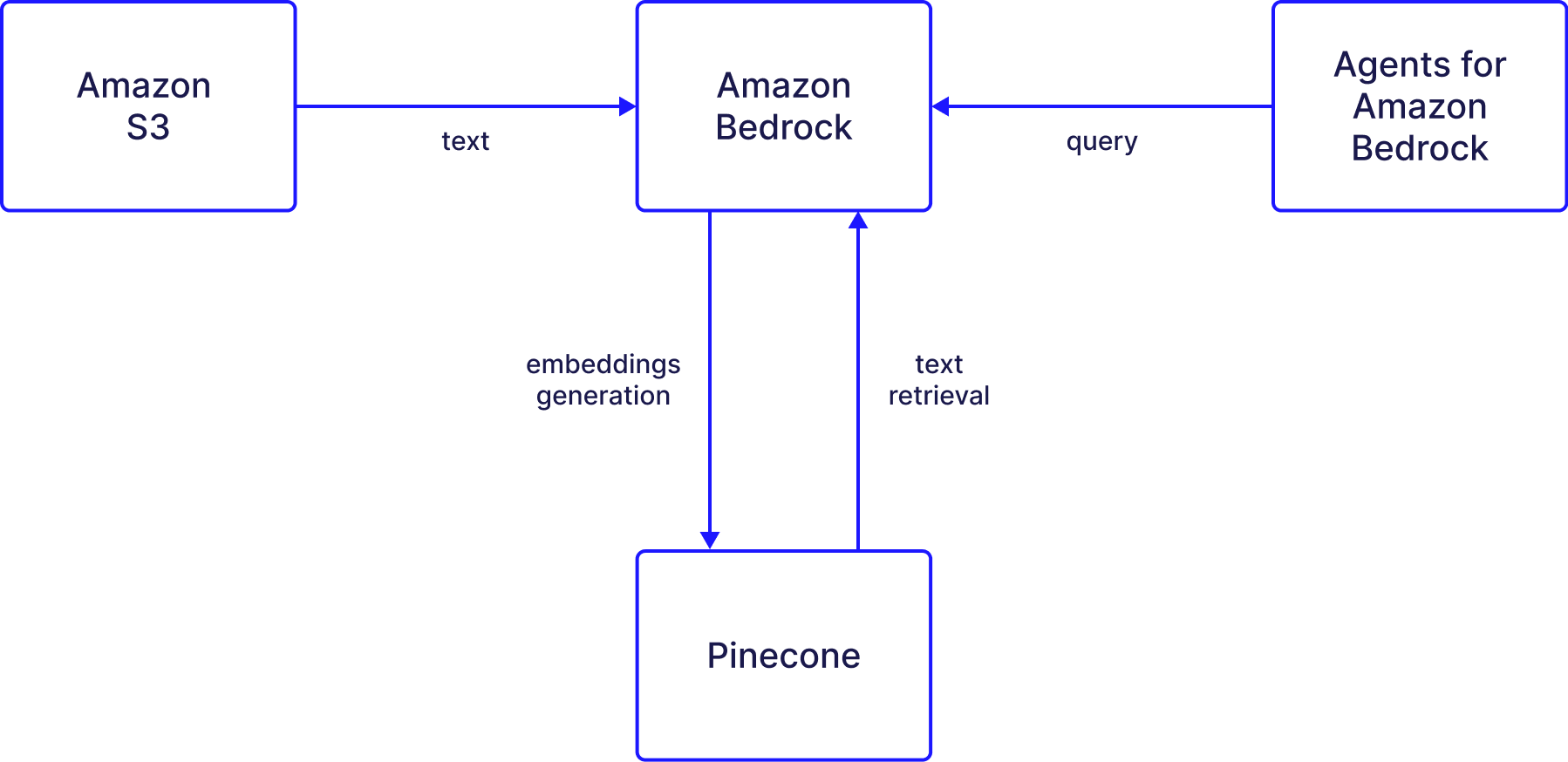 ## Setup guide
The process of using a Bedrock knowledge base with Pinecone works as follows:
## Setup guide
The process of using a Bedrock knowledge base with Pinecone works as follows:
 3. Click **Next**.
4. Enter a **Secret name** and **Description**.
5. Click **Next** to save your key.
6. On the **Configure rotation** page, select all the default options in the next screen, and click **Next**.
7. Click **Store**.
8. Click on the new secret you created and save the secret ARN for a later step.
#### Set up S3
The knowledge base is going to draw on data saved in S3. For this example, we use a [sample of research papers](https://huggingface.co/datasets/jamescalam/ai-arxiv2-semantic-chunks) obtained from a dataset. This data will be embedded and then saved in Pinecone.
1. Create a new general purpose bucket in [Amazon S3](https://console.aws.amazon.com/s3/home).
2. Once the bucket is created, upload a CSV file.
3. Click **Next**.
4. Enter a **Secret name** and **Description**.
5. Click **Next** to save your key.
6. On the **Configure rotation** page, select all the default options in the next screen, and click **Next**.
7. Click **Store**.
8. Click on the new secret you created and save the secret ARN for a later step.
#### Set up S3
The knowledge base is going to draw on data saved in S3. For this example, we use a [sample of research papers](https://huggingface.co/datasets/jamescalam/ai-arxiv2-semantic-chunks) obtained from a dataset. This data will be embedded and then saved in Pinecone.
1. Create a new general purpose bucket in [Amazon S3](https://console.aws.amazon.com/s3/home).
2. Once the bucket is created, upload a CSV file.
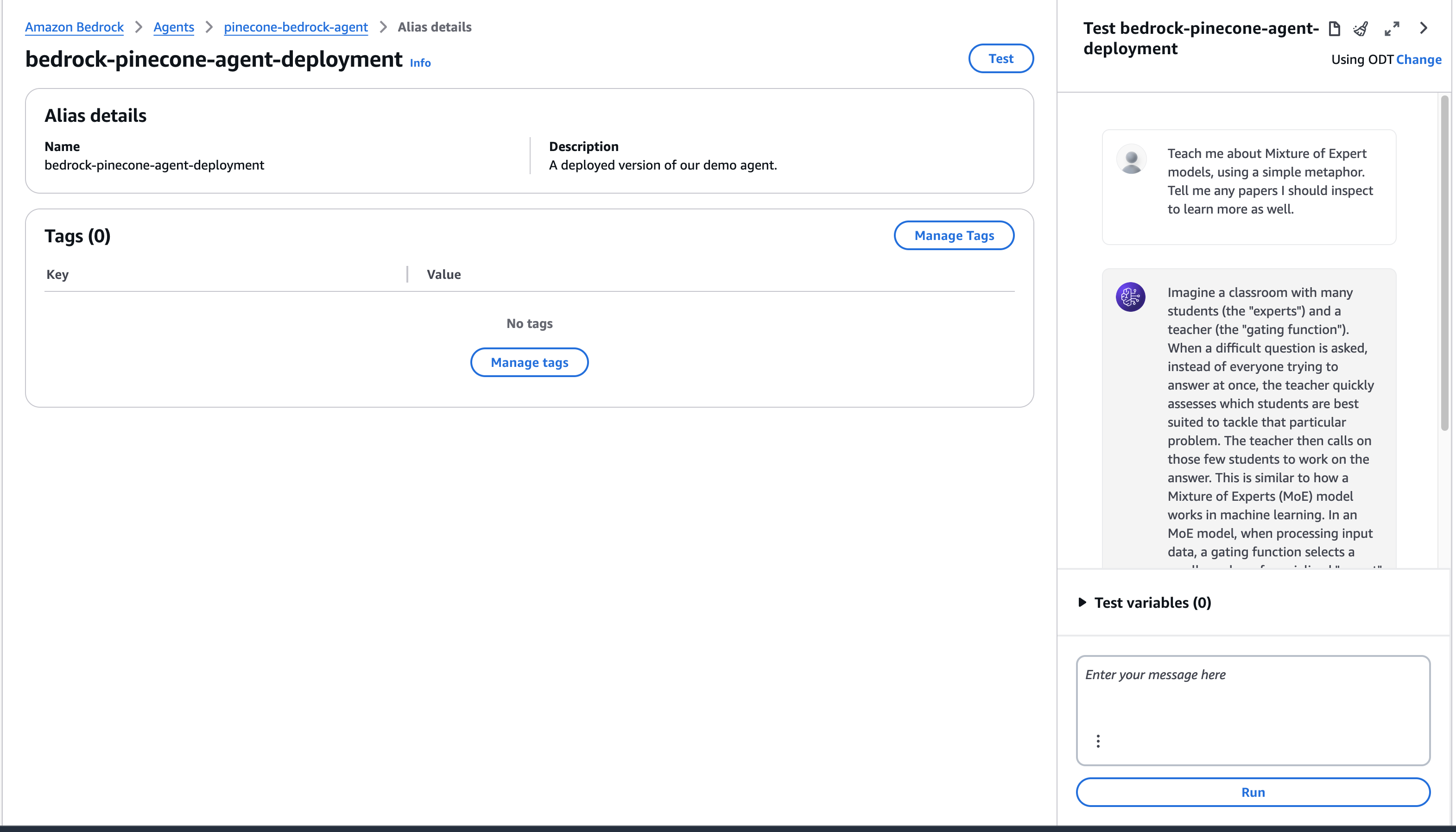 By inspecting the trace, we can see what chunks were used by the Agent and diagnose issues with responses.
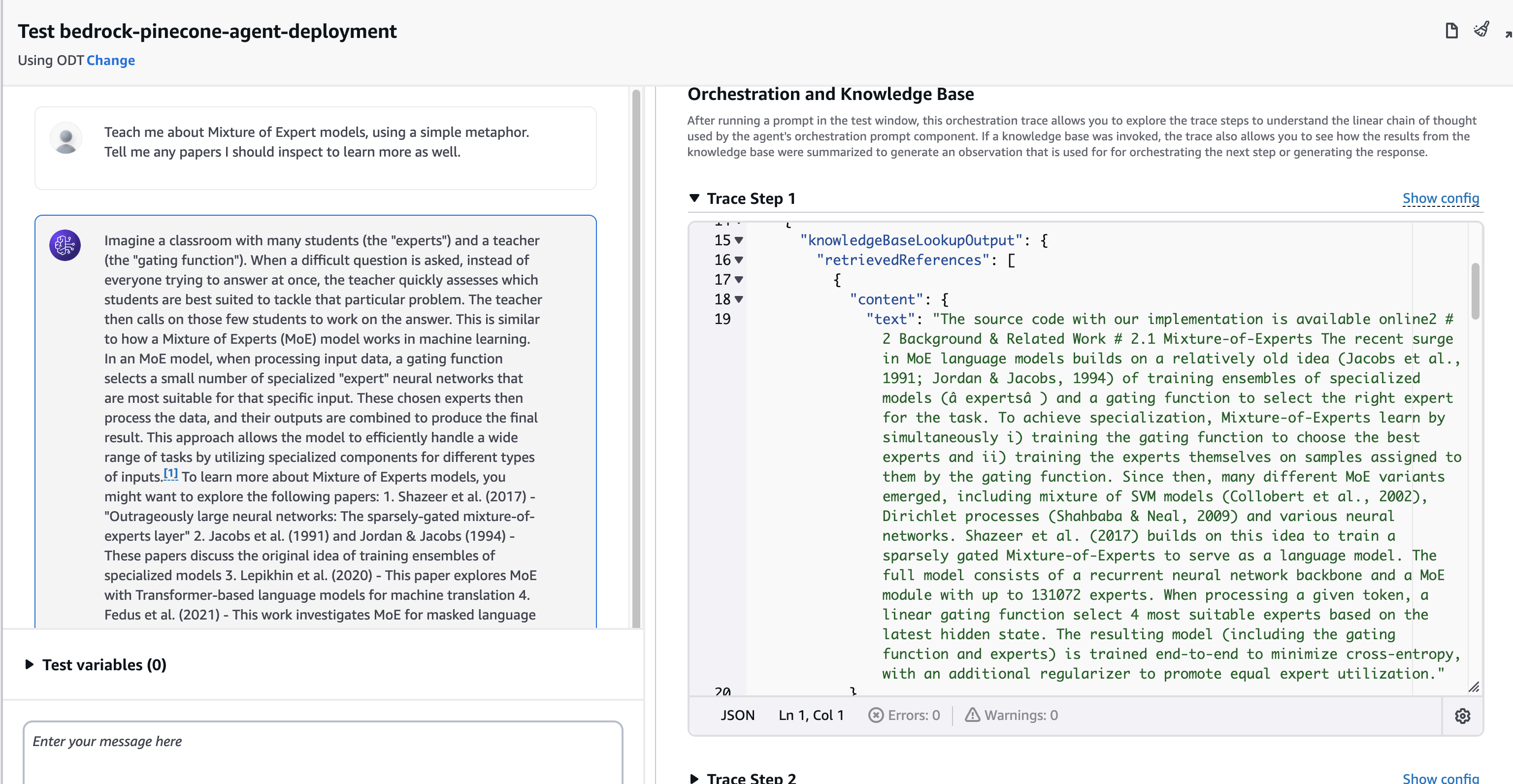 ## Related articles
* [Pinecone as a Knowledge Base for Amazon Bedrock](https://www.pinecone.io/blog/amazon-bedrock-integration/)
---
# Source: https://docs.pinecone.io/integrations/amazon-sagemaker.md
> ## Documentation Index
> Fetch the complete documentation index at: https://docs.pinecone.io/llms.txt
> Use this file to discover all available pages before exploring further.
# Amazon SageMaker
export const PrimarySecondaryCTA = ({primaryLabel, primaryHref, primaryTarget, secondaryLabel, secondaryHref, secondaryTarget}) =>
## Related articles
* [Pinecone as a Knowledge Base for Amazon Bedrock](https://www.pinecone.io/blog/amazon-bedrock-integration/)
---
# Source: https://docs.pinecone.io/integrations/amazon-sagemaker.md
> ## Documentation Index
> Fetch the complete documentation index at: https://docs.pinecone.io/llms.txt
> Use this file to discover all available pages before exploring further.
# Amazon SageMaker
export const PrimarySecondaryCTA = ({primaryLabel, primaryHref, primaryTarget, secondaryLabel, secondaryHref, secondaryTarget}) => 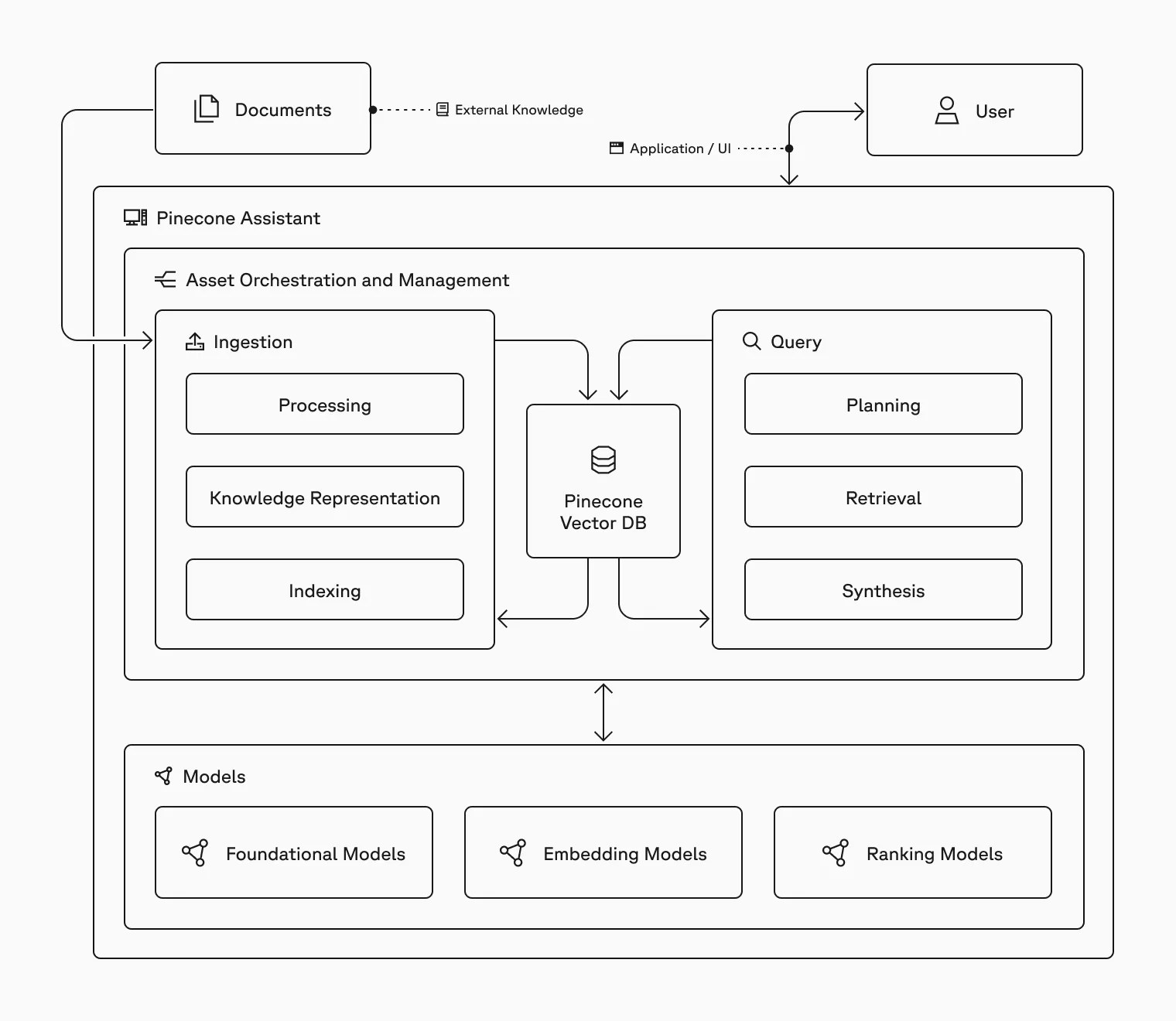
 ## Data ingestion
When a [document is uploaded](/guides/assistant/manage-files), the assistant processes the content by chunking it into smaller parts and generating [vector embeddings](https://www.pinecone.io/learn/vector-embeddings-for-developers/) for each chunk. These embeddings are stored in an [index](/guides/index-data/indexing-overview), making them ready for retrieval.
## Data retrieval
During a [chat](/guides/assistant/chat-with-assistant), the assistant processes the message to formulate relevant search queries, which are used to query the index and identify the most relevant chunks from the uploaded content.
## Response generation
After retrieving these chunks, the assistant performs a ranking step to determine which information is most relevant. This [context](/guides/assistant/context-snippets-overview), along with the chat history and [assistant instructions](/guides/assistant/manage-assistants#add-instructions-to-an-assistant), is then used by a large language model (LLM) to generate responses that are informed by your documents.
---
# Source: https://docs.pinecone.io/reference/api/assistant/assistant-limits.md
> ## Documentation Index
> Fetch the complete documentation index at: https://docs.pinecone.io/llms.txt
> Use this file to discover all available pages before exploring further.
# Pinecone Assistant limits
Pinecone Assistant limits vary based on [subscription plan](https://www.pinecone.io/pricing/).
### Object limits
Object limits are restrictions on the number or size of assistant-related objects.
| Metric | Starter plan | Standard plan | Enterprise plan |
| :----------------------------------- | :------------ | :------------ | :-------------- |
| Assistants per project | 5 | Unlimited | Unlimited |
| File storage per project | 1 GB | Unlimited | Unlimited |
| Chat input tokens per project | 1,500,000 | Unlimited | Unlimited |
| Chat output tokens per project | 200,000 | Unlimited | Unlimited |
| Context retrieval tokens per project | 500,000 | Unlimited | Unlimited |
| Evaluation input tokens per project | Not available | 150,000 | 500,000 |
| Files per assistant | 100 | 10,000 | 10,000 |
| File size (.docx, .json, .md, .txt) | 10 MB | 10 MB | 10 MB |
| File size (.pdf) | 10 MB | 100 MB | 100 MB |
| Metadata size per file | 16 KB | 16 KB | 16 KB |
Additionally, the following limits apply to [multimodal PDFs](/guides/assistant/multimodal) (currently in [public preview](/release-notes/feature-availability)):
| Metric | Starter plan | Standard plan | Enterprise plan |
| :---------------------------- | :----------- | :------------ | :-------------- |
| Max file size | 10 MB | 50 MB | 50 MB |
| Page limit | 100 | 100 | 100 |
| Multimodal PDFs per assistant | 10 | 20 | 20 |
### Rate limits
Rate limits help protect your applications from misuse and maintain the health of our shared infrastructure. These limits are designed to support typical production workloads while ensuring reliable performance for all users.
**Most rate limits can be adjusted upon request.** If you need higher limits to scale your application, [contact Support](https://app.pinecone.io/organizations/-/settings/support/ticket) with details about your use case.
Requests that exceed a rate limit fail and return a `429 - TOO_MANY_REQUESTS` status.
## Data ingestion
When a [document is uploaded](/guides/assistant/manage-files), the assistant processes the content by chunking it into smaller parts and generating [vector embeddings](https://www.pinecone.io/learn/vector-embeddings-for-developers/) for each chunk. These embeddings are stored in an [index](/guides/index-data/indexing-overview), making them ready for retrieval.
## Data retrieval
During a [chat](/guides/assistant/chat-with-assistant), the assistant processes the message to formulate relevant search queries, which are used to query the index and identify the most relevant chunks from the uploaded content.
## Response generation
After retrieving these chunks, the assistant performs a ranking step to determine which information is most relevant. This [context](/guides/assistant/context-snippets-overview), along with the chat history and [assistant instructions](/guides/assistant/manage-assistants#add-instructions-to-an-assistant), is then used by a large language model (LLM) to generate responses that are informed by your documents.
---
# Source: https://docs.pinecone.io/reference/api/assistant/assistant-limits.md
> ## Documentation Index
> Fetch the complete documentation index at: https://docs.pinecone.io/llms.txt
> Use this file to discover all available pages before exploring further.
# Pinecone Assistant limits
Pinecone Assistant limits vary based on [subscription plan](https://www.pinecone.io/pricing/).
### Object limits
Object limits are restrictions on the number or size of assistant-related objects.
| Metric | Starter plan | Standard plan | Enterprise plan |
| :----------------------------------- | :------------ | :------------ | :-------------- |
| Assistants per project | 5 | Unlimited | Unlimited |
| File storage per project | 1 GB | Unlimited | Unlimited |
| Chat input tokens per project | 1,500,000 | Unlimited | Unlimited |
| Chat output tokens per project | 200,000 | Unlimited | Unlimited |
| Context retrieval tokens per project | 500,000 | Unlimited | Unlimited |
| Evaluation input tokens per project | Not available | 150,000 | 500,000 |
| Files per assistant | 100 | 10,000 | 10,000 |
| File size (.docx, .json, .md, .txt) | 10 MB | 10 MB | 10 MB |
| File size (.pdf) | 10 MB | 100 MB | 100 MB |
| Metadata size per file | 16 KB | 16 KB | 16 KB |
Additionally, the following limits apply to [multimodal PDFs](/guides/assistant/multimodal) (currently in [public preview](/release-notes/feature-availability)):
| Metric | Starter plan | Standard plan | Enterprise plan |
| :---------------------------- | :----------- | :------------ | :-------------- |
| Max file size | 10 MB | 50 MB | 50 MB |
| Page limit | 100 | 100 | 100 |
| Multimodal PDFs per assistant | 10 | 20 | 20 |
### Rate limits
Rate limits help protect your applications from misuse and maintain the health of our shared infrastructure. These limits are designed to support typical production workloads while ensuring reliable performance for all users.
**Most rate limits can be adjusted upon request.** If you need higher limits to scale your application, [contact Support](https://app.pinecone.io/organizations/-/settings/support/ticket) with details about your use case.
Requests that exceed a rate limit fail and return a `429 - TOO_MANY_REQUESTS` status.
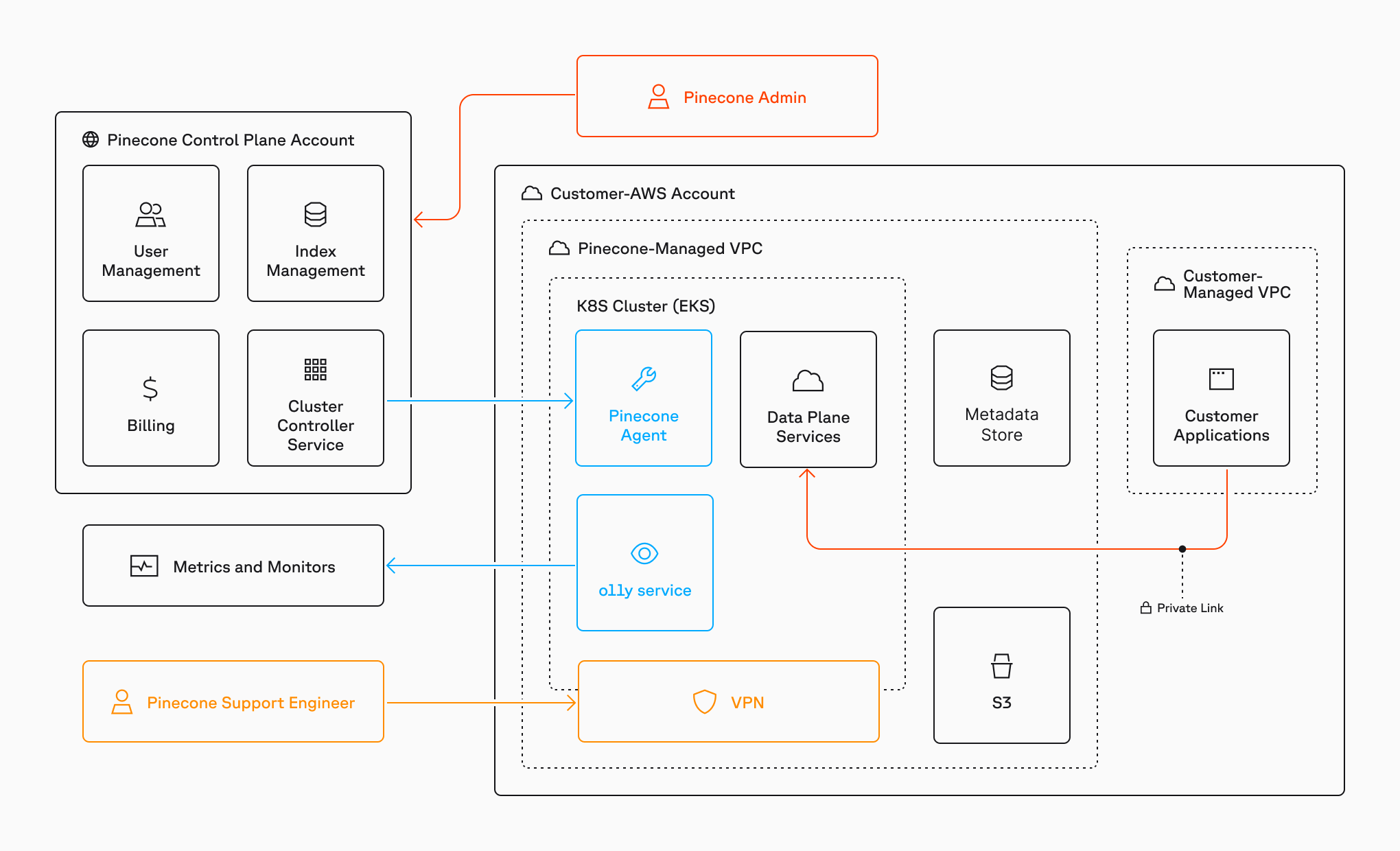
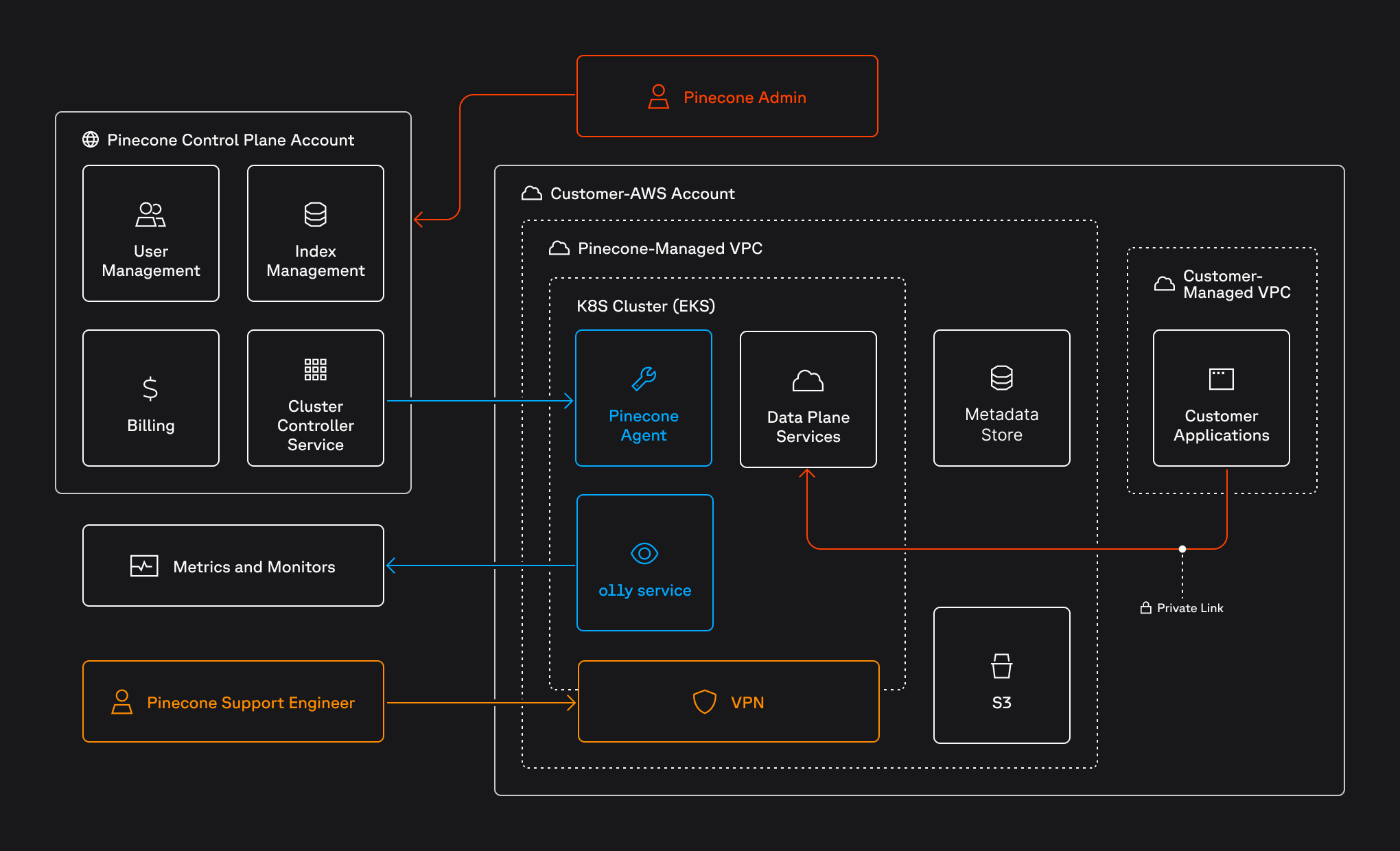 The BYOC architecture employs a split model:
* **Data plane**: The data plane is responsible for storing and processing your records, executing queries, and interacting with object storage for index data. In a BYOC deployment, the data plane is hosted in your own AWS or GCP account within a dedicated VPC, ensuring that all data is stored and processed locally and does not leave your organizational boundaries. You use a [private endpoint](#configure-a-private-endpoint) (AWS PrivateLink or GCP Private Service Connect) as an additional measure to secure requests to your indexes.
* **Control plane**: The control plane is responsible for managing the index lifecycle as well as region-agnostic services such as user management, authentication, and billing. The control plane does not hold or process any records. In a BYOC deployment, the control plane is managed by Pinecone and hosted globally. Communication between the data plane and control plane is encrypted using TLS and employs role-based access control (RBAC) with minimal IAM permissions.
## Onboarding
The onboarding process for BYOC in AWS or GCP involves the following general stages:
The BYOC architecture employs a split model:
* **Data plane**: The data plane is responsible for storing and processing your records, executing queries, and interacting with object storage for index data. In a BYOC deployment, the data plane is hosted in your own AWS or GCP account within a dedicated VPC, ensuring that all data is stored and processed locally and does not leave your organizational boundaries. You use a [private endpoint](#configure-a-private-endpoint) (AWS PrivateLink or GCP Private Service Connect) as an additional measure to secure requests to your indexes.
* **Control plane**: The control plane is responsible for managing the index lifecycle as well as region-agnostic services such as user management, authentication, and billing. The control plane does not hold or process any records. In a BYOC deployment, the control plane is managed by Pinecone and hosted globally. Communication between the data plane and control plane is encrypted using TLS and employs role-based access control (RBAC) with minimal IAM permissions.
## Onboarding
The onboarding process for BYOC in AWS or GCP involves the following general stages:
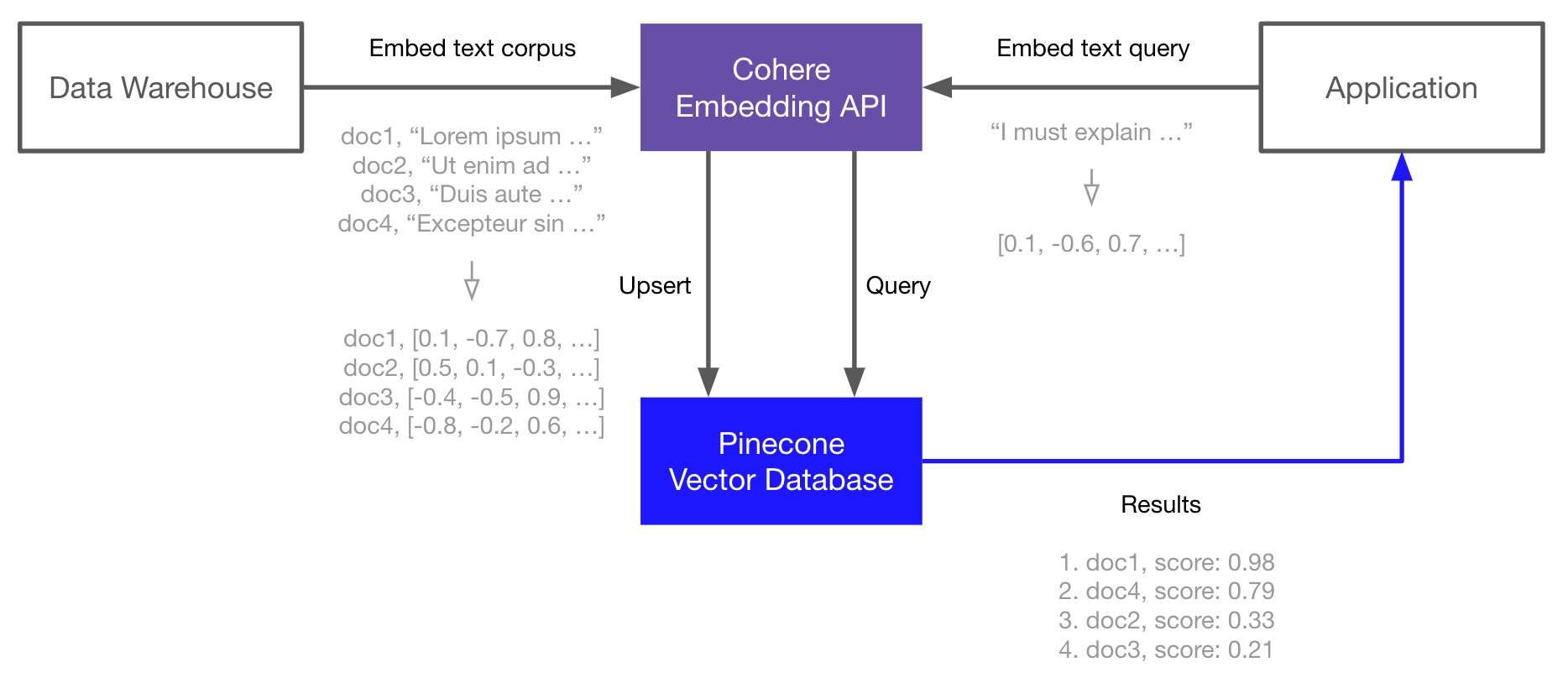 ### Set up the environment
Start by installing the Cohere and Pinecone clients and HuggingFace *Datasets* for downloading the TREC dataset used in this guide:
```shell Shell theme={null}
pip install -U cohere pinecone datasets
```
### Create embeddings
Sign up for an API key at [Cohere](https://dashboard.cohere.com/api-keys) and then use it to initialize your connection.
```Python Python theme={null}
import cohere
co = cohere.Client("
### Set up the environment
Start by installing the Cohere and Pinecone clients and HuggingFace *Datasets* for downloading the TREC dataset used in this guide:
```shell Shell theme={null}
pip install -U cohere pinecone datasets
```
### Create embeddings
Sign up for an API key at [Cohere](https://dashboard.cohere.com/api-keys) and then use it to initialize your connection.
```Python Python theme={null}
import cohere
co = cohere.Client("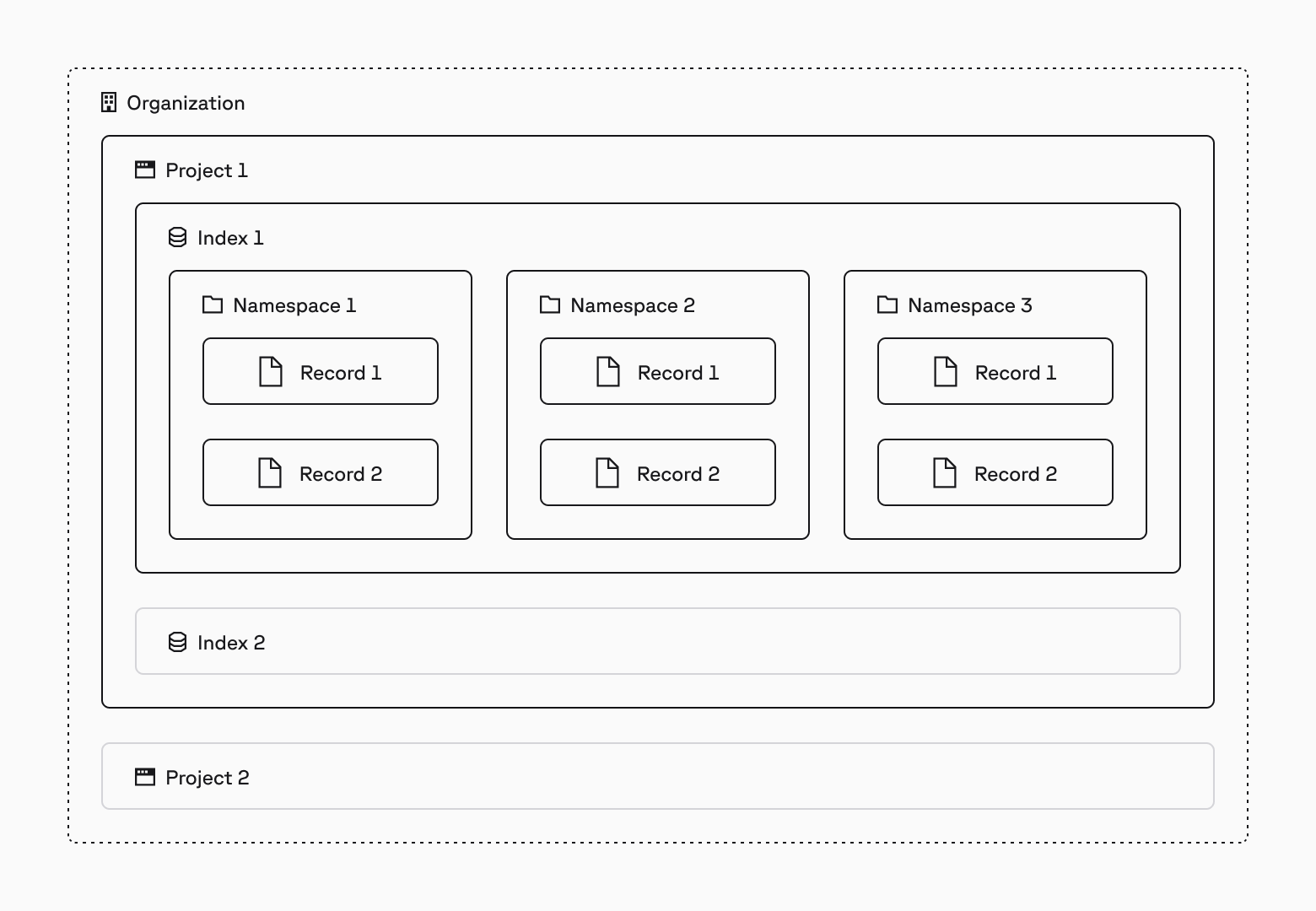
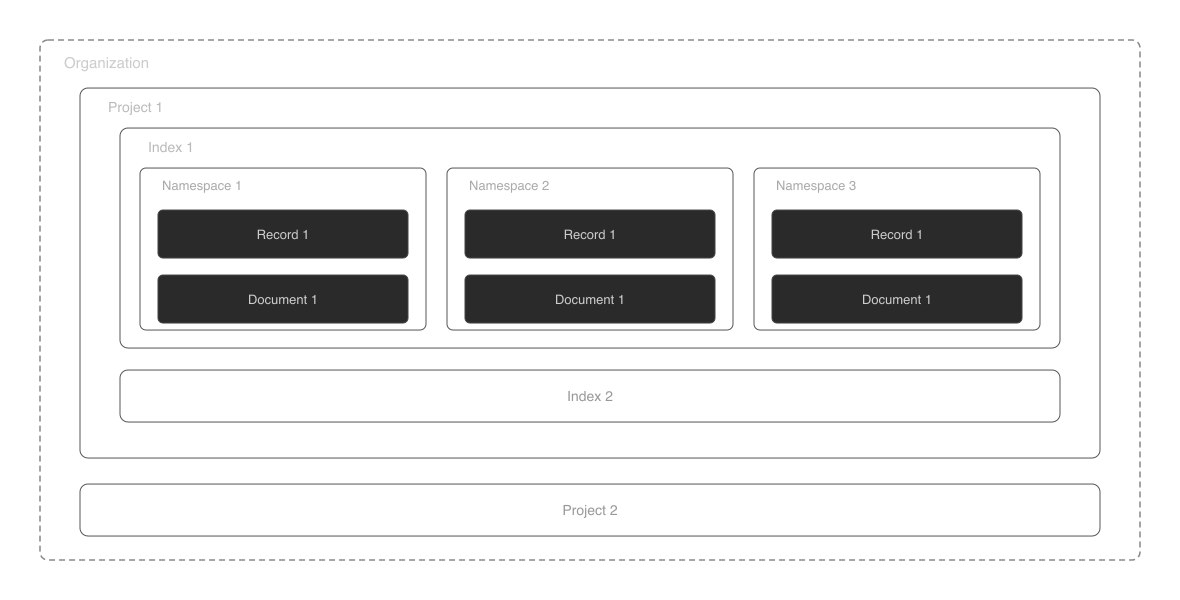 ## Organization
An organization is a group of one or more [projects](#project) that use the same billing. Organizations allow one or more [users](#user) to control billing and permissions for all of the projects belonging to the organization.
For more information, see [Understanding organizations](/guides/organizations/understanding-organizations).
## Project
A project belongs to an [organization](#organization) and contains one or more [indexes](#index). Each project belongs to exactly one organization, but only [users](#user) who belong to the project can access the indexes in that project. [API keys](#api-key) and [Assistants](#assistant) are project-specific.
For more information, see [Understanding projects](/guides/projects/understanding-projects).
## Index
There are two types of [serverless indexes](/guides/index-data/indexing-overview), dense and sparse.
### Dense index
Dense indexes store records that have one [dense vector](#dense-vector) each.
## Organization
An organization is a group of one or more [projects](#project) that use the same billing. Organizations allow one or more [users](#user) to control billing and permissions for all of the projects belonging to the organization.
For more information, see [Understanding organizations](/guides/organizations/understanding-organizations).
## Project
A project belongs to an [organization](#organization) and contains one or more [indexes](#index). Each project belongs to exactly one organization, but only [users](#user) who belong to the project can access the indexes in that project. [API keys](#api-key) and [Assistants](#assistant) are project-specific.
For more information, see [Understanding projects](/guides/projects/understanding-projects).
## Index
There are two types of [serverless indexes](/guides/index-data/indexing-overview), dense and sparse.
### Dense index
Dense indexes store records that have one [dense vector](#dense-vector) each.
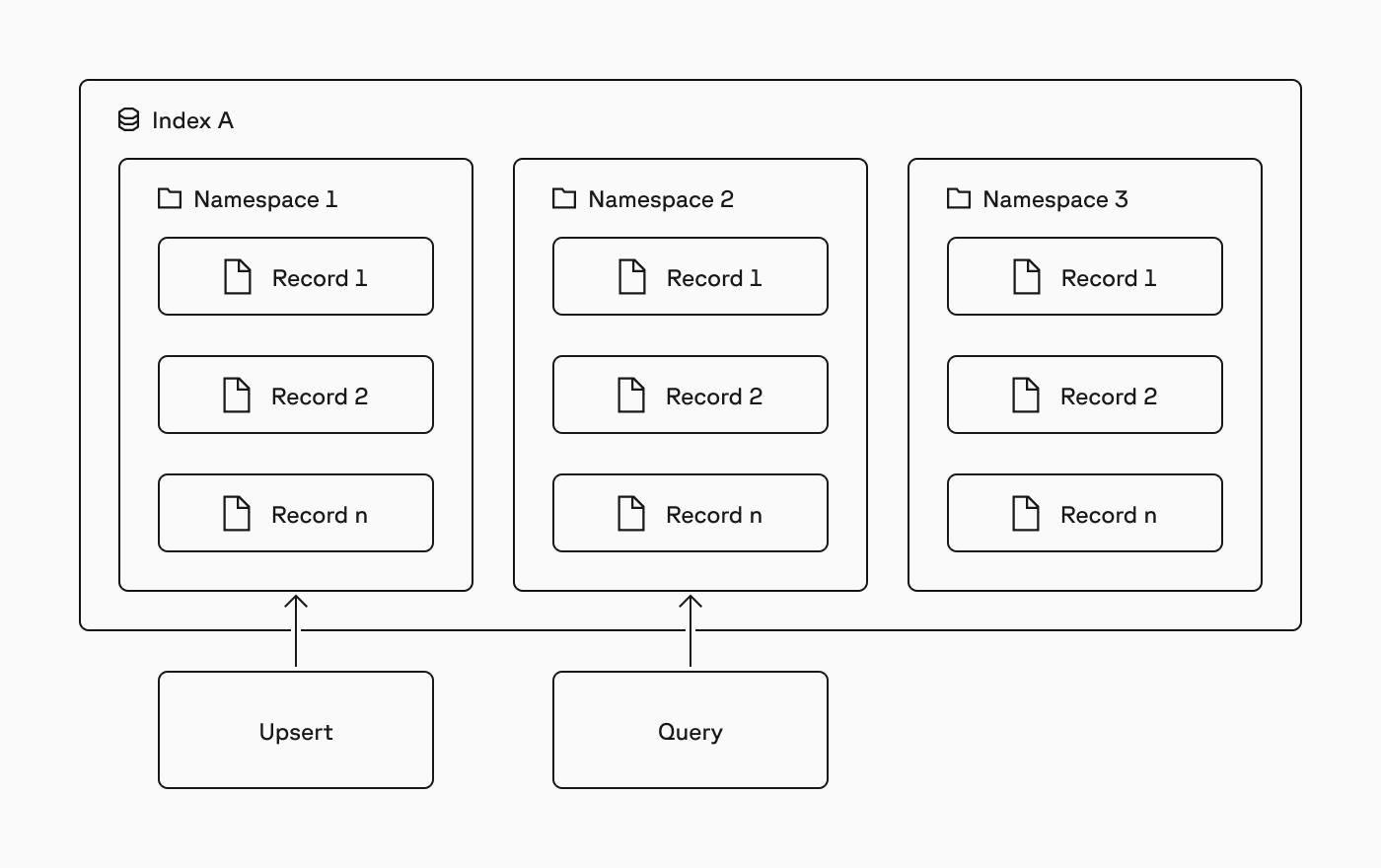
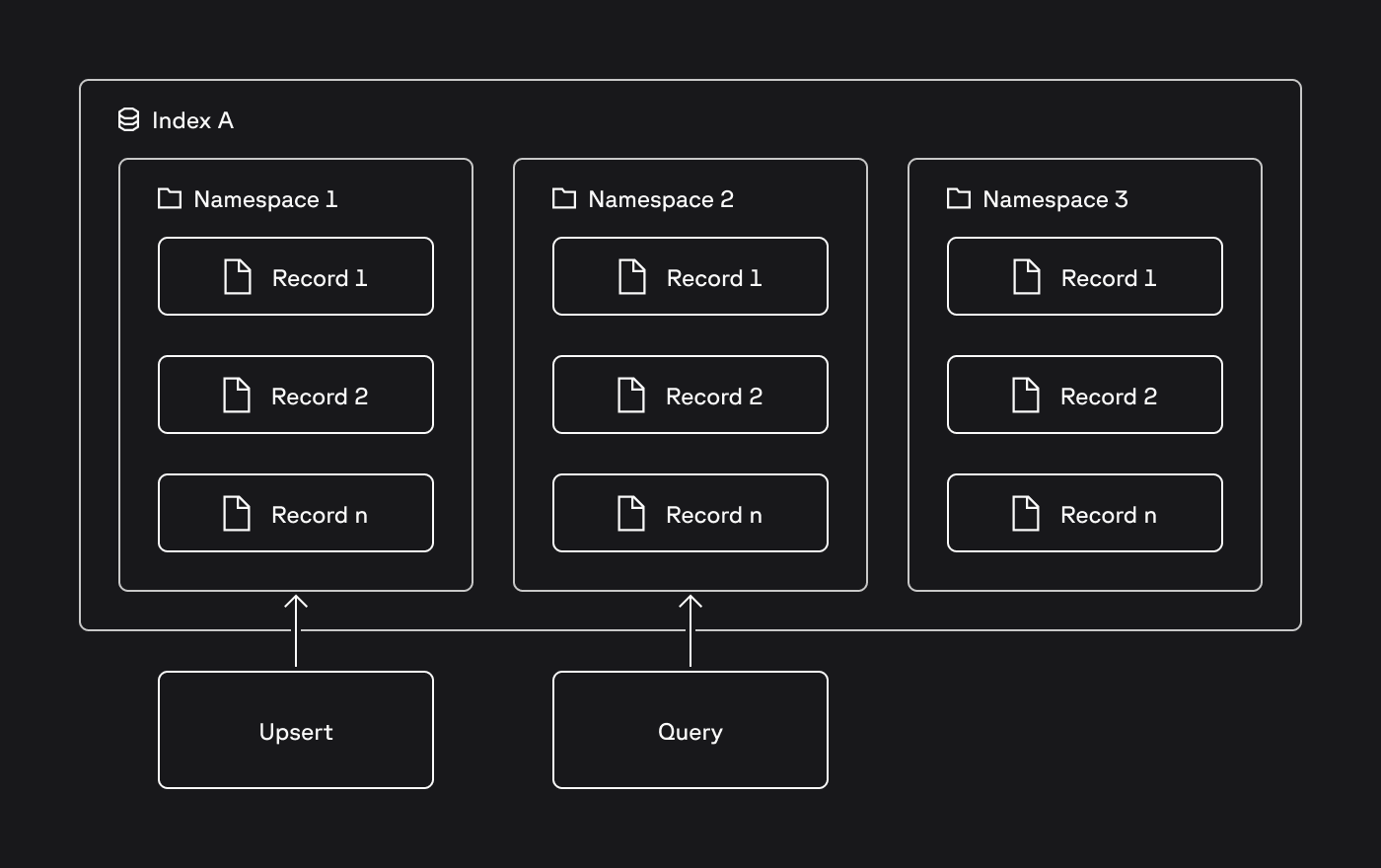 For more information, see [Use namespaces](/guides/index-data/indexing-overview#namespaces).
## Record
A record is a basic unit of data and consists of a [record ID](#record-id), a [dense vector](#dense-vector) or a [sparse vector](#sparse-vector) (depending on the type of index), and optional [metadata](#metadata).
For more information, see [Upsert data](/guides/index-data/upsert-data).
### Record ID
A record ID is a record's unique ID. [Use ID prefixes](/guides/index-data/data-modeling#use-structured-ids) that reflect the type of data you're storing.
### Dense vector
A dense vector, also referred to as a vector embedding or simply a vector, is a series of numbers that represent the meaning and relationships of data. Each number in a dense vector corresponds to a point in a multidimensional space. Vectors that are closer together in that space are semantically similar.
Dense vectors are stored in [dense indexes](#dense-index).
You use a dense embedding model to convert data to dense vectors. The embedding model can be external to Pinecone or [hosted on Pinecone infrastructure](/guides/index-data/create-an-index#embedding-models) and integrated with an index.
For more information about dense vectors, see [What are vector embeddings?](https://www.pinecone.io/learn/vector-embeddings/).
### Sparse vector
Sparse vectors are often used to represent documents or queries in a way that captures keyword information. Each dimension in a sparse vector typically represents a word from a dictionary, and the non-zero values represent the importance of these words in the document.
Sparse vectors have a large number of dimensions, but a small number of those values are non-zero. Because most values are zero, Pinecone stores sparse vectors efficiently by keeping only the non-zero values along with their corresponding indices.
Sparse vectors are stored in [sparse indexes](#sparse-index) and [hybrid indexes](/guides/search/hybrid-search#use-a-single-hybrid-index). To convert data to sparse vectors, use a sparse embedding model. The embedding model can be external to Pinecone or [hosted on Pinecone infrastructure](/guides/index-data/create-an-index#embedding-models) and integrated with an index.
For more information about sparse vectors, see [Sparse retrieval](https://www.pinecone.io/learn/sparse-retrieval/).
### Metadata
Metadata is additional information included in a record to provide more context and enable additional [filtering capabilities](/guides/index-data/indexing-overview#metadata). For example, the original text that was embedded can be stored in the metadata.
## Other concepts
Although not represented in the diagram above, Pinecone also contains the following concepts:
* [API key](#api-key)
* [User](#user)
* [Backup or collection](#backup-or-collection)
* [Pinecone Inference](#pinecone-inference)
### API key
An API key is a unique token that [authenticates](/reference/api/authentication) and authorizes access to the [Pinecone APIs](/reference/api/introduction). API keys are project-specific.
### User
A user is a member of organizations and projects. Users are assigned specific roles at the organization and project levels that determine the user's permissions in the [Pinecone console](https://app.pinecone.io).
For more information, see [Manage organization members](/guides/organizations/manage-organization-members) and [Manage project members](/guides/projects/manage-project-members).
### Backup or collection
A backup is a static copy of a serverless index.
Backups only consume storage. They are non-queryable representations of a set of records. You can create a backup from an index, and you can create a new index from that backup. The new index configuration can differ from the original source index: for example, it can have a different name. However, it must have the same number of dimensions and similarity metric as the source index.
For more information, see [Understanding backups](/guides/manage-data/backups-overview).
### Pinecone Inference
Pinecone Inference is an API service that provides access to [embedding models](/guides/index-data/create-an-index#embedding-models) and [reranking models](/guides/search/rerank-results#reranking-models) hosted on Pinecone's infrastructure.
## Learn more
* [Vector database](https://www.pinecone.io/learn/vector-database/)
* [Pinecone APIs](/reference/api/introduction)
* [Approximate nearest neighbor (ANN) algorithms](https://www.pinecone.io/learn/a-developers-guide-to-ann-algorithms/)
* [Retrieval augmented generation (RAG)](https://www.pinecone.io/learn/retrieval-augmented-generation/)
* [Image search](https://www.pinecone.io/learn/series/image-search/)
* [Tokenization](https://www.pinecone.io/learn/tokenization/)
---
# Source: https://docs.pinecone.io/guides/production/configure-audit-logs.md
# Source: https://docs.pinecone.io/guides/assistant/admin/configure-audit-logs.md
> ## Documentation Index
> Fetch the complete documentation index at: https://docs.pinecone.io/llms.txt
> Use this file to discover all available pages before exploring further.
# Configure audit logs
> Track user and API actions with audit log configuration.
This page describes how to configure audit logs in Pinecone. Audit logs provide a detailed record of user, service account, and API actions that occur on the management and [control plane](/guides/get-started/database-architecture#control-plane) within Pinecone. Pinecone supports Amazon S3 as a destination for audit logs.
For more information, see [Use namespaces](/guides/index-data/indexing-overview#namespaces).
## Record
A record is a basic unit of data and consists of a [record ID](#record-id), a [dense vector](#dense-vector) or a [sparse vector](#sparse-vector) (depending on the type of index), and optional [metadata](#metadata).
For more information, see [Upsert data](/guides/index-data/upsert-data).
### Record ID
A record ID is a record's unique ID. [Use ID prefixes](/guides/index-data/data-modeling#use-structured-ids) that reflect the type of data you're storing.
### Dense vector
A dense vector, also referred to as a vector embedding or simply a vector, is a series of numbers that represent the meaning and relationships of data. Each number in a dense vector corresponds to a point in a multidimensional space. Vectors that are closer together in that space are semantically similar.
Dense vectors are stored in [dense indexes](#dense-index).
You use a dense embedding model to convert data to dense vectors. The embedding model can be external to Pinecone or [hosted on Pinecone infrastructure](/guides/index-data/create-an-index#embedding-models) and integrated with an index.
For more information about dense vectors, see [What are vector embeddings?](https://www.pinecone.io/learn/vector-embeddings/).
### Sparse vector
Sparse vectors are often used to represent documents or queries in a way that captures keyword information. Each dimension in a sparse vector typically represents a word from a dictionary, and the non-zero values represent the importance of these words in the document.
Sparse vectors have a large number of dimensions, but a small number of those values are non-zero. Because most values are zero, Pinecone stores sparse vectors efficiently by keeping only the non-zero values along with their corresponding indices.
Sparse vectors are stored in [sparse indexes](#sparse-index) and [hybrid indexes](/guides/search/hybrid-search#use-a-single-hybrid-index). To convert data to sparse vectors, use a sparse embedding model. The embedding model can be external to Pinecone or [hosted on Pinecone infrastructure](/guides/index-data/create-an-index#embedding-models) and integrated with an index.
For more information about sparse vectors, see [Sparse retrieval](https://www.pinecone.io/learn/sparse-retrieval/).
### Metadata
Metadata is additional information included in a record to provide more context and enable additional [filtering capabilities](/guides/index-data/indexing-overview#metadata). For example, the original text that was embedded can be stored in the metadata.
## Other concepts
Although not represented in the diagram above, Pinecone also contains the following concepts:
* [API key](#api-key)
* [User](#user)
* [Backup or collection](#backup-or-collection)
* [Pinecone Inference](#pinecone-inference)
### API key
An API key is a unique token that [authenticates](/reference/api/authentication) and authorizes access to the [Pinecone APIs](/reference/api/introduction). API keys are project-specific.
### User
A user is a member of organizations and projects. Users are assigned specific roles at the organization and project levels that determine the user's permissions in the [Pinecone console](https://app.pinecone.io).
For more information, see [Manage organization members](/guides/organizations/manage-organization-members) and [Manage project members](/guides/projects/manage-project-members).
### Backup or collection
A backup is a static copy of a serverless index.
Backups only consume storage. They are non-queryable representations of a set of records. You can create a backup from an index, and you can create a new index from that backup. The new index configuration can differ from the original source index: for example, it can have a different name. However, it must have the same number of dimensions and similarity metric as the source index.
For more information, see [Understanding backups](/guides/manage-data/backups-overview).
### Pinecone Inference
Pinecone Inference is an API service that provides access to [embedding models](/guides/index-data/create-an-index#embedding-models) and [reranking models](/guides/search/rerank-results#reranking-models) hosted on Pinecone's infrastructure.
## Learn more
* [Vector database](https://www.pinecone.io/learn/vector-database/)
* [Pinecone APIs](/reference/api/introduction)
* [Approximate nearest neighbor (ANN) algorithms](https://www.pinecone.io/learn/a-developers-guide-to-ann-algorithms/)
* [Retrieval augmented generation (RAG)](https://www.pinecone.io/learn/retrieval-augmented-generation/)
* [Image search](https://www.pinecone.io/learn/series/image-search/)
* [Tokenization](https://www.pinecone.io/learn/tokenization/)
---
# Source: https://docs.pinecone.io/guides/production/configure-audit-logs.md
# Source: https://docs.pinecone.io/guides/assistant/admin/configure-audit-logs.md
> ## Documentation Index
> Fetch the complete documentation index at: https://docs.pinecone.io/llms.txt
> Use this file to discover all available pages before exploring further.
# Configure audit logs
> Track user and API actions with audit log configuration.
This page describes how to configure audit logs in Pinecone. Audit logs provide a detailed record of user, service account, and API actions that occur on the management and [control plane](/guides/get-started/database-architecture#control-plane) within Pinecone. Pinecone supports Amazon S3 as a destination for audit logs.
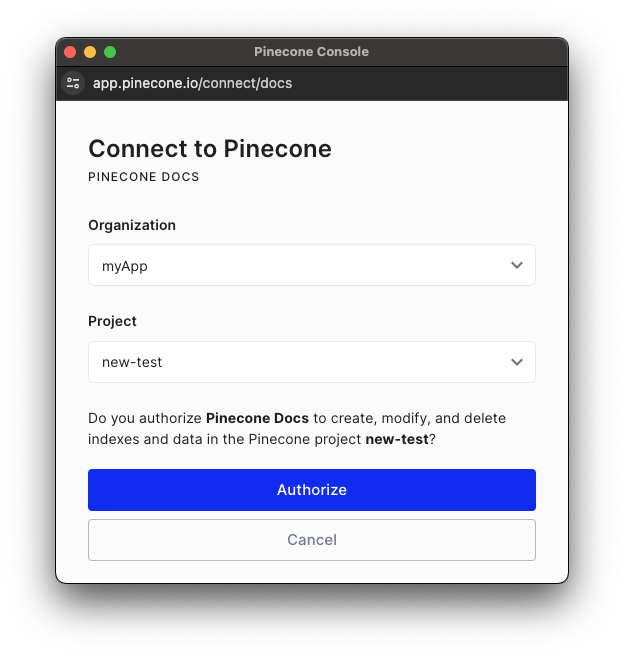 The `ConnectPopup` function can be called with either the JavaScript library or script. The JavaScript library is the most commonly used method, but the script can be used in instances where you cannot build and use a custom library, like within the constraints of a content management system (CMS).
The function includes the following **required** configuration option:
* `integrationId`: The slug assigned to the integration. If `integrationId` is not passed, the widget will not render.
The `ConnectPopup` function can be called with either the JavaScript library or script. The JavaScript library is the most commonly used method, but the script can be used in instances where you cannot build and use a custom library, like within the constraints of a content management system (CMS).
The function includes the following **required** configuration option:
* `integrationId`: The slug assigned to the integration. If `integrationId` is not passed, the widget will not render.
 [Once you have created your `integrationId`](#create-an-integration-id), you can embed the **Connect** widget multiple ways:
* [JavaScript](#javascript) library (`@pinecone-database/connect`) or script: Renders the widget in apps and websites.
* [Colab](#colab) (`pinecone-notebooks`): Renders the widget in Colab notebooks using Python.
Once you have created your integration, be sure to [attribute usage to your integration](/integrations/build-integration/attribute-usage-to-your-integration).
### JavaScript
To embed the **Connect to Pinecone** widget in your app or website using the [`@pinecone-database/connect` library](https://www.npmjs.com/package/@pinecone-database/connect), install the necessary dependencies:
```shell Shell theme={null}
# Install dependencies
npm i -S @pinecone-database/connect
```
You can use the JavaScript library to render the **Connect to Pinecone** widget and obtain the API key with the [`connectToPinecone` function](#connecttopinecone-function). It displays the widget and calls the provided callback function with the Pinecone API key, once the user completes the flow.
The function includes the following **required** configuration options:
* `integrationId`: The slug assigned to the integration. If `integrationId` is not passed, the widget will not render.
[Once you have created your `integrationId`](#create-an-integration-id), you can embed the **Connect** widget multiple ways:
* [JavaScript](#javascript) library (`@pinecone-database/connect`) or script: Renders the widget in apps and websites.
* [Colab](#colab) (`pinecone-notebooks`): Renders the widget in Colab notebooks using Python.
Once you have created your integration, be sure to [attribute usage to your integration](/integrations/build-integration/attribute-usage-to-your-integration).
### JavaScript
To embed the **Connect to Pinecone** widget in your app or website using the [`@pinecone-database/connect` library](https://www.npmjs.com/package/@pinecone-database/connect), install the necessary dependencies:
```shell Shell theme={null}
# Install dependencies
npm i -S @pinecone-database/connect
```
You can use the JavaScript library to render the **Connect to Pinecone** widget and obtain the API key with the [`connectToPinecone` function](#connecttopinecone-function). It displays the widget and calls the provided callback function with the Pinecone API key, once the user completes the flow.
The function includes the following **required** configuration options:
* `integrationId`: The slug assigned to the integration. If `integrationId` is not passed, the widget will not render.

 ### API gateway
Every request to Pinecone includes an [API key](/guides/projects/manage-api-keys) that's assigned to a specific [project](/guides/projects/understanding-projects). The API gateway first validates your API key to make sure you have permission to access the project. Once validated, it routes your request to either the global control plane (for managing projects and indexes) or a regional data plane (for reading and writing data), depending on what you're trying to do.
### Control plane
The global control plane manages your organizational resources like projects and indexes. It uses a dedicated database to keep track of all these objects. The control plane also handles billing, user management, and coordinates operations across different regions.
### Data plane
The data plane handles all requests to write and read records in [indexes](/guides/index-data/indexing-overview) within a specific [cloud region](/guides/index-data/create-an-index#cloud-regions). Each index is divided into one or more logical [namespaces](/guides/index-data/indexing-overview#namespaces), and all your read and write requests target a specific namespace.
Pinecone separates write and read operations into different paths, with each scaling independently based on demand. This separation ensures that your queries never slow down your writes, and your writes never slow down your queries.
### Object storage
For each namespace in a serverless index, Pinecone organizes records into immutable files called slabs. These slabs are [optimized for fast querying](#index-builder) and stored in distributed object storage that provides virtually unlimited scalability and high availability.
## Write path
### API gateway
Every request to Pinecone includes an [API key](/guides/projects/manage-api-keys) that's assigned to a specific [project](/guides/projects/understanding-projects). The API gateway first validates your API key to make sure you have permission to access the project. Once validated, it routes your request to either the global control plane (for managing projects and indexes) or a regional data plane (for reading and writing data), depending on what you're trying to do.
### Control plane
The global control plane manages your organizational resources like projects and indexes. It uses a dedicated database to keep track of all these objects. The control plane also handles billing, user management, and coordinates operations across different regions.
### Data plane
The data plane handles all requests to write and read records in [indexes](/guides/index-data/indexing-overview) within a specific [cloud region](/guides/index-data/create-an-index#cloud-regions). Each index is divided into one or more logical [namespaces](/guides/index-data/indexing-overview#namespaces), and all your read and write requests target a specific namespace.
Pinecone separates write and read operations into different paths, with each scaling independently based on demand. This separation ensures that your queries never slow down your writes, and your writes never slow down your queries.
### Object storage
For each namespace in a serverless index, Pinecone organizes records into immutable files called slabs. These slabs are [optimized for fast querying](#index-builder) and stored in distributed object storage that provides virtually unlimited scalability and high availability.
## Write path

 ### Request log
When you send a write request (to add, update, or delete records), the [data plane](#data-plane) first logs the request details with a unique sequence number (LSN). This ensures all operations happen in the correct order and provides a way to track the state of the index.
Pinecone immediately returns a `200 OK` response, guaranteeing that your write is durable and won't be lost. The system then processes your write in the background.
### Index builder
The index builder stores your write data in an in-memory structure called a memtable. This includes your vector data, any metadata you've attached, and the sequence number. If you're updating or deleting a record, the system also tracks how to handle the old version during queries.
Periodically, the index builder moves data from the memtable to permanent storage. In [object storage](#object-storage), your data is organized into immutable files called slabs. These slabs are optimized for query performance. Smaller slabs use fast indexing techniques that provide good performance with minimal resource requirements. As slabs grow, the system merges them into larger slabs that use more sophisticated methods that provide better performance at scale. This adaptive process both optimizes query performance for each slab and amortizes the cost of more expensive indexing through the lifetime of the namespace.
### Request log
When you send a write request (to add, update, or delete records), the [data plane](#data-plane) first logs the request details with a unique sequence number (LSN). This ensures all operations happen in the correct order and provides a way to track the state of the index.
Pinecone immediately returns a `200 OK` response, guaranteeing that your write is durable and won't be lost. The system then processes your write in the background.
### Index builder
The index builder stores your write data in an in-memory structure called a memtable. This includes your vector data, any metadata you've attached, and the sequence number. If you're updating or deleting a record, the system also tracks how to handle the old version during queries.
Periodically, the index builder moves data from the memtable to permanent storage. In [object storage](#object-storage), your data is organized into immutable files called slabs. These slabs are optimized for query performance. Smaller slabs use fast indexing techniques that provide good performance with minimal resource requirements. As slabs grow, the system merges them into larger slabs that use more sophisticated methods that provide better performance at scale. This adaptive process both optimizes query performance for each slab and amortizes the cost of more expensive indexing through the lifetime of the namespace.

 ### Query routers
When you send a search query, the [data plane](#data-plane) first validates your request and checks that it meets system limits like [rate and object limits](/reference/api/database-limits.mdx). The query router then identifies which slabs contain relevant data and routes your query to the appropriate executors. It also searches the memtable for any recent data that hasn't been moved to permanent storage yet.
### Query executors
Each query executor searches through its assigned slabs and returns the most relevant candidates to the query router. If your query includes metadata filters, the executors exclude records that don't match your criteria before finding the best matches.
Most of the time, the slabs are cached in memory or on local SSD, which provides very fast query performance. If a slab isn't cached (which happens when it's accessed for the first time or hasn't been used recently), the executor fetches it from object storage and caches it for future queries.
The query router then combines results from all executors, removes duplicates, merges them with results from the memtable, and returns the final set of best matches to you.
---
# Source: https://docs.pinecone.io/reference/api/database-limits.md
> ## Documentation Index
> Fetch the complete documentation index at: https://docs.pinecone.io/llms.txt
> Use this file to discover all available pages before exploring further.
# Pinecone Database limits
This page describes different types of limits for Pinecone Database.
## Rate limits
Rate limits help protect your applications from misuse and maintain the health of our shared serverless infrastructure. These limits are designed to support typical production workloads while ensuring reliable performance for all users.
**Most rate limits can be adjusted upon request.** If you need higher limits to scale your application, [contact Support](https://app.pinecone.io/organizations/-/settings/support/ticket) with details about your use case. Pinecone is committed to supporting your growth and can often accommodate higher throughput requirements.
Rate limits vary based on [pricing plan](https://www.pinecone.io/pricing/) and apply to [serverless indexes](/guides/index-data/indexing-overview) only.
### Query routers
When you send a search query, the [data plane](#data-plane) first validates your request and checks that it meets system limits like [rate and object limits](/reference/api/database-limits.mdx). The query router then identifies which slabs contain relevant data and routes your query to the appropriate executors. It also searches the memtable for any recent data that hasn't been moved to permanent storage yet.
### Query executors
Each query executor searches through its assigned slabs and returns the most relevant candidates to the query router. If your query includes metadata filters, the executors exclude records that don't match your criteria before finding the best matches.
Most of the time, the slabs are cached in memory or on local SSD, which provides very fast query performance. If a slab isn't cached (which happens when it's accessed for the first time or hasn't been used recently), the executor fetches it from object storage and caches it for future queries.
The query router then combines results from all executors, removes duplicates, merges them with results from the memtable, and returns the final set of best matches to you.
---
# Source: https://docs.pinecone.io/reference/api/database-limits.md
> ## Documentation Index
> Fetch the complete documentation index at: https://docs.pinecone.io/llms.txt
> Use this file to discover all available pages before exploring further.
# Pinecone Database limits
This page describes different types of limits for Pinecone Database.
## Rate limits
Rate limits help protect your applications from misuse and maintain the health of our shared serverless infrastructure. These limits are designed to support typical production workloads while ensuring reliable performance for all users.
**Most rate limits can be adjusted upon request.** If you need higher limits to scale your application, [contact Support](https://app.pinecone.io/organizations/-/settings/support/ticket) with details about your use case. Pinecone is committed to supporting your growth and can often accommodate higher throughput requirements.
Rate limits vary based on [pricing plan](https://www.pinecone.io/pricing/) and apply to [serverless indexes](/guides/index-data/indexing-overview) only.
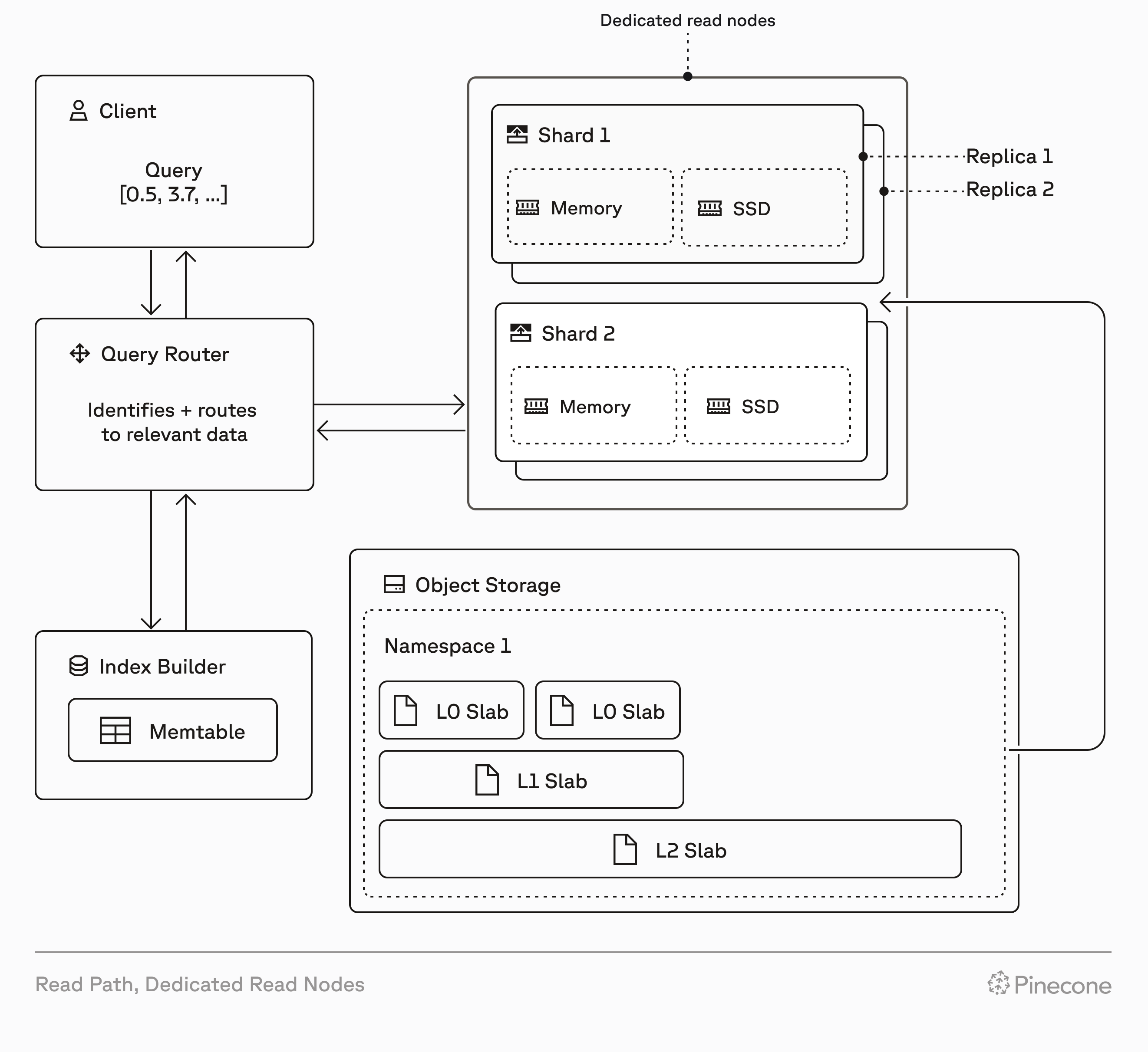
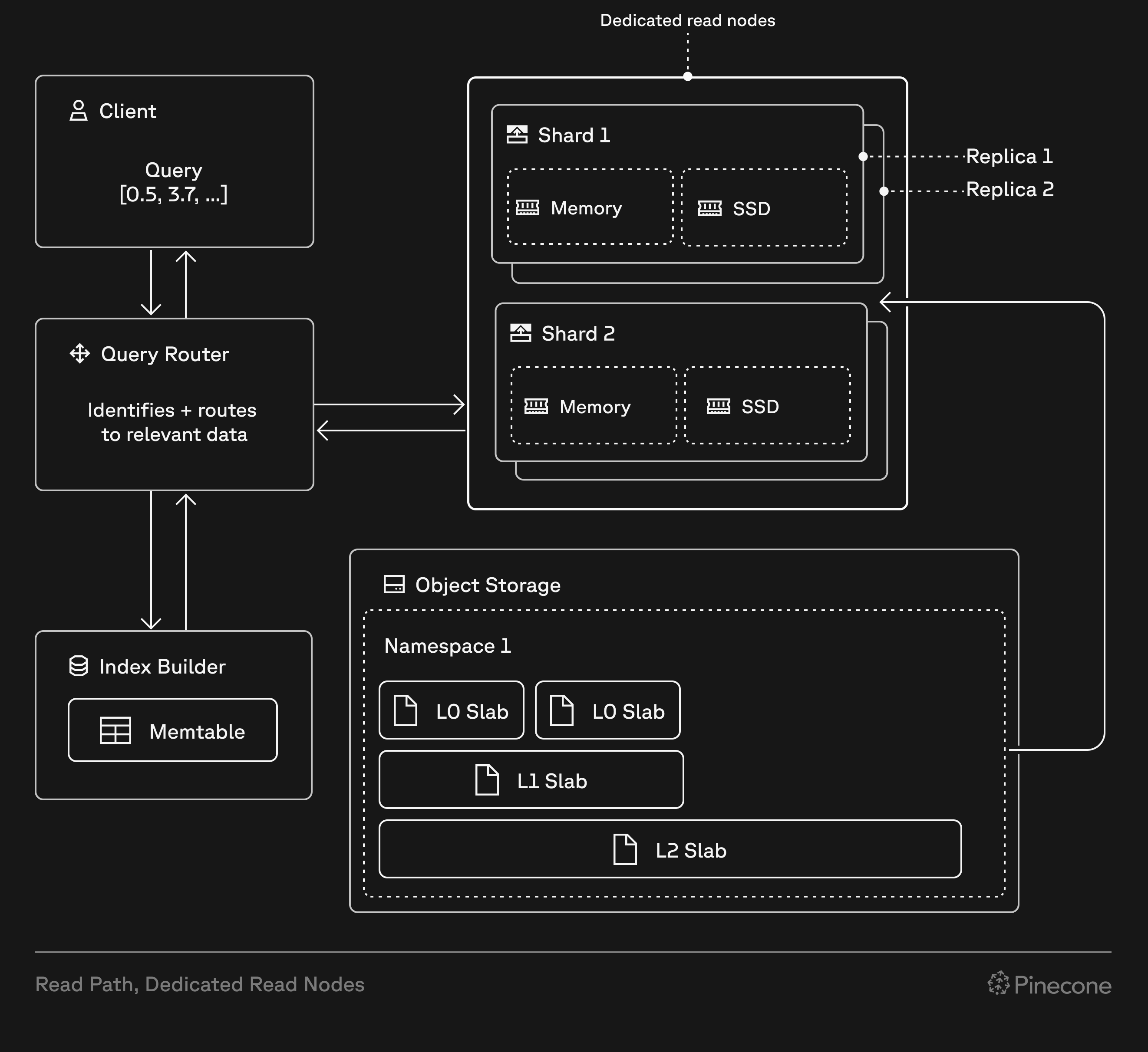 ## On-demand vs dedicated
On-demand indexes and dedicated read nodes are both built on Pinecone's serverless infrastructure. They use the same write path, storage layer, and data operations API.
However, every dedicated read nodes index has isolated hardware for read operations (query, fetch, list), allowing these operations to run on dedicated query executors. This affects performance, cost, and how you scale:
| Feature | On-demand | Dedicated read nodes |
| :---------------------- | :--------------------------------------------------------------------------------------------------------------------------------------------- | :----------------------------------------------------------------------------------------------------------------------------------------------------------------- |
| **Read infrastructure** | Multi-tenant compute resources shared across customers | Isolated, provisioned query executors dedicated to your index |
| **Read costs** | Pay per [read unit](/guides/manage-cost/understanding-cost#serverless-indexes) (1 RU per 1 GB of namespace size per query, minimum 0.25 RU) | Fixed hourly rate for read capacity based on node type, shards, and replicas |
| **Other costs** | [Storage](/guides/manage-cost/understanding-cost#storage) and [write](/guides/manage-cost/understanding-cost#write-units) costs based on usage | [Storage](/guides/manage-cost/understanding-cost#storage) and [write](/guides/manage-cost/understanding-cost#write-units) costs based on usage (same as on-demand) |
| **Caching** | Best-effort; frequently accessed data is cached, but cold queries fetch from object storage | Guaranteed; all index data always warm in memory and on local SSDs |
| **Read rate limits** | [2,000 RUs/second per index (adjustable)](/reference/api/database-limits#rate-limits) | No read rate limits (only bounded by CPU capacity) |
| **Scaling** | Automatic; Pinecone handles capacity | Manual; add [shards](#shards) for storage, add [replicas](#replicas) for throughput |
| **Best for** | Variable workloads, multi-tenant applications with many namespaces, low to moderate query rates | Sustained high query rates, large single-namespace workloads, predictable performance and cost |
## When to use dedicated read nodes
Dedicated read nodes are ideal for workloads with millions to billions of records and predictable query rates. They provide performance and cost benefits compared to on-demand for high-throughput workloads, and may be required when your workload exceeds on-demand rate limits.
There's no universal formula for choosing between on-demand and dedicated read nodes—performance and cost vary by workload (vector dimensionality, metadata filtering, and query patterns). Consider the following factors when making your decision:
## On-demand vs dedicated
On-demand indexes and dedicated read nodes are both built on Pinecone's serverless infrastructure. They use the same write path, storage layer, and data operations API.
However, every dedicated read nodes index has isolated hardware for read operations (query, fetch, list), allowing these operations to run on dedicated query executors. This affects performance, cost, and how you scale:
| Feature | On-demand | Dedicated read nodes |
| :---------------------- | :--------------------------------------------------------------------------------------------------------------------------------------------- | :----------------------------------------------------------------------------------------------------------------------------------------------------------------- |
| **Read infrastructure** | Multi-tenant compute resources shared across customers | Isolated, provisioned query executors dedicated to your index |
| **Read costs** | Pay per [read unit](/guides/manage-cost/understanding-cost#serverless-indexes) (1 RU per 1 GB of namespace size per query, minimum 0.25 RU) | Fixed hourly rate for read capacity based on node type, shards, and replicas |
| **Other costs** | [Storage](/guides/manage-cost/understanding-cost#storage) and [write](/guides/manage-cost/understanding-cost#write-units) costs based on usage | [Storage](/guides/manage-cost/understanding-cost#storage) and [write](/guides/manage-cost/understanding-cost#write-units) costs based on usage (same as on-demand) |
| **Caching** | Best-effort; frequently accessed data is cached, but cold queries fetch from object storage | Guaranteed; all index data always warm in memory and on local SSDs |
| **Read rate limits** | [2,000 RUs/second per index (adjustable)](/reference/api/database-limits#rate-limits) | No read rate limits (only bounded by CPU capacity) |
| **Scaling** | Automatic; Pinecone handles capacity | Manual; add [shards](#shards) for storage, add [replicas](#replicas) for throughput |
| **Best for** | Variable workloads, multi-tenant applications with many namespaces, low to moderate query rates | Sustained high query rates, large single-namespace workloads, predictable performance and cost |
## When to use dedicated read nodes
Dedicated read nodes are ideal for workloads with millions to billions of records and predictable query rates. They provide performance and cost benefits compared to on-demand for high-throughput workloads, and may be required when your workload exceeds on-demand rate limits.
There's no universal formula for choosing between on-demand and dedicated read nodes—performance and cost vary by workload (vector dimensionality, metadata filtering, and query patterns). Consider the following factors when making your decision:
 ---
# Source: https://docs.pinecone.io/troubleshooting/error-cannot-import-name-pinecone.md
> ## Documentation Index
> Fetch the complete documentation index at: https://docs.pinecone.io/llms.txt
> Use this file to discover all available pages before exploring further.
# Error: Cannot import name 'Pinecone' from 'pinecone'
## Problem
When using an older version of the [Python SDK](https://github.com/pinecone-io/pinecone-python-client) (earlier than 3.0.0), trying to import the `Pinecone` class raises the following error:
```console console theme={null}
ImportError: cannot import name 'Pinecone' from 'pinecone'
```
## Solution
Upgrade the SDK version and try again:
```Shell Shell theme={null}
# If you're interacting with Pinecone via HTTP requests, use:
pip install pinecone --upgrade
```
```Shell Shell theme={null}
# If you're interacting with Pinecone via gRPC, use:
pip install "pinecone[grpc]" --upgrade
```
---
# Source: https://docs.pinecone.io/guides/production/error-handling.md
> ## Documentation Index
> Fetch the complete documentation index at: https://docs.pinecone.io/llms.txt
> Use this file to discover all available pages before exploring further.
# Error handling
> Handle errors with retry logic and best practices.
## Understand error types
Pinecone uses [conventional HTTP response codes](/reference/api/errors) to indicate the success or failure of API requests:
* **2xx codes** indicate success
* **4xx codes** indicate client errors (issues with your request)
* **5xx codes** indicate server errors (issues with Pinecone's servers)
### Client errors (4xx)
Client errors indicate problems with your request. These errors typically require changes to your code or configuration:
* **400 - Invalid Argument**: Your request contains invalid parameters. Check your request format and parameters.
* **401 - Unauthenticated**: Your API key is missing or invalid. Verify your [API key](/guides/projects/manage-api-keys).
* **402 - Payment Required**: Your account has a payment issue. Check your billing status in the [console](https://app.pinecone.io).
* **403 - Forbidden**: You've exceeded a [quota](/reference/api/database-limits#object-limits) or hit [deletion protection](/guides/manage-data/manage-indexes#configure-deletion-protection).
* **404 - Not Found**: The requested resource doesn't exist. Verify the resource name and that it hasn't been deleted.
* **409 - Already Exists**: You're trying to create a resource that already exists.
* **429 - Too Many Requests**: You're being [rate-limited](/reference/api/database-limits#rate-limits). Implement [backoff and retry logic](#implement-retry-logic).
### Server errors (5xx)
Server errors indicate temporary issues with Pinecone's infrastructure:
* **500 - Unknown**: An internal server error occurred.
* **502 - Bad Gateway**: The API gateway received an invalid response from a backend service.
* **503 - Unavailable**: The service is currently unavailable.
* **504 - Gateway Timeout**: The API gateway did not receive a timely response from the backend server. This can occur due to slow requests or backend processing delays.
**Best practice for 5xx errors**: [Implement retry logic with exponential backoff](/guides/production/error-handling#implement-retry-logic). These errors are typically transient.
## Capture errors
Each SDK provides error handling mechanisms specific to the language:
### Python SDK
The Python SDK raises exceptions that you can catch and handle:
```python theme={null}
from pinecone import Pinecone
from pinecone.exceptions import PineconeException
pc = Pinecone(api_key="YOUR_API_KEY")
index = pc.Index("your-index")
try:
index.upsert(
vectors=[
{"id": "vec1", "values": [0.1, 0.2, 0.3]}
]
)
except PineconeException as e:
# Handle Pinecone-specific errors
print(f"Pinecone error: {e}")
except Exception as e:
# Handle other errors
print(f"Unexpected error: {e}")
```
See the [Python SDK documentation](https://sdk.pinecone.io/python/) for more details on exception handling.
### Node.js SDK
The Node.js SDK uses standard JavaScript error handling:
```javascript theme={null}
const { Pinecone } = require('@pinecone-database/pinecone');
const pc = new Pinecone({ apiKey: 'YOUR_API_KEY' });
try {
const index = pc.index('your-index');
await index.upsert([
{ id: 'vec1', values: [0.1, 0.2, 0.3] }
]);
} catch (error) {
console.error('Error upserting data:', error);
// Handle the error appropriately
}
```
See the [Node.js SDK documentation](https://sdk.pinecone.io/typescript/) for more information.
### Other SDKs
For SDK-specific error handling patterns, see the documentation for your language:
* [Go SDK](/reference/sdks/go/overview)
* [Java SDK](/reference/sdks/java/overview)
* [.NET SDK](/reference/sdks/dotnet/overview)
## Implement retry logic
For transient errors (5xx codes and 429 rate limiting), implement retry logic. Start with basic retries for simple use cases, or use exponential backoff for production systems.
### Basic retry logic
For simple use cases, start with a basic retry loop with fixed delays:
```python theme={null}
import time
from pinecone.exceptions import PineconeException
def simple_retry(func, max_retries=3, delay=2):
"""
Retry a function with a fixed delay between attempts.
Args:
func: Function to retry
max_retries: Maximum number of retry attempts
delay: Delay in seconds between retries
"""
for attempt in range(max_retries):
try:
return func()
except PineconeException as e:
if attempt == max_retries - 1:
raise # Last attempt, re-raise the exception
print(f"Attempt {attempt + 1} failed, retrying in {delay}s...")
time.sleep(delay)
# Usage
try:
simple_retry(lambda: index.upsert(vectors))
except Exception as e:
print(f"Failed after {max_retries} attempts: {e}")
```
This basic approach works well for occasional transient errors, but for production systems with higher traffic, use exponential backoff instead.
### Exponential backoff
Exponential backoff progressively increases the wait time between retries to avoid overwhelming the service:
```python theme={null}
import time
import random
def exponential_backoff_retry(func, max_retries=5, base_delay=1, max_delay=60):
"""
Retry a function with exponential backoff.
Args:
func: Function to retry
max_retries: Maximum number of retry attempts
base_delay: Initial delay in seconds
max_delay: Maximum delay between retries
"""
for attempt in range(max_retries):
try:
return func()
except PineconeException as e:
if attempt == max_retries - 1:
raise # Last attempt, re-raise the exception
# Get status code if available
status_code = getattr(e, 'status', None)
# Only retry on 5xx errors or 429 (rate limiting)
if status_code and (status_code >= 500 or status_code == 429):
# Calculate delay with exponential backoff and jitter
delay = min(base_delay * (2 ** attempt), max_delay)
jitter = random.uniform(0, delay * 0.1) # Add 10% jitter
wait_time = delay + jitter
print(f"Retry attempt {attempt + 1}/{max_retries} after {wait_time:.2f}s")
time.sleep(wait_time)
else:
# Don't retry client errors (4xx except 429)
raise
# Usage
try:
exponential_backoff_retry(lambda: index.upsert(vectors))
except Exception as e:
print(f"Failed after retries: {e}")
```
### Key retry principles
1. **Add jitter**: Random variation in retry timing helps avoid thundering herd problems.
2. **Set max retries**: Prevent infinite retry loops.
3. **Cap delay time**: Don't wait indefinitely between retries.
4. **Don't retry client errors**: 4xx errors (except 429) won't resolve with retries.
5. **Log retry attempts**: Track retry behavior for monitoring and debugging.
## Handle rate limits (429)
When you receive a 429 error, you're being rate-limited. See [Rate limits](/reference/api/database-limits#rate-limits) for current limits.
Rate limits help protect your applications and maintain the health of the serverless infrastructure. **Most limits can be adjusted upon request**—if you need higher limits to scale, [contact Support](https://app.pinecone.io/organizations/-/settings/support/ticket) with details about your use case.
---
# Source: https://docs.pinecone.io/troubleshooting/error-cannot-import-name-pinecone.md
> ## Documentation Index
> Fetch the complete documentation index at: https://docs.pinecone.io/llms.txt
> Use this file to discover all available pages before exploring further.
# Error: Cannot import name 'Pinecone' from 'pinecone'
## Problem
When using an older version of the [Python SDK](https://github.com/pinecone-io/pinecone-python-client) (earlier than 3.0.0), trying to import the `Pinecone` class raises the following error:
```console console theme={null}
ImportError: cannot import name 'Pinecone' from 'pinecone'
```
## Solution
Upgrade the SDK version and try again:
```Shell Shell theme={null}
# If you're interacting with Pinecone via HTTP requests, use:
pip install pinecone --upgrade
```
```Shell Shell theme={null}
# If you're interacting with Pinecone via gRPC, use:
pip install "pinecone[grpc]" --upgrade
```
---
# Source: https://docs.pinecone.io/guides/production/error-handling.md
> ## Documentation Index
> Fetch the complete documentation index at: https://docs.pinecone.io/llms.txt
> Use this file to discover all available pages before exploring further.
# Error handling
> Handle errors with retry logic and best practices.
## Understand error types
Pinecone uses [conventional HTTP response codes](/reference/api/errors) to indicate the success or failure of API requests:
* **2xx codes** indicate success
* **4xx codes** indicate client errors (issues with your request)
* **5xx codes** indicate server errors (issues with Pinecone's servers)
### Client errors (4xx)
Client errors indicate problems with your request. These errors typically require changes to your code or configuration:
* **400 - Invalid Argument**: Your request contains invalid parameters. Check your request format and parameters.
* **401 - Unauthenticated**: Your API key is missing or invalid. Verify your [API key](/guides/projects/manage-api-keys).
* **402 - Payment Required**: Your account has a payment issue. Check your billing status in the [console](https://app.pinecone.io).
* **403 - Forbidden**: You've exceeded a [quota](/reference/api/database-limits#object-limits) or hit [deletion protection](/guides/manage-data/manage-indexes#configure-deletion-protection).
* **404 - Not Found**: The requested resource doesn't exist. Verify the resource name and that it hasn't been deleted.
* **409 - Already Exists**: You're trying to create a resource that already exists.
* **429 - Too Many Requests**: You're being [rate-limited](/reference/api/database-limits#rate-limits). Implement [backoff and retry logic](#implement-retry-logic).
### Server errors (5xx)
Server errors indicate temporary issues with Pinecone's infrastructure:
* **500 - Unknown**: An internal server error occurred.
* **502 - Bad Gateway**: The API gateway received an invalid response from a backend service.
* **503 - Unavailable**: The service is currently unavailable.
* **504 - Gateway Timeout**: The API gateway did not receive a timely response from the backend server. This can occur due to slow requests or backend processing delays.
**Best practice for 5xx errors**: [Implement retry logic with exponential backoff](/guides/production/error-handling#implement-retry-logic). These errors are typically transient.
## Capture errors
Each SDK provides error handling mechanisms specific to the language:
### Python SDK
The Python SDK raises exceptions that you can catch and handle:
```python theme={null}
from pinecone import Pinecone
from pinecone.exceptions import PineconeException
pc = Pinecone(api_key="YOUR_API_KEY")
index = pc.Index("your-index")
try:
index.upsert(
vectors=[
{"id": "vec1", "values": [0.1, 0.2, 0.3]}
]
)
except PineconeException as e:
# Handle Pinecone-specific errors
print(f"Pinecone error: {e}")
except Exception as e:
# Handle other errors
print(f"Unexpected error: {e}")
```
See the [Python SDK documentation](https://sdk.pinecone.io/python/) for more details on exception handling.
### Node.js SDK
The Node.js SDK uses standard JavaScript error handling:
```javascript theme={null}
const { Pinecone } = require('@pinecone-database/pinecone');
const pc = new Pinecone({ apiKey: 'YOUR_API_KEY' });
try {
const index = pc.index('your-index');
await index.upsert([
{ id: 'vec1', values: [0.1, 0.2, 0.3] }
]);
} catch (error) {
console.error('Error upserting data:', error);
// Handle the error appropriately
}
```
See the [Node.js SDK documentation](https://sdk.pinecone.io/typescript/) for more information.
### Other SDKs
For SDK-specific error handling patterns, see the documentation for your language:
* [Go SDK](/reference/sdks/go/overview)
* [Java SDK](/reference/sdks/java/overview)
* [.NET SDK](/reference/sdks/dotnet/overview)
## Implement retry logic
For transient errors (5xx codes and 429 rate limiting), implement retry logic. Start with basic retries for simple use cases, or use exponential backoff for production systems.
### Basic retry logic
For simple use cases, start with a basic retry loop with fixed delays:
```python theme={null}
import time
from pinecone.exceptions import PineconeException
def simple_retry(func, max_retries=3, delay=2):
"""
Retry a function with a fixed delay between attempts.
Args:
func: Function to retry
max_retries: Maximum number of retry attempts
delay: Delay in seconds between retries
"""
for attempt in range(max_retries):
try:
return func()
except PineconeException as e:
if attempt == max_retries - 1:
raise # Last attempt, re-raise the exception
print(f"Attempt {attempt + 1} failed, retrying in {delay}s...")
time.sleep(delay)
# Usage
try:
simple_retry(lambda: index.upsert(vectors))
except Exception as e:
print(f"Failed after {max_retries} attempts: {e}")
```
This basic approach works well for occasional transient errors, but for production systems with higher traffic, use exponential backoff instead.
### Exponential backoff
Exponential backoff progressively increases the wait time between retries to avoid overwhelming the service:
```python theme={null}
import time
import random
def exponential_backoff_retry(func, max_retries=5, base_delay=1, max_delay=60):
"""
Retry a function with exponential backoff.
Args:
func: Function to retry
max_retries: Maximum number of retry attempts
base_delay: Initial delay in seconds
max_delay: Maximum delay between retries
"""
for attempt in range(max_retries):
try:
return func()
except PineconeException as e:
if attempt == max_retries - 1:
raise # Last attempt, re-raise the exception
# Get status code if available
status_code = getattr(e, 'status', None)
# Only retry on 5xx errors or 429 (rate limiting)
if status_code and (status_code >= 500 or status_code == 429):
# Calculate delay with exponential backoff and jitter
delay = min(base_delay * (2 ** attempt), max_delay)
jitter = random.uniform(0, delay * 0.1) # Add 10% jitter
wait_time = delay + jitter
print(f"Retry attempt {attempt + 1}/{max_retries} after {wait_time:.2f}s")
time.sleep(wait_time)
else:
# Don't retry client errors (4xx except 429)
raise
# Usage
try:
exponential_backoff_retry(lambda: index.upsert(vectors))
except Exception as e:
print(f"Failed after retries: {e}")
```
### Key retry principles
1. **Add jitter**: Random variation in retry timing helps avoid thundering herd problems.
2. **Set max retries**: Prevent infinite retry loops.
3. **Cap delay time**: Don't wait indefinitely between retries.
4. **Don't retry client errors**: 4xx errors (except 429) won't resolve with retries.
5. **Log retry attempts**: Track retry behavior for monitoring and debugging.
## Handle rate limits (429)
When you receive a 429 error, you're being rate-limited. See [Rate limits](/reference/api/database-limits#rate-limits) for current limits.
Rate limits help protect your applications and maintain the health of the serverless infrastructure. **Most limits can be adjusted upon request**—if you need higher limits to scale, [contact Support](https://app.pinecone.io/organizations/-/settings/support/ticket) with details about your use case.
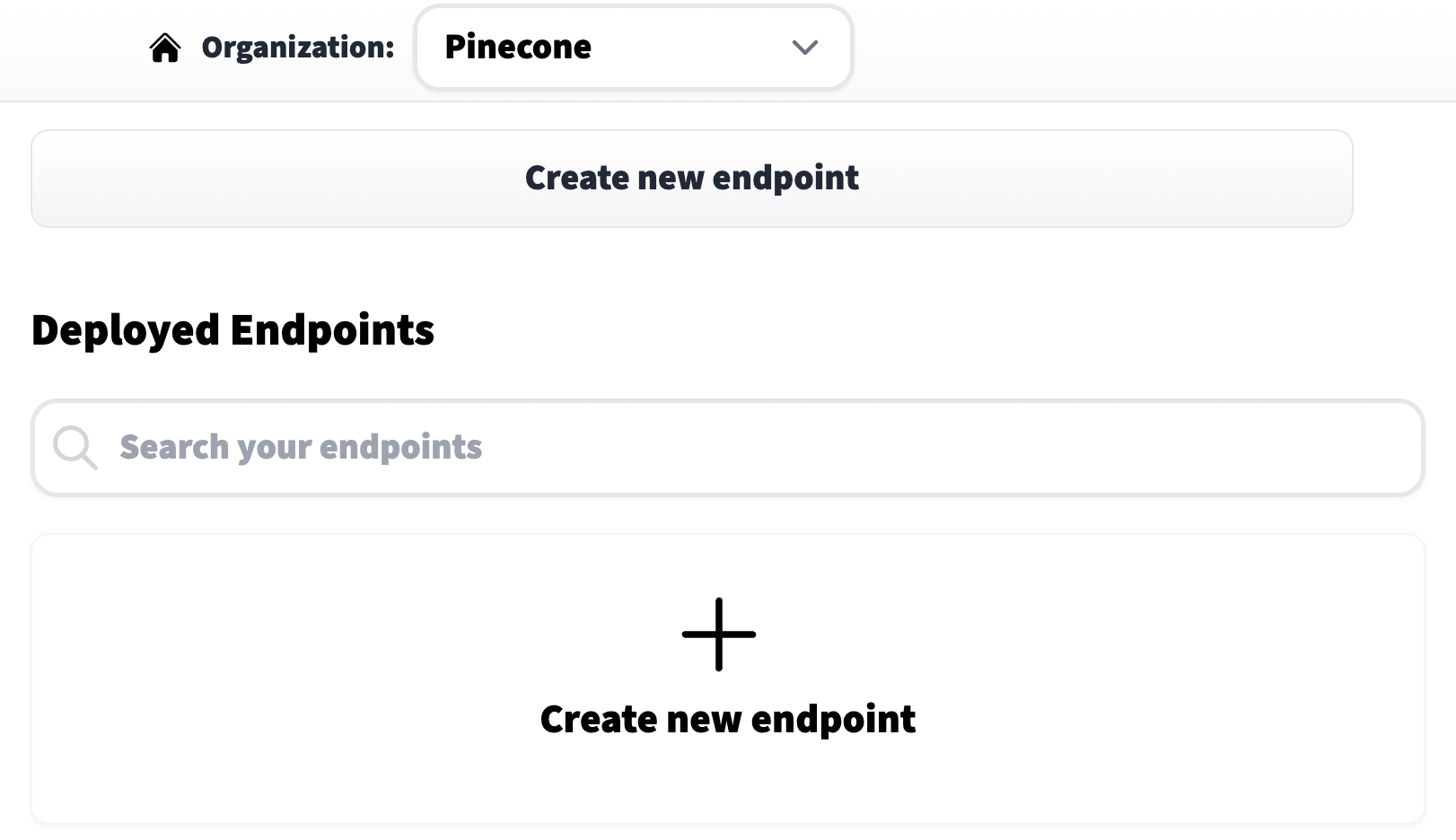 We click on **Create new endpoint**, choose a model repository (eg name of the model), endpoint name (this can be anything), and select a cloud environment. Before moving on it is *very important* that we set the **Task** to **Sentence Embeddings** (found within the *Advanced configuration* settings).
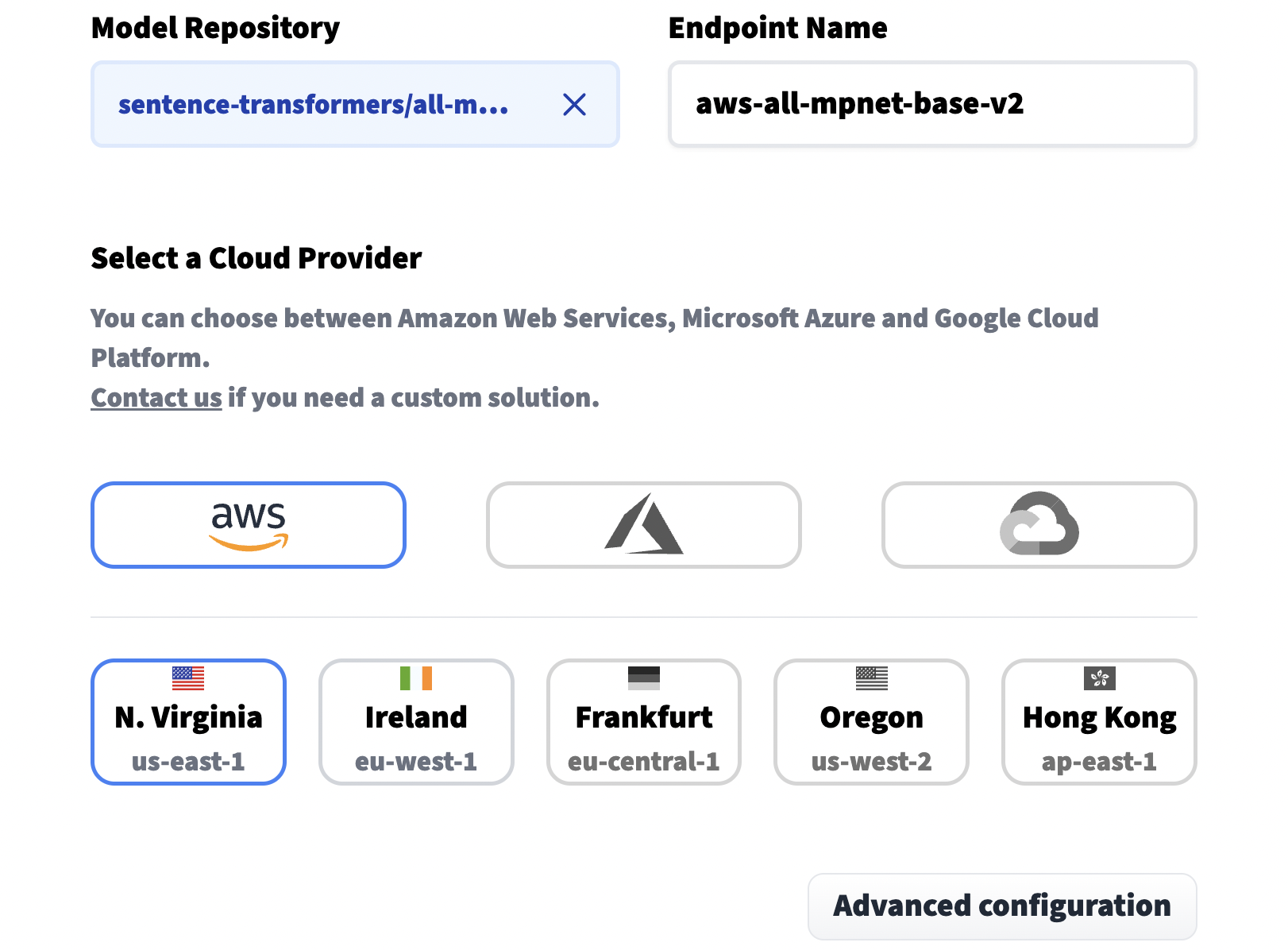
 Other important options include the *Instance Type*, by default this uses CPU which is cheaper but also slower. For faster processing we need a GPU instance. And finally, we set our privacy setting near the end of the page.
After setting our options we can click **Create Endpoint** at the bottom of the page. This action should take use to the next page where we will see the current status of our endpoint.
Other important options include the *Instance Type*, by default this uses CPU which is cheaper but also slower. For faster processing we need a GPU instance. And finally, we set our privacy setting near the end of the page.
After setting our options we can click **Create Endpoint** at the bottom of the page. This action should take use to the next page where we will see the current status of our endpoint.
 Once the status has moved from **Building** to **Running** (this can take some time), we're ready to begin creating embeddings with it.
## Create embeddings
Each endpoint is given an **Endpoint URL**, it can be found on the endpoint **Overview** page. We need to assign this endpoint URL to the `endpoint_url` variable.
Once the status has moved from **Building** to **Running** (this can take some time), we're ready to begin creating embeddings with it.
## Create embeddings
Each endpoint is given an **Endpoint URL**, it can be found on the endpoint **Overview** page. We need to assign this endpoint URL to the `endpoint_url` variable.
 ```Python Python theme={null}
endpoint = "
```Python Python theme={null}
endpoint = "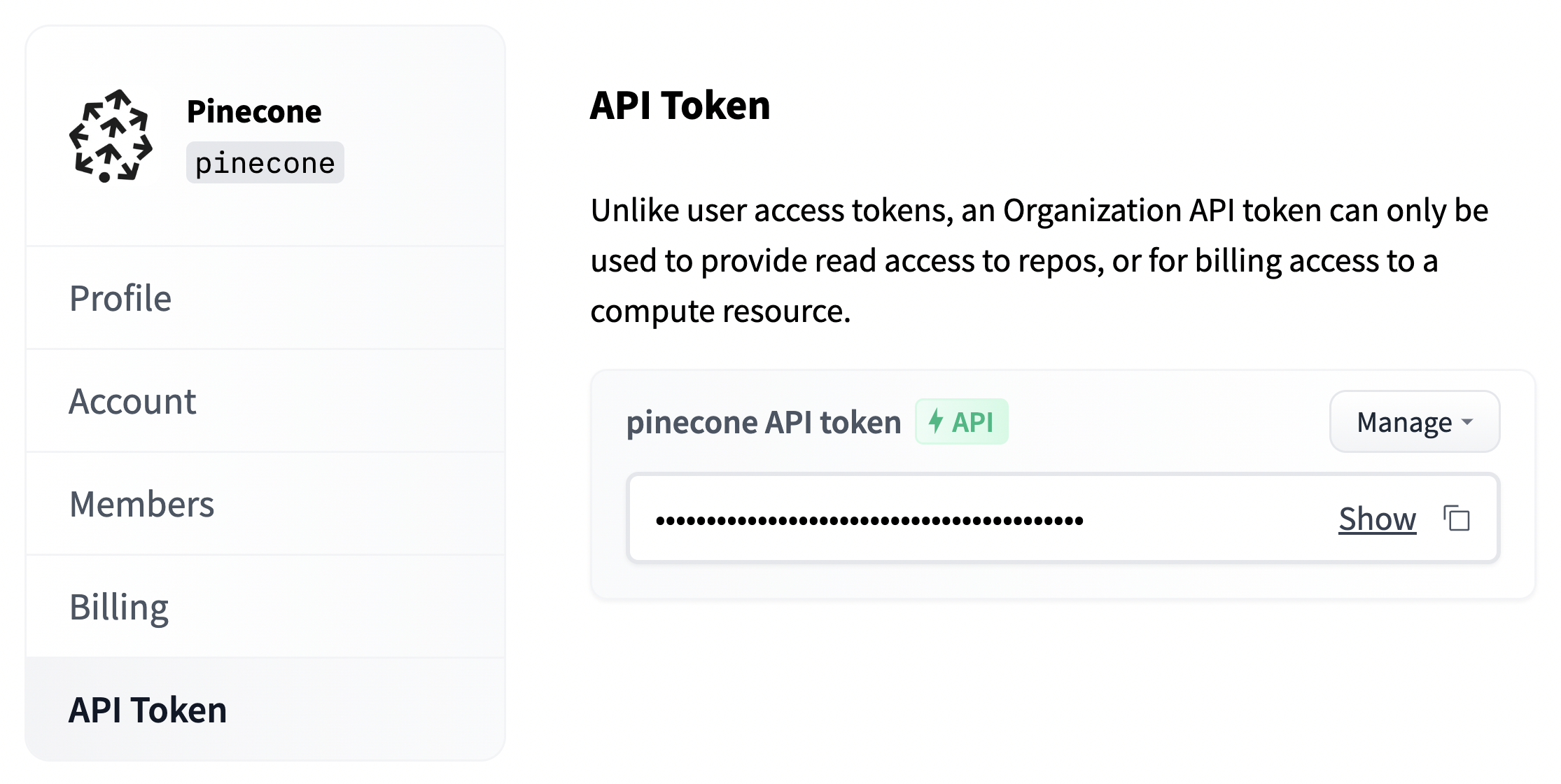 ```Python Python theme={null}
api_org = "
```Python Python theme={null}
api_org = "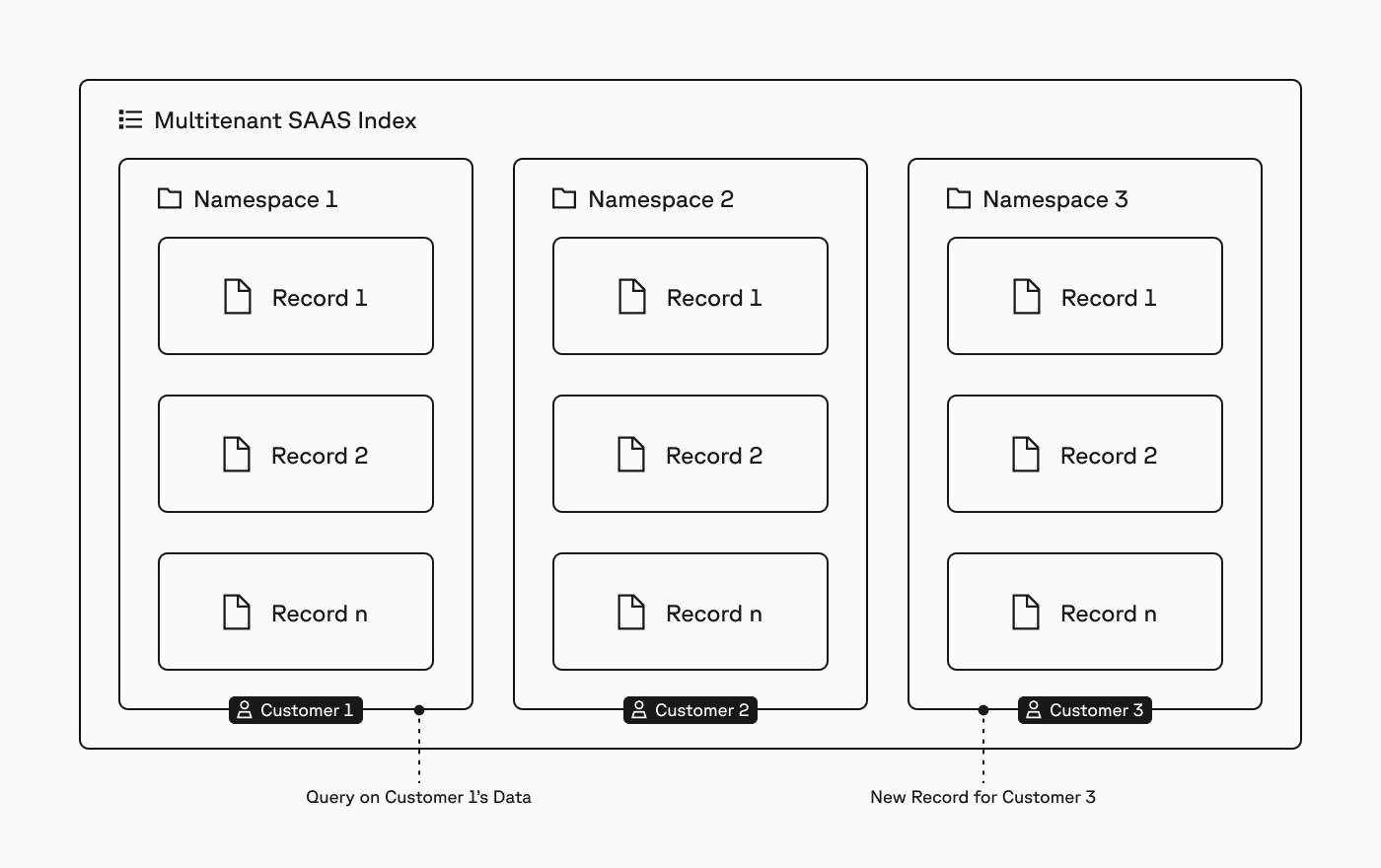
 In Pinecone, an [index](/guides/index-data/indexing-overview) is the highest-level organizational unit of data, where you define the dimension of vectors to be stored in the index and the measure of similarity to be used when querying the index.
Within an index, records are stored in [namespaces](/guides/index-data/indexing-overview#namespaces), and all [upserts](/guides/index-data/upsert-data), [queries](/guides/search/search-overview), and other [data plane operations](/reference/api/latest/data-plane) always target one namespace.
This structure makes it easy to implement multitenancy. For example, for an AI-powered SaaS application where you need to isolate the data of each customer, you would assign each customer to a namespace and target their writes and queries to that namespace (diagram above).
In cases where you have different workload patterns (e.g., RAG and semantic search), you would use a different index for each workload, with one namespace per customer in each index:
In Pinecone, an [index](/guides/index-data/indexing-overview) is the highest-level organizational unit of data, where you define the dimension of vectors to be stored in the index and the measure of similarity to be used when querying the index.
Within an index, records are stored in [namespaces](/guides/index-data/indexing-overview#namespaces), and all [upserts](/guides/index-data/upsert-data), [queries](/guides/search/search-overview), and other [data plane operations](/reference/api/latest/data-plane) always target one namespace.
This structure makes it easy to implement multitenancy. For example, for an AI-powered SaaS application where you need to isolate the data of each customer, you would assign each customer to a namespace and target their writes and queries to that namespace (diagram above).
In cases where you have different workload patterns (e.g., RAG and semantic search), you would use a different index for each workload, with one namespace per customer in each index:
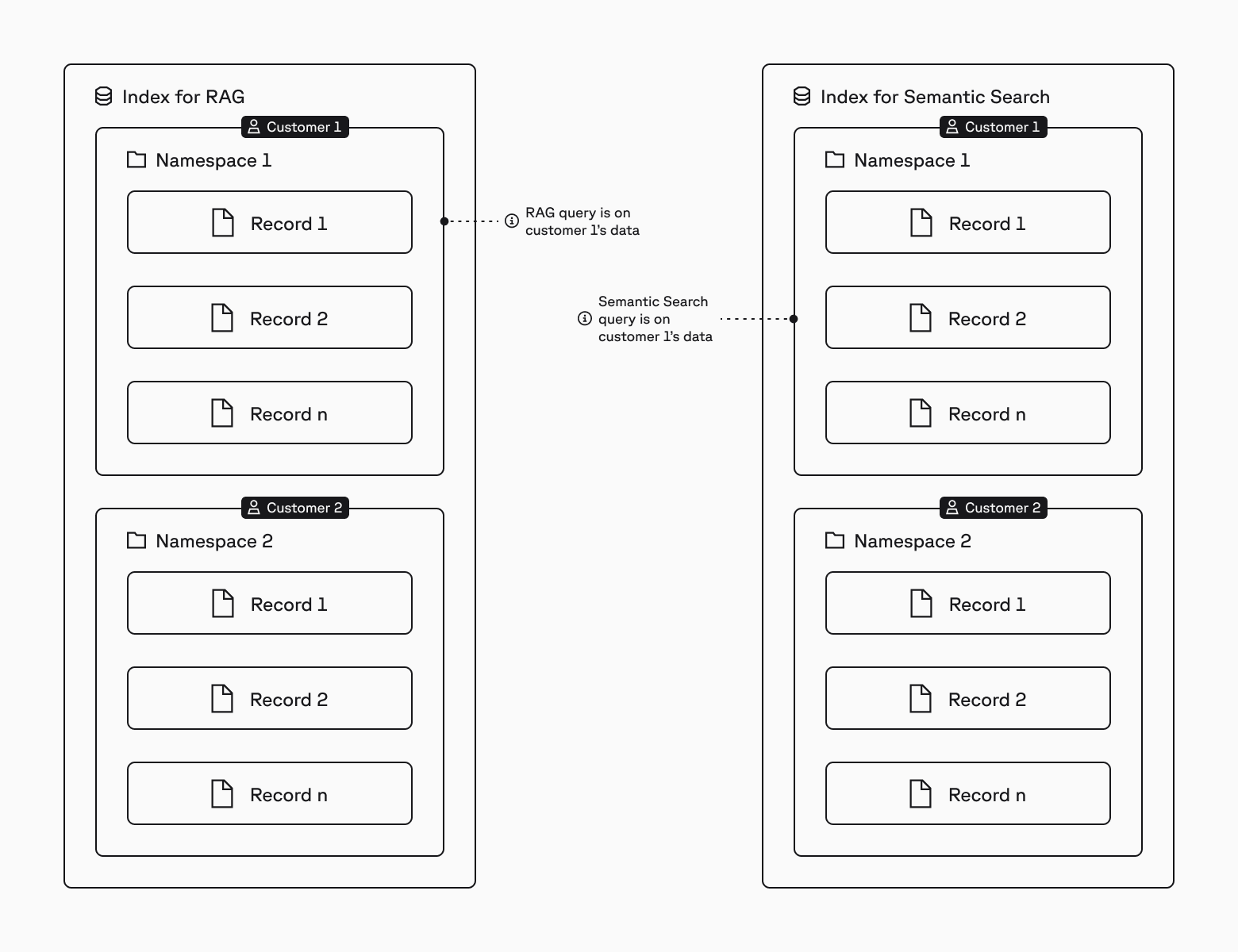
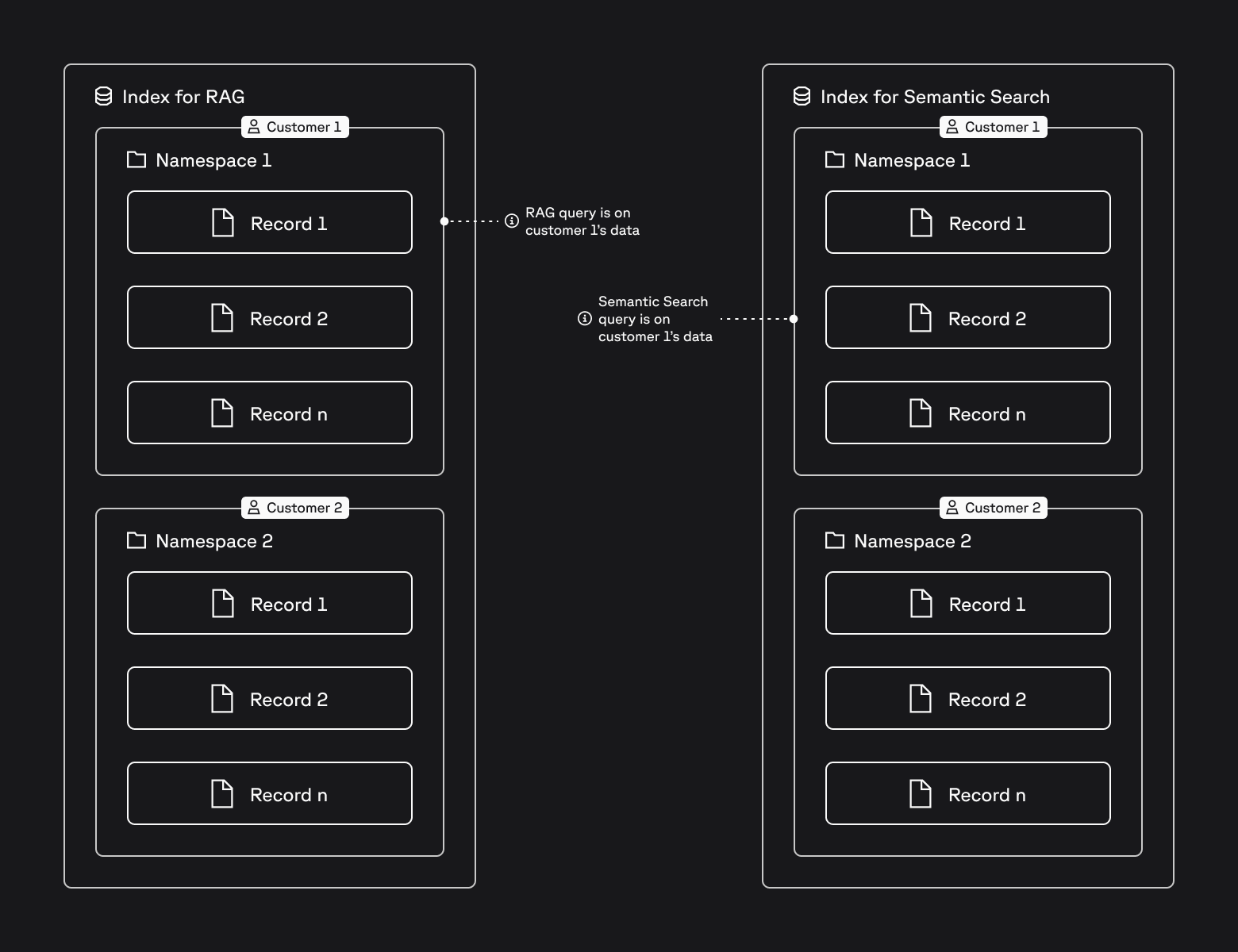
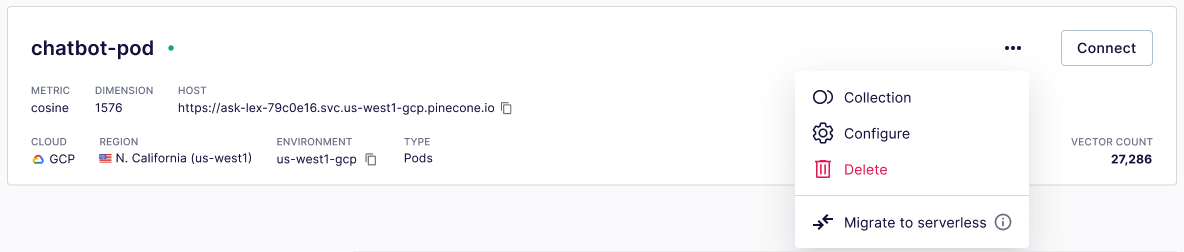
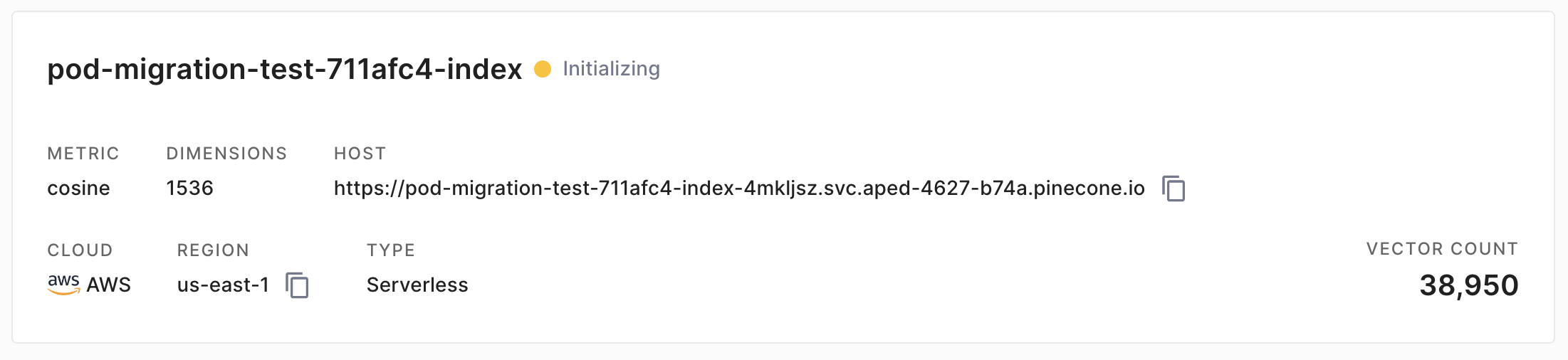 When the new serverless index is ready, the status will change to green:
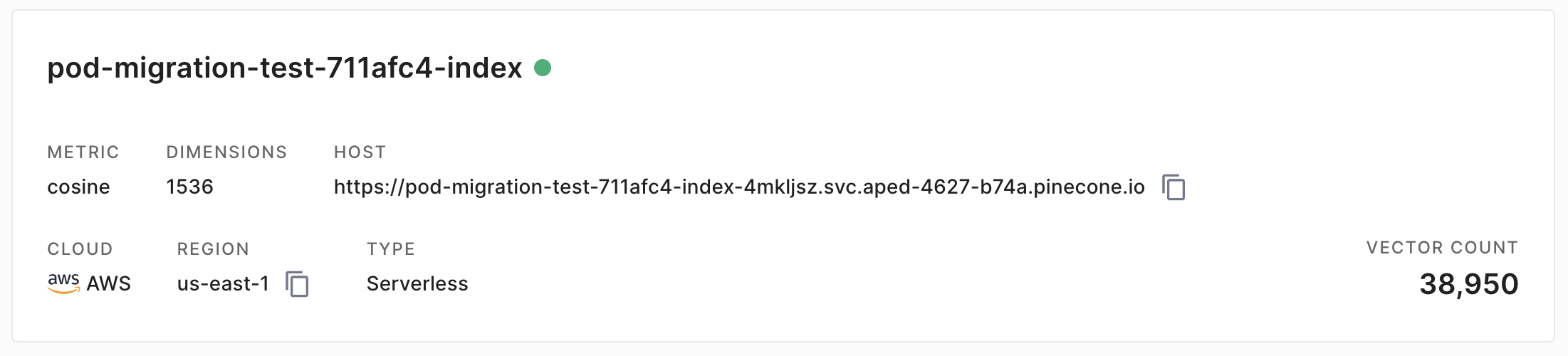
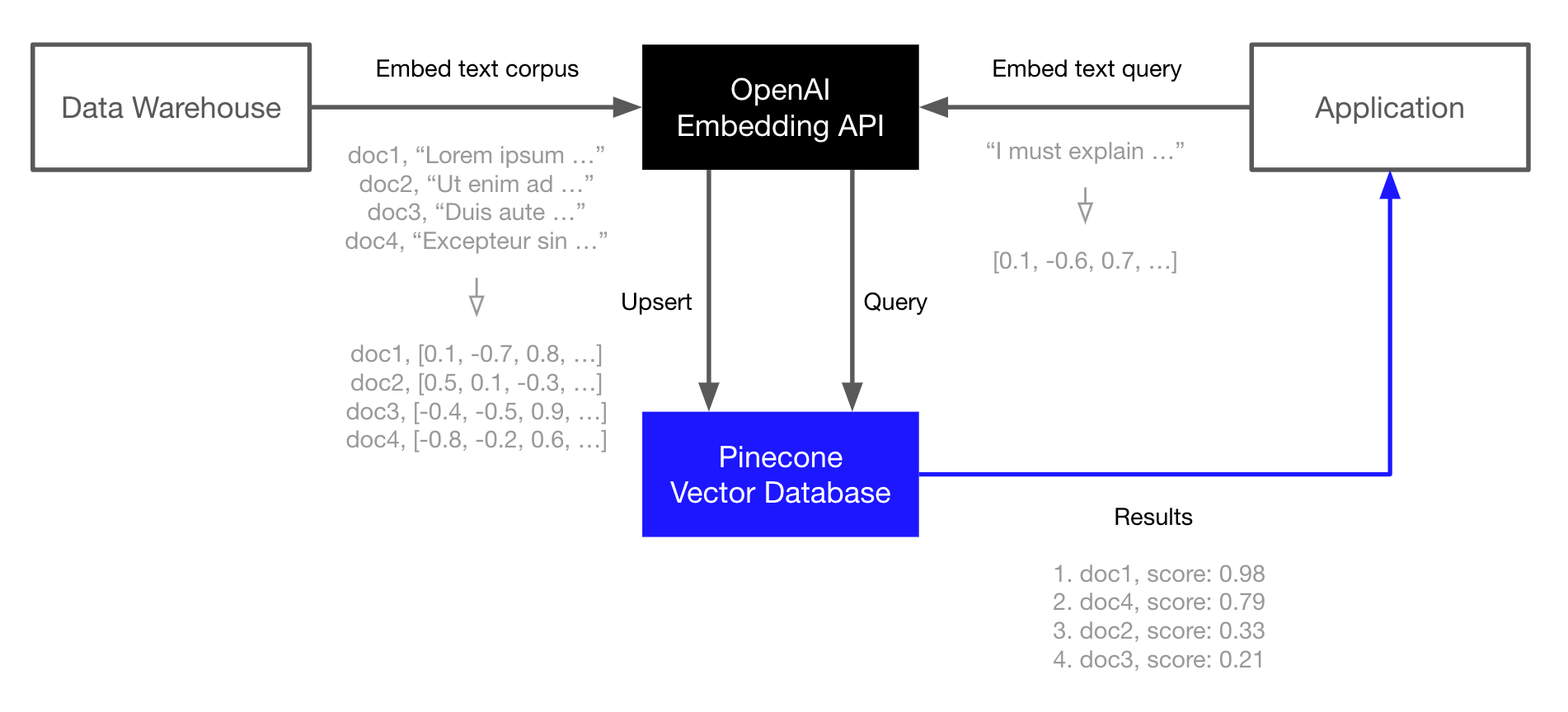 Let's get started...
### Environment Setup
We start by installing the OpenAI and Pinecone clients, we will also need HuggingFace *Datasets* for downloading the TREC dataset that we will use in this guide.
```Bash Bash theme={null}
!pip install -qU \
pinecone[grpc]==7.3.0 \
openai==1.93.0 \
datasets==3.6.0
```
#### Creating Embeddings
To create embeddings we must first initialize our connection to OpenAI Embeddings, we sign up for an API key at [OpenAI](https://beta.openai.com/signup).
```Python Python theme={null}
from openai import OpenAI
client = OpenAI(
api_key="OPENAI_API_KEY"
) # get API key from platform.openai.com
```
We can now create embeddings with the OpenAI v3 small embedding model like so:
```Python Python theme={null}
MODEL = "text-embedding-3-small"
res = client.embeddings.create(
input=[
"Sample document text goes here",
"there will be several phrases in each batch"
], model=MODEL
)
```
In `res` we should find a JSON-like object containing two 1536-dimensional embeddings, these are the vector representations of the two inputs provided above. To access the embeddings directly we can write:
```Python Python theme={null}
# we can extract embeddings to a list
embeds = [record.embedding for record in res.data]
len(embeds)
```
We will use this logic when creating our embeddings for the **T**ext **RE**trieval **C**onference (TREC) question classification dataset later.
#### Initializing a Pinecone Index
Next, we initialize an index to store the vector embeddings. For this we need a Pinecone API key, [sign up for one here](https://app.pinecone.io).
```Python Python theme={null}
import time
from pinecone.grpc import PineconeGRPC as Pinecone
from pinecone import ServerlessSpec
pc = Pinecone(api_key="...")
spec = ServerlessSpec(cloud="aws", region="us-east-1")
index_name = 'semantic-search-openai'
# check if index already exists (it shouldn't if this is your first run)
if index_name not in pc.list_indexes().names():
# if does not exist, create index
pc.create_index(
index_name,
dimension=len(embeds[0]), # dimensionality of text-embed-3-small
metric='dotproduct',
spec=spec
)
# connect to index
index = pc.Index(index_name)
time.sleep(1)
# view index stats
index.describe_index_stats()
```
#### Populating the Index
With both OpenAI and Pinecone connections initialized, we can move onto populating the index. For this, we need the TREC dataset.
```Python Python theme={null}
from datasets import load_dataset
# load the first 1K rows of the TREC dataset
trec = load_dataset('trec', split='train[:1000]')
```
Then we create a vector embedding for each question using OpenAI (as demonstrated earlier), and `upsert` the ID, vector embedding, and original text for each phrase to Pinecone.
Let's get started...
### Environment Setup
We start by installing the OpenAI and Pinecone clients, we will also need HuggingFace *Datasets* for downloading the TREC dataset that we will use in this guide.
```Bash Bash theme={null}
!pip install -qU \
pinecone[grpc]==7.3.0 \
openai==1.93.0 \
datasets==3.6.0
```
#### Creating Embeddings
To create embeddings we must first initialize our connection to OpenAI Embeddings, we sign up for an API key at [OpenAI](https://beta.openai.com/signup).
```Python Python theme={null}
from openai import OpenAI
client = OpenAI(
api_key="OPENAI_API_KEY"
) # get API key from platform.openai.com
```
We can now create embeddings with the OpenAI v3 small embedding model like so:
```Python Python theme={null}
MODEL = "text-embedding-3-small"
res = client.embeddings.create(
input=[
"Sample document text goes here",
"there will be several phrases in each batch"
], model=MODEL
)
```
In `res` we should find a JSON-like object containing two 1536-dimensional embeddings, these are the vector representations of the two inputs provided above. To access the embeddings directly we can write:
```Python Python theme={null}
# we can extract embeddings to a list
embeds = [record.embedding for record in res.data]
len(embeds)
```
We will use this logic when creating our embeddings for the **T**ext **RE**trieval **C**onference (TREC) question classification dataset later.
#### Initializing a Pinecone Index
Next, we initialize an index to store the vector embeddings. For this we need a Pinecone API key, [sign up for one here](https://app.pinecone.io).
```Python Python theme={null}
import time
from pinecone.grpc import PineconeGRPC as Pinecone
from pinecone import ServerlessSpec
pc = Pinecone(api_key="...")
spec = ServerlessSpec(cloud="aws", region="us-east-1")
index_name = 'semantic-search-openai'
# check if index already exists (it shouldn't if this is your first run)
if index_name not in pc.list_indexes().names():
# if does not exist, create index
pc.create_index(
index_name,
dimension=len(embeds[0]), # dimensionality of text-embed-3-small
metric='dotproduct',
spec=spec
)
# connect to index
index = pc.Index(index_name)
time.sleep(1)
# view index stats
index.describe_index_stats()
```
#### Populating the Index
With both OpenAI and Pinecone connections initialized, we can move onto populating the index. For this, we need the TREC dataset.
```Python Python theme={null}
from datasets import load_dataset
# load the first 1K rows of the TREC dataset
trec = load_dataset('trec', split='train[:1000]')
```
Then we create a vector embedding for each question using OpenAI (as demonstrated earlier), and `upsert` the ID, vector embedding, and original text for each phrase to Pinecone.
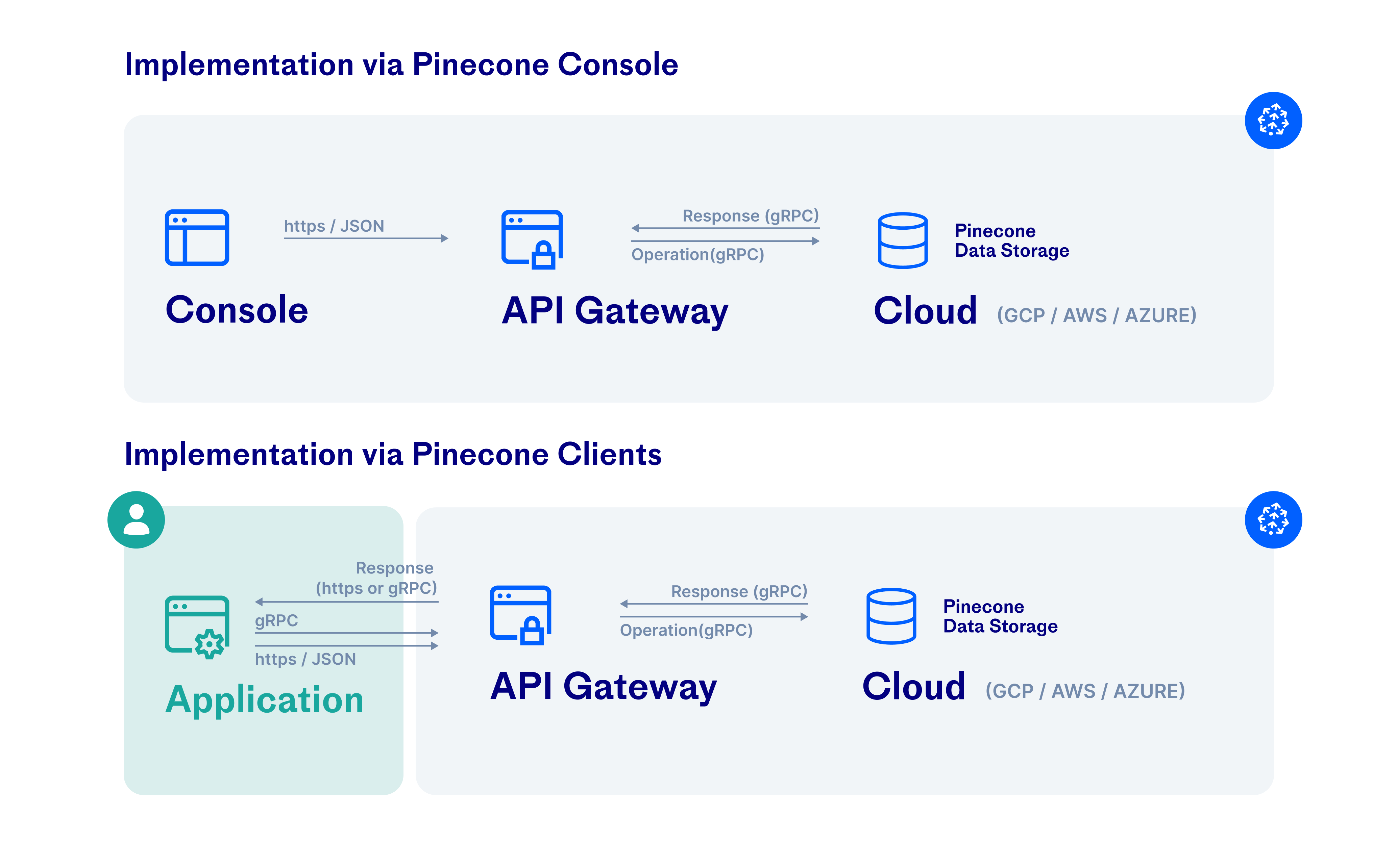 Traffic is also encrypted in transit between the Pinecone backend and cloud infrastructure services, such as S3 and GCS. For more information, see [Google Cloud Platform](https://cloud.google.com/docs/security/encryption-in-transit) and [AWS security documentation](https://docs.aws.amazon.com/AmazonS3/userguide/UsingEncryption.html).
## Network security
### Proxies
The following Pinecone SDKs support the use of proxies:
* [Python SDK](/reference/sdks/python/overview#proxy-configuration)
* [Node.js SDK](/reference/sdks/node/overview#proxy-configuration)
---
# Source: https://docs.pinecone.io/guides/search/semantic-search.md
> ## Documentation Index
> Fetch the complete documentation index at: https://docs.pinecone.io/llms.txt
> Use this file to discover all available pages before exploring further.
# Semantic search
> Find semantically similar records using dense vectors.
This page shows you how to search a [dense index](/guides/index-data/indexing-overview#dense-indexes) for records that are most similar in meaning and context to a query. This is often called semantic search, nearest neighbor search, similarity search, or just vector search.
Semantic search uses [dense vectors](https://www.pinecone.io/learn/vector-embeddings/). Each number in a dense vector corresponds to a point in a multidimensional space. Vectors that are closer together in that space are semantically similar.
## Search with text
Traffic is also encrypted in transit between the Pinecone backend and cloud infrastructure services, such as S3 and GCS. For more information, see [Google Cloud Platform](https://cloud.google.com/docs/security/encryption-in-transit) and [AWS security documentation](https://docs.aws.amazon.com/AmazonS3/userguide/UsingEncryption.html).
## Network security
### Proxies
The following Pinecone SDKs support the use of proxies:
* [Python SDK](/reference/sdks/python/overview#proxy-configuration)
* [Node.js SDK](/reference/sdks/node/overview#proxy-configuration)
---
# Source: https://docs.pinecone.io/guides/search/semantic-search.md
> ## Documentation Index
> Fetch the complete documentation index at: https://docs.pinecone.io/llms.txt
> Use this file to discover all available pages before exploring further.
# Semantic search
> Find semantically similar records using dense vectors.
This page shows you how to search a [dense index](/guides/index-data/indexing-overview#dense-indexes) for records that are most similar in meaning and context to a query. This is often called semantic search, nearest neighbor search, similarity search, or just vector search.
Semantic search uses [dense vectors](https://www.pinecone.io/learn/vector-embeddings/). Each number in a dense vector corresponds to a point in a multidimensional space. Vectors that are closer together in that space are semantically similar.
## Search with text
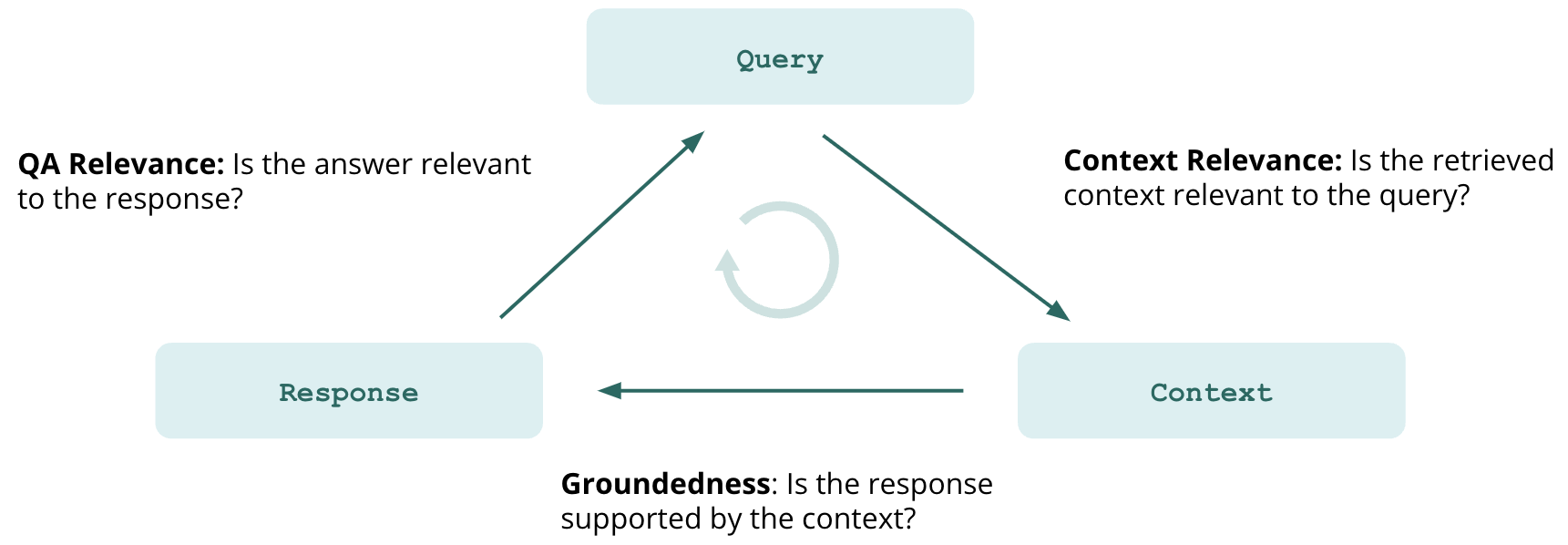 In addition to the above, feedback functions also support the evaluation of ground truth agreement, sentiment, model agreement, language match, toxicity, and a full suite of moderation evaluations, including hate, violence and more. TruLens implements feedback functions as an extensible framework that can evaluate your custom needs as well.
During the development cycle, TruLens supports the iterative development of a wide range of LLM applications by wrapping your application to log cost, latency, key metadata and evaluations of each application run. This allows you to track and identify failure modes, pinpoint their root cause, and measure improvement across experiments.
In addition to the above, feedback functions also support the evaluation of ground truth agreement, sentiment, model agreement, language match, toxicity, and a full suite of moderation evaluations, including hate, violence and more. TruLens implements feedback functions as an extensible framework that can evaluate your custom needs as well.
During the development cycle, TruLens supports the iterative development of a wide range of LLM applications by wrapping your application to log cost, latency, key metadata and evaluations of each application run. This allows you to track and identify failure modes, pinpoint their root cause, and measure improvement across experiments.
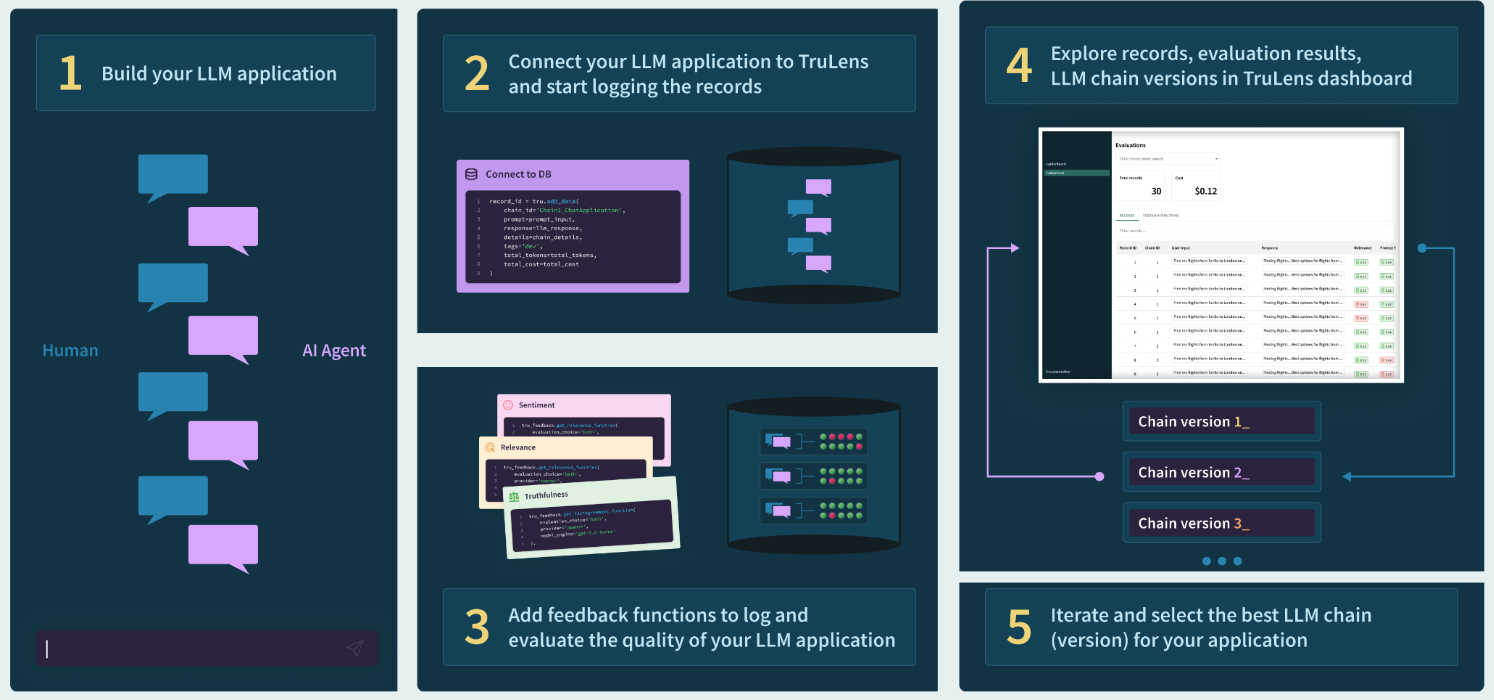 ### Why Pinecone?
Large language models alone have a hallucination problem. Several decades of machine learning research have optimized models, including modern LLMs, for generalization, while actively penalizing memorization. However, many of today's applications require factual, grounded answers. LLMs are also expensive to train, and provided by third party APIs. This means the knowledge of an LLM is fixed. Retrieval-augmented generation (RAG) is a way to reliably ensure models are grounded, with Pinecone as the curated source of real world information, long term memory, application domain knowledge, or whitelisted data.
In the RAG paradigm, rather than just passing a user question directly to a language model, the system retrieves any documents that could be relevant in answering the question from the knowledge base, and then passes those documents (along with the original question) to the language model to generate the final response. The most popular method for RAG involves chaining together LLMs with vector databases, such as the widely used Pinecone vector DB.
In this process, a numerical vector (an embedding) is calculated for all documents, and those vectors are then stored in a database optimized for storing and querying vectors. Incoming queries are vectorized as well, typically using an encoder LLM to convert the query into an embedding. The query embedding is then matched via embedding similarity against the document embeddings in the vector database to retrieve the documents that are relevant to the query.
### Why Pinecone?
Large language models alone have a hallucination problem. Several decades of machine learning research have optimized models, including modern LLMs, for generalization, while actively penalizing memorization. However, many of today's applications require factual, grounded answers. LLMs are also expensive to train, and provided by third party APIs. This means the knowledge of an LLM is fixed. Retrieval-augmented generation (RAG) is a way to reliably ensure models are grounded, with Pinecone as the curated source of real world information, long term memory, application domain knowledge, or whitelisted data.
In the RAG paradigm, rather than just passing a user question directly to a language model, the system retrieves any documents that could be relevant in answering the question from the knowledge base, and then passes those documents (along with the original question) to the language model to generate the final response. The most popular method for RAG involves chaining together LLMs with vector databases, such as the widely used Pinecone vector DB.
In this process, a numerical vector (an embedding) is calculated for all documents, and those vectors are then stored in a database optimized for storing and querying vectors. Incoming queries are vectorized as well, typically using an encoder LLM to convert the query into an embedding. The query embedding is then matched via embedding similarity against the document embeddings in the vector database to retrieve the documents that are relevant to the query.
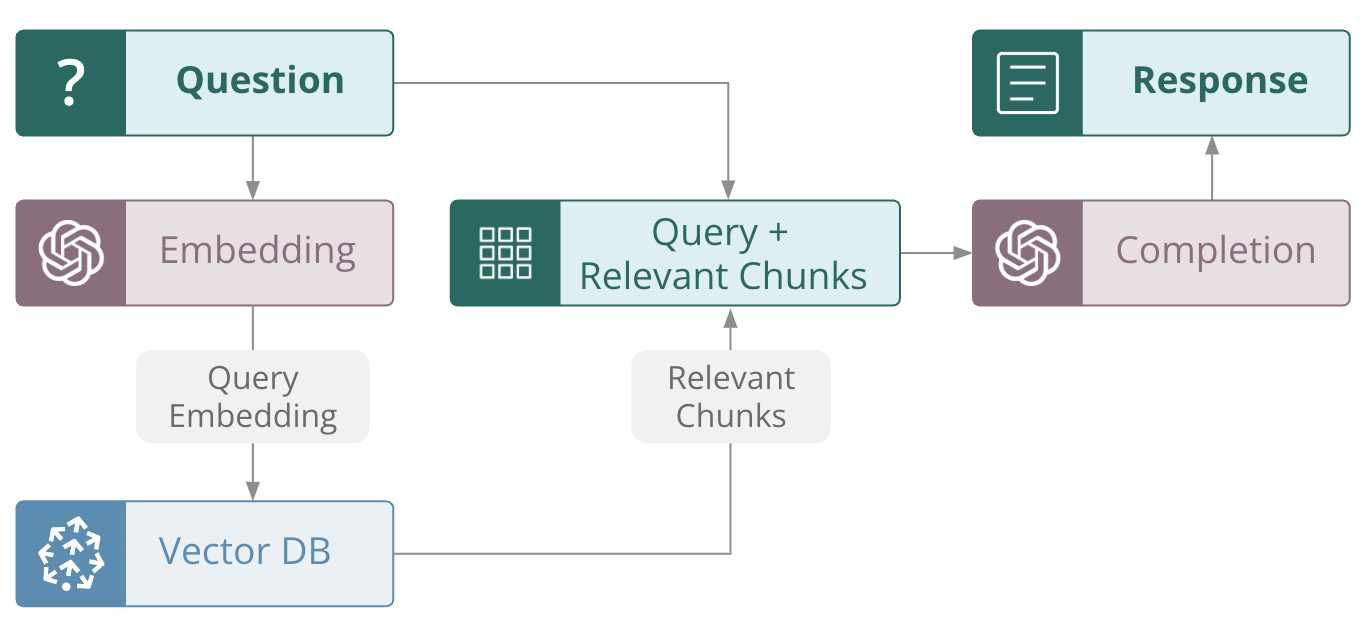 Pinecone makes it easy to build high-performance vector search applications, including retrieval-augmented question answering. Pinecone can easily handle very large scales of hundreds of millions and even billions of vector embeddings. Pinecone's large scale allows it to handle long term memory or a large corpus of rich external and domain-appropriate data so that the LLM component of RAG application can focus on tasks like summarization, inference and planning. This setup is optimal for developing a non-hallucinatory application.\
In addition, Pinecone is fully managed, so it is easy to change configurations and components. Combined with the tracking and evaluation with TruLens, this is a powerful combination that enables fast iteration of your application.
### Using Pinecone and TruLens to improve LLM performance and reduce hallucination
To build an effective RAG-style LLM application, it is important to experiment with various configuration choices while setting up the vector database, and study their impact on performance metrics.
In this example, we explore the downstream impact of some of these configuration choices on response quality, cost and latency with a sample LLM application built with Pinecone as the vector DB. The evaluation and experiment tracking is done with the [TruLens](https://www.trulens.org/) open source library. TruLens offers an extensible set of [feedback functions](https://truera.com/ai-quality-education/generative-ai-and-llms/whats-missing-to-evaluate-foundation-models-at-scale/) to evaluate LLM apps and enables developers to easily track their LLM app experiments.
In each component of this application, different configuration choices can be made that can impact downstream performance. Some of these choices include the following:
**Constructing the Vector DB**
* Data preprocessing and selection
* Chunk Size and Chunk Overlap
* Index distance metric
* Selection of embeddings
**Retrieval**
* Amount of context retrieved (top k)
* Query planning
**LLM**
* Prompting
* Model choice
* Model parameters (size, temperature, frequency penalty, model retries, etc.)
These configuration choices are useful to keep in mind when constructing your app. In general, there is no optimal choice for all use cases. Rather, we recommend that you experiment with and evaluate a variety of configurations to find the optimal selection as you are building your application.
#### Creating the index in Pinecone
Here we'll download a pre-embedded dataset from the `pinecone-datasets` library allowing us to skip the embedding and preprocessing steps.
```Python Python theme={null}
import pinecone_datasets
dataset = pinecone_datasets.load_dataset('wikipedia-simple-text-embedding-ada-002-100K')
dataset.head()
```
After downloading the data, we can initialize our pinecone environment and create our first index. Here, we have our first potentially important choice, by selecting the **distance metric** used for our index.
```Python Python theme={null}
pinecone.create_index(
name=index_name_v1,
metric='cosine', # We'll try each distance metric here.
dimension=1536 # 1536 dim of text-embedding-ada-002.
)
```
Then, we can upsert our documents into the index in batches.
```Python Python theme={null}
for batch in dataset.iter_documents(batch_size=100):
index.upsert(batch)
```
#### Build the vector store
Now that we've built our index, we can start using LangChain to initialize our vector store.
```Python Python theme={null}
embed = OpenAIEmbeddings(
model='text-embedding-ada-002',
openai_api_key=OPENAI_API_KEY
)
from langchain.vectorstores import Pinecone
text_field = "text"
# Switch back to a normal index for LangChain.
index = pinecone.Index(index_name_v1)
vectorstore = Pinecone(
index, embed.embed_query, text_field
)
```
In RAG, we take the query as a question that is to be answered by an LLM, but the LLM must answer the question based on the information it receives from the `vectorstore`.
#### Initialize our RAG application
To do this, we initialize a `RetrievalQA` as our app:
```Python Python theme={null}
from langchain.chat_models import ChatOpenAI
from langchain.chains import RetrievalQA
# completion llm
llm = ChatOpenAI(
model_name='gpt-3.5-turbo',
temperature=0.0
)
qa = RetrievalQA.from_chain_type(
llm=llm,
chain_type="stuff",
retriever=vectorstore.as_retriever()
)
```
#### TruLens for evaluation and tracking of LLM experiments
Once we've set up our app, we should put together our [feedback functions](https://truera.com/ai-quality-education/generative-ai-and-llms/whats-missing-to-evaluate-foundation-models-at-scale/). As a reminder, feedback functions are an extensible method for evaluating LLMs. Here we'll set up two feedback functions: `qs_relevance` and `qa_relevance`. They're defined as follows:
*QS Relevance: query-statement relevance is the average of relevance (0 to 1) for each context chunk returned by the semantic search.*
*QA Relevance: question-answer relevance is the relevance (again, 0 to 1) of the final answer to the original question.*
```Python Python theme={null}
# Imports main tools for eval
from trulens_eval import TruChain, Feedback, Tru, feedback, Select
import numpy as np
tru = Tru()
# OpenAI as feedback provider
openai = feedback.OpenAI()
# Question/answer relevance between overall question and answer.
qa_relevance = Feedback(openai.relevance).on_input_output()
# Question/statement relevance between question and each context chunk.
qs_relevance =
Feedback(openai.qs_relevance).
on_input()
# See explanation below
.on(Select.Record.app.combine_documents_chain._call.args.inputs.input_documents[:].page_content)
.aggregate(np.mean)
```
Our use of selectors here also requires an explanation.
QA Relevance is the simpler of the two. Here, we are using `.on_input_output()` to specify that the feedback function should be applied on both the input and output of the application.
For QS Relevance, we use TruLens selectors to locate the context chunks retrieved by our application. Let's break it down into simple parts:
1. Argument Specification – The `on_input` which appears first is a convenient shorthand and states that the first argument to `qs_relevance` (the question) is to be the main input of the app.
2. Argument Specification – The `on(Select...)` line specifies where the statement argument to the implementation comes from. We want to evaluate the context chunks, which are an intermediate step of the LLM app. This form references the langchain app object call chain, which can be viewed from `tru.run_dashboard()`. This flexibility allows you to apply a feedback function to any intermediate step of your LLM app. Below is an example where TruLens displays how to select each piece of the context.
Pinecone makes it easy to build high-performance vector search applications, including retrieval-augmented question answering. Pinecone can easily handle very large scales of hundreds of millions and even billions of vector embeddings. Pinecone's large scale allows it to handle long term memory or a large corpus of rich external and domain-appropriate data so that the LLM component of RAG application can focus on tasks like summarization, inference and planning. This setup is optimal for developing a non-hallucinatory application.\
In addition, Pinecone is fully managed, so it is easy to change configurations and components. Combined with the tracking and evaluation with TruLens, this is a powerful combination that enables fast iteration of your application.
### Using Pinecone and TruLens to improve LLM performance and reduce hallucination
To build an effective RAG-style LLM application, it is important to experiment with various configuration choices while setting up the vector database, and study their impact on performance metrics.
In this example, we explore the downstream impact of some of these configuration choices on response quality, cost and latency with a sample LLM application built with Pinecone as the vector DB. The evaluation and experiment tracking is done with the [TruLens](https://www.trulens.org/) open source library. TruLens offers an extensible set of [feedback functions](https://truera.com/ai-quality-education/generative-ai-and-llms/whats-missing-to-evaluate-foundation-models-at-scale/) to evaluate LLM apps and enables developers to easily track their LLM app experiments.
In each component of this application, different configuration choices can be made that can impact downstream performance. Some of these choices include the following:
**Constructing the Vector DB**
* Data preprocessing and selection
* Chunk Size and Chunk Overlap
* Index distance metric
* Selection of embeddings
**Retrieval**
* Amount of context retrieved (top k)
* Query planning
**LLM**
* Prompting
* Model choice
* Model parameters (size, temperature, frequency penalty, model retries, etc.)
These configuration choices are useful to keep in mind when constructing your app. In general, there is no optimal choice for all use cases. Rather, we recommend that you experiment with and evaluate a variety of configurations to find the optimal selection as you are building your application.
#### Creating the index in Pinecone
Here we'll download a pre-embedded dataset from the `pinecone-datasets` library allowing us to skip the embedding and preprocessing steps.
```Python Python theme={null}
import pinecone_datasets
dataset = pinecone_datasets.load_dataset('wikipedia-simple-text-embedding-ada-002-100K')
dataset.head()
```
After downloading the data, we can initialize our pinecone environment and create our first index. Here, we have our first potentially important choice, by selecting the **distance metric** used for our index.
```Python Python theme={null}
pinecone.create_index(
name=index_name_v1,
metric='cosine', # We'll try each distance metric here.
dimension=1536 # 1536 dim of text-embedding-ada-002.
)
```
Then, we can upsert our documents into the index in batches.
```Python Python theme={null}
for batch in dataset.iter_documents(batch_size=100):
index.upsert(batch)
```
#### Build the vector store
Now that we've built our index, we can start using LangChain to initialize our vector store.
```Python Python theme={null}
embed = OpenAIEmbeddings(
model='text-embedding-ada-002',
openai_api_key=OPENAI_API_KEY
)
from langchain.vectorstores import Pinecone
text_field = "text"
# Switch back to a normal index for LangChain.
index = pinecone.Index(index_name_v1)
vectorstore = Pinecone(
index, embed.embed_query, text_field
)
```
In RAG, we take the query as a question that is to be answered by an LLM, but the LLM must answer the question based on the information it receives from the `vectorstore`.
#### Initialize our RAG application
To do this, we initialize a `RetrievalQA` as our app:
```Python Python theme={null}
from langchain.chat_models import ChatOpenAI
from langchain.chains import RetrievalQA
# completion llm
llm = ChatOpenAI(
model_name='gpt-3.5-turbo',
temperature=0.0
)
qa = RetrievalQA.from_chain_type(
llm=llm,
chain_type="stuff",
retriever=vectorstore.as_retriever()
)
```
#### TruLens for evaluation and tracking of LLM experiments
Once we've set up our app, we should put together our [feedback functions](https://truera.com/ai-quality-education/generative-ai-and-llms/whats-missing-to-evaluate-foundation-models-at-scale/). As a reminder, feedback functions are an extensible method for evaluating LLMs. Here we'll set up two feedback functions: `qs_relevance` and `qa_relevance`. They're defined as follows:
*QS Relevance: query-statement relevance is the average of relevance (0 to 1) for each context chunk returned by the semantic search.*
*QA Relevance: question-answer relevance is the relevance (again, 0 to 1) of the final answer to the original question.*
```Python Python theme={null}
# Imports main tools for eval
from trulens_eval import TruChain, Feedback, Tru, feedback, Select
import numpy as np
tru = Tru()
# OpenAI as feedback provider
openai = feedback.OpenAI()
# Question/answer relevance between overall question and answer.
qa_relevance = Feedback(openai.relevance).on_input_output()
# Question/statement relevance between question and each context chunk.
qs_relevance =
Feedback(openai.qs_relevance).
on_input()
# See explanation below
.on(Select.Record.app.combine_documents_chain._call.args.inputs.input_documents[:].page_content)
.aggregate(np.mean)
```
Our use of selectors here also requires an explanation.
QA Relevance is the simpler of the two. Here, we are using `.on_input_output()` to specify that the feedback function should be applied on both the input and output of the application.
For QS Relevance, we use TruLens selectors to locate the context chunks retrieved by our application. Let's break it down into simple parts:
1. Argument Specification – The `on_input` which appears first is a convenient shorthand and states that the first argument to `qs_relevance` (the question) is to be the main input of the app.
2. Argument Specification – The `on(Select...)` line specifies where the statement argument to the implementation comes from. We want to evaluate the context chunks, which are an intermediate step of the LLM app. This form references the langchain app object call chain, which can be viewed from `tru.run_dashboard()`. This flexibility allows you to apply a feedback function to any intermediate step of your LLM app. Below is an example where TruLens displays how to select each piece of the context.
 3. Aggregation specification -- The last line aggregate (`np.mean`) specifies how feedback outputs are to be aggregated. This only applies to cases where the argument specification names more than one value for an input or output.
The result of these lines is that `f_qs_relevance` can be now be run on apps/records and will automatically select the specified components of those apps/records
To finish up, we just wrap our Retrieval QA app with TruLens along with a list of the feedback functions we will use for eval.
```Python Python theme={null}
# wrap with TruLens
truchain = TruChain(qa,
app_id='Chain1_WikipediaQA',
feedbacks=[qa_relevance, qs_relevance])
truchain(“Which state is Washington D.C. in?”)
```
After submitting a number of queries to our application, we can track our experiment and evaluations with the TruLens dashboard.
```Python Python theme={null}
tru.run_dashboard()
```
Here is a view of our first experiment:
3. Aggregation specification -- The last line aggregate (`np.mean`) specifies how feedback outputs are to be aggregated. This only applies to cases where the argument specification names more than one value for an input or output.
The result of these lines is that `f_qs_relevance` can be now be run on apps/records and will automatically select the specified components of those apps/records
To finish up, we just wrap our Retrieval QA app with TruLens along with a list of the feedback functions we will use for eval.
```Python Python theme={null}
# wrap with TruLens
truchain = TruChain(qa,
app_id='Chain1_WikipediaQA',
feedbacks=[qa_relevance, qs_relevance])
truchain(“Which state is Washington D.C. in?”)
```
After submitting a number of queries to our application, we can track our experiment and evaluations with the TruLens dashboard.
```Python Python theme={null}
tru.run_dashboard()
```
Here is a view of our first experiment:
 #### Experiment with distance metrics
Now that we've walked through the process of building our tracked RAG application using cosine as the distance metric, all we have to do for the next two experiments is to rebuild the index with `euclidean` or `dotproduct` as the metric and follow the rest of the steps above as is.
Because we are using OpenAI embeddings, which are normalized to length 1, dot product and cosine distance are equivalent - and Euclidean will also yield the same ranking. See the OpenAI docs for more information. With the same document ranking, we should not expect a difference in response quality, but computation latency may vary across the metrics. Indeed, OpenAI advises that dot product computation may be a bit faster than cosine. We will be able to confirm this expected latency difference with TruLens.
```Python Python theme={null}
index_name_v2 = 'langchain-rag-euclidean'
pinecone.create_index(
name=index_name_v2,
metric='euclidean', # metric='dotproduct',
dimension=1536, # 1536 dim of text-embedding-ada-002
)
```
After doing so, we can view our evaluations for all three LLM apps sitting on top of the different indexes. All three apps are struggling with query-statement relevance. In other words, the context retrieved is only somewhat relevant to the original query.
**We can also see that both the Euclidean and dot-product metrics performed at a lower latency than cosine at roughly the same evaluation quality.**
#### Experiment with distance metrics
Now that we've walked through the process of building our tracked RAG application using cosine as the distance metric, all we have to do for the next two experiments is to rebuild the index with `euclidean` or `dotproduct` as the metric and follow the rest of the steps above as is.
Because we are using OpenAI embeddings, which are normalized to length 1, dot product and cosine distance are equivalent - and Euclidean will also yield the same ranking. See the OpenAI docs for more information. With the same document ranking, we should not expect a difference in response quality, but computation latency may vary across the metrics. Indeed, OpenAI advises that dot product computation may be a bit faster than cosine. We will be able to confirm this expected latency difference with TruLens.
```Python Python theme={null}
index_name_v2 = 'langchain-rag-euclidean'
pinecone.create_index(
name=index_name_v2,
metric='euclidean', # metric='dotproduct',
dimension=1536, # 1536 dim of text-embedding-ada-002
)
```
After doing so, we can view our evaluations for all three LLM apps sitting on top of the different indexes. All three apps are struggling with query-statement relevance. In other words, the context retrieved is only somewhat relevant to the original query.
**We can also see that both the Euclidean and dot-product metrics performed at a lower latency than cosine at roughly the same evaluation quality.**
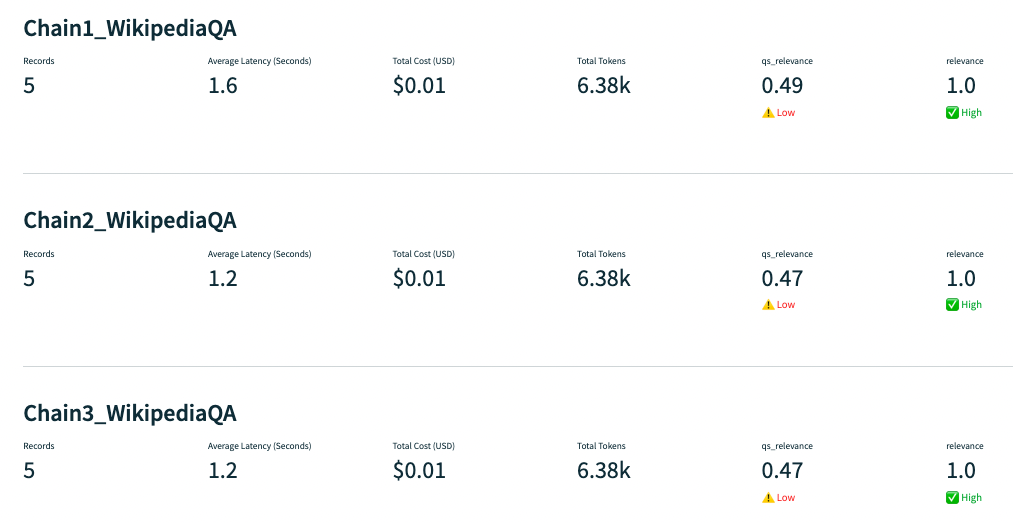 ### Problem: hallucination
Digging deeper into the Query Statement Relevance, we notice one problem in particular with a question about famous dental floss brands. The app responds correctly, but is not backed up by the context retrieved, which does not mention any specific brands.
### Problem: hallucination
Digging deeper into the Query Statement Relevance, we notice one problem in particular with a question about famous dental floss brands. The app responds correctly, but is not backed up by the context retrieved, which does not mention any specific brands.
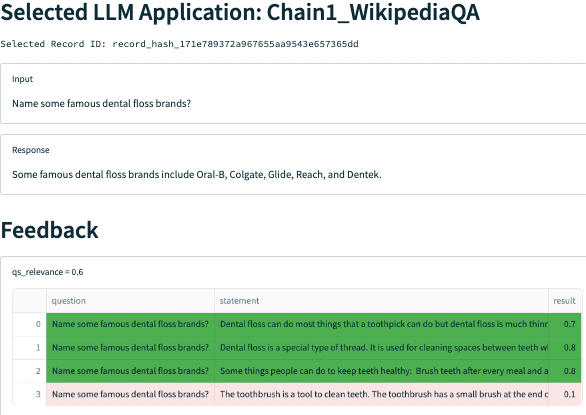 #### Quickly evaluate app components with LangChain and TruLens
Using a less powerful model is a common way to reduce hallucination for some applications. We'll evaluate ada-001 in our next experiment for this purpose.
#### Quickly evaluate app components with LangChain and TruLens
Using a less powerful model is a common way to reduce hallucination for some applications. We'll evaluate ada-001 in our next experiment for this purpose.
 Changing different components of apps built with frameworks like LangChain is really easy. In this case we just need to call `text-ada-001` from the LangChain LLM store. Adding in easy evaluation with TruLens allows us to quickly iterate through different components to find our optimal app configuration.
```Python Python theme={null}
# completion llm
from langchain.llms import OpenAI
llm = OpenAI(
model_name='text-ada-001',
temperature=0
)
from langchain.chains import RetrievalQAWithSourcesChain
qa_with_sources = RetrievalQA.from_chain_type(
llm=llm,
chain_type="stuff",
retriever=vectorstore.as_retriever()
)
# wrap with TruLens
truchain = TruChain(qa_with_sources,
app_id='Chain4_WikipediaQA',
feedbacks=[qa_relevance, qs_relevance])
```
**However, this configuration with a less powerful model struggles to return a relevant answer given the context provided.**
Changing different components of apps built with frameworks like LangChain is really easy. In this case we just need to call `text-ada-001` from the LangChain LLM store. Adding in easy evaluation with TruLens allows us to quickly iterate through different components to find our optimal app configuration.
```Python Python theme={null}
# completion llm
from langchain.llms import OpenAI
llm = OpenAI(
model_name='text-ada-001',
temperature=0
)
from langchain.chains import RetrievalQAWithSourcesChain
qa_with_sources = RetrievalQA.from_chain_type(
llm=llm,
chain_type="stuff",
retriever=vectorstore.as_retriever()
)
# wrap with TruLens
truchain = TruChain(qa_with_sources,
app_id='Chain4_WikipediaQA',
feedbacks=[qa_relevance, qs_relevance])
```
**However, this configuration with a less powerful model struggles to return a relevant answer given the context provided.**
 For example, when asked “Which year was Hawaii's state song written?”, the app retrieves context that contains the correct answer but fails to respond with that answer, instead simply responding with the name of the song.
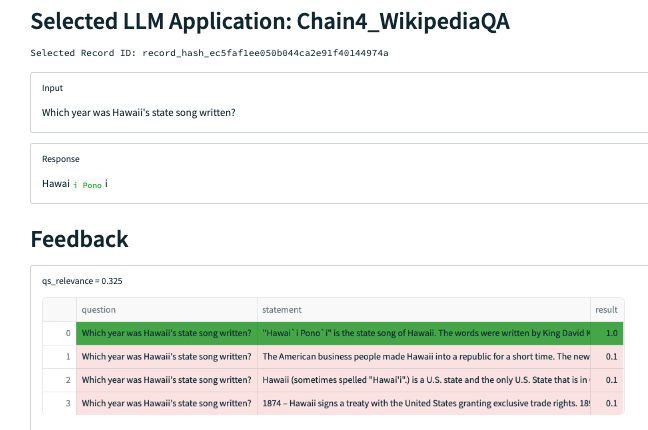 While our relevance function is not doing a great job here in differentiating which context chunks are relevant, we can manually see that only the one (the 4th chunk) mentions the year the song was written. Narrowing our `top_k`, or the number of context chunks retrieved by the semantic search, may help.
We can do so as follows:
```Python Python theme={null}
qa = RetrievalQA.from_chain_type(
llm=llm,
chain_type="stuff",
retriever=vectorstore.as_retriever(top_k = 1)
)
```
The way the `top_k` is implemented in LangChain's RetrievalQA is that the documents are still retrieved by semantic search and only the `top_k` are passed to the LLM. Therefore, TruLens also captures all of the context chunks that are being retrieved. In order to calculate an accurate QS Relevance metric that matches what's being passed to the LLM, we only calculate the relevance of the top context chunk retrieved by slicing the `input_documents` passed into the TruLens Select function:
```Python Python theme={null}
qs_relevance = Feedback(openai.qs_relevance).on_input().on(
Select.Record.app.combine_documents_chain._call.args.inputs.input_documents[:1].page_content
).aggregate(np.mean)
```
Once we've done so, our final application has much improved `qs_relevance`, `qa_relevance` and latency!
While our relevance function is not doing a great job here in differentiating which context chunks are relevant, we can manually see that only the one (the 4th chunk) mentions the year the song was written. Narrowing our `top_k`, or the number of context chunks retrieved by the semantic search, may help.
We can do so as follows:
```Python Python theme={null}
qa = RetrievalQA.from_chain_type(
llm=llm,
chain_type="stuff",
retriever=vectorstore.as_retriever(top_k = 1)
)
```
The way the `top_k` is implemented in LangChain's RetrievalQA is that the documents are still retrieved by semantic search and only the `top_k` are passed to the LLM. Therefore, TruLens also captures all of the context chunks that are being retrieved. In order to calculate an accurate QS Relevance metric that matches what's being passed to the LLM, we only calculate the relevance of the top context chunk retrieved by slicing the `input_documents` passed into the TruLens Select function:
```Python Python theme={null}
qs_relevance = Feedback(openai.qs_relevance).on_input().on(
Select.Record.app.combine_documents_chain._call.args.inputs.input_documents[:1].page_content
).aggregate(np.mean)
```
Once we've done so, our final application has much improved `qs_relevance`, `qa_relevance` and latency!
 With that change, our application is successfully retrieving the one piece of context it needs, and successfully forming an answer from that context.
 Even better, the application now knows what it doesn't know:
 ### Summary
In conclusion, we note that exploring the downstream impact of some Pinecone configuration choices on response quality, cost and latency is an important part of the LLM app development process, ensuring that we make the choices that lead to the app performing the best. Overall, TruLens and Pinecone are the perfect combination for building reliable RAG-style applications. Pinecone provides a way to efficiently store and retrieve context used by LLM apps, and TruLens provides a way to track and evaluate each iteration of your application.
---
# Source: https://docs.pinecone.io/integrations/twelve-labs.md
> ## Documentation Index
> Fetch the complete documentation index at: https://docs.pinecone.io/llms.txt
> Use this file to discover all available pages before exploring further.
# Twelve Labs
export const PrimarySecondaryCTA = ({primaryLabel, primaryHref, primaryTarget, secondaryLabel, secondaryHref, secondaryTarget}) =>
### Summary
In conclusion, we note that exploring the downstream impact of some Pinecone configuration choices on response quality, cost and latency is an important part of the LLM app development process, ensuring that we make the choices that lead to the app performing the best. Overall, TruLens and Pinecone are the perfect combination for building reliable RAG-style applications. Pinecone provides a way to efficiently store and retrieve context used by LLM apps, and TruLens provides a way to track and evaluate each iteration of your application.
---
# Source: https://docs.pinecone.io/integrations/twelve-labs.md
> ## Documentation Index
> Fetch the complete documentation index at: https://docs.pinecone.io/llms.txt
> Use this file to discover all available pages before exploring further.
# Twelve Labs
export const PrimarySecondaryCTA = ({primaryLabel, primaryHref, primaryTarget, secondaryLabel, secondaryHref, secondaryTarget}) => 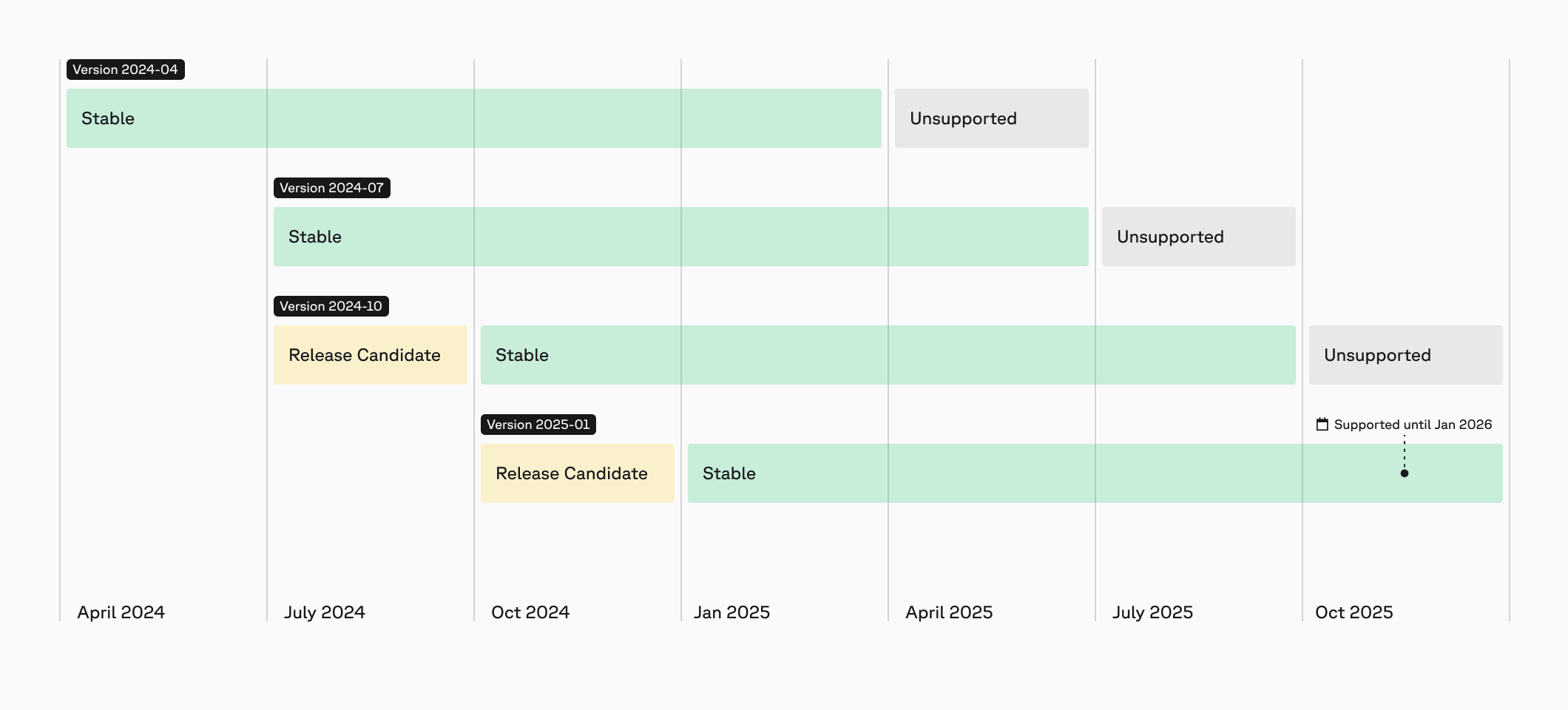
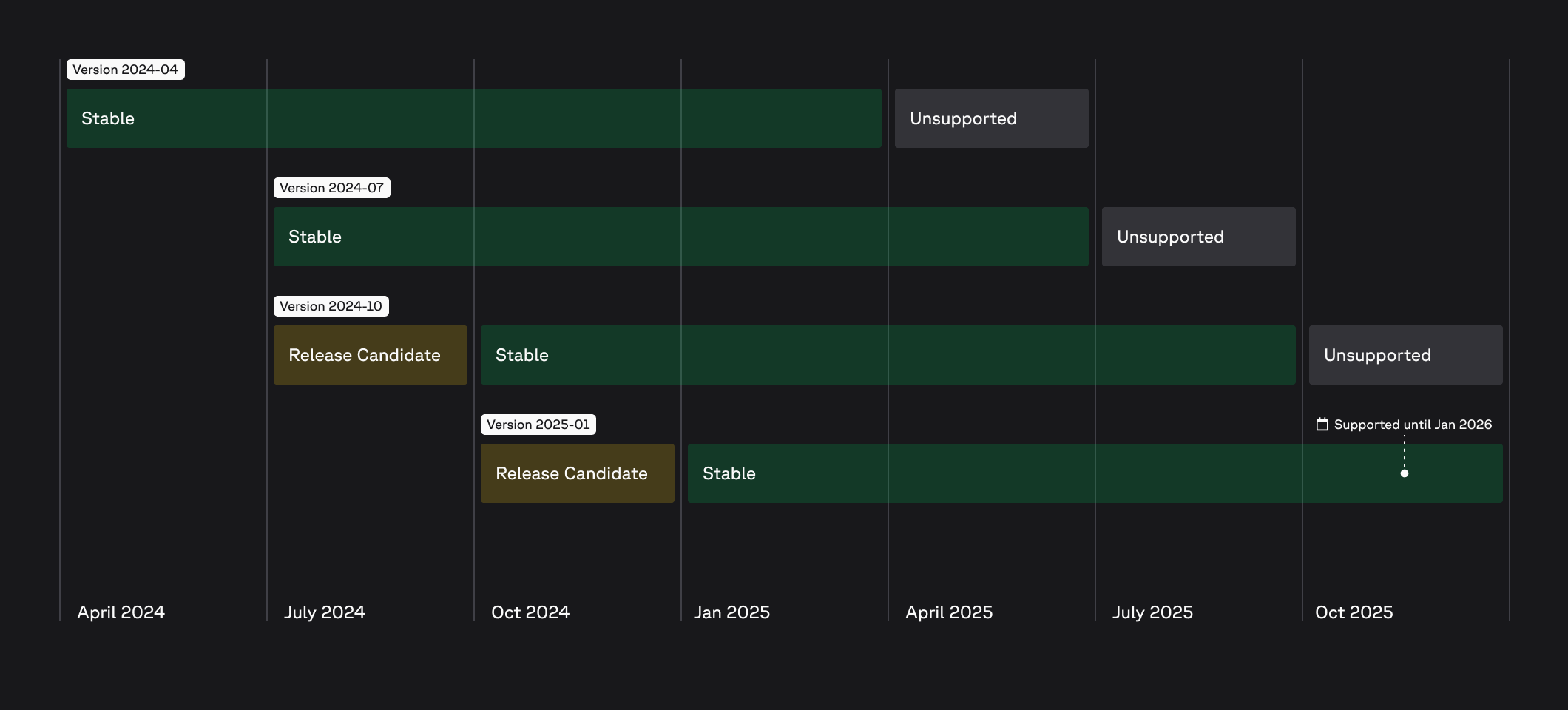 ## Specify an API version