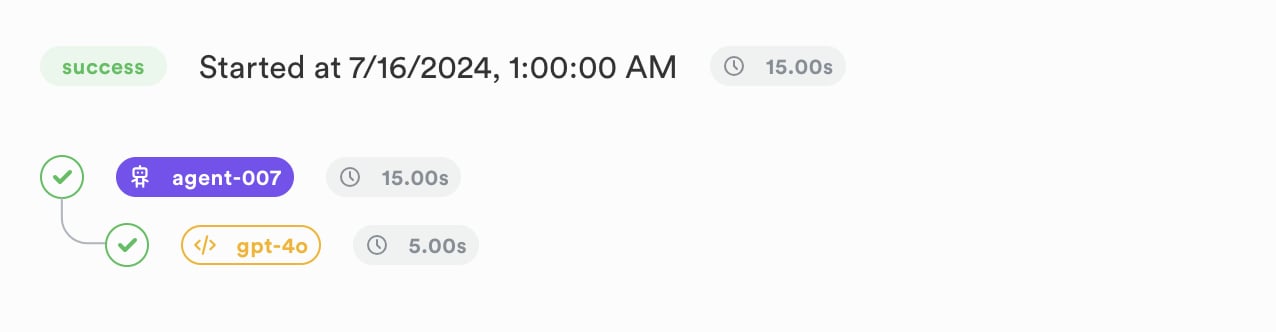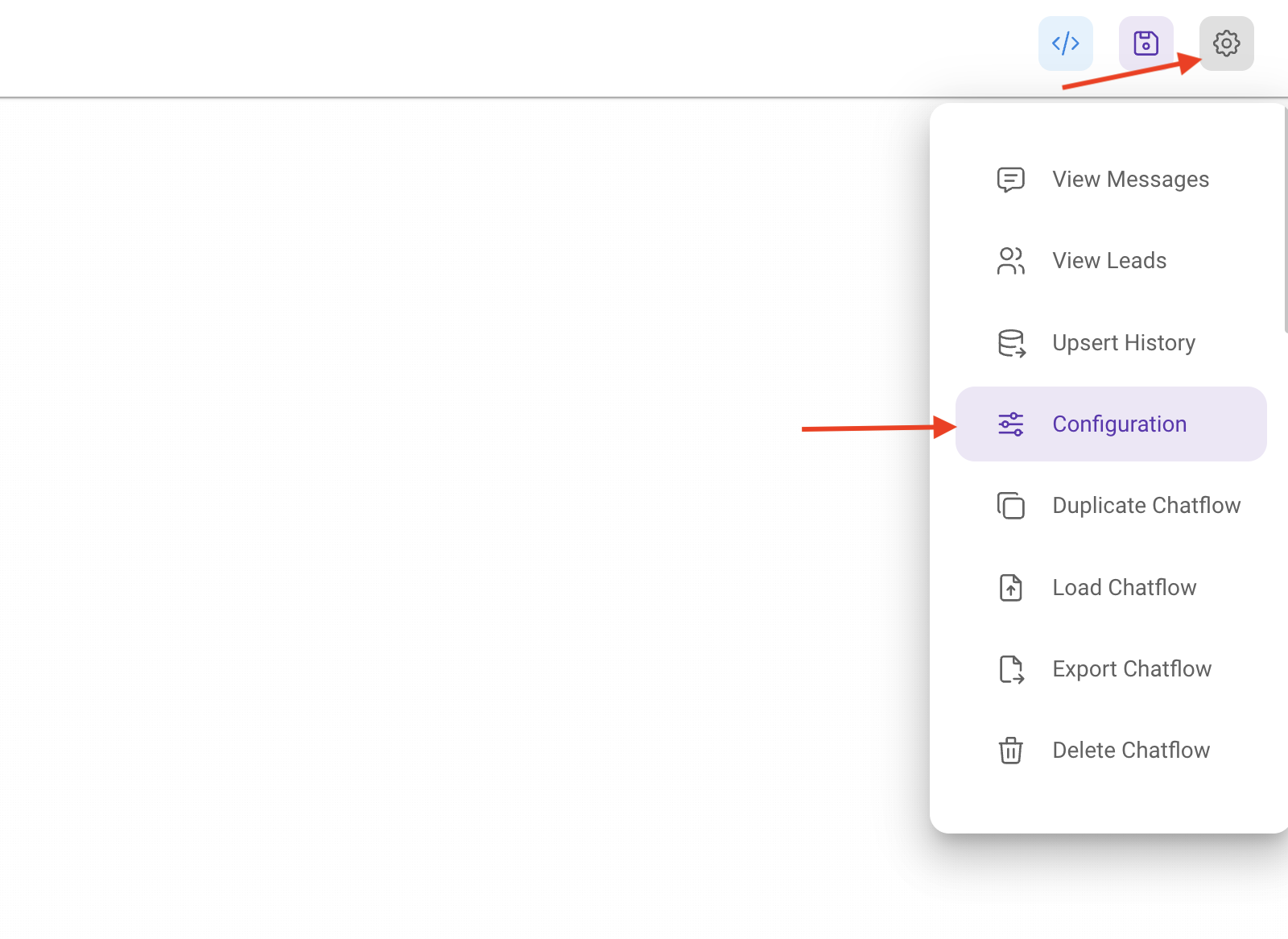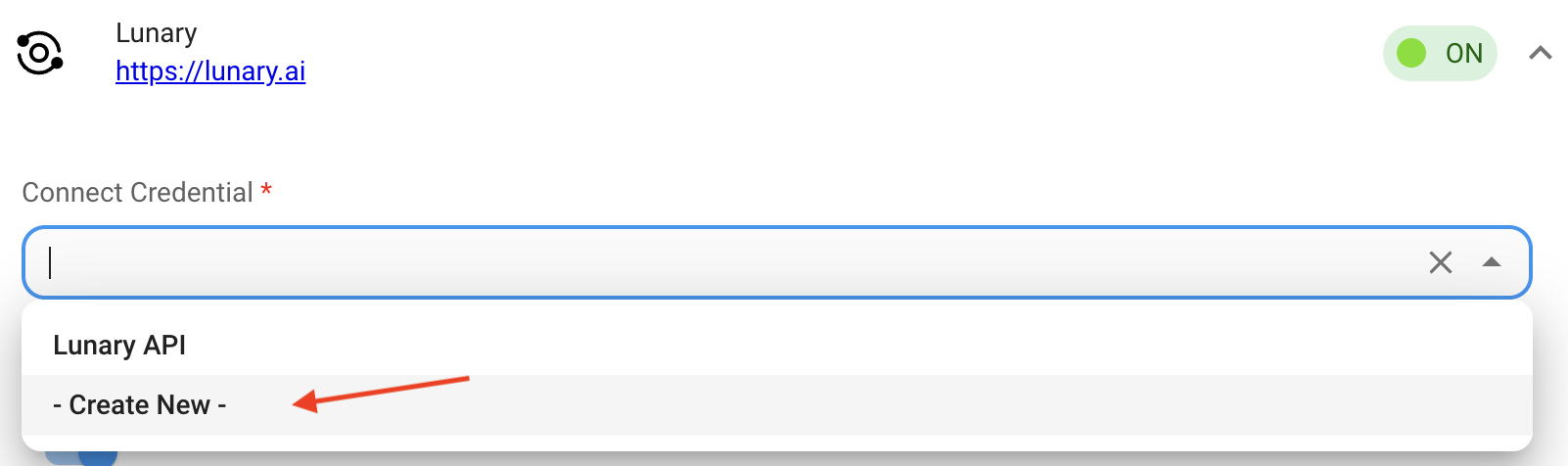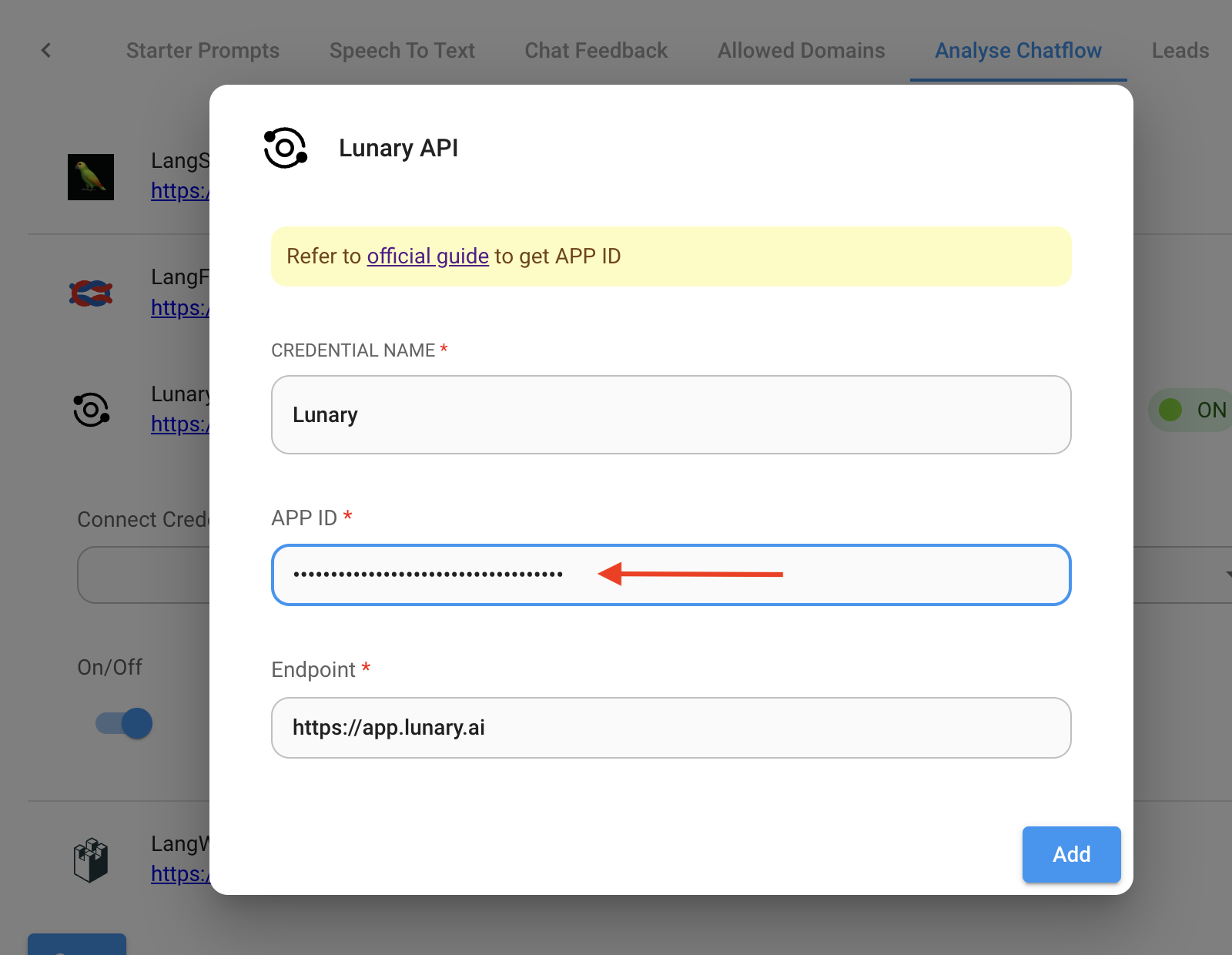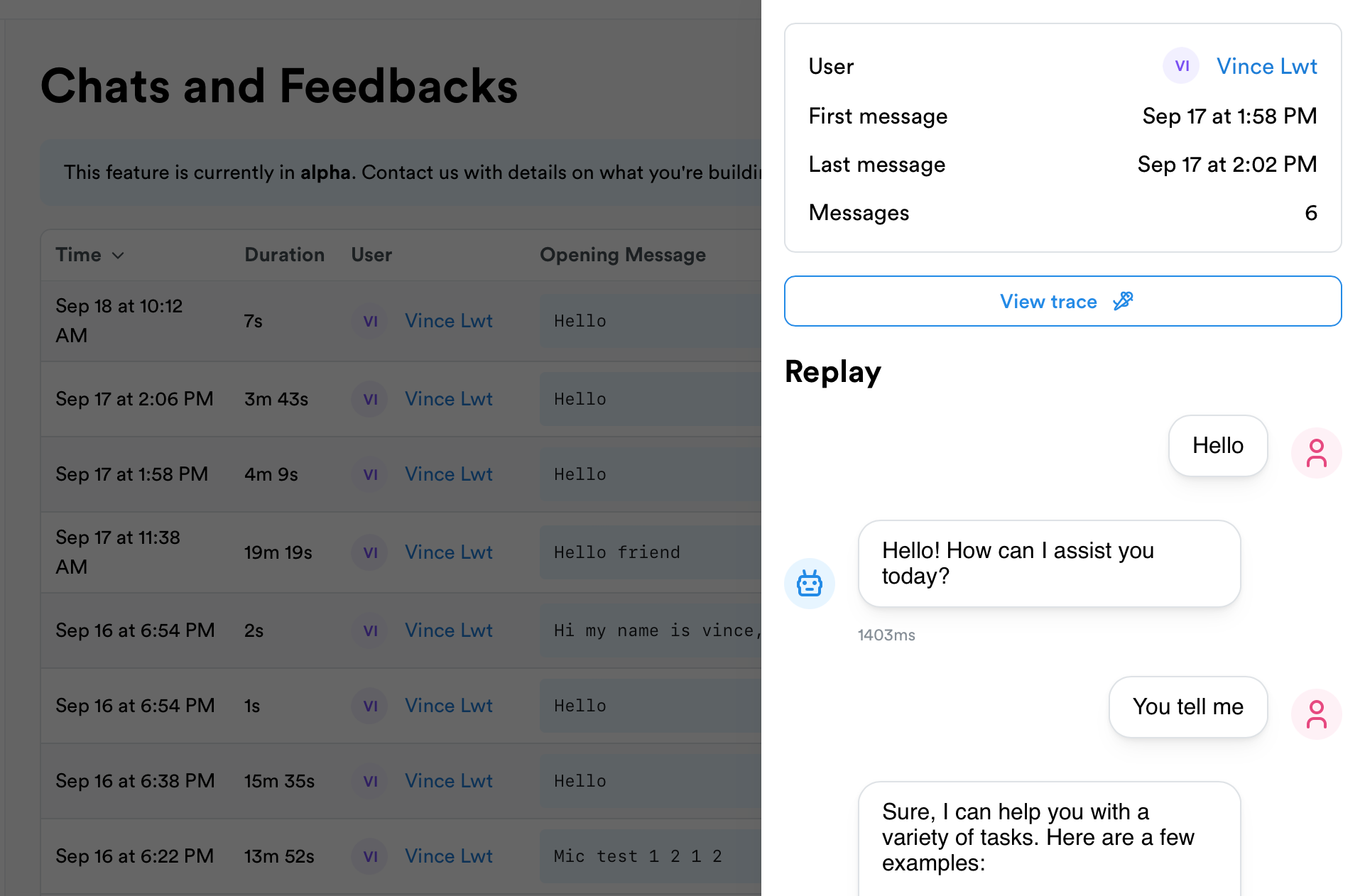
# Lunary > ## Documentation Index --- # Source: https://docs.lunary.ai/docs/more/security/CCPA.md > ## Documentation Index > Fetch the complete documentation index at: https://docs.lunary.ai/llms.txt > Use this file to discover all available pages before exploring further. # CCPA compliance guide For those serving Californian users, grasping the nuances of secure and private data handling is crucial. Lunary, capable of being integrated into your own infrastructure without accessing your data, stands as a highly compliant CCPA observability solution. This guide delves into [California Consumer Privacy Act (CCPA)](https://oag.ca.gov/privacy/ccpa), the types of data that need safeguarding, and how to to ensure your logs collection align with CCPA standards. ## What is the CCPA? The CCPA empowers consumers with control over their personal data held by businesses, offering: * Knowledge of, and details on, how their personal data is collected, utilized, and shared * The ability to erase their personal data, subject to certain conditions * The option to refuse the sale of their personal data * Protection against discrimination when they exercise their CCPA rights. ## What data is protected under CCPA? CCPA rights are exclusive to individuals residing in California, including those temporarily away from the state. For-profit entities are subject to CCPA if they meet any of the criteria below: * Their annual gross revenue exceeds \$25 million. * They engage in buying, receiving, or selling the personal data of more than 50,000 California residents, households, or devices. * At least 50% of their yearly revenue comes from selling the personal data of California residents. Under CCPA, personal information encompasses data that can identify or be associated with an individual. Essentially, personal information includes anything linked to an identifiable person, ranging from social security numbers and license plates to photographs, email addresses, web addresses, IP addresses, or pseudonyms. ## What is the impact of CCPA on observability? Under CCPA, businesses are mandated to provide a "notice at collection" to consumers. This entails informing users upon registration about the utilization of their data to enhance the product. Such a notice should enumerate the types of personal information collected and the reasons for its collection. Additionally, it must include a link to the privacy policy for further information on privacy practices. CCPA also mandates the ability for users to request the deletion of their personal information, with businesses required to comply within 45 days. ## How to set Lunary up for CCPA compliance Lunary can be hosted on your onwn infrastructure, giving you complete control over data management. This includes deciding the hosting location for personal information and full authority over the database, enabling straightforward sharing or deletion of individual data. ### Step 1: Choose how to host Lunary For complete control of end-users' data, we recommend hosting Lunary on your own infrastructure, or a private cloud such as AWS, Google Cloud Platform or Microsoft Azure. A simpler alternative is to use Lunary Cloud, where we handle the infrastructure and security for you. ### Step 2: Deploy Lunary If using Lunary Cloud, simply follow the steps in the onboarding process to start sending events. Read our [getting started guide](/docs/get-started) for more information on sending logs to Lunary.  Setting up Lunary on your own infrastructure is simple, and our team is here to assist with any issues that arise. Begin by consulting our [self-hosting guide](/docs/more/self-hosting/docker). ### Step 3: Security configuration Our SDKs used with Lunary Cloud utilize HTTPS to ensure the security of data during transmission. When self-hosting Lunary, we strongly recommend using HTTPS as well to secure data transmission. It is highly advised to restrict access to Lunary and its underlying infrastructure strictly to individuals who have authorization and a legitimate need to interact with the data, this includes links to shared dashboards. ## Deleting personal information in Lunary Users should have the capability to demand the deletion of their data. The method through which you accommodate such requests is at your discretion. For instance, you might choose to receive these requests through email or by a form. You can remove a user from a Lunary instance via the Lunary user interface. To do this: * Select "Users" from the sidebar menu * Search and click on the concerned user * Click "Delete" to remove them and all their associated data from Lunary. --- # Source: https://docs.lunary.ai/docs/more/security/GDPR.md > ## Documentation Index > Fetch the complete documentation index at: https://docs.lunary.ai/llms.txt > Use this file to discover all available pages before exploring further. # GDPR compliance guide The [General Data Protection Regulation (GDPR)](https://gdpr.eu/) represents a set of regulations on privacy and security, established and enacted by the European Union (EU). It mandates responsibilities for organizations globally, provided they process or gather data concerning individuals within the EU. It is advisable to delve into the complete GDPR docs and consult with a legal expert to understand your specific responsibilities. Non-compliance with GDPR can lead to significant repercussions. ## What data is protected under GDPR? Under GDPR, personal data is safeguarded, encompassing any details that can identify an individual either directly or indirectly. This includes, but is not limited to, names, email addresses, geographical data, ethnic background, gender, biometric details, religious convictions, internet cookies, and political views. ## What is the impact of GDPR on observability? The primary guideline is to avoid gathering, storing, or utilizing any personal data without a valid justification, such as: * The individual has provided explicit, clear consent for data processing (for instance, they have subscribed to your marketing emails). * The processing is essential for the formation of a contract with someone (for example, conducting a background investigation is necessary). * The processing is required to fulfill a legal duty (for example, responding to a court order in your area). * The data needs to be processed to protect someone's life (in such cases, the circumstances will be evident). * The processing is necessary to execute a task that serves the public interest or an official duty (for example, if you operate a private waste collection service). * You possess a valid interest in processing an individual's personal data. This basis for processing is notably adaptable, yet the "fundamental rights and freedoms of the data subject" take precedence over your interests, particularly in the case of minors. ### You must acquire "Unambiguous Consent" Specific guidelines exist regarding the definition of consent: * Consent must be "freely given, specific, informed and unambiguous" * Consent requests must be "clearly distinguishable from the other matters" and conveyed in "clear and plain language" * At any time, data subjects are allowed to revoke their consent, and it's your responsibility to respect this choice * Only with a parent's permission can children under the age of 13 provide consent * Documentary proof of consent must be maintained by you Therefore, if your product tracks users through Lunary, it's crucial to directly request their consent for this data usage and clearly detail how it will be employed at the time they register for your service. ### Data must be handled securely It's mandatory to ensure data security through the adoption of "appropriate technical and organizational measures." This encompasses technical strategies (such as data encryption) and organizational tactics (such as conducting staff training and restricting access to sensitive data). In the event of a data breach, you are obligated to inform the affected individuals within 72 hours to avoid penalties. (However, this requirement for notification can be bypassed if technological protections, like encryption, are employed to make the data inaccessible to unauthorized parties.) ### You should not transfer EU users' personal data outside the EU For those who have chosen to self-host Lunary on servers located outside the EU while handling data from EU users, it's advised to anonymize the personal data of such users. Similarly, for users of Lunary Cloud, anonymizing personal data of EU users is also recommended. ## How to set Lunary up for GDPR compliance The obligations under GDPR vary based on the manner in which your organization handles personal data. Entities can function as data controllers, data processors, or fulfill both roles simultaneously. [Data controllers](https://gdpr-info.eu/art-24-gdpr/) are responsible for collecting data from their end users and determining the purposes and means of processing that data. On the other hand, [data processors](https://gdpr-info.eu/art-28-gdpr/) are entities that process personal data on the instructions of another business. You will be using Lunary in one of three ways: 1. Hosted and managed by us on Lunary Cloud 2. Hosted and managed by us on a region of your choice with the Dedicated option 3. Self-hosted by you on a private cloud or your own infrastructure If you are using Lunary Cloud or then Lunary is the Data Processor and you are the Data Controller. If you are self-hosting Lunary then you are both the Data Processor and the Data Controller because you are responsible for your Lunary instance. ### Step 1: Choose how to host Lunary We recommend using Lunary Cloud for GDPR compliance. If self-hosting, the steps will depend on where you're hosting your data. ### Step 2: Deploy Lunary If using Lunary Cloud, simply follow the steps in the onboarding process to start sending events. Read our [getting started guide](/docs/get-started) for more information on sending logs to Lunary. Setting up Lunary on your own infrastructure is simple, and our team is here to assist with any issues that arise. Begin by consulting our [self-hosting guide](/docs/more/self-hosting/docker). ### Step 3: Security configuration Our SDKs used with Lunary Cloud utilize HTTPS to ensure the security of data during transmission. When self-hosting Lunary, we strongly recommend using HTTPS as well to secure data transmission. It is highly advised to restrict access to Lunary and its underlying infrastructure strictly to individuals who have authorization and a legitimate need to interact with the data, this includes links to shared dashboards. ### Step 4: Configure consent Given that Lunary inherently collects data, which may include personal information, it's imperative to establish a method for obtaining consent for such data collection. This requirement aligns with the GDPR's [right to be informed](https://gdpr-info.eu/issues/right-to-be-informed/). The consent form should clearly specify which categories of personal data are being gathered and the tools utilized for this collection: * If you are using Lunary Cloud you should identify Lunary as a tool * If you are self-hosting you can either not list a tool or provide a generic description such as "Monitoring". If a user opts out then you must stop data capturing and processing. Here are some ways Lunary makes this possible: * If Lunary has been initialized, call `lunary.opt_out()` in Python or `lunary.optOut()` in JS. * Do not load the Lunary SDK. * Do not initialize the Lunary SDK by setting an empty Public Key / Project ID. ## Complying with 'right to be forgotten' requests Users should have the capability to demand the deletion of their data. The method through which you accommodate such requests is at your discretion. For instance, you might choose to receive these requests through email or by a form. You can remove a user from a Lunary instance via the Lunary user interface. To do this: * Select "Users" from the sidebar menu * Search and click on the concerned user * Click "Delete" to remove them and all their associated data from Lunary. --- # Source: https://docs.lunary.ai/docs/integrations/javascript/anthropic.md > ## Documentation Index > Fetch the complete documentation index at: https://docs.lunary.ai/llms.txt > Use this file to discover all available pages before exploring further. # JS Anthropic integration Our SDKs include automatic integration with Anthropic's modules. Learn how to set up the JS SDK. With our SDKs, tracking Anthropic calls is super simple. ```js theme={null} import Anthropic from "@anthropic-ai/sdk" import { monitorAnthropic } from "lunary/anthropic" // Simply call monitor() on the Anthropic class to automatically track requests const anthropic = monitorAnthropic(new Anthropic()) ``` You can now tag requests and identify users. ```js theme={null} const result = await anthropic.messages.create({ model: "claude-3-5-sonnet-20240620", temperature: 0.9, tags: ["chat", "support"], // Optional: tags userId: "user_123", // Optional: user ID userProps: { name: "John Doe" }, // Optional: user properties system: "You are an helpful assistant", messages: [ { role: "user", content: "Hello friend" }, ], }) ``` --- # Source: https://docs.lunary.ai/docs/api/datasets-v2/attach-an-evaluator-to-a-dataset.md > ## Documentation Index > Fetch the complete documentation index at: https://docs.lunary.ai/llms.txt > Use this file to discover all available pages before exploring further. # Attach an evaluator to a dataset ## OpenAPI ````yaml https://api.lunary.ai/v1/openapi post /v1/datasets-v2/{datasetId}/evaluators openapi: 3.0.0 info: title: Lunary API version: 1.0.0 servers: - url: https://api.lunary.ai security: [] tags: [] paths: /v1/datasets-v2/{datasetId}/evaluators: post: tags: - Datasets v2 summary: Attach an evaluator to a dataset parameters: - in: path name: datasetId required: true schema: type: string format: uuid requestBody: required: true content: application/json: schema: type: object properties: evaluatorId: type: string format: uuid required: - evaluatorId responses: '200': description: Updated dataset including evaluator slots content: application/json: schema: $ref: '#/components/schemas/DatasetV2WithItems' security: - BearerAuth: [] components: schemas: DatasetV2WithItems: allOf: - $ref: '#/components/schemas/DatasetV2' - type: object properties: items: type: array items: $ref: '#/components/schemas/DatasetV2Item' DatasetV2: type: object properties: id: type: string format: uuid projectId: type: string format: uuid ownerId: type: string format: uuid nullable: true ownerName: type: string nullable: true ownerEmail: type: string nullable: true name: type: string description: type: string nullable: true createdAt: type: string format: date-time updatedAt: type: string format: date-time itemCount: type: integer currentVersionId: type: string format: uuid nullable: true currentVersionNumber: type: integer currentVersionCreatedAt: type: string format: date-time nullable: true currentVersionCreatedBy: type: string format: uuid nullable: true currentVersionRestoredFromVersionId: type: string format: uuid nullable: true evaluatorSlot1Id: type: string format: uuid nullable: true evaluatorSlot2Id: type: string format: uuid nullable: true evaluatorSlot3Id: type: string format: uuid nullable: true evaluatorSlot4Id: type: string format: uuid nullable: true evaluatorSlot5Id: type: string format: uuid nullable: true DatasetV2Item: type: object properties: id: type: string format: uuid datasetId: type: string format: uuid input: type: string groundTruth: type: string nullable: true output: type: string nullable: true evaluatorResult1: type: object nullable: true evaluatorResult2: type: object nullable: true evaluatorResult3: type: object nullable: true evaluatorResult4: type: object nullable: true evaluatorResult5: type: object nullable: true createdAt: type: string format: date-time updatedAt: type: string format: date-time securitySchemes: BearerAuth: type: http scheme: bearer ```` --- # Source: https://docs.lunary.ai/docs/integrations/python/azure-openai.md # Source: https://docs.lunary.ai/docs/integrations/javascript/azure-openai.md # Source: https://docs.lunary.ai/docs/integrations/azure-openai.md > ## Documentation Index > Fetch the complete documentation index at: https://docs.lunary.ai/llms.txt > Use this file to discover all available pages before exploring further. # Azure OpenAI integration Our Python SDK includes automatic integration with Azure OpenAI. ```bash theme={null} pip install openai lunary ``` With our SDKs, tracking AzureOpenAI calls is super simple. ```py theme={null} import os from openai import AzureOpenAI import lunary API_VERSION = os.environ.get("OPENAI_API_VERSION") API_KEY = os.environ.get("AZURE_OPENAI_API_KEY") AZURE_ENDPOINT = os.environ.get("AZURE_OPENAI_ENDPOINT") RESOURCE_NAME = os.environ.get("AZURE_OPENAI_RESOURCE_NAME") client = AzureOpenAI( api_version=API_VERSION, azure_endpoint=AZURE_ENDPOINT, api_key=API_KEY ) lunary.monitor(client) completion = client.chat.completions.create( model=RESOURCE_NAME, messages=[ { "role": "user", "content": "How do I output all files in a directory using Python?", }, ], ) print(completion.to_json()) ``` --- # Source: https://docs.lunary.ai/docs/more/data-warehouse/bigquery.md > ## Documentation Index > Fetch the complete documentation index at: https://docs.lunary.ai/llms.txt > Use this file to discover all available pages before exploring further. # BigQuery Connector ## Setup Google Cloud ### Enable APIs If not already done, enable the following APIs for the project where you want to install the Google BigQuery instance: * [Datastream API](https://console.cloud.google.com/marketplace/product/google/datastream.googleapis.com) * [BigQuery API](https://console.cloud.google.com/marketplace/product/google-cloud-platform/bigquery) ### Get your API Key 1. Go to [Create Service Account](https://console.cloud.google.com/iam-admin/serviceaccounts/create). 2. Give it the name `Lunary Data Warehouse Account`. 3. Click on **Create and continue**. 4. Click on **Select a role** and choose the `Datastream Admin` role. 5. Click on **Add another role**. 6. Click on **Select a role** and choose the `BigQuery Admin` role. 7. Click on **Continue**. 8. Click on **Done**. 9. Click on the `Lunary Data Warehouse Account`. 10. Click on **Keys**. 11. Click on **Add Key** and select the `Create new key` option from the drop-down menu. 12. Make sure `JSON` is selected for the **Key Type**, and click on **Create**. 13. Your private key will be downloaded to your computer. Save this private key. ## Setup PostgreSQL source ### Cloud SQL 1. Go to the [Cloud SQL](https://console.cloud.google.com/sql/instances) Instances page in the Google Cloud Console. 2. Select the instance to which you want Datastream to connect. 3. Click **Edit**. 4. Scroll down to the **Flags** section. 5. Click **ADD FLAG**. 6. Choose the `cloudsql.logical_decoding` flag from the drop-down menu. 7. Set its flag value to `on`. 8. Click `SAVE` to save your changes. You'll need to restart your instance to update it with the changes. Once your instance has been restarted, confirm your changes under **Database flags** on the Overview page. ### Amazon RDS 1. Launch your Amazon RDS Dashboard. 2. In the **Navigation Drawer**, click **Parameter Groups**, and then click **Create Parameter Group**. The **Create Parameter Group** page appears. 3. Select `PostgreSQL` for the database family, provide a name and description for the parameter group, and then click **Create**. 4. Select the check box to the left of your newly created parameter group, and then, under **Parameter Group Actions**, click **Edit**. 5. Set `logical_replication` to `1`. 6. Click **Save changes**. 7. In the **Navigation drawer**, click **Databases**. 8. Select your source, and then click **Modify**. 9. Scroll down to the **Additional configuration** section. 10. Select the parameter group that you created. 11. Click **Continue**. 12. Under **Scheduling of modifications**, select `Apply immediately`. Because you've modified your source, you must wait until the changes to your parameter group are applied before proceeding. 13. In the **Navigation drawer**, click **Databases**, and then select your database instance. 14. Click the **Configurations** tab. 15. Verify that you see the parameter group that you created, and that its status is `pending-reboot`. 16. From the **Instance Actions** menu, select `Reboot`. ### Self-hosted PostgreSQL 1. Add `wal_level=logical` to the postgresql.conf file, or do this on the server command line. 2. Restart the server. --- # Source: https://docs.lunary.ai/docs/features/classification.md > ## Documentation Index > Fetch the complete documentation index at: https://docs.lunary.ai/llms.txt > Use this file to discover all available pages before exploring further. # Classification Lunary uses local models to automatically classify your conversations into topics, languages, sentiments and more. This functionality is also fully available on the self-hosted versions of Lunary. This is currently in beta and not available on the open-source version of Lunary. Full documentation coming soon. --- # Source: https://docs.lunary.ai/docs/more/concepts.md > ## Documentation Index > Fetch the complete documentation index at: https://docs.lunary.ai/llms.txt > Use this file to discover all available pages before exploring further. # Concepts Understanding these concepts can be useful for working with Lunary's APIs and SDKs, though they are not required to get started. Runs are the fundamental units in Lunary. They can represent an LLM request, an agent execution, a tool execution, a workflow, and more. Each run has an input and usually an output. You can track the number of runs on the billing page. Types of runs include: An LLM call refers to a request made to a large language model, such as GPT-4. In this context, `input` is the prompt or chat history you send to the model, and `output` is the response you get back. Chains denote sequences of connected runs, tools, and LLM calls. They help visualize the flow and dependencies in complex tasks, clarifying the interactions between different components of the system. They are useful for creating subtraces and subtrees inside agents. An agent is usually composed of tools and LLM calls. It autonomously interacts with various components and might iterate over tasks until it finds a solution. A tool is a piece of code that your AI agent can invoke to perform external actions. A tool usually doesn't make AI queries itself (but it can). Examples of tools: Web search, Calculator, Database query, Random number generator In the context of a tool, `input` is the arguments you send to the tool, and `output` is the result you get back. Note that tools cannot be tracked standalone; they need to be part of an agent or a chain run. A thread contains multiple `chat` runs and is used to represent a conversation or a chatbot session. You don't need to pass any `input` or `output` to a thread. You also don't need to end a thread explicitly. A chat is a run that represents a single interaction user->assistant in a conversation. A trace is a collection of related runs. An agent will generate a trace every time it executes. Exploring traces on the dashboard helps you understand how your code is behaving and how the different LLM components are interacting. Using our SDKs, runs are automatically organized into traces. A user is someone who uses your app. With all our SDKs, you can identify users. Sometimes, you might have multiple levels of users, such as organizations, teams within organizations, and individual users. Which to report as user then? It depends on your use case. For example, if you're building a chatbot, you might want to report the end-user as the user. If you're building a tool for a team, you might want to report the team as the user, to be able to track costs and usage grouped by team. In any case, you can pass an `organizationId` or `teamId` as metadata to identify those levels of users. [Learn more about users](/docs/features/users) --- # Source: https://docs.lunary.ai/docs/features/conversations.md > ## Documentation Index > Fetch the complete documentation index at: https://docs.lunary.ai/llms.txt > Use this file to discover all available pages before exploring further. # Chats & Threads Record and replay chat conversations in your chatbot app. Helps you understand where your chatbot falls short and how to improve it. Chats integrate seamlessly with traces by reconciliating messages with LLM calls and agents. Feedback tracking You can record chats in the backend or directly on the frontend if it's easier for you. ## Setup the SDK Learn how to install the Python SDK. Learn how to install the JS SDK. ## Open a thread Start by opening a thread. ```js theme={null} const thread = lunary.openThread() ``` ```py theme={null} thread = lunary.open_thread() ``` You can resume an existing thread by passing an ID from an existing thread. ```js theme={null} // Save `thread.id` somewhere const thread = lunary.openThread({ id: 'your-thread-id'; // Replace with your actual thread ID }) ``` ```py theme={null} # Save `thread.id` somewhere existing_thread_id = 'your-thread-id' # Replace with your actual thread ID thread = lunary.open_thread(existing_thread_id) ``` You can also add tags to a thread by passing a object with a `tags` param: ```js theme={null} const thread = lunary.openThread({ tags: ['support'] }) ``` ```py theme={null} thread = lunary.open_thread(existing_thread_id, tags=['support']) ``` ## Track messages Now you can track messages. The supported roles are `assistant`, `user`, `system`, & `tool`. ```js theme={null} thread.trackMessage({ role: 'user', content: 'Hello, please help me' }) thread.trackMessage({ role: 'assistant', content: 'Hello, how can I help you?' }) ``` ```py theme={null} thread.track_message({ "role": "user", "content": "Hello, please help me" }) thread.track_message({ "role": "assistant", "content": "Hello, how can I help you?" }) ``` ## Track custom events You can track custom events that happen within your chatbot. This can include things like: * opening a document * clicking a button * submitting a form * user activity or inactivity * other events that you want to track ```js theme={null} thread.trackEvent("event-name") // you can also track additional metadata thread.trackEvent("open-document", { documentName: "my-document.pdf", }) ``` ```python theme={null} thread.track_event("event-name") # you can also use the following optional parameters thread.track_event("event-name", user_id="user1", user_props={"email": "hello@test.com"}, metadata={}) ``` ## Capture user feedback Finally, you can track user feedback on bot replies: The ID is the same as the one returned by `trackMessage`. ```js theme={null} const msgId = thread.trackMessage({ role: "assistant", content: "Hope you like my answers :)" }) lunary.trackFeedback(msgId, { thumb: "up" }) ``` ```py theme={null} msg_id = thread.track_message({ "role": "assistant", "content": "Hope you like my answers :)" }) lunary.track_feedback(msg_id, { "thumb": "up" }) ``` To remove feedback, pass `null` as the feedback data. ```js theme={null} lunary.trackFeedback(msgId, { thumb: null }) ``` ```py theme={null} lunary.track_feedback(msg_id, { "thumb": None }) ``` ## Reconciliate with LLM calls & agents To take full advantage of Lunary's tracing capabilities, you can reconcile your LLM and agents runs with the messages. We will automatically reconciliate messages with runs. ```js theme={null} const msgId = thread.trackMessage({ role: "user", content: "Hello!" }); const res = await openai.chat.completions .create({ model: "gpt-4o", temperature: 1, messages: [message], }) .setParent(msgId); thread.trackMessage({ role: "assistant", content: res.choices[0].message.content, }); ``` ```python theme={null} msg_id = thread.track_message({ "role": "user", "content": "Hello!" }) chat_completion = client.chat.completions.create( messages=[message], model="gpt-4o", parent=msg_id ) thread.track_message( {"role": "assistant", "content": chat_completion.choices[0].message.content}) ``` If you're using LangChain or agents behind your chatbot, you can inject the current message id into context as a parent: ```js theme={null} const msgId = thread.trackMessage({ role: "user", content: "Hello!" }); // In your backend, inject the message id into the context const agent = lunary.wrapAgent(function ChatbotAgent(query) { // your custom code... }); await agent("Hello!").setParent(msgId); ``` ```python theme={null} msg_id = thread.track_message({ "role": "user", "content": "Hello!" }) # In your backend, inject the message id into the context with lunary.parent(msg_id): # your custom code... pass ``` Note that *it's safe* to pass the message ID from your frontend to your backend, if you're tracking chats directly on the frontend for example. --- # Source: https://docs.lunary.ai/docs/api/evals/create-a-criterion.md > ## Documentation Index > Fetch the complete documentation index at: https://docs.lunary.ai/llms.txt > Use this file to discover all available pages before exploring further. # Create a criterion ## OpenAPI ````yaml https://api.lunary.ai/v1/openapi post /v1/evals/criteria openapi: 3.0.0 info: title: Lunary API version: 1.0.0 servers: - url: https://api.lunary.ai security: [] tags: [] paths: /v1/evals/criteria: post: tags: - Evals - Criteria summary: Create a criterion requestBody: required: true content: application/json: schema: type: object properties: evalId: type: string name: type: string metric: type: string threshold: type: number nullable: true weighting: type: number parameters: type: object required: - evalId - name - metric responses: '200': description: Created criterion security: - BearerAuth: [] components: securitySchemes: BearerAuth: type: http scheme: bearer ```` --- # Source: https://docs.lunary.ai/docs/api/checklists/create-a-new-checklist.md > ## Documentation Index > Fetch the complete documentation index at: https://docs.lunary.ai/llms.txt > Use this file to discover all available pages before exploring further. # Create a new checklist > Creates a new checklist with the provided slug, type, and data. ## OpenAPI ````yaml https://api.lunary.ai/v1/openapi post /v1/checklists openapi: 3.0.0 info: title: Lunary API version: 1.0.0 servers: - url: https://api.lunary.ai security: [] tags: [] paths: /v1/checklists: post: tags: - Checklists summary: Create a new checklist description: | Creates a new checklist with the provided slug, type, and data. requestBody: required: true content: application/json: schema: $ref: '#/components/schemas/ChecklistInput' example: slug: pre-deployment-checklist type: deployment data: items: - name: Run tests completed: false - name: Update documentation completed: false responses: '200': description: Successful response content: application/json: schema: $ref: '#/components/schemas/Checklist' '400': description: Invalid input security: - BearerAuth: [] components: schemas: ChecklistInput: type: object required: - slug - type - data properties: slug: type: string description: Unique identifier for the checklist within the project type: type: string description: The type of checklist data: type: array description: The checklist data Checklist: type: object properties: id: type: string format: uuid slug: type: string type: type: string data: type: object description: The checklist data projectId: type: string format: uuid ownerId: type: string format: uuid createdAt: type: string format: date-time updatedAt: type: string format: date-time securitySchemes: BearerAuth: type: http scheme: bearer ```` --- # Source: https://docs.lunary.ai/docs/api/datasets/create-a-new-dataset.md > ## Documentation Index > Fetch the complete documentation index at: https://docs.lunary.ai/llms.txt > Use this file to discover all available pages before exploring further. # Create a new dataset ## OpenAPI ````yaml https://api.lunary.ai/v1/openapi post /v1/datasets openapi: 3.0.0 info: title: Lunary API version: 1.0.0 servers: - url: https://api.lunary.ai security: [] tags: [] paths: /v1/datasets: post: tags: - Datasets summary: Create a new dataset requestBody: required: true content: application/json: schema: oneOf: - type: object properties: slug: type: string format: type: string enum: - text prompt: type: string nullable: true withPromptVariation: type: boolean default: true required: - slug - format - type: object properties: slug: type: string format: type: string enum: - chat prompt: oneOf: - type: array items: type: object properties: role: type: string content: type: string required: - role - content - type: string nullable: true withPromptVariation: type: boolean default: true required: - slug - format responses: '200': description: Created dataset content: application/json: schema: $ref: '#/components/schemas/Dataset' security: - BearerAuth: [] components: schemas: Dataset: type: object properties: id: type: string slug: type: string format: type: string enum: - text - chat ownerId: type: string projectId: type: string securitySchemes: BearerAuth: type: http scheme: bearer ```` --- # Source: https://docs.lunary.ai/docs/api/evals/create-a-new-evaluation.md > ## Documentation Index > Fetch the complete documentation index at: https://docs.lunary.ai/llms.txt > Use this file to discover all available pages before exploring further. # Create a new evaluation ## OpenAPI ````yaml https://api.lunary.ai/v1/openapi post /v1/evals openapi: 3.0.0 info: title: Lunary API version: 1.0.0 servers: - url: https://api.lunary.ai security: [] tags: [] paths: /v1/evals: post: tags: - Evals summary: Create a new evaluation requestBody: required: true content: application/json: schema: type: object properties: name: type: string datasetId: type: string description: type: string required: - name - datasetId responses: '200': description: Created evaluation security: - BearerAuth: [] components: securitySchemes: BearerAuth: type: http scheme: bearer ```` --- # Source: https://docs.lunary.ai/docs/api/models/create-a-new-model.md > ## Documentation Index > Fetch the complete documentation index at: https://docs.lunary.ai/llms.txt > Use this file to discover all available pages before exploring further. # Create a new model ## OpenAPI ````yaml https://api.lunary.ai/v1/openapi post /v1/models openapi: 3.0.0 info: title: Lunary API version: 1.0.0 servers: - url: https://api.lunary.ai security: [] tags: [] paths: /v1/models: post: tags: - Models summary: Create a new model requestBody: required: true content: application/json: schema: $ref: '#/components/schemas/ModelInput' responses: '200': description: Successful response content: application/json: schema: $ref: '#/components/schemas/Model' components: schemas: ModelInput: type: object required: - name - pattern - unit - inputCost - outputCost properties: name: type: string pattern: type: string unit: type: string enum: - TOKENS - CHARACTERS - MILLISECONDS inputCost: type: number outputCost: type: number tokenizer: type: string startDate: type: string format: date-time Model: type: object properties: id: type: string name: type: string pattern: type: string unit: type: string enum: - TOKENS - CHARACTERS - MILLISECONDS inputCost: type: number outputCost: type: number tokenizer: type: string startDate: type: string format: date-time createdAt: type: string format: date-time updatedAt: type: string format: date-time ```` --- # Source: https://docs.lunary.ai/docs/api/datasets/create-a-new-prompt-variation.md > ## Documentation Index > Fetch the complete documentation index at: https://docs.lunary.ai/llms.txt > Use this file to discover all available pages before exploring further. # Create a new prompt variation ## OpenAPI ````yaml https://api.lunary.ai/v1/openapi post /v1/datasets/variations openapi: 3.0.0 info: title: Lunary API version: 1.0.0 servers: - url: https://api.lunary.ai security: [] tags: [] paths: /v1/datasets/variations: post: tags: - Datasets - Prompts - Variations summary: Create a new prompt variation requestBody: required: true content: application/json: schema: type: object properties: promptId: type: string variables: type: object idealOutput: type: string responses: '200': description: Created prompt variation content: application/json: schema: $ref: '#/components/schemas/DatasetPromptVariation' security: - BearerAuth: [] components: schemas: DatasetPromptVariation: type: object properties: id: type: string promptId: type: string variables: type: object idealOutput: type: string securitySchemes: BearerAuth: type: http scheme: bearer ```` --- # Source: https://docs.lunary.ai/docs/api/datasets/create-a-new-prompt.md > ## Documentation Index > Fetch the complete documentation index at: https://docs.lunary.ai/llms.txt > Use this file to discover all available pages before exploring further. # Create a new prompt ## OpenAPI ````yaml https://api.lunary.ai/v1/openapi post /v1/datasets/prompts openapi: 3.0.0 info: title: Lunary API version: 1.0.0 servers: - url: https://api.lunary.ai security: [] tags: [] paths: /v1/datasets/prompts: post: tags: - Datasets - Prompts summary: Create a new prompt requestBody: required: true content: application/json: schema: oneOf: - type: object properties: datasetId: type: string messages: type: string nullable: true idealOutput: type: string withPromptVariation: type: boolean default: true required: - datasetId - type: object properties: datasetId: type: string messages: type: array nullable: true items: type: object properties: role: type: string content: type: string required: - role - content idealOutput: type: string withPromptVariation: type: boolean default: true required: - datasetId responses: '200': description: Created prompt content: application/json: schema: $ref: '#/components/schemas/DatasetPrompt' security: - BearerAuth: [] components: schemas: DatasetPrompt: type: object properties: id: type: string datasetId: type: string messages: oneOf: - type: array items: type: object properties: role: type: string content: type: string - type: string securitySchemes: BearerAuth: type: http scheme: bearer ```` --- # Source: https://docs.lunary.ai/docs/api/templates/create-a-new-template.md > ## Documentation Index > Fetch the complete documentation index at: https://docs.lunary.ai/llms.txt > Use this file to discover all available pages before exploring further. # Create a new template > Creates a new template with the provided details. The template includes a slug, mode, content, and additional configuration options. ## OpenAPI ````yaml https://api.lunary.ai/v1/openapi post /v1/templates openapi: 3.0.0 info: title: Lunary API version: 1.0.0 servers: - url: https://api.lunary.ai security: [] tags: [] paths: /v1/templates: post: tags: - Templates summary: Create a new template description: > Creates a new template with the provided details. The template includes a slug, mode, content, and additional configuration options. requestBody: required: true content: application/json: schema: $ref: '#/components/schemas/TemplateInput' example: slug: greeting-template mode: openai content: - role: system content: You are a friendly AI assistant. - role: user content: Hello, how are you? extra: temperature: 0.7 max_tokens: 150 isDraft: false notes: Initial greeting template responses: '200': description: Successful response content: application/json: schema: $ref: '#/components/schemas/Template' example: id: 123e4567-e89b-12d3-a456-426614174000 slug: greeting-template mode: openai createdAt: '2023-06-01T12:00:00Z' versions: - id: 789e0123-e45b-67d8-a901-234567890000 content: - role: system content: You are a friendly AI assistant. - role: user content: Hello, how are you? extra: temperature: 0.7 max_tokens: 150 isDraft: false notes: Initial greeting template createdAt: '2023-06-01T12:00:00Z' version: 1 components: schemas: TemplateInput: type: object required: - slug - mode - content properties: slug: type: string mode: type: string enum: - text - openai content: type: array items: type: object properties: role: type: string content: type: string extra: type: object testValues: type: object isDraft: type: boolean notes: type: string Template: type: object properties: id: type: string name: type: string slug: type: string mode: type: string enum: - text - openai createdAt: type: string format: date-time group: type: string projectId: type: string versions: type: array items: $ref: '#/components/schemas/TemplateVersion' TemplateVersion: type: object properties: id: type: string templateId: type: string content: type: array items: type: object properties: role: type: string content: type: string extra: type: object testValues: type: object isDraft: type: boolean notes: type: string createdAt: type: string format: date-time version: type: number ```` --- # Source: https://docs.lunary.ai/docs/api/templates/create-a-new-version.md > ## Documentation Index > Fetch the complete documentation index at: https://docs.lunary.ai/llms.txt > Use this file to discover all available pages before exploring further. # Create a new version > This endpoint allows you to push a new version of a prompt. You can specify the content, extra parameters, test values, draft status, and notes for the new version. ## OpenAPI ````yaml https://api.lunary.ai/v1/openapi post /v1/templates/{id}/versions openapi: 3.0.0 info: title: Lunary API version: 1.0.0 servers: - url: https://api.lunary.ai security: [] tags: [] paths: /v1/templates/{id}/versions: post: tags: - Templates - Versions summary: Create a new version description: > This endpoint allows you to push a new version of a prompt. You can specify the content, extra parameters, test values, draft status, and notes for the new version. parameters: - in: path name: id required: true schema: type: string description: The ID of the template to create a new version for requestBody: required: true content: application/json: schema: $ref: '#/components/schemas/TemplateVersionInput' example: content: Hello {{name}}, welcome to {{company}}! extra: temperature: 0.7 max_tokens: 150 isDraft: false notes: Updated welcome message with company name responses: '200': description: Successful response content: application/json: schema: $ref: '#/components/schemas/TemplateVersion' example: id: '123' templateId: '456' content: Hello {{name}}, welcome to {{company}}! extra: temperature: 0.7 max_tokens: 150 isDraft: false notes: Updated welcome message with company name createdAt: '2023-06-01T12:00:00Z' version: 2 components: schemas: TemplateVersionInput: type: object required: - content - isDraft properties: content: type: array items: type: object properties: role: type: string content: type: string extra: type: object testValues: type: object isDraft: type: boolean notes: type: string TemplateVersion: type: object properties: id: type: string templateId: type: string content: type: array items: type: object properties: role: type: string content: type: string extra: type: object testValues: type: object isDraft: type: boolean notes: type: string createdAt: type: string format: date-time version: type: number ```` --- # Source: https://docs.lunary.ai/docs/api/views/create-a-new-view.md > ## Documentation Index > Fetch the complete documentation index at: https://docs.lunary.ai/llms.txt > Use this file to discover all available pages before exploring further. # Create a new view > Creates a new dashboard view with the provided details. ## OpenAPI ````yaml https://api.lunary.ai/v1/openapi post /v1/views openapi: 3.0.0 info: title: Lunary API version: 1.0.0 servers: - url: https://api.lunary.ai security: [] tags: [] paths: /v1/views: post: tags: - Views summary: Create a new view description: Creates a new dashboard view with the provided details. requestBody: required: true content: application/json: schema: $ref: '#/components/schemas/ViewInput' example: name: New LLM View data: - AND - id: models params: models: - gpt-4 icon: chart type: llm responses: '200': description: Successful response content: application/json: schema: $ref: '#/components/schemas/View' example: id: 5678efgh name: New LLM View data: - AND - id: models params: models: - gpt-4 columns: [] icon: chart type: llm projectId: project123 ownerId: user456 updatedAt: '2023-04-01T14:30:00Z' components: schemas: ViewInput: type: object required: - name - data - type properties: name: type: string example: New LLM View data: type: array items: oneOf: - type: string - type: object properties: id: type: string params: type: object example: - AND - id: models params: models: - gpt-4 columns: type: object example: id: ID content: Content date: Date icon: type: string example: chart type: type: string enum: - llm - thread - trace example: llm View: type: object properties: id: type: string example: 1234abcd name: type: string example: LLM Conversations data: type: array items: oneOf: - type: string - type: object properties: id: type: string params: type: object example: - AND - id: models params: models: - gpt-4 columns: type: object icon: type: string example: chat type: type: string enum: - llm - thread - trace example: llm projectId: type: string example: project123 ownerId: type: string example: user456 updatedAt: type: string format: date-time example: '2023-04-01T12:00:00Z' ```` --- # Source: https://docs.lunary.ai/docs/api/playground-endpoints/create-a-playground-endpoint.md > ## Documentation Index > Fetch the complete documentation index at: https://docs.lunary.ai/llms.txt > Use this file to discover all available pages before exploring further. # Create a playground endpoint > Create a new playground endpoint ## OpenAPI ````yaml https://api.lunary.ai/v1/openapi post /v1/playground-endpoints openapi: 3.0.0 info: title: Lunary API version: 1.0.0 servers: - url: https://api.lunary.ai security: [] tags: [] paths: /v1/playground-endpoints: post: tags: - Playground Endpoints summary: Create a playground endpoint description: Create a new playground endpoint requestBody: required: true content: application/json: schema: $ref: c9f91f28-a872-4e0d-8c0c-0ffccfd5d2b4 responses: '201': description: Endpoint created successfully content: application/json: schema: $ref: 4bd06036-0e5a-4d67-ba4b-2f5fbdb818ed ```` --- # Source: https://docs.lunary.ai/docs/api/datasets-v2/create-dataset-v2-item.md > ## Documentation Index > Fetch the complete documentation index at: https://docs.lunary.ai/llms.txt > Use this file to discover all available pages before exploring further. # Create dataset v2 item ## OpenAPI ````yaml https://api.lunary.ai/v1/openapi post /v1/datasets-v2/{datasetId}/items openapi: 3.0.0 info: title: Lunary API version: 1.0.0 servers: - url: https://api.lunary.ai security: [] tags: [] paths: /v1/datasets-v2/{datasetId}/items: post: tags: - Datasets v2 summary: Create dataset v2 item parameters: - in: path name: datasetId required: true schema: type: string format: uuid requestBody: required: true content: application/json: schema: $ref: '#/components/schemas/DatasetV2ItemInput' responses: '201': description: Created item content: application/json: schema: $ref: '#/components/schemas/DatasetV2Item' security: - BearerAuth: [] components: schemas: DatasetV2ItemInput: type: object properties: input: type: string groundTruth: type: string nullable: true output: type: string nullable: true DatasetV2Item: type: object properties: id: type: string format: uuid datasetId: type: string format: uuid input: type: string groundTruth: type: string nullable: true output: type: string nullable: true evaluatorResult1: type: object nullable: true evaluatorResult2: type: object nullable: true evaluatorResult3: type: object nullable: true evaluatorResult4: type: object nullable: true evaluatorResult5: type: object nullable: true createdAt: type: string format: date-time updatedAt: type: string format: date-time securitySchemes: BearerAuth: type: http scheme: bearer ```` --- # Source: https://docs.lunary.ai/docs/api/datasets-v2/create-dataset-v2.md > ## Documentation Index > Fetch the complete documentation index at: https://docs.lunary.ai/llms.txt > Use this file to discover all available pages before exploring further. # Create dataset v2 ## OpenAPI ````yaml https://api.lunary.ai/v1/openapi post /v1/datasets-v2 openapi: 3.0.0 info: title: Lunary API version: 1.0.0 servers: - url: https://api.lunary.ai security: [] tags: [] paths: /v1/datasets-v2: post: tags: - Datasets v2 summary: Create dataset v2 requestBody: required: true content: application/json: schema: $ref: '#/components/schemas/DatasetV2Input' responses: '201': description: Created dataset content: application/json: schema: $ref: '#/components/schemas/DatasetV2' security: - BearerAuth: [] components: schemas: DatasetV2Input: type: object properties: name: type: string description: type: string nullable: true required: - name DatasetV2: type: object properties: id: type: string format: uuid projectId: type: string format: uuid ownerId: type: string format: uuid nullable: true ownerName: type: string nullable: true ownerEmail: type: string nullable: true name: type: string description: type: string nullable: true createdAt: type: string format: date-time updatedAt: type: string format: date-time itemCount: type: integer currentVersionId: type: string format: uuid nullable: true currentVersionNumber: type: integer currentVersionCreatedAt: type: string format: date-time nullable: true currentVersionCreatedBy: type: string format: uuid nullable: true currentVersionRestoredFromVersionId: type: string format: uuid nullable: true evaluatorSlot1Id: type: string format: uuid nullable: true evaluatorSlot2Id: type: string format: uuid nullable: true evaluatorSlot3Id: type: string format: uuid nullable: true evaluatorSlot4Id: type: string format: uuid nullable: true evaluatorSlot5Id: type: string format: uuid nullable: true securitySchemes: BearerAuth: type: http scheme: bearer ```` --- # Source: https://docs.lunary.ai/docs/api/datasets-v2/create-dataset-version-snapshot.md > ## Documentation Index > Fetch the complete documentation index at: https://docs.lunary.ai/llms.txt > Use this file to discover all available pages before exploring further. # Create dataset version snapshot ## OpenAPI ````yaml https://api.lunary.ai/v1/openapi post /v1/datasets-v2/{datasetId}/versions openapi: 3.0.0 info: title: Lunary API version: 1.0.0 servers: - url: https://api.lunary.ai security: [] tags: [] paths: /v1/datasets-v2/{datasetId}/versions: post: tags: - Datasets v2 summary: Create dataset version snapshot parameters: - in: path name: datasetId required: true schema: type: string format: uuid responses: '201': description: Created dataset version content: application/json: schema: type: object properties: version: $ref: '#/components/schemas/DatasetV2Version' dataset: $ref: '#/components/schemas/DatasetV2' security: - BearerAuth: [] components: schemas: DatasetV2Version: type: object properties: id: type: string format: uuid datasetId: type: string format: uuid versionNumber: type: integer createdAt: type: string format: date-time createdBy: type: string format: uuid nullable: true restoredFromVersionId: type: string format: uuid nullable: true name: type: string nullable: true description: type: string nullable: true itemCount: type: integer DatasetV2: type: object properties: id: type: string format: uuid projectId: type: string format: uuid ownerId: type: string format: uuid nullable: true ownerName: type: string nullable: true ownerEmail: type: string nullable: true name: type: string description: type: string nullable: true createdAt: type: string format: date-time updatedAt: type: string format: date-time itemCount: type: integer currentVersionId: type: string format: uuid nullable: true currentVersionNumber: type: integer currentVersionCreatedAt: type: string format: date-time nullable: true currentVersionCreatedBy: type: string format: uuid nullable: true currentVersionRestoredFromVersionId: type: string format: uuid nullable: true evaluatorSlot1Id: type: string format: uuid nullable: true evaluatorSlot2Id: type: string format: uuid nullable: true evaluatorSlot3Id: type: string format: uuid nullable: true evaluatorSlot4Id: type: string format: uuid nullable: true evaluatorSlot5Id: type: string format: uuid nullable: true securitySchemes: BearerAuth: type: http scheme: bearer ```` --- # Source: https://docs.lunary.ai/docs/integrations/javascript/custom-model.md > ## Documentation Index > Fetch the complete documentation index at: https://docs.lunary.ai/llms.txt > Use this file to discover all available pages before exploring further. # Custom Models If you're not using LangChain or OpenAI, you can still integrate Lunary with your own LLMs. ### Method 1: `wrapModel` In addition to the `lunary.wrapAgent` & `lunary.wrapTool` methods, we provide a `wrapModel` method. It allows to wrap any async function. It also takes the following options: ```ts theme={null} const wrapped = lunary.wrapModel(yourLlmModel, { nameParser: (args) => 'custom-model-1.3', // name of the model used inputParser: (args) => { // parse the input to message format return [{ role: 'system', text: args.systemPrompt }, { role: 'user', text: args.userPrompt }] }, extraParser: (args) => { // Report any extre properties like temperature return { temperature: args.temperature, } }, outputParser: (result) => { // Parse the result return { role: 'ai', text: result.content, } }, tokensUsageParser: async (result) => { // Return the number of tokens used return { completion: 10 prompt: 10 } }, }) ``` ### Method 2: `.trackEvent` If you don't want to wrap your model, you can also use the `lunary.trackEvent` method. First, track the start of your query: ```ts theme={null} // Report the start of the model const runId = 'some-unique-id' lunary.trackEvent('llm','start',{ runId, name: 'custom-model-1.3', input: [{ role: 'system', text: args.systemPrompt }, { role: 'user', text: args.userPrompt }], extra: { temperature: args.temperature, }, }) ``` Run your model: ```ts theme={null} const result = await yourLlmModel('Hello!') ``` Then, track the result of your query: ```ts theme={null} lunary.trackEvent('llm','end',{ runId, output: { role: 'ai', text: result.content, }, tokensUsage: { completion: 10 prompt: 10 } }) ``` Input & output can be any object or array of object, however we recommend using the ChatMessage format: ```ts theme={null} interface ChatMessage { role: "user" | "ai" | "system" | "function" text: string functions?: cJSON[] functionCall?: { name: string arguments: cJSON } } ``` --- # Source: https://docs.lunary.ai/docs/integrations/custom.md > ## Documentation Index > Fetch the complete documentation index at: https://docs.lunary.ai/llms.txt > Use this file to discover all available pages before exploring further. # Step-by-Step Guide : Sending Events via the Lunary API If you'd like to report data from a platform not supported by our SDKs, this page is for you. ## Getting Started The endpoint for sending events to the Lunary Cloud API is: ```txt theme={null} https://api.lunary.ai/v1/runs/ingest ``` You can find the full API documentation [here](/docs/api/introduction). You will need your project's Public Key to authenticate requests (pass this as the Bearer token in the Authorization header). ## Step 1: Sending LLM data ### Start Event At a minimum, you will need an ID, the model name, and the input data to send a start event. While the ID can be any unique identifier, we recommend using a random UUID. Make sure to replace the IDs with unique values, otherwise the ingestion will be rejected. Using `curl`, here's an example: ```json theme={null} curl -X POST "https://api.lunary.ai/v1/runs/ingest" \ -H "Content-Type: application/json" \ -H "Authorization: Bearer 0x0" \ -d '{ "events": [ { "type": "llm", "event": "start", "runId": "replace-with-unique-id", "name": "gpt-4o", "timestamp": "2022-01-01T00:00:00Z", "input": [{"role": "user", "text": "Hello world!"}] } ] }' ``` ### End Event Once your LLM call succeeds, you need to send an `end` event with the output data. Here’s an example: ```json theme={null} curl -X POST "https://api.lunary.ai/v1/runs/ingest" \ -H "Content-Type: application/json" \ -H "Authorization: Bearer 0x0" \ -d '{ "events": [ { "type": "llm", "event": "end", "runId": "some-unique-id", "name": "gpt-4o", "timestamp": "2022-01-01T00:00:10Z", "output": [{"role": "assistant", "text": "Hello. How are you?"}], "tags": ["tag1"] } ] }' ``` You should now see a completed run in the Lunary UI: Run in Lunary UI These can be sent in the same batch or as separate requests. ### Additional Data You can report additional LLM data in the `extra` object, such as `temperature`, `max_tokens`, and `tools`. Similarly, arbitrary metadata can be passed in the `metadata` object, user information can be reported in the `userId` and `userProps` fields, and tags can be added to the event. Example with additional data: ```json theme={null} curl -X POST "https://api.lunary.ai/v1/runs/ingest" \ -H "Content-Type: application/json" \ -H "Authorization: Bearer 0x0" \ -d '{ "events": [ { "type": "llm", "event": "start", "runId": "some-unique-id", "name": "gpt-4o", "timestamp": "2022-01-01T00:00:00Z", "input": [{"role": "user", "content": "Hello!"}], "userId": "some-internal-id", "tokensUsage": { "completion": 100, "prompt": 50 }, "userProps": { "name": "Jane Doe", "email": "jane@example.org" }, "extra": { "temperature": 0.5, "max_tokens": 1000, "tools": [] }, "metadata": { "organizationId": "org-123", }, "tags": ["tag1"] } ] }' ``` You can also add a `templateVersionId` field to reference the template version used in the call. ### Reporting errors If an error occurs during the LLM call, you can report it in the `error` field using an `error` event. ```json theme={null} curl -X POST "https://api.lunary.ai/v1/runs/ingest" \ -H "Content-Type: application/json" \ -H "Authorization: Bearer 0x0" \ -d '{ "events": [ { "type": "llm", "event": "error", "runId": "some-unique-id", "timestamp": "2022-01-01T00:00:00Z", "error": { "message": "Model failed to generate response", "stack": "Error: Model failed to generate response\n at ...", } } ] }' ``` ### Attaching feedback If you have feedback from the user, you can attach it to the event using the `feedback` field and a `feedback` event. ```json theme={null} curl -X POST "https://api.lunary.ai/v1/runs/ingest" \ -H "Content-Type: application/json" \ -H "Authorization: Bearer 0x0" \ -d '{ "events": [ { "event": "feedback", "runId": "some-unique-id", "feedback": { "comment": "Great response!", "thumb": "up" }, "overwrite": false } ] }' ``` *Note that feedback might take up to 1 minute to be reflected in the UI.* ## Step 2: Basic Traces If you have multiple LLM calls in a single action, you can use the `parentRunId` field to link them together, under an "agent" run. ```json theme={null} curl -X POST "https://api.lunary.ai/v1/runs/ingest" \ -H "Content-Type: application/json" \ -H "Authorization: Bearer 0x0" \ -d '{ "events": [ { "type": "agent", "event": "start", "runId": "agent-run-id", "name": "agent-007", "input": "Hello world!", "timestamp": "2024-07-16T00:00:00Z" }, { "type": "llm", "event": "start", "runId": "llm-run-id", "parentRunId": "agent-run-id", "name": "gpt-4o", "timestamp": "2024-07-16T00:00:05Z", "input": [{"role": "user", "content": "The user had a question: Hello world!"}] }, { "type": "llm", "event": "end", "runId": "llm-run-id", "parentRunId": "agent-run-id", "name": "gpt-4o", "timestamp": "2024-07-16T00:00:10Z", "output": [{"role": "assistant", "content": "Hello. How are you?"}] }, { "type": "agent", "event": "end", "runId": "agent-run-id", "name": "agent-007", "output": "Hello. How are you?", "timestamp": "2024-07-16T00:00:15Z" } ] }' ``` Now, if you head to the Traces section in the Lunary UI, you should see the new trace, with the agent and LLM runs nested together: Traces in Lunary UI Similarly, you can nest multiple levels of agents together, and report other run types such as `tool` and `embed`. {" "} User and feedback data cascades down between parent and child runs. ## Step 3: Advanced Traces (with tools and threads) A typical user/agent flow might look like this: 1. The user asks a question. 2. Your system invokes an agent to handle the request. 3. The agent makes an LLM call and asks a tool to be executed. 4. The tool is executed. 5. Another LLM call is made with the tool's output. 6. The final answer is returned to the user. trace Steps 2-5 could repeat multiple times. Here's what that would look like in terms of events: #### 1. The user asks a question Capture the user message using a `thread.chat` event and the `message` field. Note that we must pass a `parentRunId` here, which is the unique identifier of the current thread. Thread runs are opened and closed automatically, you don't need to explicitly start or end them. For a `chat` event, a different `parentRunId` means a different conversation thread with the user. ```json theme={null} { "type": "thread", "event": "chat", "runId": "chat-run-id", "parentRunId": "thread-run-id", "timestamp": "2024-07-16T00:00:00Z", "message": { "role": "user", "content": "What's the weather in Boston?" } } ``` #### 2. Invoke an Agent to handle the request. While this is optional (as we already have a parent `chat` run), it's good practice to open an `agent` run to encapsulate the agent's logic. This also allows us to see the isolated's agent execution in the Traces tab of the Lunary UI. ```json theme={null} { "type": "agent", "event": "start", "runId": "agent-run-id", "parentRunId": "chat-run-id", "name": "my-super-agent", "timestamp": "2024-07-16T00:00:01Z", "input": "What's the weather in Boston?" } ``` #### 3. The agent makes an LLM call and asks a tool to be executed. ```json theme={null} { "type": "llm", "event": "start", "runId": "llm-run-id", "name": "gpt-4o", "parentRunId": "agent-run-id", "timestamp": "2024-07-16T00:00:02Z", "params": { "tools": [ { "type": "function", "function": { "name": "get_weather_forecast", "description": "Get the weather forecast for a specific location.", "parameters": { "type": "object", "properties": { "city": { "type": "string", "description": "The city for which to get the weather forecast." } }, "required": ["city"] } } } ] }, "input": [{ "role": "user", "content": "What's the weather in Boston?" }] } ``` Assuming the LLM would respond with: ```json theme={null} { "type": "llm", "event": "end", "runId": "llm-run-id", "parentRunId": "agent-run-id", "timestamp": "2024-07-16T00:00:05Z", "output": { "role": "assistant", "content": "I can get the weather forecast for you. Please wait a moment.", "tool_calls": [ { "id": "call_id", "type": "function", "function": { "name": "get_current_weather", "arguments": "{\"city\": \"Boston\"}" } } ] } } ``` #### 3. We execute the tool. ```json theme={null} { "type": "tool", "event": "start", "runId": "tool-run-id", "parentRunId": "agent-run-id", "timestamp": "2024-07-16T00:00:06Z", "name": "get_weather_forecast", "input": { "city": "Boston" } } ``` At this point we would call our weather API, and then respond with the output: ```json theme={null} { "type": "tool", "event": "end", "runId": "tool-run-id", "parentRunId": "agent-run-id", "timestamp": "2024-07-16T00:00:10Z", "output": { "temperature": 72, "weather": "sunny" } } ``` #### 4. Another LLM call is made with the tool's output. ```json theme={null} { "type": "llm", "event": "start", "runId": "llm-run-id-2", "parentRunId": "agent-run-id", "timestamp": "2024-07-16T00:00:11Z", "name": "gpt-4o", "input": [ { "role": "user", "content": "What's the weather in Boston?" }, { "role": "assistant", "content": "I can get the weather forecast for you. Please wait a moment.", "tool_calls": [ { "id": "call_id", "type": "function", "function": { "name": "get_current_weather", "arguments": "{\"city\": \"Boston\"}" } } ] }, { "role": "tool", "content": "{\"temperature\": 72, \"weather\": \"sunny\"}" } ] } ``` Let's assume the LLM would respond with: ```json theme={null} { "type": "llm", "event": "end", "runId": "llm-run-id-2", "timestamp": "2024-07-16T00:00:15Z", "parentRunId": "agent-run-id", "output": { "role": "assistant", "content": "The weather in Boston is sunny with a temperature of 72 degrees." } } ``` #### 5. The final answer is returned to the user. We can first mark the agent run as completed. ```json theme={null} { "type": "agent", "event": "end", "runId": "agent-run-id", "timestamp": "2024-07-16T00:00:20Z", "output": "The weather in Boston is sunny with a temperature of 72 degrees." } ``` Then reply the final answer to the user (note that the `runId` & `parentRunId` here is the same as the previous `chat` run), as 1 ID is used per user->assistant interaction. ```json theme={null} { "type": "thread", "event": "chat", "runId": "chat-run-id", "parentRunId": "thread-run-id", "timestamp": "2024-07-16T00:00:25Z", "message": { "role": "assistant", "content": "The weather in Boston is sunny with a temperature of 72 degrees." } } ``` As you can see, in the context of: * chat messages, the user message is passed with the `message` field * llm calls, `input` is the prompt and `output` is the llm's response * tools, `input` is the arguments and the `output` is the tool's result This is how it would look in the Lunary UI, under the Threads section: Advanced Traces in Lunary UI And clicking on "View trace" shows us: Advanced Traces in Lunary UI ### Bonus: Reporting User Feedback If you have feedback from the user, you can attach it to the `chat` run using a `feedback` event and the `feedback` field. ```json theme={null} { "type": "chat", "event": "feedback", "runId": "chat-run-id", "feedback": { "comment": "Great response!", "thumb": "up" } } ``` The feedback will now cascade down to all the child runs within the UI, for easy filtering of positive and negative runs. --- # Source: https://docs.lunary.ai/docs/api/checklists/delete-a-checklist.md > ## Documentation Index > Fetch the complete documentation index at: https://docs.lunary.ai/llms.txt > Use this file to discover all available pages before exploring further. # Delete a checklist > Delete a specific checklist by its ID. ## OpenAPI ````yaml https://api.lunary.ai/v1/openapi delete /v1/checklists/{id} openapi: 3.0.0 info: title: Lunary API version: 1.0.0 servers: - url: https://api.lunary.ai security: [] tags: [] paths: /v1/checklists/{id}: delete: tags: - Checklists summary: Delete a checklist description: | Delete a specific checklist by its ID. parameters: - in: path name: id required: true schema: type: string format: uuid description: The ID of the checklist to delete responses: '200': description: Successful deletion '404': description: Checklist not found security: - BearerAuth: [] components: securitySchemes: BearerAuth: type: http scheme: bearer ```` --- # Source: https://docs.lunary.ai/docs/api/evals/delete-a-criterion.md > ## Documentation Index > Fetch the complete documentation index at: https://docs.lunary.ai/llms.txt > Use this file to discover all available pages before exploring further. # Delete a criterion ## OpenAPI ````yaml https://api.lunary.ai/v1/openapi delete /v1/evals/criteria/{id} openapi: 3.0.0 info: title: Lunary API version: 1.0.0 servers: - url: https://api.lunary.ai security: [] tags: [] paths: /v1/evals/criteria/{id}: delete: tags: - Evals - Criteria summary: Delete a criterion parameters: - in: path name: id required: true schema: type: string responses: '200': description: Criterion deleted successfully security: - BearerAuth: [] components: securitySchemes: BearerAuth: type: http scheme: bearer ```` --- # Source: https://docs.lunary.ai/docs/api/datasets/delete-a-dataset.md > ## Documentation Index > Fetch the complete documentation index at: https://docs.lunary.ai/llms.txt > Use this file to discover all available pages before exploring further. # Delete a dataset ## OpenAPI ````yaml https://api.lunary.ai/v1/openapi delete /v1/datasets/{id} openapi: 3.0.0 info: title: Lunary API version: 1.0.0 servers: - url: https://api.lunary.ai security: [] tags: [] paths: /v1/datasets/{id}: delete: tags: - Datasets summary: Delete a dataset parameters: - in: path name: id required: true schema: type: string responses: '200': description: Dataset deleted successfully security: - BearerAuth: [] components: securitySchemes: BearerAuth: type: http scheme: bearer ```` --- # Source: https://docs.lunary.ai/docs/api/models/delete-a-model.md > ## Documentation Index > Fetch the complete documentation index at: https://docs.lunary.ai/llms.txt > Use this file to discover all available pages before exploring further. # Delete a model ## OpenAPI ````yaml https://api.lunary.ai/v1/openapi delete /v1/models/{id} openapi: 3.0.0 info: title: Lunary API version: 1.0.0 servers: - url: https://api.lunary.ai security: [] tags: [] paths: /v1/models/{id}: delete: tags: - Models summary: Delete a model parameters: - in: path name: id required: true schema: type: string responses: '200': description: Successful deletion ```` --- # Source: https://docs.lunary.ai/docs/api/playground-endpoints/delete-a-playground-endpoint.md > ## Documentation Index > Fetch the complete documentation index at: https://docs.lunary.ai/llms.txt > Use this file to discover all available pages before exploring further. # Delete a playground endpoint > Delete a playground endpoint ## OpenAPI ````yaml https://api.lunary.ai/v1/openapi delete /v1/playground-endpoints/{id} openapi: 3.0.0 info: title: Lunary API version: 1.0.0 servers: - url: https://api.lunary.ai security: [] tags: [] paths: /v1/playground-endpoints/{id}: delete: tags: - Playground Endpoints summary: Delete a playground endpoint description: Delete a playground endpoint parameters: - in: path name: id required: true schema: type: string format: uuid responses: '204': description: Endpoint deleted successfully '404': description: Endpoint not found ```` --- # Source: https://docs.lunary.ai/docs/api/datasets/delete-a-prompt-variation.md > ## Documentation Index > Fetch the complete documentation index at: https://docs.lunary.ai/llms.txt > Use this file to discover all available pages before exploring further. # Delete a prompt variation ## OpenAPI ````yaml https://api.lunary.ai/v1/openapi delete /v1/datasets/variations/{id} openapi: 3.0.0 info: title: Lunary API version: 1.0.0 servers: - url: https://api.lunary.ai security: [] tags: [] paths: /v1/datasets/variations/{id}: delete: tags: - Datasets - Prompts - Variations summary: Delete a prompt variation parameters: - in: path name: id required: true schema: type: string responses: '200': description: Prompt variation deleted successfully security: - BearerAuth: [] components: securitySchemes: BearerAuth: type: http scheme: bearer ```` --- # Source: https://docs.lunary.ai/docs/api/datasets/delete-a-prompt.md > ## Documentation Index > Fetch the complete documentation index at: https://docs.lunary.ai/llms.txt > Use this file to discover all available pages before exploring further. # Delete a prompt ## OpenAPI ````yaml https://api.lunary.ai/v1/openapi delete /v1/datasets/prompts/{id} openapi: 3.0.0 info: title: Lunary API version: 1.0.0 servers: - url: https://api.lunary.ai security: [] tags: [] paths: /v1/datasets/prompts/{id}: delete: tags: - Datasets - Prompts summary: Delete a prompt parameters: - in: path name: id required: true schema: type: string responses: '200': description: Prompt deleted successfully security: - BearerAuth: [] components: securitySchemes: BearerAuth: type: http scheme: bearer ```` --- # Source: https://docs.lunary.ai/docs/api/runs/delete-a-run.md > ## Documentation Index > Fetch the complete documentation index at: https://docs.lunary.ai/llms.txt > Use this file to discover all available pages before exploring further. # Delete a run > Delete a specific run by its ID. This action is irreversible. ## OpenAPI ````yaml https://api.lunary.ai/v1/openapi delete /v1/runs/{id} openapi: 3.0.0 info: title: Lunary API version: 1.0.0 servers: - url: https://api.lunary.ai security: [] tags: [] paths: /v1/runs/{id}: delete: tags: - Runs summary: Delete a run description: Delete a specific run by its ID. This action is irreversible. parameters: - in: path name: id required: true schema: type: string responses: '204': description: Run successfully deleted '403': description: Forbidden - User doesn't have permission to delete runs '404': description: Run not found ```` --- # Source: https://docs.lunary.ai/docs/api/users/delete-a-specific-user.md > ## Documentation Index > Fetch the complete documentation index at: https://docs.lunary.ai/llms.txt > Use this file to discover all available pages before exploring further. # Delete a specific user ## OpenAPI ````yaml https://api.lunary.ai/v1/openapi delete /v1/external-users/{id} openapi: 3.0.0 info: title: Lunary API version: 1.0.0 servers: - url: https://api.lunary.ai security: [] tags: [] paths: /v1/external-users/{id}: delete: tags: - Users summary: Delete a specific user parameters: - in: path name: id required: true schema: type: string responses: '204': description: Successful deletion ```` --- # Source: https://docs.lunary.ai/docs/api/templates/delete-a-template.md > ## Documentation Index > Fetch the complete documentation index at: https://docs.lunary.ai/llms.txt > Use this file to discover all available pages before exploring further. # Delete a template ## OpenAPI ````yaml https://api.lunary.ai/v1/openapi delete /v1/templates/{id} openapi: 3.0.0 info: title: Lunary API version: 1.0.0 servers: - url: https://api.lunary.ai security: [] tags: [] paths: /v1/templates/{id}: delete: tags: - Templates summary: Delete a template parameters: - in: path name: id required: true schema: type: string responses: '204': description: Successful deletion ```` --- # Source: https://docs.lunary.ai/docs/api/views/delete-a-view.md > ## Documentation Index > Fetch the complete documentation index at: https://docs.lunary.ai/llms.txt > Use this file to discover all available pages before exploring further. # Delete a view > Deletes a specific view by its ID. ## OpenAPI ````yaml https://api.lunary.ai/v1/openapi delete /v1/views/{id} openapi: 3.0.0 info: title: Lunary API version: 1.0.0 servers: - url: https://api.lunary.ai security: [] tags: [] paths: /v1/views/{id}: delete: tags: - Views summary: Delete a view description: Deletes a specific view by its ID. parameters: - in: path name: id required: true schema: type: string responses: '200': description: Successful deletion content: application/json: example: message: View successfully deleted ```` --- # Source: https://docs.lunary.ai/docs/api/evals/delete-an-evaluation.md > ## Documentation Index > Fetch the complete documentation index at: https://docs.lunary.ai/llms.txt > Use this file to discover all available pages before exploring further. # Delete an evaluation ## OpenAPI ````yaml https://api.lunary.ai/v1/openapi delete /v1/evals/{id} openapi: 3.0.0 info: title: Lunary API version: 1.0.0 servers: - url: https://api.lunary.ai security: [] tags: [] paths: /v1/evals/{id}: delete: tags: - Evals summary: Delete an evaluation parameters: - in: path name: id required: true schema: type: string responses: '200': description: Evaluation deleted successfully security: - BearerAuth: [] components: securitySchemes: BearerAuth: type: http scheme: bearer ```` --- # Source: https://docs.lunary.ai/docs/api/datasets-v2/delete-dataset-v2-item.md > ## Documentation Index > Fetch the complete documentation index at: https://docs.lunary.ai/llms.txt > Use this file to discover all available pages before exploring further. # Delete dataset v2 item ## OpenAPI ````yaml https://api.lunary.ai/v1/openapi delete /v1/datasets-v2/{datasetId}/items/{itemId} openapi: 3.0.0 info: title: Lunary API version: 1.0.0 servers: - url: https://api.lunary.ai security: [] tags: [] paths: /v1/datasets-v2/{datasetId}/items/{itemId}: delete: tags: - Datasets v2 summary: Delete dataset v2 item parameters: - in: path name: datasetId required: true schema: type: string format: uuid - in: path name: itemId required: true schema: type: string format: uuid responses: '204': description: Dataset item deleted security: - BearerAuth: [] components: securitySchemes: BearerAuth: type: http scheme: bearer ```` --- # Source: https://docs.lunary.ai/docs/api/datasets-v2/delete-dataset-v2.md > ## Documentation Index > Fetch the complete documentation index at: https://docs.lunary.ai/llms.txt > Use this file to discover all available pages before exploring further. # Delete dataset v2 ## OpenAPI ````yaml https://api.lunary.ai/v1/openapi delete /v1/datasets-v2/{datasetId} openapi: 3.0.0 info: title: Lunary API version: 1.0.0 servers: - url: https://api.lunary.ai security: [] tags: [] paths: /v1/datasets-v2/{datasetId}: delete: tags: - Datasets v2 summary: Delete dataset v2 parameters: - in: path name: datasetId required: true schema: type: string format: uuid responses: '204': description: Dataset deleted security: - BearerAuth: [] components: securitySchemes: BearerAuth: type: http scheme: bearer ```` --- # Source: https://docs.lunary.ai/docs/api/datasets-v2/detach-an-evaluator-from-a-dataset.md > ## Documentation Index > Fetch the complete documentation index at: https://docs.lunary.ai/llms.txt > Use this file to discover all available pages before exploring further. # Detach an evaluator from a dataset ## OpenAPI ````yaml https://api.lunary.ai/v1/openapi delete /v1/datasets-v2/{datasetId}/evaluators/{slot} openapi: 3.0.0 info: title: Lunary API version: 1.0.0 servers: - url: https://api.lunary.ai security: [] tags: [] paths: /v1/datasets-v2/{datasetId}/evaluators/{slot}: delete: tags: - Datasets v2 summary: Detach an evaluator from a dataset parameters: - in: path name: datasetId required: true schema: type: string format: uuid - in: path name: slot required: true schema: type: integer minimum: 1 maximum: 5 responses: '200': description: Updated dataset with evaluator column removed content: application/json: schema: $ref: '#/components/schemas/DatasetV2WithItems' security: - BearerAuth: [] components: schemas: DatasetV2WithItems: allOf: - $ref: '#/components/schemas/DatasetV2' - type: object properties: items: type: array items: $ref: '#/components/schemas/DatasetV2Item' DatasetV2: type: object properties: id: type: string format: uuid projectId: type: string format: uuid ownerId: type: string format: uuid nullable: true ownerName: type: string nullable: true ownerEmail: type: string nullable: true name: type: string description: type: string nullable: true createdAt: type: string format: date-time updatedAt: type: string format: date-time itemCount: type: integer currentVersionId: type: string format: uuid nullable: true currentVersionNumber: type: integer currentVersionCreatedAt: type: string format: date-time nullable: true currentVersionCreatedBy: type: string format: uuid nullable: true currentVersionRestoredFromVersionId: type: string format: uuid nullable: true evaluatorSlot1Id: type: string format: uuid nullable: true evaluatorSlot2Id: type: string format: uuid nullable: true evaluatorSlot3Id: type: string format: uuid nullable: true evaluatorSlot4Id: type: string format: uuid nullable: true evaluatorSlot5Id: type: string format: uuid nullable: true DatasetV2Item: type: object properties: id: type: string format: uuid datasetId: type: string format: uuid input: type: string groundTruth: type: string nullable: true output: type: string nullable: true evaluatorResult1: type: object nullable: true evaluatorResult2: type: object nullable: true evaluatorResult3: type: object nullable: true evaluatorResult4: type: object nullable: true evaluatorResult5: type: object nullable: true createdAt: type: string format: date-time updatedAt: type: string format: date-time securitySchemes: BearerAuth: type: http scheme: bearer ```` --- # Source: https://docs.lunary.ai/docs/more/self-hosting/docker-compose.md > ## Documentation Index > Fetch the complete documentation index at: https://docs.lunary.ai/llms.txt > Use this file to discover all available pages before exploring further. # Docker Compose Lunary is designed to be simple to self-host using Docker Compose, which makes managing all components easier. Note: The Docker Compose setup is **available** only with [Lunary Enterprise Edition](https://lunary.ai/pricing) ## Steps First, set up a PostgreSQL database (version 15 or higher). This can be on the same host or a separate server. You'll need the following information for your database: * Host address and port * Database name * Username and password with appropriate permissions For production use, we recommend using a managed PostgreSQL service or properly configuring your self-hosted PostgreSQL instance with backups and security. Make sure Docker is installed on your host machine before running the following command: ```bash theme={null} docker login -u lunarycustomer ``` Then, paste your organization's access token, which will be provided by Lunary when your subscription is activated. Create a new directory for your Lunary installation and create a `docker-compose.yml` file with the following content: ```yaml theme={null} services: backend: container_name: lunary-backend image: lunary/backend:latest # or specific version (lunary/backend:1.9.8 - contact Lunary support for available versions) ports: - "3333:3333" restart: unless-stopped environment: DATABASE_URL: ${DATABASE_URL} API_URL: ${API_URL:-http://localhost:3333} APP_URL: ${APP_URL:-http://localhost:8080} JWT_SECRET: ${JWT_SECRET} LICENSE_KEY: ${LICENSE_KEY} IS_SELF_HOSTED: "true" # Optional environment variables for playground OPENAI_API_KEY: ${OPENAI_API_KEY:-} AZURE_OPENAI_API_KEY: ${AZURE_OPENAI_API_KEY:-} AZURE_OPENAI_RESOURCE_NAME: ${AZURE_OPENAI_RESOURCE_NAME:-} AZURE_OPENAI_DEPLOYMENT_ID: ${AZURE_OPENAI_DEPLOYMENT_ID:-} ANTHROPIC_API_KEY: ${ANTHROPIC_API_KEY:-} OPENROUTER_API_KEY: ${OPENROUTER_API_KEY:-} PALM_API_KEY: ${PALM_API_KEY:-} # Email configuration EMAIL_SENDER_ADDRESS: ${EMAIL_SENDER_ADDRESS:-} SMTP_HOST: ${SMTP_HOST:-} SMTP_PORT: ${SMTP_PORT:-} SMTP_USER: ${SMTP_USER:-} SMTP_PASSWORD: ${SMTP_PASSWORD:-} networks: - lunary-network depends_on: - ml - enrichers healthcheck: test: ["CMD", "curl", "-f", "http://localhost:3333/v1/health"] interval: 10s start_period: 20s timeout: 10s retries: 3 frontend: container_name: lunary-frontend image: lunary/frontend:latest ports: - "8080:8080" restart: unless-stopped environment: API_URL: ${API_URL:-http://localhost:3333} APP_URL: ${APP_URL:-http://localhost:8080} networks: - lunary-network depends_on: - backend healthcheck: test: ["CMD", "curl", "-f", "http://localhost:8080"] interval: 10s start_period: 20s timeout: 10s retries: 3 enrichers: container_name: lunary-enrichers image: lunary/realtime-evaluators:latest ports: - "3334:3333" restart: unless-stopped environment: DATABASE_URL: ${DATABASE_URL} ML_URL: http://ml:4242 networks: - lunary-network depends_on: - ml ml: container_name: lunary-ml image: lunary/ml:latest ports: - "4242:4242" restart: unless-stopped environment: DATABASE_URL: ${DATABASE_URL} networks: - lunary-network healthcheck: test: ["CMD", "curl", "-f", "http://localhost:4242/health"] interval: 20s start_period: 80s timeout: 10s retries: 5 autoheal: restart: always image: willfarrell/autoheal environment: AUTOHEAL_CONTAINER_LABEL: all volumes: - /var/run/docker.sock:/var/run/docker.sock networks: lunary-network: ``` This configuration includes: * `backend`: The Lunary API server * `frontend`: The Lunary web interface * `enrichers`: Enriches your data by communicating with the ml service * `ml`: The machine learning service for advanced features * `autoheal`: A service to automatically restart unhealthy containers Each service is configured with health checks to ensure reliability. In the same directory, create a `.env` file with the following variables: ```env theme={null} # Required configuration DATABASE_URL=postgresql://:@:/ API_URL=http://localhost:3333 APP_URL=http://localhost:8080 JWT_SECRET= LICENSE_KEY= # Optional: API keys for AI services (needed for playground) OPENAI_API_KEY= ANTHROPIC_API_KEY= OPENROUTER_API_KEY= PALM_API_KEY= # Optional: Azure OpenAI configuration AZURE_OPENAI_API_KEY= AZURE_OPENAI_RESOURCE_NAME= AZURE_OPENAI_DEPLOYMENT_ID= # Optional: Email configuration (if not provided, no emails will be sent) EMAIL_SENDER_ADDRESS= SMTP_HOST= SMTP_PORT= SMTP_USER= SMTP_PASSWORD= ``` Replace the placeholder values with your actual configuration: * `, , , , `: Your PostgreSQL database credentials * ``, ``: Your server's IP address or domain name * ``: A secure random string for JWT token generation * ``: Your Lunary Enterprise Edition license key The other environment variables are optional and enable specific features: * API keys for various AI services enable the playground * Email configuration allows Lunary to send invitation emails to organization members ```` Run the following command to start all services: ```bash docker compose up -d ```` This will pull the necessary images and start all services in detached mode. You can check the status of your services with: ```bash theme={null} docker compose ps ``` And view logs with: ```bash theme={null} docker compose logs -f ``` Or for a specific service: ```bash theme={null} docker compose logs -f backend ``` You're all set! Open `http://:8080` to access the app.

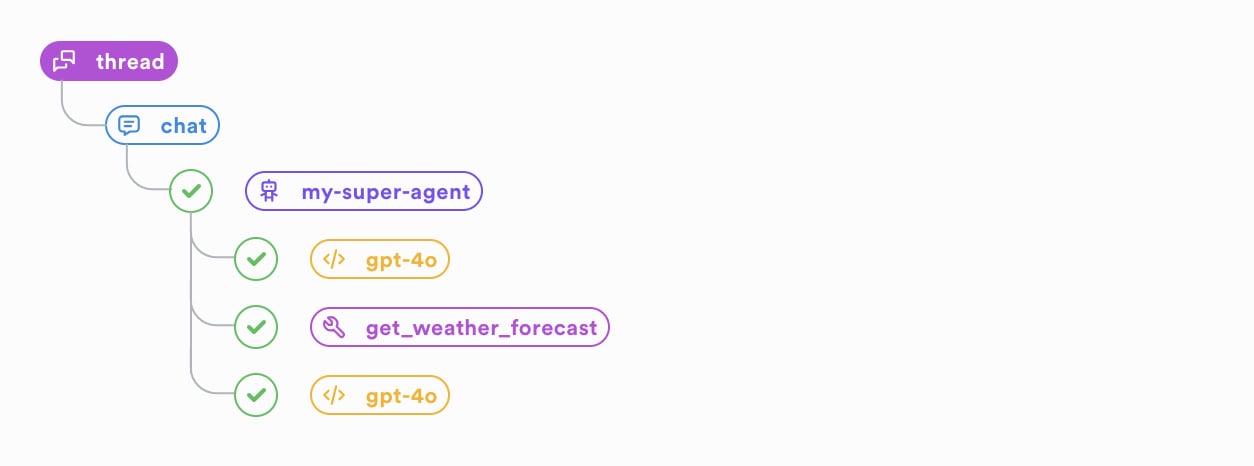
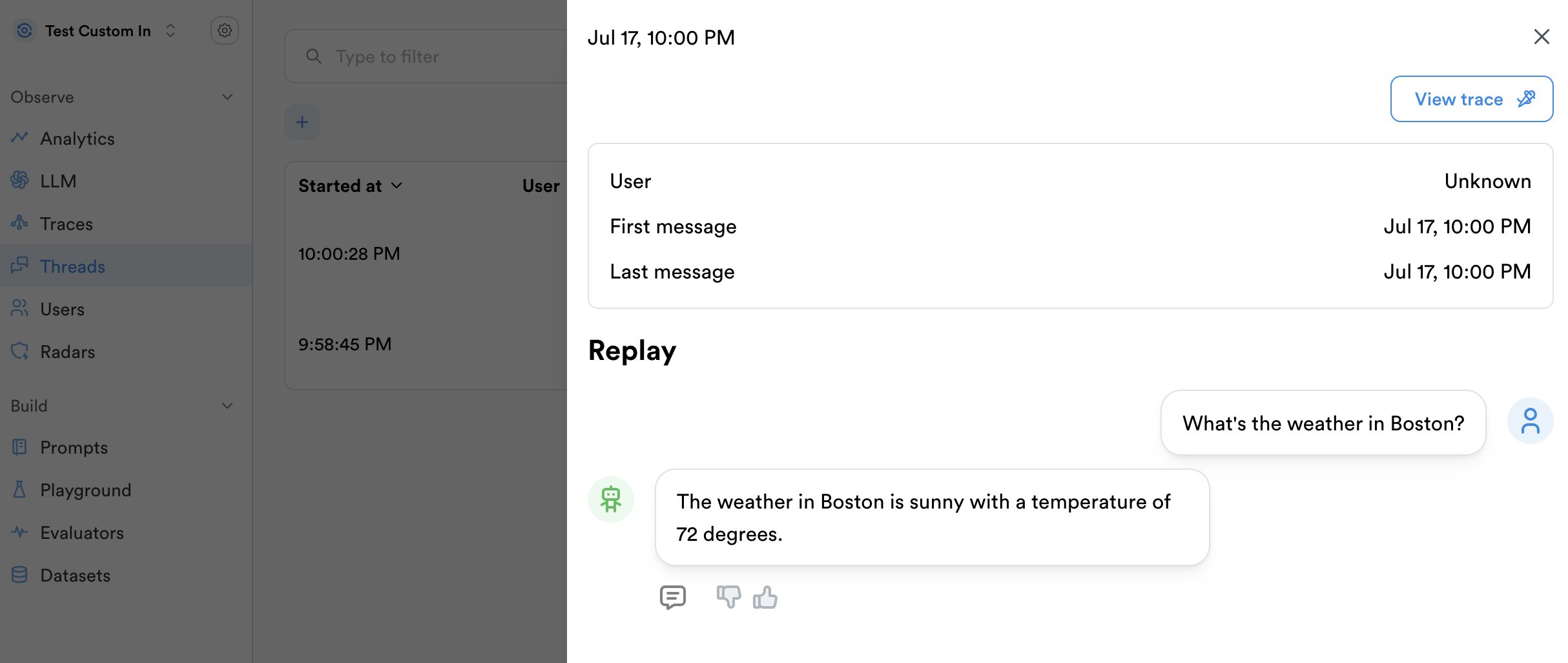
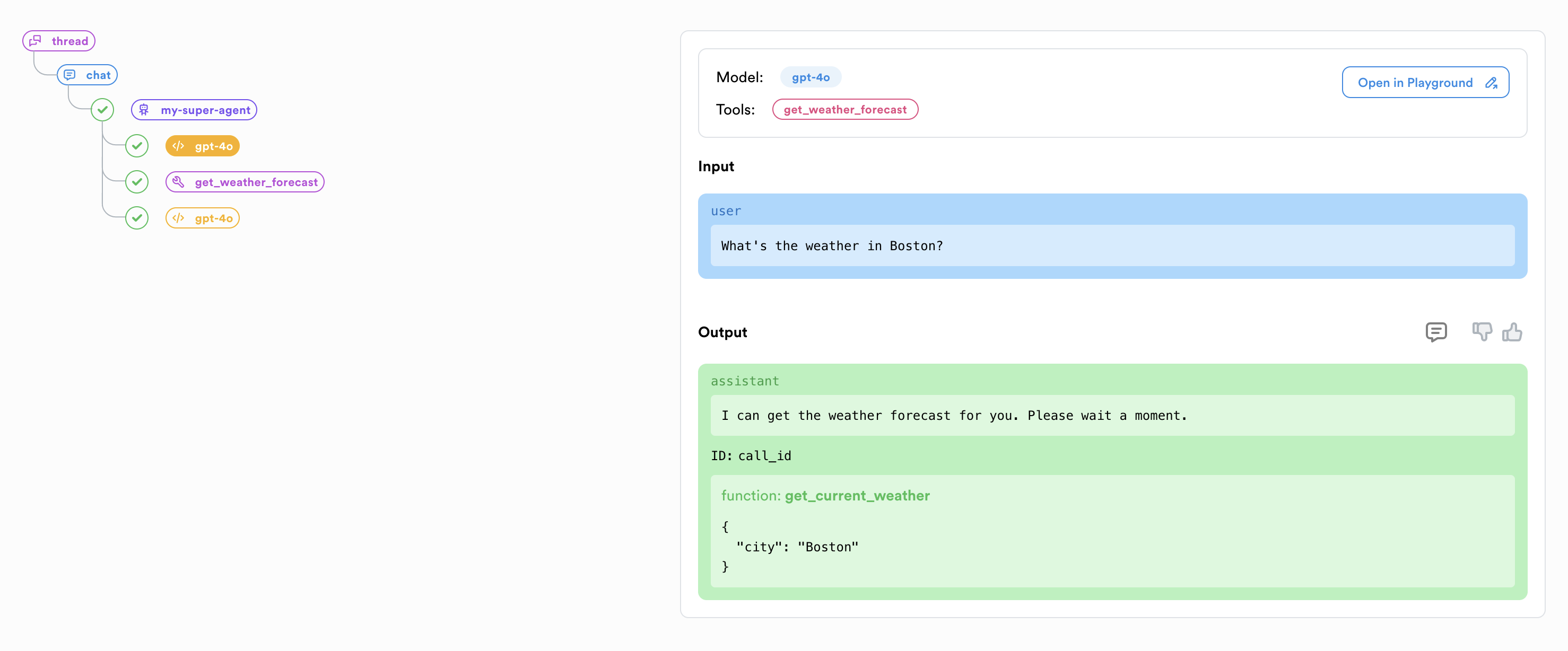
Make sure to export the environment variable `LUNARY_API_URL=http://:3333` when using the SDK to send queries to your server.
## Troubleshooting ### Requested access to the resource is denied You need to log in to the private Docker repository before running the containers. Make sure you have the correct access token and that you are logged in: ```bash theme={null} docker login -u lunarycustomer ``` ### Cannot connect to the database Verify that your `DATABASE_URL` is correct and that the database is accessible from the Docker containers. If your PostgreSQL server is on the same host, make sure it's configured to accept connections from Docker containers. ### Container health checks are failing Check the container logs for specific error messages: ```bash theme={null} docker compose logs backend docker compose logs ml docker compose logs enrichers docker compose logs frontend ``` ### Error: Client network socket disconnected before secure TLS connection was established This means the database's SSL certificate is not properly set. Either fix the SSL certificate or disable SSL by adding `?sslmode=disable` to the `DATABASE_URL` environment variable (not recommended if the database is exposed to the internet): ``` DATABASE_URL=postgresql://:@:/?sslmode=disable ``` ### Services are not communicating with each other If services can't communicate with each other despite being on the same Docker network, check that the service names match the hostnames used in environment variables (e.g., `ML_URL` should be `http://ml:3333` to properly resolve the ML service). ### Frontend showing "Failed to connect to the API" This typically happens when: 1. The backend service is not running or healthy 2. The `API_URL` is not correctly set in the frontend service 3. There's a network issue preventing the frontend from reaching the backend Check the backend logs and verify that the `API_URL` is correctly set in both the frontend container and your browser's environment. ## Upgrading To upgrade to a newer version of Lunary: 1. Pull the latest images: ```bash theme={null} docker compose pull ``` 2. Restart the services: ```bash theme={null} docker compose down docker compose up -d ``` This will update all services to the latest available versions while preserving your configuration. --- # Source: https://docs.lunary.ai/docs/more/self-hosting/docker.md > ## Documentation Index > Fetch the complete documentation index at: https://docs.lunary.ai/llms.txt > Use this file to discover all available pages before exploring further. # Docker Lunary is designed to be simple to self-host using Docker images for the backend and frontend components. Note: The Docker setup is available only with [Lunary Enterprise Edition](https://lunary.ai/pricing) ta (version 15 or higher). Make sure Docker is installed on your host machine before running the following command: ```bash theme={null} docker login -u lunarycustomer ``` Then, paste your organization's access token, which will be provided by Lunary when your subscription is activated. Run the following commands to start the Lunary Docker images: For the backend: ```bash theme={null} docker run -d \ -e DATABASE_URL="postgresql://:@:/" \ -e API_URL="http://:3333" \ -e APP_URL="http://:8080" \ -e JWT_SECRET="" \ -e LICENSE_KEY="" \ -p "3333:3333" \ lunary/backend:1.4.8 ``` For the frontend: ```bash theme={null} docker run -d \ -e API_URL="http://:3333" \ -e APP_URL="http://:8080" \ -p "8080:8080" \ lunary/frontend:1.4.8 ``` Note: Replace `` and `` with your actual IP addresses or domain names. The following environment variables are optional and can be used to enable the playground, evaluation, and radar features: ```bash theme={null} OPENAI_API_KEY=sk-... # Or if using Azure OpenAI: AZURE_OPENAI_API_KEY=... AZURE_OPENAI_RESOURCE_NAME=... AZURE_OPENAI_DEPLOYMENT_ID=... ANTHROPIC_API_KEY=sk-... OPENROUTER_API_KEY=sk-... PALM_API_KEY=AI... ``` You can also use your custom email server for sending invite members to your organization: ```bash theme={null} EMAIL_SENDER_ADDRESS=... SMTP_HOST=... SMTP_PORT=... SMTP_USER=... SMTP_PASSWORD=... ``` If those values are not provided, no email will be send and you will need to send the invitation links manually. You're all set! Open `http://:8080` to access the app.
Make sure to export the environment variable `LUNARY_API_URL=http://:3333` when using the SDK to send queries to your server.
## Troubleshooting ### Requested access to the resource is denied. You need to log in to the private Docker repository before running the image. Make sure you have the correct access token and that you are logged in. ### Error: connect ECONNREFUSED 127.0.0.1:5432 If you are running the database on the same machine, you can use `--network=host` when running the Docker images. ```bash theme={null} docker run -d \ -e DATABASE_URL="postgresql://postgres:mysecretpassword@localhost:5432/lunary" \ --network=host \ -e API_URL="http://localhost:3333" \ -e JWT_SECRET="replace_with_your_secret_string" \ lunary/backend:1.4.8 ``` ### Error: Client network socket disconnected before secure TLS connection was established This means the database's SSL certificate is not properly set. Either fix the SSL certificate or disable SSL by removing `?sslmode=require` from the `DATABASE_URL` environment variable (not recommended if the database is exposed to the internet). --- # Source: https://docs.lunary.ai/docs/api/datasets-v2/duplicate-dataset-v2.md > ## Documentation Index > Fetch the complete documentation index at: https://docs.lunary.ai/llms.txt > Use this file to discover all available pages before exploring further. # Duplicate dataset v2 ## OpenAPI ````yaml https://api.lunary.ai/v1/openapi post /v1/datasets-v2/{datasetId}/duplicate openapi: 3.0.0 info: title: Lunary API version: 1.0.0 servers: - url: https://api.lunary.ai security: [] tags: [] paths: /v1/datasets-v2/{datasetId}/duplicate: post: tags: - Datasets v2 summary: Duplicate dataset v2 parameters: - in: path name: datasetId required: true schema: type: string format: uuid responses: '201': description: Duplicated dataset content: application/json: schema: $ref: '#/components/schemas/DatasetV2' security: - BearerAuth: [] components: schemas: DatasetV2: type: object properties: id: type: string format: uuid projectId: type: string format: uuid ownerId: type: string format: uuid nullable: true ownerName: type: string nullable: true ownerEmail: type: string nullable: true name: type: string description: type: string nullable: true createdAt: type: string format: date-time updatedAt: type: string format: date-time itemCount: type: integer currentVersionId: type: string format: uuid nullable: true currentVersionNumber: type: integer currentVersionCreatedAt: type: string format: date-time nullable: true currentVersionCreatedBy: type: string format: uuid nullable: true currentVersionRestoredFromVersionId: type: string format: uuid nullable: true evaluatorSlot1Id: type: string format: uuid nullable: true evaluatorSlot2Id: type: string format: uuid nullable: true evaluatorSlot3Id: type: string format: uuid nullable: true evaluatorSlot4Id: type: string format: uuid nullable: true evaluatorSlot5Id: type: string format: uuid nullable: true securitySchemes: BearerAuth: type: http scheme: bearer ```` --- # Source: https://docs.lunary.ai/docs/api/runs/export-runs-data.md > ## Documentation Index > Fetch the complete documentation index at: https://docs.lunary.ai/llms.txt > Use this file to discover all available pages before exploring further. # Export runs data > This endpoint requires a valid private API key sent as a bearer token. ## OpenAPI ````yaml https://api.lunary.ai/v1/openapi get /v1/runs/export openapi: 3.0.0 info: title: Lunary API version: 1.0.0 servers: - url: https://api.lunary.ai security: [] tags: [] paths: /v1/runs/export: get: tags: - Runs summary: Export runs data description: | This endpoint requires a valid private API key sent as a bearer token. parameters: - in: query name: type required: true schema: type: string enum: - llm - trace - thread - in: query name: exportFormat required: true schema: type: string enum: - csv - jsonl - ojsonl responses: '200': description: Export successful content: application/octet-stream: schema: type: string format: binary '401': description: Invalid Private Key security: - BearerAuth: [] components: securitySchemes: BearerAuth: type: http scheme: bearer ```` --- # Source: https://docs.lunary.ai/docs/features/feedback.md > ## Documentation Index > Fetch the complete documentation index at: https://docs.lunary.ai/llms.txt > Use this file to discover all available pages before exploring further. # Feedback Tracking Use feedback tracking for: * user's reactions to your chatbot's responses directly on the frontend. * score LLM outputs directly yourself You can then use this to filter llm calls and fine-tune your own models based on the data. Feedback tracking can be done in the backend or directly on the frontend if it's easier for you. ```js theme={null} const msgId = thread.trackMessage({ role: 'assistant', content: 'Hello! How can I help you?', }) lunary.trackFeedback(msgId, { thumb: 'up' }) ``` ```py theme={null} msg_id = thread.track_message({ "role": "assistant", "content": "Hello! How can I help you?" }) lunary.track_feedback(msg_id, { "thumb": "up" }) ``` ## Example of a React Feedback component You can also use the feedback method to track user reactions to your chatbot's responses directly on the frontend. ```jsx theme={null} ``` The `trackFeedback` method takes two arguments: * `runId`: the ID of the message or run you want to track the feedback on. * `feedback`: an object containing the feedback data. You can use any key/value pair you want. ## Feedback data You can send any feedback data you want, as long as it's a valid JSON object. We recommend using the following keys to ensure that data is displayed correctly in the dashboard. | Key | Value | Preview | | --------- | ---------------- | -------------------------- | | `thumb` | `up` or `down` | 👍 / 👎 | | `comment` | arbitrary string | eg. "This is not correct." | ## Removing feedback To remove feedback, simply pass `null` as the feedback data. ```js theme={null} lunary.trackFeedback(message.id, { thumb: null }) ``` --- # Source: https://docs.lunary.ai/docs/integrations/flowise.md > ## Documentation Index > Fetch the complete documentation index at: https://docs.lunary.ai/llms.txt > Use this file to discover all available pages before exploring further. # Flowise Integration Flowise is an open-source & no-code AI Chatbot builder. Lunary's Flowise integration allows you to connect your Flowise chatbot and track conversations, user properties, and more. Click on 'Configuration' Click on 'Analyse Chatflow' Click on 'Create New' Paste your Lunary Publick Key Save and toggle ON Data from your conversations should now be visible in your dashboard. --- # Source: https://docs.lunary.ai/docs/api/datasets-v2/generate-dataset-item-output.md > ## Documentation Index > Fetch the complete documentation index at: https://docs.lunary.ai/llms.txt > Use this file to discover all available pages before exploring further. # Generate dataset item output ## OpenAPI ````yaml https://api.lunary.ai/v1/openapi post /v1/datasets-v2/{datasetId}/items/{itemId}/generate openapi: 3.0.0 info: title: Lunary API version: 1.0.0 servers: - url: https://api.lunary.ai security: [] tags: [] paths: /v1/datasets-v2/{datasetId}/items/{itemId}/generate: post: tags: - Datasets v2 summary: Generate dataset item output parameters: - in: path name: datasetId required: true schema: type: string format: uuid - in: path name: itemId required: true schema: type: string format: uuid requestBody: required: false content: application/json: schema: type: object properties: model: type: string instructions: type: string responses: '200': description: Generated output for the dataset item content: application/json: schema: type: object properties: output: type: string security: - BearerAuth: [] components: securitySchemes: BearerAuth: type: http scheme: bearer ```` --- # Source: https://docs.lunary.ai/docs/api/playground-endpoints/get-a-playground-endpoint.md > ## Documentation Index > Fetch the complete documentation index at: https://docs.lunary.ai/llms.txt > Use this file to discover all available pages before exploring further. # Get a playground endpoint > Get a specific playground endpoint by ID ## OpenAPI ````yaml https://api.lunary.ai/v1/openapi get /v1/playground-endpoints/{id} openapi: 3.0.0 info: title: Lunary API version: 1.0.0 servers: - url: https://api.lunary.ai security: [] tags: [] paths: /v1/playground-endpoints/{id}: get: tags: - Playground Endpoints summary: Get a playground endpoint description: Get a specific playground endpoint by ID parameters: - in: path name: id required: true schema: type: string format: uuid responses: '200': description: Successful response content: application/json: schema: $ref: 4bd06036-0e5a-4d67-ba4b-2f5fbdb818ed '404': description: Endpoint not found ```` --- # Source: https://docs.lunary.ai/docs/api/evals/get-a-single-result.md > ## Documentation Index > Fetch the complete documentation index at: https://docs.lunary.ai/llms.txt > Use this file to discover all available pages before exploring further. # Get a single result ## OpenAPI ````yaml https://api.lunary.ai/v1/openapi get /v1/evals/results/{id} openapi: 3.0.0 info: title: Lunary API version: 1.0.0 servers: - url: https://api.lunary.ai security: [] tags: [] paths: /v1/evals/results/{id}: get: tags: - Evals - Results summary: Get a single result parameters: - in: path name: id required: true schema: type: string responses: '200': description: Result details security: - BearerAuth: [] components: securitySchemes: BearerAuth: type: http scheme: bearer ```` --- # Source: https://docs.lunary.ai/docs/api/checklists/get-a-specific-checklist.md > ## Documentation Index > Fetch the complete documentation index at: https://docs.lunary.ai/llms.txt > Use this file to discover all available pages before exploring further. # Get a specific checklist > Retrieve a specific checklist by its ID. ## OpenAPI ````yaml https://api.lunary.ai/v1/openapi get /v1/checklists/{id} openapi: 3.0.0 info: title: Lunary API version: 1.0.0 servers: - url: https://api.lunary.ai security: [] tags: [] paths: /v1/checklists/{id}: get: tags: - Checklists summary: Get a specific checklist description: | Retrieve a specific checklist by its ID. parameters: - in: path name: id required: true schema: type: string format: uuid description: The ID of the checklist to retrieve responses: '200': description: Successful response content: application/json: schema: $ref: '#/components/schemas/Checklist' '404': description: Checklist not found security: - BearerAuth: [] components: schemas: Checklist: type: object properties: id: type: string format: uuid slug: type: string type: type: string data: type: object description: The checklist data projectId: type: string format: uuid ownerId: type: string format: uuid createdAt: type: string format: date-time updatedAt: type: string format: date-time securitySchemes: BearerAuth: type: http scheme: bearer ```` --- # Source: https://docs.lunary.ai/docs/api/runs/get-a-specific-run.md > ## Documentation Index > Fetch the complete documentation index at: https://docs.lunary.ai/llms.txt > Use this file to discover all available pages before exploring further. # Get a specific run > Retrieve detailed information about a specific run by its ID. ## OpenAPI ````yaml https://api.lunary.ai/v1/openapi get /v1/runs/{id} openapi: 3.0.0 info: title: Lunary API version: 1.0.0 servers: - url: https://api.lunary.ai security: [] tags: [] paths: /v1/runs/{id}: get: tags: - Runs summary: Get a specific run description: Retrieve detailed information about a specific run by its ID. parameters: - in: path name: id required: true schema: type: string responses: '200': description: Successful response content: application/json: schema: $ref: '#/components/schemas/Run' '404': description: Run not found components: schemas: Run: type: object properties: id: type: string projectId: type: string isPublic: type: boolean feedback: $ref: '#/components/schemas/Feedback' parentFeedback: $ref: '#/components/schemas/Feedback' type: type: string name: type: string createdAt: type: string format: date-time endedAt: type: string format: date-time duration: type: number templateVersionId: type: string templateSlug: type: string cost: type: number tokens: type: object properties: completion: type: number prompt: type: number total: type: number tags: type: array items: type: string input: type: object output: type: object error: type: object status: type: string siblingRunId: type: string params: type: object metadata: type: object firstMessage: type: object description: First message captured in the conversation thread, when available. messagesCount: type: integer description: Total number of messages within the conversation thread. user: type: object properties: id: type: string externalId: type: string createdAt: type: string format: date-time lastSeen: type: string format: date-time props: type: object traceId: type: string Feedback: type: object properties: score: type: number flags: type: array items: type: string comment: type: string ```` --- # Source: https://docs.lunary.ai/docs/api/templates/get-a-specific-template.md > ## Documentation Index > Fetch the complete documentation index at: https://docs.lunary.ai/llms.txt > Use this file to discover all available pages before exploring further. # Get a specific template > Get a specific prompt template and all its versions by its ID. ## OpenAPI ````yaml https://api.lunary.ai/v1/openapi get /v1/templates/{id} openapi: 3.0.0 info: title: Lunary API version: 1.0.0 servers: - url: https://api.lunary.ai security: [] tags: [] paths: /v1/templates/{id}: get: tags: - Templates summary: Get a specific template description: | Get a specific prompt template and all its versions by its ID. parameters: - in: path name: id required: true schema: type: string responses: '200': description: Successful response content: application/json: schema: $ref: '#/components/schemas/Template' example: id: 123e4567-e89b-12d3-a456-426614174000 name: Customer Support Chat slug: customer-support-chat mode: openai createdAt: '2023-01-01T00:00:00Z' projectId: 987e6543-e21b-12d3-a456-426614174000 versions: - id: abcd1234-e56f-78g9-h012-ijklmnopqrst templateId: 123e4567-e89b-12d3-a456-426614174000 content: - role: system content: You are a helpful customer support agent. - role: user content: Hello, I have a question about my order. - role: assistant content: >- Of course! I'd be happy to help you with your order. Could you please provide me with your order number? extra: temperature: 0.7 maxTokens: 150 testValues: orderNumber: ORD-12345 isDraft: false notes: Updated to improve response clarity createdAt: '2023-01-02T12:00:00Z' version: 1 '404': description: Template not found components: schemas: Template: type: object properties: id: type: string name: type: string slug: type: string mode: type: string enum: - text - openai createdAt: type: string format: date-time group: type: string projectId: type: string versions: type: array items: $ref: '#/components/schemas/TemplateVersion' TemplateVersion: type: object properties: id: type: string templateId: type: string content: type: array items: type: object properties: role: type: string content: type: string extra: type: object testValues: type: object isDraft: type: boolean notes: type: string createdAt: type: string format: date-time version: type: number ```` --- # Source: https://docs.lunary.ai/docs/api/users/get-a-specific-user.md > ## Documentation Index > Fetch the complete documentation index at: https://docs.lunary.ai/llms.txt > Use this file to discover all available pages before exploring further. # Get a specific user ## OpenAPI ````yaml https://api.lunary.ai/v1/openapi get /v1/external-users/{id} openapi: 3.0.0 info: title: Lunary API version: 1.0.0 servers: - url: https://api.lunary.ai security: [] tags: [] paths: /v1/external-users/{id}: get: tags: - Users summary: Get a specific user parameters: - in: path name: id required: true schema: type: string responses: '200': description: Successful response content: application/json: schema: $ref: '#/components/schemas/User' components: schemas: User: type: object properties: id: type: string createdAt: type: string format: date-time externalId: type: string lastSeen: type: string format: date-time props: type: object cost: type: number ```` --- # Source: https://docs.lunary.ai/docs/api/views/get-a-specific-view.md > ## Documentation Index > Fetch the complete documentation index at: https://docs.lunary.ai/llms.txt > Use this file to discover all available pages before exploring further. # Get a specific view > Retrieves details of a specific view by its ID. ## OpenAPI ````yaml https://api.lunary.ai/v1/openapi get /v1/views/{id} openapi: 3.0.0 info: title: Lunary API version: 1.0.0 servers: - url: https://api.lunary.ai security: [] tags: [] paths: /v1/views/{id}: get: tags: - Views summary: Get a specific view description: Retrieves details of a specific view by its ID. parameters: - in: path name: id required: true schema: type: string responses: '200': description: Successful response content: application/json: schema: $ref: '#/components/schemas/View' example: id: 1234abcd name: LLM Conversations data: - AND - id: models params: models: - gpt-4 columns: id: ID content: Content icon: chat type: llm projectId: project123 ownerId: user456 updatedAt: '2023-04-01T12:00:00Z' '404': description: View not found components: schemas: View: type: object properties: id: type: string example: 1234abcd name: type: string example: LLM Conversations data: type: array items: oneOf: - type: string - type: object properties: id: type: string params: type: object example: - AND - id: models params: models: - gpt-4 columns: type: object icon: type: string example: chat type: type: string enum: - llm - thread - trace example: llm projectId: type: string example: project123 ownerId: type: string example: user456 updatedAt: type: string format: date-time example: '2023-04-01T12:00:00Z' ```` --- # Source: https://docs.lunary.ai/docs/api/evals/get-criterion-by-id.md > ## Documentation Index > Fetch the complete documentation index at: https://docs.lunary.ai/llms.txt > Use this file to discover all available pages before exploring further. # Get criterion by ID ## OpenAPI ````yaml https://api.lunary.ai/v1/openapi get /v1/evals/criteria/{id} openapi: 3.0.0 info: title: Lunary API version: 1.0.0 servers: - url: https://api.lunary.ai security: [] tags: [] paths: /v1/evals/criteria/{id}: get: tags: - Evals - Criteria summary: Get criterion by ID parameters: - in: path name: id required: true schema: type: string responses: '200': description: Criterion details security: - BearerAuth: [] components: securitySchemes: BearerAuth: type: http scheme: bearer ```` --- # Source: https://docs.lunary.ai/docs/api/datasets/get-dataset-by-id-or-slug.md > ## Documentation Index > Fetch the complete documentation index at: https://docs.lunary.ai/llms.txt > Use this file to discover all available pages before exploring further. # Get dataset by ID or slug ## OpenAPI ````yaml https://api.lunary.ai/v1/openapi get /v1/datasets/{identifier} openapi: 3.0.0 info: title: Lunary API version: 1.0.0 servers: - url: https://api.lunary.ai security: [] tags: [] paths: /v1/datasets/{identifier}: get: tags: - Datasets summary: Get dataset by ID or slug parameters: - in: path name: identifier required: true schema: type: string responses: '200': description: Dataset details content: application/json: schema: $ref: '#/components/schemas/Dataset' security: - BearerAuth: [] components: schemas: Dataset: type: object properties: id: type: string slug: type: string format: type: string enum: - text - chat ownerId: type: string projectId: type: string securitySchemes: BearerAuth: type: http scheme: bearer ```` --- # Source: https://docs.lunary.ai/docs/api/datasets-v2/get-dataset-v2-item.md > ## Documentation Index > Fetch the complete documentation index at: https://docs.lunary.ai/llms.txt > Use this file to discover all available pages before exploring further. # Get dataset v2 item ## OpenAPI ````yaml https://api.lunary.ai/v1/openapi get /v1/datasets-v2/{datasetId}/items/{itemId} openapi: 3.0.0 info: title: Lunary API version: 1.0.0 servers: - url: https://api.lunary.ai security: [] tags: [] paths: /v1/datasets-v2/{datasetId}/items/{itemId}: get: tags: - Datasets v2 summary: Get dataset v2 item parameters: - in: path name: datasetId required: true schema: type: string format: uuid - in: path name: itemId required: true schema: type: string format: uuid responses: '200': description: Dataset item content: application/json: schema: $ref: '#/components/schemas/DatasetV2Item' security: - BearerAuth: [] components: schemas: DatasetV2Item: type: object properties: id: type: string format: uuid datasetId: type: string format: uuid input: type: string groundTruth: type: string nullable: true output: type: string nullable: true evaluatorResult1: type: object nullable: true evaluatorResult2: type: object nullable: true evaluatorResult3: type: object nullable: true evaluatorResult4: type: object nullable: true evaluatorResult5: type: object nullable: true createdAt: type: string format: date-time updatedAt: type: string format: date-time securitySchemes: BearerAuth: type: http scheme: bearer ```` --- # Source: https://docs.lunary.ai/docs/api/datasets-v2/get-dataset-v2.md > ## Documentation Index > Fetch the complete documentation index at: https://docs.lunary.ai/llms.txt > Use this file to discover all available pages before exploring further. # Get dataset v2 ## OpenAPI ````yaml https://api.lunary.ai/v1/openapi get /v1/datasets-v2/{datasetId} openapi: 3.0.0 info: title: Lunary API version: 1.0.0 servers: - url: https://api.lunary.ai security: [] tags: [] paths: /v1/datasets-v2/{datasetId}: get: tags: - Datasets v2 summary: Get dataset v2 parameters: - in: path name: datasetId required: true schema: type: string format: uuid responses: '200': description: Dataset with items content: application/json: schema: $ref: '#/components/schemas/DatasetV2WithItems' security: - BearerAuth: [] components: schemas: DatasetV2WithItems: allOf: - $ref: '#/components/schemas/DatasetV2' - type: object properties: items: type: array items: $ref: '#/components/schemas/DatasetV2Item' DatasetV2: type: object properties: id: type: string format: uuid projectId: type: string format: uuid ownerId: type: string format: uuid nullable: true ownerName: type: string nullable: true ownerEmail: type: string nullable: true name: type: string description: type: string nullable: true createdAt: type: string format: date-time updatedAt: type: string format: date-time itemCount: type: integer currentVersionId: type: string format: uuid nullable: true currentVersionNumber: type: integer currentVersionCreatedAt: type: string format: date-time nullable: true currentVersionCreatedBy: type: string format: uuid nullable: true currentVersionRestoredFromVersionId: type: string format: uuid nullable: true evaluatorSlot1Id: type: string format: uuid nullable: true evaluatorSlot2Id: type: string format: uuid nullable: true evaluatorSlot3Id: type: string format: uuid nullable: true evaluatorSlot4Id: type: string format: uuid nullable: true evaluatorSlot5Id: type: string format: uuid nullable: true DatasetV2Item: type: object properties: id: type: string format: uuid datasetId: type: string format: uuid input: type: string groundTruth: type: string nullable: true output: type: string nullable: true evaluatorResult1: type: object nullable: true evaluatorResult2: type: object nullable: true evaluatorResult3: type: object nullable: true evaluatorResult4: type: object nullable: true evaluatorResult5: type: object nullable: true createdAt: type: string format: date-time updatedAt: type: string format: date-time securitySchemes: BearerAuth: type: http scheme: bearer ```` --- # Source: https://docs.lunary.ai/docs/api/datasets-v2/get-dataset-version.md > ## Documentation Index > Fetch the complete documentation index at: https://docs.lunary.ai/llms.txt > Use this file to discover all available pages before exploring further. # Get dataset version ## OpenAPI ````yaml https://api.lunary.ai/v1/openapi get /v1/datasets-v2/{datasetId}/versions/{versionId} openapi: 3.0.0 info: title: Lunary API version: 1.0.0 servers: - url: https://api.lunary.ai security: [] tags: [] paths: /v1/datasets-v2/{datasetId}/versions/{versionId}: get: tags: - Datasets v2 summary: Get dataset version parameters: - in: path name: datasetId required: true schema: type: string format: uuid - in: path name: versionId required: true schema: type: string format: uuid responses: '200': description: Dataset version with items content: application/json: schema: type: object properties: version: $ref: '#/components/schemas/DatasetV2Version' items: type: array items: $ref: '#/components/schemas/DatasetV2VersionItem' security: - BearerAuth: [] components: schemas: DatasetV2Version: type: object properties: id: type: string format: uuid datasetId: type: string format: uuid versionNumber: type: integer createdAt: type: string format: date-time createdBy: type: string format: uuid nullable: true restoredFromVersionId: type: string format: uuid nullable: true name: type: string nullable: true description: type: string nullable: true itemCount: type: integer DatasetV2VersionItem: type: object properties: id: type: string format: uuid versionId: type: string format: uuid datasetId: type: string format: uuid itemIndex: type: integer input: type: string groundTruth: type: string nullable: true output: type: string nullable: true sourceItemId: type: string format: uuid nullable: true sourceCreatedAt: type: string format: date-time nullable: true sourceUpdatedAt: type: string format: date-time nullable: true securitySchemes: BearerAuth: type: http scheme: bearer ```` --- # Source: https://docs.lunary.ai/docs/api/evals/get-evaluation-by-id.md > ## Documentation Index > Fetch the complete documentation index at: https://docs.lunary.ai/llms.txt > Use this file to discover all available pages before exploring further. # Get evaluation by ID ## OpenAPI ````yaml https://api.lunary.ai/v1/openapi get /v1/evals/{id} openapi: 3.0.0 info: title: Lunary API version: 1.0.0 servers: - url: https://api.lunary.ai security: [] tags: [] paths: /v1/evals/{id}: get: tags: - Evals summary: Get evaluation by ID parameters: - in: path name: id required: true schema: type: string responses: '200': description: Evaluation details security: - BearerAuth: [] components: securitySchemes: BearerAuth: type: http scheme: bearer ```` --- # Source: https://docs.lunary.ai/docs/api/datasets/get-prompt-by-id.md > ## Documentation Index > Fetch the complete documentation index at: https://docs.lunary.ai/llms.txt > Use this file to discover all available pages before exploring further. # Get prompt by ID ## OpenAPI ````yaml https://api.lunary.ai/v1/openapi get /v1/datasets/prompts/{id} openapi: 3.0.0 info: title: Lunary API version: 1.0.0 servers: - url: https://api.lunary.ai security: [] tags: [] paths: /v1/datasets/prompts/{id}: get: tags: - Datasets - Prompts summary: Get prompt by ID parameters: - in: path name: id required: true schema: type: string responses: '200': description: Prompt details content: application/json: schema: $ref: '#/components/schemas/DatasetPrompt' security: - BearerAuth: [] components: schemas: DatasetPrompt: type: object properties: id: type: string datasetId: type: string messages: oneOf: - type: array items: type: object properties: role: type: string content: type: string - type: string securitySchemes: BearerAuth: type: http scheme: bearer ```` --- # Source: https://docs.lunary.ai/docs/api/datasets/get-prompt-variation-by-id.md > ## Documentation Index > Fetch the complete documentation index at: https://docs.lunary.ai/llms.txt > Use this file to discover all available pages before exploring further. # Get prompt variation by ID ## OpenAPI ````yaml https://api.lunary.ai/v1/openapi get /v1/datasets/variations/{id} openapi: 3.0.0 info: title: Lunary API version: 1.0.0 servers: - url: https://api.lunary.ai security: [] tags: [] paths: /v1/datasets/variations/{id}: get: tags: - Datasets - Prompts - Variations summary: Get prompt variation by ID parameters: - in: path name: id required: true schema: type: string responses: '200': description: Prompt variation details content: application/json: schema: $ref: '#/components/schemas/DatasetPromptVariation' security: - BearerAuth: [] components: schemas: DatasetPromptVariation: type: object properties: id: type: string promptId: type: string variables: type: object idealOutput: type: string securitySchemes: BearerAuth: type: http scheme: bearer ```` --- # Source: https://docs.lunary.ai/docs/api/runs/get-related-runs.md > ## Documentation Index > Fetch the complete documentation index at: https://docs.lunary.ai/llms.txt > Use this file to discover all available pages before exploring further. # Get related runs ## OpenAPI ````yaml https://api.lunary.ai/v1/openapi get /v1/runs/{id}/related openapi: 3.0.0 info: title: Lunary API version: 1.0.0 servers: - url: https://api.lunary.ai security: [] tags: [] paths: /v1/runs/{id}/related: get: tags: - Runs summary: Get related runs parameters: - in: path name: id required: true schema: type: string responses: '200': description: Successful response content: application/json: schema: type: array items: $ref: '#/components/schemas/Run' '404': description: Run not found components: schemas: Run: type: object properties: id: type: string projectId: type: string isPublic: type: boolean feedback: $ref: '#/components/schemas/Feedback' parentFeedback: $ref: '#/components/schemas/Feedback' type: type: string name: type: string createdAt: type: string format: date-time endedAt: type: string format: date-time duration: type: number templateVersionId: type: string templateSlug: type: string cost: type: number tokens: type: object properties: completion: type: number prompt: type: number total: type: number tags: type: array items: type: string input: type: object output: type: object error: type: object status: type: string siblingRunId: type: string params: type: object metadata: type: object firstMessage: type: object description: First message captured in the conversation thread, when available. messagesCount: type: integer description: Total number of messages within the conversation thread. user: type: object properties: id: type: string externalId: type: string createdAt: type: string format: date-time lastSeen: type: string format: date-time props: type: object traceId: type: string Feedback: type: object properties: score: type: number flags: type: array items: type: string comment: type: string ```` --- # Source: https://docs.lunary.ai/docs/api/runs/get-run-usage-statistics.md > ## Documentation Index > Fetch the complete documentation index at: https://docs.lunary.ai/llms.txt > Use this file to discover all available pages before exploring further. # Get run usage statistics > Retrieve usage statistics for runs ## OpenAPI ````yaml https://api.lunary.ai/v1/openapi get /v1/runs/usage openapi: 3.0.0 info: title: Lunary API version: 1.0.0 servers: - url: https://api.lunary.ai security: [] tags: [] paths: /v1/runs/usage: get: tags: - Runs summary: Get run usage statistics description: Retrieve usage statistics for runs parameters: - in: query name: days required: true schema: type: string - in: query name: userId schema: type: string - in: query name: daily schema: type: string responses: '200': description: Successful response content: application/json: schema: type: array items: type: object properties: date: type: string name: type: string type: type: string completion_tokens: type: integer prompt_tokens: type: integer cost: type: number errors: type: integer success: type: integer '400': description: Invalid query parameters ```` --- # Source: https://docs.lunary.ai/docs/api/runs/get-runs.md > ## Documentation Index > Fetch the complete documentation index at: https://docs.lunary.ai/llms.txt > Use this file to discover all available pages before exploring further. # Get runs > The Runs API endpoint allows you to retrieve data about specific runs from your Lunary application. The most common run types are 'llm', 'agent', 'chain', 'tool', 'thread' and 'chat'. It supports various filters to narrow down the results according to your needs. This endpoint supports GET requests and expects query parameters for filtering the results. ## OpenAPI ````yaml https://api.lunary.ai/v1/openapi get /v1/runs openapi: 3.0.0 info: title: Lunary API version: 1.0.0 servers: - url: https://api.lunary.ai security: [] tags: [] paths: /v1/runs: get: tags: - Runs summary: Get runs description: > The Runs API endpoint allows you to retrieve data about specific runs from your Lunary application. The most common run types are 'llm', 'agent', 'chain', 'tool', 'thread' and 'chat'. It supports various filters to narrow down the results according to your needs. This endpoint supports GET requests and expects query parameters for filtering the results. parameters: - in: query name: type schema: type: string enum: - llm - trace - thread - in: query name: search schema: type: string - in: query name: models schema: type: array items: type: string - in: query name: tags schema: type: array items: type: string - in: query name: tokens schema: type: string - in: query name: exportType schema: type: string enum: - csv - jsonl - in: query name: minDuration schema: type: string - in: query name: maxDuration schema: type: string - in: query name: startTime schema: type: string - in: query name: endTime schema: type: string - in: query name: parentRunId schema: type: string - in: query name: limit schema: type: string - in: query name: page schema: type: string - in: query name: order schema: type: string - in: query name: sortField schema: type: string - in: query name: sortDirection schema: type: string enum: - asc - desc responses: '200': description: Successful response content: application/json: schema: type: object properties: total: type: number page: type: number limit: type: number data: type: array items: $ref: '#/components/schemas/Run' example: total: 200 page: 1 limit: 10 data: - type: llm name: gpt-5 createdAt: '2025-10-01T12:00:00Z' endedAt: '2025-10-01T12:00:03Z' duration: 3 tokens: completion: 100 prompt: 50 total: 150 feedback: null status: success tags: - example templateSlug: example-template templateVersionId: 1234 input: - role: user content: Hello world! output: - role: assistant content: Hello. How are you? error: null user: id: '11111111' externalId: user123 createdAt: '2021-12-01T12:00:00Z' lastSeen: '2022-01-01T12:00:00Z' props: name: Jane Doe email: user1@apple.com cost: 0.05 params: temperature: 0.5 maxTokens: 100 tools: [] metadata: null components: schemas: Run: type: object properties: id: type: string projectId: type: string isPublic: type: boolean feedback: $ref: '#/components/schemas/Feedback' parentFeedback: $ref: '#/components/schemas/Feedback' type: type: string name: type: string createdAt: type: string format: date-time endedAt: type: string format: date-time duration: type: number templateVersionId: type: string templateSlug: type: string cost: type: number tokens: type: object properties: completion: type: number prompt: type: number total: type: number tags: type: array items: type: string input: type: object output: type: object error: type: object status: type: string siblingRunId: type: string params: type: object metadata: type: object firstMessage: type: object description: First message captured in the conversation thread, when available. messagesCount: type: integer description: Total number of messages within the conversation thread. user: type: object properties: id: type: string externalId: type: string createdAt: type: string format: date-time lastSeen: type: string format: date-time props: type: object traceId: type: string Feedback: type: object properties: score: type: number flags: type: array items: type: string comment: type: string ```` --- # Source: https://docs.lunary.ai/docs/api/templates/get-the-latest-version.md > ## Documentation Index > Fetch the complete documentation index at: https://docs.lunary.ai/llms.txt > Use this file to discover all available pages before exploring further. # Get the latest version > This is the most common endpoint you'll use when working with prompt templates. This route is used by the Lunary SDKs to fetch the latest version of a template before making an LLM call. This route differs from all the next ones in that: - it requires only the `slug` parameter to reference a template - it doesn't require using a Private Key to authenticate the request (Public Key is enough) ## OpenAPI ````yaml https://api.lunary.ai/v1/openapi get /v1/template-versions/latest openapi: 3.0.0 info: title: Lunary API version: 1.0.0 servers: - url: https://api.lunary.ai security: [] tags: [] paths: /v1/template-versions/latest: get: tags: - Templates summary: Get the latest version description: > This is the most common endpoint you'll use when working with prompt templates. This route is used by the Lunary SDKs to fetch the latest version of a template before making an LLM call. This route differs from all the next ones in that: - it requires only the `slug` parameter to reference a template - it doesn't require using a Private Key to authenticate the request (Public Key is enough) parameters: - in: query name: slug required: true schema: type: string description: Slug of the template responses: '200': description: Latest version of the template content: application/json: schema: $ref: '#/components/schemas/TemplateVersion' '404': description: Template not found components: schemas: TemplateVersion: type: object properties: id: type: string templateId: type: string content: type: array items: type: object properties: role: type: string content: type: string extra: type: object testValues: type: object isDraft: type: boolean notes: type: string createdAt: type: string format: date-time version: type: number ```` --- # Source: https://docs.lunary.ai/docs/integrations/ibm.md > ## Documentation Index > Fetch the complete documentation index at: https://docs.lunary.ai/llms.txt > Use this file to discover all available pages before exploring further. # IBM WatsonX Integration Lunary has partnered with IBM to provide a seamless integration for monitoring WatsonX calls in your Python app. Our Python SDK includes automatic integration with IBM WatsonX's foundation models using Lunary. First, ensure you have installed the IBM WatsonX SDK and Lunary. Set your environment variables for IBM authentication. ```bash theme={null} pip install ibm-watsonx-ai lunary ``` Configure your environment variables: * `IBM_API_KEY`: your IBM API key * `IBM_PROJECT_ID`: your IBM project id Wrap your WatsonX model instance with Lunary's `monitor` method to automatically track your calls. ```py theme={null} import os from ibm_watsonx_ai import Credentials from ibm_watsonx_ai.foundation_models import ModelInference import lunary model = ModelInference( model_id="meta-llama/llama-3-1-8b-instruct", credentials=Credentials( api_key=os.environ.get("IBM_API_KEY"), url="https://us-south.ml.cloud.ibm.com" ), project_id=os.environ.get("IBM_PROJECT_ID") ) lunary.monitor(model) messages = [ {"role": "system", "content": "You are a helpful assistant."}, {"role": "user", "content": "Who won the world series in 2020?"} ] response = model.chat(messages=messages) ``` Optionally, pass extra parameters to track details such as tags and user information by including additional arguments to the chat call. ```py theme={null} response = model.chat(messages=messages, tags=["baseball"], user_id="1234", user_props={"name": "Alice"}) ``` --- # Source: https://docs.lunary.ai/docs/api/datasets-v2/import-dataset-items-from-csv-or-jsonl.md > ## Documentation Index > Fetch the complete documentation index at: https://docs.lunary.ai/llms.txt > Use this file to discover all available pages before exploring further. # Import dataset items from CSV or JSONL ## OpenAPI ````yaml https://api.lunary.ai/v1/openapi post /v1/datasets-v2/{datasetId}/import openapi: 3.0.0 info: title: Lunary API version: 1.0.0 servers: - url: https://api.lunary.ai security: [] tags: [] paths: /v1/datasets-v2/{datasetId}/import: post: tags: - Datasets v2 summary: Import dataset items from CSV or JSONL parameters: - in: path name: datasetId required: true schema: type: string format: uuid requestBody: required: true content: application/json: schema: $ref: '#/components/schemas/DatasetV2ImportRequest' responses: '200': description: Number of imported items content: application/json: schema: type: object properties: insertedCount: type: integer security: - BearerAuth: [] components: schemas: DatasetV2ImportRequest: type: object properties: format: type: string enum: - csv - jsonl content: type: string required: - format - content securitySchemes: BearerAuth: type: http scheme: bearer ```` --- # Source: https://docs.lunary.ai/docs/get-started/index.md > ## Documentation Index > Fetch the complete documentation index at: https://docs.lunary.ai/llms.txt > Use this file to discover all available pages before exploring further. # Getting Started ## Welcome **Lunary** is an open-source platform for developers of AI chatbots and other LLM-powered applications. Monitor and debug your LLM calls and agents. Track chatbot conversations and user feedback. Collaborate on prompt templates with versioning. Setup topics classification for your chats. ## Getting started The first thing you'll need to get started is to sign up and get a tracking ID. ## Pick an integration We support integrating with the most popular AI libraries, with more in the work. Learn how to integrate with Python. Learn how to integrate with JavaScript. Learn how to integrate with LangChain. --- # Source: https://docs.lunary.ai/docs/api/runs/ingest-run-events.md > ## Documentation Index > Fetch the complete documentation index at: https://docs.lunary.ai/llms.txt > Use this file to discover all available pages before exploring further. # Ingest run events > This endpoint is for reporting data from platforms not supported by our SDKs. You can use either your project's Public or Private Key as the Bearer token in the Authorization header. The expected body is an array of Event objects. For LLM calls, you would first track a `start` event with the `input` data. Once your LLM call succeeds, you would need to send an `end` event to the API endpoint with the `output` data from the LLM call. For a full step-by-step guide on sending LLM data to the Lunary API, see the [Custom Integration](/docs/integrations/custom) guide. ## OpenAPI ````yaml https://api.lunary.ai/v1/openapi post /v1/runs/ingest openapi: 3.0.0 info: title: Lunary API version: 1.0.0 servers: - url: https://api.lunary.ai security: [] tags: [] paths: /v1/runs/ingest: post: tags: - Runs summary: Ingest run events description: > This endpoint is for reporting data from platforms not supported by our SDKs. You can use either your project's Public or Private Key as the Bearer token in the Authorization header. The expected body is an array of Event objects. For LLM calls, you would first track a `start` event with the `input` data. Once your LLM call succeeds, you would need to send an `end` event to the API endpoint with the `output` data from the LLM call. For a full step-by-step guide on sending LLM data to the Lunary API, see the [Custom Integration](/docs/integrations/custom) guide. requestBody: required: true content: application/json: schema: type: object properties: events: oneOf: - $ref: '#/components/schemas/Event' - type: array items: $ref: '#/components/schemas/Event' example: events: - type: llm event: start runId: some-unique-id name: gpt-4 timestamp: '2022-01-01T00:00:00Z' input: - role: user content: Hello world! tags: - tag1 extra: temperature: 0.5 max_tokens: 100 responses: '200': description: Successful ingestion content: application/json: schema: $ref: '#/components/schemas/IngestResponse' example: results: - id: some-unique-id success: true '401': description: Project does not exist '402': description: Incorrect project id format security: - BearerAuth: [] components: schemas: Event: type: object description: >- Represents an event in the Lunary API for tracking LLM calls and related operations. properties: type: type: string enum: - llm - chain - agent - tool - log - embed - retriever - chat - convo - message - thread description: The type of event being reported. event: type: string description: The specific event name (e.g., "start" or "end"). level: type: string description: The logging level of the event. runId: type: string description: A unique identifier for the run. parentRunId: type: string description: The ID of the parent run, if applicable. timestamp: type: string format: date-time description: The time the event occurred. input: type: object description: >- The input data for the event, typically in OpenAI chat message format. tags: type: array items: type: string description: Tags associated with the event. name: type: string description: The name of the event or model. output: type: object description: >- The output data from the event, typically in OpenAI chat message format. message: oneOf: - type: string - type: object description: A message associated with the event. extra: type: object description: Additional data such as temperature, max_tokens, tools, etc. feedback: type: object description: Feedback data for the event. templateId: type: string description: The ID of the template used, if applicable. templateVersionId: type: string description: The version ID of the template used, if applicable. metadata: type: object description: Additional metadata for the event. tokensUsage: type: object properties: prompt: type: number description: The number of tokens used in the prompt. completion: type: number description: The number of tokens used in the completion. error: type: object properties: message: type: string description: The error message, if an error occurred. stack: type: string description: The error stack trace, if available. appId: type: string description: The ID of the application or project. additionalProperties: true example: type: llm event: start runId: some-unique-id name: gpt-4 timestamp: '2022-01-01T00:00:00Z' input: - role: user content: Hello world! tags: - tag1 extra: temperature: 0.5 max_tokens: 100 IngestResponse: type: object description: The response from the ingestion API. properties: results: type: array items: type: object properties: id: type: string description: The ID of the ingested event. success: type: boolean description: Indicates if the ingestion was successful. error: type: string description: Error message if the ingestion failed. example: results: - id: some-unique-id success: true securitySchemes: BearerAuth: type: http scheme: bearer ```` --- # Source: https://docs.lunary.ai/docs/integrations/python/installation.md # Source: https://docs.lunary.ai/docs/integrations/javascript/installation.md > ## Documentation Index > Fetch the complete documentation index at: https://docs.lunary.ai/llms.txt > Use this file to discover all available pages before exploring further. # JavaScript SDK ## Installation The `lunary` module is lightweight and works with Node JS, Deno, Cloudflare Workers, Vercel Edge functions and even Bun. ### Node ```bash theme={null} npm install lunary ``` ### For Cloudflare Workers In your `wrangler.toml` file, make sure to add the Node.js compatibility flag: ```toml theme={null} compatibility_flags = [ "nodejs_compat" ] ``` ## Setup Start by importing the `lunary` module: ```js theme={null} import lunary from "lunary"; ``` If you're using in the browser, import like this: ```js theme={null} import lunary from "lunary/browser"; ``` Then initialize the module with your unique app ID. Option 1: Automatic using environment variables (recommended): ```bash theme={null} LUNARY_PUBLIC_KEY="0x0" ``` Option 2: Manually using the `.init` method: ```ts theme={null} // Initialize the Lunary module with your unique app ID lunary.init({ publicKey: "0x0", }); ``` The `.init` method accepts the following arguments: ```ts theme={null} { "appId": string, // Your unique app ID obtained from the dashboard "apiUrl": string, // Optional: Use a custom endpoint if you're self-hosting (you can also set LUNARY_API_URL) "verbose": boolean // Optional: Enable verbose logging for debugging } ``` Usage with LangChain JS. Automatically track your OpenAI calls. Identify your users. Segment your queries with tags. Record user interactions with your chatbot. Learn how to use .trackEvent(). Use with Lambda, Cloudflare Workers, Edge Functions, etc. Setup tracing by tracking agents & tools. Full list of methods and classes. --- # Source: https://docs.lunary.ai/docs/more/security/introduction.md # Source: https://docs.lunary.ai/docs/api/introduction.md > ## Documentation Index > Fetch the complete documentation index at: https://docs.lunary.ai/llms.txt > Use this file to discover all available pages before exploring further. # Introduction > Overview of the Lunary.ai API. # API Reference Use the Lunary API to access programmatically access your data. ## Base URL The base URL for the Lunary Cloud API is: ```bash theme={null} https://api.lunary.ai/v1 ``` In the case of self-hosting, replace the host with your backend's URL. ## Authentication You'll need to authenticate your requests to access any of the endpoints in the data API. To obtain your private API key, visit the [Settings Page](https://app.lunary.ai/settings). Each project has its own private and public API key. The private API key can be passed in the Authorization header as a Bearer token. Some endpoints, such as the ingestion endpoint, can be accessed with the public key. ### Sample request ```bash theme={null} curl --get 'https://api.lunary.ai/v1/runs' \ -H "Authorization: Bearer " \ -d "limit=10" \ -d "page=0" \ -d "order=asc" \ -d "type=llm" ``` ## Rate Limiting The API employs a sliding window rate limiter. The current rate limit for this endpoint is set at 30 requests per second. ## Error Handling Standard HTTP status codes are used for error handling: * `429`: Rate limit exceeded. * `422`: Missing or incorrect parameters. * `403`: Unauthorized access . * `50X`: Internal server error. --- # Source: https://docs.lunary.ai/docs/more/self-hosting/kubernetes.md > ## Documentation Index > Fetch the complete documentation index at: https://docs.lunary.ai/llms.txt > Use this file to discover all available pages before exploring further. # Kubernetes Lunary was designed to be surprisingly simple to self-host, through a Helm Chart which includes the frontend, the API, and workers.
Note: The Kubernetes setup is available only with [Lunary Enterprise Edition](https://lunary.ai/pricing) ## Steps Set up a PostgreSQL database to store your Lunary data (version 15 or higher). Run the following command: ```bash theme={null} helm registry login registry-1.docker.io -u lunarycustomer -p ``` Your Organization's Access Token, will be provided by Lunary when your subscription is activated. ```bash theme={null} kubectl create ns lunary helm pull oci://registry-1.docker.io/lunary/lunary --untar --version '1.2.11' # contact Lunary support to get the latest version list ``` ```bash theme={null} kubectl create secret -n lunary docker-registry regcred --docker-server=docker.io --docker-username=lunarycustomer --docker-password= kubectl create secret -n lunary generic db-connection --from-literal=url="postgres://:@:5432/lunary" kubectl create secret -n lunary generic license-key --from-literal=LICENSE_KEY='' kubectl create secret -n lunary generic jwt-secret --from-literal=JWT_SECRET='' # You can generate a random string using `openssl rand -base64 32` ``` Your License Key will be provided by Lunary when your subscription is activated. The Organization Access Token is the same one you used to log in with `helm login`. In order to use the Prompt Playground and [Evaluations](https://lunary.ai/docs/features/evals) features, you need to set up at least one of the following secrets: ```bash theme={null} kubectl create secret -n lunary generic api-keys \ --from-literal=OPENAI_API_KEY='' \ # Or if using Azure --from-literal=AZURE_OPENAI_API_KEY='' \ --from-literal=AZURE_OPENAI_RESOURCE_NAME='' \ --from-literal=AZURE_OPENAI_DEPLOYMENT_ID='' \ --from-literal=ANTHROPIC_API_KEY='' \ --from-literal=OPENROUTER_API_KEY='' \ --from-literal=PALM_API_KEY='' ``` You can also use your custom email server to send invitations to members of your organization: ```bash theme={null} kubectl create secret -n lunary generic smtp-config \ --from-literal=EMAIL_SENDER_ADDRESS='' \ --from-literal=SMTP_HOST='' \ --from-literal=SMTP_PORT='' \ --from-literal=SMTP_USER='' \ --from-literal=SMTP_PASSWORD=' ``` Then, configure the corresponding values in `values.yaml`, in the Helm Chart's root directory: ```yaml theme={null} --- global: ... secrets: useCustomSMTP: true useOpenAI: false useAzureOpenAI: true useAnthropic: true useOpenRouter: true usePalm: true ... ``` Note: Before installing, please review at least the top-level values.yaml file. If you wish, it may also be useful to dive into the individual subchart values.yaml files for more custom configuration. ```bash theme={null} cd lunary helm upgrade --install -n lunary lunary . ``` The Helm Chart should be installed and ready to go.
You can now set up an ingress controller to expose the services.
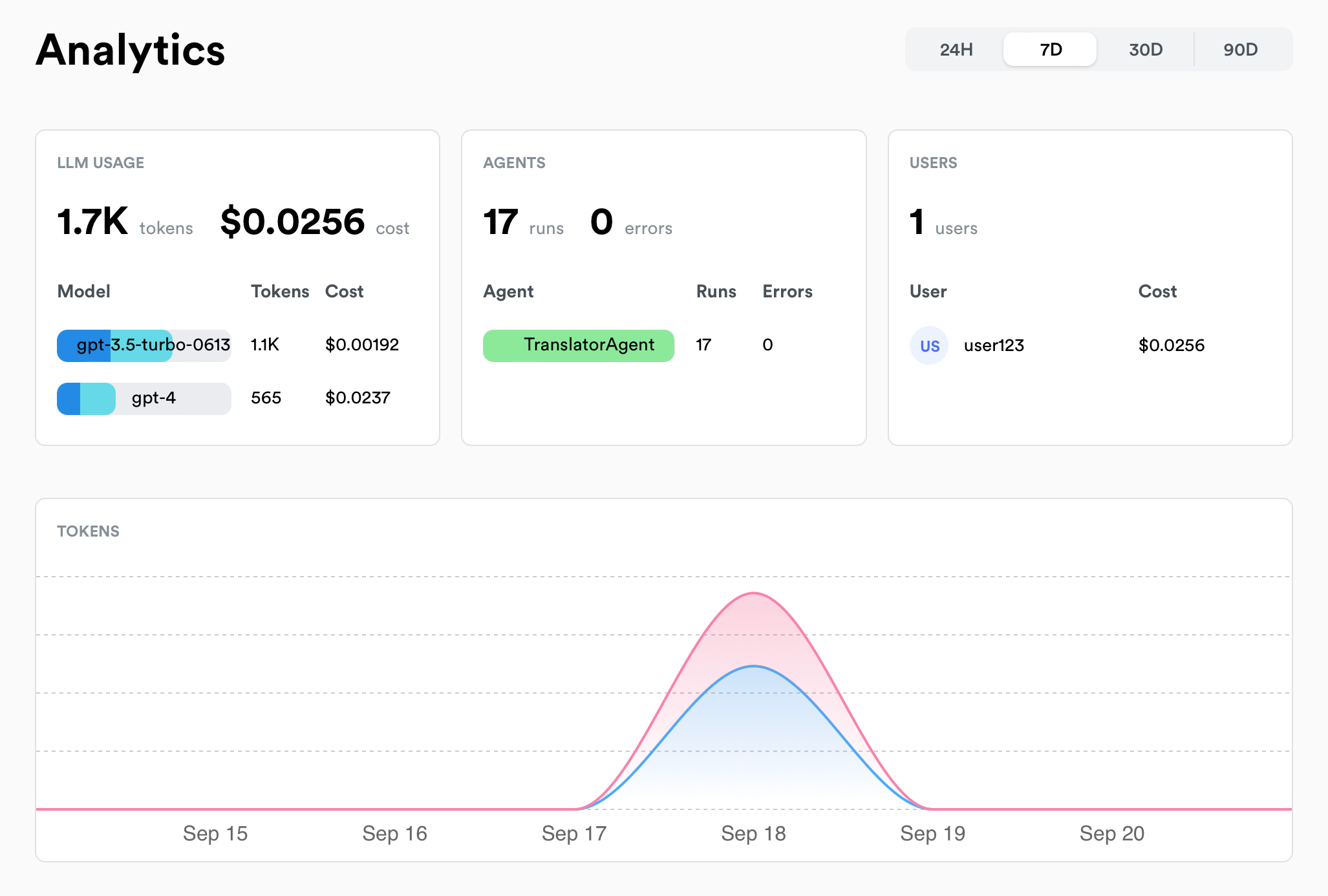
--- # Source: https://docs.lunary.ai/docs/integrations/langchain.md > ## Documentation Index > Fetch the complete documentation index at: https://docs.lunary.ai/llms.txt > Use this file to discover all available pages before exploring further. # LangChain Integration We provide callback handler that can be used to track LangChain calls, chains and agents. ## Setup First, install the relevant `lunary` and `langchain` packages: ```bash theme={null} pip install lunary pip install langchain ``` ```bash theme={null} npm install lunary npm install langchain ``` Then, set the `LUNARY_PUBLIC_KEY` environment variable to your app tracking id. ```bash theme={null} LUNARY_PUBLIC_KEY="0x0" ``` If you'd prefer not to set an environment variable, you can pass the key directly when initializing the callback handler: ```py theme={null} from lunary import LunaryCallbackHandler handler = LunaryCallbackHandler(app_id="0x0") ``` ```js theme={null} import { LunaryHandler } from "lunary/langchain" const handler = new LunaryHandler({ appId: "0x0", }) ``` ## Usage with LLM calls You can use the callback handler with any LLM or Chat class from LangChain. ```python theme={null} from langchain_openai import ChatOpenAI from lunary import LunaryCallbackHandler handler = LunaryCallbackHandler() chat = ChatOpenAI( callbacks=[handler], ) chat.invoke("Say test") ``` ```js theme={null} import { LunaryHandler } from "lunary/langchain" const model = new ChatOpenAI({ callbacks: [new LunaryHandler()], }) ``` ## Usage with chains (LCEL) You can also use the callback handler with LCEL, LangChain Expression Language. ```python theme={null} from langchain_openai import ChatOpenAI from langchain_core.runnables import RunnablePassthrough, RunnableConfig from langchain_core.output_parsers import StrOutputParser from langchain_core.prompts import ChatPromptTemplate import lunary # Initialize the Lunary handler handler = lunary.LunaryCallbackHandler() config = RunnableConfig({"callbacks": [handler]}) prompt = ChatPromptTemplate.from_template( "Tell me a short joke about {topic}" ) output_parser = StrOutputParser() model = ChatOpenAI(model="gpt-4") chain = ( {"topic": RunnablePassthrough()} | prompt | model | output_parser ) chain.invoke("ice cream", config=config) # You need to pass the config each time you call `.invoke()` ``` ```js theme={null} import { ChatOpenAI } from "@langchain/openai"; import { ChatPromptTemplate } from "@langchain/core/prompts"; import { StringOutputParser } from "@langchain/core/output_parsers"; import { LunaryHandler } from "lunary/langchain"; const handler = new LunaryHandler(); const prompt = ChatPromptTemplate.fromMessages([ ["human", "Tell me a short joke about {topic}"], ]); const model = new ChatOpenAI({}); const outputParser = new StringOutputParser(); const chain = prompt.pipe(model).pipe(outputParser); const response = await chain.invoke({ topic: "ice cream", }, { callbacks: [handler] }) console.log(response); ``` ## Usage with agents The callback handler works seamlessly with LangChain agents and chains. For agents, it is recommended to pass a name in the metadatas to track them in the dashboard. When tracking agents, make sure to add the handler to the agent's `run` method, otherwise the LLM calls and tools will not be automatically tracked. Example: ```python theme={null} from langchain.agents import AgentExecutor, create_openai_tools_agent from langchain_community.tools.tavily_search import TavilySearchResults from langchain_core.prompts import ChatPromptTemplate, MessagesPlaceholder from langchain_core.runnables import RunnableConfig from langchain_openai import ChatOpenAI # Initialize the Lunary handler from lunary import LunaryCallbackHandler prompt = ChatPromptTemplate.from_messages([ ("system", "You are a helpful assistant"), MessagesPlaceholder("chat_history", optional=True), ("human", "{input}"), MessagesPlaceholder("agent_scratchpad"), ]) tools = [TavilySearchResults(max_results=1)] # Initialize the Lunary handler handler = LunaryCallbackHandler() config = RunnableConfig({"callbacks": [handler]}) llm = ChatOpenAI(model="gpt-4") agent = create_openai_tools_agent(llm, tools, prompt) agent_executor = AgentExecutor(agent=agent, tools=tools) agent_executor.invoke({"input": "what is LangChain?"}, config) ``` ```js theme={null} import { initializeAgentExecutorWithOptions } from "langchain/agents" import { ChatOpenAI } from "langchain/chat_models/openai" import { Calculator } from "langchain/tools/calculator" import { LunaryHandler } from "lunary/langchain" const tools = [new Calculator()] const chat = new ChatOpenAI() const executor = await initializeAgentExecutorWithOptions(tools, chat, { agentType: "openai-functions", }) const result = await executor.run( "What is the approximate result of 78 to the power of 5?", { callbacks: [new LunaryHandler()], // Add the handler to the agent metadata: { agentName: "SuperCalculator" }, // Identify the agent in the Lunary dashboard } ) ``` ## Usage with custom agents If you're partially using LangChain, you can use the callback handler combined with the `lunary` module to track custom agents: ```python theme={null} from langchain.schema.messages import HumanMessage, SystemMessage from langchain_openai import ChatOpenAI import lunary handler = lunary.LunaryCallbackHandler() chat = ChatOpenAI( callbacks=[handler], ) @lunary.agent() def TranslatorAgent(query): messages = [ SystemMessage(content="You're a helpful assistant"), HumanMessage(content="What is the purpose of model regularization?"), ] return chat.invoke(messages) res = TranslatorAgent("Good morning") ``` ```js theme={null} import { ChatOpenAI } from "langchain/chat_models/openai" import { HumanMessage, SystemMessage } from "langchain/schema" import { LunaryHandler } from "lunary/langchain" import lunary from "lunary" const chat = new ChatOpenAI({ callbacks: [new LunaryHandler()], // <- Add the Lunary Callback Handler here }) async function TranslatorAgent(query) { const res = await chat.call([ new SystemMessage( "You are a translator agent that hides jokes in each translation." ), new HumanMessage( `Translate this sentence from English to French: ${query}` ), ]) return res.content } // By wrapping the agent with wrapAgent, we automatically track all input, outputs and errors // And tools and logs will be tied to the correct agent const translate = lunary.wrapAgent(TranslatorAgent) const res = await translate("Good morning") ``` ## Usage with LangServe You can use the callback handler to track all calls to your LangServe server. ### Server ```python theme={null} from fastapi import FastAPI from langchain_openai import ChatOpenAI from langchain.schema.runnable import ( ConfigurableField, ) from langserve import add_routes from lunary import LunaryCallbackHandler handler = LunaryCallbackHandler() app = FastAPI( title="LangChain Server", version="1.0", description="Spin up a simple api server using Langchain's Runnable interfaces", ) model = ChatOpenAI(callbacks=[handler]).configurable_fields( metadata=ConfigurableField( id="metadata", name="Metadata", description=("Custom metadata"), ), ) add_routes(app, model, path="/openai", config_keys=["metadata"]) if __name__ == "__main__": import uvicorn uvicorn.run(app, host="localhost", port=8000) ``` ### Client ```python theme={null} from langchain.schema import SystemMessage, HumanMessage from langserve import RemoteRunnable openai = RemoteRunnable("http://localhost:8000/openai/") prompt = [ SystemMessage(content="Act like either a cat or a parrot."), HumanMessage(content="Hello!"), ] res = openai.invoke("Hello", config={"metadata": { "user_id": "123", "tags": ["user1"]}}) print(res) ``` --- # Source: https://docs.lunary.ai/docs/api/checklists/list-all-checklists.md > ## Documentation Index > Fetch the complete documentation index at: https://docs.lunary.ai/llms.txt > Use this file to discover all available pages before exploring further. # List all checklists > Retrieve all checklists for the current project. Optionally filter by type. Returns checklists ordered by most recently updated. ## OpenAPI ````yaml https://api.lunary.ai/v1/openapi get /v1/checklists openapi: 3.0.0 info: title: Lunary API version: 1.0.0 servers: - url: https://api.lunary.ai security: [] tags: [] paths: /v1/checklists: get: tags: - Checklists summary: List all checklists description: > Retrieve all checklists for the current project. Optionally filter by type. Returns checklists ordered by most recently updated. parameters: - in: query name: type required: false schema: type: string description: The type of checklists to retrieve (optional) responses: '200': description: Successful response content: application/json: schema: type: array items: $ref: '#/components/schemas/Checklist' security: - BearerAuth: [] components: schemas: Checklist: type: object properties: id: type: string format: uuid slug: type: string type: type: string data: type: object description: The checklist data projectId: type: string format: uuid ownerId: type: string format: uuid createdAt: type: string format: date-time updatedAt: type: string format: date-time securitySchemes: BearerAuth: type: http scheme: bearer ```` --- # Source: https://docs.lunary.ai/docs/api/playground-endpoints/list-all-playground-endpoints.md > ## Documentation Index > Fetch the complete documentation index at: https://docs.lunary.ai/llms.txt > Use this file to discover all available pages before exploring further. # List all playground endpoints > Get all playground endpoints for the current project ## OpenAPI ````yaml https://api.lunary.ai/v1/openapi get /v1/playground-endpoints openapi: 3.0.0 info: title: Lunary API version: 1.0.0 servers: - url: https://api.lunary.ai security: [] tags: [] paths: /v1/playground-endpoints: get: tags: - Playground Endpoints summary: List all playground endpoints description: Get all playground endpoints for the current project responses: '200': description: Successful response content: application/json: schema: type: array items: 4a64c960-207b-449f-bbf0-b58fc245fd47 ```` --- # Source: https://docs.lunary.ai/docs/api/templates/list-all-templates.md > ## Documentation Index > Fetch the complete documentation index at: https://docs.lunary.ai/llms.txt > Use this file to discover all available pages before exploring further. # List all templates > List all the prompt templates in your project, along with their versions. Useful for usecases where you might want to pre-load all the templates in your application. ## OpenAPI ````yaml https://api.lunary.ai/v1/openapi get /v1/templates openapi: 3.0.0 info: title: Lunary API version: 1.0.0 servers: - url: https://api.lunary.ai security: [] tags: [] paths: /v1/templates: get: tags: - Templates summary: List all templates description: > List all the prompt templates in your project, along with their versions. Useful for usecases where you might want to pre-load all the templates in your application. responses: '200': description: Successful response content: application/json: schema: type: array items: $ref: '#/components/schemas/Template' components: schemas: Template: type: object properties: id: type: string name: type: string slug: type: string mode: type: string enum: - text - openai createdAt: type: string format: date-time group: type: string projectId: type: string versions: type: array items: $ref: '#/components/schemas/TemplateVersion' TemplateVersion: type: object properties: id: type: string templateId: type: string content: type: array items: type: object properties: role: type: string content: type: string extra: type: object testValues: type: object isDraft: type: boolean notes: type: string createdAt: type: string format: date-time version: type: number ```` --- # Source: https://docs.lunary.ai/docs/api/views/list-all-views.md > ## Documentation Index > Fetch the complete documentation index at: https://docs.lunary.ai/llms.txt > Use this file to discover all available pages before exploring further. # List all views > Retrieves a list of all views for the current project, ordered by most recently updated. ## OpenAPI ````yaml https://api.lunary.ai/v1/openapi get /v1/views openapi: 3.0.0 info: title: Lunary API version: 1.0.0 servers: - url: https://api.lunary.ai security: [] tags: [] paths: /v1/views: get: tags: - Views summary: List all views description: >- Retrieves a list of all views for the current project, ordered by most recently updated. responses: '200': description: Successful response content: application/json: schema: type: array items: $ref: '#/components/schemas/View' example: - id: 1234abcd name: LLM Conversations data: - AND - id: models params: models: - gpt-4 columns: id: ID content: Content icon: chat type: llm projectId: project123 ownerId: user456 updatedAt: '2023-04-01T12:00:00Z' components: schemas: View: type: object properties: id: type: string example: 1234abcd name: type: string example: LLM Conversations data: type: array items: oneOf: - type: string - type: object properties: id: type: string params: type: object example: - AND - id: models params: models: - gpt-4 columns: type: object icon: type: string example: chat type: type: string enum: - llm - thread - trace example: llm projectId: type: string example: project123 ownerId: type: string example: user456 updatedAt: type: string format: date-time example: '2023-04-01T12:00:00Z' ```` --- # Source: https://docs.lunary.ai/docs/api/datasets-v2/list-dataset-v2-items.md > ## Documentation Index > Fetch the complete documentation index at: https://docs.lunary.ai/llms.txt > Use this file to discover all available pages before exploring further. # List dataset v2 items ## OpenAPI ````yaml https://api.lunary.ai/v1/openapi get /v1/datasets-v2/{datasetId}/items openapi: 3.0.0 info: title: Lunary API version: 1.0.0 servers: - url: https://api.lunary.ai security: [] tags: [] paths: /v1/datasets-v2/{datasetId}/items: get: tags: - Datasets v2 summary: List dataset v2 items parameters: - in: path name: datasetId required: true schema: type: string format: uuid responses: '200': description: Dataset items content: application/json: schema: type: array items: $ref: '#/components/schemas/DatasetV2Item' security: - BearerAuth: [] components: schemas: DatasetV2Item: type: object properties: id: type: string format: uuid datasetId: type: string format: uuid input: type: string groundTruth: type: string nullable: true output: type: string nullable: true evaluatorResult1: type: object nullable: true evaluatorResult2: type: object nullable: true evaluatorResult3: type: object nullable: true evaluatorResult4: type: object nullable: true evaluatorResult5: type: object nullable: true createdAt: type: string format: date-time updatedAt: type: string format: date-time securitySchemes: BearerAuth: type: http scheme: bearer ```` --- # Source: https://docs.lunary.ai/docs/api/datasets-v2/list-dataset-versions.md > ## Documentation Index > Fetch the complete documentation index at: https://docs.lunary.ai/llms.txt > Use this file to discover all available pages before exploring further. # List dataset versions ## OpenAPI ````yaml https://api.lunary.ai/v1/openapi get /v1/datasets-v2/{datasetId}/versions openapi: 3.0.0 info: title: Lunary API version: 1.0.0 servers: - url: https://api.lunary.ai security: [] tags: [] paths: /v1/datasets-v2/{datasetId}/versions: get: tags: - Datasets v2 summary: List dataset versions parameters: - in: path name: datasetId required: true schema: type: string format: uuid - in: query name: limit required: false schema: type: integer minimum: 1 maximum: 100 responses: '200': description: Dataset versions content: application/json: schema: type: object properties: versions: type: array items: $ref: '#/components/schemas/DatasetV2Version' security: - BearerAuth: [] components: schemas: DatasetV2Version: type: object properties: id: type: string format: uuid datasetId: type: string format: uuid versionNumber: type: integer createdAt: type: string format: date-time createdBy: type: string format: uuid nullable: true restoredFromVersionId: type: string format: uuid nullable: true name: type: string nullable: true description: type: string nullable: true itemCount: type: integer securitySchemes: BearerAuth: type: http scheme: bearer ```` --- # Source: https://docs.lunary.ai/docs/api/datasets-v2/list-datasets-v2.md > ## Documentation Index > Fetch the complete documentation index at: https://docs.lunary.ai/llms.txt > Use this file to discover all available pages before exploring further. # List datasets v2 ## OpenAPI ````yaml https://api.lunary.ai/v1/openapi get /v1/datasets-v2 openapi: 3.0.0 info: title: Lunary API version: 1.0.0 servers: - url: https://api.lunary.ai security: [] tags: [] paths: /v1/datasets-v2: get: tags: - Datasets v2 summary: List datasets v2 responses: '200': description: List of datasets v2 content: application/json: schema: type: array items: $ref: '#/components/schemas/DatasetV2' security: - BearerAuth: [] components: schemas: DatasetV2: type: object properties: id: type: string format: uuid projectId: type: string format: uuid ownerId: type: string format: uuid nullable: true ownerName: type: string nullable: true ownerEmail: type: string nullable: true name: type: string description: type: string nullable: true createdAt: type: string format: date-time updatedAt: type: string format: date-time itemCount: type: integer currentVersionId: type: string format: uuid nullable: true currentVersionNumber: type: integer currentVersionCreatedAt: type: string format: date-time nullable: true currentVersionCreatedBy: type: string format: uuid nullable: true currentVersionRestoredFromVersionId: type: string format: uuid nullable: true evaluatorSlot1Id: type: string format: uuid nullable: true evaluatorSlot2Id: type: string format: uuid nullable: true evaluatorSlot3Id: type: string format: uuid nullable: true evaluatorSlot4Id: type: string format: uuid nullable: true evaluatorSlot5Id: type: string format: uuid nullable: true securitySchemes: BearerAuth: type: http scheme: bearer ```` --- # Source: https://docs.lunary.ai/docs/api/datasets/list-datasets.md > ## Documentation Index > Fetch the complete documentation index at: https://docs.lunary.ai/llms.txt > Use this file to discover all available pages before exploring further. # List datasets ## OpenAPI ````yaml https://api.lunary.ai/v1/openapi get /v1/datasets openapi: 3.0.0 info: title: Lunary API version: 1.0.0 servers: - url: https://api.lunary.ai security: [] tags: [] paths: /v1/datasets: get: tags: - Datasets summary: List datasets responses: '200': description: List of datasets content: application/json: schema: type: array items: $ref: '#/components/schemas/Dataset' security: - BearerAuth: [] components: schemas: Dataset: type: object properties: id: type: string slug: type: string format: type: string enum: - text - chat ownerId: type: string projectId: type: string securitySchemes: BearerAuth: type: http scheme: bearer ```` --- # Source: https://docs.lunary.ai/docs/api/evals/list-evaluations.md > ## Documentation Index > Fetch the complete documentation index at: https://docs.lunary.ai/llms.txt > Use this file to discover all available pages before exploring further. # List evaluations ## OpenAPI ````yaml https://api.lunary.ai/v1/openapi get /v1/evals openapi: 3.0.0 info: title: Lunary API version: 1.0.0 servers: - url: https://api.lunary.ai security: [] tags: [] paths: /v1/evals: get: tags: - Evals summary: List evaluations responses: '200': description: List of evaluations security: - BearerAuth: [] components: securitySchemes: BearerAuth: type: http scheme: bearer ```` --- # Source: https://docs.lunary.ai/docs/api/models/list-models.md > ## Documentation Index > Fetch the complete documentation index at: https://docs.lunary.ai/llms.txt > Use this file to discover all available pages before exploring further. # List models ## OpenAPI ````yaml https://api.lunary.ai/v1/openapi get /v1/models openapi: 3.0.0 info: title: Lunary API version: 1.0.0 servers: - url: https://api.lunary.ai security: [] tags: [] paths: /v1/models: get: tags: - Models summary: List models responses: '200': description: Successful response content: application/json: schema: type: array items: $ref: '#/components/schemas/Model' components: schemas: Model: type: object properties: id: type: string name: type: string pattern: type: string unit: type: string enum: - TOKENS - CHARACTERS - MILLISECONDS inputCost: type: number outputCost: type: number tokenizer: type: string startDate: type: string format: date-time createdAt: type: string format: date-time updatedAt: type: string format: date-time ```` --- # Source: https://docs.lunary.ai/docs/api/users/list-project-users.md > ## Documentation Index > Fetch the complete documentation index at: https://docs.lunary.ai/llms.txt > Use this file to discover all available pages before exploring further. # List project users > This endpoint retrieves a list of users tracked within the project. It supports pagination, filtering, and sorting options. ## OpenAPI ````yaml https://api.lunary.ai/v1/openapi get /v1/external-users openapi: 3.0.0 info: title: Lunary API version: 1.0.0 servers: - url: https://api.lunary.ai security: [] tags: [] paths: /v1/external-users: get: tags: - Users summary: List project users description: | This endpoint retrieves a list of users tracked within the project. It supports pagination, filtering, and sorting options. parameters: - in: query name: limit schema: type: integer default: 100 - in: query name: page schema: type: integer default: 0 - in: query name: search schema: type: string - in: query name: startDate schema: type: string format: date-time - in: query name: endDate schema: type: string format: date-time - in: query name: timeZone schema: type: string - in: query name: sortField schema: type: string default: createdAt - in: query name: sortDirection schema: type: string enum: - asc - desc default: desc - in: query name: checks schema: type: string responses: '200': description: Successful response content: application/json: schema: type: object properties: total: type: integer page: type: integer limit: type: integer data: type: array items: $ref: '#/components/schemas/User' components: schemas: User: type: object properties: id: type: string createdAt: type: string format: date-time externalId: type: string lastSeen: type: string format: date-time props: type: object cost: type: number ```` --- # Source: https://docs.lunary.ai/docs/api/evals/list-results-for-an-evaluation.md > ## Documentation Index > Fetch the complete documentation index at: https://docs.lunary.ai/llms.txt > Use this file to discover all available pages before exploring further. # List results for an evaluation ## OpenAPI ````yaml https://api.lunary.ai/v1/openapi get /v1/evals/{evalId}/results openapi: 3.0.0 info: title: Lunary API version: 1.0.0 servers: - url: https://api.lunary.ai security: [] tags: [] paths: /v1/evals/{evalId}/results: get: tags: - Evals - Results summary: List results for an evaluation parameters: - in: path name: evalId required: true schema: type: string responses: '200': description: List of results security: - BearerAuth: [] components: securitySchemes: BearerAuth: type: http scheme: bearer ```` --- # Source: https://docs.lunary.ai/docs/api/analytics/list-top-llm-models-across-an-organization.md > ## Documentation Index > Fetch the complete documentation index at: https://docs.lunary.ai/llms.txt > Use this file to discover all available pages before exploring further. # List top LLM models across an organization > Returns the top models used across every project in the authenticated organization. This endpoint requires an org-level private API key supplied as a bearer token in the `Authorization` header. ## OpenAPI ````yaml https://api.lunary.ai/v1/openapi get /v1/analytics/org/models/top openapi: 3.0.0 info: title: Lunary API version: 1.0.0 servers: - url: https://api.lunary.ai security: [] tags: [] paths: /v1/analytics/org/models/top: get: tags: - Analytics summary: List top LLM models across an organization description: > Returns the top models used across every project in the authenticated organization. This endpoint requires an org-level private API key supplied as a bearer token in the `Authorization` header. parameters: - in: query name: startDate description: >- ISO8601 timestamp (inclusive) that bounds the analytics window. Requires `endDate` and `timeZone` when provided. schema: type: string format: date-time - in: query name: endDate description: >- ISO8601 timestamp (exclusive) that bounds the analytics window. Requires `startDate` and `timeZone` when provided. schema: type: string format: date-time - in: query name: timeZone description: IANA time zone identifier used to localize the date range filters. schema: type: string responses: '200': description: Top models across the organization. content: application/json: schema: type: array items: type: object properties: name: type: string description: Model name. promptTokens: type: integer completionTokens: type: integer totalTokens: type: integer cost: type: number projectName: type: string nullable: true description: Project contributing the most traffic for the model. '401': description: >- Missing or invalid org API key supplied via the Authorization header. security: - OrgApiKeyAuth: [] components: securitySchemes: OrgApiKeyAuth: type: http scheme: bearer bearerFormat: UUID description: >- Use an org-level private API key issued by Lunary. Example Authorization header: `Bearer 123e4567-e89b-12d3-a456-426614174000`. ```` --- # Source: https://docs.lunary.ai/docs/integrations/litellm.md > ## Documentation Index > Fetch the complete documentation index at: https://docs.lunary.ai/llms.txt > Use this file to discover all available pages before exploring further. # LiteLLM Integration LiteLLM provides callbacks, making it easy for you to log your completions responses. ## Using Callbacks First, sign up to get an app ID on the Lunary dashboard. With these 2 lines of code, you can instantly log your responses across all providers with lunary: ```py theme={null} litellm.success_callback = ["lunary"] litellm.failure_callback = ["lunary"] ``` Complete code ```python theme={null} from litellm import completion ## set env variables os.environ["LUNARY_PUBLIC_KEY"] = "0x0" # Optional: os.environ["LUNARY_API_URL"] = "self-hosting-url" os.environ["OPENAI_API_KEY"], os.environ["COHERE_API_KEY"] = "", "" # set callbacks litellm.success_callback = ["lunary"] litellm.failure_callback = ["lunary"] #openai call response = completion( model="gpt-4o", messages=[{"role": "user", "content": "Hi 👋 - i'm openai"}], user="some_user_id", metadata={"tags": ["tag1", "tag2"]} ) #cohere call response = completion( model="command-nightly", messages=[{"role": "user", "content": "Hi 👋 - i'm cohere"}], user="some_user_id" ) ``` --- # Source: https://docs.lunary.ai/docs/integrations/python/manual.md # Source: https://docs.lunary.ai/docs/integrations/javascript/manual.md > ## Documentation Index > Fetch the complete documentation index at: https://docs.lunary.ai/llms.txt > Use this file to discover all available pages before exploring further. # Manual Usage If your application requires more flexibility and you can't use the `wrap` helpers, you can use the `trackEvent` method directly. The `trackEvent` method is used to track and log runs in your application. It takes three parameters: `type`, `event`, and `data`. ### Parameters: | Parameter | Type | Description | | --------- | ------------------------------------- | ----------------------------- | | `type` | `agent`, `tool`, `llm` or `chain` | The type of the run | | `event` | `start`, `end`, `error` or `feedback` | The name of the event. | | `data` | `Partial` | Data associated with the run. | The `RunEvent` type is composed of the following properties: | Field | Type | Description | Required | | ----------- | ---------------------------------------- | ----------------------------------------- | -------- | | runId | string | Unique identifier | Yes | | input | JSON | Input data | No | | output | JSON | Output data | No | | tokensUsage | `{ completion: number, prompt: number }` | Number of tokens used in the run. | No | | userId | string | The user ID. | No | | userProps | JSON | The user properties. | No | | parentRunId | string | The parent run ID. | No | | extra | JSON | Any extra data associated with the event. | No | | tags | string\[] | Tags associated with the event. | No | | error | `{ message: string, stack?: string }` | Error object if an error occurred. | No | ### Example to track an agent: ```ts theme={null} // Assuming you have an instance of Lunary // Define your agent function async function myAgentFunction(input: string): Promise { // Start of the agent function const runId = 'unique_run_id'; // Replace with a unique run ID for each run lunary.trackEvent('agent', 'start', { runId, input, name: 'MySuperAgent', extra: { extra: 'data' }, tags: ['tag1', 'tag2'] }); try { const output = await someAsyncOperation(input); lunary.trackEvent('agent', 'end', { runId, output, }); return output; } catch (error) { lunary.trackEvent('agent', 'error', { runId, error: error.message, // Replace with actual error message name: 'myAgentFunction' }) } } // Use the agent function myAgentFunction('some input') .then(output => console.log('Output:', output)) .catch(error => console.error('Error:', error)); ``` ### Using the `parentRunId` parameter To create traces with sub-agents, you can use the `parentRunId` parameter to link child runs. ```ts theme={null} async function someTool(input: string, parentRunId: string): Promise { const subRunId = 'sub_run_id'; lunary.trackEvent('tool', 'start', { runId: subRunId, parentRunId, input, name: 'MyTool', tags: ['tag1', 'tag2'] }); try { const output = await someAsyncOperation(input); lunary.trackEvent('tool', 'end', { runId: subRunId, parentRunId, output, }); return output; } catch (error) { lunary.trackEvent('tool', 'error', { runId: subRunId, parentRunId, error: error.message, // Replace with actual error message name: 'mySubAgentFunction' }); } } // Use the main agent function myAgentFunction('some input') .then(output => console.log('Output:', output)) .catch(error => console.error('Error:', error)); ``` --- # Source: https://docs.lunary.ai/docs/integrations/mistral.md > ## Documentation Index > Fetch the complete documentation index at: https://docs.lunary.ai/llms.txt > Use this file to discover all available pages before exploring further. # Mistral integration Our Python SDK includes automatic integration with Mistral via OpenAI's package. Learn how to set up the Python SDK. With our SDKs, tracking Mistral calls is super simple. ```py theme={null} import os from openai import OpenAI import lunary MISTRAL_API_KEY = os.environ.get("MISTRAL_API_KEY") client = OpenAI(api_key=MISTRAL_API_KEY, base_url="https://api.mistral.ai/v1/") lunary.monitor(client) # This line sets up monitoring for all calls made through the 'openai' module chat_completion = client.chat.completions.create( model="mistral-small-latest", messages=[{"role": "user", "content": "Hello world"}] ) ``` --- # Source: https://docs.lunary.ai/docs/features/observability.md > ## Documentation Index > Fetch the complete documentation index at: https://docs.lunary.ai/llms.txt > Use this file to discover all available pages before exploring further. # Observability Lunary has powerful observability features that lets you record and analyze your LLM calls. There are 3 main observability features: analytics, logs and traces. Analytics and logs are automatically captured as soon as you integrate our SDK. Learn how to install the Python SDK. Learn how to install the JS SDK. Learn how to integrate with LangChain. ## Analytics Analytics The following metrics are currently automatically captured: | Metric | Description | | -------------- | ---------------------------------------------------- | | 💰 **Costs** | Costs incurred by your LLM models | | 📊 **Usage** | Number of LLM calls made & tokens used | | ⏱️ **Latency** | Average latency of LLM calls and agents | | ❗ **Errors** | Number of errors encountered by LLM calls and agents | | 👥 **Users** | Usage over time of your top users | ## Logs Lunary allows you to log and inspect your LLM requests and responses. Logging Logging is automatic as soon as you integrate our SDK. ## Tracing Tracing is helpful to debug more complex AI agents and troubleshoot issues. Feedback tracking The easiest way to get started with traces is to use our utility wrappers to automatically track your agents and tools. ### Wrapping Agents By wrapping an agent, input, outputs and errors are automatically tracked. Any query ran inside the agent will be tied to the agent. }> Agents & tools are automatically named from the wrapped function's name. You can change the name by passing a 2nd argument `{ name: "custom-name" }` to the `wrapAgent` and `wrapTool` methods. ```js theme={null} // By wrapping your agent's function input, outputs and errors are automatically tracked. // Sub tools and logs will be tied to the correct agent. const myAgent = lunary.wrapAgent(async function MyAgent(input) { // Your agent custom logic // ... }) await myAgent("Hello, how are you?") ``` If you prefer to use anonymous functions, make sure to pass a name as a 2nd argument to the `wrapAgent` and `wrapTool` methods. ```js theme={null} const myAgent = lunary.wrapAgent( (input) => { // Your agent custom logic // ... }, { name: "MyAgent" } ) ``` ```py theme={null} import lunary @lunary.agent() def MyAgent(input): # Your agent custom logic # ... pass ``` ### Wrapping Chains Chains are sequences of operations that combine multiple LLM calls, tools, or processing steps into a single workflow. By wrapping chains, you can track the entire sequence of operations as a single unit while still maintaining visibility into each individual step. ```js theme={null} const chain = lunary.wrapChain(async function Chain(input) { // Your chain custom logic // Call LLM // Invoke tool // etc... }) await chain('Hello, how are you?') ``` ```py theme={null} @lunary.chain() def Chain(input): # Your chain custom logic # ... pass ``` ### Wrapping Tools If your agents use tools, you can wrap them as well to track them. If a wrapped tool is executed inside a wrapped agent, the tool will be automatically tied to the agent without the need to manually reconcialiate them. ```js theme={null} // By wrapping the tool, input, outputs and errors are automatically tracked. // And sub tools / logs will be tied to the correct agent. const calculator = lunary.wrapTool(async function Calculator(input) { // Your custom logic // ... }) await calculator('1 + 2') ``` ```py theme={null} import lunary @lunary.tool(name='MySuperTool') def MyTool(input): # Your tool custom logic # ... pass ``` --- # Source: https://docs.lunary.ai/docs/integrations/ollama.md > ## Documentation Index > Fetch the complete documentation index at: https://docs.lunary.ai/llms.txt > Use this file to discover all available pages before exploring further. # Ollama Integration Ollama allow you to self-host quickly large language models. Our SDKs include automatic integrations with Ollama. Learn how to set up the Python SDK. Learn how to set up the JavaScript SDK. With our SDKs, tracking Ollama calls is super simple. ```py theme={null} from openai import OpenAI import lunary client = OpenAI( base_url='http://localhost:11434/v1/', # replace by your Ollama base url api_key='ollama', #required but ignored ) lunary.monitor(client) chat_completion = client.chat.completions.create( messages=[ { 'role': 'user', 'content': 'Say this is a test', } ], model='llama3.2', ) ``` ```js theme={null} import OpenAI from 'openai' import { monitorOpenAI } from "lunary/openai" const openai = monitorOpenAI(new OpenAI({ baseURL: 'http://localhost:11434/v1/', // replace by your Ollama base url apiKey: 'ollama', // required but ignored })) const chatCompletion = await openai.chat.completions.create({ messages: [{ role: 'user', content: 'Say this is a test' }], model: 'llama3.2', }) ``` --- # Source: https://docs.lunary.ai/docs/integrations/python/openai.md # Source: https://docs.lunary.ai/docs/integrations/openai.md # Source: https://docs.lunary.ai/docs/integrations/javascript/openai.md > ## Documentation Index > Fetch the complete documentation index at: https://docs.lunary.ai/llms.txt > Use this file to discover all available pages before exploring further. # JS OpenAI integration Our SDKs include automatic integration with OpenAI's modules. Learn how to set up the JS SDK. With our SDKs, tracking OpenAI calls is super simple. ```js theme={null} import OpenAI from "openai"; import { monitorOpenAI } from "lunary/openai"; // Simply call monitor() on the OpenAIApi class to automatically track requests const openai = monitorOpenAI(new OpenAI()); ``` You can now tag requests and identify users. ```js theme={null} const result = await openai.chat.completions.create({ model: "gpt-4o", temperature: 0.9, tags: ["chat", "support"], // Optional: tags user: "user_123", // Optional: user ID userProps: { name: "John Doe" }, // Optional: user properties messages: [ { role: "system", content: "You are an helpful assistant" }, { role: "user", content: "Hello friend" }, ], }); ``` --- # Source: https://docs.lunary.ai/docs/integrations/opentelemetry/otel-mapping.md > ## Documentation Index > Fetch the complete documentation index at: https://docs.lunary.ai/llms.txt > Use this file to discover all available pages before exploring further. # OpenTelemetry (OTEL) Mapping > Mapping OpenTelemetry attributes to Lunary properties. This page is coming soon. --- # Source: https://docs.lunary.ai/docs/integrations/opentelemetry/otel-python.md > ## Documentation Index > Fetch the complete documentation index at: https://docs.lunary.ai/llms.txt > Use this file to discover all available pages before exploring further. # Sending OTEL Traces from Python > How to use OpenTelemetry Python SDK to export traces to Lunary. # Exporting OpenTelemetry Traces from Python You can send traces from any Python application or framework to Lunary using the standard OpenTelemetry SDK. ## 1. Install Dependencies ```sh theme={null} pip install opentelemetry-sdk opentelemetry-exporter-otlp ``` ## 2. Configure Your Environment Set your Lunary API key and endpoint as OTEL environment variables: ```sh theme={null} import os os.environ["OTEL_EXPORTER_OTLP_ENDPOINT"] = "https://api.lunary.ai/v1/otel" os.environ["OTEL_EXPORTER_OTLP_HEADERS"] = f"Authorization=Bearer {os.environ['LUNARY_PUBLIC_KEY']}" ``` ## 3. Set up OTEL Tracing ```python theme={null} from opentelemetry.sdk.trace import TracerProvider from opentelemetry.exporter.otlp.proto.http.trace_exporter import OTLPSpanExporter from opentelemetry.sdk.trace.export import BatchSpanProcessor from opentelemetry import trace trace.set_tracer_provider(TracerProvider()) tracer = trace.get_tracer(__name__) exporter = OTLPSpanExporter() trace.get_tracer_provider().add_span_processor(BatchSpanProcessor(exporter)) ``` ## 4. Emit Traces You can now add spans to your code: ```python theme={null} with tracer.start_as_current_span("My LLM Call") as span: # Attach GenAI-related context span.set_attribute("gen_ai.request.model", "gpt-4.1") span.set_attribute("gen_ai.prompt.0.content", "Hello, LLM world!") span.set_attribute("gen_ai.usage.prompt_tokens", 25) # Call your LLM/model here ``` ## Advanced: Custom Attributes You can tag spans for sessions, users, or experiments: ```python theme={null} span.set_attribute("lunary.user.id", "user-123") span.set_attribute("lunary.tags", ["my-experiment", "beta"]) ``` --- # Source: https://docs.lunary.ai/docs/integrations/opentelemetry/overview.md > ## Documentation Index > Fetch the complete documentation index at: https://docs.lunary.ai/llms.txt > Use this file to discover all available pages before exploring further. # Observability via OpenTelemetry > Connect your LLM apps to Lunary with the OpenTelemetry standard. # OpenTelemetry Integration OpenTelemetry, or OTEL, is the open-source standard for tracing and monitoring distributed applications—including LLM-based workflows. Lunary offers first-class support for ingesting OTEL traces via its `/v1/otel` endpoint. This means you can export traces, metrics, and events from LLM stacks or frameworks—no matter the language or platform—directly to Lunary’s observability dashboard. > **Why OpenTelemetry?** > > * Unified tracing across polyglot apps (Python, JS, Java, Go, etc.) > * Bring-your-own instrumentation: works with OpenLIT, Arize, OpenLLMetry, MLflow, and more. > * Rich, future-proof GenAI semantic conventions. *** ## How It Works 1. Your app or framework emits OpenTelemetry trace data. 2. Data is sent to the Lunary endpoint: `https://api.lunary.ai/v1/otel` 3. Lunary’s backend standardizes, stores, and displays all your traces. ## Supported Libraries and Frameworks You can send OTEL traces to Lunary from any library or SDK that supports the OTLP protocol, including: * Python: [`opentelemetry-sdk`](https://opentelemetry.io/docs/languages/python/) * JavaScript/TypeScript: [`@opentelemetry/api`](https://opentelemetry.io/docs/languages/js/) * Instrumentation: [OpenLIT](https://openlit.io/), [OpenLLMetry](https://www.traceloop.com/docs/openllmetry/introduction), [Arize OpenInference](https://github.com/Arize-ai/openinference), [MLflow](https://mlflow.org/) * AI stacks: LangChain, LlamaIndex, Haystack, CrewAI, Semantic Kernel, and more! *** ## Quickstart * [Python OTEL Setup](./otel-python) For property mapping and advanced tips, see [OTEL attribute mapping](./otel-mapping). ## Supported Providers | Model SDK | Python | Typescript | | ------------------------ | ------ | ---------- | | Azure OpenAI | ✅ | ✅ | | Aleph Alpha | ✅ | ❌ | | Anthropic | ✅ | ✅ | | Amazon Bedrock | ✅ | ✅ | | Amazon SageMaker | ✅ | ❌ | | Cohere | ✅ | ✅ | | IBM watsonx | ✅ | ⏳ | | Google Gemini | ✅ | ✅ | | Google VertexAI | ✅ | ✅ | | Groq | ✅ | ⏳ | | Mistral AI | ✅ | ⏳ | | Ollama | ✅ | ⏳ | | OpenAI | ✅ | ✅ | | Replicate | ✅ | ⏳ | | together.ai | ✅ | ⏳ | | HuggingFace Transformers | ✅ | ⏳ | --- # Source: https://docs.lunary.ai/docs/features/product-analytics.md > ## Documentation Index > Fetch the complete documentation index at: https://docs.lunary.ai/llms.txt > Use this file to discover all available pages before exploring further. # Product Analytics We're putting the finishing touches on our Product Analytics guide. Check back soon for the full walkthrough. In the meantime, explore [User Tracking](/features/users) to see how teams are already learning from their user data. --- # Source: https://docs.lunary.ai/docs/features/prompt-playground.md > ## Documentation Index > Fetch the complete documentation index at: https://docs.lunary.ai/llms.txt > Use this file to discover all available pages before exploring further. # Prompt Playground The Prompt Playground is an interactive environment for testing and refining your prompts. It provides a powerful interface to experiment with different prompt variations, test against various models, and even run prompts against custom API endpoints. ## Overview The Prompt Playground allows you to: * Test prompts with different LLM providers (OpenAI, Anthropic, etc.) * Compare outputs across multiple models * Experiment with parameters like temperature and max tokens * Test prompts against your own custom API endpoints * Save and collaborate on prompt experiments with team members * Create draft versions without affecting production (RBAC ensures only authorized users can deploy) Image 1 ## Variables and Dynamic Content The Playground supports dynamic variables in your prompts: 1. Define variables using double curly braces: `{{variable_name}}` 2. Enter test values in the Variables section 3. See how different variable values affect the output Screenshot: Using variables in prompts ## Saving and Collaboration The Playground supports team collaboration with built-in versioning and role-based access control: ### Creating Draft Versions 1. Click "Save as Draft" to save your experiments without affecting production 2. Add version notes to document your changes and findings 3. Share the draft with team members for review and feedback ### Collaboration Features * **Draft Sharing**: Team members can view and test your draft prompts * **Notepad**: Leave feedback on specific prompt versions via the notepad * **Role-Based Access**: * Developers and prompt engineers can create and edit drafts * Only authorized users (with deployment permissions) can promote drafts to production * Viewers can test prompts but cannot modify them ## Testing with Custom Endpoints One of the most powerful features of the Prompt Playground is the ability to test prompts against your own custom API endpoints. This is particularly useful for: * **RAG (Retrieval-Augmented Generation) systems** * **Custom AI applications** with proprietary logic * **API wrappers** that combine multiple AI services * **Complex systems** that include more components than just an LLM ### Setting Up Custom Endpoints To configure a custom endpoint: 1. Toggle the **Run Mode** from "Model Provider" to "Custom Endpoint" 2. Click "Configure Endpoints" to set up your API endpoints Screenshot: Switching to Custom Endpoint mode ### Endpoint Configuration When creating an endpoint, you'll need to provide: * **Name**: A descriptive name for your endpoint * **URL**: The full URL of your API endpoint * **Authentication**: Choose from: * Bearer Token (for OAuth/JWT) * API Key (with custom header name) * Basic Authentication * No authentication * **Custom Headers**: Additional headers to include in requests * **Default Payload**: Base payload that will be merged with prompt data Screenshot: Endpoint configuration dialog ### Request Format When you run a prompt against a custom endpoint, Lunary sends an HTTP POST request with the following JSON payload: ```json theme={null} { "messages": [ {"role": "system", "content": "You are a helpful assistant"}, {"role": "user", "content": "What is the weather like?"} ], "model_params": { "temperature": 0.7, "max_tokens": 1000, "model": "gpt-4" }, "variables": { "location": "San Francisco", "user_id": "12345" } // custom payload data will be merged here "custom_data": { "example_key": "example_value" } } ``` Your endpoint should process this request and return a response. Lunary supports various response formats: * Simple text responses * OpenAI-compatible message arrays * Custom JSON structures Screenshot: Example request payload ### Use Case Examples #### RAG System Integration Test how your prompts work with your retrieval-augmented generation system: ```javascript theme={null} // Example RAG endpoint that enriches prompts with context app.post('/api/rag-chat', async (req, res) => { const { content, variables } = req.body; // Extract the user's query const userQuery = content[content.length - 1].content; // Search your knowledge base const relevantDocs = await vectorDB.search(userQuery, { filter: { user_id: variables.user_id }, limit: 5 }); // Augment the prompt with retrieved context const augmentedContent = [ ...content.slice(0, -1), { role: "system", content: `Relevant context:\n${relevantDocs.map(d => d.text).join('\n\n')}` }, content[content.length - 1] ]; // Generate response with your LLM const response = await llm.generate({ ...req.body, content: augmentedContent }); res.json({ content: response.text }); }); ``` #### Custom Agent Testing Test prompts against AI agents with tool access or custom logic: ```python theme={null} # Example agent endpoint with tool usage @app.post("/api/agent") async def agent_endpoint(request: dict): prompt = request["content"] variables = request["variables"] # Parse intent and determine required tools intent = parse_intent(prompt[-1]["content"]) if intent.requires_search: search_results = await web_search(intent.query) context = format_search_results(search_results) prompt.append({"role": "system", "content": f"Search results: {context}"}) if intent.requires_calculation: calc_result = await calculator(intent.expression) prompt.append({"role": "system", "content": f"Calculation: {calc_result}"}) # Generate final response response = await generate_response(prompt, variables) return {"content": response, "tools_used": intent.tools} ``` --- # Source: https://docs.lunary.ai/docs/features/prompts.md > ## Documentation Index > Fetch the complete documentation index at: https://docs.lunary.ai/llms.txt > Use this file to discover all available pages before exploring further. # Prompt Templates Prompt templates are a way to store, version and collaborate on prompts. Developers use prompt templates to: * clean up their source code * make edits to prompts without re-deploying code * collaborate with non-technical teammates * A/B test prompts ## Creating a template You can create a prompt template by clicking on the "Create prompt template" button in the Prompts section of the dashboard. ## Usage with OpenAI You can use templates seamlessly with OpenAI's API with our SDKs. This will make sure the tracking of the prompt is done automatically. ```js theme={null} import OpenAI from "openai"; import lunary from "lunary" import { monitorOpenAI } from "lunary/openai"; // Make sure your OpenAI instance is wrapped with `monitorOpenAI` const openai = monitorOpenAI(new OpenAI()) const template = await lunary.renderTemplate("template-slug", { name: "John", // Inject variables }) const result = await openai.chat.completions.create(template) ``` ```py theme={null} import lunary from openai import OpenAI client = OpenAI() # Make sure your OpenAI instance is monitored lunary.monitor(client) template = lunary.render_template("template-slug", { "name": "John", # Inject variables }) result = client.chat.completions.create(**template) ``` ## Usage with LangChain's templates You can pull templates in the LangChain format and use them directly as PromptTemplate and ChatPromptTemplate classes. Example with simple text template: The `getLangChainTemplate` method returns a `PromptTemplate` object for simple templates, which can be used directly in chains or to format prompts. ```js theme={null} import { getLangChainTemplate } from "lunary/langchain"; const prompt = await getLangChainTemplate("icecream-prompt"); const promptValue = await prompt.invoke({ topic: "ice cream" }); console.log(promptValue); ``` The `get_langchain_template` method returns a `PromptTemplate` object for simple templates, which can be used directly in chains or to format prompts. ```py theme={null} import lunary template = lunary.get_langchain_template("my-template") prompt = template.format(question="What is the capital of France?") ``` Example with a Chat template (ChatPromptTemplate): The `getLangChainTemplate` function directly returns a `ChatPromptTemplate` object for chat messages templates, which can be used to format messages. ```js theme={null} import { getLangChainTemplate } from "lunary/langchain"; const prompt = await getLangChainTemplate("context-prompt"); const promptValue = await prompt.invoke({ topic: "ice cream" }); console.log(promptValue); /** ChatPromptValue { messages: [ HumanMessage { content: 'Tell me a short joke about ice cream', name: undefined, additional_kwargs: {} } ] } */ ``` The `get_langchain_template` method returns a `ChatPromptTemplate` object for chat messages templates, which can be directly in chains or to format messages. ```py theme={null} template = lunary.get_langchain_template("my-template") messages = lc_template.format_messages(question="What is the capital of France?") ``` ## Manual LangChain Usage with LLM Classes Using with LangChain LLM Classes is similar to using with OpenAI, but requires you to format the messages in the LangChain format as well as pass the template id in the metadata. ```js theme={null} Coming soon ``` ```py theme={null} from langchain_openai import ChatOpenAI from langchain_community.adapters.openai import convert_openai_messages from lunary import render_template, LunaryCallbackHandler template = render_template("template-slug", { "name": "John", # Inject variables }) chat_model = ChatOpenAI( model=template["model"], metadata={ "templateId": template["templateId"] # Optional: this allows to reconcile the logs with the template }, # add any other parameters here... temperature=template["temperature"], callbacks=[LunaryCallbackHandler()] ) # Convert messages to LangChain format messages = convert_openai_messages(template["messages"]) result = chat_model.invoke(messages) ``` ## Manual usage You can also use templates manually with any LLM API by accessing the relevant fields (returned in OpenAI's format). ```js theme={null} import lunary from "lunary" const { messages, model, temperature, max_tokens } = await lunary.renderTemplate("template-slug", { name: "John", // Inject variables }) // ... use the fields like you want ``` ```py theme={null} import lunary template = lunary.render_template("template-slug", { "name": "John", # Inject variables }) messages = template["messages"] model = template["model"] temperature = template["temperature"] max_tokens = template["max_tokens"] # ... use the fields like you want ``` ## Testing Prompts The Prompt Playground provides a powerful interactive environment for testing and refining your prompts. You can experiment with different models, parameters, and even test against custom API endpoints. [Learn more about the Prompt Playground →](/docs/features/prompt-playground) --- # Source: https://docs.lunary.ai/docs/integrations/pydantic-ai.md > ## Documentation Index > Fetch the complete documentation index at: https://docs.lunary.ai/llms.txt > Use this file to discover all available pages before exploring further. # Pydantic AI Integration This integration is currently in beta. If you encounter any issues or unexpected behavior, please reach out for feedback and support. Lunary supports Pydantic AI through OpenTelemetry instrumentation via Logfire. To integrate Pydantic AI with Lunary, you only need to configure the OpenTelemetry exporter and instrument Pydantic AI: ```python theme={null} os.environ["OTEL_EXPORTER_OTLP_ENDPOINT"] = "https://api.lunary.ai" # replace by your api endpoint if you're self-hosting Lunary os.environ["OTEL_EXPORTER_OTLP_HEADERS"] = f"Authorization=Bearer {os.environ['LUNARY_PRIVATE_KEY']}" logfire.configure(send_to_logfire=False) logfire.instrument_pydantic_ai() ``` ## Full Example Here's a complete example showing how to use Pydantic AI with Lunary: ```python theme={null} import os import logfire from pydantic import BaseModel from pydantic_ai import Agent os.environ["OTEL_EXPORTER_OTLP_ENDPOINT"] = "https://api.lunary.ai" os.environ["OTEL_EXPORTER_OTLP_HEADERS"] = f"Authorization=Bearer {os.environ['LUNARY_PRIVATE_KEY']}" logfire.configure(send_to_logfire=False) logfire.instrument_pydantic_ai() class MyModel(BaseModel): city: str country: str agent = Agent(model='open:gpt-4.1', output_type=MyModel, model_settings={'temperature': 0.7}) if __name__ == '__main__': result = agent.run_sync('The windy city in the US of A.') print(result.output) ``` This will automatically track: * Agent calls and responses * Model parameters and settings * Output schema validation * Performance metrics * Errors and exceptions All telemetry data will be sent to Lunary for monitoring and analysis. --- # Source: https://docs.lunary.ai/docs/integrations/javascript/react.md > ## Documentation Index > Fetch the complete documentation index at: https://docs.lunary.ai/llms.txt > Use this file to discover all available pages before exploring further. # Usage with React Install the package and import the necessary functions from our React export: ```ts theme={null} import lunary, { useChatMonitor } from 'lunary/react'; ``` Initialize the SDK with your application's tracking ID: ```ts theme={null} lunary.init({ publicKey: "0x0", }) ``` The `useChatMonitor` hook exposes the following functions: ```ts theme={null} const { restart, trackFeedback, trackMessage } = useChatMonitor(); ``` Here's an example of how you would it into your Chat component. ```ts theme={null} import { useState, useEffect } from "react"; const App = () => { const [input, setInput] = useState(""); const [messages, setMessages] = useState([]); const { restart: restartMonitor, trackFeedback, trackMessage } = useChatMonitor(); // Step 4: Use Effects for Initialization useEffect(() => { restartMonitor(); }, []); // Step 5: Define Your Message Handlers const askBot = async (query) => { // Track the user message and keep the message ID in reference const messageId = trackMessage({ role: 'user', content: query, }); setMessages([...messages, { id: messageId, role: "user", content: query }]); const answer = await fetchBotResponse(query, messages); setMessages([...messages, { role: "assistant", content: answer }]); // Track the bot answer trackMessage({ role: 'assistant', content: answer, }); } // Your message logic const fetchBotResponse = async (query, messages) => { const response = await fetch("https://...", { method: "POST", body: JSON.stringify({ messages }), }); return await response.text(); }; const restartChat = () => { setMessages([]); restartMonitor(); } // Step 6: Render UI return ( <>
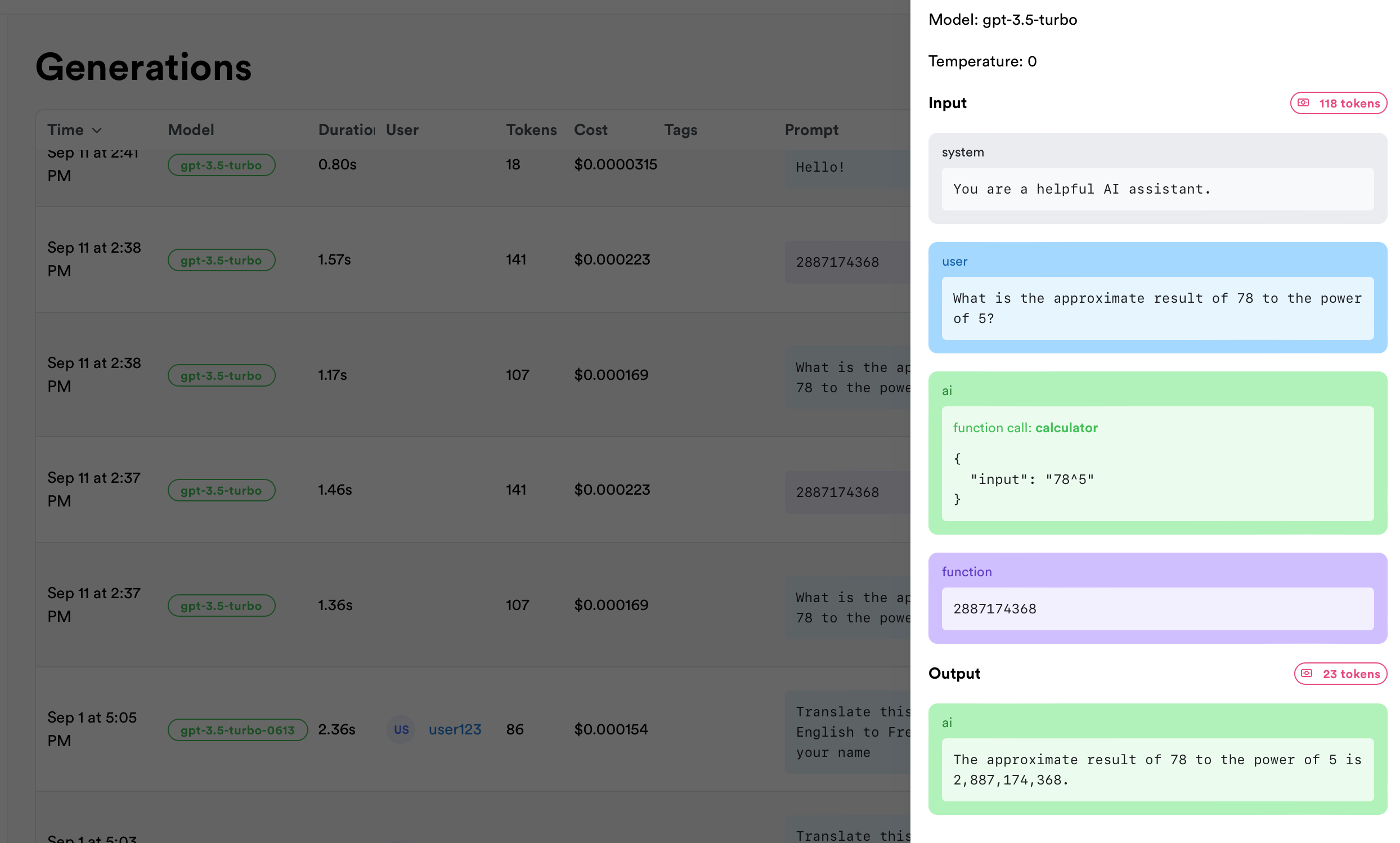
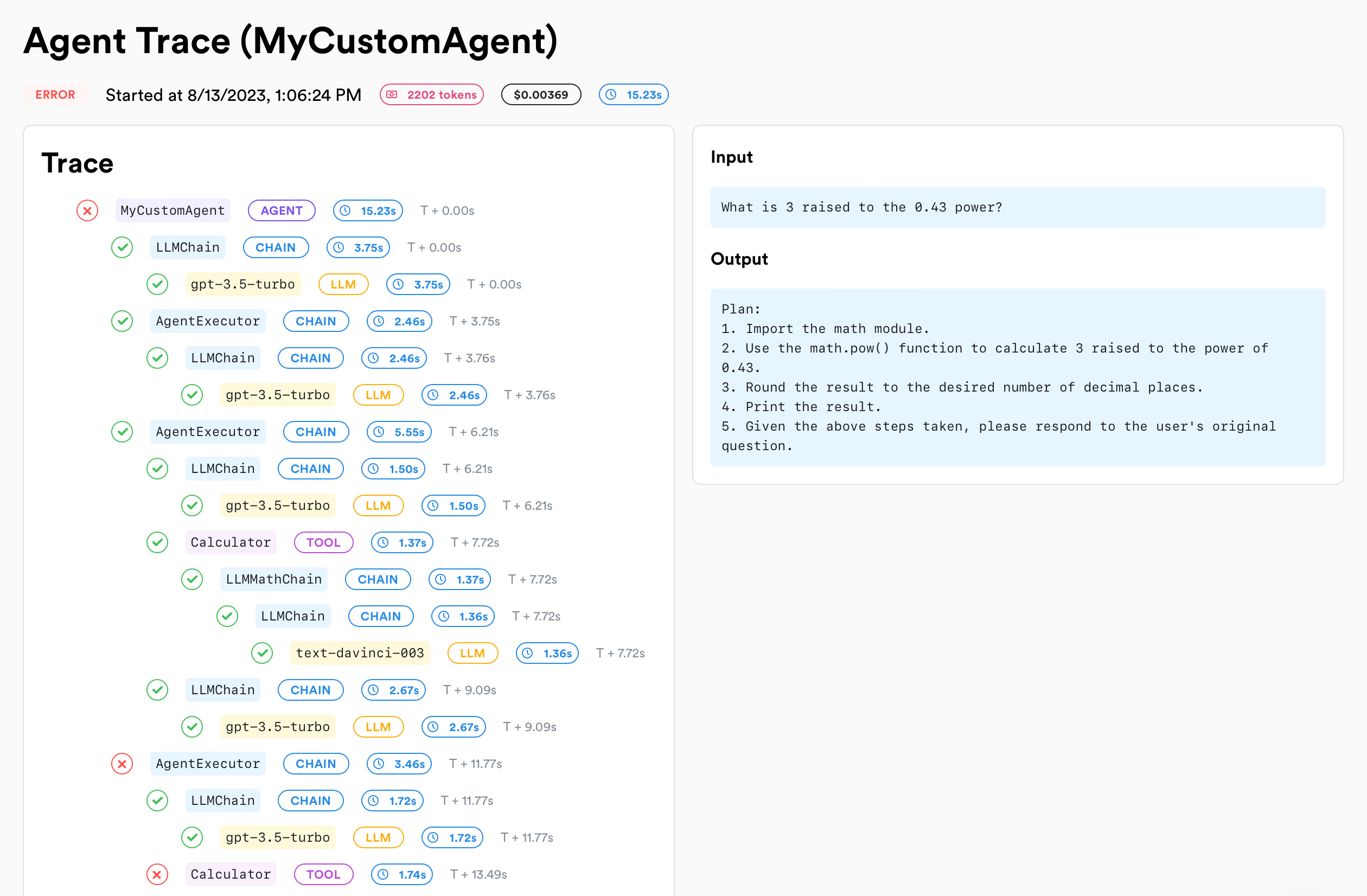
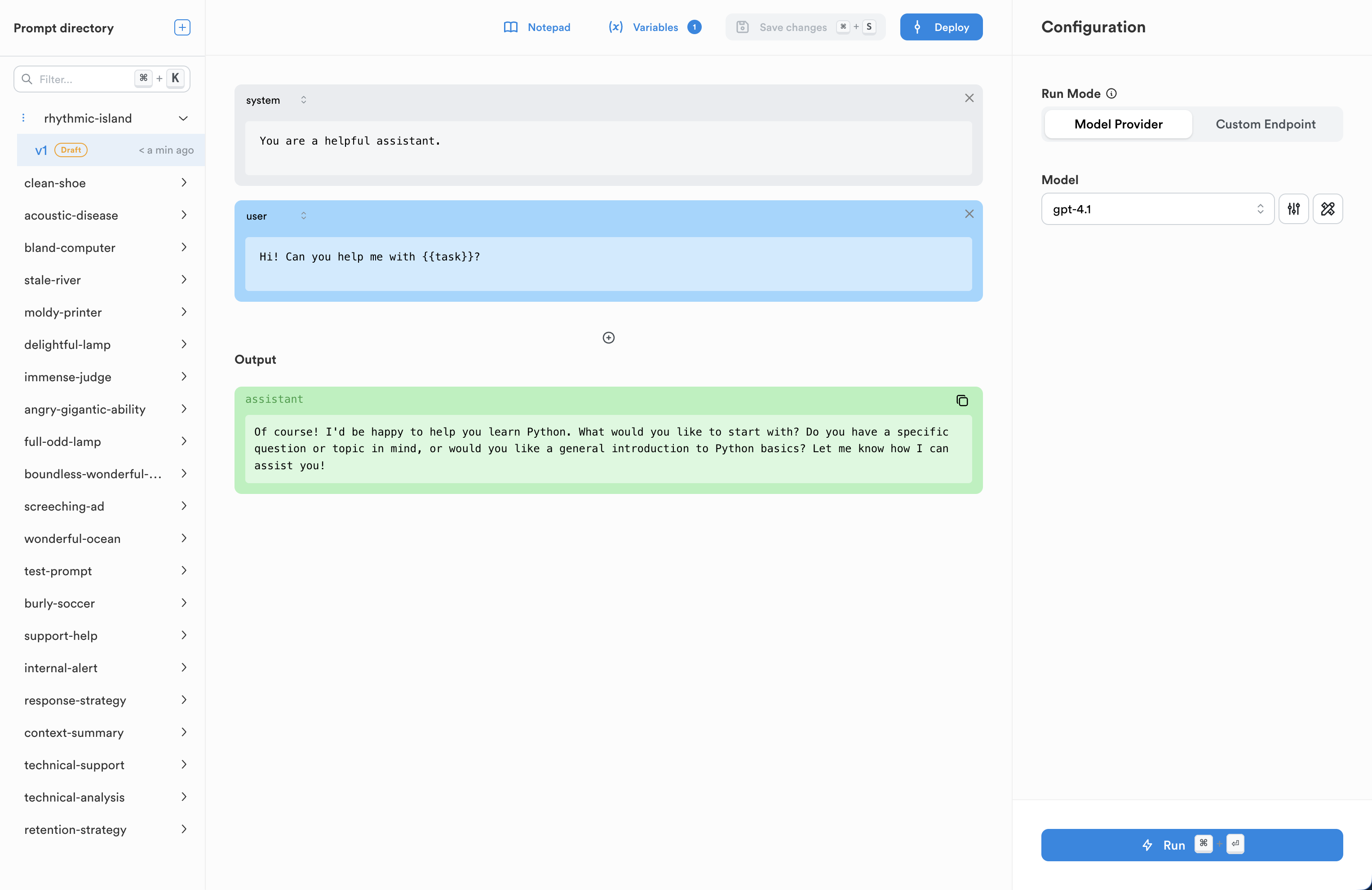
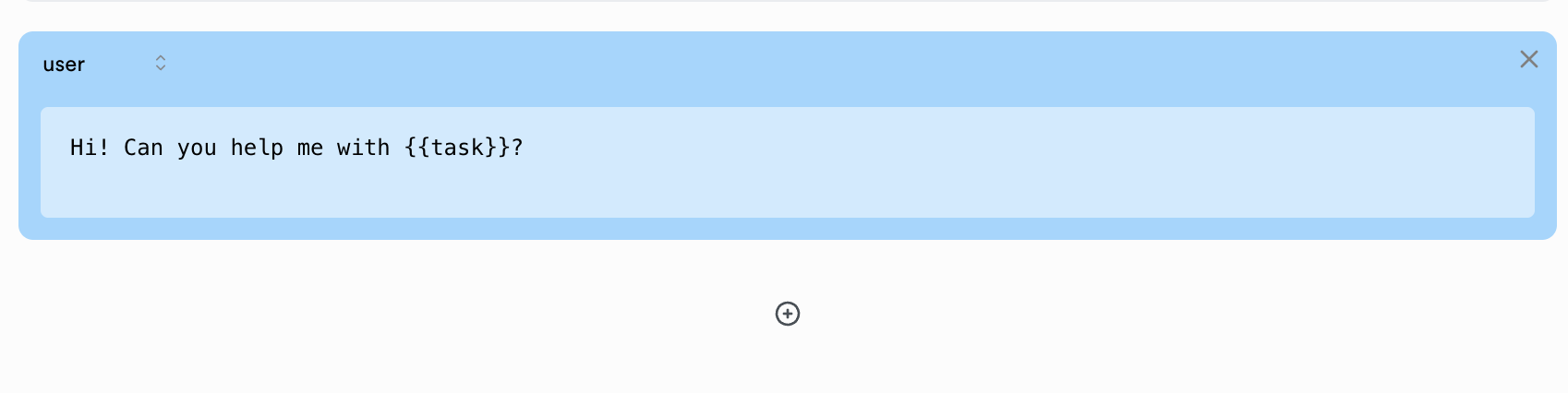
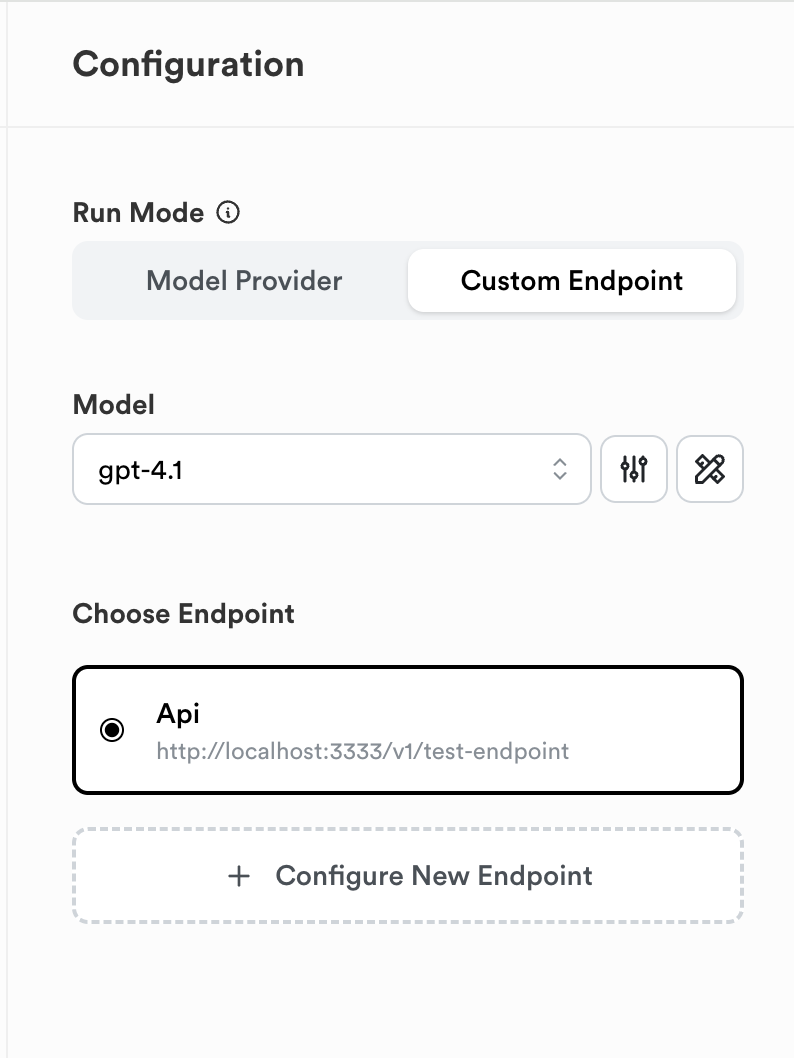
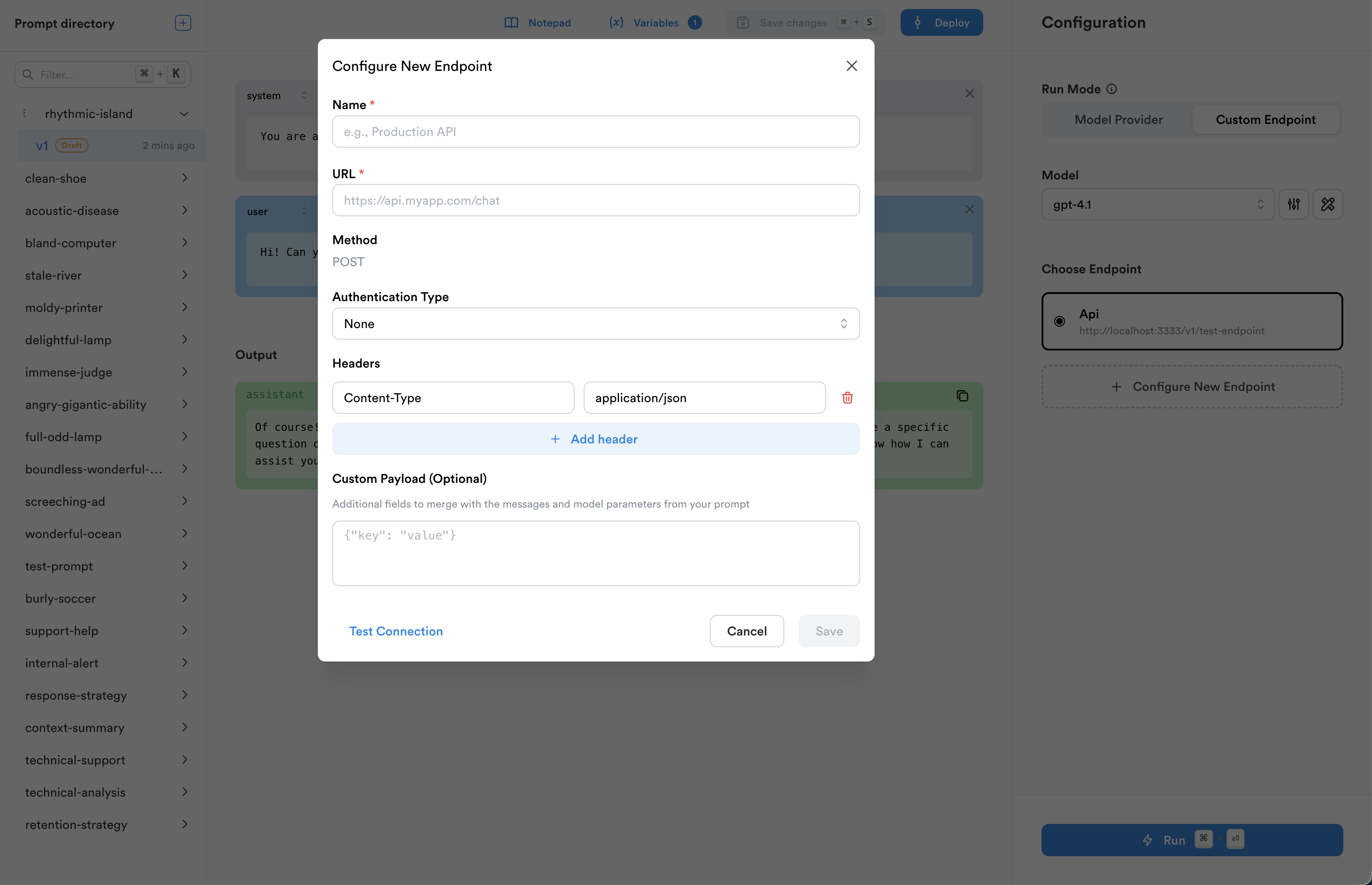
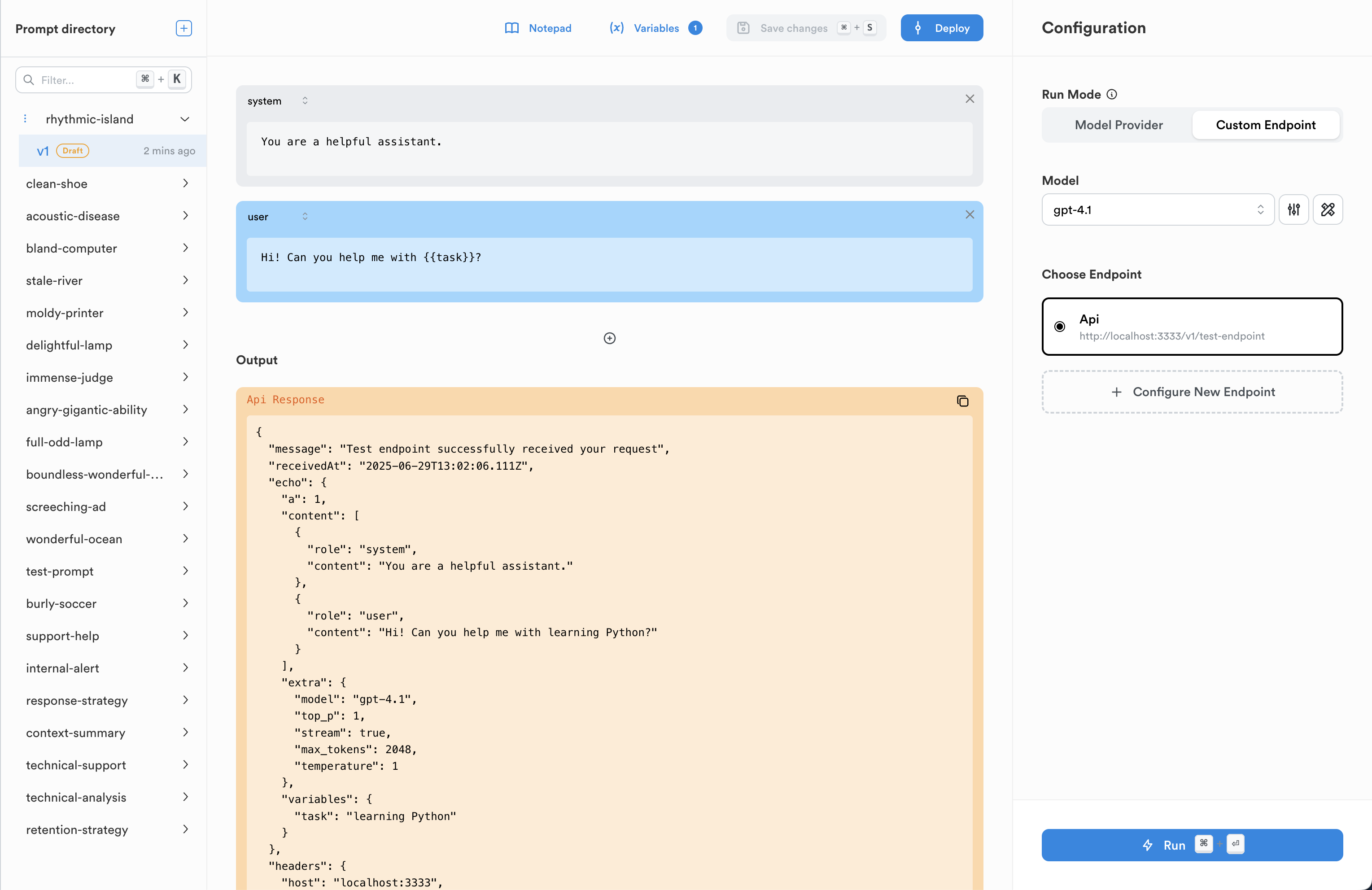
{messages.map((message) => (
{message.role}
{message.text}
))}
setInput(e.target.value)} onKeyDown={(e) => { if (e.key === "Enter") { askBot(input); setInput(""); } }} /> ); } ```
Make sure to pass the message IDs to your backend to reconcile with the backend calls and agents.
# Vercel AI SDK Integration Effortlessly integrate the Vercel AI SDK into your Next.js app using lunary We've built a custom hook that makes tracking your AI-driven chats a breeze. ### Other frameworks This assumes you are using Next.js. If you are using another framework, contact us and we'll help you integrate. Import lunary and the AI SDK helper hook, then initialize the monitor with your app ID. ```ts theme={null} import lunary, { useMonitorVercelAI } from "lunary/react" lunary.init({ publicKey: "0x0" }) ``` ```tsx theme={null} export default function Chat() { const ai = useChat({ // This is necessary to reconcile LLM calls made on the backend sendExtraMessageFields: true }) // Use the hook to wrap and track the AI SDK const { trackFeedback, // this a new function you can use to track feedback messages, input, handleInputChange, handleSubmit } = useMonitorVercelAI(ai) // Optional: Identify the user useEffect(() => { lunary.identify("elon", { name: "Elon Musk", email: "elon@tesla.com", }) }, []) return ( // ... your chat UI ... ) } ``` We'll need to reconcile the OpenAI calls made in the backend, with messages sent from the frontend. To do this, we'll need to use the backend version of the lunary. ```ts theme={null} import lunary from "lunary"; import { monitorOpenAI } from "lunary/openai"; lunary.init({ publicKey: "0x0", }) // Create an OpenAI API client and monitor it const openai = monitorOpenAI( new OpenAI({ apiKey: process.env.OPENAI_API_KEY }) ); ``` Once your openai client is monitored, you can use the `setParent` method to reconcile the frontend message IDs with the backend call: ```ts theme={null} const response = await openai.chat.completions .create({ model: "gpt-4", stream: true, messages: messages, }) // The setParent method reconcilates the frontend call with the backend call .setParent(lastMessageId); ``` ### Full API Function Example Make sure you've enabled `sendExtraMessageFields` on the `useChat` hook so that message IDs are also sent. ```ts theme={null} // ./app/api/chat/route.ts import OpenAI from "openai"; import { OpenAIStream, StreamingTextResponse } from "ai"; // Import the backend version of the monitor import lunary, { monitorOpenAI } from "lunary/openai"; lunary.init({ publicKey: "0x0", }) // Create an OpenAI API client and monitor it const openai = monitorOpenAI( new OpenAI({ apiKey: process.env.OPENAI_API_KEY }) ); export const runtime = "edge"; export async function POST(req: Request) { const data = await req.json() const { messages: rawMessages } = data // Keep only the content and role of each message, otherwise OpenAI throws an error const messages = rawMessages.map(({ content, role }) => ({ role, content })) // Get the last message's run ID const lastMessageId = rawMessages[rawMessages.length - 1].id // Ask OpenAI for a streaming chat completion given the prompt const response = await openai.chat.completions .create({ model: "gpt-4", stream: true, messages: messages, }) // The setParent method reconcilates the frontend call with the backend call .setParent(lastMessageId); const stream = OpenAIStream(response); return new StreamingTextResponse(stream); } ``` --- # Source: https://docs.lunary.ai/docs/integrations/python/reference.md > ## Documentation Index > Fetch the complete documentation index at: https://docs.lunary.ai/llms.txt > Use this file to discover all available pages before exploring further. # Python SDK Reference ## Classes | Class | Description | | -------------------- | --------------------------------------------------------- | | `EventQueue` | A class that represents a queue of events. | | `Consumer` | A class that consumes events from the `EventQueue`. | | `UserContextManager` | A context manager for setting and resetting user context. | ## Methods | Method | Description | | ------------------------------------------------------------------------------------------------------------------------------------------------------------------------------------------------------------------ | ---------------------------------------------- | | `config(app_id: str \| None = None, verbose: str \| None = None, api_url: str \| None = None, disable_ssl_verify: bool \| None = None)` | Configures the SDK with the given parameters. | | `track_event(event_type: str, event_name: str, run_id: uuid, parent_run_id: uuid, name: str, input: Any, output: Any, error: Any, token_usage: Any, user_id: str, user_props: Any, tags: Any, extra: Any) -> None` | Tracks an event with the given parameters. | | `handle_internal_error(e: Exception) -> None` | Handles internal errors. | | `wrap(fn: Callable, type: str, name: str, user_id: str, user_props: Any, tags: Any, input_parser: Callable, output_parser: Callable) -> Callable` | Wraps a function with monitoring capabilities. | | `monitor(object: OpenAIUtils) -> None` | Monitors an instance of `OpenAIUtils`. | | `identify(user_id: str, user_props: Any) -> UserContextManager` | Identifies a user and sets the user context. | ## Decorators | Decorator | Description | | ------------------------------------------------------------------------ | ----------------------------------------------- | | `agent(name: str, user_id: str, user_props: Any, tags: Any) -> Callable` | A decorator for marking a function as an agent. | | `tool(name: str, user_id: str, user_props: Any, tags: Any) -> Callable` | A decorator for marking a function as a tool. | ## Context Variables | Variable | Description | | ---------------- | ----------------------------------------------- | | `user_ctx` | A context variable for storing the user ID. | | `user_props_ctx` | A context variable for storing user properties. | ## Environment variables | Variable | Description | | -------------------- | ------------------------------------------------------------------------------------------------------------------ | | `LUNARY_PUBLIC_KEY` | Your project's public key | | `LUNARY_PRIVATE_KEY` | Your project's private key | | `LUNARY_VERBOSE` | Enable verbose logging | | `LUNARY_API_URL` | Base URL for the API server. Defaults to `https://api.lunary.ai`; can be customized for self-hosting or local use. | | `DISABLE_SSL_VERIFY` | Disable SSL verification if set to `True` | --- # Source: https://docs.lunary.ai/docs/api/datasets-v2/restore-dataset-to-a-previous-version.md > ## Documentation Index > Fetch the complete documentation index at: https://docs.lunary.ai/llms.txt > Use this file to discover all available pages before exploring further. # Restore dataset to a previous version ## OpenAPI ````yaml https://api.lunary.ai/v1/openapi post /v1/datasets-v2/{datasetId}/versions/{versionId}/restore openapi: 3.0.0 info: title: Lunary API version: 1.0.0 servers: - url: https://api.lunary.ai security: [] tags: [] paths: /v1/datasets-v2/{datasetId}/versions/{versionId}/restore: post: tags: - Datasets v2 summary: Restore dataset to a previous version parameters: - in: path name: datasetId required: true schema: type: string format: uuid - in: path name: versionId required: true schema: type: string format: uuid responses: '200': description: Restored dataset with current items content: application/json: schema: $ref: '#/components/schemas/DatasetV2WithItems' security: - BearerAuth: [] components: schemas: DatasetV2WithItems: allOf: - $ref: '#/components/schemas/DatasetV2' - type: object properties: items: type: array items: $ref: '#/components/schemas/DatasetV2Item' DatasetV2: type: object properties: id: type: string format: uuid projectId: type: string format: uuid ownerId: type: string format: uuid nullable: true ownerName: type: string nullable: true ownerEmail: type: string nullable: true name: type: string description: type: string nullable: true createdAt: type: string format: date-time updatedAt: type: string format: date-time itemCount: type: integer currentVersionId: type: string format: uuid nullable: true currentVersionNumber: type: integer currentVersionCreatedAt: type: string format: date-time nullable: true currentVersionCreatedBy: type: string format: uuid nullable: true currentVersionRestoredFromVersionId: type: string format: uuid nullable: true evaluatorSlot1Id: type: string format: uuid nullable: true evaluatorSlot2Id: type: string format: uuid nullable: true evaluatorSlot3Id: type: string format: uuid nullable: true evaluatorSlot4Id: type: string format: uuid nullable: true evaluatorSlot5Id: type: string format: uuid nullable: true DatasetV2Item: type: object properties: id: type: string format: uuid datasetId: type: string format: uuid input: type: string groundTruth: type: string nullable: true output: type: string nullable: true evaluatorResult1: type: object nullable: true evaluatorResult2: type: object nullable: true evaluatorResult3: type: object nullable: true evaluatorResult4: type: object nullable: true evaluatorResult5: type: object nullable: true createdAt: type: string format: date-time updatedAt: type: string format: date-time securitySchemes: BearerAuth: type: http scheme: bearer ```` --- # Source: https://docs.lunary.ai/docs/api/audit-logs/retrieve-audit-logs.md > ## Documentation Index > Fetch the complete documentation index at: https://docs.lunary.ai/llms.txt > Use this file to discover all available pages before exploring further. # Retrieve audit logs > Retrieve a list of audit logs for the current organization. Note that this functionality is still under development and the audits logs are not fully exhaustive. ## OpenAPI ````yaml https://api.lunary.ai/v1/openapi get /v1/audit-logs openapi: 3.0.0 info: title: Lunary API version: 1.0.0 servers: - url: https://api.lunary.ai security: [] tags: [] paths: /v1/audit-logs: get: tags: - Audit Logs summary: Retrieve audit logs description: >- Retrieve a list of audit logs for the current organization. Note that this functionality is still under development and the audits logs are not fully exhaustive. parameters: - in: query name: limit description: Number of audit logs to retrieve schema: type: number default: 30 - in: query name: page description: Page number for pagination schema: type: number default: 0 responses: '200': description: A list of audit logs content: application/json: schema: type: array items: type: object '403': description: Forbidden - user doesn't have access to this resource security: - BearerAuth: [] components: securitySchemes: BearerAuth: type: http scheme: bearer ```` --- # Source: https://docs.lunary.ai/docs/api/datasets-v2/run-all-evaluators-attached-to-a-dataset-on-every-item.md > ## Documentation Index > Fetch the complete documentation index at: https://docs.lunary.ai/llms.txt > Use this file to discover all available pages before exploring further. # Run all evaluators attached to a dataset on every item ## OpenAPI ````yaml https://api.lunary.ai/v1/openapi post /v1/datasets-v2/{datasetId}/evaluators/run openapi: 3.0.0 info: title: Lunary API version: 1.0.0 servers: - url: https://api.lunary.ai security: [] tags: [] paths: /v1/datasets-v2/{datasetId}/evaluators/run: post: tags: - Datasets v2 summary: Run all evaluators attached to a dataset on every item parameters: - in: path name: datasetId required: true schema: type: string format: uuid responses: '200': description: Evaluator results updated content: application/json: schema: type: object properties: updatedItemCount: type: integer dataset: $ref: '#/components/schemas/DatasetV2WithItems' security: - BearerAuth: [] components: schemas: DatasetV2WithItems: allOf: - $ref: '#/components/schemas/DatasetV2' - type: object properties: items: type: array items: $ref: '#/components/schemas/DatasetV2Item' DatasetV2: type: object properties: id: type: string format: uuid projectId: type: string format: uuid ownerId: type: string format: uuid nullable: true ownerName: type: string nullable: true ownerEmail: type: string nullable: true name: type: string description: type: string nullable: true createdAt: type: string format: date-time updatedAt: type: string format: date-time itemCount: type: integer currentVersionId: type: string format: uuid nullable: true currentVersionNumber: type: integer currentVersionCreatedAt: type: string format: date-time nullable: true currentVersionCreatedBy: type: string format: uuid nullable: true currentVersionRestoredFromVersionId: type: string format: uuid nullable: true evaluatorSlot1Id: type: string format: uuid nullable: true evaluatorSlot2Id: type: string format: uuid nullable: true evaluatorSlot3Id: type: string format: uuid nullable: true evaluatorSlot4Id: type: string format: uuid nullable: true evaluatorSlot5Id: type: string format: uuid nullable: true DatasetV2Item: type: object properties: id: type: string format: uuid datasetId: type: string format: uuid input: type: string groundTruth: type: string nullable: true output: type: string nullable: true evaluatorResult1: type: object nullable: true evaluatorResult2: type: object nullable: true evaluatorResult3: type: object nullable: true evaluatorResult4: type: object nullable: true evaluatorResult5: type: object nullable: true createdAt: type: string format: date-time updatedAt: type: string format: date-time securitySchemes: BearerAuth: type: http scheme: bearer ```` --- # Source: https://docs.lunary.ai/docs/api/evals/run-the-evaluation.md > ## Documentation Index > Fetch the complete documentation index at: https://docs.lunary.ai/llms.txt > Use this file to discover all available pages before exploring further. # Run the evaluation ## OpenAPI ````yaml https://api.lunary.ai/v1/openapi post /v1/evals/{id}/run openapi: 3.0.0 info: title: Lunary API version: 1.0.0 servers: - url: https://api.lunary.ai security: [] tags: [] paths: /v1/evals/{id}/run: post: tags: - Evals summary: Run the evaluation parameters: - in: path name: id required: true schema: type: string responses: '204': description: No Content security: - BearerAuth: [] components: securitySchemes: BearerAuth: type: http scheme: bearer ```` --- # Source: https://docs.lunary.ai/docs/integrations/javascript/serverless.md > ## Documentation Index > Fetch the complete documentation index at: https://docs.lunary.ai/llms.txt > Use this file to discover all available pages before exploring further. # Serverless Usage with serverless functions. When using lunary with Serverless/Lambda functions, you need to make sure that you flush the queue at the end of each function otherwise the data may not be side. ```js theme={null} import lunary from 'lunary' async function handler(event, context) { // do something // your function logic... // flush the queue (make sure to await) await lunary.flush() return { statusCode: 200, body: JSON.stringify({ message: 'Hello World' }) } } ``` --- # Source: https://docs.lunary.ai/docs/features/tags.md > ## Documentation Index > Fetch the complete documentation index at: https://docs.lunary.ai/llms.txt > Use this file to discover all available pages before exploring further. # Tagging Tags allow you to label queries and completions. This is useful to further segment your data. For example, you can label all the queries that are related to a specific feature or a specific company. Later on, this can also be useful for creating fine-tune datasets. Learn how to install the Python SDK. Learn how to install the JS SDK. The easiest way to get started adding tags is to send them when doing your OpenAI API calls. ```js theme={null} const res = await openai.chat.completions.create({ model: "gpt-4o", messages: [{ role: "user", content: "Hello" }], tags: ["some-tag"] }) ``` ```py theme={null} chat_completion = client.chat.completions.create( messages=[{"role": "user", "content": "Say this is a test"}], model="gpt-4o", tags=["some-tag"], ) ``` If you're using LangChain, you can similarly pass the tags on any LangChain object. ```js theme={null} const chat = new ChatOpenAI({ callbacks: [new LunaryHandler()], }); const res = await chat.call([new HumanMessage("Hello!")], { tags: ["some-tag"], }); ``` ```py theme={null} handler = LunaryCallbackHandler() chat = ChatOpenAI( callbacks=[handler], tags=["some-tag"], ) ``` You can also inject tags into the context of your code. This is useful if you want to tag all the queries that are related to a specific feature or a specific company. ```js theme={null} Coming soon ``` ```py theme={null} import lunary # Method 2: everything inside the with statement will have tags2 and tags3 with lunary.tags(["tag2", "tag3"]): my_agent() ``` --- # Source: https://docs.lunary.ai/docs/api/test/test-endpoint-for-playground-api-testing.md > ## Documentation Index > Fetch the complete documentation index at: https://docs.lunary.ai/llms.txt > Use this file to discover all available pages before exploring further. # Test endpoint for playground API testing > A public endpoint that echoes back the request data for testing the playground custom API feature ## OpenAPI ````yaml https://api.lunary.ai/v1/openapi post /v1/test-endpoint openapi: 3.0.0 info: title: Lunary API version: 1.0.0 servers: - url: https://api.lunary.ai security: [] tags: [] paths: /v1/test-endpoint: post: tags: - Test summary: Test endpoint for playground API testing description: >- A public endpoint that echoes back the request data for testing the playground custom API feature requestBody: required: true content: application/json: schema: type: object responses: '200': description: Successful response with echoed data content: application/json: schema: type: object properties: message: type: string description: Success message receivedAt: type: string format: date-time description: When the request was received echo: type: object description: The request data echoed back headers: type: object description: Request headers received method: type: string description: HTTP method used ```` --- # Source: https://docs.lunary.ai/docs/api/test/test-endpoint-with-authentication-check.md > ## Documentation Index > Fetch the complete documentation index at: https://docs.lunary.ai/llms.txt > Use this file to discover all available pages before exploring further. # Test endpoint with authentication check > A test endpoint that validates authentication headers ## OpenAPI ````yaml https://api.lunary.ai/v1/openapi post /v1/test-endpoint/auth openapi: 3.0.0 info: title: Lunary API version: 1.0.0 servers: - url: https://api.lunary.ai security: [] tags: [] paths: /v1/test-endpoint/auth: post: tags: - Test summary: Test endpoint with authentication check description: A test endpoint that validates authentication headers requestBody: required: true content: application/json: schema: type: object responses: '200': description: Successful response with authentication info '401': description: Unauthorized - missing or invalid authentication security: - BearerAuth: [] - ApiKeyAuth: [] - BasicAuth: [] components: securitySchemes: BearerAuth: type: http scheme: bearer ```` --- # Source: https://docs.lunary.ai/docs/api/checklists/update-a-checklist.md > ## Documentation Index > Fetch the complete documentation index at: https://docs.lunary.ai/llms.txt > Use this file to discover all available pages before exploring further. # Update a checklist > Update an existing checklist's slug and/or data. ## OpenAPI ````yaml https://api.lunary.ai/v1/openapi patch /v1/checklists/{id} openapi: 3.0.0 info: title: Lunary API version: 1.0.0 servers: - url: https://api.lunary.ai security: [] tags: [] paths: /v1/checklists/{id}: patch: tags: - Checklists summary: Update a checklist description: | Update an existing checklist's slug and/or data. parameters: - in: path name: id required: true schema: type: string format: uuid description: The ID of the checklist to update requestBody: required: true content: application/json: schema: $ref: '#/components/schemas/ChecklistUpdateInput' example: slug: updated-checklist-slug data: items: - name: Run tests completed: true - name: Update documentation completed: true - name: Deploy to production completed: false responses: '200': description: Successful response content: application/json: schema: $ref: '#/components/schemas/Checklist' '400': description: Invalid input '404': description: Checklist not found security: - BearerAuth: [] components: schemas: ChecklistUpdateInput: type: object properties: slug: type: string description: Updated slug for the checklist data: type: object description: Updated checklist data Checklist: type: object properties: id: type: string format: uuid slug: type: string type: type: string data: type: object description: The checklist data projectId: type: string format: uuid ownerId: type: string format: uuid createdAt: type: string format: date-time updatedAt: type: string format: date-time securitySchemes: BearerAuth: type: http scheme: bearer ```` --- # Source: https://docs.lunary.ai/docs/api/evals/update-a-criterion.md > ## Documentation Index > Fetch the complete documentation index at: https://docs.lunary.ai/llms.txt > Use this file to discover all available pages before exploring further. # Update a criterion ## OpenAPI ````yaml https://api.lunary.ai/v1/openapi patch /v1/evals/criteria/{id} openapi: 3.0.0 info: title: Lunary API version: 1.0.0 servers: - url: https://api.lunary.ai security: [] tags: [] paths: /v1/evals/criteria/{id}: patch: tags: - Evals - Criteria summary: Update a criterion parameters: - in: path name: id required: true schema: type: string requestBody: required: true content: application/json: schema: type: object properties: name: type: string metric: type: string threshold: type: number nullable: true weighting: type: number parameters: type: object responses: '200': description: Updated criterion security: - BearerAuth: [] components: securitySchemes: BearerAuth: type: http scheme: bearer ```` --- # Source: https://docs.lunary.ai/docs/api/datasets/update-a-dataset.md > ## Documentation Index > Fetch the complete documentation index at: https://docs.lunary.ai/llms.txt > Use this file to discover all available pages before exploring further. # Update a dataset ## OpenAPI ````yaml https://api.lunary.ai/v1/openapi patch /v1/datasets/{id} openapi: 3.0.0 info: title: Lunary API version: 1.0.0 servers: - url: https://api.lunary.ai security: [] tags: [] paths: /v1/datasets/{id}: patch: tags: - Datasets summary: Update a dataset parameters: - in: path name: id required: true schema: type: string requestBody: required: true content: application/json: schema: type: object properties: slug: type: string responses: '200': description: Updated dataset content: application/json: schema: $ref: '#/components/schemas/Dataset' security: - BearerAuth: [] components: schemas: Dataset: type: object properties: id: type: string slug: type: string format: type: string enum: - text - chat ownerId: type: string projectId: type: string securitySchemes: BearerAuth: type: http scheme: bearer ```` --- # Source: https://docs.lunary.ai/docs/api/models/update-a-model.md > ## Documentation Index > Fetch the complete documentation index at: https://docs.lunary.ai/llms.txt > Use this file to discover all available pages before exploring further. # Update a model ## OpenAPI ````yaml https://api.lunary.ai/v1/openapi patch /v1/models/{id} openapi: 3.0.0 info: title: Lunary API version: 1.0.0 servers: - url: https://api.lunary.ai security: [] tags: [] paths: /v1/models/{id}: patch: tags: - Models summary: Update a model parameters: - in: path name: id required: true schema: type: string requestBody: required: true content: application/json: schema: $ref: '#/components/schemas/ModelInput' responses: '200': description: Successful response content: application/json: schema: $ref: '#/components/schemas/Model' components: schemas: ModelInput: type: object required: - name - pattern - unit - inputCost - outputCost properties: name: type: string pattern: type: string unit: type: string enum: - TOKENS - CHARACTERS - MILLISECONDS inputCost: type: number outputCost: type: number tokenizer: type: string startDate: type: string format: date-time Model: type: object properties: id: type: string name: type: string pattern: type: string unit: type: string enum: - TOKENS - CHARACTERS - MILLISECONDS inputCost: type: number outputCost: type: number tokenizer: type: string startDate: type: string format: date-time createdAt: type: string format: date-time updatedAt: type: string format: date-time ```` --- # Source: https://docs.lunary.ai/docs/api/playground-endpoints/update-a-playground-endpoint.md > ## Documentation Index > Fetch the complete documentation index at: https://docs.lunary.ai/llms.txt > Use this file to discover all available pages before exploring further. # Update a playground endpoint > Update an existing playground endpoint ## OpenAPI ````yaml https://api.lunary.ai/v1/openapi put /v1/playground-endpoints/{id} openapi: 3.0.0 info: title: Lunary API version: 1.0.0 servers: - url: https://api.lunary.ai security: [] tags: [] paths: /v1/playground-endpoints/{id}: put: tags: - Playground Endpoints summary: Update a playground endpoint description: Update an existing playground endpoint parameters: - in: path name: id required: true schema: type: string format: uuid requestBody: required: true content: application/json: schema: $ref: 31a68629-cdb7-4daf-9513-a3ecd607266c responses: '200': description: Endpoint updated successfully content: application/json: schema: $ref: 4bd06036-0e5a-4d67-ba4b-2f5fbdb818ed '404': description: Endpoint not found ```` --- # Source: https://docs.lunary.ai/docs/api/datasets/update-a-prompt-variation.md > ## Documentation Index > Fetch the complete documentation index at: https://docs.lunary.ai/llms.txt > Use this file to discover all available pages before exploring further. # Update a prompt variation ## OpenAPI ````yaml https://api.lunary.ai/v1/openapi patch /v1/datasets/variations/{variationId} openapi: 3.0.0 info: title: Lunary API version: 1.0.0 servers: - url: https://api.lunary.ai security: [] tags: [] paths: /v1/datasets/variations/{variationId}: patch: tags: - Datasets - Prompts - Variations summary: Update a prompt variation parameters: - in: path name: variationId required: true schema: type: string requestBody: required: true content: application/json: schema: type: object properties: variables: type: object idealOutput: type: string responses: '200': description: Updated prompt variation content: application/json: schema: $ref: '#/components/schemas/DatasetPromptVariation' security: - BearerAuth: [] components: schemas: DatasetPromptVariation: type: object properties: id: type: string promptId: type: string variables: type: object idealOutput: type: string securitySchemes: BearerAuth: type: http scheme: bearer ```` --- # Source: https://docs.lunary.ai/docs/api/datasets/update-a-prompt.md > ## Documentation Index > Fetch the complete documentation index at: https://docs.lunary.ai/llms.txt > Use this file to discover all available pages before exploring further. # Update a prompt ## OpenAPI ````yaml https://api.lunary.ai/v1/openapi patch /v1/datasets/prompts/{id} openapi: 3.0.0 info: title: Lunary API version: 1.0.0 servers: - url: https://api.lunary.ai security: [] tags: [] paths: /v1/datasets/prompts/{id}: patch: tags: - Datasets - Prompts summary: Update a prompt parameters: - in: path name: id required: true schema: type: string requestBody: required: true content: application/json: schema: type: object properties: messages: oneOf: - type: array items: type: object properties: role: type: string content: type: string - type: string responses: '200': description: Updated prompt content: application/json: schema: $ref: '#/components/schemas/DatasetPrompt' security: - BearerAuth: [] components: schemas: DatasetPrompt: type: object properties: id: type: string datasetId: type: string messages: oneOf: - type: array items: type: object properties: role: type: string content: type: string - type: string securitySchemes: BearerAuth: type: http scheme: bearer ```` --- # Source: https://docs.lunary.ai/docs/api/templates/update-a-template-version.md > ## Documentation Index > Fetch the complete documentation index at: https://docs.lunary.ai/llms.txt > Use this file to discover all available pages before exploring further. # Update a template version ## OpenAPI ````yaml https://api.lunary.ai/v1/openapi patch /v1/template-versions/{id} openapi: 3.0.0 info: title: Lunary API version: 1.0.0 servers: - url: https://api.lunary.ai security: [] tags: [] paths: /v1/template-versions/{id}: patch: tags: - Templates summary: Update a template version parameters: - in: path name: id required: true schema: type: string description: ID of the template version requestBody: required: true content: application/json: schema: $ref: '#/components/schemas/TemplateVersionUpdateInput' responses: '200': description: Updated template version content: application/json: schema: $ref: '#/components/schemas/TemplateVersion' '401': description: Unauthorized access components: schemas: TemplateVersionUpdateInput: type: object properties: content: oneOf: - type: array - type: string extra: type: object testValues: type: object isDraft: type: boolean notes: type: string TemplateVersion: type: object properties: id: type: string templateId: type: string content: type: array items: type: object properties: role: type: string content: type: string extra: type: object testValues: type: object isDraft: type: boolean notes: type: string createdAt: type: string format: date-time version: type: number ```` --- # Source: https://docs.lunary.ai/docs/api/templates/update-a-template.md > ## Documentation Index > Fetch the complete documentation index at: https://docs.lunary.ai/llms.txt > Use this file to discover all available pages before exploring further. # Update a template > This endpoint allows you to update the slug and mode of an existing template. The mode can be either "text" or "openai" (array of chat messages). ## OpenAPI ````yaml https://api.lunary.ai/v1/openapi patch /v1/templates/{id} openapi: 3.0.0 info: title: Lunary API version: 1.0.0 servers: - url: https://api.lunary.ai security: [] tags: [] paths: /v1/templates/{id}: patch: tags: - Templates summary: Update a template description: > This endpoint allows you to update the slug and mode of an existing template. The mode can be either "text" or "openai" (array of chat messages). parameters: - in: path name: id required: true schema: type: string description: The ID of the template to update requestBody: required: true content: application/json: schema: $ref: '#/components/schemas/TemplateUpdateInput' example: slug: updated-customer-support-chat mode: openai responses: '200': description: Successful response content: application/json: schema: $ref: '#/components/schemas/Template' example: id: 123e4567-e89b-12d3-a456-426614174000 slug: updated-customer-support-chat mode: openai projectId: 456e7890-e12b-34d5-a678-426614174111 createdAt: '2023-01-01T00:00:00Z' versions: - id: 789e0123-e45b-67d8-a901-426614174222 templateId: 123e4567-e89b-12d3-a456-426614174000 content: - role: system content: You are a helpful customer support agent. - role: user content: I have a question about my order. extra: temperature: 0.7 max_tokens: 150 testValues: orderNumber: ORD-12345 isDraft: false notes: Updated version for improved customer support createdAt: '2023-01-02T12:00:00Z' version: 1 '400': description: Invalid input '404': description: Template not found components: schemas: TemplateUpdateInput: type: object properties: slug: type: string mode: type: string enum: - text - openai Template: type: object properties: id: type: string name: type: string slug: type: string mode: type: string enum: - text - openai createdAt: type: string format: date-time group: type: string projectId: type: string versions: type: array items: $ref: '#/components/schemas/TemplateVersion' TemplateVersion: type: object properties: id: type: string templateId: type: string content: type: array items: type: object properties: role: type: string content: type: string extra: type: object testValues: type: object isDraft: type: boolean notes: type: string createdAt: type: string format: date-time version: type: number ```` --- # Source: https://docs.lunary.ai/docs/api/views/update-a-view.md > ## Documentation Index > Fetch the complete documentation index at: https://docs.lunary.ai/llms.txt > Use this file to discover all available pages before exploring further. # Update a view > Updates an existing view with the provided details. ## OpenAPI ````yaml https://api.lunary.ai/v1/openapi patch /v1/views/{id} openapi: 3.0.0 info: title: Lunary API version: 1.0.0 servers: - url: https://api.lunary.ai security: [] tags: [] paths: /v1/views/{id}: patch: tags: - Views summary: Update a view description: Updates an existing view with the provided details. parameters: - in: path name: id required: true schema: type: string requestBody: required: true content: application/json: schema: $ref: '#/components/schemas/ViewUpdateInput' example: name: Updated LLM View data: - AND - id: models params: models: - gpt-4 - gpt-3.5-turbo icon: user responses: '200': description: Successful response content: application/json: schema: $ref: '#/components/schemas/View' example: id: 1234abcd name: Updated LLM View data: - AND - id: models params: models: - gpt-4 - gpt-3.5-turbo columns: [] icon: user type: llm projectId: project123 ownerId: user456 updatedAt: '2023-04-02T10:15:00Z' components: schemas: ViewUpdateInput: type: object properties: name: type: string example: Updated LLM View data: type: array items: oneOf: - type: string - type: object properties: id: type: string params: type: object example: - AND - id: models params: models: - gpt-4 - gpt-3.5-turbo columns: type: object example: id: ID content: Content date: Date user: User icon: type: string example: user View: type: object properties: id: type: string example: 1234abcd name: type: string example: LLM Conversations data: type: array items: oneOf: - type: string - type: object properties: id: type: string params: type: object example: - AND - id: models params: models: - gpt-4 columns: type: object icon: type: string example: chat type: type: string enum: - llm - thread - trace example: llm projectId: type: string example: project123 ownerId: type: string example: user456 updatedAt: type: string format: date-time example: '2023-04-01T12:00:00Z' ```` --- # Source: https://docs.lunary.ai/docs/api/evals/update-an-evaluation.md > ## Documentation Index > Fetch the complete documentation index at: https://docs.lunary.ai/llms.txt > Use this file to discover all available pages before exploring further. # Update an evaluation ## OpenAPI ````yaml https://api.lunary.ai/v1/openapi patch /v1/evals/{id} openapi: 3.0.0 info: title: Lunary API version: 1.0.0 servers: - url: https://api.lunary.ai security: [] tags: [] paths: /v1/evals/{id}: patch: tags: - Evals summary: Update an evaluation parameters: - in: path name: id required: true schema: type: string requestBody: required: true content: application/json: schema: type: object properties: name: type: string description: type: string responses: '200': description: Updated evaluation security: - BearerAuth: [] components: securitySchemes: BearerAuth: type: http scheme: bearer ```` --- # Source: https://docs.lunary.ai/docs/api/datasets-v2/update-dataset-v2-item.md > ## Documentation Index > Fetch the complete documentation index at: https://docs.lunary.ai/llms.txt > Use this file to discover all available pages before exploring further. # Update dataset v2 item ## OpenAPI ````yaml https://api.lunary.ai/v1/openapi patch /v1/datasets-v2/{datasetId}/items/{itemId} openapi: 3.0.0 info: title: Lunary API version: 1.0.0 servers: - url: https://api.lunary.ai security: [] tags: [] paths: /v1/datasets-v2/{datasetId}/items/{itemId}: patch: tags: - Datasets v2 summary: Update dataset v2 item parameters: - in: path name: datasetId required: true schema: type: string format: uuid - in: path name: itemId required: true schema: type: string format: uuid requestBody: required: true content: application/json: schema: $ref: '#/components/schemas/DatasetV2ItemInput' responses: '200': description: Updated dataset item content: application/json: schema: $ref: '#/components/schemas/DatasetV2Item' security: - BearerAuth: [] components: schemas: DatasetV2ItemInput: type: object properties: input: type: string groundTruth: type: string nullable: true output: type: string nullable: true DatasetV2Item: type: object properties: id: type: string format: uuid datasetId: type: string format: uuid input: type: string groundTruth: type: string nullable: true output: type: string nullable: true evaluatorResult1: type: object nullable: true evaluatorResult2: type: object nullable: true evaluatorResult3: type: object nullable: true evaluatorResult4: type: object nullable: true evaluatorResult5: type: object nullable: true createdAt: type: string format: date-time updatedAt: type: string format: date-time securitySchemes: BearerAuth: type: http scheme: bearer ```` --- # Source: https://docs.lunary.ai/docs/api/datasets-v2/update-dataset-v2.md > ## Documentation Index > Fetch the complete documentation index at: https://docs.lunary.ai/llms.txt > Use this file to discover all available pages before exploring further. # Update dataset v2 ## OpenAPI ````yaml https://api.lunary.ai/v1/openapi patch /v1/datasets-v2/{datasetId} openapi: 3.0.0 info: title: Lunary API version: 1.0.0 servers: - url: https://api.lunary.ai security: [] tags: [] paths: /v1/datasets-v2/{datasetId}: patch: tags: - Datasets v2 summary: Update dataset v2 parameters: - in: path name: datasetId required: true schema: type: string format: uuid requestBody: required: true content: application/json: schema: $ref: '#/components/schemas/DatasetV2Input' responses: '200': description: Updated dataset content: application/json: schema: $ref: '#/components/schemas/DatasetV2' security: - BearerAuth: [] components: schemas: DatasetV2Input: type: object properties: name: type: string description: type: string nullable: true required: - name DatasetV2: type: object properties: id: type: string format: uuid projectId: type: string format: uuid ownerId: type: string format: uuid nullable: true ownerName: type: string nullable: true ownerEmail: type: string nullable: true name: type: string description: type: string nullable: true createdAt: type: string format: date-time updatedAt: type: string format: date-time itemCount: type: integer currentVersionId: type: string format: uuid nullable: true currentVersionNumber: type: integer currentVersionCreatedAt: type: string format: date-time nullable: true currentVersionCreatedBy: type: string format: uuid nullable: true currentVersionRestoredFromVersionId: type: string format: uuid nullable: true evaluatorSlot1Id: type: string format: uuid nullable: true evaluatorSlot2Id: type: string format: uuid nullable: true evaluatorSlot3Id: type: string format: uuid nullable: true evaluatorSlot4Id: type: string format: uuid nullable: true evaluatorSlot5Id: type: string format: uuid nullable: true securitySchemes: BearerAuth: type: http scheme: bearer ```` --- # Source: https://docs.lunary.ai/docs/api/runs/update-run-feedback.md > ## Documentation Index > Fetch the complete documentation index at: https://docs.lunary.ai/llms.txt > Use this file to discover all available pages before exploring further. # Update run feedback ## OpenAPI ````yaml https://api.lunary.ai/v1/openapi patch /v1/runs/{id}/feedback openapi: 3.0.0 info: title: Lunary API version: 1.0.0 servers: - url: https://api.lunary.ai security: [] tags: [] paths: /v1/runs/{id}/feedback: patch: tags: - Runs summary: Update run feedback parameters: - in: path name: id required: true schema: type: string requestBody: required: true content: application/json: schema: $ref: '#/components/schemas/Feedback' example: thumb: up comment: This response was very helpful! responses: '200': description: Feedback updated successfully '400': description: Invalid input components: schemas: Feedback: type: object properties: score: type: number flags: type: array items: type: string comment: type: string ```` --- # Source: https://docs.lunary.ai/docs/api/runs/update-run-score.md > ## Documentation Index > Fetch the complete documentation index at: https://docs.lunary.ai/llms.txt > Use this file to discover all available pages before exploring further. # Update run score ## OpenAPI ````yaml https://api.lunary.ai/v1/openapi patch /v1/runs/{id}/score openapi: 3.0.0 info: title: Lunary API version: 1.0.0 servers: - url: https://api.lunary.ai security: [] tags: [] paths: /v1/runs/{id}/score: patch: tags: - Runs summary: Update run score parameters: - in: path name: id required: true schema: type: string requestBody: required: true content: application/json: schema: type: object properties: label: type: string value: type: number comment: type: string example: label: accuracy value: 0.95 comment: High accuracy score responses: '200': description: Score updated successfully '400': description: Invalid input ```` --- # Source: https://docs.lunary.ai/docs/api/runs/update-run-tags.md > ## Documentation Index > Fetch the complete documentation index at: https://docs.lunary.ai/llms.txt > Use this file to discover all available pages before exploring further. # Update run tags ## OpenAPI ````yaml https://api.lunary.ai/v1/openapi patch /v1/runs/{id}/tags openapi: 3.0.0 info: title: Lunary API version: 1.0.0 servers: - url: https://api.lunary.ai security: [] tags: [] paths: /v1/runs/{id}/tags: patch: tags: - Runs summary: Update run tags parameters: - in: path name: id required: true schema: type: string requestBody: required: true content: application/json: schema: type: object properties: tags: type: array items: type: string example: tags: - example - test responses: '200': description: Tags updated successfully '400': description: Invalid input ```` --- # Source: https://docs.lunary.ai/docs/api/runs/update-run-visibility.md > ## Documentation Index > Fetch the complete documentation index at: https://docs.lunary.ai/llms.txt > Use this file to discover all available pages before exploring further. # Update run visibility ## OpenAPI ````yaml https://api.lunary.ai/v1/openapi patch /v1/runs/{id}/visibility openapi: 3.0.0 info: title: Lunary API version: 1.0.0 servers: - url: https://api.lunary.ai security: [] tags: [] paths: /v1/runs/{id}/visibility: patch: tags: - Runs summary: Update run visibility parameters: - in: path name: id required: true schema: type: string requestBody: required: true content: application/json: schema: type: object properties: visibility: type: boolean example: visibility: true responses: '200': description: Visibility updated successfully '400': description: Invalid input ```` --- # Source: https://docs.lunary.ai/docs/features/users.md > ## Documentation Index > Fetch the complete documentation index at: https://docs.lunary.ai/llms.txt > Use this file to discover all available pages before exploring further. # User Tracking Identify your users, track their cost, conversations and more. User tracking The strict minimum to enable user tracking is to report a `userId`, however you can report any property you'd like such as an email or name using an `userProps` object. ## Tracking users with the backend SDK Learn how to install the Python SDK. Learn how to install the JS SDK. ### Identify OpenAI calls The easiest way to get started tracking users is to send user data with your OpenAI API call. ```js theme={null} const res = await openai.chat.completions.create({ model: "gpt-4o", messages: [{ role: "user", content: "Hello" }], user: "user123", userProps: { name: "John" }, }) ``` ```py theme={null} chat_completion = client.chat.completions.create( model="gpt-4o", messages=[{"role": "user", "content": "Hello"}], user_id="user123", user_props={ "name": "John" } ) ``` If you're using LangChain, you can similarly pass user data as metadata. ```js theme={null} const chat = new ChatOpenAI({ callbacks: [new LunaryHandler()], }); const res = await chat.call([new HumanMessage("Hello!")], { metadata: { userId: "123", userProps: { name: "John" }, }, }); ``` ```py theme={null} handler = LunaryCallbackHandler() chat = ChatOpenAI( callbacks=[handler], metadata={ "user_id": "user123" }, # Assigning user ids to models in the metadata ) ``` ### Advanced: Inject user into context When tracking traces, you can inject user data into the context using the `identify` methods. This will cascade down to all the child runs. ```js theme={null} async function TranslatorAgent(input) { // Some AI queries // Everything done in this context will be tracked with the user } // Wrap the agent with the monitor const translate = lunary.wrapAgent(TranslatorAgent) // Using identify to inject the user into the context const res = await translate(`Hello, what's your name?`) .identify("user123", { email: "email@example.org" }) ``` ```py theme={null} import lunary def my_agent(): # Some AI queries # Everything done in this context will be tracked with the user def main(): # Using identify to inject the user into the context with lunary.identify('user123', user_props={"email": "email@example.org"}): my_agent() ``` ## Identifying users on the frontend If you are [tracking chat messages](/docs/features/chats) or [feedback](/docs/features/feedback) on the frontend, you can use the `identify` method to identify the user there. ```js theme={null} lunary.identify("user123", { email: "test@example.org", }); ``` ## Identifying Threads If you are using [threads](/docs/features/threads) to track conversations, you can pass `userId` and `userProps` to the `openThread` method. ```js theme={null} const thread = await lunary.openThread({ userId: "user123", userProps: { name: "John" }, }); ``` ## User Properties While you can track any property you'd like, we recommend using the following ones: | Property | Description | | -------- | --------------------------------------- | | `name` | Name of the user | | `email` | Email of the user | | `avatar` | URL to an avatar | | `group` | Group or company ID the user belongs to | --- # Source: https://docs.lunary.ai/docs/integrations/javascript/vercel-ai-sdk.md > ## Documentation Index > Fetch the complete documentation index at: https://docs.lunary.ai/llms.txt > Use this file to discover all available pages before exploring further. # Vercel AI SDK > Send Vercel AI SDK telemetry to Lunary via OpenTelemetry. Lunary accepts OpenTelemetry traces, so you can forward the spans that the Vercel AI SDK emits to Lunary without writing a custom logger. This guide walks through the minimal changes required for a Next.js or Node.js app that already uses the AI SDK. ## Prerequisites * A Lunary project with its public key copied from **Settings → API Keys**. * A Vercel AI SDK app running on Node.js 18+ with access to modify instrumentation files. * Optional (Next.js ≤14): `experimental.instrumentationHook` enabled in `next.config.mjs`. ## 1. Enable Vercel's OpenTelemetry instrumentation Install the instrumentation helper if it is not already included in your project: ```bash theme={null} npm install @vercel/otel @opentelemetry/api ``` For Next.js, ensure `instrumentation.ts` exists at the project root (or inside `src/` if you use that folder) and register OpenTelemetry: ```ts theme={null} // instrumentation.ts import { registerOTel } from "@vercel/otel"; export function register() { registerOTel({ serviceName: "vercel-ai-with-lunary" }); } ``` If you target Next.js 14 or earlier, add the instrumentation hook in `next.config.mjs`: ```js theme={null} export default { experimental: { instrumentationHook: true, }, }; ``` Vercel's helper wires the AI SDK to OpenTelemetry so spans are created whenever you call `generateText`, `streamText`, or other AI SDK functions.citeturn5search1turn5search0 ## 2. Point OpenTelemetry to Lunary Configure the OTLP exporter to send traces to Lunary's managed collector. Using environment variables keeps local and hosted deployments aligned: ```bash theme={null} # .env (or Vercel/Vault environment variables) OTEL_EXPORTER_OTLP_ENDPOINT=https://api.lunary.ai OTEL_EXPORTER_OTLP_HEADERS="Authorization=Bearer ${LUNARY_PUBLIC_KEY}" OTEL_RESOURCE_ATTRIBUTES="service.name=vercel-ai-app,deployment.environment=production" ``` If you prefer explicit code, supply Lunary's endpoint and headers when registering OpenTelemetry: ```ts theme={null} // instrumentation.ts import { registerOTel, OTLPHttpJsonTraceExporter } from "@vercel/otel"; export function register() { registerOTel({ serviceName: "vercel-ai-with-lunary", traceExporter: new OTLPHttpJsonTraceExporter({ url: "https://api.lunary.ai/v1/traces", headers: { Authorization: `Bearer ${process.env.LUNARY_PUBLIC_KEY}`, }, }), }); } ``` Either approach sends OTLP/HTTP traces to Lunary using your project public key for authentication. Resource attributes travel with every span and help Lunary group data by service and environment.citeturn4search1turn5search1turn3search3 ## 3. Emit AI spans with Lunary metadata Telemetry remains an opt-in experimental flag in the AI SDK. Wrap the calls you want to observe with `experimental_telemetry` and include metadata that Lunary can use for filtering and trace grouping: ```ts theme={null} import { generateText } from "ai"; import { openai } from "@ai-sdk/openai"; export async function summarize(content: string, userId: string) { const result = await generateText({ model: openai("gpt-5"), prompt: `Summarize:\n${content}`, experimental_telemetry: { isEnabled: true, functionId: "summarizer", metadata: { lunary_user_id: userId, thread_id: `thread-${userId}`, }, }, }); return result.text; } ``` Every traced invocation appears in Lunary with the function ID, custom metadata, tokens, latency, and errors captured by the AI SDK spans. ## 4. Validate traces inside Lunary Deploy or start your app locally and trigger the instrumented route. Open the Lunary dashboard and visit **Observability → Traces** to confirm new spans tagged with your `service.name` and metadata. From there you can drill into token usage, latency, and prompt/response payloads per trace.