# Jam
>
{% hint style="info" %}
Available to workspaces on our [Team](https://jam.dev/pricing) or [Enterprise](https://jam.dev/pricing) plans.
{% endhint %}
### Overview
Control default access for all existing and new Jams created by your team:
1. **Public**: Anyone with the link can view
2. **Private**: Only people with verified company domains can view
Your team's access controls automatically configure based on your email domain:
* **Company email domains**: Private access (login required)
* **Personal email domains**: Public access (anyone with link)
You can modify the default access controls in your team settings page. Additionally you can override default workspace settings for individual Jams:
{% tabs %}
{% tab title="Default Team Workspace Settings" %}
Control default access for all existing and new Jams created by your team:
1. **Go to your team settings**
2. **Find the Default link access**
3. **Select who can access your team's Jam links**
1. Public: Anyone with the link can view
2. Private: Only people with verified company domains can view
*Only admins can modify these settings in your team's workspace settings.*
{% endtab %}
{% tab title="Individual Jam Control" %}
Override default workspace settings for individual Jams:
1. **Open any Jam**
2. **Click the share button**
3. **Choose**
1. Public: Anyone with the link can view
2. Private: Only people with verified company domains can view
4. **Add specific email addresses** for targeted sharing or copy the Jam link
*When you share by email, recipients get automatic notifications.*
{% endtab %}
{% endtabs %}
### FAQs
What's the difference between public and private Jam sharing?
Public sharing lets anyone with the link view the Jam (no login required). Private sharing requires users to log in and be part of your workspace.
---
# Source: https://jam.dev/docs/jam-for-customer-support/advanced-data-protection-for-customer-support-jams-auto-blur.md
# Advanced Data Protection for Customer Support Jams (Auto-blur)
## How it works
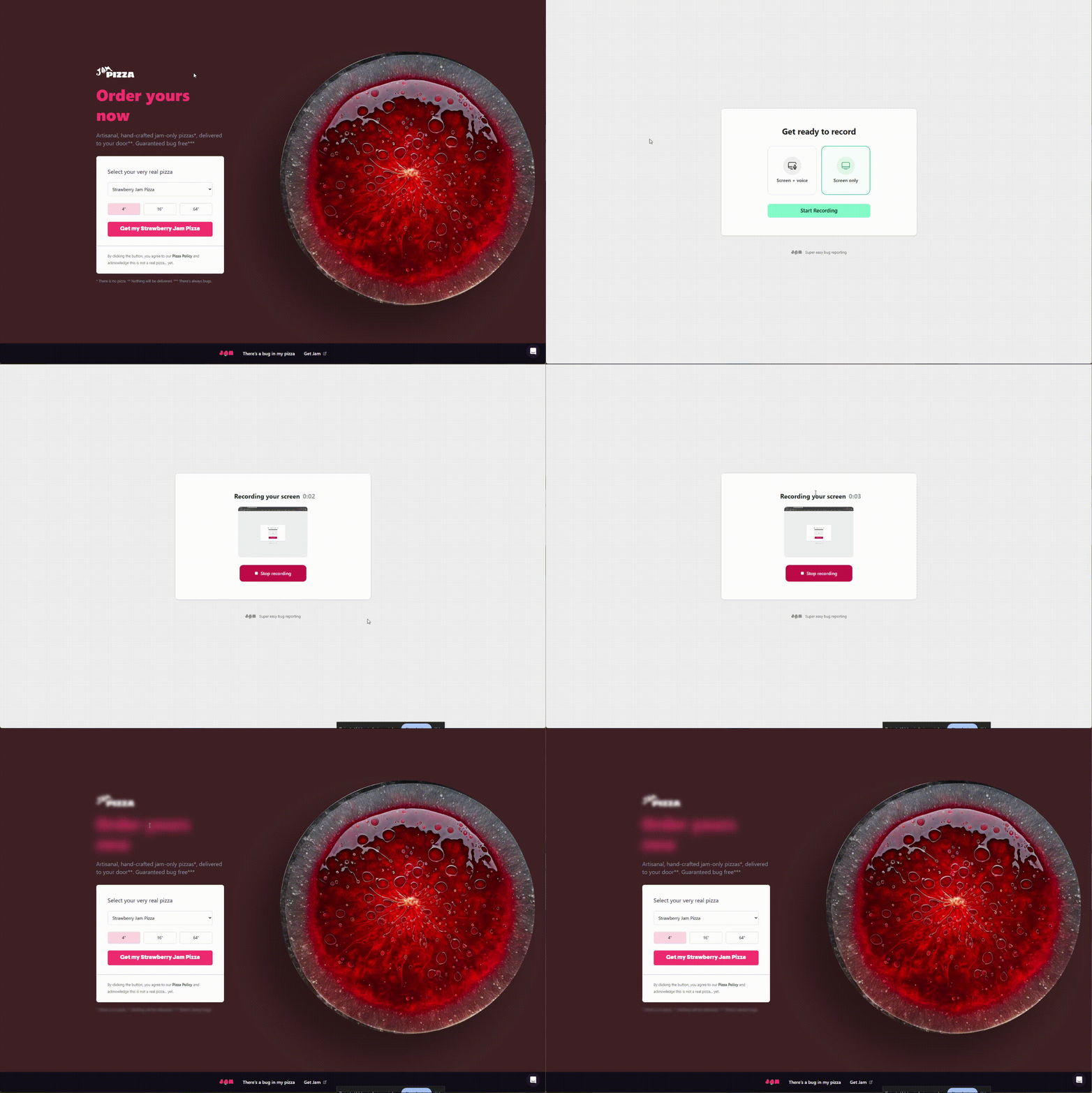
The Jam.js snippet automatically detects and blurs sensitive content during recording sessions. When a customer records their issue:
1. Sensitive elements are blurred in real time as they are recorded, and sensitive information is redacted from the console logs.
2. Only the blurred version is captured—sensitive data never reaches Jam's servers.
3. The final Jam shows blurred content exactly as the customer saw it during recording; the console logs will show \ instead of the sensitive data.
**What gets blurred:** only the elements you want
**Applies to:** Jams you request from your customers via Intercom or Recording Link
{% hint style="info" %}
By default, Jam recognizes the same privacy selectors used by popular tools like FullStory, Hotjar, LogRocket, Sentry, and others. If you're already using these tools, your existing privacy setup works automatically with Jam; if not, it's as easy as adding our selector, or providing us with your own.
{% endhint %}
***
## Setup
**Note:** Blurring is enabled by default once the snippet is installed.
{% hint style="warning" %}
**Blurred content is only supported on sites with verified Jam.js installations.**
Follow the [Recording Links setup guide](https://jam.dev/docs/jam-for-customer-support/send-recording-links-from-your-own-domain-and-collect-console-logs) \[5 mins] before proceeding.
{% endhint %}
### Quickstart
#### - Want to blur something?
Use Jam.js data attributes to opt in:
```
{ccNumber}
```
Or tell Jam.js about your privacy selectors:
```
```
Or if you're using the SDK:
```
jam.initialize({ blurSelectors: ".secret-stuff" });
```
#### - Want to unblur something?
Use Jam.js data attributes to opt out:
```
{ccNumber}
```
***
### What gets blurred automatically
Jam recognizes privacy selectors from popular session replay and analytics tools. If you already use any of these tools with privacy controls in place, those same elements will be automatically blurred in Jam recordings:
#### Standard selectors
* **Jam**: `[data-jam-blur]`
* **rrweb**: `.rr-block`, `.rr-mask`, `.rr-ignore`
* **Additional selectors:**
> **Standard HTML autocomplete attributes**
>
> * `autocomplete="cc-number"` - credit card numbers
> * `autocomplete="cc-exp"` - credit card expiration
> * `autocomplete="cc-csc"` - credit card security code
> * `autocomplete="tel"` - phone numbers
> * `autocomplete="email"` - email addresses
>
> **Common name/id patterns for sensitive fields:**
>
> **Social Security Numbers:**
>
> * `ssn`, `social-security`, `social_security_number`, `tax-id`
>
> **Bank Account:**
>
> * `account-number`, `account_number`, `routing-number`, `iban`, `swift`
>
> **Credit Cards:**
>
> * `card-number`, `cardnumber`, `cc-number`, `creditcard`
> * `cvv`, `cvc`, `security-code`, `card-code`
>
> **Photo IDs/Passports:**
>
> * `passport`, `passport-number`, `drivers-license`, `id-number`, `national-id`
>
> **Driver's License:**
>
> * `license-number`, `drivers-license`, `dl-number`
#### Session replay tools
* **FullStory**: `.fs-exclude`, `.fs-mask`, `.fs-block`, `.fs-unmask` (unblur)
* **Hotjar**: `.data-hj-suppress`, `.data-hj-masked`, `[data-hj-suppress]`, `[data-hj-masked]`
* **LogRocket**: `[data-private]`
* **Microsoft Clarity**: `[data-clarity-mask]`, `[data-clarity-unmask]` (unblur)
* **Sentry**: `.sentry-block`, `.sentry-mask`, `[data-sentry-block]`, `[data-sentry-mask]`
* **OpenReplay**: `[data-openreplay-obscured]`, `[data-openreplay-hidden]`
* **Highlight.io**: `.highlight-block`, `.highlight-mask`, `.highlight-ignore`
* **ContentSquare**: `[data-cs-mask]`, `[data-cs-encrypt]`, `[data-cs-capture]` (unblur)
* **Matomo**: `[data-matomo-mask]`
#### Analytics tools
* **Heap**: `[data-heap-redact-text]`, `[data-heap-redact-attributes]`, `[data-heap-ignore]`, `.heap-ignore`
* **Amplitude**: `[data-amp-mask]`, `[data-amp-unmask]`(unblur)
***
### Add custom selectors for your product
If you are using `@jam.dev/recording-links/sdk`: pass your custom selectors into `initialize(...)` using the `blurSelectors` key:
```
import * as jam from "@jam.dev/recording-links/sdk";
// `blurSelectors` can be a static string:
jam.initialize({ blurSelectors: ".my-custom-blur-class" });
// or an array of static strings
jam.initialize({ blurSelectors: [".blur-class-1", ".blur-class-2"] });
// or a runtime function that evaluates to either of the above
jam.initialize({
blurSelectors: () => `.my-${Math.ceil(Math.random() * 100)-blur-class`,
});
```
If you are using `