# Infera
> ## Documentation Index
---
# Source: https://docs.infera.org/about.md
> ## Documentation Index
> Fetch the complete documentation index at: https://docs.infera.org/llms.txt
> Use this file to discover all available pages before exploring further.
# About
## Introducing Infera
 **Infera** is building a decentralized network for LLM inference allowing developers API access to dozens of open source and custom fine tuned models.
In an era where AI is increasingly central to our digital lives, concerns have risen around the concentration of decision-making power within a few hands for the industry. An example of this is OpenAI and it’s closed decision making for their AI products.
Infera Network is dedicated to revolutionizing the field of artificial intelligence by promoting the decentralization of AI inference for LLMs. Our mission is to democratize access to cutting-edge AI technologies through the provision of cost-effective, open-source modes that are improved on via community and individual contributions to the Infera ecosystem.
Beginning with Large Language Models (LLMs), Infera Network is committed to constructing a more inclusive, equitable, and community-driven AI landscape. This will be achieved by nurturing and harnessing advanced technologies developed in-house, ensuring that our efforts pave the way for a future where AI not only serves but also empowers Infera Network’s global communities.
## Network Architecture
**Infera** is building a decentralized network for LLM inference allowing developers API access to dozens of open source and custom fine tuned models.
In an era where AI is increasingly central to our digital lives, concerns have risen around the concentration of decision-making power within a few hands for the industry. An example of this is OpenAI and it’s closed decision making for their AI products.
Infera Network is dedicated to revolutionizing the field of artificial intelligence by promoting the decentralization of AI inference for LLMs. Our mission is to democratize access to cutting-edge AI technologies through the provision of cost-effective, open-source modes that are improved on via community and individual contributions to the Infera ecosystem.
Beginning with Large Language Models (LLMs), Infera Network is committed to constructing a more inclusive, equitable, and community-driven AI landscape. This will be achieved by nurturing and harnessing advanced technologies developed in-house, ensuring that our efforts pave the way for a future where AI not only serves but also empowers Infera Network’s global communities.
## Network Architecture
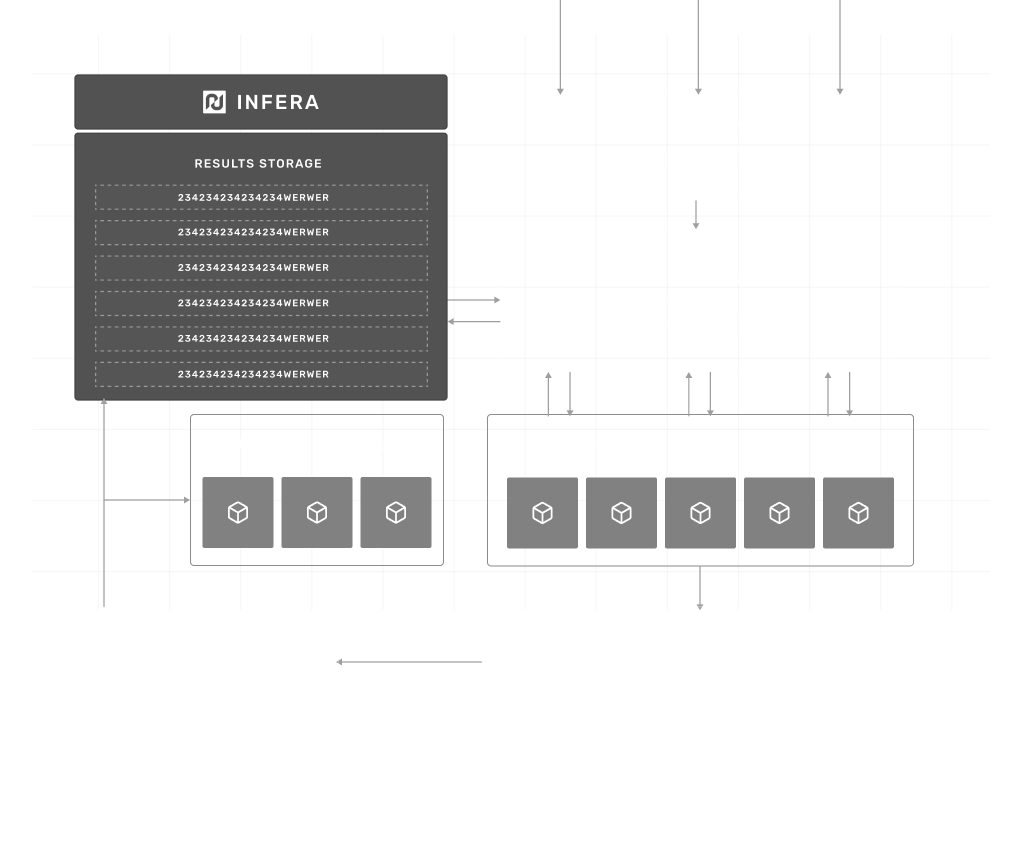 * **API Gateway** Acts as the entry point for all requests, directing them to the dynamic load balancer.
* **Flow Harmonizer** This component is responsible for routing requests to nodes based on the node reputation, hardware capabilities, and current load. It ensures the responses are returned efficiently to the API gateway.
* **Infera Nodes** These are individual nodes that perform the actual computational work. Each node’s performance and reliability are tracked, influencing their future-assigned tasks and ratings.
* **Verification Nodes** These nodes validate the computational output of other nodes, ensuring accuracy and preventing malicious behavior. Verification nodes report their findings to the database for caching.
* **Result Storage** It stores processed requests, verification outcomes, and logs taken from usage by each node.
* **Oracle** The oracle is responsible for passing data on-chain, such as payments and scores for nodes.
* **Staking Contract Nodes** commit stakes, ensuring reliability and integrity in their computation.
## Why Infera?
**Infera** offers a unique solution by leveraging the power of decentralized GPU resources to provide efficient AI inference. Here’s why Infera stands out:
* **Decentralized AI Power:** Tap into a network of worldwide GPUs, reducing reliance on centralized cloud services and fostering a more democratic AI infrastructure.
* **Earn Rewards:** By contributing your GPU power, you can earn rewards as you help fuel AI applications, making your idle resources work for you.
* **Cost-Efficient:** Infera harnesses existing GPU capacity, offering a more cost-effective and scalable option compared to traditional cloud-based solutions.
* **Enhanced Privacy:** With data processing distributed across multiple nodes, Infera ensures better data privacy and security for AI applications.
* **Scalable and Resilient:** As more nodes join the network, Infera becomes increasingly powerful, ensuring faster and more reliable AI inference for a variety of applications.
---
# Source: https://docs.infera.org/challenges.md
> ## Documentation Index
> Fetch the complete documentation index at: https://docs.infera.org/llms.txt
> Use this file to discover all available pages before exploring further.
# Challenges and Solutions
## Challenges
### AI Censorship
New models are developed in secret and most users has little or no influence in the ethics or the decisions powering the LLMs. With the current standard of centralized decision making with ai models, users have no impact on the development and direction of the model, but the model has a direct impact on users themselves.
1. **Limiting Freedom of Speech** \
The current regime of available LLMs are heavily censored within the industry. Infera Network aims to build an LLM for all to use and contribute to - without censorship.
2. **Manipulation of Information** \
Due to non-deterministic nature of LLMs they have been historically centralized for “safety” reasons.
3. **Impact on Innovation** \
By limiting the use cases of AI through censorship, we hold back innovation. Uncensored AI will push the world forward.
### GPU usage for AI inference
While the AI community is heavily focused on addressing challenges in data handling and model training, a significantly greater opportunity lies within the inference sector, potentially exceeding current focuses by an order of magnitude. The prevalent model of renting GPUs by the hour is not aligned with developers’ needs, who prefer a pay-per-use approach for querying existing open-source models. Our initiative introduces a groundbreaking open-source model, co-developed with the community, enabling us to offer decentralized nodes. This allows developers to access computational power for inference tasks beyond traditional data center constraints, substantially reducing costs.
Currently, the technology required to parallelize and train models across thousands of globally distributed GPUs is still under development. However, inference tasks, which form the backbone of real-world AI applications, usually require only a single GPU. Unlike training, inference processes do not benefit from, nor necessitate, multi-GPU setups; even in environments designed for parallel operations, inference tasks are typically handled by a singular core. This distinction underscores the efficiency and potential cost-effectiveness of our decentralized approach for inference, marking a pivotal advancement in making AI more accessible and economically viable for developers worldwide.
### Data Center GPU Cost
Nvidia H100 GPUs sell for \~\$40,000 USD which are specific to data centers.
Nvidia RTX 4090 GPUs sell for \~\$2,500 which can be used in the home.
The cost disparity in utilizing data centers for AI applications is profound, often exceeding a 10x difference. We recognize an immense opportunity in harnessing idle GPUs found within personal home computers. By tapping into this dormant resource, we can drastically lower the cost per inference for developers, unlocking a new realm of efficiency and affordability in AI development.
### It is not enough to just buy a GPU
While it's possible for individuals to run a model on their own, scaling this operation presents a significant challenge. At present, the primary means to surmount this barrier to entry involves leveraging GPUs housed within data centers and learning complex tech stacks in order to even start simple model inferencing.
## Solutions
### Community Aligned Development and Open-source models
For each model we develop, our approach begins with our user community, prioritizing their needs and working backwards from there. Our commitment is to operate transparently, ensuring that all decisions are made with community consensus and support. We endeavor to co-create new models alongside our token holders, ensuring that these innovations align with community standards and expectations.
### Decentralized nodes for inference
Decentralizing inference through networked GPUs offers a transformative approach akin to data center capabilities but without the associated costs. A single 4090 GPU, capable of handling multiple concurrent requests with rapid token streaming, exemplifies this potential. By interconnecting these powerful GPUs globally, we can establish a decentralized system for Large Language Model (LLM) inference that rivals traditional data center performance. This system leverages the untapped power of idle GPUs worldwide, offering data center-level infrastructure at a fraction of the cost.
Transitioning to a decentralized model is straightforward, relying on readily available tools and a clear methodology:
1. **Requests Allocation:** \
Infera will distribute requests from the mempool to ecosystem nodes in a randomized manner, ensuring each request is handled by at least three different nodes to foster redundancy and reliability.
2. **Output Verification:** \
Outputs from nodes will be assessed using a semantic similarity score to evaluate their accuracy. Outputs that surpass a specific threshold will be deemed verified, ensuring high-quality responses.
3. **Settlement and Response:** \
Verified responses will be conclusively recorded on the blockchain, with a randomly selected response sent back to the requester, completing the cycle of decentralized inference.
### Unlocking Latent GPU Supply
Leveraging the untapped potential of idle GPUs, we unlock new revenue opportunities for individuals who previously had no means to monetize their hardware. This initiative introduces a compelling revenue stream for GPU owners, enabling them to recoup some of their hardware investment costs.
As part of our strategic roadmap, Infera is set to release a downloadable node compatible with any GPU. This node is designed to intelligently utilize the GPU only during idle periods. For instance, Infera’s operations are paused while you engage in GPU-intensive activities, such as gaming. Conversely, when your computer is on but not in use—like during the night—Infera activates to perform AI inference tasks. This operation not only supports the network’s AI capabilities but also compensates the node operators with \$INFER tokens, seamlessly turning idle time into valuable assets.
Additionally, the plug and play aspect of Infera allows immediate usage of your hardware, without spending your own time to learn how to do so.
---
# Source: https://docs.infera.org/api-reference/endpoint/chat-completions.md
> ## Documentation Index
> Fetch the complete documentation index at: https://docs.infera.org/llms.txt
> Use this file to discover all available pages before exploring further.
# Chat Completions
## OpenAPI
````yaml post /chat/completions
openapi: 3.1.0
info:
title: FastAPI
version: 0.1.0
servers:
- url: https://api.infera.org/
description: Infera production servers
security: []
paths:
/chat/completions:
post:
summary: Chat Completions
operationId: chat_completions_chat_completions_post
requestBody:
content:
application/json:
schema:
$ref: '#/components/schemas/ChatCompletionsRequest'
required: true
responses:
'200':
description: Successful Response
content:
application/json:
schema: {}
'422':
description: Validation Error
content:
application/json:
schema:
$ref: '#/components/schemas/HTTPValidationError'
security:
- APIKeyHeader: []
components:
schemas:
ChatCompletionsRequest:
properties:
model:
type: string
title: Model
messages:
items:
$ref: '#/components/schemas/InputMessage'
type: array
title: Messages
max_tokens:
type: integer
title: Max Tokens
temperature:
type: number
title: Temperature
request_timeout_time:
anyOf:
- type: integer
- type: 'null'
title: Request Timeout Time
default: 240
type: object
required:
- model
- messages
- max_tokens
- temperature
title: ChatCompletionsRequest
HTTPValidationError:
properties:
detail:
items:
$ref: '#/components/schemas/ValidationError'
type: array
title: Detail
type: object
title: HTTPValidationError
InputMessage:
properties:
role:
type: string
title: Role
content:
type: string
title: Content
type: object
required:
- role
- content
title: InputMessage
ValidationError:
properties:
loc:
items:
anyOf:
- type: string
- type: integer
type: array
title: Location
msg:
type: string
title: Message
type:
type: string
title: Error Type
type: object
required:
- loc
- msg
- type
title: ValidationError
securitySchemes:
APIKeyHeader:
type: apiKey
in: header
name: api_key
````
---
# Source: https://docs.infera.org/api-reference/endpoint/check-node.md
> ## Documentation Index
> Fetch the complete documentation index at: https://docs.infera.org/llms.txt
> Use this file to discover all available pages before exploring further.
# Check Node
## OpenAPI
````yaml post /check_node_secret
openapi: 3.1.0
info:
title: FastAPI
version: 0.1.0
servers:
- url: https://api.infera.org/
description: Infera production servers
security: []
paths:
/check_node_secret:
post:
summary: Check Node
operationId: check_node_check_node_secret_post
requestBody:
content:
application/json:
schema:
$ref: '#/components/schemas/NodeSecretRequest'
required: true
responses:
'200':
description: Successful Response
content:
application/json:
schema: {}
'422':
description: Validation Error
content:
application/json:
schema:
$ref: '#/components/schemas/HTTPValidationError'
components:
schemas:
NodeSecretRequest:
properties:
node_id:
type: string
title: Node Id
secret:
type: string
title: Secret
type: object
required:
- node_id
- secret
title: NodeSecretRequest
HTTPValidationError:
properties:
detail:
items:
$ref: '#/components/schemas/ValidationError'
type: array
title: Detail
type: object
title: HTTPValidationError
ValidationError:
properties:
loc:
items:
anyOf:
- type: string
- type: integer
type: array
title: Location
msg:
type: string
title: Message
type:
type: string
title: Error Type
type: object
required:
- loc
- msg
- type
title: ValidationError
````
---
# Source: https://docs.infera.org/api-reference/endpoint/daily-points-ep.md
> ## Documentation Index
> Fetch the complete documentation index at: https://docs.infera.org/llms.txt
> Use this file to discover all available pages before exploring further.
# Daily Points Ep
> Endpoint to fetch daily points for a specific node by making a request to the storage service.
:param request: Request payload containing node_name and last_days.
:return: List of daily points for the specified node fetched from the storage service.
## OpenAPI
````yaml post /daily_points
openapi: 3.1.0
info:
title: FastAPI
version: 0.1.0
servers:
- url: https://api.infera.org/
description: Infera production servers
security: []
paths:
/daily_points:
post:
summary: Daily Points Ep
description: >-
Endpoint to fetch daily points for a specific node by making a request
to the storage service.
:param request: Request payload containing node_name and last_days.
:return: List of daily points for the specified node fetched from the
storage service.
operationId: daily_points_ep_daily_points_post
requestBody:
content:
application/json:
schema:
$ref: '#/components/schemas/DailyPointsRequest'
required: true
responses:
'200':
description: Successful Response
content:
application/json:
schema:
items:
$ref: '#/components/schemas/DailyPoints'
type: array
title: Response Daily Points Ep Daily Points Post
'422':
description: Validation Error
content:
application/json:
schema:
$ref: '#/components/schemas/HTTPValidationError'
security:
- APIKeyHeader: []
components:
schemas:
DailyPointsRequest:
properties:
node_name:
type: string
title: Node Name
last_days:
type: integer
title: Last Days
type: object
required:
- node_name
- last_days
title: DailyPointsRequest
DailyPoints:
properties:
date:
title: Date
points:
type: number
title: Points
type: object
required:
- date
- points
title: DailyPoints
HTTPValidationError:
properties:
detail:
items:
$ref: '#/components/schemas/ValidationError'
type: array
title: Detail
type: object
title: HTTPValidationError
ValidationError:
properties:
loc:
items:
anyOf:
- type: string
- type: integer
type: array
title: Location
msg:
type: string
title: Message
type:
type: string
title: Error Type
type: object
required:
- loc
- msg
- type
title: ValidationError
securitySchemes:
APIKeyHeader:
type: apiKey
in: header
name: api_key
````
---
# Source: https://docs.infera.org/node/docker-setup.md
> ## Documentation Index
> Fetch the complete documentation index at: https://docs.infera.org/llms.txt
> Use this file to discover all available pages before exploring further.
# Docker Setup
> How to setup up and run an Infera Node inside of a Docker container.
## Prerequisites
You **MUST** have a **GPU** to run an **Infera Node**.
Minimum requirements for the node are 16GB RAM and 8GB VRAM. A node will run with less RAM, but will get significantly less or no jobs.
## Read the following guide
To learn how to install Infera in a docker container, read the following in-depth [guide](https://medium.com/@alex_85908/infera-node-docker-installation-guide-9b177917d7a9).
---
# Source: https://docs.infera.org/api-reference/endpoint/get-active-node-count.md
> ## Documentation Index
> Fetch the complete documentation index at: https://docs.infera.org/llms.txt
> Use this file to discover all available pages before exploring further.
# Get Active Node Count
## OpenAPI
````yaml get /active_node_count
openapi: 3.1.0
info:
title: FastAPI
version: 0.1.0
servers:
- url: https://api.infera.org/
description: Infera production servers
security: []
paths:
/active_node_count:
get:
summary: Get Active Node Count
operationId: get_active_node_count_active_node_count_get
responses:
'200':
description: Successful Response
content:
application/json:
schema: {}
security:
- APIKeyHeader: []
components:
securitySchemes:
APIKeyHeader:
type: apiKey
in: header
name: api_key
````
---
# Source: https://docs.infera.org/api-reference/endpoint/get-available-models.md
> ## Documentation Index
> Fetch the complete documentation index at: https://docs.infera.org/llms.txt
> Use this file to discover all available pages before exploring further.
# Get Available Models
## OpenAPI
````yaml get /available_models
openapi: 3.1.0
info:
title: FastAPI
version: 0.1.0
servers:
- url: https://api.infera.org/
description: Infera production servers
security: []
paths:
/available_models:
get:
summary: Get Available Models
operationId: get_available_models_available_models_get
responses:
'200':
description: Successful Response
content:
application/json:
schema: {}
security:
- APIKeyHeader: []
components:
securitySchemes:
APIKeyHeader:
type: apiKey
in: header
name: api_key
````
---
# Source: https://docs.infera.org/api-reference/endpoint/get-completion-time.md
> ## Documentation Index
> Fetch the complete documentation index at: https://docs.infera.org/llms.txt
> Use this file to discover all available pages before exploring further.
# Get Completion Time
## OpenAPI
````yaml get /get_completion_time/{job_id}
openapi: 3.1.0
info:
title: FastAPI
version: 0.1.0
servers:
- url: https://api.infera.org/
description: Infera production servers
security: []
paths:
/get_completion_time/{job_id}:
get:
summary: Get Completion Time
operationId: get_completion_time_get_completion_time__job_id__get
parameters:
- name: job_id
in: path
required: true
schema:
type: string
format: uuid4
title: Job Id
responses:
'200':
description: Successful Response
content:
application/json:
schema: {}
'422':
description: Validation Error
content:
application/json:
schema:
$ref: '#/components/schemas/HTTPValidationError'
security:
- APIKeyHeader: []
components:
schemas:
HTTPValidationError:
properties:
detail:
items:
$ref: '#/components/schemas/ValidationError'
type: array
title: Detail
type: object
title: HTTPValidationError
ValidationError:
properties:
loc:
items:
anyOf:
- type: string
- type: integer
type: array
title: Location
msg:
type: string
title: Message
type:
type: string
title: Error Type
type: object
required:
- loc
- msg
- type
title: ValidationError
securitySchemes:
APIKeyHeader:
type: apiKey
in: header
name: api_key
````
---
# Source: https://docs.infera.org/api-reference/endpoint/get-job.md
> ## Documentation Index
> Fetch the complete documentation index at: https://docs.infera.org/llms.txt
> Use this file to discover all available pages before exploring further.
# Get Job
## OpenAPI
````yaml get /worker/get_job
openapi: 3.1.0
info:
title: FastAPI
version: 0.1.0
servers:
- url: https://api.infera.org/
description: Infera production servers
security: []
paths:
/worker/get_job:
get:
summary: Get Job
operationId: get_job_worker_get_job_get
responses:
'200':
description: Successful Response
content:
application/json:
schema: {}
````
---
# Source: https://docs.infera.org/api-reference/endpoint/get-node-job-count.md
> ## Documentation Index
> Fetch the complete documentation index at: https://docs.infera.org/llms.txt
> Use this file to discover all available pages before exploring further.
# Get Node Job Count
## OpenAPI
````yaml get /node_job_count
openapi: 3.1.0
info:
title: FastAPI
version: 0.1.0
servers:
- url: https://api.infera.org/
description: Infera production servers
security: []
paths:
/node_job_count:
get:
summary: Get Node Job Count
operationId: get_node_job_count_node_job_count_get
parameters:
- name: node_name
in: query
required: true
schema:
type: string
title: Node Name
responses:
'200':
description: Successful Response
content:
application/json:
schema: {}
'422':
description: Validation Error
content:
application/json:
schema:
$ref: '#/components/schemas/HTTPValidationError'
components:
schemas:
HTTPValidationError:
properties:
detail:
items:
$ref: '#/components/schemas/ValidationError'
type: array
title: Detail
type: object
title: HTTPValidationError
ValidationError:
properties:
loc:
items:
anyOf:
- type: string
- type: integer
type: array
title: Location
msg:
type: string
title: Message
type:
type: string
title: Error Type
type: object
required:
- loc
- msg
- type
title: ValidationError
````
---
# Source: https://docs.infera.org/api-reference/endpoint/get-node-job-history.md
> ## Documentation Index
> Fetch the complete documentation index at: https://docs.infera.org/llms.txt
> Use this file to discover all available pages before exploring further.
# Get Node Job History
## OpenAPI
````yaml post /node_job_history
openapi: 3.1.0
info:
title: FastAPI
version: 0.1.0
servers:
- url: https://api.infera.org/
description: Infera production servers
security: []
paths:
/node_job_history:
post:
summary: Get Node Job History
operationId: get_node_job_history_node_job_history_post
requestBody:
content:
application/json:
schema:
$ref: '#/components/schemas/NodeRegistration'
required: true
responses:
'200':
description: Successful Response
content:
application/json:
schema: {}
'422':
description: Validation Error
content:
application/json:
schema:
$ref: '#/components/schemas/HTTPValidationError'
security:
- APIKeyHeader: []
components:
schemas:
NodeRegistration:
properties:
node_url:
type: string
title: Node Url
node_version:
anyOf:
- type: string
- type: 'null'
title: Node Version
type: object
required:
- node_url
title: NodeRegistration
HTTPValidationError:
properties:
detail:
items:
$ref: '#/components/schemas/ValidationError'
type: array
title: Detail
type: object
title: HTTPValidationError
ValidationError:
properties:
loc:
items:
anyOf:
- type: string
- type: integer
type: array
title: Location
msg:
type: string
title: Message
type:
type: string
title: Error Type
type: object
required:
- loc
- msg
- type
title: ValidationError
securitySchemes:
APIKeyHeader:
type: apiKey
in: header
name: api_key
````
---
# Source: https://docs.infera.org/api-reference/endpoint/get-points.md
> ## Documentation Index
> Fetch the complete documentation index at: https://docs.infera.org/llms.txt
> Use this file to discover all available pages before exploring further.
# Get Points
## OpenAPI
````yaml get /get_points
openapi: 3.1.0
info:
title: FastAPI
version: 0.1.0
servers:
- url: https://api.infera.org/
description: Infera production servers
security: []
paths:
/get_points:
get:
summary: Get Points
operationId: get_points_get_points_get
parameters:
- name: node_name
in: query
required: true
schema:
type: string
title: Node Name
responses:
'200':
description: Successful Response
content:
application/json:
schema: {}
'422':
description: Validation Error
content:
application/json:
schema:
$ref: '#/components/schemas/HTTPValidationError'
components:
schemas:
HTTPValidationError:
properties:
detail:
items:
$ref: '#/components/schemas/ValidationError'
type: array
title: Detail
type: object
title: HTTPValidationError
ValidationError:
properties:
loc:
items:
anyOf:
- type: string
- type: integer
type: array
title: Location
msg:
type: string
title: Message
type:
type: string
title: Error Type
type: object
required:
- loc
- msg
- type
title: ValidationError
````
---
# Source: https://docs.infera.org/api-reference/endpoint/get-result.md
> ## Documentation Index
> Fetch the complete documentation index at: https://docs.infera.org/llms.txt
> Use this file to discover all available pages before exploring further.
# Get Result
## OpenAPI
````yaml get /get_result/{job_id}
openapi: 3.1.0
info:
title: FastAPI
version: 0.1.0
servers:
- url: https://api.infera.org/
description: Infera production servers
security: []
paths:
/get_result/{job_id}:
get:
summary: Get Result
operationId: get_result_get_result__job_id__get
parameters:
- name: job_id
in: path
required: true
schema:
type: string
format: uuid4
title: Job Id
responses:
'200':
description: Successful Response
content:
application/json:
schema: {}
'422':
description: Validation Error
content:
application/json:
schema:
$ref: '#/components/schemas/HTTPValidationError'
security:
- APIKeyHeader: []
components:
schemas:
HTTPValidationError:
properties:
detail:
items:
$ref: '#/components/schemas/ValidationError'
type: array
title: Detail
type: object
title: HTTPValidationError
ValidationError:
properties:
loc:
items:
anyOf:
- type: string
- type: integer
type: array
title: Location
msg:
type: string
title: Message
type:
type: string
title: Error Type
type: object
required:
- loc
- msg
- type
title: ValidationError
securitySchemes:
APIKeyHeader:
type: apiKey
in: header
name: api_key
````
---
# Source: https://docs.infera.org/api-reference/endpoint/get-total-job-count.md
> ## Documentation Index
> Fetch the complete documentation index at: https://docs.infera.org/llms.txt
> Use this file to discover all available pages before exploring further.
# Get Total Job Count
## OpenAPI
````yaml get /total_job_count
openapi: 3.1.0
info:
title: FastAPI
version: 0.1.0
servers:
- url: https://api.infera.org/
description: Infera production servers
security: []
paths:
/total_job_count:
get:
summary: Get Total Job Count
operationId: get_total_job_count_total_job_count_get
responses:
'200':
description: Successful Response
content:
application/json:
schema: {}
security:
- APIKeyHeader: []
components:
securitySchemes:
APIKeyHeader:
type: apiKey
in: header
name: api_key
````
---
# Source: https://docs.infera.org/api-reference/endpoint/get-unique-nodes.md
> ## Documentation Index
> Fetch the complete documentation index at: https://docs.infera.org/llms.txt
> Use this file to discover all available pages before exploring further.
# Get Unique Nodes
## OpenAPI
````yaml get /unique_nodes
openapi: 3.1.0
info:
title: FastAPI
version: 0.1.0
servers:
- url: https://api.infera.org/
description: Infera production servers
security: []
paths:
/unique_nodes:
get:
summary: Get Unique Nodes
operationId: get_unique_nodes_unique_nodes_get
parameters:
- name: model_name
in: query
required: true
schema:
type: string
title: Model Name
- name: start_date
in: query
required: false
schema:
anyOf:
- type: string
format: date-time
- type: 'null'
description: Start date for the range (ISO format)
title: Start Date
description: Start date for the range (ISO format)
- name: end_date
in: query
required: false
schema:
anyOf:
- type: string
format: date-time
- type: 'null'
description: End date for the range (ISO format)
title: End Date
description: End date for the range (ISO format)
responses:
'200':
description: Successful Response
content:
application/json:
schema: {}
'422':
description: Validation Error
content:
application/json:
schema:
$ref: '#/components/schemas/HTTPValidationError'
components:
schemas:
HTTPValidationError:
properties:
detail:
items:
$ref: '#/components/schemas/ValidationError'
type: array
title: Detail
type: object
title: HTTPValidationError
ValidationError:
properties:
loc:
items:
anyOf:
- type: string
- type: integer
type: array
title: Location
msg:
type: string
title: Message
type:
type: string
title: Error Type
type: object
required:
- loc
- msg
- type
title: ValidationError
````
---
# Source: https://docs.infera.org/node/hardware-requirements.md
> ## Documentation Index
> Fetch the complete documentation index at: https://docs.infera.org/llms.txt
> Use this file to discover all available pages before exploring further.
# Hardware Requirements
Infera supports many different hardware configurations across the Mac, Windows and Linux operating systems, but it still has certain prerequisite requirements inorder for your node to get jobs. This keeps the network healthy and job completion time low.
Your system must have a supported GPU and proper drivers installed for that GPU in order to function correctly and recieve jobs.
### Minimum System Requirements
* 16GB of RAM
* 3GB of free disk space for the base model (up to 40GB total space of all supported models)
* Reliable 10MB/s network bandwidth
* **Supported GPU** (see below)
### Supported GPUs
To run an **Infera Node** your system **MUST** have one of the following:
* Any Apple M chip (M1, M2, M3, M4)
* Any NVIDIA GPU with **at least** than 8GB of dedicated VRAM
* Any AMD GPU with **at least** than 8GB of dedicated VRAM
---
# Source: https://docs.infera.org/node/infera-lite.md
> ## Documentation Index
> Fetch the complete documentation index at: https://docs.infera.org/llms.txt
> Use this file to discover all available pages before exploring further.
# Infera Lite
> Infera Lite is an easy-to-use chrome extension UI that connects users to a decentralized AI inference network, allowing them to contribute their GPU for AI model inference.
The Infera Lite extension is used to monitor and manage your [Infera Node](/node/cli/macos). This guide shows you how to install and how to use the Infera Lite extension.
If you have already installed the extension, you can learn how to use it by reading the [Managing Your Node](/node/managing-node) guide.
## Download Infera Lite
1. Open the Chrome Browser (if you do not have Chrome installed, download it [here](https://www.google.com/intl/en_ca/chrome/))
2. Go to the [Infera Lite](https://chromewebstore.google.com/detail/infera-lite/ffoccnmddajjohmmkccnkobelobgcdmp) extension on the Chrome Web Store.
3. Click **"Add to your Chrome"** to install the extension in your browser.
***
## Onboarding Extension
After your install the extension, onboarding pages will pop up. These onboarding instructions are for installing the programs required to run an Infera Node.
If you have already installed the **Infera Node** on your device, you can skip through these steps without completing any of the tasks
**Getting started**
* **API Gateway** Acts as the entry point for all requests, directing them to the dynamic load balancer.
* **Flow Harmonizer** This component is responsible for routing requests to nodes based on the node reputation, hardware capabilities, and current load. It ensures the responses are returned efficiently to the API gateway.
* **Infera Nodes** These are individual nodes that perform the actual computational work. Each node’s performance and reliability are tracked, influencing their future-assigned tasks and ratings.
* **Verification Nodes** These nodes validate the computational output of other nodes, ensuring accuracy and preventing malicious behavior. Verification nodes report their findings to the database for caching.
* **Result Storage** It stores processed requests, verification outcomes, and logs taken from usage by each node.
* **Oracle** The oracle is responsible for passing data on-chain, such as payments and scores for nodes.
* **Staking Contract Nodes** commit stakes, ensuring reliability and integrity in their computation.
## Why Infera?
**Infera** offers a unique solution by leveraging the power of decentralized GPU resources to provide efficient AI inference. Here’s why Infera stands out:
* **Decentralized AI Power:** Tap into a network of worldwide GPUs, reducing reliance on centralized cloud services and fostering a more democratic AI infrastructure.
* **Earn Rewards:** By contributing your GPU power, you can earn rewards as you help fuel AI applications, making your idle resources work for you.
* **Cost-Efficient:** Infera harnesses existing GPU capacity, offering a more cost-effective and scalable option compared to traditional cloud-based solutions.
* **Enhanced Privacy:** With data processing distributed across multiple nodes, Infera ensures better data privacy and security for AI applications.
* **Scalable and Resilient:** As more nodes join the network, Infera becomes increasingly powerful, ensuring faster and more reliable AI inference for a variety of applications.
---
# Source: https://docs.infera.org/challenges.md
> ## Documentation Index
> Fetch the complete documentation index at: https://docs.infera.org/llms.txt
> Use this file to discover all available pages before exploring further.
# Challenges and Solutions
## Challenges
### AI Censorship
New models are developed in secret and most users has little or no influence in the ethics or the decisions powering the LLMs. With the current standard of centralized decision making with ai models, users have no impact on the development and direction of the model, but the model has a direct impact on users themselves.
1. **Limiting Freedom of Speech** \
The current regime of available LLMs are heavily censored within the industry. Infera Network aims to build an LLM for all to use and contribute to - without censorship.
2. **Manipulation of Information** \
Due to non-deterministic nature of LLMs they have been historically centralized for “safety” reasons.
3. **Impact on Innovation** \
By limiting the use cases of AI through censorship, we hold back innovation. Uncensored AI will push the world forward.
### GPU usage for AI inference
While the AI community is heavily focused on addressing challenges in data handling and model training, a significantly greater opportunity lies within the inference sector, potentially exceeding current focuses by an order of magnitude. The prevalent model of renting GPUs by the hour is not aligned with developers’ needs, who prefer a pay-per-use approach for querying existing open-source models. Our initiative introduces a groundbreaking open-source model, co-developed with the community, enabling us to offer decentralized nodes. This allows developers to access computational power for inference tasks beyond traditional data center constraints, substantially reducing costs.
Currently, the technology required to parallelize and train models across thousands of globally distributed GPUs is still under development. However, inference tasks, which form the backbone of real-world AI applications, usually require only a single GPU. Unlike training, inference processes do not benefit from, nor necessitate, multi-GPU setups; even in environments designed for parallel operations, inference tasks are typically handled by a singular core. This distinction underscores the efficiency and potential cost-effectiveness of our decentralized approach for inference, marking a pivotal advancement in making AI more accessible and economically viable for developers worldwide.
### Data Center GPU Cost
Nvidia H100 GPUs sell for \~\$40,000 USD which are specific to data centers.
Nvidia RTX 4090 GPUs sell for \~\$2,500 which can be used in the home.
The cost disparity in utilizing data centers for AI applications is profound, often exceeding a 10x difference. We recognize an immense opportunity in harnessing idle GPUs found within personal home computers. By tapping into this dormant resource, we can drastically lower the cost per inference for developers, unlocking a new realm of efficiency and affordability in AI development.
### It is not enough to just buy a GPU
While it's possible for individuals to run a model on their own, scaling this operation presents a significant challenge. At present, the primary means to surmount this barrier to entry involves leveraging GPUs housed within data centers and learning complex tech stacks in order to even start simple model inferencing.
## Solutions
### Community Aligned Development and Open-source models
For each model we develop, our approach begins with our user community, prioritizing their needs and working backwards from there. Our commitment is to operate transparently, ensuring that all decisions are made with community consensus and support. We endeavor to co-create new models alongside our token holders, ensuring that these innovations align with community standards and expectations.
### Decentralized nodes for inference
Decentralizing inference through networked GPUs offers a transformative approach akin to data center capabilities but without the associated costs. A single 4090 GPU, capable of handling multiple concurrent requests with rapid token streaming, exemplifies this potential. By interconnecting these powerful GPUs globally, we can establish a decentralized system for Large Language Model (LLM) inference that rivals traditional data center performance. This system leverages the untapped power of idle GPUs worldwide, offering data center-level infrastructure at a fraction of the cost.
Transitioning to a decentralized model is straightforward, relying on readily available tools and a clear methodology:
1. **Requests Allocation:** \
Infera will distribute requests from the mempool to ecosystem nodes in a randomized manner, ensuring each request is handled by at least three different nodes to foster redundancy and reliability.
2. **Output Verification:** \
Outputs from nodes will be assessed using a semantic similarity score to evaluate their accuracy. Outputs that surpass a specific threshold will be deemed verified, ensuring high-quality responses.
3. **Settlement and Response:** \
Verified responses will be conclusively recorded on the blockchain, with a randomly selected response sent back to the requester, completing the cycle of decentralized inference.
### Unlocking Latent GPU Supply
Leveraging the untapped potential of idle GPUs, we unlock new revenue opportunities for individuals who previously had no means to monetize their hardware. This initiative introduces a compelling revenue stream for GPU owners, enabling them to recoup some of their hardware investment costs.
As part of our strategic roadmap, Infera is set to release a downloadable node compatible with any GPU. This node is designed to intelligently utilize the GPU only during idle periods. For instance, Infera’s operations are paused while you engage in GPU-intensive activities, such as gaming. Conversely, when your computer is on but not in use—like during the night—Infera activates to perform AI inference tasks. This operation not only supports the network’s AI capabilities but also compensates the node operators with \$INFER tokens, seamlessly turning idle time into valuable assets.
Additionally, the plug and play aspect of Infera allows immediate usage of your hardware, without spending your own time to learn how to do so.
---
# Source: https://docs.infera.org/api-reference/endpoint/chat-completions.md
> ## Documentation Index
> Fetch the complete documentation index at: https://docs.infera.org/llms.txt
> Use this file to discover all available pages before exploring further.
# Chat Completions
## OpenAPI
````yaml post /chat/completions
openapi: 3.1.0
info:
title: FastAPI
version: 0.1.0
servers:
- url: https://api.infera.org/
description: Infera production servers
security: []
paths:
/chat/completions:
post:
summary: Chat Completions
operationId: chat_completions_chat_completions_post
requestBody:
content:
application/json:
schema:
$ref: '#/components/schemas/ChatCompletionsRequest'
required: true
responses:
'200':
description: Successful Response
content:
application/json:
schema: {}
'422':
description: Validation Error
content:
application/json:
schema:
$ref: '#/components/schemas/HTTPValidationError'
security:
- APIKeyHeader: []
components:
schemas:
ChatCompletionsRequest:
properties:
model:
type: string
title: Model
messages:
items:
$ref: '#/components/schemas/InputMessage'
type: array
title: Messages
max_tokens:
type: integer
title: Max Tokens
temperature:
type: number
title: Temperature
request_timeout_time:
anyOf:
- type: integer
- type: 'null'
title: Request Timeout Time
default: 240
type: object
required:
- model
- messages
- max_tokens
- temperature
title: ChatCompletionsRequest
HTTPValidationError:
properties:
detail:
items:
$ref: '#/components/schemas/ValidationError'
type: array
title: Detail
type: object
title: HTTPValidationError
InputMessage:
properties:
role:
type: string
title: Role
content:
type: string
title: Content
type: object
required:
- role
- content
title: InputMessage
ValidationError:
properties:
loc:
items:
anyOf:
- type: string
- type: integer
type: array
title: Location
msg:
type: string
title: Message
type:
type: string
title: Error Type
type: object
required:
- loc
- msg
- type
title: ValidationError
securitySchemes:
APIKeyHeader:
type: apiKey
in: header
name: api_key
````
---
# Source: https://docs.infera.org/api-reference/endpoint/check-node.md
> ## Documentation Index
> Fetch the complete documentation index at: https://docs.infera.org/llms.txt
> Use this file to discover all available pages before exploring further.
# Check Node
## OpenAPI
````yaml post /check_node_secret
openapi: 3.1.0
info:
title: FastAPI
version: 0.1.0
servers:
- url: https://api.infera.org/
description: Infera production servers
security: []
paths:
/check_node_secret:
post:
summary: Check Node
operationId: check_node_check_node_secret_post
requestBody:
content:
application/json:
schema:
$ref: '#/components/schemas/NodeSecretRequest'
required: true
responses:
'200':
description: Successful Response
content:
application/json:
schema: {}
'422':
description: Validation Error
content:
application/json:
schema:
$ref: '#/components/schemas/HTTPValidationError'
components:
schemas:
NodeSecretRequest:
properties:
node_id:
type: string
title: Node Id
secret:
type: string
title: Secret
type: object
required:
- node_id
- secret
title: NodeSecretRequest
HTTPValidationError:
properties:
detail:
items:
$ref: '#/components/schemas/ValidationError'
type: array
title: Detail
type: object
title: HTTPValidationError
ValidationError:
properties:
loc:
items:
anyOf:
- type: string
- type: integer
type: array
title: Location
msg:
type: string
title: Message
type:
type: string
title: Error Type
type: object
required:
- loc
- msg
- type
title: ValidationError
````
---
# Source: https://docs.infera.org/api-reference/endpoint/daily-points-ep.md
> ## Documentation Index
> Fetch the complete documentation index at: https://docs.infera.org/llms.txt
> Use this file to discover all available pages before exploring further.
# Daily Points Ep
> Endpoint to fetch daily points for a specific node by making a request to the storage service.
:param request: Request payload containing node_name and last_days.
:return: List of daily points for the specified node fetched from the storage service.
## OpenAPI
````yaml post /daily_points
openapi: 3.1.0
info:
title: FastAPI
version: 0.1.0
servers:
- url: https://api.infera.org/
description: Infera production servers
security: []
paths:
/daily_points:
post:
summary: Daily Points Ep
description: >-
Endpoint to fetch daily points for a specific node by making a request
to the storage service.
:param request: Request payload containing node_name and last_days.
:return: List of daily points for the specified node fetched from the
storage service.
operationId: daily_points_ep_daily_points_post
requestBody:
content:
application/json:
schema:
$ref: '#/components/schemas/DailyPointsRequest'
required: true
responses:
'200':
description: Successful Response
content:
application/json:
schema:
items:
$ref: '#/components/schemas/DailyPoints'
type: array
title: Response Daily Points Ep Daily Points Post
'422':
description: Validation Error
content:
application/json:
schema:
$ref: '#/components/schemas/HTTPValidationError'
security:
- APIKeyHeader: []
components:
schemas:
DailyPointsRequest:
properties:
node_name:
type: string
title: Node Name
last_days:
type: integer
title: Last Days
type: object
required:
- node_name
- last_days
title: DailyPointsRequest
DailyPoints:
properties:
date:
title: Date
points:
type: number
title: Points
type: object
required:
- date
- points
title: DailyPoints
HTTPValidationError:
properties:
detail:
items:
$ref: '#/components/schemas/ValidationError'
type: array
title: Detail
type: object
title: HTTPValidationError
ValidationError:
properties:
loc:
items:
anyOf:
- type: string
- type: integer
type: array
title: Location
msg:
type: string
title: Message
type:
type: string
title: Error Type
type: object
required:
- loc
- msg
- type
title: ValidationError
securitySchemes:
APIKeyHeader:
type: apiKey
in: header
name: api_key
````
---
# Source: https://docs.infera.org/node/docker-setup.md
> ## Documentation Index
> Fetch the complete documentation index at: https://docs.infera.org/llms.txt
> Use this file to discover all available pages before exploring further.
# Docker Setup
> How to setup up and run an Infera Node inside of a Docker container.
## Prerequisites
You **MUST** have a **GPU** to run an **Infera Node**.
Minimum requirements for the node are 16GB RAM and 8GB VRAM. A node will run with less RAM, but will get significantly less or no jobs.
## Read the following guide
To learn how to install Infera in a docker container, read the following in-depth [guide](https://medium.com/@alex_85908/infera-node-docker-installation-guide-9b177917d7a9).
---
# Source: https://docs.infera.org/api-reference/endpoint/get-active-node-count.md
> ## Documentation Index
> Fetch the complete documentation index at: https://docs.infera.org/llms.txt
> Use this file to discover all available pages before exploring further.
# Get Active Node Count
## OpenAPI
````yaml get /active_node_count
openapi: 3.1.0
info:
title: FastAPI
version: 0.1.0
servers:
- url: https://api.infera.org/
description: Infera production servers
security: []
paths:
/active_node_count:
get:
summary: Get Active Node Count
operationId: get_active_node_count_active_node_count_get
responses:
'200':
description: Successful Response
content:
application/json:
schema: {}
security:
- APIKeyHeader: []
components:
securitySchemes:
APIKeyHeader:
type: apiKey
in: header
name: api_key
````
---
# Source: https://docs.infera.org/api-reference/endpoint/get-available-models.md
> ## Documentation Index
> Fetch the complete documentation index at: https://docs.infera.org/llms.txt
> Use this file to discover all available pages before exploring further.
# Get Available Models
## OpenAPI
````yaml get /available_models
openapi: 3.1.0
info:
title: FastAPI
version: 0.1.0
servers:
- url: https://api.infera.org/
description: Infera production servers
security: []
paths:
/available_models:
get:
summary: Get Available Models
operationId: get_available_models_available_models_get
responses:
'200':
description: Successful Response
content:
application/json:
schema: {}
security:
- APIKeyHeader: []
components:
securitySchemes:
APIKeyHeader:
type: apiKey
in: header
name: api_key
````
---
# Source: https://docs.infera.org/api-reference/endpoint/get-completion-time.md
> ## Documentation Index
> Fetch the complete documentation index at: https://docs.infera.org/llms.txt
> Use this file to discover all available pages before exploring further.
# Get Completion Time
## OpenAPI
````yaml get /get_completion_time/{job_id}
openapi: 3.1.0
info:
title: FastAPI
version: 0.1.0
servers:
- url: https://api.infera.org/
description: Infera production servers
security: []
paths:
/get_completion_time/{job_id}:
get:
summary: Get Completion Time
operationId: get_completion_time_get_completion_time__job_id__get
parameters:
- name: job_id
in: path
required: true
schema:
type: string
format: uuid4
title: Job Id
responses:
'200':
description: Successful Response
content:
application/json:
schema: {}
'422':
description: Validation Error
content:
application/json:
schema:
$ref: '#/components/schemas/HTTPValidationError'
security:
- APIKeyHeader: []
components:
schemas:
HTTPValidationError:
properties:
detail:
items:
$ref: '#/components/schemas/ValidationError'
type: array
title: Detail
type: object
title: HTTPValidationError
ValidationError:
properties:
loc:
items:
anyOf:
- type: string
- type: integer
type: array
title: Location
msg:
type: string
title: Message
type:
type: string
title: Error Type
type: object
required:
- loc
- msg
- type
title: ValidationError
securitySchemes:
APIKeyHeader:
type: apiKey
in: header
name: api_key
````
---
# Source: https://docs.infera.org/api-reference/endpoint/get-job.md
> ## Documentation Index
> Fetch the complete documentation index at: https://docs.infera.org/llms.txt
> Use this file to discover all available pages before exploring further.
# Get Job
## OpenAPI
````yaml get /worker/get_job
openapi: 3.1.0
info:
title: FastAPI
version: 0.1.0
servers:
- url: https://api.infera.org/
description: Infera production servers
security: []
paths:
/worker/get_job:
get:
summary: Get Job
operationId: get_job_worker_get_job_get
responses:
'200':
description: Successful Response
content:
application/json:
schema: {}
````
---
# Source: https://docs.infera.org/api-reference/endpoint/get-node-job-count.md
> ## Documentation Index
> Fetch the complete documentation index at: https://docs.infera.org/llms.txt
> Use this file to discover all available pages before exploring further.
# Get Node Job Count
## OpenAPI
````yaml get /node_job_count
openapi: 3.1.0
info:
title: FastAPI
version: 0.1.0
servers:
- url: https://api.infera.org/
description: Infera production servers
security: []
paths:
/node_job_count:
get:
summary: Get Node Job Count
operationId: get_node_job_count_node_job_count_get
parameters:
- name: node_name
in: query
required: true
schema:
type: string
title: Node Name
responses:
'200':
description: Successful Response
content:
application/json:
schema: {}
'422':
description: Validation Error
content:
application/json:
schema:
$ref: '#/components/schemas/HTTPValidationError'
components:
schemas:
HTTPValidationError:
properties:
detail:
items:
$ref: '#/components/schemas/ValidationError'
type: array
title: Detail
type: object
title: HTTPValidationError
ValidationError:
properties:
loc:
items:
anyOf:
- type: string
- type: integer
type: array
title: Location
msg:
type: string
title: Message
type:
type: string
title: Error Type
type: object
required:
- loc
- msg
- type
title: ValidationError
````
---
# Source: https://docs.infera.org/api-reference/endpoint/get-node-job-history.md
> ## Documentation Index
> Fetch the complete documentation index at: https://docs.infera.org/llms.txt
> Use this file to discover all available pages before exploring further.
# Get Node Job History
## OpenAPI
````yaml post /node_job_history
openapi: 3.1.0
info:
title: FastAPI
version: 0.1.0
servers:
- url: https://api.infera.org/
description: Infera production servers
security: []
paths:
/node_job_history:
post:
summary: Get Node Job History
operationId: get_node_job_history_node_job_history_post
requestBody:
content:
application/json:
schema:
$ref: '#/components/schemas/NodeRegistration'
required: true
responses:
'200':
description: Successful Response
content:
application/json:
schema: {}
'422':
description: Validation Error
content:
application/json:
schema:
$ref: '#/components/schemas/HTTPValidationError'
security:
- APIKeyHeader: []
components:
schemas:
NodeRegistration:
properties:
node_url:
type: string
title: Node Url
node_version:
anyOf:
- type: string
- type: 'null'
title: Node Version
type: object
required:
- node_url
title: NodeRegistration
HTTPValidationError:
properties:
detail:
items:
$ref: '#/components/schemas/ValidationError'
type: array
title: Detail
type: object
title: HTTPValidationError
ValidationError:
properties:
loc:
items:
anyOf:
- type: string
- type: integer
type: array
title: Location
msg:
type: string
title: Message
type:
type: string
title: Error Type
type: object
required:
- loc
- msg
- type
title: ValidationError
securitySchemes:
APIKeyHeader:
type: apiKey
in: header
name: api_key
````
---
# Source: https://docs.infera.org/api-reference/endpoint/get-points.md
> ## Documentation Index
> Fetch the complete documentation index at: https://docs.infera.org/llms.txt
> Use this file to discover all available pages before exploring further.
# Get Points
## OpenAPI
````yaml get /get_points
openapi: 3.1.0
info:
title: FastAPI
version: 0.1.0
servers:
- url: https://api.infera.org/
description: Infera production servers
security: []
paths:
/get_points:
get:
summary: Get Points
operationId: get_points_get_points_get
parameters:
- name: node_name
in: query
required: true
schema:
type: string
title: Node Name
responses:
'200':
description: Successful Response
content:
application/json:
schema: {}
'422':
description: Validation Error
content:
application/json:
schema:
$ref: '#/components/schemas/HTTPValidationError'
components:
schemas:
HTTPValidationError:
properties:
detail:
items:
$ref: '#/components/schemas/ValidationError'
type: array
title: Detail
type: object
title: HTTPValidationError
ValidationError:
properties:
loc:
items:
anyOf:
- type: string
- type: integer
type: array
title: Location
msg:
type: string
title: Message
type:
type: string
title: Error Type
type: object
required:
- loc
- msg
- type
title: ValidationError
````
---
# Source: https://docs.infera.org/api-reference/endpoint/get-result.md
> ## Documentation Index
> Fetch the complete documentation index at: https://docs.infera.org/llms.txt
> Use this file to discover all available pages before exploring further.
# Get Result
## OpenAPI
````yaml get /get_result/{job_id}
openapi: 3.1.0
info:
title: FastAPI
version: 0.1.0
servers:
- url: https://api.infera.org/
description: Infera production servers
security: []
paths:
/get_result/{job_id}:
get:
summary: Get Result
operationId: get_result_get_result__job_id__get
parameters:
- name: job_id
in: path
required: true
schema:
type: string
format: uuid4
title: Job Id
responses:
'200':
description: Successful Response
content:
application/json:
schema: {}
'422':
description: Validation Error
content:
application/json:
schema:
$ref: '#/components/schemas/HTTPValidationError'
security:
- APIKeyHeader: []
components:
schemas:
HTTPValidationError:
properties:
detail:
items:
$ref: '#/components/schemas/ValidationError'
type: array
title: Detail
type: object
title: HTTPValidationError
ValidationError:
properties:
loc:
items:
anyOf:
- type: string
- type: integer
type: array
title: Location
msg:
type: string
title: Message
type:
type: string
title: Error Type
type: object
required:
- loc
- msg
- type
title: ValidationError
securitySchemes:
APIKeyHeader:
type: apiKey
in: header
name: api_key
````
---
# Source: https://docs.infera.org/api-reference/endpoint/get-total-job-count.md
> ## Documentation Index
> Fetch the complete documentation index at: https://docs.infera.org/llms.txt
> Use this file to discover all available pages before exploring further.
# Get Total Job Count
## OpenAPI
````yaml get /total_job_count
openapi: 3.1.0
info:
title: FastAPI
version: 0.1.0
servers:
- url: https://api.infera.org/
description: Infera production servers
security: []
paths:
/total_job_count:
get:
summary: Get Total Job Count
operationId: get_total_job_count_total_job_count_get
responses:
'200':
description: Successful Response
content:
application/json:
schema: {}
security:
- APIKeyHeader: []
components:
securitySchemes:
APIKeyHeader:
type: apiKey
in: header
name: api_key
````
---
# Source: https://docs.infera.org/api-reference/endpoint/get-unique-nodes.md
> ## Documentation Index
> Fetch the complete documentation index at: https://docs.infera.org/llms.txt
> Use this file to discover all available pages before exploring further.
# Get Unique Nodes
## OpenAPI
````yaml get /unique_nodes
openapi: 3.1.0
info:
title: FastAPI
version: 0.1.0
servers:
- url: https://api.infera.org/
description: Infera production servers
security: []
paths:
/unique_nodes:
get:
summary: Get Unique Nodes
operationId: get_unique_nodes_unique_nodes_get
parameters:
- name: model_name
in: query
required: true
schema:
type: string
title: Model Name
- name: start_date
in: query
required: false
schema:
anyOf:
- type: string
format: date-time
- type: 'null'
description: Start date for the range (ISO format)
title: Start Date
description: Start date for the range (ISO format)
- name: end_date
in: query
required: false
schema:
anyOf:
- type: string
format: date-time
- type: 'null'
description: End date for the range (ISO format)
title: End Date
description: End date for the range (ISO format)
responses:
'200':
description: Successful Response
content:
application/json:
schema: {}
'422':
description: Validation Error
content:
application/json:
schema:
$ref: '#/components/schemas/HTTPValidationError'
components:
schemas:
HTTPValidationError:
properties:
detail:
items:
$ref: '#/components/schemas/ValidationError'
type: array
title: Detail
type: object
title: HTTPValidationError
ValidationError:
properties:
loc:
items:
anyOf:
- type: string
- type: integer
type: array
title: Location
msg:
type: string
title: Message
type:
type: string
title: Error Type
type: object
required:
- loc
- msg
- type
title: ValidationError
````
---
# Source: https://docs.infera.org/node/hardware-requirements.md
> ## Documentation Index
> Fetch the complete documentation index at: https://docs.infera.org/llms.txt
> Use this file to discover all available pages before exploring further.
# Hardware Requirements
Infera supports many different hardware configurations across the Mac, Windows and Linux operating systems, but it still has certain prerequisite requirements inorder for your node to get jobs. This keeps the network healthy and job completion time low.
Your system must have a supported GPU and proper drivers installed for that GPU in order to function correctly and recieve jobs.
### Minimum System Requirements
* 16GB of RAM
* 3GB of free disk space for the base model (up to 40GB total space of all supported models)
* Reliable 10MB/s network bandwidth
* **Supported GPU** (see below)
### Supported GPUs
To run an **Infera Node** your system **MUST** have one of the following:
* Any Apple M chip (M1, M2, M3, M4)
* Any NVIDIA GPU with **at least** than 8GB of dedicated VRAM
* Any AMD GPU with **at least** than 8GB of dedicated VRAM
---
# Source: https://docs.infera.org/node/infera-lite.md
> ## Documentation Index
> Fetch the complete documentation index at: https://docs.infera.org/llms.txt
> Use this file to discover all available pages before exploring further.
# Infera Lite
> Infera Lite is an easy-to-use chrome extension UI that connects users to a decentralized AI inference network, allowing them to contribute their GPU for AI model inference.
The Infera Lite extension is used to monitor and manage your [Infera Node](/node/cli/macos). This guide shows you how to install and how to use the Infera Lite extension.
If you have already installed the extension, you can learn how to use it by reading the [Managing Your Node](/node/managing-node) guide.
## Download Infera Lite
1. Open the Chrome Browser (if you do not have Chrome installed, download it [here](https://www.google.com/intl/en_ca/chrome/))
2. Go to the [Infera Lite](https://chromewebstore.google.com/detail/infera-lite/ffoccnmddajjohmmkccnkobelobgcdmp) extension on the Chrome Web Store.
3. Click **"Add to your Chrome"** to install the extension in your browser.
***
## Onboarding Extension
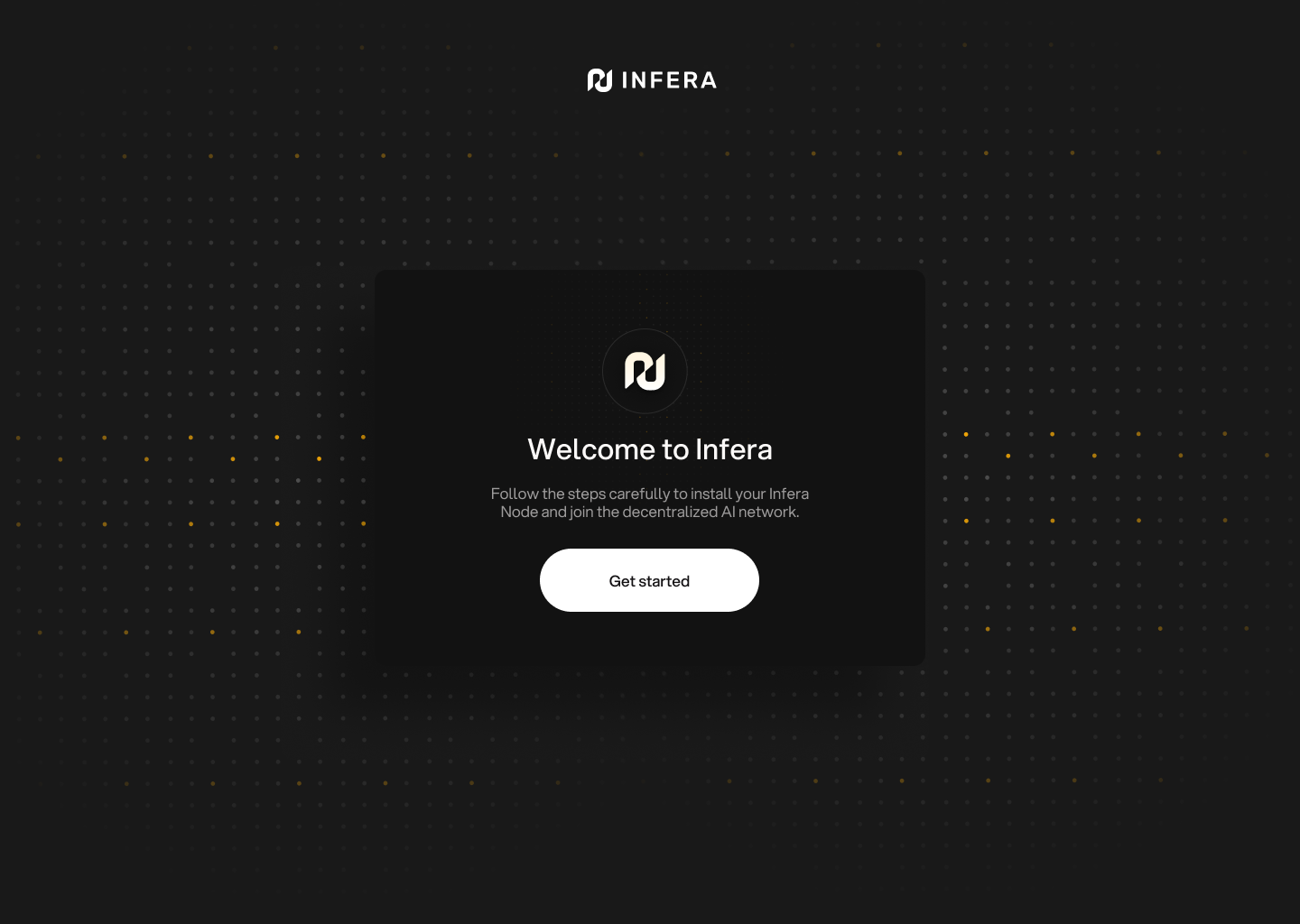
After your install the extension, onboarding pages will pop up. These onboarding instructions are for installing the programs required to run an Infera Node.
If you have already installed the **Infera Node** on your device, you can skip through these steps without completing any of the tasks
**Getting started**
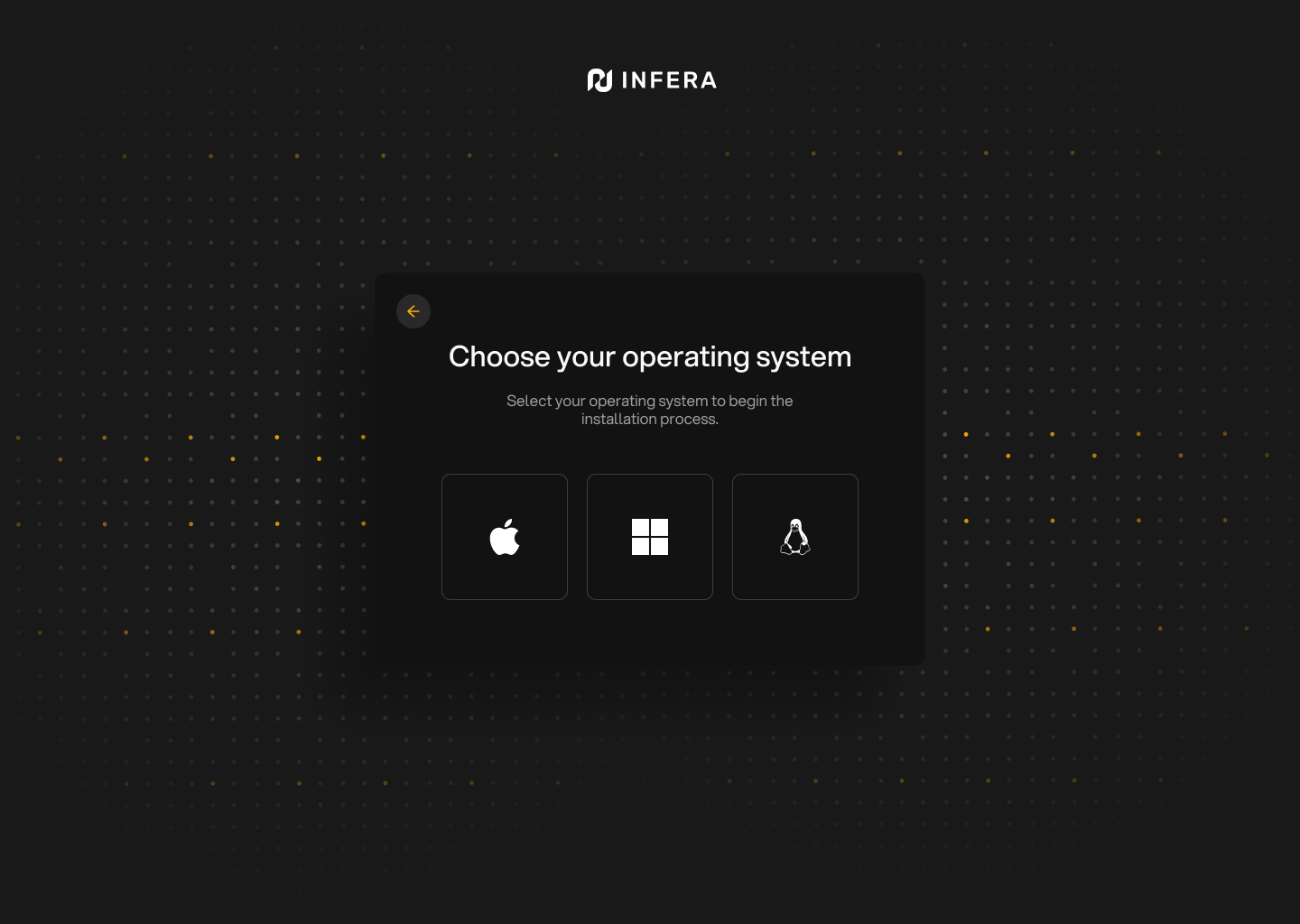
 **Select your operating system**
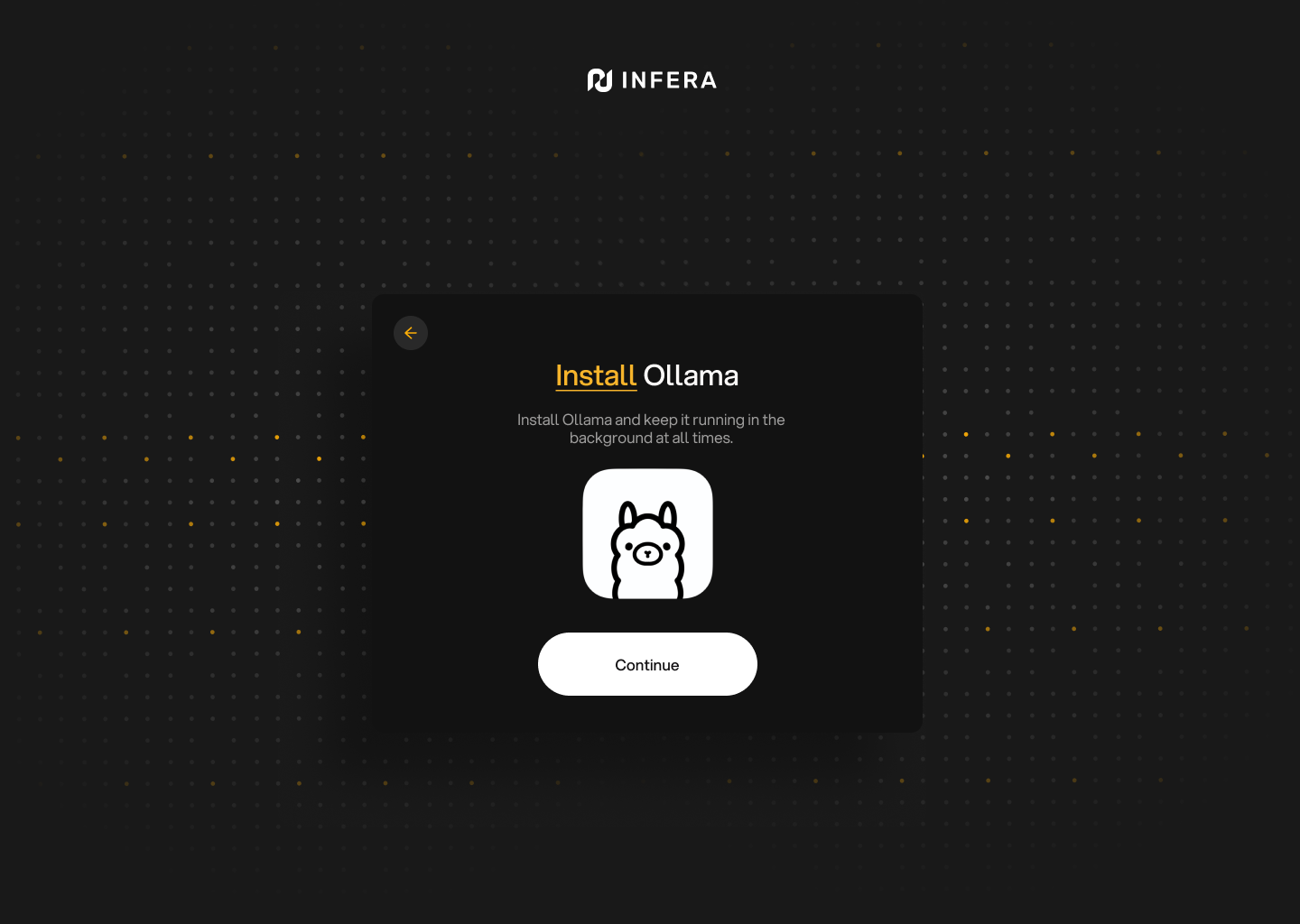
 **Install Ollama**
Having Ollama installed is very important and your **Infera Node** will not work without it
**Install Ollama**
Having Ollama installed is very important and your **Infera Node** will not work without it
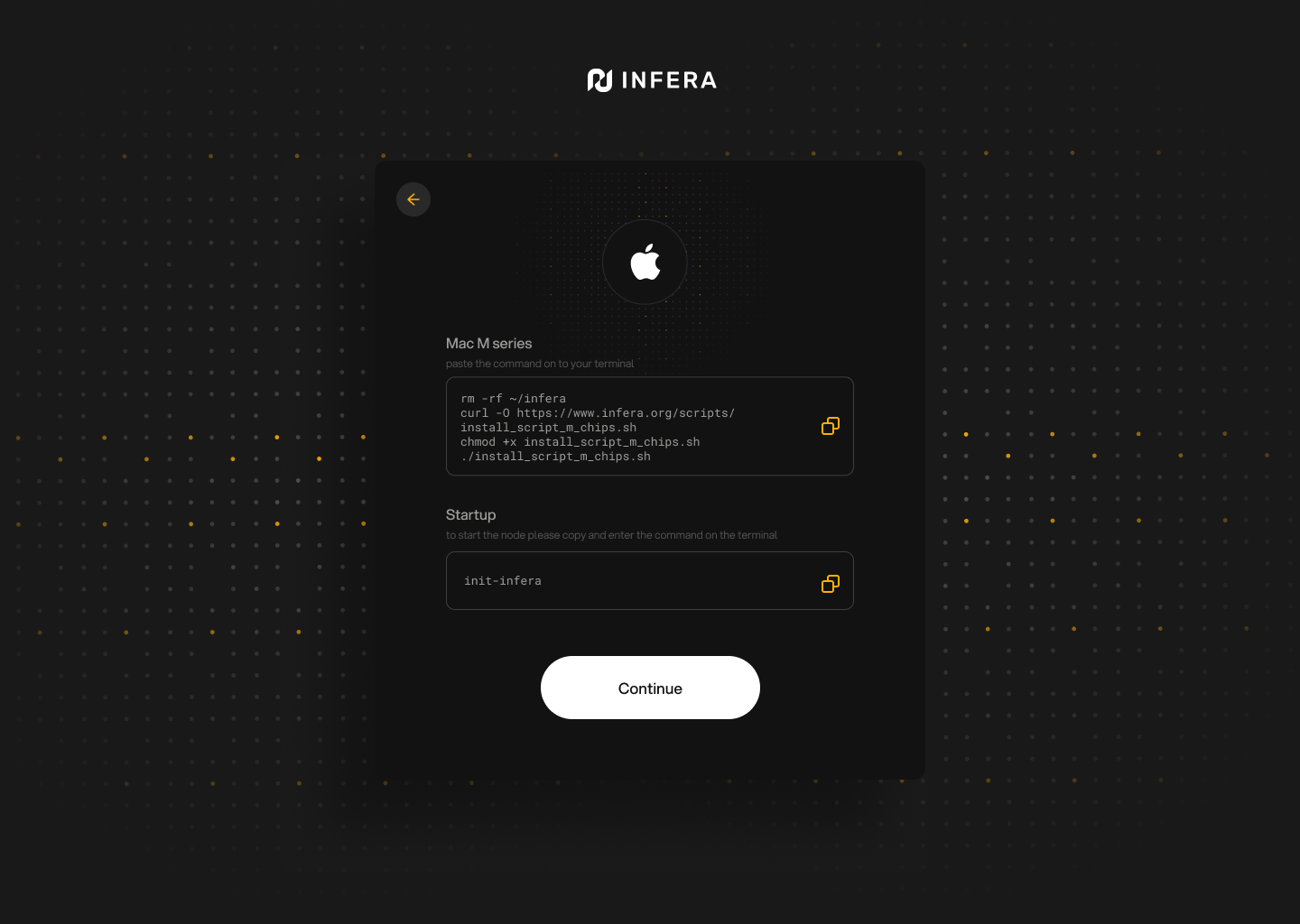
 **Install Infera Node on your system**
Follow the instructions displayed by your onboarding process (operating system specific) to install the **Infera Node**.
**Install Infera Node on your system**
Follow the instructions displayed by your onboarding process (operating system specific) to install the **Infera Node**.
 **All set!**
You are ready to use, monitor and manage your Infera Node!
**All set!**
You are ready to use, monitor and manage your Infera Node!
 ***
## Privacy Assurance
* **No Personal Data:** We don't collect or store your personal information.
* **Encryption:** All communications are encrypted for security.
* **Local Processing:** All inference happens on your device; nothing is sent externally.
* **No Tracking:** Your activities are never tracked.
---
# Source: https://docs.infera.org/introduction.md
# Source: https://docs.infera.org/api-reference/introduction.md
> ## Documentation Index
> Fetch the complete documentation index at: https://docs.infera.org/llms.txt
> Use this file to discover all available pages before exploring further.
# Introduction
This API documentation is meant for developers who want to build on top of Infera. If you are only looking to run a node, learn more about that [here](/node/quickstart)
## Authentication
All API endpoints are authenticated using an **api-key** that can only be granted by talking to a member of the developer team. Join our [Discord](https://discord.com/invite/infera) and tell us what you want to build, an api-key will be supplied!
---
# Source: https://docs.infera.org/node/link-node.md
> ## Documentation Index
> Fetch the complete documentation index at: https://docs.infera.org/llms.txt
> Use this file to discover all available pages before exploring further.
# Linking Your Node
Linking your node means linking your local node address to an Infera account. This gives you the ability to associate an identity with your node and attach an Ethereum Base wallet address for any on chain purposes (ex. airdrops, point cashout).
Follow this [guide](https://medium.com/@alex_85908/how-to-link-a-node-to-your-infera-account-d2f746e52fa2) to learn how to properly link your nodes.
---
# Source: https://docs.infera.org/node/linux.md
> ## Documentation Index
> Fetch the complete documentation index at: https://docs.infera.org/llms.txt
> Use this file to discover all available pages before exploring further.
# Linux
> Installing the Infera Node CLI program on Linux.
## Prerequisites
You **MUST** have a **GPU** to run an **Infera Node**.
Minimum requirements for the node are 16GB RAM and 8GB VRAM. A node will run with less RAM, but will get significantly less or no jobs.
## Installing Infera
[Ollama](https://ollama.com/) is required to run an **Infera Node**.
You can download it from [Ollama's official website](https://ollama.com/download).
1. Open the Chrome Browser (if you do not have Chrome installed, download it [here](https://www.google.com/intl/en_ca/chrome/))
2. Go to the [Infera Lite](https://chromewebstore.google.com/detail/infera-lite/ffoccnmddajjohmmkccnkobelobgcdmp) extension on the Chrome Web Store.
3. Click **"Add to your Chrome"** to install the extension in your browser.
For Linux installation, the Infera Lite extension is not required. Nodes can run fully in CLI and be linked using CLI management commands which can be found [here](https://medium.com/@alex_85908/node-management-in-cli-be725a90d1c8). Use the extension if you are more comfortable with a graphical interface
Open the **Terminal** application on your Linux system. You can usually find it in your applications menu or by pressing `Ctrl + Alt + T`.
Copy paste the following commands in your command line and press enter to install your Infera node. The first command removes previous installations of infera if they are present.
#### For Linux with Intel
```bash theme={null}
curl -sSL http://downloads.infera.org/infera-linux-intel.sh | bash
```
#### For Linux with AMD
```bash theme={null}
curl -sSL http://downloads.infera.org/infera-linux-amd.sh | bash
```
After installing, run the following command to start your node:
```bash theme={null}
init-infera
```
If your node is running correctly, your terminal will display a message like this:
***
## Privacy Assurance
* **No Personal Data:** We don't collect or store your personal information.
* **Encryption:** All communications are encrypted for security.
* **Local Processing:** All inference happens on your device; nothing is sent externally.
* **No Tracking:** Your activities are never tracked.
---
# Source: https://docs.infera.org/introduction.md
# Source: https://docs.infera.org/api-reference/introduction.md
> ## Documentation Index
> Fetch the complete documentation index at: https://docs.infera.org/llms.txt
> Use this file to discover all available pages before exploring further.
# Introduction
This API documentation is meant for developers who want to build on top of Infera. If you are only looking to run a node, learn more about that [here](/node/quickstart)
## Authentication
All API endpoints are authenticated using an **api-key** that can only be granted by talking to a member of the developer team. Join our [Discord](https://discord.com/invite/infera) and tell us what you want to build, an api-key will be supplied!
---
# Source: https://docs.infera.org/node/link-node.md
> ## Documentation Index
> Fetch the complete documentation index at: https://docs.infera.org/llms.txt
> Use this file to discover all available pages before exploring further.
# Linking Your Node
Linking your node means linking your local node address to an Infera account. This gives you the ability to associate an identity with your node and attach an Ethereum Base wallet address for any on chain purposes (ex. airdrops, point cashout).
Follow this [guide](https://medium.com/@alex_85908/how-to-link-a-node-to-your-infera-account-d2f746e52fa2) to learn how to properly link your nodes.
---
# Source: https://docs.infera.org/node/linux.md
> ## Documentation Index
> Fetch the complete documentation index at: https://docs.infera.org/llms.txt
> Use this file to discover all available pages before exploring further.
# Linux
> Installing the Infera Node CLI program on Linux.
## Prerequisites
You **MUST** have a **GPU** to run an **Infera Node**.
Minimum requirements for the node are 16GB RAM and 8GB VRAM. A node will run with less RAM, but will get significantly less or no jobs.
## Installing Infera
[Ollama](https://ollama.com/) is required to run an **Infera Node**.
You can download it from [Ollama's official website](https://ollama.com/download).
1. Open the Chrome Browser (if you do not have Chrome installed, download it [here](https://www.google.com/intl/en_ca/chrome/))
2. Go to the [Infera Lite](https://chromewebstore.google.com/detail/infera-lite/ffoccnmddajjohmmkccnkobelobgcdmp) extension on the Chrome Web Store.
3. Click **"Add to your Chrome"** to install the extension in your browser.
For Linux installation, the Infera Lite extension is not required. Nodes can run fully in CLI and be linked using CLI management commands which can be found [here](https://medium.com/@alex_85908/node-management-in-cli-be725a90d1c8). Use the extension if you are more comfortable with a graphical interface
Open the **Terminal** application on your Linux system. You can usually find it in your applications menu or by pressing `Ctrl + Alt + T`.
Copy paste the following commands in your command line and press enter to install your Infera node. The first command removes previous installations of infera if they are present.
#### For Linux with Intel
```bash theme={null}
curl -sSL http://downloads.infera.org/infera-linux-intel.sh | bash
```
#### For Linux with AMD
```bash theme={null}
curl -sSL http://downloads.infera.org/infera-linux-amd.sh | bash
```
After installing, run the following command to start your node:
```bash theme={null}
init-infera
```
If your node is running correctly, your terminal will display a message like this:
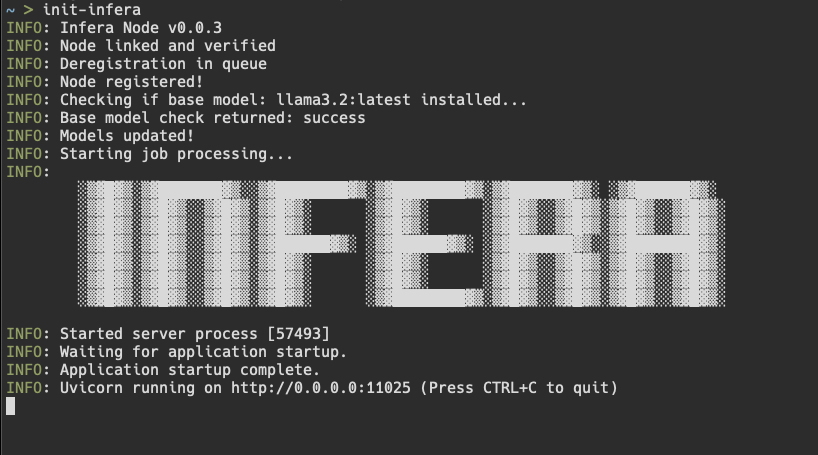 Click on the Infera Lite extension in Chrome while your node is running to monitor your node.
If your node is running, the extension should automatically detect your node.
Go to the [Infera Lite Guide](/node/infera-lite) to learn more about how you can use the extension to monitor your node.
If this is your first time, you may see a message saying
```
ERROR: node verification failed
```
This is because you must link your node to your **Infera Account**. Linking your node to your account is neccessary to withdraw tokens earned from completing jobs on the network.
To link your node, follow the [Link Node to Account](https://medium.com/@alex_85908/how-to-link-a-node-to-your-infera-account-d2f746e52fa2). This must be done once for every node you run.
**If you have already linked your node**, it should just start up and you will see messages in terminal counting uptime. That means your node is running!
**If your node gets a job**, you will see a message saying Starting job in terminal.
***
## Updating Infera
To update the Infera Node on your computer, enter the following command into your Terminal to remove and replace the depricated version of Infera.
**Linux on Intel CPU**
```bash theme={null}
rm -rf ~/infera
curl -sSL http://downloads.infera.org/infera-apple-m.sh | bash
```
**Linux on AMD CPU**
```bash theme={null}
rm -rf ~/infera
curl -sSL http://downloads.infera.org/infera-linux-amd.sh | bash
```
If you are experiencing trouble updating your Node, it may help to reboot your PC after running the `rm -rf ~/infera` command
***
## Uninstalling Infera
To delete infera from your computer, enter the following command into your Terminal.
```bash theme={null}
rm -rf ~/infera
```
***
## Troubleshooting
* If the installation script fails, ensure your internet connection is active.
* Make sure you have the latest version of Ollama running before starting the Infera node.
* Make sure your computer has a **GPU**
* If having issues with updating Infera, try rebooting your PC after running `rm -rf ~/infera` command
If you have any questions or encounter any issues, join our [Discord Community](https://discord.com/invite/infera) for assistance.
---
# Source: https://docs.infera.org/litepaper.md
> ## Documentation Index
> Fetch the complete documentation index at: https://docs.infera.org/llms.txt
> Use this file to discover all available pages before exploring further.
# Litepaper
Click on the Infera Lite extension in Chrome while your node is running to monitor your node.
If your node is running, the extension should automatically detect your node.
Go to the [Infera Lite Guide](/node/infera-lite) to learn more about how you can use the extension to monitor your node.
If this is your first time, you may see a message saying
```
ERROR: node verification failed
```
This is because you must link your node to your **Infera Account**. Linking your node to your account is neccessary to withdraw tokens earned from completing jobs on the network.
To link your node, follow the [Link Node to Account](https://medium.com/@alex_85908/how-to-link-a-node-to-your-infera-account-d2f746e52fa2). This must be done once for every node you run.
**If you have already linked your node**, it should just start up and you will see messages in terminal counting uptime. That means your node is running!
**If your node gets a job**, you will see a message saying Starting job in terminal.
***
## Updating Infera
To update the Infera Node on your computer, enter the following command into your Terminal to remove and replace the depricated version of Infera.
**Linux on Intel CPU**
```bash theme={null}
rm -rf ~/infera
curl -sSL http://downloads.infera.org/infera-apple-m.sh | bash
```
**Linux on AMD CPU**
```bash theme={null}
rm -rf ~/infera
curl -sSL http://downloads.infera.org/infera-linux-amd.sh | bash
```
If you are experiencing trouble updating your Node, it may help to reboot your PC after running the `rm -rf ~/infera` command
***
## Uninstalling Infera
To delete infera from your computer, enter the following command into your Terminal.
```bash theme={null}
rm -rf ~/infera
```
***
## Troubleshooting
* If the installation script fails, ensure your internet connection is active.
* Make sure you have the latest version of Ollama running before starting the Infera node.
* Make sure your computer has a **GPU**
* If having issues with updating Infera, try rebooting your PC after running `rm -rf ~/infera` command
If you have any questions or encounter any issues, join our [Discord Community](https://discord.com/invite/infera) for assistance.
---
# Source: https://docs.infera.org/litepaper.md
> ## Documentation Index
> Fetch the complete documentation index at: https://docs.infera.org/llms.txt
> Use this file to discover all available pages before exploring further.
# Litepaper
[Infera Litepaper](https://litepaper.infera.org/)
The rapid growth of AI has led to increased demand for scalable and efficient inference solutions. AI ecosystems face challenges such as high costs, single points of failure, and privacy concerns. Current AI inference solutions are hindered by scalability issues and high operational costs, with some offering flexibility in AI model inference while others remain closed-source. Infera addresses these challenges by decentralizing AI inference through distributing a secure, scalable, and cost-effective solution. Utilizing a decentralized network, Infera distributes AI inference tasks to worker nodes. Worker nodes are Infera ecosystem participants that earn INFER tokens through supplying the network with compute power. This architecture enhances the network’s reliability and performance by distributing work through-out a network without relying on a single node. Leveraging blockchain technology, Infera offers a platform and access to on-chain AI inference for developers working with blockchains. Additionally, Infera is launching a Layer 3 dedicated to on-chain inference work and an SDK to provide a cost-effective and scalable solution. This enables developers to build AI-powered applications for both on-chain and off-chain use cases.
## 1. Introduction
***
### 1.1. Problem & Innovations
AI inference is the process of using a trained machine learning model to make predictions or decisions on new, unseen data, typically in real-time environments. With AI inference demand increasing due to user adoption, a multitude of problems surrounding AI have emerged.
**Model Restrictions** - Centralized AI inference providers often impose limitations on the customization and deployment of AI models. This restricts users’ ability to fine-tune models for specific applications and hampers innovation.
**Economic Barriers** - High costs associated with AI inference services and the necessary hardware infrastructure present significant barriers to entry, especially for startups and individual developers.
**On-Chain Verification** - Having on-chain verification allows for the development of on-chain AI agents. However, posting large volumes of inference data on-chain is impractical due to high costs and scalability issues. This limits the feasibility of fully decentralized AI solutions that require frequent data access and updates.
**Accessibility & Privacy** - Access to advanced AI inference remains limited to well-funded organizations and specialized tech companies, creating a disparity in AI innovation and application across different sectors unless those enterprises have their own proprietary solution.
While infrastructure is becoming more abundant, key barriers still hinder the development of applications leveraging AI inference. By addressing key challenges such as model restrictions, on-chain storage, and accessibility, we envisions users using AI inference to build tools users will be able to overcome the current issues surrounding access to AI inference.
### 1.2. Vision and Mission
Infera aims to democratize AI inference through a decentralized, blockchain-based platform that leverages global computational resources. Our vision includes on-chain verification mechanisms for transparent, auditable AI computations, creating a trustless environment for reliable AI systems. Infera’s AI agent framework enables developers to build sophisticated, autonomous agents that can perform tasks, make decisions, and interact within our ecosystem. This paves the way for a new generation of decentralized applications powered by verifiable, autonomous AI.
## 2. Architecture Overview
***
### 2.1 Inference Network
The network bundles computational tasks submitted by users which are then dynamically distributed among participating nodes. Nodes will be able to perform inference and pick up failed jobs from other nodes. This prevents issues with single points of failure and increases network stability for users and developers. The decentralized architecture facilitates communications between nodes, enabling efficient distribution and execution of AI inference tasks across the network.
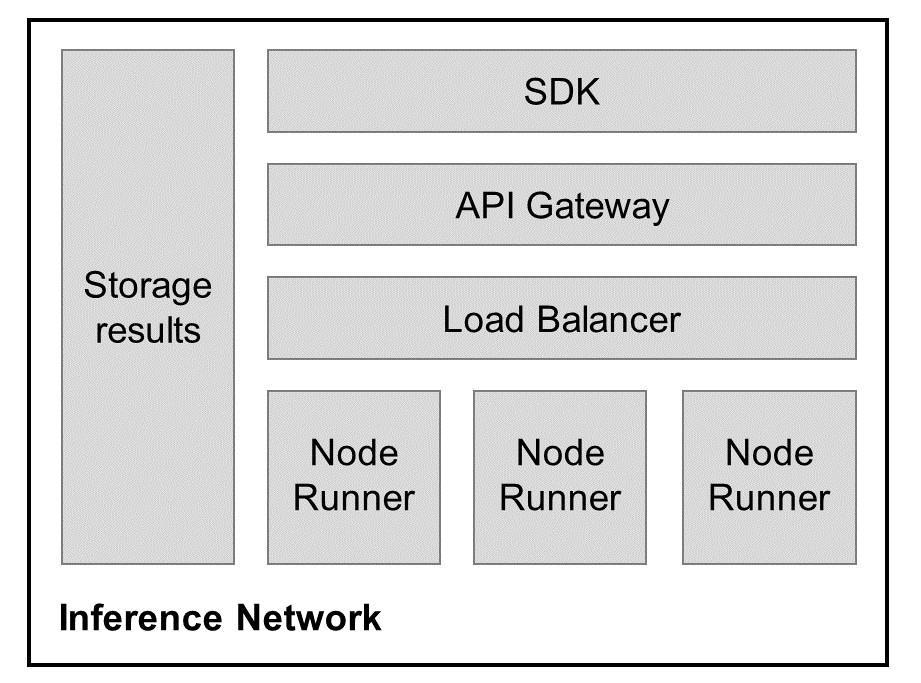 ***
Participants within the network include users and node runners. Demand is driven by users while node runners comprise the supply side of the network. Node runners are responsible for ensuring their GPUs and CPUs supplied have a stable operating environment to handle the inference requests generated by the users. Users will be able to access Infera through the SDK and API, accessing the inference network. Inputs submitted by users are sent to the load balancer from the API gateway, and are then routed to node runners. Users are able to obtain their results from the API Gateway
To incentivize participation, nodes contributing computational resources are rewarded with INFER tokens. This reward system encourages node workers to have stable uptimes to maintain a robust and active network. Additionally, the decentralized approach allows for greater flexibility and customization, including tools allowing users to deploy and fine-tune AI models to meet specific requirements without the constraints imposed by centralized providers.
### 2.2. Load Balancing
User inputs are dynamically distributed as batched tasks across active nodes on the network. By preventing overloading of individual nodes with the load balancer, Infera can maintain consistent performance even as the volume of tasks increases. The load balancer continuously monitors node performance and current workloads, adjusting the distribution of tasks in real-time. Infera will also be backstopping the network by providing worker nodes to the ecosystem to ensure that inference tasks on the network are completed.
Additionally, the load balancer is able to pick up dropped jobs from nodes and redistribute it across the network as a built-in redundancy to ensure that the network remains operational even in the event of node failures. If a node goes offline or experiences issues, the load balancer can quickly redistribute its tasks to other nodes, maintaining continuous operation and preventing disruptions.
### 2.3. On-chain Verification & Structure
A verified inference function (VIF) is a cryptographic primitive that produces a verifiable inference output from a given input and secret key. VIFs can provide proof that specific inference computations were performed correctly by generating verifiable random outputs associated with the computation. This proof can be stored and accessed on-chain, allowing anyone to verify that the inference results are genuine.To significantly reduce the cost of on-chain inference compared to existing methods, INFER will be implemented as the gas token for Infera’s L3. This significantly reduces cost to use the network while also providing a dedicated environment for users to build on top of Infera.
***
Participants within the network include users and node runners. Demand is driven by users while node runners comprise the supply side of the network. Node runners are responsible for ensuring their GPUs and CPUs supplied have a stable operating environment to handle the inference requests generated by the users. Users will be able to access Infera through the SDK and API, accessing the inference network. Inputs submitted by users are sent to the load balancer from the API gateway, and are then routed to node runners. Users are able to obtain their results from the API Gateway
To incentivize participation, nodes contributing computational resources are rewarded with INFER tokens. This reward system encourages node workers to have stable uptimes to maintain a robust and active network. Additionally, the decentralized approach allows for greater flexibility and customization, including tools allowing users to deploy and fine-tune AI models to meet specific requirements without the constraints imposed by centralized providers.
### 2.2. Load Balancing
User inputs are dynamically distributed as batched tasks across active nodes on the network. By preventing overloading of individual nodes with the load balancer, Infera can maintain consistent performance even as the volume of tasks increases. The load balancer continuously monitors node performance and current workloads, adjusting the distribution of tasks in real-time. Infera will also be backstopping the network by providing worker nodes to the ecosystem to ensure that inference tasks on the network are completed.
Additionally, the load balancer is able to pick up dropped jobs from nodes and redistribute it across the network as a built-in redundancy to ensure that the network remains operational even in the event of node failures. If a node goes offline or experiences issues, the load balancer can quickly redistribute its tasks to other nodes, maintaining continuous operation and preventing disruptions.
### 2.3. On-chain Verification & Structure
A verified inference function (VIF) is a cryptographic primitive that produces a verifiable inference output from a given input and secret key. VIFs can provide proof that specific inference computations were performed correctly by generating verifiable random outputs associated with the computation. This proof can be stored and accessed on-chain, allowing anyone to verify that the inference results are genuine.To significantly reduce the cost of on-chain inference compared to existing methods, INFER will be implemented as the gas token for Infera’s L3. This significantly reduces cost to use the network while also providing a dedicated environment for users to build on top of Infera.
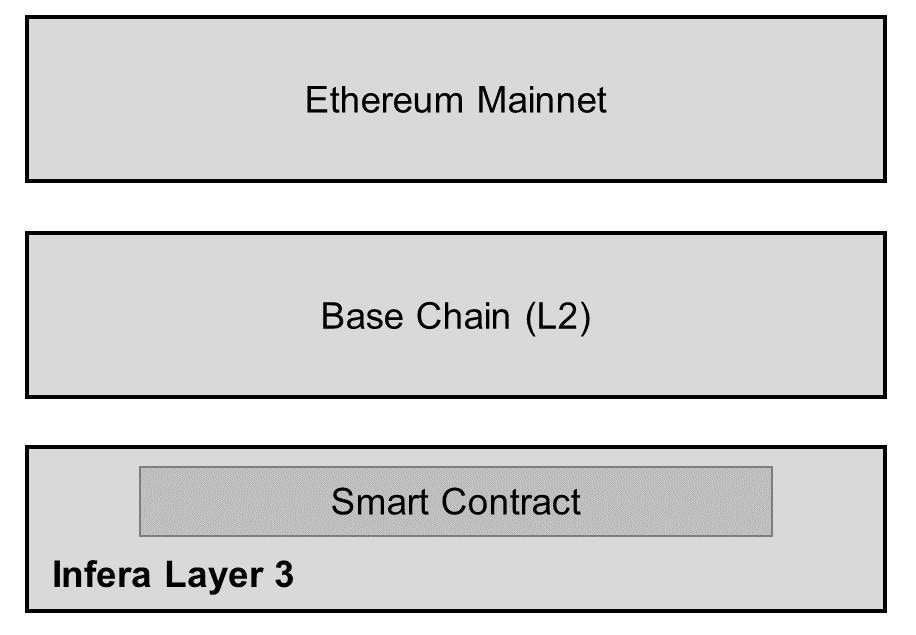 ***
* **Ethereum Mainnet**
* Ethereum Mainnet where all transactions get settled
* **Base Chain**
* Aggregates and validates transactions from Layer 3.
* Periodically commits these transactions to Ethereum.
* **Infera Layer 3**
* Optimized for specific use cases such as AI inference.
* Inference network will be available via smart contract on Layer 3.
## 3. Role of INFER Token
### 3.1. Gas Token for Transactions
INFER serves as the gas token for the L3, providing a cost-effective transaction mechanism compared to L2s and Ethereum mainnet. This approach is crucial for the network’s economic viability, given the high volume of AI inference transactions. By using a dedicated L3 for on-chain inference, users avoid competition for blockspace on other chains, while still covering computational costs with INFER tokens for all transaction types.
### 3.2.Node Participation Rewards
Node participation is critical to the Infera network's functionality and scalability. To incentivize participation, Infera rewards node operators with INFER tokens for their contributions. These rewards are given to nodes that contribute to the network for AI inference task completion, ensuring that there is sufficient computational power to meet demand.
The reward mechanism operates on a performance-based model, evaluating nodes on their uptime, reliability, and task volume. Rewarding nodes with INFER tokens incentivizes continuous participation and aligns operator interests. This mechanism also enables node runners to operate on the L3 when contributing inference to the network. A smart contract will be responsible for the distribution of rewards based on historical node performance.
### 3.3 Distribution & Staking Mechanism
INFER is distributed to node runners through our smart contract and off-chain tracking system. This approach allows for a flexible and scalable reward system during the early stages of network deployment. Nodes report their operational metrics to the off-chain system, which then calculates the appropriate rewards.
As the network matures, Infera will transition to a more decentralized and trustless model by integrating on-chain verified staking-based rewards. Node operators will be required to stake a certain amount of INFER tokens to their node. This staking mechanism serves a dual purpose: it secures the network by ensuring that node operators have a vested interest in maintaining its integrity and it enhances the transparency and security of the reward distribution process.
## 4. AI Inference Verification and Performance
### 4.1. Off-Chain Verification Using Vector Similarity
Infera employs cosine similarity for verifying AI inference results off-chain, a method that is both efficient and accurate in ensuring the integrity of non-deterministic AI outputs. This technique is particularly useful for comparing the similarity between two outputs, ensuring that the results of AI computations remain consistent and reliable.
**Cosine Similarity Mechanism** - Cosine similarity calculates the similarity between two non-zero vectors by measuring the cosine of the angle between them. For AI inference, the vectors represent the model’s output features. A cosine similarity close to 1 indicates that the two vectors are nearly identical, confirming the consistency of the AI inference. This method is highly effective in handling the inherent variability in AI outputs, particularly for non-deterministic models that may produce slightly different results due to stochastic processes.
**Implementation in Infera** - Infera's off-chain verification process involves comparing the inference results from multiple nodes. When a node completes an inference task, it generates a vector representing the output. This vector is then compared to vectors produced by other nodes for the same task. If the cosine similarity between these vectors is above a predefined threshold, the result is considered verified. This approach ensures that only consistent and accurate inference results are committed to the blockchain, maintaining the integrity of the system.
### 4.2. Node Slashing
To maintain the integrity and reliability of the Infera network, nodes will be required to stake an amount of INFER tokens to be eligible for earning emission rewards.
**Staking and Slashing Mechanism** - Nodes that participate in the AI inference process must stake a predetermined amount of INFER tokens. This staked amount acts as collateral, which can be forfeited if the node fails to meet the required performance standards. Specifically, nodes that provide inference outputs that do not fall within the acceptable safety margin, as determined by cosine similarity, will be subject to slashing. This means a portion of their staked tokens will be deducted as a penalty for producing unreliable results.
**Performance Monitoring** - In addition to the staking requirement, a reputation mechanism is in place to continuously monitor node performance. Nodes are evaluated based on their uptime, the accuracy of their inference outputs, and their overall contribution to the network. This reputation score is crucial in maintaining a high standard of reliability and trust within the network. Nodes that consistently underperform or produce outputs with low cosine similarity scores will see their reputation scores decline.
**Consequences of Poor Performance** - Nodes with poor performance are penalized through the slashing mechanism. If a node's outputs frequently fall outside the acceptable range, indicating a significant deviation from the expected results, it will face incremental slashing penalties. This ensures that only nodes that consistently meet the network’s performance standards can continue to participate and earn rewards.
**Reputation and Ejection** - Should a node's reputation score fall below a certain threshold due to repeated poor performance or malicious behavior, it will be ejected from the network. This ejection process ensures that the Infera network remains robust and secure by removing unreliable or compromised nodes. The reputation mechanism thus acts as a self-regulating system that maintains the quality and reliability of the network over time.
**Transparency and Fairness** - The staking, slashing, and reputation mechanisms are all governed by smart contracts, ensuring transparency and fairness in their execution. These smart contracts automatically enforce the rules without the need for human intervention, reducing the risk of bias or error.
### 4.3. Infera API and SDK
The Infera API and SDK constitute the primary interface for accessing our decentralized AI inference network. Our initial release focuses on a Python SDK, chosen for its widespread adoption in the AI and data science communities. The API design allows for developers to access the network of available nodes to perform inference work for AI applications built on top of the network. Future development will extend support to other programming languages, with JavaScript being the next target platform to broaden accessibility for web-based applications. Metrics for Success
* Number of API calls and SDK downloads.
* Developer satisfaction and engagement levels.
* Growth in the number and quality of third-party applications and services built on Infera.
## 5. Use Cases
### 5.1. AI-Driven dApps
Infera is designed to support decentralized applications (dApps) that require real-time AI inference through its API. This capability is essential for applications such as recommendation systems and automated decision-making tools.
Developer API and Model Diversity
**API:** Infera offers a developer API that enables access to various AI models, allowing developers to integrate AI inference into their dApps.
**Model Integration:** The platform supports the integration of future AI models, expanding the range of possible use cases and enhancing adaptability to emerging technologies.
**Telegram Bots:** Developers can create intelligent bots for Telegram that leverage on-chain AI inference to provide real-time responses and personalized interactions.
**Web-Based Programs:** Web applications can utilize Infera's AI capabilities to deliver enhanced user experiences through personalized content and services.
**SDK Utilization:** The Infera SDK enables developers to build programs that seamlessly integrate on-chain AI inference, ensuring efficient and scalable AI-driven functionalities.
### 5.2. AI Research and Agent Framework
Infera will deploy an agent framework built on top of the inference network. This framework will enable users to build custom AI tools that combine multiple nodes for specialized computations.
For example, developers can leverage Infera to create AI-driven market-making algorithms and trading strategies. By utilizing real-time data and AI inference, these agents could optimize trading decisions, enhance liquidity, and stabilize markets. Researchers can build and deploy these models on-chain, ensuring transparency and trust through verifiable and immutable blockchain transactions and strategies. Another application is on-chain loan monitoring and management. Developers can use Infera to deploy AI agents that continuously assess risk and predict default probabilities based on certain preset factors. This enables protocols to implement proactive measures, such as adjusting interest rates or restructuring loans, thereby minimizing risk and improving portfolio performance. The AI-driven approach enhances risk prediction accuracy and reduces manual effort in loan monitoring.
Infera's agent framework follows a perceive-think-act cycle:
* **Perceive:** Processes input data and updates the knowledge base.
* **Think:** Uses the decision engine to determine the next action.
* **Act:** Executes the chosen action and learns from the result.
To use this framework, developers would need to download our SDK and integrate our built-in functions for accessing the Infera network. The SDK provides easy-to-use methods for:
* Initializing an AI agent with specific capabilities and models
* Connecting to the Infera network and managing node interactions
* Submitting inference tasks and retrieving results
* Updating the agent's decision-making parameters
Our SDK will be available in python for developers to integrate Infera into their project. With just a few lines of code, developers can create sophisticated AI agents that leverage the power of Infera’s decentralized inference network.
### 5.3. Enterprise AI Solutions
By integrating Infera's AI inference network, enterprises can develop and deploy sophisticated AI agents tailored to their business needs, enhancing operational efficiency and decision-making processes.
**Scalable AI Deployment** - Infera's platform allows enterprises to scale their AI deployments efficiently. The decentralized nature of the network means that enterprises can tap into a distributed pool of computational resources, reducing the need for expensive dedicated hardware.
**Customization and Flexibility** - The flexibility of Infera's architecture allows enterprises to customize the selection of AI models to meet specific requirements. Whether it’s for predictive analytics, customer behavior analysis, or automated support systems, enterprises can build and deploy bespoke AI solutions that integrate with their existing system.
**Privacy** - Private nodes operate within the enterprise's local network perimeter ensuring that raw data never traverses public networks. Private nodes can operate in data center level infrastructure or consumer grade equipment.
## 6. Conclusion
In conclusion, by leveraging blockchain technology and distributed systems, we propose a solution that addresses key challenges in AI deployment, including scalability, security, and accessibility.
Key contributions of this work include:
1. A scalable architecture for distributed AI inference
2. Load balancing engine optimized for distributing AI workloads
3. An incentive structure promoting on-chain AI ecosystems Further research is required to fully realize the potential of this technology. Future work will focus on optimizing network performance, enhancing security measures, and conducting large-scale deployments to validate our approach in real-world scenarios. As the AI landscape continues to evolve, Infera’s decentralized platform has the potential to democratize access to AI capabilities, fostering innovation across various industries and research domains.
---
# Source: https://docs.infera.org/node/macos.md
> ## Documentation Index
> Fetch the complete documentation index at: https://docs.infera.org/llms.txt
> Use this file to discover all available pages before exploring further.
# Mac OS
> Installing the Infera Node CLI program on Mac OS.
### Prerequisites
You **MUST** have a **GPU** to run an **Infera Node**.
Minimum requirements for the node are 16GB RAM and 8GB VRAM. A node will run with less RAM, but will get significantly less or no jobs.
### Installation
[Ollama](https://ollama.com/) is required to run an **Infera Node**.
You can download it from [Ollama's official website](https://ollama.com/download).
1. Open the Chrome Browser (if you do not have Chrome installed, download it [here](https://www.google.com/intl/en_ca/chrome/))
2. Go to the [Infera Lite](https://chromewebstore.google.com/detail/infera-lite/ffoccnmddajjohmmkccnkobelobgcdmp) extension on the Chrome Web Store.
3. Click **"Add to your Chrome"** to install the extension in your browser.
Open the **Terminal** application on your Linux system. You can usually find it in your applications menu or by pressing `Ctrl + Alt + T`.
Copy paste the following commands in your command line and press enter to install your Infera node. The first command removes previous installations of infera if they are present.
**For M series chip**
```bash theme={null}
curl -sSL http://downloads.infera.org/infera-apple-m.sh | bash
echo "alias init-infera='~/infera'" >> ~/.zshrc && source ~/.zshrc
```
After installing, run the following command to start your node:
```bash theme={null}
init-infera
```
If your node is running correctly, your terminal will display a message like this:
Click on the Infera Lite extension in Chrome while your node is running to monitor your node.
If your node is running, the extension should automatically detect your node.
Go to the [Infera Lite Guide](/node/infera-lite) to learn more about how you can use the extension to monitor your node.
If this is your first time, you may see a message saying
```
ERROR: node verification failed
```
This is because you must link your node to your **Infera Account**. Linking your node to your account is neccessary to withdraw tokens earned from completing jobs on the network.
To link your node, follow the [Link Node to Account](https://medium.com/@alex_85908/how-to-link-a-node-to-your-infera-account-d2f746e52fa2). This must be done once for every node you run.
**If you have already linked your node**, it should just start up and you will see messages in terminal counting uptime. That means your node is running!
**If your node gets a job**, you will see a message saying Starting job in terminal.
***
### Updating Infera
To update the Infera Node on your computer, enter the following command into your Terminal to remove and replace the depricated version of Infera.
**Apple M series**
```bash theme={null}
rm -rf ~/infera
curl -sSL http://downloads.infera.org/infera-apple-m.sh | bash
```
If you are experiencing trouble updating your Node, it may help to reboot your PC after running the `rm -rf ~/infera` command
***
### Uninstalling Infera
To delete infera from your computer, enter the following command into your Terminal.
```bash theme={null}
rm -rf ~/infera
```
***
### Troubleshooting
* If the installation script fails, ensure your internet connection is active.
* Make sure you have the latest version of Ollama running before starting the Infera node.
* Make sure your computer has a **GPU**
* If having issues with updating Infera, try rebooting your PC after running `rm -rf ~/infera` command
If you have any questions or encounter any issues, join our [Discord Community](https://discord.com/invite/infera) for assistance.
---
# Source: https://docs.infera.org/node/managing-node.md
> ## Documentation Index
> Fetch the complete documentation index at: https://docs.infera.org/llms.txt
> Use this file to discover all available pages before exploring further.
# Managing Your Node
## How to use the Infera Lite Extension
Before opening the extension, make sure your node is running on your device
* On Windows: run the `infera-node.exe` file
* On Mac/Linux: run `init-infera` in your Terminal.
### Main Dashboard
The **Home screen** is the landing page of the extension and gives an overview of the node's current status.
***
* **Ethereum Mainnet**
* Ethereum Mainnet where all transactions get settled
* **Base Chain**
* Aggregates and validates transactions from Layer 3.
* Periodically commits these transactions to Ethereum.
* **Infera Layer 3**
* Optimized for specific use cases such as AI inference.
* Inference network will be available via smart contract on Layer 3.
## 3. Role of INFER Token
### 3.1. Gas Token for Transactions
INFER serves as the gas token for the L3, providing a cost-effective transaction mechanism compared to L2s and Ethereum mainnet. This approach is crucial for the network’s economic viability, given the high volume of AI inference transactions. By using a dedicated L3 for on-chain inference, users avoid competition for blockspace on other chains, while still covering computational costs with INFER tokens for all transaction types.
### 3.2.Node Participation Rewards
Node participation is critical to the Infera network's functionality and scalability. To incentivize participation, Infera rewards node operators with INFER tokens for their contributions. These rewards are given to nodes that contribute to the network for AI inference task completion, ensuring that there is sufficient computational power to meet demand.
The reward mechanism operates on a performance-based model, evaluating nodes on their uptime, reliability, and task volume. Rewarding nodes with INFER tokens incentivizes continuous participation and aligns operator interests. This mechanism also enables node runners to operate on the L3 when contributing inference to the network. A smart contract will be responsible for the distribution of rewards based on historical node performance.
### 3.3 Distribution & Staking Mechanism
INFER is distributed to node runners through our smart contract and off-chain tracking system. This approach allows for a flexible and scalable reward system during the early stages of network deployment. Nodes report their operational metrics to the off-chain system, which then calculates the appropriate rewards.
As the network matures, Infera will transition to a more decentralized and trustless model by integrating on-chain verified staking-based rewards. Node operators will be required to stake a certain amount of INFER tokens to their node. This staking mechanism serves a dual purpose: it secures the network by ensuring that node operators have a vested interest in maintaining its integrity and it enhances the transparency and security of the reward distribution process.
## 4. AI Inference Verification and Performance
### 4.1. Off-Chain Verification Using Vector Similarity
Infera employs cosine similarity for verifying AI inference results off-chain, a method that is both efficient and accurate in ensuring the integrity of non-deterministic AI outputs. This technique is particularly useful for comparing the similarity between two outputs, ensuring that the results of AI computations remain consistent and reliable.
**Cosine Similarity Mechanism** - Cosine similarity calculates the similarity between two non-zero vectors by measuring the cosine of the angle between them. For AI inference, the vectors represent the model’s output features. A cosine similarity close to 1 indicates that the two vectors are nearly identical, confirming the consistency of the AI inference. This method is highly effective in handling the inherent variability in AI outputs, particularly for non-deterministic models that may produce slightly different results due to stochastic processes.
**Implementation in Infera** - Infera's off-chain verification process involves comparing the inference results from multiple nodes. When a node completes an inference task, it generates a vector representing the output. This vector is then compared to vectors produced by other nodes for the same task. If the cosine similarity between these vectors is above a predefined threshold, the result is considered verified. This approach ensures that only consistent and accurate inference results are committed to the blockchain, maintaining the integrity of the system.
### 4.2. Node Slashing
To maintain the integrity and reliability of the Infera network, nodes will be required to stake an amount of INFER tokens to be eligible for earning emission rewards.
**Staking and Slashing Mechanism** - Nodes that participate in the AI inference process must stake a predetermined amount of INFER tokens. This staked amount acts as collateral, which can be forfeited if the node fails to meet the required performance standards. Specifically, nodes that provide inference outputs that do not fall within the acceptable safety margin, as determined by cosine similarity, will be subject to slashing. This means a portion of their staked tokens will be deducted as a penalty for producing unreliable results.
**Performance Monitoring** - In addition to the staking requirement, a reputation mechanism is in place to continuously monitor node performance. Nodes are evaluated based on their uptime, the accuracy of their inference outputs, and their overall contribution to the network. This reputation score is crucial in maintaining a high standard of reliability and trust within the network. Nodes that consistently underperform or produce outputs with low cosine similarity scores will see their reputation scores decline.
**Consequences of Poor Performance** - Nodes with poor performance are penalized through the slashing mechanism. If a node's outputs frequently fall outside the acceptable range, indicating a significant deviation from the expected results, it will face incremental slashing penalties. This ensures that only nodes that consistently meet the network’s performance standards can continue to participate and earn rewards.
**Reputation and Ejection** - Should a node's reputation score fall below a certain threshold due to repeated poor performance or malicious behavior, it will be ejected from the network. This ejection process ensures that the Infera network remains robust and secure by removing unreliable or compromised nodes. The reputation mechanism thus acts as a self-regulating system that maintains the quality and reliability of the network over time.
**Transparency and Fairness** - The staking, slashing, and reputation mechanisms are all governed by smart contracts, ensuring transparency and fairness in their execution. These smart contracts automatically enforce the rules without the need for human intervention, reducing the risk of bias or error.
### 4.3. Infera API and SDK
The Infera API and SDK constitute the primary interface for accessing our decentralized AI inference network. Our initial release focuses on a Python SDK, chosen for its widespread adoption in the AI and data science communities. The API design allows for developers to access the network of available nodes to perform inference work for AI applications built on top of the network. Future development will extend support to other programming languages, with JavaScript being the next target platform to broaden accessibility for web-based applications. Metrics for Success
* Number of API calls and SDK downloads.
* Developer satisfaction and engagement levels.
* Growth in the number and quality of third-party applications and services built on Infera.
## 5. Use Cases
### 5.1. AI-Driven dApps
Infera is designed to support decentralized applications (dApps) that require real-time AI inference through its API. This capability is essential for applications such as recommendation systems and automated decision-making tools.
Developer API and Model Diversity
**API:** Infera offers a developer API that enables access to various AI models, allowing developers to integrate AI inference into their dApps.
**Model Integration:** The platform supports the integration of future AI models, expanding the range of possible use cases and enhancing adaptability to emerging technologies.
**Telegram Bots:** Developers can create intelligent bots for Telegram that leverage on-chain AI inference to provide real-time responses and personalized interactions.
**Web-Based Programs:** Web applications can utilize Infera's AI capabilities to deliver enhanced user experiences through personalized content and services.
**SDK Utilization:** The Infera SDK enables developers to build programs that seamlessly integrate on-chain AI inference, ensuring efficient and scalable AI-driven functionalities.
### 5.2. AI Research and Agent Framework
Infera will deploy an agent framework built on top of the inference network. This framework will enable users to build custom AI tools that combine multiple nodes for specialized computations.
For example, developers can leverage Infera to create AI-driven market-making algorithms and trading strategies. By utilizing real-time data and AI inference, these agents could optimize trading decisions, enhance liquidity, and stabilize markets. Researchers can build and deploy these models on-chain, ensuring transparency and trust through verifiable and immutable blockchain transactions and strategies. Another application is on-chain loan monitoring and management. Developers can use Infera to deploy AI agents that continuously assess risk and predict default probabilities based on certain preset factors. This enables protocols to implement proactive measures, such as adjusting interest rates or restructuring loans, thereby minimizing risk and improving portfolio performance. The AI-driven approach enhances risk prediction accuracy and reduces manual effort in loan monitoring.
Infera's agent framework follows a perceive-think-act cycle:
* **Perceive:** Processes input data and updates the knowledge base.
* **Think:** Uses the decision engine to determine the next action.
* **Act:** Executes the chosen action and learns from the result.
To use this framework, developers would need to download our SDK and integrate our built-in functions for accessing the Infera network. The SDK provides easy-to-use methods for:
* Initializing an AI agent with specific capabilities and models
* Connecting to the Infera network and managing node interactions
* Submitting inference tasks and retrieving results
* Updating the agent's decision-making parameters
Our SDK will be available in python for developers to integrate Infera into their project. With just a few lines of code, developers can create sophisticated AI agents that leverage the power of Infera’s decentralized inference network.
### 5.3. Enterprise AI Solutions
By integrating Infera's AI inference network, enterprises can develop and deploy sophisticated AI agents tailored to their business needs, enhancing operational efficiency and decision-making processes.
**Scalable AI Deployment** - Infera's platform allows enterprises to scale their AI deployments efficiently. The decentralized nature of the network means that enterprises can tap into a distributed pool of computational resources, reducing the need for expensive dedicated hardware.
**Customization and Flexibility** - The flexibility of Infera's architecture allows enterprises to customize the selection of AI models to meet specific requirements. Whether it’s for predictive analytics, customer behavior analysis, or automated support systems, enterprises can build and deploy bespoke AI solutions that integrate with their existing system.
**Privacy** - Private nodes operate within the enterprise's local network perimeter ensuring that raw data never traverses public networks. Private nodes can operate in data center level infrastructure or consumer grade equipment.
## 6. Conclusion
In conclusion, by leveraging blockchain technology and distributed systems, we propose a solution that addresses key challenges in AI deployment, including scalability, security, and accessibility.
Key contributions of this work include:
1. A scalable architecture for distributed AI inference
2. Load balancing engine optimized for distributing AI workloads
3. An incentive structure promoting on-chain AI ecosystems Further research is required to fully realize the potential of this technology. Future work will focus on optimizing network performance, enhancing security measures, and conducting large-scale deployments to validate our approach in real-world scenarios. As the AI landscape continues to evolve, Infera’s decentralized platform has the potential to democratize access to AI capabilities, fostering innovation across various industries and research domains.
---
# Source: https://docs.infera.org/node/macos.md
> ## Documentation Index
> Fetch the complete documentation index at: https://docs.infera.org/llms.txt
> Use this file to discover all available pages before exploring further.
# Mac OS
> Installing the Infera Node CLI program on Mac OS.
### Prerequisites
You **MUST** have a **GPU** to run an **Infera Node**.
Minimum requirements for the node are 16GB RAM and 8GB VRAM. A node will run with less RAM, but will get significantly less or no jobs.
### Installation
[Ollama](https://ollama.com/) is required to run an **Infera Node**.
You can download it from [Ollama's official website](https://ollama.com/download).
1. Open the Chrome Browser (if you do not have Chrome installed, download it [here](https://www.google.com/intl/en_ca/chrome/))
2. Go to the [Infera Lite](https://chromewebstore.google.com/detail/infera-lite/ffoccnmddajjohmmkccnkobelobgcdmp) extension on the Chrome Web Store.
3. Click **"Add to your Chrome"** to install the extension in your browser.
Open the **Terminal** application on your Linux system. You can usually find it in your applications menu or by pressing `Ctrl + Alt + T`.
Copy paste the following commands in your command line and press enter to install your Infera node. The first command removes previous installations of infera if they are present.
**For M series chip**
```bash theme={null}
curl -sSL http://downloads.infera.org/infera-apple-m.sh | bash
echo "alias init-infera='~/infera'" >> ~/.zshrc && source ~/.zshrc
```
After installing, run the following command to start your node:
```bash theme={null}
init-infera
```
If your node is running correctly, your terminal will display a message like this:
Click on the Infera Lite extension in Chrome while your node is running to monitor your node.
If your node is running, the extension should automatically detect your node.
Go to the [Infera Lite Guide](/node/infera-lite) to learn more about how you can use the extension to monitor your node.
If this is your first time, you may see a message saying
```
ERROR: node verification failed
```
This is because you must link your node to your **Infera Account**. Linking your node to your account is neccessary to withdraw tokens earned from completing jobs on the network.
To link your node, follow the [Link Node to Account](https://medium.com/@alex_85908/how-to-link-a-node-to-your-infera-account-d2f746e52fa2). This must be done once for every node you run.
**If you have already linked your node**, it should just start up and you will see messages in terminal counting uptime. That means your node is running!
**If your node gets a job**, you will see a message saying Starting job in terminal.
***
### Updating Infera
To update the Infera Node on your computer, enter the following command into your Terminal to remove and replace the depricated version of Infera.
**Apple M series**
```bash theme={null}
rm -rf ~/infera
curl -sSL http://downloads.infera.org/infera-apple-m.sh | bash
```
If you are experiencing trouble updating your Node, it may help to reboot your PC after running the `rm -rf ~/infera` command
***
### Uninstalling Infera
To delete infera from your computer, enter the following command into your Terminal.
```bash theme={null}
rm -rf ~/infera
```
***
### Troubleshooting
* If the installation script fails, ensure your internet connection is active.
* Make sure you have the latest version of Ollama running before starting the Infera node.
* Make sure your computer has a **GPU**
* If having issues with updating Infera, try rebooting your PC after running `rm -rf ~/infera` command
If you have any questions or encounter any issues, join our [Discord Community](https://discord.com/invite/infera) for assistance.
---
# Source: https://docs.infera.org/node/managing-node.md
> ## Documentation Index
> Fetch the complete documentation index at: https://docs.infera.org/llms.txt
> Use this file to discover all available pages before exploring further.
# Managing Your Node
## How to use the Infera Lite Extension
Before opening the extension, make sure your node is running on your device
* On Windows: run the `infera-node.exe` file
* On Mac/Linux: run `init-infera` in your Terminal.
### Main Dashboard
The **Home screen** is the landing page of the extension and gives an overview of the node's current status.
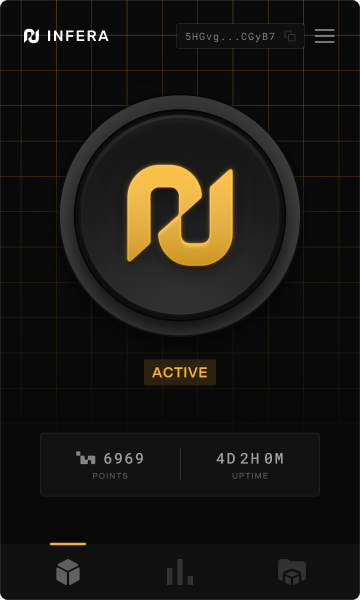 * **Start/Stop Button:** Allows you to toggle the node on or off.
* **Active Status:** Indicates whether the node is running, displaying either “Active” (active and awaiting jobs) or “Inactive” (node deactivated).
* **Points:** Displays the points earned from processed tasks and uptime on the network.
* **Uptime:** Shows the node's total uptime.
### Reputation & Node Details
This section provides a real-time snapshot of your node's performance:
* **Start/Stop Button:** Allows you to toggle the node on or off.
* **Active Status:** Indicates whether the node is running, displaying either “Active” (active and awaiting jobs) or “Inactive” (node deactivated).
* **Points:** Displays the points earned from processed tasks and uptime on the network.
* **Uptime:** Shows the node's total uptime.
### Reputation & Node Details
This section provides a real-time snapshot of your node's performance:
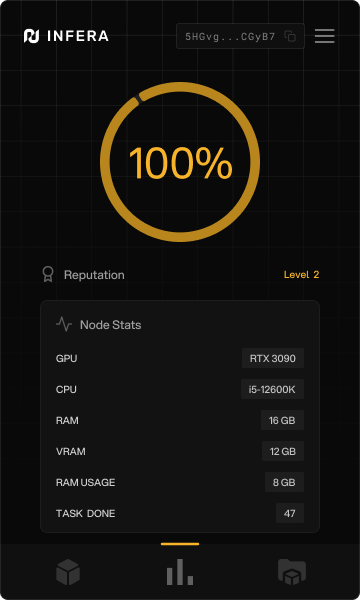 * **Device details:** Displays information about the node's GPU, CPU, RAM, VRAM, and available RAM.
* **Tasks Completed:** Shows the number of inference tasks your node has processed.
* **Reputation:** A pie chart representing your node's reputation on the Infera network based on speed and reliability.
### Installing New Models
This page lists all the LLM models that users can install to support the Infera network, starting with every state-of-the-art open-source model.
Click on the download icon next to a model's name in order to download the model onto your **Infera Node**.
* **Device details:** Displays information about the node's GPU, CPU, RAM, VRAM, and available RAM.
* **Tasks Completed:** Shows the number of inference tasks your node has processed.
* **Reputation:** A pie chart representing your node's reputation on the Infera network based on speed and reliability.
### Installing New Models
This page lists all the LLM models that users can install to support the Infera network, starting with every state-of-the-art open-source model.
Click on the download icon next to a model's name in order to download the model onto your **Infera Node**.
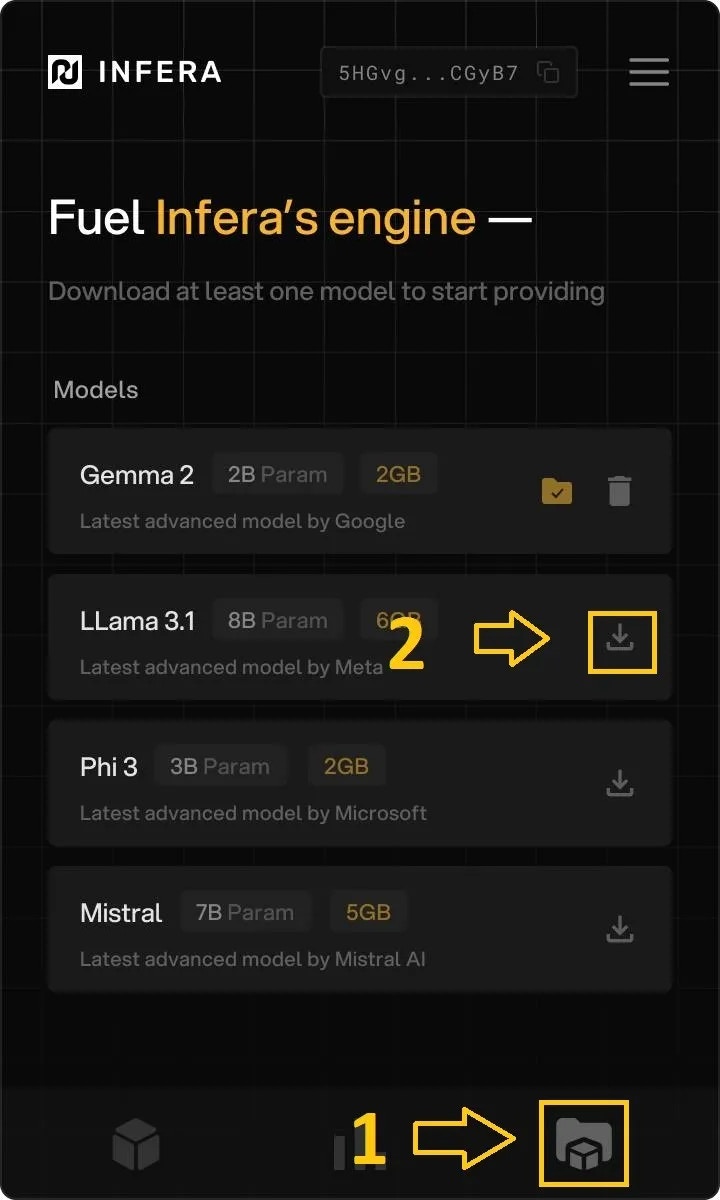 ## Node Management via CLI
If you fancy managing your node via a terminal interface, you can follow this [guide](https://medium.com/@alex_85908/node-management-in-cli-be725a90d1c8).
---
# Source: https://docs.infera.org/api-reference/endpoint/network-stats.md
> ## Documentation Index
> Fetch the complete documentation index at: https://docs.infera.org/llms.txt
> Use this file to discover all available pages before exploring further.
# Network Stats
## OpenAPI
````yaml get /network_stats
openapi: 3.1.0
info:
title: FastAPI
version: 0.1.0
servers:
- url: https://api.infera.org/
description: Infera production servers
security: []
paths:
/network_stats:
get:
summary: Network Stats
operationId: network_stats_network_stats_get
responses:
'200':
description: Successful Response
content:
application/json:
schema: {}
security:
- APIKeyHeader: []
components:
securitySchemes:
APIKeyHeader:
type: apiKey
in: header
name: api_key
````
---
# Source: https://docs.infera.org/api-reference/endpoint/node-jobs-stats.md
> ## Documentation Index
> Fetch the complete documentation index at: https://docs.infera.org/llms.txt
> Use this file to discover all available pages before exploring further.
# Node Jobs Stats
## OpenAPI
````yaml post /node_jobs_stats
openapi: 3.1.0
info:
title: FastAPI
version: 0.1.0
servers:
- url: https://api.infera.org/
description: Infera production servers
security: []
paths:
/node_jobs_stats:
post:
summary: Node Jobs Stats
operationId: node_jobs_stats_node_jobs_stats_post
requestBody:
content:
application/json:
schema:
$ref: '#/components/schemas/NodeRegistration'
required: true
responses:
'200':
description: Successful Response
content:
application/json:
schema: {}
'422':
description: Validation Error
content:
application/json:
schema:
$ref: '#/components/schemas/HTTPValidationError'
security:
- APIKeyHeader: []
components:
schemas:
NodeRegistration:
properties:
node_url:
type: string
title: Node Url
node_version:
anyOf:
- type: string
- type: 'null'
title: Node Version
type: object
required:
- node_url
title: NodeRegistration
HTTPValidationError:
properties:
detail:
items:
$ref: '#/components/schemas/ValidationError'
type: array
title: Detail
type: object
title: HTTPValidationError
ValidationError:
properties:
loc:
items:
anyOf:
- type: string
- type: integer
type: array
title: Location
msg:
type: string
title: Message
type:
type: string
title: Error Type
type: object
required:
- loc
- msg
- type
title: ValidationError
securitySchemes:
APIKeyHeader:
type: apiKey
in: header
name: api_key
````
---
# Source: https://docs.infera.org/api-reference/endpoint/node-model-mapping.md
> ## Documentation Index
> Fetch the complete documentation index at: https://docs.infera.org/llms.txt
> Use this file to discover all available pages before exploring further.
# Node Model Mapping
## OpenAPI
````yaml get /node_model_mapping
openapi: 3.1.0
info:
title: FastAPI
version: 0.1.0
servers:
- url: https://api.infera.org/
description: Infera production servers
security: []
paths:
/node_model_mapping:
get:
summary: Node Model Mapping
operationId: node_model_mapping_node_model_mapping_get
parameters:
- name: time_frame
in: query
required: true
schema:
type: integer
title: Time Frame
responses:
'200':
description: Successful Response
content:
application/json:
schema: {}
'422':
description: Validation Error
content:
application/json:
schema:
$ref: '#/components/schemas/HTTPValidationError'
components:
schemas:
HTTPValidationError:
properties:
detail:
items:
$ref: '#/components/schemas/ValidationError'
type: array
title: Detail
type: object
title: HTTPValidationError
ValidationError:
properties:
loc:
items:
anyOf:
- type: string
- type: integer
type: array
title: Location
msg:
type: string
title: Message
type:
type: string
title: Error Type
type: object
required:
- loc
- msg
- type
title: ValidationError
````
---
# Source: https://docs.infera.org/api-reference/endpoint/node-points-ep.md
> ## Documentation Index
> Fetch the complete documentation index at: https://docs.infera.org/llms.txt
> Use this file to discover all available pages before exploring further.
# Node Points Ep
## OpenAPI
````yaml get /node_points/{node_id}
openapi: 3.1.0
info:
title: FastAPI
version: 0.1.0
servers:
- url: https://api.infera.org/
description: Infera production servers
security: []
paths:
/node_points/{node_id}:
get:
summary: Node Points Ep
operationId: node_points_ep_node_points__node_id__get
parameters:
- name: node_id
in: path
required: true
schema:
type: string
title: Node Id
responses:
'200':
description: Successful Response
content:
application/json:
schema: {}
'422':
description: Validation Error
content:
application/json:
schema:
$ref: '#/components/schemas/HTTPValidationError'
security:
- APIKeyHeader: []
components:
schemas:
HTTPValidationError:
properties:
detail:
items:
$ref: '#/components/schemas/ValidationError'
type: array
title: Detail
type: object
title: HTTPValidationError
ValidationError:
properties:
loc:
items:
anyOf:
- type: string
- type: integer
type: array
title: Location
msg:
type: string
title: Message
type:
type: string
title: Error Type
type: object
required:
- loc
- msg
- type
title: ValidationError
securitySchemes:
APIKeyHeader:
type: apiKey
in: header
name: api_key
````
---
# Source: https://docs.infera.org/api-reference/endpoint/ping-worker.md
> ## Documentation Index
> Fetch the complete documentation index at: https://docs.infera.org/llms.txt
> Use this file to discover all available pages before exploring further.
# Ping Worker
## OpenAPI
````yaml get /worker/ping
openapi: 3.1.0
info:
title: FastAPI
version: 0.1.0
servers:
- url: https://api.infera.org/
description: Infera production servers
security: []
paths:
/worker/ping:
get:
summary: Ping Worker
operationId: ping_worker_worker_ping_get
responses:
'200':
description: Successful Response
content:
application/json:
schema: {}
````
---
# Source: https://docs.infera.org/node/quickstart.md
> ## Documentation Index
> Fetch the complete documentation index at: https://docs.infera.org/llms.txt
> Use this file to discover all available pages before exploring further.
# Running an Infera Node
> Quickstart to how to get an Infera node running on your device.
The **Infera node** serves as an efficient off-chain client, dedicated to handling and completing compute tasks within the Infera network.
Please check [Hardware Requirements](/node/hardware-requirements) before installing to ensure you have the minimum hardware requirement to get jobs. Otherwise your node will not be given jobs to compute!
***
## What is an Infera Node?
An Infera Node is a software application that allows users to contribute their GPU’s compute power to perform AI inference tasks. Whether you’re a hobbyist with a single GPU or a professional with a network of devices, running an Infera Node enables you to participate in the decentralized AI ecosystem, earning rewards for your contributions.
Learn how to install your own node using the [Mac](/node/macos), [Linux](/node/linux) or [Windows](/node/windows) install guide.
***
## How does it work?
## Node Management via CLI
If you fancy managing your node via a terminal interface, you can follow this [guide](https://medium.com/@alex_85908/node-management-in-cli-be725a90d1c8).
---
# Source: https://docs.infera.org/api-reference/endpoint/network-stats.md
> ## Documentation Index
> Fetch the complete documentation index at: https://docs.infera.org/llms.txt
> Use this file to discover all available pages before exploring further.
# Network Stats
## OpenAPI
````yaml get /network_stats
openapi: 3.1.0
info:
title: FastAPI
version: 0.1.0
servers:
- url: https://api.infera.org/
description: Infera production servers
security: []
paths:
/network_stats:
get:
summary: Network Stats
operationId: network_stats_network_stats_get
responses:
'200':
description: Successful Response
content:
application/json:
schema: {}
security:
- APIKeyHeader: []
components:
securitySchemes:
APIKeyHeader:
type: apiKey
in: header
name: api_key
````
---
# Source: https://docs.infera.org/api-reference/endpoint/node-jobs-stats.md
> ## Documentation Index
> Fetch the complete documentation index at: https://docs.infera.org/llms.txt
> Use this file to discover all available pages before exploring further.
# Node Jobs Stats
## OpenAPI
````yaml post /node_jobs_stats
openapi: 3.1.0
info:
title: FastAPI
version: 0.1.0
servers:
- url: https://api.infera.org/
description: Infera production servers
security: []
paths:
/node_jobs_stats:
post:
summary: Node Jobs Stats
operationId: node_jobs_stats_node_jobs_stats_post
requestBody:
content:
application/json:
schema:
$ref: '#/components/schemas/NodeRegistration'
required: true
responses:
'200':
description: Successful Response
content:
application/json:
schema: {}
'422':
description: Validation Error
content:
application/json:
schema:
$ref: '#/components/schemas/HTTPValidationError'
security:
- APIKeyHeader: []
components:
schemas:
NodeRegistration:
properties:
node_url:
type: string
title: Node Url
node_version:
anyOf:
- type: string
- type: 'null'
title: Node Version
type: object
required:
- node_url
title: NodeRegistration
HTTPValidationError:
properties:
detail:
items:
$ref: '#/components/schemas/ValidationError'
type: array
title: Detail
type: object
title: HTTPValidationError
ValidationError:
properties:
loc:
items:
anyOf:
- type: string
- type: integer
type: array
title: Location
msg:
type: string
title: Message
type:
type: string
title: Error Type
type: object
required:
- loc
- msg
- type
title: ValidationError
securitySchemes:
APIKeyHeader:
type: apiKey
in: header
name: api_key
````
---
# Source: https://docs.infera.org/api-reference/endpoint/node-model-mapping.md
> ## Documentation Index
> Fetch the complete documentation index at: https://docs.infera.org/llms.txt
> Use this file to discover all available pages before exploring further.
# Node Model Mapping
## OpenAPI
````yaml get /node_model_mapping
openapi: 3.1.0
info:
title: FastAPI
version: 0.1.0
servers:
- url: https://api.infera.org/
description: Infera production servers
security: []
paths:
/node_model_mapping:
get:
summary: Node Model Mapping
operationId: node_model_mapping_node_model_mapping_get
parameters:
- name: time_frame
in: query
required: true
schema:
type: integer
title: Time Frame
responses:
'200':
description: Successful Response
content:
application/json:
schema: {}
'422':
description: Validation Error
content:
application/json:
schema:
$ref: '#/components/schemas/HTTPValidationError'
components:
schemas:
HTTPValidationError:
properties:
detail:
items:
$ref: '#/components/schemas/ValidationError'
type: array
title: Detail
type: object
title: HTTPValidationError
ValidationError:
properties:
loc:
items:
anyOf:
- type: string
- type: integer
type: array
title: Location
msg:
type: string
title: Message
type:
type: string
title: Error Type
type: object
required:
- loc
- msg
- type
title: ValidationError
````
---
# Source: https://docs.infera.org/api-reference/endpoint/node-points-ep.md
> ## Documentation Index
> Fetch the complete documentation index at: https://docs.infera.org/llms.txt
> Use this file to discover all available pages before exploring further.
# Node Points Ep
## OpenAPI
````yaml get /node_points/{node_id}
openapi: 3.1.0
info:
title: FastAPI
version: 0.1.0
servers:
- url: https://api.infera.org/
description: Infera production servers
security: []
paths:
/node_points/{node_id}:
get:
summary: Node Points Ep
operationId: node_points_ep_node_points__node_id__get
parameters:
- name: node_id
in: path
required: true
schema:
type: string
title: Node Id
responses:
'200':
description: Successful Response
content:
application/json:
schema: {}
'422':
description: Validation Error
content:
application/json:
schema:
$ref: '#/components/schemas/HTTPValidationError'
security:
- APIKeyHeader: []
components:
schemas:
HTTPValidationError:
properties:
detail:
items:
$ref: '#/components/schemas/ValidationError'
type: array
title: Detail
type: object
title: HTTPValidationError
ValidationError:
properties:
loc:
items:
anyOf:
- type: string
- type: integer
type: array
title: Location
msg:
type: string
title: Message
type:
type: string
title: Error Type
type: object
required:
- loc
- msg
- type
title: ValidationError
securitySchemes:
APIKeyHeader:
type: apiKey
in: header
name: api_key
````
---
# Source: https://docs.infera.org/api-reference/endpoint/ping-worker.md
> ## Documentation Index
> Fetch the complete documentation index at: https://docs.infera.org/llms.txt
> Use this file to discover all available pages before exploring further.
# Ping Worker
## OpenAPI
````yaml get /worker/ping
openapi: 3.1.0
info:
title: FastAPI
version: 0.1.0
servers:
- url: https://api.infera.org/
description: Infera production servers
security: []
paths:
/worker/ping:
get:
summary: Ping Worker
operationId: ping_worker_worker_ping_get
responses:
'200':
description: Successful Response
content:
application/json:
schema: {}
````
---
# Source: https://docs.infera.org/node/quickstart.md
> ## Documentation Index
> Fetch the complete documentation index at: https://docs.infera.org/llms.txt
> Use this file to discover all available pages before exploring further.
# Running an Infera Node
> Quickstart to how to get an Infera node running on your device.
The **Infera node** serves as an efficient off-chain client, dedicated to handling and completing compute tasks within the Infera network.
Please check [Hardware Requirements](/node/hardware-requirements) before installing to ensure you have the minimum hardware requirement to get jobs. Otherwise your node will not be given jobs to compute!
***
## What is an Infera Node?
An Infera Node is a software application that allows users to contribute their GPU’s compute power to perform AI inference tasks. Whether you’re a hobbyist with a single GPU or a professional with a network of devices, running an Infera Node enables you to participate in the decentralized AI ecosystem, earning rewards for your contributions.
Learn how to install your own node using the [Mac](/node/macos), [Linux](/node/linux) or [Windows](/node/windows) install guide.
***
## How does it work?
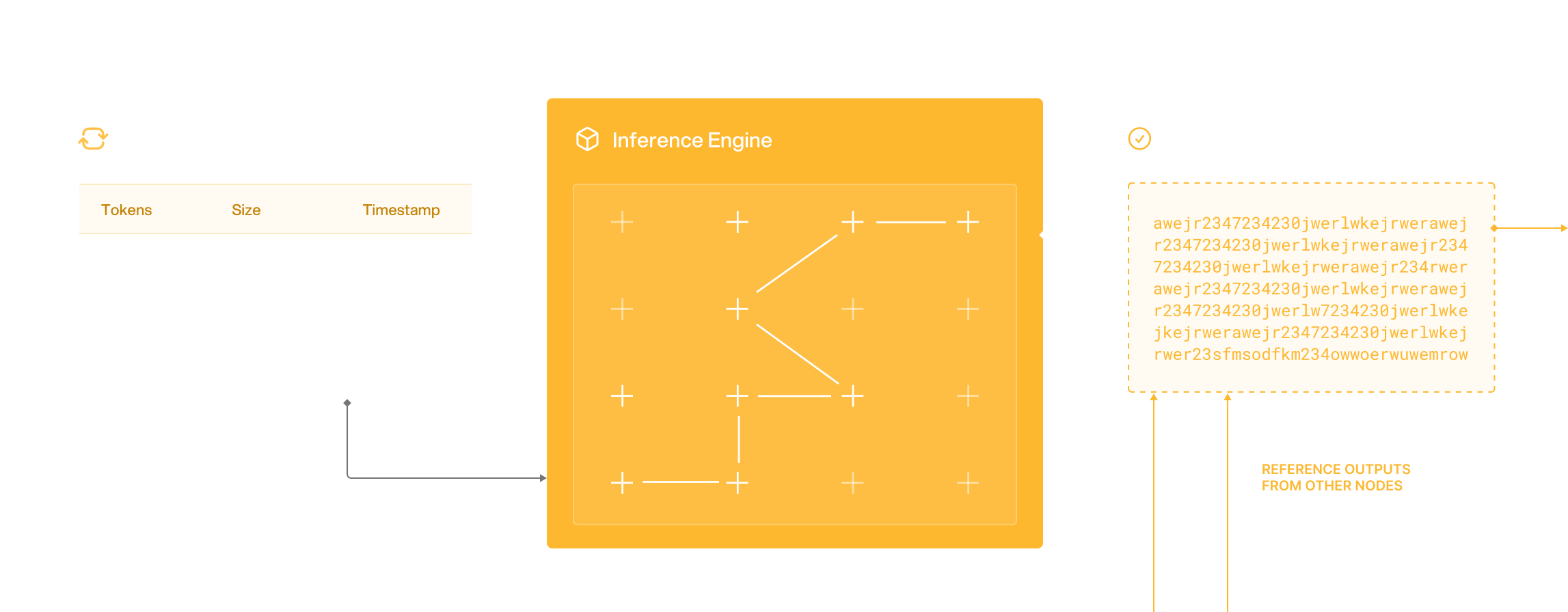 * Nodes listen for inference requests broadcasted from the load balancer.
* When a job is received, the input is passed to the node's inference engine.
* Post-inference, the results are verified with similar outputs from reference nodes.
* Results are then routed back to the load balancer alongside the verification results.
***
## Why run an Infera Node?
* **Earn Rewards:** Contribute your GPU power to the network and receive points or tokens for each successful AI inference job your node processes.
* **Decentralize AI:** Help democratize AI by making high-performance compute power accessible to everyone, reducing the reliance on centralized cloud services.
* **Efficient Usage:** Maximize the use of your idle or underutilized GPU resources by putting them to work on meaningful AI tasks.
* **Scalable Network:** As more nodes join, the network becomes more powerful and resilient, offering even faster and more efficient AI inference.
---
# Source: https://docs.infera.org/api-reference/endpoint/register-node.md
> ## Documentation Index
> Fetch the complete documentation index at: https://docs.infera.org/llms.txt
> Use this file to discover all available pages before exploring further.
# Register Node
## OpenAPI
````yaml post /register_node_secret
openapi: 3.1.0
info:
title: FastAPI
version: 0.1.0
servers:
- url: https://api.infera.org/
description: Infera production servers
security: []
paths:
/register_node_secret:
post:
summary: Register Node
operationId: register_node_register_node_secret_post
requestBody:
content:
application/json:
schema:
$ref: '#/components/schemas/NodeSecretRequest'
required: true
responses:
'200':
description: Successful Response
content:
application/json:
schema: {}
'422':
description: Validation Error
content:
application/json:
schema:
$ref: '#/components/schemas/HTTPValidationError'
components:
schemas:
NodeSecretRequest:
properties:
node_id:
type: string
title: Node Id
secret:
type: string
title: Secret
type: object
required:
- node_id
- secret
title: NodeSecretRequest
HTTPValidationError:
properties:
detail:
items:
$ref: '#/components/schemas/ValidationError'
type: array
title: Detail
type: object
title: HTTPValidationError
ValidationError:
properties:
loc:
items:
anyOf:
- type: string
- type: integer
type: array
title: Location
msg:
type: string
title: Message
type:
type: string
title: Error Type
type: object
required:
- loc
- msg
- type
title: ValidationError
````
---
# Source: https://docs.infera.org/api-reference/endpoint/signup.md
> ## Documentation Index
> Fetch the complete documentation index at: https://docs.infera.org/llms.txt
> Use this file to discover all available pages before exploring further.
# Signup
## OpenAPI
````yaml post /signup_user
openapi: 3.1.0
info:
title: FastAPI
version: 0.1.0
servers:
- url: https://api.infera.org/
description: Infera production servers
security: []
paths:
/signup_user:
post:
summary: Signup
operationId: signup_signup_user_post
requestBody:
content:
application/json:
schema:
$ref: '#/components/schemas/SignupRequest'
required: true
responses:
'200':
description: Successful Response
content:
application/json:
schema: {}
'422':
description: Validation Error
content:
application/json:
schema:
$ref: '#/components/schemas/HTTPValidationError'
components:
schemas:
SignupRequest:
properties:
email:
type: string
format: email
title: Email
type: object
required:
- email
title: SignupRequest
HTTPValidationError:
properties:
detail:
items:
$ref: '#/components/schemas/ValidationError'
type: array
title: Detail
type: object
title: HTTPValidationError
ValidationError:
properties:
loc:
items:
anyOf:
- type: string
- type: integer
type: array
title: Location
msg:
type: string
title: Message
type:
type: string
title: Error Type
type: object
required:
- loc
- msg
- type
title: ValidationError
````
---
# Source: https://docs.infera.org/api-reference/endpoint/submit-job.md
> ## Documentation Index
> Fetch the complete documentation index at: https://docs.infera.org/llms.txt
> Use this file to discover all available pages before exploring further.
# Submit Job
## OpenAPI
````yaml post /submit_job
openapi: 3.1.0
info:
title: FastAPI
version: 0.1.0
servers:
- url: https://api.infera.org/
description: Infera production servers
security: []
paths:
/submit_job:
post:
summary: Submit Job
operationId: submit_job_submit_job_post
requestBody:
content:
application/json:
schema:
$ref: '#/components/schemas/JobRequest'
required: true
responses:
'200':
description: Successful Response
content:
application/json:
schema: {}
'422':
description: Validation Error
content:
application/json:
schema:
$ref: '#/components/schemas/HTTPValidationError'
security:
- APIKeyHeader: []
components:
schemas:
JobRequest:
properties:
model:
type: string
title: Model
messages:
items:
$ref: '#/components/schemas/InputMessage'
type: array
title: Messages
max_output:
type: integer
title: Max Output
temperature:
type: number
title: Temperature
type: object
required:
- model
- messages
- max_output
- temperature
title: JobRequest
HTTPValidationError:
properties:
detail:
items:
$ref: '#/components/schemas/ValidationError'
type: array
title: Detail
type: object
title: HTTPValidationError
InputMessage:
properties:
role:
type: string
title: Role
content:
type: string
title: Content
type: object
required:
- role
- content
title: InputMessage
ValidationError:
properties:
loc:
items:
anyOf:
- type: string
- type: integer
type: array
title: Location
msg:
type: string
title: Message
type:
type: string
title: Error Type
type: object
required:
- loc
- msg
- type
title: ValidationError
securitySchemes:
APIKeyHeader:
type: apiKey
in: header
name: api_key
````
---
# Source: https://docs.infera.org/api-reference/endpoint/update-model.md
> ## Documentation Index
> Fetch the complete documentation index at: https://docs.infera.org/llms.txt
> Use this file to discover all available pages before exploring further.
# Update Model
## OpenAPI
````yaml post /worker/update_models
openapi: 3.1.0
info:
title: FastAPI
version: 0.1.0
servers:
- url: https://api.infera.org/
description: Infera production servers
security: []
paths:
/worker/update_models:
post:
summary: Update Model
operationId: update_model_worker_update_models_post
requestBody:
content:
application/json:
schema:
$ref: '#/components/schemas/NodeModel'
required: true
responses:
'200':
description: Successful Response
content:
application/json:
schema: {}
'422':
description: Validation Error
content:
application/json:
schema:
$ref: '#/components/schemas/HTTPValidationError'
components:
schemas:
NodeModel:
properties:
node_url:
type: string
title: Node Url
models:
items:
type: string
type: array
title: Models
type: object
required:
- node_url
- models
title: NodeModel
HTTPValidationError:
properties:
detail:
items:
$ref: '#/components/schemas/ValidationError'
type: array
title: Detail
type: object
title: HTTPValidationError
ValidationError:
properties:
loc:
items:
anyOf:
- type: string
- type: integer
type: array
title: Location
msg:
type: string
title: Message
type:
type: string
title: Error Type
type: object
required:
- loc
- msg
- type
title: ValidationError
````
---
# Source: https://docs.infera.org/api-reference/endpoint/update-result.md
> ## Documentation Index
> Fetch the complete documentation index at: https://docs.infera.org/llms.txt
> Use this file to discover all available pages before exploring further.
# Update Result
## OpenAPI
````yaml post /worker/update_result
openapi: 3.1.0
info:
title: FastAPI
version: 0.1.0
servers:
- url: https://api.infera.org/
description: Infera production servers
security: []
paths:
/worker/update_result:
post:
summary: Update Result
operationId: update_result_worker_update_result_post
requestBody:
content:
application/json:
schema:
$ref: '#/components/schemas/JobResult'
required: true
responses:
'200':
description: Successful Response
content:
application/json:
schema: {}
'422':
description: Validation Error
content:
application/json:
schema:
$ref: '#/components/schemas/HTTPValidationError'
components:
schemas:
JobResult:
properties:
job_id:
type: string
title: Job Id
api_key:
type: string
title: Api Key
model_name:
type: string
title: Model Name
result:
type: object
title: Result
status:
type: string
title: Status
type: object
required:
- job_id
- api_key
- model_name
- result
- status
title: JobResult
HTTPValidationError:
properties:
detail:
items:
$ref: '#/components/schemas/ValidationError'
type: array
title: Detail
type: object
title: HTTPValidationError
ValidationError:
properties:
loc:
items:
anyOf:
- type: string
- type: integer
type: array
title: Location
msg:
type: string
title: Message
type:
type: string
title: Error Type
type: object
required:
- loc
- msg
- type
title: ValidationError
````
---
# Source: https://docs.infera.org/node/windows.md
> ## Documentation Index
> Fetch the complete documentation index at: https://docs.infera.org/llms.txt
> Use this file to discover all available pages before exploring further.
# Windows
> Installing the Infera Node CLI program on Windows.
## Prerequisites
You **MUST** have a **GPU** to run an **Infera Node**.
Minimum requirements for the node are 16GB RAM and 8GB VRAM. A node will run with less RAM, but will get significantly less or no jobs.
### Installation
Download [Ollawa for Windows](https://ollama.com/download) and install it. Then run Ollama and it should appear in your system tray. Make sure it is there and running. The Infera node **will not boot up** without Ollama running.
* Nodes listen for inference requests broadcasted from the load balancer.
* When a job is received, the input is passed to the node's inference engine.
* Post-inference, the results are verified with similar outputs from reference nodes.
* Results are then routed back to the load balancer alongside the verification results.
***
## Why run an Infera Node?
* **Earn Rewards:** Contribute your GPU power to the network and receive points or tokens for each successful AI inference job your node processes.
* **Decentralize AI:** Help democratize AI by making high-performance compute power accessible to everyone, reducing the reliance on centralized cloud services.
* **Efficient Usage:** Maximize the use of your idle or underutilized GPU resources by putting them to work on meaningful AI tasks.
* **Scalable Network:** As more nodes join, the network becomes more powerful and resilient, offering even faster and more efficient AI inference.
---
# Source: https://docs.infera.org/api-reference/endpoint/register-node.md
> ## Documentation Index
> Fetch the complete documentation index at: https://docs.infera.org/llms.txt
> Use this file to discover all available pages before exploring further.
# Register Node
## OpenAPI
````yaml post /register_node_secret
openapi: 3.1.0
info:
title: FastAPI
version: 0.1.0
servers:
- url: https://api.infera.org/
description: Infera production servers
security: []
paths:
/register_node_secret:
post:
summary: Register Node
operationId: register_node_register_node_secret_post
requestBody:
content:
application/json:
schema:
$ref: '#/components/schemas/NodeSecretRequest'
required: true
responses:
'200':
description: Successful Response
content:
application/json:
schema: {}
'422':
description: Validation Error
content:
application/json:
schema:
$ref: '#/components/schemas/HTTPValidationError'
components:
schemas:
NodeSecretRequest:
properties:
node_id:
type: string
title: Node Id
secret:
type: string
title: Secret
type: object
required:
- node_id
- secret
title: NodeSecretRequest
HTTPValidationError:
properties:
detail:
items:
$ref: '#/components/schemas/ValidationError'
type: array
title: Detail
type: object
title: HTTPValidationError
ValidationError:
properties:
loc:
items:
anyOf:
- type: string
- type: integer
type: array
title: Location
msg:
type: string
title: Message
type:
type: string
title: Error Type
type: object
required:
- loc
- msg
- type
title: ValidationError
````
---
# Source: https://docs.infera.org/api-reference/endpoint/signup.md
> ## Documentation Index
> Fetch the complete documentation index at: https://docs.infera.org/llms.txt
> Use this file to discover all available pages before exploring further.
# Signup
## OpenAPI
````yaml post /signup_user
openapi: 3.1.0
info:
title: FastAPI
version: 0.1.0
servers:
- url: https://api.infera.org/
description: Infera production servers
security: []
paths:
/signup_user:
post:
summary: Signup
operationId: signup_signup_user_post
requestBody:
content:
application/json:
schema:
$ref: '#/components/schemas/SignupRequest'
required: true
responses:
'200':
description: Successful Response
content:
application/json:
schema: {}
'422':
description: Validation Error
content:
application/json:
schema:
$ref: '#/components/schemas/HTTPValidationError'
components:
schemas:
SignupRequest:
properties:
email:
type: string
format: email
title: Email
type: object
required:
- email
title: SignupRequest
HTTPValidationError:
properties:
detail:
items:
$ref: '#/components/schemas/ValidationError'
type: array
title: Detail
type: object
title: HTTPValidationError
ValidationError:
properties:
loc:
items:
anyOf:
- type: string
- type: integer
type: array
title: Location
msg:
type: string
title: Message
type:
type: string
title: Error Type
type: object
required:
- loc
- msg
- type
title: ValidationError
````
---
# Source: https://docs.infera.org/api-reference/endpoint/submit-job.md
> ## Documentation Index
> Fetch the complete documentation index at: https://docs.infera.org/llms.txt
> Use this file to discover all available pages before exploring further.
# Submit Job
## OpenAPI
````yaml post /submit_job
openapi: 3.1.0
info:
title: FastAPI
version: 0.1.0
servers:
- url: https://api.infera.org/
description: Infera production servers
security: []
paths:
/submit_job:
post:
summary: Submit Job
operationId: submit_job_submit_job_post
requestBody:
content:
application/json:
schema:
$ref: '#/components/schemas/JobRequest'
required: true
responses:
'200':
description: Successful Response
content:
application/json:
schema: {}
'422':
description: Validation Error
content:
application/json:
schema:
$ref: '#/components/schemas/HTTPValidationError'
security:
- APIKeyHeader: []
components:
schemas:
JobRequest:
properties:
model:
type: string
title: Model
messages:
items:
$ref: '#/components/schemas/InputMessage'
type: array
title: Messages
max_output:
type: integer
title: Max Output
temperature:
type: number
title: Temperature
type: object
required:
- model
- messages
- max_output
- temperature
title: JobRequest
HTTPValidationError:
properties:
detail:
items:
$ref: '#/components/schemas/ValidationError'
type: array
title: Detail
type: object
title: HTTPValidationError
InputMessage:
properties:
role:
type: string
title: Role
content:
type: string
title: Content
type: object
required:
- role
- content
title: InputMessage
ValidationError:
properties:
loc:
items:
anyOf:
- type: string
- type: integer
type: array
title: Location
msg:
type: string
title: Message
type:
type: string
title: Error Type
type: object
required:
- loc
- msg
- type
title: ValidationError
securitySchemes:
APIKeyHeader:
type: apiKey
in: header
name: api_key
````
---
# Source: https://docs.infera.org/api-reference/endpoint/update-model.md
> ## Documentation Index
> Fetch the complete documentation index at: https://docs.infera.org/llms.txt
> Use this file to discover all available pages before exploring further.
# Update Model
## OpenAPI
````yaml post /worker/update_models
openapi: 3.1.0
info:
title: FastAPI
version: 0.1.0
servers:
- url: https://api.infera.org/
description: Infera production servers
security: []
paths:
/worker/update_models:
post:
summary: Update Model
operationId: update_model_worker_update_models_post
requestBody:
content:
application/json:
schema:
$ref: '#/components/schemas/NodeModel'
required: true
responses:
'200':
description: Successful Response
content:
application/json:
schema: {}
'422':
description: Validation Error
content:
application/json:
schema:
$ref: '#/components/schemas/HTTPValidationError'
components:
schemas:
NodeModel:
properties:
node_url:
type: string
title: Node Url
models:
items:
type: string
type: array
title: Models
type: object
required:
- node_url
- models
title: NodeModel
HTTPValidationError:
properties:
detail:
items:
$ref: '#/components/schemas/ValidationError'
type: array
title: Detail
type: object
title: HTTPValidationError
ValidationError:
properties:
loc:
items:
anyOf:
- type: string
- type: integer
type: array
title: Location
msg:
type: string
title: Message
type:
type: string
title: Error Type
type: object
required:
- loc
- msg
- type
title: ValidationError
````
---
# Source: https://docs.infera.org/api-reference/endpoint/update-result.md
> ## Documentation Index
> Fetch the complete documentation index at: https://docs.infera.org/llms.txt
> Use this file to discover all available pages before exploring further.
# Update Result
## OpenAPI
````yaml post /worker/update_result
openapi: 3.1.0
info:
title: FastAPI
version: 0.1.0
servers:
- url: https://api.infera.org/
description: Infera production servers
security: []
paths:
/worker/update_result:
post:
summary: Update Result
operationId: update_result_worker_update_result_post
requestBody:
content:
application/json:
schema:
$ref: '#/components/schemas/JobResult'
required: true
responses:
'200':
description: Successful Response
content:
application/json:
schema: {}
'422':
description: Validation Error
content:
application/json:
schema:
$ref: '#/components/schemas/HTTPValidationError'
components:
schemas:
JobResult:
properties:
job_id:
type: string
title: Job Id
api_key:
type: string
title: Api Key
model_name:
type: string
title: Model Name
result:
type: object
title: Result
status:
type: string
title: Status
type: object
required:
- job_id
- api_key
- model_name
- result
- status
title: JobResult
HTTPValidationError:
properties:
detail:
items:
$ref: '#/components/schemas/ValidationError'
type: array
title: Detail
type: object
title: HTTPValidationError
ValidationError:
properties:
loc:
items:
anyOf:
- type: string
- type: integer
type: array
title: Location
msg:
type: string
title: Message
type:
type: string
title: Error Type
type: object
required:
- loc
- msg
- type
title: ValidationError
````
---
# Source: https://docs.infera.org/node/windows.md
> ## Documentation Index
> Fetch the complete documentation index at: https://docs.infera.org/llms.txt
> Use this file to discover all available pages before exploring further.
# Windows
> Installing the Infera Node CLI program on Windows.
## Prerequisites
You **MUST** have a **GPU** to run an **Infera Node**.
Minimum requirements for the node are 16GB RAM and 8GB VRAM. A node will run with less RAM, but will get significantly less or no jobs.
### Installation
Download [Ollawa for Windows](https://ollama.com/download) and install it. Then run Ollama and it should appear in your system tray. Make sure it is there and running. The Infera node **will not boot up** without Ollama running.
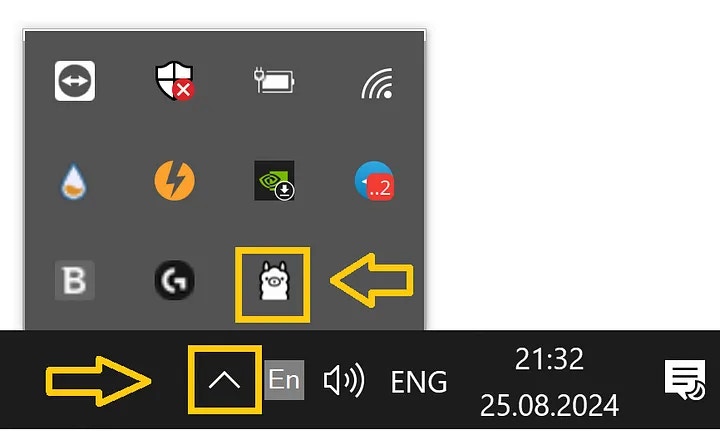 Download the Infera [install-scripts](https://github.com/inferanetwork/install-scripts) github repository.
You can do this by navigating to the repository and then pressing `Code` button in the top right corner and selecting `Download ZIP`.
Download the Infera [install-scripts](https://github.com/inferanetwork/install-scripts) github repository.
You can do this by navigating to the repository and then pressing `Code` button in the top right corner and selecting `Download ZIP`.
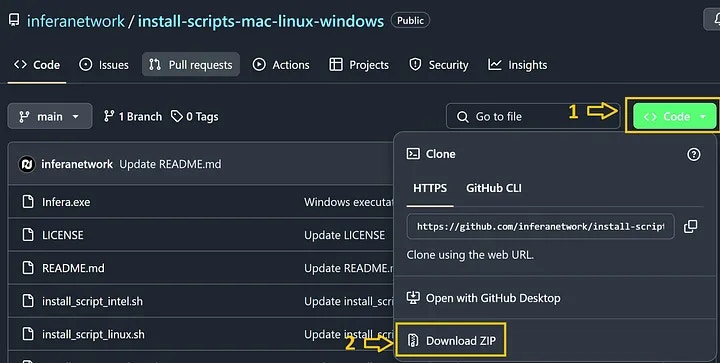 1. Open the Chrome Browser (if you do not have Chrome installed, download it [here](https://www.google.com/intl/en_ca/chrome/))
2. Go to the [Infera Lite](https://chromewebstore.google.com/detail/infera-lite/ffoccnmddajjohmmkccnkobelobgcdmp) extension on the Chrome Web Store.
3. Click **"Add to your Chrome"** to install the extension in your browser.
Extract the folder out of the downloaded ZIP, which was downloaded in **Step 1**.
Drag and drop the `infera-node.exe` file to your Desktop for easy access.
1. On your desktop, double-click the `infera-node.exe` icon.
2. The Infera node will now boot up.
If Ollama is not running, you will receive an error and the node will not start.
Once your node is running, click on the Infera Lite extension in Chrome while your node is running to monitor your node.
If your node is running, the extension should automatically detect your node.
Go to the [Infera Lite Guide](/node/infera-lite) to learn more about how you can use the extension to monitor your node.
If this is your first time, you may see a message saying
```
ERROR: node verification failed
```
This is because you must link your node to your **Infera Account**. Linking your node to your account is neccessary to withdraw tokens earned from completing jobs on the network.
To link your node, follow the [Link Node to Account](https://medium.com/@alex_85908/how-to-link-a-node-to-your-infera-account-d2f746e52fa2). This must be done once for every node you run.
**If you have already linked your node**, it should just start up and you will see messages in terminal counting uptime. That means your node is running!
**If your node gets a job**, you will see a message saying Starting job in terminal.
***
### Troubleshooting
* If the installation script fails, ensure your internet connection is active.
* Make sure you have the latest version of Ollama running before starting the Infera node.
* If you see this in your terminal 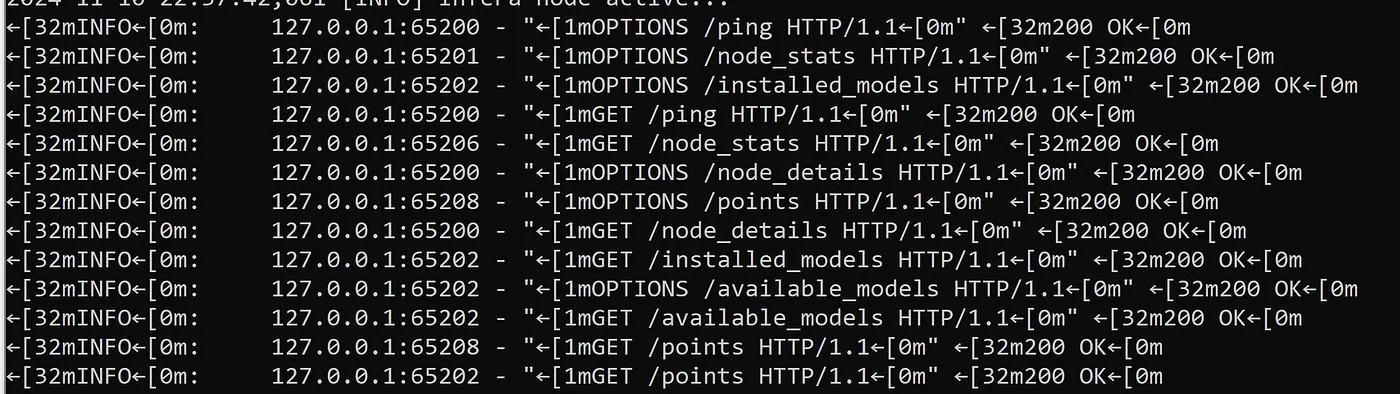
It is NOT an error or an issue at all. This is your chrome extension prompting server for data like points, uptime and other data. Nothing needs to be done about it.
* If it's stuck on “Uvicorn running” try to close the exe and run it again. Sometimes it helps running the exe as an Administrator but should be fine just relaunching the app.
* Windows firewall might also pop up, allow running infera-windows.exe in the pop-up or add it to exceptions of your anti-virus software.
* Make sure your extension has ACTIVE status on the first page. If it doesn't, try pressing the huge Infera logo on the same page
1. Open the Chrome Browser (if you do not have Chrome installed, download it [here](https://www.google.com/intl/en_ca/chrome/))
2. Go to the [Infera Lite](https://chromewebstore.google.com/detail/infera-lite/ffoccnmddajjohmmkccnkobelobgcdmp) extension on the Chrome Web Store.
3. Click **"Add to your Chrome"** to install the extension in your browser.
Extract the folder out of the downloaded ZIP, which was downloaded in **Step 1**.
Drag and drop the `infera-node.exe` file to your Desktop for easy access.
1. On your desktop, double-click the `infera-node.exe` icon.
2. The Infera node will now boot up.
If Ollama is not running, you will receive an error and the node will not start.
Once your node is running, click on the Infera Lite extension in Chrome while your node is running to monitor your node.
If your node is running, the extension should automatically detect your node.
Go to the [Infera Lite Guide](/node/infera-lite) to learn more about how you can use the extension to monitor your node.
If this is your first time, you may see a message saying
```
ERROR: node verification failed
```
This is because you must link your node to your **Infera Account**. Linking your node to your account is neccessary to withdraw tokens earned from completing jobs on the network.
To link your node, follow the [Link Node to Account](https://medium.com/@alex_85908/how-to-link-a-node-to-your-infera-account-d2f746e52fa2). This must be done once for every node you run.
**If you have already linked your node**, it should just start up and you will see messages in terminal counting uptime. That means your node is running!
**If your node gets a job**, you will see a message saying Starting job in terminal.
***
### Troubleshooting
* If the installation script fails, ensure your internet connection is active.
* Make sure you have the latest version of Ollama running before starting the Infera node.
* If you see this in your terminal 
It is NOT an error or an issue at all. This is your chrome extension prompting server for data like points, uptime and other data. Nothing needs to be done about it.
* If it's stuck on “Uvicorn running” try to close the exe and run it again. Sometimes it helps running the exe as an Administrator but should be fine just relaunching the app.
* Windows firewall might also pop up, allow running infera-windows.exe in the pop-up or add it to exceptions of your anti-virus software.
* Make sure your extension has ACTIVE status on the first page. If it doesn't, try pressing the huge Infera logo on the same page
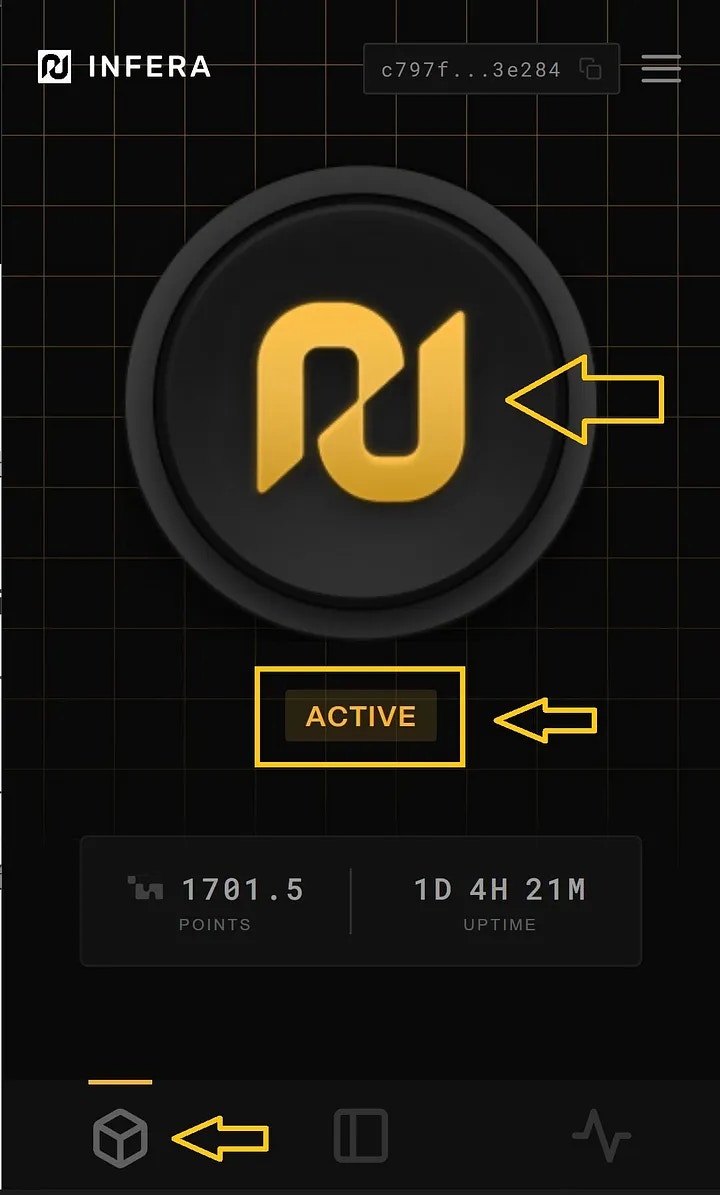 ### Need Help?
If you have any questions or encounter any issues, join our [Discord Community](https://discord.com/invite/infera) for assistance.
---
# Source: https://docs.infera.org/api-reference/endpoint/worker-deregister.md
> ## Documentation Index
> Fetch the complete documentation index at: https://docs.infera.org/llms.txt
> Use this file to discover all available pages before exploring further.
# Worker Deregister
## OpenAPI
````yaml post /worker/deregister_node
openapi: 3.1.0
info:
title: FastAPI
version: 0.1.0
servers:
- url: https://api.infera.org/
description: Infera production servers
security: []
paths:
/worker/deregister_node:
post:
summary: Worker Deregister
operationId: worker_deregister_worker_deregister_node_post
requestBody:
content:
application/json:
schema:
$ref: '#/components/schemas/NodeRegistration'
required: true
responses:
'200':
description: Successful Response
content:
application/json:
schema: {}
'422':
description: Validation Error
content:
application/json:
schema:
$ref: '#/components/schemas/HTTPValidationError'
components:
schemas:
NodeRegistration:
properties:
node_url:
type: string
title: Node Url
node_version:
anyOf:
- type: string
- type: 'null'
title: Node Version
type: object
required:
- node_url
title: NodeRegistration
HTTPValidationError:
properties:
detail:
items:
$ref: '#/components/schemas/ValidationError'
type: array
title: Detail
type: object
title: HTTPValidationError
ValidationError:
properties:
loc:
items:
anyOf:
- type: string
- type: integer
type: array
title: Location
msg:
type: string
title: Message
type:
type: string
title: Error Type
type: object
required:
- loc
- msg
- type
title: ValidationError
````
---
# Source: https://docs.infera.org/api-reference/endpoint/worker-register.md
> ## Documentation Index
> Fetch the complete documentation index at: https://docs.infera.org/llms.txt
> Use this file to discover all available pages before exploring further.
# Worker Register
## OpenAPI
````yaml post /worker/register_node
openapi: 3.1.0
info:
title: FastAPI
version: 0.1.0
servers:
- url: https://api.infera.org/
description: Infera production servers
security: []
paths:
/worker/register_node:
post:
summary: Worker Register
operationId: worker_register_worker_register_node_post
requestBody:
content:
application/json:
schema:
$ref: '#/components/schemas/NodeRegistration'
required: true
responses:
'200':
description: Successful Response
content:
application/json:
schema: {}
'422':
description: Validation Error
content:
application/json:
schema:
$ref: '#/components/schemas/HTTPValidationError'
components:
schemas:
NodeRegistration:
properties:
node_url:
type: string
title: Node Url
node_version:
anyOf:
- type: string
- type: 'null'
title: Node Version
type: object
required:
- node_url
title: NodeRegistration
HTTPValidationError:
properties:
detail:
items:
$ref: '#/components/schemas/ValidationError'
type: array
title: Detail
type: object
title: HTTPValidationError
ValidationError:
properties:
loc:
items:
anyOf:
- type: string
- type: integer
type: array
title: Location
msg:
type: string
title: Message
type:
type: string
title: Error Type
type: object
required:
- loc
- msg
- type
title: ValidationError
````
### Need Help?
If you have any questions or encounter any issues, join our [Discord Community](https://discord.com/invite/infera) for assistance.
---
# Source: https://docs.infera.org/api-reference/endpoint/worker-deregister.md
> ## Documentation Index
> Fetch the complete documentation index at: https://docs.infera.org/llms.txt
> Use this file to discover all available pages before exploring further.
# Worker Deregister
## OpenAPI
````yaml post /worker/deregister_node
openapi: 3.1.0
info:
title: FastAPI
version: 0.1.0
servers:
- url: https://api.infera.org/
description: Infera production servers
security: []
paths:
/worker/deregister_node:
post:
summary: Worker Deregister
operationId: worker_deregister_worker_deregister_node_post
requestBody:
content:
application/json:
schema:
$ref: '#/components/schemas/NodeRegistration'
required: true
responses:
'200':
description: Successful Response
content:
application/json:
schema: {}
'422':
description: Validation Error
content:
application/json:
schema:
$ref: '#/components/schemas/HTTPValidationError'
components:
schemas:
NodeRegistration:
properties:
node_url:
type: string
title: Node Url
node_version:
anyOf:
- type: string
- type: 'null'
title: Node Version
type: object
required:
- node_url
title: NodeRegistration
HTTPValidationError:
properties:
detail:
items:
$ref: '#/components/schemas/ValidationError'
type: array
title: Detail
type: object
title: HTTPValidationError
ValidationError:
properties:
loc:
items:
anyOf:
- type: string
- type: integer
type: array
title: Location
msg:
type: string
title: Message
type:
type: string
title: Error Type
type: object
required:
- loc
- msg
- type
title: ValidationError
````
---
# Source: https://docs.infera.org/api-reference/endpoint/worker-register.md
> ## Documentation Index
> Fetch the complete documentation index at: https://docs.infera.org/llms.txt
> Use this file to discover all available pages before exploring further.
# Worker Register
## OpenAPI
````yaml post /worker/register_node
openapi: 3.1.0
info:
title: FastAPI
version: 0.1.0
servers:
- url: https://api.infera.org/
description: Infera production servers
security: []
paths:
/worker/register_node:
post:
summary: Worker Register
operationId: worker_register_worker_register_node_post
requestBody:
content:
application/json:
schema:
$ref: '#/components/schemas/NodeRegistration'
required: true
responses:
'200':
description: Successful Response
content:
application/json:
schema: {}
'422':
description: Validation Error
content:
application/json:
schema:
$ref: '#/components/schemas/HTTPValidationError'
components:
schemas:
NodeRegistration:
properties:
node_url:
type: string
title: Node Url
node_version:
anyOf:
- type: string
- type: 'null'
title: Node Version
type: object
required:
- node_url
title: NodeRegistration
HTTPValidationError:
properties:
detail:
items:
$ref: '#/components/schemas/ValidationError'
type: array
title: Detail
type: object
title: HTTPValidationError
ValidationError:
properties:
loc:
items:
anyOf:
- type: string
- type: integer
type: array
title: Location
msg:
type: string
title: Message
type:
type: string
title: Error Type
type: object
required:
- loc
- msg
- type
title: ValidationError
````