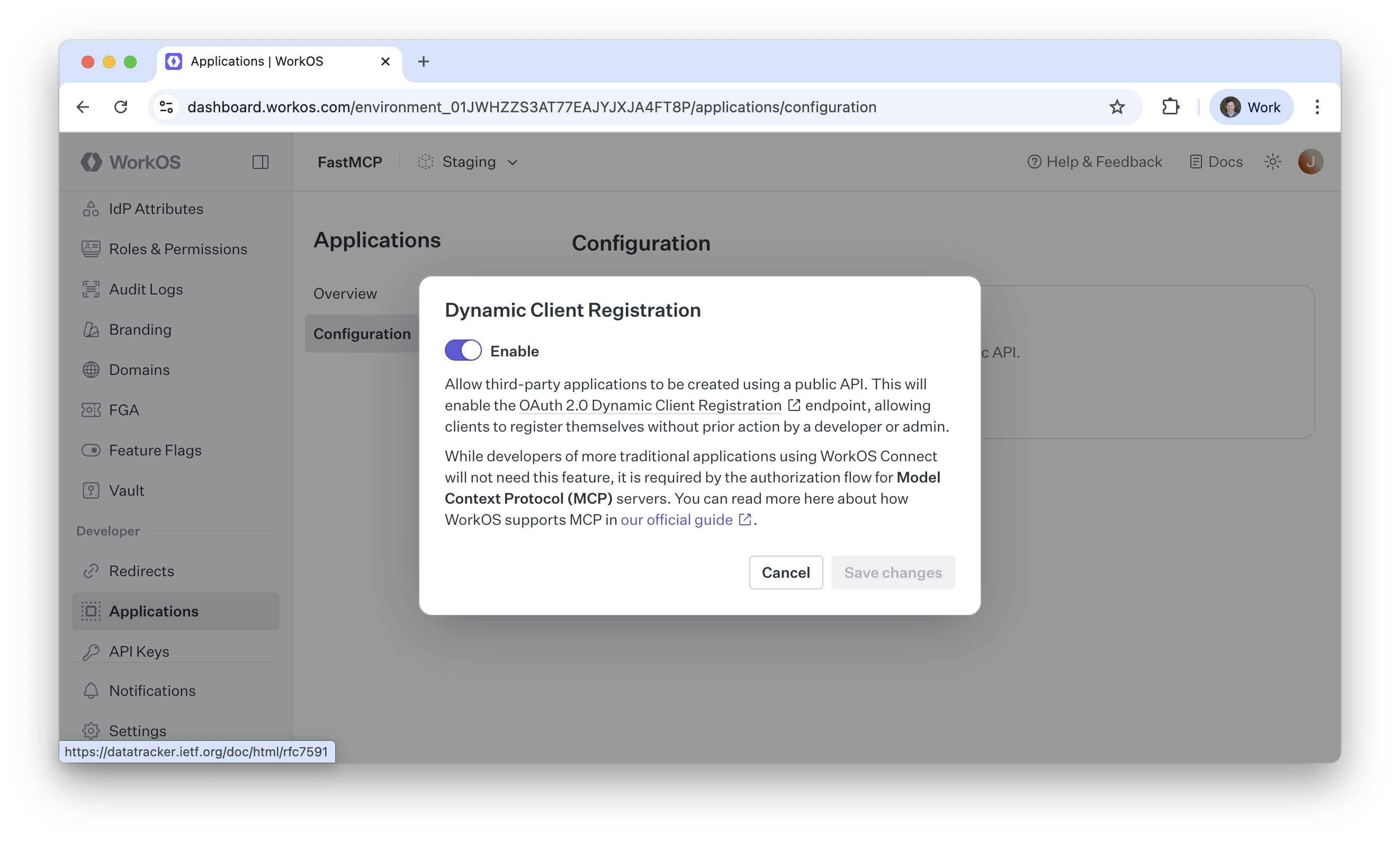
# Gofastmcp > ## Documentation Index --- # Source: https://gofastmcp.com/integrations/anthropic.md > ## Documentation Index > Fetch the complete documentation index at: https://gofastmcp.com/llms.txt > Use this file to discover all available pages before exploring further. # Anthropic API 🤝 FastMCP > Connect FastMCP servers to the Anthropic API export const VersionBadge = ({version}) => { return New in version {version} ; }; Anthropic's [Messages API](https://docs.anthropic.com/en/api/messages) supports MCP servers as remote tool sources. This tutorial will show you how to create a FastMCP server and deploy it to a public URL, then how to call it from the Messages API. Currently, the MCP connector only accesses **tools** from MCP servers—it queries the `list_tools` endpoint and exposes those functions to Claude. Other MCP features like resources and prompts are not currently supported. You can read more about the MCP connector in the [Anthropic documentation](https://docs.anthropic.com/en/docs/agents-and-tools/mcp-connector). ## Create a Server First, create a FastMCP server with the tools you want to expose. For this example, we'll create a server with a single tool that rolls dice. ```python server.py theme={"theme":{"light":"snazzy-light","dark":"dark-plus"}} import random from fastmcp import FastMCP mcp = FastMCP(name="Dice Roller") @mcp.tool def roll_dice(n_dice: int) -> list[int]: """Roll `n_dice` 6-sided dice and return the results.""" return [random.randint(1, 6) for _ in range(n_dice)] if __name__ == "__main__": mcp.run(transport="http", port=8000) ``` ## Deploy the Server Your server must be deployed to a public URL in order for Anthropic to access it. The MCP connector supports both SSE and Streamable HTTP transports. For development, you can use tools like `ngrok` to temporarily expose a locally-running server to the internet. We'll do that for this example (you may need to install `ngrok` and create a free account), but you can use any other method to deploy your server. Assuming you saved the above code as `server.py`, you can run the following two commands in two separate terminals to deploy your server and expose it to the internet: ```bash FastMCP server theme={"theme":{"light":"snazzy-light","dark":"dark-plus"}} python server.py ``` ```bash ngrok theme={"theme":{"light":"snazzy-light","dark":"dark-plus"}} ngrok http 8000 ``` This exposes your unauthenticated server to the internet. Only run this command in a safe environment if you understand the risks. ## Call the Server To use the Messages API with MCP servers, you'll need to install the Anthropic Python SDK (not included with FastMCP): ```bash theme={"theme":{"light":"snazzy-light","dark":"dark-plus"}} pip install anthropic ``` You'll also need to authenticate with Anthropic. You can do this by setting the `ANTHROPIC_API_KEY` environment variable. Consult the Anthropic SDK documentation for more information. ```bash theme={"theme":{"light":"snazzy-light","dark":"dark-plus"}} export ANTHROPIC_API_KEY="your-api-key" ``` Here is an example of how to call your server from Python. Note that you'll need to replace `https://your-server-url.com` with the actual URL of your server. In addition, we use `/mcp/` as the endpoint because we deployed a streamable-HTTP server with the default path; you may need to use a different endpoint if you customized your server's deployment. **At this time you must also include the `extra_headers` parameter with the `anthropic-beta` header.** ```python {5, 13-22} theme={"theme":{"light":"snazzy-light","dark":"dark-plus"}} import anthropic from rich import print # Your server URL (replace with your actual URL) url = 'https://your-server-url.com' client = anthropic.Anthropic() response = client.beta.messages.create( model="claude-sonnet-4-20250514", max_tokens=1000, messages=[{"role": "user", "content": "Roll a few dice!"}], mcp_servers=[ { "type": "url", "url": f"{url}/mcp/", "name": "dice-server", } ], extra_headers={ "anthropic-beta": "mcp-client-2025-04-04" } ) print(response.content) ``` If you run this code, you'll see something like the following output: ```text theme={"theme":{"light":"snazzy-light","dark":"dark-plus"}} I'll roll some dice for you! Let me use the dice rolling tool. I rolled 3 dice and got: 4, 2, 6 The results were 4, 2, and 6. Would you like me to roll again or roll a different number of dice? ``` ## Authentication The MCP connector supports OAuth authentication through authorization tokens, which means you can secure your server while still allowing Anthropic to access it. ### Server Authentication The simplest way to add authentication to the server is to use a bearer token scheme. For this example, we'll quickly generate our own tokens with FastMCP's `RSAKeyPair` utility, but this may not be appropriate for production use. For more details, see the complete server-side [Token Verification](/servers/auth/token-verification) documentation. We'll start by creating an RSA key pair to sign and verify tokens. ```python theme={"theme":{"light":"snazzy-light","dark":"dark-plus"}} from fastmcp.server.auth.providers.jwt import RSAKeyPair key_pair = RSAKeyPair.generate() access_token = key_pair.create_token(audience="dice-server") ``` FastMCP's `RSAKeyPair` utility is for development and testing only. Next, we'll create a `JWTVerifier` to authenticate the server. ```python theme={"theme":{"light":"snazzy-light","dark":"dark-plus"}} from fastmcp import FastMCP from fastmcp.server.auth import JWTVerifier auth = JWTVerifier( public_key=key_pair.public_key, audience="dice-server", ) mcp = FastMCP(name="Dice Roller", auth=auth) ``` Here is a complete example that you can copy/paste. For simplicity and the purposes of this example only, it will print the token to the console. **Do NOT do this in production!** ```python server.py [expandable] theme={"theme":{"light":"snazzy-light","dark":"dark-plus"}} from fastmcp import FastMCP from fastmcp.server.auth import JWTVerifier from fastmcp.server.auth.providers.jwt import RSAKeyPair import random key_pair = RSAKeyPair.generate() access_token = key_pair.create_token(audience="dice-server") auth = JWTVerifier( public_key=key_pair.public_key, audience="dice-server", ) mcp = FastMCP(name="Dice Roller", auth=auth) @mcp.tool def roll_dice(n_dice: int) -> list[int]: """Roll `n_dice` 6-sided dice and return the results.""" return [random.randint(1, 6) for _ in range(n_dice)] if __name__ == "__main__": print(f"\n---\n\n🔑 Dice Roller access token:\n\n{access_token}\n\n---\n") mcp.run(transport="http", port=8000) ``` ### Client Authentication If you try to call the authenticated server with the same Anthropic code we wrote earlier, you'll get an error indicating that the server rejected the request because it's not authenticated. ```python theme={"theme":{"light":"snazzy-light","dark":"dark-plus"}} Error code: 400 - { "type": "error", "error": { "type": "invalid_request_error", "message": "MCP server 'dice-server' requires authentication. Please provide an authorization_token.", }, } ``` To authenticate the client, you can pass the token using the `authorization_token` parameter in your MCP server configuration: ```python {8, 21} theme={"theme":{"light":"snazzy-light","dark":"dark-plus"}} import anthropic from rich import print # Your server URL (replace with your actual URL) url = 'https://your-server-url.com' # Your access token (replace with your actual token) access_token = 'your-access-token' client = anthropic.Anthropic() response = client.beta.messages.create( model="claude-sonnet-4-20250514", max_tokens=1000, messages=[{"role": "user", "content": "Roll a few dice!"}], mcp_servers=[ { "type": "url", "url": f"{url}/mcp/", "name": "dice-server", "authorization_token": access_token } ], extra_headers={ "anthropic-beta": "mcp-client-2025-04-04" } ) print(response.content) ``` You should now see the dice roll results in the output. --- # Source: https://gofastmcp.com/integrations/auth0.md > ## Documentation Index > Fetch the complete documentation index at: https://gofastmcp.com/llms.txt > Use this file to discover all available pages before exploring further. # Auth0 OAuth 🤝 FastMCP > Secure your FastMCP server with Auth0 OAuth export const VersionBadge = ({version}) => { return New in version {version} ; }; This guide shows you how to secure your FastMCP server using **Auth0 OAuth**. While Auth0 does have support for Dynamic Client Registration, it is not enabled by default so this integration uses the [**OIDC Proxy**](/servers/auth/oidc-proxy) pattern to bridge Auth0's dynamic OIDC configuration with MCP's authentication requirements. ## Configuration ### Prerequisites Before you begin, you will need: 1. An **[Auth0 Account](https://auth0.com/)** with access to create Applications 2. Your FastMCP server's URL (can be localhost for development, e.g., `http://localhost:8000`) ### Step 1: Create an Auth0 Application Create an Application in your Auth0 settings to get the credentials needed for authentication: Go to **Applications → Applications** in your Auth0 account. Click **"+ Create Application"** to create a new application. * **Name**: Choose a name users will recognize (e.g., "My FastMCP Server") * **Choose an application type**: Choose "Single Page Web Applications" * Click **Create** to create the application Select the "Settings" tab for your application, then find the "Application URIs" section. * **Allowed Callback URLs**: Your server URL + `/auth/callback` (e.g., `http://localhost:8000/auth/callback`) * Click **Save** to save your changes The callback URL must match exactly. The default path is `/auth/callback`, but you can customize it using the `redirect_path` parameter. If you want to use a custom callback path (e.g., `/auth/auth0/callback`), make sure to set the same path in both your Auth0 Application settings and the `redirect_path` parameter when configuring the Auth0Provider. After creating the app, in the "Basic Information" section you'll see: * **Client ID**: A public identifier like `tv2ObNgaZAWWhhycr7Bz1LU2mxlnsmsB` * **Client Secret**: A private hidden value that should always be stored securely Store these credentials securely. Never commit them to version control. Use environment variables or a secrets manager in production. Go to **Applications → APIs** in your Auth0 account. * Find the API that you want to use for your application * **API Audience**: A URL that uniquely identifies the API Store this along with of the credentials above. Never commit this to version control. Use environment variables or a secrets manager in production. ### Step 2: FastMCP Configuration Create your FastMCP server using the `Auth0Provider`. ```python server.py theme={"theme":{"light":"snazzy-light","dark":"dark-plus"}} from fastmcp import FastMCP from fastmcp.server.auth.providers.auth0 import Auth0Provider # The Auth0Provider utilizes Auth0 OIDC configuration auth_provider = Auth0Provider( config_url="https://.../.well-known/openid-configuration", # Your Auth0 configuration URL client_id="tv2ObNgaZAWWhhycr7Bz1LU2mxlnsmsB", # Your Auth0 application Client ID client_secret="vPYqbjemq...", # Your Auth0 application Client Secret audience="https://...", # Your Auth0 API audience base_url="http://localhost:8000", # Must match your application configuration # redirect_path="/auth/callback" # Default value, customize if needed ) mcp = FastMCP(name="Auth0 Secured App", auth=auth_provider) # Add a protected tool to test authentication @mcp.tool async def get_token_info() -> dict: """Returns information about the Auth0 token.""" from fastmcp.server.dependencies import get_access_token token = get_access_token() return { "issuer": token.claims.get("iss"), "audience": token.claims.get("aud"), "scope": token.claims.get("scope") } ``` ## Testing ### Running the Server Start your FastMCP server with HTTP transport to enable OAuth flows: ```bash theme={"theme":{"light":"snazzy-light","dark":"dark-plus"}} fastmcp run server.py --transport http --port 8000 ``` Your server is now running and protected by Auth0 authentication. ### Testing with a Client Create a test client that authenticates with your Auth0-protected server: ```python test_client.py theme={"theme":{"light":"snazzy-light","dark":"dark-plus"}} from fastmcp import Client import asyncio async def main(): # The client will automatically handle Auth0 OAuth flows async with Client("http://localhost:8000/mcp", auth="oauth") as client: # First-time connection will open Auth0 login in your browser print("✓ Authenticated with Auth0!") # Test the protected tool result = await client.call_tool("get_token_info") print(f"Auth0 audience: {result['audience']}") if __name__ == "__main__": asyncio.run(main()) ``` When you run the client for the first time: 1. Your browser will open to Auth0's authorization page 2. After you authorize the app, you'll be redirected back 3. The client receives the token and can make authenticated requests ## Production Configuration For production deployments with persistent token management across server restarts, configure `jwt_signing_key`, and `client_storage`: ```python server.py theme={"theme":{"light":"snazzy-light","dark":"dark-plus"}} import os from fastmcp import FastMCP from fastmcp.server.auth.providers.auth0 import Auth0Provider from key_value.aio.stores.redis import RedisStore from key_value.aio.wrappers.encryption import FernetEncryptionWrapper from cryptography.fernet import Fernet # Production setup with encrypted persistent token storage auth_provider = Auth0Provider( config_url="https://.../.well-known/openid-configuration", client_id="tv2ObNgaZAWWhhycr7Bz1LU2mxlnsmsB", client_secret="vPYqbjemq...", audience="https://...", base_url="https://your-production-domain.com", # Production token management jwt_signing_key=os.environ["JWT_SIGNING_KEY"], client_storage=FernetEncryptionWrapper( key_value=RedisStore( host=os.environ["REDIS_HOST"], port=int(os.environ["REDIS_PORT"]) ), fernet=Fernet(os.environ["STORAGE_ENCRYPTION_KEY"]) ) ) mcp = FastMCP(name="Production Auth0 App", auth=auth_provider) ``` Parameters (`jwt_signing_key` and `client_storage`) work together to ensure tokens and client registrations survive server restarts. **Wrap your storage in `FernetEncryptionWrapper` to encrypt sensitive OAuth tokens at rest** - without it, tokens are stored in plaintext. Store secrets in environment variables and use a persistent storage backend like Redis for distributed deployments. For complete details on these parameters, see the [OAuth Proxy documentation](/servers/auth/oauth-proxy#configuration-parameters). The client caches tokens locally, so you won't need to re-authenticate for subsequent runs unless the token expires or you explicitly clear the cache. --- # Source: https://gofastmcp.com/servers/auth/authentication.md > ## Documentation Index > Fetch the complete documentation index at: https://gofastmcp.com/llms.txt > Use this file to discover all available pages before exploring further. # Authentication > Secure your FastMCP server with flexible authentication patterns, from simple API keys to full OAuth 2.1 integration with external identity providers. export const VersionBadge = ({version}) => { return New in version {version} ; }; Authentication in MCP presents unique challenges that differ from traditional web applications. MCP clients need to discover authentication requirements automatically, negotiate OAuth flows without user intervention, and work seamlessly across different identity providers. FastMCP addresses these challenges by providing authentication patterns that integrate with the MCP protocol while remaining simple to implement and deploy. Authentication applies only to FastMCP's HTTP-based transports (`http` and `sse`). The STDIO transport inherits security from its local execution environment. **Authentication is rapidly evolving in MCP.** The specification and best practices are changing quickly. FastMCP aims to provide stable, secure patterns that adapt to these changes while keeping your code simple and maintainable. ## MCP Authentication Challenges Traditional web authentication assumes a human user with a browser who can interact with login forms and consent screens. MCP clients are often automated systems that need to authenticate without human intervention. This creates several unique requirements: **Automatic Discovery**: MCP clients must discover authentication requirements by examining server metadata rather than encountering login redirects. **Programmatic OAuth**: OAuth flows must work without human interaction, relying on pre-configured credentials or Dynamic Client Registration. **Token Management**: Clients need to obtain, refresh, and manage tokens automatically across multiple MCP servers. **Protocol Integration**: Authentication must integrate cleanly with MCP's transport mechanisms and error handling. These challenges mean that not all authentication approaches work well with MCP. The patterns that do work fall into three categories based on the level of authentication responsibility your server assumes. ## Authentication Responsibility Authentication responsibility exists on a spectrum. Your MCP server can validate tokens created elsewhere, coordinate with external identity providers, or handle the complete authentication lifecycle internally. Each approach involves different trade-offs between simplicity, security, and control. ### Token Validation Your server validates tokens but delegates their creation to external systems. This approach treats your MCP server as a pure resource server that trusts tokens signed by known issuers. Token validation works well when you already have authentication infrastructure that can issue structured tokens like JWTs. Your existing API gateway, microservices platform, or enterprise SSO system becomes the source of truth for user identity, while your MCP server focuses on its core functionality. The key insight is that token validation separates authentication (proving who you are) from authorization (determining what you can do). Your MCP server receives proof of identity in the form of a signed token and makes access decisions based on the claims within that token. This pattern excels in microservices architectures where multiple services need to validate the same tokens, or when integrating MCP servers into existing systems that already handle user authentication. ### External Identity Providers Your server coordinates with established identity providers to create seamless authentication experiences for MCP clients. This approach leverages OAuth 2.0 and OpenID Connect protocols to delegate user authentication while maintaining control over authorization decisions. External identity providers handle the complex aspects of authentication: user credential verification, multi-factor authentication, account recovery, and security monitoring. Your MCP server receives tokens from these trusted providers and validates them using the provider's public keys. The MCP protocol's support for Dynamic Client Registration makes this pattern particularly powerful. MCP clients can automatically discover your authentication requirements and register themselves with your identity provider without manual configuration. This approach works best for production applications that need enterprise-grade authentication features without the complexity of building them from scratch. It scales well across multiple applications and provides consistent user experiences. ### Full OAuth Implementation Your server implements a complete OAuth 2.0 authorization server, handling everything from user credential verification to token lifecycle management. This approach provides maximum control at the cost of significant complexity. Full OAuth implementation means building user interfaces for login and consent, implementing secure credential storage, managing token lifecycles, and maintaining ongoing security updates. The complexity extends beyond initial implementation to include threat monitoring, compliance requirements, and keeping pace with evolving security best practices. This pattern makes sense only when you need complete control over the authentication process, operate in air-gapped environments, or have specialized requirements that external providers cannot meet. ## FastMCP Authentication Providers FastMCP translates these authentication responsibility levels into a variety of concrete classes that handle the complexities of MCP protocol integration. You can build on these classes to handle the complexities of MCP protocol integration. ### TokenVerifier `TokenVerifier` provides pure token validation without OAuth metadata endpoints. This class focuses on the essential task of determining whether a token is valid and extracting authorization information from its claims. The implementation handles JWT signature verification, expiration checking, and claim extraction. It validates tokens against known issuers and audiences, ensuring that tokens intended for your server are not accepted by other systems. ```python theme={"theme":{"light":"snazzy-light","dark":"dark-plus"}} from fastmcp import FastMCP from fastmcp.server.auth.providers.jwt import JWTVerifier auth = JWTVerifier( jwks_uri="https://your-auth-system.com/.well-known/jwks.json", issuer="https://your-auth-system.com", audience="your-mcp-server" ) mcp = FastMCP(name="Protected Server", auth=auth) ``` This example configures token validation against a JWT issuer. The `JWTVerifier` will fetch public keys from the JWKS endpoint and validate incoming tokens against those keys. Only tokens with the correct issuer and audience claims will be accepted. `TokenVerifier` works well when you control both the token issuer and your MCP server, or when integrating with existing JWT-based infrastructure. → **Complete guide**: [Token Verification](/servers/auth/token-verification) ### RemoteAuthProvider `RemoteAuthProvider` enables authentication with identity providers that **support Dynamic Client Registration (DCR)**, such as Descope and WorkOS AuthKit. With DCR, MCP clients can automatically register themselves with the identity provider and obtain credentials without any manual configuration. This class combines token validation with OAuth discovery metadata. It extends `TokenVerifier` functionality by adding OAuth 2.0 protected resource endpoints that advertise your authentication requirements. MCP clients examine these endpoints to understand which identity providers you trust and how to obtain valid tokens. The key requirement is that your identity provider must support DCR - the ability for clients to dynamically register and obtain credentials. This is what enables the seamless, automated authentication flow that MCP requires. For example, the built-in `AuthKitProvider` uses WorkOS AuthKit, which fully supports DCR: ```python theme={"theme":{"light":"snazzy-light","dark":"dark-plus"}} from fastmcp import FastMCP from fastmcp.server.auth.providers.workos import AuthKitProvider auth = AuthKitProvider( authkit_domain="https://your-project.authkit.app", base_url="https://your-fastmcp-server.com" ) mcp = FastMCP(name="Enterprise Server", auth=auth) ``` This example uses WorkOS AuthKit as the external identity provider. The `AuthKitProvider` automatically configures token validation against WorkOS and provides the OAuth metadata that MCP clients need for automatic authentication. `RemoteAuthProvider` is ideal for production applications when your identity provider supports Dynamic Client Registration (DCR). This enables fully automated authentication without manual client configuration. → **Complete guide**: [Remote OAuth](/servers/auth/remote-oauth) ### OAuthProxy `OAuthProxy` enables authentication with OAuth providers that **don't support Dynamic Client Registration (DCR)**, such as GitHub, Google, Azure, AWS, and most traditional enterprise identity systems. When identity providers require manual app registration and fixed credentials, `OAuthProxy` bridges the gap. It presents a DCR-compliant interface to MCP clients (accepting any registration request) while using your pre-registered credentials with the upstream provider. The proxy handles the complexity of callback forwarding, enabling dynamic client callbacks to work with providers that require fixed redirect URIs. This class solves the fundamental incompatibility between MCP's expectation of dynamic registration and traditional OAuth providers' requirement for manual app registration. For example, the built-in `GitHubProvider` extends `OAuthProxy` to work with GitHub's OAuth system: ```python theme={"theme":{"light":"snazzy-light","dark":"dark-plus"}} from fastmcp import FastMCP from fastmcp.server.auth.providers.github import GitHubProvider auth = GitHubProvider( client_id="Ov23li...", # Your GitHub OAuth App ID client_secret="abc123...", # Your GitHub OAuth App Secret base_url="https://your-server.com" ) mcp = FastMCP(name="GitHub-Protected Server", auth=auth) ``` This example uses the GitHub provider, which extends `OAuthProxy` with GitHub-specific token validation. The proxy handles the complete OAuth flow while making GitHub's non-DCR authentication work seamlessly with MCP clients. `OAuthProxy` is essential when integrating with OAuth providers that don't support DCR. This includes most established providers like GitHub, Google, and Azure, which require manual app registration through their developer consoles. → **Complete guide**: [OAuth Proxy](/servers/auth/oauth-proxy) ### OAuthProvider `OAuthProvider` implements a complete OAuth 2.0 authorization server within your MCP server. This class handles the full authentication lifecycle from user credential verification to token management. The implementation provides all required OAuth endpoints including authorization, token, and discovery endpoints. It manages client registration, user consent, and token lifecycle while integrating with your user storage and authentication logic. ```python theme={"theme":{"light":"snazzy-light","dark":"dark-plus"}} from fastmcp import FastMCP from fastmcp.server.auth.providers.oauth import MyOAuthProvider auth = MyOAuthProvider( user_store=your_user_database, client_store=your_client_registry, # Additional configuration... ) mcp = FastMCP(name="Auth Server", auth=auth) ``` This example shows the basic structure of a custom OAuth provider. The actual implementation requires significant additional configuration for user management, client registration, and security policies. `OAuthProvider` should be used only when you have specific requirements that external providers cannot meet and the expertise to implement OAuth securely. → **Complete guide**: [Full OAuth Server](/servers/auth/full-oauth-server) ## Configuration Authentication providers are configured programmatically by instantiating them directly in your code with their required parameters. This makes dependencies explicit and allows your IDE to provide helpful autocompletion and type checking. For production deployments, load sensitive values like client secrets from environment variables: ```python theme={"theme":{"light":"snazzy-light","dark":"dark-plus"}} import os from fastmcp import FastMCP from fastmcp.server.auth.providers.github import GitHubProvider # Load secrets from environment variables auth = GitHubProvider( client_id=os.environ.get("GITHUB_CLIENT_ID"), client_secret=os.environ.get("GITHUB_CLIENT_SECRET"), base_url=os.environ.get("BASE_URL", "http://localhost:8000") ) mcp = FastMCP(name="My Server", auth=auth) ``` This approach keeps secrets out of your codebase while maintaining explicit configuration. You can use any environment variable names you prefer - there are no special prefixes required. ## Choosing Your Implementation The authentication approach you choose depends on your existing infrastructure, security requirements, and operational constraints. **For OAuth providers without DCR support (GitHub, Google, Azure, AWS, most enterprise systems), use OAuth Proxy.** These providers require manual app registration through their developer consoles. OAuth Proxy bridges the gap by presenting a DCR-compliant interface to MCP clients while using your fixed credentials with the provider. The proxy's callback forwarding pattern enables dynamic client ports to work with providers that require fixed redirect URIs. **For identity providers with DCR support (Descope, WorkOS AuthKit, modern auth platforms), use RemoteAuthProvider.** These providers allow clients to dynamically register and obtain credentials without manual configuration. This enables the fully automated authentication flow that MCP is designed for, providing the best user experience and simplest implementation. **Token validation works well when you already have authentication infrastructure that issues structured tokens.** If your organization already uses JWT-based systems, API gateways, or enterprise SSO that can generate tokens, this approach integrates seamlessly while keeping your MCP server focused on its core functionality. The simplicity comes from leveraging existing investment in authentication infrastructure. **Full OAuth implementation should be avoided unless you have compelling reasons that external providers cannot address.** Air-gapped environments, specialized compliance requirements, or unique organizational constraints might justify this approach, but it requires significant security expertise and ongoing maintenance commitment. The complexity extends far beyond initial implementation to include threat monitoring, security updates, and keeping pace with evolving attack vectors. FastMCP's architecture supports migration between these approaches as your requirements evolve. You can integrate with existing token systems initially and migrate to external identity providers as your application scales, or implement custom solutions when your requirements outgrow standard patterns. --- # Source: https://gofastmcp.com/integrations/authkit.md > ## Documentation Index > Fetch the complete documentation index at: https://gofastmcp.com/llms.txt > Use this file to discover all available pages before exploring further. # AuthKit 🤝 FastMCP > Secure your FastMCP server with AuthKit by WorkOS export const VersionBadge = ({version}) => { return New in version {version} ; }; This guide shows you how to secure your FastMCP server using WorkOS's **AuthKit**, a complete authentication and user management solution. This integration uses the [**Remote OAuth**](/servers/auth/remote-oauth) pattern, where AuthKit handles user login and your FastMCP server validates the tokens. ## Configuration ### Prerequisites Before you begin, you will need: 1. A **[WorkOS Account](https://workos.com/)** and a new **Project**. 2. An **[AuthKit](https://www.authkit.com/)** instance configured within your WorkOS project. 3. Your FastMCP server's URL (can be localhost for development, e.g., `http://localhost:8000`). ### Step 1: AuthKit Configuration In your WorkOS Dashboard, enable AuthKit and configure the following settings: Go to **Applications → Configuration** and enable **Dynamic Client Registration**. This allows MCP clients register with your application automatically. Enable Dynamic Client Registration Find your **AuthKit Domain** on the configuration page. It will look like `https://your-project-12345.authkit.app`. You'll need this for your FastMCP server configuration. ### Step 2: FastMCP Configuration Create your FastMCP server file and use the `AuthKitProvider` to handle all the OAuth integration automatically: ```python server.py theme={"theme":{"light":"snazzy-light","dark":"dark-plus"}} from fastmcp import FastMCP from fastmcp.server.auth.providers.workos import AuthKitProvider # The AuthKitProvider automatically discovers WorkOS endpoints # and configures JWT token validation auth_provider = AuthKitProvider( authkit_domain="https://your-project-12345.authkit.app", base_url="http://localhost:8000" # Use your actual server URL ) mcp = FastMCP(name="AuthKit Secured App", auth=auth_provider) ``` ## Testing To test your server, you can use the `fastmcp` CLI to run it locally. Assuming you've saved the above code to `server.py` (after replacing the `authkit_domain` and `base_url` with your actual values!), you can run the following command: ```bash theme={"theme":{"light":"snazzy-light","dark":"dark-plus"}} fastmcp run server.py --transport http --port 8000 ``` Now, you can use a FastMCP client to test that you can reach your server after authenticating: ```python theme={"theme":{"light":"snazzy-light","dark":"dark-plus"}} from fastmcp import Client import asyncio async def main(): async with Client("http://localhost:8000/mcp", auth="oauth") as client: assert await client.ping() if __name__ == "__main__": asyncio.run(main()) ``` ## Production Configuration For production deployments, load sensitive configuration from environment variables: ```python server.py theme={"theme":{"light":"snazzy-light","dark":"dark-plus"}} import os from fastmcp import FastMCP from fastmcp.server.auth.providers.workos import AuthKitProvider # Load configuration from environment variables auth = AuthKitProvider( authkit_domain=os.environ.get("AUTHKIT_DOMAIN"), base_url=os.environ.get("BASE_URL", "https://your-server.com") ) mcp = FastMCP(name="AuthKit Secured App", auth=auth) ``` --- # Source: https://gofastmcp.com/servers/authorization.md > ## Documentation Index > Fetch the complete documentation index at: https://gofastmcp.com/llms.txt > Use this file to discover all available pages before exploring further. # Authorization > Control access to components using callable-based authorization checks that filter visibility and enforce permissions. export const VersionBadge = ({version}) => { return New in version {version} ; }; Authorization controls what authenticated users can do with your FastMCP server. While [authentication](/servers/auth/authentication) verifies identity (who you are), authorization determines access (what you can do). FastMCP provides a callable-based authorization system that works at both the component level and globally via middleware. The authorization model centers on a simple concept: callable functions that receive context about the current request and return `True` to allow access or `False` to deny it. Multiple checks combine with AND logic, meaning all checks must pass for access to be granted. Authorization relies on OAuth tokens which are only available with HTTP transports (SSE, Streamable HTTP). In STDIO mode, there's no OAuth mechanism, so `get_access_token()` returns `None` and all auth checks are skipped. ## Auth Checks An auth check is any callable that accepts an `AuthContext` and returns a boolean. The `AuthContext` provides access to the current token (if any) and the component being accessed. ```python theme={"theme":{"light":"snazzy-light","dark":"dark-plus"}} from fastmcp.server.auth import AuthContext def my_custom_check(ctx: AuthContext) -> bool: # ctx.token is AccessToken | None # ctx.component is the Tool, Resource, or Prompt being accessed return ctx.token is not None and "special" in ctx.token.scopes ``` FastMCP provides three built-in auth checks that cover common authorization patterns. ### require\_auth The simplest check verifies that any valid authentication token is present. Unauthenticated requests are denied. ```python theme={"theme":{"light":"snazzy-light","dark":"dark-plus"}} from fastmcp import FastMCP from fastmcp.server.auth import require_auth mcp = FastMCP("Protected Server") @mcp.tool(auth=require_auth) def protected_operation() -> str: """Only accessible to authenticated users.""" return "Success" ``` ### require\_scopes For scope-based authorization, `require_scopes` checks that the token contains all specified OAuth scopes. When multiple scopes are provided, all must be present (AND logic). ```python theme={"theme":{"light":"snazzy-light","dark":"dark-plus"}} from fastmcp import FastMCP from fastmcp.server.auth import require_scopes mcp = FastMCP("Scoped Server") @mcp.tool(auth=require_scopes("admin")) def admin_operation() -> str: """Requires the 'admin' scope.""" return "Admin action completed" @mcp.tool(auth=require_scopes("read", "write")) def read_write_operation() -> str: """Requires both 'read' AND 'write' scopes.""" return "Read/write action completed" ``` ### restrict\_tag Tag-based restrictions apply scope requirements conditionally. If a component has the specified tag, the token must have the required scopes. Components without the tag are unaffected. ```python theme={"theme":{"light":"snazzy-light","dark":"dark-plus"}} from fastmcp import FastMCP from fastmcp.server.auth import restrict_tag from fastmcp.server.middleware import AuthMiddleware mcp = FastMCP( "Tagged Server", middleware=[ AuthMiddleware(auth=restrict_tag("admin", scopes=["admin"])) ] ) @mcp.tool(tags={"admin"}) def admin_tool() -> str: """Tagged 'admin', so requires 'admin' scope.""" return "Admin only" @mcp.tool(tags={"public"}) def public_tool() -> str: """Not tagged 'admin', so no scope required by the restriction.""" return "Anyone can access" ``` ### Combining Checks Multiple auth checks can be combined by passing a list. All checks must pass for authorization to succeed (AND logic). ```python theme={"theme":{"light":"snazzy-light","dark":"dark-plus"}} from fastmcp import FastMCP from fastmcp.server.auth import require_auth, require_scopes mcp = FastMCP("Combined Auth Server") @mcp.tool(auth=[require_auth, require_scopes("admin")]) def secure_admin_action() -> str: """Requires authentication AND the 'admin' scope.""" return "Secure admin action" ``` ### Custom Auth Checks Any callable that accepts `AuthContext` and returns `bool` can serve as an auth check. This enables authorization logic based on token claims, component metadata, or external systems. ```python theme={"theme":{"light":"snazzy-light","dark":"dark-plus"}} from fastmcp import FastMCP from fastmcp.server.auth import AuthContext mcp = FastMCP("Custom Auth Server") def require_premium_user(ctx: AuthContext) -> bool: """Check for premium user status in token claims.""" if ctx.token is None: return False return ctx.token.claims.get("premium", False) is True def require_access_level(minimum_level: int): """Factory function for level-based authorization.""" def check(ctx: AuthContext) -> bool: if ctx.token is None: return False user_level = ctx.token.claims.get("level", 0) return user_level >= minimum_level return check @mcp.tool(auth=require_premium_user) def premium_feature() -> str: """Only for premium users.""" return "Premium content" @mcp.tool(auth=require_access_level(5)) def advanced_feature() -> str: """Requires access level 5 or higher.""" return "Advanced feature" ``` Auth checks can raise exceptions for explicit denial with custom messages: * **`AuthorizationError`**: Propagates with its custom message, useful for explaining why access was denied * **Other exceptions**: Masked for security (logged internally, treated as denial) ```python theme={"theme":{"light":"snazzy-light","dark":"dark-plus"}} from fastmcp.server.auth import AuthContext from fastmcp.exceptions import AuthorizationError def require_verified_email(ctx: AuthContext) -> bool: """Require verified email with explicit denial message.""" if ctx.token is None: raise AuthorizationError("Authentication required") if not ctx.token.claims.get("email_verified"): raise AuthorizationError("Email verification required") return True ``` ## Component-Level Authorization The `auth` parameter on decorators controls visibility of individual components. When auth checks fail for the current request, the component is hidden from list responses—it simply doesn't appear. ```python theme={"theme":{"light":"snazzy-light","dark":"dark-plus"}} from fastmcp import FastMCP from fastmcp.server.auth import require_auth, require_scopes mcp = FastMCP("Component Auth Server") @mcp.tool(auth=require_auth) def authenticated_tool() -> str: """Only visible to authenticated users.""" return "Authenticated" @mcp.resource("secret://data", auth=require_scopes("read")) def secret_resource() -> str: """Only visible to users with 'read' scope.""" return "Secret data" @mcp.prompt(auth=require_scopes("admin")) def admin_prompt() -> str: """Only visible to users with 'admin' scope.""" return "Admin prompt content" ``` Component-level `auth` only controls visibility in list operations. It does not block direct access. Use `AuthMiddleware` to enforce authorization on execution. ## Server-Level Authorization For server-wide authorization enforcement, use `AuthMiddleware`. This middleware applies auth checks globally to all components—filtering list responses and blocking unauthorized execution. ```python theme={"theme":{"light":"snazzy-light","dark":"dark-plus"}} from fastmcp import FastMCP from fastmcp.server.auth import require_auth from fastmcp.server.middleware import AuthMiddleware mcp = FastMCP( "Enforced Auth Server", middleware=[AuthMiddleware(auth=require_auth)] ) @mcp.tool def any_tool() -> str: """Requires authentication to see AND call.""" return "Protected" ``` ### Filtering vs Enforcement | Behavior | Component-level `auth` | `AuthMiddleware` | | ---------------------- | ---------------------- | --------------------------------- | | Filters list responses | Yes | Yes | | Blocks execution | No | Yes (raises `AuthorizationError`) | Component-level auth is useful for hiding components from unauthorized users while still allowing advanced clients to access them directly. `AuthMiddleware` provides complete enforcement by raising `AuthorizationError` when unauthorized requests attempt execution. ### Tag-Based Global Authorization A common pattern uses `restrict_tag` with `AuthMiddleware` to apply scope requirements based on component tags. ```python theme={"theme":{"light":"snazzy-light","dark":"dark-plus"}} from fastmcp import FastMCP from fastmcp.server.auth import restrict_tag from fastmcp.server.middleware import AuthMiddleware mcp = FastMCP( "Tag-Based Auth Server", middleware=[ AuthMiddleware(auth=restrict_tag("admin", scopes=["admin"])), AuthMiddleware(auth=restrict_tag("write", scopes=["write"])), ] ) @mcp.tool(tags={"admin"}) def delete_all_data() -> str: """Requires 'admin' scope.""" return "Deleted" @mcp.tool(tags={"write"}) def update_record(id: str, data: str) -> str: """Requires 'write' scope.""" return f"Updated {id}" @mcp.tool def read_record(id: str) -> str: """No tag restrictions, accessible to all.""" return f"Record {id}" ``` ## Accessing Tokens in Tools Tools can access the current authentication token using `get_access_token()` from `fastmcp.server.dependencies`. This enables tools to make decisions based on user identity or permissions beyond simple authorization checks. ```python theme={"theme":{"light":"snazzy-light","dark":"dark-plus"}} from fastmcp import FastMCP from fastmcp.server.dependencies import get_access_token mcp = FastMCP("Token Access Server") @mcp.tool def personalized_greeting() -> str: """Greet the user based on their token claims.""" token = get_access_token() if token is None: return "Hello, guest!" name = token.claims.get("name", "user") return f"Hello, {name}!" @mcp.tool def user_dashboard() -> dict: """Return user-specific data based on token.""" token = get_access_token() if token is None: return {"error": "Not authenticated"} return { "client_id": token.client_id, "scopes": token.scopes, "claims": token.claims, } ``` ## Reference ### AccessToken The `AccessToken` object contains information extracted from the OAuth token. | Property | Type | Description | | ------------ | ------------------ | ----------------------------------- | | `token` | `str` | The raw token string | | `client_id` | `str \| None` | OAuth client identifier | | `scopes` | `list[str]` | Granted OAuth scopes | | `expires_at` | `datetime \| None` | Token expiration time | | `claims` | `dict[str, Any]` | All JWT claims or custom token data | ### AuthContext The `AuthContext` dataclass is passed to all auth check functions. | Property | Type | Description | | ----------- | ---------------------------- | -------------------------------------------------- | | `token` | `AccessToken \| None` | Current access token, or `None` if unauthenticated | | `component` | `Tool \| Resource \| Prompt` | The component being accessed | Access to the component object enables authorization decisions based on metadata like tags, name, or custom properties. ```python theme={"theme":{"light":"snazzy-light","dark":"dark-plus"}} from fastmcp.server.auth import AuthContext def require_matching_tag(ctx: AuthContext) -> bool: """Require a scope matching each of the component's tags.""" if ctx.token is None: return False user_scopes = set(ctx.token.scopes) return ctx.component.tags.issubset(user_scopes) ``` ### Imports ```python theme={"theme":{"light":"snazzy-light","dark":"dark-plus"}} from fastmcp.server.auth import ( AccessToken, # Token with .token, .client_id, .scopes, .expires_at, .claims AuthContext, # Context with .token, .component AuthCheck, # Type alias: Callable[[AuthContext], bool] require_auth, # Built-in: requires any valid token require_scopes, # Built-in: requires specific scopes restrict_tag, # Built-in: tag-based scope requirements run_auth_checks, # Utility: run checks with AND logic ) from fastmcp.server.middleware import AuthMiddleware ``` --- # Source: https://gofastmcp.com/integrations/aws-cognito.md > ## Documentation Index > Fetch the complete documentation index at: https://gofastmcp.com/llms.txt > Use this file to discover all available pages before exploring further. # AWS Cognito OAuth 🤝 FastMCP > Secure your FastMCP server with AWS Cognito user pools export const VersionBadge = ({version}) => { return New in version {version} ; }; This guide shows you how to secure your FastMCP server using **AWS Cognito user pools**. Since AWS Cognito doesn't support Dynamic Client Registration, this integration uses the [**OAuth Proxy**](/servers/auth/oauth-proxy) pattern to bridge AWS Cognito's traditional OAuth with MCP's authentication requirements. It also includes robust JWT token validation, ensuring enterprise-grade authentication. ## Configuration ### Prerequisites Before you begin, you will need: 1. An **[AWS Account](https://aws.amazon.com/)** with access to create AWS Cognito user pools 2. Basic familiarity with AWS Cognito concepts (user pools, app clients) 3. Your FastMCP server's URL (can be localhost for development, e.g., `http://localhost:8000`) ### Step 1: Create an AWS Cognito User Pool and App Client Set up AWS Cognito user pool with an app client to get the credentials needed for authentication: Go to the **[AWS Cognito Console](https://console.aws.amazon.com/cognito/)** and ensure you're in your desired AWS region. Select **"User pools"** from the side navigation (click on the hamburger icon at the top left in case you don't see any), and click **"Create user pool"** to create a new user pool. AWS Cognito now provides a streamlined setup experience: 1. **Application type**: Select **"Traditional web application"** (this is the correct choice for FastMCP server-side authentication) 2. **Name your application**: Enter a descriptive name (e.g., `FastMCP Server`) The traditional web application type automatically configures: * Server-side authentication with client secrets * Authorization code grant flow * Appropriate security settings for confidential clients Choose "Traditional web application" rather than SPA, Mobile app, or Machine-to-machine options. This ensures proper OAuth 2.0 configuration for FastMCP. AWS will guide you through configuration options: * **Sign-in identifiers**: Choose how users will sign in (email, username, or phone) * **Required attributes**: Select any additional user information you need * **Return URL**: Add your callback URL (e.g., `http://localhost:8000/auth/callback` for development) The simplified interface handles most OAuth security settings automatically based on your application type selection. Review your configuration and click **"Create user pool"**. After creation, you'll see your user pool details. Save these important values: * **User pool ID** (format: `eu-central-1_XXXXXXXXX`) * **Client ID** (found under → "Applications" → "App clients" in the side navigation → \ → "App client information") * **Client Secret** (found under → "Applications" → "App clients" in the side navigation → \ → "App client information") The user pool ID and app client credentials are all you need for FastMCP configuration. Under "Login pages" in your app client's settings, you can double check and adjust the OAuth configuration: * **Allowed callback URLs**: Add your server URL + `/auth/callback` (e.g., `http://localhost:8000/auth/callback`) * **Allowed sign-out URLs**: Optional, for logout functionality * **OAuth 2.0 grant types**: Ensure "Authorization code grant" is selected * **OpenID Connect scopes**: Select scopes your application needs (e.g., `openid`, `email`, `profile`) For local development, you can use `http://localhost` URLs. For production, you must use HTTPS. AWS Cognito requires a resource server entry to support OAuth with protected resources. Without this, token exchange will fail with an `invalid_grant` error. Navigate to **"Branding" → "Domain"** in the side navigation, then: 1. Click **"Create resource server"** 2. **Resource server name**: Enter a descriptive name (e.g., `My MCP Server`) 3. **Resource server identifier**: Enter your MCP endpoint URL exactly as it will be accessed (e.g., `http://localhost:8000/mcp` for development, or `https://your-server.com/mcp` for production) 4. Click **"Create resource server"** The resource server identifier must exactly match your `base_url + mcp_path`. For the default configuration with `base_url="http://localhost:8000"` and `path="/mcp"`, use `http://localhost:8000/mcp`. After setup, you'll have: * **User Pool ID**: Format like `eu-central-1_XXXXXXXXX` * **Client ID**: Your application's client identifier * **Client Secret**: Generated client secret (keep secure) * **AWS Region**: Where Your AWS Cognito user pool is located Store these credentials securely. Never commit them to version control. Use environment variables or AWS Secrets Manager in production. ### Step 2: FastMCP Configuration Create your FastMCP server using the `AWSCognitoProvider`, which handles AWS Cognito's JWT tokens and user claims automatically: ```python server.py theme={"theme":{"light":"snazzy-light","dark":"dark-plus"}} from fastmcp import FastMCP from fastmcp.server.auth.providers.aws import AWSCognitoProvider from fastmcp.server.dependencies import get_access_token # The AWSCognitoProvider handles JWT validation and user claims auth_provider = AWSCognitoProvider( user_pool_id="eu-central-1_XXXXXXXXX", # Your AWS Cognito user pool ID aws_region="eu-central-1", # AWS region (defaults to eu-central-1) client_id="your-app-client-id", # Your app client ID client_secret="your-app-client-secret", # Your app client Secret base_url="http://localhost:8000", # Must match your callback URL # redirect_path="/auth/callback" # Default value, customize if needed ) mcp = FastMCP(name="AWS Cognito Secured App", auth=auth_provider) # Add a protected tool to test authentication @mcp.tool async def get_access_token_claims() -> dict: """Get the authenticated user's access token claims.""" token = get_access_token() return { "sub": token.claims.get("sub"), "username": token.claims.get("username"), "cognito:groups": token.claims.get("cognito:groups", []), } ``` ## Testing ### Running the Server Start your FastMCP server with HTTP transport to enable OAuth flows: ```bash theme={"theme":{"light":"snazzy-light","dark":"dark-plus"}} fastmcp run server.py --transport http --port 8000 ``` Your server is now running and protected by AWS Cognito OAuth authentication. ### Testing with a Client Create a test client that authenticates with Your AWS Cognito-protected server: ```python test_client.py theme={"theme":{"light":"snazzy-light","dark":"dark-plus"}} from fastmcp import Client import asyncio async def main(): # The client will automatically handle AWS Cognito OAuth async with Client("http://localhost:8000/mcp", auth="oauth") as client: # First-time connection will open AWS Cognito login in your browser print("✓ Authenticated with AWS Cognito!") # Test the protected tool print("Calling protected tool: get_access_token_claims") result = await client.call_tool("get_access_token_claims") user_data = result.data print("Available access token claims:") print(f"- sub: {user_data.get('sub', 'N/A')}") print(f"- username: {user_data.get('username', 'N/A')}") print(f"- cognito:groups: {user_data.get('cognito:groups', [])}") if __name__ == "__main__": asyncio.run(main()) ``` When you run the client for the first time: 1. Your browser will open to AWS Cognito's hosted UI login page 2. After you sign in (or sign up), you'll be redirected back to your MCP server 3. The client receives the JWT token and can make authenticated requests The client caches tokens locally, so you won't need to re-authenticate for subsequent runs unless the token expires or you explicitly clear the cache. ## Production Configuration For production deployments with persistent token management across server restarts, configure `jwt_signing_key`, and `client_storage`: ```python server.py theme={"theme":{"light":"snazzy-light","dark":"dark-plus"}} import os from fastmcp import FastMCP from fastmcp.server.auth.providers.aws import AWSCognitoProvider from key_value.aio.stores.redis import RedisStore from key_value.aio.wrappers.encryption import FernetEncryptionWrapper from cryptography.fernet import Fernet # Production setup with encrypted persistent token storage auth_provider = AWSCognitoProvider( user_pool_id="eu-central-1_XXXXXXXXX", aws_region="eu-central-1", client_id="your-app-client-id", client_secret="your-app-client-secret", base_url="https://your-production-domain.com", # Production token management jwt_signing_key=os.environ["JWT_SIGNING_KEY"], client_storage=FernetEncryptionWrapper( key_value=RedisStore( host=os.environ["REDIS_HOST"], port=int(os.environ["REDIS_PORT"]) ), fernet=Fernet(os.environ["STORAGE_ENCRYPTION_KEY"]) ) ) mcp = FastMCP(name="Production AWS Cognito App", auth=auth_provider) ``` Parameters (`jwt_signing_key` and `client_storage`) work together to ensure tokens and client registrations survive server restarts. **Wrap your storage in `FernetEncryptionWrapper` to encrypt sensitive OAuth tokens at rest** - without it, tokens are stored in plaintext. Store secrets in environment variables and use a persistent storage backend like Redis for distributed deployments. For complete details on these parameters, see the [OAuth Proxy documentation](/servers/auth/oauth-proxy#configuration-parameters). ## Features ### JWT Token Validation The AWS Cognito provider includes robust JWT token validation: * **Signature Verification**: Validates tokens against AWS Cognito's public keys (JWKS) * **Expiration Checking**: Automatically rejects expired tokens * **Issuer Validation**: Ensures tokens come from your specific AWS Cognito user pool * **Scope Enforcement**: Verifies required OAuth scopes are present ### User Claims and Groups Access rich user information from AWS Cognito JWT tokens: ```python theme={"theme":{"light":"snazzy-light","dark":"dark-plus"}} from fastmcp.server.dependencies import get_access_token @mcp.tool async def admin_only_tool() -> str: """A tool only available to admin users.""" token = get_access_token() user_groups = token.claims.get("cognito:groups", []) if "admin" not in user_groups: raise ValueError("This tool requires admin access") return "Admin access granted!" ``` ### Enterprise Integration Perfect for enterprise environments with: * **Single Sign-On (SSO)**: Integrate with corporate identity providers * **Multi-Factor Authentication (MFA)**: Leverage AWS Cognito's built-in MFA * **User Groups**: Role-based access control through AWS Cognito groups * **Custom Attributes**: Access custom user attributes defined in your AWS Cognito user pool * **Compliance**: Meet enterprise security and compliance requirements --- # Source: https://gofastmcp.com/integrations/azure.md > ## Documentation Index > Fetch the complete documentation index at: https://gofastmcp.com/llms.txt > Use this file to discover all available pages before exploring further. # Azure (Microsoft Entra ID) OAuth 🤝 FastMCP > Secure your FastMCP server with Azure/Microsoft Entra OAuth export const VersionBadge = ({version}) => { return New in version {version} ; }; This guide shows you how to secure your FastMCP server using **Azure OAuth** (Microsoft Entra ID). Since Azure doesn't support Dynamic Client Registration, this integration uses the [**OAuth Proxy**](/servers/auth/oauth-proxy) pattern to bridge Azure's traditional OAuth with MCP's authentication requirements. FastMCP validates Azure JWTs against your application's client\_id. ## Configuration ### Prerequisites Before you begin, you will need: 1. An **[Azure Account](https://portal.azure.com/)** with access to create App registrations 2. Your FastMCP server's URL (can be localhost for development, e.g., `http://localhost:8000`) 3. Your Azure tenant ID (found in Azure Portal under Microsoft Entra ID) ### Step 1: Create an Azure App Registration Create an App registration in Azure Portal to get the credentials needed for authentication: Go to the [Azure Portal](https://portal.azure.com) and navigate to **Microsoft Entra ID → App registrations**. Click **"New registration"** to create a new application. Fill in the application details: * **Name**: Choose a name users will recognize (e.g., "My FastMCP Server") * **Supported account types**: Choose based on your needs: * **Single tenant**: Only users in your organization * **Multitenant**: Users in any Microsoft Entra directory * **Multitenant + personal accounts**: Any Microsoft account * **Redirect URI**: Select "Web" and enter your server URL + `/auth/callback` (e.g., `http://localhost:8000/auth/callback`) The redirect URI must match exactly. The default path is `/auth/callback`, but you can customize it using the `redirect_path` parameter. For local development, Azure allows `http://localhost` URLs. For production, you must use HTTPS. If you want to use a custom callback path (e.g., `/auth/azure/callback`), make sure to set the same path in both your Azure App registration and the `redirect_path` parameter when configuring the AzureProvider. * **Expose an API**: Configure your Application ID URI and define scopes * Go to **Expose an API** in the App registration sidebar. * Click **Set** next to "Application ID URI" and choose one of: * Keep the default `api://{client_id}` * Set a custom value, following the supported formats (see [Identifier URI restrictions](https://learn.microsoft.com/en-us/entra/identity-platform/identifier-uri-restrictions)) * Click **Add a scope** and create a scope your app will require, for example: * Scope name: `read` (or `write`, etc.) * Admin consent display name/description: as appropriate for your org * Who can consent: as needed (Admins only or Admins and users) * **Configure Access Token Version**: Ensure your app uses access token v2 * Go to **Manifest** in the App registration sidebar. * Find the `requestedAccessTokenVersion` property and set it to `2`: ```json theme={"theme":{"light":"snazzy-light","dark":"dark-plus"}} "api": { "requestedAccessTokenVersion": 2 } ``` * Click **Save** at the top of the manifest editor. Access token v2 is required for FastMCP's Azure integration to work correctly. If this is not set, you may encounter authentication errors. In FastMCP's `AzureProvider`, set `identifier_uri` to your Application ID URI (optional; defaults to `api://{client_id}`) and set `required_scopes` to the unprefixed scope names (e.g., `read`, `write`). During authorization, FastMCP automatically prefixes scopes with your `identifier_uri`. After registration, navigate to **Certificates & secrets** in your app's settings. * Click **"New client secret"** * Add a description (e.g., "FastMCP Server") * Choose an expiration period * Click **"Add"** Copy the secret value immediately - it won't be shown again! You'll need to create a new secret if you lose it. From the **Overview** page of your app registration, note: * **Application (client) ID**: A UUID like `835f09b6-0f0f-40cc-85cb-f32c5829a149` * **Directory (tenant) ID**: A UUID like `08541b6e-646d-43de-a0eb-834e6713d6d5` * **Client Secret**: The value you copied in the previous step Store these credentials securely. Never commit them to version control. Use environment variables or a secrets manager in production. ### Step 2: FastMCP Configuration Create your FastMCP server using the `AzureProvider`, which handles Azure's OAuth flow automatically: ```python server.py theme={"theme":{"light":"snazzy-light","dark":"dark-plus"}} from fastmcp import FastMCP from fastmcp.server.auth.providers.azure import AzureProvider # The AzureProvider handles Azure's token format and validation auth_provider = AzureProvider( client_id="835f09b6-0f0f-40cc-85cb-f32c5829a149", # Your Azure App Client ID client_secret="your-client-secret", # Your Azure App Client Secret tenant_id="08541b6e-646d-43de-a0eb-834e6713d6d5", # Your Azure Tenant ID (REQUIRED) base_url="http://localhost:8000", # Must match your App registration required_scopes=["your-scope"], # At least one scope REQUIRED - name of scope from your App # identifier_uri defaults to api://{client_id} # identifier_uri="api://your-api-id", # Optional: request additional upstream scopes in the authorize request # additional_authorize_scopes=["User.Read", "openid", "email"], # redirect_path="/auth/callback" # Default value, customize if needed # base_authority="login.microsoftonline.us" # For Azure Government (default: login.microsoftonline.com) ) mcp = FastMCP(name="Azure Secured App", auth=auth_provider) # Add a protected tool to test authentication @mcp.tool async def get_user_info() -> dict: """Returns information about the authenticated Azure user.""" from fastmcp.server.dependencies import get_access_token token = get_access_token() # The AzureProvider stores user data in token claims return { "azure_id": token.claims.get("sub"), "email": token.claims.get("email"), "name": token.claims.get("name"), "job_title": token.claims.get("job_title"), "office_location": token.claims.get("office_location") } ``` **Important**: The `tenant_id` parameter is **REQUIRED**. Azure no longer supports using "common" for new applications due to security requirements. You must use one of: * **Your specific tenant ID**: Found in Azure Portal (e.g., `08541b6e-646d-43de-a0eb-834e6713d6d5`) * **"organizations"**: For work and school accounts only * **"consumers"**: For personal Microsoft accounts only Using your specific tenant ID is recommended for better security and control. **Important**: The `required_scopes` parameter is **REQUIRED** and must include at least one scope. Azure's OAuth API requires the `scope` parameter in all authorization requests - you cannot authenticate without specifying at least one scope. Use the unprefixed scope names from your Azure App registration (e.g., `["read", "write"]`). These scopes must be created under **Expose an API** in your App registration. ### Scope Handling FastMCP automatically prefixes `required_scopes` with your `identifier_uri` (e.g., `api://your-client-id`) since these are your custom API scopes. Scopes in `additional_authorize_scopes` are sent as-is since they target external resources like Microsoft Graph. **`required_scopes`** — Your custom API scopes, defined in Azure "Expose an API": | You write | Sent to Azure | Validated on tokens | | ---------------- | -------------------- | ------------------- | | `mcp-read` | `api://xxx/mcp-read` | ✓ | | `my.scope` | `api://xxx/my.scope` | ✓ | | `openid` | `openid` | ✗ (OIDC scope) | | `api://xxx/read` | `api://xxx/read` | ✓ | **`additional_authorize_scopes`** — External scopes (e.g., Microsoft Graph) for server-side use: | You write | Sent to Azure | Validated on tokens | | ----------- | ------------- | ------------------- | | `User.Read` | `User.Read` | ✗ | | `Mail.Send` | `Mail.Send` | ✗ | `offline_access` is automatically included to obtain refresh tokens. FastMCP manages token refreshing automatically. **Why aren't `additional_authorize_scopes` validated?** Azure issues separate tokens per resource. The access token FastMCP receives is for *your API*—Graph scopes aren't in its `scp` claim. To call Graph APIs, your server uses the upstream Azure token in an on-behalf-of (OBO) flow. OIDC scopes (`openid`, `profile`, `email`, `offline_access`) are never prefixed and excluded from validation because Azure doesn't include them in access token `scp` claims. ## Testing ### Running the Server Start your FastMCP server with HTTP transport to enable OAuth flows: ```bash theme={"theme":{"light":"snazzy-light","dark":"dark-plus"}} fastmcp run server.py --transport http --port 8000 ``` Your server is now running and protected by Azure OAuth authentication. ### Testing with a Client Create a test client that authenticates with your Azure-protected server: ```python test_client.py theme={"theme":{"light":"snazzy-light","dark":"dark-plus"}} from fastmcp import Client import asyncio async def main(): # The client will automatically handle Azure OAuth async with Client("http://localhost:8000/mcp", auth="oauth") as client: # First-time connection will open Azure login in your browser print("✓ Authenticated with Azure!") # Test the protected tool result = await client.call_tool("get_user_info") print(f"Azure user: {result['email']}") print(f"Name: {result['name']}") if __name__ == "__main__": asyncio.run(main()) ``` When you run the client for the first time: 1. Your browser will open to Microsoft's authorization page 2. Sign in with your Microsoft account (work, school, or personal based on your tenant configuration) 3. Grant the requested permissions 4. After authorization, you'll be redirected back 5. The client receives the token and can make authenticated requests The client caches tokens locally, so you won't need to re-authenticate for subsequent runs unless the token expires or you explicitly clear the cache. ## Production Configuration For production deployments with persistent token management across server restarts, configure `jwt_signing_key` and `client_storage`: ```python server.py theme={"theme":{"light":"snazzy-light","dark":"dark-plus"}} import os from fastmcp import FastMCP from fastmcp.server.auth.providers.azure import AzureProvider from key_value.aio.stores.redis import RedisStore from key_value.aio.wrappers.encryption import FernetEncryptionWrapper from cryptography.fernet import Fernet # Production setup with encrypted persistent token storage auth_provider = AzureProvider( client_id="835f09b6-0f0f-40cc-85cb-f32c5829a149", client_secret="your-client-secret", tenant_id="08541b6e-646d-43de-a0eb-834e6713d6d5", base_url="https://your-production-domain.com", required_scopes=["your-scope"], # Production token management jwt_signing_key=os.environ["JWT_SIGNING_KEY"], client_storage=FernetEncryptionWrapper( key_value=RedisStore( host=os.environ["REDIS_HOST"], port=int(os.environ["REDIS_PORT"]) ), fernet=Fernet(os.environ["STORAGE_ENCRYPTION_KEY"]) ) ) mcp = FastMCP(name="Production Azure App", auth=auth_provider) ``` Parameters (`jwt_signing_key` and `client_storage`) work together to ensure tokens and client registrations survive server restarts. **Wrap your storage in `FernetEncryptionWrapper` to encrypt sensitive OAuth tokens at rest** - without it, tokens are stored in plaintext. Store secrets in environment variables and use a persistent storage backend like Redis for distributed deployments. For complete details on these parameters, see the [OAuth Proxy documentation](/servers/auth/oauth-proxy#configuration-parameters). ## Token Verification Only (Managed Identity) For deployments where your server only needs to **validate incoming tokens** — such as Azure Container Apps with Managed Identity — use `AzureJWTVerifier` with `RemoteAuthProvider` instead of the full `AzureProvider`. This pattern is ideal when: * Your infrastructure handles authentication (e.g., Managed Identity) * You don't need the OAuth proxy flow (no `client_secret` required) * You just need to verify that incoming Azure AD tokens are valid ```python server.py theme={"theme":{"light":"snazzy-light","dark":"dark-plus"}} from fastmcp import FastMCP from fastmcp.server.auth import RemoteAuthProvider from fastmcp.server.auth.providers.azure import AzureJWTVerifier from pydantic import AnyHttpUrl tenant_id = "your-tenant-id" client_id = "your-client-id" # AzureJWTVerifier auto-configures JWKS, issuer, and audience verifier = AzureJWTVerifier( client_id=client_id, tenant_id=tenant_id, required_scopes=["access_as_user"], # Scope names from Azure Portal ) auth = RemoteAuthProvider( token_verifier=verifier, authorization_servers=[ AnyHttpUrl(f"https://login.microsoftonline.com/{tenant_id}/v2.0") ], base_url="https://your-container-app.azurecontainerapps.io", ) mcp = FastMCP(name="Azure MI App", auth=auth) ``` `AzureJWTVerifier` handles Azure's scope format automatically. You write scope names exactly as they appear in Azure Portal under **Expose an API** (e.g., `access_as_user`). The verifier validates tokens using the short-form scopes that Azure puts in the `scp` claim, while advertising the full URI scopes (e.g., `api://your-client-id/access_as_user`) in OAuth metadata so MCP clients know what to request. For Azure Government, pass `base_authority="login.microsoftonline.us"` to `AzureJWTVerifier`. --- # Source: https://gofastmcp.com/clients/auth/bearer.md > ## Documentation Index > Fetch the complete documentation index at: https://gofastmcp.com/llms.txt > Use this file to discover all available pages before exploring further. # Bearer Token Authentication > Authenticate your FastMCP client with a Bearer token. export const VersionBadge = ({version}) => { return New in version {version} ; }; Bearer Token authentication is only relevant for HTTP-based transports. You can configure your FastMCP client to use **bearer authentication** by supplying a valid access token. This is most appropriate for service accounts, long-lived API keys, CI/CD, applications where authentication is managed separately, or other non-interactive authentication methods. A Bearer token is a JSON Web Token (JWT) that is used to authenticate a request. It is most commonly used in the `Authorization` header of an HTTP request, using the `Bearer` scheme: ```http theme={"theme":{"light":"snazzy-light","dark":"dark-plus"}} Authorization: Bearer ``` ## Client Usage The most straightforward way to use a pre-existing Bearer token is to provide it as a string to the `auth` parameter of the `fastmcp.Client` or transport instance. FastMCP will automatically format it correctly for the `Authorization` header and bearer scheme. If you're using a string token, do not include the `Bearer` prefix. FastMCP will add it for you. ```python {5} theme={"theme":{"light":"snazzy-light","dark":"dark-plus"}} from fastmcp import Client async with Client( "https://your-server.fastmcp.app/mcp", auth="", ) as client: await client.ping() ``` You can also supply a Bearer token to a transport instance, such as `StreamableHttpTransport` or `SSETransport`: ```python {6} theme={"theme":{"light":"snazzy-light","dark":"dark-plus"}} from fastmcp import Client from fastmcp.client.transports import StreamableHttpTransport transport = StreamableHttpTransport( "http://your-server.fastmcp.app/mcp", auth="", ) async with Client(transport) as client: await client.ping() ``` ## `BearerAuth` Helper If you prefer to be more explicit and not rely on FastMCP to transform your string token, you can use the `BearerAuth` class yourself, which implements the `httpx.Auth` interface. ```python {6} theme={"theme":{"light":"snazzy-light","dark":"dark-plus"}} from fastmcp import Client from fastmcp.client.auth import BearerAuth async with Client( "https://your-server.fastmcp.app/mcp", auth=BearerAuth(token=""), ) as client: await client.ping() ``` ## Custom Headers If the MCP server expects a custom header or token scheme, you can manually set the client's `headers` instead of using the `auth` parameter by setting them on your transport: ```python {5} theme={"theme":{"light":"snazzy-light","dark":"dark-plus"}} from fastmcp import Client from fastmcp.client.transports import StreamableHttpTransport async with Client( transport=StreamableHttpTransport( "https://your-server.fastmcp.app/mcp", headers={"X-API-Key": ""}, ), ) as client: await client.ping() ``` --- # Source: https://gofastmcp.com/changelog.md > ## Documentation Index > Fetch the complete documentation index at: https://gofastmcp.com/llms.txt > Use this file to discover all available pages before exploring further. # Changelog **[v2.14.3: Time After Timeout](https://github.com/jlowin/fastmcp/releases/tag/v2.14.3)** Sometimes five seconds just isn't enough. This release fixes an HTTP transport bug that was cutting connections short, along with OAuth and Redis fixes, better ASGI support, and CLI update notifications so you never miss a beat. ## What's Changed ### Enhancements 🔧 * Add debug logging for OAuth token expiry diagnostics by [@jlowin](https://github.com/jlowin) in [#2789](https://github.com/jlowin/fastmcp/pull/2789) * Add CLI update notifications by [@jlowin](https://github.com/jlowin) in [#2839](https://github.com/jlowin/fastmcp/pull/2839) * Use pip instead of uv pip in upgrade instructions by [@jlowin](https://github.com/jlowin) in [#2841](https://github.com/jlowin/fastmcp/pull/2841) ### Fixes 🐞 * Backport OAuth token storage TTL fix to release/2.x by [@jlowin](https://github.com/jlowin) in [#2798](https://github.com/jlowin/fastmcp/pull/2798) * Prefix Redis keys with docket name for ACL isolation (2.x backport) by [@chrisguidry](https://github.com/chrisguidry) in [#2812](https://github.com/jlowin/fastmcp/pull/2812) * Fix ContextVar propagation for ASGI-mounted servers with tasks by [@chrisguidry](https://github.com/chrisguidry) in [#2843](https://github.com/jlowin/fastmcp/pull/2843) * Fix HTTP transport timeout defaulting to 5 seconds by [@jlowin](https://github.com/jlowin) in [#2848](https://github.com/jlowin/fastmcp/pull/2848) **Full Changelog**: [v2.14.2...v2.14.3](https://github.com/jlowin/fastmcp/compare/v2.14.2...v2.14.3) **[v2.14.2: Port Authority](https://github.com/jlowin/fastmcp/releases/tag/v2.14.2)** FastMCP 2.14.2 brings a wave of community contributions safely into the 2.x line. A variety of important fixes backported from 3.0 work improve OpenAPI 3.1 compatibility, MCP spec compliance for output schemas and elicitation, and correct a subtle base\_url fallback issue. The CLI now gently reminds you that FastMCP 3.0 is on the horizon. ## What's Changed ### Enhancements 🔧 * Pin MCP under 2.x by [@jlowin](https://github.com/jlowin) in [#2709](https://github.com/jlowin/fastmcp/pull/2709) * Add auth\_route parameter to SupabaseProvider by [@EloiZalczer](https://github.com/EloiZalczer) in [#2760](https://github.com/jlowin/fastmcp/pull/2760) * Update CLI banner with FastMCP 3.0 notice by [@jlowin](https://github.com/jlowin) in [#2765](https://github.com/jlowin/fastmcp/pull/2765) ### Fixes 🐞 * Let FastMCPError propagate unchanged from managers by [@jlowin](https://github.com/jlowin) in [#2697](https://github.com/jlowin/fastmcp/pull/2697) * Fix test cleanup for uvicorn 0.39+ context isolation by [@jlowin](https://github.com/jlowin) in [#2696](https://github.com/jlowin/fastmcp/pull/2696) * Bump pydocket to 0.16.3 to fix worker cleanup race condition by [@chrisguidry](https://github.com/chrisguidry) in [#2700](https://github.com/jlowin/fastmcp/pull/2700) * Fix Prefect website URL in docs footer by [@mgoldsborough](https://github.com/mgoldsborough) in [#2705](https://github.com/jlowin/fastmcp/pull/2705) * Fix: resolve root-level \$ref in outputSchema for MCP spec compliance by [@majiayu000](https://github.com/majiayu000) in [#2727](https://github.com/jlowin/fastmcp/pull/2727) * Fix OAuth Proxy resource parameter validation by [@jlowin](https://github.com/jlowin) in [#2763](https://github.com/jlowin/fastmcp/pull/2763) * Fix openapi\_version check to include 3.1 by [@deeleeramone](https://github.com/deeleeramone) in [#2769](https://github.com/jlowin/fastmcp/pull/2769) * Fix titled enum elicitation schema to comply with MCP spec by [@jlowin](https://github.com/jlowin) in [#2774](https://github.com/jlowin/fastmcp/pull/2774) * Fix base\_url fallback when url is not set by [@bhbs](https://github.com/bhbs) in [#2782](https://github.com/jlowin/fastmcp/pull/2782) * Lazy import DiskStore to avoid sqlite3 dependency on import by [@jlowin](https://github.com/jlowin) in [#2785](https://github.com/jlowin/fastmcp/pull/2785) ### Docs 📚 * Add v3 breaking changes notice to README and docs by [@jlowin](https://github.com/jlowin) in [#2713](https://github.com/jlowin/fastmcp/pull/2713) * Add changelog entries for v2.13.1 through v2.14.1 by [@jlowin](https://github.com/jlowin) in [#2724](https://github.com/jlowin/fastmcp/pull/2724) * conference to 2.x branch by [@aaazzam](https://github.com/aaazzam) in [#2787](https://github.com/jlowin/fastmcp/pull/2787) **Full Changelog**: [v2.14.1...v2.14.2](https://github.com/jlowin/fastmcp/compare/v2.14.1...v2.14.2) **[v2.14.1: 'Tis a Gift to Be Sample](https://github.com/jlowin/fastmcp/releases/tag/v2.14.1)** FastMCP 2.14.1 introduces sampling with tools (SEP-1577), enabling servers to pass tools to `ctx.sample()` for agentic workflows where the LLM can automatically execute tool calls in a loop. The new `ctx.sample_step()` method provides single LLM calls that return `SampleStep` objects for custom control flow, while `result_type` enables structured outputs via validated Pydantic models. 🤖 **AnthropicSamplingHandler** joins the existing OpenAI handler, providing multi-provider sampling support out of the box. ⚡ **OpenAISamplingHandler promoted** from experimental status—sampling handlers are now production-ready with a unified API. ## What's Changed ### New Features 🎉 * Sampling with tools by [@jlowin](https://github.com/jlowin) in [#2538](https://github.com/jlowin/fastmcp/pull/2538) * Add AnthropicSamplingHandler by [@jlowin](https://github.com/jlowin) in [#2677](https://github.com/jlowin/fastmcp/pull/2677) ### Enhancements 🔧 * Add Python 3.13 to ubuntu CI by [@jlowin](https://github.com/jlowin) in [#2648](https://github.com/jlowin/fastmcp/pull/2648) * Remove legacy task initialization workaround by [@jlowin](https://github.com/jlowin) in [#2649](https://github.com/jlowin/fastmcp/pull/2649) * Consolidate session state reset logic by [@jlowin](https://github.com/jlowin) in [#2651](https://github.com/jlowin/fastmcp/pull/2651) * Unify SamplingHandler; promote OpenAI from experimental by [@jlowin](https://github.com/jlowin) in [#2656](https://github.com/jlowin/fastmcp/pull/2656) * Add `tool_names` parameter to mount() for name customization by [@jlowin](https://github.com/jlowin) in [#2660](https://github.com/jlowin/fastmcp/pull/2660) * Use streamable HTTP client API from MCP SDK by [@jlowin](https://github.com/jlowin) in [#2678](https://github.com/jlowin/fastmcp/pull/2678) * Deprecate `exclude_args` in favor of Depends() by [@jlowin](https://github.com/jlowin) in [#2693](https://github.com/jlowin/fastmcp/pull/2693) ### Fixes 🐞 * Fix prompt tasks to return mcp.types.PromptMessage by [@jlowin](https://github.com/jlowin) in [#2650](https://github.com/jlowin/fastmcp/pull/2650) * Fix Windows test warnings by [@jlowin](https://github.com/jlowin) in [#2653](https://github.com/jlowin/fastmcp/pull/2653) * Cleanup cancelled connection startup by [@jlowin](https://github.com/jlowin) in [#2679](https://github.com/jlowin/fastmcp/pull/2679) * Fix tool choice bug in sampling examples by [@shawnthapa](https://github.com/shawnthapa) in [#2686](https://github.com/jlowin/fastmcp/pull/2686) ### Docs 📚 * Simplify Docket tip wording by [@chrisguidry](https://github.com/chrisguidry) in [#2662](https://github.com/jlowin/fastmcp/pull/2662) ### Other Changes 🦾 * Bump pydocket to ≥0.15.5 by [@jlowin](https://github.com/jlowin) in [#2694](https://github.com/jlowin/fastmcp/pull/2694) ## New Contributors * [@shawnthapa](https://github.com/shawnthapa) made their first contribution in [#2686](https://github.com/jlowin/fastmcp/pull/2686) **Full Changelog**: [v2.14.0...v2.14.1](https://github.com/jlowin/fastmcp/compare/v2.14.0...v2.14.1) **[v2.14.0: Task and You Shall Receive](https://github.com/jlowin/fastmcp/releases/tag/v2.14.0)** FastMCP 2.14 begins adopting the MCP 2025-11-25 specification, introducing protocol-native background tasks (SEP-1686) that enable long-running operations to report progress without blocking clients. The experimental OpenAPI parser graduates to standard, the `OpenAISamplingHandler` is promoted from experimental, and deprecated APIs accumulated across the 2.x series are removed. ⏳ **Background Tasks** let you add `task=True` to any async tool decorator to run operations in the background with progress tracking. Powered by [Docket](https://github.com/chrisguidry/docket), an enterprise task scheduler handling millions of concurrent tasks daily—in-memory backends work out-of-the-box, and Redis URLs enable persistence and horizontal scaling. 🔧 **OpenAPI Parser Promoted** from experimental to standard with improved performance through single-pass schema processing and cleaner abstractions. 📋 **MCP 2025-11-25 Specification Support** including SSE polling and event resumability (SEP-1699), multi-select enum elicitation schemas (SEP-1330), default values for elicitation (SEP-1034), and tool name validation at registration time (SEP-986). ## Breaking Changes * Docket is always enabled; task execution is forbidden through proxies * Task protocol enabled by default * Removed deprecated settings, imports, and methods accumulated across 2.x series ## What's Changed ### New Features 🎉 * OpenAPI parser is now the default by [@jlowin](https://github.com/jlowin) in [#2583](https://github.com/jlowin/fastmcp/pull/2583) * Implement SEP-1686: Background Tasks by [@jlowin](https://github.com/jlowin) in [#2550](https://github.com/jlowin/fastmcp/pull/2550) ### Enhancements 🔧 * Expose InitializeResult in middleware by [@jlowin](https://github.com/jlowin) in [#2562](https://github.com/jlowin/fastmcp/pull/2562) * Update MCP SDK auth compatibility by [@jlowin](https://github.com/jlowin) in [#2574](https://github.com/jlowin/fastmcp/pull/2574) * Validate tool names at registration (SEP-986) by [@jlowin](https://github.com/jlowin) in [#2588](https://github.com/jlowin/fastmcp/pull/2588) * Support SEP-1034 and SEP-1330 for elicitation by [@jlowin](https://github.com/jlowin) in [#2595](https://github.com/jlowin/fastmcp/pull/2595) * Implement SSE polling (SEP-1699) by [@jlowin](https://github.com/jlowin) in [#2612](https://github.com/jlowin/fastmcp/pull/2612) * Expose session ID callback by [@jlowin](https://github.com/jlowin) in [#2628](https://github.com/jlowin/fastmcp/pull/2628) ### Fixes 🐞 * Fix OAuth metadata discovery by [@jlowin](https://github.com/jlowin) in [#2565](https://github.com/jlowin/fastmcp/pull/2565) * Fix fastapi.cli package structure by [@jlowin](https://github.com/jlowin) in [#2570](https://github.com/jlowin/fastmcp/pull/2570) * Correct OAuth error codes by [@jlowin](https://github.com/jlowin) in [#2578](https://github.com/jlowin/fastmcp/pull/2578) * Prevent function signature modification by [@jlowin](https://github.com/jlowin) in [#2590](https://github.com/jlowin/fastmcp/pull/2590) * Fix proxy client kwargs by [@jlowin](https://github.com/jlowin) in [#2605](https://github.com/jlowin/fastmcp/pull/2605) * Fix nested server routing by [@jlowin](https://github.com/jlowin) in [#2618](https://github.com/jlowin/fastmcp/pull/2618) * Use access token expiry fallback by [@jlowin](https://github.com/jlowin) in [#2635](https://github.com/jlowin/fastmcp/pull/2635) * Handle transport cleanup exceptions by [@jlowin](https://github.com/jlowin) in [#2642](https://github.com/jlowin/fastmcp/pull/2642) ### Docs 📚 * Add OCI and Supabase integration docs by [@jlowin](https://github.com/jlowin) in [#2580](https://github.com/jlowin/fastmcp/pull/2580) * Add v2.14.0 upgrade guide by [@jlowin](https://github.com/jlowin) in [#2598](https://github.com/jlowin/fastmcp/pull/2598) * Rewrite background tasks documentation by [@jlowin](https://github.com/jlowin) in [#2620](https://github.com/jlowin/fastmcp/pull/2620) * Document read-only tool patterns by [@jlowin](https://github.com/jlowin) in [#2632](https://github.com/jlowin/fastmcp/pull/2632) ## New Contributors 11 total contributors including 7 first-time participants. **Full Changelog**: [v2.13.3...v2.14.0](https://github.com/jlowin/fastmcp/compare/v2.13.3...v2.14.0) **[v2.13.3: Pin-ish Line](https://github.com/jlowin/fastmcp/releases/tag/v2.13.3)** FastMCP 2.13.3 pins `mcp<1.23` as a precautionary measure. MCP SDK 1.23 introduced changes related to the November 25, 2025 MCP protocol update that break certain FastMCP patches and workarounds, particularly around OAuth implementation details. FastMCP 2.14 introduces proper support for the updated protocol and requires `mcp>=1.23`. ## What's Changed ### Fixes 🐞 * Pin MCP SDK below 1.23 by [@jlowin](https://github.com/jlowin) in [#2545](https://github.com/jlowin/fastmcp/pull/2545) **Full Changelog**: [v2.13.2...v2.13.3](https://github.com/jlowin/fastmcp/compare/v2.13.2...v2.13.3) **[v2.13.2: Refreshing Changes](https://github.com/jlowin/fastmcp/releases/tag/v2.13.2)** FastMCP 2.13.2 polishes the authentication stack with improvements to token refresh, scope handling, and multi-instance deployments. Discord was added as a built-in OAuth provider, Azure and Google token handling became more reliable, and proxy classes now properly forward icons and titles. ## What's Changed ### New Features 🎉 * Add Discord OAuth provider by [@jlowin](https://github.com/jlowin) in [#2480](https://github.com/jlowin/fastmcp/pull/2480) ### Enhancements 🔧 * Descope Provider updates for new well-known URLs by [@anvibanga](https://github.com/anvibanga) in [#2465](https://github.com/jlowin/fastmcp/pull/2465) * Scalekit provider improvements by [@jlowin](https://github.com/jlowin) in [#2472](https://github.com/jlowin/fastmcp/pull/2472) * Add CSP customization for consent screens by [@jlowin](https://github.com/jlowin) in [#2488](https://github.com/jlowin/fastmcp/pull/2488) * Add icon support to proxy classes by [@jlowin](https://github.com/jlowin) in [#2495](https://github.com/jlowin/fastmcp/pull/2495) ### Fixes 🐞 * Google Provider now defaults to refresh token support by [@jlowin](https://github.com/jlowin) in [#2468](https://github.com/jlowin/fastmcp/pull/2468) * Fix Azure OAuth token refresh with unprefixed scopes by [@jlowin](https://github.com/jlowin) in [#2475](https://github.com/jlowin/fastmcp/pull/2475) * Prevent `$defs` mutation during tool transforms by [@jlowin](https://github.com/jlowin) in [#2482](https://github.com/jlowin/fastmcp/pull/2482) * Fix OAuth proxy refresh token storage for multi-instance deployments by [@jlowin](https://github.com/jlowin) in [#2490](https://github.com/jlowin/fastmcp/pull/2490) * Fix stale token issue after OAuth refresh by [@jlowin](https://github.com/jlowin) in [#2498](https://github.com/jlowin/fastmcp/pull/2498) * Fix Azure provider OIDC scope handling by [@jlowin](https://github.com/jlowin) in [#2505](https://github.com/jlowin/fastmcp/pull/2505) ## New Contributors 7 new contributors made their first FastMCP contributions in this release. **Full Changelog**: [v2.13.1...v2.13.2](https://github.com/jlowin/fastmcp/compare/v2.13.1...v2.13.2) **[v2.13.1: Heavy Meta](https://github.com/jlowin/fastmcp/releases/tag/v2.13.1)** FastMCP 2.13.1 introduces meta parameter support for `ToolResult`, enabling tools to return supplementary metadata alongside results. This supports emerging use cases like OpenAI's Apps SDK. The release also brings improved OAuth functionality with custom token verifiers including a new DebugTokenVerifier, and adds OCI and Supabase authentication providers. 🏷️ **Meta parameters for ToolResult** enable tools to return supplementary metadata alongside results, supporting patterns like OpenAI's Apps SDK integration. 🔐 **Custom token verifiers** with DebugTokenVerifier for development, plus Azure Government support through a `base_authority` parameter and Supabase authentication algorithm configuration. 🔒 **Security fixes** address CVE-2025-61920 through authlib updates and validate Cursor deeplink URLs using safer Windows APIs. ## What's Changed ### New Features 🎉 * Add meta parameter support for ToolResult by [@jlowin](https://github.com/jlowin) in [#2350](https://github.com/jlowin/fastmcp/pull/2350) * Add OCI authentication provider by [@jlowin](https://github.com/jlowin) in [#2365](https://github.com/jlowin/fastmcp/pull/2365) * Add Supabase authentication provider by [@jlowin](https://github.com/jlowin) in [#2378](https://github.com/jlowin/fastmcp/pull/2378) ### Enhancements 🔧 * Add custom token verifier support to OIDCProxy by [@jlowin](https://github.com/jlowin) in [#2355](https://github.com/jlowin/fastmcp/pull/2355) * Add DebugTokenVerifier for development by [@jlowin](https://github.com/jlowin) in [#2362](https://github.com/jlowin/fastmcp/pull/2362) * Add Azure Government support via base\_authority parameter by [@jlowin](https://github.com/jlowin) in [#2385](https://github.com/jlowin/fastmcp/pull/2385) * Add Supabase authentication algorithm configuration by [@jlowin](https://github.com/jlowin) in [#2392](https://github.com/jlowin/fastmcp/pull/2392) ### Fixes 🐞 * Security: Update authlib for CVE-2025-61920 by [@jlowin](https://github.com/jlowin) in [#2398](https://github.com/jlowin/fastmcp/pull/2398) * Validate Cursor deeplink URLs using safer Windows APIs by [@jlowin](https://github.com/jlowin) in [#2405](https://github.com/jlowin/fastmcp/pull/2405) * Exclude MCP SDK 1.21.1 due to integration test failures by [@jlowin](https://github.com/jlowin) in [#2422](https://github.com/jlowin/fastmcp/pull/2422) ## New Contributors 18 new contributors joined in this release across 70+ pull requests. **Full Changelog**: [v2.13.0...v2.13.1](https://github.com/jlowin/fastmcp/compare/v2.13.0...v2.13.1) **[v2.13.0: Cache Me If You Can](https://github.com/jlowin/fastmcp/releases/tag/v2.13.0)** FastMCP 2.13 "Cache Me If You Can" represents a fundamental maturation of the framework. After months of community feedback on authentication and state management, this release delivers the infrastructure FastMCP needs to handle production workloads: persistent storage, response caching, and pragmatic OAuth improvements that reflect real-world deployment challenges. 💾 **Pluggable storage backends** bring persistent state to FastMCP servers. Built on [py-key-value-aio](https://github.com/strawgate/py-key-value), a new library from FastMCP maintainer Bill Easton ([@strawgate](https://github.com/strawgate)), the storage layer provides encrypted disk storage by default, platform-aware token management, and a simple key-value interface for application state. We're excited to bring this elegantly designed library into the FastMCP ecosystem - it's both powerful and remarkably easy to use, including wrappers to add encryption, TTLs, caching, and more to backends ranging from Elasticsearch, Redis, DynamoDB, filesystem, in-memory, and more! OAuth providers now automatically persist tokens across restarts, and developers can store arbitrary state without reaching for external databases. This foundation enables long-running sessions, cached credentials, and stateful applications built on MCP. 🔐 **OAuth maturity** brings months of production learnings into the framework. The new consent screen prevents confused deputy and authorization bypass attacks discovered in earlier versions while providing a clean UX with customizable branding. The OAuth proxy now issues its own tokens with automatic key derivation from client secrets, and RFC 7662 token introspection support enables enterprise auth flows. Path prefix mounting enables OAuth-protected servers to integrate into existing web applications under custom paths like `/api`, and MCP 1.17+ compliance with RFC 9728 ensures protocol compatibility. Combined with improved error handling and platform-aware token storage, OAuth is now production-ready and security-hardened for serious applications. FastMCP now supports out-of-the-box authentication with: * **[WorkOS](https://gofastmcp.com/integrations/workos)** and **[AuthKit](https://gofastmcp.com/integrations/authkit)** * **[GitHub](https://gofastmcp.com/integrations/github)** * **[Google](https://gofastmcp.com/integrations/google)** * **[Azure](https://gofastmcp.com/integrations/azure)** (Entra ID) * **[AWS Cognito](https://gofastmcp.com/integrations/aws-cognito)** * **[Auth0](https://gofastmcp.com/integrations/auth0)** * **[Descope](https://gofastmcp.com/integrations/descope)** * **[Scalekit](https://gofastmcp.com/integrations/scalekit)** * **[JWTs](https://gofastmcp.com/servers/auth/token-verification#jwt-token-verification)** * **[RFC 7662 token introspection](https://gofastmcp.com/servers/auth/token-verification#token-introspection-protocol)** ⚡ **Response Caching Middleware** dramatically improves performance for expensive operations. Cache tool and resource responses with configurable TTLs, reducing redundant API calls and speeding up repeated queries. 🔄 **Server lifespans** provide proper initialization and cleanup hooks that run once per server instance instead of per client session. This fixes a long-standing source of confusion in the MCP SDK and enables proper resource management for database connections, background tasks, and other server-level state. Note: this is a breaking behavioral change if you were using the `lifespan` parameter. ✨ **Developer experience improvements** include Pydantic input validation for better type safety, icon support for richer UX, RFC 6570 query parameters for resource templates, improved Context API methods (list\_resources, list\_prompts, get\_prompt), and async file/directory resources. This release includes contributions from **20** new contributors and represents the largest feature set in a while. Thank you to everyone who tested preview builds and filed issues - your feedback shaped these improvements! **Full Changelog**: [v2.12.5...v2.13.0](https://github.com/jlowin/fastmcp/compare/v2.12.5...v2.13.0) **[v2.12.5: Safety Pin](https://github.com/jlowin/fastmcp/releases/tag/v2.12.5)** FastMCP 2.12.5 is a point release that pins the MCP SDK version below 1.17, which introduced a change affecting FastMCP users with auth providers mounted as part of a larger application. This ensures the `.well-known` payload appears in the expected location when using FastMCP authentication providers with composite applications. ## What's Changed ### Fixes 🐞 * Pin MCP SDK version below 1.17 by [@jlowin](https://github.com/jlowin) in [a1b2c3d](https://github.com/jlowin/fastmcp/commit/dab2b316ddc3883b7896a86da21cacb68da01e5c) **Full Changelog**: [v2.12.4...v2.12.5](https://github.com/jlowin/fastmcp/compare/v2.12.4...v2.12.5) **[v2.12.4: OIDC What You Did There](https://github.com/jlowin/fastmcp/releases/tag/v2.12.4)** FastMCP 2.12.4 adds comprehensive OIDC support and expands authentication options with AWS Cognito and Descope providers. The release also includes improvements to logging middleware, URL handling for nested resources, persistent OAuth client registration storage, and various fixes to the experimental OpenAPI parser. ## What's Changed ### New Features 🎉 * feat: Add support for OIDC configuration by [@ruhulio](https://github.com/ruhulio) in [#1817](https://github.com/jlowin/fastmcp/pull/1817) ### Enhancements 🔧 * feat: Move the Starlette context middleware to the front by [@akkuman](https://github.com/akkuman) in [#1812](https://github.com/jlowin/fastmcp/pull/1812) * Refactor Logging and Structured Logging Middleware by [@strawgate](https://github.com/strawgate) in [#1805](https://github.com/jlowin/fastmcp/pull/1805) * Update pull\_request\_template.md by [@jlowin](https://github.com/jlowin) in [#1824](https://github.com/jlowin/fastmcp/pull/1824) * chore: Set redirect\_path default in function by [@ruhulio](https://github.com/ruhulio) in [#1833](https://github.com/jlowin/fastmcp/pull/1833) * feat: Set instructions in code by [@attiks](https://github.com/attiks) in [#1838](https://github.com/jlowin/fastmcp/pull/1838) * Automatically Create inline Snapshots by [@strawgate](https://github.com/strawgate) in [#1779](https://github.com/jlowin/fastmcp/pull/1779) * chore: Cleanup Auth0 redirect\_path initialization by [@ruhulio](https://github.com/ruhulio) in [#1842](https://github.com/jlowin/fastmcp/pull/1842) * feat: Add support for Descope Authentication by [@anvibanga](https://github.com/anvibanga) in [#1853](https://github.com/jlowin/fastmcp/pull/1853) * Update descope version badges by [@jlowin](https://github.com/jlowin) in [#1870](https://github.com/jlowin/fastmcp/pull/1870) * Update welcome images by [@jlowin](https://github.com/jlowin) in [#1884](https://github.com/jlowin/fastmcp/pull/1884) * Fix rounded edges of image by [@jlowin](https://github.com/jlowin) in [#1886](https://github.com/jlowin/fastmcp/pull/1886) * optimize test suite by [@zzstoatzz](https://github.com/zzstoatzz) in [#1893](https://github.com/jlowin/fastmcp/pull/1893) * Enhancement: client completions support context\_arguments by [@isijoe](https://github.com/isijoe) in [#1906](https://github.com/jlowin/fastmcp/pull/1906) * Update Descope icon by [@anvibanga](https://github.com/anvibanga) in [#1912](https://github.com/jlowin/fastmcp/pull/1912) * Add AWS Cognito OAuth Provider for Enterprise Authentication by [@stephaneberle9](https://github.com/stephaneberle9) in [#1873](https://github.com/jlowin/fastmcp/pull/1873) * Fix typos discovered by codespell by [@cclauss](https://github.com/cclauss) in [#1922](https://github.com/jlowin/fastmcp/pull/1922) * Use lowercase namespace for fastmcp logger by [@jlowin](https://github.com/jlowin) in [#1791](https://github.com/jlowin/fastmcp/pull/1791) ### Fixes 🐞 * Update quickstart.mdx by [@radi-dev](https://github.com/radi-dev) in [#1821](https://github.com/jlowin/fastmcp/pull/1821) * Remove extraneous union import by [@jlowin](https://github.com/jlowin) in [#1823](https://github.com/jlowin/fastmcp/pull/1823) * Delay import of Provider classes until FastMCP Server Creation by [@strawgate](https://github.com/strawgate) in [#1820](https://github.com/jlowin/fastmcp/pull/1820) * fix: correct documentation link in deprecation warning by [@strawgate](https://github.com/strawgate) in [#1828](https://github.com/jlowin/fastmcp/pull/1828) * fix: Increase default 3s timeout on Pytest by [@dacamposol](https://github.com/dacamposol) in [#1866](https://github.com/jlowin/fastmcp/pull/1866) * fix: Improve URL handling in OIDCConfiguration by [@ruhulio](https://github.com/ruhulio) in [#1850](https://github.com/jlowin/fastmcp/pull/1850) * fix: correct typing for on\_read\_resource middleware method by [@strawgate](https://github.com/strawgate) in [#1858](https://github.com/jlowin/fastmcp/pull/1858) * feat(experimental/openapi): replace \$ref in additionalProperties; add tests by [@jlowin](https://github.com/jlowin) in [#1735](https://github.com/jlowin/fastmcp/pull/1735) * Honor client supplied scopes during registration by [@dmikusa](https://github.com/dmikusa) in [#1860](https://github.com/jlowin/fastmcp/pull/1860) * Fix: FastAPI list parameter parsing in experimental OpenAPI parser by [@jlowin](https://github.com/jlowin) in [#1834](https://github.com/jlowin/fastmcp/pull/1834) * Add log level support for stdio and HTTP transports by [@jlowin](https://github.com/jlowin) in [#1840](https://github.com/jlowin/fastmcp/pull/1840) * Fix OAuth pre-flight check to accept HTTP 200 responses by [@jlowin](https://github.com/jlowin) in [#1874](https://github.com/jlowin/fastmcp/pull/1874) * Fix: Preserve OpenAPI parameter descriptions in experimental parser by [@shlomo666](https://github.com/shlomo666) in [#1877](https://github.com/jlowin/fastmcp/pull/1877) * Add persistent storage for OAuth client registrations by [@jlowin](https://github.com/jlowin) in [#1879](https://github.com/jlowin/fastmcp/pull/1879) * docs: update release dates based on github releases by [@lodu](https://github.com/lodu) in [#1890](https://github.com/jlowin/fastmcp/pull/1890) * Small updates to Sampling types by [@strawgate](https://github.com/strawgate) in [#1882](https://github.com/jlowin/fastmcp/pull/1882) * remove lockfile smart\_home example by [@zzstoatzz](https://github.com/zzstoatzz) in [#1892](https://github.com/jlowin/fastmcp/pull/1892) * Fix: Remove JSON schema title metadata while preserving parameters named 'title' by [@jlowin](https://github.com/jlowin) in [#1872](https://github.com/jlowin/fastmcp/pull/1872) * Fix: get\_resource\_url nested URL handling by [@raphael-linx](https://github.com/raphael-linx) in [#1914](https://github.com/jlowin/fastmcp/pull/1914) * Clean up code for creating the resource url by [@jlowin](https://github.com/jlowin) in [#1916](https://github.com/jlowin/fastmcp/pull/1916) * Fix route count logging in OpenAPI server by [@zzstoatzz](https://github.com/zzstoatzz) in [#1928](https://github.com/jlowin/fastmcp/pull/1928) ### Docs 📚 * docs: make Gemini CLI integration discoverable by [@jackwotherspoon](https://github.com/jackwotherspoon) in [#1827](https://github.com/jlowin/fastmcp/pull/1827) * docs: update NEW tags for AI assistant integrations by [@jackwotherspoon](https://github.com/jackwotherspoon) in [#1829](https://github.com/jlowin/fastmcp/pull/1829) * Update wordmark by [@jlowin](https://github.com/jlowin) in [#1832](https://github.com/jlowin/fastmcp/pull/1832) * docs: improve OAuth and OIDC Proxy documentation by [@jlowin](https://github.com/jlowin) in [#1880](https://github.com/jlowin/fastmcp/pull/1880) * Update readme + welcome docs by [@jlowin](https://github.com/jlowin) in [#1883](https://github.com/jlowin/fastmcp/pull/1883) * Update dark mode image in README by [@jlowin](https://github.com/jlowin) in [#1885](https://github.com/jlowin/fastmcp/pull/1885) ## New Contributors * [@radi-dev](https://github.com/radi-dev) made their first contribution in [#1821](https://github.com/jlowin/fastmcp/pull/1821) * [@akkuman](https://github.com/akkuman) made their first contribution in [#1812](https://github.com/jlowin/fastmcp/pull/1812) * [@ruhulio](https://github.com/ruhulio) made their first contribution in [#1817](https://github.com/jlowin/fastmcp/pull/1817) * [@attiks](https://github.com/attiks) made their first contribution in [#1838](https://github.com/jlowin/fastmcp/pull/1838) * [@anvibanga](https://github.com/anvibanga) made their first contribution in [#1853](https://github.com/jlowin/fastmcp/pull/1853) * [@shlomo666](https://github.com/shlomo666) made their first contribution in [#1877](https://github.com/jlowin/fastmcp/pull/1877) * [@lodu](https://github.com/lodu) made their first contribution in [#1890](https://github.com/jlowin/fastmcp/pull/1890) * [@isijoe](https://github.com/isijoe) made their first contribution in [#1906](https://github.com/jlowin/fastmcp/pull/1906) * [@raphael-linx](https://github.com/raphael-linx) made their first contribution in [#1914](https://github.com/jlowin/fastmcp/pull/1914) * [@stephaneberle9](https://github.com/stephaneberle9) made their first contribution in [#1873](https://github.com/jlowin/fastmcp/pull/1873) * [@cclauss](https://github.com/cclauss) made their first contribution in [#1922](https://github.com/jlowin/fastmcp/pull/1922) **Full Changelog**: [v2.12.3...v2.12.4](https://github.com/jlowin/fastmcp/compare/v2.12.3...v2.12.4) **[v2.12.3: Double Time](https://github.com/jlowin/fastmcp/releases/tag/v2.12.3)** FastMCP 2.12.3 focuses on performance and developer experience improvements based on community feedback. This release includes optimized auth provider imports that reduce server startup time, enhanced OIDC authentication flows with proper token management, and several reliability fixes for OAuth proxy configurations. The addition of automatic inline snapshot creation significantly improves the testing experience for contributors. ## What's Changed ### New Features 🎉 * feat: Support setting MCP log level via transport configuration by [@jlowin](https://github.com/jlowin) in [#1756](https://github.com/jlowin/fastmcp/pull/1756) ### Enhancements 🔧 * Add client-side auth support for mcp install cursor command by [@jlowin](https://github.com/jlowin) in [#1747](https://github.com/jlowin/fastmcp/pull/1747) * Automatically Create inline Snapshots by [@strawgate](https://github.com/strawgate) in [#1779](https://github.com/jlowin/fastmcp/pull/1779) * Use lowercase namespace for fastmcp logger by [@jlowin](https://github.com/jlowin) in [#1791](https://github.com/jlowin/fastmcp/pull/1791) ### Fixes 🐞 * fix: correct merge mistake during auth0 refactor by [@strawgate](https://github.com/strawgate) in [#1742](https://github.com/jlowin/fastmcp/pull/1742) * Remove extraneous union import by [@jlowin](https://github.com/jlowin) in [#1823](https://github.com/jlowin/fastmcp/pull/1823) * Delay import of Provider classes until FastMCP Server Creation by [@strawgate](https://github.com/strawgate) in [#1820](https://github.com/jlowin/fastmcp/pull/1820) * fix: refactor OIDC configuration provider for proper token management by [@strawgate](https://github.com/strawgate) in [#1751](https://github.com/jlowin/fastmcp/pull/1751) * Fix smart\_home example imports by [@strawgate](https://github.com/strawgate) in [#1753](https://github.com/jlowin/fastmcp/pull/1753) * fix: correct oauth proxy initialization of client by [@strawgate](https://github.com/strawgate) in [#1759](https://github.com/jlowin/fastmcp/pull/1759) * Fix: return empty string when prompts have no arguments by [@jlowin](https://github.com/jlowin) in [#1766](https://github.com/jlowin/fastmcp/pull/1766) * Fix async server callbacks by [@strawgate](https://github.com/strawgate) in [#1774](https://github.com/jlowin/fastmcp/pull/1774) * Fix error when retrieving Completion API errors by [@strawgate](https://github.com/strawgate) in [#1785](https://github.com/jlowin/fastmcp/pull/1785) * fix: correct documentation link in deprecation warning by [@strawgate](https://github.com/strawgate) in [#1828](https://github.com/jlowin/fastmcp/pull/1828) ### Docs 📚 * Add migration docs for 2.12 by [@jlowin](https://github.com/jlowin) in [#1745](https://github.com/jlowin/fastmcp/pull/1745) * Update docs for default sampling implementation to mention OpenAI API Key by [@strawgate](https://github.com/strawgate) in [#1763](https://github.com/jlowin/fastmcp/pull/1763) * Add tip about sampling prompts and user\_context to sampling documentation by [@jlowin](https://github.com/jlowin) in [#1764](https://github.com/jlowin/fastmcp/pull/1764) * Update quickstart.mdx by [@radi-dev](https://github.com/radi-dev) in [#1821](https://github.com/jlowin/fastmcp/pull/1821) ### Other Changes 🦾 * Replace Marvin with Claude Code in CI by [@jlowin](https://github.com/jlowin) in [#1800](https://github.com/jlowin/fastmcp/pull/1800) * Refactor logging and structured logging middleware by [@strawgate](https://github.com/strawgate) in [#1805](https://github.com/jlowin/fastmcp/pull/1805) * feat: Move the Starlette context middleware to the front by [@akkuman](https://github.com/akkuman) in [#1812](https://github.com/jlowin/fastmcp/pull/1812) * feat: Add support for OIDC configuration by [@ruhulio](https://github.com/ruhulio) in [#1817](https://github.com/jlowin/fastmcp/pull/1817) ## New Contributors * [@radi-dev](https://github.com/radi-dev) made their first contribution in [#1821](https://github.com/jlowin/fastmcp/pull/1821) * [@akkuman](https://github.com/akkuman) made their first contribution in [#1812](https://github.com/jlowin/fastmcp/pull/1812) * [@ruhulio](https://github.com/ruhulio) made their first contribution in [#1817](https://github.com/jlowin/fastmcp/pull/1817) **Full Changelog**: [v2.12.2...v2.12.3](https://github.com/jlowin/fastmcp/compare/v2.12.2...v2.12.3) **[v2.12.2: Perchance to Stream](https://github.com/jlowin/fastmcp/releases/tag/v2.12.2)** This is a hotfix for a bug where the `streamable-http` transport was not recognized as a valid option in `fastmcp.json` configuration files, despite being supported by the CLI. This resulted in a parsing error when the CLI arguments were merged against the configuration spec. ## What's Changed ### Fixes 🐞 * Fix streamable-http transport validation in fastmcp.json config by [@jlowin](https://github.com/jlowin) in [#1739](https://github.com/jlowin/fastmcp/pull/1739) **Full Changelog**: [v2.12.1...v2.12.2](https://github.com/jlowin/fastmcp/compare/v2.12.1...v2.12.2) **[v2.12.1: OAuth to Joy](https://github.com/jlowin/fastmcp/releases/tag/v2.12.1)** FastMCP 2.12.1 strengthens the OAuth proxy implementation based on extensive community testing and feedback. This release improves client storage reliability, adds PKCE forwarding for enhanced security, introduces configurable token endpoint authentication methods, and expands scope handling—all addressing real-world integration challenges discovered since 2.12.0. The enhanced test suite with mock providers ensures these improvements are robust and maintainable. ## Breaking Changes * **OAuth Proxy**: Users of built-in IDP integrations should note that `resource_server_url` has been renamed to `base_url` for clarity and consistency ## What's Changed ### Enhancements 🔧 * Make openai dependency optional by [@jlowin](https://github.com/jlowin) in [#1701](https://github.com/jlowin/fastmcp/pull/1701) * Remove orphaned OAuth proxy code by [@jlowin](https://github.com/jlowin) in [#1722](https://github.com/jlowin/fastmcp/pull/1722) * Expose valid scopes from OAuthProxy metadata by [@dmikusa](https://github.com/dmikusa) in [#1717](https://github.com/jlowin/fastmcp/pull/1717) * OAuth proxy PKCE forwarding by [@jlowin](https://github.com/jlowin) in [#1733](https://github.com/jlowin/fastmcp/pull/1733) * Add token\_endpoint\_auth\_method parameter to OAuthProxy by [@jlowin](https://github.com/jlowin) in [#1736](https://github.com/jlowin/fastmcp/pull/1736) * Clean up and enhance OAuth proxy tests with mock provider by [@jlowin](https://github.com/jlowin) in [#1738](https://github.com/jlowin/fastmcp/pull/1738) ### Fixes 🐞 * refactor: replace auth provider registry with ImportString by [@jlowin](https://github.com/jlowin) in [#1710](https://github.com/jlowin/fastmcp/pull/1710) * Fix OAuth resource URL handling and WWW-Authenticate header by [@jlowin](https://github.com/jlowin) in [#1706](https://github.com/jlowin/fastmcp/pull/1706) * Fix OAuth proxy client storage and add retry logic by [@jlowin](https://github.com/jlowin) in [#1732](https://github.com/jlowin/fastmcp/pull/1732) ### Docs 📚 * Fix documentation: use StreamableHttpTransport for headers in testing by [@jlowin](https://github.com/jlowin) in [#1702](https://github.com/jlowin/fastmcp/pull/1702) * docs: add performance warnings for mounted servers and proxies by [@strawgate](https://github.com/strawgate) in [#1669](https://github.com/jlowin/fastmcp/pull/1669) * Update documentation around scopes for google by [@jlowin](https://github.com/jlowin) in [#1703](https://github.com/jlowin/fastmcp/pull/1703) * Add deployment information to quickstart by [@seanpwlms](https://github.com/seanpwlms) in [#1433](https://github.com/jlowin/fastmcp/pull/1433) * Update quickstart by [@jlowin](https://github.com/jlowin) in [#1728](https://github.com/jlowin/fastmcp/pull/1728) * Add development docs for FastMCP by [@jlowin](https://github.com/jlowin) in [#1719](https://github.com/jlowin/fastmcp/pull/1719) ### Other Changes 🦾 * Set generics without bounds to default=Any by [@strawgate](https://github.com/strawgate) in [#1648](https://github.com/jlowin/fastmcp/pull/1648) ## New Contributors * [@dmikusa](https://github.com/dmikusa) made their first contribution in [#1717](https://github.com/jlowin/fastmcp/pull/1717) * [@seanpwlms](https://github.com/seanpwlms) made their first contribution in [#1433](https://github.com/jlowin/fastmcp/pull/1433) **Full Changelog**: [v2.12.0...v2.12.1](https://github.com/jlowin/fastmcp/compare/v2.12.0...v2.12.1) **[v2.12.0: Auth to the Races](https://github.com/jlowin/fastmcp/releases/tag/v2.12.0)** FastMCP 2.12 represents one of our most significant releases to date, both in scope and community involvement. After extensive testing and iteration with the community, we're shipping major improvements to authentication, configuration, and MCP feature adoption. 🔐 **OAuth Proxy for Broader Provider Support** addresses a fundamental challenge: while MCP requires Dynamic Client Registration (DCR), many popular OAuth providers don't support it. The new OAuth proxy bridges this gap, enabling FastMCP servers to authenticate with providers like GitHub, Google, WorkOS, and Azure through minimal configuration. These native integrations ship today, with more providers planned based on community needs. 📋 **Declarative JSON Configuration** introduces a standardized, portable way to describe and deploy MCP servers. The `fastmcp.json` configuration file becomes the single source of truth for dependencies, transport settings, entrypoints, and server metadata. This foundation sets the stage for future capabilities like transformations and remote sources, moving toward a world where MCP servers are as portable and shareable as container images. 🧠 **Sampling API Fallback** tackles the chicken-and-egg problem limiting adoption of advanced MCP features. Sampling—where servers request LLM completions from clients—is powerful but underutilized due to limited client support. FastMCP now lets server authors define fallback handlers that generate sampling completions server-side when clients don't support the feature, encouraging adoption while maintaining compatibility. This release took longer than usual to ship, and for good reason: the community's aggressive testing and feedback on the authentication system helped us reach a level of stability we're confident in. There's certainly more work ahead, but these foundations position FastMCP to handle increasingly complex use cases while remaining approachable for developers. Thank you to our new contributors and everyone who tested preview builds. Your feedback directly shaped these features. ## What's Changed ### New Features 🎉 * Add OAuth proxy that allows authentication with social IDPs without DCR support by [@jlowin](https://github.com/jlowin) in [#1434](https://github.com/jlowin/fastmcp/pull/1434) * feat: introduce declarative JSON configuration system by [@jlowin](https://github.com/jlowin) in [#1517](https://github.com/jlowin/fastmcp/pull/1517) * ✨ Fallback to a Completions API when Sampling is not available by [@strawgate](https://github.com/strawgate) in [#1145](https://github.com/jlowin/fastmcp/pull/1145) * Implement typed source system for FastMCP declarative configuration by [@jlowin](https://github.com/jlowin) in [#1607](https://github.com/jlowin/fastmcp/pull/1607) ### Enhancements 🔧 * Support importing custom\_route endpoints when mounting servers by [@jlowin](https://github.com/jlowin) in [#1470](https://github.com/jlowin/fastmcp/pull/1470) * Remove unnecessary asserts by [@jlowin](https://github.com/jlowin) in [#1484](https://github.com/jlowin/fastmcp/pull/1484) * Add Claude issue triage by [@jlowin](https://github.com/jlowin) in [#1510](https://github.com/jlowin/fastmcp/pull/1510) * Inline dedupe prompt by [@jlowin](https://github.com/jlowin) in [#1512](https://github.com/jlowin/fastmcp/pull/1512) * Improve stdio and mcp\_config clean-up by [@strawgate](https://github.com/strawgate) in [#1444](https://github.com/jlowin/fastmcp/pull/1444) * involve kwargs to pass parameters on creating RichHandler for logging customization. by [@itaru2622](https://github.com/itaru2622) in [#1504](https://github.com/jlowin/fastmcp/pull/1504) * Move SDK docs generation to post-merge workflow by [@jlowin](https://github.com/jlowin) in [#1513](https://github.com/jlowin/fastmcp/pull/1513) * Improve label triage guidance by [@jlowin](https://github.com/jlowin) in [#1516](https://github.com/jlowin/fastmcp/pull/1516) * Add code review guidelines for agents by [@jlowin](https://github.com/jlowin) in [#1520](https://github.com/jlowin/fastmcp/pull/1520) * Remove trailing slash in unit tests by [@jlowin](https://github.com/jlowin) in [#1535](https://github.com/jlowin/fastmcp/pull/1535) * Update OAuth callback UI branding by [@jlowin](https://github.com/jlowin) in [#1536](https://github.com/jlowin/fastmcp/pull/1536) * Fix Marvin workflow to support development tools by [@jlowin](https://github.com/jlowin) in [#1537](https://github.com/jlowin/fastmcp/pull/1537) * Add mounted\_components\_raise\_on\_load\_error setting for debugging by [@jlowin](https://github.com/jlowin) in [#1534](https://github.com/jlowin/fastmcp/pull/1534) * feat: Add --workspace flag to fastmcp install cursor by [@jlowin](https://github.com/jlowin) in [#1522](https://github.com/jlowin/fastmcp/pull/1522) * switch from `pyright` to `ty` by [@zzstoatzz](https://github.com/zzstoatzz) in [#1545](https://github.com/jlowin/fastmcp/pull/1545) * feat: trigger Marvin workflow on PR body content by [@jlowin](https://github.com/jlowin) in [#1549](https://github.com/jlowin/fastmcp/pull/1549) * Add WorkOS and Azure OAuth providers by [@jlowin](https://github.com/jlowin) in [#1550](https://github.com/jlowin/fastmcp/pull/1550) * Adjust timeout for slow MCP Server shutdown test by [@strawgate](https://github.com/strawgate) in [#1561](https://github.com/jlowin/fastmcp/pull/1561) * Update banner by [@jlowin](https://github.com/jlowin) in [#1567](https://github.com/jlowin/fastmcp/pull/1567) * Added import of AuthProxy to auth **init** by [@KaliszS](https://github.com/KaliszS) in [#1568](https://github.com/jlowin/fastmcp/pull/1568) * Add configurable redirect URI validation for OAuth providers by [@jlowin](https://github.com/jlowin) in [#1582](https://github.com/jlowin/fastmcp/pull/1582) * Remove invalid-argument-type ignore and fix type errors by [@jlowin](https://github.com/jlowin) in [#1588](https://github.com/jlowin/fastmcp/pull/1588) * Remove generate-schema from public CLI by [@jlowin](https://github.com/jlowin) in [#1591](https://github.com/jlowin/fastmcp/pull/1591) * Skip flaky windows test / mulit-client garbage collection by [@jlowin](https://github.com/jlowin) in [#1592](https://github.com/jlowin/fastmcp/pull/1592) * Add setting to disable logging configuration by [@isra17](https://github.com/isra17) in [#1575](https://github.com/jlowin/fastmcp/pull/1575) * Improve debug logging for nested Servers / Clients by [@strawgate](https://github.com/strawgate) in [#1604](https://github.com/jlowin/fastmcp/pull/1604) * Add GitHub pull request template by [@strawgate](https://github.com/strawgate) in [#1581](https://github.com/jlowin/fastmcp/pull/1581) * chore: Automate docs and schema updates via PRs by [@jlowin](https://github.com/jlowin) in [#1611](https://github.com/jlowin/fastmcp/pull/1611) * Experiment with haiku for limited workflows by [@jlowin](https://github.com/jlowin) in [#1613](https://github.com/jlowin/fastmcp/pull/1613) * feat: Improve GitHub workflow automation for schema and SDK docs by [@jlowin](https://github.com/jlowin) in [#1615](https://github.com/jlowin/fastmcp/pull/1615) * Consolidate server loading logic into FileSystemSource by [@jlowin](https://github.com/jlowin) in [#1614](https://github.com/jlowin/fastmcp/pull/1614) * Prevent Haiku Marvin from commenting when there are no duplicates by [@jlowin](https://github.com/jlowin) in [#1622](https://github.com/jlowin/fastmcp/pull/1622) * chore: Add clarifying note to automated PR bodies by [@jlowin](https://github.com/jlowin) in [#1623](https://github.com/jlowin/fastmcp/pull/1623) * feat: introduce inline snapshots by [@strawgate](https://github.com/strawgate) in [#1605](https://github.com/jlowin/fastmcp/pull/1605) * Improve fastmcp.json environment configuration and project-based deployments by [@jlowin](https://github.com/jlowin) in [#1631](https://github.com/jlowin/fastmcp/pull/1631) * fix: allow passing query params in OAuthProxy upstream authorization url by [@danb27](https://github.com/danb27) in [#1630](https://github.com/jlowin/fastmcp/pull/1630) * Support multiple --with-editable flags in CLI commands by [@jlowin](https://github.com/jlowin) in [#1634](https://github.com/jlowin/fastmcp/pull/1634) * feat: support comma separated oauth scopes by [@jlowin](https://github.com/jlowin) in [#1642](https://github.com/jlowin/fastmcp/pull/1642) * Add allowed\_client\_redirect\_uris to OAuth provider subclasses by [@jlowin](https://github.com/jlowin) in [#1662](https://github.com/jlowin/fastmcp/pull/1662) * Consolidate CLI config parsing and prevent infinite loops by [@jlowin](https://github.com/jlowin) in [#1660](https://github.com/jlowin/fastmcp/pull/1660) * Internal refactor: mcp server config by [@jlowin](https://github.com/jlowin) in [#1672](https://github.com/jlowin/fastmcp/pull/1672) * Refactor Environment to support multiple runtime types by [@jlowin](https://github.com/jlowin) in [#1673](https://github.com/jlowin/fastmcp/pull/1673) * Add type field to Environment base class by [@jlowin](https://github.com/jlowin) in [#1676](https://github.com/jlowin/fastmcp/pull/1676) ### Fixes 🐞 * Fix breaking change: restore output\_schema=False compatibility by [@jlowin](https://github.com/jlowin) in [#1482](https://github.com/jlowin/fastmcp/pull/1482) * Fix #1506: Update tool filtering documentation from \_meta to meta by [@maybenotconnor](https://github.com/maybenotconnor) in [#1511](https://github.com/jlowin/fastmcp/pull/1511) * Fix pytest warnings by [@jlowin](https://github.com/jlowin) in [#1559](https://github.com/jlowin/fastmcp/pull/1559) * nest schemas under assets by [@jlowin](https://github.com/jlowin) in [#1593](https://github.com/jlowin/fastmcp/pull/1593) * Skip flaky windows test by [@jlowin](https://github.com/jlowin) in [#1596](https://github.com/jlowin/fastmcp/pull/1596) * ACTUALLY move schemas to fastmcp.json by [@jlowin](https://github.com/jlowin) in [#1597](https://github.com/jlowin/fastmcp/pull/1597) * Fix and centralize CLI path resolution by [@jlowin](https://github.com/jlowin) in [#1590](https://github.com/jlowin/fastmcp/pull/1590) * Remove client info modifications by [@jlowin](https://github.com/jlowin) in [#1620](https://github.com/jlowin/fastmcp/pull/1620) * Fix \$defs being discarded in input schema of transformed tool by [@pldesch-chift](https://github.com/pldesch-chift) in [#1578](https://github.com/jlowin/fastmcp/pull/1578) * Fix enum elicitation to use inline schemas for MCP compatibility by [@jlowin](https://github.com/jlowin) in [#1632](https://github.com/jlowin/fastmcp/pull/1632) * Reuse session for `StdioTransport` in `Client.new` by [@strawgate](https://github.com/strawgate) in [#1635](https://github.com/jlowin/fastmcp/pull/1635) * Feat: Configurable LoggingMiddleware payload serialization by [@vl-kp](https://github.com/vl-kp) in [#1636](https://github.com/jlowin/fastmcp/pull/1636) * Fix OAuth redirect URI validation for DCR compatibility by [@jlowin](https://github.com/jlowin) in [#1661](https://github.com/jlowin/fastmcp/pull/1661) * Add default scope handling in OAuth proxy by [@romanusyk](https://github.com/romanusyk) in [#1667](https://github.com/jlowin/fastmcp/pull/1667) * Fix OAuth token expiry handling by [@jlowin](https://github.com/jlowin) in [#1671](https://github.com/jlowin/fastmcp/pull/1671) * Add resource\_server\_url parameter to OAuth proxy providers by [@jlowin](https://github.com/jlowin) in [#1682](https://github.com/jlowin/fastmcp/pull/1682) ### Breaking Changes 🛫 * Enhance inspect command with structured output and format options by [@jlowin](https://github.com/jlowin) in [#1481](https://github.com/jlowin/fastmcp/pull/1481) ### Docs 📚 * Update changelog by [@jlowin](https://github.com/jlowin) in [#1453](https://github.com/jlowin/fastmcp/pull/1453) * Update banner by [@jlowin](https://github.com/jlowin) in [#1472](https://github.com/jlowin/fastmcp/pull/1472) * Update logo files by [@jlowin](https://github.com/jlowin) in [#1473](https://github.com/jlowin/fastmcp/pull/1473) * Update deployment docs by [@jlowin](https://github.com/jlowin) in [#1486](https://github.com/jlowin/fastmcp/pull/1486) * Update FastMCP Cloud screenshot by [@jlowin](https://github.com/jlowin) in [#1487](https://github.com/jlowin/fastmcp/pull/1487) * Update authentication note in docs by [@jlowin](https://github.com/jlowin) in [#1488](https://github.com/jlowin/fastmcp/pull/1488) * chore: Update installation.mdx version snippet by [@thomas-te](https://github.com/thomas-te) in [#1496](https://github.com/jlowin/fastmcp/pull/1496) * Update fastmcp cloud server requirements by [@jlowin](https://github.com/jlowin) in [#1497](https://github.com/jlowin/fastmcp/pull/1497) * Fix oauth pyright type checking by [@strawgate](https://github.com/strawgate) in [#1498](https://github.com/jlowin/fastmcp/pull/1498) * docs: Fix type annotation in return value documentation by [@MaikelVeen](https://github.com/MaikelVeen) in [#1499](https://github.com/jlowin/fastmcp/pull/1499) * Fix PromptMessage usage in docs example by [@jlowin](https://github.com/jlowin) in [#1515](https://github.com/jlowin/fastmcp/pull/1515) * Create CODE\_OF\_CONDUCT.md by [@jlowin](https://github.com/jlowin) in [#1523](https://github.com/jlowin/fastmcp/pull/1523) * Fixed wrong import path in new docs page by [@KaliszS](https://github.com/KaliszS) in [#1538](https://github.com/jlowin/fastmcp/pull/1538) * Document symmetric key JWT verification support by [@jlowin](https://github.com/jlowin) in [#1586](https://github.com/jlowin/fastmcp/pull/1586) * Update fastmcp.json schema path by [@jlowin](https://github.com/jlowin) in [#1595](https://github.com/jlowin/fastmcp/pull/1595) ### Dependencies 📦 * Bump actions/create-github-app-token from 1 to 2 by [@dependabot](https://github.com/dependabot)\[bot] in [#1436](https://github.com/jlowin/fastmcp/pull/1436) * Bump astral-sh/setup-uv from 4 to 6 by [@dependabot](https://github.com/dependabot)\[bot] in [#1532](https://github.com/jlowin/fastmcp/pull/1532) * Bump actions/checkout from 4 to 5 by [@dependabot](https://github.com/dependabot)\[bot] in [#1533](https://github.com/jlowin/fastmcp/pull/1533) ### Other Changes 🦾 * Add dedupe workflow by [@jlowin](https://github.com/jlowin) in [#1454](https://github.com/jlowin/fastmcp/pull/1454) * Update AGENTS.md by [@jlowin](https://github.com/jlowin) in [#1471](https://github.com/jlowin/fastmcp/pull/1471) * Give Marvin the power of the Internet by [@strawgate](https://github.com/strawgate) in [#1475](https://github.com/jlowin/fastmcp/pull/1475) * Update `just` error message for static checks by [@jlowin](https://github.com/jlowin) in [#1483](https://github.com/jlowin/fastmcp/pull/1483) * Remove labeler by [@jlowin](https://github.com/jlowin) in [#1509](https://github.com/jlowin/fastmcp/pull/1509) * update aproto server to handle rich links by [@zzstoatzz](https://github.com/zzstoatzz) in [#1556](https://github.com/jlowin/fastmcp/pull/1556) * fix: enable triage bot for fork PRs using pull\_request\_target by [@jlowin](https://github.com/jlowin) in [#1557](https://github.com/jlowin/fastmcp/pull/1557) ## New Contributors * [@thomas-te](https://github.com/thomas-te) made their first contribution in [#1496](https://github.com/jlowin/fastmcp/pull/1496) * [@maybenotconnor](https://github.com/maybenotconnor) made their first contribution in [#1511](https://github.com/jlowin/fastmcp/pull/1511) * [@MaikelVeen](https://github.com/MaikelVeen) made their first contribution in [#1499](https://github.com/jlowin/fastmcp/pull/1499) * [@KaliszS](https://github.com/KaliszS) made their first contribution in [#1538](https://github.com/jlowin/fastmcp/pull/1538) * [@isra17](https://github.com/isra17) made their first contribution in [#1575](https://github.com/jlowin/fastmcp/pull/1575) * [@marvin-context-protocol](https://github.com/marvin-context-protocol)\[bot] made their first contribution in [#1616](https://github.com/jlowin/fastmcp/pull/1616) * [@pldesch-chift](https://github.com/pldesch-chift) made their first contribution in [#1578](https://github.com/jlowin/fastmcp/pull/1578) * [@vl-kp](https://github.com/vl-kp) made their first contribution in [#1636](https://github.com/jlowin/fastmcp/pull/1636) * [@romanusyk](https://github.com/romanusyk) made their first contribution in [#1667](https://github.com/jlowin/fastmcp/pull/1667) **Full Changelog**: [v2.11.3...v2.12.0](https://github.com/jlowin/fastmcp/compare/v2.11.3...v2.12.0) **[v2.11.3: API-tite for Change](https://github.com/jlowin/fastmcp/releases/tag/v2.11.3)** This release includes significant enhancements to the experimental OpenAPI parser and fixes a significant bug that led schemas not to be included in input/output schemas if they were transitive dependencies (e.g. A → B → C implies A depends on C). For users naively transforming large OpenAPI specs into MCP servers, this may result in ballooning payload sizes and necessitate curation. ## What's Changed ### Enhancements 🔧 * Improve redirect handling to address 307's by [@jlowin](https://github.com/jlowin) in [#1387](https://github.com/jlowin/fastmcp/pull/1387) * Ensure resource + template names are properly prefixed when importing/mounting by [@jlowin](https://github.com/jlowin) in [#1423](https://github.com/jlowin/fastmcp/pull/1423) * fixes #1398: Add JWT claims to AccessToken by [@panargirakis](https://github.com/panargirakis) in [#1399](https://github.com/jlowin/fastmcp/pull/1399) * Enable Protected Resource Metadata to provide resource\_name and resou… by [@yannj-fr](https://github.com/yannj-fr) in [#1371](https://github.com/jlowin/fastmcp/pull/1371) * Pin mcp SDK under 2.0 to avoid breaking changes by [@jlowin](https://github.com/jlowin) in [#1428](https://github.com/jlowin/fastmcp/pull/1428) * Clean up complexity from PR #1426 by [@jlowin](https://github.com/jlowin) in [#1435](https://github.com/jlowin/fastmcp/pull/1435) * Optimize OpenAPI payload size by 46% by [@jlowin](https://github.com/jlowin) in [#1452](https://github.com/jlowin/fastmcp/pull/1452) * Update static checks by [@jlowin](https://github.com/jlowin) in [#1448](https://github.com/jlowin/fastmcp/pull/1448) ### Fixes 🐞 * Fix client-side logging bug #1394 by [@chi2liu](https://github.com/chi2liu) in [#1397](https://github.com/jlowin/fastmcp/pull/1397) * fix: Fix httpx\_client\_factory type annotation to match MCP SDK (#1402) by [@chi2liu](https://github.com/chi2liu) in [#1405](https://github.com/jlowin/fastmcp/pull/1405) * Fix OpenAPI allOf handling at requestBody top level (#1378) by [@chi2liu](https://github.com/chi2liu) in [#1425](https://github.com/jlowin/fastmcp/pull/1425) * Fix OpenAPI transitive references and performance (#1372) by [@jlowin](https://github.com/jlowin) in [#1426](https://github.com/jlowin/fastmcp/pull/1426) * fix(type): lifespan is partially unknown by [@ykun9](https://github.com/ykun9) in [#1389](https://github.com/jlowin/fastmcp/pull/1389) * Ensure transformed tools generate structured content by [@jlowin](https://github.com/jlowin) in [#1443](https://github.com/jlowin/fastmcp/pull/1443) ### Docs 📚 * docs(client/logging): reflect corrected default log level mapping by [@jlowin](https://github.com/jlowin) in [#1403](https://github.com/jlowin/fastmcp/pull/1403) * Add documentation for get\_access\_token() dependency function by [@jlowin](https://github.com/jlowin) in [#1446](https://github.com/jlowin/fastmcp/pull/1446) ### Other Changes 🦾 * Add comprehensive tests for utilities.components module by [@chi2liu](https://github.com/chi2liu) in [#1395](https://github.com/jlowin/fastmcp/pull/1395) * Consolidate agent instructions into AGENTS.md by [@jlowin](https://github.com/jlowin) in [#1404](https://github.com/jlowin/fastmcp/pull/1404) * Fix performance test threshold to prevent flaky failures by [@jlowin](https://github.com/jlowin) in [#1406](https://github.com/jlowin/fastmcp/pull/1406) * Update agents.md; add github instructions by [@jlowin](https://github.com/jlowin) in [#1410](https://github.com/jlowin/fastmcp/pull/1410) * Add Marvin assistant by [@jlowin](https://github.com/jlowin) in [#1412](https://github.com/jlowin/fastmcp/pull/1412) * Marvin: fix deprecated variable names by [@jlowin](https://github.com/jlowin) in [#1417](https://github.com/jlowin/fastmcp/pull/1417) * Simplify action setup and add github tools for Marvin by [@jlowin](https://github.com/jlowin) in [#1419](https://github.com/jlowin/fastmcp/pull/1419) * Update marvin workflow name by [@jlowin](https://github.com/jlowin) in [#1421](https://github.com/jlowin/fastmcp/pull/1421) * Improve GitHub templates by [@jlowin](https://github.com/jlowin) in [#1422](https://github.com/jlowin/fastmcp/pull/1422) ## New Contributors * [@panargirakis](https://github.com/panargirakis) made their first contribution in [#1399](https://github.com/jlowin/fastmcp/pull/1399) * [@ykun9](https://github.com/ykun9) made their first contribution in [#1389](https://github.com/jlowin/fastmcp/pull/1389) * [@yannj-fr](https://github.com/yannj-fr) made their first contribution in [#1371](https://github.com/jlowin/fastmcp/pull/1371) **Full Changelog**: [v2.11.2...v2.11.3](https://github.com/jlowin/fastmcp/compare/v2.11.2...v2.11.3) ## [v2.11.2: Satis-factory](https://github.com/jlowin/fastmcp/releases/tag/v2.11.2) ## What's Changed ### Enhancements 🔧 * Support factory functions in fastmcp run by [@jlowin](https://github.com/jlowin) in [#1384](https://github.com/jlowin/fastmcp/pull/1384) * Add async support to client\_factory in FastMCPProxy (#1286) by [@bianning](https://github.com/bianning) in [#1375](https://github.com/jlowin/fastmcp/pull/1375) ### Fixes 🐞 * Fix server\_version field in inspect manifest by [@jlowin](https://github.com/jlowin) in [#1383](https://github.com/jlowin/fastmcp/pull/1383) * Fix Settings field with both default and default\_factory by [@jlowin](https://github.com/jlowin) in [#1380](https://github.com/jlowin/fastmcp/pull/1380) ### Other Changes 🦾 * Remove unused arg by [@jlowin](https://github.com/jlowin) in [#1382](https://github.com/jlowin/fastmcp/pull/1382) * Add remote auth provider tests by [@jlowin](https://github.com/jlowin) in [#1351](https://github.com/jlowin/fastmcp/pull/1351) ## New Contributors * [@bianning](https://github.com/bianning) made their first contribution in [#1375](https://github.com/jlowin/fastmcp/pull/1375) **Full Changelog**: [v2.11.1...v2.11.2](https://github.com/jlowin/fastmcp/compare/v2.11.1...v2.11.2) ## [v2.11.1: You're Better Auth Now](https://github.com/jlowin/fastmcp/releases/tag/v2.11.1) ## What's Changed ### New Features 🎉 * Introduce `RemoteAuthProvider` for cleaner external identity provider integration, update docs by [@jlowin](https://github.com/jlowin) in [#1346](https://github.com/jlowin/fastmcp/pull/1346) ### Enhancements 🔧 * perf: optimize string operations in OpenAPI parameter processing by [@chi2liu](https://github.com/chi2liu) in [#1342](https://github.com/jlowin/fastmcp/pull/1342) ### Fixes 🐞 * Fix method-bound FunctionTool schemas by [@strawgate](https://github.com/strawgate) in [#1360](https://github.com/jlowin/fastmcp/pull/1360) * Manually set `_key` after `model_copy()` to enable prefixing Transformed Tools by [@strawgate](https://github.com/strawgate) in [#1357](https://github.com/jlowin/fastmcp/pull/1357) ### Docs 📚 * Docs updates by [@jlowin](https://github.com/jlowin) in [#1336](https://github.com/jlowin/fastmcp/pull/1336) * Add 2.11 to changelog by [@jlowin](https://github.com/jlowin) in [#1337](https://github.com/jlowin/fastmcp/pull/1337) * Update AuthKit vocab by [@jlowin](https://github.com/jlowin) in [#1338](https://github.com/jlowin/fastmcp/pull/1338) * Fix typo in decorating-methods.mdx by [@Ozzuke](https://github.com/Ozzuke) in [#1344](https://github.com/jlowin/fastmcp/pull/1344) ## New Contributors * [@Ozzuke](https://github.com/Ozzuke) made their first contribution in [#1344](https://github.com/jlowin/fastmcp/pull/1344) **Full Changelog**: [v2.11.0...v2.11.1](https://github.com/jlowin/fastmcp/compare/v2.11.0...v2.11.1) ## [v2.11.0: Auth to a Good Start](https://github.com/jlowin/fastmcp/releases/tag/v2.11.0) FastMCP 2.11 doubles down on what developers need most: speed and simplicity. This massive release delivers significant performance improvements and a dramatically better developer experience. 🔐 **Enterprise-Ready Authentication** brings comprehensive OAuth 2.1 support with WorkOS's AuthKit integration. The new AuthProvider interface leverages MCP's support for separate resource and authorization servers, handling API keys and remote authentication with Dynamic Client Registration. AuthKit integration means you can plug into existing enterprise identity systems without rebuilding your auth stack, setting the stage for plug-and-play auth that doesn't require users to become security experts overnight. ⚡ The **Experimental OpenAPI Parser** delivers dramatic performance improvements through single-pass schema processing and optimized memory usage. OpenAPI integrations are now significantly faster, with cleaner, more maintainable code. *(Note: the experimental parser is disabled by default, set `FASTMCPEXPERIMENTALENABLENEWOPENAPIPARSER=1` to enable it. A message will be shown to all users on the legacy parser encouraging them to try the new one before it becomes the default.)* 🧠 **Context State Management** finally gives you persistent state across tool calls with a simple dict interface, while enhanced meta support lets you expose rich component metadata to clients. Combined with improved type annotations, string-based argument descriptions, and UV transport support, this release makes FastMCP feel more intuitive than ever. This release represents a TON of community contributions and sets the foundation for even more ambitious features ahead. ## What's Changed ### New Features 🎉 * Introduce experimental OpenAPI parser with improved performance and maintainability by [@jlowin](https://github.com/jlowin) in [#1209](https://github.com/jlowin/fastmcp/pull/1209) * Add state dict to Context (#1118) by [@mukulmurthy](https://github.com/mukulmurthy) in [#1160](https://github.com/jlowin/fastmcp/pull/1160) * Expose FastMCP tags to clients via component `meta` dict by [@jlowin](https://github.com/jlowin) in [#1281](https://github.com/jlowin/fastmcp/pull/1281) * Add \_fastmcp meta namespace by [@jlowin](https://github.com/jlowin) in [#1290](https://github.com/jlowin/fastmcp/pull/1290) * Add TokenVerifier protocol support alongside existing OAuthProvider authentication by [@jlowin](https://github.com/jlowin) in [#1297](https://github.com/jlowin/fastmcp/pull/1297) * Add comprehensive OAuth 2.1 authentication system with WorkOS integration by [@jlowin](https://github.com/jlowin) in [#1327](https://github.com/jlowin/fastmcp/pull/1327) ### Enhancements 🔧 * \[🐶] Transform MCP Server Tools by [@strawgate](https://github.com/strawgate) in [#1132](https://github.com/jlowin/fastmcp/pull/1132) * Add --python, --project, and --with-requirements options to CLI commands by [@jlowin](https://github.com/jlowin) in [#1190](https://github.com/jlowin/fastmcp/pull/1190) * Support `fastmcp run mcp.json` by [@strawgate](https://github.com/strawgate) in [#1138](https://github.com/jlowin/fastmcp/pull/1138) * Support from **future** import annotations by [@jlowin](https://github.com/jlowin) in [#1199](https://github.com/jlowin/fastmcp/pull/1199) * Optimize OpenAPI parser performance with single-pass schema processing by [@jlowin](https://github.com/jlowin) in [#1214](https://github.com/jlowin/fastmcp/pull/1214) * Log tool name on transform validation error by [@strawgate](https://github.com/strawgate) in [#1238](https://github.com/jlowin/fastmcp/pull/1238) * Refactor `get_http_request` and `context.session_id` by [@hopeful0](https://github.com/hopeful0) in [#1242](https://github.com/jlowin/fastmcp/pull/1242) * Support creating tool argument descriptions from string annotations by [@jlowin](https://github.com/jlowin) in [#1255](https://github.com/jlowin/fastmcp/pull/1255) * feat: Add Annotations support for resources and resource templates by [@chughtapan](https://github.com/chughtapan) in [#1260](https://github.com/jlowin/fastmcp/pull/1260) * Add UV Transport by [@strawgate](https://github.com/strawgate) in [#1270](https://github.com/jlowin/fastmcp/pull/1270) * Improve OpenAPI-to-JSONSchema conversion utilities by [@jlowin](https://github.com/jlowin) in [#1283](https://github.com/jlowin/fastmcp/pull/1283) * Ensure proxy components forward meta dicts by [@jlowin](https://github.com/jlowin) in [#1282](https://github.com/jlowin/fastmcp/pull/1282) * fix: server argument passing in CLI run command by [@chughtapan](https://github.com/chughtapan) in [#1293](https://github.com/jlowin/fastmcp/pull/1293) * Add meta support to tool transformation utilities by [@jlowin](https://github.com/jlowin) in [#1295](https://github.com/jlowin/fastmcp/pull/1295) * feat: Allow Resource Metadata URL as field in OAuthProvider by [@dacamposol](https://github.com/dacamposol) in [#1287](https://github.com/jlowin/fastmcp/pull/1287) * Use a simple overwrite instead of a merge for meta by [@jlowin](https://github.com/jlowin) in [#1296](https://github.com/jlowin/fastmcp/pull/1296) * Remove unused TimedCache by [@strawgate](https://github.com/strawgate) in [#1303](https://github.com/jlowin/fastmcp/pull/1303) * refactor: standardize logging usage across OpenAPI utilities by [@chi2liu](https://github.com/chi2liu) in [#1322](https://github.com/jlowin/fastmcp/pull/1322) * perf: optimize OpenAPI parsing by reducing dict copy operations by [@chi2liu](https://github.com/chi2liu) in [#1321](https://github.com/jlowin/fastmcp/pull/1321) * Structured client-side logging by [@cjermain](https://github.com/cjermain) in [#1326](https://github.com/jlowin/fastmcp/pull/1326) ### Fixes 🐞 * fix: preserve def reference when referenced in allOf / oneOf / anyOf by [@algirdasci](https://github.com/algirdasci) in [#1208](https://github.com/jlowin/fastmcp/pull/1208) * fix: add type hint to custom\_route decorator by [@zzstoatzz](https://github.com/zzstoatzz) in [#1210](https://github.com/jlowin/fastmcp/pull/1210) * chore: typo by [@richardkmichael](https://github.com/richardkmichael) in [#1216](https://github.com/jlowin/fastmcp/pull/1216) * fix: handle non-string \$ref values in experimental OpenAPI parser by [@jlowin](https://github.com/jlowin) in [#1217](https://github.com/jlowin/fastmcp/pull/1217) * Skip repeated type conversion and validation in proxy client elicitation handler by [@chughtapan](https://github.com/chughtapan) in [#1222](https://github.com/jlowin/fastmcp/pull/1222) * Ensure default fields are not marked nullable by [@jlowin](https://github.com/jlowin) in [#1224](https://github.com/jlowin/fastmcp/pull/1224) * Fix stateful proxy client mixing in multi-proxies sessions by [@hopeful0](https://github.com/hopeful0) in [#1245](https://github.com/jlowin/fastmcp/pull/1245) * Fix invalid async context manager usage in proxy documentation by [@zzstoatzz](https://github.com/zzstoatzz) in [#1246](https://github.com/jlowin/fastmcp/pull/1246) * fix: experimental FastMCPOpenAPI server lost headers in request when **init**(client with headers) by [@itaru2622](https://github.com/itaru2622) in [#1254](https://github.com/jlowin/fastmcp/pull/1254) * Fix typing, add tests for tool call middleware by [@jlowin](https://github.com/jlowin) in [#1269](https://github.com/jlowin/fastmcp/pull/1269) * Fix: prune hidden parameter defs by [@muhammadkhalid-03](https://github.com/muhammadkhalid-03) in [#1257](https://github.com/jlowin/fastmcp/pull/1257) * Fix nullable field handling in OpenAPI to JSON Schema conversion by [@jlowin](https://github.com/jlowin) in [#1279](https://github.com/jlowin/fastmcp/pull/1279) * Ensure fastmcp run supports v1 servers by [@jlowin](https://github.com/jlowin) in [#1332](https://github.com/jlowin/fastmcp/pull/1332) ### Breaking Changes 🛫 * Change server flag to --name by [@jlowin](https://github.com/jlowin) in [#1248](https://github.com/jlowin/fastmcp/pull/1248) ### Docs 📚 * Remove unused import from FastAPI integration documentation by [@mariotaddeucci](https://github.com/mariotaddeucci) in [#1194](https://github.com/jlowin/fastmcp/pull/1194) * Update fastapi docs by [@jlowin](https://github.com/jlowin) in [#1198](https://github.com/jlowin/fastmcp/pull/1198) * Add docs for context state management by [@jlowin](https://github.com/jlowin) in [#1227](https://github.com/jlowin/fastmcp/pull/1227) * Permit.io integration docs by [@orweis](https://github.com/orweis) in [#1226](https://github.com/jlowin/fastmcp/pull/1226) * Update docs to reflect sync tools by [@jlowin](https://github.com/jlowin) in [#1234](https://github.com/jlowin/fastmcp/pull/1234) * Update changelog.mdx by [@jlowin](https://github.com/jlowin) in [#1235](https://github.com/jlowin/fastmcp/pull/1235) * Update SDK docs by [@jlowin](https://github.com/jlowin) in [#1236](https://github.com/jlowin/fastmcp/pull/1236) * Update --name flag documentation for Cursor/Claude by [@adam-conway](https://github.com/adam-conway) in [#1239](https://github.com/jlowin/fastmcp/pull/1239) * Add annotations docs by [@jlowin](https://github.com/jlowin) in [#1268](https://github.com/jlowin/fastmcp/pull/1268) * Update openapi/fastapi URLs README.md by [@jbn](https://github.com/jbn) in [#1278](https://github.com/jlowin/fastmcp/pull/1278) * Add 2.11 version badge for state management by [@jlowin](https://github.com/jlowin) in [#1289](https://github.com/jlowin/fastmcp/pull/1289) * Add meta parameter support to tools, resources, templates, and prompts decorators by [@jlowin](https://github.com/jlowin) in [#1294](https://github.com/jlowin/fastmcp/pull/1294) * docs: update get\_state and set\_state references by [@Maxi91f](https://github.com/Maxi91f) in [#1306](https://github.com/jlowin/fastmcp/pull/1306) * Add unit tests and docs for denying tool calls with middleware by [@jlowin](https://github.com/jlowin) in [#1333](https://github.com/jlowin/fastmcp/pull/1333) * Remove reference to stacked decorators by [@jlowin](https://github.com/jlowin) in [#1334](https://github.com/jlowin/fastmcp/pull/1334) * Eunomia authorization server can run embedded within the MCP server by [@tommitt](https://github.com/tommitt) in [#1317](https://github.com/jlowin/fastmcp/pull/1317) ### Other Changes 🦾 * Update README.md by [@jlowin](https://github.com/jlowin) in [#1230](https://github.com/jlowin/fastmcp/pull/1230) * Logcapture addition to test\_server file by [@Sourav-Tripathy](https://github.com/Sourav-Tripathy) in [#1229](https://github.com/jlowin/fastmcp/pull/1229) * Add tests for headers with both legacy and experimental openapi parser by [@jlowin](https://github.com/jlowin) in [#1259](https://github.com/jlowin/fastmcp/pull/1259) * Small clean-up from MCP Tool Transform PR by [@strawgate](https://github.com/strawgate) in [#1267](https://github.com/jlowin/fastmcp/pull/1267) * Add test for proxy tags visibility by [@jlowin](https://github.com/jlowin) in [#1302](https://github.com/jlowin/fastmcp/pull/1302) * Add unit test for sampling with image messages by [@jlowin](https://github.com/jlowin) in [#1329](https://github.com/jlowin/fastmcp/pull/1329) * Remove redundant resource\_metadata\_url assignment by [@jlowin](https://github.com/jlowin) in [#1328](https://github.com/jlowin/fastmcp/pull/1328) * Update bug.yml by [@jlowin](https://github.com/jlowin) in [#1331](https://github.com/jlowin/fastmcp/pull/1331) * Ensure validation errors are raised when masked by [@jlowin](https://github.com/jlowin) in [#1330](https://github.com/jlowin/fastmcp/pull/1330) ## New Contributors * [@mariotaddeucci](https://github.com/mariotaddeucci) made their first contribution in [#1194](https://github.com/jlowin/fastmcp/pull/1194) * [@algirdasci](https://github.com/algirdasci) made their first contribution in [#1208](https://github.com/jlowin/fastmcp/pull/1208) * [@chughtapan](https://github.com/chughtapan) made their first contribution in [#1222](https://github.com/jlowin/fastmcp/pull/1222) * [@mukulmurthy](https://github.com/mukulmurthy) made their first contribution in [#1160](https://github.com/jlowin/fastmcp/pull/1160) * [@orweis](https://github.com/orweis) made their first contribution in [#1226](https://github.com/jlowin/fastmcp/pull/1226) * [@Sourav-Tripathy](https://github.com/Sourav-Tripathy) made their first contribution in [#1229](https://github.com/jlowin/fastmcp/pull/1229) * [@adam-conway](https://github.com/adam-conway) made their first contribution in [#1239](https://github.com/jlowin/fastmcp/pull/1239) * [@muhammadkhalid-03](https://github.com/muhammadkhalid-03) made their first contribution in [#1257](https://github.com/jlowin/fastmcp/pull/1257) * [@jbn](https://github.com/jbn) made their first contribution in [#1278](https://github.com/jlowin/fastmcp/pull/1278) * [@dacamposol](https://github.com/dacamposol) made their first contribution in [#1287](https://github.com/jlowin/fastmcp/pull/1287) * [@chi2liu](https://github.com/chi2liu) made their first contribution in [#1322](https://github.com/jlowin/fastmcp/pull/1322) * [@cjermain](https://github.com/cjermain) made their first contribution in [#1326](https://github.com/jlowin/fastmcp/pull/1326) **Full Changelog**: [v2.10.6...v2.11.0](https://github.com/jlowin/fastmcp/compare/v2.10.6...v2.11.0) ## [v2.10.6: Hymn for the Weekend](https://github.com/jlowin/fastmcp/releases/tag/v2.10.6) A special Saturday release with many fixes. ## What's Changed ### Enhancements 🔧 * Resolve #1139 -- Implement include\_context argument in Context.sample by [@codingjoe](https://github.com/codingjoe) in [#1141](https://github.com/jlowin/fastmcp/pull/1141) * feat(settings): add log level normalization by [@ka2048](https://github.com/ka2048) in [#1171](https://github.com/jlowin/fastmcp/pull/1171) * add server name to mounted server warnings by [@artificial-aidan](https://github.com/artificial-aidan) in [#1147](https://github.com/jlowin/fastmcp/pull/1147) * Add StatefulProxyClient by [@hopeful0](https://github.com/hopeful0) in [#1109](https://github.com/jlowin/fastmcp/pull/1109) ### Fixes 🐞 * Fix OpenAPI empty parameters by [@FabrizioSandri](https://github.com/FabrizioSandri) in [#1128](https://github.com/jlowin/fastmcp/pull/1128) * Fix title field preservation in tool transformations by [@jlowin](https://github.com/jlowin) in [#1131](https://github.com/jlowin/fastmcp/pull/1131) * Fix optional parameter validation in OpenAPI integration by [@jlowin](https://github.com/jlowin) in [#1135](https://github.com/jlowin/fastmcp/pull/1135) * Do not silently exclude the "context" key from JSON body by [@melkamar](https://github.com/melkamar) in [#1153](https://github.com/jlowin/fastmcp/pull/1153) * Fix tool output schema generation to respect Pydantic serialization aliases by [@zzstoatzz](https://github.com/zzstoatzz) in [#1148](https://github.com/jlowin/fastmcp/pull/1148) * fix: \_replace\_ref\_with\_defs; ensure ref\_path is string by [@itaru2622](https://github.com/itaru2622) in [#1164](https://github.com/jlowin/fastmcp/pull/1164) * Fix nesting when making OpenAPI arrays and objects optional by [@melkamar](https://github.com/melkamar) in [#1178](https://github.com/jlowin/fastmcp/pull/1178) * Fix `mcp-json` output format to include server name by [@jlowin](https://github.com/jlowin) in [#1185](https://github.com/jlowin/fastmcp/pull/1185) * Only configure logging one time by [@jlowin](https://github.com/jlowin) in [#1187](https://github.com/jlowin/fastmcp/pull/1187) ### Docs 📚 * Update changelog.mdx by [@jlowin](https://github.com/jlowin) in [#1127](https://github.com/jlowin/fastmcp/pull/1127) * Eunomia Authorization with native FastMCP's Middleware by [@tommitt](https://github.com/tommitt) in [#1144](https://github.com/jlowin/fastmcp/pull/1144) * update api ref for new `mdxify` version by [@zzstoatzz](https://github.com/zzstoatzz) in [#1182](https://github.com/jlowin/fastmcp/pull/1182) ### Other Changes 🦾 * Expand empty parameter filtering and add comprehensive tests by [@jlowin](https://github.com/jlowin) in [#1129](https://github.com/jlowin/fastmcp/pull/1129) * Add no-commit-to-branch hook by [@zzstoatzz](https://github.com/zzstoatzz) in [#1149](https://github.com/jlowin/fastmcp/pull/1149) * Update README.md by [@jlowin](https://github.com/jlowin) in [#1165](https://github.com/jlowin/fastmcp/pull/1165) * skip on rate limit by [@zzstoatzz](https://github.com/zzstoatzz) in [#1183](https://github.com/jlowin/fastmcp/pull/1183) * Remove deprecated proxy creation by [@jlowin](https://github.com/jlowin) in [#1186](https://github.com/jlowin/fastmcp/pull/1186) * Separate integration tests from unit tests in CI by [@jlowin](https://github.com/jlowin) in [#1188](https://github.com/jlowin/fastmcp/pull/1188) ## New Contributors * [@FabrizioSandri](https://github.com/FabrizioSandri) made their first contribution in [#1128](https://github.com/jlowin/fastmcp/pull/1128) * [@melkamar](https://github.com/melkamar) made their first contribution in [#1153](https://github.com/jlowin/fastmcp/pull/1153) * [@codingjoe](https://github.com/codingjoe) made their first contribution in [#1141](https://github.com/jlowin/fastmcp/pull/1141) * [@itaru2622](https://github.com/itaru2622) made their first contribution in [#1164](https://github.com/jlowin/fastmcp/pull/1164) * [@ka2048](https://github.com/ka2048) made their first contribution in [#1171](https://github.com/jlowin/fastmcp/pull/1171) * [@artificial-aidan](https://github.com/artificial-aidan) made their first contribution in [#1147](https://github.com/jlowin/fastmcp/pull/1147) **Full Changelog**: [v2.10.5...v2.10.6](https://github.com/jlowin/fastmcp/compare/v2.10.5...v2.10.6) ## [v2.10.5: Middle Management](https://github.com/jlowin/fastmcp/releases/tag/v2.10.5) A maintenance release focused on OpenAPI refinements and middleware fixes, plus console improvements. ## What's Changed ### Enhancements 🔧 * Fix Claude Code CLI detection for npm global installations by [@jlowin](https://github.com/jlowin) in [#1106](https://github.com/jlowin/fastmcp/pull/1106) * Fix OpenAPI parameter name collisions with location suffixing by [@jlowin](https://github.com/jlowin) in [#1107](https://github.com/jlowin/fastmcp/pull/1107) * Add mirrored component support for proxy servers by [@jlowin](https://github.com/jlowin) in [#1105](https://github.com/jlowin/fastmcp/pull/1105) ### Fixes 🐞 * Fix OpenAPI deepObject style parameter encoding by [@jlowin](https://github.com/jlowin) in [#1122](https://github.com/jlowin/fastmcp/pull/1122) * xfail when github token is not set ('' or None) by [@jlowin](https://github.com/jlowin) in [#1123](https://github.com/jlowin/fastmcp/pull/1123) * fix: replace oneOf with anyOf in OpenAPI output schemas by [@MagnusS0](https://github.com/MagnusS0) in [#1119](https://github.com/jlowin/fastmcp/pull/1119) * Fix middleware list result types by [@jlowin](https://github.com/jlowin) in [#1125](https://github.com/jlowin/fastmcp/pull/1125) * Improve console width for logo by [@jlowin](https://github.com/jlowin) in [#1126](https://github.com/jlowin/fastmcp/pull/1126) ### Docs 📚 * Improve transport + integration docs by [@jlowin](https://github.com/jlowin) in [#1103](https://github.com/jlowin/fastmcp/pull/1103) * Update proxy.mdx by [@coldfire-x](https://github.com/coldfire-x) in [#1108](https://github.com/jlowin/fastmcp/pull/1108) ### Other Changes 🦾 * Update github remote server tests with secret by [@jlowin](https://github.com/jlowin) in [#1112](https://github.com/jlowin/fastmcp/pull/1112) ## New Contributors * [@coldfire-x](https://github.com/coldfire-x) made their first contribution in [#1108](https://github.com/jlowin/fastmcp/pull/1108) * [@MagnusS0](https://github.com/MagnusS0) made their first contribution in [#1119](https://github.com/jlowin/fastmcp/pull/1119) **Full Changelog**: [v2.10.4...v2.10.5](https://github.com/jlowin/fastmcp/compare/v2.10.4...v2.10.5) ## [v2.10.4: Transport-ation](https://github.com/jlowin/fastmcp/releases/tag/v2.10.4) A quick fix to ensure the CLI accepts "streamable-http" as a valid transport option. ## What's Changed ### Fixes 🐞 * Ensure the CLI accepts "streamable-http" as a valid transport by [@jlowin](https://github.com/jlowin) in [#1099](https://github.com/jlowin/fastmcp/pull/1099) **Full Changelog**: [v2.10.3...v2.10.4](https://github.com/jlowin/fastmcp/compare/v2.10.3...v2.10.4) ## [v2.10.3: CLI Me a River](https://github.com/jlowin/fastmcp/releases/tag/v2.10.3) A major CLI overhaul featuring a complete refactor from typer to cyclopts, new IDE integrations, and comprehensive OpenAPI improvements. ## What's Changed ### New Features 🎉 * Refactor CLI from typer to cyclopts and add comprehensive tests by [@jlowin](https://github.com/jlowin) in [#1062](https://github.com/jlowin/fastmcp/pull/1062) * Add output schema support for OpenAPI tools by [@jlowin](https://github.com/jlowin) in [#1073](https://github.com/jlowin/fastmcp/pull/1073) ### Enhancements 🔧 * Add Cursor support via CLI integration by [@jlowin](https://github.com/jlowin) in [#1052](https://github.com/jlowin/fastmcp/pull/1052) * Add Claude Code install integration by [@jlowin](https://github.com/jlowin) in [#1053](https://github.com/jlowin/fastmcp/pull/1053) * Generate MCP JSON config output from CLI as new `fastmcp install` command by [@jlowin](https://github.com/jlowin) in [#1056](https://github.com/jlowin/fastmcp/pull/1056) * Use isawaitable instead of iscoroutine by [@jlowin](https://github.com/jlowin) in [#1059](https://github.com/jlowin/fastmcp/pull/1059) * feat: Add `--path` Option to CLI for HTTP/SSE Route by [@davidbk-legit](https://github.com/davidbk-legit) in [#1087](https://github.com/jlowin/fastmcp/pull/1087) * Fix concurrent proxy client operations with session isolation by [@jlowin](https://github.com/jlowin) in [#1083](https://github.com/jlowin/fastmcp/pull/1083) ### Fixes 🐞 * Refactor Client context management to avoid concurrency issue by [@hopeful0](https://github.com/hopeful0) in [#1054](https://github.com/jlowin/fastmcp/pull/1054) * Keep json schema \$defs on transform by [@strawgate](https://github.com/strawgate) in [#1066](https://github.com/jlowin/fastmcp/pull/1066) * Ensure fastmcp version copy is plaintext by [@jlowin](https://github.com/jlowin) in [#1071](https://github.com/jlowin/fastmcp/pull/1071) * Fix single-element list unwrapping in tool content by [@jlowin](https://github.com/jlowin) in [#1074](https://github.com/jlowin/fastmcp/pull/1074) * Fix max recursion error when pruning OpenAPI definitions by [@dimitribarbot](https://github.com/dimitribarbot) in [#1092](https://github.com/jlowin/fastmcp/pull/1092) * Fix OpenAPI tool name registration when modified by mcp\_component\_fn by [@jlowin](https://github.com/jlowin) in [#1096](https://github.com/jlowin/fastmcp/pull/1096) ### Docs 📚 * Docs: add example of more concise way to use bearer auth by [@neilconway](https://github.com/neilconway) in [#1055](https://github.com/jlowin/fastmcp/pull/1055) * Update favicon by [@jlowin](https://github.com/jlowin) in [#1058](https://github.com/jlowin/fastmcp/pull/1058) * Update environment note by [@jlowin](https://github.com/jlowin) in [#1075](https://github.com/jlowin/fastmcp/pull/1075) * Add fastmcp version --copy documentation by [@jlowin](https://github.com/jlowin) in [#1076](https://github.com/jlowin/fastmcp/pull/1076) ### Other Changes 🦾 * Remove asserts and add documentation following #1054 by [@jlowin](https://github.com/jlowin) in [#1057](https://github.com/jlowin/fastmcp/pull/1057) * Add --copy flag for fastmcp version by [@jlowin](https://github.com/jlowin) in [#1063](https://github.com/jlowin/fastmcp/pull/1063) * Fix docstring format for fastmcp.client.Client by [@neilconway](https://github.com/neilconway) in [#1094](https://github.com/jlowin/fastmcp/pull/1094) ## New Contributors * [@neilconway](https://github.com/neilconway) made their first contribution in [#1055](https://github.com/jlowin/fastmcp/pull/1055) * [@davidbk-legit](https://github.com/davidbk-legit) made their first contribution in [#1087](https://github.com/jlowin/fastmcp/pull/1087) * [@dimitribarbot](https://github.com/dimitribarbot) made their first contribution in [#1092](https://github.com/jlowin/fastmcp/pull/1092) **Full Changelog**: [v2.10.2...v2.10.3](https://github.com/jlowin/fastmcp/compare/v2.10.2...v2.10.3) ## [v2.10.2: Forward March](https://github.com/jlowin/fastmcp/releases/tag/v2.10.2) The headline feature of this release is the ability to "forward" advanced MCP interactions like logging, progress, and elicitation through proxy servers. If the remote server requests an elicitation, the proxy client will pass that request to the new, "ultimate" client. ## What's Changed ### New Features 🎉 * Proxy support advanced MCP features by [@hopeful0](https://github.com/hopeful0) in [#1022](https://github.com/jlowin/fastmcp/pull/1022) ### Enhancements 🔧 * Re-add splash screen by [@jlowin](https://github.com/jlowin) in [#1027](https://github.com/jlowin/fastmcp/pull/1027) * Reduce banner padding by [@jlowin](https://github.com/jlowin) in [#1030](https://github.com/jlowin/fastmcp/pull/1030) * Allow per-server timeouts in MCPConfig by [@cegersdoerfer](https://github.com/cegersdoerfer) in [#1031](https://github.com/jlowin/fastmcp/pull/1031) * Support 'scp' claim for OAuth scopes in BearerAuthProvider by [@jlowin](https://github.com/jlowin) in [#1033](https://github.com/jlowin/fastmcp/pull/1033) * Add path expansion to image/audio/file by [@jlowin](https://github.com/jlowin) in [#1038](https://github.com/jlowin/fastmcp/pull/1038) * Ensure multi-client configurations use new ProxyClient by [@jlowin](https://github.com/jlowin) in [#1045](https://github.com/jlowin/fastmcp/pull/1045) ### Fixes 🐞 * Expose stateless\_http kwarg for mcp.run() by [@jlowin](https://github.com/jlowin) in [#1018](https://github.com/jlowin/fastmcp/pull/1018) * Avoid propagating logs by [@jlowin](https://github.com/jlowin) in [#1042](https://github.com/jlowin/fastmcp/pull/1042) ### Docs 📚 * Clean up docs by [@jlowin](https://github.com/jlowin) in [#1028](https://github.com/jlowin/fastmcp/pull/1028) * Docs: clarify server URL paths for ChatGPT integration by [@thap2331](https://github.com/thap2331) in [#1017](https://github.com/jlowin/fastmcp/pull/1017) ### Other Changes 🦾 * Split giant openapi test file into smaller files by [@jlowin](https://github.com/jlowin) in [#1034](https://github.com/jlowin/fastmcp/pull/1034) * Add comprehensive OpenAPI 3.0 vs 3.1 compatibility tests by [@jlowin](https://github.com/jlowin) in [#1035](https://github.com/jlowin/fastmcp/pull/1035) * Update banner and use console.log by [@jlowin](https://github.com/jlowin) in [#1041](https://github.com/jlowin/fastmcp/pull/1041) ## New Contributors * [@cegersdoerfer](https://github.com/cegersdoerfer) made their first contribution in [#1031](https://github.com/jlowin/fastmcp/pull/1031) * [@hopeful0](https://github.com/hopeful0) made their first contribution in [#1022](https://github.com/jlowin/fastmcp/pull/1022) * [@thap2331](https://github.com/thap2331) made their first contribution in [#1017](https://github.com/jlowin/fastmcp/pull/1017) **Full Changelog**: [v2.10.1...v2.10.2](https://github.com/jlowin/fastmcp/compare/v2.10.1...v2.10.2) ## [v2.10.1: Revert to Sender](https://github.com/jlowin/fastmcp/releases/tag/v2.10.1) A quick patch to revert the CLI banner that was added in v2.10.0. ## What's Changed ### Docs 📚 * Update changelog.mdx by [@jlowin](https://github.com/jlowin) in [#1009](https://github.com/jlowin/fastmcp/pull/1009) * Revert "Add CLI banner" by [@jlowin](https://github.com/jlowin) in [#1011](https://github.com/jlowin/fastmcp/pull/1011) **Full Changelog**: [v2.10.0...v2.10.1](https://github.com/jlowin/fastmcp/compare/v2.10.0...v2.10.1) ## [v2.10.0: Great Spec-tations](https://github.com/jlowin/fastmcp/releases/tag/v2.10.0) FastMCP 2.10 brings full compliance with the 6/18/2025 MCP spec update, introducing elicitation support for dynamic server-client communication and output schemas for structured tool responses. Please note that due to these changes, this release also includes a breaking change to the return signature of `client.call_tool()`. ### Elicitation Support Elicitation allows MCP servers to request additional information from clients during tool execution, enabling more interactive and dynamic server behavior. This opens up new possibilities for tools that need user input or confirmation during execution. ### Output Schemas Tools can now define structured output schemas, ensuring that responses conform to expected formats and making tool integration more predictable and type-safe. ## What's Changed ### New Features 🎉 * MCP 6/18/25: Add output schema to tools by [@jlowin](https://github.com/jlowin) in [#901](https://github.com/jlowin/fastmcp/pull/901) * MCP 6/18/25: Elicitation support by [@jlowin](https://github.com/jlowin) in [#889](https://github.com/jlowin/fastmcp/pull/889) ### Enhancements 🔧 * Update types + tests for SDK changes by [@jlowin](https://github.com/jlowin) in [#888](https://github.com/jlowin/fastmcp/pull/888) * MCP 6/18/25: Update auth primitives by [@jlowin](https://github.com/jlowin) in [#966](https://github.com/jlowin/fastmcp/pull/966) * Add OpenAPI extensions support to HTTPRoute by [@maddymanu](https://github.com/maddymanu) in [#977](https://github.com/jlowin/fastmcp/pull/977) * Add title field support to FastMCP components by [@jlowin](https://github.com/jlowin) in [#982](https://github.com/jlowin/fastmcp/pull/982) * Support implicit Elicitation acceptance by [@jlowin](https://github.com/jlowin) in [#983](https://github.com/jlowin/fastmcp/pull/983) * Support 'no response' elicitation requests by [@jlowin](https://github.com/jlowin) in [#992](https://github.com/jlowin/fastmcp/pull/992) * Add Support for Configurable Algorithms by [@sstene1](https://github.com/sstene1) in [#997](https://github.com/jlowin/fastmcp/pull/997) ### Fixes 🐞 * Improve stdio error handling to raise connection failures immediately by [@jlowin](https://github.com/jlowin) in [#984](https://github.com/jlowin/fastmcp/pull/984) * Fix type hints for FunctionResource:fn by [@CfirTsabari](https://github.com/CfirTsabari) in [#986](https://github.com/jlowin/fastmcp/pull/986) * Update link to OpenAI MCP example by [@mossbanay](https://github.com/mossbanay) in [#985](https://github.com/jlowin/fastmcp/pull/985) * Fix output schema generation edge case by [@jlowin](https://github.com/jlowin) in [#995](https://github.com/jlowin/fastmcp/pull/995) * Refactor array parameter formatting to reduce code duplication by [@jlowin](https://github.com/jlowin) in [#1007](https://github.com/jlowin/fastmcp/pull/1007) * Fix OpenAPI array parameter explode handling by [@jlowin](https://github.com/jlowin) in [#1008](https://github.com/jlowin/fastmcp/pull/1008) ### Breaking Changes 🛫 * MCP 6/18/25: Upgrade to mcp 1.10 by [@jlowin](https://github.com/jlowin) in [#887](https://github.com/jlowin/fastmcp/pull/887) ### Docs 📚 * Update middleware imports and documentation by [@jlowin](https://github.com/jlowin) in [#999](https://github.com/jlowin/fastmcp/pull/999) * Update OpenAI docs by [@jlowin](https://github.com/jlowin) in [#1001](https://github.com/jlowin/fastmcp/pull/1001) * Add CLI banner by [@jlowin](https://github.com/jlowin) in [#1005](https://github.com/jlowin/fastmcp/pull/1005) ### Examples & Contrib 💡 * Component Manager by [@gorocode](https://github.com/gorocode) in [#976](https://github.com/jlowin/fastmcp/pull/976) ### Other Changes 🦾 * Minor auth improvements by [@jlowin](https://github.com/jlowin) in [#967](https://github.com/jlowin/fastmcp/pull/967) * Add .ccignore for copychat by [@jlowin](https://github.com/jlowin) in [#1000](https://github.com/jlowin/fastmcp/pull/1000) ## New Contributors * [@maddymanu](https://github.com/maddymanu) made their first contribution in [#977](https://github.com/jlowin/fastmcp/pull/977) * [@github0hello](https://github.com/github0hello) made their first contribution in [#979](https://github.com/jlowin/fastmcp/pull/979) * [@tommitt](https://github.com/tommitt) made their first contribution in [#975](https://github.com/jlowin/fastmcp/pull/975) * [@CfirTsabari](https://github.com/CfirTsabari) made their first contribution in [#986](https://github.com/jlowin/fastmcp/pull/986) * [@mossbanay](https://github.com/mossbanay) made their first contribution in [#985](https://github.com/jlowin/fastmcp/pull/985) * [@sstene1](https://github.com/sstene1) made their first contribution in [#997](https://github.com/jlowin/fastmcp/pull/997) **Full Changelog**: [v2.9.2...v2.10.0](https://github.com/jlowin/fastmcp/compare/v2.9.2...v2.10.0) ## [v2.9.2: Safety Pin](https://github.com/jlowin/fastmcp/releases/tag/v2.9.2) This is a patch release to pin `mcp` below 1.10, which includes changes related to the 6/18/2025 MCP spec update and could potentially break functionality for some FastMCP users. ## What's Changed ### Docs 📚 * Fix version badge for messages by [@jlowin](https://github.com/jlowin) in [#960](https://github.com/jlowin/fastmcp/pull/960) ### Dependencies 📦 * Pin mcp dependency by [@jlowin](https://github.com/jlowin) in [#962](https://github.com/jlowin/fastmcp/pull/962) **Full Changelog**: [v2.9.1...v2.9.2](https://github.com/jlowin/fastmcp/compare/v2.9.1...v2.9.2) ## [v2.9.1: Call Me Maybe](https://github.com/jlowin/fastmcp/releases/tag/v2.9.1) FastMCP 2.9.1 introduces automatic MCP list change notifications, allowing servers to notify clients when tools, resources, or prompts are dynamically updated. This enables more responsive and adaptive MCP integrations. ## What's Changed ### New Features 🎉 * Add automatic MCP list change notifications and client message handling by [@jlowin](https://github.com/jlowin) in [#939](https://github.com/jlowin/fastmcp/pull/939) ### Enhancements 🔧 * Add debug logging to bearer token authentication by [@jlowin](https://github.com/jlowin) in [#952](https://github.com/jlowin/fastmcp/pull/952) ### Fixes 🐞 * Fix duplicate error logging in exception handlers by [@jlowin](https://github.com/jlowin) in [#938](https://github.com/jlowin/fastmcp/pull/938) * Fix parameter location enum handling in OpenAPI parser by [@jlowin](https://github.com/jlowin) in [#953](https://github.com/jlowin/fastmcp/pull/953) * Fix external schema reference handling in OpenAPI parser by [@jlowin](https://github.com/jlowin) in [#954](https://github.com/jlowin/fastmcp/pull/954) ### Docs 📚 * Update changelog for 2.9 release by [@jlowin](https://github.com/jlowin) in [#929](https://github.com/jlowin/fastmcp/pull/929) * Regenerate API references by [@zzstoatzz](https://github.com/zzstoatzz) in [#935](https://github.com/jlowin/fastmcp/pull/935) * Regenerate API references by [@zzstoatzz](https://github.com/zzstoatzz) in [#947](https://github.com/jlowin/fastmcp/pull/947) * Regenerate API references by [@zzstoatzz](https://github.com/zzstoatzz) in [#949](https://github.com/jlowin/fastmcp/pull/949) ### Examples & Contrib 💡 * Add `create_thread` tool to bsky MCP server by [@zzstoatzz](https://github.com/zzstoatzz) in [#927](https://github.com/jlowin/fastmcp/pull/927) * Update `mount_example.py` to work with current fastmcp API by [@rajephon](https://github.com/rajephon) in [#957](https://github.com/jlowin/fastmcp/pull/957) ## New Contributors * [@rajephon](https://github.com/rajephon) made their first contribution in [#957](https://github.com/jlowin/fastmcp/pull/957) **Full Changelog**: [v2.9.0...v2.9.1](https://github.com/jlowin/fastmcp/compare/v2.9.0...v2.9.1) ## [v2.9.0: Stuck in the Middleware With You](https://github.com/jlowin/fastmcp/releases/tag/v2.9.0) FastMCP 2.9 introduces two important features that push beyond the basic MCP protocol: MCP Middleware and server-side type conversion. ### MCP Middleware MCP middleware lets you intercept and modify requests and responses at the protocol level, giving you powerful capabilities for logging, authentication, validation, and more. This is particularly useful for building production-ready MCP servers that need sophisticated request handling. ### Server-side Type Conversion This release also introduces server-side type conversion for prompt arguments, ensuring that data is properly formatted before being passed to your functions. This reduces the burden on individual tools and prompts to handle type validation and conversion. ## What's Changed ### New Features 🎉 * Add File utility for binary data by [@gorocode](https://github.com/gorocode) in [#843](https://github.com/jlowin/fastmcp/pull/843) * Consolidate prefix logic into FastMCP methods by [@jlowin](https://github.com/jlowin) in [#861](https://github.com/jlowin/fastmcp/pull/861) * Add MCP Middleware by [@jlowin](https://github.com/jlowin) in [#870](https://github.com/jlowin/fastmcp/pull/870) * Implement server-side type conversion for prompt arguments by [@jlowin](https://github.com/jlowin) in [#908](https://github.com/jlowin/fastmcp/pull/908) ### Enhancements 🔧 * Fix tool description indentation issue by [@zfflxx](https://github.com/zfflxx) in [#845](https://github.com/jlowin/fastmcp/pull/845) * Add version parameter to FastMCP constructor by [@mkyutani](https://github.com/mkyutani) in [#842](https://github.com/jlowin/fastmcp/pull/842) * Update version to not be positional by [@jlowin](https://github.com/jlowin) in [#848](https://github.com/jlowin/fastmcp/pull/848) * Add key to component by [@jlowin](https://github.com/jlowin) in [#869](https://github.com/jlowin/fastmcp/pull/869) * Add session\_id property to Context for data sharing by [@jlowin](https://github.com/jlowin) in [#881](https://github.com/jlowin/fastmcp/pull/881) * Fix CORS documentation example by [@jlowin](https://github.com/jlowin) in [#895](https://github.com/jlowin/fastmcp/pull/895) ### Fixes 🐞 * "report\_progress missing passing related\_request\_id causes notifications not working" by [@alexsee](https://github.com/alexsee) in [#838](https://github.com/jlowin/fastmcp/pull/838) * Fix JWT issuer validation to support string values per RFC 7519 by [@jlowin](https://github.com/jlowin) in [#892](https://github.com/jlowin/fastmcp/pull/892) * Fix BearerAuthProvider audience type annotations by [@jlowin](https://github.com/jlowin) in [#894](https://github.com/jlowin/fastmcp/pull/894) ### Docs 📚 * Add CLAUDE.md development guidelines by [@jlowin](https://github.com/jlowin) in [#880](https://github.com/jlowin/fastmcp/pull/880) * Update context docs for session\_id property by [@jlowin](https://github.com/jlowin) in [#882](https://github.com/jlowin/fastmcp/pull/882) * Add API reference by [@zzstoatzz](https://github.com/zzstoatzz) in [#893](https://github.com/jlowin/fastmcp/pull/893) * Fix API ref rendering by [@zzstoatzz](https://github.com/zzstoatzz) in [#900](https://github.com/jlowin/fastmcp/pull/900) * Simplify docs nav by [@jlowin](https://github.com/jlowin) in [#902](https://github.com/jlowin/fastmcp/pull/902) * Add fastmcp inspect command by [@jlowin](https://github.com/jlowin) in [#904](https://github.com/jlowin/fastmcp/pull/904) * Update client docs by [@jlowin](https://github.com/jlowin) in [#912](https://github.com/jlowin/fastmcp/pull/912) * Update docs nav by [@jlowin](https://github.com/jlowin) in [#913](https://github.com/jlowin/fastmcp/pull/913) * Update integration documentation for Claude Desktop, ChatGPT, and Claude Code by [@jlowin](https://github.com/jlowin) in [#915](https://github.com/jlowin/fastmcp/pull/915) * Add http as an alias for streamable http by [@jlowin](https://github.com/jlowin) in [#917](https://github.com/jlowin/fastmcp/pull/917) * Clean up parameter documentation by [@jlowin](https://github.com/jlowin) in [#918](https://github.com/jlowin/fastmcp/pull/918) * Add middleware examples for timing, logging, rate limiting, and error handling by [@jlowin](https://github.com/jlowin) in [#919](https://github.com/jlowin/fastmcp/pull/919) * ControlFlow → FastMCP rename by [@jlowin](https://github.com/jlowin) in [#922](https://github.com/jlowin/fastmcp/pull/922) ### Examples & Contrib 💡 * Add contrib.mcp\_mixin support for annotations by [@rsp2k](https://github.com/rsp2k) in [#860](https://github.com/jlowin/fastmcp/pull/860) * Add ATProto (Bluesky) MCP Server Example by [@zzstoatzz](https://github.com/zzstoatzz) in [#916](https://github.com/jlowin/fastmcp/pull/916) * Fix path in atproto example pyproject by [@zzstoatzz](https://github.com/zzstoatzz) in [#920](https://github.com/jlowin/fastmcp/pull/920) * Remove uv source in example by [@zzstoatzz](https://github.com/zzstoatzz) in [#921](https://github.com/jlowin/fastmcp/pull/921) ## New Contributors * [@alexsee](https://github.com/alexsee) made their first contribution in [#838](https://github.com/jlowin/fastmcp/pull/838) * [@zfflxx](https://github.com/zfflxx) made their first contribution in [#845](https://github.com/jlowin/fastmcp/pull/845) * [@mkyutani](https://github.com/mkyutani) made their first contribution in [#842](https://github.com/jlowin/fastmcp/pull/842) * [@gorocode](https://github.com/gorocode) made their first contribution in [#843](https://github.com/jlowin/fastmcp/pull/843) * [@rsp2k](https://github.com/rsp2k) made their first contribution in [#860](https://github.com/jlowin/fastmcp/pull/860) * [@owtaylor](https://github.com/owtaylor) made their first contribution in [#897](https://github.com/jlowin/fastmcp/pull/897) * [@Jason-CKY](https://github.com/Jason-CKY) made their first contribution in [#906](https://github.com/jlowin/fastmcp/pull/906) **Full Changelog**: [v2.8.1...v2.9.0](https://github.com/jlowin/fastmcp/compare/v2.8.1...v2.9.0) ## [v2.8.1: Sound Judgement](https://github.com/jlowin/fastmcp/releases/tag/v2.8.1) 2.8.1 introduces audio support, as well as minor fixes and updates for deprecated features. ### Audio Support This release adds support for audio content in MCP tools and resources, expanding FastMCP's multimedia capabilities beyond text and images. ## What's Changed ### New Features 🎉 * Add audio support by [@jlowin](https://github.com/jlowin) in [#833](https://github.com/jlowin/fastmcp/pull/833) ### Enhancements 🔧 * Add flag for disabling deprecation warnings by [@jlowin](https://github.com/jlowin) in [#802](https://github.com/jlowin/fastmcp/pull/802) * Add examples to Tool Arg Param transformation by [@strawgate](https://github.com/strawgate) in [#806](https://github.com/jlowin/fastmcp/pull/806) ### Fixes 🐞 * Restore .settings access as deprecated by [@jlowin](https://github.com/jlowin) in [#800](https://github.com/jlowin/fastmcp/pull/800) * Ensure handling of false http kwargs correctly; removed unused kwarg by [@jlowin](https://github.com/jlowin) in [#804](https://github.com/jlowin/fastmcp/pull/804) * Bump mcp 1.9.4 by [@jlowin](https://github.com/jlowin) in [#835](https://github.com/jlowin/fastmcp/pull/835) ### Docs 📚 * Update changelog for 2.8.0 by [@jlowin](https://github.com/jlowin) in [#794](https://github.com/jlowin/fastmcp/pull/794) * Update welcome docs by [@jlowin](https://github.com/jlowin) in [#808](https://github.com/jlowin/fastmcp/pull/808) * Update headers in docs by [@jlowin](https://github.com/jlowin) in [#809](https://github.com/jlowin/fastmcp/pull/809) * Add MCP group to tutorials by [@jlowin](https://github.com/jlowin) in [#810](https://github.com/jlowin/fastmcp/pull/810) * Add Community section to documentation by [@zzstoatzz](https://github.com/zzstoatzz) in [#819](https://github.com/jlowin/fastmcp/pull/819) * Add 2.8 update by [@jlowin](https://github.com/jlowin) in [#821](https://github.com/jlowin/fastmcp/pull/821) * Embed YouTube videos in community showcase by [@zzstoatzz](https://github.com/zzstoatzz) in [#820](https://github.com/jlowin/fastmcp/pull/820) ### Other Changes 🦾 * Ensure http args are passed through by [@jlowin](https://github.com/jlowin) in [#803](https://github.com/jlowin/fastmcp/pull/803) * Fix install link in readme by [@jlowin](https://github.com/jlowin) in [#836](https://github.com/jlowin/fastmcp/pull/836) **Full Changelog**: [v2.8.0...v2.8.1](https://github.com/jlowin/fastmcp/compare/v2.8.0...v2.8.1) ## [v2.8.0: Transform and Roll Out](https://github.com/jlowin/fastmcp/releases/tag/v2.8.0) FastMCP 2.8.0 introduces powerful new ways to customize and control your MCP servers! ### Tool Transformation The highlight of this release is first-class [**Tool Transformation**](/patterns/tool-transformation), a new feature that lets you create enhanced variations of existing tools. You can now easily rename arguments, hide parameters, modify descriptions, and even wrap tools with custom validation or post-processing logic—all without rewriting the original code. This makes it easier than ever to adapt generic tools for specific LLM use cases or to simplify complex APIs. Huge thanks to [@strawgate](https://github.com/strawgate) for partnering on this, starting with [#591](https://github.com/jlowin/fastmcp/discussions/591) and [#599](https://github.com/jlowin/fastmcp/pull/599) and continuing offline. ### Component Control This release also gives you more granular control over which components are exposed to clients. With new [**tag-based filtering**](/servers/server#tag-based-filtering), you can selectively enable or disable tools, resources, and prompts based on tags, perfect for managing different environments or user permissions. Complementing this, every component now supports being [programmatically enabled or disabled](/servers/tools#disabling-tools), offering dynamic control over your server's capabilities. ### Tools-by-Default Finally, to improve compatibility with a wider range of LLM clients, this release changes the default behavior for OpenAPI integration: all API endpoints are now converted to `Tools` by default. This is a **breaking change** but pragmatically necessitated by the fact that the majority of MCP clients available today are, sadly, only compatible with MCP tools. Therefore, this change significantly simplifies the out-of-the-box experience and ensures your entire API is immediately accessible to any tool-using agent. ## What's Changed ### New Features 🎉 * First-class tool transformation by [@jlowin](https://github.com/jlowin) in [#745](https://github.com/jlowin/fastmcp/pull/745) * Support enable/disable for all FastMCP components (tools, prompts, resources, templates) by [@jlowin](https://github.com/jlowin) in [#781](https://github.com/jlowin/fastmcp/pull/781) * Add support for tag-based component filtering by [@jlowin](https://github.com/jlowin) in [#748](https://github.com/jlowin/fastmcp/pull/748) * Allow tag assignments for OpenAPI by [@jlowin](https://github.com/jlowin) in [#791](https://github.com/jlowin/fastmcp/pull/791) ### Enhancements 🔧 * Create common base class for components by [@jlowin](https://github.com/jlowin) in [#776](https://github.com/jlowin/fastmcp/pull/776) * Move components to own file; add resource by [@jlowin](https://github.com/jlowin) in [#777](https://github.com/jlowin/fastmcp/pull/777) * Update FastMCP component with **eq** and **repr** by [@jlowin](https://github.com/jlowin) in [#779](https://github.com/jlowin/fastmcp/pull/779) * Remove open-ended and server-specific settings by [@jlowin](https://github.com/jlowin) in [#750](https://github.com/jlowin/fastmcp/pull/750) ### Fixes 🐞 * Ensure client is only initialized once by [@jlowin](https://github.com/jlowin) in [#758](https://github.com/jlowin/fastmcp/pull/758) * Fix field validator for resource by [@jlowin](https://github.com/jlowin) in [#778](https://github.com/jlowin/fastmcp/pull/778) * Ensure proxies can overwrite remote tools without falling back to the remote by [@jlowin](https://github.com/jlowin) in [#782](https://github.com/jlowin/fastmcp/pull/782) ### Breaking Changes 🛫 * Treat all openapi routes as tools by [@jlowin](https://github.com/jlowin) in [#788](https://github.com/jlowin/fastmcp/pull/788) * Fix issue with global OpenAPI tags by [@jlowin](https://github.com/jlowin) in [#792](https://github.com/jlowin/fastmcp/pull/792) ### Docs 📚 * Minor docs updates by [@jlowin](https://github.com/jlowin) in [#755](https://github.com/jlowin/fastmcp/pull/755) * Add 2.7 update by [@jlowin](https://github.com/jlowin) in [#756](https://github.com/jlowin/fastmcp/pull/756) * Reduce 2.7 image size by [@jlowin](https://github.com/jlowin) in [#757](https://github.com/jlowin/fastmcp/pull/757) * Update updates.mdx by [@jlowin](https://github.com/jlowin) in [#765](https://github.com/jlowin/fastmcp/pull/765) * Hide docs sidebar scrollbar by default by [@jlowin](https://github.com/jlowin) in [#766](https://github.com/jlowin/fastmcp/pull/766) * Add "stop vibe testing" to tutorials by [@jlowin](https://github.com/jlowin) in [#767](https://github.com/jlowin/fastmcp/pull/767) * Add docs links by [@jlowin](https://github.com/jlowin) in [#768](https://github.com/jlowin/fastmcp/pull/768) * Fix: updated variable name under Gemini remote client by [@yrangana](https://github.com/yrangana) in [#769](https://github.com/jlowin/fastmcp/pull/769) * Revert "Hide docs sidebar scrollbar by default" by [@jlowin](https://github.com/jlowin) in [#770](https://github.com/jlowin/fastmcp/pull/770) * Add updates by [@jlowin](https://github.com/jlowin) in [#773](https://github.com/jlowin/fastmcp/pull/773) * Add tutorials by [@jlowin](https://github.com/jlowin) in [#783](https://github.com/jlowin/fastmcp/pull/783) * Update LLM-friendly docs by [@jlowin](https://github.com/jlowin) in [#784](https://github.com/jlowin/fastmcp/pull/784) * Update oauth.mdx by [@JeremyCraigMartinez](https://github.com/JeremyCraigMartinez) in [#787](https://github.com/jlowin/fastmcp/pull/787) * Add changelog by [@jlowin](https://github.com/jlowin) in [#789](https://github.com/jlowin/fastmcp/pull/789) * Add tutorials by [@jlowin](https://github.com/jlowin) in [#790](https://github.com/jlowin/fastmcp/pull/790) * Add docs for tag-based filtering by [@jlowin](https://github.com/jlowin) in [#793](https://github.com/jlowin/fastmcp/pull/793) ### Other Changes 🦾 * Create dependabot.yml by [@jlowin](https://github.com/jlowin) in [#759](https://github.com/jlowin/fastmcp/pull/759) * Bump astral-sh/setup-uv from 3 to 6 by [@dependabot](https://github.com/dependabot) in [#760](https://github.com/jlowin/fastmcp/pull/760) * Add dependencies section to release by [@jlowin](https://github.com/jlowin) in [#761](https://github.com/jlowin/fastmcp/pull/761) * Remove extra imports for MCPConfig by [@Maanas-Verma](https://github.com/Maanas-Verma) in [#763](https://github.com/jlowin/fastmcp/pull/763) * Split out enhancements in release notes by [@jlowin](https://github.com/jlowin) in [#764](https://github.com/jlowin/fastmcp/pull/764) ## New Contributors * [@dependabot](https://github.com/dependabot) made their first contribution in [#760](https://github.com/jlowin/fastmcp/pull/760) * [@Maanas-Verma](https://github.com/Maanas-Verma) made their first contribution in [#763](https://github.com/jlowin/fastmcp/pull/763) * [@JeremyCraigMartinez](https://github.com/JeremyCraigMartinez) made their first contribution in [#787](https://github.com/jlowin/fastmcp/pull/787) **Full Changelog**: [v2.7.1...v2.8.0](https://github.com/jlowin/fastmcp/compare/v2.7.1...v2.8.0) ## [v2.7.1: The Bearer Necessities](https://github.com/jlowin/fastmcp/releases/tag/v2.7.1) This release primarily contains a fix for parsing string tokens that are provided to FastMCP clients. ### New Features 🎉 * Respect cache setting, set default to 1 second by [@jlowin](https://github.com/jlowin) in [#747](https://github.com/jlowin/fastmcp/pull/747) ### Fixes 🐞 * Ensure event store is properly typed by [@jlowin](https://github.com/jlowin) in [#753](https://github.com/jlowin/fastmcp/pull/753) * Fix passing token string to client auth & add auth to MCPConfig clients by [@jlowin](https://github.com/jlowin) in [#754](https://github.com/jlowin/fastmcp/pull/754) ### Docs 📚 * Docs : fix client to mcp\_client in Gemini example by [@yrangana](https://github.com/yrangana) in [#734](https://github.com/jlowin/fastmcp/pull/734) * update add tool docstring by [@strawgate](https://github.com/strawgate) in [#739](https://github.com/jlowin/fastmcp/pull/739) * Fix contrib link by [@richardkmichael](https://github.com/richardkmichael) in [#749](https://github.com/jlowin/fastmcp/pull/749) ### Other Changes 🦾 * Switch Pydantic defaults to kwargs by [@strawgate](https://github.com/strawgate) in [#731](https://github.com/jlowin/fastmcp/pull/731) * Fix Typo in CLI module by [@wfclark5](https://github.com/wfclark5) in [#737](https://github.com/jlowin/fastmcp/pull/737) * chore: fix prompt docstring by [@danb27](https://github.com/danb27) in [#752](https://github.com/jlowin/fastmcp/pull/752) * Add accept to excluded headers by [@jlowin](https://github.com/jlowin) in [#751](https://github.com/jlowin/fastmcp/pull/751) ### New Contributors * [@wfclark5](https://github.com/wfclark5) made their first contribution in [#737](https://github.com/jlowin/fastmcp/pull/737) * [@richardkmichael](https://github.com/richardkmichael) made their first contribution in [#749](https://github.com/jlowin/fastmcp/pull/749) * [@danb27](https://github.com/danb27) made their first contribution in [#752](https://github.com/jlowin/fastmcp/pull/752) **Full Changelog**: [v2.7.0...v2.7.1](https://github.com/jlowin/fastmcp/compare/v2.7.0...v2.7.1) ## [v2.7.0: Pare Programming](https://github.com/jlowin/fastmcp/releases/tag/v2.7.0) This is primarily a housekeeping release to remove or deprecate cruft that's accumulated since v1. Primarily, this release refactors FastMCP's internals in preparation for features planned in the next few major releases. However please note that as a result, this release has some minor breaking changes (which is why it's 2.7, not 2.6.2, in accordance with repo guidelines) though not to the core user-facing APIs. ### Breaking Changes 🛫 * decorators return the objects they create, not the decorated function * websockets is an optional dependency * methods on the server for automatically converting functions into tools/resources/prompts have been deprecated in favor of using the decorators directly ### New Features 🎉 * allow passing flags to servers by [@zzstoatzz](https://github.com/zzstoatzz) in [#690](https://github.com/jlowin/fastmcp/pull/690) * replace $ref pointing to `#/components/schemas/` with `#/$defs/\` by [@phateffect](https://github.com/phateffect) in [#697](https://github.com/jlowin/fastmcp/pull/697) * Split Tool into Tool and FunctionTool by [@jlowin](https://github.com/jlowin) in [#700](https://github.com/jlowin/fastmcp/pull/700) * Use strict basemodel for Prompt; relax from\_function deprecation by [@jlowin](https://github.com/jlowin) in [#701](https://github.com/jlowin/fastmcp/pull/701) * Formalize resource/functionresource replationship by [@jlowin](https://github.com/jlowin) in [#702](https://github.com/jlowin/fastmcp/pull/702) * Formalize template/functiontemplate split by [@jlowin](https://github.com/jlowin) in [#703](https://github.com/jlowin/fastmcp/pull/703) * Support flexible @tool decorator call patterns by [@jlowin](https://github.com/jlowin) in [#706](https://github.com/jlowin/fastmcp/pull/706) * Ensure deprecation warnings have stacklevel=2 by [@jlowin](https://github.com/jlowin) in [#710](https://github.com/jlowin/fastmcp/pull/710) * Allow naked prompt decorator by [@jlowin](https://github.com/jlowin) in [#711](https://github.com/jlowin/fastmcp/pull/711) ### Fixes 🐞 * Updates / Fixes for Tool Content Conversion by [@strawgate](https://github.com/strawgate) in [#642](https://github.com/jlowin/fastmcp/pull/642) * Fix pr labeler permissions by [@jlowin](https://github.com/jlowin) in [#708](https://github.com/jlowin/fastmcp/pull/708) * remove -n auto by [@jlowin](https://github.com/jlowin) in [#709](https://github.com/jlowin/fastmcp/pull/709) * Fix links in README.md by [@alainivars](https://github.com/alainivars) in [#723](https://github.com/jlowin/fastmcp/pull/723) Happily, this release DOES permit the use of "naked" decorators to align with Pythonic practice: ```python theme={"theme":{"light":"snazzy-light","dark":"dark-plus"}} @mcp.tool def my_tool(): ... ``` **Full Changelog**: [v2.6.2...v2.7.0](https://github.com/jlowin/fastmcp/compare/v2.6.2...v2.7.0) ## [v2.6.1: Blast Auth (second ignition)](https://github.com/jlowin/fastmcp/releases/tag/v2.6.1) This is a patch release to restore py.typed in #686. ### Docs 📚 * Update readme by [@jlowin](https://github.com/jlowin) in [#679](https://github.com/jlowin/fastmcp/pull/679) * Add gemini tutorial by [@jlowin](https://github.com/jlowin) in [#680](https://github.com/jlowin/fastmcp/pull/680) * Fix : fix path error to CLI Documentation by [@yrangana](https://github.com/yrangana) in [#684](https://github.com/jlowin/fastmcp/pull/684) * Update auth docs by [@jlowin](https://github.com/jlowin) in [#687](https://github.com/jlowin/fastmcp/pull/687) ### Other Changes 🦾 * Remove deprecation notice by [@jlowin](https://github.com/jlowin) in [#677](https://github.com/jlowin/fastmcp/pull/677) * Delete server.py by [@jlowin](https://github.com/jlowin) in [#681](https://github.com/jlowin/fastmcp/pull/681) * Restore py.typed by [@jlowin](https://github.com/jlowin) in [#686](https://github.com/jlowin/fastmcp/pull/686) ### New Contributors * [@yrangana](https://github.com/yrangana) made their first contribution in [#684](https://github.com/jlowin/fastmcp/pull/684) **Full Changelog**: [v2.6.0...v2.6.1](https://github.com/jlowin/fastmcp/compare/v2.6.0...v2.6.1) ## [v2.6.0: Blast Auth](https://github.com/jlowin/fastmcp/releases/tag/v2.6.0) ### New Features 🎉 * Introduce MCP client oauth flow by [@jlowin](https://github.com/jlowin) in [#478](https://github.com/jlowin/fastmcp/pull/478) * Support providing tools at init by [@jlowin](https://github.com/jlowin) in [#647](https://github.com/jlowin/fastmcp/pull/647) * Simplify code for running servers in processes during tests by [@jlowin](https://github.com/jlowin) in [#649](https://github.com/jlowin/fastmcp/pull/649) * Add basic bearer auth for server and client by [@jlowin](https://github.com/jlowin) in [#650](https://github.com/jlowin/fastmcp/pull/650) * Support configuring bearer auth from env vars by [@jlowin](https://github.com/jlowin) in [#652](https://github.com/jlowin/fastmcp/pull/652) * feat(tool): add support for excluding arguments from tool definition by [@deepak-stratforge](https://github.com/deepak-stratforge) in [#626](https://github.com/jlowin/fastmcp/pull/626) * Add docs for server + client auth by [@jlowin](https://github.com/jlowin) in [#655](https://github.com/jlowin/fastmcp/pull/655) ### Fixes 🐞 * fix: Support concurrency in FastMcpProxy (and Client) by [@Sillocan](https://github.com/Sillocan) in [#635](https://github.com/jlowin/fastmcp/pull/635) * Ensure Client.close() cleans up client context appropriately by [@jlowin](https://github.com/jlowin) in [#643](https://github.com/jlowin/fastmcp/pull/643) * Update client.mdx: ClientError namespace by [@mjkaye](https://github.com/mjkaye) in [#657](https://github.com/jlowin/fastmcp/pull/657) ### Docs 📚 * Make FastMCPTransport support simulated Streamable HTTP Transport (didn't work) by [@jlowin](https://github.com/jlowin) in [#645](https://github.com/jlowin/fastmcp/pull/645) * Document exclude\_args by [@jlowin](https://github.com/jlowin) in [#653](https://github.com/jlowin/fastmcp/pull/653) * Update welcome by [@jlowin](https://github.com/jlowin) in [#673](https://github.com/jlowin/fastmcp/pull/673) * Add Anthropic + Claude desktop integration guides by [@jlowin](https://github.com/jlowin) in [#674](https://github.com/jlowin/fastmcp/pull/674) * Minor docs design updates by [@jlowin](https://github.com/jlowin) in [#676](https://github.com/jlowin/fastmcp/pull/676) ### Other Changes 🦾 * Update test typing by [@jlowin](https://github.com/jlowin) in [#646](https://github.com/jlowin/fastmcp/pull/646) * Add OpenAI integration docs by [@jlowin](https://github.com/jlowin) in [#660](https://github.com/jlowin/fastmcp/pull/660) ### New Contributors * [@Sillocan](https://github.com/Sillocan) made their first contribution in [#635](https://github.com/jlowin/fastmcp/pull/635) * [@deepak-stratforge](https://github.com/deepak-stratforge) made their first contribution in [#626](https://github.com/jlowin/fastmcp/pull/626) * [@mjkaye](https://github.com/mjkaye) made their first contribution in [#657](https://github.com/jlowin/fastmcp/pull/657) **Full Changelog**: [v2.5.2...v2.6.0](https://github.com/jlowin/fastmcp/compare/v2.5.2...v2.6.0) ## [v2.5.2: Stayin' Alive](https://github.com/jlowin/fastmcp/releases/tag/v2.5.2) ### New Features 🎉 * Add graceful error handling for unreachable mounted servers by [@davenpi](https://github.com/davenpi) in [#605](https://github.com/jlowin/fastmcp/pull/605) * Improve type inference from client transport by [@jlowin](https://github.com/jlowin) in [#623](https://github.com/jlowin/fastmcp/pull/623) * Add keep\_alive param to reuse subprocess by [@jlowin](https://github.com/jlowin) in [#624](https://github.com/jlowin/fastmcp/pull/624) ### Fixes 🐞 * Fix handling tools without descriptions by [@jlowin](https://github.com/jlowin) in [#610](https://github.com/jlowin/fastmcp/pull/610) * Don't print env vars to console when format is wrong by [@jlowin](https://github.com/jlowin) in [#615](https://github.com/jlowin/fastmcp/pull/615) * Ensure behavior-affecting headers are excluded when forwarding proxies/openapi by [@jlowin](https://github.com/jlowin) in [#620](https://github.com/jlowin/fastmcp/pull/620) ### Docs 📚 * Add notes about uv and claude desktop by [@jlowin](https://github.com/jlowin) in [#597](https://github.com/jlowin/fastmcp/pull/597) ### Other Changes 🦾 * add init\_timeout for mcp client by [@jfouret](https://github.com/jfouret) in [#607](https://github.com/jlowin/fastmcp/pull/607) * Add init\_timeout for mcp client (incl settings) by [@jlowin](https://github.com/jlowin) in [#609](https://github.com/jlowin/fastmcp/pull/609) * Support for uppercase letters at the log level by [@ksawaray](https://github.com/ksawaray) in [#625](https://github.com/jlowin/fastmcp/pull/625) ### New Contributors * [@jfouret](https://github.com/jfouret) made their first contribution in [#607](https://github.com/jlowin/fastmcp/pull/607) * [@ksawaray](https://github.com/ksawaray) made their first contribution in [#625](https://github.com/jlowin/fastmcp/pull/625) **Full Changelog**: [v2.5.1...v2.5.2](https://github.com/jlowin/fastmcp/compare/v2.5.1...v2.5.2) ## [v2.5.1: Route Awakening (Part 2)](https://github.com/jlowin/fastmcp/releases/tag/v2.5.1) ### Fixes 🐞 * Ensure content-length is always stripped from client headers by [@jlowin](https://github.com/jlowin) in [#589](https://github.com/jlowin/fastmcp/pull/589) ### Docs 📚 * Fix redundant section of docs by [@jlowin](https://github.com/jlowin) in [#583](https://github.com/jlowin/fastmcp/pull/583) **Full Changelog**: [v2.5.0...v2.5.1](https://github.com/jlowin/fastmcp/compare/v2.5.0...v2.5.1) ## [v2.5.0: Route Awakening](https://github.com/jlowin/fastmcp/releases/tag/v2.5.0) This release introduces completely new tools for generating and customizing MCP servers from OpenAPI specs and FastAPI apps, including popular requests like mechanisms for determining what routes map to what MCP components; renaming routes; and customizing the generated MCP components. ### New Features 🎉 * Add FastMCP 1.0 server support for in-memory Client / Testing by [@jlowin](https://github.com/jlowin) in [#539](https://github.com/jlowin/fastmcp/pull/539) * Minor addition: add transport to stdio server in mcpconfig, with default by [@jlowin](https://github.com/jlowin) in [#555](https://github.com/jlowin/fastmcp/pull/555) * Raise an error if a Client is created with no servers in config by [@jlowin](https://github.com/jlowin) in [#554](https://github.com/jlowin/fastmcp/pull/554) * Expose model preferences in `Context.sample` for flexible model selection. by [@davenpi](https://github.com/davenpi) in [#542](https://github.com/jlowin/fastmcp/pull/542) * Ensure custom routes are respected by [@jlowin](https://github.com/jlowin) in [#558](https://github.com/jlowin/fastmcp/pull/558) * Add client method to send cancellation notifications by [@davenpi](https://github.com/davenpi) in [#563](https://github.com/jlowin/fastmcp/pull/563) * Enhance route map logic for include/exclude OpenAPI routes by [@jlowin](https://github.com/jlowin) in [#564](https://github.com/jlowin/fastmcp/pull/564) * Add tag-based route maps by [@jlowin](https://github.com/jlowin) in [#565](https://github.com/jlowin/fastmcp/pull/565) * Add advanced control of openAPI route creation by [@jlowin](https://github.com/jlowin) in [#566](https://github.com/jlowin/fastmcp/pull/566) * Make error masking configurable by [@jlowin](https://github.com/jlowin) in [#550](https://github.com/jlowin/fastmcp/pull/550) * Ensure client headers are passed through to remote servers by [@jlowin](https://github.com/jlowin) in [#575](https://github.com/jlowin/fastmcp/pull/575) * Use lowercase name for headers when comparing by [@jlowin](https://github.com/jlowin) in [#576](https://github.com/jlowin/fastmcp/pull/576) * Permit more flexible name generation for OpenAPI servers by [@jlowin](https://github.com/jlowin) in [#578](https://github.com/jlowin/fastmcp/pull/578) * Ensure that tools/templates/prompts are compatible with callable objects by [@jlowin](https://github.com/jlowin) in [#579](https://github.com/jlowin/fastmcp/pull/579) ### Docs 📚 * Add version badge for prefix formats by [@jlowin](https://github.com/jlowin) in [#537](https://github.com/jlowin/fastmcp/pull/537) * Add versioning note to docs by [@jlowin](https://github.com/jlowin) in [#551](https://github.com/jlowin/fastmcp/pull/551) * Bump 2.3.6 references to 2.4.0 by [@jlowin](https://github.com/jlowin) in [#567](https://github.com/jlowin/fastmcp/pull/567) **Full Changelog**: [v2.4.0...v2.5.0](https://github.com/jlowin/fastmcp/compare/v2.4.0...v2.5.0) ## [v2.4.0: Config and Conquer](https://github.com/jlowin/fastmcp/releases/tag/v2.4.0) **Note**: this release includes a backwards-incompatible change to how resources are prefixed when mounted in composed servers. However, it is only backwards-incompatible if users were running tests or manually loading resources by prefixed key; LLMs should not have any issue discovering the new route. ### New Features 🎉 * Allow \* Methods and all routes as tools shortcuts by [@jlowin](https://github.com/jlowin) in [#520](https://github.com/jlowin/fastmcp/pull/520) * Improved support for config dicts by [@jlowin](https://github.com/jlowin) in [#522](https://github.com/jlowin/fastmcp/pull/522) * Support creating clients from MCP config dicts, including multi-server clients by [@jlowin](https://github.com/jlowin) in [#527](https://github.com/jlowin/fastmcp/pull/527) * Make resource prefix format configurable by [@jlowin](https://github.com/jlowin) in [#534](https://github.com/jlowin/fastmcp/pull/534) ### Fixes 🐞 * Avoid hanging on initializing server session by [@jlowin](https://github.com/jlowin) in [#523](https://github.com/jlowin/fastmcp/pull/523) ### Breaking Changes 🛫 * Remove customizable separators; improve resource separator by [@jlowin](https://github.com/jlowin) in [#526](https://github.com/jlowin/fastmcp/pull/526) ### Docs 📚 * Improve client documentation by [@jlowin](https://github.com/jlowin) in [#517](https://github.com/jlowin/fastmcp/pull/517) ### Other Changes 🦾 * Ensure openapi path params are handled properly by [@jlowin](https://github.com/jlowin) in [#519](https://github.com/jlowin/fastmcp/pull/519) * better error when missing lifespan by [@zzstoatzz](https://github.com/zzstoatzz) in [#521](https://github.com/jlowin/fastmcp/pull/521) **Full Changelog**: [v2.3.5...v2.4.0](https://github.com/jlowin/fastmcp/compare/v2.3.5...v2.4.0) ## [v2.3.5: Making Progress](https://github.com/jlowin/fastmcp/releases/tag/v2.3.5) ### New Features 🎉 * support messages in progress notifications by [@rickygenhealth](https://github.com/rickygenhealth) in [#471](https://github.com/jlowin/fastmcp/pull/471) * feat: Add middleware option in server.run by [@Maxi91f](https://github.com/Maxi91f) in [#475](https://github.com/jlowin/fastmcp/pull/475) * Add lifespan property to app by [@jlowin](https://github.com/jlowin) in [#483](https://github.com/jlowin/fastmcp/pull/483) * Update `fastmcp run` to work with remote servers by [@jlowin](https://github.com/jlowin) in [#491](https://github.com/jlowin/fastmcp/pull/491) * Add FastMCP.as\_proxy() by [@jlowin](https://github.com/jlowin) in [#490](https://github.com/jlowin/fastmcp/pull/490) * Infer sse transport from urls containing /sse by [@jlowin](https://github.com/jlowin) in [#512](https://github.com/jlowin/fastmcp/pull/512) * Add progress handler to client by [@jlowin](https://github.com/jlowin) in [#513](https://github.com/jlowin/fastmcp/pull/513) * Store the initialize result on the client by [@jlowin](https://github.com/jlowin) in [#509](https://github.com/jlowin/fastmcp/pull/509) ### Fixes 🐞 * Remove patch and use upstream SSEServerTransport by [@jlowin](https://github.com/jlowin) in [#425](https://github.com/jlowin/fastmcp/pull/425) ### Docs 📚 * Update transport docs by [@jlowin](https://github.com/jlowin) in [#458](https://github.com/jlowin/fastmcp/pull/458) * update proxy docs + example by [@zzstoatzz](https://github.com/zzstoatzz) in [#460](https://github.com/jlowin/fastmcp/pull/460) * doc(asgi): Change custom route example to PlainTextResponse by [@mcw0933](https://github.com/mcw0933) in [#477](https://github.com/jlowin/fastmcp/pull/477) * Store FastMCP instance on app.state.fastmcp\_server by [@jlowin](https://github.com/jlowin) in [#489](https://github.com/jlowin/fastmcp/pull/489) * Improve AGENTS.md overview by [@jlowin](https://github.com/jlowin) in [#492](https://github.com/jlowin/fastmcp/pull/492) * Update release numbers for anticipated version by [@jlowin](https://github.com/jlowin) in [#516](https://github.com/jlowin/fastmcp/pull/516) ### Other Changes 🦾 * run tests on all PRs by [@jlowin](https://github.com/jlowin) in [#468](https://github.com/jlowin/fastmcp/pull/468) * add null check by [@zzstoatzz](https://github.com/zzstoatzz) in [#473](https://github.com/jlowin/fastmcp/pull/473) * strict typing for `server.py` by [@zzstoatzz](https://github.com/zzstoatzz) in [#476](https://github.com/jlowin/fastmcp/pull/476) * Doc(quickstart): Fix import statements by [@mai-nakagawa](https://github.com/mai-nakagawa) in [#479](https://github.com/jlowin/fastmcp/pull/479) * Add labeler by [@jlowin](https://github.com/jlowin) in [#484](https://github.com/jlowin/fastmcp/pull/484) * Fix flaky timeout test by increasing timeout (#474) by [@davenpi](https://github.com/davenpi) in [#486](https://github.com/jlowin/fastmcp/pull/486) * Skipping `test_permission_error` if runner is root. by [@ZiadAmerr](https://github.com/ZiadAmerr) in [#502](https://github.com/jlowin/fastmcp/pull/502) * allow passing full uvicorn config by [@zzstoatzz](https://github.com/zzstoatzz) in [#504](https://github.com/jlowin/fastmcp/pull/504) * Skip timeout tests on windows by [@jlowin](https://github.com/jlowin) in [#514](https://github.com/jlowin/fastmcp/pull/514) ### New Contributors * [@rickygenhealth](https://github.com/rickygenhealth) made their first contribution in [#471](https://github.com/jlowin/fastmcp/pull/471) * [@Maxi91f](https://github.com/Maxi91f) made their first contribution in [#475](https://github.com/jlowin/fastmcp/pull/475) * [@mcw0933](https://github.com/mcw0933) made their first contribution in [#477](https://github.com/jlowin/fastmcp/pull/477) * [@mai-nakagawa](https://github.com/mai-nakagawa) made their first contribution in [#479](https://github.com/jlowin/fastmcp/pull/479) * [@ZiadAmerr](https://github.com/ZiadAmerr) made their first contribution in [#502](https://github.com/jlowin/fastmcp/pull/502) **Full Changelog**: [v2.3.4...v2.3.5](https://github.com/jlowin/fastmcp/compare/v2.3.4...v2.3.5) ## [v2.3.4: Error Today, Gone Tomorrow](https://github.com/jlowin/fastmcp/releases/tag/v2.3.4) ### New Features 🎉 * logging stack trace for easier debugging by [@jbkoh](https://github.com/jbkoh) in [#413](https://github.com/jlowin/fastmcp/pull/413) * add missing StreamableHttpTransport in client exports by [@yihuang](https://github.com/yihuang) in [#408](https://github.com/jlowin/fastmcp/pull/408) * Improve error handling for tools and resources by [@jlowin](https://github.com/jlowin) in [#434](https://github.com/jlowin/fastmcp/pull/434) * feat: add support for removing tools from server by [@davenpi](https://github.com/davenpi) in [#437](https://github.com/jlowin/fastmcp/pull/437) * Prune titles from JSONSchemas by [@jlowin](https://github.com/jlowin) in [#449](https://github.com/jlowin/fastmcp/pull/449) * Declare toolsChanged capability for stdio server. by [@davenpi](https://github.com/davenpi) in [#450](https://github.com/jlowin/fastmcp/pull/450) * Improve handling of exceptiongroups when raised in clients by [@jlowin](https://github.com/jlowin) in [#452](https://github.com/jlowin/fastmcp/pull/452) * Add timeout support to client by [@jlowin](https://github.com/jlowin) in [#455](https://github.com/jlowin/fastmcp/pull/455) ### Fixes 🐞 * Pin to mcp 1.8.1 to resolve callback deadlocks with SHTTP by [@jlowin](https://github.com/jlowin) in [#427](https://github.com/jlowin/fastmcp/pull/427) * Add reprs for OpenAPI objects by [@jlowin](https://github.com/jlowin) in [#447](https://github.com/jlowin/fastmcp/pull/447) * Ensure openapi defs for structured objects are loaded properly by [@jlowin](https://github.com/jlowin) in [#448](https://github.com/jlowin/fastmcp/pull/448) * Ensure tests run against correct python version by [@jlowin](https://github.com/jlowin) in [#454](https://github.com/jlowin/fastmcp/pull/454) * Ensure result is only returned if a new key was found by [@jlowin](https://github.com/jlowin) in [#456](https://github.com/jlowin/fastmcp/pull/456) ### Docs 📚 * Add documentation for tool removal by [@jlowin](https://github.com/jlowin) in [#440](https://github.com/jlowin/fastmcp/pull/440) ### Other Changes 🦾 * Deprecate passing settings to the FastMCP instance by [@jlowin](https://github.com/jlowin) in [#424](https://github.com/jlowin/fastmcp/pull/424) * Add path prefix to test by [@jlowin](https://github.com/jlowin) in [#432](https://github.com/jlowin/fastmcp/pull/432) ### New Contributors * [@jbkoh](https://github.com/jbkoh) made their first contribution in [#413](https://github.com/jlowin/fastmcp/pull/413) * [@davenpi](https://github.com/davenpi) made their first contribution in [#437](https://github.com/jlowin/fastmcp/pull/437) **Full Changelog**: [v2.3.3...v2.3.4](https://github.com/jlowin/fastmcp/compare/v2.3.3...v2.3.4) ## [v2.3.3: SSE you later](https://github.com/jlowin/fastmcp/releases/tag/v2.3.3) This is a hotfix for a bug introduced in 2.3.2 that broke SSE servers ### Fixes 🐞 * Fix bug that sets message path and sse path to same value by [@jlowin](https://github.com/jlowin) in [#405](https://github.com/jlowin/fastmcp/pull/405) ### Docs 📚 * Update composition docs by [@jlowin](https://github.com/jlowin) in [#403](https://github.com/jlowin/fastmcp/pull/403) ### Other Changes 🦾 * Add test for no prefix when importing by [@jlowin](https://github.com/jlowin) in [#404](https://github.com/jlowin/fastmcp/pull/404) **Full Changelog**: [v2.3.2...v2.3.3](https://github.com/jlowin/fastmcp/compare/v2.3.2...v2.3.3) ## [v2.3.2: Stuck in the Middleware With You](https://github.com/jlowin/fastmcp/releases/tag/v2.3.2) ### New Features 🎉 * Allow users to pass middleware to starlette app constructors by [@jlowin](https://github.com/jlowin) in [#398](https://github.com/jlowin/fastmcp/pull/398) * Deprecate transport-specific methods on FastMCP server by [@jlowin](https://github.com/jlowin) in [#401](https://github.com/jlowin/fastmcp/pull/401) ### Docs 📚 * Update CLI docs by [@jlowin](https://github.com/jlowin) in [#402](https://github.com/jlowin/fastmcp/pull/402) ### Other Changes 🦾 * Adding 23 tests for CLI by [@didier-durand](https://github.com/didier-durand) in [#394](https://github.com/jlowin/fastmcp/pull/394) **Full Changelog**: [v2.3.1...v2.3.2](https://github.com/jlowin/fastmcp/compare/v2.3.1...v2.3.2) ## [v2.3.1: For Good-nests Sake](https://github.com/jlowin/fastmcp/releases/tag/v2.3.1) This release primarily patches a long-standing bug with nested ASGI SSE servers. ### Fixes 🐞 * Fix tool result serialization when the tool returns a list by [@strawgate](https://github.com/strawgate) in [#379](https://github.com/jlowin/fastmcp/pull/379) * Ensure FastMCP handles nested SSE and SHTTP apps properly in ASGI frameworks by [@jlowin](https://github.com/jlowin) in [#390](https://github.com/jlowin/fastmcp/pull/390) ### Docs 📚 * Update transport docs by [@jlowin](https://github.com/jlowin) in [#377](https://github.com/jlowin/fastmcp/pull/377) * Add llms.txt to docs by [@jlowin](https://github.com/jlowin) in [#384](https://github.com/jlowin/fastmcp/pull/384) * Fixing various text typos by [@didier-durand](https://github.com/didier-durand) in [#385](https://github.com/jlowin/fastmcp/pull/385) ### Other Changes 🦾 * Adding a few tests to Image type by [@didier-durand](https://github.com/didier-durand) in [#387](https://github.com/jlowin/fastmcp/pull/387) * Adding tests for TimedCache by [@didier-durand](https://github.com/didier-durand) in [#388](https://github.com/jlowin/fastmcp/pull/388) ### New Contributors * [@didier-durand](https://github.com/didier-durand) made their first contribution in [#385](https://github.com/jlowin/fastmcp/pull/385) **Full Changelog**: [v2.3.0...v2.3.1](https://github.com/jlowin/fastmcp/compare/v2.3.0...v2.3.1) ## [v2.3.0: Stream Me Up, Scotty](https://github.com/jlowin/fastmcp/releases/tag/v2.3.0) ### New Features 🎉 * Add streaming support for HTTP transport by [@jlowin](https://github.com/jlowin) in [#365](https://github.com/jlowin/fastmcp/pull/365) * Support streaming HTTP transport in clients by [@jlowin](https://github.com/jlowin) in [#366](https://github.com/jlowin/fastmcp/pull/366) * Add streaming support to CLI by [@jlowin](https://github.com/jlowin) in [#367](https://github.com/jlowin/fastmcp/pull/367) ### Fixes 🐞 * Fix streaming transport initialization by [@jlowin](https://github.com/jlowin) in [#368](https://github.com/jlowin/fastmcp/pull/368) ### Docs 📚 * Update transport documentation for streaming support by [@jlowin](https://github.com/jlowin) in [#369](https://github.com/jlowin/fastmcp/pull/369) **Full Changelog**: [v2.2.10...v2.3.0](https://github.com/jlowin/fastmcp/compare/v2.2.10...v2.3.0) ## [v2.2.10: That's JSON Bourne](https://github.com/jlowin/fastmcp/releases/tag/v2.2.10) ### Fixes 🐞 * Disable automatic JSON parsing of tool args by [@jlowin](https://github.com/jlowin) in [#341](https://github.com/jlowin/fastmcp/pull/341) * Fix prompt test by [@jlowin](https://github.com/jlowin) in [#342](https://github.com/jlowin/fastmcp/pull/342) ### Other Changes 🦾 * Update docs.json by [@jlowin](https://github.com/jlowin) in [#338](https://github.com/jlowin/fastmcp/pull/338) * Add test coverage + tests on 4 examples by [@alainivars](https://github.com/alainivars) in [#306](https://github.com/jlowin/fastmcp/pull/306) ### New Contributors * [@alainivars](https://github.com/alainivars) made their first contribution in [#306](https://github.com/jlowin/fastmcp/pull/306) **Full Changelog**: [v2.2.9...v2.2.10](https://github.com/jlowin/fastmcp/compare/v2.2.9...v2.2.10) ## [v2.2.9: Str-ing the Pot (Hotfix)](https://github.com/jlowin/fastmcp/releases/tag/v2.2.9) This release is a hotfix for the issue detailed in #330 ### Fixes 🐞 * Prevent invalid resource URIs by [@jlowin](https://github.com/jlowin) in [#336](https://github.com/jlowin/fastmcp/pull/336) * Coerce numbers to str by [@jlowin](https://github.com/jlowin) in [#337](https://github.com/jlowin/fastmcp/pull/337) ### Docs 📚 * Add client badge by [@jlowin](https://github.com/jlowin) in [#327](https://github.com/jlowin/fastmcp/pull/327) * Update bug.yml by [@jlowin](https://github.com/jlowin) in [#328](https://github.com/jlowin/fastmcp/pull/328) ### Other Changes 🦾 * Update quickstart.mdx example to include import by [@discdiver](https://github.com/discdiver) in [#329](https://github.com/jlowin/fastmcp/pull/329) ### New Contributors * [@discdiver](https://github.com/discdiver) made their first contribution in [#329](https://github.com/jlowin/fastmcp/pull/329) **Full Changelog**: [v2.2.8...v2.2.9](https://github.com/jlowin/fastmcp/compare/v2.2.8...v2.2.9) ## [v2.2.8: Parse and Recreation](https://github.com/jlowin/fastmcp/releases/tag/v2.2.8) ### New Features 🎉 * Replace custom parsing with TypeAdapter by [@jlowin](https://github.com/jlowin) in [#314](https://github.com/jlowin/fastmcp/pull/314) * Handle \*args/\*\*kwargs appropriately for various components by [@jlowin](https://github.com/jlowin) in [#317](https://github.com/jlowin/fastmcp/pull/317) * Add timeout-graceful-shutdown as a default config for SSE app by [@jlowin](https://github.com/jlowin) in [#323](https://github.com/jlowin/fastmcp/pull/323) * Ensure prompts return descriptions by [@jlowin](https://github.com/jlowin) in [#325](https://github.com/jlowin/fastmcp/pull/325) ### Fixes 🐞 * Ensure that tool serialization has a graceful fallback by [@jlowin](https://github.com/jlowin) in [#310](https://github.com/jlowin/fastmcp/pull/310) ### Docs 📚 * Update docs for clarity by [@jlowin](https://github.com/jlowin) in [#312](https://github.com/jlowin/fastmcp/pull/312) ### Other Changes 🦾 * Remove is\_async attribute by [@jlowin](https://github.com/jlowin) in [#315](https://github.com/jlowin/fastmcp/pull/315) * Dry out retrieving context kwarg by [@jlowin](https://github.com/jlowin) in [#316](https://github.com/jlowin/fastmcp/pull/316) **Full Changelog**: [v2.2.7...v2.2.8](https://github.com/jlowin/fastmcp/compare/v2.2.7...v2.2.8) ## [v2.2.7: You Auth to Know Better](https://github.com/jlowin/fastmcp/releases/tag/v2.2.7) ### New Features 🎉 * use pydantic\_core.to\_json by [@jlowin](https://github.com/jlowin) in [#290](https://github.com/jlowin/fastmcp/pull/290) * Ensure openapi descriptions are included in tool details by [@jlowin](https://github.com/jlowin) in [#293](https://github.com/jlowin/fastmcp/pull/293) * Bump mcp to 1.7.1 by [@jlowin](https://github.com/jlowin) in [#298](https://github.com/jlowin/fastmcp/pull/298) * Add support for tool annotations by [@jlowin](https://github.com/jlowin) in [#299](https://github.com/jlowin/fastmcp/pull/299) * Add auth support by [@jlowin](https://github.com/jlowin) in [#300](https://github.com/jlowin/fastmcp/pull/300) * Add low-level methods to client by [@jlowin](https://github.com/jlowin) in [#301](https://github.com/jlowin/fastmcp/pull/301) * Add method for retrieving current starlette request to FastMCP context by [@jlowin](https://github.com/jlowin) in [#302](https://github.com/jlowin/fastmcp/pull/302) * get\_starlette\_request → get\_http\_request by [@jlowin](https://github.com/jlowin) in [#303](https://github.com/jlowin/fastmcp/pull/303) * Support custom Serializer for Tools by [@strawgate](https://github.com/strawgate) in [#308](https://github.com/jlowin/fastmcp/pull/308) * Support proxy mount by [@jlowin](https://github.com/jlowin) in [#309](https://github.com/jlowin/fastmcp/pull/309) ### Other Changes 🦾 * Improve context injection type checks by [@jlowin](https://github.com/jlowin) in [#291](https://github.com/jlowin/fastmcp/pull/291) * add readme to smarthome example by [@zzstoatzz](https://github.com/zzstoatzz) in [#294](https://github.com/jlowin/fastmcp/pull/294) **Full Changelog**: [v2.2.6...v2.2.7](https://github.com/jlowin/fastmcp/compare/v2.2.6...v2.2.7) ## [v2.2.6: The REST is History](https://github.com/jlowin/fastmcp/releases/tag/v2.2.6) ### New Features 🎉 * Added feature : Load MCP server using config by [@sandipan1](https://github.com/sandipan1) in [#260](https://github.com/jlowin/fastmcp/pull/260) * small typing fixes by [@zzstoatzz](https://github.com/zzstoatzz) in [#237](https://github.com/jlowin/fastmcp/pull/237) * Expose configurable timeout for OpenAPI by [@jlowin](https://github.com/jlowin) in [#279](https://github.com/jlowin/fastmcp/pull/279) * Lower websockets pin for compatibility by [@jlowin](https://github.com/jlowin) in [#286](https://github.com/jlowin/fastmcp/pull/286) * Improve OpenAPI param handling by [@jlowin](https://github.com/jlowin) in [#287](https://github.com/jlowin/fastmcp/pull/287) ### Fixes 🐞 * Ensure openapi tool responses are properly converted by [@jlowin](https://github.com/jlowin) in [#283](https://github.com/jlowin/fastmcp/pull/283) * Fix OpenAPI examples by [@jlowin](https://github.com/jlowin) in [#285](https://github.com/jlowin/fastmcp/pull/285) * Fix client docs for advanced features, add tests for logging by [@jlowin](https://github.com/jlowin) in [#284](https://github.com/jlowin/fastmcp/pull/284) ### Other Changes 🦾 * add testing doc by [@jlowin](https://github.com/jlowin) in [#264](https://github.com/jlowin/fastmcp/pull/264) * \#267 Fix openapi template resource to support multiple path parameters by [@jeger-at](https://github.com/jeger-at) in [#278](https://github.com/jlowin/fastmcp/pull/278) ### New Contributors * [@sandipan1](https://github.com/sandipan1) made their first contribution in [#260](https://github.com/jlowin/fastmcp/pull/260) * [@jeger-at](https://github.com/jeger-at) made their first contribution in [#278](https://github.com/jlowin/fastmcp/pull/278) **Full Changelog**: [v2.2.5...v2.2.6](https://github.com/jlowin/fastmcp/compare/v2.2.5...v2.2.6) ## [v2.2.5: Context Switching](https://github.com/jlowin/fastmcp/releases/tag/v2.2.5) ### New Features 🎉 * Add tests for tool return types; improve serialization behavior by [@jlowin](https://github.com/jlowin) in [#262](https://github.com/jlowin/fastmcp/pull/262) * Support context injection in resources, templates, and prompts (like tools) by [@jlowin](https://github.com/jlowin) in [#263](https://github.com/jlowin/fastmcp/pull/263) ### Docs 📚 * Update wildcards to 2.2.4 by [@jlowin](https://github.com/jlowin) in [#257](https://github.com/jlowin/fastmcp/pull/257) * Update note in templates docs by [@jlowin](https://github.com/jlowin) in [#258](https://github.com/jlowin/fastmcp/pull/258) * Significant documentation and test expansion for tool input types by [@jlowin](https://github.com/jlowin) in [#261](https://github.com/jlowin/fastmcp/pull/261) **Full Changelog**: [v2.2.4...v2.2.5](https://github.com/jlowin/fastmcp/compare/v2.2.4...v2.2.5) ## [v2.2.4: The Wild Side, Actually](https://github.com/jlowin/fastmcp/releases/tag/v2.2.4) The wildcard URI templates exposed in v2.2.3 were blocked by a server-level check which is removed in this release. ### New Features 🎉 * Allow customization of inspector proxy port, ui port, and version by [@jlowin](https://github.com/jlowin) in [#253](https://github.com/jlowin/fastmcp/pull/253) ### Fixes 🐞 * fix: unintended type convert by [@cutekibry](https://github.com/cutekibry) in [#252](https://github.com/jlowin/fastmcp/pull/252) * Ensure openapi resources return valid responses by [@jlowin](https://github.com/jlowin) in [#254](https://github.com/jlowin/fastmcp/pull/254) * Ensure servers expose template wildcards by [@jlowin](https://github.com/jlowin) in [#256](https://github.com/jlowin/fastmcp/pull/256) ### Docs 📚 * Update README.md Grammar error by [@TechWithTy](https://github.com/TechWithTy) in [#249](https://github.com/jlowin/fastmcp/pull/249) ### Other Changes 🦾 * Add resource template tests by [@jlowin](https://github.com/jlowin) in [#255](https://github.com/jlowin/fastmcp/pull/255) ### New Contributors * [@TechWithTy](https://github.com/TechWithTy) made their first contribution in [#249](https://github.com/jlowin/fastmcp/pull/249) * [@cutekibry](https://github.com/cutekibry) made their first contribution in [#252](https://github.com/jlowin/fastmcp/pull/252) **Full Changelog**: [v2.2.3...v2.2.4](https://github.com/jlowin/fastmcp/compare/v2.2.3...v2.2.4) ## [v2.2.3: The Wild Side](https://github.com/jlowin/fastmcp/releases/tag/v2.2.3) ### New Features 🎉 * Add wildcard params for resource templates by [@jlowin](https://github.com/jlowin) in [#246](https://github.com/jlowin/fastmcp/pull/246) ### Docs 📚 * Indicate that Image class is for returns by [@jlowin](https://github.com/jlowin) in [#242](https://github.com/jlowin/fastmcp/pull/242) * Update mermaid diagram by [@jlowin](https://github.com/jlowin) in [#243](https://github.com/jlowin/fastmcp/pull/243) ### Other Changes 🦾 * update version badges by [@jlowin](https://github.com/jlowin) in [#248](https://github.com/jlowin/fastmcp/pull/248) **Full Changelog**: [v2.2.2...v2.2.3](https://github.com/jlowin/fastmcp/compare/v2.2.2...v2.2.3) ## [v2.2.2: Prompt and Circumstance](https://github.com/jlowin/fastmcp/releases/tag/v2.2.2) ### New Features 🎉 * Add prompt support by [@jlowin](https://github.com/jlowin) in [#235](https://github.com/jlowin/fastmcp/pull/235) ### Fixes 🐞 * Ensure that resource templates are properly exposed by [@jlowin](https://github.com/jlowin) in [#238](https://github.com/jlowin/fastmcp/pull/238) ### Docs 📚 * Update docs for prompts by [@jlowin](https://github.com/jlowin) in [#236](https://github.com/jlowin/fastmcp/pull/236) ### Other Changes 🦾 * Add prompt tests by [@jlowin](https://github.com/jlowin) in [#239](https://github.com/jlowin/fastmcp/pull/239) **Full Changelog**: [v2.2.1...v2.2.2](https://github.com/jlowin/fastmcp/compare/v2.2.1...v2.2.2) ## [v2.2.1: Template for Success](https://github.com/jlowin/fastmcp/releases/tag/v2.2.1) ### New Features 🎉 * Add resource templates by [@jlowin](https://github.com/jlowin) in [#230](https://github.com/jlowin/fastmcp/pull/230) ### Fixes 🐞 * Ensure that resource templates are properly exposed by [@jlowin](https://github.com/jlowin) in [#231](https://github.com/jlowin/fastmcp/pull/231) ### Docs 📚 * Update docs for resource templates by [@jlowin](https://github.com/jlowin) in [#232](https://github.com/jlowin/fastmcp/pull/232) ### Other Changes 🦾 * Add resource template tests by [@jlowin](https://github.com/jlowin) in [#233](https://github.com/jlowin/fastmcp/pull/233) **Full Changelog**: [v2.2.0...v2.2.1](https://github.com/jlowin/fastmcp/compare/v2.2.0...v2.2.1) ## [v2.2.0: Compose Yourself](https://github.com/jlowin/fastmcp/releases/tag/v2.2.0) ### New Features 🎉 * Add support for mounting FastMCP servers by [@jlowin](https://github.com/jlowin) in [#175](https://github.com/jlowin/fastmcp/pull/175) * Add support for duplicate behavior == ignore by [@jlowin](https://github.com/jlowin) in [#169](https://github.com/jlowin/fastmcp/pull/169) ### Breaking Changes 🛫 * Refactor MCP composition by [@jlowin](https://github.com/jlowin) in [#176](https://github.com/jlowin/fastmcp/pull/176) ### Docs 📚 * Improve integration documentation by [@jlowin](https://github.com/jlowin) in [#184](https://github.com/jlowin/fastmcp/pull/184) * Improve documentation by [@jlowin](https://github.com/jlowin) in [#185](https://github.com/jlowin/fastmcp/pull/185) ### Other Changes 🦾 * Add transport kwargs for mcp.run() and fastmcp run by [@jlowin](https://github.com/jlowin) in [#161](https://github.com/jlowin/fastmcp/pull/161) * Allow resource templates to have optional / excluded arguments by [@jlowin](https://github.com/jlowin) in [#164](https://github.com/jlowin/fastmcp/pull/164) * Update resources.mdx by [@jlowin](https://github.com/jlowin) in [#165](https://github.com/jlowin/fastmcp/pull/165) ### New Contributors * [@kongqi404](https://github.com/kongqi404) made their first contribution in [#181](https://github.com/jlowin/fastmcp/pull/181) **Full Changelog**: [v2.1.2...v2.2.0](https://github.com/jlowin/fastmcp/compare/v2.1.2...v2.2.0) ## [v2.1.2: Copy That, Good Buddy](https://github.com/jlowin/fastmcp/releases/tag/v2.1.2) The main improvement in this release is a fix that allows FastAPI / OpenAPI-generated servers to be mounted as sub-servers. ### Fixes 🐞 * Ensure objects are copied properly and test mounting fastapi by [@jlowin](https://github.com/jlowin) in [#153](https://github.com/jlowin/fastmcp/pull/153) ### Docs 📚 * Fix broken links in docs by [@jlowin](https://github.com/jlowin) in [#154](https://github.com/jlowin/fastmcp/pull/154) ### Other Changes 🦾 * Update README.md by [@jlowin](https://github.com/jlowin) in [#149](https://github.com/jlowin/fastmcp/pull/149) * Only apply log config to FastMCP loggers by [@jlowin](https://github.com/jlowin) in [#155](https://github.com/jlowin/fastmcp/pull/155) * Update pyproject.toml by [@jlowin](https://github.com/jlowin) in [#156](https://github.com/jlowin/fastmcp/pull/156) **Full Changelog**: [v2.1.1...v2.1.2](https://github.com/jlowin/fastmcp/compare/v2.1.1...v2.1.2) ## [v2.1.1: Doc Holiday](https://github.com/jlowin/fastmcp/releases/tag/v2.1.1) FastMCP's docs are now available at gofastmcp.com. ### Docs 📚 * Add docs by [@jlowin](https://github.com/jlowin) in [#136](https://github.com/jlowin/fastmcp/pull/136) * Add docs link to readme by [@jlowin](https://github.com/jlowin) in [#137](https://github.com/jlowin/fastmcp/pull/137) * Minor docs updates by [@jlowin](https://github.com/jlowin) in [#138](https://github.com/jlowin/fastmcp/pull/138) ### Fixes 🐞 * fix branch name in example by [@zzstoatzz](https://github.com/zzstoatzz) in [#140](https://github.com/jlowin/fastmcp/pull/140) ### Other Changes 🦾 * smart home example by [@zzstoatzz](https://github.com/zzstoatzz) in [#115](https://github.com/jlowin/fastmcp/pull/115) * Remove mac os tests by [@jlowin](https://github.com/jlowin) in [#142](https://github.com/jlowin/fastmcp/pull/142) * Expand support for various method interactions by [@jlowin](https://github.com/jlowin) in [#143](https://github.com/jlowin/fastmcp/pull/143) * Update docs and add\_resource\_fn by [@jlowin](https://github.com/jlowin) in [#144](https://github.com/jlowin/fastmcp/pull/144) * Update description by [@jlowin](https://github.com/jlowin) in [#145](https://github.com/jlowin/fastmcp/pull/145) * Support openapi 3.0 and 3.1 by [@jlowin](https://github.com/jlowin) in [#147](https://github.com/jlowin/fastmcp/pull/147) **Full Changelog**: [v2.1.0...v2.1.1](https://github.com/jlowin/fastmcp/compare/v2.1.0...v2.1.1) ## [v2.1.0: Tag, You're It](https://github.com/jlowin/fastmcp/releases/tag/v2.1.0) The primary motivation for this release is the fix in #128 for Claude desktop compatibility, but the primary new feature of this release is per-object tags. Currently these are for bookkeeping only but will become useful in future releases. ### New Features 🎉 * Add tags for all core MCP objects by [@jlowin](https://github.com/jlowin) in [#121](https://github.com/jlowin/fastmcp/pull/121) * Ensure that openapi tags are transferred to MCP objects by [@jlowin](https://github.com/jlowin) in [#124](https://github.com/jlowin/fastmcp/pull/124) ### Fixes 🐞 * Change default mounted tool separator from / to \_ by [@jlowin](https://github.com/jlowin) in [#128](https://github.com/jlowin/fastmcp/pull/128) * Enter mounted app lifespans by [@jlowin](https://github.com/jlowin) in [#129](https://github.com/jlowin/fastmcp/pull/129) * Fix CLI that called mcp instead of fastmcp by [@jlowin](https://github.com/jlowin) in [#128](https://github.com/jlowin/fastmcp/pull/128) ### Breaking Changes 🛫 * Changed configuration for duplicate resources/tools/prompts by [@jlowin](https://github.com/jlowin) in [#121](https://github.com/jlowin/fastmcp/pull/121) * Improve client return types by [@jlowin](https://github.com/jlowin) in [#123](https://github.com/jlowin/fastmcp/pull/123) ### Other Changes 🦾 * Add tests for tags in server decorators by [@jlowin](https://github.com/jlowin) in [#122](https://github.com/jlowin/fastmcp/pull/122) * Clean up server tests by [@jlowin](https://github.com/jlowin) in [#125](https://github.com/jlowin/fastmcp/pull/125) **Full Changelog**: [v2.0.0...v2.1.0](https://github.com/jlowin/fastmcp/compare/v2.0.0...v2.1.0) ## [v2.0.0: Second to None](https://github.com/jlowin/fastmcp/releases/tag/v2.0.0) ### New Features 🎉 * Support mounting FastMCP instances as sub-MCPs by [@jlowin](https://github.com/jlowin) in [#99](https://github.com/jlowin/fastmcp/pull/99) * Add in-memory client for calling FastMCP servers (and tests) by [@jlowin](https://github.com/jlowin) in [#100](https://github.com/jlowin/fastmcp/pull/100) * Add MCP proxy server by [@jlowin](https://github.com/jlowin) in [#105](https://github.com/jlowin/fastmcp/pull/105) * Update FastMCP for upstream changes by [@jlowin](https://github.com/jlowin) in [#107](https://github.com/jlowin/fastmcp/pull/107) * Generate FastMCP servers from OpenAPI specs and FastAPI by [@jlowin](https://github.com/jlowin) in [#110](https://github.com/jlowin/fastmcp/pull/110) * Reorganize all client / transports by [@jlowin](https://github.com/jlowin) in [#111](https://github.com/jlowin/fastmcp/pull/111) * Add sampling and roots by [@jlowin](https://github.com/jlowin) in [#117](https://github.com/jlowin/fastmcp/pull/117) ### Fixes 🐞 * Fix bug with tools that return lists by [@jlowin](https://github.com/jlowin) in [#116](https://github.com/jlowin/fastmcp/pull/116) ### Other Changes 🦾 * Add back FastMCP CLI by [@jlowin](https://github.com/jlowin) in [#108](https://github.com/jlowin/fastmcp/pull/108) * Update Readme for v2 by [@jlowin](https://github.com/jlowin) in [#112](https://github.com/jlowin/fastmcp/pull/112) * fix deprecation warnings by [@zzstoatzz](https://github.com/zzstoatzz) in [#113](https://github.com/jlowin/fastmcp/pull/113) * Readme by [@jlowin](https://github.com/jlowin) in [#118](https://github.com/jlowin/fastmcp/pull/118) * FastMCP 2.0 by [@jlowin](https://github.com/jlowin) in [#119](https://github.com/jlowin/fastmcp/pull/119) **Full Changelog**: [v1.0...v2.0.0](https://github.com/jlowin/fastmcp/compare/v1.0...v2.0.0) ## [v1.0: It's Official](https://github.com/jlowin/fastmcp/releases/tag/v1.0) This release commemorates FastMCP 1.0, which is included in the official Model Context Protocol SDK: ```python theme={"theme":{"light":"snazzy-light","dark":"dark-plus"}} from mcp.server.fastmcp import FastMCP ``` To the best of my knowledge, v1 is identical to the upstream version included with `mcp`. ### Docs 📚 * Update readme to redirect to the official SDK by [@jlowin](https://github.com/jlowin) in [#79](https://github.com/jlowin/fastmcp/pull/79) ### Other Changes 🦾 * fix: use Mount instead of Route for SSE message handling by [@samihamine](https://github.com/samihamine) in [#77](https://github.com/jlowin/fastmcp/pull/77) ### New Contributors * [@samihamine](https://github.com/samihamine) made their first contribution in [#77](https://github.com/jlowin/fastmcp/pull/77) **Full Changelog**: [v0.4.1...v1.0](https://github.com/jlowin/fastmcp/compare/v0.4.1...v1.0) ## [v0.4.1: String Theory](https://github.com/jlowin/fastmcp/releases/tag/v0.4.1) ### Fixes 🐞 * fix: handle strings containing numbers correctly by [@sd2k](https://github.com/sd2k) in [#63](https://github.com/jlowin/fastmcp/pull/63) ### Docs 📚 * patch: Update pyproject.toml license by [@leonkozlowski](https://github.com/leonkozlowski) in [#67](https://github.com/jlowin/fastmcp/pull/67) ### Other Changes 🦾 * Avoid new try\_eval\_type unavailable with older pydantic by [@jurasofish](https://github.com/jurasofish) in [#57](https://github.com/jlowin/fastmcp/pull/57) * Decorator typing by [@jurasofish](https://github.com/jurasofish) in [#56](https://github.com/jlowin/fastmcp/pull/56) ### New Contributors * [@leonkozlowski](https://github.com/leonkozlowski) made their first contribution in [#67](https://github.com/jlowin/fastmcp/pull/67) **Full Changelog**: [v0.4.0...v0.4.1](https://github.com/jlowin/fastmcp/compare/v0.4.0...v0.4.1) ## [v0.4.0: Nice to MIT You](https://github.com/jlowin/fastmcp/releases/tag/v0.4.0) This is a relatively small release in terms of features, but the version is bumped to 0.4 to reflect that the code is being relicensed from Apache 2.0 to MIT. This is to facilitate FastMCP's inclusion in the official MCP SDK. ### New Features 🎉 * Add pyright + tests by [@jlowin](https://github.com/jlowin) in [#52](https://github.com/jlowin/fastmcp/pull/52) * add pgvector memory example by [@zzstoatzz](https://github.com/zzstoatzz) in [#49](https://github.com/jlowin/fastmcp/pull/49) ### Fixes 🐞 * fix: use stderr for logging by [@sd2k](https://github.com/sd2k) in [#51](https://github.com/jlowin/fastmcp/pull/51) ### Docs 📚 * Update ai-labeler.yml by [@jlowin](https://github.com/jlowin) in [#48](https://github.com/jlowin/fastmcp/pull/48) * Relicense from Apache 2.0 to MIT by [@jlowin](https://github.com/jlowin) in [#54](https://github.com/jlowin/fastmcp/pull/54) ### Other Changes 🦾 * fix warning and flake by [@zzstoatzz](https://github.com/zzstoatzz) in [#47](https://github.com/jlowin/fastmcp/pull/47) ### New Contributors * [@sd2k](https://github.com/sd2k) made their first contribution in [#51](https://github.com/jlowin/fastmcp/pull/51) **Full Changelog**: [v0.3.5...v0.4.0](https://github.com/jlowin/fastmcp/compare/v0.3.5...v0.4.0) ## [v0.3.5: Windows of Opportunity](https://github.com/jlowin/fastmcp/releases/tag/v0.3.5) This release is highlighted by the ability to handle complex JSON objects as MCP inputs and improved Windows compatibility. ### New Features 🎉 * Set up multiple os tests by [@jlowin](https://github.com/jlowin) in [#44](https://github.com/jlowin/fastmcp/pull/44) * Changes to accommodate windows users. by [@justjoehere](https://github.com/justjoehere) in [#42](https://github.com/jlowin/fastmcp/pull/42) * Handle complex inputs by [@jurasofish](https://github.com/jurasofish) in [#31](https://github.com/jlowin/fastmcp/pull/31) ### Docs 📚 * Make AI labeler more conservative by [@jlowin](https://github.com/jlowin) in [#46](https://github.com/jlowin/fastmcp/pull/46) ### Other Changes 🦾 * Additional Windows Fixes for Dev running and for importing modules in a server by [@justjoehere](https://github.com/justjoehere) in [#43](https://github.com/jlowin/fastmcp/pull/43) ### New Contributors * [@justjoehere](https://github.com/justjoehere) made their first contribution in [#42](https://github.com/jlowin/fastmcp/pull/42) * [@jurasofish](https://github.com/jurasofish) made their first contribution in [#31](https://github.com/jlowin/fastmcp/pull/31) **Full Changelog**: [v0.3.4...v0.3.5](https://github.com/jlowin/fastmcp/compare/v0.3.4...v0.3.5) ## [v0.3.4: URL's Well That Ends Well](https://github.com/jlowin/fastmcp/releases/tag/v0.3.4) ### Fixes 🐞 * Handle missing config file when installing by [@jlowin](https://github.com/jlowin) in [#37](https://github.com/jlowin/fastmcp/pull/37) * Remove BaseURL reference and use AnyURL by [@jlowin](https://github.com/jlowin) in [#40](https://github.com/jlowin/fastmcp/pull/40) **Full Changelog**: [v0.3.3...v0.3.4](https://github.com/jlowin/fastmcp/compare/v0.3.3...v0.3.4) ## [v0.3.3: Dependence Day](https://github.com/jlowin/fastmcp/releases/tag/v0.3.3) ### New Features 🎉 * Surge example by [@zzstoatzz](https://github.com/zzstoatzz) in [#29](https://github.com/jlowin/fastmcp/pull/29) * Support Python dependencies in Server by [@jlowin](https://github.com/jlowin) in [#34](https://github.com/jlowin/fastmcp/pull/34) ### Docs 📚 * add `Contributing` section to README by [@zzstoatzz](https://github.com/zzstoatzz) in [#32](https://github.com/jlowin/fastmcp/pull/32) **Full Changelog**: [v0.3.2...v0.3.3](https://github.com/jlowin/fastmcp/compare/v0.3.2...v0.3.3) ## [v0.3.2: Green with ENVy](https://github.com/jlowin/fastmcp/releases/tag/v0.3.2) ### New Features 🎉 * Support env vars when installing by [@jlowin](https://github.com/jlowin) in [#27](https://github.com/jlowin/fastmcp/pull/27) ### Docs 📚 * Remove top level env var by [@jlowin](https://github.com/jlowin) in [#28](https://github.com/jlowin/fastmcp/pull/28) **Full Changelog**: [v0.3.1...v0.3.2](https://github.com/jlowin/fastmcp/compare/v0.3.1...v0.3.2) ## [v0.3.1](https://github.com/jlowin/fastmcp/releases/tag/v0.3.1) ### New Features 🎉 * Update README.md by [@jlowin](https://github.com/jlowin) in [#23](https://github.com/jlowin/fastmcp/pull/23) * add rich handler and dotenv loading for settings by [@zzstoatzz](https://github.com/zzstoatzz) in [#22](https://github.com/jlowin/fastmcp/pull/22) * print exception when server can't start by [@jlowin](https://github.com/jlowin) in [#25](https://github.com/jlowin/fastmcp/pull/25) ### Docs 📚 * Update README.md by [@jlowin](https://github.com/jlowin) in [#24](https://github.com/jlowin/fastmcp/pull/24) ### Other Changes 🦾 * Remove log by [@jlowin](https://github.com/jlowin) in [#26](https://github.com/jlowin/fastmcp/pull/26) **Full Changelog**: [v0.3.0...v0.3.1](https://github.com/jlowin/fastmcp/compare/v0.3.0...v0.3.1) ## [v0.3.0: Prompt and Circumstance](https://github.com/jlowin/fastmcp/releases/tag/v0.3.0) ### New Features 🎉 * Update README by [@jlowin](https://github.com/jlowin) in [#3](https://github.com/jlowin/fastmcp/pull/3) * Make log levels strings by [@jlowin](https://github.com/jlowin) in [#4](https://github.com/jlowin/fastmcp/pull/4) * Make content method a function by [@jlowin](https://github.com/jlowin) in [#5](https://github.com/jlowin/fastmcp/pull/5) * Add template support by [@jlowin](https://github.com/jlowin) in [#6](https://github.com/jlowin/fastmcp/pull/6) * Refactor resources module by [@jlowin](https://github.com/jlowin) in [#7](https://github.com/jlowin/fastmcp/pull/7) * Clean up cli imports by [@jlowin](https://github.com/jlowin) in [#8](https://github.com/jlowin/fastmcp/pull/8) * Prepare to list templates by [@jlowin](https://github.com/jlowin) in [#11](https://github.com/jlowin/fastmcp/pull/11) * Move image to separate module by [@jlowin](https://github.com/jlowin) in [#9](https://github.com/jlowin/fastmcp/pull/9) * Add support for request context, progress, logging, etc. by [@jlowin](https://github.com/jlowin) in [#12](https://github.com/jlowin/fastmcp/pull/12) * Add context tests and better runtime loads by [@jlowin](https://github.com/jlowin) in [#13](https://github.com/jlowin/fastmcp/pull/13) * Refactor tools + resourcemanager by [@jlowin](https://github.com/jlowin) in [#14](https://github.com/jlowin/fastmcp/pull/14) * func → fn everywhere by [@jlowin](https://github.com/jlowin) in [#15](https://github.com/jlowin/fastmcp/pull/15) * Add support for prompts by [@jlowin](https://github.com/jlowin) in [#16](https://github.com/jlowin/fastmcp/pull/16) * Create LICENSE by [@jlowin](https://github.com/jlowin) in [#18](https://github.com/jlowin/fastmcp/pull/18) * Update cli file spec by [@jlowin](https://github.com/jlowin) in [#19](https://github.com/jlowin/fastmcp/pull/19) * Update readmeUpdate README by [@jlowin](https://github.com/jlowin) in [#20](https://github.com/jlowin/fastmcp/pull/20) * Use hatchling for version by [@jlowin](https://github.com/jlowin) in [#21](https://github.com/jlowin/fastmcp/pull/21) ### Other Changes 🦾 * Add echo server by [@jlowin](https://github.com/jlowin) in [#1](https://github.com/jlowin/fastmcp/pull/1) * Add github workflows by [@jlowin](https://github.com/jlowin) in [#2](https://github.com/jlowin/fastmcp/pull/2) * typing updates by [@zzstoatzz](https://github.com/zzstoatzz) in [#17](https://github.com/jlowin/fastmcp/pull/17) ### New Contributors * [@jlowin](https://github.com/jlowin) made their first contribution in [#1](https://github.com/jlowin/fastmcp/pull/1) * [@zzstoatzz](https://github.com/zzstoatzz) made their first contribution in [#17](https://github.com/jlowin/fastmcp/pull/17) **Full Changelog**: [v0.2.0...v0.3.0](https://github.com/jlowin/fastmcp/compare/v0.2.0...v0.3.0) ## [v0.2.0](https://github.com/jlowin/fastmcp/releases/tag/v0.2.0) **Full Changelog**: [v0.1.0...v0.2.0](https://github.com/jlowin/fastmcp/compare/v0.1.0...v0.2.0) ## [v0.1.0](https://github.com/jlowin/fastmcp/releases/tag/v0.1.0) The very first release of FastMCP! 🎉 **Full Changelog**: [Initial commits](https://github.com/jlowin/fastmcp/commits/v0.1.0) --- # Source: https://gofastmcp.com/integrations/chatgpt.md > ## Documentation Index > Fetch the complete documentation index at: https://gofastmcp.com/llms.txt > Use this file to discover all available pages before exploring further. # ChatGPT 🤝 FastMCP > Connect FastMCP servers to ChatGPT in Chat and Deep Research modes [ChatGPT](https://chatgpt.com/) supports MCP servers through remote HTTP connections in two modes: **Chat mode** for interactive conversations and **Deep Research mode** for comprehensive information retrieval. **Developer Mode Required for Chat Mode**: To use MCP servers in regular ChatGPT conversations, you must first enable Developer Mode in your ChatGPT settings. This feature is available for ChatGPT Pro, Team, Enterprise, and Edu users. OpenAI's official MCP documentation and examples are built with **FastMCP v2**! Learn more from their [MCP documentation](https://platform.openai.com/docs/mcp) and [Developer Mode guide](https://platform.openai.com/docs/guides/developer-mode). ## Build a Server First, let's create a simple FastMCP server: ```python server.py theme={"theme":{"light":"snazzy-light","dark":"dark-plus"}} from fastmcp import FastMCP import random mcp = FastMCP("Demo Server") @mcp.tool def roll_dice(sides: int = 6) -> int: """Roll a dice with the specified number of sides.""" return random.randint(1, sides) if __name__ == "__main__": mcp.run(transport="http", port=8000) ``` ### Deploy Your Server Your server must be accessible from the internet. For development, use `ngrok`: ```bash Terminal 1 theme={"theme":{"light":"snazzy-light","dark":"dark-plus"}} python server.py ``` ```bash Terminal 2 theme={"theme":{"light":"snazzy-light","dark":"dark-plus"}} ngrok http 8000 ``` Note your public URL (e.g., `https://abc123.ngrok.io`) for the next steps. ## Chat Mode Chat mode lets you use MCP tools directly in ChatGPT conversations. See [OpenAI's Developer Mode guide](https://platform.openai.com/docs/guides/developer-mode) for the latest requirements. ### Add to ChatGPT #### 1. Enable Developer Mode 1. Open ChatGPT and go to **Settings** → **Connectors** 2. Under **Advanced**, toggle **Developer Mode** to enabled #### 2. Create Connector 1. In **Settings** → **Connectors**, click **Create** 2. Enter: * **Name**: Your server name * **Server URL**: `https://your-server.ngrok.io/mcp/` 3. Check **I trust this provider** 4. Add authentication if needed 5. Click **Create** **Without Developer Mode**: If you don't have search/fetch tools, ChatGPT will reject the server. With Developer Mode enabled, you don't need search/fetch tools for Chat mode. #### 3. Use in Chat 1. Start a new chat 2. Click the **+** button → **More** → **Developer Mode** 3. **Enable your MCP server connector** (required - the connector must be explicitly added to each chat) 4. Now you can use your tools: Example usage: * "Roll a 20-sided dice" * "Roll dice" (uses default 6 sides) The connector must be explicitly enabled in each chat session through Developer Mode. Once added, it remains active for the entire conversation. ### Skip Confirmations Use `annotations={"readOnlyHint": True}` to skip confirmation prompts for read-only tools: ```python theme={"theme":{"light":"snazzy-light","dark":"dark-plus"}} @mcp.tool(annotations={"readOnlyHint": True}) def get_status() -> str: """Check system status.""" return "All systems operational" @mcp.tool() # No annotation - ChatGPT may ask for confirmation def delete_item(id: str) -> str: """Delete an item.""" return f"Deleted {id}" ``` ## Deep Research Mode Deep Research mode provides systematic information retrieval with citations. See [OpenAI's MCP documentation](https://platform.openai.com/docs/mcp) for the latest Deep Research specifications. **Search and Fetch Required**: Without Developer Mode, ChatGPT will reject any server that doesn't have both `search` and `fetch` tools. Even in Developer Mode, Deep Research only uses these two tools. ### Tool Implementation Deep Research tools must follow this pattern: ```python theme={"theme":{"light":"snazzy-light","dark":"dark-plus"}} @mcp.tool() def search(query: str) -> dict: """ Search for records matching the query. Must return {"ids": [list of string IDs]} """ # Your search logic matching_ids = ["id1", "id2", "id3"] return {"ids": matching_ids} @mcp.tool() def fetch(id: str) -> dict: """ Fetch a complete record by ID. Return the full record data for ChatGPT to analyze. """ # Your fetch logic return { "id": id, "title": "Record Title", "content": "Full record content...", "metadata": {"author": "Jane Doe", "date": "2024"} } ``` ### Using Deep Research 1. Ensure your server is added to ChatGPT's connectors (same as Chat mode) 2. Start a new chat 3. Click **+** → **Deep Research** 4. Select your MCP server as a source 5. Ask research questions ChatGPT will use your `search` and `fetch` tools to find and cite relevant information. --- # Source: https://gofastmcp.com/integrations/claude-code.md > ## Documentation Index > Fetch the complete documentation index at: https://gofastmcp.com/llms.txt > Use this file to discover all available pages before exploring further. # Claude Code 🤝 FastMCP > Install and use FastMCP servers in Claude Code export const LocalFocusTip = () => { return This integration focuses on running local FastMCP server files with STDIO transport. For remote servers running with HTTP or SSE transport, use your client's native configuration - FastMCP's integrations focus on simplifying the complex local setup with dependencies and uv commands. ; }; export const VersionBadge = ({version}) => { return New in version {version} ; }; [Claude Code](https://docs.anthropic.com/en/docs/claude-code) supports MCP servers through multiple transport methods including STDIO, SSE, and HTTP, allowing you to extend Claude's capabilities with custom tools, resources, and prompts from your FastMCP servers. ## Requirements This integration uses STDIO transport to run your FastMCP server locally. For remote deployments, you can run your FastMCP server with HTTP or SSE transport and configure it directly using Claude Code's built-in MCP management commands. ## Create a Server The examples in this guide will use the following simple dice-rolling server, saved as `server.py`. ```python server.py theme={"theme":{"light":"snazzy-light","dark":"dark-plus"}} import random from fastmcp import FastMCP mcp = FastMCP(name="Dice Roller") @mcp.tool def roll_dice(n_dice: int) -> list[int]: """Roll `n_dice` 6-sided dice and return the results.""" return [random.randint(1, 6) for _ in range(n_dice)] if __name__ == "__main__": mcp.run() ``` ## Install the Server ### FastMCP CLI The easiest way to install a FastMCP server in Claude Code is using the `fastmcp install claude-code` command. This automatically handles the configuration, dependency management, and calls Claude Code's built-in MCP management system. ```bash theme={"theme":{"light":"snazzy-light","dark":"dark-plus"}} fastmcp install claude-code server.py ``` The install command supports the same `file.py:object` notation as the `run` command. If no object is specified, it will automatically look for a FastMCP server object named `mcp`, `server`, or `app` in your file: ```bash theme={"theme":{"light":"snazzy-light","dark":"dark-plus"}} # These are equivalent if your server object is named 'mcp' fastmcp install claude-code server.py fastmcp install claude-code server.py:mcp # Use explicit object name if your server has a different name fastmcp install claude-code server.py:my_custom_server ``` The command will automatically configure the server with Claude Code's `claude mcp add` command. #### Dependencies FastMCP provides flexible dependency management options for your Claude Code servers: **Individual packages**: Use the `--with` flag to specify packages your server needs. You can use this flag multiple times: ```bash theme={"theme":{"light":"snazzy-light","dark":"dark-plus"}} fastmcp install claude-code server.py --with pandas --with requests ``` **Requirements file**: If you maintain a `requirements.txt` file with all your dependencies, use `--with-requirements` to install them: ```bash theme={"theme":{"light":"snazzy-light","dark":"dark-plus"}} fastmcp install claude-code server.py --with-requirements requirements.txt ``` **Editable packages**: For local packages under development, use `--with-editable` to install them in editable mode: ```bash theme={"theme":{"light":"snazzy-light","dark":"dark-plus"}} fastmcp install claude-code server.py --with-editable ./my-local-package ``` Alternatively, you can use a `fastmcp.json` configuration file (recommended): ```json fastmcp.json theme={"theme":{"light":"snazzy-light","dark":"dark-plus"}} { "$schema": "https://gofastmcp.com/public/schemas/fastmcp.json/v1.json", "source": { "path": "server.py", "entrypoint": "mcp" }, "environment": { "dependencies": ["pandas", "requests"] } } ``` #### Python Version and Project Configuration Control the Python environment for your server with these options: **Python version**: Use `--python` to specify which Python version your server requires. This ensures compatibility when your server needs specific Python features: ```bash theme={"theme":{"light":"snazzy-light","dark":"dark-plus"}} fastmcp install claude-code server.py --python 3.11 ``` **Project directory**: Use `--project` to run your server within a specific project context. This tells `uv` to use the project's configuration files and virtual environment: ```bash theme={"theme":{"light":"snazzy-light","dark":"dark-plus"}} fastmcp install claude-code server.py --project /path/to/my-project ``` #### Environment Variables If your server needs environment variables (like API keys), you must include them: ```bash theme={"theme":{"light":"snazzy-light","dark":"dark-plus"}} fastmcp install claude-code server.py --server-name "Weather Server" \ --env API_KEY=your-api-key \ --env DEBUG=true ``` Or load them from a `.env` file: ```bash theme={"theme":{"light":"snazzy-light","dark":"dark-plus"}} fastmcp install claude-code server.py --server-name "Weather Server" --env-file .env ``` **Claude Code must be installed**. The integration looks for the Claude Code CLI at the default installation location (`~/.claude/local/claude`) and uses the `claude mcp add` command to register servers. ### Manual Configuration For more control over the configuration, you can manually use Claude Code's built-in MCP management commands. This gives you direct control over how your server is launched: ```bash theme={"theme":{"light":"snazzy-light","dark":"dark-plus"}} # Add a server with custom configuration claude mcp add dice-roller -- uv run --with fastmcp fastmcp run server.py # Add with environment variables claude mcp add weather-server -e API_KEY=secret -e DEBUG=true -- uv run --with fastmcp fastmcp run server.py # Add with specific scope (local, user, or project) claude mcp add my-server --scope user -- uv run --with fastmcp fastmcp run server.py ``` You can also manually specify Python versions and project directories in your Claude Code commands: ```bash theme={"theme":{"light":"snazzy-light","dark":"dark-plus"}} # With specific Python version claude mcp add ml-server -- uv run --python 3.11 --with fastmcp fastmcp run server.py # Within a project directory claude mcp add project-server -- uv run --project /path/to/project --with fastmcp fastmcp run server.py ``` ## Using the Server Once your server is installed, you can start using your FastMCP server with Claude Code. Try asking Claude something like: > "Roll some dice for me" Claude will automatically detect your `roll_dice` tool and use it to fulfill your request, returning something like: > I'll roll some dice for you! Here are your results: \[4, 2, 6] > > You rolled three dice and got a 4, a 2, and a 6! Claude Code can now access all the tools, resources, and prompts you've defined in your FastMCP server. If your server provides resources, you can reference them with `@` mentions using the format `@server:protocol://resource/path`. If your server provides prompts, you can use them as slash commands with `/mcp__servername__promptname`. --- # Source: https://gofastmcp.com/integrations/claude-desktop.md > ## Documentation Index > Fetch the complete documentation index at: https://gofastmcp.com/llms.txt > Use this file to discover all available pages before exploring further. # Claude Desktop 🤝 FastMCP > Connect FastMCP servers to Claude Desktop export const LocalFocusTip = () => { return This integration focuses on running local FastMCP server files with STDIO transport. For remote servers running with HTTP or SSE transport, use your client's native configuration - FastMCP's integrations focus on simplifying the complex local setup with dependencies and uv commands. ; }; export const VersionBadge = ({version}) => { return New in version {version} ; }; [Claude Desktop](https://www.claude.com/download) supports MCP servers through local STDIO connections and remote servers (beta), allowing you to extend Claude's capabilities with custom tools, resources, and prompts from your FastMCP servers. Remote MCP server support is currently in beta and available for users on Claude Pro, Max, Team, and Enterprise plans (as of June 2025). Most users will still need to use local STDIO connections. This guide focuses specifically on using FastMCP servers with Claude Desktop. For general Claude Desktop MCP setup and official examples, see the [official Claude Desktop quickstart guide](https://modelcontextprotocol.io/quickstart/user). ## Requirements Claude Desktop traditionally requires MCP servers to run locally using STDIO transport, where your server communicates with Claude through standard input/output rather than HTTP. However, users on certain plans now have access to remote server support as well. If you don't have access to remote server support or need to connect to remote servers, you can create a **proxy server** that runs locally via STDIO and forwards requests to remote HTTP servers. See the [Proxy Servers](#proxy-servers) section below. ## Create a Server The examples in this guide will use the following simple dice-rolling server, saved as `server.py`. ```python server.py theme={"theme":{"light":"snazzy-light","dark":"dark-plus"}} import random from fastmcp import FastMCP mcp = FastMCP(name="Dice Roller") @mcp.tool def roll_dice(n_dice: int) -> list[int]: """Roll `n_dice` 6-sided dice and return the results.""" return [random.randint(1, 6) for _ in range(n_dice)] if __name__ == "__main__": mcp.run() ``` ## Install the Server ### FastMCP CLI The easiest way to install a FastMCP server in Claude Desktop is using the `fastmcp install claude-desktop` command. This automatically handles the configuration and dependency management. Prior to version 2.10.3, Claude Desktop could be managed by running `fastmcp install ` without specifying the client. ```bash theme={"theme":{"light":"snazzy-light","dark":"dark-plus"}} fastmcp install claude-desktop server.py ``` The install command supports the same `file.py:object` notation as the `run` command. If no object is specified, it will automatically look for a FastMCP server object named `mcp`, `server`, or `app` in your file: ```bash theme={"theme":{"light":"snazzy-light","dark":"dark-plus"}} # These are equivalent if your server object is named 'mcp' fastmcp install claude-desktop server.py fastmcp install claude-desktop server.py:mcp # Use explicit object name if your server has a different name fastmcp install claude-desktop server.py:my_custom_server ``` After installation, restart Claude Desktop completely. You should see a hammer icon (🔨) in the bottom left of the input box, indicating that MCP tools are available. #### Dependencies FastMCP provides several ways to manage your server's dependencies when installing in Claude Desktop: **Individual packages**: Use the `--with` flag to specify packages your server needs. You can use this flag multiple times: ```bash theme={"theme":{"light":"snazzy-light","dark":"dark-plus"}} fastmcp install claude-desktop server.py --with pandas --with requests ``` **Requirements file**: If you have a `requirements.txt` file listing all your dependencies, use `--with-requirements` to install them all at once: ```bash theme={"theme":{"light":"snazzy-light","dark":"dark-plus"}} fastmcp install claude-desktop server.py --with-requirements requirements.txt ``` **Editable packages**: For local packages in development, use `--with-editable` to install them in editable mode: ```bash theme={"theme":{"light":"snazzy-light","dark":"dark-plus"}} fastmcp install claude-desktop server.py --with-editable ./my-local-package ``` Alternatively, you can use a `fastmcp.json` configuration file (recommended): ```json fastmcp.json theme={"theme":{"light":"snazzy-light","dark":"dark-plus"}} { "$schema": "https://gofastmcp.com/public/schemas/fastmcp.json/v1.json", "source": { "path": "server.py", "entrypoint": "mcp" }, "environment": { "dependencies": ["pandas", "requests"] } } ``` #### Python Version and Project Directory FastMCP allows you to control the Python environment for your server: **Python version**: Use `--python` to specify which Python version your server should run with. This is particularly useful when your server requires a specific Python version: ```bash theme={"theme":{"light":"snazzy-light","dark":"dark-plus"}} fastmcp install claude-desktop server.py --python 3.11 ``` **Project directory**: Use `--project` to run your server within a specific project directory. This ensures that `uv` will discover all `pyproject.toml`, `uv.toml`, and `.python-version` files from that project: ```bash theme={"theme":{"light":"snazzy-light","dark":"dark-plus"}} fastmcp install claude-desktop server.py --project /path/to/my-project ``` When you specify a project directory, all relative paths in your server will be resolved from that directory, and the project's virtual environment will be used. #### Environment Variables Claude Desktop runs servers in a completely isolated environment with no access to your shell environment or locally installed applications. You must explicitly pass any environment variables your server needs. If your server needs environment variables (like API keys), you must include them: ```bash theme={"theme":{"light":"snazzy-light","dark":"dark-plus"}} fastmcp install claude-desktop server.py --server-name "Weather Server" \ --env API_KEY=your-api-key \ --env DEBUG=true ``` Or load them from a `.env` file: ```bash theme={"theme":{"light":"snazzy-light","dark":"dark-plus"}} fastmcp install claude-desktop server.py --server-name "Weather Server" --env-file .env ``` * **`uv` must be installed and available in your system PATH**. Claude Desktop runs in its own isolated environment and needs `uv` to manage dependencies. * **On macOS, it is recommended to install `uv` globally with Homebrew** so that Claude Desktop will detect it: `brew install uv`. Installing `uv` with other methods may not make it accessible to Claude Desktop. ### Manual Configuration For more control over the configuration, you can manually edit Claude Desktop's configuration file. You can open the configuration file from Claude's developer settings, or find it in the following locations: * **macOS**: `~/Library/Application Support/Claude/claude_desktop_config.json` * **Windows**: `%APPDATA%\Claude\claude_desktop_config.json` The configuration file is a JSON object with a `mcpServers` key, which contains the configuration for each MCP server. ```json theme={"theme":{"light":"snazzy-light","dark":"dark-plus"}} { "mcpServers": { "dice-roller": { "command": "python", "args": ["path/to/your/server.py"] } } } ``` After updating the configuration file, restart Claude Desktop completely. Look for the hammer icon (🔨) to confirm your server is loaded. #### Dependencies If your server has dependencies, you can use `uv` or another package manager to set up the environment. When manually configuring dependencies, the recommended approach is to use `uv` with FastMCP. The configuration uses `uv run` to create an isolated environment with your specified packages: ```json theme={"theme":{"light":"snazzy-light","dark":"dark-plus"}} { "mcpServers": { "dice-roller": { "command": "uv", "args": [ "run", "--with", "fastmcp", "--with", "pandas", "--with", "requests", "fastmcp", "run", "path/to/your/server.py" ] } } } ``` You can also manually specify Python versions and project directories in your configuration. Add `--python` to use a specific Python version, or `--project` to run within a project directory: ```json theme={"theme":{"light":"snazzy-light","dark":"dark-plus"}} { "mcpServers": { "dice-roller": { "command": "uv", "args": [ "run", "--python", "3.11", "--project", "/path/to/project", "--with", "fastmcp", "fastmcp", "run", "path/to/your/server.py" ] } } } ``` The order of arguments matters: Python version and project settings come before package specifications, which come before the actual command to run. * **`uv` must be installed and available in your system PATH**. Claude Desktop runs in its own isolated environment and needs `uv` to manage dependencies. * **On macOS, it is recommended to install `uv` globally with Homebrew** so that Claude Desktop will detect it: `brew install uv`. Installing `uv` with other methods may not make it accessible to Claude Desktop. #### Environment Variables You can also specify environment variables in the configuration: ```json theme={"theme":{"light":"snazzy-light","dark":"dark-plus"}} { "mcpServers": { "weather-server": { "command": "python", "args": ["path/to/weather_server.py"], "env": { "API_KEY": "your-api-key", "DEBUG": "true" } } } } ``` Claude Desktop runs servers in a completely isolated environment with no access to your shell environment or locally installed applications. You must explicitly pass any environment variables your server needs. ## Remote Servers Users on Claude Pro, Max, Team, and Enterprise plans have first-class remote server support via integrations. For other users, or as an alternative approach, FastMCP can create a proxy server that forwards requests to a remote HTTP server. You can install the proxy server in Claude Desktop. Create a proxy server that connects to a remote HTTP server: ```python proxy_server.py theme={"theme":{"light":"snazzy-light","dark":"dark-plus"}} from fastmcp.server import create_proxy # Create a proxy to a remote server proxy = create_proxy( "https://example.com/mcp/sse", name="Remote Server Proxy" ) if __name__ == "__main__": proxy.run() # Runs via STDIO for Claude Desktop ``` ### Authentication For authenticated remote servers, create an authenticated client following the guidance in the [client auth documentation](/clients/auth/bearer) and pass it to the proxy: ```python auth_proxy_server.py {7} theme={"theme":{"light":"snazzy-light","dark":"dark-plus"}} from fastmcp import Client from fastmcp.client.auth import BearerAuth from fastmcp.server import create_proxy # Create authenticated client client = Client( "https://api.example.com/mcp/sse", auth=BearerAuth(token="your-access-token") ) # Create proxy using the authenticated client proxy = create_proxy(client, name="Authenticated Proxy") if __name__ == "__main__": proxy.run() ``` --- # Source: https://gofastmcp.com/patterns/cli.md # Source: https://gofastmcp.com/clients/cli.md > ## Documentation Index > Fetch the complete documentation index at: https://gofastmcp.com/llms.txt > Use this file to discover all available pages before exploring further. # Client CLI > Query and invoke MCP server tools directly from the terminal with fastmcp list and fastmcp call. export const VersionBadge = ({version}) => { return New in version {version} ; }; MCP servers are designed for programmatic consumption by AI assistants and applications. But during development, you often want to poke at a server directly: check what tools it exposes, call one with test arguments, or verify that a deployment is responding correctly. The FastMCP CLI gives you that direct access with two commands, `fastmcp list` and `fastmcp call`, so you can query and invoke any MCP server without writing a single line of Python. These commands are also valuable for LLM-based agents that lack native MCP support. An agent that can execute shell commands can use `fastmcp list --json` to discover available tools and `fastmcp call --json` to invoke them, with structured JSON output designed for programmatic consumption. ## Server Targets Both commands need to know which server to talk to. You provide a "server spec" as the first argument, and FastMCP figures out the transport automatically. You can point at an HTTP URL for a running server, a Python file that defines one, a JSON configuration file that describes one, or a JavaScript file. The CLI resolves the right connection mechanism so you can focus on the query. ```bash theme={"theme":{"light":"snazzy-light","dark":"dark-plus"}} fastmcp list http://localhost:8000/mcp fastmcp list server.py fastmcp list mcp-config.json ``` Python files are handled with particular care. Rather than requiring your script to call `mcp.run()` at the bottom, the CLI routes it through `fastmcp run` internally, which means any Python file that defines a FastMCP server object works as a target with no boilerplate. For servers that communicate over stdio (common with Node.js-based MCP servers), use the `--command` flag instead of a positional server spec. The string is shell-split into a command and arguments. ```bash theme={"theme":{"light":"snazzy-light","dark":"dark-plus"}} fastmcp list --command 'npx -y @modelcontextprotocol/server-github' ``` ### Name-Based Resolution If your MCP servers are already configured in an editor or tool, you can refer to them by name instead of spelling out URLs or file paths. The CLI scans config files from Claude Desktop, Claude Code, Cursor, Gemini CLI, and Goose, and matches the name you provide. ```bash theme={"theme":{"light":"snazzy-light","dark":"dark-plus"}} fastmcp list weather fastmcp call weather get_forecast city=London ``` You can also use the `source:name` form to target a specific source directly, which is useful when the same server name appears in multiple configs or when you want to be explicit about which config you mean. ```bash theme={"theme":{"light":"snazzy-light","dark":"dark-plus"}} fastmcp list claude-code:my-server fastmcp call cursor:weather get_forecast city=London ``` The available source names are `claude-desktop`, `claude-code`, `cursor`, `gemini`, `goose`, and `project` (for `./mcp.json`). Run `fastmcp discover` to see what's available. ## Discovering Configured Servers `fastmcp discover` scans your local editor and project configurations for MCP server definitions. It checks Claude Desktop, Claude Code (`~/.claude.json`), Cursor workspace configs (walking up from the current directory), Gemini CLI (`~/.gemini/settings.json`), Goose (`~/.config/goose/config.yaml`), and `mcp.json` in the current directory. ```bash theme={"theme":{"light":"snazzy-light","dark":"dark-plus"}} fastmcp discover ``` The output groups servers by source, showing each server's name and transport. Use `--source` to filter to specific sources, and `--json` for machine-readable output. ```bash theme={"theme":{"light":"snazzy-light","dark":"dark-plus"}} fastmcp discover --source claude-code fastmcp discover --source cursor --source gemini --json ``` Any server that appears here can be used by name (or `source:name`) with `fastmcp list` and `fastmcp call`, which means you can go from "I have a server configured in Claude Code" to querying it without copying any URLs or paths. ## Discovering Tools `fastmcp list` connects to a server and prints every tool it exposes. The default output is compact: each tool appears as a function signature with its parameter names, types, and a description. ```bash theme={"theme":{"light":"snazzy-light","dark":"dark-plus"}} fastmcp list http://localhost:8000/mcp ``` The output looks like a Python function signature, making it easy to see at a glance what a tool expects and what it returns. Required parameters appear with just their type annotation, while optional ones show their defaults. When you need the full JSON Schema for a tool's inputs or outputs -- useful for understanding nested object structures or enum constraints -- opt into them with `--input-schema` or `--output-schema`. These print the raw schema beneath each tool signature. ### Beyond Tools MCP servers can expose resources and prompts alongside tools. By default, `fastmcp list` only shows tools because they are the most common interaction point. Add `--resources` or `--prompts` to include those in the output. ```bash theme={"theme":{"light":"snazzy-light","dark":"dark-plus"}} fastmcp list server.py --resources --prompts ``` Resources appear with their URIs and descriptions. Prompts appear with their argument names so you can see what parameters they accept. ### Machine-Readable Output The `--json` flag switches from human-friendly text to structured JSON. Each tool includes its name, description, and full input schema (and output schema when present). When combined with `--resources` or `--prompts`, those are included as additional top-level keys. ```bash theme={"theme":{"light":"snazzy-light","dark":"dark-plus"}} fastmcp list server.py --json ``` This is the format to use when building automation around MCP servers or feeding tool definitions to an LLM agent that needs to decide which tool to call. ## Calling Tools `fastmcp call` invokes a single tool on a server. You provide the server spec, the tool name, and arguments as `key=value` pairs. The CLI fetches the tool's schema, coerces your string values to the correct types (integers, floats, booleans, arrays, objects), and makes the call. ```bash theme={"theme":{"light":"snazzy-light","dark":"dark-plus"}} fastmcp call http://localhost:8000/mcp search query=hello limit=5 ``` Type coercion is driven by the tool's JSON Schema. If a parameter is declared as an integer, the string `"5"` becomes the integer `5`. Booleans accept `true`/`false`, `yes`/`no`, and `1`/`0`. Array and object parameters are parsed as JSON. For tools with complex or deeply nested arguments, the `key=value` syntax gets unwieldy. You can pass a single JSON object as the argument instead, and the CLI treats it as the full input dictionary. ```bash theme={"theme":{"light":"snazzy-light","dark":"dark-plus"}} fastmcp call server.py create_item '{"name": "Widget", "tags": ["sale", "new"], "metadata": {"color": "blue"}}' ``` Alternatively, `--input-json` provides the base argument dictionary. Any `key=value` pairs you add alongside it override keys from the JSON, which is useful for templating a complex call and varying one parameter at a time. ### Error Handling The CLI validates your call before sending it. If you misspell a tool name, it uses fuzzy matching to suggest corrections. If you omit a required argument, it tells you which ones are missing and prints the tool's signature as a reminder. When a tool call itself returns an error (the server executed the tool but it failed), the error message is printed and the CLI exits with a non-zero status code, making it straightforward to use in scripts. ### Structured Output Like `fastmcp list`, the `--json` flag on `fastmcp call` emits structured JSON instead of formatted text. The output includes the content blocks, error status, and structured content when the server provides it. Use this when you need to parse tool results programmatically. ```bash theme={"theme":{"light":"snazzy-light","dark":"dark-plus"}} fastmcp call server.py get_weather city=London --json ``` ## Authentication When the server target is an HTTP URL, the CLI automatically enables OAuth authentication. If the server requires it, you will be guided through the OAuth flow (typically opening a browser for authorization). If the server has no auth requirements, the OAuth setup is a silent no-op. To explicitly disable authentication -- for example, when connecting to a local development server where OAuth setup would just slow you down -- pass `--auth none`. ```bash theme={"theme":{"light":"snazzy-light","dark":"dark-plus"}} fastmcp call http://localhost:8000/mcp my_tool --auth none ``` ## Transport Override FastMCP defaults to Streamable HTTP for URL targets. If you are connecting to a server that only supports Server-Sent Events (SSE), use `--transport sse` to force the older transport. This appends `/sse` to the URL path automatically so the client picks the correct protocol. ```bash theme={"theme":{"light":"snazzy-light","dark":"dark-plus"}} fastmcp list http://localhost:8000 --transport sse ``` ## Interactive Elicitation Some MCP tools request additional input from the user during execution through a mechanism called elicitation. When a tool sends an elicitation request, the CLI prints the server's question to the terminal and prompts you to respond. Each field in the elicitation schema is presented with its name and expected type, and required fields are clearly marked. You can type `decline` to skip a question or `cancel` to abort the tool call entirely. This interactive behavior means the CLI works naturally with tools that have multi-step or conversational workflows. ## LLM Agent Integration For LLM agents that can execute shell commands but lack built-in MCP support, the CLI provides a clean integration path. The agent calls `fastmcp list --json` to get a structured description of every available tool, including full input schemas, and then calls `fastmcp call --json` with the chosen tool and arguments. Both commands return well-formed JSON that is straightforward to parse. Because the CLI handles connection management, transport selection, and type coercion internally, the agent does not need to understand MCP protocol details. It just needs to read JSON and construct shell commands. --- # Source: https://gofastmcp.com/clients/client.md > ## Documentation Index > Fetch the complete documentation index at: https://gofastmcp.com/llms.txt > Use this file to discover all available pages before exploring further. # The FastMCP Client > Programmatic client for interacting with MCP servers through a well-typed, Pythonic interface. export const VersionBadge = ({version}) => { return New in version {version} ; }; The `fastmcp.Client` class provides a programmatic interface for interacting with any MCP server. It handles protocol details and connection management automatically, letting you focus on the operations you want to perform. The FastMCP Client is designed for deterministic, controlled interactions rather than autonomous behavior, making it ideal for testing MCP servers during development, building deterministic applications that need reliable MCP interactions, and creating the foundation for agentic or LLM-based clients with structured, type-safe operations. This is a programmatic client that requires explicit function calls and provides direct control over all MCP operations. Use it as a building block for higher-level systems. ## Creating a Client You provide a server source and the client automatically infers the appropriate transport mechanism. ```python theme={"theme":{"light":"snazzy-light","dark":"dark-plus"}} import asyncio from fastmcp import Client, FastMCP # In-memory server (ideal for testing) server = FastMCP("TestServer") client = Client(server) # HTTP server client = Client("https://example.com/mcp") # Local Python script client = Client("my_mcp_server.py") async def main(): async with client: # Basic server interaction await client.ping() # List available operations tools = await client.list_tools() resources = await client.list_resources() prompts = await client.list_prompts() # Execute operations result = await client.call_tool("example_tool", {"param": "value"}) print(result) asyncio.run(main()) ``` All client operations require using the `async with` context manager for proper connection lifecycle management. ## Choosing a Transport The client automatically selects a transport based on what you pass to it, but different transports have different characteristics that matter for your use case. **In-memory transport** connects directly to a FastMCP server instance within the same Python process. Use this for testing and development where you want to eliminate subprocess and network complexity. The server shares your process's environment and memory space. ```python theme={"theme":{"light":"snazzy-light","dark":"dark-plus"}} from fastmcp import Client, FastMCP server = FastMCP("TestServer") client = Client(server) # In-memory, no network or subprocess ``` **STDIO transport** launches a server as a subprocess and communicates through stdin/stdout pipes. This is the standard mechanism used by desktop clients like Claude Desktop. The subprocess runs in an isolated environment, so you must explicitly pass any environment variables the server needs. ```python theme={"theme":{"light":"snazzy-light","dark":"dark-plus"}} from fastmcp import Client # Simple inference from file path client = Client("my_server.py") # With explicit environment configuration client = Client("my_server.py", env={"API_KEY": "secret"}) ``` **HTTP transport** connects to servers running as web services. Use this for production deployments where the server runs independently and manages its own lifecycle. ```python theme={"theme":{"light":"snazzy-light","dark":"dark-plus"}} from fastmcp import Client client = Client("https://api.example.com/mcp") ``` See [Transports](/clients/transports) for detailed configuration options including authentication headers, session persistence, and multi-server configurations. ## Configuration-Based Clients Create clients from MCP configuration dictionaries, which can include multiple servers. While there is no official standard for MCP configuration format, FastMCP follows established conventions used by tools like Claude Desktop. ```python theme={"theme":{"light":"snazzy-light","dark":"dark-plus"}} config = { "mcpServers": { "weather": { "url": "https://weather-api.example.com/mcp" }, "assistant": { "command": "python", "args": ["./assistant_server.py"] } } } client = Client(config) async with client: # Tools are prefixed with server names weather_data = await client.call_tool("weather_get_forecast", {"city": "London"}) response = await client.call_tool("assistant_answer_question", {"question": "What's the capital of France?"}) # Resources use prefixed URIs icons = await client.read_resource("weather://weather/icons/sunny") ``` ## Connection Lifecycle The client uses context managers for connection management. When you enter the context, the client establishes a connection and performs an MCP initialization handshake with the server. This handshake exchanges capabilities, server metadata, and instructions. ```python theme={"theme":{"light":"snazzy-light","dark":"dark-plus"}} from fastmcp import Client, FastMCP mcp = FastMCP(name="MyServer", instructions="Use the greet tool to say hello!") @mcp.tool def greet(name: str) -> str: """Greet a user by name.""" return f"Hello, {name}!" async with Client(mcp) as client: # Initialization already happened automatically print(f"Server: {client.initialize_result.serverInfo.name}") print(f"Instructions: {client.initialize_result.instructions}") print(f"Capabilities: {client.initialize_result.capabilities.tools}") ``` For advanced scenarios where you need precise control over when initialization happens, disable automatic initialization and call `initialize()` manually: ```python theme={"theme":{"light":"snazzy-light","dark":"dark-plus"}} from fastmcp import Client client = Client("my_mcp_server.py", auto_initialize=False) async with client: # Connection established, but not initialized yet print(f"Connected: {client.is_connected()}") print(f"Initialized: {client.initialize_result is not None}") # False # Initialize manually with custom timeout result = await client.initialize(timeout=10.0) print(f"Server: {result.serverInfo.name}") # Now ready for operations tools = await client.list_tools() ``` ## Operations FastMCP clients interact with three types of server components. **Tools** are server-side functions that the client can execute with arguments. Call them with `call_tool()` and receive structured results. ```python theme={"theme":{"light":"snazzy-light","dark":"dark-plus"}} async with client: tools = await client.list_tools() result = await client.call_tool("multiply", {"a": 5, "b": 3}) print(result.data) # 15 ``` See [Tools](/clients/tools) for detailed documentation including version selection, error handling, and structured output. **Resources** are data sources that the client can read, either static or templated. Access them with `read_resource()` using URIs. ```python theme={"theme":{"light":"snazzy-light","dark":"dark-plus"}} async with client: resources = await client.list_resources() content = await client.read_resource("file:///config/settings.json") print(content[0].text) ``` See [Resources](/clients/resources) for detailed documentation including templates and binary content. **Prompts** are reusable message templates that can accept arguments. Retrieve rendered prompts with `get_prompt()`. ```python theme={"theme":{"light":"snazzy-light","dark":"dark-plus"}} async with client: prompts = await client.list_prompts() messages = await client.get_prompt("analyze_data", {"data": [1, 2, 3]}) print(messages.messages) ``` See [Prompts](/clients/prompts) for detailed documentation including argument serialization. ## Callback Handlers The client supports callback handlers for advanced server interactions. These let you respond to server-initiated requests and receive notifications. ```python theme={"theme":{"light":"snazzy-light","dark":"dark-plus"}} from fastmcp import Client from fastmcp.client.logging import LogMessage async def log_handler(message: LogMessage): print(f"Server log: {message.data}") async def progress_handler(progress: float, total: float | None, message: str | None): print(f"Progress: {progress}/{total} - {message}") async def sampling_handler(messages, params, context): # Integrate with your LLM service here return "Generated response" client = Client( "my_mcp_server.py", log_handler=log_handler, progress_handler=progress_handler, sampling_handler=sampling_handler, timeout=30.0 ) ``` Each handler type has its own documentation: * **[Sampling](/clients/sampling)** - Respond to server LLM requests * **[Elicitation](/clients/elicitation)** - Handle server requests for user input * **[Progress](/clients/progress)** - Monitor long-running operations * **[Logging](/clients/logging)** - Handle server log messages * **[Roots](/clients/roots)** - Provide local context to servers The FastMCP Client is designed as a foundational tool. Use it directly for deterministic operations, or build higher-level agentic systems on top of its reliable, type-safe interface. --- # Source: https://gofastmcp.com/servers/composition.md # Server Composition > Combine multiple FastMCP servers into a single, larger application using mounting and importing. export const VersionBadge = ({version}) => { return

New in version:  {version}

; }; As your MCP applications grow, you might want to organize your tools, resources, and prompts into logical modules or reuse existing server components. FastMCP supports composition through two methods: * **`import_server`**: For a one-time copy of components with prefixing (static composition). * **`mount`**: For creating a live link where the main server delegates requests to the subserver (dynamic composition). ## Why Compose Servers? * **Modularity**: Break down large applications into smaller, focused servers (e.g., a `WeatherServer`, a `DatabaseServer`, a `CalendarServer`). * **Reusability**: Create common utility servers (e.g., a `TextProcessingServer`) and mount them wherever needed. * **Teamwork**: Different teams can work on separate FastMCP servers that are later combined. * **Organization**: Keep related functionality grouped together logically. ### Importing vs Mounting The choice of importing or mounting depends on your use case and requirements. | Feature | Importing | Mounting | | -------------------- | ---------------------------------------------------------- | ------------------------------------------- | | **Method** | `FastMCP.import_server(server, prefix=None)` | `FastMCP.mount(server, prefix=None)` | | **Composition Type** | One-time copy (static) | Live link (dynamic) | | **Updates** | Changes to subserver NOT reflected | Changes to subserver immediately reflected | | **Performance** | Fast - no runtime delegation | Slower - affected by slowest mounted server | | **Prefix** | Optional - omit for original names | Optional - omit for original names | | **Best For** | Bundling finalized components, performance-critical setups | Modular runtime composition | ### Proxy Servers FastMCP supports [MCP proxying](/servers/proxy), which allows you to mirror a local or remote server in a local FastMCP instance. Proxies are fully compatible with both importing and mounting. You can also create proxies from configuration dictionaries that follow the MCPConfig schema, which is useful for quickly connecting to one or more remote servers. See the [Proxy Servers documentation](/servers/proxy#configuration-based-proxies) for details on configuration-based proxying. Note that MCPConfig follows an emerging standard and its format may evolve over time. Prefixing rules for tools, prompts, resources, and templates are identical across importing, mounting, and proxies. ## Importing (Static Composition) The `import_server()` method copies all components (tools, resources, templates, prompts) from one `FastMCP` instance (the *subserver*) into another (the *main server*). An optional `prefix` can be provided to avoid naming conflicts. If no prefix is provided, components are imported without modification. When multiple servers are imported with the same prefix (or no prefix), the most recently imported server's components take precedence. ```python theme={"theme":{"light":"snazzy-light","dark":"dark-plus"}} from fastmcp import FastMCP import asyncio # Define subservers weather_mcp = FastMCP(name="WeatherService") @weather_mcp.tool def get_forecast(city: str) -> dict: """Get weather forecast.""" return {"city": city, "forecast": "Sunny"} @weather_mcp.resource("data://cities/supported") def list_supported_cities() -> list[str]: """List cities with weather support.""" return ["London", "Paris", "Tokyo"] # Define main server main_mcp = FastMCP(name="MainApp") # Import subserver async def setup(): await main_mcp.import_server(weather_mcp, prefix="weather") # Result: main_mcp now contains prefixed components: # - Tool: "weather_get_forecast" # - Resource: "data://weather/cities/supported" if __name__ == "__main__": asyncio.run(setup()) main_mcp.run() ``` ### How Importing Works When you call `await main_mcp.import_server(subserver, prefix={whatever})`: 1. **Tools**: All tools from `subserver` are added to `main_mcp` with names prefixed using `{prefix}_`. * `subserver.tool(name="my_tool")` becomes `main_mcp.tool(name="{prefix}_my_tool")`. 2. **Resources**: All resources are added with both URIs and names prefixed. * URI: `subserver.resource(uri="data://info")` becomes `main_mcp.resource(uri="data://{prefix}/info")`. * Name: `resource.name` becomes `"{prefix}_{resource.name}"`. 3. **Resource Templates**: Templates are prefixed similarly to resources. * URI: `subserver.resource(uri="data://{id}")` becomes `main_mcp.resource(uri="data://{prefix}/{id}")`. * Name: `template.name` becomes `"{prefix}_{template.name}"`. 4. **Prompts**: All prompts are added with names prefixed using `{prefix}_`. * `subserver.prompt(name="my_prompt")` becomes `main_mcp.prompt(name="{prefix}_my_prompt")`. Note that `import_server` performs a **one-time copy** of components. Changes made to the `subserver` *after* importing **will not** be reflected in `main_mcp`. The `subserver`'s `lifespan` context is also **not** executed by the main server. The `prefix` parameter is optional. If omitted, components are imported without modification. #### Importing Without Prefixes You can also import servers without specifying a prefix, which copies components using their original names: ```python theme={"theme":{"light":"snazzy-light","dark":"dark-plus"}} from fastmcp import FastMCP import asyncio # Define subservers weather_mcp = FastMCP(name="WeatherService") @weather_mcp.tool def get_forecast(city: str) -> dict: """Get weather forecast.""" return {"city": city, "forecast": "Sunny"} @weather_mcp.resource("data://cities/supported") def list_supported_cities() -> list[str]: """List cities with weather support.""" return ["London", "Paris", "Tokyo"] # Define main server main_mcp = FastMCP(name="MainApp") # Import subserver async def setup(): # Import without prefix - components keep original names await main_mcp.import_server(weather_mcp) # Result: main_mcp now contains: # - Tool: "get_forecast" (original name preserved) # - Resource: "data://cities/supported" (original URI preserved) if __name__ == "__main__": asyncio.run(setup()) main_mcp.run() ``` #### Conflict Resolution When importing multiple servers with the same prefix, or no prefix, components from the **most recently imported** server take precedence. ## Mounting (Live Linking) The `mount()` method creates a **live link** between the `main_mcp` server and the `subserver`. Instead of copying components, requests for components matching the optional `prefix` are **delegated** to the `subserver` at runtime. If no prefix is provided, the subserver's components are accessible without prefixing. When multiple servers are mounted with the same prefix (or no prefix), the most recently mounted server takes precedence for conflicting component names. ```python theme={"theme":{"light":"snazzy-light","dark":"dark-plus"}} import asyncio from fastmcp import FastMCP, Client # Define subserver dynamic_mcp = FastMCP(name="DynamicService") @dynamic_mcp.tool def initial_tool(): """Initial tool demonstration.""" return "Initial Tool Exists" # Mount subserver (synchronous operation) main_mcp = FastMCP(name="MainAppLive") main_mcp.mount(dynamic_mcp, prefix="dynamic") # Add a tool AFTER mounting - it will be accessible through main_mcp @dynamic_mcp.tool def added_later(): """Tool added after mounting.""" return "Tool Added Dynamically!" # Testing access to mounted tools async def test_dynamic_mount(): tools = await main_mcp.get_tools() print("Available tools:", list(tools.keys())) # Shows: ['dynamic_initial_tool', 'dynamic_added_later'] async with Client(main_mcp) as client: result = await client.call_tool("dynamic_added_later") print("Result:", result.data) # Shows: "Tool Added Dynamically!" if __name__ == "__main__": asyncio.run(test_dynamic_mount()) ``` ### How Mounting Works When mounting is configured: 1. **Live Link**: The parent server establishes a connection to the mounted server. 2. **Dynamic Updates**: Changes to the mounted server are immediately reflected when accessed through the parent. 3. **Prefixed Access**: The parent server uses prefixes to route requests to the mounted server. 4. **Delegation**: Requests for components matching the prefix are delegated to the mounted server at runtime. The same prefixing rules apply as with `import_server` for naming tools, resources, templates, and prompts. This includes prefixing both the URIs/keys and the names of resources and templates for better identification in multi-server configurations. The `prefix` parameter is optional. If omitted, components are mounted without modification. #### Performance Considerations Due to the "live link", operations like `list_tools()` on the parent server will be impacted by the speed of the slowest mounted server. In particular, HTTP-based mounted servers can introduce significant latency (300-400ms vs 1-2ms for local tools), and this slowdown affects the whole server, not just interactions with the HTTP-proxied tools. If performance is important, importing tools via [`import_server()`](#importing-static-composition) may be a more appropriate solution as it copies components once at startup rather than delegating requests at runtime. #### Mounting Without Prefixes You can also mount servers without specifying a prefix, which makes components accessible without prefixing. This works identically to [importing without prefixes](#importing-without-prefixes), including [conflict resolution](#conflict-resolution). ### Direct vs. Proxy Mounting FastMCP supports two mounting modes: 1. **Direct Mounting** (default): The parent server directly accesses the mounted server's objects in memory. * No client lifecycle events occur on the mounted server * The mounted server's lifespan context is not executed * Communication is handled through direct method calls 2. **Proxy Mounting**: The parent server treats the mounted server as a separate entity and communicates with it through a client interface. * Full client lifecycle events occur on the mounted server * The mounted server's lifespan is executed when a client connects * Communication happens via an in-memory Client transport ```python theme={"theme":{"light":"snazzy-light","dark":"dark-plus"}} # Direct mounting (default when no custom lifespan) main_mcp.mount(api_server, prefix="api") # Proxy mounting (preserves full client lifecycle) main_mcp.mount(api_server, prefix="api", as_proxy=True) # Mounting without a prefix (components accessible without prefixing) main_mcp.mount(api_server) ``` FastMCP automatically uses proxy mounting when the mounted server has a custom lifespan, but you can override this behavior with the `as_proxy` parameter. #### Interaction with Proxy Servers When using `FastMCP.as_proxy()` to create a proxy server, mounting that server will always use proxy mounting: ```python theme={"theme":{"light":"snazzy-light","dark":"dark-plus"}} # Create a proxy for a remote server remote_proxy = FastMCP.as_proxy(Client("http://example.com/mcp")) # Mount the proxy (always uses proxy mounting) main_server.mount(remote_proxy, prefix="remote") ``` ## Tag Filtering with Composition When using `include_tags` or `exclude_tags` on a parent server, these filters apply **recursively** to all components, including those from mounted or imported servers. This allows you to control which components are exposed at the parent level, regardless of how your application is composed. ```python theme={"theme":{"light":"snazzy-light","dark":"dark-plus"}} import asyncio from fastmcp import FastMCP, Client # Create a subserver with tools tagged for different environments api_server = FastMCP(name="APIServer") @api_server.tool(tags={"production"}) def prod_endpoint() -> str: """Production-ready endpoint.""" return "Production data" @api_server.tool(tags={"development"}) def dev_endpoint() -> str: """Development-only endpoint.""" return "Debug data" # Mount the subserver with production tag filtering at parent level prod_app = FastMCP(name="ProductionApp", include_tags={"production"}) prod_app.mount(api_server, prefix="api") # Test the filtering async def test_filtering(): async with Client(prod_app) as client: tools = await client.list_tools() print("Available tools:", [t.name for t in tools]) # Shows: ['api_prod_endpoint'] # The 'api_dev_endpoint' is filtered out # Calling the filtered tool raises an error try: await client.call_tool("api_dev_endpoint") except Exception as e: print(f"Filtered tool not accessible: {e}") if __name__ == "__main__": asyncio.run(test_filtering()) ``` ### How Recursive Filtering Works Tag filters apply in the following order: 1. **Child Server Filters**: Each mounted/imported server first applies its own `include_tags`/`exclude_tags` to its components. 2. **Parent Server Filters**: The parent server then applies its own `include_tags`/`exclude_tags` to all components, including those from child servers. This ensures that parent server tag policies act as a global policy for everything the parent server exposes, no matter how your application is composed. This filtering applies to both **listing** (e.g., `list_tools()`) and **execution** (e.g., `call_tool()`). Filtered components are neither visible nor executable through the parent server. ## Resource Prefix Formats When mounting or importing servers, resource URIs are usually prefixed to avoid naming conflicts. FastMCP supports two different formats for resource prefixes: ### Path Format (Default) In path format, prefixes are added to the path component of the URI: ``` resource://prefix/path/to/resource ``` This is the default format since FastMCP 2.4. This format is recommended because it avoids issues with URI protocol restrictions (like underscores not being allowed in protocol names). ### Protocol Format (Legacy) In protocol format, prefixes are added as part of the protocol: ``` prefix+resource://path/to/resource ``` This was the default format in FastMCP before 2.4. While still supported, it's not recommended for new code as it can cause problems with prefix names that aren't valid in URI protocols. ### Configuring the Prefix Format You can configure the prefix format globally in code: ```python theme={"theme":{"light":"snazzy-light","dark":"dark-plus"}} import fastmcp fastmcp.settings.resource_prefix_format = "protocol" ``` Or via environment variable: ```bash theme={"theme":{"light":"snazzy-light","dark":"dark-plus"}} FASTMCP_RESOURCE_PREFIX_FORMAT=protocol ``` Or per-server: ```python theme={"theme":{"light":"snazzy-light","dark":"dark-plus"}} from fastmcp import FastMCP # Create a server that uses legacy protocol format server = FastMCP("LegacyServer", resource_prefix_format="protocol") # Create a server that uses new path format server = FastMCP("NewServer", resource_prefix_format="path") ``` When mounting or importing servers, the prefix format of the parent server is used. When mounting servers, custom HTTP routes defined with `@server.custom_route()` are also forwarded to the parent server, making them accessible through the parent's HTTP application. --- # Source: https://gofastmcp.com/servers/context.md > ## Documentation Index > Fetch the complete documentation index at: https://gofastmcp.com/llms.txt > Use this file to discover all available pages before exploring further. # MCP Context > Access MCP capabilities like logging, progress, and resources within your MCP objects. export const VersionBadge = ({version}) => { return New in version {version} ; }; When defining FastMCP [tools](/servers/tools), [resources](/servers/resources), resource templates, or [prompts](/servers/prompts), your functions might need to interact with the underlying MCP session or access advanced server capabilities. FastMCP provides the `Context` object for this purpose. You access Context through FastMCP's dependency injection system. For other injectable values like HTTP requests, access tokens, and custom dependencies, see [Dependency Injection](/servers/dependency-injection). ## What Is Context? The `Context` object provides a clean interface to access MCP features within your functions, including: * **Logging**: Send debug, info, warning, and error messages back to the client * **Progress Reporting**: Update the client on the progress of long-running operations * **Resource Access**: List and read data from resources registered with the server * **Prompt Access**: List and retrieve prompts registered with the server * **LLM Sampling**: Request the client's LLM to generate text based on provided messages * **User Elicitation**: Request structured input from users during tool execution * **Session State**: Store data that persists across requests within an MCP session * **Session Visibility**: [Control which components are visible](/servers/visibility#per-session-visibility) to the current session * **Request Information**: Access metadata about the current request * **Server Access**: When needed, access the underlying FastMCP server instance ## Accessing the Context The preferred way to access context is using the `CurrentContext()` dependency: ```python {1, 6} theme={"theme":{"light":"snazzy-light","dark":"dark-plus"}} from fastmcp import FastMCP from fastmcp.dependencies import CurrentContext from fastmcp.server.context import Context mcp = FastMCP(name="Context Demo") @mcp.tool async def process_file(file_uri: str, ctx: Context = CurrentContext()) -> str: """Processes a file, using context for logging and resource access.""" await ctx.info(f"Processing {file_uri}") return "Processed file" ``` This works with tools, resources, and prompts: ```python theme={"theme":{"light":"snazzy-light","dark":"dark-plus"}} from fastmcp import FastMCP from fastmcp.dependencies import CurrentContext from fastmcp.server.context import Context mcp = FastMCP(name="Context Demo") @mcp.resource("resource://user-data") async def get_user_data(ctx: Context = CurrentContext()) -> dict: await ctx.debug("Fetching user data") return {"user_id": "example"} @mcp.prompt async def data_analysis_request(dataset: str, ctx: Context = CurrentContext()) -> str: return f"Please analyze the following dataset: {dataset}" ``` **Key Points:** * Dependency parameters are automatically excluded from the MCP schema—clients never see them. * Context methods are async, so your function usually needs to be async as well. * **Each MCP request receives a new context object.** Context is scoped to a single request; state or data set in one request will not be available in subsequent requests. * Context is only available during a request; attempting to use context methods outside a request will raise errors. ### Legacy Type-Hint Injection For backwards compatibility, you can still access context by simply adding a parameter with the `Context` type hint. FastMCP will automatically inject the context instance: ```python {1, 6} theme={"theme":{"light":"snazzy-light","dark":"dark-plus"}} from fastmcp import FastMCP, Context mcp = FastMCP(name="Context Demo") @mcp.tool async def process_file(file_uri: str, ctx: Context) -> str: """Processes a file, using context for logging and resource access.""" # Context is injected automatically based on the type hint return "Processed file" ``` This approach still works for tools, resources, and prompts. The parameter name doesn't matter—only the `Context` type hint is important. The type hint can also be a union (`Context | None`) or use `Annotated[]`. ### Via `get_context()` Function For code nested deeper within your function calls where passing context through parameters is inconvenient, use `get_context()` to retrieve the active context from anywhere within a request's execution flow: ```python {2,9} theme={"theme":{"light":"snazzy-light","dark":"dark-plus"}} from fastmcp import FastMCP from fastmcp.server.dependencies import get_context mcp = FastMCP(name="Dependency Demo") # Utility function that needs context but doesn't receive it as a parameter async def process_data(data: list[float]) -> dict: # Get the active context - only works when called within a request ctx = get_context() await ctx.info(f"Processing {len(data)} data points") @mcp.tool async def analyze_dataset(dataset_name: str) -> dict: # Call utility function that uses context internally data = load_data(dataset_name) await process_data(data) ``` **Important Notes:** * The `get_context()` function should only be used within the context of a server request. Calling it outside of a request will raise a `RuntimeError`. * The `get_context()` function is server-only and should not be used in client code. ## Context Capabilities FastMCP provides several advanced capabilities through the context object. Each capability has dedicated documentation with comprehensive examples and best practices: ### Logging Send debug, info, warning, and error messages back to the MCP client for visibility into function execution. ```python theme={"theme":{"light":"snazzy-light","dark":"dark-plus"}} await ctx.debug("Starting analysis") await ctx.info(f"Processing {len(data)} items") await ctx.warning("Deprecated parameter used") await ctx.error("Processing failed") ``` See [Server Logging](/servers/logging) for complete documentation and examples. ### Client Elicitation Request structured input from clients during tool execution, enabling interactive workflows and progressive disclosure. This is a new feature in the 6/18/2025 MCP spec. ```python theme={"theme":{"light":"snazzy-light","dark":"dark-plus"}} result = await ctx.elicit("Enter your name:", response_type=str) if result.action == "accept": name = result.data ``` See [User Elicitation](/servers/elicitation) for detailed examples and supported response types. ### LLM Sampling Request the client's LLM to generate text based on provided messages, useful for leveraging AI capabilities within your tools. ```python theme={"theme":{"light":"snazzy-light","dark":"dark-plus"}} response = await ctx.sample("Analyze this data", temperature=0.7) ``` See [LLM Sampling](/servers/sampling) for comprehensive usage and advanced techniques. ### Progress Reporting Update clients on the progress of long-running operations, enabling progress indicators and better user experience. ```python theme={"theme":{"light":"snazzy-light","dark":"dark-plus"}} await ctx.report_progress(progress=50, total=100) # 50% complete ``` See [Progress Reporting](/servers/progress) for detailed patterns and examples. ### Resource Access List and read data from resources registered with your FastMCP server, allowing access to files, configuration, or dynamic content. ```python theme={"theme":{"light":"snazzy-light","dark":"dark-plus"}} # List available resources resources = await ctx.list_resources() # Read a specific resource content_list = await ctx.read_resource("resource://config") content = content_list[0].content ``` **Method signatures:** * **`ctx.list_resources() -> list[MCPResource]`**: Returns list of all available resources * **`ctx.read_resource(uri: str | AnyUrl) -> list[ReadResourceContents]`**: Returns a list of resource content parts ### Prompt Access List and retrieve prompts registered with your FastMCP server, allowing tools and middleware to discover and use available prompts programmatically. ```python theme={"theme":{"light":"snazzy-light","dark":"dark-plus"}} # List available prompts prompts = await ctx.list_prompts() # Get a specific prompt with arguments result = await ctx.get_prompt("analyze_data", {"dataset": "users"}) messages = result.messages ``` **Method signatures:** * **`ctx.list_prompts() -> list[MCPPrompt]`**: Returns list of all available prompts * **`ctx.get_prompt(name: str, arguments: dict[str, Any] | None = None) -> GetPromptResult`**: Get a specific prompt with optional arguments ### Session State Store data that persists across multiple requests within the same MCP session. Session state is automatically keyed by the client's session, ensuring isolation between different clients. ```python theme={"theme":{"light":"snazzy-light","dark":"dark-plus"}} from fastmcp import FastMCP, Context mcp = FastMCP("stateful-app") @mcp.tool async def increment_counter(ctx: Context) -> int: """Increment a counter that persists across tool calls.""" count = await ctx.get_state("counter") or 0 await ctx.set_state("counter", count + 1) return count + 1 @mcp.tool async def get_counter(ctx: Context) -> int: """Get the current counter value.""" return await ctx.get_state("counter") or 0 ``` Each client session has its own isolated state—two different clients calling `increment_counter` will each have their own counter. **Method signatures:** * **`await ctx.set_state(key: str, value: Any) -> None`**: Store a value in session state * **`await ctx.get_state(key: str) -> Any`**: Retrieve a value (returns None if not found) * **`await ctx.delete_state(key: str) -> None`**: Remove a value from session state State methods are async and require `await`. State expires after 1 day to prevent unbounded memory growth. #### Custom Storage Backends By default, session state uses an in-memory store suitable for single-server deployments. For distributed or serverless deployments, provide a custom storage backend: ```python theme={"theme":{"light":"snazzy-light","dark":"dark-plus"}} from key_value.aio.stores.redis import RedisStore # Use Redis for distributed state mcp = FastMCP("distributed-app", session_state_store=RedisStore(...)) ``` Any backend compatible with the [py-key-value-aio](https://github.com/strawgate/py-key-value) `AsyncKeyValue` protocol works. See [Storage Backends](/servers/storage-backends) for more options including Redis, DynamoDB, and MongoDB. #### State During Initialization State set during `on_initialize` middleware persists to subsequent tool calls when using the same session object (STDIO, SSE, single-server HTTP). For distributed/serverless HTTP deployments where different machines handle init and tool calls, state is isolated by the `mcp-session-id` header. ### Session Visibility Tools can customize which components are visible to their current session using `ctx.enable_components()`, `ctx.disable_components()`, and `ctx.reset_visibility()`. These methods apply visibility rules that affect only the calling session, leaving other sessions unchanged. See [Per-Session Visibility](/servers/visibility#per-session-visibility) for complete documentation, filter criteria, and patterns like namespace activation. ### Change Notifications FastMCP automatically sends list change notifications when components (such as tools, resources, or prompts) are added, removed, enabled, or disabled. In rare cases where you need to manually trigger these notifications, you can use the context's notification methods: ```python theme={"theme":{"light":"snazzy-light","dark":"dark-plus"}} import mcp.types @mcp.tool async def custom_tool_management(ctx: Context) -> str: """Example of manual notification after custom tool changes.""" await ctx.send_notification(mcp.types.ToolListChangedNotification()) await ctx.send_notification(mcp.types.ResourceListChangedNotification()) await ctx.send_notification(mcp.types.PromptListChangedNotification()) return "Notifications sent" ``` These methods are primarily used internally by FastMCP's automatic notification system and most users will not need to invoke them directly. ### FastMCP Server To access the underlying FastMCP server instance, you can use the `ctx.fastmcp` property: ```python theme={"theme":{"light":"snazzy-light","dark":"dark-plus"}} @mcp.tool async def my_tool(ctx: Context) -> None: # Access the FastMCP server instance server_name = ctx.fastmcp.name ... ``` ### Transport The `ctx.transport` property indicates which transport is being used to run the server. This is useful when your tool needs to behave differently depending on whether the server is running over STDIO, SSE, or Streamable HTTP. For example, you might want to return shorter responses over STDIO or adjust timeout behavior based on transport characteristics. The transport type is set once when the server starts and remains constant for the server's lifetime. It returns `None` when called outside of a server context (for example, in unit tests or when running code outside of an MCP request). ```python theme={"theme":{"light":"snazzy-light","dark":"dark-plus"}} from fastmcp import FastMCP, Context mcp = FastMCP("example") @mcp.tool def connection_info(ctx: Context) -> str: if ctx.transport == "stdio": return "Connected via STDIO" elif ctx.transport == "sse": return "Connected via SSE" elif ctx.transport == "streamable-http": return "Connected via Streamable HTTP" else: return "Transport unknown" ``` **Property signature:** `ctx.transport -> Literal["stdio", "sse", "streamable-http"] | None` ### MCP Request Access metadata about the current request and client. ```python theme={"theme":{"light":"snazzy-light","dark":"dark-plus"}} @mcp.tool async def request_info(ctx: Context) -> dict: """Return information about the current request.""" return { "request_id": ctx.request_id, "client_id": ctx.client_id or "Unknown client" } ``` **Available Properties:** * **`ctx.request_id -> str`**: Get the unique ID for the current MCP request * **`ctx.client_id -> str | None`**: Get the ID of the client making the request, if provided during initialization * **`ctx.session_id -> str`**: Get the MCP session ID for session-based data sharing. Raises `RuntimeError` if the MCP session is not yet established. #### Request Context Availability The `ctx.request_context` property provides access to the underlying MCP request context, but returns `None` when the MCP session has not been established yet. This typically occurs: * During middleware execution in the `on_request` hook before the MCP handshake completes * During the initialization phase of client connections The MCP request context is distinct from the HTTP request. For HTTP transports, HTTP request data may be available even when the MCP session is not yet established. To safely access the request context in situations where it may not be available: ```python theme={"theme":{"light":"snazzy-light","dark":"dark-plus"}} from fastmcp import FastMCP, Context from fastmcp.server.dependencies import get_http_request mcp = FastMCP(name="Session Aware Demo") @mcp.tool async def session_info(ctx: Context) -> dict: """Return session information when available.""" # Check if MCP session is available if ctx.request_context: # MCP session available - can access MCP-specific attributes return { "session_id": ctx.session_id, "request_id": ctx.request_id, "has_meta": ctx.request_context.meta is not None } else: # MCP session not available - use HTTP helpers for request data (if using HTTP transport) request = get_http_request() return { "message": "MCP session not available", "user_agent": request.headers.get("user-agent", "Unknown") } ``` For HTTP request access that works regardless of MCP session availability (when using HTTP transports), use the [HTTP request helpers](/servers/dependency-injection#http-request) like `get_http_request()` and `get_http_headers()`. #### Client Metadata Clients can send contextual information with their requests using the `meta` parameter. This metadata is accessible through `ctx.request_context.meta` and is available for all MCP operations (tools, resources, prompts). The `meta` field is `None` when clients don't provide metadata. When provided, metadata is accessible via attribute access (e.g., `meta.user_id`) rather than dictionary access. The structure of metadata is determined by the client making the request. ```python theme={"theme":{"light":"snazzy-light","dark":"dark-plus"}} @mcp.tool def send_email(to: str, subject: str, body: str, ctx: Context) -> str: """Send an email, logging metadata about the request.""" # Access client-provided metadata meta = ctx.request_context.meta if meta: # Meta is accessed as an object with attribute access user_id = meta.user_id if hasattr(meta, 'user_id') else None trace_id = meta.trace_id if hasattr(meta, 'trace_id') else None # Use metadata for logging, observability, etc. if trace_id: log_with_trace(f"Sending email for user {user_id}", trace_id) # Send the email... return f"Email sent to {to}" ``` The MCP request is part of the low-level MCP SDK and intended for advanced use cases. Most users will not need to use it directly. --- # Source: https://gofastmcp.com/patterns/contrib.md > ## Documentation Index > Fetch the complete documentation index at: https://gofastmcp.com/llms.txt > Use this file to discover all available pages before exploring further. # Contrib Modules > Community-contributed modules extending FastMCP export const VersionBadge = ({version}) => { return New in version {version} ; }; FastMCP includes a `contrib` package that holds community-contributed modules. These modules extend FastMCP's functionality but aren't officially maintained by the core team. Contrib modules provide additional features, integrations, or patterns that complement the core FastMCP library. They offer a way for the community to share useful extensions while keeping the core library focused and maintainable. The available modules can be viewed in the [contrib directory](https://github.com/jlowin/fastmcp/tree/main/src/fastmcp/contrib). ## Usage To use a contrib module, import it from the `fastmcp.contrib` package: ```python theme={"theme":{"light":"snazzy-light","dark":"dark-plus"}} from fastmcp.contrib import my_module ``` ## Important Considerations * **Stability**: Modules in `contrib` may have different testing requirements or stability guarantees compared to the core library. * **Compatibility**: Changes to core FastMCP might break modules in `contrib` without explicit warnings in the main changelog. * **Dependencies**: Contrib modules may have additional dependencies not required by the core library. These dependencies are typically documented in the module's README or separate requirements files. ## Contributing We welcome contributions to the `contrib` package! If you have a module that extends FastMCP in a useful way, consider contributing it: 1. Create a new directory in `src/fastmcp/contrib/` for your module 2. Add proper tests for your module in `tests/contrib/` 3. Include comprehensive documentation in a README.md file, including usage and examples, as well as any additional dependencies or installation instructions 4. Submit a pull request The ideal contrib module: * Solves a specific use case or integration need * Follows FastMCP coding standards * Includes thorough documentation and examples * Has comprehensive tests * Specifies any additional dependencies --- # Source: https://gofastmcp.com/development/contributing.md > ## Documentation Index > Fetch the complete documentation index at: https://gofastmcp.com/llms.txt > Use this file to discover all available pages before exploring further. # Contributing > Development workflow for FastMCP contributors Contributing to FastMCP means joining a community that values clean, maintainable code and thoughtful API design. All contributions are valued - from fixing typos in documentation to implementing major features. ## Design Principles Every contribution should advance these principles: * 🚀 **Fast** — High-level interfaces mean less code and faster development * 🍀 **Simple** — Minimal boilerplate; the obvious way should be the right way * 🐍 **Pythonic** — Feels natural to Python developers; no surprising patterns * 🔍 **Complete** — Everything needed for production: auth, testing, deployment, observability PRs are evaluated against these principles. Code that makes FastMCP slower, harder to reason about, less Pythonic, or less complete will be rejected. ## Issues ### Issue First, Code Second **Every pull request requires a corresponding issue - no exceptions.** This requirement creates a collaborative space where approach, scope, and alignment are established before code is written. Issues serve as design documents where maintainers and contributors discuss implementation strategy, identify potential conflicts with existing patterns, and ensure proposed changes advance FastMCP's vision. **FastMCP is an opinionated framework, not a kitchen sink.** The maintainers have strong beliefs about what FastMCP should and shouldn't do. Just because something takes N lines of code and you want it in fewer lines doesn't mean FastMCP should take on the maintenance burden or endorse that pattern. This is judged at the maintainers' discretion. Use issues to understand scope BEFORE opening PRs. The issue discussion determines whether a feature belongs in core, contrib, or not at all. ### Writing Good Issues FastMCP is an extremely highly-trafficked repository maintained by a very small team. Issues that appear to transfer burden to maintainers without any effort to validate the problem will be closed. Please help the maintainers help you by always providing a minimal reproducible example and clearly describing the problem. **LLM-generated issues will be closed immediately.** Issues that contain paragraphs of unnecessary explanation, verbose problem descriptions, or obvious LLM authorship patterns obfuscate the actual problem and transfer burden to maintainers. Write clear, concise issues that: * State the problem directly * Provide a minimal reproducible example * Skip unnecessary background or context * Take responsibility for clear communication Issues may be labeled "Invalid" simply due to confusion caused by verbosity or not adhering to the guidelines outlined here. ## Pull Requests PRs that deviate from FastMCP's core principles will be rejected regardless of implementation quality. **PRs are NOT for iterating on ideas** - they should only be opened for ideas that already have a bias toward acceptance based on issue discussion. ### Development Environment #### Installation To contribute to FastMCP, you'll need to set up a development environment with all necessary tools and dependencies. ```bash theme={"theme":{"light":"snazzy-light","dark":"dark-plus"}} # Clone the repository git clone https://github.com/jlowin/fastmcp.git cd fastmcp # Install all dependencies including dev tools uv sync # Install prek hooks uv run prek install ``` In addition, some development commands require [just](https://github.com/casey/just) to be installed. Prek hooks will run automatically on every commit to catch issues before they reach CI. If you see failures, fix them before committing - never commit broken code expecting to fix it later. ### Development Standards #### Scope Large pull requests create review bottlenecks and quality risks. Unless you're fixing a discrete bug or making an incredibly well-scoped change, keep PRs small and focused. A PR that changes 50 lines across 3 files can be thoroughly reviewed in minutes. A PR that changes 500 lines across 20 files requires hours of careful analysis and often hides subtle issues. Breaking large features into smaller PRs: * Creates better review experiences * Makes git history clear * Simplifies debugging with bisect * Reduces merge conflicts * Gets your code merged faster #### Code Quality FastMCP values clarity over cleverness. Every line you write will be maintained by someone else - possibly years from now, possibly without context about your decisions. **PRs can be rejected for two opposing reasons:** 1. **Insufficient quality** - Code that doesn't meet our standards for clarity, maintainability, or idiomaticity 2. **Overengineering** - Code that is overbearing, unnecessarily complex, or tries to be too clever The focus is on idiomatic, high-quality Python. FastMCP uses patterns like `NotSet` type as an alternative to `None` in certain situations - follow existing patterns. #### Required Practices **Full type annotations** on all functions and methods. They catch bugs before runtime and serve as inline documentation. **Async/await patterns** for all I/O operations. Even if your specific use case doesn't need concurrency, consistency means users can compose features without worrying about blocking operations. **Descriptive names** make code self-documenting. `auth_token` is clear; `tok` requires mental translation. **Specific exception types** make error handling predictable. Catching `ValueError` tells readers exactly what error you expect. Never use bare `except` clauses. #### Anti-Patterns to Avoid **Complex one-liners** are hard to debug and modify. Break operations into clear steps. **Mutable default arguments** cause subtle bugs. Use `None` as the default and create the mutable object inside the function. **Breaking established patterns** confuses readers. If you must deviate, discuss in the issue first. ### Prek Checks ```bash theme={"theme":{"light":"snazzy-light","dark":"dark-plus"}} # Runs automatically on commit, or manually: uv run prek run --all-files ``` This runs three critical tools: * **Ruff**: Linting and formatting * **Prettier**: Code formatting * **ty**: Static type checking Pytest runs separately as a distinct workflow step after prek checks pass. CI will reject PRs that fail these checks. Always run them locally first. ### Testing Tests are documentation that shows how features work. Good tests give reviewers confidence and help future maintainers understand intent. ```bash theme={"theme":{"light":"snazzy-light","dark":"dark-plus"}} # Run specific test directory uv run pytest tests/server/ -v # Run all tests before submitting PR uv run pytest ``` Every new feature needs tests. See the [Testing Guide](/development/tests) for patterns and requirements. ### Documentation A feature doesn't exist unless it's documented. Note that FastMCP's hosted documentation always tracks the main branch - users who want historical documentation can clone the repo, checkout a specific tag, and host it themselves. ```bash theme={"theme":{"light":"snazzy-light","dark":"dark-plus"}} # Preview documentation locally just docs ``` Documentation requirements: * **Explain concepts in prose first** - Code without context is just syntax * **Complete, runnable examples** - Every code block should be copy-pasteable * **Register in docs.json** - Makes pages appear in navigation * **Version badges** - Mark when features were added using `` #### SDK Documentation FastMCP's SDK documentation is auto-generated from the source code docstrings and type annotations. It is automatically updated on every merge to main by a GitHub Actions workflow, so users are *not* responsible for keeping the documentation up to date. However, to generate it proactively, you can use the following command: ```bash theme={"theme":{"light":"snazzy-light","dark":"dark-plus"}} just api-ref-all ``` ### Submitting Your PR #### Before Submitting 1. **Run all checks**: `uv run prek run --all-files && uv run pytest` 2. **Keep scope small**: One feature or fix per PR 3. **Write clear description**: Your PR description becomes permanent documentation 4. **Update docs**: Include documentation for API changes #### PR Description Write PR descriptions that explain: * What problem you're solving * Why you chose this approach * Any trade-offs or alternatives considered * Migration path for breaking changes Focus on the "why" - the code shows the "what". Keep it concise but complete. #### What We Look For **Framework Philosophy**: FastMCP is NOT trying to do all things or provide all shortcuts. Features are rejected when they don't align with the framework's vision, even if perfectly implemented. The burden of proof is on the PR to demonstrate value. **Code Quality**: We verify code follows existing patterns. Consistency reduces cognitive load. When every module works similarly, developers understand new code quickly. **Test Coverage**: Not every line needs testing, but every behavior does. Tests document intent and protect against regressions. **Breaking Changes**: May be acceptable in minor versions but must be clearly documented. See the [versioning policy](/development/releases#versioning-policy). ## Special Modules **`contrib`**: Community-maintained patterns and utilities. Original authors maintain their contributions. Not representative of the core framework. **`experimental`**: Maintainer-developed features that may preview future functionality. Can break or be deleted at any time without notice. Pin your FastMCP version when using these features. --- # Source: https://gofastmcp.com/integrations/cursor.md > ## Documentation Index > Fetch the complete documentation index at: https://gofastmcp.com/llms.txt > Use this file to discover all available pages before exploring further. # Cursor 🤝 FastMCP > Install and use FastMCP servers in Cursor export const LocalFocusTip = () => { return This integration focuses on running local FastMCP server files with STDIO transport. For remote servers running with HTTP or SSE transport, use your client's native configuration - FastMCP's integrations focus on simplifying the complex local setup with dependencies and uv commands. ; }; export const VersionBadge = ({version}) => { return New in version {version} ; }; [Cursor](https://www.cursor.com/) supports MCP servers through multiple transport methods including STDIO, SSE, and Streamable HTTP, allowing you to extend Cursor's AI assistant with custom tools, resources, and prompts from your FastMCP servers. ## Requirements This integration uses STDIO transport to run your FastMCP server locally. For remote deployments, you can run your FastMCP server with HTTP or SSE transport and configure it directly in Cursor's settings. ## Create a Server The examples in this guide will use the following simple dice-rolling server, saved as `server.py`. ```python server.py theme={"theme":{"light":"snazzy-light","dark":"dark-plus"}} import random from fastmcp import FastMCP mcp = FastMCP(name="Dice Roller") @mcp.tool def roll_dice(n_dice: int) -> list[int]: """Roll `n_dice` 6-sided dice and return the results.""" return [random.randint(1, 6) for _ in range(n_dice)] if __name__ == "__main__": mcp.run() ``` ## Install the Server ### FastMCP CLI The easiest way to install a FastMCP server in Cursor is using the `fastmcp install cursor` command. This automatically handles the configuration, dependency management, and opens Cursor with a deeplink to install the server. ```bash theme={"theme":{"light":"snazzy-light","dark":"dark-plus"}} fastmcp install cursor server.py ``` #### Workspace Installation By default, FastMCP installs servers globally for Cursor. You can also install servers to project-specific workspaces using the `--workspace` flag: ```bash theme={"theme":{"light":"snazzy-light","dark":"dark-plus"}} # Install to current directory's .cursor/ folder fastmcp install cursor server.py --workspace . # Install to specific workspace fastmcp install cursor server.py --workspace /path/to/project ``` This creates a `.cursor/mcp.json` configuration file in the specified workspace directory, allowing different projects to have their own MCP server configurations. The install command supports the same `file.py:object` notation as the `run` command. If no object is specified, it will automatically look for a FastMCP server object named `mcp`, `server`, or `app` in your file: ```bash theme={"theme":{"light":"snazzy-light","dark":"dark-plus"}} # These are equivalent if your server object is named 'mcp' fastmcp install cursor server.py fastmcp install cursor server.py:mcp # Use explicit object name if your server has a different name fastmcp install cursor server.py:my_custom_server ``` After running the command, Cursor will open automatically and prompt you to install the server. The command will be `uv`, which is expected as this is a Python STDIO server. Click "Install" to confirm: Cursor install prompt #### Dependencies FastMCP offers multiple ways to manage dependencies for your Cursor servers: **Individual packages**: Use the `--with` flag to specify packages your server needs. You can use this flag multiple times: ```bash theme={"theme":{"light":"snazzy-light","dark":"dark-plus"}} fastmcp install cursor server.py --with pandas --with requests ``` **Requirements file**: For projects with a `requirements.txt` file, use `--with-requirements` to install all dependencies at once: ```bash theme={"theme":{"light":"snazzy-light","dark":"dark-plus"}} fastmcp install cursor server.py --with-requirements requirements.txt ``` **Editable packages**: When developing local packages, use `--with-editable` to install them in editable mode: ```bash theme={"theme":{"light":"snazzy-light","dark":"dark-plus"}} fastmcp install cursor server.py --with-editable ./my-local-package ``` Alternatively, you can use a `fastmcp.json` configuration file (recommended): ```json fastmcp.json theme={"theme":{"light":"snazzy-light","dark":"dark-plus"}} { "$schema": "https://gofastmcp.com/public/schemas/fastmcp.json/v1.json", "source": { "path": "server.py", "entrypoint": "mcp" }, "environment": { "dependencies": ["pandas", "requests"] } } ``` #### Python Version and Project Configuration Control your server's Python environment with these options: **Python version**: Use `--python` to specify which Python version your server should use. This is essential when your server requires specific Python features: ```bash theme={"theme":{"light":"snazzy-light","dark":"dark-plus"}} fastmcp install cursor server.py --python 3.11 ``` **Project directory**: Use `--project` to run your server within a specific project context. This ensures `uv` discovers all project configuration files and uses the correct virtual environment: ```bash theme={"theme":{"light":"snazzy-light","dark":"dark-plus"}} fastmcp install cursor server.py --project /path/to/my-project ``` #### Environment Variables Cursor runs servers in a completely isolated environment with no access to your shell environment or locally installed applications. You must explicitly pass any environment variables your server needs. If your server needs environment variables (like API keys), you must include them: ```bash theme={"theme":{"light":"snazzy-light","dark":"dark-plus"}} fastmcp install cursor server.py --server-name "Weather Server" \ --env API_KEY=your-api-key \ --env DEBUG=true ``` Or load them from a `.env` file: ```bash theme={"theme":{"light":"snazzy-light","dark":"dark-plus"}} fastmcp install cursor server.py --server-name "Weather Server" --env-file .env ``` **`uv` must be installed and available in your system PATH**. Cursor runs in its own isolated environment and needs `uv` to manage dependencies. ### Generate MCP JSON **Use the first-class integration above for the best experience.** The MCP JSON generation is useful for advanced use cases, manual configuration, or integration with other tools. You can generate MCP JSON configuration for manual use: ```bash theme={"theme":{"light":"snazzy-light","dark":"dark-plus"}} # Generate configuration and output to stdout fastmcp install mcp-json server.py --server-name "Dice Roller" --with pandas # Copy configuration to clipboard for easy pasting fastmcp install mcp-json server.py --server-name "Dice Roller" --copy ``` This generates the standard `mcpServers` configuration format that can be used with any MCP-compatible client. ### Manual Configuration For more control over the configuration, you can manually edit Cursor's configuration file. The configuration file is located at: * **All platforms**: `~/.cursor/mcp.json` The configuration file is a JSON object with a `mcpServers` key, which contains the configuration for each MCP server. ```json theme={"theme":{"light":"snazzy-light","dark":"dark-plus"}} { "mcpServers": { "dice-roller": { "command": "python", "args": ["path/to/your/server.py"] } } } ``` After updating the configuration file, your server should be available in Cursor. #### Dependencies If your server has dependencies, you can use `uv` or another package manager to set up the environment. When manually configuring dependencies, the recommended approach is to use `uv` with FastMCP. The configuration should use `uv run` to create an isolated environment with your specified packages: ```json theme={"theme":{"light":"snazzy-light","dark":"dark-plus"}} { "mcpServers": { "dice-roller": { "command": "uv", "args": [ "run", "--with", "fastmcp", "--with", "pandas", "--with", "requests", "fastmcp", "run", "path/to/your/server.py" ] } } } ``` You can also manually specify Python versions and project directories in your configuration: ```json theme={"theme":{"light":"snazzy-light","dark":"dark-plus"}} { "mcpServers": { "dice-roller": { "command": "uv", "args": [ "run", "--python", "3.11", "--project", "/path/to/project", "--with", "fastmcp", "fastmcp", "run", "path/to/your/server.py" ] } } } ``` Note that the order of arguments is important: Python version and project settings should come before package specifications. **`uv` must be installed and available in your system PATH**. Cursor runs in its own isolated environment and needs `uv` to manage dependencies. #### Environment Variables You can also specify environment variables in the configuration: ```json theme={"theme":{"light":"snazzy-light","dark":"dark-plus"}} { "mcpServers": { "weather-server": { "command": "python", "args": ["path/to/weather_server.py"], "env": { "API_KEY": "your-api-key", "DEBUG": "true" } } } } ``` Cursor runs servers in a completely isolated environment with no access to your shell environment or locally installed applications. You must explicitly pass any environment variables your server needs. ## Using the Server Once your server is installed, you can start using your FastMCP server with Cursor's AI assistant. Try asking Cursor something like: > "Roll some dice for me" Cursor will automatically detect your `roll_dice` tool and use it to fulfill your request, returning something like: > 🎲 Here are your dice rolls: 4, 6, 4 > > You rolled 3 dice with a total of 14! The 6 was a nice high roll there! The AI assistant can now access all the tools, resources, and prompts you've defined in your FastMCP server. --- # Source: https://gofastmcp.com/servers/providers/custom.md > ## Documentation Index > Fetch the complete documentation index at: https://gofastmcp.com/llms.txt > Use this file to discover all available pages before exploring further. # Custom Providers > Build providers that source components from any data source export const VersionBadge = ({version}) => { return New in version {version} ; }; Custom providers let you source components from anywhere - databases, APIs, configuration systems, or dynamic runtime logic. If you can write Python code to fetch or generate a component, you can wrap it in a provider. ## When to Build Custom The built-in providers handle common cases: decorators (`LocalProvider`), composition (`FastMCPProvider`), and proxying (`ProxyProvider`). Build a custom provider when your components come from somewhere else: * **Database-backed tools**: Admin users define tools in a database, and your server exposes them dynamically * **API-backed resources**: Resources that fetch content from external services on demand * **Configuration-driven components**: Components loaded from YAML/JSON config files at startup * **Multi-tenant systems**: Different users see different tools based on their permissions * **Plugin systems**: Third-party code registers components at runtime ## Providers vs Middleware Both providers and [middleware](/servers/middleware) can influence what components a client sees, but they work at different levels. **Providers** are objects that source components. They make it easy to reason about where tools, resources, and prompts come from - a database, another server, an API. **Middleware** intercepts individual requests. It's well-suited for request-specific decisions like logging, rate limiting, or authentication. You *could* use middleware to dynamically add tools based on request context. But it's often cleaner to have a provider source all possible tools, then use middleware or [visibility controls](/servers/visibility) to filter what each request can see. This separation makes it easier to reason about how components are sourced and how they interact with other server machinery. ## The Provider Interface A provider implements protected `_list_*` methods that return available components. The public `list_*` methods handle transforms automatically - you override the underscore-prefixed versions: ```python theme={"theme":{"light":"snazzy-light","dark":"dark-plus"}} from collections.abc import Sequence from fastmcp.server.providers import Provider from fastmcp.tools import Tool from fastmcp.resources import Resource from fastmcp.prompts import Prompt class MyProvider(Provider): async def _list_tools(self) -> Sequence[Tool]: """Return all tools this provider offers.""" return [] async def _list_resources(self) -> Sequence[Resource]: """Return all resources this provider offers.""" return [] async def _list_prompts(self) -> Sequence[Prompt]: """Return all prompts this provider offers.""" return [] ``` You only need to implement the methods for component types you provide. The base class returns empty sequences by default. The `_get_*` methods (`_get_tool`, `_get_resource`, `_get_prompt`) have default implementations that search through the list results. Override them only if you can fetch individual components more efficiently than iterating the full list. ## What Providers Return Providers return component objects that are ready to use. When a client calls a tool, FastMCP invokes the tool's function - your provider isn't involved in execution. This means the `Tool`, `Resource`, or `Prompt` you return must actually work. The easiest way to create components is from functions: ```python theme={"theme":{"light":"snazzy-light","dark":"dark-plus"}} from fastmcp.tools import Tool def add(a: int, b: int) -> int: """Add two numbers.""" return a + b tool = Tool.from_function(add) ``` The function's type hints become the input schema, and the docstring becomes the description. You can override these: ```python theme={"theme":{"light":"snazzy-light","dark":"dark-plus"}} tool = Tool.from_function( add, name="calculator_add", description="Add two integers together" ) ``` Similar `from_function` methods exist for `Resource` and `Prompt`. ## Registering Providers Add providers when creating the server: ```python theme={"theme":{"light":"snazzy-light","dark":"dark-plus"}} mcp = FastMCP( "MyServer", providers=[ DatabaseProvider(db_url), ConfigProvider(config_path), ] ) ``` Or add them after creation: ```python theme={"theme":{"light":"snazzy-light","dark":"dark-plus"}} mcp = FastMCP("MyServer") mcp.add_provider(DatabaseProvider(db_url)) ``` ## A Simple Provider Here's a minimal provider that serves tools from a dictionary: ```python theme={"theme":{"light":"snazzy-light","dark":"dark-plus"}} from collections.abc import Callable, Sequence from fastmcp import FastMCP from fastmcp.server.providers import Provider from fastmcp.tools import Tool class DictProvider(Provider): def __init__(self, tools: dict[str, Callable]): super().__init__() self._tools = [ Tool.from_function(fn, name=name) for name, fn in tools.items() ] async def _list_tools(self) -> Sequence[Tool]: return self._tools ``` Use it like this: ```python theme={"theme":{"light":"snazzy-light","dark":"dark-plus"}} def add(a: int, b: int) -> int: """Add two numbers.""" return a + b def multiply(a: int, b: int) -> int: """Multiply two numbers.""" return a * b mcp = FastMCP("Calculator", providers=[ DictProvider({"add": add, "multiply": multiply}) ]) ``` ## Lifecycle Management Providers often need to set up connections when the server starts and clean them up when it stops. Override the `lifespan` method: ```python theme={"theme":{"light":"snazzy-light","dark":"dark-plus"}} from contextlib import asynccontextmanager from collections.abc import AsyncIterator, Sequence class DatabaseProvider(Provider): def __init__(self, db_url: str): super().__init__() self.db_url = db_url self.db = None @asynccontextmanager async def lifespan(self) -> AsyncIterator[None]: self.db = await connect_database(self.db_url) try: yield finally: await self.db.close() async def _list_tools(self) -> Sequence[Tool]: rows = await self.db.fetch("SELECT * FROM tools") return [self._make_tool(row) for row in rows] ``` FastMCP calls your provider's `lifespan` during server startup and shutdown. The connection is available to your methods while the server runs. ## Full Example: API-Backed Resources Here's a complete provider that fetches resources from an external REST API: ```python theme={"theme":{"light":"snazzy-light","dark":"dark-plus"}} from contextlib import asynccontextmanager from collections.abc import AsyncIterator, Sequence from fastmcp.server.providers import Provider from fastmcp.resources import Resource import httpx class ApiResourceProvider(Provider): """Provides resources backed by an external API.""" def __init__(self, base_url: str, api_key: str): super().__init__() self.base_url = base_url self.api_key = api_key self.client = None @asynccontextmanager async def lifespan(self) -> AsyncIterator[None]: self.client = httpx.AsyncClient( base_url=self.base_url, headers={"Authorization": f"Bearer {self.api_key}"} ) try: yield finally: await self.client.aclose() async def _list_resources(self) -> Sequence[Resource]: response = await self.client.get("/resources") response.raise_for_status() return [ self._make_resource(item) for item in response.json()["items"] ] def _make_resource(self, data: dict) -> Resource: resource_id = data["id"] async def read_content() -> str: response = await self.client.get( f"/resources/{resource_id}/content" ) return response.text return Resource.from_function( read_content, uri=f"api://resources/{resource_id}", name=data["name"], description=data.get("description", ""), mime_type=data.get("mime_type", "text/plain") ) ``` Register it like any other provider: ```python theme={"theme":{"light":"snazzy-light","dark":"dark-plus"}} from fastmcp import FastMCP mcp = FastMCP("API Resources", providers=[ ApiResourceProvider("https://api.example.com", "my-api-key") ]) ``` --- # Source: https://gofastmcp.com/patterns/decorating-methods.md # Decorating Methods > Properly use instance methods, class methods, and static methods with FastMCP decorators. FastMCP's decorator system is designed to work with functions, but you may see unexpected behavior if you try to decorate an instance or class method. This guide explains the correct approach for using methods with all FastMCP decorators (`@tool`, `@resource`, and `@prompt`). ## Why Are Methods Hard? When you apply a FastMCP decorator like `@tool`, `@resource`, or `@prompt` to a method, the decorator captures the function at decoration time. For instance methods and class methods, this poses a challenge because: 1. For instance methods: The decorator gets the unbound method before any instance exists 2. For class methods: The decorator gets the function before it's bound to the class This means directly decorating these methods doesn't work as expected. In practice, the LLM would see parameters like `self` or `cls` that it cannot provide values for. Additionally, **FastMCP decorators return objects (Tool, Resource, or Prompt instances) rather than the original function**. This means that when you decorate a method directly, the method becomes the returned object and is no longer callable by your code: **Don't do this!** The method will no longer be callable from Python, and the tool won't be callable by LLMs. ```python theme={"theme":{"light":"snazzy-light","dark":"dark-plus"}} from fastmcp import FastMCP mcp = FastMCP() class MyClass: @mcp.tool def my_method(self, x: int) -> int: return x * 2 obj = MyClass() obj.my_method(5) # Fails - my_method is a Tool, not a function ``` This is another important reason to register methods functionally after defining the class. ## Recommended Patterns ### Instance Methods **Don't do this!** ```python theme={"theme":{"light":"snazzy-light","dark":"dark-plus"}} from fastmcp import FastMCP mcp = FastMCP() class MyClass: @mcp.tool # This won't work correctly def add(self, x, y): return x + y ``` When the decorator is applied this way, it captures the unbound method. When the LLM later tries to use this component, it will see `self` as a required parameter, but it won't know what to provide for it, causing errors or unexpected behavior. **Do this instead**: ```python theme={"theme":{"light":"snazzy-light","dark":"dark-plus"}} from fastmcp import FastMCP mcp = FastMCP() class MyClass: def add(self, x, y): return x + y # Create an instance first, then register the bound methods obj = MyClass() mcp.tool(obj.add) # Now you can call it without 'self' showing up as a parameter await mcp._mcp_call_tool('add', {'x': 1, 'y': 2}) # Returns 3 ``` This approach works because: 1. You first create an instance of the class (`obj`) 2. When you access the method through the instance (`obj.add`), Python creates a bound method where `self` is already set to that instance 3. When you register this bound method, the system sees a callable that only expects the appropriate parameters, not `self` ### Class Methods The behavior of decorating class methods depends on the order of decorators: **Don't do this** (decorator order matters): ```python theme={"theme":{"light":"snazzy-light","dark":"dark-plus"}} from fastmcp import FastMCP mcp = FastMCP() class MyClass: @classmethod @mcp.tool # This won't work but won't raise an error def from_string_v1(cls, s): return cls(s) @mcp.tool @classmethod # This will raise a helpful ValueError def from_string_v2(cls, s): return cls(s) ``` * If `@classmethod` comes first, then `@mcp.tool`: No error is raised, but it won't work correctly * If `@mcp.tool` comes first, then `@classmethod`: FastMCP will detect this and raise a helpful `ValueError` with guidance **Do this instead**: ```python theme={"theme":{"light":"snazzy-light","dark":"dark-plus"}} from fastmcp import FastMCP mcp = FastMCP() class MyClass: @classmethod def from_string(cls, s): return cls(s) # Register the class method after the class is defined mcp.tool(MyClass.from_string) ``` This works because: 1. The `@classmethod` decorator is applied properly during class definition 2. When you access `MyClass.from_string`, Python provides a special method object that automatically binds the class to the `cls` parameter 3. When registered, only the appropriate parameters are exposed to the LLM, hiding the implementation detail of the `cls` parameter ### Static Methods Static methods "work" with FastMCP decorators, but this is not recommended because the FastMCP decorator will not return a callable method. Therefore, you should register static methods the same way as other methods. **This is not recommended, though it will work.** ```python theme={"theme":{"light":"snazzy-light","dark":"dark-plus"}} from fastmcp import FastMCP mcp = FastMCP() class MyClass: @mcp.tool @staticmethod def utility(x, y): return x + y ``` This works because `@staticmethod` converts the method to a regular function, which the FastMCP decorator can then properly process. However, this is not recommended because the FastMCP decorator will not return a callable staticmethod. Therefore, you should register static methods the same way as other methods. **Prefer this pattern:** ```python theme={"theme":{"light":"snazzy-light","dark":"dark-plus"}} from fastmcp import FastMCP mcp = FastMCP() class MyClass: @staticmethod def utility(x, y): return x + y # This also works mcp.tool(MyClass.utility) ``` ## Additional Patterns ### Creating Components at Class Initialization You can automatically register instance methods when creating an object: ```python theme={"theme":{"light":"snazzy-light","dark":"dark-plus"}} from fastmcp import FastMCP mcp = FastMCP() class ComponentProvider: def __init__(self, mcp_instance): # Register methods mcp_instance.tool(self.tool_method) mcp_instance.resource("resource://data")(self.resource_method) def tool_method(self, x): return x * 2 def resource_method(self): return "Resource data" # The methods are automatically registered when creating the instance provider = ComponentProvider(mcp) ``` This pattern is useful when: * You want to encapsulate registration logic within the class itself * You have multiple related components that should be registered together * You want to ensure that methods are always properly registered when creating an instance The class automatically registers its methods during initialization, ensuring they're properly bound to the instance before registration. ## Summary The current behavior of FastMCP decorators with methods is: * **Static methods**: Can be decorated directly and work perfectly with all FastMCP decorators * **Class methods**: Cannot be decorated directly and will raise a helpful `ValueError` with guidance * **Instance methods**: Should be registered after creating an instance using the decorator calls For class and instance methods, you should register them after creating the instance or class to ensure proper method binding. This ensures that the methods are properly bound before being registered. Understanding these patterns allows you to effectively organize your components into classes while maintaining proper method binding, giving you the benefits of object-oriented design without sacrificing the simplicity of FastMCP's decorator system. --- # Source: https://gofastmcp.com/servers/dependency-injection.md > ## Documentation Index > Fetch the complete documentation index at: https://gofastmcp.com/llms.txt > Use this file to discover all available pages before exploring further. # Dependency Injection > Inject runtime values like HTTP requests, access tokens, and custom dependencies into your MCP components. export const VersionBadge = ({version}) => { return New in version {version} ; }; FastMCP uses dependency injection to provide runtime values to your tools, resources, and prompts. Instead of passing context through every layer of your code, you declare what you need as parameter defaults—FastMCP resolves them automatically when your function runs. The dependency injection system is powered by [Docket](https://github.com/chrisguidry/docket). Core DI features like `Depends()` and `CurrentContext()` work without installing Docket. For background tasks and advanced task-related dependencies, install `fastmcp[tasks]`. For comprehensive coverage of dependency patterns, see the [Docket dependency documentation](https://chrisguidry.github.io/docket/dependencies/). Dependency parameters are automatically excluded from the MCP schema—clients never see them as callable parameters. This separation keeps your function signatures clean while giving you access to the runtime context you need. ## How Dependency Injection Works Dependency injection in FastMCP follows a simple pattern: declare a parameter with a recognized type annotation or a dependency default value, and FastMCP injects the resolved value at runtime. ```python theme={"theme":{"light":"snazzy-light","dark":"dark-plus"}} from fastmcp import FastMCP from fastmcp.server.context import Context mcp = FastMCP("Demo") @mcp.tool async def my_tool(query: str, ctx: Context) -> str: await ctx.info(f"Processing: {query}") return f"Results for: {query}" ``` When a client calls `my_tool`, they only see `query` as a parameter. The `ctx` parameter is injected automatically because it has a `Context` type annotation—FastMCP recognizes this and provides the active context for the request. This works identically for tools, resources, resource templates, and prompts. ### Explicit Dependencies with CurrentContext For more explicit code, you can use `CurrentContext()` as a default value instead of relying on the type annotation: ```python theme={"theme":{"light":"snazzy-light","dark":"dark-plus"}} from fastmcp import FastMCP from fastmcp.dependencies import CurrentContext from fastmcp.server.context import Context mcp = FastMCP("Demo") @mcp.tool async def my_tool(query: str, ctx: Context = CurrentContext()) -> str: await ctx.info(f"Processing: {query}") return f"Results for: {query}" ``` Both approaches work identically. The type-annotation approach is more concise; the explicit `CurrentContext()` approach makes the dependency injection visible in the signature. ## Built-in Dependencies ### MCP Context The MCP Context provides logging, progress reporting, resource access, and other request-scoped operations. See [MCP Context](/servers/context) for the full API. **Dependency injection:** Use a `Context` type annotation (FastMCP injects automatically) or `CurrentContext()`: ```python theme={"theme":{"light":"snazzy-light","dark":"dark-plus"}} from fastmcp import FastMCP from fastmcp.server.context import Context mcp = FastMCP("Demo") @mcp.tool async def process_data(data: str, ctx: Context) -> str: await ctx.info(f"Processing: {data}") return "Done" # Or explicitly with CurrentContext() from fastmcp.dependencies import CurrentContext @mcp.tool async def process_data(data: str, ctx: Context = CurrentContext()) -> str: ... ``` **Function:** Use `get_context()` in helper functions or middleware: ```python theme={"theme":{"light":"snazzy-light","dark":"dark-plus"}} from fastmcp.server.dependencies import get_context async def log_something(message: str): ctx = get_context() await ctx.info(message) ``` ### Server Instance Access the FastMCP server instance for introspection or server-level configuration. **Dependency injection:** Use `CurrentFastMCP()`: ```python theme={"theme":{"light":"snazzy-light","dark":"dark-plus"}} from fastmcp import FastMCP from fastmcp.dependencies import CurrentFastMCP mcp = FastMCP("Demo") @mcp.tool async def server_info(server: FastMCP = CurrentFastMCP()) -> str: return f"Server: {server.name}" ``` **Function:** Use `get_server()`: ```python theme={"theme":{"light":"snazzy-light","dark":"dark-plus"}} from fastmcp.server.dependencies import get_server def get_server_name() -> str: return get_server().name ``` ### HTTP Request Access the Starlette Request when running over HTTP transports (SSE or Streamable HTTP). **Dependency injection:** Use `CurrentRequest()`: ```python theme={"theme":{"light":"snazzy-light","dark":"dark-plus"}} from fastmcp import FastMCP from fastmcp.dependencies import CurrentRequest from starlette.requests import Request mcp = FastMCP("Demo") @mcp.tool async def client_info(request: Request = CurrentRequest()) -> dict: return { "user_agent": request.headers.get("user-agent", "Unknown"), "client_ip": request.client.host if request.client else "Unknown", } ``` **Function:** Use `get_http_request()`: ```python theme={"theme":{"light":"snazzy-light","dark":"dark-plus"}} from fastmcp.server.dependencies import get_http_request def get_client_ip() -> str: request = get_http_request() return request.client.host if request.client else "Unknown" ``` Both raise `RuntimeError` when called outside an HTTP context (e.g., STDIO transport). Use HTTP Headers if you need graceful fallback. ### HTTP Headers Access HTTP headers with graceful fallback—returns an empty dictionary when no HTTP request is available, making it safe for code that might run over any transport. **Dependency injection:** Use `CurrentHeaders()`: ```python theme={"theme":{"light":"snazzy-light","dark":"dark-plus"}} from fastmcp import FastMCP from fastmcp.dependencies import CurrentHeaders mcp = FastMCP("Demo") @mcp.tool async def get_auth_type(headers: dict = CurrentHeaders()) -> str: auth = headers.get("authorization", "") return "Bearer" if auth.startswith("Bearer ") else "None" ``` **Function:** Use `get_http_headers()`: ```python theme={"theme":{"light":"snazzy-light","dark":"dark-plus"}} from fastmcp.server.dependencies import get_http_headers def get_user_agent() -> str: headers = get_http_headers() return headers.get("user-agent", "Unknown") ``` By default, problematic headers like `host` and `content-length` are excluded. Use `get_http_headers(include_all=True)` to include all headers. ### Access Token Access the authenticated user's token when your server uses authentication. **Dependency injection:** Use `CurrentAccessToken()` (raises if not authenticated): ```python theme={"theme":{"light":"snazzy-light","dark":"dark-plus"}} from fastmcp import FastMCP from fastmcp.dependencies import CurrentAccessToken from fastmcp.server.auth import AccessToken mcp = FastMCP("Demo") @mcp.tool async def get_user_id(token: AccessToken = CurrentAccessToken()) -> str: return token.claims.get("sub", "unknown") ``` **Function:** Use `get_access_token()` (returns `None` if not authenticated): ```python theme={"theme":{"light":"snazzy-light","dark":"dark-plus"}} from fastmcp.server.dependencies import get_access_token @mcp.tool async def get_user_info() -> dict: token = get_access_token() if token is None: return {"authenticated": False} return {"authenticated": True, "user": token.claims.get("sub")} ``` The `AccessToken` object provides: * **`client_id`**: The OAuth client identifier * **`scopes`**: List of granted permission scopes * **`expires_at`**: Token expiration timestamp (if available) * **`claims`**: Dictionary of all token claims (JWT claims or provider-specific data) ### Background Task Dependencies For background task execution, FastMCP provides dependencies that integrate with [Docket](https://github.com/chrisguidry/docket). These require installing `fastmcp[tasks]`. ```python theme={"theme":{"light":"snazzy-light","dark":"dark-plus"}} from fastmcp import FastMCP from fastmcp.dependencies import CurrentDocket, CurrentWorker, Progress mcp = FastMCP("Task Demo") @mcp.tool(task=True) async def long_running_task( data: str, docket=CurrentDocket(), worker=CurrentWorker(), progress=Progress(), ) -> str: await progress.set_total(100) for i in range(100): # Process chunk... await progress.increment() await progress.set_message(f"Processing chunk {i + 1}") return "Complete" ``` * **`CurrentDocket()`**: Access the Docket instance for scheduling additional background work * **`CurrentWorker()`**: Access the worker processing tasks (name, concurrency settings) * **`Progress()`**: Track task progress with atomic updates Task dependencies require `pip install 'fastmcp[tasks]'`. They're only available within task-enabled components (`task=True`). For comprehensive task patterns, see the [Docket documentation](https://chrisguidry.github.io/docket/dependencies/). ## Custom Dependencies Beyond the built-in dependencies, you can create your own to inject configuration, database connections, API clients, or any other values your functions need. ### Using Depends() The `Depends()` function wraps any callable and injects its return value. This works with synchronous functions, async functions, and async context managers. ```python theme={"theme":{"light":"snazzy-light","dark":"dark-plus"}} from fastmcp import FastMCP from fastmcp.dependencies import Depends mcp = FastMCP("Custom Deps Demo") def get_config() -> dict: return {"api_url": "https://api.example.com", "timeout": 30} async def get_user_id() -> int: # Could fetch from database, external service, etc. return 42 @mcp.tool async def fetch_data( query: str, config: dict = Depends(get_config), user_id: int = Depends(get_user_id), ) -> str: return f"User {user_id} fetching '{query}' from {config['api_url']}" ``` ### Caching Dependencies are cached per-request. If multiple parameters use the same dependency, or if nested dependencies share a common dependency, it's resolved once and the same instance is reused. ```python theme={"theme":{"light":"snazzy-light","dark":"dark-plus"}} from fastmcp import FastMCP from fastmcp.dependencies import Depends mcp = FastMCP("Caching Demo") def get_db_connection(): print("Connecting to database...") # Only printed once per request return {"connection": "active"} def get_user_repo(db=Depends(get_db_connection)): return {"db": db, "type": "user"} def get_order_repo(db=Depends(get_db_connection)): return {"db": db, "type": "order"} @mcp.tool async def process_order( order_id: str, users=Depends(get_user_repo), orders=Depends(get_order_repo), ) -> str: # Both repos share the same db connection return f"Processed order {order_id}" ``` ### Resource Management For dependencies that need cleanup—database connections, file handles, HTTP clients—use an async context manager. The cleanup code runs after your function completes, even if an error occurs. ```python theme={"theme":{"light":"snazzy-light","dark":"dark-plus"}} from contextlib import asynccontextmanager from fastmcp import FastMCP from fastmcp.dependencies import Depends mcp = FastMCP("Resource Demo") @asynccontextmanager async def get_database(): db = await connect_to_database() try: yield db finally: await db.close() @mcp.tool async def query_users(sql: str, db=Depends(get_database)) -> list: return await db.execute(sql) ``` ### Nested Dependencies Dependencies can depend on other dependencies. FastMCP resolves them in the correct order and applies caching across the dependency tree. ```python theme={"theme":{"light":"snazzy-light","dark":"dark-plus"}} from fastmcp import FastMCP from fastmcp.dependencies import Depends mcp = FastMCP("Nested Demo") def get_base_url() -> str: return "https://api.example.com" def get_api_client(base_url: str = Depends(get_base_url)) -> dict: return {"base_url": base_url, "version": "v1"} @mcp.tool async def call_api(endpoint: str, client: dict = Depends(get_api_client)) -> str: return f"Calling {client['base_url']}/{client['version']}/{endpoint}" ``` For advanced dependency patterns—like `TaskArgument()` for accessing task parameters, or custom `Dependency` subclasses—see the [Docket dependency documentation](https://chrisguidry.github.io/docket/dependencies/). --- # Source: https://gofastmcp.com/integrations/descope.md > ## Documentation Index > Fetch the complete documentation index at: https://gofastmcp.com/llms.txt > Use this file to discover all available pages before exploring further. # Descope 🤝 FastMCP > Secure your FastMCP server with Descope export const VersionBadge = ({version}) => { return New in version {version} ; }; This guide shows you how to secure your FastMCP server using [**Descope**](https://www.descope.com), a complete authentication and user management solution. This integration uses the [**Remote OAuth**](/servers/auth/remote-oauth) pattern, where Descope handles user login and your FastMCP server validates the tokens. ## Configuration ### Prerequisites Before you begin, you will need: 1. To [sign up](https://www.descope.com/sign-up) for a Free Forever Descope account 2. Your FastMCP server's URL (can be localhost for development, e.g., `http://localhost:3000`) ### Step 1: Configure Descope 1. Go to the [MCP Servers page](https://app.descope.com/mcp-servers) of the Descope Console, and create a new MCP Server. 2. Give the MCP server a name and description. 3. Ensure that **Dynamic Client Registration (DCR)** is enabled. Then click **Create**. 4. Once you've created the MCP Server, note your Well-Known URL. DCR is required for FastMCP clients to automatically register with your authentication server. Save your Well-Known URL from [MCP Server Settings](https://app.descope.com/mcp-servers): ``` Well-Known URL: https://.../v1/apps/agentic/P.../M.../.well-known/openid-configuration ``` ### Step 2: Environment Setup Create a `.env` file with your Descope configuration: ```bash theme={"theme":{"light":"snazzy-light","dark":"dark-plus"}} DESCOPE_CONFIG_URL=https://.../v1/apps/agentic/P.../M.../.well-known/openid-configuration # Your Descope Well-Known URL SERVER_URL=http://localhost:3000 # Your server's base URL ``` ### Step 3: FastMCP Configuration Create your FastMCP server file and use the DescopeProvider to handle all the OAuth integration automatically: ```python server.py theme={"theme":{"light":"snazzy-light","dark":"dark-plus"}} from fastmcp import FastMCP from fastmcp.server.auth.providers.descope import DescopeProvider # The DescopeProvider automatically discovers Descope endpoints # and configures JWT token validation auth_provider = DescopeProvider( config_url=https://.../.well-known/openid-configuration, # Your MCP Server .well-known URL base_url=SERVER_URL, # Your server's public URL ) # Create FastMCP server with auth mcp = FastMCP(name="My Descope Protected Server", auth=auth_provider) ``` ## Testing To test your server, you can use the `fastmcp` CLI to run it locally. Assuming you've saved the above code to `server.py` (after replacing the environment variables with your actual values!), you can run the following command: ```bash theme={"theme":{"light":"snazzy-light","dark":"dark-plus"}} fastmcp run server.py --transport http --port 8000 ``` Now, you can use a FastMCP client to test that you can reach your server after authenticating: ```python theme={"theme":{"light":"snazzy-light","dark":"dark-plus"}} from fastmcp import Client import asyncio async def main(): async with Client("http://localhost:8000/mcp", auth="oauth") as client: assert await client.ping() if __name__ == "__main__": asyncio.run(main()) ``` ## Production Configuration For production deployments, load configuration from environment variables: ```python server.py theme={"theme":{"light":"snazzy-light","dark":"dark-plus"}} import os from fastmcp import FastMCP from fastmcp.server.auth.providers.descope import DescopeProvider # Load configuration from environment variables auth = DescopeProvider( config_url=os.environ.get("DESCOPE_CONFIG_URL"), base_url=os.environ.get("BASE_URL", "https://your-server.com") ) mcp = FastMCP(name="My Descope Protected Server", auth=auth) ``` --- # Source: https://gofastmcp.com/integrations/discord.md > ## Documentation Index > Fetch the complete documentation index at: https://gofastmcp.com/llms.txt > Use this file to discover all available pages before exploring further. # Discord OAuth 🤝 FastMCP > Secure your FastMCP server with Discord OAuth export const VersionBadge = ({version}) => { return New in version {version} ; }; This guide shows you how to secure your FastMCP server using **Discord OAuth**. Since Discord doesn't support Dynamic Client Registration, this integration uses the [**OAuth Proxy**](/servers/auth/oauth-proxy) pattern to bridge Discord's traditional OAuth with MCP's authentication requirements. ## Configuration ### Prerequisites Before you begin, you will need: 1. A **[Discord Account](https://discord.com/)** with access to create applications 2. Your FastMCP server's URL (can be localhost for development, e.g., `http://localhost:8000`) ### Step 1: Create a Discord Application Create an application in the Discord Developer Portal to get the credentials needed for authentication: Go to the [Discord Developer Portal](https://discord.com/developers/applications). Click **"New Application"** and give it a name users will recognize (e.g., "My FastMCP Server"). In the left sidebar, click **"OAuth2"**. In the **Redirects** section, click **"Add Redirect"** and enter your callback URL: * For development: `http://localhost:8000/auth/callback` * For production: `https://your-domain.com/auth/callback` The redirect URL must match exactly. The default path is `/auth/callback`, but you can customize it using the `redirect_path` parameter. Discord allows `http://localhost` URLs for development. For production, use HTTPS. On the same OAuth2 page, you'll find: * **Client ID**: A numeric string like `12345` * **Client Secret**: Click "Reset Secret" to generate one Store these credentials securely. Never commit them to version control. Use environment variables or a secrets manager in production. ### Step 2: FastMCP Configuration Create your FastMCP server using the `DiscordProvider`, which handles Discord's OAuth flow automatically: ```python server.py theme={"theme":{"light":"snazzy-light","dark":"dark-plus"}} from fastmcp import FastMCP from fastmcp.server.auth.providers.discord import DiscordProvider auth_provider = DiscordProvider( client_id="12345", # Your Discord Application Client ID client_secret="your-client-secret", # Your Discord OAuth Client Secret base_url="http://localhost:8000", # Must match your OAuth configuration ) mcp = FastMCP(name="Discord Secured App", auth=auth_provider) @mcp.tool async def get_user_info() -> dict: """Returns information about the authenticated Discord user.""" from fastmcp.server.dependencies import get_access_token token = get_access_token() return { "discord_id": token.claims.get("sub"), "username": token.claims.get("username"), "avatar": token.claims.get("avatar"), } ``` ## Testing ### Running the Server Start your FastMCP server with HTTP transport to enable OAuth flows: ```bash theme={"theme":{"light":"snazzy-light","dark":"dark-plus"}} fastmcp run server.py --transport http --port 8000 ``` Your server is now running and protected by Discord OAuth authentication. ### Testing with a Client Create a test client that authenticates with your Discord-protected server: ```python test_client.py theme={"theme":{"light":"snazzy-light","dark":"dark-plus"}} from fastmcp import Client import asyncio async def main(): async with Client("http://localhost:8000/mcp", auth="oauth") as client: print("✓ Authenticated with Discord!") result = await client.call_tool("get_user_info") print(f"Discord user: {result['username']}") if __name__ == "__main__": asyncio.run(main()) ``` When you run the client for the first time: 1. Your browser will open to Discord's authorization page 2. Sign in with your Discord account and authorize the app 3. After authorization, you'll be redirected back 4. The client receives the token and can make authenticated requests The client caches tokens locally, so you won't need to re-authenticate for subsequent runs unless the token expires or you explicitly clear the cache. ## Discord Scopes Discord OAuth supports several scopes for accessing different types of user data: | Scope | Description | | ------------- | ---------------------------------------------------- | | `identify` | Access username, avatar, and discriminator (default) | | `email` | Access the user's email address | | `guilds` | Access the user's list of servers | | `guilds.join` | Ability to add the user to a server | To request additional scopes: ```python theme={"theme":{"light":"snazzy-light","dark":"dark-plus"}} auth_provider = DiscordProvider( client_id="...", client_secret="...", base_url="http://localhost:8000", required_scopes=["identify", "email"], ) ``` ## Production Configuration For production deployments with persistent token management across server restarts, configure `jwt_signing_key` and `client_storage`: ```python server.py theme={"theme":{"light":"snazzy-light","dark":"dark-plus"}} import os from fastmcp import FastMCP from fastmcp.server.auth.providers.discord import DiscordProvider from key_value.aio.stores.redis import RedisStore from key_value.aio.wrappers.encryption import FernetEncryptionWrapper from cryptography.fernet import Fernet auth_provider = DiscordProvider( client_id="12345", client_secret=os.environ["DISCORD_CLIENT_SECRET"], base_url="https://your-production-domain.com", jwt_signing_key=os.environ["JWT_SIGNING_KEY"], client_storage=FernetEncryptionWrapper( key_value=RedisStore( host=os.environ["REDIS_HOST"], port=int(os.environ["REDIS_PORT"]) ), fernet=Fernet(os.environ["STORAGE_ENCRYPTION_KEY"]) ) ) mcp = FastMCP(name="Production Discord App", auth=auth_provider) ``` Parameters (`jwt_signing_key` and `client_storage`) work together to ensure tokens and client registrations survive server restarts. **Wrap your storage in `FernetEncryptionWrapper` to encrypt sensitive OAuth tokens at rest** - without it, tokens are stored in plaintext. Store secrets in environment variables and use a persistent storage backend like Redis for distributed deployments. For complete details on these parameters, see the [OAuth Proxy documentation](/servers/auth/oauth-proxy#configuration-parameters). --- # Source: https://gofastmcp.com/servers/elicitation.md # Source: https://gofastmcp.com/clients/elicitation.md > ## Documentation Index > Fetch the complete documentation index at: https://gofastmcp.com/llms.txt > Use this file to discover all available pages before exploring further. # User Elicitation > Handle server requests for structured user input. export const VersionBadge = ({version}) => { return New in version {version} ; }; Use this when you need to respond to server requests for user input during tool execution. Elicitation allows MCP servers to request structured input from users during operations. Instead of requiring all inputs upfront, servers can interactively ask for missing parameters, request clarification, or gather additional context. ## Handler Template ```python theme={"theme":{"light":"snazzy-light","dark":"dark-plus"}} from fastmcp import Client from fastmcp.client.elicitation import ElicitResult, ElicitRequestParams, RequestContext async def elicitation_handler( message: str, response_type: type | None, params: ElicitRequestParams, context: RequestContext ) -> ElicitResult | object: """ Handle server requests for user input. Args: message: The prompt to display to the user response_type: Python dataclass type for the response (None if no data expected) params: Original MCP elicitation parameters including raw JSON schema context: Request context with metadata Returns: - Data directly (implicitly accepts the elicitation) - ElicitResult for explicit control over the action """ # Present the message and collect input user_input = input(f"{message}: ") if not user_input: return ElicitResult(action="decline") # Create response using the provided dataclass type return response_type(value=user_input) client = Client( "my_mcp_server.py", elicitation_handler=elicitation_handler, ) ``` ## How It Works When a server needs user input, it sends an elicitation request with a message prompt and a JSON schema describing the expected response structure. FastMCP automatically converts this schema into a Python dataclass type, making it easy to construct properly typed responses without manually parsing JSON schemas. The handler receives four parameters: The prompt message to display to the user A Python dataclass type that FastMCP created from the server's JSON schema. Use this to construct your response with proper typing. If the server requests an empty object, this will be `None`. The original MCP elicitation parameters, including the raw JSON schema in `params.requestedSchema` Request context containing metadata about the elicitation request ## Response Actions You can return data directly, which implicitly accepts the elicitation: ```python theme={"theme":{"light":"snazzy-light","dark":"dark-plus"}} async def elicitation_handler(message, response_type, params, context): user_input = input(f"{message}: ") return response_type(value=user_input) # Implicit accept ``` Or return an `ElicitResult` for explicit control over the action: ```python theme={"theme":{"light":"snazzy-light","dark":"dark-plus"}} from fastmcp.client.elicitation import ElicitResult async def elicitation_handler(message, response_type, params, context): user_input = input(f"{message}: ") if not user_input: return ElicitResult(action="decline") # User declined if user_input == "cancel": return ElicitResult(action="cancel") # Cancel entire operation return ElicitResult( action="accept", content=response_type(value=user_input) ) ``` **Action types:** * **`accept`**: User provided valid input. Include the data in the `content` field. * **`decline`**: User chose not to provide the requested information. Omit `content`. * **`cancel`**: User cancelled the entire operation. Omit `content`. ## Example A file management tool might ask which directory to create: ```python theme={"theme":{"light":"snazzy-light","dark":"dark-plus"}} from fastmcp import Client from fastmcp.client.elicitation import ElicitResult async def elicitation_handler(message, response_type, params, context): print(f"Server asks: {message}") user_response = input("Your response: ") if not user_response: return ElicitResult(action="decline") # Use the response_type dataclass to create a properly structured response return response_type(value=user_response) client = Client( "my_mcp_server.py", elicitation_handler=elicitation_handler ) ``` --- # Source: https://gofastmcp.com/integrations/eunomia-authorization.md > ## Documentation Index > Fetch the complete documentation index at: https://gofastmcp.com/llms.txt > Use this file to discover all available pages before exploring further. # Eunomia Authorization 🤝 FastMCP > Add policy-based authorization to your FastMCP servers with Eunomia Add **policy-based authorization** to your FastMCP servers with one-line code addition with the **[Eunomia][eunomia-github] authorization middleware**. Control which tools, resources and prompts MCP clients can view and execute on your server. Define dynamic JSON-based policies and obtain a comprehensive audit log of all access attempts and violations. ## How it Works Exploiting FastMCP's [Middleware][fastmcp-middleware], the Eunomia middleware intercepts all MCP requests to your server and automatically maps MCP methods to authorization checks. ### Listing Operations The middleware behaves as a filter for listing operations (`tools/list`, `resources/list`, `prompts/list`), hiding to the client components that are not authorized by the defined policies. ```mermaid theme={"theme":{"light":"snazzy-light","dark":"dark-plus"}} sequenceDiagram participant MCPClient as MCP Client participant EunomiaMiddleware as Eunomia Middleware participant MCPServer as FastMCP Server participant EunomiaServer as Eunomia Server MCPClient->>EunomiaMiddleware: MCP Listing Request (e.g., tools/list) EunomiaMiddleware->>MCPServer: MCP Listing Request MCPServer-->>EunomiaMiddleware: MCP Listing Response EunomiaMiddleware->>EunomiaServer: Authorization Checks EunomiaServer->>EunomiaMiddleware: Authorization Decisions EunomiaMiddleware-->>MCPClient: Filtered MCP Listing Response ``` ### Execution Operations The middleware behaves as a firewall for execution operations (`tools/call`, `resources/read`, `prompts/get`), blocking operations that are not authorized by the defined policies. ```mermaid theme={"theme":{"light":"snazzy-light","dark":"dark-plus"}} sequenceDiagram participant MCPClient as MCP Client participant EunomiaMiddleware as Eunomia Middleware participant MCPServer as FastMCP Server participant EunomiaServer as Eunomia Server MCPClient->>EunomiaMiddleware: MCP Execution Request (e.g., tools/call) EunomiaMiddleware->>EunomiaServer: Authorization Check EunomiaServer->>EunomiaMiddleware: Authorization Decision EunomiaMiddleware-->>MCPClient: MCP Unauthorized Error (if denied) EunomiaMiddleware->>MCPServer: MCP Execution Request (if allowed) MCPServer-->>EunomiaMiddleware: MCP Execution Response (if allowed) EunomiaMiddleware-->>MCPClient: MCP Execution Response (if allowed) ``` ## Add Authorization to Your Server Eunomia is an AI-specific authorization server that handles policy decisions. The server runs embedded within your MCP server by default for a zero-effort configuration, but can alternatively be run remotely for centralized policy decisions. ### Create a Server with Authorization First, install the `eunomia-mcp` package: ```bash theme={"theme":{"light":"snazzy-light","dark":"dark-plus"}} pip install eunomia-mcp ``` Then create a FastMCP server and add the Eunomia middleware in one line: ```python server.py theme={"theme":{"light":"snazzy-light","dark":"dark-plus"}} from fastmcp import FastMCP from eunomia_mcp import create_eunomia_middleware # Create your FastMCP server mcp = FastMCP("Secure MCP Server 🔒") @mcp.tool() def add(a: int, b: int) -> int: """Add two numbers""" return a + b # Add middleware to your server middleware = create_eunomia_middleware(policy_file="mcp_policies.json") mcp.add_middleware(middleware) if __name__ == "__main__": mcp.run() ``` ### Configure Access Policies Use the `eunomia-mcp` CLI in your terminal to manage your authorization policies: ```bash theme={"theme":{"light":"snazzy-light","dark":"dark-plus"}} # Create a default policy file eunomia-mcp init # Or create a policy file customized for your FastMCP server eunomia-mcp init --custom-mcp "app.server:mcp" ``` This creates `mcp_policies.json` file that you can further edit to your access control needs. ```bash theme={"theme":{"light":"snazzy-light","dark":"dark-plus"}} # Once edited, validate your policy file eunomia-mcp validate mcp_policies.json ``` ### Run the Server Start your FastMCP server normally: ```bash theme={"theme":{"light":"snazzy-light","dark":"dark-plus"}} python server.py ``` The middleware will now intercept all MCP requests and check them against your policies. Requests include agent identification through headers like `X-Agent-ID`, `X-User-ID`, `User-Agent`, or `Authorization` and an automatic mapping of MCP methods to authorization resources and actions. For detailed policy configuration, custom authentication, and remote deployments, visit the [Eunomia MCP Middleware repository][eunomia-mcp-github]. [eunomia-github]: https://github.com/whataboutyou-ai/eunomia [eunomia-mcp-github]: https://github.com/whataboutyou-ai/eunomia/tree/main/pkgs/extensions/mcp [fastmcp-middleware]: /servers/middleware --- # Source: https://gofastmcp.com/integrations/fastapi.md > ## Documentation Index > Fetch the complete documentation index at: https://gofastmcp.com/llms.txt > Use this file to discover all available pages before exploring further. # FastAPI 🤝 FastMCP > Integrate FastMCP with FastAPI applications export const VersionBadge = ({version}) => { return New in version {version} ; }; FastMCP provides two powerful ways to integrate with FastAPI applications: 1. **[Generate an MCP server FROM your FastAPI app](#generating-an-mcp-server)** - Convert existing API endpoints into MCP tools 2. **[Mount an MCP server INTO your FastAPI app](#mounting-an-mcp-server)** - Add MCP functionality to your web application When generating an MCP server from FastAPI, FastMCP uses OpenAPIProvider (v3.0.0+) under the hood to source tools from your FastAPI app's OpenAPI spec. See [Providers](/servers/providers/overview) to understand how FastMCP sources components. Generating MCP servers from OpenAPI is a great way to get started with FastMCP, but in practice LLMs achieve **significantly better performance** with well-designed and curated MCP servers than with auto-converted OpenAPI servers. This is especially true for complex APIs with many endpoints and parameters. We recommend using the FastAPI integration for bootstrapping and prototyping, not for mirroring your API to LLM clients. See the post [Stop Converting Your REST APIs to MCP](https://www.jlowin.dev/blog/stop-converting-rest-apis-to-mcp) for more details. FastMCP does *not* include FastAPI as a dependency; you must install it separately to use this integration. ## Example FastAPI Application Throughout this guide, we'll use this e-commerce API as our example (click the `Copy` button to copy it for use with other code blocks): ```python [expandable] theme={"theme":{"light":"snazzy-light","dark":"dark-plus"}} # Copy this FastAPI server into other code blocks in this guide from fastapi import FastAPI, HTTPException from pydantic import BaseModel # Models class Product(BaseModel): name: str price: float category: str description: str | None = None class ProductResponse(BaseModel): id: int name: str price: float category: str description: str | None = None # Create FastAPI app app = FastAPI(title="E-commerce API", version="1.0.0") # In-memory database products_db = { 1: ProductResponse( id=1, name="Laptop", price=999.99, category="Electronics" ), 2: ProductResponse( id=2, name="Mouse", price=29.99, category="Electronics" ), 3: ProductResponse( id=3, name="Desk Chair", price=299.99, category="Furniture" ), } next_id = 4 @app.get("/products", response_model=list[ProductResponse]) def list_products( category: str | None = None, max_price: float | None = None, ) -> list[ProductResponse]: """List all products with optional filtering.""" products = list(products_db.values()) if category: products = [p for p in products if p.category == category] if max_price: products = [p for p in products if p.price <= max_price] return products @app.get("/products/{product_id}", response_model=ProductResponse) def get_product(product_id: int): """Get a specific product by ID.""" if product_id not in products_db: raise HTTPException(status_code=404, detail="Product not found") return products_db[product_id] @app.post("/products", response_model=ProductResponse) def create_product(product: Product): """Create a new product.""" global next_id product_response = ProductResponse(id=next_id, **product.model_dump()) products_db[next_id] = product_response next_id += 1 return product_response @app.put("/products/{product_id}", response_model=ProductResponse) def update_product(product_id: int, product: Product): """Update an existing product.""" if product_id not in products_db: raise HTTPException(status_code=404, detail="Product not found") products_db[product_id] = ProductResponse( id=product_id, **product.model_dump(), ) return products_db[product_id] @app.delete("/products/{product_id}") def delete_product(product_id: int): """Delete a product.""" if product_id not in products_db: raise HTTPException(status_code=404, detail="Product not found") del products_db[product_id] return {"message": "Product deleted"} ``` All subsequent code examples in this guide assume you have the above FastAPI application code already defined. Each example builds upon this base application, `app`. ## Generating an MCP Server One of the most common ways to bootstrap an MCP server is to generate it from an existing FastAPI application. FastMCP will expose your FastAPI endpoints as MCP components (tools, by default) in order to expose your API to LLM clients. ### Basic Conversion Convert the FastAPI app to an MCP server with a single line: ```python {5} theme={"theme":{"light":"snazzy-light","dark":"dark-plus"}} # Assumes the FastAPI app from above is already defined from fastmcp import FastMCP # Convert to MCP server mcp = FastMCP.from_fastapi(app=app) if __name__ == "__main__": mcp.run() ``` ### Adding Components Your converted MCP server is a full FastMCP instance, meaning you can add new tools, resources, and other components to it just like you would with any other FastMCP instance. ```python {8-11} theme={"theme":{"light":"snazzy-light","dark":"dark-plus"}} # Assumes the FastAPI app from above is already defined from fastmcp import FastMCP # Convert to MCP server mcp = FastMCP.from_fastapi(app=app) # Add a new tool @mcp.tool def get_product(product_id: int) -> ProductResponse: """Get a product by ID.""" return products_db[product_id] # Run the MCP server if __name__ == "__main__": mcp.run() ``` ### Interacting with the MCP Server Once you've converted your FastAPI app to an MCP server, you can interact with it using the FastMCP client to test functionality before deploying it to an LLM-based application. ```python {3, } theme={"theme":{"light":"snazzy-light","dark":"dark-plus"}} # Assumes the FastAPI app from above is already defined from fastmcp import FastMCP from fastmcp.client import Client import asyncio # Convert to MCP server mcp = FastMCP.from_fastapi(app=app) async def demo(): async with Client(mcp) as client: # List available tools tools = await client.list_tools() print(f"Available tools: {[t.name for t in tools]}") # Create a product result = await client.call_tool( "create_product_products_post", { "name": "Wireless Keyboard", "price": 79.99, "category": "Electronics", "description": "Bluetooth mechanical keyboard" } ) print(f"Created product: {result.data}") # List electronics under $100 result = await client.call_tool( "list_products_products_get", {"category": "Electronics", "max_price": 100} ) print(f"Affordable electronics: {result.data}") if __name__ == "__main__": asyncio.run(demo()) ``` ### Custom Route Mapping Because FastMCP's FastAPI integration is based on its [OpenAPI integration](/integrations/openapi), you can customize how endpoints are converted to MCP components in exactly the same way. For example, here we use a `RouteMap` to map all GET requests to MCP resources, and all POST/PUT/DELETE requests to MCP tools: ```python theme={"theme":{"light":"snazzy-light","dark":"dark-plus"}} # Assumes the FastAPI app from above is already defined from fastmcp import FastMCP from fastmcp.server.openapi import RouteMap, MCPType # Custom mapping rules mcp = FastMCP.from_fastapi( app=app, route_maps=[ # GET with path params → ResourceTemplates RouteMap( methods=["GET"], pattern=r".*\{.*\}.*", mcp_type=MCPType.RESOURCE_TEMPLATE ), # Other GETs → Resources RouteMap( methods=["GET"], pattern=r".*", mcp_type=MCPType.RESOURCE ), # POST/PUT/DELETE → Tools (default) ], ) # Now: # - GET /products → Resource # - GET /products/{id} → ResourceTemplate # - POST/PUT/DELETE → Tools ``` To learn more about customizing the conversion process, see the [OpenAPI Integration guide](/integrations/openapi). ### Authentication and Headers You can configure headers and other client options via the `httpx_client_kwargs` parameter. For example, to add authentication to your FastAPI app, you can pass a `headers` dictionary to the `httpx_client_kwargs` parameter: ```python {27-31} theme={"theme":{"light":"snazzy-light","dark":"dark-plus"}} # Assumes the FastAPI app from above is already defined from fastmcp import FastMCP # Add authentication to your FastAPI app from fastapi import Depends, Header from fastapi.security import HTTPBearer, HTTPAuthorizationCredentials security = HTTPBearer() def verify_token(credentials: HTTPAuthorizationCredentials = Depends(security)): if credentials.credentials != "secret-token": raise HTTPException(status_code=401, detail="Invalid authentication") return credentials.credentials # Add a protected endpoint @app.get("/admin/stats", dependencies=[Depends(verify_token)]) def get_admin_stats(): return { "total_products": len(products_db), "categories": list(set(p.category for p in products_db.values())) } # Create MCP server with authentication headers mcp = FastMCP.from_fastapi( app=app, httpx_client_kwargs={ "headers": { "Authorization": "Bearer secret-token", } } ) ``` ## Mounting an MCP Server In addition to generating servers, FastMCP can facilitate adding MCP servers to your existing FastAPI application. You can do this by mounting the MCP ASGI application. ### Basic Mounting To mount an MCP server, you can use the `http_app` method on your FastMCP instance. This will return an ASGI application that can be mounted to your FastAPI application. ```python {23-30} theme={"theme":{"light":"snazzy-light","dark":"dark-plus"}} from fastmcp import FastMCP from fastapi import FastAPI # Create MCP server mcp = FastMCP("Analytics Tools") @mcp.tool def analyze_pricing(category: str) -> dict: """Analyze pricing for a category.""" products = [p for p in products_db.values() if p.category == category] if not products: return {"error": f"No products in {category}"} prices = [p.price for p in products] return { "category": category, "avg_price": round(sum(prices) / len(prices), 2), "min": min(prices), "max": max(prices), } # Create ASGI app from MCP server mcp_app = mcp.http_app(path='/mcp') # Key: Pass lifespan to FastAPI app = FastAPI(title="E-commerce API", lifespan=mcp_app.lifespan) # Mount the MCP server app.mount("/analytics", mcp_app) # Now: API at /products/*, MCP at /analytics/mcp/ ``` ## Offering an LLM-Friendly API A common pattern is to generate an MCP server from your FastAPI app and serve both interfaces from the same application. This provides an LLM-optimized interface alongside your regular API: ```python theme={"theme":{"light":"snazzy-light","dark":"dark-plus"}} # Assumes the FastAPI app from above is already defined from fastmcp import FastMCP from fastapi import FastAPI # 1. Generate MCP server from your API mcp = FastMCP.from_fastapi(app=app, name="E-commerce MCP") # 2. Create the MCP's ASGI app mcp_app = mcp.http_app(path='/mcp') # 3. Create a new FastAPI app that combines both sets of routes combined_app = FastAPI( title="E-commerce API with MCP", routes=[ *mcp_app.routes, # MCP routes *app.routes, # Original API routes ], lifespan=mcp_app.lifespan, ) # Now you have: # - Regular API: http://localhost:8000/products # - LLM-friendly MCP: http://localhost:8000/mcp # Both served from the same FastAPI application! ``` This approach lets you maintain a single codebase while offering both traditional REST endpoints and MCP-compatible endpoints for LLM clients. ## Key Considerations ### Operation IDs FastAPI operation IDs become MCP component names. Always specify meaningful operation IDs: ```python theme={"theme":{"light":"snazzy-light","dark":"dark-plus"}} # Good - explicit operation_id @app.get("/users/{user_id}", operation_id="get_user_by_id") def get_user(user_id: int): return {"id": user_id} # Less ideal - auto-generated name @app.get("/users/{user_id}") def get_user(user_id: int): return {"id": user_id} ``` ### Lifespan Management When mounting MCP servers, always pass the lifespan context: ```python theme={"theme":{"light":"snazzy-light","dark":"dark-plus"}} # Correct - lifespan passed, path="/" since we mount at /mcp mcp_app = mcp.http_app(path="/") app = FastAPI(lifespan=mcp_app.lifespan) app.mount("/mcp", mcp_app) # MCP endpoint at /mcp # Incorrect - missing lifespan app = FastAPI() app.mount("/mcp", mcp.http_app(path="/")) # Session manager won't initialize ``` If you're mounting an authenticated MCP server under a path prefix, see [Mounting Authenticated Servers](/deployment/http#mounting-authenticated-servers) for important OAuth routing considerations. ### CORS Middleware If your FastAPI app uses `CORSMiddleware` and you're mounting an OAuth-protected FastMCP server, avoid adding application-wide CORS middleware. FastMCP and the MCP SDK already handle CORS for OAuth routes, and layering CORS middleware can cause conflicts (such as 404 errors on `.well-known` routes or OPTIONS requests). If you need CORS on your own FastAPI routes, use the sub-app pattern: mount your API and FastMCP as separate apps, each with their own middleware, rather than adding top-level `CORSMiddleware` to the combined application. ### Combining Lifespans If your FastAPI app already has a lifespan (for database connections, startup tasks, etc.), you can't simply replace it with the MCP lifespan. Use `combine_lifespans` to run both: ```python theme={"theme":{"light":"snazzy-light","dark":"dark-plus"}} from fastapi import FastAPI from fastmcp import FastMCP from fastmcp.utilities.lifespan import combine_lifespans from contextlib import asynccontextmanager # Your existing lifespan @asynccontextmanager async def app_lifespan(app: FastAPI): print("Starting up the app...") yield print("Shutting down the app...") # Create MCP server mcp = FastMCP("Tools") mcp_app = mcp.http_app(path="/") # Combine both lifespans app = FastAPI(lifespan=combine_lifespans(app_lifespan, mcp_app.lifespan)) app.mount("/mcp", mcp_app) # MCP endpoint at /mcp ``` `combine_lifespans` enters lifespans in order and exits in reverse order. ### Performance Tips 1. **Use in-memory transport for testing** - Pass MCP servers directly to clients 2. **Design purpose-built MCP tools** - Better than auto-converting complex APIs 3. **Keep tool parameters simple** - LLMs perform better with focused interfaces For more details on configuration options, see the [OpenAPI Integration guide](/integrations/openapi). --- # Source: https://gofastmcp.com/python-sdk/fastmcp-cli-__init__.md > ## Documentation Index > Fetch the complete documentation index at: https://gofastmcp.com/llms.txt > Use this file to discover all available pages before exploring further. # __init__ # `fastmcp.cli` FastMCP CLI package. --- # Source: https://gofastmcp.com/python-sdk/fastmcp-cli-cli.md > ## Documentation Index > Fetch the complete documentation index at: https://gofastmcp.com/llms.txt > Use this file to discover all available pages before exploring further. # cli # `fastmcp.cli.cli` FastMCP CLI tools using Cyclopts. ## Functions ### `with_argv` ```python theme={"theme":{"light":"snazzy-light","dark":"dark-plus"}} with_argv(args: list[str] | None) ``` Temporarily replace sys.argv if args provided. This context manager is used at the CLI boundary to inject server arguments when needed, without mutating sys.argv deep in the source loading logic. Args are provided without the script name, so we preserve sys.argv\[0] and replace the rest. ### `version` ```python theme={"theme":{"light":"snazzy-light","dark":"dark-plus"}} version() ``` Display version information and platform details. ### `dev` ```python theme={"theme":{"light":"snazzy-light","dark":"dark-plus"}} dev(server_spec: str | None = None) -> None ``` Run an MCP server with the MCP Inspector for development. **Args:** * `server_spec`: Python file to run, optionally with :object suffix, or None to auto-detect fastmcp.json ### `run` ```python theme={"theme":{"light":"snazzy-light","dark":"dark-plus"}} run(server_spec: str | None = None, *server_args: str) -> None ``` Run an MCP server or connect to a remote one. The server can be specified in several ways: 1. Module approach: "server.py" - runs the module directly, looking for an object named 'mcp', 'server', or 'app' 2. Import approach: "server.py:app" - imports and runs the specified server object 3. URL approach: "[http://server-url](http://server-url)" - connects to a remote server and creates a proxy 4. MCPConfig file: "mcp.json" - runs as a proxy server for the MCP Servers in the MCPConfig file 5. FastMCP config: "fastmcp.json" - runs server using FastMCP configuration 6. No argument: looks for fastmcp.json in current directory Server arguments can be passed after -- : fastmcp run server.py -- --config config.json --debug **Args:** * `server_spec`: Python file, object specification (file:obj), config file, URL, or None to auto-detect ### `inspect` ```python theme={"theme":{"light":"snazzy-light","dark":"dark-plus"}} inspect(server_spec: str | None = None) -> None ``` Inspect an MCP server and display information or generate a JSON report. This command analyzes an MCP server. Without flags, it displays a text summary. Use --format to output complete JSON data. **Examples:** # Show text summary fastmcp inspect server.py # Output FastMCP format JSON to stdout fastmcp inspect server.py --format fastmcp # Save MCP protocol format to file (format required with -o) fastmcp inspect server.py --format mcp -o manifest.json # Inspect from fastmcp.json configuration fastmcp inspect fastmcp.json fastmcp inspect # auto-detect fastmcp.json **Args:** * `server_spec`: Python file to inspect, optionally with :object suffix, or fastmcp.json ### `prepare` ```python theme={"theme":{"light":"snazzy-light","dark":"dark-plus"}} prepare(config_path: Annotated[str | None, cyclopts.Parameter(help='Path to fastmcp.json configuration file')] = None, output_dir: Annotated[str | None, cyclopts.Parameter(help='Directory to create the persistent environment in')] = None, skip_source: Annotated[bool, cyclopts.Parameter(help='Skip source preparation (e.g., git clone)')] = False) -> None ``` Prepare a FastMCP project by creating a persistent uv environment. This command creates a persistent uv project with all dependencies installed: * Creates a pyproject.toml with dependencies from the config * Installs all Python packages into a .venv * Prepares the source (git clone, download, etc.) unless --skip-source After running this command, you can use: fastmcp run \ --project \ This is useful for: * CI/CD pipelines with separate build and run stages * Docker images where you prepare during build * Production deployments where you want fast startup times --- # Source: https://gofastmcp.com/python-sdk/fastmcp-cli-install-__init__.md > ## Documentation Index > Fetch the complete documentation index at: https://gofastmcp.com/llms.txt > Use this file to discover all available pages before exploring further. # __init__ # `fastmcp.cli.install` Install subcommands for FastMCP CLI using Cyclopts. --- # Source: https://gofastmcp.com/python-sdk/fastmcp-cli-install-claude_code.md > ## Documentation Index > Fetch the complete documentation index at: https://gofastmcp.com/llms.txt > Use this file to discover all available pages before exploring further. # claude_code # `fastmcp.cli.install.claude_code` Claude Code integration for FastMCP install using Cyclopts. ## Functions ### `find_claude_command` ```python theme={"theme":{"light":"snazzy-light","dark":"dark-plus"}} find_claude_command() -> str | None ``` Find the Claude Code CLI command. Checks common installation locations since 'claude' is often a shell alias that doesn't work with subprocess calls. ### `check_claude_code_available` ```python theme={"theme":{"light":"snazzy-light","dark":"dark-plus"}} check_claude_code_available() -> bool ``` Check if Claude Code CLI is available. ### `install_claude_code` ```python theme={"theme":{"light":"snazzy-light","dark":"dark-plus"}} install_claude_code(file: Path, server_object: str | None, name: str) -> bool ``` Install FastMCP server in Claude Code. **Args:** * `file`: Path to the server file * `server_object`: Optional server object name (for :object suffix) * `name`: Name for the server in Claude Code * `with_editable`: Optional list of directories to install in editable mode * `with_packages`: Optional list of additional packages to install * `env_vars`: Optional dictionary of environment variables * `python_version`: Optional Python version to use * `with_requirements`: Optional requirements file to install from * `project`: Optional project directory to run within **Returns:** * True if installation was successful, False otherwise ### `claude_code_command` ```python theme={"theme":{"light":"snazzy-light","dark":"dark-plus"}} claude_code_command(server_spec: str) -> None ``` Install an MCP server in Claude Code. **Args:** * `server_spec`: Python file to install, optionally with :object suffix --- # Source: https://gofastmcp.com/python-sdk/fastmcp-cli-install-claude_desktop.md > ## Documentation Index > Fetch the complete documentation index at: https://gofastmcp.com/llms.txt > Use this file to discover all available pages before exploring further. # claude_desktop # `fastmcp.cli.install.claude_desktop` Claude Desktop integration for FastMCP install using Cyclopts. ## Functions ### `get_claude_config_path` ```python theme={"theme":{"light":"snazzy-light","dark":"dark-plus"}} get_claude_config_path() -> Path | None ``` Get the Claude config directory based on platform. ### `install_claude_desktop` ```python theme={"theme":{"light":"snazzy-light","dark":"dark-plus"}} install_claude_desktop(file: Path, server_object: str | None, name: str) -> bool ``` Install FastMCP server in Claude Desktop. **Args:** * `file`: Path to the server file * `server_object`: Optional server object name (for :object suffix) * `name`: Name for the server in Claude's config * `with_editable`: Optional list of directories to install in editable mode * `with_packages`: Optional list of additional packages to install * `env_vars`: Optional dictionary of environment variables * `python_version`: Optional Python version to use * `with_requirements`: Optional requirements file to install from * `project`: Optional project directory to run within **Returns:** * True if installation was successful, False otherwise ### `claude_desktop_command` ```python theme={"theme":{"light":"snazzy-light","dark":"dark-plus"}} claude_desktop_command(server_spec: str) -> None ``` Install an MCP server in Claude Desktop. **Args:** * `server_spec`: Python file to install, optionally with :object suffix --- # Source: https://gofastmcp.com/python-sdk/fastmcp-cli-install-cursor.md > ## Documentation Index > Fetch the complete documentation index at: https://gofastmcp.com/llms.txt > Use this file to discover all available pages before exploring further. # cursor # `fastmcp.cli.install.cursor` Cursor integration for FastMCP install using Cyclopts. ## Functions ### `generate_cursor_deeplink` ```python theme={"theme":{"light":"snazzy-light","dark":"dark-plus"}} generate_cursor_deeplink(server_name: str, server_config: StdioMCPServer) -> str ``` Generate a Cursor deeplink for installing the MCP server. **Args:** * `server_name`: Name of the server * `server_config`: Server configuration **Returns:** * Deeplink URL that can be clicked to install the server ### `open_deeplink` ```python theme={"theme":{"light":"snazzy-light","dark":"dark-plus"}} open_deeplink(deeplink: str) -> bool ``` Attempt to open a deeplink URL using the system's default handler. **Args:** * `deeplink`: The deeplink URL to open **Returns:** * True if the command succeeded, False otherwise ### `install_cursor_workspace` ```python theme={"theme":{"light":"snazzy-light","dark":"dark-plus"}} install_cursor_workspace(file: Path, server_object: str | None, name: str, workspace_path: Path) -> bool ``` Install FastMCP server to workspace-specific Cursor configuration. **Args:** * `file`: Path to the server file * `server_object`: Optional server object name (for :object suffix) * `name`: Name for the server in Cursor * `workspace_path`: Path to the workspace directory * `with_editable`: Optional list of directories to install in editable mode * `with_packages`: Optional list of additional packages to install * `env_vars`: Optional dictionary of environment variables * `python_version`: Optional Python version to use * `with_requirements`: Optional requirements file to install from * `project`: Optional project directory to run within **Returns:** * True if installation was successful, False otherwise ### `install_cursor` ```python theme={"theme":{"light":"snazzy-light","dark":"dark-plus"}} install_cursor(file: Path, server_object: str | None, name: str) -> bool ``` Install FastMCP server in Cursor. **Args:** * `file`: Path to the server file * `server_object`: Optional server object name (for :object suffix) * `name`: Name for the server in Cursor * `with_editable`: Optional list of directories to install in editable mode * `with_packages`: Optional list of additional packages to install * `env_vars`: Optional dictionary of environment variables * `python_version`: Optional Python version to use * `with_requirements`: Optional requirements file to install from * `project`: Optional project directory to run within * `workspace`: Optional workspace directory for project-specific installation **Returns:** * True if installation was successful, False otherwise ### `cursor_command` ```python theme={"theme":{"light":"snazzy-light","dark":"dark-plus"}} cursor_command(server_spec: str) -> None ``` Install an MCP server in Cursor. **Args:** * `server_spec`: Python file to install, optionally with :object suffix --- # Source: https://gofastmcp.com/python-sdk/fastmcp-cli-install-gemini_cli.md > ## Documentation Index > Fetch the complete documentation index at: https://gofastmcp.com/llms.txt > Use this file to discover all available pages before exploring further. # gemini_cli # `fastmcp.cli.install.gemini_cli` Gemini CLI integration for FastMCP install using Cyclopts. ## Functions ### `find_gemini_command` ```python theme={"theme":{"light":"snazzy-light","dark":"dark-plus"}} find_gemini_command() -> str | None ``` Find the Gemini CLI command. ### `check_gemini_cli_available` ```python theme={"theme":{"light":"snazzy-light","dark":"dark-plus"}} check_gemini_cli_available() -> bool ``` Check if Gemini CLI is available. ### `install_gemini_cli` ```python theme={"theme":{"light":"snazzy-light","dark":"dark-plus"}} install_gemini_cli(file: Path, server_object: str | None, name: str) -> bool ``` Install FastMCP server in Gemini CLI. **Args:** * `file`: Path to the server file * `server_object`: Optional server object name (for :object suffix) * `name`: Name for the server in Gemini CLI * `with_editable`: Optional list of directories to install in editable mode * `with_packages`: Optional list of additional packages to install * `env_vars`: Optional dictionary of environment variables * `python_version`: Optional Python version to use * `with_requirements`: Optional requirements file to install from * `project`: Optional project directory to run within **Returns:** * True if installation was successful, False otherwise ### `gemini_cli_command` ```python theme={"theme":{"light":"snazzy-light","dark":"dark-plus"}} gemini_cli_command(server_spec: str) -> None ``` Install an MCP server in Gemini CLI. **Args:** * `server_spec`: Python file to install, optionally with :object suffix --- # Source: https://gofastmcp.com/python-sdk/fastmcp-cli-install-mcp_json.md > ## Documentation Index > Fetch the complete documentation index at: https://gofastmcp.com/llms.txt > Use this file to discover all available pages before exploring further. # mcp_json # `fastmcp.cli.install.mcp_json` MCP configuration JSON generation for FastMCP install using Cyclopts. ## Functions ### `install_mcp_json` ```python theme={"theme":{"light":"snazzy-light","dark":"dark-plus"}} install_mcp_json(file: Path, server_object: str | None, name: str) -> bool ``` Generate MCP configuration JSON for manual installation. **Args:** * `file`: Path to the server file * `server_object`: Optional server object name (for :object suffix) * `name`: Name for the server in MCP config * `with_editable`: Optional list of directories to install in editable mode * `with_packages`: Optional list of additional packages to install * `env_vars`: Optional dictionary of environment variables * `copy`: If True, copy to clipboard instead of printing to stdout * `python_version`: Optional Python version to use * `with_requirements`: Optional requirements file to install from * `project`: Optional project directory to run within **Returns:** * True if generation was successful, False otherwise ### `mcp_json_command` ```python theme={"theme":{"light":"snazzy-light","dark":"dark-plus"}} mcp_json_command(server_spec: str) -> None ``` Generate MCP configuration JSON for manual installation. **Args:** * `server_spec`: Python file to install, optionally with :object suffix --- # Source: https://gofastmcp.com/python-sdk/fastmcp-cli-install-shared.md > ## Documentation Index > Fetch the complete documentation index at: https://gofastmcp.com/llms.txt > Use this file to discover all available pages before exploring further. # shared # `fastmcp.cli.install.shared` Shared utilities for install commands. ## Functions ### `parse_env_var` ```python theme={"theme":{"light":"snazzy-light","dark":"dark-plus"}} parse_env_var(env_var: str) -> tuple[str, str] ``` Parse environment variable string in format KEY=VALUE. ### `process_common_args` ```python theme={"theme":{"light":"snazzy-light","dark":"dark-plus"}} process_common_args(server_spec: str, server_name: str | None, with_packages: list[str] | None, env_vars: list[str] | None, env_file: Path | None) -> tuple[Path, str | None, str, list[str], dict[str, str] | None] ``` Process common arguments shared by all install commands. Handles both fastmcp.json config files and traditional file.py:object syntax. --- # Source: https://gofastmcp.com/python-sdk/fastmcp-cli-run.md > ## Documentation Index > Fetch the complete documentation index at: https://gofastmcp.com/llms.txt > Use this file to discover all available pages before exploring further. # run # `fastmcp.cli.run` FastMCP run command implementation with enhanced type hints. ## Functions ### `is_url` ```python theme={"theme":{"light":"snazzy-light","dark":"dark-plus"}} is_url(path: str) -> bool ``` Check if a string is a URL. ### `create_client_server` ```python theme={"theme":{"light":"snazzy-light","dark":"dark-plus"}} create_client_server(url: str) -> Any ``` Create a FastMCP server from a client URL. **Args:** * `url`: The URL to connect to **Returns:** * A FastMCP server instance ### `create_mcp_config_server` ```python theme={"theme":{"light":"snazzy-light","dark":"dark-plus"}} create_mcp_config_server(mcp_config_path: Path) -> FastMCP[None] ``` Create a FastMCP server from a MCPConfig. ### `load_mcp_server_config` ```python theme={"theme":{"light":"snazzy-light","dark":"dark-plus"}} load_mcp_server_config(config_path: Path) -> MCPServerConfig ``` Load a FastMCP configuration from a fastmcp.json file. **Args:** * `config_path`: Path to fastmcp.json file **Returns:** * MCPServerConfig object ### `run_command` ```python theme={"theme":{"light":"snazzy-light","dark":"dark-plus"}} run_command(server_spec: str, transport: TransportType | None = None, host: str | None = None, port: int | None = None, path: str | None = None, log_level: LogLevelType | None = None, server_args: list[str] | None = None, show_banner: bool = True, use_direct_import: bool = False, skip_source: bool = False, stateless: bool = False) -> None ``` Run a MCP server or connect to a remote one. **Args:** * `server_spec`: Python file, object specification (file:obj), config file, or URL * `transport`: Transport protocol to use * `host`: Host to bind to when using http transport * `port`: Port to bind to when using http transport * `path`: Path to bind to when using http transport * `log_level`: Log level * `server_args`: Additional arguments to pass to the server * `show_banner`: Whether to show the server banner * `use_direct_import`: Whether to use direct import instead of subprocess * `skip_source`: Whether to skip source preparation step * `stateless`: Whether to run in stateless mode (no session) ### `run_v1_server_async` ```python theme={"theme":{"light":"snazzy-light","dark":"dark-plus"}} run_v1_server_async(server: FastMCP1x, host: str | None = None, port: int | None = None, transport: TransportType | None = None) -> None ``` Run a FastMCP 1.x server using async methods. **Args:** * `server`: FastMCP 1.x server instance * `host`: Host to bind to * `port`: Port to bind to * `transport`: Transport protocol to use ### `run_with_reload` ```python theme={"theme":{"light":"snazzy-light","dark":"dark-plus"}} run_with_reload(cmd: list[str], reload_dirs: list[Path] | None = None, is_stdio: bool = False) -> None ``` Run a command with file watching and auto-reload. **Args:** * `cmd`: Command to run as subprocess (should include --no-reload) * `reload_dirs`: Directories to watch for changes (default: cwd) * `is_stdio`: Whether this is stdio transport --- # Source: https://gofastmcp.com/python-sdk/fastmcp-cli-tasks.md > ## Documentation Index > Fetch the complete documentation index at: https://gofastmcp.com/llms.txt > Use this file to discover all available pages before exploring further. # tasks # `fastmcp.cli.tasks` FastMCP tasks CLI for Docket task management. ## Functions ### `check_distributed_backend` ```python theme={"theme":{"light":"snazzy-light","dark":"dark-plus"}} check_distributed_backend() -> None ``` Check if Docket is configured with a distributed backend. The CLI worker runs as a separate process, so it needs Redis/Valkey to coordinate with the main server process. **Raises:** * `SystemExit`: If using memory:// URL ### `worker` ```python theme={"theme":{"light":"snazzy-light","dark":"dark-plus"}} worker(server_spec: Annotated[str | None, cyclopts.Parameter(help='Python file to run, optionally with :object suffix, or None to auto-detect fastmcp.json')] = None) -> None ``` Start an additional worker to process background tasks. Connects to your Docket backend and processes tasks in parallel with any other running workers. Configure via environment variables (FASTMCP\_DOCKET\_\*). --- # Source: https://gofastmcp.com/python-sdk/fastmcp-client-__init__.md > ## Documentation Index > Fetch the complete documentation index at: https://gofastmcp.com/llms.txt > Use this file to discover all available pages before exploring further. # __init__ # `fastmcp.client` *This module is empty or contains only private/internal implementations.* --- # Source: https://gofastmcp.com/python-sdk/fastmcp-client-auth-__init__.md > ## Documentation Index > Fetch the complete documentation index at: https://gofastmcp.com/llms.txt > Use this file to discover all available pages before exploring further. # __init__ # `fastmcp.client.auth` *This module is empty or contains only private/internal implementations.* --- # Source: https://gofastmcp.com/python-sdk/fastmcp-client-auth-bearer.md > ## Documentation Index > Fetch the complete documentation index at: https://gofastmcp.com/llms.txt > Use this file to discover all available pages before exploring further. # bearer # `fastmcp.client.auth.bearer` ## Classes ### `BearerAuth` **Methods:** #### `auth_flow` ```python theme={"theme":{"light":"snazzy-light","dark":"dark-plus"}} auth_flow(self, request) ``` --- # Source: https://gofastmcp.com/python-sdk/fastmcp-client-auth-oauth.md > ## Documentation Index > Fetch the complete documentation index at: https://gofastmcp.com/llms.txt > Use this file to discover all available pages before exploring further. # oauth # `fastmcp.client.auth.oauth` ## Functions ### `check_if_auth_required` ```python theme={"theme":{"light":"snazzy-light","dark":"dark-plus"}} check_if_auth_required(mcp_url: str, httpx_kwargs: dict[str, Any] | None = None) -> bool ``` Check if the MCP endpoint requires authentication by making a test request. **Returns:** * True if auth appears to be required, False otherwise ## Classes ### `ClientNotFoundError` Raised when OAuth client credentials are not found on the server. ### `TokenStorageAdapter` **Methods:** #### `clear` ```python theme={"theme":{"light":"snazzy-light","dark":"dark-plus"}} clear(self) -> None ``` #### `get_tokens` ```python theme={"theme":{"light":"snazzy-light","dark":"dark-plus"}} get_tokens(self) -> OAuthToken | None ``` #### `set_tokens` ```python theme={"theme":{"light":"snazzy-light","dark":"dark-plus"}} set_tokens(self, tokens: OAuthToken) -> None ``` #### `get_client_info` ```python theme={"theme":{"light":"snazzy-light","dark":"dark-plus"}} get_client_info(self) -> OAuthClientInformationFull | None ``` #### `set_client_info` ```python theme={"theme":{"light":"snazzy-light","dark":"dark-plus"}} set_client_info(self, client_info: OAuthClientInformationFull) -> None ``` ### `OAuth` OAuth client provider for MCP servers with browser-based authentication. This class provides OAuth authentication for FastMCP clients by opening a browser for user authorization and running a local callback server. **Methods:** #### `redirect_handler` ```python theme={"theme":{"light":"snazzy-light","dark":"dark-plus"}} redirect_handler(self, authorization_url: str) -> None ``` Open browser for authorization, with pre-flight check for invalid client. #### `callback_handler` ```python theme={"theme":{"light":"snazzy-light","dark":"dark-plus"}} callback_handler(self) -> tuple[str, str | None] ``` Handle OAuth callback and return (auth\_code, state). #### `async_auth_flow` ```python theme={"theme":{"light":"snazzy-light","dark":"dark-plus"}} async_auth_flow(self, request: httpx.Request) -> AsyncGenerator[httpx.Request, httpx.Response] ``` HTTPX auth flow with automatic retry on stale cached credentials. If the OAuth flow fails due to invalid/stale client credentials, clears the cache and retries once with fresh registration. --- # Source: https://gofastmcp.com/python-sdk/fastmcp-client-client.md > ## Documentation Index > Fetch the complete documentation index at: https://gofastmcp.com/llms.txt > Use this file to discover all available pages before exploring further. # client # `fastmcp.client.client` ## Classes ### `ClientSessionState` Holds all session-related state for a Client instance. This allows clean separation of configuration (which is copied) from session state (which should be fresh for each new client instance). ### `CallToolResult` Parsed result from a tool call. ### `Client` MCP client that delegates connection management to a Transport instance. The Client class is responsible for MCP protocol logic, while the Transport handles connection establishment and management. Client provides methods for working with resources, prompts, tools and other MCP capabilities. This client supports reentrant context managers (multiple concurrent `async with client:` blocks) using reference counting and background session management. This allows efficient session reuse in any scenario with nested or concurrent client usage. MCP SDK 1.10 introduced automatic list\_tools() calls during call\_tool() execution. This created a race condition where events could be reset while other tasks were waiting on them, causing deadlocks. The issue was exposed in proxy scenarios but affects any reentrant usage. The solution uses reference counting to track active context managers, a background task to manage the session lifecycle, events to coordinate between tasks, and ensures all session state changes happen within a lock. Events are only created when needed, never reset outside locks. This design prevents race conditions where tasks wait on events that get replaced by other tasks, ensuring reliable coordination in concurrent scenarios. **Args:** * `transport`: Connection source specification, which can be: * ClientTransport: Direct transport instance * FastMCP: In-process FastMCP server * AnyUrl or str: URL to connect to * Path: File path for local socket * MCPConfig: MCP server configuration * dict: Transport configuration * `roots`: Optional RootsList or RootsHandler for filesystem access * `sampling_handler`: Optional handler for sampling requests * `log_handler`: Optional handler for log messages * `message_handler`: Optional handler for protocol messages * `progress_handler`: Optional handler for progress notifications * `timeout`: Optional timeout for requests (seconds or timedelta) * `init_timeout`: Optional timeout for initial connection (seconds or timedelta). Set to 0 to disable. If None, uses the value in the FastMCP global settings. **Examples:** ```python theme={"theme":{"light":"snazzy-light","dark":"dark-plus"}} # Connect to FastMCP server client = Client("http://localhost:8080") async with client: # List available resources resources = await client.list_resources() # Call a tool result = await client.call_tool("my_tool", {"param": "value"}) ``` **Methods:** #### `session` ```python theme={"theme":{"light":"snazzy-light","dark":"dark-plus"}} session(self) -> ClientSession ``` Get the current active session. Raises RuntimeError if not connected. #### `initialize_result` ```python theme={"theme":{"light":"snazzy-light","dark":"dark-plus"}} initialize_result(self) -> mcp.types.InitializeResult | None ``` Get the result of the initialization request. #### `set_roots` ```python theme={"theme":{"light":"snazzy-light","dark":"dark-plus"}} set_roots(self, roots: RootsList | RootsHandler) -> None ``` Set the roots for the client. This does not automatically call `send_roots_list_changed`. #### `set_sampling_callback` ```python theme={"theme":{"light":"snazzy-light","dark":"dark-plus"}} set_sampling_callback(self, sampling_callback: SamplingHandler, sampling_capabilities: mcp.types.SamplingCapability | None = None) -> None ``` Set the sampling callback for the client. #### `set_elicitation_callback` ```python theme={"theme":{"light":"snazzy-light","dark":"dark-plus"}} set_elicitation_callback(self, elicitation_callback: ElicitationHandler) -> None ``` Set the elicitation callback for the client. #### `is_connected` ```python theme={"theme":{"light":"snazzy-light","dark":"dark-plus"}} is_connected(self) -> bool ``` Check if the client is currently connected. #### `new` ```python theme={"theme":{"light":"snazzy-light","dark":"dark-plus"}} new(self) -> Client[ClientTransportT] ``` Create a new client instance with the same configuration but fresh session state. This creates a new client with the same transport, handlers, and configuration, but with no active session. Useful for creating independent sessions that don't share state with the original client. **Returns:** * A new Client instance with the same configuration but disconnected state. #### `initialize` ```python theme={"theme":{"light":"snazzy-light","dark":"dark-plus"}} initialize(self, timeout: datetime.timedelta | float | int | None = None) -> mcp.types.InitializeResult ``` Send an initialize request to the server. This method performs the MCP initialization handshake with the server, exchanging capabilities and server information. It is idempotent - calling it multiple times returns the cached result from the first call. The initialization happens automatically when entering the client context manager unless `auto_initialize=False` was set during client construction. Manual calls to this method are only needed when auto-initialization is disabled. **Args:** * `timeout`: Optional timeout for the initialization request (seconds or timedelta). If None, uses the client's init\_timeout setting. **Returns:** * The server's initialization response containing server info, capabilities, protocol version, and optional instructions. **Raises:** * `RuntimeError`: If the client is not connected or initialization times out. #### `close` ```python theme={"theme":{"light":"snazzy-light","dark":"dark-plus"}} close(self) ``` #### `ping` ```python theme={"theme":{"light":"snazzy-light","dark":"dark-plus"}} ping(self) -> bool ``` Send a ping request. #### `cancel` ```python theme={"theme":{"light":"snazzy-light","dark":"dark-plus"}} cancel(self, request_id: str | int, reason: str | None = None) -> None ``` Send a cancellation notification for an in-progress request. #### `progress` ```python theme={"theme":{"light":"snazzy-light","dark":"dark-plus"}} progress(self, progress_token: str | int, progress: float, total: float | None = None, message: str | None = None) -> None ``` Send a progress notification. #### `set_logging_level` ```python theme={"theme":{"light":"snazzy-light","dark":"dark-plus"}} set_logging_level(self, level: mcp.types.LoggingLevel) -> None ``` Send a logging/setLevel request. #### `send_roots_list_changed` ```python theme={"theme":{"light":"snazzy-light","dark":"dark-plus"}} send_roots_list_changed(self) -> None ``` Send a roots/list\_changed notification. #### `complete_mcp` ```python theme={"theme":{"light":"snazzy-light","dark":"dark-plus"}} complete_mcp(self, ref: mcp.types.ResourceTemplateReference | mcp.types.PromptReference, argument: dict[str, str], context_arguments: dict[str, Any] | None = None) -> mcp.types.CompleteResult ``` Send a completion request and return the complete MCP protocol result. **Args:** * `ref`: The reference to complete. * `argument`: Arguments to pass to the completion request. * `context_arguments`: Optional context arguments to include with the completion request. Defaults to None. **Returns:** * mcp.types.CompleteResult: The complete response object from the protocol, containing the completion and any additional metadata. **Raises:** * `RuntimeError`: If called while the client is not connected. * `McpError`: If the request results in a TimeoutError | JSONRPCError #### `complete` ```python theme={"theme":{"light":"snazzy-light","dark":"dark-plus"}} complete(self, ref: mcp.types.ResourceTemplateReference | mcp.types.PromptReference, argument: dict[str, str], context_arguments: dict[str, Any] | None = None) -> mcp.types.Completion ``` Send a completion request to the server. **Args:** * `ref`: The reference to complete. * `argument`: Arguments to pass to the completion request. * `context_arguments`: Optional context arguments to include with the completion request. Defaults to None. **Returns:** * mcp.types.Completion: The completion object. **Raises:** * `RuntimeError`: If called while the client is not connected. * `McpError`: If the request results in a TimeoutError | JSONRPCError #### `generate_name` ```python theme={"theme":{"light":"snazzy-light","dark":"dark-plus"}} generate_name(cls, name: str | None = None) -> str ``` --- # Source: https://gofastmcp.com/python-sdk/fastmcp-client-elicitation.md > ## Documentation Index > Fetch the complete documentation index at: https://gofastmcp.com/llms.txt > Use this file to discover all available pages before exploring further. # elicitation # `fastmcp.client.elicitation` ## Functions ### `create_elicitation_callback` ```python theme={"theme":{"light":"snazzy-light","dark":"dark-plus"}} create_elicitation_callback(elicitation_handler: ElicitationHandler) -> ElicitationFnT ``` ## Classes ### `ElicitResult` --- # Source: https://gofastmcp.com/python-sdk/fastmcp-client-logging.md > ## Documentation Index > Fetch the complete documentation index at: https://gofastmcp.com/llms.txt > Use this file to discover all available pages before exploring further. # logging # `fastmcp.client.logging` ## Functions ### `default_log_handler` ```python theme={"theme":{"light":"snazzy-light","dark":"dark-plus"}} default_log_handler(message: LogMessage) -> None ``` Default handler that properly routes server log messages to appropriate log levels. ### `create_log_callback` ```python theme={"theme":{"light":"snazzy-light","dark":"dark-plus"}} create_log_callback(handler: LogHandler | None = None) -> LoggingFnT ``` --- # Source: https://gofastmcp.com/python-sdk/fastmcp-client-messages.md > ## Documentation Index > Fetch the complete documentation index at: https://gofastmcp.com/llms.txt > Use this file to discover all available pages before exploring further. # messages # `fastmcp.client.messages` ## Classes ### `MessageHandler` This class is used to handle MCP messages sent to the client. It is used to handle all messages, requests, notifications, and exceptions. Users can override any of the hooks **Methods:** #### `dispatch` ```python theme={"theme":{"light":"snazzy-light","dark":"dark-plus"}} dispatch(self, message: Message) -> None ``` #### `on_message` ```python theme={"theme":{"light":"snazzy-light","dark":"dark-plus"}} on_message(self, message: Message) -> None ``` #### `on_request` ```python theme={"theme":{"light":"snazzy-light","dark":"dark-plus"}} on_request(self, message: RequestResponder[mcp.types.ServerRequest, mcp.types.ClientResult]) -> None ``` #### `on_ping` ```python theme={"theme":{"light":"snazzy-light","dark":"dark-plus"}} on_ping(self, message: mcp.types.PingRequest) -> None ``` #### `on_list_roots` ```python theme={"theme":{"light":"snazzy-light","dark":"dark-plus"}} on_list_roots(self, message: mcp.types.ListRootsRequest) -> None ``` #### `on_create_message` ```python theme={"theme":{"light":"snazzy-light","dark":"dark-plus"}} on_create_message(self, message: mcp.types.CreateMessageRequest) -> None ``` #### `on_notification` ```python theme={"theme":{"light":"snazzy-light","dark":"dark-plus"}} on_notification(self, message: mcp.types.ServerNotification) -> None ``` #### `on_exception` ```python theme={"theme":{"light":"snazzy-light","dark":"dark-plus"}} on_exception(self, message: Exception) -> None ``` #### `on_progress` ```python theme={"theme":{"light":"snazzy-light","dark":"dark-plus"}} on_progress(self, message: mcp.types.ProgressNotification) -> None ``` #### `on_logging_message` ```python theme={"theme":{"light":"snazzy-light","dark":"dark-plus"}} on_logging_message(self, message: mcp.types.LoggingMessageNotification) -> None ``` #### `on_tool_list_changed` ```python theme={"theme":{"light":"snazzy-light","dark":"dark-plus"}} on_tool_list_changed(self, message: mcp.types.ToolListChangedNotification) -> None ``` #### `on_resource_list_changed` ```python theme={"theme":{"light":"snazzy-light","dark":"dark-plus"}} on_resource_list_changed(self, message: mcp.types.ResourceListChangedNotification) -> None ``` #### `on_prompt_list_changed` ```python theme={"theme":{"light":"snazzy-light","dark":"dark-plus"}} on_prompt_list_changed(self, message: mcp.types.PromptListChangedNotification) -> None ``` #### `on_resource_updated` ```python theme={"theme":{"light":"snazzy-light","dark":"dark-plus"}} on_resource_updated(self, message: mcp.types.ResourceUpdatedNotification) -> None ``` #### `on_cancelled` ```python theme={"theme":{"light":"snazzy-light","dark":"dark-plus"}} on_cancelled(self, message: mcp.types.CancelledNotification) -> None ``` --- # Source: https://gofastmcp.com/python-sdk/fastmcp-client-mixins-__init__.md > ## Documentation Index > Fetch the complete documentation index at: https://gofastmcp.com/llms.txt > Use this file to discover all available pages before exploring further. # __init__ # `fastmcp.client.mixins` Client mixins for FastMCP. --- # Source: https://gofastmcp.com/python-sdk/fastmcp-client-mixins-prompts.md > ## Documentation Index > Fetch the complete documentation index at: https://gofastmcp.com/llms.txt > Use this file to discover all available pages before exploring further. # prompts # `fastmcp.client.mixins.prompts` Prompt-related methods for FastMCP Client. ## Classes ### `ClientPromptsMixin` Mixin providing prompt-related methods for Client. **Methods:** #### `list_prompts_mcp` ```python theme={"theme":{"light":"snazzy-light","dark":"dark-plus"}} list_prompts_mcp(self: Client) -> mcp.types.ListPromptsResult ``` Send a prompts/list request and return the complete MCP protocol result. **Args:** * `cursor`: Optional pagination cursor from a previous request's nextCursor. **Returns:** * mcp.types.ListPromptsResult: The complete response object from the protocol, containing the list of prompts and any additional metadata. **Raises:** * `RuntimeError`: If called while the client is not connected. * `McpError`: If the request results in a TimeoutError | JSONRPCError #### `list_prompts` ```python theme={"theme":{"light":"snazzy-light","dark":"dark-plus"}} list_prompts(self: Client) -> list[mcp.types.Prompt] ``` Retrieve all prompts available on the server. This method automatically fetches all pages if the server paginates results, returning the complete list. For manual pagination control (e.g., to handle large result sets incrementally), use list\_prompts\_mcp() with the cursor parameter. **Returns:** * list\[mcp.types.Prompt]: A list of all Prompt objects. **Raises:** * `RuntimeError`: If called while the client is not connected. * `McpError`: If the request results in a TimeoutError | JSONRPCError #### `get_prompt_mcp` ```python theme={"theme":{"light":"snazzy-light","dark":"dark-plus"}} get_prompt_mcp(self: Client, name: str, arguments: dict[str, Any] | None = None, meta: dict[str, Any] | None = None) -> mcp.types.GetPromptResult ``` Send a prompts/get request and return the complete MCP protocol result. **Args:** * `name`: The name of the prompt to retrieve. * `arguments`: Arguments to pass to the prompt. Defaults to None. * `meta`: Request metadata (e.g., for SEP-1686 tasks). Defaults to None. **Returns:** * mcp.types.GetPromptResult: The complete response object from the protocol, containing the prompt messages and any additional metadata. **Raises:** * `RuntimeError`: If called while the client is not connected. * `McpError`: If the request results in a TimeoutError | JSONRPCError #### `get_prompt` ```python theme={"theme":{"light":"snazzy-light","dark":"dark-plus"}} get_prompt(self: Client, name: str, arguments: dict[str, Any] | None = None) -> mcp.types.GetPromptResult ``` #### `get_prompt` ```python theme={"theme":{"light":"snazzy-light","dark":"dark-plus"}} get_prompt(self: Client, name: str, arguments: dict[str, Any] | None = None) -> PromptTask ``` #### `get_prompt` ```python theme={"theme":{"light":"snazzy-light","dark":"dark-plus"}} get_prompt(self: Client, name: str, arguments: dict[str, Any] | None = None) -> mcp.types.GetPromptResult | PromptTask ``` Retrieve a rendered prompt message list from the server. **Args:** * `name`: The name of the prompt to retrieve. * `arguments`: Arguments to pass to the prompt. Defaults to None. * `version`: Specific prompt version to get. If None, gets highest version. * `meta`: Optional request-level metadata. * `task`: If True, execute as background task (SEP-1686). Defaults to False. * `task_id`: Optional client-provided task ID (auto-generated if not provided). * `ttl`: Time to keep results available in milliseconds (default 60s). **Returns:** * mcp.types.GetPromptResult | PromptTask: The complete response object if task=False, or a PromptTask object if task=True. **Raises:** * `RuntimeError`: If called while the client is not connected. * `McpError`: If the request results in a TimeoutError | JSONRPCError --- # Source: https://gofastmcp.com/python-sdk/fastmcp-client-mixins-resources.md > ## Documentation Index > Fetch the complete documentation index at: https://gofastmcp.com/llms.txt > Use this file to discover all available pages before exploring further. # resources # `fastmcp.client.mixins.resources` Resource-related methods for FastMCP Client. ## Classes ### `ClientResourcesMixin` Mixin providing resource-related methods for Client. **Methods:** #### `list_resources_mcp` ```python theme={"theme":{"light":"snazzy-light","dark":"dark-plus"}} list_resources_mcp(self: Client) -> mcp.types.ListResourcesResult ``` Send a resources/list request and return the complete MCP protocol result. **Args:** * `cursor`: Optional pagination cursor from a previous request's nextCursor. **Returns:** * mcp.types.ListResourcesResult: The complete response object from the protocol, containing the list of resources and any additional metadata. **Raises:** * `RuntimeError`: If called while the client is not connected. * `McpError`: If the request results in a TimeoutError | JSONRPCError #### `list_resources` ```python theme={"theme":{"light":"snazzy-light","dark":"dark-plus"}} list_resources(self: Client) -> list[mcp.types.Resource] ``` Retrieve all resources available on the server. This method automatically fetches all pages if the server paginates results, returning the complete list. For manual pagination control (e.g., to handle large result sets incrementally), use list\_resources\_mcp() with the cursor parameter. **Returns:** * list\[mcp.types.Resource]: A list of all Resource objects. **Raises:** * `RuntimeError`: If called while the client is not connected. * `McpError`: If the request results in a TimeoutError | JSONRPCError #### `list_resource_templates_mcp` ```python theme={"theme":{"light":"snazzy-light","dark":"dark-plus"}} list_resource_templates_mcp(self: Client) -> mcp.types.ListResourceTemplatesResult ``` Send a resources/listResourceTemplates request and return the complete MCP protocol result. **Args:** * `cursor`: Optional pagination cursor from a previous request's nextCursor. **Returns:** * mcp.types.ListResourceTemplatesResult: The complete response object from the protocol, containing the list of resource templates and any additional metadata. **Raises:** * `RuntimeError`: If called while the client is not connected. * `McpError`: If the request results in a TimeoutError | JSONRPCError #### `list_resource_templates` ```python theme={"theme":{"light":"snazzy-light","dark":"dark-plus"}} list_resource_templates(self: Client) -> list[mcp.types.ResourceTemplate] ``` Retrieve all resource templates available on the server. This method automatically fetches all pages if the server paginates results, returning the complete list. For manual pagination control (e.g., to handle large result sets incrementally), use list\_resource\_templates\_mcp() with the cursor parameter. **Returns:** * list\[mcp.types.ResourceTemplate]: A list of all ResourceTemplate objects. **Raises:** * `RuntimeError`: If called while the client is not connected. * `McpError`: If the request results in a TimeoutError | JSONRPCError #### `read_resource_mcp` ```python theme={"theme":{"light":"snazzy-light","dark":"dark-plus"}} read_resource_mcp(self: Client, uri: AnyUrl | str, meta: dict[str, Any] | None = None) -> mcp.types.ReadResourceResult ``` Send a resources/read request and return the complete MCP protocol result. **Args:** * `uri`: The URI of the resource to read. Can be a string or an AnyUrl object. * `meta`: Request metadata (e.g., for SEP-1686 tasks). Defaults to None. **Returns:** * mcp.types.ReadResourceResult: The complete response object from the protocol, containing the resource contents and any additional metadata. **Raises:** * `RuntimeError`: If called while the client is not connected. * `McpError`: If the request results in a TimeoutError | JSONRPCError #### `read_resource` ```python theme={"theme":{"light":"snazzy-light","dark":"dark-plus"}} read_resource(self: Client, uri: AnyUrl | str) -> list[mcp.types.TextResourceContents | mcp.types.BlobResourceContents] ``` #### `read_resource` ```python theme={"theme":{"light":"snazzy-light","dark":"dark-plus"}} read_resource(self: Client, uri: AnyUrl | str) -> ResourceTask ``` #### `read_resource` ```python theme={"theme":{"light":"snazzy-light","dark":"dark-plus"}} read_resource(self: Client, uri: AnyUrl | str) -> list[mcp.types.TextResourceContents | mcp.types.BlobResourceContents] | ResourceTask ``` Read the contents of a resource or resolved template. **Args:** * `uri`: The URI of the resource to read. Can be a string or an AnyUrl object. * `version`: Specific version to read. If None, reads highest version. * `meta`: Optional request-level metadata. * `task`: If True, execute as background task (SEP-1686). Defaults to False. * `task_id`: Optional client-provided task ID (auto-generated if not provided). * `ttl`: Time to keep results available in milliseconds (default 60s). **Returns:** * list\[mcp.types.TextResourceContents | mcp.types.BlobResourceContents] | ResourceTask: A list of content objects if task=False, or a ResourceTask object if task=True. **Raises:** * `RuntimeError`: If called while the client is not connected. * `McpError`: If the request results in a TimeoutError | JSONRPCError --- # Source: https://gofastmcp.com/python-sdk/fastmcp-client-mixins-task_management.md > ## Documentation Index > Fetch the complete documentation index at: https://gofastmcp.com/llms.txt > Use this file to discover all available pages before exploring further. # task_management # `fastmcp.client.mixins.task_management` Task management methods for FastMCP Client. ## Classes ### `ClientTaskManagementMixin` Mixin providing task management methods for Client. **Methods:** #### `get_task_status` ```python theme={"theme":{"light":"snazzy-light","dark":"dark-plus"}} get_task_status(self: Client, task_id: str) -> GetTaskResult ``` Query the status of a background task. Sends a 'tasks/get' MCP protocol request over the existing transport. **Args:** * `task_id`: The task ID returned from call\_tool\_as\_task **Returns:** * Status information including taskId, status, pollInterval, etc. **Raises:** * `RuntimeError`: If client not connected * `McpError`: If the request results in a TimeoutError | JSONRPCError #### `get_task_result` ```python theme={"theme":{"light":"snazzy-light","dark":"dark-plus"}} get_task_result(self: Client, task_id: str) -> Any ``` Retrieve the raw result of a completed background task. Sends a 'tasks/result' MCP protocol request over the existing transport. Returns the raw result - callers should parse it appropriately. **Args:** * `task_id`: The task ID returned from call\_tool\_as\_task **Returns:** * The raw result (could be tool, prompt, or resource result) **Raises:** * `RuntimeError`: If client not connected, task not found, or task failed * `McpError`: If the request results in a TimeoutError | JSONRPCError #### `list_tasks` ```python theme={"theme":{"light":"snazzy-light","dark":"dark-plus"}} list_tasks(self: Client, cursor: str | None = None, limit: int = 50) -> dict[str, Any] ``` List background tasks. Sends a 'tasks/list' MCP protocol request to the server. If the server returns an empty list (indicating client-side tracking), falls back to querying status for locally tracked task IDs. **Args:** * `cursor`: Optional pagination cursor * `limit`: Maximum number of tasks to return (default 50) **Returns:** * Response with structure: * tasks: List of task status dicts with taskId, status, etc. * nextCursor: Optional cursor for next page **Raises:** * `RuntimeError`: If client not connected * `McpError`: If the request results in a TimeoutError | JSONRPCError #### `cancel_task` ```python theme={"theme":{"light":"snazzy-light","dark":"dark-plus"}} cancel_task(self: Client, task_id: str) -> mcp.types.CancelTaskResult ``` Cancel a task, transitioning it to cancelled state. Sends a 'tasks/cancel' MCP protocol request. Task will halt execution and transition to cancelled state. **Args:** * `task_id`: The task ID to cancel **Returns:** * The task status showing cancelled state **Raises:** * `RuntimeError`: If task doesn't exist * `McpError`: If the request results in a TimeoutError | JSONRPCError --- # Source: https://gofastmcp.com/python-sdk/fastmcp-client-mixins-tools.md > ## Documentation Index > Fetch the complete documentation index at: https://gofastmcp.com/llms.txt > Use this file to discover all available pages before exploring further. # tools # `fastmcp.client.mixins.tools` Tool-related methods for FastMCP Client. ## Classes ### `ClientToolsMixin` Mixin providing tool-related methods for Client. **Methods:** #### `list_tools_mcp` ```python theme={"theme":{"light":"snazzy-light","dark":"dark-plus"}} list_tools_mcp(self: Client) -> mcp.types.ListToolsResult ``` Send a tools/list request and return the complete MCP protocol result. **Args:** * `cursor`: Optional pagination cursor from a previous request's nextCursor. **Returns:** * mcp.types.ListToolsResult: The complete response object from the protocol, containing the list of tools and any additional metadata. **Raises:** * `RuntimeError`: If called while the client is not connected. * `McpError`: If the request results in a TimeoutError | JSONRPCError #### `list_tools` ```python theme={"theme":{"light":"snazzy-light","dark":"dark-plus"}} list_tools(self: Client) -> list[mcp.types.Tool] ``` Retrieve all tools available on the server. This method automatically fetches all pages if the server paginates results, returning the complete list. For manual pagination control (e.g., to handle large result sets incrementally), use list\_tools\_mcp() with the cursor parameter. **Returns:** * list\[mcp.types.Tool]: A list of all Tool objects. **Raises:** * `RuntimeError`: If called while the client is not connected. * `McpError`: If the request results in a TimeoutError | JSONRPCError #### `call_tool_mcp` ```python theme={"theme":{"light":"snazzy-light","dark":"dark-plus"}} call_tool_mcp(self: Client, name: str, arguments: dict[str, Any], progress_handler: ProgressHandler | None = None, timeout: datetime.timedelta | float | int | None = None, meta: dict[str, Any] | None = None) -> mcp.types.CallToolResult ``` Send a tools/call request and return the complete MCP protocol result. This method returns the raw CallToolResult object, which includes an isError flag and other metadata. It does not raise an exception if the tool call results in an error. **Args:** * `name`: The name of the tool to call. * `arguments`: Arguments to pass to the tool. * `timeout`: The timeout for the tool call. Defaults to None. * `progress_handler`: The progress handler to use for the tool call. Defaults to None. * `meta`: Additional metadata to include with the request. This is useful for passing contextual information (like user IDs, trace IDs, or preferences) that shouldn't be tool arguments but may influence server-side processing. The server can access this via `context.request_context.meta`. Defaults to None. **Returns:** * mcp.types.CallToolResult: The complete response object from the protocol, containing the tool result and any additional metadata. **Raises:** * `RuntimeError`: If called while the client is not connected. * `McpError`: If the tool call requests results in a TimeoutError | JSONRPCError #### `call_tool` ```python theme={"theme":{"light":"snazzy-light","dark":"dark-plus"}} call_tool(self: Client, name: str, arguments: dict[str, Any] | None = None) -> CallToolResult ``` #### `call_tool` ```python theme={"theme":{"light":"snazzy-light","dark":"dark-plus"}} call_tool(self: Client, name: str, arguments: dict[str, Any] | None = None) -> ToolTask ``` #### `call_tool` ```python theme={"theme":{"light":"snazzy-light","dark":"dark-plus"}} call_tool(self: Client, name: str, arguments: dict[str, Any] | None = None) -> CallToolResult | ToolTask ``` Call a tool on the server. Unlike call\_tool\_mcp, this method raises a ToolError if the tool call results in an error. **Args:** * `name`: The name of the tool to call. * `arguments`: Arguments to pass to the tool. Defaults to None. * `version`: Specific tool version to call. If None, calls highest version. * `timeout`: The timeout for the tool call. Defaults to None. * `progress_handler`: The progress handler to use for the tool call. Defaults to None. * `raise_on_error`: Whether to raise an exception if the tool call results in an error. Defaults to True. * `meta`: Additional metadata to include with the request. This is useful for passing contextual information (like user IDs, trace IDs, or preferences) that shouldn't be tool arguments but may influence server-side processing. The server can access this via `context.request_context.meta`. Defaults to None. * `task`: If True, execute as background task (SEP-1686). Defaults to False. * `task_id`: Optional client-provided task ID (auto-generated if not provided). * `ttl`: Time to keep results available in milliseconds (default 60s). **Returns:** * CallToolResult | ToolTask: The content returned by the tool if task=False, or a ToolTask object if task=True. If the tool returns structured outputs, they are returned as a dataclass (if an output schema is available) or a dictionary; otherwise, a list of content blocks is returned. Note: to receive both structured and unstructured outputs, use call\_tool\_mcp instead and access the raw result object. **Raises:** * `ToolError`: If the tool call results in an error. * `McpError`: If the tool call request results in a TimeoutError | JSONRPCError * `RuntimeError`: If called while the client is not connected. --- # Source: https://gofastmcp.com/python-sdk/fastmcp-client-oauth_callback.md > ## Documentation Index > Fetch the complete documentation index at: https://gofastmcp.com/llms.txt > Use this file to discover all available pages before exploring further. # oauth_callback # `fastmcp.client.oauth_callback` OAuth callback server for handling authorization code flows. This module provides a reusable callback server that can handle OAuth redirects and display styled responses to users. ## Functions ### `create_callback_html` ```python theme={"theme":{"light":"snazzy-light","dark":"dark-plus"}} create_callback_html(message: str, is_success: bool = True, title: str = 'FastMCP OAuth', server_url: str | None = None) -> str ``` Create a styled HTML response for OAuth callbacks. ### `create_oauth_callback_server` ```python theme={"theme":{"light":"snazzy-light","dark":"dark-plus"}} create_oauth_callback_server(port: int, callback_path: str = '/callback', server_url: str | None = None, result_container: OAuthCallbackResult | None = None, result_ready: anyio.Event | None = None) -> Server ``` Create an OAuth callback server. **Args:** * `port`: The port to run the server on * `callback_path`: The path to listen for OAuth redirects on * `server_url`: Optional server URL to display in success messages * `result_container`: Optional container to store callback results * `result_ready`: Optional event to signal when callback is received **Returns:** * Configured uvicorn Server instance (not yet running) ## Classes ### `CallbackResponse` **Methods:** #### `from_dict` ```python theme={"theme":{"light":"snazzy-light","dark":"dark-plus"}} from_dict(cls, data: dict[str, str]) -> CallbackResponse ``` #### `to_dict` ```python theme={"theme":{"light":"snazzy-light","dark":"dark-plus"}} to_dict(self) -> dict[str, str] ``` ### `OAuthCallbackResult` Container for OAuth callback results, used with anyio.Event for async coordination. --- # Source: https://gofastmcp.com/python-sdk/fastmcp-client-progress.md > ## Documentation Index > Fetch the complete documentation index at: https://gofastmcp.com/llms.txt > Use this file to discover all available pages before exploring further. # progress # `fastmcp.client.progress` ## Functions ### `default_progress_handler` ```python theme={"theme":{"light":"snazzy-light","dark":"dark-plus"}} default_progress_handler(progress: float, total: float | None, message: str | None) -> None ``` Default handler for progress notifications. Logs progress updates at debug level, properly handling missing total or message values. **Args:** * `progress`: Current progress value * `total`: Optional total expected value * `message`: Optional status message --- # Source: https://gofastmcp.com/python-sdk/fastmcp-client-roots.md > ## Documentation Index > Fetch the complete documentation index at: https://gofastmcp.com/llms.txt > Use this file to discover all available pages before exploring further. # roots # `fastmcp.client.roots` ## Functions ### `convert_roots_list` ```python theme={"theme":{"light":"snazzy-light","dark":"dark-plus"}} convert_roots_list(roots: RootsList) -> list[mcp.types.Root] ``` ### `create_roots_callback` ```python theme={"theme":{"light":"snazzy-light","dark":"dark-plus"}} create_roots_callback(handler: RootsList | RootsHandler) -> ListRootsFnT ``` --- # Source: https://gofastmcp.com/python-sdk/fastmcp-client-sampling-__init__.md > ## Documentation Index > Fetch the complete documentation index at: https://gofastmcp.com/llms.txt > Use this file to discover all available pages before exploring further. # __init__ # `fastmcp.client.sampling` ## Functions ### `create_sampling_callback` ```python theme={"theme":{"light":"snazzy-light","dark":"dark-plus"}} create_sampling_callback(sampling_handler: SamplingHandler) -> SamplingFnT ``` --- # Source: https://gofastmcp.com/python-sdk/fastmcp-client-sampling-handlers-__init__.md > ## Documentation Index > Fetch the complete documentation index at: https://gofastmcp.com/llms.txt > Use this file to discover all available pages before exploring further. # __init__ # `fastmcp.client.sampling.handlers` *This module is empty or contains only private/internal implementations.* --- # Source: https://gofastmcp.com/python-sdk/fastmcp-client-sampling-handlers-anthropic.md > ## Documentation Index > Fetch the complete documentation index at: https://gofastmcp.com/llms.txt > Use this file to discover all available pages before exploring further. # anthropic # `fastmcp.client.sampling.handlers.anthropic` Anthropic sampling handler for FastMCP. ## Classes ### `AnthropicSamplingHandler` Sampling handler that uses the Anthropic API. --- # Source: https://gofastmcp.com/python-sdk/fastmcp-client-sampling-handlers-openai.md > ## Documentation Index > Fetch the complete documentation index at: https://gofastmcp.com/llms.txt > Use this file to discover all available pages before exploring further. # openai # `fastmcp.client.sampling.handlers.openai` OpenAI sampling handler for FastMCP. ## Classes ### `OpenAISamplingHandler` Sampling handler that uses the OpenAI API. --- # Source: https://gofastmcp.com/python-sdk/fastmcp-client-sampling.md # sampling # `fastmcp.client.sampling` ## Functions ### `create_sampling_callback` ```python theme={"theme":{"light":"snazzy-light","dark":"dark-plus"}} create_sampling_callback(sampling_handler: ClientSamplingHandler[LifespanContextT]) -> SamplingFnT ``` --- # Source: https://gofastmcp.com/python-sdk/fastmcp-client-tasks.md > ## Documentation Index > Fetch the complete documentation index at: https://gofastmcp.com/llms.txt > Use this file to discover all available pages before exploring further. # tasks # `fastmcp.client.tasks` SEP-1686 client Task classes. ## Classes ### `TaskNotificationHandler` MessageHandler that routes task status notifications to Task objects. **Methods:** #### `dispatch` ```python theme={"theme":{"light":"snazzy-light","dark":"dark-plus"}} dispatch(self, message: Message) -> None ``` Dispatch messages, including task status notifications. ### `Task` Abstract base class for MCP background tasks (SEP-1686). Provides a uniform API whether the server accepts background execution or executes synchronously (graceful degradation per SEP-1686). **Methods:** #### `task_id` ```python theme={"theme":{"light":"snazzy-light","dark":"dark-plus"}} task_id(self) -> str ``` Get the task ID. #### `returned_immediately` ```python theme={"theme":{"light":"snazzy-light","dark":"dark-plus"}} returned_immediately(self) -> bool ``` Check if server executed the task immediately. **Returns:** * True if server executed synchronously (graceful degradation or no task support) * False if server accepted background execution #### `on_status_change` ```python theme={"theme":{"light":"snazzy-light","dark":"dark-plus"}} on_status_change(self, callback: Callable[[GetTaskResult], None | Awaitable[None]]) -> None ``` Register callback for status change notifications. The callback will be invoked when a notifications/tasks/status is received for this task (optional server feature per SEP-1686 lines 436-444). Supports both sync and async callbacks (auto-detected). **Args:** * `callback`: Function to call with GetTaskResult when status changes. Can return None (sync) or Awaitable\[None] (async). #### `status` ```python theme={"theme":{"light":"snazzy-light","dark":"dark-plus"}} status(self) -> GetTaskResult ``` Get current task status. If server executed immediately, returns synthetic completed status. Otherwise queries the server for current status. #### `result` ```python theme={"theme":{"light":"snazzy-light","dark":"dark-plus"}} result(self) -> TaskResultT ``` Wait for and return the task result. Must be implemented by subclasses to return the appropriate result type. #### `wait` ```python theme={"theme":{"light":"snazzy-light","dark":"dark-plus"}} wait(self) -> GetTaskResult ``` Wait for task to reach a specific state or complete. Uses event-based waiting when notifications are available (fast), with fallback to polling (reliable). Optimally wakes up immediately on status changes when server sends notifications/tasks/status. **Args:** * `state`: Desired state ('submitted', 'working', 'completed', 'failed'). If None, waits for any terminal state (completed/failed) * `timeout`: Maximum time to wait in seconds **Returns:** * Final task status **Raises:** * `TimeoutError`: If desired state not reached within timeout #### `cancel` ```python theme={"theme":{"light":"snazzy-light","dark":"dark-plus"}} cancel(self) -> None ``` Cancel this task, transitioning it to cancelled state. Sends a tasks/cancel protocol request. The server will attempt to halt execution and move the task to cancelled state. Note: If server executed immediately (graceful degradation), this is a no-op as there's no server-side task to cancel. ### `ToolTask` Represents a tool call that may execute in background or immediately. Provides a uniform API whether the server accepts background execution or executes synchronously (graceful degradation per SEP-1686). **Methods:** #### `result` ```python theme={"theme":{"light":"snazzy-light","dark":"dark-plus"}} result(self) -> CallToolResult ``` Wait for and return the tool result. If server executed immediately, returns the immediate result. Otherwise waits for background task to complete and retrieves result. **Returns:** * The parsed tool result (same as call\_tool returns) ### `PromptTask` Represents a prompt call that may execute in background or immediately. Provides a uniform API whether the server accepts background execution or executes synchronously (graceful degradation per SEP-1686). **Methods:** #### `result` ```python theme={"theme":{"light":"snazzy-light","dark":"dark-plus"}} result(self) -> mcp.types.GetPromptResult ``` Wait for and return the prompt result. If server executed immediately, returns the immediate result. Otherwise waits for background task to complete and retrieves result. **Returns:** * The prompt result with messages and description ### `ResourceTask` Represents a resource read that may execute in background or immediately. Provides a uniform API whether the server accepts background execution or executes synchronously (graceful degradation per SEP-1686). **Methods:** #### `result` ```python theme={"theme":{"light":"snazzy-light","dark":"dark-plus"}} result(self) -> list[mcp.types.TextResourceContents | mcp.types.BlobResourceContents] ``` Wait for and return the resource contents. If server executed immediately, returns the immediate result. Otherwise waits for background task to complete and retrieves result. **Returns:** * list\[ReadResourceContents]: The resource contents --- # Source: https://gofastmcp.com/python-sdk/fastmcp-client-telemetry.md > ## Documentation Index > Fetch the complete documentation index at: https://gofastmcp.com/llms.txt > Use this file to discover all available pages before exploring further. # telemetry # `fastmcp.client.telemetry` Client-side telemetry helpers. ## Functions ### `client_span` ```python theme={"theme":{"light":"snazzy-light","dark":"dark-plus"}} client_span(name: str, method: str, component_key: str, session_id: str | None = None, resource_uri: str | None = None) -> Generator[Span, None, None] ``` Create a CLIENT span with standard MCP attributes. Automatically records any exception on the span and sets error status. --- # Source: https://gofastmcp.com/python-sdk/fastmcp-client-transports-__init__.md > ## Documentation Index > Fetch the complete documentation index at: https://gofastmcp.com/llms.txt > Use this file to discover all available pages before exploring further. # __init__ # `fastmcp.client.transports` *This module is empty or contains only private/internal implementations.* --- # Source: https://gofastmcp.com/python-sdk/fastmcp-client-transports-base.md > ## Documentation Index > Fetch the complete documentation index at: https://gofastmcp.com/llms.txt > Use this file to discover all available pages before exploring further. # base # `fastmcp.client.transports.base` ## Classes ### `SessionKwargs` Keyword arguments for the MCP ClientSession constructor. ### `ClientTransport` Abstract base class for different MCP client transport mechanisms. A Transport is responsible for establishing and managing connections to an MCP server, and providing a ClientSession within an async context. **Methods:** #### `connect_session` ```python theme={"theme":{"light":"snazzy-light","dark":"dark-plus"}} connect_session(self, **session_kwargs: Unpack[SessionKwargs]) -> AsyncIterator[ClientSession] ``` Establishes a connection and yields an active ClientSession. The ClientSession is *not* expected to be initialized in this context manager. The session is guaranteed to be valid only within the scope of the async context manager. Connection setup and teardown are handled within this context. **Args:** * `**session_kwargs`: Keyword arguments to pass to the ClientSession constructor (e.g., callbacks, timeouts). #### `close` ```python theme={"theme":{"light":"snazzy-light","dark":"dark-plus"}} close(self) ``` Close the transport. #### `get_session_id` ```python theme={"theme":{"light":"snazzy-light","dark":"dark-plus"}} get_session_id(self) -> str | None ``` Get the session ID for this transport, if available. --- # Source: https://gofastmcp.com/python-sdk/fastmcp-client-transports-config.md > ## Documentation Index > Fetch the complete documentation index at: https://gofastmcp.com/llms.txt > Use this file to discover all available pages before exploring further. # config # `fastmcp.client.transports.config` ## Classes ### `MCPConfigTransport` Transport for connecting to one or more MCP servers defined in an MCPConfig. This transport provides a unified interface to multiple MCP servers defined in an MCPConfig object or dictionary matching the MCPConfig schema. It supports two key scenarios: 1. If the MCPConfig contains exactly one server, it creates a direct transport to that server. 2. If the MCPConfig contains multiple servers, it creates a composite client by mounting all servers on a single FastMCP instance, with each server's name, by default, used as its mounting prefix. In the multi-server case, tools are accessible with the prefix pattern `{server_name}_{tool_name}` and resources with the pattern `protocol://{server_name}/path/to/resource`. This is particularly useful for creating clients that need to interact with multiple specialized MCP servers through a single interface, simplifying client code. **Examples:** ```python theme={"theme":{"light":"snazzy-light","dark":"dark-plus"}} from fastmcp import Client # Create a config with multiple servers config = { "mcpServers": { "weather": { "url": "https://weather-api.example.com/mcp", "transport": "http" }, "calendar": { "url": "https://calendar-api.example.com/mcp", "transport": "http" } } } # Create a client with the config client = Client(config) async with client: # Access tools with prefixes weather = await client.call_tool("weather_get_forecast", {"city": "London"}) events = await client.call_tool("calendar_list_events", {"date": "2023-06-01"}) # Access resources with prefixed URIs icons = await client.read_resource("weather://weather/icons/sunny") ``` **Methods:** #### `connect_session` ```python theme={"theme":{"light":"snazzy-light","dark":"dark-plus"}} connect_session(self, **session_kwargs: Unpack[SessionKwargs]) -> AsyncIterator[ClientSession] ``` #### `close` ```python theme={"theme":{"light":"snazzy-light","dark":"dark-plus"}} close(self) ``` --- # Source: https://gofastmcp.com/python-sdk/fastmcp-client-transports-http.md > ## Documentation Index > Fetch the complete documentation index at: https://gofastmcp.com/llms.txt > Use this file to discover all available pages before exploring further. # http # `fastmcp.client.transports.http` Streamable HTTP transport for FastMCP Client. ## Classes ### `StreamableHttpTransport` Transport implementation that connects to an MCP server via Streamable HTTP Requests. **Methods:** #### `connect_session` ```python theme={"theme":{"light":"snazzy-light","dark":"dark-plus"}} connect_session(self, **session_kwargs: Unpack[SessionKwargs]) -> AsyncIterator[ClientSession] ``` #### `get_session_id` ```python theme={"theme":{"light":"snazzy-light","dark":"dark-plus"}} get_session_id(self) -> str | None ``` #### `close` ```python theme={"theme":{"light":"snazzy-light","dark":"dark-plus"}} close(self) ``` --- # Source: https://gofastmcp.com/python-sdk/fastmcp-client-transports-inference.md > ## Documentation Index > Fetch the complete documentation index at: https://gofastmcp.com/llms.txt > Use this file to discover all available pages before exploring further. # inference # `fastmcp.client.transports.inference` ## Functions ### `infer_transport` ```python theme={"theme":{"light":"snazzy-light","dark":"dark-plus"}} infer_transport(transport: ClientTransport | FastMCP | FastMCP1Server | AnyUrl | Path | MCPConfig | dict[str, Any] | str) -> ClientTransport ``` Infer the appropriate transport type from the given transport argument. This function attempts to infer the correct transport type from the provided argument, handling various input types and converting them to the appropriate ClientTransport subclass. The function supports these input types: * ClientTransport: Used directly without modification * FastMCP or FastMCP1Server: Creates an in-memory FastMCPTransport * Path or str (file path): Creates PythonStdioTransport (.py) or NodeStdioTransport (.js) * AnyUrl or str (URL): Creates StreamableHttpTransport (default) or SSETransport (for /sse endpoints) * MCPConfig or dict: Creates MCPConfigTransport, potentially connecting to multiple servers For HTTP URLs, they are assumed to be Streamable HTTP URLs unless they end in `/sse`. For MCPConfig with multiple servers, a composite client is created where each server is mounted with its name as prefix. This allows accessing tools and resources from multiple servers through a single unified client interface, using naming patterns like `servername_toolname` for tools and `protocol://servername/path` for resources. If the MCPConfig contains only one server, a direct connection is established without prefixing. **Examples:** ```python theme={"theme":{"light":"snazzy-light","dark":"dark-plus"}} # Connect to a local Python script transport = infer_transport("my_script.py") # Connect to a remote server via HTTP transport = infer_transport("http://example.com/mcp") # Connect to multiple servers using MCPConfig config = { "mcpServers": { "weather": {"url": "http://weather.example.com/mcp"}, "calendar": {"url": "http://calendar.example.com/mcp"} } } transport = infer_transport(config) ``` --- # Source: https://gofastmcp.com/python-sdk/fastmcp-client-transports-memory.md > ## Documentation Index > Fetch the complete documentation index at: https://gofastmcp.com/llms.txt > Use this file to discover all available pages before exploring further. # memory # `fastmcp.client.transports.memory` ## Classes ### `FastMCPTransport` In-memory transport for FastMCP servers. This transport connects directly to a FastMCP server instance in the same Python process. It works with both FastMCP 2.x servers and FastMCP 1.0 servers from the low-level MCP SDK. This is particularly useful for unit tests or scenarios where client and server run in the same runtime. **Methods:** #### `connect_session` ```python theme={"theme":{"light":"snazzy-light","dark":"dark-plus"}} connect_session(self, **session_kwargs: Unpack[SessionKwargs]) -> AsyncIterator[ClientSession] ``` --- # Source: https://gofastmcp.com/python-sdk/fastmcp-client-transports-sse.md > ## Documentation Index > Fetch the complete documentation index at: https://gofastmcp.com/llms.txt > Use this file to discover all available pages before exploring further. # sse # `fastmcp.client.transports.sse` Server-Sent Events (SSE) transport for FastMCP Client. ## Classes ### `SSETransport` Transport implementation that connects to an MCP server via Server-Sent Events. **Methods:** #### `connect_session` ```python theme={"theme":{"light":"snazzy-light","dark":"dark-plus"}} connect_session(self, **session_kwargs: Unpack[SessionKwargs]) -> AsyncIterator[ClientSession] ``` --- # Source: https://gofastmcp.com/python-sdk/fastmcp-client-transports-stdio.md > ## Documentation Index > Fetch the complete documentation index at: https://gofastmcp.com/llms.txt > Use this file to discover all available pages before exploring further. # stdio # `fastmcp.client.transports.stdio` ## Classes ### `StdioTransport` Base transport for connecting to an MCP server via subprocess with stdio. This is a base class that can be subclassed for specific command-based transports like Python, Node, Uvx, etc. **Methods:** #### `connect_session` ```python theme={"theme":{"light":"snazzy-light","dark":"dark-plus"}} connect_session(self, **session_kwargs: Unpack[SessionKwargs]) -> AsyncIterator[ClientSession] ``` #### `connect` ```python theme={"theme":{"light":"snazzy-light","dark":"dark-plus"}} connect(self, **session_kwargs: Unpack[SessionKwargs]) -> ClientSession | None ``` #### `disconnect` ```python theme={"theme":{"light":"snazzy-light","dark":"dark-plus"}} disconnect(self) ``` #### `close` ```python theme={"theme":{"light":"snazzy-light","dark":"dark-plus"}} close(self) ``` ### `PythonStdioTransport` Transport for running Python scripts. ### `FastMCPStdioTransport` Transport for running FastMCP servers using the FastMCP CLI. ### `NodeStdioTransport` Transport for running Node.js scripts. ### `UvStdioTransport` Transport for running commands via the uv tool. ### `UvxStdioTransport` Transport for running commands via the uvx tool. ### `NpxStdioTransport` Transport for running commands via the npx tool. --- # Source: https://gofastmcp.com/python-sdk/fastmcp-client-transports.md # transports # `fastmcp.client.transports` ## Functions ### `infer_transport` ```python theme={"theme":{"light":"snazzy-light","dark":"dark-plus"}} infer_transport(transport: ClientTransport | FastMCP | FastMCP1Server | AnyUrl | Path | MCPConfig | dict[str, Any] | str) -> ClientTransport ``` Infer the appropriate transport type from the given transport argument. This function attempts to infer the correct transport type from the provided argument, handling various input types and converting them to the appropriate ClientTransport subclass. The function supports these input types: * ClientTransport: Used directly without modification * FastMCP or FastMCP1Server: Creates an in-memory FastMCPTransport * Path or str (file path): Creates PythonStdioTransport (.py) or NodeStdioTransport (.js) * AnyUrl or str (URL): Creates StreamableHttpTransport (default) or SSETransport (for /sse endpoints) * MCPConfig or dict: Creates MCPConfigTransport, potentially connecting to multiple servers For HTTP URLs, they are assumed to be Streamable HTTP URLs unless they end in `/sse`. For MCPConfig with multiple servers, a composite client is created where each server is mounted with its name as prefix. This allows accessing tools and resources from multiple servers through a single unified client interface, using naming patterns like `servername_toolname` for tools and `protocol://servername/path` for resources. If the MCPConfig contains only one server, a direct connection is established without prefixing. **Examples:** ```python theme={"theme":{"light":"snazzy-light","dark":"dark-plus"}} # Connect to a local Python script transport = infer_transport("my_script.py") # Connect to a remote server via HTTP transport = infer_transport("http://example.com/mcp") # Connect to multiple servers using MCPConfig config = { "mcpServers": { "weather": {"url": "http://weather.example.com/mcp"}, "calendar": {"url": "http://calendar.example.com/mcp"} } } transport = infer_transport(config) ``` ## Classes ### `SessionKwargs` Keyword arguments for the MCP ClientSession constructor. ### `ClientTransport` Abstract base class for different MCP client transport mechanisms. A Transport is responsible for establishing and managing connections to an MCP server, and providing a ClientSession within an async context. **Methods:** #### `connect_session` ```python theme={"theme":{"light":"snazzy-light","dark":"dark-plus"}} connect_session(self, **session_kwargs: Unpack[SessionKwargs]) -> AsyncIterator[ClientSession] ``` Establishes a connection and yields an active ClientSession. The ClientSession is *not* expected to be initialized in this context manager. The session is guaranteed to be valid only within the scope of the async context manager. Connection setup and teardown are handled within this context. **Args:** * `**session_kwargs`: Keyword arguments to pass to the ClientSession constructor (e.g., callbacks, timeouts). #### `close` ```python theme={"theme":{"light":"snazzy-light","dark":"dark-plus"}} close(self) ``` Close the transport. ### `WSTransport` Transport implementation that connects to an MCP server via WebSockets. **Methods:** #### `connect_session` ```python theme={"theme":{"light":"snazzy-light","dark":"dark-plus"}} connect_session(self, **session_kwargs: Unpack[SessionKwargs]) -> AsyncIterator[ClientSession] ``` ### `SSETransport` Transport implementation that connects to an MCP server via Server-Sent Events. **Methods:** #### `connect_session` ```python theme={"theme":{"light":"snazzy-light","dark":"dark-plus"}} connect_session(self, **session_kwargs: Unpack[SessionKwargs]) -> AsyncIterator[ClientSession] ``` ### `StreamableHttpTransport` Transport implementation that connects to an MCP server via Streamable HTTP Requests. **Methods:** #### `connect_session` ```python theme={"theme":{"light":"snazzy-light","dark":"dark-plus"}} connect_session(self, **session_kwargs: Unpack[SessionKwargs]) -> AsyncIterator[ClientSession] ``` ### `StdioTransport` Base transport for connecting to an MCP server via subprocess with stdio. This is a base class that can be subclassed for specific command-based transports like Python, Node, Uvx, etc. **Methods:** #### `connect_session` ```python theme={"theme":{"light":"snazzy-light","dark":"dark-plus"}} connect_session(self, **session_kwargs: Unpack[SessionKwargs]) -> AsyncIterator[ClientSession] ``` #### `connect` ```python theme={"theme":{"light":"snazzy-light","dark":"dark-plus"}} connect(self, **session_kwargs: Unpack[SessionKwargs]) -> ClientSession | None ``` #### `disconnect` ```python theme={"theme":{"light":"snazzy-light","dark":"dark-plus"}} disconnect(self) ``` #### `close` ```python theme={"theme":{"light":"snazzy-light","dark":"dark-plus"}} close(self) ``` ### `PythonStdioTransport` Transport for running Python scripts. ### `FastMCPStdioTransport` Transport for running FastMCP servers using the FastMCP CLI. ### `NodeStdioTransport` Transport for running Node.js scripts. ### `UvStdioTransport` Transport for running commands via the uv tool. ### `UvxStdioTransport` Transport for running commands via the uvx tool. ### `NpxStdioTransport` Transport for running commands via the npx tool. ### `FastMCPTransport` In-memory transport for FastMCP servers. This transport connects directly to a FastMCP server instance in the same Python process. It works with both FastMCP 2.x servers and FastMCP 1.0 servers from the low-level MCP SDK. This is particularly useful for unit tests or scenarios where client and server run in the same runtime. **Methods:** #### `connect_session` ```python theme={"theme":{"light":"snazzy-light","dark":"dark-plus"}} connect_session(self, **session_kwargs: Unpack[SessionKwargs]) -> AsyncIterator[ClientSession] ``` ### `MCPConfigTransport` Transport for connecting to one or more MCP servers defined in an MCPConfig. This transport provides a unified interface to multiple MCP servers defined in an MCPConfig object or dictionary matching the MCPConfig schema. It supports two key scenarios: 1. If the MCPConfig contains exactly one server, it creates a direct transport to that server. 2. If the MCPConfig contains multiple servers, it creates a composite client by mounting all servers on a single FastMCP instance, with each server's name, by default, used as its mounting prefix. In the multi-server case, tools are accessible with the prefix pattern `{server_name}_{tool_name}` and resources with the pattern `protocol://{server_name}/path/to/resource`. This is particularly useful for creating clients that need to interact with multiple specialized MCP servers through a single interface, simplifying client code. **Examples:** ```python theme={"theme":{"light":"snazzy-light","dark":"dark-plus"}} from fastmcp import Client from fastmcp.utilities.mcp_config import MCPConfig # Create a config with multiple servers config = { "mcpServers": { "weather": { "url": "https://weather-api.example.com/mcp", "transport": "http" }, "calendar": { "url": "https://calendar-api.example.com/mcp", "transport": "http" } } } # Create a client with the config client = Client(config) async with client: # Access tools with prefixes weather = await client.call_tool("weather_get_forecast", {"city": "London"}) events = await client.call_tool("calendar_list_events", {"date": "2023-06-01"}) # Access resources with prefixed URIs icons = await client.read_resource("weather://weather/icons/sunny") ``` **Methods:** #### `connect_session` ```python theme={"theme":{"light":"snazzy-light","dark":"dark-plus"}} connect_session(self, **session_kwargs: Unpack[SessionKwargs]) -> AsyncIterator[ClientSession] ``` #### `close` ```python theme={"theme":{"light":"snazzy-light","dark":"dark-plus"}} close(self) ``` --- # Source: https://gofastmcp.com/deployment/fastmcp-cloud.md # FastMCP Cloud > The fastest way to deploy your MCP server [FastMCP Cloud](https://fastmcp.cloud) is a managed platform for hosting MCP servers, built by the FastMCP team. While the FastMCP framework will always be fully open-source, we created FastMCP Cloud to solve the deployment challenges we've seen developers face. Our goal is to provide the absolute fastest way to make your MCP server available to LLM clients like Claude and Cursor. FastMCP Cloud is a young product and we welcome your feedback. Please join our [Discord](https://discord.com/invite/aGsSC3yDF4) to share your thoughts and ideas, and you can expect to see new features and improvements every week. FastMCP Cloud supports both **FastMCP 2.0** servers and also **FastMCP 1.0** servers that were created with the official MCP Python SDK. FastMCP Cloud is completely free while in beta! ## Prerequisites To use FastMCP Cloud, you'll need a [GitHub](https://github.com) account. In addition, you'll need a GitHub repo that contains a FastMCP server instance. If you don't want to create one yet, you can proceed to [step 1](#step-1-create-a-project) and use the FastMCP Cloud quickstart repo. Your repo can be public or private, but must include at least a Python file that contains a FastMCP server instance. To ensure your file is compatible with FastMCP Cloud, you can run `fastmcp inspect ` to see what FastMCP Cloud will see when it runs your server. If you have a `requirements.txt` or `pyproject.toml` in the repo, FastMCP Cloud will automatically detect your server's dependencies and install them for you. Note that your file *can* have an `if __name__ == "__main__"` block, but it will be ignored by FastMCP Cloud. For example, a minimal server file might look like: ```python theme={"theme":{"light":"snazzy-light","dark":"dark-plus"}} from fastmcp import FastMCP mcp = FastMCP("MyServer") @mcp.tool def hello(name: str) -> str: return f"Hello, {name}!" ``` ## Getting Started There are just three steps to deploying a server to FastMCP Cloud: ### Step 1: Create a Project Visit [fastmcp.cloud](https://fastmcp.cloud) and sign in with your GitHub account. Then, create a project. Each project corresponds to a GitHub repo, and you can create one from either your own repo or using the FastMCP Cloud quickstart repo. FastMCP Cloud Quickstart Screen Next, you'll be prompted to configure your project. FastMCP Cloud Configuration Screen The configuration screen lets you specify: * **Name**: The name of your project. This will be used to generate a unique URL for your server. * **Entrypoint**: The Python file containing your FastMCP server (e.g., `echo.py`). This field has the same syntax as the `fastmcp run` command, for example `echo.py:my_server` to specify a specific object in the file. * **Authentication**: If disabled, your server is open to the public. If enabled, only other members of your FastMCP Cloud organization will be able to connect. Note that FastMCP Cloud will automatically detect yours server's Python dependencies from either a `requirements.txt` or `pyproject.toml` file. ### Step 2: Deploy Your Server Once you configure your project, FastMCP Cloud will: 1. Clone the repository 2. Build your FastMCP server 3. Deploy it to a unique URL 4. Make it immediately available for connections FastMCP Cloud Deployment Screen FastMCP Cloud will monitor your repo and redeploy your server whenever you push a change to the `main` branch. In addition, FastMCP Cloud will build and deploy servers for every PR your open, hosting them on unique URLs, so you can test changes before updating your production server. ### Step 3: Connect to Your Server Once your server is deployed, it will be accessible at a URL like: ``` https://your-project-name.fastmcp.app/mcp ``` You should be able to connect to it as soon as you see the deployment succeed! FastMCP Cloud provides instant connection options for popular LLM clients: FastMCP Cloud Connection Screen --- # Source: https://gofastmcp.com/python-sdk/fastmcp-decorators.md > ## Documentation Index > Fetch the complete documentation index at: https://gofastmcp.com/llms.txt > Use this file to discover all available pages before exploring further. # decorators # `fastmcp.decorators` Shared decorator utilities for FastMCP. ## Functions ### `resolve_task_config` ```python theme={"theme":{"light":"snazzy-light","dark":"dark-plus"}} resolve_task_config(task: bool | TaskConfig | None) -> bool | TaskConfig ``` Resolve task config, defaulting None to False. ### `get_fastmcp_meta` ```python theme={"theme":{"light":"snazzy-light","dark":"dark-plus"}} get_fastmcp_meta(fn: Any) -> Any | None ``` Extract FastMCP metadata from a function, handling bound methods and wrappers. ## Classes ### `HasFastMCPMeta` Protocol for callables decorated with FastMCP metadata. --- # Source: https://gofastmcp.com/python-sdk/fastmcp-dependencies.md > ## Documentation Index > Fetch the complete documentation index at: https://gofastmcp.com/llms.txt > Use this file to discover all available pages before exploring further. # dependencies # `fastmcp.dependencies` Dependency injection exports for FastMCP. This module re-exports dependency injection symbols from Docket and FastMCP to provide a clean, centralized import location for all dependency-related functionality. DI features (Depends, CurrentContext, CurrentFastMCP) work without pydocket using a vendored DI engine. Only task-related dependencies (CurrentDocket, CurrentWorker) and background task execution require fastmcp\[tasks]. --- # Source: https://gofastmcp.com/python-sdk/fastmcp-exceptions.md > ## Documentation Index > Fetch the complete documentation index at: https://gofastmcp.com/llms.txt > Use this file to discover all available pages before exploring further. # exceptions # `fastmcp.exceptions` Custom exceptions for FastMCP. ## Classes ### `FastMCPError` Base error for FastMCP. ### `ValidationError` Error in validating parameters or return values. ### `ResourceError` Error in resource operations. ### `ToolError` Error in tool operations. ### `PromptError` Error in prompt operations. ### `InvalidSignature` Invalid signature for use with FastMCP. ### `ClientError` Error in client operations. ### `NotFoundError` Object not found. ### `DisabledError` Object is disabled. ### `AuthorizationError` Error when authorization check fails. --- # Source: https://gofastmcp.com/python-sdk/fastmcp-mcp_config.md > ## Documentation Index > Fetch the complete documentation index at: https://gofastmcp.com/llms.txt > Use this file to discover all available pages before exploring further. # mcp_config # `fastmcp.mcp_config` Canonical MCP Configuration Format. This module defines the standard configuration format for Model Context Protocol (MCP) servers. It provides a client-agnostic, extensible format that can be used across all MCP implementations. The configuration format supports both stdio and remote (HTTP/SSE) transports, with comprehensive field definitions for server metadata, authentication, and execution parameters. Example configuration: ```json theme={"theme":{"light":"snazzy-light","dark":"dark-plus"}} { "mcpServers": { "my-server": { "command": "npx", "args": ["-y", "@my/mcp-server"], "env": {"API_KEY": "secret"}, "timeout": 30000, "description": "My MCP server" } } } ``` ## Functions ### `infer_transport_type_from_url` ```python theme={"theme":{"light":"snazzy-light","dark":"dark-plus"}} infer_transport_type_from_url(url: str | AnyUrl) -> Literal['http', 'sse'] ``` Infer the appropriate transport type from the given URL. ### `update_config_file` ```python theme={"theme":{"light":"snazzy-light","dark":"dark-plus"}} update_config_file(file_path: Path, server_name: str, server_config: CanonicalMCPServerTypes) -> None ``` Update an MCP configuration file from a server object, preserving existing fields. This is used for updating the mcpServer configurations of third-party tools so we do not worry about transforming server objects here. ## Classes ### `StdioMCPServer` MCP server configuration for stdio transport. This is the canonical configuration format for MCP servers using stdio transport. **Methods:** #### `to_transport` ```python theme={"theme":{"light":"snazzy-light","dark":"dark-plus"}} to_transport(self) -> StdioTransport ``` ### `TransformingStdioMCPServer` A Stdio server with tool transforms. ### `RemoteMCPServer` MCP server configuration for HTTP/SSE transport. This is the canonical configuration format for MCP servers using remote transports. **Methods:** #### `to_transport` ```python theme={"theme":{"light":"snazzy-light","dark":"dark-plus"}} to_transport(self) -> StreamableHttpTransport | SSETransport ``` ### `TransformingRemoteMCPServer` A Remote server with tool transforms. ### `MCPConfig` A configuration object for MCP Servers that conforms to the canonical MCP configuration format while adding additional fields for enabling FastMCP-specific features like tool transformations and filtering by tags. For an MCPConfig that is strictly canonical, see the `CanonicalMCPConfig` class. **Methods:** #### `wrap_servers_at_root` ```python theme={"theme":{"light":"snazzy-light","dark":"dark-plus"}} wrap_servers_at_root(cls, values: dict[str, Any]) -> dict[str, Any] ``` If there's no mcpServers key but there are server configs at root, wrap them. #### `add_server` ```python theme={"theme":{"light":"snazzy-light","dark":"dark-plus"}} add_server(self, name: str, server: MCPServerTypes) -> None ``` Add or update a server in the configuration. #### `from_dict` ```python theme={"theme":{"light":"snazzy-light","dark":"dark-plus"}} from_dict(cls, config: dict[str, Any]) -> Self ``` Parse MCP configuration from dictionary format. #### `to_dict` ```python theme={"theme":{"light":"snazzy-light","dark":"dark-plus"}} to_dict(self) -> dict[str, Any] ``` Convert MCPConfig to dictionary format, preserving all fields. #### `write_to_file` ```python theme={"theme":{"light":"snazzy-light","dark":"dark-plus"}} write_to_file(self, file_path: Path) -> None ``` Write configuration to JSON file. #### `from_file` ```python theme={"theme":{"light":"snazzy-light","dark":"dark-plus"}} from_file(cls, file_path: Path) -> Self ``` Load configuration from JSON file. ### `CanonicalMCPConfig` Canonical MCP configuration format. This defines the standard configuration format for Model Context Protocol servers. The format is designed to be client-agnostic and extensible for future use cases. **Methods:** #### `add_server` ```python theme={"theme":{"light":"snazzy-light","dark":"dark-plus"}} add_server(self, name: str, server: CanonicalMCPServerTypes) -> None ``` Add or update a server in the configuration. --- # Source: https://gofastmcp.com/python-sdk/fastmcp-prompts-__init__.md > ## Documentation Index > Fetch the complete documentation index at: https://gofastmcp.com/llms.txt > Use this file to discover all available pages before exploring further. # __init__ # `fastmcp.prompts` *This module is empty or contains only private/internal implementations.* --- # Source: https://gofastmcp.com/python-sdk/fastmcp-prompts-function_prompt.md > ## Documentation Index > Fetch the complete documentation index at: https://gofastmcp.com/llms.txt > Use this file to discover all available pages before exploring further. # function_prompt # `fastmcp.prompts.function_prompt` Standalone @prompt decorator for FastMCP. ## Functions ### `prompt` ```python theme={"theme":{"light":"snazzy-light","dark":"dark-plus"}} prompt(name_or_fn: str | Callable[..., Any] | None = None) -> Any ``` Standalone decorator to mark a function as an MCP prompt. Returns the original function with metadata attached. Register with a server using mcp.add\_prompt(). ## Classes ### `DecoratedPrompt` Protocol for functions decorated with @prompt. ### `PromptMeta` Metadata attached to functions by the @prompt decorator. ### `FunctionPrompt` A prompt that is a function. **Methods:** #### `from_function` ```python theme={"theme":{"light":"snazzy-light","dark":"dark-plus"}} from_function(cls, fn: Callable[..., Any]) -> FunctionPrompt ``` Create a Prompt from a function. **Args:** * `fn`: The function to wrap * `metadata`: PromptMeta object with all configuration. If provided, individual parameters must not be passed. * `name, title, etc.`: Individual parameters for backwards compatibility. Cannot be used together with metadata parameter. The function can return: * str: wrapped as single user Message * list\[Message | str]: converted to list\[Message] * PromptResult: used directly #### `render` ```python theme={"theme":{"light":"snazzy-light","dark":"dark-plus"}} render(self, arguments: dict[str, Any] | None = None) -> PromptResult ``` Render the prompt with arguments. #### `register_with_docket` ```python theme={"theme":{"light":"snazzy-light","dark":"dark-plus"}} register_with_docket(self, docket: Docket) -> None ``` Register this prompt with docket for background execution. FunctionPrompt registers the underlying function, which has the user's Depends parameters for docket to resolve. #### `add_to_docket` ```python theme={"theme":{"light":"snazzy-light","dark":"dark-plus"}} add_to_docket(self, docket: Docket, arguments: dict[str, Any] | None, **kwargs: Any) -> Execution ``` Schedule this prompt for background execution via docket. FunctionPrompt splats the arguments dict since .fn expects \*\*kwargs. **Args:** * `docket`: The Docket instance * `arguments`: Prompt arguments * `fn_key`: Function lookup key in Docket registry (defaults to self.key) * `task_key`: Redis storage key for the result * `**kwargs`: Additional kwargs passed to docket.add() --- # Source: https://gofastmcp.com/python-sdk/fastmcp-prompts-prompt.md > ## Documentation Index > Fetch the complete documentation index at: https://gofastmcp.com/llms.txt > Use this file to discover all available pages before exploring further. # prompt # `fastmcp.prompts.prompt` Base classes for FastMCP prompts. ## Classes ### `Message` Wrapper for prompt message with auto-serialization. Accepts any content - strings pass through, other types (dict, list, BaseModel) are JSON-serialized to text. **Methods:** #### `to_mcp_prompt_message` ```python theme={"theme":{"light":"snazzy-light","dark":"dark-plus"}} to_mcp_prompt_message(self) -> PromptMessage ``` Convert to MCP PromptMessage. ### `PromptArgument` An argument that can be passed to a prompt. ### `PromptResult` Canonical result type for prompt rendering. Provides explicit control over prompt responses: multiple messages, roles, and metadata at both the message and result level. **Methods:** #### `to_mcp_prompt_result` ```python theme={"theme":{"light":"snazzy-light","dark":"dark-plus"}} to_mcp_prompt_result(self) -> GetPromptResult ``` Convert to MCP GetPromptResult. ### `Prompt` A prompt template that can be rendered with parameters. **Methods:** #### `to_mcp_prompt` ```python theme={"theme":{"light":"snazzy-light","dark":"dark-plus"}} to_mcp_prompt(self, **overrides: Any) -> SDKPrompt ``` Convert the prompt to an MCP prompt. #### `from_function` ```python theme={"theme":{"light":"snazzy-light","dark":"dark-plus"}} from_function(cls, fn: Callable[..., Any]) -> FunctionPrompt ``` Create a Prompt from a function. The function can return: * str: wrapped as single user Message * list\[Message | str]: converted to list\[Message] * PromptResult: used directly #### `render` ```python theme={"theme":{"light":"snazzy-light","dark":"dark-plus"}} render(self, arguments: dict[str, Any] | None = None) -> str | list[Message | str] | PromptResult ``` Render the prompt with arguments. Subclasses must implement this method. Return one of: * str: Wrapped as single user Message * list\[Message | str]: Converted to list\[Message] * PromptResult: Used directly #### `convert_result` ```python theme={"theme":{"light":"snazzy-light","dark":"dark-plus"}} convert_result(self, raw_value: Any) -> PromptResult ``` Convert a raw return value to PromptResult. **Raises:** * `TypeError`: for unsupported types #### `register_with_docket` ```python theme={"theme":{"light":"snazzy-light","dark":"dark-plus"}} register_with_docket(self, docket: Docket) -> None ``` Register this prompt with docket for background execution. #### `add_to_docket` ```python theme={"theme":{"light":"snazzy-light","dark":"dark-plus"}} add_to_docket(self, docket: Docket, arguments: dict[str, Any] | None, **kwargs: Any) -> Execution ``` Schedule this prompt for background execution via docket. **Args:** * `docket`: The Docket instance * `arguments`: Prompt arguments * `fn_key`: Function lookup key in Docket registry (defaults to self.key) * `task_key`: Redis storage key for the result * `**kwargs`: Additional kwargs passed to docket.add() #### `get_span_attributes` ```python theme={"theme":{"light":"snazzy-light","dark":"dark-plus"}} get_span_attributes(self) -> dict[str, Any] ``` --- # Source: https://gofastmcp.com/python-sdk/fastmcp-prompts-prompt_manager.md # prompt_manager # `fastmcp.prompts.prompt_manager` ## Classes ### `PromptManager` Manages FastMCP prompts. **Methods:** #### `has_prompt` ```python theme={"theme":{"light":"snazzy-light","dark":"dark-plus"}} has_prompt(self, key: str) -> bool ``` Check if a prompt exists. #### `get_prompt` ```python theme={"theme":{"light":"snazzy-light","dark":"dark-plus"}} get_prompt(self, key: str) -> Prompt ``` Get prompt by key. #### `get_prompts` ```python theme={"theme":{"light":"snazzy-light","dark":"dark-plus"}} get_prompts(self) -> dict[str, Prompt] ``` Gets the complete, unfiltered inventory of local prompts. #### `add_prompt_from_fn` ```python theme={"theme":{"light":"snazzy-light","dark":"dark-plus"}} add_prompt_from_fn(self, fn: Callable[..., PromptResult | Awaitable[PromptResult]], name: str | None = None, description: str | None = None, tags: set[str] | None = None) -> FunctionPrompt ``` Create a prompt from a function. #### `add_prompt` ```python theme={"theme":{"light":"snazzy-light","dark":"dark-plus"}} add_prompt(self, prompt: Prompt) -> Prompt ``` Add a prompt to the manager. #### `render_prompt` ```python theme={"theme":{"light":"snazzy-light","dark":"dark-plus"}} render_prompt(self, name: str, arguments: dict[str, Any] | None = None) -> GetPromptResult ``` Internal API for servers: Finds and renders a prompt, respecting the filtered protocol path. --- # Source: https://gofastmcp.com/python-sdk/fastmcp-resources-__init__.md > ## Documentation Index > Fetch the complete documentation index at: https://gofastmcp.com/llms.txt > Use this file to discover all available pages before exploring further. # __init__ # `fastmcp.resources` *This module is empty or contains only private/internal implementations.* --- # Source: https://gofastmcp.com/python-sdk/fastmcp-resources-function_resource.md > ## Documentation Index > Fetch the complete documentation index at: https://gofastmcp.com/llms.txt > Use this file to discover all available pages before exploring further. # function_resource # `fastmcp.resources.function_resource` Standalone @resource decorator for FastMCP. ## Functions ### `resource` ```python theme={"theme":{"light":"snazzy-light","dark":"dark-plus"}} resource(uri: str) -> Callable[[F], F] ``` Standalone decorator to mark a function as an MCP resource. Returns the original function with metadata attached. Register with a server using mcp.add\_resource(). ## Classes ### `DecoratedResource` Protocol for functions decorated with @resource. ### `ResourceMeta` Metadata attached to functions by the @resource decorator. ### `FunctionResource` A resource that defers data loading by wrapping a function. The function is only called when the resource is read, allowing for lazy loading of potentially expensive data. This is particularly useful when listing resources, as the function won't be called until the resource is actually accessed. The function can return: * str for text content (default) * bytes for binary content * other types will be converted to JSON **Methods:** #### `from_function` ```python theme={"theme":{"light":"snazzy-light","dark":"dark-plus"}} from_function(cls, fn: Callable[..., Any], uri: str | AnyUrl | None = None) -> FunctionResource ``` Create a FunctionResource from a function. **Args:** * `fn`: The function to wrap * `uri`: The URI for the resource (required if metadata not provided) * `metadata`: ResourceMeta object with all configuration. If provided, individual parameters must not be passed. * `name, title, etc.`: Individual parameters for backwards compatibility. Cannot be used together with metadata parameter. #### `read` ```python theme={"theme":{"light":"snazzy-light","dark":"dark-plus"}} read(self) -> str | bytes | ResourceResult ``` Read the resource by calling the wrapped function. #### `register_with_docket` ```python theme={"theme":{"light":"snazzy-light","dark":"dark-plus"}} register_with_docket(self, docket: Docket) -> None ``` Register this resource with docket for background execution. FunctionResource registers the underlying function, which has the user's Depends parameters for docket to resolve. --- # Source: https://gofastmcp.com/python-sdk/fastmcp-resources-resource.md > ## Documentation Index > Fetch the complete documentation index at: https://gofastmcp.com/llms.txt > Use this file to discover all available pages before exploring further. # resource # `fastmcp.resources.resource` Base classes and interfaces for FastMCP resources. ## Classes ### `ResourceContent` Wrapper for resource content with optional MIME type and metadata. Accepts any value for content - strings and bytes pass through directly, other types (dict, list, BaseModel, etc.) are automatically JSON-serialized. **Methods:** #### `to_mcp_resource_contents` ```python theme={"theme":{"light":"snazzy-light","dark":"dark-plus"}} to_mcp_resource_contents(self, uri: AnyUrl | str) -> mcp.types.TextResourceContents | mcp.types.BlobResourceContents ``` Convert to MCP resource contents type. **Args:** * `uri`: The URI of the resource (required by MCP types) **Returns:** * TextResourceContents for str content, BlobResourceContents for bytes ### `ResourceResult` Canonical result type for resource reads. Provides explicit control over resource responses: multiple content items, per-item MIME types, and metadata at both the item and result level. **Methods:** #### `to_mcp_result` ```python theme={"theme":{"light":"snazzy-light","dark":"dark-plus"}} to_mcp_result(self, uri: AnyUrl | str) -> mcp.types.ReadResourceResult ``` Convert to MCP ReadResourceResult. **Args:** * `uri`: The URI of the resource (required by MCP types) **Returns:** * MCP ReadResourceResult with converted contents ### `Resource` Base class for all resources. **Methods:** #### `from_function` ```python theme={"theme":{"light":"snazzy-light","dark":"dark-plus"}} from_function(cls, fn: Callable[..., Any], uri: str | AnyUrl) -> FunctionResource ``` #### `set_default_mime_type` ```python theme={"theme":{"light":"snazzy-light","dark":"dark-plus"}} set_default_mime_type(cls, mime_type: str | None) -> str ``` Set default MIME type if not provided. #### `set_default_name` ```python theme={"theme":{"light":"snazzy-light","dark":"dark-plus"}} set_default_name(self) -> Self ``` Set default name from URI if not provided. #### `read` ```python theme={"theme":{"light":"snazzy-light","dark":"dark-plus"}} read(self) -> str | bytes | ResourceResult ``` Read the resource content. Subclasses implement this to return resource data. Supported return types: * str: Text content * bytes: Binary content * ResourceResult: Full control over contents and result-level meta #### `convert_result` ```python theme={"theme":{"light":"snazzy-light","dark":"dark-plus"}} convert_result(self, raw_value: Any) -> ResourceResult ``` Convert a raw result to ResourceResult. This is used in two contexts: 1. In \_read() to convert user function return values to ResourceResult 2. In tasks\_result\_handler() to convert Docket task results to ResourceResult Handles ResourceResult passthrough and converts raw values using ResourceResult's normalization. #### `to_mcp_resource` ```python theme={"theme":{"light":"snazzy-light","dark":"dark-plus"}} to_mcp_resource(self, **overrides: Any) -> SDKResource ``` Convert the resource to an SDKResource. #### `key` ```python theme={"theme":{"light":"snazzy-light","dark":"dark-plus"}} key(self) -> str ``` The globally unique lookup key for this resource. #### `register_with_docket` ```python theme={"theme":{"light":"snazzy-light","dark":"dark-plus"}} register_with_docket(self, docket: Docket) -> None ``` Register this resource with docket for background execution. #### `add_to_docket` ```python theme={"theme":{"light":"snazzy-light","dark":"dark-plus"}} add_to_docket(self, docket: Docket, **kwargs: Any) -> Execution ``` Schedule this resource for background execution via docket. **Args:** * `docket`: The Docket instance * `fn_key`: Function lookup key in Docket registry (defaults to self.key) * `task_key`: Redis storage key for the result * `**kwargs`: Additional kwargs passed to docket.add() #### `get_span_attributes` ```python theme={"theme":{"light":"snazzy-light","dark":"dark-plus"}} get_span_attributes(self) -> dict[str, Any] ``` --- # Source: https://gofastmcp.com/python-sdk/fastmcp-resources-resource_manager.md # resource_manager # `fastmcp.resources.resource_manager` Resource manager functionality. ## Classes ### `ResourceManager` Manages FastMCP resources. **Methods:** #### `get_resources` ```python theme={"theme":{"light":"snazzy-light","dark":"dark-plus"}} get_resources(self) -> dict[str, Resource] ``` Get all registered resources, keyed by URI. #### `get_resource_templates` ```python theme={"theme":{"light":"snazzy-light","dark":"dark-plus"}} get_resource_templates(self) -> dict[str, ResourceTemplate] ``` Get all registered templates, keyed by URI template. #### `add_resource_or_template_from_fn` ```python theme={"theme":{"light":"snazzy-light","dark":"dark-plus"}} add_resource_or_template_from_fn(self, fn: Callable[..., Any], uri: str, name: str | None = None, description: str | None = None, mime_type: str | None = None, tags: set[str] | None = None) -> Resource | ResourceTemplate ``` Add a resource or template to the manager from a function. **Args:** * `fn`: The function to register as a resource or template * `uri`: The URI for the resource or template * `name`: Optional name for the resource or template * `description`: Optional description of the resource or template * `mime_type`: Optional MIME type for the resource or template * `tags`: Optional set of tags for categorizing the resource or template **Returns:** * The added resource or template. If a resource or template with the same URI already exists, * returns the existing resource or template. #### `add_resource_from_fn` ```python theme={"theme":{"light":"snazzy-light","dark":"dark-plus"}} add_resource_from_fn(self, fn: Callable[..., Any], uri: str, name: str | None = None, description: str | None = None, mime_type: str | None = None, tags: set[str] | None = None) -> Resource ``` Add a resource to the manager from a function. **Args:** * `fn`: The function to register as a resource * `uri`: The URI for the resource * `name`: Optional name for the resource * `description`: Optional description of the resource * `mime_type`: Optional MIME type for the resource * `tags`: Optional set of tags for categorizing the resource **Returns:** * The added resource. If a resource with the same URI already exists, * returns the existing resource. #### `add_resource` ```python theme={"theme":{"light":"snazzy-light","dark":"dark-plus"}} add_resource(self, resource: Resource) -> Resource ``` Add a resource to the manager. **Args:** * `resource`: A Resource instance to add. The resource's .key attribute will be used as the storage key. To overwrite it, call Resource.model\_copy(key=new\_key) before calling this method. #### `add_template_from_fn` ```python theme={"theme":{"light":"snazzy-light","dark":"dark-plus"}} add_template_from_fn(self, fn: Callable[..., Any], uri_template: str, name: str | None = None, description: str | None = None, mime_type: str | None = None, tags: set[str] | None = None) -> ResourceTemplate ``` Create a template from a function. #### `add_template` ```python theme={"theme":{"light":"snazzy-light","dark":"dark-plus"}} add_template(self, template: ResourceTemplate) -> ResourceTemplate ``` Add a template to the manager. **Args:** * `template`: A ResourceTemplate instance to add. The template's .key attribute will be used as the storage key. To overwrite it, call ResourceTemplate.model\_copy(key=new\_key) before calling this method. **Returns:** * The added template. If a template with the same URI already exists, * returns the existing template. #### `has_resource` ```python theme={"theme":{"light":"snazzy-light","dark":"dark-plus"}} has_resource(self, uri: AnyUrl | str) -> bool ``` Check if a resource exists. #### `get_resource` ```python theme={"theme":{"light":"snazzy-light","dark":"dark-plus"}} get_resource(self, uri: AnyUrl | str) -> Resource ``` Get resource by URI, checking concrete resources first, then templates. **Args:** * `uri`: The URI of the resource to get **Raises:** * `NotFoundError`: If no resource or template matching the URI is found. #### `read_resource` ```python theme={"theme":{"light":"snazzy-light","dark":"dark-plus"}} read_resource(self, uri: AnyUrl | str) -> str | bytes ``` Internal API for servers: Finds and reads a resource, respecting the filtered protocol path. --- # Source: https://gofastmcp.com/python-sdk/fastmcp-resources-template.md > ## Documentation Index > Fetch the complete documentation index at: https://gofastmcp.com/llms.txt > Use this file to discover all available pages before exploring further. # template # `fastmcp.resources.template` Resource template functionality. ## Functions ### `extract_query_params` ```python theme={"theme":{"light":"snazzy-light","dark":"dark-plus"}} extract_query_params(uri_template: str) -> set[str] ``` Extract query parameter names from RFC 6570 `{?param1,param2}` syntax. ### `build_regex` ```python theme={"theme":{"light":"snazzy-light","dark":"dark-plus"}} build_regex(template: str) -> re.Pattern ``` Build regex pattern for URI template, handling RFC 6570 syntax. Supports: * `{var}` - simple path parameter * `{var*}` - wildcard path parameter (captures multiple segments) * `{?var1,var2}` - query parameters (ignored in path matching) ### `match_uri_template` ```python theme={"theme":{"light":"snazzy-light","dark":"dark-plus"}} match_uri_template(uri: str, uri_template: str) -> dict[str, str] | None ``` Match URI against template and extract both path and query parameters. Supports RFC 6570 URI templates: * Path params: `{var}`, `{var*}` * Query params: `{?var1,var2}` ## Classes ### `ResourceTemplate` A template for dynamically creating resources. **Methods:** #### `from_function` ```python theme={"theme":{"light":"snazzy-light","dark":"dark-plus"}} from_function(fn: Callable[..., Any], uri_template: str, name: str | None = None, version: str | int | None = None, title: str | None = None, description: str | None = None, icons: list[Icon] | None = None, mime_type: str | None = None, tags: set[str] | None = None, annotations: Annotations | None = None, meta: dict[str, Any] | None = None, task: bool | TaskConfig | None = None, auth: AuthCheckCallable | list[AuthCheckCallable] | None = None) -> FunctionResourceTemplate ``` #### `set_default_mime_type` ```python theme={"theme":{"light":"snazzy-light","dark":"dark-plus"}} set_default_mime_type(cls, mime_type: str | None) -> str ``` Set default MIME type if not provided. #### `matches` ```python theme={"theme":{"light":"snazzy-light","dark":"dark-plus"}} matches(self, uri: str) -> dict[str, Any] | None ``` Check if URI matches template and extract parameters. #### `read` ```python theme={"theme":{"light":"snazzy-light","dark":"dark-plus"}} read(self, arguments: dict[str, Any]) -> str | bytes | ResourceResult ``` Read the resource content. #### `convert_result` ```python theme={"theme":{"light":"snazzy-light","dark":"dark-plus"}} convert_result(self, raw_value: Any) -> ResourceResult ``` Convert a raw result to ResourceResult. This is used in two contexts: 1. In \_read() to convert user function return values to ResourceResult 2. In tasks\_result\_handler() to convert Docket task results to ResourceResult Handles ResourceResult passthrough and converts raw values using ResourceResult's normalization. #### `create_resource` ```python theme={"theme":{"light":"snazzy-light","dark":"dark-plus"}} create_resource(self, uri: str, params: dict[str, Any]) -> Resource ``` Create a resource from the template with the given parameters. The base implementation does not support background tasks. Use FunctionResourceTemplate for task support. #### `to_mcp_template` ```python theme={"theme":{"light":"snazzy-light","dark":"dark-plus"}} to_mcp_template(self, **overrides: Any) -> SDKResourceTemplate ``` Convert the resource template to an SDKResourceTemplate. #### `from_mcp_template` ```python theme={"theme":{"light":"snazzy-light","dark":"dark-plus"}} from_mcp_template(cls, mcp_template: SDKResourceTemplate) -> ResourceTemplate ``` Creates a FastMCP ResourceTemplate from a raw MCP ResourceTemplate object. #### `key` ```python theme={"theme":{"light":"snazzy-light","dark":"dark-plus"}} key(self) -> str ``` The globally unique lookup key for this template. #### `register_with_docket` ```python theme={"theme":{"light":"snazzy-light","dark":"dark-plus"}} register_with_docket(self, docket: Docket) -> None ``` Register this template with docket for background execution. #### `add_to_docket` ```python theme={"theme":{"light":"snazzy-light","dark":"dark-plus"}} add_to_docket(self, docket: Docket, params: dict[str, Any], **kwargs: Any) -> Execution ``` Schedule this template for background execution via docket. **Args:** * `docket`: The Docket instance * `params`: Template parameters * `fn_key`: Function lookup key in Docket registry (defaults to self.key) * `task_key`: Redis storage key for the result * `**kwargs`: Additional kwargs passed to docket.add() #### `get_span_attributes` ```python theme={"theme":{"light":"snazzy-light","dark":"dark-plus"}} get_span_attributes(self) -> dict[str, Any] ``` ### `FunctionResourceTemplate` A template for dynamically creating resources. **Methods:** #### `create_resource` ```python theme={"theme":{"light":"snazzy-light","dark":"dark-plus"}} create_resource(self, uri: str, params: dict[str, Any]) -> Resource ``` Create a resource from the template with the given parameters. #### `read` ```python theme={"theme":{"light":"snazzy-light","dark":"dark-plus"}} read(self, arguments: dict[str, Any]) -> str | bytes | ResourceResult ``` Read the resource content. #### `register_with_docket` ```python theme={"theme":{"light":"snazzy-light","dark":"dark-plus"}} register_with_docket(self, docket: Docket) -> None ``` Register this template with docket for background execution. FunctionResourceTemplate registers the underlying function, which has the user's Depends parameters for docket to resolve. #### `add_to_docket` ```python theme={"theme":{"light":"snazzy-light","dark":"dark-plus"}} add_to_docket(self, docket: Docket, params: dict[str, Any], **kwargs: Any) -> Execution ``` Schedule this template for background execution via docket. FunctionResourceTemplate splats the params dict since .fn expects \*\*kwargs. **Args:** * `docket`: The Docket instance * `params`: Template parameters * `fn_key`: Function lookup key in Docket registry (defaults to self.key) * `task_key`: Redis storage key for the result * `**kwargs`: Additional kwargs passed to docket.add() #### `from_function` ```python theme={"theme":{"light":"snazzy-light","dark":"dark-plus"}} from_function(cls, fn: Callable[..., Any], uri_template: str, name: str | None = None, version: str | int | None = None, title: str | None = None, description: str | None = None, icons: list[Icon] | None = None, mime_type: str | None = None, tags: set[str] | None = None, annotations: Annotations | None = None, meta: dict[str, Any] | None = None, task: bool | TaskConfig | None = None, auth: AuthCheckCallable | list[AuthCheckCallable] | None = None) -> FunctionResourceTemplate ``` Create a template from a function. --- # Source: https://gofastmcp.com/python-sdk/fastmcp-resources-types.md > ## Documentation Index > Fetch the complete documentation index at: https://gofastmcp.com/llms.txt > Use this file to discover all available pages before exploring further. # types # `fastmcp.resources.types` Concrete resource implementations. ## Classes ### `TextResource` A resource that reads from a string. **Methods:** #### `read` ```python theme={"theme":{"light":"snazzy-light","dark":"dark-plus"}} read(self) -> ResourceResult ``` Read the text content. ### `BinaryResource` A resource that reads from bytes. **Methods:** #### `read` ```python theme={"theme":{"light":"snazzy-light","dark":"dark-plus"}} read(self) -> ResourceResult ``` Read the binary content. ### `FileResource` A resource that reads from a file. Set is\_binary=True to read file as binary data instead of text. **Methods:** #### `validate_absolute_path` ```python theme={"theme":{"light":"snazzy-light","dark":"dark-plus"}} validate_absolute_path(cls, path: Path) -> Path ``` Ensure path is absolute. #### `set_binary_from_mime_type` ```python theme={"theme":{"light":"snazzy-light","dark":"dark-plus"}} set_binary_from_mime_type(cls, is_binary: bool, info: ValidationInfo) -> bool ``` Set is\_binary based on mime\_type if not explicitly set. #### `read` ```python theme={"theme":{"light":"snazzy-light","dark":"dark-plus"}} read(self) -> ResourceResult ``` Read the file content. ### `HttpResource` A resource that reads from an HTTP endpoint. **Methods:** #### `read` ```python theme={"theme":{"light":"snazzy-light","dark":"dark-plus"}} read(self) -> ResourceResult ``` Read the HTTP content. ### `DirectoryResource` A resource that lists files in a directory. **Methods:** #### `validate_absolute_path` ```python theme={"theme":{"light":"snazzy-light","dark":"dark-plus"}} validate_absolute_path(cls, path: Path) -> Path ``` Ensure path is absolute. #### `list_files` ```python theme={"theme":{"light":"snazzy-light","dark":"dark-plus"}} list_files(self) -> list[Path] ``` List files in the directory. #### `read` ```python theme={"theme":{"light":"snazzy-light","dark":"dark-plus"}} read(self) -> ResourceResult ``` Read the directory listing. --- # Source: https://gofastmcp.com/python-sdk/fastmcp-server-__init__.md > ## Documentation Index > Fetch the complete documentation index at: https://gofastmcp.com/llms.txt > Use this file to discover all available pages before exploring further. # __init__ # `fastmcp.server` *This module is empty or contains only private/internal implementations.* --- # Source: https://gofastmcp.com/python-sdk/fastmcp-server-auth-__init__.md > ## Documentation Index > Fetch the complete documentation index at: https://gofastmcp.com/llms.txt > Use this file to discover all available pages before exploring further. # __init__ # `fastmcp.server.auth` *This module is empty or contains only private/internal implementations.* --- # Source: https://gofastmcp.com/python-sdk/fastmcp-server-auth-auth.md > ## Documentation Index > Fetch the complete documentation index at: https://gofastmcp.com/llms.txt > Use this file to discover all available pages before exploring further. # auth # `fastmcp.server.auth.auth` ## Classes ### `AccessToken` AccessToken that includes all JWT claims. ### `TokenHandler` TokenHandler that returns MCP-compliant error responses. This handler addresses two SDK issues: 1. Error code: The SDK returns `unauthorized_client` for client authentication failures, but RFC 6749 Section 5.2 requires `invalid_client` with HTTP 401. This distinction matters for client re-registration behavior. 2. Status code: The SDK returns HTTP 400 for all token errors including `invalid_grant` (expired/invalid tokens). However, the MCP spec requires: "Invalid or expired tokens MUST receive a HTTP 401 response." This handler transforms responses to be compliant with both OAuth 2.1 and MCP specs. **Methods:** #### `handle` ```python theme={"theme":{"light":"snazzy-light","dark":"dark-plus"}} handle(self, request: Any) ``` Wrap SDK handle() and transform auth error responses. ### `AuthProvider` Base class for all FastMCP authentication providers. This class provides a unified interface for all authentication providers, whether they are simple token verifiers or full OAuth authorization servers. All providers must be able to verify tokens and can optionally provide custom authentication routes. **Methods:** #### `verify_token` ```python theme={"theme":{"light":"snazzy-light","dark":"dark-plus"}} verify_token(self, token: str) -> AccessToken | None ``` Verify a bearer token and return access info if valid. All auth providers must implement token verification. **Args:** * `token`: The token string to validate **Returns:** * AccessToken object if valid, None if invalid or expired #### `set_mcp_path` ```python theme={"theme":{"light":"snazzy-light","dark":"dark-plus"}} set_mcp_path(self, mcp_path: str | None) -> None ``` Set the MCP endpoint path and compute resource URL. This method is called by get\_routes() to configure the expected resource URL before route creation. Subclasses can override to perform additional initialization that depends on knowing the MCP endpoint path. **Args:** * `mcp_path`: The path where the MCP endpoint is mounted (e.g., "/mcp") #### `get_routes` ```python theme={"theme":{"light":"snazzy-light","dark":"dark-plus"}} get_routes(self, mcp_path: str | None = None) -> list[Route] ``` Get all routes for this authentication provider. This includes both well-known discovery routes and operational routes. Each provider is responsible for creating whatever routes it needs: * TokenVerifier: typically no routes (default implementation) * RemoteAuthProvider: protected resource metadata routes * OAuthProvider: full OAuth authorization server routes * Custom providers: whatever routes they need **Args:** * `mcp_path`: The path where the MCP endpoint is mounted (e.g., "/mcp") This is used to advertise the resource URL in metadata, but the provider does not create the actual MCP endpoint route. **Returns:** * List of all routes for this provider (excluding the MCP endpoint itself) #### `get_well_known_routes` ```python theme={"theme":{"light":"snazzy-light","dark":"dark-plus"}} get_well_known_routes(self, mcp_path: str | None = None) -> list[Route] ``` Get well-known discovery routes for this authentication provider. This is a utility method that filters get\_routes() to return only well-known discovery routes (those starting with /.well-known/). Well-known routes provide OAuth metadata and discovery endpoints that clients use to discover authentication capabilities. These routes should be mounted at the root level of the application to comply with RFC 8414 and RFC 9728. Common well-known routes: * /.well-known/oauth-authorization-server (authorization server metadata) * /.well-known/oauth-protected-resource/\* (protected resource metadata) **Args:** * `mcp_path`: The path where the MCP endpoint is mounted (e.g., "/mcp") This is used to construct path-scoped well-known URLs. **Returns:** * List of well-known discovery routes (typically mounted at root level) #### `get_middleware` ```python theme={"theme":{"light":"snazzy-light","dark":"dark-plus"}} get_middleware(self) -> list ``` Get HTTP application-level middleware for this auth provider. **Returns:** * List of Starlette Middleware instances to apply to the HTTP app ### `TokenVerifier` Base class for token verifiers (Resource Servers). This class provides token verification capability without OAuth server functionality. Token verifiers typically don't provide authentication routes by default. **Methods:** #### `verify_token` ```python theme={"theme":{"light":"snazzy-light","dark":"dark-plus"}} verify_token(self, token: str) -> AccessToken | None ``` Verify a bearer token and return access info if valid. ### `RemoteAuthProvider` Authentication provider for resource servers that verify tokens from known authorization servers. This provider composes a TokenVerifier with authorization server metadata to create standardized OAuth 2.0 Protected Resource endpoints (RFC 9728). Perfect for: * JWT verification with known issuers * Remote token introspection services * Any resource server that knows where its tokens come from Use this when you have token verification logic and want to advertise the authorization servers that issue valid tokens. **Methods:** #### `verify_token` ```python theme={"theme":{"light":"snazzy-light","dark":"dark-plus"}} verify_token(self, token: str) -> AccessToken | None ``` Verify token using the configured token verifier. #### `get_routes` ```python theme={"theme":{"light":"snazzy-light","dark":"dark-plus"}} get_routes(self, mcp_path: str | None = None) -> list[Route] ``` Get routes for this provider. Creates protected resource metadata routes (RFC 9728). ### `OAuthProvider` OAuth Authorization Server provider. This class provides full OAuth server functionality including client registration, authorization flows, token issuance, and token verification. **Methods:** #### `verify_token` ```python theme={"theme":{"light":"snazzy-light","dark":"dark-plus"}} verify_token(self, token: str) -> AccessToken | None ``` Verify a bearer token and return access info if valid. This method implements the TokenVerifier protocol by delegating to our existing load\_access\_token method. **Args:** * `token`: The token string to validate **Returns:** * AccessToken object if valid, None if invalid or expired #### `get_routes` ```python theme={"theme":{"light":"snazzy-light","dark":"dark-plus"}} get_routes(self, mcp_path: str | None = None) -> list[Route] ``` Get OAuth authorization server routes and optional protected resource routes. This method creates the full set of OAuth routes including: * Standard OAuth authorization server routes (/.well-known/oauth-authorization-server, /authorize, /token, etc.) * Optional protected resource routes **Returns:** * List of OAuth routes #### `get_well_known_routes` ```python theme={"theme":{"light":"snazzy-light","dark":"dark-plus"}} get_well_known_routes(self, mcp_path: str | None = None) -> list[Route] ``` Get well-known discovery routes with RFC 8414 path-aware support. Overrides the base implementation to support path-aware authorization server metadata discovery per RFC 8414. If issuer\_url has a path component, the authorization server metadata route is adjusted to include that path. For example, if issuer\_url is "[http://example.com/api](http://example.com/api)", the discovery endpoint will be at "/.well-known/oauth-authorization-server/api" instead of just "/.well-known/oauth-authorization-server". **Args:** * `mcp_path`: The path where the MCP endpoint is mounted (e.g., "/mcp") **Returns:** * List of well-known discovery routes --- # Source: https://gofastmcp.com/python-sdk/fastmcp-server-auth-authorization.md > ## Documentation Index > Fetch the complete documentation index at: https://gofastmcp.com/llms.txt > Use this file to discover all available pages before exploring further. # authorization # `fastmcp.server.auth.authorization` Authorization checks for FastMCP components. This module provides callable-based authorization for tools, resources, and prompts. Auth checks are functions that receive an AuthContext and return True to allow access or False to deny. Auth checks can also raise exceptions: * AuthorizationError: Propagates with the custom message for explicit denial * Other exceptions: Masked for security (logged, treated as auth failure) Example: ```python theme={"theme":{"light":"snazzy-light","dark":"dark-plus"}} from fastmcp import FastMCP from fastmcp.server.auth import require_auth, require_scopes mcp = FastMCP() @mcp.tool(auth=require_auth) def protected_tool(): ... @mcp.resource("data://secret", auth=require_scopes("read")) def secret_data(): ... @mcp.prompt(auth=require_auth) def admin_prompt(): ... ``` ## Functions ### `require_auth` ```python theme={"theme":{"light":"snazzy-light","dark":"dark-plus"}} require_auth(ctx: AuthContext) -> bool ``` Require any valid authentication. Returns True if the request has a valid token, False otherwise. ### `require_scopes` ```python theme={"theme":{"light":"snazzy-light","dark":"dark-plus"}} require_scopes(*scopes: str) -> AuthCheck ``` Require specific OAuth scopes. Returns an auth check that requires ALL specified scopes to be present in the token (AND logic). **Args:** * `*scopes`: One or more scope strings that must all be present. ### `restrict_tag` ```python theme={"theme":{"light":"snazzy-light","dark":"dark-plus"}} restrict_tag(tag: str) -> AuthCheck ``` Restrict components with a specific tag to require certain scopes. If the component has the specified tag, the token must have ALL the required scopes. If the component doesn't have the tag, access is allowed. **Args:** * `tag`: The tag that triggers the scope requirement. * `scopes`: List of scopes required when the tag is present. ### `run_auth_checks` ```python theme={"theme":{"light":"snazzy-light","dark":"dark-plus"}} run_auth_checks(checks: AuthCheck | list[AuthCheck], ctx: AuthContext) -> bool ``` Run auth checks with AND logic. All checks must pass for authorization to succeed. Auth checks can: * Return True to allow access * Return False to deny access * Raise AuthorizationError to deny with a custom message (propagates) * Raise other exceptions (masked for security, treated as denial) **Args:** * `checks`: A single check function or list of check functions. * `ctx`: The auth context to pass to each check. **Returns:** * True if all checks pass, False if any check fails. **Raises:** * `AuthorizationError`: If an auth check explicitly raises it. ## Classes ### `AuthContext` Context passed to auth check callables. This object is passed to each auth check function and provides access to the current authentication token and the component being accessed. **Attributes:** * `token`: The current access token, or None if unauthenticated. * `component`: The component (tool, resource, or prompt) being accessed. * `tool`: Backwards-compatible alias for component when it's a Tool. **Methods:** #### `tool` ```python theme={"theme":{"light":"snazzy-light","dark":"dark-plus"}} tool(self) -> Tool | None ``` Backwards-compatible access to the component as a Tool. Returns the component if it's a Tool, None otherwise. --- # Source: https://gofastmcp.com/python-sdk/fastmcp-server-auth-jwt_issuer.md > ## Documentation Index > Fetch the complete documentation index at: https://gofastmcp.com/llms.txt > Use this file to discover all available pages before exploring further. # jwt_issuer # `fastmcp.server.auth.jwt_issuer` JWT token issuance and verification for FastMCP OAuth Proxy. This module implements the token factory pattern for OAuth proxies, where the proxy issues its own JWT tokens to clients instead of forwarding upstream provider tokens. This maintains proper OAuth 2.0 token audience boundaries. ## Functions ### `derive_jwt_key` ```python theme={"theme":{"light":"snazzy-light","dark":"dark-plus"}} derive_jwt_key() -> bytes ``` Derive JWT signing key from a high-entropy or low-entropy key material and server salt. ## Classes ### `JWTIssuer` Issues and validates FastMCP-signed JWT tokens using HS256. This issuer creates JWT tokens for MCP clients with proper audience claims, maintaining OAuth 2.0 token boundaries. Tokens are signed with HS256 using a key derived from the upstream client secret. **Methods:** #### `issue_access_token` ```python theme={"theme":{"light":"snazzy-light","dark":"dark-plus"}} issue_access_token(self, client_id: str, scopes: list[str], jti: str, expires_in: int = 3600) -> str ``` Issue a minimal FastMCP access token. FastMCP tokens are reference tokens containing only the minimal claims needed for validation and lookup. The JTI maps to the upstream token which contains actual user identity and authorization data. **Args:** * `client_id`: MCP client ID * `scopes`: Token scopes * `jti`: Unique token identifier (maps to upstream token) * `expires_in`: Token lifetime in seconds **Returns:** * Signed JWT token #### `issue_refresh_token` ```python theme={"theme":{"light":"snazzy-light","dark":"dark-plus"}} issue_refresh_token(self, client_id: str, scopes: list[str], jti: str, expires_in: int) -> str ``` Issue a minimal FastMCP refresh token. FastMCP refresh tokens are reference tokens containing only the minimal claims needed for validation and lookup. The JTI maps to the upstream token which contains actual user identity and authorization data. **Args:** * `client_id`: MCP client ID * `scopes`: Token scopes * `jti`: Unique token identifier (maps to upstream token) * `expires_in`: Token lifetime in seconds (should match upstream refresh expiry) **Returns:** * Signed JWT token #### `verify_token` ```python theme={"theme":{"light":"snazzy-light","dark":"dark-plus"}} verify_token(self, token: str) -> dict[str, Any] ``` Verify and decode a FastMCP token. Validates JWT signature, expiration, issuer, and audience. **Args:** * `token`: JWT token to verify **Returns:** * Decoded token payload **Raises:** * `JoseError`: If token is invalid, expired, or has wrong claims --- # Source: https://gofastmcp.com/python-sdk/fastmcp-server-auth-middleware.md > ## Documentation Index > Fetch the complete documentation index at: https://gofastmcp.com/llms.txt > Use this file to discover all available pages before exploring further. # middleware # `fastmcp.server.auth.middleware` Enhanced authentication middleware with better error messages. This module provides enhanced versions of MCP SDK authentication middleware that return more helpful error messages for developers troubleshooting authentication issues. ## Classes ### `RequireAuthMiddleware` Enhanced authentication middleware with detailed error messages. Extends the SDK's RequireAuthMiddleware to provide more actionable error messages when authentication fails. This helps developers understand what went wrong and how to fix it. --- # Source: https://gofastmcp.com/python-sdk/fastmcp-server-auth-oauth_proxy-__init__.md > ## Documentation Index > Fetch the complete documentation index at: https://gofastmcp.com/llms.txt > Use this file to discover all available pages before exploring further. # __init__ # `fastmcp.server.auth.oauth_proxy` OAuth Proxy Provider for FastMCP. This package provides OAuth proxy functionality split across multiple modules: * models: Pydantic models and constants * ui: HTML generation functions * consent: Consent management mixin * proxy: Main OAuthProxy class --- # Source: https://gofastmcp.com/python-sdk/fastmcp-server-auth-oauth_proxy-consent.md > ## Documentation Index > Fetch the complete documentation index at: https://gofastmcp.com/llms.txt > Use this file to discover all available pages before exploring further. # consent # `fastmcp.server.auth.oauth_proxy.consent` OAuth Proxy Consent Management. This module contains consent management functionality for the OAuth proxy. The ConsentMixin class provides methods for handling user consent flows, cookie management, and consent page rendering. ## Classes ### `ConsentMixin` Mixin class providing consent management functionality for OAuthProxy. This mixin contains all methods related to: * Cookie signing and verification * Consent page rendering * Consent approval/denial handling * URI normalization for consent tracking --- # Source: https://gofastmcp.com/python-sdk/fastmcp-server-auth-oauth_proxy-models.md > ## Documentation Index > Fetch the complete documentation index at: https://gofastmcp.com/llms.txt > Use this file to discover all available pages before exploring further. # models # `fastmcp.server.auth.oauth_proxy.models` OAuth Proxy Models and Constants. This module contains all Pydantic models and constants used by the OAuth proxy. ## Classes ### `OAuthTransaction` OAuth transaction state for consent flow. Stored server-side to track active authorization flows with client context. Includes CSRF tokens for consent protection per MCP security best practices. ### `ClientCode` Client authorization code with PKCE and upstream tokens. Stored server-side after upstream IdP callback. Contains the upstream tokens bound to the client's PKCE challenge for secure token exchange. ### `UpstreamTokenSet` Stored upstream OAuth tokens from identity provider. These tokens are obtained from the upstream provider (Google, GitHub, etc.) and stored in plaintext within this model. Encryption is handled transparently at the storage layer via FernetEncryptionWrapper. Tokens are never exposed to MCP clients. ### `JTIMapping` Maps FastMCP token JTI to upstream token ID. This allows stateless JWT validation while still being able to look up the corresponding upstream token when tools need to access upstream APIs. ### `RefreshTokenMetadata` Metadata for a refresh token, stored keyed by token hash. We store only metadata (not the token itself) for security - if storage is compromised, attackers get hashes they can't reverse into usable tokens. ### `ProxyDCRClient` Client for DCR proxy with configurable redirect URI validation. This special client class is critical for the OAuth proxy to work correctly with Dynamic Client Registration (DCR). Here's why it exists: ## Problem: When MCP clients use OAuth, they dynamically register with random localhost ports (e.g., [http://localhost:55454/callback](http://localhost:55454/callback)). The OAuth proxy needs to: 1. Accept these dynamic redirect URIs from clients based on configured patterns 2. Use its own fixed redirect URI with the upstream provider (Google, GitHub, etc.) 3. Forward the authorization code back to the client's dynamic URI ## Solution: This class validates redirect URIs against configurable patterns, while the proxy internally uses its own fixed redirect URI with the upstream provider. This allows the flow to work even when clients reconnect with different ports or when tokens are cached. Without proper validation, clients could get "Redirect URI not registered" errors when trying to authenticate with cached tokens, or security vulnerabilities could arise from accepting arbitrary redirect URIs. **Methods:** #### `validate_redirect_uri` ```python theme={"theme":{"light":"snazzy-light","dark":"dark-plus"}} validate_redirect_uri(self, redirect_uri: AnyUrl | None) -> AnyUrl ``` Validate redirect URI against allowed patterns. Since we're acting as a proxy and clients register dynamically, we validate their redirect URIs against configurable patterns. This is essential for cached token scenarios where the client may reconnect with a different port. --- # Source: https://gofastmcp.com/python-sdk/fastmcp-server-auth-oauth_proxy-proxy.md > ## Documentation Index > Fetch the complete documentation index at: https://gofastmcp.com/llms.txt > Use this file to discover all available pages before exploring further. # proxy # `fastmcp.server.auth.oauth_proxy.proxy` OAuth Proxy Provider for FastMCP. This provider acts as a transparent proxy to an upstream OAuth Authorization Server, handling Dynamic Client Registration locally while forwarding all other OAuth flows. This enables authentication with upstream providers that don't support DCR or have restricted client registration policies. Key features: * Proxies authorization and token endpoints to upstream server * Implements local Dynamic Client Registration with fixed upstream credentials * Validates tokens using upstream JWKS * Maintains minimal local state for bookkeeping * Enhanced logging with request correlation This implementation is based on the OAuth 2.1 specification and is designed for production use with enterprise identity providers. ## Classes ### `OAuthProxy` OAuth provider that presents a DCR-compliant interface while proxying to non-DCR IDPs. ## Purpose MCP clients expect OAuth providers to support Dynamic Client Registration (DCR), where clients can register themselves dynamically and receive unique credentials. Most enterprise IDPs (Google, GitHub, Azure AD, etc.) don't support DCR and require pre-registered OAuth applications with fixed credentials. This proxy bridges that gap by: * Presenting a full DCR-compliant OAuth interface to MCP clients * Translating DCR registration requests to use pre-configured upstream credentials * Proxying all OAuth flows to the upstream IDP with appropriate translations * Managing the state and security requirements of both protocols ## Architecture Overview The proxy maintains a single OAuth app registration with the upstream provider while allowing unlimited MCP clients to register and authenticate dynamically. It implements the complete OAuth 2.1 + DCR specification for clients while translating to whatever OAuth variant the upstream provider requires. ## Key Translation Challenges Solved 1. Dynamic Client Registration: * MCP clients expect to register dynamically and get unique credentials * Upstream IDPs require pre-registered apps with fixed credentials * Solution: Accept DCR requests, return shared upstream credentials 2. Dynamic Redirect URIs: * MCP clients use random localhost ports that change between sessions * Upstream IDPs require fixed, pre-registered redirect URIs * Solution: Use proxy's fixed callback URL with upstream, forward to client's dynamic URI 3. Authorization Code Mapping: * Upstream returns codes for the proxy's redirect URI * Clients expect codes for their own redirect URIs * Solution: Exchange upstream code server-side, issue new code to client 4. State Parameter Collision: * Both client and proxy need to maintain state through the flow * Only one state parameter available in OAuth * Solution: Use transaction ID as state with upstream, preserve client's state 5. Token Management: * Clients may expect different token formats/claims than upstream provides * Need to track tokens for revocation and refresh * Solution: Store token relationships, forward upstream tokens transparently ## OAuth Flow Implementation 1. Client Registration (DCR): * Accept any client registration request * Store ProxyDCRClient that accepts dynamic redirect URIs 2. Authorization: * Store transaction mapping client details to proxy flow * Redirect to upstream with proxy's fixed redirect URI * Use transaction ID as state parameter with upstream 3. Upstream Callback: * Exchange upstream authorization code for tokens (server-side) * Generate new authorization code bound to client's PKCE challenge * Redirect to client's original dynamic redirect URI 4. Token Exchange: * Validate client's code and PKCE verifier * Return previously obtained upstream tokens * Clean up one-time use authorization code 5. Token Refresh: * Forward refresh requests to upstream using authlib * Handle token rotation if upstream issues new refresh token * Update local token mappings ## State Management The proxy maintains minimal but crucial state via pluggable storage (client\_storage): * \_oauth\_transactions: Active authorization flows with client context * \_client\_codes: Authorization codes with PKCE challenges and upstream tokens * \_jti\_mapping\_store: Maps FastMCP token JTIs to upstream token IDs * \_refresh\_token\_store: Refresh token metadata (keyed by token hash) All state is stored in the configured client\_storage backend (Redis, disk, etc.) enabling horizontal scaling across multiple instances. ## Security Considerations * Refresh tokens stored by hash only (defense in depth if storage compromised) * PKCE enforced end-to-end (client to proxy, proxy to upstream) * Authorization codes are single-use with short expiry * Transaction IDs are cryptographically random * All state is cleaned up after use to prevent replay * Token validation delegates to upstream provider ## Provider Compatibility Works with any OAuth 2.0 provider that supports: * Authorization code flow * Fixed redirect URI (configured in provider's app settings) * Standard token endpoint Handles provider-specific requirements: * Google: Ensures minimum scope requirements * GitHub: Compatible with OAuth Apps and GitHub Apps * Azure AD: Handles tenant-specific endpoints * Generic: Works with any spec-compliant provider **Methods:** #### `set_mcp_path` ```python theme={"theme":{"light":"snazzy-light","dark":"dark-plus"}} set_mcp_path(self, mcp_path: str | None) -> None ``` Set the MCP endpoint path and create JWTIssuer with correct audience. This method is called by get\_routes() to configure the resource URL and create the JWTIssuer. The JWT audience is set to the full resource URL (e.g., [http://localhost:8000/mcp](http://localhost:8000/mcp)) to ensure tokens are bound to this specific MCP endpoint. **Args:** * `mcp_path`: The path where the MCP endpoint is mounted (e.g., "/mcp") #### `jwt_issuer` ```python theme={"theme":{"light":"snazzy-light","dark":"dark-plus"}} jwt_issuer(self) -> JWTIssuer ``` Get the JWT issuer, ensuring it has been initialized. The JWT issuer is created when set\_mcp\_path() is called (via get\_routes()). This property ensures a clear error if used before initialization. #### `get_client` ```python theme={"theme":{"light":"snazzy-light","dark":"dark-plus"}} get_client(self, client_id: str) -> OAuthClientInformationFull | None ``` Get client information by ID. This is generally the random ID provided to the DCR client during registration, not the upstream client ID. For unregistered clients, returns None (which will raise an error in the SDK). #### `register_client` ```python theme={"theme":{"light":"snazzy-light","dark":"dark-plus"}} register_client(self, client_info: OAuthClientInformationFull) -> None ``` Register a client locally When a client registers, we create a ProxyDCRClient that is more forgiving about validating redirect URIs, since the DCR client's redirect URI will likely be localhost or unknown to the proxied IDP. The proxied IDP only knows about this server's fixed redirect URI. #### `authorize` ```python theme={"theme":{"light":"snazzy-light","dark":"dark-plus"}} authorize(self, client: OAuthClientInformationFull, params: AuthorizationParams) -> str ``` Start OAuth transaction and route through consent interstitial. Flow: 1. Validate client's resource matches server's resource URL (security check) 2. Store transaction with client details and PKCE (if forwarding) 3. Return local /consent URL; browser visits consent first 4. Consent handler redirects to upstream IdP if approved/already approved If consent is disabled (require\_authorization\_consent=False), skip the consent screen and redirect directly to the upstream IdP. #### `load_authorization_code` ```python theme={"theme":{"light":"snazzy-light","dark":"dark-plus"}} load_authorization_code(self, client: OAuthClientInformationFull, authorization_code: str) -> AuthorizationCode | None ``` Load authorization code for validation. Look up our client code and return authorization code object with PKCE challenge for validation. #### `exchange_authorization_code` ```python theme={"theme":{"light":"snazzy-light","dark":"dark-plus"}} exchange_authorization_code(self, client: OAuthClientInformationFull, authorization_code: AuthorizationCode) -> OAuthToken ``` Exchange authorization code for FastMCP-issued tokens. Implements the token factory pattern: 1. Retrieves upstream tokens from stored authorization code 2. Extracts user identity from upstream token 3. Encrypts and stores upstream tokens 4. Issues FastMCP-signed JWT tokens 5. Returns FastMCP tokens (NOT upstream tokens) PKCE validation is handled by the MCP framework before this method is called. #### `load_refresh_token` ```python theme={"theme":{"light":"snazzy-light","dark":"dark-plus"}} load_refresh_token(self, client: OAuthClientInformationFull, refresh_token: str) -> RefreshToken | None ``` Load refresh token metadata from distributed storage. Looks up by token hash and reconstructs the RefreshToken object. Validates that the token belongs to the requesting client. #### `exchange_refresh_token` ```python theme={"theme":{"light":"snazzy-light","dark":"dark-plus"}} exchange_refresh_token(self, client: OAuthClientInformationFull, refresh_token: RefreshToken, scopes: list[str]) -> OAuthToken ``` Exchange FastMCP refresh token for new FastMCP access token. Implements two-tier refresh: 1. Verify FastMCP refresh token 2. Look up upstream token via JTI mapping 3. Refresh upstream token with upstream provider 4. Update stored upstream token 5. Issue new FastMCP access token 6. Keep same FastMCP refresh token (unless upstream rotates) #### `load_access_token` ```python theme={"theme":{"light":"snazzy-light","dark":"dark-plus"}} load_access_token(self, token: str) -> AccessToken | None ``` Validate FastMCP JWT by swapping for upstream token. This implements the token swap pattern: 1. Verify FastMCP JWT signature (proves it's our token) 2. Look up upstream token via JTI mapping 3. Decrypt upstream token 4. Validate upstream token with provider (GitHub API, JWT validation, etc.) 5. Return upstream validation result The FastMCP JWT is a reference token - all authorization data comes from validating the upstream token via the TokenVerifier. #### `revoke_token` ```python theme={"theme":{"light":"snazzy-light","dark":"dark-plus"}} revoke_token(self, token: AccessToken | RefreshToken) -> None ``` Revoke token locally and with upstream server if supported. For refresh tokens, removes from local storage by hash. For all tokens, attempts upstream revocation if endpoint is configured. Access token JTI mappings expire via TTL. #### `get_routes` ```python theme={"theme":{"light":"snazzy-light","dark":"dark-plus"}} get_routes(self, mcp_path: str | None = None) -> list[Route] ``` Get OAuth routes with custom handlers for better error UX. This method creates standard OAuth routes and replaces: * /authorize endpoint: Enhanced error responses for unregistered clients * /token endpoint: OAuth 2.1 compliant error codes **Args:** * `mcp_path`: The path where the MCP endpoint is mounted (e.g., "/mcp") This is used to advertise the resource URL in metadata. --- # Source: https://gofastmcp.com/python-sdk/fastmcp-server-auth-oauth_proxy-ui.md > ## Documentation Index > Fetch the complete documentation index at: https://gofastmcp.com/llms.txt > Use this file to discover all available pages before exploring further. # ui # `fastmcp.server.auth.oauth_proxy.ui` OAuth Proxy UI Generation Functions. This module contains HTML generation functions for consent and error pages. ## Functions ### `create_consent_html` ```python theme={"theme":{"light":"snazzy-light","dark":"dark-plus"}} create_consent_html(client_id: str, redirect_uri: str, scopes: list[str], txn_id: str, csrf_token: str, client_name: str | None = None, title: str = 'Application Access Request', server_name: str | None = None, server_icon_url: str | None = None, server_website_url: str | None = None, client_website_url: str | None = None, csp_policy: str | None = None) -> str ``` Create a styled HTML consent page for OAuth authorization requests. **Args:** * `csp_policy`: Content Security Policy override. If None, uses the built-in CSP policy with appropriate directives. If empty string "", disables CSP entirely (no meta tag is rendered). If a non-empty string, uses that as the CSP policy value. ### `create_error_html` ```python theme={"theme":{"light":"snazzy-light","dark":"dark-plus"}} create_error_html(error_title: str, error_message: str, error_details: dict[str, str] | None = None, server_name: str | None = None, server_icon_url: str | None = None) -> str ``` Create a styled HTML error page for OAuth errors. **Args:** * `error_title`: The error title (e.g., "OAuth Error", "Authorization Failed") * `error_message`: The main error message to display * `error_details`: Optional dictionary of error details to show (e.g., `{"Error Code"\: "invalid_client"}`) * `server_name`: Optional server name to display * `server_icon_url`: Optional URL to server icon/logo **Returns:** * Complete HTML page as a string --- # Source: https://gofastmcp.com/python-sdk/fastmcp-server-auth-oauth_proxy.md # oauth_proxy # `fastmcp.server.auth.oauth_proxy` OAuth Proxy Provider for FastMCP. This provider acts as a transparent proxy to an upstream OAuth Authorization Server, handling Dynamic Client Registration locally while forwarding all other OAuth flows. This enables authentication with upstream providers that don't support DCR or have restricted client registration policies. Key features: * Proxies authorization and token endpoints to upstream server * Implements local Dynamic Client Registration with fixed upstream credentials * Validates tokens using upstream JWKS * Maintains minimal local state for bookkeeping * Enhanced logging with request correlation This implementation is based on the OAuth 2.1 specification and is designed for production use with enterprise identity providers. ## Functions ### `create_consent_html` ```python theme={"theme":{"light":"snazzy-light","dark":"dark-plus"}} create_consent_html(client_id: str, redirect_uri: str, scopes: list[str], txn_id: str, csrf_token: str, client_name: str | None = None, title: str = 'Application Access Request', server_name: str | None = None, server_icon_url: str | None = None, server_website_url: str | None = None, client_website_url: str | None = None) -> str ``` Create a styled HTML consent page for OAuth authorization requests. ## Classes ### `OAuthTransaction` OAuth transaction state for consent flow. Stored server-side to track active authorization flows with client context. Includes CSRF tokens for consent protection per MCP security best practices. ### `ClientCode` Client authorization code with PKCE and upstream tokens. Stored server-side after upstream IdP callback. Contains the upstream tokens bound to the client's PKCE challenge for secure token exchange. ### `UpstreamTokenSet` Stored upstream OAuth tokens from identity provider. These tokens are obtained from the upstream provider (Google, GitHub, etc.) and stored in plaintext within this model. Encryption is handled transparently at the storage layer via FernetEncryptionWrapper. Tokens are never exposed to MCP clients. ### `JTIMapping` Maps FastMCP token JTI to upstream token ID. This allows stateless JWT validation while still being able to look up the corresponding upstream token when tools need to access upstream APIs. ### `ProxyDCRClient` Client for DCR proxy with configurable redirect URI validation. This special client class is critical for the OAuth proxy to work correctly with Dynamic Client Registration (DCR). Here's why it exists: ## Problem: When MCP clients use OAuth, they dynamically register with random localhost ports (e.g., [http://localhost:55454/callback](http://localhost:55454/callback)). The OAuth proxy needs to: 1. Accept these dynamic redirect URIs from clients based on configured patterns 2. Use its own fixed redirect URI with the upstream provider (Google, GitHub, etc.) 3. Forward the authorization code back to the client's dynamic URI ## Solution: This class validates redirect URIs against configurable patterns, while the proxy internally uses its own fixed redirect URI with the upstream provider. This allows the flow to work even when clients reconnect with different ports or when tokens are cached. Without proper validation, clients could get "Redirect URI not registered" errors when trying to authenticate with cached tokens, or security vulnerabilities could arise from accepting arbitrary redirect URIs. **Methods:** #### `validate_redirect_uri` ```python theme={"theme":{"light":"snazzy-light","dark":"dark-plus"}} validate_redirect_uri(self, redirect_uri: AnyUrl | None) -> AnyUrl ``` Validate redirect URI against allowed patterns. Since we're acting as a proxy and clients register dynamically, we validate their redirect URIs against configurable patterns. This is essential for cached token scenarios where the client may reconnect with a different port. ### `TokenHandler` TokenHandler that returns OAuth 2.1 compliant error responses. The MCP SDK always returns HTTP 400 for all client authentication issues. However, OAuth 2.1 Section 5.3 and the MCP specification require that invalid or expired tokens MUST receive a HTTP 401 response. This handler extends the base MCP SDK TokenHandler to transform client authentication failures into OAuth 2.1 compliant responses: * Changes 'unauthorized\_client' to 'invalid\_client' error code * Returns HTTP 401 status code instead of 400 for client auth failures Per OAuth 2.1 Section 5.3: "The authorization server MAY return an HTTP 401 (Unauthorized) status code to indicate which HTTP authentication schemes are supported." Per MCP spec: "Invalid or expired tokens MUST receive a HTTP 401 response." **Methods:** #### `response` ```python theme={"theme":{"light":"snazzy-light","dark":"dark-plus"}} response(self, obj: TokenSuccessResponse | TokenErrorResponse) ``` Override response method to provide OAuth 2.1 compliant error handling. ### `OAuthProxy` OAuth provider that presents a DCR-compliant interface while proxying to non-DCR IDPs. ## Purpose MCP clients expect OAuth providers to support Dynamic Client Registration (DCR), where clients can register themselves dynamically and receive unique credentials. Most enterprise IDPs (Google, GitHub, Azure AD, etc.) don't support DCR and require pre-registered OAuth applications with fixed credentials. This proxy bridges that gap by: * Presenting a full DCR-compliant OAuth interface to MCP clients * Translating DCR registration requests to use pre-configured upstream credentials * Proxying all OAuth flows to the upstream IDP with appropriate translations * Managing the state and security requirements of both protocols ## Architecture Overview The proxy maintains a single OAuth app registration with the upstream provider while allowing unlimited MCP clients to register and authenticate dynamically. It implements the complete OAuth 2.1 + DCR specification for clients while translating to whatever OAuth variant the upstream provider requires. ## Key Translation Challenges Solved 1. Dynamic Client Registration: * MCP clients expect to register dynamically and get unique credentials * Upstream IDPs require pre-registered apps with fixed credentials * Solution: Accept DCR requests, return shared upstream credentials 2. Dynamic Redirect URIs: * MCP clients use random localhost ports that change between sessions * Upstream IDPs require fixed, pre-registered redirect URIs * Solution: Use proxy's fixed callback URL with upstream, forward to client's dynamic URI 3. Authorization Code Mapping: * Upstream returns codes for the proxy's redirect URI * Clients expect codes for their own redirect URIs * Solution: Exchange upstream code server-side, issue new code to client 4. State Parameter Collision: * Both client and proxy need to maintain state through the flow * Only one state parameter available in OAuth * Solution: Use transaction ID as state with upstream, preserve client's state 5. Token Management: * Clients may expect different token formats/claims than upstream provides * Need to track tokens for revocation and refresh * Solution: Store token relationships, forward upstream tokens transparently ## OAuth Flow Implementation 1. Client Registration (DCR): * Accept any client registration request * Store ProxyDCRClient that accepts dynamic redirect URIs 2. Authorization: * Store transaction mapping client details to proxy flow * Redirect to upstream with proxy's fixed redirect URI * Use transaction ID as state parameter with upstream 3. Upstream Callback: * Exchange upstream authorization code for tokens (server-side) * Generate new authorization code bound to client's PKCE challenge * Redirect to client's original dynamic redirect URI 4. Token Exchange: * Validate client's code and PKCE verifier * Return previously obtained upstream tokens * Clean up one-time use authorization code 5. Token Refresh: * Forward refresh requests to upstream using authlib * Handle token rotation if upstream issues new refresh token * Update local token mappings ## State Management The proxy maintains minimal but crucial state: * \_oauth\_transactions: Active authorization flows with client context * \_client\_codes: Authorization codes with PKCE challenges and upstream tokens * \_access\_tokens, \_refresh\_tokens: Token storage for revocation * Token relationship mappings for cleanup and rotation ## Security Considerations * PKCE enforced end-to-end (client to proxy, proxy to upstream) * Authorization codes are single-use with short expiry * Transaction IDs are cryptographically random * All state is cleaned up after use to prevent replay * Token validation delegates to upstream provider ## Provider Compatibility Works with any OAuth 2.0 provider that supports: * Authorization code flow * Fixed redirect URI (configured in provider's app settings) * Standard token endpoint Handles provider-specific requirements: * Google: Ensures minimum scope requirements * GitHub: Compatible with OAuth Apps and GitHub Apps * Azure AD: Handles tenant-specific endpoints * Generic: Works with any spec-compliant provider **Methods:** #### `get_client` ```python theme={"theme":{"light":"snazzy-light","dark":"dark-plus"}} get_client(self, client_id: str) -> OAuthClientInformationFull | None ``` Get client information by ID. This is generally the random ID provided to the DCR client during registration, not the upstream client ID. For unregistered clients, returns None (which will raise an error in the SDK). #### `register_client` ```python theme={"theme":{"light":"snazzy-light","dark":"dark-plus"}} register_client(self, client_info: OAuthClientInformationFull) -> None ``` Register a client locally When a client registers, we create a ProxyDCRClient that is more forgiving about validating redirect URIs, since the DCR client's redirect URI will likely be localhost or unknown to the proxied IDP. The proxied IDP only knows about this server's fixed redirect URI. #### `authorize` ```python theme={"theme":{"light":"snazzy-light","dark":"dark-plus"}} authorize(self, client: OAuthClientInformationFull, params: AuthorizationParams) -> str ``` Start OAuth transaction and route through consent interstitial. Flow: 1. Store transaction with client details and PKCE (if forwarding) 2. Return local /consent URL; browser visits consent first 3. Consent handler redirects to upstream IdP if approved/already approved If consent is disabled (require\_authorization\_consent=False), skip the consent screen and redirect directly to the upstream IdP. #### `load_authorization_code` ```python theme={"theme":{"light":"snazzy-light","dark":"dark-plus"}} load_authorization_code(self, client: OAuthClientInformationFull, authorization_code: str) -> AuthorizationCode | None ``` Load authorization code for validation. Look up our client code and return authorization code object with PKCE challenge for validation. #### `exchange_authorization_code` ```python theme={"theme":{"light":"snazzy-light","dark":"dark-plus"}} exchange_authorization_code(self, client: OAuthClientInformationFull, authorization_code: AuthorizationCode) -> OAuthToken ``` Exchange authorization code for FastMCP-issued tokens. Implements the token factory pattern: 1. Retrieves upstream tokens from stored authorization code 2. Extracts user identity from upstream token 3. Encrypts and stores upstream tokens 4. Issues FastMCP-signed JWT tokens 5. Returns FastMCP tokens (NOT upstream tokens) PKCE validation is handled by the MCP framework before this method is called. #### `load_refresh_token` ```python theme={"theme":{"light":"snazzy-light","dark":"dark-plus"}} load_refresh_token(self, client: OAuthClientInformationFull, refresh_token: str) -> RefreshToken | None ``` Load refresh token from local storage. #### `exchange_refresh_token` ```python theme={"theme":{"light":"snazzy-light","dark":"dark-plus"}} exchange_refresh_token(self, client: OAuthClientInformationFull, refresh_token: RefreshToken, scopes: list[str]) -> OAuthToken ``` Exchange FastMCP refresh token for new FastMCP access token. Implements two-tier refresh: 1. Verify FastMCP refresh token 2. Look up upstream token via JTI mapping 3. Refresh upstream token with upstream provider 4. Update stored upstream token 5. Issue new FastMCP access token 6. Keep same FastMCP refresh token (unless upstream rotates) #### `load_access_token` ```python theme={"theme":{"light":"snazzy-light","dark":"dark-plus"}} load_access_token(self, token: str) -> AccessToken | None ``` Validate FastMCP JWT by swapping for upstream token. This implements the token swap pattern: 1. Verify FastMCP JWT signature (proves it's our token) 2. Look up upstream token via JTI mapping 3. Decrypt upstream token 4. Validate upstream token with provider (GitHub API, JWT validation, etc.) 5. Return upstream validation result The FastMCP JWT is a reference token - all authorization data comes from validating the upstream token via the TokenVerifier. #### `revoke_token` ```python theme={"theme":{"light":"snazzy-light","dark":"dark-plus"}} revoke_token(self, token: AccessToken | RefreshToken) -> None ``` Revoke token locally and with upstream server if supported. Removes tokens from local storage and attempts to revoke them with the upstream server if a revocation endpoint is configured. #### `get_routes` ```python theme={"theme":{"light":"snazzy-light","dark":"dark-plus"}} get_routes(self, mcp_path: str | None = None) -> list[Route] ``` Get OAuth routes with custom handlers for better error UX. This method creates standard OAuth routes and replaces: * /authorize endpoint: Enhanced error responses for unregistered clients * /token endpoint: OAuth 2.1 compliant error codes **Args:** * `mcp_path`: The path where the MCP endpoint is mounted (e.g., "/mcp") This is used to advertise the resource URL in metadata. --- # Source: https://gofastmcp.com/python-sdk/fastmcp-server-auth-oidc_proxy.md > ## Documentation Index > Fetch the complete documentation index at: https://gofastmcp.com/llms.txt > Use this file to discover all available pages before exploring further. # oidc_proxy # `fastmcp.server.auth.oidc_proxy` OIDC Proxy Provider for FastMCP. This provider acts as a transparent proxy to an upstream OIDC compliant Authorization Server. It leverages the OAuthProxy class to handle Dynamic Client Registration and forwarding of all OAuth flows. This implementation is based on: OpenID Connect Discovery 1.0 - [https://openid.net/specs/openid-connect-discovery-1\_0.html](https://openid.net/specs/openid-connect-discovery-1_0.html) OAuth 2.0 Authorization Server Metadata - [https://datatracker.ietf.org/doc/html/rfc8414](https://datatracker.ietf.org/doc/html/rfc8414) ## Classes ### `OIDCConfiguration` OIDC Configuration. **Methods:** #### `get_oidc_configuration` ```python theme={"theme":{"light":"snazzy-light","dark":"dark-plus"}} get_oidc_configuration(cls, config_url: AnyHttpUrl) -> Self ``` Get the OIDC configuration for the specified config URL. **Args:** * `config_url`: The OIDC config URL * `strict`: The strict flag for the configuration * `timeout_seconds`: HTTP request timeout in seconds ### `OIDCProxy` OAuth provider that wraps OAuthProxy to provide configuration via an OIDC configuration URL. This provider makes it easier to add OAuth protection for any upstream provider that is OIDC compliant. **Methods:** #### `get_oidc_configuration` ```python theme={"theme":{"light":"snazzy-light","dark":"dark-plus"}} get_oidc_configuration(self, config_url: AnyHttpUrl, strict: bool | None, timeout_seconds: int | None) -> OIDCConfiguration ``` Gets the OIDC configuration for the specified configuration URL. **Args:** * `config_url`: The OIDC configuration URL * `strict`: The strict flag for the configuration * `timeout_seconds`: HTTP request timeout in seconds #### `get_token_verifier` ```python theme={"theme":{"light":"snazzy-light","dark":"dark-plus"}} get_token_verifier(self) -> TokenVerifier ``` Creates the token verifier for the specified OIDC configuration and arguments. **Args:** * `algorithm`: Optional token verifier algorithm * `audience`: Optional token verifier audience * `required_scopes`: Optional token verifier required\_scopes * `timeout_seconds`: HTTP request timeout in seconds --- # Source: https://gofastmcp.com/python-sdk/fastmcp-server-auth-providers-__init__.md > ## Documentation Index > Fetch the complete documentation index at: https://gofastmcp.com/llms.txt > Use this file to discover all available pages before exploring further. # __init__ # `fastmcp.server.auth.providers` *This module is empty or contains only private/internal implementations.* --- # Source: https://gofastmcp.com/python-sdk/fastmcp-server-auth-providers-auth0.md > ## Documentation Index > Fetch the complete documentation index at: https://gofastmcp.com/llms.txt > Use this file to discover all available pages before exploring further. # auth0 # `fastmcp.server.auth.providers.auth0` Auth0 OAuth provider for FastMCP. This module provides a complete Auth0 integration that's ready to use with just the configuration URL, client ID, client secret, audience, and base URL. Example: ```python theme={"theme":{"light":"snazzy-light","dark":"dark-plus"}} from fastmcp import FastMCP from fastmcp.server.auth.providers.auth0 import Auth0Provider # Simple Auth0 OAuth protection auth = Auth0Provider( config_url="https://auth0.config.url", client_id="your-auth0-client-id", client_secret="your-auth0-client-secret", audience="your-auth0-api-audience", base_url="http://localhost:8000", ) mcp = FastMCP("My Protected Server", auth=auth) ``` ## Classes ### `Auth0Provider` An Auth0 provider implementation for FastMCP. This provider is a complete Auth0 integration that's ready to use with just the configuration URL, client ID, client secret, audience, and base URL. --- # Source: https://gofastmcp.com/python-sdk/fastmcp-server-auth-providers-aws.md > ## Documentation Index > Fetch the complete documentation index at: https://gofastmcp.com/llms.txt > Use this file to discover all available pages before exploring further. # aws # `fastmcp.server.auth.providers.aws` AWS Cognito OAuth provider for FastMCP. This module provides a complete AWS Cognito OAuth integration that's ready to use with a user pool ID, domain prefix, client ID and client secret. It handles all the complexity of AWS Cognito's OAuth flow, token validation, and user management. Example: ```python theme={"theme":{"light":"snazzy-light","dark":"dark-plus"}} from fastmcp import FastMCP from fastmcp.server.auth.providers.aws_cognito import AWSCognitoProvider # Simple AWS Cognito OAuth protection auth = AWSCognitoProvider( user_pool_id="your-user-pool-id", aws_region="eu-central-1", client_id="your-cognito-client-id", client_secret="your-cognito-client-secret" ) mcp = FastMCP("My Protected Server", auth=auth) ``` ## Classes ### `AWSCognitoTokenVerifier` Token verifier that filters claims to Cognito-specific subset. **Methods:** #### `verify_token` ```python theme={"theme":{"light":"snazzy-light","dark":"dark-plus"}} verify_token(self, token: str) -> AccessToken | None ``` Verify token and filter claims to Cognito-specific subset. ### `AWSCognitoProvider` Complete AWS Cognito OAuth provider for FastMCP. This provider makes it trivial to add AWS Cognito OAuth protection to any FastMCP server using OIDC Discovery. Just provide your Cognito User Pool details, client credentials, and a base URL, and you're ready to go. Features: * Automatic OIDC Discovery from AWS Cognito User Pool * Automatic JWT token validation via Cognito's public keys * Cognito-specific claim filtering (sub, username, cognito:groups) * Support for Cognito User Pools **Methods:** #### `get_token_verifier` ```python theme={"theme":{"light":"snazzy-light","dark":"dark-plus"}} get_token_verifier(self) -> TokenVerifier ``` Creates a Cognito-specific token verifier with claim filtering. **Args:** * `algorithm`: Optional token verifier algorithm * `audience`: Optional token verifier audience * `required_scopes`: Optional token verifier required\_scopes * `timeout_seconds`: HTTP request timeout in seconds --- # Source: https://gofastmcp.com/python-sdk/fastmcp-server-auth-providers-azure.md > ## Documentation Index > Fetch the complete documentation index at: https://gofastmcp.com/llms.txt > Use this file to discover all available pages before exploring further. # azure # `fastmcp.server.auth.providers.azure` Azure (Microsoft Entra) OAuth provider for FastMCP. This provider implements Azure/Microsoft Entra ID OAuth authentication using the OAuth Proxy pattern for non-DCR OAuth flows. ## Classes ### `AzureProvider` Azure (Microsoft Entra) OAuth provider for FastMCP. This provider implements Azure/Microsoft Entra ID authentication using the OAuth Proxy pattern. It supports both organizational accounts and personal Microsoft accounts depending on the tenant configuration. Scope Handling: * required\_scopes: Provide unprefixed scope names (e.g., \["read", "write"]) → Automatically prefixed with identifier\_uri during initialization → Validated on all tokens and advertised to MCP clients * additional\_authorize\_scopes: Provide full format (e.g., \["User.Read"]) → NOT prefixed, NOT validated, NOT advertised to clients → Used to request Microsoft Graph or other upstream API permissions Features: * OAuth proxy to Azure/Microsoft identity platform * JWT validation using tenant issuer and JWKS * Supports tenant configurations: specific tenant ID, "organizations", or "consumers" * Custom API scopes and Microsoft Graph scopes in a single provider Setup: 1. Create an App registration in Azure Portal 2. Configure Web platform redirect URI: [http://localhost:8000/auth/callback](http://localhost:8000/auth/callback) (or your custom path) 3. Add an Application ID URI under "Expose an API" (defaults to api://{client_id}) 4. Add custom scopes (e.g., "read", "write") under "Expose an API" 5. Set access token version to 2 in the App manifest: "requestedAccessTokenVersion": 2 6. Create a client secret 7. Get Application (client) ID, Directory (tenant) ID, and client secret **Methods:** #### `authorize` ```python theme={"theme":{"light":"snazzy-light","dark":"dark-plus"}} authorize(self, client: OAuthClientInformationFull, params: AuthorizationParams) -> str ``` Start OAuth transaction and redirect to Azure AD. Override parent's authorize method to filter out the 'resource' parameter which is not supported by Azure AD v2.0 endpoints. The v2.0 endpoints use scopes to determine the resource/audience instead of a separate parameter. **Args:** * `client`: OAuth client information * `params`: Authorization parameters from the client **Returns:** * Authorization URL to redirect the user to Azure AD --- # Source: https://gofastmcp.com/python-sdk/fastmcp-server-auth-providers-bearer.md # bearer # `fastmcp.server.auth.providers.bearer` Backwards compatibility shim for BearerAuthProvider. The BearerAuthProvider class has been moved to fastmcp.server.auth.providers.jwt.JWTVerifier for better organization. This module provides a backwards-compatible import. --- # Source: https://gofastmcp.com/python-sdk/fastmcp-server-auth-providers-debug.md > ## Documentation Index > Fetch the complete documentation index at: https://gofastmcp.com/llms.txt > Use this file to discover all available pages before exploring further. # debug # `fastmcp.server.auth.providers.debug` Debug token verifier for testing and special cases. This module provides a flexible token verifier that delegates validation to a custom callable. Useful for testing, development, or scenarios where standard verification isn't possible (like opaque tokens without introspection). Example: ```python theme={"theme":{"light":"snazzy-light","dark":"dark-plus"}} from fastmcp import FastMCP from fastmcp.server.auth.providers.debug import DebugTokenVerifier # Accept all tokens (default - useful for testing) auth = DebugTokenVerifier() # Custom sync validation logic auth = DebugTokenVerifier(validate=lambda token: token.startswith("valid-")) # Custom async validation logic async def check_cache(token: str) -> bool: return await redis.exists(f"token:{token}") auth = DebugTokenVerifier(validate=check_cache) mcp = FastMCP("My Server", auth=auth) ``` ## Classes ### `DebugTokenVerifier` Token verifier with custom validation logic. This verifier delegates token validation to a user-provided callable. By default, it accepts all non-empty tokens (useful for testing). Use cases: * Testing: Accept any token without real verification * Development: Custom validation logic for prototyping * Opaque tokens: When you have tokens with no introspection endpoint WARNING: This bypasses standard security checks. Only use in controlled environments or when you understand the security implications. **Methods:** #### `verify_token` ```python theme={"theme":{"light":"snazzy-light","dark":"dark-plus"}} verify_token(self, token: str) -> AccessToken | None ``` Verify token using custom validation logic. **Args:** * `token`: The token string to validate **Returns:** * AccessToken if validation succeeds, None otherwise --- # Source: https://gofastmcp.com/python-sdk/fastmcp-server-auth-providers-descope.md > ## Documentation Index > Fetch the complete documentation index at: https://gofastmcp.com/llms.txt > Use this file to discover all available pages before exploring further. # descope # `fastmcp.server.auth.providers.descope` Descope authentication provider for FastMCP. This module provides DescopeProvider - a complete authentication solution that integrates with Descope's OAuth 2.1 and OpenID Connect services, supporting Dynamic Client Registration (DCR) for seamless MCP client authentication. ## Classes ### `DescopeProvider` Descope metadata provider for DCR (Dynamic Client Registration). This provider implements Descope integration using metadata forwarding. This is the recommended approach for Descope DCR as it allows Descope to handle the OAuth flow directly while FastMCP acts as a resource server. IMPORTANT SETUP REQUIREMENTS: 1. Create an MCP Server in Descope Console: * Go to the [MCP Servers page](https://app.descope.com/mcp-servers) of the Descope Console * Create a new MCP Server * Ensure that **Dynamic Client Registration (DCR)** is enabled * Note your Well-Known URL 2. Note your Well-Known URL: * Save your Well-Known URL from [MCP Server Settings](https://app.descope.com/mcp-servers) * Format: `https://.../v1/apps/agentic/P.../M.../.well-known/openid-configuration` For detailed setup instructions, see: [https://docs.descope.com/identity-federation/inbound-apps/creating-inbound-apps#method-2-dynamic-client-registration-dcr](https://docs.descope.com/identity-federation/inbound-apps/creating-inbound-apps#method-2-dynamic-client-registration-dcr) **Methods:** #### `get_routes` ```python theme={"theme":{"light":"snazzy-light","dark":"dark-plus"}} get_routes(self, mcp_path: str | None = None) -> list[Route] ``` Get OAuth routes including Descope authorization server metadata forwarding. This returns the standard protected resource routes plus an authorization server metadata endpoint that forwards Descope's OAuth metadata to clients. **Args:** * `mcp_path`: The path where the MCP endpoint is mounted (e.g., "/mcp") This is used to advertise the resource URL in metadata. --- # Source: https://gofastmcp.com/python-sdk/fastmcp-server-auth-providers-discord.md > ## Documentation Index > Fetch the complete documentation index at: https://gofastmcp.com/llms.txt > Use this file to discover all available pages before exploring further. # discord # `fastmcp.server.auth.providers.discord` Discord OAuth provider for FastMCP. This module provides a complete Discord OAuth integration that's ready to use with just a client ID and client secret. It handles all the complexity of Discord's OAuth flow, token validation, and user management. Example: ```python theme={"theme":{"light":"snazzy-light","dark":"dark-plus"}} from fastmcp import FastMCP from fastmcp.server.auth.providers.discord import DiscordProvider # Simple Discord OAuth protection auth = DiscordProvider( client_id="your-discord-client-id", client_secret="your-discord-client-secret" ) mcp = FastMCP("My Protected Server", auth=auth) ``` ## Classes ### `DiscordTokenVerifier` Token verifier for Discord OAuth tokens. Discord OAuth tokens are opaque (not JWTs), so we verify them by calling Discord's tokeninfo API to check if they're valid and get user info. **Methods:** #### `verify_token` ```python theme={"theme":{"light":"snazzy-light","dark":"dark-plus"}} verify_token(self, token: str) -> AccessToken | None ``` Verify Discord OAuth token by calling Discord's tokeninfo API. ### `DiscordProvider` Complete Discord OAuth provider for FastMCP. This provider makes it trivial to add Discord OAuth protection to any FastMCP server. Just provide your Discord OAuth app credentials and a base URL, and you're ready to go. Features: * Transparent OAuth proxy to Discord * Automatic token validation via Discord's API * User information extraction from Discord APIs * Minimal configuration required --- # Source: https://gofastmcp.com/python-sdk/fastmcp-server-auth-providers-github.md > ## Documentation Index > Fetch the complete documentation index at: https://gofastmcp.com/llms.txt > Use this file to discover all available pages before exploring further. # github # `fastmcp.server.auth.providers.github` GitHub OAuth provider for FastMCP. This module provides a complete GitHub OAuth integration that's ready to use with just a client ID and client secret. It handles all the complexity of GitHub's OAuth flow, token validation, and user management. Example: ```python theme={"theme":{"light":"snazzy-light","dark":"dark-plus"}} from fastmcp import FastMCP from fastmcp.server.auth.providers.github import GitHubProvider # Simple GitHub OAuth protection auth = GitHubProvider( client_id="your-github-client-id", client_secret="your-github-client-secret" ) mcp = FastMCP("My Protected Server", auth=auth) ``` ## Classes ### `GitHubTokenVerifier` Token verifier for GitHub OAuth tokens. GitHub OAuth tokens are opaque (not JWTs), so we verify them by calling GitHub's API to check if they're valid and get user info. **Methods:** #### `verify_token` ```python theme={"theme":{"light":"snazzy-light","dark":"dark-plus"}} verify_token(self, token: str) -> AccessToken | None ``` Verify GitHub OAuth token by calling GitHub API. ### `GitHubProvider` Complete GitHub OAuth provider for FastMCP. This provider makes it trivial to add GitHub OAuth protection to any FastMCP server. Just provide your GitHub OAuth app credentials and a base URL, and you're ready to go. Features: * Transparent OAuth proxy to GitHub * Automatic token validation via GitHub API * User information extraction * Minimal configuration required --- # Source: https://gofastmcp.com/python-sdk/fastmcp-server-auth-providers-google.md > ## Documentation Index > Fetch the complete documentation index at: https://gofastmcp.com/llms.txt > Use this file to discover all available pages before exploring further. # google # `fastmcp.server.auth.providers.google` Google OAuth provider for FastMCP. This module provides a complete Google OAuth integration that's ready to use with just a client ID and client secret. It handles all the complexity of Google's OAuth flow, token validation, and user management. Example: ```python theme={"theme":{"light":"snazzy-light","dark":"dark-plus"}} from fastmcp import FastMCP from fastmcp.server.auth.providers.google import GoogleProvider # Simple Google OAuth protection auth = GoogleProvider( client_id="your-google-client-id.apps.googleusercontent.com", client_secret="your-google-client-secret" ) mcp = FastMCP("My Protected Server", auth=auth) ``` ## Classes ### `GoogleTokenVerifier` Token verifier for Google OAuth tokens. Google OAuth tokens are opaque (not JWTs), so we verify them by calling Google's tokeninfo API to check if they're valid and get user info. **Methods:** #### `verify_token` ```python theme={"theme":{"light":"snazzy-light","dark":"dark-plus"}} verify_token(self, token: str) -> AccessToken | None ``` Verify Google OAuth token by calling Google's tokeninfo API. ### `GoogleProvider` Complete Google OAuth provider for FastMCP. This provider makes it trivial to add Google OAuth protection to any FastMCP server. Just provide your Google OAuth app credentials and a base URL, and you're ready to go. Features: * Transparent OAuth proxy to Google * Automatic token validation via Google's tokeninfo API * User information extraction from Google APIs * Minimal configuration required --- # Source: https://gofastmcp.com/python-sdk/fastmcp-server-auth-providers-in_memory.md > ## Documentation Index > Fetch the complete documentation index at: https://gofastmcp.com/llms.txt > Use this file to discover all available pages before exploring further. # in_memory # `fastmcp.server.auth.providers.in_memory` ## Classes ### `InMemoryOAuthProvider` An in-memory OAuth provider for testing purposes. It simulates the OAuth 2.1 flow locally without external calls. **Methods:** #### `get_client` ```python theme={"theme":{"light":"snazzy-light","dark":"dark-plus"}} get_client(self, client_id: str) -> OAuthClientInformationFull | None ``` #### `register_client` ```python theme={"theme":{"light":"snazzy-light","dark":"dark-plus"}} register_client(self, client_info: OAuthClientInformationFull) -> None ``` #### `authorize` ```python theme={"theme":{"light":"snazzy-light","dark":"dark-plus"}} authorize(self, client: OAuthClientInformationFull, params: AuthorizationParams) -> str ``` Simulates user authorization and generates an authorization code. Returns a redirect URI with the code and state. #### `load_authorization_code` ```python theme={"theme":{"light":"snazzy-light","dark":"dark-plus"}} load_authorization_code(self, client: OAuthClientInformationFull, authorization_code: str) -> AuthorizationCode | None ``` #### `exchange_authorization_code` ```python theme={"theme":{"light":"snazzy-light","dark":"dark-plus"}} exchange_authorization_code(self, client: OAuthClientInformationFull, authorization_code: AuthorizationCode) -> OAuthToken ``` #### `load_refresh_token` ```python theme={"theme":{"light":"snazzy-light","dark":"dark-plus"}} load_refresh_token(self, client: OAuthClientInformationFull, refresh_token: str) -> RefreshToken | None ``` #### `exchange_refresh_token` ```python theme={"theme":{"light":"snazzy-light","dark":"dark-plus"}} exchange_refresh_token(self, client: OAuthClientInformationFull, refresh_token: RefreshToken, scopes: list[str]) -> OAuthToken ``` #### `load_access_token` ```python theme={"theme":{"light":"snazzy-light","dark":"dark-plus"}} load_access_token(self, token: str) -> AccessToken | None ``` #### `verify_token` ```python theme={"theme":{"light":"snazzy-light","dark":"dark-plus"}} verify_token(self, token: str) -> AccessToken | None ``` Verify a bearer token and return access info if valid. This method implements the TokenVerifier protocol by delegating to our existing load\_access\_token method. **Args:** * `token`: The token string to validate **Returns:** * AccessToken object if valid, None if invalid or expired #### `revoke_token` ```python theme={"theme":{"light":"snazzy-light","dark":"dark-plus"}} revoke_token(self, token: AccessToken | RefreshToken) -> None ``` Revokes an access or refresh token and its counterpart. --- # Source: https://gofastmcp.com/python-sdk/fastmcp-server-auth-providers-introspection.md > ## Documentation Index > Fetch the complete documentation index at: https://gofastmcp.com/llms.txt > Use this file to discover all available pages before exploring further. # introspection # `fastmcp.server.auth.providers.introspection` OAuth 2.0 Token Introspection (RFC 7662) provider for FastMCP. This module provides token verification for opaque tokens using the OAuth 2.0 Token Introspection protocol defined in RFC 7662. It allows FastMCP servers to validate tokens issued by authorization servers that don't use JWT format. Example: ```python theme={"theme":{"light":"snazzy-light","dark":"dark-plus"}} from fastmcp import FastMCP from fastmcp.server.auth.providers.introspection import IntrospectionTokenVerifier # Verify opaque tokens via RFC 7662 introspection verifier = IntrospectionTokenVerifier( introspection_url="https://auth.example.com/oauth/introspect", client_id="your-client-id", client_secret="your-client-secret", required_scopes=["read", "write"] ) mcp = FastMCP("My Protected Server", auth=verifier) ``` ## Classes ### `IntrospectionTokenVerifier` OAuth 2.0 Token Introspection verifier (RFC 7662). This verifier validates opaque tokens by calling an OAuth 2.0 token introspection endpoint. Unlike JWT verification which is stateless, token introspection requires a network call to the authorization server for each token validation. The verifier authenticates to the introspection endpoint using either: * HTTP Basic Auth (client\_secret\_basic, default): credentials in Authorization header * POST body authentication (client\_secret\_post): credentials in request body Both methods are specified in RFC 6749 (OAuth 2.0) and RFC 7662 (Token Introspection). Use this when: * Your authorization server issues opaque (non-JWT) tokens * You need to validate tokens from Auth0, Okta, Keycloak, or other OAuth servers * Your tokens require real-time revocation checking * Your authorization server supports RFC 7662 introspection **Methods:** #### `verify_token` ```python theme={"theme":{"light":"snazzy-light","dark":"dark-plus"}} verify_token(self, token: str) -> AccessToken | None ``` Verify a bearer token using OAuth 2.0 Token Introspection (RFC 7662). This method makes a POST request to the introspection endpoint with the token, authenticated using the configured client authentication method (client\_secret\_basic or client\_secret\_post). **Args:** * `token`: The opaque token string to validate **Returns:** * AccessToken object if valid and active, None if invalid, inactive, or expired --- # Source: https://gofastmcp.com/python-sdk/fastmcp-server-auth-providers-jwt.md > ## Documentation Index > Fetch the complete documentation index at: https://gofastmcp.com/llms.txt > Use this file to discover all available pages before exploring further. # jwt # `fastmcp.server.auth.providers.jwt` TokenVerifier implementations for FastMCP. ## Classes ### `JWKData` JSON Web Key data structure. ### `JWKSData` JSON Web Key Set data structure. ### `RSAKeyPair` RSA key pair for JWT testing. **Methods:** #### `generate` ```python theme={"theme":{"light":"snazzy-light","dark":"dark-plus"}} generate(cls) -> RSAKeyPair ``` Generate an RSA key pair for testing. **Returns:** * Generated key pair #### `create_token` ```python theme={"theme":{"light":"snazzy-light","dark":"dark-plus"}} create_token(self, subject: str = 'fastmcp-user', issuer: str = 'https://fastmcp.example.com', audience: str | list[str] | None = None, scopes: list[str] | None = None, expires_in_seconds: int = 3600, additional_claims: dict[str, Any] | None = None, kid: str | None = None) -> str ``` Generate a test JWT token for testing purposes. **Args:** * `subject`: Subject claim (usually user ID) * `issuer`: Issuer claim * `audience`: Audience claim - can be a string or list of strings (optional) * `scopes`: List of scopes to include * `expires_in_seconds`: Token expiration time in seconds * `additional_claims`: Any additional claims to include * `kid`: Key ID to include in header ### `JWTVerifier` JWT token verifier supporting both asymmetric (RSA/ECDSA) and symmetric (HMAC) algorithms. This verifier validates JWT tokens using various signing algorithms: * **Asymmetric algorithms** (RS256/384/512, ES256/384/512, PS256/384/512): Uses public/private key pairs. Ideal for external clients and services where only the authorization server has the private key. * **Symmetric algorithms** (HS256/384/512): Uses a shared secret for both signing and verification. Perfect for internal microservices and trusted environments where the secret can be securely shared. Use this when: * You have JWT tokens issued by an external service (asymmetric) * You need JWKS support for automatic key rotation (asymmetric) * You have internal microservices sharing a secret key (symmetric) * Your tokens contain standard OAuth scopes and claims **Methods:** #### `load_access_token` ```python theme={"theme":{"light":"snazzy-light","dark":"dark-plus"}} load_access_token(self, token: str) -> AccessToken | None ``` Validate a JWT bearer token and return an AccessToken when the token is valid. **Args:** * `token`: The JWT bearer token string to validate. **Returns:** * AccessToken | None: An AccessToken populated from token claims if the token is valid; `None` if the token is expired, has an invalid signature or format, fails issuer/audience/scope validation, or any other validation error occurs. #### `verify_token` ```python theme={"theme":{"light":"snazzy-light","dark":"dark-plus"}} verify_token(self, token: str) -> AccessToken | None ``` Verify a bearer token and return access info if valid. This method implements the TokenVerifier protocol by delegating to our existing load\_access\_token method. **Args:** * `token`: The JWT token string to validate **Returns:** * AccessToken object if valid, None if invalid or expired ### `StaticTokenVerifier` Simple static token verifier for testing and development. This verifier validates tokens against a predefined dictionary of valid token strings and their associated claims. When a token string matches a key in the dictionary, the verifier returns the corresponding claims as if the token was validated by a real authorization server. Use this when: * You're developing or testing locally without a real OAuth server * You need predictable tokens for automated testing * You want to simulate different users/scopes without complex setup * You're prototyping and need simple API key-style authentication WARNING: Never use this in production - tokens are stored in plain text! **Methods:** #### `verify_token` ```python theme={"theme":{"light":"snazzy-light","dark":"dark-plus"}} verify_token(self, token: str) -> AccessToken | None ``` Verify token against static token dictionary. --- # Source: https://gofastmcp.com/python-sdk/fastmcp-server-auth-providers-oci.md > ## Documentation Index > Fetch the complete documentation index at: https://gofastmcp.com/llms.txt > Use this file to discover all available pages before exploring further. # oci # `fastmcp.server.auth.providers.oci` OCI OIDC provider for FastMCP. The pull request for the provider is submitted to fastmcp. This module provides OIDC Implementation to integrate MCP servers with OCI. You only need OCI Identity Domain's discovery URL, client ID, client secret, and base URL. Post Authentication, you get OCI IAM domain access token. That is not authorized to invoke OCI control plane. You need to exchange the IAM domain access token for OCI UPST token to invoke OCI control plane APIs. The sample code below has get\_oci\_signer function that returns OCI TokenExchangeSigner object. You can use the signer object to create OCI service object. Example: ```python theme={"theme":{"light":"snazzy-light","dark":"dark-plus"}} from fastmcp import FastMCP from fastmcp.server.auth.providers.oci import OCIProvider from fastmcp.server.dependencies import get_access_token from fastmcp.utilities.logging import get_logger import os import oci from oci.auth.signers import TokenExchangeSigner logger = get_logger(__name__) # Load configuration from environment config_url = os.environ.get("OCI_CONFIG_URL") # OCI IAM Domain OIDC discovery URL client_id = os.environ.get("OCI_CLIENT_ID") # Client ID configured for the OCI IAM Domain Integrated Application client_secret = os.environ.get("OCI_CLIENT_SECRET") # Client secret configured for the OCI IAM Domain Integrated Application iam_guid = os.environ.get("OCI_IAM_GUID") # IAM GUID configured for the OCI IAM Domain # Simple OCI OIDC protection auth = OCIProvider( config_url=config_url, # config URL is the OCI IAM Domain OIDC discovery URL client_id=client_id, # This is same as the client ID configured for the OCI IAM Domain Integrated Application client_secret=client_secret, # This is same as the client secret configured for the OCI IAM Domain Integrated Application required_scopes=["openid", "profile", "email"], redirect_path="/auth/callback", base_url="http://localhost:8000", ) # NOTE: For production use, replace this with a thread-safe cache implementation # such as threading.Lock-protected dict or a proper caching library _global_token_cache = {} # In memory cache for OCI session token signer def get_oci_signer() -> TokenExchangeSigner: authntoken = get_access_token() tokenID = authntoken.claims.get("jti") token = authntoken.token # Check if the signer exists for the token ID in memory cache cached_signer = _global_token_cache.get(tokenID) logger.debug(f"Global cached signer: {cached_signer}") if cached_signer: logger.debug(f"Using globally cached signer for token ID: {tokenID}") return cached_signer # If the signer is not yet created for the token then create new OCI signer object logger.debug(f"Creating new signer for token ID: {tokenID}") signer = TokenExchangeSigner( jwt_or_func=token, oci_domain_id=iam_guid.split(".")[0] if iam_guid else None, # This is same as IAM GUID configured for the OCI IAM Domain client_id=client_id, # This is same as the client ID configured for the OCI IAM Domain Integrated Application client_secret=client_secret, # This is same as the client secret configured for the OCI IAM Domain Integrated Application ) logger.debug(f"Signer {signer} created for token ID: {tokenID}") #Cache the signer object in memory cache _global_token_cache[tokenID] = signer logger.debug(f"Signer cached for token ID: {tokenID}") return signer mcp = FastMCP("My Protected Server", auth=auth) ``` ## Classes ### `OCIProvider` An OCI IAM Domain provider implementation for FastMCP. This provider is a complete OCI integration that's ready to use with just the configuration URL, client ID, client secret, and base URL. --- # Source: https://gofastmcp.com/python-sdk/fastmcp-server-auth-providers-scalekit.md > ## Documentation Index > Fetch the complete documentation index at: https://gofastmcp.com/llms.txt > Use this file to discover all available pages before exploring further. # scalekit # `fastmcp.server.auth.providers.scalekit` Scalekit authentication provider for FastMCP. This module provides ScalekitProvider - a complete authentication solution that integrates with Scalekit's OAuth 2.1 and OpenID Connect services, supporting Resource Server authentication for seamless MCP client authentication. ## Classes ### `ScalekitProvider` Scalekit resource server provider for OAuth 2.1 authentication. This provider implements Scalekit integration using resource server pattern. FastMCP acts as a protected resource server that validates access tokens issued by Scalekit's authorization server. IMPORTANT SETUP REQUIREMENTS: 1. Create an MCP Server in Scalekit Dashboard: * Go to your [Scalekit Dashboard](https://app.scalekit.com/) * Navigate to MCP Servers section * Register a new MCP Server with appropriate scopes * Ensure the Resource Identifier matches exactly what you configure as MCP URL * Note the Resource ID 2. Environment Configuration: * Set SCALEKIT\_ENVIRONMENT\_URL (e.g., [https://your-env.scalekit.com](https://your-env.scalekit.com)) * Set SCALEKIT\_RESOURCE\_ID from your created resource * Set BASE\_URL to your FastMCP server's public URL For detailed setup instructions, see: [https://docs.scalekit.com/mcp/overview/](https://docs.scalekit.com/mcp/overview/) **Methods:** #### `get_routes` ```python theme={"theme":{"light":"snazzy-light","dark":"dark-plus"}} get_routes(self, mcp_path: str | None = None) -> list[Route] ``` Get OAuth routes including Scalekit authorization server metadata forwarding. This returns the standard protected resource routes plus an authorization server metadata endpoint that forwards Scalekit's OAuth metadata to clients. **Args:** * `mcp_path`: The path where the MCP endpoint is mounted (e.g., "/mcp") This is used to advertise the resource URL in metadata. --- # Source: https://gofastmcp.com/python-sdk/fastmcp-server-auth-providers-supabase.md > ## Documentation Index > Fetch the complete documentation index at: https://gofastmcp.com/llms.txt > Use this file to discover all available pages before exploring further. # supabase # `fastmcp.server.auth.providers.supabase` Supabase authentication provider for FastMCP. This module provides SupabaseProvider - a complete authentication solution that integrates with Supabase Auth's JWT verification, supporting Dynamic Client Registration (DCR) for seamless MCP client authentication. ## Classes ### `SupabaseProvider` Supabase metadata provider for DCR (Dynamic Client Registration). This provider implements Supabase Auth integration using metadata forwarding. This approach allows Supabase to handle the OAuth flow directly while FastMCP acts as a resource server, verifying JWTs issued by Supabase Auth. IMPORTANT SETUP REQUIREMENTS: 1. Supabase Project Setup: * Create a Supabase project at [https://supabase.com](https://supabase.com) * Note your project URL (e.g., "[https://abc123.supabase.co](https://abc123.supabase.co)") * Configure your JWT algorithm in Supabase Auth settings (HS256, RS256, or ES256) * Asymmetric keys (RS256/ES256) are recommended for production 2. JWT Verification: * FastMCP verifies JWTs using the JWKS endpoint at {project_url}{auth_route}/.well-known/jwks.json * JWTs are issued by {project_url}{auth_route} * Default auth\_route is "/auth/v1" (can be customized for self-hosted setups) * Tokens are cached for up to 10 minutes by Supabase's edge servers * Algorithm must match your Supabase Auth configuration 3. Authorization: * Supabase uses Row Level Security (RLS) policies for database authorization * OAuth-level scopes are an upcoming feature in Supabase Auth * Both approaches will be supported once scope handling is available For detailed setup instructions, see: [https://supabase.com/docs/guides/auth/jwts](https://supabase.com/docs/guides/auth/jwts) **Methods:** #### `get_routes` ```python theme={"theme":{"light":"snazzy-light","dark":"dark-plus"}} get_routes(self, mcp_path: str | None = None) -> list[Route] ``` Get OAuth routes including Supabase authorization server metadata forwarding. This returns the standard protected resource routes plus an authorization server metadata endpoint that forwards Supabase's OAuth metadata to clients. **Args:** * `mcp_path`: The path where the MCP endpoint is mounted (e.g., "/mcp") This is used to advertise the resource URL in metadata. --- # Source: https://gofastmcp.com/python-sdk/fastmcp-server-auth-providers-workos.md > ## Documentation Index > Fetch the complete documentation index at: https://gofastmcp.com/llms.txt > Use this file to discover all available pages before exploring further. # workos # `fastmcp.server.auth.providers.workos` WorkOS authentication providers for FastMCP. This module provides two WorkOS authentication strategies: 1. WorkOSProvider - OAuth proxy for WorkOS Connect applications (non-DCR) 2. AuthKitProvider - DCR-compliant provider for WorkOS AuthKit Choose based on your WorkOS setup and authentication requirements. ## Classes ### `WorkOSTokenVerifier` Token verifier for WorkOS OAuth tokens. WorkOS AuthKit tokens are opaque, so we verify them by calling the /oauth2/userinfo endpoint to check validity and get user info. **Methods:** #### `verify_token` ```python theme={"theme":{"light":"snazzy-light","dark":"dark-plus"}} verify_token(self, token: str) -> AccessToken | None ``` Verify WorkOS OAuth token by calling userinfo endpoint. ### `WorkOSProvider` Complete WorkOS OAuth provider for FastMCP. This provider implements WorkOS AuthKit OAuth using the OAuth Proxy pattern. It provides OAuth2 authentication for users through WorkOS Connect applications. Features: * Transparent OAuth proxy to WorkOS AuthKit * Automatic token validation via userinfo endpoint * User information extraction from ID tokens * Support for standard OAuth scopes (openid, profile, email) Setup Requirements: 1. Create a WorkOS Connect application in your dashboard 2. Note your AuthKit domain (e.g., "[https://your-app.authkit.app](https://your-app.authkit.app)") 3. Configure redirect URI as: [http://localhost:8000/auth/callback](http://localhost:8000/auth/callback) 4. Note your Client ID and Client Secret ### `AuthKitProvider` AuthKit metadata provider for DCR (Dynamic Client Registration). This provider implements AuthKit integration using metadata forwarding instead of OAuth proxying. This is the recommended approach for WorkOS DCR as it allows WorkOS to handle the OAuth flow directly while FastMCP acts as a resource server. IMPORTANT SETUP REQUIREMENTS: 1. Enable Dynamic Client Registration in WorkOS Dashboard: * Go to Applications → Configuration * Toggle "Dynamic Client Registration" to enabled 2. Configure your FastMCP server URL as a callback: * Add your server URL to the Redirects tab in WorkOS dashboard * Example: [https://your-fastmcp-server.com/oauth2/callback](https://your-fastmcp-server.com/oauth2/callback) For detailed setup instructions, see: [https://workos.com/docs/authkit/mcp/integrating/token-verification](https://workos.com/docs/authkit/mcp/integrating/token-verification) **Methods:** #### `get_routes` ```python theme={"theme":{"light":"snazzy-light","dark":"dark-plus"}} get_routes(self, mcp_path: str | None = None) -> list[Route] ``` Get OAuth routes including AuthKit authorization server metadata forwarding. This returns the standard protected resource routes plus an authorization server metadata endpoint that forwards AuthKit's OAuth metadata to clients. **Args:** * `mcp_path`: The path where the MCP endpoint is mounted (e.g., "/mcp") This is used to advertise the resource URL in metadata. --- # Source: https://gofastmcp.com/python-sdk/fastmcp-server-auth-redirect_validation.md > ## Documentation Index > Fetch the complete documentation index at: https://gofastmcp.com/llms.txt > Use this file to discover all available pages before exploring further. # redirect_validation # `fastmcp.server.auth.redirect_validation` Utilities for validating client redirect URIs in OAuth flows. ## Functions ### `matches_allowed_pattern` ```python theme={"theme":{"light":"snazzy-light","dark":"dark-plus"}} matches_allowed_pattern(uri: str, pattern: str) -> bool ``` Check if a URI matches an allowed pattern with wildcard support. Patterns support \* wildcard matching: * [http://localhost](http://localhost):\* matches any localhost port * [http://127.0.0.1](http://127.0.0.1):\* matches any 127.0.0.1 port * https\://*.example.com/* matches any subdomain of example.com * [https://app.example.com/auth/](https://app.example.com/auth/)\* matches any path under /auth/ **Args:** * `uri`: The redirect URI to validate * `pattern`: The allowed pattern (may contain wildcards) **Returns:** * True if the URI matches the pattern ### `validate_redirect_uri` ```python theme={"theme":{"light":"snazzy-light","dark":"dark-plus"}} validate_redirect_uri(redirect_uri: str | AnyUrl | None, allowed_patterns: list[str] | None) -> bool ``` Validate a redirect URI against allowed patterns. **Args:** * `redirect_uri`: The redirect URI to validate * `allowed_patterns`: List of allowed patterns. If None, all URIs are allowed (for DCR compatibility). If empty list, no URIs are allowed. To restrict to localhost only, explicitly pass DEFAULT\_LOCALHOST\_PATTERNS. **Returns:** * True if the redirect URI is allowed --- # Source: https://gofastmcp.com/python-sdk/fastmcp-server-context.md > ## Documentation Index > Fetch the complete documentation index at: https://gofastmcp.com/llms.txt > Use this file to discover all available pages before exploring further. # context # `fastmcp.server.context` ## Functions ### `set_transport` ```python theme={"theme":{"light":"snazzy-light","dark":"dark-plus"}} set_transport(transport: TransportType) -> Token[TransportType | None] ``` Set the current transport type. Returns token for reset. ### `reset_transport` ```python theme={"theme":{"light":"snazzy-light","dark":"dark-plus"}} reset_transport(token: Token[TransportType | None]) -> None ``` Reset transport to previous value. ### `set_context` ```python theme={"theme":{"light":"snazzy-light","dark":"dark-plus"}} set_context(context: Context) -> Generator[Context, None, None] ``` ## Classes ### `LogData` Data object for passing log arguments to client-side handlers. This provides an interface to match the Python standard library logging, for compatibility with structured logging. ### `Context` Context object providing access to MCP capabilities. This provides a cleaner interface to MCP's RequestContext functionality. It gets injected into tool and resource functions that request it via type hints. To use context in a tool function, add a parameter with the Context type annotation: ```python theme={"theme":{"light":"snazzy-light","dark":"dark-plus"}} @server.tool async def my_tool(x: int, ctx: Context) -> str: # Log messages to the client await ctx.info(f"Processing {x}") await ctx.debug("Debug info") await ctx.warning("Warning message") await ctx.error("Error message") # Report progress await ctx.report_progress(50, 100, "Processing") # Access resources data = await ctx.read_resource("resource://data") # Get request info request_id = ctx.request_id client_id = ctx.client_id # Manage state across the session (persists across requests) await ctx.set_state("key", "value") value = await ctx.get_state("key") return str(x) ``` State Management: Context provides session-scoped state that persists across requests within the same MCP session. State is automatically keyed by session, ensuring isolation between different clients. State set during `on_initialize` middleware will persist to subsequent tool calls when using the same session object (STDIO, SSE, single-server HTTP). For distributed/serverless HTTP deployments where different machines handle the init and tool calls, state is isolated by the mcp-session-id header. The context parameter name can be anything as long as it's annotated with Context. The context is optional - tools that don't need it can omit the parameter. **Methods:** #### `fastmcp` ```python theme={"theme":{"light":"snazzy-light","dark":"dark-plus"}} fastmcp(self) -> FastMCP ``` Get the FastMCP instance. #### `request_context` ```python theme={"theme":{"light":"snazzy-light","dark":"dark-plus"}} request_context(self) -> RequestContext[ServerSession, Any, Request] | None ``` Access to the underlying request context. Returns None when the MCP session has not been established yet. Returns the full RequestContext once the MCP session is available. For HTTP request access in middleware, use `get_http_request()` from fastmcp.server.dependencies, which works whether or not the MCP session is available. Example in middleware: ```python theme={"theme":{"light":"snazzy-light","dark":"dark-plus"}} async def on_request(self, context, call_next): ctx = context.fastmcp_context if ctx.request_context: # MCP session available - can access session_id, request_id, etc. session_id = ctx.session_id else: # MCP session not available yet - use HTTP helpers from fastmcp.server.dependencies import get_http_request request = get_http_request() return await call_next(context) ``` #### `lifespan_context` ```python theme={"theme":{"light":"snazzy-light","dark":"dark-plus"}} lifespan_context(self) -> dict[str, Any] ``` Access the server's lifespan context. Returns the context dict yielded by the server's lifespan function. Returns an empty dict if no lifespan was configured or if the MCP session is not yet established. Example: ```python theme={"theme":{"light":"snazzy-light","dark":"dark-plus"}} @server.tool def my_tool(ctx: Context) -> str: db = ctx.lifespan_context.get("db") if db: return db.query("SELECT 1") return "No database connection" ``` #### `report_progress` ```python theme={"theme":{"light":"snazzy-light","dark":"dark-plus"}} report_progress(self, progress: float, total: float | None = None, message: str | None = None) -> None ``` Report progress for the current operation. **Args:** * `progress`: Current progress value e.g. 24 * `total`: Optional total value e.g. 100 #### `list_resources` ```python theme={"theme":{"light":"snazzy-light","dark":"dark-plus"}} list_resources(self) -> list[SDKResource] ``` List all available resources from the server. **Returns:** * List of Resource objects available on the server #### `list_prompts` ```python theme={"theme":{"light":"snazzy-light","dark":"dark-plus"}} list_prompts(self) -> list[SDKPrompt] ``` List all available prompts from the server. **Returns:** * List of Prompt objects available on the server #### `get_prompt` ```python theme={"theme":{"light":"snazzy-light","dark":"dark-plus"}} get_prompt(self, name: str, arguments: dict[str, Any] | None = None) -> GetPromptResult ``` Get a prompt by name with optional arguments. **Args:** * `name`: The name of the prompt to get * `arguments`: Optional arguments to pass to the prompt **Returns:** * The prompt result #### `read_resource` ```python theme={"theme":{"light":"snazzy-light","dark":"dark-plus"}} read_resource(self, uri: str | AnyUrl) -> ResourceResult ``` Read a resource by URI. **Args:** * `uri`: Resource URI to read **Returns:** * ResourceResult with contents #### `log` ```python theme={"theme":{"light":"snazzy-light","dark":"dark-plus"}} log(self, message: str, level: LoggingLevel | None = None, logger_name: str | None = None, extra: Mapping[str, Any] | None = None) -> None ``` Send a log message to the client. Messages sent to Clients are also logged to the `fastmcp.server.context.to_client` logger with a level of `DEBUG`. **Args:** * `message`: Log message * `level`: Optional log level. One of "debug", "info", "notice", "warning", "error", "critical", "alert", or "emergency". Default is "info". * `logger_name`: Optional logger name * `extra`: Optional mapping for additional arguments #### `transport` ```python theme={"theme":{"light":"snazzy-light","dark":"dark-plus"}} transport(self) -> TransportType | None ``` Get the current transport type. Returns the transport type used to run this server: "stdio", "sse", or "streamable-http". Returns None if called outside of a server context. #### `client_id` ```python theme={"theme":{"light":"snazzy-light","dark":"dark-plus"}} client_id(self) -> str | None ``` Get the client ID if available. #### `request_id` ```python theme={"theme":{"light":"snazzy-light","dark":"dark-plus"}} request_id(self) -> str ``` Get the unique ID for this request. Raises RuntimeError if MCP request context is not available. #### `session_id` ```python theme={"theme":{"light":"snazzy-light","dark":"dark-plus"}} session_id(self) -> str ``` Get the MCP session ID for ALL transports. Returns the session ID that can be used as a key for session-based data storage (e.g., Redis) to share data between tool calls within the same client session. **Returns:** * The session ID for StreamableHTTP transports, or a generated ID * for other transports. #### `session` ```python theme={"theme":{"light":"snazzy-light","dark":"dark-plus"}} session(self) -> ServerSession ``` Access to the underlying session for advanced usage. Raises RuntimeError if MCP request context is not available. #### `debug` ```python theme={"theme":{"light":"snazzy-light","dark":"dark-plus"}} debug(self, message: str, logger_name: str | None = None, extra: Mapping[str, Any] | None = None) -> None ``` Send a `DEBUG`-level message to the connected MCP Client. Messages sent to Clients are also logged to the `fastmcp.server.context.to_client` logger with a level of `DEBUG`. #### `info` ```python theme={"theme":{"light":"snazzy-light","dark":"dark-plus"}} info(self, message: str, logger_name: str | None = None, extra: Mapping[str, Any] | None = None) -> None ``` Send a `INFO`-level message to the connected MCP Client. Messages sent to Clients are also logged to the `fastmcp.server.context.to_client` logger with a level of `DEBUG`. #### `warning` ```python theme={"theme":{"light":"snazzy-light","dark":"dark-plus"}} warning(self, message: str, logger_name: str | None = None, extra: Mapping[str, Any] | None = None) -> None ``` Send a `WARNING`-level message to the connected MCP Client. Messages sent to Clients are also logged to the `fastmcp.server.context.to_client` logger with a level of `DEBUG`. #### `error` ```python theme={"theme":{"light":"snazzy-light","dark":"dark-plus"}} error(self, message: str, logger_name: str | None = None, extra: Mapping[str, Any] | None = None) -> None ``` Send a `ERROR`-level message to the connected MCP Client. Messages sent to Clients are also logged to the `fastmcp.server.context.to_client` logger with a level of `DEBUG`. #### `list_roots` ```python theme={"theme":{"light":"snazzy-light","dark":"dark-plus"}} list_roots(self) -> list[Root] ``` List the roots available to the server, as indicated by the client. #### `send_notification` ```python theme={"theme":{"light":"snazzy-light","dark":"dark-plus"}} send_notification(self, notification: mcp.types.ServerNotificationType) -> None ``` Send a notification to the client immediately. **Args:** * `notification`: An MCP notification instance (e.g., ToolListChangedNotification()) #### `close_sse_stream` ```python theme={"theme":{"light":"snazzy-light","dark":"dark-plus"}} close_sse_stream(self) -> None ``` Close the current response stream to trigger client reconnection. When using StreamableHTTP transport with an EventStore configured, this method gracefully closes the HTTP connection for the current request. The client will automatically reconnect (after `retry_interval` milliseconds) and resume receiving events from where it left off via the EventStore. This is useful for long-running operations to avoid load balancer timeouts. Instead of holding a connection open for minutes, you can periodically close and let the client reconnect. #### `sample_step` ```python theme={"theme":{"light":"snazzy-light","dark":"dark-plus"}} sample_step(self, messages: str | Sequence[str | SamplingMessage]) -> SampleStep ``` Make a single LLM sampling call. This is a stateless function that makes exactly one LLM call and optionally executes any requested tools. Use this for fine-grained control over the sampling loop. **Args:** * `messages`: The message(s) to send. Can be a string, list of strings, or list of SamplingMessage objects. * `system_prompt`: Optional system prompt for the LLM. * `temperature`: Optional sampling temperature. * `max_tokens`: Maximum tokens to generate. Defaults to 512. * `model_preferences`: Optional model preferences. * `tools`: Optional list of tools the LLM can use. * `tool_choice`: Tool choice mode ("auto", "required", or "none"). * `execute_tools`: If True (default), execute tool calls and append results to history. If False, return immediately with tool\_calls available in the step for manual execution. * `mask_error_details`: If True, mask detailed error messages from tool execution. When None (default), uses the global settings value. Tools can raise ToolError to bypass masking. **Returns:** * SampleStep containing: * * .response: The raw LLM response * * .history: Messages including input, assistant response, and tool results * * .is\_tool\_use: True if the LLM requested tool execution * * .tool\_calls: List of tool calls (if any) * * .text: The text content (if any) #### `sample` ```python theme={"theme":{"light":"snazzy-light","dark":"dark-plus"}} sample(self, messages: str | Sequence[str | SamplingMessage]) -> SamplingResult[ResultT] ``` Overload: With result\_type, returns SamplingResult\[ResultT]. #### `sample` ```python theme={"theme":{"light":"snazzy-light","dark":"dark-plus"}} sample(self, messages: str | Sequence[str | SamplingMessage]) -> SamplingResult[str] ``` Overload: Without result\_type, returns SamplingResult\[str]. #### `sample` ```python theme={"theme":{"light":"snazzy-light","dark":"dark-plus"}} sample(self, messages: str | Sequence[str | SamplingMessage]) -> SamplingResult[ResultT] | SamplingResult[str] ``` Send a sampling request to the client and await the response. This method runs to completion automatically. When tools are provided, it executes a tool loop: if the LLM returns a tool use request, the tools are executed and the results are sent back to the LLM. This continues until the LLM provides a final text response. When result\_type is specified, a synthetic `final_response` tool is created. The LLM calls this tool to provide the structured response, which is validated against the result\_type and returned as `.result`. For fine-grained control over the sampling loop, use sample\_step() instead. **Args:** * `messages`: The message(s) to send. Can be a string, list of strings, or list of SamplingMessage objects. * `system_prompt`: Optional system prompt for the LLM. * `temperature`: Optional sampling temperature. * `max_tokens`: Maximum tokens to generate. Defaults to 512. * `model_preferences`: Optional model preferences. * `tools`: Optional list of tools the LLM can use. Accepts plain functions or SamplingTools. * `result_type`: Optional type for structured output. When specified, a synthetic `final_response` tool is created and the LLM's response is validated against this type. * `mask_error_details`: If True, mask detailed error messages from tool execution. When None (default), uses the global settings value. Tools can raise ToolError to bypass masking. **Returns:** * SamplingResult\[T] containing: * * .text: The text representation (raw text or JSON for structured) * * .result: The typed result (str for text, parsed object for structured) * * .history: All messages exchanged during sampling #### `elicit` ```python theme={"theme":{"light":"snazzy-light","dark":"dark-plus"}} elicit(self, message: str, response_type: None) -> AcceptedElicitation[dict[str, Any]] | DeclinedElicitation | CancelledElicitation ``` #### `elicit` ```python theme={"theme":{"light":"snazzy-light","dark":"dark-plus"}} elicit(self, message: str, response_type: type[T]) -> AcceptedElicitation[T] | DeclinedElicitation | CancelledElicitation ``` #### `elicit` ```python theme={"theme":{"light":"snazzy-light","dark":"dark-plus"}} elicit(self, message: str, response_type: list[str]) -> AcceptedElicitation[str] | DeclinedElicitation | CancelledElicitation ``` #### `elicit` ```python theme={"theme":{"light":"snazzy-light","dark":"dark-plus"}} elicit(self, message: str, response_type: dict[str, dict[str, str]]) -> AcceptedElicitation[str] | DeclinedElicitation | CancelledElicitation ``` #### `elicit` ```python theme={"theme":{"light":"snazzy-light","dark":"dark-plus"}} elicit(self, message: str, response_type: list[list[str]]) -> AcceptedElicitation[list[str]] | DeclinedElicitation | CancelledElicitation ``` #### `elicit` ```python theme={"theme":{"light":"snazzy-light","dark":"dark-plus"}} elicit(self, message: str, response_type: list[dict[str, dict[str, str]]]) -> AcceptedElicitation[list[str]] | DeclinedElicitation | CancelledElicitation ``` #### `elicit` ```python theme={"theme":{"light":"snazzy-light","dark":"dark-plus"}} elicit(self, message: str, response_type: type[T] | list[str] | dict[str, dict[str, str]] | list[list[str]] | list[dict[str, dict[str, str]]] | None = None) -> AcceptedElicitation[T] | AcceptedElicitation[dict[str, Any]] | AcceptedElicitation[str] | AcceptedElicitation[list[str]] | DeclinedElicitation | CancelledElicitation ``` Send an elicitation request to the client and await the response. Call this method at any time to request additional information from the user through the client. The client must support elicitation, or the request will error. Note that the MCP protocol only supports simple object schemas with primitive types. You can provide a dataclass, TypedDict, or BaseModel to comply. If you provide a primitive type, an object schema with a single "value" field will be generated for the MCP interaction and automatically deconstructed into the primitive type upon response. If the response\_type is None, the generated schema will be that of an empty object in order to comply with the MCP protocol requirements. Clients must send an empty object ("{}")in response. **Args:** * `message`: A human-readable message explaining what information is needed * `response_type`: The type of the response, which should be a primitive type or dataclass or BaseModel. If it is a primitive type, an object schema with a single "value" field will be generated. #### `set_state` ```python theme={"theme":{"light":"snazzy-light","dark":"dark-plus"}} set_state(self, key: str, value: Any) -> None ``` Set a value in the session-scoped state store. Values persist across requests within the same MCP session. The key is automatically prefixed with the session identifier. State expires after 1 day to prevent unbounded memory growth. #### `get_state` ```python theme={"theme":{"light":"snazzy-light","dark":"dark-plus"}} get_state(self, key: str) -> Any ``` Get a value from the session-scoped state store. Returns None if the key is not found. #### `delete_state` ```python theme={"theme":{"light":"snazzy-light","dark":"dark-plus"}} delete_state(self, key: str) -> None ``` Delete a value from the session-scoped state store. #### `enable_components` ```python theme={"theme":{"light":"snazzy-light","dark":"dark-plus"}} enable_components(self) -> None ``` Enable components matching criteria for this session only. Session rules override global transforms. Rules accumulate - each call adds a new rule to the session. Later marks override earlier ones (Visibility transform semantics). Sends notifications to this session only: ToolListChangedNotification, ResourceListChangedNotification, and PromptListChangedNotification. **Args:** * `names`: Component names or URIs to match. * `keys`: Component keys to match (e.g., {"tool\:my_tool@v1"}). * `version`: Component version spec to match. * `tags`: Tags to match (component must have at least one). * `components`: Component types to match (e.g., {"tool", "prompt"}). * `match_all`: If True, matches all components regardless of other criteria. #### `disable_components` ```python theme={"theme":{"light":"snazzy-light","dark":"dark-plus"}} disable_components(self) -> None ``` Disable components matching criteria for this session only. Session rules override global transforms. Rules accumulate - each call adds a new rule to the session. Later marks override earlier ones (Visibility transform semantics). Sends notifications to this session only: ToolListChangedNotification, ResourceListChangedNotification, and PromptListChangedNotification. **Args:** * `names`: Component names or URIs to match. * `keys`: Component keys to match (e.g., {"tool\:my_tool@v1"}). * `version`: Component version spec to match. * `tags`: Tags to match (component must have at least one). * `components`: Component types to match (e.g., {"tool", "prompt"}). * `match_all`: If True, matches all components regardless of other criteria. #### `reset_visibility` ```python theme={"theme":{"light":"snazzy-light","dark":"dark-plus"}} reset_visibility(self) -> None ``` Clear all session visibility rules. Use this to reset session visibility back to global defaults. Sends notifications to this session only: ToolListChangedNotification, ResourceListChangedNotification, and PromptListChangedNotification. --- # Source: https://gofastmcp.com/python-sdk/fastmcp-server-dependencies.md > ## Documentation Index > Fetch the complete documentation index at: https://gofastmcp.com/llms.txt > Use this file to discover all available pages before exploring further. # dependencies # `fastmcp.server.dependencies` Dependency injection for FastMCP. DI features (Depends, CurrentContext, CurrentFastMCP) work without pydocket using a vendored DI engine. Only task-related dependencies (CurrentDocket, CurrentWorker) and background task execution require fastmcp\[tasks]. ## Functions ### `is_docket_available` ```python theme={"theme":{"light":"snazzy-light","dark":"dark-plus"}} is_docket_available() -> bool ``` Check if pydocket is installed. ### `require_docket` ```python theme={"theme":{"light":"snazzy-light","dark":"dark-plus"}} require_docket(feature: str) -> None ``` Raise ImportError with install instructions if docket not available. **Args:** * `feature`: Description of what requires docket (e.g., "`task=True`", "CurrentDocket()"). Will be included in the error message. ### `transform_context_annotations` ```python theme={"theme":{"light":"snazzy-light","dark":"dark-plus"}} transform_context_annotations(fn: Callable[..., Any]) -> Callable[..., Any] ``` Transform ctx: Context into ctx: Context = CurrentContext(). Transforms ALL params typed as Context to use Docket's DI system, unless they already have a Dependency-based default (like CurrentContext()). This unifies the legacy type annotation DI with Docket's Depends() system, allowing both patterns to work through a single resolution path. Note: Only POSITIONAL\_OR\_KEYWORD parameters are reordered (params with defaults after those without). KEYWORD\_ONLY parameters keep their position since Python allows them to have defaults in any order. **Args:** * `fn`: Function to transform **Returns:** * Function with modified signature (same function object, updated **signature**) ### `get_context` ```python theme={"theme":{"light":"snazzy-light","dark":"dark-plus"}} get_context() -> Context ``` Get the current FastMCP Context instance directly. ### `get_server` ```python theme={"theme":{"light":"snazzy-light","dark":"dark-plus"}} get_server() -> FastMCP ``` Get the current FastMCP server instance directly. **Returns:** * The active FastMCP server **Raises:** * `RuntimeError`: If no server in context ### `get_http_request` ```python theme={"theme":{"light":"snazzy-light","dark":"dark-plus"}} get_http_request() -> Request ``` Get the current HTTP request. Tries MCP SDK's request\_ctx first, then falls back to FastMCP's HTTP context. ### `get_http_headers` ```python theme={"theme":{"light":"snazzy-light","dark":"dark-plus"}} get_http_headers(include_all: bool = False) -> dict[str, str] ``` Extract headers from the current HTTP request if available. Never raises an exception, even if there is no active HTTP request (in which case an empty dict is returned). By default, strips problematic headers like `content-length` that cause issues if forwarded to downstream clients. If `include_all` is True, all headers are returned. ### `get_access_token` ```python theme={"theme":{"light":"snazzy-light","dark":"dark-plus"}} get_access_token() -> AccessToken | None ``` Get the FastMCP access token from the current context. This function first tries to get the token from the current HTTP request's scope, which is more reliable for long-lived connections where the SDK's auth\_context\_var may become stale after token refresh. Falls back to the SDK's context var if no request is available. **Returns:** * The access token if an authenticated user is available, None otherwise. ### `without_injected_parameters` ```python theme={"theme":{"light":"snazzy-light","dark":"dark-plus"}} without_injected_parameters(fn: Callable[..., Any]) -> Callable[..., Any] ``` Create a wrapper function without injected parameters. Returns a wrapper that excludes Context and Docket dependency parameters, making it safe to use with Pydantic TypeAdapter for schema generation and validation. The wrapper internally handles all dependency resolution and Context injection when called. Handles: * Legacy Context injection (always works) * Depends() injection (always works - uses docket or vendored DI engine) **Args:** * `fn`: Original function with Context and/or dependencies **Returns:** * Async wrapper function without injected parameters ### `resolve_dependencies` ```python theme={"theme":{"light":"snazzy-light","dark":"dark-plus"}} resolve_dependencies(fn: Callable[..., Any], arguments: dict[str, Any]) -> AsyncGenerator[dict[str, Any], None] ``` Resolve dependencies for a FastMCP function. This function: 1. Filters out any dependency parameter names from user arguments (security) 2. Resolves Depends() parameters via the DI system The filtering prevents external callers from overriding injected parameters by providing values for dependency parameter names. This is a security feature. Note: Context injection is handled via transform\_context\_annotations() which converts `ctx: Context` to `ctx: Context = Depends(get_context)` at registration time, so all injection goes through the unified DI system. **Args:** * `fn`: The function to resolve dependencies for * `arguments`: User arguments (may contain keys that match dependency names, which will be filtered out) ### `CurrentContext` ```python theme={"theme":{"light":"snazzy-light","dark":"dark-plus"}} CurrentContext() -> Context ``` Get the current FastMCP Context instance. This dependency provides access to the active FastMCP Context for the current MCP operation (tool/resource/prompt call). **Returns:** * A dependency that resolves to the active Context instance **Raises:** * `RuntimeError`: If no active context found (during resolution) ### `CurrentDocket` ```python theme={"theme":{"light":"snazzy-light","dark":"dark-plus"}} CurrentDocket() -> Docket ``` Get the current Docket instance managed by FastMCP. This dependency provides access to the Docket instance that FastMCP automatically creates for background task scheduling. **Returns:** * A dependency that resolves to the active Docket instance **Raises:** * `RuntimeError`: If not within a FastMCP server context * `ImportError`: If fastmcp\[tasks] not installed ### `CurrentWorker` ```python theme={"theme":{"light":"snazzy-light","dark":"dark-plus"}} CurrentWorker() -> Worker ``` Get the current Docket Worker instance managed by FastMCP. This dependency provides access to the Worker instance that FastMCP automatically creates for background task processing. **Returns:** * A dependency that resolves to the active Worker instance **Raises:** * `RuntimeError`: If not within a FastMCP server context * `ImportError`: If fastmcp\[tasks] not installed ### `CurrentFastMCP` ```python theme={"theme":{"light":"snazzy-light","dark":"dark-plus"}} CurrentFastMCP() -> FastMCP ``` Get the current FastMCP server instance. This dependency provides access to the active FastMCP server. **Returns:** * A dependency that resolves to the active FastMCP server **Raises:** * `RuntimeError`: If no server in context (during resolution) ### `CurrentRequest` ```python theme={"theme":{"light":"snazzy-light","dark":"dark-plus"}} CurrentRequest() -> Request ``` Get the current HTTP request. This dependency provides access to the Starlette Request object for the current HTTP request. Only available when running over HTTP transports (SSE or Streamable HTTP). **Returns:** * A dependency that resolves to the active Starlette Request **Raises:** * `RuntimeError`: If no HTTP request in context (e.g., STDIO transport) ### `CurrentHeaders` ```python theme={"theme":{"light":"snazzy-light","dark":"dark-plus"}} CurrentHeaders() -> dict[str, str] ``` Get the current HTTP request headers. This dependency provides access to the HTTP headers for the current request. Returns an empty dictionary when no HTTP request is available, making it safe to use in code that might run over any transport. **Returns:** * A dependency that resolves to a dictionary of header name -> value ### `CurrentAccessToken` ```python theme={"theme":{"light":"snazzy-light","dark":"dark-plus"}} CurrentAccessToken() -> AccessToken ``` Get the current access token for the authenticated user. This dependency provides access to the AccessToken for the current authenticated request. Raises an error if no authentication is present. **Returns:** * A dependency that resolves to the active AccessToken **Raises:** * `RuntimeError`: If no authenticated user (use get\_access\_token() for optional) ## Classes ### `ProgressLike` Protocol for progress tracking interface. Defines the common interface between InMemoryProgress (server context) and Docket's Progress (worker context). **Methods:** #### `current` ```python theme={"theme":{"light":"snazzy-light","dark":"dark-plus"}} current(self) -> int | None ``` Current progress value. #### `total` ```python theme={"theme":{"light":"snazzy-light","dark":"dark-plus"}} total(self) -> int ``` Total/target progress value. #### `message` ```python theme={"theme":{"light":"snazzy-light","dark":"dark-plus"}} message(self) -> str | None ``` Current progress message. #### `set_total` ```python theme={"theme":{"light":"snazzy-light","dark":"dark-plus"}} set_total(self, total: int) -> None ``` Set the total/target value for progress tracking. #### `increment` ```python theme={"theme":{"light":"snazzy-light","dark":"dark-plus"}} increment(self, amount: int = 1) -> None ``` Atomically increment the current progress value. #### `set_message` ```python theme={"theme":{"light":"snazzy-light","dark":"dark-plus"}} set_message(self, message: str | None) -> None ``` Update the progress status message. ### `InMemoryProgress` In-memory progress tracker for immediate tool execution. Provides the same interface as Docket's Progress but stores state in memory instead of Redis. Useful for testing and immediate execution where progress doesn't need to be observable across processes. **Methods:** #### `current` ```python theme={"theme":{"light":"snazzy-light","dark":"dark-plus"}} current(self) -> int | None ``` #### `total` ```python theme={"theme":{"light":"snazzy-light","dark":"dark-plus"}} total(self) -> int ``` #### `message` ```python theme={"theme":{"light":"snazzy-light","dark":"dark-plus"}} message(self) -> str | None ``` #### `set_total` ```python theme={"theme":{"light":"snazzy-light","dark":"dark-plus"}} set_total(self, total: int) -> None ``` Set the total/target value for progress tracking. #### `increment` ```python theme={"theme":{"light":"snazzy-light","dark":"dark-plus"}} increment(self, amount: int = 1) -> None ``` Atomically increment the current progress value. #### `set_message` ```python theme={"theme":{"light":"snazzy-light","dark":"dark-plus"}} set_message(self, message: str | None) -> None ``` Update the progress status message. ### `Progress` FastMCP Progress dependency that works in both server and worker contexts. Handles three execution modes: * In Docket worker: Uses the execution's progress (observable via Redis) * In FastMCP server with Docket: Falls back to in-memory progress * In FastMCP server without Docket: Uses in-memory progress This allows tools to use Progress() regardless of whether they're called immediately or as background tasks, and regardless of whether pydocket is installed. --- # Source: https://gofastmcp.com/python-sdk/fastmcp-server-elicitation.md > ## Documentation Index > Fetch the complete documentation index at: https://gofastmcp.com/llms.txt > Use this file to discover all available pages before exploring further. # elicitation # `fastmcp.server.elicitation` ## Functions ### `parse_elicit_response_type` ```python theme={"theme":{"light":"snazzy-light","dark":"dark-plus"}} parse_elicit_response_type(response_type: Any) -> ElicitConfig ``` Parse response\_type into schema and handling configuration. Supports multiple syntaxes: * None: Empty object schema, expect empty response * dict: `{"low": {"title": "..."}}` -> single-select titled enum * list patterns: * `[["a", "b"]]` -> multi-select untitled * `[{"low": {...}}]` -> multi-select titled * `["a", "b"]` -> single-select untitled * `list[X]` type annotation: multi-select with type * Scalar types (bool, int, float, str, Literal, Enum): single value * Other types (dataclass, BaseModel): use directly ### `handle_elicit_accept` ```python theme={"theme":{"light":"snazzy-light","dark":"dark-plus"}} handle_elicit_accept(config: ElicitConfig, content: Any) -> AcceptedElicitation[Any] ``` Handle an accepted elicitation response. **Args:** * `config`: The elicitation configuration from parse\_elicit\_response\_type * `content`: The response content from the client **Returns:** * AcceptedElicitation with the extracted/validated data ### `get_elicitation_schema` ```python theme={"theme":{"light":"snazzy-light","dark":"dark-plus"}} get_elicitation_schema(response_type: type[T]) -> dict[str, Any] ``` Get the schema for an elicitation response. **Args:** * `response_type`: The type of the response ### `validate_elicitation_json_schema` ```python theme={"theme":{"light":"snazzy-light","dark":"dark-plus"}} validate_elicitation_json_schema(schema: dict[str, Any]) -> None ``` Validate that a JSON schema follows MCP elicitation requirements. This ensures the schema is compatible with MCP elicitation requirements: * Must be an object schema * Must only contain primitive field types (string, number, integer, boolean) * Must be flat (no nested objects or arrays of objects) * Allows const fields (for Literal types) and enum fields (for Enum types) * Only primitive types and their nullable variants are allowed **Args:** * `schema`: The JSON schema to validate **Raises:** * `TypeError`: If the schema doesn't meet MCP elicitation requirements ## Classes ### `ElicitationJsonSchema` Custom JSON schema generator for MCP elicitation that always inlines enums. MCP elicitation requires inline enum schemas without $ref/$defs references. This generator ensures enums are always generated inline for compatibility. Optionally adds enumNames for better UI display when available. **Methods:** #### `generate_inner` ```python theme={"theme":{"light":"snazzy-light","dark":"dark-plus"}} generate_inner(self, schema: core_schema.CoreSchema) -> JsonSchemaValue ``` Override to prevent ref generation for enums and handle list schemas. #### `list_schema` ```python theme={"theme":{"light":"snazzy-light","dark":"dark-plus"}} list_schema(self, schema: core_schema.ListSchema) -> JsonSchemaValue ``` Generate schema for list types, detecting enum items for multi-select. #### `enum_schema` ```python theme={"theme":{"light":"snazzy-light","dark":"dark-plus"}} enum_schema(self, schema: core_schema.EnumSchema) -> JsonSchemaValue ``` Generate inline enum schema. Always generates enum pattern: `{"enum": [value, ...]}` Titled enums are handled separately via dict-based syntax in ctx.elicit(). ### `AcceptedElicitation` Result when user accepts the elicitation. ### `ScalarElicitationType` ### `ElicitConfig` Configuration for an elicitation request. **Attributes:** * `schema`: The JSON schema to send to the client * `response_type`: The type to validate responses with (None for raw schemas) * `is_raw`: True if schema was built directly (extract "value" from response) --- # Source: https://gofastmcp.com/python-sdk/fastmcp-server-event_store.md > ## Documentation Index > Fetch the complete documentation index at: https://gofastmcp.com/llms.txt > Use this file to discover all available pages before exploring further. # event_store # `fastmcp.server.event_store` EventStore implementation backed by AsyncKeyValue. This module provides an EventStore implementation that enables SSE polling/resumability for Streamable HTTP transports. Events are stored using the key\_value package's AsyncKeyValue protocol, allowing users to configure any compatible backend (in-memory, Redis, etc.) following the same pattern as ResponseCachingMiddleware. ## Classes ### `EventEntry` Stored event entry. ### `StreamEventList` List of event IDs for a stream. ### `EventStore` EventStore implementation backed by AsyncKeyValue. Enables SSE polling/resumability by storing events that can be replayed when clients reconnect. Works with any AsyncKeyValue backend (memory, Redis, etc.) following the same pattern as ResponseCachingMiddleware and OAuthProxy. **Args:** * `storage`: AsyncKeyValue backend. Defaults to MemoryStore. * `max_events_per_stream`: Maximum events to retain per stream. Default 100. * `ttl`: Event TTL in seconds. Default 3600 (1 hour). Set to None for no expiration. **Methods:** #### `store_event` ```python theme={"theme":{"light":"snazzy-light","dark":"dark-plus"}} store_event(self, stream_id: StreamId, message: JSONRPCMessage | None) -> EventId ``` Store an event and return its ID. **Args:** * `stream_id`: ID of the stream the event belongs to * `message`: The JSON-RPC message to store, or None for priming events **Returns:** * The generated event ID for the stored event #### `replay_events_after` ```python theme={"theme":{"light":"snazzy-light","dark":"dark-plus"}} replay_events_after(self, last_event_id: EventId, send_callback: EventCallback) -> StreamId | None ``` Replay events that occurred after the specified event ID. **Args:** * `last_event_id`: The ID of the last event the client received * `send_callback`: A callback function to send events to the client **Returns:** * The stream ID of the replayed events, or None if the event ID was not found --- # Source: https://gofastmcp.com/python-sdk/fastmcp-server-http.md > ## Documentation Index > Fetch the complete documentation index at: https://gofastmcp.com/llms.txt > Use this file to discover all available pages before exploring further. # http # `fastmcp.server.http` ## Functions ### `set_http_request` ```python theme={"theme":{"light":"snazzy-light","dark":"dark-plus"}} set_http_request(request: Request) -> Generator[Request, None, None] ``` ### `create_base_app` ```python theme={"theme":{"light":"snazzy-light","dark":"dark-plus"}} create_base_app(routes: list[BaseRoute], middleware: list[Middleware], debug: bool = False, lifespan: Callable | None = None) -> StarletteWithLifespan ``` Create a base Starlette app with common middleware and routes. **Args:** * `routes`: List of routes to include in the app * `middleware`: List of middleware to include in the app * `debug`: Whether to enable debug mode * `lifespan`: Optional lifespan manager for the app **Returns:** * A Starlette application ### `create_sse_app` ```python theme={"theme":{"light":"snazzy-light","dark":"dark-plus"}} create_sse_app(server: FastMCP[LifespanResultT], message_path: str, sse_path: str, auth: AuthProvider | None = None, debug: bool = False, routes: list[BaseRoute] | None = None, middleware: list[Middleware] | None = None) -> StarletteWithLifespan ``` Return an instance of the SSE server app. **Args:** * `server`: The FastMCP server instance * `message_path`: Path for SSE messages * `sse_path`: Path for SSE connections * `auth`: Optional authentication provider (AuthProvider) * `debug`: Whether to enable debug mode * `routes`: Optional list of custom routes * `middleware`: Optional list of middleware Returns: A Starlette application with RequestContextMiddleware ### `create_streamable_http_app` ```python theme={"theme":{"light":"snazzy-light","dark":"dark-plus"}} create_streamable_http_app(server: FastMCP[LifespanResultT], streamable_http_path: str, event_store: EventStore | None = None, retry_interval: int | None = None, auth: AuthProvider | None = None, json_response: bool = False, stateless_http: bool = False, debug: bool = False, routes: list[BaseRoute] | None = None, middleware: list[Middleware] | None = None) -> StarletteWithLifespan ``` Return an instance of the StreamableHTTP server app. **Args:** * `server`: The FastMCP server instance * `streamable_http_path`: Path for StreamableHTTP connections * `event_store`: Optional event store for SSE polling/resumability * `retry_interval`: Optional retry interval in milliseconds for SSE polling. Controls how quickly clients should reconnect after server-initiated disconnections. Requires event\_store to be set. Defaults to SDK default. * `auth`: Optional authentication provider (AuthProvider) * `json_response`: Whether to use JSON response format * `stateless_http`: Whether to use stateless mode (new transport per request) * `debug`: Whether to enable debug mode * `routes`: Optional list of custom routes * `middleware`: Optional list of middleware **Returns:** * A Starlette application with StreamableHTTP support ## Classes ### `StreamableHTTPASGIApp` ASGI application wrapper for Streamable HTTP server transport. ### `StarletteWithLifespan` **Methods:** #### `lifespan` ```python theme={"theme":{"light":"snazzy-light","dark":"dark-plus"}} lifespan(self) -> Lifespan[Starlette] ``` ### `RequestContextMiddleware` Middleware that stores each request in a ContextVar and sets transport type. --- # Source: https://gofastmcp.com/python-sdk/fastmcp-server-lifespan.md > ## Documentation Index > Fetch the complete documentation index at: https://gofastmcp.com/llms.txt > Use this file to discover all available pages before exploring further. # lifespan # `fastmcp.server.lifespan` Composable lifespans for FastMCP servers. This module provides a `@lifespan` decorator for creating composable server lifespans that can be combined using the `|` operator. Example: ```python theme={"theme":{"light":"snazzy-light","dark":"dark-plus"}} from fastmcp import FastMCP from fastmcp.server.lifespan import lifespan @lifespan async def db_lifespan(server): conn = await connect_db() yield {"db": conn} await conn.close() @lifespan async def cache_lifespan(server): cache = await connect_cache() yield {"cache": cache} await cache.close() mcp = FastMCP("server", lifespan=db_lifespan | cache_lifespan) ``` To compose with existing `@asynccontextmanager` lifespans, wrap them explicitly: ```python theme={"theme":{"light":"snazzy-light","dark":"dark-plus"}} from contextlib import asynccontextmanager from fastmcp.server.lifespan import lifespan, ContextManagerLifespan @asynccontextmanager async def legacy_lifespan(server): yield {"legacy": True} @lifespan async def new_lifespan(server): yield {"new": True} # Wrap the legacy lifespan explicitly combined = ContextManagerLifespan(legacy_lifespan) | new_lifespan ``` ## Functions ### `lifespan` ```python theme={"theme":{"light":"snazzy-light","dark":"dark-plus"}} lifespan(fn: LifespanFn) -> Lifespan ``` Decorator to create a composable lifespan. Use this decorator on an async generator function to make it composable with other lifespans using the `|` operator. **Args:** * `fn`: An async generator function that takes a FastMCP server and yields a dict for the lifespan context. **Returns:** * A composable Lifespan wrapper. ## Classes ### `Lifespan` Composable lifespan wrapper. Wraps an async generator function and enables composition via the `|` operator. The wrapped function should yield a dict that becomes part of the lifespan context. ### `ContextManagerLifespan` Lifespan wrapper for already-wrapped context manager functions. Use this for functions already decorated with @asynccontextmanager. ### `ComposedLifespan` Two lifespans composed together. Enters the left lifespan first, then the right. Exits in reverse order. Results are shallow-merged into a single dict. --- # Source: https://gofastmcp.com/python-sdk/fastmcp-server-low_level.md > ## Documentation Index > Fetch the complete documentation index at: https://gofastmcp.com/llms.txt > Use this file to discover all available pages before exploring further. # low_level # `fastmcp.server.low_level` ## Classes ### `MiddlewareServerSession` ServerSession that routes initialization requests through FastMCP middleware. **Methods:** #### `fastmcp` ```python theme={"theme":{"light":"snazzy-light","dark":"dark-plus"}} fastmcp(self) -> FastMCP ``` Get the FastMCP instance. ### `LowLevelServer` **Methods:** #### `fastmcp` ```python theme={"theme":{"light":"snazzy-light","dark":"dark-plus"}} fastmcp(self) -> FastMCP ``` Get the FastMCP instance. #### `create_initialization_options` ```python theme={"theme":{"light":"snazzy-light","dark":"dark-plus"}} create_initialization_options(self, notification_options: NotificationOptions | None = None, experimental_capabilities: dict[str, dict[str, Any]] | None = None, **kwargs: Any) -> InitializationOptions ``` #### `get_capabilities` ```python theme={"theme":{"light":"snazzy-light","dark":"dark-plus"}} get_capabilities(self, notification_options: NotificationOptions, experimental_capabilities: dict[str, dict[str, Any]]) -> mcp.types.ServerCapabilities ``` Override to set capabilities.tasks as a first-class field per SEP-1686. This ensures task capabilities appear in capabilities.tasks instead of capabilities.experimental.tasks, which is required by the MCP spec and enables proper task detection by clients like VS Code Copilot 1.107+. #### `run` ```python theme={"theme":{"light":"snazzy-light","dark":"dark-plus"}} run(self, read_stream: MemoryObjectReceiveStream[SessionMessage | Exception], write_stream: MemoryObjectSendStream[SessionMessage], initialization_options: InitializationOptions, raise_exceptions: bool = False, stateless: bool = False) ``` Overrides the run method to use the MiddlewareServerSession. #### `read_resource` ```python theme={"theme":{"light":"snazzy-light","dark":"dark-plus"}} read_resource(self) -> Callable[[Callable[[AnyUrl], Awaitable[mcp.types.ReadResourceResult | mcp.types.CreateTaskResult]]], Callable[[AnyUrl], Awaitable[mcp.types.ReadResourceResult | mcp.types.CreateTaskResult]]] ``` Decorator for registering a read\_resource handler with CreateTaskResult support. The MCP SDK's read\_resource decorator does not support returning CreateTaskResult for background task execution. This decorator wraps the result in ServerResult. This decorator can be removed once the MCP SDK adds native CreateTaskResult support for resources. #### `get_prompt` ```python theme={"theme":{"light":"snazzy-light","dark":"dark-plus"}} get_prompt(self) -> Callable[[Callable[[str, dict[str, Any] | None], Awaitable[mcp.types.GetPromptResult | mcp.types.CreateTaskResult]]], Callable[[str, dict[str, Any] | None], Awaitable[mcp.types.GetPromptResult | mcp.types.CreateTaskResult]]] ``` Decorator for registering a get\_prompt handler with CreateTaskResult support. The MCP SDK's get\_prompt decorator does not support returning CreateTaskResult for background task execution. This decorator wraps the result in ServerResult. This decorator can be removed once the MCP SDK adds native CreateTaskResult support for prompts. --- # Source: https://gofastmcp.com/python-sdk/fastmcp-server-middleware-__init__.md > ## Documentation Index > Fetch the complete documentation index at: https://gofastmcp.com/llms.txt > Use this file to discover all available pages before exploring further. # __init__ # `fastmcp.server.middleware` *This module is empty or contains only private/internal implementations.* --- # Source: https://gofastmcp.com/python-sdk/fastmcp-server-middleware-authorization.md > ## Documentation Index > Fetch the complete documentation index at: https://gofastmcp.com/llms.txt > Use this file to discover all available pages before exploring further. # authorization # `fastmcp.server.middleware.authorization` Authorization middleware for FastMCP. This module provides middleware-based authorization using callable auth checks. AuthMiddleware applies auth checks globally to all components on the server. Example: ```python theme={"theme":{"light":"snazzy-light","dark":"dark-plus"}} from fastmcp import FastMCP from fastmcp.server.auth import require_auth, require_scopes, restrict_tag from fastmcp.server.middleware import AuthMiddleware # Require auth for all components mcp = FastMCP(middleware=[ AuthMiddleware(auth=require_auth) ]) # Tag-based: components tagged "admin" require "admin" scope mcp = FastMCP(middleware=[ AuthMiddleware(auth=restrict_tag("admin", scopes=["admin"])) ]) ``` ## Classes ### `AuthMiddleware` Global authorization middleware using callable checks. This middleware applies auth checks to all components (tools, resources, prompts) on the server. It uses the same callable API as component-level auth checks. The middleware: * Filters tools/resources/prompts from list responses based on auth checks * Checks auth before tool execution, resource read, and prompt render * Skips all auth checks for STDIO transport (no OAuth concept) **Args:** * `auth`: A single auth check function or list of check functions. All checks must pass for authorization to succeed (AND logic). **Methods:** #### `on_list_tools` ```python theme={"theme":{"light":"snazzy-light","dark":"dark-plus"}} on_list_tools(self, context: MiddlewareContext[mt.ListToolsRequest], call_next: CallNext[mt.ListToolsRequest, Sequence[Tool]]) -> Sequence[Tool] ``` Filter tools/list response based on auth checks. #### `on_call_tool` ```python theme={"theme":{"light":"snazzy-light","dark":"dark-plus"}} on_call_tool(self, context: MiddlewareContext[mt.CallToolRequestParams], call_next: CallNext[mt.CallToolRequestParams, ToolResult]) -> ToolResult ``` Check auth before tool execution. #### `on_list_resources` ```python theme={"theme":{"light":"snazzy-light","dark":"dark-plus"}} on_list_resources(self, context: MiddlewareContext[mt.ListResourcesRequest], call_next: CallNext[mt.ListResourcesRequest, Sequence[Resource]]) -> Sequence[Resource] ``` Filter resources/list response based on auth checks. #### `on_read_resource` ```python theme={"theme":{"light":"snazzy-light","dark":"dark-plus"}} on_read_resource(self, context: MiddlewareContext[mt.ReadResourceRequestParams], call_next: CallNext[mt.ReadResourceRequestParams, ResourceResult]) -> ResourceResult ``` Check auth before resource read. #### `on_list_resource_templates` ```python theme={"theme":{"light":"snazzy-light","dark":"dark-plus"}} on_list_resource_templates(self, context: MiddlewareContext[mt.ListResourceTemplatesRequest], call_next: CallNext[mt.ListResourceTemplatesRequest, Sequence[ResourceTemplate]]) -> Sequence[ResourceTemplate] ``` Filter resource templates/list response based on auth checks. #### `on_list_prompts` ```python theme={"theme":{"light":"snazzy-light","dark":"dark-plus"}} on_list_prompts(self, context: MiddlewareContext[mt.ListPromptsRequest], call_next: CallNext[mt.ListPromptsRequest, Sequence[Prompt]]) -> Sequence[Prompt] ``` Filter prompts/list response based on auth checks. #### `on_get_prompt` ```python theme={"theme":{"light":"snazzy-light","dark":"dark-plus"}} on_get_prompt(self, context: MiddlewareContext[mt.GetPromptRequestParams], call_next: CallNext[mt.GetPromptRequestParams, PromptResult]) -> PromptResult ``` Check auth before prompt render. --- # Source: https://gofastmcp.com/python-sdk/fastmcp-server-middleware-caching.md > ## Documentation Index > Fetch the complete documentation index at: https://gofastmcp.com/llms.txt > Use this file to discover all available pages before exploring further. # caching # `fastmcp.server.middleware.caching` A middleware for response caching. ## Classes ### `CachableResourceContent` A wrapper for ResourceContent that can be cached. ### `CachableResourceResult` A wrapper for ResourceResult that can be cached. **Methods:** #### `get_size` ```python theme={"theme":{"light":"snazzy-light","dark":"dark-plus"}} get_size(self) -> int ``` #### `wrap` ```python theme={"theme":{"light":"snazzy-light","dark":"dark-plus"}} wrap(cls, value: ResourceResult) -> Self ``` #### `unwrap` ```python theme={"theme":{"light":"snazzy-light","dark":"dark-plus"}} unwrap(self) -> ResourceResult ``` ### `CachableToolResult` **Methods:** #### `wrap` ```python theme={"theme":{"light":"snazzy-light","dark":"dark-plus"}} wrap(cls, value: ToolResult) -> Self ``` #### `unwrap` ```python theme={"theme":{"light":"snazzy-light","dark":"dark-plus"}} unwrap(self) -> ToolResult ``` ### `CachableMessage` A wrapper for Message that can be cached. ### `CachablePromptResult` A wrapper for PromptResult that can be cached. **Methods:** #### `get_size` ```python theme={"theme":{"light":"snazzy-light","dark":"dark-plus"}} get_size(self) -> int ``` #### `wrap` ```python theme={"theme":{"light":"snazzy-light","dark":"dark-plus"}} wrap(cls, value: PromptResult) -> Self ``` #### `unwrap` ```python theme={"theme":{"light":"snazzy-light","dark":"dark-plus"}} unwrap(self) -> PromptResult ``` ### `SharedMethodSettings` Shared config for a cache method. ### `ListToolsSettings` Configuration options for Tool-related caching. ### `ListResourcesSettings` Configuration options for Resource-related caching. ### `ListPromptsSettings` Configuration options for Prompt-related caching. ### `CallToolSettings` Configuration options for Tool-related caching. ### `ReadResourceSettings` Configuration options for Resource-related caching. ### `GetPromptSettings` Configuration options for Prompt-related caching. ### `ResponseCachingStatistics` ### `ResponseCachingMiddleware` The response caching middleware offers a simple way to cache responses to mcp methods. The Middleware supports cache invalidation via notifications from the server. The Middleware implements TTL-based caching but cache implementations may offer additional features like LRU eviction, size limits, and more. When items are retrieved from the cache they will no longer be the original objects, but rather no-op objects this means that response caching may not be compatible with other middleware that expects original subclasses. Notes: * Caches `tools/call`, `resources/read`, `prompts/get`, `tools/list`, `resources/list`, and `prompts/list` requests. * Cache keys are derived from method name and arguments. **Methods:** #### `on_list_tools` ```python theme={"theme":{"light":"snazzy-light","dark":"dark-plus"}} on_list_tools(self, context: MiddlewareContext[mcp.types.ListToolsRequest], call_next: CallNext[mcp.types.ListToolsRequest, Sequence[Tool]]) -> Sequence[Tool] ``` List tools from the cache, if caching is enabled, and the result is in the cache. Otherwise, otherwise call the next middleware and store the result in the cache if caching is enabled. #### `on_list_resources` ```python theme={"theme":{"light":"snazzy-light","dark":"dark-plus"}} on_list_resources(self, context: MiddlewareContext[mcp.types.ListResourcesRequest], call_next: CallNext[mcp.types.ListResourcesRequest, Sequence[Resource]]) -> Sequence[Resource] ``` List resources from the cache, if caching is enabled, and the result is in the cache. Otherwise, otherwise call the next middleware and store the result in the cache if caching is enabled. #### `on_list_prompts` ```python theme={"theme":{"light":"snazzy-light","dark":"dark-plus"}} on_list_prompts(self, context: MiddlewareContext[mcp.types.ListPromptsRequest], call_next: CallNext[mcp.types.ListPromptsRequest, Sequence[Prompt]]) -> Sequence[Prompt] ``` List prompts from the cache, if caching is enabled, and the result is in the cache. Otherwise, otherwise call the next middleware and store the result in the cache if caching is enabled. #### `on_call_tool` ```python theme={"theme":{"light":"snazzy-light","dark":"dark-plus"}} on_call_tool(self, context: MiddlewareContext[mcp.types.CallToolRequestParams], call_next: CallNext[mcp.types.CallToolRequestParams, ToolResult]) -> ToolResult ``` Call a tool from the cache, if caching is enabled, and the result is in the cache. Otherwise, otherwise call the next middleware and store the result in the cache if caching is enabled. #### `on_read_resource` ```python theme={"theme":{"light":"snazzy-light","dark":"dark-plus"}} on_read_resource(self, context: MiddlewareContext[mcp.types.ReadResourceRequestParams], call_next: CallNext[mcp.types.ReadResourceRequestParams, ResourceResult]) -> ResourceResult ``` Read a resource from the cache, if caching is enabled, and the result is in the cache. Otherwise, otherwise call the next middleware and store the result in the cache if caching is enabled. #### `on_get_prompt` ```python theme={"theme":{"light":"snazzy-light","dark":"dark-plus"}} on_get_prompt(self, context: MiddlewareContext[mcp.types.GetPromptRequestParams], call_next: CallNext[mcp.types.GetPromptRequestParams, PromptResult]) -> PromptResult ``` Get a prompt from the cache, if caching is enabled, and the result is in the cache. Otherwise, otherwise call the next middleware and store the result in the cache if caching is enabled. #### `statistics` ```python theme={"theme":{"light":"snazzy-light","dark":"dark-plus"}} statistics(self) -> ResponseCachingStatistics ``` Get the statistics for the cache. --- # Source: https://gofastmcp.com/python-sdk/fastmcp-server-middleware-error_handling.md > ## Documentation Index > Fetch the complete documentation index at: https://gofastmcp.com/llms.txt > Use this file to discover all available pages before exploring further. # error_handling # `fastmcp.server.middleware.error_handling` Error handling middleware for consistent error responses and tracking. ## Classes ### `ErrorHandlingMiddleware` Middleware that provides consistent error handling and logging. Catches exceptions, logs them appropriately, and converts them to proper MCP error responses. Also tracks error patterns for monitoring. **Methods:** #### `on_message` ```python theme={"theme":{"light":"snazzy-light","dark":"dark-plus"}} on_message(self, context: MiddlewareContext, call_next: CallNext) -> Any ``` Handle errors for all messages. #### `get_error_stats` ```python theme={"theme":{"light":"snazzy-light","dark":"dark-plus"}} get_error_stats(self) -> dict[str, int] ``` Get error statistics for monitoring. ### `RetryMiddleware` Middleware that implements automatic retry logic for failed requests. Retries requests that fail with transient errors, using exponential backoff to avoid overwhelming the server or external dependencies. **Methods:** #### `on_request` ```python theme={"theme":{"light":"snazzy-light","dark":"dark-plus"}} on_request(self, context: MiddlewareContext, call_next: CallNext) -> Any ``` Implement retry logic for requests. --- # Source: https://gofastmcp.com/python-sdk/fastmcp-server-middleware-logging.md > ## Documentation Index > Fetch the complete documentation index at: https://gofastmcp.com/llms.txt > Use this file to discover all available pages before exploring further. # logging # `fastmcp.server.middleware.logging` Comprehensive logging middleware for FastMCP servers. ## Functions ### `default_serializer` ```python theme={"theme":{"light":"snazzy-light","dark":"dark-plus"}} default_serializer(data: Any) -> str ``` The default serializer for Payloads in the logging middleware. ## Classes ### `BaseLoggingMiddleware` Base class for logging middleware. **Methods:** #### `on_message` ```python theme={"theme":{"light":"snazzy-light","dark":"dark-plus"}} on_message(self, context: MiddlewareContext[Any], call_next: CallNext[Any, Any]) -> Any ``` Log messages for configured methods. ### `LoggingMiddleware` Middleware that provides comprehensive request and response logging. Logs all MCP messages with configurable detail levels. Useful for debugging, monitoring, and understanding server usage patterns. ### `StructuredLoggingMiddleware` Middleware that provides structured JSON logging for better log analysis. Outputs structured logs that are easier to parse and analyze with log aggregation tools like ELK stack, Splunk, or cloud logging services. --- # Source: https://gofastmcp.com/python-sdk/fastmcp-server-middleware-middleware.md > ## Documentation Index > Fetch the complete documentation index at: https://gofastmcp.com/llms.txt > Use this file to discover all available pages before exploring further. # middleware # `fastmcp.server.middleware.middleware` ## Functions ### `make_middleware_wrapper` ```python theme={"theme":{"light":"snazzy-light","dark":"dark-plus"}} make_middleware_wrapper(middleware: Middleware, call_next: CallNext[T, R]) -> CallNext[T, R] ``` Create a wrapper that applies a single middleware to a context. The closure bakes in the middleware and call\_next function, so it can be passed to other functions that expect a call\_next function. ## Classes ### `CallNext` ### `MiddlewareContext` Unified context for all middleware operations. **Methods:** #### `copy` ```python theme={"theme":{"light":"snazzy-light","dark":"dark-plus"}} copy(self, **kwargs: Any) -> MiddlewareContext[T] ``` ### `Middleware` Base class for FastMCP middleware with dispatching hooks. **Methods:** #### `on_message` ```python theme={"theme":{"light":"snazzy-light","dark":"dark-plus"}} on_message(self, context: MiddlewareContext[Any], call_next: CallNext[Any, Any]) -> Any ``` #### `on_request` ```python theme={"theme":{"light":"snazzy-light","dark":"dark-plus"}} on_request(self, context: MiddlewareContext[mt.Request[Any, Any]], call_next: CallNext[mt.Request[Any, Any], Any]) -> Any ``` #### `on_notification` ```python theme={"theme":{"light":"snazzy-light","dark":"dark-plus"}} on_notification(self, context: MiddlewareContext[mt.Notification[Any, Any]], call_next: CallNext[mt.Notification[Any, Any], Any]) -> Any ``` #### `on_initialize` ```python theme={"theme":{"light":"snazzy-light","dark":"dark-plus"}} on_initialize(self, context: MiddlewareContext[mt.InitializeRequest], call_next: CallNext[mt.InitializeRequest, mt.InitializeResult | None]) -> mt.InitializeResult | None ``` #### `on_call_tool` ```python theme={"theme":{"light":"snazzy-light","dark":"dark-plus"}} on_call_tool(self, context: MiddlewareContext[mt.CallToolRequestParams], call_next: CallNext[mt.CallToolRequestParams, ToolResult]) -> ToolResult ``` #### `on_read_resource` ```python theme={"theme":{"light":"snazzy-light","dark":"dark-plus"}} on_read_resource(self, context: MiddlewareContext[mt.ReadResourceRequestParams], call_next: CallNext[mt.ReadResourceRequestParams, ResourceResult]) -> ResourceResult ``` #### `on_get_prompt` ```python theme={"theme":{"light":"snazzy-light","dark":"dark-plus"}} on_get_prompt(self, context: MiddlewareContext[mt.GetPromptRequestParams], call_next: CallNext[mt.GetPromptRequestParams, PromptResult]) -> PromptResult ``` #### `on_list_tools` ```python theme={"theme":{"light":"snazzy-light","dark":"dark-plus"}} on_list_tools(self, context: MiddlewareContext[mt.ListToolsRequest], call_next: CallNext[mt.ListToolsRequest, Sequence[Tool]]) -> Sequence[Tool] ``` #### `on_list_resources` ```python theme={"theme":{"light":"snazzy-light","dark":"dark-plus"}} on_list_resources(self, context: MiddlewareContext[mt.ListResourcesRequest], call_next: CallNext[mt.ListResourcesRequest, Sequence[Resource]]) -> Sequence[Resource] ``` #### `on_list_resource_templates` ```python theme={"theme":{"light":"snazzy-light","dark":"dark-plus"}} on_list_resource_templates(self, context: MiddlewareContext[mt.ListResourceTemplatesRequest], call_next: CallNext[mt.ListResourceTemplatesRequest, Sequence[ResourceTemplate]]) -> Sequence[ResourceTemplate] ``` #### `on_list_prompts` ```python theme={"theme":{"light":"snazzy-light","dark":"dark-plus"}} on_list_prompts(self, context: MiddlewareContext[mt.ListPromptsRequest], call_next: CallNext[mt.ListPromptsRequest, Sequence[Prompt]]) -> Sequence[Prompt] ``` --- # Source: https://gofastmcp.com/python-sdk/fastmcp-server-middleware-ping.md > ## Documentation Index > Fetch the complete documentation index at: https://gofastmcp.com/llms.txt > Use this file to discover all available pages before exploring further. # ping # `fastmcp.server.middleware.ping` Ping middleware for keeping client connections alive. ## Classes ### `PingMiddleware` Middleware that sends periodic pings to keep client connections alive. Starts a background ping task on first message from each session. The task sends server-to-client pings at the configured interval until the session ends. **Methods:** #### `on_message` ```python theme={"theme":{"light":"snazzy-light","dark":"dark-plus"}} on_message(self, context: MiddlewareContext, call_next: CallNext) -> Any ``` Start ping task on first message from a session. --- # Source: https://gofastmcp.com/python-sdk/fastmcp-server-middleware-rate_limiting.md > ## Documentation Index > Fetch the complete documentation index at: https://gofastmcp.com/llms.txt > Use this file to discover all available pages before exploring further. # rate_limiting # `fastmcp.server.middleware.rate_limiting` Rate limiting middleware for protecting FastMCP servers from abuse. ## Classes ### `RateLimitError` Error raised when rate limit is exceeded. ### `TokenBucketRateLimiter` Token bucket implementation for rate limiting. **Methods:** #### `consume` ```python theme={"theme":{"light":"snazzy-light","dark":"dark-plus"}} consume(self, tokens: int = 1) -> bool ``` Try to consume tokens from the bucket. **Args:** * `tokens`: Number of tokens to consume **Returns:** * True if tokens were available and consumed, False otherwise ### `SlidingWindowRateLimiter` Sliding window rate limiter implementation. **Methods:** #### `is_allowed` ```python theme={"theme":{"light":"snazzy-light","dark":"dark-plus"}} is_allowed(self) -> bool ``` Check if a request is allowed. ### `RateLimitingMiddleware` Middleware that implements rate limiting to prevent server abuse. Uses a token bucket algorithm by default, allowing for burst traffic while maintaining a sustainable long-term rate. **Methods:** #### `on_request` ```python theme={"theme":{"light":"snazzy-light","dark":"dark-plus"}} on_request(self, context: MiddlewareContext, call_next: CallNext) -> Any ``` Apply rate limiting to requests. ### `SlidingWindowRateLimitingMiddleware` Middleware that implements sliding window rate limiting. Uses a sliding window approach which provides more precise rate limiting but uses more memory to track individual request timestamps. **Methods:** #### `on_request` ```python theme={"theme":{"light":"snazzy-light","dark":"dark-plus"}} on_request(self, context: MiddlewareContext, call_next: CallNext) -> Any ``` Apply sliding window rate limiting to requests. --- # Source: https://gofastmcp.com/python-sdk/fastmcp-server-middleware-timing.md > ## Documentation Index > Fetch the complete documentation index at: https://gofastmcp.com/llms.txt > Use this file to discover all available pages before exploring further. # timing # `fastmcp.server.middleware.timing` Timing middleware for measuring and logging request performance. ## Classes ### `TimingMiddleware` Middleware that logs the execution time of requests. Only measures and logs timing for request messages (not notifications). Provides insights into performance characteristics of your MCP server. **Methods:** #### `on_request` ```python theme={"theme":{"light":"snazzy-light","dark":"dark-plus"}} on_request(self, context: MiddlewareContext, call_next: CallNext) -> Any ``` Time request execution and log the results. ### `DetailedTimingMiddleware` Enhanced timing middleware with per-operation breakdowns. Provides detailed timing information for different types of MCP operations, allowing you to identify performance bottlenecks in specific operations. **Methods:** #### `on_call_tool` ```python theme={"theme":{"light":"snazzy-light","dark":"dark-plus"}} on_call_tool(self, context: MiddlewareContext, call_next: CallNext) -> Any ``` Time tool execution. #### `on_read_resource` ```python theme={"theme":{"light":"snazzy-light","dark":"dark-plus"}} on_read_resource(self, context: MiddlewareContext, call_next: CallNext) -> Any ``` Time resource reading. #### `on_get_prompt` ```python theme={"theme":{"light":"snazzy-light","dark":"dark-plus"}} on_get_prompt(self, context: MiddlewareContext, call_next: CallNext) -> Any ``` Time prompt retrieval. #### `on_list_tools` ```python theme={"theme":{"light":"snazzy-light","dark":"dark-plus"}} on_list_tools(self, context: MiddlewareContext, call_next: CallNext) -> Any ``` Time tool listing. #### `on_list_resources` ```python theme={"theme":{"light":"snazzy-light","dark":"dark-plus"}} on_list_resources(self, context: MiddlewareContext, call_next: CallNext) -> Any ``` Time resource listing. #### `on_list_resource_templates` ```python theme={"theme":{"light":"snazzy-light","dark":"dark-plus"}} on_list_resource_templates(self, context: MiddlewareContext, call_next: CallNext) -> Any ``` Time resource template listing. #### `on_list_prompts` ```python theme={"theme":{"light":"snazzy-light","dark":"dark-plus"}} on_list_prompts(self, context: MiddlewareContext, call_next: CallNext) -> Any ``` Time prompt listing. --- # Source: https://gofastmcp.com/python-sdk/fastmcp-server-middleware-tool_injection.md > ## Documentation Index > Fetch the complete documentation index at: https://gofastmcp.com/llms.txt > Use this file to discover all available pages before exploring further. # tool_injection # `fastmcp.server.middleware.tool_injection` A middleware for injecting tools into the MCP server context. ## Functions ### `list_prompts` ```python theme={"theme":{"light":"snazzy-light","dark":"dark-plus"}} list_prompts(context: Context) -> list[Prompt] ``` List prompts available on the server. ### `get_prompt` ```python theme={"theme":{"light":"snazzy-light","dark":"dark-plus"}} get_prompt(context: Context, name: Annotated[str, 'The name of the prompt to render.'], arguments: Annotated[dict[str, Any] | None, 'The arguments to pass to the prompt.'] = None) -> mcp.types.GetPromptResult ``` Render a prompt available on the server. ### `list_resources` ```python theme={"theme":{"light":"snazzy-light","dark":"dark-plus"}} list_resources(context: Context) -> list[mcp.types.Resource] ``` List resources available on the server. ### `read_resource` ```python theme={"theme":{"light":"snazzy-light","dark":"dark-plus"}} read_resource(context: Context, uri: Annotated[AnyUrl | str, 'The URI of the resource to read.']) -> ResourceResult ``` Read a resource available on the server. ## Classes ### `ToolInjectionMiddleware` A middleware for injecting tools into the context. **Methods:** #### `on_list_tools` ```python theme={"theme":{"light":"snazzy-light","dark":"dark-plus"}} on_list_tools(self, context: MiddlewareContext[mcp.types.ListToolsRequest], call_next: CallNext[mcp.types.ListToolsRequest, Sequence[Tool]]) -> Sequence[Tool] ``` Inject tools into the response. #### `on_call_tool` ```python theme={"theme":{"light":"snazzy-light","dark":"dark-plus"}} on_call_tool(self, context: MiddlewareContext[mcp.types.CallToolRequestParams], call_next: CallNext[mcp.types.CallToolRequestParams, ToolResult]) -> ToolResult ``` Intercept tool calls to injected tools. ### `PromptToolMiddleware` A middleware for injecting prompts as tools into the context. ### `ResourceToolMiddleware` A middleware for injecting resources as tools into the context. --- # Source: https://gofastmcp.com/python-sdk/fastmcp-server-mixins-__init__.md > ## Documentation Index > Fetch the complete documentation index at: https://gofastmcp.com/llms.txt > Use this file to discover all available pages before exploring further. # __init__ # `fastmcp.server.mixins` Server mixins for FastMCP. --- # Source: https://gofastmcp.com/python-sdk/fastmcp-server-mixins-lifespan.md > ## Documentation Index > Fetch the complete documentation index at: https://gofastmcp.com/llms.txt > Use this file to discover all available pages before exploring further. # lifespan # `fastmcp.server.mixins.lifespan` Lifespan and Docket task infrastructure for FastMCP Server. ## Classes ### `LifespanMixin` Mixin providing lifespan and Docket task infrastructure for FastMCP. **Methods:** #### `docket` ```python theme={"theme":{"light":"snazzy-light","dark":"dark-plus"}} docket(self: FastMCP) -> Docket | None ``` Get the Docket instance if Docket support is enabled. Returns None if Docket is not enabled or server hasn't been started yet. --- # Source: https://gofastmcp.com/python-sdk/fastmcp-server-mixins-mcp_operations.md > ## Documentation Index > Fetch the complete documentation index at: https://gofastmcp.com/llms.txt > Use this file to discover all available pages before exploring further. # mcp_operations # `fastmcp.server.mixins.mcp_operations` MCP protocol handler setup and wire-format handlers for FastMCP Server. ## Classes ### `MCPOperationsMixin` Mixin providing MCP protocol handler setup and wire-format handlers. Note: Methods registered with SDK decorators (e.g., \_list\_tools\_mcp, \_call\_tool\_mcp) cannot use `self: FastMCP` type hints because the SDK's `get_type_hints()` fails to resolve FastMCP at runtime (it's only available under TYPE\_CHECKING). When type hints fail to resolve, the SDK falls back to calling handlers with no arguments. These methods use untyped `self` to avoid this issue. --- # Source: https://gofastmcp.com/python-sdk/fastmcp-server-mixins-transport.md > ## Documentation Index > Fetch the complete documentation index at: https://gofastmcp.com/llms.txt > Use this file to discover all available pages before exploring further. # transport # `fastmcp.server.mixins.transport` Transport-related methods for FastMCP Server. ## Classes ### `TransportMixin` Mixin providing transport-related methods for FastMCP. Includes HTTP/stdio/SSE transport handling and custom HTTP routes. **Methods:** #### `run_async` ```python theme={"theme":{"light":"snazzy-light","dark":"dark-plus"}} run_async(self: FastMCP, transport: Transport | None = None, show_banner: bool | None = None, **transport_kwargs: Any) -> None ``` Run the FastMCP server asynchronously. **Args:** * `transport`: Transport protocol to use ("stdio", "http", "sse", or "streamable-http") * `show_banner`: Whether to display the server banner. If None, uses the FASTMCP\_SHOW\_SERVER\_BANNER setting (default: True). #### `run` ```python theme={"theme":{"light":"snazzy-light","dark":"dark-plus"}} run(self: FastMCP, transport: Transport | None = None, show_banner: bool | None = None, **transport_kwargs: Any) -> None ``` Run the FastMCP server. Note this is a synchronous function. **Args:** * `transport`: Transport protocol to use ("http", "stdio", "sse", or "streamable-http") * `show_banner`: Whether to display the server banner. If None, uses the FASTMCP\_SHOW\_SERVER\_BANNER setting (default: True). #### `custom_route` ```python theme={"theme":{"light":"snazzy-light","dark":"dark-plus"}} custom_route(self: FastMCP, path: str, methods: list[str], name: str | None = None, include_in_schema: bool = True) -> Callable[[Callable[[Request], Awaitable[Response]]], Callable[[Request], Awaitable[Response]]] ``` Decorator to register a custom HTTP route on the FastMCP server. Allows adding arbitrary HTTP endpoints outside the standard MCP protocol, which can be useful for OAuth callbacks, health checks, or admin APIs. The handler function must be an async function that accepts a Starlette Request and returns a Response. **Args:** * `path`: URL path for the route (e.g., "/auth/callback") * `methods`: List of HTTP methods to support (e.g., \["GET", "POST"]) * `name`: Optional name for the route (to reference this route with Starlette's reverse URL lookup feature) * `include_in_schema`: Whether to include in OpenAPI schema, defaults to True #### `run_stdio_async` ```python theme={"theme":{"light":"snazzy-light","dark":"dark-plus"}} run_stdio_async(self: FastMCP, show_banner: bool = True, log_level: str | None = None, stateless: bool = False) -> None ``` Run the server using stdio transport. **Args:** * `show_banner`: Whether to display the server banner * `log_level`: Log level for the server * `stateless`: Whether to run in stateless mode (no session initialization) #### `run_http_async` ```python theme={"theme":{"light":"snazzy-light","dark":"dark-plus"}} run_http_async(self: FastMCP, show_banner: bool = True, transport: Literal['http', 'streamable-http', 'sse'] = 'http', host: str | None = None, port: int | None = None, log_level: str | None = None, path: str | None = None, uvicorn_config: dict[str, Any] | None = None, middleware: list[ASGIMiddleware] | None = None, json_response: bool | None = None, stateless_http: bool | None = None, stateless: bool | None = None) -> None ``` Run the server using HTTP transport. **Args:** * `transport`: Transport protocol to use - "http" (default), "streamable-http", or "sse" * `host`: Host address to bind to (defaults to settings.host) * `port`: Port to bind to (defaults to settings.port) * `log_level`: Log level for the server (defaults to settings.log\_level) * `path`: Path for the endpoint (defaults to settings.streamable\_http\_path or settings.sse\_path) * `uvicorn_config`: Additional configuration for the Uvicorn server * `middleware`: A list of middleware to apply to the app * `json_response`: Whether to use JSON response format (defaults to settings.json\_response) * `stateless_http`: Whether to use stateless HTTP (defaults to settings.stateless\_http) * `stateless`: Alias for stateless\_http for CLI consistency #### `http_app` ```python theme={"theme":{"light":"snazzy-light","dark":"dark-plus"}} http_app(self: FastMCP, path: str | None = None, middleware: list[ASGIMiddleware] | None = None, json_response: bool | None = None, stateless_http: bool | None = None, transport: Literal['http', 'streamable-http', 'sse'] = 'http', event_store: EventStore | None = None, retry_interval: int | None = None) -> StarletteWithLifespan ``` Create a Starlette app using the specified HTTP transport. **Args:** * `path`: The path for the HTTP endpoint * `middleware`: A list of middleware to apply to the app * `json_response`: Whether to use JSON response format * `stateless_http`: Whether to use stateless mode (new transport per request) * `transport`: Transport protocol to use - "http", "streamable-http", or "sse" * `event_store`: Optional event store for SSE polling/resumability. When set, enables clients to reconnect and resume receiving events after server-initiated disconnections. Only used with streamable-http transport. * `retry_interval`: Optional retry interval in milliseconds for SSE polling. Controls how quickly clients should reconnect after server-initiated disconnections. Requires event\_store to be set. Only used with streamable-http transport. **Returns:** * A Starlette application configured with the specified transport --- # Source: https://gofastmcp.com/python-sdk/fastmcp-server-openapi-__init__.md > ## Documentation Index > Fetch the complete documentation index at: https://gofastmcp.com/llms.txt > Use this file to discover all available pages before exploring further. # __init__ # `fastmcp.server.openapi` OpenAPI server implementation for FastMCP. .. deprecated:: This module is deprecated. Import from fastmcp.server.providers.openapi instead. The recommended approach is to use OpenAPIProvider with FastMCP: from fastmcp import FastMCP from fastmcp.server.providers.openapi import OpenAPIProvider import httpx client = httpx.AsyncClient(base\_url="[https://api.example.com](https://api.example.com)") provider = OpenAPIProvider(openapi\_spec=spec, client=client) mcp = FastMCP("My API Server") mcp.add\_provider(provider) FastMCPOpenAPI is still available but deprecated. --- # Source: https://gofastmcp.com/python-sdk/fastmcp-server-openapi-components.md > ## Documentation Index > Fetch the complete documentation index at: https://gofastmcp.com/llms.txt > Use this file to discover all available pages before exploring further. # components # `fastmcp.server.openapi.components` OpenAPI component implementations - backwards compatibility stub. This module is deprecated. Import from fastmcp.server.providers.openapi instead. --- # Source: https://gofastmcp.com/python-sdk/fastmcp-server-openapi-routing.md > ## Documentation Index > Fetch the complete documentation index at: https://gofastmcp.com/llms.txt > Use this file to discover all available pages before exploring further. # routing # `fastmcp.server.openapi.routing` Route mapping logic for OpenAPI operations. .. deprecated:: This module is deprecated. Import from fastmcp.server.providers.openapi instead. --- # Source: https://gofastmcp.com/python-sdk/fastmcp-server-openapi-server.md > ## Documentation Index > Fetch the complete documentation index at: https://gofastmcp.com/llms.txt > Use this file to discover all available pages before exploring further. # server # `fastmcp.server.openapi.server` FastMCPOpenAPI - backwards compatibility wrapper. This class is deprecated. Use FastMCP with OpenAPIProvider instead: from fastmcp import FastMCP from fastmcp.server.providers.openapi import OpenAPIProvider import httpx client = httpx.AsyncClient(base\_url="[https://api.example.com](https://api.example.com)") provider = OpenAPIProvider(openapi\_spec=spec, client=client) mcp = FastMCP("My API Server", providers=\[provider]) ## Classes ### `FastMCPOpenAPI` FastMCP server implementation that creates components from an OpenAPI schema. .. deprecated:: Use FastMCP with OpenAPIProvider instead. This class will be removed in a future version. Example (deprecated): ```python theme={"theme":{"light":"snazzy-light","dark":"dark-plus"}} from fastmcp.server.openapi import FastMCPOpenAPI import httpx server = FastMCPOpenAPI( openapi_spec=spec, client=httpx.AsyncClient(), ) ``` --- # Source: https://gofastmcp.com/python-sdk/fastmcp-server-openapi.md # openapi # `fastmcp.server.openapi` FastMCP server implementation for OpenAPI integration. ## Classes ### `MCPType` Type of FastMCP component to create from a route. ### `RouteType` Deprecated: Use MCPType instead. This enum is kept for backward compatibility and will be removed in a future version. ### `RouteMap` Mapping configuration for HTTP routes to FastMCP component types. ### `OpenAPITool` Tool implementation for OpenAPI endpoints. **Methods:** #### `run` ```python theme={"theme":{"light":"snazzy-light","dark":"dark-plus"}} run(self, arguments: dict[str, Any]) -> ToolResult ``` Execute the HTTP request based on the route configuration. ### `OpenAPIResource` Resource implementation for OpenAPI endpoints. **Methods:** #### `read` ```python theme={"theme":{"light":"snazzy-light","dark":"dark-plus"}} read(self) -> str | bytes ``` Fetch the resource data by making an HTTP request. ### `OpenAPIResourceTemplate` Resource template implementation for OpenAPI endpoints. **Methods:** #### `create_resource` ```python theme={"theme":{"light":"snazzy-light","dark":"dark-plus"}} create_resource(self, uri: str, params: dict[str, Any], context: Context | None = None) -> Resource ``` Create a resource with the given parameters. ### `FastMCPOpenAPI` FastMCP server implementation that creates components from an OpenAPI schema. This class parses an OpenAPI specification and creates appropriate FastMCP components (Tools, Resources, ResourceTemplates) based on route mappings. --- # Source: https://gofastmcp.com/python-sdk/fastmcp-server-providers-__init__.md > ## Documentation Index > Fetch the complete documentation index at: https://gofastmcp.com/llms.txt > Use this file to discover all available pages before exploring further. # __init__ # `fastmcp.server.providers` Providers for dynamic MCP components. This module provides the `Provider` abstraction for providing tools, resources, and prompts dynamically at runtime. Example: ```python theme={"theme":{"light":"snazzy-light","dark":"dark-plus"}} from fastmcp import FastMCP from fastmcp.server.providers import Provider from fastmcp.tools import Tool class DatabaseProvider(Provider): def __init__(self, db_url: str): self.db = Database(db_url) async def _list_tools(self) -> list[Tool]: rows = await self.db.fetch("SELECT * FROM tools") return [self._make_tool(row) for row in rows] async def _get_tool(self, name: str) -> Tool | None: row = await self.db.fetchone("SELECT * FROM tools WHERE name = ?", name) return self._make_tool(row) if row else None mcp = FastMCP("Server", providers=[DatabaseProvider(db_url)]) ``` --- # Source: https://gofastmcp.com/python-sdk/fastmcp-server-providers-aggregate.md > ## Documentation Index > Fetch the complete documentation index at: https://gofastmcp.com/llms.txt > Use this file to discover all available pages before exploring further. # aggregate # `fastmcp.server.providers.aggregate` AggregateProvider for combining multiple providers into one. This module provides `AggregateProvider`, a utility class that presents multiple providers as a single unified provider. Useful when you want to combine custom providers without creating a full FastMCP server. Example: ```python theme={"theme":{"light":"snazzy-light","dark":"dark-plus"}} from fastmcp.server.providers import AggregateProvider # Combine multiple providers into one combined = AggregateProvider() combined.add_provider(provider1) combined.add_provider(provider2, namespace="api") # Tools become "api_foo" # Use like any other provider tools = await combined.list_tools() ``` ## Classes ### `AggregateProvider` Utility provider that combines multiple providers into one. Components are aggregated from all providers. For get\_\* operations, providers are queried in parallel and the highest version is returned. When adding providers with a namespace, wrap\_transform() is used to apply the Namespace transform. This means namespace transformation is handled by the wrapped provider, not by AggregateProvider. Errors from individual providers are logged and skipped (graceful degradation). **Methods:** #### `add_provider` ```python theme={"theme":{"light":"snazzy-light","dark":"dark-plus"}} add_provider(self, provider: Provider) -> None ``` Add a provider with optional namespace. If the provider is a FastMCP server, it's automatically wrapped in FastMCPProvider to ensure middleware is invoked correctly. **Args:** * `provider`: The provider to add. * `namespace`: Optional namespace prefix. When set: * Tools become "namespace\_toolname" * Resources become "protocol://namespace/path" * Prompts become "namespace\_promptname" #### `get_tasks` ```python theme={"theme":{"light":"snazzy-light","dark":"dark-plus"}} get_tasks(self) -> Sequence[FastMCPComponent] ``` Get all task-eligible components from all providers. #### `lifespan` ```python theme={"theme":{"light":"snazzy-light","dark":"dark-plus"}} lifespan(self) -> AsyncIterator[None] ``` Combine lifespans of all providers. --- # Source: https://gofastmcp.com/python-sdk/fastmcp-server-providers-base.md > ## Documentation Index > Fetch the complete documentation index at: https://gofastmcp.com/llms.txt > Use this file to discover all available pages before exploring further. # base # `fastmcp.server.providers.base` Base Provider class for dynamic MCP components. This module provides the `Provider` abstraction for providing tools, resources, and prompts dynamically at runtime. Example: ```python theme={"theme":{"light":"snazzy-light","dark":"dark-plus"}} from fastmcp import FastMCP from fastmcp.server.providers import Provider from fastmcp.tools import Tool class DatabaseProvider(Provider): def __init__(self, db_url: str): super().__init__() self.db = Database(db_url) async def _list_tools(self) -> list[Tool]: rows = await self.db.fetch("SELECT * FROM tools") return [self._make_tool(row) for row in rows] async def _get_tool(self, name: str) -> Tool | None: row = await self.db.fetchone("SELECT * FROM tools WHERE name = ?", name) return self._make_tool(row) if row else None mcp = FastMCP("Server", providers=[DatabaseProvider(db_url)]) ``` ## Classes ### `Provider` Base class for dynamic component providers. Subclass and override whichever methods you need. Default implementations return empty lists / None, so you only need to implement what your provider supports. **Methods:** #### `transforms` ```python theme={"theme":{"light":"snazzy-light","dark":"dark-plus"}} transforms(self) -> list[Transform] ``` All transforms applied to components from this provider. #### `add_transform` ```python theme={"theme":{"light":"snazzy-light","dark":"dark-plus"}} add_transform(self, transform: Transform) -> None ``` Add a transform to this provider. Transforms modify components (tools, resources, prompts) as they flow through the provider. They're applied in order - first added is innermost. **Args:** * `transform`: The transform to add. #### `wrap_transform` ```python theme={"theme":{"light":"snazzy-light","dark":"dark-plus"}} wrap_transform(self, transform: Transform) -> Provider ``` Return a new provider with this transform applied (immutable). Unlike add\_transform() which mutates this provider, wrap\_transform() returns a new provider that wraps this one. The original provider is unchanged. This is useful when you want to apply transforms without side effects, such as adding the same provider to multiple aggregators with different namespaces. **Args:** * `transform`: The transform to apply. **Returns:** * A new provider that wraps this one with the transform applied. #### `list_tools` ```python theme={"theme":{"light":"snazzy-light","dark":"dark-plus"}} list_tools(self) -> Sequence[Tool] ``` List tools with all transforms applied. Applies transforms sequentially: base → transforms (in order). Each transform receives the result from the previous transform. Components may be marked as disabled but are NOT filtered here - filtering happens at the server level to allow session transforms to override. **Returns:** * Transformed sequence of tools (including disabled ones). #### `get_tool` ```python theme={"theme":{"light":"snazzy-light","dark":"dark-plus"}} get_tool(self, name: str, version: VersionSpec | None = None) -> Tool | None ``` Get tool by transformed name with all transforms applied. Note: This method does NOT filter disabled components. The Server (FastMCP) performs enabled filtering after all transforms complete, allowing session-level transforms to override provider-level disables. **Args:** * `name`: The transformed tool name to look up. * `version`: Optional version filter. If None, returns highest version. **Returns:** * The tool if found (may be marked disabled), None if not found. #### `list_resources` ```python theme={"theme":{"light":"snazzy-light","dark":"dark-plus"}} list_resources(self) -> Sequence[Resource] ``` List resources with all transforms applied. Components may be marked as disabled but are NOT filtered here. #### `get_resource` ```python theme={"theme":{"light":"snazzy-light","dark":"dark-plus"}} get_resource(self, uri: str, version: VersionSpec | None = None) -> Resource | None ``` Get resource by transformed URI with all transforms applied. Note: This method does NOT filter disabled components. The Server (FastMCP) performs enabled filtering after all transforms complete. **Args:** * `uri`: The transformed resource URI to look up. * `version`: Optional version filter. If None, returns highest version. **Returns:** * The resource if found (may be marked disabled), None if not found. #### `list_resource_templates` ```python theme={"theme":{"light":"snazzy-light","dark":"dark-plus"}} list_resource_templates(self) -> Sequence[ResourceTemplate] ``` List resource templates with all transforms applied. Components may be marked as disabled but are NOT filtered here. #### `get_resource_template` ```python theme={"theme":{"light":"snazzy-light","dark":"dark-plus"}} get_resource_template(self, uri: str, version: VersionSpec | None = None) -> ResourceTemplate | None ``` Get resource template by transformed URI with all transforms applied. Note: This method does NOT filter disabled components. The Server (FastMCP) performs enabled filtering after all transforms complete. **Args:** * `uri`: The transformed template URI to look up. * `version`: Optional version filter. If None, returns highest version. **Returns:** * The template if found (may be marked disabled), None if not found. #### `list_prompts` ```python theme={"theme":{"light":"snazzy-light","dark":"dark-plus"}} list_prompts(self) -> Sequence[Prompt] ``` List prompts with all transforms applied. Components may be marked as disabled but are NOT filtered here. #### `get_prompt` ```python theme={"theme":{"light":"snazzy-light","dark":"dark-plus"}} get_prompt(self, name: str, version: VersionSpec | None = None) -> Prompt | None ``` Get prompt by transformed name with all transforms applied. Note: This method does NOT filter disabled components. The Server (FastMCP) performs enabled filtering after all transforms complete. **Args:** * `name`: The transformed prompt name to look up. * `version`: Optional version filter. If None, returns highest version. **Returns:** * The prompt if found (may be marked disabled), None if not found. #### `get_tasks` ```python theme={"theme":{"light":"snazzy-light","dark":"dark-plus"}} get_tasks(self) -> Sequence[FastMCPComponent] ``` Return components that should be registered as background tasks. Override to customize which components are task-eligible. Default calls list\_\* methods, applies provider transforms, and filters for components with task\_config.mode != 'forbidden'. Used by the server during startup to register functions with Docket. #### `lifespan` ```python theme={"theme":{"light":"snazzy-light","dark":"dark-plus"}} lifespan(self) -> AsyncIterator[None] ``` User-overridable lifespan for custom setup and teardown. Override this method to perform provider-specific initialization like opening database connections, setting up external resources, or other state management needed for the provider's lifetime. The lifespan scope matches the server's lifespan - code before yield runs at startup, code after yield runs at shutdown. #### `enable` ```python theme={"theme":{"light":"snazzy-light","dark":"dark-plus"}} enable(self) -> Self ``` Enable components matching all specified criteria. Adds a visibility transform that marks matching components as enabled. Later transforms override earlier ones, so enable after disable makes the component enabled. With only=True, switches to allowlist mode - first disables everything, then enables matching components. **Args:** * `names`: Component names or URIs to enable. * `keys`: Component keys to enable (e.g., {"tool\:my_tool@v1"}). * `version`: Component version spec to enable (e.g., VersionSpec(eq="v1") or VersionSpec(gte="v2")). Unversioned components will not match. * `tags`: Enable components with these tags. * `components`: Component types to include (e.g., {"tool", "prompt"}). * `only`: If True, ONLY enable matching components (allowlist mode). **Returns:** * Self for method chaining. #### `disable` ```python theme={"theme":{"light":"snazzy-light","dark":"dark-plus"}} disable(self) -> Self ``` Disable components matching all specified criteria. Adds a visibility transform that marks matching components as disabled. Components can be re-enabled by calling enable() with matching criteria (the later transform wins). **Args:** * `names`: Component names or URIs to disable. * `keys`: Component keys to disable (e.g., {"tool\:my_tool@v1"}). * `version`: Component version spec to disable (e.g., VersionSpec(eq="v1") or VersionSpec(gte="v2")). Unversioned components will not match. * `tags`: Disable components with these tags. * `components`: Component types to include (e.g., {"tool", "prompt"}). **Returns:** * Self for method chaining. --- # Source: https://gofastmcp.com/python-sdk/fastmcp-server-providers-fastmcp_provider.md > ## Documentation Index > Fetch the complete documentation index at: https://gofastmcp.com/llms.txt > Use this file to discover all available pages before exploring further. # fastmcp_provider # `fastmcp.server.providers.fastmcp_provider` FastMCPProvider for wrapping FastMCP servers as providers. This module provides the `FastMCPProvider` class that wraps a FastMCP server and exposes its components through the Provider interface. It also provides FastMCPProvider\* component classes that delegate execution to the wrapped server's middleware, ensuring middleware runs when components are executed. ## Classes ### `FastMCPProviderTool` Tool that delegates execution to a wrapped server's middleware. When `run()` is called, this tool invokes the wrapped server's `_call_tool_middleware()` method, ensuring the server's middleware chain is executed. **Methods:** #### `wrap` ```python theme={"theme":{"light":"snazzy-light","dark":"dark-plus"}} wrap(cls, server: Any, tool: Tool) -> FastMCPProviderTool ``` Wrap a Tool to delegate execution to the server's middleware. #### `run` ```python theme={"theme":{"light":"snazzy-light","dark":"dark-plus"}} run(self, arguments: dict[str, Any]) -> ToolResult ``` Delegate to child server's call\_tool() without task\_meta. This is called when the tool is used within a TransformedTool forwarding function or other contexts where task\_meta is not available. #### `get_span_attributes` ```python theme={"theme":{"light":"snazzy-light","dark":"dark-plus"}} get_span_attributes(self) -> dict[str, Any] ``` ### `FastMCPProviderResource` Resource that delegates reading to a wrapped server's read\_resource(). When `read()` is called, this resource invokes the wrapped server's `read_resource()` method, ensuring the server's middleware chain is executed. **Methods:** #### `wrap` ```python theme={"theme":{"light":"snazzy-light","dark":"dark-plus"}} wrap(cls, server: Any, resource: Resource) -> FastMCPProviderResource ``` Wrap a Resource to delegate reading to the server's middleware. #### `get_span_attributes` ```python theme={"theme":{"light":"snazzy-light","dark":"dark-plus"}} get_span_attributes(self) -> dict[str, Any] ``` ### `FastMCPProviderPrompt` Prompt that delegates rendering to a wrapped server's render\_prompt(). When `render()` is called, this prompt invokes the wrapped server's `render_prompt()` method, ensuring the server's middleware chain is executed. **Methods:** #### `wrap` ```python theme={"theme":{"light":"snazzy-light","dark":"dark-plus"}} wrap(cls, server: Any, prompt: Prompt) -> FastMCPProviderPrompt ``` Wrap a Prompt to delegate rendering to the server's middleware. #### `render` ```python theme={"theme":{"light":"snazzy-light","dark":"dark-plus"}} render(self, arguments: dict[str, Any] | None = None) -> PromptResult ``` Delegate to child server's render\_prompt() without task\_meta. This is called when the prompt is used within a transformed context or other contexts where task\_meta is not available. #### `get_span_attributes` ```python theme={"theme":{"light":"snazzy-light","dark":"dark-plus"}} get_span_attributes(self) -> dict[str, Any] ``` ### `FastMCPProviderResourceTemplate` Resource template that creates FastMCPProviderResources. When `create_resource()` is called, this template creates a FastMCPProviderResource that will invoke the wrapped server's middleware when read. **Methods:** #### `wrap` ```python theme={"theme":{"light":"snazzy-light","dark":"dark-plus"}} wrap(cls, server: Any, template: ResourceTemplate) -> FastMCPProviderResourceTemplate ``` Wrap a ResourceTemplate to create FastMCPProviderResources. #### `create_resource` ```python theme={"theme":{"light":"snazzy-light","dark":"dark-plus"}} create_resource(self, uri: str, params: dict[str, Any]) -> Resource ``` Create a FastMCPProviderResource for the given URI. The `uri` is the external/transformed URI (e.g., with namespace prefix). We use `_original_uri_template` with `params` to construct the internal URI that the nested server understands. #### `read` ```python theme={"theme":{"light":"snazzy-light","dark":"dark-plus"}} read(self, arguments: dict[str, Any]) -> str | bytes | ResourceResult ``` Read the resource content for background task execution. Reads the resource via the wrapped server and returns the ResourceResult. This method is called by Docket during background task execution. #### `register_with_docket` ```python theme={"theme":{"light":"snazzy-light","dark":"dark-plus"}} register_with_docket(self, docket: Docket) -> None ``` No-op: the child's actual template is registered via get\_tasks(). #### `add_to_docket` ```python theme={"theme":{"light":"snazzy-light","dark":"dark-plus"}} add_to_docket(self, docket: Docket, params: dict[str, Any], **kwargs: Any) -> Execution ``` Schedule this template for background execution via docket. The child's FunctionResourceTemplate.fn is registered (via get\_tasks), and it expects splatted \*\*kwargs, so we splat params here. #### `get_span_attributes` ```python theme={"theme":{"light":"snazzy-light","dark":"dark-plus"}} get_span_attributes(self) -> dict[str, Any] ``` ### `FastMCPProvider` Provider that wraps a FastMCP server. This provider enables mounting one FastMCP server onto another, exposing the mounted server's tools, resources, and prompts through the parent server. Components returned by this provider are wrapped in FastMCPProvider\* classes that delegate execution to the wrapped server's middleware chain. This ensures middleware runs when components are executed. **Methods:** #### `get_tasks` ```python theme={"theme":{"light":"snazzy-light","dark":"dark-plus"}} get_tasks(self) -> Sequence[FastMCPComponent] ``` Return task-eligible components from the mounted server. Returns the child's ACTUAL components (not wrapped) so their actual functions get registered with Docket. Gets components with child server's transforms applied, then applies this provider's transforms for correct registration keys. #### `lifespan` ```python theme={"theme":{"light":"snazzy-light","dark":"dark-plus"}} lifespan(self) -> AsyncIterator[None] ``` Start the mounted server's user lifespan. This starts only the wrapped server's user-defined lifespan, NOT its full \_lifespan\_manager() (which includes Docket). The parent server's Docket handles all background tasks. --- # Source: https://gofastmcp.com/python-sdk/fastmcp-server-providers-filesystem.md > ## Documentation Index > Fetch the complete documentation index at: https://gofastmcp.com/llms.txt > Use this file to discover all available pages before exploring further. # filesystem # `fastmcp.server.providers.filesystem` FileSystemProvider for filesystem-based component discovery. FileSystemProvider scans a directory for Python files, imports them, and registers any Tool, Resource, ResourceTemplate, or Prompt objects found. Components are created using the standalone decorators from fastmcp.tools, fastmcp.resources, and fastmcp.prompts: Example: ```python theme={"theme":{"light":"snazzy-light","dark":"dark-plus"}} # In mcp/tools.py from fastmcp.tools import tool @tool def greet(name: str) -> str: return f"Hello, {name}!" # In main.py from pathlib import Path from fastmcp import FastMCP from fastmcp.server.providers import FileSystemProvider mcp = FastMCP("MyServer", providers=[FileSystemProvider(Path(__file__).parent / "mcp")]) ``` ## Classes ### `FileSystemProvider` Provider that discovers components from the filesystem. Scans a directory for Python files and registers any Tool, Resource, ResourceTemplate, or Prompt objects found. Components are created using the standalone decorators: * @tool from fastmcp.tools * @resource from fastmcp.resources * @prompt from fastmcp.prompts **Args:** * `root`: Root directory to scan. Defaults to current directory. * `reload`: If True, re-scan files on every request (dev mode). Defaults to False (scan once at init, cache results). --- # Source: https://gofastmcp.com/python-sdk/fastmcp-server-providers-filesystem_discovery.md > ## Documentation Index > Fetch the complete documentation index at: https://gofastmcp.com/llms.txt > Use this file to discover all available pages before exploring further. # filesystem_discovery # `fastmcp.server.providers.filesystem_discovery` File discovery and module import utilities for filesystem-based routing. This module provides functions to: 1. Discover Python files in a directory tree 2. Import modules (as packages if **init**.py exists, else directly) 3. Extract decorated components (Tool, Resource, Prompt objects) from imported modules ## Functions ### `discover_files` ```python theme={"theme":{"light":"snazzy-light","dark":"dark-plus"}} discover_files(root: Path) -> list[Path] ``` Recursively discover all Python files under a directory. Excludes **init**.py files (they're for package structure, not components). **Args:** * `root`: Root directory to scan. **Returns:** * List of .py file paths, sorted for deterministic order. ### `import_module_from_file` ```python theme={"theme":{"light":"snazzy-light","dark":"dark-plus"}} import_module_from_file(file_path: Path) -> ModuleType ``` Import a Python file as a module. If the file is part of a package (directory has **init**.py), imports it as a proper package member (relative imports work). Otherwise, imports directly using spec\_from\_file\_location. **Args:** * `file_path`: Path to the Python file. **Returns:** * The imported module. **Raises:** * `ImportError`: If the module cannot be imported. ### `extract_components` ```python theme={"theme":{"light":"snazzy-light","dark":"dark-plus"}} extract_components(module: ModuleType) -> list[FastMCPComponent] ``` Extract all MCP components from a module. Scans all module attributes for instances of Tool, Resource, ResourceTemplate, or Prompt objects created by standalone decorators, or functions decorated with @tool/@resource/@prompt that have **fastmcp** metadata. **Args:** * `module`: The imported module to scan. **Returns:** * List of component objects (Tool, Resource, ResourceTemplate, Prompt). ### `discover_and_import` ```python theme={"theme":{"light":"snazzy-light","dark":"dark-plus"}} discover_and_import(root: Path) -> DiscoveryResult ``` Discover files, import modules, and extract components. This is the main entry point for filesystem-based discovery. **Args:** * `root`: Root directory to scan. **Returns:** * DiscoveryResult with components and any failed files. ## Classes ### `DiscoveryResult` Result of filesystem discovery. --- # Source: https://gofastmcp.com/python-sdk/fastmcp-server-providers-local_provider-__init__.md > ## Documentation Index > Fetch the complete documentation index at: https://gofastmcp.com/llms.txt > Use this file to discover all available pages before exploring further. # __init__ # `fastmcp.server.providers.local_provider` LocalProvider for locally-defined MCP components. This module provides the `LocalProvider` class that manages tools, resources, templates, and prompts registered via decorators or direct methods. --- # Source: https://gofastmcp.com/python-sdk/fastmcp-server-providers-local_provider-decorators-__init__.md > ## Documentation Index > Fetch the complete documentation index at: https://gofastmcp.com/llms.txt > Use this file to discover all available pages before exploring further. # __init__ # `fastmcp.server.providers.local_provider.decorators` Decorator mixins for LocalProvider. This module provides mixin classes that add decorator functionality to LocalProvider for tools, resources, templates, and prompts. --- # Source: https://gofastmcp.com/python-sdk/fastmcp-server-providers-local_provider-decorators-prompts.md > ## Documentation Index > Fetch the complete documentation index at: https://gofastmcp.com/llms.txt > Use this file to discover all available pages before exploring further. # prompts # `fastmcp.server.providers.local_provider.decorators.prompts` Prompt decorator mixin for LocalProvider. This module provides the PromptDecoratorMixin class that adds prompt registration functionality to LocalProvider. ## Classes ### `PromptDecoratorMixin` Mixin class providing prompt decorator functionality for LocalProvider. This mixin contains all methods related to: * Prompt registration via add\_prompt() * Prompt decorator (@provider.prompt) **Methods:** #### `add_prompt` ```python theme={"theme":{"light":"snazzy-light","dark":"dark-plus"}} add_prompt(self: LocalProvider, prompt: Prompt | Callable[..., Any]) -> Prompt ``` Add a prompt to this provider's storage. Accepts either a Prompt object or a decorated function with **fastmcp** metadata. #### `prompt` ```python theme={"theme":{"light":"snazzy-light","dark":"dark-plus"}} prompt(self: LocalProvider, name_or_fn: AnyFunction) -> FunctionPrompt ``` #### `prompt` ```python theme={"theme":{"light":"snazzy-light","dark":"dark-plus"}} prompt(self: LocalProvider, name_or_fn: str | None = None) -> Callable[[AnyFunction], FunctionPrompt] ``` #### `prompt` ```python theme={"theme":{"light":"snazzy-light","dark":"dark-plus"}} prompt(self: LocalProvider, name_or_fn: str | AnyFunction | None = None) -> Callable[[AnyFunction], FunctionPrompt] | FunctionPrompt | partial[Callable[[AnyFunction], FunctionPrompt] | FunctionPrompt] ``` Decorator to register a prompt. This decorator supports multiple calling patterns: * @provider.prompt (without parentheses) * @provider.prompt() (with empty parentheses) * @provider.prompt("custom\_name") (with name as first argument) * @provider.prompt(name="custom\_name") (with name as keyword argument) * provider.prompt(function, name="custom\_name") (direct function call) **Args:** * `name_or_fn`: Either a function (when used as @prompt), a string name, or None * `name`: Optional name for the prompt (keyword-only, alternative to name\_or\_fn) * `title`: Optional title for the prompt * `description`: Optional description of what the prompt does * `icons`: Optional icons for the prompt * `tags`: Optional set of tags for categorizing the prompt * `enabled`: Whether the prompt is enabled (default True). If False, adds to blocklist. * `meta`: Optional meta information about the prompt * `task`: Optional task configuration for background execution * `auth`: Optional authorization checks for the prompt **Returns:** * The registered FunctionPrompt or a decorator function. --- # Source: https://gofastmcp.com/python-sdk/fastmcp-server-providers-local_provider-decorators-resources.md > ## Documentation Index > Fetch the complete documentation index at: https://gofastmcp.com/llms.txt > Use this file to discover all available pages before exploring further. # resources # `fastmcp.server.providers.local_provider.decorators.resources` Resource decorator mixin for LocalProvider. This module provides the ResourceDecoratorMixin class that adds resource and template registration functionality to LocalProvider. ## Classes ### `ResourceDecoratorMixin` Mixin class providing resource decorator functionality for LocalProvider. This mixin contains all methods related to: * Resource registration via add\_resource() * Resource template registration via add\_template() * Resource decorator (@provider.resource) **Methods:** #### `add_resource` ```python theme={"theme":{"light":"snazzy-light","dark":"dark-plus"}} add_resource(self: LocalProvider, resource: Resource | ResourceTemplate | Callable[..., Any]) -> Resource | ResourceTemplate ``` Add a resource to this provider's storage. Accepts either a Resource/ResourceTemplate object or a decorated function with **fastmcp** metadata. #### `add_template` ```python theme={"theme":{"light":"snazzy-light","dark":"dark-plus"}} add_template(self: LocalProvider, template: ResourceTemplate) -> ResourceTemplate ``` Add a resource template to this provider's storage. #### `resource` ```python theme={"theme":{"light":"snazzy-light","dark":"dark-plus"}} resource(self: LocalProvider, uri: str) -> Callable[[AnyFunction], Resource | ResourceTemplate | AnyFunction] ``` Decorator to register a function as a resource. If the URI contains parameters (e.g. "resource://{param}") or the function has parameters, it will be registered as a template resource. **Args:** * `uri`: URI for the resource (e.g. "resource://my-resource" or "resource://{param}") * `name`: Optional name for the resource * `title`: Optional title for the resource * `description`: Optional description of the resource * `icons`: Optional icons for the resource * `mime_type`: Optional MIME type for the resource * `tags`: Optional set of tags for categorizing the resource * `enabled`: Whether the resource is enabled (default True). If False, adds to blocklist. * `annotations`: Optional annotations about the resource's behavior * `meta`: Optional meta information about the resource * `task`: Optional task configuration for background execution * `auth`: Optional authorization checks for the resource **Returns:** * A decorator function. --- # Source: https://gofastmcp.com/python-sdk/fastmcp-server-providers-local_provider-decorators-tools.md > ## Documentation Index > Fetch the complete documentation index at: https://gofastmcp.com/llms.txt > Use this file to discover all available pages before exploring further. # tools # `fastmcp.server.providers.local_provider.decorators.tools` Tool decorator mixin for LocalProvider. This module provides the ToolDecoratorMixin class that adds tool registration functionality to LocalProvider. ## Classes ### `ToolDecoratorMixin` Mixin class providing tool decorator functionality for LocalProvider. This mixin contains all methods related to: * Tool registration via add\_tool() * Tool decorator (@provider.tool) **Methods:** #### `add_tool` ```python theme={"theme":{"light":"snazzy-light","dark":"dark-plus"}} add_tool(self: LocalProvider, tool: Tool | Callable[..., Any]) -> Tool ``` Add a tool to this provider's storage. Accepts either a Tool object or a decorated function with **fastmcp** metadata. #### `tool` ```python theme={"theme":{"light":"snazzy-light","dark":"dark-plus"}} tool(self: LocalProvider, name_or_fn: AnyFunction) -> FunctionTool ``` #### `tool` ```python theme={"theme":{"light":"snazzy-light","dark":"dark-plus"}} tool(self: LocalProvider, name_or_fn: str | None = None) -> Callable[[AnyFunction], FunctionTool] ``` #### `tool` ```python theme={"theme":{"light":"snazzy-light","dark":"dark-plus"}} tool(self: LocalProvider, name_or_fn: str | AnyFunction | None = None) -> Callable[[AnyFunction], FunctionTool] | FunctionTool | partial[Callable[[AnyFunction], FunctionTool] | FunctionTool] ``` Decorator to register a tool. This decorator supports multiple calling patterns: * @provider.tool (without parentheses) * @provider.tool() (with empty parentheses) * @provider.tool("custom\_name") (with name as first argument) * @provider.tool(name="custom\_name") (with name as keyword argument) * provider.tool(function, name="custom\_name") (direct function call) **Args:** * `name_or_fn`: Either a function (when used as @tool), a string name, or None * `name`: Optional name for the tool (keyword-only, alternative to name\_or\_fn) * `title`: Optional title for the tool * `description`: Optional description of what the tool does * `icons`: Optional icons for the tool * `tags`: Optional set of tags for categorizing the tool * `output_schema`: Optional JSON schema for the tool's output * `annotations`: Optional annotations about the tool's behavior * `exclude_args`: Optional list of argument names to exclude from the tool schema * `meta`: Optional meta information about the tool * `enabled`: Whether the tool is enabled (default True). If False, adds to blocklist. * `task`: Optional task configuration for background execution * `serializer`: Deprecated. Return ToolResult from your tools for full control over serialization. **Returns:** * The registered FunctionTool or a decorator function. --- # Source: https://gofastmcp.com/python-sdk/fastmcp-server-providers-local_provider-local_provider.md > ## Documentation Index > Fetch the complete documentation index at: https://gofastmcp.com/llms.txt > Use this file to discover all available pages before exploring further. # local_provider # `fastmcp.server.providers.local_provider.local_provider` LocalProvider for locally-defined MCP components. This module provides the `LocalProvider` class that manages tools, resources, templates, and prompts registered via decorators or direct methods. LocalProvider can be used standalone and attached to multiple servers: ```python theme={"theme":{"light":"snazzy-light","dark":"dark-plus"}} from fastmcp.server.providers import LocalProvider # Create a reusable provider with tools provider = LocalProvider() @provider.tool def greet(name: str) -> str: return f"Hello, {name}!" # Attach to any server from fastmcp import FastMCP server1 = FastMCP("Server1", providers=[provider]) server2 = FastMCP("Server2", providers=[provider]) ``` ## Classes ### `LocalProvider` Provider for locally-defined components. Supports decorator-based registration (`@provider.tool`, `@provider.resource`, `@provider.prompt`) and direct object registration methods. When used standalone, LocalProvider uses default settings. When attached to a FastMCP server via the server's decorators, server-level settings like `_tool_serializer` and `_support_tasks_by_default` are injected. **Methods:** #### `remove_tool` ```python theme={"theme":{"light":"snazzy-light","dark":"dark-plus"}} remove_tool(self, name: str, version: str | None = None) -> None ``` Remove tool(s) from this provider's storage. **Args:** * `name`: The tool name. * `version`: If None, removes ALL versions. If specified, removes only that version. **Raises:** * `KeyError`: If no matching tool is found. #### `remove_resource` ```python theme={"theme":{"light":"snazzy-light","dark":"dark-plus"}} remove_resource(self, uri: str, version: str | None = None) -> None ``` Remove resource(s) from this provider's storage. **Args:** * `uri`: The resource URI. * `version`: If None, removes ALL versions. If specified, removes only that version. **Raises:** * `KeyError`: If no matching resource is found. #### `remove_template` ```python theme={"theme":{"light":"snazzy-light","dark":"dark-plus"}} remove_template(self, uri_template: str, version: str | None = None) -> None ``` Remove resource template(s) from this provider's storage. **Args:** * `uri_template`: The template URI pattern. * `version`: If None, removes ALL versions. If specified, removes only that version. **Raises:** * `KeyError`: If no matching template is found. #### `remove_prompt` ```python theme={"theme":{"light":"snazzy-light","dark":"dark-plus"}} remove_prompt(self, name: str, version: str | None = None) -> None ``` Remove prompt(s) from this provider's storage. **Args:** * `name`: The prompt name. * `version`: If None, removes ALL versions. If specified, removes only that version. **Raises:** * `KeyError`: If no matching prompt is found. #### `get_tasks` ```python theme={"theme":{"light":"snazzy-light","dark":"dark-plus"}} get_tasks(self) -> Sequence[FastMCPComponent] ``` Return components eligible for background task execution. Returns components that have task\_config.mode != 'forbidden'. This includes both FunctionTool/Resource/Prompt instances created via decorators and custom Tool/Resource/Prompt subclasses. --- # Source: https://gofastmcp.com/python-sdk/fastmcp-server-providers-openapi-__init__.md > ## Documentation Index > Fetch the complete documentation index at: https://gofastmcp.com/llms.txt > Use this file to discover all available pages before exploring further. # __init__ # `fastmcp.server.providers.openapi` OpenAPI provider for FastMCP. This module provides OpenAPI integration for FastMCP through the Provider pattern. Example: ```python theme={"theme":{"light":"snazzy-light","dark":"dark-plus"}} from fastmcp import FastMCP from fastmcp.server.providers.openapi import OpenAPIProvider import httpx client = httpx.AsyncClient(base_url="https://api.example.com") provider = OpenAPIProvider(openapi_spec=spec, client=client) mcp = FastMCP("API Server", providers=[provider]) ``` --- # Source: https://gofastmcp.com/python-sdk/fastmcp-server-providers-openapi-components.md > ## Documentation Index > Fetch the complete documentation index at: https://gofastmcp.com/llms.txt > Use this file to discover all available pages before exploring further. # components # `fastmcp.server.providers.openapi.components` OpenAPI component classes: Tool, Resource, and ResourceTemplate. ## Classes ### `OpenAPITool` Tool implementation for OpenAPI endpoints. **Methods:** #### `run` ```python theme={"theme":{"light":"snazzy-light","dark":"dark-plus"}} run(self, arguments: dict[str, Any]) -> ToolResult ``` Execute the HTTP request using RequestDirector. ### `OpenAPIResource` Resource implementation for OpenAPI endpoints. **Methods:** #### `read` ```python theme={"theme":{"light":"snazzy-light","dark":"dark-plus"}} read(self) -> ResourceResult ``` Fetch the resource data by making an HTTP request. ### `OpenAPIResourceTemplate` Resource template implementation for OpenAPI endpoints. **Methods:** #### `create_resource` ```python theme={"theme":{"light":"snazzy-light","dark":"dark-plus"}} create_resource(self, uri: str, params: dict[str, Any], context: Context | None = None) -> Resource ``` Create a resource with the given parameters. --- # Source: https://gofastmcp.com/python-sdk/fastmcp-server-providers-openapi-provider.md > ## Documentation Index > Fetch the complete documentation index at: https://gofastmcp.com/llms.txt > Use this file to discover all available pages before exploring further. # provider # `fastmcp.server.providers.openapi.provider` OpenAPIProvider for creating MCP components from OpenAPI specifications. ## Classes ### `OpenAPIProvider` Provider that creates MCP components from an OpenAPI specification. Components are created eagerly during initialization by parsing the OpenAPI spec. Each component makes HTTP calls to the described API endpoints. **Methods:** #### `get_tasks` ```python theme={"theme":{"light":"snazzy-light","dark":"dark-plus"}} get_tasks(self) -> Sequence[FastMCPComponent] ``` Return empty list - OpenAPI components don't support tasks. --- # Source: https://gofastmcp.com/python-sdk/fastmcp-server-providers-openapi-routing.md > ## Documentation Index > Fetch the complete documentation index at: https://gofastmcp.com/llms.txt > Use this file to discover all available pages before exploring further. # routing # `fastmcp.server.providers.openapi.routing` Route mapping logic for OpenAPI operations. ## Classes ### `MCPType` Type of FastMCP component to create from a route. ### `RouteMap` Mapping configuration for HTTP routes to FastMCP component types. --- # Source: https://gofastmcp.com/python-sdk/fastmcp-server-providers-proxy.md > ## Documentation Index > Fetch the complete documentation index at: https://gofastmcp.com/llms.txt > Use this file to discover all available pages before exploring further. # proxy # `fastmcp.server.providers.proxy` ProxyProvider for proxying to remote MCP servers. This module provides the `ProxyProvider` class that proxies components from a remote MCP server via a client factory. It also provides proxy component classes that forward execution to remote servers. ## Functions ### `default_proxy_roots_handler` ```python theme={"theme":{"light":"snazzy-light","dark":"dark-plus"}} default_proxy_roots_handler(context: RequestContext[ClientSession, LifespanContextT]) -> RootsList ``` Forward list roots request from remote server to proxy's connected clients. ### `default_proxy_sampling_handler` ```python theme={"theme":{"light":"snazzy-light","dark":"dark-plus"}} default_proxy_sampling_handler(messages: list[mcp.types.SamplingMessage], params: mcp.types.CreateMessageRequestParams, context: RequestContext[ClientSession, LifespanContextT]) -> mcp.types.CreateMessageResult ``` Forward sampling request from remote server to proxy's connected clients. ### `default_proxy_elicitation_handler` ```python theme={"theme":{"light":"snazzy-light","dark":"dark-plus"}} default_proxy_elicitation_handler(message: str, response_type: type, params: mcp.types.ElicitRequestParams, context: RequestContext[ClientSession, LifespanContextT]) -> ElicitResult ``` Forward elicitation request from remote server to proxy's connected clients. ### `default_proxy_log_handler` ```python theme={"theme":{"light":"snazzy-light","dark":"dark-plus"}} default_proxy_log_handler(message: LogMessage) -> None ``` Forward log notification from remote server to proxy's connected clients. ### `default_proxy_progress_handler` ```python theme={"theme":{"light":"snazzy-light","dark":"dark-plus"}} default_proxy_progress_handler(progress: float, total: float | None, message: str | None) -> None ``` Forward progress notification from remote server to proxy's connected clients. ## Classes ### `ProxyTool` A Tool that represents and executes a tool on a remote server. **Methods:** #### `model_copy` ```python theme={"theme":{"light":"snazzy-light","dark":"dark-plus"}} model_copy(self, **kwargs: Any) -> ProxyTool ``` Override to preserve \_backend\_name when name changes. #### `from_mcp_tool` ```python theme={"theme":{"light":"snazzy-light","dark":"dark-plus"}} from_mcp_tool(cls, client_factory: ClientFactoryT, mcp_tool: mcp.types.Tool) -> ProxyTool ``` Factory method to create a ProxyTool from a raw MCP tool schema. #### `run` ```python theme={"theme":{"light":"snazzy-light","dark":"dark-plus"}} run(self, arguments: dict[str, Any], context: Context | None = None) -> ToolResult ``` Executes the tool by making a call through the client. #### `get_span_attributes` ```python theme={"theme":{"light":"snazzy-light","dark":"dark-plus"}} get_span_attributes(self) -> dict[str, Any] ``` ### `ProxyResource` A Resource that represents and reads a resource from a remote server. **Methods:** #### `model_copy` ```python theme={"theme":{"light":"snazzy-light","dark":"dark-plus"}} model_copy(self, **kwargs: Any) -> ProxyResource ``` Override to preserve \_backend\_uri when uri changes. #### `from_mcp_resource` ```python theme={"theme":{"light":"snazzy-light","dark":"dark-plus"}} from_mcp_resource(cls, client_factory: ClientFactoryT, mcp_resource: mcp.types.Resource) -> ProxyResource ``` Factory method to create a ProxyResource from a raw MCP resource schema. #### `read` ```python theme={"theme":{"light":"snazzy-light","dark":"dark-plus"}} read(self) -> ResourceResult ``` Read the resource content from the remote server. #### `get_span_attributes` ```python theme={"theme":{"light":"snazzy-light","dark":"dark-plus"}} get_span_attributes(self) -> dict[str, Any] ``` ### `ProxyTemplate` A ResourceTemplate that represents and creates resources from a remote server template. **Methods:** #### `model_copy` ```python theme={"theme":{"light":"snazzy-light","dark":"dark-plus"}} model_copy(self, **kwargs: Any) -> ProxyTemplate ``` Override to preserve \_backend\_uri\_template when uri\_template changes. #### `from_mcp_template` ```python theme={"theme":{"light":"snazzy-light","dark":"dark-plus"}} from_mcp_template(cls, client_factory: ClientFactoryT, mcp_template: mcp.types.ResourceTemplate) -> ProxyTemplate ``` Factory method to create a ProxyTemplate from a raw MCP template schema. #### `create_resource` ```python theme={"theme":{"light":"snazzy-light","dark":"dark-plus"}} create_resource(self, uri: str, params: dict[str, Any], context: Context | None = None) -> ProxyResource ``` Create a resource from the template by calling the remote server. #### `get_span_attributes` ```python theme={"theme":{"light":"snazzy-light","dark":"dark-plus"}} get_span_attributes(self) -> dict[str, Any] ``` ### `ProxyPrompt` A Prompt that represents and renders a prompt from a remote server. **Methods:** #### `model_copy` ```python theme={"theme":{"light":"snazzy-light","dark":"dark-plus"}} model_copy(self, **kwargs: Any) -> ProxyPrompt ``` Override to preserve \_backend\_name when name changes. #### `from_mcp_prompt` ```python theme={"theme":{"light":"snazzy-light","dark":"dark-plus"}} from_mcp_prompt(cls, client_factory: ClientFactoryT, mcp_prompt: mcp.types.Prompt) -> ProxyPrompt ``` Factory method to create a ProxyPrompt from a raw MCP prompt schema. #### `render` ```python theme={"theme":{"light":"snazzy-light","dark":"dark-plus"}} render(self, arguments: dict[str, Any]) -> PromptResult ``` Render the prompt by making a call through the client. #### `get_span_attributes` ```python theme={"theme":{"light":"snazzy-light","dark":"dark-plus"}} get_span_attributes(self) -> dict[str, Any] ``` ### `ProxyProvider` Provider that proxies to a remote MCP server via a client factory. This provider fetches components from a remote server and returns Proxy\* component instances that forward execution to the remote server. All components returned by this provider have task\_config.mode="forbidden" because tasks cannot be executed through a proxy. **Methods:** #### `get_tasks` ```python theme={"theme":{"light":"snazzy-light","dark":"dark-plus"}} get_tasks(self) -> Sequence[FastMCPComponent] ``` Return empty list since proxy components don't support tasks. Override the base implementation to avoid calling list\_tools() during server lifespan initialization, which would open the client before any context is set. All Proxy\* components have task\_config.mode="forbidden". ### `FastMCPProxy` A FastMCP server that acts as a proxy to a remote MCP-compliant server. This is a convenience wrapper that creates a FastMCP server with a ProxyProvider. For more control, use FastMCP with add\_provider(ProxyProvider(...)). ### `ProxyClient` A proxy client that forwards advanced interactions between a remote MCP server and the proxy's connected clients. Supports forwarding roots, sampling, elicitation, logging, and progress. ### `StatefulProxyClient` A proxy client that provides a stateful client factory for the proxy server. The stateful proxy client bound its copy to the server session. And it will be disconnected when the session is exited. This is useful to proxy a stateful mcp server such as the Playwright MCP server. Note that it is essential to ensure that the proxy server itself is also stateful. **Methods:** #### `clear` ```python theme={"theme":{"light":"snazzy-light","dark":"dark-plus"}} clear(self) ``` Clear all cached clients and force disconnect them. #### `new_stateful` ```python theme={"theme":{"light":"snazzy-light","dark":"dark-plus"}} new_stateful(self) -> Client[ClientTransportT] ``` Create a new stateful proxy client instance with the same configuration. Use this method as the client factory for stateful proxy server. --- # Source: https://gofastmcp.com/python-sdk/fastmcp-server-providers-skills-__init__.md > ## Documentation Index > Fetch the complete documentation index at: https://gofastmcp.com/llms.txt > Use this file to discover all available pages before exploring further. # __init__ # `fastmcp.server.providers.skills` Skills providers for exposing agent skills as MCP resources. This module provides a two-layer architecture for skill discovery: * **SkillProvider**: Handles a single skill folder, exposing its files as resources. * **SkillsDirectoryProvider**: Scans a directory, creates a SkillProvider per folder. * **Vendor providers**: Platform-specific providers for Claude, Cursor, VS Code, Codex, Gemini, Goose, Copilot, and OpenCode. Example: ```python theme={"theme":{"light":"snazzy-light","dark":"dark-plus"}} from pathlib import Path from fastmcp import FastMCP from fastmcp.server.providers.skills import ClaudeSkillsProvider, SkillProvider mcp = FastMCP("Skills Server") # Load a single skill mcp.add_provider(SkillProvider(Path.home() / ".claude/skills/pdf-processing")) # Or load all skills in a directory mcp.add_provider(ClaudeSkillsProvider()) # Uses ~/.claude/skills/ ``` --- # Source: https://gofastmcp.com/python-sdk/fastmcp-server-providers-skills-claude_provider.md > ## Documentation Index > Fetch the complete documentation index at: https://gofastmcp.com/llms.txt > Use this file to discover all available pages before exploring further. # claude_provider # `fastmcp.server.providers.skills.claude_provider` Claude-specific skills provider for Claude Code skills. ## Classes ### `ClaudeSkillsProvider` Provider for Claude Code skills from \~/.claude/skills/. A convenience subclass that sets the default root to Claude's skills location. **Args:** * `reload`: If True, re-scan on every request. Defaults to False. * `supporting_files`: How supporting files are exposed: * "template": Accessed via ResourceTemplate, hidden from list\_resources(). * "resources": Each file exposed as individual Resource in list\_resources(). --- # Source: https://gofastmcp.com/python-sdk/fastmcp-server-providers-skills-directory_provider.md > ## Documentation Index > Fetch the complete documentation index at: https://gofastmcp.com/llms.txt > Use this file to discover all available pages before exploring further. # directory_provider # `fastmcp.server.providers.skills.directory_provider` Directory scanning provider for discovering multiple skills. ## Classes ### `SkillsDirectoryProvider` Provider that scans directories and creates a SkillProvider per skill folder. This extends AggregateProvider to combine multiple SkillProviders into one. Each subdirectory containing a main file (default: SKILL.md) becomes a skill. Can scan multiple root directories - if a skill name appears in multiple roots, the first one found wins. **Args:** * `roots`: Root directory(ies) containing skill folders. Can be a single path or a sequence of paths. * `reload`: If True, re-discover skills on each request. Defaults to False. * `main_file_name`: Name of the main skill file. Defaults to "SKILL.md". * `supporting_files`: How supporting files are exposed in child SkillProviders: * "template": Accessed via ResourceTemplate, hidden from list\_resources(). * "resources": Each file exposed as individual Resource in list\_resources(). --- # Source: https://gofastmcp.com/python-sdk/fastmcp-server-providers-skills-skill_provider.md > ## Documentation Index > Fetch the complete documentation index at: https://gofastmcp.com/llms.txt > Use this file to discover all available pages before exploring further. # skill_provider # `fastmcp.server.providers.skills.skill_provider` Basic skill provider for handling a single skill folder. ## Classes ### `SkillResource` A resource representing a skill's main file or manifest. **Methods:** #### `read` ```python theme={"theme":{"light":"snazzy-light","dark":"dark-plus"}} read(self) -> str | bytes | ResourceResult ``` Read the resource content. ### `SkillFileTemplate` A template for accessing files within a skill. **Methods:** #### `read` ```python theme={"theme":{"light":"snazzy-light","dark":"dark-plus"}} read(self, arguments: dict[str, Any]) -> str | bytes | ResourceResult ``` Read a file from the skill directory. #### `create_resource` ```python theme={"theme":{"light":"snazzy-light","dark":"dark-plus"}} create_resource(self, uri: str, params: dict[str, Any]) -> Resource ``` Create a resource for the given URI and parameters. Note: This is not typically used since \_read() handles file reading directly. Provided for compatibility with the ResourceTemplate interface. ### `SkillFileResource` A resource representing a specific file within a skill. **Methods:** #### `read` ```python theme={"theme":{"light":"snazzy-light","dark":"dark-plus"}} read(self) -> str | bytes | ResourceResult ``` Read the file content. ### `SkillProvider` Provider that exposes a single skill folder as MCP resources. Each skill folder must contain a main file (default: SKILL.md) and may contain additional supporting files. Exposes: * A Resource for the main file (skill://{name}/SKILL.md) * A Resource for the synthetic manifest (skill://{name}/\_manifest) * Supporting files via ResourceTemplate or Resources (configurable) **Args:** * `skill_path`: Path to the skill directory. * `main_file_name`: Name of the main skill file. Defaults to "SKILL.md". * `supporting_files`: How supporting files (everything except main file and manifest) are exposed to clients: * "template": Accessed via ResourceTemplate, hidden from list\_resources(). Clients discover files by reading the manifest first. * "resources": Each file exposed as individual Resource in list\_resources(). Full enumeration upfront. **Methods:** #### `skill_info` ```python theme={"theme":{"light":"snazzy-light","dark":"dark-plus"}} skill_info(self) -> SkillInfo ``` Get the loaded skill info. --- # Source: https://gofastmcp.com/python-sdk/fastmcp-server-providers-skills-vendor_providers.md > ## Documentation Index > Fetch the complete documentation index at: https://gofastmcp.com/llms.txt > Use this file to discover all available pages before exploring further. # vendor_providers # `fastmcp.server.providers.skills.vendor_providers` Vendor-specific skills providers for various AI coding platforms. ## Classes ### `CursorSkillsProvider` Cursor skills from \~/.cursor/skills/. ### `VSCodeSkillsProvider` VS Code skills from \~/.copilot/skills/. ### `CodexSkillsProvider` Codex skills from /etc/codex/skills/ and \~/.codex/skills/. Scans both system-level and user-level directories. System skills take precedence if duplicates exist. ### `GeminiSkillsProvider` Gemini skills from \~/.gemini/skills/. ### `GooseSkillsProvider` Goose skills from \~/.config/agents/skills/. ### `CopilotSkillsProvider` GitHub Copilot skills from \~/.copilot/skills/. ### `OpenCodeSkillsProvider` OpenCode skills from \~/.config/opencode/skills/. --- # Source: https://gofastmcp.com/python-sdk/fastmcp-server-providers-wrapped_provider.md > ## Documentation Index > Fetch the complete documentation index at: https://gofastmcp.com/llms.txt > Use this file to discover all available pages before exploring further. # wrapped_provider # `fastmcp.server.providers.wrapped_provider` WrappedProvider for immutable transform composition. This module provides `_WrappedProvider`, an internal class that wraps a provider with an additional transform. Created by `Provider.wrap_transform()`. --- # Source: https://gofastmcp.com/python-sdk/fastmcp-server-proxy.md > ## Documentation Index > Fetch the complete documentation index at: https://gofastmcp.com/llms.txt > Use this file to discover all available pages before exploring further. # proxy # `fastmcp.server.proxy` Backwards compatibility - import from fastmcp.server.providers.proxy instead. This module re-exports all proxy-related classes from their new location at fastmcp.server.providers.proxy. Direct imports from this module are deprecated and will be removed in a future version. --- # Source: https://gofastmcp.com/python-sdk/fastmcp-server-sampling-__init__.md > ## Documentation Index > Fetch the complete documentation index at: https://gofastmcp.com/llms.txt > Use this file to discover all available pages before exploring further. # __init__ # `fastmcp.server.sampling` Sampling module for FastMCP servers. --- # Source: https://gofastmcp.com/python-sdk/fastmcp-server-sampling-run.md > ## Documentation Index > Fetch the complete documentation index at: https://gofastmcp.com/llms.txt > Use this file to discover all available pages before exploring further. # run # `fastmcp.server.sampling.run` Sampling types and helper functions for FastMCP servers. ## Functions ### `determine_handler_mode` ```python theme={"theme":{"light":"snazzy-light","dark":"dark-plus"}} determine_handler_mode(context: Context, needs_tools: bool) -> bool ``` Determine whether to use fallback handler or client for sampling. **Args:** * `context`: The MCP context. * `needs_tools`: Whether the sampling request requires tool support. **Returns:** * True if fallback handler should be used, False to use client. **Raises:** * `ValueError`: If client lacks required capability and no fallback configured. ### `call_sampling_handler` ```python theme={"theme":{"light":"snazzy-light","dark":"dark-plus"}} call_sampling_handler(context: Context, messages: list[SamplingMessage]) -> CreateMessageResult | CreateMessageResultWithTools ``` Make LLM call using the fallback handler. Note: This function expects the caller (sample\_step) to have validated that sampling\_handler is set via determine\_handler\_mode(). The checks below are safeguards against internal misuse. ### `execute_tools` ```python theme={"theme":{"light":"snazzy-light","dark":"dark-plus"}} execute_tools(tool_calls: list[ToolUseContent], tool_map: dict[str, SamplingTool], mask_error_details: bool = False) -> list[ToolResultContent] ``` Execute tool calls and return results. **Args:** * `tool_calls`: List of tool use requests from the LLM. * `tool_map`: Mapping from tool name to SamplingTool. * `mask_error_details`: If True, mask detailed error messages from tool execution. When masked, only generic error messages are returned to the LLM. Tools can explicitly raise ToolError to bypass masking when they want to provide specific error messages to the LLM. **Returns:** * List of tool result content blocks. ### `prepare_messages` ```python theme={"theme":{"light":"snazzy-light","dark":"dark-plus"}} prepare_messages(messages: str | Sequence[str | SamplingMessage]) -> list[SamplingMessage] ``` Convert various message formats to a list of SamplingMessage objects. ### `prepare_tools` ```python theme={"theme":{"light":"snazzy-light","dark":"dark-plus"}} prepare_tools(tools: Sequence[SamplingTool | Callable[..., Any]] | None) -> list[SamplingTool] | None ``` Convert tools to SamplingTool objects. ### `extract_tool_calls` ```python theme={"theme":{"light":"snazzy-light","dark":"dark-plus"}} extract_tool_calls(response: CreateMessageResult | CreateMessageResultWithTools) -> list[ToolUseContent] ``` Extract tool calls from a response. ### `create_final_response_tool` ```python theme={"theme":{"light":"snazzy-light","dark":"dark-plus"}} create_final_response_tool(result_type: type) -> SamplingTool ``` Create a synthetic 'final\_response' tool for structured output. This tool is used to capture structured responses from the LLM. The tool's schema is derived from the result\_type. ### `sample_step_impl` ```python theme={"theme":{"light":"snazzy-light","dark":"dark-plus"}} sample_step_impl(context: Context, messages: str | Sequence[str | SamplingMessage]) -> SampleStep ``` Implementation of Context.sample\_step(). Make a single LLM sampling call. This is a stateless function that makes exactly one LLM call and optionally executes any requested tools. ### `sample_impl` ```python theme={"theme":{"light":"snazzy-light","dark":"dark-plus"}} sample_impl(context: Context, messages: str | Sequence[str | SamplingMessage]) -> SamplingResult[ResultT] ``` Implementation of Context.sample(). Send a sampling request to the client and await the response. This method runs to completion automatically, executing a tool loop until the LLM provides a final text response. ## Classes ### `SamplingResult` Result of a sampling operation. **Attributes:** * `text`: The text representation of the result (raw text or JSON for structured). * `result`: The typed result (str for text, parsed object for structured output). * `history`: All messages exchanged during sampling. ### `SampleStep` Result of a single sampling call. Represents what the LLM returned in this step plus the message history. **Methods:** #### `is_tool_use` ```python theme={"theme":{"light":"snazzy-light","dark":"dark-plus"}} is_tool_use(self) -> bool ``` True if the LLM is requesting tool execution. #### `text` ```python theme={"theme":{"light":"snazzy-light","dark":"dark-plus"}} text(self) -> str | None ``` Extract text from the response, if available. #### `tool_calls` ```python theme={"theme":{"light":"snazzy-light","dark":"dark-plus"}} tool_calls(self) -> list[ToolUseContent] ``` Get the list of tool calls from the response. --- # Source: https://gofastmcp.com/python-sdk/fastmcp-server-sampling-sampling_tool.md > ## Documentation Index > Fetch the complete documentation index at: https://gofastmcp.com/llms.txt > Use this file to discover all available pages before exploring further. # sampling_tool # `fastmcp.server.sampling.sampling_tool` SamplingTool for use during LLM sampling requests. ## Classes ### `SamplingTool` A tool that can be used during LLM sampling. SamplingTools bundle a tool's schema (name, description, parameters) with an executor function, enabling servers to execute agentic workflows where the LLM can request tool calls during sampling. In most cases, pass functions directly to ctx.sample(): def search(query: str) -> str: '''Search the web.''' return web\_search(query) result = await context.sample( messages="Find info about Python", tools=\[search], # Plain functions work directly ) Create a SamplingTool explicitly when you need custom name/description: tool = SamplingTool.from\_function(search, name="web\_search") **Methods:** #### `run` ```python theme={"theme":{"light":"snazzy-light","dark":"dark-plus"}} run(self, arguments: dict[str, Any] | None = None) -> Any ``` Execute the tool with the given arguments. **Args:** * `arguments`: Dictionary of arguments to pass to the tool function. **Returns:** * The result of executing the tool function. #### `from_function` ```python theme={"theme":{"light":"snazzy-light","dark":"dark-plus"}} from_function(cls, fn: Callable[..., Any]) -> SamplingTool ``` Create a SamplingTool from a function. The function's signature is analyzed to generate a JSON schema for the tool's parameters. Type hints are used to determine parameter types. **Args:** * `fn`: The function to create a tool from. * `name`: Optional name override. Defaults to the function's name. * `description`: Optional description override. Defaults to the function's docstring. **Returns:** * A SamplingTool wrapping the function. **Raises:** * `ValueError`: If the function is a lambda without a name override. --- # Source: https://gofastmcp.com/python-sdk/fastmcp-server-server.md > ## Documentation Index > Fetch the complete documentation index at: https://gofastmcp.com/llms.txt > Use this file to discover all available pages before exploring further. # server # `fastmcp.server.server` FastMCP - A more ergonomic interface for MCP servers. ## Functions ### `default_lifespan` ```python theme={"theme":{"light":"snazzy-light","dark":"dark-plus"}} default_lifespan(server: FastMCP[LifespanResultT]) -> AsyncIterator[Any] ``` Default lifespan context manager that does nothing. **Args:** * `server`: The server instance this lifespan is managing **Returns:** * An empty dictionary as the lifespan result. ### `create_proxy` ```python theme={"theme":{"light":"snazzy-light","dark":"dark-plus"}} create_proxy(target: Client[ClientTransportT] | ClientTransport | FastMCP[Any] | FastMCP1Server | AnyUrl | Path | MCPConfig | dict[str, Any] | str, **settings: Any) -> FastMCPProxy ``` Create a FastMCP proxy server for the given target. This is the recommended way to create a proxy server. For lower-level control, use `FastMCPProxy` or `ProxyProvider` directly from `fastmcp.server.providers.proxy`. **Args:** * `target`: The backend to proxy to. Can be: * A Client instance (connected or disconnected) * A ClientTransport * A FastMCP server instance * A URL string or AnyUrl * A Path to a server script * An MCPConfig or dict * `**settings`: Additional settings passed to FastMCPProxy (name, etc.) **Returns:** * A FastMCPProxy server that proxies to the target. ## Classes ### `StateValue` Wrapper for stored context state values. ### `FastMCP` **Methods:** #### `settings` ```python theme={"theme":{"light":"snazzy-light","dark":"dark-plus"}} settings(self) -> Settings ``` #### `name` ```python theme={"theme":{"light":"snazzy-light","dark":"dark-plus"}} name(self) -> str ``` #### `instructions` ```python theme={"theme":{"light":"snazzy-light","dark":"dark-plus"}} instructions(self) -> str | None ``` #### `instructions` ```python theme={"theme":{"light":"snazzy-light","dark":"dark-plus"}} instructions(self, value: str | None) -> None ``` #### `version` ```python theme={"theme":{"light":"snazzy-light","dark":"dark-plus"}} version(self) -> str | None ``` #### `website_url` ```python theme={"theme":{"light":"snazzy-light","dark":"dark-plus"}} website_url(self) -> str | None ``` #### `icons` ```python theme={"theme":{"light":"snazzy-light","dark":"dark-plus"}} icons(self) -> list[mcp.types.Icon] ``` #### `add_middleware` ```python theme={"theme":{"light":"snazzy-light","dark":"dark-plus"}} add_middleware(self, middleware: Middleware) -> None ``` #### `add_provider` ```python theme={"theme":{"light":"snazzy-light","dark":"dark-plus"}} add_provider(self, provider: Provider) -> None ``` Add a provider for dynamic tools, resources, and prompts. Providers are queried in registration order. The first provider to return a non-None result wins. Static components (registered via decorators) always take precedence over providers. **Args:** * `provider`: A Provider instance that will provide components dynamically. * `namespace`: Optional namespace prefix. When set: * Tools become "namespace\_toolname" * Resources become "protocol://namespace/path" * Prompts become "namespace\_promptname" #### `get_tasks` ```python theme={"theme":{"light":"snazzy-light","dark":"dark-plus"}} get_tasks(self) -> Sequence[FastMCPComponent] ``` Get task-eligible components with all transforms applied. Overrides AggregateProvider.get\_tasks() to apply server-level transforms after aggregation. AggregateProvider handles provider-level namespacing. #### `add_transform` ```python theme={"theme":{"light":"snazzy-light","dark":"dark-plus"}} add_transform(self, transform: Transform) -> None ``` Add a server-level transform. Server-level transforms are applied after all providers are aggregated. They transform tools, resources, and prompts from ALL providers. **Args:** * `transform`: The transform to add. #### `add_tool_transformation` ```python theme={"theme":{"light":"snazzy-light","dark":"dark-plus"}} add_tool_transformation(self, tool_name: str, transformation: ToolTransformConfig) -> None ``` Add a tool transformation. .. deprecated:: Use `add_transform(ToolTransform({...}))` instead. #### `remove_tool_transformation` ```python theme={"theme":{"light":"snazzy-light","dark":"dark-plus"}} remove_tool_transformation(self, _tool_name: str) -> None ``` Remove a tool transformation. .. deprecated:: Tool transformations are now immutable. Use enable/disable controls instead. #### `list_tools` ```python theme={"theme":{"light":"snazzy-light","dark":"dark-plus"}} list_tools(self) -> Sequence[Tool] ``` List all enabled tools from providers. Overrides Provider.list\_tools() to add visibility filtering, auth filtering, and middleware execution. Returns all versions (no deduplication). Protocol handlers deduplicate for MCP wire format. #### `get_tool` ```python theme={"theme":{"light":"snazzy-light","dark":"dark-plus"}} get_tool(self, name: str, version: VersionSpec | None = None) -> Tool | None ``` Get a tool by name, filtering disabled tools. Overrides Provider.get\_tool() to add visibility filtering after all transforms (including session-level) have been applied. This ensures session transforms can override provider-level disables. **Args:** * `name`: The tool name. * `version`: Version filter (None returns highest version). **Returns:** * The tool if found and enabled, None otherwise. #### `list_resources` ```python theme={"theme":{"light":"snazzy-light","dark":"dark-plus"}} list_resources(self) -> Sequence[Resource] ``` List all enabled resources from providers. Overrides Provider.list\_resources() to add visibility filtering, auth filtering, and middleware execution. Returns all versions (no deduplication). Protocol handlers deduplicate for MCP wire format. #### `get_resource` ```python theme={"theme":{"light":"snazzy-light","dark":"dark-plus"}} get_resource(self, uri: str, version: VersionSpec | None = None) -> Resource | None ``` Get a resource by URI, filtering disabled resources. Overrides Provider.get\_resource() to add visibility filtering after all transforms (including session-level) have been applied. **Args:** * `uri`: The resource URI. * `version`: Version filter (None returns highest version). **Returns:** * The resource if found and enabled, None otherwise. #### `list_resource_templates` ```python theme={"theme":{"light":"snazzy-light","dark":"dark-plus"}} list_resource_templates(self) -> Sequence[ResourceTemplate] ``` List all enabled resource templates from providers. Overrides Provider.list\_resource\_templates() to add visibility filtering, auth filtering, and middleware execution. Returns all versions (no deduplication). Protocol handlers deduplicate for MCP wire format. #### `get_resource_template` ```python theme={"theme":{"light":"snazzy-light","dark":"dark-plus"}} get_resource_template(self, uri: str, version: VersionSpec | None = None) -> ResourceTemplate | None ``` Get a resource template by URI, filtering disabled templates. Overrides Provider.get\_resource\_template() to add visibility filtering after all transforms (including session-level) have been applied. **Args:** * `uri`: The template URI. * `version`: Version filter (None returns highest version). **Returns:** * The template if found and enabled, None otherwise. #### `list_prompts` ```python theme={"theme":{"light":"snazzy-light","dark":"dark-plus"}} list_prompts(self) -> Sequence[Prompt] ``` List all enabled prompts from providers. Overrides Provider.list\_prompts() to add visibility filtering, auth filtering, and middleware execution. Returns all versions (no deduplication). Protocol handlers deduplicate for MCP wire format. #### `get_prompt` ```python theme={"theme":{"light":"snazzy-light","dark":"dark-plus"}} get_prompt(self, name: str, version: VersionSpec | None = None) -> Prompt | None ``` Get a prompt by name, filtering disabled prompts. Overrides Provider.get\_prompt() to add visibility filtering after all transforms (including session-level) have been applied. **Args:** * `name`: The prompt name. * `version`: Version filter (None returns highest version). **Returns:** * The prompt if found and enabled, None otherwise. #### `call_tool` ```python theme={"theme":{"light":"snazzy-light","dark":"dark-plus"}} call_tool(self, name: str, arguments: dict[str, Any] | None = None) -> ToolResult ``` #### `call_tool` ```python theme={"theme":{"light":"snazzy-light","dark":"dark-plus"}} call_tool(self, name: str, arguments: dict[str, Any] | None = None) -> mcp.types.CreateTaskResult ``` #### `call_tool` ```python theme={"theme":{"light":"snazzy-light","dark":"dark-plus"}} call_tool(self, name: str, arguments: dict[str, Any] | None = None) -> ToolResult | mcp.types.CreateTaskResult ``` Call a tool by name. This is the public API for executing tools. By default, middleware is applied. **Args:** * `name`: The tool name * `arguments`: Tool arguments (optional) * `version`: Specific version to call. If None, calls highest version. * `run_middleware`: If True (default), apply the middleware chain. Set to False when called from middleware to avoid re-applying. * `task_meta`: If provided, execute as a background task and return CreateTaskResult. If None (default), execute synchronously and return ToolResult. **Returns:** * ToolResult when task\_meta is None. * CreateTaskResult when task\_meta is provided. **Raises:** * `NotFoundError`: If tool not found or disabled * `ToolError`: If tool execution fails * `ValidationError`: If arguments fail validation #### `read_resource` ```python theme={"theme":{"light":"snazzy-light","dark":"dark-plus"}} read_resource(self, uri: str) -> ResourceResult ``` #### `read_resource` ```python theme={"theme":{"light":"snazzy-light","dark":"dark-plus"}} read_resource(self, uri: str) -> mcp.types.CreateTaskResult ``` #### `read_resource` ```python theme={"theme":{"light":"snazzy-light","dark":"dark-plus"}} read_resource(self, uri: str) -> ResourceResult | mcp.types.CreateTaskResult ``` Read a resource by URI. This is the public API for reading resources. By default, middleware is applied. Checks concrete resources first, then templates. **Args:** * `uri`: The resource URI * `version`: Specific version to read. If None, reads highest version. * `run_middleware`: If True (default), apply the middleware chain. Set to False when called from middleware to avoid re-applying. * `task_meta`: If provided, execute as a background task and return CreateTaskResult. If None (default), execute synchronously and return ResourceResult. **Returns:** * ResourceResult when task\_meta is None. * CreateTaskResult when task\_meta is provided. **Raises:** * `NotFoundError`: If resource not found or disabled * `ResourceError`: If resource read fails #### `render_prompt` ```python theme={"theme":{"light":"snazzy-light","dark":"dark-plus"}} render_prompt(self, name: str, arguments: dict[str, Any] | None = None) -> PromptResult ``` #### `render_prompt` ```python theme={"theme":{"light":"snazzy-light","dark":"dark-plus"}} render_prompt(self, name: str, arguments: dict[str, Any] | None = None) -> mcp.types.CreateTaskResult ``` #### `render_prompt` ```python theme={"theme":{"light":"snazzy-light","dark":"dark-plus"}} render_prompt(self, name: str, arguments: dict[str, Any] | None = None) -> PromptResult | mcp.types.CreateTaskResult ``` Render a prompt by name. This is the public API for rendering prompts. By default, middleware is applied. Use get\_prompt() to retrieve the prompt definition without rendering. **Args:** * `name`: The prompt name * `arguments`: Prompt arguments (optional) * `version`: Specific version to render. If None, renders highest version. * `run_middleware`: If True (default), apply the middleware chain. Set to False when called from middleware to avoid re-applying. * `task_meta`: If provided, execute as a background task and return CreateTaskResult. If None (default), execute synchronously and return PromptResult. **Returns:** * PromptResult when task\_meta is None. * CreateTaskResult when task\_meta is provided. **Raises:** * `NotFoundError`: If prompt not found or disabled * `PromptError`: If prompt rendering fails #### `add_tool` ```python theme={"theme":{"light":"snazzy-light","dark":"dark-plus"}} add_tool(self, tool: Tool | Callable[..., Any]) -> Tool ``` Add a tool to the server. The tool function can optionally request a Context object by adding a parameter with the Context type annotation. See the @tool decorator for examples. **Args:** * `tool`: The Tool instance or @tool-decorated function to register **Returns:** * The tool instance that was added to the server. #### `remove_tool` ```python theme={"theme":{"light":"snazzy-light","dark":"dark-plus"}} remove_tool(self, name: str, version: str | None = None) -> None ``` Remove tool(s) from the server. **Args:** * `name`: The name of the tool to remove. * `version`: If None, removes ALL versions. If specified, removes only that version. **Raises:** * `NotFoundError`: If no matching tool is found. #### `tool` ```python theme={"theme":{"light":"snazzy-light","dark":"dark-plus"}} tool(self, name_or_fn: AnyFunction) -> FunctionTool ``` #### `tool` ```python theme={"theme":{"light":"snazzy-light","dark":"dark-plus"}} tool(self, name_or_fn: str | None = None) -> Callable[[AnyFunction], FunctionTool] ``` #### `tool` ```python theme={"theme":{"light":"snazzy-light","dark":"dark-plus"}} tool(self, name_or_fn: str | AnyFunction | None = None) -> Callable[[AnyFunction], FunctionTool] | FunctionTool | partial[Callable[[AnyFunction], FunctionTool] | FunctionTool] ``` Decorator to register a tool. Tools can optionally request a Context object by adding a parameter with the Context type annotation. The context provides access to MCP capabilities like logging, progress reporting, and resource access. This decorator supports multiple calling patterns: * @server.tool (without parentheses) * @server.tool (with empty parentheses) * @server.tool("custom\_name") (with name as first argument) * @server.tool(name="custom\_name") (with name as keyword argument) * server.tool(function, name="custom\_name") (direct function call) **Args:** * `name_or_fn`: Either a function (when used as @tool), a string name, or None * `name`: Optional name for the tool (keyword-only, alternative to name\_or\_fn) * `description`: Optional description of what the tool does * `tags`: Optional set of tags for categorizing the tool * `output_schema`: Optional JSON schema for the tool's output * `annotations`: Optional annotations about the tool's behavior * `exclude_args`: Optional list of argument names to exclude from the tool schema. Deprecated: Use `Depends()` for dependency injection instead. * `meta`: Optional meta information about the tool **Examples:** Register a tool with a custom name: ```python theme={"theme":{"light":"snazzy-light","dark":"dark-plus"}} @server.tool def my_tool(x: int) -> str: return str(x) # Register a tool with a custom name @server.tool def my_tool(x: int) -> str: return str(x) @server.tool("custom_name") def my_tool(x: int) -> str: return str(x) @server.tool(name="custom_name") def my_tool(x: int) -> str: return str(x) # Direct function call server.tool(my_function, name="custom_name") ``` #### `add_resource` ```python theme={"theme":{"light":"snazzy-light","dark":"dark-plus"}} add_resource(self, resource: Resource | Callable[..., Any]) -> Resource | ResourceTemplate ``` Add a resource to the server. **Args:** * `resource`: A Resource instance or @resource-decorated function to add **Returns:** * The resource instance that was added to the server. #### `add_template` ```python theme={"theme":{"light":"snazzy-light","dark":"dark-plus"}} add_template(self, template: ResourceTemplate) -> ResourceTemplate ``` Add a resource template to the server. **Args:** * `template`: A ResourceTemplate instance to add **Returns:** * The template instance that was added to the server. #### `resource` ```python theme={"theme":{"light":"snazzy-light","dark":"dark-plus"}} resource(self, uri: str) -> Callable[[AnyFunction], Resource | ResourceTemplate | AnyFunction] ``` Decorator to register a function as a resource. The function will be called when the resource is read to generate its content. The function can return: * str for text content * bytes for binary content * other types will be converted to JSON Resources can optionally request a Context object by adding a parameter with the Context type annotation. The context provides access to MCP capabilities like logging, progress reporting, and session information. If the URI contains parameters (e.g. "resource://{param}") or the function has parameters, it will be registered as a template resource. **Args:** * `uri`: URI for the resource (e.g. "resource://my-resource" or "resource://{param}") * `name`: Optional name for the resource * `description`: Optional description of the resource * `mime_type`: Optional MIME type for the resource * `tags`: Optional set of tags for categorizing the resource * `annotations`: Optional annotations about the resource's behavior * `meta`: Optional meta information about the resource **Examples:** Register a resource with a custom name: ```python theme={"theme":{"light":"snazzy-light","dark":"dark-plus"}} @server.resource("resource://my-resource") def get_data() -> str: return "Hello, world!" @server.resource("resource://my-resource") async get_data() -> str: data = await fetch_data() return f"Hello, world! {data}" @server.resource("resource://{city}/weather") def get_weather(city: str) -> str: return f"Weather for {city}" @server.resource("resource://{city}/weather") async def get_weather_with_context(city: str, ctx: Context) -> str: await ctx.info(f"Fetching weather for {city}") return f"Weather for {city}" @server.resource("resource://{city}/weather") async def get_weather(city: str) -> str: data = await fetch_weather(city) return f"Weather for {city}: {data}" ``` #### `add_prompt` ```python theme={"theme":{"light":"snazzy-light","dark":"dark-plus"}} add_prompt(self, prompt: Prompt | Callable[..., Any]) -> Prompt ``` Add a prompt to the server. **Args:** * `prompt`: A Prompt instance or @prompt-decorated function to add **Returns:** * The prompt instance that was added to the server. #### `prompt` ```python theme={"theme":{"light":"snazzy-light","dark":"dark-plus"}} prompt(self, name_or_fn: AnyFunction) -> FunctionPrompt ``` #### `prompt` ```python theme={"theme":{"light":"snazzy-light","dark":"dark-plus"}} prompt(self, name_or_fn: str | None = None) -> Callable[[AnyFunction], FunctionPrompt] ``` #### `prompt` ```python theme={"theme":{"light":"snazzy-light","dark":"dark-plus"}} prompt(self, name_or_fn: str | AnyFunction | None = None) -> Callable[[AnyFunction], FunctionPrompt] | FunctionPrompt | partial[Callable[[AnyFunction], FunctionPrompt] | FunctionPrompt] ``` Decorator to register a prompt. Prompts can optionally request a Context object by adding a parameter with the Context type annotation. The context provides access to MCP capabilities like logging, progress reporting, and session information. This decorator supports multiple calling patterns: * @server.prompt (without parentheses) * @server.prompt() (with empty parentheses) * @server.prompt("custom\_name") (with name as first argument) * @server.prompt(name="custom\_name") (with name as keyword argument) * server.prompt(function, name="custom\_name") (direct function call) Args: name\_or\_fn: Either a function (when used as @prompt), a string name, or None name: Optional name for the prompt (keyword-only, alternative to name\_or\_fn) description: Optional description of what the prompt does tags: Optional set of tags for categorizing the prompt meta: Optional meta information about the prompt Examples: ```python theme={"theme":{"light":"snazzy-light","dark":"dark-plus"}} @server.prompt def analyze_table(table_name: str) -> list[Message]: schema = read_table_schema(table_name) return [ { "role": "user", "content": f"Analyze this schema: {schema}" } ] @server.prompt() async def analyze_with_context(table_name: str, ctx: Context) -> list[Message]: await ctx.info(f"Analyzing table {table_name}") schema = read_table_schema(table_name) return [ { "role": "user", "content": f"Analyze this schema: {schema}" } ] @server.prompt("custom_name") async def analyze_file(path: str) -> list[Message]: content = await read_file(path) return [ { "role": "user", "content": { "type": "resource", "resource": { "uri": f"file://{path}", "text": content } } } ] @server.prompt(name="custom_name") def another_prompt(data: str) -> list[Message]: return [{"role": "user", "content": data}] # Direct function call server.prompt(my_function, name="custom_name") ``` #### `mount` ```python theme={"theme":{"light":"snazzy-light","dark":"dark-plus"}} mount(self, server: FastMCP[LifespanResultT], namespace: str | None = None, as_proxy: bool | None = None, tool_names: dict[str, str] | None = None, prefix: str | None = None) -> None ``` Mount another FastMCP server on this server with an optional namespace. Unlike importing (with import\_server), mounting establishes a dynamic connection between servers. When a client interacts with a mounted server's objects through the parent server, requests are forwarded to the mounted server in real-time. This means changes to the mounted server are immediately reflected when accessed through the parent. When a server is mounted with a namespace: * Tools from the mounted server are accessible with namespaced names. Example: If server has a tool named "get\_weather", it will be available as "namespace\_get\_weather". * Resources are accessible with namespaced URIs. Example: If server has a resource with URI "weather://forecast", it will be available as "weather://namespace/forecast". * Templates are accessible with namespaced URI templates. Example: If server has a template with URI "weather://location/{id}", it will be available as "weather://namespace/location/{id}". * Prompts are accessible with namespaced names. Example: If server has a prompt named "weather\_prompt", it will be available as "namespace\_weather\_prompt". When a server is mounted without a namespace (namespace=None), its tools, resources, templates, and prompts are accessible with their original names. Multiple servers can be mounted without namespaces, and they will be tried in order until a match is found. The mounted server's lifespan is executed when the parent server starts, and its middleware chain is invoked for all operations (tool calls, resource reads, prompts). **Args:** * `server`: The FastMCP server to mount. * `namespace`: Optional namespace to use for the mounted server's objects. If None, the server's objects are accessible with their original names. * `as_proxy`: Deprecated. Mounted servers now always have their lifespan and middleware invoked. To create a proxy server, use create\_proxy() explicitly before mounting. * `tool_names`: Optional mapping of original tool names to custom names. Use this to override namespaced names. Keys are the original tool names from the mounted server. * `prefix`: Deprecated. Use namespace instead. #### `import_server` ```python theme={"theme":{"light":"snazzy-light","dark":"dark-plus"}} import_server(self, server: FastMCP[LifespanResultT], prefix: str | None = None) -> None ``` Import the MCP objects from another FastMCP server into this one, optionally with a given prefix. .. deprecated:: Use :meth:`mount` instead. `import_server` will be removed in a future version. Note that when a server is *imported*, its objects are immediately registered to the importing server. This is a one-time operation and future changes to the imported server will not be reflected in the importing server. Server-level configurations and lifespans are not imported. When a server is imported with a prefix: * The tools are imported with prefixed names Example: If server has a tool named "get\_weather", it will be available as "prefix\_get\_weather" * The resources are imported with prefixed URIs using the new format Example: If server has a resource with URI "weather://forecast", it will be available as "weather://prefix/forecast" * The templates are imported with prefixed URI templates using the new format Example: If server has a template with URI "weather://location/{id}", it will be available as "weather://prefix/location/{id}" * The prompts are imported with prefixed names Example: If server has a prompt named "weather\_prompt", it will be available as "prefix\_weather\_prompt" When a server is imported without a prefix (prefix=None), its tools, resources, templates, and prompts are imported with their original names. **Args:** * `server`: The FastMCP server to import * `prefix`: Optional prefix to use for the imported server's objects. If None, objects are imported with their original names. #### `from_openapi` ```python theme={"theme":{"light":"snazzy-light","dark":"dark-plus"}} from_openapi(cls, openapi_spec: dict[str, Any], client: httpx.AsyncClient, name: str = 'OpenAPI Server', route_maps: list[RouteMap] | None = None, route_map_fn: OpenAPIRouteMapFn | None = None, mcp_component_fn: OpenAPIComponentFn | None = None, mcp_names: dict[str, str] | None = None, tags: set[str] | None = None, timeout: float | None = None, **settings: Any) -> Self ``` Create a FastMCP server from an OpenAPI specification. **Args:** * `openapi_spec`: OpenAPI schema as a dictionary * `client`: httpx AsyncClient for making HTTP requests * `name`: Name for the MCP server * `route_maps`: Optional list of RouteMap objects defining route mappings * `route_map_fn`: Optional callable for advanced route type mapping * `mcp_component_fn`: Optional callable for component customization * `mcp_names`: Optional dictionary mapping operationId to component names * `tags`: Optional set of tags to add to all components * `timeout`: Optional timeout (in seconds) for all requests * `**settings`: Additional settings passed to FastMCP **Returns:** * A FastMCP server with an OpenAPIProvider attached. #### `from_fastapi` ```python theme={"theme":{"light":"snazzy-light","dark":"dark-plus"}} from_fastapi(cls, app: Any, name: str | None = None, route_maps: list[RouteMap] | None = None, route_map_fn: OpenAPIRouteMapFn | None = None, mcp_component_fn: OpenAPIComponentFn | None = None, mcp_names: dict[str, str] | None = None, httpx_client_kwargs: dict[str, Any] | None = None, tags: set[str] | None = None, timeout: float | None = None, **settings: Any) -> Self ``` Create a FastMCP server from a FastAPI application. **Args:** * `app`: FastAPI application instance * `name`: Name for the MCP server (defaults to app.title) * `route_maps`: Optional list of RouteMap objects defining route mappings * `route_map_fn`: Optional callable for advanced route type mapping * `mcp_component_fn`: Optional callable for component customization * `mcp_names`: Optional dictionary mapping operationId to component names * `httpx_client_kwargs`: Optional kwargs passed to httpx.AsyncClient * `tags`: Optional set of tags to add to all components * `timeout`: Optional timeout (in seconds) for all requests * `**settings`: Additional settings passed to FastMCP **Returns:** * A FastMCP server with an OpenAPIProvider attached. #### `as_proxy` ```python theme={"theme":{"light":"snazzy-light","dark":"dark-plus"}} as_proxy(cls, backend: Client[ClientTransportT] | ClientTransport | FastMCP[Any] | FastMCP1Server | AnyUrl | Path | MCPConfig | dict[str, Any] | str, **settings: Any) -> FastMCPProxy ``` Create a FastMCP proxy server for the given backend. .. deprecated:: Use :func:`fastmcp.server.create_proxy` instead. This method will be removed in a future version. The `backend` argument can be either an existing `fastmcp.client.Client` instance or any value accepted as the `transport` argument of `fastmcp.client.Client`. This mirrors the convenience of the `fastmcp.client.Client` constructor. #### `generate_name` ```python theme={"theme":{"light":"snazzy-light","dark":"dark-plus"}} generate_name(cls, name: str | None = None) -> str ``` --- # Source: https://gofastmcp.com/python-sdk/fastmcp-server-tasks-__init__.md > ## Documentation Index > Fetch the complete documentation index at: https://gofastmcp.com/llms.txt > Use this file to discover all available pages before exploring further. # __init__ # `fastmcp.server.tasks` MCP SEP-1686 background tasks support. This module implements protocol-level background task execution for MCP servers. --- # Source: https://gofastmcp.com/python-sdk/fastmcp-server-tasks-capabilities.md > ## Documentation Index > Fetch the complete documentation index at: https://gofastmcp.com/llms.txt > Use this file to discover all available pages before exploring further. # capabilities # `fastmcp.server.tasks.capabilities` SEP-1686 task capabilities declaration. ## Functions ### `get_task_capabilities` ```python theme={"theme":{"light":"snazzy-light","dark":"dark-plus"}} get_task_capabilities() -> ServerTasksCapability | None ``` Return the SEP-1686 task capabilities. Returns task capabilities as a first-class ServerCapabilities field, declaring support for list, cancel, and request operations per SEP-1686. Returns None if pydocket is not installed (no task support). Note: prompts/resources are passed via extra\_data since the SDK types don't include them yet (FastMCP supports them ahead of the spec). --- # Source: https://gofastmcp.com/python-sdk/fastmcp-server-tasks-config.md > ## Documentation Index > Fetch the complete documentation index at: https://gofastmcp.com/llms.txt > Use this file to discover all available pages before exploring further. # config # `fastmcp.server.tasks.config` TaskConfig for MCP SEP-1686 background task execution modes. This module defines the configuration for how tools, resources, and prompts handle task-augmented execution as specified in SEP-1686. ## Classes ### `TaskMeta` Metadata for task-augmented execution requests. When passed to call\_tool/read\_resource/get\_prompt, signals that the operation should be submitted as a background task. **Attributes:** * `ttl`: Client-requested TTL in milliseconds. If None, uses server default. * `fn_key`: Docket routing key. Auto-derived from component name if None. ### `TaskConfig` Configuration for MCP background task execution (SEP-1686). Controls how a component handles task-augmented requests: * "forbidden": Component does not support task execution. Clients must not request task augmentation; server returns -32601 if they do. * "optional": Component supports both synchronous and task execution. Client may request task augmentation or call normally. * "required": Component requires task execution. Clients must request task augmentation; server returns -32601 if they don't. **Methods:** #### `from_bool` ```python theme={"theme":{"light":"snazzy-light","dark":"dark-plus"}} from_bool(cls, value: bool) -> TaskConfig ``` Convert boolean task flag to TaskConfig. **Args:** * `value`: True for "optional" mode, False for "forbidden" mode. **Returns:** * TaskConfig with appropriate mode. #### `supports_tasks` ```python theme={"theme":{"light":"snazzy-light","dark":"dark-plus"}} supports_tasks(self) -> bool ``` Check if this component supports task execution. **Returns:** * True if mode is "optional" or "required", False if "forbidden". #### `validate_function` ```python theme={"theme":{"light":"snazzy-light","dark":"dark-plus"}} validate_function(self, fn: Callable[..., Any], name: str) -> None ``` Validate that function is compatible with this task config. Task execution requires: 1. fastmcp\[tasks] to be installed (pydocket) 2. Async functions Raises ImportError if mode is "optional" or "required" but pydocket is not installed. Raises ValueError if function is synchronous. **Args:** * `fn`: The function to validate (handles callable classes and staticmethods). * `name`: Name for error messages. **Raises:** * `ImportError`: If task execution is enabled but pydocket not installed. * `ValueError`: If task execution is enabled but function is sync. --- # Source: https://gofastmcp.com/python-sdk/fastmcp-server-tasks-converters.md # converters # `fastmcp.server.tasks.converters` SEP-1686 task result converters. Converts raw task return values to MCP result types. ## Functions ### `convert_tool_result` ```python theme={"theme":{"light":"snazzy-light","dark":"dark-plus"}} convert_tool_result(server: FastMCP, raw_value: Any, tool_name: str, client_task_id: str) -> mcp.types.CallToolResult ``` Convert raw tool return value to MCP CallToolResult. Replicates the serialization logic from tool.run() to properly handle output\_schema, structured content, etc. **Args:** * `server`: FastMCP server instance * `raw_value`: The raw return value from user's tool function * `tool_name`: Name of the tool (to get output\_schema and serializer) * `client_task_id`: Client task ID for related-task metadata **Returns:** * CallToolResult with properly formatted content and structured content ### `convert_prompt_result` ```python theme={"theme":{"light":"snazzy-light","dark":"dark-plus"}} convert_prompt_result(server: FastMCP, raw_value: Any, prompt_name: str, client_task_id: str) -> mcp.types.GetPromptResult ``` Convert raw prompt return value to MCP GetPromptResult. The user function returns raw values (strings, dicts, lists) that need to be converted to PromptMessage objects. **Args:** * `server`: FastMCP server instance * `raw_value`: The raw return value from user's prompt function * `prompt_name`: Name of the prompt * `client_task_id`: Client task ID for related-task metadata **Returns:** * GetPromptResult with properly formatted messages ### `convert_resource_result` ```python theme={"theme":{"light":"snazzy-light","dark":"dark-plus"}} convert_resource_result(server: FastMCP, raw_value: Any, uri: str, client_task_id: str) -> dict[str, Any] ``` Convert raw resource return value to MCP resource contents dict. **Args:** * `server`: FastMCP server instance * `raw_value`: The raw return value from user's resource function (str or bytes) * `uri`: Resource URI (for the contents response) * `client_task_id`: Client task ID for related-task metadata **Returns:** * Dict with 'contents' key containing list of resource contents --- > To find navigation and other pages in this documentation, fetch the llms.txt file at: https://gofastmcp.com/llms.txt --- # Source: https://gofastmcp.com/python-sdk/fastmcp-server-tasks-handlers.md > ## Documentation Index > Fetch the complete documentation index at: https://gofastmcp.com/llms.txt > Use this file to discover all available pages before exploring further. # handlers # `fastmcp.server.tasks.handlers` SEP-1686 task execution handlers. Handles queuing tool/prompt/resource executions to Docket as background tasks. ## Functions ### `submit_to_docket` ```python theme={"theme":{"light":"snazzy-light","dark":"dark-plus"}} submit_to_docket(task_type: Literal['tool', 'resource', 'template', 'prompt'], key: str, component: Tool | Resource | ResourceTemplate | Prompt, arguments: dict[str, Any] | None = None, task_meta: TaskMeta | None = None) -> mcp.types.CreateTaskResult ``` Submit any component to Docket for background execution (SEP-1686). Unified handler for all component types. Called by component's internal methods (\_run, \_read, \_render) when task metadata is present and mode allows. Queues the component's method to Docket, stores raw return values, and converts to MCP types on retrieval. **Args:** * `task_type`: Component type for task key construction * `key`: The component key as seen by MCP layer (with namespace prefix) * `component`: The component instance (Tool, Resource, ResourceTemplate, Prompt) * `arguments`: Arguments/params (None for Resource which has no args) * `task_meta`: Task execution metadata. If task\_meta.ttl is provided, it overrides the server default (docket.execution\_ttl). **Returns:** * Task stub with proper Task object --- # Source: https://gofastmcp.com/python-sdk/fastmcp-server-tasks-keys.md > ## Documentation Index > Fetch the complete documentation index at: https://gofastmcp.com/llms.txt > Use this file to discover all available pages before exploring further. # keys # `fastmcp.server.tasks.keys` Task key management for SEP-1686 background tasks. Task keys encode security scoping and metadata in the Docket key format: `{session_id}:{client_task_id}:{task_type}:{component_identifier}` This format provides: * Session-based security scoping (prevents cross-session access) * Task type identification (tool/prompt/resource) * Component identification (name or URI for result conversion) ## Functions ### `build_task_key` ```python theme={"theme":{"light":"snazzy-light","dark":"dark-plus"}} build_task_key(session_id: str, client_task_id: str, task_type: str, component_identifier: str) -> str ``` Build Docket task key with embedded metadata. Format: `{session_id}:{client_task_id}:{task_type}:{component_identifier}` The component\_identifier is URI-encoded to handle special characters (colons, slashes, etc.). **Args:** * `session_id`: Session ID for security scoping * `client_task_id`: Client-provided task ID * `task_type`: Type of task ("tool", "prompt", "resource") * `component_identifier`: Tool name, prompt name, or resource URI **Returns:** * Encoded task key for Docket **Examples:** > > > build\_task\_key("session123", "task456", "tool", "my\_tool") > > > 'session123:task456:tool:my\_tool' > > > build\_task\_key("session123", "task456", "resource", "file://data.txt") > > > 'session123:task456:resource:file%3A%2F%2Fdata.txt' ### `parse_task_key` ```python theme={"theme":{"light":"snazzy-light","dark":"dark-plus"}} parse_task_key(task_key: str) -> dict[str, str] ``` Parse Docket task key to extract metadata. **Args:** * `task_key`: Encoded task key from Docket **Returns:** * Dict with keys: session\_id, client\_task\_id, task\_type, component\_identifier **Examples:** > > > parse\_task\_key("session123:task456:tool:my\_tool") > > > `{'session_id': 'session123', 'client_task_id': 'task456', 'task_type': 'tool', 'component_identifier': 'my_tool'}` > > > parse\_task\_key("session123:task456:resource:file%3A%2F%2Fdata.txt") > > > `{'session_id': 'session123', 'client_task_id': 'task456', 'task_type': 'resource', 'component_identifier': 'file://data.txt'}` ### `get_client_task_id_from_key` ```python theme={"theme":{"light":"snazzy-light","dark":"dark-plus"}} get_client_task_id_from_key(task_key: str) -> str ``` Extract just the client task ID from a task key. **Args:** * `task_key`: Full encoded task key **Returns:** * Client-provided task ID (second segment) --- # Source: https://gofastmcp.com/python-sdk/fastmcp-server-tasks-protocol.md # protocol # `fastmcp.server.tasks.protocol` SEP-1686 task protocol handlers. Implements MCP task protocol methods: tasks/get, tasks/result, tasks/list, tasks/cancel, tasks/delete. ## Functions ### `tasks_get_handler` ```python theme={"theme":{"light":"snazzy-light","dark":"dark-plus"}} tasks_get_handler(server: FastMCP, params: dict[str, Any]) -> GetTaskResult ``` Handle MCP 'tasks/get' request (SEP-1686). **Args:** * `server`: FastMCP server instance * `params`: Request params containing taskId **Returns:** * Task status response with spec-compliant fields ### `tasks_result_handler` ```python theme={"theme":{"light":"snazzy-light","dark":"dark-plus"}} tasks_result_handler(server: FastMCP, params: dict[str, Any]) -> Any ``` Handle MCP 'tasks/result' request (SEP-1686). Converts raw task return values to MCP types based on task type. **Args:** * `server`: FastMCP server instance * `params`: Request params containing taskId **Returns:** * MCP result (CallToolResult, GetPromptResult, or ReadResourceResult) ### `tasks_list_handler` ```python theme={"theme":{"light":"snazzy-light","dark":"dark-plus"}} tasks_list_handler(server: FastMCP, params: dict[str, Any]) -> ListTasksResult ``` Handle MCP 'tasks/list' request (SEP-1686). Note: With client-side tracking, this returns minimal info. **Args:** * `server`: FastMCP server instance * `params`: Request params (cursor, limit) **Returns:** * Response with tasks list and pagination ### `tasks_cancel_handler` ```python theme={"theme":{"light":"snazzy-light","dark":"dark-plus"}} tasks_cancel_handler(server: FastMCP, params: dict[str, Any]) -> CancelTaskResult ``` Handle MCP 'tasks/cancel' request (SEP-1686). Cancels a running task, transitioning it to cancelled state. **Args:** * `server`: FastMCP server instance * `params`: Request params containing taskId **Returns:** * Task status response showing cancelled state --- > To find navigation and other pages in this documentation, fetch the llms.txt file at: https://gofastmcp.com/llms.txt --- # Source: https://gofastmcp.com/python-sdk/fastmcp-server-tasks-requests.md > ## Documentation Index > Fetch the complete documentation index at: https://gofastmcp.com/llms.txt > Use this file to discover all available pages before exploring further. # requests # `fastmcp.server.tasks.requests` SEP-1686 task request handlers. Handles MCP task protocol requests: tasks/get, tasks/result, tasks/list, tasks/cancel. These handlers query and manage existing tasks (contrast with handlers.py which creates tasks). This module requires fastmcp\[tasks] (pydocket). It is only imported when docket is available. ## Functions ### `tasks_get_handler` ```python theme={"theme":{"light":"snazzy-light","dark":"dark-plus"}} tasks_get_handler(server: FastMCP, params: dict[str, Any]) -> GetTaskResult ``` Handle MCP 'tasks/get' request (SEP-1686). **Args:** * `server`: FastMCP server instance * `params`: Request params containing taskId **Returns:** * Task status response with spec-compliant fields ### `tasks_result_handler` ```python theme={"theme":{"light":"snazzy-light","dark":"dark-plus"}} tasks_result_handler(server: FastMCP, params: dict[str, Any]) -> Any ``` Handle MCP 'tasks/result' request (SEP-1686). Converts raw task return values to MCP types based on task type. **Args:** * `server`: FastMCP server instance * `params`: Request params containing taskId **Returns:** * MCP result (CallToolResult, GetPromptResult, or ReadResourceResult) ### `tasks_list_handler` ```python theme={"theme":{"light":"snazzy-light","dark":"dark-plus"}} tasks_list_handler(server: FastMCP, params: dict[str, Any]) -> ListTasksResult ``` Handle MCP 'tasks/list' request (SEP-1686). Note: With client-side tracking, this returns minimal info. **Args:** * `server`: FastMCP server instance * `params`: Request params (cursor, limit) **Returns:** * Response with tasks list and pagination ### `tasks_cancel_handler` ```python theme={"theme":{"light":"snazzy-light","dark":"dark-plus"}} tasks_cancel_handler(server: FastMCP, params: dict[str, Any]) -> CancelTaskResult ``` Handle MCP 'tasks/cancel' request (SEP-1686). Cancels a running task, transitioning it to cancelled state. **Args:** * `server`: FastMCP server instance * `params`: Request params containing taskId **Returns:** * Task status response showing cancelled state --- # Source: https://gofastmcp.com/python-sdk/fastmcp-server-tasks-routing.md > ## Documentation Index > Fetch the complete documentation index at: https://gofastmcp.com/llms.txt > Use this file to discover all available pages before exploring further. # routing # `fastmcp.server.tasks.routing` Task routing helper for MCP components. Provides unified task mode enforcement and docket routing logic. ## Functions ### `check_background_task` ```python theme={"theme":{"light":"snazzy-light","dark":"dark-plus"}} check_background_task(component: Tool | Resource | ResourceTemplate | Prompt, task_type: TaskType, arguments: dict[str, Any] | None = None, task_meta: TaskMeta | None = None) -> mcp.types.CreateTaskResult | None ``` Check task mode and submit to background if requested. **Args:** * `component`: The MCP component * `task_type`: Type of task ("tool", "resource", "template", "prompt") * `arguments`: Arguments for tool/prompt/template execution * `task_meta`: Task execution metadata. If provided, execute as background task. **Returns:** * CreateTaskResult if submitted to docket, None for sync execution **Raises:** * `McpError`: If mode="required" but no task metadata, or mode="forbidden" but task metadata is present --- # Source: https://gofastmcp.com/python-sdk/fastmcp-server-tasks-subscriptions.md > ## Documentation Index > Fetch the complete documentation index at: https://gofastmcp.com/llms.txt > Use this file to discover all available pages before exploring further. # subscriptions # `fastmcp.server.tasks.subscriptions` Task subscription helpers for sending MCP notifications (SEP-1686). Subscribes to Docket execution state changes and sends notifications/tasks/status to clients when their tasks change state. This module requires fastmcp\[tasks] (pydocket). It is only imported when docket is available. ## Functions ### `subscribe_to_task_updates` ```python theme={"theme":{"light":"snazzy-light","dark":"dark-plus"}} subscribe_to_task_updates(task_id: str, task_key: str, session: ServerSession, docket: Docket, poll_interval_ms: int = 5000) -> None ``` Subscribe to Docket execution events and send MCP notifications. Per SEP-1686 lines 436-444, servers MAY send notifications/tasks/status when task state changes. This is an optional optimization that reduces client polling frequency. **Args:** * `task_id`: Client-visible task ID (server-generated UUID) * `task_key`: Internal Docket execution key (includes session, type, component) * `session`: MCP ServerSession for sending notifications * `docket`: Docket instance for subscribing to execution events * `poll_interval_ms`: Poll interval in milliseconds to include in notifications --- # Source: https://gofastmcp.com/python-sdk/fastmcp-server-telemetry.md > ## Documentation Index > Fetch the complete documentation index at: https://gofastmcp.com/llms.txt > Use this file to discover all available pages before exploring further. # telemetry # `fastmcp.server.telemetry` Server-side telemetry helpers. ## Functions ### `get_auth_span_attributes` ```python theme={"theme":{"light":"snazzy-light","dark":"dark-plus"}} get_auth_span_attributes() -> dict[str, str] ``` Get auth attributes for the current request, if authenticated. ### `get_session_span_attributes` ```python theme={"theme":{"light":"snazzy-light","dark":"dark-plus"}} get_session_span_attributes() -> dict[str, str] ``` Get session attributes for the current request. ### `server_span` ```python theme={"theme":{"light":"snazzy-light","dark":"dark-plus"}} server_span(name: str, method: str, server_name: str, component_type: str, component_key: str, resource_uri: str | None = None) -> Generator[Span, None, None] ``` Create a SERVER span with standard MCP attributes and auth context. Automatically records any exception on the span and sets error status. ### `delegate_span` ```python theme={"theme":{"light":"snazzy-light","dark":"dark-plus"}} delegate_span(name: str, provider_type: str, component_key: str) -> Generator[Span, None, None] ``` Create an INTERNAL span for provider delegation. Used by FastMCPProvider when delegating to mounted servers. Automatically records any exception on the span and sets error status. --- # Source: https://gofastmcp.com/python-sdk/fastmcp-server-transforms-__init__.md > ## Documentation Index > Fetch the complete documentation index at: https://gofastmcp.com/llms.txt > Use this file to discover all available pages before exploring further. # __init__ # `fastmcp.server.transforms` Transform system for component transformations. Transforms modify components (tools, resources, prompts). List operations use a pure function pattern where transforms receive sequences and return transformed sequences. Get operations use a middleware pattern with `call_next` to chain lookups. Unlike middleware (which operates on requests), transforms are observable by the system for task registration, tag filtering, and component introspection. Example: ```python theme={"theme":{"light":"snazzy-light","dark":"dark-plus"}} from fastmcp import FastMCP from fastmcp.server.transforms import Namespace server = FastMCP("Server") mount = server.mount(other_server) mount.add_transform(Namespace("api")) # Tools become api_toolname ``` ## Classes ### `GetToolNext` Protocol for get\_tool call\_next functions. ### `GetResourceNext` Protocol for get\_resource call\_next functions. ### `GetResourceTemplateNext` Protocol for get\_resource\_template call\_next functions. ### `GetPromptNext` Protocol for get\_prompt call\_next functions. ### `Transform` Base class for component transformations. List operations use a pure function pattern: transforms receive sequences and return transformed sequences. Get operations use a middleware pattern with `call_next` to chain lookups. **Methods:** #### `list_tools` ```python theme={"theme":{"light":"snazzy-light","dark":"dark-plus"}} list_tools(self, tools: Sequence[Tool]) -> Sequence[Tool] ``` List tools with transformation applied. **Args:** * `tools`: Sequence of tools to transform. **Returns:** * Transformed sequence of tools. #### `get_tool` ```python theme={"theme":{"light":"snazzy-light","dark":"dark-plus"}} get_tool(self, name: str, call_next: GetToolNext) -> Tool | None ``` Get a tool by name. **Args:** * `name`: The requested tool name (may be transformed). * `call_next`: Callable to get tool from downstream. * `version`: Optional version filter to apply. **Returns:** * The tool if found, None otherwise. #### `list_resources` ```python theme={"theme":{"light":"snazzy-light","dark":"dark-plus"}} list_resources(self, resources: Sequence[Resource]) -> Sequence[Resource] ``` List resources with transformation applied. **Args:** * `resources`: Sequence of resources to transform. **Returns:** * Transformed sequence of resources. #### `get_resource` ```python theme={"theme":{"light":"snazzy-light","dark":"dark-plus"}} get_resource(self, uri: str, call_next: GetResourceNext) -> Resource | None ``` Get a resource by URI. **Args:** * `uri`: The requested resource URI (may be transformed). * `call_next`: Callable to get resource from downstream. * `version`: Optional version filter to apply. **Returns:** * The resource if found, None otherwise. #### `list_resource_templates` ```python theme={"theme":{"light":"snazzy-light","dark":"dark-plus"}} list_resource_templates(self, templates: Sequence[ResourceTemplate]) -> Sequence[ResourceTemplate] ``` List resource templates with transformation applied. **Args:** * `templates`: Sequence of resource templates to transform. **Returns:** * Transformed sequence of resource templates. #### `get_resource_template` ```python theme={"theme":{"light":"snazzy-light","dark":"dark-plus"}} get_resource_template(self, uri: str, call_next: GetResourceTemplateNext) -> ResourceTemplate | None ``` Get a resource template by URI. **Args:** * `uri`: The requested template URI (may be transformed). * `call_next`: Callable to get template from downstream. * `version`: Optional version filter to apply. **Returns:** * The resource template if found, None otherwise. #### `list_prompts` ```python theme={"theme":{"light":"snazzy-light","dark":"dark-plus"}} list_prompts(self, prompts: Sequence[Prompt]) -> Sequence[Prompt] ``` List prompts with transformation applied. **Args:** * `prompts`: Sequence of prompts to transform. **Returns:** * Transformed sequence of prompts. #### `get_prompt` ```python theme={"theme":{"light":"snazzy-light","dark":"dark-plus"}} get_prompt(self, name: str, call_next: GetPromptNext) -> Prompt | None ``` Get a prompt by name. **Args:** * `name`: The requested prompt name (may be transformed). * `call_next`: Callable to get prompt from downstream. * `version`: Optional version filter to apply. **Returns:** * The prompt if found, None otherwise. --- # Source: https://gofastmcp.com/python-sdk/fastmcp-server-transforms-namespace.md > ## Documentation Index > Fetch the complete documentation index at: https://gofastmcp.com/llms.txt > Use this file to discover all available pages before exploring further. # namespace # `fastmcp.server.transforms.namespace` Namespace transform for prefixing component names. ## Classes ### `Namespace` Prefixes component names with a namespace. * Tools: name → namespace\_name * Prompts: name → namespace\_name * Resources: protocol://path → protocol://namespace/path * Resource Templates: same as resources **Methods:** #### `list_tools` ```python theme={"theme":{"light":"snazzy-light","dark":"dark-plus"}} list_tools(self, tools: Sequence[Tool]) -> Sequence[Tool] ``` Prefix tool names with namespace. #### `get_tool` ```python theme={"theme":{"light":"snazzy-light","dark":"dark-plus"}} get_tool(self, name: str, call_next: GetToolNext) -> Tool | None ``` Get tool by namespaced name. #### `list_resources` ```python theme={"theme":{"light":"snazzy-light","dark":"dark-plus"}} list_resources(self, resources: Sequence[Resource]) -> Sequence[Resource] ``` Add namespace path segment to resource URIs. #### `get_resource` ```python theme={"theme":{"light":"snazzy-light","dark":"dark-plus"}} get_resource(self, uri: str, call_next: GetResourceNext) -> Resource | None ``` Get resource by namespaced URI. #### `list_resource_templates` ```python theme={"theme":{"light":"snazzy-light","dark":"dark-plus"}} list_resource_templates(self, templates: Sequence[ResourceTemplate]) -> Sequence[ResourceTemplate] ``` Add namespace path segment to template URIs. #### `get_resource_template` ```python theme={"theme":{"light":"snazzy-light","dark":"dark-plus"}} get_resource_template(self, uri: str, call_next: GetResourceTemplateNext) -> ResourceTemplate | None ``` Get resource template by namespaced URI. #### `list_prompts` ```python theme={"theme":{"light":"snazzy-light","dark":"dark-plus"}} list_prompts(self, prompts: Sequence[Prompt]) -> Sequence[Prompt] ``` Prefix prompt names with namespace. #### `get_prompt` ```python theme={"theme":{"light":"snazzy-light","dark":"dark-plus"}} get_prompt(self, name: str, call_next: GetPromptNext) -> Prompt | None ``` Get prompt by namespaced name. --- # Source: https://gofastmcp.com/python-sdk/fastmcp-server-transforms-prompts_as_tools.md > ## Documentation Index > Fetch the complete documentation index at: https://gofastmcp.com/llms.txt > Use this file to discover all available pages before exploring further. # prompts_as_tools # `fastmcp.server.transforms.prompts_as_tools` Transform that exposes prompts as tools. This transform generates tools for listing and getting prompts, enabling clients that only support tools to access prompt functionality. Example: ```python theme={"theme":{"light":"snazzy-light","dark":"dark-plus"}} from fastmcp import FastMCP from fastmcp.server.transforms import PromptsAsTools mcp = FastMCP("Server") mcp.add_transform(PromptsAsTools(mcp)) # Now has list_prompts and get_prompt tools ``` ## Classes ### `PromptsAsTools` Transform that adds tools for listing and getting prompts. Generates two tools: * `list_prompts`: Lists all prompts from the provider * `get_prompt`: Gets a specific prompt with optional arguments The transform captures a provider reference at construction and queries it for prompts when the generated tools are called. When used with FastMCP, the provider's auth and visibility filtering is automatically applied. **Methods:** #### `list_tools` ```python theme={"theme":{"light":"snazzy-light","dark":"dark-plus"}} list_tools(self, tools: Sequence[Tool]) -> Sequence[Tool] ``` Add prompt tools to the tool list. #### `get_tool` ```python theme={"theme":{"light":"snazzy-light","dark":"dark-plus"}} get_tool(self, name: str, call_next: GetToolNext) -> Tool | None ``` Get a tool by name, including generated prompt tools. --- # Source: https://gofastmcp.com/python-sdk/fastmcp-server-transforms-resources_as_tools.md > ## Documentation Index > Fetch the complete documentation index at: https://gofastmcp.com/llms.txt > Use this file to discover all available pages before exploring further. # resources_as_tools # `fastmcp.server.transforms.resources_as_tools` Transform that exposes resources as tools. This transform generates tools for listing and reading resources, enabling clients that only support tools to access resource functionality. Example: ```python theme={"theme":{"light":"snazzy-light","dark":"dark-plus"}} from fastmcp import FastMCP from fastmcp.server.transforms import ResourcesAsTools mcp = FastMCP("Server") mcp.add_transform(ResourcesAsTools(mcp)) # Now has list_resources and read_resource tools ``` ## Classes ### `ResourcesAsTools` Transform that adds tools for listing and reading resources. Generates two tools: * `list_resources`: Lists all resources and templates from the provider * `read_resource`: Reads a resource by URI The transform captures a provider reference at construction and queries it for resources when the generated tools are called. When used with FastMCP, the provider's auth and visibility filtering is automatically applied. **Methods:** #### `list_tools` ```python theme={"theme":{"light":"snazzy-light","dark":"dark-plus"}} list_tools(self, tools: Sequence[Tool]) -> Sequence[Tool] ``` Add resource tools to the tool list. #### `get_tool` ```python theme={"theme":{"light":"snazzy-light","dark":"dark-plus"}} get_tool(self, name: str, call_next: GetToolNext) -> Tool | None ``` Get a tool by name, including generated resource tools. --- # Source: https://gofastmcp.com/python-sdk/fastmcp-server-transforms-tool_transform.md > ## Documentation Index > Fetch the complete documentation index at: https://gofastmcp.com/llms.txt > Use this file to discover all available pages before exploring further. # tool_transform # `fastmcp.server.transforms.tool_transform` Transform for applying tool transformations. ## Classes ### `ToolTransform` Applies tool transformations to modify tool schemas. Wraps ToolTransformConfig to apply argument renames, schema changes, hidden arguments, and other transformations at the transform level. **Methods:** #### `list_tools` ```python theme={"theme":{"light":"snazzy-light","dark":"dark-plus"}} list_tools(self, tools: Sequence[Tool]) -> Sequence[Tool] ``` Apply transforms to matching tools. #### `get_tool` ```python theme={"theme":{"light":"snazzy-light","dark":"dark-plus"}} get_tool(self, name: str, call_next: GetToolNext) -> Tool | None ``` Get tool by transformed name. --- # Source: https://gofastmcp.com/python-sdk/fastmcp-server-transforms-version_filter.md > ## Documentation Index > Fetch the complete documentation index at: https://gofastmcp.com/llms.txt > Use this file to discover all available pages before exploring further. # version_filter # `fastmcp.server.transforms.version_filter` Version filter transform for filtering components by version range. ## Classes ### `VersionFilter` Filters components by version range. When applied to a provider or server, only components within the version range are visible. Within that filtered set, the highest version of each component is exposed to clients (standard deduplication behavior). Parameters mirror comparison operators for clarity: # Versions \< 3.0 (v1 and v2) server.add\_transform(VersionFilter(version\_lt="3.0")) # Versions >= 2.0 and \< 3.0 (only v2.x) server.add\_transform(VersionFilter(version\_gte="2.0", version\_lt="3.0")) Works with any version string - PEP 440 (1.0, 2.0) or dates (2025-01-01). **Args:** * `version_gte`: Versions >= this value pass through. * `version_lt`: Versions \< this value pass through. **Methods:** #### `list_tools` ```python theme={"theme":{"light":"snazzy-light","dark":"dark-plus"}} list_tools(self, tools: Sequence[Tool]) -> Sequence[Tool] ``` #### `get_tool` ```python theme={"theme":{"light":"snazzy-light","dark":"dark-plus"}} get_tool(self, name: str, call_next: GetToolNext) -> Tool | None ``` #### `list_resources` ```python theme={"theme":{"light":"snazzy-light","dark":"dark-plus"}} list_resources(self, resources: Sequence[Resource]) -> Sequence[Resource] ``` #### `get_resource` ```python theme={"theme":{"light":"snazzy-light","dark":"dark-plus"}} get_resource(self, uri: str, call_next: GetResourceNext) -> Resource | None ``` #### `list_resource_templates` ```python theme={"theme":{"light":"snazzy-light","dark":"dark-plus"}} list_resource_templates(self, templates: Sequence[ResourceTemplate]) -> Sequence[ResourceTemplate] ``` #### `get_resource_template` ```python theme={"theme":{"light":"snazzy-light","dark":"dark-plus"}} get_resource_template(self, uri: str, call_next: GetResourceTemplateNext) -> ResourceTemplate | None ``` #### `list_prompts` ```python theme={"theme":{"light":"snazzy-light","dark":"dark-plus"}} list_prompts(self, prompts: Sequence[Prompt]) -> Sequence[Prompt] ``` #### `get_prompt` ```python theme={"theme":{"light":"snazzy-light","dark":"dark-plus"}} get_prompt(self, name: str, call_next: GetPromptNext) -> Prompt | None ``` --- # Source: https://gofastmcp.com/python-sdk/fastmcp-server-transforms-visibility.md > ## Documentation Index > Fetch the complete documentation index at: https://gofastmcp.com/llms.txt > Use this file to discover all available pages before exploring further. # visibility # `fastmcp.server.transforms.visibility` Visibility transform for marking component visibility state. Each Visibility instance marks components via internal metadata. Multiple visibility transforms can be stacked - later transforms override earlier ones. Final filtering happens at the Provider level. ## Functions ### `is_enabled` ```python theme={"theme":{"light":"snazzy-light","dark":"dark-plus"}} is_enabled(component: FastMCPComponent) -> bool ``` Check if component is enabled. Returns True if: * No visibility mark exists (default is enabled) * Visibility mark is True Returns False if visibility mark is False. **Args:** * `component`: Component to check. **Returns:** * True if component should be enabled/visible to clients. ### `get_visibility_rules` ```python theme={"theme":{"light":"snazzy-light","dark":"dark-plus"}} get_visibility_rules(context: Context) -> list[dict[str, Any]] ``` Load visibility rule dicts from session state. ### `save_visibility_rules` ```python theme={"theme":{"light":"snazzy-light","dark":"dark-plus"}} save_visibility_rules(context: Context, rules: list[dict[str, Any]]) -> None ``` Save visibility rule dicts to session state and send notifications. **Args:** * `context`: The context to save rules for. * `rules`: The visibility rules to save. * `components`: Optional hint about which component types are affected. If None, sends notifications for all types (safe default). If provided, only sends notifications for specified types. ### `create_visibility_transforms` ```python theme={"theme":{"light":"snazzy-light","dark":"dark-plus"}} create_visibility_transforms(rules: list[dict[str, Any]]) -> list[Visibility] ``` Convert rule dicts to Visibility transforms. ### `get_session_transforms` ```python theme={"theme":{"light":"snazzy-light","dark":"dark-plus"}} get_session_transforms(context: Context) -> list[Visibility] ``` Get session-specific Visibility transforms from state store. ### `enable_components` ```python theme={"theme":{"light":"snazzy-light","dark":"dark-plus"}} enable_components(context: Context) -> None ``` Enable components matching criteria for this session only. Session rules override global transforms. Rules accumulate - each call adds a new rule to the session. Later marks override earlier ones (Visibility transform semantics). Sends notifications to this session only: ToolListChangedNotification, ResourceListChangedNotification, and PromptListChangedNotification. **Args:** * `context`: The context for this session. * `names`: Component names or URIs to match. * `keys`: Component keys to match (e.g., {"tool\:my_tool@v1"}). * `version`: Component version spec to match. * `tags`: Tags to match (component must have at least one). * `components`: Component types to match (e.g., {"tool", "prompt"}). * `match_all`: If True, matches all components regardless of other criteria. ### `disable_components` ```python theme={"theme":{"light":"snazzy-light","dark":"dark-plus"}} disable_components(context: Context) -> None ``` Disable components matching criteria for this session only. Session rules override global transforms. Rules accumulate - each call adds a new rule to the session. Later marks override earlier ones (Visibility transform semantics). Sends notifications to this session only: ToolListChangedNotification, ResourceListChangedNotification, and PromptListChangedNotification. **Args:** * `context`: The context for this session. * `names`: Component names or URIs to match. * `keys`: Component keys to match (e.g., {"tool\:my_tool@v1"}). * `version`: Component version spec to match. * `tags`: Tags to match (component must have at least one). * `components`: Component types to match (e.g., {"tool", "prompt"}). * `match_all`: If True, matches all components regardless of other criteria. ### `reset_visibility` ```python theme={"theme":{"light":"snazzy-light","dark":"dark-plus"}} reset_visibility(context: Context) -> None ``` Clear all session visibility rules. Use this to reset session visibility back to global defaults. Sends notifications to this session only: ToolListChangedNotification, ResourceListChangedNotification, and PromptListChangedNotification. **Args:** * `context`: The context for this session. ### `apply_session_transforms` ```python theme={"theme":{"light":"snazzy-light","dark":"dark-plus"}} apply_session_transforms(components: Sequence[ComponentT]) -> Sequence[ComponentT] ``` Apply session-specific visibility transforms to components. This helper applies session-level enable/disable rules by marking components with their visibility state. Session transforms override global transforms due to mark-based semantics (later marks win). **Args:** * `components`: The components to apply session transforms to. **Returns:** * The components with session transforms applied. ## Classes ### `Visibility` Sets visibility state on matching components. Does NOT filter inline - just marks components with visibility state. Later transforms in the chain can override earlier marks. Final filtering happens at the Provider level after all transforms run. **Methods:** #### `list_tools` ```python theme={"theme":{"light":"snazzy-light","dark":"dark-plus"}} list_tools(self, tools: Sequence[Tool]) -> Sequence[Tool] ``` Mark tools by visibility state. #### `get_tool` ```python theme={"theme":{"light":"snazzy-light","dark":"dark-plus"}} get_tool(self, name: str, call_next: GetToolNext) -> Tool | None ``` Mark tool if found. #### `list_resources` ```python theme={"theme":{"light":"snazzy-light","dark":"dark-plus"}} list_resources(self, resources: Sequence[Resource]) -> Sequence[Resource] ``` Mark resources by visibility state. #### `get_resource` ```python theme={"theme":{"light":"snazzy-light","dark":"dark-plus"}} get_resource(self, uri: str, call_next: GetResourceNext) -> Resource | None ``` Mark resource if found. #### `list_resource_templates` ```python theme={"theme":{"light":"snazzy-light","dark":"dark-plus"}} list_resource_templates(self, templates: Sequence[ResourceTemplate]) -> Sequence[ResourceTemplate] ``` Mark resource templates by visibility state. #### `get_resource_template` ```python theme={"theme":{"light":"snazzy-light","dark":"dark-plus"}} get_resource_template(self, uri: str, call_next: GetResourceTemplateNext) -> ResourceTemplate | None ``` Mark resource template if found. #### `list_prompts` ```python theme={"theme":{"light":"snazzy-light","dark":"dark-plus"}} list_prompts(self, prompts: Sequence[Prompt]) -> Sequence[Prompt] ``` Mark prompts by visibility state. #### `get_prompt` ```python theme={"theme":{"light":"snazzy-light","dark":"dark-plus"}} get_prompt(self, name: str, call_next: GetPromptNext) -> Prompt | None ``` Mark prompt if found. --- # Source: https://gofastmcp.com/python-sdk/fastmcp-settings.md > ## Documentation Index > Fetch the complete documentation index at: https://gofastmcp.com/llms.txt > Use this file to discover all available pages before exploring further. # settings # `fastmcp.settings` ## Classes ### `DocketSettings` Docket worker configuration. ### `ExperimentalSettings` ### `Settings` FastMCP settings. **Methods:** #### `get_setting` ```python theme={"theme":{"light":"snazzy-light","dark":"dark-plus"}} get_setting(self, attr: str) -> Any ``` Get a setting. If the setting contains one or more `__`, it will be treated as a nested setting. #### `set_setting` ```python theme={"theme":{"light":"snazzy-light","dark":"dark-plus"}} set_setting(self, attr: str, value: Any) -> None ``` Set a setting. If the setting contains one or more `__`, it will be treated as a nested setting. #### `normalize_log_level` ```python theme={"theme":{"light":"snazzy-light","dark":"dark-plus"}} normalize_log_level(cls, v) ``` --- # Source: https://gofastmcp.com/python-sdk/fastmcp-telemetry.md > ## Documentation Index > Fetch the complete documentation index at: https://gofastmcp.com/llms.txt > Use this file to discover all available pages before exploring further. # telemetry # `fastmcp.telemetry` OpenTelemetry instrumentation for FastMCP. This module provides native OpenTelemetry integration for FastMCP servers and clients. It uses only the opentelemetry-api package, so telemetry is a no-op unless the user installs an OpenTelemetry SDK and configures exporters. Example usage with SDK: ```python theme={"theme":{"light":"snazzy-light","dark":"dark-plus"}} from opentelemetry import trace from opentelemetry.sdk.trace import TracerProvider from opentelemetry.sdk.trace.export import ConsoleSpanExporter, SimpleSpanProcessor # Configure the SDK (user responsibility) provider = TracerProvider() provider.add_span_processor(SimpleSpanProcessor(ConsoleSpanExporter())) trace.set_tracer_provider(provider) # Now FastMCP will emit traces from fastmcp import FastMCP mcp = FastMCP("my-server") ``` ## Functions ### `get_tracer` ```python theme={"theme":{"light":"snazzy-light","dark":"dark-plus"}} get_tracer(version: str | None = None) -> Tracer ``` Get the FastMCP tracer for creating spans. **Args:** * `version`: Optional version string for the instrumentation **Returns:** * A tracer instance. Returns a no-op tracer if no SDK is configured. ### `inject_trace_context` ```python theme={"theme":{"light":"snazzy-light","dark":"dark-plus"}} inject_trace_context(meta: dict[str, Any] | None = None) -> dict[str, Any] | None ``` Inject current trace context into a meta dict for MCP request propagation. **Args:** * `meta`: Optional existing meta dict to merge with trace context **Returns:** * A new dict containing the original meta (if any) plus trace context keys, * or None if no trace context to inject and meta was None ### `record_span_error` ```python theme={"theme":{"light":"snazzy-light","dark":"dark-plus"}} record_span_error(span: Span, exception: BaseException) -> None ``` Record an exception on a span and set error status. ### `extract_trace_context` ```python theme={"theme":{"light":"snazzy-light","dark":"dark-plus"}} extract_trace_context(meta: dict[str, Any] | None) -> Context ``` Extract trace context from an MCP request meta dict. If already in a valid trace (e.g., from HTTP propagation), the existing trace context is preserved and meta is not used. **Args:** * `meta`: The meta dict from an MCP request (ctx.request\_context.meta) **Returns:** * An OpenTelemetry Context with the extracted trace context, * or the current context if no trace context found or already in a trace --- # Source: https://gofastmcp.com/python-sdk/fastmcp-tools-__init__.md > ## Documentation Index > Fetch the complete documentation index at: https://gofastmcp.com/llms.txt > Use this file to discover all available pages before exploring further. # __init__ # `fastmcp.tools` *This module is empty or contains only private/internal implementations.* --- # Source: https://gofastmcp.com/python-sdk/fastmcp-tools-function_parsing.md > ## Documentation Index > Fetch the complete documentation index at: https://gofastmcp.com/llms.txt > Use this file to discover all available pages before exploring further. # function_parsing # `fastmcp.tools.function_parsing` Function introspection and schema generation for FastMCP tools. ## Classes ### `ParsedFunction` **Methods:** #### `from_function` ```python theme={"theme":{"light":"snazzy-light","dark":"dark-plus"}} from_function(cls, fn: Callable[..., Any], exclude_args: list[str] | None = None, validate: bool = True, wrap_non_object_output_schema: bool = True) -> ParsedFunction ``` --- # Source: https://gofastmcp.com/python-sdk/fastmcp-tools-function_tool.md > ## Documentation Index > Fetch the complete documentation index at: https://gofastmcp.com/llms.txt > Use this file to discover all available pages before exploring further. # function_tool # `fastmcp.tools.function_tool` Standalone @tool decorator for FastMCP. ## Functions ### `tool` ```python theme={"theme":{"light":"snazzy-light","dark":"dark-plus"}} tool(name_or_fn: str | Callable[..., Any] | None = None) -> Any ``` Standalone decorator to mark a function as an MCP tool. Returns the original function with metadata attached. Register with a server using mcp.add\_tool(). ## Classes ### `DecoratedTool` Protocol for functions decorated with @tool. ### `ToolMeta` Metadata attached to functions by the @tool decorator. ### `FunctionTool` **Methods:** #### `to_mcp_tool` ```python theme={"theme":{"light":"snazzy-light","dark":"dark-plus"}} to_mcp_tool(self, **overrides: Any) -> mcp.types.Tool ``` Convert the FastMCP tool to an MCP tool. Extends the base implementation to add task execution mode if enabled. #### `from_function` ```python theme={"theme":{"light":"snazzy-light","dark":"dark-plus"}} from_function(cls, fn: Callable[..., Any]) -> FunctionTool ``` Create a FunctionTool from a function. **Args:** * `fn`: The function to wrap * `metadata`: ToolMeta object with all configuration. If provided, individual parameters must not be passed. * `name, title, etc.`: Individual parameters for backwards compatibility. Cannot be used together with metadata parameter. #### `run` ```python theme={"theme":{"light":"snazzy-light","dark":"dark-plus"}} run(self, arguments: dict[str, Any]) -> ToolResult ``` Run the tool with arguments. #### `register_with_docket` ```python theme={"theme":{"light":"snazzy-light","dark":"dark-plus"}} register_with_docket(self, docket: Docket) -> None ``` Register this tool with docket for background execution. FunctionTool registers the underlying function, which has the user's Depends parameters for docket to resolve. #### `add_to_docket` ```python theme={"theme":{"light":"snazzy-light","dark":"dark-plus"}} add_to_docket(self, docket: Docket, arguments: dict[str, Any], **kwargs: Any) -> Execution ``` Schedule this tool for background execution via docket. FunctionTool splats the arguments dict since .fn expects \*\*kwargs. **Args:** * `docket`: The Docket instance * `arguments`: Tool arguments * `fn_key`: Function lookup key in Docket registry (defaults to self.key) * `task_key`: Redis storage key for the result * `**kwargs`: Additional kwargs passed to docket.add() --- # Source: https://gofastmcp.com/python-sdk/fastmcp-tools-tool.md > ## Documentation Index > Fetch the complete documentation index at: https://gofastmcp.com/llms.txt > Use this file to discover all available pages before exploring further. # tool # `fastmcp.tools.tool` ## Functions ### `default_serializer` ```python theme={"theme":{"light":"snazzy-light","dark":"dark-plus"}} default_serializer(data: Any) -> str ``` ## Classes ### `ToolResult` **Methods:** #### `to_mcp_result` ```python theme={"theme":{"light":"snazzy-light","dark":"dark-plus"}} to_mcp_result(self) -> list[ContentBlock] | tuple[list[ContentBlock], dict[str, Any]] | CallToolResult ``` ### `Tool` Internal tool registration info. **Methods:** #### `to_mcp_tool` ```python theme={"theme":{"light":"snazzy-light","dark":"dark-plus"}} to_mcp_tool(self, **overrides: Any) -> MCPTool ``` Convert the FastMCP tool to an MCP tool. #### `from_function` ```python theme={"theme":{"light":"snazzy-light","dark":"dark-plus"}} from_function(cls, fn: Callable[..., Any]) -> FunctionTool ``` Create a Tool from a function. #### `run` ```python theme={"theme":{"light":"snazzy-light","dark":"dark-plus"}} run(self, arguments: dict[str, Any]) -> ToolResult ``` Run the tool with arguments. This method is not implemented in the base Tool class and must be implemented by subclasses. `run()` can EITHER return a list of ContentBlocks, or a tuple of (list of ContentBlocks, dict of structured output). #### `convert_result` ```python theme={"theme":{"light":"snazzy-light","dark":"dark-plus"}} convert_result(self, raw_value: Any) -> ToolResult ``` Convert a raw result to ToolResult. Handles ToolResult passthrough and converts raw values using the tool's attributes (serializer, output\_schema) for proper conversion. #### `register_with_docket` ```python theme={"theme":{"light":"snazzy-light","dark":"dark-plus"}} register_with_docket(self, docket: Docket) -> None ``` Register this tool with docket for background execution. #### `add_to_docket` ```python theme={"theme":{"light":"snazzy-light","dark":"dark-plus"}} add_to_docket(self, docket: Docket, arguments: dict[str, Any], **kwargs: Any) -> Execution ``` Schedule this tool for background execution via docket. **Args:** * `docket`: The Docket instance * `arguments`: Tool arguments * `fn_key`: Function lookup key in Docket registry (defaults to self.key) * `task_key`: Redis storage key for the result * `**kwargs`: Additional kwargs passed to docket.add() #### `from_tool` ```python theme={"theme":{"light":"snazzy-light","dark":"dark-plus"}} from_tool(cls, tool: Tool) -> TransformedTool ``` #### `get_span_attributes` ```python theme={"theme":{"light":"snazzy-light","dark":"dark-plus"}} get_span_attributes(self) -> dict[str, Any] ``` --- # Source: https://gofastmcp.com/python-sdk/fastmcp-tools-tool_manager.md # tool_manager # `fastmcp.tools.tool_manager` ## Classes ### `ToolManager` Manages FastMCP tools. **Methods:** #### `has_tool` ```python theme={"theme":{"light":"snazzy-light","dark":"dark-plus"}} has_tool(self, key: str) -> bool ``` Check if a tool exists. #### `get_tool` ```python theme={"theme":{"light":"snazzy-light","dark":"dark-plus"}} get_tool(self, key: str) -> Tool ``` Get tool by key. #### `get_tools` ```python theme={"theme":{"light":"snazzy-light","dark":"dark-plus"}} get_tools(self) -> dict[str, Tool] ``` Gets the complete, unfiltered inventory of local tools. #### `add_tool_from_fn` ```python theme={"theme":{"light":"snazzy-light","dark":"dark-plus"}} add_tool_from_fn(self, fn: Callable[..., Any], name: str | None = None, description: str | None = None, tags: set[str] | None = None, annotations: ToolAnnotations | None = None, serializer: Callable[[Any], str] | None = None, exclude_args: list[str] | None = None) -> Tool ``` Add a tool to the server. #### `add_tool` ```python theme={"theme":{"light":"snazzy-light","dark":"dark-plus"}} add_tool(self, tool: Tool) -> Tool ``` Register a tool with the server. #### `add_tool_transformation` ```python theme={"theme":{"light":"snazzy-light","dark":"dark-plus"}} add_tool_transformation(self, tool_name: str, transformation: ToolTransformConfig) -> None ``` Add a tool transformation. #### `get_tool_transformation` ```python theme={"theme":{"light":"snazzy-light","dark":"dark-plus"}} get_tool_transformation(self, tool_name: str) -> ToolTransformConfig | None ``` Get a tool transformation. #### `remove_tool_transformation` ```python theme={"theme":{"light":"snazzy-light","dark":"dark-plus"}} remove_tool_transformation(self, tool_name: str) -> None ``` Remove a tool transformation. #### `remove_tool` ```python theme={"theme":{"light":"snazzy-light","dark":"dark-plus"}} remove_tool(self, key: str) -> None ``` Remove a tool from the server. **Args:** * `key`: The key of the tool to remove **Raises:** * `NotFoundError`: If the tool is not found #### `call_tool` ```python theme={"theme":{"light":"snazzy-light","dark":"dark-plus"}} call_tool(self, key: str, arguments: dict[str, Any]) -> ToolResult ``` Internal API for servers: Finds and calls a tool, respecting the filtered protocol path. --- # Source: https://gofastmcp.com/python-sdk/fastmcp-tools-tool_transform.md > ## Documentation Index > Fetch the complete documentation index at: https://gofastmcp.com/llms.txt > Use this file to discover all available pages before exploring further. # tool_transform # `fastmcp.tools.tool_transform` ## Functions ### `forward` ```python theme={"theme":{"light":"snazzy-light","dark":"dark-plus"}} forward(**kwargs: Any) -> ToolResult ``` Forward to parent tool with argument transformation applied. This function can only be called from within a transformed tool's custom function. It applies argument transformation (renaming, validation) before calling the parent tool. For example, if the parent tool has args `x` and `y`, but the transformed tool has args `a` and `b`, and an `transform_args` was provided that maps `x` to `a` and `y` to `b`, then `forward(a=1, b=2)` will call the parent tool with `x=1` and `y=2`. **Args:** * `**kwargs`: Arguments to forward to the parent tool (using transformed names). **Returns:** * The ToolResult from the parent tool execution. **Raises:** * `RuntimeError`: If called outside a transformed tool context. * `TypeError`: If provided arguments don't match the transformed schema. ### `forward_raw` ```python theme={"theme":{"light":"snazzy-light","dark":"dark-plus"}} forward_raw(**kwargs: Any) -> ToolResult ``` Forward directly to parent tool without transformation. This function bypasses all argument transformation and validation, calling the parent tool directly with the provided arguments. Use this when you need to call the parent with its original parameter names and structure. For example, if the parent tool has args `x` and `y`, then `forward_raw(x=1, y=2)` will call the parent tool with `x=1` and `y=2`. **Args:** * `**kwargs`: Arguments to pass directly to the parent tool (using original names). **Returns:** * The ToolResult from the parent tool execution. **Raises:** * `RuntimeError`: If called outside a transformed tool context. ### `apply_transformations_to_tools` ```python theme={"theme":{"light":"snazzy-light","dark":"dark-plus"}} apply_transformations_to_tools(tools: dict[str, Tool], transformations: dict[str, ToolTransformConfig]) -> dict[str, Tool] ``` Apply a list of transformations to a list of tools. Tools that do not have any transformations are left unchanged. Note: tools dict is keyed by prefixed key (e.g., "tool:my\_tool"), but transformations are keyed by tool name (e.g., "my\_tool"). ## Classes ### `ArgTransform` Configuration for transforming a parent tool's argument. This class allows fine-grained control over how individual arguments are transformed when creating a new tool from an existing one. You can rename arguments, change their descriptions, add default values, or hide them from clients while passing constants. **Attributes:** * `name`: New name for the argument. Use None to keep original name, or ... for no change. * `description`: New description for the argument. Use None to remove description, or ... for no change. * `default`: New default value for the argument. Use ... for no change. * `default_factory`: Callable that returns a default value. Cannot be used with default. * `type`: New type for the argument. Use ... for no change. * `hide`: If True, hide this argument from clients but pass a constant value to parent. * `required`: If True, make argument required (remove default). Use ... for no change. * `examples`: Examples for the argument. Use ... for no change. **Examples:** Rename argument 'old\_name' to 'new\_name' ```python theme={"theme":{"light":"snazzy-light","dark":"dark-plus"}} ArgTransform(name="new_name") ``` Change description only ```python theme={"theme":{"light":"snazzy-light","dark":"dark-plus"}} ArgTransform(description="Updated description") ``` Add a default value (makes argument optional) ```python theme={"theme":{"light":"snazzy-light","dark":"dark-plus"}} ArgTransform(default=42) ``` Add a default factory (makes argument optional) ```python theme={"theme":{"light":"snazzy-light","dark":"dark-plus"}} ArgTransform(default_factory=lambda: time.time()) ``` Change the type ```python theme={"theme":{"light":"snazzy-light","dark":"dark-plus"}} ArgTransform(type=str) ``` Hide the argument entirely from clients ```python theme={"theme":{"light":"snazzy-light","dark":"dark-plus"}} ArgTransform(hide=True) ``` Hide argument but pass a constant value to parent ```python theme={"theme":{"light":"snazzy-light","dark":"dark-plus"}} ArgTransform(hide=True, default="constant_value") ``` Hide argument but pass a factory-generated value to parent ```python theme={"theme":{"light":"snazzy-light","dark":"dark-plus"}} ArgTransform(hide=True, default_factory=lambda: uuid.uuid4().hex) ``` Make an optional parameter required (removes any default) ```python theme={"theme":{"light":"snazzy-light","dark":"dark-plus"}} ArgTransform(required=True) ``` Combine multiple transformations ```python theme={"theme":{"light":"snazzy-light","dark":"dark-plus"}} ArgTransform(name="new_name", description="New desc", default=None, type=int) ``` ### `ArgTransformConfig` A model for requesting a single argument transform. **Methods:** #### `to_arg_transform` ```python theme={"theme":{"light":"snazzy-light","dark":"dark-plus"}} to_arg_transform(self) -> ArgTransform ``` Convert the argument transform to a FastMCP argument transform. ### `TransformedTool` A tool that is transformed from another tool. This class represents a tool that has been created by transforming another tool. It supports argument renaming, schema modification, custom function injection, structured output control, and provides context for the forward() and forward\_raw() functions. The transformation can be purely schema-based (argument renaming, dropping, etc.) or can include a custom function that uses forward() to call the parent tool with transformed arguments. Output schemas and structured outputs are automatically inherited from the parent tool but can be overridden or disabled. **Attributes:** * `parent_tool`: The original tool that this tool was transformed from. * `fn`: The function to execute when this tool is called (either the forwarding function for pure transformations or a custom user function). * `forwarding_fn`: Internal function that handles argument transformation and validation when forward() is called from custom functions. **Methods:** #### `run` ```python theme={"theme":{"light":"snazzy-light","dark":"dark-plus"}} run(self, arguments: dict[str, Any]) -> ToolResult ``` Run the tool with context set for forward() functions. This method executes the tool's function while setting up the context that allows forward() and forward\_raw() to work correctly within custom functions. **Args:** * `arguments`: Dictionary of arguments to pass to the tool's function. **Returns:** * ToolResult object containing content and optional structured output. #### `from_tool` ```python theme={"theme":{"light":"snazzy-light","dark":"dark-plus"}} from_tool(cls, tool: Tool, name: str | None = None, version: str | NotSetT | None = NotSet, title: str | NotSetT | None = NotSet, description: str | NotSetT | None = NotSet, tags: set[str] | None = None, transform_fn: Callable[..., Any] | None = None, transform_args: dict[str, ArgTransform] | None = None, annotations: ToolAnnotations | NotSetT | None = NotSet, output_schema: dict[str, Any] | NotSetT | None = NotSet, serializer: Callable[[Any], str] | NotSetT | None = NotSet, meta: dict[str, Any] | NotSetT | None = NotSet) -> TransformedTool ``` Create a transformed tool from a parent tool. **Args:** * `tool`: The parent tool to transform. * `transform_fn`: Optional custom function. Can use forward() and forward\_raw() to call the parent tool. Functions with \*\*kwargs receive transformed argument names. * `name`: New name for the tool. Defaults to parent tool's name. * `version`: New version for the tool. Defaults to parent tool's version. * `title`: New title for the tool. Defaults to parent tool's title. * `transform_args`: Optional transformations for parent tool arguments. Only specified arguments are transformed, others pass through unchanged: * Simple rename (str) * Complex transformation (rename/description/default/drop) (ArgTransform) * Drop the argument (None) * `description`: New description. Defaults to parent's description. * `tags`: New tags. Defaults to parent's tags. * `annotations`: New annotations. Defaults to parent's annotations. * `output_schema`: Control output schema for structured outputs: * None (default): Inherit from transform\_fn if available, then parent tool * dict: Use custom output schema * False: Disable output schema and structured outputs * `serializer`: Deprecated. Return ToolResult from your tools for full control over serialization. * `meta`: Control meta information: * NotSet (default): Inherit from parent tool * dict: Use custom meta information * None: Remove meta information **Returns:** * TransformedTool with the specified transformations. **Examples:** # Transform specific arguments only ```python theme={"theme":{"light":"snazzy-light","dark":"dark-plus"}} Tool.from_tool(parent, transform_args={"old": "new"}) # Others unchanged ``` # Custom function with partial transforms ```python theme={"theme":{"light":"snazzy-light","dark":"dark-plus"}} async def custom(x: int, y: int) -> str: result = await forward(x=x, y=y) return f"Custom: {result}" Tool.from_tool(parent, transform_fn=custom, transform_args={"a": "x", "b": "y"}) ``` # Using \*\*kwargs (gets all args, transformed and untransformed) ```python theme={"theme":{"light":"snazzy-light","dark":"dark-plus"}} async def flexible(**kwargs) -> str: result = await forward(**kwargs) return f"Got: {kwargs}" Tool.from_tool(parent, transform_fn=flexible, transform_args={"a": "x"}) ``` # Control structured outputs and schemas ```python theme={"theme":{"light":"snazzy-light","dark":"dark-plus"}} # Custom output schema Tool.from_tool(parent, output_schema={ "type": "object", "properties": {"status": {"type": "string"}} }) # Disable structured outputs Tool.from_tool(parent, output_schema=None) # Return ToolResult for full control async def custom_output(**kwargs) -> ToolResult: result = await forward(**kwargs) return ToolResult( content=[TextContent(text="Summary")], structured_content={"processed": True} ) ``` ### `ToolTransformConfig` Provides a way to transform a tool. **Methods:** #### `apply` ```python theme={"theme":{"light":"snazzy-light","dark":"dark-plus"}} apply(self, tool: Tool) -> TransformedTool ``` Create a TransformedTool from a provided tool and this transformation configuration. --- # Source: https://gofastmcp.com/python-sdk/fastmcp-utilities-__init__.md > ## Documentation Index > Fetch the complete documentation index at: https://gofastmcp.com/llms.txt > Use this file to discover all available pages before exploring further. # __init__ # `fastmcp.utilities` FastMCP utility modules. --- # Source: https://gofastmcp.com/python-sdk/fastmcp-utilities-async_utils.md > ## Documentation Index > Fetch the complete documentation index at: https://gofastmcp.com/llms.txt > Use this file to discover all available pages before exploring further. # async_utils # `fastmcp.utilities.async_utils` Async utilities for FastMCP. ## Functions ### `call_sync_fn_in_threadpool` ```python theme={"theme":{"light":"snazzy-light","dark":"dark-plus"}} call_sync_fn_in_threadpool(fn: Callable[..., Any], *args: Any, **kwargs: Any) -> Any ``` Call a sync function in a threadpool to avoid blocking the event loop. Uses anyio.to\_thread.run\_sync which properly propagates contextvars, making this safe for functions that depend on context (like dependency injection). ### `gather` ```python theme={"theme":{"light":"snazzy-light","dark":"dark-plus"}} gather(*awaitables: Awaitable[T]) -> list[T] | list[T | BaseException] ``` Run awaitables concurrently and return results in order. Uses anyio TaskGroup for structured concurrency. **Args:** * `*awaitables`: Awaitables to run concurrently * `return_exceptions`: If True, exceptions are returned in results. If False, first exception cancels all and raises. **Returns:** * List of results in the same order as input awaitables. --- # Source: https://gofastmcp.com/python-sdk/fastmcp-utilities-auth.md > ## Documentation Index > Fetch the complete documentation index at: https://gofastmcp.com/llms.txt > Use this file to discover all available pages before exploring further. # auth # `fastmcp.utilities.auth` Authentication utility helpers. ## Functions ### `parse_scopes` ```python theme={"theme":{"light":"snazzy-light","dark":"dark-plus"}} parse_scopes(value: Any) -> list[str] | None ``` Parse scopes from environment variables or settings values. Accepts either a JSON array string, a comma- or space-separated string, a list of strings, or `None`. Returns a list of scopes or `None` if no value is provided. --- # Source: https://gofastmcp.com/python-sdk/fastmcp-utilities-cli.md > ## Documentation Index > Fetch the complete documentation index at: https://gofastmcp.com/llms.txt > Use this file to discover all available pages before exploring further. # cli # `fastmcp.utilities.cli` ## Functions ### `is_already_in_uv_subprocess` ```python theme={"theme":{"light":"snazzy-light","dark":"dark-plus"}} is_already_in_uv_subprocess() -> bool ``` Check if we're already running in a FastMCP uv subprocess. ### `load_and_merge_config` ```python theme={"theme":{"light":"snazzy-light","dark":"dark-plus"}} load_and_merge_config(server_spec: str | None, **cli_overrides) -> tuple[MCPServerConfig, str] ``` Load config from server\_spec and apply CLI overrides. This consolidates the config parsing logic that was duplicated across run, inspect, and dev commands. **Args:** * `server_spec`: Python file, config file, URL, or None to auto-detect * `cli_overrides`: CLI arguments that override config values **Returns:** * Tuple of (MCPServerConfig, resolved\_server\_spec) ### `log_server_banner` ```python theme={"theme":{"light":"snazzy-light","dark":"dark-plus"}} log_server_banner(server: FastMCP[Any]) -> None ``` Creates and logs a formatted banner with server information and logo. --- # Source: https://gofastmcp.com/python-sdk/fastmcp-utilities-components.md > ## Documentation Index > Fetch the complete documentation index at: https://gofastmcp.com/llms.txt > Use this file to discover all available pages before exploring further. # components # `fastmcp.utilities.components` ## Functions ### `get_fastmcp_metadata` ```python theme={"theme":{"light":"snazzy-light","dark":"dark-plus"}} get_fastmcp_metadata(meta: dict[str, Any] | None) -> FastMCPMeta ``` Extract FastMCP metadata from a component's meta dict. Handles both the current `fastmcp` namespace and the legacy `_fastmcp` namespace for compatibility with older FastMCP servers. ## Classes ### `FastMCPMeta` ### `FastMCPComponent` Base class for FastMCP tools, prompts, resources, and resource templates. **Methods:** #### `make_key` ```python theme={"theme":{"light":"snazzy-light","dark":"dark-plus"}} make_key(cls, identifier: str) -> str ``` Construct the lookup key for this component type. **Args:** * `identifier`: The raw identifier (name for tools/prompts, uri for resources) **Returns:** * A prefixed key like "tool:name" or "resource:uri" #### `key` ```python theme={"theme":{"light":"snazzy-light","dark":"dark-plus"}} key(self) -> str ``` The globally unique lookup key for this component. Format: "{key_prefix}:{identifier}@{version}" or "{key_prefix}:{identifier}@" e.g. "tool:my\_tool\@v2", "tool:my\_tool@", "resource:file://x.txt@" The @ suffix is ALWAYS present to enable unambiguous parsing of keys (URIs may contain @ characters, so we always include the delimiter). Subclasses should override this to use their specific identifier. Base implementation uses name. #### `get_meta` ```python theme={"theme":{"light":"snazzy-light","dark":"dark-plus"}} get_meta(self) -> dict[str, Any] ``` Get the meta information about the component. Returns a dict that always includes a `fastmcp` key containing: * `tags`: sorted list of component tags * `version`: component version (only if set) Internal keys (prefixed with `_`) are stripped from the fastmcp namespace. #### `enable` ```python theme={"theme":{"light":"snazzy-light","dark":"dark-plus"}} enable(self) -> None ``` Removed in 3.0. Use server.enable(keys=\[...]) instead. #### `disable` ```python theme={"theme":{"light":"snazzy-light","dark":"dark-plus"}} disable(self) -> None ``` Removed in 3.0. Use server.disable(keys=\[...]) instead. #### `copy` ```python theme={"theme":{"light":"snazzy-light","dark":"dark-plus"}} copy(self) -> Self ``` Create a copy of the component. #### `register_with_docket` ```python theme={"theme":{"light":"snazzy-light","dark":"dark-plus"}} register_with_docket(self, docket: Docket) -> None ``` Register this component with docket for background execution. No-ops if task\_config.mode is "forbidden". Subclasses override to register their callable (self.run, self.read, self.render, or self.fn). #### `add_to_docket` ```python theme={"theme":{"light":"snazzy-light","dark":"dark-plus"}} add_to_docket(self, docket: Docket, *args: Any, **kwargs: Any) -> Execution ``` Schedule this component for background execution via docket. Subclasses override this to handle their specific calling conventions: * Tool: add\_to\_docket(docket, arguments: dict, \*\*kwargs) * Resource: add\_to\_docket(docket, \*\*kwargs) * ResourceTemplate: add\_to\_docket(docket, params: dict, \*\*kwargs) * Prompt: add\_to\_docket(docket, arguments: dict | None, \*\*kwargs) The \*\*kwargs are passed through to docket.add() (e.g., key=task\_key). #### `get_span_attributes` ```python theme={"theme":{"light":"snazzy-light","dark":"dark-plus"}} get_span_attributes(self) -> dict[str, Any] ``` Return span attributes for telemetry. Subclasses should call super() and merge their specific attributes. --- # Source: https://gofastmcp.com/python-sdk/fastmcp-utilities-exceptions.md > ## Documentation Index > Fetch the complete documentation index at: https://gofastmcp.com/llms.txt > Use this file to discover all available pages before exploring further. # exceptions # `fastmcp.utilities.exceptions` ## Functions ### `iter_exc` ```python theme={"theme":{"light":"snazzy-light","dark":"dark-plus"}} iter_exc(group: BaseExceptionGroup) ``` ### `get_catch_handlers` ```python theme={"theme":{"light":"snazzy-light","dark":"dark-plus"}} get_catch_handlers() -> Mapping[type[BaseException] | Iterable[type[BaseException]], Callable[[BaseExceptionGroup[Any]], Any]] ``` --- # Source: https://gofastmcp.com/python-sdk/fastmcp-utilities-http.md > ## Documentation Index > Fetch the complete documentation index at: https://gofastmcp.com/llms.txt > Use this file to discover all available pages before exploring further. # http # `fastmcp.utilities.http` ## Functions ### `find_available_port` ```python theme={"theme":{"light":"snazzy-light","dark":"dark-plus"}} find_available_port() -> int ``` Find an available port by letting the OS assign one. --- # Source: https://gofastmcp.com/python-sdk/fastmcp-utilities-inspect.md > ## Documentation Index > Fetch the complete documentation index at: https://gofastmcp.com/llms.txt > Use this file to discover all available pages before exploring further. # inspect # `fastmcp.utilities.inspect` Utilities for inspecting FastMCP instances. ## Functions ### `inspect_fastmcp_v2` ```python theme={"theme":{"light":"snazzy-light","dark":"dark-plus"}} inspect_fastmcp_v2(mcp: FastMCP[Any]) -> FastMCPInfo ``` Extract information from a FastMCP v2.x instance. **Args:** * `mcp`: The FastMCP v2.x instance to inspect **Returns:** * FastMCPInfo dataclass containing the extracted information ### `inspect_fastmcp_v1` ```python theme={"theme":{"light":"snazzy-light","dark":"dark-plus"}} inspect_fastmcp_v1(mcp: FastMCP1x) -> FastMCPInfo ``` Extract information from a FastMCP v1.x instance using a Client. **Args:** * `mcp`: The FastMCP v1.x instance to inspect **Returns:** * FastMCPInfo dataclass containing the extracted information ### `inspect_fastmcp` ```python theme={"theme":{"light":"snazzy-light","dark":"dark-plus"}} inspect_fastmcp(mcp: FastMCP[Any] | FastMCP1x) -> FastMCPInfo ``` Extract information from a FastMCP instance into a dataclass. This function automatically detects whether the instance is FastMCP v1.x or v2.x and uses the appropriate extraction method. **Args:** * `mcp`: The FastMCP instance to inspect (v1.x or v2.x) **Returns:** * FastMCPInfo dataclass containing the extracted information ### `format_fastmcp_info` ```python theme={"theme":{"light":"snazzy-light","dark":"dark-plus"}} format_fastmcp_info(info: FastMCPInfo) -> bytes ``` Format FastMCPInfo as FastMCP-specific JSON. This includes FastMCP-specific fields like tags, enabled, annotations, etc. ### `format_mcp_info` ```python theme={"theme":{"light":"snazzy-light","dark":"dark-plus"}} format_mcp_info(mcp: FastMCP[Any] | FastMCP1x) -> bytes ``` Format server info as standard MCP protocol JSON. Uses Client to get the standard MCP protocol format with camelCase fields. Includes version metadata at the top level. ### `format_info` ```python theme={"theme":{"light":"snazzy-light","dark":"dark-plus"}} format_info(mcp: FastMCP[Any] | FastMCP1x, format: InspectFormat | Literal['fastmcp', 'mcp'], info: FastMCPInfo | None = None) -> bytes ``` Format server information according to the specified format. **Args:** * `mcp`: The FastMCP instance * `format`: Output format ("fastmcp" or "mcp") * `info`: Pre-extracted FastMCPInfo (optional, will be extracted if not provided) **Returns:** * JSON bytes in the requested format ## Classes ### `ToolInfo` Information about a tool. ### `PromptInfo` Information about a prompt. ### `ResourceInfo` Information about a resource. ### `TemplateInfo` Information about a resource template. ### `FastMCPInfo` Information extracted from a FastMCP instance. ### `InspectFormat` Output format for inspect command. --- # Source: https://gofastmcp.com/python-sdk/fastmcp-utilities-json_schema.md > ## Documentation Index > Fetch the complete documentation index at: https://gofastmcp.com/llms.txt > Use this file to discover all available pages before exploring further. # json_schema # `fastmcp.utilities.json_schema` ## Functions ### `dereference_refs` ```python theme={"theme":{"light":"snazzy-light","dark":"dark-plus"}} dereference_refs(schema: dict[str, Any]) -> dict[str, Any] ``` Resolve all \$ref references in a JSON schema by inlining definitions. This function resolves $ref references that point to $defs, replacing them with the actual definition content while preserving sibling keywords (like description, default, examples) that Pydantic places alongside \$ref. This is necessary because some MCP clients (e.g., VS Code Copilot) don't properly handle \$ref in tool input schemas. For self-referencing/circular schemas where full dereferencing is not possible, this function falls back to resolving only the root-level $ref while preserving $defs for nested references. **Args:** * `schema`: JSON schema dict that may contain \$ref references **Returns:** * A new schema dict with $ref resolved where possible and $defs removed * when no longer needed ### `resolve_root_ref` ```python theme={"theme":{"light":"snazzy-light","dark":"dark-plus"}} resolve_root_ref(schema: dict[str, Any]) -> dict[str, Any] ``` Resolve \$ref at root level to meet MCP spec requirements. MCP specification requires outputSchema to have "type": "object" at the root level. When Pydantic generates schemas for self-referential models, it uses $ref at the root level pointing to $defs. This function resolves such references by inlining the referenced definition while preserving \$defs for nested references. **Args:** * `schema`: JSON schema dict that may have \$ref at root level **Returns:** * A new schema dict with root-level \$ref resolved, or the original schema * if no resolution is needed ### `compress_schema` ```python theme={"theme":{"light":"snazzy-light","dark":"dark-plus"}} compress_schema(schema: dict[str, Any], prune_params: list[str] | None = None, prune_additional_properties: bool = True, prune_titles: bool = False) -> dict[str, Any] ``` Compress and optimize a JSON schema for MCP compatibility. This function dereferences all $ref entries (inlining definitions) to ensure compatibility with MCP clients that don't properly handle $ref in schemas (e.g., VS Code Copilot). It also applies various optimizations to reduce schema size. **Args:** * `schema`: The schema to compress * `prune_params`: List of parameter names to remove from properties * `prune_additional_properties`: Whether to remove additionalProperties: false * `prune_titles`: Whether to remove title fields from the schema --- # Source: https://gofastmcp.com/python-sdk/fastmcp-utilities-json_schema_type.md > ## Documentation Index > Fetch the complete documentation index at: https://gofastmcp.com/llms.txt > Use this file to discover all available pages before exploring further. # json_schema_type # `fastmcp.utilities.json_schema_type` Convert JSON Schema to Python types with validation. The json\_schema\_to\_type function converts a JSON Schema into a Python type that can be used for validation with Pydantic. It supports: * Basic types (string, number, integer, boolean, null) * Complex types (arrays, objects) * Format constraints (date-time, email, uri) * Numeric constraints (minimum, maximum, multipleOf) * String constraints (minLength, maxLength, pattern) * Array constraints (minItems, maxItems, uniqueItems) * Object properties with defaults * References and recursive schemas * Enums and constants * Union types Example: ```python theme={"theme":{"light":"snazzy-light","dark":"dark-plus"}} schema = { "type": "object", "properties": { "name": {"type": "string", "minLength": 1}, "age": {"type": "integer", "minimum": 0}, "email": {"type": "string", "format": "email"} }, "required": ["name", "age"] } # Name is optional and will be inferred from schema's "title" property if not provided Person = json_schema_to_type(schema) # Creates a validated dataclass with name, age, and optional email fields ``` ## Functions ### `json_schema_to_type` ```python theme={"theme":{"light":"snazzy-light","dark":"dark-plus"}} json_schema_to_type(schema: Mapping[str, Any], name: str | None = None) -> type ``` Convert JSON schema to appropriate Python type with validation. **Args:** * `schema`: A JSON Schema dictionary defining the type structure and validation rules * `name`: Optional name for object schemas. Only allowed when schema type is "object". If not provided for objects, name will be inferred from schema's "title" property or default to "Root". **Returns:** * A Python type (typically a dataclass for objects) with Pydantic validation **Raises:** * `ValueError`: If a name is provided for a non-object schema **Examples:** Create a dataclass from an object schema: ```python theme={"theme":{"light":"snazzy-light","dark":"dark-plus"}} schema = { "type": "object", "title": "Person", "properties": { "name": {"type": "string", "minLength": 1}, "age": {"type": "integer", "minimum": 0}, "email": {"type": "string", "format": "email"} }, "required": ["name", "age"] } Person = json_schema_to_type(schema) # Creates a dataclass with name, age, and optional email fields: # @dataclass # class Person: # name: str # age: int # email: str | None = None ``` Person(name="John", age=30) Create a scalar type with constraints: ```python theme={"theme":{"light":"snazzy-light","dark":"dark-plus"}} schema = { "type": "string", "minLength": 3, "pattern": "^[A-Z][a-z]+$" } NameType = json_schema_to_type(schema) # Creates Annotated[str, StringConstraints(min_length=3, pattern="^[A-Z][a-z]+$")] @dataclass class Name: name: NameType ``` ## Classes ### `JSONSchema` --- # Source: https://gofastmcp.com/python-sdk/fastmcp-utilities-lifespan.md > ## Documentation Index > Fetch the complete documentation index at: https://gofastmcp.com/llms.txt > Use this file to discover all available pages before exploring further. # lifespan # `fastmcp.utilities.lifespan` Lifespan utilities for combining async context manager lifespans. ## Functions ### `combine_lifespans` ```python theme={"theme":{"light":"snazzy-light","dark":"dark-plus"}} combine_lifespans(*lifespans: Callable[[AppT], AbstractAsyncContextManager[dict[str, Any] | None]]) -> Callable[[AppT], AbstractAsyncContextManager[dict[str, Any]]] ``` Combine multiple lifespans into a single lifespan. Useful when mounting FastMCP into FastAPI and you need to run both your app's lifespan and the MCP server's lifespan. Works with both FastAPI-style lifespans (yield None) and FastMCP-style lifespans (yield dict). Results are merged; later lifespans override earlier ones on key conflicts. Lifespans are entered in order and exited in reverse order (LIFO). **Args:** * `*lifespans`: Lifespan context manager factories to combine. **Returns:** * A combined lifespan context manager factory. --- # Source: https://gofastmcp.com/python-sdk/fastmcp-utilities-logging.md > ## Documentation Index > Fetch the complete documentation index at: https://gofastmcp.com/llms.txt > Use this file to discover all available pages before exploring further. # logging # `fastmcp.utilities.logging` Logging utilities for FastMCP. ## Functions ### `get_logger` ```python theme={"theme":{"light":"snazzy-light","dark":"dark-plus"}} get_logger(name: str) -> logging.Logger ``` Get a logger nested under FastMCP namespace. **Args:** * `name`: the name of the logger, which will be prefixed with 'FastMCP.' **Returns:** * a configured logger instance ### `configure_logging` ```python theme={"theme":{"light":"snazzy-light","dark":"dark-plus"}} configure_logging(level: Literal['DEBUG', 'INFO', 'WARNING', 'ERROR', 'CRITICAL'] | int = 'INFO', logger: logging.Logger | None = None, enable_rich_tracebacks: bool | None = None, **rich_kwargs: Any) -> None ``` Configure logging for FastMCP. **Args:** * `logger`: the logger to configure * `level`: the log level to use * `rich_kwargs`: the parameters to use for creating RichHandler ### `temporary_log_level` ```python theme={"theme":{"light":"snazzy-light","dark":"dark-plus"}} temporary_log_level(level: str | None, logger: logging.Logger | None = None, enable_rich_tracebacks: bool | None = None, **rich_kwargs: Any) ``` Context manager to temporarily set log level and restore it afterwards. **Args:** * `level`: The temporary log level to set (e.g., "DEBUG", "INFO") * `logger`: Optional logger to configure (defaults to FastMCP logger) * `enable_rich_tracebacks`: Whether to enable rich tracebacks * `**rich_kwargs`: Additional parameters for RichHandler --- # Source: https://gofastmcp.com/python-sdk/fastmcp-utilities-mcp_config.md # mcp_config # `fastmcp.utilities.mcp_config` ## Functions ### `mcp_config_to_servers_and_transports` ```python theme={"theme":{"light":"snazzy-light","dark":"dark-plus"}} mcp_config_to_servers_and_transports(config: MCPConfig) -> list[tuple[str, FastMCP[Any], ClientTransport]] ``` A utility function to convert each entry of an MCP Config into a transport and server. ### `mcp_server_type_to_servers_and_transports` ```python theme={"theme":{"light":"snazzy-light","dark":"dark-plus"}} mcp_server_type_to_servers_and_transports(name: str, mcp_server: MCPServerTypes) -> tuple[str, FastMCP[Any], ClientTransport] ``` A utility function to convert each entry of an MCP Config into a transport and server. --- # Source: https://gofastmcp.com/python-sdk/fastmcp-utilities-mcp_server_config-__init__.md > ## Documentation Index > Fetch the complete documentation index at: https://gofastmcp.com/llms.txt > Use this file to discover all available pages before exploring further. # __init__ # `fastmcp.utilities.mcp_server_config` FastMCP Configuration module. This module provides versioned configuration support for FastMCP servers. The current version is v1, which is re-exported here for convenience. --- # Source: https://gofastmcp.com/python-sdk/fastmcp-utilities-mcp_server_config-v1-__init__.md > ## Documentation Index > Fetch the complete documentation index at: https://gofastmcp.com/llms.txt > Use this file to discover all available pages before exploring further. # __init__ # `fastmcp.utilities.mcp_server_config.v1` *This module is empty or contains only private/internal implementations.* --- # Source: https://gofastmcp.com/python-sdk/fastmcp-utilities-mcp_server_config-v1-environments-__init__.md > ## Documentation Index > Fetch the complete documentation index at: https://gofastmcp.com/llms.txt > Use this file to discover all available pages before exploring further. # __init__ # `fastmcp.utilities.mcp_server_config.v1.environments` Environment configuration for MCP servers. --- # Source: https://gofastmcp.com/python-sdk/fastmcp-utilities-mcp_server_config-v1-environments-base.md > ## Documentation Index > Fetch the complete documentation index at: https://gofastmcp.com/llms.txt > Use this file to discover all available pages before exploring further. # base # `fastmcp.utilities.mcp_server_config.v1.environments.base` ## Classes ### `Environment` Base class for environment configuration. **Methods:** #### `build_command` ```python theme={"theme":{"light":"snazzy-light","dark":"dark-plus"}} build_command(self, command: list[str]) -> list[str] ``` Build the full command with environment setup. **Args:** * `command`: Base command to wrap with environment setup **Returns:** * Full command ready for subprocess execution #### `prepare` ```python theme={"theme":{"light":"snazzy-light","dark":"dark-plus"}} prepare(self, output_dir: Path | None = None) -> None ``` Prepare the environment (optional, can be no-op). **Args:** * `output_dir`: Directory for persistent environment setup --- # Source: https://gofastmcp.com/python-sdk/fastmcp-utilities-mcp_server_config-v1-environments-uv.md > ## Documentation Index > Fetch the complete documentation index at: https://gofastmcp.com/llms.txt > Use this file to discover all available pages before exploring further. # uv # `fastmcp.utilities.mcp_server_config.v1.environments.uv` ## Classes ### `UVEnvironment` Configuration for Python environment setup. **Methods:** #### `build_command` ```python theme={"theme":{"light":"snazzy-light","dark":"dark-plus"}} build_command(self, command: list[str]) -> list[str] ``` Build complete uv run command with environment args and command to execute. **Args:** * `command`: Command to execute (e.g., \["fastmcp", "run", "server.py"]) **Returns:** * Complete command ready for subprocess.run, including "uv" prefix if needed. * If no environment configuration is set, returns the command unchanged. #### `prepare` ```python theme={"theme":{"light":"snazzy-light","dark":"dark-plus"}} prepare(self, output_dir: Path | None = None) -> None ``` Prepare the Python environment using uv. **Args:** * `output_dir`: Directory where the persistent uv project will be created. If None, creates a temporary directory for ephemeral use. --- # Source: https://gofastmcp.com/python-sdk/fastmcp-utilities-mcp_server_config-v1-mcp_server_config.md > ## Documentation Index > Fetch the complete documentation index at: https://gofastmcp.com/llms.txt > Use this file to discover all available pages before exploring further. # mcp_server_config # `fastmcp.utilities.mcp_server_config.v1.mcp_server_config` FastMCP Configuration File Support. This module provides support for fastmcp.json configuration files that allow users to specify server settings in a declarative format instead of using command-line arguments. ## Functions ### `generate_schema` ```python theme={"theme":{"light":"snazzy-light","dark":"dark-plus"}} generate_schema(output_path: Path | str | None = None) -> dict[str, Any] | None ``` Generate JSON schema for fastmcp.json files. This is used to create the schema file that IDEs can use for validation and auto-completion. **Args:** * `output_path`: Optional path to write the schema to. If provided, writes the schema and returns None. If not provided, returns the schema as a dictionary. **Returns:** * JSON schema as a dictionary if output\_path is None, otherwise None ## Classes ### `Deployment` Configuration for server deployment and runtime settings. **Methods:** #### `apply_runtime_settings` ```python theme={"theme":{"light":"snazzy-light","dark":"dark-plus"}} apply_runtime_settings(self, config_path: Path | None = None) -> None ``` Apply runtime settings like environment variables and working directory. **Args:** * `config_path`: Path to config file for resolving relative paths Environment variables support interpolation with ${VAR_NAME} syntax. For example: "API_URL": "https://api.${ENVIRONMENT}.example.com" will substitute the value of the ENVIRONMENT variable at runtime. ### `MCPServerConfig` Configuration for a FastMCP server. This configuration file allows you to specify all settings needed to run a FastMCP server in a declarative format. **Methods:** #### `validate_source` ```python theme={"theme":{"light":"snazzy-light","dark":"dark-plus"}} validate_source(cls, v: dict | Source) -> SourceType ``` Validate and convert source to proper format. Supports: * Dict format: `{"path": "server.py", "entrypoint": "app"}` * FileSystemSource instance (passed through) No string parsing happens here - that's only at CLI boundaries. MCPServerConfig works only with properly typed objects. #### `validate_environment` ```python theme={"theme":{"light":"snazzy-light","dark":"dark-plus"}} validate_environment(cls, v: dict | Any) -> EnvironmentType ``` Ensure environment has a type field for discrimination. For backward compatibility, if no type is specified, default to "uv". #### `validate_deployment` ```python theme={"theme":{"light":"snazzy-light","dark":"dark-plus"}} validate_deployment(cls, v: dict | Deployment) -> Deployment ``` Validate and convert deployment to Deployment. Accepts: * Deployment instance * dict that can be converted to Deployment #### `from_file` ```python theme={"theme":{"light":"snazzy-light","dark":"dark-plus"}} from_file(cls, file_path: Path) -> MCPServerConfig ``` Load configuration from a JSON file. **Args:** * `file_path`: Path to the configuration file **Returns:** * MCPServerConfig instance **Raises:** * `FileNotFoundError`: If the file doesn't exist * `json.JSONDecodeError`: If the file is not valid JSON * `pydantic.ValidationError`: If the configuration is invalid #### `from_cli_args` ```python theme={"theme":{"light":"snazzy-light","dark":"dark-plus"}} from_cli_args(cls, source: FileSystemSource, transport: Literal['stdio', 'http', 'sse', 'streamable-http'] | None = None, host: str | None = None, port: int | None = None, path: str | None = None, log_level: Literal['DEBUG', 'INFO', 'WARNING', 'ERROR', 'CRITICAL'] | None = None, python: str | None = None, dependencies: list[str] | None = None, requirements: str | None = None, project: str | None = None, editable: str | None = None, env: dict[str, str] | None = None, cwd: str | None = None, args: list[str] | None = None) -> MCPServerConfig ``` Create a config from CLI arguments. This allows us to have a single code path where everything goes through a config object. **Args:** * `source`: Server source (FileSystemSource instance) * `transport`: Transport protocol * `host`: Host for HTTP transport * `port`: Port for HTTP transport * `path`: URL path for server * `log_level`: Logging level * `python`: Python version * `dependencies`: Python packages to install * `requirements`: Path to requirements file * `project`: Path to project directory * `editable`: Path to install in editable mode * `env`: Environment variables * `cwd`: Working directory * `args`: Server arguments **Returns:** * MCPServerConfig instance #### `find_config` ```python theme={"theme":{"light":"snazzy-light","dark":"dark-plus"}} find_config(cls, start_path: Path | None = None) -> Path | None ``` Find a fastmcp.json file in the specified directory. **Args:** * `start_path`: Directory to look in (defaults to current directory) **Returns:** * Path to the configuration file, or None if not found #### `prepare` ```python theme={"theme":{"light":"snazzy-light","dark":"dark-plus"}} prepare(self, skip_source: bool = False, output_dir: Path | None = None) -> None ``` Prepare environment and source for execution. When output\_dir is provided, creates a persistent uv project. When output\_dir is None, does ephemeral caching (for backwards compatibility). **Args:** * `skip_source`: Skip source preparation if True * `output_dir`: Directory to create the persistent uv project in (optional) #### `prepare_environment` ```python theme={"theme":{"light":"snazzy-light","dark":"dark-plus"}} prepare_environment(self, output_dir: Path | None = None) -> None ``` Prepare the Python environment. **Args:** * `output_dir`: If provided, creates a persistent uv project in this directory. If None, just populates uv's cache for ephemeral use. Delegates to the environment's prepare() method #### `prepare_source` ```python theme={"theme":{"light":"snazzy-light","dark":"dark-plus"}} prepare_source(self) -> None ``` Prepare the source for loading. Delegates to the source's prepare() method. #### `run_server` ```python theme={"theme":{"light":"snazzy-light","dark":"dark-plus"}} run_server(self, **kwargs: Any) -> None ``` Load and run the server with this configuration. **Args:** * `**kwargs`: Additional arguments to pass to server.run\_async() These override config settings --- # Source: https://gofastmcp.com/python-sdk/fastmcp-utilities-mcp_server_config-v1-sources-__init__.md > ## Documentation Index > Fetch the complete documentation index at: https://gofastmcp.com/llms.txt > Use this file to discover all available pages before exploring further. # __init__ # `fastmcp.utilities.mcp_server_config.v1.sources` *This module is empty or contains only private/internal implementations.* --- # Source: https://gofastmcp.com/python-sdk/fastmcp-utilities-mcp_server_config-v1-sources-base.md > ## Documentation Index > Fetch the complete documentation index at: https://gofastmcp.com/llms.txt > Use this file to discover all available pages before exploring further. # base # `fastmcp.utilities.mcp_server_config.v1.sources.base` ## Classes ### `Source` Abstract base class for all source types. **Methods:** #### `prepare` ```python theme={"theme":{"light":"snazzy-light","dark":"dark-plus"}} prepare(self) -> None ``` Prepare the source (download, clone, install, etc). For sources that need preparation (e.g., git clone, download), this method performs that preparation. For sources that don't need preparation (e.g., local files), this is a no-op. #### `load_server` ```python theme={"theme":{"light":"snazzy-light","dark":"dark-plus"}} load_server(self) -> Any ``` Load and return the FastMCP server instance. Must be called after prepare() if the source requires preparation. All information needed to load the server should be available as attributes on the source instance. --- # Source: https://gofastmcp.com/python-sdk/fastmcp-utilities-mcp_server_config-v1-sources-filesystem.md > ## Documentation Index > Fetch the complete documentation index at: https://gofastmcp.com/llms.txt > Use this file to discover all available pages before exploring further. # filesystem # `fastmcp.utilities.mcp_server_config.v1.sources.filesystem` ## Classes ### `FileSystemSource` Source for local Python files. **Methods:** #### `parse_path_with_object` ```python theme={"theme":{"light":"snazzy-light","dark":"dark-plus"}} parse_path_with_object(cls, v: str) -> str ``` Parse path:object syntax and extract the object name. This validator runs before the model is created, allowing us to handle the "file.py:object" syntax at the model boundary. #### `load_server` ```python theme={"theme":{"light":"snazzy-light","dark":"dark-plus"}} load_server(self) -> Any ``` Load server from filesystem. --- # Source: https://gofastmcp.com/python-sdk/fastmcp-utilities-openapi-__init__.md > ## Documentation Index > Fetch the complete documentation index at: https://gofastmcp.com/llms.txt > Use this file to discover all available pages before exploring further. # __init__ # `fastmcp.utilities.openapi` OpenAPI utilities for FastMCP - refactored for better maintainability. --- # Source: https://gofastmcp.com/python-sdk/fastmcp-utilities-openapi-director.md > ## Documentation Index > Fetch the complete documentation index at: https://gofastmcp.com/llms.txt > Use this file to discover all available pages before exploring further. # director # `fastmcp.utilities.openapi.director` Request director using openapi-core for stateless HTTP request building. ## Classes ### `RequestDirector` Builds httpx.Request objects from HTTPRoute and arguments using openapi-core. **Methods:** #### `build` ```python theme={"theme":{"light":"snazzy-light","dark":"dark-plus"}} build(self, route: HTTPRoute, flat_args: dict[str, Any], base_url: str = 'http://localhost') -> httpx.Request ``` Constructs a final httpx.Request object, handling all OpenAPI serialization. **Args:** * `route`: HTTPRoute containing OpenAPI operation details * `flat_args`: Flattened arguments from LLM (may include suffixed parameters) * `base_url`: Base URL for the request **Returns:** * httpx.Request: Properly formatted HTTP request --- # Source: https://gofastmcp.com/python-sdk/fastmcp-utilities-openapi-formatters.md > ## Documentation Index > Fetch the complete documentation index at: https://gofastmcp.com/llms.txt > Use this file to discover all available pages before exploring further. # formatters # `fastmcp.utilities.openapi.formatters` Parameter formatting functions for OpenAPI operations. ## Functions ### `format_array_parameter` ```python theme={"theme":{"light":"snazzy-light","dark":"dark-plus"}} format_array_parameter(values: list, parameter_name: str, is_query_parameter: bool = False) -> str | list ``` Format an array parameter according to OpenAPI specifications. **Args:** * `values`: List of values to format * `parameter_name`: Name of the parameter (for error messages) * `is_query_parameter`: If True, can return list for explode=True behavior **Returns:** * String (comma-separated) or list (for query params with explode=True) ### `format_deep_object_parameter` ```python theme={"theme":{"light":"snazzy-light","dark":"dark-plus"}} format_deep_object_parameter(param_value: dict, parameter_name: str) -> dict[str, str] ``` Format a dictionary parameter for deep-object style serialization. According to OpenAPI 3.0 spec, deepObject style with explode=true serializes object properties as separate query parameters with bracket notation. For example, `{"id": "123", "type": "user"}` becomes `param[id]=123¶m[type]=user`. **Args:** * `param_value`: Dictionary value to format * `parameter_name`: Name of the parameter **Returns:** * Dictionary with bracketed parameter names as keys ### `generate_example_from_schema` ```python theme={"theme":{"light":"snazzy-light","dark":"dark-plus"}} generate_example_from_schema(schema: JsonSchema | None) -> Any ``` Generate a simple example value from a JSON schema dictionary. Very basic implementation focusing on types. ### `format_json_for_description` ```python theme={"theme":{"light":"snazzy-light","dark":"dark-plus"}} format_json_for_description(data: Any, indent: int = 2) -> str ``` Formats Python data as a JSON string block for Markdown. ### `format_simple_description` ```python theme={"theme":{"light":"snazzy-light","dark":"dark-plus"}} format_simple_description(base_description: str, parameters: list[ParameterInfo] | None = None, request_body: RequestBodyInfo | None = None) -> str ``` Formats a simple description for MCP objects (tools, resources, prompts). Excludes response details, examples, and verbose status codes. **Args:** * `base_description`: The initial description to be formatted. * `parameters`: A list of parameter information. * `request_body`: Information about the request body. **Returns:** * The formatted description string with minimal details. ### `format_description_with_responses` ```python theme={"theme":{"light":"snazzy-light","dark":"dark-plus"}} format_description_with_responses(base_description: str, responses: dict[str, Any], parameters: list[ParameterInfo] | None = None, request_body: RequestBodyInfo | None = None) -> str ``` Formats the base description string with response, parameter, and request body information. **Args:** * `base_description`: The initial description to be formatted. * `responses`: A dictionary of response information, keyed by status code. * `parameters`: A list of parameter information, including path and query parameters. Each parameter includes details such as name, location, whether it is required, and a description. * `request_body`: Information about the request body, including its description, whether it is required, and its content schema. **Returns:** * The formatted description string with additional details about responses, parameters, * and the request body. --- # Source: https://gofastmcp.com/python-sdk/fastmcp-utilities-openapi-json_schema_converter.md > ## Documentation Index > Fetch the complete documentation index at: https://gofastmcp.com/llms.txt > Use this file to discover all available pages before exploring further. # json_schema_converter # `fastmcp.utilities.openapi.json_schema_converter` Clean OpenAPI 3.0 to JSON Schema converter for the experimental parser. This module provides a systematic approach to converting OpenAPI 3.0 schemas to JSON Schema, inspired by py-openapi-schema-to-json-schema but optimized for our specific use case. ## Functions ### `convert_openapi_schema_to_json_schema` ```python theme={"theme":{"light":"snazzy-light","dark":"dark-plus"}} convert_openapi_schema_to_json_schema(schema: dict[str, Any], openapi_version: str | None = None, remove_read_only: bool = False, remove_write_only: bool = False, convert_one_of_to_any_of: bool = True) -> dict[str, Any] ``` Convert an OpenAPI schema to JSON Schema format. This is a clean, systematic approach that: 1. Removes OpenAPI-specific fields 2. Converts nullable fields to type arrays (for OpenAPI 3.0 only) 3. Converts oneOf to anyOf for overlapping union handling 4. Recursively processes nested schemas 5. Optionally removes readOnly/writeOnly properties **Args:** * `schema`: OpenAPI schema dictionary * `openapi_version`: OpenAPI version for optimization * `remove_read_only`: Whether to remove readOnly properties * `remove_write_only`: Whether to remove writeOnly properties * `convert_one_of_to_any_of`: Whether to convert oneOf to anyOf **Returns:** * JSON Schema-compatible dictionary ### `convert_schema_definitions` ```python theme={"theme":{"light":"snazzy-light","dark":"dark-plus"}} convert_schema_definitions(schema_definitions: dict[str, Any] | None, openapi_version: str | None = None, **kwargs) -> dict[str, Any] ``` Convert a dictionary of OpenAPI schema definitions to JSON Schema. **Args:** * `schema_definitions`: Dictionary of schema definitions * `openapi_version`: OpenAPI version for optimization * `**kwargs`: Additional arguments passed to convert\_openapi\_schema\_to\_json\_schema **Returns:** * Dictionary of converted schema definitions --- # Source: https://gofastmcp.com/python-sdk/fastmcp-utilities-openapi-models.md > ## Documentation Index > Fetch the complete documentation index at: https://gofastmcp.com/llms.txt > Use this file to discover all available pages before exploring further. # models # `fastmcp.utilities.openapi.models` Intermediate Representation (IR) models for OpenAPI operations. ## Classes ### `ParameterInfo` Represents a single parameter for an HTTP operation in our IR. ### `RequestBodyInfo` Represents the request body for an HTTP operation in our IR. ### `ResponseInfo` Represents response information in our IR. ### `HTTPRoute` Intermediate Representation for a single OpenAPI operation. --- # Source: https://gofastmcp.com/python-sdk/fastmcp-utilities-openapi-parser.md > ## Documentation Index > Fetch the complete documentation index at: https://gofastmcp.com/llms.txt > Use this file to discover all available pages before exploring further. # parser # `fastmcp.utilities.openapi.parser` OpenAPI parsing logic for converting OpenAPI specs to HTTPRoute objects. ## Functions ### `parse_openapi_to_http_routes` ```python theme={"theme":{"light":"snazzy-light","dark":"dark-plus"}} parse_openapi_to_http_routes(openapi_dict: dict[str, Any]) -> list[HTTPRoute] ``` Parses an OpenAPI schema dictionary into a list of HTTPRoute objects using the openapi-pydantic library. Supports both OpenAPI 3.0.x and 3.1.x versions. ## Classes ### `OpenAPIParser` Unified parser for OpenAPI schemas with generic type parameters to handle both 3.0 and 3.1. **Methods:** #### `parse` ```python theme={"theme":{"light":"snazzy-light","dark":"dark-plus"}} parse(self) -> list[HTTPRoute] ``` Parse the OpenAPI schema into HTTP routes. --- # Source: https://gofastmcp.com/python-sdk/fastmcp-utilities-openapi-schemas.md > ## Documentation Index > Fetch the complete documentation index at: https://gofastmcp.com/llms.txt > Use this file to discover all available pages before exploring further. # schemas # `fastmcp.utilities.openapi.schemas` Schema manipulation utilities for OpenAPI operations. ## Functions ### `clean_schema_for_display` ```python theme={"theme":{"light":"snazzy-light","dark":"dark-plus"}} clean_schema_for_display(schema: JsonSchema | None) -> JsonSchema | None ``` Clean up a schema dictionary for display by removing internal/complex fields. ### `extract_output_schema_from_responses` ```python theme={"theme":{"light":"snazzy-light","dark":"dark-plus"}} extract_output_schema_from_responses(responses: dict[str, ResponseInfo], schema_definitions: dict[str, Any] | None = None, openapi_version: str | None = None) -> dict[str, Any] | None ``` Extract output schema from OpenAPI responses for use as MCP tool output schema. This function finds the first successful response (200, 201, 202, 204) with a JSON-compatible content type and extracts its schema. If the schema is not an object type, it wraps it to comply with MCP requirements. **Args:** * `responses`: Dictionary of ResponseInfo objects keyed by status code * `schema_definitions`: Optional schema definitions to include in the output schema * `openapi_version`: OpenAPI version string, used to optimize nullable field handling **Returns:** * MCP-compliant output schema with potential wrapping, or None if no suitable schema found --- # Source: https://gofastmcp.com/python-sdk/fastmcp-utilities-openapi.md # openapi # `fastmcp.utilities.openapi` ## Functions ### `format_array_parameter` ```python theme={"theme":{"light":"snazzy-light","dark":"dark-plus"}} format_array_parameter(values: list, parameter_name: str, is_query_parameter: bool = False) -> str | list ``` Format an array parameter according to OpenAPI specifications. **Args:** * `values`: List of values to format * `parameter_name`: Name of the parameter (for error messages) * `is_query_parameter`: If True, can return list for explode=True behavior **Returns:** * String (comma-separated) or list (for query params with explode=True) ### `format_deep_object_parameter` ```python theme={"theme":{"light":"snazzy-light","dark":"dark-plus"}} format_deep_object_parameter(param_value: dict, parameter_name: str) -> dict[str, str] ``` Format a dictionary parameter for deepObject style serialization. According to OpenAPI 3.0 spec, deepObject style with explode=true serializes object properties as separate query parameters with bracket notation. For example: `{"id": "123", "type": "user"}` becomes `param[id]=123¶m[type]=user`. **Args:** * `param_value`: Dictionary value to format * `parameter_name`: Name of the parameter **Returns:** * Dictionary with bracketed parameter names as keys ### `parse_openapi_to_http_routes` ```python theme={"theme":{"light":"snazzy-light","dark":"dark-plus"}} parse_openapi_to_http_routes(openapi_dict: dict[str, Any]) -> list[HTTPRoute] ``` Parses an OpenAPI schema dictionary into a list of HTTPRoute objects using the openapi-pydantic library. Supports both OpenAPI 3.0.x and 3.1.x versions. ### `clean_schema_for_display` ```python theme={"theme":{"light":"snazzy-light","dark":"dark-plus"}} clean_schema_for_display(schema: JsonSchema | None) -> JsonSchema | None ``` Clean up a schema dictionary for display by removing internal/complex fields. ### `generate_example_from_schema` ```python theme={"theme":{"light":"snazzy-light","dark":"dark-plus"}} generate_example_from_schema(schema: JsonSchema | None) -> Any ``` Generate a simple example value from a JSON schema dictionary. Very basic implementation focusing on types. ### `format_json_for_description` ```python theme={"theme":{"light":"snazzy-light","dark":"dark-plus"}} format_json_for_description(data: Any, indent: int = 2) -> str ``` Formats Python data as a JSON string block for markdown. ### `format_description_with_responses` ```python theme={"theme":{"light":"snazzy-light","dark":"dark-plus"}} format_description_with_responses(base_description: str, responses: dict[str, Any], parameters: list[ParameterInfo] | None = None, request_body: RequestBodyInfo | None = None) -> str ``` Formats the base description string with response, parameter, and request body information. **Args:** * `base_description`: The initial description to be formatted. * `responses`: A dictionary of response information, keyed by status code. * `parameters`: A list of parameter information, including path and query parameters. Each parameter includes details such as name, location, whether it is required, and a description. * `request_body`: Information about the request body, including its description, whether it is required, and its content schema. **Returns:** * The formatted description string with additional details about responses, parameters, * and the request body. ### `extract_output_schema_from_responses` ```python theme={"theme":{"light":"snazzy-light","dark":"dark-plus"}} extract_output_schema_from_responses(responses: dict[str, ResponseInfo], schema_definitions: dict[str, Any] | None = None, openapi_version: str | None = None) -> dict[str, Any] | None ``` Extract output schema from OpenAPI responses for use as MCP tool output schema. This function finds the first successful response (200, 201, 202, 204) with a JSON-compatible content type and extracts its schema. If the schema is not an object type, it wraps it to comply with MCP requirements. **Args:** * `responses`: Dictionary of ResponseInfo objects keyed by status code * `schema_definitions`: Optional schema definitions to include in the output schema * `openapi_version`: OpenAPI version string, used to optimize nullable field handling **Returns:** * MCP-compliant output schema with potential wrapping, or None if no suitable schema found ## Classes ### `ParameterInfo` Represents a single parameter for an HTTP operation in our IR. ### `RequestBodyInfo` Represents the request body for an HTTP operation in our IR. ### `ResponseInfo` Represents response information in our IR. ### `HTTPRoute` Intermediate Representation for a single OpenAPI operation. ### `OpenAPIParser` Unified parser for OpenAPI schemas with generic type parameters to handle both 3.0 and 3.1. **Methods:** #### `parse` ```python theme={"theme":{"light":"snazzy-light","dark":"dark-plus"}} parse(self) -> list[HTTPRoute] ``` Parse the OpenAPI schema into HTTP routes. --- # Source: https://gofastmcp.com/python-sdk/fastmcp-utilities-pagination.md > ## Documentation Index > Fetch the complete documentation index at: https://gofastmcp.com/llms.txt > Use this file to discover all available pages before exploring further. # pagination # `fastmcp.utilities.pagination` Pagination utilities for MCP list operations. ## Functions ### `paginate_sequence` ```python theme={"theme":{"light":"snazzy-light","dark":"dark-plus"}} paginate_sequence(items: Sequence[T], cursor: str | None, page_size: int) -> tuple[list[T], str | None] ``` Paginate a sequence of items. **Args:** * `items`: The full sequence to paginate. * `cursor`: Optional cursor from a previous request. None for first page. * `page_size`: Maximum number of items per page. **Returns:** * Tuple of (page\_items, next\_cursor). next\_cursor is None if no more pages. **Raises:** * `ValueError`: If the cursor is invalid. ## Classes ### `CursorState` Internal representation of pagination cursor state. The cursor encodes the offset into the result set. This is opaque to clients per the MCP spec - they should not parse or modify cursors. **Methods:** #### `encode` ```python theme={"theme":{"light":"snazzy-light","dark":"dark-plus"}} encode(self) -> str ``` Encode cursor state to an opaque string. #### `decode` ```python theme={"theme":{"light":"snazzy-light","dark":"dark-plus"}} decode(cls, cursor: str) -> CursorState ``` Decode cursor from an opaque string. **Raises:** * `ValueError`: If the cursor is invalid or malformed. --- # Source: https://gofastmcp.com/python-sdk/fastmcp-utilities-skills.md > ## Documentation Index > Fetch the complete documentation index at: https://gofastmcp.com/llms.txt > Use this file to discover all available pages before exploring further. # skills # `fastmcp.utilities.skills` Client utilities for discovering and downloading skills from MCP servers. ## Functions ### `list_skills` ```python theme={"theme":{"light":"snazzy-light","dark":"dark-plus"}} list_skills(client: Client) -> list[SkillSummary] ``` List all available skills from an MCP server. Discovers skills by finding resources with URIs matching the `skill://{name}/SKILL.md` pattern. **Args:** * `client`: Connected FastMCP client **Returns:** * List of SkillSummary objects with name, description, and URI ### `get_skill_manifest` ```python theme={"theme":{"light":"snazzy-light","dark":"dark-plus"}} get_skill_manifest(client: Client, skill_name: str) -> SkillManifest ``` Get the manifest for a specific skill. **Args:** * `client`: Connected FastMCP client * `skill_name`: Name of the skill **Returns:** * SkillManifest with file listing **Raises:** * `ValueError`: If manifest cannot be read or parsed ### `download_skill` ```python theme={"theme":{"light":"snazzy-light","dark":"dark-plus"}} download_skill(client: Client, skill_name: str, target_dir: str | Path) -> Path ``` Download a skill and all its files to a local directory. Creates a subdirectory named after the skill containing all files. **Args:** * `client`: Connected FastMCP client * `skill_name`: Name of the skill to download * `target_dir`: Directory where skill folder will be created * `overwrite`: If True, overwrite existing skill directory. If False (default), raise FileExistsError if directory exists. **Returns:** * Path to the downloaded skill directory **Raises:** * `ValueError`: If skill cannot be found or downloaded * `FileExistsError`: If skill directory exists and overwrite=False ### `sync_skills` ```python theme={"theme":{"light":"snazzy-light","dark":"dark-plus"}} sync_skills(client: Client, target_dir: str | Path) -> list[Path] ``` Download all available skills from a server. **Args:** * `client`: Connected FastMCP client * `target_dir`: Directory where skill folders will be created * `overwrite`: If True, overwrite existing files **Returns:** * List of paths to downloaded skill directories ## Classes ### `SkillSummary` Summary information about a skill available on a server. ### `SkillFile` Information about a file within a skill. ### `SkillManifest` Full manifest of a skill including all files. --- # Source: https://gofastmcp.com/python-sdk/fastmcp-utilities-tests.md > ## Documentation Index > Fetch the complete documentation index at: https://gofastmcp.com/llms.txt > Use this file to discover all available pages before exploring further. # tests # `fastmcp.utilities.tests` ## Functions ### `temporary_settings` ```python theme={"theme":{"light":"snazzy-light","dark":"dark-plus"}} temporary_settings(**kwargs: Any) ``` Temporarily override FastMCP setting values. **Args:** * `**kwargs`: The settings to override, including nested settings. ### `run_server_in_process` ```python theme={"theme":{"light":"snazzy-light","dark":"dark-plus"}} run_server_in_process(server_fn: Callable[..., None], *args: Any, **kwargs: Any) -> Generator[str, None, None] ``` Context manager that runs a FastMCP server in a separate process and returns the server URL. When the context manager is exited, the server process is killed. **Args:** * `server_fn`: The function that runs a FastMCP server. FastMCP servers are not pickleable, so we need a function that creates and runs one. * `*args`: Arguments to pass to the server function. * `provide_host_and_port`: Whether to provide the host and port to the server function as kwargs. * `host`: Host to bind the server to (default: "127.0.0.1"). * `port`: Port to bind the server to (default: find available port). * `**kwargs`: Keyword arguments to pass to the server function. **Returns:** * The server URL. ### `run_server_async` ```python theme={"theme":{"light":"snazzy-light","dark":"dark-plus"}} run_server_async(server: FastMCP, port: int | None = None, transport: Literal['http', 'streamable-http', 'sse'] = 'http', path: str = '/mcp', host: str = '127.0.0.1') -> AsyncGenerator[str, None] ``` Start a FastMCP server as an asyncio task for in-process async testing. This is the recommended way to test FastMCP servers. It runs the server as an async task in the same process, eliminating subprocess coordination, sleeps, and cleanup issues. **Args:** * `server`: FastMCP server instance * `port`: Port to bind to (default: find available port) * `transport`: Transport type ("http", "streamable-http", or "sse") * `path`: URL path for the server (default: "/mcp") * `host`: Host to bind to (default: "127.0.0.1") ## Classes ### `HeadlessOAuth` OAuth provider that bypasses browser interaction for testing. This simulates the complete OAuth flow programmatically by making HTTP requests instead of opening a browser and running a callback server. Useful for automated testing. **Methods:** #### `redirect_handler` ```python theme={"theme":{"light":"snazzy-light","dark":"dark-plus"}} redirect_handler(self, authorization_url: str) -> None ``` Make HTTP request to authorization URL and store response for callback handler. #### `callback_handler` ```python theme={"theme":{"light":"snazzy-light","dark":"dark-plus"}} callback_handler(self) -> tuple[str, str | None] ``` Parse stored response and return (auth\_code, state). --- # Source: https://gofastmcp.com/python-sdk/fastmcp-utilities-timeout.md > ## Documentation Index > Fetch the complete documentation index at: https://gofastmcp.com/llms.txt > Use this file to discover all available pages before exploring further. # timeout # `fastmcp.utilities.timeout` Timeout normalization utilities. ## Functions ### `normalize_timeout_to_timedelta` ```python theme={"theme":{"light":"snazzy-light","dark":"dark-plus"}} normalize_timeout_to_timedelta(value: int | float | datetime.timedelta | None) -> datetime.timedelta | None ``` Normalize a timeout value to a timedelta. **Args:** * `value`: Timeout value as int/float (seconds), timedelta, or None **Returns:** * timedelta if value provided, None otherwise ### `normalize_timeout_to_seconds` ```python theme={"theme":{"light":"snazzy-light","dark":"dark-plus"}} normalize_timeout_to_seconds(value: int | float | datetime.timedelta | None) -> float | None ``` Normalize a timeout value to seconds (float). **Args:** * `value`: Timeout value as int/float (seconds), timedelta, or None. Zero values are treated as "disabled" and return None. **Returns:** * float seconds if value provided and non-zero, None otherwise --- # Source: https://gofastmcp.com/python-sdk/fastmcp-utilities-types.md > ## Documentation Index > Fetch the complete documentation index at: https://gofastmcp.com/llms.txt > Use this file to discover all available pages before exploring further. # types # `fastmcp.utilities.types` Common types used across FastMCP. ## Functions ### `get_fn_name` ```python theme={"theme":{"light":"snazzy-light","dark":"dark-plus"}} get_fn_name(fn: Callable[..., Any]) -> str ``` ### `get_cached_typeadapter` ```python theme={"theme":{"light":"snazzy-light","dark":"dark-plus"}} get_cached_typeadapter(cls: T) -> TypeAdapter[T] ``` TypeAdapters are heavy objects, and in an application context we'd typically create them once in a global scope and reuse them as often as possible. However, this isn't feasible for user-generated functions. Instead, we use a cache to minimize the cost of creating them as much as possible. ### `issubclass_safe` ```python theme={"theme":{"light":"snazzy-light","dark":"dark-plus"}} issubclass_safe(cls: type, base: type) -> bool ``` Check if cls is a subclass of base, even if cls is a type variable. ### `is_class_member_of_type` ```python theme={"theme":{"light":"snazzy-light","dark":"dark-plus"}} is_class_member_of_type(cls: Any, base: type) -> bool ``` Check if cls is a member of base, even if cls is a type variable. Base can be a type, a UnionType, or an Annotated type. Generic types are not considered members (e.g. T is not a member of list\[T]). ### `find_kwarg_by_type` ```python theme={"theme":{"light":"snazzy-light","dark":"dark-plus"}} find_kwarg_by_type(fn: Callable, kwarg_type: type) -> str | None ``` Find the name of the kwarg that is of type kwarg\_type. Includes union types that contain the kwarg\_type, as well as Annotated types. ### `create_function_without_params` ```python theme={"theme":{"light":"snazzy-light","dark":"dark-plus"}} create_function_without_params(fn: Callable[..., Any], exclude_params: list[str]) -> Callable[..., Any] ``` Create a new function with the same code but without the specified parameters in annotations. This is used to exclude parameters from type adapter processing when they can't be serialized. The excluded parameters are removed from the function's **annotations** dictionary. ### `replace_type` ```python theme={"theme":{"light":"snazzy-light","dark":"dark-plus"}} replace_type(type_, type_map: dict[type, type]) ``` Given a (possibly generic, nested, or otherwise complex) type, replaces all instances of old\_type with new\_type. This is useful for transforming types when creating tools. **Args:** * `type_`: The type to replace instances of old\_type with new\_type. * `old_type`: The type to replace. * `new_type`: The type to replace old\_type with. Examples: ```python theme={"theme":{"light":"snazzy-light","dark":"dark-plus"}} >>> replace_type(list[int | bool], {int: str}) list[str | bool] >>> replace_type(list[list[int]], {int: str}) list[list[str]] ``` ## Classes ### `FastMCPBaseModel` Base model for FastMCP models. ### `Image` Helper class for returning images from tools. **Methods:** #### `to_image_content` ```python theme={"theme":{"light":"snazzy-light","dark":"dark-plus"}} to_image_content(self, mime_type: str | None = None, annotations: Annotations | None = None) -> mcp.types.ImageContent ``` Convert to MCP ImageContent. #### `to_data_uri` ```python theme={"theme":{"light":"snazzy-light","dark":"dark-plus"}} to_data_uri(self, mime_type: str | None = None) -> str ``` Get image as a data URI. ### `Audio` Helper class for returning audio from tools. **Methods:** #### `to_audio_content` ```python theme={"theme":{"light":"snazzy-light","dark":"dark-plus"}} to_audio_content(self, mime_type: str | None = None, annotations: Annotations | None = None) -> mcp.types.AudioContent ``` ### `File` Helper class for returning file data from tools. **Methods:** #### `to_resource_content` ```python theme={"theme":{"light":"snazzy-light","dark":"dark-plus"}} to_resource_content(self, mime_type: str | None = None, annotations: Annotations | None = None) -> mcp.types.EmbeddedResource ``` ### `ContextSamplingFallbackProtocol` --- # Source: https://gofastmcp.com/python-sdk/fastmcp-utilities-ui.md > ## Documentation Index > Fetch the complete documentation index at: https://gofastmcp.com/llms.txt > Use this file to discover all available pages before exploring further. # ui # `fastmcp.utilities.ui` Shared UI utilities for FastMCP HTML pages. This module provides reusable HTML/CSS components for OAuth callbacks, consent pages, and other user-facing interfaces. ## Functions ### `create_page` ```python theme={"theme":{"light":"snazzy-light","dark":"dark-plus"}} create_page(content: str, title: str = 'FastMCP', additional_styles: str = '', csp_policy: str = "default-src 'none'; style-src 'unsafe-inline'; img-src https: data:; base-uri 'none'") -> str ``` Create a complete HTML page with FastMCP styling. **Args:** * `content`: HTML content to place inside the page * `title`: Page title * `additional_styles`: Extra CSS to include * `csp_policy`: Content Security Policy header value. If empty string "", the CSP meta tag is omitted entirely. **Returns:** * Complete HTML page as string ### `create_logo` ```python theme={"theme":{"light":"snazzy-light","dark":"dark-plus"}} create_logo(icon_url: str | None = None, alt_text: str = 'FastMCP') -> str ``` Create logo HTML. **Args:** * `icon_url`: Optional custom icon URL. If not provided, uses the FastMCP logo. * `alt_text`: Alt text for the logo image. **Returns:** * HTML for logo image tag. ### `create_status_message` ```python theme={"theme":{"light":"snazzy-light","dark":"dark-plus"}} create_status_message(message: str, is_success: bool = True) -> str ``` Create a status message with icon. **Args:** * `message`: Status message text * `is_success`: True for success (✓), False for error (✕) **Returns:** * HTML for status message ### `create_info_box` ```python theme={"theme":{"light":"snazzy-light","dark":"dark-plus"}} create_info_box(content: str, is_error: bool = False, centered: bool = False, monospace: bool = False) -> str ``` Create an info box. **Args:** * `content`: HTML content for the info box * `is_error`: True for error styling, False for normal * `centered`: True to center the text, False for left-aligned * `monospace`: True to use gray monospace font styling instead of blue **Returns:** * HTML for info box ### `create_detail_box` ```python theme={"theme":{"light":"snazzy-light","dark":"dark-plus"}} create_detail_box(rows: list[tuple[str, str]]) -> str ``` Create a detail box with key-value pairs. **Args:** * `rows`: List of (label, value) tuples **Returns:** * HTML for detail box ### `create_button_group` ```python theme={"theme":{"light":"snazzy-light","dark":"dark-plus"}} create_button_group(buttons: list[tuple[str, str, str]]) -> str ``` Create a group of buttons. **Args:** * `buttons`: List of (text, value, css\_class) tuples **Returns:** * HTML for button group ### `create_secure_html_response` ```python theme={"theme":{"light":"snazzy-light","dark":"dark-plus"}} create_secure_html_response(html: str, status_code: int = 200) -> HTMLResponse ``` Create an HTMLResponse with security headers. Adds X-Frame-Options: DENY to prevent clickjacking attacks per MCP security best practices. **Args:** * `html`: HTML content to return * `status_code`: HTTP status code **Returns:** * HTMLResponse with security headers --- # Source: https://gofastmcp.com/python-sdk/fastmcp-utilities-version_check.md > ## Documentation Index > Fetch the complete documentation index at: https://gofastmcp.com/llms.txt > Use this file to discover all available pages before exploring further. # version_check # `fastmcp.utilities.version_check` Version checking utilities for FastMCP. ## Functions ### `get_latest_version` ```python theme={"theme":{"light":"snazzy-light","dark":"dark-plus"}} get_latest_version(include_prereleases: bool = False) -> str | None ``` Get the latest version of FastMCP from PyPI, using cache when available. **Args:** * `include_prereleases`: If True, include pre-release versions. **Returns:** * The latest version string, or None if unavailable. ### `check_for_newer_version` ```python theme={"theme":{"light":"snazzy-light","dark":"dark-plus"}} check_for_newer_version() -> str | None ``` Check if a newer version of FastMCP is available. **Returns:** * The latest version string if newer than current, None otherwise. --- # Source: https://gofastmcp.com/python-sdk/fastmcp-utilities-versions.md > ## Documentation Index > Fetch the complete documentation index at: https://gofastmcp.com/llms.txt > Use this file to discover all available pages before exploring further. # versions # `fastmcp.utilities.versions` Version comparison utilities for component versioning. This module provides utilities for comparing component versions. Versions are strings that are first attempted to be parsed as PEP 440 versions (using the `packaging` library), falling back to lexicographic string comparison. Examples: * "1", "2", "10" → parsed as PEP 440, compared semantically (1 \< 2 \< 10) * "1.0", "2.0" → parsed as PEP 440 * "v1.0" → 'v' prefix stripped, parsed as "1.0" * "2025-01-15" → not valid PEP 440, compared as strings * None → sorts lowest (unversioned components) ## Functions ### `parse_version_key` ```python theme={"theme":{"light":"snazzy-light","dark":"dark-plus"}} parse_version_key(version: str | None) -> VersionKey ``` Parse a version string into a sortable key. **Args:** * `version`: The version string, or None for unversioned. **Returns:** * A VersionKey suitable for sorting. ### `version_sort_key` ```python theme={"theme":{"light":"snazzy-light","dark":"dark-plus"}} version_sort_key(component: FastMCPComponent) -> VersionKey ``` Get a sort key for a component based on its version. Use with sorted() or max() to order components by version. **Args:** * `component`: The component to get a sort key for. **Returns:** * A sortable VersionKey. ### `compare_versions` ```python theme={"theme":{"light":"snazzy-light","dark":"dark-plus"}} compare_versions(a: str | None, b: str | None) -> int ``` Compare two version strings. **Args:** * `a`: First version string (or None). * `b`: Second version string (or None). **Returns:** * -1 if a \< b, 0 if a == b, 1 if a > b. ### `is_version_greater` ```python theme={"theme":{"light":"snazzy-light","dark":"dark-plus"}} is_version_greater(a: str | None, b: str | None) -> bool ``` Check if version a is greater than version b. **Args:** * `a`: First version string (or None). * `b`: Second version string (or None). **Returns:** * True if a > b, False otherwise. ### `max_version` ```python theme={"theme":{"light":"snazzy-light","dark":"dark-plus"}} max_version(a: str | None, b: str | None) -> str | None ``` Return the greater of two versions. **Args:** * `a`: First version string (or None). * `b`: Second version string (or None). **Returns:** * The greater version, or None if both are None. ### `min_version` ```python theme={"theme":{"light":"snazzy-light","dark":"dark-plus"}} min_version(a: str | None, b: str | None) -> str | None ``` Return the lesser of two versions. **Args:** * `a`: First version string (or None). * `b`: Second version string (or None). **Returns:** * The lesser version, or None if both are None. ## Classes ### `VersionSpec` Specification for filtering components by version. Used by transforms and providers to filter components to a specific version or version range. Unversioned components (version=None) always match any spec. **Args:** * `gte`: If set, only versions >= this value match. * `lt`: If set, only versions \< this value match. * `eq`: If set, only this exact version matches (gte/lt ignored). **Methods:** #### `matches` ```python theme={"theme":{"light":"snazzy-light","dark":"dark-plus"}} matches(self, version: str | None) -> bool ``` Check if a version matches this spec. **Args:** * `version`: The version to check, or None for unversioned. * `match_none`: Whether unversioned (None) components match. Defaults to True for backward compatibility with retrieval operations. Set to False when filtering (e.g., enable/disable) to exclude unversioned components from version-specific rules. **Returns:** * True if the version matches the spec. #### `intersect` ```python theme={"theme":{"light":"snazzy-light","dark":"dark-plus"}} intersect(self, other: VersionSpec | None) -> VersionSpec ``` Return a spec that satisfies both this spec and other. Used by transforms to combine caller constraints with filter constraints. For example, if a VersionFilter has lt="3.0" and caller requests eq="1.0", the intersection validates "1.0" is in range and returns the exact spec. **Args:** * `other`: Another spec to intersect with, or None. **Returns:** * A VersionSpec that matches only versions satisfying both specs. ### `VersionKey` A comparable version key that handles None, PEP 440 versions, and strings. Comparison order: 1. None (unversioned) sorts lowest 2. PEP 440 versions sort by semantic version order 3. Invalid versions (strings) sort lexicographically 4. When comparing PEP 440 vs string, PEP 440 comes first --- # Source: https://gofastmcp.com/servers/providers/filesystem.md > ## Documentation Index > Fetch the complete documentation index at: https://gofastmcp.com/llms.txt > Use this file to discover all available pages before exploring further. # Filesystem Provider > Automatic component discovery from Python files export const VersionBadge = ({version}) => { return New in version {version} ; }; `FileSystemProvider` scans a directory for Python files and automatically registers functions decorated with `@tool`, `@resource`, or `@prompt`. This enables a file-based organization pattern similar to Next.js routing, where your project structure becomes your component registry. ## Why Filesystem Discovery Traditional FastMCP servers require coordination between files. Either your tool files import the server to call `@server.tool()`, or your server file imports all the tool modules. Both approaches create coupling that some developers prefer to avoid. `FileSystemProvider` eliminates this coordination. Each file is self-contained—it uses standalone decorators (`@tool`, `@resource`, `@prompt`) that don't require access to a server instance. The provider discovers these files at startup, so you can add new tools without modifying your server file. This is a convention some teams prefer, not necessarily better for all projects. The tradeoffs: * **No coordination**: Files don't import the server; server doesn't import files * **Predictable naming**: Function names become component names (unless overridden) * **Development mode**: Optionally re-scan files on every request for rapid iteration ## Quick Start Create a provider pointing to your components directory, then pass it to your server. Use `Path(__file__).parent` to make the path relative to your server file. ```python theme={"theme":{"light":"snazzy-light","dark":"dark-plus"}} from pathlib import Path from fastmcp import FastMCP from fastmcp.server.providers import FileSystemProvider mcp = FastMCP("MyServer", providers=[FileSystemProvider(Path(__file__).parent / "mcp")]) ``` In your `mcp/` directory, create Python files with decorated functions. ```python theme={"theme":{"light":"snazzy-light","dark":"dark-plus"}} # mcp/tools/greet.py from fastmcp.tools import tool @tool def greet(name: str) -> str: """Greet someone by name.""" return f"Hello, {name}!" ``` When the server starts, `FileSystemProvider` scans the directory, imports all Python files, and registers any decorated functions it finds. ## Decorators FastMCP provides standalone decorators that mark functions for discovery: `@tool` from `fastmcp.tools`, `@resource` from `fastmcp.resources`, and `@prompt` from `fastmcp.prompts`. These support the full syntax of server-bound decorators—all the same parameters work identically. ### @tool Mark a function as a tool. The function name becomes the tool name by default. ```python theme={"theme":{"light":"snazzy-light","dark":"dark-plus"}} from fastmcp.tools import tool @tool def calculate_sum(a: float, b: float) -> float: """Add two numbers together.""" return a + b ``` Customize the tool with optional parameters. ```python theme={"theme":{"light":"snazzy-light","dark":"dark-plus"}} from fastmcp.tools import tool @tool( name="add-numbers", description="Add two numbers together.", tags={"math", "arithmetic"}, ) def add(a: float, b: float) -> float: return a + b ``` The decorator supports all standard tool options: `name`, `title`, `description`, `icons`, `tags`, `output_schema`, `annotations`, and `meta`. ### @resource Mark a function as a resource. Unlike `@tool`, the `@resource` decorator requires a URI argument. ```python theme={"theme":{"light":"snazzy-light","dark":"dark-plus"}} from fastmcp.resources import resource @resource("config://app") def get_app_config() -> str: """Get application configuration.""" return '{"version": "1.0"}' ``` URIs with template parameters create resource templates. The provider automatically detects whether to register a static resource or a template based on whether the URI contains `{parameters}` or the function has arguments. ```python theme={"theme":{"light":"snazzy-light","dark":"dark-plus"}} from fastmcp.resources import resource @resource("users://{user_id}/profile") def get_user_profile(user_id: str) -> str: """Get a user's profile by ID.""" return f'{{"id": "{user_id}", "name": "User"}}' ``` The decorator supports: `uri` (required), `name`, `title`, `description`, `icons`, `mime_type`, `tags`, `annotations`, and `meta`. ### @prompt Mark a function as a prompt template. ````python theme={"theme":{"light":"snazzy-light","dark":"dark-plus"}} from fastmcp.prompts import prompt @prompt def code_review(code: str, language: str = "python") -> str: """Generate a code review prompt.""" return f"Please review this {language} code:\n\n```{language}\n{code}\n```" ```` ```python theme={"theme":{"light":"snazzy-light","dark":"dark-plus"}} from fastmcp.prompts import prompt @prompt(name="explain-concept", tags={"education"}) def explain(topic: str) -> str: """Generate an explanation prompt.""" return f"Explain {topic} using clear examples and analogies." ``` The decorator supports: `name`, `title`, `description`, `icons`, `tags`, and `meta`. ## Directory Structure The directory structure is purely organizational. The provider recursively scans all `.py` files regardless of which subdirectory they're in. Subdirectories like `tools/`, `resources/`, and `prompts/` are optional conventions that help you organize code. ``` mcp/ ├── tools/ │ ├── greeting.py # @tool functions │ └── calculator.py # @tool functions ├── resources/ │ └── config.py # @resource functions └── prompts/ └── assistant.py # @prompt functions ``` You can also put all components in a single file or organize by feature rather than type. ``` mcp/ ├── user_management.py # @tool, @resource, @prompt for users ├── billing.py # @tool, @resource for billing └── analytics.py # @tool for analytics ``` ## Discovery Rules The provider follows these rules when scanning: | Rule | Behavior | | ------------------- | --------------------------------------------------------------------- | | File extensions | Only `.py` files are scanned | | `__init__.py` | Skipped (used for package structure, not components) | | `__pycache__` | Skipped | | Private functions | Functions starting with `_` are ignored, even if decorated | | No decorators | Files without `@tool`, `@resource`, or `@prompt` are silently skipped | | Multiple components | A single file can contain any number of decorated functions | ### Package Imports If your directory contains an `__init__.py` file, the provider imports files as proper Python package members. This means relative imports work correctly within your components directory. ```python theme={"theme":{"light":"snazzy-light","dark":"dark-plus"}} # mcp/__init__.py exists # mcp/tools/greeting.py from ..helpers import format_name # Relative imports work @tool def greet(name: str) -> str: return f"Hello, {format_name(name)}!" ``` Without `__init__.py`, files are imported directly using `importlib.util.spec_from_file_location`. ## Reload Mode During development, you may want changes to component files to take effect without restarting the server. Enable reload mode to re-scan the directory on every request. ```python theme={"theme":{"light":"snazzy-light","dark":"dark-plus"}} from pathlib import Path from fastmcp.server.providers import FileSystemProvider provider = FileSystemProvider(Path(__file__).parent / "mcp", reload=True) ``` With `reload=True`, the provider: 1. Re-discovers all Python files on each request 2. Re-imports modules that have changed 3. Updates the component registry with any new, modified, or removed components Reload mode adds overhead to every request. Use it only during development, not in production. ## Error Handling When a file fails to import (syntax error, missing dependency, etc.), the provider logs a warning and continues scanning other files. Failed imports don't prevent the server from starting. ``` WARNING - Failed to import /path/to/broken.py: No module named 'missing_dep' ``` The provider tracks which files have failed and only re-logs warnings when the file's modification time changes. This prevents log spam when a broken file is repeatedly scanned in reload mode. ## Example Project A complete example is available in the repository at `examples/filesystem-provider/`. The structure demonstrates the recommended organization. ``` examples/filesystem-provider/ ├── server.py # Server entry point └── mcp/ ├── tools/ │ ├── greeting.py # greet, farewell tools │ └── calculator.py # add, multiply tools ├── resources/ │ └── config.py # Static and templated resources └── prompts/ └── assistant.py # code_review, explain prompts ``` The server entry point is minimal. ```python theme={"theme":{"light":"snazzy-light","dark":"dark-plus"}} from pathlib import Path from fastmcp import FastMCP from fastmcp.server.providers import FileSystemProvider provider = FileSystemProvider( root=Path(__file__).parent / "mcp", reload=True, ) mcp = FastMCP("FilesystemDemo", providers=[provider]) ``` Run with `fastmcp run examples/filesystem-provider/server.py` or inspect with `fastmcp inspect examples/filesystem-provider/server.py`. --- # Source: https://gofastmcp.com/servers/auth/full-oauth-server.md > ## Documentation Index > Fetch the complete documentation index at: https://gofastmcp.com/llms.txt > Use this file to discover all available pages before exploring further. # Full OAuth Server > Build a self-contained authentication system where your FastMCP server manages users, issues tokens, and validates them. export const VersionBadge = ({version}) => { return New in version {version} ; }; **This is an extremely advanced pattern that most users should avoid.** Building a secure OAuth 2.1 server requires deep expertise in authentication protocols, cryptography, and security best practices. The complexity extends far beyond initial implementation to include ongoing security monitoring, threat response, and compliance maintenance. **Use [Remote OAuth](/servers/auth/remote-oauth) instead** unless you have compelling requirements that external identity providers cannot meet, such as air-gapped environments or specialized compliance needs. The Full OAuth Server pattern exists to support the MCP protocol specification's requirements. Your FastMCP server becomes both an Authorization Server and Resource Server, handling the complete authentication lifecycle from user login to token validation. This documentation exists for completeness - the vast majority of applications should use external identity providers instead. ## OAuthProvider FastMCP provides the `OAuthProvider` abstract class that implements the OAuth 2.1 specification. To use this pattern, you must subclass `OAuthProvider` and implement all required abstract methods. `OAuthProvider` handles OAuth endpoints, protocol flows, and security requirements, but delegates all storage, user management, and business logic to your implementation of the abstract methods. ## Required Implementation You must implement these abstract methods to create a functioning OAuth server: ### Client Management Retrieve client information by ID from your database. Client identifier to look up Client information object or `None` if client not found Store new client registration information in your database. Complete client registration information to store No return value ### Authorization Flow Handle authorization request and return redirect URL. Must implement user authentication and consent collection. OAuth client making the authorization request Authorization request parameters from the client Redirect URL to send the client to Load authorization code from storage by code string. Return `None` if code is invalid or expired. OAuth client attempting to use the authorization code Authorization code string to look up Authorization code object or `None` if not found ### Token Management Exchange authorization code for access and refresh tokens. Must validate code and create new tokens. OAuth client exchanging the authorization code Valid authorization code object to exchange New OAuth token containing access and refresh tokens Load refresh token from storage by token string. Return `None` if token is invalid or expired. OAuth client attempting to use the refresh token Refresh token string to look up Refresh token object or `None` if not found Exchange refresh token for new access/refresh token pair. Must validate scopes and token. OAuth client using the refresh token Valid refresh token object to exchange Requested scopes for the new access token New OAuth token with updated access and refresh tokens Load an access token by its token string. The access token to verify The access token object, or `None` if the token is invalid Revoke access or refresh token, marking it as invalid in storage. Token object to revoke and mark invalid No return value Verify bearer token for incoming requests. Return `AccessToken` if valid, `None` if invalid. Bearer token string from incoming request Access token object if valid, `None` if invalid or expired Each method must handle storage, validation, security, and error cases according to the OAuth 2.1 specification. The implementation complexity is substantial and requires expertise in OAuth security considerations. **Security Notice:** OAuth server implementation involves numerous security considerations including PKCE, state parameters, redirect URI validation, token binding, replay attack prevention, and secure storage requirements. Mistakes can lead to serious security vulnerabilities. --- # Source: https://gofastmcp.com/integrations/gemini-cli.md > ## Documentation Index > Fetch the complete documentation index at: https://gofastmcp.com/llms.txt > Use this file to discover all available pages before exploring further. # Gemini CLI 🤝 FastMCP > Install and use FastMCP servers in Gemini CLI export const LocalFocusTip = () => { return This integration focuses on running local FastMCP server files with STDIO transport. For remote servers running with HTTP or SSE transport, use your client's native configuration - FastMCP's integrations focus on simplifying the complex local setup with dependencies and uv commands. ; }; export const VersionBadge = ({version}) => { return New in version {version} ; }; [Gemini CLI](https://geminicli.com/) supports MCP servers through multiple transport methods including STDIO, SSE, and HTTP, allowing you to extend Gemini's capabilities with custom tools, resources, and prompts from your FastMCP servers. ## Requirements This integration uses STDIO transport to run your FastMCP server locally. For remote deployments, you can run your FastMCP server with HTTP or SSE transport and configure it directly using Gemini CLI's built-in MCP management commands. ## Create a Server The examples in this guide will use the following simple dice-rolling server, saved as `server.py`. ```python server.py theme={"theme":{"light":"snazzy-light","dark":"dark-plus"}} import random from fastmcp import FastMCP mcp = FastMCP(name="Dice Roller") @mcp.tool def roll_dice(n_dice: int) -> list[int]: """Roll `n_dice` 6-sided dice and return the results.""" return [random.randint(1, 6) for _ in range(n_dice)] if __name__ == "__main__": mcp.run() ``` ## Install the Server ### FastMCP CLI The easiest way to install a FastMCP server in Gemini CLI is using the `fastmcp install gemini-cli` command. This automatically handles the configuration, dependency management, and calls Gemini CLI's built-in MCP management system. ```bash theme={"theme":{"light":"snazzy-light","dark":"dark-plus"}} fastmcp install gemini-cli server.py ``` The install command supports the same `file.py:object` notation as the `run` command. If no object is specified, it will automatically look for a FastMCP server object named `mcp`, `server`, or `app` in your file: ```bash theme={"theme":{"light":"snazzy-light","dark":"dark-plus"}} # These are equivalent if your server object is named 'mcp' fastmcp install gemini-cli server.py fastmcp install gemini-cli server.py:mcp # Use explicit object name if your server has a different name fastmcp install gemini-cli server.py:my_custom_server ``` The command will automatically configure the server with Gemini CLI's `gemini mcp add` command. #### Dependencies FastMCP provides flexible dependency management options for your Gemini CLI servers: **Individual packages**: Use the `--with` flag to specify packages your server needs. You can use this flag multiple times: ```bash theme={"theme":{"light":"snazzy-light","dark":"dark-plus"}} fastmcp install gemini-cli server.py --with pandas --with requests ``` **Requirements file**: If you maintain a `requirements.txt` file with all your dependencies, use `--with-requirements` to install them: ```bash theme={"theme":{"light":"snazzy-light","dark":"dark-plus"}} fastmcp install gemini-cli server.py --with-requirements requirements.txt ``` **Editable packages**: For local packages under development, use `--with-editable` to install them in editable mode: ```bash theme={"theme":{"light":"snazzy-light","dark":"dark-plus"}} fastmcp install gemini-cli server.py --with-editable ./my-local-package ``` Alternatively, you can use a `fastmcp.json` configuration file (recommended): ```json fastmcp.json theme={"theme":{"light":"snazzy-light","dark":"dark-plus"}} { "$schema": "https://gofastmcp.com/public/schemas/fastmcp.json/v1.json", "source": { "path": "server.py", "entrypoint": "mcp" }, "environment": { "dependencies": ["pandas", "requests"] } } ``` #### Python Version and Project Configuration Control the Python environment for your server with these options: **Python version**: Use `--python` to specify which Python version your server requires. This ensures compatibility when your server needs specific Python features: ```bash theme={"theme":{"light":"snazzy-light","dark":"dark-plus"}} fastmcp install gemini-cli server.py --python 3.11 ``` **Project directory**: Use `--project` to run your server within a specific project context. This tells `uv` to use the project's configuration files and virtual environment: ```bash theme={"theme":{"light":"snazzy-light","dark":"dark-plus"}} fastmcp install gemini-cli server.py --project /path/to/my-project ``` #### Environment Variables If your server needs environment variables (like API keys), you must include them: ```bash theme={"theme":{"light":"snazzy-light","dark":"dark-plus"}} fastmcp install gemini-cli server.py --server-name "Weather Server" \ --env API_KEY=your-api-key \ --env DEBUG=true ``` Or load them from a `.env` file: ```bash theme={"theme":{"light":"snazzy-light","dark":"dark-plus"}} fastmcp install gemini-cli server.py --server-name "Weather Server" --env-file .env ``` **Gemini CLI must be installed**. The integration looks for the Gemini CLI and uses the `gemini mcp add` command to register servers. ### Manual Configuration For more control over the configuration, you can manually use Gemini CLI's built-in MCP management commands. This gives you direct control over how your server is launched: ```bash theme={"theme":{"light":"snazzy-light","dark":"dark-plus"}} # Add a server with custom configuration gemini mcp add dice-roller uv -- run --with fastmcp fastmcp run server.py # Add with environment variables gemini mcp add weather-server -e API_KEY=secret -e DEBUG=true uv -- run --with fastmcp fastmcp run server.py # Add with specific scope (user, or project) gemini mcp add my-server --scope user uv -- run --with fastmcp fastmcp run server.py ``` You can also manually specify Python versions and project directories in your Gemini CLI commands: ```bash theme={"theme":{"light":"snazzy-light","dark":"dark-plus"}} # With specific Python version gemini mcp add ml-server uv -- run --python 3.11 --with fastmcp fastmcp run server.py # Within a project directory gemini mcp add project-server uv -- run --project /path/to/project --with fastmcp fastmcp run server.py ``` ## Using the Server Once your server is installed, you can start using your FastMCP server with Gemini CLI. Try asking Gemini something like: > "Roll some dice for me" Gemini will automatically detect your `roll_dice` tool and use it to fulfill your request. Gemini CLI can now access all the tools and prompts you've defined in your FastMCP server. If your server provides prompts, you can use them as slash commands with `/prompt_name`. --- # Source: https://gofastmcp.com/integrations/gemini.md > ## Documentation Index > Fetch the complete documentation index at: https://gofastmcp.com/llms.txt > Use this file to discover all available pages before exploring further. # Gemini SDK 🤝 FastMCP > Connect FastMCP servers to the Google Gemini SDK export const VersionBadge = ({version}) => { return New in version {version} ; }; Google's Gemini API includes built-in support for MCP servers in their Python and JavaScript SDKs, allowing you to connect directly to MCP servers and use their tools seamlessly with Gemini models. ## Gemini Python SDK Google's [Gemini Python SDK](https://ai.google.dev/gemini-api/docs) can use FastMCP clients directly. Google's MCP integration is currently experimental and available in the Python and JavaScript SDKs. The API automatically calls MCP tools when needed and can connect to both local and remote MCP servers. Currently, Gemini's MCP support only accesses **tools** from MCP servers—it queries the `list_tools` endpoint and exposes those functions to the AI. Other MCP features like resources and prompts are not currently supported. ### Create a Server First, create a FastMCP server with the tools you want to expose. For this example, we'll create a server with a single tool that rolls dice. ```python server.py theme={"theme":{"light":"snazzy-light","dark":"dark-plus"}} import random from fastmcp import FastMCP mcp = FastMCP(name="Dice Roller") @mcp.tool def roll_dice(n_dice: int) -> list[int]: """Roll `n_dice` 6-sided dice and return the results.""" return [random.randint(1, 6) for _ in range(n_dice)] if __name__ == "__main__": mcp.run() ``` ### Call the Server To use the Gemini API with MCP, you'll need to install the Google Generative AI SDK: ```bash theme={"theme":{"light":"snazzy-light","dark":"dark-plus"}} pip install google-genai ``` You'll also need to authenticate with Google. You can do this by setting the `GEMINI_API_KEY` environment variable. Consult the Gemini SDK documentation for more information. ```bash theme={"theme":{"light":"snazzy-light","dark":"dark-plus"}} export GEMINI_API_KEY="your-api-key" ``` Gemini's SDK interacts directly with the MCP client session. To call the server, you'll need to instantiate a FastMCP client, enter its connection context, and pass the client session to the Gemini SDK. ```python {5, 9, 15} theme={"theme":{"light":"snazzy-light","dark":"dark-plus"}} from fastmcp import Client from google import genai import asyncio mcp_client = Client("server.py") gemini_client = genai.Client() async def main(): async with mcp_client: response = await gemini_client.aio.models.generate_content( model="gemini-2.0-flash", contents="Roll 3 dice!", config=genai.types.GenerateContentConfig( temperature=0, tools=[mcp_client.session], # Pass the FastMCP client session ), ) print(response.text) if __name__ == "__main__": asyncio.run(main()) ``` If you run this code, you'll see output like: ```text theme={"theme":{"light":"snazzy-light","dark":"dark-plus"}} Okay, I rolled 3 dice and got a 5, 4, and 1. ``` ### Remote & Authenticated Servers In the above example, we connected to our local server using `stdio` transport. Because we're using a FastMCP client, you can also connect to any local or remote MCP server, using any [transport](/clients/transports) or [auth](/clients/auth) method supported by FastMCP, simply by changing the client configuration. For example, to connect to a remote, authenticated server, you can use the following client: ```python theme={"theme":{"light":"snazzy-light","dark":"dark-plus"}} from fastmcp import Client from fastmcp.client.auth import BearerAuth mcp_client = Client( "https://my-server.com/mcp/", auth=BearerAuth(""), ) ``` The rest of the code remains the same. --- # Source: https://gofastmcp.com/integrations/github.md > ## Documentation Index > Fetch the complete documentation index at: https://gofastmcp.com/llms.txt > Use this file to discover all available pages before exploring further. # GitHub OAuth 🤝 FastMCP > Secure your FastMCP server with GitHub OAuth export const VersionBadge = ({version}) => { return New in version {version} ; }; This guide shows you how to secure your FastMCP server using **GitHub OAuth**. Since GitHub doesn't support Dynamic Client Registration, this integration uses the [**OAuth Proxy**](/servers/auth/oauth-proxy) pattern to bridge GitHub's traditional OAuth with MCP's authentication requirements. ## Configuration ### Prerequisites Before you begin, you will need: 1. A **[GitHub Account](https://github.com/)** with access to create OAuth Apps 2. Your FastMCP server's URL (can be localhost for development, e.g., `http://localhost:8000`) ### Step 1: Create a GitHub OAuth App Create an OAuth App in your GitHub settings to get the credentials needed for authentication: Go to **Settings → Developer settings → OAuth Apps** in your GitHub account, or visit [github.com/settings/developers](https://github.com/settings/developers). Click **"New OAuth App"** to create a new application. Fill in the application details: * **Application name**: Choose a name users will recognize (e.g., "My FastMCP Server") * **Homepage URL**: Your application's homepage or documentation URL * **Authorization callback URL**: Your server URL + `/auth/callback` (e.g., `http://localhost:8000/auth/callback`) The callback URL must match exactly. The default path is `/auth/callback`, but you can customize it using the `redirect_path` parameter. For local development, GitHub allows `http://localhost` URLs. For production, you must use HTTPS. If you want to use a custom callback path (e.g., `/auth/github/callback`), make sure to set the same path in both your GitHub OAuth App settings and the `redirect_path` parameter when configuring the GitHubProvider. After creating the app, you'll see: * **Client ID**: A public identifier like `Ov23liAbcDefGhiJkLmN` * **Client Secret**: Click "Generate a new client secret" and save the value securely Store these credentials securely. Never commit them to version control. Use environment variables or a secrets manager in production. ### Step 2: FastMCP Configuration Create your FastMCP server using the `GitHubProvider`, which handles GitHub's OAuth quirks automatically: ```python server.py theme={"theme":{"light":"snazzy-light","dark":"dark-plus"}} from fastmcp import FastMCP from fastmcp.server.auth.providers.github import GitHubProvider # The GitHubProvider handles GitHub's token format and validation auth_provider = GitHubProvider( client_id="Ov23liAbcDefGhiJkLmN", # Your GitHub OAuth App Client ID client_secret="github_pat_...", # Your GitHub OAuth App Client Secret base_url="http://localhost:8000", # Must match your OAuth App configuration # redirect_path="/auth/callback" # Default value, customize if needed ) mcp = FastMCP(name="GitHub Secured App", auth=auth_provider) # Add a protected tool to test authentication @mcp.tool async def get_user_info() -> dict: """Returns information about the authenticated GitHub user.""" from fastmcp.server.dependencies import get_access_token token = get_access_token() # The GitHubProvider stores user data in token claims return { "github_user": token.claims.get("login"), "name": token.claims.get("name"), "email": token.claims.get("email") } ``` ## Testing ### Running the Server Start your FastMCP server with HTTP transport to enable OAuth flows: ```bash theme={"theme":{"light":"snazzy-light","dark":"dark-plus"}} fastmcp run server.py --transport http --port 8000 ``` Your server is now running and protected by GitHub OAuth authentication. ### Testing with a Client Create a test client that authenticates with your GitHub-protected server: ```python test_client.py theme={"theme":{"light":"snazzy-light","dark":"dark-plus"}} from fastmcp import Client import asyncio async def main(): # The client will automatically handle GitHub OAuth async with Client("http://localhost:8000/mcp", auth="oauth") as client: # First-time connection will open GitHub login in your browser print("✓ Authenticated with GitHub!") # Test the protected tool result = await client.call_tool("get_user_info") print(f"GitHub user: {result['github_user']}") if __name__ == "__main__": asyncio.run(main()) ``` When you run the client for the first time: 1. Your browser will open to GitHub's authorization page 2. After you authorize the app, you'll be redirected back 3. The client receives the token and can make authenticated requests The client caches tokens locally, so you won't need to re-authenticate for subsequent runs unless the token expires or you explicitly clear the cache. ## Production Configuration For production deployments with persistent token management across server restarts, configure `jwt_signing_key` and `client_storage`: ```python server.py theme={"theme":{"light":"snazzy-light","dark":"dark-plus"}} import os from fastmcp import FastMCP from fastmcp.server.auth.providers.github import GitHubProvider from key_value.aio.stores.redis import RedisStore from key_value.aio.wrappers.encryption import FernetEncryptionWrapper from cryptography.fernet import Fernet # Production setup with encrypted persistent token storage auth_provider = GitHubProvider( client_id="Ov23liAbcDefGhiJkLmN", client_secret="github_pat_...", base_url="https://your-production-domain.com", # Production token management jwt_signing_key=os.environ["JWT_SIGNING_KEY"], client_storage=FernetEncryptionWrapper( key_value=RedisStore( host=os.environ["REDIS_HOST"], port=int(os.environ["REDIS_PORT"]) ), fernet=Fernet(os.environ["STORAGE_ENCRYPTION_KEY"]) ) ) mcp = FastMCP(name="Production GitHub App", auth=auth_provider) ``` Parameters (`jwt_signing_key` and `client_storage`) work together to ensure tokens and client registrations survive server restarts. **Wrap your storage in `FernetEncryptionWrapper` to encrypt sensitive OAuth tokens at rest** - without it, tokens are stored in plaintext. Store secrets in environment variables and use a persistent storage backend like Redis for distributed deployments. For complete details on these parameters, see the [OAuth Proxy documentation](/servers/auth/oauth-proxy#configuration-parameters). --- # Source: https://gofastmcp.com/integrations/google.md > ## Documentation Index > Fetch the complete documentation index at: https://gofastmcp.com/llms.txt > Use this file to discover all available pages before exploring further. # Google OAuth 🤝 FastMCP > Secure your FastMCP server with Google OAuth export const VersionBadge = ({version}) => { return New in version {version} ; }; This guide shows you how to secure your FastMCP server using **Google OAuth**. Since Google doesn't support Dynamic Client Registration, this integration uses the [**OAuth Proxy**](/servers/auth/oauth-proxy) pattern to bridge Google's traditional OAuth with MCP's authentication requirements. ## Configuration ### Prerequisites Before you begin, you will need: 1. A **[Google Cloud Account](https://console.cloud.google.com/)** with access to create OAuth 2.0 Client IDs 2. Your FastMCP server's URL (can be localhost for development, e.g., `http://localhost:8000`) ### Step 1: Create a Google OAuth 2.0 Client ID Create an OAuth 2.0 Client ID in your Google Cloud Console to get the credentials needed for authentication: Go to the [Google Cloud Console](https://console.cloud.google.com/apis/credentials) and select your project (or create a new one). First, configure the OAuth consent screen by navigating to **APIs & Services → OAuth consent screen**. Choose "External" for testing or "Internal" for G Suite organizations. Navigate to **APIs & Services → Credentials** and click **"+ CREATE CREDENTIALS"** → **"OAuth client ID"**. Configure your OAuth client: * **Application type**: Web application * **Name**: Choose a descriptive name (e.g., "FastMCP Server") * **Authorized JavaScript origins**: Add your server's base URL (e.g., `http://localhost:8000`) * **Authorized redirect URIs**: Add your server URL + `/auth/callback` (e.g., `http://localhost:8000/auth/callback`) The redirect URI must match exactly. The default path is `/auth/callback`, but you can customize it using the `redirect_path` parameter. For local development, Google allows `http://localhost` URLs with various ports. For production, you must use HTTPS. If you want to use a custom callback path (e.g., `/auth/google/callback`), make sure to set the same path in both your Google OAuth Client settings and the `redirect_path` parameter when configuring the GoogleProvider. After creating the client, you'll receive: * **Client ID**: A string ending in `.apps.googleusercontent.com` * **Client Secret**: A string starting with `GOCSPX-` Download the JSON credentials or copy these values securely. Store these credentials securely. Never commit them to version control. Use environment variables or a secrets manager in production. ### Step 2: FastMCP Configuration Create your FastMCP server using the `GoogleProvider`, which handles Google's OAuth flow automatically: ```python server.py theme={"theme":{"light":"snazzy-light","dark":"dark-plus"}} from fastmcp import FastMCP from fastmcp.server.auth.providers.google import GoogleProvider # The GoogleProvider handles Google's token format and validation auth_provider = GoogleProvider( client_id="123456789.apps.googleusercontent.com", # Your Google OAuth Client ID client_secret="GOCSPX-abc123...", # Your Google OAuth Client Secret base_url="http://localhost:8000", # Must match your OAuth configuration required_scopes=[ # Request user information "openid", "https://www.googleapis.com/auth/userinfo.email", ], # redirect_path="/auth/callback" # Default value, customize if needed ) mcp = FastMCP(name="Google Secured App", auth=auth_provider) # Add a protected tool to test authentication @mcp.tool async def get_user_info() -> dict: """Returns information about the authenticated Google user.""" from fastmcp.server.dependencies import get_access_token token = get_access_token() # The GoogleProvider stores user data in token claims return { "google_id": token.claims.get("sub"), "email": token.claims.get("email"), "name": token.claims.get("name"), "picture": token.claims.get("picture"), "locale": token.claims.get("locale") } ``` ## Testing ### Running the Server Start your FastMCP server with HTTP transport to enable OAuth flows: ```bash theme={"theme":{"light":"snazzy-light","dark":"dark-plus"}} fastmcp run server.py --transport http --port 8000 ``` Your server is now running and protected by Google OAuth authentication. ### Testing with a Client Create a test client that authenticates with your Google-protected server: ```python test_client.py theme={"theme":{"light":"snazzy-light","dark":"dark-plus"}} from fastmcp import Client import asyncio async def main(): # The client will automatically handle Google OAuth async with Client("http://localhost:8000/mcp", auth="oauth") as client: # First-time connection will open Google login in your browser print("✓ Authenticated with Google!") # Test the protected tool result = await client.call_tool("get_user_info") print(f"Google user: {result['email']}") print(f"Name: {result['name']}") if __name__ == "__main__": asyncio.run(main()) ``` When you run the client for the first time: 1. Your browser will open to Google's authorization page 2. Sign in with your Google account and grant the requested permissions 3. After authorization, you'll be redirected back 4. The client receives the token and can make authenticated requests The client caches tokens locally, so you won't need to re-authenticate for subsequent runs unless the token expires or you explicitly clear the cache. ## Production Configuration For production deployments with persistent token management across server restarts, configure `jwt_signing_key` and `client_storage`: ```python server.py theme={"theme":{"light":"snazzy-light","dark":"dark-plus"}} import os from fastmcp import FastMCP from fastmcp.server.auth.providers.google import GoogleProvider from key_value.aio.stores.redis import RedisStore from key_value.aio.wrappers.encryption import FernetEncryptionWrapper from cryptography.fernet import Fernet # Production setup with encrypted persistent token storage auth_provider = GoogleProvider( client_id="123456789.apps.googleusercontent.com", client_secret="GOCSPX-abc123...", base_url="https://your-production-domain.com", required_scopes=["openid", "https://www.googleapis.com/auth/userinfo.email"], # Production token management jwt_signing_key=os.environ["JWT_SIGNING_KEY"], client_storage=FernetEncryptionWrapper( key_value=RedisStore( host=os.environ["REDIS_HOST"], port=int(os.environ["REDIS_PORT"]) ), fernet=Fernet(os.environ["STORAGE_ENCRYPTION_KEY"]) ) ) mcp = FastMCP(name="Production Google App", auth=auth_provider) ``` Parameters (`jwt_signing_key` and `client_storage`) work together to ensure tokens and client registrations survive server restarts. **Wrap your storage in `FernetEncryptionWrapper` to encrypt sensitive OAuth tokens at rest** - without it, tokens are stored in plaintext. Store secrets in environment variables and use a persistent storage backend like Redis for distributed deployments. For complete details on these parameters, see the [OAuth Proxy documentation](/servers/auth/oauth-proxy#configuration-parameters). --- # Source: https://gofastmcp.com/integrations/goose.md > ## Documentation Index > Fetch the complete documentation index at: https://gofastmcp.com/llms.txt > Use this file to discover all available pages before exploring further. # Goose 🤝 FastMCP > Install and use FastMCP servers in Goose export const LocalFocusTip = () => { return This integration focuses on running local FastMCP server files with STDIO transport. For remote servers running with HTTP or SSE transport, use your client's native configuration - FastMCP's integrations focus on simplifying the complex local setup with dependencies and uv commands. ; }; export const VersionBadge = ({version}) => { return New in version {version} ; }; [Goose](https://block.github.io/goose/) is an open-source AI agent from Block that supports MCP servers as extensions. FastMCP can install your server directly into Goose using its deeplink protocol — one command opens Goose with an install dialog ready to go. ## Requirements This integration uses Goose's deeplink protocol to register your server as a STDIO extension running via `uvx`. You must have Goose installed on your system for the deeplink to open automatically. For remote deployments, configure your FastMCP server with HTTP transport and add it to Goose directly using `goose configure` or the config file. ## Create a Server The examples in this guide will use the following simple dice-rolling server, saved as `server.py`. ```python server.py theme={"theme":{"light":"snazzy-light","dark":"dark-plus"}} import random from fastmcp import FastMCP mcp = FastMCP(name="Dice Roller") @mcp.tool def roll_dice(n_dice: int) -> list[int]: """Roll `n_dice` 6-sided dice and return the results.""" return [random.randint(1, 6) for _ in range(n_dice)] if __name__ == "__main__": mcp.run() ``` ## Install the Server ### FastMCP CLI The easiest way to install a FastMCP server in Goose is using the `fastmcp install goose` command. This generates a `goose://` deeplink and opens it, prompting Goose to install the server. ```bash theme={"theme":{"light":"snazzy-light","dark":"dark-plus"}} fastmcp install goose server.py ``` The install command supports the same `file.py:object` notation as the `run` command. If no object is specified, it will automatically look for a FastMCP server object named `mcp`, `server`, or `app` in your file: ```bash theme={"theme":{"light":"snazzy-light","dark":"dark-plus"}} # These are equivalent if your server object is named 'mcp' fastmcp install goose server.py fastmcp install goose server.py:mcp # Use explicit object name if your server has a different name fastmcp install goose server.py:my_custom_server ``` Under the hood, the generated command uses `uvx` to run your server in an isolated environment. Goose requires `uvx` rather than `uv run`, so the install produces a command like: ```bash theme={"theme":{"light":"snazzy-light","dark":"dark-plus"}} uvx --with pandas fastmcp run /path/to/server.py ``` #### Dependencies Use the `--with` flag to specify additional packages your server needs: ```bash theme={"theme":{"light":"snazzy-light","dark":"dark-plus"}} fastmcp install goose server.py --with pandas --with requests ``` Alternatively, you can use a `fastmcp.json` configuration file (recommended): ```json fastmcp.json theme={"theme":{"light":"snazzy-light","dark":"dark-plus"}} { "$schema": "https://gofastmcp.com/public/schemas/fastmcp.json/v1.json", "source": { "path": "server.py", "entrypoint": "mcp" }, "environment": { "dependencies": ["pandas", "requests"] } } ``` #### Python Version Use `--python` to specify which Python version your server should use: ```bash theme={"theme":{"light":"snazzy-light","dark":"dark-plus"}} fastmcp install goose server.py --python 3.11 ``` The Goose install uses `uvx`, which does not support `--project`, `--with-requirements`, or `--with-editable`. If you need these options, use `fastmcp install mcp-json` to generate a full configuration and add it to Goose manually. #### Environment Variables Goose's deeplink protocol does not support environment variables. If your server needs them (like API keys), you have two options: 1. **Configure after install**: Run `goose configure` and add environment variables to the extension. 2. **Manual config**: Use `fastmcp install mcp-json` to generate the full configuration, then add it to `~/.config/goose/config.yaml` with the `envs` field. ### Manual Configuration For more control, you can manually edit Goose's configuration file at `~/.config/goose/config.yaml`: ```yaml theme={"theme":{"light":"snazzy-light","dark":"dark-plus"}} extensions: dice-roller: name: Dice Roller cmd: uvx args: [fastmcp, run, /path/to/server.py] enabled: true type: stdio timeout: 300 ``` #### Dependencies When manually configuring, add packages using `--with` flags in the args: ```yaml theme={"theme":{"light":"snazzy-light","dark":"dark-plus"}} extensions: dice-roller: name: Dice Roller cmd: uvx args: [--with, pandas, --with, requests, fastmcp, run, /path/to/server.py] enabled: true type: stdio timeout: 300 ``` #### Environment Variables Environment variables can be specified in the `envs` field: ```yaml theme={"theme":{"light":"snazzy-light","dark":"dark-plus"}} extensions: weather-server: name: Weather Server cmd: uvx args: [fastmcp, run, /path/to/weather_server.py] enabled: true envs: API_KEY: your-api-key DEBUG: "true" type: stdio timeout: 300 ``` You can also use `goose configure` to add extensions interactively, which prompts for environment variables. **`uvx` (from `uv`) must be installed and available in your system PATH**. Goose uses `uvx` to run Python-based extensions in isolated environments. ## Using the Server Once your server is installed, you can start using your FastMCP server with Goose. Try asking Goose something like: > "Roll some dice for me" Goose will automatically detect your `roll_dice` tool and use it to fulfill your request, returning something like: > 🎲 Here are your dice rolls: 4, 6, 4 > > You rolled 3 dice with a total of 14! Goose can now access all the tools, resources, and prompts you've defined in your FastMCP server. --- # Source: https://gofastmcp.com/deployment/http.md > ## Documentation Index > Fetch the complete documentation index at: https://gofastmcp.com/llms.txt > Use this file to discover all available pages before exploring further. # HTTP Deployment > Deploy your FastMCP server over HTTP for remote access export const VersionBadge = ({version}) => { return New in version {version} ; }; STDIO transport is perfect for local development and desktop applications. But to unlock the full potential of MCP—centralized services, multi-client access, and network availability—you need remote HTTP deployment. This guide walks you through deploying your FastMCP server as a remote MCP service that's accessible via a URL. Once deployed, your MCP server will be available over the network, allowing multiple clients to connect simultaneously and enabling integration with cloud-based LLM applications. This guide focuses specifically on remote MCP deployment, not local STDIO servers. ## Choosing Your Approach FastMCP provides two ways to deploy your server as an HTTP service. Understanding the trade-offs helps you choose the right approach for your needs. The **direct HTTP server** approach is simpler and perfect for getting started quickly. You modify your server's `run()` method to use HTTP transport, and FastMCP handles all the web server configuration. This approach works well for standalone deployments where you want your MCP server to be the only service running on a port. The **ASGI application** approach gives you more control and flexibility. Instead of running the server directly, you create an ASGI application that can be served by Uvicorn. This approach is better when you need advanced server features like multiple workers, custom middleware, or when you're integrating with existing web applications. ### Direct HTTP Server The simplest way to get your MCP server online is to use the built-in `run()` method with HTTP transport. This approach handles all the server configuration for you and is ideal when you want a standalone MCP server without additional complexity. ```python server.py theme={"theme":{"light":"snazzy-light","dark":"dark-plus"}} from fastmcp import FastMCP mcp = FastMCP("My Server") @mcp.tool def process_data(input: str) -> str: """Process data on the server""" return f"Processed: {input}" if __name__ == "__main__": mcp.run(transport="http", host="0.0.0.0", port=8000) ``` Run your server with a simple Python command: ```bash theme={"theme":{"light":"snazzy-light","dark":"dark-plus"}} python server.py ``` Your server is now accessible at `http://localhost:8000/mcp` (or use your server's actual IP address for remote access). This approach is ideal when you want to get online quickly with minimal configuration. It's perfect for internal tools, development environments, or simple deployments where you don't need advanced server features. The built-in server handles all the HTTP details, letting you focus on your MCP implementation. ### ASGI Application For production deployments, you'll often want more control over how your server runs. FastMCP can create a standard ASGI application that works with any ASGI server like Uvicorn, Gunicorn, or Hypercorn. This approach is particularly useful when you need to configure advanced server options, run multiple workers, or integrate with existing infrastructure. ```python app.py theme={"theme":{"light":"snazzy-light","dark":"dark-plus"}} from fastmcp import FastMCP mcp = FastMCP("My Server") @mcp.tool def process_data(input: str) -> str: """Process data on the server""" return f"Processed: {input}" # Create ASGI application app = mcp.http_app() ``` Run with any ASGI server - here's an example with Uvicorn: ```bash theme={"theme":{"light":"snazzy-light","dark":"dark-plus"}} uvicorn app:app --host 0.0.0.0 --port 8000 ``` Your server is accessible at the same URL: `http://localhost:8000/mcp` (or use your server's actual IP address for remote access). The ASGI approach shines in production environments where you need reliability and performance. You can run multiple worker processes to handle concurrent requests, add custom middleware for logging or monitoring, integrate with existing deployment pipelines, or mount your MCP server as part of a larger application. ## Configuring Your Server ### Custom Path By default, your MCP server is accessible at `/mcp/` on your domain. You can customize this path to fit your URL structure or avoid conflicts with existing endpoints. This is particularly useful when integrating MCP into an existing application or following specific API conventions. ```python theme={"theme":{"light":"snazzy-light","dark":"dark-plus"}} # Option 1: With mcp.run() mcp.run(transport="http", host="0.0.0.0", port=8000, path="/api/mcp/") # Option 2: With ASGI app app = mcp.http_app(path="/api/mcp/") ``` Now your server is accessible at `http://localhost:8000/api/mcp/`. ### Authentication Authentication is **highly recommended** for remote MCP servers. Some LLM clients require authentication for remote servers and will refuse to connect without it. FastMCP supports multiple authentication methods to secure your remote server. See the [Authentication Overview](/servers/auth/authentication) for complete configuration options including Bearer tokens, JWT, and OAuth. If you're mounting an authenticated server under a path prefix, see [Mounting Authenticated Servers](#mounting-authenticated-servers) below for important routing considerations. ### Health Checks Health check endpoints are essential for monitoring your deployed server and ensuring it's responding correctly. FastMCP allows you to add custom routes alongside your MCP endpoints, making it easy to implement health checks that work with both deployment approaches. ```python theme={"theme":{"light":"snazzy-light","dark":"dark-plus"}} from starlette.responses import JSONResponse @mcp.custom_route("/health", methods=["GET"]) async def health_check(request): return JSONResponse({"status": "healthy", "service": "mcp-server"}) ``` This health endpoint will be available at `http://localhost:8000/health` and can be used by load balancers, monitoring systems, or deployment platforms to verify your server is running. ### Custom Middleware Add custom Starlette middleware to your FastMCP ASGI apps: ```python theme={"theme":{"light":"snazzy-light","dark":"dark-plus"}} from fastmcp import FastMCP from starlette.middleware import Middleware from starlette.middleware.cors import CORSMiddleware # Create your FastMCP server mcp = FastMCP("MyServer") # Define middleware middleware = [ Middleware( CORSMiddleware, allow_origins=["*"], allow_methods=["*"], allow_headers=["*"], ) ] # Create ASGI app with middleware http_app = mcp.http_app(middleware=middleware) ``` ### CORS for Browser-Based Clients Most MCP clients, including those that you access through a browser like ChatGPT or Claude, don't need CORS configuration. Only enable CORS if you're working with an MCP client that connects directly from a browser, such as debugging tools or inspectors. CORS (Cross-Origin Resource Sharing) is needed when JavaScript running in a web browser connects directly to your MCP server. This is different from using an LLM through a browser—in that case, the browser connects to the LLM service, and the LLM service connects to your MCP server (no CORS needed). Browser-based MCP clients that need CORS include: * **MCP Inspector** - Browser-based debugging tool for testing MCP servers * **Custom browser-based MCP clients** - If you're building a web app that directly connects to MCP servers For these scenarios, add CORS middleware with the specific headers required for MCP protocol: ```python theme={"theme":{"light":"snazzy-light","dark":"dark-plus"}} from fastmcp import FastMCP from starlette.middleware import Middleware from starlette.middleware.cors import CORSMiddleware mcp = FastMCP("MyServer") # Configure CORS for browser-based clients middleware = [ Middleware( CORSMiddleware, allow_origins=["*"], # Allow all origins; use specific origins for security allow_methods=["GET", "POST", "DELETE", "OPTIONS"], allow_headers=[ "mcp-protocol-version", "mcp-session-id", "Authorization", "Content-Type", ], expose_headers=["mcp-session-id"], ) ] app = mcp.http_app(middleware=middleware) ``` **Key configuration details:** * **`allow_origins`**: Specify exact origins (e.g., `["http://localhost:3000"]`) rather than `["*"]` for production deployments * **`allow_headers`**: Must include `mcp-protocol-version`, `mcp-session-id`, and `Authorization` (for authenticated servers) * **`expose_headers`**: Must include `mcp-session-id` so JavaScript can read the session ID from responses and send it in subsequent requests Without `expose_headers=["mcp-session-id"]`, browsers will receive the session ID but JavaScript won't be able to access it, causing session management to fail. **Production Security**: Never use `allow_origins=["*"]` in production. Specify the exact origins of your browser-based clients. Using wildcards exposes your server to unauthorized access from any website. ### SSE Polling for Long-Running Operations This feature only applies to the **StreamableHTTP transport** (the default for `http_app()`). It does not apply to the legacy SSE transport (`transport="sse"`). When running tools that take a long time to complete, you may encounter issues with load balancers or proxies terminating connections that stay idle too long. [SEP-1699](https://github.com/modelcontextprotocol/modelcontextprotocol/issues/1699) introduces SSE polling to solve this by allowing the server to gracefully close connections and have clients automatically reconnect. To enable SSE polling, configure an `EventStore` when creating your HTTP application: ```python theme={"theme":{"light":"snazzy-light","dark":"dark-plus"}} from fastmcp import FastMCP, Context from fastmcp.server.event_store import EventStore mcp = FastMCP("My Server") @mcp.tool async def long_running_task(ctx: Context) -> str: """A task that takes several minutes to complete.""" for i in range(100): await ctx.report_progress(i, 100) # Periodically close the connection to avoid load balancer timeouts # Client will automatically reconnect and resume receiving progress if i % 30 == 0 and i > 0: await ctx.close_sse_stream() await do_expensive_work() return "Done!" # Configure with EventStore for resumability event_store = EventStore() app = mcp.http_app( event_store=event_store, retry_interval=2000, # Client reconnects after 2 seconds ) ``` **How it works:** 1. When `event_store` is configured, the server stores all events (progress updates, results) with unique IDs 2. Calling `ctx.close_sse_stream()` gracefully closes the HTTP connection 3. The client automatically reconnects with a `Last-Event-ID` header 4. The server replays any events the client missed during the disconnection The `retry_interval` parameter (in milliseconds) controls how long clients wait before reconnecting. Choose a value that balances responsiveness with server load. `close_sse_stream()` is a no-op if called without an `EventStore` configured, so you can safely include it in tools that may run in different deployment configurations. #### Custom Storage Backends By default, `EventStore` uses in-memory storage. For production deployments with multiple server instances, you can provide a custom storage backend using the `key_value` package: ```python theme={"theme":{"light":"snazzy-light","dark":"dark-plus"}} from fastmcp.server.event_store import EventStore from key_value.aio.stores.redis import RedisStore # Use Redis for distributed deployments redis_store = RedisStore(url="redis://localhost:6379") event_store = EventStore( storage=redis_store, max_events_per_stream=100, # Keep last 100 events per stream ttl=3600, # Events expire after 1 hour ) app = mcp.http_app(event_store=event_store) ``` ## Integration with Web Frameworks If you already have a web application running, you can add MCP capabilities by mounting a FastMCP server as a sub-application. This allows you to expose MCP tools alongside your existing API endpoints, sharing the same domain and infrastructure. The MCP server becomes just another route in your application, making it easy to manage and deploy. ### Mounting in Starlette Mount your FastMCP server in a Starlette application: ```python theme={"theme":{"light":"snazzy-light","dark":"dark-plus"}} from fastmcp import FastMCP from starlette.applications import Starlette from starlette.routing import Mount # Create your FastMCP server mcp = FastMCP("MyServer") @mcp.tool def analyze(data: str) -> dict: return {"result": f"Analyzed: {data}"} # Create the ASGI app mcp_app = mcp.http_app(path='/mcp') # Create a Starlette app and mount the MCP server app = Starlette( routes=[ Mount("/mcp-server", app=mcp_app), # Add other routes as needed ], lifespan=mcp_app.lifespan, ) ``` The MCP endpoint will be available at `/mcp-server/mcp/` of the resulting Starlette app. For Streamable HTTP transport, you **must** pass the lifespan context from the FastMCP app to the resulting Starlette app, as nested lifespans are not recognized. Otherwise, the FastMCP server's session manager will not be properly initialized. #### Nested Mounts You can create complex routing structures by nesting mounts: ```python theme={"theme":{"light":"snazzy-light","dark":"dark-plus"}} from fastmcp import FastMCP from starlette.applications import Starlette from starlette.routing import Mount # Create your FastMCP server mcp = FastMCP("MyServer") # Create the ASGI app mcp_app = mcp.http_app(path='/mcp') # Create nested application structure inner_app = Starlette(routes=[Mount("/inner", app=mcp_app)]) app = Starlette( routes=[Mount("/outer", app=inner_app)], lifespan=mcp_app.lifespan, ) ``` In this setup, the MCP server is accessible at the `/outer/inner/mcp/` path. ### FastAPI Integration For FastAPI-specific integration patterns including both mounting MCP servers into FastAPI apps and generating MCP servers from FastAPI apps, see the [FastAPI Integration guide](/integrations/fastapi). Here's a quick example showing how to add MCP to an existing FastAPI application: ```python theme={"theme":{"light":"snazzy-light","dark":"dark-plus"}} from fastapi import FastAPI from fastmcp import FastMCP # Create your MCP server mcp = FastMCP("API Tools") @mcp.tool def query_database(query: str) -> dict: """Run a database query""" return {"result": "data"} # Create the MCP ASGI app with path="/" since we'll mount at /mcp mcp_app = mcp.http_app(path="/") # Create FastAPI app with MCP lifespan (required for session management) api = FastAPI(lifespan=mcp_app.lifespan) @api.get("/api/status") def status(): return {"status": "ok"} # Mount MCP at /mcp api.mount("/mcp", mcp_app) # Run with: uvicorn app:api --host 0.0.0.0 --port 8000 ``` Your existing API remains at `http://localhost:8000/api` while MCP is available at `http://localhost:8000/mcp`. Just like with Starlette, you **must** pass the lifespan from the MCP app to FastAPI. Without this, the session manager won't initialize properly and requests will fail. ## Mounting Authenticated Servers This section only applies if you're **mounting an OAuth-protected FastMCP server under a path prefix** (like `/api`) inside another application using `Mount()`. If you're deploying your FastMCP server at root level without any `Mount()` prefix, the well-known routes are automatically included in `mcp.http_app()` and you don't need to do anything special. OAuth specifications (RFC 8414 and RFC 9728) require discovery metadata to be accessible at well-known paths under the root level of your domain. When you mount an OAuth-protected FastMCP server under a path prefix like `/api`, this creates a routing challenge: your operational OAuth endpoints move under the prefix, but discovery endpoints must remain at the root. **Common Mistakes to Avoid:** 1. **Forgetting to mount `.well-known` routes at root** - FastMCP cannot do this automatically when your server is mounted under a path prefix. You must explicitly mount well-known routes at the root level. 2. **Including mount prefix in both base\_url AND mcp\_path** - The mount prefix (like `/api`) should only be in `base_url`, not in `mcp_path`. Otherwise you'll get double paths. ✅ **Correct:** ```python theme={"theme":{"light":"snazzy-light","dark":"dark-plus"}} base_url = "http://localhost:8000/api" mcp_path = "/mcp" # Result: /api/mcp ``` ❌ **Wrong:** ```python theme={"theme":{"light":"snazzy-light","dark":"dark-plus"}} base_url = "http://localhost:8000/api" mcp_path = "/api/mcp" # Result: /api/api/mcp (double prefix!) ``` Follow the configuration instructions below to set up mounting correctly. **CORS Middleware Conflicts:** If you're integrating FastMCP into an existing application with its own CORS middleware, be aware that layering CORS middleware can cause conflicts (such as 404 errors on `.well-known` routes or OPTIONS requests). FastMCP and the MCP SDK already handle CORS for OAuth routes. If you need CORS on your own application routes, consider using the sub-app pattern: mount FastMCP and your routes as separate apps, each with their own middleware, rather than adding application-wide CORS middleware. ### Route Types OAuth-protected MCP servers expose two categories of routes: **Operational routes** handle the OAuth flow and MCP protocol: * `/authorize` - OAuth authorization endpoint * `/token` - Token exchange endpoint * `/auth/callback` - OAuth callback handler * `/mcp` - MCP protocol endpoint **Discovery routes** provide metadata for OAuth clients: * `/.well-known/oauth-authorization-server` - Authorization server metadata * `/.well-known/oauth-protected-resource/*` - Protected resource metadata When you mount your MCP app under a prefix, operational routes move with it, but discovery routes must stay at root level for RFC compliance. ### Configuration Parameters Three parameters control where routes are located and how they combine: **`base_url`** tells clients where to find operational endpoints. This includes any Starlette `Mount()` path prefix (e.g., `/api`): ```python theme={"theme":{"light":"snazzy-light","dark":"dark-plus"}} base_url="http://localhost:8000/api" # Includes mount prefix ``` **`mcp_path`** is the internal FastMCP endpoint path, which gets appended to `base_url`: ```python theme={"theme":{"light":"snazzy-light","dark":"dark-plus"}} mcp_path="/mcp" # Internal MCP path, NOT the mount prefix ``` **`issuer_url`** (optional) controls the authorization server identity for OAuth discovery. Defaults to `base_url`. ```python theme={"theme":{"light":"snazzy-light","dark":"dark-plus"}} # Usually not needed - just set base_url and it works issuer_url="http://localhost:8000" # Only if you want root-level discovery ``` When `issuer_url` has a path (either explicitly or by defaulting from `base_url`), FastMCP creates path-aware discovery routes per RFC 8414. For example, if `base_url` is `http://localhost:8000/api`, the authorization server metadata will be at `/.well-known/oauth-authorization-server/api`. **Key Invariant:** `base_url + mcp_path = actual externally-accessible MCP URL` Example: * `base_url`: `http://localhost:8000/api` (mount prefix `/api`) * `mcp_path`: `/mcp` (internal path) * Result: `http://localhost:8000/api/mcp` (final MCP endpoint) Note that the mount prefix (`/api` from `Mount("/api", ...)`) goes in `base_url`, while `mcp_path` is just the internal MCP route. Don't include the mount prefix in both places or you'll get `/api/api/mcp`. ### Mounting Strategy When mounting an OAuth-protected server under a path prefix, declare your URLs upfront to make the relationships clear: ```python theme={"theme":{"light":"snazzy-light","dark":"dark-plus"}} from fastmcp import FastMCP from fastmcp.server.auth.providers.github import GitHubProvider from starlette.applications import Starlette from starlette.routing import Mount # Define the routing structure ROOT_URL = "http://localhost:8000" MOUNT_PREFIX = "/api" MCP_PATH = "/mcp" ``` Create the auth provider with `base_url`: ```python theme={"theme":{"light":"snazzy-light","dark":"dark-plus"}} auth = GitHubProvider( client_id="your-client-id", client_secret="your-client-secret", base_url=f"{ROOT_URL}{MOUNT_PREFIX}", # Operational endpoints under prefix # issuer_url defaults to base_url - path-aware discovery works automatically ) ``` Create the MCP app, which generates operational routes at the specified path: ```python theme={"theme":{"light":"snazzy-light","dark":"dark-plus"}} mcp = FastMCP("Protected Server", auth=auth) mcp_app = mcp.http_app(path=MCP_PATH) ``` Retrieve the discovery routes from the auth provider. The `mcp_path` argument should match the path used when creating the MCP app: ```python theme={"theme":{"light":"snazzy-light","dark":"dark-plus"}} well_known_routes = auth.get_well_known_routes(mcp_path=MCP_PATH) ``` Finally, mount everything in the Starlette app with discovery routes at root and the MCP app under the prefix: ```python theme={"theme":{"light":"snazzy-light","dark":"dark-plus"}} app = Starlette( routes=[ *well_known_routes, # Discovery routes at root level Mount(MOUNT_PREFIX, app=mcp_app), # Operational routes under prefix ], lifespan=mcp_app.lifespan, ) ``` This configuration produces the following URL structure: * MCP endpoint: `http://localhost:8000/api/mcp` * OAuth authorization: `http://localhost:8000/api/authorize` * OAuth callback: `http://localhost:8000/api/auth/callback` * Authorization server metadata: `http://localhost:8000/.well-known/oauth-authorization-server/api` * Protected resource metadata: `http://localhost:8000/.well-known/oauth-protected-resource/api/mcp` Both discovery endpoints use path-aware URLs per RFC 8414 and RFC 9728, matching the `base_url` path. ### Complete Example Here's a complete working example showing all the pieces together: ```python theme={"theme":{"light":"snazzy-light","dark":"dark-plus"}} from fastmcp import FastMCP from fastmcp.server.auth.providers.github import GitHubProvider from starlette.applications import Starlette from starlette.routing import Mount import uvicorn # Define routing structure ROOT_URL = "http://localhost:8000" MOUNT_PREFIX = "/api" MCP_PATH = "/mcp" # Create OAuth provider auth = GitHubProvider( client_id="your-client-id", client_secret="your-client-secret", base_url=f"{ROOT_URL}{MOUNT_PREFIX}", # issuer_url defaults to base_url - path-aware discovery works automatically ) # Create MCP server mcp = FastMCP("Protected Server", auth=auth) @mcp.tool def analyze(data: str) -> dict: return {"result": f"Analyzed: {data}"} # Create MCP app mcp_app = mcp.http_app(path=MCP_PATH) # Get discovery routes for root level well_known_routes = auth.get_well_known_routes(mcp_path=MCP_PATH) # Assemble the application app = Starlette( routes=[ *well_known_routes, Mount(MOUNT_PREFIX, app=mcp_app), ], lifespan=mcp_app.lifespan, ) if __name__ == "__main__": uvicorn.run(app, host="0.0.0.0", port=8000) ``` For more details on OAuth authentication, see the [Authentication guide](/servers/auth). ## Production Deployment ### Running with Uvicorn When deploying to production, you'll want to optimize your server for performance and reliability. Uvicorn provides several options to improve your server's capabilities: ```bash theme={"theme":{"light":"snazzy-light","dark":"dark-plus"}} # Run with basic configuration uvicorn app:app --host 0.0.0.0 --port 8000 # Run with multiple workers for production (requires stateless mode - see below) uvicorn app:app --host 0.0.0.0 --port 8000 --workers 4 ``` ### Horizontal Scaling When deploying FastMCP behind a load balancer or running multiple server instances, you need to understand how the HTTP transport handles sessions and configure your server appropriately. #### Understanding Sessions By default, FastMCP's Streamable HTTP transport maintains server-side sessions. Sessions enable stateful MCP features like [elicitation](/servers/elicitation) and [sampling](/servers/sampling), where the server needs to maintain context across multiple requests from the same client. This works perfectly for single-instance deployments. However, sessions are stored in memory on each server instance, which creates challenges when scaling horizontally. #### Without Stateless Mode When running multiple server instances behind a load balancer (Traefik, nginx, HAProxy, Kubernetes, etc.), requests from the same client may be routed to different instances: 1. Client connects to Instance A → session created on Instance A 2. Next request routes to Instance B → session doesn't exist → **request fails** You might expect sticky sessions (session affinity) to solve this, but they don't work reliably with MCP clients. **Why sticky sessions don't work:** Most MCP clients—including Cursor and Claude Code—use `fetch()` internally and don't properly forward `Set-Cookie` headers. Without cookies, load balancers can't identify which instance should handle subsequent requests. This is a limitation in how these clients implement HTTP, not something you can fix with load balancer configuration. #### Enabling Stateless Mode For horizontally scaled deployments, enable stateless HTTP mode. In stateless mode, each request creates a fresh transport context, eliminating the need for session affinity entirely. **Option 1: Via constructor** ```python theme={"theme":{"light":"snazzy-light","dark":"dark-plus"}} from fastmcp import FastMCP mcp = FastMCP("My Server", stateless_http=True) @mcp.tool def process(data: str) -> str: return f"Processed: {data}" app = mcp.http_app() ``` **Option 2: Via `run()`** ```python theme={"theme":{"light":"snazzy-light","dark":"dark-plus"}} if __name__ == "__main__": mcp.run(transport="http", stateless_http=True) ``` **Option 3: Via environment variable** ```bash theme={"theme":{"light":"snazzy-light","dark":"dark-plus"}} FASTMCP_STATELESS_HTTP=true uvicorn app:app --host 0.0.0.0 --port 8000 --workers 4 ``` ### Environment Variables Production deployments should never hardcode sensitive information like API keys or authentication tokens. Instead, use environment variables to configure your server at runtime. This keeps your code secure and makes it easy to deploy the same code to different environments with different configurations. Here's an example using bearer token authentication (though OAuth is recommended for production): ```python theme={"theme":{"light":"snazzy-light","dark":"dark-plus"}} import os from fastmcp import FastMCP from fastmcp.server.auth import BearerTokenAuth # Read configuration from environment auth_token = os.environ.get("MCP_AUTH_TOKEN") if auth_token: auth = BearerTokenAuth(token=auth_token) mcp = FastMCP("Production Server", auth=auth) else: mcp = FastMCP("Production Server") app = mcp.http_app() ``` Deploy with your secrets safely stored in environment variables: ```bash theme={"theme":{"light":"snazzy-light","dark":"dark-plus"}} MCP_AUTH_TOKEN=secret uvicorn app:app --host 0.0.0.0 --port 8000 ``` ### OAuth Token Security If you're using the [OAuth Proxy](/servers/auth/oauth-proxy), FastMCP issues its own JWT tokens to clients instead of forwarding upstream provider tokens. This maintains proper OAuth 2.0 token boundaries. **Default Behavior (Development Only):** By default, FastMCP automatically manages cryptographic keys: * **Mac/Windows**: Keys are generated and stored in your system keyring, surviving server restarts. Suitable **only** for development and local testing. * **Linux**: Keys are ephemeral (random salt at startup), so tokens are invalidated on restart. This automatic approach is convenient for development but not suitable for production deployments. **For Production:** Production requires explicit key management to ensure tokens survive restarts and can be shared across multiple server instances. This requires the following two things working together: 1. **Explicit JWT signing key** for signing tokens issued to clients 2. **Persistent network-accessible storage** for upstream tokens (wrapped in `FernetEncryptionWrapper` to encrypt sensitive data at rest) **Configuration:** Add two parameters to your auth provider: ```python {8-12} theme={"theme":{"light":"snazzy-light","dark":"dark-plus"}} from key_value.aio.stores.redis import RedisStore from key_value.aio.wrappers.encryption import FernetEncryptionWrapper from cryptography.fernet import Fernet auth = GitHubProvider( client_id=os.environ["GITHUB_CLIENT_ID"], client_secret=os.environ["GITHUB_CLIENT_SECRET"], jwt_signing_key=os.environ["JWT_SIGNING_KEY"], client_storage=FernetEncryptionWrapper( key_value=RedisStore(host="redis.example.com", port=6379), fernet=Fernet(os.environ["STORAGE_ENCRYPTION_KEY"]) ), base_url="https://your-server.com" # use HTTPS ) ``` Both parameters are required for production. Without an explicit signing key, keys are signed using a key derived from the client\_secret, which will cause invalidation upon rotation of the client secret. Without persistent storage, tokens are local to the server and won't be trusted across hosts. **Wrap your storage backend in `FernetEncryptionWrapper` to encrypt sensitive OAuth tokens at rest** - without encryption, tokens are stored in plaintext. For more details on the token architecture and key management, see [OAuth Proxy Key and Storage Management](/servers/auth/oauth-proxy#key-and-storage-management). ## Testing Your Deployment Once your server is deployed, you'll need to verify it's accessible and functioning correctly. For comprehensive testing strategies including connectivity tests, client testing, and authentication testing, see the [Testing Your Server](/development/tests) guide. ## Hosting Your Server This guide has shown you how to create an HTTP-accessible MCP server, but you'll still need a hosting provider to make it available on the internet. Your FastMCP server can run anywhere that supports Python web applications: * **Cloud VMs** (AWS EC2, Google Compute Engine, Azure VMs) * **Container platforms** (Cloud Run, Container Instances, ECS) * **Platform-as-a-Service** (Railway, Render, Vercel) * **Edge platforms** (Cloudflare Workers) * **Kubernetes clusters** (self-managed or managed) The key requirements are Python 3.10+ support and the ability to expose an HTTP port. Most providers will require you to package your server (requirements.txt, Dockerfile, etc.) according to their deployment format. For managed, zero-configuration deployment, see [Prefect Horizon](/deployment/prefect-horizon). --- # Source: https://gofastmcp.com/servers/icons.md > ## Documentation Index > Fetch the complete documentation index at: https://gofastmcp.com/llms.txt > Use this file to discover all available pages before exploring further. # Icons > Add visual icons to your servers, tools, resources, and prompts export const VersionBadge = ({version}) => { return New in version {version} ; }; Icons provide visual representations for your MCP servers and components, helping client applications present better user interfaces. When displayed in MCP clients, icons help users quickly identify and navigate your server's capabilities. ## Icon Format Icons use the standard MCP Icon type from the MCP protocol specification. Each icon specifies a source URL or data URI, and optionally includes MIME type and size information. ```python theme={"theme":{"light":"snazzy-light","dark":"dark-plus"}} from mcp.types import Icon icon = Icon( src="https://example.com/icon.png", mimeType="image/png", sizes=["48x48"] ) ``` The fields serve different purposes: * **src**: URL or data URI pointing to the icon image * **mimeType** (optional): MIME type of the image (e.g., "image/png", "image/svg+xml") * **sizes** (optional): Array of size descriptors (e.g., \["48x48"], \["any"]) ## Server Icons Add icons and a website URL to your server for display in client applications. Multiple icons at different sizes help clients choose the best resolution for their display context. ```python theme={"theme":{"light":"snazzy-light","dark":"dark-plus"}} from fastmcp import FastMCP from mcp.types import Icon mcp = FastMCP( name="WeatherService", website_url="https://weather.example.com", icons=[ Icon( src="https://weather.example.com/icon-48.png", mimeType="image/png", sizes=["48x48"] ), Icon( src="https://weather.example.com/icon-96.png", mimeType="image/png", sizes=["96x96"] ), ] ) ``` Server icons appear in MCP client interfaces to help users identify your server among others they may have installed. ## Component Icons Icons can be added to individual tools, resources, resource templates, and prompts. This helps users visually distinguish between different component types and purposes. ### Tool Icons ```python theme={"theme":{"light":"snazzy-light","dark":"dark-plus"}} from mcp.types import Icon @mcp.tool( icons=[Icon(src="https://example.com/calculator-icon.png")] ) def calculate_sum(a: int, b: int) -> int: """Add two numbers together.""" return a + b ``` ### Resource Icons ```python theme={"theme":{"light":"snazzy-light","dark":"dark-plus"}} @mcp.resource( "config://settings", icons=[Icon(src="https://example.com/config-icon.png")] ) def get_settings() -> dict: """Retrieve application settings.""" return {"theme": "dark", "language": "en"} ``` ### Resource Template Icons ```python theme={"theme":{"light":"snazzy-light","dark":"dark-plus"}} @mcp.resource( "user://{user_id}/profile", icons=[Icon(src="https://example.com/user-icon.png")] ) def get_user_profile(user_id: str) -> dict: """Get a user's profile.""" return {"id": user_id, "name": f"User {user_id}"} ``` ### Prompt Icons ```python theme={"theme":{"light":"snazzy-light","dark":"dark-plus"}} @mcp.prompt( icons=[Icon(src="https://example.com/prompt-icon.png")] ) def analyze_code(code: str): """Create a prompt for code analysis.""" return f"Please analyze this code:\n\n{code}" ``` ## Using Data URIs For small icons or when you want to embed the icon directly without external dependencies, use data URIs. This approach eliminates the need for hosting and ensures the icon is always available. ```python theme={"theme":{"light":"snazzy-light","dark":"dark-plus"}} from mcp.types import Icon from fastmcp.utilities.types import Image # SVG icon as data URI svg_icon = Icon( src="data:image/svg+xml;base64,PHN2ZyB4bWxucz0iaHR0cDovL3d3dy53My5vcmcvMjAwMC9zdmciIHdpZHRoPSIyNCIgaGVpZ2h0PSIyNCI+PHBhdGggZD0iTTEyIDJDNi40OCAyIDIgNi40OCAyIDEyczQuNDggMTAgMTAgMTAgMTAtNC40OCAxMC0xMFMxNy41MiAyIDEyIDJ6Ii8+PC9zdmc+", mimeType="image/svg+xml" ) @mcp.tool(icons=[svg_icon]) def my_tool() -> str: """A tool with an embedded SVG icon.""" return "result" ``` ### Generating Data URIs from Files FastMCP provides the `Image` utility class to convert local image files into data URIs. ```python theme={"theme":{"light":"snazzy-light","dark":"dark-plus"}} from mcp.types import Icon from fastmcp.utilities.types import Image # Generate a data URI from a local image file img = Image(path="./assets/brand/favicon.png") icon = Icon(src=img.to_data_uri()) @mcp.tool(icons=[icon]) def file_icon_tool() -> str: """A tool with an icon generated from a local file.""" return "result" ``` This approach is useful when you have local image assets and want to embed them directly in your server definition. --- # Source: https://gofastmcp.com/getting-started/installation.md > ## Documentation Index > Fetch the complete documentation index at: https://gofastmcp.com/llms.txt > Use this file to discover all available pages before exploring further. # Installation > Install FastMCP and verify your setup ## Install FastMCP We recommend using [uv](https://docs.astral.sh/uv/getting-started/installation/) to install and manage FastMCP. FastMCP 3.0 is currently in beta. Package managers won't install beta versions by default—you must explicitly request one (e.g., `>=3.0.0b1`). ```bash theme={"theme":{"light":"snazzy-light","dark":"dark-plus"}} pip install "fastmcp>=3.0.0b1" ``` Or with uv: ```bash theme={"theme":{"light":"snazzy-light","dark":"dark-plus"}} uv add "fastmcp>=3.0.0b1" ``` ### Optional Dependencies FastMCP provides optional extras for specific features. For example, to install the background tasks extra: ```bash theme={"theme":{"light":"snazzy-light","dark":"dark-plus"}} pip install "fastmcp[tasks]==3.0.0b1" ``` See [Background Tasks](/servers/tasks) for details on the task system. ### Verify Installation To verify that FastMCP is installed correctly, you can run the following command: ```bash theme={"theme":{"light":"snazzy-light","dark":"dark-plus"}} fastmcp version ``` You should see output like the following: ```bash theme={"theme":{"light":"snazzy-light","dark":"dark-plus"}} $ fastmcp version FastMCP version: 3.0.0 MCP version: 1.25.0 Python version: 3.12.2 Platform: macOS-15.3.1-arm64-arm-64bit FastMCP root path: ~/Developer/fastmcp ``` ### Dependency Licensing FastMCP depends on Cyclopts for CLI functionality. Cyclopts v4 includes docutils as a transitive dependency, which has complex licensing that may trigger compliance reviews in some organizations. If this is a concern, you can install Cyclopts v5 alpha which removes this dependency: ```bash theme={"theme":{"light":"snazzy-light","dark":"dark-plus"}} pip install "cyclopts>=5.0.0a1" ``` Alternatively, wait for the stable v5 release. See [this issue](https://github.com/BrianPugh/cyclopts/issues/672) for details. ## Upgrading ### From FastMCP 2.x See the [Upgrade Guide](/development/upgrade-guide) for a complete list of breaking changes and migration steps. ### From the Official MCP SDK Upgrading from the official MCP SDK's FastMCP 1.0 to FastMCP 3.0 is generally straightforward. The core server API is highly compatible, and in many cases, changing your import statement from `from mcp.server.fastmcp import FastMCP` to `from fastmcp import FastMCP` will be sufficient. ```python {5} theme={"theme":{"light":"snazzy-light","dark":"dark-plus"}} # Before # from mcp.server.fastmcp import FastMCP # After from fastmcp import FastMCP mcp = FastMCP("My MCP Server") ``` Prior to `fastmcp==2.3.0` and `mcp==1.8.0`, the 2.x API always mirrored the official 1.0 API. However, as the projects diverge, this can not be guaranteed. You may see deprecation warnings if you attempt to use 1.0 APIs in FastMCP 3.x. Please refer to this documentation for details on new capabilities. ## Versioning Policy FastMCP follows semantic versioning with pragmatic adaptations for the rapidly evolving MCP ecosystem. Breaking changes may occur in minor versions (e.g., 2.3.x to 2.4.0) when necessary to stay current with the MCP Protocol. For production use, always pin to exact versions: ``` fastmcp==3.0.0 # Good fastmcp>=3.0.0 # Bad - may install breaking changes ``` See the full [versioning and release policy](/development/releases#versioning-policy) for details on our public API, deprecation practices, and breaking change philosophy. ### Looking Ahead: FastMCP 4.0 The MCP Python SDK v2 is expected in early 2026 and will include breaking changes. When released, FastMCP will incorporate these upstream changes in a new major version (FastMCP 4.0). To avoid unexpected breaking changes, we recommend pinning your dependency with an upper bound: ``` fastmcp>=3.0,<4 ``` We'll provide migration guidance when FastMCP 4.0 is released. ## Contributing to FastMCP Interested in contributing to FastMCP? See the [Contributing Guide](/development/contributing) for details on: * Setting up your development environment * Running tests and pre-commit hooks * Submitting issues and pull requests * Code standards and review process --- # Source: https://gofastmcp.com/servers/lifespan.md > ## Documentation Index > Fetch the complete documentation index at: https://gofastmcp.com/llms.txt > Use this file to discover all available pages before exploring further. # Lifespans > Server-level setup and teardown with composable lifespans export const VersionBadge = ({version}) => { return New in version {version} ; }; Lifespans let you run code once when the server starts and clean up when it stops. Unlike per-session handlers, lifespans run exactly once regardless of how many clients connect. ## Basic Usage Use the `@lifespan` decorator to define a lifespan: ```python theme={"theme":{"light":"snazzy-light","dark":"dark-plus"}} from fastmcp import FastMCP from fastmcp.server.lifespan import lifespan @lifespan async def app_lifespan(server): # Setup: runs once when server starts print("Starting up...") try: yield {"started_at": "2024-01-01"} finally: # Teardown: runs when server stops print("Shutting down...") mcp = FastMCP("MyServer", lifespan=app_lifespan) ``` The dict you yield becomes the **lifespan context**, accessible from tools. Always use `try/finally` for cleanup code to ensure it runs even if the server is cancelled. ## Accessing Lifespan Context Access the lifespan context in tools via `ctx.lifespan_context`: ```python theme={"theme":{"light":"snazzy-light","dark":"dark-plus"}} from fastmcp import FastMCP, Context from fastmcp.server.lifespan import lifespan @lifespan async def app_lifespan(server): # Initialize shared state data = {"users": ["alice", "bob"]} yield {"data": data} mcp = FastMCP("MyServer", lifespan=app_lifespan) @mcp.tool def list_users(ctx: Context) -> list[str]: data = ctx.lifespan_context["data"] return data["users"] ``` ## Composing Lifespans Compose multiple lifespans with the `|` operator: ```python theme={"theme":{"light":"snazzy-light","dark":"dark-plus"}} from fastmcp import FastMCP from fastmcp.server.lifespan import lifespan @lifespan async def config_lifespan(server): config = {"debug": True, "version": "1.0"} yield {"config": config} @lifespan async def data_lifespan(server): data = {"items": []} yield {"data": data} # Compose with | mcp = FastMCP("MyServer", lifespan=config_lifespan | data_lifespan) ``` Composed lifespans: * Enter in order (left to right) * Exit in reverse order (right to left) * Merge their context dicts (later values overwrite earlier on conflict) ## Backwards Compatibility Existing `@asynccontextmanager` lifespans still work when passed directly to FastMCP: ```python theme={"theme":{"light":"snazzy-light","dark":"dark-plus"}} from contextlib import asynccontextmanager from fastmcp import FastMCP @asynccontextmanager async def legacy_lifespan(server): yield {"key": "value"} mcp = FastMCP("MyServer", lifespan=legacy_lifespan) ``` To compose an `@asynccontextmanager` function with `@lifespan` functions, wrap it with `ContextManagerLifespan`: ```python theme={"theme":{"light":"snazzy-light","dark":"dark-plus"}} from contextlib import asynccontextmanager from fastmcp.server.lifespan import lifespan, ContextManagerLifespan @asynccontextmanager async def legacy_lifespan(server): yield {"legacy": True} @lifespan async def new_lifespan(server): yield {"new": True} # Wrap the legacy lifespan explicitly for composition combined = ContextManagerLifespan(legacy_lifespan) | new_lifespan ``` ## With FastAPI When mounting FastMCP into FastAPI, use `combine_lifespans` to run both your app's lifespan and the MCP server's lifespan: ```python theme={"theme":{"light":"snazzy-light","dark":"dark-plus"}} from contextlib import asynccontextmanager from fastapi import FastAPI from fastmcp import FastMCP from fastmcp.utilities.lifespan import combine_lifespans @asynccontextmanager async def app_lifespan(app): print("FastAPI starting...") yield print("FastAPI shutting down...") mcp = FastMCP("Tools") mcp_app = mcp.http_app() app = FastAPI(lifespan=combine_lifespans(app_lifespan, mcp_app.lifespan)) app.mount("/mcp", mcp_app) ``` See the [FastAPI integration guide](/integrations/fastapi#combining-lifespans) for full details. --- # Source: https://gofastmcp.com/servers/providers/local.md > ## Documentation Index > Fetch the complete documentation index at: https://gofastmcp.com/llms.txt > Use this file to discover all available pages before exploring further. # Local Provider > The default provider for decorator-registered components export const VersionBadge = ({version}) => { return New in version {version} ; }; `LocalProvider` stores components that you define directly on your server. When you use `@mcp.tool`, `@mcp.resource`, or `@mcp.prompt`, you're adding components to your server's `LocalProvider`. ## How It Works Every FastMCP server has a `LocalProvider` as its first provider. Components registered via decorators or direct methods are stored here: ```python theme={"theme":{"light":"snazzy-light","dark":"dark-plus"}} from fastmcp import FastMCP mcp = FastMCP("MyServer") # These are stored in the server's `LocalProvider` @mcp.tool def greet(name: str) -> str: """Greet someone by name.""" return f"Hello, {name}!" @mcp.resource("data://config") def get_config() -> str: """Return configuration data.""" return '{"version": "1.0"}' @mcp.prompt def analyze(topic: str) -> str: """Create an analysis prompt.""" return f"Please analyze: {topic}" ``` The `LocalProvider` is always queried first when clients request components, ensuring that your directly-defined components take precedence over those from mounted or proxied servers. ## Component Registration ### Using Decorators The most common way to register components: ```python theme={"theme":{"light":"snazzy-light","dark":"dark-plus"}} @mcp.tool def my_tool(x: int) -> str: return str(x) @mcp.resource("data://info") def my_resource() -> str: return "info" @mcp.prompt def my_prompt(topic: str) -> str: return f"Discuss: {topic}" ``` ### Using Direct Methods You can also add pre-built component objects: ```python theme={"theme":{"light":"snazzy-light","dark":"dark-plus"}} from fastmcp.tools import Tool # Create a tool object my_tool = Tool.from_function(some_function, name="custom_tool") # Add it to the server mcp.add_tool(my_tool) mcp.add_resource(my_resource) mcp.add_prompt(my_prompt) ``` ### Removing Components Remove components by name or URI: ```python theme={"theme":{"light":"snazzy-light","dark":"dark-plus"}} mcp.remove_tool("my_tool") mcp.remove_resource("data://info") mcp.remove_prompt("my_prompt") ``` ## Duplicate Handling When you try to add a component that already exists, the behavior depends on the `on_duplicate` setting: | Mode | Behavior | | ------------------- | ----------------------- | | `"error"` (default) | Raise `ValueError` | | `"warn"` | Log warning and replace | | `"replace"` | Silently replace | | `"ignore"` | Keep existing component | Configure this when creating the server: ```python theme={"theme":{"light":"snazzy-light","dark":"dark-plus"}} mcp = FastMCP("MyServer", on_duplicate="warn") ``` ## Component Visibility Components can be dynamically enabled or disabled at runtime. Disabled components don't appear in listings and can't be called. ```python theme={"theme":{"light":"snazzy-light","dark":"dark-plus"}} @mcp.tool(tags={"admin"}) def delete_all() -> str: """Delete everything.""" return "Deleted" @mcp.tool def get_status() -> str: """Get system status.""" return "OK" # Disable admin tools mcp.disable(tags={"admin"}) # Or only enable specific tools mcp.enable(keys={"tool:get_status"}, only=True) ``` See [Visibility](/servers/visibility) for the full documentation on keys, tags, allowlist mode, and provider-level control. ## Standalone LocalProvider You can create a LocalProvider independently and attach it to multiple servers: ```python theme={"theme":{"light":"snazzy-light","dark":"dark-plus"}} from fastmcp import FastMCP from fastmcp.server.providers import LocalProvider # Create a reusable provider shared_tools = LocalProvider() @shared_tools.tool def greet(name: str) -> str: return f"Hello, {name}!" @shared_tools.resource("data://version") def get_version() -> str: return "1.0.0" # Attach to multiple servers server1 = FastMCP("Server1", providers=[shared_tools]) server2 = FastMCP("Server2", providers=[shared_tools]) ``` This is useful for: * Sharing components across servers * Testing components in isolation * Building reusable component libraries Standalone providers also support visibility control with `enable()` and `disable()`. See [Visibility](/servers/visibility) for details. --- # Source: https://gofastmcp.com/servers/logging.md # Source: https://gofastmcp.com/clients/logging.md > ## Documentation Index > Fetch the complete documentation index at: https://gofastmcp.com/llms.txt > Use this file to discover all available pages before exploring further. # Server Logging > Receive and handle log messages from MCP servers. export const VersionBadge = ({version}) => { return New in version {version} ; }; Use this when you need to capture or process log messages sent by the server. MCP servers can emit log messages to clients. The client handles these through a log handler callback. ## Log Handler Provide a `log_handler` function when creating the client: ```python theme={"theme":{"light":"snazzy-light","dark":"dark-plus"}} import logging from fastmcp import Client from fastmcp.client.logging import LogMessage logging.basicConfig( level=logging.INFO, format='%(asctime)s - %(name)s - %(levelname)s - %(message)s' ) logger = logging.getLogger(__name__) LOGGING_LEVEL_MAP = logging.getLevelNamesMapping() async def log_handler(message: LogMessage): """Forward MCP server logs to Python's logging system.""" msg = message.data.get('msg') extra = message.data.get('extra') level = LOGGING_LEVEL_MAP.get(message.level.upper(), logging.INFO) logger.log(level, msg, extra=extra) client = Client( "my_mcp_server.py", log_handler=log_handler, ) ``` The handler receives a `LogMessage` object: The log level The logger name (may be None) The log payload, containing `msg` and `extra` keys ## Structured Logs The `message.data` attribute is a dictionary containing the log payload. This enables structured logging with rich contextual information. ```python theme={"theme":{"light":"snazzy-light","dark":"dark-plus"}} async def detailed_log_handler(message: LogMessage): msg = message.data.get('msg') extra = message.data.get('extra') if message.level == "error": print(f"ERROR: {msg} | Details: {extra}") elif message.level == "warning": print(f"WARNING: {msg} | Details: {extra}") else: print(f"{message.level.upper()}: {msg}") ``` This structure is preserved even when logs are forwarded through a FastMCP proxy, making it useful for debugging multi-server applications. ## Default Behavior If you do not provide a custom `log_handler`, FastMCP's default handler routes server logs to Python's logging system at the appropriate severity level. The MCP levels map as follows: `notice` becomes INFO; `alert` and `emergency` become CRITICAL. ```python theme={"theme":{"light":"snazzy-light","dark":"dark-plus"}} client = Client("my_mcp_server.py") async with client: # Server logs are forwarded at proper severity automatically await client.call_tool("some_tool") ``` --- # Source: https://gofastmcp.com/integrations/mcp-json-configuration.md > ## Documentation Index > Fetch the complete documentation index at: https://gofastmcp.com/llms.txt > Use this file to discover all available pages before exploring further. # MCP JSON Configuration 🤝 FastMCP > Generate standard MCP configuration files for any compatible client export const VersionBadge = ({version}) => { return New in version {version} ; }; FastMCP can generate standard MCP JSON configuration files that work with any MCP-compatible client including Claude Desktop, VS Code, Cursor, and other applications that support the Model Context Protocol. ## MCP JSON Configuration Standard The MCP JSON configuration format is an **emergent standard** that has developed across the MCP ecosystem. This format defines how MCP clients should configure and launch MCP servers, providing a consistent way to specify server commands, arguments, and environment variables. ### Configuration Structure The standard uses a `mcpServers` object where each key represents a server name and the value contains the server's configuration: ```json theme={"theme":{"light":"snazzy-light","dark":"dark-plus"}} { "mcpServers": { "server-name": { "command": "executable", "args": ["arg1", "arg2"], "env": { "VAR": "value" } } } } ``` ### Server Configuration Fields #### `command` (required) The executable command to run the MCP server. This should be an absolute path or a command available in the system PATH. ```json theme={"theme":{"light":"snazzy-light","dark":"dark-plus"}} { "command": "python" } ``` #### `args` (optional) An array of command-line arguments passed to the server executable. Arguments are passed in order. ```json theme={"theme":{"light":"snazzy-light","dark":"dark-plus"}} { "args": ["server.py", "--verbose", "--port", "8080"] } ``` #### `env` (optional) An object containing environment variables to set when launching the server. All values must be strings. ```json theme={"theme":{"light":"snazzy-light","dark":"dark-plus"}} { "env": { "API_KEY": "secret-key", "DEBUG": "true", "PORT": "8080" } } ``` ### Client Adoption This format is widely adopted across the MCP ecosystem: * **Claude Desktop**: Uses `~/.claude/claude_desktop_config.json` * **Cursor**: Uses `~/.cursor/mcp.json` * **VS Code**: Uses workspace `.vscode/mcp.json` * **Other clients**: Many MCP-compatible applications follow this standard ## Overview **For the best experience, use FastMCP's first-class integrations:** [`fastmcp install claude-code`](/integrations/claude-code), [`fastmcp install claude-desktop`](/integrations/claude-desktop), or [`fastmcp install cursor`](/integrations/cursor). Use MCP JSON generation for advanced use cases and unsupported clients. The `fastmcp install mcp-json` command generates configuration in the standard `mcpServers` format used across the MCP ecosystem. This is useful when: * **Working with unsupported clients** - Any MCP client not directly integrated with FastMCP * **CI/CD environments** - Automated configuration generation for deployments * **Configuration sharing** - Easy distribution of server setups to team members * **Custom tooling** - Integration with your own MCP management tools * **Manual setup** - When you prefer to manually configure your MCP client ## Basic Usage Generate configuration and output to stdout (useful for piping): ```bash theme={"theme":{"light":"snazzy-light","dark":"dark-plus"}} fastmcp install mcp-json server.py ``` This outputs the server configuration JSON with the server name as the root key: ```json theme={"theme":{"light":"snazzy-light","dark":"dark-plus"}} { "My Server": { "command": "uv", "args": [ "run", "--with", "fastmcp", "fastmcp", "run", "/absolute/path/to/server.py" ] } } ``` To use this in a client configuration file, add it to the `mcpServers` object in your client's configuration: ```json theme={"theme":{"light":"snazzy-light","dark":"dark-plus"}} { "mcpServers": { "My Server": { "command": "uv", "args": [ "run", "--with", "fastmcp", "fastmcp", "run", "/absolute/path/to/server.py" ] } } } ``` When using `--python`, `--project`, or `--with-requirements`, the generated configuration will include these options in the `uv run` command, ensuring your server runs with the correct Python version and dependencies. Different MCP clients may have specific configuration requirements or formatting needs. Always consult your client's documentation to ensure proper integration. ## Configuration Options ### Server Naming ```bash theme={"theme":{"light":"snazzy-light","dark":"dark-plus"}} # Use server's built-in name (from FastMCP constructor) fastmcp install mcp-json server.py # Override with custom name fastmcp install mcp-json server.py --name "Custom Server Name" ``` ### Dependencies Add Python packages your server needs: ```bash theme={"theme":{"light":"snazzy-light","dark":"dark-plus"}} # Single package fastmcp install mcp-json server.py --with pandas # Multiple packages fastmcp install mcp-json server.py --with pandas --with requests --with httpx # Editable local package fastmcp install mcp-json server.py --with-editable ./my-package # From requirements file fastmcp install mcp-json server.py --with-requirements requirements.txt ``` You can also use a `fastmcp.json` configuration file (recommended): ```json fastmcp.json theme={"theme":{"light":"snazzy-light","dark":"dark-plus"}} { "$schema": "https://gofastmcp.com/public/schemas/fastmcp.json/v1.json", "source": { "path": "server.py", "entrypoint": "mcp" }, "environment": { "dependencies": ["pandas", "matplotlib", "seaborn"] } } ``` Then simply install with: ```bash theme={"theme":{"light":"snazzy-light","dark":"dark-plus"}} fastmcp install mcp-json fastmcp.json ``` ### Environment Variables ```bash theme={"theme":{"light":"snazzy-light","dark":"dark-plus"}} # Individual environment variables fastmcp install mcp-json server.py \ --env API_KEY=your-secret-key \ --env DEBUG=true # Load from .env file fastmcp install mcp-json server.py --env-file .env ``` ### Python Version and Project Directory Specify Python version or run within a specific project: ```bash theme={"theme":{"light":"snazzy-light","dark":"dark-plus"}} # Use specific Python version fastmcp install mcp-json server.py --python 3.11 # Run within a project directory fastmcp install mcp-json server.py --project /path/to/project ``` ### Server Object Selection Use the same `file.py:object` notation as other FastMCP commands: ```bash theme={"theme":{"light":"snazzy-light","dark":"dark-plus"}} # Auto-detects server object (looks for 'mcp', 'server', or 'app') fastmcp install mcp-json server.py # Explicit server object fastmcp install mcp-json server.py:my_custom_server ``` ## Clipboard Integration Copy configuration directly to your clipboard for easy pasting: ```bash theme={"theme":{"light":"snazzy-light","dark":"dark-plus"}} fastmcp install mcp-json server.py --copy ``` The `--copy` flag requires the `pyperclip` Python package. If not installed, you'll see an error message with installation instructions. ## Usage Examples ### Basic Server ```bash theme={"theme":{"light":"snazzy-light","dark":"dark-plus"}} fastmcp install mcp-json dice_server.py ``` Output: ```json theme={"theme":{"light":"snazzy-light","dark":"dark-plus"}} { "Dice Server": { "command": "uv", "args": [ "run", "--with", "fastmcp", "fastmcp", "run", "/home/user/dice_server.py" ] } } ``` ### Production Server with Dependencies ```bash theme={"theme":{"light":"snazzy-light","dark":"dark-plus"}} fastmcp install mcp-json api_server.py \ --name "Production API Server" \ --with requests \ --with python-dotenv \ --env API_BASE_URL=https://api.example.com \ --env TIMEOUT=30 ``` ### Advanced Configuration ```bash theme={"theme":{"light":"snazzy-light","dark":"dark-plus"}} fastmcp install mcp-json ml_server.py \ --name "ML Analysis Server" \ --python 3.11 \ --with-requirements requirements.txt \ --project /home/user/ml-project \ --env GPU_DEVICE=0 ``` Output: ```json theme={"theme":{"light":"snazzy-light","dark":"dark-plus"}} { "Production API Server": { "command": "uv", "args": [ "run", "--with", "fastmcp", "--with", "python-dotenv", "--with", "requests", "fastmcp", "run", "/home/user/api_server.py" ], "env": { "API_BASE_URL": "https://api.example.com", "TIMEOUT": "30" } } } ``` The advanced configuration example generates: ```json theme={"theme":{"light":"snazzy-light","dark":"dark-plus"}} { "ML Analysis Server": { "command": "uv", "args": [ "run", "--python", "3.11", "--project", "/home/user/ml-project", "--with", "fastmcp", "--with-requirements", "requirements.txt", "fastmcp", "run", "/home/user/ml_server.py" ], "env": { "GPU_DEVICE": "0" } } } ``` ### Pipeline Usage Save configuration to file: ```bash theme={"theme":{"light":"snazzy-light","dark":"dark-plus"}} fastmcp install mcp-json server.py > mcp-config.json ``` Use in shell scripts: ```bash theme={"theme":{"light":"snazzy-light","dark":"dark-plus"}} #!/bin/bash CONFIG=$(fastmcp install mcp-json server.py --name "CI Server") echo "$CONFIG" | jq '."CI Server".command' # Output: "uv" ``` ## Integration with MCP Clients The generated configuration works with any MCP-compatible application: ### Claude Desktop **Prefer [`fastmcp install claude-desktop`](/integrations/claude-desktop)** for automatic installation. Use MCP JSON for advanced configuration needs. Copy the `mcpServers` object into `~/.claude/claude_desktop_config.json` ### Cursor **Prefer [`fastmcp install cursor`](/integrations/cursor)** for automatic installation. Use MCP JSON for advanced configuration needs. Add to `~/.cursor/mcp.json` ### VS Code Add to your workspace's `.vscode/mcp.json` file ### Custom Applications Use the JSON configuration with any application that supports the MCP protocol ## Configuration Format The generated configuration outputs a server object with the server name as the root key: ```json theme={"theme":{"light":"snazzy-light","dark":"dark-plus"}} { "": { "command": "", "args": ["", "", "..."], "env": { "": "" } } } ``` To use this in an MCP client, add it to the client's `mcpServers` configuration object. **Fields:** * `command`: The executable to run (always `uv` for FastMCP servers) * `args`: Command-line arguments including dependencies and server path * `env`: Environment variables (only included if specified) **All file paths in the generated configuration are absolute paths**. This ensures the configuration works regardless of the working directory when the MCP client starts the server. ## Requirements * **uv**: Must be installed and available in your system PATH * **pyperclip** (optional): Required only for `--copy` functionality Install uv if not already available: ```bash theme={"theme":{"light":"snazzy-light","dark":"dark-plus"}} # macOS brew install uv # Linux/Windows curl -LsSf https://astral.sh/uv/install.sh | sh ``` --- # Source: https://gofastmcp.com/clients/messages.md # Message Handling > Handle MCP messages, requests, and notifications with custom message handlers. export const VersionBadge = ({version}) => { return
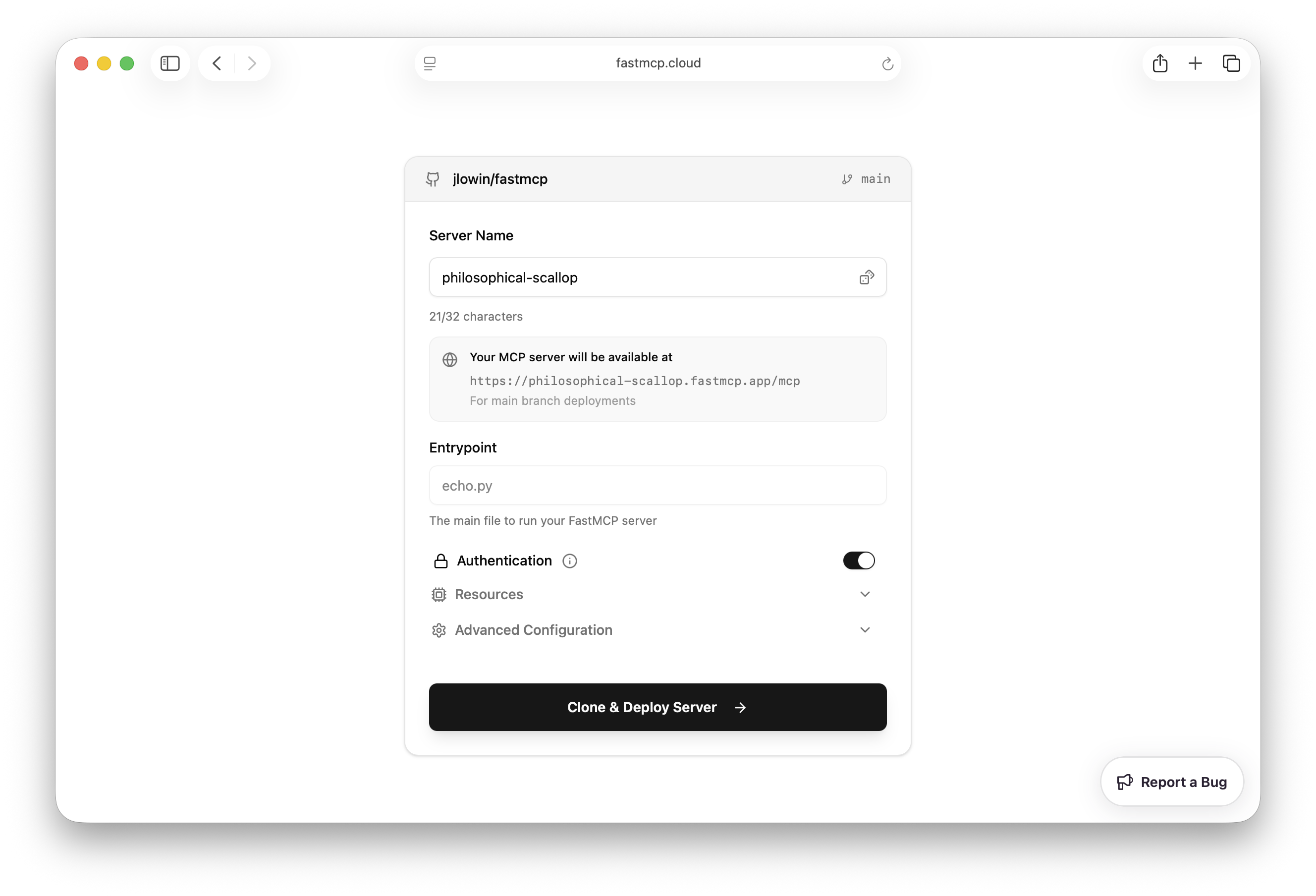
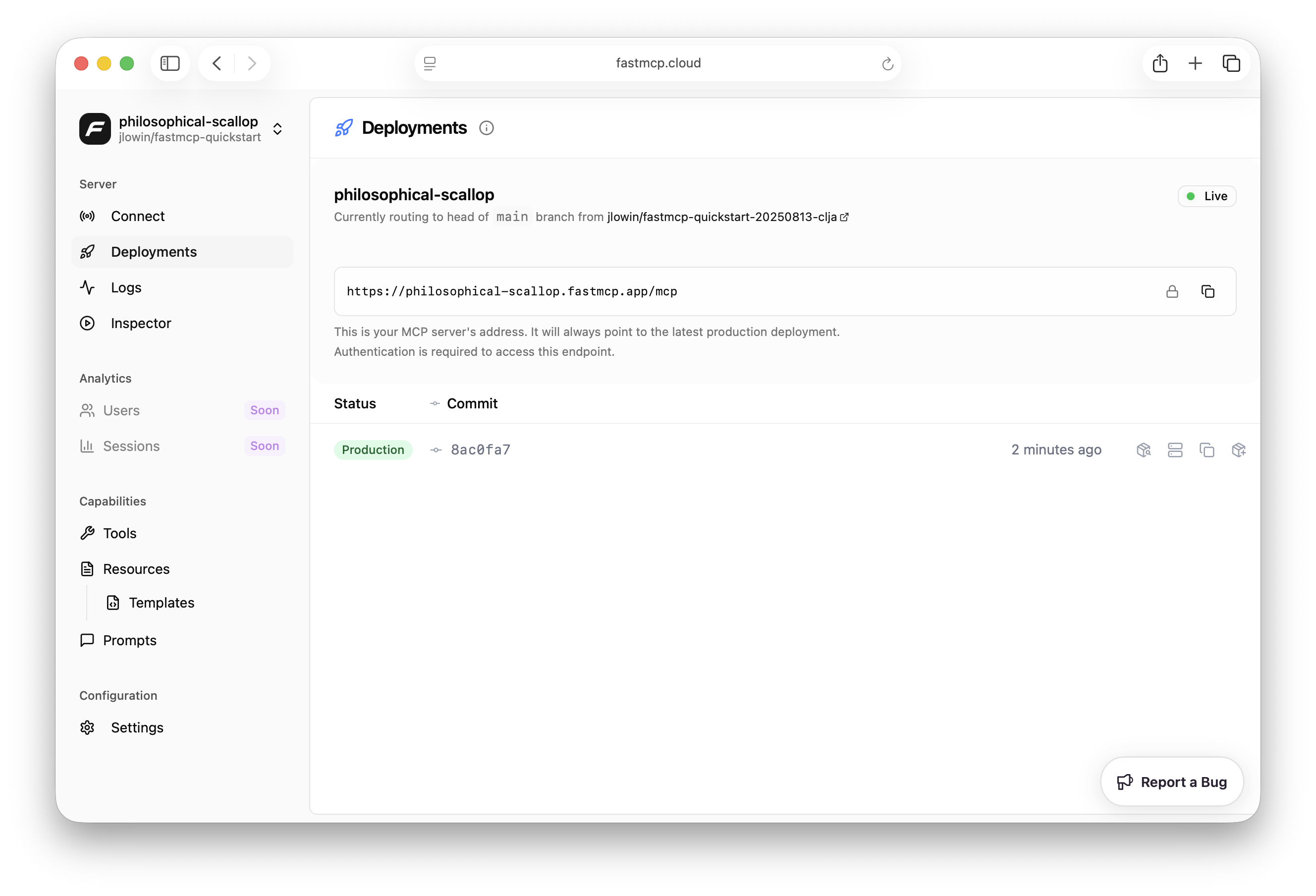
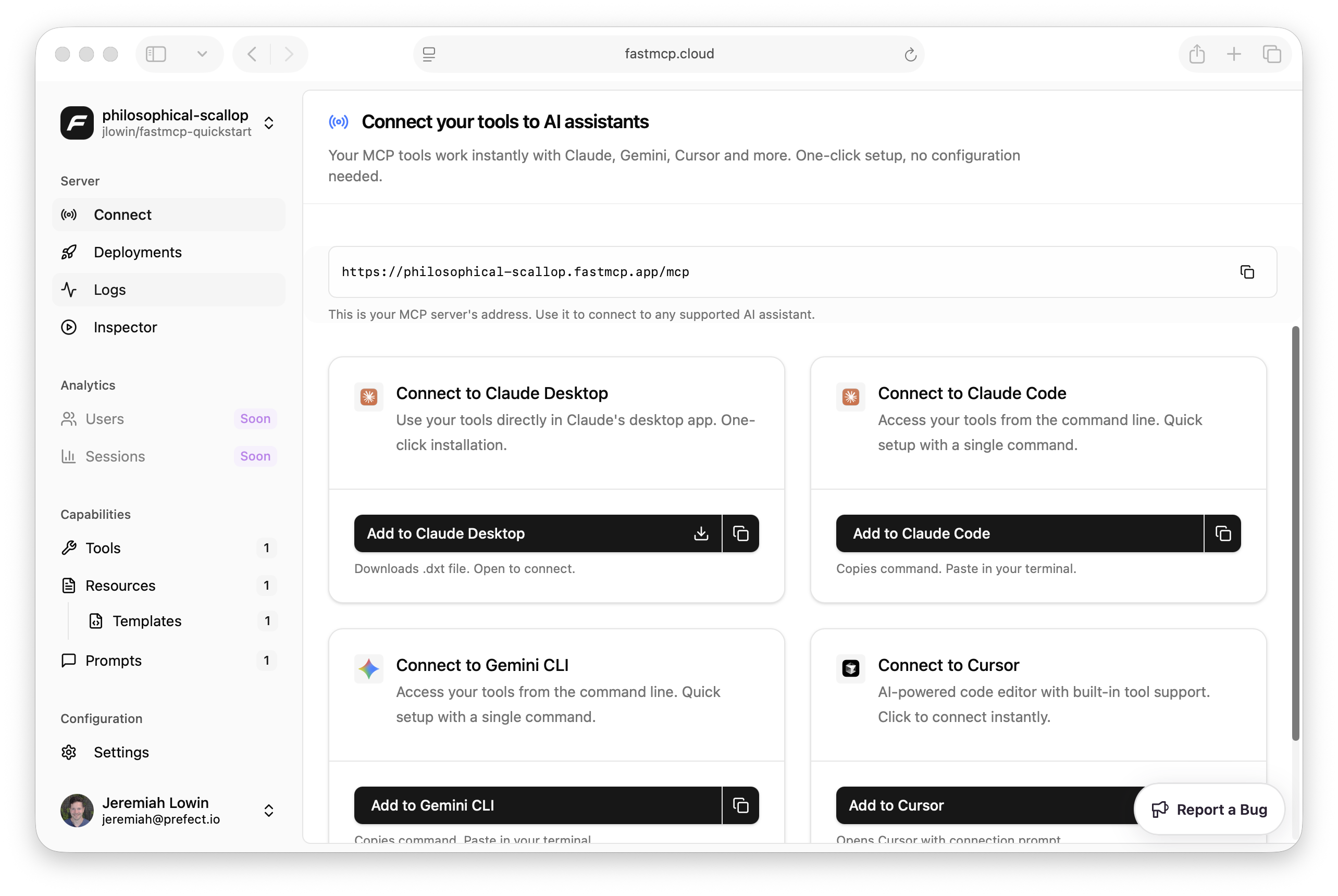
New in version:  {version}

; }; MCP clients can receive various types of messages from servers, including requests that need responses and notifications that don't. The message handler provides a unified way to process all these messages. ## Function-Based Handler The simplest way to handle messages is with a function that receives all messages: ```python theme={"theme":{"light":"snazzy-light","dark":"dark-plus"}} from fastmcp import Client async def message_handler(message): """Handle all MCP messages from the server.""" if hasattr(message, 'root'): method = message.root.method print(f"Received: {method}") # Handle specific notifications if method == "notifications/tools/list_changed": print("Tools have changed - might want to refresh tool cache") elif method == "notifications/resources/list_changed": print("Resources have changed") client = Client( "my_mcp_server.py", message_handler=message_handler, ) ``` ## Message Handler Class For fine-grained targeting, FastMCP provides a `MessageHandler` class you can subclass to take advantage of specific hooks: ```python theme={"theme":{"light":"snazzy-light","dark":"dark-plus"}} from fastmcp import Client from fastmcp.client.messages import MessageHandler import mcp.types class MyMessageHandler(MessageHandler): async def on_tool_list_changed( self, notification: mcp.types.ToolListChangedNotification ) -> None: """Handle tool list changes specifically.""" print("Tool list changed - refreshing available tools") client = Client( "my_mcp_server.py", message_handler=MyMessageHandler(), ) ``` ### Available Handler Methods All handler methods receive a single argument - the specific message type: Called for ALL messages (requests and notifications) Called for requests that expect responses Called for notifications (fire-and-forget) Called when the server's tool list changes Called when the server's resource list changes Called when the server's prompt list changes Called for progress updates during long-running operations Called for log messages from the server ## Example: Handling Tool Changes Here's a practical example of handling tool list changes: ```python theme={"theme":{"light":"snazzy-light","dark":"dark-plus"}} from fastmcp.client.messages import MessageHandler import mcp.types class ToolCacheHandler(MessageHandler): def __init__(self): self.cached_tools = [] async def on_tool_list_changed( self, notification: mcp.types.ToolListChangedNotification ) -> None: """Clear tool cache when tools change.""" print("Tools changed - clearing cache") self.cached_tools = [] # Force refresh on next access client = Client("server.py", message_handler=ToolCacheHandler()) ``` ## Handling Requests While the message handler receives server-initiated requests, for most use cases you should use the dedicated callback parameters instead: * **Sampling requests**: Use [`sampling_handler`](/clients/sampling) * **Progress requests**: Use [`progress_handler`](/clients/progress) * **Log requests**: Use [`log_handler`](/clients/logging) The message handler is primarily for monitoring and handling notifications rather than responding to requests. --- # Source: https://gofastmcp.com/servers/middleware.md > ## Documentation Index > Fetch the complete documentation index at: https://gofastmcp.com/llms.txt > Use this file to discover all available pages before exploring further. # Middleware > Add cross-cutting functionality to your MCP server with middleware that intercepts and modifies requests and responses. export const VersionBadge = ({version}) => { return New in version {version} ; }; Middleware adds behavior that applies across multiple operations—authentication, logging, rate limiting, or request transformation—without modifying individual tools or resources. MCP middleware is a FastMCP-specific concept and is not part of the official MCP protocol specification. ## Overview MCP middleware forms a pipeline around your server's operations. When a request arrives, it flows through each middleware in order—each can inspect, modify, or reject the request before passing it along. After the operation completes, the response flows back through the same middleware in reverse order. ``` Request → Middleware A → Middleware B → Handler → Middleware B → Middleware A → Response ``` This bidirectional flow means middleware can: * **Pre-process**: Validate authentication, log incoming requests, check rate limits * **Post-process**: Transform responses, record timing metrics, handle errors consistently The key decision point is `call_next(context)`. Calling it continues the chain; not calling it stops processing entirely. ```python theme={"theme":{"light":"snazzy-light","dark":"dark-plus"}} from fastmcp import FastMCP from fastmcp.server.middleware import Middleware, MiddlewareContext class LoggingMiddleware(Middleware): async def on_message(self, context: MiddlewareContext, call_next): print(f"→ {context.method}") result = await call_next(context) print(f"← {context.method}") return result mcp = FastMCP("MyServer") mcp.add_middleware(LoggingMiddleware()) ``` ### Execution Order Middleware executes in the order added to the server. The first middleware runs first on the way in and last on the way out: ```python theme={"theme":{"light":"snazzy-light","dark":"dark-plus"}} from fastmcp import FastMCP from fastmcp.server.middleware.error_handling import ErrorHandlingMiddleware from fastmcp.server.middleware.rate_limiting import RateLimitingMiddleware from fastmcp.server.middleware.logging import LoggingMiddleware mcp = FastMCP("MyServer") mcp.add_middleware(ErrorHandlingMiddleware()) # 1st in, last out mcp.add_middleware(RateLimitingMiddleware()) # 2nd in, 2nd out mcp.add_middleware(LoggingMiddleware()) # 3rd in, first out ``` This ordering matters. Place error handling early so it catches exceptions from all subsequent middleware. Place logging late so it records the actual execution after other middleware has processed the request. ### Server Composition When using [mounted servers](/servers/providers/mounting), middleware behavior follows a clear hierarchy: * **Parent middleware** runs for all requests, including those routed to mounted servers * **Mounted server middleware** only runs for requests handled by that specific server ```python theme={"theme":{"light":"snazzy-light","dark":"dark-plus"}} from fastmcp import FastMCP from fastmcp.server.middleware.logging import LoggingMiddleware parent = FastMCP("Parent") parent.add_middleware(AuthMiddleware()) # Runs for ALL requests child = FastMCP("Child") child.add_middleware(LoggingMiddleware()) # Only runs for child's tools parent.mount(child, namespace="child") ``` Requests to `child_tool` flow through the parent's `AuthMiddleware` first, then through the child's `LoggingMiddleware`. ## Hooks Rather than processing every message identically, FastMCP provides specialized hooks at different levels of specificity. Multiple hooks fire for a single request, going from general to specific: | Level | Hooks | Purpose | | --------- | --------------------------------------------------------- | ----------------------------------------------- | | Message | `on_message` | All MCP traffic (requests and notifications) | | Type | `on_request`, `on_notification` | Requests expecting responses vs fire-and-forget | | Operation | `on_call_tool`, `on_read_resource`, `on_get_prompt`, etc. | Specific MCP operations | When a client calls a tool, the middleware chain processes `on_message` first, then `on_request`, then `on_call_tool`. This hierarchy lets you target exactly the right scope—use `on_message` for logging everything, `on_request` for authentication, and `on_call_tool` for tool-specific behavior. ### Hook Signature Every hook follows the same pattern: ```python theme={"theme":{"light":"snazzy-light","dark":"dark-plus"}} async def hook_name(self, context: MiddlewareContext, call_next) -> result_type: # Pre-processing result = await call_next(context) # Post-processing return result ``` **Parameters:** * `context` — `MiddlewareContext` containing request information * `call_next` — Async function to continue the middleware chain **Returns:** The appropriate result type for the hook (varies by operation). ### MiddlewareContext The `context` parameter provides access to request details: | Attribute | Type | Description | | ----------------- | ---------- | --------------------------------------------- | | `method` | `str` | MCP method name (e.g., `"tools/call"`) | | `source` | `str` | Origin: `"client"` or `"server"` | | `type` | `str` | Message type: `"request"` or `"notification"` | | `message` | `object` | The MCP message data | | `timestamp` | `datetime` | When the request was received | | `fastmcp_context` | `Context` | FastMCP context object (if available) | ### Message Hooks #### on\_message Called for every MCP message—both requests and notifications. ```python theme={"theme":{"light":"snazzy-light","dark":"dark-plus"}} async def on_message(self, context: MiddlewareContext, call_next): result = await call_next(context) return result ``` Use for: Logging, metrics, or any cross-cutting concern that applies to all traffic. #### on\_request Called for MCP requests that expect a response. ```python theme={"theme":{"light":"snazzy-light","dark":"dark-plus"}} async def on_request(self, context: MiddlewareContext, call_next): result = await call_next(context) return result ``` Use for: Authentication, authorization, request validation. #### on\_notification Called for fire-and-forget MCP notifications. ```python theme={"theme":{"light":"snazzy-light","dark":"dark-plus"}} async def on_notification(self, context: MiddlewareContext, call_next): await call_next(context) # Notifications don't return values ``` Use for: Event logging, async side effects. ### Operation Hooks #### on\_call\_tool Called when a tool is executed. The `context.message` contains `name` (tool name) and `arguments` (dict). ```python theme={"theme":{"light":"snazzy-light","dark":"dark-plus"}} async def on_call_tool(self, context: MiddlewareContext, call_next): tool_name = context.message.name args = context.message.arguments result = await call_next(context) return result ``` **Returns:** Tool execution result or raises `ToolError`. #### on\_read\_resource Called when a resource is read. The `context.message` contains `uri` (resource URI). ```python theme={"theme":{"light":"snazzy-light","dark":"dark-plus"}} async def on_read_resource(self, context: MiddlewareContext, call_next): uri = context.message.uri result = await call_next(context) return result ``` **Returns:** Resource content. #### on\_get\_prompt Called when a prompt is retrieved. The `context.message` contains `name` (prompt name) and `arguments` (dict). ```python theme={"theme":{"light":"snazzy-light","dark":"dark-plus"}} async def on_get_prompt(self, context: MiddlewareContext, call_next): prompt_name = context.message.name result = await call_next(context) return result ``` **Returns:** Prompt messages. #### on\_list\_tools Called when listing available tools. Returns a list of FastMCP `Tool` objects before MCP conversion. ```python theme={"theme":{"light":"snazzy-light","dark":"dark-plus"}} async def on_list_tools(self, context: MiddlewareContext, call_next): tools = await call_next(context) # Filter or modify the tool list return tools ``` **Returns:** `list[Tool]` — Can be filtered before returning to client. #### on\_list\_resources Called when listing available resources. Returns FastMCP `Resource` objects. ```python theme={"theme":{"light":"snazzy-light","dark":"dark-plus"}} async def on_list_resources(self, context: MiddlewareContext, call_next): resources = await call_next(context) return resources ``` **Returns:** `list[Resource]` #### on\_list\_resource\_templates Called when listing resource templates. ```python theme={"theme":{"light":"snazzy-light","dark":"dark-plus"}} async def on_list_resource_templates(self, context: MiddlewareContext, call_next): templates = await call_next(context) return templates ``` **Returns:** `list[ResourceTemplate]` #### on\_list\_prompts Called when listing available prompts. ```python theme={"theme":{"light":"snazzy-light","dark":"dark-plus"}} async def on_list_prompts(self, context: MiddlewareContext, call_next): prompts = await call_next(context) return prompts ``` **Returns:** `list[Prompt]` #### on\_initialize Called when a client connects and initializes the session. This hook cannot modify the initialization response. ```python theme={"theme":{"light":"snazzy-light","dark":"dark-plus"}} from mcp import McpError from mcp.types import ErrorData async def on_initialize(self, context: MiddlewareContext, call_next): client_info = context.message.params.get("clientInfo", {}) client_name = client_info.get("name", "unknown") # Reject before call_next to send error to client if client_name == "blocked-client": raise McpError(ErrorData(code=-32000, message="Client not supported")) await call_next(context) print(f"Client {client_name} initialized") ``` **Returns:** `None` — The initialization response is handled internally by the MCP protocol. Raising `McpError` after `call_next()` will only log the error, not send it to the client. The response has already been sent. Always reject **before** `call_next()`. ### Raw Handler For complete control over all messages, override `__call__` instead of individual hooks: ```python theme={"theme":{"light":"snazzy-light","dark":"dark-plus"}} from fastmcp.server.middleware import Middleware, MiddlewareContext class RawMiddleware(Middleware): async def __call__(self, context: MiddlewareContext, call_next): print(f"Processing: {context.method}") result = await call_next(context) print(f"Completed: {context.method}") return result ``` This bypasses the hook dispatch system entirely. Use when you need uniform handling regardless of message type. ### Session Availability The MCP session may not be available during certain phases like initialization. Check before accessing session-specific attributes: ```python theme={"theme":{"light":"snazzy-light","dark":"dark-plus"}} async def on_request(self, context: MiddlewareContext, call_next): ctx = context.fastmcp_context if ctx.request_context: # MCP session available session_id = ctx.session_id request_id = ctx.request_id else: # Session not yet established (e.g., during initialization) # Use HTTP helpers if needed from fastmcp.server.dependencies import get_http_headers headers = get_http_headers() return await call_next(context) ``` For HTTP-specific data (headers, client IP) when using HTTP transports, see [HTTP Requests](/servers/context#http-requests). ## Built-in Middleware FastMCP includes production-ready middleware for common server concerns. ### Logging ```python theme={"theme":{"light":"snazzy-light","dark":"dark-plus"}} from fastmcp.server.middleware.logging import LoggingMiddleware, StructuredLoggingMiddleware ``` `LoggingMiddleware` provides human-readable request and response logging. `StructuredLoggingMiddleware` outputs JSON-formatted logs for aggregation tools like Datadog or Splunk. ```python theme={"theme":{"light":"snazzy-light","dark":"dark-plus"}} from fastmcp import FastMCP from fastmcp.server.middleware.logging import LoggingMiddleware mcp = FastMCP("MyServer") mcp.add_middleware(LoggingMiddleware( include_payloads=True, max_payload_length=1000 )) ``` | Parameter | Type | Default | Description | | -------------------- | -------- | ------------- | ------------------------------------ | | `include_payloads` | `bool` | `False` | Log request/response content | | `max_payload_length` | `int` | `500` | Truncate payloads beyond this length | | `logger` | `Logger` | module logger | Custom logger instance | ### Timing ```python theme={"theme":{"light":"snazzy-light","dark":"dark-plus"}} from fastmcp.server.middleware.timing import TimingMiddleware, DetailedTimingMiddleware ``` `TimingMiddleware` logs execution duration for all requests. `DetailedTimingMiddleware` provides per-operation timing with separate tracking for tools, resources, and prompts. ```python theme={"theme":{"light":"snazzy-light","dark":"dark-plus"}} from fastmcp import FastMCP from fastmcp.server.middleware.timing import TimingMiddleware mcp = FastMCP("MyServer") mcp.add_middleware(TimingMiddleware()) ``` ### Caching ```python theme={"theme":{"light":"snazzy-light","dark":"dark-plus"}} from fastmcp.server.middleware.caching import ResponseCachingMiddleware ``` Caches tool calls, resource reads, and list operations with TTL-based expiration. ```python theme={"theme":{"light":"snazzy-light","dark":"dark-plus"}} from fastmcp import FastMCP from fastmcp.server.middleware.caching import ResponseCachingMiddleware mcp = FastMCP("MyServer") mcp.add_middleware(ResponseCachingMiddleware()) ``` Each operation type can be configured independently using settings classes: ```python theme={"theme":{"light":"snazzy-light","dark":"dark-plus"}} from fastmcp.server.middleware.caching import ( ResponseCachingMiddleware, CallToolSettings, ListToolsSettings, ReadResourceSettings ) mcp.add_middleware(ResponseCachingMiddleware( list_tools_settings=ListToolsSettings(ttl=30), call_tool_settings=CallToolSettings(included_tools=["expensive_tool"]), read_resource_settings=ReadResourceSettings(enabled=False) )) ``` | Settings Class | Configures | | ----------------------- | --------------------------- | | `ListToolsSettings` | `on_list_tools` caching | | `CallToolSettings` | `on_call_tool` caching | | `ListResourcesSettings` | `on_list_resources` caching | | `ReadResourceSettings` | `on_read_resource` caching | | `ListPromptsSettings` | `on_list_prompts` caching | | `GetPromptSettings` | `on_get_prompt` caching | Each settings class accepts: * `enabled` — Enable/disable caching for this operation * `ttl` — Time-to-live in seconds * `included_*` / `excluded_*` — Whitelist or blacklist specific items For persistence or distributed deployments, configure a different storage backend: ```python theme={"theme":{"light":"snazzy-light","dark":"dark-plus"}} from fastmcp.server.middleware.caching import ResponseCachingMiddleware from key_value.aio.stores.disk import DiskStore mcp.add_middleware(ResponseCachingMiddleware( cache_storage=DiskStore(directory="cache") )) ``` See [Storage Backends](/servers/storage-backends) for complete options. ### Rate Limiting ```python theme={"theme":{"light":"snazzy-light","dark":"dark-plus"}} from fastmcp.server.middleware.rate_limiting import ( RateLimitingMiddleware, SlidingWindowRateLimitingMiddleware ) ``` `RateLimitingMiddleware` uses a token bucket algorithm allowing controlled bursts. `SlidingWindowRateLimitingMiddleware` provides precise time-window rate limiting without burst allowance. ```python theme={"theme":{"light":"snazzy-light","dark":"dark-plus"}} from fastmcp import FastMCP from fastmcp.server.middleware.rate_limiting import RateLimitingMiddleware mcp = FastMCP("MyServer") mcp.add_middleware(RateLimitingMiddleware( max_requests_per_second=10.0, burst_capacity=20 )) ``` | Parameter | Type | Default | Description | | ------------------------- | ---------- | ------- | ---------------------------- | | `max_requests_per_second` | `float` | `10.0` | Sustained request rate | | `burst_capacity` | `int` | `20` | Maximum burst size | | `client_id_func` | `Callable` | `None` | Custom client identification | For sliding window rate limiting: ```python theme={"theme":{"light":"snazzy-light","dark":"dark-plus"}} from fastmcp.server.middleware.rate_limiting import SlidingWindowRateLimitingMiddleware mcp.add_middleware(SlidingWindowRateLimitingMiddleware( max_requests=100, window_minutes=1 )) ``` ### Error Handling ```python theme={"theme":{"light":"snazzy-light","dark":"dark-plus"}} from fastmcp.server.middleware.error_handling import ErrorHandlingMiddleware, RetryMiddleware ``` `ErrorHandlingMiddleware` provides centralized error logging and transformation. `RetryMiddleware` automatically retries with exponential backoff for transient failures. ```python theme={"theme":{"light":"snazzy-light","dark":"dark-plus"}} from fastmcp import FastMCP from fastmcp.server.middleware.error_handling import ErrorHandlingMiddleware mcp = FastMCP("MyServer") mcp.add_middleware(ErrorHandlingMiddleware( include_traceback=True, transform_errors=True, error_callback=my_error_callback )) ``` | Parameter | Type | Default | Description | | ------------------- | ---------- | ------- | -------------------------------- | | `include_traceback` | `bool` | `False` | Include stack traces in logs | | `transform_errors` | `bool` | `False` | Convert exceptions to MCP errors | | `error_callback` | `Callable` | `None` | Custom callback on errors | For automatic retries: ```python theme={"theme":{"light":"snazzy-light","dark":"dark-plus"}} from fastmcp.server.middleware.error_handling import RetryMiddleware mcp.add_middleware(RetryMiddleware( max_retries=3, retry_exceptions=(ConnectionError, TimeoutError) )) ``` ### Ping ```python theme={"theme":{"light":"snazzy-light","dark":"dark-plus"}} from fastmcp.server.middleware import PingMiddleware ``` Keeps long-lived connections alive by sending periodic pings. ```python theme={"theme":{"light":"snazzy-light","dark":"dark-plus"}} from fastmcp import FastMCP from fastmcp.server.middleware import PingMiddleware mcp = FastMCP("MyServer") mcp.add_middleware(PingMiddleware(interval_ms=5000)) ``` | Parameter | Type | Default | Description | | ------------- | ----- | ------- | ----------------------------- | | `interval_ms` | `int` | `30000` | Ping interval in milliseconds | The ping task starts on the first message and stops automatically when the session ends. Most useful for stateful HTTP connections; has no effect on stateless connections. ### Tool Injection ```python theme={"theme":{"light":"snazzy-light","dark":"dark-plus"}} from fastmcp.server.middleware.tool_injection import ( ToolInjectionMiddleware, PromptToolMiddleware, ResourceToolMiddleware ) ``` `ToolInjectionMiddleware` dynamically injects tools during request processing. `PromptToolMiddleware` and `ResourceToolMiddleware` provide compatibility layers for clients that cannot list or access prompts and resources directly—they expose those capabilities as tools. ```python theme={"theme":{"light":"snazzy-light","dark":"dark-plus"}} from fastmcp import FastMCP from fastmcp.tools import Tool from fastmcp.server.middleware.tool_injection import ToolInjectionMiddleware def my_tool_fn(a: int, b: int) -> int: return a + b my_tool = Tool.from_function(fn=my_tool_fn, name="my_tool") mcp.add_middleware(ToolInjectionMiddleware(tools=[my_tool])) ``` ### Combining Middleware Order matters. Place middleware that should run first (on the way in) earliest: ```python theme={"theme":{"light":"snazzy-light","dark":"dark-plus"}} from fastmcp import FastMCP from fastmcp.server.middleware.error_handling import ErrorHandlingMiddleware from fastmcp.server.middleware.rate_limiting import RateLimitingMiddleware from fastmcp.server.middleware.timing import TimingMiddleware from fastmcp.server.middleware.logging import LoggingMiddleware mcp = FastMCP("Production Server") mcp.add_middleware(ErrorHandlingMiddleware()) # Catch all errors mcp.add_middleware(RateLimitingMiddleware(max_requests_per_second=50)) mcp.add_middleware(TimingMiddleware()) mcp.add_middleware(LoggingMiddleware()) @mcp.tool def my_tool(data: str) -> str: return f"Processed: {data}" ``` ## Custom Middleware When the built-in middleware doesn't fit your needs—custom authentication schemes, domain-specific logging, or request transformation—subclass `Middleware` and override the hooks you need. ```python theme={"theme":{"light":"snazzy-light","dark":"dark-plus"}} from fastmcp import FastMCP from fastmcp.server.middleware import Middleware, MiddlewareContext class CustomMiddleware(Middleware): async def on_request(self, context: MiddlewareContext, call_next): # Pre-processing print(f"→ {context.method}") result = await call_next(context) # Post-processing print(f"← {context.method}") return result mcp = FastMCP("MyServer") mcp.add_middleware(CustomMiddleware()) ``` Override only the hooks relevant to your use case. Unoverridden hooks pass through automatically. ### Denying Requests Raise the appropriate error type to stop processing and return an error to the client. ```python theme={"theme":{"light":"snazzy-light","dark":"dark-plus"}} from fastmcp.server.middleware import Middleware, MiddlewareContext from fastmcp.exceptions import ToolError class AuthMiddleware(Middleware): async def on_call_tool(self, context: MiddlewareContext, call_next): tool_name = context.message.name if tool_name in ["delete_all", "admin_config"]: raise ToolError("Access denied: requires admin privileges") return await call_next(context) ``` | Operation | Error Type | | ---------------- | --------------- | | Tool calls | `ToolError` | | Resource reads | `ResourceError` | | Prompt retrieval | `PromptError` | | General requests | `McpError` | Do not return error values or skip `call_next()` to indicate errors—raise exceptions for proper error propagation. ### Modifying Requests Change the message before passing it down the chain. ```python theme={"theme":{"light":"snazzy-light","dark":"dark-plus"}} from fastmcp.server.middleware import Middleware, MiddlewareContext class InputSanitizer(Middleware): async def on_call_tool(self, context: MiddlewareContext, call_next): if context.message.name == "search": # Normalize search query query = context.message.arguments.get("query", "") context.message.arguments["query"] = query.strip().lower() return await call_next(context) ``` ### Modifying Responses Transform results after the handler executes. ```python theme={"theme":{"light":"snazzy-light","dark":"dark-plus"}} from fastmcp.server.middleware import Middleware, MiddlewareContext class ResponseEnricher(Middleware): async def on_call_tool(self, context: MiddlewareContext, call_next): result = await call_next(context) if context.message.name == "get_data" and result.structured_content: result.structured_content["processed_by"] = "enricher" return result ``` For more complex tool transformations, consider [Transforms](/servers/transforms/transforms) instead. ### Filtering Lists List operations return FastMCP objects that you can filter before they reach the client. When filtering list results, also block execution in the corresponding operation hook to maintain consistency: ```python theme={"theme":{"light":"snazzy-light","dark":"dark-plus"}} from fastmcp.server.middleware import Middleware, MiddlewareContext from fastmcp.exceptions import ToolError class PrivateToolFilter(Middleware): async def on_list_tools(self, context: MiddlewareContext, call_next): tools = await call_next(context) return [tool for tool in tools if "private" not in tool.tags] async def on_call_tool(self, context: MiddlewareContext, call_next): if context.fastmcp_context: tool = await context.fastmcp_context.fastmcp.get_tool(context.message.name) if "private" in tool.tags: raise ToolError("Tool not found") return await call_next(context) ``` ### Accessing Component Metadata During execution hooks, component metadata (like tags) isn't directly available. Look up the component through the server: ```python theme={"theme":{"light":"snazzy-light","dark":"dark-plus"}} from fastmcp.server.middleware import Middleware, MiddlewareContext from fastmcp.exceptions import ToolError class TagBasedAuth(Middleware): async def on_call_tool(self, context: MiddlewareContext, call_next): if context.fastmcp_context: try: tool = await context.fastmcp_context.fastmcp.get_tool(context.message.name) if "requires-auth" in tool.tags: # Check authentication here pass except Exception: pass # Let execution handle missing tools return await call_next(context) ``` The same pattern works for resources and prompts: ```python theme={"theme":{"light":"snazzy-light","dark":"dark-plus"}} resource = await context.fastmcp_context.fastmcp.get_resource(context.message.uri) prompt = await context.fastmcp_context.fastmcp.get_prompt(context.message.name) ``` ### Storing State Middleware can store state that tools access later through the FastMCP context. ```python theme={"theme":{"light":"snazzy-light","dark":"dark-plus"}} from fastmcp.server.middleware import Middleware, MiddlewareContext class UserMiddleware(Middleware): async def on_request(self, context: MiddlewareContext, call_next): # Extract user from headers (HTTP transport) from fastmcp.server.dependencies import get_http_headers headers = get_http_headers() or {} user_id = headers.get("x-user-id", "anonymous") # Store for tools to access if context.fastmcp_context: context.fastmcp_context.set_state("user_id", user_id) return await call_next(context) ``` Tools retrieve the state: ```python theme={"theme":{"light":"snazzy-light","dark":"dark-plus"}} from fastmcp import FastMCP, Context mcp = FastMCP("MyServer") @mcp.tool def get_user_data(ctx: Context) -> str: user_id = ctx.get_state("user_id") return f"Data for user: {user_id}" ``` See [Context State Management](/servers/context#state-management) for details. ### Constructor Parameters Initialize middleware with configuration: ```python theme={"theme":{"light":"snazzy-light","dark":"dark-plus"}} from fastmcp.server.middleware import Middleware, MiddlewareContext class ConfigurableMiddleware(Middleware): def __init__(self, api_key: str, rate_limit: int = 100): self.api_key = api_key self.rate_limit = rate_limit self.request_counts = {} async def on_request(self, context: MiddlewareContext, call_next): # Use self.api_key, self.rate_limit, etc. return await call_next(context) mcp.add_middleware(ConfigurableMiddleware( api_key="secret", rate_limit=50 )) ``` ### Error Handling in Custom Middleware Wrap `call_next()` to handle errors from downstream middleware and handlers. ```python theme={"theme":{"light":"snazzy-light","dark":"dark-plus"}} from fastmcp.server.middleware import Middleware, MiddlewareContext class ErrorLogger(Middleware): async def on_request(self, context: MiddlewareContext, call_next): try: return await call_next(context) except Exception as e: print(f"Error in {context.method}: {type(e).__name__}: {e}") raise # Re-raise to let error propagate ``` Catching and not re-raising suppresses the error entirely. Usually you want to log and re-raise. ### Complete Example Authentication middleware checking API keys for specific tools: ```python theme={"theme":{"light":"snazzy-light","dark":"dark-plus"}} from fastmcp import FastMCP from fastmcp.server.middleware import Middleware, MiddlewareContext from fastmcp.server.dependencies import get_http_headers from fastmcp.exceptions import ToolError class ApiKeyAuth(Middleware): def __init__(self, valid_keys: set[str], protected_tools: set[str]): self.valid_keys = valid_keys self.protected_tools = protected_tools async def on_call_tool(self, context: MiddlewareContext, call_next): tool_name = context.message.name if tool_name not in self.protected_tools: return await call_next(context) headers = get_http_headers() or {} api_key = headers.get("x-api-key") if api_key not in self.valid_keys: raise ToolError(f"Invalid API key for protected tool: {tool_name}") return await call_next(context) mcp = FastMCP("Secure Server") mcp.add_middleware(ApiKeyAuth( valid_keys={"key-1", "key-2"}, protected_tools={"delete_user", "admin_panel"} )) @mcp.tool def delete_user(user_id: str) -> str: return f"Deleted user {user_id}" @mcp.tool def get_user(user_id: str) -> str: return f"User {user_id}" # Not protected ``` --- # Source: https://gofastmcp.com/servers/providers/mounting.md > ## Documentation Index > Fetch the complete documentation index at: https://gofastmcp.com/llms.txt > Use this file to discover all available pages before exploring further. # Mounting Servers > Compose servers by mounting one inside another export const VersionBadge = ({version}) => { return New in version {version} ; }; Mounting lets you combine multiple FastMCP servers into one. When you mount a server, all its components become available through the parent. Under the hood, FastMCP uses `FastMCPProvider` (v3.0.0+) to source components from the mounted server. ## Why Mount Servers Large applications benefit from modular organization. Rather than defining all components in one massive file, create focused servers for specific domains and combine them: * **Modularity**: Break down applications into smaller, focused servers * **Reusability**: Create utility servers and mount them wherever needed * **Teamwork**: Different teams can work on separate servers * **Organization**: Keep related functionality grouped together ## Basic Mounting Use `mount()` to add another server's components to your server: ```python theme={"theme":{"light":"snazzy-light","dark":"dark-plus"}} from fastmcp import FastMCP # Create focused subservers weather_server = FastMCP("Weather") @weather_server.tool def get_forecast(city: str) -> str: """Get weather forecast for a city.""" return f"Sunny in {city}" @weather_server.resource("data://cities") def list_cities() -> list[str]: """List supported cities.""" return ["London", "Paris", "Tokyo"] # Create main server and mount the subserver main = FastMCP("MainApp") main.mount(weather_server) # Now main has access to get_forecast and data://cities ``` ## Mounting External Servers Mount remote HTTP servers or subprocess-based MCP servers using `create_proxy()`: ```python theme={"theme":{"light":"snazzy-light","dark":"dark-plus"}} from fastmcp import FastMCP from fastmcp.server import create_proxy mcp = FastMCP("Orchestrator") # Mount a remote HTTP server (URLs work directly) mcp.mount(create_proxy("http://api.example.com/mcp"), namespace="api") # Mount local Python scripts (file paths work directly) mcp.mount(create_proxy("./my_server.py"), namespace="local") ``` ### Mounting npm/uvx Packages For npm packages or Python tools, use the config dict format: ```python theme={"theme":{"light":"snazzy-light","dark":"dark-plus"}} from fastmcp import FastMCP from fastmcp.server import create_proxy mcp = FastMCP("Orchestrator") # Mount npm package via config github_config = { "mcpServers": { "default": { "command": "npx", "args": ["-y", "@modelcontextprotocol/server-github"] } } } mcp.mount(create_proxy(github_config), namespace="github") # Mount Python tool via config sqlite_config = { "mcpServers": { "default": { "command": "uvx", "args": ["mcp-server-sqlite", "--db", "data.db"] } } } mcp.mount(create_proxy(sqlite_config), namespace="db") ``` Or use explicit transport classes: ```python theme={"theme":{"light":"snazzy-light","dark":"dark-plus"}} from fastmcp import FastMCP from fastmcp.server import create_proxy from fastmcp.client.transports import NpxStdioTransport, UvxStdioTransport mcp = FastMCP("Orchestrator") mcp.mount( create_proxy(NpxStdioTransport(package="@modelcontextprotocol/server-github")), namespace="github" ) mcp.mount( create_proxy(UvxStdioTransport(tool_name="mcp-server-sqlite", tool_args=["--db", "data.db"])), namespace="db" ) ``` For advanced configuration, see [Proxying](/servers/providers/proxy). ## Namespacing When mounting multiple servers, use namespaces to avoid naming conflicts: ```python theme={"theme":{"light":"snazzy-light","dark":"dark-plus"}} weather = FastMCP("Weather") calendar = FastMCP("Calendar") @weather.tool def get_data() -> str: return "Weather data" @calendar.tool def get_data() -> str: return "Calendar data" main = FastMCP("Main") main.mount(weather, namespace="weather") main.mount(calendar, namespace="calendar") # Tools are now: # - weather_get_data # - calendar_get_data ``` ### How Namespacing Works | Component Type | Without Namespace | With `namespace="api"` | | -------------- | ----------------- | ---------------------- | | Tool | `my_tool` | `api_my_tool` | | Prompt | `my_prompt` | `api_my_prompt` | | Resource | `data://info` | `data://api/info` | | Template | `data://{id}` | `data://api/{id}` | Namespacing uses [transforms](/servers/transforms/transforms) under the hood. ## Mounting vs Importing FastMCP offers two ways to combine servers: | Feature | `mount()` | `import_server()` | | --------------- | ----------------------------- | ----------------------------- | | **Link Type** | Live (dynamic) | One-time copy (static) | | **Updates** | Changes reflected immediately | Changes not reflected | | **Performance** | Runtime delegation | Faster - no delegation | | **Use Case** | Modular runtime composition | Bundling finalized components | ### Live Mounting With `mount()`, changes to the subserver are immediately reflected: ```python theme={"theme":{"light":"snazzy-light","dark":"dark-plus"}} main = FastMCP("Main") main.mount(dynamic_server, namespace="dynamic") # Add a tool AFTER mounting - it's accessible through main @dynamic_server.tool def added_later() -> str: return "Added after mounting!" # This works because mount() creates a live link ``` ### Static Importing With `import_server()`, components are copied once at import time: ```python theme={"theme":{"light":"snazzy-light","dark":"dark-plus"}} main = FastMCP("Main") async def setup(): await main.import_server(static_server, namespace="static") # Changes to static_server after this point are NOT reflected in main ``` ## Direct vs Proxy Mounting FastMCP supports two mounting modes: ### Direct Mounting (Default) The parent server directly accesses the mounted server's objects in memory: ```python theme={"theme":{"light":"snazzy-light","dark":"dark-plus"}} main.mount(subserver, namespace="api") ``` * No client lifecycle events on mounted server * Mounted server's lifespan is not executed * Communication via direct method calls ### Proxy Mounting The `as_proxy` parameter is deprecated. Mounted servers now always have their lifespan and middleware invoked. To create a proxy server explicitly, use `create_proxy()` from `fastmcp.server`. Previously, the parent server could treat the mounted server as a separate entity with its own lifecycle. This behavior is now the default for all mounted servers: * Full client lifecycle events on mounted server * Mounted server's lifespan is executed * Communication via in-memory Client transport ## Tag Filtering Parent server tag filters apply recursively to mounted servers: ```python theme={"theme":{"light":"snazzy-light","dark":"dark-plus"}} api_server = FastMCP("API") @api_server.tool(tags={"production"}) def prod_endpoint() -> str: return "Production data" @api_server.tool(tags={"development"}) def dev_endpoint() -> str: return "Debug data" # Mount with production filter prod_app = FastMCP("Production") prod_app.mount(api_server, namespace="api") prod_app.enable(tags={"production"}, only=True) # Only prod_endpoint (namespaced as api_prod_endpoint) is visible ``` ## Performance Considerations When using live mounting, operations like `list_tools()` on the parent server are affected by the performance of all mounted servers. This is particularly noticeable with: * HTTP-based mounted servers (300-400ms vs 1-2ms for local tools) * Mounted servers with slow initialization * Deep mounting hierarchies If low latency is critical, consider: * Using `import_server()` for static composition * Implementing caching strategies * Limiting mounting depth ## Custom Routes Custom HTTP routes defined with `@server.custom_route()` are also forwarded when mounting: ```python theme={"theme":{"light":"snazzy-light","dark":"dark-plus"}} subserver = FastMCP("Sub") @subserver.custom_route("/health", methods=["GET"]) async def health_check(): return {"status": "ok"} main = FastMCP("Main") main.mount(subserver, namespace="sub") # /health is now accessible through main's HTTP app ``` ## Conflict Resolution When mounting multiple servers with the same namespace (or no namespace), the **most recently mounted** server takes precedence for conflicting component names: ```python theme={"theme":{"light":"snazzy-light","dark":"dark-plus"}} server_a = FastMCP("A") server_b = FastMCP("B") @server_a.tool def shared_tool() -> str: return "From A" @server_b.tool def shared_tool() -> str: return "From B" main = FastMCP("Main") main.mount(server_a) main.mount(server_b) # shared_tool returns "From B" (most recently mounted) ``` --- # Source: https://gofastmcp.com/servers/transforms/namespace.md > ## Documentation Index > Fetch the complete documentation index at: https://gofastmcp.com/llms.txt > Use this file to discover all available pages before exploring further. # Namespace Transform > Prefix component names to prevent conflicts export const VersionBadge = ({version}) => { return New in version {version} ; }; The `Namespace` transform prefixes all component names, preventing conflicts when composing multiple servers. Tools and prompts receive an underscore-separated prefix. Resources and templates receive a path-segment prefix in their URIs. | Component | Original | With `Namespace("api")` | | --------- | ------------- | ----------------------- | | Tool | `my_tool` | `api_my_tool` | | Prompt | `my_prompt` | `api_my_prompt` | | Resource | `data://info` | `data://api/info` | | Template | `data://{id}` | `data://api/{id}` | The most common use is through the `mount()` method's `namespace` parameter. ```python theme={"theme":{"light":"snazzy-light","dark":"dark-plus"}} from fastmcp import FastMCP weather = FastMCP("Weather") calendar = FastMCP("Calendar") @weather.tool def get_data() -> str: return "Weather data" @calendar.tool def get_data() -> str: return "Calendar data" # Without namespacing, these would conflict main = FastMCP("Main") main.mount(weather, namespace="weather") main.mount(calendar, namespace="calendar") # Clients see: weather_get_data, calendar_get_data ``` You can also apply namespacing directly using the `Namespace` transform. ```python theme={"theme":{"light":"snazzy-light","dark":"dark-plus"}} from fastmcp import FastMCP from fastmcp.server.transforms import Namespace mcp = FastMCP("Server") @mcp.tool def greet(name: str) -> str: return f"Hello, {name}!" # Namespace all components mcp.add_transform(Namespace("api")) # Tool is now: api_greet ``` --- # Source: https://gofastmcp.com/clients/notifications.md > ## Documentation Index > Fetch the complete documentation index at: https://gofastmcp.com/llms.txt > Use this file to discover all available pages before exploring further. # Notifications > Handle server-sent notifications for list changes and other events. export const VersionBadge = ({version}) => { return New in version {version} ; }; Use this when you need to react to server-side changes like tool list updates or resource modifications. MCP servers can send notifications to inform clients about state changes. The message handler provides a unified way to process these notifications. ## Handling Notifications The simplest approach is a function that receives all messages and filters for the notifications you care about: ```python theme={"theme":{"light":"snazzy-light","dark":"dark-plus"}} from fastmcp import Client async def message_handler(message): """Handle MCP notifications from the server.""" if hasattr(message, 'root'): method = message.root.method if method == "notifications/tools/list_changed": print("Tools have changed - refresh tool cache") elif method == "notifications/resources/list_changed": print("Resources have changed") elif method == "notifications/prompts/list_changed": print("Prompts have changed") client = Client( "my_mcp_server.py", message_handler=message_handler, ) ``` ## MessageHandler Class For fine-grained targeting, subclass `MessageHandler` to use specific hooks: ```python theme={"theme":{"light":"snazzy-light","dark":"dark-plus"}} from fastmcp import Client from fastmcp.client.messages import MessageHandler import mcp.types class MyMessageHandler(MessageHandler): async def on_tool_list_changed( self, notification: mcp.types.ToolListChangedNotification ) -> None: """Handle tool list changes.""" print("Tool list changed - refreshing available tools") async def on_resource_list_changed( self, notification: mcp.types.ResourceListChangedNotification ) -> None: """Handle resource list changes.""" print("Resource list changed") async def on_prompt_list_changed( self, notification: mcp.types.PromptListChangedNotification ) -> None: """Handle prompt list changes.""" print("Prompt list changed") client = Client( "my_mcp_server.py", message_handler=MyMessageHandler(), ) ``` ### Handler Template ```python theme={"theme":{"light":"snazzy-light","dark":"dark-plus"}} from fastmcp.client.messages import MessageHandler import mcp.types class MyMessageHandler(MessageHandler): async def on_message(self, message) -> None: """Called for ALL messages (requests and notifications).""" pass async def on_notification( self, notification: mcp.types.ServerNotification ) -> None: """Called for notifications (fire-and-forget).""" pass async def on_tool_list_changed( self, notification: mcp.types.ToolListChangedNotification ) -> None: """Called when the server's tool list changes.""" pass async def on_resource_list_changed( self, notification: mcp.types.ResourceListChangedNotification ) -> None: """Called when the server's resource list changes.""" pass async def on_prompt_list_changed( self, notification: mcp.types.PromptListChangedNotification ) -> None: """Called when the server's prompt list changes.""" pass async def on_progress( self, notification: mcp.types.ProgressNotification ) -> None: """Called for progress updates during long-running operations.""" pass async def on_logging_message( self, notification: mcp.types.LoggingMessageNotification ) -> None: """Called for log messages from the server.""" pass ``` ## List Change Notifications A practical example of maintaining a tool cache that refreshes when tools change: ```python theme={"theme":{"light":"snazzy-light","dark":"dark-plus"}} from fastmcp import Client from fastmcp.client.messages import MessageHandler import mcp.types class ToolCacheHandler(MessageHandler): def __init__(self): self.cached_tools = [] async def on_tool_list_changed( self, notification: mcp.types.ToolListChangedNotification ) -> None: """Clear tool cache when tools change.""" print("Tools changed - clearing cache") self.cached_tools = [] # Force refresh on next access client = Client("server.py", message_handler=ToolCacheHandler()) ``` ## Server Requests While the message handler receives server-initiated requests, you should use dedicated callback parameters for most interactive scenarios: * **Sampling requests**: Use [`sampling_handler`](/clients/sampling) * **Elicitation requests**: Use [`elicitation_handler`](/clients/elicitation) * **Progress updates**: Use [`progress_handler`](/clients/progress) * **Log messages**: Use [`log_handler`](/clients/logging) The message handler is primarily for monitoring and handling notifications rather than responding to requests. --- # Source: https://gofastmcp.com/servers/auth/oauth-proxy.md > ## Documentation Index > Fetch the complete documentation index at: https://gofastmcp.com/llms.txt > Use this file to discover all available pages before exploring further. # OAuth Proxy > Bridge traditional OAuth providers to work seamlessly with MCP's authentication flow. export const VersionBadge = ({version}) => { return New in version {version} ; }; The OAuth proxy enables FastMCP servers to authenticate with OAuth providers that **don't support Dynamic Client Registration (DCR)**. This includes virtually all traditional OAuth providers: GitHub, Google, Azure, AWS, Discord, Facebook, and most enterprise identity systems. For providers that do support DCR (like Descope and WorkOS AuthKit), use [`RemoteAuthProvider`](/servers/auth/remote-oauth) instead. MCP clients expect to register automatically and obtain credentials on the fly, but traditional providers require manual app registration through their developer consoles. The OAuth proxy bridges this gap by presenting a DCR-compliant interface to MCP clients while using your pre-registered credentials with the upstream provider. When a client attempts to register, the proxy returns your fixed credentials. When a client initiates authorization, the proxy handles the complexity of callback forwarding—storing the client's dynamic callback URL, using its own fixed callback with the provider, then forwarding back to the client after token exchange. This approach enables any MCP client (whether using random localhost ports or fixed URLs like Claude.ai) to authenticate with any traditional OAuth provider, all while maintaining full OAuth 2.1 and PKCE security. For providers that support OIDC discovery (Auth0, Google with OIDC configuration, Azure AD), consider using [`OIDC Proxy`](/servers/auth/oidc-proxy) for automatic configuration. OIDC Proxy extends the OAuth proxy to automatically discover endpoints from the provider's `/.well-known/openid-configuration` URL, simplifying setup. ## Implementation ### Provider Setup Requirements Before using the OAuth proxy, you need to register your application with your OAuth provider: 1. **Register your application** in the provider's developer console (GitHub Settings, Google Cloud Console, Azure Portal, etc.) 2. **Configure the redirect URI** as your FastMCP server URL plus your chosen callback path: * Default: `https://your-server.com/auth/callback` * Custom: `https://your-server.com/your/custom/path` (if you set `redirect_path`) * Development: `http://localhost:8000/auth/callback` 3. **Obtain your credentials**: Client ID and Client Secret 4. **Note the OAuth endpoints**: Authorization URL and Token URL (usually found in the provider's OAuth documentation) The redirect URI you configure with your provider must exactly match your FastMCP server's URL plus the callback path. If you customize `redirect_path` in the OAuth proxy, update your provider's redirect URI accordingly. ### Basic Setup Here's how to implement the OAuth proxy with any provider: ```python theme={"theme":{"light":"snazzy-light","dark":"dark-plus"}} from fastmcp import FastMCP from fastmcp.server.auth import OAuthProxy from fastmcp.server.auth.providers.jwt import JWTVerifier # Configure token verification for your provider # See the Token Verification guide for provider-specific setups token_verifier = JWTVerifier( jwks_uri="https://your-provider.com/.well-known/jwks.json", issuer="https://your-provider.com", audience="your-app-id" ) # Create the OAuth proxy auth = OAuthProxy( # Provider's OAuth endpoints (from their documentation) upstream_authorization_endpoint="https://provider.com/oauth/authorize", upstream_token_endpoint="https://provider.com/oauth/token", # Your registered app credentials upstream_client_id="your-client-id", upstream_client_secret="your-client-secret", # Token validation (see Token Verification guide) token_verifier=token_verifier, # Your FastMCP server's public URL base_url="https://your-server.com", # Optional: customize the callback path (default is "/auth/callback") # redirect_path="/custom/callback", ) mcp = FastMCP(name="My Server", auth=auth) ``` ### Configuration Parameters URL of your OAuth provider's authorization endpoint (e.g., `https://github.com/login/oauth/authorize`) URL of your OAuth provider's token endpoint (e.g., `https://github.com/login/oauth/access_token`) Client ID from your registered OAuth application Client secret from your registered OAuth application A [`TokenVerifier`](/servers/auth/token-verification) instance to validate the provider's tokens Public URL where OAuth endpoints will be accessible, **including any mount path** (e.g., `https://your-server.com/api`). This URL is used to construct OAuth callback URLs and operational endpoints. When mounting under a path prefix, include that prefix in `base_url`. Use `issuer_url` separately to specify where auth server metadata is located (typically at root level). Path for OAuth callbacks. Must match the redirect URI configured in your OAuth application Optional URL of provider's token revocation endpoint Issuer URL for OAuth authorization server metadata (defaults to `base_url`). When `issuer_url` has a path component (either explicitly or by defaulting from `base_url`), FastMCP creates path-aware discovery routes per RFC 8414. For example, if `base_url` is `http://localhost:8000/api`, the authorization server metadata will be at `/.well-known/oauth-authorization-server/api`. **Default behavior (recommended for most cases):** ```python theme={"theme":{"light":"snazzy-light","dark":"dark-plus"}} auth = GitHubProvider( base_url="http://localhost:8000/api", # OAuth endpoints under /api # issuer_url defaults to base_url - path-aware discovery works automatically ) ``` **When to set explicitly:** Set `issuer_url` to root level only if you want multiple MCP servers to share a single discovery endpoint: ```python theme={"theme":{"light":"snazzy-light","dark":"dark-plus"}} auth = GitHubProvider( base_url="http://localhost:8000/api", issuer_url="http://localhost:8000" # Shared root-level discovery ) ``` See the [HTTP Deployment guide](/deployment/http#mounting-authenticated-servers) for complete mounting examples. Optional URL to your service documentation Whether to forward PKCE (Proof Key for Code Exchange) to the upstream OAuth provider. When enabled and the client uses PKCE, the proxy generates its own PKCE parameters to send upstream while separately validating the client's PKCE. This ensures end-to-end PKCE security at both layers (client-to-proxy and proxy-to-upstream). - `True` (default): Forward PKCE for providers that support it (Google, Azure, AWS, GitHub, etc.) - `False`: Disable only if upstream provider doesn't support PKCE Token endpoint authentication method for the upstream OAuth server. Controls how the proxy authenticates when exchanging authorization codes and refresh tokens with the upstream provider. - `"client_secret_basic"`: Send credentials in Authorization header (most common) - `"client_secret_post"`: Send credentials in request body (required by some providers) - `"none"`: No authentication (for public clients) - `None` (default): Uses authlib's default (typically `"client_secret_basic"`) Set this if your provider requires a specific authentication method and the default doesn't work. List of allowed redirect URI patterns for MCP clients. Patterns support wildcards (e.g., `"http://localhost:*"`, `"https://*.example.com/*"`). - `None` (default): All redirect URIs allowed (for MCP/DCR compatibility) - Empty list `[]`: No redirect URIs allowed - Custom list: Only matching patterns allowed These patterns apply to MCP client loopback redirects, NOT the upstream OAuth app redirect URI. List of all possible valid scopes for the OAuth provider. These are advertised to clients through the `/.well-known` endpoints. Defaults to `required_scopes` from your TokenVerifier if not specified. Additional parameters to forward to the upstream authorization endpoint. Useful for provider-specific parameters that aren't part of the standard OAuth2 flow. For example, Auth0 requires an `audience` parameter to issue JWT tokens: ```python theme={"theme":{"light":"snazzy-light","dark":"dark-plus"}} extra_authorize_params={"audience": "https://api.example.com"} ``` These parameters are added to every authorization request sent to the upstream provider. Additional parameters to forward to the upstream token endpoint during code exchange and token refresh. Useful for provider-specific requirements during token operations. For example, some providers require additional context during token exchange: ```python theme={"theme":{"light":"snazzy-light","dark":"dark-plus"}} extra_token_params={"audience": "https://api.example.com"} ``` These parameters are included in all token requests to the upstream provider. Storage backend for persisting OAuth client registrations and upstream tokens. **Default behavior:** By default, clients are automatically persisted to an encrypted disk store, allowing them to survive server restarts as long as the filesystem remains accessible. This means MCP clients only need to register once and can reconnect seamlessly. The disk store is encrypted using a key derived from the JWT Signing Key (which is derived from the upstream client secret by default). For client registrations to survive upstream client secret rotation, you should provide a JWT Signing Key or your own client\_storage. For production deployments with multiple servers or cloud deployments, see [Storage Backends](/servers/storage-backends) for available options. **When providing custom storage**, wrap it in `FernetEncryptionWrapper` to encrypt sensitive OAuth tokens at rest: ```python theme={"theme":{"light":"snazzy-light","dark":"dark-plus"}} from key_value.aio.stores.redis import RedisStore from key_value.aio.wrappers.encryption import FernetEncryptionWrapper from cryptography.fernet import Fernet import os auth = OAuthProxy( ..., jwt_signing_key=os.environ["JWT_SIGNING_KEY"], client_storage=FernetEncryptionWrapper( key_value=RedisStore(host="redis.example.com", port=6379), fernet=Fernet(os.environ["STORAGE_ENCRYPTION_KEY"]) ) ) ``` Without encryption, upstream OAuth tokens are stored in plaintext. Testing with in-memory storage (unencrypted): ```python theme={"theme":{"light":"snazzy-light","dark":"dark-plus"}} from key_value.aio.stores.memory import MemoryStore # Use in-memory storage for testing (clients lost on restart) auth = OAuthProxy(..., client_storage=MemoryStore()) ``` Secret used to sign FastMCP JWT tokens issued to clients. Accepts any string or bytes - will be derived into a proper 32-byte cryptographic key using HKDF. **Default behavior (`None`):** Derives a 32-byte key using PBKDF2 from the upstream client secret. **For production:** Provide an explicit secret (e.g., from environment variable) to use a fixed key instead of the key derived from the upstream client secret. This allows you to manage keys securely in cloud environments, allows keys to work across multiple instances, and allows you to rotate keys without losing client registrations. ```python theme={"theme":{"light":"snazzy-light","dark":"dark-plus"}} import os auth = OAuthProxy( ..., jwt_signing_key=os.environ["JWT_SIGNING_KEY"], # Any sufficiently complex string! client_storage=RedisStore(...) # Persistent storage ) ``` See [HTTP Deployment - OAuth Token Security](/deployment/http#oauth-token-security) for complete production setup. Whether to require user consent before authorizing MCP clients. When enabled (default), users see a consent screen that displays which client is requesting access, preventing [confused deputy attacks](https://modelcontextprotocol.io/specification/2025-06-18/basic/security_best_practices#confused-deputy-problem) by ensuring users explicitly approve new clients. **Default behavior (True):** Users see a consent screen on first authorization. Consent choices are remembered via signed cookies, so users only need to approve each client once. This protects against malicious clients impersonating the user. **Disabling consent (False):** Authorization proceeds directly to the upstream provider without user confirmation. Only use this for local development or testing environments where the security trade-off is acceptable. ```python theme={"theme":{"light":"snazzy-light","dark":"dark-plus"}} # Development/testing only - skip consent screen auth = OAuthProxy( ..., require_authorization_consent=False # ⚠️ Security warning: only for local/testing ) ``` Disabling consent removes an important security layer. Only disable for local development or testing environments where you fully control all connecting clients. Content Security Policy for the consent page. * `None` (default): Uses the built-in CSP policy with appropriate directives for form submission * Empty string `""`: Disables CSP entirely (no meta tag rendered) * Custom string: Uses the provided value as the CSP policy This is useful for organizations that have their own CSP policies and need to override or disable FastMCP's built-in CSP directives. ```python theme={"theme":{"light":"snazzy-light","dark":"dark-plus"}} # Disable CSP entirely (let org CSP policies apply) auth = OAuthProxy(..., consent_csp_policy="") # Use custom CSP policy auth = OAuthProxy(..., consent_csp_policy="default-src 'self'; style-src 'unsafe-inline'") ``` ### Using Built-in Providers FastMCP includes pre-configured providers for common services: ```python theme={"theme":{"light":"snazzy-light","dark":"dark-plus"}} from fastmcp.server.auth.providers.github import GitHubProvider auth = GitHubProvider( client_id="your-github-app-id", client_secret="your-github-app-secret", base_url="https://your-server.com" ) mcp = FastMCP(name="My Server", auth=auth) ``` Available providers include `GitHubProvider`, `GoogleProvider`, and others. These handle token verification automatically. ### Token Verification The OAuth proxy requires a compatible `TokenVerifier` to validate tokens from your provider. Different providers use different token formats: * **JWT tokens** (Google, Azure): Use `JWTVerifier` with the provider's JWKS endpoint * **Opaque tokens with RFC 7662 introspection** (Auth0, Okta, WorkOS): Use `IntrospectionTokenVerifier` * **Opaque tokens (provider-specific)** (GitHub, Discord): Use provider-specific verifiers like `GitHubTokenVerifier` See the [Token Verification guide](/servers/auth/token-verification) for detailed setup instructions for your provider. ### Scope Configuration OAuth scopes control what permissions your application requests from users. They're configured through your `TokenVerifier` (required for the OAuth proxy to validate tokens from your provider). Set `required_scopes` to automatically request the permissions your application needs: ```python theme={"theme":{"light":"snazzy-light","dark":"dark-plus"}} JWTVerifier(..., required_scopes = ["read:user", "write:data"]) ``` Dynamic clients created by the proxy will automatically include these scopes in their authorization requests. See the [Token Verification](#token-verification) section below for detailed setup. ### Custom Parameters Some OAuth providers require additional parameters beyond the standard OAuth2 flow. Use `extra_authorize_params` and `extra_token_params` to pass provider-specific requirements. For example, Auth0 requires an `audience` parameter to issue JWT tokens instead of opaque tokens: ```python theme={"theme":{"light":"snazzy-light","dark":"dark-plus"}} auth = OAuthProxy( upstream_authorization_endpoint="https://your-domain.auth0.com/authorize", upstream_token_endpoint="https://your-domain.auth0.com/oauth/token", upstream_client_id="your-auth0-client-id", upstream_client_secret="your-auth0-client-secret", # Auth0-specific audience parameter extra_authorize_params={"audience": "https://your-api-identifier.com"}, extra_token_params={"audience": "https://your-api-identifier.com"}, token_verifier=JWTVerifier( jwks_uri="https://your-domain.auth0.com/.well-known/jwks.json", issuer="https://your-domain.auth0.com/", audience="https://your-api-identifier.com" ), base_url="https://your-server.com" ) ``` The proxy also automatically forwards RFC 8707 `resource` parameters from MCP clients to upstream providers that support them. ## OAuth Flow ```mermaid theme={"theme":{"light":"snazzy-light","dark":"dark-plus"}} sequenceDiagram participant Client as MCP Client
(localhost:random) participant User as User participant Proxy as FastMCP OAuth Proxy
(server:8000) participant Provider as OAuth Provider
(GitHub, etc.) Note over Client, Proxy: Dynamic Registration (Local) Client->>Proxy: 1. POST /register
redirect_uri: localhost:54321/callback Proxy-->>Client: 2. Returns fixed upstream credentials Note over Client, User: Authorization with User Consent Client->>Proxy: 3. GET /authorize
redirect_uri=localhost:54321/callback
code_challenge=CLIENT_CHALLENGE Note over Proxy: Store transaction with client PKCE
Generate proxy PKCE pair Proxy->>User: 4. Show consent page
(client details, redirect URI, scopes) User->>Proxy: 5. Approve/deny consent Proxy->>Provider: 6. Redirect to provider
redirect_uri=server:8000/auth/callback
code_challenge=PROXY_CHALLENGE Note over Provider, Proxy: Provider Callback Provider->>Proxy: 7. GET /auth/callback
with authorization code Proxy->>Provider: 8. Exchange code for tokens
code_verifier=PROXY_VERIFIER Provider-->>Proxy: 9. Access & refresh tokens Note over Proxy, Client: Client Callback Forwarding Proxy->>Client: 10. Redirect to localhost:54321/callback
with new authorization code Note over Client, Proxy: Token Exchange Client->>Proxy: 11. POST /token with code
code_verifier=CLIENT_VERIFIER Proxy-->>Client: 12. Returns stored provider tokens ``` The flow diagram above illustrates the complete OAuth proxy pattern. Let's understand each phase: ### Registration Phase When an MCP client calls `/register` with its dynamic callback URL, the proxy responds with your pre-configured upstream credentials. The client stores these credentials believing it has registered a new app. Meanwhile, the proxy records the client's callback URL for later use. ### Authorization Phase The client initiates OAuth by redirecting to the proxy's `/authorize` endpoint. The proxy: 1. Stores the client's transaction with its PKCE challenge 2. Generates its own PKCE parameters for upstream security 3. Shows the user a consent page with the client's details, redirect URI, and requested scopes 4. If the user approves (or the client was previously approved), redirects to the upstream provider using the fixed callback URL This dual-PKCE approach maintains end-to-end security at both the client-to-proxy and proxy-to-provider layers. The consent step protects against confused deputy attacks by ensuring you explicitly approve each client before it can complete authorization. ### Callback Phase After user authorization, the provider redirects back to the proxy's fixed callback URL. The proxy: 1. Exchanges the authorization code for tokens with the provider 2. Stores these tokens temporarily 3. Generates a new authorization code for the client 4. Redirects to the client's original dynamic callback URL ### Token Exchange Phase Finally, the client exchanges its authorization code with the proxy to receive the provider's tokens. The proxy validates the client's PKCE verifier before returning the stored tokens. This entire flow is transparent to the MCP client—it experiences a standard OAuth flow with dynamic registration, unaware that a proxy is managing the complexity behind the scenes. ### Token Architecture The OAuth proxy implements a **token factory pattern**: instead of directly forwarding tokens from the upstream OAuth provider, it issues its own JWT tokens to MCP clients. This maintains proper OAuth 2.0 token audience boundaries and enables better security controls. **How it works:** When an MCP client completes authorization, the proxy: 1. **Receives upstream tokens** from the OAuth provider (GitHub, Google, etc.) 2. **Encrypts and stores** these tokens using Fernet encryption (AES-128-CBC + HMAC-SHA256) 3. **Issues FastMCP JWT tokens** to the client, signed with HS256 The FastMCP JWT contains minimal claims: issuer, audience, client ID, scopes, expiration, and a unique token identifier (JTI). The JTI acts as a reference linking to the encrypted upstream token. **Token validation:** When a client makes an MCP request with its FastMCP token: 1. **FastMCP validates the JWT** signature, expiration, issuer, and audience 2. **Looks up the upstream token** using the JTI from the validated JWT 3. **Decrypts and validates** the upstream token with the provider This two-tier validation ensures that FastMCP tokens can only be used with this server (via audience validation) while maintaining full upstream token security. **Token expiry alignment:** FastMCP token lifetimes match the upstream token lifetimes. When the upstream token expires, the FastMCP token also expires, maintaining consistent security boundaries. **Refresh tokens:** The proxy issues its own refresh tokens that map to upstream refresh tokens. When a client uses a FastMCP refresh token, the proxy refreshes the upstream token and issues a new FastMCP access token. ### PKCE Forwarding The OAuth proxy automatically handles PKCE (Proof Key for Code Exchange) when working with providers that support or require it. The proxy generates its own PKCE parameters to send upstream while separately validating the client's PKCE, ensuring end-to-end security at both layers. This is enabled by default via the `forward_pkce` parameter and works seamlessly with providers like Google, Azure AD, and GitHub. Only disable it for legacy providers that don't support PKCE: ```python theme={"theme":{"light":"snazzy-light","dark":"dark-plus"}} # Disable PKCE forwarding only if upstream doesn't support it auth = OAuthProxy( ..., forward_pkce=False # Default is True ) ``` ### Redirect URI Validation While the OAuth proxy accepts all redirect URIs by default (for DCR compatibility), you can restrict which clients can connect by specifying allowed patterns: ```python theme={"theme":{"light":"snazzy-light","dark":"dark-plus"}} # Allow only localhost clients (common for development) auth = OAuthProxy( # ... other parameters ... allowed_client_redirect_uris=[ "http://localhost:*", "http://127.0.0.1:*" ] ) # Allow specific known clients auth = OAuthProxy( # ... other parameters ... allowed_client_redirect_uris=[ "http://localhost:*", "https://claude.ai/api/mcp/auth_callback", "https://*.mycompany.com/auth/*" # Wildcard patterns supported ] ) ``` Check your server logs for "Client registered with redirect\_uri" messages to identify what URLs your clients use. ## Security ### Key and Storage Management The OAuth proxy requires cryptographic keys for JWT signing and storage encryption, plus persistent storage to maintain valid tokens across server restarts. **Default behavior (appropriate for development only):** * **Mac/Windows**: FastMCP automatically generates keys and stores them in your system keyring. Storage defaults to disk. Tokens survive server restarts. This is **only** suitable for development and local testing. * **Linux**: Keys are ephemeral (random salt at startup). Storage defaults to memory. Tokens become invalid on server restart. **For production:** Configure the following parameters together: provide a unique `jwt_signing_key` (for signing FastMCP JWTs), and a shared `client_storage` backend (for storing tokens). Both are required for production deployments. Use a network-accessible storage backend like Redis or DynamoDB rather than local disk storage. **Wrap your storage in `FernetEncryptionWrapper` to encrypt sensitive OAuth tokens at rest** (see the `client_storage` parameter documentation above for examples). The keys accept any secret string and derive proper cryptographic keys using HKDF. See [OAuth Token Security](/deployment/http#oauth-token-security) and [Storage Backends](/servers/storage-backends) for complete production setup. ### Confused Deputy Attacks A confused deputy attack allows a malicious client to steal your authorization by tricking you into granting it access under your identity. The OAuth proxy works by bridging DCR clients to traditional auth providers, which means that multiple MCP clients connect through a single upstream OAuth application. An attacker can exploit this shared application by registering a malicious client with their own redirect URI, then sending you an authorization link. When you click it, your browser goes through the OAuth flow—but since you may have already authorized this OAuth app before, the provider might auto-approve the request. The authorization code then gets sent to the attacker's redirect URI instead of a legitimate client, giving them access under your credentials. #### Mitigation FastMCP's OAuth proxy requires you to explicitly consent whenever any new or unrecognized client attempts to connect to your server. Before any authorization happens, you see a consent page showing the client's details, redirect URI, and requested scopes. This gives you the opportunity to review and deny suspicious requests. Once you approve a client, it's remembered so you don't see the consent page again for that client. The consent mechanism is implemented with CSRF tokens and cryptographically signed cookies to prevent tampering. The consent page automatically displays your server's name, icon, and website URL, if available. These visual identifiers help users confirm they're authorizing the correct server. **Learn more:** * [MCP Security Best Practices](https://modelcontextprotocol.io/specification/2025-06-18/basic/security_best_practices#confused-deputy-problem) - Official specification guidance * [Confused Deputy Attacks Explained](https://den.dev/blog/mcp-confused-deputy-api-management/) - Detailed walkthrough by Den Delimarsky ## Production Configuration For production deployments, load sensitive credentials from environment variables: ```python theme={"theme":{"light":"snazzy-light","dark":"dark-plus"}} import os from fastmcp import FastMCP from fastmcp.server.auth.providers.github import GitHubProvider # Load secrets from environment variables auth = GitHubProvider( client_id=os.environ.get("GITHUB_CLIENT_ID"), client_secret=os.environ.get("GITHUB_CLIENT_SECRET"), base_url=os.environ.get("BASE_URL", "https://your-production-server.com") ) mcp = FastMCP(name="My Server", auth=auth) @mcp.tool def protected_tool(data: str) -> str: """This tool is now protected by OAuth.""" return f"Processed: {data}" if __name__ == "__main__": mcp.run(transport="http", port=8000) ``` This keeps secrets out of your codebase while maintaining explicit configuration. --- # Source: https://gofastmcp.com/clients/auth/oauth.md > ## Documentation Index > Fetch the complete documentation index at: https://gofastmcp.com/llms.txt > Use this file to discover all available pages before exploring further. # OAuth Authentication > Authenticate your FastMCP client via OAuth 2.1. export const VersionBadge = ({version}) => { return New in version {version} ; }; OAuth authentication is only relevant for HTTP-based transports and requires user interaction via a web browser. When your FastMCP client needs to access an MCP server protected by OAuth 2.1, and the process requires user interaction (like logging in and granting consent), you should use the Authorization Code Flow. FastMCP provides the `fastmcp.client.auth.OAuth` helper to simplify this entire process. This flow is common for user-facing applications where the application acts on behalf of the user. ## Client Usage ### Default Configuration The simplest way to use OAuth is to pass the string `"oauth"` to the `auth` parameter of the `Client` or transport instance. FastMCP will automatically configure the client to use OAuth with default settings: ```python {4} theme={"theme":{"light":"snazzy-light","dark":"dark-plus"}} from fastmcp import Client # Uses default OAuth settings async with Client("https://your-server.fastmcp.app/mcp", auth="oauth") as client: await client.ping() ``` ### `OAuth` Helper To fully configure the OAuth flow, use the `OAuth` helper and pass it to the `auth` parameter of the `Client` or transport instance. `OAuth` manages the complexities of the OAuth 2.1 Authorization Code Grant with PKCE (Proof Key for Code Exchange) for enhanced security, and implements the full `httpx.Auth` interface. ```python {2, 4, 6} theme={"theme":{"light":"snazzy-light","dark":"dark-plus"}} from fastmcp import Client from fastmcp.client.auth import OAuth oauth = OAuth(mcp_url="https://your-server.fastmcp.app/mcp") async with Client("https://your-server.fastmcp.app/mcp", auth=oauth) as client: await client.ping() ``` #### `OAuth` Parameters * **`mcp_url`** (`str`): The full URL of the target MCP server endpoint. Used to discover OAuth server metadata * **`scopes`** (`str | list[str]`, optional): OAuth scopes to request. Can be space-separated string or list of strings * **`client_name`** (`str`, optional): Client name for dynamic registration. Defaults to `"FastMCP Client"` * **`token_storage`** (`AsyncKeyValue`, optional): Storage backend for persisting OAuth tokens. Defaults to in-memory storage (tokens lost on restart). See [Token Storage](#token-storage) for encrypted storage options * **`additional_client_metadata`** (`dict[str, Any]`, optional): Extra metadata for client registration * **`callback_port`** (`int`, optional): Fixed port for OAuth callback server. If not specified, uses a random available port ## OAuth Flow The OAuth flow is triggered when you use a FastMCP `Client` configured to use OAuth. The client first checks the configured `token_storage` backend for existing, valid tokens for the target server. If one is found, it will be used to authenticate the client. If no valid tokens exist, the client attempts to discover the OAuth server's endpoints using a well-known URI (e.g., `/.well-known/oauth-authorization-server`) based on the `mcp_url`. If the OAuth server supports it and the client isn't already registered (or credentials aren't cached), the client performs dynamic client registration according to RFC 7591. A temporary local HTTP server is started on an available port (or the port specified via `callback_port`). This server's address (e.g., `http://127.0.0.1:/callback`) acts as the `redirect_uri` for the OAuth flow. The user's default web browser is automatically opened, directing them to the OAuth server's authorization endpoint. The user logs in and grants (or denies) the requested `scopes`. Upon approval, the OAuth server redirects the user's browser to the local callback server with an `authorization_code`. The client captures this code and exchanges it with the OAuth server's token endpoint for an `access_token` (and often a `refresh_token`) using PKCE for security. The obtained tokens are saved to the configured `token_storage` backend for future use, eliminating the need for repeated browser interactions. The access token is automatically included in the `Authorization` header for requests to the MCP server. If the access token expires, the client will automatically use the refresh token to get a new access token. ## Token Storage By default, tokens are stored in memory and lost when your application restarts. For persistent storage, pass an `AsyncKeyValue`-compatible storage backend to the `token_storage` parameter. **Security Consideration**: Use encrypted storage for production. MCP clients can accumulate OAuth credentials for many servers over time, and a compromised token store could expose access to multiple services. ```python theme={"theme":{"light":"snazzy-light","dark":"dark-plus"}} from fastmcp import Client from fastmcp.client.auth import OAuth from key_value.aio.stores.disk import DiskStore from key_value.aio.wrappers.encryption import FernetEncryptionWrapper from cryptography.fernet import Fernet import os # Create encrypted disk storage encrypted_storage = FernetEncryptionWrapper( key_value=DiskStore(directory="~/.fastmcp/oauth-tokens"), fernet=Fernet(os.environ["OAUTH_STORAGE_ENCRYPTION_KEY"]) ) oauth = OAuth( mcp_url="https://your-server.fastmcp.app/mcp", token_storage=encrypted_storage ) async with Client("https://your-server.fastmcp.app/mcp", auth=oauth) as client: await client.ping() ``` You can use any `AsyncKeyValue`-compatible backend from the [key-value library](https://github.com/strawgate/py-key-value) including Redis, DynamoDB, and more. Wrap your storage in `FernetEncryptionWrapper` for encryption. When selecting a storage backend, review the [py-key-value documentation](https://github.com/strawgate/py-key-value) to understand the maturity level and limitations of your chosen backend. Some backends may be in preview or have constraints that affect production suitability. --- # Source: https://gofastmcp.com/integrations/oci.md > ## Documentation Index > Fetch the complete documentation index at: https://gofastmcp.com/llms.txt > Use this file to discover all available pages before exploring further. # OCI IAM OAuth 🤝 FastMCP > Secure your FastMCP server with OCI IAM OAuth export const VersionBadge = ({version}) => { return New in version {version} ; }; This guide shows you how to secure your FastMCP server using **OCI IAM OAuth**. Since OCI IAM doesn't support Dynamic Client Registration, this integration uses the [**OIDC Proxy**](/servers/auth/oidc-proxy) pattern to bridge OCI's traditional OAuth with MCP's authentication requirements. ## Configuration ### Prerequisites 1. An OCI cloud Account with access to create an Integrated Application in an Identity Domain. 2. Your FastMCP server's URL (For dev environments, it is [http://localhost:8000](http://localhost:8000). For PROD environments, it could be [https://mcp.yourdomain.com](https://mcp.yourdomain.com)) ### Step 1: Make sure client access is enabled for JWK's URL Login to OCI console ([https://cloud.oracle.com](https://cloud.oracle.com) for OCI commercial cloud). From "Identity & Security" menu, open Domains page. On the Domains list page, select the domain that you are using for MCP Authentication. Open Settings tab. Click on "Edit Domain Settings" button. OCI console showing the Edit Domain Settings button in the IAM Domain settings page Enable "Configure client access" checkbox as shown in the screenshot. OCI IAM Domain Settings ### Step 2: Create OAuth client for MCP server authentication Follow the Steps as mentioned below to create an OAuth client. Login to OCI console ([https://cloud.oracle.com](https://cloud.oracle.com) for OCI commercial cloud). From "Identity & Security" menu, open Domains page. On the Domains list page, select the domain in which you want to create MCP server OAuth client. If you need help finding the list page for the domain, see [Listing Identity Domains.](https://docs.oracle.com/en-us/iaas/Content/Identity/domains/to-view-identity-domains.htm#view-identity-domains). On the details page, select Integrated applications. A list of applications in the domain is displayed. Select Add application. In the Add application window, select Confidential Application. Select Launch workflow. In the Add application details page, Enter name and description as shown below. Adding a Confidential Integrated Application in OCI IAM Domain Once the Integrated Application is created, Click on "OAuth configuration" tab. Click on "Edit OAuth configuration" button. Configure the application as OAuth client by selecting "Configure this application as a client now" radio button. Select "Authorization code" grant type. If you are planning to use the same OAuth client application for token exchange, select "Client credentials" grant type as well. In the sample, we will use the same client. For Authorization grant type, select redirect URL. In most cases, this will be the MCP server URL followed by "/oauth/callback". OAuth Configuration for an Integrated Application in OCI IAM Domain Click on "Submit" button to update OAuth configuration for the client application. **Note: You don't need to do any special configuration to support PKCE for the OAuth client.** Make sure to Activate the client application. Note down client ID and client secret for the application. You'll use these values when configuring the OCIProvider in your code. This is all you need to implement MCP server authentication against OCI IAM. However, you may want to use an authenticated user token to invoke OCI control plane APIs and propagate identity to the OCI control plane instead of using a service user account. In that case, you need to implement token exchange. ### Step 3: Token Exchange Setup (Only if MCP server needs to talk to OCI Control Plane) Token exchange helps you exchange a logged-in user's OCI IAM token for an OCI control plane session token, also known as UPST (User Principal Session Token). To learn more about token exchange, refer to my [Workload Identity Federation Blog](https://www.ateam-oracle.com/post/workload-identity-federation) For token exchange, we need to configure Identity propagation trust. The blog above discusses setting up the trust using REST APIs. However, you can also use OCI CLI. Before using the CLI command below, ensure that you have created a token exchange OAuth client. In most cases, you can use the same OAuth client that you created above. Replace `` and `` in the CLI command below with your actual values. ```bash theme={"theme":{"light":"snazzy-light","dark":"dark-plus"}} oci identity-domains identity-propagation-trust create \ --schemas '["urn:ietf:params:scim:schemas:oracle:idcs:IdentityPropagationTrust"]' \ --public-key-endpoint "https://.identity.oraclecloud.com/admin/v1/SigningCert/jwk" \ --name "For Token Exchange" --type "JWT" \ --issuer "https://identity.oraclecloud.com/" --active true \ --endpoint "https://.identity.oraclecloud.com" \ --subject-claim-name "sub" --allow-impersonation false \ --subject-mapping-attribute "username" \ --subject-type "User" --client-claim-name "iss" \ --client-claim-values '["https://identity.oraclecloud.com/"]' \ --oauth-clients '[""]' ``` To exchange access token for OCI token and create a signer object, you need to add below code in MCP server. You can then use the signer object to create any OCI control plane client. ```python theme={"theme":{"light":"snazzy-light","dark":"dark-plus"}} from fastmcp.server.dependencies import get_access_token from fastmcp.utilities.logging import get_logger from oci.auth.signers import TokenExchangeSigner import os logger = get_logger(__name__) # Load configuration from environment OCI_IAM_GUID = os.environ.get("OCI_IAM_GUID") OCI_CLIENT_ID = os.environ.get("OCI_CLIENT_ID") OCI_CLIENT_SECRET = os.environ.get("OCI_CLIENT_SECRET") _global_token_cache = {} #In memory cache for OCI session token signer def get_oci_signer() -> TokenExchangeSigner: authntoken = get_access_token() tokenID = authntoken.claims.get("jti") token = authntoken.token #Check if the signer exists for the token ID in memory cache cached_signer = _global_token_cache.get(tokenID) logger.debug(f"Global cached signer: {cached_signer}") if cached_signer: logger.debug(f"Using globally cached signer for token ID: {tokenID}") return cached_signer #If the signer is not yet created for the token then create new OCI signer object logger.debug(f"Creating new signer for token ID: {tokenID}") signer = TokenExchangeSigner( jwt_or_func=token, oci_domain_id=OCI_IAM_GUID.split(".")[0] if OCI_IAM_GUID else "", client_id=OCI_CLIENT_ID, client_secret=OCI_CLIENT_SECRET, ) logger.debug(f"Signer {signer} created for token ID: {tokenID}") #Cache the signer object in memory cache _global_token_cache[tokenID] = signer logger.debug(f"Signer cached for token ID: {tokenID}") return signer ``` ## Running MCP server Once the setup is complete, to run the MCP server, run the below command. ```bash theme={"theme":{"light":"snazzy-light","dark":"dark-plus"}} fastmcp run server.py:mcp --transport http --port 8000 ``` To run MCP client, run the below command. ```bash theme={"theme":{"light":"snazzy-light","dark":"dark-plus"}} python3 client.py ``` MCP Client sample is as below. ```python client.py theme={"theme":{"light":"snazzy-light","dark":"dark-plus"}} from fastmcp import Client import asyncio async def main(): # The client will automatically handle OCI OAuth flows async with Client("http://localhost:8000/mcp/", auth="oauth") as client: # First-time connection will open OCI login in your browser print("✓ Authenticated with OCI IAM") tools = await client.list_tools() print(f"🔧 Available tools ({len(tools)}):") for tool in tools: print(f" - {tool.name}: {tool.description}") if __name__ == "__main__": asyncio.run(main()) ``` When you run the client for the first time: 1. Your browser will open to OCI IAM's login page 2. Sign in with your OCI account and grant the requested consent 3. After authorization, you'll be redirected back to the redirect path 4. The client receives the token and can make authenticated requests ## Production Configuration For production deployments with persistent token management across server restarts, configure `jwt_signing_key`, and `client_storage`: ```python server.py theme={"theme":{"light":"snazzy-light","dark":"dark-plus"}} import os from fastmcp import FastMCP from fastmcp.server.auth.providers.oci import OCIProvider from key_value.aio.stores.redis import RedisStore from key_value.aio.wrappers.encryption import FernetEncryptionWrapper from cryptography.fernet import Fernet # Load configuration from environment # Production setup with encrypted persistent token storage auth_provider = OCIProvider( config_url=os.environ.get("OCI_CONFIG_URL"), client_id=os.environ.get("OCI_CLIENT_ID"), client_secret=os.environ.get("OCI_CLIENT_SECRET"), base_url=os.environ.get("BASE_URL", "https://your-production-domain.com"), # Production token management jwt_signing_key=os.environ["JWT_SIGNING_KEY"], client_storage=FernetEncryptionWrapper( key_value=RedisStore( host=os.environ["REDIS_HOST"], port=int(os.environ["REDIS_PORT"]) ), fernet=Fernet(os.environ["STORAGE_ENCRYPTION_KEY"]) ) ) mcp = FastMCP(name="Production OCI App", auth=auth_provider) ``` Parameters (`jwt_signing_key` and `client_storage`) work together to ensure tokens and client registrations survive server restarts. **Wrap your storage in `FernetEncryptionWrapper` to encrypt sensitive OAuth tokens at Rest** - without it, tokens are stored in plaintext. Store secrets in environment variables and use a persistent storage backend like Redis for distributed deployments. For complete details on these parameters, see the [OAuth Proxy documentation](/servers/auth/oauth-proxy#configuration-parameters). The client caches tokens locally, so you won't need to re-authenticate for subsequent runs unless the token expires or you explicitly clear the cache. --- # Source: https://gofastmcp.com/servers/auth/oidc-proxy.md > ## Documentation Index > Fetch the complete documentation index at: https://gofastmcp.com/llms.txt > Use this file to discover all available pages before exploring further. # OIDC Proxy > Bridge OIDC providers to work seamlessly with MCP's authentication flow. export const VersionBadge = ({version}) => { return New in version {version} ; }; The OIDC proxy enables FastMCP servers to authenticate with OIDC providers that **don't support Dynamic Client Registration (DCR)** out of the box. This includes OAuth providers like: Auth0, Google, Azure, AWS, etc. For providers that do support DCR (like WorkOS AuthKit), use [`RemoteAuthProvider`](/servers/auth/remote-oauth) instead. The OIDC proxy is built upon [`OAuthProxy`](/servers/auth/oauth-proxy) so it has all the same functionality under the covers. ## Implementation ### Provider Setup Requirements Before using the OIDC proxy, you need to register your application with your OAuth provider: 1. **Register your application** in the provider's developer console (Auth0 Applications, Google Cloud Console, Azure Portal, etc.) 2. **Configure the redirect URI** as your FastMCP server URL plus your chosen callback path: * Default: `https://your-server.com/auth/callback` * Custom: `https://your-server.com/your/custom/path` (if you set `redirect_path`) * Development: `http://localhost:8000/auth/callback` 3. **Obtain your credentials**: Client ID and Client Secret The redirect URI you configure with your provider must exactly match your FastMCP server's URL plus the callback path. If you customize `redirect_path` in the OIDC proxy, update your provider's redirect URI accordingly. ### Basic Setup Here's how to implement the OIDC proxy with any provider: ```python theme={"theme":{"light":"snazzy-light","dark":"dark-plus"}} from fastmcp import FastMCP from fastmcp.server.auth.oidc_proxy import OIDCProxy # Create the OIDC proxy auth = OIDCProxy( # Provider's configuration URL config_url="https://provider.com/.well-known/openid-configuration", # Your registered app credentials client_id="your-client-id", client_secret="your-client-secret", # Your FastMCP server's public URL base_url="https://your-server.com", # Optional: customize the callback path (default is "/auth/callback") # redirect_path="/custom/callback", ) mcp = FastMCP(name="My Server", auth=auth) ``` ### Configuration Parameters URL of your OAuth provider's OIDC configuration Client ID from your registered OAuth application Client secret from your registered OAuth application Public URL of your FastMCP server (e.g., `https://your-server.com`) Strict flag for configuration validation. When True, requires all OIDC mandatory fields. Audience parameter for OIDC providers that require it (e.g., Auth0). This is typically your API identifier. HTTP request timeout in seconds for fetching OIDC configuration Custom token verifier for validating tokens. When provided, FastMCP uses your custom verifier instead of creating a default `JWTVerifier`. Cannot be used with `algorithm` or `required_scopes` parameters - configure these on your verifier instead. The verifier's `required_scopes` are automatically loaded and advertised. JWT algorithm to use for token verification (e.g., "RS256"). If not specified, uses the provider's default. Only used when `token_verifier` is not provided. List of OAuth scopes for token validation. These are automatically included in authorization requests. Only used when `token_verifier` is not provided. Path for OAuth callbacks. Must match the redirect URI configured in your OAuth application List of allowed redirect URI patterns for MCP clients. Patterns support wildcards (e.g., `"http://localhost:*"`, `"https://*.example.com/*"`). * `None` (default): All redirect URIs allowed (for MCP/DCR compatibility) * Empty list `[]`: No redirect URIs allowed * Custom list: Only matching patterns allowed These patterns apply to MCP client loopback redirects, NOT the upstream OAuth app redirect URI. Token endpoint authentication method for the upstream OAuth server. Controls how the proxy authenticates when exchanging authorization codes and refresh tokens with the upstream provider. * `"client_secret_basic"`: Send credentials in Authorization header (most common) * `"client_secret_post"`: Send credentials in request body (required by some providers) * `"none"`: No authentication (for public clients) * `None` (default): Uses authlib's default (typically `"client_secret_basic"`) Set this if your provider requires a specific authentication method and the default doesn't work. Secret used to sign FastMCP JWT tokens issued to clients. Accepts any string or bytes - will be derived into a proper 32-byte cryptographic key using HKDF. **Default behavior (`None`):** * **Mac/Windows**: Auto-managed via system keyring. Keys are generated once and persisted, surviving server restarts with zero configuration. Keys are automatically derived from server attributes, so this approach, while convenient, is **only** suitable for development and local testing. For production, you must provide an explicit secret. * **Linux**: Ephemeral (random salt at startup). Tokens become invalid on server restart, triggering client re-authentication. **For production:** Provide an explicit secret (e.g., from environment variable) to use a fixed key instead of the auto-generated one. Storage backend for persisting OAuth client registrations and upstream tokens. **Default behavior:** * **Mac/Windows**: Encrypted DiskStore in your platform's data directory (derived from `platformdirs`) * **Linux**: MemoryStore (ephemeral - clients lost on restart) By default on Mac/Windows, clients are automatically persisted to encrypted disk storage, allowing them to survive server restarts as long as the filesystem remains accessible. This means MCP clients only need to register once and can reconnect seamlessly. On Linux where keyring isn't available, ephemeral storage is used to match the ephemeral key strategy. For production deployments with multiple servers or cloud deployments, use a network-accessible storage backend rather than local disk storage. **Wrap your storage in `FernetEncryptionWrapper` to encrypt sensitive OAuth tokens at rest.** See [Storage Backends](/servers/storage-backends) for available options. Testing with in-memory storage (unencrypted): ```python theme={"theme":{"light":"snazzy-light","dark":"dark-plus"}} from key_value.aio.stores.memory import MemoryStore # Use in-memory storage for testing (clients lost on restart) auth = OIDCProxy(..., client_storage=MemoryStore()) ``` Production with encrypted Redis storage: ```python theme={"theme":{"light":"snazzy-light","dark":"dark-plus"}} from key_value.aio.stores.redis import RedisStore from key_value.aio.wrappers.encryption import FernetEncryptionWrapper from cryptography.fernet import Fernet import os auth = OIDCProxy( ..., jwt_signing_key=os.environ["JWT_SIGNING_KEY"], client_storage=FernetEncryptionWrapper( key_value=RedisStore(host="redis.example.com", port=6379), fernet=Fernet(os.environ["STORAGE_ENCRYPTION_KEY"]) ) ) ``` Whether to require user consent before authorizing MCP clients. When enabled (default), users see a consent screen that displays which client is requesting access. See [OAuthProxy documentation](/servers/auth/oauth-proxy#confused-deputy-attacks) for details on confused deputy attack protection. Content Security Policy for the consent page. * `None` (default): Uses the built-in CSP policy with appropriate directives for form submission * Empty string `""`: Disables CSP entirely (no meta tag rendered) * Custom string: Uses the provided value as the CSP policy This is useful for organizations that have their own CSP policies and need to override or disable FastMCP's built-in CSP directives. ### Using Built-in Providers FastMCP includes pre-configured OIDC providers for common services: ```python theme={"theme":{"light":"snazzy-light","dark":"dark-plus"}} from fastmcp.server.auth.providers.auth0 import Auth0Provider auth = Auth0Provider( config_url="https://.../.well-known/openid-configuration", client_id="your-auth0-client-id", client_secret="your-auth0-client-secret", audience="https://...", base_url="https://localhost:8000" ) mcp = FastMCP(name="My Server", auth=auth) ``` Available providers include `Auth0Provider` at present. ### Scope Configuration OAuth scopes are configured with `required_scopes` to automatically request the permissions your application needs. Dynamic clients created by the proxy will automatically include these scopes in their authorization requests. ## Production Configuration For production deployments, load sensitive credentials from environment variables: ```python theme={"theme":{"light":"snazzy-light","dark":"dark-plus"}} import os from fastmcp import FastMCP from fastmcp.server.auth.providers.auth0 import Auth0Provider # Load secrets from environment variables auth = Auth0Provider( config_url=os.environ.get("AUTH0_CONFIG_URL"), client_id=os.environ.get("AUTH0_CLIENT_ID"), client_secret=os.environ.get("AUTH0_CLIENT_SECRET"), audience=os.environ.get("AUTH0_AUDIENCE"), base_url=os.environ.get("BASE_URL", "https://localhost:8000") ) mcp = FastMCP(name="My Server", auth=auth) @mcp.tool def protected_tool(data: str) -> str: """This tool is now protected by OAuth.""" return f"Processed: {data}" if __name__ == "__main__": mcp.run(transport="http", port=8000) ``` This keeps secrets out of your codebase while maintaining explicit configuration. --- # Source: https://gofastmcp.com/integrations/openai.md > ## Documentation Index > Fetch the complete documentation index at: https://gofastmcp.com/llms.txt > Use this file to discover all available pages before exploring further. # OpenAI API 🤝 FastMCP > Connect FastMCP servers to the OpenAI API export const VersionBadge = ({version}) => { return New in version {version} ; }; ## Responses API OpenAI's [Responses API](https://platform.openai.com/docs/api-reference/responses) supports [MCP servers](https://platform.openai.com/docs/guides/tools-remote-mcp) as remote tool sources, allowing you to extend AI capabilities with custom functions. The Responses API is a distinct API from OpenAI's Completions API or Assistants API. At this time, only the Responses API supports MCP. Currently, the Responses API only accesses **tools** from MCP servers—it queries the `list_tools` endpoint and exposes those functions to the AI agent. Other MCP features like resources and prompts are not currently supported. ### Create a Server First, create a FastMCP server with the tools you want to expose. For this example, we'll create a server with a single tool that rolls dice. ```python server.py theme={"theme":{"light":"snazzy-light","dark":"dark-plus"}} import random from fastmcp import FastMCP mcp = FastMCP(name="Dice Roller") @mcp.tool def roll_dice(n_dice: int) -> list[int]: """Roll `n_dice` 6-sided dice and return the results.""" return [random.randint(1, 6) for _ in range(n_dice)] if __name__ == "__main__": mcp.run(transport="http", port=8000) ``` ### Deploy the Server Your server must be deployed to a public URL in order for OpenAI to access it. For development, you can use tools like `ngrok` to temporarily expose a locally-running server to the internet. We'll do that for this example (you may need to install `ngrok` and create a free account), but you can use any other method to deploy your server. Assuming you saved the above code as `server.py`, you can run the following two commands in two separate terminals to deploy your server and expose it to the internet: ```bash FastMCP server theme={"theme":{"light":"snazzy-light","dark":"dark-plus"}} python server.py ``` ```bash ngrok theme={"theme":{"light":"snazzy-light","dark":"dark-plus"}} ngrok http 8000 ``` This exposes your unauthenticated server to the internet. Only run this command in a safe environment if you understand the risks. ### Call the Server To use the Responses API, you'll need to install the OpenAI Python SDK (not included with FastMCP): ```bash theme={"theme":{"light":"snazzy-light","dark":"dark-plus"}} pip install openai ``` You'll also need to authenticate with OpenAI. You can do this by setting the `OPENAI_API_KEY` environment variable. Consult the OpenAI SDK documentation for more information. ```bash theme={"theme":{"light":"snazzy-light","dark":"dark-plus"}} export OPENAI_API_KEY="your-api-key" ``` Here is an example of how to call your server from Python. Note that you'll need to replace `https://your-server-url.com` with the actual URL of your server. In addition, we use `/mcp/` as the endpoint because we deployed a streamable-HTTP server with the default path; you may need to use a different endpoint if you customized your server's deployment. ```python {4, 11-16} theme={"theme":{"light":"snazzy-light","dark":"dark-plus"}} from openai import OpenAI # Your server URL (replace with your actual URL) url = 'https://your-server-url.com' client = OpenAI() resp = client.responses.create( model="gpt-4.1", tools=[ { "type": "mcp", "server_label": "dice_server", "server_url": f"{url}/mcp/", "require_approval": "never", }, ], input="Roll a few dice!", ) print(resp.output_text) ``` If you run this code, you'll see something like the following output: ```text theme={"theme":{"light":"snazzy-light","dark":"dark-plus"}} You rolled 3 dice and got the following results: 6, 4, and 2! ``` ### Authentication The Responses API can include headers to authenticate the request, which means you don't have to worry about your server being publicly accessible. #### Server Authentication The simplest way to add authentication to the server is to use a bearer token scheme. For this example, we'll quickly generate our own tokens with FastMCP's `RSAKeyPair` utility, but this may not be appropriate for production use. For more details, see the complete server-side [Token Verification](/servers/auth/token-verification) documentation. We'll start by creating an RSA key pair to sign and verify tokens. ```python theme={"theme":{"light":"snazzy-light","dark":"dark-plus"}} from fastmcp.server.auth.providers.jwt import RSAKeyPair key_pair = RSAKeyPair.generate() access_token = key_pair.create_token(audience="dice-server") ``` FastMCP's `RSAKeyPair` utility is for development and testing only. Next, we'll create a `JWTVerifier` to authenticate the server. ```python theme={"theme":{"light":"snazzy-light","dark":"dark-plus"}} from fastmcp import FastMCP from fastmcp.server.auth import JWTVerifier auth = JWTVerifier( public_key=key_pair.public_key, audience="dice-server", ) mcp = FastMCP(name="Dice Roller", auth=auth) ``` Here is a complete example that you can copy/paste. For simplicity and the purposes of this example only, it will print the token to the console. **Do NOT do this in production!** ```python server.py [expandable] theme={"theme":{"light":"snazzy-light","dark":"dark-plus"}} from fastmcp import FastMCP from fastmcp.server.auth import JWTVerifier from fastmcp.server.auth.providers.jwt import RSAKeyPair import random key_pair = RSAKeyPair.generate() access_token = key_pair.create_token(audience="dice-server") auth = JWTVerifier( public_key=key_pair.public_key, audience="dice-server", ) mcp = FastMCP(name="Dice Roller", auth=auth) @mcp.tool def roll_dice(n_dice: int) -> list[int]: """Roll `n_dice` 6-sided dice and return the results.""" return [random.randint(1, 6) for _ in range(n_dice)] if __name__ == "__main__": print(f"\n---\n\n🔑 Dice Roller access token:\n\n{access_token}\n\n---\n") mcp.run(transport="http", port=8000) ``` #### Client Authentication If you try to call the authenticated server with the same OpenAI code we wrote earlier, you'll get an error like this: ```python theme={"theme":{"light":"snazzy-light","dark":"dark-plus"}} pythonAPIStatusError: Error code: 424 - { "error": { "message": "Error retrieving tool list from MCP server: 'dice_server'. Http status code: 401 (Unauthorized)", "type": "external_connector_error", "param": "tools", "code": "http_error" } } ``` As expected, the server is rejecting the request because it's not authenticated. To authenticate the client, you can pass the token in the `Authorization` header with the `Bearer` scheme: ```python {4, 7, 19-21} [expandable] theme={"theme":{"light":"snazzy-light","dark":"dark-plus"}} from openai import OpenAI # Your server URL (replace with your actual URL) url = 'https://your-server-url.com' # Your access token (replace with your actual token) access_token = 'your-access-token' client = OpenAI() resp = client.responses.create( model="gpt-4.1", tools=[ { "type": "mcp", "server_label": "dice_server", "server_url": f"{url}/mcp/", "require_approval": "never", "headers": { "Authorization": f"Bearer {access_token}" } }, ], input="Roll a few dice!", ) print(resp.output_text) ``` You should now see the dice roll results in the output. --- # Source: https://gofastmcp.com/integrations/openapi.md > ## Documentation Index > Fetch the complete documentation index at: https://gofastmcp.com/llms.txt > Use this file to discover all available pages before exploring further. # OpenAPI 🤝 FastMCP > Generate MCP servers from any OpenAPI specification export const VersionBadge = ({version}) => { return New in version {version} ; }; FastMCP can automatically generate an MCP server from any OpenAPI specification, allowing AI models to interact with existing APIs through the MCP protocol. Instead of manually creating tools and resources, you provide an OpenAPI spec and FastMCP intelligently converts API endpoints into the appropriate MCP components. Under the hood, OpenAPI integration uses OpenAPIProvider (v3.0.0+) to source tools from the specification. See [Providers](/servers/providers/overview) to understand how FastMCP sources components. Generating MCP servers from OpenAPI is a great way to get started with FastMCP, but in practice LLMs achieve **significantly better performance** with well-designed and curated MCP servers than with auto-converted OpenAPI servers. This is especially true for complex APIs with many endpoints and parameters. We recommend using the FastAPI integration for bootstrapping and prototyping, not for mirroring your API to LLM clients. See the post [Stop Converting Your REST APIs to MCP](https://www.jlowin.dev/blog/stop-converting-rest-apis-to-mcp) for more details. ## Create a Server To convert an OpenAPI specification to an MCP server, use the `FastMCP.from_openapi()` class method: ```python server.py theme={"theme":{"light":"snazzy-light","dark":"dark-plus"}} import httpx from fastmcp import FastMCP # Create an HTTP client for your API client = httpx.AsyncClient(base_url="https://api.example.com") # Load your OpenAPI spec openapi_spec = httpx.get("https://api.example.com/openapi.json").json() # Create the MCP server mcp = FastMCP.from_openapi( openapi_spec=openapi_spec, client=client, name="My API Server" ) if __name__ == "__main__": mcp.run() ``` ### Authentication If your API requires authentication, configure it on the HTTP client: ```python theme={"theme":{"light":"snazzy-light","dark":"dark-plus"}} import httpx from fastmcp import FastMCP # Bearer token authentication api_client = httpx.AsyncClient( base_url="https://api.example.com", headers={"Authorization": "Bearer YOUR_TOKEN"} ) # Create MCP server with authenticated client mcp = FastMCP.from_openapi( openapi_spec=spec, client=api_client, timeout=30.0 # 30 second timeout for all requests ) ``` ## Route Mapping By default, FastMCP converts **every endpoint** in your OpenAPI specification into an MCP **Tool**. This provides a simple, predictable starting point that ensures all your API's functionality is immediately available to the vast majority of LLM clients which only support MCP tools. While this is a pragmatic default for maximum compatibility, you can easily customize this behavior. Internally, FastMCP uses an ordered list of `RouteMap` objects to determine how to map OpenAPI routes to various MCP component types. Each `RouteMap` specifies a combination of methods, patterns, and tags, as well as a corresponding MCP component type. Each OpenAPI route is checked against each `RouteMap` in order, and the first one that matches every criteria is used to determine its converted MCP type. A special type, `EXCLUDE`, can be used to exclude routes from the MCP server entirely. * **Methods**: HTTP methods to match (e.g. `["GET", "POST"]` or `"*"` for all) * **Pattern**: Regex pattern to match the route path (e.g. `r"^/users/.*"` or `r".*"` for all) * **Tags**: A set of OpenAPI tags that must all be present. An empty set (`{}`) means no tag filtering, so the route matches regardless of its tags. * **MCP type**: What MCP component type to create (`TOOL`, `RESOURCE`, `RESOURCE_TEMPLATE`, or `EXCLUDE`) * **MCP tags**: A set of custom tags to add to components created from matching routes Here is FastMCP's default rule: ```python theme={"theme":{"light":"snazzy-light","dark":"dark-plus"}} from fastmcp.server.openapi import RouteMap, MCPType DEFAULT_ROUTE_MAPPINGS = [ # All routes become tools RouteMap(mcp_type=MCPType.TOOL), ] ``` ### Custom Route Maps When creating your FastMCP server, you can customize routing behavior by providing your own list of `RouteMap` objects. Your custom maps are processed before the default route maps, and routes will be assigned to the first matching custom map. For example, prior to FastMCP 2.8.0, GET requests were automatically mapped to `Resource` and `ResourceTemplate` components based on whether they had path parameters. (This was changed solely for client compatibility reasons.) You can restore this behavior by providing custom route maps: ```python theme={"theme":{"light":"snazzy-light","dark":"dark-plus"}} from fastmcp import FastMCP from fastmcp.server.openapi import RouteMap, MCPType # Restore pre-2.8.0 semantic mapping semantic_maps = [ # GET requests with path parameters become ResourceTemplates RouteMap(methods=["GET"], pattern=r".*\{.*\}.*", mcp_type=MCPType.RESOURCE_TEMPLATE), # All other GET requests become Resources RouteMap(methods=["GET"], pattern=r".*", mcp_type=MCPType.RESOURCE), ] mcp = FastMCP.from_openapi( openapi_spec=spec, client=client, route_maps=semantic_maps, ) ``` With these maps, `GET` requests are handled semantically, and all other methods (`POST`, `PUT`, etc.) will fall through to the default rule and become `Tool`s. Here is a more complete example that uses custom route maps to convert all `GET` endpoints under `/analytics/` to tools while excluding all admin endpoints and all routes tagged "internal". All other routes will be handled by the default rules: ```python theme={"theme":{"light":"snazzy-light","dark":"dark-plus"}} from fastmcp import FastMCP from fastmcp.server.openapi import RouteMap, MCPType mcp = FastMCP.from_openapi( openapi_spec=spec, client=client, route_maps=[ # Analytics `GET` endpoints are tools RouteMap( methods=["GET"], pattern=r"^/analytics/.*", mcp_type=MCPType.TOOL, ), # Exclude all admin endpoints RouteMap( pattern=r"^/admin/.*", mcp_type=MCPType.EXCLUDE, ), # Exclude all routes tagged "internal" RouteMap( tags={"internal"}, mcp_type=MCPType.EXCLUDE, ), ], ) ``` The default route maps are always applied after your custom maps, so you do not have to create route maps for every possible route. ### Excluding Routes To exclude routes from the MCP server, use a route map to assign them to `MCPType.EXCLUDE`. You can use this to remove sensitive or internal routes by targeting them specifically: ```python theme={"theme":{"light":"snazzy-light","dark":"dark-plus"}} from fastmcp import FastMCP from fastmcp.server.openapi import RouteMap, MCPType mcp = FastMCP.from_openapi( openapi_spec=spec, client=client, route_maps=[ RouteMap(pattern=r"^/admin/.*", mcp_type=MCPType.EXCLUDE), RouteMap(tags={"internal"}, mcp_type=MCPType.EXCLUDE), ], ) ``` Or you can use a catch-all rule to exclude everything that your maps don't handle explicitly: ```python theme={"theme":{"light":"snazzy-light","dark":"dark-plus"}} from fastmcp import FastMCP from fastmcp.server.openapi import RouteMap, MCPType mcp = FastMCP.from_openapi( openapi_spec=spec, client=client, route_maps=[ # custom mapping logic goes here # ... your specific route maps ... # exclude all remaining routes RouteMap(mcp_type=MCPType.EXCLUDE), ], ) ``` Using a catch-all exclusion rule will prevent the default route mappings from being applied, since it will match every remaining route. This is useful if you want to explicitly allow-list certain routes. ### Advanced Route Mapping For advanced use cases that require more complex logic, you can provide a `route_map_fn` callable. After the route map logic is applied, this function is called on each matched route and its assigned MCP component type. It can optionally return a different component type to override the mapped assignment. If it returns `None`, the assigned type is used. In addition to more precise targeting of methods, patterns, and tags, this function can access any additional OpenAPI metadata about the route. The `route_map_fn` is called on all routes, even those that matched `MCPType.EXCLUDE` in your custom maps. This gives you an opportunity to customize the mapping or even override an exclusion. ```python theme={"theme":{"light":"snazzy-light","dark":"dark-plus"}} from fastmcp import FastMCP from fastmcp.server.openapi import RouteMap, MCPType, HTTPRoute def custom_route_mapper(route: HTTPRoute, mcp_type: MCPType) -> MCPType | None: """Advanced route type mapping.""" # Convert all admin routes to tools regardless of HTTP method if "/admin/" in route.path: return MCPType.TOOL elif "internal" in route.tags: return MCPType.EXCLUDE # Convert user detail routes to templates even if they're POST elif route.path.startswith("/users/") and route.method == "POST": return MCPType.RESOURCE_TEMPLATE # Use defaults for all other routes return None mcp = FastMCP.from_openapi( openapi_spec=spec, client=client, route_map_fn=custom_route_mapper, ) ``` ## Customization ### Component Names FastMCP automatically generates names for MCP components based on the OpenAPI specification. By default, it uses the `operationId` from your OpenAPI spec, up to the first double underscore (`__`). All component names are automatically: * **Slugified**: Spaces and special characters are converted to underscores or removed * **Truncated**: Limited to 56 characters maximum to ensure compatibility * **Unique**: If multiple components have the same name, a number is automatically appended to make them unique For more control over component names, you can provide an `mcp_names` dictionary that maps `operationId` values to your desired names. The `operationId` must be exactly as it appears in the OpenAPI spec. The provided name will always be slugified and truncated. ```python theme={"theme":{"light":"snazzy-light","dark":"dark-plus"}} mcp = FastMCP.from_openapi( openapi_spec=spec, client=client, mcp_names={ "list_users__with_pagination": "user_list", "create_user__admin_required": "create_user", "get_user_details__admin_required": "user_detail", } ) ``` Any `operationId` not found in `mcp_names` will use the default strategy (operationId up to the first `__`). ### Tags FastMCP provides several ways to add tags to your MCP components, allowing you to categorize and organize them for better discoverability and filtering. Tags are combined from multiple sources to create the final set of tags on each component. #### RouteMap Tags You can add custom tags to components created from specific routes using the `mcp_tags` parameter in `RouteMap`. These tags will be applied to all components created from routes that match that particular route map. ```python theme={"theme":{"light":"snazzy-light","dark":"dark-plus"}} from fastmcp.server.openapi import RouteMap, MCPType mcp = FastMCP.from_openapi( openapi_spec=spec, client=client, route_maps=[ # Add custom tags to all POST endpoints RouteMap( methods=["POST"], pattern=r".*", mcp_type=MCPType.TOOL, mcp_tags={"write-operation", "api-mutation"} ), # Add different tags to detail view endpoints RouteMap( methods=["GET"], pattern=r".*\{.*\}.*", mcp_type=MCPType.RESOURCE_TEMPLATE, mcp_tags={"detail-view", "parameterized"} ), # Add tags to list endpoints RouteMap( methods=["GET"], pattern=r".*", mcp_type=MCPType.RESOURCE, mcp_tags={"list-data", "collection"} ), ], ) ``` #### Global Tags You can add tags to **all** components by providing a `tags` parameter when creating your MCP server. These global tags will be applied to every component created from your OpenAPI specification. ```python theme={"theme":{"light":"snazzy-light","dark":"dark-plus"}} mcp = FastMCP.from_openapi( openapi_spec=spec, client=client, tags={"api-v2", "production", "external"} ) ``` #### OpenAPI Tags in Client Meta FastMCP automatically includes OpenAPI tags from your specification in the component's metadata. These tags are available to MCP clients through the `meta.fastmcp.tags` field, allowing clients to filter and organize components based on the original OpenAPI tagging: ```json {5} OpenAPI spec with tags theme={"theme":{"light":"snazzy-light","dark":"dark-plus"}} { "paths": { "/users": { "get": { "tags": ["users", "public"], "operationId": "list_users", "summary": "List all users" } } } } ``` ```python {6-9} Access OpenAPI tags in MCP client theme={"theme":{"light":"snazzy-light","dark":"dark-plus"}} async with client: tools = await client.list_tools() for tool in tools: if tool.meta: # OpenAPI tags are now available in fastmcp namespace! fastmcp_meta = tool.meta.get('fastmcp', {}) openapi_tags = fastmcp_meta.get('tags', []) if 'users' in openapi_tags: print(f"Found user-related tool: {tool.name}") ``` This makes it easy for clients to understand and organize API endpoints based on their original OpenAPI categorization. ### Advanced Customization By default, FastMCP creates MCP components using a variety of metadata from the OpenAPI spec, such as incorporating the OpenAPI description into the MCP component description. At times you may want to modify those MCP components in a variety of ways, such as adding LLM-specific instructions or tags. For fine-grained customization, you can provide a `mcp_component_fn` when creating the MCP server. After each MCP component has been created, this function is called on it and has the opportunity to modify it in-place. Your `mcp_component_fn` is expected to modify the component in-place, not to return a new component. The result of the function is ignored. ```python theme={"theme":{"light":"snazzy-light","dark":"dark-plus"}} from fastmcp.server.openapi import ( HTTPRoute, OpenAPITool, OpenAPIResource, OpenAPIResourceTemplate, ) def customize_components( route: HTTPRoute, component: OpenAPITool | OpenAPIResource | OpenAPIResourceTemplate, ) -> None: # Add custom tags to all components component.tags.add("openapi") # Customize based on component type if isinstance(component, OpenAPITool): component.description = f"🔧 {component.description} (via API)" if isinstance(component, OpenAPIResource): component.description = f"📊 {component.description}" component.tags.add("data") mcp = FastMCP.from_openapi( openapi_spec=spec, client=client, mcp_component_fn=customize_components, ) ``` ## Request Parameter Handling FastMCP intelligently handles different types of parameters in OpenAPI requests: ### Query Parameters By default, FastMCP only includes query parameters that have non-empty values. Parameters with `None` values or empty strings are automatically filtered out. ```python theme={"theme":{"light":"snazzy-light","dark":"dark-plus"}} # When calling this tool... await client.call_tool("search_products", { "category": "electronics", # ✅ Included "min_price": 100, # ✅ Included "max_price": None, # ❌ Excluded "brand": "", # ❌ Excluded }) # The HTTP request will be: GET /products?category=electronics&min_price=100 ``` ### Path Parameters Path parameters are typically required by REST APIs. FastMCP: * Filters out `None` values * Validates that all required path parameters are provided * Raises clear errors for missing required parameters ```python theme={"theme":{"light":"snazzy-light","dark":"dark-plus"}} # ✅ This works await client.call_tool("get_user", {"user_id": 123}) # ❌ This raises: "Missing required path parameters: {'user_id'}" await client.call_tool("get_user", {"user_id": None}) ``` ### Array Parameters FastMCP handles array parameters according to OpenAPI specifications: * **Query arrays**: Serialized based on the `explode` parameter (default: `True`) * **Path arrays**: Serialized as comma-separated values (OpenAPI 'simple' style) ```python theme={"theme":{"light":"snazzy-light","dark":"dark-plus"}} # Query array with explode=true (default) # ?tags=red&tags=blue&tags=green # Query array with explode=false # ?tags=red,blue,green # Path array (always comma-separated) # /items/red,blue,green ``` ### Headers Header parameters are automatically converted to strings and included in the HTTP request. --- # Source: https://gofastmcp.com/servers/providers/overview.md > ## Documentation Index > Fetch the complete documentation index at: https://gofastmcp.com/llms.txt > Use this file to discover all available pages before exploring further. # Providers > How FastMCP sources tools, resources, and prompts export const VersionBadge = ({version}) => { return New in version {version} ; }; Every FastMCP server has one or more component providers. A provider is a source of tools, resources, and prompts - it's what makes components available to clients. ## What Is a Provider? When a client connects to your server and asks "what tools do you have?", FastMCP asks each provider that question and combines the results. When a client calls a specific tool, FastMCP finds which provider has it and delegates the call. You're already using providers. When you write `@mcp.tool`, you're adding a tool to your server's `LocalProvider` - the default provider that stores components you define directly in code. You just don't have to think about it for simple servers. Providers become important when your components come from multiple sources: another FastMCP server to include, a remote MCP server to proxy, or a database where tools are defined dynamically. Each source gets its own provider, and FastMCP queries them all seamlessly. ## Why Providers? The provider abstraction solves a common problem: as servers grow, you need to organize components across multiple sources without tangling everything together. **Composition**: Break a large server into focused modules. A "weather" server and a "calendar" server can each be developed independently, then mounted into a main server. Each mounted server becomes a `FastMCPProvider`. **Proxying**: Expose a remote MCP server through your local server. Maybe you're bridging transports (remote HTTP to local stdio) or aggregating multiple backends. Remote connections become `ProxyProvider` instances. **Dynamic sources**: Load tools from a database, generate them from an OpenAPI spec, or create them based on user permissions. Custom providers let components come from anywhere. ## Built-in Providers FastMCP includes providers for common patterns: | Provider | What it does | How you use it | | ----------------- | ------------------------------------ | ----------------------------- | | `LocalProvider` | Stores components you define in code | `@mcp.tool`, `mcp.add_tool()` | | `FastMCPProvider` | Wraps another FastMCP server | `mcp.mount(server)` | | `ProxyProvider` | Connects to remote MCP servers | `create_proxy(client)` | Most users only interact with `LocalProvider` (through decorators) and occasionally mount or proxy other servers. The provider abstraction stays invisible until you need it. ## Transforms [Transforms](/servers/transforms/transforms) modify components as they flow from providers to clients. Each transform sits in a chain, intercepting queries and modifying results before passing them along. | Transform | Purpose | | --------------- | ------------------------------------------------------ | | `Namespace` | Prefixes names to avoid conflicts | | `ToolTransform` | Modifies tool schemas (rename, description, arguments) | The most common use is namespacing mounted servers to prevent name collisions. When you call `mount(server, namespace="api")`, FastMCP creates a `Namespace` transform automatically. Transforms can be added to individual providers (affecting just that source) or to the server itself (affecting all components). See [Transforms](/servers/transforms/transforms) for the full picture. ## Provider Order When a client requests a tool, FastMCP queries providers in registration order. The first provider that has the tool handles the request. `LocalProvider` is always first, so your decorator-defined tools take precedence. Additional providers are queried in the order you added them. This means if two providers have a tool with the same name, the first one wins. ## When to Care About Providers **You can ignore providers entirely** if you're building a simple server with decorators. Just use `@mcp.tool`, `@mcp.resource`, and `@mcp.prompt` - FastMCP handles the rest. **Learn about providers when** you want to: * [Mount another server](/servers/providers/mounting) into yours * [Proxy a remote server](/servers/providers/proxy) through yours * [Control visibility state](/servers/visibility) of components * [Build dynamic sources](/servers/providers/custom) like database-backed tools ## Next Steps * [Local](/servers/providers/local) - How decorators work * [Mounting](/servers/providers/mounting) - Compose servers together * [Proxying](/servers/providers/proxy) - Connect to remote servers * [Transforms](/servers/transforms/transforms) - Namespace, rename, and modify components * [Visibility](/servers/visibility) - Control which components clients can access * [Custom](/servers/providers/custom) - Build your own providers --- # Source: https://gofastmcp.com/servers/pagination.md > ## Documentation Index > Fetch the complete documentation index at: https://gofastmcp.com/llms.txt > Use this file to discover all available pages before exploring further. # Pagination > Control how servers return large lists of components to clients. export const VersionBadge = ({version}) => { return New in version {version} ; }; When a server exposes many tools, resources, or prompts, returning them all in a single response can be impractical. MCP supports pagination for list operations, allowing servers to return results in manageable chunks that clients can fetch incrementally. ## Server Configuration By default, FastMCP servers return all components in a single response for backward compatibility. To enable pagination, set the `list_page_size` parameter when creating your server. This value determines the maximum number of items returned per page across all list operations. ```python theme={"theme":{"light":"snazzy-light","dark":"dark-plus"}} from fastmcp import FastMCP # Enable pagination with 50 items per page server = FastMCP("ComponentRegistry", list_page_size=50) # Register tools (in practice, these might come from a database or config) @server.tool def search(query: str) -> str: return f"Results for: {query}" @server.tool def analyze(data: str) -> dict: return {"status": "analyzed", "data": data} # ... many more tools, resources, prompts ``` When `list_page_size` is configured, the `tools/list`, `resources/list`, `resources/templates/list`, and `prompts/list` endpoints all paginate their responses. Each response includes a `nextCursor` field when more results exist, which clients use to fetch subsequent pages. ### Cursor Format Cursors are opaque base64-encoded strings per the MCP specification. Clients should treat them as black boxes, passing them unchanged between requests. The cursor encodes the offset into the result set, but this is an implementation detail that may change. ## Client Behavior The FastMCP Client handles pagination transparently. Convenience methods like `list_tools()`, `list_resources()`, `list_resource_templates()`, and `list_prompts()` automatically fetch all pages and return the complete list. Existing code continues to work without modification. ```python theme={"theme":{"light":"snazzy-light","dark":"dark-plus"}} from fastmcp import Client async with Client(server) as client: # Returns all 200 tools, fetching pages automatically tools = await client.list_tools() print(f"Total tools: {len(tools)}") # 200 ``` ### Manual Pagination For scenarios where you want to process results incrementally (memory-constrained environments, progress reporting, or early termination), use the `_mcp` variants with explicit cursor handling. ```python theme={"theme":{"light":"snazzy-light","dark":"dark-plus"}} from fastmcp import Client async with Client(server) as client: # Fetch first page result = await client.list_tools_mcp() print(f"Page 1: {len(result.tools)} tools") # Continue fetching while more pages exist while result.nextCursor: result = await client.list_tools_mcp(cursor=result.nextCursor) print(f"Next page: {len(result.tools)} tools") ``` The `_mcp` methods return the raw MCP protocol objects, which include both the items and the `nextCursor` for the next page. When `nextCursor` is `None`, you've reached the end of the result set. All four list operations support manual pagination: | Operation | Convenience Method | Manual Method | | ------------------ | --------------------------- | ----------------------------------------- | | Tools | `list_tools()` | `list_tools_mcp(cursor=...)` | | Resources | `list_resources()` | `list_resources_mcp(cursor=...)` | | Resource Templates | `list_resource_templates()` | `list_resource_templates_mcp(cursor=...)` | | Prompts | `list_prompts()` | `list_prompts_mcp(cursor=...)` | ## When to Use Pagination Pagination becomes valuable when your server exposes a large number of components. Consider enabling it when: * Your server dynamically generates many components (e.g., from a database or file system) * Memory usage is a concern for clients * You want to reduce initial response latency For servers with a fixed, modest number of components (fewer than 100), pagination adds complexity without meaningful benefit. The default behavior of returning everything in one response is simpler and efficient for typical use cases. --- # Source: https://gofastmcp.com/integrations/permit.md > ## Documentation Index > Fetch the complete documentation index at: https://gofastmcp.com/llms.txt > Use this file to discover all available pages before exploring further. # Permit.io Authorization 🤝 FastMCP > Add fine-grained authorization to your FastMCP servers with Permit.io Add **policy-based authorization** to your FastMCP servers with one-line code addition with the **[Permit.io][permit-github] authorization middleware**. Control which tools, resources and prompts MCP clients can view and execute on your server. Define dynamic policies using Permit.io's powerful RBAC, ABAC, and REBAC capabilities, and obtain comprehensive audit logs of all access attempts and violations. ## How it Works Leveraging FastMCP's [Middleware][fastmcp-middleware], the Permit.io middleware intercepts all MCP requests to your server and automatically maps MCP methods to authorization checks against your Permit.io policies; covering both server methods and tool execution. ### Policy Mapping The middleware automatically maps MCP methods to Permit.io resources and actions: * **MCP server methods** (e.g., `tools/list`, `resources/read`): * **Resource**: `{server_name}_{component}` (e.g., `myserver_tools`) * **Action**: The method verb (e.g., `list`, `read`) * **Tool execution** (method `tools/call`): * **Resource**: `{server_name}` (e.g., `myserver`) * **Action**: The tool name (e.g., `greet`) Permit.io Policy Mapping Example *Example: In Permit.io, the 'Admin' role is granted permissions on resources and actions as mapped by the middleware. For example, 'greet', 'greet-jwt', and 'login' are actions on the 'mcp\_server' resource, and 'list' is an action on the 'mcp\_server\_tools' resource.* > **Note:** > Don't forget to assign the relevant role (e.g., Admin, User) to the user authenticating to your MCP server (such as the user in the JWT) in the Permit.io Directory. Without the correct role assignment, users will not have access to the resources and actions you've configured in your policies. > > Permit.io Directory Role Assignment Example > > *Example: In Permit.io Directory, both 'client' and 'admin' users are assigned the 'Admin' role, granting them the permissions defined in your policy mapping.* For detailed policy mapping examples and configuration, see [Detailed Policy Mapping](https://github.com/permitio/permit-fastmcp/blob/main/docs/policy-mapping.md). ### Listing Operations The middleware behaves as a filter for listing operations (`tools/list`, `resources/list`, `prompts/list`), hiding to the client components that are not authorized by the defined policies. ```mermaid theme={"theme":{"light":"snazzy-light","dark":"dark-plus"}} sequenceDiagram participant MCPClient as MCP Client participant PermitMiddleware as Permit.io Middleware participant MCPServer as FastMCP Server participant PermitPDP as Permit.io PDP MCPClient->>PermitMiddleware: MCP Listing Request (e.g., tools/list) PermitMiddleware->>MCPServer: MCP Listing Request MCPServer-->>PermitMiddleware: MCP Listing Response PermitMiddleware->>PermitPDP: Authorization Checks PermitPDP->>PermitMiddleware: Authorization Decisions PermitMiddleware-->>MCPClient: Filtered MCP Listing Response ``` ### Execution Operations The middleware behaves as an enforcement point for execution operations (`tools/call`, `resources/read`, `prompts/get`), blocking operations that are not authorized by the defined policies. ```mermaid theme={"theme":{"light":"snazzy-light","dark":"dark-plus"}} sequenceDiagram participant MCPClient as MCP Client participant PermitMiddleware as Permit.io Middleware participant MCPServer as FastMCP Server participant PermitPDP as Permit.io PDP MCPClient->>PermitMiddleware: MCP Execution Request (e.g., tools/call) PermitMiddleware->>PermitPDP: Authorization Check PermitPDP->>PermitMiddleware: Authorization Decision PermitMiddleware-->>MCPClient: MCP Unauthorized Error (if denied) PermitMiddleware->>MCPServer: MCP Execution Request (if allowed) MCPServer-->>PermitMiddleware: MCP Execution Response (if allowed) PermitMiddleware-->>MCPClient: MCP Execution Response (if allowed) ``` ## Add Authorization to Your Server Permit.io is a cloud-native authorization service. You need a Permit.io account and a running Policy Decision Point (PDP) for the middleware to function. You can run the PDP locally with Docker or use Permit.io's cloud PDP. ### Prerequisites 1. **Permit.io Account**: Sign up at [permit.io](https://permit.io) 2. **PDP Setup**: Run the Permit.io PDP locally or use the cloud PDP (RBAC only) 3. **API Key**: Get your Permit.io API key from the dashboard ### Run the Permit.io PDP Run the PDP locally with Docker: ```bash theme={"theme":{"light":"snazzy-light","dark":"dark-plus"}} docker run -p 7766:7766 permitio/pdp:latest ``` Or use the cloud PDP URL: `https://cloudpdp.api.permit.io` ### Create a Server with Authorization First, install the `permit-fastmcp` package: ```bash theme={"theme":{"light":"snazzy-light","dark":"dark-plus"}} # Using UV (recommended) uv add permit-fastmcp # Using pip pip install permit-fastmcp ``` Then create a FastMCP server and add the Permit.io middleware: ```python server.py theme={"theme":{"light":"snazzy-light","dark":"dark-plus"}} from fastmcp import FastMCP from permit_fastmcp.middleware.middleware import PermitMcpMiddleware mcp = FastMCP("Secure FastMCP Server 🔒") @mcp.tool def greet(name: str) -> str: """Greet a user by name""" return f"Hello, {name}!" @mcp.tool def add(a: int, b: int) -> int: """Add two numbers""" return a + b # Add Permit.io authorization middleware mcp.add_middleware(PermitMcpMiddleware( permit_pdp_url="http://localhost:7766", permit_api_key="your-permit-api-key" )) if __name__ == "__main__": mcp.run(transport="http") ``` ### Configure Access Policies Create your authorization policies in the Permit.io dashboard: 1. **Create Resources**: Define resources like `mcp_server` and `mcp_server_tools` 2. **Define Actions**: Add actions like `greet`, `add`, `list`, `read` 3. **Create Roles**: Define roles like `Admin`, `User`, `Guest` 4. **Assign Permissions**: Grant roles access to specific resources and actions 5. **Assign Users**: Assign roles to users in the Permit.io Directory For step-by-step setup instructions and troubleshooting, see [Getting Started & FAQ](https://github.com/permitio/permit-fastmcp/blob/main/docs/getting-started.md). #### Example Policy Configuration Policies are defined in the Permit.io dashboard, but you can also use the [Permit.io Terraform provider](https://github.com/permitio/terraform-provider-permitio) to define policies in code. ```terraform theme={"theme":{"light":"snazzy-light","dark":"dark-plus"}} # Resources resource "permitio_resource" "mcp_server" { name = "mcp_server" key = "mcp_server" actions = { "greet" = { name = "greet" } "add" = { name = "add" } } } resource "permitio_resource" "mcp_server_tools" { name = "mcp_server_tools" key = "mcp_server_tools" actions = { "list" = { name = "list" } } } # Roles resource "permitio_role" "Admin" { key = "Admin" name = "Admin" permissions = [ "mcp_server:greet", "mcp_server:add", "mcp_server_tools:list" ] } ``` You can also use the [Permit.io CLI](https://github.com/permitio/permit-cli), [API](https://api.permit.io/scalar) or [SDKs](https://github.com/permitio/permit-python) to manage policies, as well as writing policies directly in REGO (Open Policy Agent's policy language). For complete policy examples including ABAC and RBAC configurations, see [Example Policies](https://github.com/permitio/permit-fastmcp/tree/main/docs/example_policies). ### Identity Management The middleware supports multiple identity extraction modes: * **Fixed Identity**: Use a fixed identity for all requests * **Header-based**: Extract identity from HTTP headers * **JWT-based**: Extract and verify JWT tokens * **Source-based**: Use the MCP context source field For detailed identity mode configuration and environment variables, see [Identity Modes & Environment Variables](https://github.com/permitio/permit-fastmcp/blob/main/docs/identity-modes.md). #### JWT Authentication Example ```python theme={"theme":{"light":"snazzy-light","dark":"dark-plus"}} import os # Configure JWT identity extraction os.environ["PERMIT_MCP_IDENTITY_MODE"] = "jwt" os.environ["PERMIT_MCP_IDENTITY_JWT_SECRET"] = "your-jwt-secret" mcp.add_middleware(PermitMcpMiddleware( permit_pdp_url="http://localhost:7766", permit_api_key="your-permit-api-key" )) ``` ### ABAC Policies with Tool Arguments The middleware supports Attribute-Based Access Control (ABAC) policies that can evaluate tool arguments as attributes. Tool arguments are automatically flattened as individual attributes (e.g., `arg_name`, `arg_number`) for granular policy conditions. ABAC Condition Example *Example: Create dynamic resources with conditions like `resource.arg_number greater-than 10` to allow the `conditional-greet` tool only when the number argument exceeds 10.* #### Example: Conditional Access Create a dynamic resource with conditions like `resource.arg_number greater-than 10` to allow the `conditional-greet` tool only when the number argument exceeds 10. ```python theme={"theme":{"light":"snazzy-light","dark":"dark-plus"}} @mcp.tool def conditional_greet(name: str, number: int) -> str: """Greet a user only if number > 10""" return f"Hello, {name}! Your number is {number}" ``` ABAC Policy Example *Example: The Admin role is granted access to the "conditional-greet" action on the "Big-greets" dynamic resource, while other tools like "greet", "greet-jwt", and "login" are granted on the base "mcp\_server" resource.* For comprehensive ABAC configuration and advanced policy examples, see [ABAC Policies with Tool Arguments](https://github.com/permitio/permit-fastmcp/blob/main/docs/policy-mapping.md#abac-policies-with-tool-arguments). ### Run the Server Start your FastMCP server normally: ```bash theme={"theme":{"light":"snazzy-light","dark":"dark-plus"}} python server.py ``` The middleware will now intercept all MCP requests and check them against your Permit.io policies. Requests include user identification through the configured identity mode and automatic mapping of MCP methods to authorization resources and actions. ## Advanced Configuration ### Environment Variables Configure the middleware using environment variables: ```bash theme={"theme":{"light":"snazzy-light","dark":"dark-plus"}} # Permit.io configuration export PERMIT_MCP_PERMIT_PDP_URL="http://localhost:7766" export PERMIT_MCP_PERMIT_API_KEY="your-api-key" # Identity configuration export PERMIT_MCP_IDENTITY_MODE="jwt" export PERMIT_MCP_IDENTITY_JWT_SECRET="your-jwt-secret" # Method configuration export PERMIT_MCP_KNOWN_METHODS='["tools/list","tools/call"]' export PERMIT_MCP_BYPASSED_METHODS='["initialize","ping"]' # Logging configuration export PERMIT_MCP_ENABLE_AUDIT_LOGGING="true" ``` For a complete list of all configuration options and environment variables, see [Configuration Reference](https://github.com/permitio/permit-fastmcp/blob/main/docs/configuration-reference.md). ### Custom Middleware Configuration ```python theme={"theme":{"light":"snazzy-light","dark":"dark-plus"}} from permit_fastmcp.middleware.middleware import PermitMcpMiddleware middleware = PermitMcpMiddleware( permit_pdp_url="http://localhost:7766", permit_api_key="your-api-key", enable_audit_logging=True, bypass_methods=["initialize", "ping", "health/*"] ) mcp.add_middleware(middleware) ``` For advanced configuration options and custom middleware extensions, see [Advanced Configuration](https://github.com/permitio/permit-fastmcp/blob/main/docs/advanced-configuration.md). ## Example: Complete JWT Authentication Server See the [example server](https://github.com/permitio/permit-fastmcp/blob/main/permit_fastmcp/example_server/example.py) for a full implementation with JWT-based authentication. For additional examples and usage patterns, see [Example Server](https://github.com/permitio/permit-fastmcp/blob/main/permit_fastmcp/example_server/): ```python theme={"theme":{"light":"snazzy-light","dark":"dark-plus"}} from fastmcp import FastMCP, Context from permit_fastmcp.middleware.middleware import PermitMcpMiddleware import jwt import datetime # Configure JWT identity extraction os.environ["PERMIT_MCP_IDENTITY_MODE"] = "jwt" os.environ["PERMIT_MCP_IDENTITY_JWT_SECRET"] = "mysecretkey" mcp = FastMCP("My MCP Server") @mcp.tool def login(username: str, password: str) -> str: """Login to get a JWT token""" if username == "admin" and password == "password": token = jwt.encode( {"sub": username, "exp": datetime.datetime.utcnow() + datetime.timedelta(hours=1)}, "mysecretkey", algorithm="HS256" ) return f"Bearer {token}" raise Exception("Invalid credentials") @mcp.tool def greet_jwt(ctx: Context) -> str: """Greet a user by extracting their name from JWT""" # JWT extraction handled by middleware return "Hello, authenticated user!" mcp.add_middleware(PermitMcpMiddleware( permit_pdp_url="http://localhost:7766", permit_api_key="your-permit-api-key" )) if __name__ == "__main__": mcp.run(transport="http") ``` For detailed policy configuration, custom authentication, and advanced deployment patterns, visit the [Permit.io FastMCP Middleware repository][permit-fastmcp-github]. For troubleshooting common issues, see [Troubleshooting](https://github.com/permitio/permit-fastmcp/blob/main/docs/troubleshooting.md). [permit.io]: https://www.permit.io [permit-github]: https://github.com/permitio [permit-fastmcp-github]: https://github.com/permitio/permit-fastmcp [Agent.Security]: https://agent.security [fastmcp-middleware]: /servers/middleware --- # Source: https://gofastmcp.com/deployment/prefect-horizon.md > ## Documentation Index > Fetch the complete documentation index at: https://gofastmcp.com/llms.txt > Use this file to discover all available pages before exploring further. # Prefect Horizon > The MCP platform from the FastMCP team [Prefect Horizon](https://www.prefect.io/horizon) is a platform for deploying and managing MCP servers. Built by the FastMCP team at [Prefect](https://www.prefect.io), Horizon provides managed hosting, authentication, access control, and a registry of MCP capabilities. Horizon includes a **free personal tier for FastMCP users**, making it the fastest way to get a secure, production-ready server URL with built-in OAuth authentication. Horizon is free for personal projects. Enterprise governance features are available for teams deploying to thousands of users. ## The Platform Horizon is organized into four integrated pillars: * **Deploy**: Managed hosting with CI/CD, scaling, monitoring, and rollbacks. Push code and get a live, governed endpoint in 60 seconds. * **Registry**: A central catalog of MCP servers across your organization—first-party, third-party, and curated remix servers composed from multiple sources. * **Gateway**: Role-based access control, authentication, and audit logs. Define what agents can see and do at the tool level. * **Agents**: A permissioned chat interface for interacting with any MCP server or curated combination of servers. This guide focuses on **Horizon Deploy**, the managed hosting layer that gives you the fastest path from a FastMCP server to a production URL. ## Prerequisites To use Horizon, you'll need a [GitHub](https://github.com) account and a GitHub repo containing a FastMCP server. If you don't have one yet, Horizon can create a starter repo for you during onboarding. Your repo can be public or private, but must include at least a Python file containing a FastMCP server instance. To verify your file is compatible with Horizon, run `fastmcp inspect ` to see what Horizon will see when it runs your server. If you have a `requirements.txt` or `pyproject.toml` in the repo, Horizon will automatically detect your server's dependencies and install them. Your file *can* have an `if __name__ == "__main__"` block, but it will be ignored by Horizon. For example, a minimal server file might look like: ```python theme={"theme":{"light":"snazzy-light","dark":"dark-plus"}} from fastmcp import FastMCP mcp = FastMCP("MyServer") @mcp.tool def hello(name: str) -> str: return f"Hello, {name}!" ``` ## Getting Started There are just three steps to deploying a server to Horizon: ### Step 1: Select a Repository Visit [horizon.prefect.io](https://horizon.prefect.io) and sign in with your GitHub account. Connect your GitHub account to grant Horizon access to your repositories, then select the repo you want to deploy. Horizon repository selection ### Step 2: Configure Your Server Next, you'll configure how Horizon should build and deploy your server. Horizon server configuration The configuration screen lets you specify: * **Server name**: A unique name for your server. This determines your server's URL. * **Description**: A brief description of what your server does. * **Entrypoint**: The Python file containing your FastMCP server (e.g., `main.py`). This field has the same syntax as the `fastmcp run` command—use `main.py:mcp` to specify a specific object in the file. * **Authentication**: When enabled, only authenticated users in your organization can connect. Horizon handles all the OAuth complexity for you. Horizon will automatically detect your server's Python dependencies from either a `requirements.txt` or `pyproject.toml` file. ### Step 3: Deploy and Connect Click **Deploy Server** and Horizon will clone your repository, build your server, and deploy it to a unique URL—typically in under 60 seconds. Horizon deployment view showing live server Once deployed, your server is accessible at a URL like: ``` https://your-server-name.fastmcp.app/mcp ``` Horizon monitors your repo and redeploys automatically whenever you push to `main`. It also builds preview deployments for every PR, so you can test changes before they go live. ## Testing Your Server Horizon provides two ways to verify your server is working before connecting external clients. ### Inspector The Inspector gives you a structured view of everything your server exposes—tools, resources, and prompts. You can click any tool, fill in the inputs, execute it, and see the output. This is useful for systematically validating each capability and debugging specific behaviors. ### ChatMCP For quick end-to-end testing, ChatMCP lets you interact with your server conversationally. It uses a fast model optimized for rapid iteration—you can verify the server works, test tool calls in context, and confirm the overall behavior before sharing it with others. Horizon ChatMCP interface ChatMCP is designed for testing, not as a daily work environment. Once you've confirmed your server works, you can copy connection snippets for Claude Desktop, Cursor, Claude Code, and other MCP clients—or use the FastMCP client library to connect programmatically. ## Horizon Agents Beyond testing individual servers, Horizon lets you create **Agents**—chat interfaces backed by one or more MCP servers. While ChatMCP tests a single server, Agents let you compose capabilities from multiple servers into a unified experience. Horizon Agent configuration To create an agent: 1. Navigate to **Agents** in the sidebar 2. Click **Create Agent** and give it a name and description 3. Add MCP servers to the agent—these can be servers you've deployed to Horizon or external servers in the registry Once configured, you can chat with your agent directly in Horizon: Chatting with a Horizon Agent Agents are useful for creating purpose-built interfaces that combine tools from different servers. For example, you might create an agent that has access to both your company's internal data server and a general-purpose utilities server. --- # Source: https://gofastmcp.com/servers/progress.md # Source: https://gofastmcp.com/clients/progress.md > ## Documentation Index > Fetch the complete documentation index at: https://gofastmcp.com/llms.txt > Use this file to discover all available pages before exploring further. # Progress Monitoring > Handle progress notifications from long-running server operations. export const VersionBadge = ({version}) => { return New in version {version} ; }; Use this when you need to track progress of long-running operations. MCP servers can report progress during operations. The client receives these updates through a progress handler. ## Progress Handler Set a handler when creating the client: ```python theme={"theme":{"light":"snazzy-light","dark":"dark-plus"}} from fastmcp import Client async def progress_handler( progress: float, total: float | None, message: str | None ) -> None: if total is not None: percentage = (progress / total) * 100 print(f"Progress: {percentage:.1f}% - {message or ''}") else: print(f"Progress: {progress} - {message or ''}") client = Client( "my_mcp_server.py", progress_handler=progress_handler ) ``` The handler receives three parameters: Current progress value Expected total value (may be None if unknown) Optional status message ## Per-Call Handler Override the client-level handler for specific tool calls: ```python theme={"theme":{"light":"snazzy-light","dark":"dark-plus"}} async with client: result = await client.call_tool( "long_running_task", {"param": "value"}, progress_handler=my_progress_handler ) ``` --- # Source: https://gofastmcp.com/servers/transforms/prompts-as-tools.md > ## Documentation Index > Fetch the complete documentation index at: https://gofastmcp.com/llms.txt > Use this file to discover all available pages before exploring further. # Prompts as Tools > Expose prompts to tool-only clients export const VersionBadge = ({version}) => { return New in version {version} ; }; Some MCP clients only support tools. They cannot list or get prompts directly because they lack prompt protocol support. The `PromptsAsTools` transform bridges this gap by generating tools that provide access to your server's prompts. When you add `PromptsAsTools` to a server, it creates two tools that clients can call instead of using the prompt protocol: * **`list_prompts`** returns JSON describing all available prompts and their arguments * **`get_prompt`** renders a specific prompt with provided arguments This means any client that can call tools can now access prompts, even if the client has no native prompt support. ## Basic Usage Pass your server to `PromptsAsTools` when adding the transform. The transform queries that server for prompts whenever the generated tools are called. ```python theme={"theme":{"light":"snazzy-light","dark":"dark-plus"}} from fastmcp import FastMCP from fastmcp.server.transforms import PromptsAsTools mcp = FastMCP("My Server") @mcp.prompt def analyze_code(code: str, language: str = "python") -> str: """Analyze code for potential issues.""" return f"Analyze this {language} code:\n{code}" @mcp.prompt def explain_concept(concept: str) -> str: """Explain a programming concept.""" return f"Explain: {concept}" # Add the transform - creates list_prompts and get_prompt tools mcp.add_transform(PromptsAsTools(mcp)) ``` Clients now see three items: whatever tools you defined directly, plus `list_prompts` and `get_prompt`. ## Listing Prompts The `list_prompts` tool returns JSON with metadata for each prompt, including its arguments. ```python theme={"theme":{"light":"snazzy-light","dark":"dark-plus"}} result = await client.call_tool("list_prompts", {}) prompts = json.loads(result.data) # [ # { # "name": "analyze_code", # "description": "Analyze code for potential issues.", # "arguments": [ # {"name": "code", "description": null, "required": true}, # {"name": "language", "description": null, "required": false} # ] # }, # { # "name": "explain_concept", # "description": "Explain a programming concept.", # "arguments": [ # {"name": "concept", "description": null, "required": true} # ] # } #] ``` Each argument includes: * `name`: The argument name * `description`: Optional description from type hints or docstrings * `required`: Whether the argument must be provided ## Getting Prompts The `get_prompt` tool accepts a prompt name and optional arguments dict. It returns the rendered prompt as JSON with a messages array. ```python theme={"theme":{"light":"snazzy-light","dark":"dark-plus"}} # Prompt with required and optional arguments result = await client.call_tool( "get_prompt", { "name": "analyze_code", "arguments": { "code": "x = 1\nprint(x)", "language": "python" } } ) response = json.loads(result.data) # { # "messages": [ # { # "role": "user", # "content": "Analyze this python code:\nx = 1\nprint(x)" # } # ] # } ``` If a prompt has no arguments, you can omit the `arguments` field or pass an empty dict: ```python theme={"theme":{"light":"snazzy-light","dark":"dark-plus"}} result = await client.call_tool( "get_prompt", {"name": "simple_prompt"} ) ``` ## Message Format Rendered prompts return a messages array following the standard MCP format. Each message includes: * `role`: The message role (typically "user", "assistant", or "system") * `content`: The message text content Multi-message prompts are supported - the array will contain all messages in order. ## Binary Content Unlike resources, prompts always return text content. There is no binary encoding needed. --- # Source: https://gofastmcp.com/servers/prompts.md # Source: https://gofastmcp.com/clients/prompts.md > ## Documentation Index > Fetch the complete documentation index at: https://gofastmcp.com/llms.txt > Use this file to discover all available pages before exploring further. # Getting Prompts > Retrieve rendered message templates with automatic argument serialization. export const VersionBadge = ({version}) => { return New in version {version} ; }; Use this when you need to retrieve server-defined message templates for LLM interactions. Prompts are reusable message templates exposed by MCP servers. They can accept arguments to generate personalized message sequences for LLM interactions. ## Basic Usage Request a rendered prompt with `get_prompt()`: ```python theme={"theme":{"light":"snazzy-light","dark":"dark-plus"}} async with client: # Simple prompt without arguments result = await client.get_prompt("welcome_message") # result -> mcp.types.GetPromptResult # Access the generated messages for message in result.messages: print(f"Role: {message.role}") print(f"Content: {message.content}") ``` Pass arguments to customize the prompt: ```python theme={"theme":{"light":"snazzy-light","dark":"dark-plus"}} async with client: result = await client.get_prompt("user_greeting", { "name": "Alice", "role": "administrator" }) for message in result.messages: print(f"Generated message: {message.content}") ``` ## Argument Serialization FastMCP automatically serializes complex arguments to JSON strings as required by the MCP specification. You can pass typed objects directly: ```python theme={"theme":{"light":"snazzy-light","dark":"dark-plus"}} from dataclasses import dataclass @dataclass class UserData: name: str age: int async with client: result = await client.get_prompt("analyze_user", { "user": UserData(name="Alice", age=30), # Automatically serialized "preferences": {"theme": "dark"}, # Dict serialized "scores": [85, 92, 78], # List serialized "simple_name": "Bob" # Strings unchanged }) ``` The client handles serialization using `pydantic_core.to_json()` for consistent formatting. FastMCP servers automatically deserialize these JSON strings back to the expected types. ## Working with Results The `get_prompt()` method returns a `GetPromptResult` containing a list of messages: ```python theme={"theme":{"light":"snazzy-light","dark":"dark-plus"}} async with client: result = await client.get_prompt("conversation_starter", {"topic": "climate"}) for i, message in enumerate(result.messages): print(f"Message {i + 1}:") print(f" Role: {message.role}") print(f" Content: {message.content.text if hasattr(message.content, 'text') else message.content}") ``` Prompts can generate different message types. System messages configure LLM behavior: ```python theme={"theme":{"light":"snazzy-light","dark":"dark-plus"}} async with client: result = await client.get_prompt("system_configuration", { "role": "helpful assistant", "expertise": "python programming" }) # Typically returns messages with role="system" system_message = result.messages[0] print(f"System prompt: {system_message.content}") ``` Conversation templates generate multi-turn flows: ```python theme={"theme":{"light":"snazzy-light","dark":"dark-plus"}} async with client: result = await client.get_prompt("interview_template", { "candidate_name": "Alice", "position": "Senior Developer" }) # Multiple messages for a conversation flow for message in result.messages: print(f"{message.role}: {message.content}") ``` ## Version Selection When a server exposes multiple versions of a prompt, you can request a specific version: ```python theme={"theme":{"light":"snazzy-light","dark":"dark-plus"}} async with client: # Get the highest version (default) result = await client.get_prompt("summarize", {"text": "..."}) # Get a specific version result_v1 = await client.get_prompt("summarize", {"text": "..."}, version="1.0") ``` See [Metadata](/servers/versioning#version-discovery) for how to discover available versions. ## Multi-Server Clients When using multi-server clients, prompts are accessible directly without prefixing: ```python theme={"theme":{"light":"snazzy-light","dark":"dark-plus"}} async with client: # Multi-server client result1 = await client.get_prompt("weather_prompt", {"city": "London"}) result2 = await client.get_prompt("assistant_prompt", {"query": "help"}) ``` ## Raw Protocol Access For complete control, use `get_prompt_mcp()` which returns the full MCP protocol object: ```python theme={"theme":{"light":"snazzy-light","dark":"dark-plus"}} async with client: result = await client.get_prompt_mcp("example_prompt", {"arg": "value"}) # result -> mcp.types.GetPromptResult ``` --- # Source: https://gofastmcp.com/servers/providers/proxy.md > ## Documentation Index > Fetch the complete documentation index at: https://gofastmcp.com/llms.txt > Use this file to discover all available pages before exploring further. # MCP Proxy Provider > Source components from other MCP servers export const VersionBadge = ({version}) => { return New in version {version} ; }; The Proxy Provider sources components from another MCP server through a client connection. This lets you expose any MCP server's tools, resources, and prompts through your own server, whether the source is local or accessed over the network. ## Why Use Proxy Provider The Proxy Provider enables: * **Bridge transports**: Make an HTTP server available via stdio, or vice versa * **Aggregate servers**: Combine multiple source servers into one unified server * **Add security**: Act as a controlled gateway with authentication and authorization * **Simplify access**: Provide a stable endpoint even if backend servers change ```mermaid theme={"theme":{"light":"snazzy-light","dark":"dark-plus"}} sequenceDiagram participant Client as Your Client participant Proxy as FastMCP Proxy participant Backend as Source Server Client->>Proxy: MCP Request (stdio) Proxy->>Backend: MCP Request (HTTP/stdio/SSE) Backend-->>Proxy: MCP Response Proxy-->>Client: MCP Response ``` ## Quick Start Create a proxy using `create_proxy()`: ```python theme={"theme":{"light":"snazzy-light","dark":"dark-plus"}} from fastmcp.server import create_proxy # create_proxy() accepts URLs, file paths, and transports directly proxy = create_proxy("http://example.com/mcp", name="MyProxy") if __name__ == "__main__": proxy.run() ``` This gives you: * Safe concurrent request handling * Automatic forwarding of MCP features (sampling, elicitation, etc.) * Session isolation to prevent context mixing To mount a proxy inside another FastMCP server, see [Mounting External Servers](/servers/providers/mounting#mounting-external-servers). ## Transport Bridging A common use case is bridging transports between servers: ```python theme={"theme":{"light":"snazzy-light","dark":"dark-plus"}} from fastmcp.server import create_proxy # Bridge HTTP server to local stdio http_proxy = create_proxy("http://example.com/mcp/sse", name="HTTP-to-stdio") # Run locally via stdio for Claude Desktop if __name__ == "__main__": http_proxy.run() # Defaults to stdio ``` Or expose a local server via HTTP: ```python theme={"theme":{"light":"snazzy-light","dark":"dark-plus"}} from fastmcp.server import create_proxy # Bridge local server to HTTP local_proxy = create_proxy("local_server.py", name="stdio-to-HTTP") if __name__ == "__main__": local_proxy.run(transport="http", host="0.0.0.0", port=8080) ``` ## Session Isolation `create_proxy()` provides session isolation - each request gets its own isolated backend session: ```python theme={"theme":{"light":"snazzy-light","dark":"dark-plus"}} from fastmcp.server import create_proxy # Each request creates a fresh backend session (recommended) proxy = create_proxy("backend_server.py") # Multiple clients can use this proxy simultaneously: # - Client A calls a tool → gets isolated session # - Client B calls a tool → gets different session # - No context mixing ``` ### Shared Sessions If you pass an already-connected client, the proxy reuses that session: ```python theme={"theme":{"light":"snazzy-light","dark":"dark-plus"}} from fastmcp import Client from fastmcp.server import create_proxy async with Client("backend_server.py") as connected_client: # This proxy reuses the connected session proxy = create_proxy(connected_client) # ⚠️ Warning: All requests share the same session ``` Shared sessions may cause context mixing in concurrent scenarios. Use only in single-threaded situations or with explicit synchronization. ## MCP Feature Forwarding Proxies automatically forward MCP protocol features: | Feature | Description | | ----------- | ------------------------------- | | Roots | Filesystem root access requests | | Sampling | LLM completion requests | | Elicitation | User input requests | | Logging | Log messages from backend | | Progress | Progress notifications | ```python theme={"theme":{"light":"snazzy-light","dark":"dark-plus"}} from fastmcp.server import create_proxy # All features forwarded automatically proxy = create_proxy("advanced_backend.py") # When the backend: # - Requests LLM sampling → forwarded to your client # - Logs messages → appear in your client # - Reports progress → shown in your client ``` ### Disabling Features Selectively disable forwarding: ```python theme={"theme":{"light":"snazzy-light","dark":"dark-plus"}} from fastmcp.server.providers.proxy import ProxyClient backend = ProxyClient( "backend_server.py", sampling_handler=None, # Disable LLM sampling log_handler=None # Disable log forwarding ) ``` ## Configuration-Based Proxies Create proxies from configuration dictionaries: ```python theme={"theme":{"light":"snazzy-light","dark":"dark-plus"}} from fastmcp.server import create_proxy config = { "mcpServers": { "default": { "url": "https://example.com/mcp", "transport": "http" } } } proxy = create_proxy(config, name="Config-Based Proxy") ``` ### Multi-Server Proxies Combine multiple servers with automatic namespacing: ```python theme={"theme":{"light":"snazzy-light","dark":"dark-plus"}} from fastmcp.server import create_proxy config = { "mcpServers": { "weather": { "url": "https://weather-api.example.com/mcp", "transport": "http" }, "calendar": { "url": "https://calendar-api.example.com/mcp", "transport": "http" } } } # Creates unified proxy with prefixed components: # - weather_get_forecast # - calendar_add_event composite = create_proxy(config, name="Composite") ``` ## Component Prefixing Proxied components follow standard prefixing rules: | Component Type | Pattern | | -------------- | -------------------------- | | Tools | `{prefix}_{tool_name}` | | Prompts | `{prefix}_{prompt_name}` | | Resources | `protocol://{prefix}/path` | | Templates | `protocol://{prefix}/...` | ## Mirrored Components Components from a proxy server are "mirrored" - they reflect the remote server's state and cannot be modified directly. To modify a proxied component (like disabling it), create a local copy: ```python theme={"theme":{"light":"snazzy-light","dark":"dark-plus"}} from fastmcp import FastMCP from fastmcp.server import create_proxy proxy = create_proxy("backend_server.py") # Get mirrored tool mirrored_tool = await proxy.get_tool("useful_tool") # Create modifiable local copy local_tool = mirrored_tool.copy() # Add to your own server my_server = FastMCP("MyServer") my_server.add_tool(local_tool) # Now you can control enabled state my_server.disable(keys={local_tool.key}) ``` ## Performance Considerations Proxying introduces network latency: | Operation | Local | Proxied (HTTP) | | -------------- | ----- | -------------- | | `list_tools()` | 1-2ms | 300-400ms | | `call_tool()` | 1-2ms | 200-500ms | When mounting proxy servers, this latency affects all operations on the parent server. For low-latency requirements, consider using [`import_server()`](/servers/providers/mounting#static-importing) to copy tools at startup. ## Advanced Usage ### FastMCPProxy Class For explicit session control, use `FastMCPProxy` directly: ```python theme={"theme":{"light":"snazzy-light","dark":"dark-plus"}} from fastmcp.server.providers.proxy import FastMCPProxy, ProxyClient # Custom session factory def create_client(): return ProxyClient("backend_server.py") proxy = FastMCPProxy(client_factory=create_client) ``` This gives you full control over session creation and reuse strategies. ### Adding Proxied Components to Existing Server Mount a proxy to add components from another server: ```python theme={"theme":{"light":"snazzy-light","dark":"dark-plus"}} from fastmcp import FastMCP from fastmcp.server import create_proxy server = FastMCP("My Server") # Add local tools @server.tool def local_tool() -> str: return "Local result" # Mount proxied tools from another server external = create_proxy("http://external-server/mcp") server.mount(external) # Now server has both local and proxied tools ``` --- # Source: https://gofastmcp.com/getting-started/quickstart.md > ## Documentation Index > Fetch the complete documentation index at: https://gofastmcp.com/llms.txt > Use this file to discover all available pages before exploring further. # Quickstart Welcome! This guide will help you quickly set up FastMCP, run your first MCP server, and deploy a server to Prefect Horizon. If you haven't already installed FastMCP, follow the [installation instructions](/getting-started/installation). ## Create a FastMCP Server A FastMCP server is a collection of tools, resources, and other MCP components. To create a server, start by instantiating the `FastMCP` class. Create a new file called `my_server.py` and add the following code: ```python my_server.py theme={"theme":{"light":"snazzy-light","dark":"dark-plus"}} from fastmcp import FastMCP mcp = FastMCP("My MCP Server") ``` That's it! You've created a FastMCP server, albeit a very boring one. Let's add a tool to make it more interesting. ## Add a Tool To add a tool that returns a simple greeting, write a function and decorate it with `@mcp.tool` to register it with the server: ```python my_server.py {5-7} theme={"theme":{"light":"snazzy-light","dark":"dark-plus"}} from fastmcp import FastMCP mcp = FastMCP("My MCP Server") @mcp.tool def greet(name: str) -> str: return f"Hello, {name}!" ``` ## Run the Server The simplest way to run your FastMCP server is to call its `run()` method. You can choose between different transports, like `stdio` for local servers, or `http` for remote access: ```python my_server.py (stdio) {9, 10} theme={"theme":{"light":"snazzy-light","dark":"dark-plus"}} from fastmcp import FastMCP mcp = FastMCP("My MCP Server") @mcp.tool def greet(name: str) -> str: return f"Hello, {name}!" if __name__ == "__main__": mcp.run() ``` ```python my_server.py (HTTP) {9, 10} theme={"theme":{"light":"snazzy-light","dark":"dark-plus"}} from fastmcp import FastMCP mcp = FastMCP("My MCP Server") @mcp.tool def greet(name: str) -> str: return f"Hello, {name}!" if __name__ == "__main__": mcp.run(transport="http", port=8000) ``` This lets us run the server with `python my_server.py`. The stdio transport is the traditional way to connect MCP servers to clients, while the HTTP transport enables remote connections. Why do we need the `if __name__ == "__main__":` block? The `__main__` block is recommended for consistency and compatibility, ensuring your server works with all MCP clients that execute your server file as a script. Users who will exclusively run their server with the FastMCP CLI can omit it, as the CLI imports the server object directly. ### Using the FastMCP CLI You can also use the `fastmcp run` command to start your server. Note that the FastMCP CLI **does not** execute the `__main__` block of your server file. Instead, it imports your server object and runs it with whatever transport and options you provide. For example, to run this server with the default stdio transport (no matter how you called `mcp.run()`), you can use the following command: ```bash theme={"theme":{"light":"snazzy-light","dark":"dark-plus"}} fastmcp run my_server.py:mcp ``` To run this server with the HTTP transport, you can use the following command: ```bash theme={"theme":{"light":"snazzy-light","dark":"dark-plus"}} fastmcp run my_server.py:mcp --transport http --port 8000 ``` ## Call Your Server Once your server is running with HTTP transport, you can connect to it with a FastMCP client or any LLM client that supports the MCP protocol: ```python my_client.py theme={"theme":{"light":"snazzy-light","dark":"dark-plus"}} import asyncio from fastmcp import Client client = Client("http://localhost:8000/mcp") async def call_tool(name: str): async with client: result = await client.call_tool("greet", {"name": name}) print(result) asyncio.run(call_tool("Ford")) ``` Note that: * FastMCP clients are asynchronous, so we need to use `asyncio.run` to run the client * We must enter a client context (`async with client:`) before using the client * You can make multiple client calls within the same context ## Deploy to Prefect Horizon [Prefect Horizon](https://horizon.prefect.io) is the enterprise MCP platform built by the FastMCP team at [Prefect](https://www.prefect.io). It provides managed hosting, authentication, access control, and observability for MCP servers. Horizon is **free for personal projects** and offers enterprise governance for teams. To deploy your server, you'll need a [GitHub account](https://github.com). Once you have one, you can deploy your server in three steps: 1. Push your `my_server.py` file to a GitHub repository 2. Sign in to [Prefect Horizon](https://horizon.prefect.io) with your GitHub account 3. Create a new project from your repository and enter `my_server.py:mcp` as the server entrypoint That's it! Horizon will build and deploy your server, making it available at a URL like `https://your-project.fastmcp.app/mcp`. You can chat with it to test its functionality, or connect to it from any LLM client that supports the MCP protocol. For more details, see the [Prefect Horizon guide](/deployment/prefect-horizon). --- # Source: https://gofastmcp.com/development/releases.md > ## Documentation Index > Fetch the complete documentation index at: https://gofastmcp.com/llms.txt > Use this file to discover all available pages before exploring further. # Releases > FastMCP versioning and release process FastMCP releases frequently to deliver features quickly in the rapidly evolving MCP ecosystem. We use semantic versioning pragmatically - the Model Context Protocol is young, patterns are still emerging, and waiting for perfect stability would mean missing opportunities to empower developers with better tools. ## Versioning Policy ### Semantic Versioning **Major (x.0.0)**: Complete API redesigns Major versions represent fundamental shifts. FastMCP 2.x is entirely different from 1.x in both implementation and design philosophy. **Minor (2.x.0)**: New features and evolution Unlike traditional semantic versioning, minor versions **may** include [breaking changes](#breaking-changes) when necessary for the ecosystem's evolution. This flexibility is essential in a young ecosystem where perfect backwards compatibility would prevent important improvements. FastMCP always targets the most current MCP Protocol version. Breaking changes in the MCP spec or MCP SDK automatically flow through to FastMCP - we prioritize staying current with the latest features and conventions over maintaining compatibility with older protocol versions. **Patch (2.0.x)**: Bug fixes and refinements Patch versions contain only bug fixes without breaking changes. These are safe updates you can apply with confidence. ### Breaking Changes We permit breaking changes in minor versions because the MCP ecosystem is rapidly evolving. Refusing to break problematic APIs would accumulate design debt that eventually makes the framework unusable. Each breaking change represents a deliberate decision to keep FastMCP aligned with the ecosystem's evolution. When breaking changes occur: * They only happen in minor versions (e.g., 2.3.x to 2.4.0) * Release notes explain what changed and how to migrate * We provide deprecation warnings at least 1 minor version in advance when possible * Changes must substantially benefit users to justify disruption The public API is what's covered by our compatibility guarantees - these are the parts of FastMCP you can rely on to remain stable within a minor version. The public API consists of: * `FastMCP` server class, `Client` class, and FastMCP `Context` * Core MCP components: `Tool`, `Prompt`, `Resource`, `ResourceTemplate`, and transports * Their public methods and documented behaviors Everything else (utilities, private methods, internal modules) may change without notice. This boundary lets us refactor internals and improve implementation details without breaking your code. For production stability, pin to specific versions. The `fastmcp.server.auth` module was introduced in 2.12.0 and is exempted from this policy temporarily, meaning it is *expected* to have breaking changes even on patch versions. This is because auth is a rapidly evolving part of the MCP spec and it would be dangerous to be beholden to old decisions. Please pin your FastMCP version if using authentication in production. We expect this exemption to last through at least the 2.12.x and 2.13.x release series. ### Production Use Pin to exact versions: ``` fastmcp==2.11.0 # Good fastmcp>=2.11.0 # Bad - will install breaking changes ``` ## Creating Releases Our release process is intentionally simple: 1. Create GitHub release with tag `vMAJOR.MINOR.PATCH` (e.g., `v2.11.0`) 2. Generate release notes automatically, and curate or add additional editorial information as needed 3. GitHub releases automatically trigger PyPI deployments This automation lets maintainers focus on code quality rather than release mechanics. ### Release Cadence We follow a feature-driven release cadence rather than a fixed schedule. Minor versions ship approximately every 3-4 weeks when significant functionality is ready. Patch releases ship promptly for: * Critical bug fixes * Security updates (immediate release) * Regression fixes This approach means you get improvements as soon as they're ready rather than waiting for arbitrary release dates. --- # Source: https://gofastmcp.com/servers/auth/remote-oauth.md > ## Documentation Index > Fetch the complete documentation index at: https://gofastmcp.com/llms.txt > Use this file to discover all available pages before exploring further. # Remote OAuth > Integrate your FastMCP server with external identity providers like Descope, WorkOS, Auth0, and corporate SSO systems. export const VersionBadge = ({version}) => { return New in version {version} ; }; Remote OAuth integration allows your FastMCP server to leverage external identity providers that **support Dynamic Client Registration (DCR)**. With DCR, MCP clients can automatically register themselves with the identity provider and obtain credentials without any manual configuration. This provides enterprise-grade authentication with fully automated flows, making it ideal for production applications with modern identity providers. **When to use RemoteAuthProvider vs OAuth Proxy:** * **RemoteAuthProvider**: For providers WITH Dynamic Client Registration (Descope, WorkOS AuthKit, modern OIDC providers) * **OAuth Proxy**: For providers WITHOUT Dynamic Client Registration (GitHub, Google, Azure, AWS, Discord, etc.) RemoteAuthProvider requires DCR support for fully automated client registration and authentication. ## DCR-Enabled Providers RemoteAuthProvider works with identity providers that support **Dynamic Client Registration (DCR)** - a critical capability that enables automated authentication flows: | Feature | DCR Providers (RemoteAuth) | Non-DCR Providers (OAuth Proxy) | | ----------------------- | ------------------------------------ | ----------------------------------------- | | **Client Registration** | Automatic via API | Manual in provider console | | **Credentials** | Dynamic per client | Fixed app credentials | | **Configuration** | Zero client config | Pre-shared credentials | | **Examples** | Descope, WorkOS AuthKit, modern OIDC | GitHub, Google, Azure | | **FastMCP Class** | `RemoteAuthProvider` | [`OAuthProxy`](/servers/auth/oauth-proxy) | If your provider doesn't support DCR (most traditional OAuth providers), you'll need to use [`OAuth Proxy`](/servers/auth/oauth-proxy) instead, which bridges the gap between MCP's DCR expectations and fixed OAuth credentials. ## The Remote OAuth Challenge Traditional OAuth flows assume human users with web browsers who can interact with login forms, consent screens, and redirects. MCP clients operate differently - they're often automated systems that need to authenticate programmatically without human intervention. This creates several unique requirements that standard OAuth implementations don't address well: **Automatic Discovery**: MCP clients must discover authentication requirements by examining server metadata rather than encountering HTTP redirects. They need to know which identity provider to use and how to reach it before making any authenticated requests. **Programmatic Registration**: Clients need to register themselves with identity providers automatically. Manual client registration doesn't work when clients might be dynamically created tools or services. **Seamless Token Management**: Clients must obtain, store, and refresh tokens without user interaction. The authentication flow needs to work in headless environments where no human is available to complete OAuth consent flows. **Protocol Integration**: The authentication process must integrate cleanly with MCP's JSON-RPC transport layer and error handling mechanisms. These requirements mean that your MCP server needs to do more than just validate tokens - it needs to provide discovery metadata that enables MCP clients to understand and navigate your authentication requirements automatically. ## MCP Authentication Discovery MCP authentication discovery relies on well-known endpoints that clients can examine to understand your authentication requirements. Your server becomes a bridge between MCP clients and your chosen identity provider. The core discovery endpoint is `/.well-known/oauth-protected-resource`, which tells clients that your server requires OAuth authentication and identifies the authorization servers you trust. This endpoint contains static metadata that points clients to your identity provider without requiring any dynamic lookups. ```mermaid theme={"theme":{"light":"snazzy-light","dark":"dark-plus"}} sequenceDiagram participant Client participant FastMCPServer as FastMCP Server participant ExternalIdP as Identity Provider Client->>FastMCPServer: 1. GET /.well-known/oauth-protected-resource FastMCPServer-->>Client: 2. "Use https://my-idp.com for auth" note over Client, ExternalIdP: Client goes directly to the IdP Client->>ExternalIdP: 3. Authenticate & get token via DCR ExternalIdP-->>Client: 4. Access token Client->>FastMCPServer: 5. MCP request with Bearer token FastMCPServer->>FastMCPServer: 6. Verify token signature FastMCPServer-->>Client: 7. MCP response ``` This flow separates concerns cleanly: your MCP server handles resource protection and token validation, while your identity provider handles user authentication and token issuance. The client coordinates between these systems using standardized OAuth discovery mechanisms. ## FastMCP Remote Authentication FastMCP provides `RemoteAuthProvider` to handle the complexities of remote OAuth integration. This class combines token validation capabilities with the OAuth discovery metadata that MCP clients require. ### RemoteAuthProvider `RemoteAuthProvider` works by composing a [`TokenVerifier`](/servers/auth/token-verification) with authorization server information. A `TokenVerifier` is another FastMCP authentication class that focuses solely on token validation - signature verification, expiration checking, and claim extraction. The `RemoteAuthProvider` takes that token validation capability and adds the OAuth discovery endpoints that enable MCP clients to automatically find and authenticate with your identity provider. This composition pattern means you can use any token validation strategy while maintaining consistent OAuth discovery behavior: * **JWT tokens**: Use `JWTVerifier` for self-contained tokens * **Opaque tokens**: Use `IntrospectionTokenVerifier` for RFC 7662 introspection * **Custom validation**: Implement your own `TokenVerifier` subclass The separation allows you to change token validation approaches without affecting the client discovery experience. The class automatically generates the required OAuth metadata endpoints using the MCP SDK's standardized route creation functions. This ensures compatibility with MCP clients while reducing the implementation complexity for server developers. ### Basic Implementation Most applications can use `RemoteAuthProvider` directly without subclassing. The implementation requires a `TokenVerifier` instance, a list of trusted authorization servers, and your server's URL for metadata generation. ```python theme={"theme":{"light":"snazzy-light","dark":"dark-plus"}} from fastmcp import FastMCP from fastmcp.server.auth import RemoteAuthProvider from fastmcp.server.auth.providers.jwt import JWTVerifier from pydantic import AnyHttpUrl # Configure token validation for your identity provider token_verifier = JWTVerifier( jwks_uri="https://auth.yourcompany.com/.well-known/jwks.json", issuer="https://auth.yourcompany.com", audience="mcp-production-api" ) # Create the remote auth provider auth = RemoteAuthProvider( token_verifier=token_verifier, authorization_servers=[AnyHttpUrl("https://auth.yourcompany.com")], base_url="https://api.yourcompany.com", # Your server base URL # Optional: restrict allowed client redirect URIs (defaults to all for DCR compatibility) allowed_client_redirect_uris=["http://localhost:*", "http://127.0.0.1:*"] ) mcp = FastMCP(name="Company API", auth=auth) ``` This configuration creates a server that accepts tokens issued by `auth.yourcompany.com` and provides the OAuth discovery metadata that MCP clients need. The `JWTVerifier` handles token validation using your identity provider's public keys, while the `RemoteAuthProvider` generates the required OAuth endpoints. The `authorization_servers` list tells MCP clients which identity providers you trust. The `base_url` identifies your server in OAuth metadata, enabling proper token audience validation. **Important**: The `base_url` should point to your server base URL - for example, if your MCP server is accessible at `https://api.yourcompany.com/mcp`, use `https://api.yourcompany.com` as the base URL. ### Overriding Advertised Scopes Some identity providers use different scope formats for authorization requests versus token claims. For example, Azure AD requires clients to request full URI scopes like `api://client-id/read`, but the token's `scp` claim contains just `read`. The `scopes_supported` parameter lets you advertise the full-form scopes in metadata while validating against the short form: ```python theme={"theme":{"light":"snazzy-light","dark":"dark-plus"}} auth = RemoteAuthProvider( token_verifier=token_verifier, authorization_servers=[AnyHttpUrl("https://auth.example.com")], base_url="https://api.example.com", scopes_supported=["api://my-api/read", "api://my-api/write"], ) ``` When not set, `scopes_supported` defaults to the token verifier's `required_scopes`. For Azure AD specifically, see the [AzureJWTVerifier](/integrations/azure#token-verification-only-managed-identity) which handles this automatically. ### Custom Endpoints You can extend `RemoteAuthProvider` to add additional endpoints beyond the standard OAuth protected resource metadata. These don't have to be OAuth-specific - you can add any endpoints your authentication integration requires. ```python theme={"theme":{"light":"snazzy-light","dark":"dark-plus"}} import httpx from starlette.responses import JSONResponse from starlette.routing import Route class CompanyAuthProvider(RemoteAuthProvider): def __init__(self): token_verifier = JWTVerifier( jwks_uri="https://auth.yourcompany.com/.well-known/jwks.json", issuer="https://auth.yourcompany.com", audience="mcp-production-api" ) super().__init__( token_verifier=token_verifier, authorization_servers=[AnyHttpUrl("https://auth.yourcompany.com")], base_url="https://api.yourcompany.com" # Your server base URL ) def get_routes(self) -> list[Route]: """Add custom endpoints to the standard protected resource routes.""" # Get the standard OAuth protected resource routes routes = super().get_routes() # Add authorization server metadata forwarding for client convenience async def authorization_server_metadata(request): async with httpx.AsyncClient() as client: response = await client.get( "https://auth.yourcompany.com/.well-known/oauth-authorization-server" ) response.raise_for_status() return JSONResponse(response.json()) routes.append( Route("/.well-known/oauth-authorization-server", authorization_server_metadata) ) return routes mcp = FastMCP(name="Company API", auth=CompanyAuthProvider()) ``` This pattern uses `super().get_routes()` to get the standard protected resource routes, then adds additional endpoints as needed. A common use case is providing authorization server metadata forwarding, which allows MCP clients to discover your identity provider's capabilities through your MCP server rather than contacting the identity provider directly. ## WorkOS AuthKit Integration WorkOS AuthKit provides an excellent example of remote OAuth integration. The `AuthKitProvider` demonstrates how to implement both token validation and OAuth metadata forwarding in a production-ready package. ```python theme={"theme":{"light":"snazzy-light","dark":"dark-plus"}} from fastmcp import FastMCP from fastmcp.server.auth.providers.workos import AuthKitProvider auth = AuthKitProvider( authkit_domain="https://your-project.authkit.app", base_url="https://your-mcp-server.com" ) mcp = FastMCP(name="Protected Application", auth=auth) ``` The `AuthKitProvider` automatically configures JWT validation against WorkOS's public keys and provides both protected resource metadata and authorization server metadata forwarding. This implementation handles the complete remote OAuth integration with minimal configuration. WorkOS's support for Dynamic Client Registration makes it particularly well-suited for MCP applications. Clients can automatically register themselves with your WorkOS project and obtain the credentials needed for authentication without manual intervention. → **Complete WorkOS tutorial**: [AuthKit Integration Guide](/integrations/authkit) ## Client Redirect URI Security `RemoteAuthProvider` also supports the `allowed_client_redirect_uris` parameter for controlling which redirect URIs are accepted from MCP clients during DCR: * `None` (default): All redirect URIs allowed (for DCR compatibility) * Custom list: Specify allowed patterns with wildcard support * Empty list `[]`: No redirect URIs allowed This provides defense-in-depth even though DCR providers typically validate redirect URIs themselves. ## Implementation Considerations Remote OAuth integration requires careful attention to several technical details that affect reliability and security. **Token Validation Performance**: Your server validates every incoming token by checking signatures against your identity provider's public keys. Consider implementing key caching and rotation handling to minimize latency while maintaining security. **Error Handling**: Network issues with your identity provider can affect token validation. Implement appropriate timeouts, retry logic, and graceful degradation to maintain service availability during identity provider outages. **Audience Validation**: Ensure that tokens intended for your server are not accepted by other applications. Proper audience validation prevents token misuse across different services in your ecosystem. **Scope Management**: Map token scopes to your application's permission model consistently. Consider how scope changes affect existing tokens and plan for smooth permission updates. The complexity of these considerations reinforces why external identity providers are recommended over custom OAuth implementations. Established providers handle these technical details with extensive testing and operational experience. --- # Source: https://gofastmcp.com/servers/transforms/resources-as-tools.md > ## Documentation Index > Fetch the complete documentation index at: https://gofastmcp.com/llms.txt > Use this file to discover all available pages before exploring further. # Resources as Tools > Expose resources to tool-only clients export const VersionBadge = ({version}) => { return New in version {version} ; }; Some MCP clients only support tools. They cannot list or read resources directly because they lack resource protocol support. The `ResourcesAsTools` transform bridges this gap by generating tools that provide access to your server's resources. When you add `ResourcesAsTools` to a server, it creates two tools that clients can call instead of using the resource protocol: * **`list_resources`** returns JSON describing all available resources and templates * **`read_resource`** reads a specific resource by URI This means any client that can call tools can now access resources, even if the client has no native resource support. ## Basic Usage Pass your server to `ResourcesAsTools` when adding the transform. The transform queries that server for resources whenever the generated tools are called. ```python theme={"theme":{"light":"snazzy-light","dark":"dark-plus"}} from fastmcp import FastMCP from fastmcp.server.transforms import ResourcesAsTools mcp = FastMCP("My Server") @mcp.resource("config://app") def app_config() -> str: """Application configuration.""" return '{"app_name": "My App", "version": "1.0.0"}' @mcp.resource("user://{user_id}/profile") def user_profile(user_id: str) -> str: """Get a user's profile by ID.""" return f'{{"user_id": "{user_id}", "name": "User {user_id}"}}' # Add the transform - creates list_resources and read_resource tools mcp.add_transform(ResourcesAsTools(mcp)) ``` Clients now see three tools: whatever tools you defined directly, plus `list_resources` and `read_resource`. ## Static Resources vs Templates Resources come in two forms, and the `list_resources` tool distinguishes between them in its JSON output. Static resources have fixed URIs. They represent concrete data that exists at a known location. In the listing output, static resources include a `uri` field containing the exact URI to request. Resource templates have parameterized URIs with placeholders like `{user_id}`. They represent patterns for accessing dynamic data. In the listing output, templates include a `uri_template` field showing the pattern with its placeholders. When a client calls `list_resources`, it receives JSON like this: ```json theme={"theme":{"light":"snazzy-light","dark":"dark-plus"}} [ { "uri": "config://app", "name": "app_config", "description": "Application configuration.", "mime_type": "text/plain" }, { "uri_template": "user://{user_id}/profile", "name": "user_profile", "description": "Get a user's profile by ID." } ] ``` The client can distinguish resource types by checking which field is present: `uri` for static resources, `uri_template` for templates. ## Reading Resources The `read_resource` tool accepts a single `uri` argument. For static resources, pass the exact URI. For templates, fill in the placeholders with actual values. ```python theme={"theme":{"light":"snazzy-light","dark":"dark-plus"}} # Reading a static resource result = await client.call_tool("read_resource", {"uri": "config://app"}) print(result.data) # '{"app_name": "My App", "version": "1.0.0"}' # Reading a templated resource - fill in {user_id} with an actual ID result = await client.call_tool("read_resource", {"uri": "user://42/profile"}) print(result.data) # '{"user_id": "42", "name": "User 42"}' ``` The transform handles template matching automatically. When you request `user://42/profile`, it matches against the `user://{user_id}/profile` template, extracts `user_id=42`, and calls your resource function with that parameter. ## Binary Content Resources that return binary data (like images or files) are automatically base64-encoded when read through the `read_resource` tool. This ensures binary content can be transmitted as a string in the tool response. ```python theme={"theme":{"light":"snazzy-light","dark":"dark-plus"}} @mcp.resource("data://binary", mime_type="application/octet-stream") def binary_data() -> bytes: return b"\x00\x01\x02\x03" # Client receives base64-encoded string result = await client.call_tool("read_resource", {"uri": "data://binary"}) decoded = base64.b64decode(result.data) # b'\x00\x01\x02\x03' ``` --- # Source: https://gofastmcp.com/servers/resources.md # Source: https://gofastmcp.com/clients/resources.md > ## Documentation Index > Fetch the complete documentation index at: https://gofastmcp.com/llms.txt > Use this file to discover all available pages before exploring further. # Reading Resources > Access static and templated data sources from MCP servers. export const VersionBadge = ({version}) => { return New in version {version} ; }; Use this when you need to read data from server-exposed resources like configuration files, generated content, or external data sources. Resources are data sources exposed by MCP servers. They can be static files with fixed content, or dynamic templates that generate content based on parameters in the URI. ## Reading Resources Read a resource using its URI: ```python theme={"theme":{"light":"snazzy-light","dark":"dark-plus"}} async with client: content = await client.read_resource("file:///path/to/README.md") # content -> list[TextResourceContents | BlobResourceContents] # Access text content if hasattr(content[0], 'text'): print(content[0].text) # Access binary content if hasattr(content[0], 'blob'): print(f"Binary data: {len(content[0].blob)} bytes") ``` Resource templates generate content based on URI parameters. The template defines a pattern like `weather://{{city}}/current`, and you fill in the parameters when reading: ```python theme={"theme":{"light":"snazzy-light","dark":"dark-plus"}} async with client: # Read from a resource template weather_content = await client.read_resource("weather://london/current") print(weather_content[0].text) ``` ## Content Types Resources return different content types depending on what they expose. Text resources include configuration files, JSON data, and other human-readable content: ```python theme={"theme":{"light":"snazzy-light","dark":"dark-plus"}} async with client: content = await client.read_resource("resource://config/settings.json") for item in content: if hasattr(item, 'text'): print(f"Text content: {item.text}") print(f"MIME type: {item.mimeType}") ``` Binary resources include images, PDFs, and other non-text data: ```python theme={"theme":{"light":"snazzy-light","dark":"dark-plus"}} async with client: content = await client.read_resource("resource://images/logo.png") for item in content: if hasattr(item, 'blob'): print(f"Binary content: {len(item.blob)} bytes") print(f"MIME type: {item.mimeType}") # Save to file with open("downloaded_logo.png", "wb") as f: f.write(item.blob) ``` ## Multi-Server Clients When using multi-server clients, resource URIs are prefixed with the server name: ```python theme={"theme":{"light":"snazzy-light","dark":"dark-plus"}} async with client: # Multi-server client weather_icons = await client.read_resource("weather://weather/icons/sunny") templates = await client.read_resource("resource://assistant/templates/list") ``` ## Version Selection When a server exposes multiple versions of a resource, you can request a specific version: ```python theme={"theme":{"light":"snazzy-light","dark":"dark-plus"}} async with client: # Read the highest version (default) content = await client.read_resource("data://config") # Read a specific version content_v1 = await client.read_resource("data://config", version="1.0") ``` See [Metadata](/servers/versioning#version-discovery) for how to discover available versions. ## Raw Protocol Access For complete control, use `read_resource_mcp()` which returns the full MCP protocol object: ```python theme={"theme":{"light":"snazzy-light","dark":"dark-plus"}} async with client: result = await client.read_resource_mcp("resource://example") # result -> mcp.types.ReadResourceResult ``` --- # Source: https://gofastmcp.com/clients/roots.md > ## Documentation Index > Fetch the complete documentation index at: https://gofastmcp.com/llms.txt > Use this file to discover all available pages before exploring further. # Client Roots > Provide local context and resource boundaries to MCP servers. export const VersionBadge = ({version}) => { return New in version {version} ; }; Use this when you need to tell servers what local resources the client has access to. Roots inform servers about resources the client can provide. Servers can use this information to adjust behavior or provide more relevant responses. ## Static Roots Provide a list of roots when creating the client: ```python theme={"theme":{"light":"snazzy-light","dark":"dark-plus"}} from fastmcp import Client client = Client( "my_mcp_server.py", roots=["/path/to/root1", "/path/to/root2"] ) ``` ## Dynamic Roots Use a callback to compute roots dynamically when the server requests them: ```python theme={"theme":{"light":"snazzy-light","dark":"dark-plus"}} from fastmcp import Client from fastmcp.client.roots import RequestContext async def roots_callback(context: RequestContext) -> list[str]: print(f"Server requested roots (Request ID: {context.request_id})") return ["/path/to/root1", "/path/to/root2"] client = Client( "my_mcp_server.py", roots=roots_callback ) ``` --- # Source: https://gofastmcp.com/deployment/running-server.md > ## Documentation Index > Fetch the complete documentation index at: https://gofastmcp.com/llms.txt > Use this file to discover all available pages before exploring further. # Running Your Server > Learn how to run your FastMCP server locally for development and testing export const VersionBadge = ({version}) => { return New in version {version} ; }; FastMCP servers can be run in different ways depending on your needs. This guide focuses on running servers locally for development and testing. For production deployment to a URL, see the [HTTP Deployment](/deployment/http) guide. ## The `run()` Method Every FastMCP server needs to be started to accept connections. The simplest way to run a server is by calling the `run()` method on your FastMCP instance. This method starts the server and blocks until it's stopped, handling all the connection management for you. For maximum compatibility, it's best practice to place the `run()` call within an `if __name__ == "__main__":` block. This ensures the server starts only when the script is executed directly, not when imported as a module. ```python {9-10} my_server.py theme={"theme":{"light":"snazzy-light","dark":"dark-plus"}} from fastmcp import FastMCP mcp = FastMCP(name="MyServer") @mcp.tool def hello(name: str) -> str: return f"Hello, {name}!" if __name__ == "__main__": mcp.run() ``` You can now run this MCP server by executing `python my_server.py`. ## Transport Protocols MCP servers communicate with clients through different transport protocols. Think of transports as the "language" your server speaks to communicate with clients. FastMCP supports three main transport protocols, each designed for specific use cases and deployment scenarios. The choice of transport determines how clients connect to your server, what network capabilities are available, and how many clients can connect simultaneously. Understanding these transports helps you choose the right approach for your application. ### STDIO Transport (Default) STDIO (Standard Input/Output) is the default transport for FastMCP servers. When you call `run()` without arguments, your server uses STDIO transport. This transport communicates through standard input and output streams, making it perfect for command-line tools and desktop applications like Claude Desktop. With STDIO transport, the client spawns a new server process for each session and manages its lifecycle. The server reads MCP messages from stdin and writes responses to stdout. This is why STDIO servers don't stay running - they're started on-demand by the client. ```python theme={"theme":{"light":"snazzy-light","dark":"dark-plus"}} from fastmcp import FastMCP mcp = FastMCP("MyServer") @mcp.tool def hello(name: str) -> str: return f"Hello, {name}!" if __name__ == "__main__": mcp.run() # Uses STDIO transport by default ``` STDIO is ideal for: * Local development and testing * Claude Desktop integration * Command-line tools * Single-user applications ### HTTP Transport (Streamable) HTTP transport turns your MCP server into a web service accessible via a URL. This transport uses the Streamable HTTP protocol, which allows clients to connect over the network. Unlike STDIO where each client gets its own process, an HTTP server can handle multiple clients simultaneously. The Streamable HTTP protocol provides full bidirectional communication between client and server, supporting all MCP operations including streaming responses. This makes it the recommended choice for network-based deployments. To use HTTP transport, specify it in the `run()` method along with networking options: ```python theme={"theme":{"light":"snazzy-light","dark":"dark-plus"}} from fastmcp import FastMCP mcp = FastMCP("MyServer") @mcp.tool def hello(name: str) -> str: return f"Hello, {name}!" if __name__ == "__main__": # Start an HTTP server on port 8000 mcp.run(transport="http", host="127.0.0.1", port=8000) ``` Your server is now accessible at `http://localhost:8000/mcp`. This URL is the MCP endpoint that clients will connect to. HTTP transport enables: * Network accessibility * Multiple concurrent clients * Integration with web infrastructure * Remote deployment capabilities For production HTTP deployment with authentication and advanced configuration, see the [HTTP Deployment](/deployment/http) guide. ### SSE Transport (Legacy) Server-Sent Events (SSE) transport was the original HTTP-based transport for MCP. While still supported for backward compatibility, it has limitations compared to the newer Streamable HTTP transport. SSE only supports server-to-client streaming, making it less efficient for bidirectional communication. ```python theme={"theme":{"light":"snazzy-light","dark":"dark-plus"}} if __name__ == "__main__": # SSE transport - use HTTP instead for new projects mcp.run(transport="sse", host="127.0.0.1", port=8000) ``` We recommend using HTTP transport instead of SSE for all new projects. SSE remains available only for compatibility with older clients that haven't upgraded to Streamable HTTP. ### Choosing the Right Transport Each transport serves different needs. STDIO is perfect when you need simple, local execution - it's what Claude Desktop and most command-line tools expect. HTTP transport is essential when you need network access, want to serve multiple clients, or plan to deploy your server remotely. SSE exists only for backward compatibility and shouldn't be used in new projects. Consider your deployment scenario: Are you building a tool for local use? STDIO is your best choice. Need a centralized service that multiple clients can access? HTTP transport is the way to go. ## The FastMCP CLI FastMCP provides a powerful command-line interface for running servers without modifying the source code. The CLI can automatically find and run your server with different transports, manage dependencies, and handle development workflows: ```bash theme={"theme":{"light":"snazzy-light","dark":"dark-plus"}} fastmcp run server.py ``` The CLI automatically finds a FastMCP instance in your file (named `mcp`, `server`, or `app`) and runs it with the specified options. This is particularly useful for testing different transports or configurations without changing your code. ### Dependency Management The CLI integrates with `uv` to manage Python environments and dependencies: ```bash theme={"theme":{"light":"snazzy-light","dark":"dark-plus"}} # Run with a specific Python version fastmcp run server.py --python 3.11 # Run with additional packages fastmcp run server.py --with pandas --with numpy # Run with dependencies from a requirements file fastmcp run server.py --with-requirements requirements.txt # Combine multiple options fastmcp run server.py --python 3.10 --with httpx --transport http # Run within a specific project directory fastmcp run server.py --project /path/to/project ``` When using `--python`, `--with`, `--project`, or `--with-requirements`, the server runs via `uv run` subprocess instead of using your local environment. ### Passing Arguments to Servers When servers accept command line arguments (using argparse, click, or other libraries), you can pass them after `--`: ```bash theme={"theme":{"light":"snazzy-light","dark":"dark-plus"}} fastmcp run config_server.py -- --config config.json fastmcp run database_server.py -- --database-path /tmp/db.sqlite --debug ``` This is useful for servers that need configuration files, database paths, API keys, or other runtime options. For more CLI features including development mode with the MCP Inspector, see the [CLI documentation](/patterns/cli). ### Auto-Reload for Development During development, you can use the `--reload` flag to automatically restart your server when source files change: ```bash theme={"theme":{"light":"snazzy-light","dark":"dark-plus"}} fastmcp run server.py --reload ``` The server watches for changes to Python files in the current directory and restarts automatically when you save changes. This provides a fast feedback loop during development without manually stopping and starting the server. ```bash theme={"theme":{"light":"snazzy-light","dark":"dark-plus"}} # Watch specific directories for changes fastmcp run server.py --reload --reload-dir ./src --reload-dir ./lib # Combine with other options fastmcp run server.py --reload --transport http --port 8080 ``` Auto-reload uses stateless mode to enable seamless restarts. For stdio transport, this is fully featured. For HTTP transport, some bidirectional features like elicitation are not available during reload mode. SSE transport does not support auto-reload due to session limitations. Use HTTP transport instead if you need both network access and auto-reload. ### Async Usage FastMCP servers are built on async Python, but the framework provides both synchronous and asynchronous APIs to fit your application's needs. The `run()` method we've been using is actually a synchronous wrapper around the async server implementation. For applications that are already running in an async context, FastMCP provides the `run_async()` method: ```python {10-12} theme={"theme":{"light":"snazzy-light","dark":"dark-plus"}} from fastmcp import FastMCP import asyncio mcp = FastMCP(name="MyServer") @mcp.tool def hello(name: str) -> str: return f"Hello, {name}!" async def main(): # Use run_async() in async contexts await mcp.run_async(transport="http", port=8000) if __name__ == "__main__": asyncio.run(main()) ``` The `run()` method cannot be called from inside an async function because it creates its own async event loop internally. If you attempt to call `run()` from inside an async function, you'll get an error about the event loop already running. Always use `run_async()` inside async functions and `run()` in synchronous contexts. Both `run()` and `run_async()` accept the same transport arguments, so all the examples above apply to both methods. ## Custom Routes When using HTTP transport, you might want to add custom web endpoints alongside your MCP server. This is useful for health checks, status pages, or simple APIs. FastMCP lets you add custom routes using the `@custom_route` decorator: ```python theme={"theme":{"light":"snazzy-light","dark":"dark-plus"}} from fastmcp import FastMCP from starlette.requests import Request from starlette.responses import PlainTextResponse mcp = FastMCP("MyServer") @mcp.custom_route("/health", methods=["GET"]) async def health_check(request: Request) -> PlainTextResponse: return PlainTextResponse("OK") @mcp.tool def process(data: str) -> str: return f"Processed: {data}" if __name__ == "__main__": mcp.run(transport="http") # Health check at http://localhost:8000/health ``` Custom routes are served by the same web server as your MCP endpoint. They're available at the root of your domain while the MCP endpoint is at `/mcp/`. For more complex web applications, consider [mounting your MCP server into a FastAPI or Starlette app](/deployment/http#integration-with-web-frameworks). ## Alternative Initialization Patterns The `if __name__ == "__main__"` pattern works well for standalone scripts, but some deployment scenarios require different approaches. FastMCP handles these cases automatically. ### CLI-Only Servers When using the FastMCP CLI, you don't need the `if __name__` block at all. The CLI will find your FastMCP instance and run it: ```python theme={"theme":{"light":"snazzy-light","dark":"dark-plus"}} # server.py from fastmcp import FastMCP mcp = FastMCP("MyServer") # CLI looks for 'mcp', 'server', or 'app' @mcp.tool def process(data: str) -> str: return f"Processed: {data}" # No if __name__ block needed - CLI will find and run 'mcp' ``` ### ASGI Applications For ASGI deployment (running with Uvicorn or similar), you'll want to create an ASGI application object. This approach is common in production deployments where you need more control over the server configuration: ```python theme={"theme":{"light":"snazzy-light","dark":"dark-plus"}} # app.py from fastmcp import FastMCP def create_app(): mcp = FastMCP("MyServer") @mcp.tool def process(data: str) -> str: return f"Processed: {data}" return mcp.http_app() app = create_app() # Uvicorn will use this ``` See the [HTTP Deployment](/deployment/http) guide for more ASGI deployment patterns. --- # Source: https://gofastmcp.com/servers/sampling.md # Source: https://gofastmcp.com/clients/sampling.md > ## Documentation Index > Fetch the complete documentation index at: https://gofastmcp.com/llms.txt > Use this file to discover all available pages before exploring further. # LLM Sampling > Handle server-initiated LLM completion requests. export const VersionBadge = ({version}) => { return New in version {version} ; }; Use this when you need to respond to server requests for LLM completions. MCP servers can request LLM completions from clients during tool execution. This enables servers to delegate AI reasoning to the client, which controls which LLM is used and how requests are made. ## Handler Template ```python theme={"theme":{"light":"snazzy-light","dark":"dark-plus"}} from fastmcp import Client from fastmcp.client.sampling import SamplingMessage, SamplingParams, RequestContext async def sampling_handler( messages: list[SamplingMessage], params: SamplingParams, context: RequestContext ) -> str: """ Handle server requests for LLM completions. Args: messages: Conversation messages to send to the LLM params: Sampling parameters (temperature, max_tokens, etc.) context: Request context with metadata Returns: Generated text response from your LLM """ # Extract message content conversation = [] for message in messages: content = message.content.text if hasattr(message.content, 'text') else str(message.content) conversation.append(f"{message.role}: {content}") # Use the system prompt if provided system_prompt = params.systemPrompt or "You are a helpful assistant." # Integrate with your LLM service here return "Generated response based on the messages" client = Client( "my_mcp_server.py", sampling_handler=sampling_handler, ) ``` ## Handler Parameters The role of the message The content of the message. TextContent has a `.text` attribute. Optional system prompt the server wants to use Server preferences for model selection (hints, cost/speed/intelligence priorities) Sampling temperature Maximum tokens to generate Stop sequences for sampling Tools the LLM can use during sampling Tool usage behavior (`auto`, `required`, or `none`) ## Built-in Handlers FastMCP provides built-in handlers for OpenAI and Anthropic APIs that support the full sampling API including tool use. ### OpenAI Handler ```python theme={"theme":{"light":"snazzy-light","dark":"dark-plus"}} from fastmcp import Client from fastmcp.client.sampling.handlers.openai import OpenAISamplingHandler client = Client( "my_mcp_server.py", sampling_handler=OpenAISamplingHandler(default_model="gpt-4o"), ) ``` For OpenAI-compatible APIs (like local models): ```python theme={"theme":{"light":"snazzy-light","dark":"dark-plus"}} from openai import AsyncOpenAI client = Client( "my_mcp_server.py", sampling_handler=OpenAISamplingHandler( default_model="llama-3.1-70b", client=AsyncOpenAI(base_url="http://localhost:8000/v1"), ), ) ``` Install the OpenAI handler with `pip install fastmcp[openai]`. ### Anthropic Handler ```python theme={"theme":{"light":"snazzy-light","dark":"dark-plus"}} from fastmcp import Client from fastmcp.client.sampling.handlers.anthropic import AnthropicSamplingHandler client = Client( "my_mcp_server.py", sampling_handler=AnthropicSamplingHandler(default_model="claude-sonnet-4-5"), ) ``` Install the Anthropic handler with `pip install fastmcp[anthropic]`. ## Sampling Capabilities When you provide a `sampling_handler`, FastMCP automatically advertises full sampling capabilities to the server, including tool support. To disable tool support for simpler handlers: ```python theme={"theme":{"light":"snazzy-light","dark":"dark-plus"}} from mcp.types import SamplingCapability client = Client( "my_mcp_server.py", sampling_handler=basic_handler, sampling_capabilities=SamplingCapability(), # No tool support ) ``` ## Tool Execution Tool execution happens on the server side. The client's role is to pass tools to the LLM and return the LLM's response (which may include tool use requests). The server then executes the tools and may send follow-up sampling requests with tool results. To implement a custom sampling handler, see the [handler source code](https://github.com/jlowin/fastmcp/tree/main/src/fastmcp/client/sampling/handlers) as a reference. --- # Source: https://gofastmcp.com/integrations/scalekit.md > ## Documentation Index > Fetch the complete documentation index at: https://gofastmcp.com/llms.txt > Use this file to discover all available pages before exploring further. # Scalekit 🤝 FastMCP > Secure your FastMCP server with Scalekit export const VersionBadge = ({version}) => { return New in version {version} ; }; Install auth stack to your FastMCP server with [Scalekit](https://scalekit.com) using the [Remote OAuth](/servers/auth/remote-oauth) pattern: Scalekit handles user authentication, and the MCP server validates issued tokens. ### Prerequisites Before you begin 1. Get a [Scalekit account](https://app.scalekit.com/) and grab your **Environment URL** from *Dashboard > Settings* . 2. Have your FastMCP server's base URL ready (can be localhost for development, e.g., `http://localhost:8000/`) ### Step 1: Configure MCP server in Scalekit environment In your Scalekit dashboard: 1. Open the **MCP Servers** section, then select **Create new server** 2. Enter server details: a name, a resource identifier, and the desired MCP client authentication settings 3. Save, then copy the **Resource ID** (for example, res\_92015146095) In your FastMCP project's `.env`: ```sh theme={"theme":{"light":"snazzy-light","dark":"dark-plus"}} SCALEKIT_ENVIRONMENT_URL= SCALEKIT_RESOURCE_ID= # res_926EXAMPLE5878 BASE_URL=http://localhost:8000/ # Optional: additional scopes tokens must have # SCALEKIT_REQUIRED_SCOPES=read,write ``` ### Step 2: Add auth to FastMCP server Create your FastMCP server file and use the ScalekitProvider to handle all the OAuth integration automatically: > **Warning:** The legacy `mcp_url` and `client_id` parameters are deprecated and will be removed in a future release. Use `base_url` instead of `mcp_url` and remove `client_id` from your configuration. ```python server.py theme={"theme":{"light":"snazzy-light","dark":"dark-plus"}} from fastmcp import FastMCP from fastmcp.server.auth.providers.scalekit import ScalekitProvider # Discovers Scalekit endpoints and set up JWT token validation auth_provider = ScalekitProvider( environment_url=SCALEKIT_ENVIRONMENT_URL, # Scalekit environment URL resource_id=SCALEKIT_RESOURCE_ID, # Resource server ID base_url=SERVER_URL, # Public MCP endpoint required_scopes=["read"], # Optional scope enforcement ) # Create FastMCP server with auth mcp = FastMCP(name="My Scalekit Protected Server", auth=auth_provider) @mcp.tool def auth_status() -> dict: """Show Scalekit authentication status.""" # Extract user claims from the JWT return { "message": "This tool requires authentication via Scalekit", "authenticated": True, "provider": "Scalekit" } ``` Set `required_scopes` when you need tokens to carry specific permissions. Leave it unset to allow any token issued for the resource. ## Testing ### Start the MCP server ```sh theme={"theme":{"light":"snazzy-light","dark":"dark-plus"}} uv run python server.py ``` Use any MCP client (for example, mcp-inspector, Claude, VS Code, or Windsurf) to connect to the running serve. Verify that authentication succeeds and requests are authorized as expected. ## Production Configuration For production deployments, load configuration from environment variables: ```python server.py theme={"theme":{"light":"snazzy-light","dark":"dark-plus"}} import os from fastmcp import FastMCP from fastmcp.server.auth.providers.scalekit import ScalekitProvider # Load configuration from environment variables auth = ScalekitProvider( environment_url=os.environ.get("SCALEKIT_ENVIRONMENT_URL"), resource_id=os.environ.get("SCALEKIT_RESOURCE_ID"), base_url=os.environ.get("BASE_URL", "https://your-server.com") ) mcp = FastMCP(name="My Scalekit Protected Server", auth=auth) @mcp.tool def protected_action() -> str: """A tool that requires authentication.""" return "Access granted via Scalekit!" ``` ## Capabilities Scalekit supports OAuth 2.1 with Dynamic Client Registration for MCP clients and enterprise SSO, and provides built‑in JWT validation and security controls. **OAuth 2.1/DCR**: clients self‑register, use PKCE, and work with the Remote OAuth pattern without pre‑provisioned credentials. **Validation and SSO**: tokens are verified (keys, RS256, issuer, audience, expiry), and SAML, OIDC, OAuth 2.0, ADFS, Azure AD, and Google Workspace are supported; use HTTPS in production and review auth logs as needed. ## Debugging Enable detailed logging to troubleshoot authentication issues: ```python theme={"theme":{"light":"snazzy-light","dark":"dark-plus"}} import logging logging.basicConfig(level=logging.DEBUG) ``` ### Token inspection You can inspect JWT tokens in your tools to understand the user context: ```python theme={"theme":{"light":"snazzy-light","dark":"dark-plus"}} from fastmcp.server.context import request_ctx import jwt @mcp.tool def inspect_token() -> dict: """Inspect the current JWT token claims.""" context = request_ctx.get() # Extract token from Authorization header if hasattr(context, 'request') and hasattr(context.request, 'headers'): auth_header = context.request.headers.get('authorization', '') if auth_header.startswith('Bearer '): token = auth_header[7:] # Decode without verification (already verified by provider) claims = jwt.decode(token, options={"verify_signature": False}) return claims return {"error": "No token found"} ``` --- # Source: https://gofastmcp.com/deployment/server-configuration.md > ## Documentation Index > Fetch the complete documentation index at: https://gofastmcp.com/llms.txt > Use this file to discover all available pages before exploring further. # Project Configuration > Use fastmcp.json for portable, declarative project configuration export const VersionBadge = ({version}) => { return New in version {version} ; }; FastMCP supports declarative configuration through `fastmcp.json` files. This is the canonical and preferred way to configure FastMCP projects, providing a single source of truth for server settings, dependencies, and deployment options that replaces complex command-line arguments. The `fastmcp.json` file is designed to be a portable description of your server configuration that can be shared across environments and teams. When running from a `fastmcp.json` file, you can override any configuration values using CLI arguments. ## Overview The `fastmcp.json` configuration file allows you to define all aspects of your FastMCP server in a structured, shareable format. Instead of remembering command-line arguments or writing shell scripts, you declare your server's configuration once and use it everywhere. When you have a `fastmcp.json` file, running your server becomes as simple as: ```bash theme={"theme":{"light":"snazzy-light","dark":"dark-plus"}} # Run the server using the configuration fastmcp run fastmcp.json # Or if fastmcp.json exists in the current directory fastmcp run ``` This configuration approach ensures reproducible deployments across different environments, from local development to production servers. It works seamlessly with Claude Desktop, VS Code extensions, and any MCP-compatible client. ## File Structure The `fastmcp.json` configuration answers three fundamental questions about your server: * **Source** = WHERE does your server code live? * **Environment** = WHAT environment setup does it require? * **Deployment** = HOW should the server run? This conceptual model helps you understand the purpose of each configuration section and organize your settings effectively. The configuration file maps directly to these three concerns: ```json theme={"theme":{"light":"snazzy-light","dark":"dark-plus"}} { "$schema": "https://gofastmcp.com/public/schemas/fastmcp.json/v1.json", "source": { // WHERE: Location of your server code "type": "filesystem", // Optional, defaults to "filesystem" "path": "server.py", "entrypoint": "mcp" }, "environment": { // WHAT: Environment setup and dependencies "type": "uv", // Optional, defaults to "uv" "python": ">=3.10", "dependencies": ["pandas", "numpy"] }, "deployment": { // HOW: Runtime configuration "transport": "stdio", "log_level": "INFO" } } ``` Only the `source` field is required. The `environment` and `deployment` sections are optional and provide additional configuration when needed. ### JSON Schema Support FastMCP provides JSON schemas for IDE autocomplete and validation. Add the schema reference to your `fastmcp.json` for enhanced developer experience: ```json theme={"theme":{"light":"snazzy-light","dark":"dark-plus"}} { "$schema": "https://gofastmcp.com/public/schemas/fastmcp.json/v1.json", "source": { "path": "server.py", "entrypoint": "mcp" } } ``` Two schema URLs are available: * **Version-specific**: `https://gofastmcp.com/public/schemas/fastmcp.json/v1.json` * **Latest version**: `https://gofastmcp.com/public/schemas/fastmcp.json/latest.json` Modern IDEs like VS Code will automatically provide autocomplete suggestions, validation, and inline documentation when the schema is specified. ### Source Configuration The source configuration determines **WHERE** your server code lives. It tells FastMCP how to find and load your server, whether it's a local Python file, a remote repository, or hosted in the cloud. This section is required and forms the foundation of your configuration. The server source configuration that determines where your server code lives. The source type identifier that determines which implementation to use. Currently supports `"filesystem"` for local files. Future releases will add support for `"git"` and `"cloud"` source types. When `type` is `"filesystem"` (or omitted), the source points to a local Python file containing your FastMCP server: Path to the Python file containing your FastMCP server. Name of the server instance or factory function within the module: * Can be a FastMCP server instance (e.g., `mcp = FastMCP("MyServer")`) * Can be a function with no arguments that returns a FastMCP server * If not specified, FastMCP searches for common names: `mcp`, `server`, or `app` **Example:** ```json theme={"theme":{"light":"snazzy-light","dark":"dark-plus"}} "source": { "type": "filesystem", "path": "src/server.py", "entrypoint": "mcp" } ``` Note: File paths are resolved relative to the configuration file's location. **Future Source Types** Future releases will support additional source types: * **Git repositories** (`type: "git"`) for loading server code directly from version control * **Prefect Horizon** (`type: "cloud"`) for hosted servers with automatic scaling and management ### Environment Configuration The environment configuration determines **WHAT** environment setup your server requires. It controls the build-time setup of your Python environment, ensuring your server runs with the exact Python version and dependencies it requires. This section creates isolated, reproducible environments across different systems. FastMCP uses an extensible environment system with a base `Environment` class that can be implemented by different environment providers. Currently, FastMCP supports the `UVEnvironment` for Python environment management using `uv`'s powerful dependency resolver. Optional environment configuration. When specified, FastMCP uses the appropriate environment implementation to set up your server's runtime. The environment type identifier that determines which implementation to use. Currently supports `"uv"` for Python environments managed by uv. If omitted, defaults to `"uv"`. When `type` is `"uv"` (or omitted), the environment uses uv to manage Python dependencies: Python version constraint. Examples: * Exact version: `"3.12"` * Minimum version: `">=3.10"` * Version range: `">=3.10,<3.13"` List of pip packages with optional version specifiers (PEP 508 format). ```json theme={"theme":{"light":"snazzy-light","dark":"dark-plus"}} "dependencies": ["pandas>=2.0", "requests", "httpx"] ``` Path to a requirements.txt file, resolved relative to the config file location. ```json theme={"theme":{"light":"snazzy-light","dark":"dark-plus"}} "requirements": "requirements.txt" ``` Path to a project directory containing pyproject.toml for uv project management. ```json theme={"theme":{"light":"snazzy-light","dark":"dark-plus"}} "project": "." ``` List of paths to packages to install in editable/development mode. Useful for local development when you want changes to be reflected immediately. Supports multiple packages for monorepo setups or shared libraries. ```json theme={"theme":{"light":"snazzy-light","dark":"dark-plus"}} "editable": ["."] ``` Or with multiple packages: ```json theme={"theme":{"light":"snazzy-light","dark":"dark-plus"}} "editable": [".", "../shared-lib", "/path/to/another-package"] ``` **Example:** ```json theme={"theme":{"light":"snazzy-light","dark":"dark-plus"}} "environment": { "type": "uv", "python": ">=3.10", "dependencies": ["pandas", "numpy"], "editable": ["."] } ``` Note: When any UVEnvironment field is specified, FastMCP automatically creates an isolated environment using `uv` before running your server. When environment configuration is provided, FastMCP: 1. Detects the environment type (defaults to `"uv"` if not specified) 2. Creates an isolated environment using the appropriate provider 3. Installs the specified dependencies 4. Runs your server in this clean environment This build-time setup ensures your server always has the dependencies it needs, without polluting your system Python or conflicting with other projects. **Future Environment Types** Similar to source types, future releases may support additional environment types for different runtime requirements, such as Docker containers or language-specific environments beyond Python. ### Deployment Configuration The deployment configuration controls **HOW** your server runs. It defines the runtime behavior including network settings, environment variables, and execution context. These settings determine how your server operates when it executes, from transport protocols to logging levels. Environment variables are included in this section because they're runtime configuration that affects how your server behaves when it executes, not how its environment is built. The deployment configuration is applied every time your server starts, controlling its operational characteristics. Optional runtime configuration for the server. Protocol for client communication: * `"stdio"`: Standard input/output for desktop clients * `"http"`: Network-accessible HTTP server * `"sse"`: Server-sent events Network interface to bind (HTTP transport only): * `"127.0.0.1"`: Local connections only * `"0.0.0.0"`: All network interfaces Port number for HTTP transport. URL path for the MCP endpoint when using HTTP transport. Server logging verbosity. Options: * `"DEBUG"`: Detailed debugging information * `"INFO"`: General informational messages * `"WARNING"`: Warning messages * `"ERROR"`: Error messages only * `"CRITICAL"`: Critical errors only Environment variables to set when running the server. Supports `${VAR_NAME}` syntax for runtime interpolation. ```json theme={"theme":{"light":"snazzy-light","dark":"dark-plus"}} "env": { "API_KEY": "secret-key", "DATABASE_URL": "postgres://${DB_USER}@${DB_HOST}/mydb" } ``` Working directory for the server process. Relative paths are resolved from the config file location. Command-line arguments to pass to the server, passed after `--` to the server's argument parser. ```json theme={"theme":{"light":"snazzy-light","dark":"dark-plus"}} "args": ["--config", "server-config.json"] ``` #### Environment Variable Interpolation The `env` field in deployment configuration supports runtime interpolation of environment variables using `${VAR_NAME}` syntax. This enables dynamic configuration based on your deployment environment: ```json theme={"theme":{"light":"snazzy-light","dark":"dark-plus"}} { "deployment": { "env": { "API_URL": "https://api.${ENVIRONMENT}.example.com", "DATABASE_URL": "postgres://${DB_USER}:${DB_PASS}@${DB_HOST}/myapp", "CACHE_KEY": "myapp_${ENVIRONMENT}_${VERSION}" } } } ``` When the server starts, FastMCP replaces `${ENVIRONMENT}`, `${DB_USER}`, etc. with values from your system's environment variables. If a variable doesn't exist, the placeholder is preserved as-is. **Example**: If your system has `ENVIRONMENT=production` and `DB_HOST=db.example.com`: ```json theme={"theme":{"light":"snazzy-light","dark":"dark-plus"}} // Configuration { "deployment": { "env": { "API_URL": "https://api.${ENVIRONMENT}.example.com", "DB_HOST": "${DB_HOST}" } } } // Result at runtime { "API_URL": "https://api.production.example.com", "DB_HOST": "db.example.com" } ``` This feature is particularly useful for: * Deploying the same configuration across development, staging, and production * Keeping sensitive values out of configuration files * Building dynamic URLs and connection strings * Creating environment-specific prefixes or suffixes ## Usage with CLI Commands FastMCP automatically detects and uses a file specifically named `fastmcp.json` in the current directory, making server execution simple and consistent. Files with FastMCP configuration format but different names are not auto-detected and must be specified explicitly: ```bash theme={"theme":{"light":"snazzy-light","dark":"dark-plus"}} # Auto-detect fastmcp.json in current directory cd my-project fastmcp run # No arguments needed! # Or specify a configuration file explicitly fastmcp run prod.fastmcp.json # Skip environment setup when already in a uv environment fastmcp run fastmcp.json --skip-env # Skip source preparation when source is already prepared fastmcp run fastmcp.json --skip-source # Skip both environment and source preparation fastmcp run fastmcp.json --skip-env --skip-source ``` ### Pre-building Environments You can use `fastmcp project prepare` to create a persistent uv project with all dependencies pre-installed: ```bash theme={"theme":{"light":"snazzy-light","dark":"dark-plus"}} # Create a persistent environment fastmcp project prepare fastmcp.json --output-dir ./env # Use the pre-built environment to run the server fastmcp run fastmcp.json --project ./env ``` This pattern separates environment setup (slow) from server execution (fast), useful for deployment scenarios. ### Using an Existing Environment By default, FastMCP creates an isolated environment with `uv` based on your configuration. When you already have a suitable Python environment, use the `--skip-env` flag to skip environment creation: ```bash theme={"theme":{"light":"snazzy-light","dark":"dark-plus"}} fastmcp run fastmcp.json --skip-env ``` **When you already have an environment:** * You're in an activated virtual environment with all dependencies installed * You're inside a Docker container with pre-installed dependencies * You're in a CI/CD pipeline that pre-builds the environment * You're using a system-wide installation with all required packages * You're in a uv-managed environment (prevents infinite recursion) This flag tells FastMCP: "I already have everything installed, just run the server." ### Using an Existing Source When working with source types that require preparation (future support for git repositories or cloud sources), use the `--skip-source` flag when you already have the source code available: ```bash theme={"theme":{"light":"snazzy-light","dark":"dark-plus"}} fastmcp run fastmcp.json --skip-source ``` **When you already have the source:** * You've previously cloned a git repository and don't need to re-fetch * You have a cached copy of a cloud-hosted server * You're in a CI/CD pipeline where source checkout is a separate step * You're iterating locally on already-downloaded code This flag tells FastMCP: "I already have the source code, skip any download/clone steps." Note: For filesystem sources (local Python files), this flag has no effect since they don't require preparation. The configuration file works with all FastMCP commands: * **`run`** - Start the server in production mode * **`dev`** - Launch with the Inspector UI for development * **`inspect`** - View server capabilities and configuration * **`install`** - Install to Claude Desktop, Cursor, or other MCP clients When no file argument is provided, FastMCP searches the current directory for `fastmcp.json`. This means you can simply navigate to your project directory and run `fastmcp run` to start your server with all its configured settings. ### CLI Override Behavior Command-line arguments take precedence over configuration file values, allowing ad-hoc adjustments without modifying the file: ```bash theme={"theme":{"light":"snazzy-light","dark":"dark-plus"}} # Config specifies port 3000, CLI overrides to 8080 fastmcp run fastmcp.json --port 8080 # Config specifies stdio, CLI overrides to HTTP fastmcp run fastmcp.json --transport http # Add extra dependencies not in config fastmcp run fastmcp.json --with requests --with httpx ``` This precedence order enables: * Quick testing of different settings * Environment-specific overrides in deployment scripts * Debugging with increased log levels * Temporary configuration changes ### Custom Naming Patterns You can use different configuration files for different environments: * `fastmcp.json` - Default configuration * `dev.fastmcp.json` - Development settings * `prod.fastmcp.json` - Production settings * `test_fastmcp.json` - Test configuration Any file with "fastmcp.json" in the name is recognized as a configuration file. ## Examples A minimal configuration for a simple server: ```json theme={"theme":{"light":"snazzy-light","dark":"dark-plus"}} { "$schema": "https://gofastmcp.com/public/schemas/fastmcp.json/v1.json", "source": { "path": "server.py", "entrypoint": "mcp" } } ``` This configuration explicitly specifies the server entrypoint (`mcp`), making it clear which server instance or factory function to use. Uses all defaults: STDIO transport, no special dependencies, standard logging. A configuration optimized for local development: ```json theme={"theme":{"light":"snazzy-light","dark":"dark-plus"}} { "$schema": "https://gofastmcp.com/public/schemas/fastmcp.json/v1.json", // WHERE does the server live? "source": { "path": "src/server.py", "entrypoint": "app" }, // WHAT dependencies does it need? "environment": { "type": "uv", "python": "3.12", "dependencies": ["fastmcp[dev]"], "editable": "." }, // HOW should it run? "deployment": { "transport": "http", "host": "127.0.0.1", "port": 8000, "log_level": "DEBUG", "env": { "DEBUG": "true", "ENV": "development" } } } ``` A production-ready configuration with full dependency management: ```json theme={"theme":{"light":"snazzy-light","dark":"dark-plus"}} { "$schema": "https://gofastmcp.com/public/schemas/fastmcp.json/v1.json", // WHERE does the server live? "source": { "path": "app/main.py", "entrypoint": "mcp_server" }, // WHAT dependencies does it need? "environment": { "python": "3.11", "requirements": "requirements/production.txt", "project": "." }, // HOW should it run? "deployment": { "transport": "http", "host": "0.0.0.0", "port": 3000, "path": "/api/mcp/", "log_level": "INFO", "env": { "ENV": "production", "API_BASE_URL": "https://api.example.com", "DATABASE_URL": "postgresql://user:pass@db.example.com/prod" }, "cwd": "/app", "args": ["--workers", "4"] } } ``` Configuration for a data analysis server with scientific packages: ```json theme={"theme":{"light":"snazzy-light","dark":"dark-plus"}} { "$schema": "https://gofastmcp.com/public/schemas/fastmcp.json/v1.json", "source": { "path": "analysis_server.py", "entrypoint": "mcp" }, "environment": { "python": "3.11", "dependencies": [ "pandas>=2.0", "numpy", "scikit-learn", "matplotlib", "jupyterlab" ] }, "deployment": { "transport": "stdio", "env": { "MATPLOTLIB_BACKEND": "Agg", "DATA_PATH": "./datasets" } } } ``` You can maintain multiple configuration files for different environments: **dev.fastmcp.json**: ```json theme={"theme":{"light":"snazzy-light","dark":"dark-plus"}} { "$schema": "https://gofastmcp.com/public/schemas/fastmcp.json/v1.json", "source": { "path": "server.py", "entrypoint": "mcp" }, "deployment": { "transport": "http", "log_level": "DEBUG" } } ``` **prod.fastmcp.json**: ```json theme={"theme":{"light":"snazzy-light","dark":"dark-plus"}} { "$schema": "https://gofastmcp.com/public/schemas/fastmcp.json/v1.json", "source": { "path": "server.py", "entrypoint": "mcp" }, "environment": { "requirements": "requirements/production.txt" }, "deployment": { "transport": "http", "host": "0.0.0.0", "log_level": "WARNING" } } ``` Run different configurations: ```bash theme={"theme":{"light":"snazzy-light","dark":"dark-plus"}} fastmcp run dev.fastmcp.json # Development fastmcp run prod.fastmcp.json # Production ``` ## Migrating from CLI Arguments If you're currently using command-line arguments or shell scripts, migrating to `fastmcp.json` simplifies your workflow. Here's how common CLI patterns map to configuration: **CLI Command**: ```bash theme={"theme":{"light":"snazzy-light","dark":"dark-plus"}} uv run --with pandas --with requests \ fastmcp run server.py \ --transport http \ --port 8000 \ --log-level INFO ``` **Equivalent fastmcp.json**: ```json theme={"theme":{"light":"snazzy-light","dark":"dark-plus"}} { "$schema": "https://gofastmcp.com/public/schemas/fastmcp.json/v1.json", "source": { "path": "server.py", "entrypoint": "mcp" }, "environment": { "dependencies": ["pandas", "requests"] }, "deployment": { "transport": "http", "port": 8000, "log_level": "INFO" } } ``` Now simply run: ```bash theme={"theme":{"light":"snazzy-light","dark":"dark-plus"}} fastmcp run # Automatically finds and uses fastmcp.json ``` The configuration file approach provides better documentation, easier sharing, and consistent execution across different environments while maintaining the flexibility to override settings when needed. --- # Source: https://gofastmcp.com/servers/server.md > ## Documentation Index > Fetch the complete documentation index at: https://gofastmcp.com/llms.txt > Use this file to discover all available pages before exploring further. # The FastMCP Server > The core FastMCP server class for building MCP applications export const VersionBadge = ({version}) => { return New in version {version} ; }; The `FastMCP` class is the central piece of every FastMCP application. It acts as the container for your tools, resources, and prompts, managing communication with MCP clients and orchestrating the entire server lifecycle. ## Creating a Server Instantiate a server by providing a name that identifies it in client applications and logs. You can also provide instructions that help clients understand the server's purpose. ```python theme={"theme":{"light":"snazzy-light","dark":"dark-plus"}} from fastmcp import FastMCP mcp = FastMCP(name="MyAssistantServer") # Instructions help clients understand how to interact with the server mcp_with_instructions = FastMCP( name="HelpfulAssistant", instructions=""" This server provides data analysis tools. Call get_average() to analyze numerical data. """, ) ``` The `FastMCP` constructor accepts several configuration options. The most commonly used parameters control server identity, authentication, and component behavior. A human-readable name for your server Description of how to interact with this server. These instructions help clients understand the server's purpose and available functionality Version string for your server. If not provided, defaults to the FastMCP library version URL to a website with more information about your server. Displayed in client applications List of icon representations for your server. Icons help users visually identify your server in client applications. See [Icons](/servers/icons) for detailed examples Authentication provider for securing HTTP-based transports. See [Authentication](/servers/auth/authentication) for configuration options Server-level setup and teardown logic. See [Lifespans](/servers/lifespan) for composable lifespans A list of tools (or functions to convert to tools) to add to the server. In some cases, providing tools programmatically may be more convenient than using the `@mcp.tool` decorator Only expose components with at least one matching tag Hide components with any matching tag How to handle duplicate tool registrations How to handle duplicate resource registrations How to handle duplicate prompt registrations Controls how tool input parameters are validated. When `False` (default), FastMCP uses Pydantic's flexible validation that coerces compatible inputs (e.g., `"10"` to `10` for int parameters). When `True`, uses the MCP SDK's JSON Schema validation to validate inputs against the exact schema before passing them to your function, rejecting any type mismatches. The default mode improves compatibility with LLM clients while maintaining type safety. See [Input Validation Modes](/servers/tools#input-validation-modes) for details Maximum number of items per page for list operations (`tools/list`, `resources/list`, etc.). When `None` (default), all results are returned in a single response. When set, responses are paginated and include a `nextCursor` for fetching additional pages. See [Pagination](/servers/pagination) for details ## Components FastMCP servers expose three types of components to clients. Each type serves a distinct purpose in the MCP protocol. ### Tools Tools are functions that clients can invoke to perform actions or access external systems. They're the primary way clients interact with your server's capabilities. ```python theme={"theme":{"light":"snazzy-light","dark":"dark-plus"}} @mcp.tool def multiply(a: float, b: float) -> float: """Multiplies two numbers together.""" return a * b ``` See [Tools](/servers/tools) for detailed documentation. ### Resources Resources expose data that clients can read. Unlike tools, resources are passive data sources that clients pull from rather than invoke. ```python theme={"theme":{"light":"snazzy-light","dark":"dark-plus"}} @mcp.resource("data://config") def get_config() -> dict: """Provides the application configuration.""" return {"theme": "dark", "version": "1.0"} ``` See [Resources](/servers/resources) for detailed documentation. ### Resource Templates Resource templates are parameterized resources. The client provides values for template parameters in the URI, and the server returns data specific to those parameters. ```python theme={"theme":{"light":"snazzy-light","dark":"dark-plus"}} @mcp.resource("users://{user_id}/profile") def get_user_profile(user_id: int) -> dict: """Retrieves a user's profile by ID.""" return {"id": user_id, "name": f"User {user_id}", "status": "active"} ``` See [Resource Templates](/servers/resources#resource-templates) for detailed documentation. ### Prompts Prompts are reusable message templates that guide LLM interactions. They help establish consistent patterns for how clients should frame requests. ```python theme={"theme":{"light":"snazzy-light","dark":"dark-plus"}} @mcp.prompt def analyze_data(data_points: list[float]) -> str: """Creates a prompt asking for analysis of numerical data.""" formatted_data = ", ".join(str(point) for point in data_points) return f"Please analyze these data points: {formatted_data}" ``` See [Prompts](/servers/prompts) for detailed documentation. ## Tag-Based Filtering Tags let you categorize components and selectively expose them based on configurable include/exclude sets. This is useful for creating different views of your server for different environments or user types. Components can be tagged when defined using the `tags` parameter. A component can have multiple tags, and filtering operates on tag membership. ```python theme={"theme":{"light":"snazzy-light","dark":"dark-plus"}} @mcp.tool(tags={"public", "utility"}) def public_tool() -> str: return "This tool is public" @mcp.tool(tags={"internal", "admin"}) def admin_tool() -> str: return "This tool is for admins only" ``` The filtering logic works as follows: * **Include tags**: If specified, only components with at least one matching tag are exposed * **Exclude tags**: Components with any matching tag are filtered out * **Precedence**: Exclude tags always take priority over include tags To ensure a component is never exposed, you can set `enabled=False` on the component itself. See the component-specific documentation for details. Configure tag-based filtering when creating your server. ```python theme={"theme":{"light":"snazzy-light","dark":"dark-plus"}} # Only expose components tagged with "public" mcp = FastMCP(include_tags={"public"}) # Hide components tagged as "internal" or "deprecated" mcp = FastMCP(exclude_tags={"internal", "deprecated"}) # Combine both: show admin tools but hide deprecated ones mcp = FastMCP(include_tags={"admin"}, exclude_tags={"deprecated"}) ``` This filtering applies to all component types (tools, resources, resource templates, and prompts) and affects both listing and access. ## Running the Server FastMCP servers communicate with clients through transport mechanisms. Start your server by calling `mcp.run()`, typically within an `if __name__ == "__main__":` block. This pattern ensures compatibility with various MCP clients. ```python theme={"theme":{"light":"snazzy-light","dark":"dark-plus"}} from fastmcp import FastMCP mcp = FastMCP(name="MyServer") @mcp.tool def greet(name: str) -> str: """Greet a user by name.""" return f"Hello, {name}!" if __name__ == "__main__": # Defaults to STDIO transport mcp.run() # Or use HTTP transport # mcp.run(transport="http", host="127.0.0.1", port=9000) ``` FastMCP supports several transports: * **STDIO** (default): For local integrations and CLI tools * **HTTP**: For web services using the Streamable HTTP protocol * **SSE**: Legacy web transport (deprecated) The server can also be run using the FastMCP CLI. For detailed information on transports and configuration, see the [Running Your Server](/deployment/running-server) guide. ## Custom Routes When running with HTTP transport, you can add custom web routes alongside your MCP endpoint using the `@custom_route` decorator. This is useful for auxiliary endpoints like health checks. ```python theme={"theme":{"light":"snazzy-light","dark":"dark-plus"}} from fastmcp import FastMCP from starlette.requests import Request from starlette.responses import PlainTextResponse mcp = FastMCP("MyServer") @mcp.custom_route("/health", methods=["GET"]) async def health_check(request: Request) -> PlainTextResponse: return PlainTextResponse("OK") if __name__ == "__main__": mcp.run(transport="http") # Health check at http://localhost:8000/health ``` Custom routes are served alongside your MCP endpoint and are useful for: * Health check endpoints for monitoring * Simple status or info endpoints * Basic webhooks or callbacks For more complex web applications, consider [mounting your MCP server into a FastAPI or Starlette app](/deployment/http#integration-with-web-frameworks). --- # Source: https://gofastmcp.com/servers/providers/skills.md > ## Documentation Index > Fetch the complete documentation index at: https://gofastmcp.com/llms.txt > Use this file to discover all available pages before exploring further. # Skills Provider > Expose agent skills as MCP resources export const VersionBadge = ({version}) => { return New in version {version} ; }; Agent skills are directories containing instructions and supporting files that teach an AI assistant how to perform specific tasks. Tools like Claude Code, Cursor, and VS Code Copilot each have their own skills directories where users can add custom capabilities. The Skills Provider exposes these skill directories as MCP resources, making skills discoverable and shareable across different AI tools and clients. ## Why Skills as Resources Skills live in platform-specific directories (`~/.claude/skills/`, `~/.cursor/skills/`, etc.) and typically contain a main instruction file plus supporting reference materials. When you want to share skills between tools or access them from a custom client, you need a way to discover and retrieve these files programmatically. The Skills Provider solves this by exposing each skill as a set of MCP resources. A client can list available skills, read the main instruction file, check the manifest to see what supporting files exist, and fetch any file it needs. This transforms local skill directories into a standardized API that works with any MCP client. ## Quick Start Create a provider pointing to your skills directory, then add it to your server. ```python theme={"theme":{"light":"snazzy-light","dark":"dark-plus"}} from pathlib import Path from fastmcp import FastMCP from fastmcp.server.providers.skills import SkillsDirectoryProvider mcp = FastMCP("Skills Server") mcp.add_provider(SkillsDirectoryProvider(roots=Path.home() / ".claude" / "skills")) ``` Each subdirectory containing a `SKILL.md` file becomes a discoverable skill. Clients can then list resources to see available skills and read them as needed. ```python theme={"theme":{"light":"snazzy-light","dark":"dark-plus"}} from fastmcp import Client async with Client(mcp) as client: # List all skill resources resources = await client.list_resources() for r in resources: print(r.uri) # skill://my-skill/SKILL.md, skill://my-skill/_manifest, ... # Read a skill's main instruction file result = await client.read_resource("skill://my-skill/SKILL.md") print(result[0].text) ``` ## Skill Structure A skill is a directory containing a main instruction file (default: `SKILL.md`) and optionally supporting files. The directory name becomes the skill's identifier. ``` ~/.claude/skills/ ├── pdf-processing/ │ ├── SKILL.md # Main instructions │ ├── reference.md # Supporting documentation │ └── examples/ │ └── sample.pdf └── code-review/ └── SKILL.md ``` The main file can include YAML frontmatter to provide metadata. If no frontmatter exists, the provider extracts a description from the first meaningful line of content. ```markdown theme={"theme":{"light":"snazzy-light","dark":"dark-plus"}} --- description: Process and extract information from PDF documents --- # PDF Processing Instructions for handling PDFs... ``` ## Resource URIs Each skill exposes three types of resources, all using the `skill://` URI scheme. The main instruction file contains the primary skill content. This is the resource clients read to understand what a skill does and how to use it. ``` skill://pdf-processing/SKILL.md ``` The manifest is a synthetic JSON resource listing all files in the skill directory with their sizes and SHA256 hashes. Clients use this to discover supporting files and verify content integrity. ``` skill://pdf-processing/_manifest ``` Reading the manifest returns structured file information. ```json theme={"theme":{"light":"snazzy-light","dark":"dark-plus"}} { "skill": "pdf-processing", "files": [ {"path": "SKILL.md", "size": 1234, "hash": "sha256:abc123..."}, {"path": "reference.md", "size": 567, "hash": "sha256:def456..."}, {"path": "examples/sample.pdf", "size": 89012, "hash": "sha256:ghi789..."} ] } ``` Supporting files are any additional files in the skill directory. These might be reference documentation, code examples, or binary assets. ``` skill://pdf-processing/reference.md skill://pdf-processing/examples/sample.pdf ``` ## Provider Architecture The Skills Provider uses a two-layer architecture to handle both single skills and skill directories. ### SkillProvider `SkillProvider` handles a single skill directory. It loads the main file, parses any frontmatter, scans for supporting files, and creates the appropriate resources. ```python theme={"theme":{"light":"snazzy-light","dark":"dark-plus"}} from pathlib import Path from fastmcp import FastMCP from fastmcp.server.providers.skills import SkillProvider mcp = FastMCP("Single Skill") mcp.add_provider(SkillProvider(Path.home() / ".claude" / "skills" / "pdf-processing")) ``` Use `SkillProvider` when you want to expose exactly one skill, or when you need fine-grained control over individual skill configuration. ### SkillsDirectoryProvider `SkillsDirectoryProvider` scans one or more root directories and creates a `SkillProvider` for each valid skill folder it finds. A folder is considered a valid skill if it contains the main file (default: `SKILL.md`). ```python theme={"theme":{"light":"snazzy-light","dark":"dark-plus"}} from pathlib import Path from fastmcp import FastMCP from fastmcp.server.providers.skills import SkillsDirectoryProvider mcp = FastMCP("Skills") mcp.add_provider(SkillsDirectoryProvider(roots=Path.home() / ".claude" / "skills")) ``` When scanning multiple root directories, provide them as a list. The first directory takes precedence if the same skill name appears in multiple roots. ```python theme={"theme":{"light":"snazzy-light","dark":"dark-plus"}} from pathlib import Path from fastmcp import FastMCP from fastmcp.server.providers.skills import SkillsDirectoryProvider mcp = FastMCP("Skills") mcp.add_provider(SkillsDirectoryProvider(roots=[ Path.cwd() / ".claude" / "skills", # Project-level skills first Path.home() / ".claude" / "skills", # User-level fallback ])) ``` ## Vendor Providers FastMCP includes pre-configured providers for popular AI coding tools. Each vendor provider extends `SkillsDirectoryProvider` with the appropriate default directory for that platform. | Provider | Default Directory | | ------------------------ | ------------------------------------------- | | `ClaudeSkillsProvider` | `~/.claude/skills/` | | `CursorSkillsProvider` | `~/.cursor/skills/` | | `VSCodeSkillsProvider` | `~/.copilot/skills/` | | `CodexSkillsProvider` | `/etc/codex/skills/` and `~/.codex/skills/` | | `GeminiSkillsProvider` | `~/.gemini/skills/` | | `GooseSkillsProvider` | `~/.config/agents/skills/` | | `CopilotSkillsProvider` | `~/.copilot/skills/` | | `OpenCodeSkillsProvider` | `~/.config/opencode/skills/` | Vendor providers accept the same configuration options as `SkillsDirectoryProvider` (except for `roots`, which is locked to the platform default). ```python theme={"theme":{"light":"snazzy-light","dark":"dark-plus"}} from fastmcp import FastMCP from fastmcp.server.providers.skills import ClaudeSkillsProvider mcp = FastMCP("Claude Skills") mcp.add_provider(ClaudeSkillsProvider()) # Uses ~/.claude/skills/ ``` `CodexSkillsProvider` scans both system-level (`/etc/codex/skills/`) and user-level (`~/.codex/skills/`) directories, with system skills taking precedence. ## Supporting Files Disclosure The `supporting_files` parameter controls how supporting files (everything except the main file and manifest) appear to clients. ### Template Mode (Default) With `supporting_files="template"`, supporting files are accessed through a `ResourceTemplate` rather than being listed as individual resources. Clients see only the main file and manifest in `list_resources()`, then discover supporting files by reading the manifest. ```python theme={"theme":{"light":"snazzy-light","dark":"dark-plus"}} from pathlib import Path from fastmcp.server.providers.skills import SkillsDirectoryProvider # Default behavior - supporting files hidden from list_resources() provider = SkillsDirectoryProvider( roots=Path.home() / ".claude" / "skills", supporting_files="template", # This is the default ) ``` This keeps the resource list compact when skills contain many files. Clients that need supporting files read the manifest first, then request specific files by URI. ### Resources Mode With `supporting_files="resources"`, every file in every skill appears as an individual resource in `list_resources()`. Clients get full enumeration upfront without needing to read manifests. ```python theme={"theme":{"light":"snazzy-light","dark":"dark-plus"}} from pathlib import Path from fastmcp.server.providers.skills import SkillsDirectoryProvider # All files visible as individual resources provider = SkillsDirectoryProvider( roots=Path.home() / ".claude" / "skills", supporting_files="resources", ) ``` Use this mode when clients need to discover all available files without additional round trips, or when integrating with tools that expect flat resource lists. ## Reload Mode Enable reload mode to re-scan the skills directory on every request. Changes to skills take effect immediately without restarting the server. ```python theme={"theme":{"light":"snazzy-light","dark":"dark-plus"}} from pathlib import Path from fastmcp.server.providers.skills import SkillsDirectoryProvider provider = SkillsDirectoryProvider( roots=Path.home() / ".claude" / "skills", reload=True, ) ``` With `reload=True`, the provider re-discovers skills on each `list_resources()` or `read_resource()` call. New skills appear, removed skills disappear, and modified content reflects current file state. Reload mode adds overhead to every request. Use it during development when you're actively editing skills, but disable it in production. ## Client Utilities FastMCP provides utilities for downloading skills from any MCP server that exposes them. These are standalone functions in `fastmcp.utilities.skills`. ### Discovering Skills Use `list_skills()` to see what skills are available on a server. ```python theme={"theme":{"light":"snazzy-light","dark":"dark-plus"}} from fastmcp import Client from fastmcp.utilities.skills import list_skills async with Client("http://skills-server/mcp") as client: skills = await list_skills(client) for skill in skills: print(f"{skill.name}: {skill.description}") ``` ### Downloading Skills Use `download_skill()` to download a single skill, or `sync_skills()` to download all available skills. ```python theme={"theme":{"light":"snazzy-light","dark":"dark-plus"}} from pathlib import Path from fastmcp import Client from fastmcp.utilities.skills import download_skill, sync_skills async with Client("http://skills-server/mcp") as client: # Download one skill path = await download_skill(client, "pdf-processing", Path.home() / ".claude" / "skills") # Or download all skills paths = await sync_skills(client, Path.home() / ".claude" / "skills") ``` Both functions accept an `overwrite` parameter. When `False` (default), existing skills are skipped. When `True`, existing files are replaced. ### Inspecting Manifests Use `get_skill_manifest()` to see what files a skill contains before downloading. ```python theme={"theme":{"light":"snazzy-light","dark":"dark-plus"}} from fastmcp import Client from fastmcp.utilities.skills import get_skill_manifest async with Client("http://skills-server/mcp") as client: manifest = await get_skill_manifest(client, "pdf-processing") for file in manifest.files: print(f"{file.path} ({file.size} bytes, {file.hash})") ``` --- # Source: https://gofastmcp.com/servers/storage-backends.md > ## Documentation Index > Fetch the complete documentation index at: https://gofastmcp.com/llms.txt > Use this file to discover all available pages before exploring further. # Storage Backends > Configure persistent and distributed storage for caching and OAuth state management export const VersionBadge = ({version}) => { return New in version {version} ; }; FastMCP uses pluggable storage backends for caching responses and managing OAuth state. By default, all storage is in-memory, which is perfect for development but doesn't persist across restarts. FastMCP includes support for multiple storage backends, and you can easily extend it with custom implementations. The storage layer is powered by **[py-key-value-aio](https://github.com/strawgate/py-key-value)**, an async key-value library maintained by a core FastMCP maintainer. This library provides a unified interface for multiple backends, making it easy to swap implementations based on your deployment needs. ## Available Backends ### In-Memory Storage **Best for:** Development, testing, single-process deployments In-memory storage is the default for all FastMCP storage needs. It's fast, requires no setup, and is perfect for getting started. ```python theme={"theme":{"light":"snazzy-light","dark":"dark-plus"}} from key_value.aio.stores.memory import MemoryStore # Used by default - no configuration needed # But you can also be explicit: cache_store = MemoryStore() ``` **Characteristics:** * ✅ No setup required * ✅ Very fast * ❌ Data lost on restart * ❌ Not suitable for multi-process deployments ### Disk Storage **Best for:** Single-server production deployments, persistent caching Disk storage persists data to the filesystem, allowing it to survive server restarts. ```python theme={"theme":{"light":"snazzy-light","dark":"dark-plus"}} from key_value.aio.stores.disk import DiskStore from fastmcp.server.middleware.caching import ResponseCachingMiddleware # Persistent response cache middleware = ResponseCachingMiddleware( cache_storage=DiskStore(directory="/var/cache/fastmcp") ) ``` Or with OAuth token storage: ```python theme={"theme":{"light":"snazzy-light","dark":"dark-plus"}} from fastmcp.server.auth.providers.github import GitHubProvider from key_value.aio.stores.disk import DiskStore auth = GitHubProvider( client_id="your-id", client_secret="your-secret", base_url="https://your-server.com", client_storage=DiskStore(directory="/var/lib/fastmcp/oauth") ) ``` **Characteristics:** * ✅ Data persists across restarts * ✅ Good performance for moderate load * ❌ Not suitable for distributed deployments * ❌ Filesystem access required ### Redis **Best for:** Distributed production deployments, shared caching across multiple servers Redis support requires an optional dependency: `pip install 'py-key-value-aio[redis]'` Redis provides distributed caching and state management, ideal for production deployments with multiple server instances. ```python theme={"theme":{"light":"snazzy-light","dark":"dark-plus"}} from key_value.aio.stores.redis import RedisStore from fastmcp.server.middleware.caching import ResponseCachingMiddleware # Distributed response cache middleware = ResponseCachingMiddleware( cache_storage=RedisStore(host="redis.example.com", port=6379) ) ``` With authentication: ```python theme={"theme":{"light":"snazzy-light","dark":"dark-plus"}} from key_value.aio.stores.redis import RedisStore cache_store = RedisStore( host="redis.example.com", port=6379, password="your-redis-password" ) ``` For OAuth token storage: ```python theme={"theme":{"light":"snazzy-light","dark":"dark-plus"}} import os from fastmcp.server.auth.providers.github import GitHubProvider from key_value.aio.stores.redis import RedisStore auth = GitHubProvider( client_id=os.environ["GITHUB_CLIENT_ID"], client_secret=os.environ["GITHUB_CLIENT_SECRET"], base_url="https://your-server.com", jwt_signing_key=os.environ["JWT_SIGNING_KEY"], client_storage=RedisStore(host="redis.example.com", port=6379) ) ``` **Characteristics:** * ✅ Distributed and highly available * ✅ Fast in-memory performance * ✅ Works across multiple server instances * ✅ Built-in TTL support * ❌ Requires Redis infrastructure * ❌ Network latency vs local storage ### Other Backends from py-key-value-aio The py-key-value-aio library includes additional implementations for various storage systems: * **DynamoDB** - AWS distributed database * **MongoDB** - NoSQL document store * **Elasticsearch** - Distributed search and analytics * **Memcached** - Distributed memory caching * **RocksDB** - Embedded high-performance key-value store * **Valkey** - Redis-compatible server For configuration details on these backends, consult the [py-key-value-aio documentation](https://github.com/strawgate/py-key-value). Before using these backends in production, review the [py-key-value documentation](https://github.com/strawgate/py-key-value) to understand the maturity level and limitations of your chosen backend. Some backends may be in preview or have specific constraints that make them unsuitable for production use. ## Use Cases in FastMCP ### Server-Side OAuth Token Storage The [OAuth Proxy](/servers/auth/oauth-proxy) and OAuth auth providers use storage for persisting OAuth client registrations and upstream tokens. **By default, storage is automatically encrypted using `FernetEncryptionWrapper`.** When providing custom storage, wrap it in `FernetEncryptionWrapper` to encrypt sensitive OAuth tokens at rest. **Development (default behavior):** By default, FastMCP automatically manages keys and storage based on your platform: * **Mac/Windows**: Keys are auto-managed via system keyring, storage defaults to disk. Suitable **only** for development and local testing. * **Linux**: Keys are ephemeral, storage defaults to memory. No configuration needed: ```python theme={"theme":{"light":"snazzy-light","dark":"dark-plus"}} from fastmcp.server.auth.providers.github import GitHubProvider auth = GitHubProvider( client_id="your-id", client_secret="your-secret", base_url="https://your-server.com" ) ``` **Production:** For production deployments, configure explicit keys and persistent network-accessible storage with encryption: ```python theme={"theme":{"light":"snazzy-light","dark":"dark-plus"}} import os from fastmcp.server.auth.providers.github import GitHubProvider from key_value.aio.stores.redis import RedisStore from key_value.aio.wrappers.encryption import FernetEncryptionWrapper from cryptography.fernet import Fernet auth = GitHubProvider( client_id=os.environ["GITHUB_CLIENT_ID"], client_secret=os.environ["GITHUB_CLIENT_SECRET"], base_url="https://your-server.com", # Explicit JWT signing key (required for production) jwt_signing_key=os.environ["JWT_SIGNING_KEY"], # Encrypted persistent storage (required for production) client_storage=FernetEncryptionWrapper( key_value=RedisStore(host="redis.example.com", port=6379), fernet=Fernet(os.environ["STORAGE_ENCRYPTION_KEY"]) ) ) ``` Both parameters are required for production. **Wrap your storage in `FernetEncryptionWrapper` to encrypt sensitive OAuth tokens at rest** - without it, tokens are stored in plaintext. See [OAuth Token Security](/deployment/http#oauth-token-security) and [Key and Storage Management](/servers/auth/oauth-proxy#key-and-storage-management) for complete setup details. ### Response Caching Middleware The [Response Caching Middleware](/servers/middleware#caching-middleware) caches tool calls, resource reads, and prompt requests. Storage configuration is passed via the `cache_storage` parameter: ```python theme={"theme":{"light":"snazzy-light","dark":"dark-plus"}} from fastmcp import FastMCP from fastmcp.server.middleware.caching import ResponseCachingMiddleware from key_value.aio.stores.disk import DiskStore mcp = FastMCP("My Server") # Cache to disk instead of memory mcp.add_middleware(ResponseCachingMiddleware( cache_storage=DiskStore(directory="cache") )) ``` For multi-server deployments sharing a Redis instance: ```python theme={"theme":{"light":"snazzy-light","dark":"dark-plus"}} from fastmcp.server.middleware.caching import ResponseCachingMiddleware from key_value.aio.stores.redis import RedisStore from key_value.aio.wrappers.prefix_collections import PrefixCollectionsWrapper base_store = RedisStore(host="redis.example.com") namespaced_store = PrefixCollectionsWrapper( key_value=base_store, prefix="my-server" ) middleware = ResponseCachingMiddleware(cache_storage=namespaced_store) ``` ### Client-Side OAuth Token Storage The [FastMCP Client](/clients/client) uses storage for persisting OAuth tokens locally. By default, tokens are stored in memory: ```python theme={"theme":{"light":"snazzy-light","dark":"dark-plus"}} from fastmcp.client.auth import OAuthClientProvider from key_value.aio.stores.disk import DiskStore # Store tokens on disk for persistence across restarts token_storage = DiskStore(directory="~/.local/share/fastmcp/tokens") oauth_provider = OAuthClientProvider( mcp_url="https://your-mcp-server.com/mcp/sse", token_storage=token_storage ) ``` This allows clients to reconnect without re-authenticating after restarts. ## Choosing a Backend | Backend | Development | Single Server | Multi-Server | Cloud Native | | -------- | ----------- | ------------- | ------------ | ------------ | | Memory | ✅ Best | ⚠️ Limited | ❌ | ❌ | | Disk | ✅ Good | ✅ Recommended | ❌ | ⚠️ | | Redis | ⚠️ Overkill | ✅ Good | ✅ Best | ✅ Best | | DynamoDB | ❌ | ⚠️ | ✅ | ✅ Best (AWS) | | MongoDB | ❌ | ⚠️ | ✅ | ✅ Good | **Decision tree:** 1. **Just starting?** Use **Memory** (default) - no configuration needed 2. **Single server, needs persistence?** Use **Disk** 3. **Multiple servers or cloud deployment?** Use **Redis** or **DynamoDB** 4. **Existing infrastructure?** Look for a matching py-key-value-aio backend ## More Resources * [py-key-value-aio GitHub](https://github.com/strawgate/py-key-value) - Full library documentation * [Response Caching Middleware](/servers/middleware#caching-middleware) - Using storage for caching * [OAuth Token Security](/deployment/http#oauth-token-security) - Production OAuth configuration * [HTTP Deployment](/deployment/http) - Complete deployment guide --- # Source: https://gofastmcp.com/integrations/supabase.md > ## Documentation Index > Fetch the complete documentation index at: https://gofastmcp.com/llms.txt > Use this file to discover all available pages before exploring further. # Supabase 🤝 FastMCP > Secure your FastMCP server with Supabase Auth export const VersionBadge = ({version}) => { return New in version {version} ; }; This guide shows you how to secure your FastMCP server using **Supabase Auth**. This integration uses the [**Remote OAuth**](/servers/auth/remote-oauth) pattern, where Supabase handles user authentication and your FastMCP server validates the tokens. ## Configuration ### Prerequisites Before you begin, you will need: 1. A **[Supabase Account](https://supabase.com/)** with a project or a self-hosted **Supabase Auth** instance 2. Your FastMCP server's URL (can be localhost for development, e.g., `http://localhost:8000`) ### Step 1: Get Supabase Project URL In your Supabase Dashboard: 1. Go to **Project Settings** 2. Copy your **Project URL** (e.g., `https://abc123.supabase.co`) ### Step 2: FastMCP Configuration Create your FastMCP server using the `SupabaseProvider`: ```python server.py theme={"theme":{"light":"snazzy-light","dark":"dark-plus"}} from fastmcp import FastMCP from fastmcp.server.auth.providers.supabase import SupabaseProvider # Configure Supabase Auth auth = SupabaseProvider( project_url="https://abc123.supabase.co", base_url="http://localhost:8000", # Optional: customize auth_route for self-hosted Supabase Auth with custom routes # auth_route="/my/auth/route" ) mcp = FastMCP("Supabase Protected Server", auth=auth) @mcp.tool def protected_tool(message: str) -> str: """This tool requires authentication.""" return f"Authenticated user says: {message}" if __name__ == "__main__": mcp.run(transport="http", port=8000) ``` ## Testing ### Running the Server Start your FastMCP server with HTTP transport to enable OAuth flows: ```bash theme={"theme":{"light":"snazzy-light","dark":"dark-plus"}} fastmcp run server.py --transport http --port 8000 ``` Your server is now running and protected by Supabase authentication. ### Testing with a Client Create a test client that authenticates with your Supabase-protected server: ```python client.py theme={"theme":{"light":"snazzy-light","dark":"dark-plus"}} from fastmcp import Client import asyncio async def main(): # The client will automatically handle Supabase OAuth async with Client("http://localhost:8000/mcp", auth="oauth") as client: # First-time connection will open Supabase login in your browser print("✓ Authenticated with Supabase!") # Test the protected tool result = await client.call_tool("protected_tool", {"message": "Hello!"}) print(result) if __name__ == "__main__": asyncio.run(main()) ``` When you run the client for the first time: 1. Your browser will open to Supabase's authorization page 2. After you authorize, you'll be redirected back 3. The client receives the token and can make authenticated requests ## Production Configuration For production deployments, load configuration from environment variables: ```python server.py theme={"theme":{"light":"snazzy-light","dark":"dark-plus"}} import os from fastmcp import FastMCP from fastmcp.server.auth.providers.supabase import SupabaseProvider # Load configuration from environment variables auth = SupabaseProvider( project_url=os.environ["SUPABASE_PROJECT_URL"], base_url=os.environ.get("BASE_URL", "https://your-server.com"), auth_route=os.environ.get("SUPABASE_AUTH_ROUTE", "/auth/v1"), # Optional: for custom routes ) mcp = FastMCP(name="Supabase Secured App", auth=auth) ``` --- # Source: https://gofastmcp.com/servers/tasks.md # Source: https://gofastmcp.com/clients/tasks.md > ## Documentation Index > Fetch the complete documentation index at: https://gofastmcp.com/llms.txt > Use this file to discover all available pages before exploring further. # Background Tasks > Execute operations asynchronously and track their progress. export const VersionBadge = ({version}) => { return New in version {version} ; }; Use this when you need to run long operations asynchronously while doing other work. The MCP task protocol lets you request operations to run in the background. The call returns a Task object immediately, letting you track progress, cancel operations, or await results. ## Requesting Background Execution Pass `task=True` to run an operation as a background task: ```python theme={"theme":{"light":"snazzy-light","dark":"dark-plus"}} from fastmcp import Client async with Client(server) as client: # Start a background task task = await client.call_tool("slow_computation", {"duration": 10}, task=True) print(f"Task started: {task.task_id}") # Do other work while it runs... # Get the result when ready result = await task.result() ``` This works with tools, resources, and prompts: ```python theme={"theme":{"light":"snazzy-light","dark":"dark-plus"}} tool_task = await client.call_tool("my_tool", args, task=True) resource_task = await client.read_resource("file://large.txt", task=True) prompt_task = await client.get_prompt("my_prompt", args, task=True) ``` ## Task API All task types share a common interface. ### Getting Results Call `await task.result()` or simply `await task` to block until the task completes: ```python theme={"theme":{"light":"snazzy-light","dark":"dark-plus"}} task = await client.call_tool("analyze", {"text": "hello"}, task=True) # Wait for result (blocking) result = await task.result() # or: result = await task ``` ### Checking Status Check the current status without blocking: ```python theme={"theme":{"light":"snazzy-light","dark":"dark-plus"}} status = await task.status() print(f"{status.status}: {status.statusMessage}") # status.status is "working", "completed", "failed", or "cancelled" ``` ### Waiting with Control Use `task.wait()` for more control over waiting: ```python theme={"theme":{"light":"snazzy-light","dark":"dark-plus"}} # Wait up to 30 seconds for completion status = await task.wait(timeout=30.0) # Wait for a specific state status = await task.wait(state="completed", timeout=30.0) ``` ### Cancellation Cancel a running task: ```python theme={"theme":{"light":"snazzy-light","dark":"dark-plus"}} await task.cancel() ``` ## Status Updates Register callbacks to receive real-time status updates as the server reports progress: ```python theme={"theme":{"light":"snazzy-light","dark":"dark-plus"}} def on_status_change(status): print(f"Task {status.taskId}: {status.status} - {status.statusMessage}") task.on_status_change(on_status_change) # Async callbacks work too async def on_status_async(status): await log_status(status) task.on_status_change(on_status_async) ``` ### Handler Template ```python theme={"theme":{"light":"snazzy-light","dark":"dark-plus"}} from fastmcp import Client def status_handler(status): """ Handle task status updates. Args: status: Task status object with: - taskId: Unique task identifier - status: "working", "completed", "failed", or "cancelled" - statusMessage: Optional progress message from server """ if status.status == "working": print(f"Progress: {status.statusMessage}") elif status.status == "completed": print("Task completed") elif status.status == "failed": print(f"Task failed: {status.statusMessage}") task.on_status_change(status_handler) ``` ## Graceful Degradation You can always pass `task=True` regardless of whether the server supports background tasks. Per the MCP specification, servers without task support execute the operation immediately and return the result inline. ```python theme={"theme":{"light":"snazzy-light","dark":"dark-plus"}} task = await client.call_tool("my_tool", args, task=True) if task.returned_immediately: print("Server executed immediately (no background support)") else: print("Running in background") # Either way, this works result = await task.result() ``` This lets you write task-aware client code without worrying about server capabilities. ## Example ```python theme={"theme":{"light":"snazzy-light","dark":"dark-plus"}} import asyncio from fastmcp import Client async def main(): async with Client(server) as client: # Start background task task = await client.call_tool( "slow_computation", {"duration": 10}, task=True, ) # Subscribe to updates def on_update(status): print(f"Progress: {status.statusMessage}") task.on_status_change(on_update) # Do other work while task runs print("Doing other work...") await asyncio.sleep(2) # Wait for completion and get result result = await task.result() print(f"Result: {result.content}") asyncio.run(main()) ``` See [Server Background Tasks](/servers/tasks) for how to enable background task support on the server side. --- # Source: https://gofastmcp.com/servers/telemetry.md > ## Documentation Index > Fetch the complete documentation index at: https://gofastmcp.com/llms.txt > Use this file to discover all available pages before exploring further. # OpenTelemetry > Native OpenTelemetry instrumentation for distributed tracing. FastMCP includes native OpenTelemetry instrumentation for observability. Traces are automatically generated for tool, prompt, resource, and resource template operations, providing visibility into server behavior, request handling, and provider delegation chains. ## How It Works FastMCP uses the OpenTelemetry API for instrumentation. This means: * **Zero configuration required** - Instrumentation is always active * **No overhead when unused** - Without an SDK, all operations are no-ops * **Bring your own SDK** - You control collection, export, and sampling * **Works with any OTEL backend** - Jaeger, Zipkin, Datadog, New Relic, etc. ## Enabling Telemetry The easiest way to export traces is using `opentelemetry-instrument`, which configures the SDK automatically: ```bash theme={"theme":{"light":"snazzy-light","dark":"dark-plus"}} pip install opentelemetry-distro opentelemetry-exporter-otlp opentelemetry-bootstrap -a install ``` Then run your server with tracing enabled: ```bash theme={"theme":{"light":"snazzy-light","dark":"dark-plus"}} opentelemetry-instrument \ --service_name my-fastmcp-server \ --exporter_otlp_endpoint http://localhost:4317 \ fastmcp run server.py ``` Or configure via environment variables: ```bash theme={"theme":{"light":"snazzy-light","dark":"dark-plus"}} export OTEL_SERVICE_NAME=my-fastmcp-server export OTEL_EXPORTER_OTLP_ENDPOINT=http://localhost:4317 opentelemetry-instrument fastmcp run server.py ``` This works with any OTLP-compatible backend (Jaeger, Zipkin, Grafana Tempo, Datadog, etc.) and requires no changes to your FastMCP code. Learn more about the OpenTelemetry Python SDK, auto-instrumentation, and available exporters. ## Tracing FastMCP creates spans for all MCP operations, providing end-to-end visibility into request handling. ### Server Spans The server creates spans for each operation using [MCP semantic conventions](https://opentelemetry.io/docs/specs/semconv/gen-ai/mcp/): | Span Name | Description | | ---------------------- | -------------------------------------------------------- | | `tools/call {name}` | Tool execution (e.g., `tools/call get_weather`) | | `resources/read {uri}` | Resource read (e.g., `resources/read config://database`) | | `prompts/get {name}` | Prompt render (e.g., `prompts/get greeting`) | For mounted servers, an additional `delegate {name}` span shows the delegation to the child server. ### Client Spans The FastMCP client creates spans for outgoing requests with the same naming pattern (`tools/call {name}`, `resources/read {uri}`, `prompts/get {name}`). ### Span Hierarchy Spans form a hierarchy showing the request flow. For mounted servers: ``` tools/call weather_forecast (CLIENT) └── tools/call weather_forecast (SERVER, provider=FastMCPProvider) └── delegate get_weather (INTERNAL) └── tools/call get_weather (SERVER, provider=LocalProvider) ``` For proxy providers connecting to remote servers: ``` tools/call remote_search (CLIENT) └── tools/call remote_search (SERVER, provider=ProxyProvider) └── [remote server spans via trace context propagation] ``` ## Programmatic Configuration For more control, configure the SDK in your Python code before importing FastMCP: ```python theme={"theme":{"light":"snazzy-light","dark":"dark-plus"}} from opentelemetry import trace from opentelemetry.sdk.trace import TracerProvider from opentelemetry.sdk.trace.export import BatchSpanProcessor from opentelemetry.exporter.otlp.proto.grpc.trace_exporter import OTLPSpanExporter # Configure the SDK with OTLP exporter provider = TracerProvider() processor = BatchSpanProcessor(OTLPSpanExporter(endpoint="http://localhost:4317")) provider.add_span_processor(processor) trace.set_tracer_provider(provider) # Now import and use FastMCP - traces will be exported automatically from fastmcp import FastMCP mcp = FastMCP("my-server") @mcp.tool() def greet(name: str) -> str: return f"Hello, {name}!" ``` The SDK must be configured **before** importing FastMCP to ensure the tracer provider is set when FastMCP initializes. ### Local Development For quick local trace visualization, [otel-desktop-viewer](https://github.com/CtrlSpice/otel-desktop-viewer) is a lightweight single-binary tool: ```bash theme={"theme":{"light":"snazzy-light","dark":"dark-plus"}} # macOS brew install nico-barbas/brew/otel-desktop-viewer # Or download from GitHub releases ``` Run it alongside your server: ```bash theme={"theme":{"light":"snazzy-light","dark":"dark-plus"}} # Terminal 1: Start the viewer (UI at http://localhost:8000, OTLP on :4317) otel-desktop-viewer # Terminal 2: Run your server with tracing opentelemetry-instrument fastmcp run server.py ``` For more features, use [Jaeger](https://www.jaegertracing.io/): ```bash theme={"theme":{"light":"snazzy-light","dark":"dark-plus"}} docker run -d --name jaeger \ -p 16686:16686 \ -p 4317:4317 \ jaegertracing/all-in-one:latest ``` Then view traces at [http://localhost:16686](http://localhost:16686) ## Custom Spans You can add your own spans using the FastMCP tracer: ```python theme={"theme":{"light":"snazzy-light","dark":"dark-plus"}} from fastmcp import FastMCP from fastmcp.telemetry import get_tracer mcp = FastMCP("custom-spans") @mcp.tool() async def complex_operation(input: str) -> str: tracer = get_tracer() with tracer.start_as_current_span("parse_input") as span: span.set_attribute("input.length", len(input)) parsed = parse(input) with tracer.start_as_current_span("process_data") as span: span.set_attribute("data.count", len(parsed)) result = process(parsed) return result ``` ## Error Handling When errors occur, spans are automatically marked with error status and the exception is recorded: ```python theme={"theme":{"light":"snazzy-light","dark":"dark-plus"}} @mcp.tool() def risky_operation() -> str: raise ValueError("Something went wrong") # The span will have: # - status = ERROR # - exception event with stack trace ``` ## Attributes Reference ### RPC Semantic Conventions Standard [RPC semantic conventions](https://opentelemetry.io/docs/specs/semconv/rpc/rpc-spans/): | Attribute | Value | | ------------- | ------------------- | | `rpc.system` | `"mcp"` | | `rpc.service` | Server name | | `rpc.method` | MCP protocol method | ### MCP Semantic Conventions FastMCP implements the [OpenTelemetry MCP semantic conventions](https://opentelemetry.io/docs/specs/semconv/gen-ai/mcp/): | Attribute | Description | | ------------------ | --------------------------------------------------------------------------- | | `mcp.method.name` | The MCP method being called (`tools/call`, `resources/read`, `prompts/get`) | | `mcp.session.id` | Session identifier for the MCP connection | | `mcp.resource.uri` | The resource URI (for resource operations) | ### Auth Attributes Standard [identity attributes](https://opentelemetry.io/docs/specs/semconv/attributes-registry/enduser/): | Attribute | Description | | --------------- | ------------------------------------------------- | | `enduser.id` | Client ID from access token (when authenticated) | | `enduser.scope` | Space-separated OAuth scopes (when authenticated) | ### FastMCP Custom Attributes All custom attributes use the `fastmcp.` prefix for features unique to FastMCP: | Attribute | Description | | ------------------------ | -------------------------------------------------------------------- | | `fastmcp.server.name` | Server name | | `fastmcp.component.type` | `tool`, `resource`, `prompt`, or `resource_template` | | `fastmcp.component.key` | Full component identifier (e.g., `tool:greet`) | | `fastmcp.provider.type` | Provider class (`LocalProvider`, `FastMCPProvider`, `ProxyProvider`) | Provider-specific attributes for delegation context: | Attribute | Description | | -------------------------------- | -------------------------------------------- | | `fastmcp.delegate.original_name` | Original tool/prompt name before namespacing | | `fastmcp.delegate.original_uri` | Original resource URI before namespacing | | `fastmcp.proxy.backend_name` | Remote server tool/prompt name | | `fastmcp.proxy.backend_uri` | Remote server resource URI | ## Testing with Telemetry For testing, use the in-memory exporter: ```python theme={"theme":{"light":"snazzy-light","dark":"dark-plus"}} import pytest from collections.abc import Generator from opentelemetry import trace from opentelemetry.sdk.trace import TracerProvider from opentelemetry.sdk.trace.export import SimpleSpanProcessor from opentelemetry.sdk.trace.export.in_memory_span_exporter import InMemorySpanExporter from fastmcp import FastMCP @pytest.fixture def trace_exporter() -> Generator[InMemorySpanExporter, None, None]: exporter = InMemorySpanExporter() provider = TracerProvider() provider.add_span_processor(SimpleSpanProcessor(exporter)) original_provider = trace.get_tracer_provider() trace.set_tracer_provider(provider) yield exporter exporter.clear() trace.set_tracer_provider(original_provider) async def test_tool_creates_span(trace_exporter: InMemorySpanExporter) -> None: mcp = FastMCP("test") @mcp.tool() def hello() -> str: return "world" await mcp.call_tool("hello", {}) spans = trace_exporter.get_finished_spans() assert any(s.name == "tools/call hello" for s in spans) ``` --- # Source: https://gofastmcp.com/patterns/testing.md > ## Documentation Index > Fetch the complete documentation index at: https://gofastmcp.com/llms.txt > Use this file to discover all available pages before exploring further. # Testing your FastMCP Server > How to test your FastMCP server. The best way to ensure a reliable and maintainable FastMCP Server is to test it! The FastMCP Client combined with Pytest provides a simple and powerful way to test your FastMCP servers. ## Prerequisites Testing FastMCP servers requires `pytest-asyncio` to handle async test functions and fixtures. Install it as a development dependency: ```bash theme={"theme":{"light":"snazzy-light","dark":"dark-plus"}} pip install pytest-asyncio ``` We recommend configuring pytest to automatically handle async tests by setting the asyncio mode to `auto` in your `pyproject.toml`: ```toml theme={"theme":{"light":"snazzy-light","dark":"dark-plus"}} [tool.pytest.ini_options] asyncio_mode = "auto" ``` This eliminates the need to decorate every async test with `@pytest.mark.asyncio`. ## Testing with Pytest Fixtures Using Pytest Fixtures, you can wrap your FastMCP Server in a Client instance that makes interacting with your server fast and easy. This is especially useful when building your own MCP Servers and enables a tight development loop by allowing you to avoid using a separate tool like MCP Inspector during development: ```python theme={"theme":{"light":"snazzy-light","dark":"dark-plus"}} import pytest from fastmcp.client import Client from fastmcp.client.transports import FastMCPTransport from my_project.main import mcp @pytest.fixture async def main_mcp_client(): async with Client(transport=mcp) as mcp_client: yield mcp_client async def test_list_tools(main_mcp_client: Client[FastMCPTransport]): list_tools = await main_mcp_client.list_tools() assert len(list_tools) == 5 ``` We recommend the [inline-snapshot library](https://github.com/15r10nk/inline-snapshot) for asserting complex data structures coming from your MCP Server. This library allows you to write tests that are easy to read and understand, and are also easy to update when the data structure changes. ```python theme={"theme":{"light":"snazzy-light","dark":"dark-plus"}} from inline_snapshot import snapshot async def test_list_tools(main_mcp_client: Client[FastMCPTransport]): list_tools = await main_mcp_client.list_tools() assert list_tools == snapshot() ``` Simply run `pytest --inline-snapshot=fix,create` to fill in the `snapshot()` with actual data. For values that change you can leverage the [dirty-equals](https://github.com/samuelcolvin/dirty-equals) library to perform flexible equality assertions on dynamic or non-deterministic values. Using the pytest `parametrize` decorator, you can easily test your tools with a wide variety of inputs. ```python theme={"theme":{"light":"snazzy-light","dark":"dark-plus"}} import pytest from my_project.main import mcp from fastmcp.client import Client from fastmcp.client.transports import FastMCPTransport @pytest.fixture async def main_mcp_client(): async with Client(mcp) as client: yield client @pytest.mark.parametrize( "first_number, second_number, expected", [ (1, 2, 3), (2, 3, 5), (3, 4, 7), ], ) async def test_add( first_number: int, second_number: int, expected: int, main_mcp_client: Client[FastMCPTransport], ): result = await main_mcp_client.call_tool( name="add", arguments={"x": first_number, "y": second_number} ) assert result.data is not None assert isinstance(result.data, int) assert result.data == expected ``` The [FastMCP Repository contains thousands of tests](https://github.com/jlowin/fastmcp/tree/main/tests) for the FastMCP Client and Server. Everything from connecting to remote MCP servers, to testing tools, resources, and prompts is covered, take a look for inspiration! --- # Source: https://gofastmcp.com/development/tests.md > ## Documentation Index > Fetch the complete documentation index at: https://gofastmcp.com/llms.txt > Use this file to discover all available pages before exploring further. # Tests > Testing patterns and requirements for FastMCP export const VersionBadge = ({version}) => { return New in version {version} ; }; Good tests are the foundation of reliable software. In FastMCP, we treat tests as first-class documentation that demonstrates how features work while protecting against regressions. Every new capability needs comprehensive tests that demonstrate correctness. ## FastMCP Tests ### Running Tests ```bash theme={"theme":{"light":"snazzy-light","dark":"dark-plus"}} # Run all tests uv run pytest # Run specific test file uv run pytest tests/server/test_auth.py # Run with coverage uv run pytest --cov=fastmcp # Skip integration tests for faster runs uv run pytest -m "not integration" # Skip tests that spawn processes uv run pytest -m "not integration and not client_process" ``` Tests should complete in under 1 second unless marked as integration tests. This speed encourages running them frequently, catching issues early. ### Test Organization Our test organization mirrors the `src/` directory structure, creating a predictable mapping between code and tests. When you're working on `src/fastmcp/server/auth.py`, you'll find its tests in `tests/server/test_auth.py`. In rare cases tests are split further - for example, the OpenAPI tests are so comprehensive they're split across multiple files. ### Test Markers We use pytest markers to categorize tests that require special resources or take longer to run: ```python theme={"theme":{"light":"snazzy-light","dark":"dark-plus"}} @pytest.mark.integration async def test_github_api_integration(): """Test GitHub API integration with real service.""" token = os.getenv("FASTMCP_GITHUB_TOKEN") if not token: pytest.skip("FASTMCP_GITHUB_TOKEN not available") # Test against real GitHub API client = GitHubClient(token) repos = await client.list_repos("jlowin") assert "fastmcp" in [repo.name for repo in repos] @pytest.mark.client_process async def test_stdio_transport(): """Test STDIO transport with separate process.""" # This spawns a subprocess async with Client("python examples/simple_echo.py") as client: result = await client.call_tool("echo", {"message": "test"}) assert result.content[0].text == "test" ``` ## Writing Tests ### Test Requirements Following these practices creates maintainable, debuggable test suites that serve as both documentation and regression protection. #### Single Behavior Per Test Each test should verify exactly one behavior. When it fails, you need to know immediately what broke. A test that checks five things gives you five potential failure points to investigate. A test that checks one thing points directly to the problem. ```python Good: Atomic Test theme={"theme":{"light":"snazzy-light","dark":"dark-plus"}} async def test_tool_registration(): """Test that tools are properly registered with the server.""" mcp = FastMCP("test-server") @mcp.tool def add(a: int, b: int) -> int: return a + b tools = mcp.list_tools() assert len(tools) == 1 assert tools[0].name == "add" ``` ```python Bad: Multi-Behavior Test theme={"theme":{"light":"snazzy-light","dark":"dark-plus"}} async def test_server_functionality(): """Test multiple server features at once.""" mcp = FastMCP("test-server") # Tool registration @mcp.tool def add(a: int, b: int) -> int: return a + b # Resource creation @mcp.resource("config://app") def get_config(): return {"version": "1.0"} # Authentication setup mcp.auth = BearerTokenProvider({"token": "user"}) # What exactly are we testing? If this fails, what broke? assert mcp.list_tools() assert mcp.list_resources() assert mcp.auth is not None ``` #### Self-Contained Setup Every test must create its own setup. Tests should be runnable in any order, in parallel, or in isolation. When a test fails, you should be able to run just that test to reproduce the issue. ```python Good: Self-Contained theme={"theme":{"light":"snazzy-light","dark":"dark-plus"}} async def test_tool_execution_with_error(): """Test that tool errors are properly handled.""" mcp = FastMCP("test-server") @mcp.tool def divide(a: int, b: int) -> float: if b == 0: raise ValueError("Cannot divide by zero") return a / b async with Client(mcp) as client: with pytest.raises(Exception): await client.call_tool("divide", {"a": 10, "b": 0}) ``` ```python Bad: Test Dependencies theme={"theme":{"light":"snazzy-light","dark":"dark-plus"}} # Global state that tests depend on test_server = None def test_setup_server(): """Setup for other tests.""" global test_server test_server = FastMCP("shared-server") def test_server_works(): """Test server functionality.""" # Depends on test_setup_server running first assert test_server is not None ``` #### Clear Intent Test names and assertions should make the verified behavior obvious. A developer reading your test should understand what feature it validates and how that feature should behave. ```python theme={"theme":{"light":"snazzy-light","dark":"dark-plus"}} async def test_authenticated_tool_requires_valid_token(): """Test that authenticated users can access protected tools.""" mcp = FastMCP("test-server") mcp.auth = BearerTokenProvider({"secret-token": "test-user"}) @mcp.tool def protected_action() -> str: return "success" async with Client(mcp, auth=BearerAuth("secret-token")) as client: result = await client.call_tool("protected_action", {}) assert result.content[0].text == "success" ``` #### Using Fixtures Use fixtures to create reusable data, server configurations, or other resources for your tests. Note that you should **not** open FastMCP clients in your fixtures as it can create hard-to-diagnose issues with event loops. ```python theme={"theme":{"light":"snazzy-light","dark":"dark-plus"}} import pytest from fastmcp import FastMCP, Client @pytest.fixture def weather_server(): server = FastMCP("WeatherServer") @server.tool def get_temperature(city: str) -> dict: temps = {"NYC": 72, "LA": 85, "Chicago": 68} return {"city": city, "temp": temps.get(city, 70)} return server async def test_temperature_tool(weather_server): async with Client(weather_server) as client: result = await client.call_tool("get_temperature", {"city": "LA"}) assert result.data == {"city": "LA", "temp": 85} ``` #### Effective Assertions Assertions should be specific and provide context on failure. When a test fails during CI, the assertion message should tell you exactly what went wrong. ```python theme={"theme":{"light":"snazzy-light","dark":"dark-plus"}} # Basic assertion - minimal context on failure assert result.status == "success" # Better - explains what was expected assert result.status == "success", f"Expected successful operation, got {result.status}: {result.error}" ``` Try not to have too many assertions in a single test unless you truly need to check various aspects of the same behavior. In general, assertions of different behaviors should be in separate tests. #### Inline Snapshots FastMCP uses `inline-snapshot` for testing complex data structures. On first run of `pytest --inline-snapshot=create` with an empty `snapshot()`, pytest will auto-populate the expected value. To update snapshots after intentional changes, run `pytest --inline-snapshot=fix`. This is particularly useful for testing JSON schemas and API responses. ```python theme={"theme":{"light":"snazzy-light","dark":"dark-plus"}} from inline_snapshot import snapshot async def test_tool_schema_generation(): """Test that tool schemas are generated correctly.""" mcp = FastMCP("test-server") @mcp.tool def calculate_tax(amount: float, rate: float = 0.1) -> dict: """Calculate tax on an amount.""" return {"amount": amount, "tax": amount * rate, "total": amount * (1 + rate)} tools = mcp.list_tools() schema = tools[0].inputSchema # First run: snapshot() is empty, gets auto-populated # Subsequent runs: compares against stored snapshot assert schema == snapshot({ "type": "object", "properties": { "amount": {"type": "number"}, "rate": {"type": "number", "default": 0.1} }, "required": ["amount"] }) ``` ### In-Memory Testing FastMCP uses in-memory transport for testing, where servers and clients communicate directly. The majority of functionality can be tested in a deterministic fashion this way. We use more complex setups only when testing transports themselves. The in-memory transport runs the real MCP protocol implementation without network overhead. Instead of deploying your server or managing network connections, you pass your server instance directly to the client. Everything runs in the same Python process - you can set breakpoints anywhere and step through with your debugger. ```python theme={"theme":{"light":"snazzy-light","dark":"dark-plus"}} from fastmcp import FastMCP, Client # Create your server server = FastMCP("WeatherServer") @server.tool def get_temperature(city: str) -> dict: """Get current temperature for a city""" temps = {"NYC": 72, "LA": 85, "Chicago": 68} return {"city": city, "temp": temps.get(city, 70)} async def test_weather_operations(): # Pass server directly - no deployment needed async with Client(server) as client: result = await client.call_tool("get_temperature", {"city": "NYC"}) assert result.data == {"city": "NYC", "temp": 72} ``` This pattern makes tests deterministic and fast - typically completing in milliseconds rather than seconds. ### Mocking External Dependencies FastMCP servers are standard Python objects, so you can mock external dependencies using your preferred approach: ```python theme={"theme":{"light":"snazzy-light","dark":"dark-plus"}} from unittest.mock import AsyncMock async def test_database_tool(): server = FastMCP("DataServer") # Mock the database mock_db = AsyncMock() mock_db.fetch_users.return_value = [ {"id": 1, "name": "Alice"}, {"id": 2, "name": "Bob"} ] @server.tool async def list_users() -> list: return await mock_db.fetch_users() async with Client(server) as client: result = await client.call_tool("list_users", {}) assert len(result.data) == 2 assert result.data[0]["name"] == "Alice" mock_db.fetch_users.assert_called_once() ``` ### Testing Network Transports While in-memory testing covers most unit testing needs, you'll occasionally need to test actual network transports like HTTP or SSE. FastMCP provides two approaches: in-process async servers (preferred), and separate subprocess servers (for special cases). #### In-Process Network Testing (Preferred) For most network transport tests, use `run_server_async` as an async context manager. This runs the server as a task in the same process, providing fast, deterministic tests with full debugger support: ```python theme={"theme":{"light":"snazzy-light","dark":"dark-plus"}} import pytest from fastmcp import FastMCP, Client from fastmcp.client.transports import StreamableHttpTransport from fastmcp.utilities.tests import run_server_async def create_test_server() -> FastMCP: """Create a test server instance.""" server = FastMCP("TestServer") @server.tool def greet(name: str) -> str: return f"Hello, {name}!" return server @pytest.fixture async def http_server() -> str: """Start server in-process for testing.""" server = create_test_server() async with run_server_async(server) as url: yield url async def test_http_transport(http_server: str): """Test actual HTTP transport behavior.""" async with Client( transport=StreamableHttpTransport(http_server) ) as client: result = await client.ping() assert result is True greeting = await client.call_tool("greet", {"name": "World"}) assert greeting.data == "Hello, World!" ``` The `run_server_async` context manager automatically handles server lifecycle and cleanup. This approach is faster than subprocess-based testing and provides better error messages. #### Subprocess Testing (Special Cases) For tests that require complete process isolation (like STDIO transport or testing subprocess behavior), use `run_server_in_process`: ```python theme={"theme":{"light":"snazzy-light","dark":"dark-plus"}} import pytest from fastmcp.utilities.tests import run_server_in_process from fastmcp import FastMCP, Client from fastmcp.client.transports import StreamableHttpTransport def run_server(host: str, port: int) -> None: """Function to run in subprocess.""" server = FastMCP("TestServer") @server.tool def greet(name: str) -> str: return f"Hello, {name}!" server.run(host=host, port=port) @pytest.fixture async def http_server(): """Fixture that runs server in subprocess.""" with run_server_in_process(run_server, transport="http") as url: yield f"{url}/mcp" async def test_http_transport(http_server: str): """Test actual HTTP transport behavior.""" async with Client( transport=StreamableHttpTransport(http_server) ) as client: result = await client.ping() assert result is True ``` The `run_server_in_process` utility handles server lifecycle, port allocation, and cleanup automatically. Use this only when subprocess isolation is truly necessary, as it's slower and harder to debug than in-process testing. FastMCP uses the `client_process` marker to isolate these tests in CI. ### Documentation Testing Documentation requires the same validation as code. The `just docs` command launches a local Mintlify server that renders your documentation exactly as users will see it: ```bash theme={"theme":{"light":"snazzy-light","dark":"dark-plus"}} # Start local documentation server with hot reload just docs # Or run Mintlify directly mintlify dev ``` The local server watches for changes and automatically refreshes. This preview catches formatting issues and helps you see documentation as users will experience it. --- # Source: https://gofastmcp.com/servers/auth/token-verification.md > ## Documentation Index > Fetch the complete documentation index at: https://gofastmcp.com/llms.txt > Use this file to discover all available pages before exploring further. # Token Verification > Protect your server by validating bearer tokens issued by external systems. export const VersionBadge = ({version}) => { return New in version {version} ; }; Token verification enables your FastMCP server to validate bearer tokens issued by external systems without participating in user authentication flows. Your server acts as a pure resource server, focusing on token validation and authorization decisions while delegating identity management to other systems in your infrastructure. Token verification operates somewhat outside the formal MCP authentication flow, which expects OAuth-style discovery. It's best suited for internal systems, microservices architectures, or when you have full control over token generation and distribution. ## Understanding Token Verification Token verification addresses scenarios where authentication responsibility is distributed across multiple systems. Your MCP server receives structured tokens containing identity and authorization information, validates their authenticity, and makes access control decisions based on their contents. This pattern emerges naturally in microservices architectures where a central authentication service issues tokens that multiple downstream services validate independently. It also works well when integrating MCP servers into existing systems that already have established token-based authentication mechanisms. ### The Token Verification Model Token verification treats your MCP server as a resource server in OAuth terminology. The key insight is that token validation and token issuance are separate concerns that can be handled by different systems. **Token Issuance**: Another system (API gateway, authentication service, or identity provider) handles user authentication and creates signed tokens containing identity and permission information. **Token Validation**: Your MCP server receives these tokens, verifies their authenticity using cryptographic signatures, and extracts authorization information from their claims. **Access Control**: Based on token contents, your server determines what resources, tools, and prompts the client can access. This separation allows your MCP server to focus on its core functionality while leveraging existing authentication infrastructure. The token acts as a portable proof of identity that travels with each request. ### Token Security Considerations Token-based authentication relies on cryptographic signatures to ensure token integrity. Your MCP server validates tokens using public keys corresponding to the private keys used for token creation. This asymmetric approach means your server never needs access to signing secrets. Token validation must address several security requirements: signature verification ensures tokens haven't been tampered with, expiration checking prevents use of stale tokens, and audience validation ensures tokens intended for your server aren't accepted by other systems. The challenge in MCP environments is that clients need to obtain valid tokens before making requests, but the MCP protocol doesn't provide built-in discovery mechanisms for token endpoints. Clients must obtain tokens through separate channels or prior configuration. ## TokenVerifier Class FastMCP provides the `TokenVerifier` class to handle token validation complexity while remaining flexible about token sources and validation strategies. `TokenVerifier` focuses exclusively on token validation without providing OAuth discovery metadata. This makes it ideal for internal systems where clients already know how to obtain tokens, or for microservices that trust tokens from known issuers. The class validates token signatures, checks expiration timestamps, and extracts authorization information from token claims. It supports various token formats and validation strategies while maintaining a consistent interface for authorization decisions. You can subclass `TokenVerifier` to implement custom validation logic for specialized token formats or validation requirements. The base class handles common patterns while allowing extension for unique use cases. ## JWT Token Verification JSON Web Tokens (JWTs) represent the most common token format for modern applications. FastMCP's `JWTVerifier` validates JWTs using industry-standard cryptographic techniques and claim validation. ### JWKS Endpoint Integration JWKS endpoint integration provides the most flexible approach for production systems. The verifier automatically fetches public keys from a JSON Web Key Set endpoint, enabling automatic key rotation without server configuration changes. ```python theme={"theme":{"light":"snazzy-light","dark":"dark-plus"}} from fastmcp import FastMCP from fastmcp.server.auth.providers.jwt import JWTVerifier # Configure JWT verification against your identity provider verifier = JWTVerifier( jwks_uri="https://auth.yourcompany.com/.well-known/jwks.json", issuer="https://auth.yourcompany.com", audience="mcp-production-api" ) mcp = FastMCP(name="Protected API", auth=verifier) ``` This configuration creates a server that validates JWTs issued by `auth.yourcompany.com`. The verifier periodically fetches public keys from the JWKS endpoint and validates incoming tokens against those keys. Only tokens with the correct issuer and audience claims will be accepted. The `issuer` parameter ensures tokens come from your trusted authentication system, while `audience` validation prevents tokens intended for other services from being accepted by your MCP server. ### Symmetric Key Verification (HMAC) Symmetric key verification uses a shared secret for both signing and validation, making it ideal for internal microservices and trusted environments where the same secret can be securely distributed to both token issuers and validators. This approach is commonly used in microservices architectures where services share a secret key, or when your authentication service and MCP server are both managed by the same organization. The HMAC algorithms (HS256, HS384, HS512) provide strong security when the shared secret is properly managed. ```python theme={"theme":{"light":"snazzy-light","dark":"dark-plus"}} from fastmcp import FastMCP from fastmcp.server.auth.providers.jwt import JWTVerifier # Use a shared secret for symmetric key verification verifier = JWTVerifier( public_key="your-shared-secret-key-minimum-32-chars", # Despite the name, this accepts symmetric secrets issuer="internal-auth-service", audience="mcp-internal-api", algorithm="HS256" # or HS384, HS512 for stronger security ) mcp = FastMCP(name="Internal API", auth=verifier) ``` The verifier will validate tokens signed with the same secret using the specified HMAC algorithm. This approach offers several advantages for internal systems: * **Simplicity**: No key pair management or certificate distribution * **Performance**: HMAC operations are typically faster than RSA * **Compatibility**: Works well with existing microservice authentication patterns The parameter is named `public_key` for backwards compatibility, but when using HMAC algorithms (HS256/384/512), it accepts the symmetric secret string. **Security Considerations for Symmetric Keys:** * Use a strong, randomly generated secret (minimum 32 characters recommended) * Never expose the secret in logs, error messages, or version control * Implement secure key distribution and rotation mechanisms * Consider using asymmetric keys (RSA/ECDSA) for external-facing APIs ### Static Public Key Verification Static public key verification works when you have a fixed RSA or ECDSA signing key and don't need automatic key rotation. This approach is primarily useful for development environments or controlled deployments where JWKS endpoints aren't available. ```python theme={"theme":{"light":"snazzy-light","dark":"dark-plus"}} from fastmcp import FastMCP from fastmcp.server.auth.providers.jwt import JWTVerifier # Use a static public key for token verification public_key_pem = """-----BEGIN PUBLIC KEY----- MIIBIjANBgkqhkiG9w0BAQEFAAOCAQ8AMIIBCgKCAQEA... -----END PUBLIC KEY-----""" verifier = JWTVerifier( public_key=public_key_pem, issuer="https://auth.yourcompany.com", audience="mcp-production-api" ) mcp = FastMCP(name="Protected API", auth=verifier) ``` This configuration validates tokens using a specific RSA or ECDSA public key. The key must correspond to the private key used by your token issuer. While less flexible than JWKS endpoints, this approach can be useful in development environments or when testing with fixed keys. ## Opaque Token Verification Many authorization servers issue opaque tokens rather than self-contained JWTs. Opaque tokens are random strings that carry no information themselves - the authorization server maintains their state and validation requires querying the server. FastMCP supports opaque token validation through OAuth 2.0 Token Introspection (RFC 7662). ### Understanding Opaque Tokens Opaque tokens differ fundamentally from JWTs in their verification model. Where JWTs carry signed claims that can be validated locally, opaque tokens require network calls to the issuing authorization server for validation. The authorization server maintains token state and can revoke tokens immediately, providing stronger security guarantees for sensitive operations. This approach trades performance (network latency on each validation) for security and flexibility. Authorization servers can revoke opaque tokens instantly, implement complex authorization logic, and maintain detailed audit logs of token usage. Many enterprise OAuth providers default to opaque tokens for these security advantages. ### Token Introspection Protocol RFC 7662 standardizes how resource servers validate opaque tokens. The protocol defines an introspection endpoint where resource servers authenticate using client credentials and receive token metadata including active status, scopes, expiration, and subject identity. FastMCP implements this protocol through the `IntrospectionTokenVerifier` class, handling authentication, request formatting, and response parsing according to the specification. ```python theme={"theme":{"light":"snazzy-light","dark":"dark-plus"}} from fastmcp import FastMCP from fastmcp.server.auth.providers.introspection import IntrospectionTokenVerifier # Configure introspection with your OAuth provider verifier = IntrospectionTokenVerifier( introspection_url="https://auth.yourcompany.com/oauth/introspect", client_id="mcp-resource-server", client_secret="your-client-secret", required_scopes=["api:read", "api:write"] ) mcp = FastMCP(name="Protected API", auth=verifier) ``` The verifier authenticates to the introspection endpoint using client credentials and queries it whenever a bearer token arrives. FastMCP checks whether the token is active and has sufficient scopes before allowing access. Two standard client authentication methods are supported, both defined in RFC 6749: * **`client_secret_basic`** (default): Sends credentials via HTTP Basic Auth header * **`client_secret_post`**: Sends credentials in the POST request body Most OAuth providers support both methods, though some may require one specifically. Configure the authentication method with the `client_auth_method` parameter: ```python theme={"theme":{"light":"snazzy-light","dark":"dark-plus"}} # Use POST body authentication instead of Basic Auth verifier = IntrospectionTokenVerifier( introspection_url="https://auth.yourcompany.com/oauth/introspect", client_id="mcp-resource-server", client_secret="your-client-secret", client_auth_method="client_secret_post", required_scopes=["api:read", "api:write"] ) ``` ## Development and Testing Development environments often need simpler token management without the complexity of full JWT infrastructure. FastMCP provides tools specifically designed for these scenarios. ### Static Token Verification Static token verification enables rapid development by accepting predefined tokens with associated claims. This approach eliminates the need for token generation infrastructure during development and testing. ```python theme={"theme":{"light":"snazzy-light","dark":"dark-plus"}} from fastmcp import FastMCP from fastmcp.server.auth.providers.jwt import StaticTokenVerifier # Define development tokens and their associated claims verifier = StaticTokenVerifier( tokens={ "dev-alice-token": { "client_id": "alice@company.com", "scopes": ["read:data", "write:data", "admin:users"] }, "dev-guest-token": { "client_id": "guest-user", "scopes": ["read:data"] } }, required_scopes=["read:data"] ) mcp = FastMCP(name="Development Server", auth=verifier) ``` Clients can now authenticate using `Authorization: Bearer dev-alice-token` headers. The server will recognize the token and load the associated claims for authorization decisions. This approach enables immediate development without external dependencies. Static token verification stores tokens as plain text and should never be used in production environments. It's designed exclusively for development and testing scenarios. ### Debug/Custom Token Verification The `DebugTokenVerifier` provides maximum flexibility for testing and special cases where standard token verification isn't applicable. It delegates validation to a user-provided callable, making it useful for prototyping, testing scenarios, or handling opaque tokens without introspection endpoints. ```python theme={"theme":{"light":"snazzy-light","dark":"dark-plus"}} from fastmcp import FastMCP from fastmcp.server.auth.providers.debug import DebugTokenVerifier # Accept all tokens (useful for rapid development) verifier = DebugTokenVerifier() mcp = FastMCP(name="Development Server", auth=verifier) ``` By default, `DebugTokenVerifier` accepts any non-empty token as valid. This eliminates authentication barriers during early development, allowing you to focus on core functionality before adding security. For more controlled testing, provide custom validation logic: ```python theme={"theme":{"light":"snazzy-light","dark":"dark-plus"}} from fastmcp.server.auth.providers.debug import DebugTokenVerifier # Synchronous validation - check token prefix verifier = DebugTokenVerifier( validate=lambda token: token.startswith("dev-"), client_id="development-client", scopes=["read", "write"] ) mcp = FastMCP(name="Development Server", auth=verifier) ``` The validation callable can also be async, enabling database lookups or external service calls: ```python theme={"theme":{"light":"snazzy-light","dark":"dark-plus"}} from fastmcp.server.auth.providers.debug import DebugTokenVerifier # Asynchronous validation - check against cache async def validate_token(token: str) -> bool: # Check if token exists in Redis, database, etc. return await redis.exists(f"valid_tokens:{token}") verifier = DebugTokenVerifier( validate=validate_token, client_id="api-client", scopes=["api:access"] ) mcp = FastMCP(name="Custom API", auth=verifier) ``` **Use Cases:** * **Testing**: Accept any token during integration tests without setting up token infrastructure * **Prototyping**: Quickly validate concepts without authentication complexity * **Opaque tokens without introspection**: When you have tokens from an IDP that provides no introspection endpoint, and you're willing to accept tokens without validation (validation happens later at the upstream service) * **Custom token formats**: Implement validation for non-standard token formats or legacy systems `DebugTokenVerifier` bypasses standard security checks. Only use in controlled environments (development, testing) or when you fully understand the security implications. For production, use proper JWT or introspection-based verification. ### Test Token Generation Test token generation helps when you need to test JWT verification without setting up complete identity infrastructure. FastMCP includes utilities for generating test key pairs and signed tokens. ```python theme={"theme":{"light":"snazzy-light","dark":"dark-plus"}} from fastmcp.server.auth.providers.jwt import JWTVerifier, RSAKeyPair # Generate a key pair for testing key_pair = RSAKeyPair.generate() # Configure your server with the public key verifier = JWTVerifier( public_key=key_pair.public_key, issuer="https://test.yourcompany.com", audience="test-mcp-server" ) # Generate a test token using the private key test_token = key_pair.create_token( subject="test-user-123", issuer="https://test.yourcompany.com", audience="test-mcp-server", scopes=["read", "write", "admin"] ) print(f"Test token: {test_token}") ``` This pattern enables comprehensive testing of JWT validation logic without depending on external token issuers. The generated tokens are cryptographically valid and will pass all standard JWT validation checks. ## Production Configuration For production deployments, load sensitive configuration from environment variables: ```python theme={"theme":{"light":"snazzy-light","dark":"dark-plus"}} import os from fastmcp import FastMCP from fastmcp.server.auth.providers.jwt import JWTVerifier # Load configuration from environment variables # Parse comma-separated scopes if provided scopes_env = os.environ.get("JWT_REQUIRED_SCOPES") required_scopes = scopes_env.split(",") if scopes_env else None verifier = JWTVerifier( jwks_uri=os.environ.get("JWT_JWKS_URI"), issuer=os.environ.get("JWT_ISSUER"), audience=os.environ.get("JWT_AUDIENCE"), required_scopes=required_scopes, ) mcp = FastMCP(name="Production API", auth=verifier) ``` This keeps configuration out of your codebase while maintaining explicit setup. This approach enables the same codebase to run across development, staging, and production environments with different authentication requirements. Development might use static tokens while production uses JWT verification, all controlled through environment configuration. --- # Source: https://gofastmcp.com/servers/transforms/tool-transformation.md > ## Documentation Index > Fetch the complete documentation index at: https://gofastmcp.com/llms.txt > Use this file to discover all available pages before exploring further. # Tool Transformation > Modify tool schemas - rename, reshape arguments, and customize behavior export const VersionBadge = ({version}) => { return New in version {version} ; }; Tool transformation lets you modify tool schemas - renaming tools, changing descriptions, adjusting tags, and reshaping argument schemas. FastMCP provides two mechanisms that share the same configuration options but differ in timing. **Deferred transformation** with `ToolTransform` applies modifications when tools flow through a transform chain. Use this for tools from mounted servers, proxies, or other providers where you don't control the source directly. **Immediate transformation** with `Tool.from_tool()` creates a modified tool object right away. Use this when you have direct access to a tool and want to transform it before registration. ## ToolTransform The `ToolTransform` class is a transform that modifies tools as they flow through a provider. Provide a dictionary mapping original tool names to their transformation configuration. ```python theme={"theme":{"light":"snazzy-light","dark":"dark-plus"}} from fastmcp import FastMCP from fastmcp.server.transforms import ToolTransform from fastmcp.tools.tool_transform import ToolTransformConfig mcp = FastMCP("Server") @mcp.tool def verbose_internal_data_fetcher(query: str) -> str: """Fetches data from the internal database.""" return f"Results for: {query}" # Rename the tool to something simpler mcp.add_transform(ToolTransform({ "verbose_internal_data_fetcher": ToolTransformConfig( name="search", description="Search the database.", ) })) # Clients see "search" with the cleaner description ``` `ToolTransform` is useful when you want to modify tools from mounted or proxied servers without changing the original source. ## Tool.from\_tool() Use `Tool.from_tool()` when you have the tool object and want to create a transformed version for registration. ```python theme={"theme":{"light":"snazzy-light","dark":"dark-plus"}} from fastmcp import FastMCP from fastmcp.tools import Tool, tool from fastmcp.tools.tool_transform import ArgTransform # Create a tool without registering it @tool def search(q: str, limit: int = 10) -> list[str]: """Search for items.""" return [f"Result {i} for {q}" for i in range(limit)] # Transform it before registration better_search = Tool.from_tool( search, name="find_items", description="Find items matching your search query.", transform_args={ "q": ArgTransform( name="query", description="The search terms to look for.", ), }, ) mcp = FastMCP("Server") mcp.add_tool(better_search) ``` The standalone `@tool` decorator (from `fastmcp.tools`) creates a Tool object without registering it to any server. This separates creation from registration, letting you transform tools before deciding where they go. ## Modification Options Both mechanisms support the same modifications. **Tool-level options:** | Option | Description | | ------------- | ------------------------------------------------------- | | `name` | New name for the tool | | `description` | New description | | `title` | Human-readable title | | `tags` | Set of tags for categorization | | `annotations` | MCP ToolAnnotations | | `meta` | Custom metadata dictionary | | `enabled` | Whether the tool is visible to clients (default `True`) | **Argument-level options** (via `ArgTransform` or `ArgTransformConfig`): | Option | Description | | ----------------- | -------------------------------------------------------- | | `name` | Rename the argument | | `description` | New description for the argument | | `default` | New default value | | `default_factory` | Callable that generates a default (requires `hide=True`) | | `hide` | Remove from client-visible schema | | `required` | Make an optional argument required | | `type` | Change the argument's type | | `examples` | Example values for the argument | ## Hiding Arguments Hide arguments to simplify the interface or inject values the client shouldn't control. ```python theme={"theme":{"light":"snazzy-light","dark":"dark-plus"}} from fastmcp.tools.tool_transform import ArgTransform # Hide with a constant value transform_args = { "api_key": ArgTransform(hide=True, default="secret-key"), } # Hide with a dynamic value import uuid transform_args = { "request_id": ArgTransform(hide=True, default_factory=lambda: str(uuid.uuid4())), } ``` Hidden arguments disappear from the tool's schema. The client never sees them, but the underlying function receives the configured value. `default_factory` requires `hide=True`. Visible arguments need static defaults that can be represented in JSON Schema. ## Renaming Arguments Rename arguments to make them more intuitive for LLMs or match your API conventions. ```python theme={"theme":{"light":"snazzy-light","dark":"dark-plus"}} from fastmcp.tools import Tool, tool from fastmcp.tools.tool_transform import ArgTransform @tool def search(q: str, n: int = 10) -> list[str]: """Search for items.""" return [] better_search = Tool.from_tool( search, transform_args={ "q": ArgTransform(name="query", description="Search terms"), "n": ArgTransform(name="max_results", description="Maximum results to return"), }, ) ``` ## Custom Transform Functions For advanced scenarios, provide a `transform_fn` that intercepts tool execution. The function can validate inputs, modify outputs, or add custom logic while still calling the original tool via `forward()`. ```python theme={"theme":{"light":"snazzy-light","dark":"dark-plus"}} from fastmcp import FastMCP from fastmcp.tools import Tool, tool from fastmcp.tools.tool_transform import forward, ArgTransform @tool def divide(a: float, b: float) -> float: """Divide a by b.""" return a / b async def safe_divide(numerator: float, denominator: float) -> float: if denominator == 0: raise ValueError("Cannot divide by zero") return await forward(numerator=numerator, denominator=denominator) safe_division = Tool.from_tool( divide, name="safe_divide", transform_fn=safe_divide, transform_args={ "a": ArgTransform(name="numerator"), "b": ArgTransform(name="denominator"), }, ) mcp = FastMCP("Server") mcp.add_tool(safe_division) ``` The `forward()` function handles argument mapping automatically. Call it with the transformed argument names, and it maps them back to the original function's parameters. For direct access to the original function without mapping, use `forward_raw()` with the original parameter names. --- # Source: https://gofastmcp.com/servers/tools.md # Source: https://gofastmcp.com/clients/tools.md > ## Documentation Index > Fetch the complete documentation index at: https://gofastmcp.com/llms.txt > Use this file to discover all available pages before exploring further. # Calling Tools > Execute server-side tools and handle structured results. export const VersionBadge = ({version}) => { return New in version {version} ; }; Use this when you need to execute server-side functions and process their results. Tools are executable functions exposed by MCP servers. The client's `call_tool()` method executes a tool by name with arguments and returns structured results. ## Basic Execution ```python theme={"theme":{"light":"snazzy-light","dark":"dark-plus"}} async with client: result = await client.call_tool("add", {"a": 5, "b": 3}) # result -> CallToolResult with structured and unstructured data # Access structured data (automatically deserialized) print(result.data) # 8 # Access traditional content blocks print(result.content[0].text) # "8" ``` Arguments are passed as a dictionary. For multi-server clients, tool names are automatically prefixed with the server name (e.g., `weather_get_forecast` for a tool named `get_forecast` on the `weather` server). ## Execution Options The `call_tool()` method supports timeout control and progress monitoring: ```python theme={"theme":{"light":"snazzy-light","dark":"dark-plus"}} async with client: # With timeout (aborts if execution takes longer than 2 seconds) result = await client.call_tool( "long_running_task", {"param": "value"}, timeout=2.0 ) # With progress handler result = await client.call_tool( "long_running_task", {"param": "value"}, progress_handler=my_progress_handler ) ``` ## Structured Results Tool execution returns a `CallToolResult` object. The `.data` property provides fully hydrated Python objects including complex types like datetimes and UUIDs, reconstructed from the server's output schema. ```python theme={"theme":{"light":"snazzy-light","dark":"dark-plus"}} from datetime import datetime from uuid import UUID async with client: result = await client.call_tool("get_weather", {"city": "London"}) # FastMCP reconstructs complete Python objects weather = result.data print(f"Temperature: {weather.temperature}C at {weather.timestamp}") # Complex types are properly deserialized assert isinstance(weather.timestamp, datetime) assert isinstance(weather.station_id, UUID) # Raw structured JSON is also available print(f"Raw JSON: {result.structured_content}") ``` Fully hydrated Python objects with complex type support (datetimes, UUIDs, custom classes). FastMCP exclusive. Standard MCP content blocks (`TextContent`, `ImageContent`, `AudioContent`, etc.). Standard MCP structured JSON data as sent by the server. Boolean indicating if the tool execution failed. For tools without output schemas or when deserialization fails, `.data` will be `None`. Fall back to content blocks in that case: ```python theme={"theme":{"light":"snazzy-light","dark":"dark-plus"}} async with client: result = await client.call_tool("legacy_tool", {"param": "value"}) if result.data is not None: print(f"Structured: {result.data}") else: for content in result.content: if hasattr(content, 'text'): print(f"Text result: {content.text}") ``` FastMCP servers automatically wrap primitive results (like `int`, `str`, `bool`) in a `{"result": value}` structure. FastMCP clients automatically unwrap this, so you get the original value in `.data`. ## Error Handling By default, `call_tool()` raises a `ToolError` if the tool execution fails: ```python theme={"theme":{"light":"snazzy-light","dark":"dark-plus"}} from fastmcp.exceptions import ToolError async with client: try: result = await client.call_tool("potentially_failing_tool", {"param": "value"}) print("Tool succeeded:", result.data) except ToolError as e: print(f"Tool failed: {e}") ``` To handle errors manually instead of catching exceptions, disable automatic error raising: ```python theme={"theme":{"light":"snazzy-light","dark":"dark-plus"}} async with client: result = await client.call_tool( "potentially_failing_tool", {"param": "value"}, raise_on_error=False ) if result.is_error: print(f"Tool failed: {result.content[0].text}") else: print(f"Tool succeeded: {result.data}") ``` ## Sending Metadata The `meta` parameter sends ancillary information alongside tool calls for observability, debugging, or client identification: ```python theme={"theme":{"light":"snazzy-light","dark":"dark-plus"}} async with client: result = await client.call_tool( name="send_email", arguments={ "to": "user@example.com", "subject": "Hello", "body": "Welcome!" }, meta={ "trace_id": "abc-123", "request_source": "mobile_app" } ) ``` See [Client Metadata](/servers/context#client-metadata) to learn how servers access this data. ## Raw Protocol Access For complete control, use `call_tool_mcp()` which returns the raw MCP protocol object: ```python theme={"theme":{"light":"snazzy-light","dark":"dark-plus"}} async with client: result = await client.call_tool_mcp("my_tool", {"param": "value"}) # result -> mcp.types.CallToolResult if result.isError: print(f"Tool failed: {result.content}") else: print(f"Tool succeeded: {result.content}") # Note: No automatic deserialization with call_tool_mcp() ``` --- # Source: https://gofastmcp.com/servers/transforms/transforms.md > ## Documentation Index > Fetch the complete documentation index at: https://gofastmcp.com/llms.txt > Use this file to discover all available pages before exploring further. # Transforms Overview > Modify components as they flow through your server export const VersionBadge = ({version}) => { return New in version {version} ; }; Transforms modify components as they flow from providers to clients. When a client asks "what tools do you have?", the request passes through each transform in the chain. Each transform can modify the components before passing them along. ## Mental Model Think of transforms as filters in a pipeline. Components flow from providers through transforms to reach clients: ``` Provider → [Transform A] → [Transform B] → Client ``` When listing components, transforms receive sequences and return transformed sequences—a pure function pattern. When getting a specific component by name, transforms use a middleware pattern with `call_next`, working in reverse: mapping the client's requested name back to the original, then transforming the result. ## Built-in Transforms FastMCP provides several transforms for common use cases: * **[Namespace](/servers/transforms/namespace)** - Prefix component names to prevent conflicts when composing servers * **[Tool Transformation](/servers/transforms/tool-transformation)** - Rename tools, modify descriptions, reshape arguments * **[Enabled](/servers/visibility)** - Control which components are visible at runtime * **[Resources as Tools](/servers/transforms/resources-as-tools)** - Expose resources to tool-only clients * **[Prompts as Tools](/servers/transforms/prompts-as-tools)** - Expose prompts to tool-only clients ## Server vs Provider Transforms Transforms can be added at two levels, each serving different purposes. ### Provider-Level Transforms Provider transforms apply to components from a specific provider. They run first, modifying components before they reach the server level. ```python theme={"theme":{"light":"snazzy-light","dark":"dark-plus"}} from fastmcp import FastMCP from fastmcp.server.providers import FastMCPProvider from fastmcp.server.transforms import Namespace, ToolTransform from fastmcp.tools.tool_transform import ToolTransformConfig sub_server = FastMCP("Sub") @sub_server.tool def process(data: str) -> str: return f"Processed: {data}" # Create provider and add transforms provider = FastMCPProvider(sub_server) provider.add_transform(Namespace("api")) provider.add_transform(ToolTransform({ "api_process": ToolTransformConfig(description="Process data through the API"), })) main = FastMCP("Main", providers=[provider]) # Tool is now: api_process with updated description ``` When using `mount()`, the returned provider reference lets you add transforms directly. ```python theme={"theme":{"light":"snazzy-light","dark":"dark-plus"}} main = FastMCP("Main") mount = main.mount(sub_server, namespace="api") mount.add_transform(ToolTransform({...})) ``` ### Server-Level Transforms Server transforms apply to all components from all providers. They run after provider transforms, seeing the already-transformed names. ```python theme={"theme":{"light":"snazzy-light","dark":"dark-plus"}} from fastmcp import FastMCP from fastmcp.server.transforms import Namespace mcp = FastMCP("Server") @mcp.tool def greet(name: str) -> str: return f"Hello, {name}!" mcp.add_transform(Namespace("v1")) # All tools become v1_toolname ``` Server-level transforms are useful for API versioning or applying consistent naming across your entire server. ### Transform Order Transforms stack in the order they're added. The first transform added is innermost (closest to the provider), and subsequent transforms wrap it. ```python theme={"theme":{"light":"snazzy-light","dark":"dark-plus"}} from fastmcp.server.providers import FastMCPProvider from fastmcp.server.transforms import Namespace, ToolTransform from fastmcp.tools.tool_transform import ToolTransformConfig provider = FastMCPProvider(server) provider.add_transform(Namespace("api")) # Applied first provider.add_transform(ToolTransform({ # Sees namespaced names "api_verbose_name": ToolTransformConfig(name="short"), })) # Flow: "verbose_name" -> "api_verbose_name" -> "short" ``` When a client requests "short", the transforms reverse the mapping: ToolTransform maps "short" to "api\_verbose\_name", then Namespace strips the prefix to find "verbose\_name" in the provider. ## Custom Transforms Create custom transforms by subclassing `Transform` and overriding the methods you need. ```python theme={"theme":{"light":"snazzy-light","dark":"dark-plus"}} from collections.abc import Sequence from fastmcp.server.transforms import Transform, GetToolNext from fastmcp.tools.tool import Tool class TagFilter(Transform): """Filter tools to only those with specific tags.""" def __init__(self, required_tags: set[str]): self.required_tags = required_tags async def list_tools(self, tools: Sequence[Tool]) -> Sequence[Tool]: return [t for t in tools if t.tags & self.required_tags] async def get_tool(self, name: str, call_next: GetToolNext) -> Tool | None: tool = await call_next(name) if tool and tool.tags & self.required_tags: return tool return None ``` The `Transform` base class provides default implementations that pass through unchanged. Override only the methods relevant to your transform. Each component type has two methods with different patterns: | Method | Pattern | Purpose | | --------------------------------------- | ------------- | ----------------------------------- | | `list_tools(tools)` | Pure function | Transform the sequence of tools | | `get_tool(name, call_next)` | Middleware | Transform lookup by name | | `list_resources(resources)` | Pure function | Transform the sequence of resources | | `get_resource(uri, call_next)` | Middleware | Transform lookup by URI | | `list_resource_templates(templates)` | Pure function | Transform the sequence of templates | | `get_resource_template(uri, call_next)` | Middleware | Transform template lookup by URI | | `list_prompts(prompts)` | Pure function | Transform the sequence of prompts | | `get_prompt(name, call_next)` | Middleware | Transform lookup by name | List methods receive sequences directly and return transformed sequences. Get methods use `call_next` for routing flexibility—when a client requests "new\_name", your transform maps it back to "original\_name" before calling `call_next()`. ```python theme={"theme":{"light":"snazzy-light","dark":"dark-plus"}} class PrefixTransform(Transform): def __init__(self, prefix: str): self.prefix = prefix async def list_tools(self, tools: Sequence[Tool]) -> Sequence[Tool]: return [t.model_copy(update={"name": f"{self.prefix}_{t.name}"}) for t in tools] async def get_tool(self, name: str, call_next: GetToolNext) -> Tool | None: # Reverse the prefix to find the original if not name.startswith(f"{self.prefix}_"): return None original = name[len(self.prefix) + 1:] tool = await call_next(original) if tool: return tool.model_copy(update={"name": name}) return None ``` --- # Source: https://gofastmcp.com/clients/transports.md > ## Documentation Index > Fetch the complete documentation index at: https://gofastmcp.com/llms.txt > Use this file to discover all available pages before exploring further. # Client Transports > Configure how clients connect to and communicate with MCP servers. export const VersionBadge = ({version}) => { return New in version {version} ; }; Transports handle the underlying connection between your client and MCP servers. While the client can automatically select a transport based on what you pass to it, instantiating transports explicitly gives you full control over configuration. ## STDIO Transport STDIO transport communicates with MCP servers through subprocess pipes. When using STDIO, your client launches and manages the server process, controlling its lifecycle and environment. STDIO servers run in isolated environments by default. They do not inherit your shell's environment variables. You must explicitly pass any configuration the server needs. ```python theme={"theme":{"light":"snazzy-light","dark":"dark-plus"}} from fastmcp import Client from fastmcp.client.transports import StdioTransport transport = StdioTransport( command="python", args=["my_server.py", "--verbose"], env={"API_KEY": "secret", "LOG_LEVEL": "DEBUG"}, cwd="/path/to/server" ) client = Client(transport) ``` For convenience, the client can infer STDIO transport from file paths, though this limits configuration options: ```python theme={"theme":{"light":"snazzy-light","dark":"dark-plus"}} from fastmcp import Client client = Client("my_server.py") # Limited - no configuration options ``` ### Environment Variables Since STDIO servers do not inherit your environment, you need strategies for passing configuration. **Selective forwarding** passes only the variables your server needs: ```python theme={"theme":{"light":"snazzy-light","dark":"dark-plus"}} import os from fastmcp.client.transports import StdioTransport required_vars = ["API_KEY", "DATABASE_URL", "REDIS_HOST"] env = {var: os.environ[var] for var in required_vars if var in os.environ} transport = StdioTransport(command="python", args=["server.py"], env=env) client = Client(transport) ``` **Loading from .env files** keeps configuration separate from code: ```python theme={"theme":{"light":"snazzy-light","dark":"dark-plus"}} from dotenv import dotenv_values from fastmcp.client.transports import StdioTransport env = dotenv_values(".env") transport = StdioTransport(command="python", args=["server.py"], env=env) client = Client(transport) ``` ### Session Persistence STDIO transports maintain sessions across multiple client contexts by default (`keep_alive=True`). This reuses the same subprocess for multiple connections, improving performance. ```python theme={"theme":{"light":"snazzy-light","dark":"dark-plus"}} from fastmcp.client.transports import StdioTransport transport = StdioTransport(command="python", args=["server.py"]) client = Client(transport) async def efficient_multiple_operations(): async with client: await client.ping() async with client: # Reuses the same subprocess await client.call_tool("process_data", {"file": "data.csv"}) ``` For complete isolation between connections, disable session persistence: ```python theme={"theme":{"light":"snazzy-light","dark":"dark-plus"}} transport = StdioTransport(command="python", args=["server.py"], keep_alive=False) ``` ## HTTP Transport HTTP transport connects to MCP servers running as web services. This is the recommended transport for production deployments. ```python theme={"theme":{"light":"snazzy-light","dark":"dark-plus"}} from fastmcp import Client from fastmcp.client.transports import StreamableHttpTransport transport = StreamableHttpTransport( url="https://api.example.com/mcp", headers={ "Authorization": "Bearer your-token-here", "X-Custom-Header": "value" } ) client = Client(transport) ``` FastMCP also provides authentication helpers: ```python theme={"theme":{"light":"snazzy-light","dark":"dark-plus"}} from fastmcp import Client from fastmcp.client.auth import BearerAuth client = Client( "https://api.example.com/mcp", auth=BearerAuth("your-token-here") ) ``` ### SSE Transport Server-Sent Events transport is maintained for backward compatibility. Use Streamable HTTP for new deployments unless you have specific infrastructure requirements. ```python theme={"theme":{"light":"snazzy-light","dark":"dark-plus"}} from fastmcp.client.transports import SSETransport transport = SSETransport( url="https://api.example.com/sse", headers={"Authorization": "Bearer token"} ) client = Client(transport) ``` ## In-Memory Transport In-memory transport connects directly to a FastMCP server instance within the same Python process. This eliminates both subprocess management and network overhead, making it ideal for testing. ```python theme={"theme":{"light":"snazzy-light","dark":"dark-plus"}} from fastmcp import FastMCP, Client import os mcp = FastMCP("TestServer") @mcp.tool def greet(name: str) -> str: prefix = os.environ.get("GREETING_PREFIX", "Hello") return f"{prefix}, {name}!" client = Client(mcp) async with client: result = await client.call_tool("greet", {"name": "World"}) ``` Unlike STDIO transports, in-memory servers share the same memory space and environment variables as your client code. ## Multi-Server Configuration Connect to multiple servers defined in a configuration dictionary: ```python theme={"theme":{"light":"snazzy-light","dark":"dark-plus"}} from fastmcp import Client config = { "mcpServers": { "weather": { "url": "https://weather.example.com/mcp", "transport": "http" }, "assistant": { "command": "python", "args": ["./assistant.py"], "env": {"LOG_LEVEL": "INFO"} } } } client = Client(config) async with client: # Tools are namespaced by server weather = await client.call_tool("weather_get_forecast", {"city": "NYC"}) answer = await client.call_tool("assistant_ask", {"question": "What?"}) ``` ### Tool Transformations FastMCP supports tool transformations within the configuration. You can change names, descriptions, tags, and arguments for tools from a server. ```python theme={"theme":{"light":"snazzy-light","dark":"dark-plus"}} config = { "mcpServers": { "weather": { "url": "https://weather.example.com/mcp", "transport": "http", "tools": { "weather_get_forecast": { "name": "miami_weather", "description": "Get the weather for Miami", "arguments": { "city": { "default": "Miami", "hide": True, } } } } } } } ``` To filter tools by tag, use `include_tags` or `exclude_tags` at the server level: ```python theme={"theme":{"light":"snazzy-light","dark":"dark-plus"}} config = { "mcpServers": { "weather": { "url": "https://weather.example.com/mcp", "include_tags": ["forecast"] # Only tools with this tag } } } ``` --- # Source: https://gofastmcp.com/updates.md > ## Documentation Index > Fetch the complete documentation index at: https://gofastmcp.com/llms.txt > Use this file to discover all available pages before exploring further. # FastMCP Updates FastMCP 3.0 rebuilds the framework around three primitives: components, providers, and transforms. Providers source components dynamically—from decorators, filesystems, OpenAPI specs, remote servers, or anywhere else. Transforms modify components as they flow to clients. The features that required specialized subsystems in v2 now compose naturally from these building blocks. 🔌 **Provider Architecture** unifies how components are sourced with `FileSystemProvider`, `SkillsProvider`, `OpenAPIProvider`, and `ProxyProvider`. 🔄 **Transforms** add middleware for components—namespace, rename, filter by version, control visibility. 📋 **Component Versioning** lets you register multiple versions of the same tool with automatic highest-version selection. 💾 **Session-Scoped State** persists across requests, with per-session visibility control. ⚡ **DX Improvements** include `--reload` for development, automatic threadpool dispatch, tool timeouts, pagination, and OpenTelemetry tracing. Sometimes five seconds just isn't enough. This release fixes an HTTP transport bug that was cutting connections short, along with OAuth and Redis fixes, better ASGI support, and CLI update notifications so you never miss a beat. ⏱️ **HTTP transport timeout fix** restores MCP's 30-second default connect timeout, which was incorrectly defaulting to 5 seconds. 🔧 **Infrastructure fixes** including OAuth token storage TTL, Redis key prefixing for ACL isolation, and ContextVar propagation for ASGI-mounted servers with background tasks. A wave of community contributions arrives safely in the 2.x line. Important backports from 3.0 improve OpenAPI 3.1 compatibility, MCP spec compliance for output schemas and elicitation, and correct a subtle base\_url fallback issue. 🔧 **OpenAPI 3.1 support** fixes version detection to properly handle 3.1 specs alongside 3.0. 📋 **MCP spec compliance** for root-level `$ref` resolution in output schemas and titled enum elicitation schemas. FastMCP 2.14.1 introduces sampling with tools (SEP-1577), enabling servers to pass tools to `ctx.sample()` for agentic workflows where the LLM can automatically execute tool calls in a loop. 🤖 **Sampling with tools** lets servers leverage client LLM capabilities for multi-step agentic workflows. The new `ctx.sample_step()` method provides single LLM calls with tool inspection, while `result_type` enables structured outputs via validated Pydantic models. 🔧 **AnthropicSamplingHandler** joins the existing OpenAI handler, and both are now promoted from experimental to production-ready status with a unified API. FastMCP 2.14 begins adopting the MCP 2025-11-25 specification, introducing protocol-native background tasks that enable long-running operations to report progress without blocking clients. ⏳ **Background Tasks (SEP-1686)** let you add `task=True` to any async tool decorator. Powered by [Docket](https://github.com/chrisguidry/docket) for enterprise task scheduling—in-memory backends work out-of-the-box, Redis enables persistence and horizontal scaling. 🔧 **OpenAPI Parser Promoted** from experimental to standard with improved performance through single-pass schema processing. 📋 **MCP Spec Updates** including SSE polling (SEP-1699), multi-select elicitation (SEP-1330), and tool name validation (SEP-986). Also removes deprecated APIs accumulated across 2.x. Pins `mcp<1.23` as a precaution due to MCP SDK changes related to the 11/25/25 protocol update that break certain FastMCP patches and workarounds. FastMCP 2.14 introduces proper support for the updated protocol. Polishes the authentication stack with improvements to token refresh, scope handling, and multi-instance deployments. 🎮 **Discord OAuth provider** added as a built-in authentication option. 🔄 **Token refresh fixes** for Azure and Google providers, plus OAuth proxy improvements for multi-instance deployments. 🎨 **Icon support** added to proxy classes for richer UX. Introduces meta parameter support for `ToolResult`, enabling tools to return supplementary metadata alongside results for patterns like OpenAI's Apps SDK. 🏷️ **Meta parameters** let tools return supplementary metadata alongside results. 🔐 **New auth providers** for OCI and Supabase, plus custom token verifiers with DebugTokenVerifier for development. 🔒 **Security fixes** for CVE-2025-61920 and safer Cursor deeplink URL validation on Windows. FastMCP 2.13 "Cache Me If You Can" represents a fundamental maturation of the framework. After months of community feedback on authentication and state management, this release delivers the infrastructure FastMCP needs to handle production workloads: persistent storage, response caching, and pragmatic OAuth improvements that reflect real-world deployment challenges. 💾 **Pluggable storage backends** bring persistent state to FastMCP servers. Built on [py-key-value-aio](https://github.com/strawgate/py-key-value), a new library from FastMCP maintainer Bill Easton ([@strawgate](https://github.com/strawgate)), the storage layer provides encrypted disk storage by default, platform-aware token management, and a simple key-value interface for application state. We're excited to bring this elegantly designed library into the FastMCP ecosystem - it's both powerful and remarkably easy to use, including wrappers to add encryption, TTLs, caching, and more to backends ranging from Elasticsearch, Redis, DynamoDB, filesystem, in-memory, and more! 🔐 **OAuth maturity** brings months of production learnings into the framework. The new consent screen prevents confused deputy and authorization bypass attacks discovered in earlier versions, while the OAuth proxy now issues its own tokens with automatic key derivation. RFC 7662 token introspection support enables enterprise auth flows, and path prefix mounting enables OAuth-protected servers to integrate into existing web applications. FastMCP now supports out-of-the-box authentication with [WorkOS](https://gofastmcp.com/integrations/workos) and [AuthKit](https://gofastmcp.com/integrations/authkit), [GitHub](https://gofastmcp.com/integrations/github), [Google](https://gofastmcp.com/integrations/google), [Azure](https://gofastmcp.com/integrations/azure) (Entra ID), [AWS Cognito](https://gofastmcp.com/integrations/aws-cognito), [Auth0](https://gofastmcp.com/integrations/auth0), [Descope](https://gofastmcp.com/integrations/descope), [Scalekit](https://gofastmcp.com/integrations/scalekit), [JWTs](https://gofastmcp.com/servers/auth/token-verification#jwt-token-verification), and [RFC 7662 token introspection](https://gofastmcp.com/servers/auth/token-verification#token-introspection-protocol). ⚡ **Response Caching Middleware** dramatically improves performance for expensive operations, while **Server lifespans** provide proper initialization and cleanup hooks that run once per server instance instead of per client session. ✨ **Developer experience improvements** include Pydantic input validation, icon support, RFC 6570 query parameters for resource templates, improved Context API methods, and async file/directory resources. Pins MCP SDK version below 1.17 to ensure the `.well-known` payload appears in the expected location when using FastMCP auth providers with composite applications. FastMCP 2.12.4 adds comprehensive OIDC support and expands authentication options with AWS Cognito and Descope providers. The release also includes improvements to logging middleware, URL handling for nested resources, persistent OAuth client registration storage, and various fixes to the experimental OpenAPI parser. 🔐 **OIDC Configuration** brings native support for OpenID Connect, enabling seamless integration with enterprise identity providers. 🏢 **Enterprise Authentication** expands with AWS Cognito and Descope providers, broadening the authentication ecosystem. 🛠️ **Improved Reliability** through enhanced URL handling, persistent OAuth storage, and numerous parser fixes based on community feedback. FastMCP 2.12.3 focuses on performance and developer experience improvements. This release includes optimized auth provider imports that reduce server startup time, enhanced OIDC authentication flows, and automatic inline snapshot creation for testing. Hotfix for streamable-http transport validation in fastmcp.json configuration files, resolving a parsing error when CLI arguments were merged against the configuration spec. FastMCP 2.12.1 strengthens OAuth proxy implementation with improved client storage reliability, PKCE forwarding, configurable token endpoint authentication methods, and expanded scope handling based on extensive community testing. FastMCP 2.12 represents one of our most significant releases to date. After extensive testing and iteration with the community, we're shipping major improvements to authentication, configuration, and MCP feature adoption. 🔐 **OAuth Proxy** bridges the gap for providers that don't support Dynamic Client Registration, enabling authentication with GitHub, Google, WorkOS, and Azure through minimal configuration. 📋 **Declarative JSON Configuration** introduces `fastmcp.json` as the single source of truth for server settings, making MCP servers as portable and shareable as container images. 🧠 **Sampling API Fallback** tackles adoption challenges by letting servers generate completions server-side when clients don't support the feature, encouraging innovation while maintaining compatibility. FastMCP 2.11 brings enterprise-ready authentication and dramatic performance improvements. 🔒 **Comprehensive OAuth 2.1 Support** with WorkOS AuthKit integration, Dynamic Client Registration, and support for separate resource and authorization servers. ⚡ **Experimental OpenAPI Parser** delivers dramatic performance gains through single-pass schema processing and optimized memory usage (enable with environment variable). 💾 **Enhanced State Management** provides persistent state across tool calls with a simple dictionary interface, improving context handling and type annotations. This release emphasizes speed and simplicity while setting the foundation for future enterprise features. FastMCP 2.10 achieves full compliance with the 6/18/2025 MCP specification update, introducing powerful new communication patterns. 💬 **Elicitation Support** enables dynamic server-client communication and "human-in-the-loop" workflows, allowing servers to request additional information during execution. 📊 **Output Schemas** provide structured outputs for tools, making results more predictable and easier to parse programmatically. 🛠️ **Enhanced HTTP Routing** with OpenAPI extensions support and configurable algorithms for more flexible API integration. This release includes a breaking change to `client.call_tool()` return signatures but significantly expands the interaction capabilities of MCP servers. FastMCP 2.9 is a major release that, among other things, introduces two important features that push beyond the basic MCP protocol. 🤝 *MCP Middleware* brings a flexible middleware system for intercepting and controlling server operations - think authentication, logging, rate limiting, and custom business logic without touching core protocol code. ✨ *Server-side type conversion* for prompts solves a major developer pain point: while MCP requires string arguments, your functions can now work with native Python types like lists and dictionaries, with automatic conversion handling the complexity. These features transform FastMCP from a simple protocol implementation into a powerful framework for building sophisticated MCP applications. Combined with the new `File` utility for binary data and improvements to authentication and serialization, this release makes FastMCP significantly more flexible and developer-friendly while maintaining full protocol compliance. FastMCP 2.8 is here, and it's all about taking control of your tools. This release is packed with new features for curating the perfect LLM experience: 🛠️ Tool Transformation The headline feature lets you wrap any tool—from your own code, a third-party library, or an OpenAPI spec—to create an enhanced, LLM-friendly version. You can rename arguments, rewrite descriptions, and hide parameters without touching the original code. This feature was developed in close partnership with Bill Easton. As Bill brilliantly [put it](https://www.linkedin.com/posts/williamseaston_huge-thanks-to-william-easton-for-providing-activity-7338011349525983232-Mw6T?utm_source=share\&utm_medium=member_desktop\&rcm=ACoAAAAd6d0B3uL9zpCsq9eYWKi3HIvb8eN_r_Q), "Tool transformation flips Prompt Engineering on its head: stop writing tool-friendly LLM prompts and start providing LLM-friendly tools." 🏷️ Component Control Now that you're transforming tools, you need a way to hide the old ones! In FastMCP 2.8 you can programmatically enable/disable any component, and for everyone who's been asking what FastMCP's tags are for—they finally have a purpose! You can now use tags to declaratively filter which components are exposed to your clients. 🚀 Pragmatic by Default Lastly, to ensure maximum compatibility with the ecosystem, we've made the pragmatic decision to default all OpenAPI routes to Tools, making your entire API immediately accessible to any tool-using agent. When the industry catches up and supports resources, we'll restore the old default -- but no reason you should do extra work before OpenAI, Anthropic, or Google! FastMCP 2.7 has been released! Most notably, it introduces the highly requested (and Pythonic) "naked" decorator usage: ```python {3} theme={"theme":{"light":"snazzy-light","dark":"dark-plus"}} mcp = FastMCP() @mcp.tool def add(a: int, b: int) -> int: return a + b ``` In addition, decorators now return the objects they create, instead of the decorated function. This is an important usability enhancement. The bulk of the update is focused on improving the FastMCP internals, including a few breaking internal changes to private APIs. A number of functions that have clung on since 1.0 are now deprecated. FastMCP 2.6 is here! This release introduces first-class authentication for MCP servers and clients, including pragmatic Bearer token support and seamless OAuth 2.1 integration. This release aligns with how major AI platforms are adopting MCP today, making it easier than ever to securely connect your tools to real-world AI models. Dive into the update and secure your stack with minimal friction. Your tests are bad and you should feel bad. Stop vibe-testing your MCP server through LLM guesswork. FastMCP 2.0 introduces in-memory testing for fast, deterministic, and fully Pythonic validation of your MCP logic—no network, no subprocesses, no vibes. In just six weeks since its relaunch, FastMCP has surpassed 10,000 GitHub stars—becoming the fastest-growing OSS project in our orbit. What started as a personal itch has become the backbone of Python-based MCP servers, powering a rapidly expanding ecosystem. While the protocol itself evolves, FastMCP continues to lead with clarity, developer experience, and opinionated tooling. Here’s to what’s next. FastMCP 2.3 introduces full support for Streamable HTTP, a modern alternative to SSE that simplifies MCP deployments over the web. It’s efficient, reliable, and now the default HTTP transport. Just run your server with transport="http" and connect clients via a standard URL—FastMCP handles the rest. No special setup required. This release makes deploying MCP servers easier and more portable than ever. Even AI needs a good travel adapter 🔌 FastMCP now supports proxying arbitrary MCP servers, letting you run a local FastMCP instance that transparently forwards requests to any remote or third-party server—regardless of transport. This enables transport bridging (e.g., stdio ⇄ SSE), simplified client configuration, and powerful gateway patterns. Proxies are fully composable with other FastMCP servers, letting you mount or import them just like local servers. Use `FastMCP.from_client()` to wrap any backend in a clean, Pythonic proxy. This major release reimagines FastMCP as a full ecosystem platform, with powerful new features for composition, integration, and client interaction. You can now compose local and remote servers, proxy arbitrary MCP servers (with transport translation), and generate MCP servers from OpenAPI or FastAPI apps. A new client infrastructure supports advanced workflows like LLM sampling. FastMCP 2.0 builds on the success of v1 with a cleaner, more flexible foundation—try it out today! FastMCP 1.0 will become part of the official MCP Python SDK! Because life's too short for boilerplate. This is where it all started. FastMCP’s launch post introduced a clean, Pythonic way to build MCP servers without the protocol overhead. Just write functions; FastMCP handles the rest. What began as a weekend project quickly became the foundation of a growing ecosystem. --- # Source: https://gofastmcp.com/development/upgrade-guide.md > ## Documentation Index > Fetch the complete documentation index at: https://gofastmcp.com/llms.txt > Use this file to discover all available pages before exploring further. # Upgrade Guide > Migration instructions for upgrading between FastMCP versions This guide covers breaking changes and migration steps when upgrading FastMCP. ## v3.0.0 Most servers need only one change: update your import from `from mcp.server.fastmcp import FastMCP` to `from fastmcp import FastMCP`. The sections below cover less common breaking changes. ### Breaking Changes #### WSTransport Removed Use `StreamableHttpTransport` instead. #### Auth Provider Environment Variables Removed Auth providers no longer auto-load configuration. Read them explicitly: ```python theme={"theme":{"light":"snazzy-light","dark":"dark-plus"}} import os auth = GitHubProvider( client_id=os.environ["GITHUB_CLIENT_ID"], client_secret=os.environ["GITHUB_CLIENT_SECRET"], ) ``` #### Component enable()/disable() Moved to Server These methods moved from component objects to the server: ```python theme={"theme":{"light":"snazzy-light","dark":"dark-plus"}} # Before tool = await server.get_tool("my_tool") tool.disable() # After server.disable(names={"my_tool"}, components=["tool"]) ``` #### Listing Methods Return Lists `get_tools()`, `get_resources()`, `get_prompts()`, and `get_resource_templates()` now return lists instead of dicts: ```python theme={"theme":{"light":"snazzy-light","dark":"dark-plus"}} # Before tools = await server.get_tools() tool = tools["my_tool"] # After tools = await server.get_tools() tool = next((t for t in tools if t.name == "my_tool"), None) ``` #### Prompts Use Message Class Use `Message` instead of `mcp.types.PromptMessage`: ```python theme={"theme":{"light":"snazzy-light","dark":"dark-plus"}} # Before from mcp.types import PromptMessage, TextContent @mcp.prompt def my_prompt() -> PromptMessage: return PromptMessage(role="user", content=TextContent(type="text", text="Hello")) # After from fastmcp.prompts import Message @mcp.prompt def my_prompt() -> Message: return Message("Hello") ``` #### Context State Methods Are Async `ctx.set_state()` and `ctx.get_state()` are now async. State persists across the session: ```python theme={"theme":{"light":"snazzy-light","dark":"dark-plus"}} # Before ctx.set_state("key", "value") value = ctx.get_state("key") # After await ctx.set_state("key", "value") value = await ctx.get_state("key") ``` #### Server Banner Environment Variable Renamed `FASTMCP_SHOW_CLI_BANNER` is now `FASTMCP_SHOW_SERVER_BANNER`. #### Metadata Namespace Renamed The FastMCP metadata namespace changed from `_fastmcp` to `fastmcp`, and metadata is now always included. The `include_fastmcp_meta` parameter has been removed from `FastMCP()` and `to_mcp_tool()`—remove any usage of this parameter. ```python theme={"theme":{"light":"snazzy-light","dark":"dark-plus"}} # Before tags = tool.meta.get("_fastmcp", {}).get("tags", []) # After tags = tool.meta.get("fastmcp", {}).get("tags", []) ``` ### Behavior Changes #### Decorators Return Functions Decorators now return your original function instead of a component object. This means functions stay callable for testing: ```python theme={"theme":{"light":"snazzy-light","dark":"dark-plus"}} @mcp.tool def greet(name: str) -> str: return f"Hello, {name}!" greet("World") # Works! Returns "Hello, World!" ``` If you relied on the old behavior (treating `greet` as a `FunctionTool`), set `FASTMCP_DECORATOR_MODE=object` for v2 compatibility. ### Deprecated Features These still work but emit warnings. Update when convenient. #### mount() prefix → namespace ```python theme={"theme":{"light":"snazzy-light","dark":"dark-plus"}} # Deprecated main.mount(subserver, prefix="api") # New main.mount(subserver, namespace="api") ``` #### include\_tags/exclude\_tags → enable()/disable() ```python theme={"theme":{"light":"snazzy-light","dark":"dark-plus"}} # Deprecated mcp = FastMCP("server", exclude_tags={"internal"}) # New mcp = FastMCP("server") mcp.disable(tags={"internal"}) ``` #### tool\_serializer → ToolResult Return `ToolResult` from your tools for explicit serialization control instead of using the `tool_serializer` parameter. #### add\_tool\_transformation() → add\_transform() ```python theme={"theme":{"light":"snazzy-light","dark":"dark-plus"}} # Deprecated mcp.add_tool_transformation("name", config) # New from fastmcp.server.transforms import ToolTransform mcp.add_transform(ToolTransform({"name": config})) ``` #### FastMCP.as\_proxy() → create\_proxy() ```python theme={"theme":{"light":"snazzy-light","dark":"dark-plus"}} # Deprecated proxy = FastMCP.as_proxy("http://example.com/mcp") # New from fastmcp.server import create_proxy proxy = create_proxy("http://example.com/mcp") ``` ## v2.14.0 ### OpenAPI Parser Promotion The experimental OpenAPI parser is now standard. Update imports: ```python theme={"theme":{"light":"snazzy-light","dark":"dark-plus"}} # Before from fastmcp.experimental.server.openapi import FastMCPOpenAPI # After from fastmcp.server.openapi import FastMCPOpenAPI ``` ### Removed Deprecated Features * `BearerAuthProvider` → use `JWTVerifier` * `Context.get_http_request()` → use `get_http_request()` from dependencies * `from fastmcp import Image` → use `from fastmcp.utilities.types import Image` * `FastMCP(dependencies=[...])` → use `fastmcp.json` configuration * `FastMCPProxy(client=...)` → use `client_factory=lambda: ...` * `output_schema=False` → use `output_schema=None` ## v2.13.0 ### OAuth Token Key Management The OAuth proxy now issues its own JWT tokens. For production, provide explicit keys: ```python theme={"theme":{"light":"snazzy-light","dark":"dark-plus"}} auth = GitHubProvider( client_id=os.environ["GITHUB_CLIENT_ID"], client_secret=os.environ["GITHUB_CLIENT_SECRET"], base_url="https://your-server.com", jwt_signing_key=os.environ["JWT_SIGNING_KEY"], client_storage=RedisStore(host="redis.example.com"), ) ``` See [OAuth Token Security](/deployment/http#oauth-token-security) for details. --- # Source: https://gofastmcp.com/servers/versioning.md > ## Documentation Index > Fetch the complete documentation index at: https://gofastmcp.com/llms.txt > Use this file to discover all available pages before exploring further. # Versioning > Serve multiple API versions from a single codebase export const VersionBadge = ({version}) => { return New in version {version} ; }; Component versioning lets you maintain multiple implementations of the same tool, resource, or prompt under a single identifier. You register each version, and FastMCP handles the rest: clients see the highest version by default, but you can filter to expose exactly the versions you want. The primary use case is serving different API versions from one codebase. Instead of maintaining separate deployments for v1 and v2 clients, you version your components and use `VersionFilter` to create distinct API surfaces. ## Versioned API Surfaces Consider a server that needs to support both v1 and v2 clients. The v2 API adds new parameters to existing tools, and you want both versions to coexist cleanly. Define your components on a shared provider, then create separate servers with different version filters. ```python theme={"theme":{"light":"snazzy-light","dark":"dark-plus"}} from fastmcp import FastMCP from fastmcp.server.providers import LocalProvider from fastmcp.server.transforms import VersionFilter # Define versioned components on a shared provider components = LocalProvider() @components.tool(version="1.0") def calculate(x: int, y: int) -> int: """Add two numbers.""" return x + y @components.tool(version="2.0") def calculate(x: int, y: int, z: int = 0) -> int: """Add two or three numbers.""" return x + y + z # Create servers that share the provider with different filters api_v1 = FastMCP("API v1", providers=[components]) api_v1.add_transform(VersionFilter(version_lt="2.0")) api_v2 = FastMCP("API v2", providers=[components]) api_v2.add_transform(VersionFilter(version_gte="2.0")) ``` Clients connecting to `api_v1` see the two-argument `calculate`. Clients connecting to `api_v2` see the three-argument version. Both servers share the same component definitions. `VersionFilter` accepts two keyword-only parameters that mirror comparison operators: `version_gte` (greater than or equal) and `version_lt` (less than). You can use either or both to define your version range. ```python theme={"theme":{"light":"snazzy-light","dark":"dark-plus"}} # Versions < 3.0 (v1.x and v2.x) VersionFilter(version_lt="3.0") # Versions >= 2.0 (v2.x and later) VersionFilter(version_gte="2.0") # Versions in range [2.0, 3.0) (only v2.x) VersionFilter(version_gte="2.0", version_lt="3.0") ``` **Unversioned components are exempt from version filtering.** A `VersionFilter` only affects versioned components - unversioned components always pass through regardless of the filter's constraints. This ensures that adding version filtering to a server with mixed versioned and unversioned tools doesn't accidentally hide the unversioned ones. To prevent confusion, FastMCP forbids mixing versioned and unversioned components with the same name. ### Filtering Mounted Servers When you mount child servers and apply a `VersionFilter` to the parent, the filter applies to components from mounted servers as well. Range filtering (`version_gte` and `version_lt`) is handled at the provider level, meaning mounted servers don't need to know about the parent's version constraints. ```python theme={"theme":{"light":"snazzy-light","dark":"dark-plus"}} from fastmcp import FastMCP from fastmcp.server.transforms import VersionFilter # Child server with versioned components child = FastMCP("Child") @child.tool(version="1.0") def process(data: str) -> str: return data.upper() @child.tool(version="2.0") def process(data: str, mode: str = "default") -> str: return data.upper() if mode == "default" else data.lower() # Parent server mounts child and applies version filter parent = FastMCP("Parent") parent.mount(child, namespace="child") parent.add_transform(VersionFilter(version_lt="2.0")) # Clients see only child_process v1.0 ``` The parent's `VersionFilter` sees components after they've been namespaced, but filters based on version regardless of namespace. This lets you apply version policies consistently across your entire server hierarchy. ## Declaring Versions Add a `version` parameter to any component decorator. FastMCP stores versions as strings and groups components by their identifier (name for tools and prompts, URI for resources). ```python theme={"theme":{"light":"snazzy-light","dark":"dark-plus"}} from fastmcp import FastMCP mcp = FastMCP() @mcp.tool(version="1.0") def process(data: str) -> str: """Original processing.""" return data.upper() @mcp.tool(version="2.0") def process(data: str, mode: str = "default") -> str: """Enhanced processing with mode selection.""" if mode == "reverse": return data[::-1].upper() return data.upper() ``` Both versions are registered. When a client lists tools, they see only `process` with version 2.0 (the highest). When they invoke `process`, version 2.0 executes. The same pattern applies to resources and prompts. ### Versioned vs Unversioned Components For any given component name, you must choose one approach: either version all implementations or version none of them. Mixing versioned and unversioned components with the same name raises an error at registration time. ```python theme={"theme":{"light":"snazzy-light","dark":"dark-plus"}} from fastmcp import FastMCP mcp = FastMCP() @mcp.tool def calculate(x: int, y: int) -> int: """Unversioned tool.""" return x + y @mcp.tool(version="2.0") # Raises ValueError def calculate(x: int, y: int, z: int = 0) -> int: """Cannot mix versioned with unversioned.""" return x + y + z ``` The error message explains the conflict: "Cannot add versioned tool 'calculate' (version='2.0'): an unversioned tool with this name already exists. Either version all components or none." This restriction exists because unversioned components always pass through version filters. If you could mix versioned and unversioned components, you'd have no way to filter out the unversioned one using `VersionFilter`. By enforcing consistency at registration, FastMCP ensures version filtering behaves predictably. Resources and prompts follow the same pattern. ```python theme={"theme":{"light":"snazzy-light","dark":"dark-plus"}} @mcp.resource("config://app", version="1.0") def config_v1() -> str: return '{"format": "legacy"}' @mcp.resource("config://app", version="2.0") def config_v2() -> str: return '{"format": "modern", "schema": "v2"}' @mcp.prompt(version="1.0") def summarize(text: str) -> str: return f"Summarize: {text}" @mcp.prompt(version="2.0") def summarize(text: str, style: str = "concise") -> str: return f"Summarize in a {style} style: {text}" ``` ### Version Discovery When clients list components, each versioned component includes metadata about all available versions. This lets clients discover what versions exist before deciding which to use. The `meta.fastmcp.versions` field contains all registered versions sorted from highest to lowest. ```python theme={"theme":{"light":"snazzy-light","dark":"dark-plus"}} from fastmcp import Client async with Client(server) as client: tools = await client.list_tools() for tool in tools: if tool.meta: fastmcp_meta = tool.meta.get("fastmcp", {}) # Current version being returned (highest by default) print(f"Version: {fastmcp_meta.get('version')}") # All available versions for this component print(f"Available: {fastmcp_meta.get('versions')}") ``` For a tool with versions `"1.0"` and `"2.0"`, listing returns the `2.0` implementation with `meta.fastmcp.version` set to `"2.0"` and `meta.fastmcp.versions` set to `["2.0", "1.0"]`. Unversioned components omit these fields entirely. This discovery mechanism enables clients to make informed decisions about which version to request, support graceful degradation when newer versions introduce breaking changes, or display version information in developer tools. ## Requesting Specific Versions By default, clients receive and invoke the highest version of each component. When you need a specific version, FastMCP provides two approaches: the FastMCP client API for Python applications, and the MCP protocol mechanism for any MCP-compatible client. ### FastMCP Client The FastMCP client's `call_tool` and `get_prompt` methods accept an optional `version` parameter. When specified, the server executes that exact version instead of the highest. ```python theme={"theme":{"light":"snazzy-light","dark":"dark-plus"}} from fastmcp import Client async with Client(server) as client: # Call the highest version (default behavior) result = await client.call_tool("calculate", {"x": 1, "y": 2}) # Call a specific version result_v1 = await client.call_tool("calculate", {"x": 1, "y": 2}, version="1.0") # Get a specific prompt version prompt = await client.get_prompt("summarize", {"text": "..."}, version="1.0") ``` If the requested version doesn't exist, the server raises a `NotFoundError`. This ensures you get exactly what you asked for rather than silently falling back to a different version. ### MCP Protocol For generic MCP clients that don't have built-in version support, pass the version through the `_meta` field in arguments. FastMCP servers extract the version from `_meta.fastmcp.version` before processing. ```json Tool Call Arguments theme={"theme":{"light":"snazzy-light","dark":"dark-plus"}} { "x": 1, "y": 2, "_meta": { "fastmcp": { "version": "1.0" } } } ``` ```json Prompt Arguments theme={"theme":{"light":"snazzy-light","dark":"dark-plus"}} { "text": "Summarize this document...", "_meta": { "fastmcp": { "version": "1.0" } } } ``` The `_meta` field is part of the MCP request params, not arguments, so your component implementation never sees it. This convention allows version selection to work across any MCP client without requiring protocol changes. The FastMCP client handles this automatically when you pass the `version` parameter. ## Version Comparison FastMCP compares versions to determine which is "highest" when multiple versions share an identifier. The comparison behavior depends on the version format. For [PEP 440](https://peps.python.org/pep-0440/) versions (like `"1.0"`, `"2.1.3"`, `"1.0a1"`), FastMCP uses semantic comparison where numeric segments are compared as numbers. ```python theme={"theme":{"light":"snazzy-light","dark":"dark-plus"}} # PEP 440 versions compare semantically "1" < "2" < "10" # Numeric order (not "1" < "10" < "2") "1.9" < "1.10" # Numeric order (not "1.10" < "1.9") "1.0a1" < "1.0b1" < "1.0" # Pre-releases sort before releases ``` For other formats (dates, custom schemes), FastMCP falls back to lexicographic string comparison. This works well for ISO dates and other naturally sortable formats. ```python theme={"theme":{"light":"snazzy-light","dark":"dark-plus"}} # Non-PEP 440 versions compare as strings "2025-01-15" < "2025-02-01" # ISO dates sort correctly "alpha" < "beta" # Alphabetical order ``` The `v` prefix is stripped before comparison, so `"v1.0"` and `"1.0"` are treated as equal for sorting purposes. ## Retrieving Specific Versions Server-side code can retrieve specific versions rather than just the highest. This is useful during migrations when you need to compare behavior between versions or access legacy implementations. The `get_tool`, `get_resource`, and `get_prompt` methods accept an optional `version` parameter. Without it, they return the highest version. With it, they return exactly that version. ```python theme={"theme":{"light":"snazzy-light","dark":"dark-plus"}} from fastmcp import FastMCP mcp = FastMCP() @mcp.tool(version="1.0") def add(x: int, y: int) -> int: return x + y @mcp.tool(version="2.0") def add(x: int, y: int) -> int: return x + y + 100 # Different behavior # Get highest version (default) tool = await mcp.get_tool("add") print(tool.version) # "2.0" # Get specific version tool_v1 = await mcp.get_tool("add", version="1.0") print(tool_v1.version) # "1.0" ``` If the requested version doesn't exist, a `NotFoundError` is raised. ## Removing Versions The `remove_tool`, `remove_resource`, and `remove_prompt` methods accept an optional `version` parameter that controls what gets removed. ```python theme={"theme":{"light":"snazzy-light","dark":"dark-plus"}} # Remove ALL versions of a component mcp.remove_tool("calculate") # Remove only a specific version mcp.remove_tool("calculate", version="1.0") ``` When you remove a specific version, other versions remain registered. When you remove without specifying a version, all versions are removed. ## Migration Workflow Versioning supports gradual migration when updating component behavior. You can deploy new versions alongside old ones, verify the new behavior works correctly, then clean up. When migrating an existing unversioned component to use versioning, start by assigning an initial version to your existing implementation. Then add the new version alongside it. ```python theme={"theme":{"light":"snazzy-light","dark":"dark-plus"}} from fastmcp import FastMCP mcp = FastMCP() @mcp.tool(version="1.0") def process_data(input: str) -> str: """Original implementation, now versioned.""" return legacy_process(input) @mcp.tool(version="2.0") def process_data(input: str, options: dict | None = None) -> str: """Updated implementation with new options parameter.""" return modern_process(input, options or {}) ``` Clients automatically see version 2.0 (the highest). During the transition, your server code can still access the original implementation via `get_tool("process_data", version="1.0")`. Once the migration is complete, remove the old version. ```python theme={"theme":{"light":"snazzy-light","dark":"dark-plus"}} mcp.remove_tool("process_data", version="1.0") ``` --- # Source: https://gofastmcp.com/servers/visibility.md > ## Documentation Index > Fetch the complete documentation index at: https://gofastmcp.com/llms.txt > Use this file to discover all available pages before exploring further. # Component Visibility > Control which components are available to clients export const VersionBadge = ({version}) => { return New in version {version} ; }; Components can be dynamically enabled or disabled at runtime. A disabled tool disappears from listings and cannot be called. This enables runtime access control, feature flags, and context-aware component exposure. ## Component Visibility Every FastMCP server provides `enable()` and `disable()` methods for controlling component availability. ### Disabling Components The `disable()` method marks components as disabled. Disabled components are filtered out from all client queries. ```python theme={"theme":{"light":"snazzy-light","dark":"dark-plus"}} from fastmcp import FastMCP mcp = FastMCP("Server") @mcp.tool(tags={"admin"}) def delete_everything() -> str: """Delete all data.""" return "Deleted" @mcp.tool(tags={"admin"}) def reset_system() -> str: """Reset the system.""" return "Reset" @mcp.tool def get_status() -> str: """Get system status.""" return "OK" # Disable admin tools mcp.disable(tags={"admin"}) # Clients only see: get_status ``` ### Enabling Components The `enable()` method re-enables previously disabled components. ```python theme={"theme":{"light":"snazzy-light","dark":"dark-plus"}} # Re-enable admin tools mcp.enable(tags={"admin"}) # Clients now see all three tools ``` ## Keys and Tags Visibility filtering works with two identifiers: keys (for specific components) and tags (for groups). ### Component Keys Every component has a unique key in the format `{type}:{identifier}`. | Component | Key Format | Example | | --------- | ---------------- | ------------------------ | | Tool | `tool:{name}` | `tool:delete_everything` | | Resource | `resource:{uri}` | `resource:data://config` | | Template | `template:{uri}` | `template:file://{path}` | | Prompt | `prompt:{name}` | `prompt:analyze` | Use keys to target specific components. ```python theme={"theme":{"light":"snazzy-light","dark":"dark-plus"}} # Disable a specific tool mcp.disable(keys={"tool:delete_everything"}) # Disable multiple specific components mcp.disable(keys={"tool:reset_system", "resource:data://secrets"}) ``` ### Tags Tags group components for bulk operations. Define tags when creating components, then filter by them. ```python theme={"theme":{"light":"snazzy-light","dark":"dark-plus"}} from fastmcp import FastMCP mcp = FastMCP("Server") @mcp.tool(tags={"public", "read"}) def get_data() -> str: return "data" @mcp.tool(tags={"admin", "write"}) def set_data(value: str) -> str: return f"Set: {value}" @mcp.tool(tags={"admin", "dangerous"}) def delete_data() -> str: return "Deleted" # Disable all admin tools mcp.disable(tags={"admin"}) # Disable all dangerous tools (some overlap with admin) mcp.disable(tags={"dangerous"}) ``` A component is disabled if it has **any** of the disabled tags. The component doesn't need all the tags; one match is enough. ### Combining Keys and Tags You can specify both keys and tags in a single call. The filters combine additively. ```python theme={"theme":{"light":"snazzy-light","dark":"dark-plus"}} # Disable specific tools AND all dangerous-tagged components mcp.disable(keys={"tool:debug_info"}, tags={"dangerous"}) ``` ## Allowlist Mode By default, visibility filtering uses blocklist mode: everything is enabled unless explicitly disabled. The `only=True` parameter switches to allowlist mode, where **only** specified components are enabled. ```python theme={"theme":{"light":"snazzy-light","dark":"dark-plus"}} from fastmcp import FastMCP mcp = FastMCP("Server") @mcp.tool(tags={"safe"}) def read_only_operation() -> str: return "Read" @mcp.tool(tags={"safe"}) def list_items() -> list[str]: return ["a", "b", "c"] @mcp.tool(tags={"dangerous"}) def delete_all() -> str: return "Deleted" @mcp.tool def untagged_tool() -> str: return "Untagged" # Only enable safe tools - everything else is disabled mcp.enable(tags={"safe"}, only=True) # Clients see: read_only_operation, list_items # Disabled: delete_all, untagged_tool ``` Allowlist mode is useful for restrictive environments where you want to explicitly opt-in components rather than opt-out. ### Allowlist Behavior When you call `enable(only=True)`: 1. Default visibility state switches to "disabled" 2. Previous allowlists are cleared 3. Only specified keys/tags become enabled ```python theme={"theme":{"light":"snazzy-light","dark":"dark-plus"}} # Start fresh - only enable these specific tools mcp.enable(keys={"tool:safe_read", "tool:safe_write"}, only=True) # Later, switch to a different allowlist mcp.enable(tags={"production"}, only=True) ``` ### Ordering and Overrides Later `enable()` and `disable()` calls override earlier ones. This lets you create broad rules with specific exceptions. ```python theme={"theme":{"light":"snazzy-light","dark":"dark-plus"}} mcp.enable(tags={"api"}, only=True) # Allow all api-tagged mcp.disable(keys={"tool:api_admin"}) # Later disable overrides for this tool # api_admin is disabled because the later disable() overrides the allowlist ``` You can always re-enable something that was disabled by adding another `enable()` call after it. ## Server vs Provider Visibility state operates at two levels: the server and individual providers. ### Server-Level Server-level visibility state applies to all components from all providers. When you call `mcp.enable()` or `mcp.disable()`, you're filtering the final view that clients see. ```python theme={"theme":{"light":"snazzy-light","dark":"dark-plus"}} from fastmcp import FastMCP main = FastMCP("Main") main.mount(sub_server, namespace="api") @main.tool(tags={"internal"}) def local_debug() -> str: return "Debug" # Disable internal tools from ALL sources main.disable(tags={"internal"}) ``` ### Provider-Level Each provider can add its own visibility transforms. These run before server-level transforms, so the server can override provider-level disables. ```python theme={"theme":{"light":"snazzy-light","dark":"dark-plus"}} from fastmcp import FastMCP from fastmcp.server.providers import LocalProvider # Create provider with visibility control admin_tools = LocalProvider() @admin_tools.tool(tags={"admin"}) def admin_action() -> str: return "Admin" @admin_tools.tool def regular_action() -> str: return "Regular" # Disable at provider level admin_tools.disable(tags={"admin"}) # Server can override if needed mcp = FastMCP("Server", providers=[admin_tools]) mcp.enable(names={"admin_action"}) # Re-enables despite provider disable ``` Provider-level transforms are useful for setting default visibility that servers can selectively override. ### Layered Transforms Provider transforms run first, then server transforms. Later transforms override earlier ones, so the server has final say. ```python theme={"theme":{"light":"snazzy-light","dark":"dark-plus"}} from fastmcp import FastMCP from fastmcp.server.providers import LocalProvider provider = LocalProvider() @provider.tool(tags={"feature", "beta"}) def new_feature() -> str: return "New" # Provider enables feature-tagged provider.enable(tags={"feature"}, only=True) # Server disables beta-tagged (runs after provider) mcp = FastMCP("Server", providers=[provider]) mcp.disable(tags={"beta"}) # new_feature is disabled (server's later disable overrides provider's enable) ``` ## Per-Session Visibility Server-level visibility changes affect all connected clients simultaneously. When you need different clients to see different components, use per-session visibility instead. Session visibility lets individual sessions customize their view of available components. When a tool calls `ctx.enable_components()` or `ctx.disable_components()`, those rules apply only to the current session. Other sessions continue to see the global defaults. This enables patterns like progressive disclosure, role-based access, and on-demand feature activation. ```python theme={"theme":{"light":"snazzy-light","dark":"dark-plus"}} from fastmcp import FastMCP from fastmcp.server.context import Context mcp = FastMCP("Session-Aware Server") @mcp.tool(tags={"premium"}) def premium_analysis(data: str) -> str: """Advanced analysis available to premium users.""" return f"Premium analysis of: {data}" @mcp.tool async def unlock_premium(ctx: Context) -> str: """Unlock premium features for this session.""" await ctx.enable_components(tags={"premium"}) return "Premium features unlocked" @mcp.tool async def reset_features(ctx: Context) -> str: """Reset to default feature set.""" await ctx.reset_visibility() return "Features reset to defaults" # Premium tools are disabled globally by default mcp.disable(tags={"premium"}) ``` All sessions start with `premium_analysis` hidden. When a session calls `unlock_premium`, that session gains access to premium tools while other sessions remain unaffected. Calling `reset_features` returns the session to the global defaults. ### How Session Rules Work Session rules override global transforms. When listing components, FastMCP first applies global enable/disable rules, then applies session-specific rules on top. Rules within a session accumulate, and later rules override earlier ones for the same component. ```python theme={"theme":{"light":"snazzy-light","dark":"dark-plus"}} @mcp.tool async def customize_session(ctx: Context) -> str: # Enable finance tools for this session await ctx.enable_components(tags={"finance"}) # Also enable admin tools await ctx.enable_components(tags={"admin"}) # Later: disable a specific admin tool await ctx.disable_components(names={"dangerous_admin_tool"}) return "Session customized" ``` Each call adds a rule to the session. The `dangerous_admin_tool` ends up disabled because its disable rule was added after the admin enable rule. ### Filter Criteria The session visibility methods accept the same filter criteria as `server.enable()` and `server.disable()`: | Parameter | Description | | ------------ | -------------------------------------------------------------------------- | | `names` | Component names or URIs to match | | `keys` | Component keys (e.g., `{"tool:my_tool"}`) | | `tags` | Tags to match (component must have at least one) | | `version` | Version specification to match | | `components` | Component types (`{"tool"}`, `{"resource"}`, `{"prompt"}`, `{"template"}`) | | `match_all` | If `True`, matches all components regardless of other criteria | ```python theme={"theme":{"light":"snazzy-light","dark":"dark-plus"}} from fastmcp.utilities.versions import VersionSpec @mcp.tool async def enable_recent_tools(ctx: Context) -> str: """Enable only tools from version 2.0.0 or later.""" await ctx.enable_components( version=VersionSpec(gte="2.0.0"), components={"tool"} ) return "Recent tools enabled" ``` ### Automatic Notifications When session visibility changes, FastMCP automatically sends notifications to that session. Clients receive `ToolListChangedNotification`, `ResourceListChangedNotification`, and `PromptListChangedNotification` so they can refresh their component lists. These notifications go only to the affected session. When you specify the `components` parameter, FastMCP optimizes by sending only the relevant notifications: ```python theme={"theme":{"light":"snazzy-light","dark":"dark-plus"}} # Only sends ToolListChangedNotification await ctx.enable_components(tags={"finance"}, components={"tool"}) # Sends all three notifications (no components filter) await ctx.enable_components(tags={"finance"}) ``` ### Namespace Activation Pattern A common pattern organizes tools into namespaces using tag prefixes, disables them globally, then provides activation tools that unlock namespaces on demand: ```python theme={"theme":{"light":"snazzy-light","dark":"dark-plus"}} from fastmcp import FastMCP from fastmcp.server.context import Context server = FastMCP("Multi-Domain Assistant") # Finance namespace @server.tool(tags={"namespace:finance"}) def analyze_portfolio(symbols: list[str]) -> str: return f"Analysis for: {', '.join(symbols)}" @server.tool(tags={"namespace:finance"}) def get_market_data(symbol: str) -> dict: return {"symbol": symbol, "price": 150.25} # Admin namespace @server.tool(tags={"namespace:admin"}) def list_users() -> list[str]: return ["alice", "bob", "charlie"] # Activation tools - always visible @server.tool async def activate_finance(ctx: Context) -> str: await ctx.enable_components(tags={"namespace:finance"}) return "Finance tools activated" @server.tool async def activate_admin(ctx: Context) -> str: await ctx.enable_components(tags={"namespace:admin"}) return "Admin tools activated" @server.tool async def deactivate_all(ctx: Context) -> str: await ctx.reset_visibility() return "All namespaces deactivated" # Disable namespace tools globally server.disable(tags={"namespace:finance", "namespace:admin"}) ``` Sessions start seeing only the activation tools. Calling `activate_finance` reveals finance tools for that session only. Multiple namespaces can be activated independently, and `deactivate_all` returns to the initial state. ### Method Reference * **`await ctx.enable_components(...) -> None`**: Enable matching components for this session * **`await ctx.disable_components(...) -> None`**: Disable matching components for this session * **`await ctx.reset_visibility() -> None`**: Clear all session rules, returning to global defaults ## Client Notifications When visibility state changes, FastMCP automatically notifies connected clients. Clients supporting the MCP notification protocol receive `list_changed` events and can refresh their component lists. This happens automatically. You don't need to trigger notifications manually. ```python theme={"theme":{"light":"snazzy-light","dark":"dark-plus"}} # This automatically notifies clients mcp.disable(tags={"maintenance"}) # Clients receive: tools/list_changed, resources/list_changed, etc. ``` ## Filtering Logic Understanding the filtering logic helps when debugging visibility state issues. The `is_enabled()` function checks a component's internal metadata: 1. If the component has `meta.fastmcp._internal.visibility = False`, it's disabled 2. If the component has `meta.fastmcp._internal.visibility = True`, it's enabled 3. If no visibility state is set, the component is enabled by default When multiple `enable()` and `disable()` calls are made, transforms are applied in order. **Later transforms override earlier ones**, so the last matching transform wins. ## The Visibility Transform Under the hood, `enable()` and `disable()` add `Visibility` transforms to the server or provider. The `Visibility` transform marks components with visibility metadata, and the server applies the final filter after all provider and server transforms complete. ```python theme={"theme":{"light":"snazzy-light","dark":"dark-plus"}} from fastmcp import FastMCP from fastmcp.server.transforms import Visibility mcp = FastMCP("Server") # Using the convenience method (recommended) mcp.disable(names={"secret_tool"}) # Equivalent to: mcp.add_transform(Visibility(False, names={"secret_tool"})) ``` Server-level transforms override provider-level transforms. If a component is disabled at the provider level but enabled at the server level, the server-level `enable()` can re-enable it. --- # Source: https://gofastmcp.com/getting-started/welcome.md > ## Documentation Index > Fetch the complete documentation index at: https://gofastmcp.com/llms.txt > Use this file to discover all available pages before exploring further. # Welcome to FastMCP 3.0! > The fast, Pythonic way to build MCP servers and clients. 'F' logo on a watercolor background 'F' logo on a watercolor background **FastMCP is the standard framework for building MCP applications.** The [Model Context Protocol](https://modelcontextprotocol.io/) (MCP) provides a standardized way to connect LLMs to tools and data, and FastMCP makes it production-ready with clean, Pythonic code: ```python {1} theme={"theme":{"light":"snazzy-light","dark":"dark-plus"}} from fastmcp import FastMCP mcp = FastMCP("Demo 🚀") @mcp.tool def add(a: int, b: int) -> int: """Add two numbers""" return a + b if __name__ == "__main__": mcp.run() ``` **This documentation is for FastMCP 3.0**, which is currently in beta. For the 2.x release, see the [FastMCP 2.0 documentation](/v2/getting-started/welcome). FastMCP is made with 💙 by [Prefect](https://www.prefect.io/). ## Move Fast and Make Things The [Model Context Protocol](https://modelcontextprotocol.io/) (MCP) lets you give agents access to your tools and data. But building an effective MCP server is harder than it looks. Give your agent too much—hundreds of tools, verbose responses—and it gets overwhelmed. Give it too little and it can't do its job. The protocol itself is complex, with layers of serialization, validation, and error handling that have nothing to do with your business logic. And the spec keeps evolving; what worked last month might already need updating. The real challenge isn't implementing the protocol. It's delivering **the right information at the right time**. That's the problem FastMCP solves—and why it's become the standard. FastMCP 1.0 was incorporated into the official MCP SDK in 2024. Today, the actively maintained standalone project is downloaded a million times a day, and some version of FastMCP powers 70% of MCP servers across all languages. The framework is built on three abstractions that map to the decisions you actually need to make: * **[Components](/servers/tools)** are what you expose: tools, resources, and prompts. Wrap a Python function, and FastMCP handles the schema, validation, and docs. * **[Providers](/servers/providers/overview)** are where components come from: decorated functions, files on disk, OpenAPI specs, remote servers—your logic can live anywhere. * **[Transforms](/servers/transforms/transforms)** shape what clients see: namespacing, filtering, authorization, versioning. The same server can present differently to different users. These compose cleanly, so complex patterns don't require complex code. And because FastMCP is opinionated about the details, like serialization, error handling, and protocol compliance, **best practices are the path of least resistance**. You focus on your logic; the MCP part just works. Ready to build? Start with the [installation guide](/getting-started/installation) or jump straight to the [quickstart](/getting-started/quickstart). When you're ready to deploy, [Prefect Horizon](https://www.prefect.io/horizon) offers free hosting for FastMCP users. **This documentation reflects FastMCP's `main` branch**, meaning it always reflects the latest development version. Features are generally marked with version badges (e.g. `New in version: 3.0.0`) to indicate when they were introduced. Note that this may include features that are not yet released. ## LLM-Friendly Docs The FastMCP documentation is available in multiple LLM-friendly formats: ### MCP Server The FastMCP docs are accessible via MCP! The server URL is `https://gofastmcp.com/mcp`. In fact, you can use FastMCP to search the FastMCP docs: ```python theme={"theme":{"light":"snazzy-light","dark":"dark-plus"}} import asyncio from fastmcp import Client async def main(): async with Client("https://gofastmcp.com/mcp") as client: result = await client.call_tool( name="SearchFastMcp", arguments={"query": "deploy a FastMCP server"} ) print(result) asyncio.run(main()) ``` ### Text Formats The docs are also available in [llms.txt format](https://llmstxt.org/): * [llms.txt](https://gofastmcp.com/llms.txt) - A sitemap listing all documentation pages * [llms-full.txt](https://gofastmcp.com/llms-full.txt) - The entire documentation in one file (may exceed context windows) Any page can be accessed as markdown by appending `.md` to the URL. For example, this page becomes `https://gofastmcp.com/getting-started/welcome.md`. You can also copy any page as markdown by pressing "Cmd+C" (or "Ctrl+C" on Windows) on your keyboard. --- # Source: https://gofastmcp.com/integrations/workos.md > ## Documentation Index > Fetch the complete documentation index at: https://gofastmcp.com/llms.txt > Use this file to discover all available pages before exploring further. # WorkOS 🤝 FastMCP > Authenticate FastMCP servers with WorkOS Connect export const VersionBadge = ({version}) => { return New in version {version} ; }; Secure your FastMCP server with WorkOS Connect authentication. This integration uses the OAuth Proxy pattern to handle authentication through WorkOS Connect while maintaining compatibility with MCP clients. This guide covers WorkOS Connect applications. For Dynamic Client Registration (DCR) with AuthKit, see the [AuthKit integration](/integrations/authkit) instead. ## Configuration ### Prerequisites Before you begin, you will need: 1. A **[WorkOS Account](https://workos.com/)** with access to create OAuth Apps 2. Your FastMCP server's URL (can be localhost for development, e.g., `http://localhost:8000`) ### Step 1: Create a WorkOS OAuth App Create an OAuth App in your WorkOS dashboard to get the credentials needed for authentication: In your WorkOS dashboard: 1. Navigate to **Applications** 2. Click **Create Application** 3. Select **OAuth Application** 4. Name your application In your OAuth application settings: 1. Copy your **Client ID** (starts with `client_`) 2. Click **Generate Client Secret** and save it securely 3. Copy your **AuthKit Domain** (e.g., `https://your-app.authkit.app`) In the **Redirect URIs** section: * Add: `http://localhost:8000/auth/callback` (for development) * For production, add your server's public URL + `/auth/callback` The callback URL must match exactly. The default path is `/auth/callback`, but you can customize it using the `redirect_path` parameter. ### Step 2: FastMCP Configuration Create your FastMCP server using the `WorkOSProvider`: ```python server.py theme={"theme":{"light":"snazzy-light","dark":"dark-plus"}} from fastmcp import FastMCP from fastmcp.server.auth.providers.workos import WorkOSProvider # Configure WorkOS OAuth auth = WorkOSProvider( client_id="client_YOUR_CLIENT_ID", client_secret="YOUR_CLIENT_SECRET", authkit_domain="https://your-app.authkit.app", base_url="http://localhost:8000", required_scopes=["openid", "profile", "email"] ) mcp = FastMCP("WorkOS Protected Server", auth=auth) @mcp.tool def protected_tool(message: str) -> str: """This tool requires authentication.""" return f"Authenticated user says: {message}" if __name__ == "__main__": mcp.run(transport="http", port=8000) ``` ## Testing ### Running the Server Start your FastMCP server with HTTP transport to enable OAuth flows: ```bash theme={"theme":{"light":"snazzy-light","dark":"dark-plus"}} fastmcp run server.py --transport http --port 8000 ``` Your server is now running and protected by WorkOS OAuth authentication. ### Testing with a Client Create a test client that authenticates with your WorkOS-protected server: ```python client.py theme={"theme":{"light":"snazzy-light","dark":"dark-plus"}} from fastmcp import Client import asyncio async def main(): # The client will automatically handle WorkOS OAuth async with Client("http://localhost:8000/mcp", auth="oauth") as client: # First-time connection will open WorkOS login in your browser print("✓ Authenticated with WorkOS!") # Test the protected tool result = await client.call_tool("protected_tool", {"message": "Hello!"}) print(result) if __name__ == "__main__": asyncio.run(main()) ``` When you run the client for the first time: 1. Your browser will open to WorkOS's authorization page 2. After you authorize the app, you'll be redirected back 3. The client receives the token and can make authenticated requests The client caches tokens locally, so you won't need to re-authenticate for subsequent runs unless the token expires or you explicitly clear the cache. ## Production Configuration For production deployments with persistent token management across server restarts, configure `jwt_signing_key`, and `client_storage`: ```python server.py theme={"theme":{"light":"snazzy-light","dark":"dark-plus"}} import os from fastmcp import FastMCP from fastmcp.server.auth.providers.workos import WorkOSProvider from key_value.aio.stores.redis import RedisStore from key_value.aio.wrappers.encryption import FernetEncryptionWrapper from cryptography.fernet import Fernet # Production setup with encrypted persistent token storage auth = WorkOSProvider( client_id="client_YOUR_CLIENT_ID", client_secret="YOUR_CLIENT_SECRET", authkit_domain="https://your-app.authkit.app", base_url="https://your-production-domain.com", required_scopes=["openid", "profile", "email"], # Production token management jwt_signing_key=os.environ["JWT_SIGNING_KEY"], client_storage=FernetEncryptionWrapper( key_value=RedisStore( host=os.environ["REDIS_HOST"], port=int(os.environ["REDIS_PORT"]) ), fernet=Fernet(os.environ["STORAGE_ENCRYPTION_KEY"]) ) ) mcp = FastMCP(name="Production WorkOS App", auth=auth) ``` Parameters (`jwt_signing_key` and `client_storage`) work together to ensure tokens and client registrations survive server restarts. **Wrap your storage in `FernetEncryptionWrapper` to encrypt sensitive OAuth tokens at rest** - without it, tokens are stored in plaintext. Store secrets in environment variables and use a persistent storage backend like Redis for distributed deployments. For complete details on these parameters, see the [OAuth Proxy documentation](/servers/auth/oauth-proxy#configuration-parameters). ## Configuration Options WorkOS OAuth application client ID WorkOS OAuth application client secret Your WorkOS AuthKit domain URL (e.g., `https://your-app.authkit.app`) Your FastMCP server's public URL OAuth scopes to request OAuth callback path API request timeout